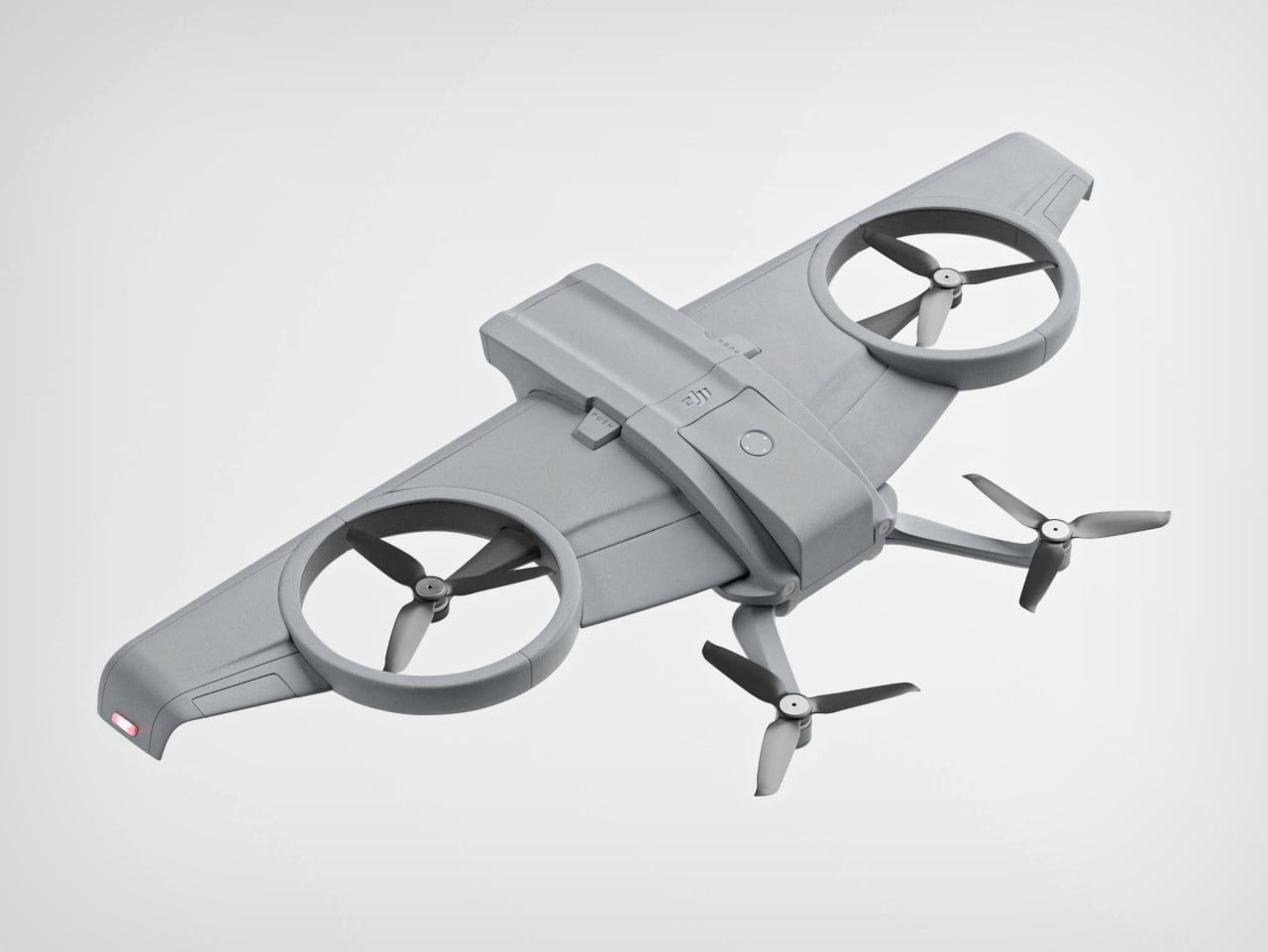
You’ve seen quadcopters, and you’ve seen drones used for crop dusting or aerial surveillance – the DJI Glide is a fusion of both those drones. Designed by Baptiste Grenon, the DJI Glide proposes a battery-efficient design courtesy the presence of wings that help the drone stay stable and achieve flight at high altitudes without being an energy-guzzler. The drone still has the familiar quadcopter format, but also includes wings, giving it a hybrid design that might just translate to a longer battery and better range.
Designer: Baptiste Grenon
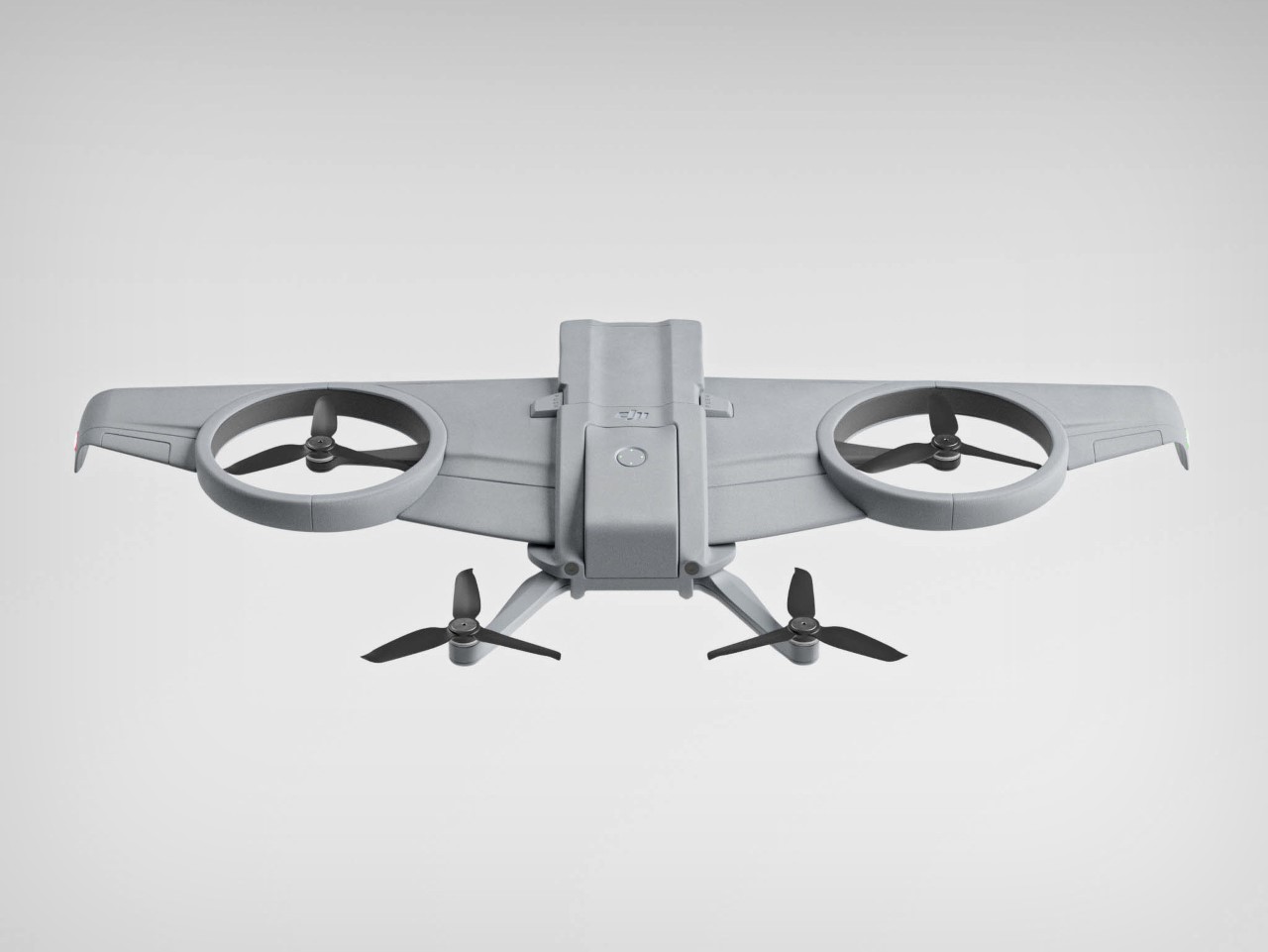
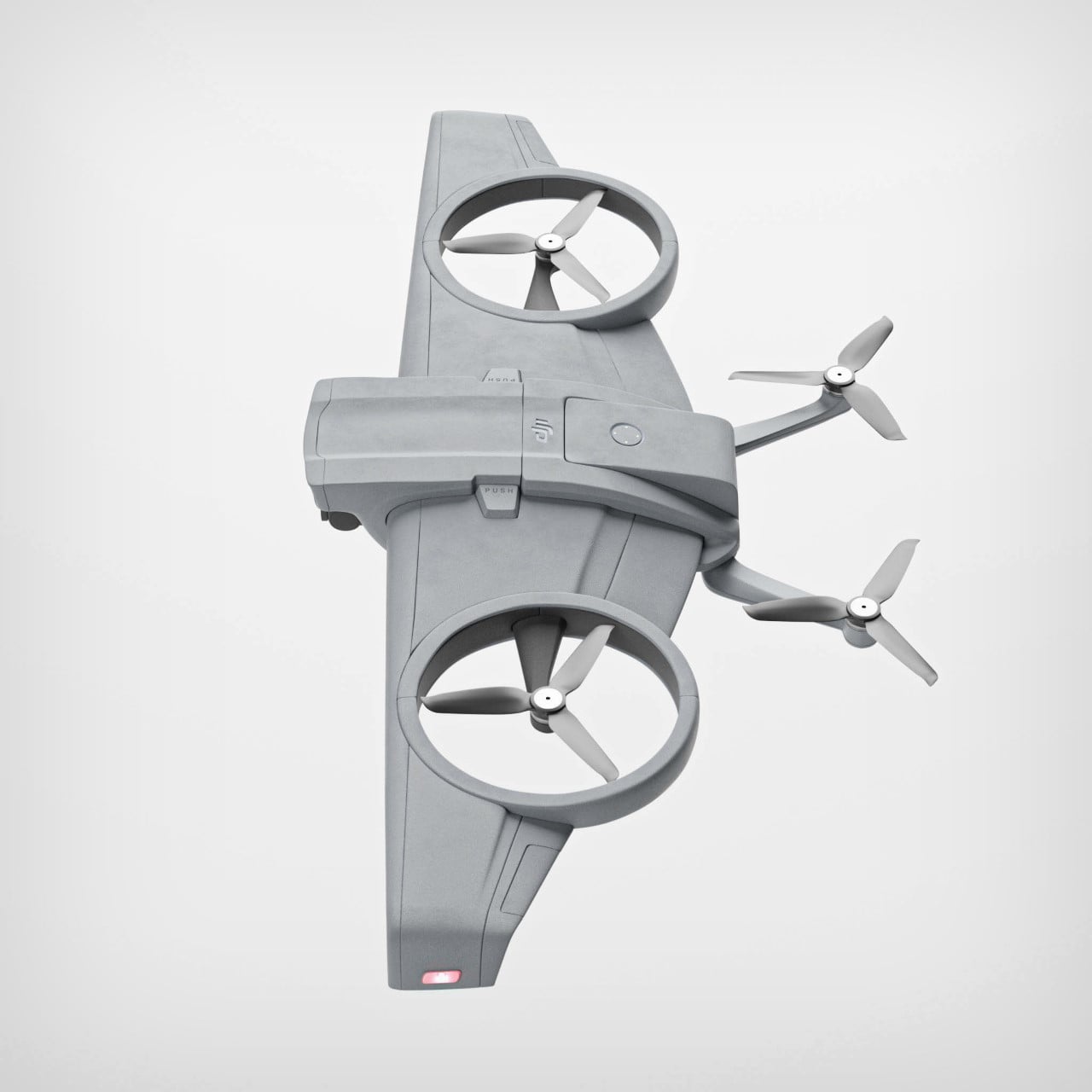
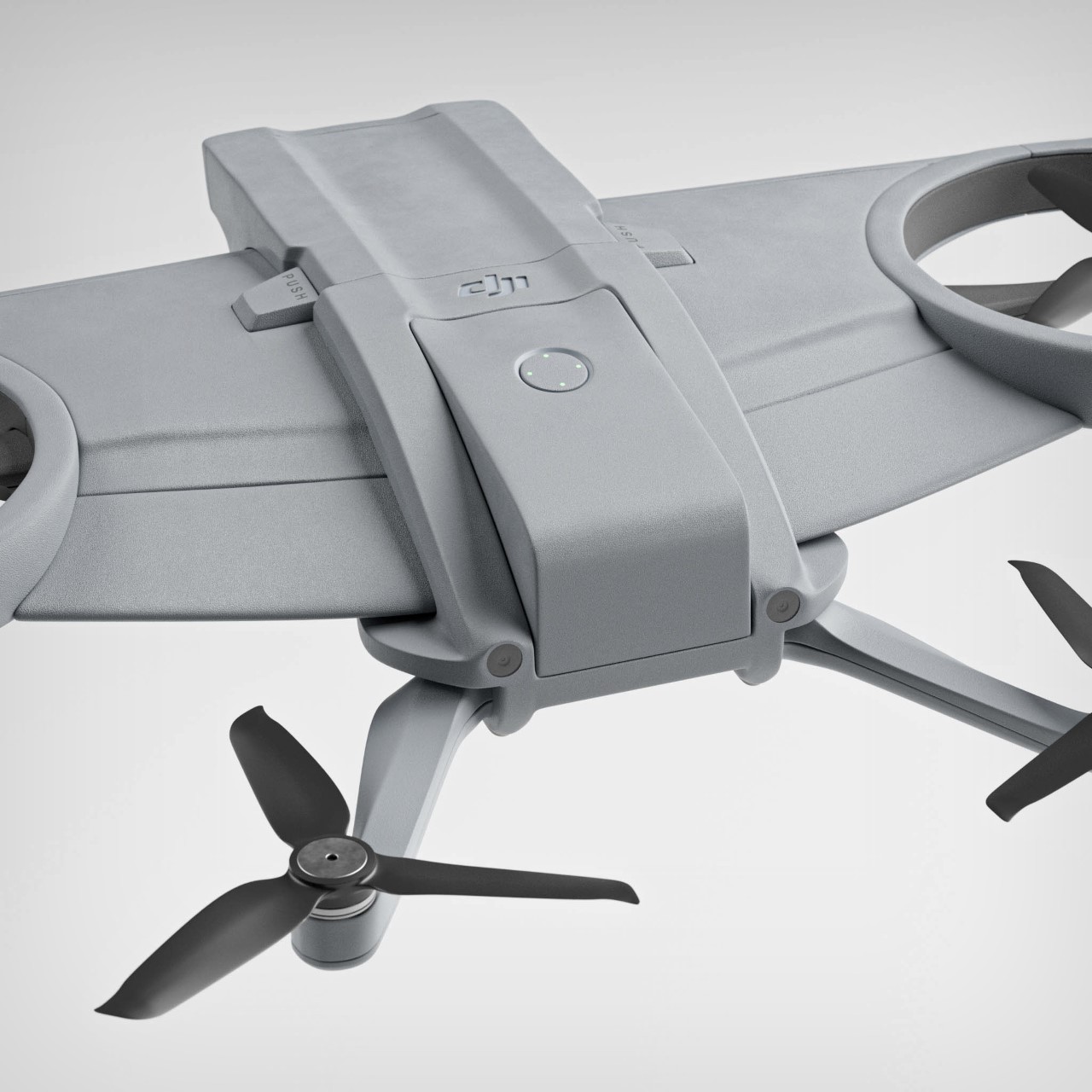
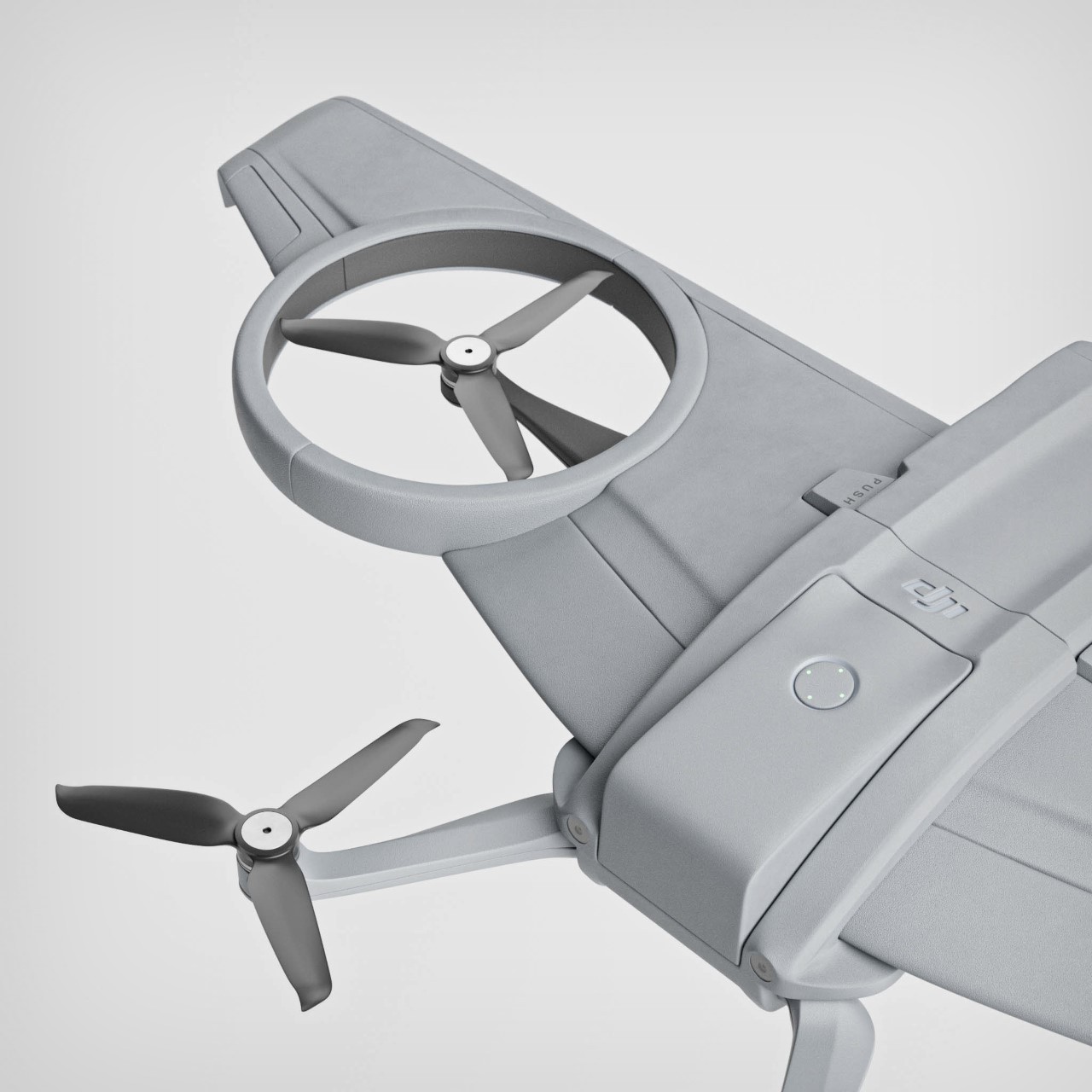
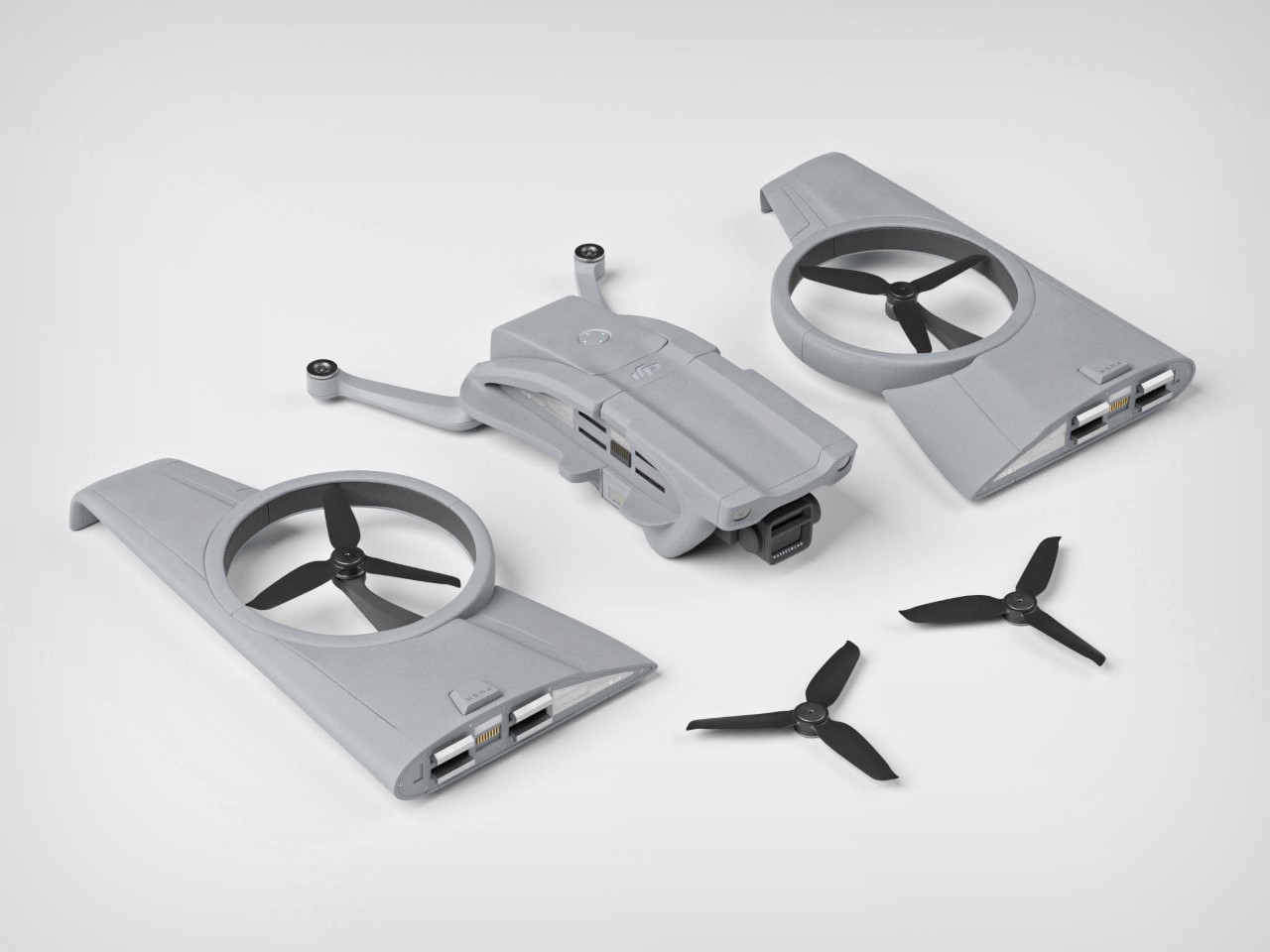
The DJI Glide’s unique design includes two standard propellers, and two propellers built right into the drone’s wings, which double as propeller guards during flight. It doesn’t look like the wings themselves move, although Grenon has included what looks like rudders at the wing-tips for better maneuverability. The drone still has vertical take-off and landing, but the airfoil cross-section of the wings gives it much more aerodynamics while the drone hurtles forward at top speed.
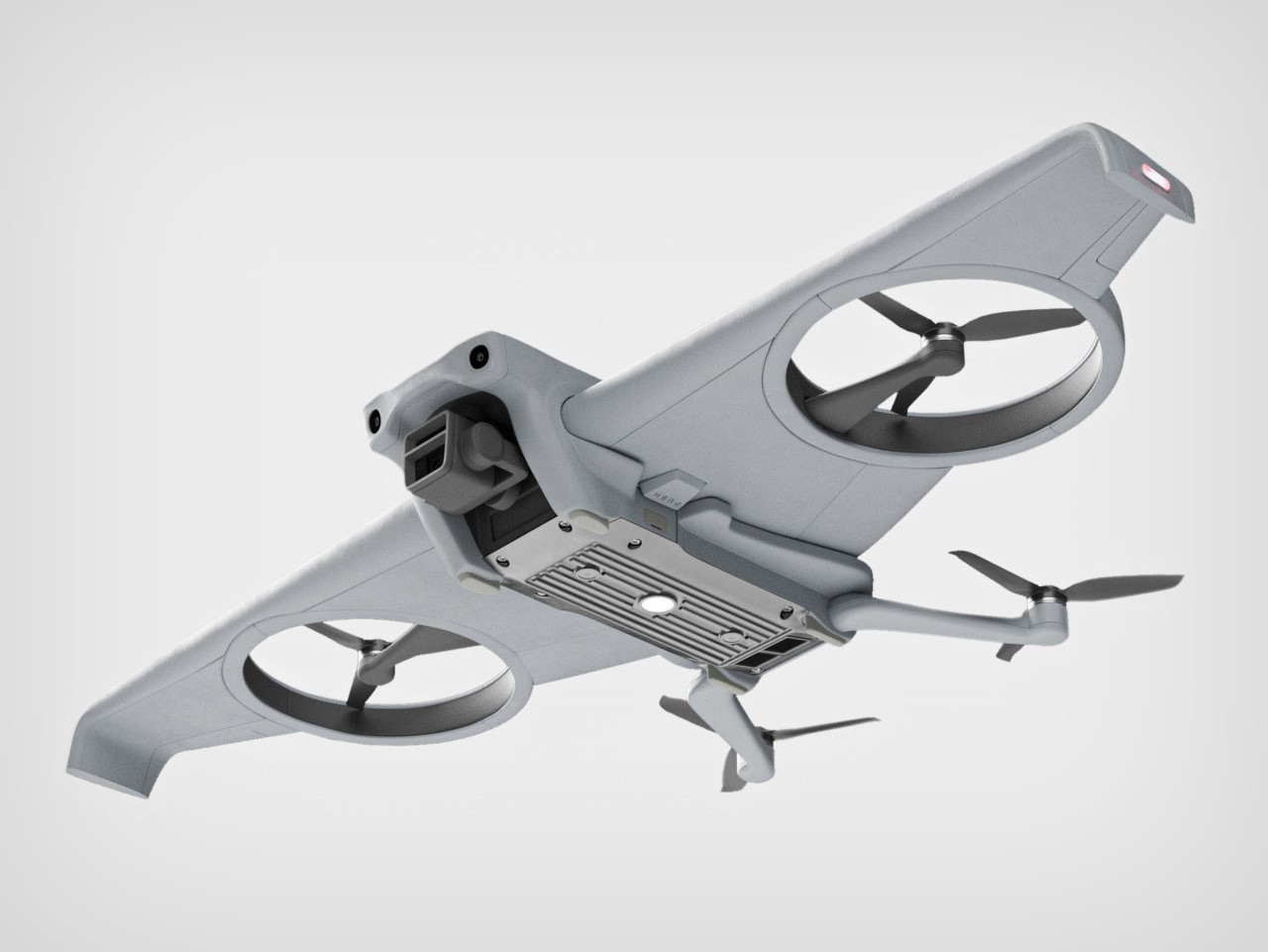
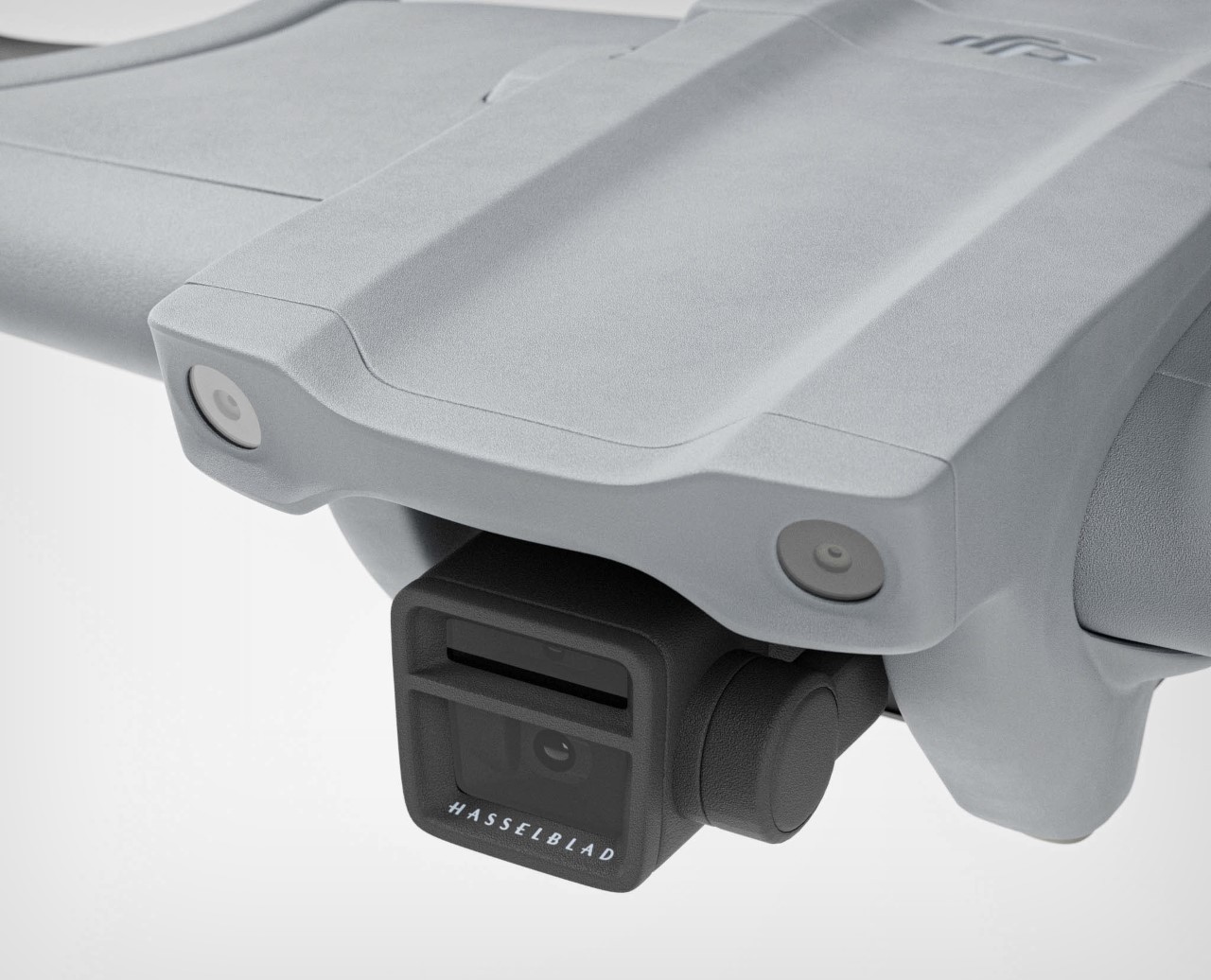
The implication therefore is that the DJI Glide is more suited for FPV flying as opposed to cinematic flight. A gimbal-mounted Hasselblad camera on the front records your PoV, while cameras on the front, back, and bottom give the drone spatial awareness, allowing it to maneuver on its own without colliding into objects – perfect for having the drone return back to base after its battery runs out.
The battery sits on top, plugging right into the drone’s back to power it in flight. Given the conceptual nature of the drone, battery specs are purely conjecture, but I suppose having wings helps conserve the drone’s battery by giving the aerial vehicle the lift it needs while flying. The wings also present a trade-off in terms of maneuverability, hindering complex movements like moving in reverse or tight turns.
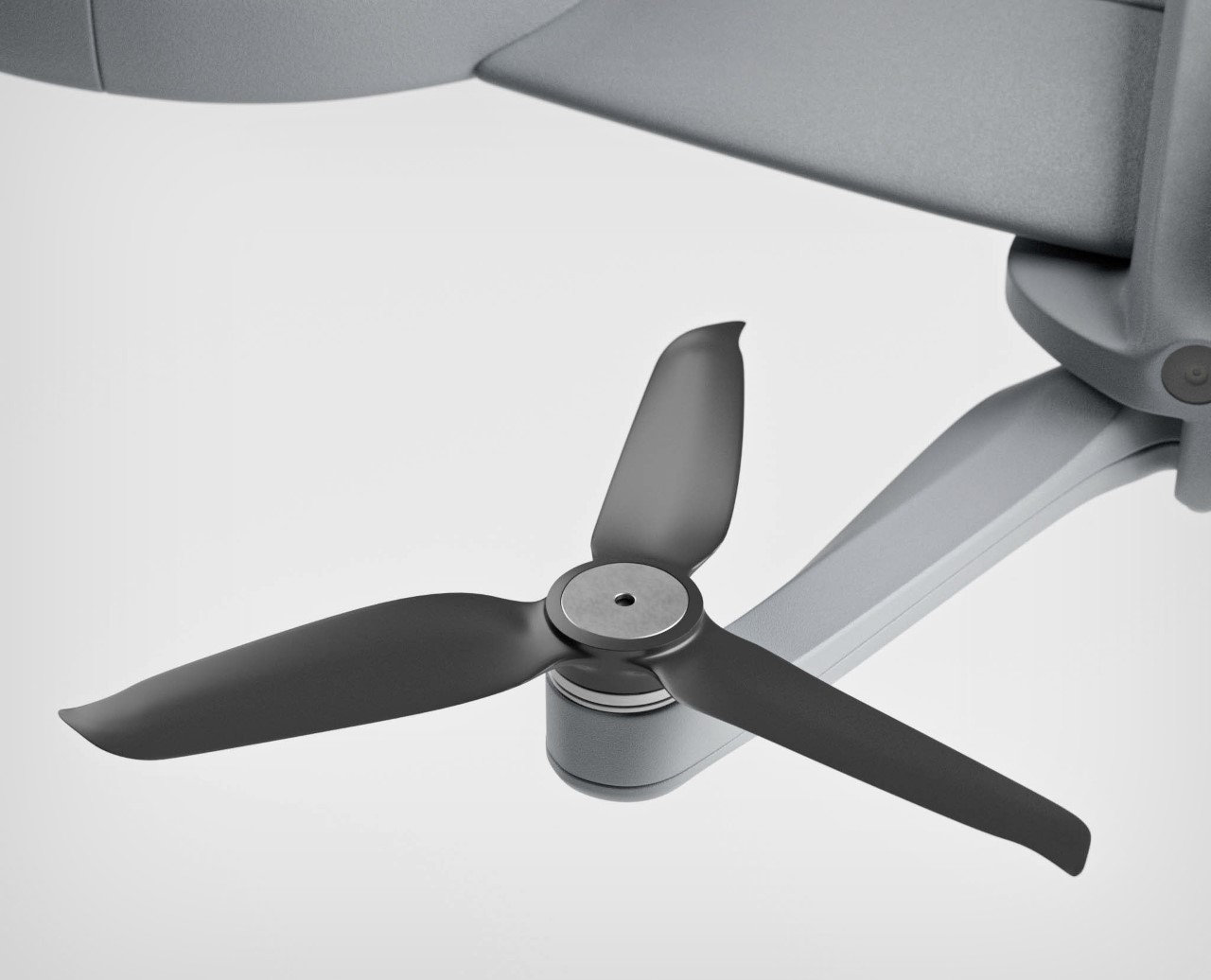
The propellers at the rear justifiably come without any bumper guards, given that they’re effectively shielded by the wings ahead of them. There is, however, a small technical challenge, and it has to do with the drone’s overall size. Having a drone with a wingspan means the DJI Glide isn’t a very compact little device. It therefore comes with detachable wings, which may prove to be a challenge during fast flight. Losing a wing to a loose clamp effectively cripples your drone, since it means losing a propeller too. Collisions may protect the propeller from damage, but the part where the wing and drone join together will take all the impact – something that highly affects your drone’s overall lifespan.
That said, the foldable format does make the DJI Glide fairly portable, allowing it to be flat-packed for shipping. The durability trade-off for efficient flight feels fairly valid – if the obstacle-avoidance algorithms are strong, there really shouldn’t be a problem. Plus, the drone doesn’t need a runway to take off or land, which definitely helps it in the long run for people flying recreationally.
Robot vacuums can help automate a chore you may loathe doing yourself. And even if you don’t mind vacuuming regularly, it’s undeniable that it takes time out of your day that you could be using for other things. The Black Friday and Cyber Monday time period is a great time to look for one of these smart home gadgets because you can often find them for hundreds of dollars off their usual prices — this year is no different. We’re seeing steep discounts on many of our favorite robot vacuum cleaners, as well as some cordless vacuums too. These are the best Black Friday vacuum deals you can get this year.
Eufy 11S Max robot vacuum for $130 ($120 off): One of our top picks for the best budget robot vacuums, the 11S Max has a slim design that lets it get under furniture better than other models, good suction power for its size and a long battery life. Just remember that this robovac doesn't have Wi-Fi connectivity, but it comes with a handy remote that lets you control it, set cleaning schedules and more.
Shark AI Ultra robot vacuum with self-emptying base for $300 ($300 off): A version of one of our top picks, this Shark robot vacuum cleans both carpet and hard flooring well, has an easy-to-use app, a self-cleaning brushroll and a bagless self-emptying base that can hold up to 60 days worth of debris before you need to empty it.
Shark PowerDetect NeverTouch Pro robot vacuum and mop with self-emptying base for $700 ($400 off): The PowerDetect NeverTouch Pro is the most premium robot vacuum and mop that Shark sells and it has suction and mopping capabilities to match. The self-emptying base takes care of most things for you for up to 30 days, including emptying the machine's dustbin, emptying and refilling the mop reservoir and the pad-drop system that holds the mopping pad when not in use.
Black Friday cordless vacuum deals
Dyson V15 Detect Absolute cordless vacuum for $550 ($200 off): This is our top pick for the best cordless vacuum you can get right now thanks to its excellent suction power, relatively light weight and good battery life. This model comes with a Fluffy Optic cleaning head that illuminates the ground in front of you so you can see where the most debris lies, and the pack-up includes three additional cleaning head attachments.
Dyson Gen 5 Detect cordless vacuum for $700 ($250 off): The Gen 5 Detect is another excellent Dyson machine, very similar to the V15 Detect. We like that it has a single-button start and even stronger suction power, and it's slightly newer than the V15 Detect as well.
Dyson Gen 5 Outsize Absolute for $800 ($250 off): This Outsize model has 150 percent bigger bin capacity than the standard Gen 5 vacuum, making it better for those with larger homes or those who regularly have big messes to clean up. Its cleaner head is 25 percent wider as well, allowing it to cover a larger surface area in one go, and it comes with two batteries for a total of over two hours of runtime.
Dyson Digital Slim cordless vacuum for $250 ($250 off): As its name suggests, this Dyson stick vacuum is 30 percent lighter than the V11, which should make it even easier to handle and maneuver while you clean. It also has a 40-minute runtime and an LCD display that shows the amount of battery life left.
Tineco Pure One Station 5 cordless vacuum with self-emptying base for $300 ($160 off with coupon): One of Tineco's newest machines, the Station 5 stick vacuum cleans hard floors and carpets well, doesn't choke when it meets pet hair and includes a self-cleaning HEPA filter to maintain strong, consistent suction power. Plus, the bagless, self-emptying base cleans the machine's brush, tube, filter and dustbin after every time you use it.
This article originally appeared on Engadget at https://www.engadget.com/deals/the-14-best-black-friday-deals-on-robot-vacuums-from-irobot-shark-dyson-and-others-161528012.html?src=rss
According to studies, almost 83% of our every day garbage is not sorted and recycled. That means a lot of it is just thrown into landfills and most of them just stay there rotting for years, maybe even decades. If we are able to properly sort them properly, even just a small percentage, and dispose of them in a more circular manner, including recycling and upcycling, then it will be better for our planet. The problem sometimes though is that people and even machines still don’t know how to sort and recycle properly.
Designer Name: Romain Pellat
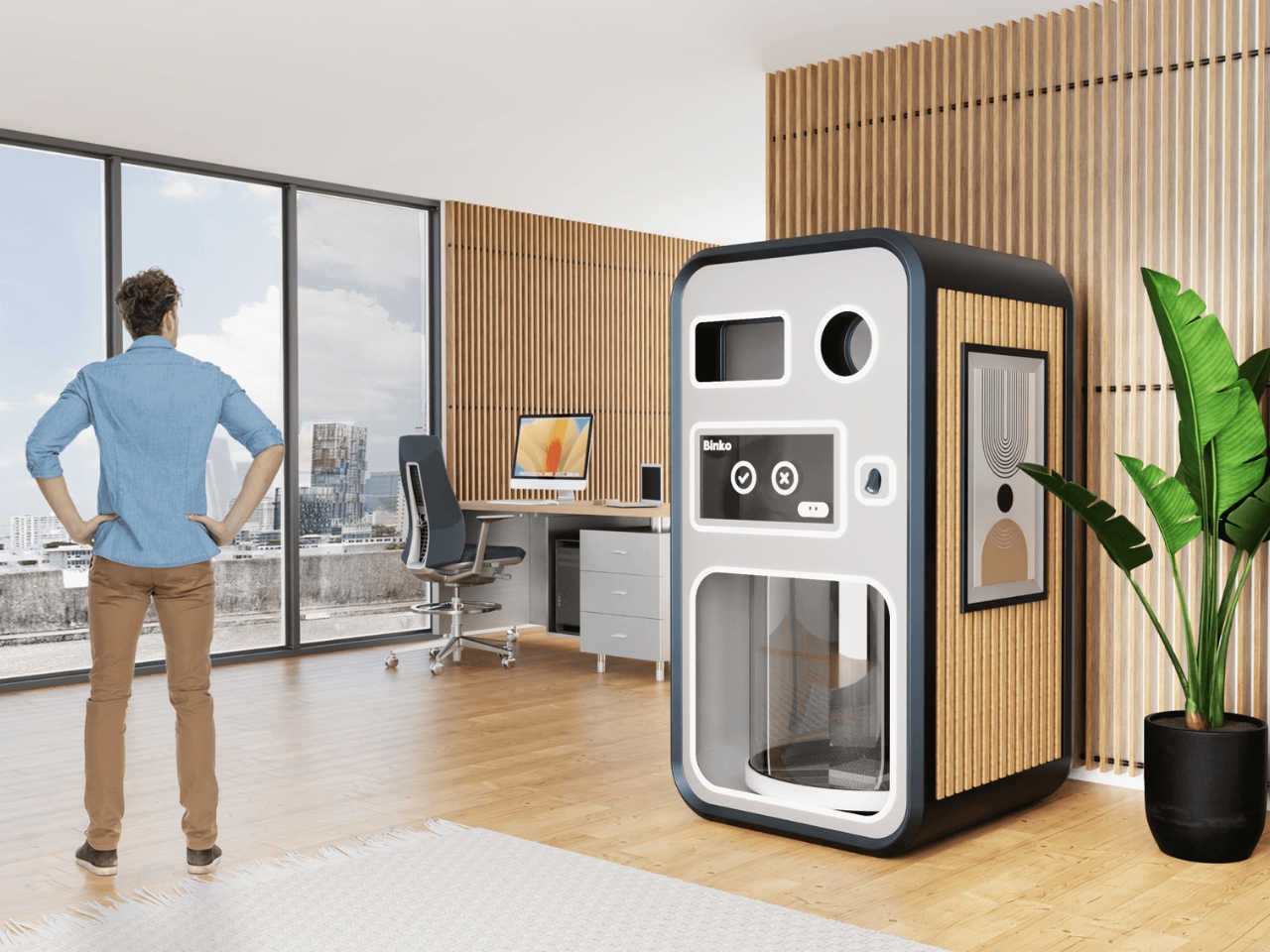
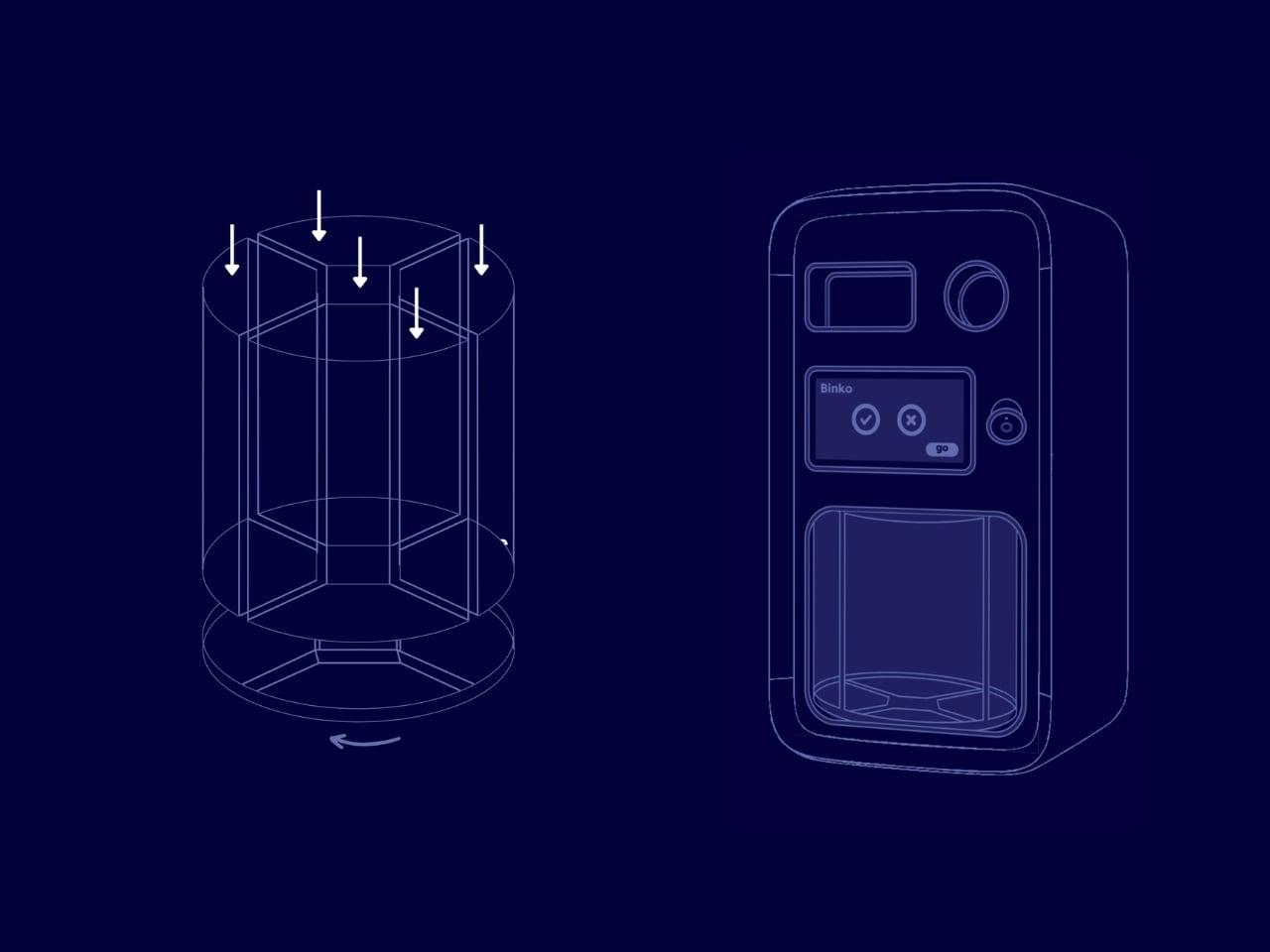
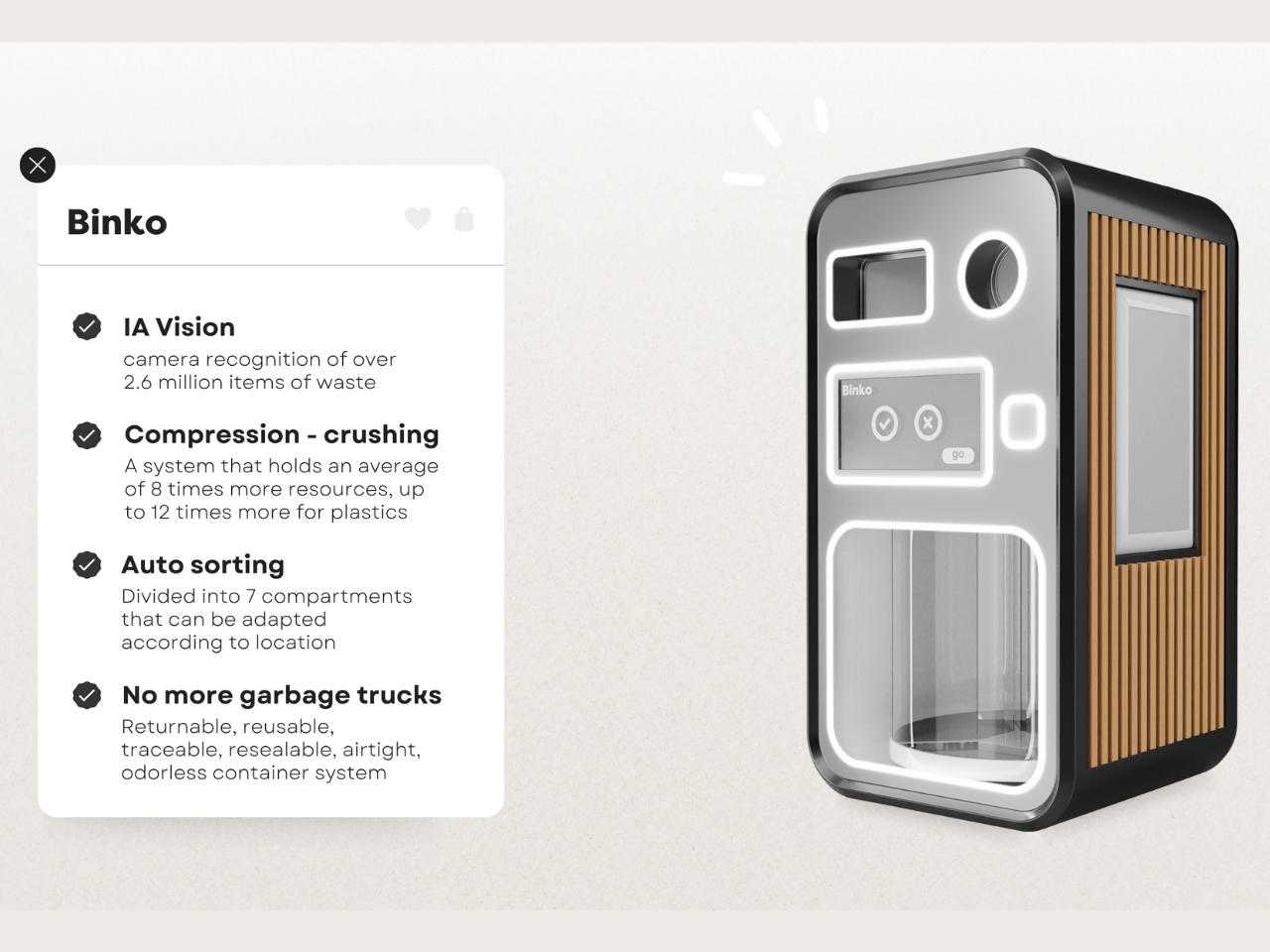
With the advent of robotics and A.I, our garbage disposal should be better. This is what Binko aims to do. It is an AI-powered recycling robot that should help homes and offices to improve the way they do their waste disposal. It is able to auto-recognize the different kinds of garbage, sort them properly, and then crush them accordingly.
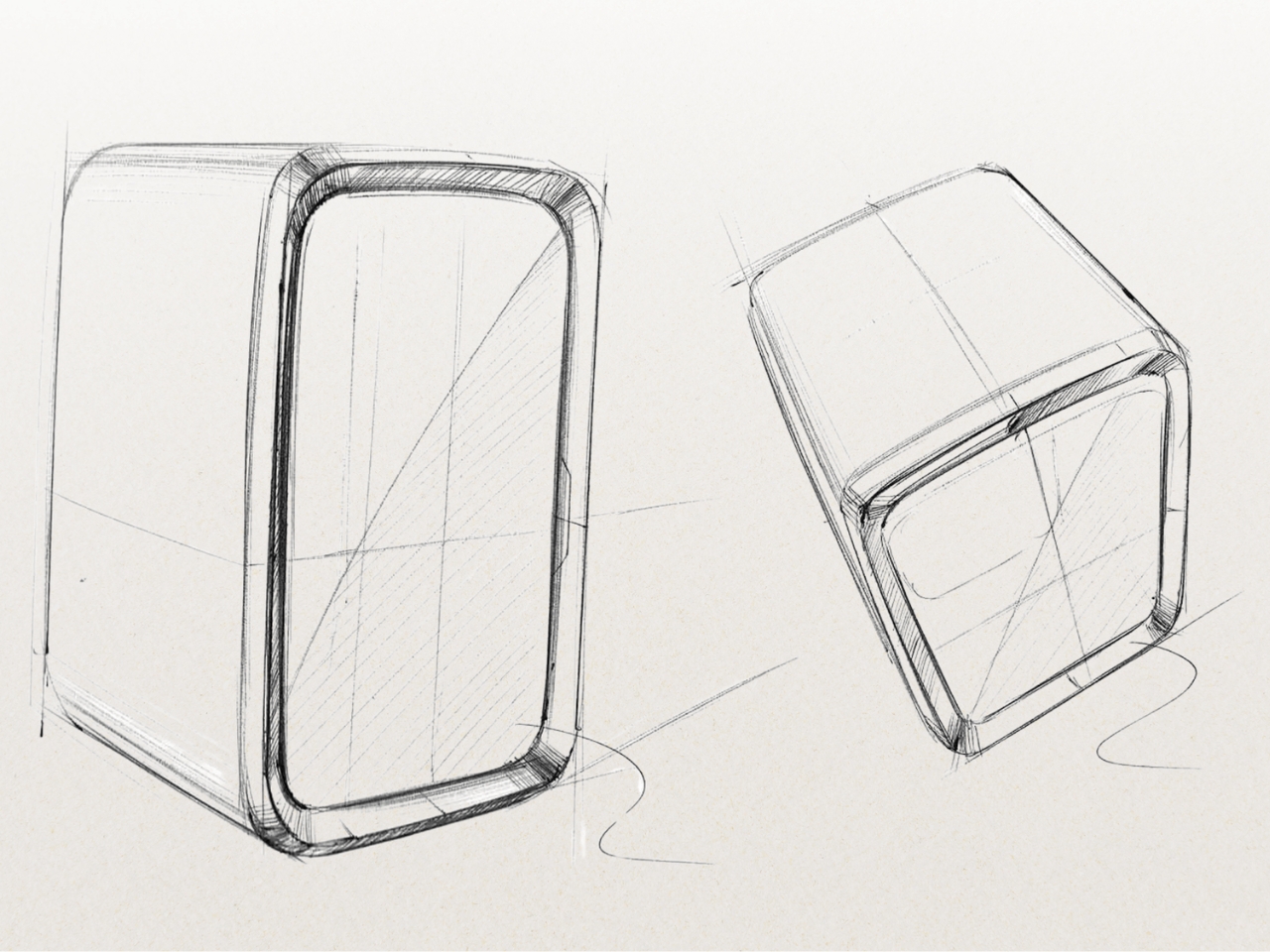
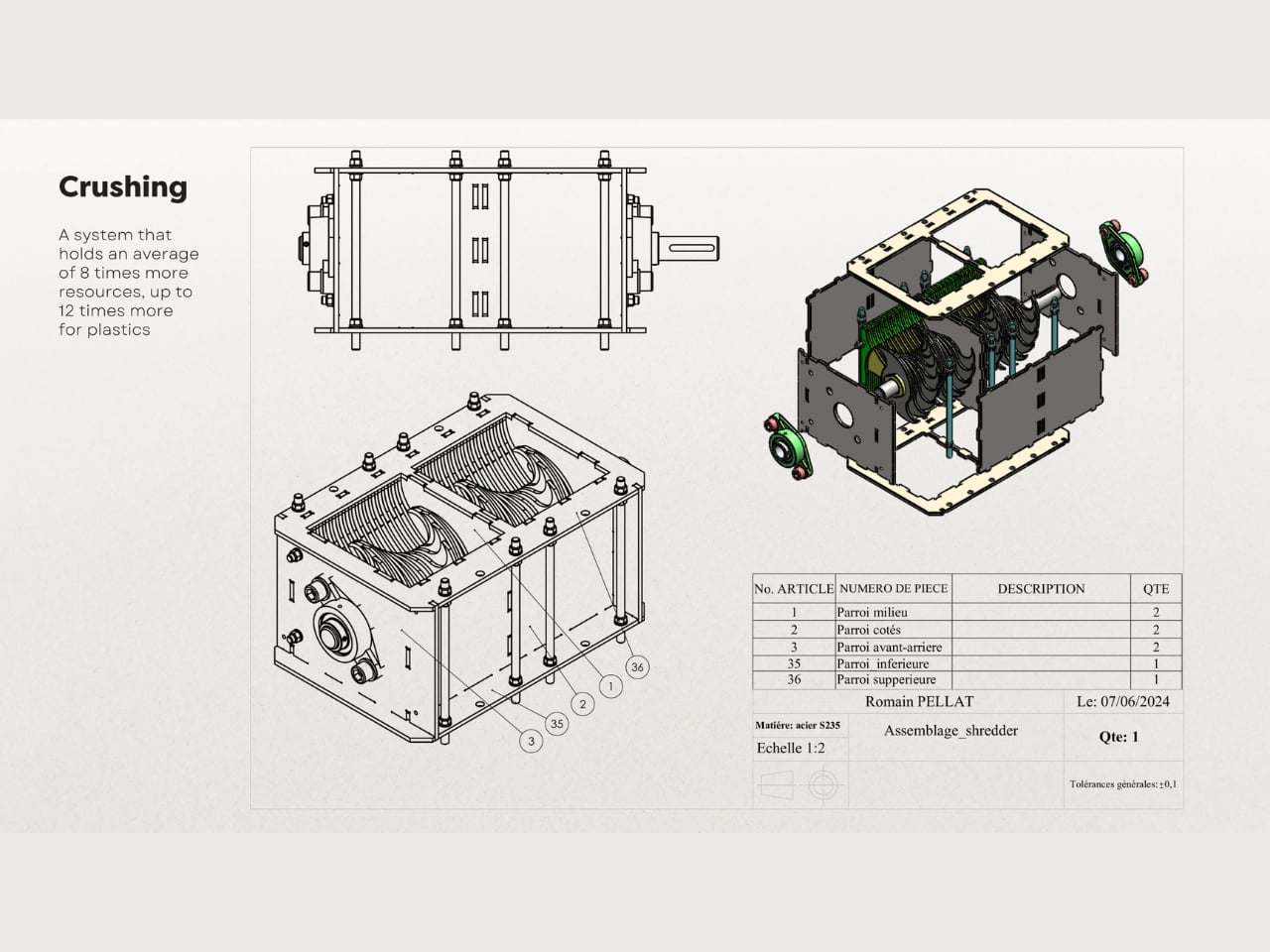
The concept device looks like a vendo machine but instead of it giving you your drink or snack of choice, you feed it your garbage. The machine and the accompanying app should be able to recognize more than 2.6 million waste items. Then it will compress or crush the garbage into small pieces and is able to hold an average of 8 times more resources. The system is able to sort it into one of the 7 transparent compartments that can be adapted according to location.
The app will be the first to launch and it can immediately help people into recognizing how to sort their garbage using the AI-powered photo recognition process. It also gives you a map of nearby recycling bins and even reminds you to take out your trash. That in itself is useful even as Binko will probably take more time to be created.
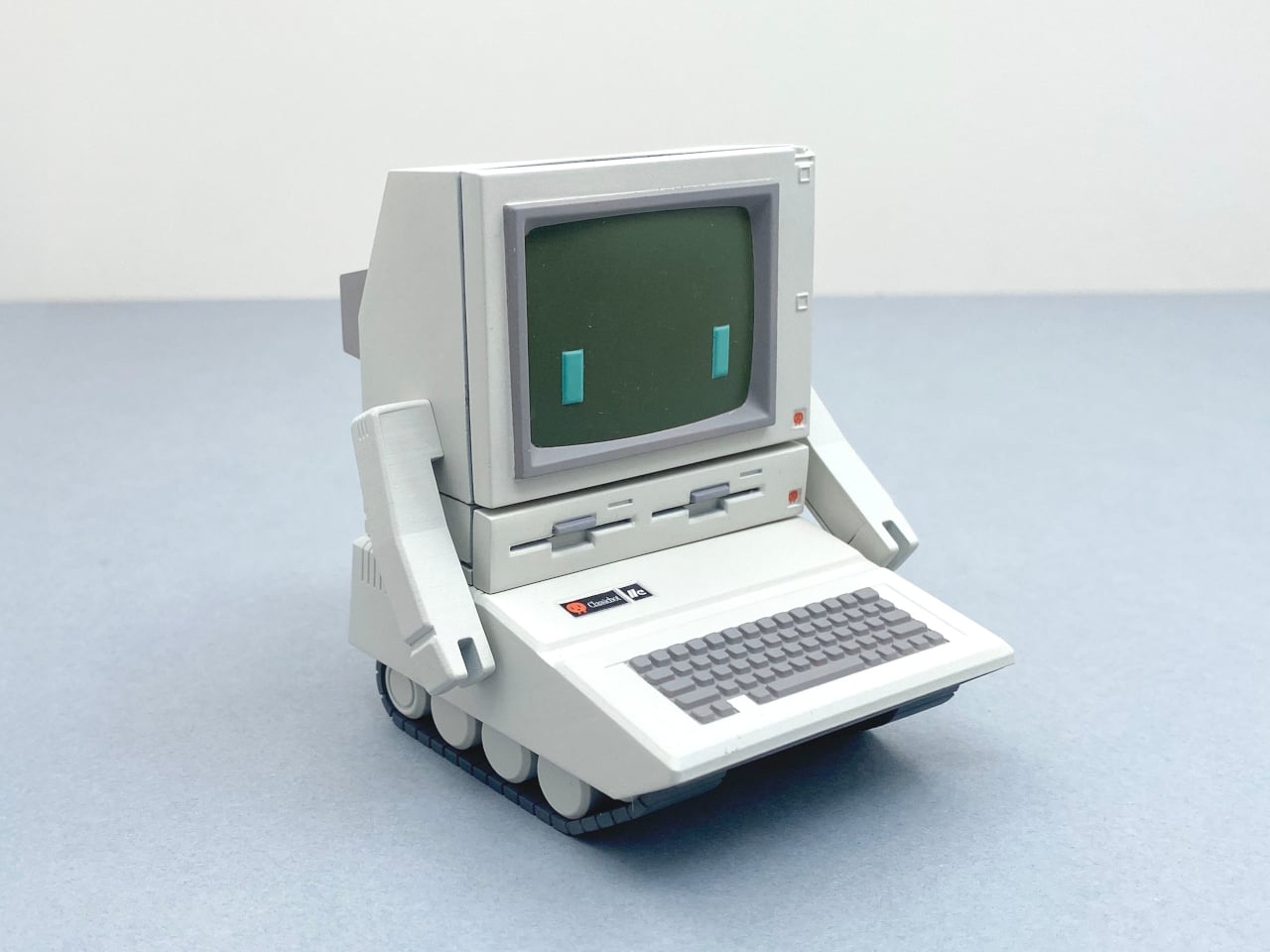
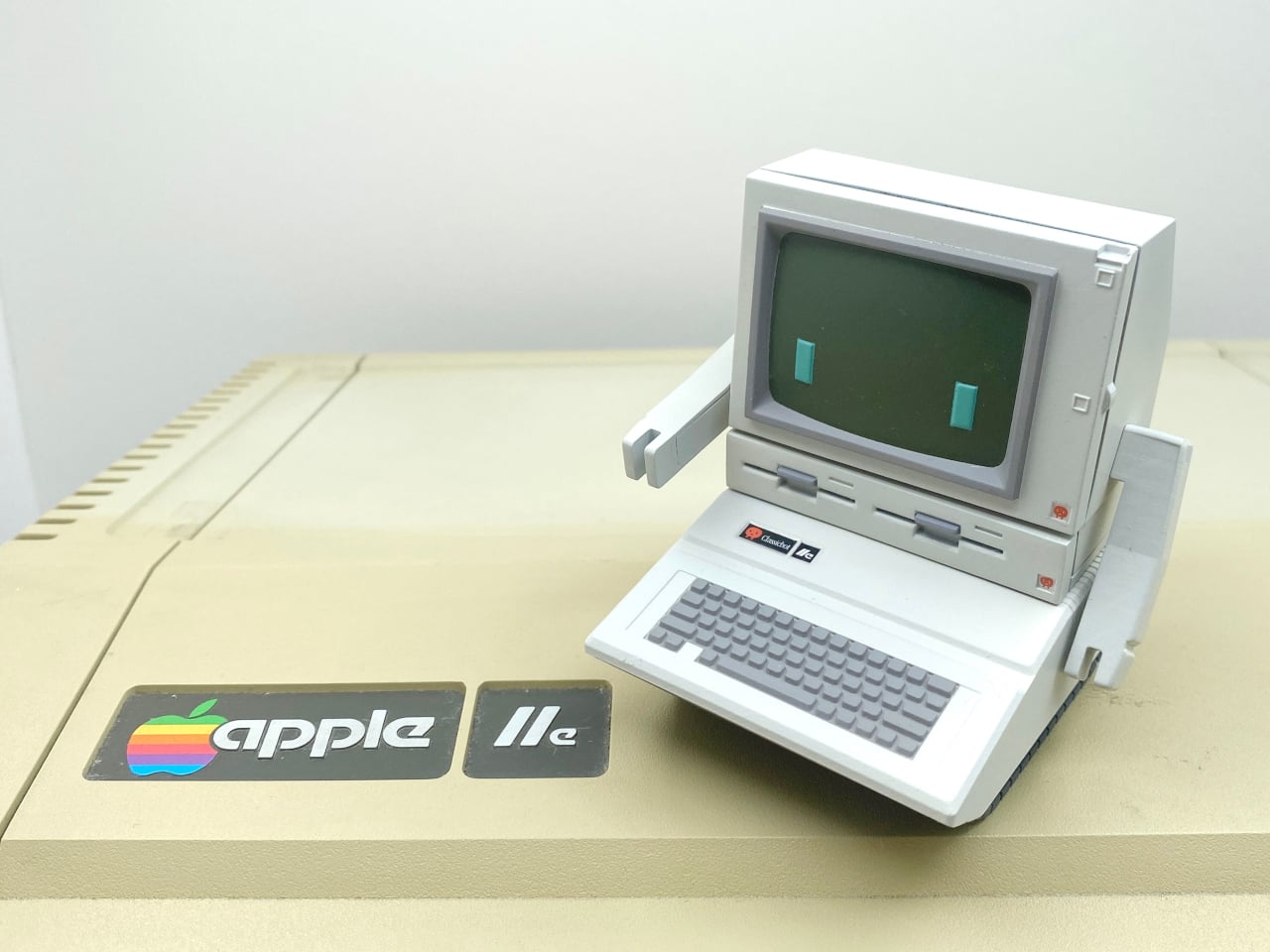
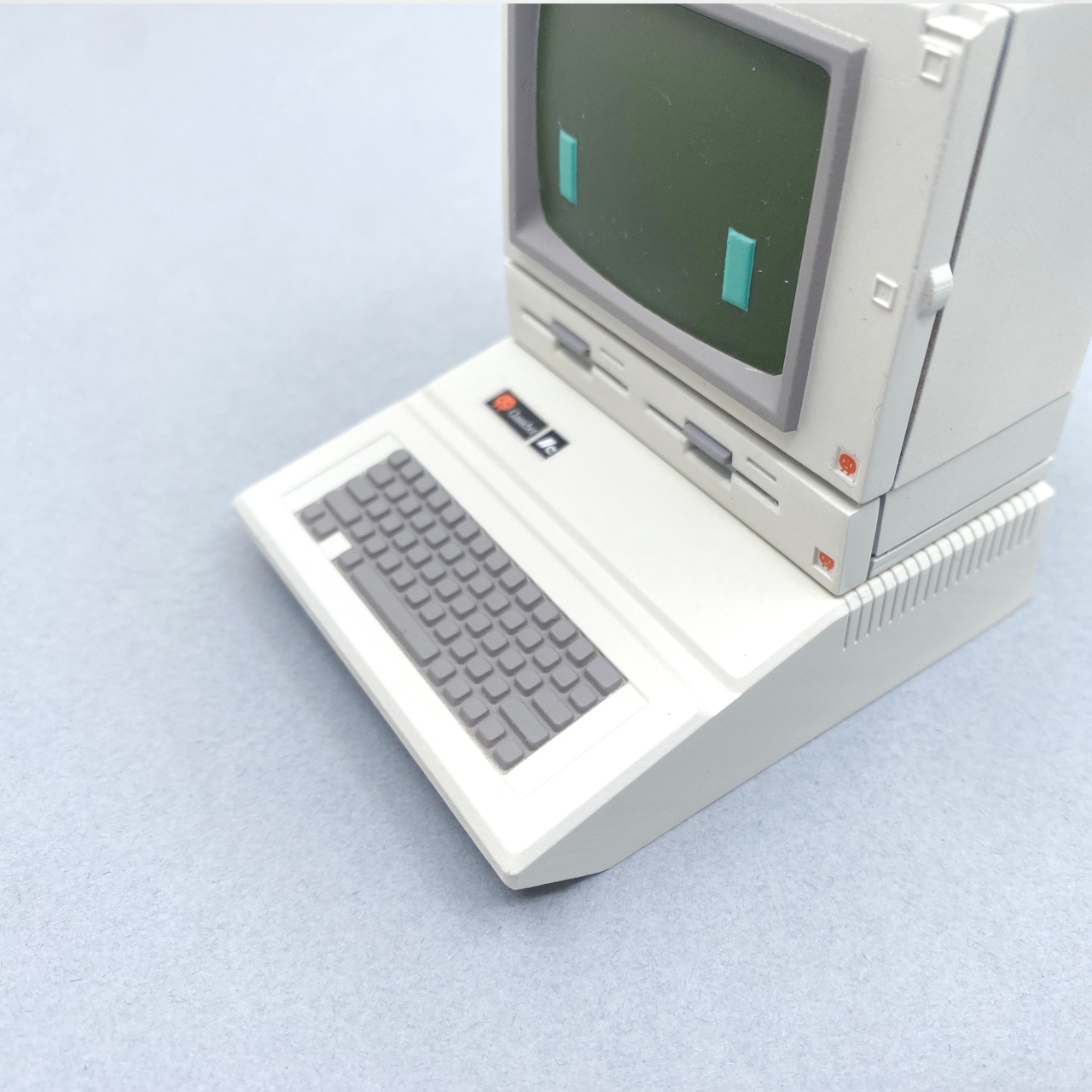
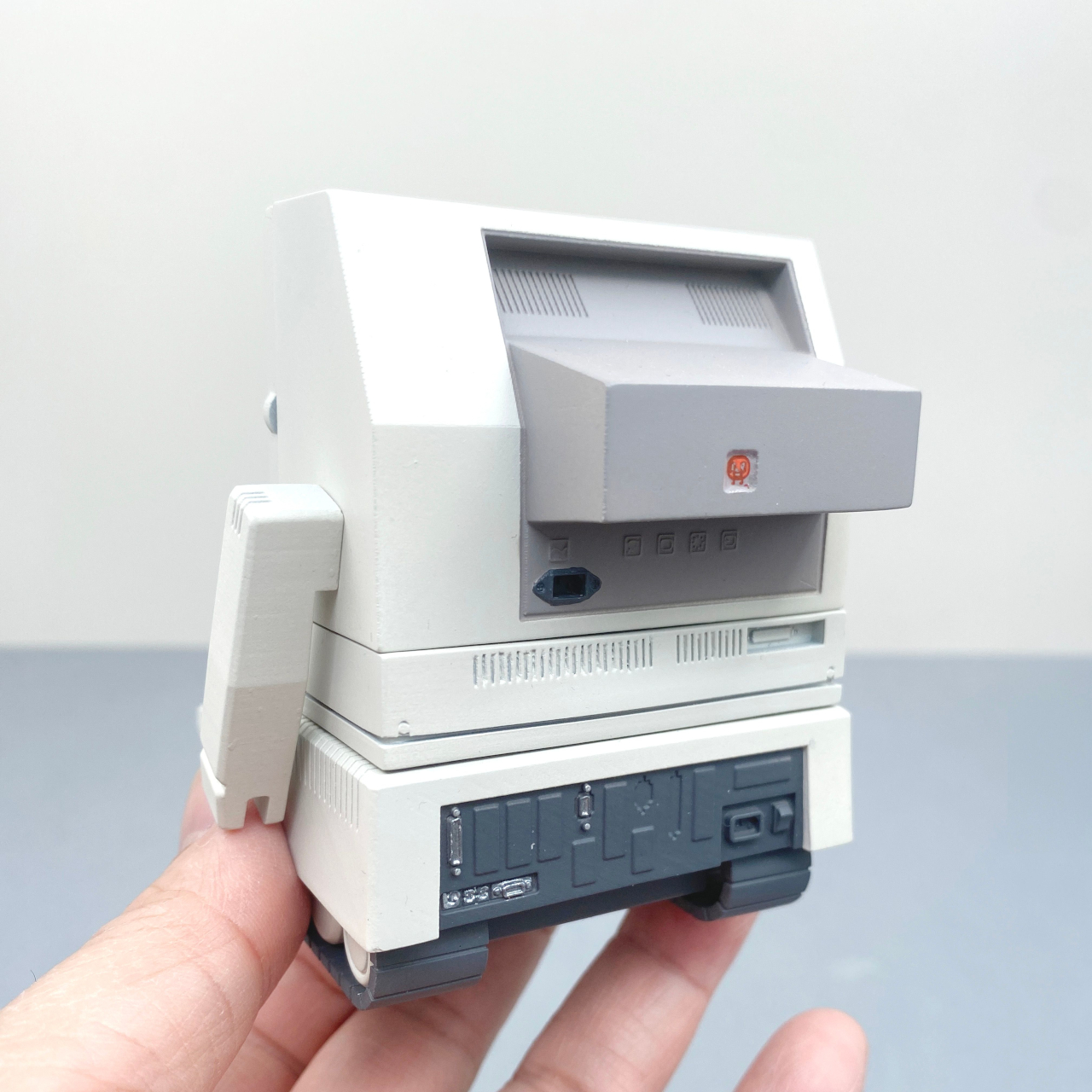
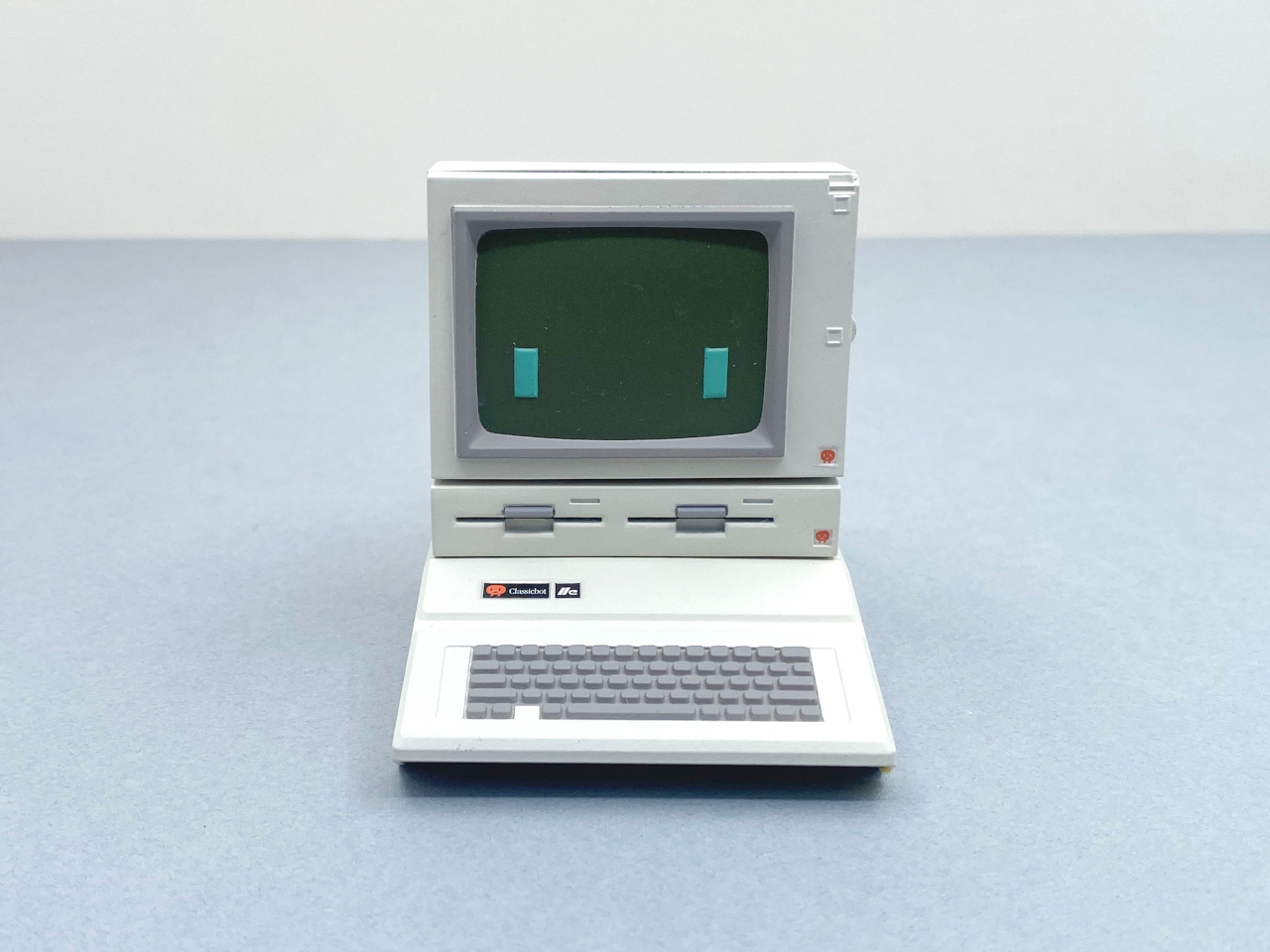
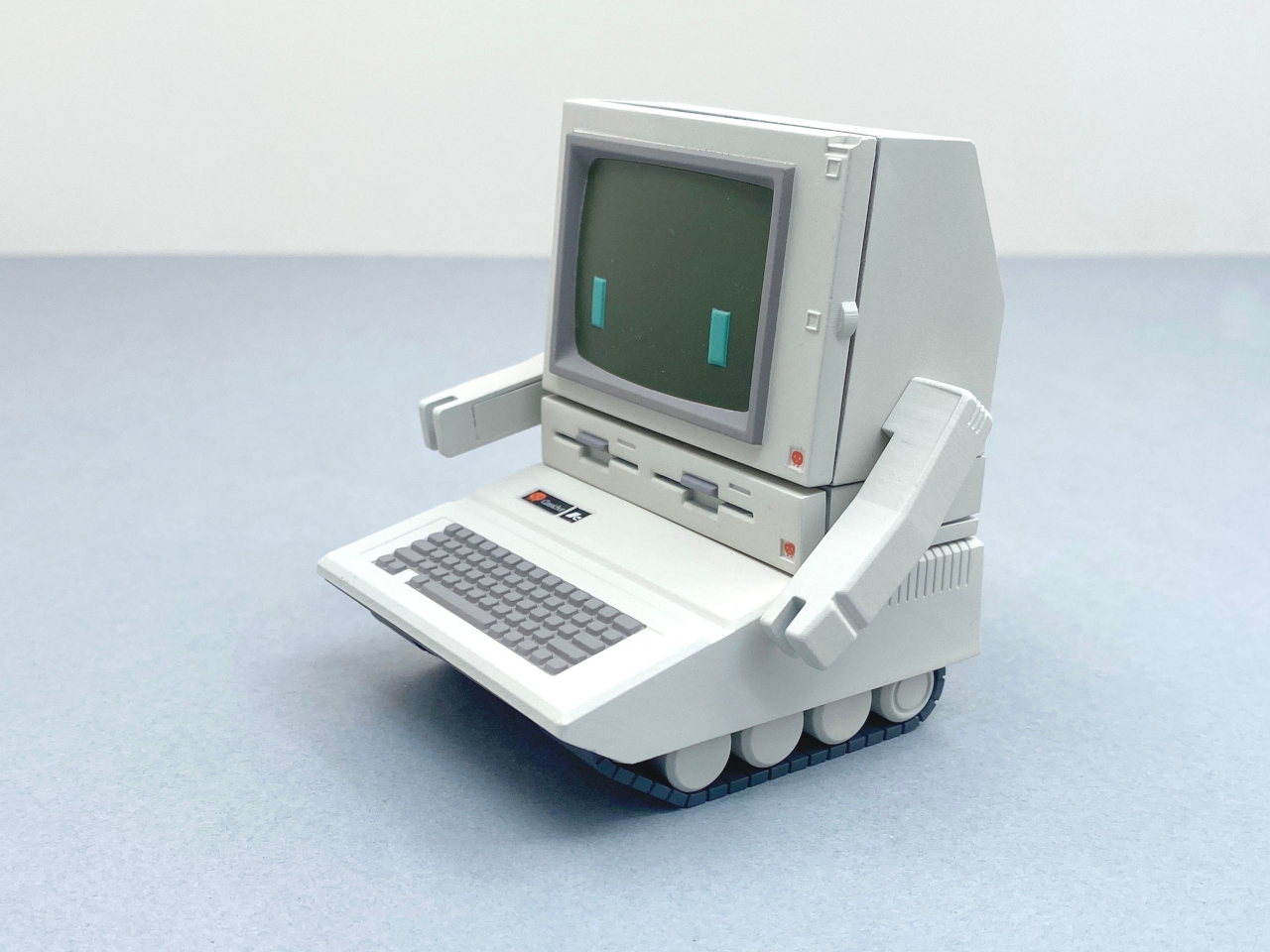
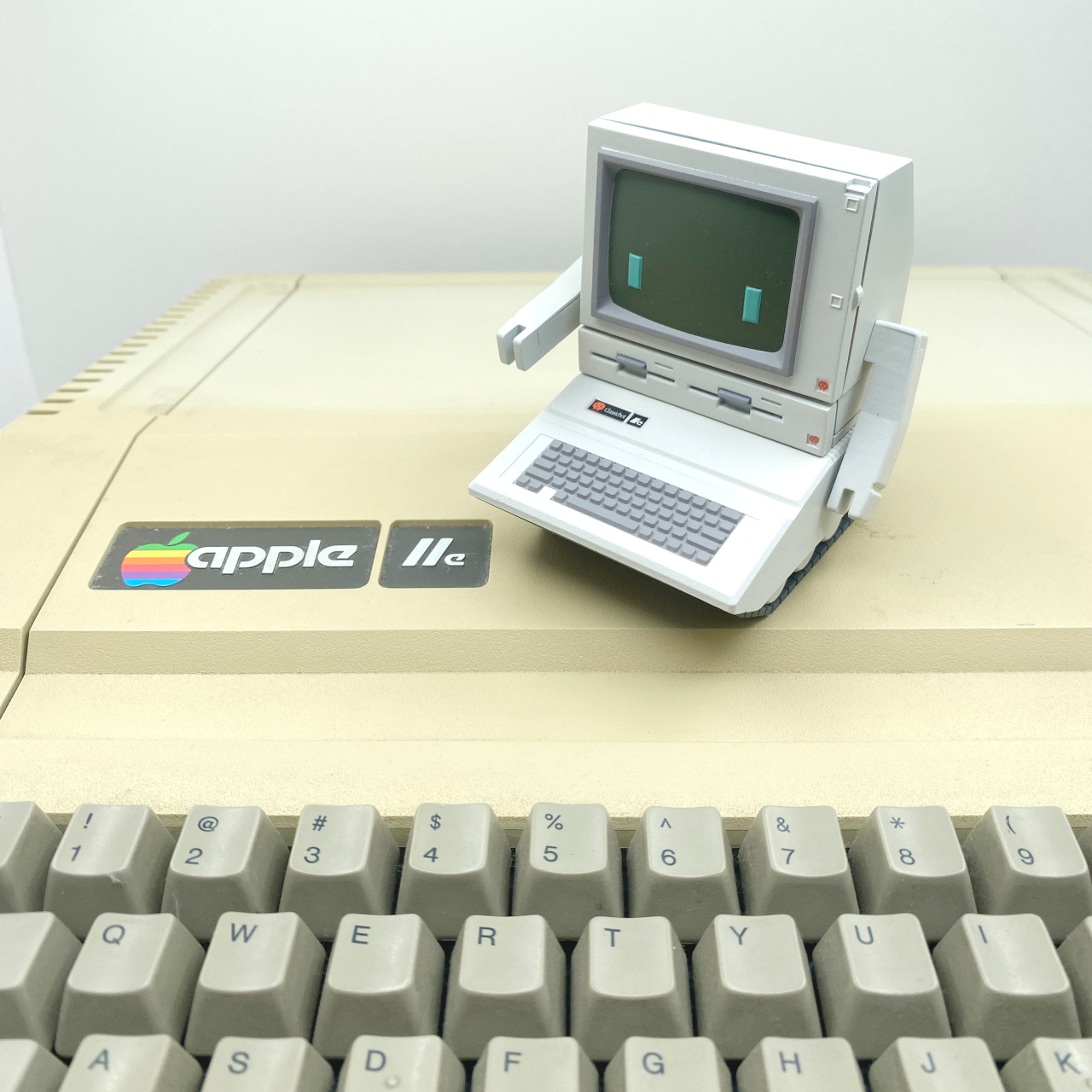
Imagine having a tiny robot on your desk that can transform into a mini version of the classic Apple IIe computer. That’s the Classicbot IIe for you! Standing at just 8.5 cm (3.35 inches), it’s like having a bit of tech history right at your fingertips. With its detachable arms and track feet, this little guy is both adorable and a fun nod to the past. It’s a playful companion that brings a smile to your face and sparks curiosity among your friends and colleagues.
Each Classicbot IIe is crafted with care and made from resin in small batches. This means every piece is unique, which adds a special touch to its charm. The attention to detail is spot-on, right down to the Duodisk 5″ floppy drive. It’s like a tiny, joyful celebration of retro tech that makes you smile every time you look at it. The craftsmanship involved in creating each piece is evident, turning it into more than just a desk accessory — it’s a piece of art that captures the essence of a bygone era.
The Apple IIe is probably one of the best-selling computers the company sold in that era. Since not everyone can get their hands on an honest-to-goodness replica, this robot is a fun hidden gem for those who love a bit of retro flair. Whether you’re a tech enthusiast or just someone who appreciates a good throwback, this little robot is a delightful companion. It speaks to the inner geek in all of us, reminding us of the early days of computing when floppy disks were all the rage and the sound of a modem connecting was music to our ears.
The best part? Switching it from a robot to a computer model is super easy and fun: just remove the arms and the tracks. The robot’s face naturally becomes the monitor, and its eyes make you think you’re playing the classic Pong game. It’s like having a mini Transformers on your desk! With a quick change, you can transport yourself back to the 1980s, a time when the Apple IIe was a revolutionary piece of technology.
Its small size makes it perfect for any workspace, no matter how cluttered. It’s a conversation starter, an icebreaker, and a reminder of how far we’ve come in the world of technology. The Classicbot IIe is not just for those who lived through the era of the Apple IIe; it’s for anyone who appreciates the journey of technology and enjoys a little whimsy in their day-to-day life.
If you love a good blend of history and playfulness, the Classicbot IIe is a delightful way to brighten up your day. It’s a cheerful reminder of how far technology has come, all while keeping things light and fun. It’s the perfect desk buddy for those moments when you need a break from the digital world, offering a tangible connection to the past. Right now it’s on pre-order for $85, and those who put in the money now will get their hands on a limited edition mini joystick accessory to really drive home that throwback design.
You remember when people were complaining that their robot vacuum would drive itself off the stairs, or notoriously spread pet fecal matter around the house because the vacuums were just not equipped enough to deal with these scenarios? Or the vacuums being so thick they would just dodge sofas instead of going underneath them? That’s what we in the tech realm refer to as first-generation woes. With newer generations, products get better at solving problems that first-gen versions never anticipated. Roborock’s Qrevo Slim aims to usher in this new generation of robot vacuuming with both better design as well as state-of-the-art tech.
The Qrevo Slim, as its name suggests, measures just over 8cm or 3 inches tall, allowing it to cruise underneath sofas without worrying about headroom. The slim design is also backed by Roborock’s most advanced 3D mapping and navigation system. Dubbed the StarSight Autonomous System, this tech is so good, Roborock claims it’s better at navigating than the LDS seen on most vacuums today.
Ultra-Thin Design: Accessing Every Nook and Cranny
At just 8.2cm or 3.2 inches tall, the Qrevo Slim has the kind of vertical clearance that most robot vacuums wish they had. Slim enough to easily slip under beds, couches, and other low-clearance furniture, the robot vacuum covers more ground than your traditional vac, reaching tight spots that often go ignored.
Notably, the Qrevo Slim’s upper profile is super-slick, eschewing that bump you’ll find on most robot vacuums where most of the LiDAR and imaging tech is located. This slim upper surface means the vacuum has lesser problems packing into tighter spaces to clean everything from pet hair, food crumbs, dust, or any dirt that could be languishing under your furniture for months.
StarSight Autonomous System: The ‘Star’ of the Show
Roborock’s StarSight Autonomous System is perhaps its most significant achievement, using not one but 2 LiDAR sensors to power its navigation and obstacle-avoidance capabilities. This advanced system leverages two 3D Time-of-Flight (ToF) sensors to capture more than 1 million 3D points per second. Unlike traditional Laser Distance Sensors (LDS) seen on most current vacuum cleaners, which measure only 2D linear distances (like how close or far objects are), StarSight’s 3D mapping senses depth and height, giving the vacuum full automotive-grade spatial awareness.
With a whopping 38,400 Hz sampling rate and 21,600 sensor points, StarSight processes information at 21 times the speed of LDS. This faster, more detailed mapping allows the Qrevo Slim to detect as many as 73 types of obstacles, from toys to cables, adapting instantly without doing that awkward “bump and turn” that other vacuum cleaners do. This means the vacuum has a better sense of its surroundings (even when people are walking around) so it cleverly avoids obstacles instead of waiting till the last minute to bump into them.
Qrevo Slim: Better Navigation than Some Autonomous Cars
The Roborock Qrevo Slim’s navigation features rival those of some autonomous cars, adapting smartly to varied home environments. Its SmartPlan creates detailed 3D maps, allowing it to navigate room layouts precisely, minimizing time and maximizing coverage. With DirTect, the Qrevo Slim automatically detects and boosts suction in high-traffic, dirt-prone areas, delivering targeted cleaning where it’s needed most—like entryways or kitchens where dirt tends to collect.
For pet lovers, robot vacuum can be used as a pet monitor too. The Pet Snaps feature can be toggled to have the Qrevo Slim go check in on your pet around the house. Once it locates the pet, you can capture snapshots of your furry friend. This feature kicks in during the Qrevo Slim’s cleaning cycle, although it only works with one pet at a given time.
Powerful 11,000 Pa Max Suction: A Cleaning Powerhouse
The Roborock Qrevo Slim offers an impressive 11,000 Pa of suction power, making it one of the most powerful robot vacuums on the market. This high suction strength effortlessly picks up fine dust, pet hair, and larger debris, ensuring a deep clean across all floor types. Whether tackling everyday messes or stubborn dirt, this level of suction provides the thorough cleaning performance needed for busy households.
Supporting this power, the Qrevo Slim is equipped with floor and carpet detection along with the Carpet Boost+ system. When moving onto carpets, it automatically increases suction for a deeper clean, lifting dust and dirt embedded in carpet fibers. This intelligent adjustment means each surface gets the right level of attention, maintaining efficiency on hard floors while delivering extra power where it’s most needed.
DuoRoller Riser Brush and Dual Spinning Mops: Clean and Adapt
The DuoRoller Riser Brush is designed with counter-rotating, all-rubber brushes that capture everything from pet hair to fine dust without tangling. These dual brushes work together to lift debris effectively, providing full coverage across both hard floors and carpets. When transitioning between surfaces, the brushes auto-lift, ensuring optimal performance without scratching or over-brushing on sensitive flooring.
Complementing the brush system, the Qrevo Slim’s dual spinning mops offer thorough mopping action for hard floors. These mops apply steady, even pressure for a polished finish, removing sticky messes and light stains in one pass. Like the DuoRoller, the mops lift automatically when the vacuum moves onto carpets, keeping the damp mop surface from ever wetting your carpet.
FlexiArm Side Brush and Mop: Clean in Every Corner
The FlexiArm side brush and mop system is the Qrevo Slim’s answer to ensuring that dust gets swept from corners – not pushed into them. The FlexiArm brushes reach along the edges and around furniture legs, directing dirt toward the main suction. The mops, meanwhile, apply steady pressure for a polished finish for comprehensive coverage.
This focus on edge-to-edge cleaning eliminates the need for touch-ups in hard-to-reach areas, enhancing the vacuum’s efficiency and reducing your manual cleaning time. No more wiping down corners after your vacuum conveniently leaves a trail of dust along the edge of each floor.
Multifunctional Dock 3.0: Your All-in-One Cleaning Hub
When the Qrevo Slim needs to recharge or self-clean, it makes its way to its Multifunctional Dock. This advanced docking station is equipped with 8-in-1 maintenance functions that automate essential cleaning tasks. With features like hot water mop washing, warm air drying, auto dust emptying, and tank refilling, the dock keeps the vacuum ready for action while minimizing manual upkeep. The automated mop washing and drying system, in particular, ensures that the mops remain sanitary and effective for every cleaning session, removing residue buildup that can impact performance.
The dock’s intelligent dirt detection feature can sense when dust and debris accumulate, automatically emptying the vacuum to keep suction at its peak. Whether for daily cleaning or extensive deep cleans, the Multifunctional Dock 3.0 provides a seamless, self-maintaining system that truly supports a “set it and forget it” lifestyle.
Intuitive Control Through the Roborock App and Built-in Voice Assistant
Roborock makes controlling the Qrevo Slim a breeze with its user-friendly app and built-in voice assistant. The Roborock app allows users to customize cleaning schedules, set no-go zones, and adjust suction power—all from the convenience of their smartphone. With real-time updates, you can monitor the vacuum’s progress, check battery levels, or even pause and resume cleaning on the go. The app’s video monitoring feature also lets pet owners keep an eye on furry friends while the Qrevo Slim cleans, snapping photos or videos during its rounds.
For hands-free convenience, the Qrevo Slim integrates with voice assistants like Alexa, Google Assistant, and Siri, enabling commands like “Start cleaning,” “Return to dock,” or “Clean the living room.” These voice commands make it easy to control the vacuum without lifting a finger. Whether you’re adjusting settings through the app or issuing quick voice commands, Roborock’s intuitive interface ensures you have full control of your cleaning routine with minimal effort.
Our Verdict: The Perfect Next-Gen Robot Vacuum with Zero Flaws
Roborock’s Qrevo Slim redefines what a robot vacuum can accomplish. With industry-first StarSight advanced navigation technology, 11,000 Pa suction, and an ultra-slim build, it combines intelligence with impressive power to reach even the most challenging spots in your home. It’s a cleaning companion that makes cleanliness simple, stylish, and secure.
Ultimately, your smart home appliances should be smart enough that they NEVER need monitoring. The Qrevo Slim proves that by being advanced enough to map and navigate your home better than some self-driving cars, while automatically fine-tuning its cleaning based on floors, rugs, and corners. The Multifunctional Dock 3.0 means the robot vacuum will even automatically charge and clean itself, leaving only one task for you – admiring your spotless floors, along with the occasional pet photo the Qrevo Slim clicks for you!
If you want your home cleaned by a robot that leaves you as little work as possible, Wellbots has a deal for you. The iRobot Roomba Combo 10 Max Robot + AutoWash Dock has an unwieldy name but a robust feature set. The do-it-all cleaning machine vacuums, mops, self-empties dirt, refills its mopping solution and washes and dries its mopping pad. You can take $425 off the robovac with coupon code ENGBF425.
Unveiled this summer, the (deep breath) Roomba Combo 10 Max Robot + AutoWash Dock is iRobot’s most advanced (and expensive) robot vacuum to date. Although its $1,399 MSRP prices it out of most homes, this deal makes it more reasonable for folks who don’t mind splurging for a cutting-edge cleaner that lets you spend your time doing something fun.
Its dock can hold dirt and debris for up to 60 days, and its mopping pad and self-cleaning tank store water for up to seven. It seamlessly transitions from vacuuming to mopping, automatically retreating its mopping system and turbo-charging its suction on carpets.
On hard floors, it can vacuum and mop simultaneously. In addition to its other sensors, the Roomba has a camera to locate dirt — and it can spot the dirtiest areas up to eight times more frequently than other models.
The robot can map your home (like many of today’s models), but iRobot says it does so seven times faster while automatically labeling room types. Its software uses past cleaning data to predict each room’s cleanliness, adjusting its suction accordingly.
Use Engadget’s exclusive code ENGBF425 to lower that price to a more manageable $974.
iRobot
You can also save at Wellbots on the Roomba J9+. The vacuum-only model has a three-stage cleaning system, multi-surface rubber brushes and high-end suction power. (And it looks pretty dang stylish!) Usually $899, our code ENGBF325 brings it down to $574.
For a more affordable vacuum / mop system, the Roomba Combo j7+ gives you a rock-solid wet-dry cleaner without all the cutting-edge bells and whistles in the highest-end model. This model has a 96.4 percent debris removal rating, obstacle avoidance and a four-stage cleaning system. Included are an edge-sweeping brush, dual multi-surface rubber brushes and power-lifting suction. It can empty its contents without intervention for up to 60 days. Usually retailing for a daunting $999, this model is on sale for $675 with coupon code ENGBF325.
Follow @EngadgetDeals on Twitter and subscribe to the Engadget Deals newsletter for the latest tech deals and buying advice.
This article originally appeared on Engadget at https://www.engadget.com/early-black-friday-deals-include-up-to-425-off-roomba-robot-vacuums-140100100.html?src=rss
If you want your home cleaned by a robot that leaves you as little work as possible, Wellbots has a deal for you. The iRobot Roomba Combo 10 Max Robot + AutoWash Dock has an unwieldy name but a robust feature set. The do-it-all cleaning machine vacuums, mops, self-empties dirt, refills its mopping solution and washes and dries its mopping pad. You can take $425 off the robovac with coupon code ENGBF425.
Unveiled this summer, the (deep breath) Roomba Combo 10 Max Robot + AutoWash Dock is iRobot’s most advanced (and expensive) robot vacuum to date. Although its $1,399 MSRP prices it out of most homes, this deal makes it more reasonable for folks who don’t mind splurging for a cutting-edge cleaner that lets you spend your time doing something fun.
Its dock can hold dirt and debris for up to 60 days, and its mopping pad and self-cleaning tank store water for up to seven. It seamlessly transitions from vacuuming to mopping, automatically retreating its mopping system and turbo-charging its suction on carpets.
On hard floors, it can vacuum and mop simultaneously. In addition to its other sensors, the Roomba has a camera to locate dirt — and it can spot the dirtiest areas up to eight times more frequently than other models.
The robot can map your home (like many of today’s models), but iRobot says it does so seven times faster while automatically labeling room types. Its software uses past cleaning data to predict each room’s cleanliness, adjusting its suction accordingly.
Use Engadget’s exclusive code ENGBF425 to lower that price to a more manageable $974.
iRobot
You can also save at Wellbots on the Roomba J9+. The vacuum-only model has a three-stage cleaning system, multi-surface rubber brushes and high-end suction power. (And it looks pretty dang stylish!) Usually $899, our code ENGBF325 brings it down to $574.
For a more affordable vacuum / mop system, the Roomba Combo j7+ gives you a rock-solid wet-dry cleaner without all the cutting-edge bells and whistles in the highest-end model. This model has a 96.4 percent debris removal rating, obstacle avoidance and a four-stage cleaning system. Included are an edge-sweeping brush, dual multi-surface rubber brushes and power-lifting suction. It can empty its contents without intervention for up to 60 days. Usually retailing for a daunting $999, this model is on sale for $675 with coupon code ENGBF325.
Follow @EngadgetDeals on Twitter and subscribe to the Engadget Deals newsletter for the latest tech deals and buying advice.
This article originally appeared on Engadget at https://www.engadget.com/early-black-friday-deals-include-up-to-425-off-roomba-robot-vacuums-140100100.html?src=rss
We're racing toward the giving time of year and what better way to treat a loved one (or even yourself) than with the gift of time and convenience. Robot mops and vacuums can all but wipe out the time you spend on a chore that often has to be taken care of. An entry-level Roomba has dropped to a price that may make that proposition even more enticing for newcomers to the robot-cleaner world.
The Y011 Roomba Combo Robot Vacuum and Mop from iRobot has dropped to $160. That’s 42 percent off the regular price of $275 and a new record low.
This unit doesn’t have some of the funkier features of pricier models, such as self-emptying or advanced object detection. But it should do a solid job of keeping your floors clean.
The Y011 cleans your space in neat rows, vacuuming and mopping in one pass. It has a low-profile design to help it slink under beds and sofas, while an edge-sweeping brush helps it pick up debris from corners and edges. The Roomba uses sensors to move around furniture and avoid tumbling down stairs. If there's a particularly dirty spot that needs extra attention, the spot cleaning feature enables the device to spin in place and keep cleaning that area for up to two minutes. On top of that, you can start an ad-hoc cleaning using Alexa or Google Assistant.
According to iRobot, this model will run for up to 120 minutes on a single charge and automatically return to its charging station when it needs more juice. The washable microfiber mop pad can be reused up to 30 times.
Meanwhile, an entry-level vacuum-only Roomba has dropped to $140, down from $250. That’s a decent deal as well, but plunking down an extra $20 for iRobot to take care of mopping as well may be a more compelling option.
Follow @EngadgetDeals on Twitter and subscribe to the Engadget Deals newsletter for the latest tech deals and buying advice.
This article originally appeared on Engadget at https://www.engadget.com/deals/irobots-entry-level-roomba-vacuum-and-mop-combo-hits-a-new-record-low-151054307.html?src=rss
We're racing toward the giving time of year and what better way to treat a loved one (or even yourself) than with the gift of time and convenience. Robot mops and vacuums can all but wipe out the time you spend on a chore that often has to be taken care of. An entry-level Roomba has dropped to a price that may make that proposition even more enticing for newcomers to the robot-cleaner world.
The Y011 Roomba Combo Robot Vacuum and Mop from iRobot has dropped to $160. That’s 42 percent off the regular price of $275 and a new record low.
This unit doesn’t have some of the funkier features of pricier models, such as self-emptying or advanced object detection. But it should do a solid job of keeping your floors clean.
The Y011 cleans your space in neat rows, vacuuming and mopping in one pass. It has a low-profile design to help it slink under beds and sofas, while an edge-sweeping brush helps it pick up debris from corners and edges. The Roomba uses sensors to move around furniture and avoid tumbling down stairs. If there's a particularly dirty spot that needs extra attention, the spot cleaning feature enables the device to spin in place and keep cleaning that area for up to two minutes. On top of that, you can start an ad-hoc cleaning using Alexa or Google Assistant.
According to iRobot, this model will run for up to 120 minutes on a single charge and automatically return to its charging station when it needs more juice. The washable microfiber mop pad can be reused up to 30 times.
Meanwhile, an entry-level vacuum-only Roomba has dropped to $140, down from $250. That’s a decent deal as well, but plunking down an extra $20 for iRobot to take care of mopping as well may be a more compelling option.
Follow @EngadgetDeals on Twitter and subscribe to the Engadget Deals newsletter for the latest tech deals and buying advice.
This article originally appeared on Engadget at https://www.engadget.com/deals/irobots-entry-level-roomba-vacuum-and-mop-combo-hits-a-new-record-low-151054307.html?src=rss
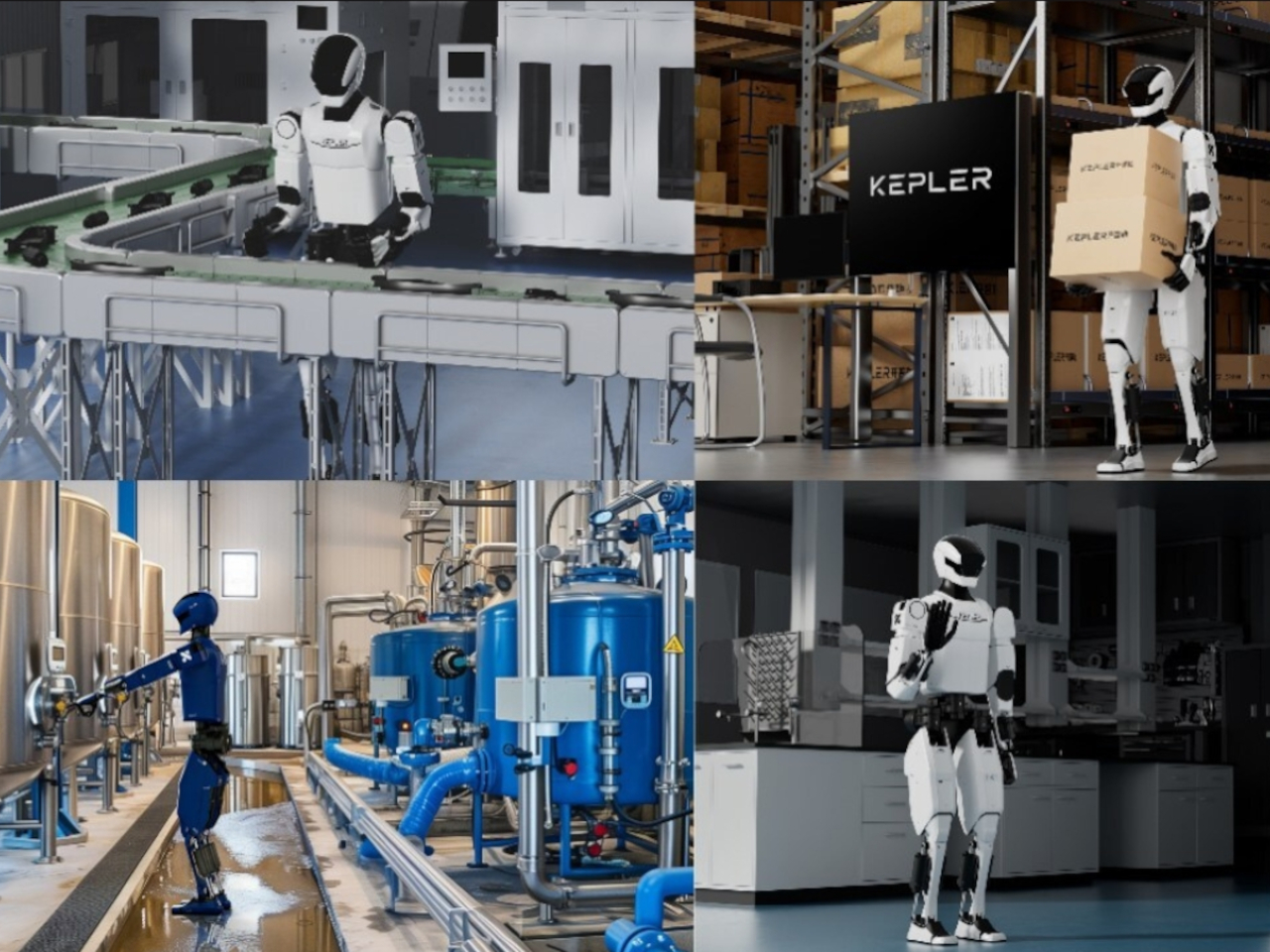
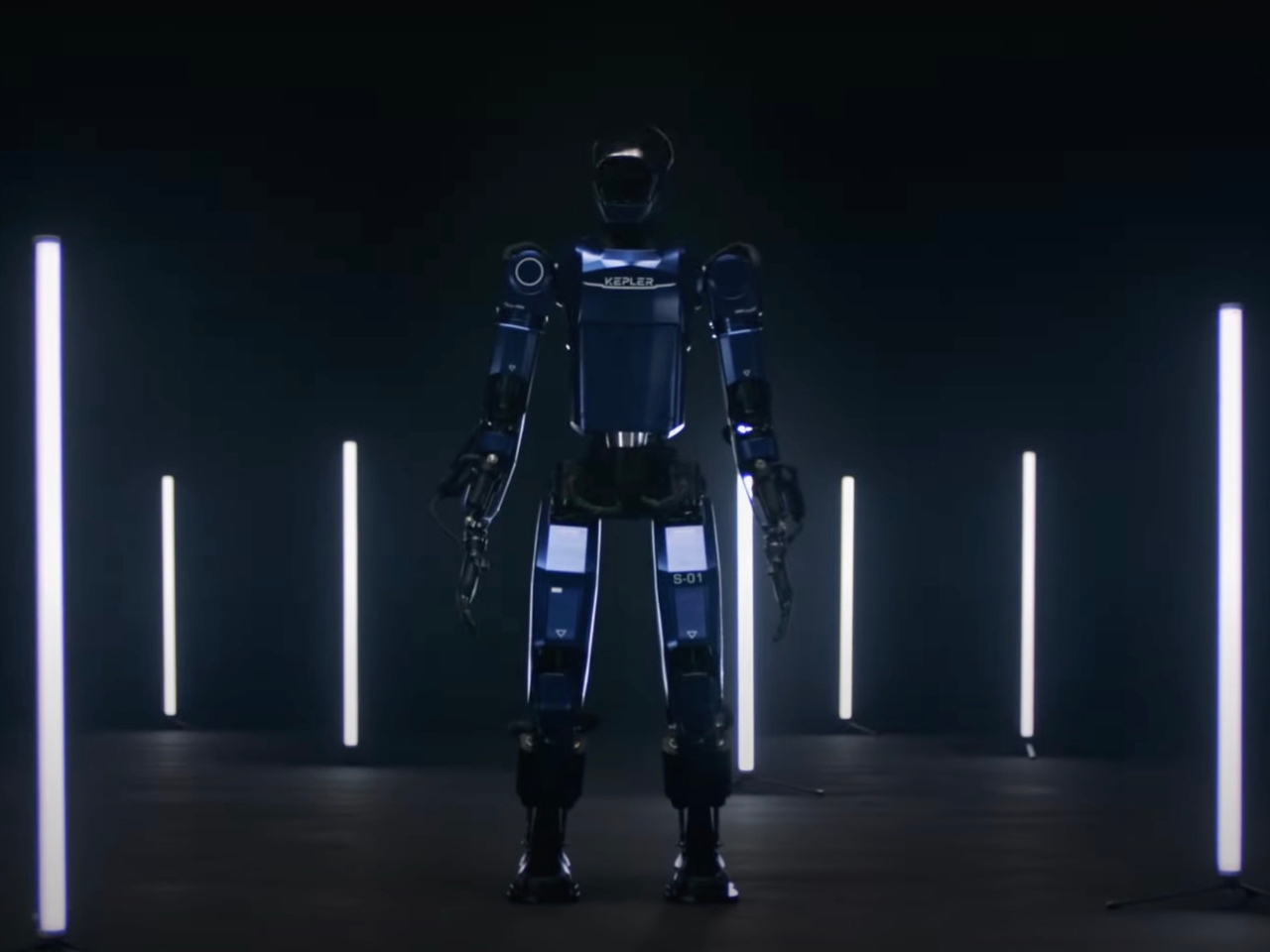
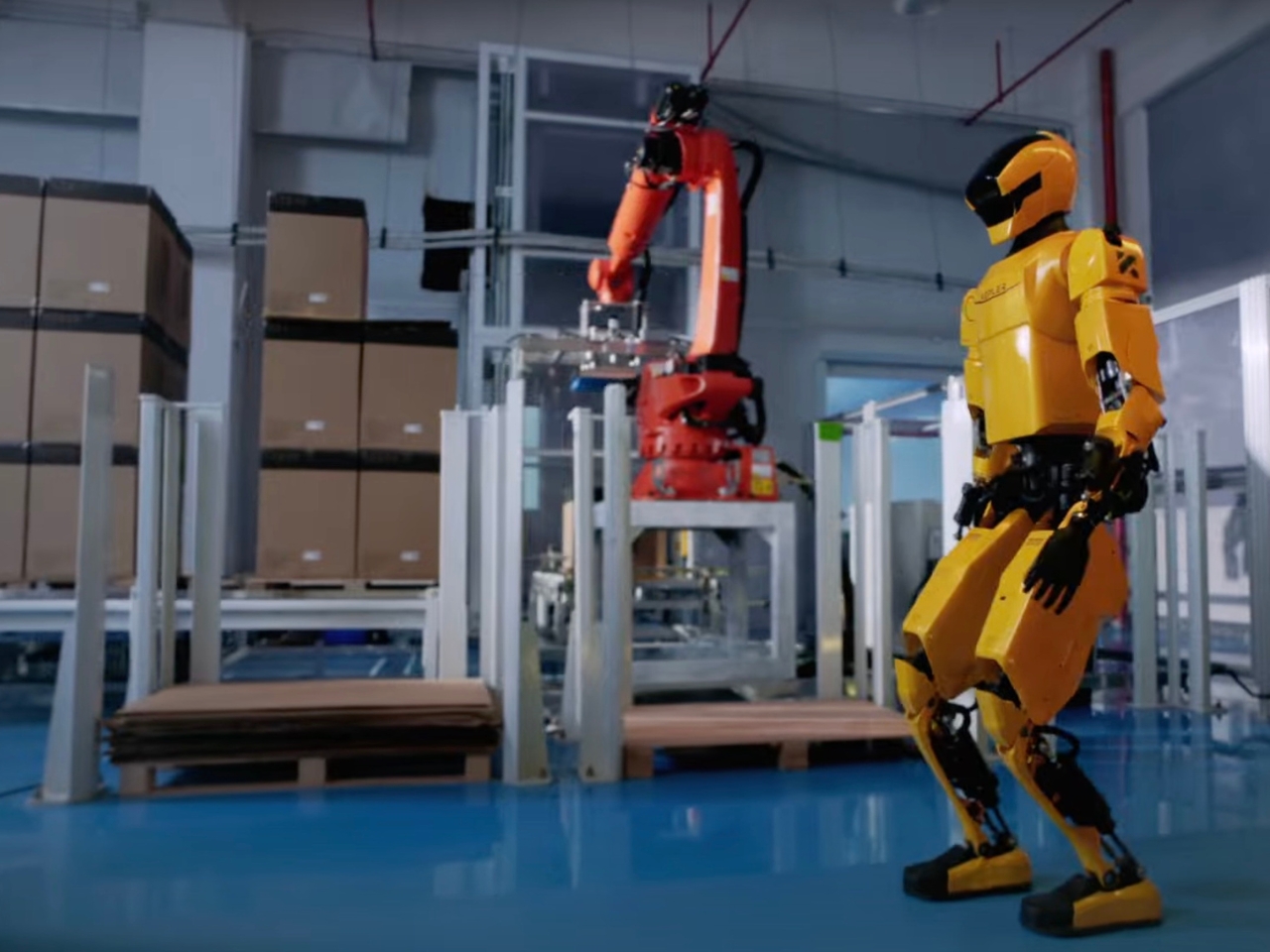
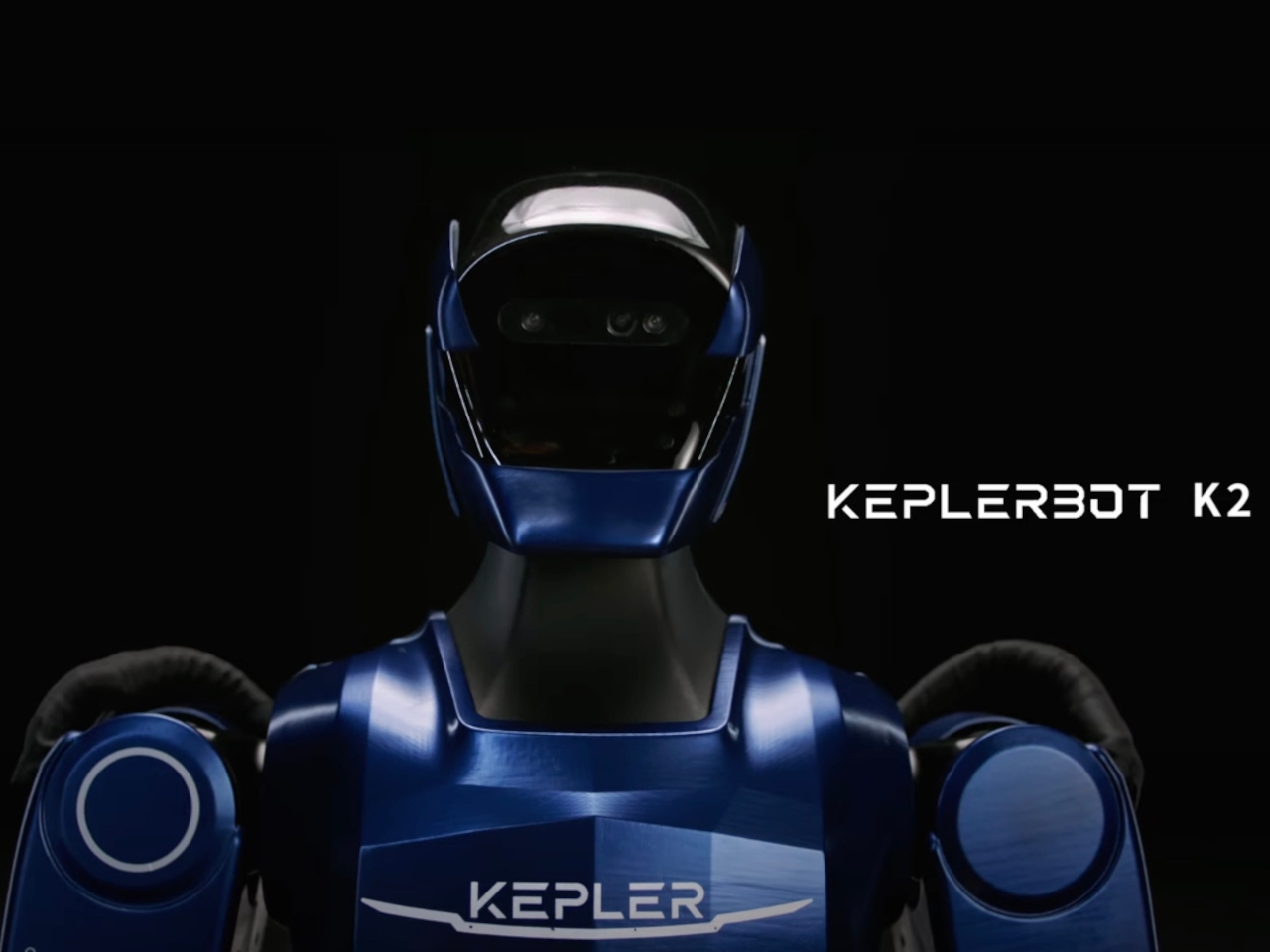
The battle for the best humanoid robot has been heating up lately with companies like Agility Robotics, Neura Robotics, Boston Dynamics, Apptronik, Reflex Robotics, and of course Tesla developing their own versions of robots that will hopefully not take over the world but help humans in their tasks. Chinese robotics company Kepler has launched the newest version of their Forerunner humanoid robot and it wants to give these other companies a run for their money.
Designer: Kepler
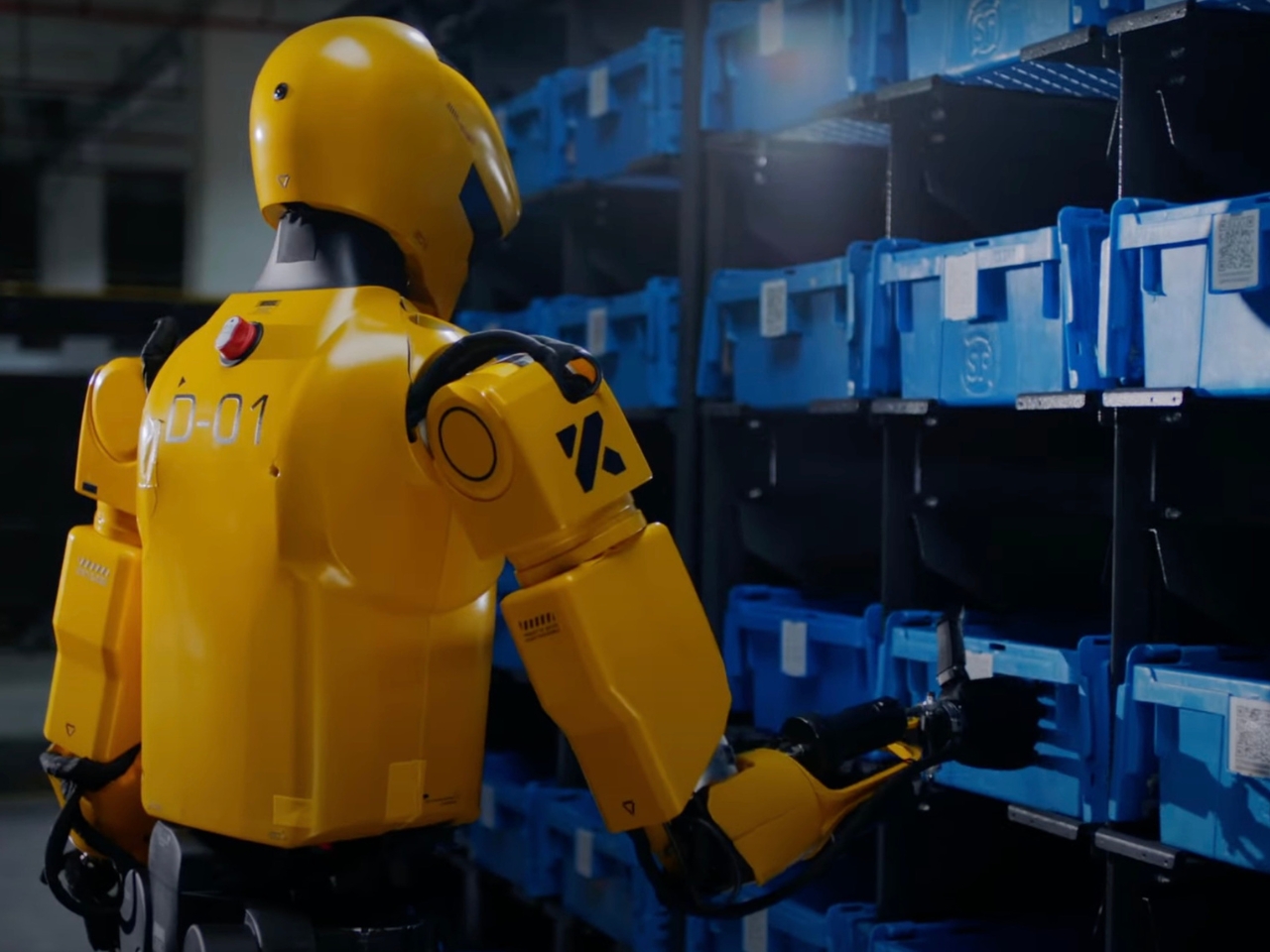
The Forerunner K2 is actually the fifth generation model of the original Forerunner and they say it has been updated to tailor fit commercial applications. It has undergone “extensive software and hardware enhancements” to challenge the latest robots in the market, notably Tesla’s Optimus which has received mixed reviews. This is mostly due to a “stunt” gone wrong wherein people though the black-and-white robots were moving autonomously at an event but were in fact controlled by humans behind the scenes.
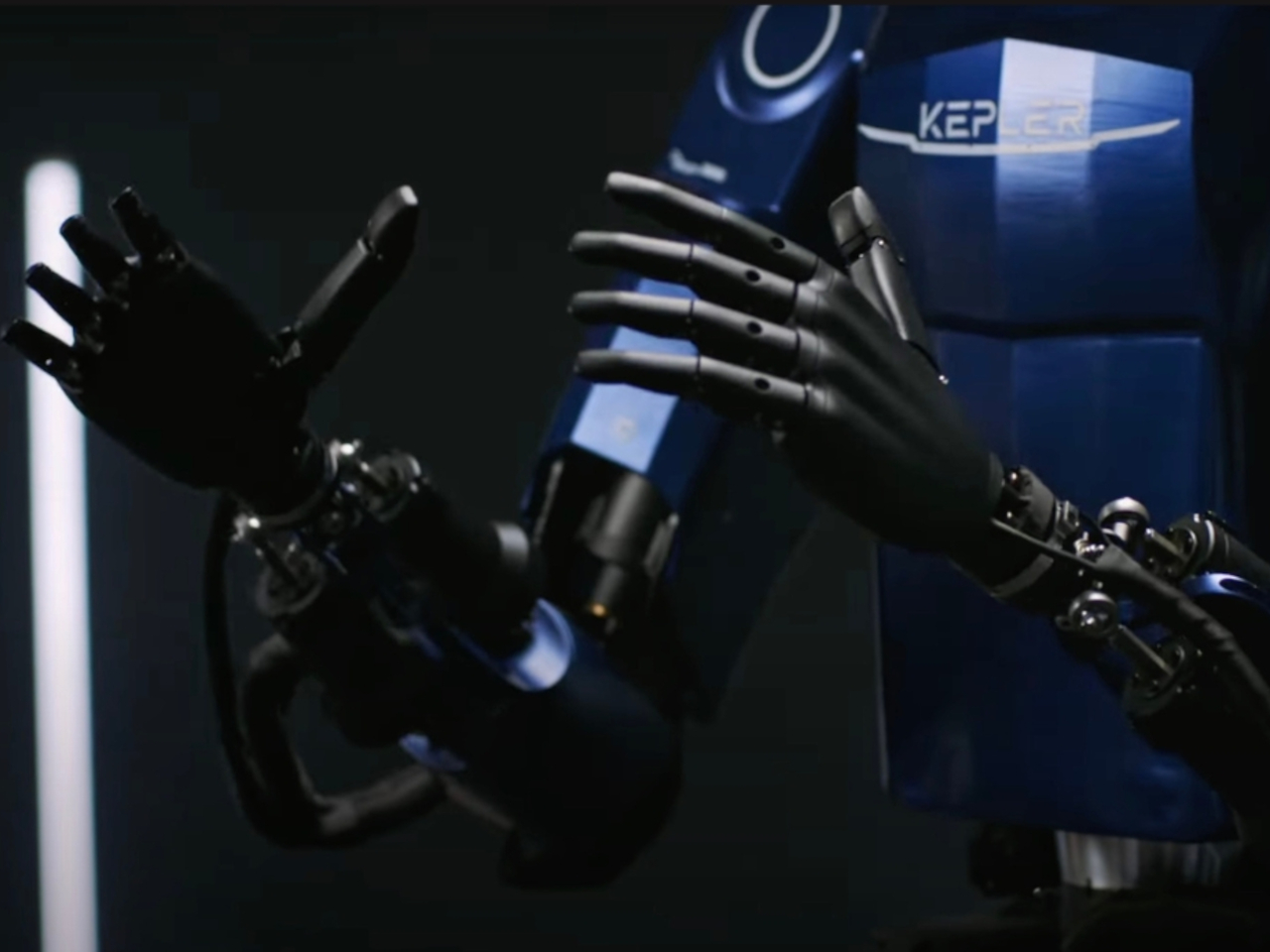
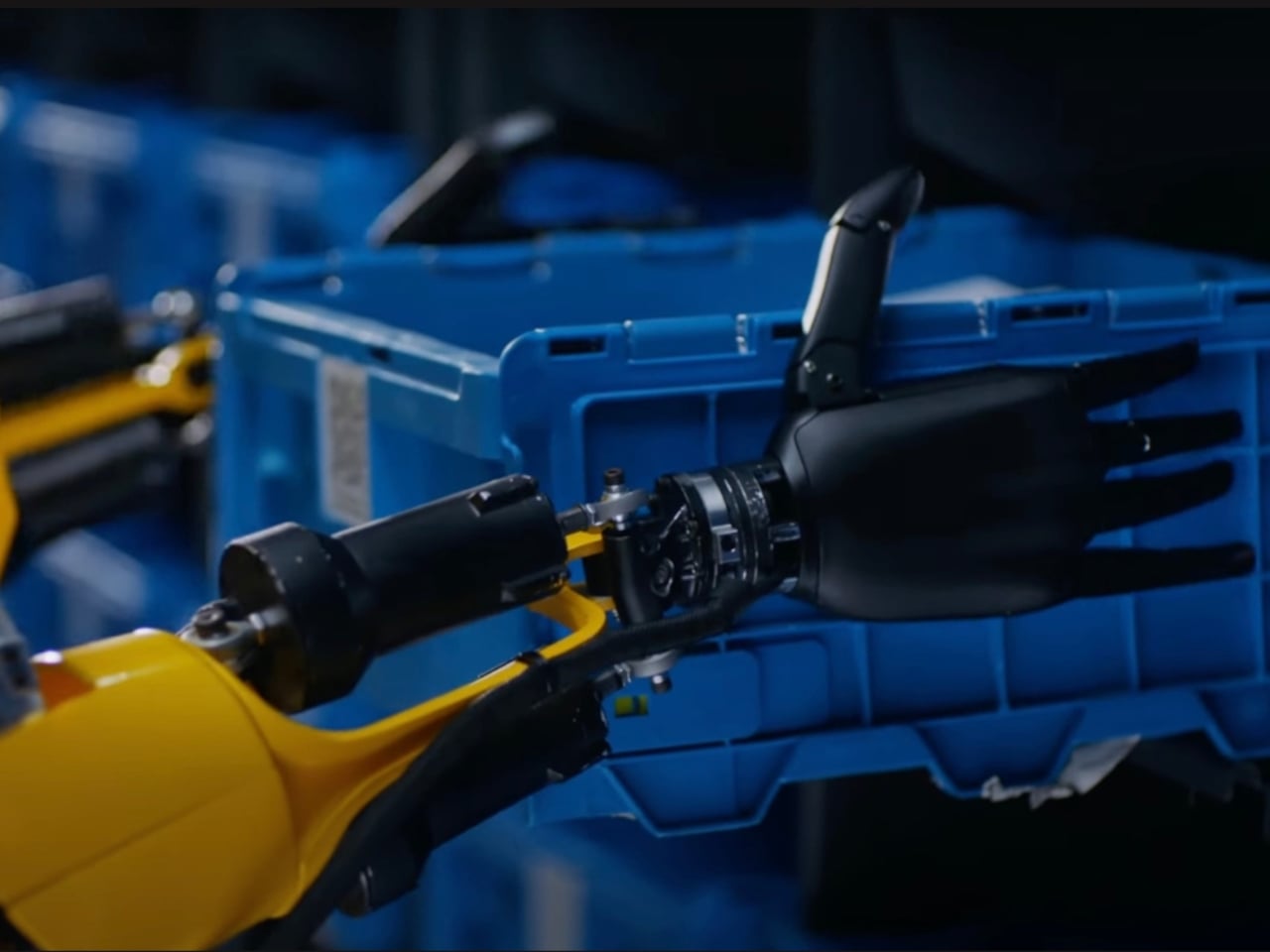
Well the latest Forerunner, it now has “52 degrees of freedom” and has a totating and tilting head module which lets it move more naturally. Well, as naturally as a humanoid robot can move for now. Each hand can support up to 11 degrees of active and passive freedom and they can carry up to 15 kg. Battery life is still the same as its predecessor, with the 2.33-kWh battery lasting up to 8 hours before it powers down.
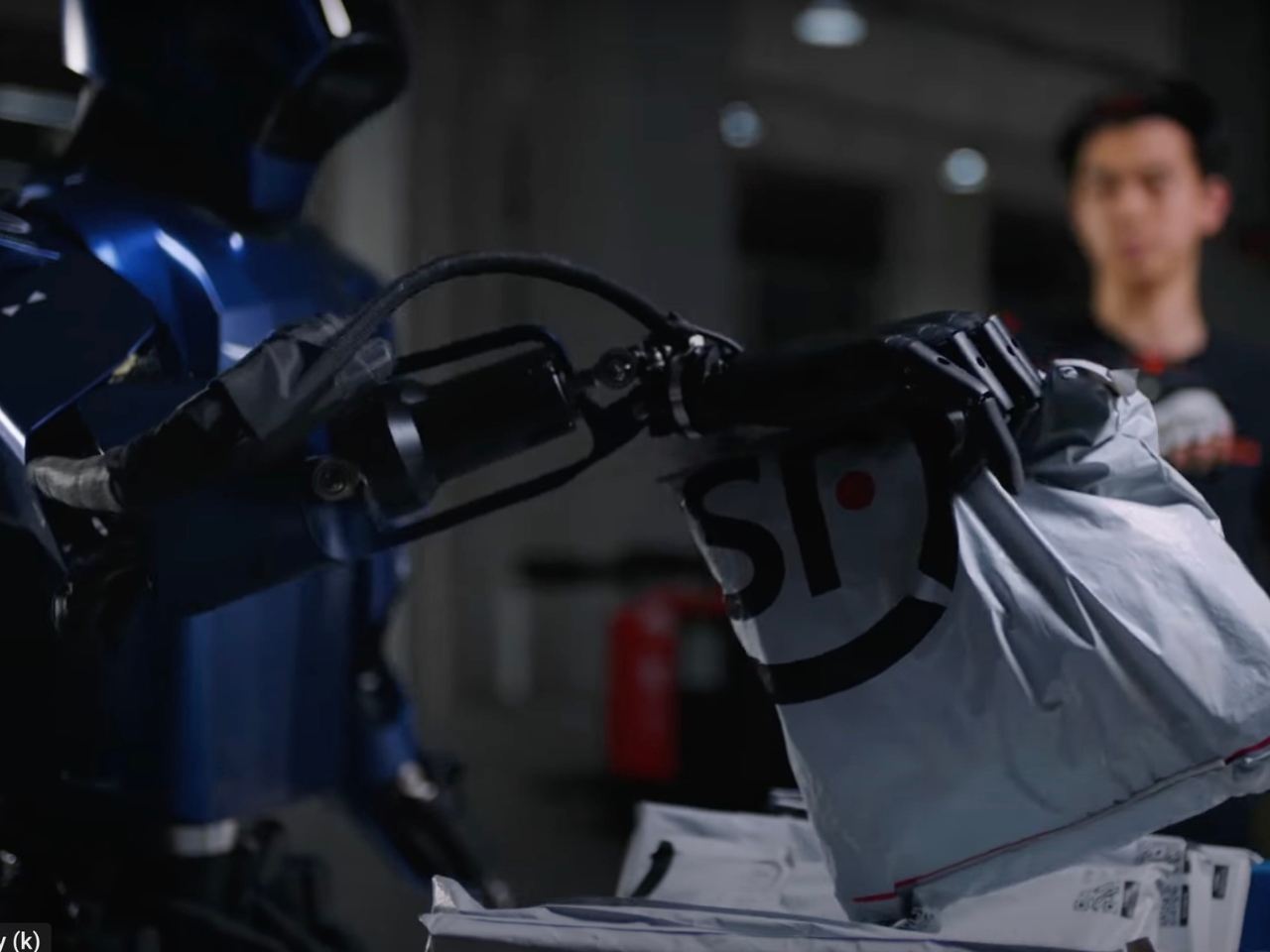
Tesla is expected to deploy its Optimus robot to production lines by next year so companies like Kepler are working doubly hard to create robots that may have better reviews than the former. The Chinese company is currently testing their Forerunner K2 at different customer facilities and later on deploy it in more companies to do things like handling of products, quality control, inspection, etc. As long as there are no robot wars, we’ll happily look at how this humanoid robot competition goes along.




 Autonomous System: The ‘Star’ of the Show