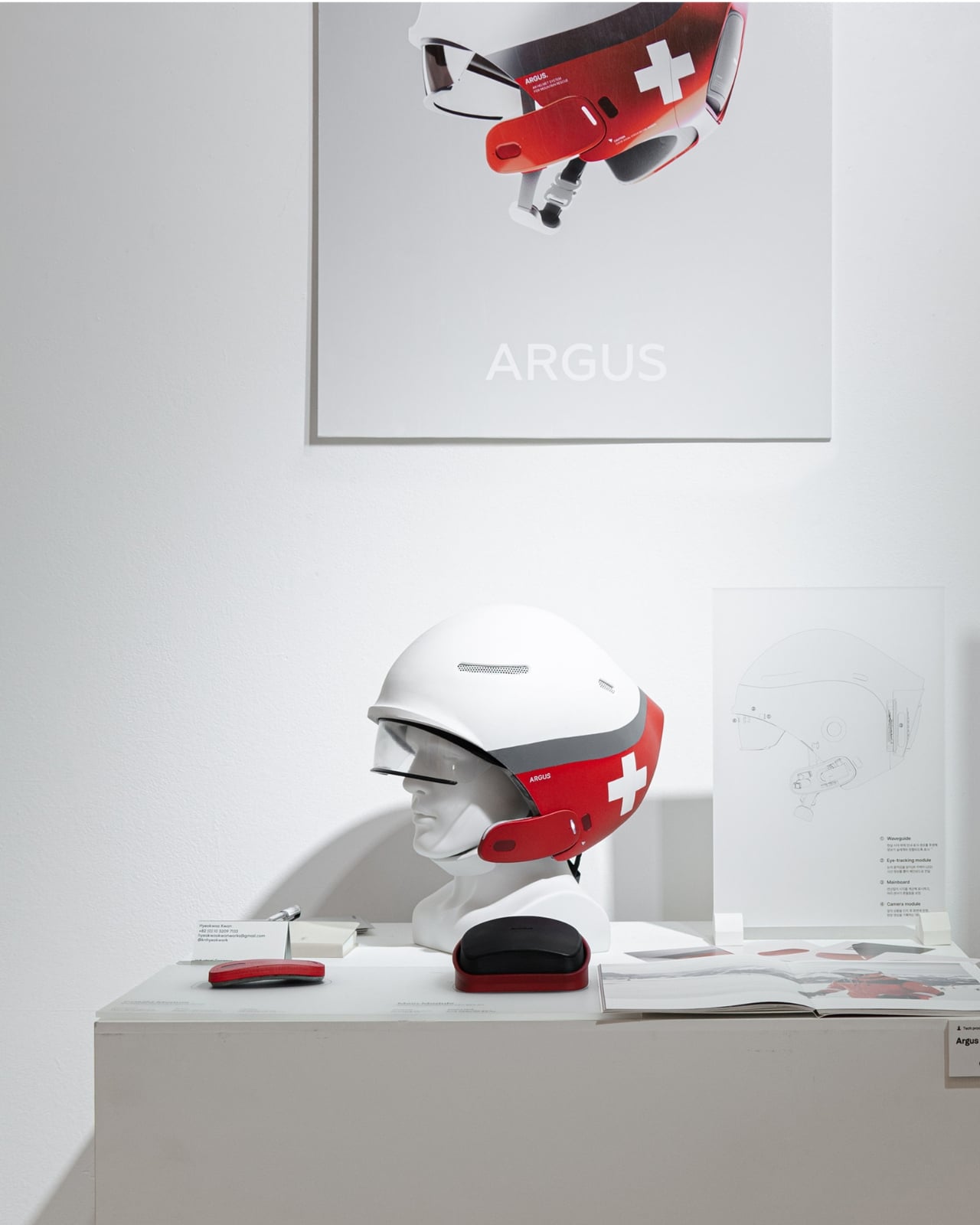
This AR Ski Helmet Finally Lets Rescuers Control Tech By Eye

Imagine being a ski patrol responder racing toward an injured skier on a freezing mountain. Your hands are gripping poles, your attention is split between the terrain and the emergency ahead, and your radio crackles with critical information. Now imagine if you could access maps, communicate with your team, and log vital data without ever touching a device. That’s exactly what the Argus AR Helmet promises to deliver.

Designed by Hyeokwoo Kwon and Junho Park, Argus is a concept that reimagines what rescue technology can look like when you strip away everything unnecessary and focus on the moment that matters most. This isn’t just another gadget trying to cram features into a helmet. It’s a thoughtful response to a real problem: how do first responders stay connected and informed when their hands are literally full and seconds count?

Designers: Hyeokwoo Kwon and Junho Park

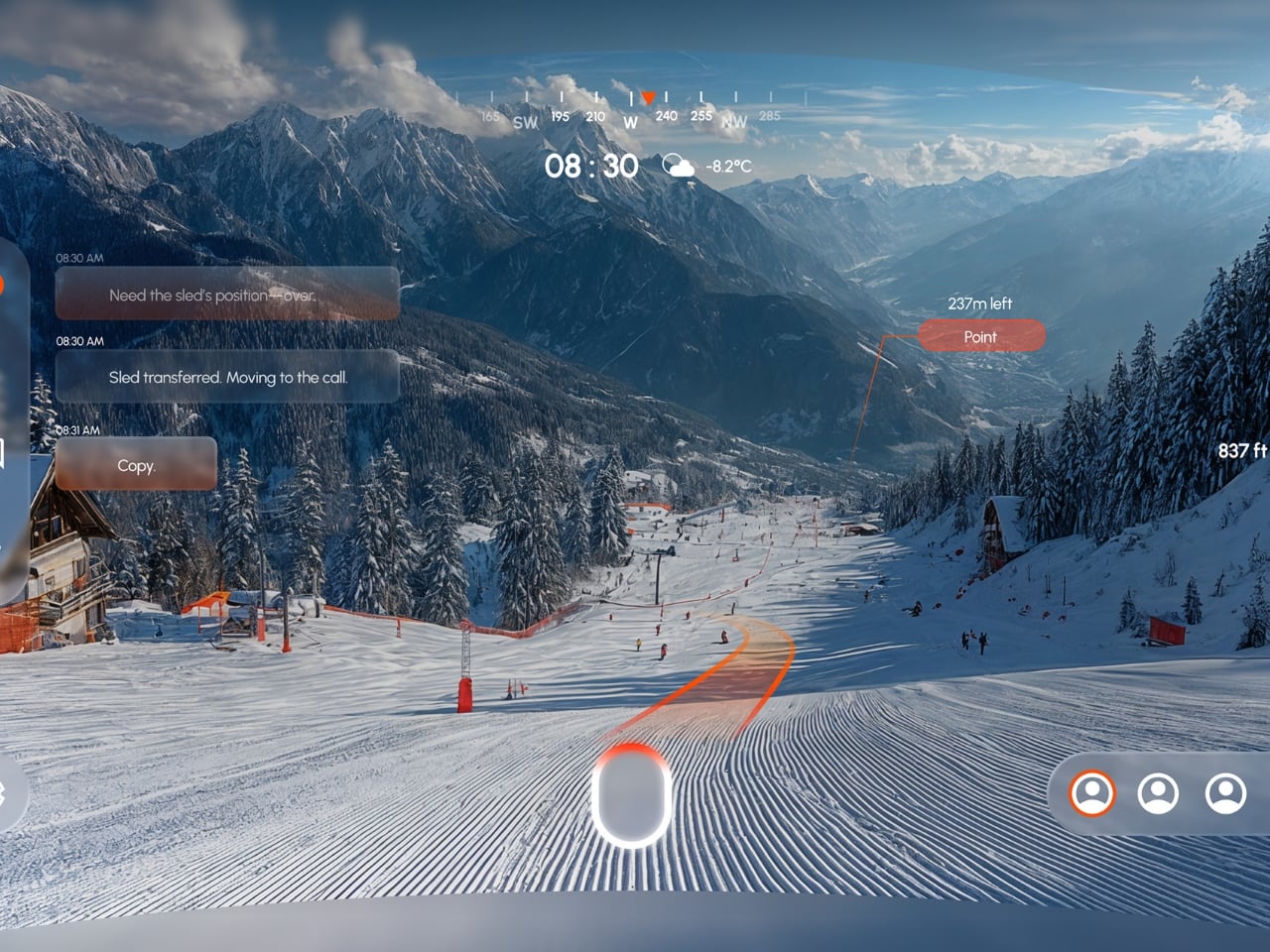
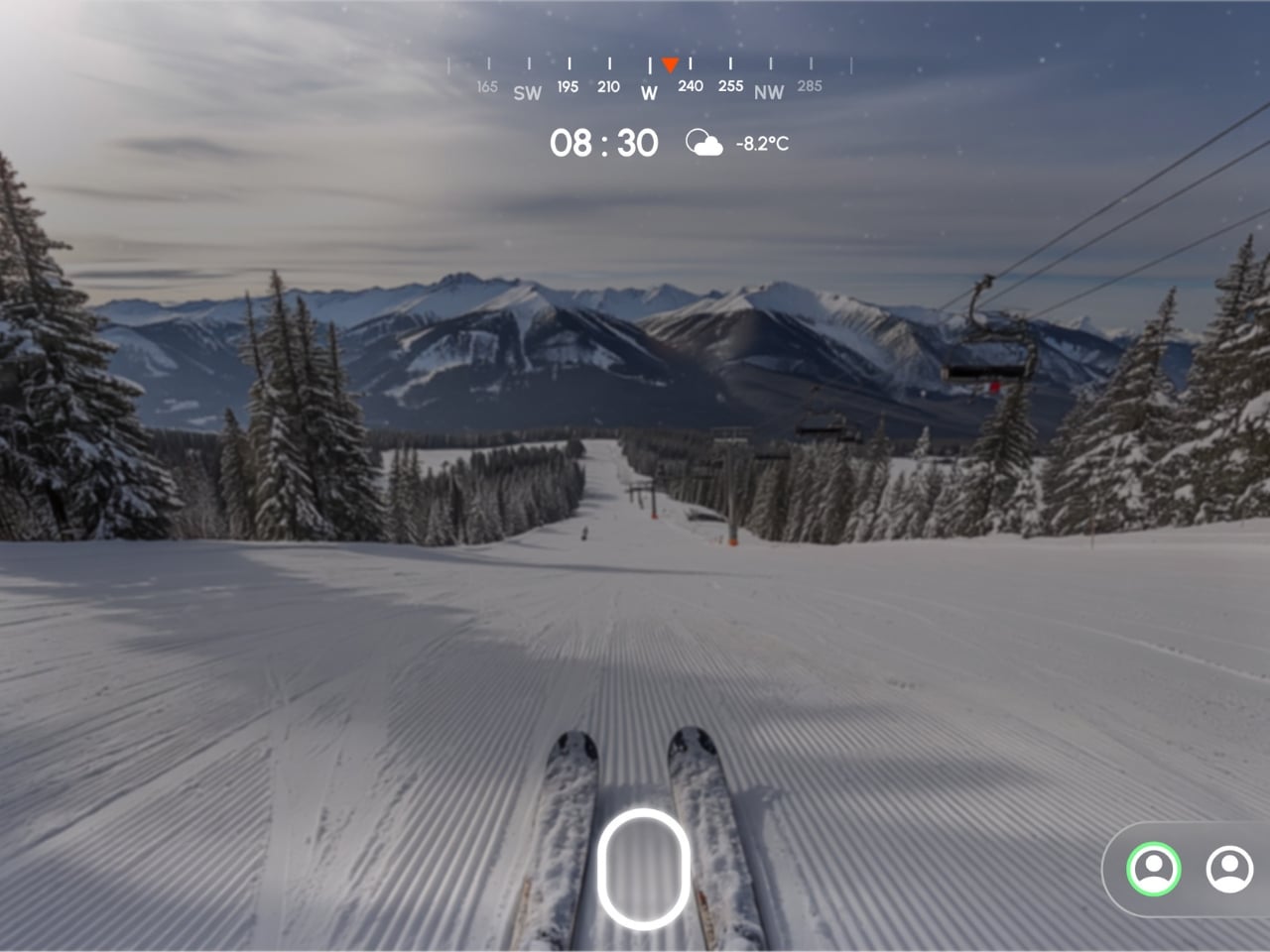
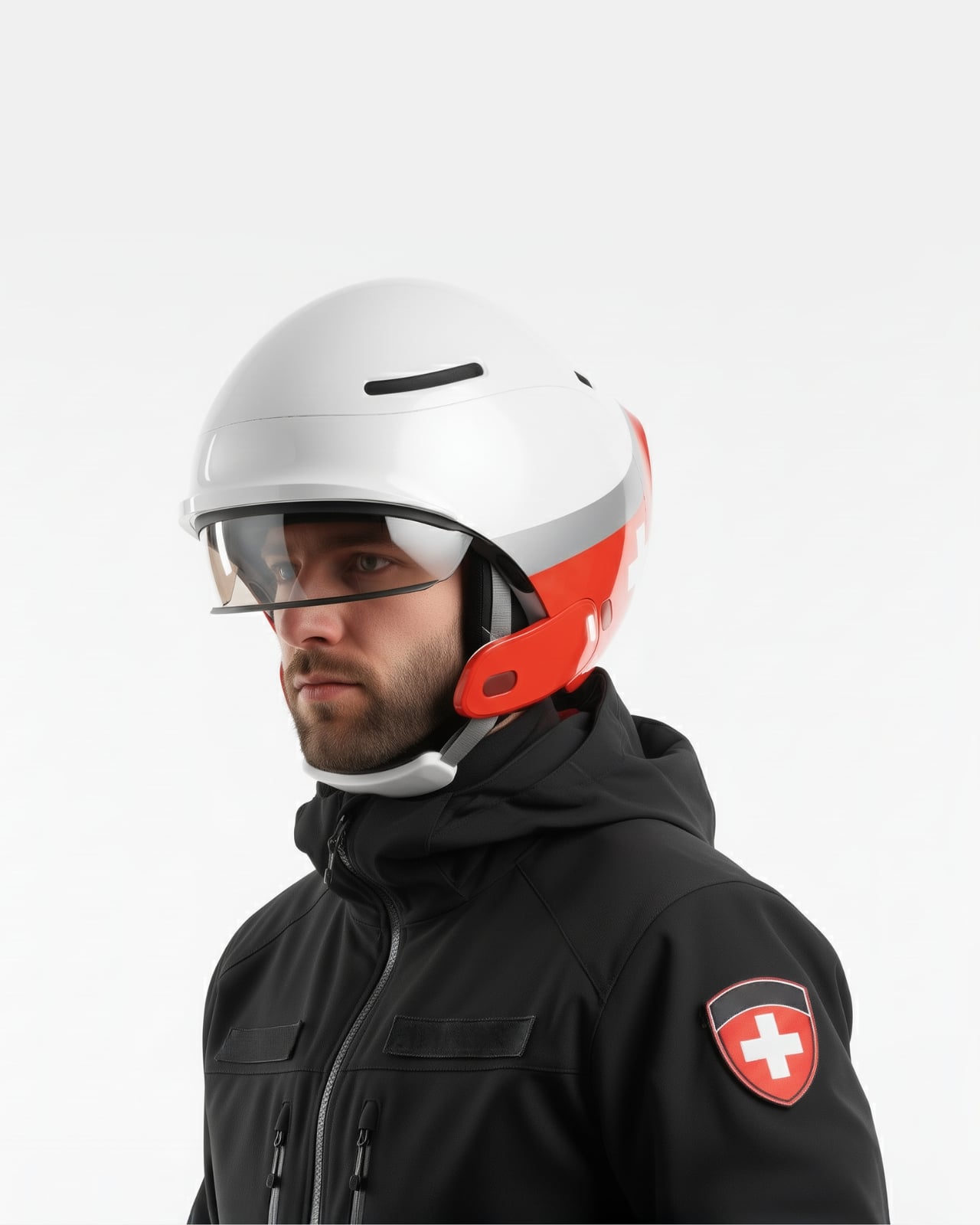
The helmet’s standout feature is its eye-tracking interface. Instead of fumbling with buttons or voice commands that get lost in howling wind, users control the AR display simply by looking at what they need. Want to view a map overlay of the ski area? Glance at the navigation icon. Need to send a message to base? Your eyes do the work. The system is built around the idea that in high-stress, time-critical situations, the fewer steps between thought and action, the better.

What makes this particularly clever is how it handles communication in one of the noisiest work environments imaginable. Mountains are loud. Wind, equipment, helicopters, and panicked voices create a constant wall of sound that makes radio communication frustrating at best and dangerous at worst. Argus addresses this with real-time conversation-to-text conversion. Spoken words are automatically transcribed and displayed on the visor, ensuring that critical information doesn’t get lost or misunderstood. In an emergency where “stop the area” versus “stop near the area” could mean completely different courses of action, that clarity is potentially lifesaving.

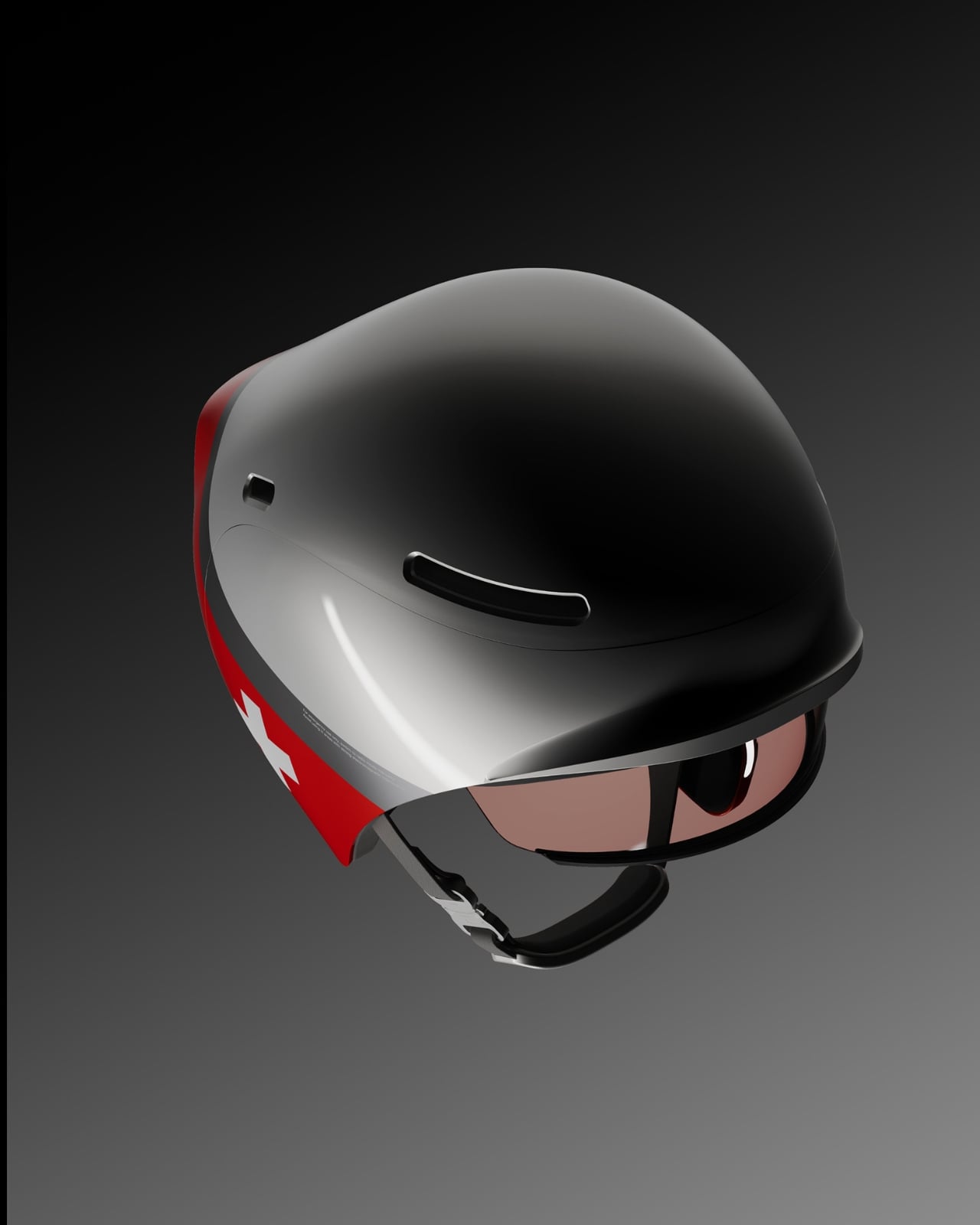
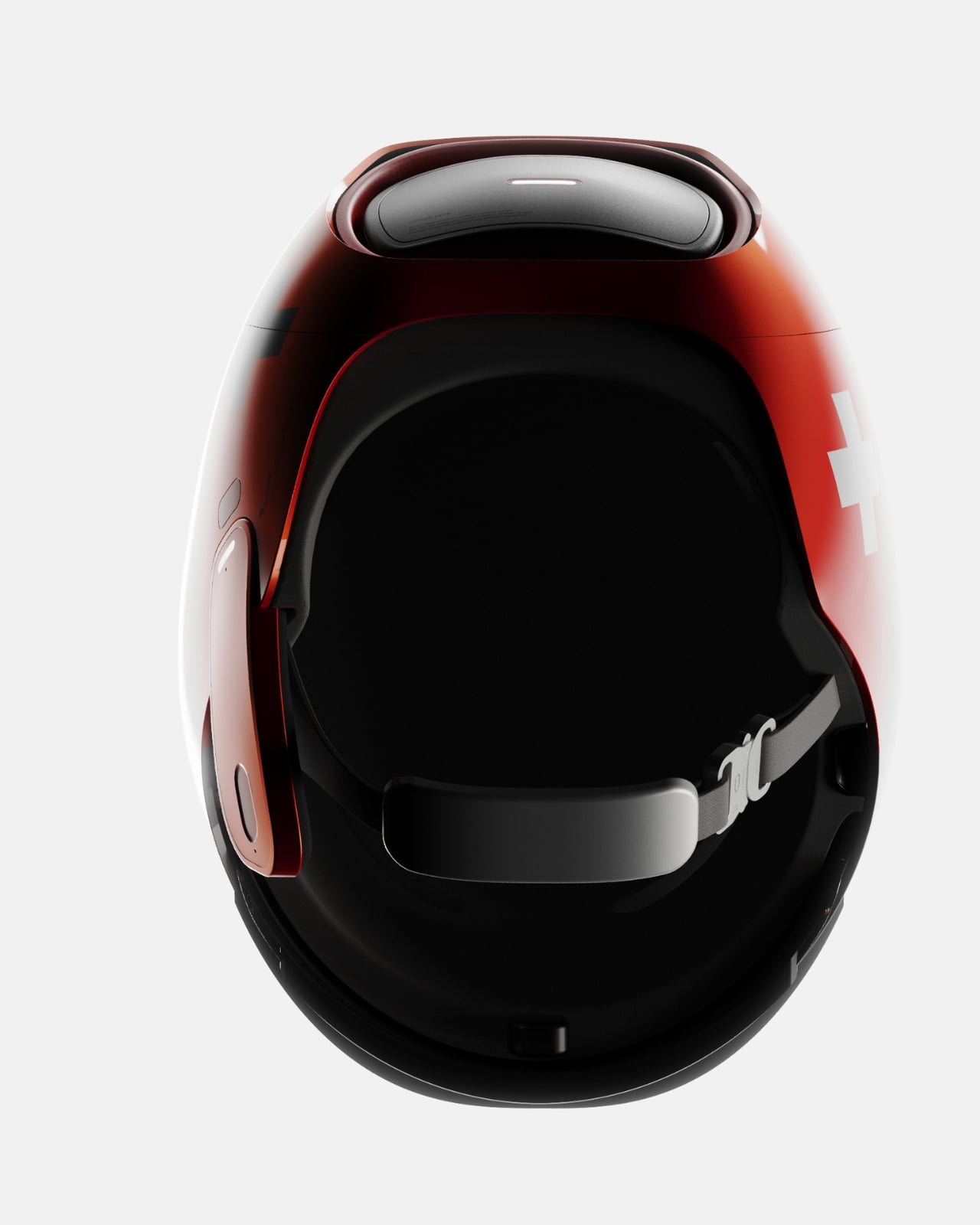
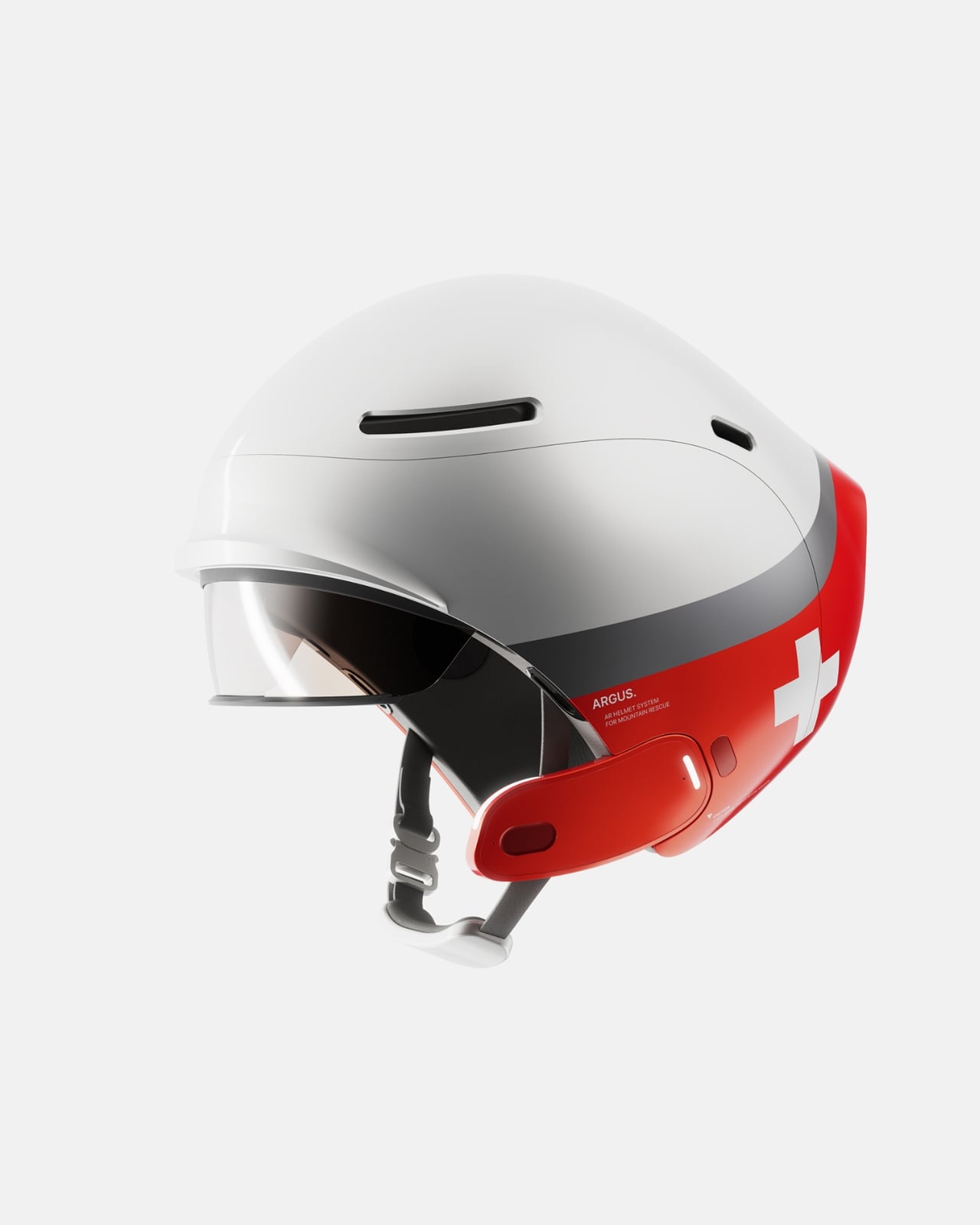
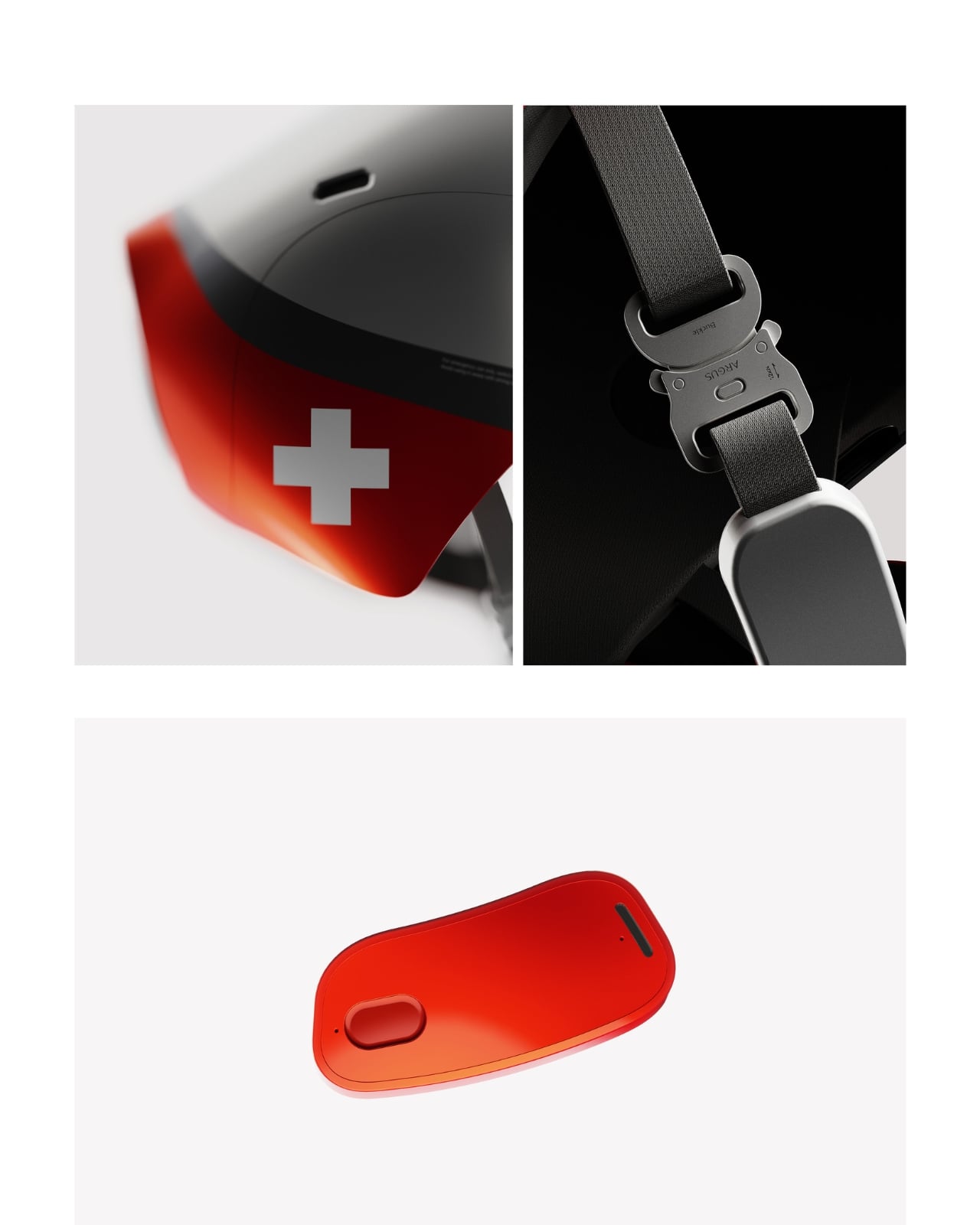
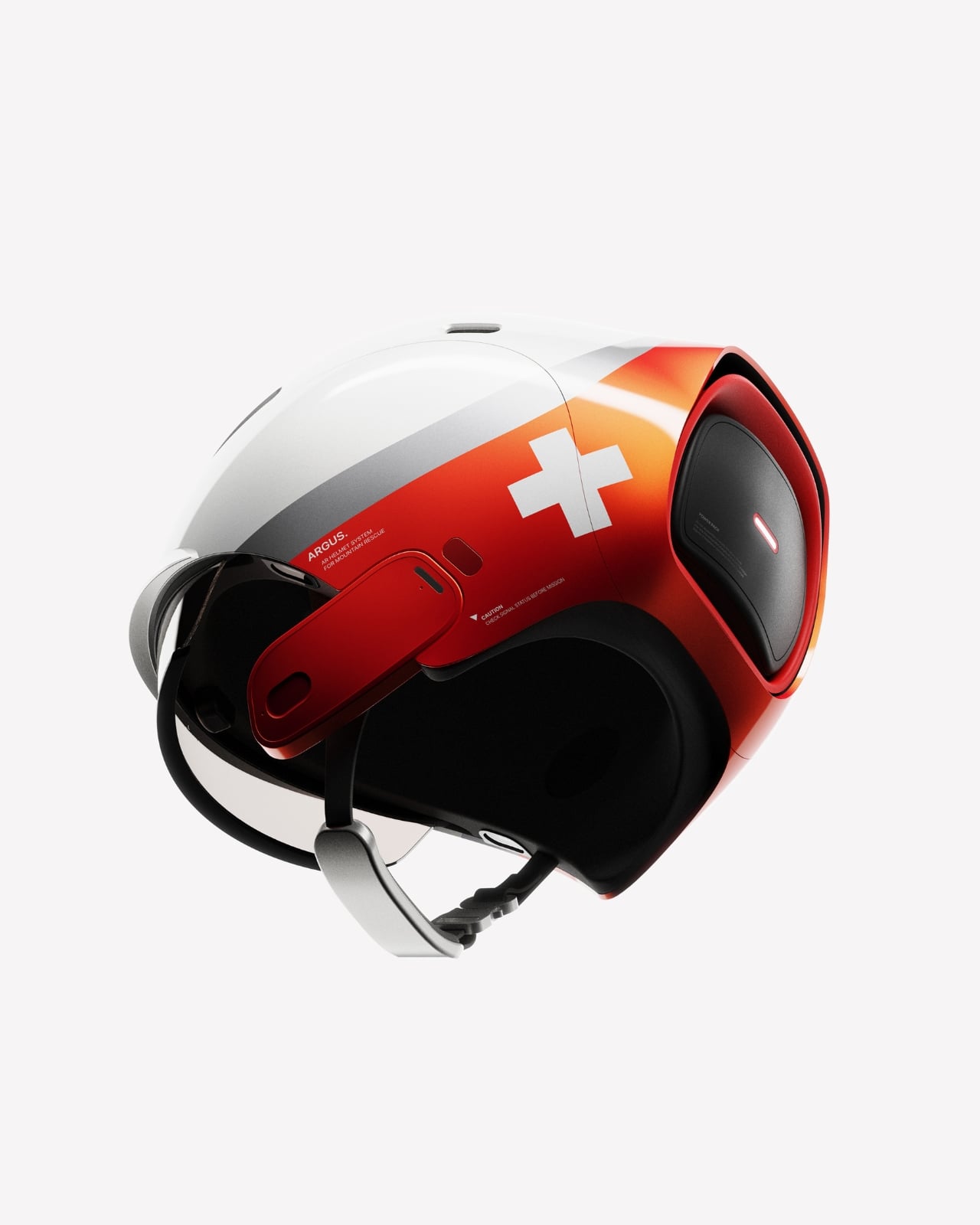
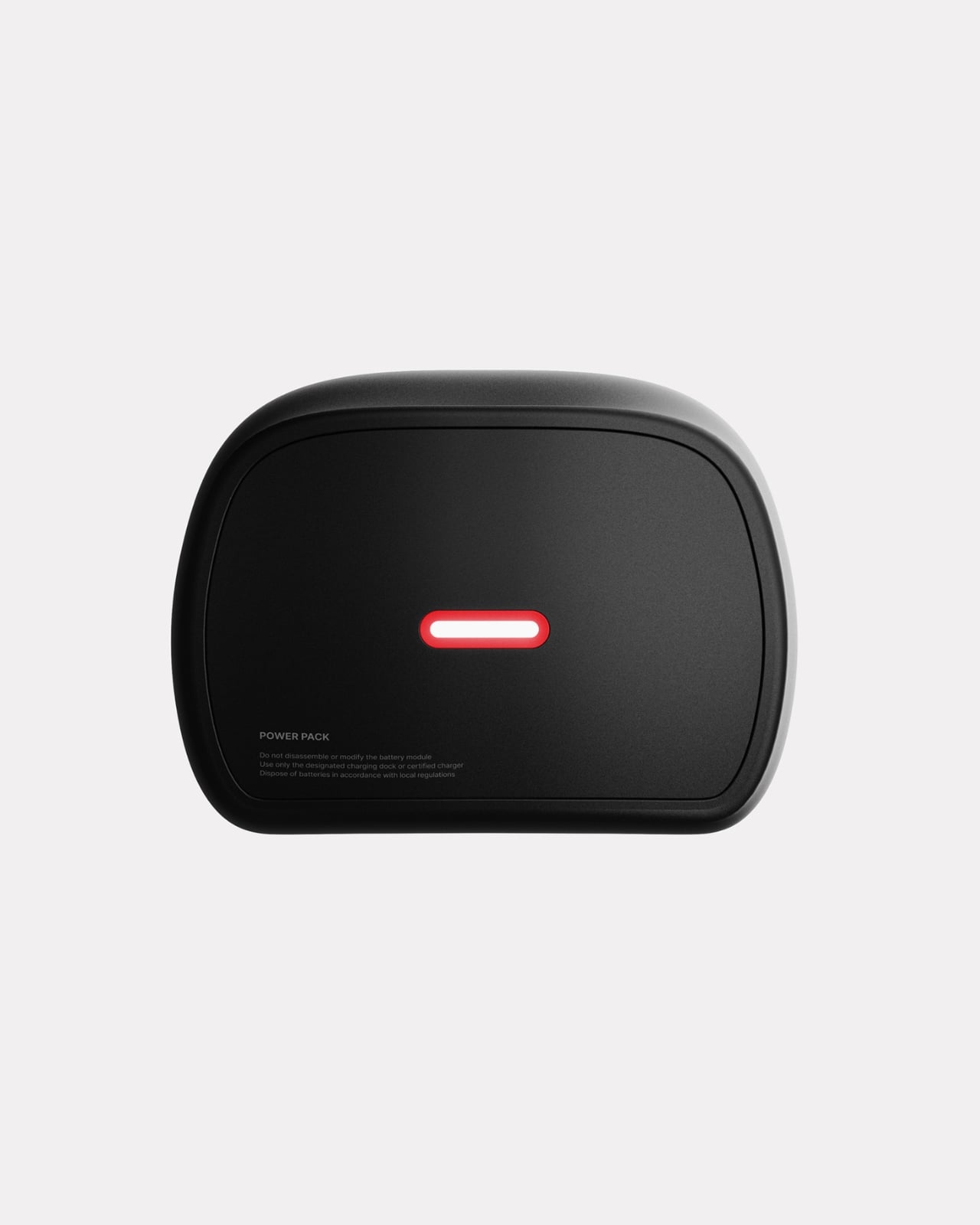
The design itself strikes a balance between futuristic and functional. The white shell with bold red accents and Swiss cross branding gives it a clean, authoritative look that fits naturally into the visual language of emergency services. The transparent visor integrates the AR display without creating the bulky, intrusive appearance that often plagues wearable tech. There’s a modularity to the system too, with a detachable power pack that ensures the helmet remains comfortable for long shifts while providing enough battery life to last through demanding rescue operations.

From a practical standpoint, Argus is designed to support ski patrol operations across experience levels. A rookie responder gets the same information overlay and guidance as a veteran, creating a more consistent standard of care. Route optimization, hazard warnings, victim location data, and communication logs all live within the user’s field of vision, accessible without breaking focus from the task at hand.

But beyond the specific use case of ski patrol, Argus represents something larger about where wearable technology is headed. We’re moving past the era of tech that demands our attention and toward interfaces that disappear into the background until we need them. Eye-tracking isn’t new, but applying it to life-or-death situations where gloves, weather, and adrenaline make traditional controls impractical shows how design thinking can solve problems that raw computing power can’t.

There’s also something refreshing about seeing concept design tackle unglamorous but essential work. We’re used to seeing AR prototypes aimed at gaming, shopping, or entertainment. Those have their place, but projects like Argus remind us that the most meaningful applications of emerging technology often happen in fields where people are doing difficult, dangerous work that most of us never see.

Will we see Argus helmets on mountains anytime soon? As a concept, it still needs to navigate the long road from design portfolio to production reality, including challenges around durability, battery life in extreme cold, and integration with existing rescue protocols. But as a vision of what’s possible when designers deeply understand the context they’re designing for, it’s compelling. It shows that the future of wearable tech might not be about adding more features, but about making the right information available at exactly the right moment, controlled by something as simple and intuitive as where you look.

The post This AR Ski Helmet Finally Lets Rescuers Control Tech By Eye first appeared on Yanko Design.

Ubisoft proposes even more layoffs after last week’s studio closures and game cancellations

It looks like Ubisoft is planning even more layoffs to accompany last week's studio closures and game cancellations, according to reporting by IGN. The company is planning a massive reduction of the workforce in its Paris headquarters. It has proposed the loss of up to 200 jobs, which is nearly 20 percent of the current staff.

This will be organized under France's Rupture Conventionnelle Collective (RCC) process, in which staff can agree to form a collective, voluntary mutual termination agreement. It's not a done deal just yet, with a company spokesperson saying "at this stage, this remains a proposal and no decision will be final until a collective agreement is reached."

The RCC process is voluntary, which is good for Ubisoft Paris employees, but the company hasn't made any statement regarding what it would do if it doesn't get 200 willing participants. The company recently introduced a mandate for employees to return to the office for five days each week, which could entice staffers with one foot out the door.

This is just the latest cost-cutting measure by Ubisoft, as the company has been experiencing difficulties for months. It shut down its Halifax studio just 16 days after employees entered into a unionization agreement. Last week, it shuttered its Stockholm studio and announced various restructuring efforts at several other developers under its umbrella.

It also announced the cancellation of six games, including the long-awaited Prince of Persia: Sands of Time remake. It didn't reveal the other five games that were scrapped. Ubisoft did announce, however, that seven additional games were being delayed. Inexplicably, Beyond Good and Evil 2 wasn't cancelled, so we have that to (one day) look forward to.

Ubisoft's stock has absolutely plunged in the past several years. The company was riding high at $20 per share in 2021, but now the stock rests at around $1 per share.

This article originally appeared on Engadget at https://www.engadget.com/gaming/ubisoft-proposes-even-more-layoffs-after-last-weeks-studio-closures-and-game-cancellations-192703241.html?src=rss

Infinix NOTE Edge Review: Visible Luxury

PROS:


  • Distinctive material finishes feel intentional, tactile, and far removed from generic glass phones.

  • Curved AMOLED display integrates seamlessly into the frame with excellent visual balance.

  • Slim profile paired with large battery delivers comfort without sacrificing endurance.

  • Weight distribution feels centered, stable, and comfortable during long daily use.

  • Design language prioritizes subtle luxury over flashy, trend-driven aesthetics.

CONS:


  • Performance prioritizes consistency over raw power for demanding mobile gaming.

RATINGS:

AESTHETICS
ERGONOMICS
PERFORMANCE
SUSTAINABILITY / REPAIRABILITY
VALUE FOR MONEY

EDITOR'S QUOTE:

A design-led smartphone where materials, texture, and restraint create a genuinely premium visual identity.
award-icon

The Infinix NOTE Edge doesn’t announce itself through volume. It doesn’t rely on aggressive angles or oversaturated finishes to command attention. Instead, it arrives with a quieter confidence, the kind that reveals itself slowly as light shifts across its surface and the hand adjusts to its form.

I’ve spent time with devices that prioritize specification lists over tactile experience, and the NOTE Edge represents a deliberate departure from that approach. Infinix has made choices here that suggest an understanding of what makes an object feel considered rather than merely assembled. The 7.2mm profile isn’t thin for the sake of a number on a spec sheet. It’s thin because that dimension allows the curved display to flow into the frame without creating awkward transitions or compromising grip. The fact that a 6,500mAh battery fits inside without adding bulk says something about the internal engineering priorities.
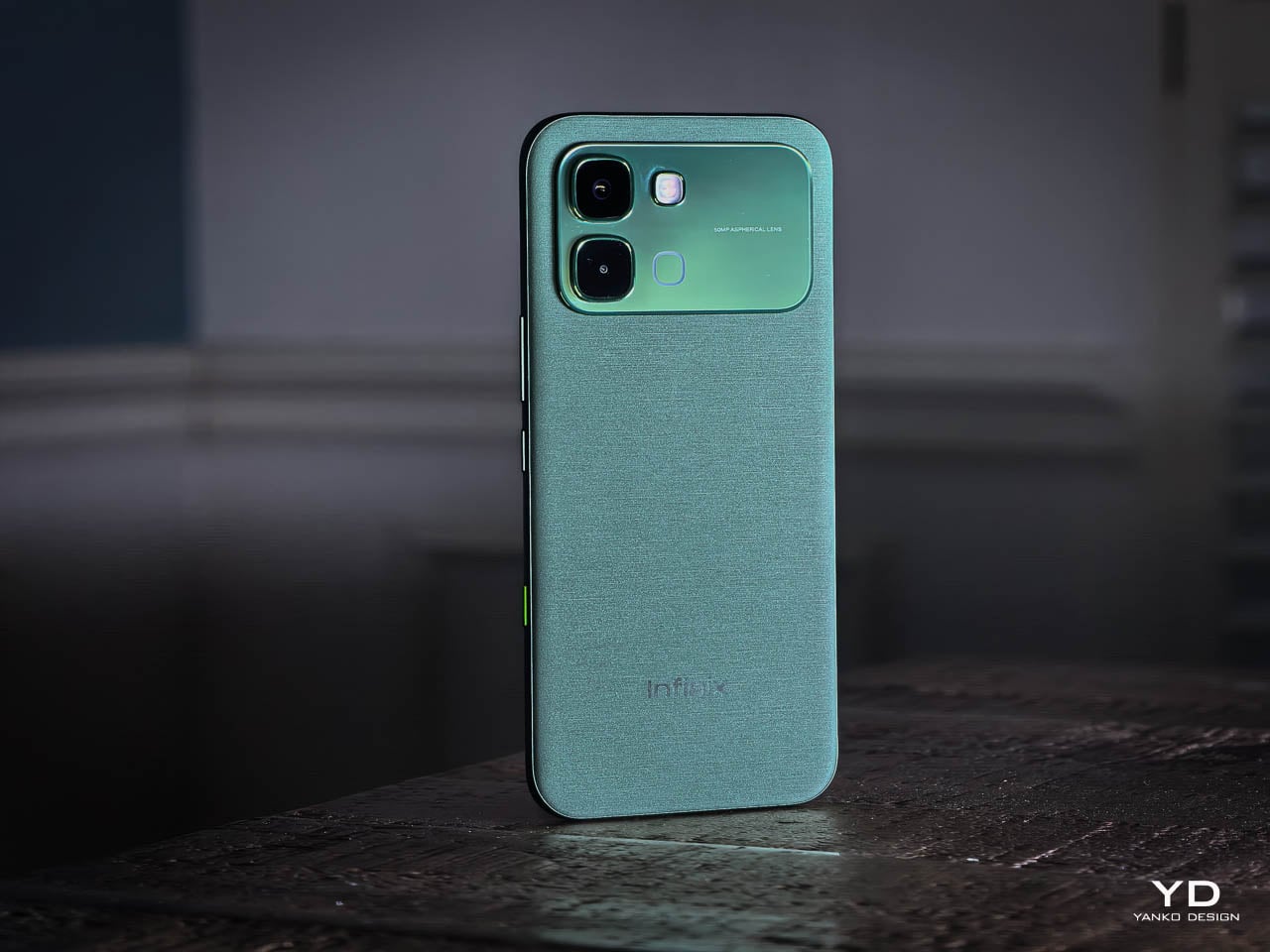
What interests me most about this device isn’t any single feature. It’s how Infinix has leaned into a specific material language, treating the phone less like a piece of consumer electronics and more like a fashion object, with finishes that reference gemstones, textiles, and luxury accessories rather than the gradient glass that dominates this category. The NOTE Edge wants to be noticed, but it doesn’t want to shout. That tension between presence and subtlety defines the entire experience.

Design and Ergonomics

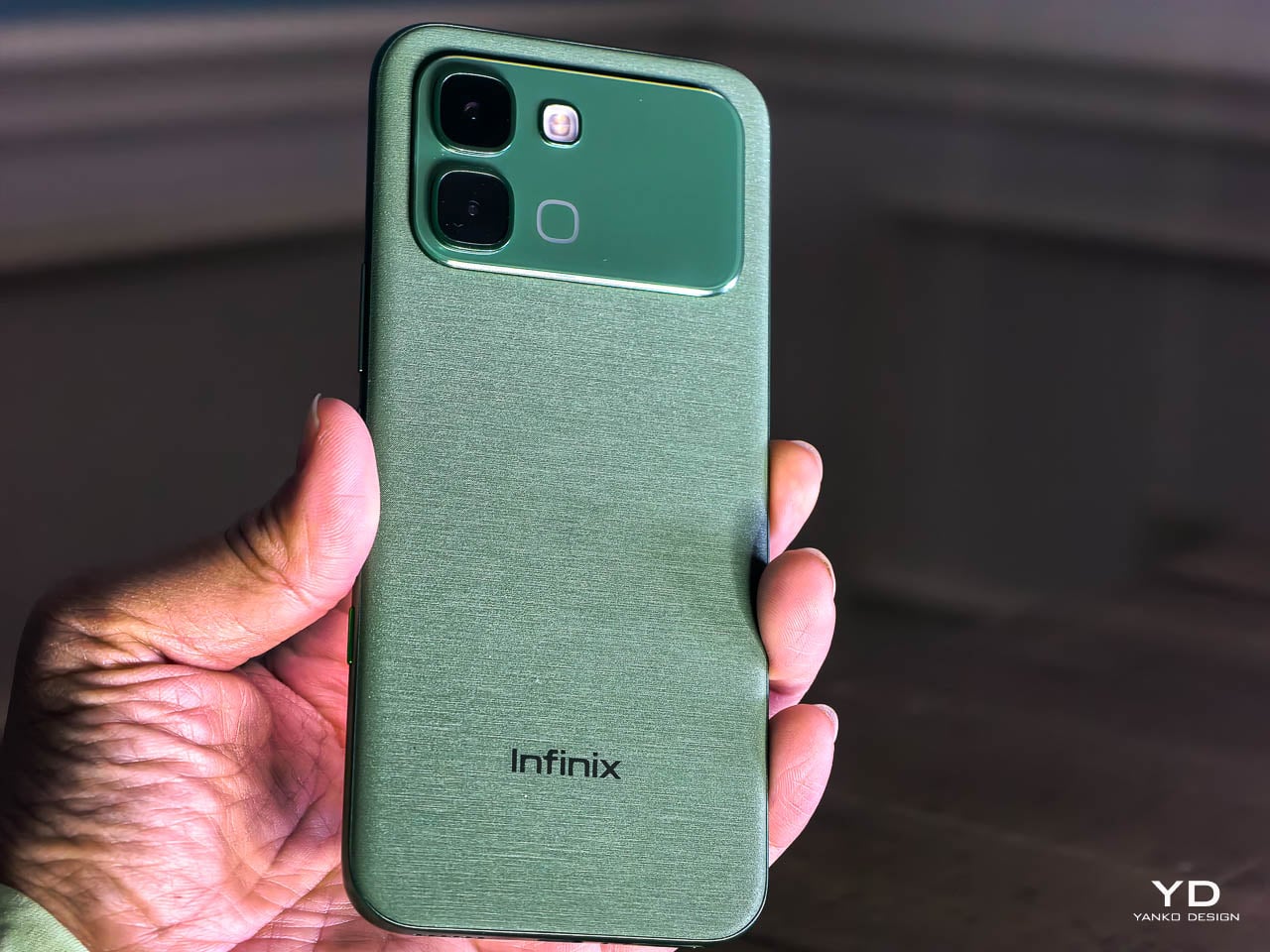
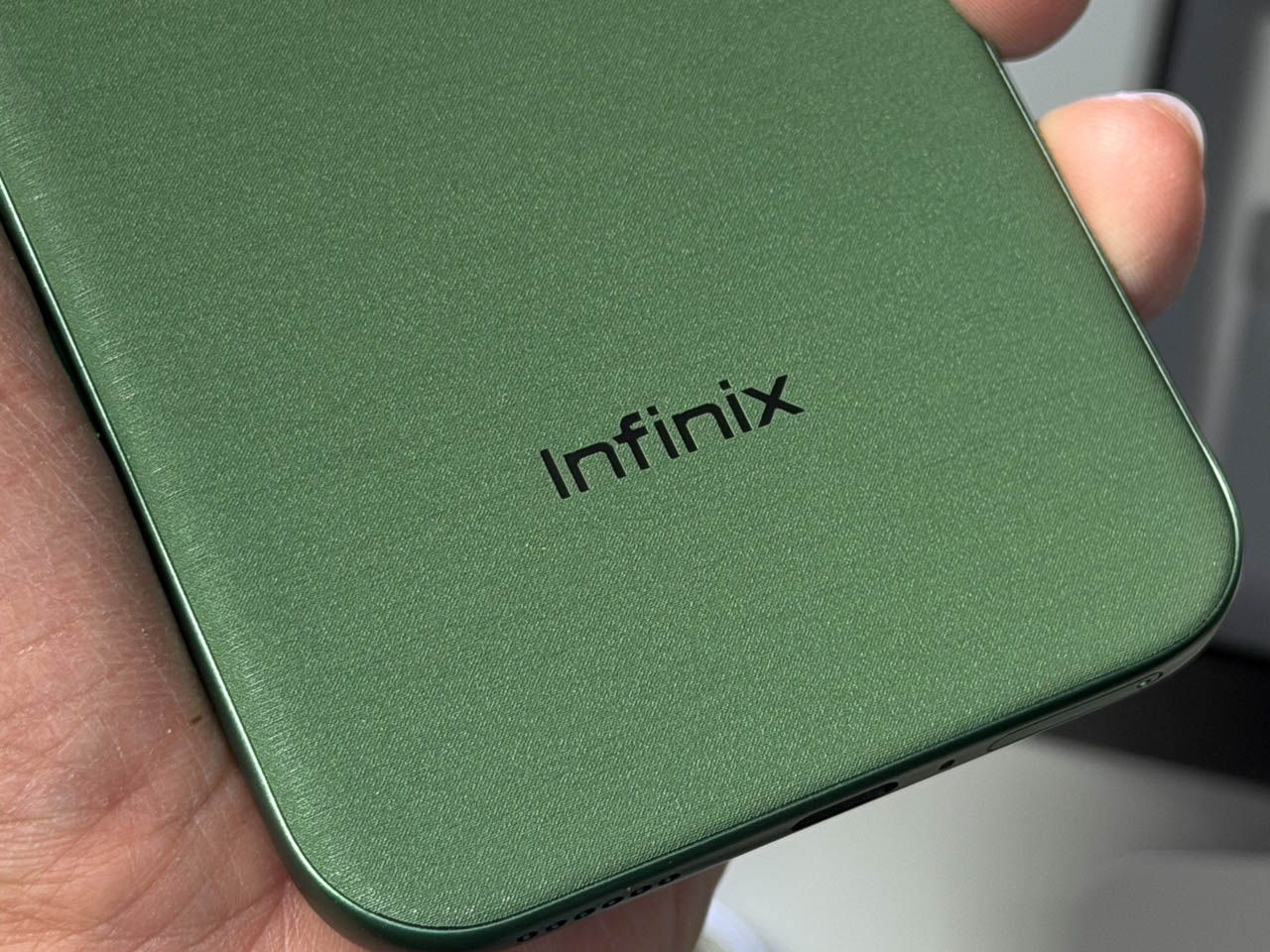
The Silk Green finish on our review unit operates differently than most smartphone surfaces. It’s a leather-like treatment with a texture evocative of luxury handbags, absorbing light rather than bouncing it back indiscriminately. Indoors, the color reads as deep and muted, almost forest-like in its saturation. Move outside, and the green opens up, revealing warmer undertones that shift depending on the angle of observation. This isn’t a static color. It’s a material that responds to its environment, and that responsiveness gives the phone a character that glass-backed devices simply can’t replicate.
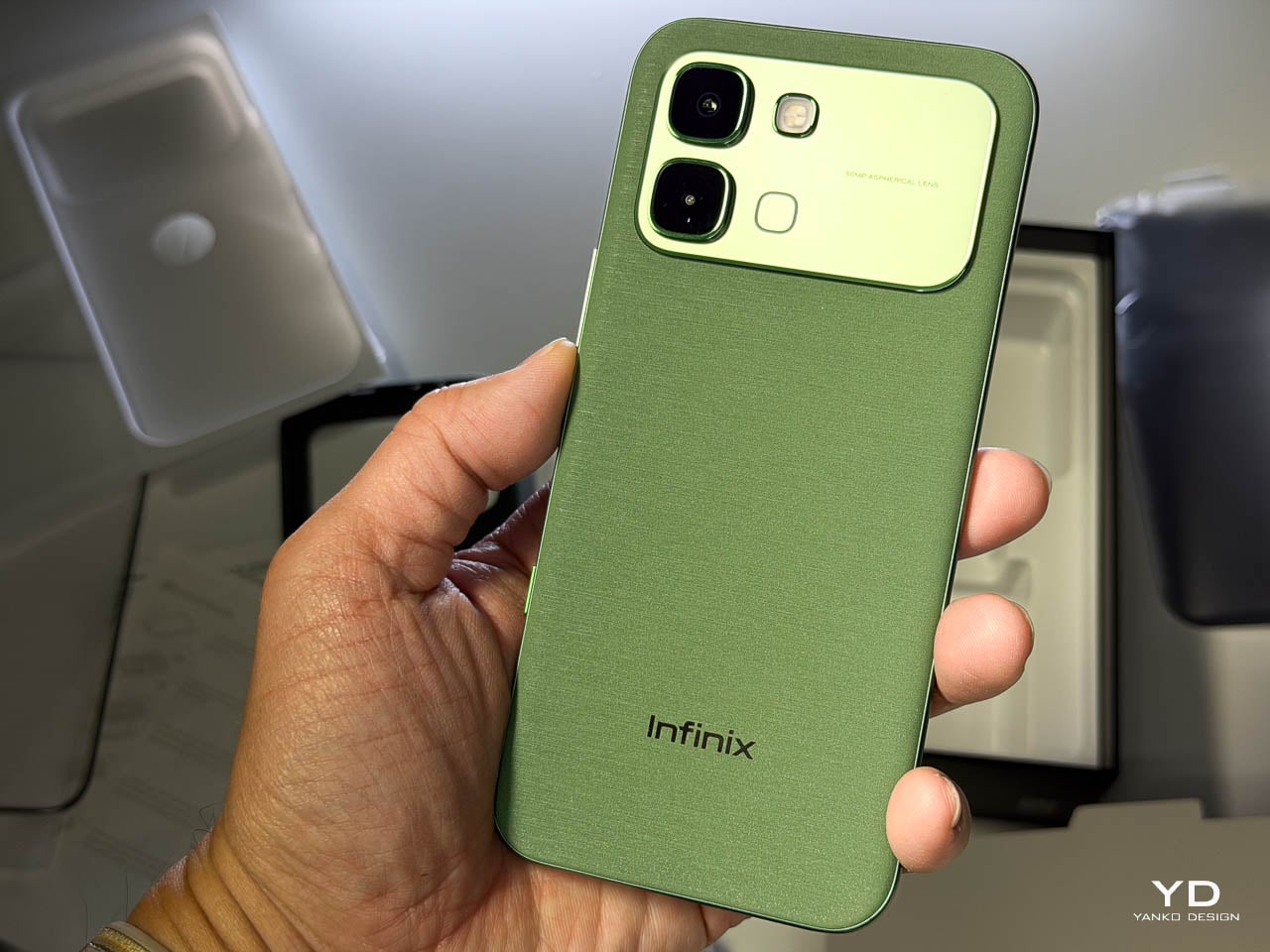
The texture matters as much as the color. There’s no cold shock when you pick it up from a table. Fingerprints don’t accumulate the way they do on glossy surfaces. After extended use, the back panel still looks intentional rather than smudged.

Infinix offers alternative finishes that pursue a different aesthetic entirely. The Lunar Titanium, Stellar Blue, and Shadow Black variants use a cat-eye stone inspired treatment that creates visible movement as the phone tilts. Light doesn’t just reflect from these surfaces. It travels across them, producing shifting patterns that never quite settle into a fixed appearance. The finish has enough grip to feel secure without becoming tacky, and it maintains that feel whether your hands are dry or slightly damp. The effect is dramatic without crossing into garish territory, and it demonstrates that Infinix isn’t limiting itself to a single design vocabulary.
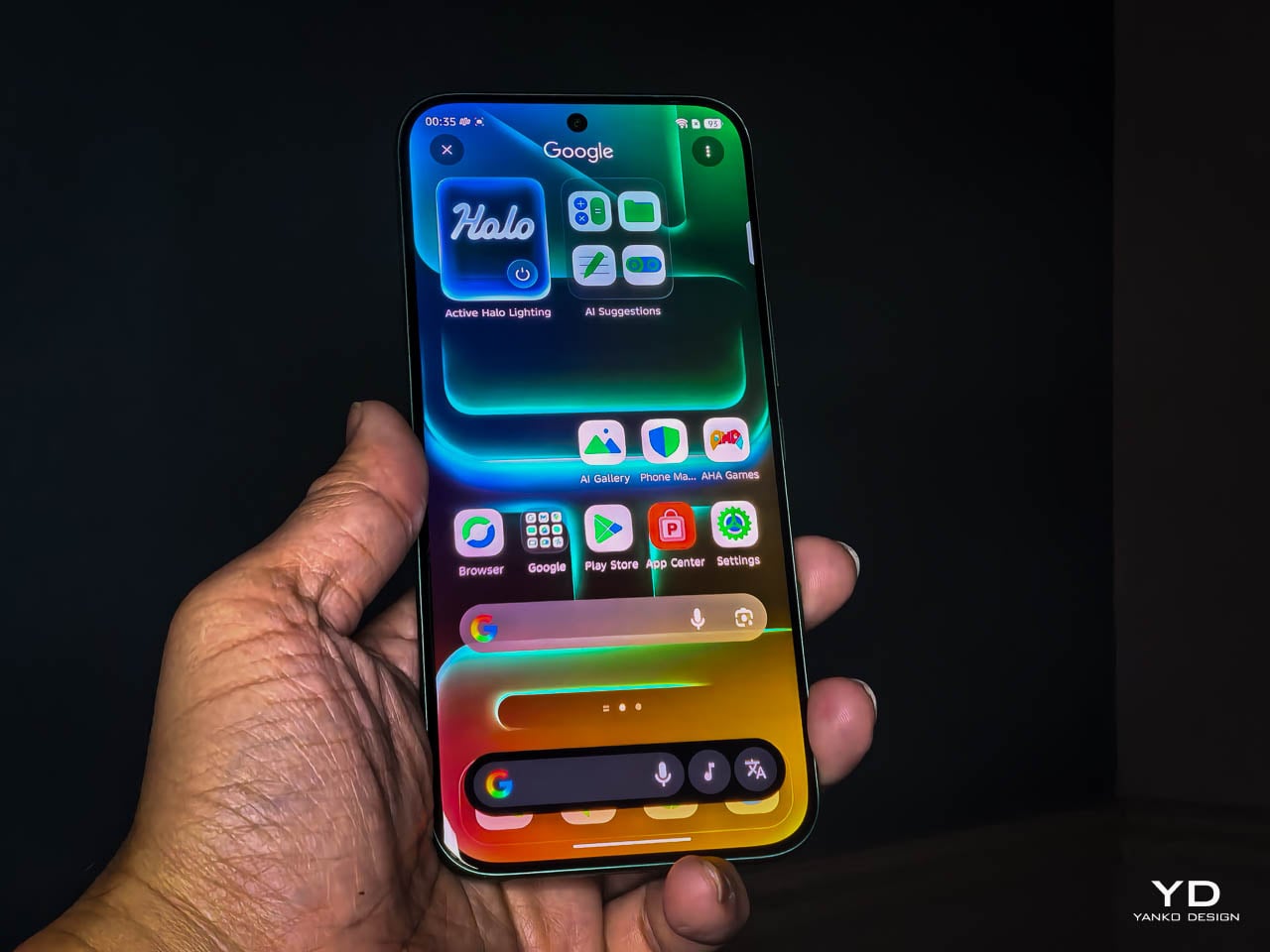
The 3D curved 1.5K AMOLED display integrates with the frame through a transition that eliminates the hard edge found on flat-screen devices. The curve is calibrated to reduce perceived width while maintaining usability across the entire display surface. Ultra-narrow bezels, with the bottom edge measuring just 1.87mm at its narrowest point, push content closer to the physical boundary of the device. The 6.78-inch panel feels immersive without forcing the body to expand beyond comfortable one-handed reach. A 120Hz refresh rate keeps motion smooth, 10-bit color depth renders gradients without visible banding, and 4500 nits of peak brightness means outdoor visibility doesn’t require cupped hands or squinting. Gamers benefit from a 2800Hz instant touch sampling rate that registers inputs faster than most users can perceive.
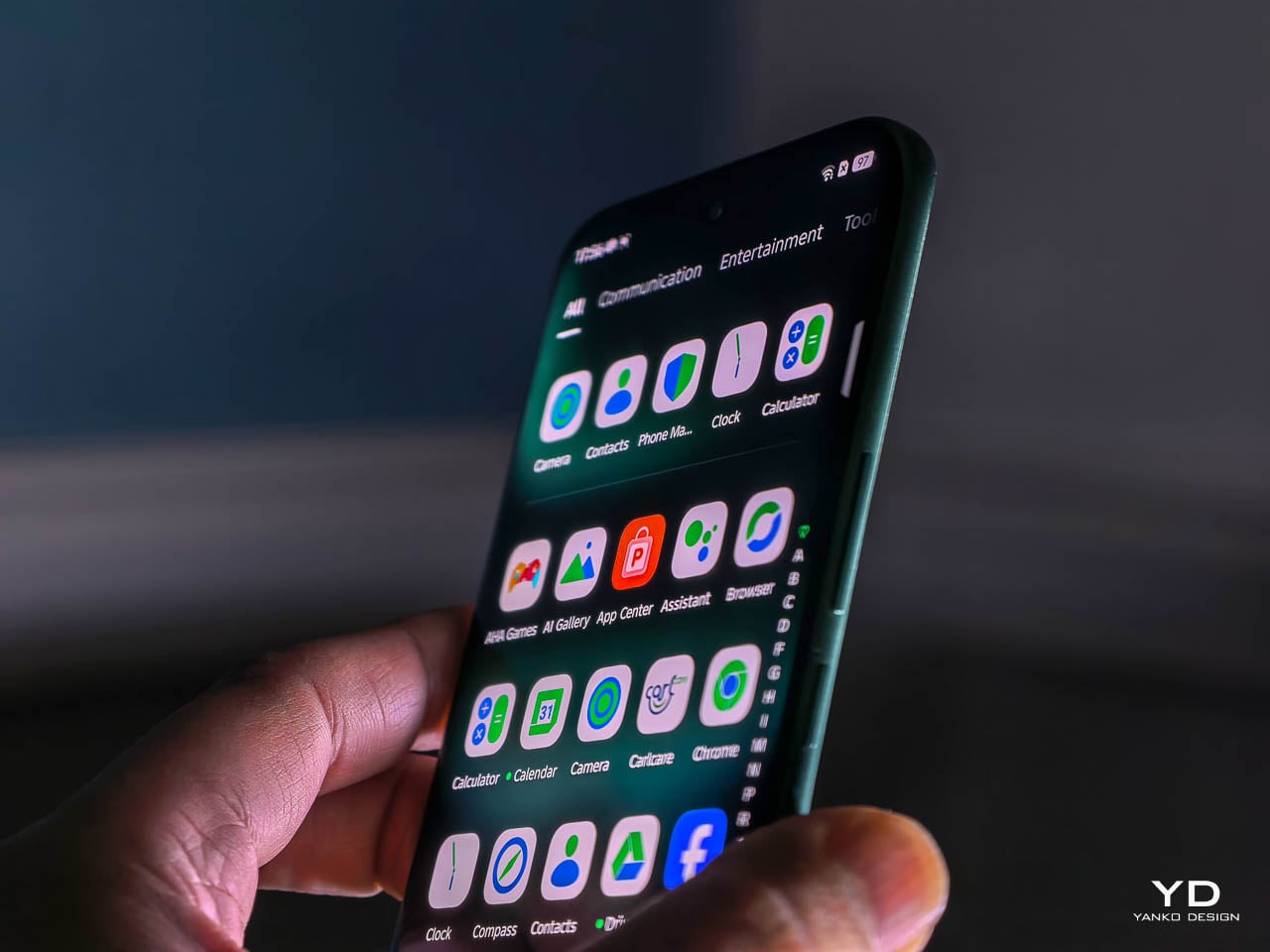
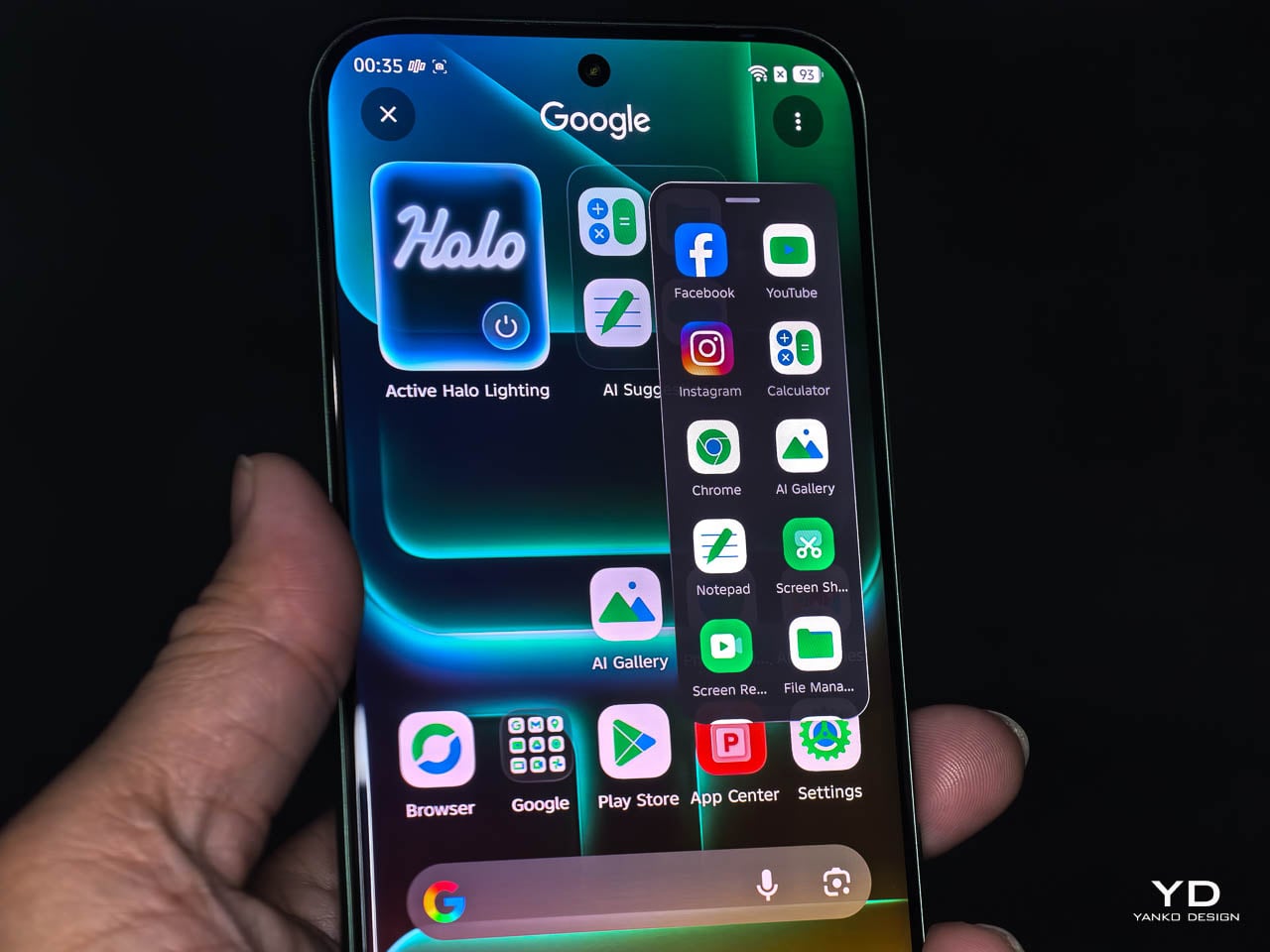
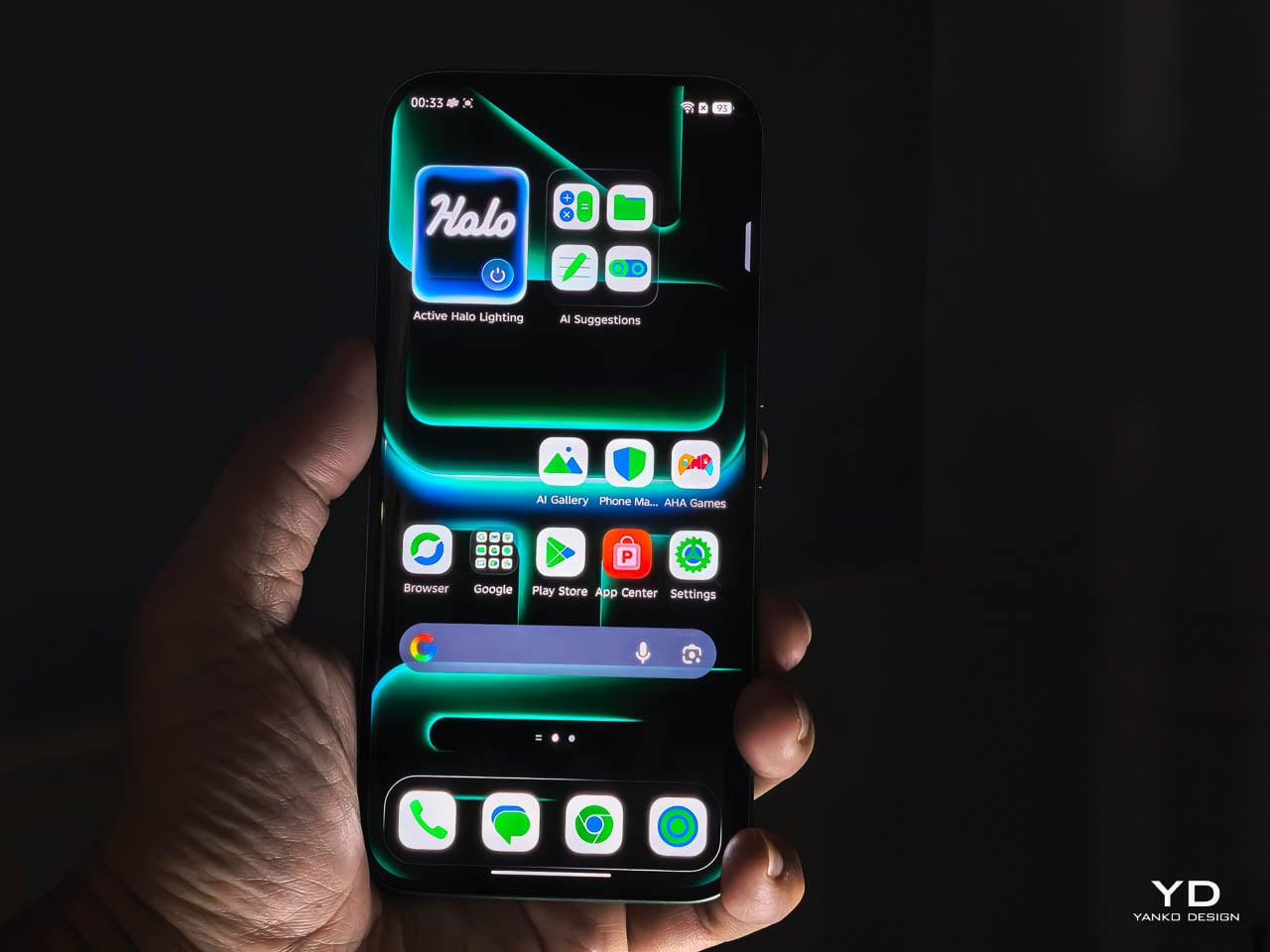
The interaction layer adds functional touches without cluttering the physical design. A dedicated One-Tap button on the frame provides customizable shortcuts to features like the flashlight, camera, or FOLAX AI assistant. The Active Halo Lighting around the rear camera module glows softly in response to notifications, calls, and charging status, with adjustable colors and stepless dimming. Neither element demands attention, but both reward users who engage with them. An integrated IR blaster lets you control TVs, air conditioners, and other appliances directly from the phone. eSIM support, a first for Infinix devices, adds flexibility for travelers and dual-SIM users who’d rather not swap physical cards. Availability varies by region and model, so check the official Infinix website to confirm eSIM support in your market.

Weight distribution deserves specific attention. A 6,500mAh battery creates density that could easily pull the phone off balance, making it feel top-heavy during vertical use or awkward during extended sessions. The NOTE Edge avoids this entirely, with mass centered in the chassis so scrolling, typing, and camera work all feel stable.
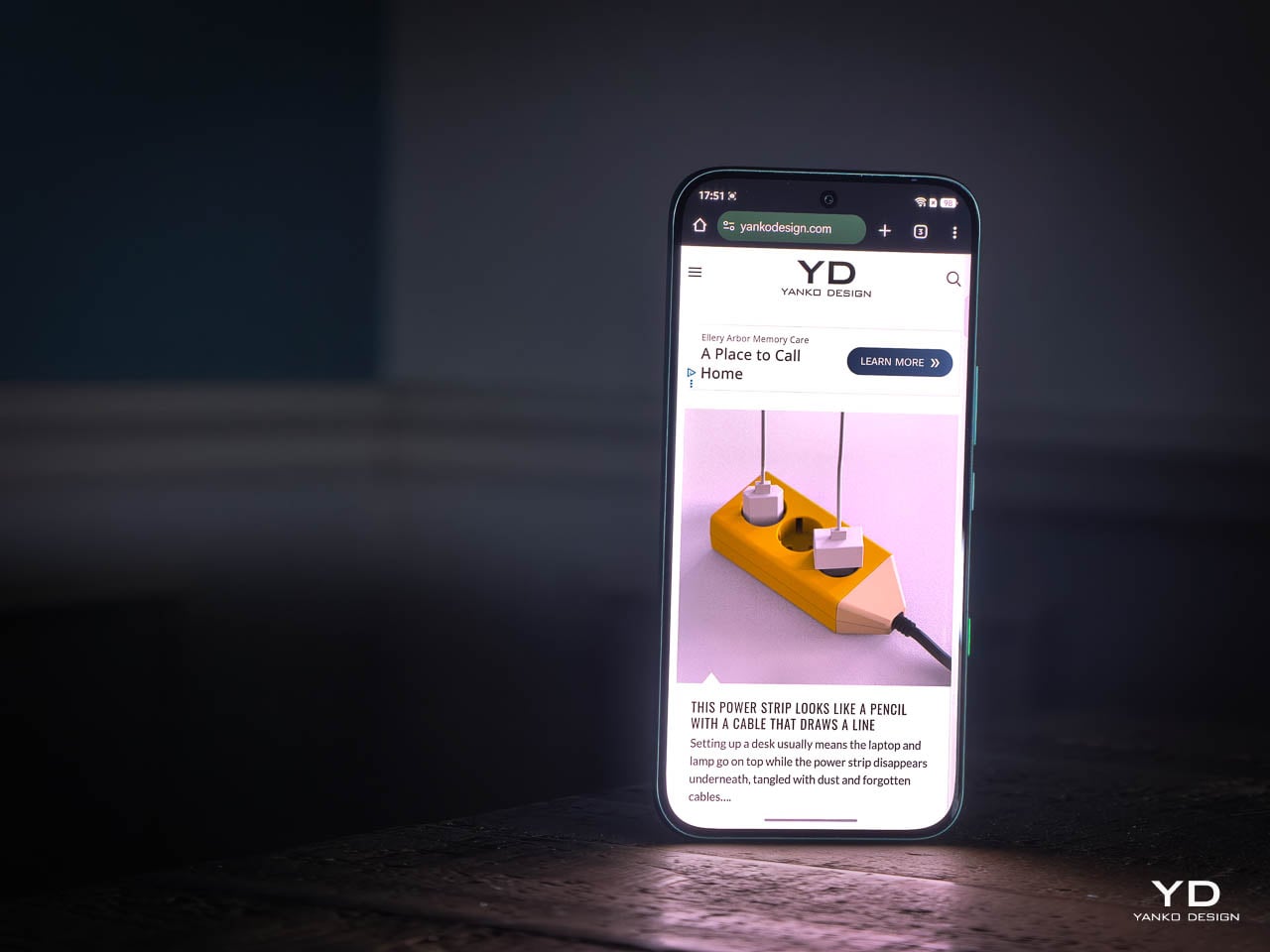
The glass-to-frame transition reinforces that sense of cohesion. There’s no lip or ridge where materials meet. Your grip flows uninterrupted around the device, which matters more than it might seem during the first few minutes of handling. Over hours, that seamlessness translates to reduced fatigue. The phone disappears physically while remaining visually present, which is exactly the balance a design-forward device should achieve. Corning Gorilla Glass 7i protects the curved display surface, and IP65 dust and water resistance means the materials can handle exposure to the elements without requiring constant caution.

Software and User Experience (XOS 16)

XOS 16 plays a bigger role in how the NOTE Edge feels than you might expect. Built on Android 16, the interface doesn’t compete with the hardware for attention. It supports it. Transitions stay smooth, layouts feel intentional, and nothing about the experience pulls focus away from what you’re actually doing on the phone.
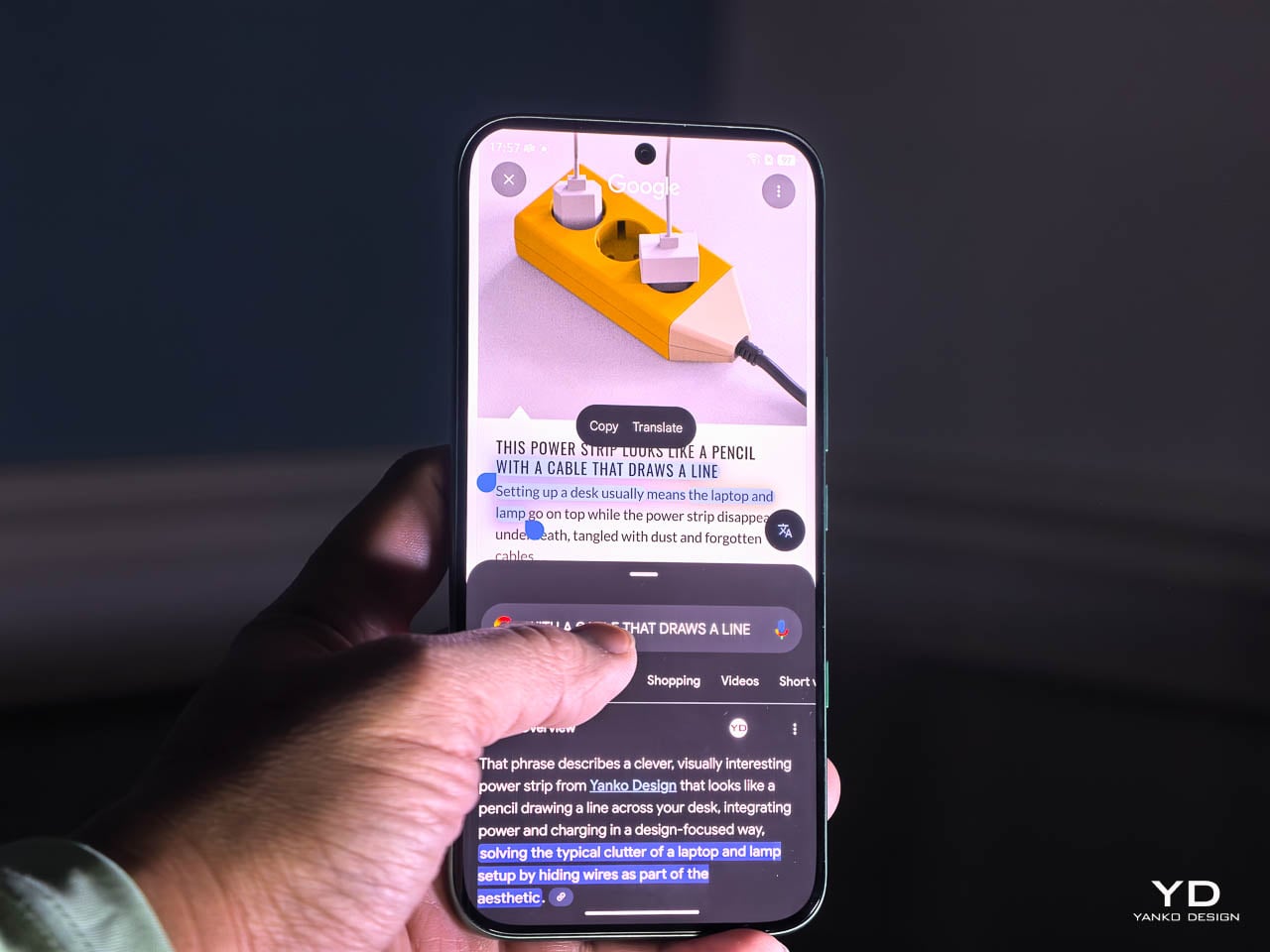
The Glow Space design language shows up in subtle ways rather than obvious visual tricks. Depth effects, layered wallpapers, and motion cues work especially well with the curved display, giving the interface a sense of dimension without becoming distracting. It pairs naturally with the phone’s physical form, which matters when you’re swiping one handed or shifting between apps quickly. After a few hours, the software fades into the background, which is exactly what good interface design should do.

Haptics feel restrained and precise. Taps register cleanly. Gestures feel confident without being exaggerated. There’s enough feedback to reinforce interaction, but not so much that it becomes noise. Combined with the curved edges and balanced weight, the software contributes directly to how comfortable the device feels over long sessions.
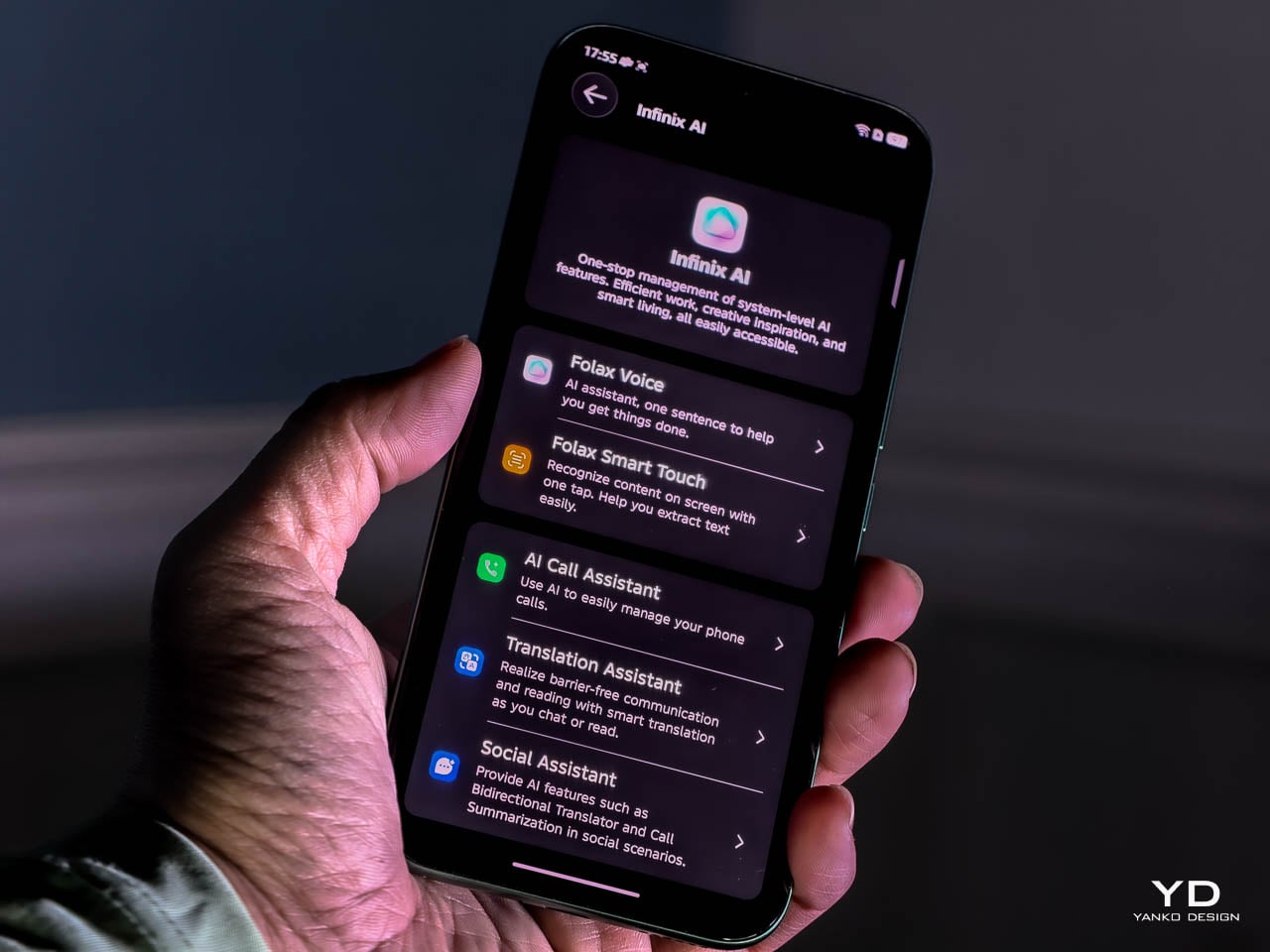
Infinix’s AI layer works best when it stays quiet. System level optimization, background task management, and two-way AI noise reduction operate without demanding attention. The noise cancellation works in both directions, cleaning up background sound on your end while also filtering what you hear from callers. That restraint fits the overall tone of the NOTE Edge.
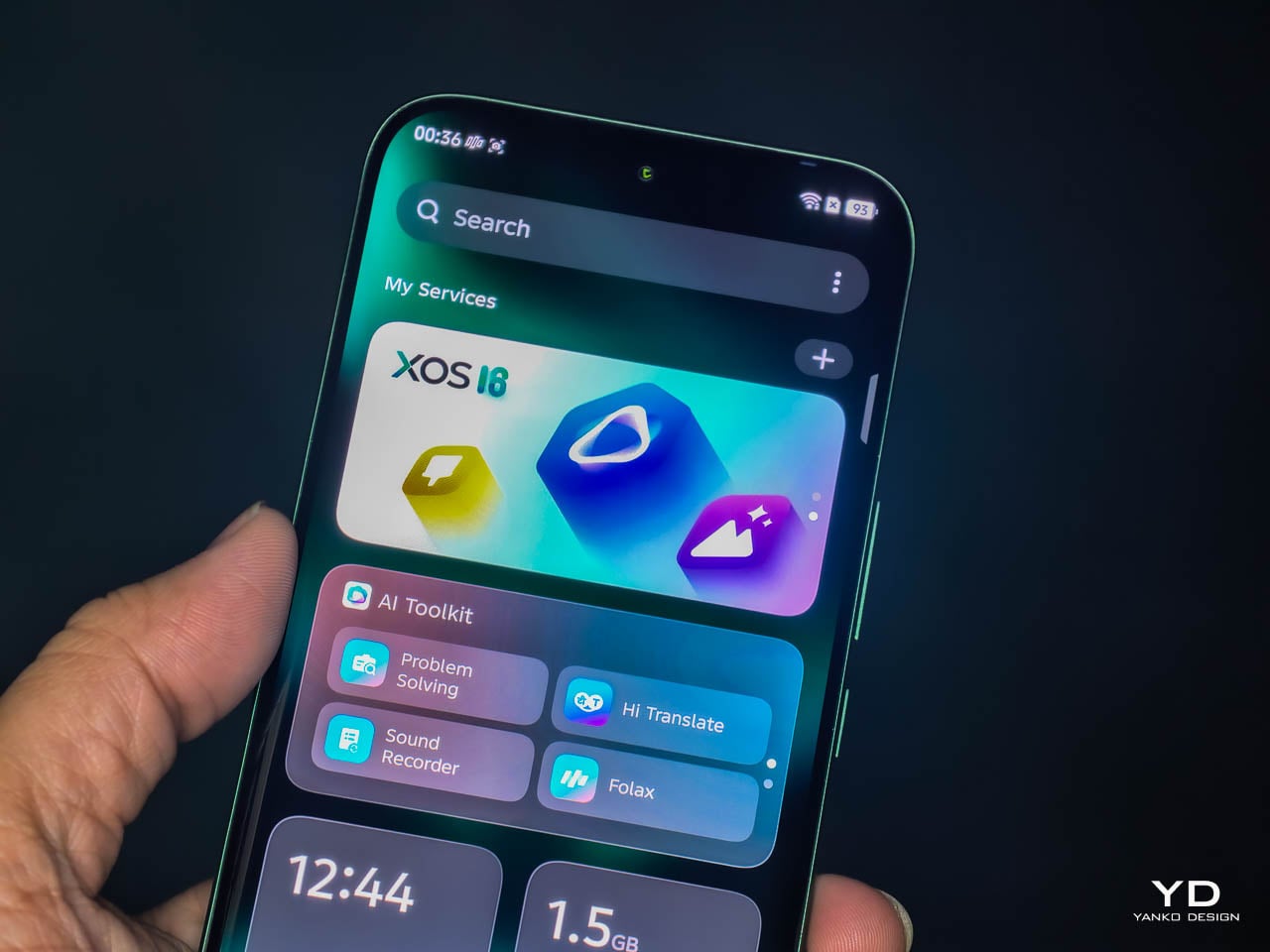
Longevity is where XOS 16 quietly strengthens the value of the device. Infinix commits to three years of OS updates and five years of security patches, which changes how you think about living with the phone long term. This isn’t software designed to feel fresh for a few months and then age out. It’s built to remain stable, secure, and familiar well beyond the initial ownership window.

Performance and Camera

The MediaTek Dimensity 7100 5G handles daily use without calling attention to itself. Swiping, launching apps, and unlocking all register instantly. It’s the kind of platform that does its job and stays out of the way.
That consistency holds over longer sessions. I kept messaging, maps, and media apps running simultaneously and never felt the system hesitate or dump background processes. The interface stayed responsive after hours of mixed use, which matters more than benchmark numbers when you’re navigating an unfamiliar city or bouncing between work threads and personal messages. Heat management impressed me more than raw speed. Extended navigation, casual gaming, and heavy browsing didn’t produce the kind of warmth that makes you shift your grip or set the phone down. The chassis stayed comfortable against my palm throughout full afternoon sessions. Infinix clearly tuned this device for sustained operation rather than brief bursts of peak performance.

Signal stability reinforces that dependability. Infinix’s UPS 3.0 Super Signal Technology focuses on low-frequency cellular bands, the 615 to 960 MHz range that travels farther and penetrates obstacles better than higher frequencies. These are the signals that actually reach you in elevators, underground parking garages, and concrete-heavy buildings when everything else drops off.

The engineering behind it involves physically larger antenna components. Infinix increased the radiation arm area of the main low-frequency antenna by 50 percent and the auxiliary antenna’s radiation wall by 30 percent. That translates to a 1.5 to 2 dB gain in low-frequency reception, which sounds modest on paper but shows up clearly in practice. Calls held steady in places where I normally expect a brief dropout. Data kept flowing in basement-level parking where other phones tend to stall while searching for signal.

It’s the kind of reliability you only notice when it’s missing.

The camera follows that same practical mindset. It’s built to produce usable results without demanding expertise.
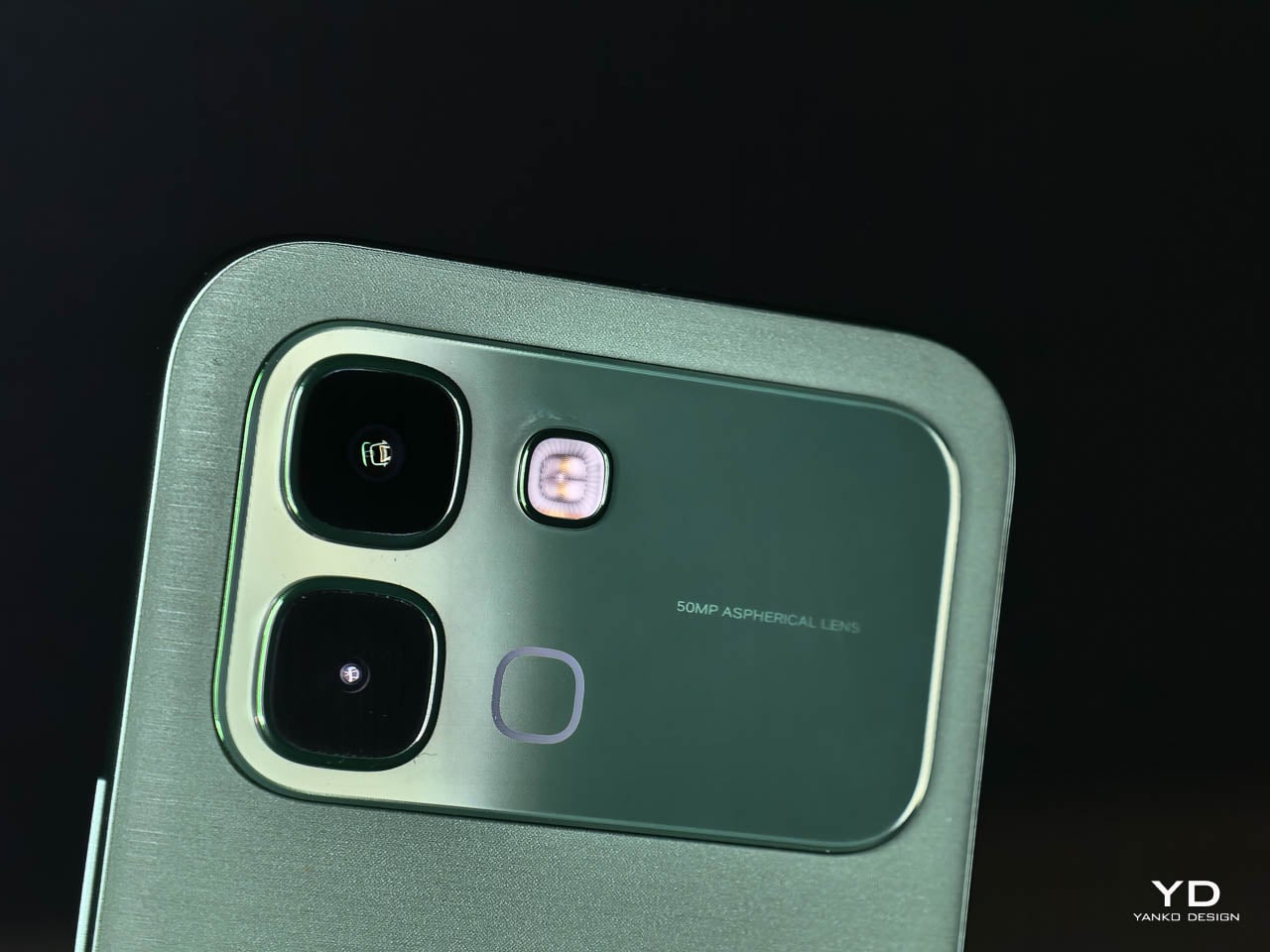
This is a dual camera setup. The 50MP main sensor handles all meaningful imaging work, while the secondary lens exists for depth separation in portrait shots.

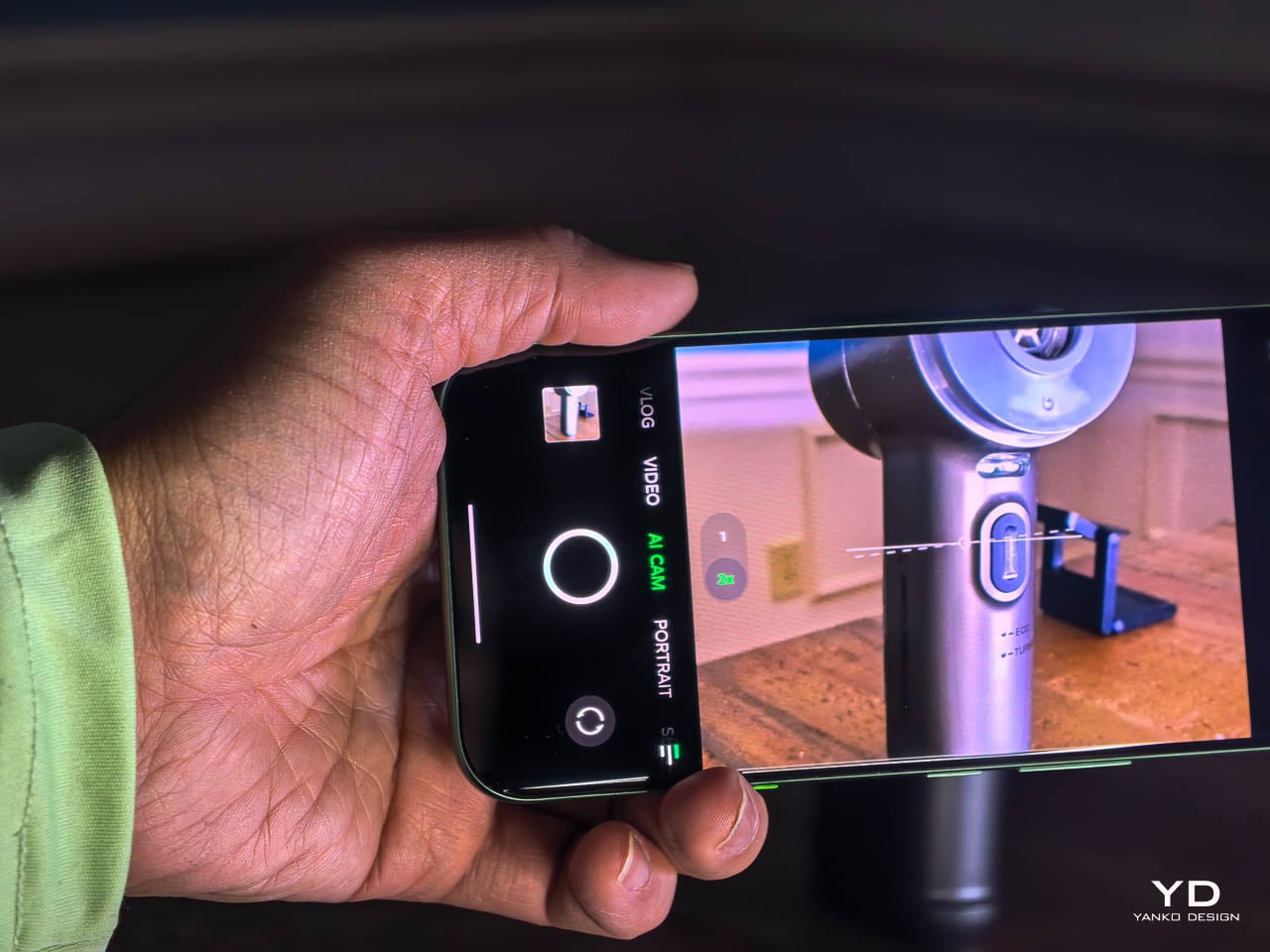
The 50MP main sensor handles everyday situations with consistent color accuracy from shot to shot. Outdoor images retain detail without oversaturating, and indoor shots keep skin tones natural under mixed lighting. Low light performance benefits from Infinix’s AI RAW imaging algorithm, which lifts shadow detail without flattening contrast or blowing highlights. Texture stays intact where other processing tends to smooth everything into mush. You don’t need to fight the camera or babysit settings. Point, shoot, and move on works more often than not.

Live Photo Mode captures a three-second window around each shutter press, giving you motion instead of a single frozen frame. It’s useful for candid moments, pets, or scenes where timing matters. Exporting as GIFs, setting captures as live wallpapers, or sharing to iPhones via NFC makes the feature feel integrated rather than bolted on. The implementation suggests Infinix thought about how people actually use these clips rather than just checking a feature box.

Video recording stays predictable and clean. Footage looks solid in good light, motion doesn’t introduce distracting jitter, and audio capture handles casual recording without issues. Nothing here feels experimental or unfinished.

Audio and Sound Performance

Sound is handled by a dual stereo speaker system co-engineered with JBL, and it’s immediately noticeable once you stop defaulting to headphones. Volume comes up without harshness, and the tonal balance stays intact even when you push it higher than you normally would for casual listening. There’s actual separation here, with dialogue staying forward in videos and podcasts while music doesn’t collapse into a single flat plane.
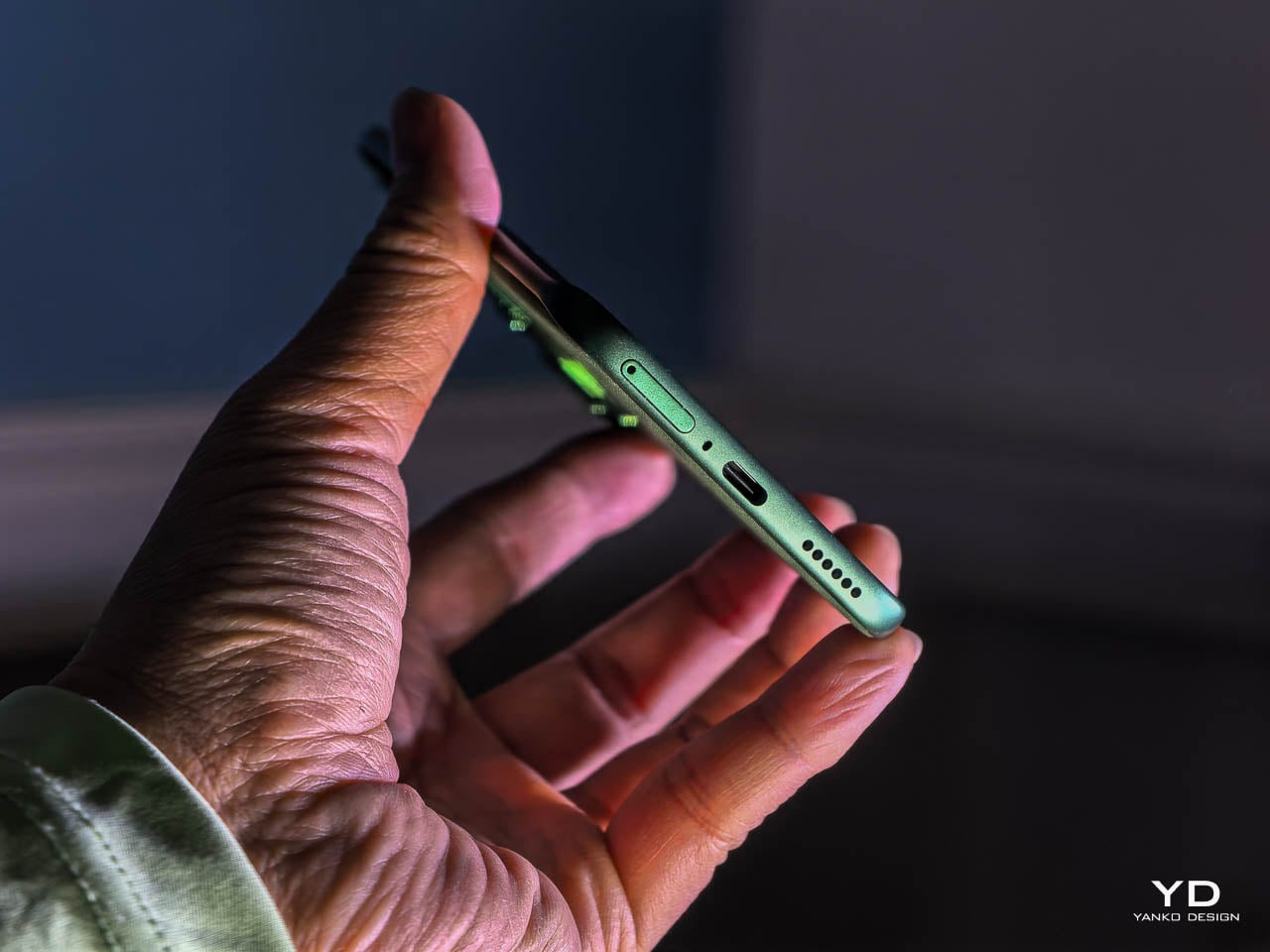
Infinix leans on a five-magnet acoustic system and a high-elasticity silicone rubber diaphragm, which sounds technical until you use it. Bass has presence without rattling, mids stay clean, and highs don’t spike in a way that fatigues your ears over longer sessions. The diaphragm flexibility contributes to that balanced output, absorbing vibrations that would otherwise muddy the low end. The 360-degree symmetrical sound field matters more than I expected, especially when you’re watching something without holding the phone perfectly straight. Audio stays consistent whether the phone is resting on a table, propped up, or held casually in one hand. That positional flexibility makes the speakers feel genuinely usable rather than an afterthought.

Sustainability and Longevity

Battery capacity tells only part of the endurance story. The 6,500mAh cell in our review unit (6,150mAh in certain regional configurations) provides multi-day operational potential under moderate use patterns. This isn’t about chasing screen-on time records. It’s about eliminating the anxiety that comes with uncertainty around whether a device will last through an unpredictable day.

In practice, that translates to roughly 22 hours of continuous video playback or 26 hours of outdoor navigation before you need to reach for a cable. When you do need to refuel, 45W All-Round FastCharge gets you to 50% in about 27 minutes and a full charge in just over an hour. Bypass Charging routes power directly to the system board during gaming or navigation, which keeps the battery out of the thermal loop and reduces heat buildup during extended plugged-in sessions.
Long-term battery health becomes relevant when capacity numbers reach this scale. Infinix claims the battery retains more than 80% capacity after 2,000 full charge cycles, equivalent to over six years of typical daily use. The company also cites self-healing technology that repairs micro-damage through dynamic recrystallization during low-current recovery. These aren’t marketing abstractions. They’re engineering claims with testable outcomes, and they suggest the multi-day endurance you experience initially should hold over the ownership cycle rather than eroding within the first year. The durability framing extends beyond just the battery. Material choices across the device suggest consideration for how surfaces age, how components withstand repeated stress, and how the phone maintains its character over months rather than weeks.

XOS 16, built on Android 16, runs the software side. Infinix commits to three years of OS updates and five years of security patches, which represents the longest support window the NOTE series has offered. That commitment matters for a device positioned around longevity.

Value

The NOTE Edge occupies a market position that doesn’t get enough attention. It’s a design-forward midrange device, which means it competes on material quality and user experience rather than processor benchmarks or camera sensor counts. For users who prioritize how a phone looks and feels over how it performs in synthetic tests, the value proposition here is substantial.
What you receive for the price includes premium-feeling materials, balanced ergonomics, multi-day battery endurance, and a display that rivals more expensive devices in clarity and immersion. The Dimensity 7100 5G provides capable daily performance without generating the heat or power consumption of flagships processors. The camera handles real-world scenarios reliably. None of these elements represents a compromise.

The fashion-led color palette means the NOTE Edge appeals to users who want their technology to reflect personal aesthetic preferences. This isn’t a device that disappears into generic smartphone uniformity. It makes a statement.

Wrap Up

The Infinix NOTE Edge succeeds because it understands what it’s trying to be. It’s a considered object that prioritizes material quality, ergonomic refinement, and visual identity over the metrics that dominate most smartphone conversations.

The Silk Green finish exemplifies the approach. It’s a material choice that affects how the phone looks, how it feels, how it ages, and how it responds to its environment. Nothing about it exists in isolation. Every decision connects to a broader vision of what a design-forward smartphone should offer. That coherence is rare, and it’s what separates the NOTE Edge from devices that feel like committees designed them.
For users who’ve grown tired of phones that feel like interchangeable glass rectangles, the NOTE Edge represents an alternative worth serious consideration. Infinix has demonstrated that visible luxury and practical usability can coexist in the midrange segment. The result is a device that you’ll want to use, want to look at, and want to keep using long after the initial appeal of any new purchase typically fades.

The post Infinix NOTE Edge Review: Visible Luxury first appeared on Yanko Design.

Claude now offers deeper integrations with apps like Canva and Slack

Anthropic has been building out support for third-party apps inside of Claude. As of today, the chatbot can now connect to platforms like Slack and Canva, fetching up files from inside those apps or performing tasks within them on a user's behalf.

For instance, when connected to Box, Claude can now search for files, preview documents inline and answer questions about the content in front of you. Meanwhile, with a connection to Asana, it can now turn chats into projects, tasks and timelines your co-workers can then find and interact with on the project management app. 

Box and Asana are just two of the platforms adding deeper integrations with Claude today. In total, there are nine launch partners, with some of the more notable ones including Canva, Figma and Slack.   

As with Anthropic's past integrations, the new functionality is powered by Model Context Protocol (MCP) servers. MCP is a technology Anthropic released in fall 2024 to make it easier for third-party platforms to connect their systems to Claude. Since then, the protocol has become an industry standard. OpenAI, for instance, adopted MCP last year, and has been building additional support since then. At the end of last year, Anthropic donated the protocol to the Linux Foundation. The company says AI platforms will be able to bring similar integrations to their own products since they're built on a new open extension designed by Anthropic.  

This article originally appeared on Engadget at https://www.engadget.com/ai/claude-now-offers-deeper-integrations-with-apps-like-canva-and-slack-180000604.html?src=rss

Trump admin reportedly plans to use AI to write federal regulations

The Trump administration is planning on using Google Gemini to draft important federal regulations, as reported by ProPublica. This is starting with the Department of Transportation, according to interviews with agency staffers. Regulations created by the DOT help keep us safe when traveling.

The plan was initially presented to DOT staffers last month, with agency attorney Daniel Cohen writing to colleagues about AI's "potential to revolutionize the way we draft rulemakings." Gregory Zerzan, the agency's general counsel, has indicated that President Donald Trump is "very excited by this initiative" and that DOT will be "the first agency that is fully enabled to use AI to draft rules." This does suggest a pilot program of sorts, with eventual plans to bring AI to other departments.

Oddly, Zerzan doesn't seem that interested in high-quality regulations. ProPublica received transcripts of a meeting in which he declared that "we don't need the perfect rule on XYZ. We don't even need a very good rule on XYZ." He went on to say that "we want good enough" and that "we're flooding the zone."

Let me remind you that DOT regulates the safety standards of commercial aircraft, along with rules involving the transport of hazardous materials and driver qualifications. The agency's rules touch on every aspect of transportation safety. Why would the federal government rely on a new technology that's notorious for making mistakes?

The answer is speed. Writing and revising complex federal regulations can take months, but Google Gemini can spit something out in minutes. A DOT employee giving a presentation on the program suggested that many parts of these regulations are just "word salad" anyways, so AI should be able to do just fine.

"It shouldn’t take you more than 20 minutes to get a draft rule out of Gemini," Zerzan said. The plan is to compress the timeline in which transportation regulations are written and reviewed. The department has already used AI to draft an unpublished Federal Aviation Administration rule.

Federal agencies have used AI for years, but not to actually write regulations. It's primarily been used for the purpose of translating documents, analyzing data and categorizing public comments. Trump, however, is a huge proponent of the technology. He has released multiple executive orders in support of AI and once shared an AI-created video in which he flew a fighter jet and dropped what appears to be feces on American citizens.

Skeptics say that large language models like Gemini shouldn't be in charge of drafting complicated and consequential regulations that impact millions of everyday Americans. Mistakes could lead to lawsuits and even injuries and deaths.

Mike Horton, DOT’s former acting chief artificial intelligence officer, said using Gemini to draft regulations was like “having a high school intern that’s doing your rulemaking.” He also said that agency leaders under Trump "want to go fast and break things, but going fast and breaking things means people are going to get hurt."

"Just because these tools can produce a lot of words doesn’t mean that those words add up to a high-quality government decision,” said Bridget Dooling, a professor at Ohio State University who studies administrative law. “It’s so tempting to try to figure out how to use these tools, and I think it would make sense to try. But I think it should be done with a lot of skepticism."

DOT has experienced a net loss of more than 4,000 employees since Trump started his second term. This includes over 100 attorneys.

This article originally appeared on Engadget at https://www.engadget.com/ai/trump-admin-reportedly-plans-to-use-ai-to-write-federal-regulations-175155111.html?src=rss

Ball x Pit’s first update brings an endless mode and much more to the chaos

It’s time to jump back into the pit. Ball x Pit is one of the very best games of 2025 and there’s now even more to play around with in the brick-busting roguelite. The first major free update for the game (one of three that’s on the cards this year) just arrived on all platforms. It added a bunch more stuff to the mix, including two new characters, eight extra special balls with powerful abilities and an endless mode.

Developer Kenny Sun wrote on the PlayStation Blog that because fans demanded it so much, endless mode jumped right to the top of the to-do list. After you beat a level’s boss, you can keep going as long as you can stay alive and really put your builds to the test.

The Regal Update brought two more playable hunters to the mix as well. Opt to use The Falconer, and you’ll fire balls from two birds, one at each side of the screen. When balls return to The Carouser, they orbit around him to deal extra damage. Sun added that this character “twists ball trajectories with a personal gravity field that pulls shots off their usual paths.”

Then there are the new balls. The Stone Ball is powerful, but disintegrates as it bounces. Two of the latest balls deal spins on fire damage and the Fireworks Ball seems like it’ll add even more chaotic visual flair. The update added a trio of passives too. I enjoy creating builds around baby balls (a secondary type of ball that doesn’t have a special ability), so I’m eager to try out Iron Onesie. This passive scales up the damage of special balls depending on how many baby balls are in play.

Finally, the update introduced support for more languages. You can play Ball x Pit in Spanish (Latin America), Polish, Italian, Thai, Turkish and Ukrainian.

In anticipation of the update, I jumped back into Ball x Pit over the weekend for a quick refresher. Before I knew it, four hours had gone by. This game is once again going to be an existential threat to my time.

This article originally appeared on Engadget at https://www.engadget.com/gaming/ball-x-pits-first-update-brings-an-endless-mode-and-much-more-to-the-chaos-174306548.html?src=rss

A TikTok US power outage caused a ‘cascading systems failure’ leading to multiple bugs

If your TikTok feed has felt a little off lately, it's not just you. TikTok says is still working to fix its service in the US following a power outage at one of its data centers that's caused “multiple bugs” in the app. TikTok users have reported problems logging in and uploading videos, as well as strange behavior from the "for you" algorithm. Creators have also noticed that new uploads are seemingly getting o views or likes and that in-app earnings have disappeared.

"Since yesterday we’ve been working to restore our services following a power outage at a U.S. data center impacting TikTok and other apps we operate," the company wrote in a statement Monday. "We're working with our data center partner to stabilize our service. We're sorry for this disruption and hope to resolve it soon."

In a subsequent update several hours later, the company said that the power outage had caused a “cascading systems failure” that is still affecting the app and leading to “multiple bugs,” including those affecting view counts and load times. “Creators may temporarily see ‘0’ views or likes on videos, and your earnings may look like they're missing,” the company wrote in an update on X. “This is a display error caused by server timeouts; your actual data and engagement are safe.”

The statement didn’t directly address reported issues with the app’s recommendation algorithm. Since Sunday, users have reported seeing a wave of generic videos flood their feeds, which are typically hyper-personalized. Other users have reported seeing the same few videos repeated over and over again. 

About a day after the issues started, TikTok said that it had made “significant progress” in recovering from the issues it was facing, but that US users still may “have some technical issues,” specifically when posting new videos.

The issues come just days after TikTok finalized a deal to spin off its US business into a separate entity largely controlled by US investors. That timing hasn't gone unnoticed by users, many of whom are already suspicious of the company pushing a terms of service and privacy policy in the hours after the deal was finalized. The problems affecting the app's recommendation algorithm have also raised questions about TikTok USDS Joint Venture's plans to "retrain" TikTok's central feature.

Update, January 26, 2026, 7:18PM ET: This post has been updated to include additional information from TikTok about the outage and bugs affecting users.

Update, January 27, 2026, 11:22AM ET: Added TikTok’s latest statement about recovering from the issues that have hit US users.


This article originally appeared on Engadget at https://www.engadget.com/social-media/a-tiktok-us-power-outage-caused-a-cascading-systems-failure-leading-to-multiple-bugs-173426490.html?src=rss

Olympics 2026: How to watch, full schedule of events, and everything else you need to know about the Winter Games

LIVIGNO, ITALY - DECEMBER 26: A logo with ring of MilanoCortina on December 26, 2025 in Livigno, Italy. Livigno as part of the Valtellina cluster is one of the areas for the upcoming Milano Cortina 2026 Winter Olympics and will host men's alpine skiing, snowboard, freestyle skiing and ski mountaineering competitions. (Photo by Mattia Ozbot/Getty Images)
The Milano Cortina 2026 Winter Olympics are coming up. (Mattia Ozbot/Getty Images)
Mattia Ozbot via Getty Images

The 2026 Winter Olympics are taking place in Italy this year, with all the action taking place in Milan and the Alpine city of Cortina. This year marks the fourth time Italy has hosted the Winter Games; most recently, Turin hosted in 2006. Of the 16 sports featured at the Winter Olympics, 15 will return, including figure skating, hockey, luge, speed skating, and one entirely new sport, snow mountaineering. (Will it be as big a hit as the 2024 Summer Games' new addition, breaking? It remains to be seen.)

Live coverage of every event at the Olympic Winter Games Milan Cortina 2026 will be available to stream on Peacock — though thanks to the time difference between Italy and the U.S., to watch many of the events live, you'll have to wake up (or stay up) until 2AM or 3AM ET. Primetime replays and select live coverage will air on NBC. Here's what else you need to know about watching the 2026 Winter Olympics.

Dates: Feb. 6 - Feb. 22

TV channel: NBC

Streaming: Peacock

The Winter Olympics officially begin with the opening ceremony on Feb. 6, although some events will start as early as Feb. 4). The Milano Cortina 2026 games will run through Feb. 22. The closing ceremony of the 2026 Winter Olympics will take place in the Arena di Verona on Feb. 22.

The 2026 Winter Olympics will be held in Northern Italy, primarily in Milan and also the Alpine mountain resort town of Cortina d'Ampezzo, where events like bobsled, skeleton, alpine skiing, curling, para snowboard, and more will take place.

The 2026 Winter Olympics will air on NBC and stream live on Peacock.

The Milano Cortina 2026 opening ceremony will be held on Feb. 6, 2026. Due to the time difference, the ceremony will kick off around 2PM ET/11AM PT.

This year's Olympic Games are in Italy, which is 6 hours ahead of U.S. Eastern Time. Meaning that some events will start bright and early for U.S. viewers, and live coverage will likely wrap up around 4PM ET each day. NBC will have primetime replays of the biggest moments each night.

All times Eastern.

Wednesday, Feb. 4 (early competition starts)

  • Curling (round robin) – 2AM (Peacock – Live)

  • Curling (round robin) – 8AM (Peacock – Live)

  • Alpine skiing training – 3–6AM (Peacock – Live)

Thursday, Feb. 5

  • Curling (round robin) – 2AM (Peacock – Live)

  • Curling (round robin) – 8AM (Peacock – Live)

  • Freestyle skiing qualifications – 4AM (Peacock – Live)

  • Snowboard qualifications – 6AM (Peacock – Live)

Friday, Feb. 6 – opening ceremony

  • Curling (round robin) – 2AM (Peacock – Live)

  • Figure skating (team event short programs) – 6AM (Peacock – Live)

  • Snowboard slopestyle qualifications – 6AM (Peacock – Live)

  • Speedskating (early distances) – 8AM (Peacock – Live)

  • opening ceremony – 2PM (Peacock – Live)

  • opening ceremony – 8PM (NBC – Primetime)

Saturday, Feb. 7

  • Alpine skiing (men’s downhill) – 3AM (Peacock – Live)

  • Snowboard slopestyle finals – 6AM (Peacock – Live)

  • Speedskating medals – 7AM (Peacock – Live)

  • Figure skating (team free programs) – 8AM (Peacock – Live)

  • Hockey (group play begins) – 10AM (Peacock – Live)

Sunday, Feb. 8

  • Alpine skiing (women’s downhill) – 3AM (Peacock – Live)

  • Freestyle skiing moguls finals – 6AM (Peacock – Live)

  • Figure skating (pairs short program) – 8AM (Peacock – Live)

  • Luge (singles runs) – 9AM (Peacock – Live)

  • Hockey (group play) – 12PM (Peacock – Live)

Monday, Feb. 9

  • Biathlon sprint – 5AM (Peacock – Live)

  • Speedskating medals – 7AM (Peacock – Live)

  • Figure skating (pairs free skate – medals) – 8AM (Peacock – Live)

  • Curling (round robin) – 9AM (Peacock – Live)

  • Skeleton (heat 1–2) – 11AM (Peacock – Live)

Tuesday, Feb. 10

  • Alpine skiing (giant slalom) – 4AM (Peacock – Live)

  • Snowboard halfpipe qualifications – 6AM (Peacock – Live)

  • Figure skating (men’s short program) – 8AM (Peacock – Live)

  • Curling (round robin) – 10AM (Peacock – Live)

Wednesday, Feb. 11

  • Nordic combined – 4AM (Peacock – Live)

  • Freestyle skiing aerials finals – 6AM (Peacock – Live)

  • Figure skating (men’s free skate – medals) – 8AM (Peacock – Live)

  • Speedskating medals – 11AM (Peacock – Live)

Thursday, Feb. 12

  • Alpine skiing (slalom) – 4AM (Peacock – Live)

  • Snowboard halfpipe finals – 6AM (Peacock – Live)

  • Figure skating (ice dance rhythm dance) – 8AM (Peacock – Live)

  • Curling (medal round qualifiers) – 10AM (Peacock – Live)

Friday, Feb. 13

  • Biathlon pursuit – 5AM (Peacock – Live)

  • Figure skating (ice dance free dance – medals) – 8AM (Peacock – Live)

  • Skeleton finals – 10AM (Peacock – Live)

  • Hockey (quarterfinals) – 12PM (Peacock – Live)

Saturday, Feb. 14

  • Alpine skiing (team combined) – 4AM (Peacock – Live)

  • Cross-country skiing distance race – 6AM (Peacock – Live)

  • Figure skating (women’s short program) – 8AM (Peacock – Live)

  • Speedskating medals – 11AM (Peacock – Live)

Sunday, Feb. 15

  • Snowboard cross finals – 6AM (Peacock – Live)

  • Figure skating (women’s free skate – medals) – 8AM (Peacock – Live)

  • Luge relay – 11AM (Peacock – Live)

  • Hockey (semifinals) – 1PM (Peacock – Live)

Monday, Feb. 16

  • Freestyle skiing dual moguls – 6AM (Peacock – Live)

  • Cross-country skiing team sprint – 8AM (Peacock – Live)

  • Curling (medal games) – 10AM (Peacock – Live)

Tuesday, Feb. 17

  • Biathlon relay – 5AM (Peacock – Live)

  • Speedskating team pursuit – 7AM (Peacock – Live)

  • Hockey (placement games) – 12PM (Peacock – Live)

Wednesday, Feb. 18

  • Alpine skiing (final technical events) – 4AM (Peacock – Live)

  • Freestyle skiing big air – 6AM (Peacock – Live)

  • Curling (gold medal match) – 9AM (Peacock – Live)

Thursday, Feb. 19

  • Cross-country skiing marathon – 6AM (Peacock – Live)

  • Snowboard parallel events – 8AM (Peacock – Live)

  • Hockey (bronze medal games) – 1PM (Peacock – Live)

Friday, Feb. 20

  • Biathlon mass start – 6AM (Peacock – Live)

  • Speedskating final medals – 8AM (Peacock – Live)

  • Figure skating gala – 1PM (Peacock – Live)

Saturday, Feb. 21

  • Men’s hockey gold medal game – 12PM (Peacock – Live)

  • Women’s hockey gold medal game – 3PM (Peacock – Live)

  • Men’s hockey gold medal game – 8PM (NBC – Primetime)

Sunday, Feb. 22 – closing ceremony

  • Cross-country skiing final event – 6AM (Peacock – Live)

  • closing ceremony – 2PM (Peacock – Live)

  • closing ceremony – 8PM (NBC – Primetime)

While Peacock is the best way to watch the Winter Olympics, there are other options if you restrict yourself to the NBC broadcasts. As our guide to the best live TV streaming services to cut cable notes, both YouTube TV and Hulu + Live TV are excellent options, but you'll want to skip Fubo until and unless the service resolves its contract dispute with Comcast, as NBC channels remain unavailable for now.  

This article originally appeared on Engadget at https://www.engadget.com/entertainment/olympics-2026-how-to-watch-full-schedule-of-events-and-everything-else-you-need-to-know-about-the-winter-games-172409424.html?src=rss

These 5 AI Modules Listen When You Hum, Tap, or Strum, Not Type

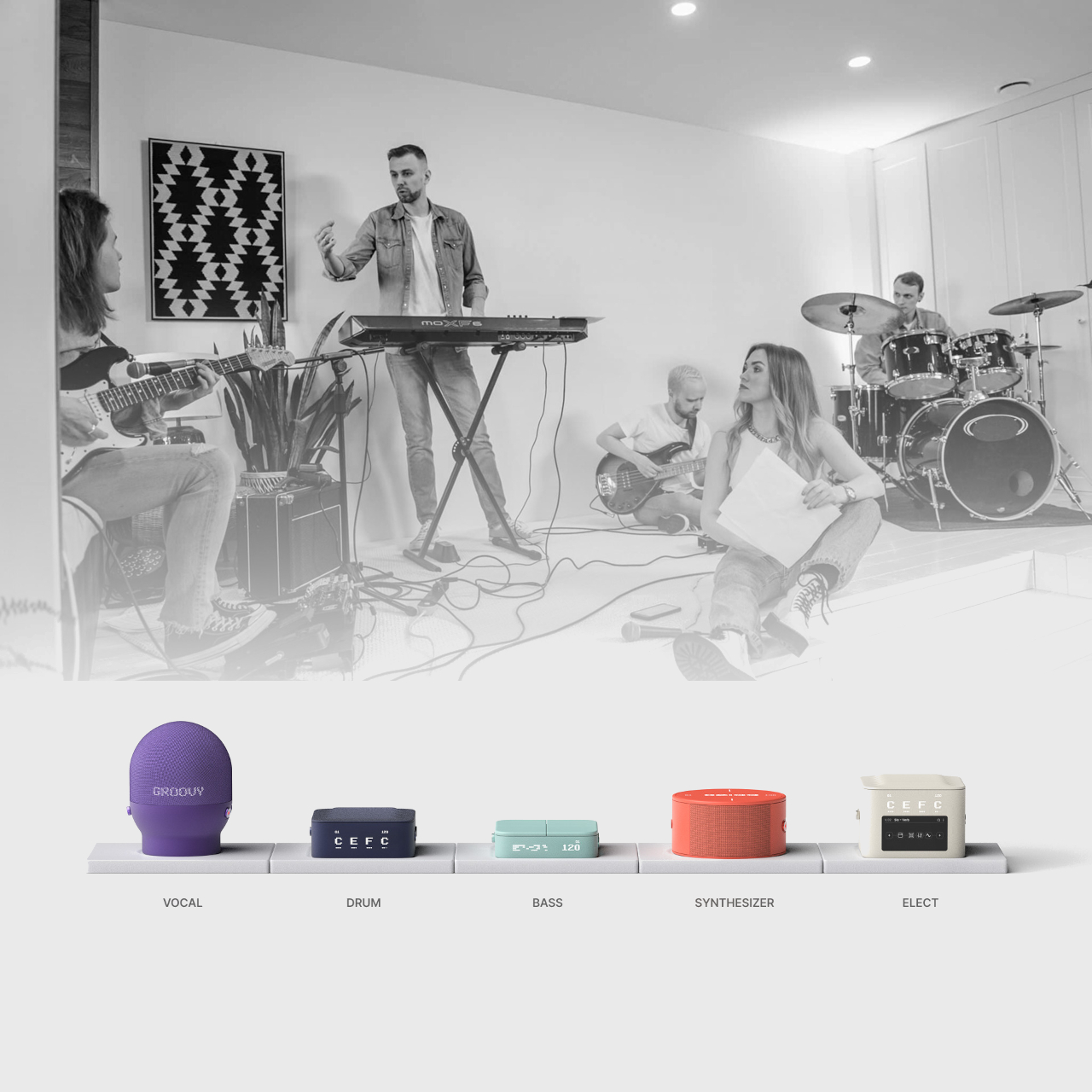
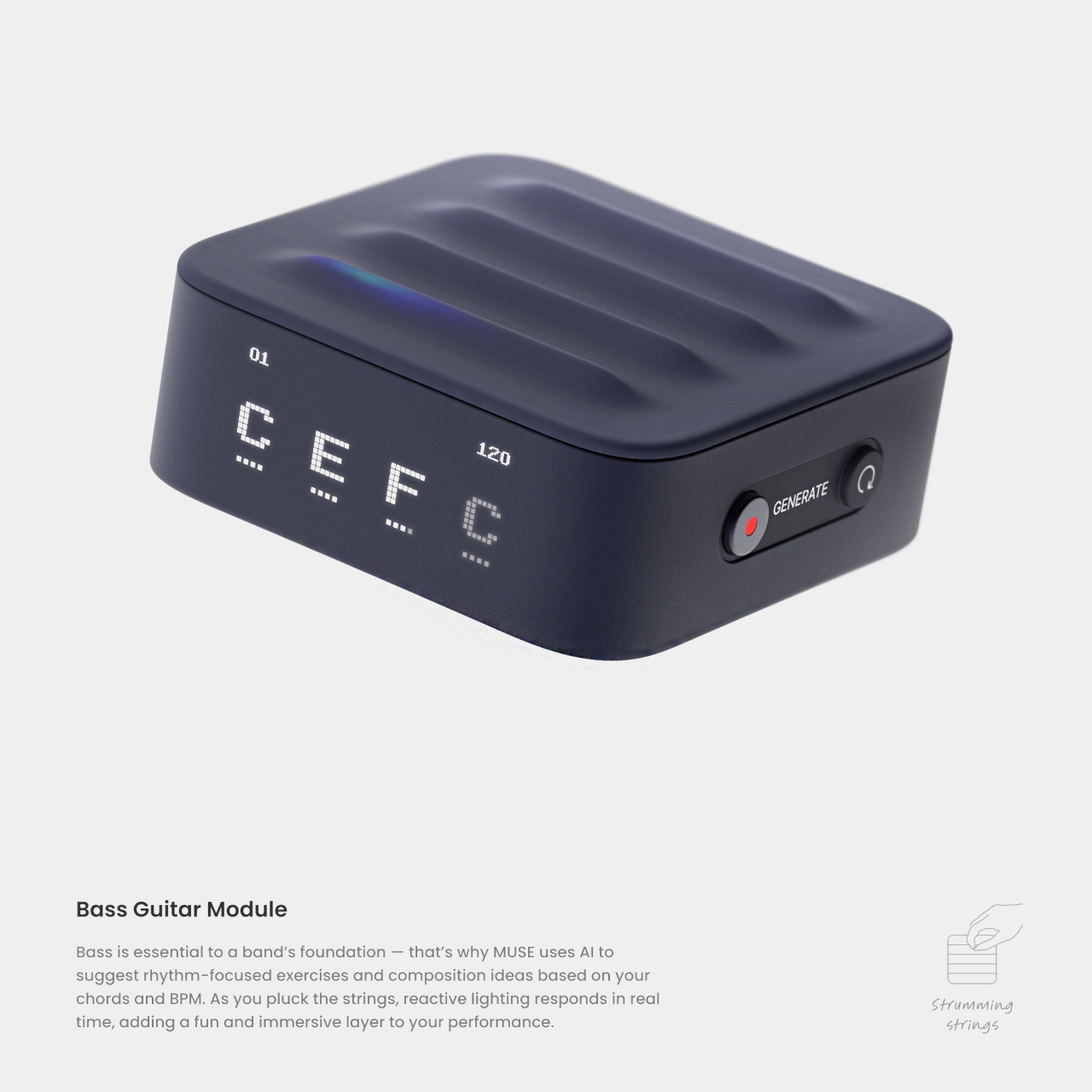
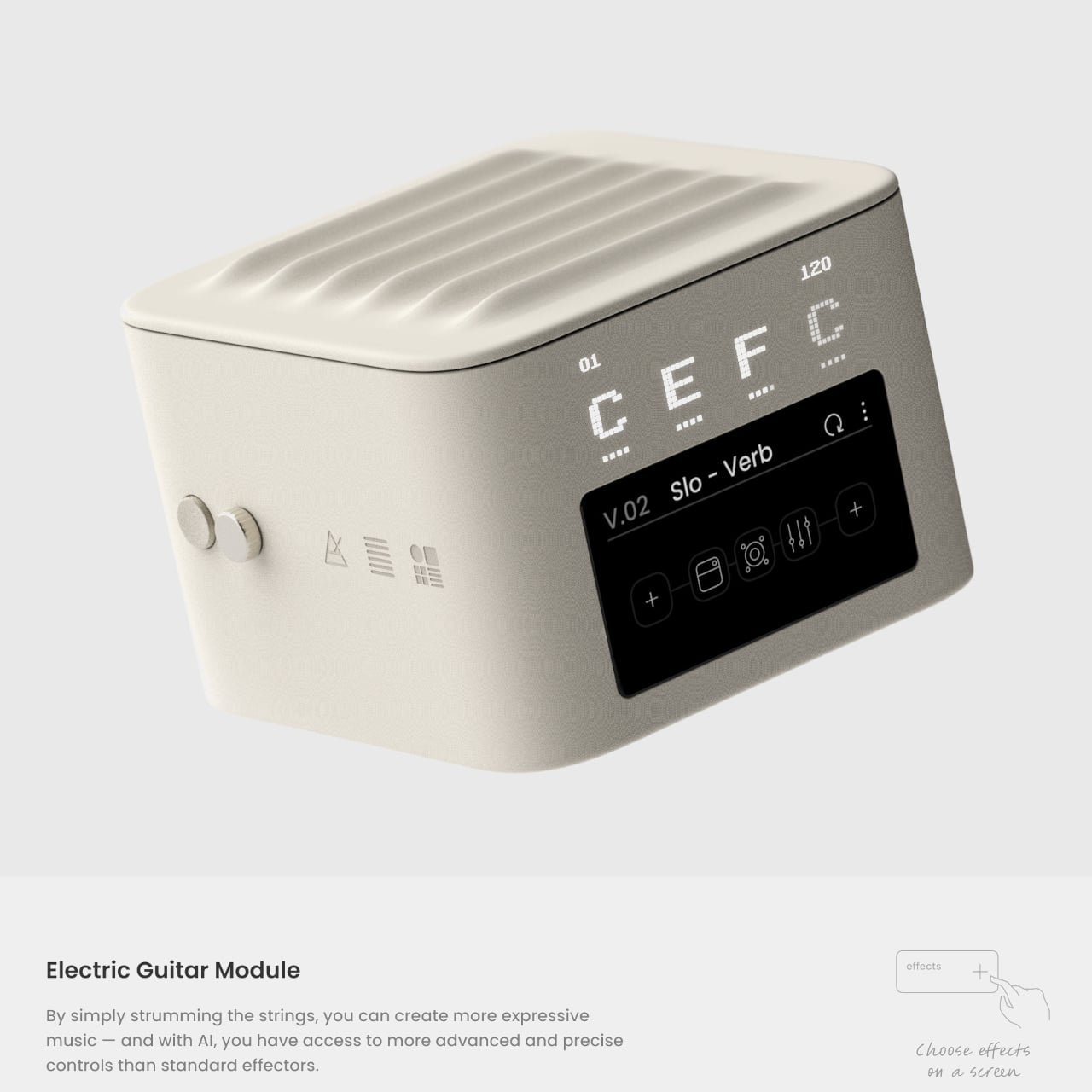
AI music tools usually start on a laptop where you type a prompt and wait for a track. That workflow feels distant from how bands write songs, trading groove and chemistry for text boxes and genre presets. MUSE asks what AI music looks like if it starts from playing instead of typing, treating the machine as a bandmate that listens and responds rather than a generator you feed instructions.

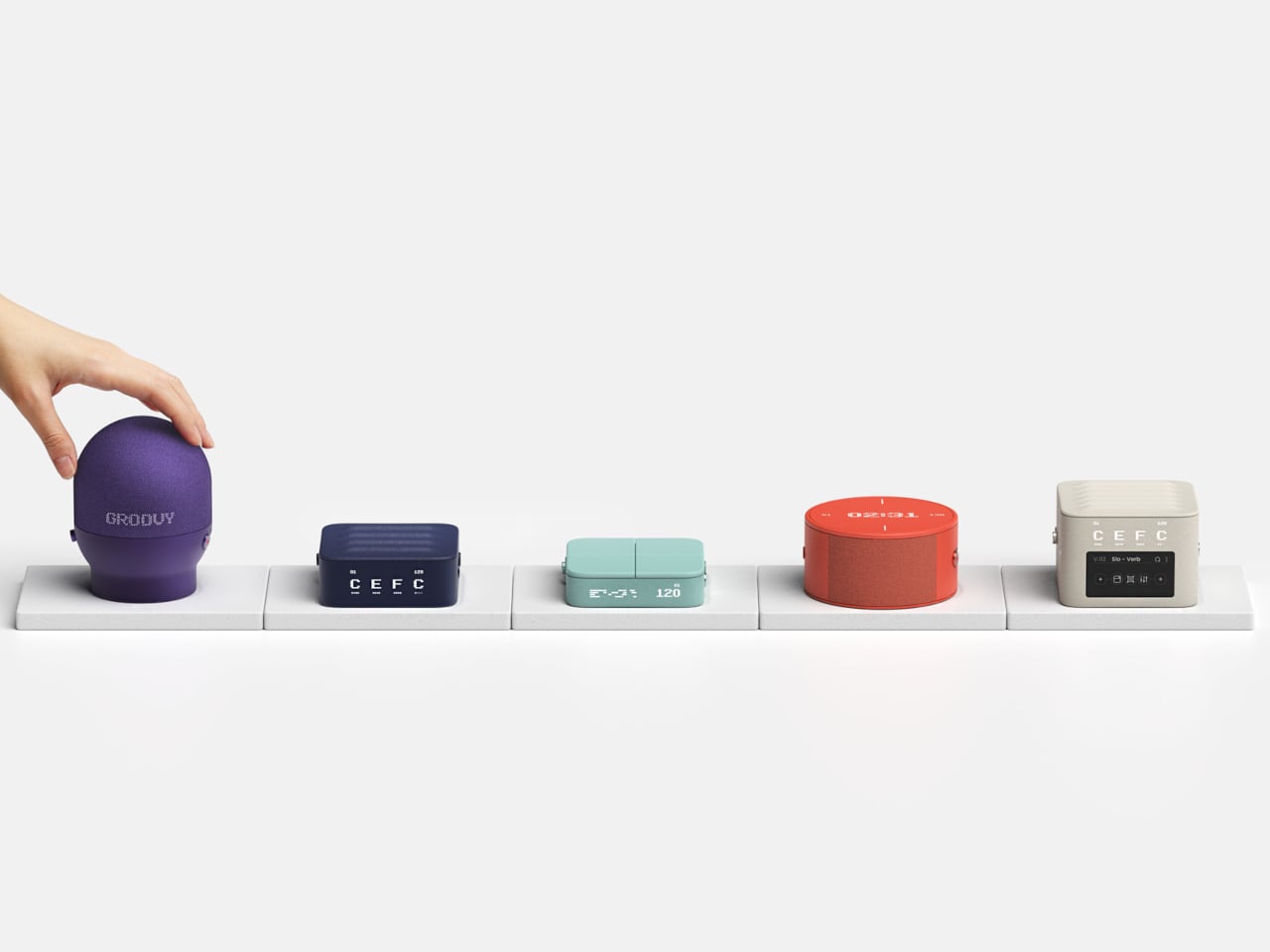
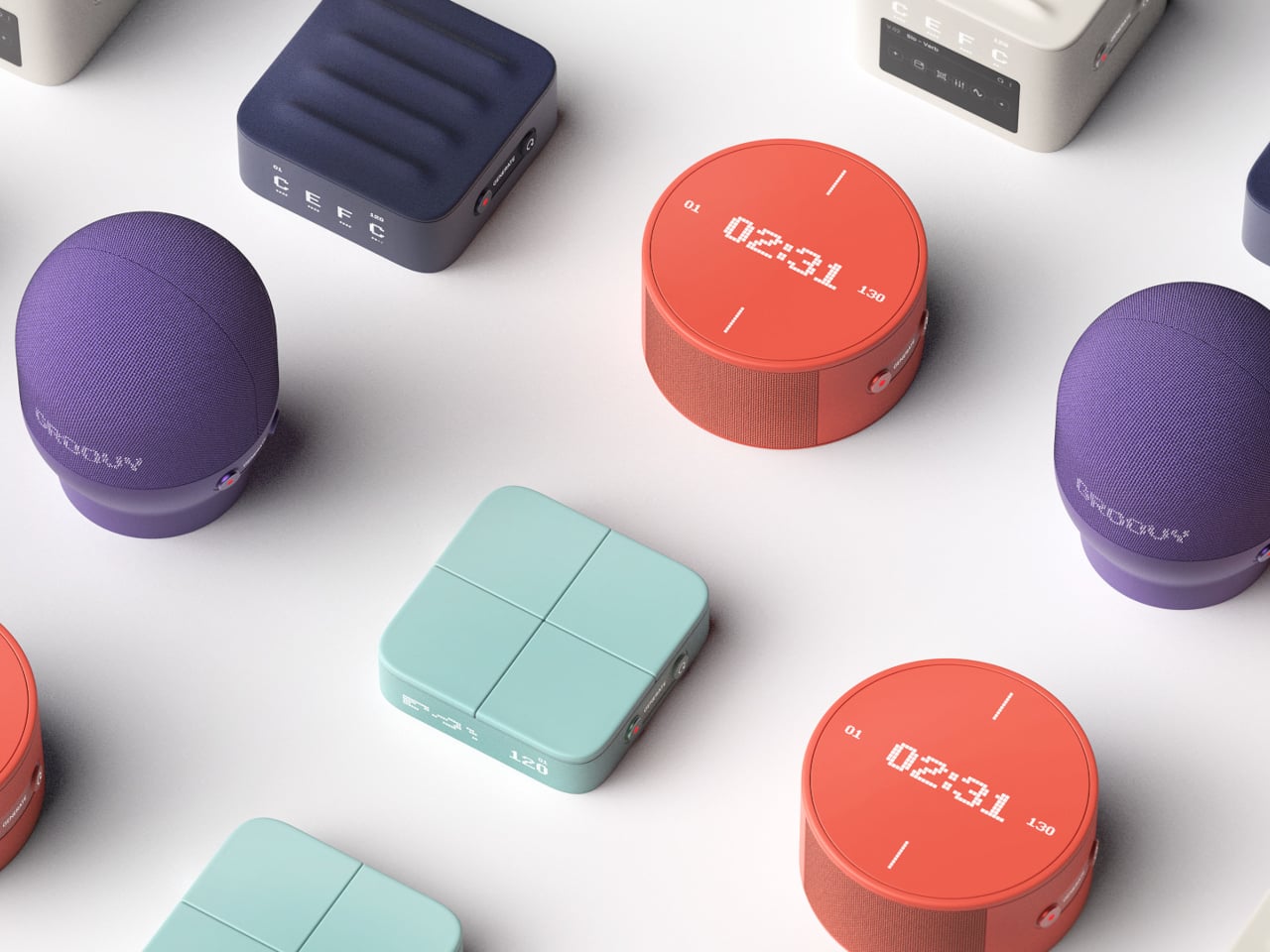
MUSE is a next-generation AI music module system designed for band musicians. It is not one box but a family of modules, vocal, drum, bass, synthesizer, and electric guitar, each tuned to a specific role. You feed each one ideas the way you would feed a bandmate, and the AI responds in real time, filling out parts and suggesting directions that match what you just played.

Designers: Hyeyoung Shin, Dayoung Chang

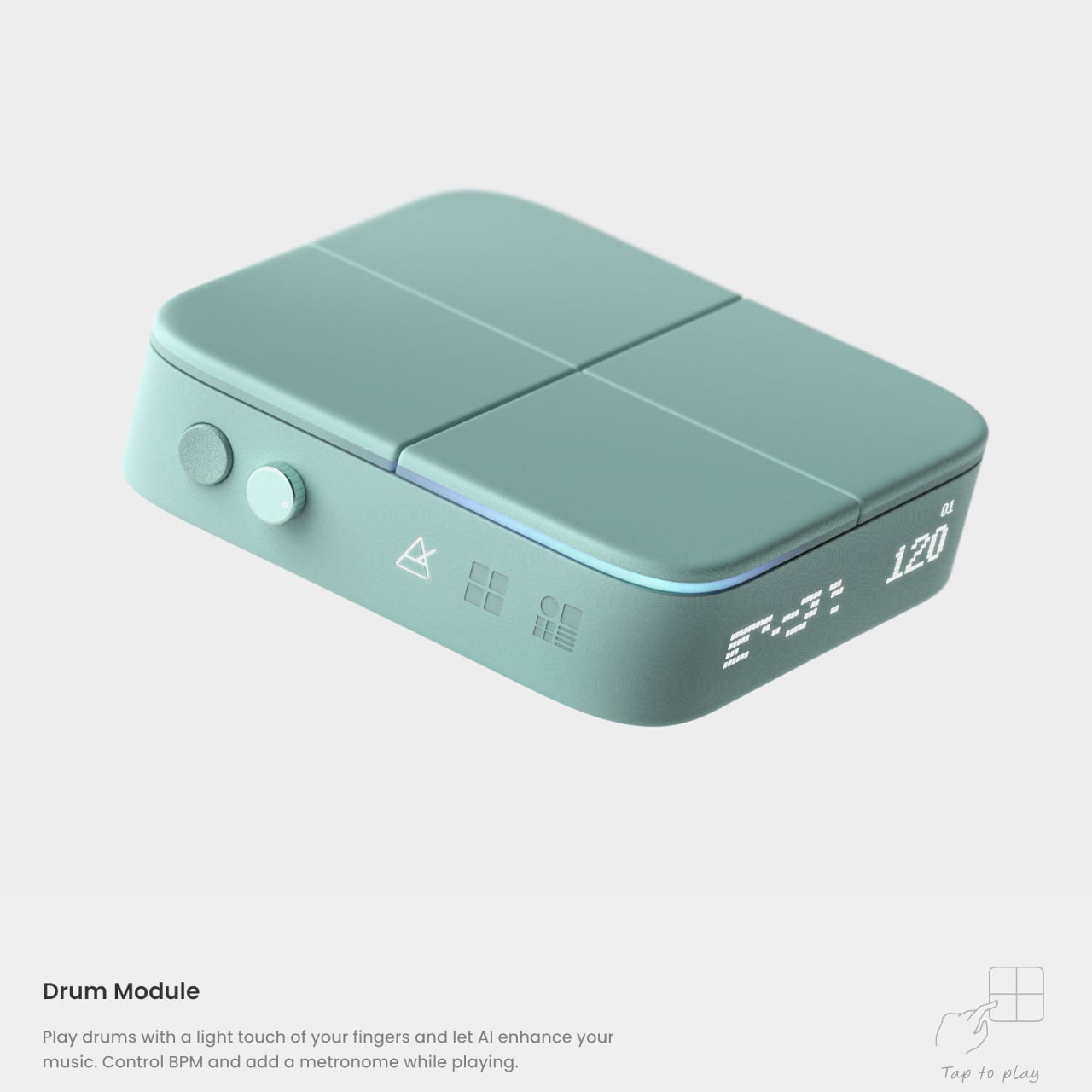
A band rehearsal where each member has their own module means the drummer taps patterns into the drum unit, the bassist works with the bass module to explore grooves, and the singer hums into the vocal module to spin melodies out of half-formed ideas. Instead of staring at a screen, everyone is still moving and reacting, but there is an extra layer of AI quietly proposing fills, variations, and harmonies.

MUSE is built around the idea that timing, touch, and phrasing carry information that text prompts miss. Tapping rhythms, humming lines, or strumming chords lets the system pick up on groove and style, not just genre labels. Those nuances feed the AI’s creative process, so what comes back feels more like an extension of your playing than a generic backing track cobbled together from preset patterns.

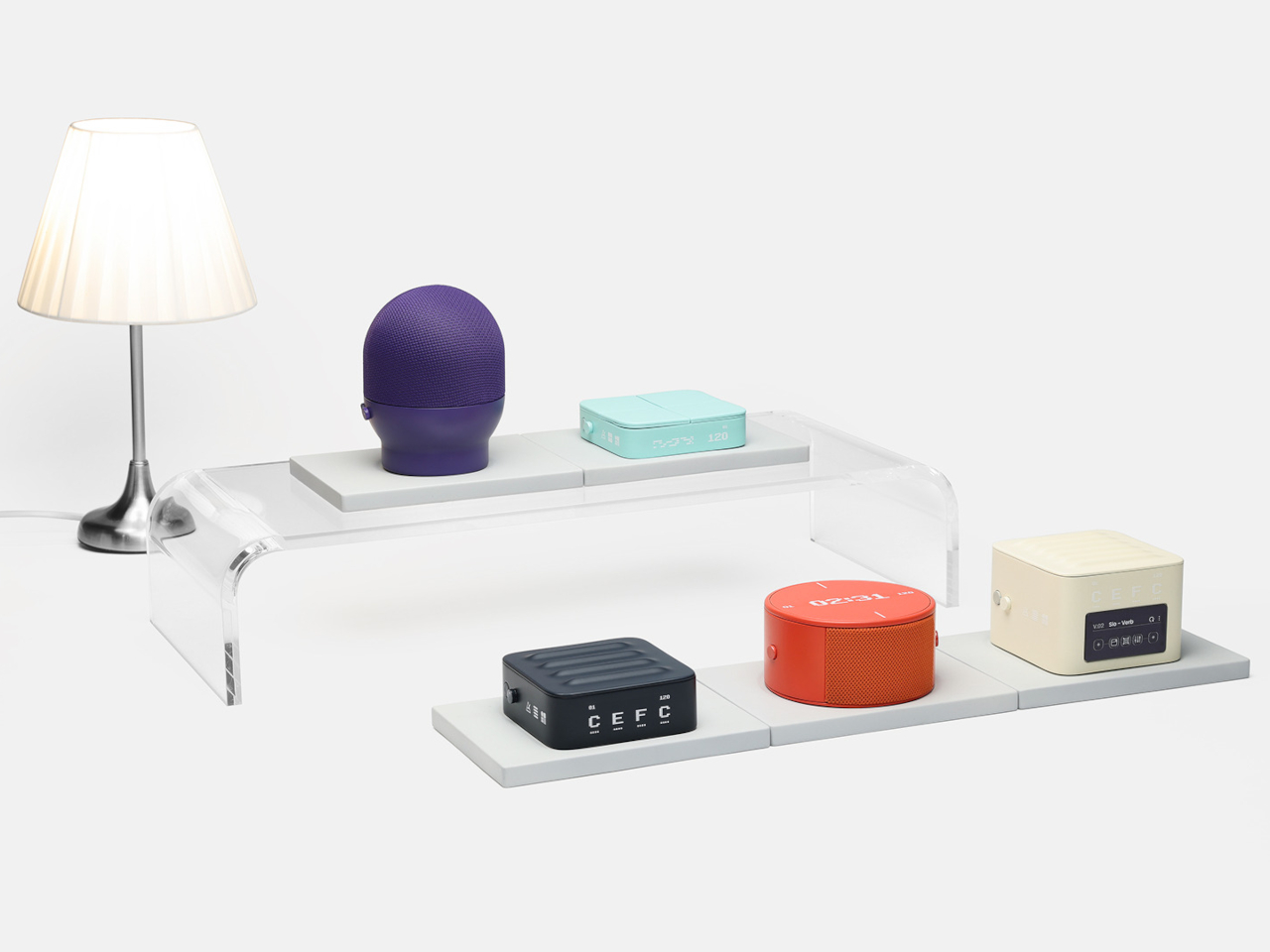
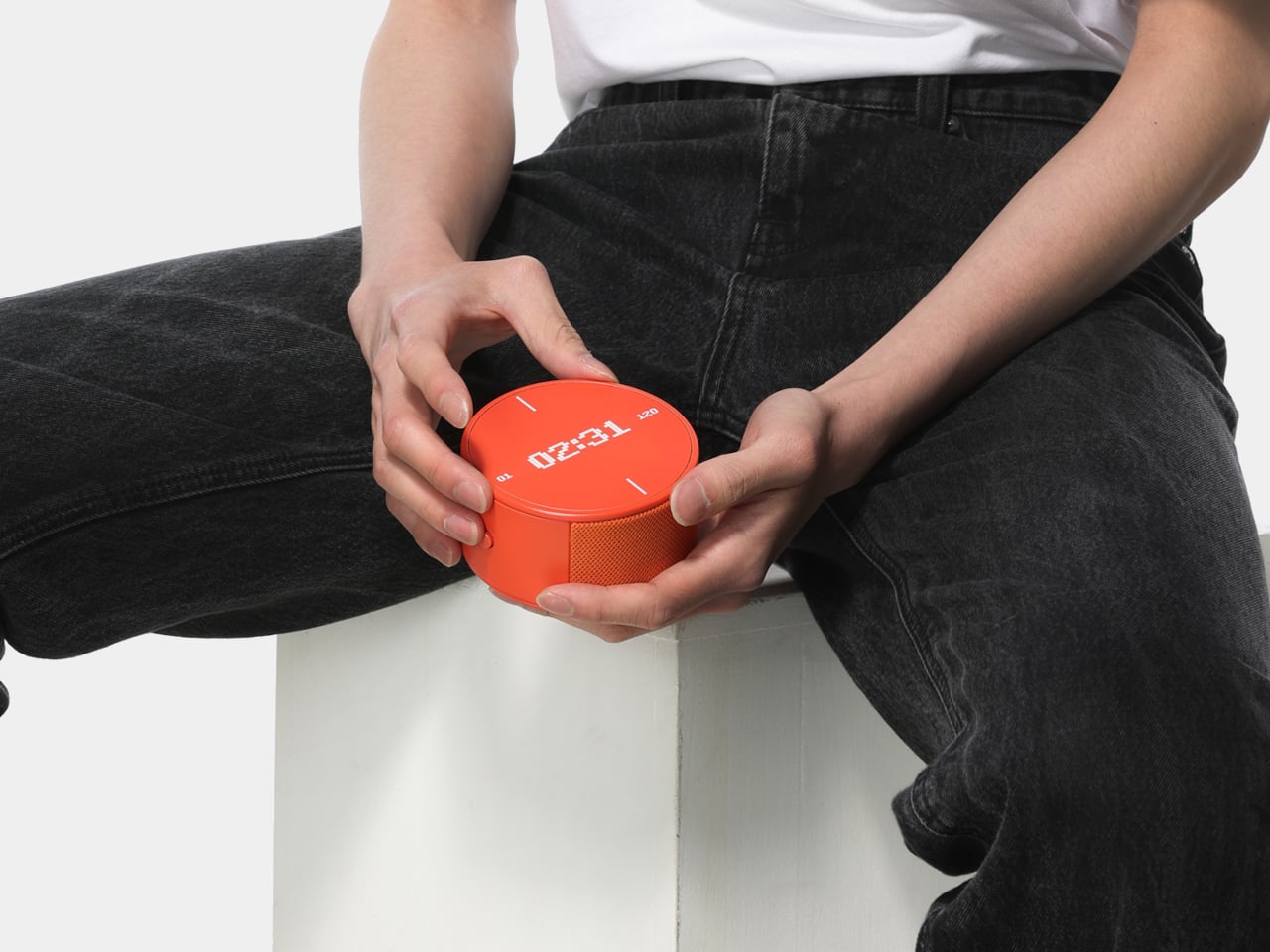
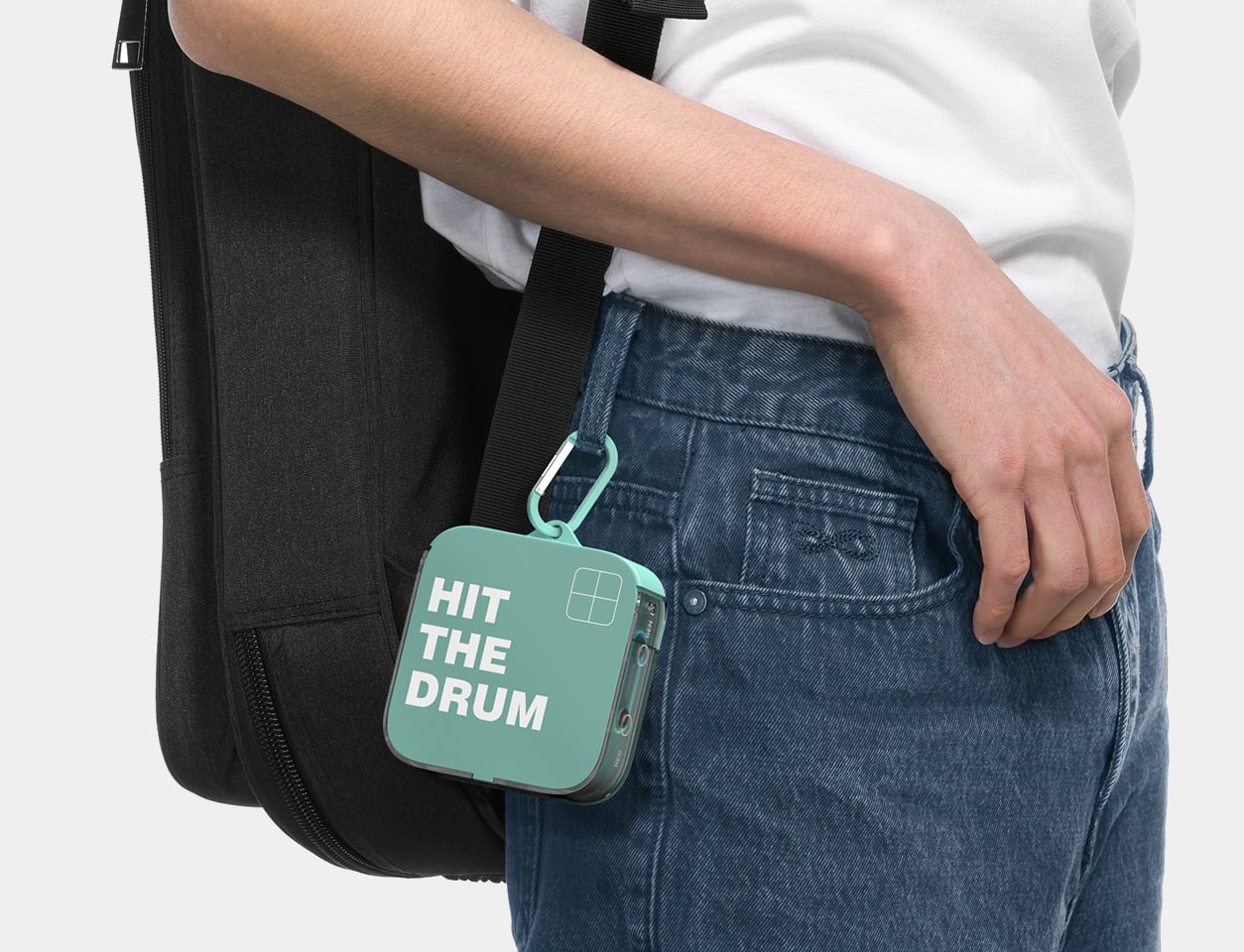
The modules can be scattered around a home rather than living in a studio. One unit near the bed for late-night vocal ideas, another by the desk for quick guitar riffs between emails, a drum module on the coffee table for couch jams. Because they look like small colorful objects rather than studio gear, they can stay out, ready to catch ideas without turning the house into a control room.

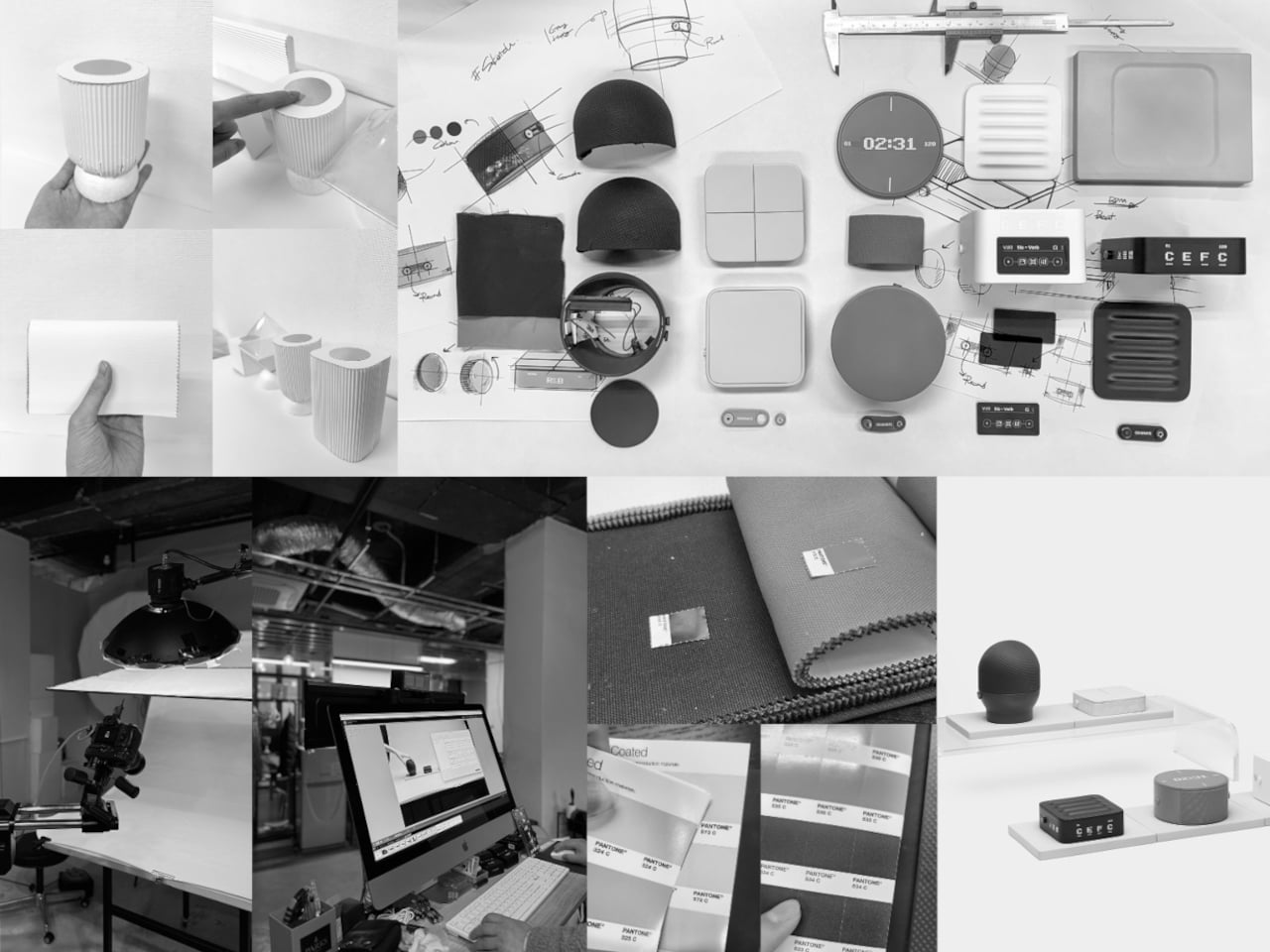
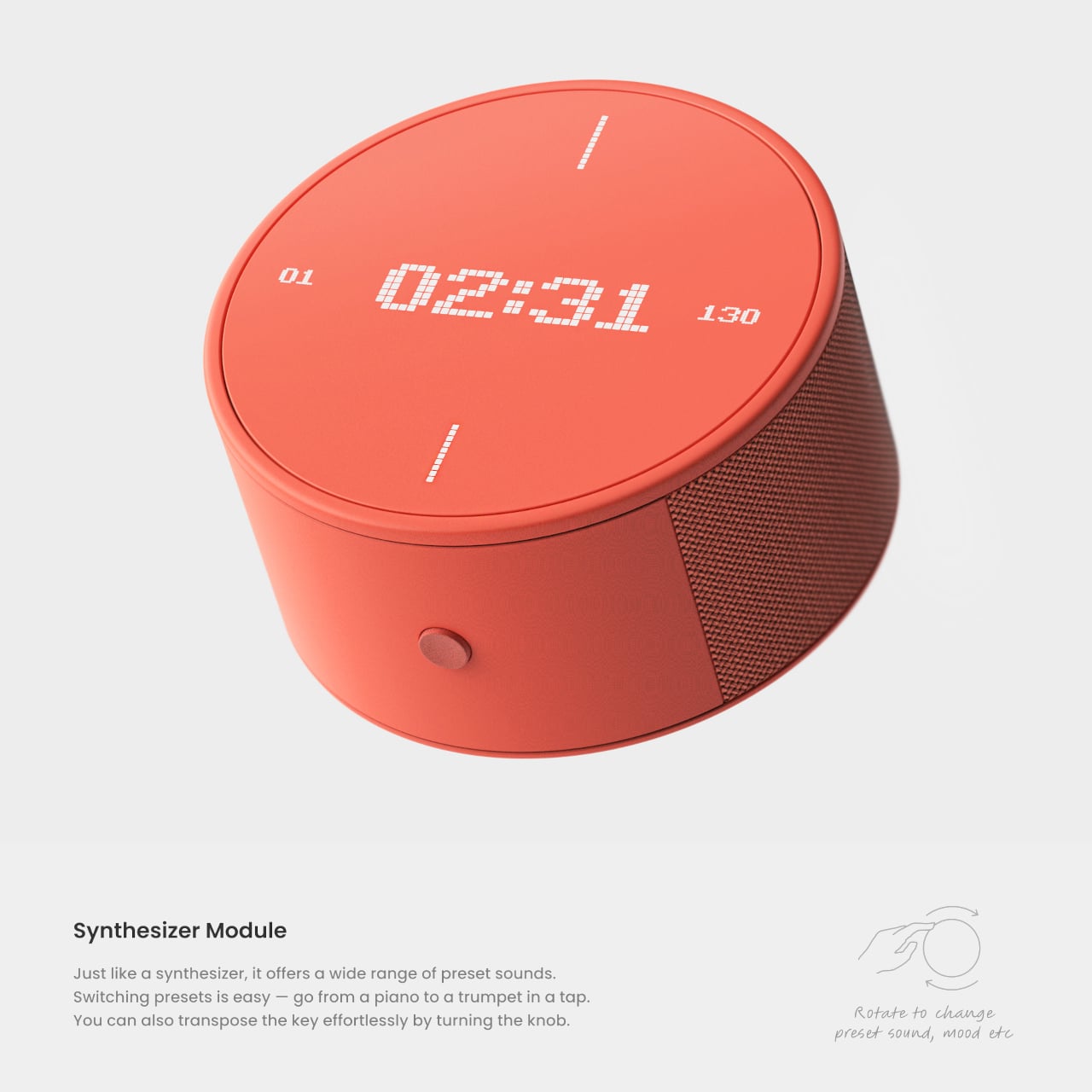
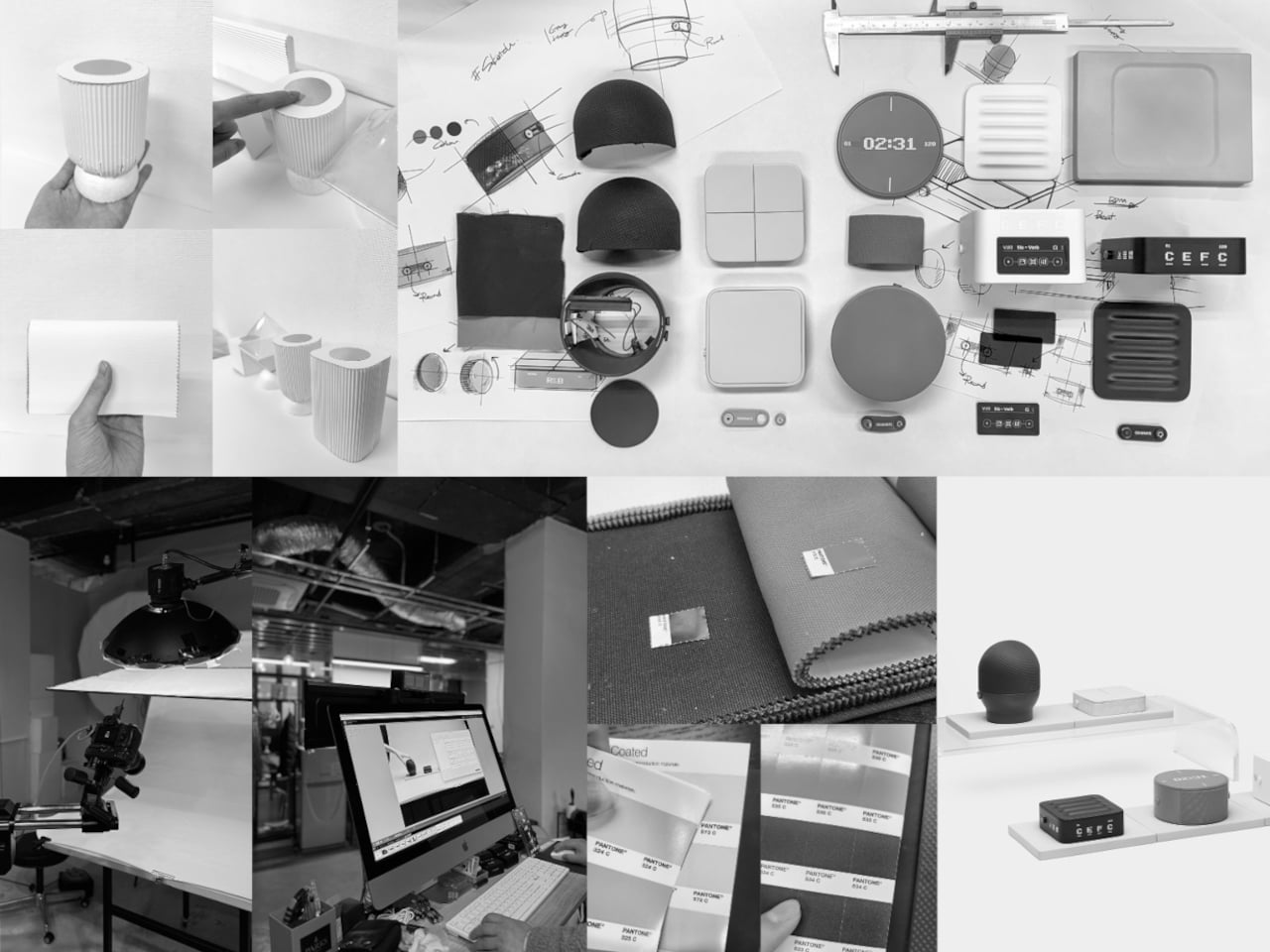
Each module’s color and texture match its role: a plush vocal unit, punchy drum block, bright synth puck, making them easy to grab and easy to live with. They read more like playful home objects than intimidating equipment, which lowers the barrier to experimenting. Picking one up becomes a small ritual, a way to nudge yourself into making sound instead of scrolling or staring at blank sessions.

MUSE began with the question of how creators can embrace AI without losing their identity. The answer it proposes is to keep the musician’s body and timing at the center, letting AI listen and respond rather than dictate. It treats AI as a bandmate that learns your groove over time, not a replacement, and that shift might be what keeps humans in the loop as the tools get smarter.

The post These 5 AI Modules Listen When You Hum, Tap, or Strum, Not Type first appeared on Yanko Design.
UMBRELLA+ Moves the Umbrella Stand Off the Floor and Into Your Exit Routine

Leaving the house, getting halfway down the block, and realizing it is raining, but your umbrella is still in the bucket by the door, is familiar. Traditional umbrella stands live on the floor, out of sight and out of mind, collecting drips and getting kicked aside. The problem is not just storage. It is where that storage lives in the exit routine, and how easy it becomes to completely ignore.

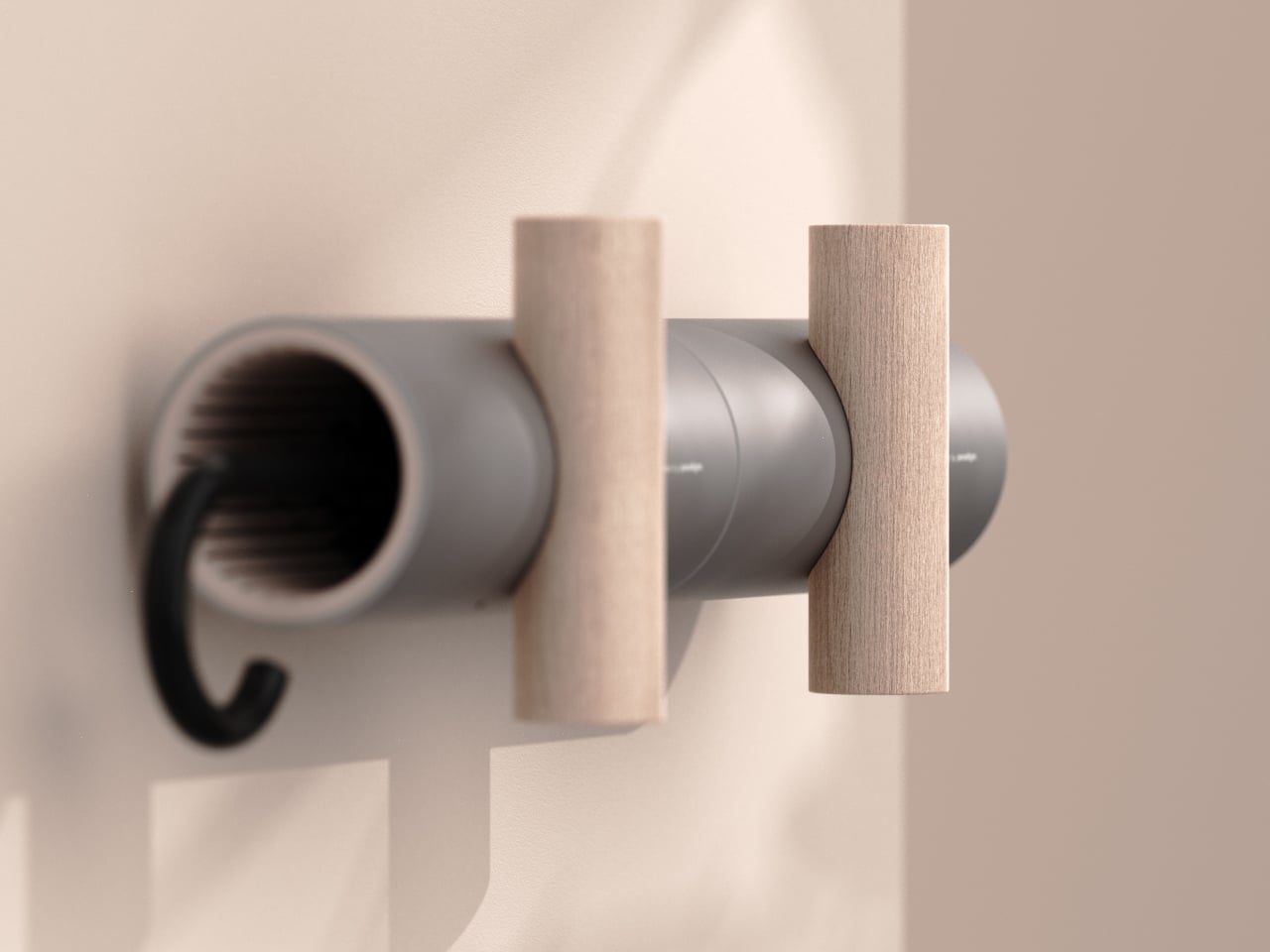
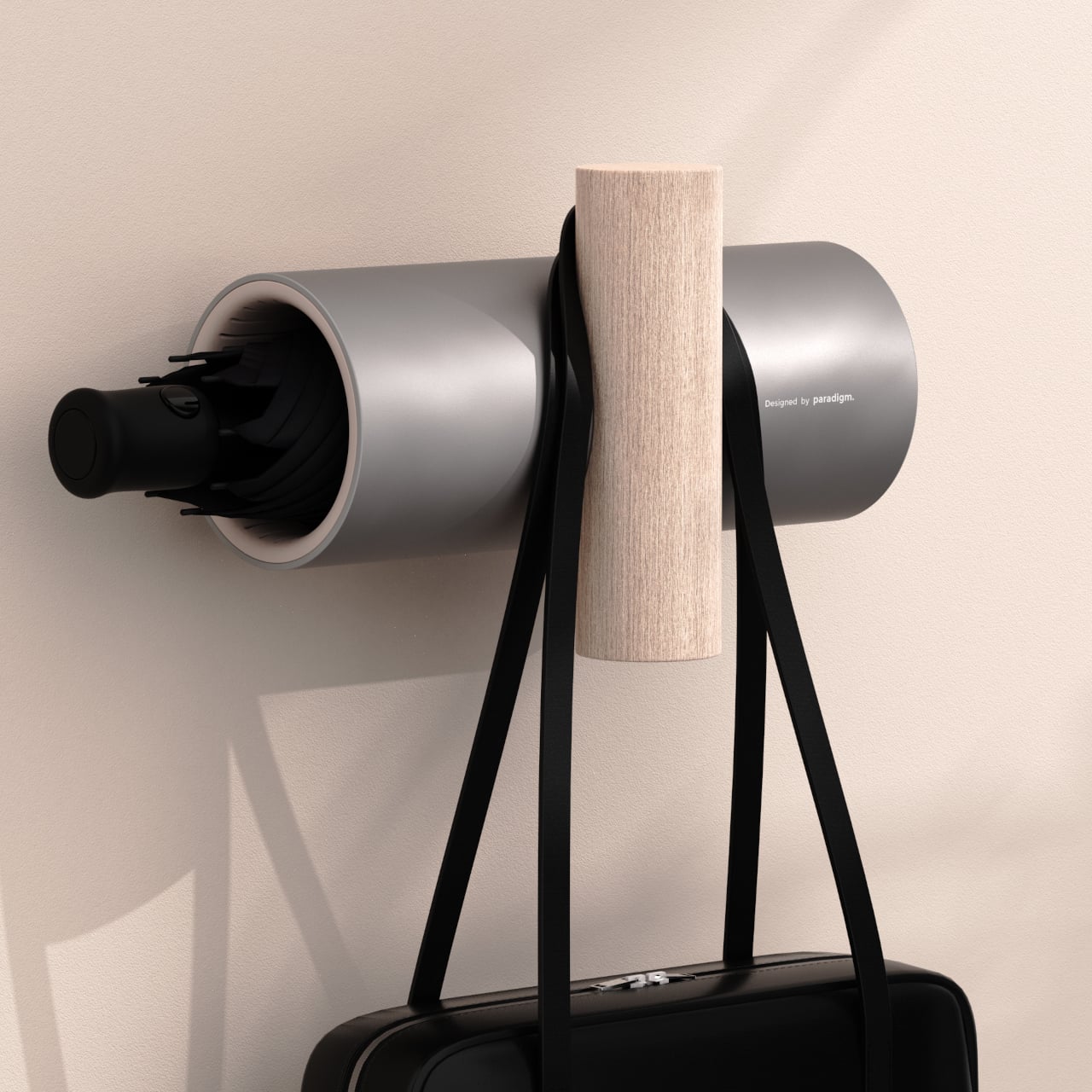
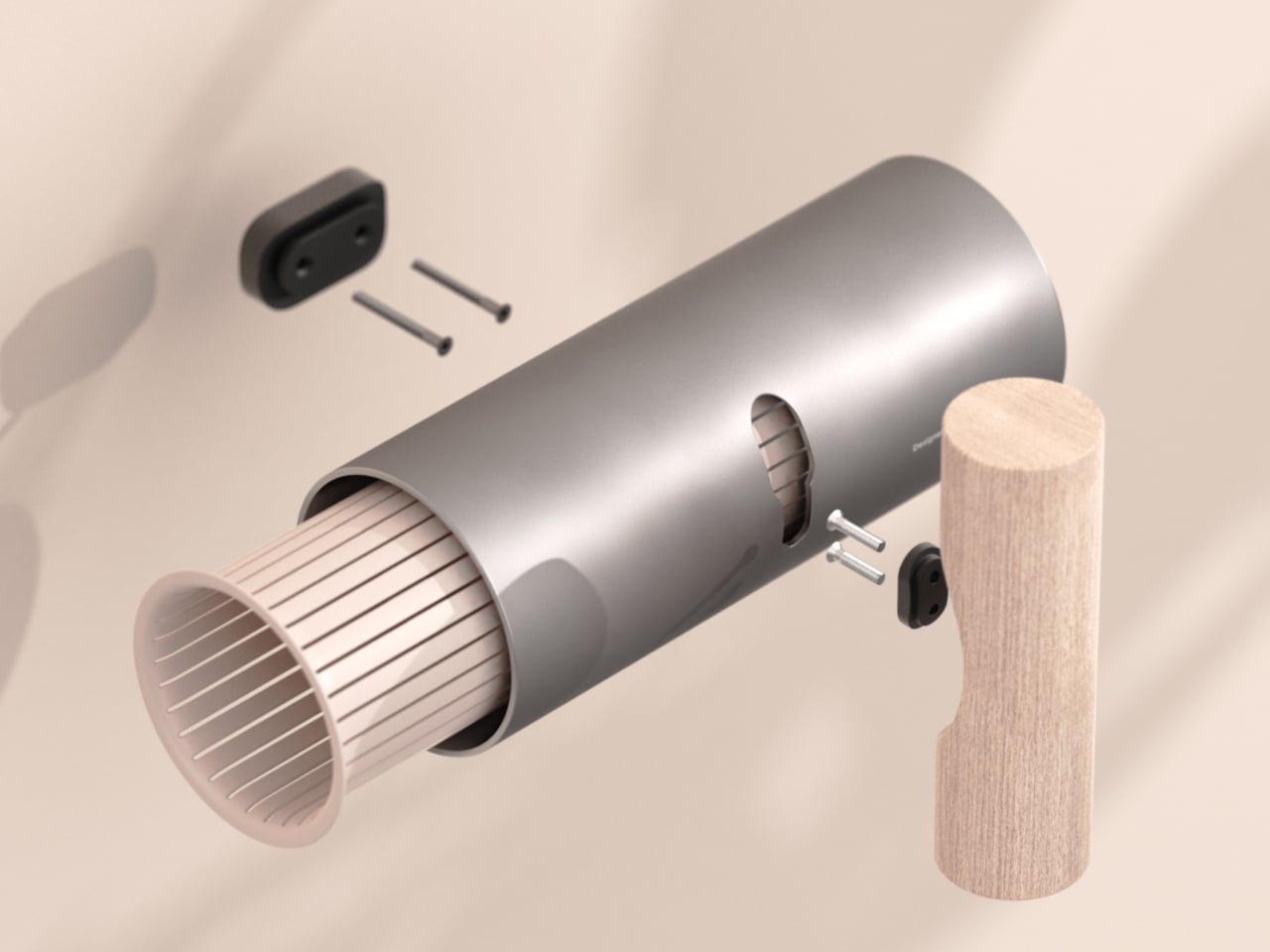
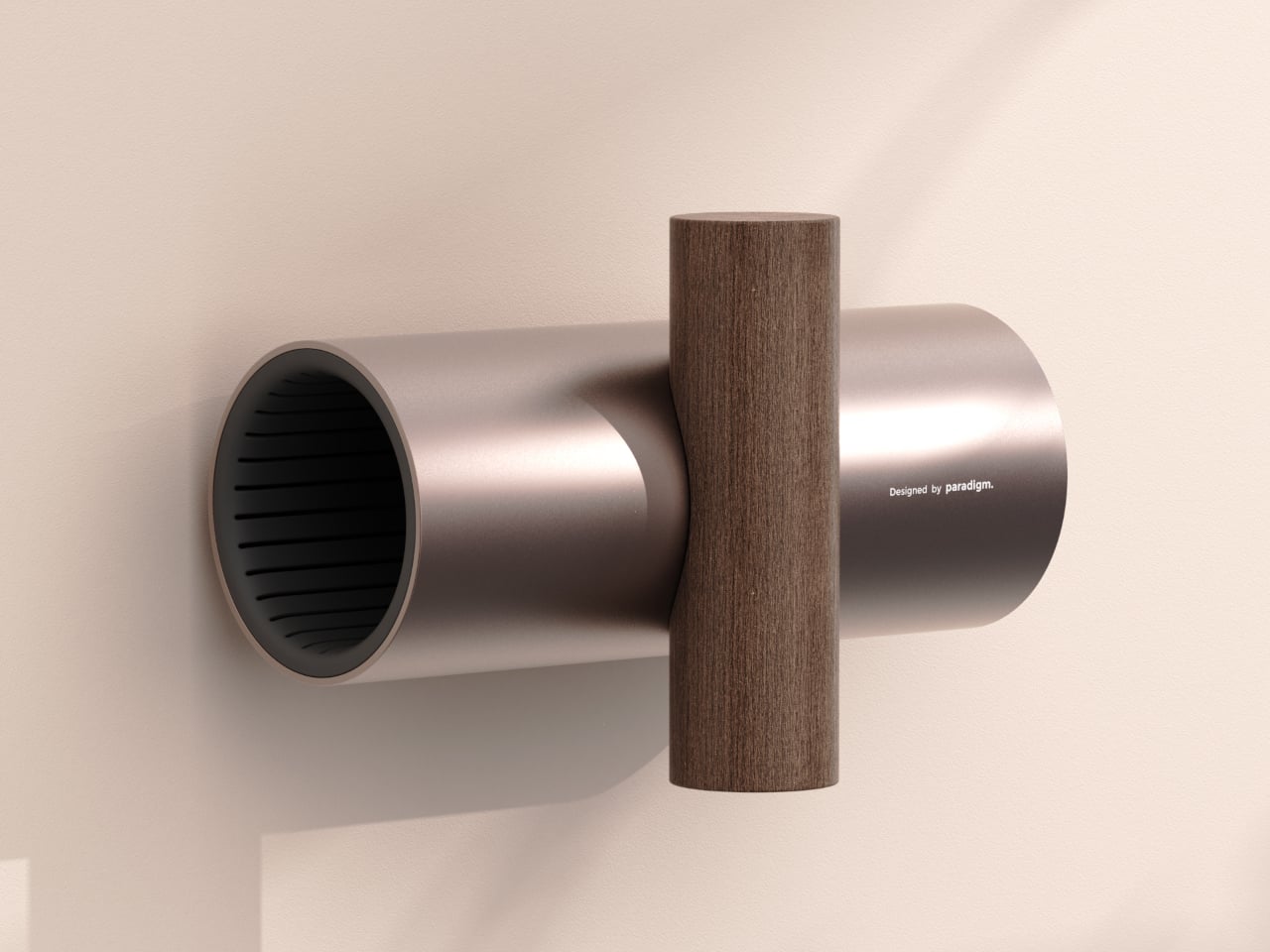
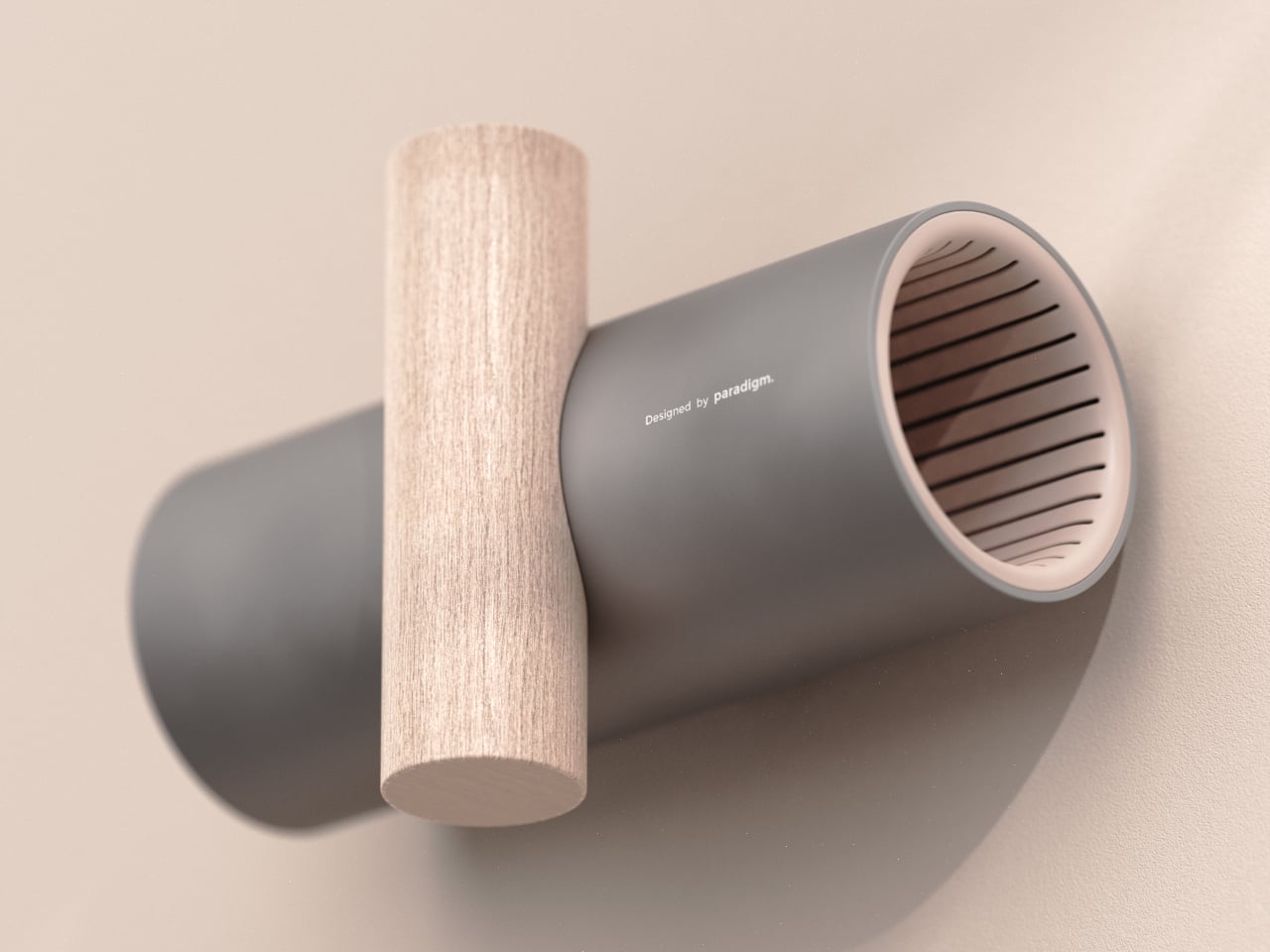
UMBRELLA+ is a concept that revisits the umbrella stand by moving it onto the wall. It is a horizontal cylinder that receives the folded umbrella, intersected by a vertical wooden element that acts as a hook for bags or coats. The T-shaped gesture pulls the umbrella into your field of view at entry height, merging storage and hanging into one coherent system.

Designer: Germain Verbrackel

Getting ready to leave, you grab your coat, loop your bag onto the vertical bar, and the umbrella is right there in the same reach, tucked into the tube or hanging by its handle. Because it sits in the same visual band as the things you already check before walking out, you are less likely to leave it behind. The object rewires the routine by placing the umbrella where your hand already goes.

Coming back wet, the umbrella slides into the tube, where internal ribbing gives the fabric somewhere to rest without collapsing and lets air circulate. It is not a sealed drip tray, so some water may reach the floor, but the design assumes the umbrella is mostly shaken off before it goes inside, which is already part of most people’s entry ritual anyway.

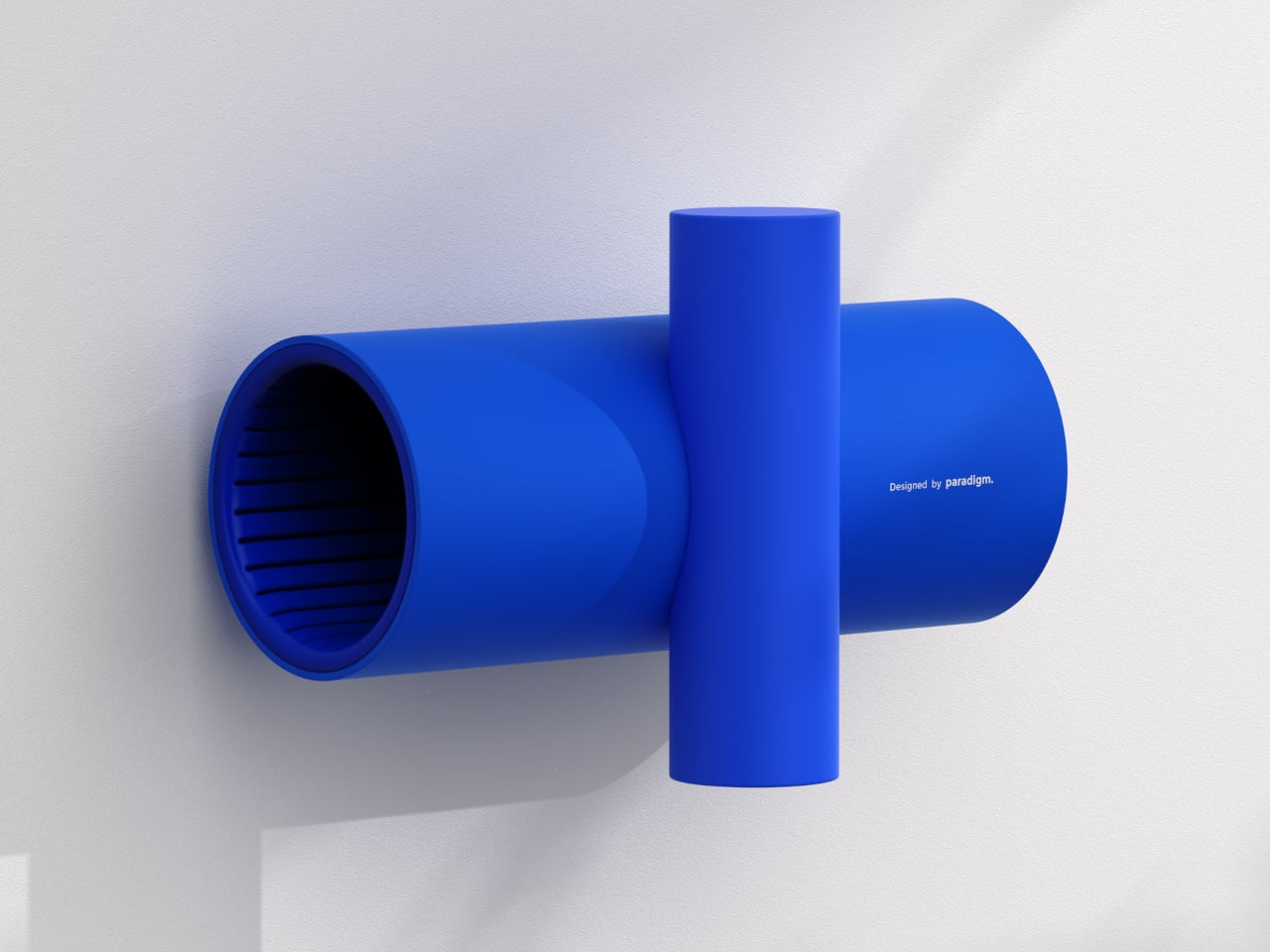
The pairing of a cool, matte cylinder with a warm wooden bar lets UMBRELLA+ slide between different moods. In neutral grey and light wood, it blends into minimal entryways. In bronze and dark wood, it feels warmer and more premium. In full blue, it turns into a playful graphic object. That flexibility lets the same form read as a quiet background or deliberate accent.

UMBRELLA+ is designed for one umbrella plus a bag or coat, not a family with multiple umbrellas fighting for space. That constraint is part of what keeps it visually clean and behaviorally focused. It is a personal entryway object, not a communal storage solution, which makes the most sense in apartments or homes where one or two people are managing their own gear.

UMBRELLA+ is less about inventing a new function and more about moving an existing one into a different part of the wall and the routine. By elevating the umbrella physically and symbolically, it turns something easy to forget into something harder to ignore. Sometimes the best way to solve small daily friction is not a smarter object, but a smarter place to put it, especially when that place is already where you reach every time you leave.

The post UMBRELLA+ Moves the Umbrella Stand Off the Floor and Into Your Exit Routine first appeared on Yanko Design.