Apple is Reportedly Bringing Back the Ceramic Apple Watch

Apple is Reportedly Bringing Back the Ceramic Apple Watch A glossy white ceramic Apple Watch worn on a wrist.

Apple is poised to reintroduce the ceramic Apple Watch with the upcoming Series 12, marking the return of a design last seen in 2019 with the Series 5. Renowned for its glossy white finish and exceptional durability, the ceramic model has long been a favorite among collectors and enthusiasts. While its reappearance is generating excitement, […]

The post Apple is Reportedly Bringing Back the Ceramic Apple Watch appeared first on Geeky Gadgets.

Posted in Uncategorized

Pairing Kimi K3 and DeepSeek V4 Pro Yields 5X API Limits

Pairing Kimi K3 and DeepSeek V4 Pro Yields 5X API Limits The Client Pass unified dashboard showing connected open-weight AI models.

Kimi K3 and DeepSeek V4 Pro are two open-weight AI models that have gained attention for their flexibility and competitive performance, but their true potential often depends on how effectively they are implemented. Universe of AI explores how these models, when paired with the right strategies, can rival proprietary systems while offering unique advantages. For […]

The post Pairing Kimi K3 and DeepSeek V4 Pro Yields 5X API Limits appeared first on Geeky Gadgets.

Posted in Uncategorized

5 Desk Gadgets & Tools Of August 2026 That Make Working From Home Feel Like a Studio

Most home offices look like what they are: a corner negotiated with practicality. The lamp was already there. The desk is covered in objects that arrived separately and never quite agreed to coexist. The difference between a room with a laptop in it and a studio someone is proud to sit in is rarely about square footage. It is about the objects chosen to share that space.

These five picks do not optimize for productivity in any conventional sense. What they do is shift the character of the room: the quality of light on the work surface, the way objects hold their position without adding visual noise, the transparency of what every connected device is doing at any given moment, the warmth of a desk that looks considered rather than assembled. That distinction matters more than most people realize until they sit down to it.

1. Dockcase 7-in-1 USB-C Hub

Most USB-C hubs are forgettable plastic bricks you plug in and never look at again. The Dockcase 7-in-1 by Seesaw is the first hub worth looking at, because it actively shows you what it is doing. A touchscreen display on the front face delivers live readouts of transfer speeds, power delivery status, and SSD health — which sounds like a technical feature until you realize it means you never have to guess whether a file transfer is stalled, a port is pulling full power, or your connected drive is under strain. It is mission control in a 113-gram metallic shell.

The port selection is built for a complete desk: a 10 Gbps USB-C host port, a 100W Power Delivery pass-through that keeps a laptop charged without consuming an outlet, an HDMI output at 4K 120Hz, a UHS-II SD card slot, a TF slot, a USB-A port, and a bay for an M.2 SSD up to 2TB. That last feature — dockable high-speed internal storage — separates the Dockcase from every competitor in its category. Active cooling keeps performance stable under sustained load, and the fan speed is adjustable directly from the touchscreen. The screen also rotates 180 degrees, which is the kind of considered detail that only appears in products made by people who use the thing themselves. This is Seesaw’s 12th Kickstarter campaign, and the credibility shows. At $129, it is priced below its expected retail of $179, and it ships to the US, UK, and EU.

What we like

  • The live touchscreen dashboard makes a hub a transparent tool rather than a black box, which is a category-defining shift
  • Dockable 2TB M.2 SSD support consolidates external storage directly into the hub, eliminating a separate drive on the desk

What we dislike

  • The touchscreen and active cooling add complexity that a simpler hub does not carry — more features means more components with finite lifespans

2. Infinite Solas Lamp

At $325, the Infinite Solas is priced like a statement and operates like one. It is a cordless designer lamp, meaning no cable runs to the wall and no cord crosses the desk surface, which changes the visual cleanliness of the whole setup in a way that sounds minor and registers immediately. The lamp adjusts in height, direction, brightness, and warmth, which means it moves through a full workday from a soft morning reading light to a focused evening session without friction or compromise.

The cordless design is the feature most people describe after a week of living with it. A lamp that can be repositioned without routing a cable changes where it can live — to the left of a keyboard, on a shelf riser behind the monitor, or at the corner of the desk entirely. That freedom of placement belongs to a class of objects that earn their price not through a single headline specification but through the accumulated quality of daily contact with something made without visible compromise.

Click Here to Buy Now: $325.00

What we like

  • Cordless operation changes the visual cleanliness of a desk in a way no cable management solution can replicate
  • The full range of adjustments across height, direction, brightness, and warmth covers every lighting need across the working day

What we dislike

  • At $325, it requires a level of commitment that rules it out as a casual or low-consideration purchase
  • A cordless lamp is a lamp that needs charging, and that charging requirement introduces a variable a corded lamp does not carry

3. Ugmonk Gather

The Ugmonk Gather is a modular desk organization system made in Pennsylvania from powder-coated steel, walnut, and felt, with embedded magnets holding each component to the next. Individual pieces start at $49 and expand outward: pen holders, note trays, card organizers, each designed to connect to the others without fasteners or visible hardware. The modularity is genuine rather than theoretical — pieces can be rearranged, added to, or reduced in seconds as the desk layout or daily routine changes around them.

The felt lining and walnut inserts are what separate Gather from the category of desk organizers that are technically functional and visually unremarkable. Each piece is finished with enough care that the physical act of picking up a pen or pulling a card from the tray has a small, deliberate quality that cheaper systems do not reproduce. It is one of the few organizational products that contributes positively to how a desk looks even when it sits empty, which is its most honest test.

What we like

  • The magnetic connection system means the layout reconfigures in seconds without tools or any lasting commitment
  • American-made materials and construction are visible in the finish quality, not just stated on the packaging

What we dislike

  • Building a complete system from individual pieces adds up quickly, and restraint in selection is harder than it sounds when each piece is designed to invite the next
  • Walnut components require the same care as any wood product, and prolonged direct sunlight will fade the finish over time

4. Orbitkey Desk Mat

The Orbitkey Desk Mat costs $99.90 and covers the work surface in vegan leather — a polyurethane material with a smooth finish and a subtle texture that reads as refined rather than synthetic. A felt backing protects the desk underneath from scratches and keeps the mat from shifting during use. The surface is water-repellent and wipes clean, which means it absorbs the visual wear of a working desk — coffee condensation, errant pen marks — without accumulating the physical wear that fabric alternatives carry after a year of daily contact.

A desk mat is the item most people overlook when upgrading a workspace because a bare desk surface is still visible, and every object placed on top of it sits in front of whatever grain or color lies underneath. The Orbitkey resolves that with a single consistent material that gives everything placed on top of it a unified ground. It holds a rating of 4.8 out of 5 stars across verified reviews, which is an unusual score for a product this quietly utilitarian in its purpose.

What we like

  • The water-repellent surface is genuinely maintenance-free for the condensation and minor spills that mark up fabric alternatives
  • The felt backing keeps the mat in place and buffers any desk surface imperfections underneath

What we dislike

  • Vegan leather ages differently from genuine leather, and the aging is predictable rather than characterful over several years of use
  • The smooth surface is not suited to every mouse sensor, particularly older optical sensors that require texture to track accurately

5. Grovemade Walnut Desk Shelf

The Grovemade Walnut Desk Shelf is the single piece of desk furniture most likely to change how a workspace looks and, more importantly, how it feels to sit at. Cut from 15-ply solid walnut in three sizes — Small at $180, Medium at $250, Large at $290 — it lifts the monitor and creates two distinct working planes where previously there was a single flat surface. That vertical separation reorganizes the visual hierarchy of everything placed on the desk around it.

The walnut is hand-finished, which gives the surface a warmth that manufactured materials reliably fail to replicate. Grovemade also offers the shelf in maple and matte black, meaning there is a version that reads as natural and one that reads as architectural. The large shelf supports monitors up to 50 pounds and accommodates ultra-wide screens. It is the kind of object that makes everything else on the desk look more intentional by association.

What we like

  • The walnut surface develops character over time, which is something a plastic monitor riser cannot do
  • Three sizes mean it scales from a compact writing desk to an extended dual-monitor station

What we dislike

  • Committing to the right size requires measuring carefully before ordering, because the price gap between small and large is meaningful
  • Walnut is warm-toned, which suits natural and warm desk surfaces and clashes with cooler, grey, or white setups

A Studio Is Just a Desk Chosen Deliberately

None of these five objects will change how you work. The hub does not write better emails. The lamp does not shorten meetings. What they do is change how the room around the work feels, and that feeling compounds. A desk you are genuinely glad to sit at generates a different quality of attention than one that simply occupies a corner of the room with you and waits for Monday.

The difference between a home office and a studio is almost entirely one of intention. These five picks represent five specific decisions: how the desk connects to every device around it, where light comes from and how it moves through the day, where small objects live when not in hand, what the working surface looks and feels like under everything else, and where the monitor sits relative to the desk itself. Together, they do not decorate a workspace. They define one.

The post 5 Desk Gadgets & Tools Of August 2026 That Make Working From Home Feel Like a Studio first appeared on Yanko Design.

Proxima Fusion Plans the Alpha Stellarator for the Early 2030S

Proxima Fusion Plans the Alpha Stellarator for the Early 2030S A donut-shaped stellarator fusion reactor with complex helical magnetic coils.

Europe’s efforts to develop a commercial nuclear fusion reactor are gaining momentum, with Proxima Fusion leading the charge. Founded in 2023, this company is advancing the stellarator, a complex reactor design that uses a helical magnetic field to confine plasma for sustained fusion reactions. Unlike the more common tokamak, which operates in pulses, the stellarator […]

The post Proxima Fusion Plans the Alpha Stellarator for the Early 2030S appeared first on Geeky Gadgets.

Posted in Uncategorized

Google Maps vs. Apple Maps: Why Google is on Top Again

Google Maps vs. Apple Maps: Why Google is on Top Again Google Maps vs. Apple Mapsv

  Google Maps has reaffirmed its position as the premier navigation app by introducing a series of updates that significantly enhance its functionality, visual appeal, and overall user experience. These advancements, particularly evident on CarPlay, include innovative visual features, dynamic navigation tools, and seamless integration with Gemini technology. By addressing user demands and refining its […]

The post Google Maps vs. Apple Maps: Why Google is on Top Again appeared first on Geeky Gadgets.

Posted in Uncategorized

Microsoft PowerToys App Gets a macOS Alternative with Vorssaint

Microsoft PowerToys App Gets a macOS Alternative with Vorssaint The Versant utility app interface showing modular tools for macOS.

MacOS often leaves users searching for ways to address specific gaps in functionality, particularly when it comes to managing workflows or customizing system behavior. Rogi examines Vorssaint, a modular and free utility app designed to tackle these challenges with precision. One standout feature is its Volume Mixer, which enables users to adjust audio levels for […]

The post Microsoft PowerToys App Gets a macOS Alternative with Vorssaint appeared first on Geeky Gadgets.

Posted in Uncategorized

Leaked Galaxy S27 Pro Concept Hints at Samsung’s Boldest Redesign Yet

Leaked Galaxy S27 Pro Concept Hints at Samsung’s Boldest Redesign Yet Galaxy S27 Pro

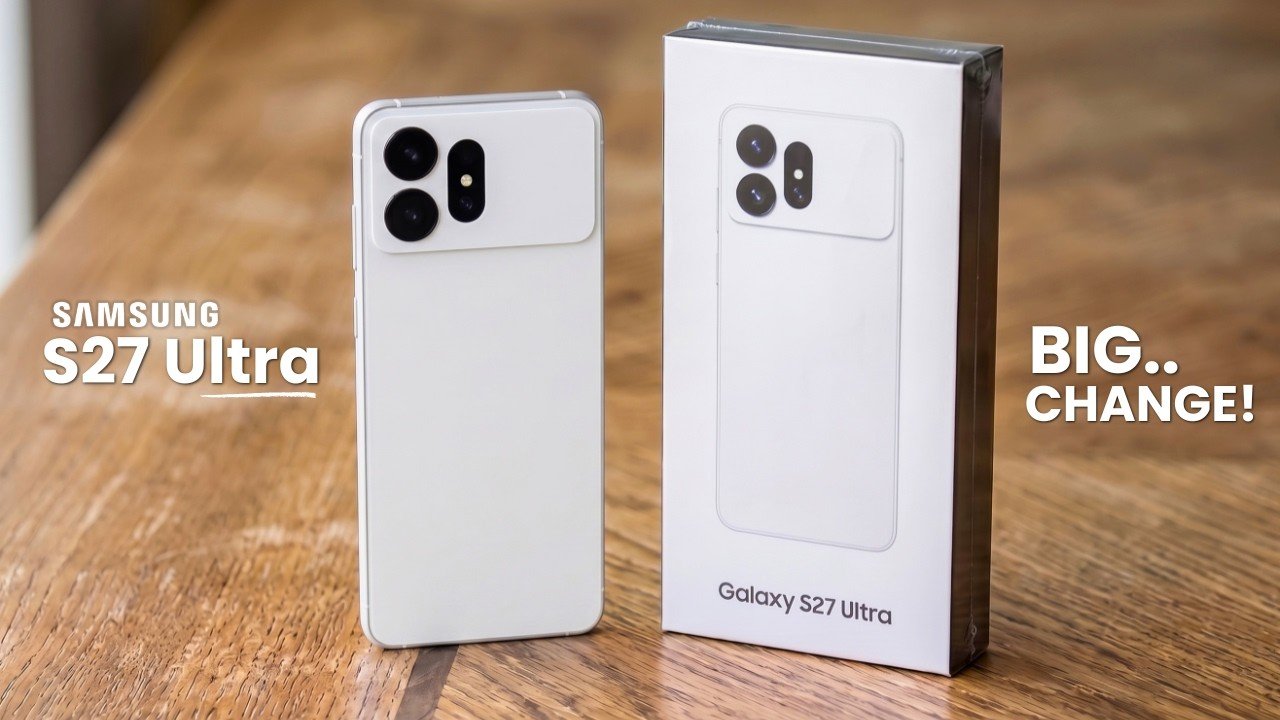
The Samsung Galaxy S27 Pro is shaping up to be a pivotal addition to Samsung’s smartphone lineup, offering a blend of advanced technology and thoughtful design. Expected to launch in early 2027, this device is rumored to feature a sleek vertical camera layout, innovative hardware, and a refined aesthetic. Positioned as a premium yet slightly […]

The post Leaked Galaxy S27 Pro Concept Hints at Samsung’s Boldest Redesign Yet appeared first on Geeky Gadgets.

Posted in Uncategorized

Sony ZV-E10 Mark II Beats DJI Osmo Pocket 4P in Low Light

Sony ZV-E10 Mark II Beats DJI Osmo Pocket 4P in Low Light The DJI Osmo Pocket 4P camera with its built-in mechanical gimbal

When comparing the DJI Osmo Pocket 4P and the Sony ZV-E10 Mark II, it’s clear that each camera is designed with distinct users in mind. The Pocket 4P emphasizes portability and ease of use, featuring a built-in mechanical gimbal for stabilization and dual sensors for versatile shooting. On the other hand, the ZV-E10 Mark II […]

The post Sony ZV-E10 Mark II Beats DJI Osmo Pocket 4P in Low Light appeared first on Geeky Gadgets.

Posted in Uncategorized

RayNeo Just Split Smart Glasses Into Two, and Neither One Compromises

The smart glasses category has long struggled with identity. Most devices try to do too much and end up doing nothing all that well. RayNeo’s answer to that is two entirely separate glasses for opposite ends of the spectrum: the iO as a discreet all-day AI companion and the GT Series as a portable personal theater. It’s a straightforward bet that specialization beats compromise.

The iO is the one you’d wear to a meeting and forget you have on. At 33 grams, with an aerospace-grade titanium frame and magnesium-aluminum alloy construction, it distributes weight evenly enough to disappear on your face. The display is invisible to anyone looking at you, a 97% transparent waveguide that delivers text at 1,300 nits of brightness while looking like ordinary eyewear to everyone else in the room.

Designer: RayNeo

What the iO actually does with that display is where things get interesting. Sit through a meeting, and it’s quietly logging the conversation, capturing context, and flagging action items that you can approve with a nod. Step up to give a presentation and its Auto-Teleprompter scrolls your script in sync with your speaking pace. For frequent travelers, it translates across 55 languages and 109 accents in near real time.

The iO doesn’t have speakers or a camera, which is a deliberate call. A four-mic array paired with a bone conduction sensor picks up your voice clearly even in noisy environments, and the 240mAh battery stretches to two days of regular use. Bluetooth 5.4 with MFi certification, IP54 water resistance, and a tactile Smart Crown rotary dial on the right temple complete the hardware.

The GT Series is a completely different proposition. Where the iO blends in, the GT and GT Max make no apologies for what they are: personal cinemas you wear on your face. The standard GT projects a 231-inch virtual screen at a 46° field of view, and the GT Max scales that up to a maximum of 307 inches at 59°, adjustable across three selectable sizes.

Paired with the RayNeo Pocket TV Pro, a Google TV-powered streaming device with a 6,500mAh battery, the GT Series is also the world’s first AR glasses system to support native Dolby Vision playback. That companion device powers both itself and the glasses for about 5.5 hours of streaming, which means actual Dolby Vision on a screen that fills more of your visual field than most living room televisions.

Audio in the GT Series comes from a quad-speaker system co-tuned by Bang & Olufsen, using a six-magnetic circuit design that delivers a 5dB boost in low-frequency sensitivity. Head-tracked spatial audio keeps the soundstage anchored as you move, and a dedicated Steady Mode in the 3DoF chip filters out turbulence and vehicle vibration, making it a natural companion for long flights or train journeys.

Both products go on sale September 4, 2026, via RayNeo’s website and Amazon. The GT starts at $299 and the GT Max at $399, with pricing for the iO still to be confirmed. Custom prescription lens inserts are supported across both GT models, and the GT Max comes in three IPD sizes to accommodate different face shapes. It’s a two-pronged launch that doesn’t hedge its bets on either end.

The post RayNeo Just Split Smart Glasses Into Two, and Neither One Compromises first appeared on Yanko Design.