Designers Finally Admit: These 7 Gifts Beat Every Fancy Pen Set

The fancy pen set has become the most predictable gift in the design world. Sleek metal barrels tucked into velvet cases, often expensive, rarely used. They end up in drawers alongside forgotten business cards and mystery cables. Designers know this pattern well because they’ve received these sets multiple times, smiled politely, and wondered why gift givers keep missing what actually matters: tools that solve real problems beautifully.

The best gifts for designers aren’t decorative. They’re functional objects elevated through thoughtful design, things that get touched daily and spark small moments of satisfaction. The tools below earned their place on studio desks and in everyday carry rotations because they do their jobs exceptionally well while looking good doing it. Each one beats the fancy pen set by actually getting used.

1. Stud Measure

The LEGO builder’s toolkit has remained surprisingly incomplete for decades. Brick separators arrived to spare fingernails, storage systems evolved to organize thousands of pieces, but measuring stayed primitive. Counting studs by hand across baseplates or estimating dimensions by eye works until precision matters. The Stud Measure addresses this gap with a measuring tape designed specifically for LEGO’s geometry, speaking the language of studs, bricks, and plates, rather than forcing builders to convert from inches or centimeters.

Riley from Brick Science designed this tool after years of building on camera for over two million subscribers. The bright blue clip snaps directly into LEGO studs, anchoring the tape without dangling metal hooks or slipping off edges. The flexible tape extends to 190 studs, covering roughly 60 inches of real-world distance. That length handles most train layouts, modular building displays, and tabletop city builds without needing to retract and reposition. The markings translate directly into LEGO measurements, turning what used to require mental math into something you can read at a glance.

What we like

  • The clip integration feels obvious once you see it, snapping into studs the same way bricks do.
  • The 190 stud length covers serious builds without falling short when you need it most.
  • Pricing sits at $9.99, low enough to grab without overthinking the purchase.
  • The tape works equally well measuring horizontal baseplates or vertical wall constructions.

What we dislike

  • The single color option limits personalization for builders who customize everything.
  • The tape’s flexibility means it can bow slightly on unsupported long measurements.
  • Storage becomes another loose item in the parts bin without a dedicated home.
  • The niche appeal means non-LEGO builders won’t find much use for it.

2. Magboard Clipboard

Clipboards haven’t changed much in generations. A rigid board, a spring clip, maybe a storage compartment if you’re lucky. They work fine for static documents but fall apart the moment you need to rearrange pages, add sheets mid-project, or work with different paper sizes. The Magboard rebuilds this basic tool using magnets and a lever mechanism that holds up to 30 sheets while letting you reorganize on the fly.

The hardcover design maintains writing stability even when you’re standing or moving between spaces, giving you the structure notebooks provide without forcing a predetermined page order. Water resistance protects your work when coffee tips over or rain hits unexpectedly. The magnetic clip releases and secures smoothly, creating a tactile interaction that feels more intentional than wrestling with a bent spring clip. Loose sheets stay loose, giving you complete freedom to sketch, annotate, shuffle, and discard without worrying about binding.

Click Here to Buy Now: $45.00

What we like

  • The magnetic mechanism handles 30 sheets without feeling strained or weak.
  • Rearranging pages mid-project happens instantly instead of requiring unbinding and rebinding.
  • The hardcover support makes vertical note-taking actually practical for site visits or standing meetings.
  • Water resistance means the clipboard itself survives the chaos that kills paper.

What we dislike

  • The minimalist design lacks storage pockets for pens or business cards.
  • Magnets can interfere with some types of metallic ink or magnetic stripe cards if stored together.
  • The rigid form takes up more bag space than flexible clipboards.
  • Premium materials push the price higher than basic office supply versions.

3. Z3RO Mini Knife

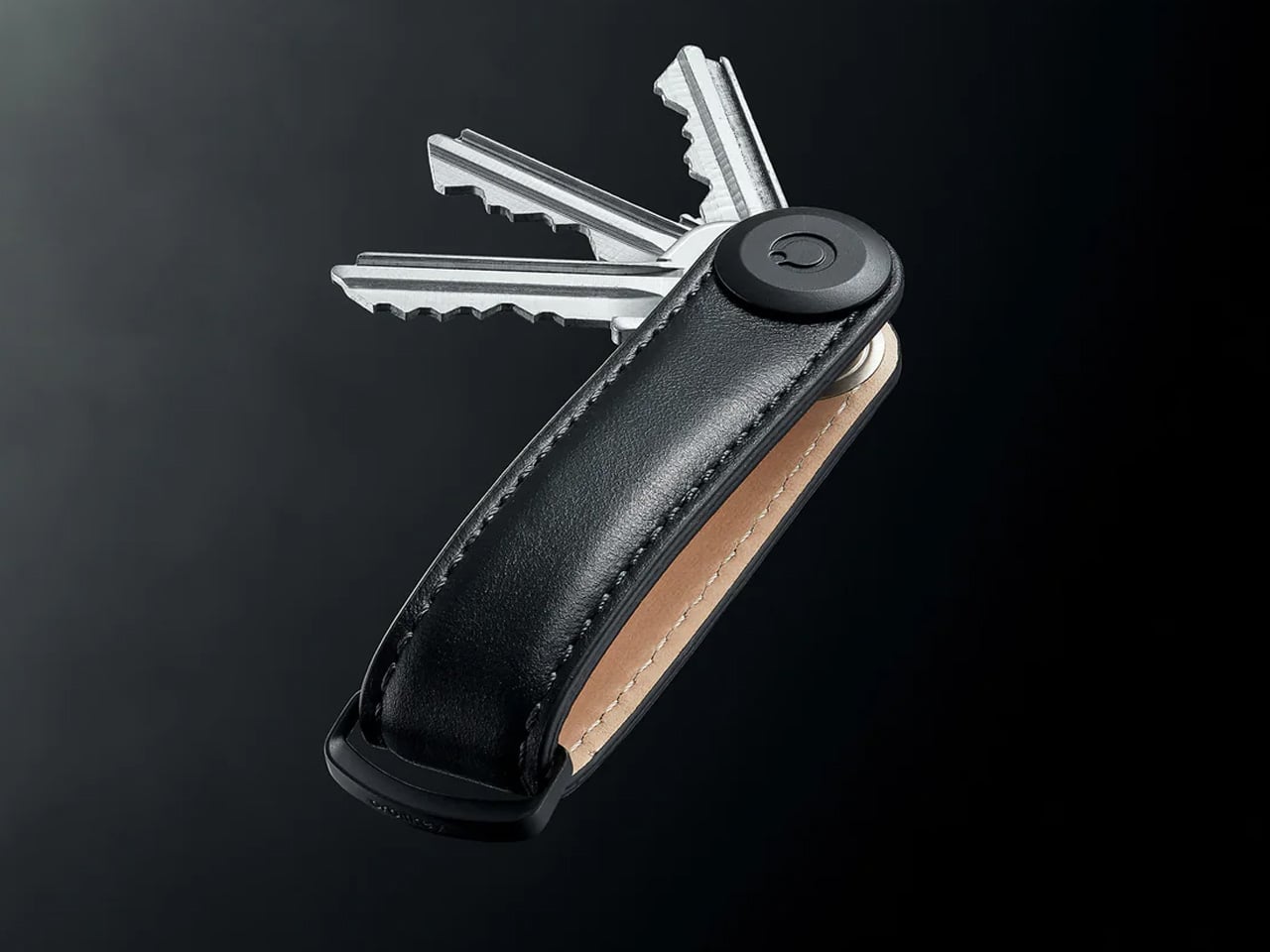
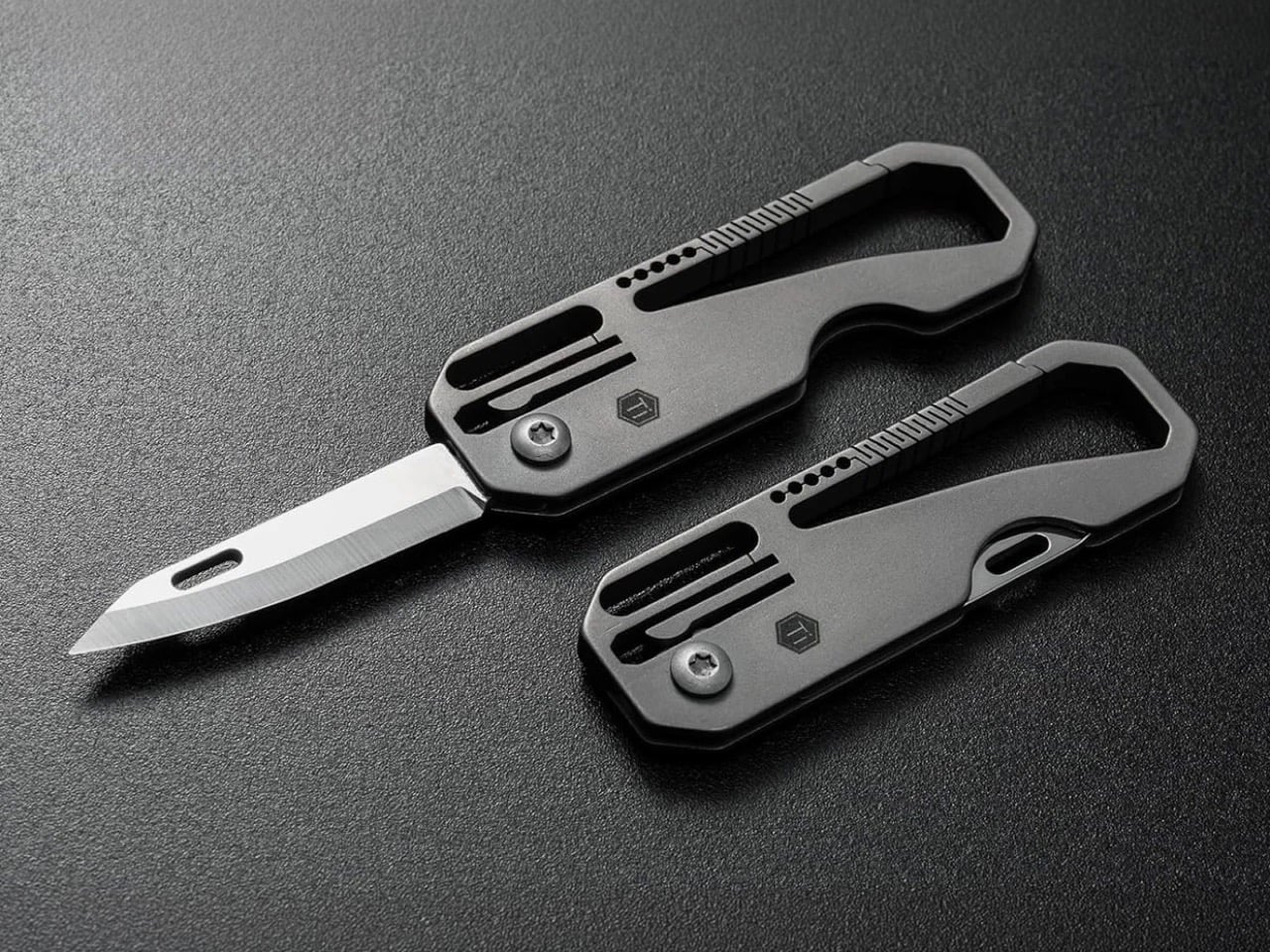
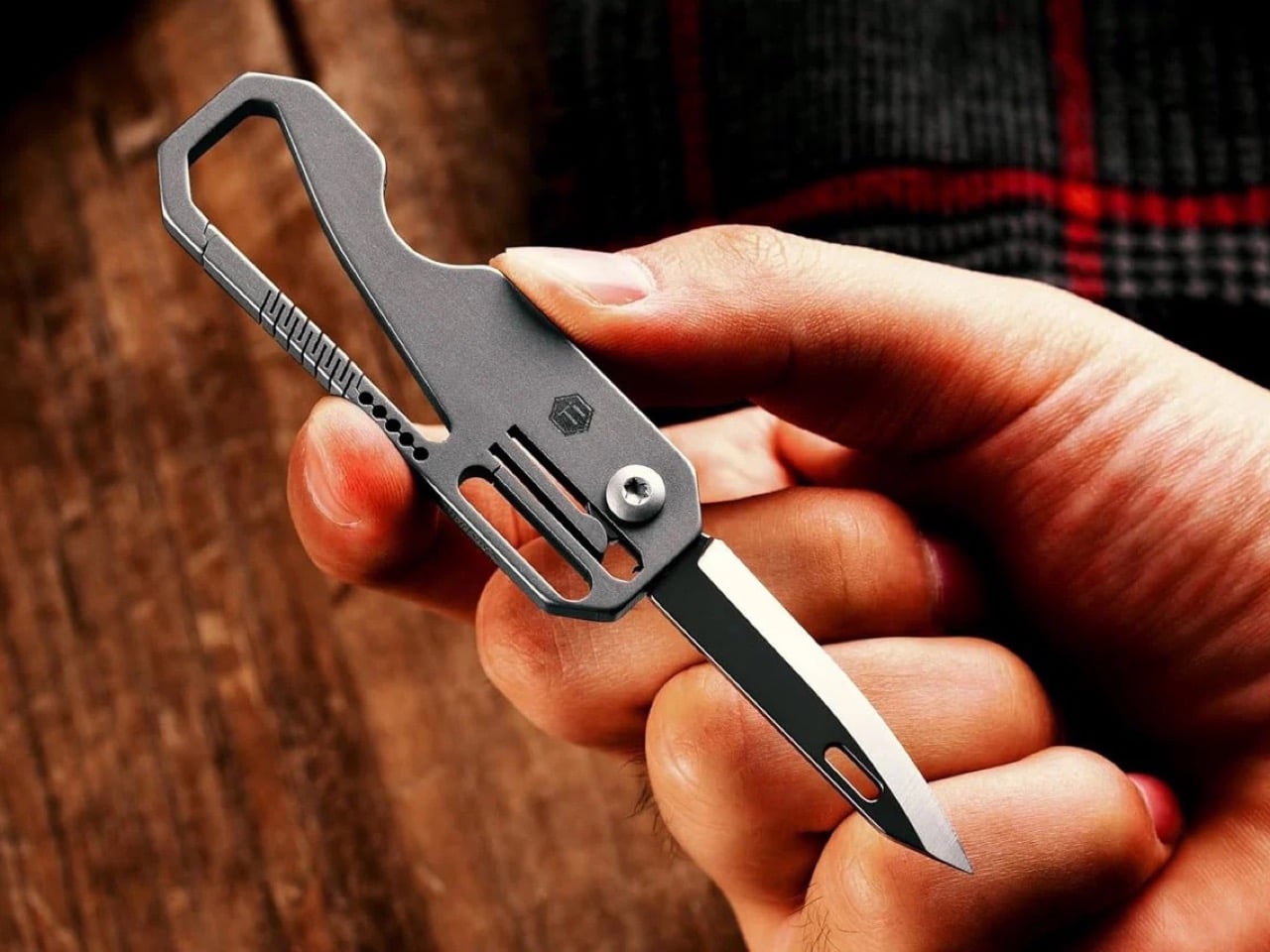
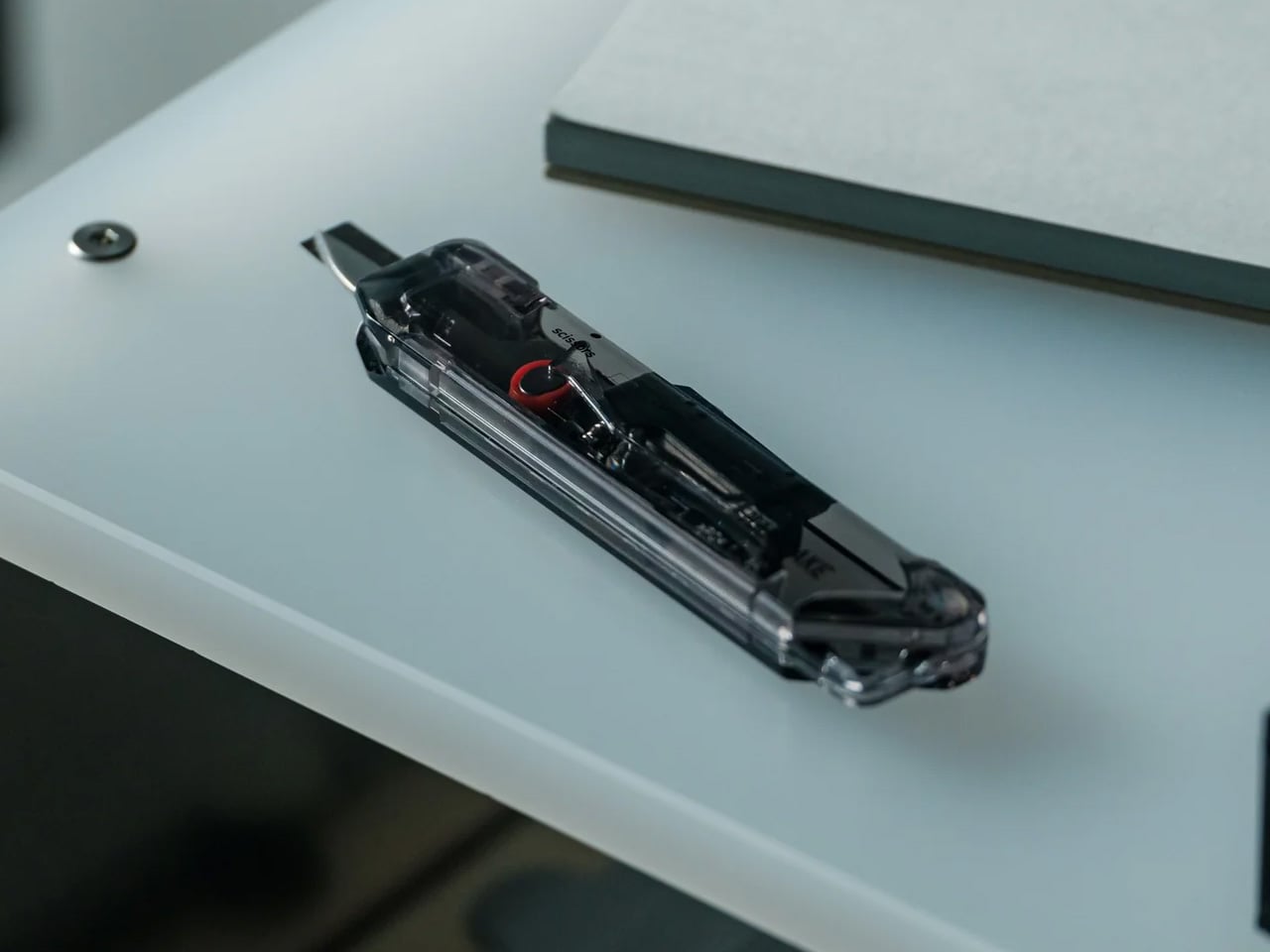
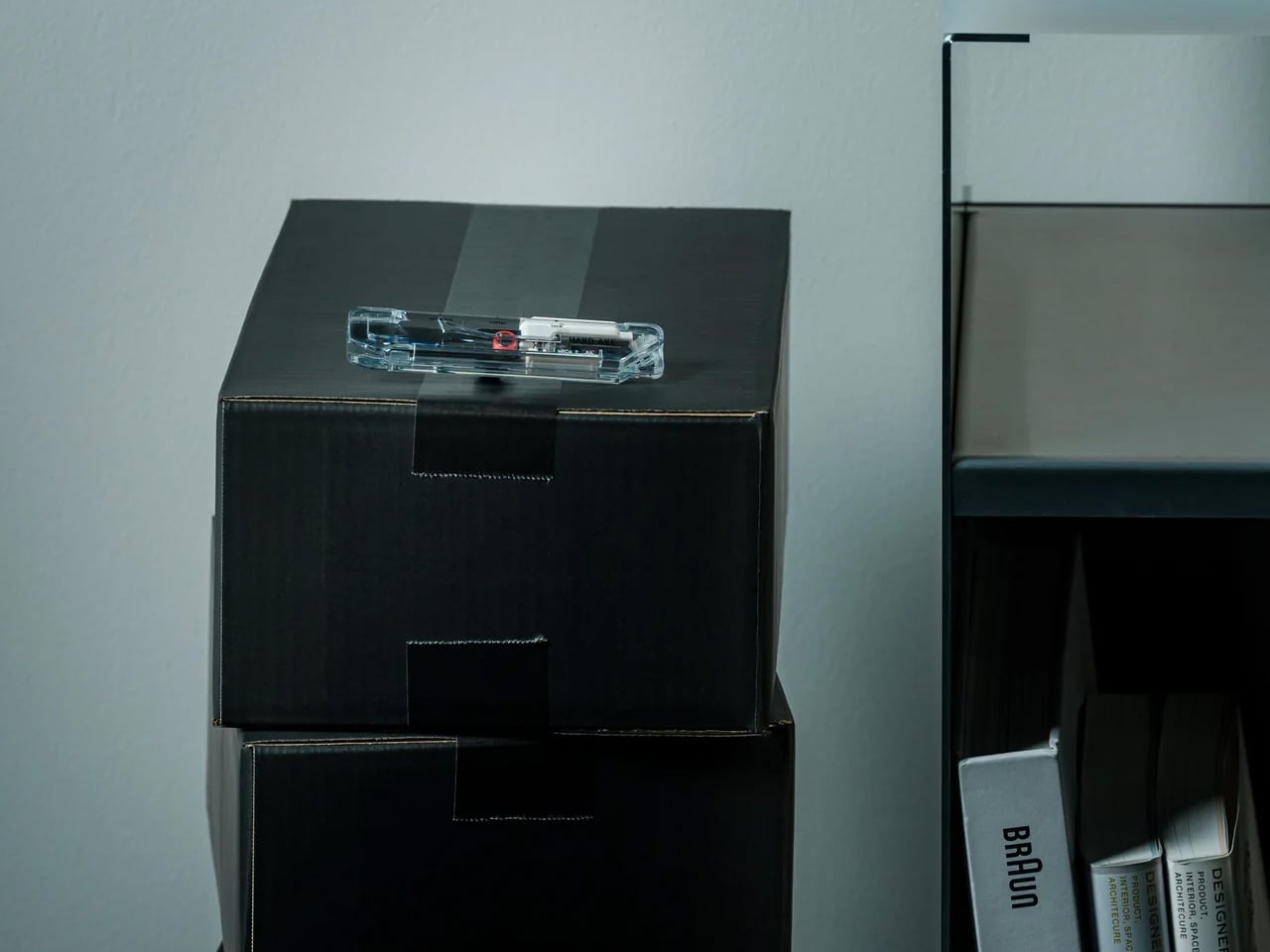
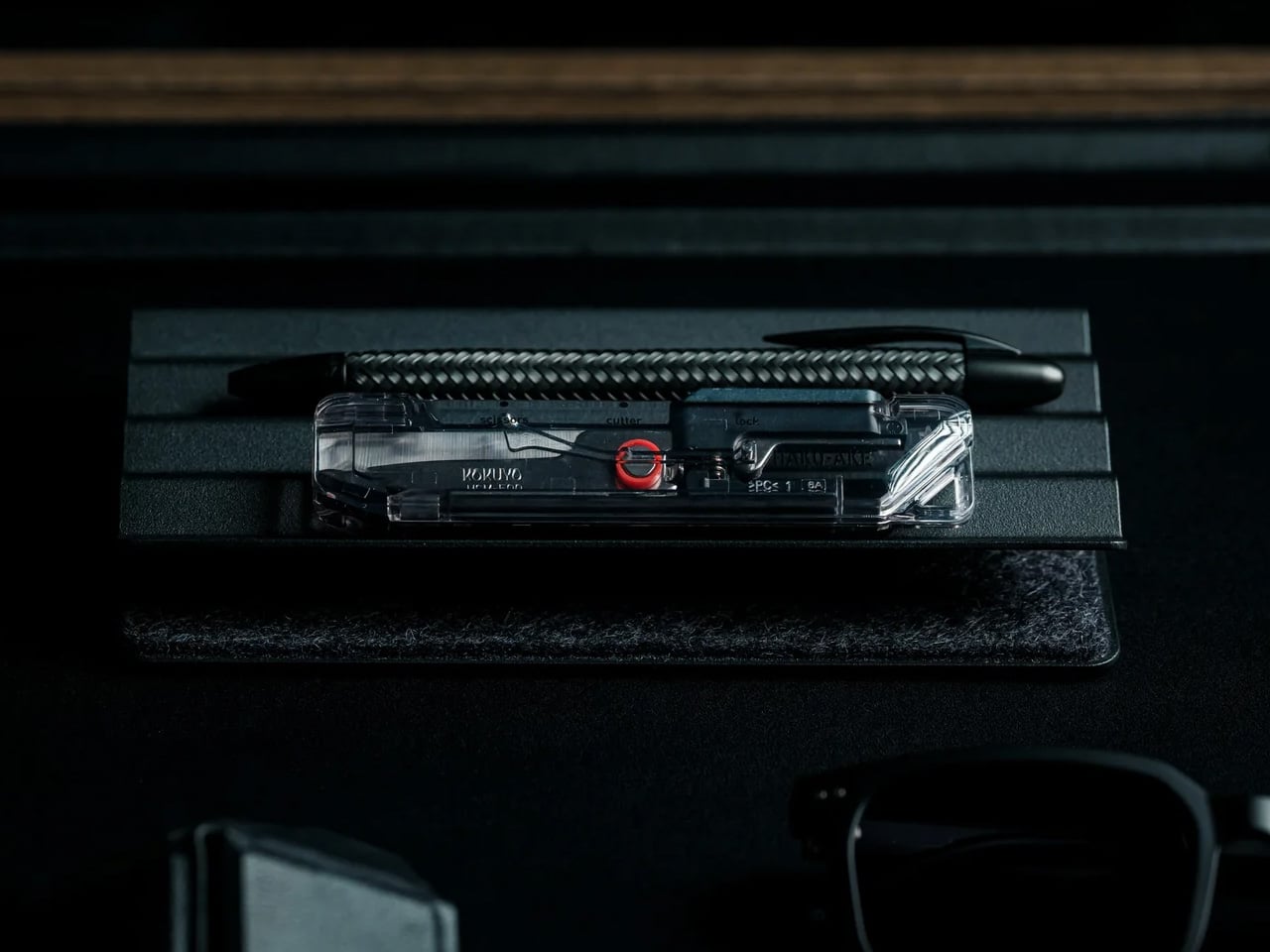
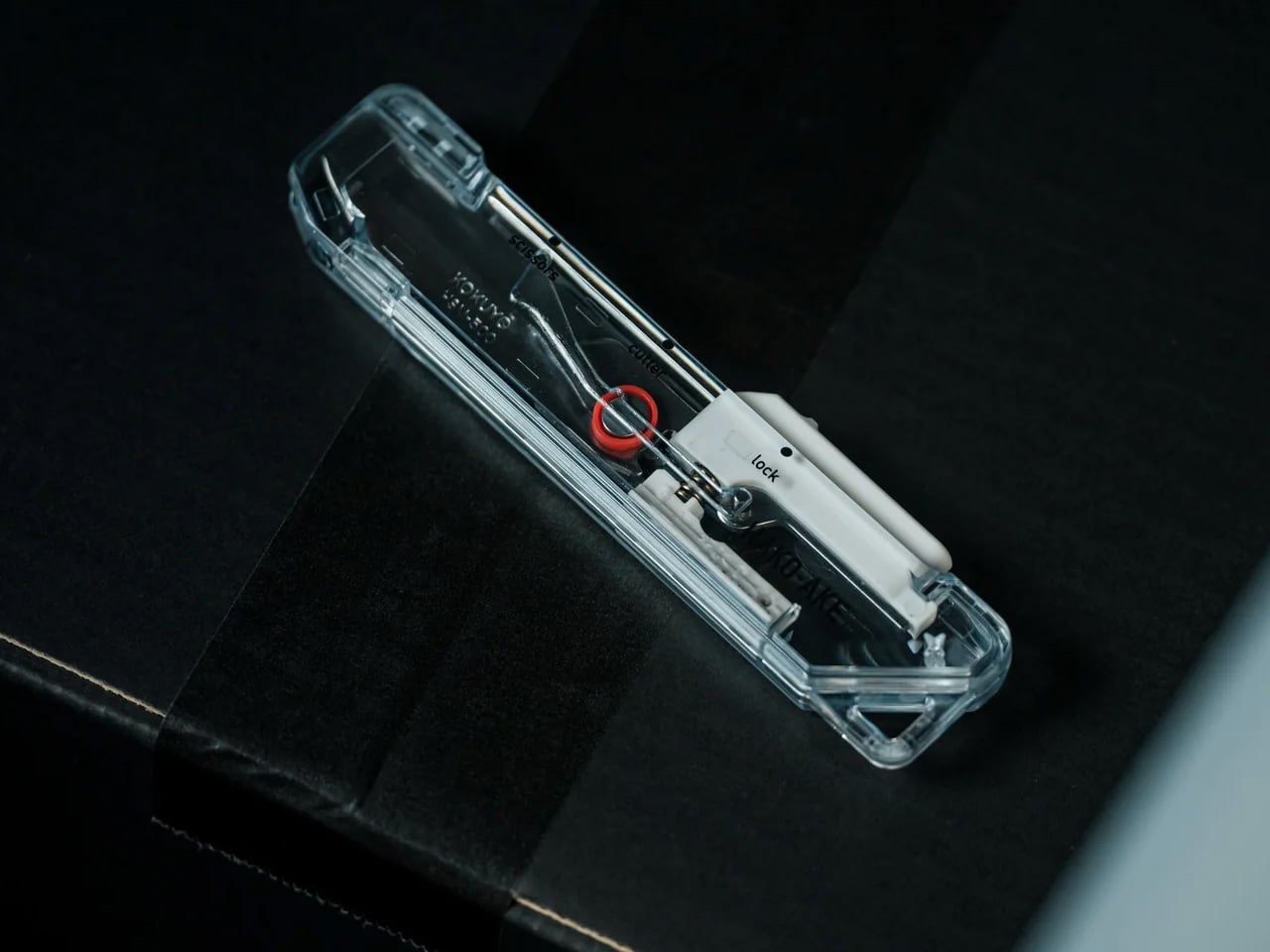
Keychain knives usually feel like compromises. Light enough to ignore until you need them, flimsy enough to make you wish you’d brought a real blade. The Z3RO mini knife weighs 11 grams and measures around 5 centimeters, but uses materials borrowed from surgical tools and industrial cutters: tungsten alloy for the cutting tip, carbon fiber for the body, and titanium for the backbone. It fits on a keychain without adding bulk yet handles daily cutting tasks with the kind of precision that makes cheap utility knives feel sloppy.

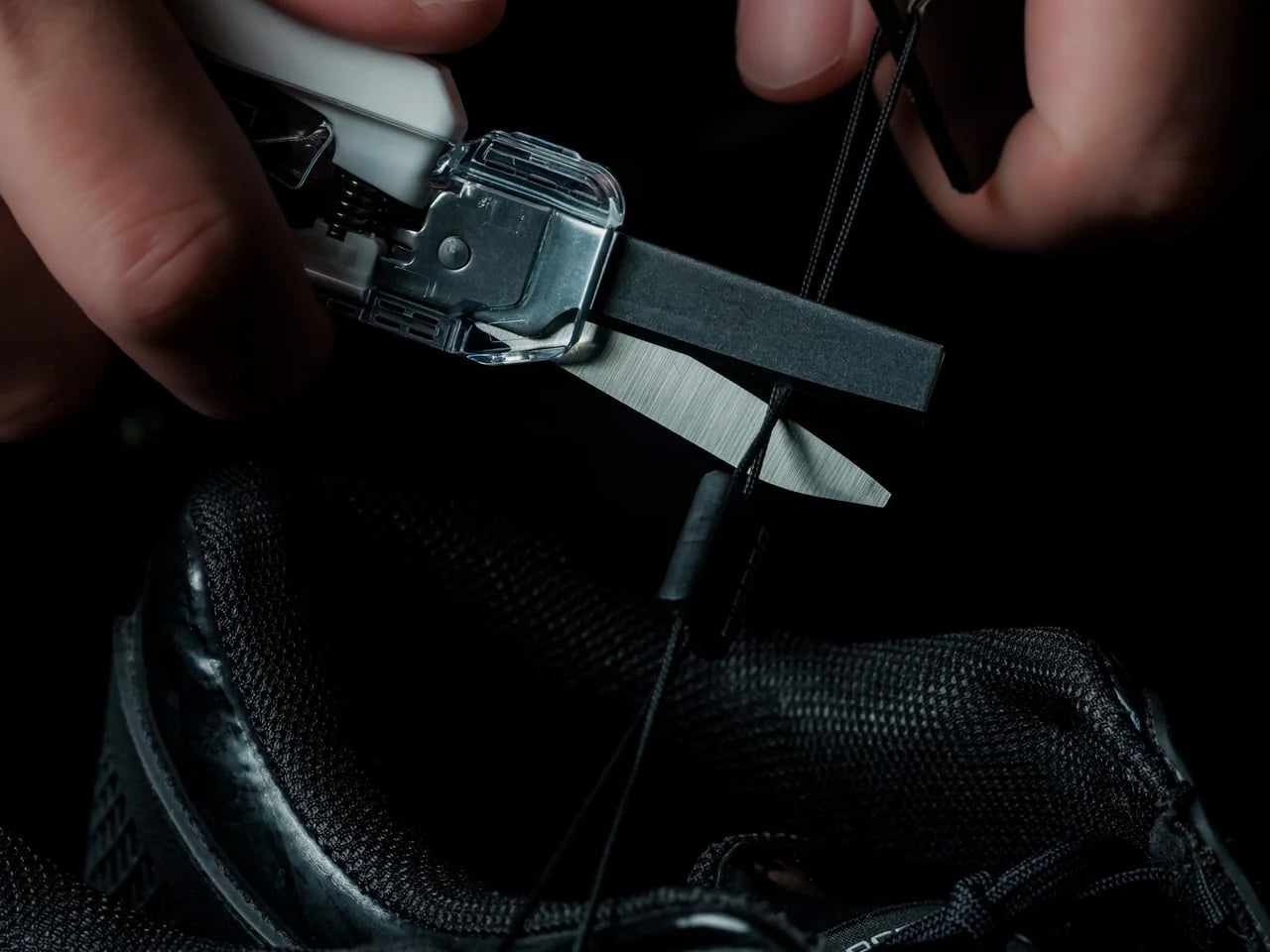
Tungsten alloy rates at Mohs hardness nine, sitting just below diamond on the scale. That hardness means the tip shrugs off cardboard, cord, plastic packaging, thick tape, and cable ties without dulling quickly or developing the microchips that ruin cheaper blades. The tasks designers face constantly, opening sample shipments, cutting shrink wrap, trimming threads, slicing through layers of tape, all happen cleanly without needing to swap blades every few weeks. The carbon fiber body keeps weight minimal while the titanium backbone provides the structural support that makes the knife feel like a precision tool rather than an emergency backup.

Click Here to Buy Now: $74 $120 (38% off). Hurry, only a few left!

What we like

  • The tungsten tip maintains sharpness through months of daily abuse without needing replacement.
  • The 11-gram weight makes it genuinely keychain-friendly instead of pocket sagging.
  • Material choices create a tool that feels premium rather than disposable.
  • The compact size handles travel restrictions better than full-size knives.

What we dislike

  • The small size limits cutting leverage on thicker materials.
  • Replaceable tips aren’t as widely available as standard utility blades.

4. FoldLine Pen Roll

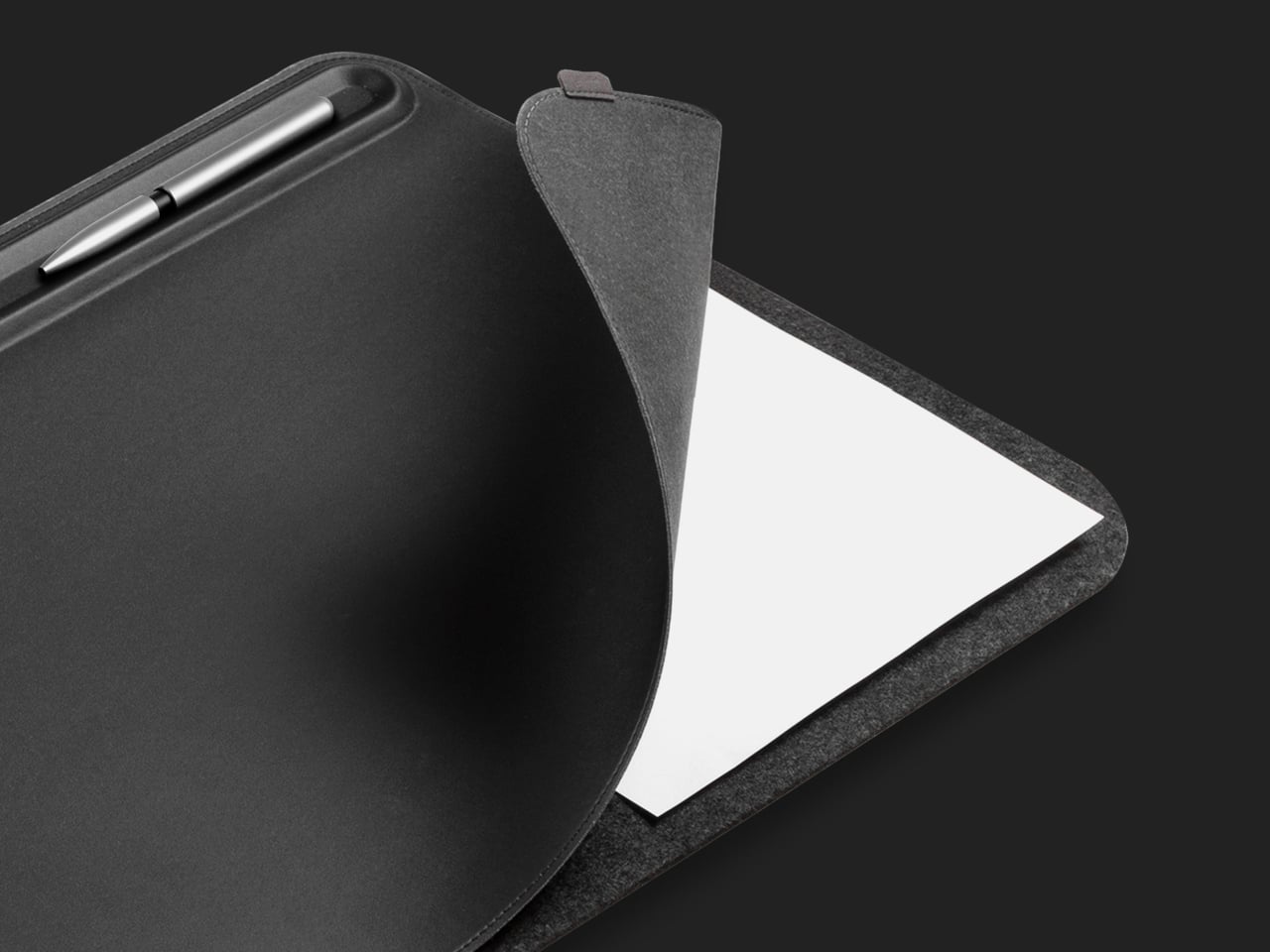
Pen storage tends toward two extremes: cases that rattle and clatter with every movement or rigid boxes that take up excessive space. The FoldLine Pen Roll takes a different approach, using a single piece of Italian Minerva Box leather that folds into structure without stitched dividers or internal compartments. It opens in two seconds, transforming from a compact roll into a stable tray that turns any surface into an organized workspace.

The folded leather naturally separates pens without requiring individual slots, wrapping each writing instrument in soft material that prevents scratching and eliminates the metallic clinking that makes some pen cases sound like tackle boxes. The symmetrical design works equally well for left or right-handed users, opening cleanly from either side without a preferred orientation. The leather comes from Badalassi Carlo tannery in Italy, vegetable tanned and enriched with cow leg oil, so it develops a unique patina over time while softening rather than cracking. The closure uses a machined snap from Italy’s PRYM, creating a satisfying click that signals quality in a detail most pen cases overlook.

Click Here to Buy Now: $135.00

What we like

  • The tray transformation provides instant workspace organization without requiring a dedicated desk.
  • The partition-free design adapts to different pen sizes and quantities naturally.
  • Minerva Box leather ages beautifully instead of showing wear as damage.
  • The ambidextrous design eliminates the frustration of cases built for one-handedness.

What we dislike

  • The premium leather commands a higher price than nylon or synthetic alternatives.
  • The soft material offers less impact protection than hard-shell cases.
  • The roll format requires slightly more bag space than flat cases.
  • Limited capacity means collectors with extensive pen rotations need multiple rolls.

5. Craftmaster EDC Utility Knife

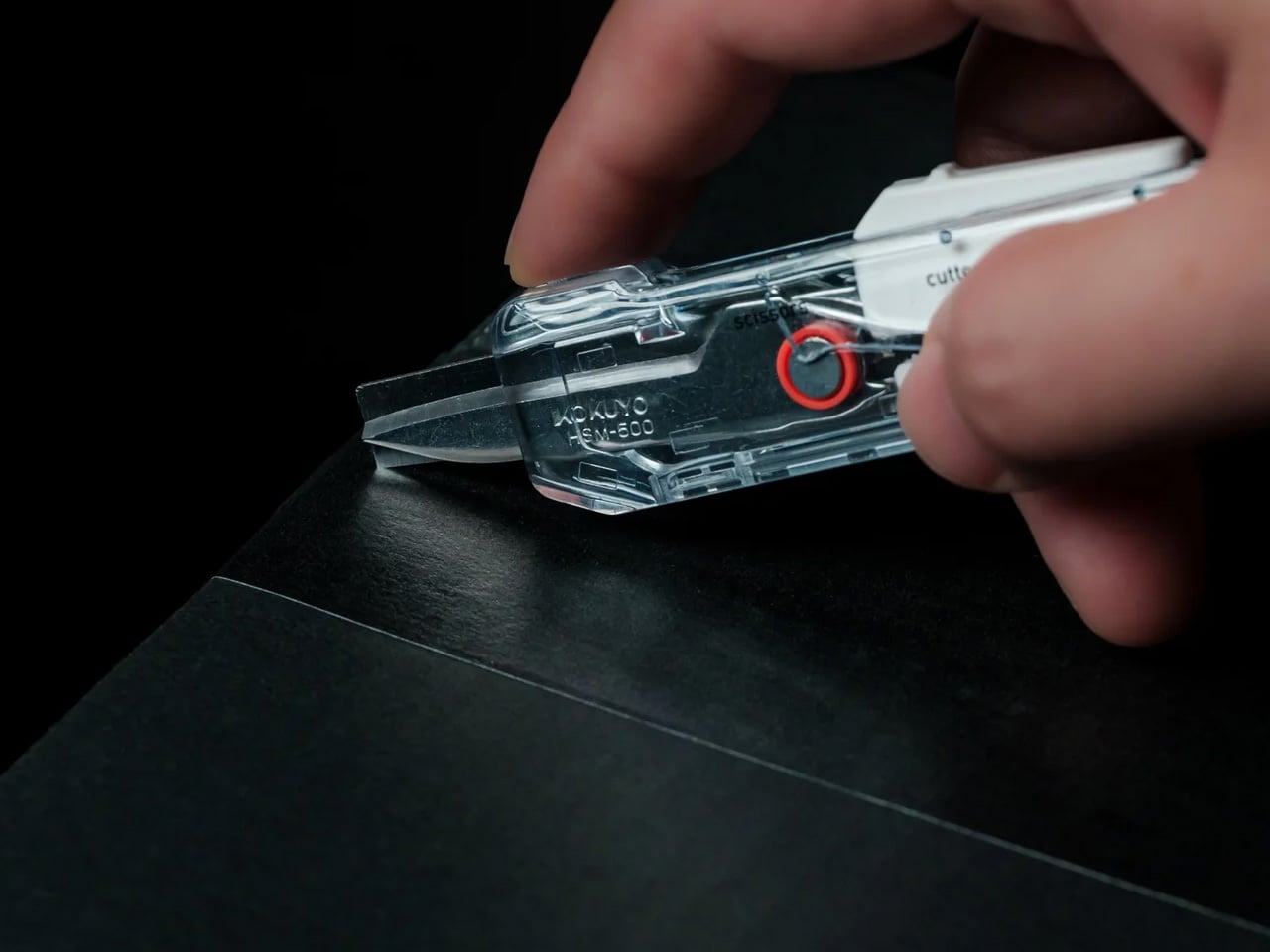
Standard utility knives work, but rarely feel good to use. Plastic bodies flex under pressure, blades wobble in cheap housings, and the overall aesthetic screams contractor’s toolbox rather than designer’s kit. The Craftmaster EDC Utility Knife rebuilds this category with a metal exterior that’s only 8 millimeters thick, a tactile rotating knob for blade deployment, and a magnetic back that docks with a metal scale combining measurement with blade maintenance.

The OLFA blade inside is easily replaceable, but the way you interact with it changes everything. The rotating knob deployment feels mechanical and precise rather than fumbling with a sliding lever. The magnetic back lets you store the knife on any metal surface, keeping it visible and accessible rather than lost in a drawer. The companion scale sports both metric and imperial markings with a raised edge that makes it easy to lift off flat surfaces, doubling as a cutting guide. The scale includes a blade breaker for snapping off dulled segments, keeping the knife sharp without requiring tools or leaving dangerous blade pieces loose.

Click Here to Buy Now: $79.00

What we like

  • The metal construction creates a tool that feels substantial and reliable in hand.
  • The rotating deployment mechanism provides satisfying tactile feedback with each use.
  • The magnetic scale pairing turns two separate tools into an integrated system.
  • The 8 millimeter thickness keeps the knife genuinely pocket-friendly despite the premium materials.

What we dislike

  • The metal body adds weight compared to plastic utility knives.
  • The premium price point makes it a significant investment for a utility blade.
  • The magnetic feature only works with ferrous metal surfaces.
  • The minimalist design lacks the blade storage compartments that some utility knives include.

6. Casta Universal Design Scissors

Scissors typically divide users into camps: right-handed tools that torture lefties or ambidextrous compromises that work poorly for everyone. The Casta Universal Design Scissors use perfectly round handles that rest in your palm regardless of hand dominance, creating equal comfort for all users. Inside each handle, a round concave shape produces a clicking sound that changes based on the material you’re cutting, adding unexpected sensory feedback to a tool most people tune out completely.

The round handles eliminate the finger loops that create pressure points during extended cutting sessions, distributing force across your palm instead of concentrating it on a few digits. The clicking sound might seem like a gimmick until you experience how it brings awareness to the cutting process, making routine tasks feel slightly more engaging. The ergonomic benefits combine with the acoustic element to create scissors that work efficiently while sparking small moments of satisfaction each time you use them.

What we like

  • The true ambidextrous design serves left and right-handed users equally well.
  • The palm grip distributes pressure more comfortably than finger loop handles.
  • The acoustic feedback adds unexpected delight to mundane cutting tasks.
  • The universal design makes sharing scissors in studios and offices friction-free.

What we dislike

  • The unconventional handle shape requires a brief adjustment period for users accustomed to traditional scissors.
  • The acoustic feature may distract in quiet environments or annoy those who prefer silent tools.
  • The specialized design typically commands a premium over standard scissors.
  • The round handles offer less precise control for detail cutting work.

7. Høvel Pencil Plane

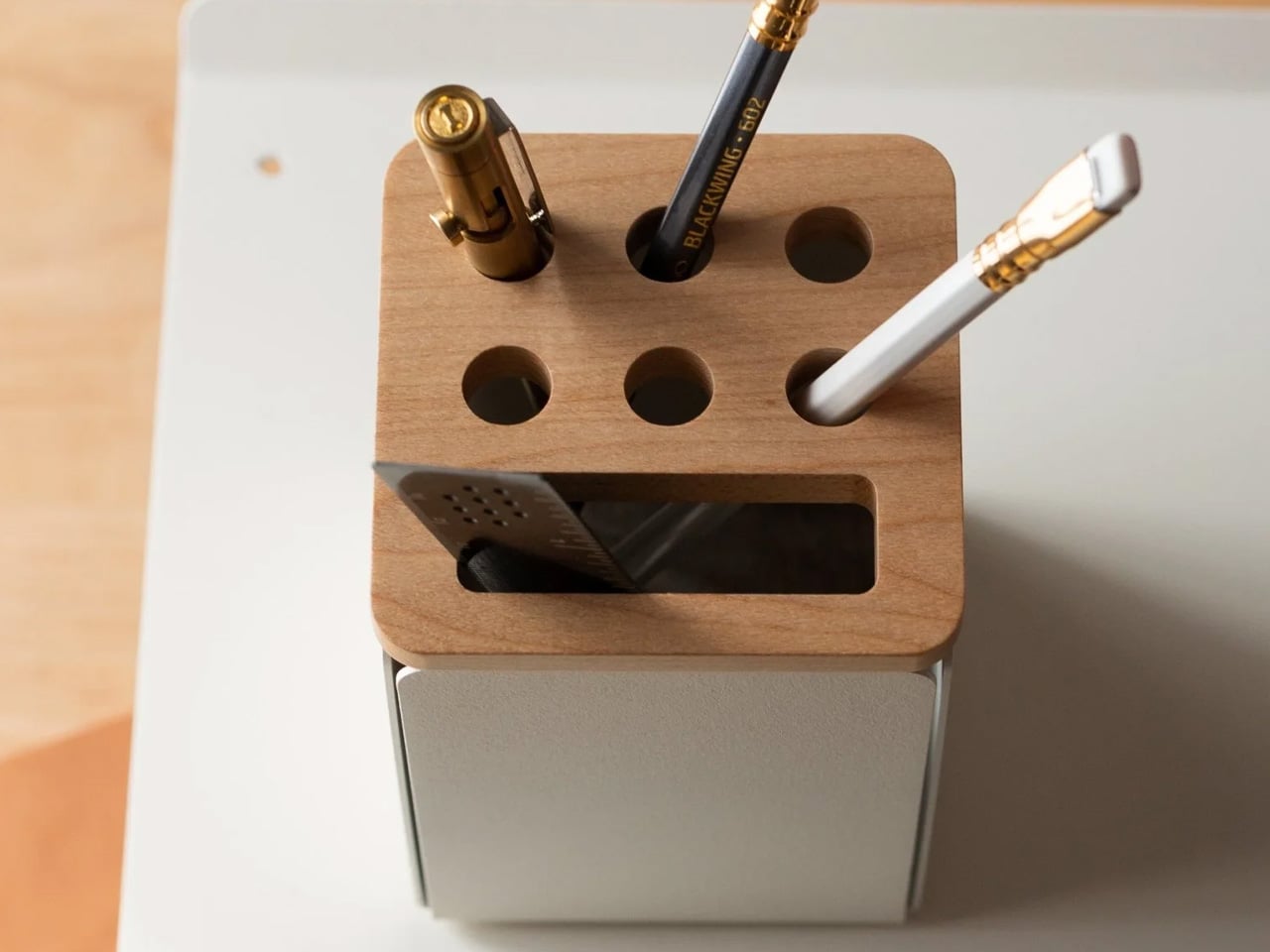
Pencil sharpeners haven’t evolved much beyond the basic mechanism: insert pencil, twist, hope the lead doesn’t snap. The Høvel reimagines this tool completely, functioning as a miniature plane that lets you whittle your pencil to any desired point. The solid brass body weighs enough to feel substantial in hand while developing patina over time, gaining character instead of looking worn out.

Traditional sharpeners twist and stress the graphite core, often snapping it inside the wood and forcing you to sharpen repeatedly just to find intact lead. The Høvel’s planing action removes wood cleanly without torquing the core, working especially well with soft pencils, pastels, or makeup pencils that shatter in conventional sharpeners. The blade changes easily without tools, staying sharp through hundreds of sharpenings. You control the point shape precisely: long and needle sharp for detailed work, short and sturdy for bold strokes, or even flat like a chisel for calligraphy and lettering.

What we like

  • The brass construction ages beautifully instead of degrading over time.
  • The mechanism prevents lead breakage that wastes expensive art pencils.
  • Blade replacement happens in seconds without requiring screwdrivers or specialty tools.
  • The point customization serves different drawing and writing techniques equally well.

What we dislike

  • The manual process takes longer than electric or crank sharpeners.
  • The shavings scatter rather than collecting in a container.
  • The premium brass version costs significantly more than plastic sharpeners.
  • The technique requires practice to achieve consistent results at first.

Why These Tools Win

Fancy pen sets fail because they prioritize appearance over utility, offering solutions to problems designers don’t have. The tools above succeed because they solve actual daily frustrations while looking good on your desk or in your bag. They’re objects you reach for constantly rather than display once and forget. That’s the difference between a gift that impresses for a moment and one that earns permanent space in someone’s workflow.

The best design gifts acknowledge that designers value function as much as form. These seven tools deliver both, turning routine tasks into small satisfactions and proving that the most thoughtful presents are the ones that actually get used. The fancy pen set will keep collecting dust, but these tools will be reaching for them tomorrow.

The post Designers Finally Admit: These 7 Gifts Beat Every Fancy Pen Set first appeared on Yanko Design.
Hexagon Board Game Trays Make Perfect Magnetic Desk Organizers

Most of us end up using whatever is at hand as a catch-all: coffee cups, candle lids, random bowls, and that works until you actually need to find a specific SD card or binder clip. A lot of the best small organizers are hiding in other categories, and these magnetic hexagon token trays, sold as board game accessories, are really just well-designed hexagonal dishes with magnets and dividers.

Each tray is a hexagon with magnets hidden in its edges so it snaps to its neighbors in a honeycomb. You can build a cluster that fits the corner of a monitor stand or the space in front of a keyboard, then peel one off and move it closer when you need it. The magnets keep the layout coherent instead of letting dishes drift apart over time, which is a small but meaningful improvement over loose containers.

Designer: BoardGeekFox

Each unit is a two-part organizer, a black magnetic base, and a colored insert that drops in. The insert ships with two dividers, a straight one that splits the tray into two sections and a Y-shaped one that splits it into three. You can run it as one big bin, two equal compartments, or three wedges, depending on whether you are holding paper clips, sticky-note flags, or three different pen nibs.

The color options for the inserts let you treat the trays as a visual system. You can assign colors to categories, blue for tech bits, yellow for writing tools, red for things that need attention, or just build a small rainbow that makes the corner of your desk feel more like a layout than a pile. The black bases keep everything grounded, so the color reads as an accent, not chaos.

The trays are 3D-printed in PLA with embedded magnets, which keep them light but give them a satisfying snap when they connect. On a smooth desk, that matters, a cluster of loose bowls tends to slide and separate, while a magnetic cluster holds its shape when you nudge things around. The slight texture of printed PLA also keeps small items from skittering around inside each compartment, especially paper clips and staples.

The modularity plays nicely with shifting work modes. On a heavy project day, you can build a larger honeycomb and park it next to your main work area, each tray handling a different set of parts. On quieter days, you can break the set into smaller clusters and spread them across a shelf, a secondary desk, or a nightstand. The hexagon footprint is compact enough that a single tray works as a bedside catch-all for rings and earbuds.

These trays sit in a sweet spot between rigid drawer inserts and random containers, structured enough to keep things sorted but flexible enough to reconfigure when your habits change. For anyone who likes their desk to feel a little more like a considered layout and a little less like a junk drawer, a handful of magnetic hexagons with dividers is a surprisingly simple way to give every small object a place to land, while keeping the option to rebuild the whole composition whenever the mood or the project shifts.

The post Hexagon Board Game Trays Make Perfect Magnetic Desk Organizers first appeared on Yanko Design.

Hexagon Board Game Trays Make Perfect Magnetic Desk Organizers

Most of us end up using whatever is at hand as a catch-all: coffee cups, candle lids, random bowls, and that works until you actually need to find a specific SD card or binder clip. A lot of the best small organizers are hiding in other categories, and these magnetic hexagon token trays, sold as board game accessories, are really just well-designed hexagonal dishes with magnets and dividers.

Each tray is a hexagon with magnets hidden in its edges so it snaps to its neighbors in a honeycomb. You can build a cluster that fits the corner of a monitor stand or the space in front of a keyboard, then peel one off and move it closer when you need it. The magnets keep the layout coherent instead of letting dishes drift apart over time, which is a small but meaningful improvement over loose containers.

Designer: BoardGeekFox

Each unit is a two-part organizer, a black magnetic base, and a colored insert that drops in. The insert ships with two dividers, a straight one that splits the tray into two sections and a Y-shaped one that splits it into three. You can run it as one big bin, two equal compartments, or three wedges, depending on whether you are holding paper clips, sticky-note flags, or three different pen nibs.

The color options for the inserts let you treat the trays as a visual system. You can assign colors to categories, blue for tech bits, yellow for writing tools, red for things that need attention, or just build a small rainbow that makes the corner of your desk feel more like a layout than a pile. The black bases keep everything grounded, so the color reads as an accent, not chaos.

The trays are 3D-printed in PLA with embedded magnets, which keep them light but give them a satisfying snap when they connect. On a smooth desk, that matters, a cluster of loose bowls tends to slide and separate, while a magnetic cluster holds its shape when you nudge things around. The slight texture of printed PLA also keeps small items from skittering around inside each compartment, especially paper clips and staples.

The modularity plays nicely with shifting work modes. On a heavy project day, you can build a larger honeycomb and park it next to your main work area, each tray handling a different set of parts. On quieter days, you can break the set into smaller clusters and spread them across a shelf, a secondary desk, or a nightstand. The hexagon footprint is compact enough that a single tray works as a bedside catch-all for rings and earbuds.

These trays sit in a sweet spot between rigid drawer inserts and random containers, structured enough to keep things sorted but flexible enough to reconfigure when your habits change. For anyone who likes their desk to feel a little more like a considered layout and a little less like a junk drawer, a handful of magnetic hexagons with dividers is a surprisingly simple way to give every small object a place to land, while keeping the option to rebuild the whole composition whenever the mood or the project shifts.

The post Hexagon Board Game Trays Make Perfect Magnetic Desk Organizers first appeared on Yanko Design.

Oakywood Desk Shelf Pro Holds 100kg and Hides Clutter in Wood Drawers

Desks fill up fast. A nice monitor and laptop sit on a surface that slowly accumulates cables, notebooks, charging docks, and random accessories. The usual fixes are cheap monitor risers, plastic drawer units, and cable trays that solve one problem but add visual noise. The Oakywood Desk Shelf Pro tries to handle ergonomics and organization without making the desk look busier, treating the riser as solid-wood furniture instead of an accessory.

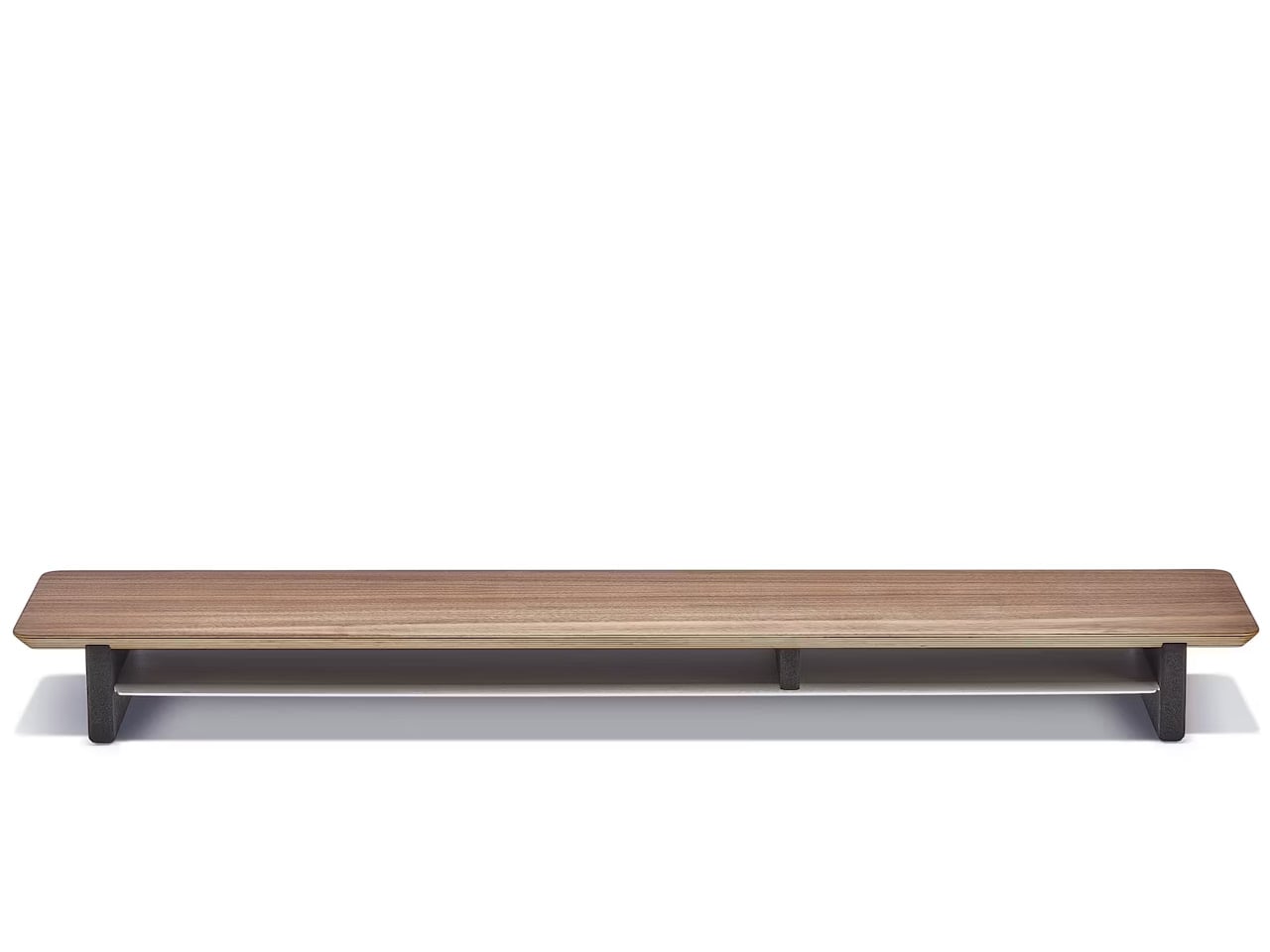
Desk Shelf Pro is an all-in-one desk shelf that lifts your monitor, hides clutter, and adds a second functional level to the workspace. It combines a long, rounded wooden platform with powder-coated steel legs, integrated drawers, and a felt-lined open shelf. It is built from solid oak or walnut, not MDF with a plastic skin, so it feels like part of the desk rather than something perched on top.

Designer: Oakywood

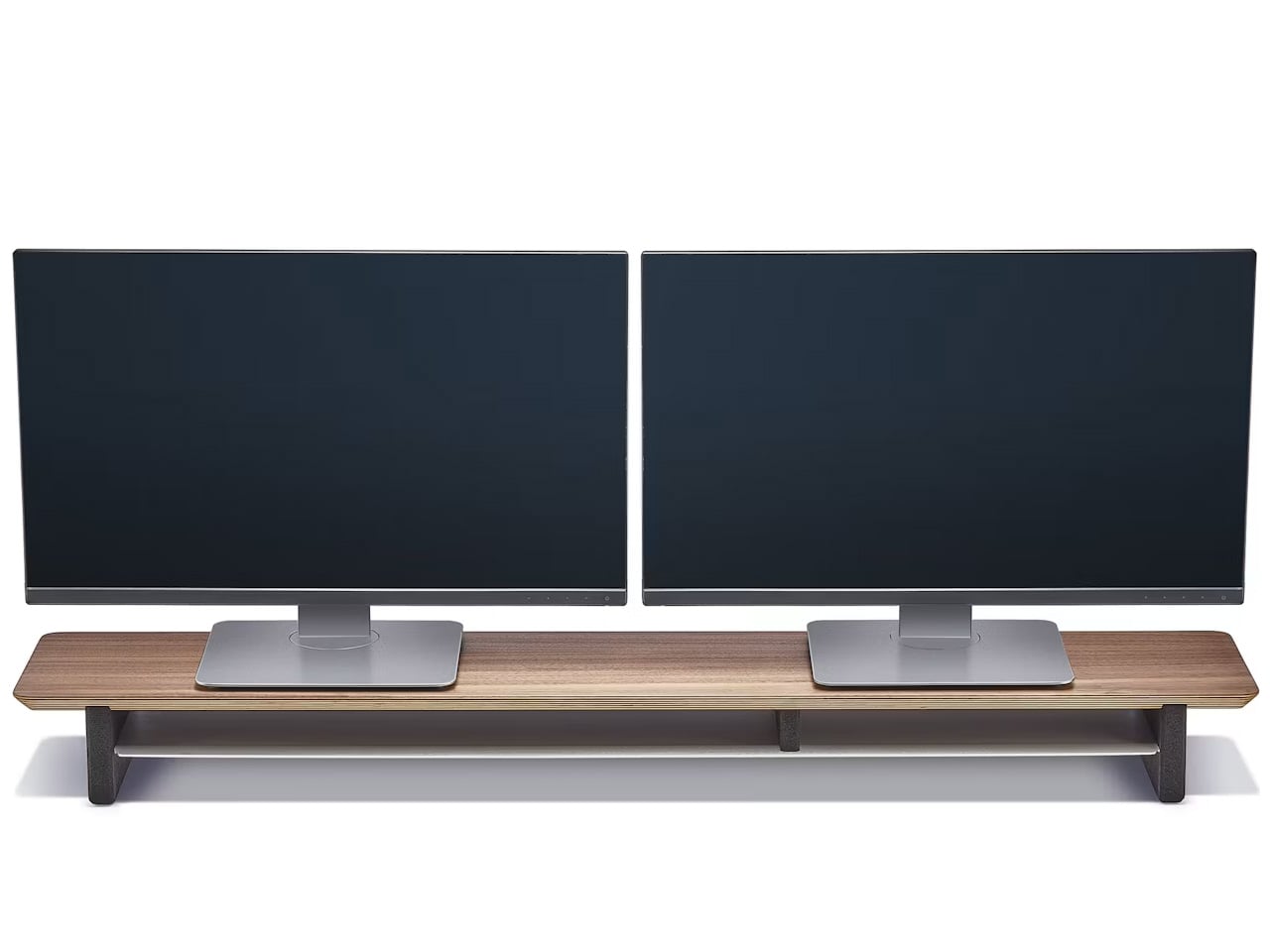
The shelf spans the width of the desk, raising a monitor to a more natural eye level while leaving space underneath for a keyboard or laptop. Steel legs sit at each end, creating a floating effect and a central bay that becomes a home for devices. The shelf holds up to 100 kg, so it can handle large displays, desktop machines, and accessories without flexing, even when you lean on it.

Storage splits between one or two solid-wood drawers built into the leg modules and an open shelf running between them. The drawers swallow stationery, notebooks, and small tech, keeping the desktop clear. The open shelf is lined with merino wool felt, which protects tablets, trackpads, or a closed laptop from scratches and adds a soft, tactile layer that contrasts with the wood and steel.

1

Oakywood contrasts solid wood against plastic laminate, highlighting warm, unique grain versus uniform texture, durability that improves with age versus chipping and peeling, and the ability to refresh the surface with natural oils instead of replacing it. The felt is OEKO-TEX-certified merino wool, and the legs are powder-coated steel, so every major component is designed to last and age gracefully instead of ending up replaced after a few years.

The shelf comes in oak for a lighter Scandinavian look, walnut for a richer studio vibe, or black-stained oak for a more dramatic setup. You can choose single or dual drawers depending on how much you like to hide, and black or white legs to match your hardware. It works equally well on a sit-stand desk or a fixed one, anchoring everything from a minimalist Mac setup to a more eclectic creative workstation.

Desk Shelf Pro changes the feeling of sitting down to work. Instead of a scatter of objects, you get a clear plane of wood with a monitor, a few intentional items, and everything else tucked away but within reach. For people who spend all day at a desk, the combination of solid materials, hidden storage, and quiet ergonomics makes a case for treating a monitor riser as real furniture, something worth keeping for years instead of replacing when the next cheap organizer trend arrives.

The post Oakywood Desk Shelf Pro Holds 100kg and Hides Clutter in Wood Drawers first appeared on Yanko Design.

Tray210 Proves Recycled Plastic Doesn’t Have to Look Grey and Boring

Recycled plastic products often fall into two camps: grey utilitarian bins or loud, speckled experiments that feel more like proof of concept than something you want on your desk. Tray210 recycled, a collaboration between Korean studio intenxiv and manufacturer INTOPS under the rmrp brand, takes a different approach, using recycled plastics and waste additives to create a tray that feels like a considered object first and an eco story second, treating material diversity as part of the design language.

Tray210 recycled is a circular tray with three compartments, an evolution of the original Tray210 form. It grew out of INTOPS’ grecipe eco-material platform and hida’s CMF proposals, which is a long way of saying it is the result of a tight loop between material science and industrial design. The goal was to pursue material diversity and break away from the cheap recycled stereotype, making something that belongs in sight rather than hidden under a desk.

Designer: Intenxiv x INTOPS

The form is intuitive, a 210 mm circle with a raised, ribbed bar running across the middle and two shallow wells on either side. The central groove is sized for pens, pencils, or chopsticks, and the ribs keep cylindrical objects from rolling away. The side compartments are open and shallow, perfect for earbuds, clips, rings, or keys. It is the kind of layout you understand at a glance without needing instructions or labels; just place your pen where the grooves are.

The material story is where Tray210 recycled gets interesting. Multiple recycled blends reflect their sources: Clam and Wood use 80 percent recycled PP with shell and wood waste, Charcoal adds 15 percent charcoal to 80 percent recycled PP, and Stone uses 10–50 percent recycled ABS. Transparent and Marble variants use recycled PC or PCABS with ceramic particles or marble-like pigment. Each colorway is visually tied to its waste stream, making the origin legible and intentional.

The aim is to create a design closer to the lifestyle rmrp pursues, breaking away from the impression recycled plastic generally gives. The Clam and Wood versions read as soft, muted pastels with fine speckling, Charcoal feels like a deep, almost architectural grey, and Stone and Transparent lean into translucency and particulate. Instead of hiding the recycled content, the CMF work uses it as texture and character, closer to terrazzo or stoneware than to injection-molded scrap that just happens to be grey.

The combination of clear zoning and tactile surfaces makes Tray210 recycled feel at home on a desk, entryway shelf, or bedside table. The central groove keeps your favorite pen or stylus always in the same place, while the side wells catch whatever tends to float around, from SD cards to jewelry. The different material stories let you pick a version that matches how you want the space to feel: calm, earthy, industrial, or a bit more playful.

A simple tray can carry a lot of design thinking, from intuitive ergonomics to material storytelling and responsible sourcing. Tray210 recycled is not trying to save the world on its own, but it does show how recycled plastic can be turned into something you actually want to touch and keep in sight. For people who care about both what an object does and what it is made from, that is a quiet but meaningful upgrade over another anonymous catch-all that eventually ends up in a drawer.

The post Tray210 Proves Recycled Plastic Doesn’t Have to Look Grey and Boring first appeared on Yanko Design.

A Seven-Square-Meter Office on Wheels Redefines Mobile Workspaces in Buenos Aires

Parked in the courtyard of a private home in Buenos Aires, the Castillo Mobile Office challenges everything we expect from workplace architecture. Morsa Taller has distilled the essence of mobility into seven square meters, creating a structure that moves between sites with the ease of rolling luggage yet operates with the seriousness of a permanent studio.

The design reads like architectural origami. Six prefabricated pieces arrive separately, then snap together within a single day using nothing more than a screwdriver and a riveter. Four detachable facade panels frame strategic openings for light and air. A curved roof caps the composition, channeling rainwater while nodding to the rounded profiles of Buenos Aires’ iconic buses. The wheeled base turns the entire volume into a vehicle of sorts, ready to relocate from backyard to rooftop, from residential plot to rural outpost.

Designer: Morsa Taller

What makes Castillo remarkable is its refusal to compromise on craft despite its temporary nature. Every junction required its own insulation and mechanical connection, transforming the project into an exercise in layered logic. The team at Morsa Taller, working alongside fabricator Santiago Legnini, custom-built each interior element, from carpentry to storage systems to equipment mounts. The result feels less like a portable shed and more like an inhabitable machine, where form follows the internal demands of function rather than external architectural conventions.

The structure draws from Morsa Taller’s broader practice in material investigation and objectual construction, led by architect Alejandra Esteve, who describes herself as both designer and welder. This hands-on approach permeates the Castillo project, where metalworking expertise translates into precise modular connections that allow independence and integration to coexist.

Currently stationed in Buenos Aires, the mobile office represents a shift in how workspace can respond to contemporary work patterns. It doesn’t anchor professionals to fixed addresses but instead follows them, adapting to changing needs without sacrificing quality or comfort. The seven-square-meter footprint proves that small doesn’t mean compromised when design treats constraints as creative fuel. Castillo demonstrates that architecture can be nomadic without being provisional, compact without being cramped, and prefabricated without losing its soul.

The post A Seven-Square-Meter Office on Wheels Redefines Mobile Workspaces in Buenos Aires first appeared on Yanko Design.

These 5 Christmas Gifts for Designers Just Replaced Our Entire Home Office Setup

The best workspace tools seamlessly integrate into your creative flow, making every interaction feel intentional. For designers who spend hours surrounded by materials, implements, and ideas, the objects on their desk become extensions of their thinking process. This holiday season presents an opportunity to replace utilitarian clutter with pieces that spark joy through thoughtful design and refined aesthetics.

These five gifts represent a different approach to workspace essentials. Each one reimagines everyday tools through the lens of considered design, transforming mundane interactions into moments of tactile pleasure. From Japanese steelwork to magnetic innovation, these pieces prove that functional objects deserve the same design attention we give to creative projects themselves. They elevate workspaces not through decoration but through intelligent form meeting purposeful function.

1. Stellar Edge Scissors

The moment you pick up these scissors, you understand why they come from Seki, Japan’s legendary blade-making region. Their asymmetrical handles challenge expectations while delivering surprising comfort, creating a sculptural presence that commands attention on any desk. The seamless stainless steel construction catches light beautifully, turning a cutting tool into an object worth displaying. When designers reach for scissors dozens of times daily, that repeated interaction deserves this level of refinement and visual consideration.

What makes these scissors exceptional goes beyond their museum-worthy appearance. The blade geometry ensures clean, effortless cuts through various materials, from delicate tracing paper to thick cardstock. That perfect balance point makes extended cutting sessions feel weightless rather than tedious. The polished finish resists fingerprints while providing just enough grip for control. These scissors transform routine tasks into satisfying rituals, proving that tools designed with genuine care create measurably better experiences throughout your workday.

What we like

  • The architectural form creates an instant focal point on any workspace surface.
  • Japanese stainless steel maintains razor sharpness through thousands of cuts.
  • Ergonomic engineering makes asymmetrical handles surprisingly comfortable for extended use.
  • Seamless construction and polished finish elevate them beyond typical office supplies.

What we dislike

  • The premium price point places them out of reach for budget-conscious buyers.
  • Their artistic appearance might make colleagues hesitant to borrow them for quick tasks.

2. Magboard Clipboard

Traditional notebooks impose structure before you’ve captured a single thought. This magnetic clipboard system throws out those constraints, letting you work with loose sheets that can be rearranged, removed, or inserted as ideas evolve. The hardcover design provides solid backing for writing anywhere, whether you’re sketching at your desk or capturing inspiration during a standing meeting. That simple magnet and lever mechanism holds up to thirty sheets securely while making page changes effortless and intuitive.

The beauty lies in removing friction from your creative process. Tear out pages that don’t work, reorder sequences that do, and add fresh sheets without committing to bound permanence. The water-resistant cover protects your work while staying easy to clean, making it genuinely portable rather than precious. For designers who think visually and need to see multiple concepts simultaneously, this system supports fluid thinking rather than forcing linear progression through pre-bound pages.

Click Here to Buy Now: $45.00

What we like

  • Magnetic binding system lets you reorganize pages instantly without tearing or waste.
  • Hardcover backing provides a stable writing surface for standing or mobile work sessions.
  • Water-resistant construction protects notes while remaining lightweight and portable.
  • Minimalist design strips away unnecessary features that complicate simple note-taking.

What we dislike

  • Loose sheets can scatter if the clipboard accidentally opens in a bag.
  • The system requires maintaining a supply of appropriately sized paper for ongoing use.

3. Everlasting All-Metal Pencil

Pencils break, dull, and disappear precisely when you need them most. This metal alternative writes like graphite but never requires sharpening, combining a special alloy core with an aluminum body that feels substantial without being heavy. The marks it leaves behave exactly like traditional pencil writing, erasing cleanly and refusing to bleed when you add watercolor or markers over your sketches. It’s the kind of tool that makes you forget about the tool itself and focus entirely on the marks you’re making.

The engineering behind its “everlasting” claim deserves attention. Rather than soft graphite that wears away with each stroke, this alloy core releases tiny particles that create marks without significant material loss. You get consistent line weight and darkness through thousands of uses. For designers who sketch constantly throughout their day, eliminating the sharpen-write-sharpen cycle removes an annoying interruption from creative flow. The metal construction also means no snapped leads or splintered wood to derail your momentum mid-thought.

Click Here to Buy Now: $19.95

What we like

  • No sharpening required means uninterrupted sketching and writing sessions.
  • Alloy core provides consistent line quality through extensive use.
  • Standard erasers remove marks cleanly without special techniques.
  • Compatible with watercolor and water-based markers since the core doesn’t bleed or smear.

What we dislike

  • The metal body lacks the warmth and texture some prefer from traditional wooden pencils.
  • Line darkness may not satisfy those who love the rich blacks from soft graphite grades.

4. Quick Access Pencil Sharpener Stand

This disc-shaped object solves the eternal problem of misplaced sharpeners through brilliant simplicity: your pencil stands in the sharpener when not in use. The walnut wood cover and anodized aluminum base create an elegant desktop presence that justifies permanent placement rather than drawer banishment. That specially angled sharpening mechanism extends pencil life while reducing waste, making each sharpening session more purposeful. The brass mechanism prevents accidental opening, keeping shavings contained until you’re ready to empty them.

Beyond functional innovation, this piece brings warmth to workspaces dominated by glass and metal. The wood’s natural grain patterns ensure each sharpener carries a unique character, while the magnetic connection between cover and base provides satisfying tactile feedback. Designers who still value traditional pencils for sketching gain both a reliable sharpening solution and a sculptural desktop accent. It’s the kind of thoughtful industrial design that makes everyday interactions feel special rather than merely efficient or functional.

Click Here to Buy Now: $55.00

What we like

  • Dual function as a sharpener and a stand keeps everything organized in one elegant object.
  • Specially angled blade prolongs pencil life while creating less waste.
  • Walnut wood adds natural warmth to typically cold office environments.
  • Strong magnet prevents accidental spills while providing satisfying closing feedback.

What we dislike

  • The single-pencil capacity doesn’t accommodate designers who work with multiple pencils simultaneously.
  • Premium materials and construction result in a higher price than basic sharpeners.

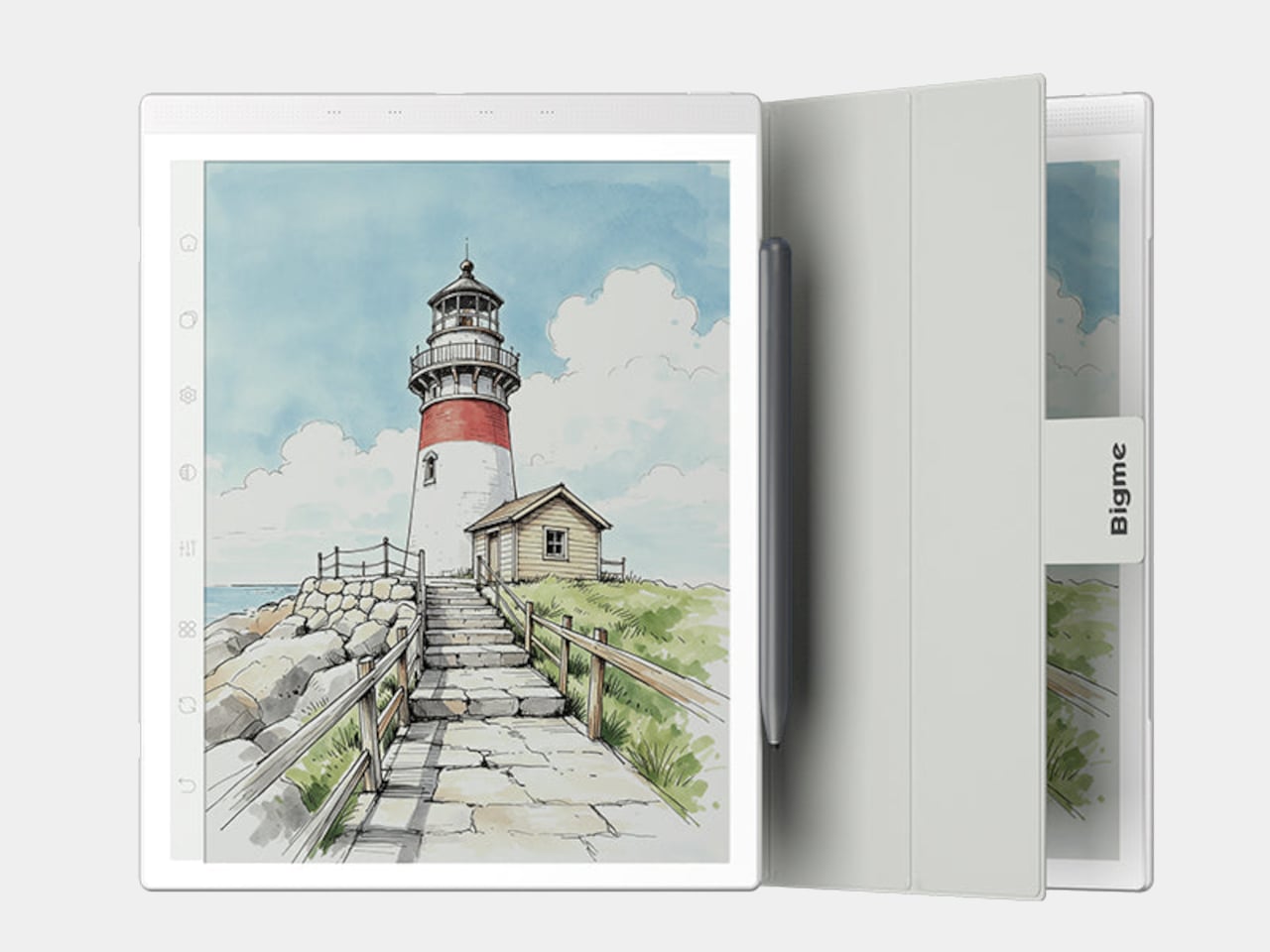
5. reMarkable Paper Pro Move

Digital notes often disappear into folders, never to resurface. This E Ink tablet bridges analog satisfaction with digital organization, offering that pen-on-paper texture designers crave while maintaining searchable, shareable files. The 7.3-inch color display fits comfortably in jacket pockets while providing enough real estate for meaningful sketching and notation. At $449, it occupies premium territory, yet the refined materials and thoughtful engineering justify the investment for designers serious about capturing ideas throughout their day.

The included Marker stylus delivers genuine tactile feedback that makes extended writing sessions genuinely pleasurable rather than tolerable. The E Ink screen eliminates eye strain from backlit displays, letting you work comfortably for hours without fatigue. Magnetic attachment keeps the stylus secure during transport while adding minimal bulk. The responsive surface captures subtle pressure variations, making sketches feel natural and expressive. For designers transitioning between physical and digital workflows, this device removes friction while maintaining the creative experience of working on actual paper.

What we like

  • The color E Ink display provides comfortable viewing during extended creative sessions.
  • Pocketable size makes it genuinely portable without sacrificing usable screen space.
  • Tactile feedback from the Marker stylus creates an authentic pen-on-paper sensation.
  • Magnetic stylus attachment prevents loss while keeping the profile slim and portable.

What we dislike

  • The $449 price point represents a significant investment compared to paper notebooks.
  • E Ink refresh rates can’t match the instant response of traditional paper or iPad displays.

Wrapping Up Workspace Elevation

Transforming a workspace isn’t about adding decoration. These five gifts demonstrate how reimagining fundamental tools creates measurably better daily experiences. Each piece removes friction from creative work while bringing visual refinement to surfaces where designers spend countless hours. They’re investments in the quality of repeated interactions, understanding that the tools you touch dozens of times daily deserve genuine design consideration and thoughtful engineering.

The best Christmas gifts for designers don’t gather dust on shelves. They integrate seamlessly into existing workflows while quietly elevating every interaction. From Japanese scissors to magnetic clipboards, these pieces prove that functional objects can spark joy through intelligent form and purposeful design. They’re reminders that workspace elevation comes from choosing tools that respect both your creative process and your aesthetic sensibilities.

The post These 5 Christmas Gifts for Designers Just Replaced Our Entire Home Office Setup first appeared on Yanko Design.

Bene Just Built Office Furniture You Can Reconfigure Without Any Tools

Offices keep buying furniture that looks permanent, which works fine until someone needs the room to do something different. A workshop space becomes a presentation area, a meeting room needs to turn into individual work zones, and nobody wants to wait three days for facilities to show up with screwdrivers. The furniture just sits there looking expensive and immovable while everyone works around it instead of with it.

PIXEL by Bene is designer Didi Lenz’s answer, and it looks almost suspiciously simple. Each piece is a 36 x 36 cm cube made from raw pine plywood with visible grain and knots all over the surface. Lenz says it isn’t really furniture, which makes sense when you see people stacking them into benches, flipping them into tables, or just using one as a side storage box with a handle cut into the side.

Designer: Didi Lenze (Bene)

The wood is completely untreated, so every cube looks slightly different depending on which part of the tree it came from. Some have dark knots near the corners, others show lighter grain patterns, and the plywood edges are exposed instead of hidden under veneer. It definitely reads as workshop material rather than corporate office product, which seems to be the whole point. You can see the screws holding the corners together.

The cubes stack easily because they’re all the same size, and the cutout handles on two sides let you carry them around or fold them over to connect boxes side by side. Add a white laminate top and a stack becomes a work table. Add casters to the bottom, and it rolls wherever you need it. PIXEL Rack adds metal frames that turn stacks into proper shelving or room dividers with slots for whiteboards and plants.

Bene shows photos of teams building entire project rooms by hand. Boxes stacked three high become benches for workshops, racks filled with boxes create semi-transparent walls between work zones, and tops laid across stacks turn into standing height tables. The setups look intentionally unfinished, like someone is still building them, which is probably the aesthetic Lenz wanted. Nothing looks bolted down or precious.

The system works because it assumes people will move things around themselves without asking permission. You need more seating for a presentation, so you grab some boxes from the storage wall and stack them into rows. The presentation ends, and those same boxes become side tables or go back to holding supplies. Heck, they can turn into a bar for an event if you add the right tops.

Raw plywood has obvious trade-offs. It’ll get dinged and stained over time, the surface isn’t smooth enough for detailed work, and the workshop look won’t suit every office brand. The fixed 36 cm dimension means everything is the same height whether you’re sitting, standing, or storing things, which can feel awkward. Some people will look at PIXEL and just see fancy storage crates, which isn’t entirely wrong.

But the system makes sense for spaces that need to change shape constantly. Co-working areas, design studios, classrooms, and pop-up shops can rebuild their layout between sessions without calling anyone. The wood looks honest and approachable instead of intimidating, and you don’t need instructions to figure out that boxes stack. PIXEL by Bene basically gives you building blocks that happen to be office furniture, or maybe it’s the other way around.

The post Bene Just Built Office Furniture You Can Reconfigure Without Any Tools first appeared on Yanko Design.
This $19,750 Mobile Office Lets You Work From Your Backyard—Or Anywhere Else

Remote work has transformed how we think about our professional spaces, and Dragon Tiny Homes is taking that concept to its logical extreme. Their latest creation is a mobile office that ditches the spare bedroom setup for something far more intriguing: a dedicated workspace you can park in your backyard or tow to wherever inspiration strikes.

Measuring just 16 feet in length and sitting on a double-axle trailer, this compact structure takes cues from the company’s earlier Aria 20 model. At 135 square feet, it’s decidedly petite, even by tiny house standards. That modest footprint translates to relatively easy towing, making it genuinely portable rather than just theoretically mobile. The exterior combines engineered wood cladding with floor-to-ceiling glazing that would feel excessive in a residential setting but makes perfect sense here. Privacy concerns take a backseat to the benefits of natural light and visual connection to the outdoors. Anyone who’s spent hours in a windowless home office will immediately grasp the appeal. That single-glazed door opens to an interior that prioritizes function over square footage.

Designer: Dragon Tiny Homes

Inside, the plywood-finished space accommodates two desk stations, a storage unit, and a sofa for those moments when you need to step away from the screen. A ceiling fan handles air circulation. The single-room layout means zero wasted space on hallways or room divisions. Everything exists in one open area that feels more spacious than the numbers suggest, largely thanks to those generous windows. The setup shown in promotional images looks perfectly livable as a workspace, though potential buyers should clarify what’s actually included in the purchase price. That sleek iMac visible in the photos almost certainly isn’t part of the deal, and the furniture inclusion remains ambiguous.

One notable omission is a bathroom. For those envisioning this as a backyard office steps from the main house, that’s a non-issue. You simply use your existing facilities. The choice also keeps costs down by eliminating plumbing complexities. Those planning to take their office truly remote might view this differently, though the tradeoff makes sense given the price point.

Speaking of cost, Dragon Tiny Homes has positioned this office at a remarkably accessible $19,750 starting price. That’s a fraction of what most home renovation projects run, and potentially cheaper than renting commercial office space over just a few years. The company offers configuration options for buyers who need specific features, including a full off-grid setup for those seeking workspace away from traditional utilities and everyday interruptions.

The appeal here extends beyond pure functionality. Something is refreshing about physically separating work from living space, even if that separation is just a few dozen feet. No more trying to maintain professional composure on video calls while family members pass behind you. No dining table scattered with laptops and papers. Just a dedicated structure that exists solely for getting things done, whether that’s in your backyard or parked beside a mountain lake three states away.

The post This $19,750 Mobile Office Lets You Work From Your Backyard—Or Anywhere Else first appeared on Yanko Design.

These 3 Desk Objects Make Shredding, Crushing Feel Like Design

Many of us already practice tiny acts of destruction when we’re stressed. Shredding receipts, crumpling paper, or picking at packaging feel oddly satisfying even though we usually hide them. They’re little releases that most designs ignore, treating them as guilty pleasures instead of real human behaviors. Art of Destruction is a concept that leans into those impulses and asks what happens if industrial design treats them as experiences worth designing.

The project is a trio of objects named Disintegrate, Compress, and Explosion. Each one takes a different destructive action and turns it into a deliberate, almost ceremonial interaction. They share a visual language of cool grey bodies, orange accents, clear panels, and exposed mechanisms that make them look more like hi-fi gear than office tools. Together, they feel like a small family of instruments for controlled chaos on your desk.
Designers: Meesol Park, JiHoon Park, MIN A Kim, Nahyeon Kwon, Dongkyun Kim, Taeyoon Kim

Create your own Aesthetic Render: Download KeySh2ot Studio Right Now!

Disintegrate is a reimagined paper shredder that puts the whole process on display. A rectangular frame with a large side window reveals gears, belts, and blades pulling paper into a cylindrical bin. A big orange dial and a row of circular buttons invite you to tune the experience. Shredding becomes less about security and more about watching documents get mechanically unmade in sound and motion.

Compress is a small cylindrical compactor that looks like a cross between a speaker and a sculptural vase. The top is a solid metal cap, while the lower half is a clear chamber showing a twisted vortex of ribs inside. Drop something in, press down, and the spiral structure crushes it into a neat puck. The act of compression becomes a slow, visual performance instead of a quick, guilty squeeze.

Explosion is a flat tabletop console built around a central well of magnetic fluid. A large knob and button sit on one corner, and a perforated grid hints at lights or sound. Press the control, and a pulse of magnetism sends the ferrofluid erupting into spikes before it settles back. It’s a safe, repeatable way to trigger miniature explosions, with the mess contained behind a clear top plate.

The three devices work together visually. In the group shots, they share proportions and detailing, so they could sit on a desk like a family of instruments. Transparent panels and exploded views reveal carefully layered internals, turning mechanisms into part of the aesthetic. They feel less like gadgets and more like props from a film about emotional regulation through designed objects.

Art of Destruction is a playful question about how we deal with tension and boredom. Instead of hiding our urge to tear, crush, or explode things, these concepts imagine channeling it through objects that are honest about what they do and beautiful while doing it. Whether or not they ever exist beyond renders, they make a strong case that even destruction can be a mindful ritual.

The post These 3 Desk Objects Make Shredding, Crushing Feel Like Design first appeared on Yanko Design.