Ayaneo Pocket VERT reimagines Game Boy form factor with a touchpad and long-lasting 6,000mAh battery

In the rapidly evolving landscape of handheld gaming, Ayaneo continues to stand apart by treating portability as an experience rather than a specification. Its newest handheld embodies that philosophy with quiet confidence, merging high-end performance with a level of craftsmanship and material intention that feels decidedly premium. Every curve, texture, and component has been considered not just for function, but for how the device lives in the hand, resulting in a compact form factor that feels effortlessly capable and thoughtfully designed.

Meet the upmarket Pocket Vert, which has an Android-powered handheld that’s crafted out of a full CNC-milled unibody construction. The handheld has a full glass front panel fitted with a 3.5-inch high-resolution LTPS display having 1600×1440 resolution (at 615 ppi), 60Hz refresh rate, and 450 nits peak brightness level. In their latest teaser video, Ayaneo has revealed that the device will be positioned flush in between the flagship Pocket DMG and budget gaming controllers like Anbernic RG40XX V. This certainly will fill the gap, and the sweet spot mobile gamers were craving.

Designer: Ayaneo

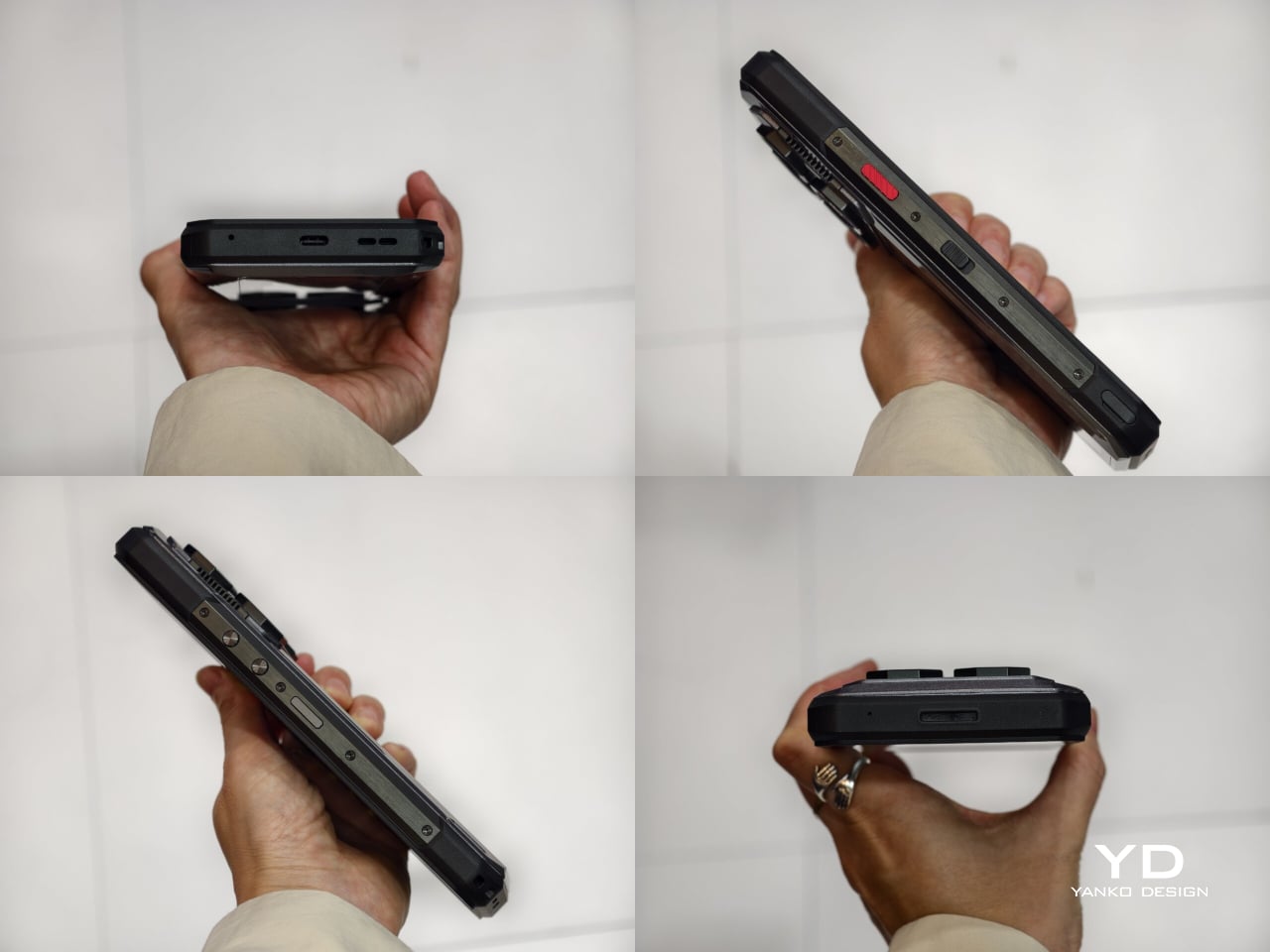
The company teased the handheld earlier this month on November 5, revealing the design and some specifications. Now, in a fresh Product Sharing Session, they’ve revealed multiple prototypes that’ll ultimately morph into the compact handheld. Touted as a premium Game Boy clone, it’ll come in three color options: Black, White, and Red, with matching buttons. Measuring 86x143x20mm, the classy little gadget is smaller than the Pocket DMG. Despite the petite form factor, it has a 3.5mm jack and a USB-C port at the bottom. The Pocket Vert should have enough power under the hood as it is seen running the God of War title, which requires a good amount of processing fuel.

Section below the D-Pad and buttons is a touchpad, which the player can map to various button configurations or sticks. The touchpad is completely invisible and beyond the physical buttons for a less intrusive functionality. Just like the DMG, this one has a wheel called the MagicSwitch key for added functionality. It is used to toggle the volume control levels, short-pressed to mute, and long-pressed to trigger the function menu. As is clear from the naming convention, the handheld is targeted towards vertical retro handheld enthusiasts.

Ayaneo has confirmed the device packs a 6,000mAh battery and bottom-firing speakers for a satisfying playing experience. Depending on the processor fitted inside, the battery life could be excellent for such a small gadget. That said, there is no detail about the release date and other vital hardware information. We can expect the remaining fog to clear with another official sharing session in the coming days.

The post Ayaneo Pocket VERT reimagines Game Boy form factor with a touchpad and long-lasting 6,000mAh battery first appeared on Yanko Design.

AOOSTAR EG02 eGPU Dock Has a Built-In Stand for Your Mini PC

Mini PCs and handheld gaming devices are getting impressively powerful CPUs, but their graphics capabilities still lag behind desktop machines by a wide margin. Integrated graphics can handle everyday tasks and lighter games just fine, but demanding titles or creative work that needs GPU acceleration quickly expose the limitations. External GPU docks have become a popular solution for bridging that gap, letting you plug a desktop graphics card into a compact device whenever you need the extra horsepower.

The AOOSTAR EG02 takes a different approach from most eGPU solutions by giving you a barebones platform where you bring your own power supply and graphics card. It’s designed for enthusiasts who use mini PCs, laptops, or handheld gaming devices and want the flexibility to configure their own GPU setup. The dock supports both Thunderbolt 5-class connections and Oculink, covering the two major high-bandwidth paths for connecting external graphics to modern compact computers.

Designer: AOOSTAR

The connectivity story here is worth understanding. Two front-facing USB-C ports deliver Thunderbolt 5-level bandwidth, which works with newer laptops and some handhelds that support the standard. There’s also an Oculink port that exposes a direct PCIe 4.0 x4 link, favored by mini PC users because it offers lower overhead and more consistent performance than Thunderbolt in some scenarios. Having both options means the dock works with whatever connection your host device supports.

Power comes from whatever ATX or SFX power supply you install in the back of the chassis. That dual-spec support means you can use anything from a compact 600-watt unit to a massive 1000-watt brick, depending on what kind of GPU you’re running. The all-metal chassis features an integrated aluminum frame with an adjustable GPU support arm that slides to match different card lengths, preventing sag and keeping everything stable.

Above the power supply sits a removable stand designed to hold a mini PC, creating a vertical stack where the PSU, mini PC, and GPU all occupy the same footprint. That’s useful if you want a compact all-in-one rig on your desk, but the stand can be detached if your mini PC will live somewhere else, like next to a monitor or tucked behind other gear.

The design encourages tinkering rather than hiding the hardware. In the lifestyle photos, you can see a mini PC perched on top of the dock with cables running to a GPU, or a handheld gaming device plugged in and suddenly pulling power from a full-size desktop card. It’s a modular approach that gives you control over every component and makes upgrades straightforward.

The EG02 is clearly aimed at people who enjoy building and tweaking their setups rather than those looking for a sealed, plug-and-play solution. As computing continues shrinking into handhelds and tiny boxes, a dock like this feels like a natural companion for anyone who still wants desktop-class graphics performance without committing to a full tower that occupies half their desk and costs twice as much.

The post AOOSTAR EG02 eGPU Dock Has a Built-In Stand for Your Mini PC first appeared on Yanko Design.

The best gaming laptops for 2025

Gaming laptops have gone from being ugly bricks to sleek machines that can match the power of desktops. If you’re looking to get crazy high framerates, or if you just want to revel in the glory of real-time ray tracing, you’ll definitely be able to find a gaming laptop that suits your needs. And it’s also easier than ever to connect them to TVs and monitors for big-screen gaming.

One of the biggest advantages of a gaming laptop is its flexibility. You don’t need to worry about bulky setups or being tethered to one spot. Plus, with features like high refresh rate displays, powerful GPUs and cutting-edge processors, these machines are more than capable of handling AAA titles, eSports and even VR gaming. Many gaming laptops now come equipped with RGB-lit keyboards, advanced cooling systems and next-gen SSD storage to keep up with your gaming needs, too. We’ve tested a number of the latest gaming laptops to see which are worth your money.

We were eager to test the Framework Laptop 16 since it promised both modular customizability and a decent amount of gaming power. But while we appreciated just how repairable and upgradeable it is, its actual gaming performance was middling for its high price. You could always buy it without the additional GPU, but that makes it more of a daily workhorse than a gaming system.

On a brighter note, we were pleased to see MSI return to form with the Stealth Studio 14, which is far faster and more attractive than the previous model.

We were amazed to see a genuine 4K/1080p native screen in the Razer Blade 16, but it’s far too expensive and impractical, even for such a pricey brand. Similarly, we found the Razer Blade 18 to be both oversized and overpriced.

Your laptop buying journey starts and ends with the amount of money you're willing to spend. No surprise there. The good news: There are plenty of options for gamers at every budget. In particular, we're seeing some great entry-level PC gaming choices under $1,000, like the Acer Nitro V. Some cheap gaming laptops may feel a bit flimsier than pricier models, and they'll likely skimp on RAM, storage and overall power. But most cheaper laptops should be able to handle the majority of video games running at 1080p at 60 frames per second, which is the bare minimum you'd want from any system.

Things get interesting when you start looking at the best gaming laptops in the mid-range space, with prices around $1,500. At that point, you'll start finding PCs like the ASUS Zephyrus ROG G14, one of our favorite gaming notebooks. In general, you can look forward to far better build quality than budget gaming laptops (metal cases!), improved graphics power and enough RAM and storage space to handle the most demanding games. These are the gaming machines we'd recommend for most people, as they'll keep you gaming and working for years before you need to worry about an upgrade.

If you're willing to spend around $2,000 or more, you can consider more premium options like the Razer Blade, which is on-par with some of the best gaming PCs. Expect impeccably polished cases, the fastest hardware on the market and ridiculously thin designs. The sky's the limit here: Alienware's uber customizable Area 51m is an enormous beast that can cost up to $4,700. Few people need a machine that high-end, but if you're a gamer with extra cash to burn, it may be worth taking a close look at some of these pricier systems.

The answer to this question used to be relatively simple: Just get an Intel chip with an NVIDIA GPU. But over the last few years AMD has stepped up its game with its Ryzen notebook processors, which are better suited for juggling multiple tasks at once (like streaming to Twitch while blasting fools in Fortnite). Intel responded with its recent lineup of 13th-gen and Core Ultra chips, but it’s nice to have decent AMD Ryzen alternatives available, especially since they’re often cheaper than comparable Intel models.

When it comes to video cards, though, AMD is still catching up. Its Radeon RX 7000M GPU has been a fantastic performer, but it lags behind NVIDIA when it comes to newer features like ray tracing. At the very least, a Radeon-powered notebook can approach the general gaming performance of the NVIDIA RTX 4070 GPUs.

If you want to future-proof your purchase, or you’re just eager to see how much better ray tracing can make your games look, you’re probably better off with an NVIDIA graphics card. They’re in far more systems, and it’s clear that they have better optimized ray tracing technology. NVIDIA GeForce RTX GPUs also feature the company’s DLSS technology, which uses AI to upscale games to higher resolutions. That’ll let you play a game like Cyberpunk 2077 in 4K with faster frame rates. That’s useful if you’re trying to take advantage of a high refresh rate monitor.

You’ll still find plenty of laptops with NVIDIA’s older RTX 40-series GPUs these days, and they’ll still give you tremendous performance. But to be safe, it’s probably worth opting for the newer RTX 50-series systems, since they support the newer DLSS 4 technology and offer a wealth of performance upgrades. The entry-level RTX 5060 is a solid start, but we’d suggest going for a 5070 if you’re aiming to maximize your framerates on faster screens. The RTX 5080 and RTX 5090 are both incredibly powerful, but they typically make systems far too expensive for most users.

It’s worth noting that NVIDIA’s mobile graphics cards aren’t directly comparable to its more powerful desktop hardware. PC makers can also tweak voltages to make gaming performance better in a thinner case. Basically, these laptops may not be desktop replacements — don’t be surprised if you see notebooks that perform very differently, even if they’re all equipped with the same GPU.

Screen size is a good place to start when judging gaming notebooks. In general, 14-inch laptops offer the best portability, while 16-inch models are a bit more immersive. And of course, you can go all the way up to an 18-inch screen to maximize your real estate.

There’s also plenty to consider beyond screen size — like refresh rates. Most monitors refresh their screens vertically 60 times per second, or at 60Hz. That's a standard in use since black and white NTSC TVs. But over the past few years, displays have evolved considerably. Now, 120Hz 1080p screens are the bare minimum you'd want in any gaming notebook — and there are faster 144Hz, 240Hz and even 360Hz panels. All of this is in the service of one thing: making everything on your display look as smooth as possible.

For games, higher refresh rates also help eliminate screen tearing and other artifacts that could get in the way of your frag fest. And for everything else, it just leads to a better viewing experience. Even scrolling a web page on a 120Hz or faster monitor is starkly different from a 60Hz screen. Instead of seeing a jittery wall of text and pictures, everything moves seamlessly, as if you're unwinding a glossy paper magazine. Going beyond 120Hz makes gameplay look even more responsive, which to some players gives them a slight advantage.

Not to make things more complicated, but you should also keep an eye out for NVIDIA's G-SYNC and AMD's FreeSync. They're both adaptive sync technologies that can match your screen's refresh rate with the framerate of your game. That also helps to reduce screen tearing and make gameplay smoother. Consider them nice bonuses on top of one of the best gaming monitors with a high refresh rate; they're not necessary, but they can still offer a slight visual improvement.

It’s also worth paying attention to a gaming laptop’s display technology. The cheapest models will have basic LCD screens, but as you step up in price you’ll find brighter and bolder Mini LED and OLED displays. OLED will cost the most, but it offers the best contrast and extremely dark black levels. Mini LED laptops can get brighter and they’re typically cheaper than OLED.

See Also:

  • Get at least 16GB of RAM. If you want to future-proof your system a bit, go for 32GB of RAM (memory is a lot cheaper than it used to be).

  • Storage is still a huge concern. These days, I'd recommend aiming for at least a 1TB M.2 SSD, and ideally a 2TB model if you can swing it. (4TB SSD are also a lot more attainable these days.) Some laptops also have room for standard SATA hard drives, which are far cheaper than M.2s and can hold more data.

  • Try out a system before you buy it. I'd recommend snagging the best gaming laptop for you from a retailer with a simple return policy, like Amazon or Best Buy. If you don't like it, you can always return it.

  • Don't forget about accessories! For the best performance, you'll need a good mouse, keyboard and a headset — these are some of the best gaming accessories for gaming PCs and laptops.

We review gaming laptops with the same amount of rigor as traditional notebooks. We test build quality by checking cases for any undesirable flexible spots, as well as the strength of screen hinges during furious typing and Call of Duty sessions. We benchmark every gaming notebook with PCMark 10, a variety of 3DMark tests, Cinebench and Geekbench. We also use NVIDIA’s Frameview app to measure the average framerates in Cyberpunk 2077, Overwatch 2 and other titles. For media creation, we transcode a 4K movie clip into 1080p using Handbrake’s CPU and GPU encoding options.

Displays are tested under indoor and outdoor lighting with productivity apps, video playback and gameplay. We also try to stress the full refresh rate of every gaming notebook’s screen by benchmarking Halo Infinite, Overwatch 2 and other titles. Laptop speakers are judged by how well they can play back music, movies and the occasional game session with detail and clarity, and without any obvious distortion.

When it comes to battery life, we see how long gaming systems last with a mixture of real-world productivity apps and gameplay, and we also test with PCMark 10’s “Modern office” battery test. In addition, we’re judging the quality of a machine’s keyboard with typing tests as well as relative accuracy and comfort during extended gaming sessions.

This article originally appeared on Engadget at https://www.engadget.com/computing/laptops/best-gaming-laptops-172033838.html?src=rss

Valve Steam Frame standalone VR headset could be the game changer Industry’s been waiting for

I can recall my experience strapping on a virtual reality headset for the first time. It promised me a new world experience, but the immersive presence was nothing more than stained eyes and a throbbing head. VR headsets have come a long way since then, and now the tech has advanced into a more comfortable and untethered domain. It has advanced beyond requiring cables and now connects to Steam wirelessly. Yes, this is made possible by the Steam Frame: a standalone VR headset that Valve Corporation has just announced silently on its website.

The new Steam Frame is designed to seamlessly connect with both PC and Steam games. You can also play games locally on the VR headset, thanks to an ARM chip onboard. After making its presence felt in the living room gaming scene, the American gaming giant, already recognized for its handheld Steam Deck, is now entering the immersive virtual reality gaming with the Steam Frame, which has been announced alongside the company’s gaming console, called the Steam Machine, and the Steam Controller featuring a cleaner design and a joystick.

Designer: Valve

While the cube-shaped Steam Machine gaming console is created to take on the market dominated by the PlayStation 5 and Xbox. To that accord, it is built compact, but it does not compromise power, which is assured by the custom AMD Zen 4 CPU, RDNA 3 GPU paired with Linux-based SteamOS. We have a detailed report on the gaming console here. Coming back to the Steam Frame, let’s try and understand what the VR headset entails.

The first standalone, wireless Steam VR headset comes with its own hand controller and is designed to handle your entire Steam game library. Whether it’s an immersive VR or no VR game, the standalone headset supports both. Unlike those initial headsets, Steam Frame is designed with comfort and ease of use in mind, and it is powered by an ARM processor for local emulation of PC games as well. For streaming games directly from the computer, Valve provides a 6GHz wireless dongle, which it claims provides low latency and high bandwidth to ensure a smooth game experience.

The headset draws its processing power from a Snapdragon 8 Gen 3 chip onboard, which is paired with 16GB of LPDDR5X RAM. It is available in two storage variants: 256GB or 1TB of UFS internal storage, which can be expanded using a microSD card. The Steam Frame features a rechargeable 21.6Whr battery with 45W fast charging support, and the device runs on SteamOS 3.

Starting off with the Steam Frame is as easy as lifting it up, strapping it around the head, and you’re right into the game. No setup, no wires required. The four high-res monochrome cameras are straight at tracking the headset and its controller, while the 2160 x 2160 LCD panels, one for each eye, with support for up to 144 Hz refresh rate make gameplay smooth and immersive. Thin and light custom pancake lenses provide up to 110 degrees FOV while infrared LEDs on the outside ensure the headset’s tracking right in all light conditions, even in a dark bedroom (letting you play quietly while your partner sleeps undisturbed).

The pricing structure of the Steam Frame VR headset remains unconfirmed at the time of writing, but rumors suggest a tentative $1,000 tag for it. What we know for certain is that the headset will ship in Spring 2026 with a detachable head strap featuring integrated dual-speakers, a battery that keeps it going for up to 40 hours, and its charging port. The 440g headset will support dual-band Wi-Fi 7 and Bluetooth 5.3 for connectivity. One of the biggest selling points of the Steam Frame could be the Steam Frame developer kit program that Valve is offering developers to bring their Android apps to Steam as well.

The post Valve Steam Frame standalone VR headset could be the game changer Industry’s been waiting for first appeared on Yanko Design.

New Steam Machine and Controller Bring Living Room Gaming Back to PCs

Living room gaming has always meant choosing between the simplicity of consoles and the raw power of PCs. Consoles offer plug-and-play convenience with hardware that fits neatly under your TV, but you’re locked into their ecosystems and performance limits. Gaming PCs deliver the horsepower and flexibility, but they’re often noisy, bulky, and require enough desk space to house a small village. Valve’s original Steam Machine experiment tried bridging this gap back in 2015, but awkward controllers and limited adoption meant the idea fizzled out before it could catch on.

Now Valve is trying again, and this time the pieces actually fit together. The new Steam Machine and Steam Controller arrive in early 2026 as part of a broader hardware ecosystem that includes the Steam Deck and Steam Frame VR headset. These aren’t just updated versions of old ideas; they’re built on years of learning from the Steam Deck’s success, with designs that finally deliver on the promise of powerful, flexible PC gaming in a package your living room won’t reject.

Designer: Valve

Steam Machine

The Steam Machine packs desktop-class gaming into a cube that’s roughly six inches on each side. The matte black enclosure features a magnetically swappable front faceplate and a customizable LED strip that displays system status, download progress, or whatever color gradient suits your mood. It’s a minimalist design that hides pretty impressive hardware, including a semi-custom AMD Zen 4 CPU and RDNA3 GPU capable of 4K gaming at 60fps with FSR enabled. Valve claims it’s over six times more powerful than the Steam Deck, which should handle most AAA titles without breaking a sweat.

Inside, you get 16GB of DDR5 RAM plus 8GB of dedicated VRAM, with storage options of either 512GB or 2TB NVMe SSDs. Both models include microSD expansion if you need even more space. The internal power supply means no bulky external brick cluttering your entertainment center, and the whole thing runs whisper-quiet even under load. Valve designed the cooling system to handle demanding games without turning your living room into a wind tunnel, which is a thoughtful touch for something meant to sit in plain sight.

The I/O situation is refreshingly generous. You get DisplayPort 1.4 and HDMI 2.0 outputs for connecting to TVs or monitors, with support for resolutions up to 8K at 60Hz or 4K at 240Hz, depending on which port you use. There are five USB ports total, split between the front and back, plus Gigabit Ethernet and Wi-Fi 6E for connectivity. The Steam Machine also has a built-in wireless adapter that pairs directly with up to four Steam Controllers, letting you wake the system from your couch without fumbling for a keyboard.

Of course, the Steam Machine runs SteamOS, the same Linux-based operating system that powers the Steam Deck. The interface is designed for controllers rather than mice, with fast suspend and resume that works like a console. That said, it’s still a PC underneath, so you can install whatever apps or operating systems you want. Valve isn’t locking you into anything, which feels like a rare bit of freedom in hardware that’s otherwise pretty locked down these days.

Steam Controller

The new Steam Controller takes everything Valve learned from the Steam Deck’s controls and packages it into a standalone gamepad. The layout is familiar if you’ve used a Steam Deck, with two full-size magnetic thumbsticks, dual square trackpads, and all the standard buttons you’d expect. The thumbsticks use TMR technology for better durability and responsiveness, and they support capacitive touch for enabling motion controls. The trackpads are pressure-sensitive and include haptic feedback, making them viable for games that normally require a mouse.

What sets this controller apart are the extras. Four assignable grip buttons sit on the back, letting you map additional controls without taking your thumbs off the sticks or pads. There’s also a feature Valve calls Grip Sense, which uses capacitive sensors along the handles to enable gyro aiming when you hold the controller and disable it when you let go. It’s a small detail that makes aiming in shooters feel more natural without requiring you to toggle a button every time you want precision.

The controller connects via a dedicated wireless puck that doubles as a magnetic charging dock. The puck uses a 2.4GHz connection with about 8ms latency, which is noticeably faster than Bluetooth and feels snappy during gameplay. You can also connect via Bluetooth or USB-C if you prefer, and the 8.39Wh battery is rated for over 35 hours of play. One puck can handle up to four controllers, which makes local multiplayer setups pretty straightforward.

Customization runs deep thanks to Steam Input, which lets you remap every button, adjust sensitivity, and tweak haptics to your liking. Community configurations are available from day one, so you can load presets for thousands of games or build your own and share them. The controller also works across Valve’s entire ecosystem, from PCs and laptops to Steam Deck and the new Steam Machine, with infrared LEDs that let the Steam Frame VR headset track it for mixed-reality gameplay.

Valve’s hardware lineup is expanding into a proper ecosystem rather than just scattered experiments. The Steam Machine and Steam Controller arrive as the cornerstones of that vision, offering power and flexibility without forcing you to choose between the simplicity of consoles and the openness of PCs. Whether that’s enough to pull gamers off the couch and away from their PlayStations remains to be seen, but the pieces are finally in place.

The post New Steam Machine and Controller Bring Living Room Gaming Back to PCs first appeared on Yanko Design.

This Power Strip Is Shaped Like an Original NES Console

Power strips live beneath desks or behind furniture where nobody has to look at them. Black plastic housings with rows of identical outlets do their jobs without offering anything visually interesting or worth displaying. They’re purely functional objects designed to disappear, which works fine until you’re building a desk setup where aesthetics matter as much as keeping devices charged, and everything ends up looking generic and forgettable.

The Trozk Game Style Socket recreates the Nintendo Famicom console as a functional charging station, bringing the red and white color scheme and design language from 1983 directly onto modern desks. Instead of hiding, this power strip sits visibly where it becomes a conversation starter about childhood gaming memories while handling the practical work of powering laptops, phones, and whatever else needs electricity. The nostalgia hits immediately for anyone who remembers cartridge-based gaming.

Designer: PTPC

The body follows the Famicom’s rectangular shape with rounded edges and cream-colored plastic accented by deep red panels. Vertical ridges run along the sides like ventilation grilles from the original hardware. A large red power button sits on one side, positioned exactly where you’d expect a console’s main switch. The whole thing commits fully to looking like a game system from four decades ago instead of just borrowing surface details.

The front panel displays a pixel-style LED screen showing voltage, current draw, and operational status through green numbers and colored bar graphs pulled straight from early arcade interfaces. Small smiley face icons and retro graphics appear alongside the readings, making functional information feel playful. The screen provides genuinely useful data about power consumption while looking like something that should be showing your high score instead.

Multiple AC outlets cover the top and rear surfaces alongside two USB-A ports and one USB-C port for fast charging. The layout spaces everything out enough that bulky adapters don’t block neighboring outlets. The USB-C handles modern quick-charge protocols, while the AC sockets accept different plug types depending on your region. Everything you’d typically plug into a standard power strip works here, just with significantly more personality surrounding it.

Tactile buttons along the front feel satisfying to press like actual controller buttons instead of mushy switches that typical power strips use. The plastic housing looks and feels substantial rather than cheap. Internal construction visible in assembly diagrams shows thoughtful engineering with proper component spacing and secure mounting for all electrical elements. Surge protection and safety features likely come standard, though specific certifications aren’t detailed.

The socket works best on desks where the retro gaming aesthetic adds character to setups that would otherwise look like every other workspace filled with identical black rectangles. It organizes charging needs while referencing shared cultural memories. The Trozk Game Style Socket treats charging as an opportunity for design that carries emotional weight, making daily device management slightly more joyful for anyone who appreciates objects that tell stories.

The post This Power Strip Is Shaped Like an Original NES Console first appeared on Yanko Design.

Lemokey Keyboard With Analog Keys Triggers 4 Actions Per Press

The mechanical keyboard market has split into factions that rarely speak to each other. Gaming boards chase millisecond advantages with features most people will never configure, while design-focused options prioritize clean lines at the expense of functionality. Premium keyboards exist in both categories, but they seldom bridge the gap between looking appropriate in a minimalist workspace and delivering the kind of technical depth that competitive players actually use.

The Lemokey L1 HE addresses this gap with a CNC-milled aluminum chassis that weighs nearly two kilograms and looks deliberate rather than flashy. Available in white with yellow accents, black, or silver, the 75% layout includes macro keys and a programmable roller on the left side that defaults to volume control but accepts custom assignments. The metal construction and clean lines work on desks where aesthetics matter.

Designer: Lemokey (Keychron)

The switches underneath are where things get interesting. Gateron’s double-rail magnetic switches use Hall Effect sensors instead of physical contact points, which sounds technical until you realize what it enables. Every key’s activation point adjusts from feather-light to deliberate across a 3.6mm range. Set your movement keys to hair-trigger sensitivity. Configure typing keys deeper so resting fingers don’t accidentally fire off characters. The keyboard adapts to how you work rather than forcing adaptation the other way.

Press a key partway, and one action triggers. Press deeper, and a different command fires. Deeper still, another. Release at the right depth and a fourth activates. This isn’t theoretical; it changes how certain games and workflows operate once you stop thinking in binary keypresses. Walking versus running becomes pressure instead of separate keys. Multi-key shortcuts collapse into single presses with varying depth. Finger gymnastics get replaced by pressure control.

Switching to analog mode turns the keyboard into something closer to a controller. Racing games suddenly respond to how deeply you press acceleration keys, not just whether they’re pressed at all. The magnetic switches detect these pressure variations smoothly enough that steering feels genuine rather than approximated. People who prefer keyboards over controllers gain functionality that previously required switching input methods entirely.

The web-based configurator runs through any modern browser without installation, working identically across operating systems. Remapping happens quickly. Macros are built through straightforward menus. The keyboard connects wirelessly at 1000Hz polling for gaming or switches between three Bluetooth devices for productivity. Battery lasts long enough that charging becomes a weekly task rather than a daily concern.

Typing produces sounds that feel dampened and substantial rather than hollow or sharp. Multiple foam layers and gasket mounting create that quality, along with stabilizers that keep larger keys smooth. The double-shot PBT keycaps handle daily wear without developing shine, and the metal body prevents any flex during aggressive typing sessions. RGB lighting exists but stays subdued enough not to dominate the aesthetic.

The L1 HE occupies unusual territory between gaming keyboards and professional boards. It delivers rapid trigger modes and analog control alongside a build quality and appearance that work in spaces where RGB unicorn vomit would draw complaints. The programmable roller, magnetic switches, and four-action keys make it technically ambitious, while the design keeps it visually restrained.

The post Lemokey Keyboard With Analog Keys Triggers 4 Actions Per Press first appeared on Yanko Design.

Credit Card-Thin Handheld Has 300 Games and A Multiplayer Cable

There’s something magical about pocket-sized gaming that never gets old for those who grew up with handhelds in their backpacks and pockets. The thrill of squeezing a whole arcade into your palm, the nostalgia of pixel art and chiptunes, and the joy of discovering new games on the go bring genuine smiles that modern mobile gaming just can’t replicate. Most modern handhelds chase power and graphics, but sometimes it’s the simplicity and creativity of 8-bit gaming.

The Arduboy FX-C is a new take on that classic formula with a modern twist for contemporary gamers who appreciate retro aesthetics. It’s slim, open-source, and loaded with over 300 homebrew games, all ready to play on a device that’s barely thicker than a credit card you carry daily in your wallet. With USB-C charging and multiplayer support via link cable, it’s a retro playground for your pocket.

Designer: Kevin Bates

The FX-C is built specifically for portability, with a polycarbonate front, stamped aluminum back, and a transparent shell that shows off the ultra-thin circuit board inside for tech enthusiasts. At just 5mm thick, it slips into your wallet or pocket with room to spare for other essentials like keys and cards. The tactile buttons and crisp black-and-white 128 by 64 OLED screen channel the spirit of classic Game Boy handhelds.

Limited editions add a splash of color and personality to the minimalist design that collectors will appreciate. Purple buttons mark the Founders Edition, while electric green branding distinguishes the Standard Edition produced by Seeed Studio for wider distribution. The robust construction shrugs off daily bumps and scratches without showing wear, while the slim profile means you can carry it everywhere without thinking twice about added bulk.

The big upgrade is USB-C, making charging and programming easier than ever before for users who’ve moved to modern cables. But the real fun starts with the included USB-C link cable that enables local multiplayer battles. Connect two FX-Cs together and you unlock head-to-head multiplayer action, from classic Pong to new homebrew duels created by the passionate community. The same port supports external sensors and future mods for experimenters.

Inside, the ATmega32u4 chip and 16MB flash storage hold over 300 games, with instant switching between titles and no need to reflash the device constantly like earlier models. The 180mAh battery delivers over 8 hours of continuous play on a single charge, and the 4-channel piezo speaker brings retro soundtracks and sound effects to life. The entire system runs on open-source hardware and software that anyone can modify.

The FX-C comes preloaded with a sprawling library of platformers, shooters, puzzles, and more titles spanning every retro genre imaginable, each one crafted by a global community of open-source developers who contribute freely without commercial motivation. If you’ve ever wanted to build your own game or learn to code in a friendly environment, free tutorials and a thriving forum make it easy to get started without prior experience.

Whether you’re commuting on crowded trains, waiting in line at the coffee shop, or just need a break from your phone’s endless notifications and social media, the Arduboy FX-C delivers a burst of retro fun wherever you are throughout the day. For anyone who loves the spirit of classic gaming with a modern twist and open-source freedom, it’s proof that sometimes less really is more.

The post Credit Card-Thin Handheld Has 300 Games and A Multiplayer Cable first appeared on Yanko Design.

DIYer recreates a fully functional version of the iconic Xbox “Big X” prototype

Before releasing the official Xbox console, Microsoft was skeptical whether prospective gamers would be able to keep their software image distinguishable from the new hardware venture. To ensure the inaugural gaming console would be perceived as a standalone product, the company created a prototype that looked radically different from a desktop product. At the 2000 Game Developers Conference, Bill Gates and Seamus Blackley showcased the X-shaped version to build the brand image.

Made from solid aluminum, the prototype weighed 40 pounds and cost nearly $18,000 to manufacture at the time. It was not a functional gaming console and was only created to build the brand perception. The first-ever Xbox came a year after that, and the rest is history. Fast forward to the present day, as one DIYer wants to see if the X-shaped console would be an actual feasible product. The answer is yes, as this functional Xbox prototype-inspired console proves it.

Designer: Tito Perez

Meet Tito Perez of the YouTube channel Macho Nacho Productions, who set out to make the functioning variant of the console prototype. The starting point for him was the reference images of the model taken from the rare one on display in New York. The next step involved building a 3D model of the prototype from the visual reference of every curve, screw hole, and other little details. Thereafter, the finalized file was sent to the PCBWay factory to craft the aluminum model, which cost him around six thousand dollars.

The thing was not as shiny as the original one, so Tito took on the task of polishing it himself to recreate the mirror look. Then he had to figure out a way to fit the hardware components inside the “X” form. The modder chose the original time-correct components and also added new components like HDMI, USB-C power supply, and a large-capacity SSD to the mix. To make this possible, he crafted 3D printed mounts and integrated rails to make use of every inch of space. One hardware component that posed a challenge for him emerged as the power supply unit, which was too big for the rig. For this, he took help from a modder friend who designed a custom USB-C power supply that supplied the needed power while being smaller in form factor.

As a last modification, Tito decided to replace the center jewel with his own modernized version that looks much better than the original, to be honest. It is even more functional since the Xbox logo comes to life, or one can program it to show any custom video file as well. The one-of-a-kind console shell has all the ports and jacks on the rear arranged in a hypnotic layout. Gaming works as intended when connected to the console, and carrying it around is no hassle with the custom-built foam case that houses the Xbox console and the accompanying controllers. Tito wants to showcase his creation in conventions and gaming events, which is downright inviting, and I’m sure the gaming community will love this every bit.


The post DIYer recreates a fully functional version of the iconic Xbox “Big X” prototype first appeared on Yanko Design.

REDMAGIC 11 Pro Review: Watch Liquid Cooling Flow Like Sci-Fi

PROS:


  • Eye-catching visible liquid cooling design

  • Water- and dust-proof mini turbo fan

  • Has a rare 3.5mm headphone jack

  • Flat back design with no protruding camera bump

  • Impressive overall performance

CONS:


  • Gamer aesthetic won't appeal to everyone

  • Visible liquid cooling is only available on more expensive transparent designs

RATINGS:

AESTHETICS
ERGONOMICS
PERFORMANCE
SUSTAINABILITY / REPAIRABILITY
VALUE FOR MONEY

EDITOR'S QUOTE:

The REDMAGIC 11 Pro makes cooling beautiful with visible liquid pulsing through its transparent body.
award-icon

Gaming smartphones have become a category unto themselves, but most either sacrifice design for performance or deliver great specs with boring looks that blend into the sea of generic slabs. For anyone who wants a phone that feels as exciting to hold as it is to use during competitive matches or daily tasks, the market has been surprisingly limited, forcing compromises that feel unnecessary given modern manufacturing capabilities and design possibilities.

The REDMAGIC 11 Pro enters the scene with a bold promise that challenges those compromises directly: flagship gaming performance wrapped in a design you’ll actually want to show off to friends and fellow gamers. With visible liquid cooling, a flat-back transparent body, and specifications that deliver the processing power, it’s a phone that promises visual impact as well as winning matches and dominating leaderboards. Let’s take a deeper look inside to see how well it actually performs in real-world use.

Designer: REDMAGIC

Aesthetics

The REDMAGIC 11 Pro’s design is unapologetically futuristic, especially in the Nightfreeze and Subzero transparent versions that showcase some of the phone’s internal engineering like a piece of wearable art you can carry. The flat rear panel eliminates the camera bump entirely, creating a sleek profile that sits comfortably on desks without wobbling and feels balanced in hand during extended gaming sessions that stretch for hours.

The most arresting detail is the visible liquid cooling system, particularly the circular Time-Space Ring window that reveals the AI server-grade fluorinated coolant pulsing through laser-cut microchannels beneath the transparent metal body. Watching the ice-blue liquid flow as the phone cools itself during intense gameplay creates a kinetic, sci-fi effect that’s both functional and mesmerizing, turning thermal management into visual theater that never gets old.

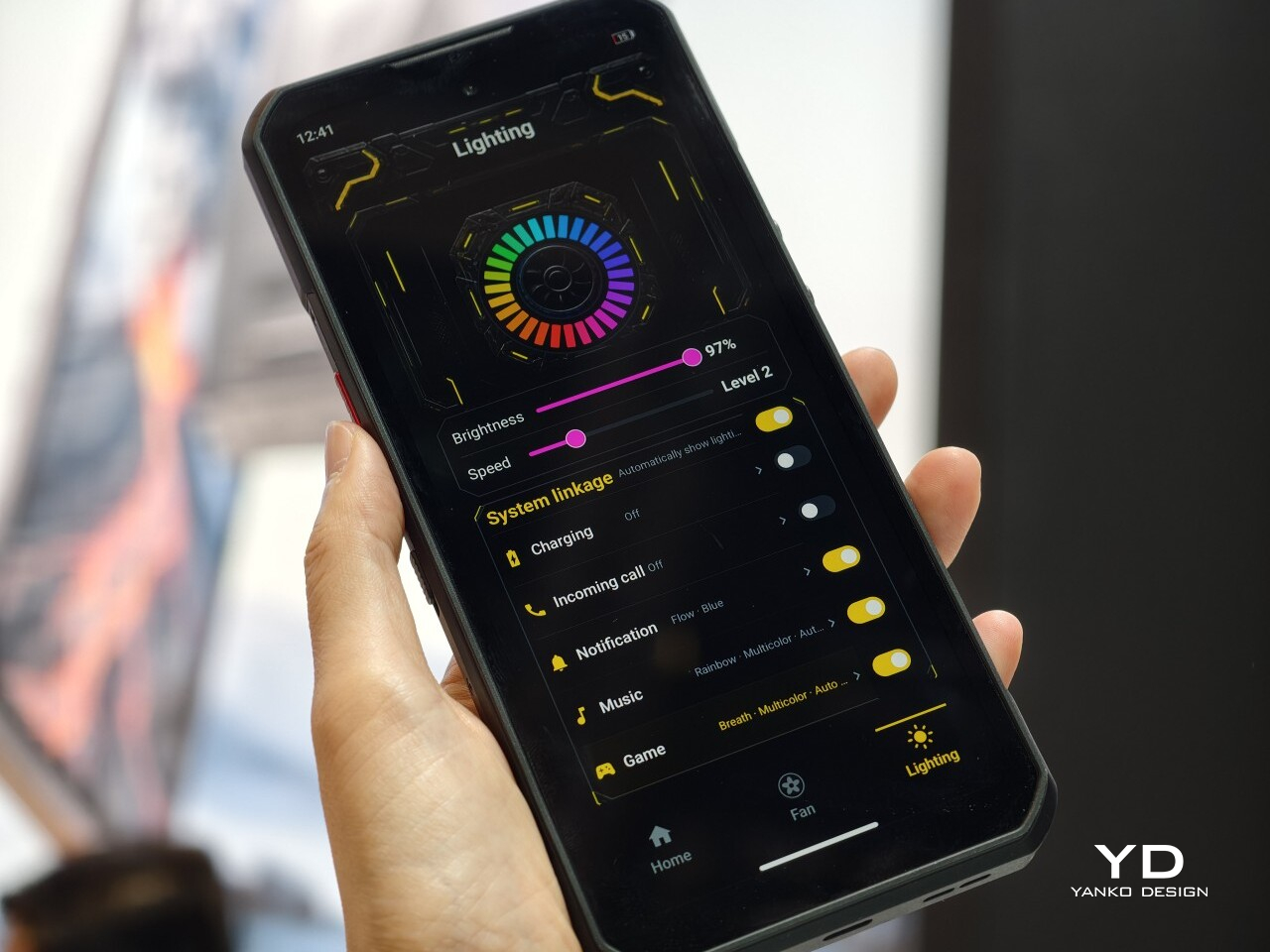
Dynamic RGB lighting frames the visible cooling loop and extends to a side strip that can be customized through software for different effects and colors. The transparent metal construction showcases intricate craftsmanship, revealing some of the components through the premium material. The effect is industrial yet refined, appealing to both gamers and design enthusiasts who appreciate engineering on display rather than hidden behind opaque shells.

Material choices reinforce the premium positioning throughout the device from every angle you examine it. Corning Gorilla Glass protects the display from scratches and impacts, while the aluminum alloy mid-frame provides structural rigidity without excessive weight that would make extended gaming uncomfortable. The matte Cryo version offers a more subdued look for those who prefer understated elegance, but the transparent models are where REDMAGIC’s design philosophy truly shines.

Ergonomics

Despite its futuristic looks and transparent internals packed with visible technology, the REDMAGIC 11 Pro remains remarkably practical for daily use and extended gaming sessions without causing discomfort. At 230 grams, the phone has a substantial feel without being uncomfortably heavy during one-handed use, and the weight distribution keeps it balanced during two-handed gaming grips that competitive gamers favor during intense matches requiring precision control.

The flat back and rounded corners create a comfortable grip that doesn’t dig into palms during marathon sessions lasting several hours. The absence of a camera bump means the phone sits flush on surfaces without rocking annoyingly, making it ideal for desk gaming, table use during video calls, or content consumption on flat surfaces where other phones wobble constantly from protruding cameras.

The phone’s 8.9 millimeter thickness makes it surprisingly pocketable for a gaming device with this much cooling hardware inside, fitting into most pants and jacket pockets without excessive bulk. The flat design actually helps here, distributing the phone’s footprint evenly rather than creating awkward bulges from protruding camera modules that plague most flagship smartphones today and make them uncomfortable to carry.

Button placement is thoughtfully considered throughout the design for both gaming and daily use scenarios. The power button and volume rocker are positioned for easy access, whether you’re gaming in landscape orientation or using the phone normally in portrait mode. The 3D ultrasonic fingerprint sensor works reliably even with wet hands, a practical detail for gamers who get sweaty during intense sessions. The customizable Magic Key on the side provides quick access to Game Space or other functions without interrupting gameplay or requiring menu navigation that pulls you out of immersion.

The 520Hz shoulder triggers are positioned perfectly for landscape gaming, offering tactile, responsive control that feels natural within seconds of picking up the phone for the first time. These physical buttons provide a significant advantage over touchscreen-only controls, especially in competitive shooters where split-second reactions determine outcomes and touchscreen delays can cost matches. The triggers support both landscape and portrait modes for versatility.

Performance

The REDMAGIC 11 Pro’s performance capabilities start with the Snapdragon 8 Elite Gen 5 processor, Qualcomm’s fastest mobile chipset built on a 3nm process with clock speeds reaching 4.6GHz across its cores. Paired with up to 24GB of LPDDR5T RAM and 1TB of UFS 4.1 Pro storage, this configuration handles anything you throw at it, from graphically demanding games to heavy multitasking across dozens of apps simultaneously without slowdowns.

What truly separates the REDMAGIC 11 Pro from competitors is the revolutionary AquaCore Cooling System, the world’s first mass-produced smartphone implementation of flowing liquid cooling technology used in AI servers. This system uses non-conductive fluorinated liquid, circulating it through micron laser-cut channels to draw heat directly from the battery and processor during sustained high-performance use that would throttle most phones.

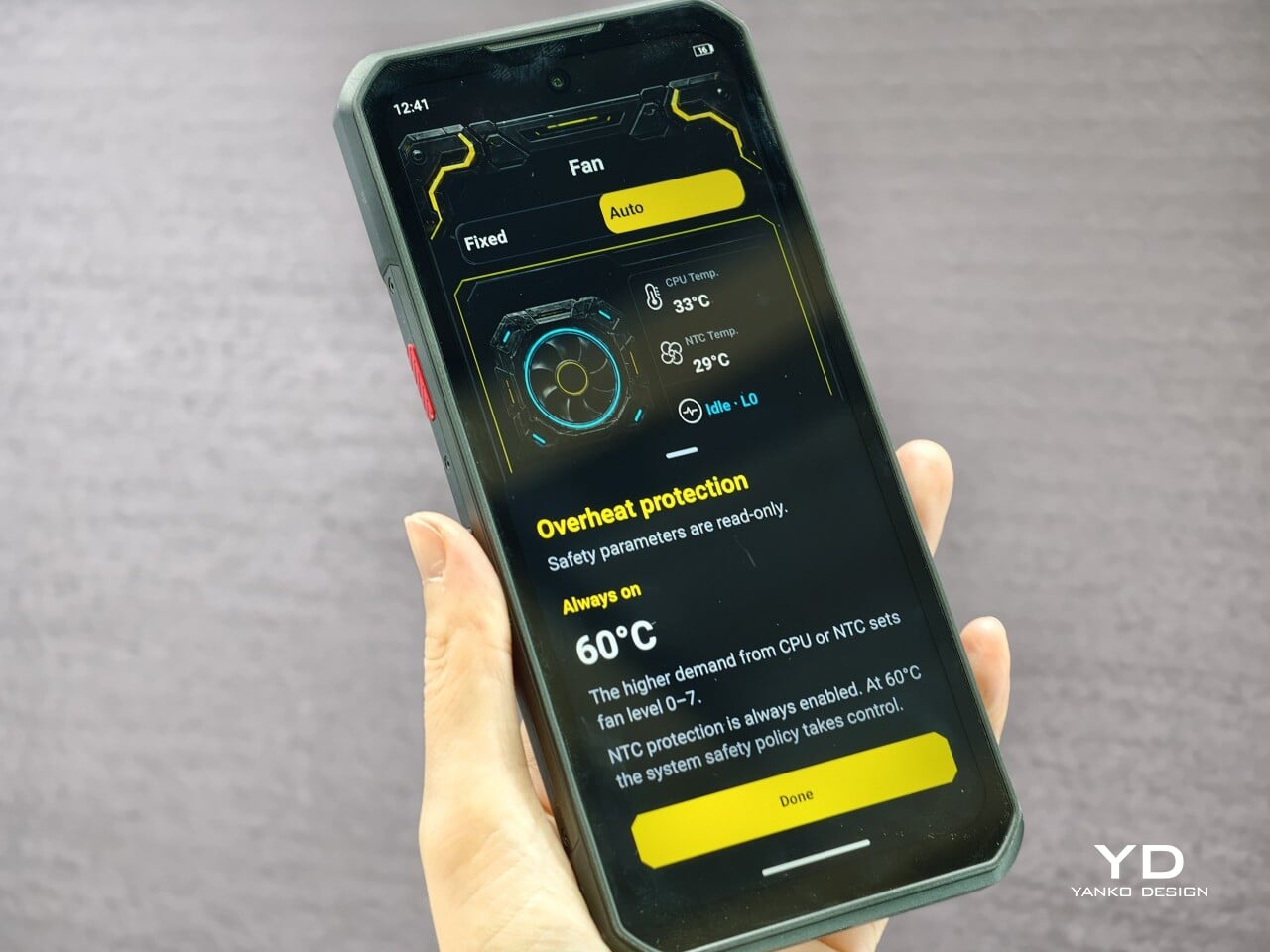
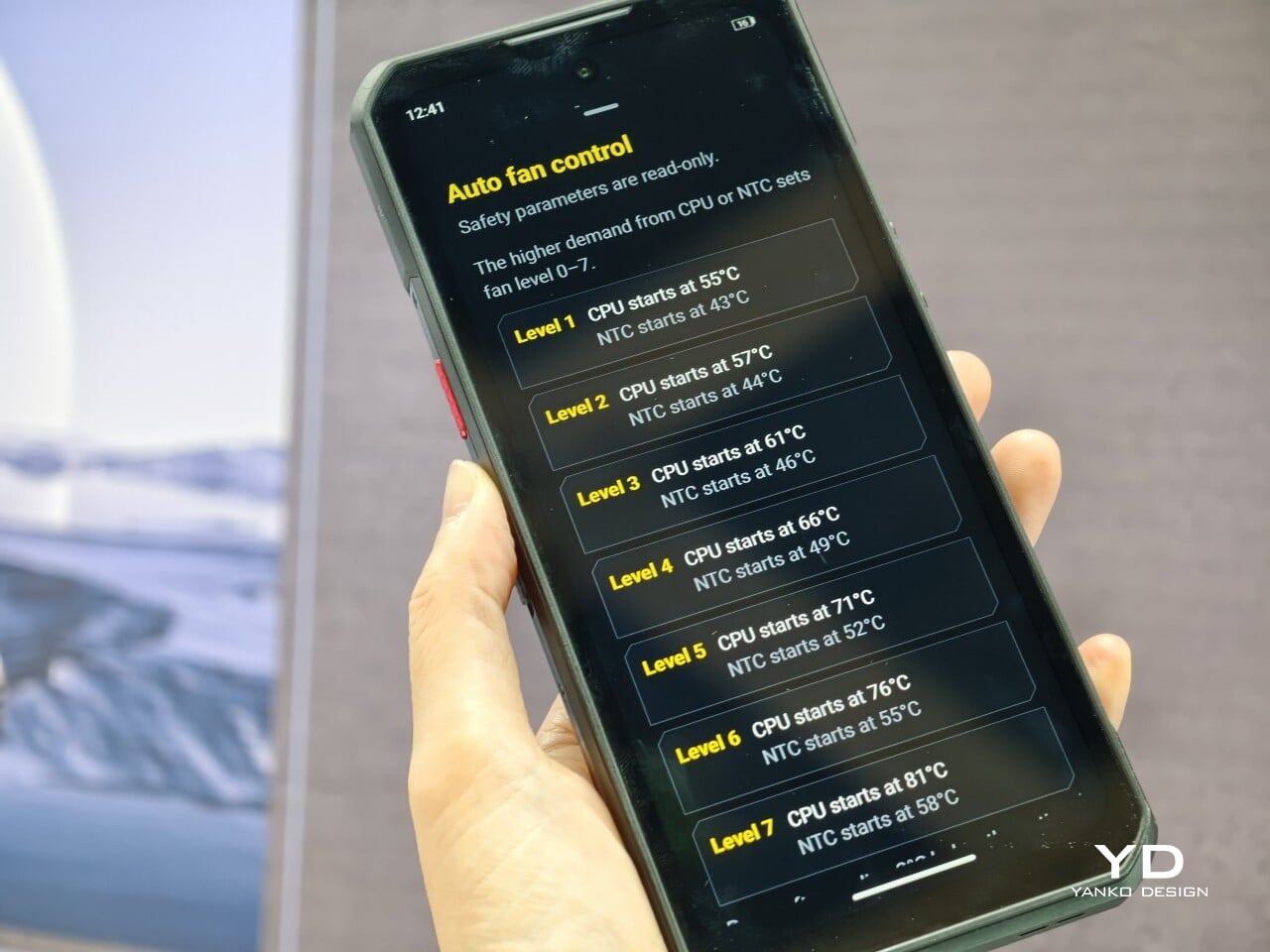
The cooling system combines four technologies working in concert to maintain optimal temperatures throughout extended sessions. Flowing liquid cooling provides direct heat extraction from hot spots, Liquid Metal 3.0 ensures rapid thermal conductivity between components, and the industry’s largest 13,116 square millimeter vapor chamber distributes heat evenly, and a waterproof 24,000 RPM TurboFan accelerates air circulation without failing in humid or dusty conditions.

Testing with demanding titles like Genshin Impact and Honkai Star Rail demonstrates the cooling system’s effectiveness in real-world gaming scenarios. The phone maintains consistent 60-plus frame rates with minimal variance over multi-hour sessions, while competing devices show significant performance degradation and frame stuttering as internal temperatures climb. Battery consumption during gaming is noticeably lower, extending playtime significantly beyond what other flagships achieve.

The 6.85-inch AMOLED display dominates the front with minimal bezels at just 0.7 millimeters thick, achieving a 95.3 percent screen-to-body ratio that creates an immersive viewing experience without distractions. The display’s 2688 by 1216 resolution and 144Hz refresh rate deliver fluid visuals for both gaming and everyday scrolling, while the under-display camera technology eliminates notches or punch holes entirely, maintaining clean lines across the entire screen surface.

The screen emphasizes the importance of the touch experience as much as it does the visuals. The Synaptics 3910v chip enables 2,592Hz instant touch sampling, making on-screen controls incredibly responsive and precise during competitive play where milliseconds matter. The new wet-hand mode ensures reliable touch recognition even in rain or immediately after washing hands. The 3D ultrasonic fingerprint sensor works reliably even with wet hands, a practical detail for gamers who get sweaty during intense sessions.

The 7,500mAh battery provides genuinely impressive endurance across all usage scenarios, delivering up to 34 hours of daily mixed use and over 7 hours of Genshin Impact gameplay at maximum settings without charging. The 80W wired and wireless fast charging reaches full capacity quickly enough to top up during short breaks, and the inclusion of reverse wireless charging means you can power up accessories.

The camera system handles daily photography needs competently without pretending to be a dedicated camera phone, which is perfectly fine for a gaming-focused device. The 50MP main sensor with optical image stabilization and anti-glare coating captures sharp, stable shots in good lighting, while the 50MP ultra-wide lens handles group photos and landscapes with natural perspective. The 16MP front camera, tucked beneath the display, delivers selfies enhanced by AI processing that keeps skin tones natural and details clear during video calls or casual shots.

Sustainability

The REDMAGIC 11 Pro approaches sustainability through durability and longevity rather than disposability, building a phone designed to remain relevant and functional for years rather than requiring replacement. The aluminum alloy mid-frame and Corning Gorilla Glass construction create a robust foundation that withstands daily wear, accidental drops, and the rigors of travel without showing excessive damage or requiring replacement after minor incidents.

The IPX8 water resistance rating and unique dust-proof design protect the phone’s internals from environmental damage that would compromise cheaper devices, extending its practical lifespan significantly. The waterproof and dust-proof mini fan is a REDMAGIC industry first, ensuring the active cooling system continues functioning reliably even in dusty or humid environments where conventional fans would fail or degrade rapidly, maintaining cooling efficiency.

The visible liquid cooling system, while visually striking, also serves a crucial sustainability purpose by preventing thermal degradation of internal components over time. By maintaining lower operating temperatures consistently during heavy use, the phone’s processor, battery, and other heat-sensitive components experience less thermal stress, extending their functional lifespan and maintaining performance consistency across years of heavy gaming.

Value

The REDMAGIC 11 Pro’s pricing positions it strategically within the high-end smartphone market, especially considering what you receive for the investment in terms of hardware and design. The transparent Nightfreeze and Subzero versions start at $849 for 16GB of RAM and 512GB of storage, while the top configuration with 24GB of RAM and 1TB of storage comes in at $999, offering flagship specs without flagship pricing.

When you compare these specifications and prices to other gaming phones and premium non-gaming flagships currently available in the market, the value proposition becomes compelling. Many similarly specced devices with advanced cooling systems, high-refresh displays, and large storage capacities often cost significantly more, sometimes well over the $1,000 mark, and frequently lack the visual flair, gaming-focused features, or transparent design aesthetic that makes the REDMAGIC 11 Pro distinctive.

When you factor in the visible engineering, waterproof active cooling, and gaming-specific features like shoulder triggers and dedicated gaming chips, the value equation tilts heavily in REDMAGIC’s favor. Throw in the 3.5mm headphone jack, 80W wireless charging, and reverse wireless charging, and you’re essentially getting desktop-class gaming performance in a pocketable form factor at prices competitive with conventional flagships.

The rare combination of visible engineering, industry-leading cooling technology, and thoughtful design choices makes the REDMAGIC 11 Pro stand out in ways that raw specifications alone cannot capture. You’re not just buying processing power and storage capacity; you’re investing in a device that celebrates its capabilities visually and functionally, making every gaming session and daily interaction feel intentional and exciting rather than routine.

Verdict

The REDMAGIC 11 Pro delivers on its promise to blend cutting-edge gaming performance with a futuristic design that turns heads and starts conversations wherever you use it publicly. The visible liquid cooling system is genuinely innovative beyond its aesthetic appeal, providing tangible thermal management advantages that translate to sustained performance during the gaming sessions that matter most to competitive players. Combined with the Snapdragon 8 Elite Gen 5, massive battery, and thoughtful gaming features, it’s a phone that respects your competitive aspirations.

For gamers, power users, and design enthusiasts who want their technology to look as advanced as it performs during daily use, the REDMAGIC 11 Pro offers a compelling package. The transparent design, waterproof cooling fan, and flat-back profile demonstrate that gaming phones can be both powerful and beautiful, setting a new standard for what’s possible when engineering and aesthetics receive equal priority in product development without compromise.

The post REDMAGIC 11 Pro Review: Watch Liquid Cooling Flow Like Sci-Fi first appeared on Yanko Design.