Building LEGOs was something I loved as a child. I could spend hours putting together intricate and mesmerizing LEGO builds, that did have the potential to fall apart in mere seconds. However, LEGO is no longer simply considered child’s play. Masterbuilders and creators spend days and weeks building precise and astounding LEGO creations that will truly blow your mind away. And, this collection of LEGO designs is dedicated to automotives! We’ve put together a collection of exquisite and finely detailed LEGO builds inspired by cars and bikes. These creations will have motorcar aficionados drooling at the mouth!
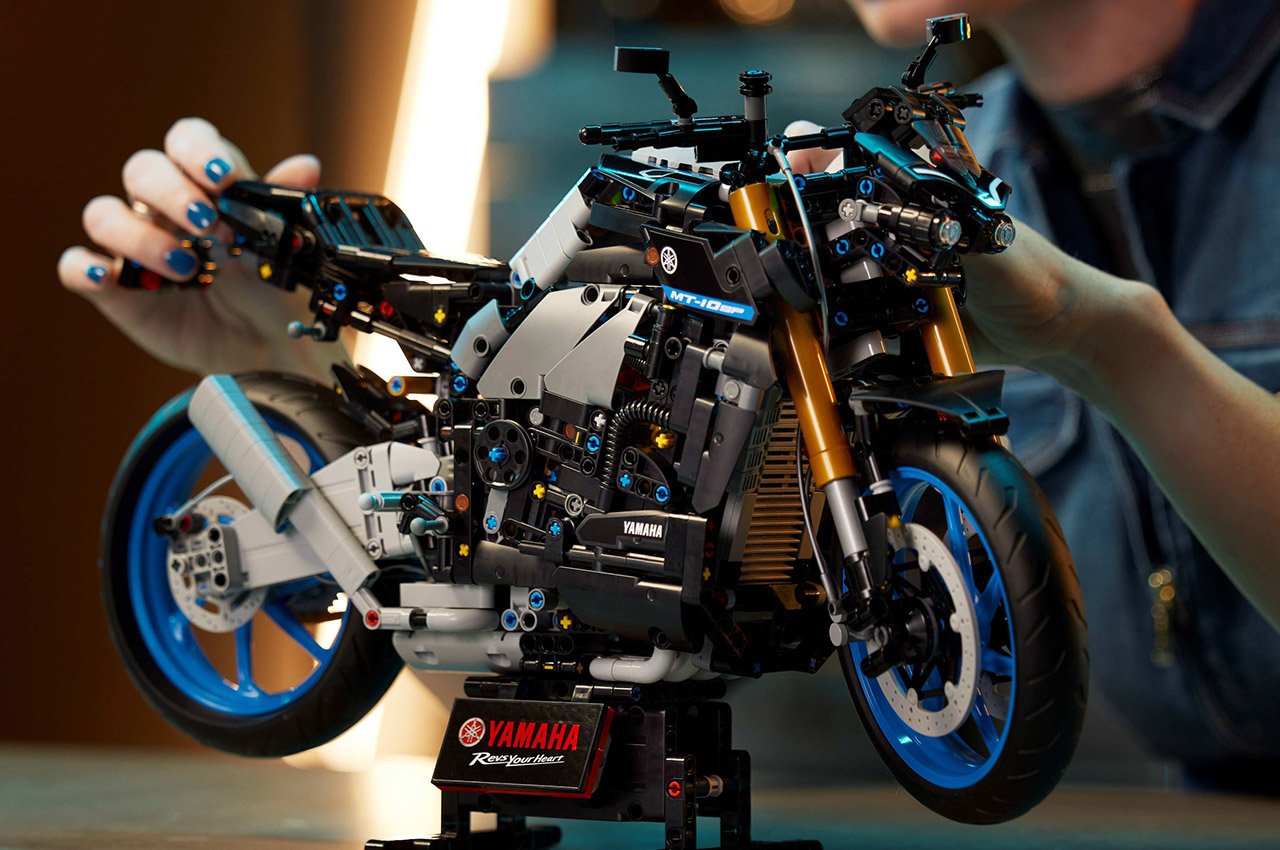
1. LEGO Yamaha MT-10 SP
This LEGO Yamaha MT-10 SP is put together with the same attention to detail as all Technic creations usually possess. As you put it together, piece by piece, you are overcome by an extreme sense of satisfaction. It is equipped with realistic function and movement of a chain drive, 3-speed transmission, 4-cylinder engine, working steering, as well as front and rear suspension. These little features are like a cherry on the icing, adding more realism to an already excellent LEGO build.
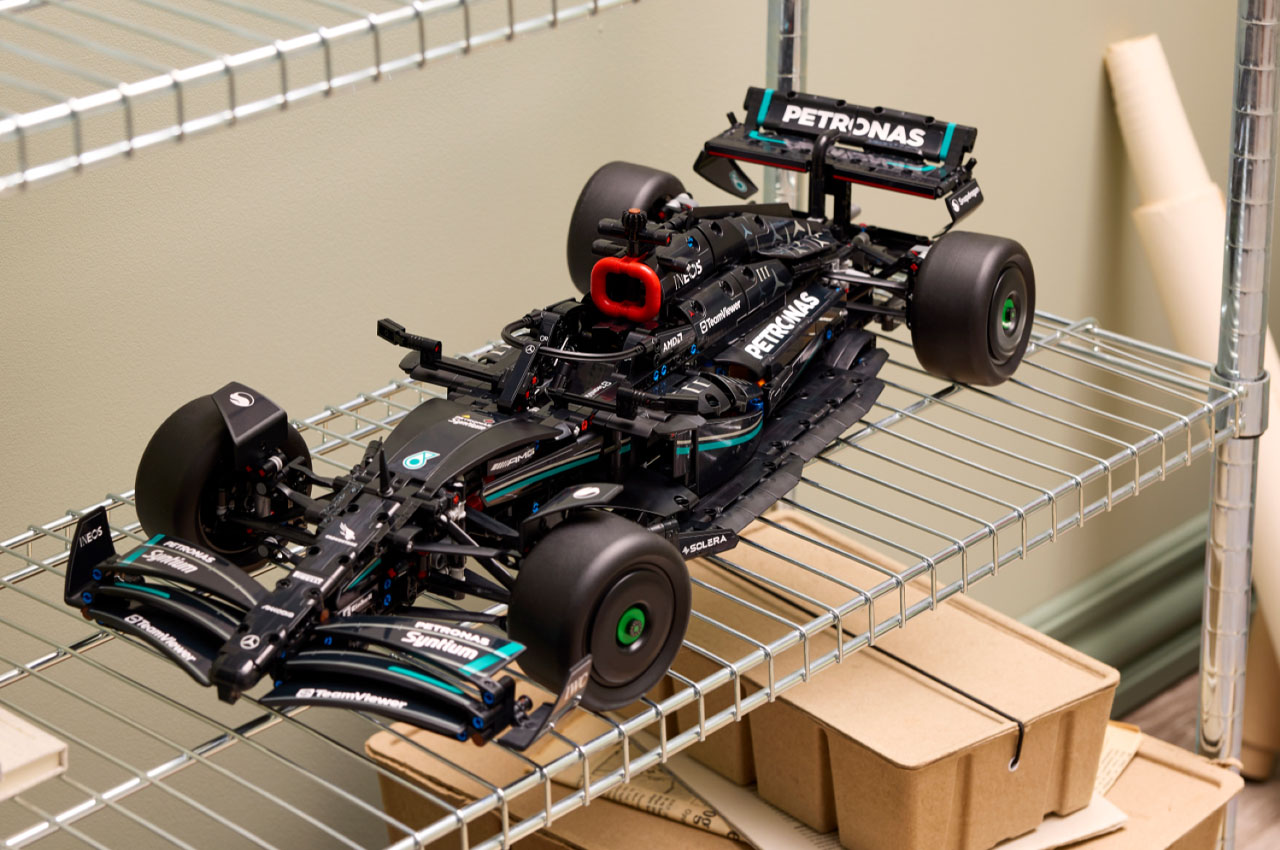
2. LEGO Mercedes-AMG F1 W14 Performance Set
This LEGO Mercedes-AMG F1 W14 Performance Set is the latest addition to LEGO Technic’s collection of motorsports replicas. It is a 1/8 scale model that you can build piece by piece using the 1642 individual LEGO bricks, in turn creating a LEGO build that is 13 cm tall, 63 cm long, and 26 cm wide. It has a stark black color, to ensure the carbon parts don’t get painted, which in turn reduces that tiny amount of weight. The exquisite F1 car is crafted with extreme attention to detail.
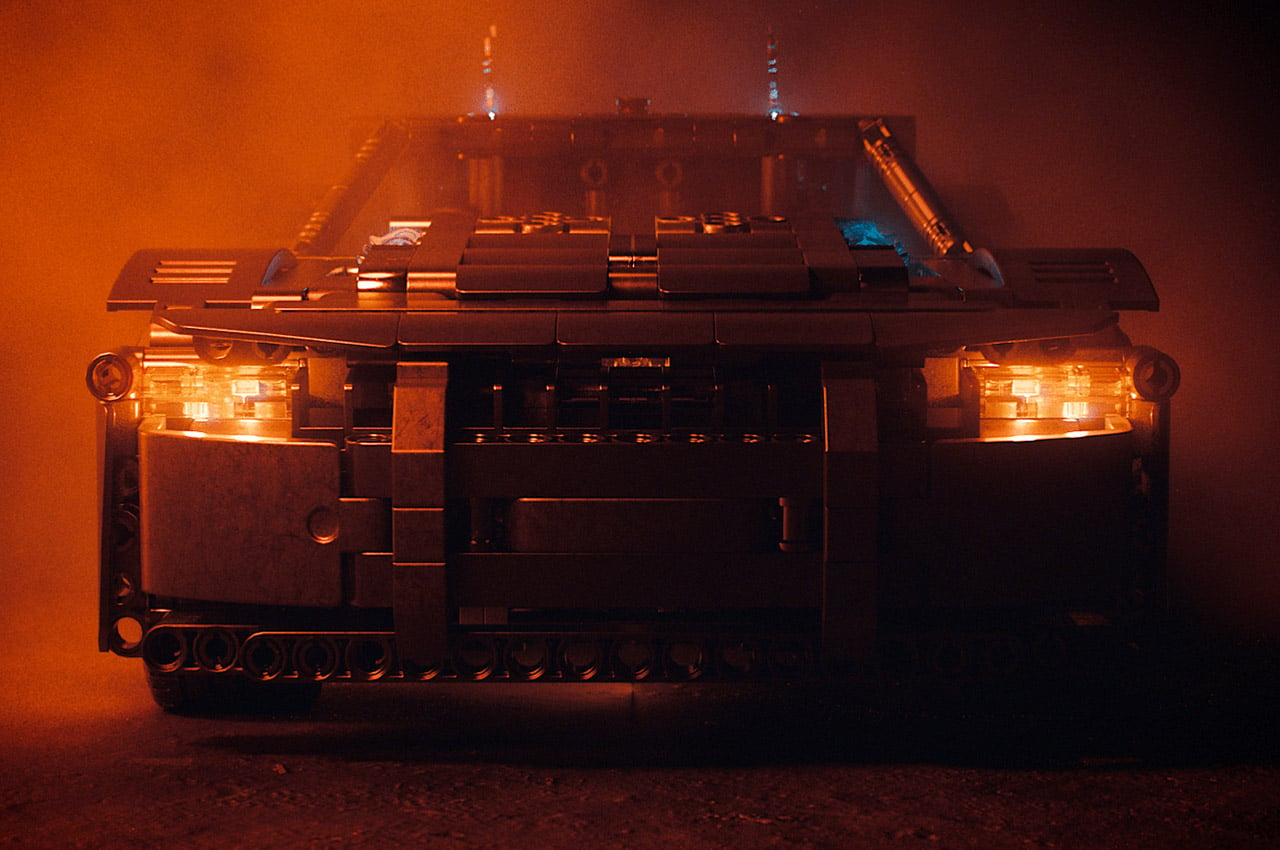
3. LEGO Batmobile
TaeYang Lee designed a Batmobile inspired by the movie’s insane rollercoaster plot! He discovered Mecabricks, a LEGO modeling tool, and used it to create this super cool build. Much like the on-screen Batmobile, this mesmerizing creation is also set in a dark gloomy world, which adds layers of depth and darkness to the automotive’s sinister character. It features a matte black color, toughened wheel rims, and a reinforced bumper build for the kill.
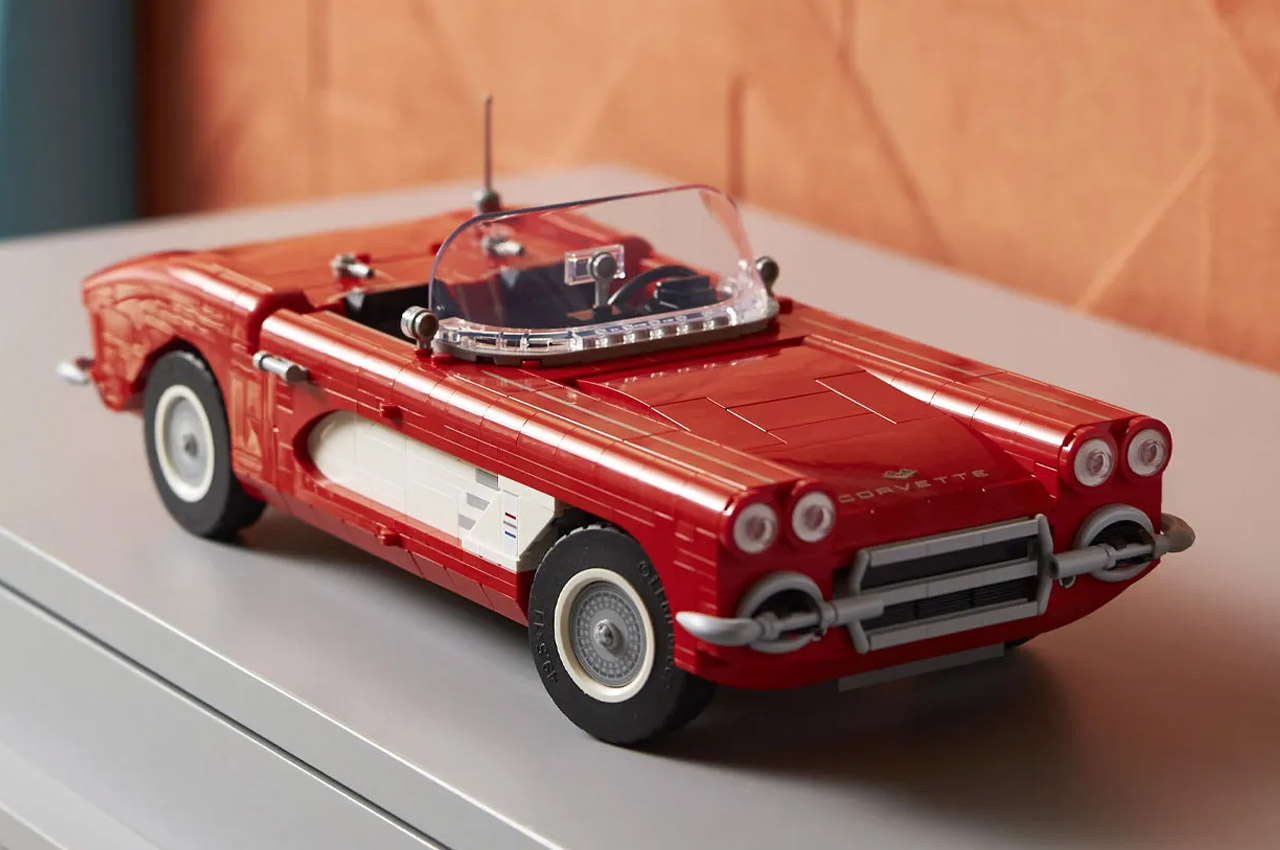
4. 10321 Corvette LEGO Icons Set
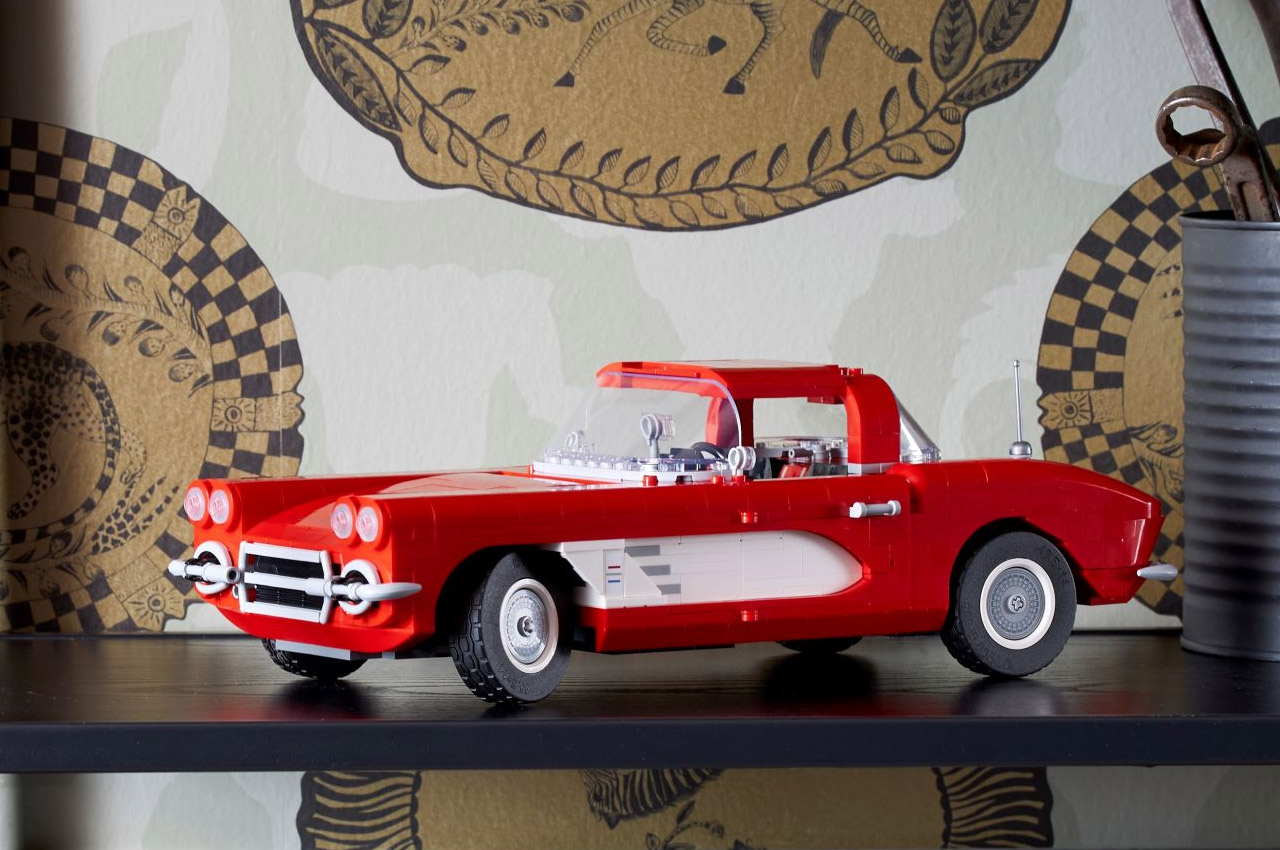
This adorable little 10321 Corvette LEGO Icons set pays tribute to the first-ever Vette which rolled out on June 30, 1953. It has a beautiful build accentuated with a bright red exterior, which perfectly displays the original key details of the real version. These little details include the hard or open-top configuration, opening hood, and the truck that accommodates the V8 engine replica with a spinning radiator fan.
5. LEGO McLaren F1 MP4 Ayrton Senna
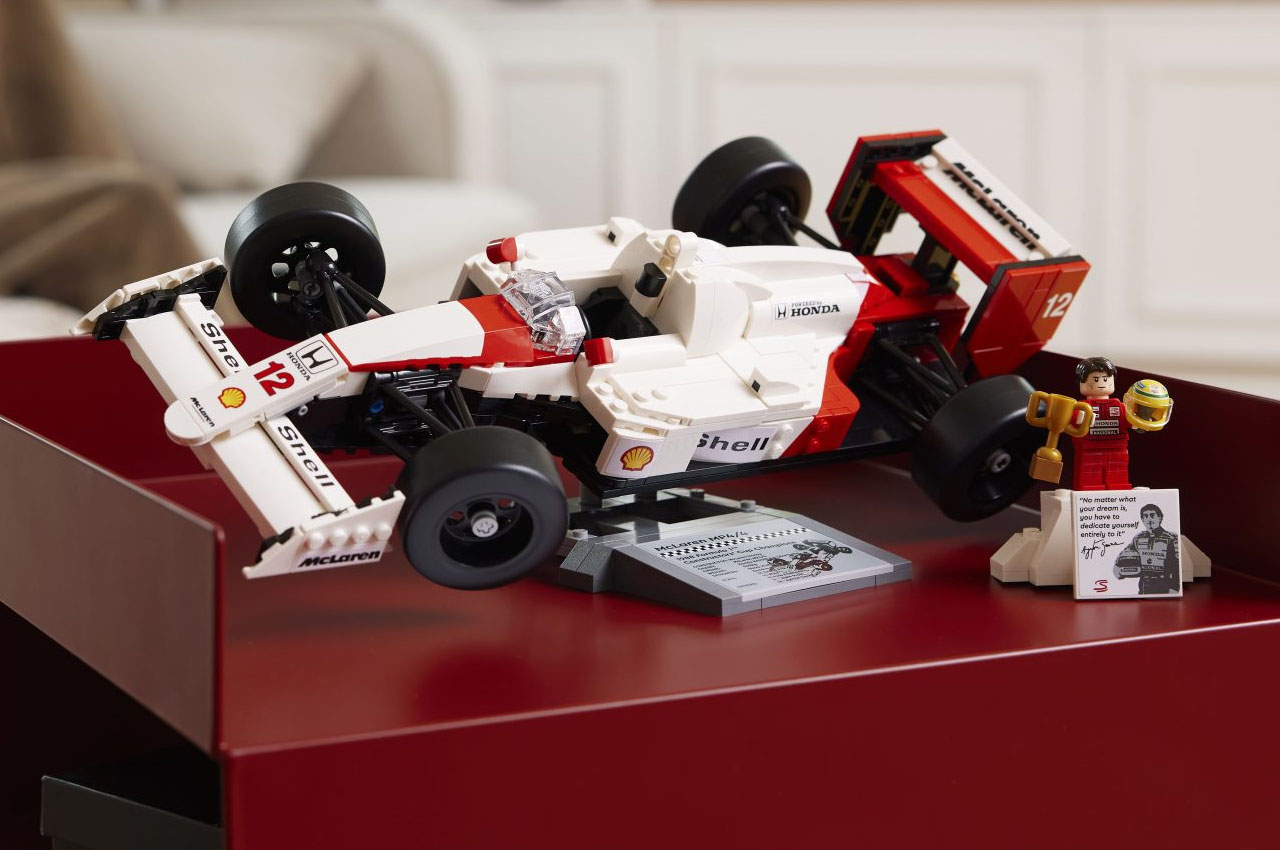
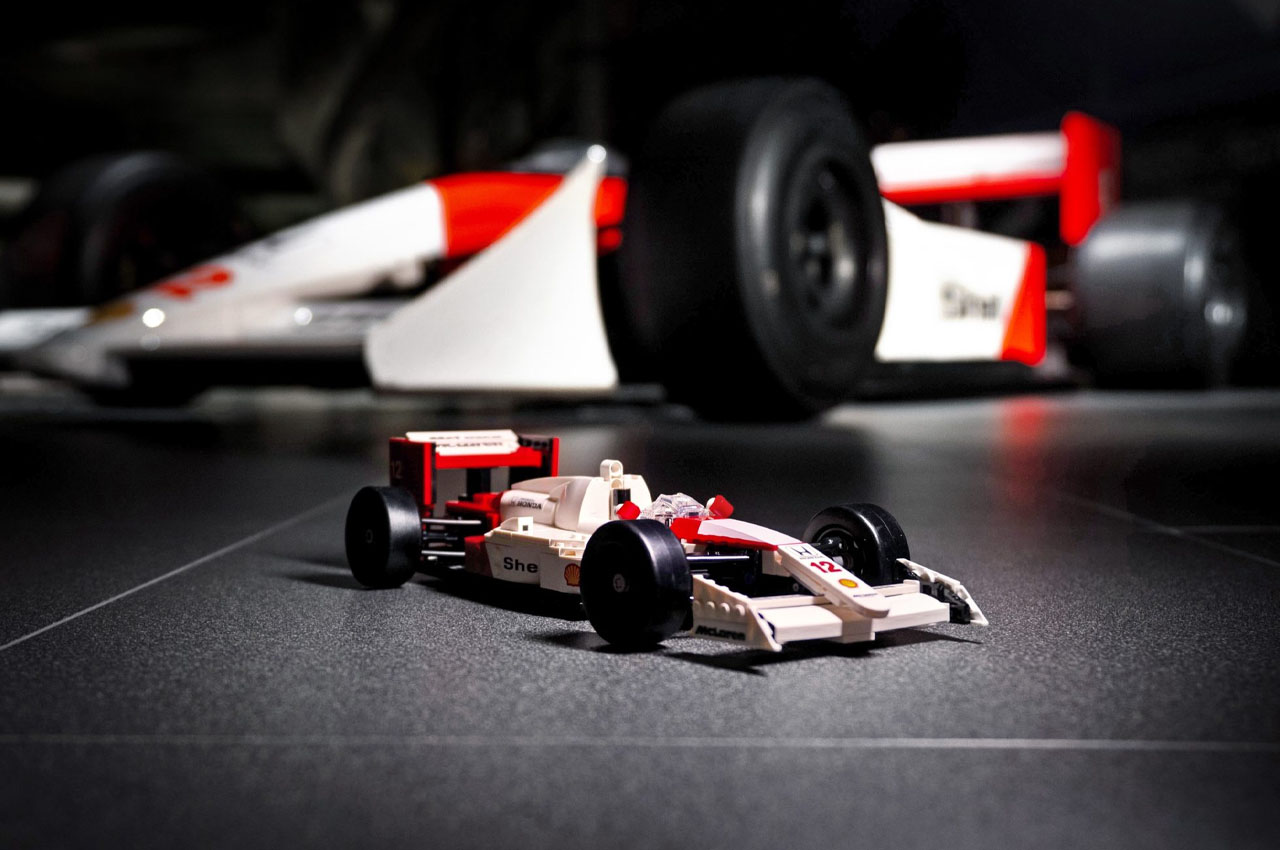
LEGO Speed Champions and Technic lineup added a LEGO build in the form of the McLaren F1 MP4 Ayrton Senna in a beautiful tribute to Ayrton Senna – an undisputed legend of motor racing. This wonderful set includes 693 pieces, and it features a Senna minifigure on a podium, holding the winner’s trophy with a plate engraved with the photo and quote, with the Mclaren next to him in power mode.
6. LEGO Back To The Future Time Machine
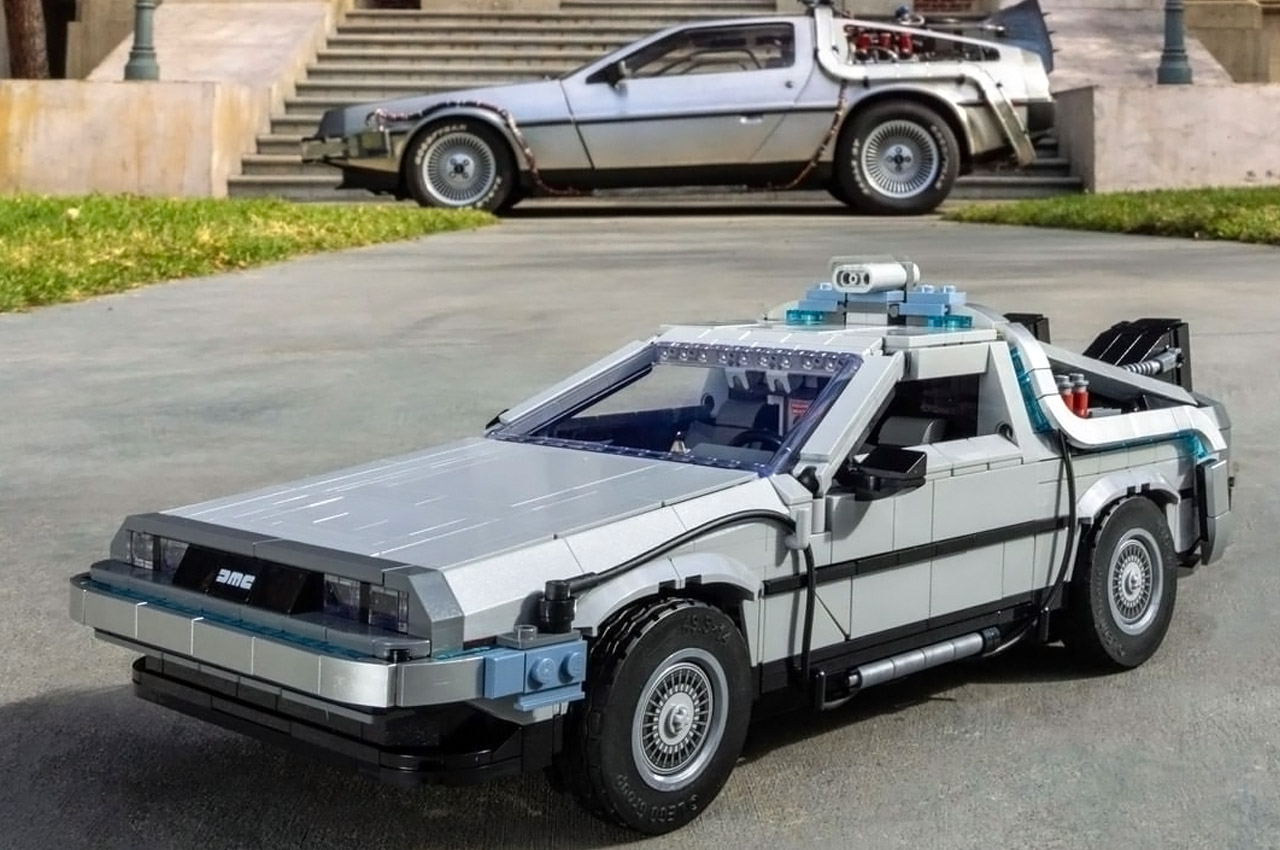
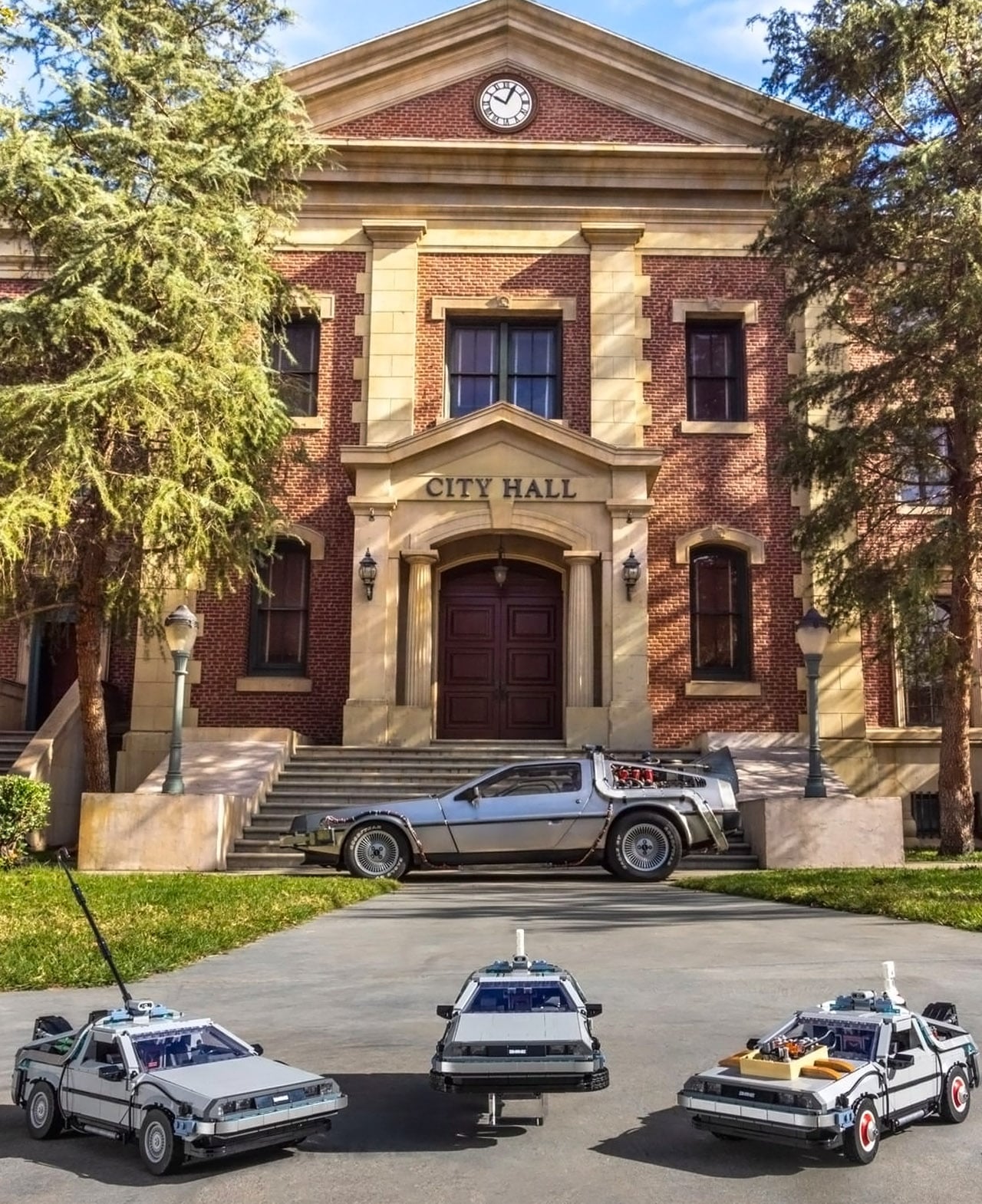
The LEGO Back to the Future Time Machine is improved, detailed, and better than ever! The jazzed-up build features a Flux Capacitor light brick, gull-wing doors, and printed dashboard dates. You can add the different equipment from the different parts of the movie – including the lightning rod from the first film, and the hood-mounted circuit from Part III.
7. LEGO Peugeot 9X8
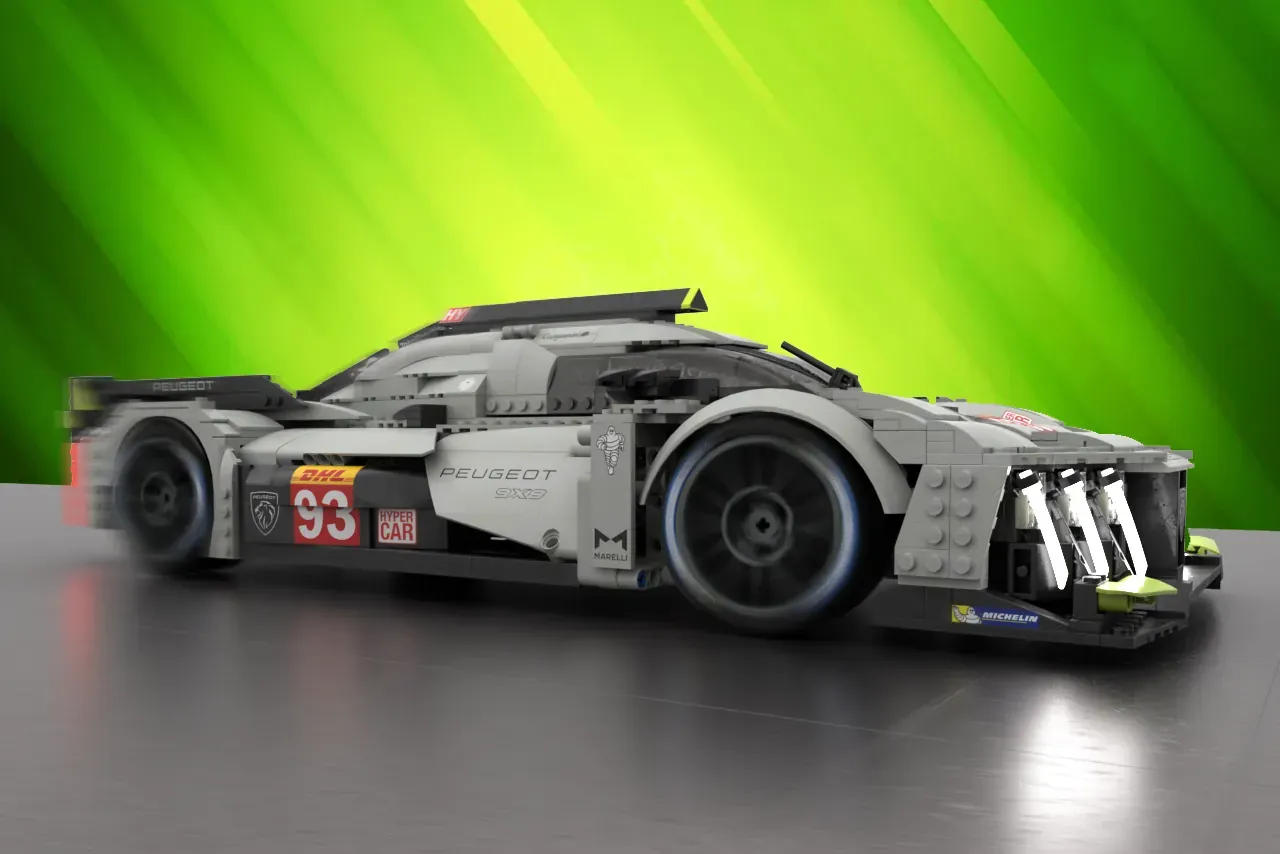
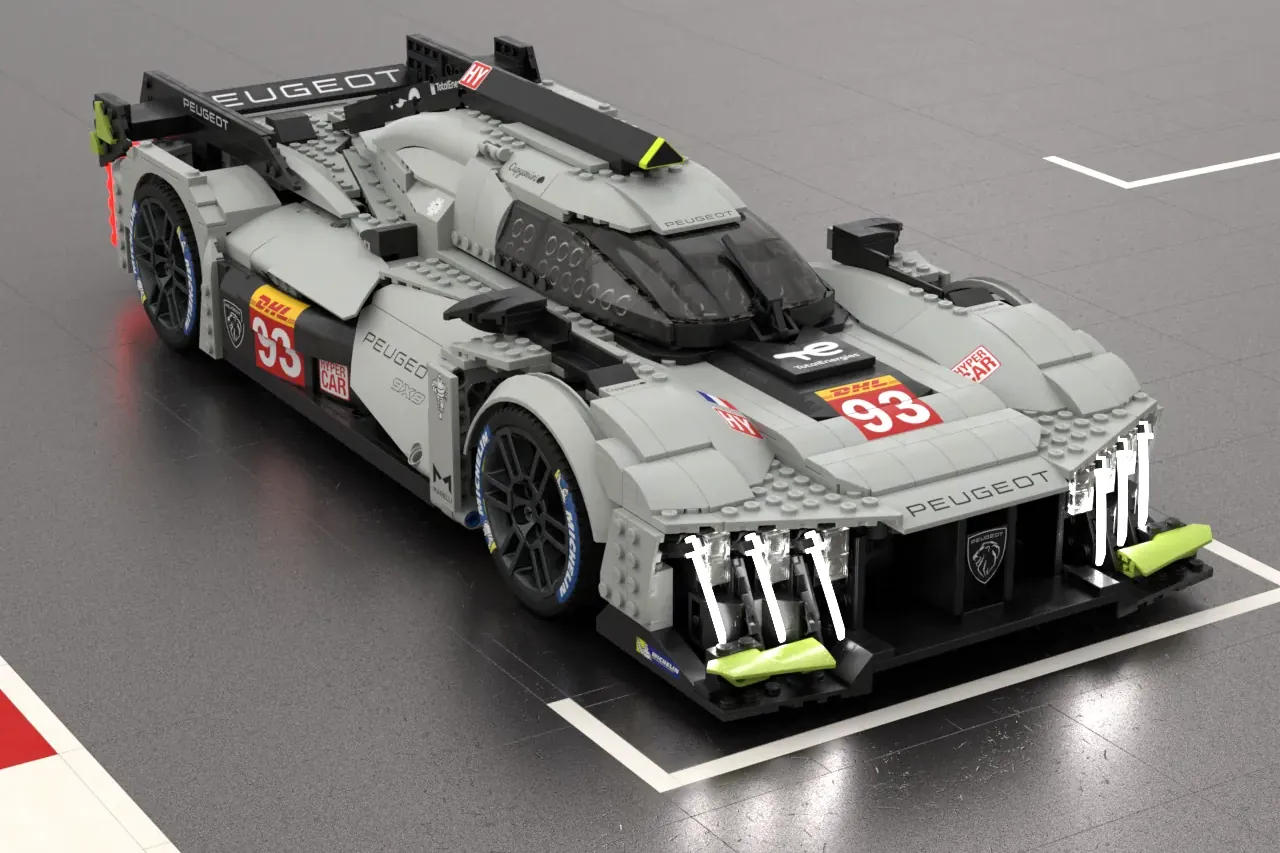
LEGO builder Brick-A-Brac paid tribute to Peugeot’s 9X8, and returned to the FIA World Endurance Championship with his own LEGO build of the 9X8 supercar. The creation is made from 1320 parts, and it measures 20 inches long. It features an extraordinary amount of detail, including all the branded graphics on the car’s body. The build features a sleek design, impressive size, and immense attention to detail, making it a rare GEM that LEGO + car enthusiasts will love!
8. LEGO FedEx Iconic Truck
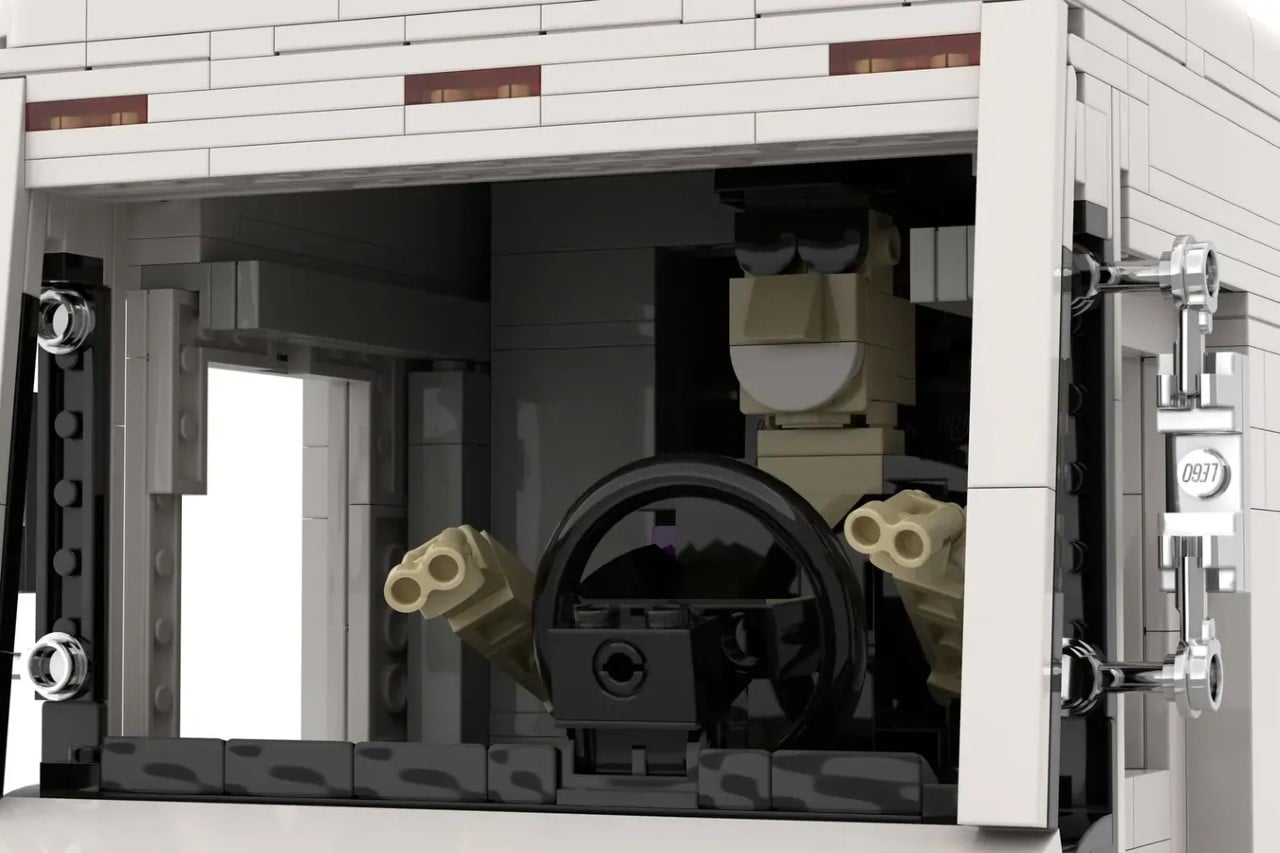
LEGO fan David Clavijo designed FedEx’s iconic truck using LEGO bricks in celebration of FedEx’s 50th anniversary. The company boasts an inspiring workforce of over 500,000 employees, a fleet of 700+ aircraft, and 200,000 vehicles. This unique build pays tribute to the company! The truck is covered in white, with the FedEx logo on the front, and the side. It even features a diamond-shaped DOT hazardous chemicals flip sign on the front.
9. LEGO McLaren F1 Car
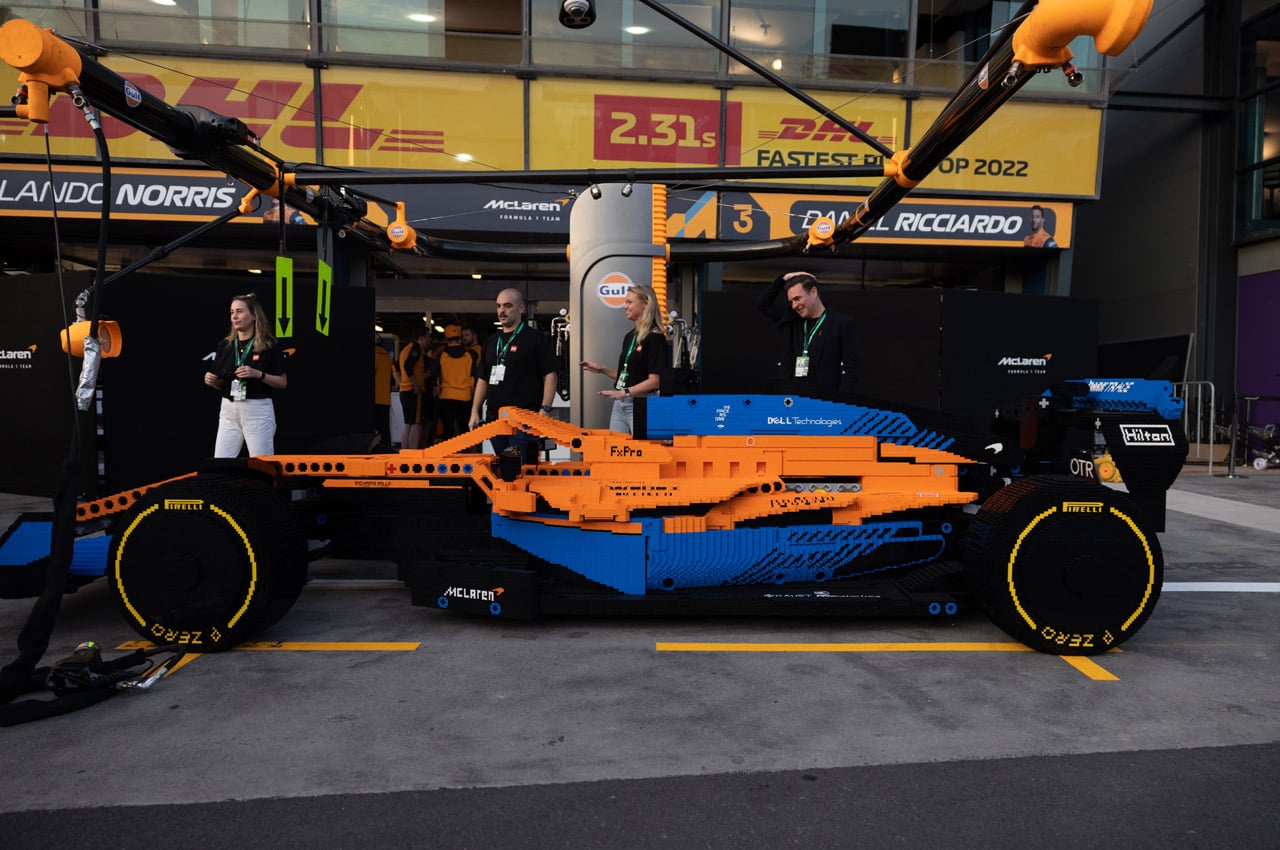
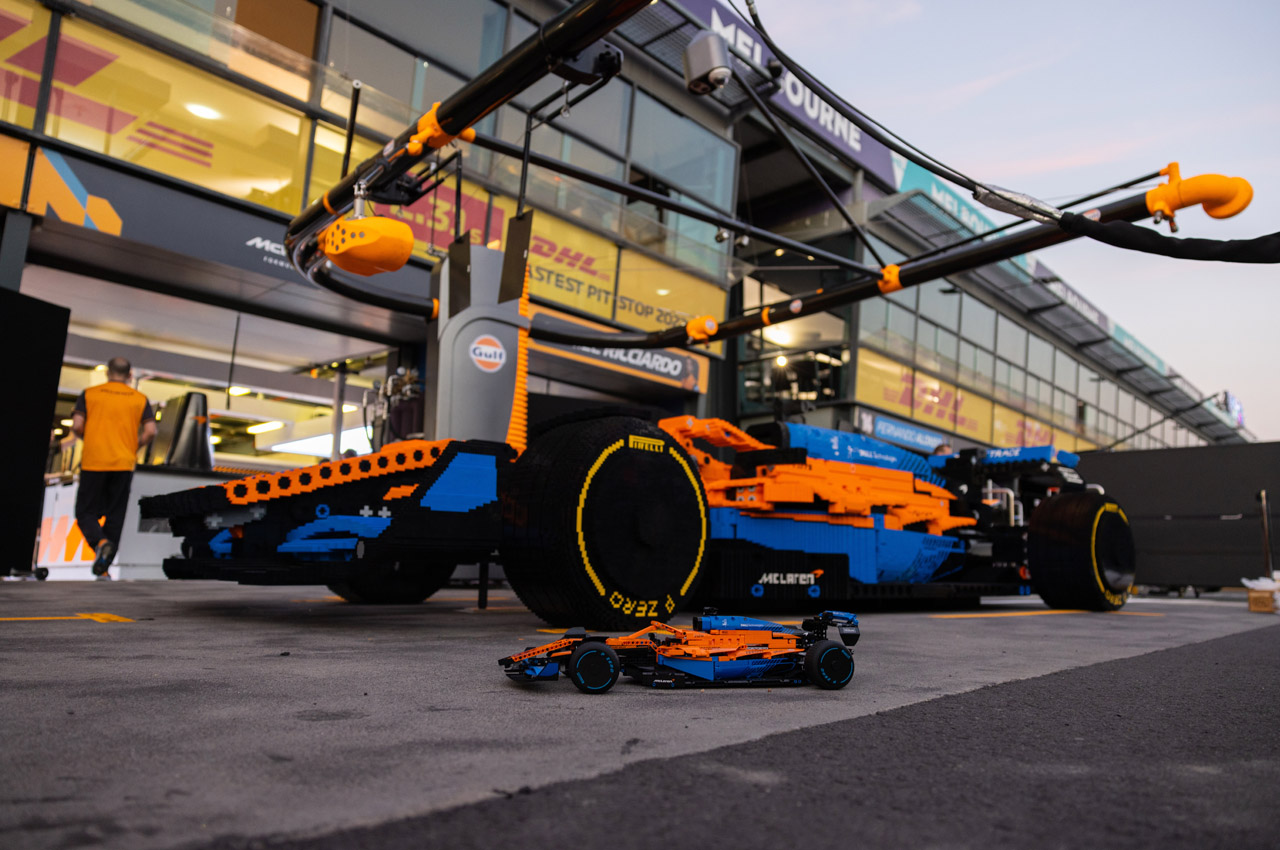
This LEGO replica of the 2021 season Formula-1 car is truly jaw-dropping! It is nine times the size of the collectible LEGO version which was a massive hit. But, the 1:1 LEGO variant is at a completely different level altogether. A lot of time and effort was put into creating, precisely 1893 man-hours of putting together 288,135 LEGO bricks, to build this 5.7-meter-long, 2.4-meter-wide structure.
10. The LEGO M 1000 RR
This LEGO interpretation of the M 1000 RR measures under 18 inches long and is 10 inches tall. It is made using 1920 individual LEGO pieces, which makes it a satisfying exercise of putting it together! It is one of the largest ever bike sets, and it is a must-have for model building and bike aficionados since the realism is mirrored. It features functional intricate components, including the 4 piston engine, a three-speed gearbox, an upside fork with the rear swingarm suspension, and the dashboard with the three display options.
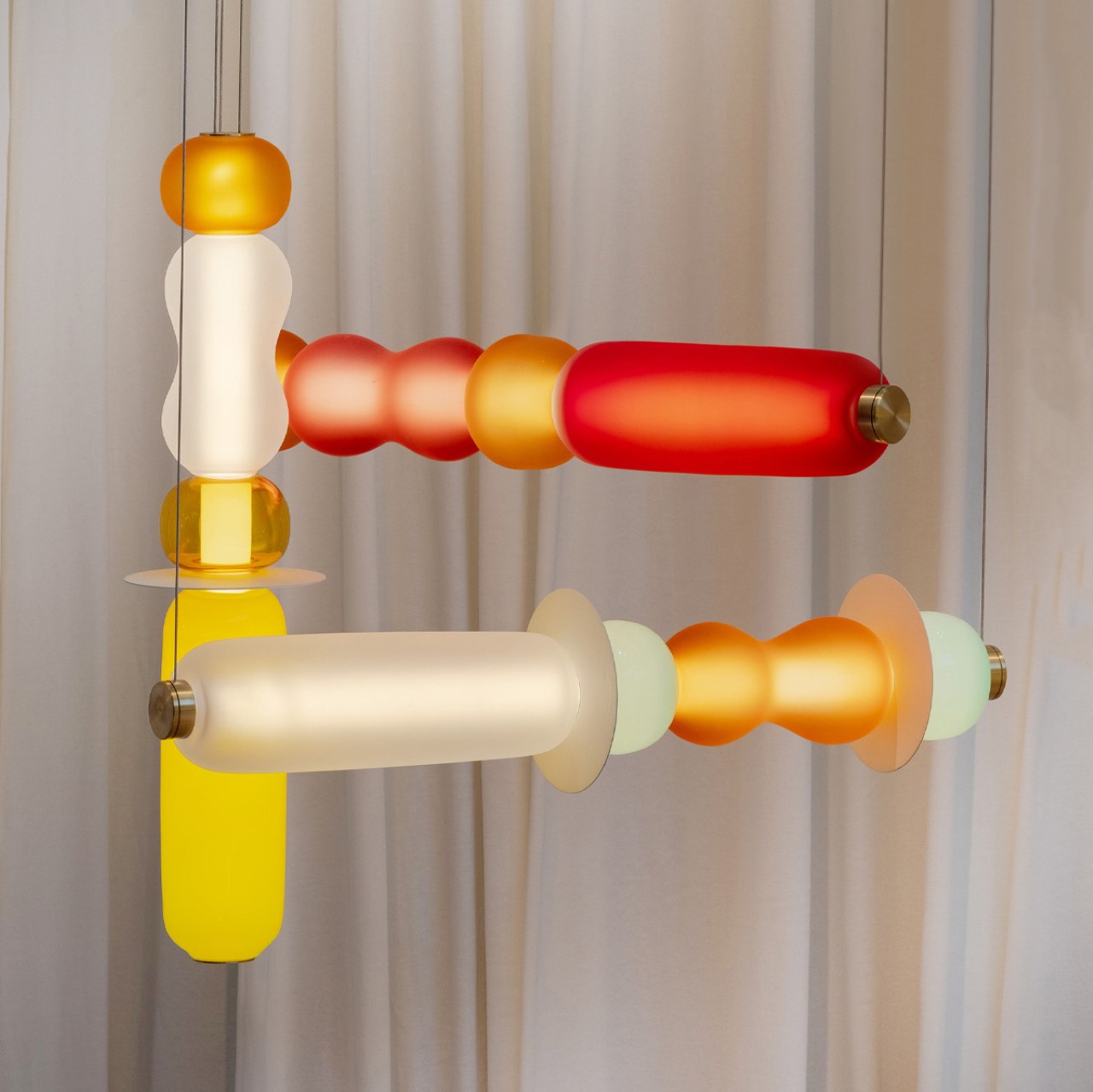
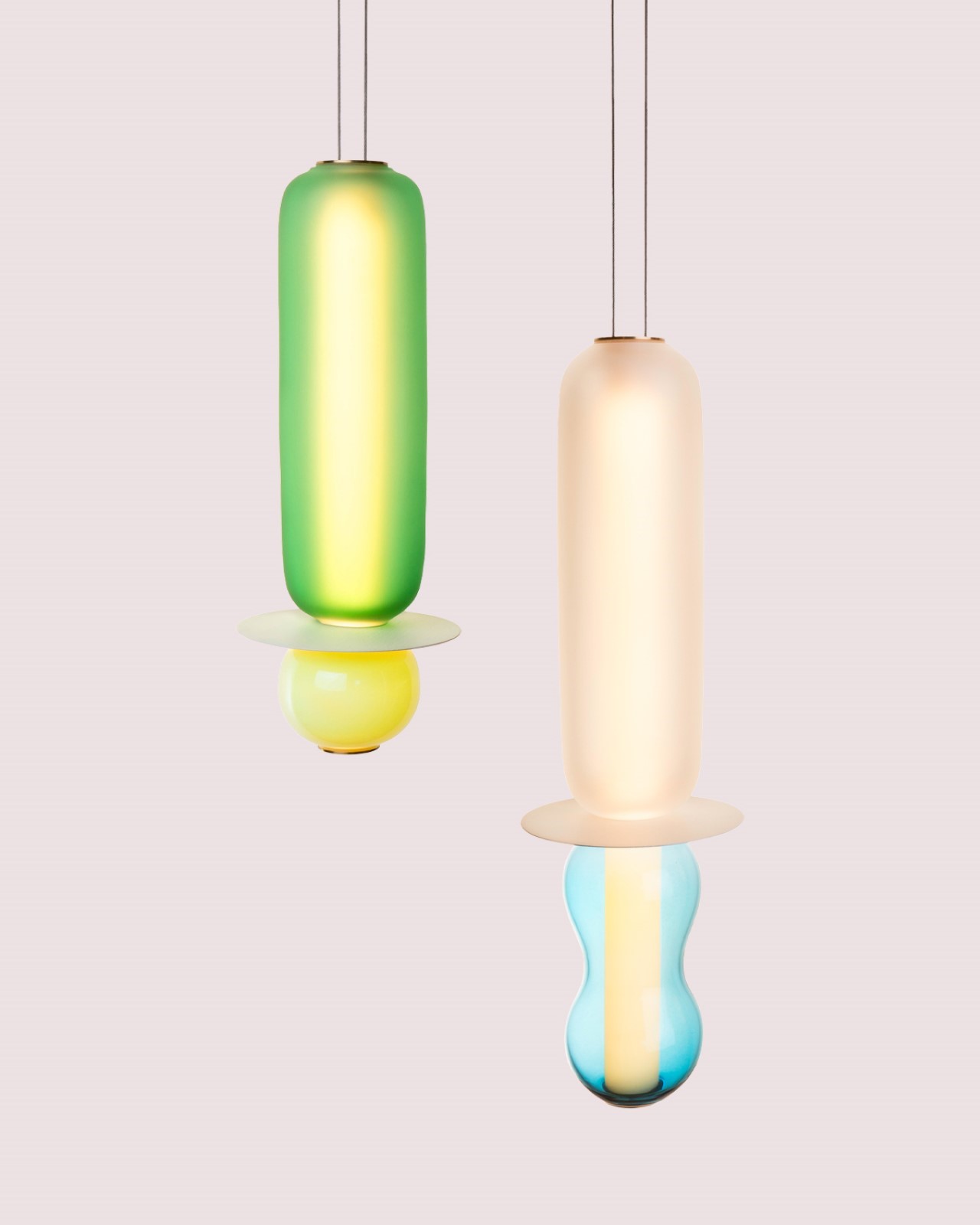
British lighting specialists at Curiousa have once again captivated the design world with the release of their latest masterpiece – the Wave II collection. This innovative series serves as a sequel to their earlier pendant lights, seamlessly marrying glass craftsmanship with an explosion of colors and shapes.
Renowned for their eclectic blown-glass designs, Curiousa’s creations are a testament to the age-old technique of glass blowing. For those unfamiliar with the process, it involves skillfully inflating molten glass into a bubble using a blowpipe, resulting in beautiful forms that give off both elegance and charm.
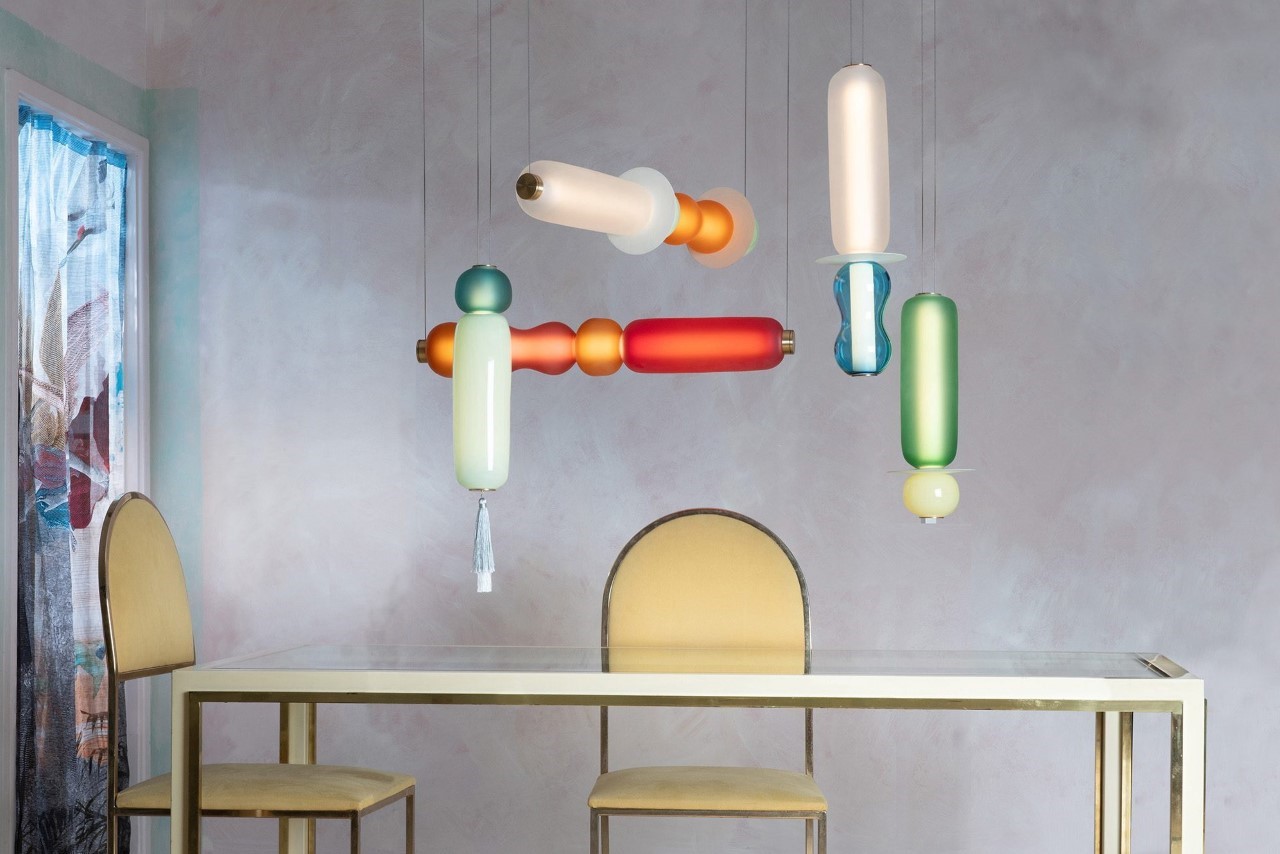
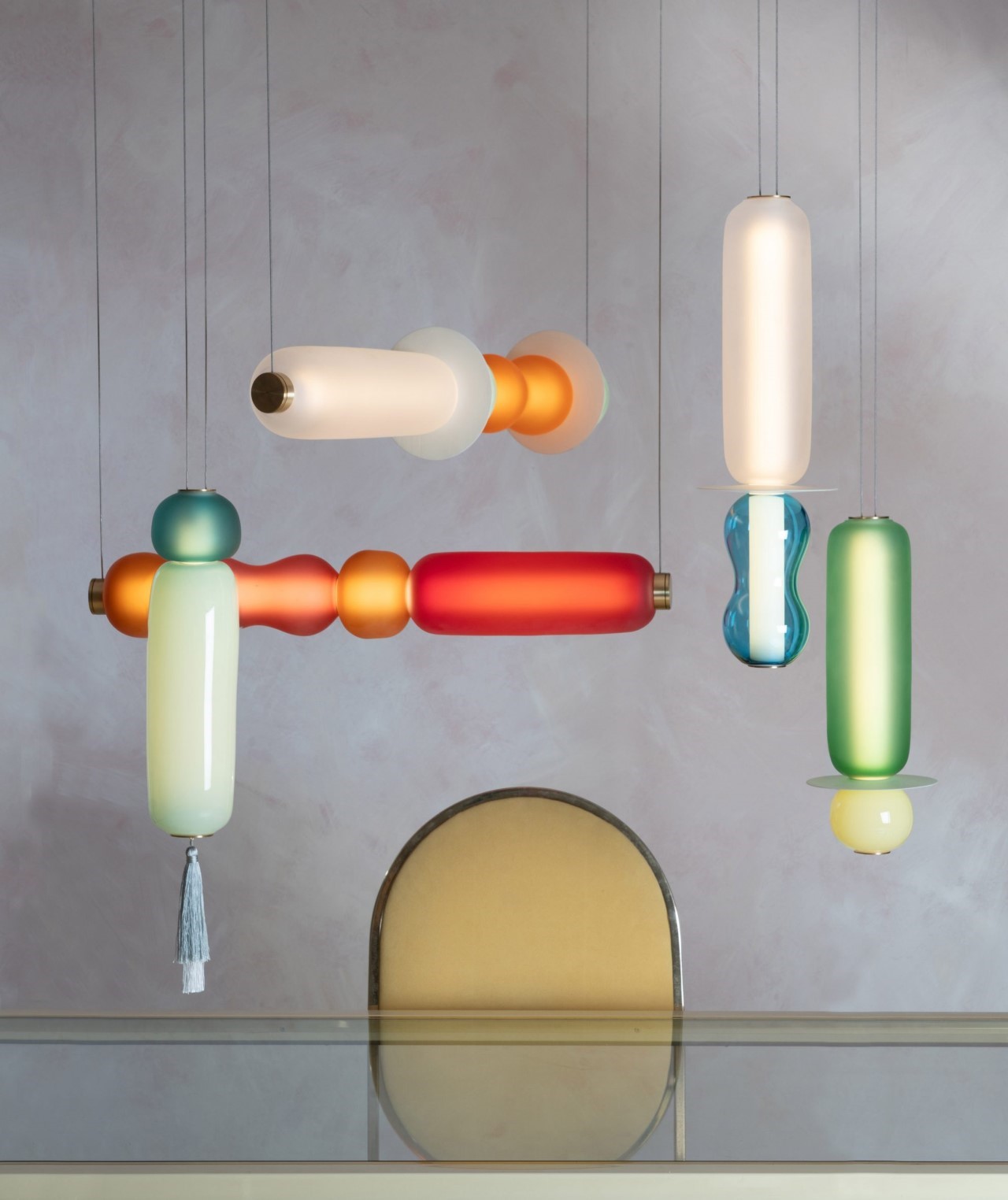
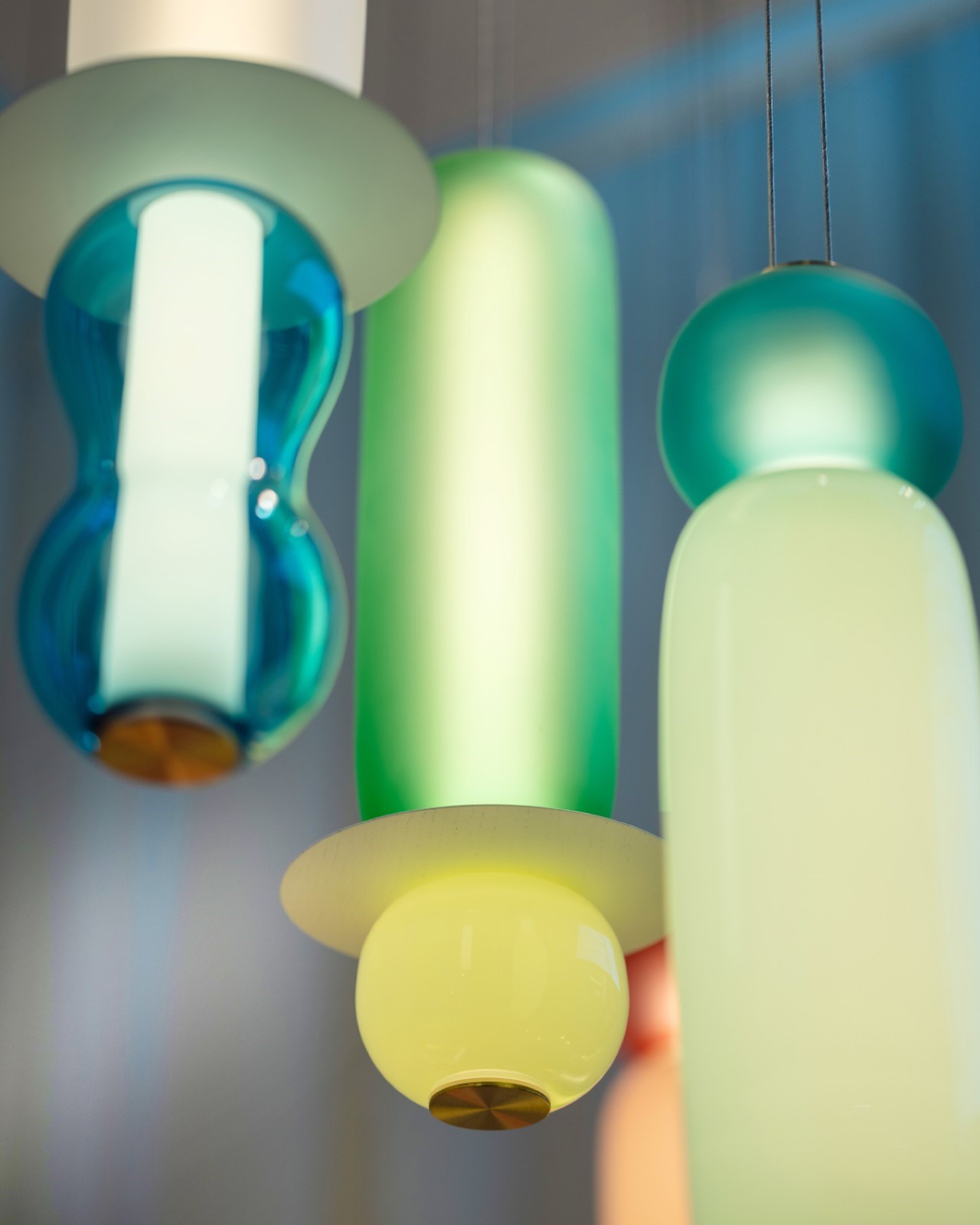
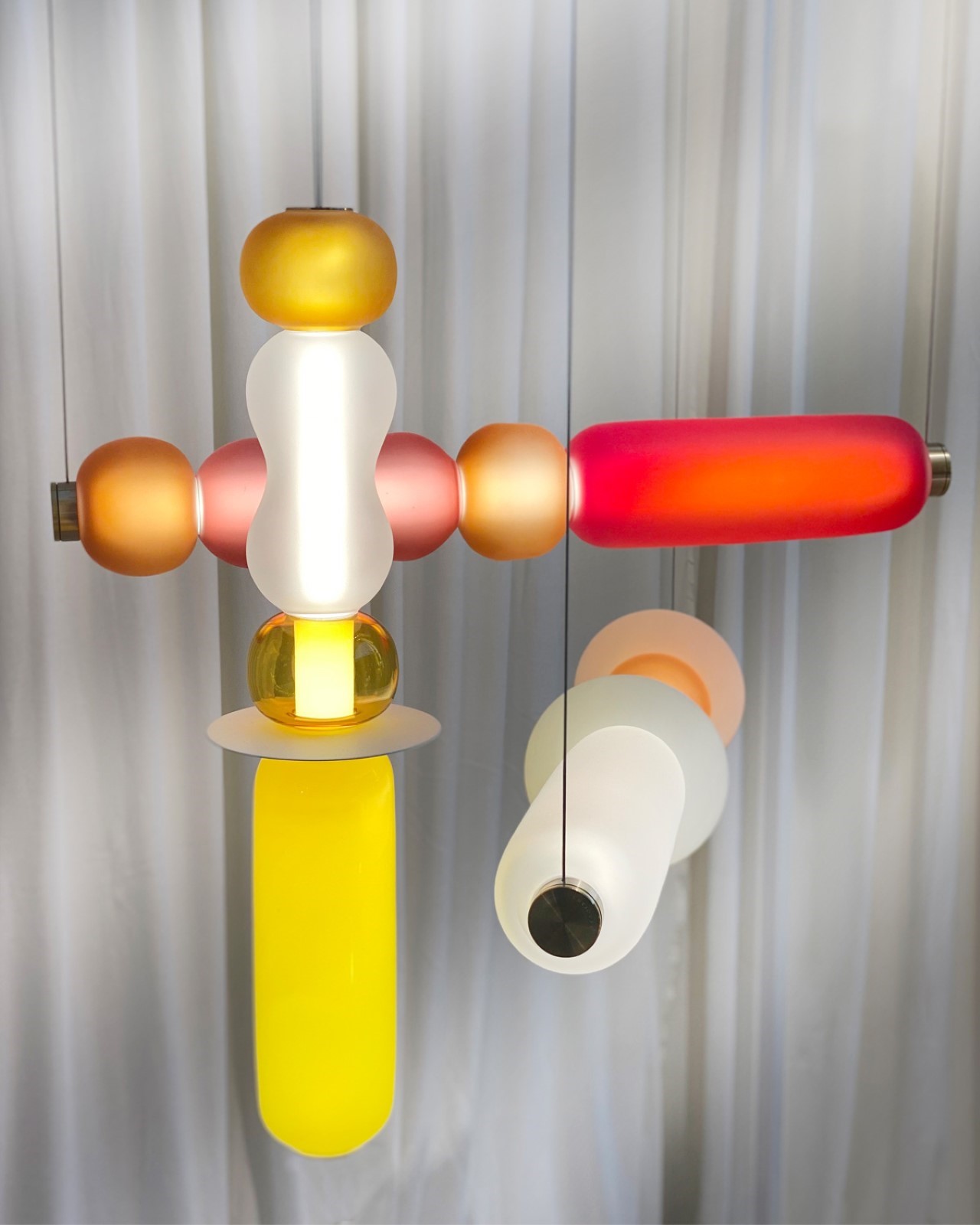
The Wave II collection takes this tradition to new heights, featuring candy-colored glass elements meticulously arranged along cords, reminiscent of beads on a string. Some of these elements are sandblasted, imparting a semi-opaque finish that imbues the lights with a soft, ethereal quality, adding to their allure.
Wonder what’s special about these? It is not only their visual appeal but also their textural richness. Wooden and silk elements intermingle with the glass, creating a symphony of materials that elevate the designs to a whole new level. The tubular light source, cleverly framed and diffused by the surrounding elements, further enhances the play of light and shadow, casting mesmerizing patterns in any space.
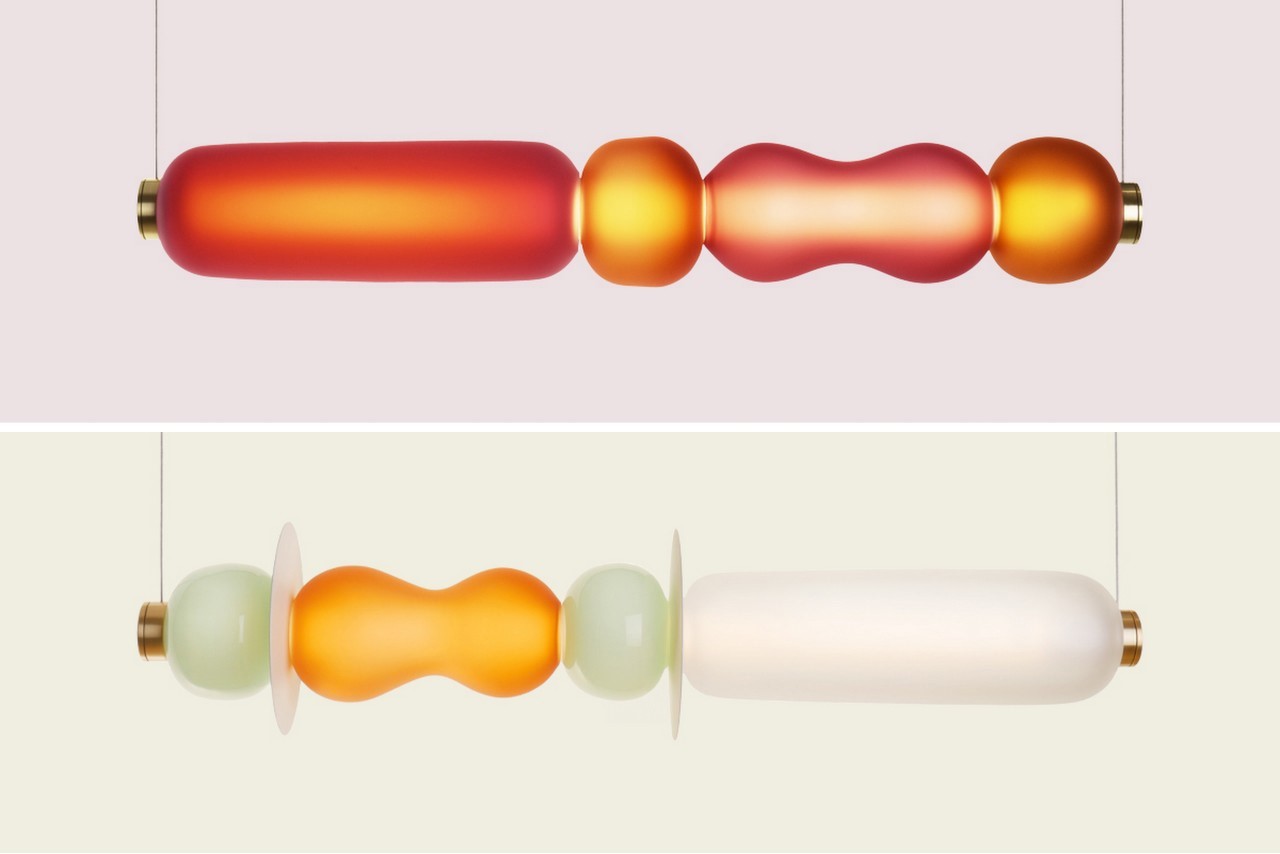
The Wave II collection comprises seven distinct designs, each a masterpiece in its own right. Among the new additions are the Lozenge Squircle and Lozenge Wave, which boast sculptural forms that push the boundaries of traditional lighting design. Meanwhile, favorites from the previous series, such as the horizontal Ripple Beam and vertical Crest lights, have been reimagined, breathing new life into timeless classics.
Lozenge Squircle from the Wave II Collection
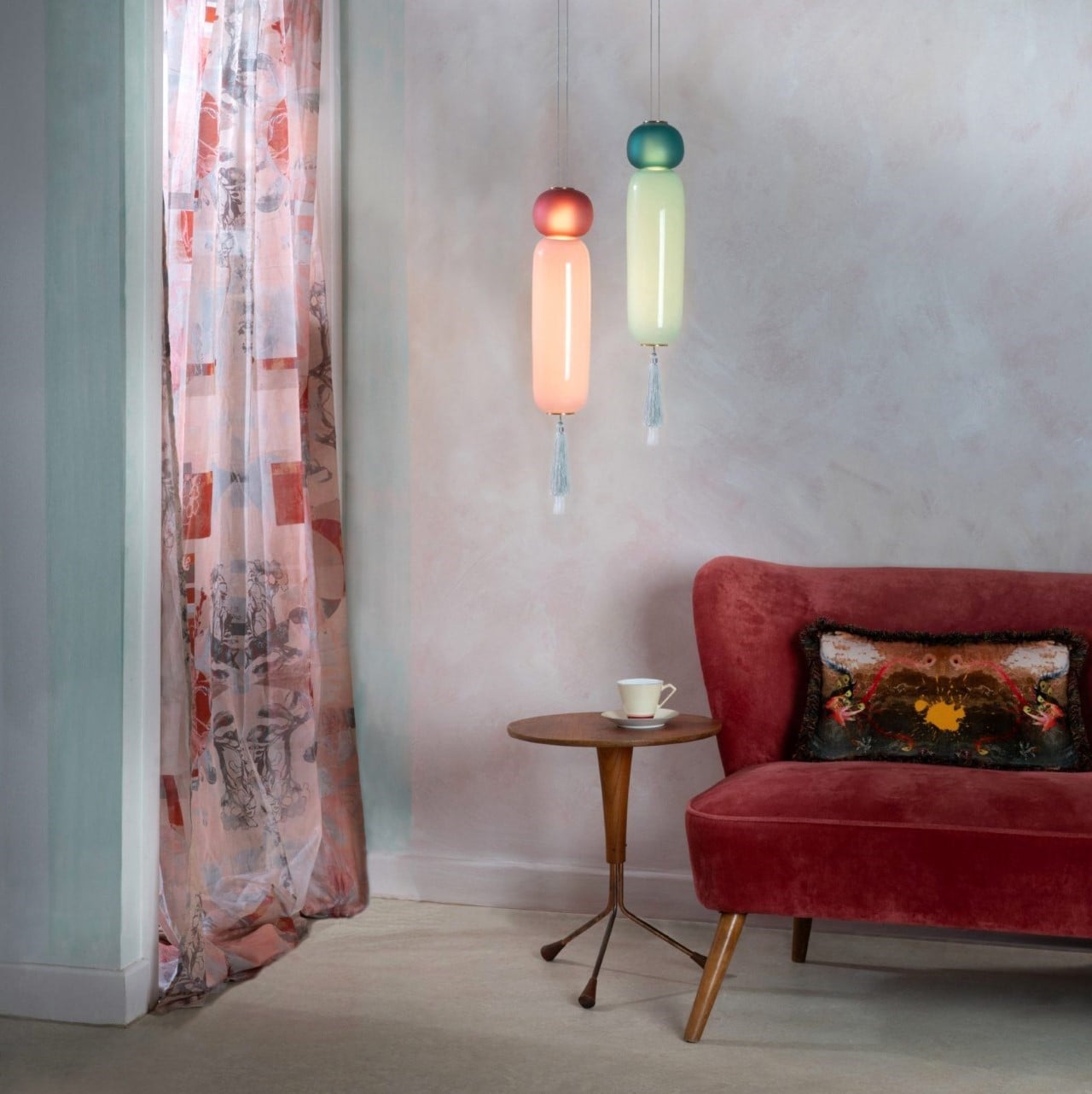
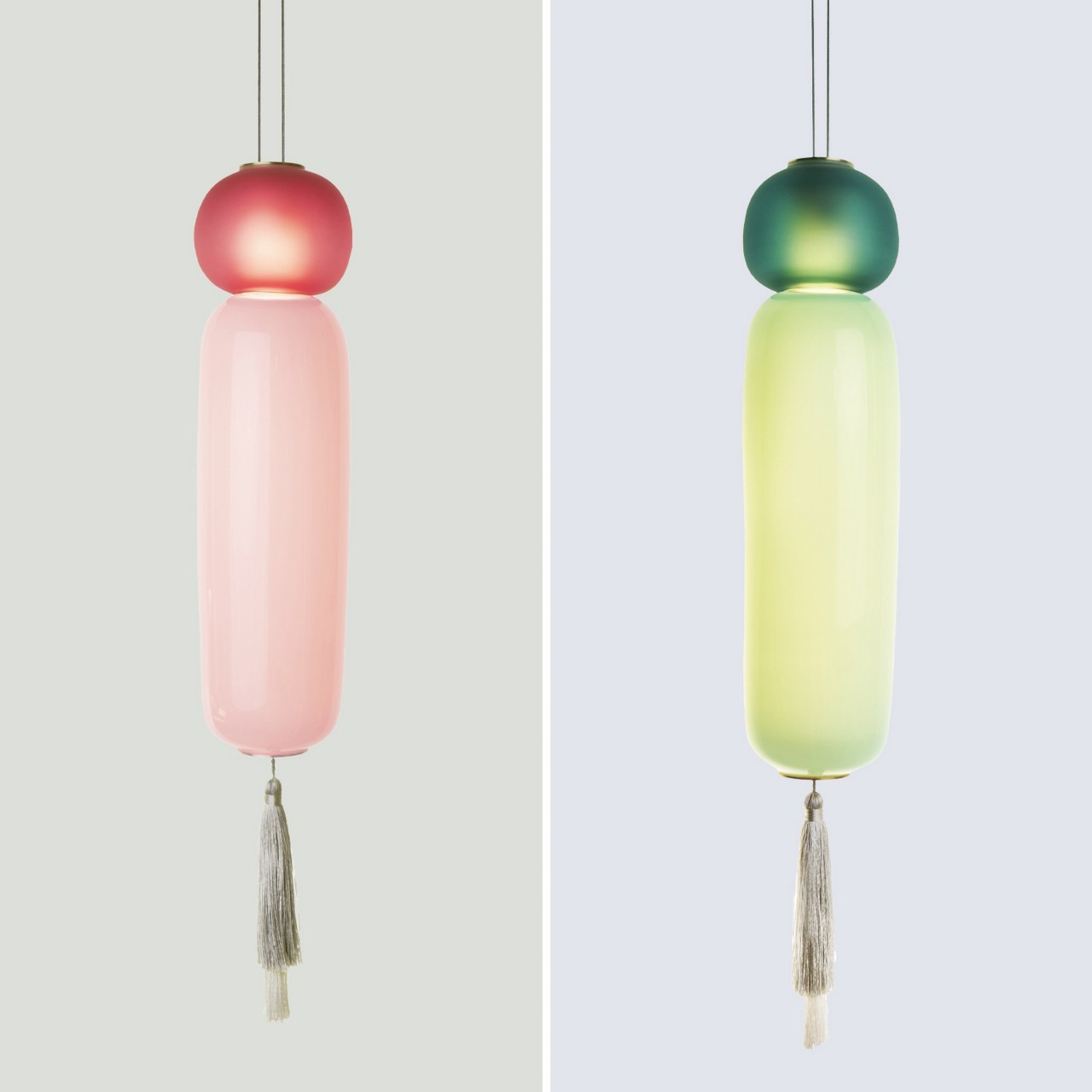
In a nod to traditional craftsmanship, the Crest Tassel pendant features a silk textile element crafted by London-based artist Jessica Light, drawing inspiration from Asian lanterns. Additionally, wooden discs in walnut or white finish add a touch of contrast, further enriching the visual narrative of the collection. All of these are available as single pendants or even chandeliers.
Designed by Curiousa’s visionary founder, Esther Patterson, the Wave II collection is a labor of love, meticulously crafted by hand in the brand’s studio in Derbyshire, UK. Patterson’s philosophy shines through in every piece, as she strives to create designs that are not only visually striking but also imbued with a sense of vitality and freedom.
Ripple Corona & Ripple Mezzo from the Wave II Collection
“It’s important the pieces feel alive and even tactile,” says Patterson. “Even though I’ve designed a certain uniformity – they needed to feel instinctive, sculptural, and free of constraint.”
In a world where mass production often reigns supreme, the Wave II collection is a testament to artisanal craftsmanship’s enduring allure. With its vibrant colors, intricate textures, and timeless elegance, it is sure to illuminate any space with its radiant charm, leaving admirers in awe of its beauty and ingenuity.
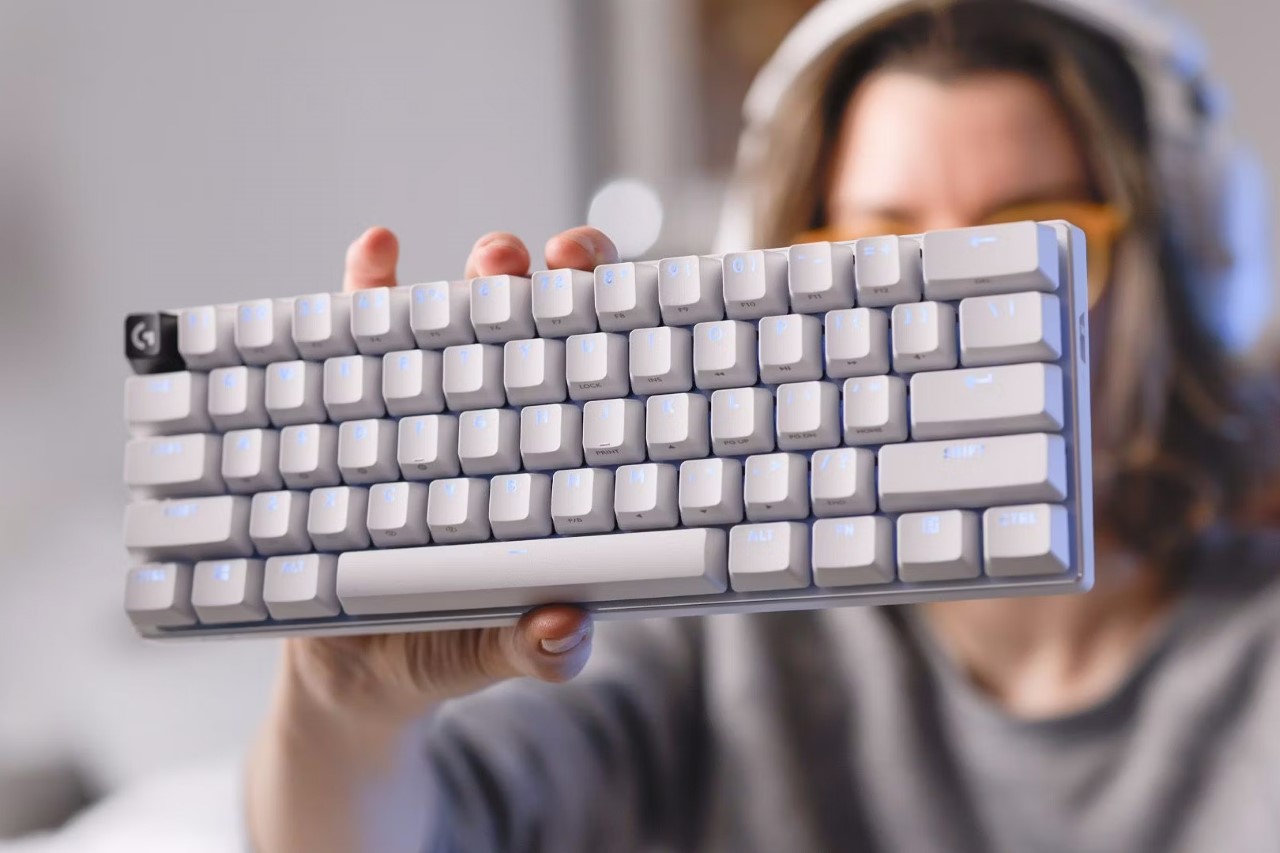
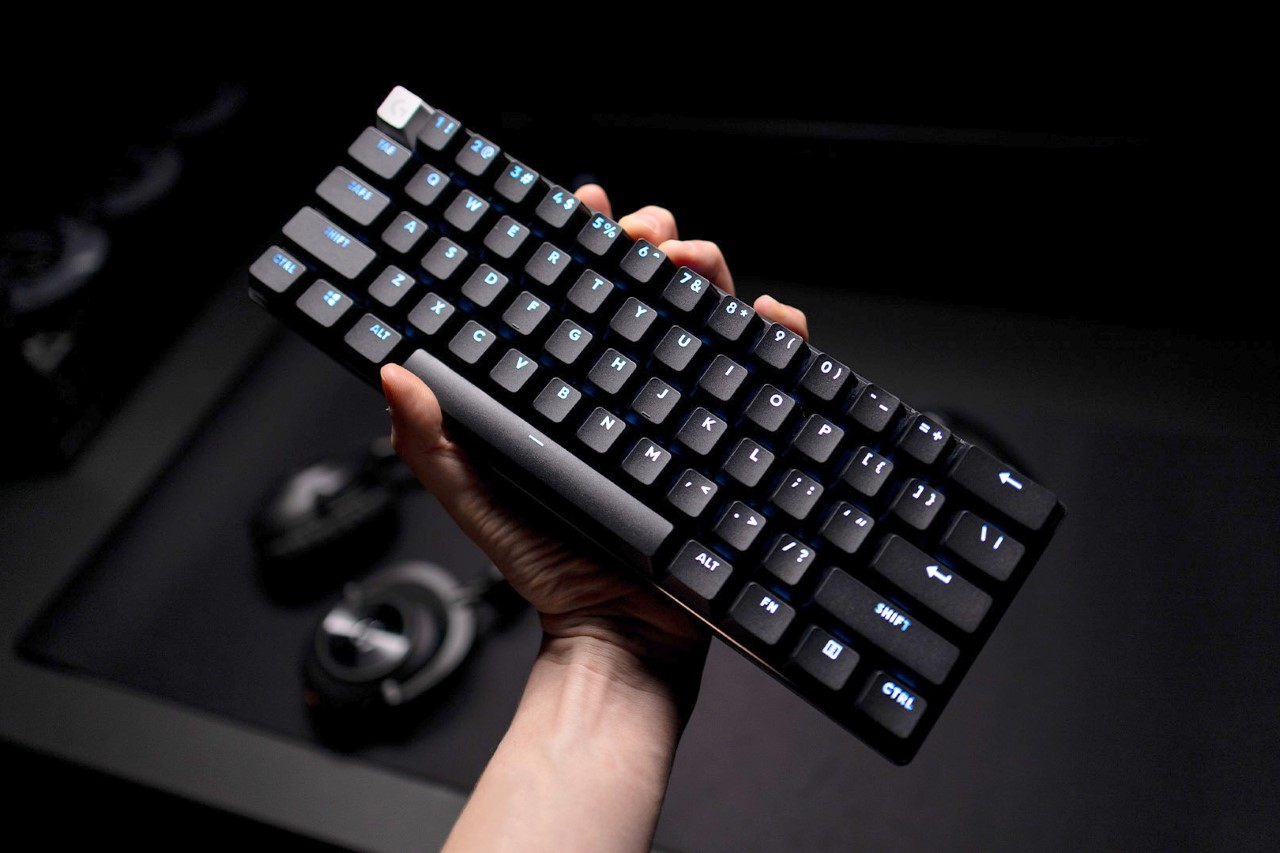
If you’re anywhere near a laptop, spend a second looking at the keyboard it contains. Chances are, the keyboard you’re looking at has a 65% layout, featuring the QWERTY keys, the number row above it, and function keys. Not all laptops have num-pads on the side (unless they’re 15-inch laptops or more), so what you’re left with is perhaps the most condensed keyboard layout ever. However, you CAN go smaller. Remove the function row from the top, and you’re now left with a bare-basics 60% keyboard layout. It gets the job done, it’s compact, and is ideal for portability – all of which are the Pro X 60’s most prized features. Debuted as Logitech’s first 60% wireless keyboard, the Pro X 60 Lightspeed is deviously tiny, but doesn’t trade size for functionality. It’s still got great mechanical travel at its heart, making the keyboard perfect for pretty much everyone, but ideal for gamers, who revere that mechanical feel.
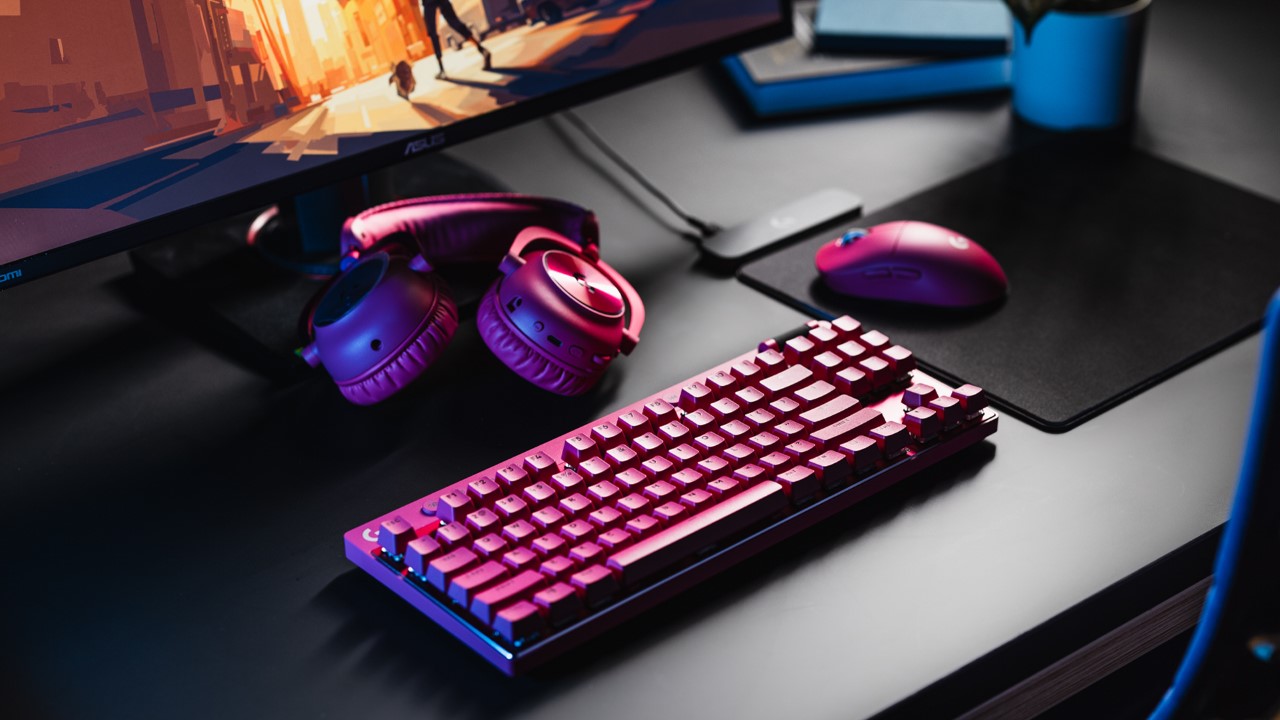
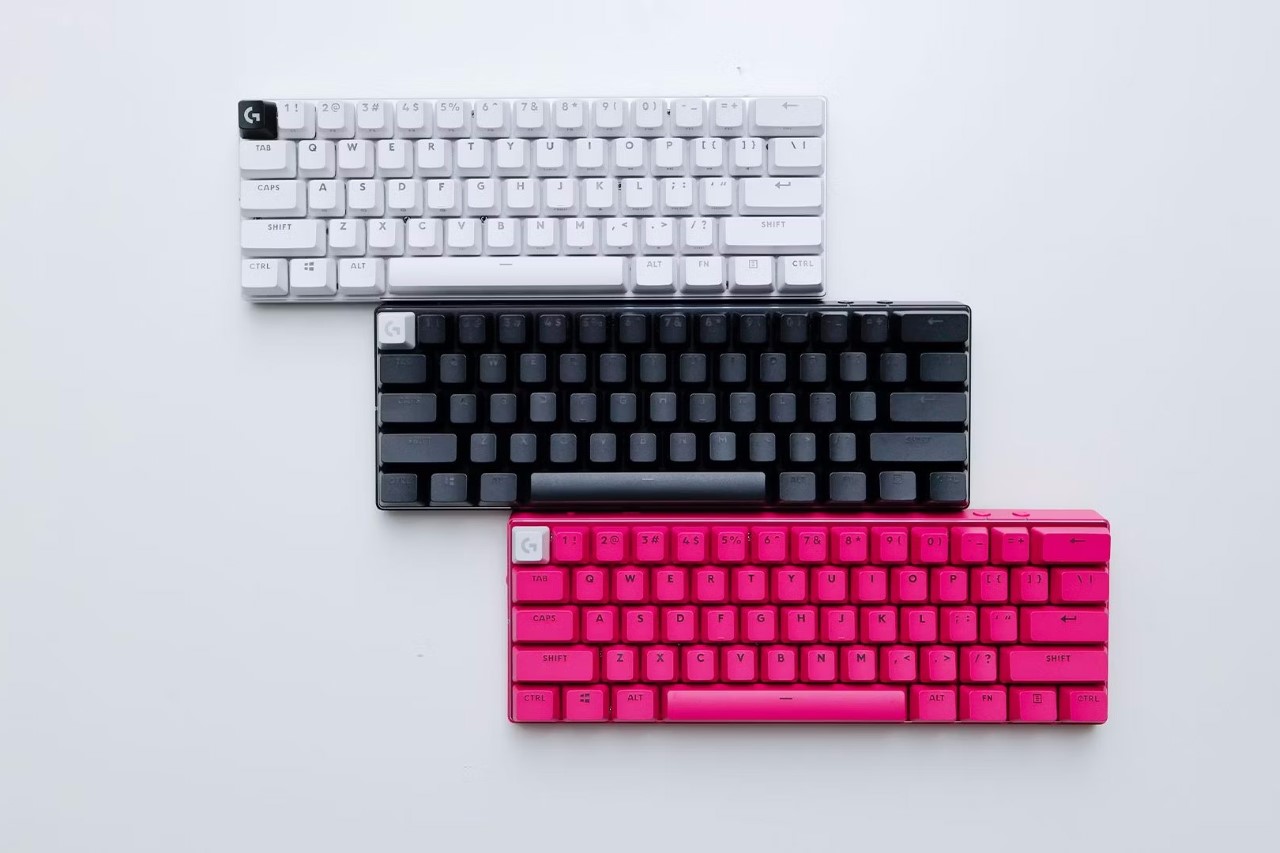
At a glance, the $179 Pro X 60 Lightspeed is a study in meticulous design and technological advancement. Offering a choice between tactile or linear GX optical switches, and available in three colors—black, white, or pink, the keyboard seeks to envelop gamers in a bespoke gaming experience. The keyboard’s compact size is a deliberate choice, offering ease of transportation without compromising on the essential features that gamers have come to expect from Logitech’s G Pro X series.
Unlike its predecessor, the G Pro X TKL Lightspeed, the Pro X 60 Lightspeed opts for optical switches over mechanical ones, offering a distinct feel with a 1.8mm actuation point and a travel distance of 4mm. This choice underscores Logitech’s pursuit of providing gamers with precision and responsiveness in a form factor that defies convention. The keyboard’s versatility extends to its connectivity options—wired via a USB-C cable, or wireless through Bluetooth or Logitech’s proprietary Lightspeed dongle, ensuring a seamless gaming experience with a 1000Hz polling rate.
Gamers can customize the keyboard and assign macro shortcuts, adjust lighting, and tweak audio effects to their liking, with each key capable of performing up to 15 different functions through Logitech’s G Hub software and the new Keycontrol tool. The inclusion of Lightsync RGB lighting, pre-set to a static blue to minimize distractions, further enhances the gaming atmosphere, allowing for a personalized color palette and lighting sequences to radiate through the keyboard’s dual-shot PBT keycaps.
Beyond its technical prowess, the Logitech G Pro X 60 Lightspeed is designed with quality-of-life improvements that cater to the gaming lifestyle. A strategically placed volume roller, a Game Mode switch that disables potentially distracting keys, and a carry case for easy transport all contribute to a gaming keyboard that understands the rhythm of competitive play and travel. For gamers for whom every second and every key press can make the difference between victory and defeat, the Pro X 60 Lightspeed is a mobile command center that bridges the gap between performance and portability. The Pro X 60 Lightspeed is available for preorder, with deliveries starting April 17th.
The Pretendo Network, an open-source Nintendo Network alternative, no longer requires a hacked Wii U console. With Nintendo’s servers for the obsolete console shutting down on Monday, the Pretendo Network shared a new workaround that provides (limited) access to its homebrew servers without jailbreaking your dusty old console.
An SSL (secure sockets layer) is a protocol that encrypts the connection between a device and its servers. The Wii U’s SSL exploit (branded as “SSSL”), discovered by the Pretendo Network’s shutterbug, lets you connect to the network with only a simple DNS change, which you can do on the stock firmware. “We’ve been holding on to this exploit for this day for quite some time, in case Nintendo decided to issue patches for it,” the network’s creators wrote in a blog post announcing the new workaround.
Not everything will work, though. The Pretendo Network team says third-party titles that use their own SSL libraries aren’t compatible. That includes Watch Dogs, the YouTube app and anything running an embedded browser (like TVii, the eShop and the Miiverse applet). However, the network creators stress that in-game Miiverse functionality still works.
The workaround requires a Wii U running at least firmware version 5.5.5. If yours has software lower than that, you should still be able to go online and install the latest update. Nintendo last pushed a Wii U firmware update in August 2022, when the current version (5.5.6) arrived.
Shutting down the Wii U and 3DS online servers doesn’t prevent Nintendo from providing new firmware updates to the consoles. Given Nintendo’s aversion to hacking its devices, the Mario maker could, at least in theory, update the 12-year-old Wii U to patch the DNS workaround.
This article originally appeared on Engadget at https://www.engadget.com/the-bootleg-nintendo-network-replacement-no-longer-requires-jailbreaking-192749406.html?src=rss
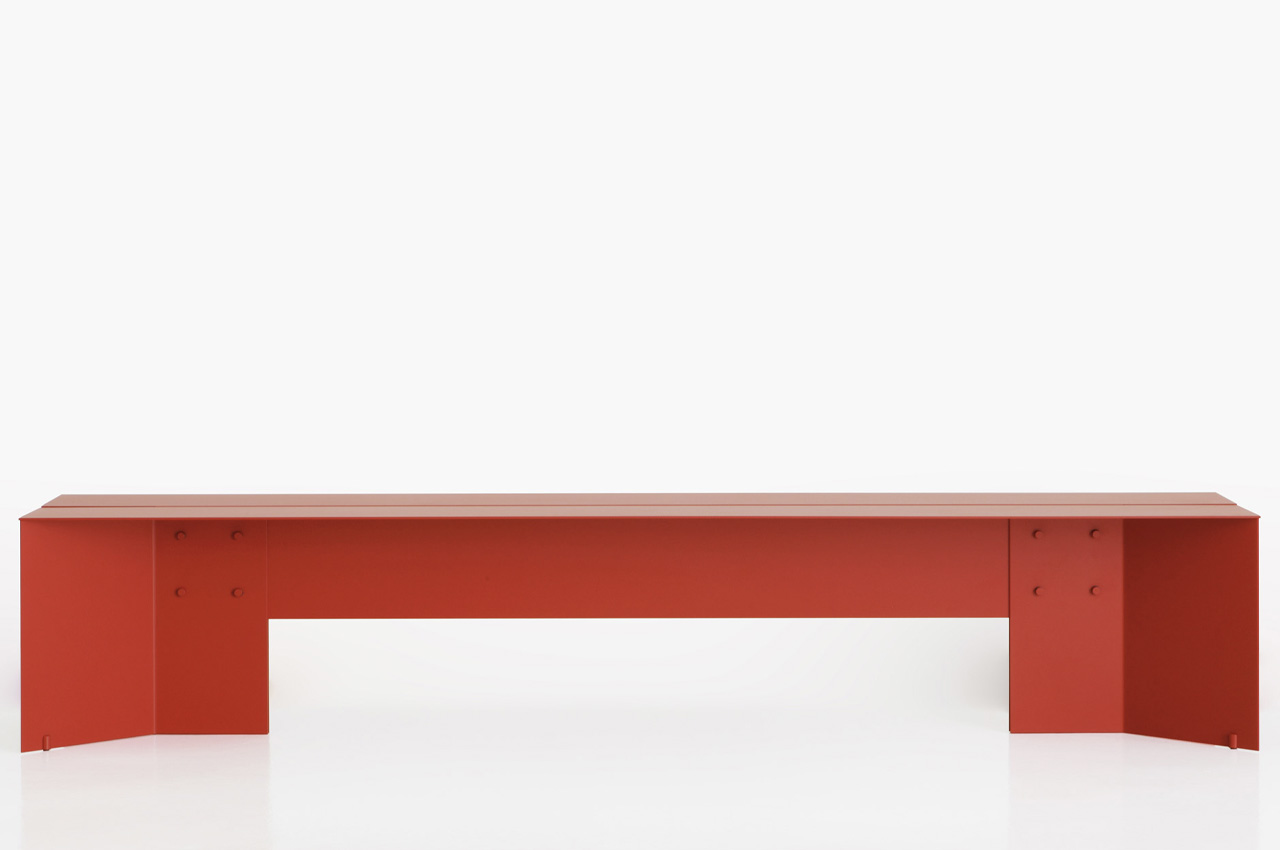
A minimal and beautifully designed piece of furniture can truly make a room come full circle. It can be the final piece that completes a space, building a comfortable and cohesive haven, rather than a random area. Furniture pieces make or break a home, they add to the essence or soul of a home, hence one needs to be extremely picky while choosing a furniture design. The design should be a reflection of you, and what you want your home to be. When you place a piece of furniture in a room, it should instantly integrate with the space, creating a wholesome and organic environment. And, a minimal furniture collection that would be an amazing addition to your home is the Origata collection by Nao Tamura for Porro.
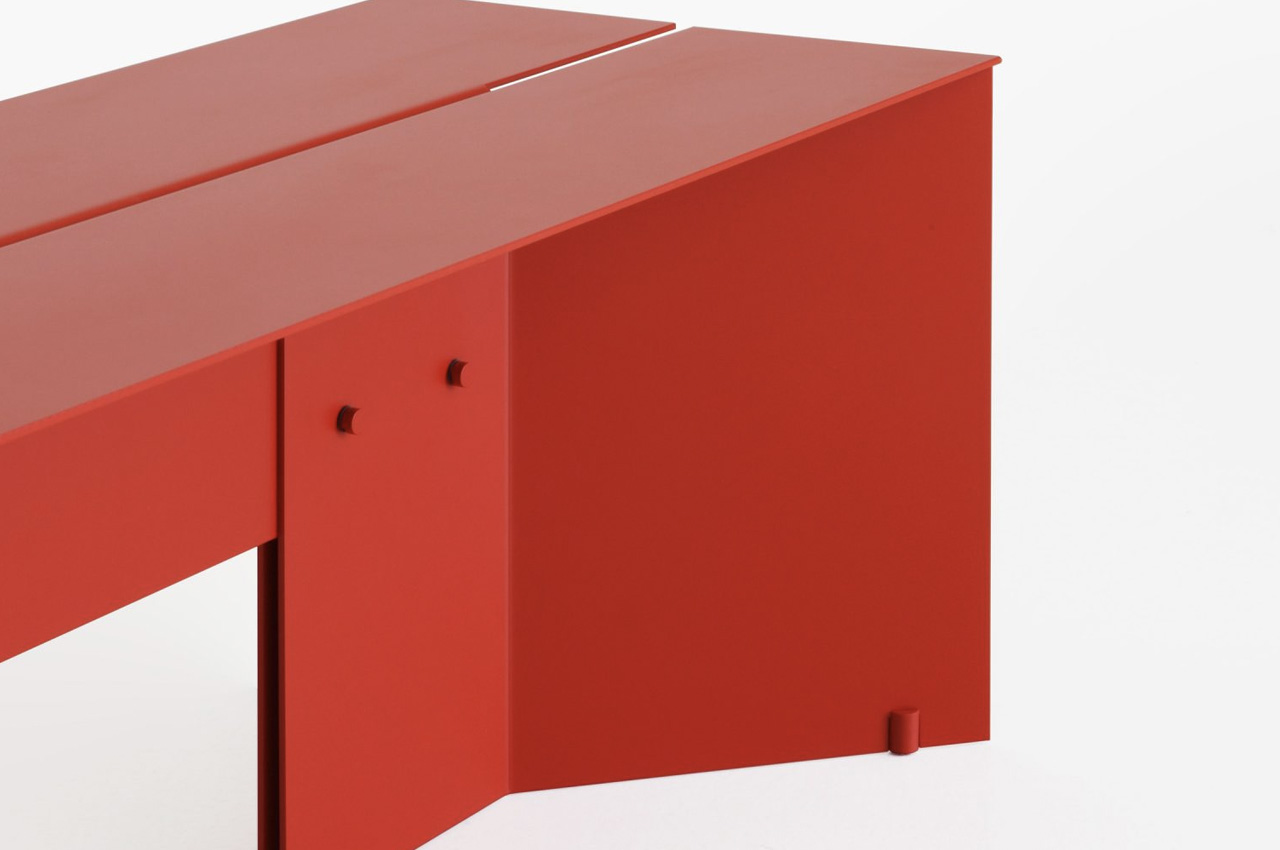
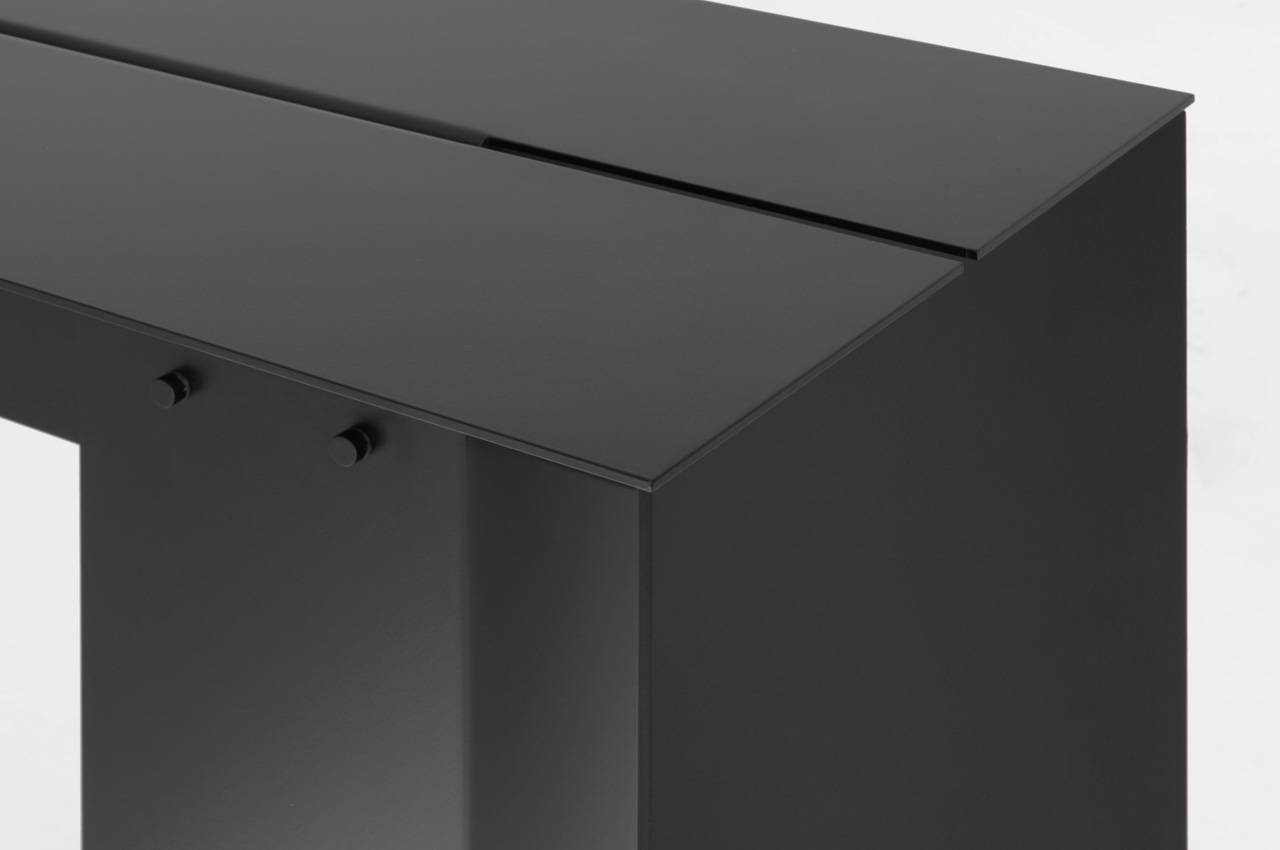
Designed by New York-based Japanese designer Nao Tamura, the Origata collection includes the Origata bench and console. They’re inspired by the intricate craft of Kimono making and were designed for the Italian furniture brand Porro. The furniture pieces are crafted from aluminum sheet material, which has been cut and assembled using techniques inspired by the art of kimono making, in which fabric is cut in straight lines, and then artfully sewn together.
This unique technique produces almost zero waste, which is why Tamura employed this clever process, since it maximizes material use, in turn boosting the production of his collection. Both the Origata bench and console feature the same essential shape – a sturdy geometric form that has a softness to it, owing to its cultural influences, and craft-related inspiration.
The beautiful pieces represent and showcase Porro and Tamura’s shared values which include cultural identity, internationality, and a genuine respect and admiration for materials. The various pieces make an excellent fit for entryways, waiting rooms, or even bedrooms. They are versatile furniture designs that can also be employed and placed in areas for work, writing, and meditation. Where would you want to place these pieces?
Arturia just released a new standalone synthesizer called the AstroLab. This 61-key stage keyboard is basically the company’s Analog Lab software in hardware form, which makes it perfect for live performances. The synth boasts ten dedicated sound engines and access to 35 virtual instruments, including the vast majority of the emulations found with the iconic V Collection. It also costs $2,000.
You could recreate this on the cheap by just buying some software instruments and a MIDI controller, but this is a stage keyboard. In other words, it has been designed with live performance in mind. The casing is durable and built to withstand the rigors of touring and there’s plenty of nifty sound design tools that should come in handy when gigging.
There are 12 insert FX options, with four control knobs, and the ability to loop any sound by up to 32 bars. The instrument even captures the MIDI, so people can easily swap out to another instrument and play the same part. The multitimbral feature allows players to set a split point along the keyboard, to make it easy to pull up two instruments at the same time. This is a big deal when playing live, as you never know how long a keyboard will take to load a preset.
If you want to get people dancing to the sound of a robot voice singing “around the world” over and over until 5 AM, AstroLab keyboards ship with a vocoder and a port to plug in a microphone. Of course, the synthesizer features the usual accouterments like mod wheels, an arpeggiator and various chord scale options. Finally, there’s an affiliated mobile app, AstroLab Connect, that lets users organize their presets and download new sounds from the store. The keyboard is available now through Arturia and various retailers.
This article originally appeared on Engadget at https://www.engadget.com/arturia-stuffed-almost-all-of-its-software-emulations-into-this-new-keyboard-190542557.html?src=rss
Two months after I started using the Apple Vision Pro, it hasn't transformed the way I live. It hasn't replaced my TV, and it doesn't make me want to give up my powerful desktop or slim laptops. It's just another tool in my gadget arsenal — one I can don to catch up on X-Men '97 in bed, or to help me dive deep into research while I'm away from my office. The Vision Pro becomes normal so quickly, it's almost easy to forget how groundbreaking it actually is. Its screens are still absolutely stunning, and the combination of eye tracking and Apple's gesture controls makes for the most intuitive AR/VR interface I've seen yet.
While the Vision Pro still isn't something most people should consider buying, Apple has thrown out a few bones to early adopters. There are more games popping up on the App Store and Arcade every week, and there are also a handful of 3D films being offered to Apple TV+ subscribers. The addition of Spatial Personas also goes a long way towards making the Vision Pro more of a telepresence machine (more on that below). But we're still waiting for the company to make good on the promise of 180-degree Immersive Video, as well as to let users create higher quality Spatial Videos on iPhones.
Photo by Devindra Hardawar/Engadget
How I use the Apple Vision Pro
Once the pressure of reviewing every aspect of the Vision Pro was over, I started incorporating it into my life like a typical user. (Full disclosure: I returned the unit I originally bought, but Apple sent along a sample for further testing.) Mostly, that means not forcing myself to use the headset for large chunks of the day. Instead, my Vision Pro time is more purpose-driven: I slip it on in the morning and project my MacBook's screen to clear out emails and catch up on Slack conversations, all while a YouTube video is virtually projected on my wall.
In the middle of a work session, or sometimes right before diving into a busy workday, I run through a five- or ten-minute meditation session with the Mindfulness app. I can easily meditate without any headgear, but I've found the app's calm narration and the immersive environment it creates (since it completely blocks out the real world) to be incredibly helpful. It's like having your own yoga teacher on staff, ready to help calm your brain whenever you have a free moment.
I've also learned to appreciate the Vision Pro as a way to expand where I can get work done. As someone who's been primarily working from home since 2009, I learned early on that changing locations was an easy way to keep myself engaged. I try not to write in the same place where I've been checking email in the morning, for example. I normally hop between a PC desktop and large monitor (currently it's Alienware's 32-inch 4K OLED) in my office, and a MacBook Air or Pro for writing around the house. Sometimes I'll go to a nearby park or cafe when I need to zone into a writing assignment for several hours.
Photo by Devindra Hardawar/Engadget
With the Vision Pro, I can actually handle some serious multitasking from my deck or kitchen without being tied to a desktop computer. I've found that useful for covering events to avoid getting stuck inside my basement office (I can have a video streaming on a virtual window, as well as Slack and web browsers open via a projected MacBook). I've juggled conference calls while being sick in bed with the Vision Pro, because it felt more comfortable than staring down at a tiny laptop display.
I still haven’t traveled much with the headset, but I can foresee it being useful the next time I take a weekend trip with my family. Tested's Norman Chan told me he's used the Vision Pro during long flights, where it makes the hours just disappear. I'm still working myself up to that — I'd much rather use a small laptop and headphones on planes, but I can imagine the beauty of watching big-screen movies on the Vision Pro while everyone else is staring at tablets or cramped seat-back displays.
The Vision Pro remains a fantastic way to watch movies or TV shows at home, as well. When I'm too tired to head downstairs after putting my kids to sleep, I sometimes just veg in bed while projecting YouTube videos or anime on the ceiling. That's where I experienced a trippy temporal shift while watching X-Men '97: As soon as its remastered theme song spun up, I was immediately transported back to watching the original show on a 13-inch TV in my childhood bedroom. If I could somehow jump back into the past, Bishop-style, it would be impossible to convince my 10-year-old self that I'd eventually be watching a sequel series in a futuristic headset, projected in a 200-inch window. How far we've come.
Photo by Devindra Hardawar/Engadget
Spatial Personas are a telepresence dream
When Apple first announced the Vision Pro last year, I couldn't help but be creeped out by its Persona avatars. They looked cold and inhuman, the exact sort of thing you'd imagine from soulless digital clones. The visionOS 1.1 update made them a bit less disturbing, but I didn't truly like the avatars until Apple unveiled Spatial Personas last week. Instead of being confined to a window, Spatial Personas hover in your virtual space, allowing you to collaborate with friends as if they were right beside you.
The concept isn't entirely new: I tested Microsoft Mesh a few years ago with a HoloLens 2 headset, which also brought digital avatars right into my home office. But they looked more like basic Miis from the Nintendo Wii than anything realistic. Meta's Horizon Workrooms did something similar in completely virtual spaces, but that's not nearly as impressive as collaborating digitally atop a view of the real world.
Apple's Spatial Personas are far more compelling than Microsoft’s and Meta's efforts because they're seamless to set up — you just have to flip on Spatial mode during a FaceTime chat — and they feel effortlessly organic. During a Spatial Persona call with Norm from Tested, we were conversing as if he was sitting right in front of me in my home theater. We were able to draw and write together in the Freeform app easily — when I stood up and reached out to the drawing board, it was almost as if we were standing beside each other at a real white board.
Photo by Devindra Hardawar/Engadget
SharePlay with Spatial Personas
We were also able to customize our viewing experiences while watching a bit of Star Trek Beyond together using SharePlay in the Vision Pro. Norm chose to watch it in 2D, I watched in 3D, and our progress was synchronized. The experience felt more engrossing than a typical SharePlay experience, since I could just lean over and chat with him instead of typing out a message or saying something over a FaceTime call. I also couldn't help but imagine how easy it would be to record movie commentaries for podcasts using Spatial Personas. (We'd have to use separate microphones and computers, in addition to Vision Pros, but it would make for a more comfortable recording session than following movies on a monitor or TV.)
Our attempts to play games together failed, unfortunately, because we were running slightly different versions of Game Room. We also didn’t have enough time during our session to sync our apps up. I eventually was able to try out Chess and Battleship with other Vision Pro-equipped friends and, once again, it felt like they were actually playing right beside me. (Norm and CNET's Scott Stein also looked like they were having a ball with virtual chess.)
The main stumbling block for Spatial Personas, of course, is that they require a $3,500 headset. Apple is laying the groundwork for truly great telepresence experiences, but it won't matter for most people until they can actually afford a Vision Pro or a cheaper Apple headset down the line.
With Horizon Workrooms, Meta allowed non-VR users to join virtual meetings using Messenger on phones and computers, so that they weren’t left out. Standard FaceTime users can also join Vision Pro chats alongside spatial personas, but they'll be stuck in a window. And unlike Meta's offering, regular users won't be able to see any virtual environments (though you could still collaborate on specific apps like FreeForm). Meta's big advantage over Apple was with capacity: Horizon Workrooms supports up to 16 people in VR, as well as 34 more calling in from other devices. Spatial Persona chats, on the other hand, are limited to five participants.
Apple
No momentum for Immersive Video
Apple's 180-degree Immersive Video format was one of the most impressive aspects of the Vision Pro when I previewed it last year, and the handful of experiences at launch were pretty compelling. But the Immersive Video well has been dry since launch — the only new experience was a five-minute short showing off the 2023 MLS Playoffs, which was mostly disappointing.
While that short had such great resolution and depth that it felt like I was actually on the pitch, the MLS experience is disorienting because it cuts far too often, and with no sense of rhythm. Once you get settled into a scene, perhaps watching someone gear up for a well-placed goal, the camera view changes and you have no idea where you are. It's almost like a five-minute lesson in what not to do with Immersive Video. Hopefully, the MLS has a longer experience in the works.
I'm not expecting a tsunami of Immersive Video content, since the Vision Pro is still an obscenely expensive device meant for developers and professionals, but it would be nice to see more of a push from Apple. The company is teasing another six-minute episode of Prehistoric Planet for later this month, but again that isn't really much. Where are the creators pushing Immersive Video to new heights? While the content is likely hard to work with since it's shot in 3D and 8K, the format could be a perfect way for Apple to extol the virtues of its new chips.
In lieu of more Immersive Videos, I’ve been spending more time re-watching Spatial Videos captured with my iPhone 15 Pro. They still look more realistic than 2D clips, but I’ve grown to dislike the 1080p/30fps limitation. It’s just hard to accept that resolution when I know my phone can also produce crisp 4K and 60fps footage. The $3 app Spatialify helps somewhat by unlocking 1080p/60fps and 4k/30fps spatial video capture, but its footage is also more shaky and buggy than the iPhone’s built-in camera. At this point, I’ll consider using Spatialify if my phone is on a tripod or gimbal, but otherwise I’ll stick with the native camera app.
Photo by Devindra Hardawar/Engadget
What’s next for the Apple Vision Pro
We’ll likely have to wait until Apple’s WWDC 24 event in June before we hear about any more major upgrades for Vision Pro or visionOS. That would be appropriate, since last year’s WWDC was the headset’s big debut (and a hellish day for us trying to cover all the news). Now that the hardware is in the wild, Apple has to convince developers that it’s worth building Vision Pro apps alongside their usual iOS, iPadOS and macOS wares. It’s not just some mythical spatial computing platform anymore, after all.
This article originally appeared on Engadget at https://www.engadget.com/apple-vision-pro-two-months-later-a-telepresence-dream-181550906.html?src=rss