Modular keyboard concept can help solve a decades-old usability problem

Although we see dozens of computer keyboard designs these days, the basic layout of the device hasn’t changed since the very first model came out. Even if you consider variants of the QWERTY standard like AZERTY or Dvorak, the standard has remained the same over the years, which means carrying over most of the usability and ergonomic problems that were there from day one. The “10 key” numeric keypad, for example, is always on the right side, with a bias towards right-handed people.

That’s not exactly a problem for TKL or “Ten Keyless” keyboards, but that does mean buying a separate numpad that doesn’t integrate well with the rest of the keyboard, both functionally and aesthetically. This keyboard concept takes a shot at solving that long-standing handedness problem and its solution is to let you design your keyboard layout to your needs and preferences.

Designer: Alexey Prokopenko

It’s easy enough to just buy a TKL keyboard and a numpad separately, allowing you to arrange the two as you see fit. That, however, only works for that combination, and even then it’s not always a pretty sight. The visual and functional disconnect between these products can also have a subtle effect on our subconscious, just like how clutter or disjointed styles can trigger our minds in ways we don’t realize.

A modular design like the Connect concept helps solve this problem. In a nutshell, you can place a numpad module to the right or left of the “main” TKL keyboard in a way that physically connects the pieces. Since they’re from the same system, they also share the same aesthetic, which is a matte black in this case.

Of course, the beauty of a modular system is the flexibility it offers. Not only can you switch the position of the numpad on either side on a whim, you can also connect something else there or have a different module on the opposite end simultaneously. You can, for example, have a trackpad or a macro keyboard on either side. The choice is totally yours and can be changed dynamically depending on your work, need, or mood.

1

If there’s one oddity to this design concept, it would be that the function key row is also an optional module. Granted, some Bluetooth keyboards actually exclude this row, forcing users to make complicated keystrokes to activate the functions. In this case, however, removing that row would create an imbalance when a module is attached to the left or right side of the keyboard. Most people will probably prefer to have that function row there all the time anyway, making it a bit of an unnecessary design detail.

The post Modular keyboard concept can help solve a decades-old usability problem first appeared on Yanko Design.
White noise speaker concept helps lull you to sleep

Are you the kind of person who’s always sleepy when at the office but suddenly feels energized as soon as you leave? Then when it’s time to sleep, you have so much energy and you find it hard to fall asleep? It’s a vicious cycle that affects a lot of modern employees now. It may be that they just don’t like the work but it can also be because of things like insomnia and even Delayed Sleep Phase Syndrome (DSPS). It can affect your work, social life, and overall quality of life.

Designer: Jinkyo Han

One thing that works for some people to help them fall asleep is having some kind of white noise playing in the background. You can use your phone or smart speaker to play white noise playlists but what if there’s a device that just does that? That’s the idea behind the concept for a white noise speaker. It doesn’t have any other purpose that may distract you from sleeping. All it’s supposed to do is play white noise and accompany you as you drift off to dreamland (hopefully).

The speaker looks like one of those digital photo frames that can display random photos from your collection. The rectangular device has a glass frame at the top and then the speaker grill at the bottom where the white noise comes out. The glass seems like a screen where white-noise related videos can play (like falling rain, leaves blowing in the wind) that can accompany the white noise as it lulls you to sleep.

There wasn’t much information about the other features or aspects of the concept design but the product renders seem to be self-explanatory. As someone who also has much trouble sleeping at night (and then consequentially has problems waking up in the morning), this can be a pretty useful device to have.

The post White noise speaker concept helps lull you to sleep first appeared on Yanko Design.
Cooking range concept lets you share your kitchen space with other people

I live alone so I can cook whenever I want (which is almost never) and move around freely in my kitchen. But I’ve also experienced living with several people and manoeuvring around everyone during meal times can be a challenge. There are a lot of people who share their living spaces with other people but most kitchen appliances are meant to be used by one person at a time. When you’re living with other people, that’s not always the realistic scenario.

Designer: Anil Ramesh

This concept developed for Electrolux is designed for such a situation. The Peninsular free-standing cooking range can be accessed from 3 sides so that a couple of people can prepare and cook their food simultaneously. The range can be operated by 1 or more users since it has a rotatable inferface for the oven and the hob. The sliding over door opens to the left but it can also be opened from the front.

The cooking range also has other features to help not just with the cooking but also the preparation and even the eventual service once you’re done cooking. There are borders that can protect you and also to attach accessories to store cutting boards and other kitchen utensils. There are also rotatable drawers that can be accessed from the front and the right side.

There is also an upper storage shelf so you can put your spices and other ingredients. It even has an LED lamp for when you need some extra light. There’s also an option to have a modular hood. It’s a pretty nifty thing to have in your kitchen, especially if you’re sharing it with family members or roomates.

The post Cooking range concept lets you share your kitchen space with other people first appeared on Yanko Design.
Retro devices reimagined with fun 16-bit displays

Retro designs in technology continue to be a strong trend, from retro consoles to instant cameras to record players. Most of these products try to update the classic aesthetics to modern standards, reinterpreting them without straying too far from the original. In other words, they’re mostly modern devices simply paying homage to the past.

There might be times, however, the original designs still have a lot of pull, especially for eyes that have never seen them before. This series of concepts tries to imagine some of those with completely classic designs, save for the addition of 16-bit displays and a splash of 80s colors that make them funky and hip in their own unique ways.

Desigers: Ahmed Esmael, Marwan Abbass

1

Music streaming has pretty much replaced the radio for most people, but the medium hasn’t completely died out. Radios, however, have become rarer outside of vehicles, and most designs these days tend to make the device almost invisible. This concept, in contrast, is as loud as it can be, both in sound and in appearance with its pink body and clashing color combinations.

What sets it apart, however, is the square display beside the circular front speaker. It’s not a modern touch screen for controlling the radio, but more of a useless but fun embellishment to the experience. It displays a 16-bit video that looks at home in games of that era, rendering an accompanying visual to the audio, whether it makes sense or not.

Very few people these days listen to cassette tapes. Unlike vinyl records, there’s almost no special audio quality to these small rectangular containers for brown tape that all too often gets tangled up. That said, some people still have a collection of these tapes, and this cassette player concept adds a unique twist to the device without twisting those tapes.

The color scheme for the device this time is a faded yellow, complete with green streaks of corrosion. But just like the radio above, the flat tape player integrates a screen that can play 16-bit videos. Although it doesn’t serve any practical function, it adds a bit of fun flavor to the music being played, making you want to look at the device even when it’s lying on the table.

The record player in this Timeless Treasure collection steps farther back in time, adopting the form of a 40s gramophone. Its green, flower-shaped sound horn looks like copper that has aged over time, while the boxy platform has a mix of industrial and Art Deco details. Only the dominantly yellow color motif looks out of place and out of time, giving it an odd anachronistic flavor.

The large 16-bit display is again the center of attraction here, playing a pixelated video of an opera or orchestra performance. It could be related to the track being played, though it’s more likely a very generic clip for any and all kinds of records. It would probably be nice if each video was customized for different kinds of music, perhaps using some AI magic to make it happen.

Old-school audio devices aren’t the only ones getting this 80s retro facelift, though a watch is hardly that old to qualify. More like an old-fashioned kids’ digital watch, this particular concept adds a lo-fi feel to this somewhat modern wearable, particularly when an alarm plays. Like the rest of the collection, it’s a fun touch that doesn’t add any functional advantage but gives the designs a new flavor.

The post Retro devices reimagined with fun 16-bit displays first appeared on Yanko Design.
Circular trackpad concept tries to upgrade the way we use computers

The computer mouse is innately an unintuitive device and yet has become the most common way we interact with computers. There might be times when direct input through touchscreens is better, but that only works if you’re using a tablet or a touch-enabled monitor. A trackpad, like the ones built into laptops, stands somewhere in between, but it isn’t of much use to desktop users or even for laptops that have very small trackpads.

Apple users have the advantage of having something like the Magic Trackpad exactly for that purpose, but the choices on the Windows side of the computing landscape are very slim. Most of them simply offer the same limited functionality as laptop trackpads, as if they just yanked those out and made them a separate device. This concept, however, goes the extra mile to make the trackpad not only look more elegant but also offer a better user experience.

Designer: Ivan Llaneza

Unlike a touchscreen, a mouse provides an indirect interaction method where you use it to move a cursor around as a proxy for your finger. A trackpad works the same way but uses a more or less flat surface that, to some extent, makes it almost feel like you’re remotely doing it on the screen rather than moving a soap-shaped device. The ergonomic problem with laptop trackpads is their location beneath the keyboard, so some prefer having an external version off to the side in place of a mouse.

PAD is a trackpad design concept that provides an experience similar to the Apple Magic Trackpad. But unlike that already popular solution, the design goes beyond simply replicating a trackpad. For one, its circular, dome-shaped design gives it a unique appearance, and its focus on premium materials separates it from typical plastic mice.

More importantly, however, PAD thinks of ways to improve or augment that user experience. Given its circular shape, it’s possible to press not just the left and right edges but also the front and the back for additional mouse buttons. The top surface is also touch-sensitive, so touch gestures also work there. In fact, the middle of the dome can have an embedded fingerprint scanner, which makes PAD a secure authentication tool as well.

The design also goes beyond mouse functions, and it’s not just the RGB lighting around the rim. Since you won’t be moving PAD around your desk, it’s possible to use it as data storage. It can also have a microphone and small speakers for use with an AI assistant. The latter might be overkill for a computer pointing device, but given how AI is being incorporated into almost everything, it won’t be an alien concept in just a few years.

The post Circular trackpad concept tries to upgrade the way we use computers first appeared on Yanko Design.
Nokia 7610 5G concept is a dreamy fusion of past and future

The former mobile giant Nokia was both famed and notorious for its innumerable phones, some of which have gone down in history for their iconic designs. There are some, however, that have also gone down in infamy for their odd designs that, while eye-catching, end up being unusable. Although not the biggest culprit, the Nokia 7610 belongs to the latter group with its curved and off-center keypad.

With HMD reviving some of Nokia’s classic designs, there has been some interest in modern interpretations of these peculiar phones. This concept design for a 5G variant of this “stylish” phone, for example, retains the basic contours of the original but thankfully prioritizes usability over glamour, though not without a gimmick of its own.

Designer: AndroidLeo

Although it stuck to the conventional vertical candy bar format, the Nokia 7610 is characterized by an odd combination of sharp and curved corners on opposite sides, giving it a leaf-like shape. What made it even more unusual, however, was the shape of its keys. While it also conformed to the T9 layout, the keys curved a bit and had non-uniform sizes, making them harder to hit accurately by muscle memory alone.

The Nokia 7610 5G concept ditches that novelty for a more standard keypad layout, one that would be instantly familiar to users of those old phones. The keypad is, however, still off to the right side, and the empty spot on the left is taken up by a large flat circular that functions as a sort of joystick controller. Whether that has any actual useful function is debatable, but it does make the phone look unique and a little more balanced.

In almost all other aspects, this concept would look like any Android-like phone, but there are some details you’d be hard-pressed to find in modern smartphones. There’s a headphone jack, for one, which is a rare sight these days. The battery is also replaceable, hidden behind a removable panel on the back.

These details are a homage to some of the things that made Nokia phones great, despite their odd and sometimes unusable designs. There is a strong focus on functionality, paired with the courage to risk novel and untested designs. We’re unlikely to see the Nokia 7610 revived the way other Nokia classics have been, but this concept is still an interesting experiment in reinterpreting that design language for modern needs and tastes.

The post Nokia 7610 5G concept is a dreamy fusion of past and future first appeared on Yanko Design.
Blocky Wi-Fi router concept is inspired by smokestacks factory

Usually, we don’t really think of where to place WiFi routers since they just look like ordinary devices. It doesn’t matter where they are placed as long as it does what it’s supposed to do. They’re also not that well-designed anyway so it’s better to hide them away. But what if the router’s design is actually well thought out and can actually be part of your decoration?

Designer: In Je Lee

This is the idea for the Wi-Fi router concept called Complex ‘1’ which has found inspiration in the most unlikely places: a factory smokestack. The designer says that just like the chimney diffuses the smoke, the antenna of this router spreads the Wi-Fi signal throughout your space. There is really no direct correlation between the two of course except that he got the cylindrical shape inspiration from the smokestacks.

Instead of the usual slim antennas that you see on routers, this one actually looks like a lego piece, with the square body and the two cylindrical and asymmetrical antennas. It also comes in a bright, yellow color so if you display it on your desk or shelf, you can get a spot of color in your space. It also has a clock on it so you can use it for another purpose. There’s a small, orange button at the back for resetting or toggling the clock on and off.

This is an interesting take on the common router, which is usually hidden under or behind stuff because it’s not that aesthetic. This way, since you’ll display it in the open, there’s no interference with the signal reception. Well, hopefully there will also be other colors since not everyone is fond of this kind of yellow.

The post Blocky Wi-Fi router concept is inspired by smokestacks factory first appeared on Yanko Design.
Beam projector concept designed for daddy-kids bonding time

When you look at products in the market that are meant for parent-child bonding, it can be a little skewed towards mothers. But of course most fathers also want to spend quality time with their kids, especially with activities like camping or being in the outdoors. This product concept comes out of that idea for some “emotional” bonding between dads and their kids, but can also be used by any parent, regardless of gender.

Designer: Kim Taeyeon

Key_Story (or Key-Story, which are both indicated in the concept page) is a concept for a beam projector that you can take along to your camping trip or to any outdoor activity. It is meant to foster an emotional, bonding moment between father and children by watching videos projected on a surface. We assume that you need a wall or a cloth to project of course.

The device is designed to look like a robot and has bright colors in order to attract the attention of the kids, especially the younger ones. The top part, which looks like the robot head, is the beam projector and the bottom part is the speaker for “vivid sound”. The package will supposedly come with three Keys that have different content available. You touch the key to the top of the projector to view the videos.

There’s also USB and Bluetooth connectivity in case you have your own video content and you can charge the projector on a C-type port. The two parts have “free movement” because of magnets which should make kids more interested to operate it, but hopefully not break it.

The post Beam projector concept designed for daddy-kids bonding time first appeared on Yanko Design.
Bowl-shaped meditation speaker concept uses picture cards to play the perfect music

There is a great deal of interest in mindfulness practices that almost borders on obsession, so it’s no surprise that there are just as many apps advertising the perfect solution. Even something like playing calming music has dozens of smartphone apps for it. It’s a handy feature that you can take with you and use anywhere, but it also carries the risk of temptations and distractions.

A dedicated meditation device can take away those pitfalls, especially if it comes in a form that inspires a more relaxed state. Even better if it has a simple interaction model that takes away any ambiguity or complexity, like this speaker concept that uses a simple method of placing artful photo cards to play matching relaxing music.

Designers: Jianshen Yuan, Dingyu Xiao, Boyuan Pan, “me me” (Suosi Design)

Having a dedicated speaker just for playing calming, meditative music might sound overkill, but it has plenty of perks when it comes to putting you in a more relaxed state of mind. In theory, these would be designed with a specific use case in mind and won’t burden the user with unrelated features and controls. It would also adopt an aesthetic that inspires relaxation and meditation, rather than trying to appeal to fashion or outdoor use.

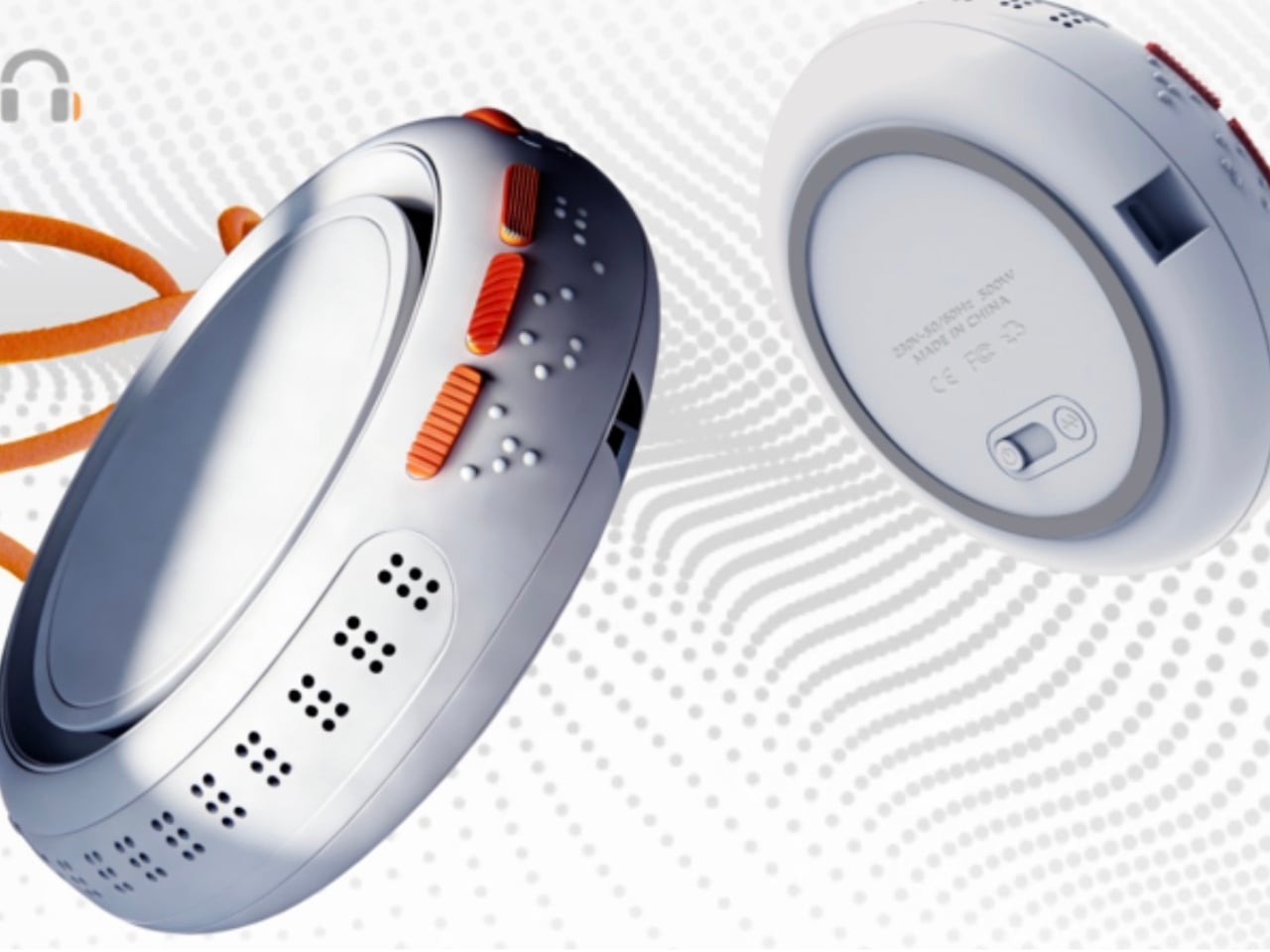
miinfm, for example, combines two shapes immediately associated with meditation – a bowl used in some Asian cultures, as well as the smooth slopes of a Zen landscape. Other than three embossed controls in front, there are no other details that would distract your eyes. In form alone, the speaker already has a minimalist visual that leads the mind into a deeper state of thinking.

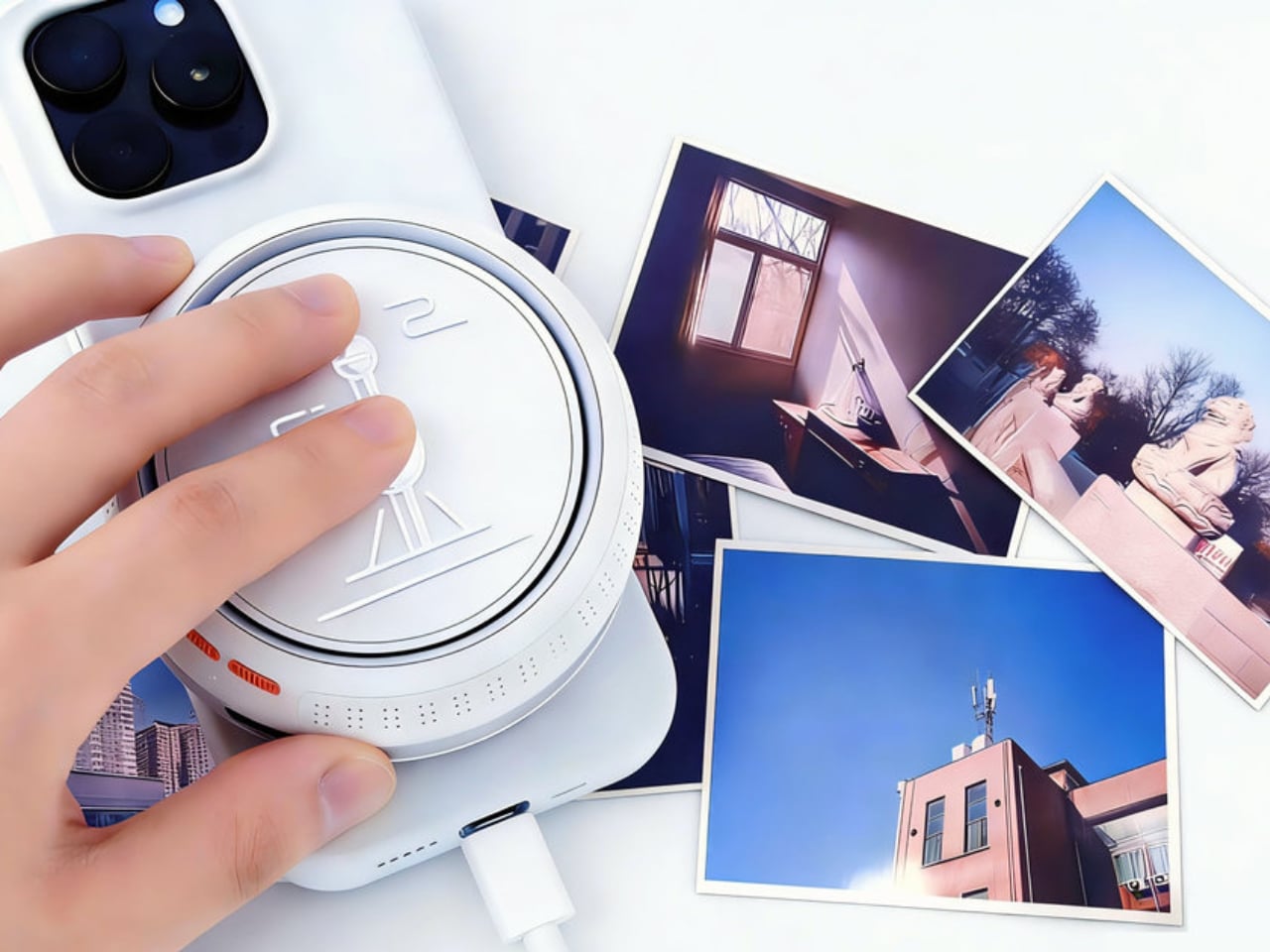
The more interesting aspect of this design concept, however, is the way it selects which music to play. Rather than having you choose from a list from a display or from your phone, the speaker makes use of physical cards for that purpose. These cards look like instant camera photos with artistic imagery, and you simply insert the card in the “valley” between the mountain peaks where an infrared scanner is hidden to identify the card.

The exact implementation detail for this simple yet creative mechanism is left to speculation, but it is definitely not impossible to pull off. Although it does require some physical action by the user rather than an automated process, it actually enhances the experience by creating a ritual to prepare both your body and your mind. Light a candle or incense, slip in a meditation card, and relax to the calming tunes from this aesthetic speaker.

The post Bowl-shaped meditation speaker concept uses picture cards to play the perfect music first appeared on Yanko Design.
Air purifier concept visualizes indoor pollution for easier visibility

Given how people are now so aware of the air quality in their own homes, it’s no surprise that air purifiers are becoming a staple in living spaces. At first, these appliances looked the part they played, clinical and technical, sticking out like a sore thumb in your living room. Some designs now incorporate more interesting aesthetics, colors, and materials, but in exchange, they have also become a little bit more difficult to use because of their hidden interfaces.
Aeroview is a concept design that tries to blend these two worlds together. Although it does stand tall in the middle of a room, it has a certain visual that comes off as more than just an appliance. More importantly, it makes its operation so simple that you only need to take a look to see how dirty the air is, and a little tap to clean it up as well.

Designers: Jihun Choi, Youngbin Yu, Jiseong Kim

Knowing how the level of indoor pollution, or rather the volume of particular matter (PM), isn’t just a matter of interest. It can help make an air purifier more efficient by only turning it on when it’s actually needed. Many devices show the information as numbers on a display, but that often requires you to waste your time walking to the air purifier, bending down, or squinting to see the numbers.

This air purifier design concept uses a more visible visual to convey the same information even from a distance. The tall tower of the appliance has transparent PDLC glass film on all four sides, and its opacity changes depending on the detected amount of fine dust and other particles in the air. It would be like watching a glass window get murky and opaque as dust starts to accumulate on its surface.

Using Aeroview is also just as easy. Simply press down on its domed top to activate the mechanism that lifts that cover and pushes the sides out, creating paths for dirty air to flow in from the side and purified air to blow from the top. The whole user experience revolves around simplicity without burying information behind multiple levels of menus, though the iconography used to convey that information does leave a bit of guesswork.

Aeroview is a fusion of stylish design and technological marvel, operating in a manner that brings some visual interest to your space. It doesn’t completely hide its identity as an air-purifying appliance, but it also uses that very same characteristic to make it look more at home in your home.

The post Air purifier concept visualizes indoor pollution for easier visibility first appeared on Yanko Design.