
Apple iTunes still exists, but not the way it used to
You can still buy music from the iTunes Store, believe it or not.

Somewhere out there is a bingo card of jobs AI would come for, and I guarantee nobody had masseuse on it. AI has already eaten its way through a scary chunk of the low-level workforce, copywriting, junior coding, customer support scripts, even the guy behind the wheel in some cities now. But there was always this quiet assumption that a good deep tissue rubdown needed actual human hands, actual human judgment, someone who could feel where the knot was and adjust on the fly. That felt safe. Untouchable, even. Then I walked into Bodyfriend’s booth at IFA 2026, sat down in a chair, and casually talked my way into the best massage of the show. Apparently the human-to-human touch job just got automated too.
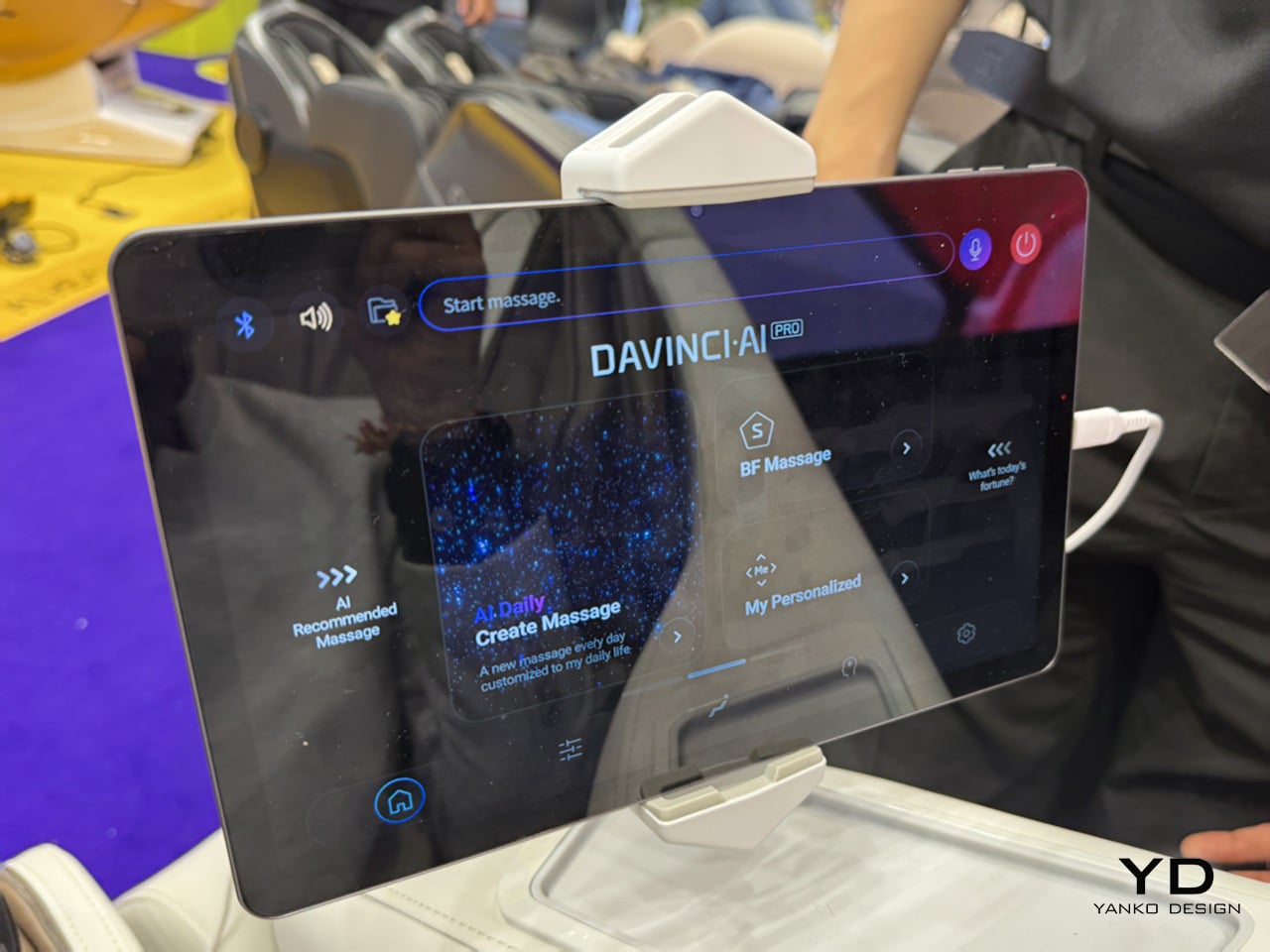
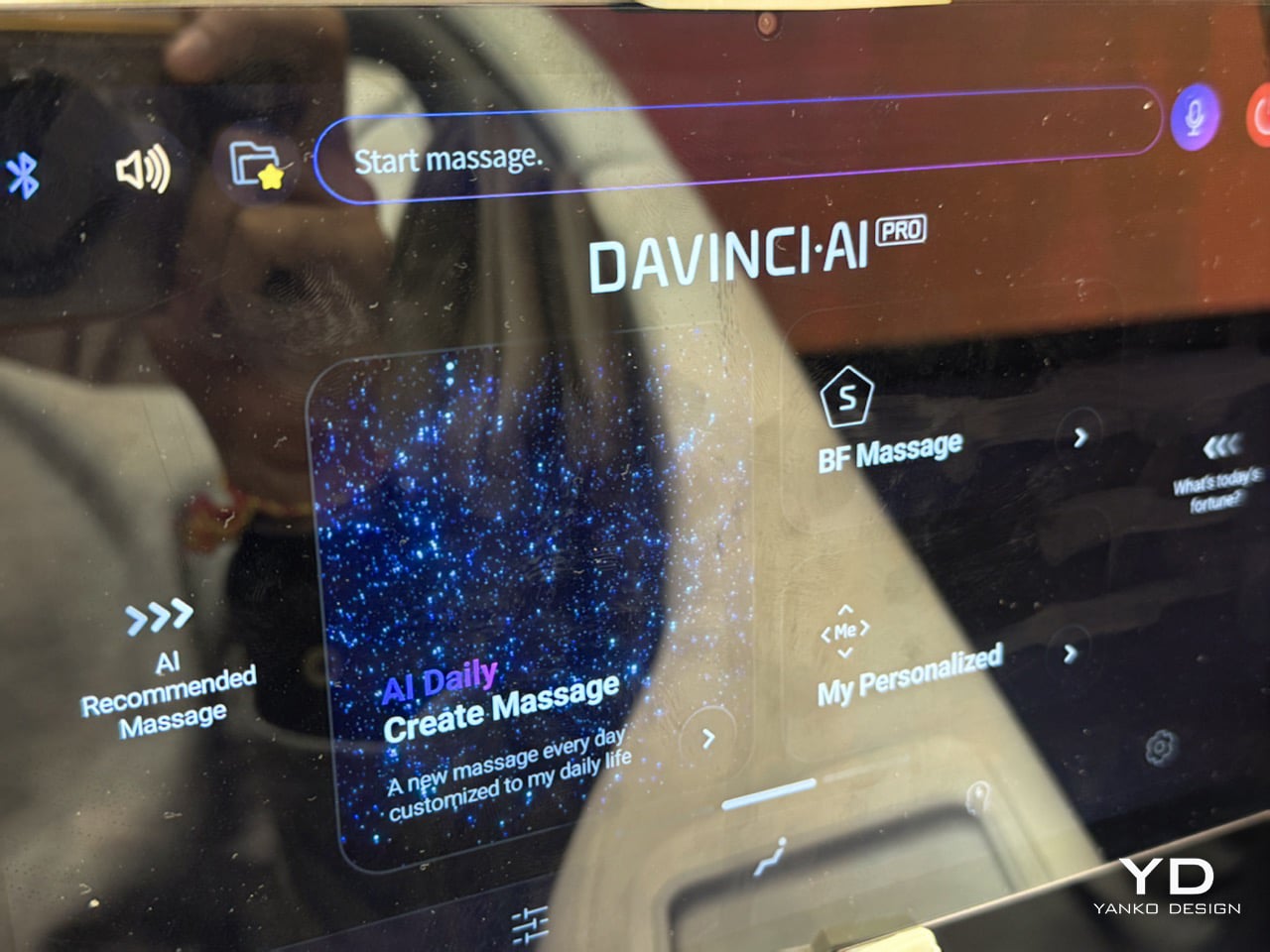
The chair was Bodyfriend’s DaVinci AI, running the same generative AI Bodyfriend had just unleashed in Seoul days before IFA, badged DaVinci AI Pro. Instead of picking from a shelf of presets, it listens to plain language and builds a massage from scratch, mixing 134 basic blocks across body zones, pressure, and duration. Bodyfriend puts the theoretical combinations in the trillions, and having felt the difference, I believe the math. A PPG sensor in the hand massager also reads heart rate, heart rate variability, and blood oxygen in real time, so the chair responds to your actual state, not just your words. I did not know any of this walking in. I just knew I was tired, sore, and willing to talk to a chair like it owed me something.
Designer: Bodyfriend


I had clocked around 15,000 steps that day, running on trade show coffee and basically nothing else, and my feet and shoulders had reached the point of open rebellion. I sat down, and instead of hunting for a remote, I just talked to the tablet mounted on the armrest. “Hey Buddy,” I said, “give me a strong foot massage, and also help relieve tension in my neck and shoulders.” Within about a minute it had built something specifically for that, working my feet, shoulders, and spine while leaving my hands completely alone, because I never asked for them. When I got a flicker of FOMO and asked it to include a hand massage too, it recalibrated on the spot rather than restarting from zero. Talking to it felt closer to briefing a person than operating a machine.

The DaVinci name carries some real design pedigree behind it. Bodyfriend’s earlier DaVinci models were developed with Italdesign, the Turin studio behind decades of concept and production cars for names like Lamborghini and Bugatti, and that automotive language shows up in the chair’s sculpted shell and the confidence of its proportions. This year’s leap is less about the shell and entirely about what is happening inside it. Where the original DaVinci used bioelectrical impedance analysis to profile your body composition, the AI Pro generation swaps that for conversational intelligence, a shift from measuring you passively to actually listening to you. It is the difference between a chair that studies your body and one that takes instructions from it.
Bodyfriend’s booth this year also carried the 733, a wearable healthcare robot that took home an IFA Innovation Award honor for independently guiding your arms and legs through stretching and standing assistance, proof this is a company betting hard on robotics well beyond the living room recliner. Against that backdrop, DaVinci AI reads less like a gimmick and more like the company’s flagship idea about where home wellness tech goes next. We covered Bodyfriend’s Quantum robotic chair at IFA 2024 and called it a bodygasm in leather and Bang & Olufsen sound. DaVinci AI trades some of that theater for something quieter and arguably bigger: a chair that finally understands what you are asking for, in your own words, on the first try.


The post An AI Gave Me A Full-Body Massage: Hands-on with DaVinci AI Pro Massage Chair at IFA 2026 first appeared on Yanko Design.


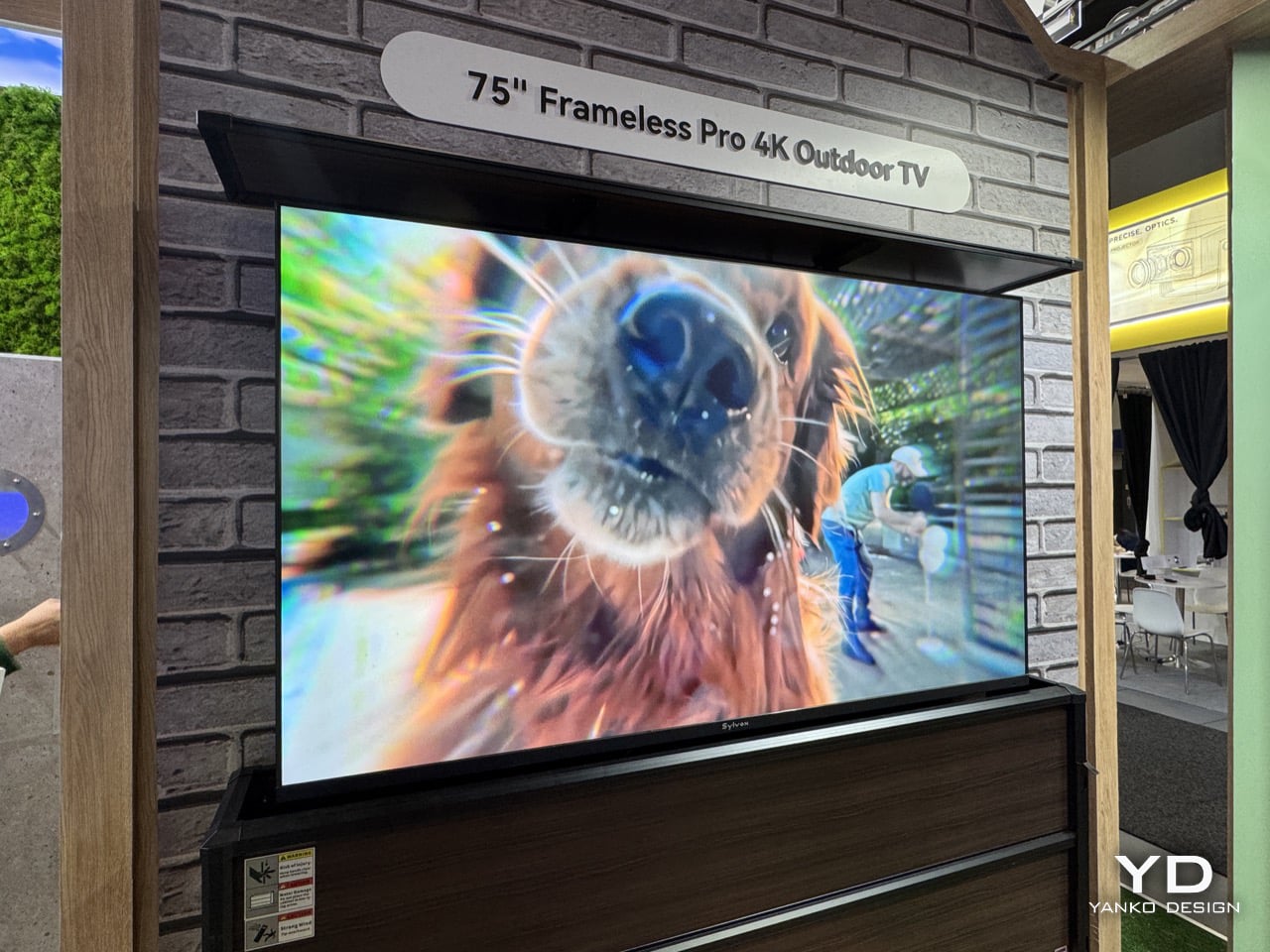
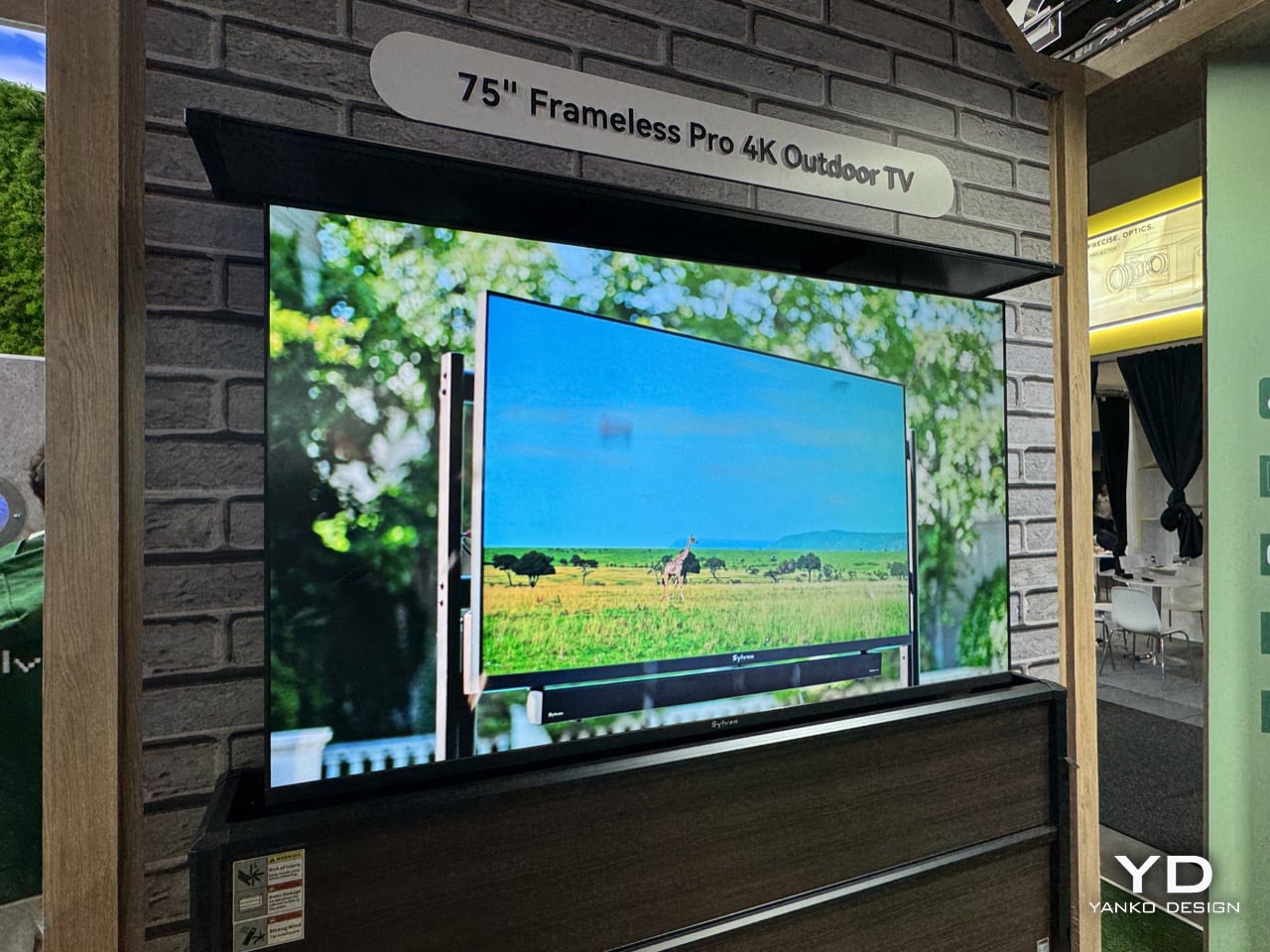
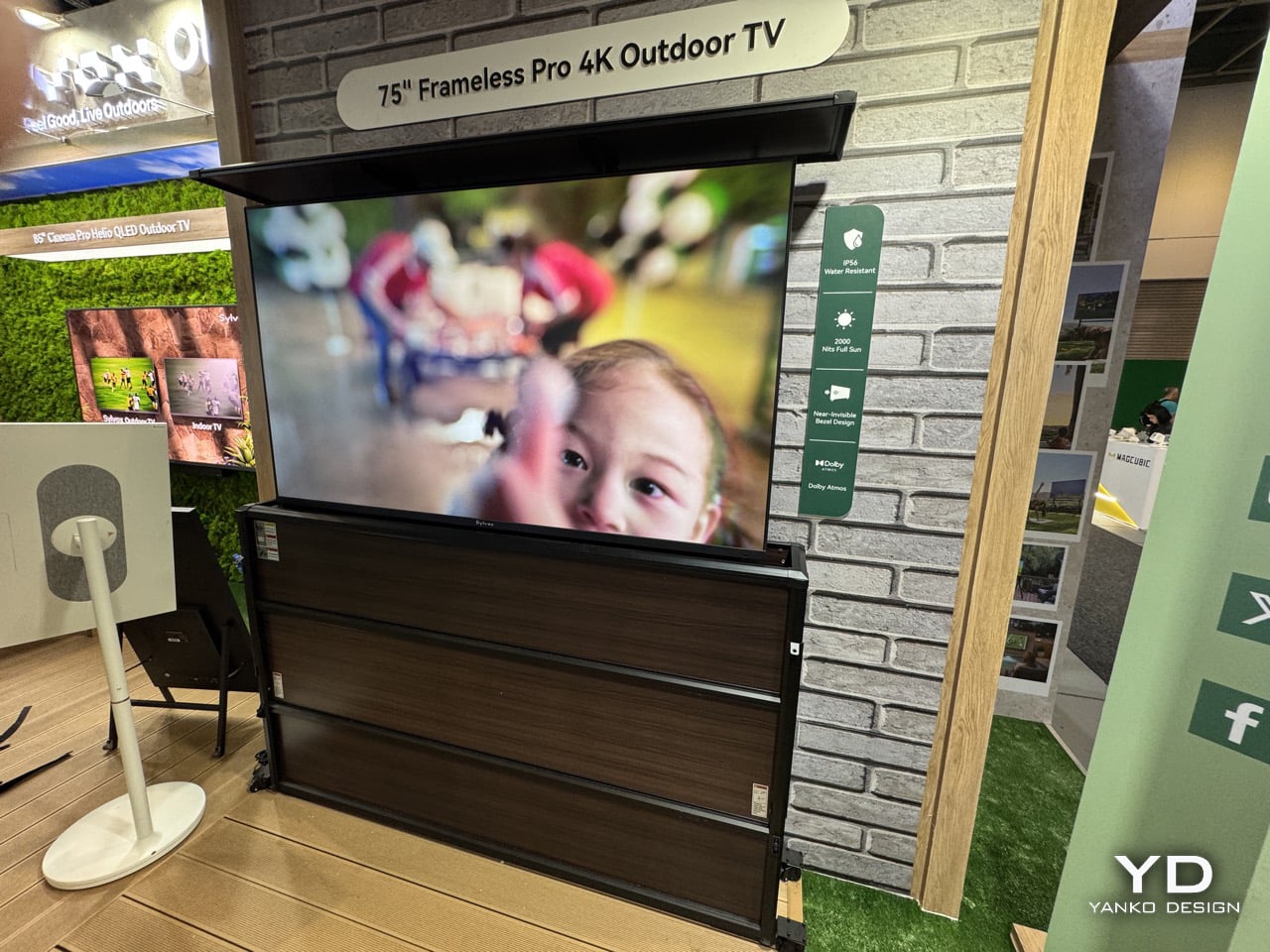
An outdoor TV isn’t really judged by its screen, it’s judged by everything protecting the screen. Sunlight readability, a sealed chassis, and an operating range that survives both August and January are what separate a patio television from a regular one dragged outside against its will. Sylvox showed up at IFA Berlin this week leaning into that definition, then added a twist the category rarely bothers with, the Frameless Pro 2026, a 75 inch 4K set with 2000 nits, an IP56 rating, and a bezel trimmed down by 90 percent. The obvious question is whether shaving the frame down actually changes what an outdoor TV is, or just what it looks like. Either way, it’s the most interesting thing on Sylvox’s stand that isn’t running on a hand crank.
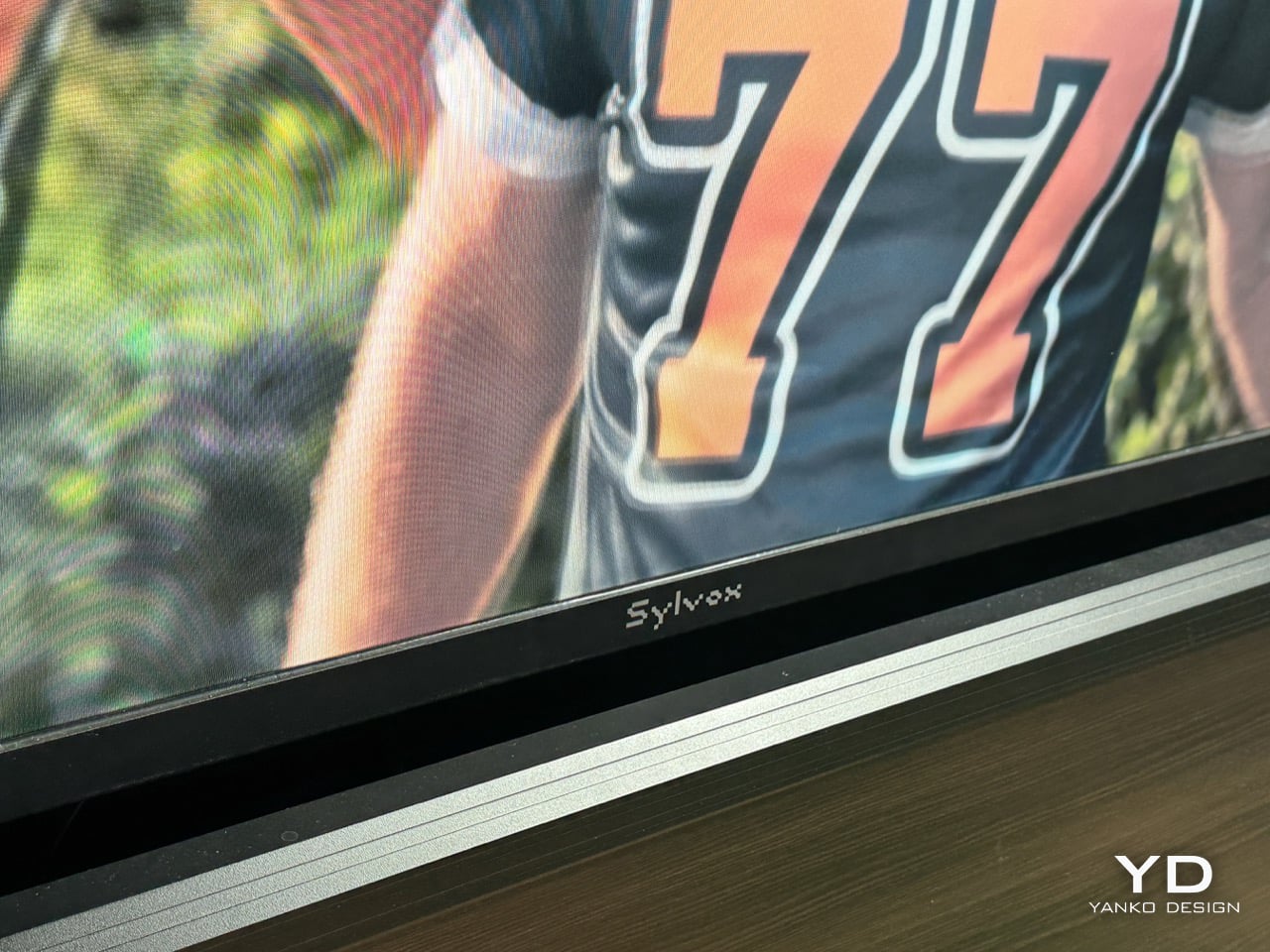
Bezels exist for a reason on any screen meant to survive weather, they’re where the gaskets, sealing, and wiring actually live, so trimming one down is a real engineering problem, not just styling. Sylvox says the Frameless Pro hits a 95 percent screen to body ratio while still holding IP56 and a range from negative 22 to 122 Fahrenheit. It wasn’t the only bezel story at IFA this year, Tecno showed a concept phone with a claimed 0mm bezel a few halls over, only for early testers to find a raised metal lip still doing the bezel’s job along one edge. That’s usually how these claims go, the border doesn’t disappear, it just moves somewhere less obvious.
Brand: Sylvox
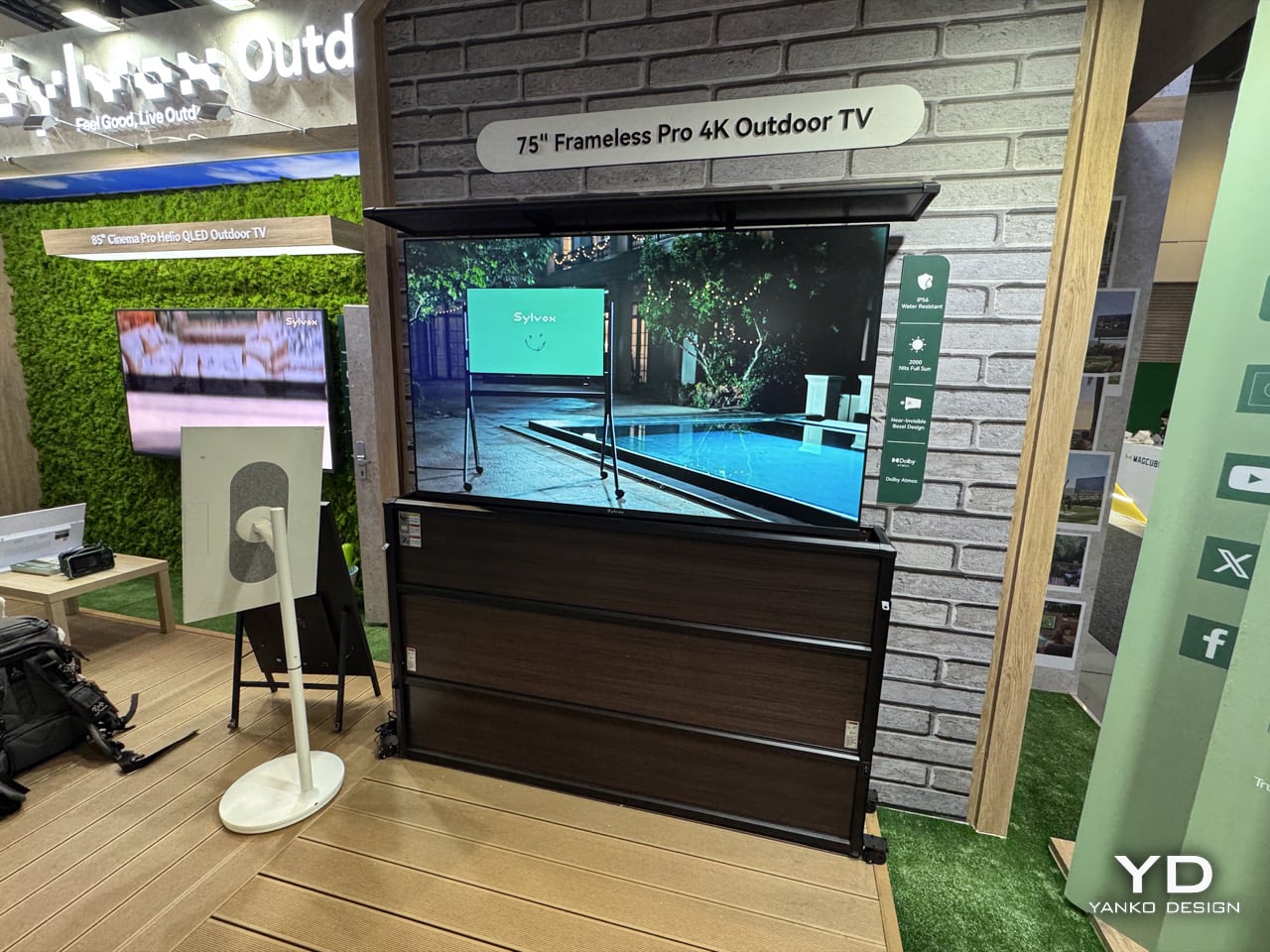
An IP56 rating means dust can’t meaningfully get in and water thrown at the case from any angle won’t get through, which matters since most indoor TVs would die from a humid August afternoon. Brightness works the same way, 2000 nits is a requirement more than a flex, since anything dimmer washes out in direct sun, and Sylvox’s own Cinema Pro, last year’s IFA Innovation Award winner, pushes past that to 3500 and 5000 nits. The bezel claim is separate from all this. The spec sheet lists a 90 percent thinner bezel and 95 percent screen to body ratio, both about the visible border around the glass, not the television’s overall size. The unit is still 3.41 inches deep, since that depth now holds the sealing and wiring a fat frame used to carry.
Sylvox wasn’t the only brand playing this game in Berlin. Tecno debuted its Next-Gen Bezelless Concept Phone a few halls over, claiming a true 0mm display border through internal stacking and an inverted rear panel. Hands on reports found a raised metal frame still sitting above the screen, catching thumbs on swipes. Same pattern as the TV, a border hidden rather than eliminated, moved into the structure instead of removed from it. Two products, same trick, same asterisk, which is a better story than either press release admits.
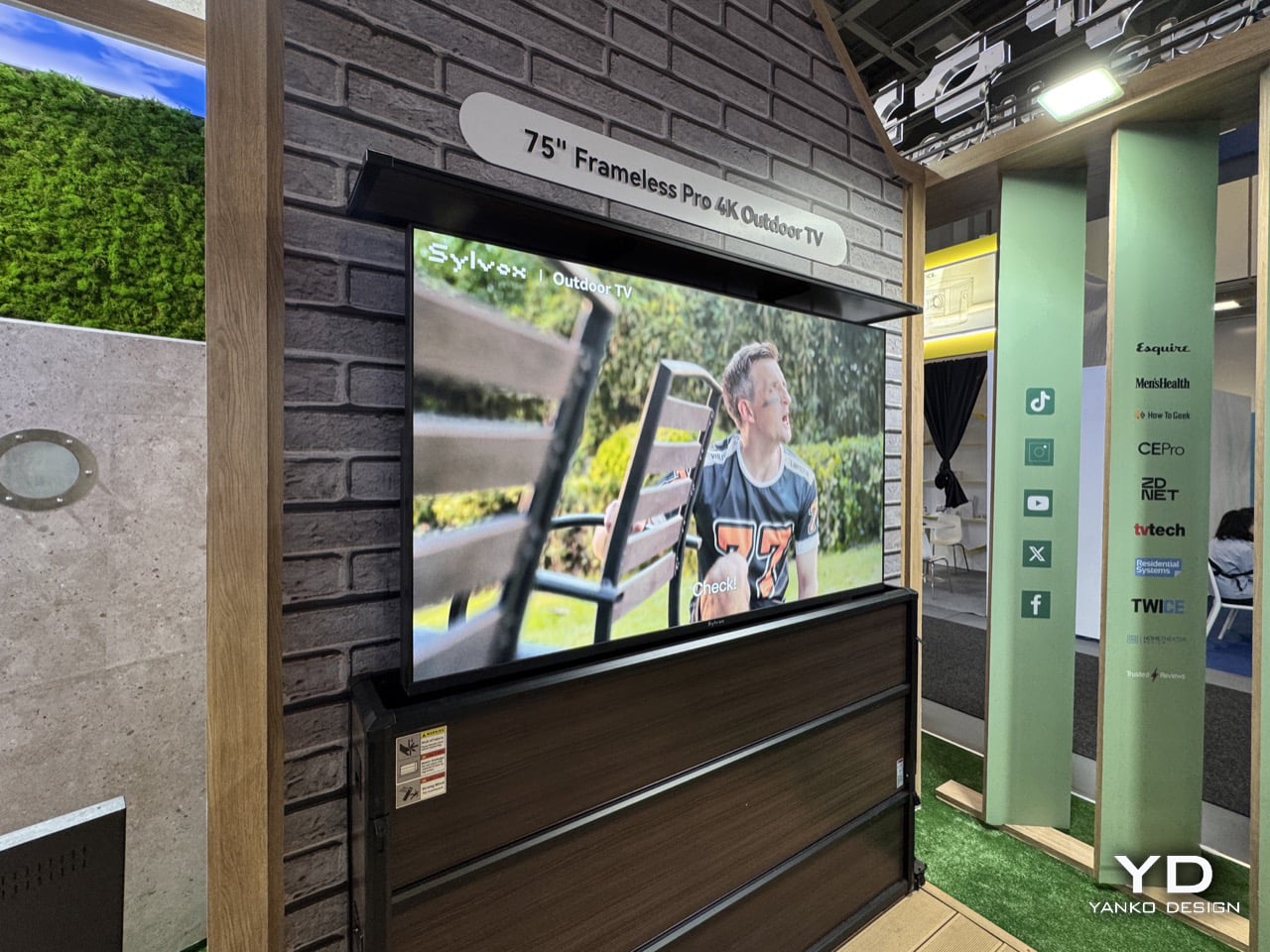
At $5,299, the 75 inch Frameless Pro looks steep next to a similarly sized living room TV, but that number needs context most spec roundups skip. Anyone shopping for a 75 inch outdoor television already owns a backyard big enough to justify one, and at that point $5,299 reads less like a barrier and more like a rounding error on the pool or pergola it’s about to sit next to. Against Samsung’s Terrace and SunBrite’s Veranda, both of which still treat a thick edge as part of the design language, the Frameless Pro is a serious entry, though it deserves a more honest word than frameless, since the frame didn’t disappear, it just stopped being the first thing you notice. Sylvox’s booth also had a hand crank emergency TV in development nearby, likely the stranger story out of Berlin. For now, the Frameless Pro is a good looking outdoor TV wearing a name that oversells its own trick, aimed at people for whom that oversell was never going to matter.
The post Sylvox Made A Bezel-less 75″ Outdoor TV That Plays 4K Movies In Rain, Sun, and Snow: Hands-on at IFA 2026 first appeared on Yanko Design.


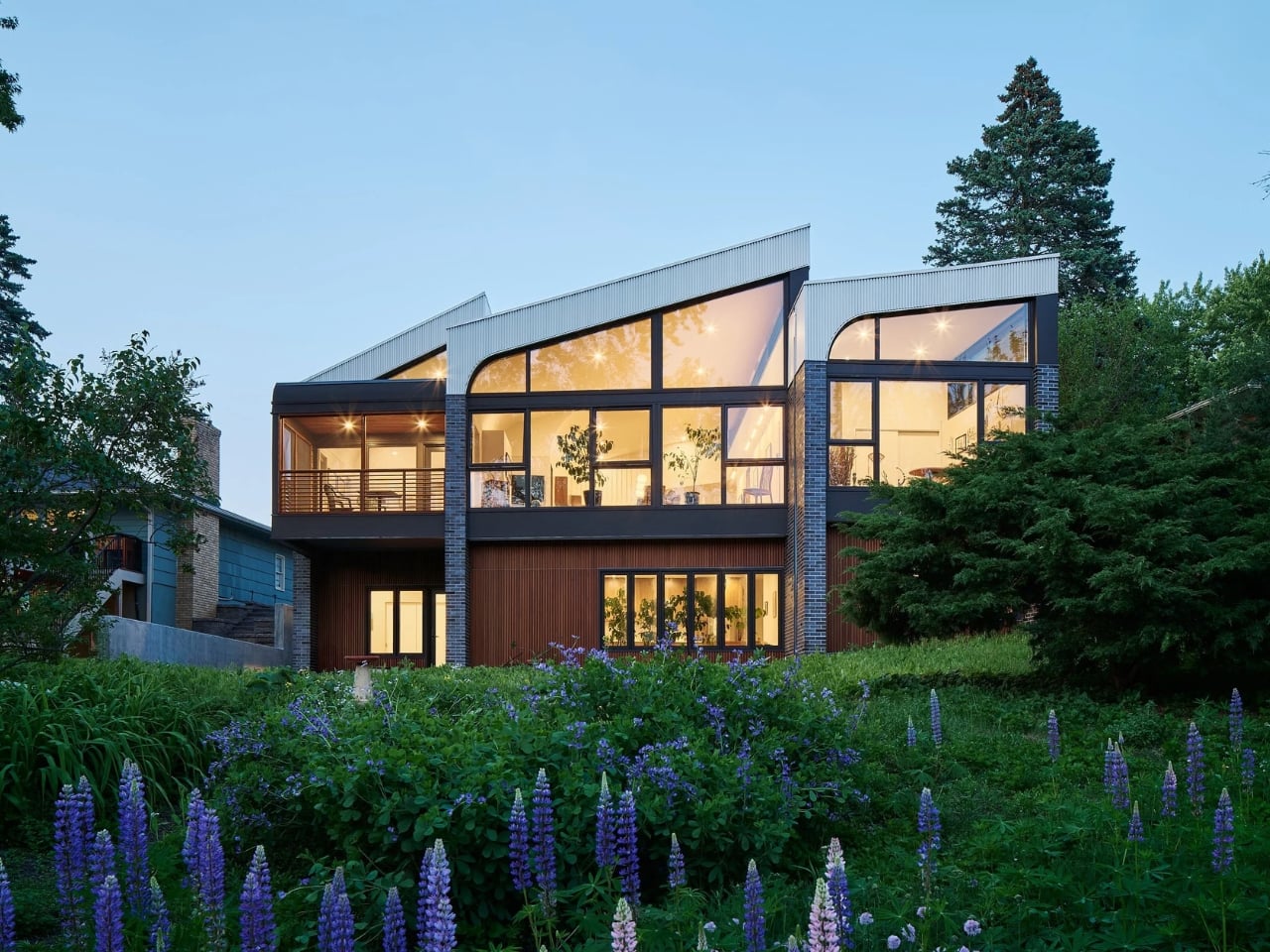
Multigenerational living has become one of those design phrases that gets thrown around a lot lately, usually attached to a floor plan that just tacks an extra bedroom onto an existing house and calls it a day. The real challenge isn’t fitting more people under one roof. It’s building a home where an aging parent, a sibling, or a grown child can live fully independent lives while still feeling like they belong to the same household. Most builders solve this with a wall and a separate entrance. A Minnesota architecture firm just solved it with light, geometry, and a piano room.
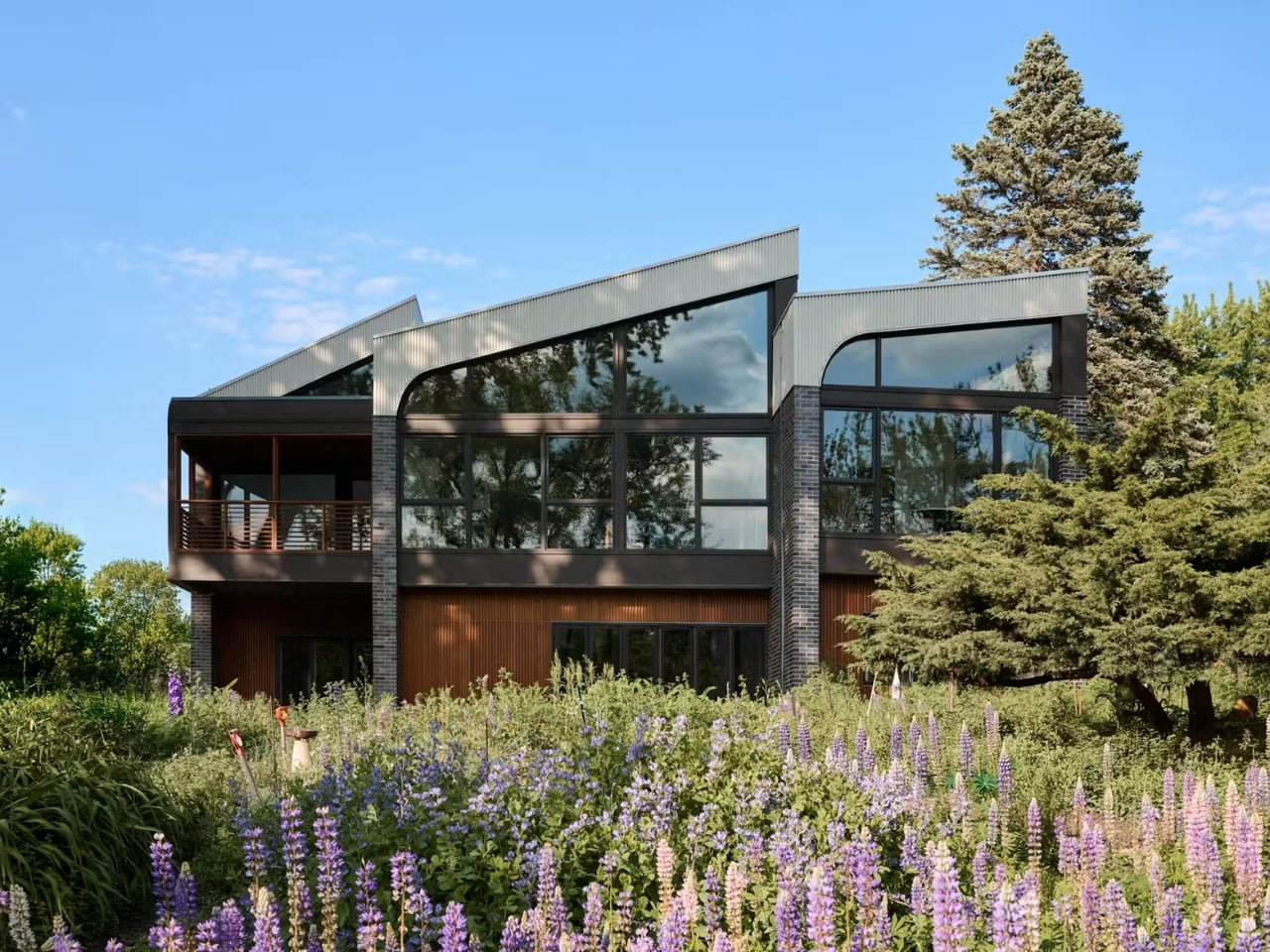
The house is called Crescendo, designed by CityDeskStudio’s Ben Awes on a narrow creekside lot in the Twin Cities. The story behind it is the kind that makes you rethink what a “forever home” is actually for. A woman had the chance to move back onto the land where she grew up with her three sisters, but she didn’t want the old 1950s house that sat there. She wanted the land itself, the creek, the trees, the memory of the place, rebuilt into something that could hold her present life. That’s a very different starting point than most home renovations, and it shows in how personal the final design feels.
Designer: CityDeskStudio
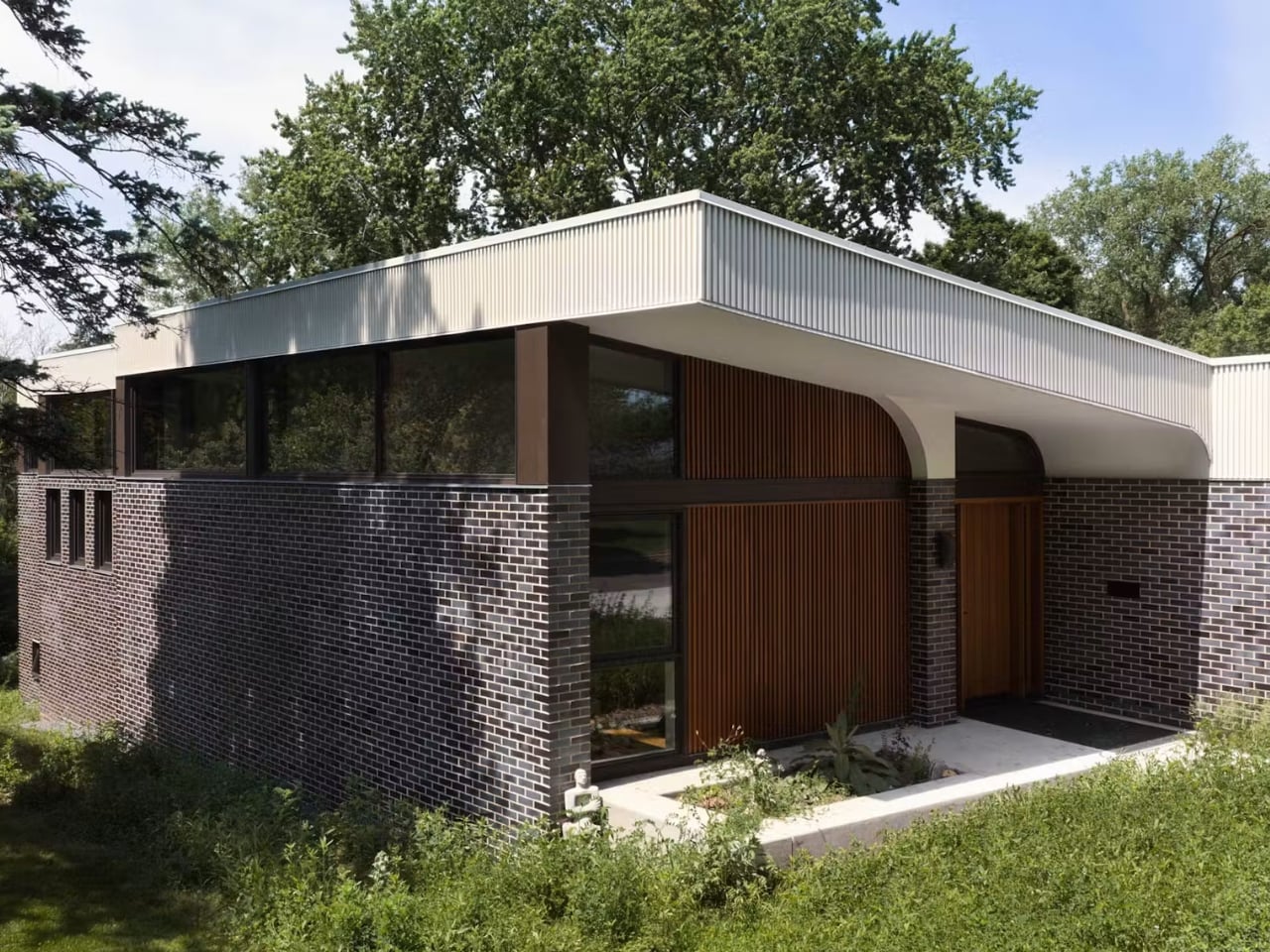
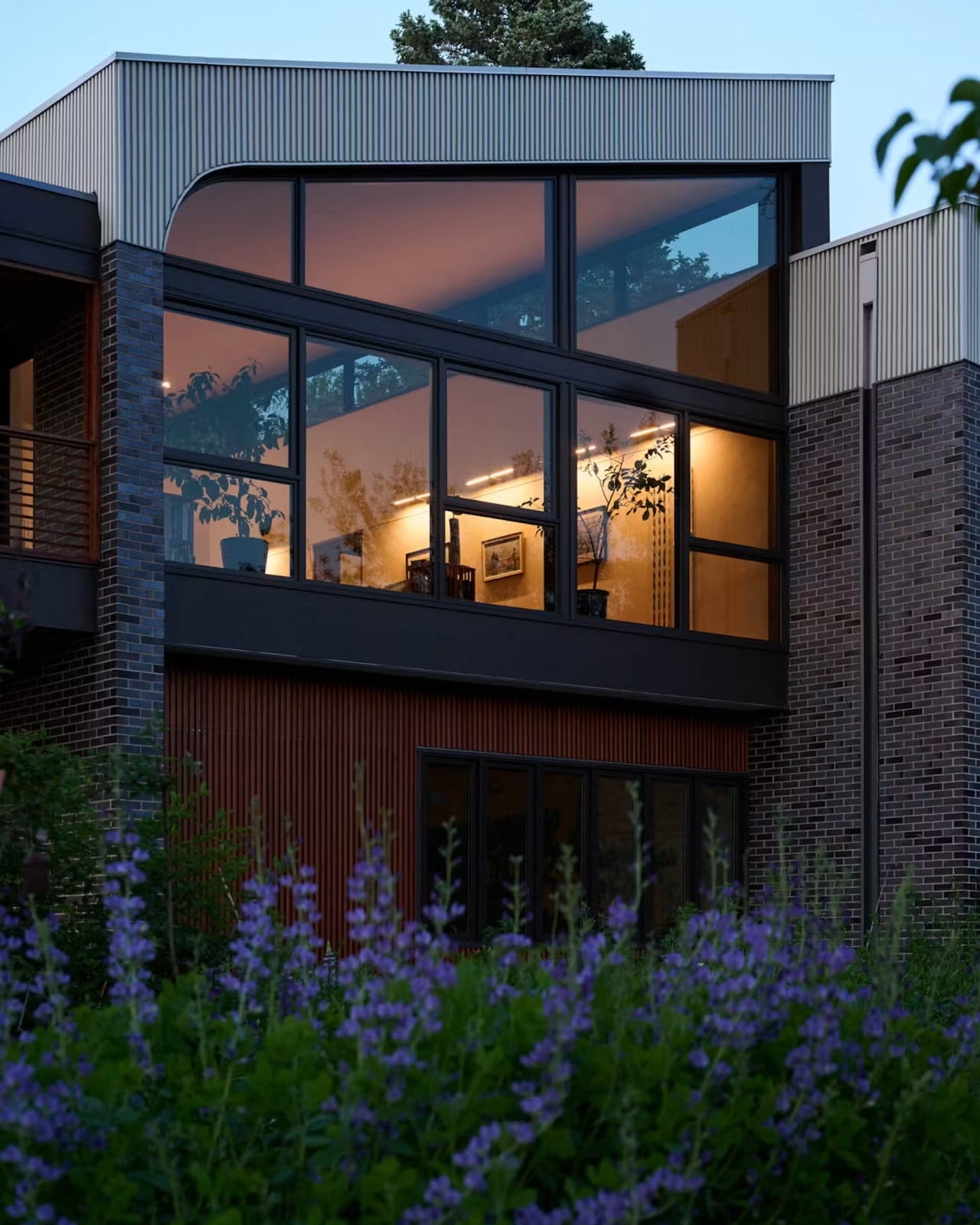
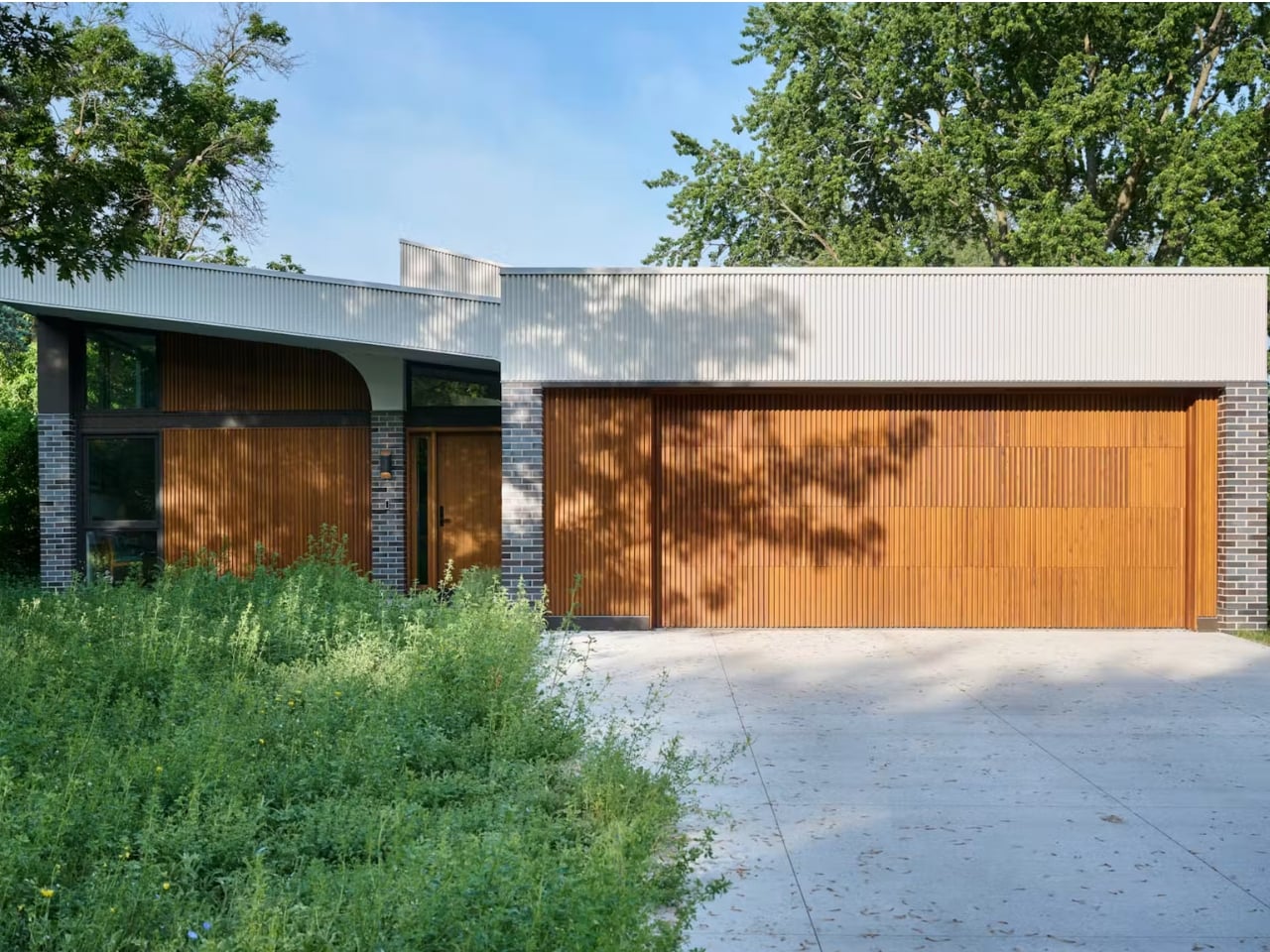
The couple needed a single-level home they could age into, a separate apartment for the wife’s sister, a home office, and an art studio, which is already a lot to ask of 4,200 square feet. What makes Crescendo work is a shared front entry that splits into two half-flights of stairs, one for the sister’s mudroom and one for the couple’s living space, meeting in the middle but never crossing into each other’s territory. It’s a quietly clever piece of choreography. Nobody has to knock. Nobody has to explain their comings and goings. The privacy is built into the bones of the house rather than negotiated after move-in.
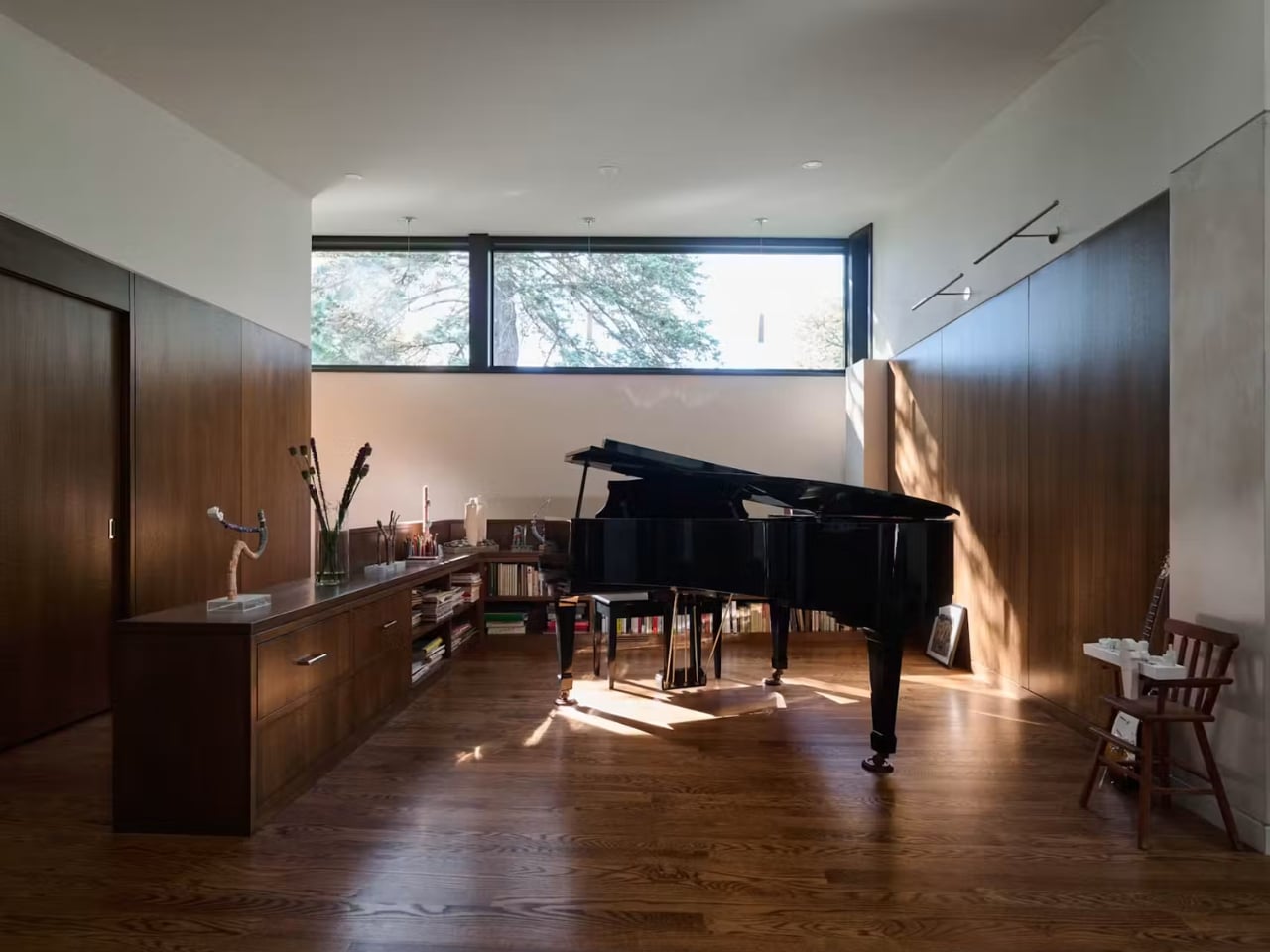
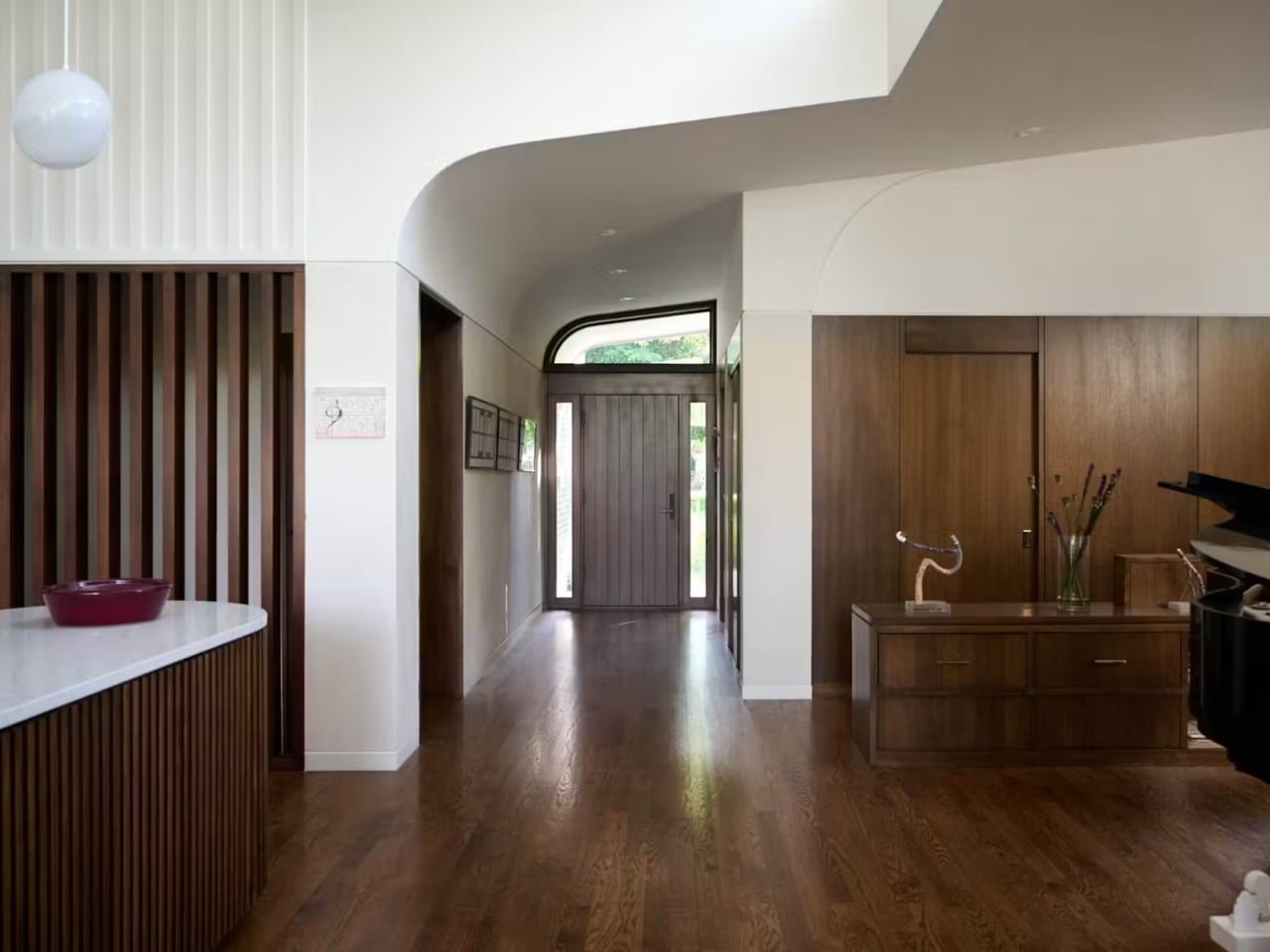
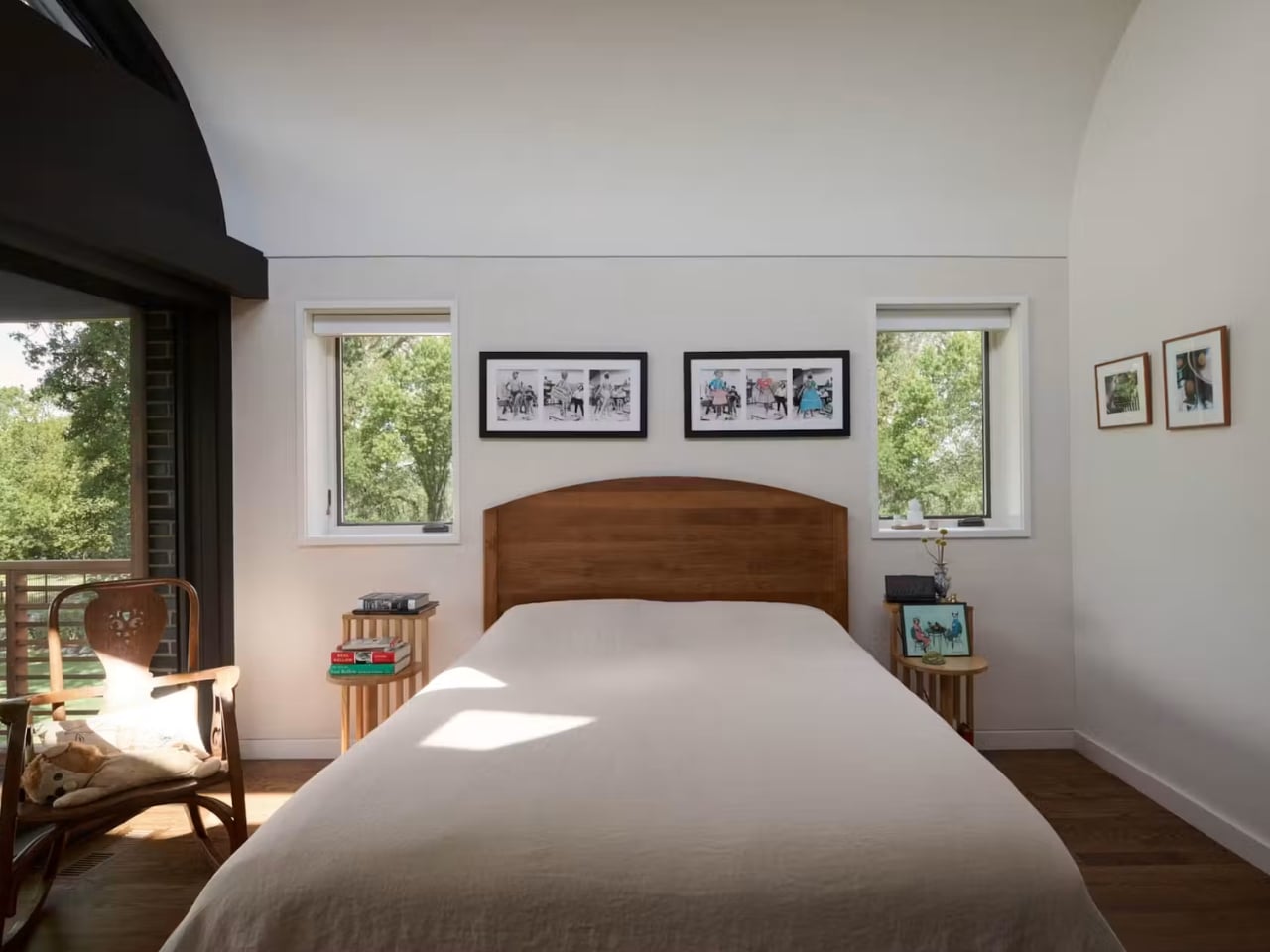
Then there’s the husband’s request, which I have to admit is my favorite detail in the whole project. He’s an architecture fan who loves Louis Kahn, and early on he told Awes that all great architecture has “lift.” So the rooflines rise in sequence across the plan, each section a little higher than the last, which is exactly why the house is named Crescendo. It’s a strange, almost musical way to think about a floor plan, but it works. The house reads as modest from the street, low and unassuming, and then opens up as you move through it. That contrast between restraint and ambition feels honest in a way a lot of statement architecture doesn’t.
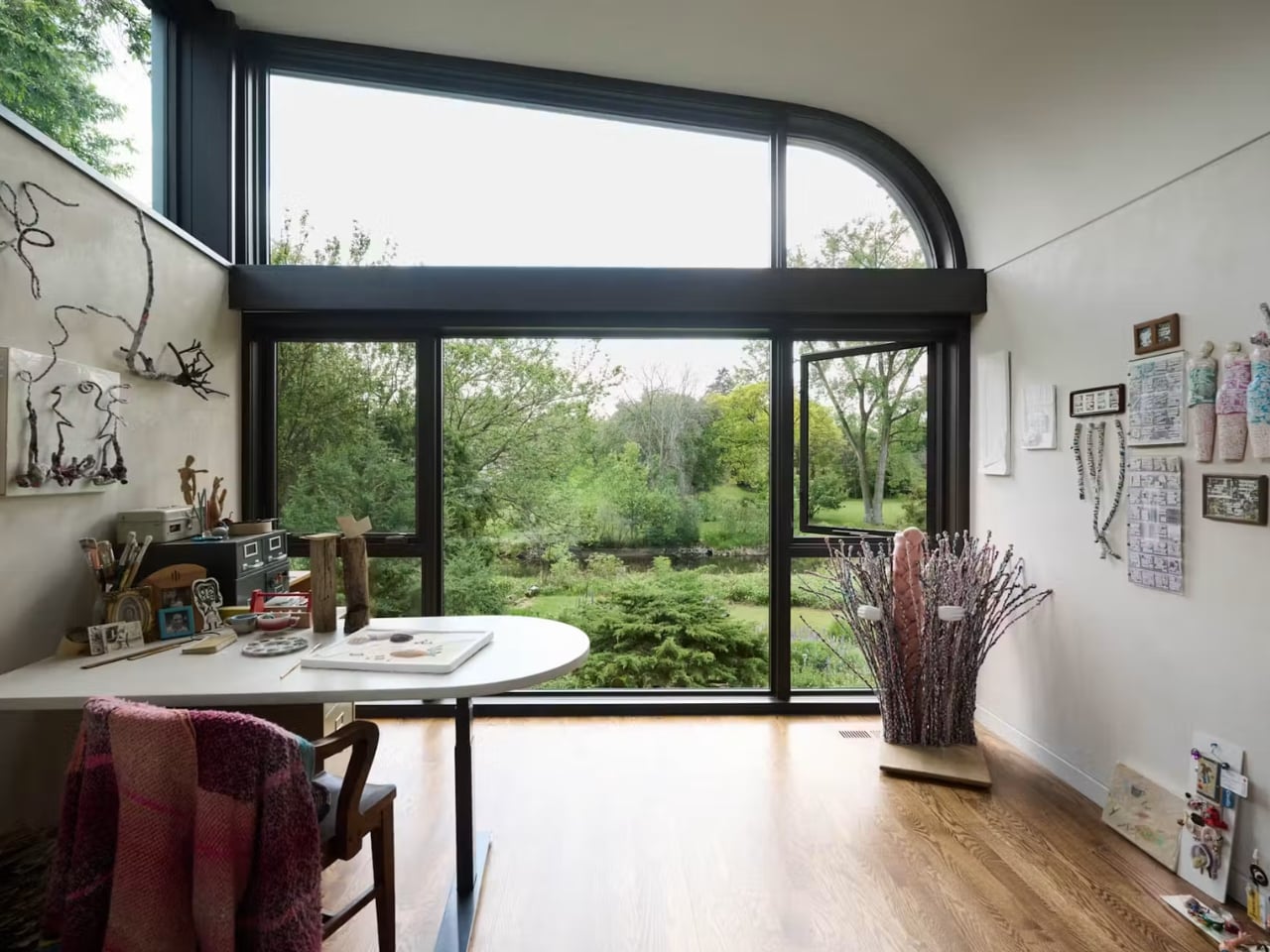
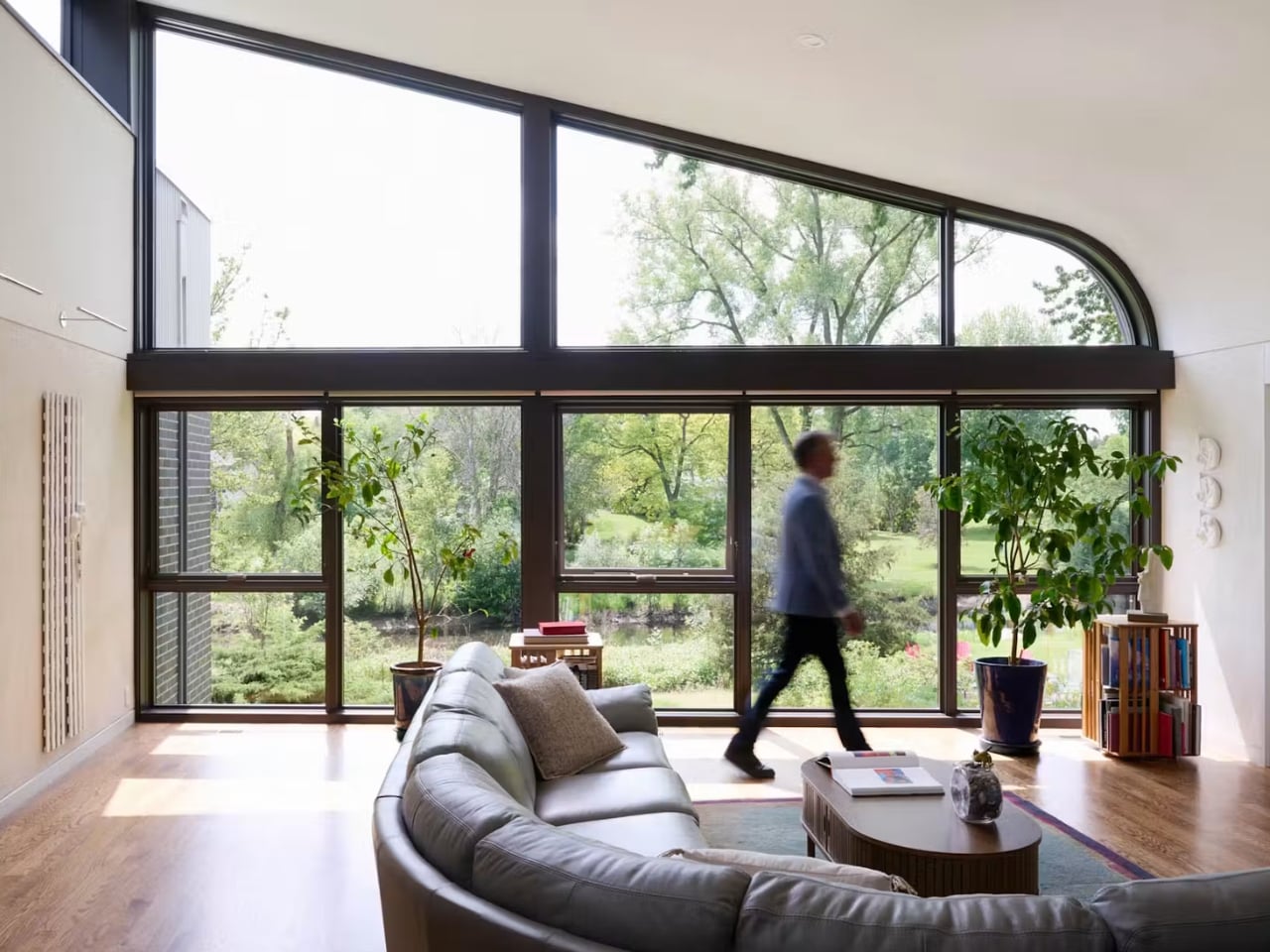
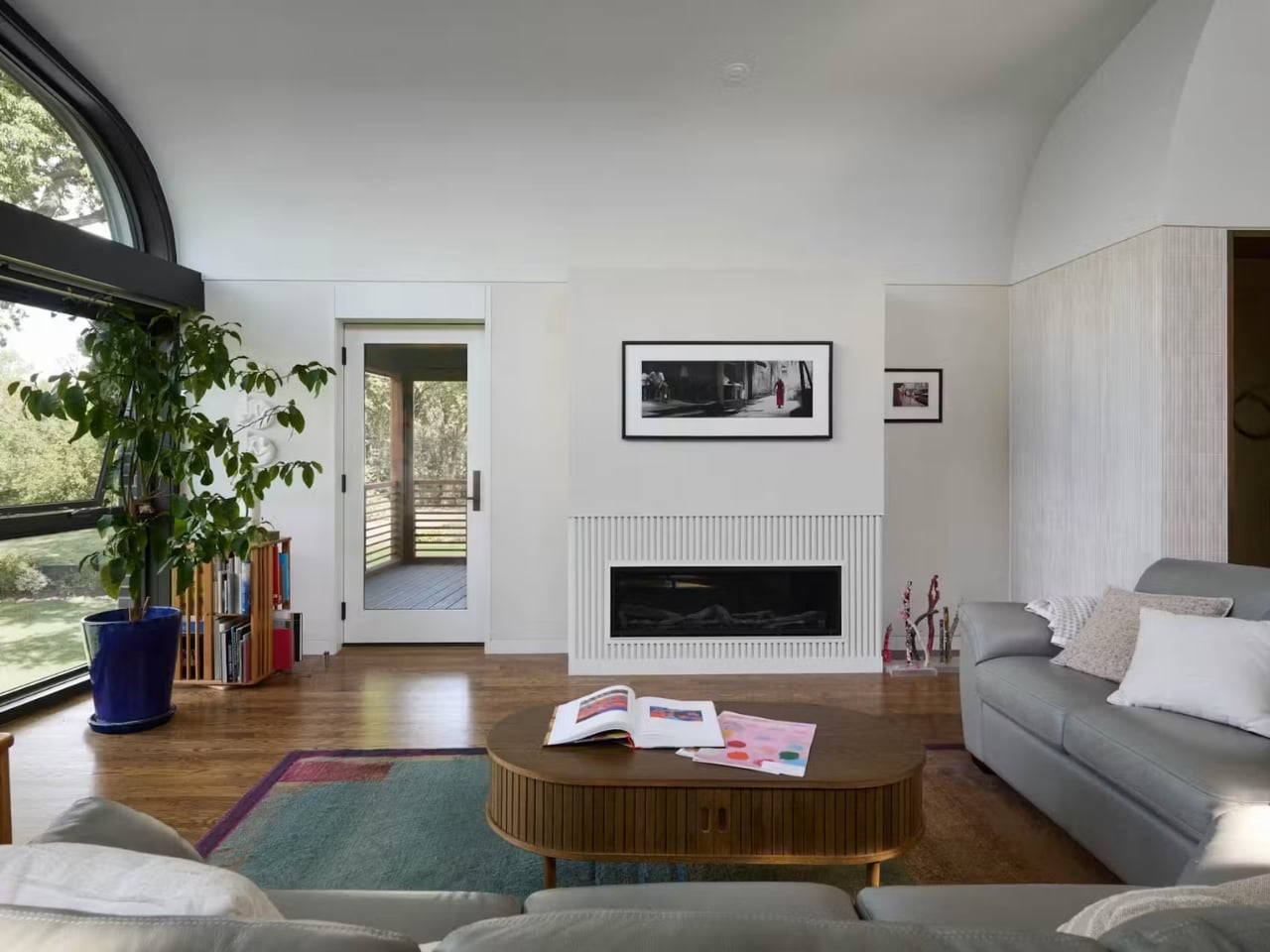
The windows carry most of the emotional weight here. Awes worked with Marvin for months on custom, slightly trapezoidal clerestory windows that run higher on the creek side and taper toward the street, and the collaboration involved full-size plywood templates before the bespoke units were ever built. Awes describes the finished house as a literal sundial, saying the windows “locate you in time and space every day” and that the curved plaster ceilings bounce the landscape’s colors back into the interior. That’s a genuinely lovely idea for a house meant to hold three generations of the same family. The light itself becomes a kind of shared calendar, marking the day the same way for everyone living there, separately but together.
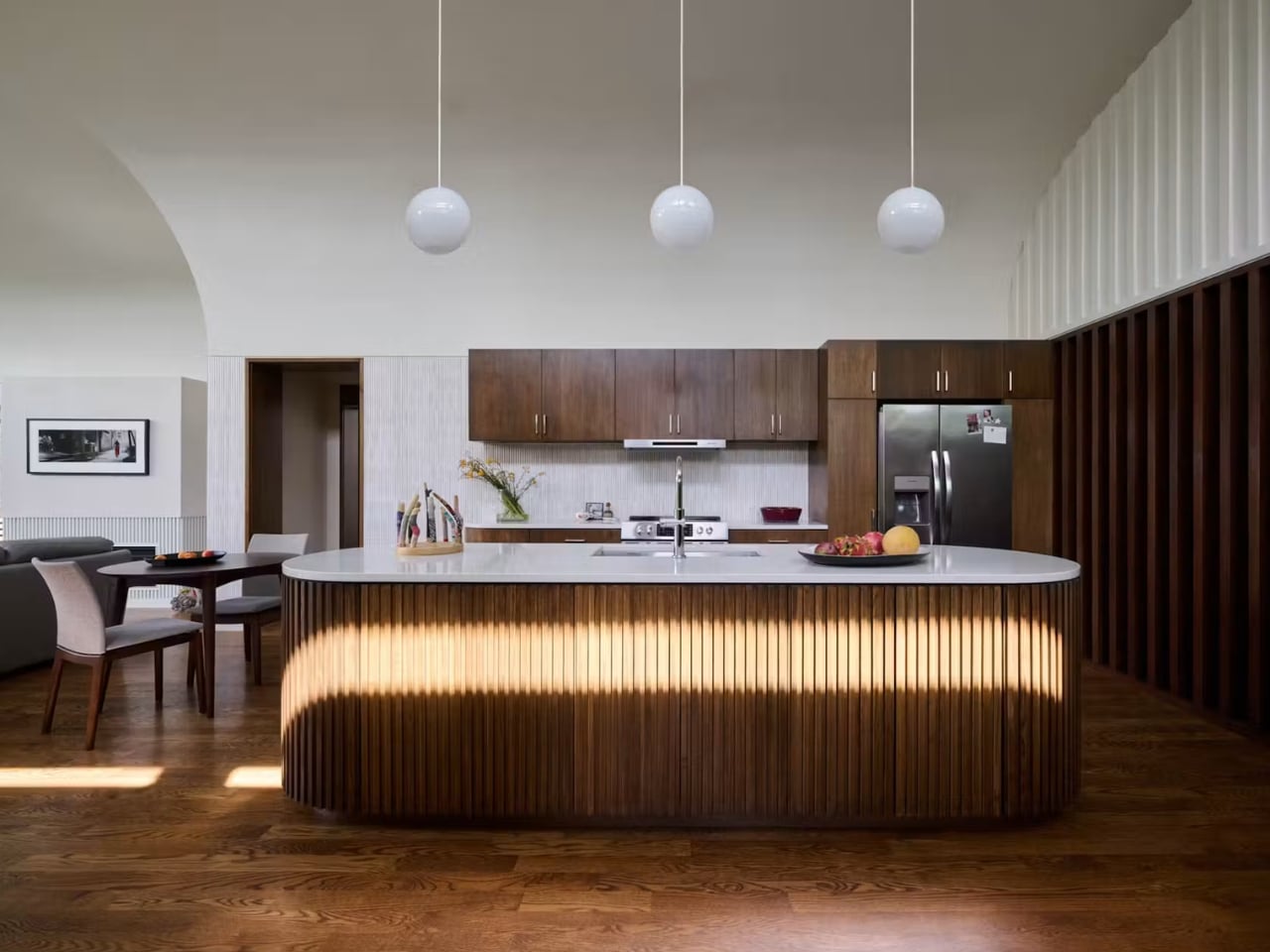
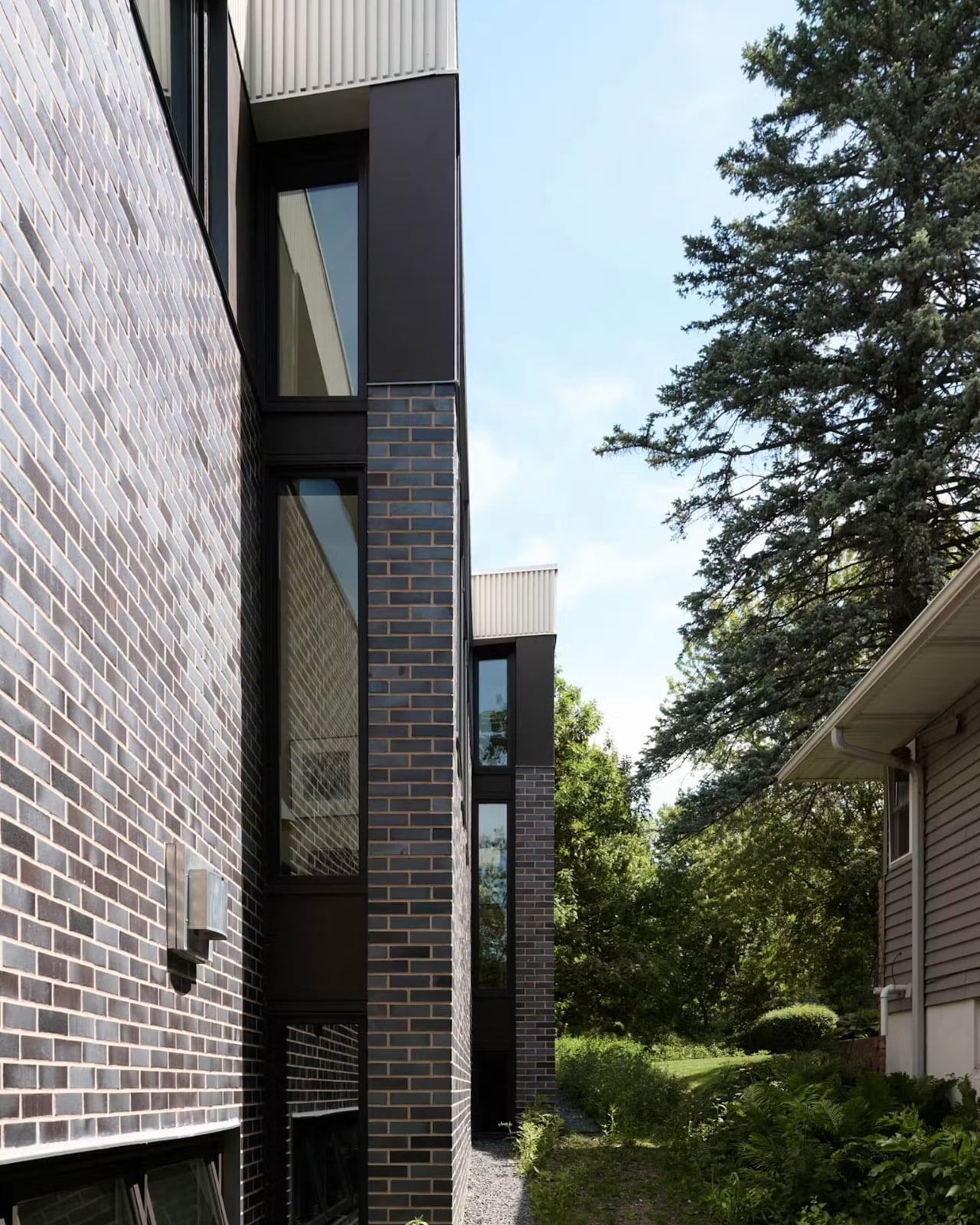
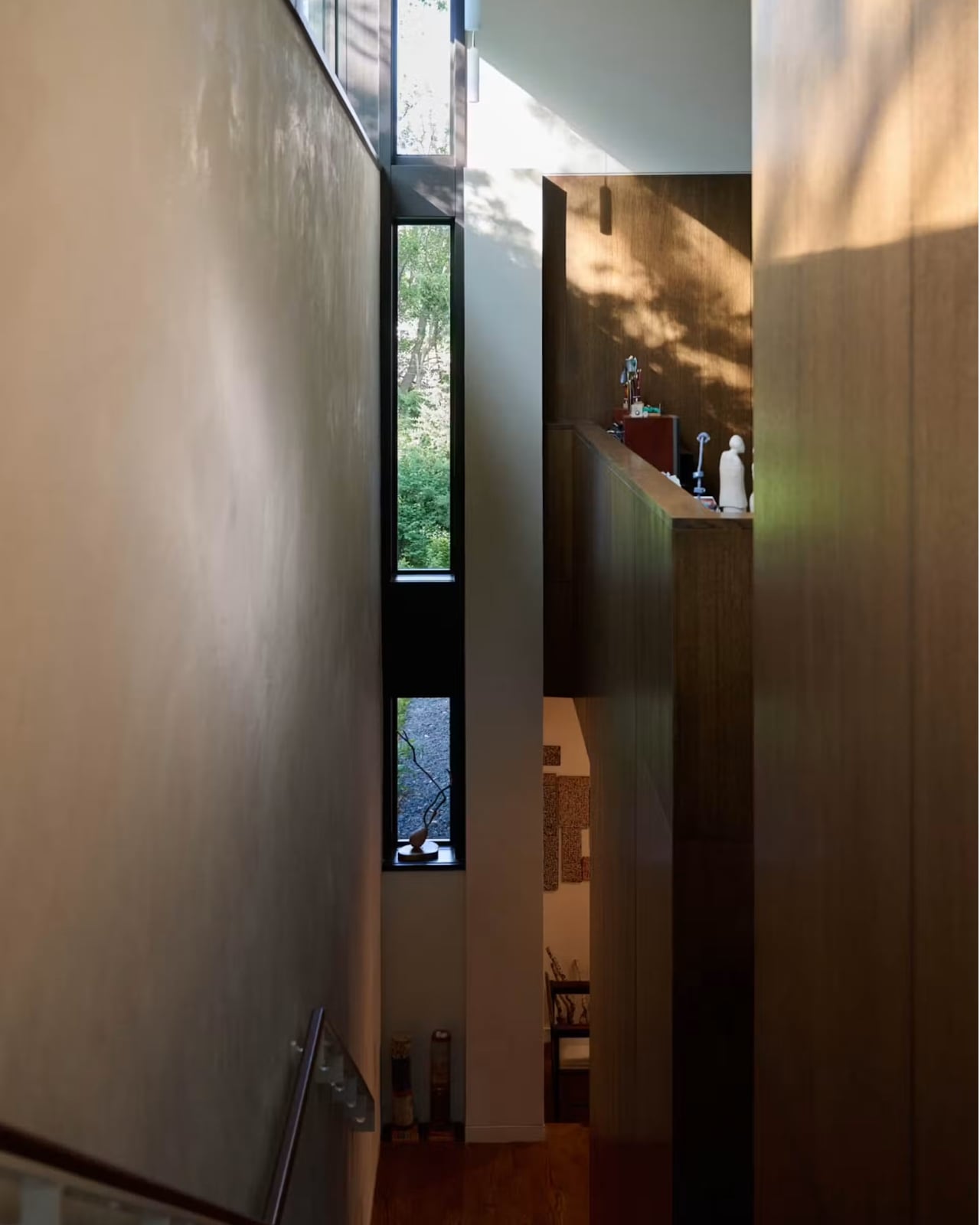
Even the small choices reflect this same instinct. An heirloom grand piano gets its own room lit by a high clerestory instead of being pushed into a corner, because Awes felt it deserved to be treated as something worth honoring rather than accommodating. That’s the difference between a house that’s merely functional and one that actually understands what a family needs from a space. Crescendo doesn’t solve multigenerational living by cramming more rooms into a footprint. It solves it by giving everyone their own light, their own stairs, and their own sense of arrival, while still letting the whole place breathe as one home.

The post How a 4,200 sq ft Home Finally Solved Multigenerational Living first appeared on Yanko Design.