The Biden administration just announced a comprehensive plan to ban Chinese software and some hardware from internet-connected cars in the US. This is being framed as a national security measure, with the administration stating that this software poses “new threats to our national security, including through our supply chains.”
This is the same reasoning behind a recent ban of telecommunications equipment from Chinese companies like Huawei and ZTE. In that case, the claims had teeth, as documents reportedly showed how Huawei was involved in the country’s surveillance efforts. Today’s announcement goes on to say that China “could use critical technologies” from connected vehicles “within our supply chains for surveillance and sabotage to undermine national security.”
The rules announced today go beyond mere software. It would also cover any piece of hardware that connects a vehicle to the outside world, which includes Bluetooth, cellular, Wi-Fi and satellite components. It also includes cameras, sensors and onboard computers. The software ban would go into effect in model year 2027, with the related hardware prohibition starting in model year 2030.
The proposed ban also includes Russian auto software. The country has a fairly robust EV industry, but primarily for domestic use. There’s nothing in Russia that’s globally lusted after like the cheap EVs from Chinese companies like BYD.
This leads us to a major point. While this proposed ban is primarily for internet-connected software, it would effectively block all Chinese auto imports. The software is pretty much baked in, as are the items of hardware that allow for connectivity. It’s already tough to get one of these vehicles stateside, due to the recent tariffs placed on Chinese EVs, but this would make it nearly impossible.
Government officials, however, have held steadfast that this is a move to improve national security, and not to ban cheaper EVs from another market. “Connected vehicles and the technology they use bring new vulnerabilities and threats, especially in the case of vehicles or components developed in the P.R.C. [People's Republic of China] and other countries of concern,” said Jake Sullivan, President Biden’s national security adviser. These remarks were given to reporters over the weekend and were transcribed by The New York Times.
Sullivan went on to reference something called Volt Typhoon, which is an alleged Chinese effort to insert malicious code into American power systems, pipelines and other critical infrastructure. US officials fear that this program could be used to cripple American military bases in the event of a Chinese invasion of Taiwan or a similar military excursion.
Peter Harrell, who was previously the National Security Council’s senior director for international economics during the Biden administration, told The New York Times that “this is likely to be opening the door, over a number of years, to a much broader governmental set of actions” that would “likely see a continuation” no matter who wins the presidential election.
It’s worth noting that the BYD Seagull, as an example, sells for around $10,000. This makes it much cheaper than American EVs, even after getting slapped by that fat 100 percent tariff. A full-featured EV for $20,000 sounds pretty nice right about now. Oh well. It was fun to dream.
This article originally appeared on Engadget at https://www.engadget.com/transportation/evs/biden-administration-seeks-ban-on-auto-software-from-china-154025671.html?src=rss
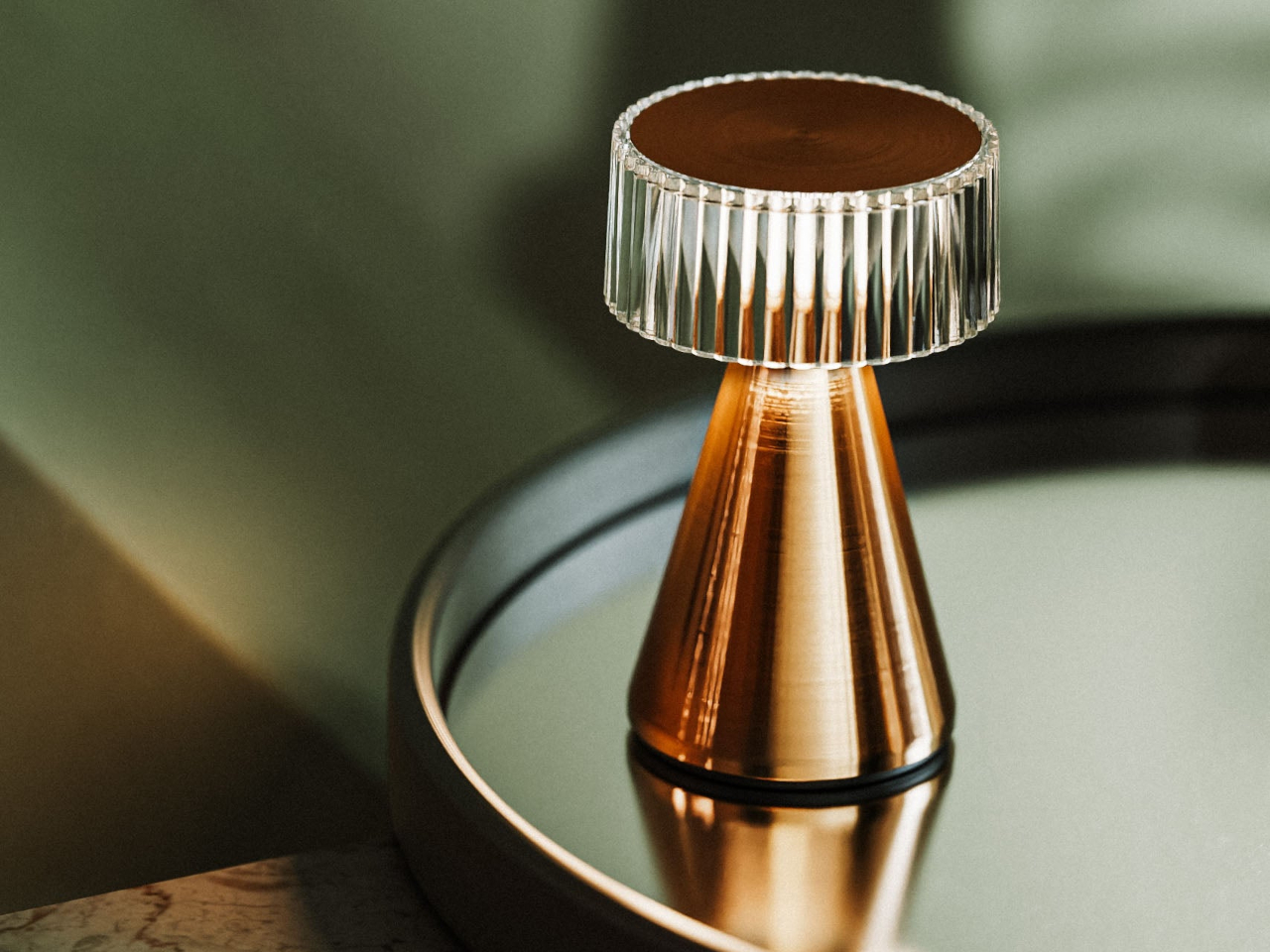
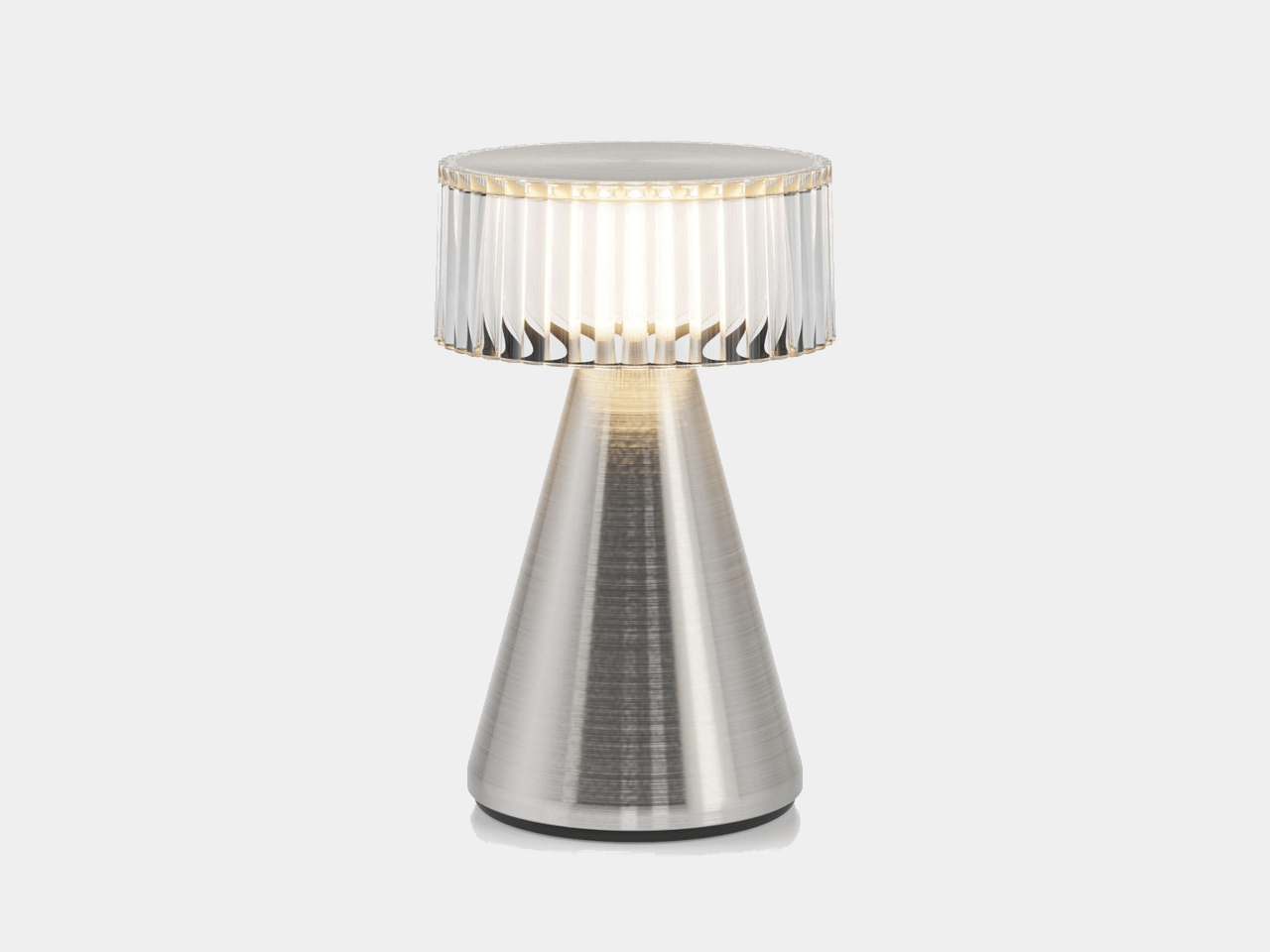
We all could use some lighting, whether indoors and especially outdoors at night. There is no shortage of lamp designs available for that purpose, and some of them can even be carried around and used outdoors. The majority of the latter, however, tend to take on more rugged aesthetics, as if expecting to always take a beating. It’s rare to see a general-purpose lamp that can be used whether indoors or outdoors and still look like a product that’s been designed with elegance and style in mind. That’s the combination that this small LED lamp is bringing to the table, quite literally, whether that table is inside the hotel lounge, beside the pool, or even a dining table under the starry night sky.
There will always be a place for rugged portable lamps that can rough it out with adventurers and explorers, but those don’t cover the entire range of outdoor uses. What if you want to hold a somber and stylish nighttime get-together outdoors, far from where house lights and lamp posts can reach? You definitely can’t settle for a candlelight dinner, romantic as that might sound, and this petite but bright wireless lamp makes sure you don’t have to keep your guests in the dark.
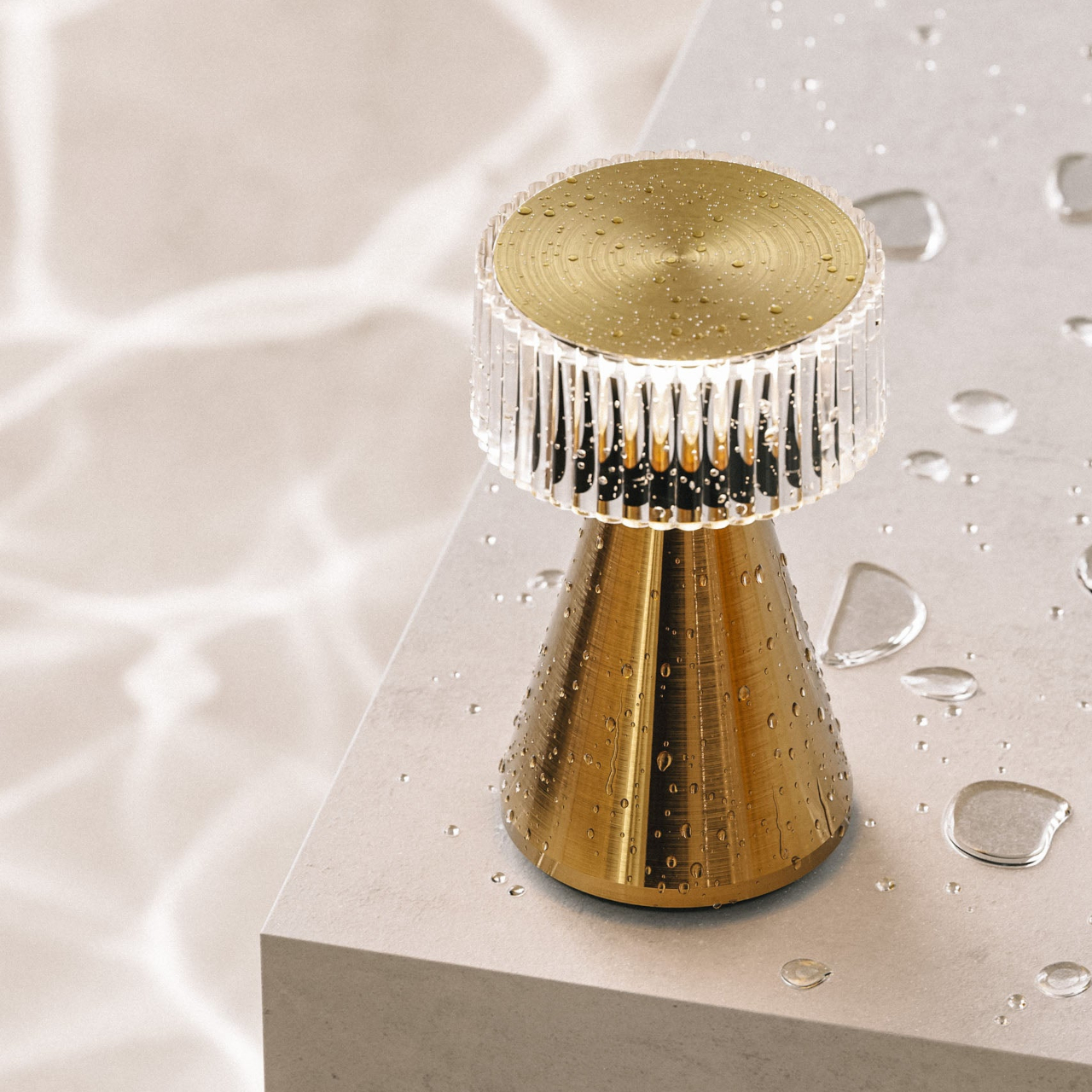
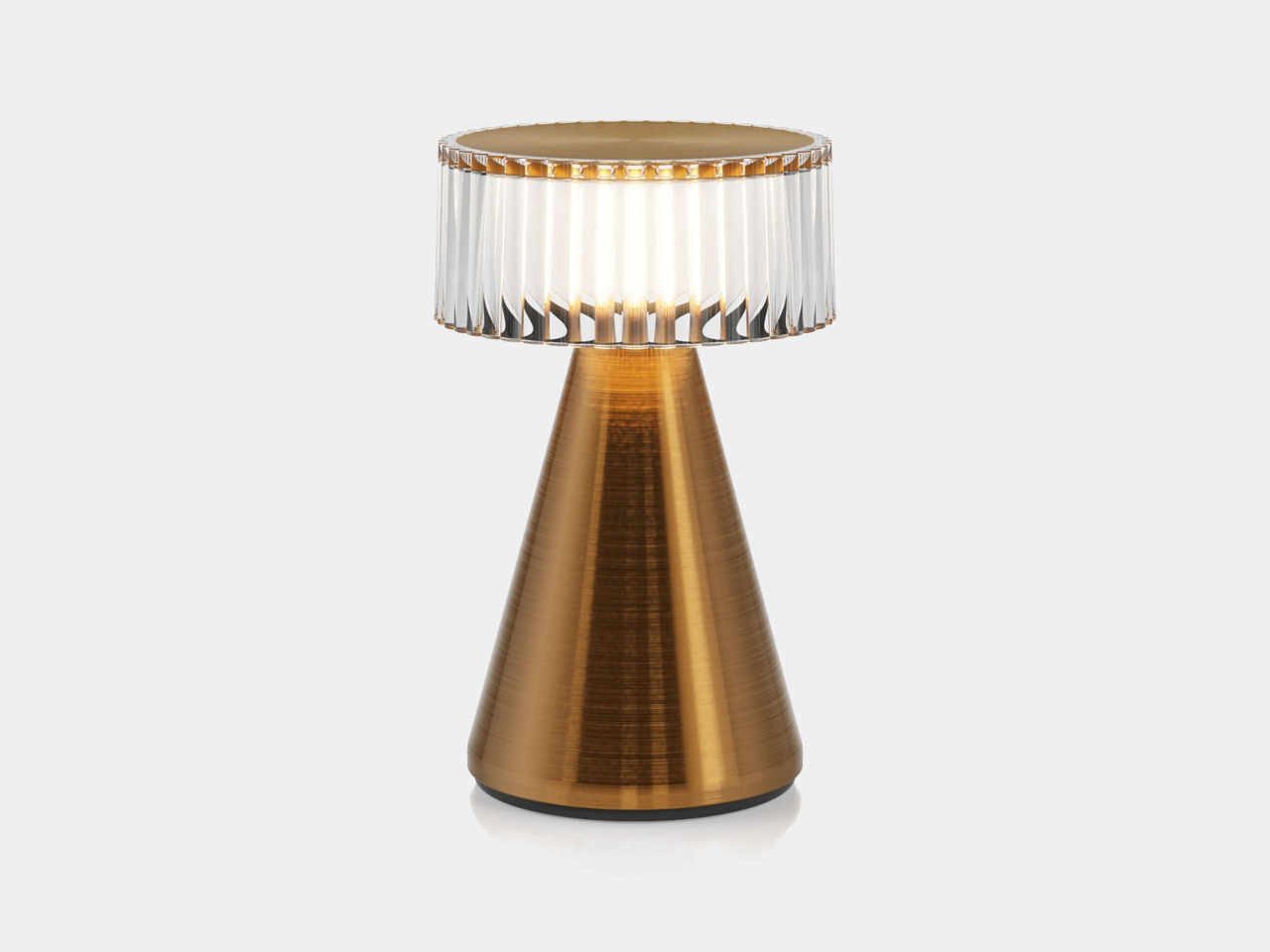
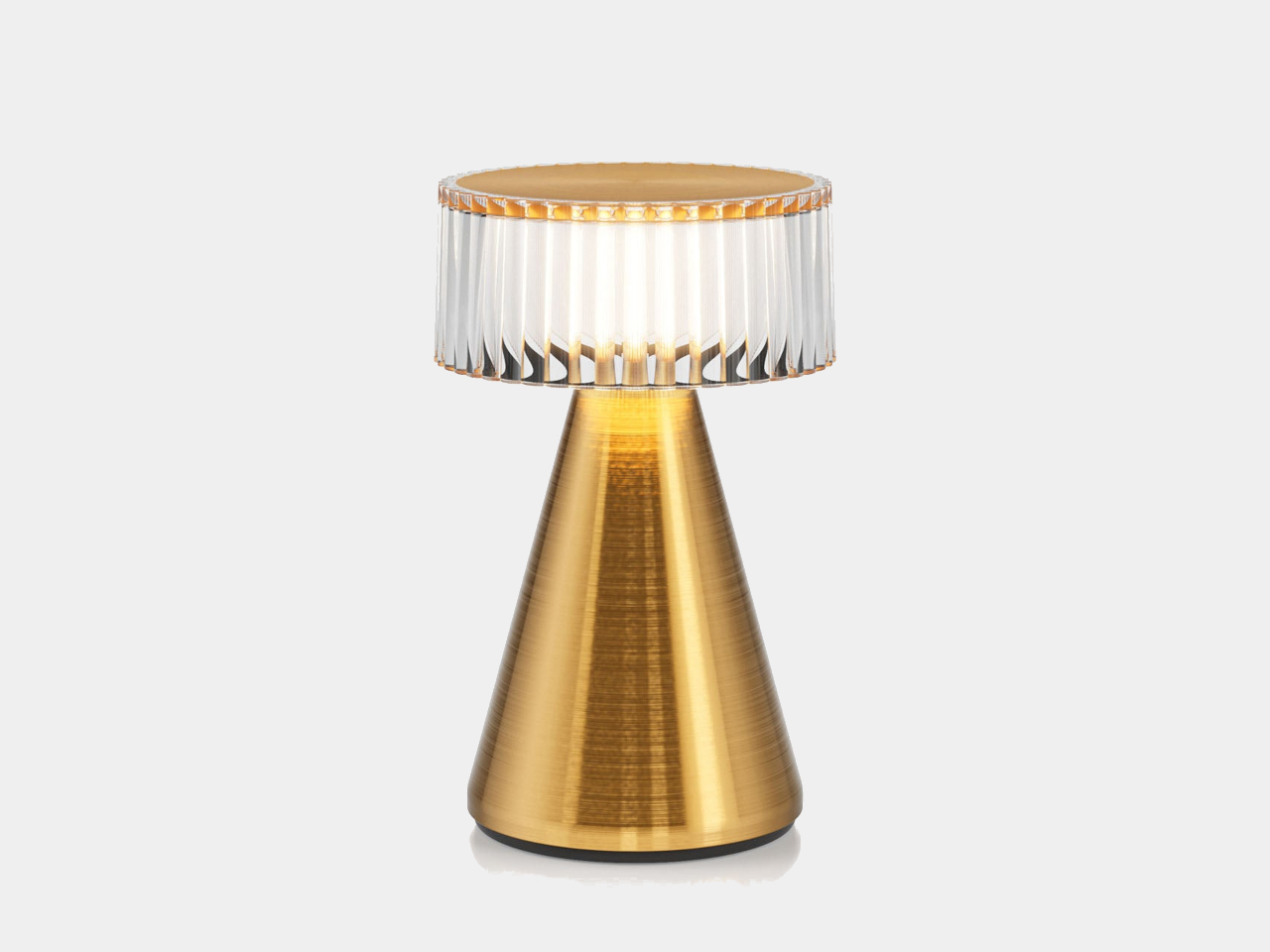
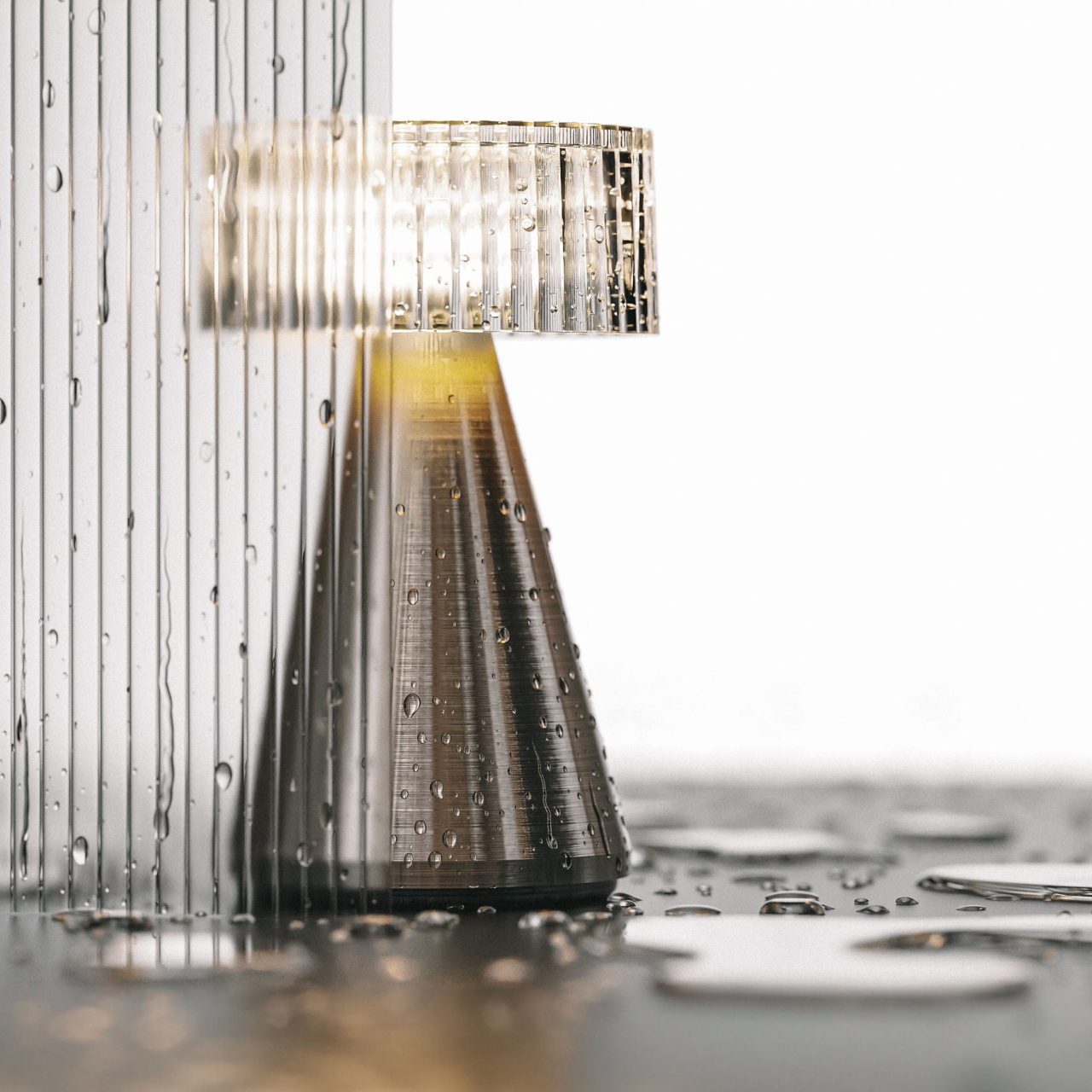
Named for an Australian coffee known for its small shots and big punches, Piccolo has a similar appeal with its PVD steel conical body and drum-shaped polycarbonate diffuser with a ribbed surface that creates an interesting play of light and shadows through reflection and refraction. With a crystal-like top and a brushed metal body with finishes in Gold, Bronze, and Silver hues, the lamp generates an atmosphere that is elegant and luxurious, even when used outdoors.
With an IP64 rating, the Piccolo lamp doesn’t shy away from accidental spills or Mother Nature’s unpredictable temperament. It is completely wireless as well, running on a replaceable rechargeable battery, so you can put it anywhere you need both illumination and ambiance. The lamp is designed to look great in hospitality venues, outdoor nighttime gatherings, and, of course, anywhere inside your home or room.
Small as it may be, Piccolo has a big heart for the planet. It uses 75% post-consumer recycled plastic for its internal structure, along with more sustainable materials like stainless steel. The battery, LED light source, and even the diffuser are user-replaceable, extending the life of the lamp for years. Portable, weather-resistant, and elegant, Piccolo gives not just light but also a serene and uplifting atmosphere wherever you put it.
Google's A-series Pixel phones are a great option for those looking to upgrade without spending a ton of money. Now thanks to Prime Day deals, you can get the Pixel 8a for the best price we've seen. It's down to $379, which is $120 off its usual price.
The Pixel 8a is our pick for the best midrange smartphone you can buy right now. We gave it a score of 90 in our review in May. It has some excellent hardware for a phone in this price range, including terrific cameras, a 6.1-inch OLED screen with a 120Hz refresh rate and great battery life (it lasted for 20 and a half hours on our video rundown test).
What’s more, the Pixel 8a runs on the Tensor G3, which is the same chipset found in the Pixel 8 and 8 Pro. As such, it can run the same AI features as the flagship handsets, including Magic Eraser and other camera trickery, web article summaries and narration via Google Assistant, wallpaper generation and faster Face Unlock.
Elsewhere, features like IP67 dust and water resistance are very welcome. On the downside, the bezels are a little thicker than some may like. Qi wireless charging is slow too at a rate of 7.5W. Still, those are minor quibbles for an otherwise great midrange phone.
Follow @EngadgetDeals on Twitter for the latest tech deals and buying advice, and stay tuned to Engadget.com for all of the best tech deals coming out of October Prime Day 2024.
This article originally appeared on Engadget at https://www.engadget.com/the-google-pixel-8a-falls-to-a-new-record-low-of-379-for-prime-day-144717301.html?src=rss
No matter how hard we try, it always feels like our storage quickly runs out. Thankfully, we live in a world where microSDs exist and, even better, our favorites go on sale. Right now, the 512GB Samsung Pro Plus microSD with an adapter is down to $30 from $84 — a 64 percent discount. The record-low price is available on the model with a read speed of 180MB per second.
Samsung's Pro Plus is our top choice for a microSD, and is the best option for most people. Along with that read speed, the microSD has a sequential write performance of 130MB per second and came in second for random read and write speeds of all the microSDs we tested. At these speeds, it should work great whether you use it on a camera or with a gaming handheld, but it cinched the top spot thanks to its overall affordability.
This microSD can also store 4K UHD video and has the latest U3 and V30 speeds. Plus, with the addition of a USB reader, it should have no trouble reaching its maximum speeds. If you don't need a full 512GB, then check out the 256GB Samsung Pro Plus microSD. It's currently discounted by 58 percent, dropping to $20 from $48.
This article originally appeared on Engadget at https://www.engadget.com/deals/early-prime-day-deals-include-our-favorite-microsd-card-for-64-percent-off-143509090.html?src=rss
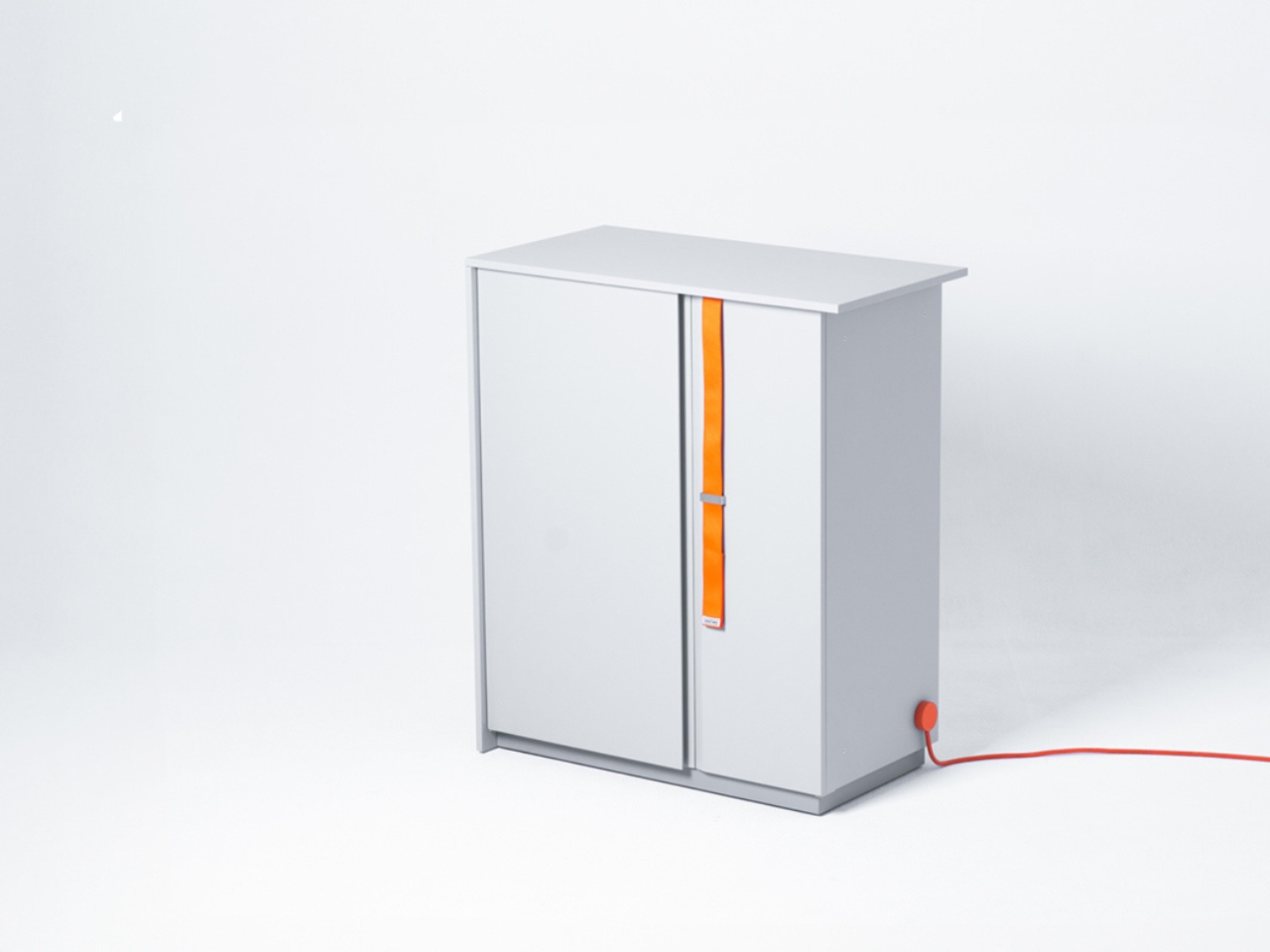
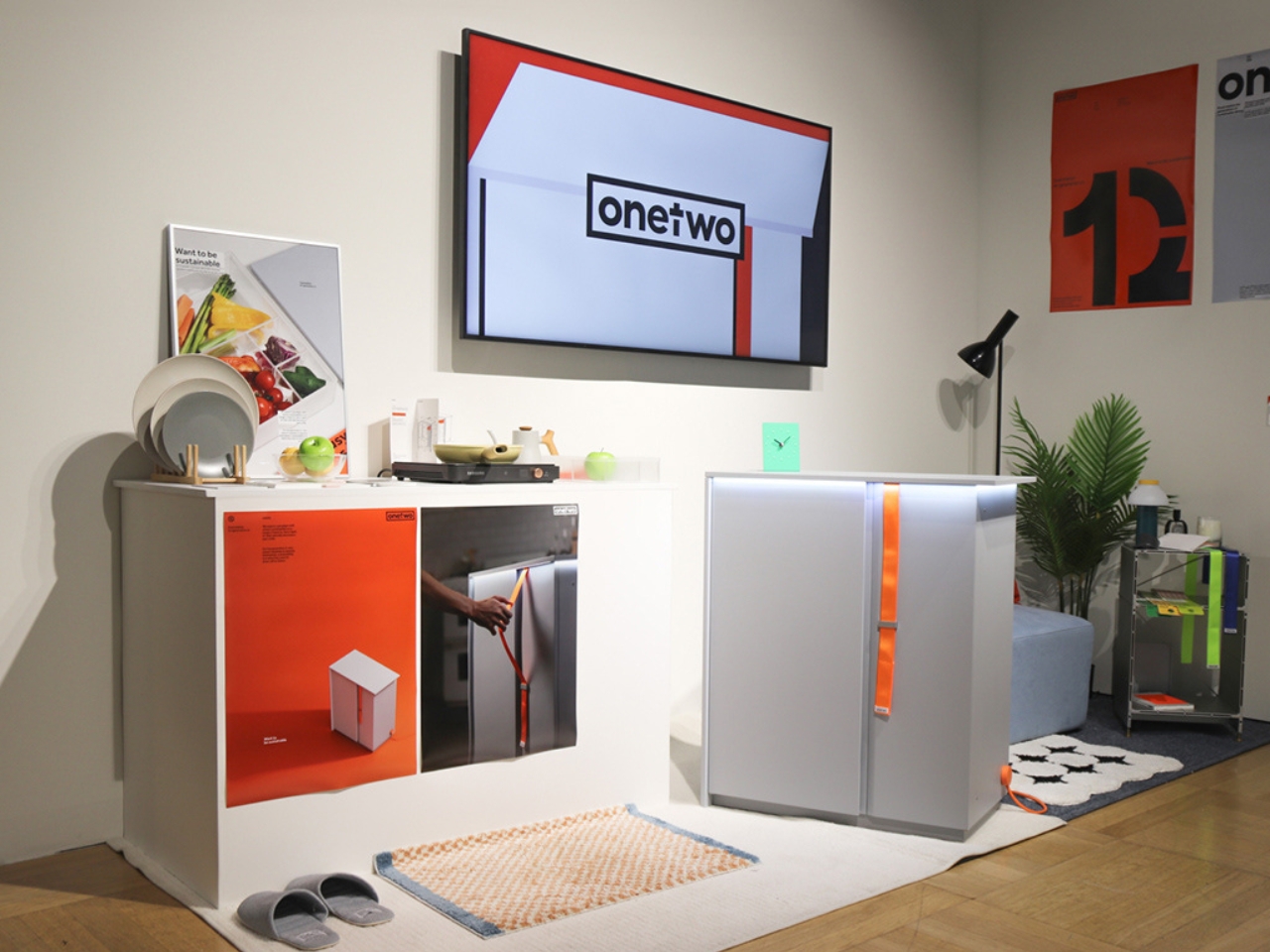
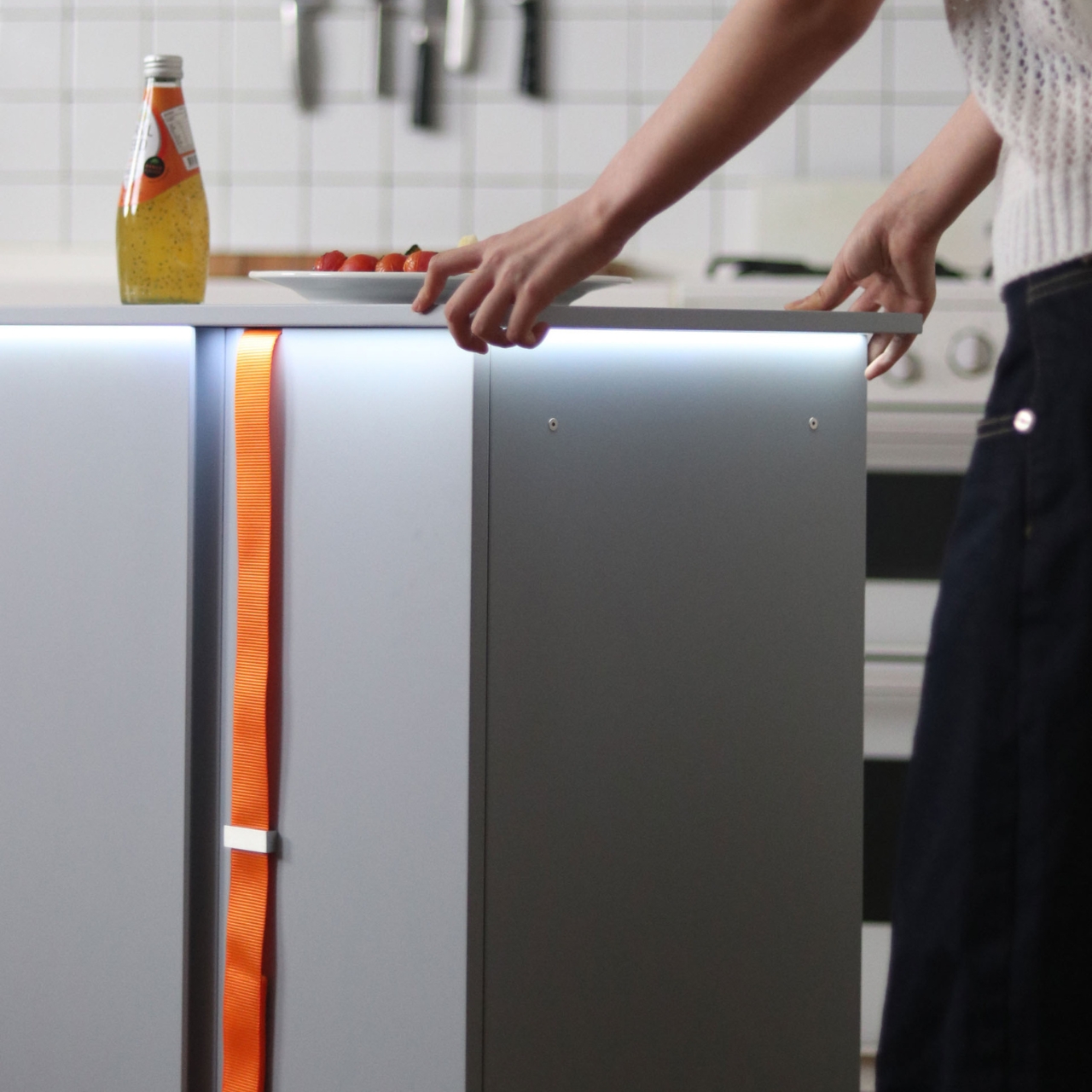
For people like me who live alone and who has no time to really cook or prep meals, the refrigerator can sometimes be either an empty vessel or a wasteland of unused ingredients and leftover food. Some product designers probably had me in mind (even if I’m not Gen Z) when they came up with the concept for turning the refrigerator into a sustainable food station.
Designers: Hyungwoo Lee, Hyerhyn Park, Seokoo Yeo, Haeri Ryoo, Seryeong Hong
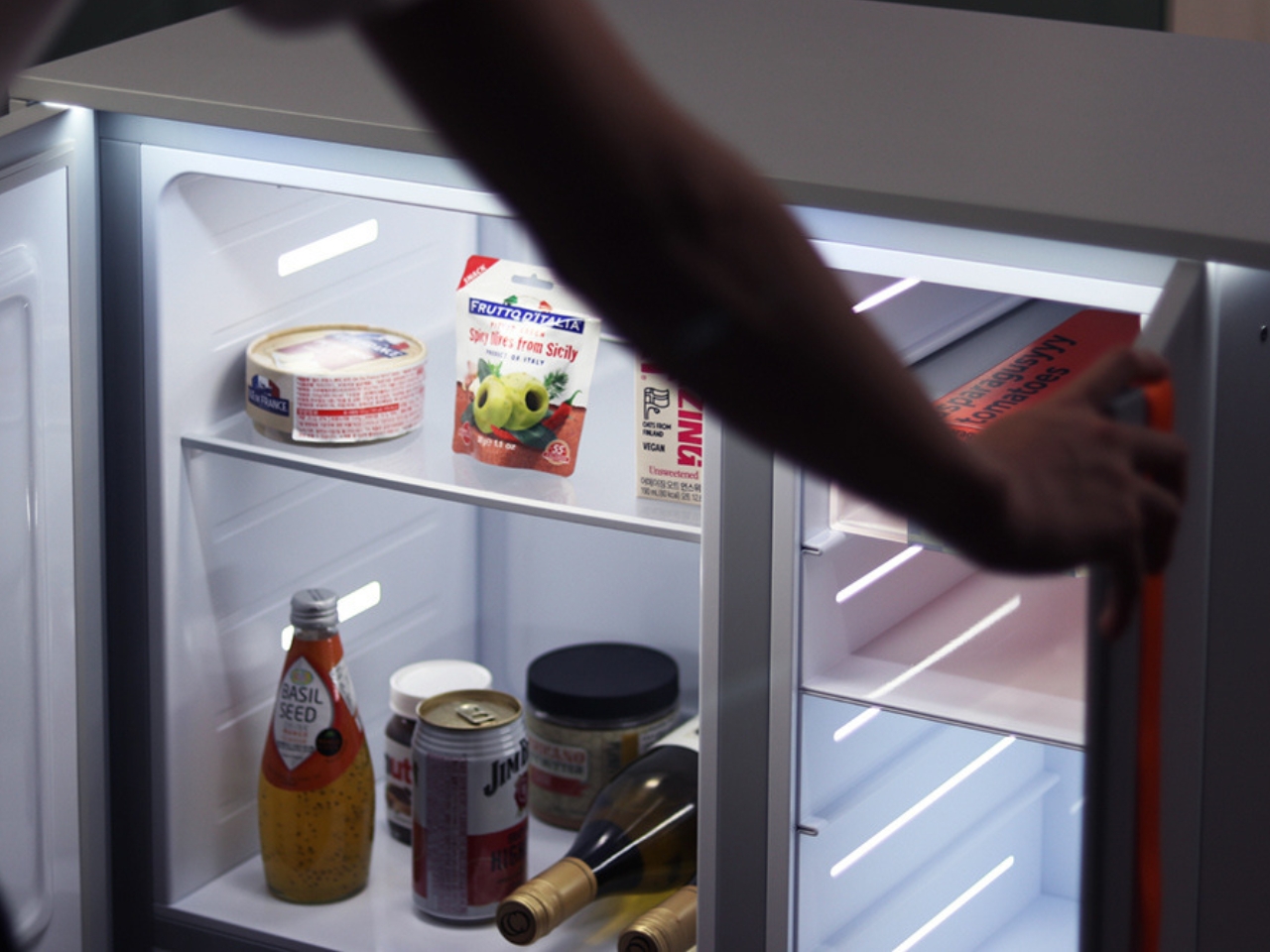
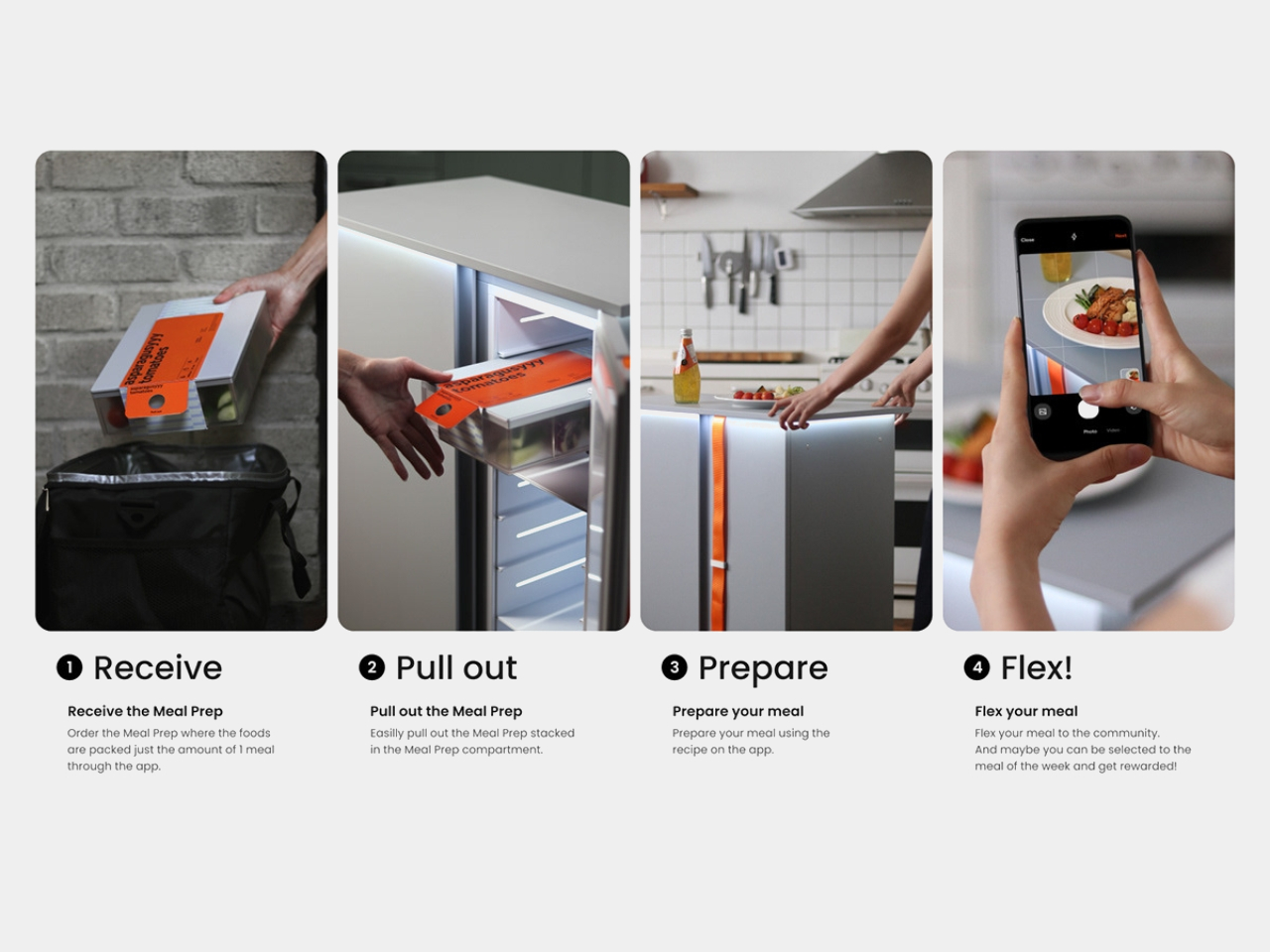
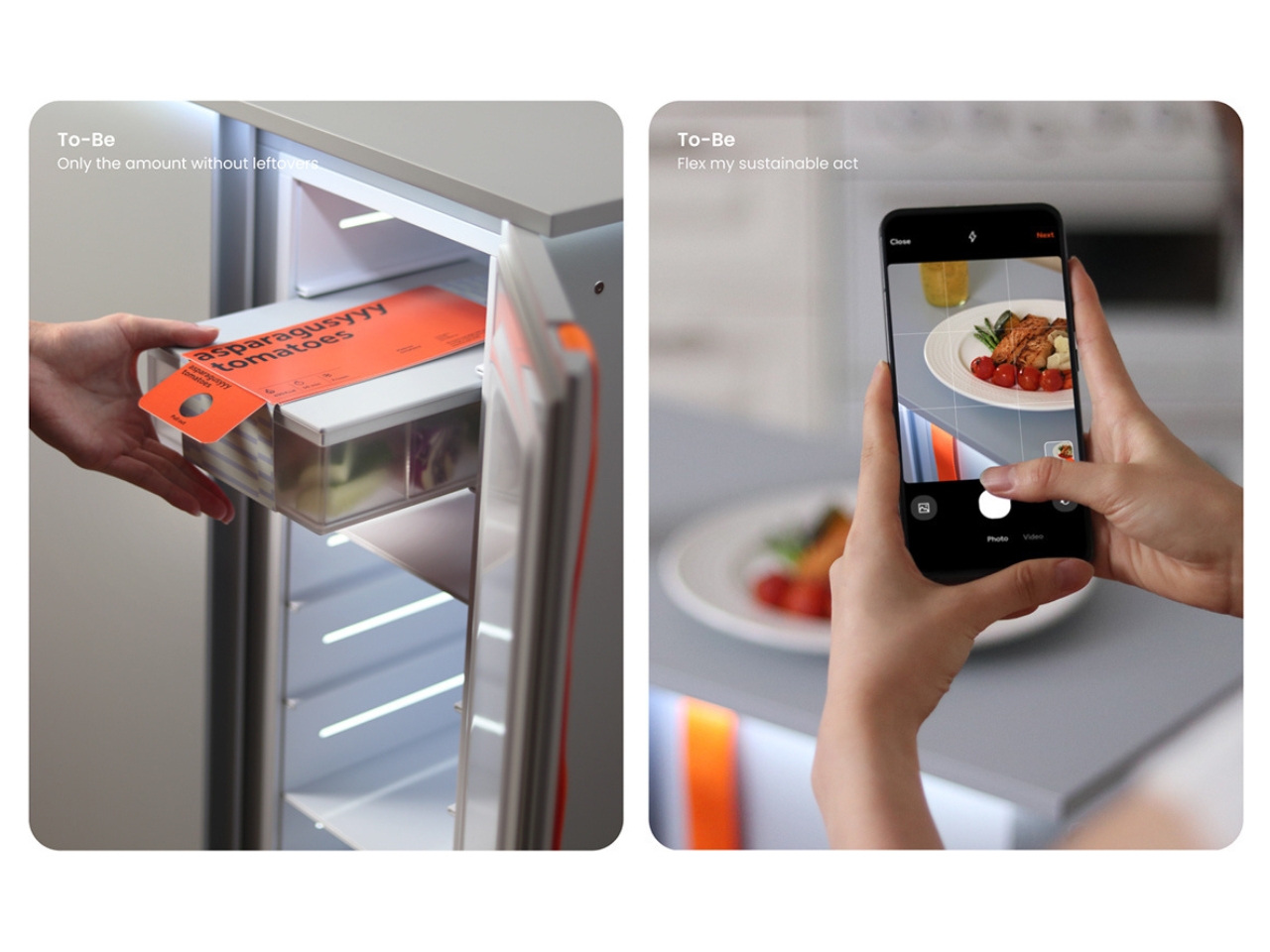
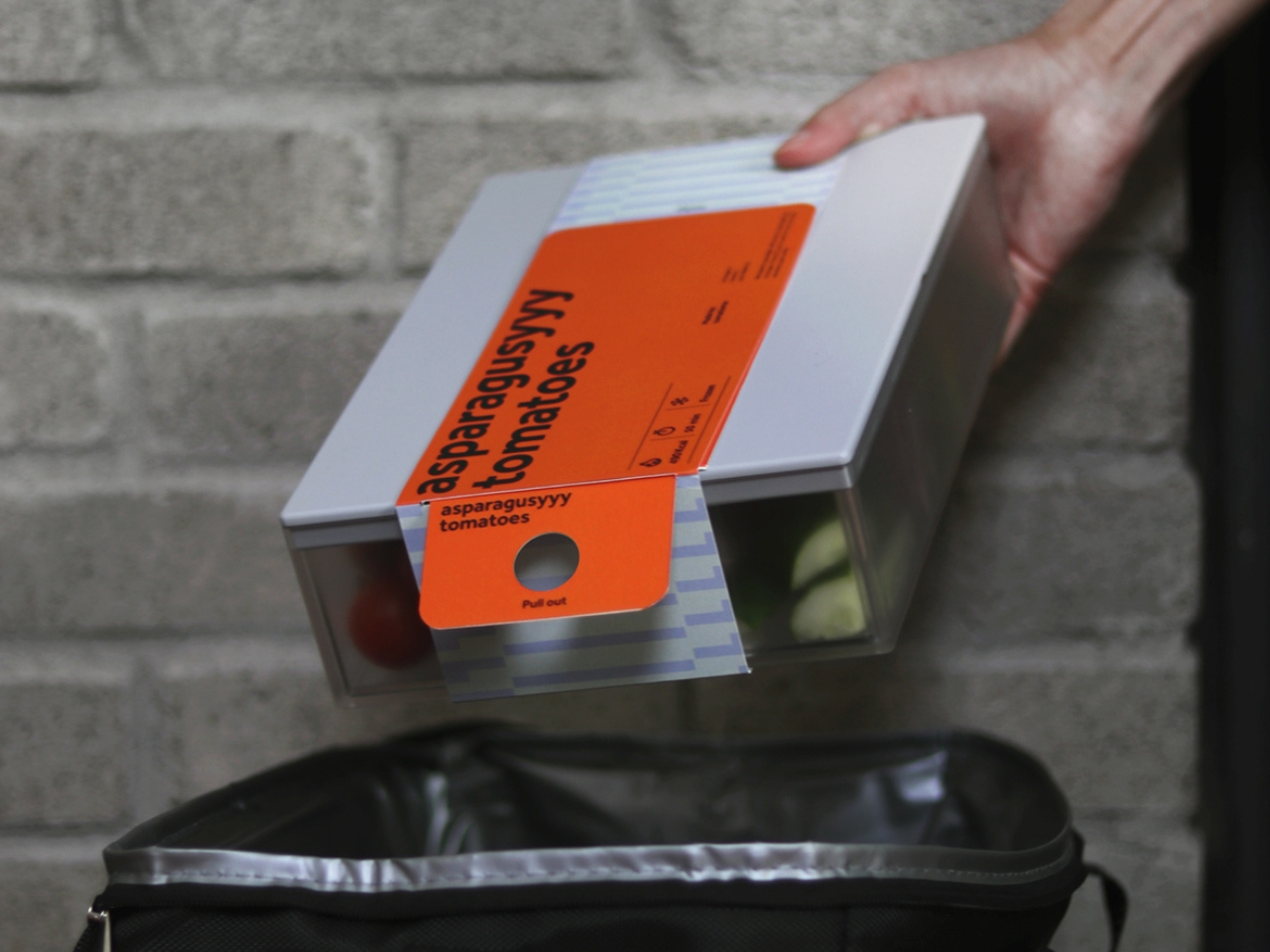
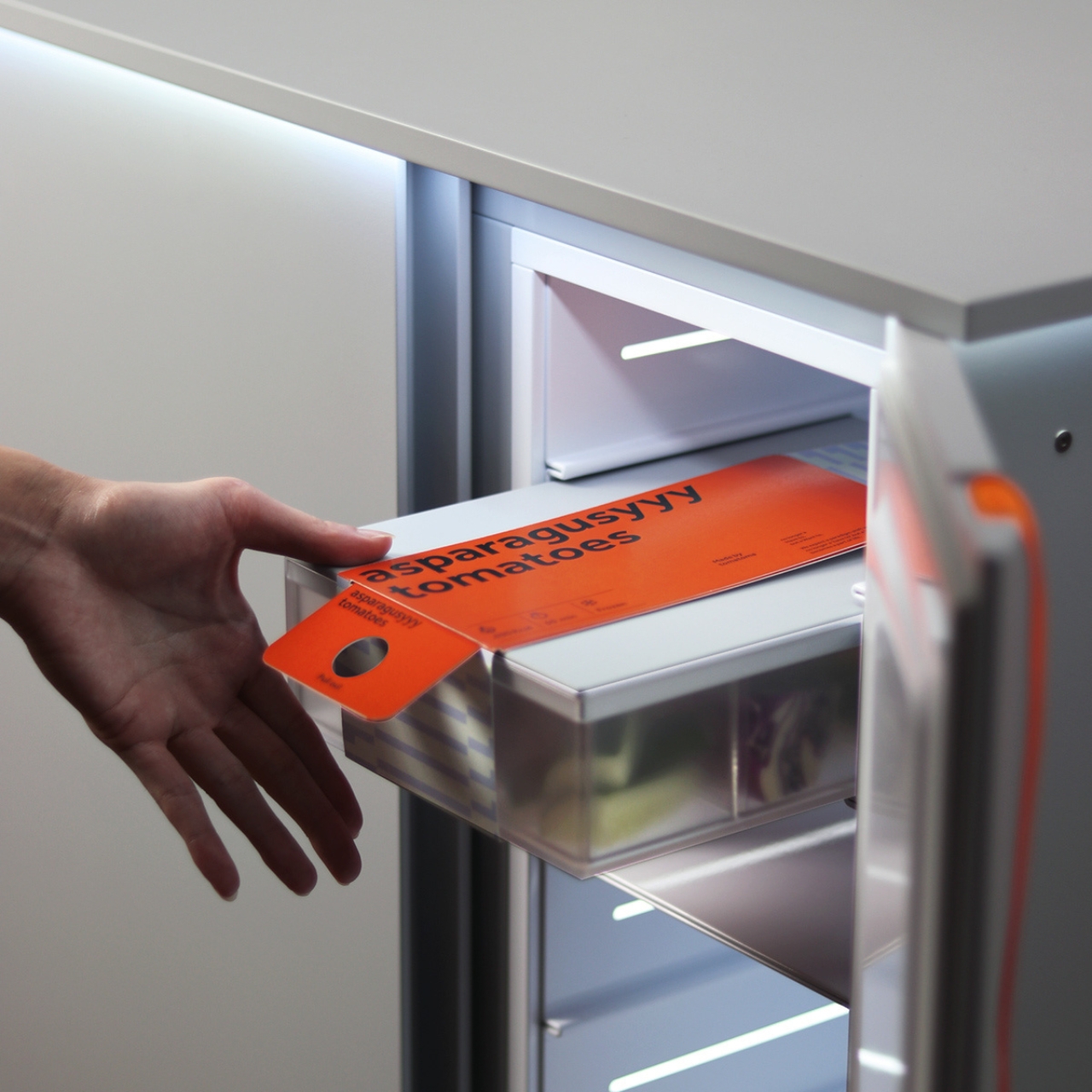
The OneTwo Food Station is a concept for a refrigerator for Generation Z that has a separate compartment for Meal Prep dishes. This means that the brand is also connected to a Meal Prep service and the OneTwo is merely a food storage for the dishes before you cook them or consume them. This prevents the unnecessary waste of ingredients that you don’t really need therefore helping you practice sustainable eating.
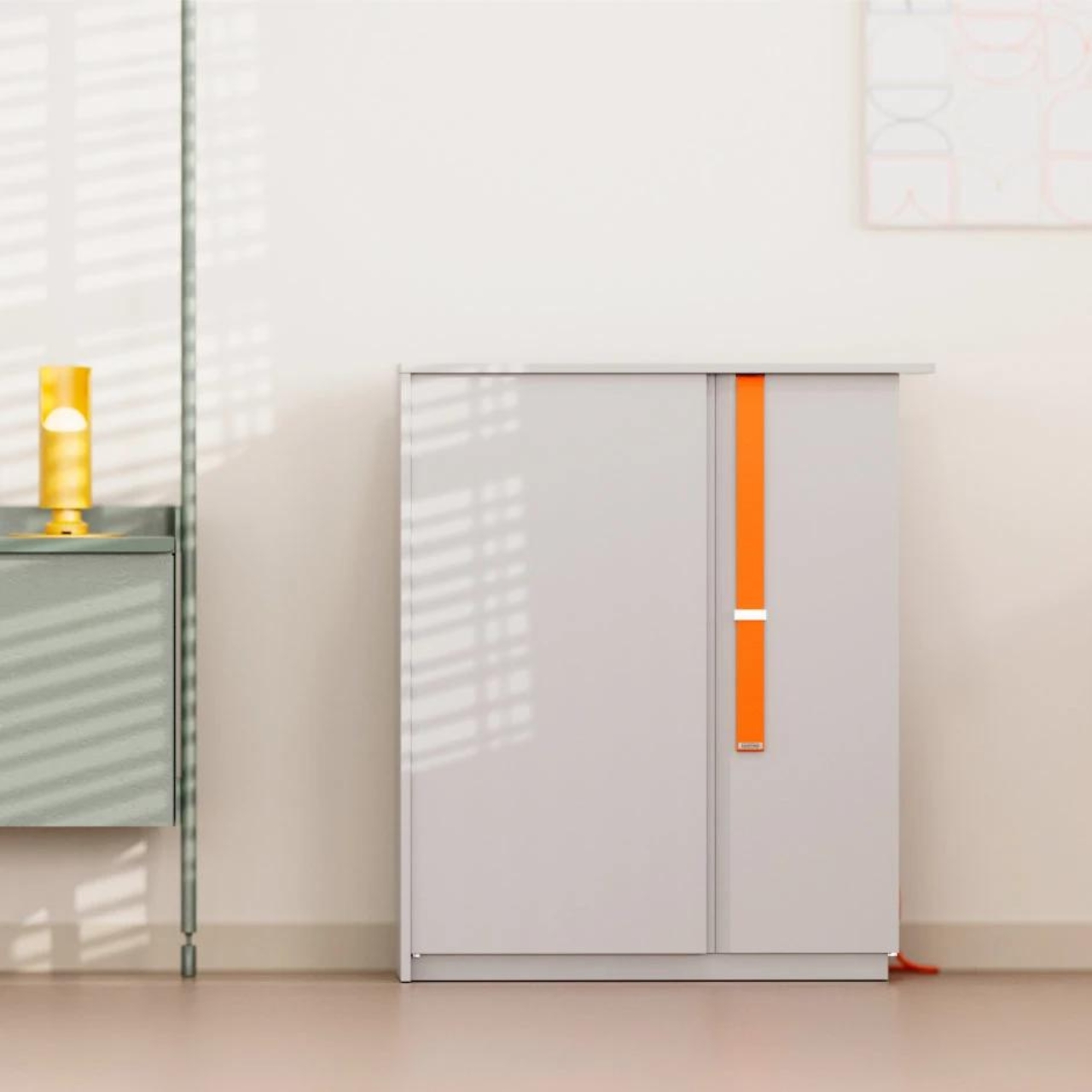
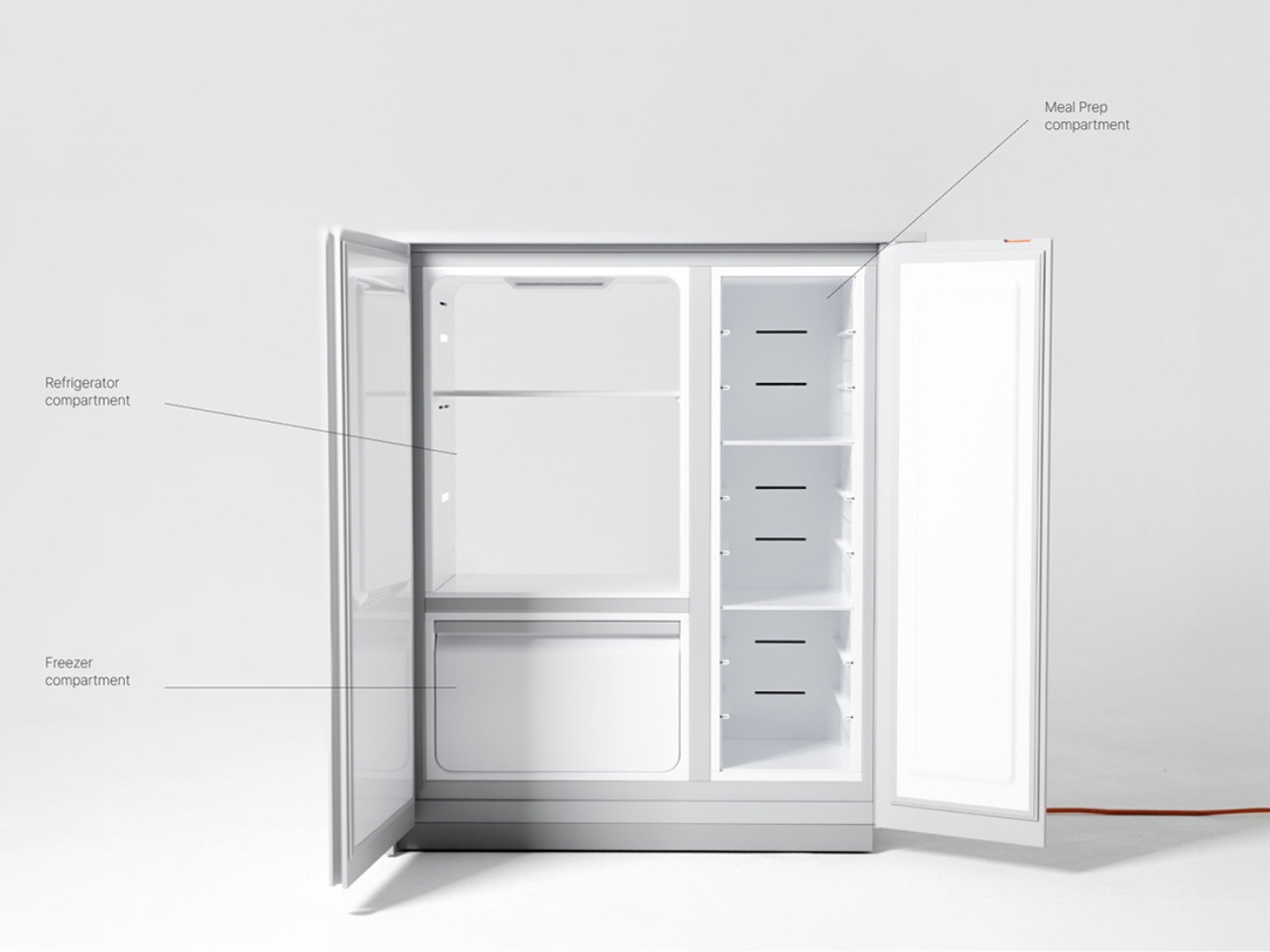
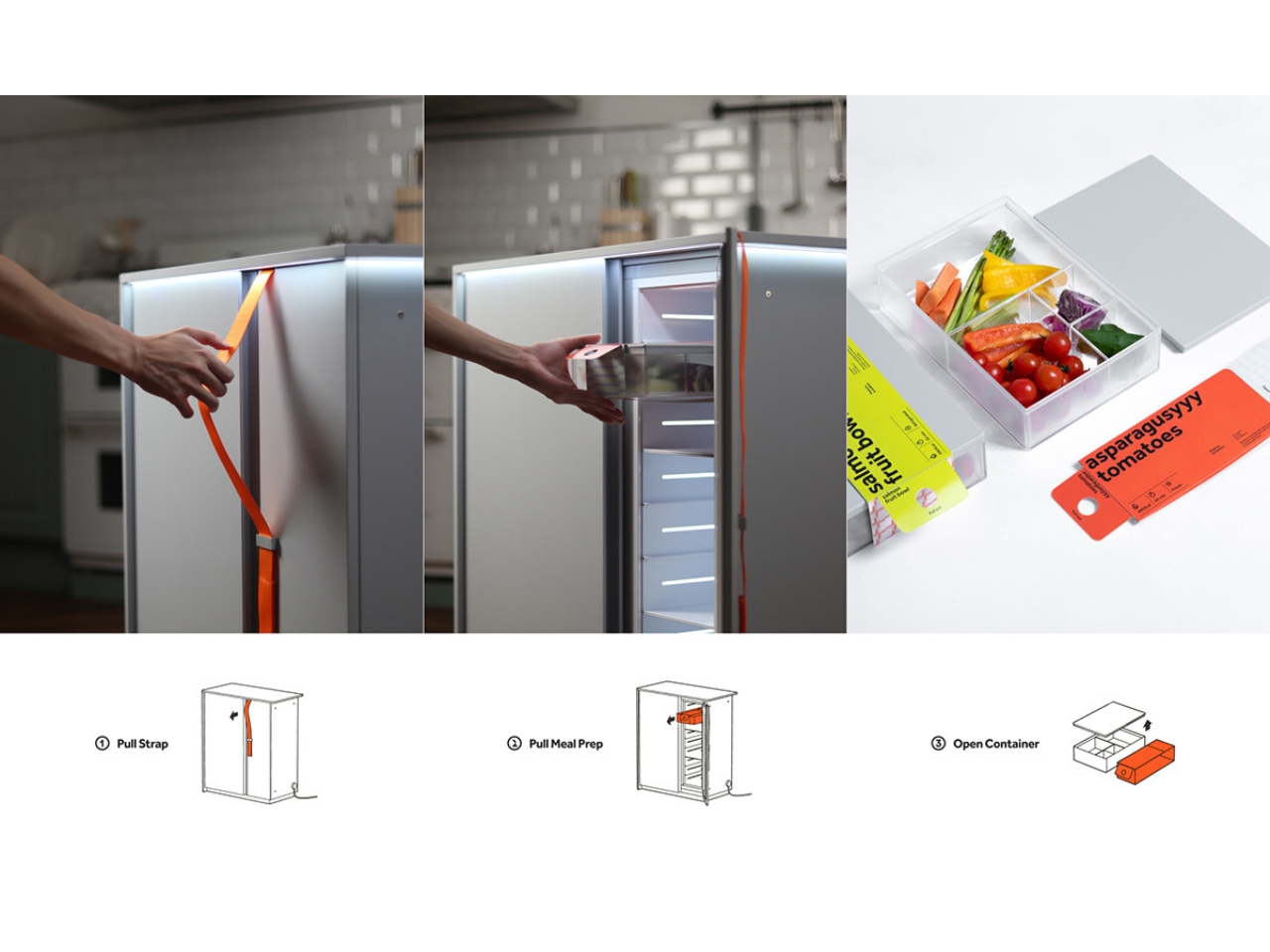
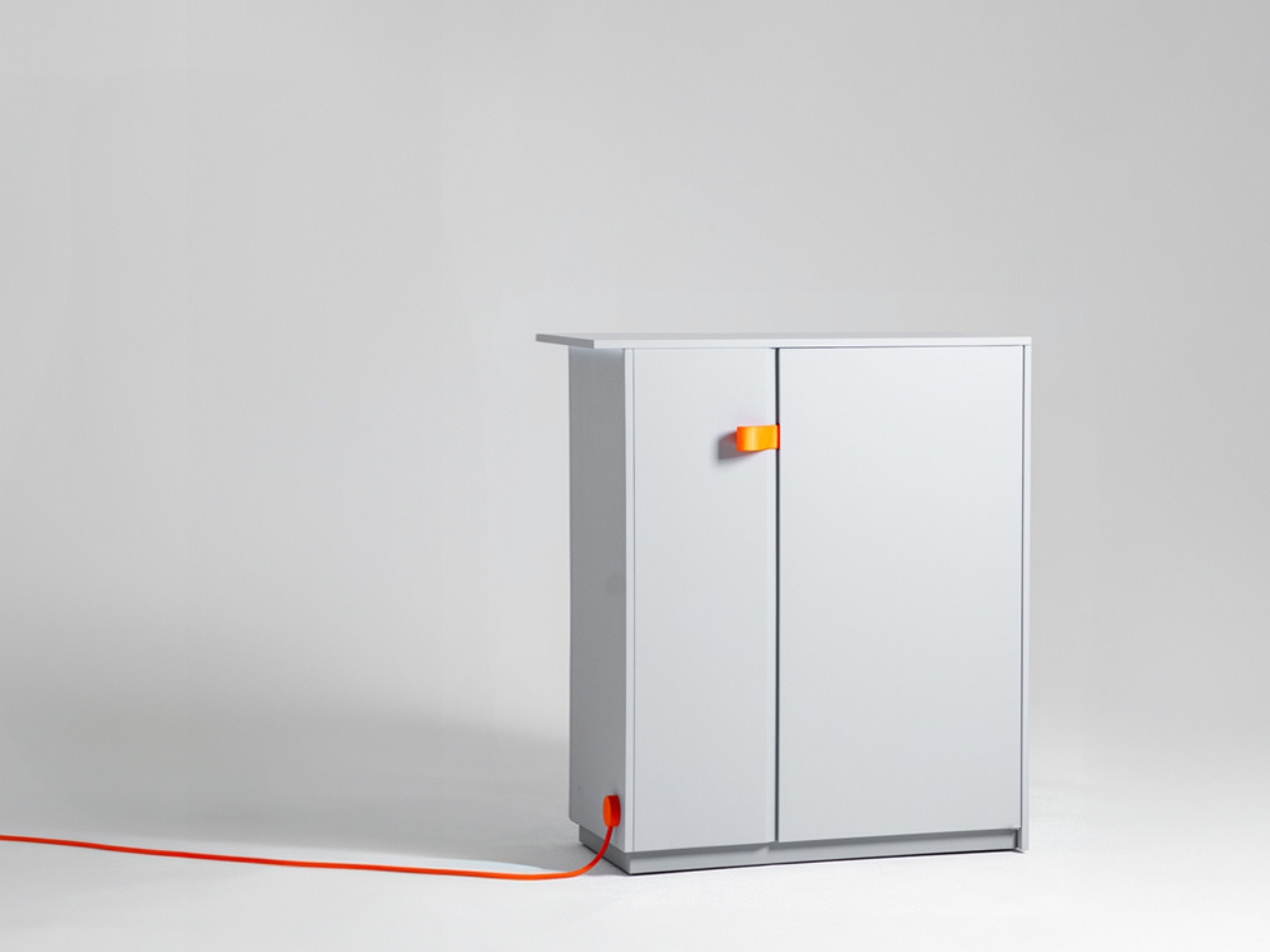
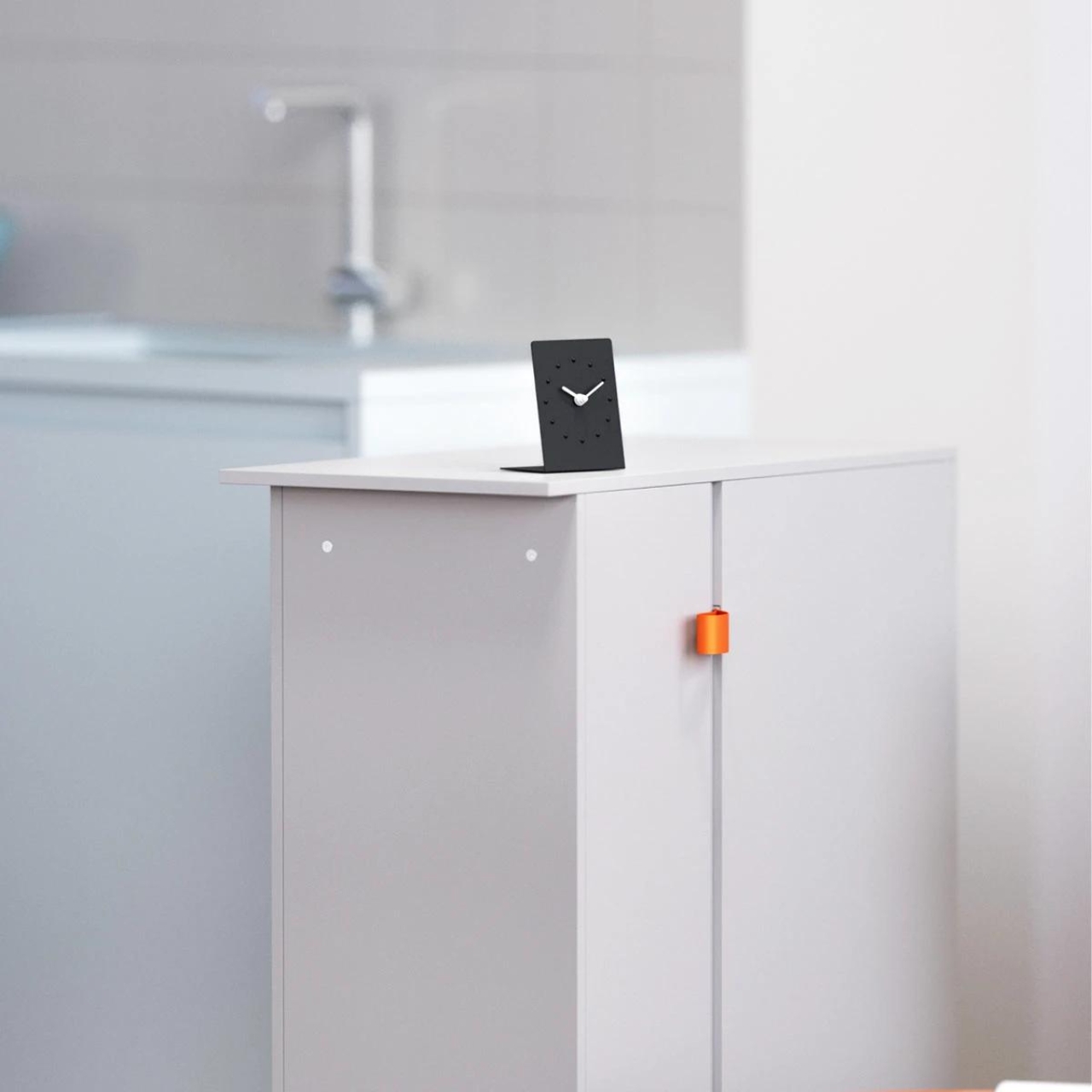
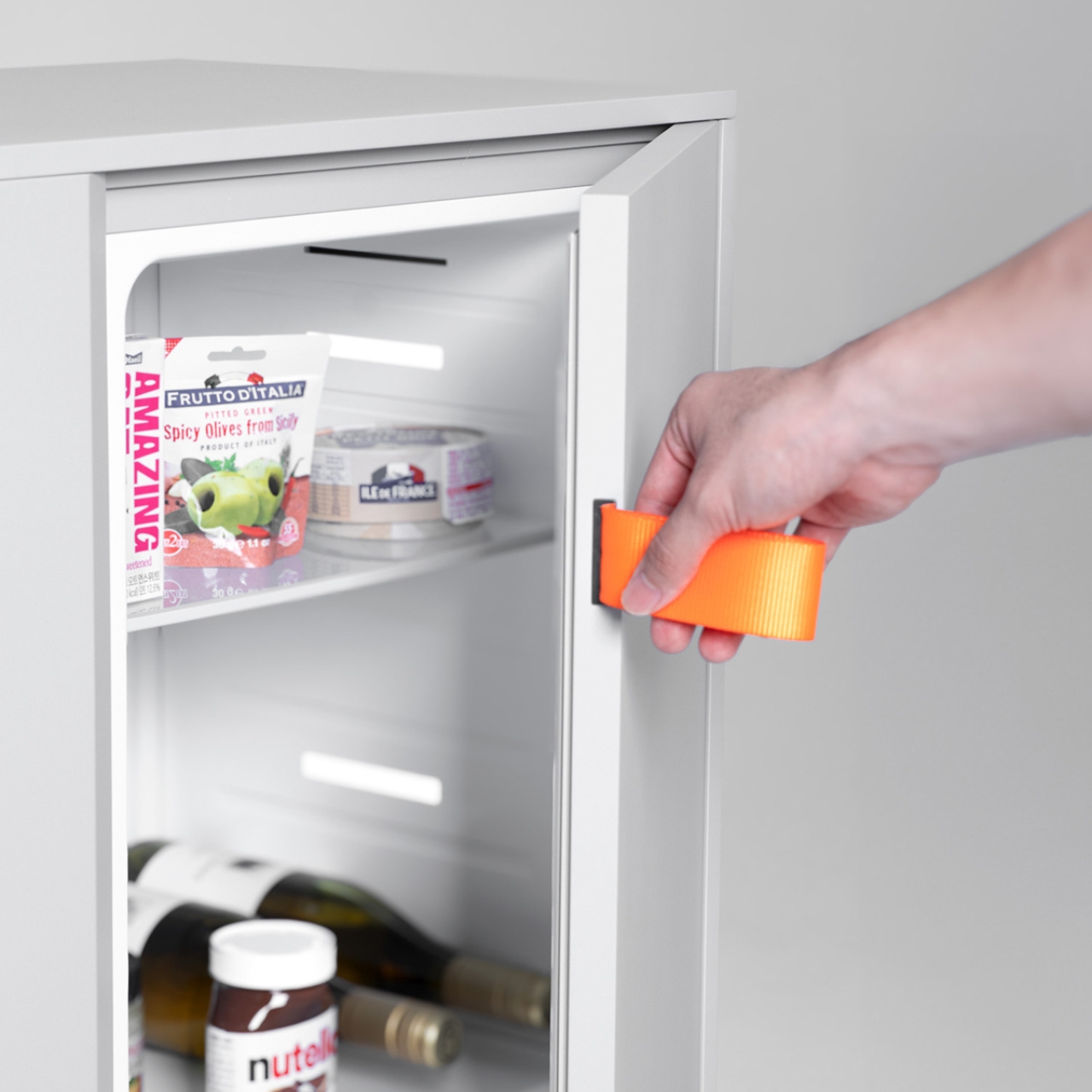
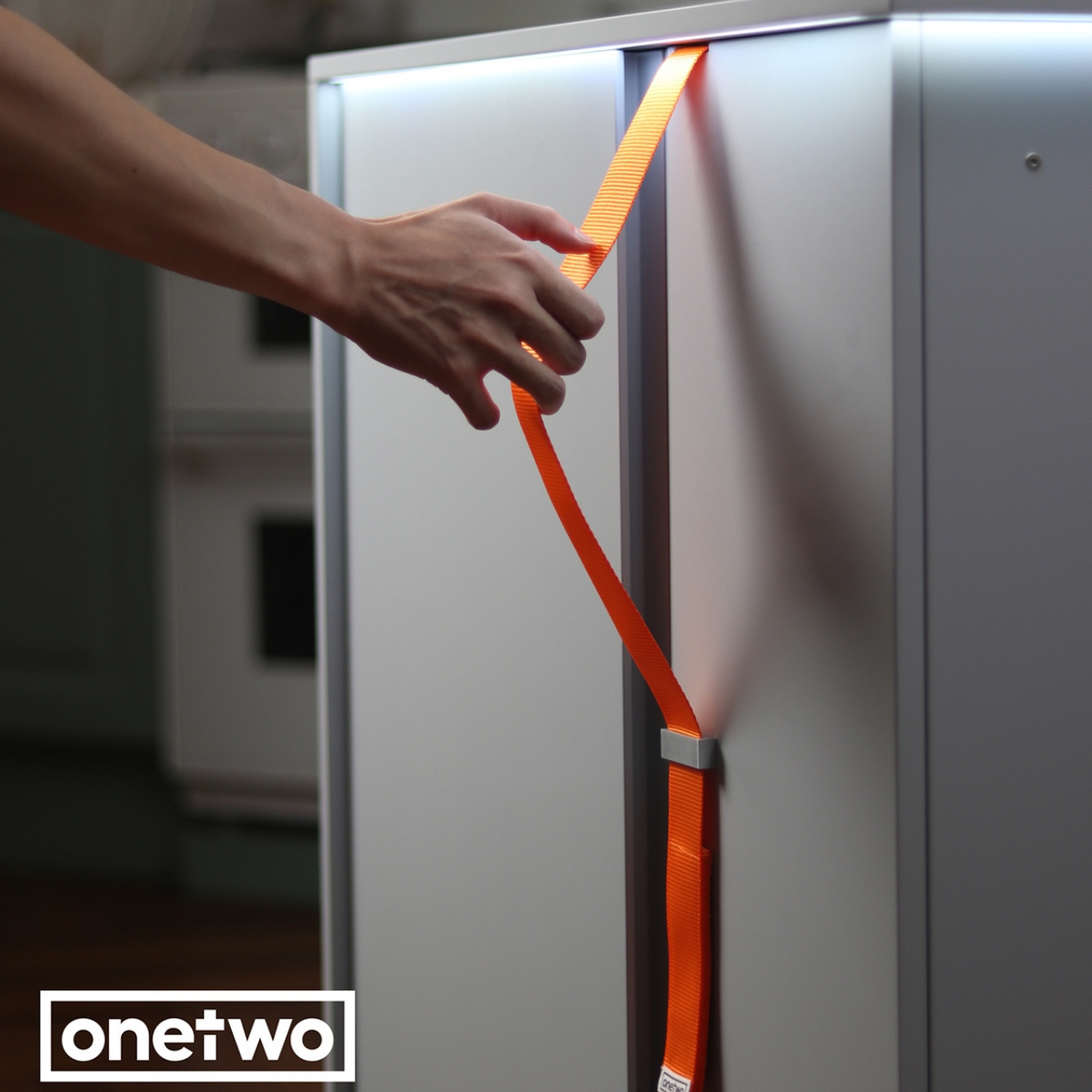
So basically the main difference of this ref is that almost half of the space is meant for these meal prep containers. Of course there’s still a regular compartment for other items that you still would want to store and there’s also a freezer compartment although this one is located at the bottom. Instead of the regular ref door handle, you have strap handles on the front for a more “appealing” interaction. It also has double-sided doors so you can easily reach the items whether they’re at the front or back.
The Meal Prep component on the OneTwo app is pretty customizable and also has some sharing and social components since we all love sharing what we eat, especially if it’s visually appealing. There was no mention of what material the Food Station is made from but in keeping with its sustainable branding, it should also be more eco-friendly than the regular refrigerators.
LOL Apple is set to release iOS 18.1 in October, a highly anticipated update that promises to bring a wealth of exciting new features and enhancements to both newer and older iPhone models. This update is designed to transform the way you interact with your device, making it more intuitive, efficient, and enjoyable than ever before. […]
Apple's macOS updates have been so dull lately, the most interesting part of last year's macOS Sonoma ended up being widgets. Widgets! Thankfully, macOS Sequoia has a lot more going on — or at least it will, once Apple Intelligence rolls out over the next few months. For now, though, Sequoia delivers a few helpful features like iPhone Mirroring, a full-fledged Passwords app and automatic transcription in the Notes app. At the very least, it's got a lot more going on than widgets.
iPhone mirroring changes everything for Macs
Heading into WWDC earlier this year, I was hoping that Apple would let Vision Pro users mirror their iPhones just as easily as they can mirror their Macs. Well, we didn't get that, but iPhone Mirroring on macOS Sequoia is close to what I'd want on the Vision Pro. Once you've got a Mac (with an Apple Silicon chip, or one of the last Intel models with a T2 security chip) running the new OS, as well as an iPhone running iOS 18, you can easily pair the two using the iPhone Mirroring app.
Once that connection is made, you'll see a complete replication of your phone within the app. It took me a few minutes to get used to navigating iOS with a trackpad and keyboard (there are a few new hotkeys worth learning), but once I did, I had no trouble opening my usual iPhone apps and games. If you're spoiled by the 120Hz ProMotion screen from an iPhone Pro, you'll notice that the mirrored connection doesn't look nearly as smooth, but from my testing it held a steady 60fps throughout games and videos. I didn't notice any annoying audio or video lag either.
Apple
While it's nice to be able to launch my iPhone from my Mac, I was surprised at what ended up being the most useful aspect of this feature: Notifications. Once you've connected your phone, its alerts pop up in your Mac's Notification Center, and it takes just one click to launch the app it's tied to. That's useful for alerts from Instagram, DoorDash and other popular apps that have no real Mac options, aside from launching their websites in a browser.
iPhone Mirroring is also a sneaky way to get in a few rounds of Vampire Survivors during interminably long meetings or classes. (Not that I would ever do such a thing.) While many mobile games have made their way over to the Mac App Store, there are still thousands that haven't, so it's nice to have a way to access them on a larger screen. Not every game works well on Macs — it's just tough to replicate a handheld touchscreen experience with a large trackpad — but mirroring is a decent option for slower-paced titles. I didn't encounter any strange framerate or lagging issues, and sound carried over flawlessly as well.
I typically always have my phone within reach, even when I'm working at a desk. But picking it up would inevitably disrupt my workflow — it's just far too easy to get a notification and find yourself scrolling TikTok or Instagram, with no memory of how you got there. With iPhone Mirroring, I can just keep on working on my Mac without missing any updates from my phone. It's also been useful when my iPhone is connected to a wireless charger and I desperately need more power before I run out the house.
If you're the sort of person who leaves your phone around your home, I'd bet mirroring would also be helpful. The feature requires having both Bluetooth and Wi-Fi turned on, and the connection range is around 50 feet, or what I'd expect from Bluetooth. Thick walls and other obstructions can also reduce that range significantly. In my testing, I could leave my iPhone in my backyard and still be able to mirror it in my living room 40 feet away. Naturally, the further you get, the choppier the experience.
Sure, Apple isn't the first company to bring smartphone mirroring to PCs. Samsung and other Android phone makers have been offering it for years, and Microsoft also has the "Phone Link" app (formerly Your Phone) for mirroring and file syncing. But those implementations differ dramatically depending on the smartphone you're using, they don't seamlessly integrate notifications and simply put, they would often fail to connect. Once you set up iPhone Mirroring, getting into your phone takes just a few seconds. It just works. And after testing the feature for weeks, I haven't run into any major connection issues.
Photo by Devindra Hardawar/Engadget
Better window tiling, finally!
It's 2024 and Apple has finally made it easier to position Mac windows around your monitor. Now you can drag apps to the sides or corners of your screen, and they'll automatically adjust themselves. It's allowed me to quickly place a browser I'm using for research alongside an Evernote window or Google Doc. Similar to Stage Manager in macOS Ventura, the tiling shortcuts are a significant shift for Mac window management.
And, of course, they're also clearly similar to Windows 10 and 11's snapping feature. Given that much of Apple's UI focus is on iOS, iPadOS and VisionOS these days, it's easy to feel like the Mac has been left behind a bit. I don't blame Apple for cribbing Microsoft's UI innovations, especially when it makes life easier for Mac users.
Photo by Devindra Hardawar/Engadget
Slick video conferencing background replacement
Apple has offered lighting adjustments and portrait background blurring in video chats for years, and now it's using that same machine learning technology to completely replace your backgrounds. Admittedly, this isn't a very new or exciting feature. But it's worth highlighting because it works across every video chat app on your Mac, and since it's relying on Apple's Neural Engine, it looks much better than software-based background replacements.
Apple's technology does a better job of keeping your hair and clothes within focus, but still separated from artificial backgrounds. And best of all, it doesn't look like a cheap green screen effect. You can choose from a few color gradients, shots of Apple Park or your own pictures or videos.
Other highlights of macOS Sequoia
Here are a few other upgrades I appreciated:
The Passwords app does a decent job of collecting your stored passwords, but it's clearly just a first attempt. It's not nearly as smart about plugging in my passwords into browser fields as apps like 1Password and LastPass.
The Notes app now lets you record voice notes and automatically transcribes them. You can also continue to jot down text during a voice recording, making it a useful way to keep track of interviews and lectures. I'm hoping future updates add features like multi-speaker detection.
Being able to jot down math equations in Notes is cool, but it's not something I rely on daily. I'm sure it'll be very useful to high school and college kids taking advanced math courses, though.
Messages finally gets rich text formatting and a send later option. Huzzah!
Finally, a macOS update worth getting excited about
You’d be forgiven for completely ignoring the last batch of macOS updates, especially if you haven’t been excited about Stage Manager or, sigh, widgets. But if you’re a Mac and iPhone owner, Sequoia is worth an immediate upgrade. Being able to mirror your iPhone and its notifications is genuinely useful, and it’s stuffed with other helpful features. And of course, if you want to get some Apple Intelligence action next month, you’ll have no choice but to upgrade. (We’ll have further impressions on all of Apple’s AI features as they launch.)
Sure, it’s a bit ironic that Apple’s aging desktop OS is getting a shot of life via its mobile platform, but honestly, the best recent Mac features have been directly lifted from iOS and iPadOS. It’s clear that Apple is prioritizing the devices that get updated far more frequently than laptops and desktops. I can’t blame the company for being realistic – for now, I’m just glad it’s thoughtfully trying to make its devices play nice together. (And seriously, just bring iPhone mirroring to the Vision Pro already.)
This article originally appeared on Engadget at https://www.engadget.com/computing/macos-sequoia-review-iphone-mirroring-is-more-useful-than-you-think-140008463.html?src=rss
Last month the Google TV Streamer was announced as a replacement for the Chromecast line and it's arriving in stores today for $100. As part of that, Google is bringing TV Streamer features like the the smart home panel and AI to Google TVs from Hisense and others.
A key feature is the previously announced home panel that's now coming to Google TVs as well. You can see and control all compatible smart home devices (lights, thermostats, cameras, etc.) directly on your TV either with your voice or the Google Assistant. New doorbell notifications also show you who's at the front door without pausing your program.
Google also announced a few new features we haven't seen yet. If you want to use your TV as a picture frame, the Ambient screensaver displays Google photos and even lets you create AI-generated designs through a series of prompts. The latter is a pretty novel feature, if you don't mind looking at soulless machine-created art.
Google
Speaking of AI, Google is adding "enhanced" Gemini-created AI overviews (above) for popular movies and series on streaming services like HBO. "These overviews include full summaries, audience reviews and season-by-season breakdowns" to help you choose a show, Google said.
Other new features include a new sports page in the For You tab that puts games, YouTube highlights, commentary and more in one place. Google also added a guide for its live TV Freeplay service (previously soft-launched) so you can better keep track of its 150 or so free channels. The new features are set to roll out today on the Google TV Streamer and smart Google TVs from Hisense and TCL, or projectors from Epson and XGIMI.
This article originally appeared on Engadget at https://www.engadget.com/entertainment/streaming/google-tv-streamer-goes-on-sale-today-with-home-panel-sports-page-and-more-140005554.html?src=rss
The Apple Watch Ultra 2 is the high-end option in the company's smartwatch lineup, meaning it costs a pretty penny. Ahead of October Prime Day, however, the Apple Watch Ultra 2 has dropped to a record-low price of $689, down from $799. The 14 percent discount is available on models with a Rugged Titanium Case for small to large wrists. This includes watches fitted with the Blue Alpine Loop, Indigo Alpine Loop, Orange Ocean Band and more.
Apple released the Ultra 2 in 2022 and, despite rumors, has yet to announce a successor. Our review gave the Ultra 2 an 85 thanks to features like its long battery life. It lasts for about 36 hours, letting us easily use it for three days without a recharge. Apple also claims it can get to about 60 hours with Lower Power Mode enabled, a setting that turns off the Always On Display and features like cellular connections and heart rate notifications.
We named the Ultra 2 the best Apple Watch for adventurer due to its sizable battery life, compass app, water temperature gauge and loud onboard siren in case you get in trouble. Plus, it can set waypoints and offers the Wayfinder watch face in Night mode. One of our quips about the watch, though, was that it was too easy to accidentally press the action button instead of the crown.
This article originally appeared on Engadget at https://www.engadget.com/deals/the-apple-watch-ultra-2-drops-to-a-record-low-price-ahead-of-october-prime-day-133416959.html?src=rss