US patent office says generative AI is equivalent to other tools in inventors’ belts

While generative AI systems cannot be considered inventors under US patent laws, the US Patent and Trademark Office has updated its guidelines on how they can be used in the process of creating innovations. The agency's director, John Squires, said in a notice obtained by Reuters that the USPTO deems genAI to be "analogous" to other tools that inventors might use in their process, including lab equipment, software and research databases. 

"AI systems, including generative AI and other computational models, are instruments used by human inventors," Squires wrote. "They may provide services and generate ideas, but they remain tools used by the human inventor who conceived the claimed invention." 

The notice [PDF], which is set to be published in the Federal Register on November 28, notes that there's no separate process for evaluating whether an AI-assisted invention qualifies for a patent. "When multiple natural persons are involved in creating an invention with AI assistance, the traditional joint inventorship principles apply," Squires added.

The Court of Appeals for the Federal Circuit has ruled that "AI cannot be named as an inventor on a patent application (or issued patent) and that only natural persons can be inventors." There's no change to that stance under the latest USPTO guidelines. But the updated rules do offer more clarity as to whether things like new medications that are developed with the help of genAI systems can be patented. 

This article originally appeared on Engadget at https://www.engadget.com/ai/us-patent-office-says-generative-ai-is-equivalent-to-other-tools-in-inventors-belts-211700837.html?src=rss

Chicago Bears vs. Philadelphia Eagles NFL game: How to watch Black Friday football today

Nov 23, 2025; Arlington, Texas, USA; Philadelphia Eagles head coach Nick Sirianni looks on during the second quarter against the Dallas Cowboys   at AT&T Stadium. Mandatory Credit: Kevin Jairaj-Imagn Images
Coach Nick Sirianni and the Philadelphia Eagles host the Chicago Bears this Friday, here's how to watch. (Kevin Jairaj-Imagn Images)
IMAGN IMAGES via Reuters Connect / Reuters

Two top NFC teams will face off in a Black Friday showdown airing on Prime Video. The Philadelphia Eagles will host the Chicago Bears this Friday afternoon. The Eagles faced some setbacks this past week, dealing with a surprising loss to the Dallas Cowboys who came back from a 21 point deficit to win last Sunday and a potential season-ending injury for rookie safety Drew Mukuma, who fractured his ankle in that game. The Eagles are still ranked No. 2 overall in the NFC, and the Bears are right behind them at No. 3, so the results of this matchup will be significant to the playoff race.

The Bears vs. Eagles game will stream live nationally on Amazon Prime Video Friday at 3 p.m. ET. Keep reading to find out what you need to know about Friday's game, and the rest of the Week 13 schedule. 

Date: Friday, Nov. 28, 2025

Kickoff time: 3 p.m. ET/12 p.m. PT

Game: Chicago Bears vs. Philadelphia Eagles

Location: Lincoln Financial Field, Philadelphia

Streaming: Prime Video

The Bears visit the Eagles on Friday afternoon for a post-Thanksgiving game, streaming on Amazon's Prime Video. 

All times Eastern.

  • Packers vs. Lions, 1:00 p.m.(FOX)

  • Chiefs vs. Cowboys, 4:30 p.m. (CBS)

  • Bengals vs. Ravens, 8:20 p.m. (NBC)

  • Rams vs. Panthers: 1:00 p.m. (FOX)

  • Texans vs. Colts 1:00 p.m. (CBS)

  • Bills vs. Steelers: 4:25 p.m. (CBS)

  • 49ers vs. Browns, 1:00 p.m. (CBS)

  • Saints vs. Dolphins: 1:00 p.m. (FOX)

  • Falcons vs. Jets: 1:00 p.m. (FOX)

  • Cardinals vs. Buccaneers, 1:00 p.m. (FOX)

  • Vikings vs. Seahawks, 4:05 p.m. (FOX)

  • Raiders vs. Chargers: 4:25 p.m. (CBS)

  • Broncos vs. Commanders: 8:20 p.m. (NBC)

  • Giants vs. Patriots: 8:15 p.m. (ESPN)

This article originally appeared on Engadget at https://www.engadget.com/entertainment/streaming/chicago-bears-vs-philadelphia-eagles-nfl-game-how-to-watch-black-friday-football-today-204559681.html?src=rss

LEO Solo Jetbike, powered by 48 fans and electric propulsion, can fly you solo at 60 mph for 15 minutes

Flying solo like a bird has been humanity’s long-time dream. Amid various ways and options already figured out, the idea has not reached mass adoption. Wingsuits and jetpacks are only flying people for experimental purposes. Beyond those, there has been a vision to build electric and solar-powered propulsion systems to get us off the ground, and that dream is now taking a turn into the realm of reality with the world’s first electric air speeder, the LEO Solo JetBike.

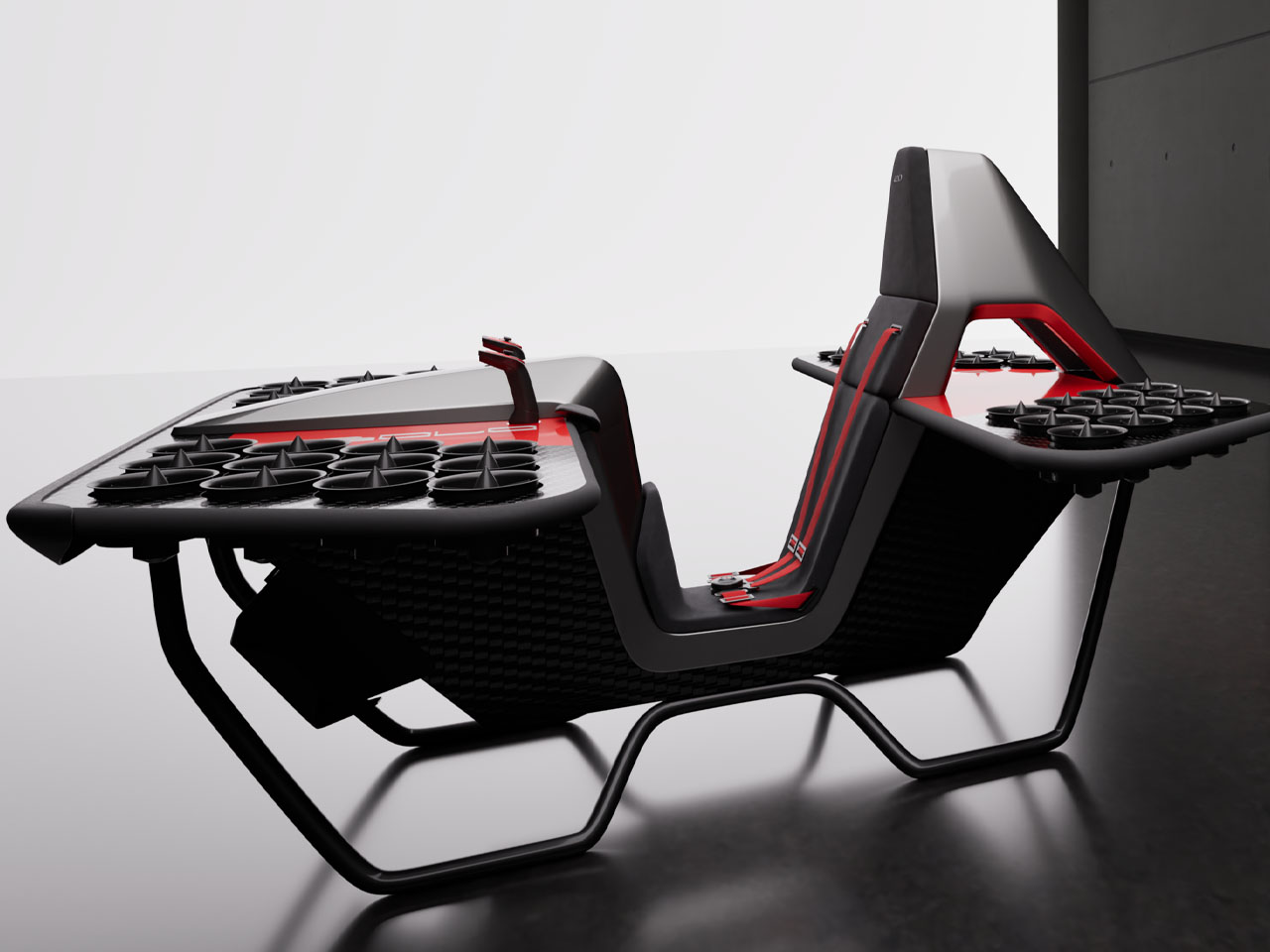
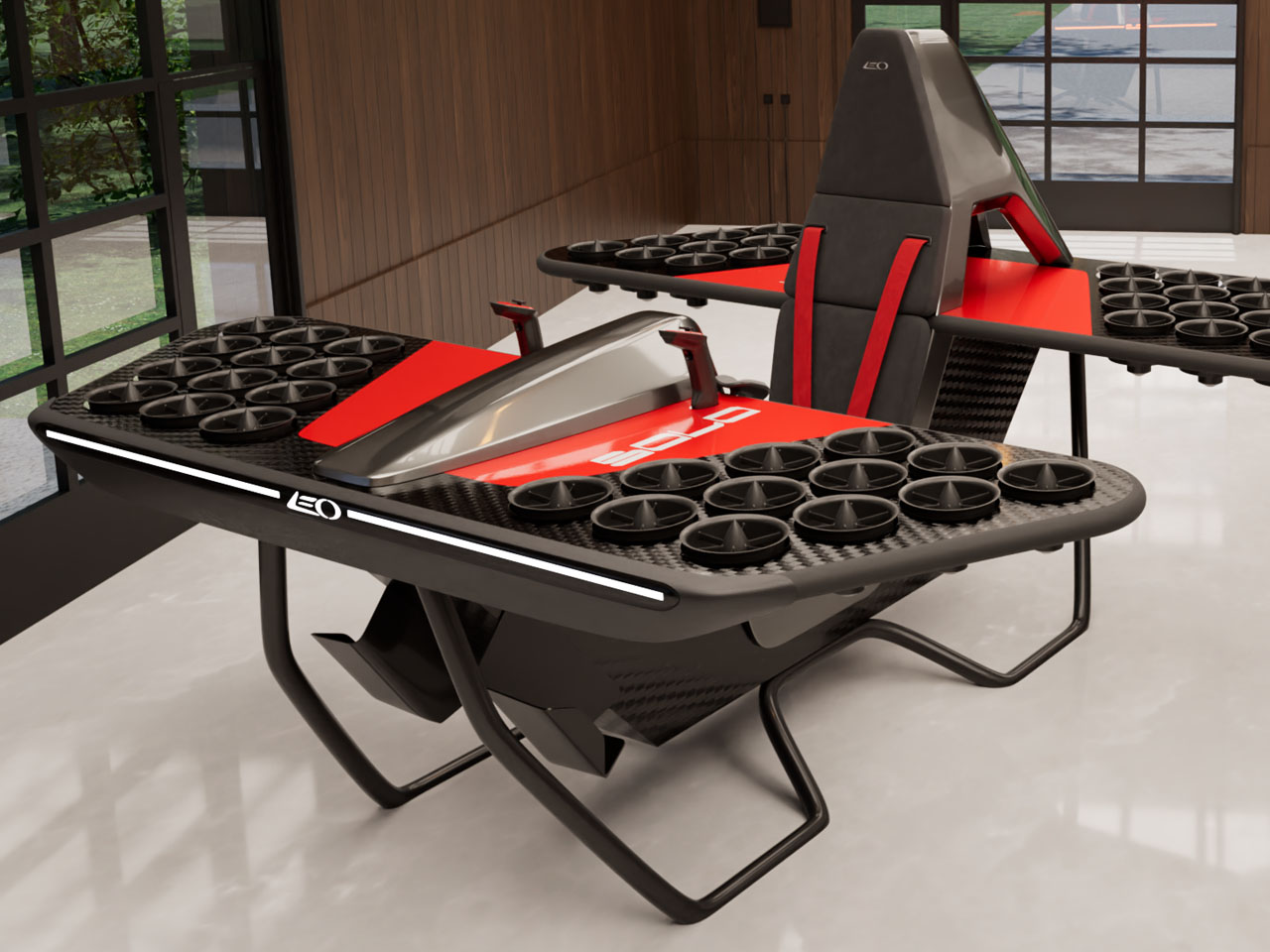
Honestly, when I first saw the LEO Solo in pictures, it looked like a work desk with an attached chair: some sort of a gaming rig. But a closer look revealed what this mean machine actually is, and then the video just scaled the excitement to the next level. The hands-on experience of this Jetbike shows it hovering some inches above the ground in a stable flight, which would definitely be elevated to a more practical height in the days leading up to its scheduled launch.

Designer: LEO Flight

Pete Bitar and Carlos Salaff, the founders of LEO Flight, have been chasing the dream of electric-powered flight for the longest time. After numerous renders and prototypes, they have finally arrived at the LEO Solo, which has had its fair share of touch-and-go moments, but it’s finally here and gearing up to be flown without the need for a pilot’s license. This single-seat personal eVTOL is a small bike built to carry just the rider.

The LEO Solo is developed in a compact 6.5 × 6.5 ft footprint and is built on a propeller-free electric jet propulsion system, which allows the personal air vehicle to reach a top speed of 60 mph. You can definitely not take this for an experimental object. At that speed, it can easily fly at an altitude of up to 15 ft high, stably and at very low noise (approximately 80 dB). According to the company’s press information, the LEO Solo can remain airborne for 10–15 minutes and fly at a noise level lower than that of a Dyson vacuum cleaner. So, tomorrow when you’re landing in your backyard late at night, you can do that as discreetly as parking your car.

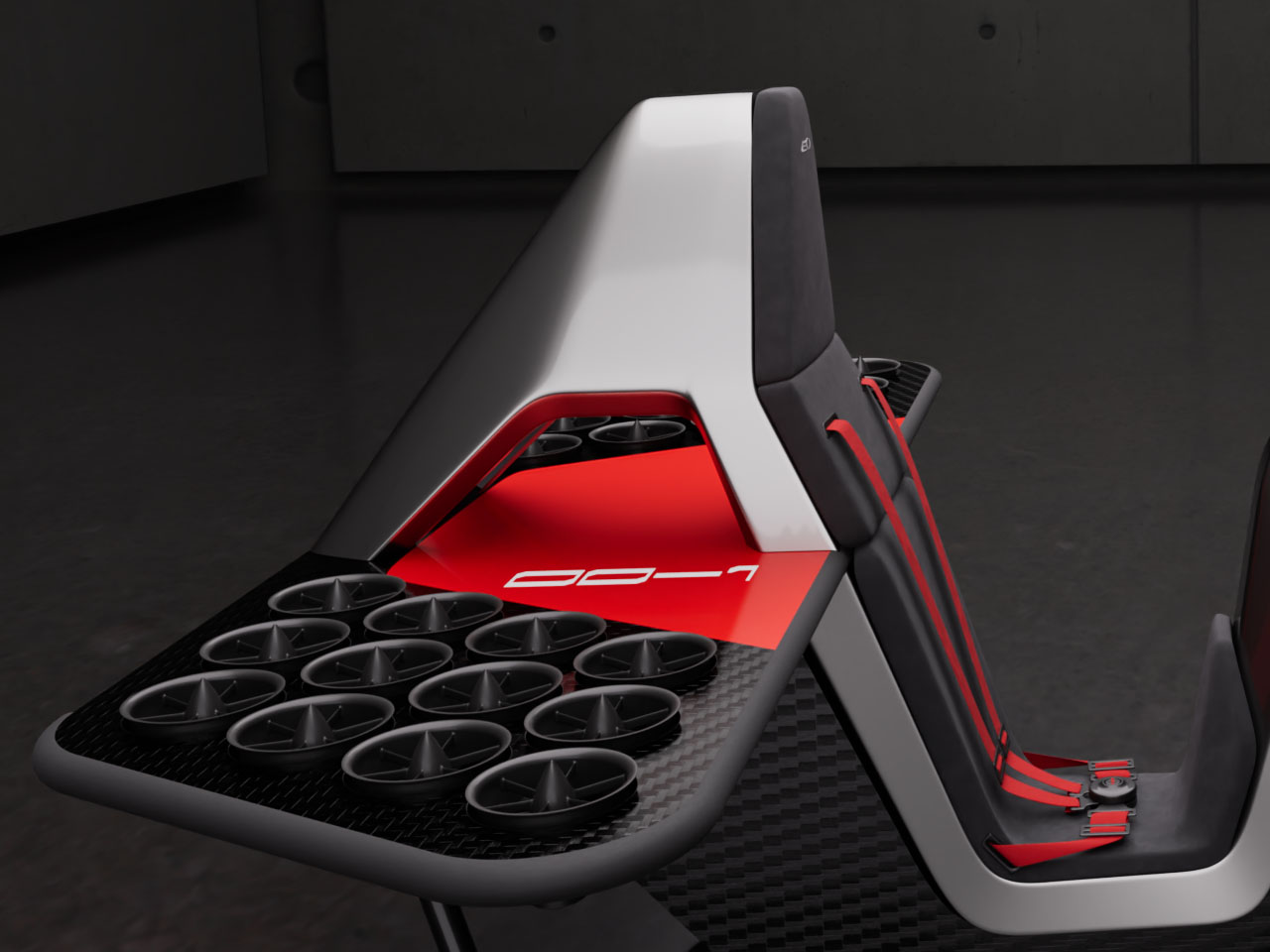
With its compact form factor, it can easily fit in a standard garage and charge its onboard solid-state battery in there. What makes the Solo really interesting are its 48 little fans, spread across its front and the back platforms, which allow it to lift off without wings or rotors. If this sounds like something you would want to own, you can reserve your LEO Solo JetBike now for a refundable deposit of $999. According to the company, it’s going into production in late 2025, which means any time now!


The post LEO Solo Jetbike, powered by 48 fans and electric propulsion, can fly you solo at 60 mph for 15 minutes first appeared on Yanko Design.

Chicago Bears vs. Philadelphia Eagles: How to watch the 2025 NFL Black Friday football game

This Black Friday will feature an NFC showdown between the Chicago Bears and the Philadelphia Eagles. Both teams are 8-3 this season, but the odds for the Black Friday NFL game favor the Eagles to win. The Chicago Bears vs. Philadelphia Eagles game will stream live nationally on Amazon Prime Video on Friday at 3 p.m. ET. Keep reading to find out what you need to know about Friday's game and the rest of the Week 13 schedule. 

Date: Friday, Nov. 28, 2025

Kickoff time: 3 p.m. ET/12 p.m. PT

Game: Chicago Bears vs. Philadelphia Eagles

Location: Lincoln Financial Field, Philadelphia

Streaming: Prime Video

The Bears visit the Eagles on Friday afternoon for a post-Thanksgiving game, streaming on Amazon's Prime Video. 

All times Eastern.

  • Packers vs. Lions, 1:00 p.m.(FOX)

  • Chiefs vs. Cowboys, 4:30 p.m. (CBS)

  • Bengals vs. Ravens, 8:20 p.m. (NBC)

  • Rams vs. Panthers: 1:00 p.m. (FOX)

  • Texans vs. Colts 1:00 p.m. (CBS)

  • Bills vs. Steelers: 1:00 p.m. (CBS)

  • 49ers vs. Browns, 1:00 p.m. (CBS)

  • Saints vs. Dolphins: 1:00 p.m. (FOX)

  • Falcons vs. Jets: 1:00 p.m. (FOX)

  • Cardinals vs. Buccaneers, 1:00 p.m. (FOX)

  • Vikings vs. Seahawks, 4:05 p.m. (FOX)

  • Raiders vs. Chargers: 4:25 p.m. (CBS)

  • Broncos vs. Commanders: 8:20 p.m. (NBC)

  • Giants vs. Patriots: 8:15 p.m. (ESPN)

This article originally appeared on Engadget at https://www.engadget.com/entertainment/streaming/chicago-bears-vs-philadelphia-eagles-how-to-watch-the-2025-nfl-black-friday-football-game-200024350.html?src=rss

Parsel EVA Tote: Rigid Shell and Soft Liner You Can Reconfigure

Most bags are single-purpose objects. A tote for groceries, a weekender for travel, a backpack for everything else. Parsel’s EVA East West Tote System treats a bag more like a modular platform, where a rigid shell, soft liner, and strap can be reconfigured for different uses. It’s less about one perfect tote and more about a carry architecture you can tune as your day changes.

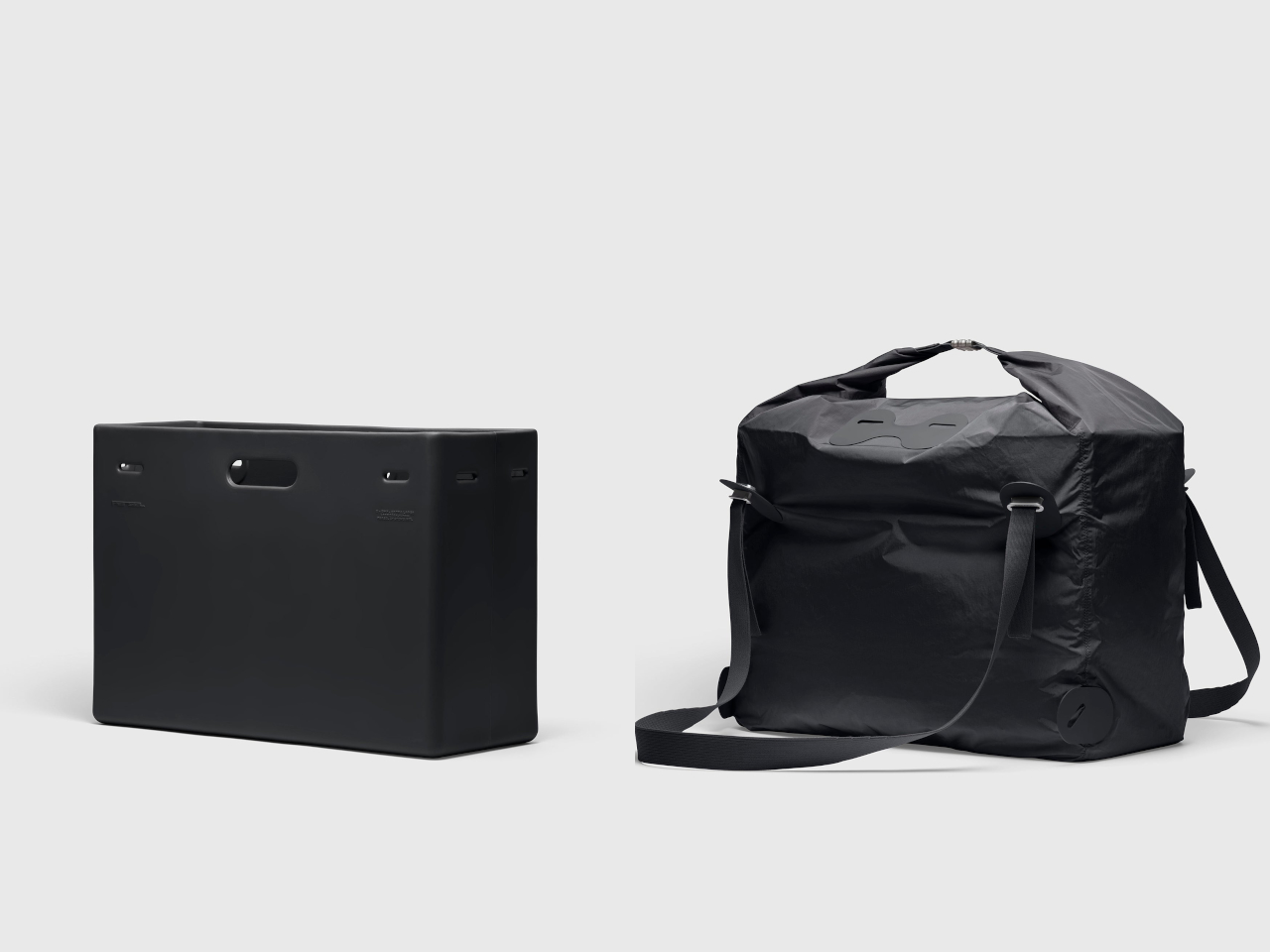
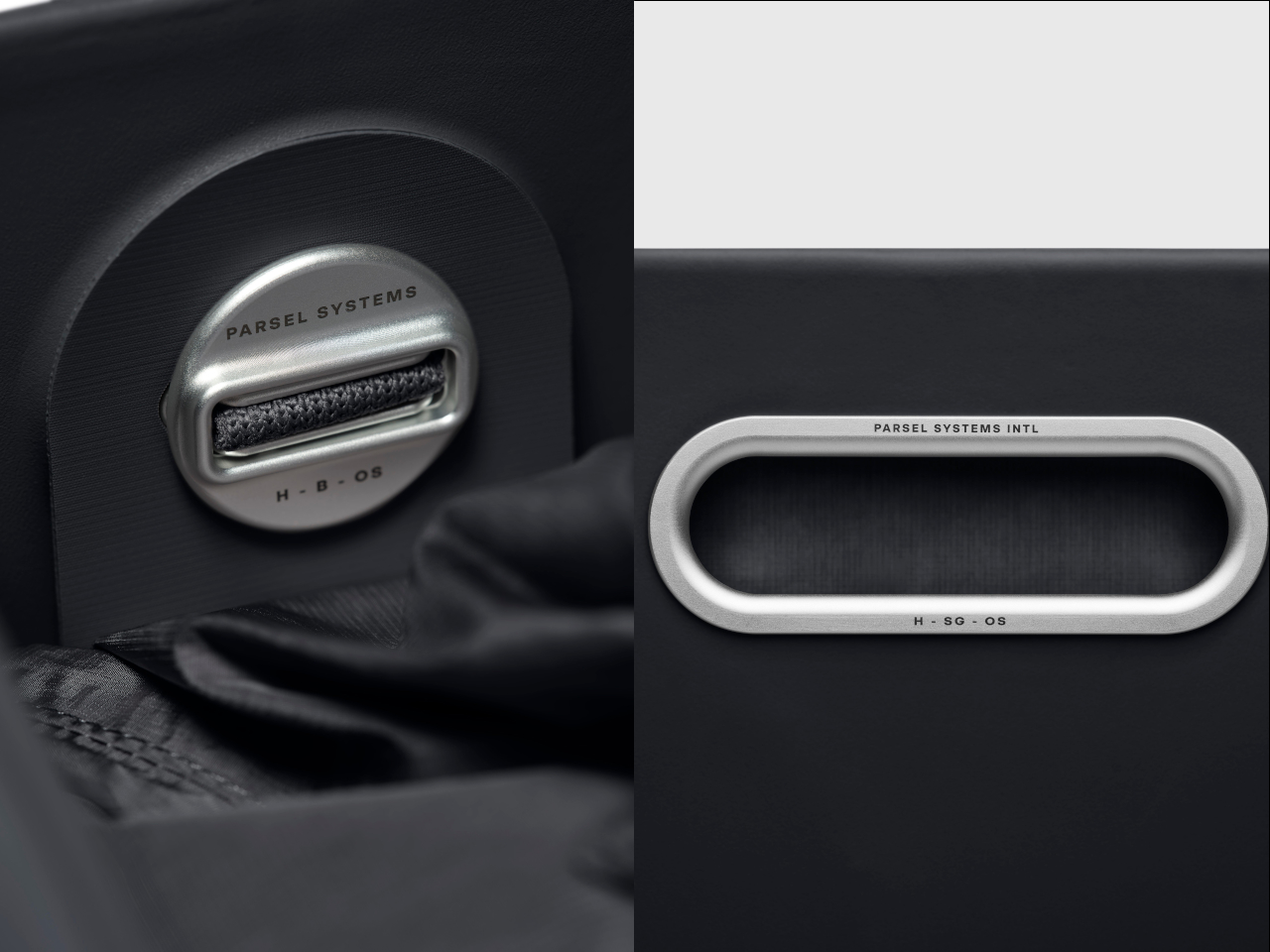
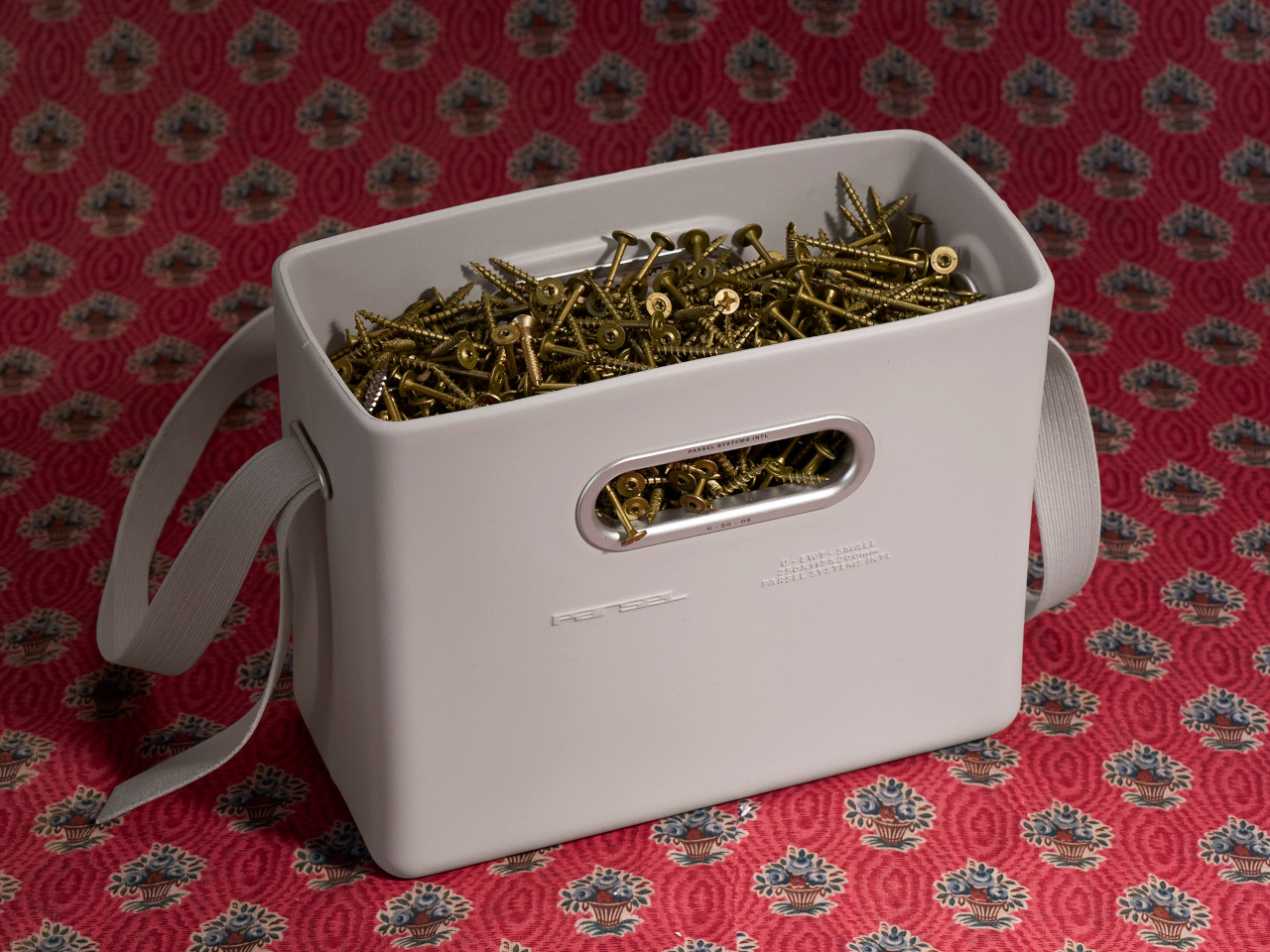
The EVA East West Tote System is a high-density EVA tote available in small and extra-large sizes. Each Unit is an injection-molded shell with integrated handles, paired with a removable roll-top nylon liner and an engineered knit strap. All the hardware is machined from aircraft-grade aluminum, giving the whole thing a gear-like feel rather than a fashion accessory vibe that falls apart after a season.

Designer: Nur Abbas (PARSEL)

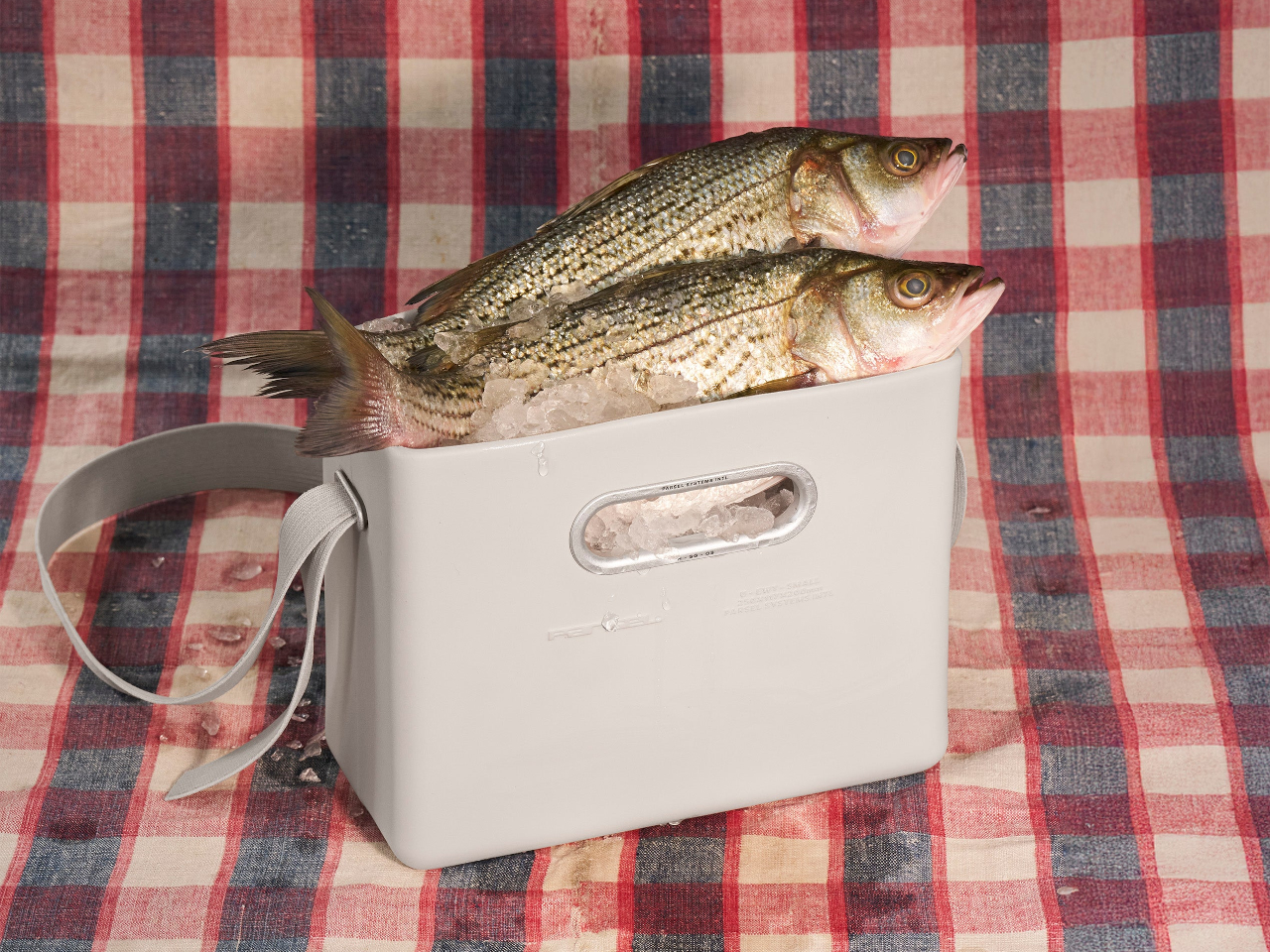
The Unit is a monolithic box with soft radii and an oval handle cutout, rigid enough to protect contents but flexible enough to absorb impact. In its small size, it reads like a compact utility caddy. In the extra large, it becomes a trunk-like tote that can swallow groceries, tools, or sports gear. The clean surfaces and embossed Parsel logo keep it visually quiet and precise.

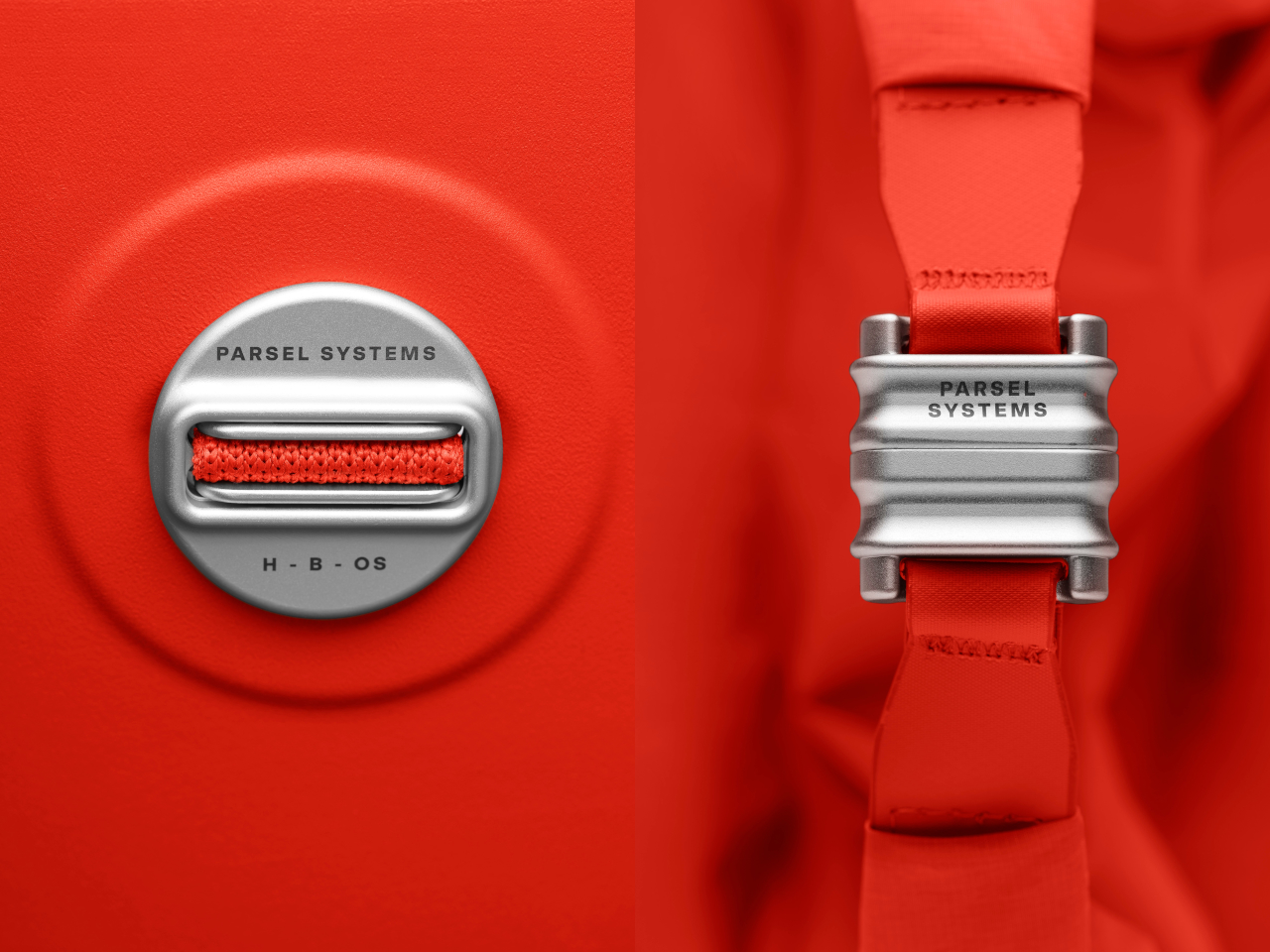
The removable nylon liner has a roll-top with a magnetic closure and can live inside the Unit or be used on its own. The adjustable knit strap stretches slightly for comfort and threads through Parsel’s signature Button, a ribbed aluminum connector that links everything together. That Button is the universal joint of the system, letting the strap move between the shell and liner without extra clips or buckles cluttering the sides.

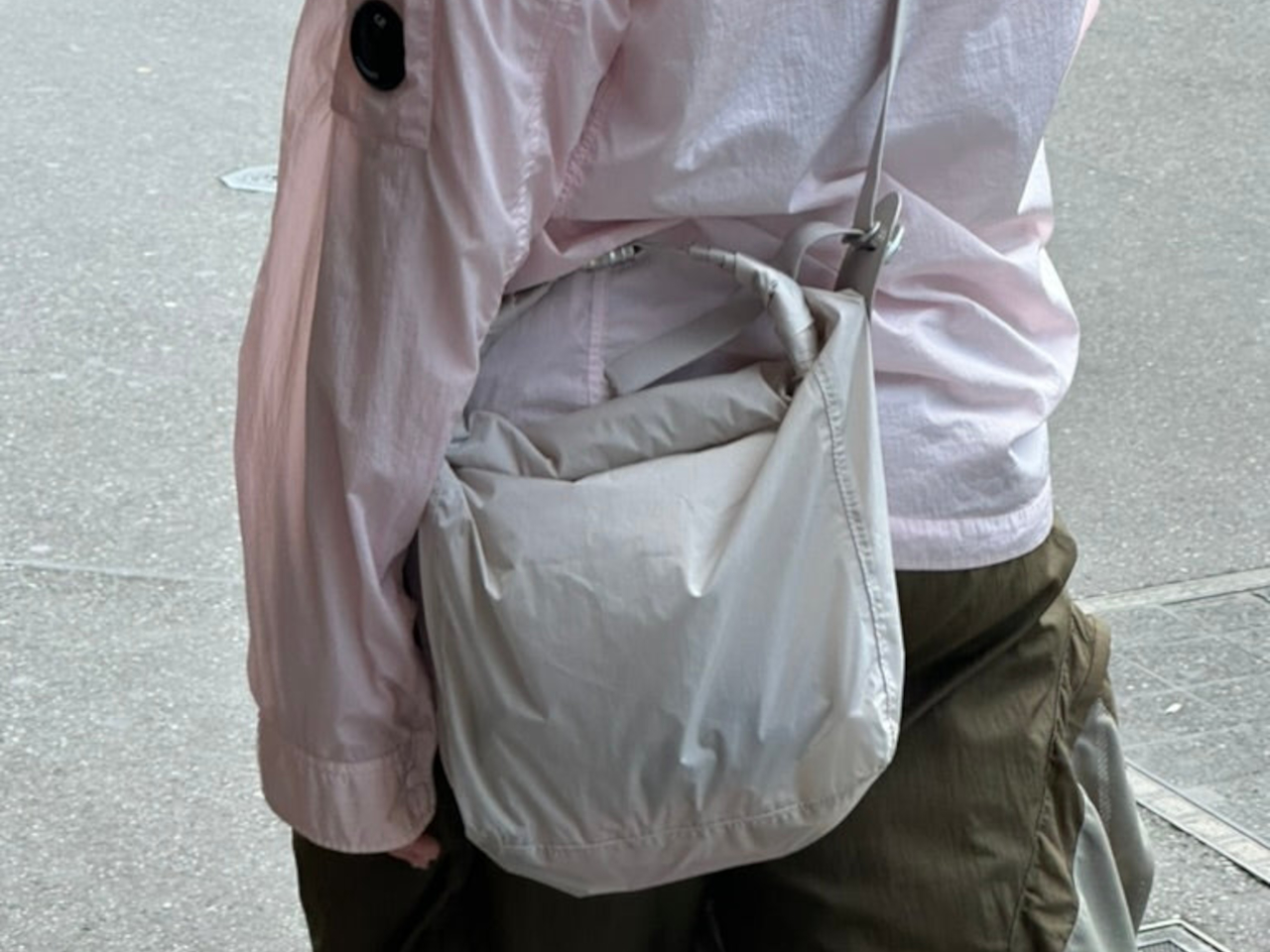
In classic tote mode, the strap attaches to the EVA Unit with the liner inside. For a lighter carry, the liner can be used alone with the strap as a soft shoulder bag. In the extra-large size, the liner can even be worn as a backpack by rethreading the strap through the Buttons. Parsel literally labels this “Play with the system,” inviting users to treat carry as something adjustable.

The aluminum handle insert is etched with Parsel Systems Intl around its oval perimeter, while the Button hardware carries the brand name in clean engraving. These details feel more like precision components from outdoor gear than fashion hardware. Colorways like Optic white, Deep black, and Priority orange let the bags shift toward either minimal or high-visibility use, comfortably filled with screws, firewood, fish, or flowers in both workshop and city.

The EVA East West Tote System is a thoughtful attempt to make one bag work across many lives. By separating structure, volume, and carry into distinct parts, Parsel lets you tune how rigid, soft, or hands-free the bag needs to be on a given day. For anyone who likes their everyday carry to feel more like a system than a single fixed object, this EVA tote is worth considering.

The post Parsel EVA Tote: Rigid Shell and Soft Liner You Can Reconfigure first appeared on Yanko Design.

Dinoosh Dispenses Dino Paw Print Soap, Changes Color When Done

Kids explore everything with their hands, but rarely wash them long enough, even when adults remind them. The recommended 20 seconds feels like forever to a child staring at a sink, which is why so many just rinse and run. Dinoosh is a concept that tries to solve this not with more nagging or countdown posters, but with a small dinosaur-themed object that makes the whole routine feel like a game.

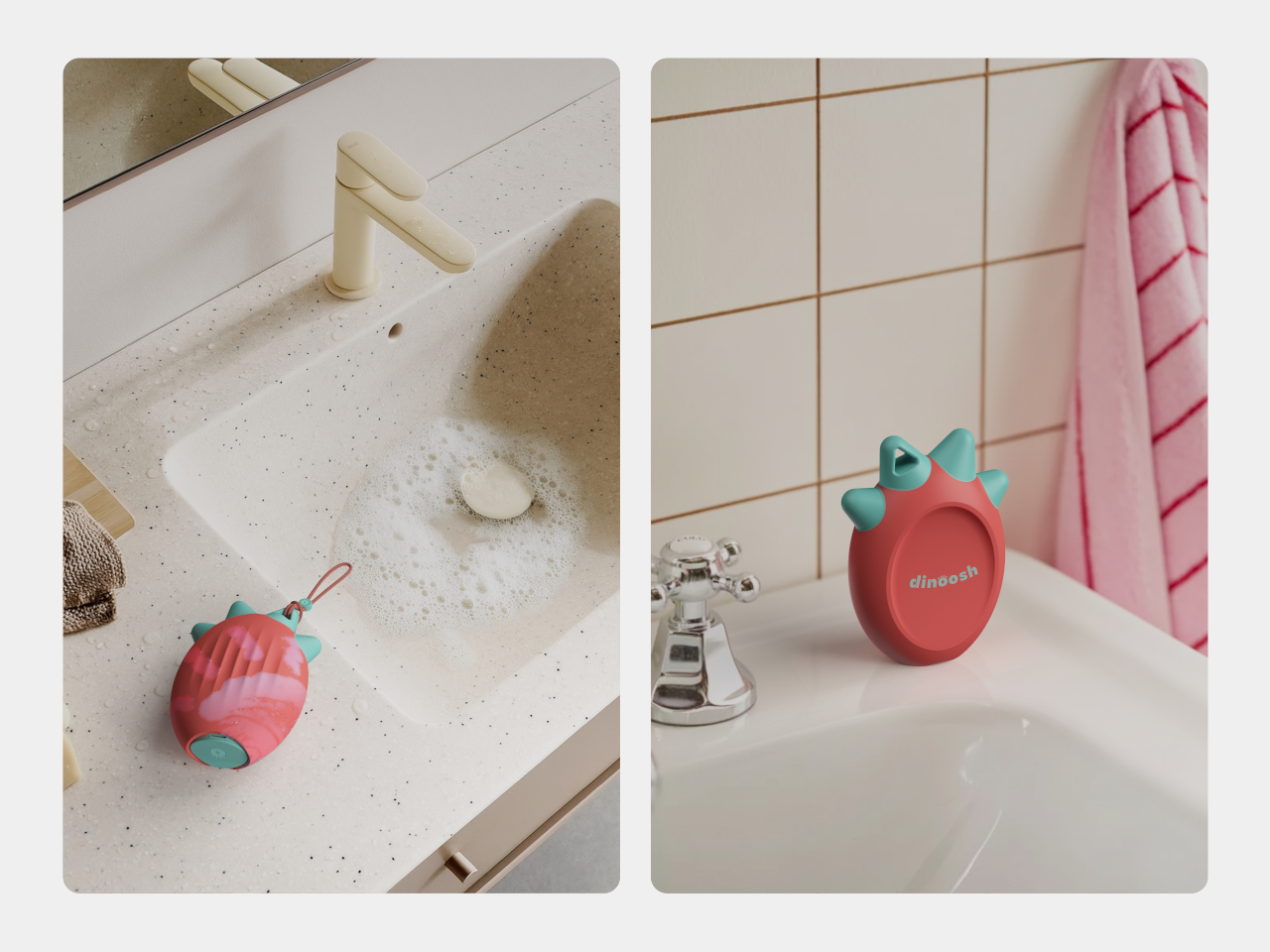
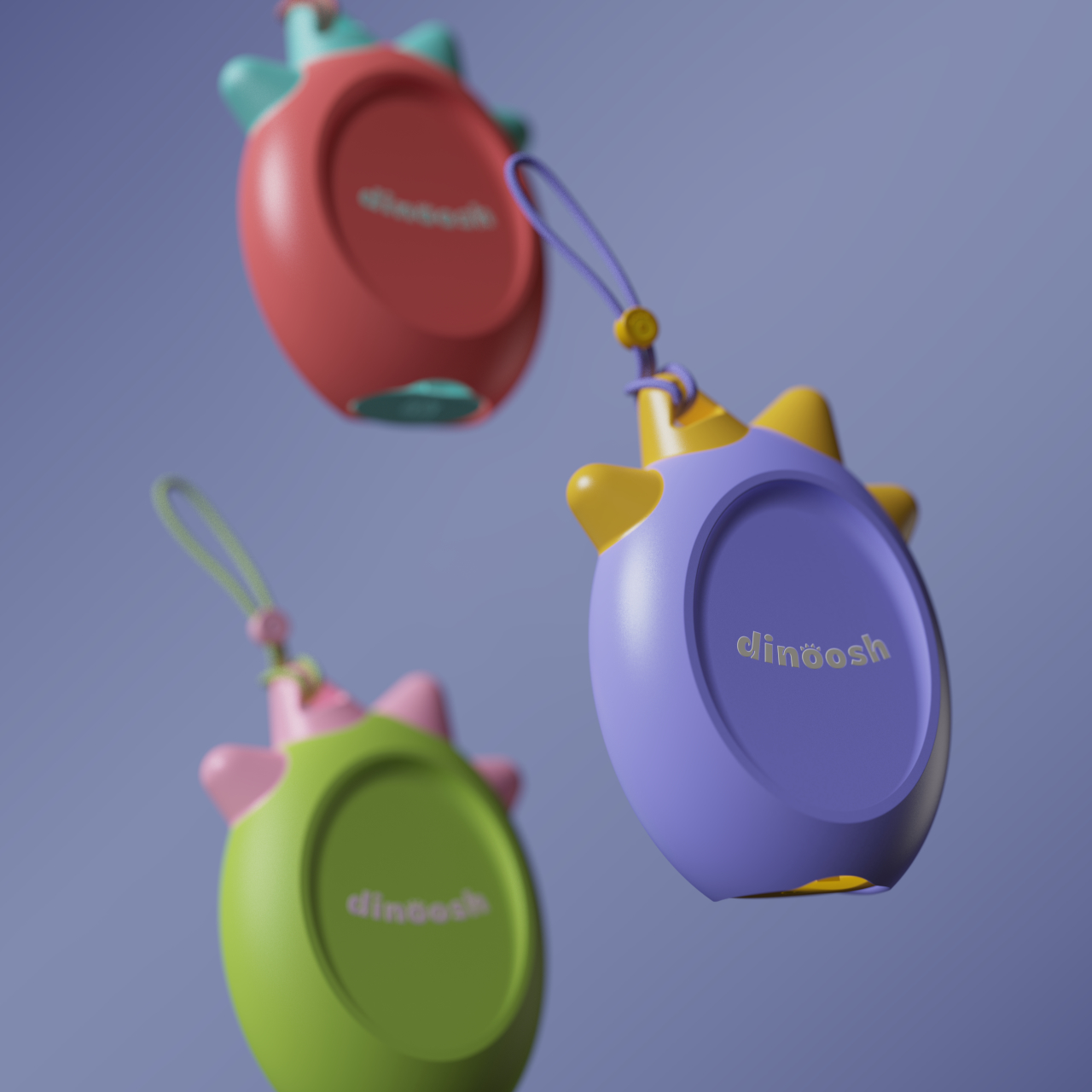
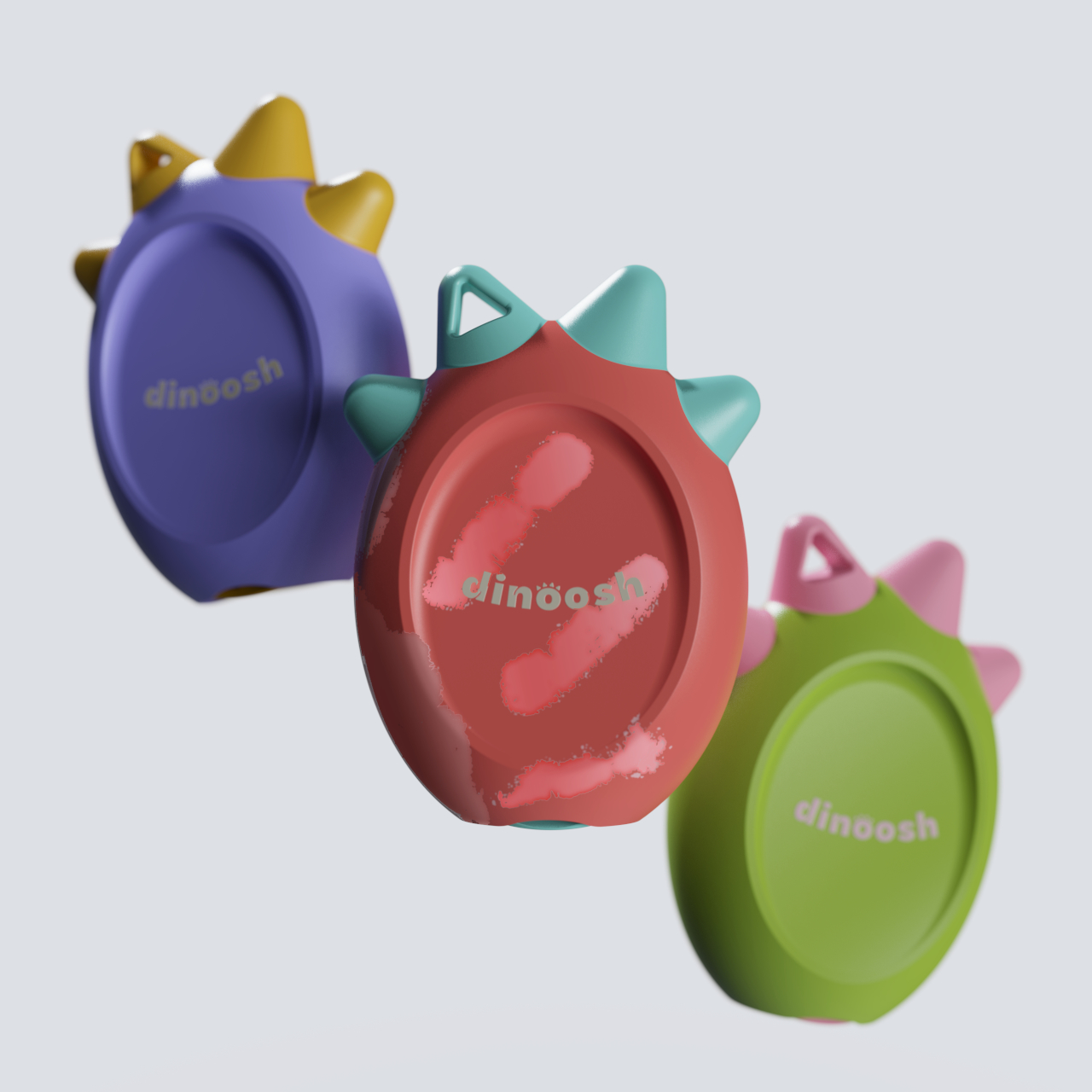
Dinoosh is a palm-sized, dinosaur-inspired handwashing tool that combines a soap dispenser, scrubber, and color-changing timer. It looks like a soft, rounded dino paw with three spikes on top and a loop so kids can clip it to backpacks or bathroom hooks. The idea is to give children a friendly companion that turns washing away germs into something they actually want to do on their own.

Designers: Aarya Ghule, Tejas Vashishtha

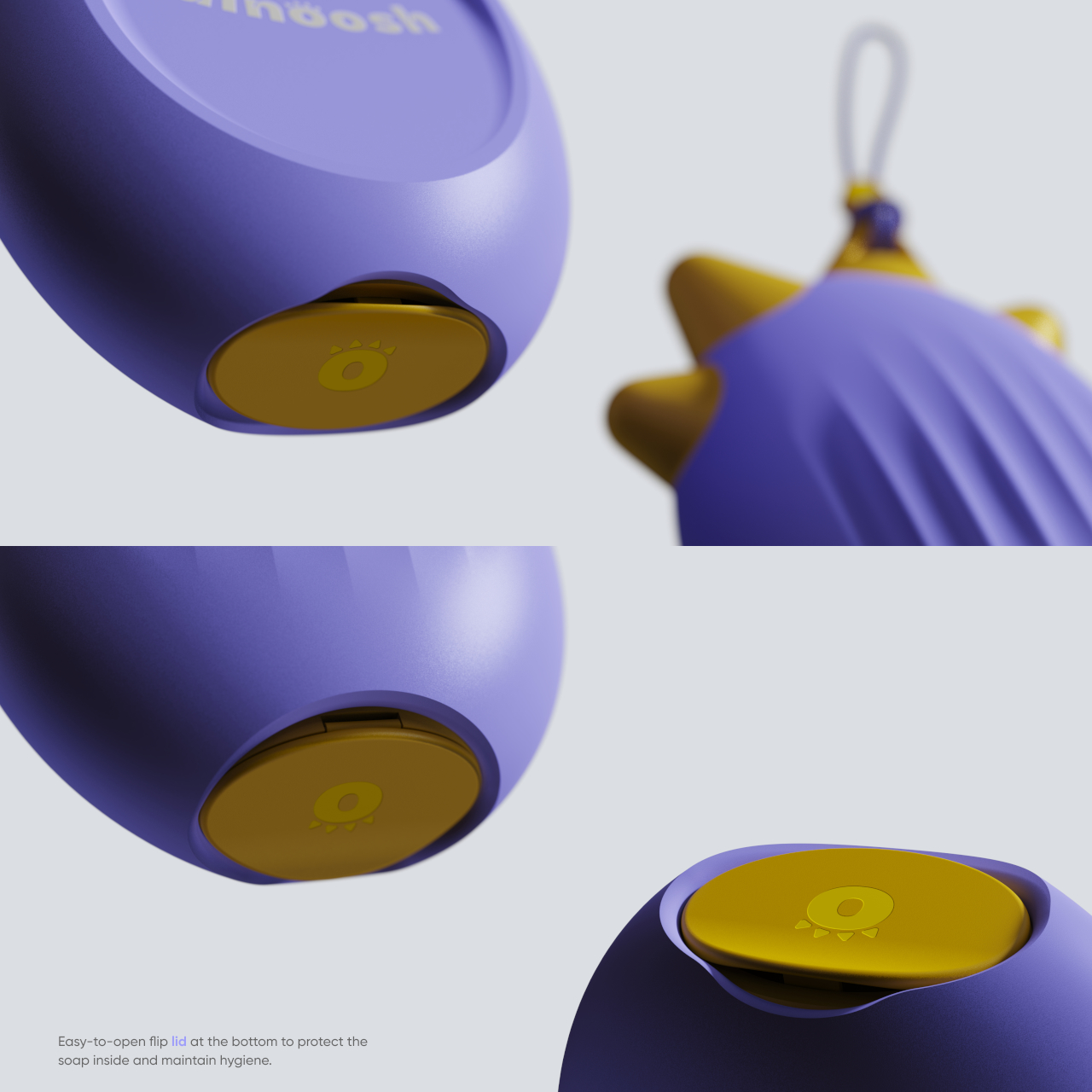
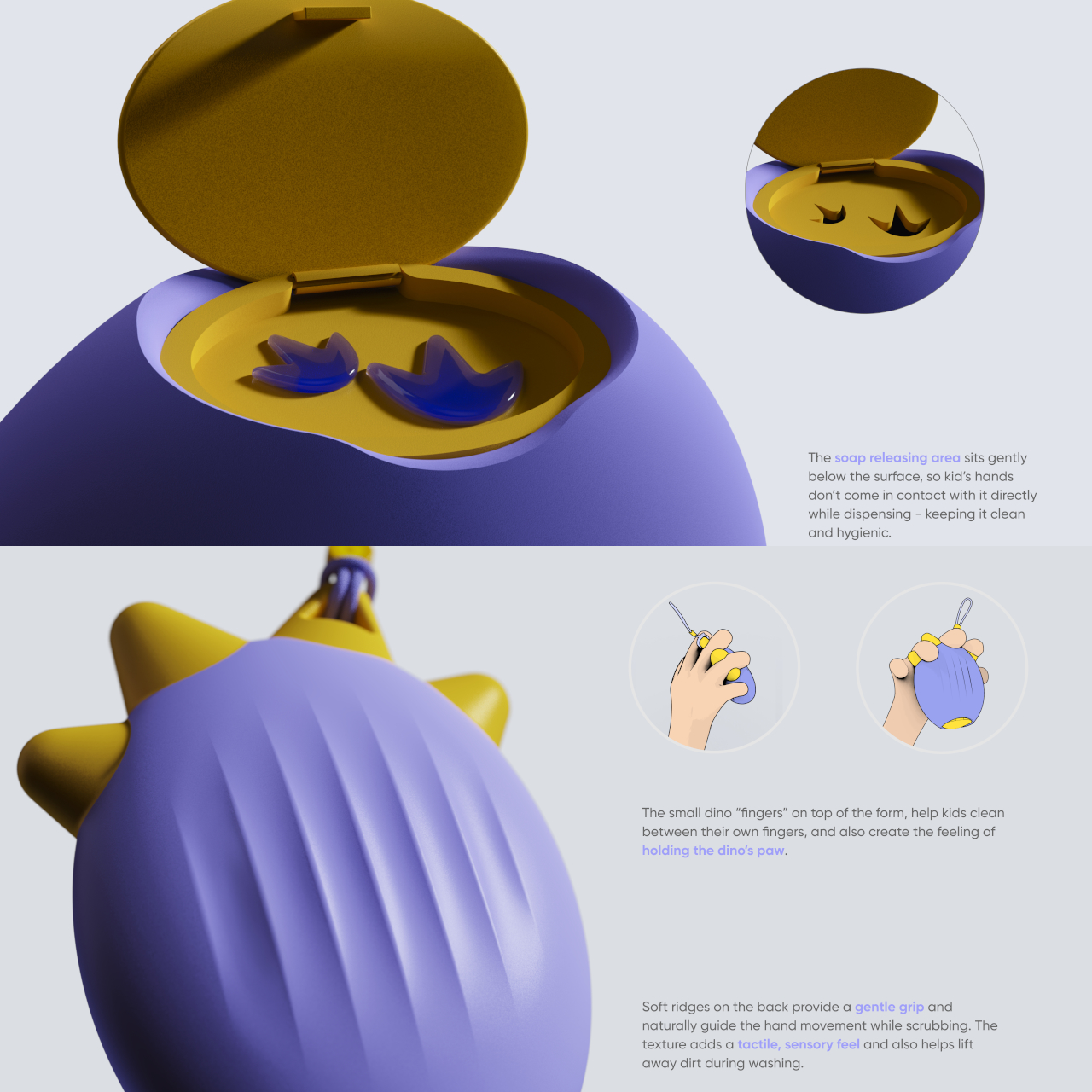
Kids flip open a small lid at the bottom and squeeze Dinoosh, which dispenses thick soap gel in the shape of tiny dinosaur paw prints onto their hands. That simple detail turns soap into a character moment, giving a clear visual dose and an instant reason to look and laugh. It invites kids to start rubbing and playing instead of rushing straight to the rinse and calling it done.

Dinoosh stays involved once the soap is out. The back of the device has soft ridges that act like a gentle scrubber when kids rub their hands over it. The spikes on top help get between fingers, and the rounded body is easy to grip with wet hands. Instead of just lathering and standing there, children are encouraged to keep moving, squeezing, and scrubbing as part of the play.

The body is made from thermochromic plastic that slowly shifts color with warmth and friction. As kids scrub their hands and run warm water, they see the dinosaur paw gradually change hue. That becomes a built-in timer: they know they’re done when Dinoosh has fully changed color, which roughly matches the recommended 20 seconds without needing to count or sing a whole song.

A small loop at the top lets Dinoosh hang from backpacks, bathroom hooks, or stroller handles, keeping it in sight and within reach. Bright colorways like Sweet Sprout green, Coral Pop, and Soft Comet lavender make it feel collectible and personal. By living in kids’ everyday environments, it nudges them toward washing not just at home but at school and on the go.

Dinoosh shows how product design can tackle hygiene through play rather than guilt. By combining characterful form, tactile engagement, and a built-in color timer, it turns a forgettable chore into a small daily ritual kids can own. Whether or not this exact concept hits the market, the idea of a dinosaur paw that tells you when your hands are clean feels like a story most kids would happily wash along with.

The post Dinoosh Dispenses Dino Paw Print Soap, Changes Color When Done first appeared on Yanko Design.

A Google Maps power-saving mode lands on Pixel 10 devices

If you have a Pixel 10 phone that you use for turn-by-turn directions in lieu of a dedicated GPS device, Google has an update that might be right up your alley. A Google Maps power-saving mode is now available for Pixel 10, Pixel 10 Pro, Pixel 10 Pro XL and Pixel 10 Pro Fold. The company announced this feature earlier this month as part of its November 2025 Pixel Drop.

Power-saving mode is only available in portrait orientation and it works on your lock screen. If you tap the power button while using the driving navigation tool, the app will switch to a simpler monochrome look that retains the map layer, as 9to5Google notes. It looks a bit like the dark mode map in the Uber app.

You'll see only see key details your journey, such as your next turn and expected travel time. Other elements, such as your current speed, are stripped out. You can still swipe down to see your notifications.

If you press the power button or tap the screen, Google Maps will revert to the standard view. The app also turns off power-saving mode when you get to your destination.

Google says that the power-saving mode can extend your Pixel 10's battery life by up to four hours, so this could come in handy for long drives when you don't have an easy way to charge your phone while you have it mounted on your dashboard. The more streamlined look could perhaps help to mitigate distracted driving too.

Google will probably bring the feature to other devices down the line, but it’s disappointing that the company is limiting it to the Pixel 10 lineup for now. Perhaps it will end up offering this stripped-down UI on the Android Auto version of Google Maps someday. too

It seems that Google is enabling power-saving mode by default via an update on its end. If you'd rather not be able to use the feature, you can switch it off by going to the settings in the app, then Navigation > Driving options and tapping the toggle for power-saving mode.

This article originally appeared on Engadget at https://www.engadget.com/apps/a-google-maps-power-saving-mode-lands-on-pixel-10-devices-180000601.html?src=rss

This Smart Pen Just Turned a Poet’s Legacy Into Your Next EDC

Your everyday carry says something about you. Every item you slip into your pocket or bag is a choice, a reflection of what matters when you’re moving through your day. Nicolas Studio’s Poet smart pen understands this, which is why they designed something that’s not just functional tech, but a meaningful object worth carrying. It’s a tribute to Yun Dong-ju, one of Korea’s most beloved poets, and it might just earn a permanent spot in your rotation.

If you’re not familiar with Yun Dong-ju’s story, here’s why he matters. He wrote in Korean during Japanese colonial rule when doing so was an act of resistance. His poems were simple, everyday observations turned into quiet defiance, preserving language and culture through words until his death in a Japanese prison at 27. In a 1986 survey, Korean youth voted him their most popular poet, and that love hasn’t diminished. His work is about finding light in darkness, about self-reflection and hope, all expressed in language anyone could understand.

Designer: Nicolas Studio
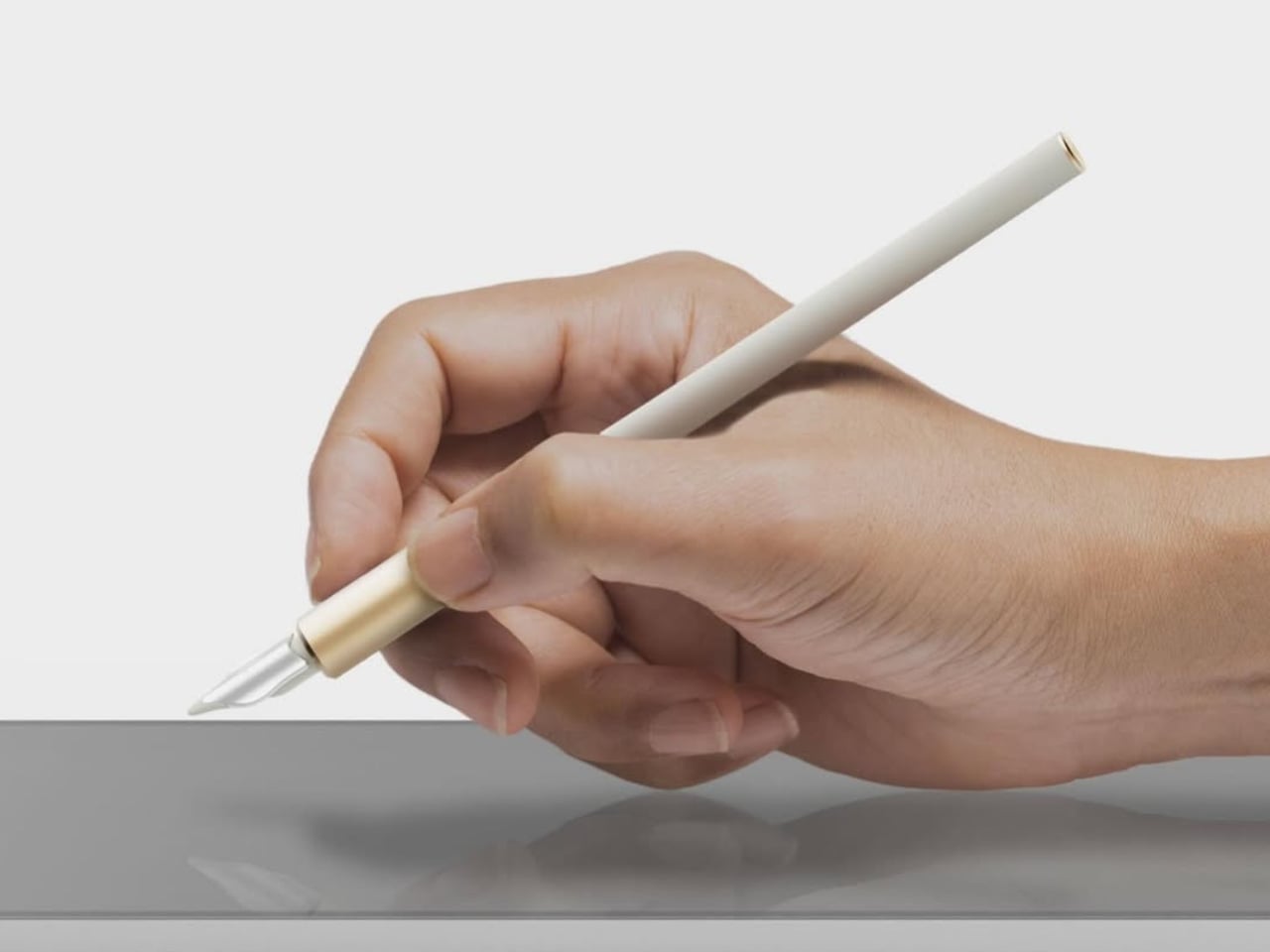
That accessibility, that everyday poetry, became the design brief. Nicolas Studio didn’t want to create another aggressive tech gadget. They wanted something you’d actually want to carry every day, something that felt as natural in your hand as Yun’s words felt on the page. The result is a smart pen that proves EDC doesn’t have to sacrifice beauty for function.

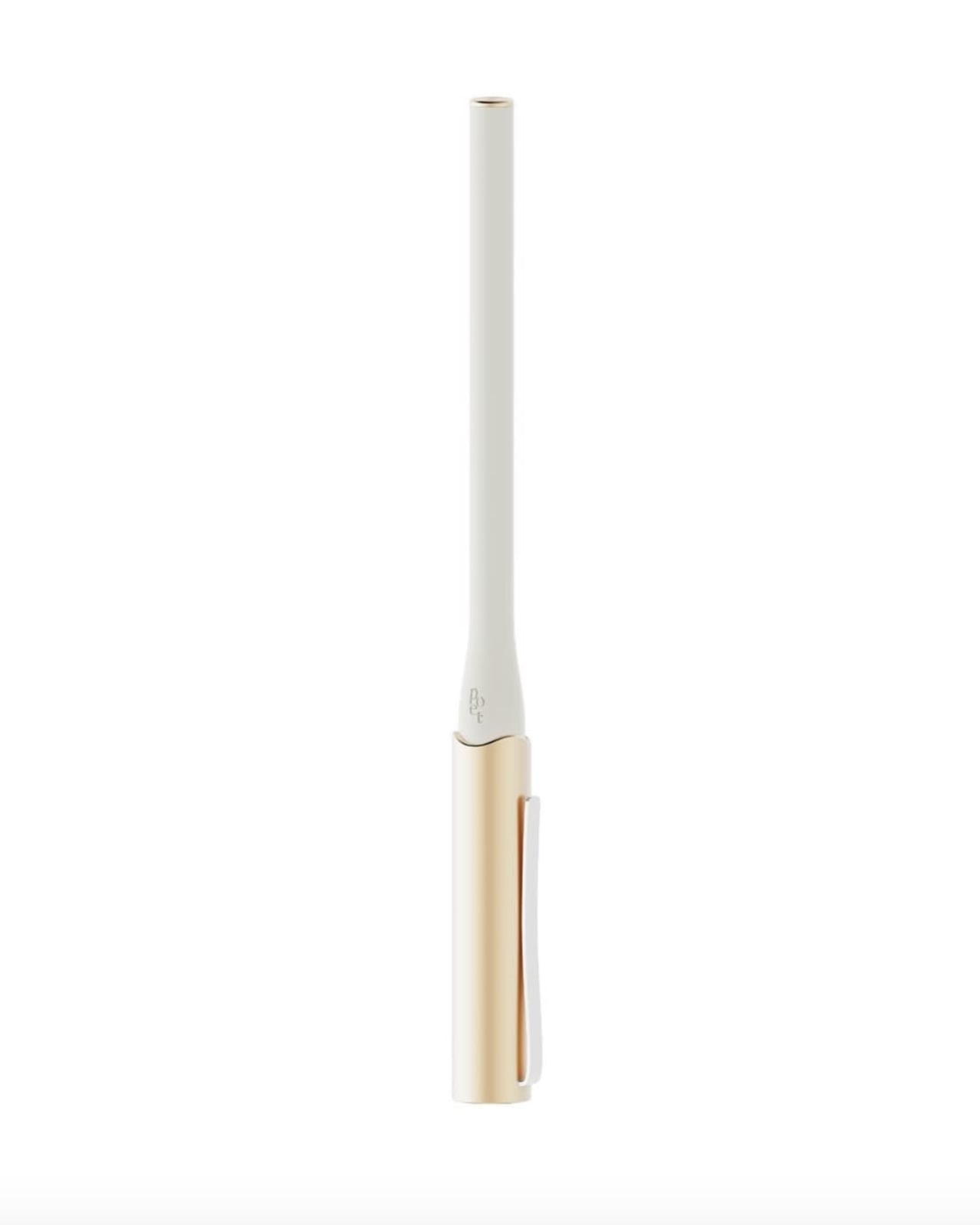
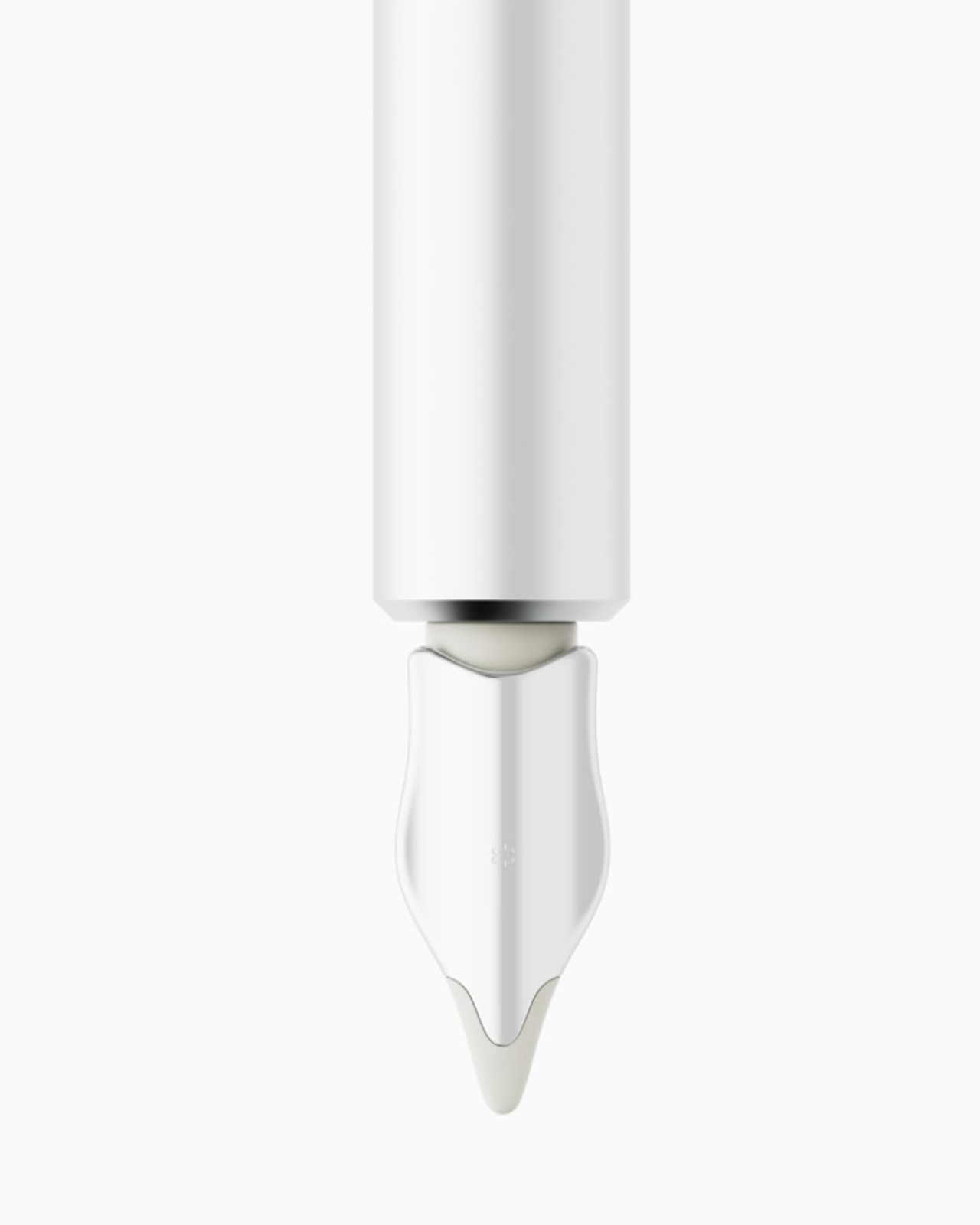
The form language is all gentle curves and flowing lines, a direct translation of the softness in Yun’s poetry. The body is elegantly elongated with a subtle taper, finished in soft white that stays clean-looking without feeling clinical. It’s the kind of minimalism that works in real life, not just on a mood board. At a glance, it could be a premium fountain pen, but pull it out to sketch or take notes and the smart functionality reveals itself seamlessly.

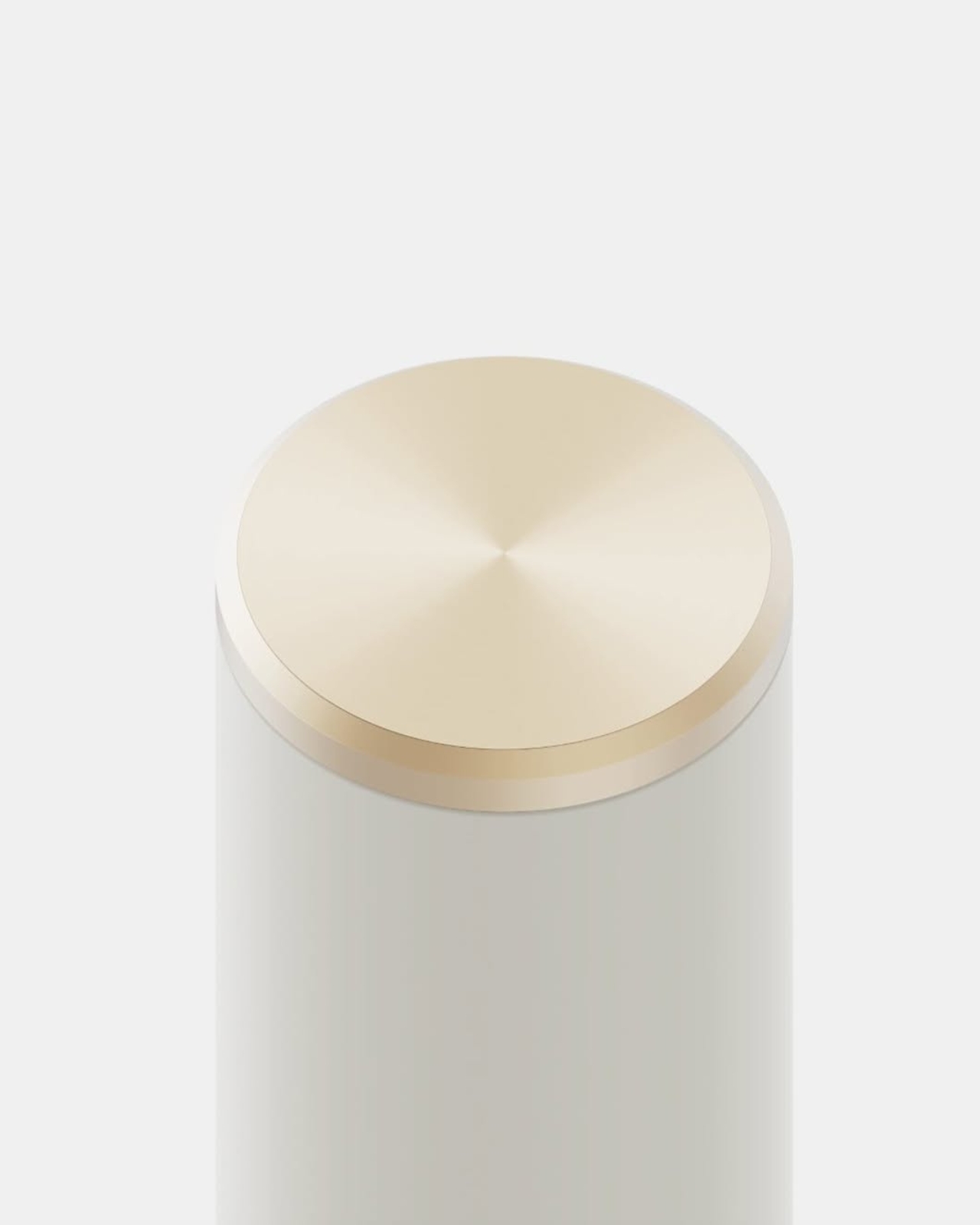
The details make it. A warm gold band transitions between the body and writing tip, adding just enough visual interest without screaming for attention. The same brushed gold accent appears on the charging case, which doubles as a display stand for your desk. The word “poet” is etched vertically in lowercase letters, subtle enough that most people won’t notice, but meaningful when they do. It’s the kind of detail that rewards daily interaction.
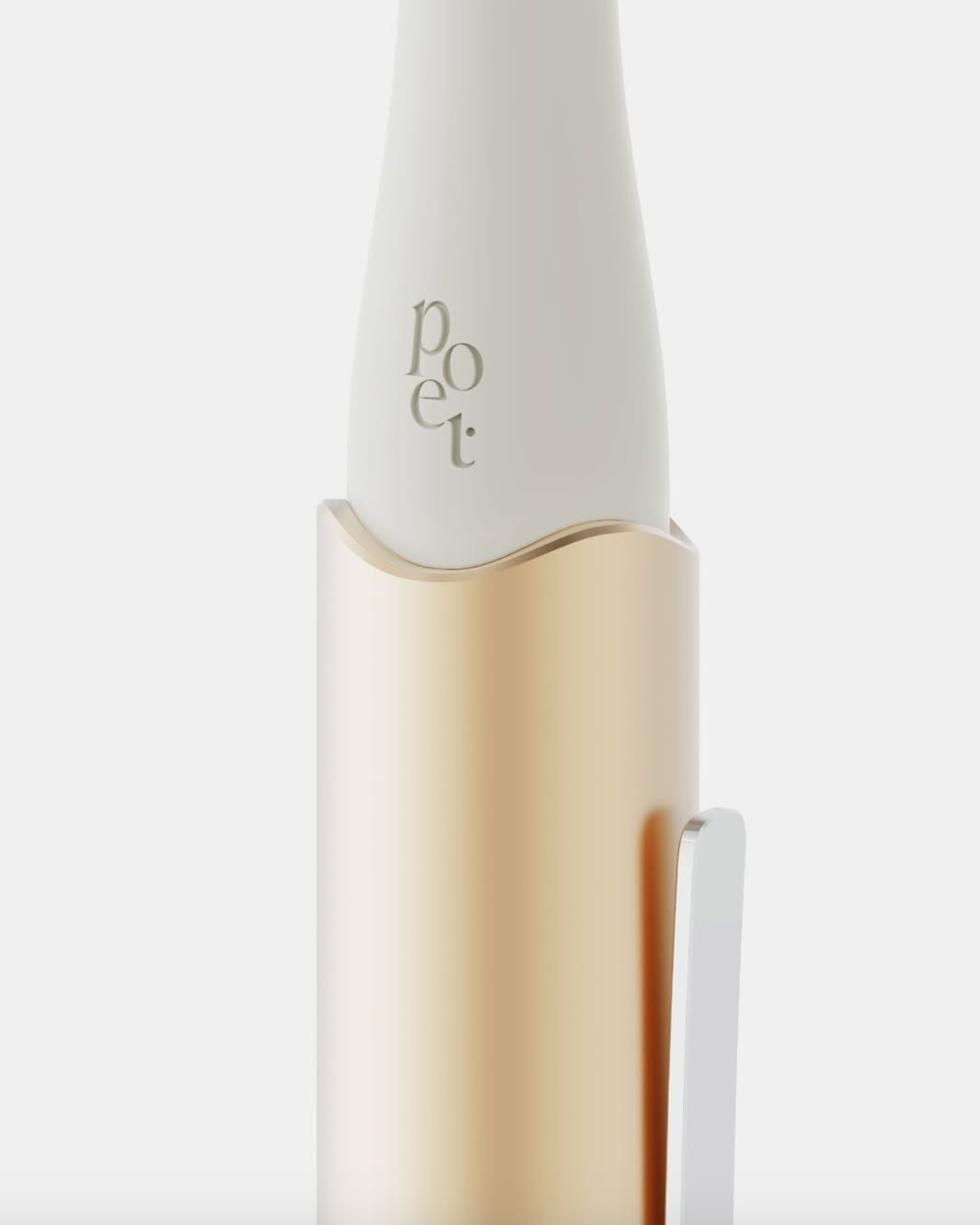
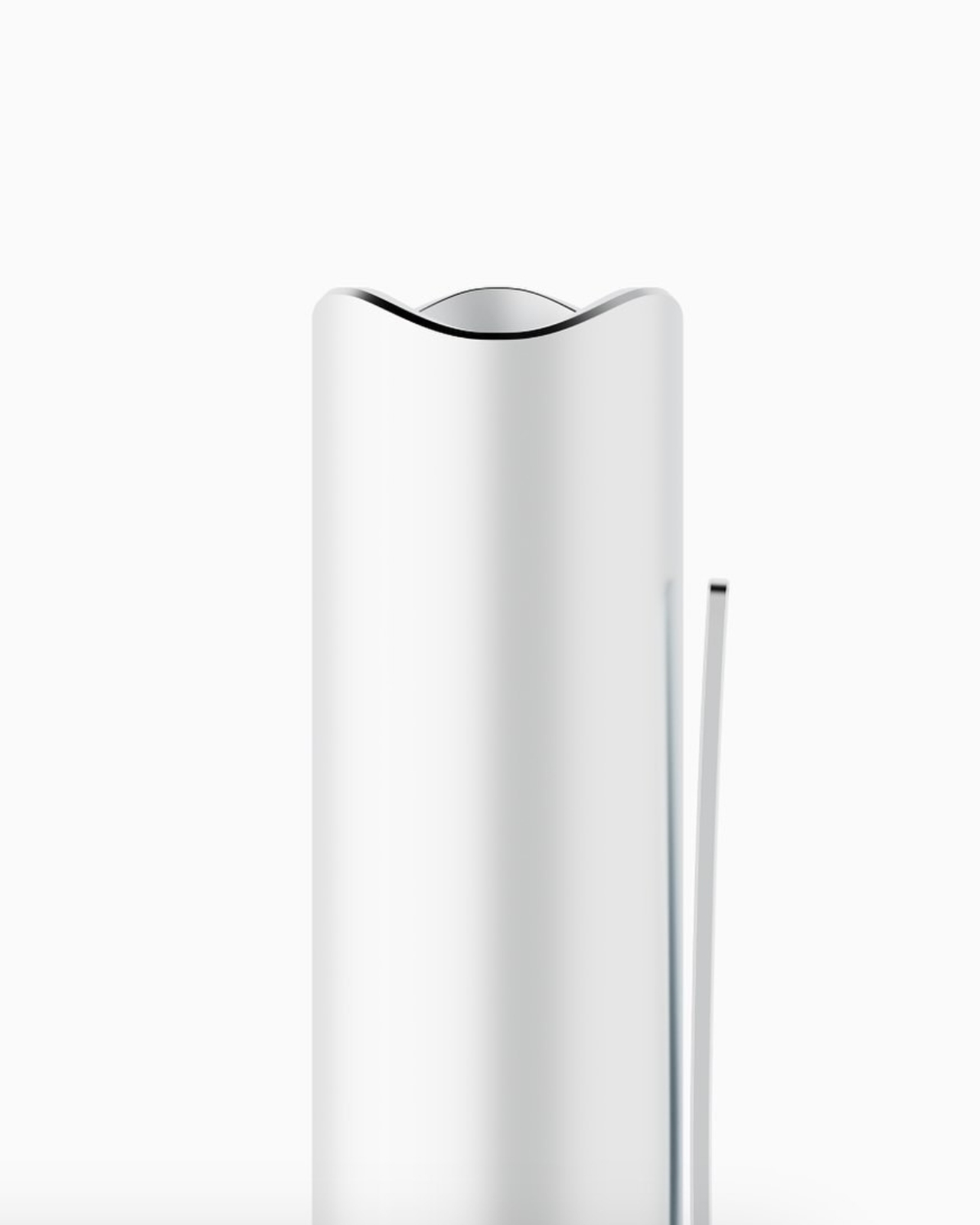
Speaking of daily carry, the charging case is brilliantly designed. It’s cylindrical with a slightly undulating top edge that mirrors the pen’s curves, finished in matching white and gold. But here’s what matters for EDC: it’s compact enough to slip into a bag pocket without adding bulk, protective enough to keep your pen safe, and beautiful enough that you won’t mind leaving it on your desk between carries. It becomes a small sculptural moment in your workspace rather than tech clutter. Ergonomics were clearly a priority. The grip area has subtle contouring that makes extended use comfortable whether you’re sketching, annotating documents, or taking meeting notes. Smart pens can feel awkward, especially if designers prioritize tech over usability. The Poet feels like it was designed by someone who actually carries and uses a pen daily, not just renders it in CAD.
What elevates this beyond typical EDC gear is the story it carries. Yun Dong-ju used poetry to maintain humanity during Korea’s darkest period. Every time you pull out this pen, you’re connected to that legacy of using everyday tools for meaningful creation. It’s not just about capturing ideas or staying productive. It’s about the intentionality of choosing tools that mean something beyond their function. Most smart pens now look like they’re trying too hard to be futuristic but the Poet takes the opposite approach. It’s quiet. It’s refined. It earns its place in your carry through design restraint rather than feature overload. The tech serves the experience rather than defining it.
For the EDC enthusiast who appreciates when gear tells a story, or when design connects you to something larger than yourself, the Poet offers something rare. It’s proof that smart devices can have soul, that technology and poetry aren’t opposing forces. Sometimes the best addition to your everyday carry isn’t the thing with the most features, but the one that makes you think differently about why you carry anything at all. This is EDC with intention. This is carrying poetry in your pocket.
The post This Smart Pen Just Turned a Poet’s Legacy Into Your Next EDC first appeared on Yanko Design.


Nike Air Max 90 turned into fully playable SNES console is the ultimate retro-modern mashup

Sneaker culture and gaming go a long way back, good enough reason we’ve seen many interesting collaborations that signify the retro-modern charm of reliving the golden era. The excitement of playing arcade titles that defined the ’80s and ’90s keeps the creative juices of inventive DIYers flowing. While having the superficial elements of gaming on a pair of sneakers is common, having an actual gaming console running right off your sneaker is worth the attention.

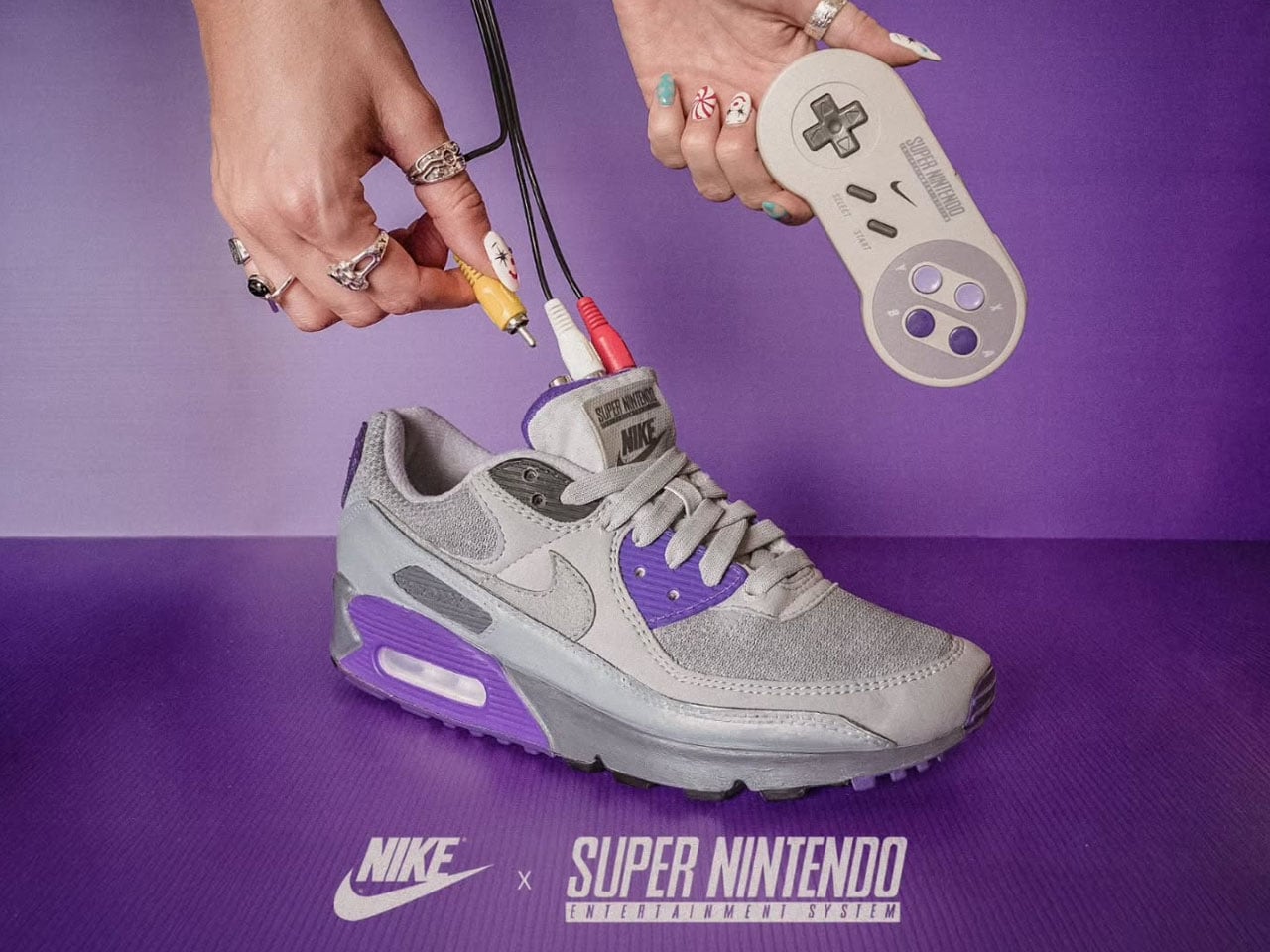
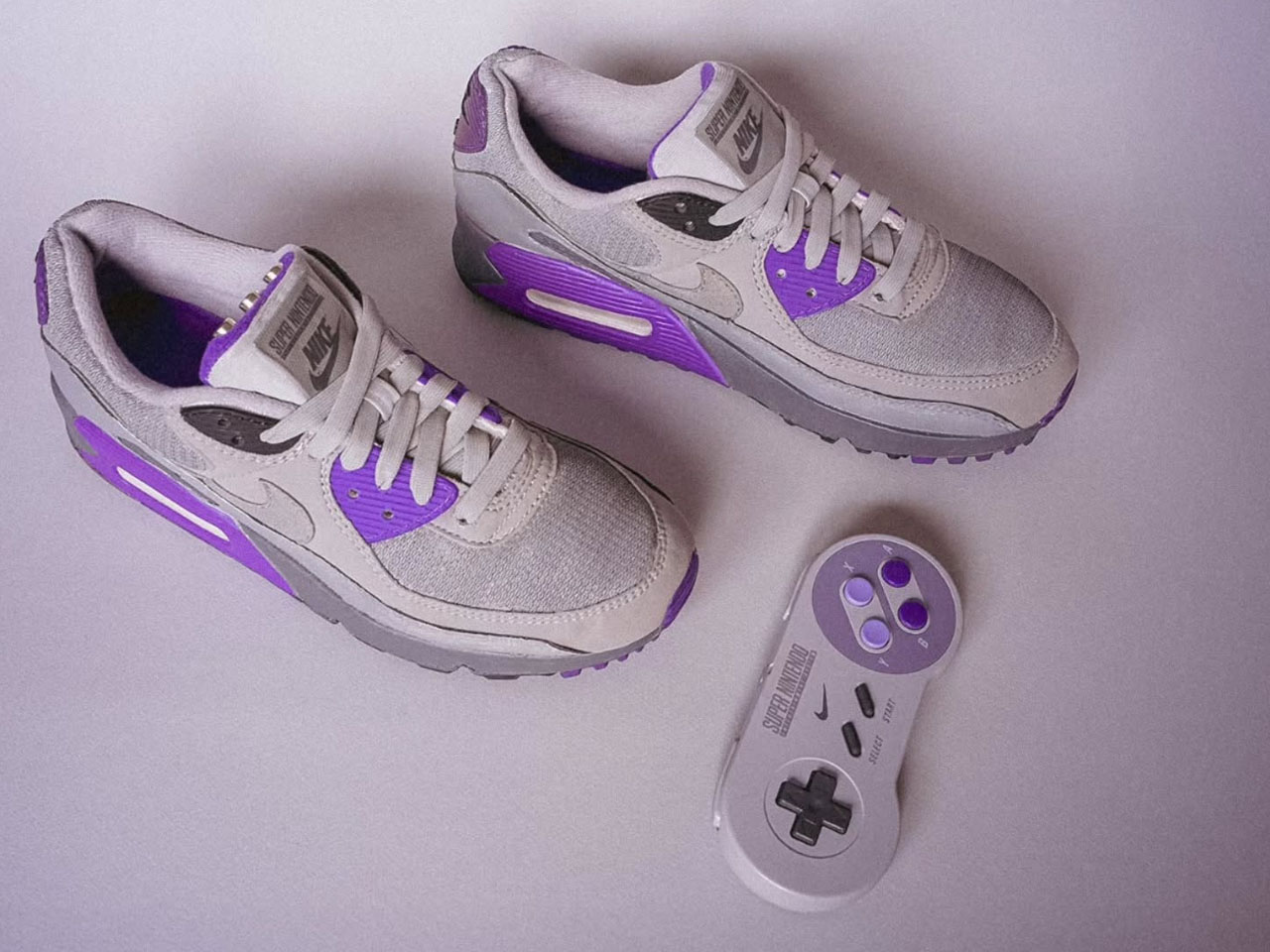
Designer Gustavo Bonzanini has come up with a unique way to celebrate the Super Nintendo’s 35th anniversary since its release in Japan. The one-off sneaker running the 16-bit SNES games is a homage to the 90s fashion and gaming technology. He calls them the AIR SNES since they are based on the Nike Air Max 90, which are as nostalgic as the arcade games we are all obsessed with. He positions them as comfort-laden classic runners that bring the thrill of 16-bit adventure.

Designer: Gustavo Bonzanini

The Singapore-based designer has a knack for creating unique wearable art from everyday shoes. This time, he’s hit the note right with the retro arcade vibe of gaming consoles of yesteryear. The idea for the build came from his Street Fighter II gaming streak, as he noticed Ryu launching fireballs from the device linked to the foot. Gustavo asked himself a question: why can’t a pair like the Nike Air Max 90 that looks like a video game double as a gaming console? Hence came the idea of designing sneaker shoes with built-in gaming capabilities. The best thing is that they are completely wearable, and you can play games right off them. The majority of the shoe remains the same, like the air cushioning system, but the magic happens right up at the tongue. The section is loaded with a Raspberry Pi Zero W tiny computer that’s no bigger than a business card.

It is paired with a small battery placed in the footbed, which provides 30 minutes of playtime. You can just plug it into an old school TV and play, since it has RCA output ports (instead of an HDMI output) to retain the classic feel. According to him, this was done, “to make the design feel like it could exist in 1990.” Of course, you need a controller to enjoy the games, so he had to tinker around with the regular SNES controller to get going. He modified the peripheral with a new internal for improved reliability and Bluetooth connectivity via the 8BitDo Mod Kit. That had to be done as the shoe’s contraption could not fit the input for the controller and would have added to the overall weight.

The AIR SNES can be used to play titles like Super Mario World or The Legend of Zelda: A Link to the Past via the microSD card slot, which is slotted inside the tongue. Gustavo has even gone the length to test the sneakers on the road and thereafter play games on them to make the build as authentic as possible. The final element comes in the form of a gray and purple palette of the sneakers, complemented by the light purple stitching along the seam to replicate the controller’s button layout. Unfortunately, these sneakers are not available to buy, and you’ll have to follow Gustavo’s build to create one for yourself.

The post Nike Air Max 90 turned into fully playable SNES console is the ultimate retro-modern mashup first appeared on Yanko Design.

Plex starts paywalling remote streaming to TVs, beginning with its Roku app

Here's some bad news for folks who've been using Plex to stream stuff from a buddy's personal media server to their TV for free for years. As it pledged to do earlier this year when it bumped up the price of the Plex Pass, the service is starting to enforce a paywall for remote streaming from a personal server to TV apps. Plex is rolling out the change on its Roku app this week, followed by its other TV apps (on the likes of Fire TV, Apple TV and Android TV) and third-party clients that use its remote streaming API in 2026. Plex also recently started deploying a redesigned version of its app on Roku-powered TVs.

Under the new way of things, the owner of a media server needs a Plex Pass subscription to grant other people remote access to it through the service. A Plex Pass now costs $7 per month, $70 per year or $250 for a lifetime membership. Those with such a subscription (or the Remote Watch Pass for $2 per month or $20 per year) can remotely access someone else's media server, even if the server owner doesn't have Plex Pass. Plex started enforcing the change on mobile devices before doing so elsewhere.

It always stinks when a company puts up a paywall around a feature that was previously free. Plex needs to make money to keep things running, which is fair enough. But turning free features into paid ones is hardly a consumer-friendly approach, especially when there are open-source alternatives like Jellyfin around.

This article originally appeared on Engadget at https://www.engadget.com/entertainment/streaming/plex-starts-paywalling-remote-streaming-to-tvs-beginning-with-its-roku-app-160535590.html?src=rss