This Startup Says Your House Should Be the Robot, Not ‘Have’ a Robot

Most of the AI money right now is betting on robots. Hundreds of embodied-AI startups and their backers are convinced that a bipedal machine will eventually become the household’s operating system, rolling from room to room and handling everything. Endong Zhang, the founder and CEO of LiveLarge Home Inc., thinks that’s the wrong frame, and he’s pretty candid about it.

A robot, he points out, has limited battery life, limited field of view, and can only be in one place at any given moment, which makes it a fairly weak candidate for running a multi-room household with several people in it. His counterproposal is that the building itself is the smarter infrastructure bet, and he’s building a company around exactly that.

Click Here to Know More

The company Zhang founded in 2023 spent its first few years looking more like a serious California construction operation than a tech startup, delivering more than 20 accessory dwelling units (ADU) and residential projects across the Bay Area and Los Angeles.

Endong Zhang – Founder and CEO, LiveLarge Home

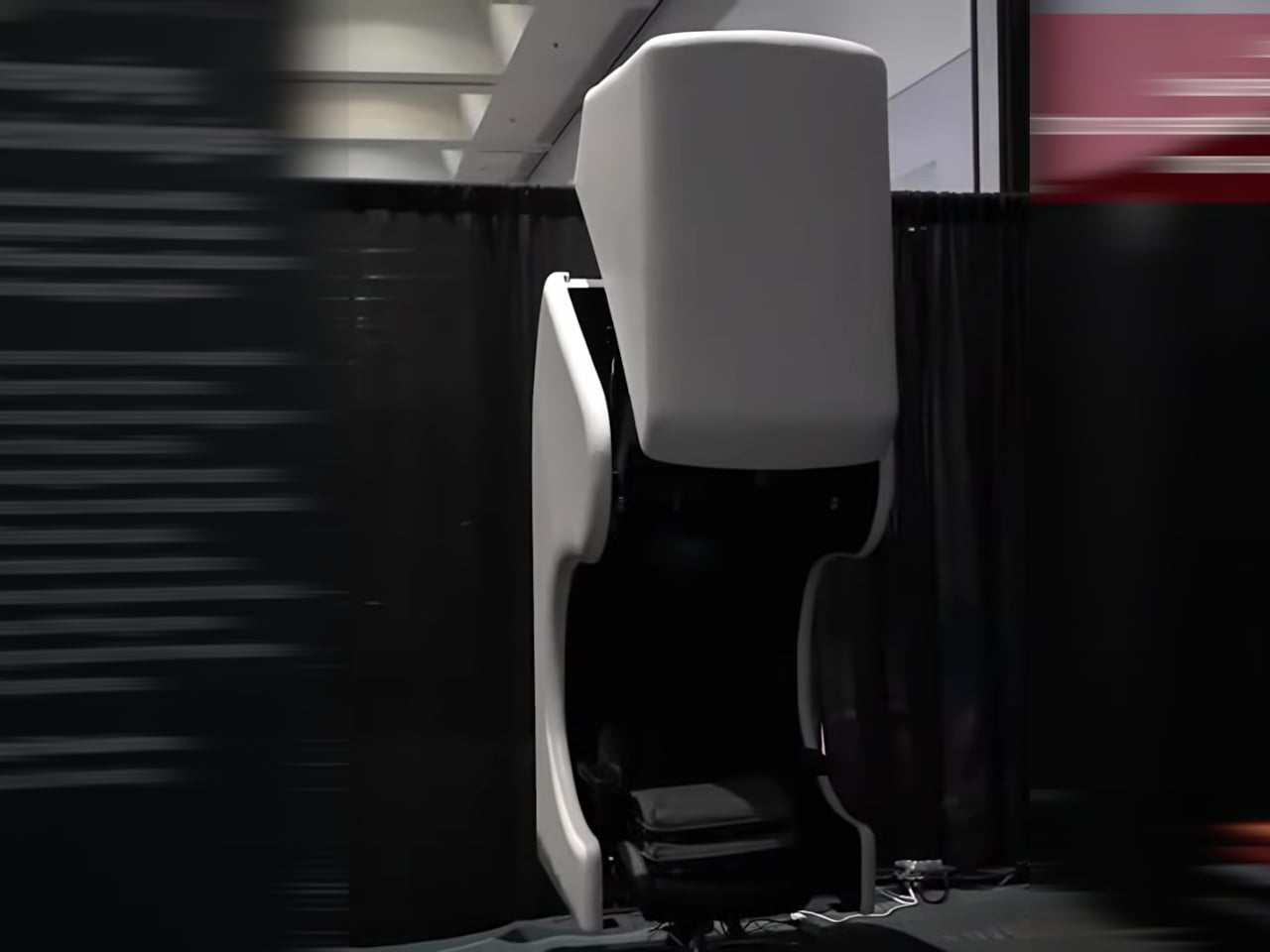
In July 2026, LiveLarge revealed the Flagship L-Space, a standalone AI-native room environment and the clearest physical statement of Zhang’s thesis so far. Light, sound, air, privacy glass, and a voice assistant called Lila are coordinated as one system rather than a pile of separate apps, organized around three modes: Focus, Reset, and Passion.

Space AI: the invisible housekeeper

The conceptual core of Space AI is a deceptively simple question: can AI give every household some version of what a housekeeper provides? Zhang keeps returning to the housekeeper image because it captures something the smart home industry never quite cracked. A housekeeper reads the room, observes what’s needed, and acts without being told every small step. A traditional smart home, by contrast, receives a command or follows a fixed rule, and it doesn’t understand the situation, decide what should be done, or make a plan. “Without a human housekeeper,” Zhang says, “the home itself has to listen, observe, understand, decide and act.” That’s the jump LiveLarge is trying to make. LLMs, multimodal models, and a maturing robotics ecosystem are what make the timing feel genuinely different now rather than aspirationally so.

The room integrates a 5.1 surround sound system, adaptive lighting, fresh-air circulation, a 4K short-throw projector, and privacy glass into a single coordinated environment, all orchestrated by an AI assistant called Lila. The three modes, Focus, Reset, and Passion, were shaped directly by early users rather than invented in a whiteboard session. “People do not really want smarter devices,” Zhang told us. “They want to focus better, relax, recover, or spend time on something they care about.”

LiveLarge makes some deliberate engineering choices when it comes to privacy, with pretty straightforward reasoning: a room that watches, listens, and learns is exactly the kind of product that erodes trust the moment something leaks. The first rule is to do as much computation locally as possible, and L-Space uses an NVIDIA Jetson Orin as its local AI computer, with a large part of the sensing, data processing, storage, and inference happening inside the product. Sensitive information, including conversations, biometric signals, and usage data, can stay local.

The system uses voiceprints to recognize regular users, each user has a separate history and profile, and User A cannot access User B’s conversations or usage records. The full permission system is still in development, but the architecture already accounts for different access levels across family members, guests, and service providers. Zhang’s framing is tidy: “Personalization only makes sense within the permission given by the user.”

The Flagship L-Space is what Zhang calls a “concept car,” and the analogy holds up across more dimensions than the marketing might suggest. The Standard and Flagship models share the same core Space AI platform, but the key addition in the Flagship is vision: locally processed computer vision that lets Lila recognize individual users, read gestures, and actually observe what’s happening in the room rather than waiting to be addressed.

Vision is, in Zhang’s view, one of the most important sensors for a future AI-native home, and once AI can actually see a space, many services that are difficult today become possible. He’s testing facial identification and gesture control as more natural interaction layers on top of voice, and all of it runs on-device because visual data inside a home should never casually leave the building. “The engineering question is simple,” he says. “If AI can really understand a room, what useful services can it provide to the people inside it?”

The biggest lesson in getting from concept car to delivered product is that a lab demo and a product are different engineering objects. In the lab, every cable, firmware version, network condition, and room setup is controlled. A delivered L-Space has to survive shipping, installation, startup, software updates, and daily use. The customer also needs to set it up quickly, understand how to use it, and trust that the basic functions will keep working over time.

At current production volumes, many subsystems still use consumer-grade components, and the challenge of packing computing, storage, networking, IoT control, audio, projection, sensors, and actuators into a compact structure without compromising acoustics or airflow is, as Zhang puts it, closer to vehicle electronics than construction. “A feature is not finished when it works once,” he told us. “It is finished when it works repeatedly in the customer’s space.”

Technology is reshaping architecture and interior design

What the home looks like ten years from now, in Zhang’s telling, reads more like a tech product manifesto than an architecture brief. The house becomes a device in the same way a phone or laptop is a device: one integrated hardware and software system where every new appliance, robot, or sensor plugs into a shared runtime rather than living as yet another isolated smart product.

He also believes the intelligence shouldn’t stay tied to any specific building. “If you move, the home model, preferences and memory should move with you,” he says. “The new house becomes the new body, but the agent continues.” For designers, he sees a real reskilling moment coming, one where sensor placement, robot clearances, and interaction architecture start sitting alongside floor plans and material palettes as standard deliverables.

LiveLarge’s roadmap for the second half of 2026 includes bringing Space AI into ADU and broader residential products, which means the concept car phase has a fairly clear expiry date. You can see what the company is building at livelargetech.com.

Click Here to Know More

The post This Startup Says Your House Should Be the Robot, Not ‘Have’ a Robot first appeared on Yanko Design.
The ZWO Seestar S50 Pro Shrinks a Hardware Store Into a Camera Bag

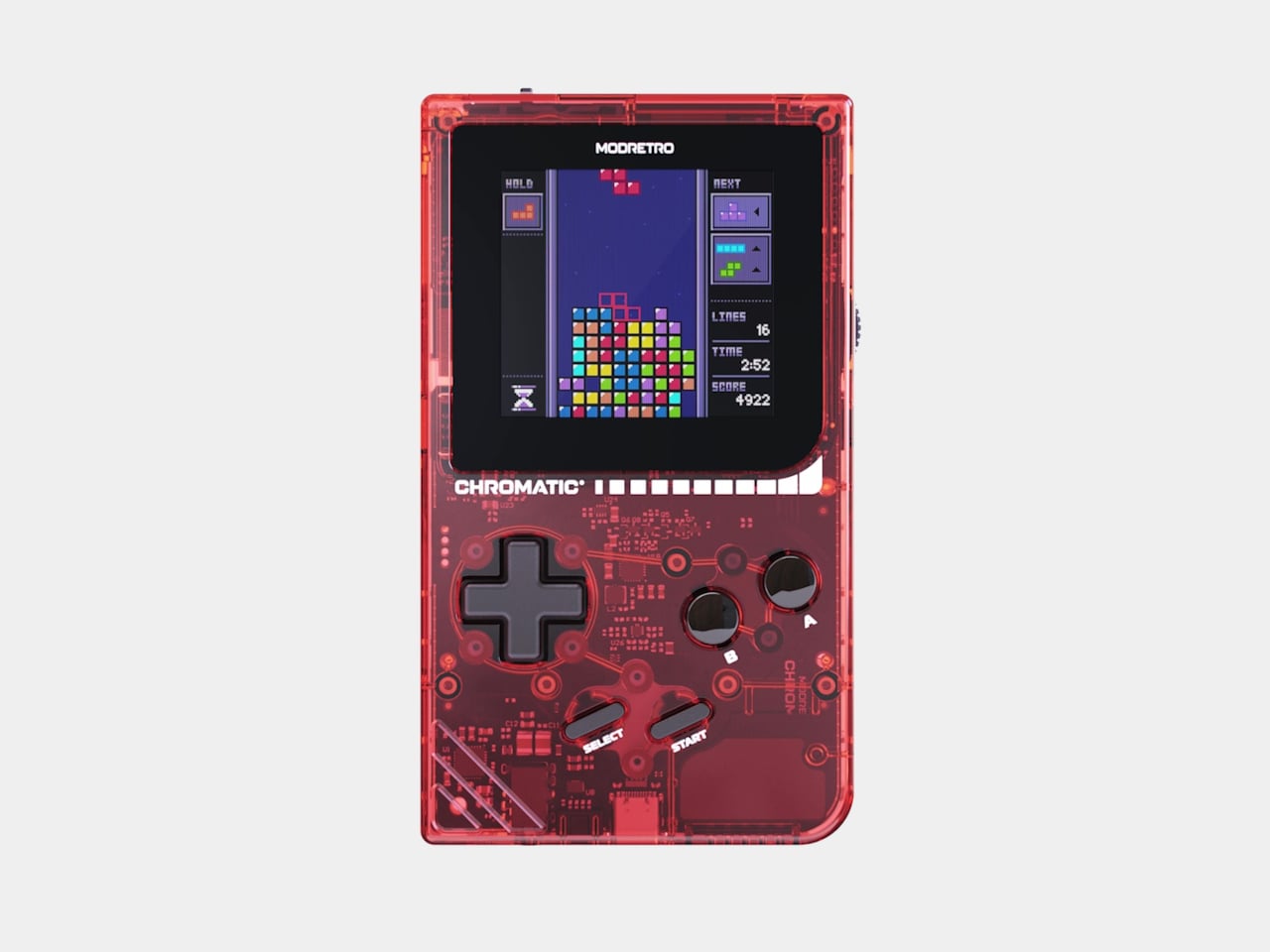
Astrophotography has always had a bit of a reputation problem. Getting a decent image of a nebula or galaxy typically means wrestling with a telescope, an equatorial mount, a dedicated camera, and enough cables to open a small hardware store. The ZWO Seestar S50 Pro changes that entirely, packing all of it into one tidy package you can carry out on a clear night.

At 2.8kg and folded down to roughly the size of a small camera bag, the S50 Pro is genuinely portable in a way that traditional astronomy rigs aren’t. There are no power cables to run, no separate computer to boot up, and no star alignment ritual to sit through. You just set it down on a tripod, open the app, and you’re already looking at the sky.

Designer: ZWO Astro

Click Here to Buy Now: $899 $999 ($100 off). Hurry, deal ends in 48-hours!

The optical heart of the Seestar S50 Pro is a four-element apochromatic lens built with extra-low dispersion glass, which is a meaningful upgrade that most beginner telescopes skip entirely. That 50mm aperture gathers substantially more light than the 30mm systems typically found at this price range, which means fainter structures become visible, and star shapes stay clean and round rather than bleeding into soft halos at the edges.

What makes the Seestar S50 Pro genuinely different from its predecessor is the dual-camera system. A telephoto camera with an 880mm-equivalent focal length sits alongside a wide-angle unit with a 63-degree field of view, and both cameras shoot at 4K resolution. The telephoto hunts for deep-sky details, while the wide-angle takes in the full sweep of the night sky above it.

That’s also where the Seestar S50 Pro makes a compelling case for shooting from cities or suburbs. A built-in triple filter system, including a dual-band light pollution filter targeting wavelengths specific to nebulae, pulls usable detail from skies that would otherwise wash everything out. A dark frame filter handles noise in longer exposures, and a magnetic solar filter handles the daytime shift.

The Seestar app, which runs the whole operation, doesn’t ask you to know much astronomy to get started. You tap a target, and the telescope finds it, locks on, and begins stacking exposures automatically. There’s also an AI assistant you can simply talk to, naming the object you want to see, and it handles positioning and capture without any further input from you.

The wide-angle camera is where the more visible creative benefits live. A single tap is all it takes to stitch a complete Milky Way arch, with the device planning and capturing every frame on its own. Star trail sessions convert automatically into videos showing the sky in motion over time, and telephoto mosaic stitching can push images all the way to 8K resolution.

The S50 Pro doesn’t put itself away when the sun comes up, either. The telephoto camera, with its 880mm-equivalent reach, works just as well for birdwatching, distant landscapes, or capturing rare solar events with the included magnetic solar filter. It’s a surprisingly capable long-range daylight imaging device that transitions naturally into a serious astrophotography rig once the sky goes dark.

The 10,000mAh battery keeps the S50 Pro running for up to nine hours, enough to outlast most late-night sessions without a power bank nearby. Underpinning the whole tracking system is a zero-backlash precision drive that holds steady even when the wind gets involved, which is particularly useful in equatorial mode, where individual exposures can stretch to 60 seconds. The Telescope Network feature lets you control the device remotely, which means a cloudy local sky doesn’t have to end a session if the telescope is stationed somewhere clearer.

Nine hours of battery, a footprint that fits in a backpack, and no manual alignment to wrestle with before you can start shooting. That’s the version of astrophotography the Seestar S50 Pro is making a case for, and it’s a convincing one. The sky has always been worth looking at. The S50 Pro just makes it considerably harder to run out of excuses not to.

Click Here to Buy Now: $899 $999 ($100 off). Hurry, deal ends in 48-hours!

The post The ZWO Seestar S50 Pro Shrinks a Hardware Store Into a Camera Bag first appeared on Yanko Design.
The Galaxy S26 FE Beats Samsung’s Own Flagships to One UI 9 at $700

The “Fan Edition” label has historically meant a Samsung phone that trades some flagship firepower for a more accessible price. The Galaxy S26 FE keeps that tradition mostly intact at $699.99, but it comes with something the Galaxy S26 Ultra, S26+, and S26 don’t have yet: One UI 9 running on Android 17 out of the box. The FE getting there first is a small reversal of the usual order.

That software distinction matters because One UI 9 is where most of the new things actually happen. The hardware story is relatively familiar: a 6.7-inch FHD+ Dynamic AMOLED 2X display at 120Hz with 1,900 nits peak brightness, an Exynos 2500 chipset on a 3nm process, 8GB of RAM, and a 4,900mAh battery. The Exynos 2500 is a step up from the Exynos 2400 in the S25 FE, with a beefed-up AMD RDNA 3-based GPU and a more capable NPU.

Designer: Samsung

One of the new One UI 9 features making its debut here is My FanCam, which automatically tracks a person in a video by zooming in and keeping them centered in frame. It works with videos already in your gallery, not just footage shot in a special mode. Record someone’s performance or activity, pull it up afterward, and My FanCam can isolate the subject for a clean, social-ready clip without any manual editing.

Horizon Lock addresses a different problem: shaky handheld footage. It keeps video level even if the phone rotates up to 360° during recording, which is useful for any situation where you’re moving while shooting and can’t stop to stabilize the frame. Add that to Photo Assist’s AI editing tools, and you have a camera experience that does more of the grunt work automatically than any previous FE has offered.

The triple rear camera system uses a 50MP main sensor with OIS, a 12MP ultrawide at 123°, and an 8MP telephoto with 3x optical zoom and up to 30x digital zoom, all with OIS. The 12MP front camera handles video calls and selfies with a wide 85° field of view. The camera design itself has been updated to align more closely with the rest of the S26 series, which gives the FE a less immediately distinct look from the higher-end models.

Charging is 45W wired, which gets the 4,900mAh battery to 69% in approximately 30 minutes. Wireless charging tops out at 15W, and Wireless PowerShare is included. The build uses Gorilla Glass Victus+ on both the front and back, an aluminum frame, and IP68 water resistance. Connectivity covers Wi-Fi 7, Bluetooth 5.4, and 5G, along with an in-display fingerprint sensor.

Seven years of OS updates and security patches are promised, which extends the phone’s useful life considerably. In Pistachio, Blueberry, and Graphite, it goes on sale September 4, with select carriers beginning a day earlier. It’s the FE format doing what it’s always done, just this time with a software stack the rest of the lineup hasn’t caught up to yet.

The post The Galaxy S26 FE Beats Samsung’s Own Flagships to One UI 9 at $700 first appeared on Yanko Design.
Huawei MatePad Air 2026 Review: The OLED Upgrade Changes Everything

PROS:


  • Excellent 12-inch OLED PaperMatte display

  • Slim and lightweight design

  • Strong speaker performance

CONS:


  • No native Google service out of the box

  • Software support period is not clearly defined

RATINGS:

AESTHETICS
ERGONOMICS
PERFORMANCE
SUSTAINABILITY / REPAIRABILITY
VALUE FOR MONEY

EDITOR'S QUOTE:

The OLED upgrade does most of the heavy lifting, but the MatePad Air 2026’s real strength is how well its design, ergonomics, and stylus experience come together.
award-icon

Huawei has been making tablets for long enough to know that raw specs are only half the story. Plenty of slates have big screens, fast refresh rates, and keyboard cases. What separates the memorable ones from the forgettable ones is how they feel when they slip into your day. That is the angle Huawei is chasing with the MatePad Air 2026, a tablet that wants to look stylish, travel light, and still feel capable enough for proper work when the moment calls for it.

On paper, it makes a strong first impression. The MatePad Air 2026 features a 12-inch OLED display, an optional PaperMatte finish, a very slim 5.3mm body, a weight of 509g, a 144Hz refresh rate, a 10,100mAh battery, and a six-speaker setup. The biggest upgrade over the 2025 model is the move from an IPS LCD panel to OLED, and it gives the tablet a much stronger foundation for entertainment, note-taking, and everyday use.

Designer: Huawei

Aesthetics

The MatePad Air 2026 seems designed by people who are tired of serious-looking tablets. That is a compliment. Most premium slates still arrive in some variation of grey metal and call it sophistication, but Huawei has gone in a softer direction here with White, Airy Blue, and Sakura Pink finishes that feel more lifestyle-minded. I received the Sakura Pink version, and it gives the tablet a warmer, more distinctive look than the usual sea of neutral-toned rivals.

The finish itself is a big part of the appeal. The back panel uses a pearlescent e-coating process with natural mica powder, which gives the surface a soft-touch feel and a subtle glow under light. It feels more inviting than the average metal slab, and that extra bit of texture helps the tablet come across as something more personal and less industrial.

There is also a welcome amount of restraint in the design, and even the camera island follows that philosophy. The oval module sits in the upper-right corner with a raised, layered construction, but it avoids the harsh look that camera bumps can sometimes have. Its lower section uses a brushed, color-matched metallic finish, topped by a thin polished metallic strip for a subtle accent. The black camera module is framed by a matching outline, while a polished silver Huawei logo sits at the center.

Huawei also deserves some credit for carrying that design thinking through to the accessories. The MatePad Air supports the M-Pencil Pro, and in the Sakura Pink version, the bundled stylus comes in a matching color. The M-Pencil Pro is not sold separately in that finish, which is a bit of a shame, but it is still nice to see a color-matched stylus included. It makes the whole package feel more cohesive, and it adds a bit of charm to a category that often forgets accessories can be part of the design story too.

Ergonomics

At 509g and 5.3mm thick, the MatePad Air 2026 feels impressively manageable for a 12-inch tablet. This is the kind of device you can carry all day without feeling like you packed a second laptop. It matches the Huawei MatePad Pro 13.2 in weight while coming in noticeably thinner, and Huawei also says it is 0.8mm thinner than the iPad Air 7.

That slim profile makes a real difference in daily use. The MatePad Air feels easy to hold for reading, sketching, or watching videos, and it never comes across as bulky or awkward. Thin tablets can sometimes feel fragile, but that is not the case here. Despite how light it is, the body feels solid and well put together.

Just as importantly, slim and light does not mean delicate. The chassis feels sturdy in the hand, and it does not bend easily. Even when I tried flexing it harder than anyone normally would, it did not feel worrying. That gives the tablet a reassuring sense of durability, which matters on a device built to travel.

The back panel also helps. Its texture feels nice in the hand and gives the tablet a softer, less slippery feel than a plain metal finish. The M-Pencil Pro feels good in the hand, too. Its matte finish gives it a comfortable grip, which makes a difference during longer writing or sketching sessions. There is also a squeeze function and a physical button at the top of the pen, and both feel practical without getting in the way.

Performance

The latest Huawei MatePad Air upgrades to a 12-inch OLED PaperMatte display, replacing the IPS LCD panel on its predecessor. It is easily one of the tablet’s biggest selling points. The panel has a 2800 x 1840 resolution, a pixel density of 275ppi, support for 1.07 billion colors, P3 wide color gamut, a dynamic refresh rate ranging from 30Hz to 144Hz, and peak brightness of up to 1,200 nits.

That move to OLED brings the kind of benefits you would expect. Blacks look properly deep, colors have more pop, and contrast feels richer overall. Paired with the 92 percent screen-to-body ratio, the MatePad Air delivers a very enjoyable viewing experience, especially when watching films with darker scenes where the extra contrast really helps.

The PaperMatte finish is what makes the screen feel a little different from the usual premium tablet display. It cuts down glare well enough that I could sit near a window and still enjoy what I was watching without constant reflections getting in the way. That alone makes the tablet more comfortable to use in bright environments, and it adds a practical edge to what is already a very good-looking panel.

The PaperMatte finish also helps when it comes to writing and drawing. It adds a bit of texture to the surface, so the stylus does not glide too freely across the screen. That makes note-taking and sketching feel more controlled and a little closer to pen on paper.

Audio also adds to the experience. The tablet uses a six-speaker system with dedicated drivers handling different frequencies. Four of them focus on the lower end, which helps give the MatePad Air fuller and deeper bass than you would normally expect from a tablet this slim.

Together, the display and speaker setup make the MatePad Air feel well suited to entertainment. Whether I was watching videos, sketching, or just browsing in a bright room, the hardware consistently played to the tablet’s strengths. This is a tablet that clearly puts a lot of emphasis on the sensory side of the experience, and for the most part, that effort pays off.

Powering the tablet is Huawei’s Kirin T93C chipset, paired with either 8GB or 12GB of RAM and 256GB of storage. In day-to-day use, performance feels smooth and responsive, whether I was jumping between apps, taking notes, browsing, or doing light creative work. It feels fast enough for the kind of tasks most people are likely to throw at a tablet like this, though this is still more of a productivity and media machine than a device built to show off raw benchmark muscle.

Huawei also puts some focus on sustained performance. The MatePad Air uses a 3D cooling design to help manage heat, and that matters on a thin tablet where thermal limits can show up quickly under heavier use. In practice, the tablet stays comfortable to hold, which is arguably just as important as outright speed in a device designed for long reading, drawing, or viewing sessions.

The tablet runs HarmonyOS 4 out of the box, and that comes with the usual Huawei caveat. Google services are not available natively, so the setup is not as straightforward as it is on a regular Android tablet. There are workarounds such as GBox through Huawei’s AppGallery, and getting things up and running is not especially difficult, but it is still an extra step that some users may not want to deal with.

Huawei leans heavily on apps like HUAWEI Notes, GoPaint, and WPS Office to make the MatePad Air feel more useful as a work and creativity device. HUAWEI Notes and GoPaint make the most sense here, especially with the M-Pencil Pro, and they help the tablet feel more purpose-built for note-taking and sketching than a generic large-screen slate.

Battery life is solid. The MatePad Air packs a 10,100mAh battery, which gives it enough stamina for a full day of mixed use without much anxiety. Whether I was watching videos, browsing, writing, or sketching, it felt like a tablet built to last through the day rather than one that constantly pushes you toward the charger.

Charging is also reasonably quick. Huawei rates it for 66W wired charging, which helps take some of the stress out of topping up a battery this large. That is especially useful for a device meant to move between work, entertainment, and creative tasks, because it makes the MatePad Air easier to treat like an all-day companion rather than something you need to plan around.

Sustainability

Sustainability is not just about materials. It is also about how long a device can stay in use, and the MatePad Air 2026 makes a fair case for itself here. Huawei says the body’s resistance to warping has improved by 10 percent compared with the MatePad 12X, and that it can handle an additional load equal to 50 percent of its own weight with only around 1mm of flex. Those are brand claims, but they do support the sense that this is a thin tablet built to hold up well over time.

That said, durability is only part of the picture. Huawei does not publish a fixed multi-year guarantee or a clear end date for software support, which makes the long-term outlook harder to judge. The hardware may be built to last, but without a clearer update commitment, the MatePad Air 2026’s sustainability story feels incomplete.

Value

The MatePad Air 2026’s value depends heavily on the market, since pricing and bundles vary. Huawei also splits the lineup differently depending on region, which can make the tablet feel more or less competitive at first glance. In some markets, it is sold in Standard Edition and PaperMatte Edition versions, with 8GB + 256GB and 12GB + 256GB configurations available.

In certain markets, the 8GB + 256GB PaperMatte Edition is priced at €799 and includes either a Glide Keyboard or an M-Pencil Pro. That is firmly flagship pricing, but the bundle helps justify it, especially since the accessories are a big part of the overall experience. For buyers who want the PaperMatte display and plan to use the stylus or keyboard, the value looks fairly strong.

Verdict

The Huawei MatePad Air 2026 makes a strong case for itself with its slim design, excellent OLED PaperMatte display, solid battery life, and thoughtful stylus support. It feels well suited to people who want a premium tablet for reading, sketching, note-taking, and entertainment without carrying something heavy or awkward.

The main caveat is the software experience. HarmonyOS is usable, but the lack of native Google services still makes it less straightforward than a regular Android tablet. If that is not a dealbreaker for you, the MatePad Air 2026 stands out as a stylish and versatile tablet with a lot going for it.

The post Huawei MatePad Air 2026 Review: The OLED Upgrade Changes Everything first appeared on Yanko Design.
Harley-Davidson’s $3,299 Turntable Is Shaped Like Their Logo

The moment you see the Pro-Ject x Harley-Davidson Turntable, you know exactly what it is, and you know exactly who it is for. That kind of immediate clarity is rare in product design, and it is worth paying attention to.

Pro-Ject Audio has built a reputation for doing collaborations the right way. The Austrian turntable maker has previously teamed up with The Beatles, Pink Floyd, Metallica, AC/DC, and Elvis Presley, and the pattern across all of them is consistent: these are not logo-on-a-box exercises. Pro-Ject uses each collaboration as an opportunity to rethink the physical design of the hardware itself, from the ground up. The Harley-Davidson edition follows that same standard, and arguably pushes it further than any of its predecessors.

Designer: Pro-Ject

The plinth, which is the chassis of the turntable, is literally shaped like the Harley-Davidson Bar & Shield logo. Not decorated with it. Shaped like it. That distinction matters more than it might initially seem. It means every design decision radiates from an identity that already carries enormous cultural weight, and Pro-Ject had to make the engineering work around that shape without cutting corners. The result is a chassis milled from solid MDF with no hollow spaces, which ensures maximum resonance damping and a dead-quiet noise floor. A precision-milled aluminum top surface sits above it. The whole thing looks like it belongs in a museum of industrial design, or possibly a very well-curated garage.

The materials continue the story. Polished aluminum, stainless steel, and a genuine leather platter mat that echoes the texture and feel of a classic Harley saddle. The 300mm glass platter sits above a diamond-cut aluminum sub-platter, and the total moving drive mass clocks in at 2.75 kilograms. The 915-gram Harley-Davidson record puck alone communicates seriousness. This is not a turntable that was assembled casually.

Then there is the tonearm. A hand-polished 8.6-inch S-shaped aluminum arm with an SME-style removable headshell, high-purity copper internal wiring, and a TPE-damped counterweight. The removable headshell is more useful than it might initially appear, because cartridge swapping becomes considerably easier, and Pro-Ject designed the arm to accommodate a wide range of cartridges for anyone who eventually wants to upgrade beyond the included Pick it PRO moving-magnet cartridge. Out of the box, it is ready to play. Down the road, it is ready to grow.

It is handmade in Europe, available for special order, and priced at $3,299. That is not an entry-level number, and it was never trying to be. Placed next to a $40,000 motorcycle inside a Harley-Davidson showroom, which is apparently one of the places where these will be sold alongside traditional hi-fi dealers, the price reads very differently. Context shifts perception. That is also one of the more quietly brilliant moves of this entire release: distributing it through Harley showrooms introduces serious audio equipment to an audience that may have never walked into a dedicated hi-fi store. That kind of crossover is genuinely good for the culture of listening.

My honest take is that this collaboration works because neither brand had to compromise to get here. Harley-Davidson’s visual identity is so iconic that a lazy licensed product would have been obvious immediately. Pro-Ject’s reputation is built on engineering, not lifestyle branding, so a piece that looked great but performed poorly would have been an embarrassment. The fact that both came away intact says everything about how seriously this was approached.

Production is limited, with no confirmed quantity and no guarantee of a second run. If the convergence of motorcycles, vinyl, leather, aluminum, and genuine hi-fi performance speaks to you at all, waiting feels like an unnecessary gamble. Some objects exist at exactly the intersection of who you are, and this turntable is very specifically that for a certain kind of person: someone who values craft, has opinions about sound, and is not apologetic about having taste with an edge. The open road has always had a soundtrack. Now it finally has a turntable to match.

The post Harley-Davidson’s $3,299 Turntable Is Shaped Like Their Logo first appeared on Yanko Design.
A Korean Designer Just Built the Lucky Charm Gen Z Always Wanted

I’m not a huge believer in horoscopes or fortune-telling, but I do enjoy reading those random fortune cookie sayings. I also like those “screenshot your fortune” or “tap to see your horoscope for today” posts on Instagram. So when I saw TOBI and how simple but fun this little accessory is, I knew I’d want one if it ever becomes an actual product I can buy.

TOBI is a concept for a Tamagotchi-like device that gives you random one-line fortune messages every time you press the button. Rather than just a machine spewing out these lines, it is a keyring-sized device designed to have a personality and be your “friend,” giving you advice or horoscopes whenever you need some random motivation.

Designer: YuJung Jung

This “cyber friend” comes in a compact oval design that can fit into your wallet, bag, or even clip onto a belt loop. Just hold the button for a couple of seconds and it will introduce itself to you, then give you the one line you may be looking for to kickstart your day. There are no additional features, just a message whenever boredom or curiosity strikes. Instead of reaching for your phone and doom-scrolling, you just press the button and get your one line.

The renders show that it will come in different colors to match your preference. The screen that shows the message takes up about a third of the surface. It scrolls horizontally in a computer-like font, just like unfurling a slip of paper from a fortune cookie. Even though it’s just a keyring, it’s designed to feel like a little companion you’ll want to keep close, like a pocket-sized pet, except you don’t need to feed it or keep it alive.

What makes TOBI stand out from the sea of minimalist gadgets being designed right now is the emotional intent behind it. Seoul-based industrial designer YuJung Jung didn’t set out to build another piece of tech. The goal was to create something that sits closer to a charm or a lucky trinket than an actual device, the kind of object you carry not because you need it, but because it means something to you, or at the very least, makes you smile. Jung even developed the proportions through repeated sketches, and the familiar metal keyring was a deliberate choice, one that places TOBI squarely in the same category as the amulets and lucky charms people have carried for centuries. That’s a surprisingly rare thing to aim for in the world of product design, and it’s exactly what makes TOBI feel so different.

There’s also something quietly rebellious about the whole concept. TOBI is deliberately, almost stubbornly, simple. In a time when every app, gadget, and wearable is competing for your attention with notifications, feeds, and endless features, TOBI offers exactly one thing: a single sentence, delivered when you choose. No algorithm deciding what you see. No pressure to keep scrolling. Just one line that you can carry with you, or choose to let go of.

It also lands right at the intersection of two things that are genuinely having a moment, tactile collectible objects and fortune-telling culture. Whether it’s tarot cards, birth chart apps, or manifestation journaling, people are leaning hard into mystical rituals right now. TOBI takes that same energy and wraps it in something you can hold in your hand and clip onto your keys. That’s a combination that feels both timely and timeless, the kind of thing you’d gift to a friend who already has everything.

For now, TOBI remains a concept, a beautifully realized one, but a concept all the same. There’s no release date, no crowdfunding page, and no price tag attached just yet. But honestly, the fact that it doesn’t exist yet somehow makes it more exciting to follow. Thoughtful, specific designs like this don’t always stay as renders forever. And if TOBI ever does make it to shelves, I have a feeling the waitlist would be very, very long, and I’d be somewhere near the front of it.

The post A Korean Designer Just Built the Lucky Charm Gen Z Always Wanted first appeared on Yanko Design.
Andover Audio’s FreePlay Is the Boombox We Always Wanted

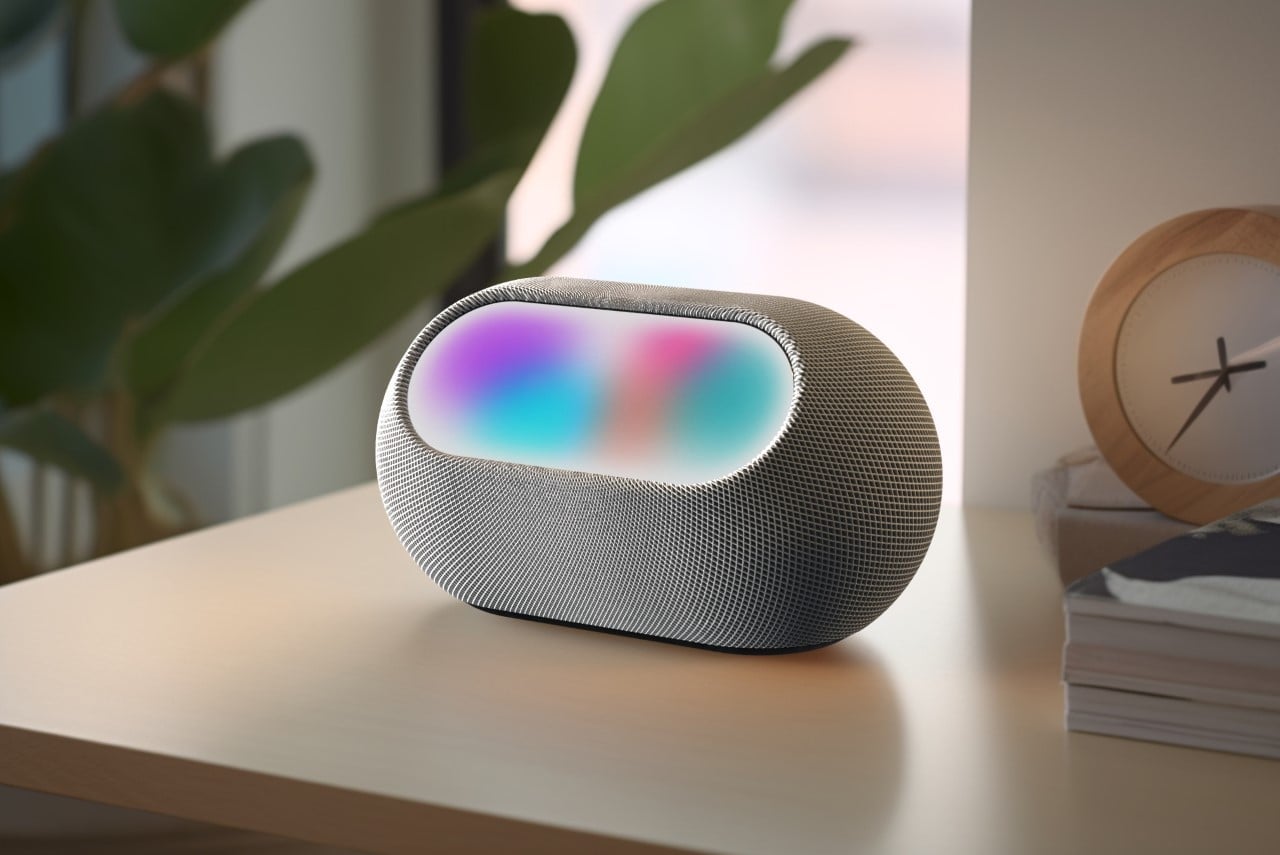
There’s a version of audio history where the boombox never went away. It just got smaller, cheaper, and unfortunately, a lot worse. The portable speaker category that exists today is essentially the boombox’s spiritual successor, and for most of its life, it’s been optimized for volume over everything else. Loud, plasticky, and designed to look tough rather than good. John Cusack’s character in Say Anything held that iconic box over his head because it was the most powerful sound system you could carry. Today’s equivalent should be doing better. The FreePlay, Andover Audio’s first portable speaker, makes a convincing argument that it finally is.

Andover Audio is a Boston-based brand that built its name on compact hi-fi systems, all-in-one record players, and powered speaker bases. Their entry point has always been “Hi-Fi for Modern Living,” which is a way of saying serious sound without the serious footprint. The FreePlay takes that same philosophy and adds a handle.

Designer: Andover Audio

And it is a real handle. The FreePlay is not a pocket speaker. At 10 inches tall, 13 inches wide, 6.5 inches deep, and nine pounds, it occupies real space. Fold-down carry handle, utility tie-down bars on each side, IP67 dust and water resistance. It’s built to be moved, secured, taken somewhere, and left out in the rain without incident. A matching shoulder bag with a cinch-top closure ships with every unit. This is not the brand’s afterthought moment. The packaging alone signals that someone thought carefully about the full experience.

The design is where the FreePlay earns the most attention, and rightly so. Available in Ivory, Olive, and Slate, it reads less like a piece of outdoor gear and more like something from a well-considered interiors brand. The soft aesthetic and clean lines have more in common with Scandinavian furniture than the rugged-industrial styling that dominates this category. It looks appropriate on a bookshelf, on a kitchen counter, or on a patio table. That kind of design versatility is harder to achieve than it sounds, and most competitors don’t bother trying.

Inside, the FreePlay runs a true stereo architecture: dual 5.25-inch aluminum-cone woofers with neodymium magnets, twin 25mm dome tweeters, and a 160mm rear-mounted passive radiator. Frequency response runs from 55Hz to 20kHz. For a portable speaker, this is a serious driver setup, and the key word in all of it is stereo. Most portable speakers collapse a recording into a single mono channel to save space, which is why so much outdoor audio sounds flat, harsh, and fatiguing over time. The FreePlay keeps left and right channels separate, preserving the actual width and dimensionality of a stereo mix. Instrument separation, tonal depth, and bass weight are treated as requirements here, not extras.

There are two listening modes: Wide Range, which is the default hi-fi EQ, and a Loud Mode that adds 6dB of output for moments when the crowd and the wind are both working against you. It’s a practical concession, and having it as a toggle rather than a default keeps the sound quality intact until you actually need the boost.

On the connectivity side, the FreePlay runs Bluetooth 6.0 with LE Audio and supports LC3, AAC, and SBC codecs, which covers stable wireless performance even in crowded environments. There’s a 3.5mm aux input, a microphone input, and a broadcast mode that can link up to 99 FreePlay units simultaneously for synchronized playback. Battery life is rated at 24 hours. The charging setup is genuinely impressive. A 45W USB-C port handles bidirectional fast charging, meaning it powers the speaker and can charge external devices. A 5W Qi wireless charging pad sits on the top deck so your phone charges while the music plays. A 45W wall charger ships in the box, which is more than most brands at this price point bother to include.

Controls live entirely on the top panel. Volume, track selection, pairing, battery status, listening modes are all accessible without opening an app. It’s a quiet design decision that respects the user’s time and attention in a way the category has long overlooked. The boombox was always about taking music somewhere it wasn’t supposed to go. The FreePlay understands that, and it adds everything the original couldn’t.

The post Andover Audio’s FreePlay Is the Boombox We Always Wanted first appeared on Yanko Design.
The 7-in-1 Charging Station That Actually Belongs on Your Desk

At some point, most of us made peace with the idea that the charging situation on our desks would always be a little ugly. A tangle of cables running to a flat power strip wedged behind the monitor, a USB hub perpetually on the verge of toppling, a wall wart blocking every outlet beside it. We accepted the chaos because the alternative was supposedly to sacrifice power for aesthetics, or aesthetics for power. The MFish E-Tank 7-in-1 Desktop Charging Station argues that’s a false choice. After looking closely at what this thing actually delivers, I think it has a strong point.

The E-Tank brings four USB-C ports and three AC outlets into a single compact station, pushing up to 240 watts of total shared output and up to 140 watts through a dedicated USB-C port via PD 3.1 fast charging. That single-port output alone can charge a MacBook Pro 16″ to 50% in roughly 30 minutes, which is the kind of performance that used to require a dedicated wall brick eating up half a power strip on its own. The three AC sockets are generously spaced, too, so chunky adapters actually fit side by side without blocking each other. That detail alone signals that the designers thought practically first and aesthetically second, which is the right order for hardware that has to work every day.

Designer: MFish

What powers all of this under the hood is GaN 6.0, the latest iteration of gallium nitride technology that has been quietly rewriting the rules of compact charging hardware for a few years now. Compared to traditional silicon-based designs, GaN runs cooler, delivers more power in a smaller form factor, and tends to be more energy-efficient overall. MFish pairs it with smart load-balancing zones that automatically adjust output based on what’s connected, so a power-hungry laptop and a low-demand pair of earbuds aren’t competing for the same allocation. It’s the kind of intelligent background function that doesn’t announce itself loudly, but you feel its absence when it’s not there.

The design is where things get genuinely interesting. The E-Tank doesn’t look like a power station. It has a clean, upright form, an anti-slip suction cup base that keeps it anchored to your desk, and a touch-controlled RGB ambient light ring that can cycle through colors and modes or switch off entirely for a more understated look. The fact that it also comes in a soft pink colorway alongside the standard version is a deliberate design choice I appreciate. It signals that MFish isn’t building exclusively for the gaming setup crowd, and that charging hardware doesn’t have to default to aggressive all-black aesthetics to be taken seriously as a product.

The RGB feature will split people, and that’s fair. If your workspace leans professional or minimal, even a soft ambient glow can feel like noise. But the touch control makes switching it off immediate and simple, so it reads as a bonus layer rather than a core identity. I’d call it an optional mood element rather than a defining one, which is exactly how these things should work.

At $129.99, the E-Tank isn’t budget-range, but it’s reasonably priced given what it covers. Seven ports across two format types, GaN 6.0 internals, dual-zone protection running continuously, and a form compact enough to sit on your desk without dominating it. Compare that to piecing together a separate USB-C hub, a power strip, and a standalone fast charger, and the cost starts to feel more proportional fairly quickly.

The larger statement the E-Tank makes is one the tech industry has been slow to fully absorb: the tools and accessories that live on your desk every single day deserve the same level of design intention as the devices they support. A charging station isn’t just utility infrastructure. For most people, it’s one of the most-used objects in their entire workspace. A product that handles serious power while still looking considered and intentional is a genuinely different thing to own, and MFish is making a real case for that with this one.

The post The 7-in-1 Charging Station That Actually Belongs on Your Desk first appeared on Yanko Design.
The Click Wheel Is Back, and This Pocket Player Has 4 DACs

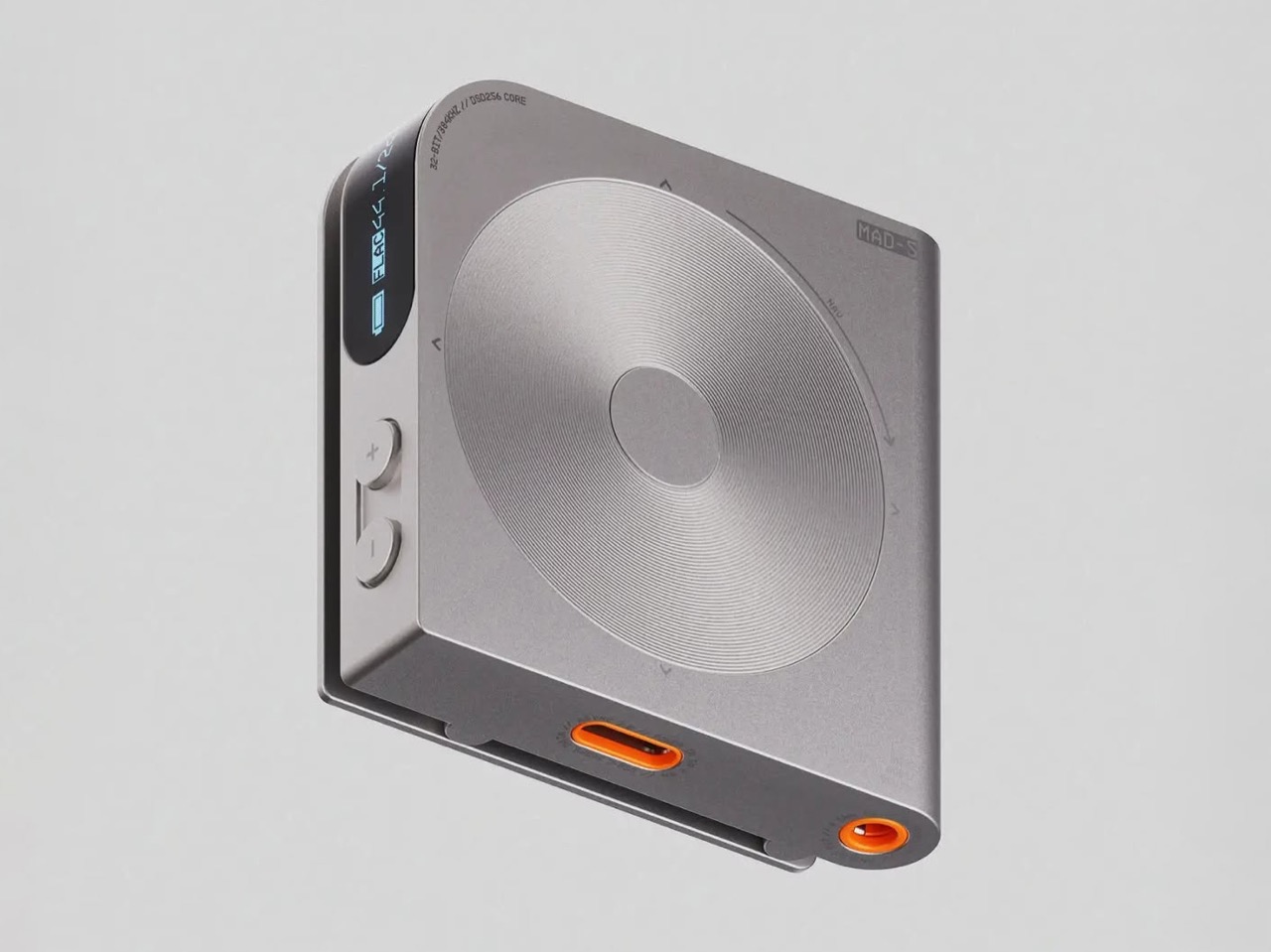
The Shanling Q2 is a pocket-sized hi-fi player that fits four Cirrus Logic CS43131 DAC chips into a body smaller than most wallets. It measures 80mm x 50mm x 13.5mm, weighs 83g, and supports PCM up to 768 kHz/32-bit alongside native DSD512 playback. It also has a Click Wheel, which, depending on your age, will either mean nothing to you or mean a great deal.

The Click Wheel here is a touch-sensitive ring that sits alongside a 2.09-inch touchscreen, giving you two ways to move through menus and adjust volume. The touchscreen handles the broader interface work while the wheel handles the tactile stuff, volume adjustments and quick navigation without staring at a screen. Four physical buttons round it out. The combination is deliberate and slightly nostalgic, and it works.

Designer: Shanling

Those four DAC chips working in tandem are why the audio section matters. Through the 4.4 mm balanced output, the Q2 pushes up to 425mW into a 32 Ω load, which is enough to properly drive full-size headphones that most portable players give up on. The 3.5mm unbalanced output still delivers 120mW. Both gain settings, low for sensitive in-ear monitors and high for harder-to-drive cans, give you control over the amplifier’s output to match your headphones precisely.

One of the more useful things the Q2 can do is disappear into your current setup rather than replace it entirely. The bidirectional Bluetooth 5.2 works in both directions: as a transmitter to wireless headphones and speakers, and as a receiver that turns the Q2 into a DAC and amplifier for your smartphone. Plug a set of wired headphones into the Q2, pair it with your phone via Bluetooth, and you get a meaningful upgrade over your phone’s built-in audio without any extra hassle.

There’s no internal storage, which keeps the Q2 light and simple, but the microSD slot accepts cards up to 2TB. Most high-resolution music libraries won’t come anywhere near filling that, but it’s generous enough that the storage question essentially disappears. The dual-band Wi-Fi supports AirPlay and DLNA for wireless streaming, and native Tidal support means you don’t have to rely on stored files at all if you’d rather not.

Battery life holds up well relative to what’s being asked of the hardware. The 3.5mm output gets up to 13.5 hours; the balanced connection trims that slightly to 12.5 hours. Run the Q2 as a Bluetooth receiver using LDAC, and you get up to 16.5 hours, which comfortably covers a long-haul flight or a full day of listening without needing to think about charging.

The aluminum-alloy frame and glass rear panel keep it feeling premium in hand, and available colors are Smoky Grey, Moonlight Silver, and Twilight Orange. The MTouch OS runs on an Ingenic X2000 processor, and the interface is reportedly clean and fast enough that it doesn’t get in the way of actually using the player. In USB DAC mode, it extends its usefulness to desktop setups, handling PCM up to 384 kHz/32-bit from a connected computer.

The Q2 retails at around $269, which puts it squarely in the serious-but-not-extreme tier of portable hi-fi. It ships with a case, a USB cable, and a manual, and it’s available in all three colorways from launch. For anyone who has ever felt their phone was the weak link in an otherwise respectable headphone setup, the Q2 is a reasonably direct answer to that specific frustration.

The post The Click Wheel Is Back, and This Pocket Player Has 4 DACs first appeared on Yanko Design.
BenQ Just Made a $189 iMac Light Bar That Looks Like Apple Designed It

The iMac has always had a light bar problem. You could put any number of BenQ ScreenBars on top of one, but they’d cover the camera, block the microphone, or clip over the Apple logo on the back. None of them were made for it. The BenQ iScreenBar is the first that actually is, and it arrives at $189, looking like it was designed by the same people who designed the computer it sits on.
The construction makes the case immediately. Unibody aluminum with a glass touch panel, finished in Silver to match the iMac directly, mounting via a custom magnetic clamp on the back rather than a standard monitor clip. A magnetic cable clip routes the USB-C power cord out of view. The rear logo, the camera, and the microphone all remain unobstructed. It’s the kind of detail that should have been obvious from the start but apparently wasn’t until now.
Designer: BenQ

Compatibility is specifically tuned to the 24-inch iMac from 2021 onward. That USB-C connection does more than just carry power. It lets the iScreenBar communicate with the iMac directly, enabling a dedicated macOS app for software control of brightness and color temperature. It also means the light bar knows when the camera is active, which feeds into one of the more useful features here.

That feature is Video Mode. When the iMac’s built-in webcam turns on, the iScreenBar automatically shifts its output to reduce bright spots on the user’s face, giving calls and recordings a more balanced, flattering light rather than the harsh overhead glow that most desk setups produce. Nobody wants to look like they’re being interrogated from below during a team call, and Video Mode addresses that without any manual intervention.

The light itself uses BenQ’s ASYM-Light optical design, which angles illumination downward toward the desk rather than toward the screen. That means no glare, no hotspots reflecting back from the display, and lighting that reaches an area of roughly 33.5in x 19.7in at 500 lux. The glass touch panel on the bar handles brightness and color temperature adjustments directly, and auto-dimming keeps the workspace at a consistent level as conditions change.

Blue and Green colorways, two of the iMac’s most popular colors, are planned for late 2026. The Silver version is the only one available at launch, which is also the most versatile option since it matches every iMac color reasonably well. For buyers committed to a Blue or Green iMac, the wait might be worth it for a more cohesive result, but the Silver still looks deliberately matched rather than generically attached.

BenQ’s existing ScreenBar lineup has been a reference point in desk lighting for years, with options ranging from $109 for the standard bar to $179 for the Halo 2 and $289 for the new ScreenBar Max built for dual-monitor setups. The iScreenBar slots in at $189, making it competitive with the premium end of that range while offering something none of the others can: a mount that actually fits the iMac the way it was intended, rather than sitting on top of it like an afterthought.

The post BenQ Just Made a $189 iMac Light Bar That Looks Like Apple Designed It first appeared on Yanko Design.