5 Architectural Designs That Redefined Our Expectations In 2025

Architecture has always been about solving problems, but the best designs do something more—they make us reimagine what’s possible. This year brought us structures that challenged architectural conventions, from a brilliant garden shed that conquered Britain to a groundbreaking skyscraper that’s rewriting Manhattan’s sustainable playbook. Each remarkable project represents thoughtful architectural design responding to real human needs with exceptional intelligence, creativity, and purposeful innovation that truly inspires us all today.

These five projects share remarkable qualities that prove great design isn’t about size or budget, but about understanding human needs deeply. Whether Robinson’s ingenious workshop flaps, Baluchon’s light-filled creativity, Foster’s sustainable innovation, Ando’s poetic restraint, or LH47’s community insight, each demonstrates that architecture’s greatest power lies in intelligent problem-solving. They transform ordinary activities into extraordinary experiences through thoughtful design that enhances rather than merely houses human life with meaningful, lasting purpose.

1. The Tiny Workshop – Robinson’s Space-Saving Masterpiece

Robinson’s tiny workshop earned Britain’s coveted Shed of the Year title through pure ingenuity. The structure features two transformative flaps that redefine functionality—one drops to create a work floor while another flips up for weather protection. Every surface serves multiple purposes, with custom 3D-printed brackets holding old spanner handles that provide both organization and visual cues about contents within.

The living green roof elevates this beyond typical garden storage, creating a wildlife habitat while housing essential tools. Robinson designed the space to serve triple duty as a toolshed, creative workspace, and storage solution for everything from garden necessities to children’s games. The careful planning of drawers, shelves, and hooks ensures every inch maximizes accessibility without sacrificing the workshop’s compact footprint.

What we like

  • Revolutionary dual-flap system maximizes functionality in minimal space.
  • A living green roof combines storage with environmental benefits.

What we dislike

  • Limited interior height may restrict certain workshop activities.
  • Weather dependence for outdoor work floor functionality.

2. Nouvelle Danse – Baluchon’s Sewing Studio Sanctuary

Baluchon’s latest masterpiece transforms tiny house living for creative professionals. Nouvelle Danse seamlessly integrates a dedicated sewing studio into a surprisingly spacious two-bedroom layout, proving specialized workspaces can thrive in compact dimensions. The French builder’s signature aesthetic mastery shines through high-contrast natural wood cladding against matte black insertions flowing across the roof, door, and window frames.

Natural light floods every corner through strategically placed windows, creating an atmosphere that feels expansive despite compact dimensions. The entrance commands attention with modern glass doors framed in striking black paneling, ensuring the home impresses whether positioned in tiny house communities or remote natural settings. Custom-built details throughout reflect Baluchon’s reputation as the industry’s most innovative craftsman.

What we like

  • Masterful integration of specialized workspace within compact living.
  • Exceptional natural light design prevents a cramped feeling.

What we dislike

  • High-end custom construction likely commands premium pricing.
  • Specialized sewing focus may limit appeal to a broader market.

3. 270 Park Avenue – NYC’s Sustainable Supertall Pioneer

Rising 1,388 feet above Midtown Manhattan, 270 Park Avenue establishes new benchmarks for sustainable skyscraper design. Foster + Partners created JPMorgan Chase’s 60-story headquarters as more than corporate space—it’s a vertical city designed for 10,000 employees with unprecedented environmental responsibility. The tower replaces the demolished Union Carbide Building with architecture that prioritizes collaboration, wellness, and flexible workspace solutions.

The building’s significance extends beyond its impressive height to its role as NYC’s first net-zero supertall skyscraper. Advanced sustainability systems integrate seamlessly with cutting-edge workplace design, creating environments that adapt to future workforce demands. The project demonstrates how corporate architecture can contribute positively to urban density while meeting ambitious environmental goals through innovative building technologies.

What we like

  • Groundbreaking net-zero achievement sets new industry standards.
  • Flexible workspace design accommodates evolving work patterns.

What we dislike

  • Massive scale may overwhelm the surrounding neighborhood context.
  • High-tech systems require ongoing maintenance and expertise.

4. Dubai Museum of Art – Ando’s Poetic Vision Above Water

Tadao Ando’s Dubai Museum of Art floats above the emirate’s natural saltwater creek like frozen fabric caught in gentle wind. The five-story structure curves and twists upward on a circular platform, its white walls punctuated by triangular windows that create dynamic shadows throughout the day. DUMA’s design draws inspiration from Dubai’s pearl-diving heritage while refusing to compete with the city’s glittering tower collection.

The museum’s distinctive silhouette speaks in whispers while the surrounding architecture shouts for attention. Ando’s mastery of concrete and light creates spaces that evoke emotion before understanding, transforming the traditional museum experience into something more intimate and contemplative. The raised platform extending over Dubai Creek connects the building to water in ways that honor the site’s historical significance.

What we like

  • Unique floating design creates a memorable architectural experience.
  • Thoughtful integration with Dubai’s maritime heritage.

What we dislike

  • A white exterior may require intensive maintenance in a harsh climate.
  • Limited ground-level connection could feel disconnected from the city.

5. Moldova Sports Hub – LH47’s Community-Centered Innovation

Architect Serghei Mirza and LH47 revolutionized children’s sports facilities by recognizing a simple truth—parents never arrive alone. The Moldova Sports Hub transforms typical waiting time into a valuable community connection through dedicated circulation routes for different user groups. Independent pathways allow kids, parents, coaches, and staff to move freely without interfering with each other’s activities.

Solar panels integrated into the design demonstrate environmental responsibility while reducing operational costs. The building’s genius lies in understanding the entire ecosystem surrounding children’s sports programs, creating spaces where parents can rest, connect with families, or stay active themselves. This approach transforms what could be dead waiting time into opportunities for community building and personal wellness.

What we like

  • Brilliant circulation design eliminates user conflicts and crowding.
  • Solar integration reduces environmental impact and operating costs.

What we dislike

  • A complex multi-user design may increase construction and maintenance costs.
  • Success depends heavily on active community programming and management.

The Future of Thoughtful Architecture

These five projects share a common thread—they solve real problems through creative thinking rather than brute force. Whether it’s Robinson’s ingenious flaps, Baluchon’s light-filled creativity, Foster’s sustainable innovation, Ando’s poetic restraint, or LH47’s community insight, each design demonstrates that architecture’s greatest power lies in understanding human needs and responding with intelligence and care.

The best architecture doesn’t just house activities—it enhances them. These projects prove that thoughtful design can transform the mundane into the extraordinary, whether that’s organizing tools in a garden shed or creating community around children’s sports. They remind us that great architecture isn’t about impressing other architects—it’s about making life better for the people who use these spaces every day.

The post 5 Architectural Designs That Redefined Our Expectations In 2025 first appeared on Yanko Design.

5 Best Tiny Homes Of October 2025

October 2025 has been absolutely incredible for tiny home enthusiasts. We’ve seen designs that push boundaries, challenge conventions, and prove that small spaces can deliver big on style and functionality. These aren’t your typical cookie-cutter tiny houses cramming everything into a loft bedroom. Instead, we’re looking at homes that solve real problems and create genuinely livable spaces.

What strikes me most about this month’s standout designs is how each one tackles a different challenge in tiny living. Whether it’s making homes accessible for everyone, creating space for creative work, or bringing genuine luxury to compact living, these five homes show just how far the movement has come. Each represents a different philosophy about what tiny living can be.

1. Mark VI – VIC

Finally, someone gets it right. The Mark VI – VIC is the first tiny home I’ve seen that truly prioritizes accessibility without treating it as an afterthought. Sonic Steel deserves serious credit for recognizing that climbing into a loft bedroom isn’t realistic for everyone. This single-floor design opens tiny house living to people who have been shut out of the movement entirely.

Walking through this converted shipping container feels surprisingly spacious despite the constraints. The central living room works brilliantly as both a gathering space and a natural room divider between the bedroom and kitchen. What really impressed me is how they’ve managed to fit full-sized appliances without making the kitchen feel cramped. The fridge, oven, induction cooktop, and even a microwave are all here, along with storage that actually makes sense for daily living.

What we like

• Single-floor accessibility opens tiny living to seniors and people with mobility challenges who’ve been excluded from loft-based designs.

• Full kitchen with proper appliances means you can actually cook real meals instead of surviving on microwaved food.

What we dislike

• Container width feels restrictive when you’re trying to move around, especially with two people.

• No vertical storage means you really have to commit to minimalism, whether you want to or not.

2. Nouvelle Danse

Baluchon continues to blow my mind with their attention to detail, and Nouvelle Danse might be their masterpiece yet. This isn’t just a tiny house with a sewing corner tucked in somewhere – it’s a purpose-built creative studio that happens to be a beautiful home. The fact that they’ve managed to integrate a full sewing workspace into a two-bedroom layout without everything feeling cramped is nothing short of architectural wizardry.

The exterior alone makes this home worth talking about. That interplay between natural wood and matte black trim creates visual drama that photographs beautifully but also works in person. Inside, light pours through every window, creating the kind of bright, inspiring atmosphere that creative work demands. The workspace integration feels seamless rather than forced, which is exactly what you want when your home doubles as your studio.

What we like

• Purpose-built creative workspace proves tiny homes can accommodate specialized professional needs without compromise.

• Natural light flooding every corner eliminates that cramped, tiny house feeling.

What we dislike

• Specialized design limits appeal to people who don’t need a dedicated creative workspace.

• Baluchon’s premium craftsmanship comes with a price tag that puts it out of reach for many buyers.

3. The Escapada

The Murphy bed concept isn’t new, but Tiny Tect has executed it flawlessly in the Escapada. This is exactly the kind of flexible thinking tiny homes need more of. Instead of accepting that bedrooms are dead space during the day, they’ve created a room that transforms based on what you actually need. Office in the morning, yoga studio in the afternoon, guest room when friends visit.

At just 20 feet long, every design decision matters, and Tiny Tect has made smart choices throughout. The kitchen doesn’t feel like an afterthought – there’s room for a proper oven, cooktop, and cutouts for full-sized appliances. Those wraparound windows are genius for making the narrow width feel more spacious. The optional loft keeps storage options open without dominating the design like most tiny house lofts do.

What we like

• Murphy bed transforms the bedroom into whatever space you need throughout the day.

• Smart appliance cutouts mean you can have a washing machine and a full-sized fridge without sacrificing functionality.

What we dislike

• Setting up and breaking down the bed daily could get old fast for some people.

• Narrow width creates traffic flow challenges when two people are trying to move around.

4. The Homesteader

Family living in 272 square feet sounds impossible until you step inside the Homesteader. Nordic & Spruce has created something special here – a home that proves families don’t need massive houses to live well together. The Scandinavian design philosophy shines through every detail, creating spaces that feel calm and intentional rather than chaotic and cramped.

What sets this apart is how the design promotes wellbeing alongside functionality. Those clean lines and natural materials create a sense of serenity that’s genuinely beneficial for family mental health. The ANSI and NOAH certifications give peace of mind about structural integrity, which matters when you’re making this kind of lifestyle change with kids involved. This home works for families ready to embrace intentional living.

What we like

• Proves families can thrive in small spaces when design prioritizes flow and functionality over square footage.

• Scandinavian aesthetic creates a calming atmosphere that supports family wellbeing and intentional living.

What we dislike

• $75,000 price point challenges the affordability goals that draw many families to tiny living.

• Successful family living requires major lifestyle changes and significant downsizing of possessions.

5. The Harper

The Harper takes tiny home design into luxury territory without apology. Those curved walls alone set it apart from every other tiny house on the market. Paired with architectural birch plywood and rich oak flooring, this feels like a boutique hotel suite rather than a compromise on space. The 2.5-meter kitchen with Caesarstone countertops proves that tiny doesn’t have to mean cheap materials or finishes.

Every storage solution feels considered and elegant rather than purely functional. The built-in lounge seating hides storage without looking like furniture designed around storage needs. That queen bed with integrated storage and curved sanctuary walls creates a bedroom that rivals luxury hotels. Floor-to-ceiling windows ensure the space never feels closed in or dark.

What we like

• Premium materials and curved architecture create a genuine luxury experience that rivals high-end conventional homes.

• Thoughtful storage integration maintains elegant aesthetics while maximizing every available space.

What we dislike

• Luxury features and custom curved construction likely price this out of reach for most tiny home buyers.

• Sophisticated materials and unique design elements may require specialized maintenance and repairs.

Where Tiny Living Is Headed

These five homes represent different visions of what tiny living can become. We’re seeing the movement mature beyond basic shelter into sophisticated architecture that often delivers better living experiences than conventional homes. Size constraints aren’t holding designers back – they’re pushing them to create smarter, more thoughtful spaces that actually improve how we live daily.

From accessibility-focused designs to creative workspaces, family-friendly layouts to luxury finishes, October 2025 shows tiny living continuing to evolve while staying true to its core values of sustainability, affordability, and intentional living. The future of tiny homes looks brighter and more diverse than ever.

The post 5 Best Tiny Homes Of October 2025 first appeared on Yanko Design.

The 5 Best Camping Gear Of September 2024

September ushers in the fall season, the air is getting cooler, and the leaves are getting darker. It is the ideal season to go camping or spend some much-needed time in the great outdoors. If you’re a camping or outdoor enthusiast, then you’ve reached the right spot. We’ve curated a collection of the best camping gear – a range of innovative and functional camping products that will assist and help you during your outdoor adventures. The products are designed to increase safety, comfort, and convenience while exploring nature. From a stunning and sleek cicada-inspired knife to a grill you can carry in your backpack with you – these exceptional designs will meet your camping requirements and preferences. Happy camping this autumn!

1. Cicada Knife

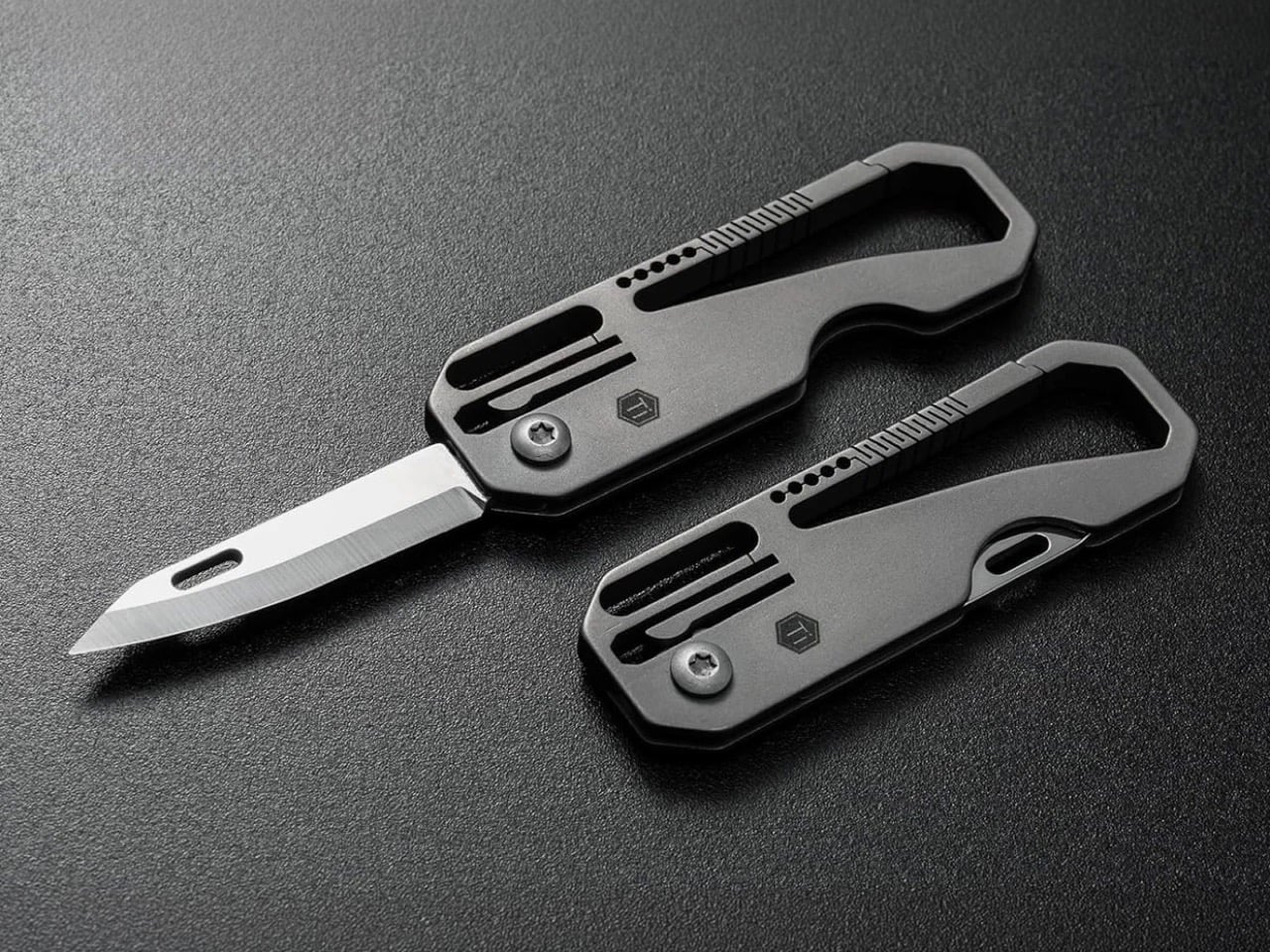
This stunning knife is called the Cicada, and it was created by Rike Knife. It draws inspiration from one of nature’s noisiest insects, borrowing the cicada’s natural form to create a gorgeous knife that looks great when closed and open. It measures under 3 inches when closed, so it is easy to carry around.

Why is it noteworthy?

The knife is available in three colors, so you can make your pick. It is equipped with a tiny but powerful blade which is excellent for everyday activities. It features an all-metal design, and the blade is built from Bohler M390.

What we like

  • Equipped with an aesthetic cutout that reduces the knife’s weight
  • Features a compact and durable design

What we dislike

  • Hefty price tag which could be an issue for some potential buyers

2.. AirFlow 8-Panel Fire Pit

Dubbed the AirFlow 8-Panel Fire Pit, this firepit design has a modular 8-panel form, and it is intended to be a portable sheet metal wonder for the outdoors. You can utilize it as a high-temperature grilling pit to prepare some delicious barbecue. The fire pit is quite lightweight, making it portable.

Click Here to Buy Now: $325

Why is it noteworthy?

The fire pit is an incredible fire-building equipment for outdoor lovers. It lets you build a campfire without any issues or hassles. It features a cinder, which ensures no embers fall out.

What we like

  • The fire pit can be disassembled into different parts and carried in a special carrying case

What we dislike

  • The fire pit weights more than 6kgs, so it is less portable as compared to other designs on the market

3. Skycamp DLX

iKamper’s Skycamps have been successful, and now they are releasing the Skycamp DLX with a similar design language to its predecessors. The Skycamp DLX features a black finish and hardshell body, and other amenities like LED mood lighting, an inflatable comfortable mattress, and cork flooring.

Why is it noteworthy?

The Skycamp DLX is equipped with a Rocky Black textured matte black fiber-reinforced shell and a strong aluminum honeycomb base. The cork flooring provides better insulation and noise-proofing, while the pop-up contraption is made from a heavy-duty fabric, that pairs well with the hardshell.

What we like

  • Compatible with most vehicle types
  • Provides full black-out privacy

What we dislike

  • The window awning design isn’t the best and can be improved upon

4. Caveman Grill

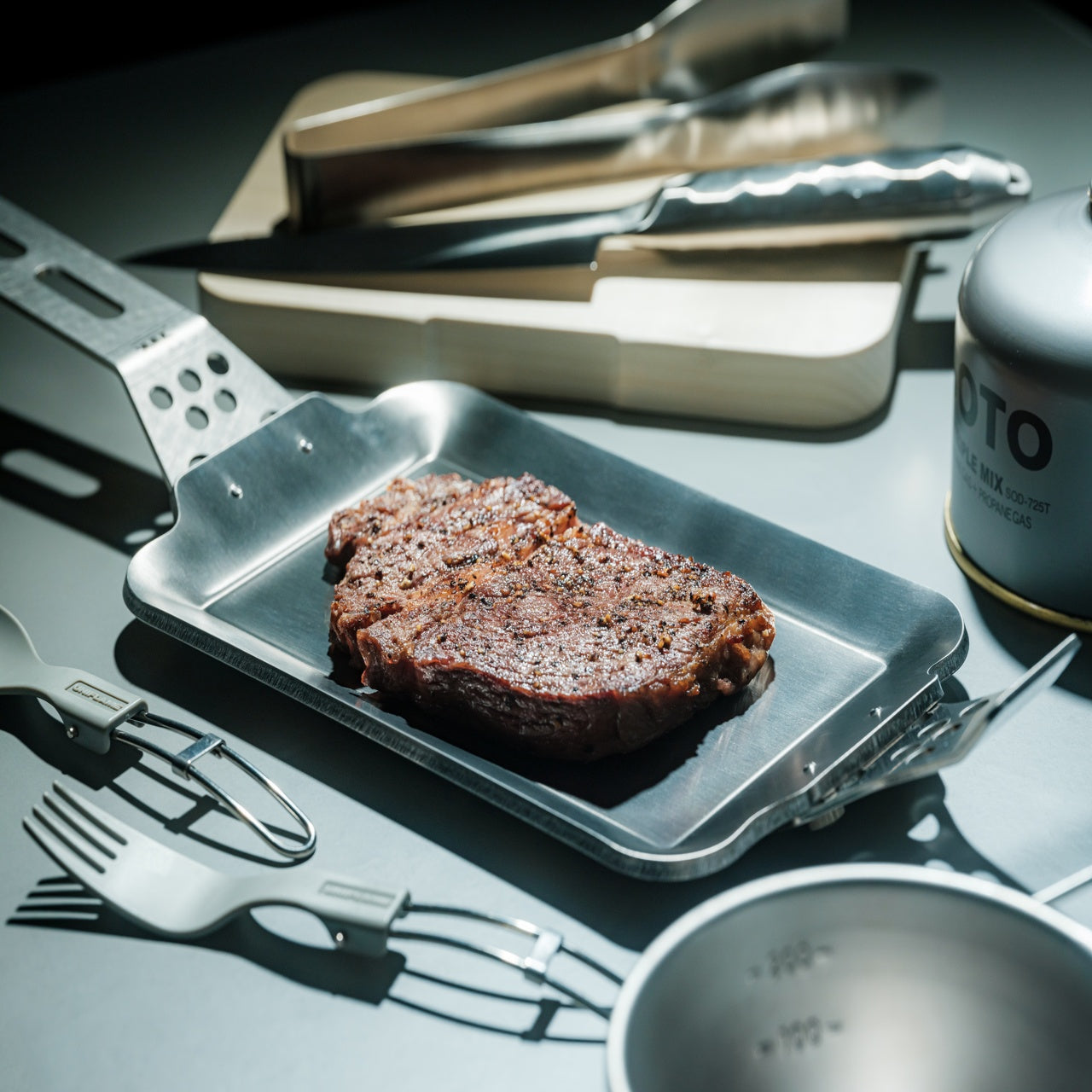
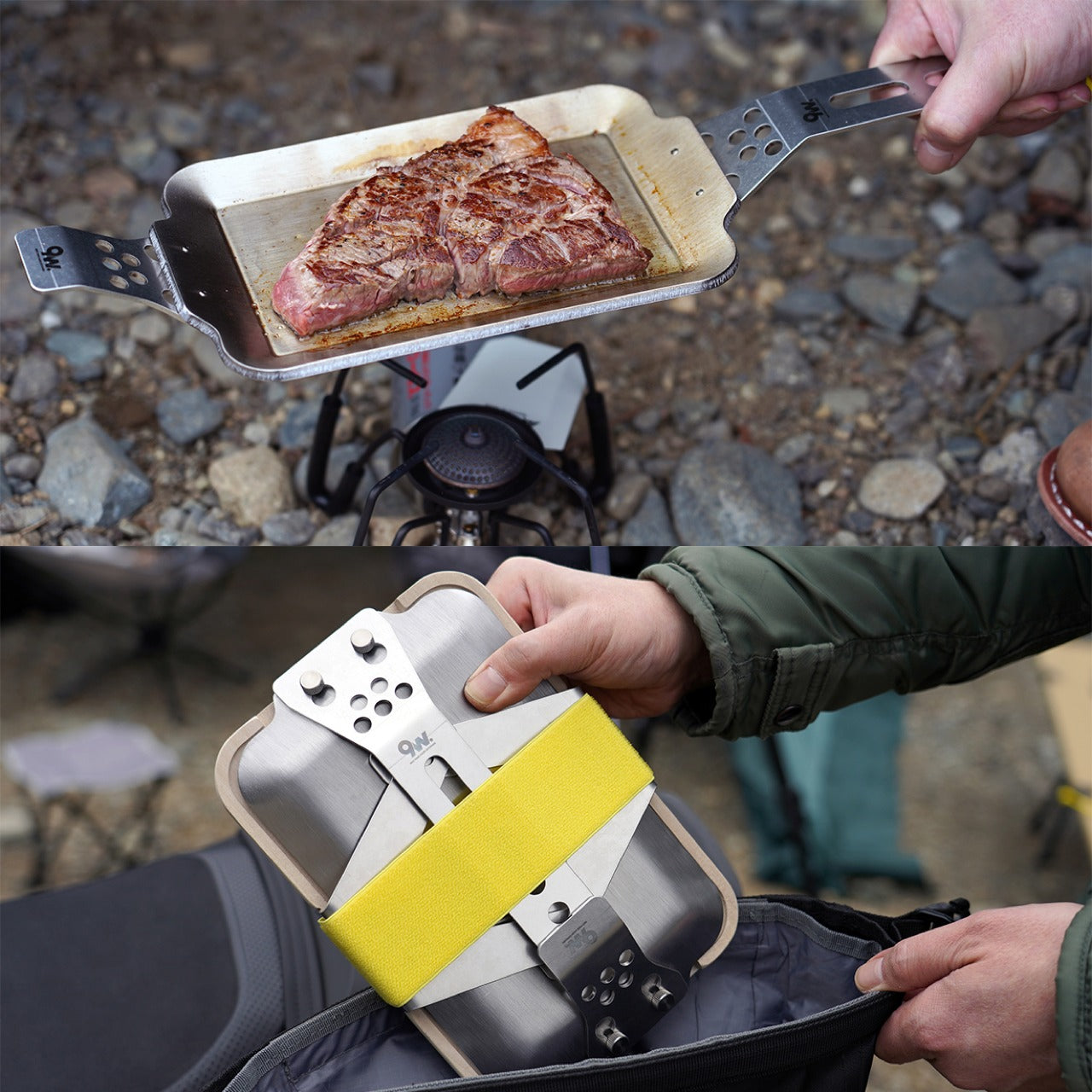
Meet the Caveman – a featherweight foldable camping grill that weighs under 2 pounds, and can be carried anywhere with you! The portable grill can be folded completely flat, and you can fit it inside your backpack. It is ideal for feeding around eight people. Whether you’re camping or tailgating, the super light and easy-to-carry grill is the perfect fit for your outdoor adventures.

Why is it noteworthy?

It is made up of 5 pieces of precision-cut FDA-approved lightweight metal. All the pieces fit perfectly into one another, creating a grill within fifteen seconds. You can use it to cook different kinds of foods, whether you’re in the mood for some hot dogs or juicy tomahawk.

What we like

  • You can carry the grill in your backpack, very easy to carry
  • Folds down to less than 1/2 inch thick

What we dislike

  • The lightweight design raises concerns about the product’s durability, and how well it will perform over time

5. Haven Safari

Called the Haven Safari, this hammock system lets you lounge about in your backyard or while camping in the great outdoors. It maximizes comfort without compromising on strength. The hammock blends luxury and durability, creating a design for those who prefer comfort over packability.

Why is it noteworthy?

It features a patented flat-lay design with an extra-large sleeping platform. It is equipped with a deluxe insulated air mattress, that is coated in vegan suede with an adjustable lounge strap. The Haven Safari is quick and easy to assemble, and it is waterproof, ventilated, and bug-proof.

What we like

  • 4 different color options to choose from
  • Forms a flat-open sleeping platform, so you can sleep however you like

What we dislike

  • Not wide enough to sleep two people at once

The post The 5 Best Camping Gear Of September 2024 first appeared on Yanko Design.
The 5 Best Automotive Designs Of September 2024

September 2024 dazzled us with groundbreaking automotive designs that boasted superb aesthetics, enhanced performance, and an elevated user experience. These automobiles were designed to push the boundaries of creativity and technology, and we’ve curated our top 5 favorite designs for you. These automotives are efficient, fast, and comfortable, and amped with unique elements that help them truly stand out. From a three-wheel electric trike that resembles a car to a UFO-inspired jet ski – these revolutionary automotive designs will surely impress you, and spark a desire to see them in action, irrespective if you’re a hardcore car aficionado or someone newly entering the automobile world.

1. Twike 5

Meet the Twike 5 – a pedal hybrid vehicle designed for those who are seeking a sustainable and eco-friendly mode of transportation. It is designed by automaker TWIKE GmbH, and is essentially a three-wheel trike, with one wheel in the front, and two at the back. It merges an electric motor with a pedal trike, serving as a two-seater that weighs around 600 kilograms. The trike can reach up to 190 kilometers per hour, and up to 500 kilometers on a single charge.

2. The Bugatti Baby II Tourbillon Edition

Meet the Bugatti Baby II Tourbillon Edition – a limited-edition miniature version of the brand’s latest Tourbillon hypercar. It may sound like a toy version or a mini car for kids, but it can be driven by an adult, just not on public roads. It is a 75% scale all-electric vehicle, replicating the stunning aesthetics of the latest V16 hybrid sports car. It features Bugatti’s signature Aerolithe colorway and C-line curve with the Light Aerolithe leather inside.

3. Infinite Machine P1 Electric Scooter

This Cybertruck-inspired E-scooter is called the Infinite Machine P1 Electric Scooter, and it was created by Eddie and Joseph Cohen. The scooter is made from anodized aluminum and steel composition, and it features Apple Carplay which provides turn-by-turn navigation alerts or plays your favorite songs for you. It is equipped with a GPS and remote locking capability which ensures the the culprit can be found quickly if a theft occurs.

4. UFO Jet Ski

Vietnamese YouTuber Tran Long Ho of Mr. Ho Thanh Che YouTube channel recently created a jet ski in the shape of a UFO. He spent a lot of time and energy in building and sculpting this unidentified jet boat, before taking it to the water! It is built upon a sculpture of sand, and then cement to harden it, and it looks like a UFO, even though it isn’t one. Mr.Ho then used the sand and cement sculpture to mold a fiberglass shell for the body of the saucer.

5. Theory 1

Design by the UK-based automotive manufacturer Lotus, the Theory 1 EV concept focuses on the three core principles of the brand – Digital, Natural, and Analog. The Theory 1 features a lightweight construction and innovative technology with a prime focus on sustainability. Recycled material like aluminum was used to keep the car lightweight, and it is powered by a 987 hp electric drivetrain with a top speed of 200 mph.

The post The 5 Best Automotive Designs Of September 2024 first appeared on Yanko Design.