Mission to Earthphase: The World’s First-Ever Dual-Phase Dial and Movement by Omega x Swatch

Omega and Swatch have introduced the Mission to Earthphase, a watch that illustrates Earth and Moon phases on a single dial. This latest addition to the MoonSwatch series features an innovative Earth phase complication, marking a first in watchmaking history. Designed to simulate how Earth appears from the Moon, the Mission to Earthphase pays tribute to the beauty of our planet as seen from space.

Designers: Swatch x OMEGA

From the dial’s textured gray surface to its intricately crafted Earth and Moon indicators, this watch is filled with details inspired by celestial mechanics. Beyond its aesthetic appeal, the Mission to Earthphase features a quartz movement tailored to manage these dual complications. Here, we’ll explore the design, how it works, and the unique movement that powers this timepiece.

A Design that Brings Earth and Moon Together

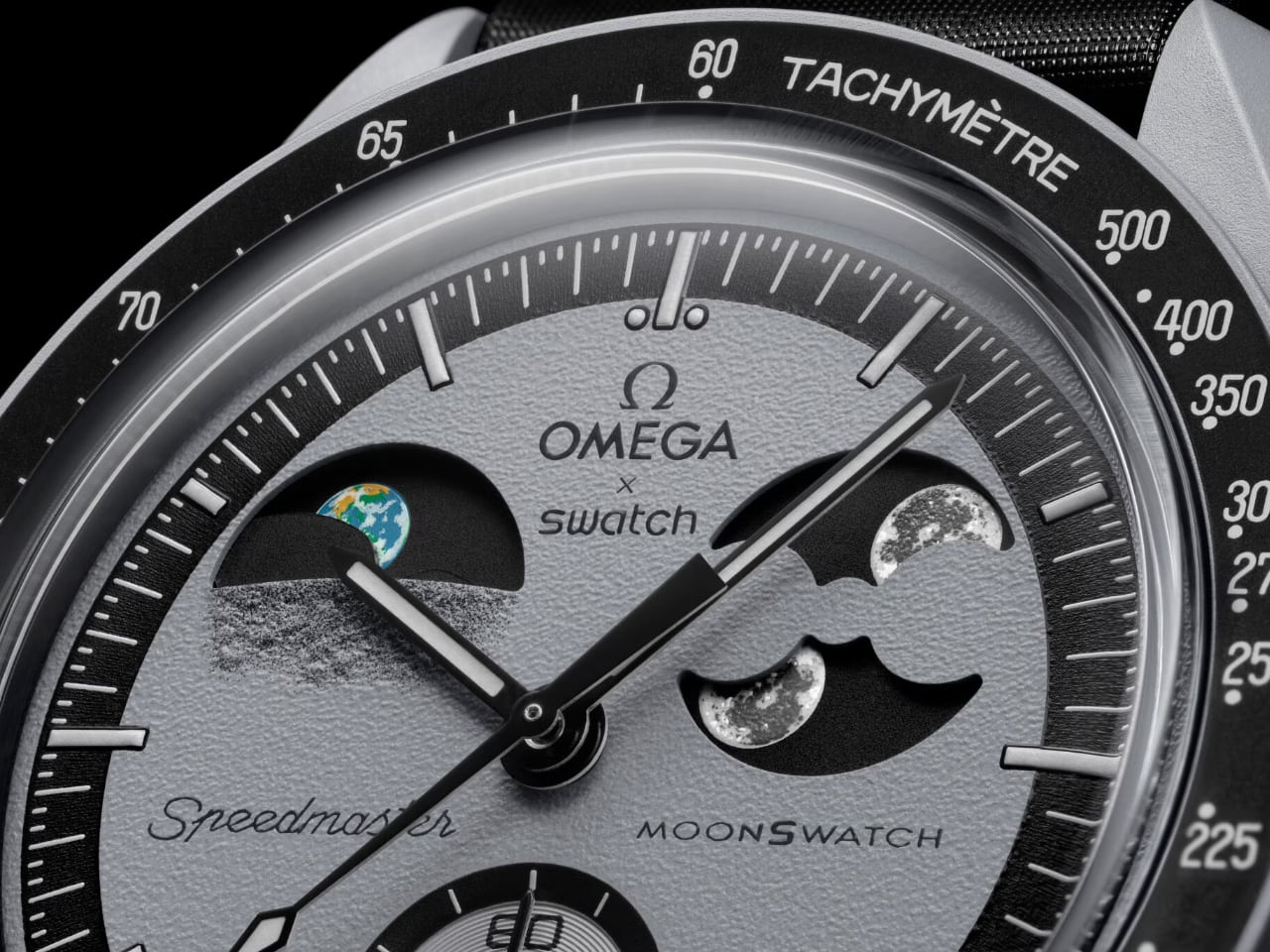
The Mission to Earthphase’s dial design immediately captures attention. Unlike traditional moonphase watches, which depict the phases of the Moon as seen from Earth, the Mission to Earthphase shifts perspectives. Positioned at ten o’clock, the Earth phase complication displays Earth’s phases as they would be viewed from the Moon, offering a unique perspective of our planet.

Image: Swatch

In this Earth phase indicator, continents and oceans are depicted in vivid colors. Oceans are treated with UV-reactive ink, glowing under ultraviolet light, creating a soft blue glow reminiscent of how astronauts describe Earth—as a glowing blue marble against the vastness of space. This glow captures the beauty and mystery of our planet. Landmasses are rendered with fine detail, presenting a vibrant and precise representation of the Earth’s surface.

Across the dial at the two o’clock position, the Moon phase indicator sits across the dial. Omega and Swatch have ensured that the Moon is represented with signature attention to detail. Two large depictions of the Moon glow in the dark thanks to Super-LumiNova treatment. This soft white glow adds a touch of mystique without overpowering the rest of the dial, enhancing visual appeal and ensuring legibility in low-light settings.

The Movement: Precision and Innovation

The Mission to Earthphase is powered by a unique quartz movement specifically engineered to support both Earth and Moon phase complications. Traditional moonphase watches use a simple mechanism to track the Moon’s 29.5-day cycle. However, Omega and Swatch took a more complex approach to incorporate both Earth and Moon phases.
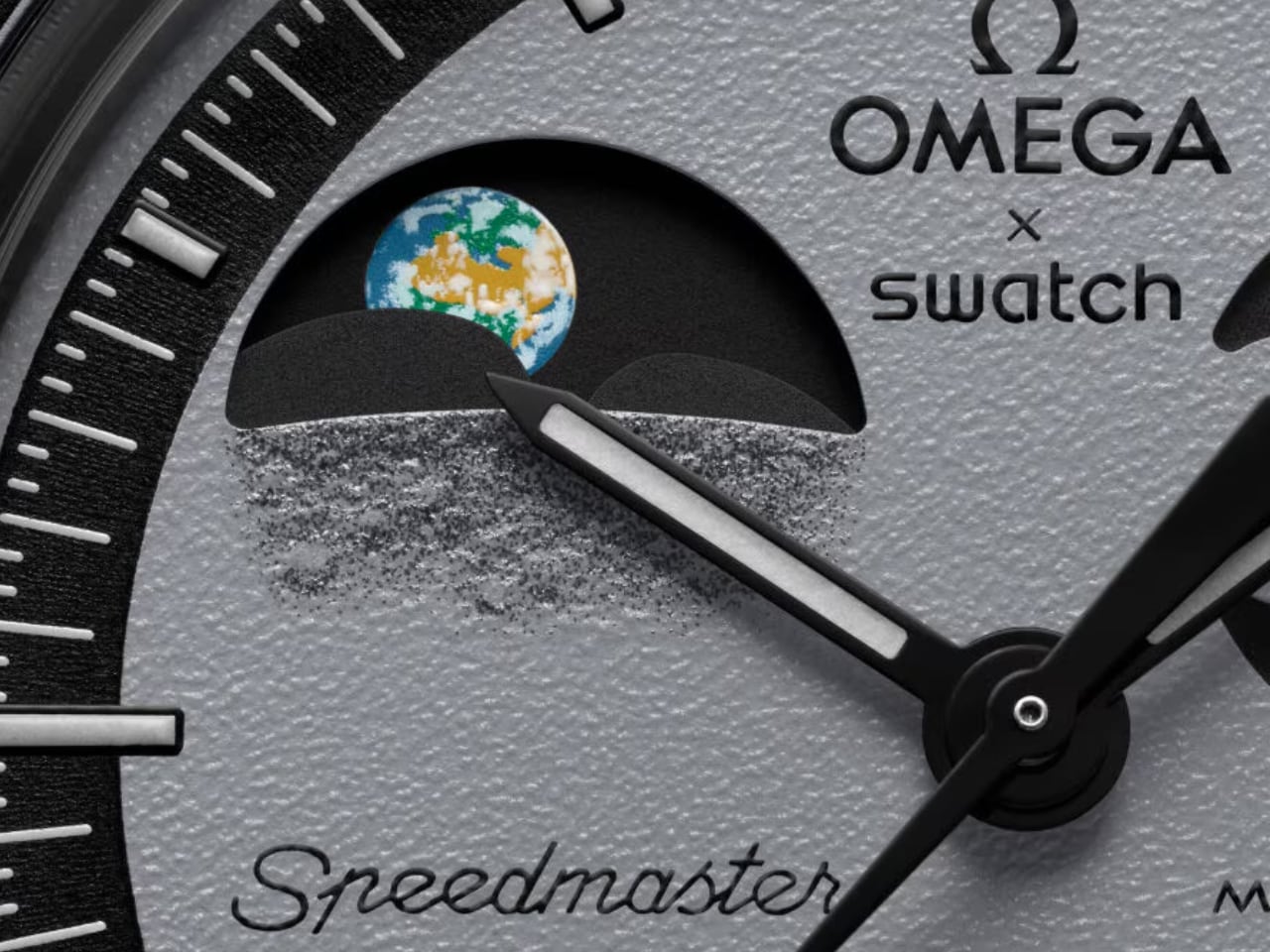
Image: Swatch

The Earth phase rotates in the opposite direction of the Moon phase, accurately depicting how the Earth’s phases appear to an observer on the Moon. This reverse rotation reflects the actual orientation of Earth and Moon phases relative to each other.

The gearing system behind the Earth phase complication was calibrated to ensure synchronization with the Moon phase while operating independently. This design required Omega and Swatch to rethink the mechanics of dual-phase displays, resulting in a sophisticated and reliable movement.

Textured Dial and Classic Bezel for a Space-Inspired Look

The dial surface of the Mission to Earthphase features a grainy gray texture that replicates the rugged landscape of the Moon. This surface provides a tactile quality, grounding the watch in its cosmic theme and echoing the Moon’s cratered terrain. It connects the wearer to the idea of standing on the Moon and looking back at Earth.
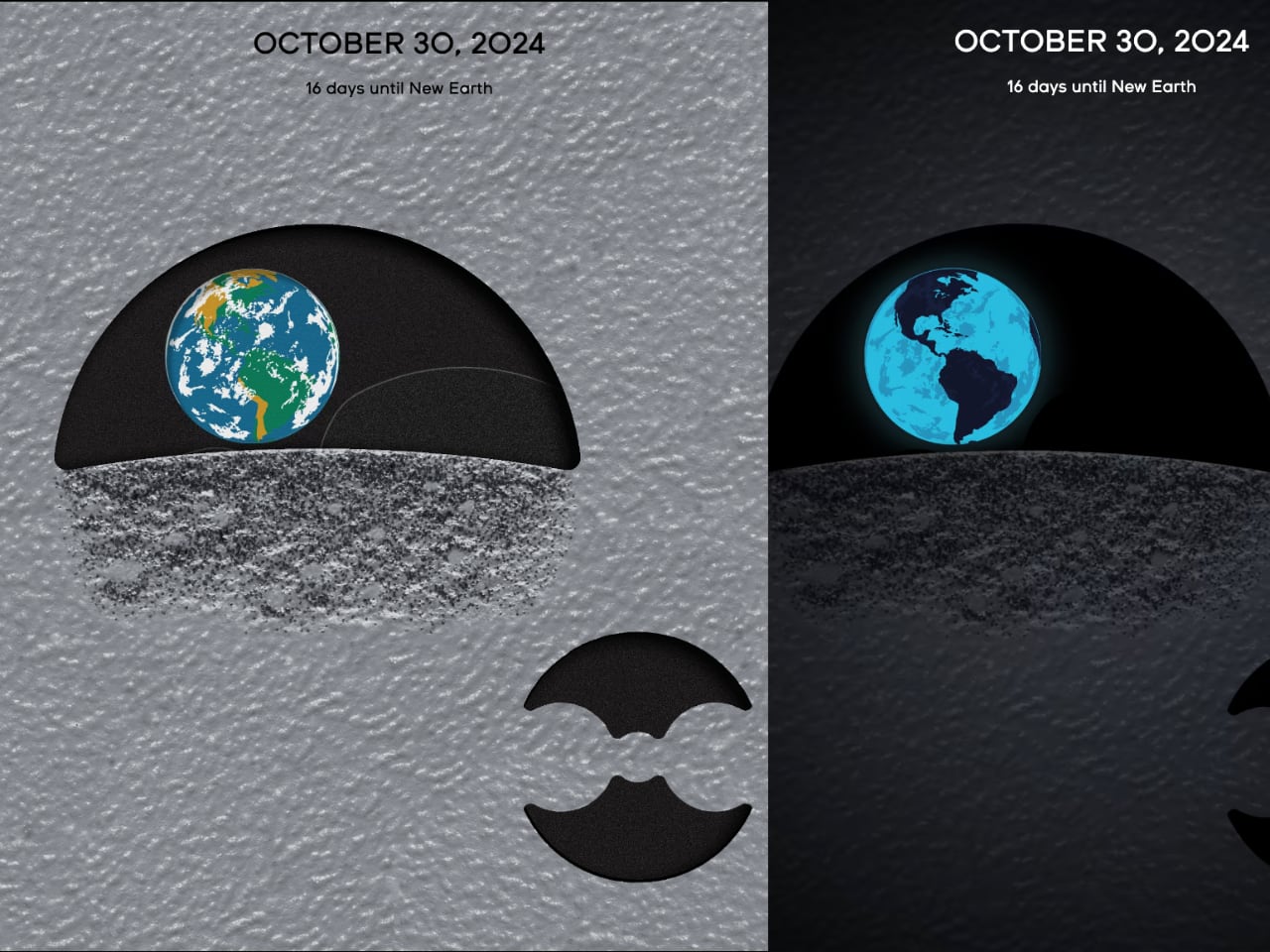
Image: Swatch

Surrounding the detailed dial is a black tachymeter bezel with light gray markers. This bezel contrasts with the textured dial, allowing the dial’s features to remain the focal point. The tachymeter scale adds a functional element, maintaining the chronograph heritage of Omega’s Speedmaster series while emphasizing the connection between space exploration and timekeeping.

Bioceramic Case and Space-Ready Strap

The Mission to Earthphase case is crafted from Bioceramic, a material that combines ceramic with bio sourced elements derived from castor oil. The 42-millimeter case has a light gray tone that harmonizes with the lunar-themed dial, adding a sense of cohesion. Bioceramic is lightweight and durable, making it ideal for a watch designed for comfortable wear while maintaining sophistication.
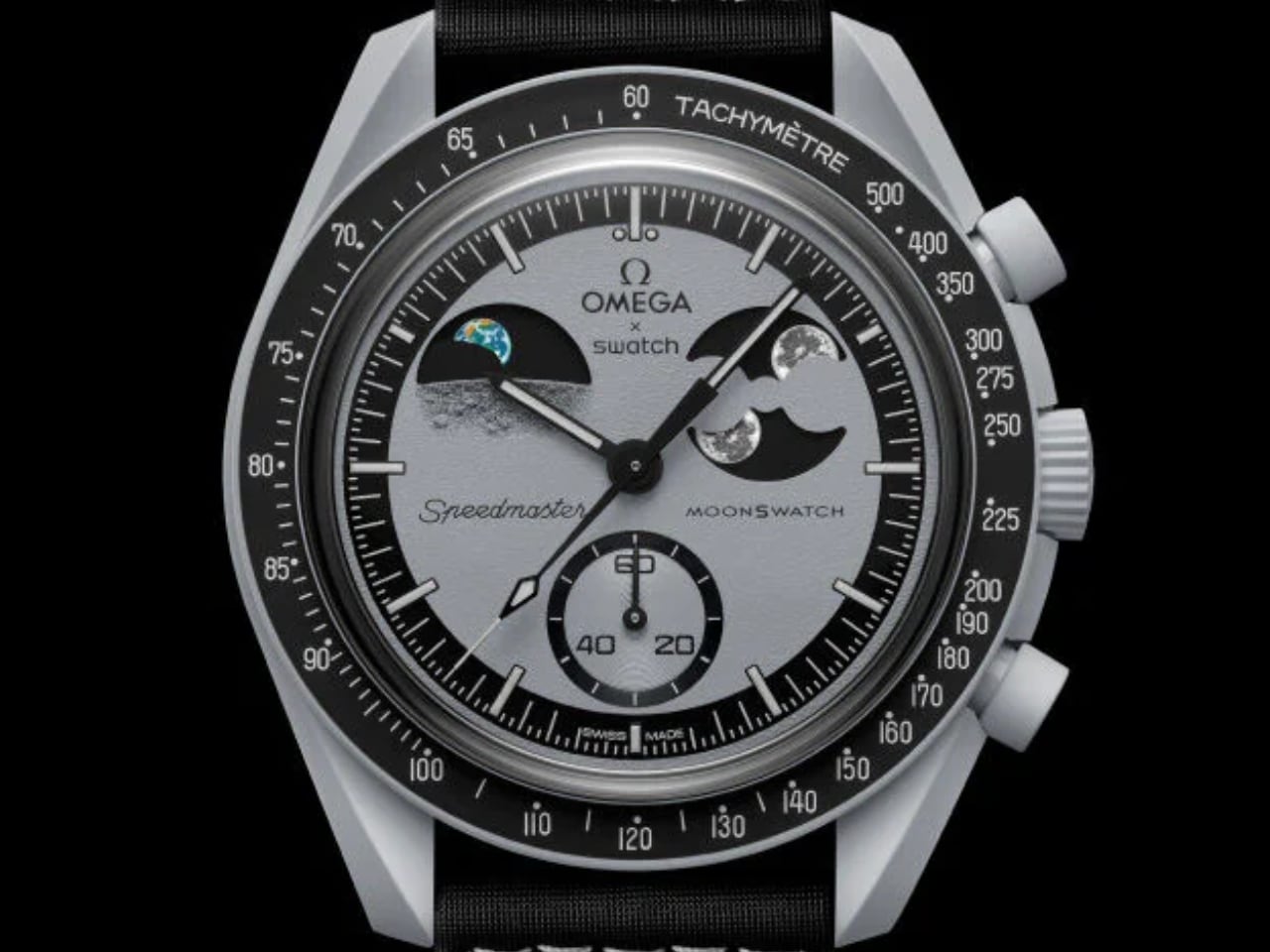
Image: Swatch

Swatch has equipped the Mission to Earthphase with a black Velcro strap stitched with light gray thread, providing comfort and adjustability for various wrist sizes. The strap draws from materials used in astronaut gear, adding an authentic touch of space-inspired practicality. The Omega and Swatch branding is visible on the strap, highlighting the partnership behind this watch.

The battery cover on the watch’s back is etched with an image of the Moon, complete with Neil Armstrong’s iconic footprint—a nod to the historic lunar landing.

The Mission to Earthphase runs on a quartz movement chosen for its precision and low maintenance requirements. While mechanical movements often carry a sense of tradition, the quartz option provides the accuracy needed to maintain Earth and Moon phase indicators. This aligns with Swatch’s approach of making accessible, high-quality designs without compromising performance.
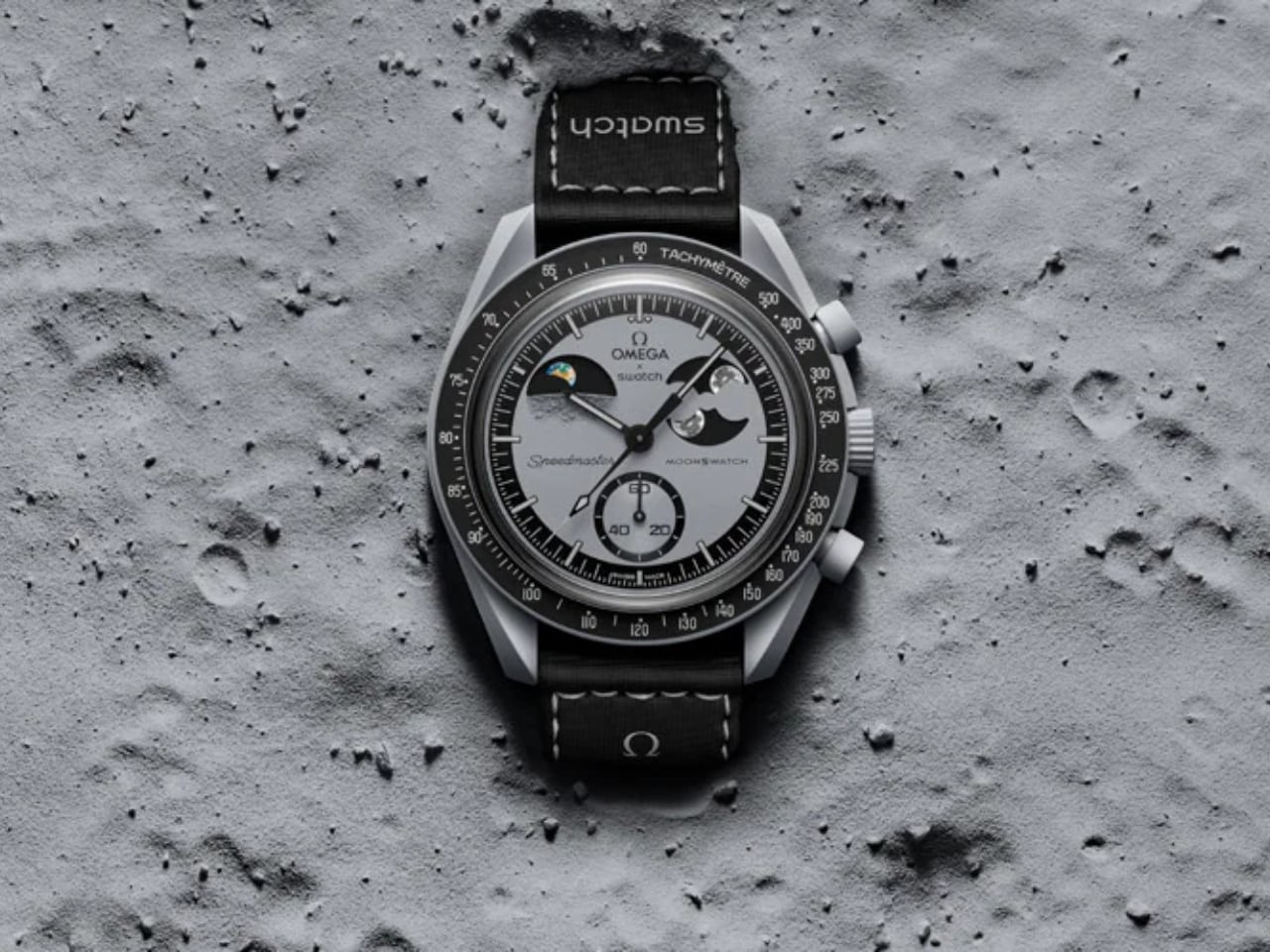
Image: Swatch

Quartz technology ensures that the Earth and Moon phases stay in perfect sync with real-world cycles, reducing the need for manual adjustments. This makes the Mission to Earthphase practical for everyday wearers who appreciate innovation without the upkeep of a mechanical movement. The stability and durability of quartz movement provide peace of mind, keeping the watch accurate with minimal intervention.

A Unique Achievement in Dual-Phase Display

The Mission to Earthphase showcases the Earth and Moon phases in a unified, independent rotation. This dual-phase complication exemplifies Omega and Swatch’s innovative engineering, clearly depicting Earth-Moon dynamics.
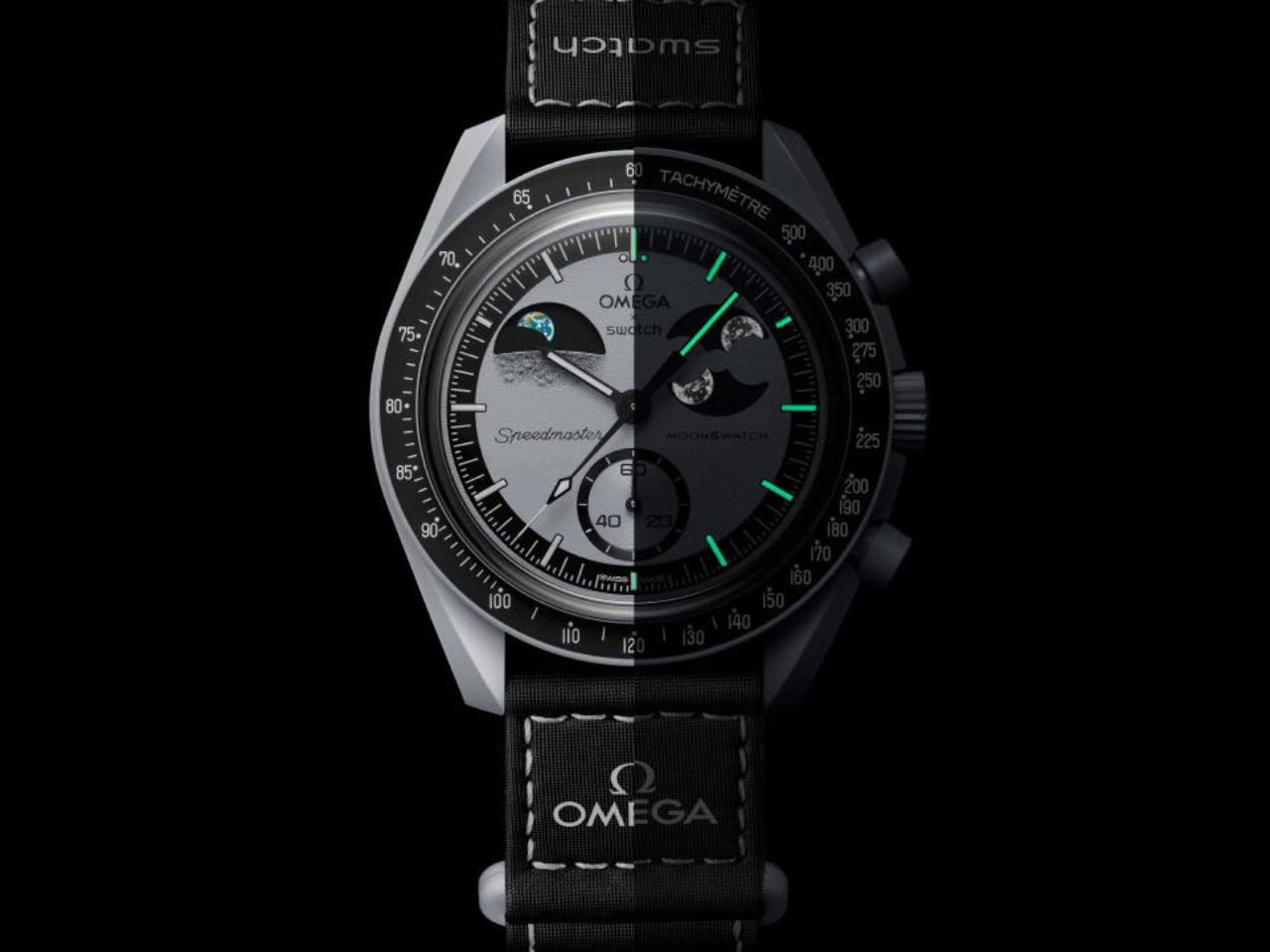
Image: Swatch

The Mission to Earthphase brings the cosmos to the wrist through its crafted dial, unique movement, and detailed design. Omega and Swatch provide a distinctive experience of the Earth-Moon relationship, blending technical precision with artistic vision.

The post Mission to Earthphase: The World’s First-Ever Dual-Phase Dial and Movement by Omega x Swatch first appeared on Yanko Design.
Beyond the Basics: Top 10 Cutting-Edge Trends in Stationery Design

Stationery remains essential, adapting to global trends like sustainability, and minimalism, and bridging the gap between digital and analog domains. With technological advancements, stationery for school and office settings is progressing towards smarter, sustainable products, transforming traditional items into symbols of productivity and creativity. This transformation underscores a fusion of innovation and timeless design, enhancing how students approach their studies and how office workers manage their tasks efficiently.

Explore the transformative trends shaping the future landscape of stationery, traditional office supplies, and educational tools.

Designer: Playfool

1. Using Recycled Materials

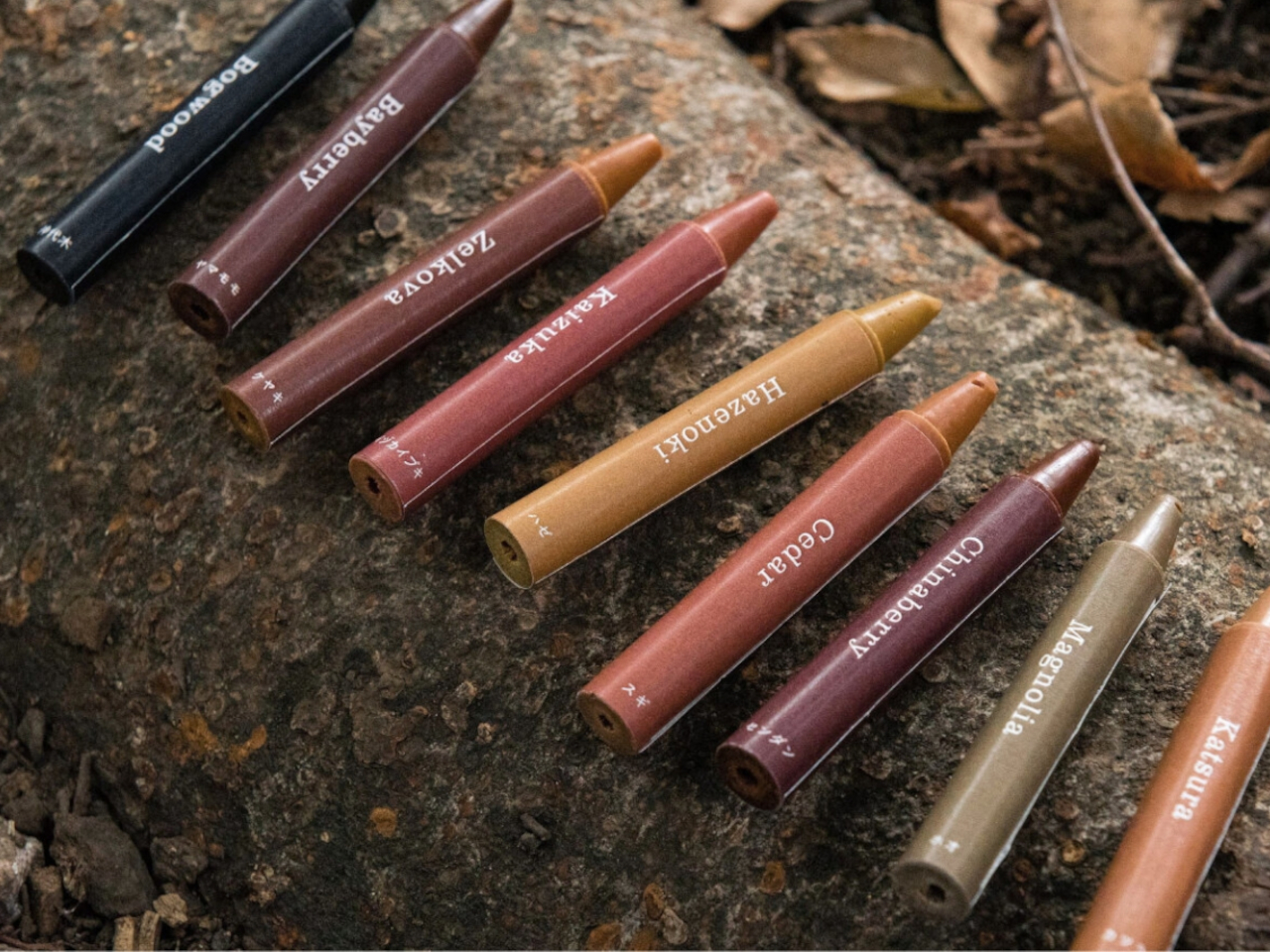
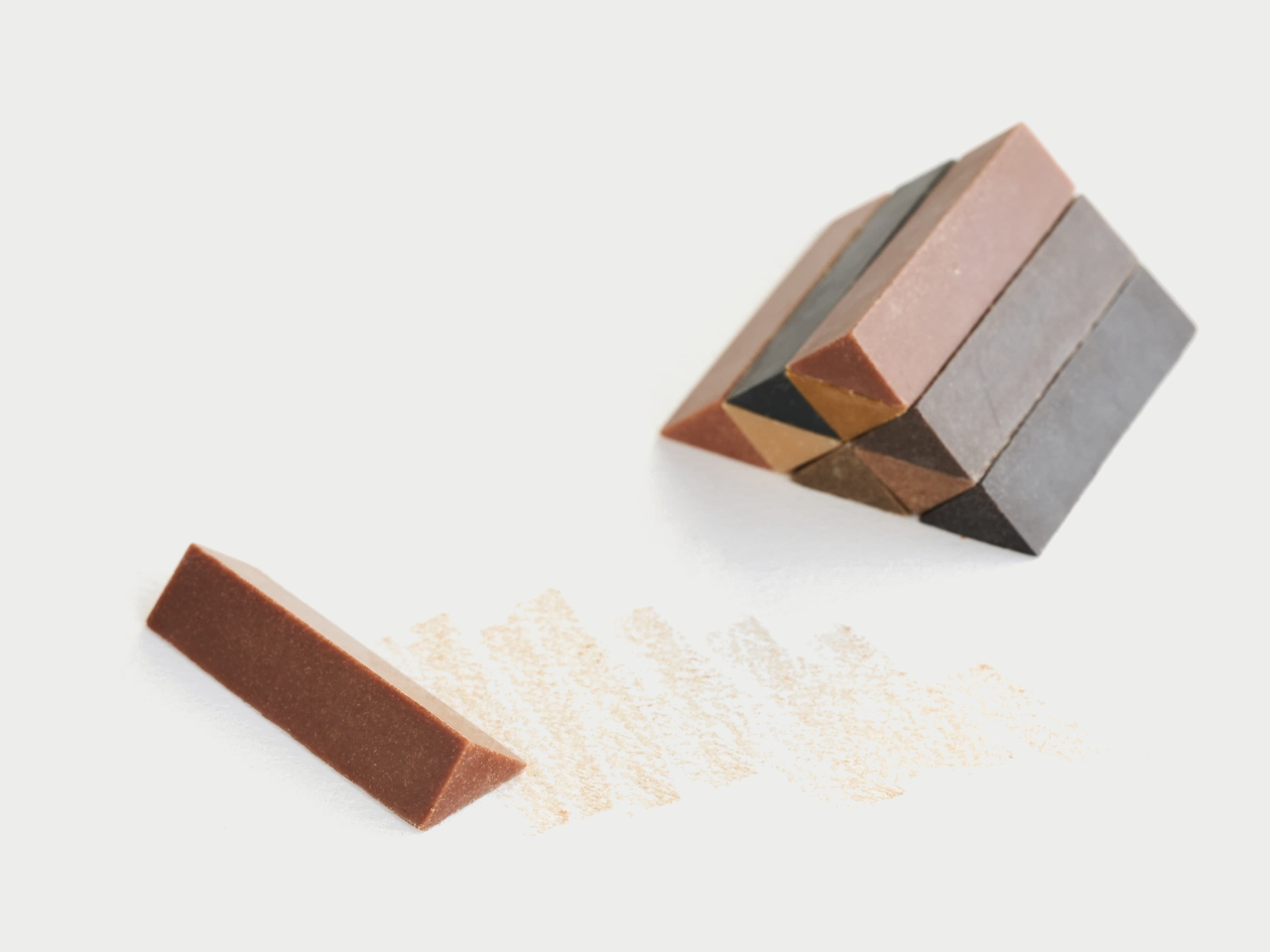
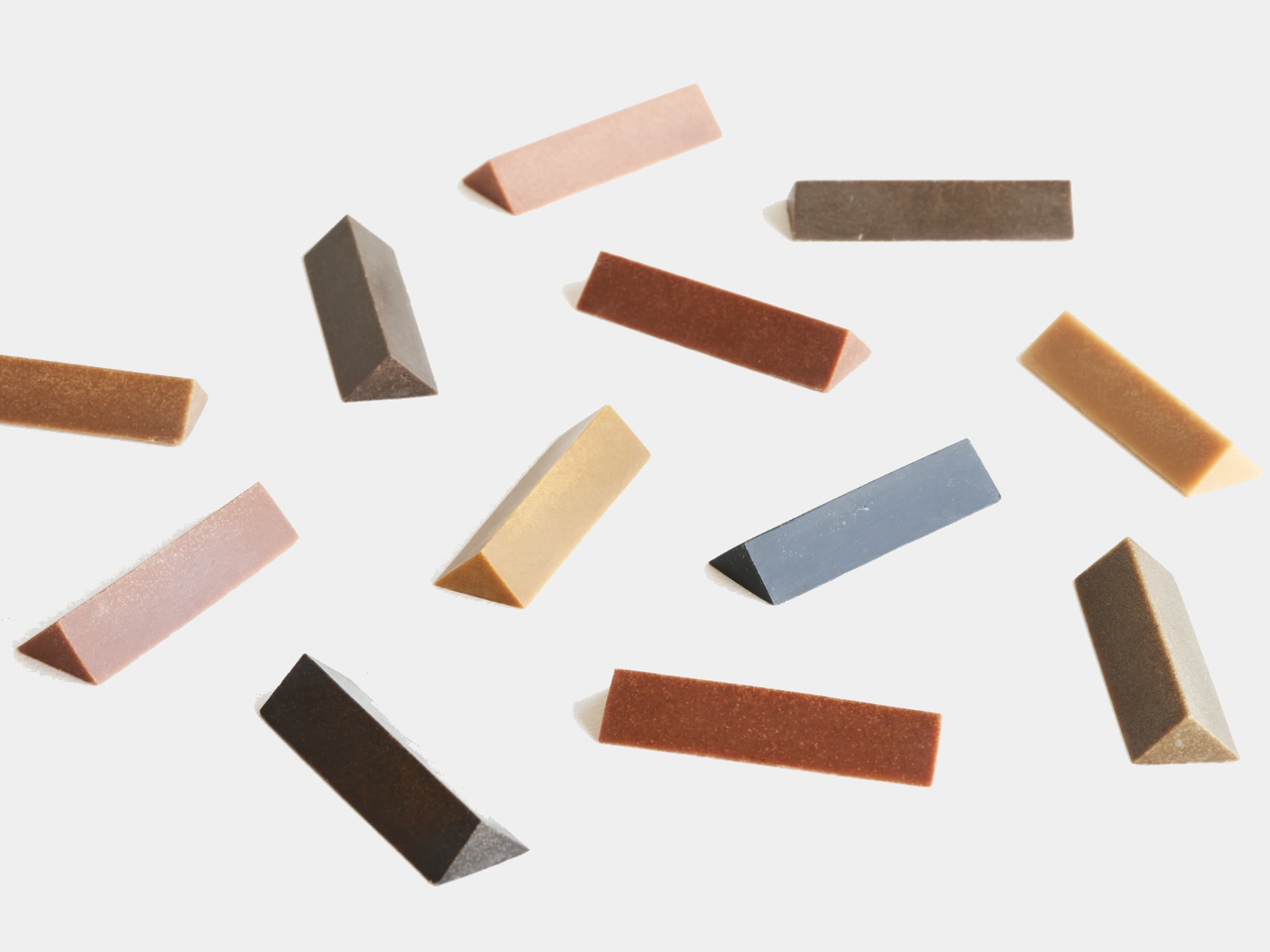
Wood is typically associated with brown, but different tree species produce various colors. In Japan, Forest Crayons uses pigments from recycled forest trees to create crayons, mixed with wood, rice wax, and rice oil. Each color, such as the magnolia’s light green or fungus-stained wood’s deep turquoise, reflects the tree species and growth conditions. The set includes ten colors: Bayberry, Bogwood, Cedar, Chinaberry, Cypress, Hazenoki, Katsura, Kaizuka, Magnolia, and Zelkova. This project, endorsed by the Japanese Forest Agency, promotes a renewed appreciation for Japan’s forests.

2. Zen Aesthetics

Designer: Jacopo Drago (Zenical)

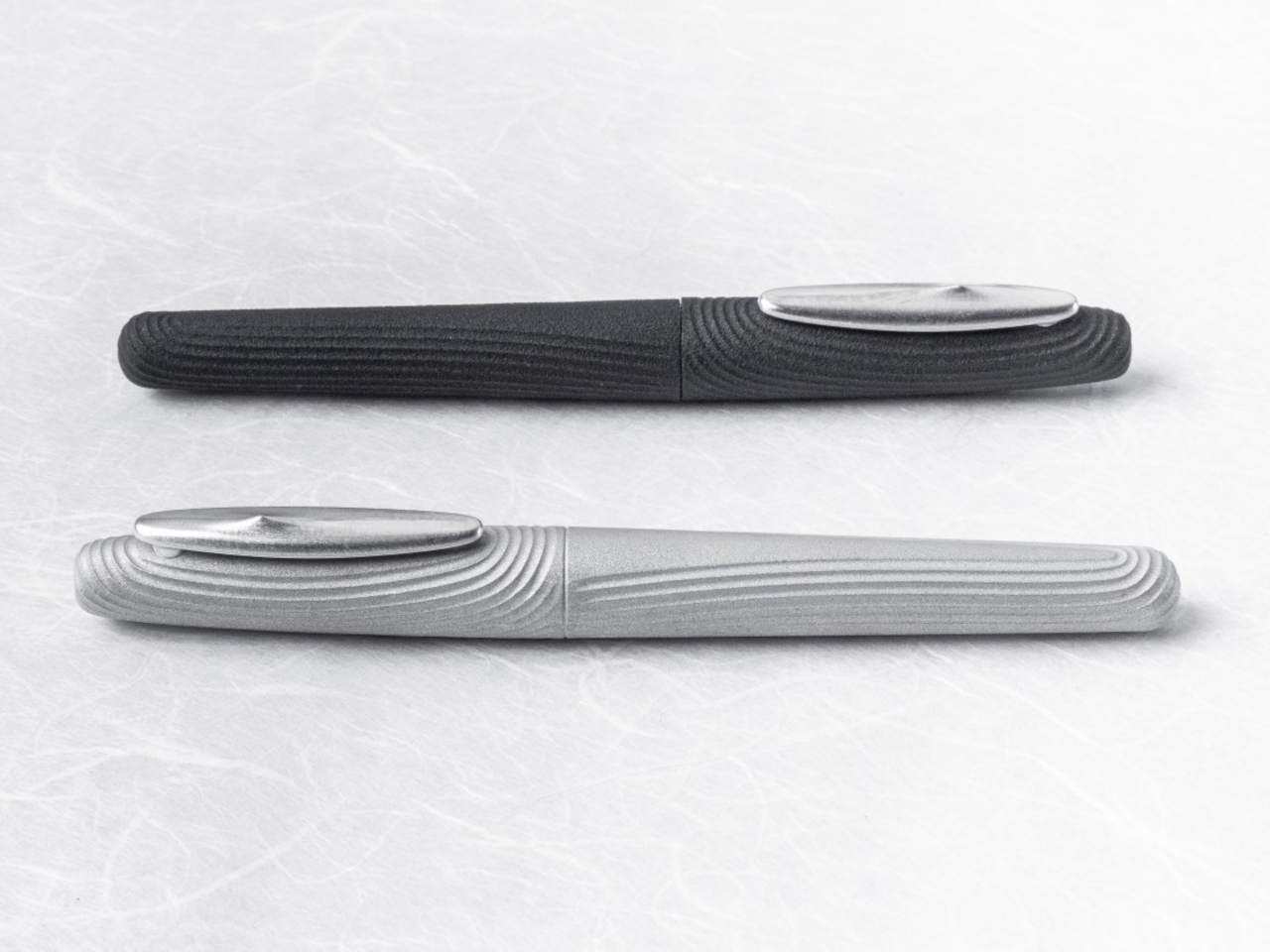
Pens usually signify productivity and creativity, but the Zen Pen, a unique Japanese-made writing instrument, aims to evoke calm through its design and texture. Inspired by Zen gardens, it features 3D-printed grooves and an off-center, smooth clip, mimicking the sand and stone elements. Crafted by skilled Japanese artisans using modern 3D printing and milling, the Zen Pen provides a soothing tactile experience, promoting mindfulness and tranquility. This makes it an ideal tool for students, helping them stay focused and calm while writing and studying in a school environment.

3. Ergonomic Design

Designer: orangered life

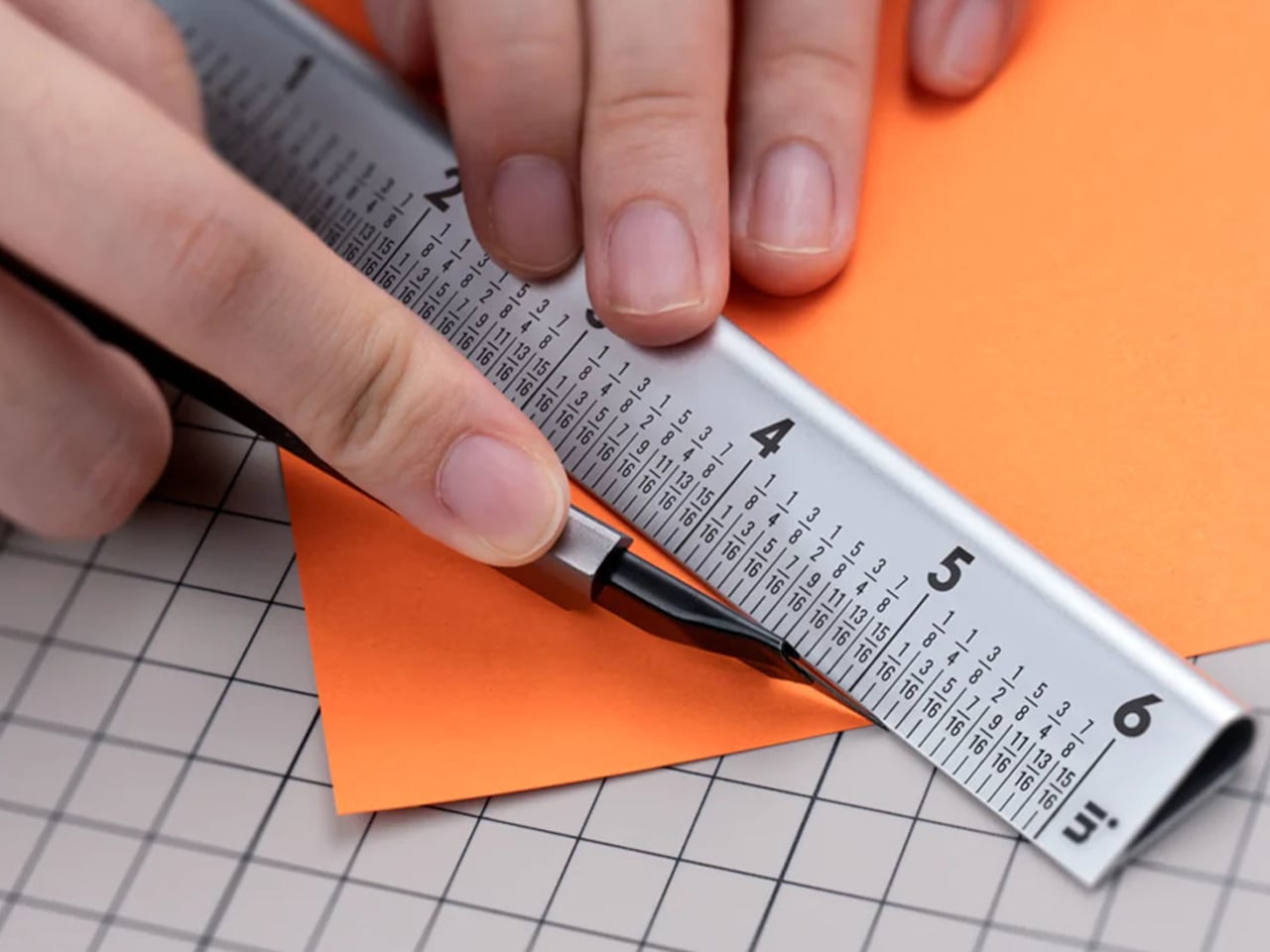
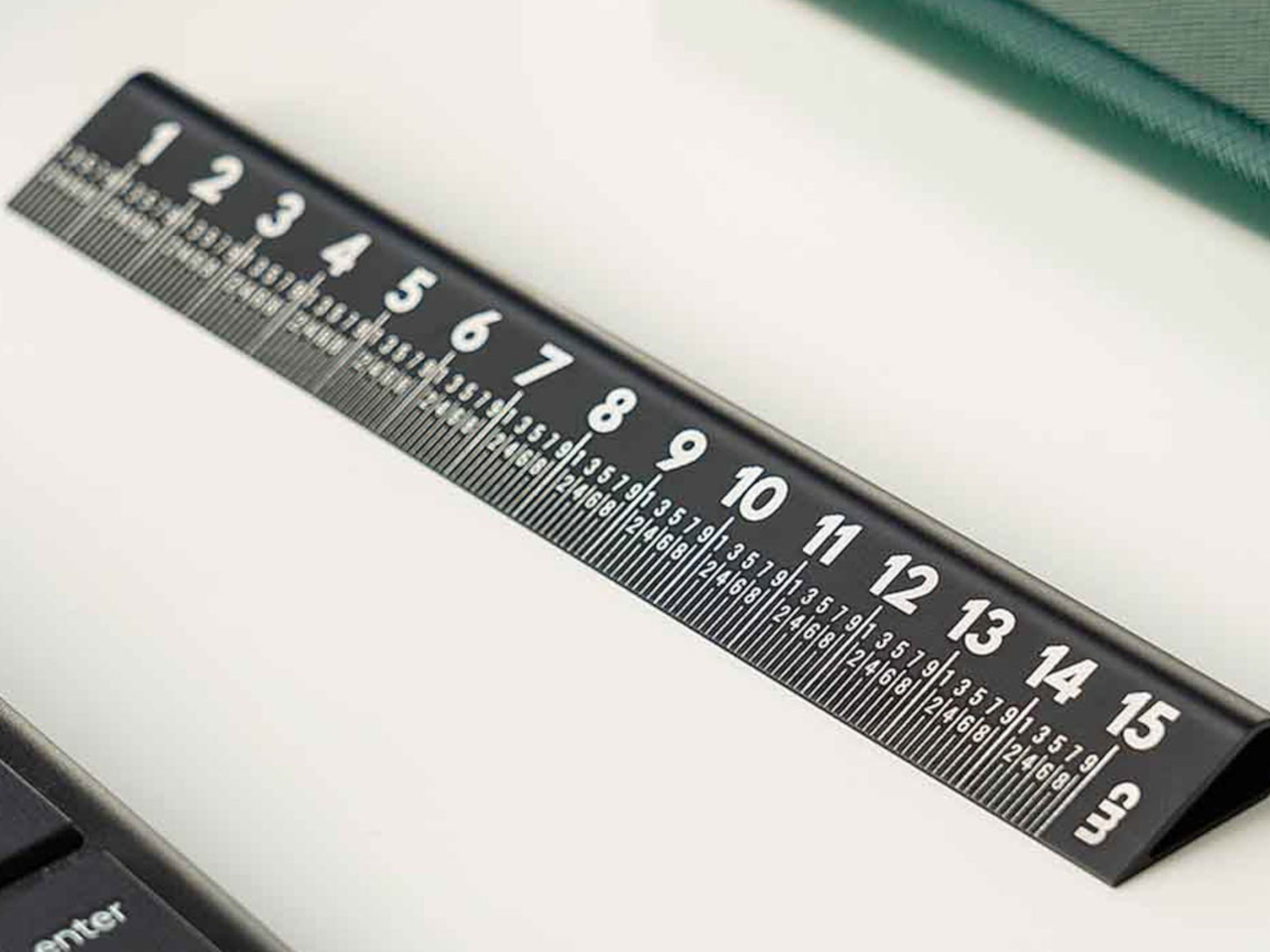
The 25° Ruler sets new standards in precision and durability, crafted from aerospace-grade aluminum and featuring laser-engraved markings for long-lasting accuracy. Available in sizes ranging from 6 to 20 inches and various vibrant colors, its ergonomic 25° angle enhances usability by placing measurements conveniently along the bottom edge. A teardrop design ensures safety and ease of use, while dual-sided markings cater to metric and imperial units, starting from zero to ensure precise measurements.

4. Bold Colors

Designers: YoonJeong Lee, Hyobin Jeon, and yerin An

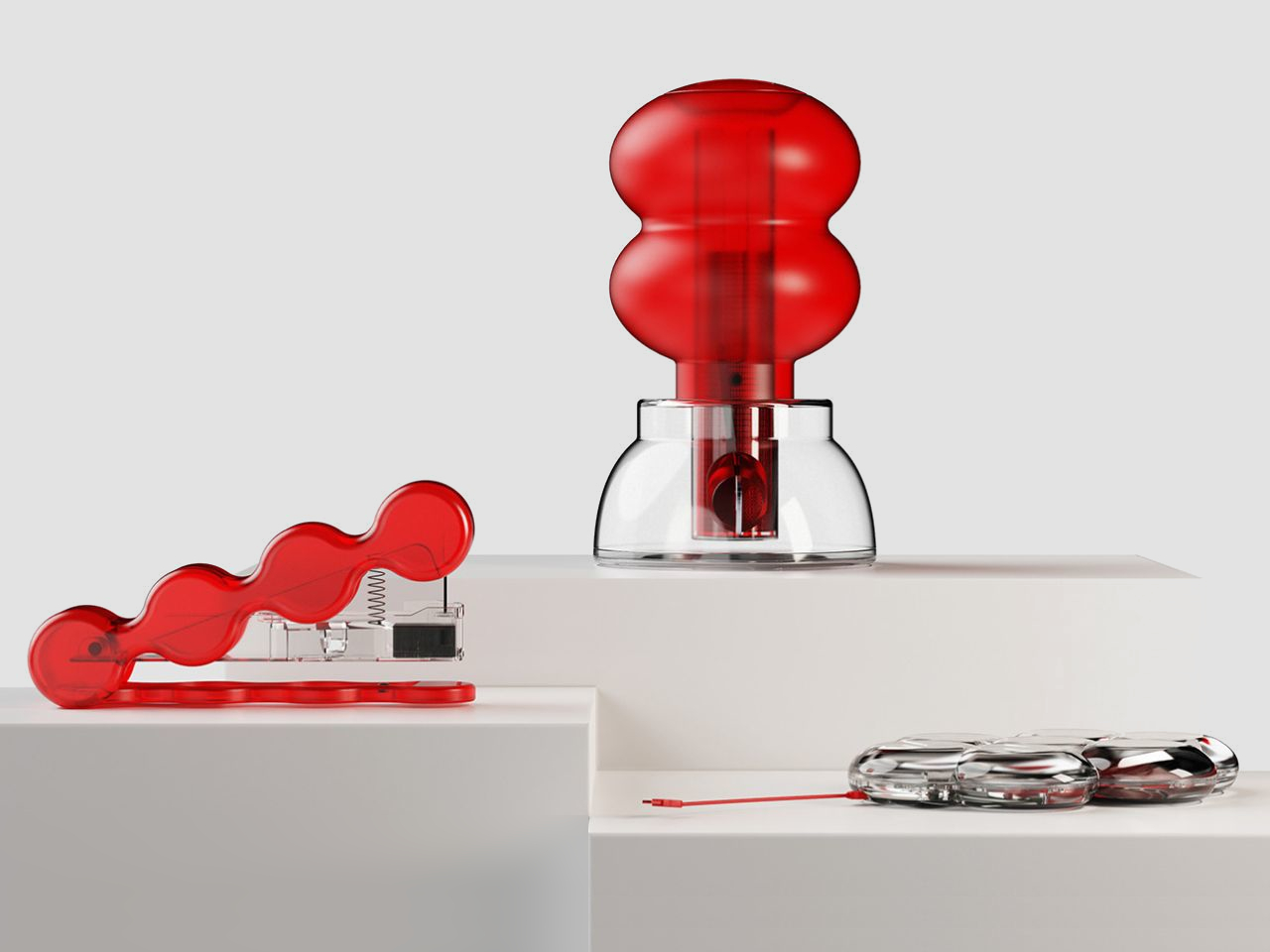
Royi Stationery offers innovative supplies that tell stories of honesty and introspection. Their transparent staplers and hard disks prompt reflection on deeper values, inspired by timeless narratives like the tale of the naked king. These products encourage a meaningful connection with stationery tools, inviting users to see beyond surface appearances and appreciate the wisdom embedded in everyday objects.

5. Harmonizing Digital and Analog

Designer: Cortex

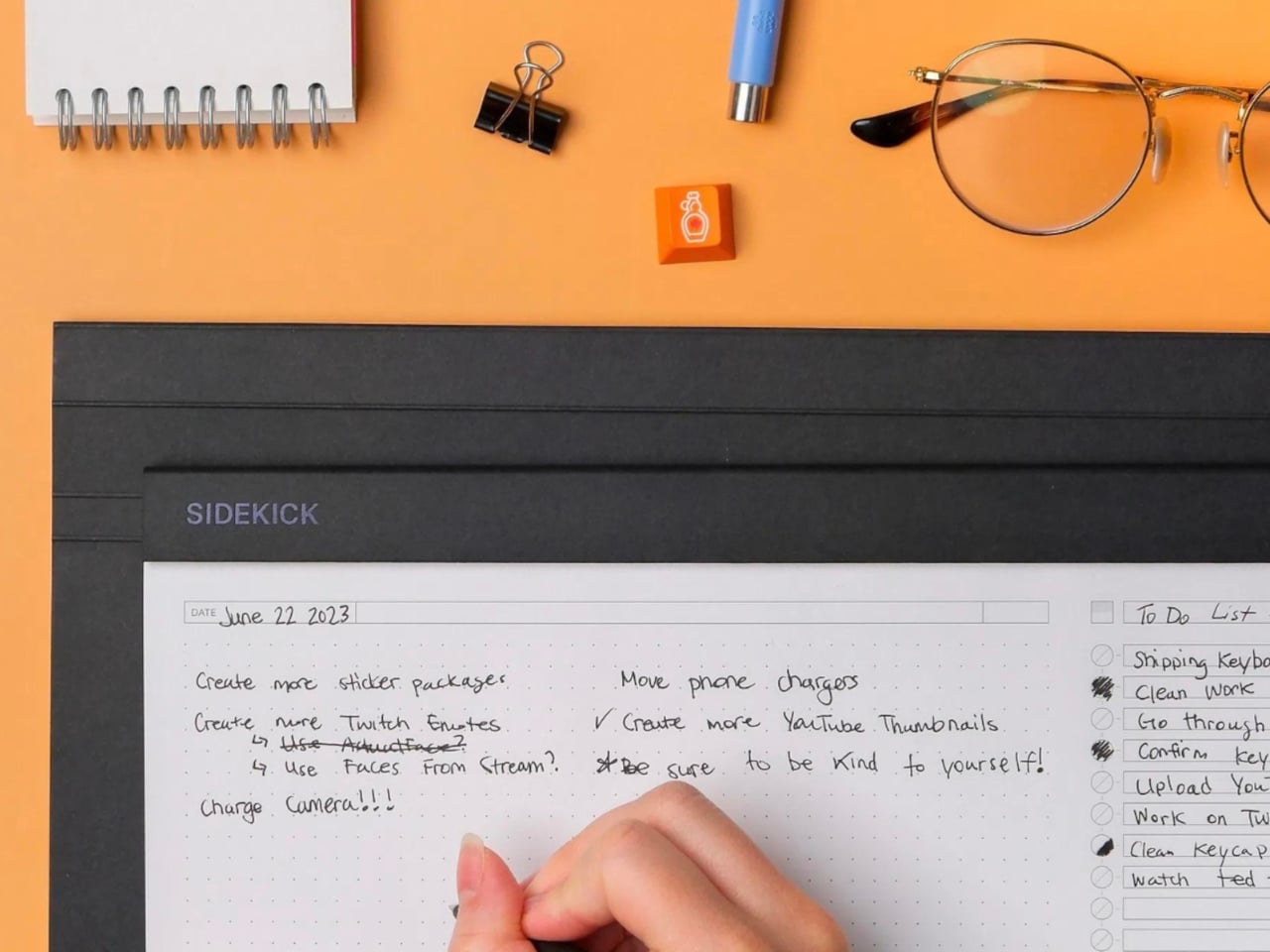
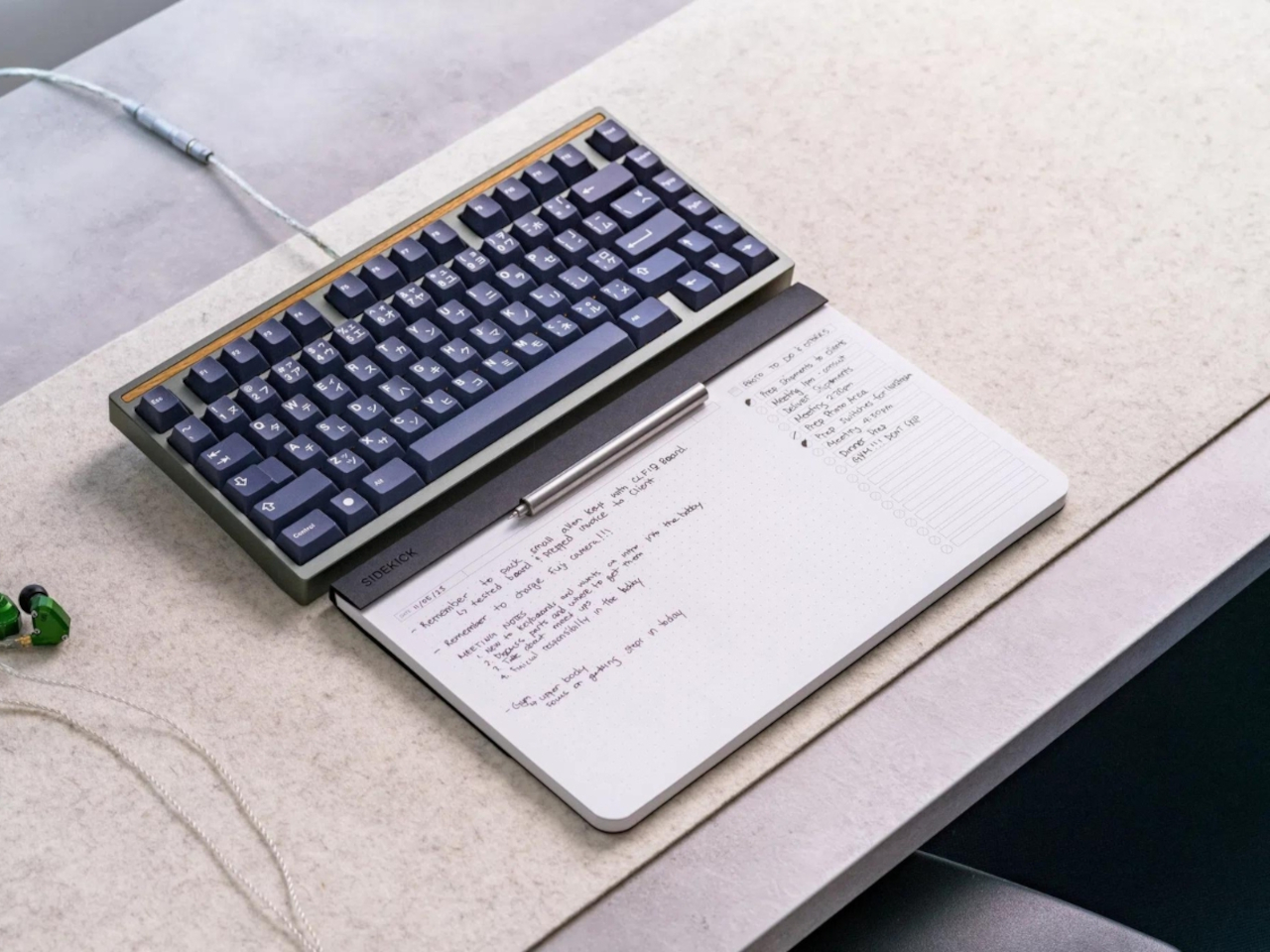
The Sidekick Notepad blends digital efficiency with analog charm, ideal for users who embrace a digital-analog hybrid workflow. Featuring 60 tear-away pages of Munken Lynx paper and a cover made from recycled coffee cups, it includes sections for notes, to-do lists with checkboxes, and a date section. Perfect for quick note-taking during meetings or daily tasks, it offers practicality and sustainability in one compact design.

Designer: Nuwa Innovation

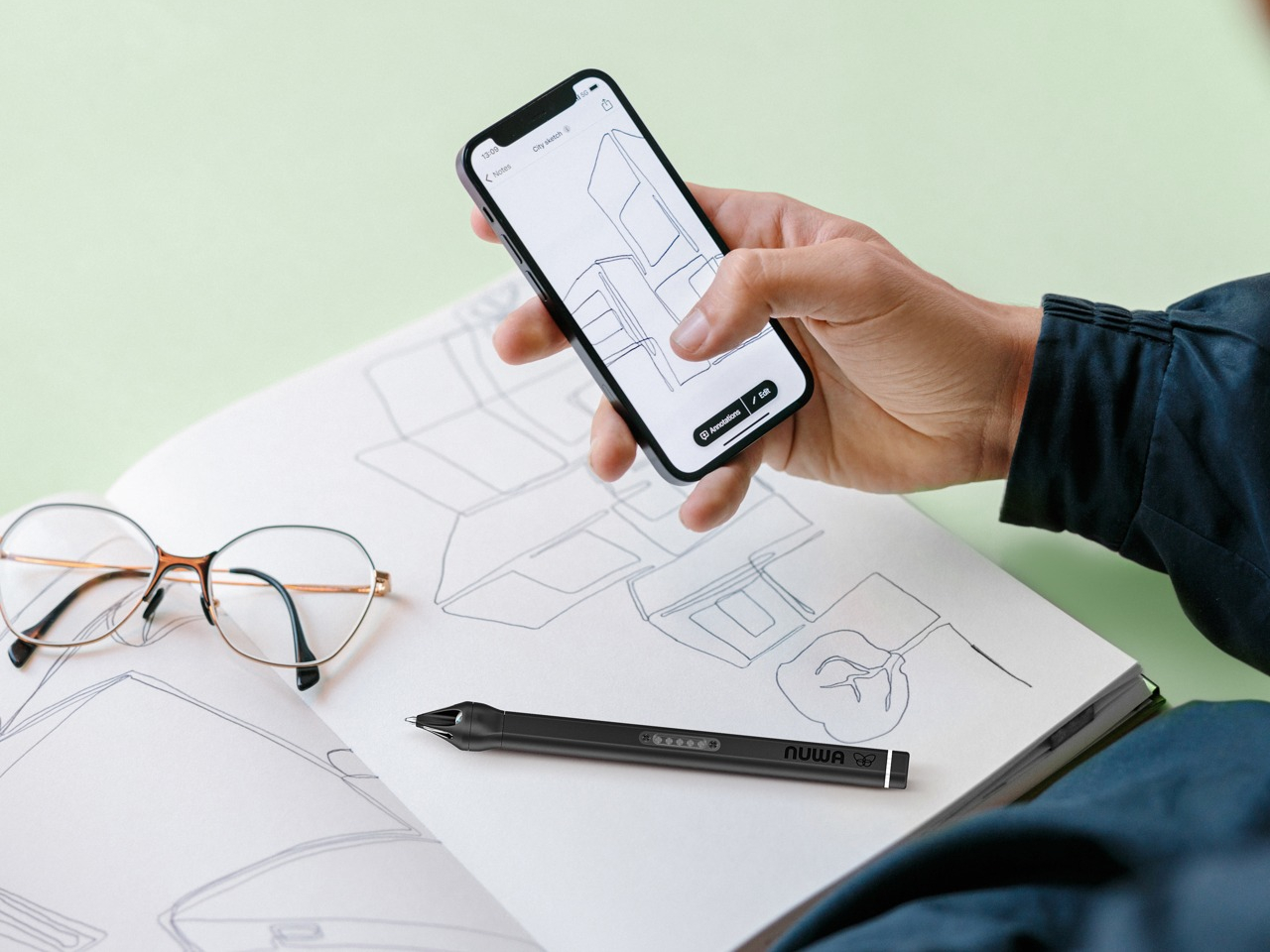
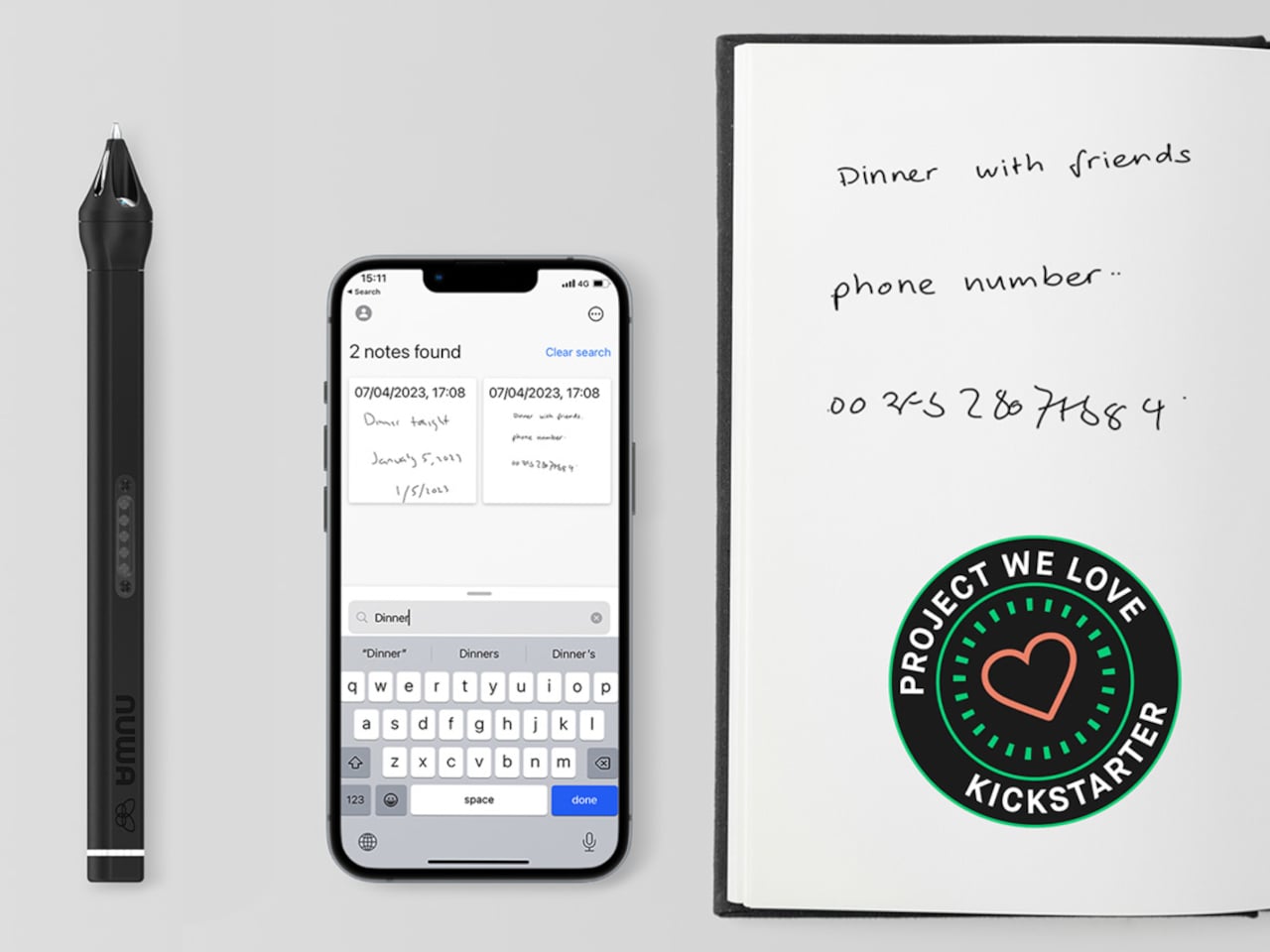
The Nuwa Pen is an AI-powered ballpoint that bridges the gap between handwritten charm and digital efficiency. This innovative pen uses a TRIDENT imaging system and AI to effortlessly convert your scribbles on any paper into searchable digital notes. With 2GB of built-in memory, rapid charging, and compatibility with the Nuwa Pen App for cloud storage, it ensures your ideas are always accessible and organized. Ideal for those who value both the tactile joy of writing and the practicality of digital tools, the Nuwa Pen redefines note-taking versatility.

6. Minimalist Design

Designers: Christoph Bohrer, Martin Wagner and Yang Han

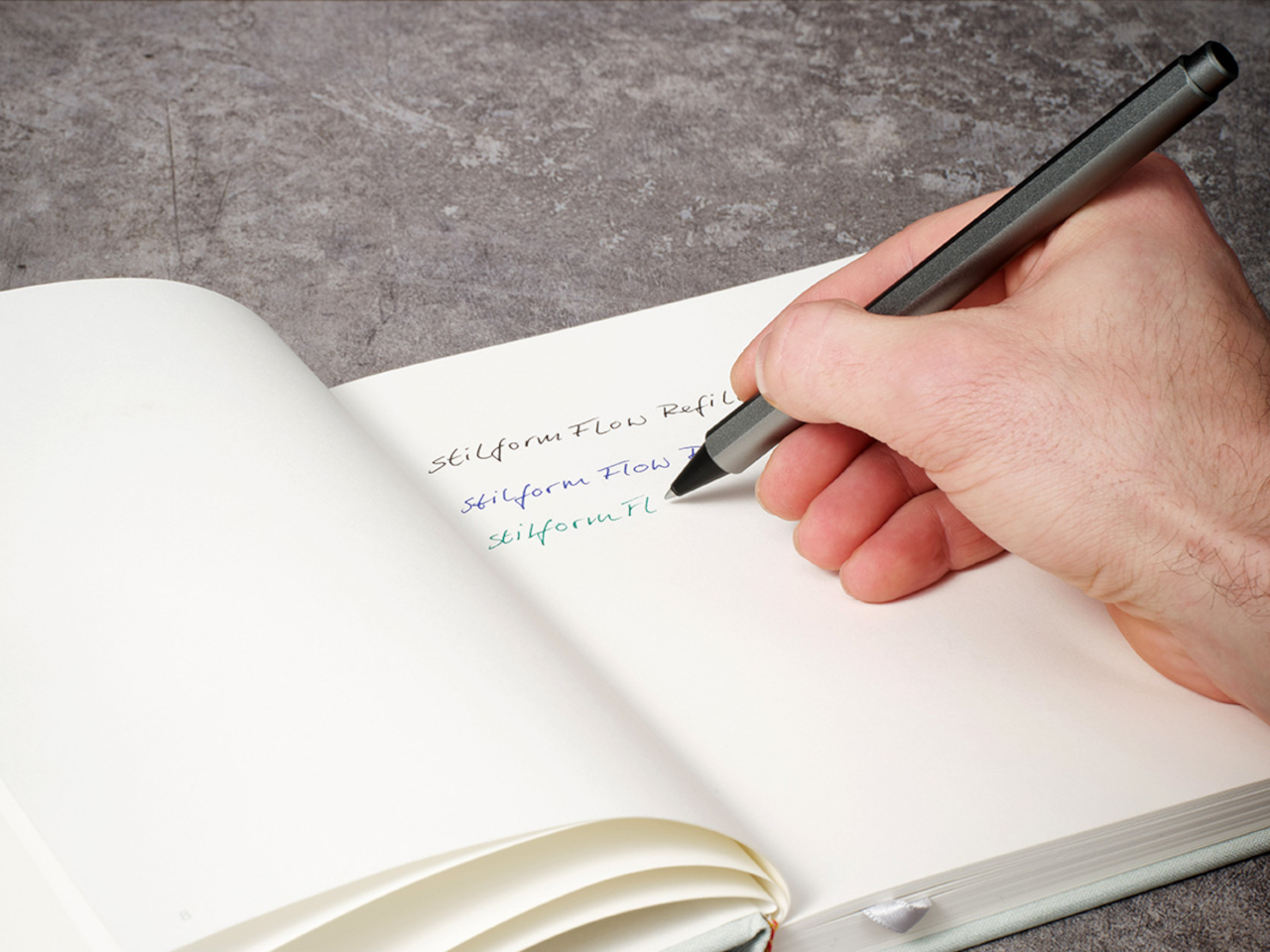
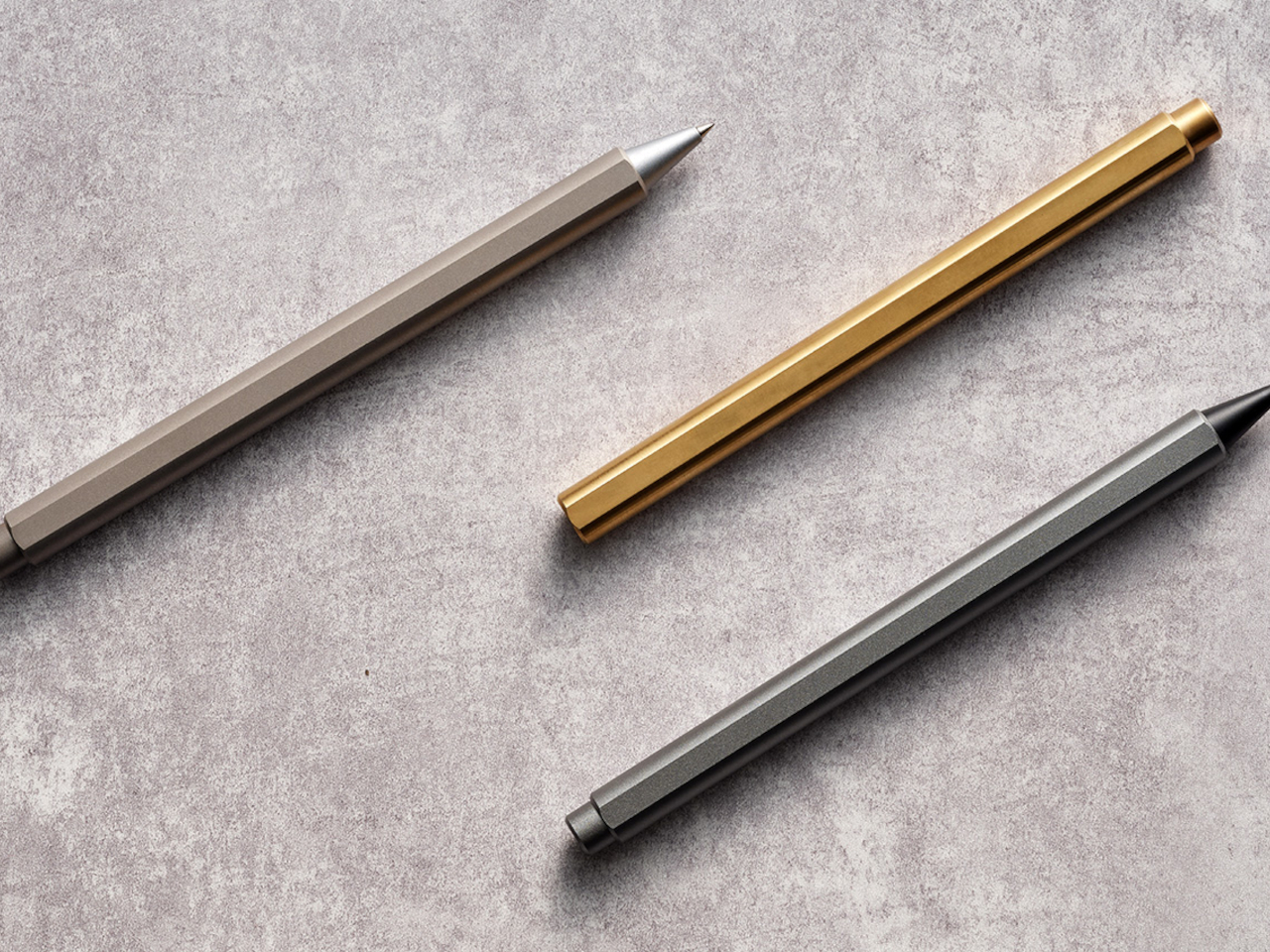
Introducing the stilform FLOW: an award-winning ballpoint pen that merges elegance with innovation. Its magnetic cap retracts the refill with a satisfying click, offering a unique fidget feature. Available in aluminum, brass, or titanium, each variant boasts a sleek, durable design ideal for a luxurious writing experience. The FLOW utilizes recycled materials and is refillable, ensuring longevity while reducing environmental impact. Perfect for those who appreciate fine craftsmanship and functional beauty in their everyday writing tools.

7. Nature-Inspired Design

Designers: Gahnghyun Yi, Jiwon Lee, Chaeyeon Ha

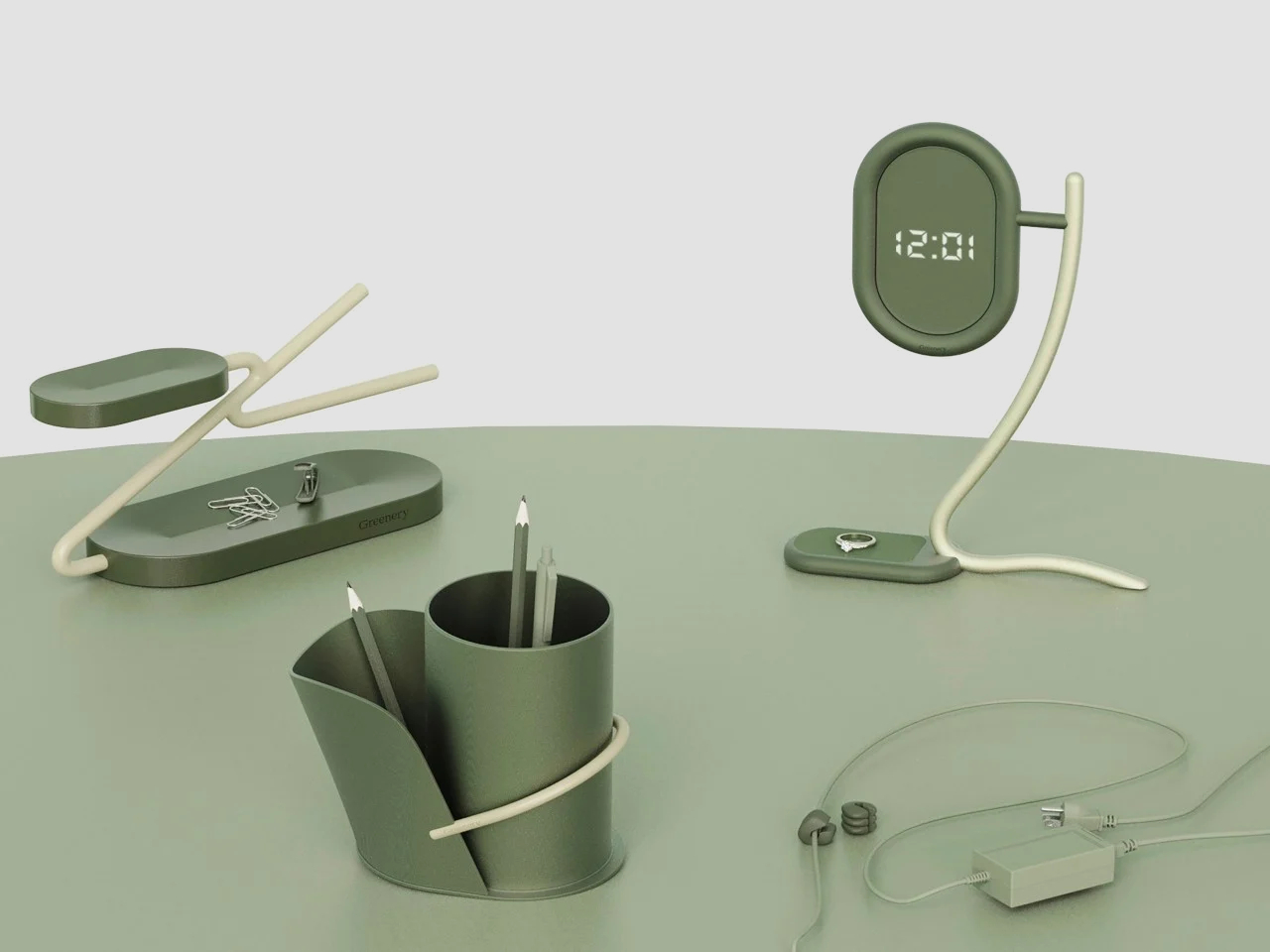
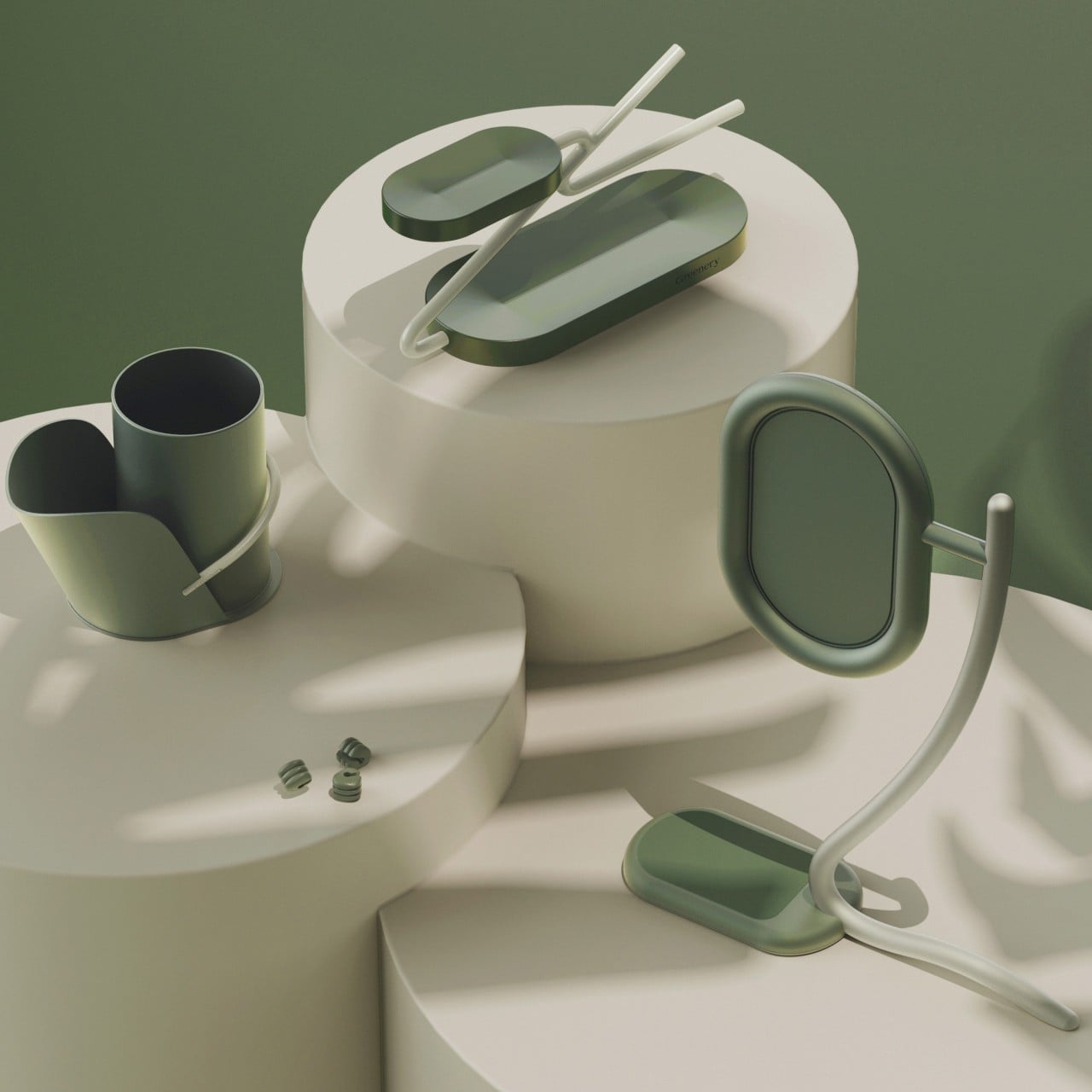
Transform your workspace with nature-inspired accessory designs that merge functionality with aesthetic appeal. The Greenery Pencil Holder mimics bamboo stems with a curved plate for storing pens and pencils. The Greenery Clock features an abstract, leaf-shaped digital display and a flat surface for small items. The Greenery Tray offers horizontal “leaves” for storage and key rings, while the Greenery Cable Holder simplifies cable management with leaf-like circles. These designs bring a touch of greenery to your desk, enhancing both organization and visual appeal.

8. Quirky Design

Designer: Seung-Wan Nam

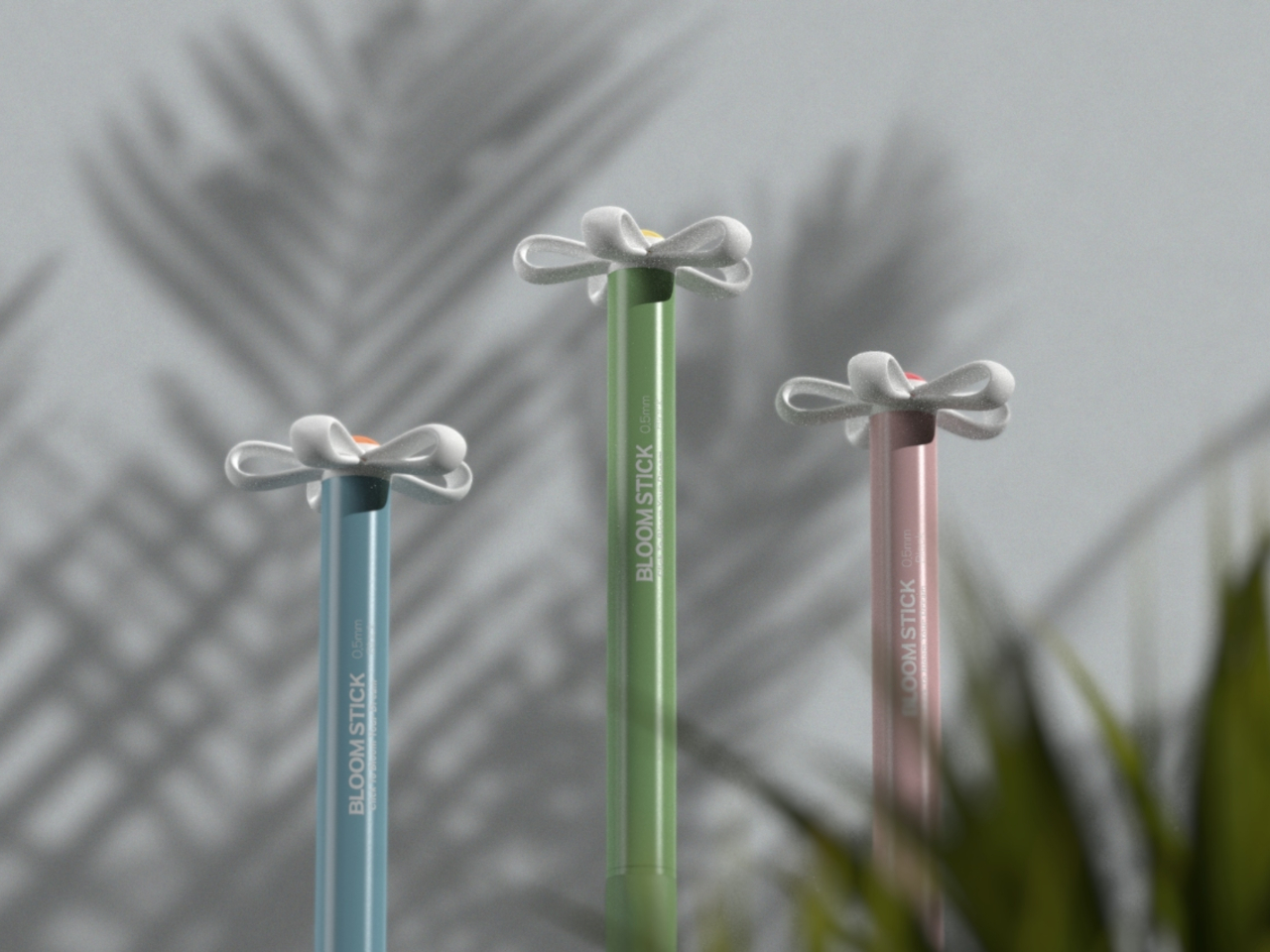
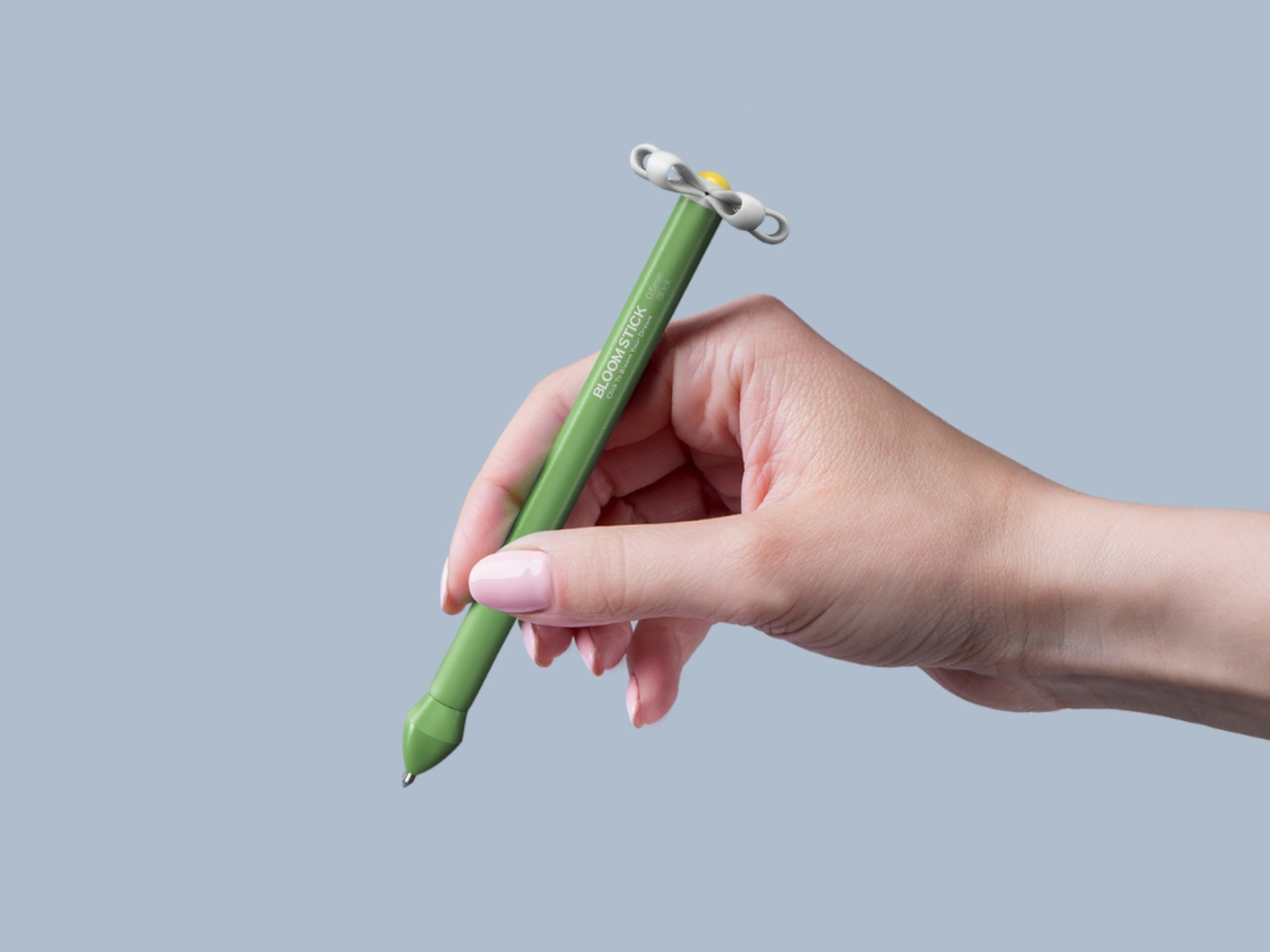
The Bloomstick pen concept is a symbolic tool for journaling dreams comprising of a silicone-covered button that blooms like a flower when pressed, it merges functionality with a decorative touch. Available in green, blue, and pink, this pen adds a whimsical flair to your writing experience. Ideal for collectors and stationery enthusiasts alike, it transforms from a conventional pen into a visually appealing piece that inspires creativity and captures the essence of dreaming.

Designer: LEGO

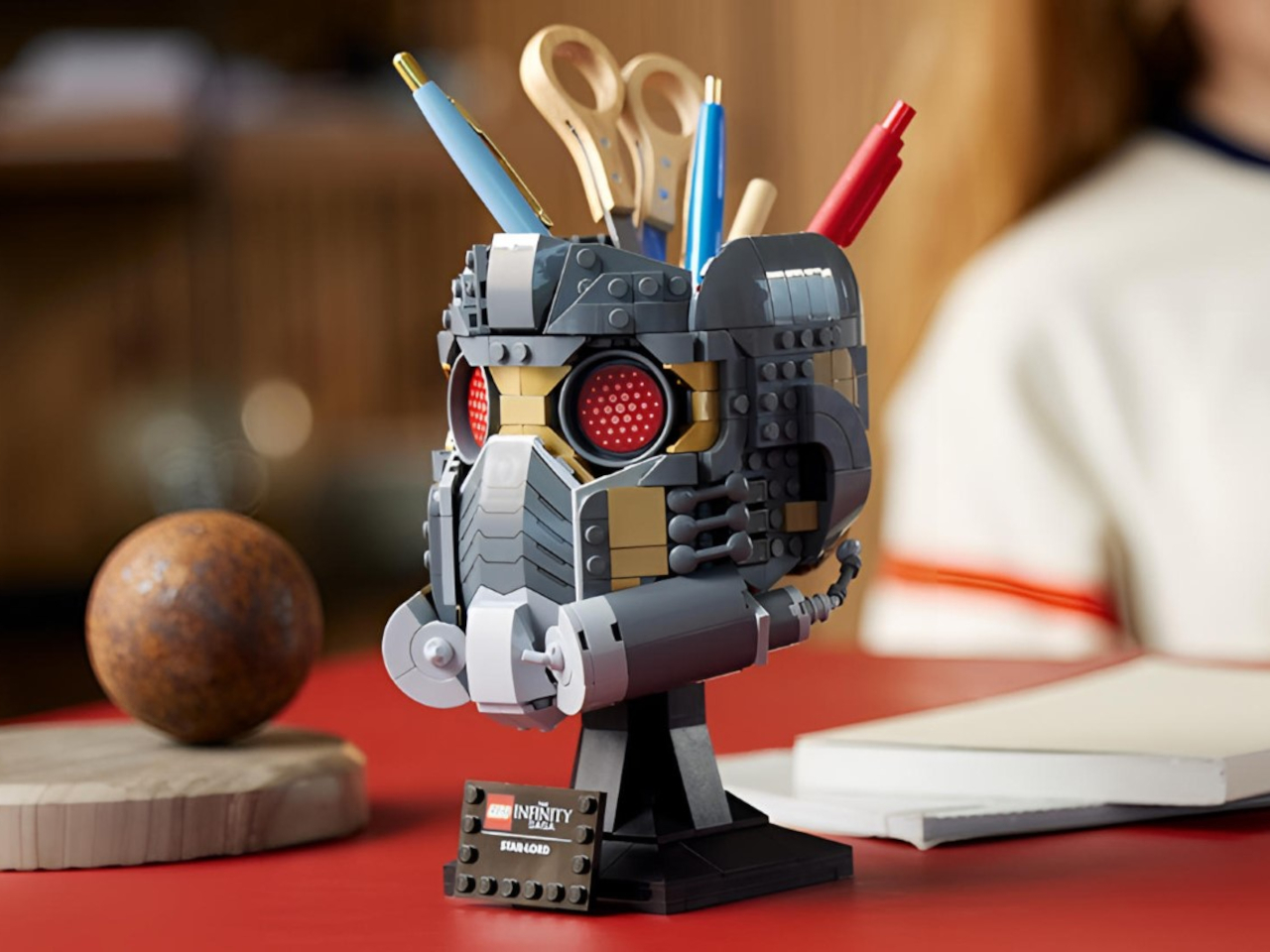
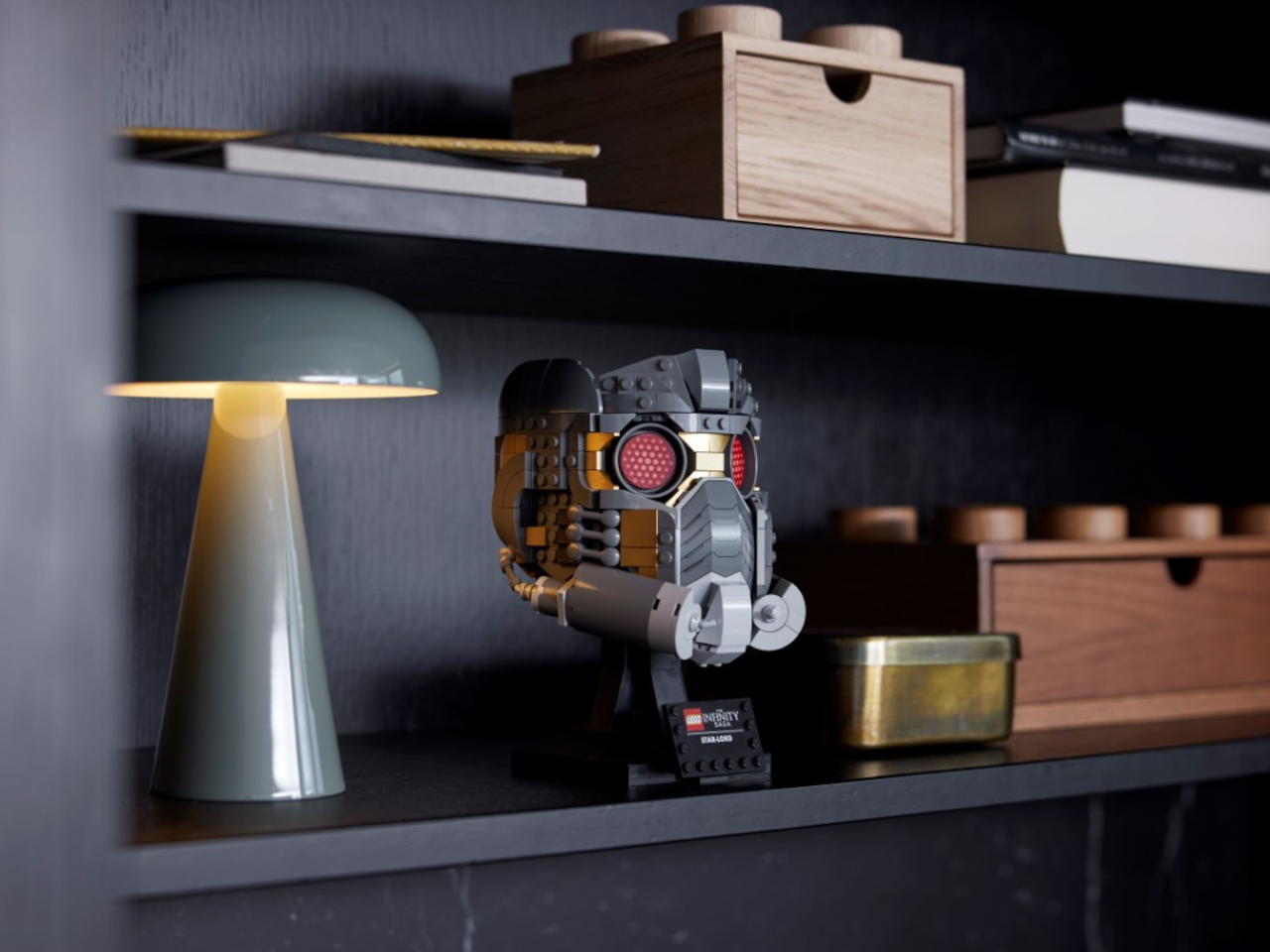
The Star Lord Helmet by LEGO is a functional and visually stunning addition to their Infinity Saga series. Standing 7 inches tall with 602 pieces, it faithfully recreates the iconic headgear from Guardians of the Galaxy Vol. 3. Ideal for ages 18 and up, it features intricate details like red-tinted eyepieces and lifelike breathing valves. Beyond its collectible appeal, this build serves as a practical stationery holder and pen stand, offering storage for essentials in its hollow interior.

Designer: Nikken Cutlery

Click Here to Buy Now: $25

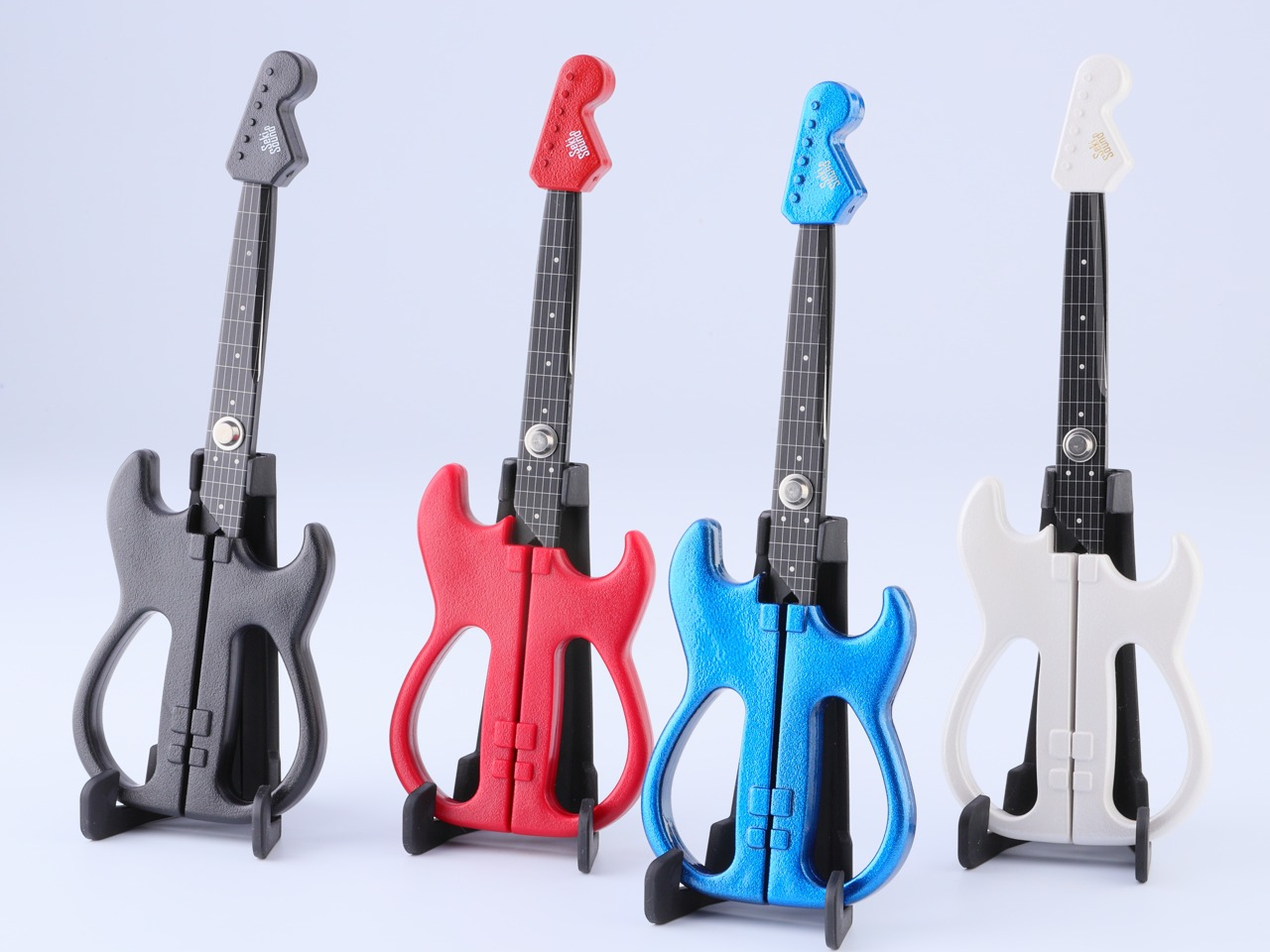
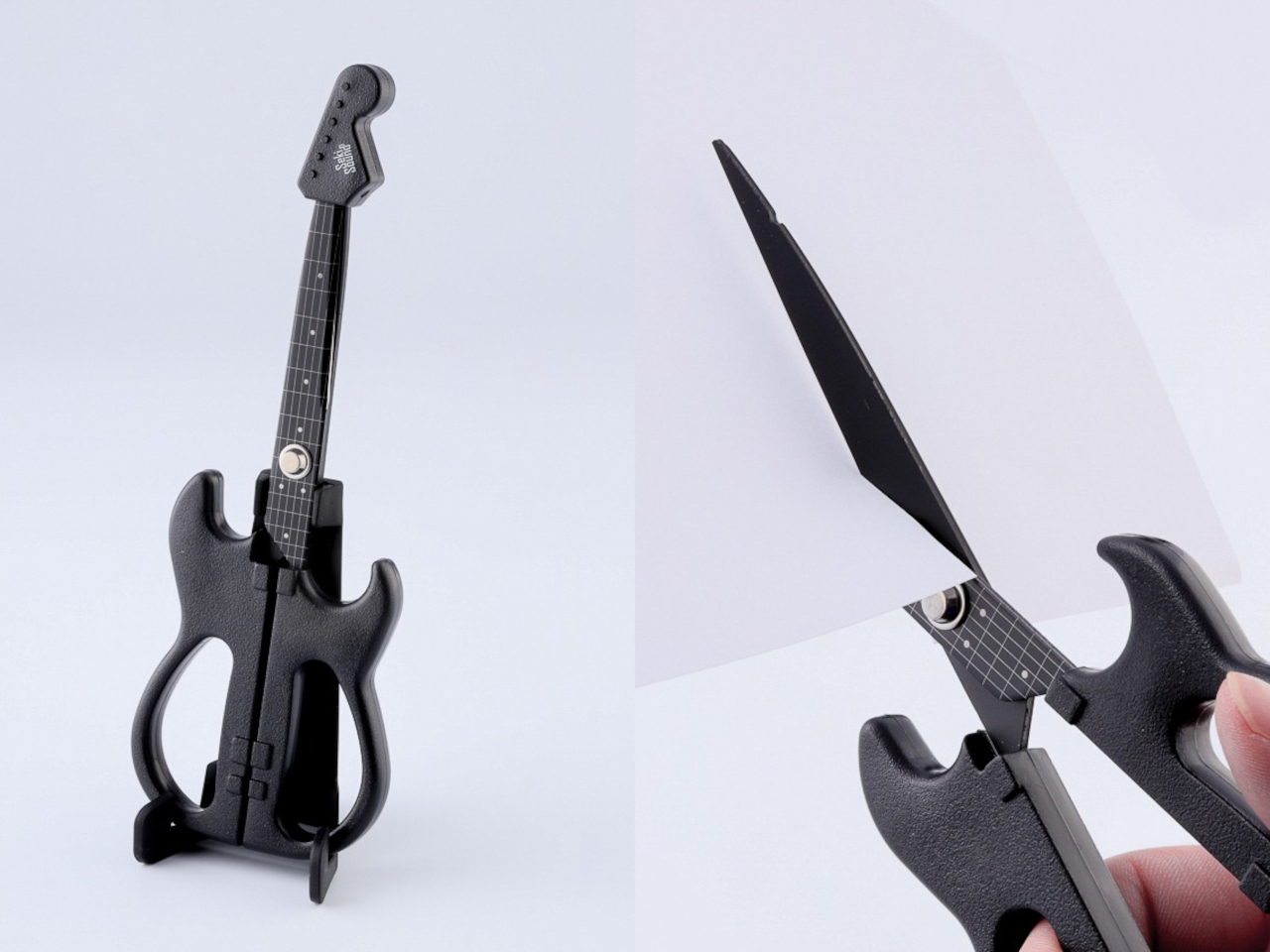
These Seki Sound scissors are more than just tools—they’re a playful homage to iconic electric guitars. Inspired by precision craftsmanship from Seki, Japan, renowned for cutlery excellence, they feature authentic details like guitar strings and frets. Designed to cut through paper, vinyl, and tape effortlessly, they’re as sharp as they are stylish, with a protective cap that doubles as a guitar head. Perfect for adding a touch of creativity and functionality to your workspace, these scissors are a must-have for design enthusiasts and music lovers alike.

9. Multifunctional Design

Designer: Pelin Özbalcı

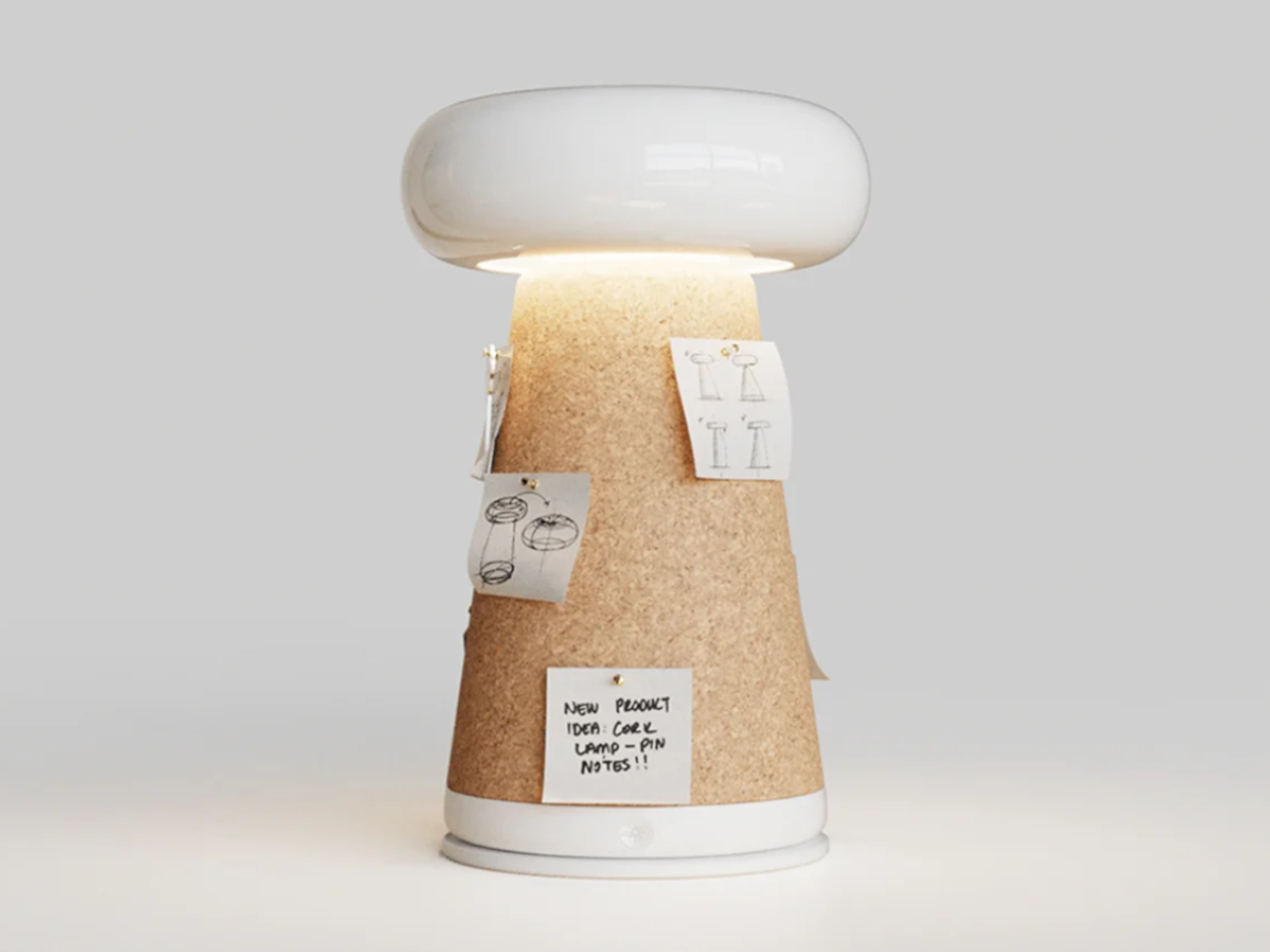
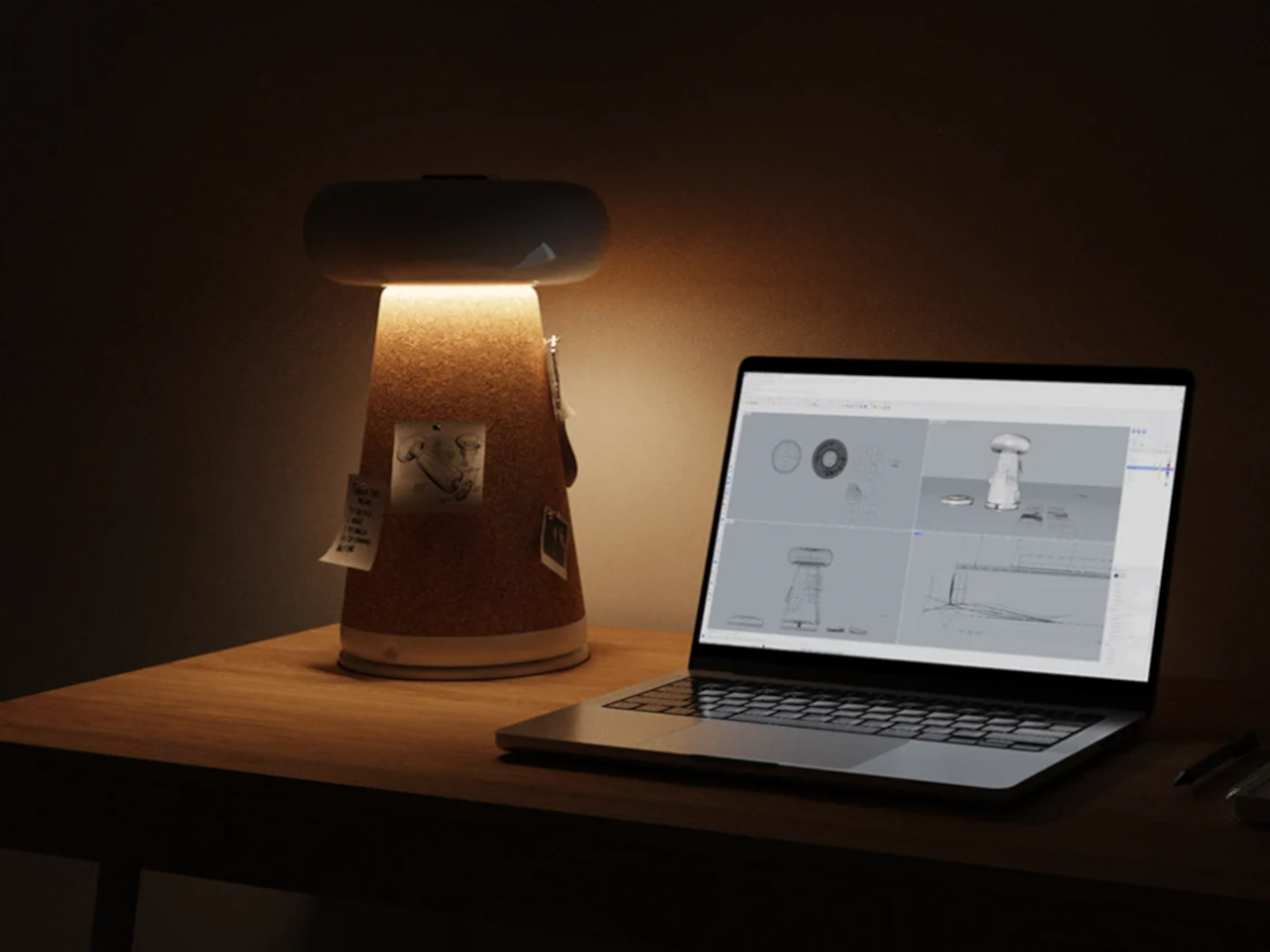
The sPINmemo lamp reimagines traditional lighting with its innovative design that combines practicality and personalization. Featuring a rotating cork body for pinning notes and photos, this lamp promotes creativity and organization while offering storage space on its ceramic head. Crafted for both functionality and aesthetic appeal, it ensures optimal illumination and blends seamlessly into any workspace or living area. Ideal for those who value minimalism and versatile home decor solutions, the sPINmemo lamp enhances both lighting and personal expression.

10. Modular Design

Designer: Wonjun Jo

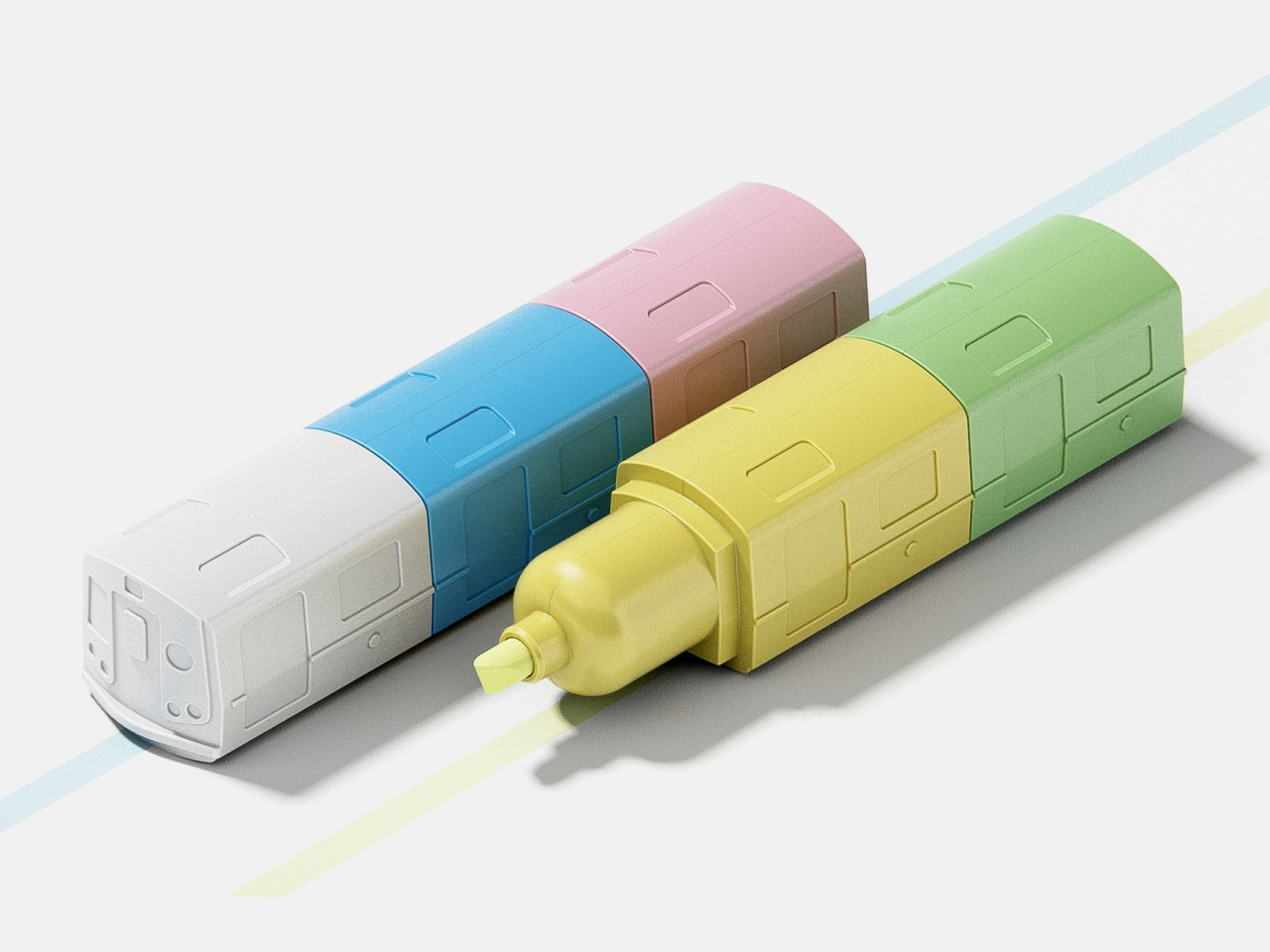
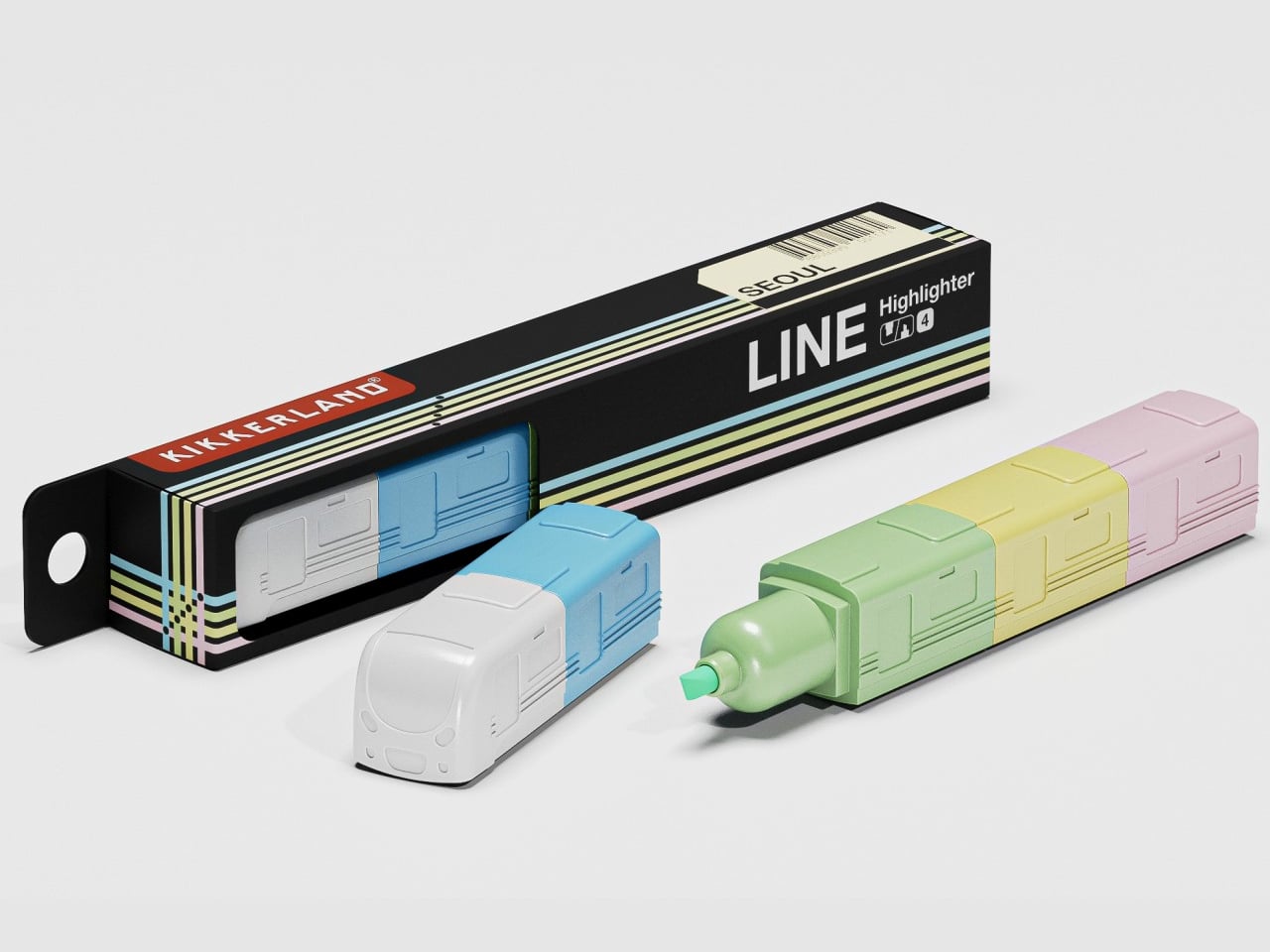
This innovative highlighter draws inspiration from East Asia’s train systems, featuring a modular design reminiscent of train cars. Each segment serves as a different color highlighter, allowing for easy interchangeability and reducing the need for multiple units. Its ergonomic shape and sustainable potential, including refillable cartridges, set it apart in stationery design. LINE’s creative approach not only enhances functionality but also offers a fresh and enjoyable user experience, bridging utility with a playful modular design inspired by transit systems.

Designer: Burcu Nehir Tum

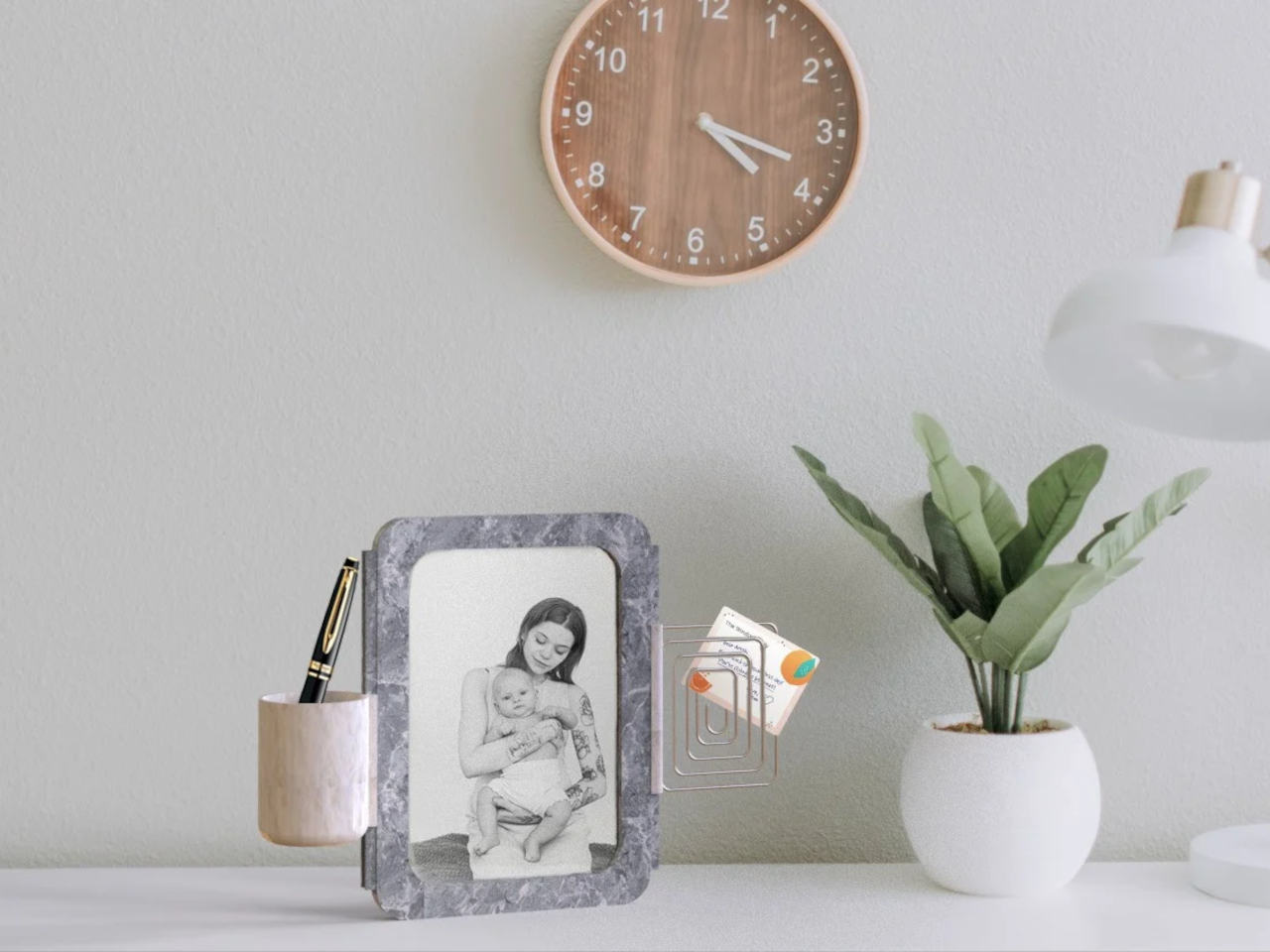
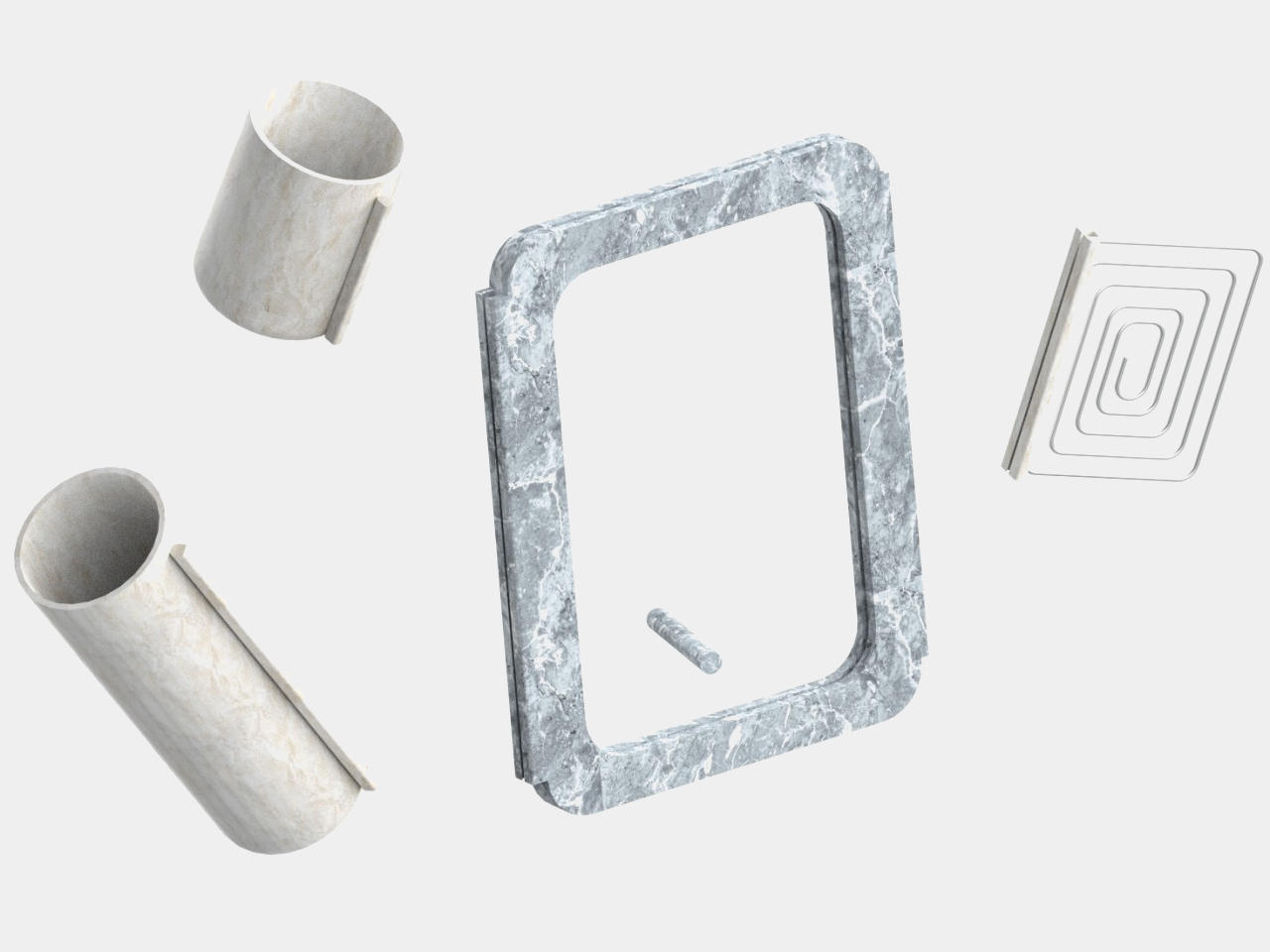
The MEMORABLE picture frame integrates a sophisticated marble design with modular functionality, featuring a unique rail system. This allows users to attach various modules like a pen holder, small vase, or note holder, enhancing both organization and personalization in your workspace. Crafted for durability and aesthetic appeal, MEMORABLE blends timeless elegance with practical modular design, making it ideal for displaying cherished memories while doubling as versatile desk storage.

The stationery landscape is transforming into a vibrant blend of sustainability, innovation, and artistic expression, revolutionizing how we approach work, study, and creative assignments.

The post Beyond the Basics: Top 10 Cutting-Edge Trends in Stationery Design first appeared on Yanko Design.
Air purifier concept visualizes indoor pollution for easier visibility

Given how people are now so aware of the air quality in their own homes, it’s no surprise that air purifiers are becoming a staple in living spaces. At first, these appliances looked the part they played, clinical and technical, sticking out like a sore thumb in your living room. Some designs now incorporate more interesting aesthetics, colors, and materials, but in exchange, they have also become a little bit more difficult to use because of their hidden interfaces.

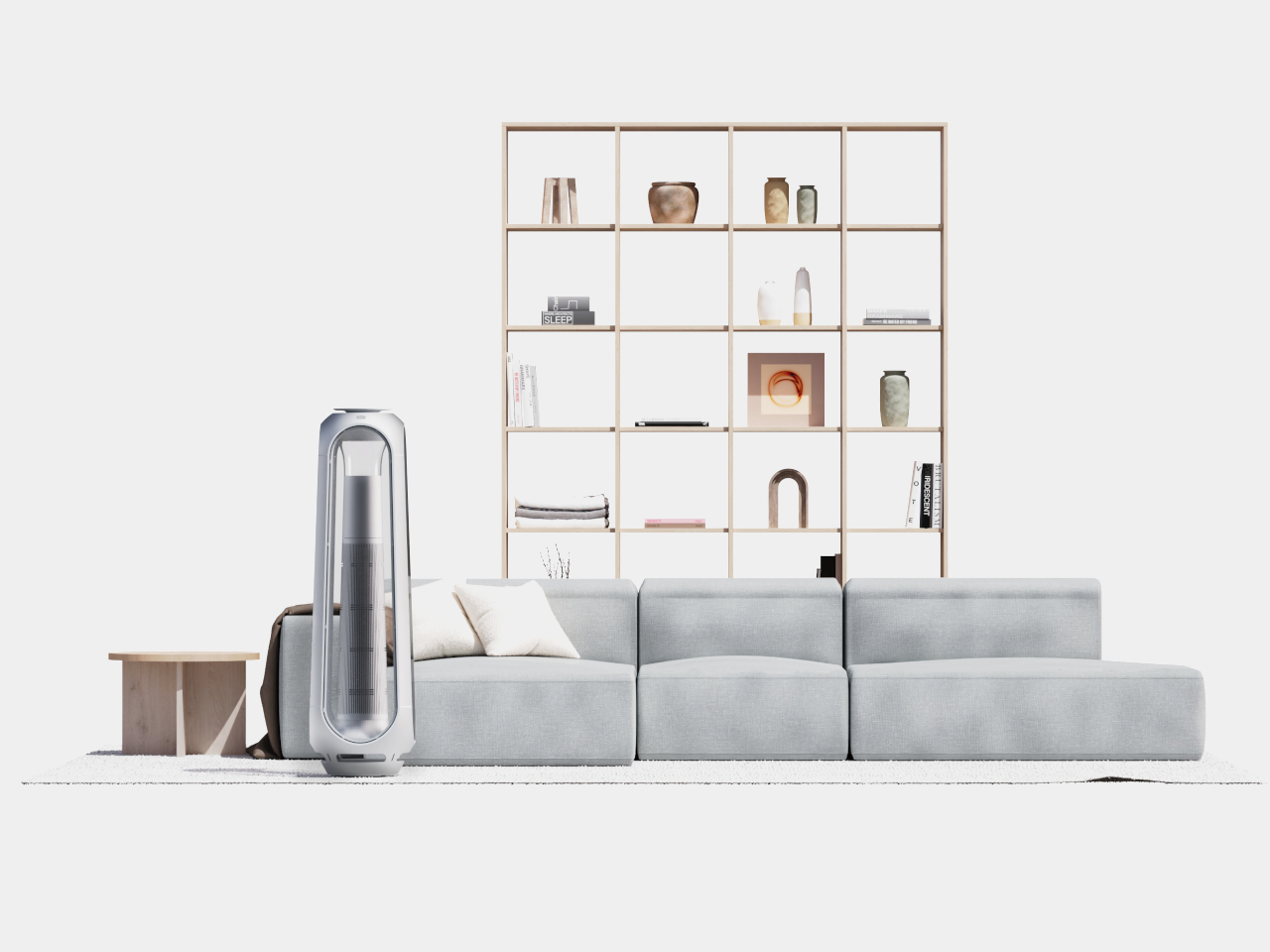
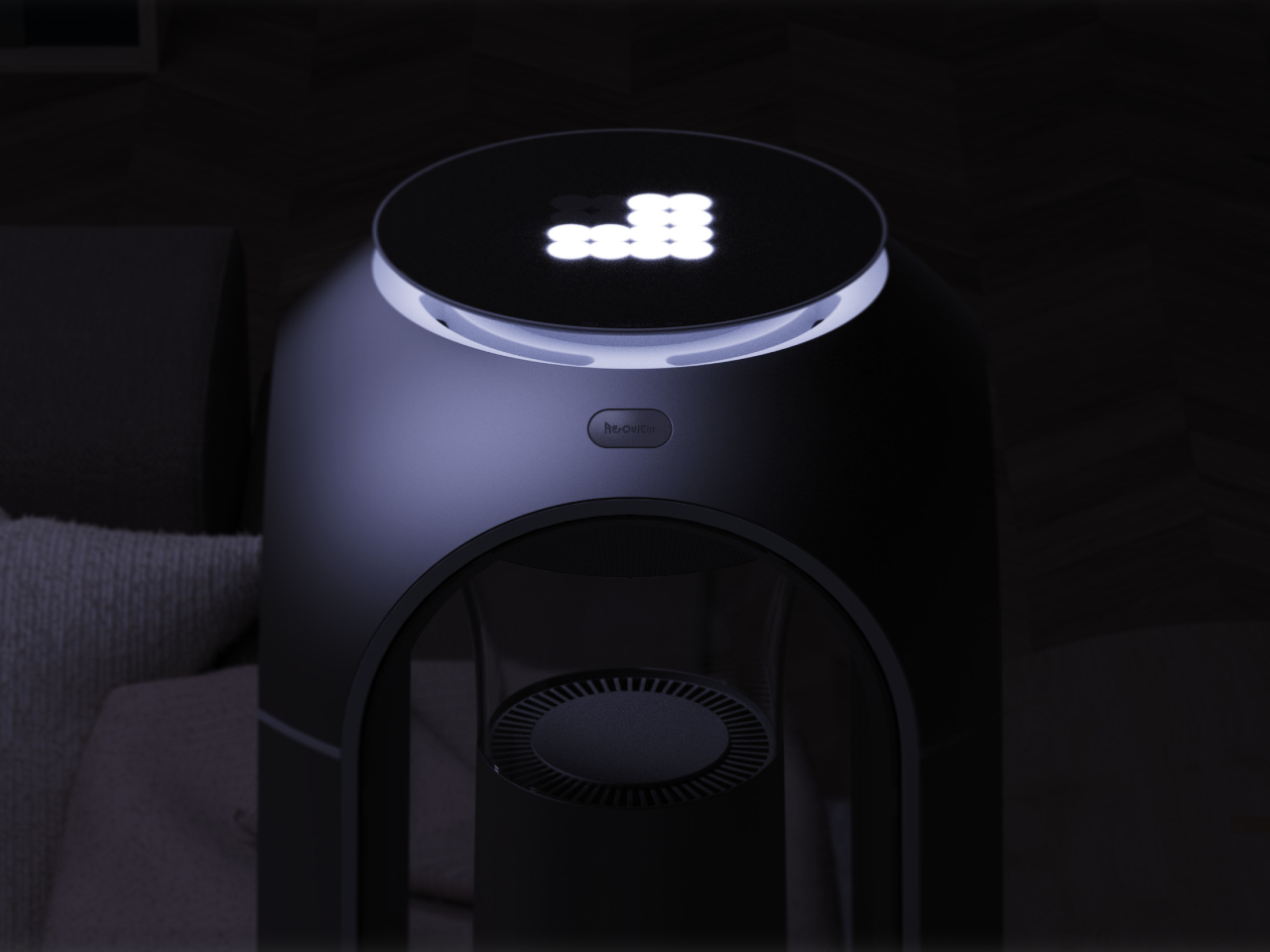
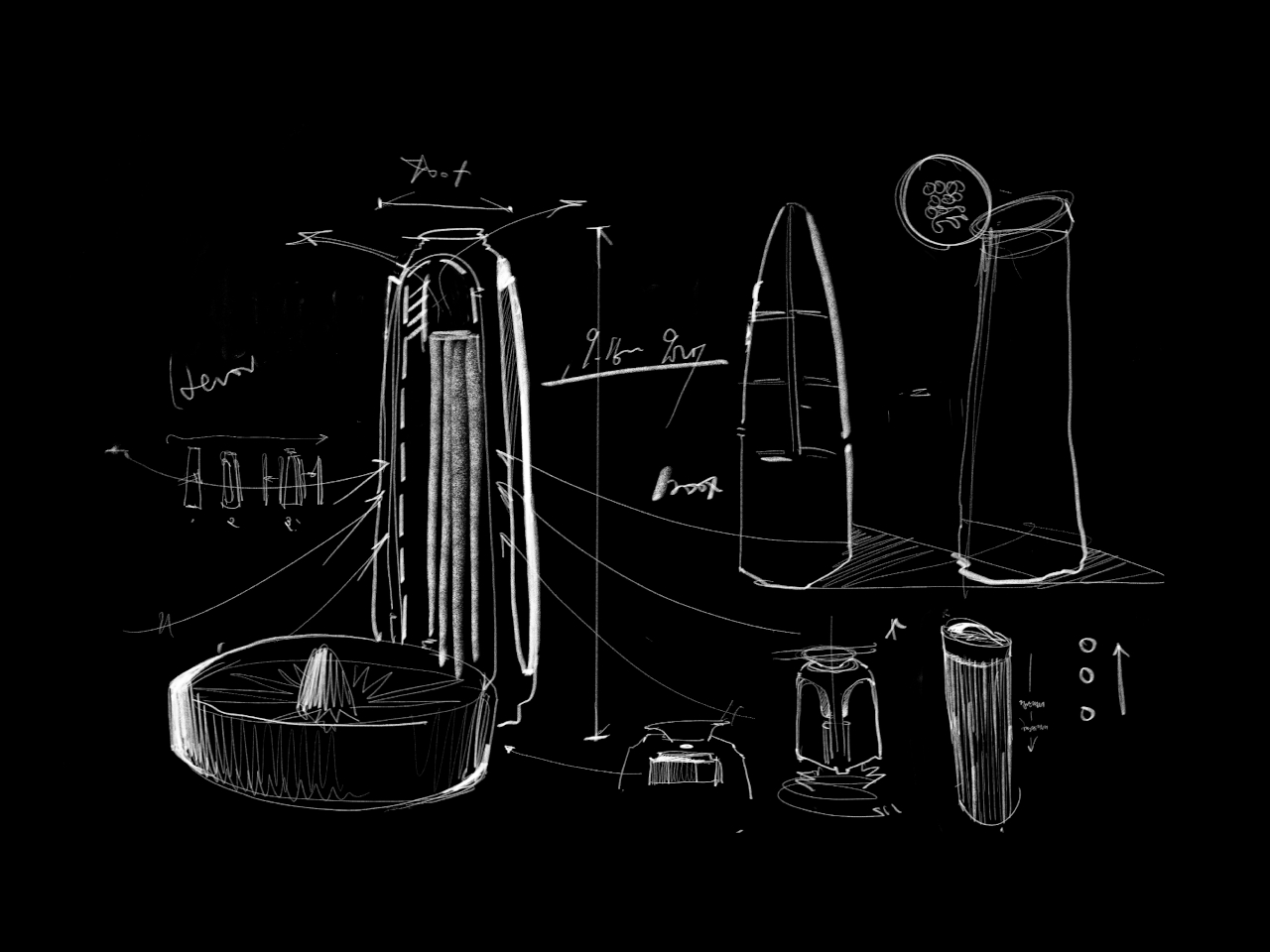
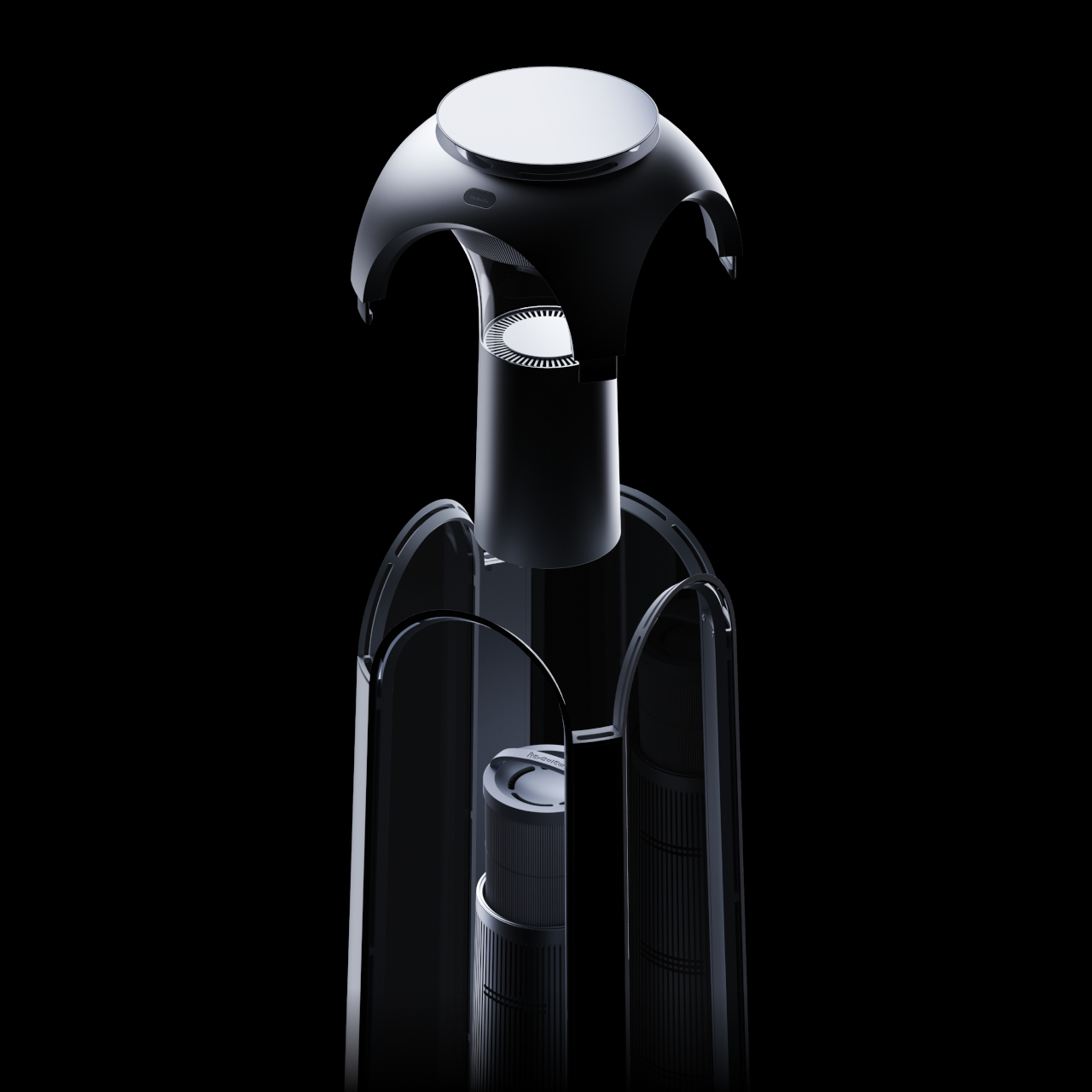
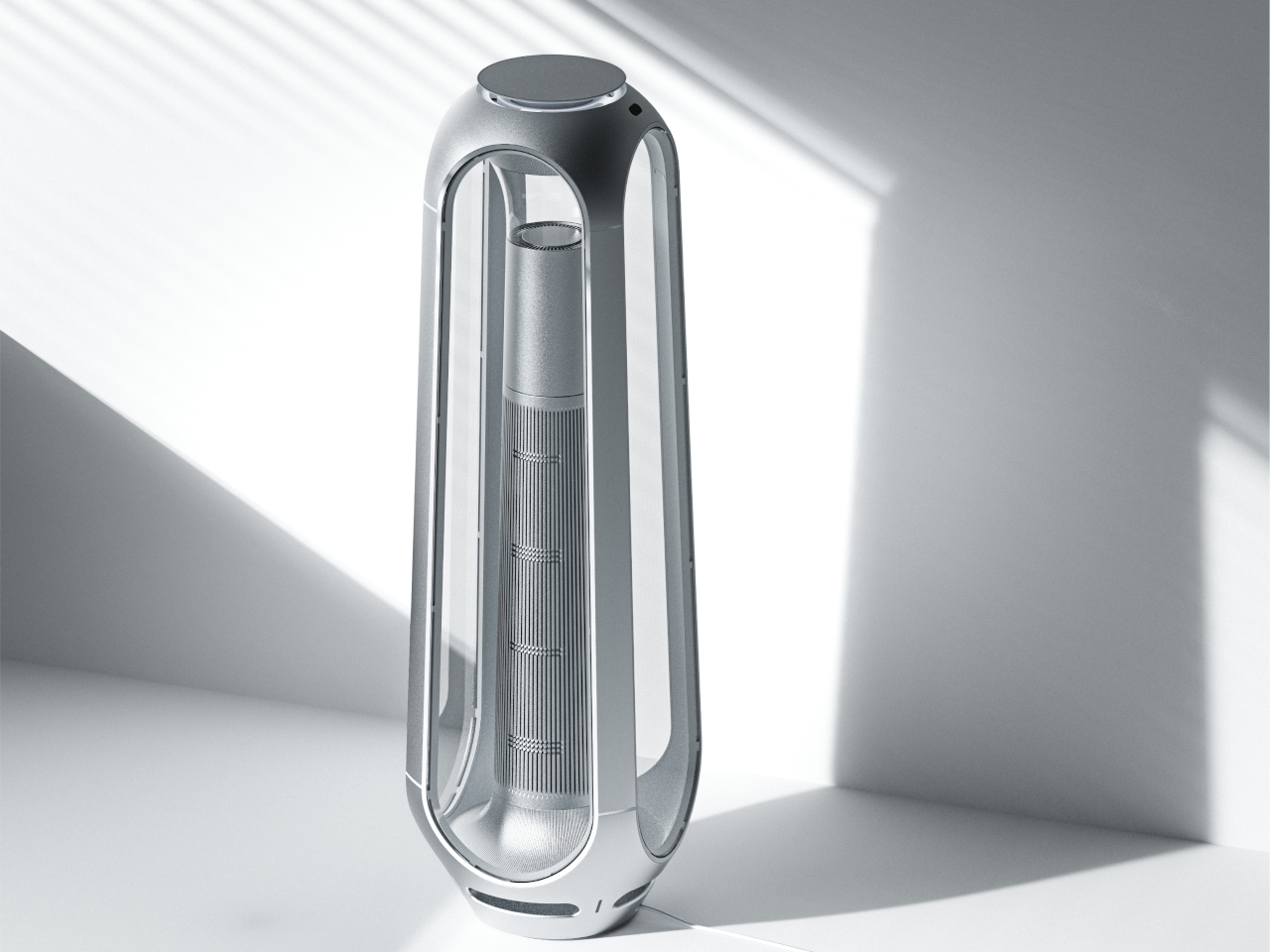
Aeroview is a concept design that tries to blend these two worlds together. Although it does stand tall in the middle of a room, it has a certain visual that comes off as more than just an appliance. More importantly, it makes its operation so simple that you only need to take a look to see how dirty the air is, and a little tap to clean it up as well.

Designers: Jihun Choi, Youngbin Yu, Jiseong Kim

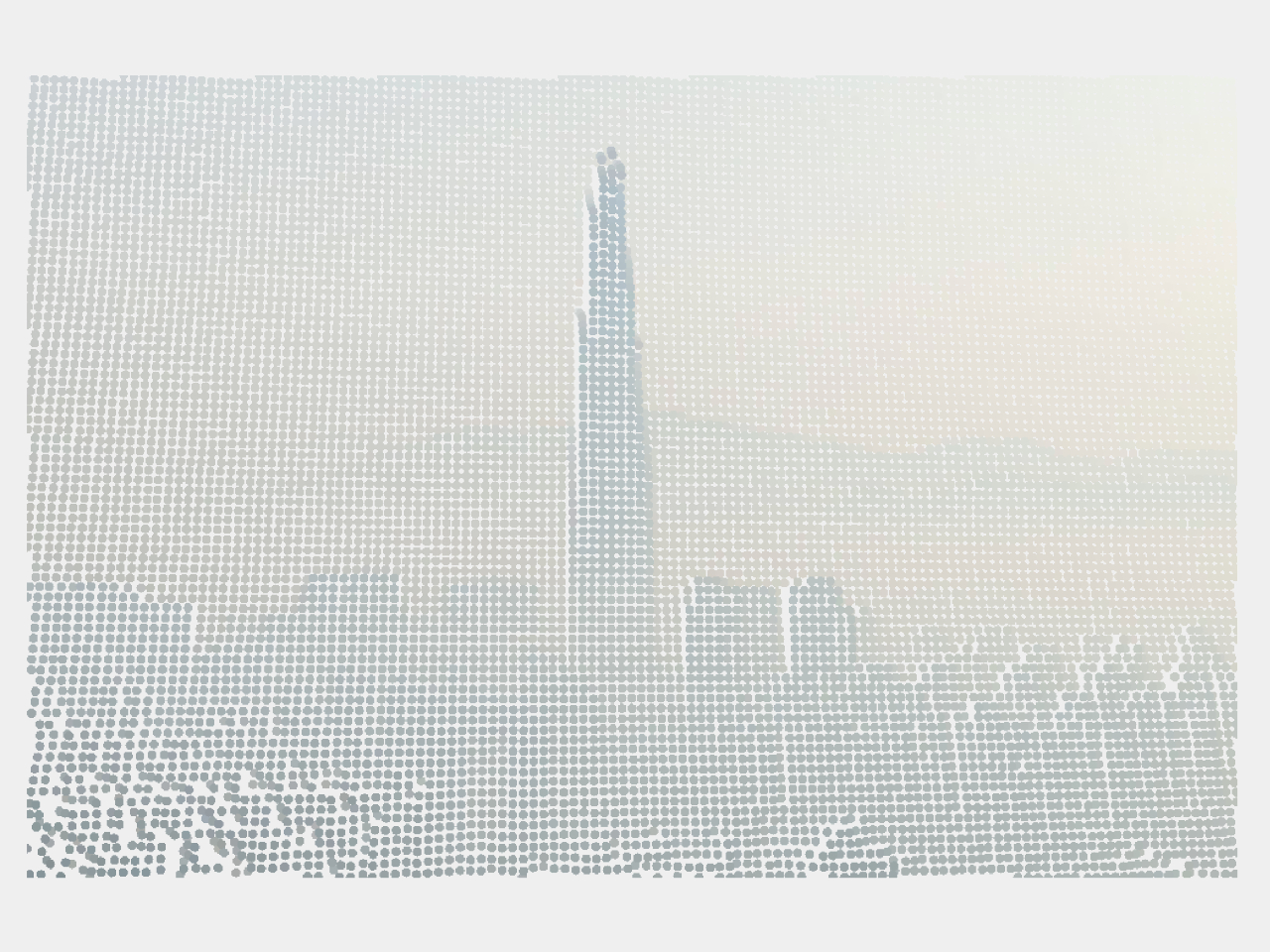
Knowing how the level of indoor pollution, or rather the volume of particular matter (PM), isn’t just a matter of interest. It can help make an air purifier more efficient by only turning it on when it’s actually needed. Many devices show the information as numbers on a display, but that often requires you to waste your time walking to the air purifier, bending down, or squinting to see the numbers.

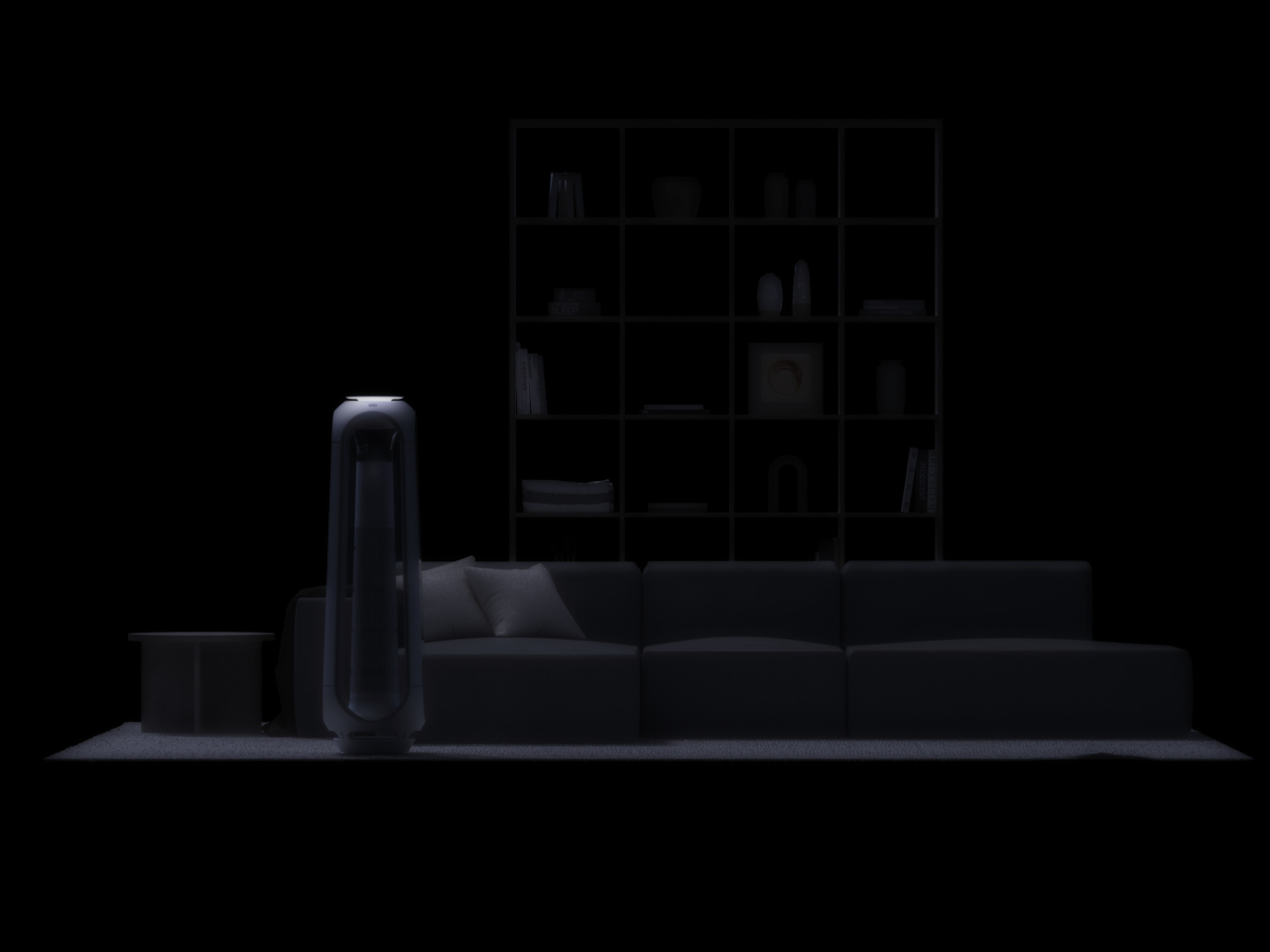
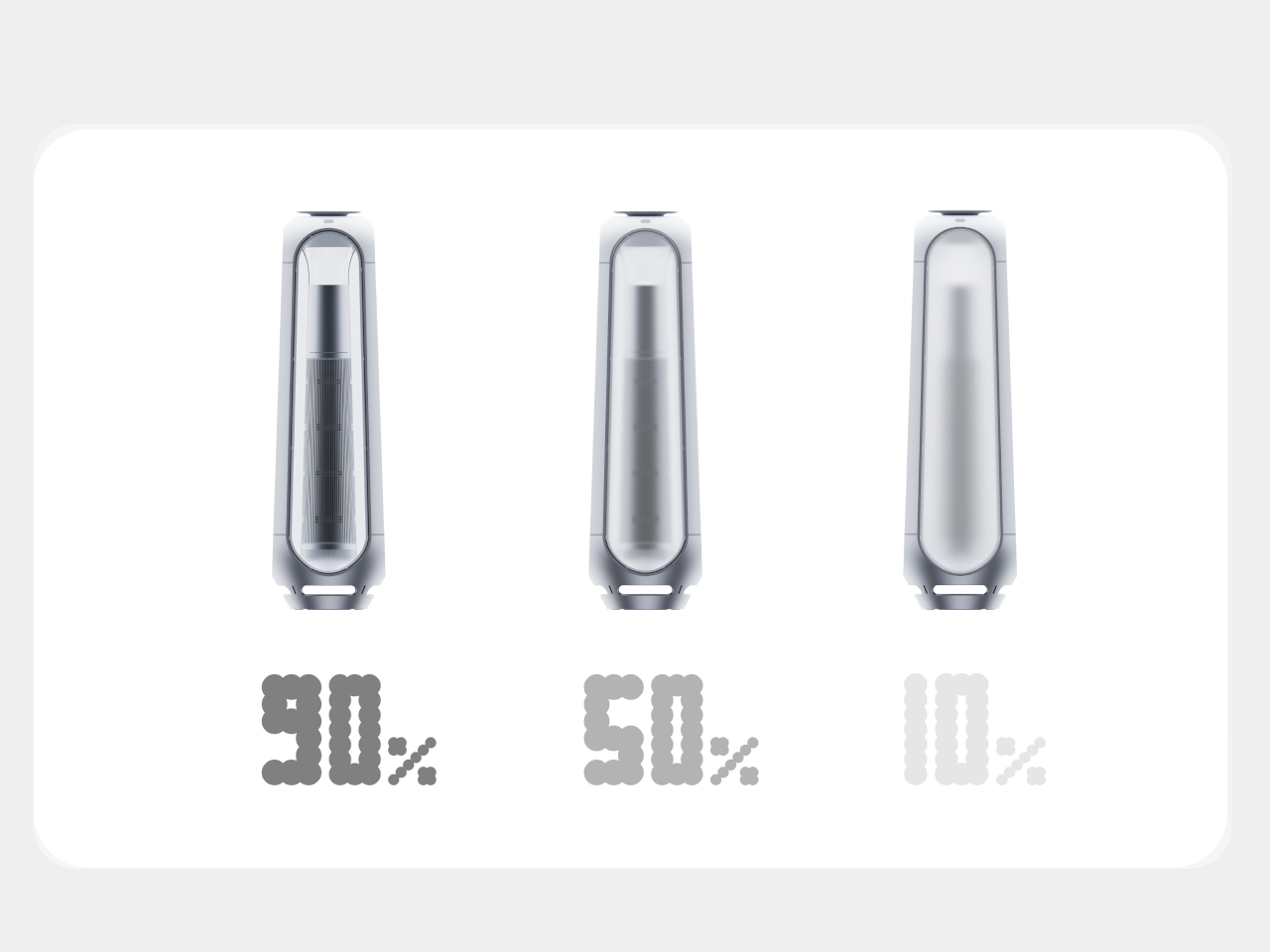
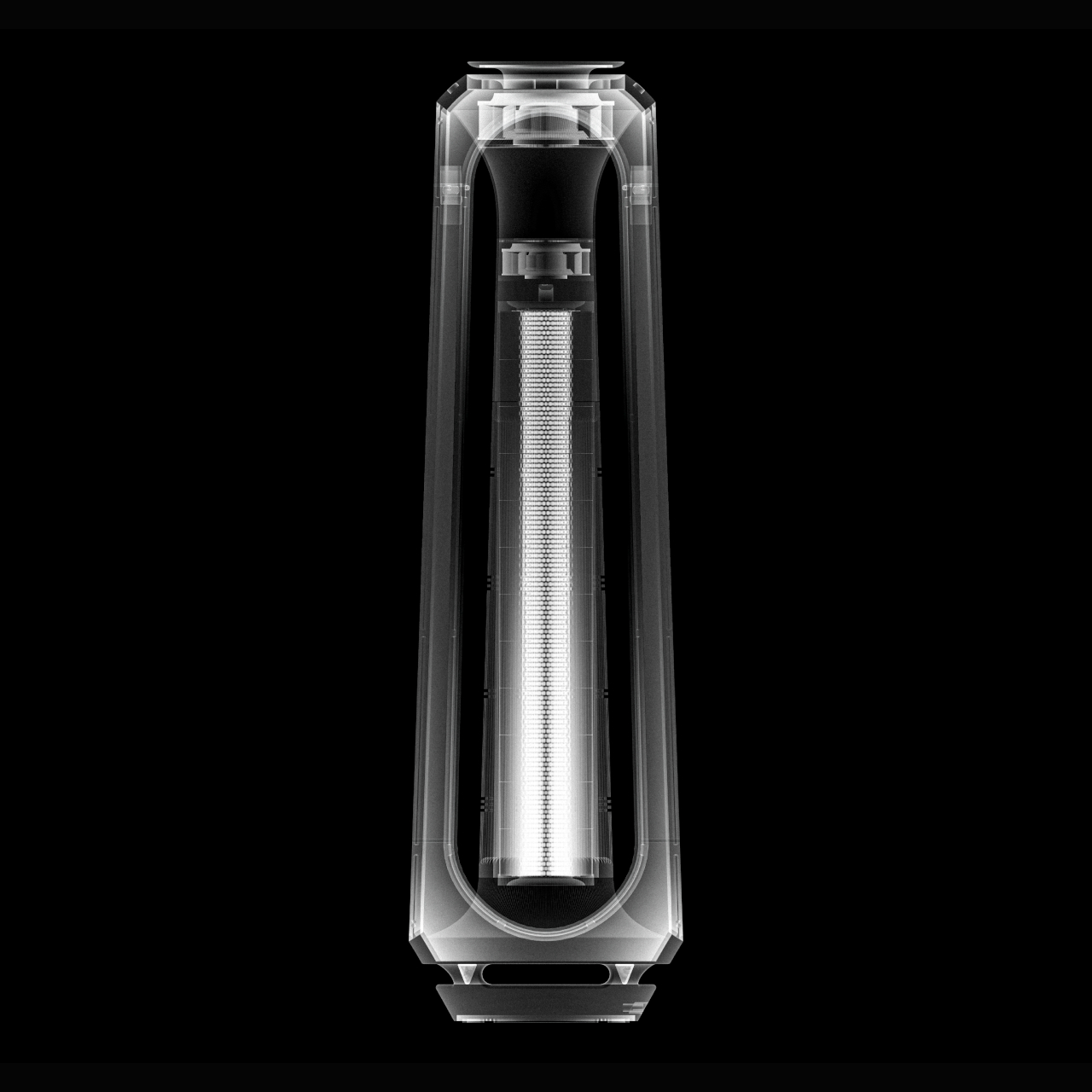
This air purifier design concept uses a more visible visual to convey the same information even from a distance. The tall tower of the appliance has transparent PDLC glass film on all four sides, and its opacity changes depending on the detected amount of fine dust and other particles in the air. It would be like watching a glass window get murky and opaque as dust starts to accumulate on its surface.

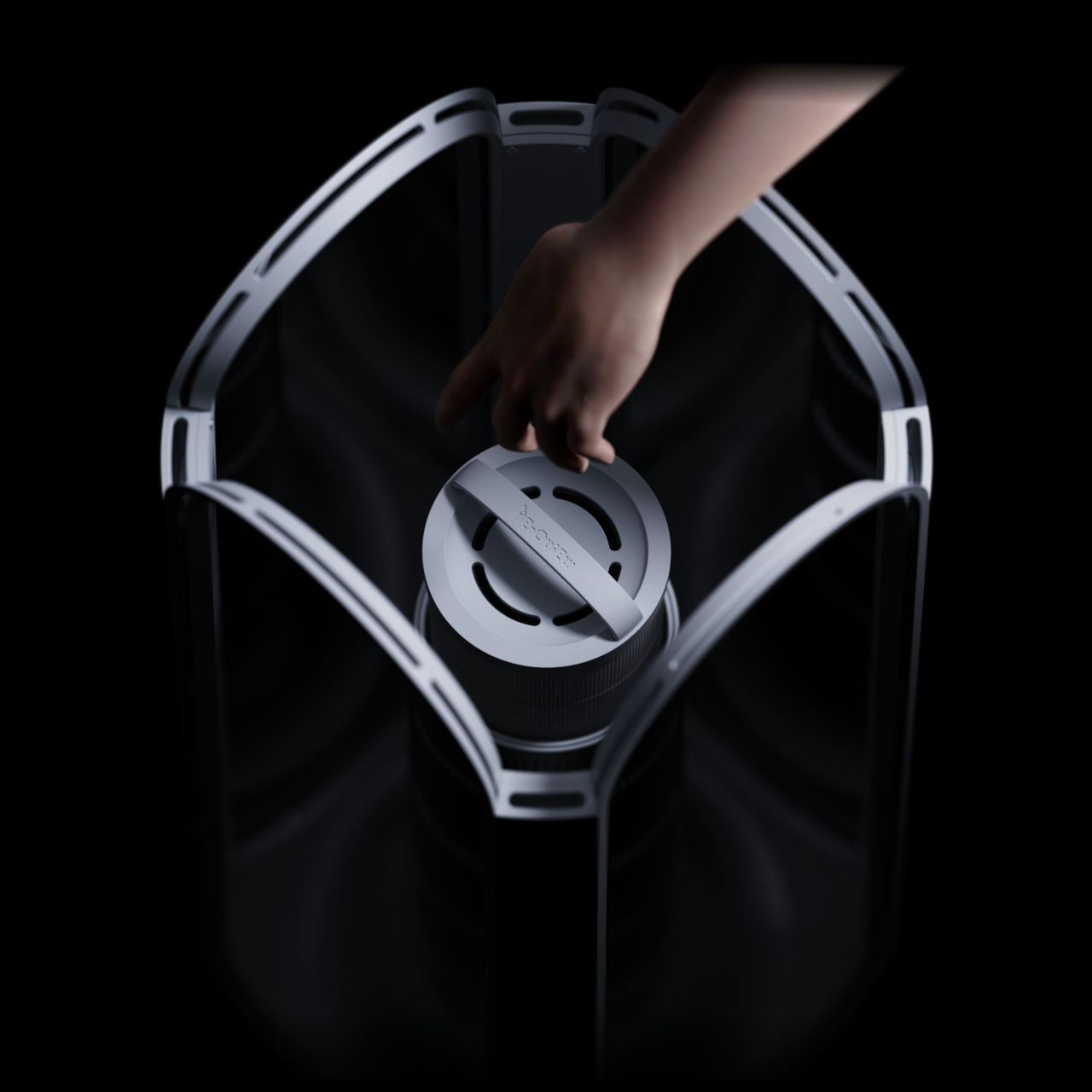
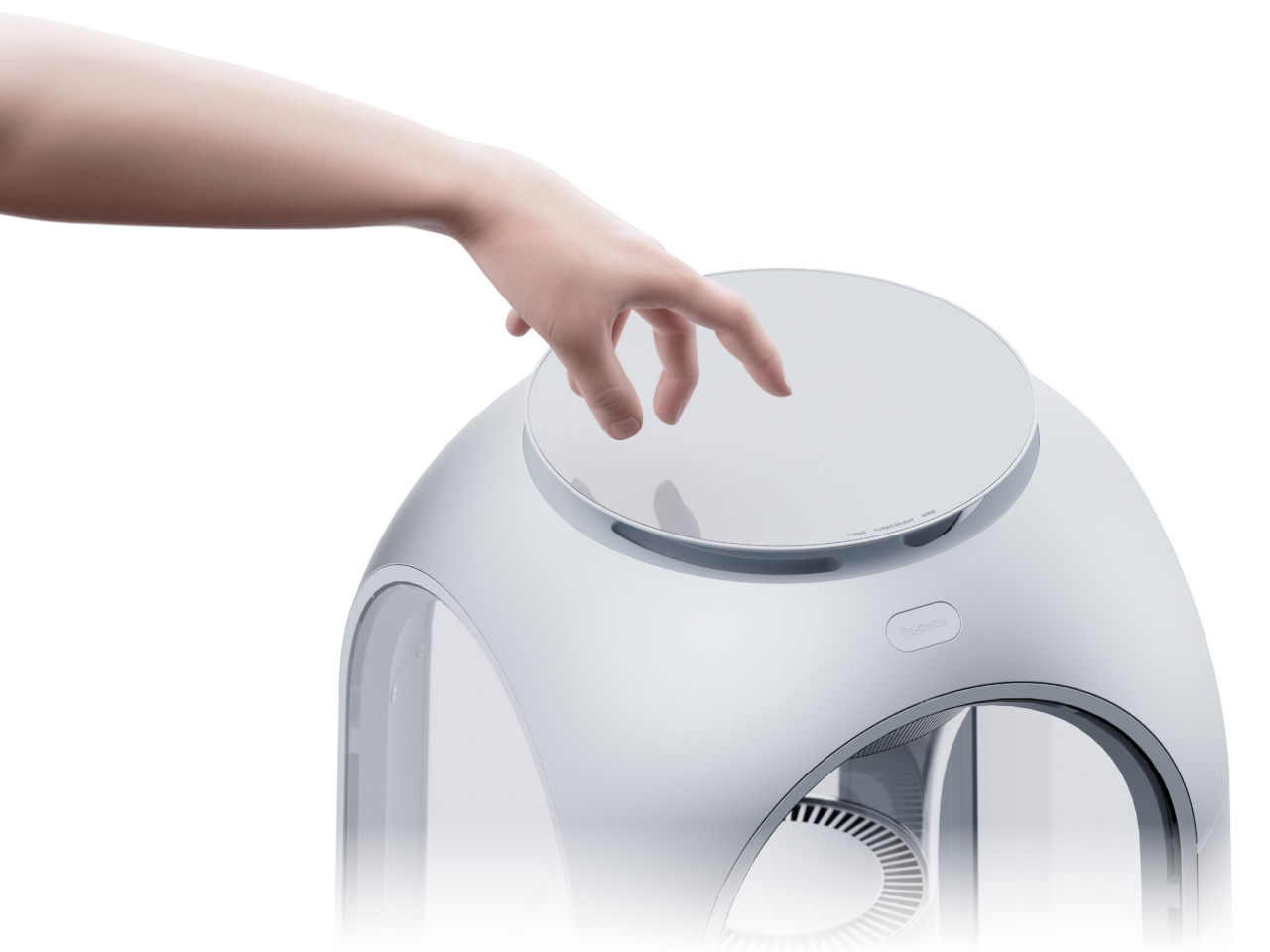
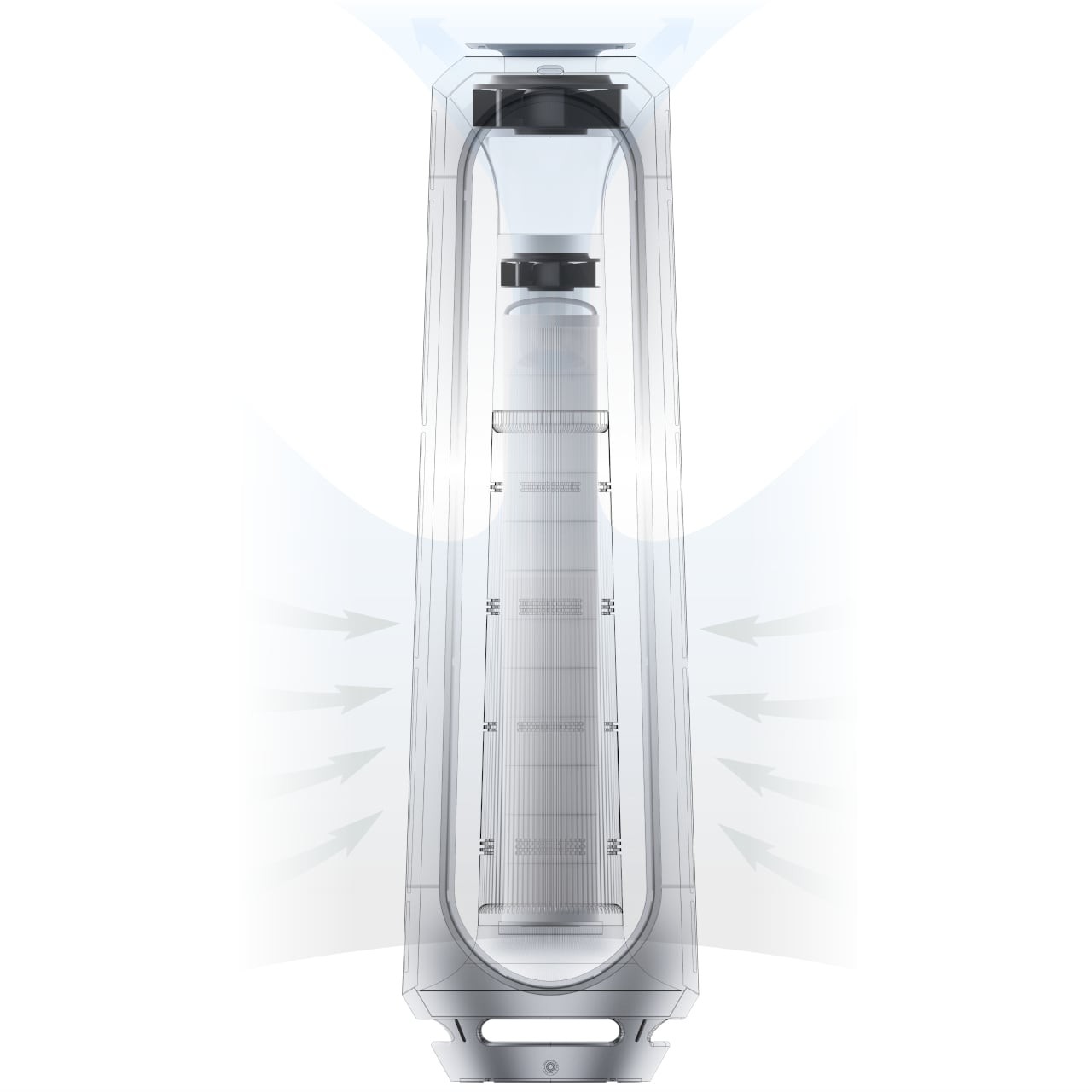
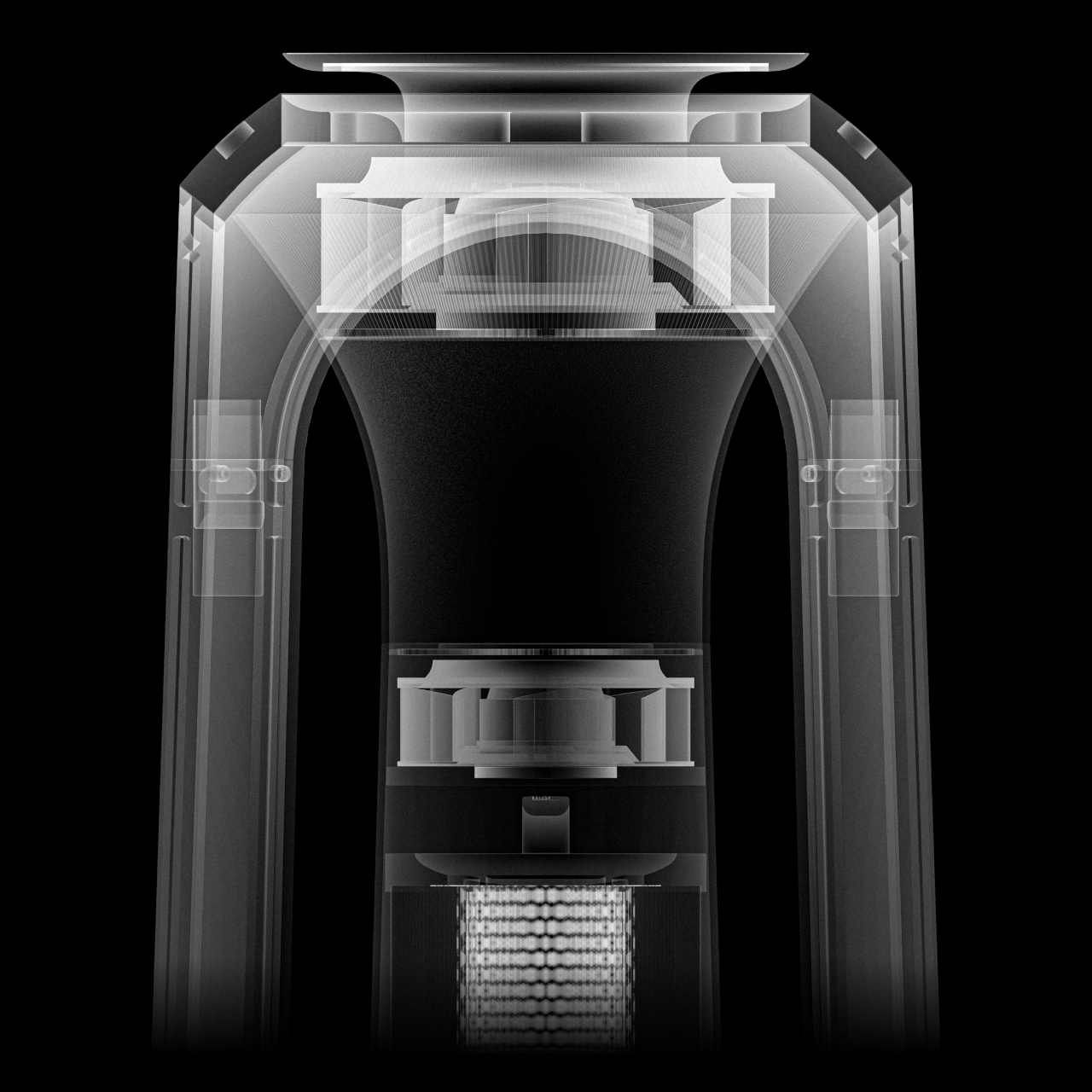
Using Aeroview is also just as easy. Simply press down on its domed top to activate the mechanism that lifts that cover and pushes the sides out, creating paths for dirty air to flow in from the side and purified air to blow from the top. The whole user experience revolves around simplicity without burying information behind multiple levels of menus, though the iconography used to convey that information does leave a bit of guesswork.

Aeroview is a fusion of stylish design and technological marvel, operating in a manner that brings some visual interest to your space. It doesn’t completely hide its identity as an air-purifying appliance, but it also uses that very same characteristic to make it look more at home in your home.

The post Air purifier concept visualizes indoor pollution for easier visibility first appeared on Yanko Design.
Top 5 Must-Have Products To Enrich Your Space With Gentle Sounds & Visual Appeal

Modern life is full of hustle and bustle, and it can be difficult to find a moment of peace. In such a world, it is important to create a calming and serene atmosphere at home. Music is an excellent and powerful tool to soothe your mind and jazz up your mood. If you’re looking to enjoy some tranquil melodies at home or enhance your home’s ambiance, these five products are the solutions you need. They will enrich your daily routine and life with their gentle sounds, or your favorite tunes.

They will fill your living space with delightful tunes and soothing melodies, while also doubling up as stylish additions to your home decor, thanks to their artistic designs and unique features. Whether you’re revisiting the charm of CDs or welcoming guests with tranquil door chimes these products offer a harmonious blend of sound and style.

1. Portable CD Cover Player

Say hello to the Portable CD Cover Player! Imagine combining the nostalgia and beauty of retro design with a modern appreciation for visual art, and you have the Portable CD Cover Player. It is a minimalist and portable device designed to take you back to the golden age of CDs while keeping in touch with the present.

The Portable CD Cover Player doesn’t simply offer a satisfying auditory experience, but also a great visual one. It is amped with a sleek design, and thoughtful functionality, which converts the simple act of playing music into an artful and tasteful visual display, adding an element of functional elegance to your home.

Click Here to Buy Now: $199

Why is it noteworthy?

The Portable CD Cover Player serves as a charming and alluring nod to the past. It provides a tangible connection to your favorite songs by allowing you to insert the CD jacket or sleeve into a specially designed pocket. This offers a physical counterpart to the digital album art, allowing you to showcase your prized music collection.

Besides delivering high-quality sound, the CD Cover Player also elevates your home with its classic and nostalgic aesthetic appeal, making it the center of attention in any room, and also a massive conversation starter. It is the perfect mix of the past and the present.

What we like

  • Equipped with a 40mm full-range speaker and woofer unit, which provides a rich and immersive audio experience
  • The powerful battery delivers 7-8 hours of uninterrupted playback, ensuring your music sessions are never cut short abruptly

What we dislike

  • It is limited to analog music, and cannot be synced with digital mediums

2. Battery-Free Amplifying iSpeakers

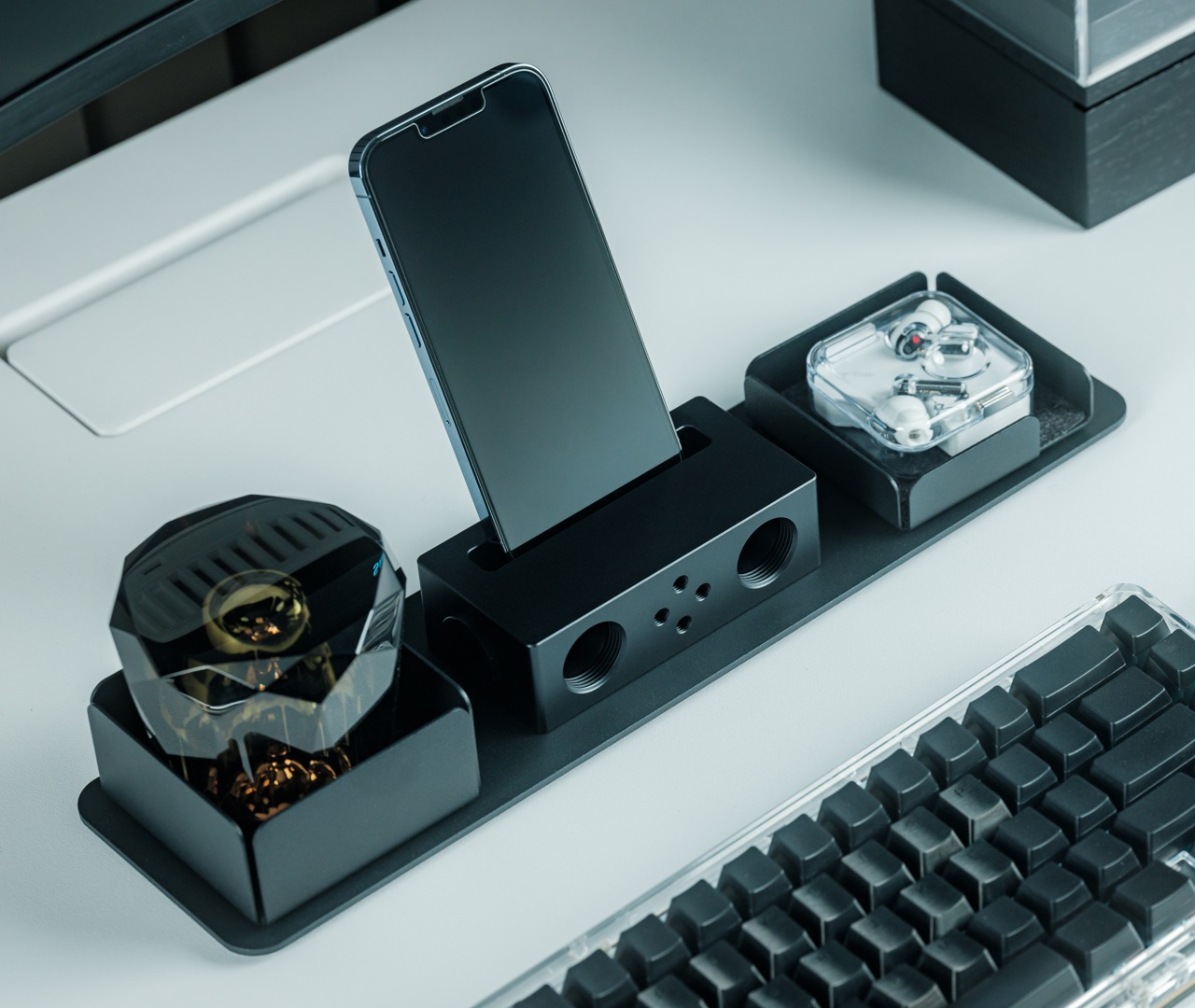
You can now step into the future of audio innovation with the Battery-Free Amplifying iSpeakers. It offers a novel and revolutionary take on the traditional smartphone speaker. It provides a unique blend of portability and sustainability, which reduces the need for a power source while offering an impressive auditory experience.

The speaker is made from a durable metal, which sets it apart not only for its functionality but also for its elegant and minimalist design. This makes the speaker a valuable and noteworthy addition to any tech-savvy household.

Click Here to Buy Now: $179

Why is it noteworthy?

The Battery-Free Amplifying iSpeakers are made from Duralumin – a high-strength aluminum alloy that is known for its use in the aviation and aerospace industries. This material is pretty durable but also improves the speaker’s ability to resist vibration, which provides a pure and unaltered sound quality.

You need to simply place your smartphone into the speaker’s dock, and it fills the entire room with a sound that will completely envelop you. It creates an excellent immersive listening experience without the need for batteries or any electricity. It is also quite portable to carry around.

What we like

  • Eco-friendly and power-free design that reduces your carbon footprint
  • Features a sleek and streamlined aesthetic, which merges well with any decor

What we dislike

  • The speaker is compatible with most smartphones, but may not be compatible with devices encased in bulky covers or cases

3. Door Chime Tori

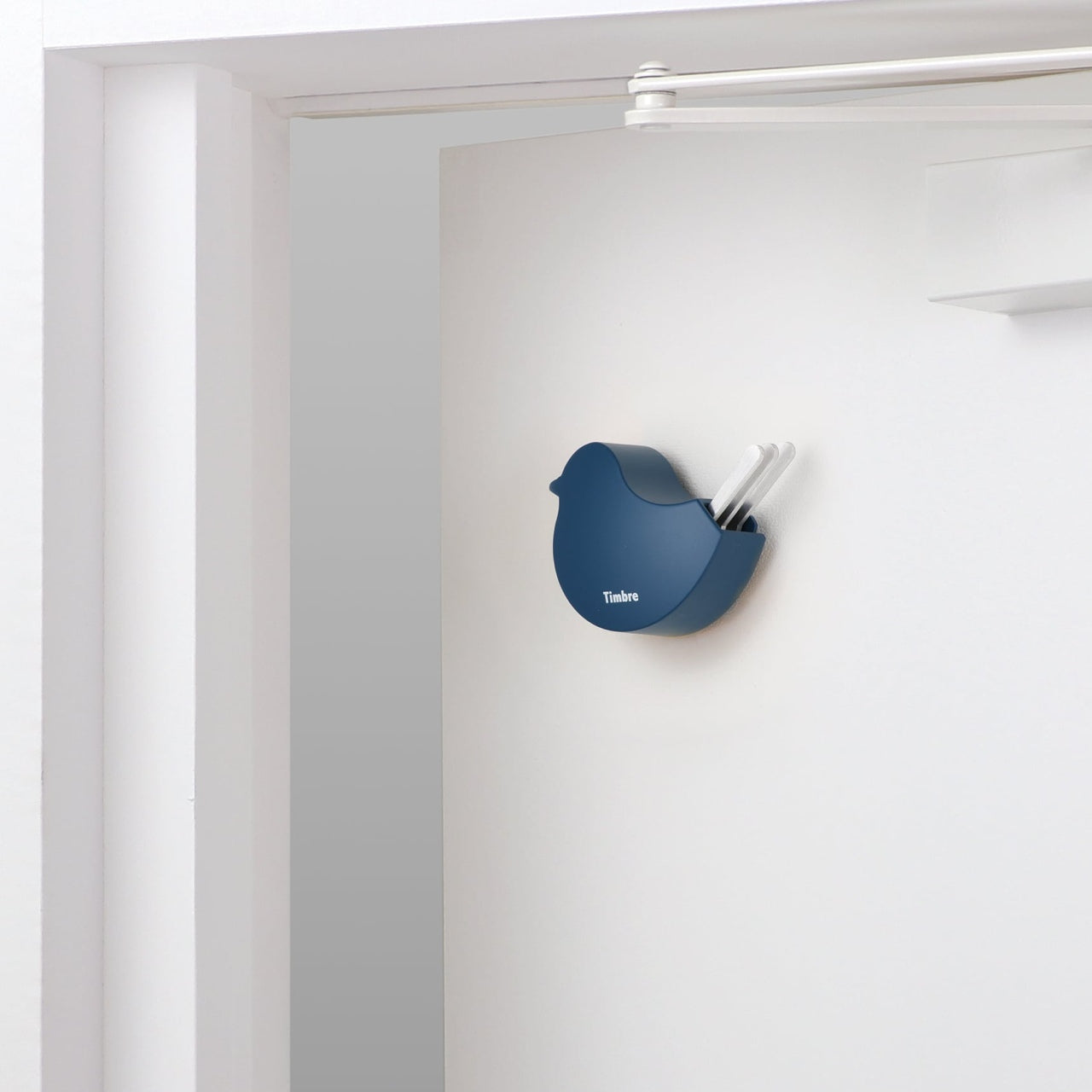
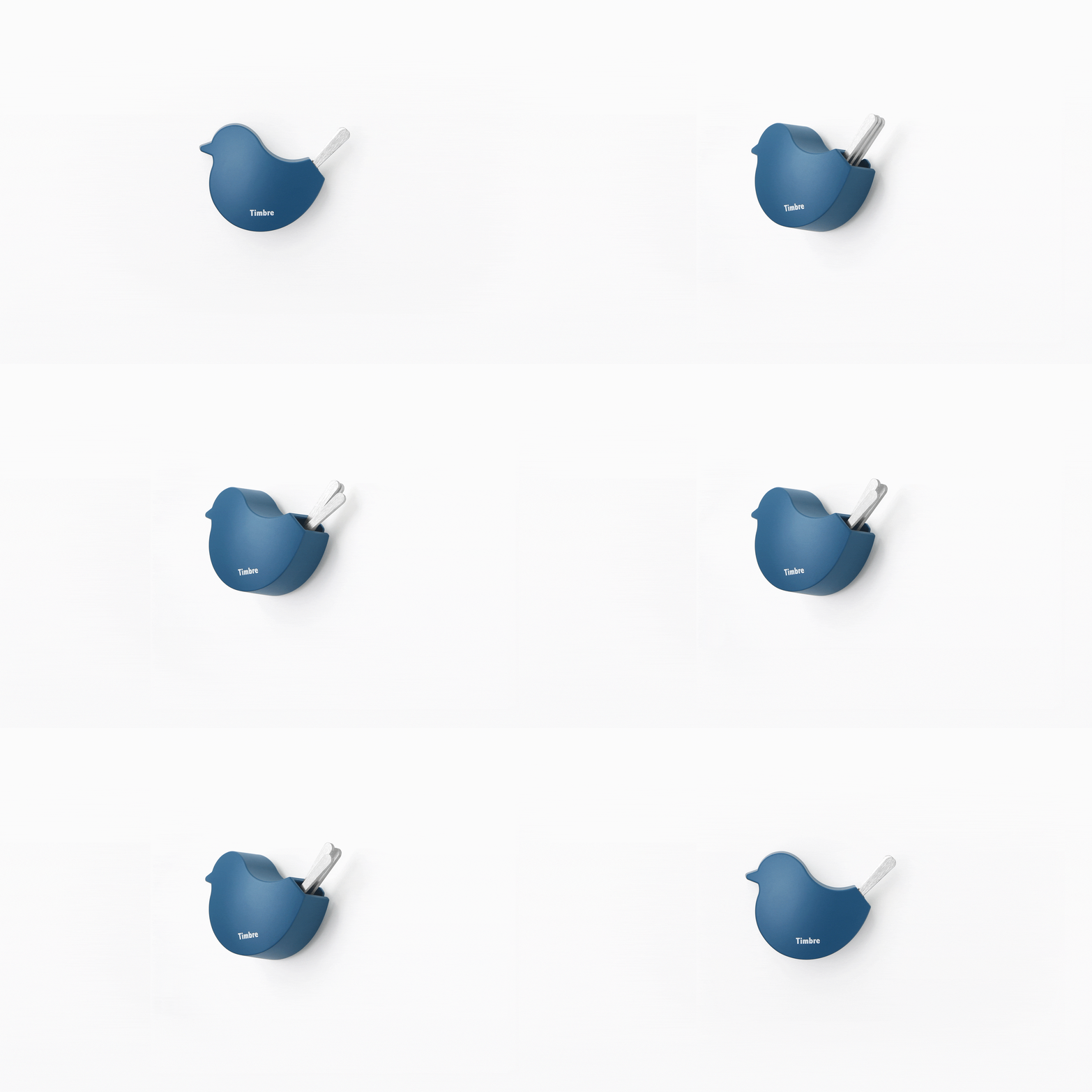
Called The Door Chime Tori, this little design isn’t your conventional and typical door accessory. Named after the Japanese word for ‘bird’, this nifty chime brings a touch of nature to your home owing to its cute bird-like shape and metallic tail feathers. The chime’s gentle movement creates tranquil and charming chirps, which will remind you of birds in their natural habitat.

This chime will make a delightful and amusing addition to your entryway, and it will allow some soothing and charming sounds to envelop your home. It helps to create an ambiance that is calm, melodic, and pleasant, allowing your home to feel like a haven.

Click Here to Buy Now: $59.00

Why is it noteworthy?

The Door Chime Tori converts the ordinary door chime into a sensory and artful experience. It features a design that is minimal yet colorful, functioning as a charming and visually pleasing decor accent. At the same time, it creates soothing sounds to form a welcoming atmosphere.

The chime’s body is made from die-cast zinc which offers durability, and it features magnetic attachment which lets it easily get installed onto any ferrous metal surface. This isn’t the kind of door chime you hide away, but allow it to take centerplace on your door.

What we like

  • Produces soothing bird-like sounds
  • An elegant and colorful accent that elevates your door decor

What we dislike

  • It is limited to ferrous metal surfaces for mounting

4. CD Jacket Player

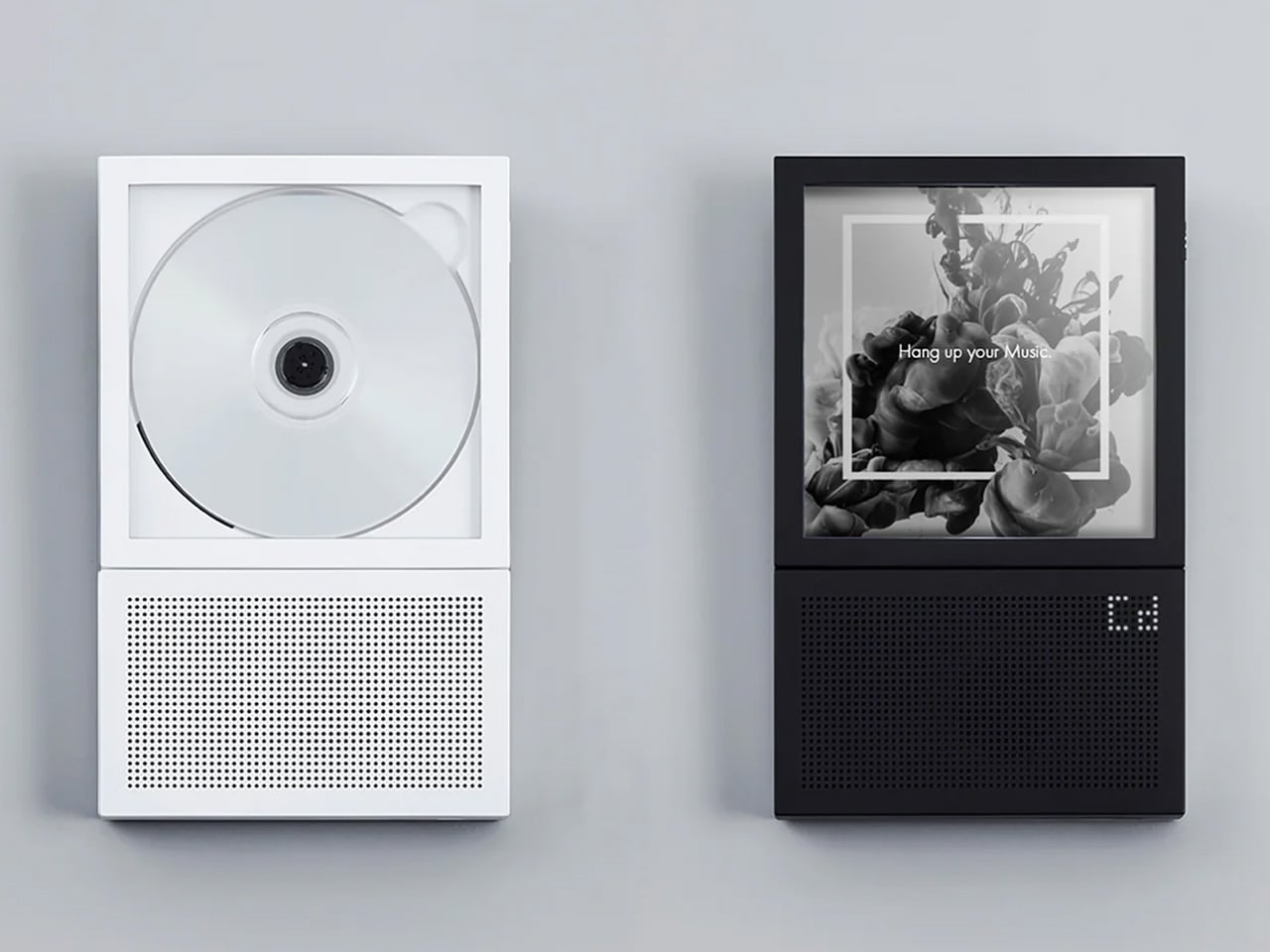
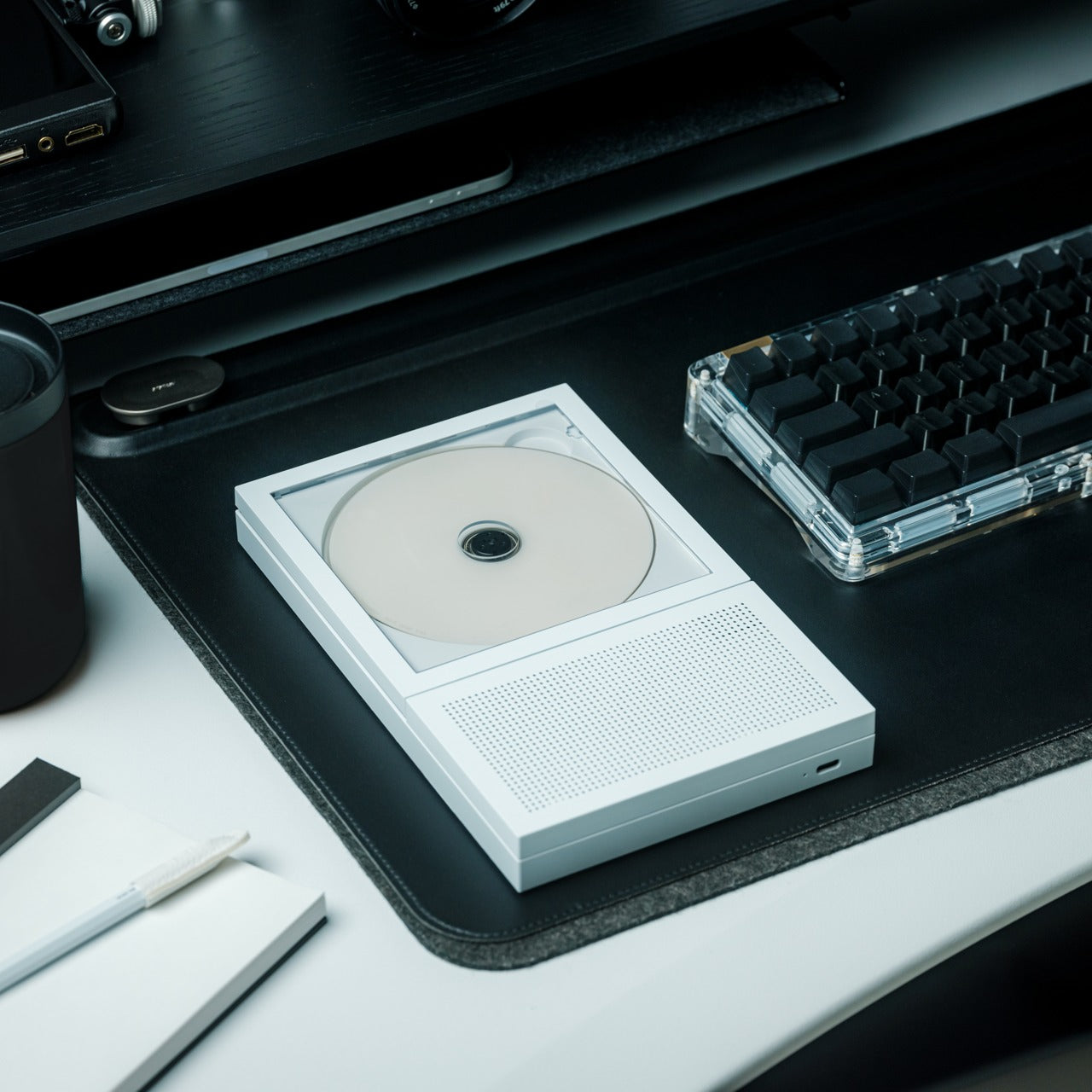
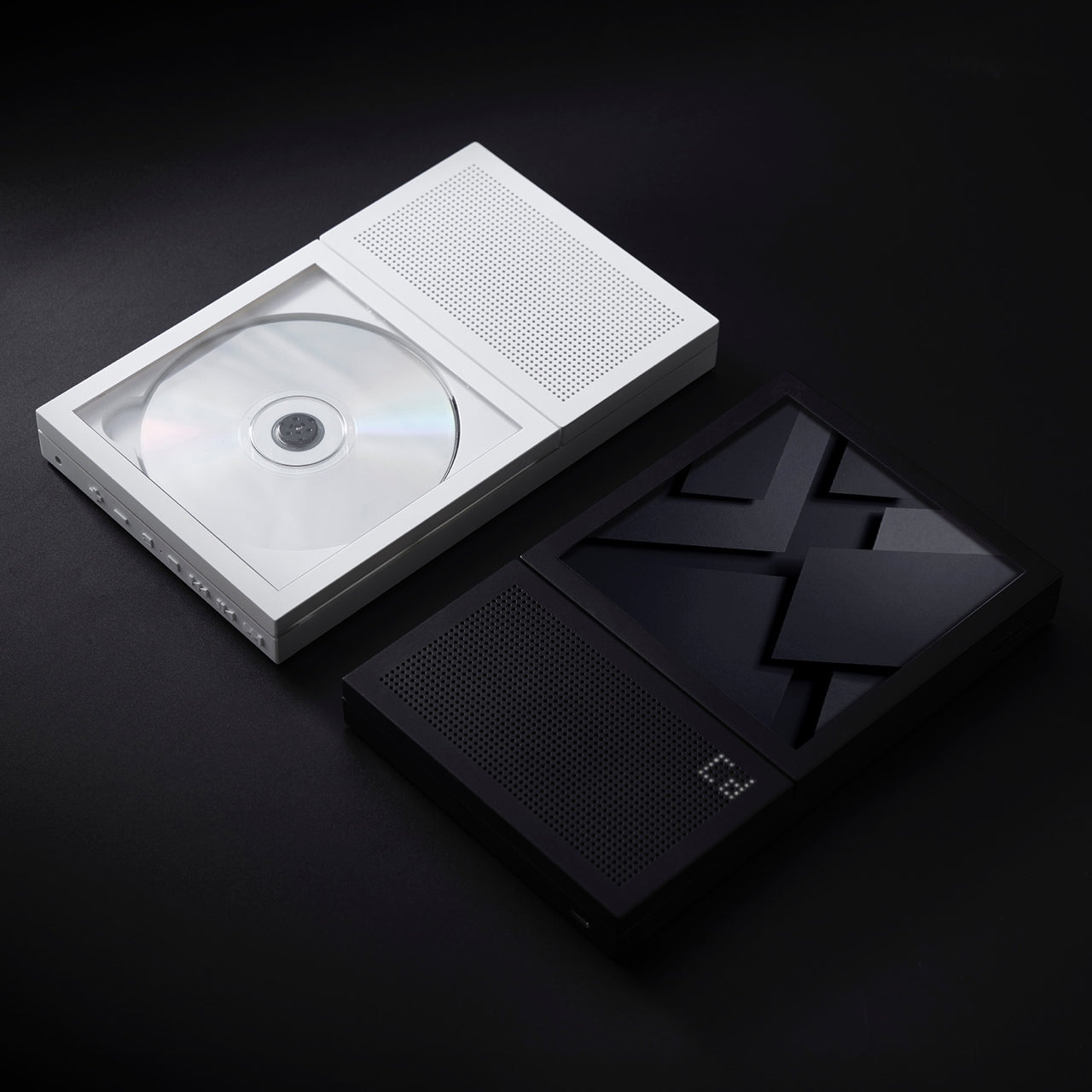
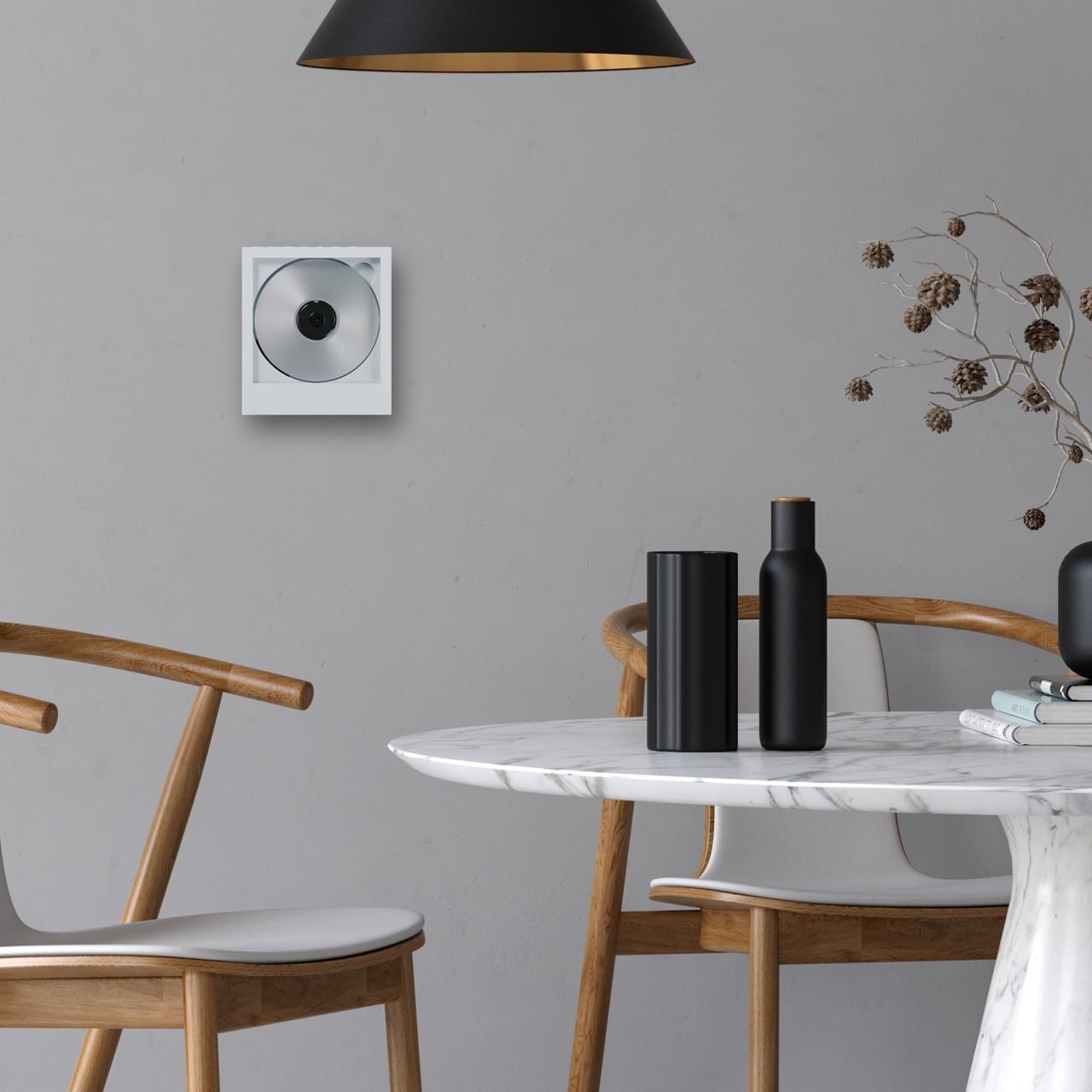
Meet the CD Jacket Player, another wonderful product that gives you a dose of nostalgia. This audio device merges nostalgia with contemporary design, transforming the traditional CD player into a minimal and classy piece of art. It features a boxy form, which will remind you of a picture frame or an oversized Polaroid photo.

The CD Jacket Player includes a transparent middle section that boasts the CD’s spinning bed. This unique design not only brings back the physical experience of album art but also serves as a sophisticated and tasteful decorative piece for your walls.

Click Here to Buy Now: $159.00

Why is it noteworthy?

What makes the CD Jacket Player unique is that it combines the tactile and visual aspects of music listening and appreciation. It encourages users to manually insert cover jackets, which creates an interactive experience, and brings back the charm of physical albums in a digital age.

Its built-in rechargeable battery makes it pretty portable, ensuring you can enjoy your favorite CDs without the hassle of wires. The player supports both wired and wireless audio output, making it versatile for any listening preference.

What we like

  • The player supports both wired and Bluetooth audio output
  • It features a minimal and charming design that also doubles up as a home accent

What we dislike

  • It involves the manual insertion of cover jackets, which may not be convenient for all users

5. Door Chime Bo

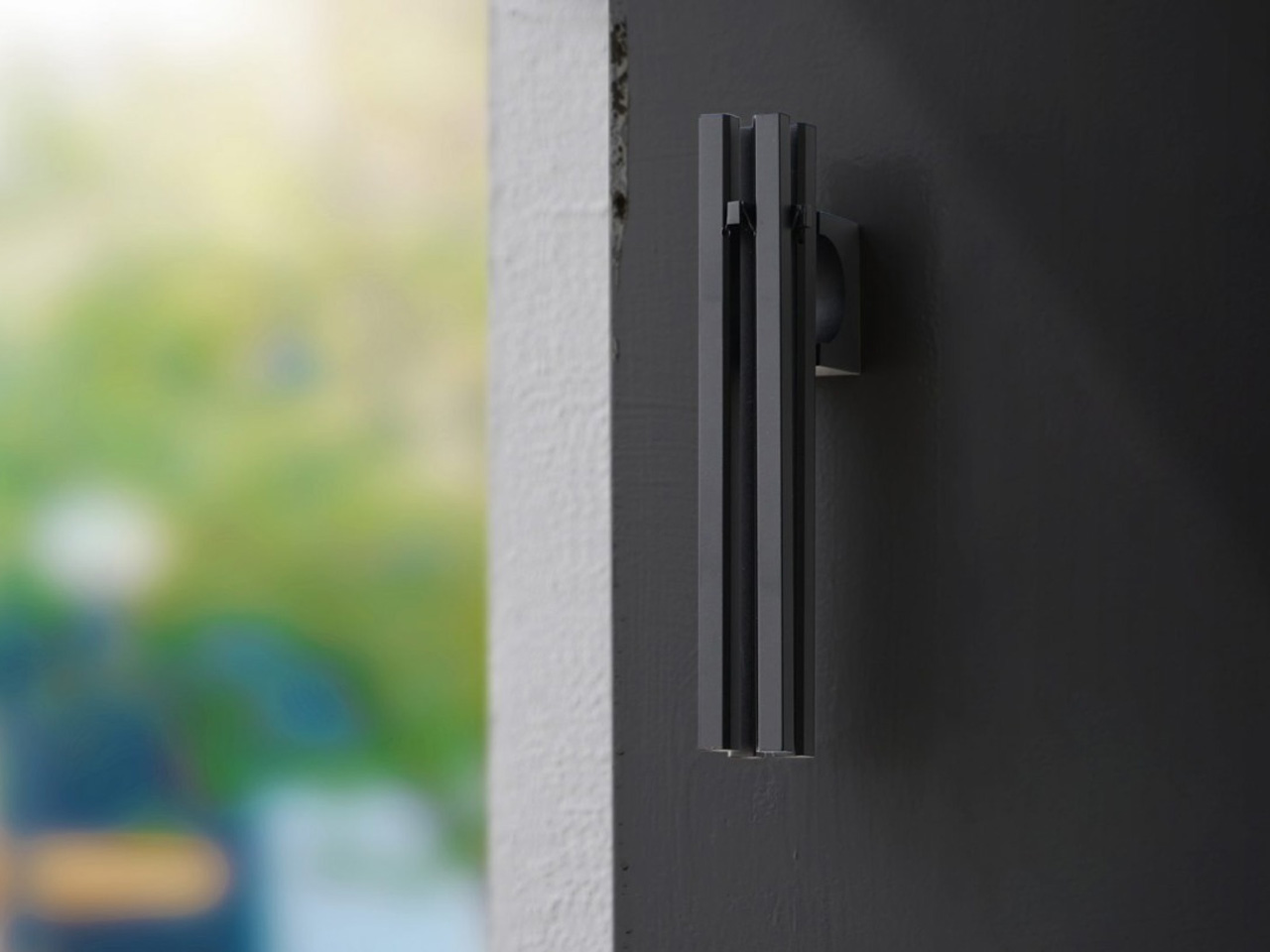
Say hello to the Door Chime Bo – a Japanese-inspired chime, that is named after the Danish word for ‘live’ or ‘reside’. The door chime adopts an innovative approach to sound and style, forming a subtle yet unique experience. It is equipped with small metal bars that seem to float in front of your door, owing to its minimal base.

The sound created by the Door Chime Bo isn’t just pleasing to your ears, but also your mind. It can create a soothing environment. The chime has a streamlined and clean look, with no strings getting in the way, and no chime looking untidy or out of place.

Click Here to Buy Now: $49

Why is it noteworthy?

Since the chime eliminates the clutter caused by strings and out-of-place chimes, it features an innovative design that is unlike most door chimes we see in the market. It features a strong neodymium magnet that supports easy installation onto any ferrous metal surface, ensuring it is compatible with various door types.

The sounds created by the chime are gentle and soothing, providing a pleasant auditory and sensory experience, that perfectly pairs up with the elegant and minimal aesthetics.

What we like

  • It delivers a subtle and pleasing sound
  • It features a strong neodymium magnet which makes it easy to install

What we dislike

  • The sound made by the chime may be too soft and subtle for some people

The post Top 5 Must-Have Products To Enrich Your Space With Gentle Sounds & Visual Appeal first appeared on Yanko Design.

This AI Tool Directly Generates Laser Cutting and CNC Project Files: Meet DesignFind AIMake

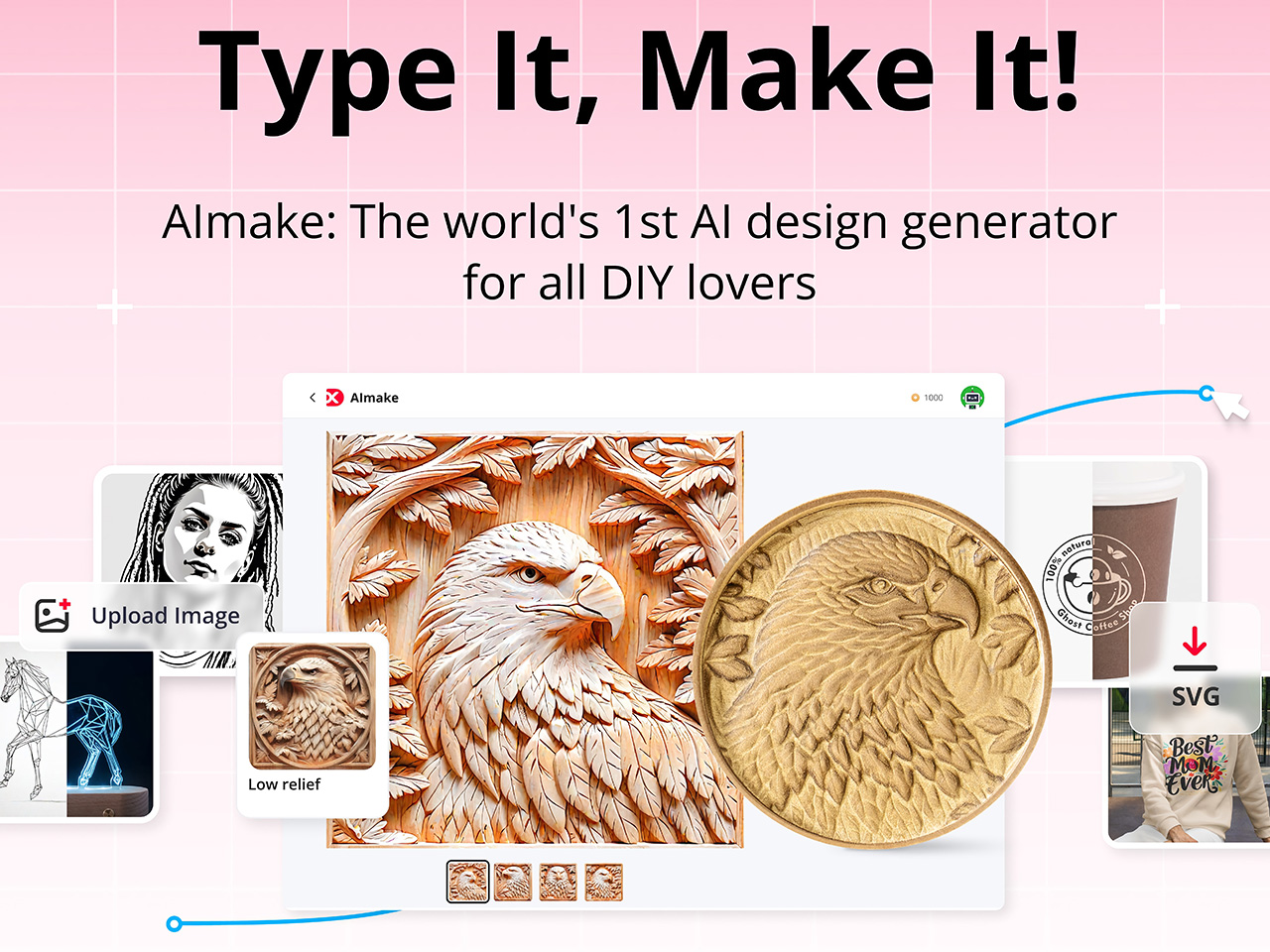
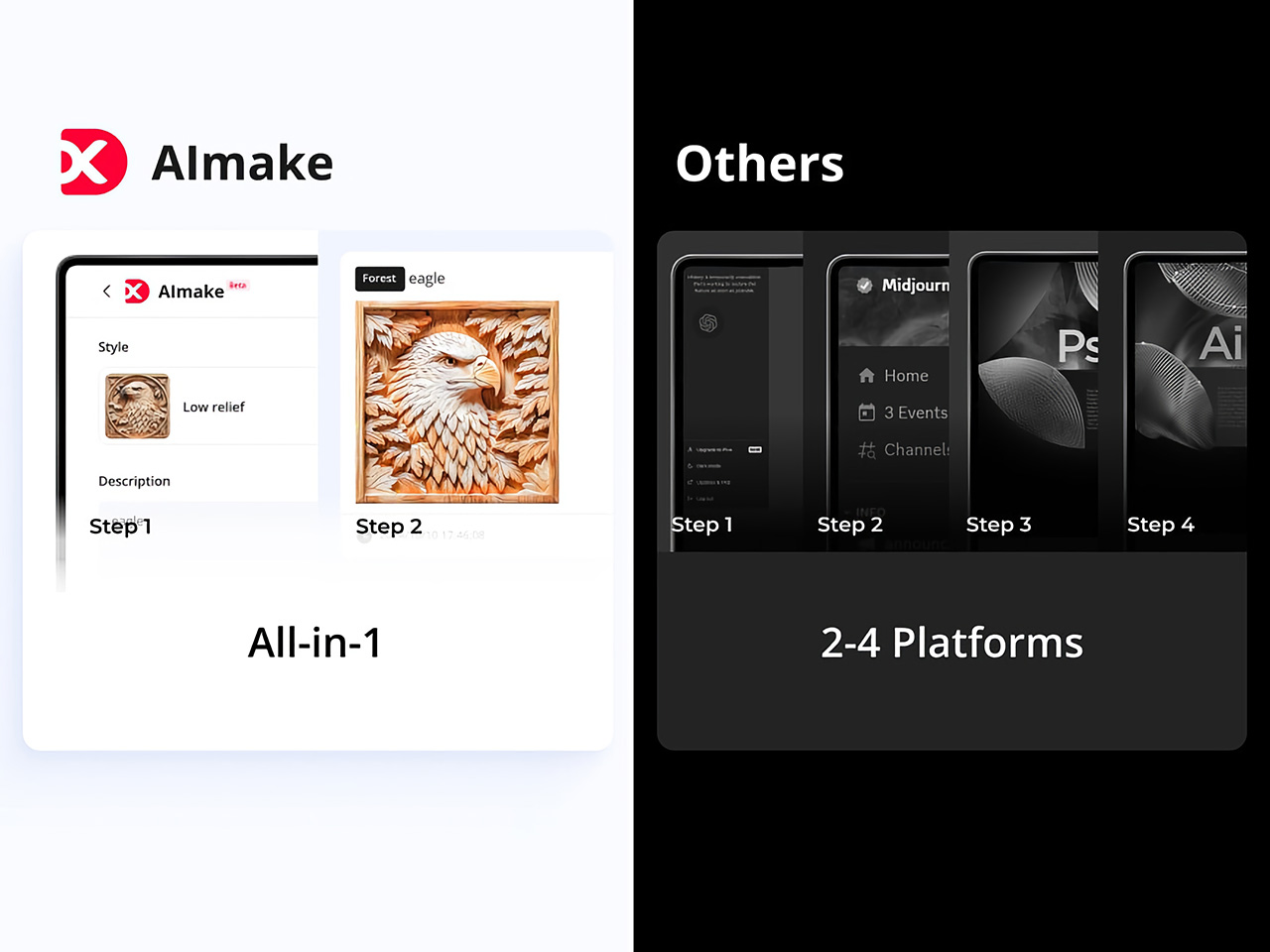
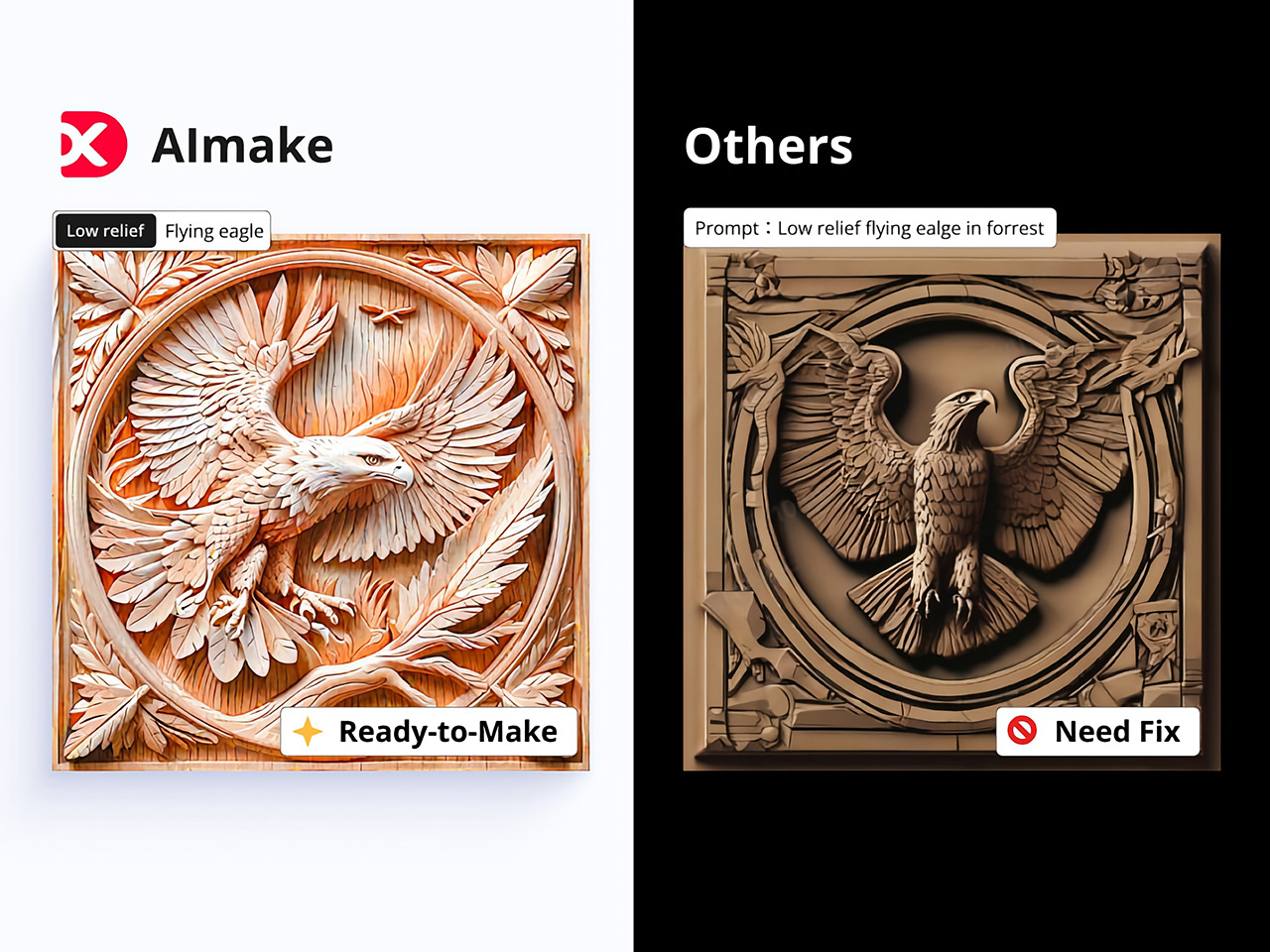
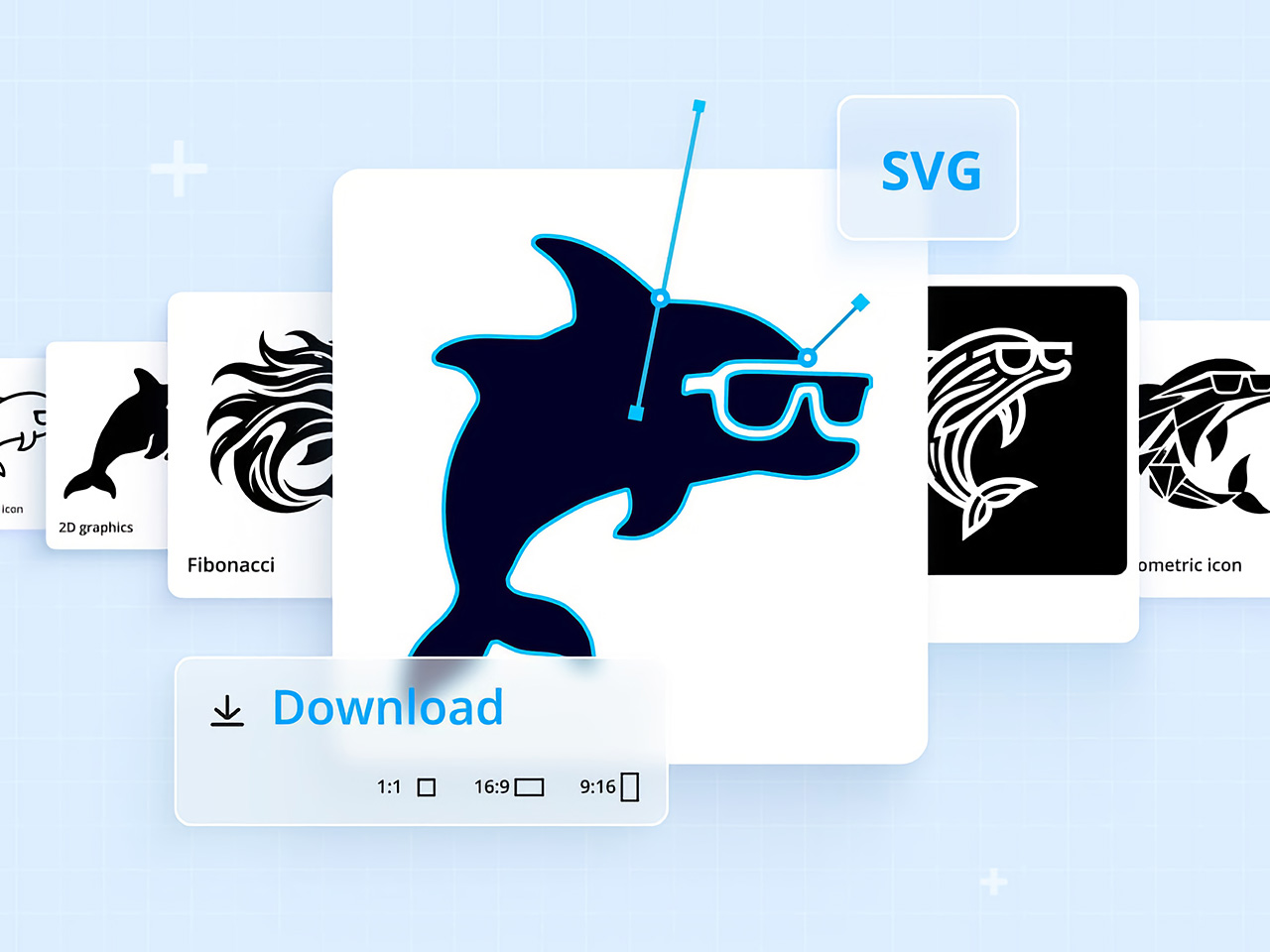
For long, AI tools have just been limited to graphical work, with not so much of it spilling into tangible industrial design. Sure, you could create logos and artwork for your products, but you still can’t “create” products using AI – something that xTool is hoping to change with its new software, AIMake. Simply put, AIMake is a GenAI tool that’s optimized for working with graphical output, but in a manner that’s fine-tuned for industrial design. With a prompt-based interface, AIMake allows you to create artwork that’s ready for 2D printing, laser-etching/engraving, and even embossing. AIMake offers as many as 70 different styles to apply to your prompt, generating everything from ready-to-print logos, to editable SVGs for screen-printing, and even low-relief 3D engraving. Alongside the AIMake feature, xTool’s also unveiling DesignFind – an asset marketplace for DIY enthusiasts and professional creators to access free and paid project files from users across the globe.

Click Here to Know More

Generate Ready-To-Use Artwork for Laser Cutting and Screen Printing

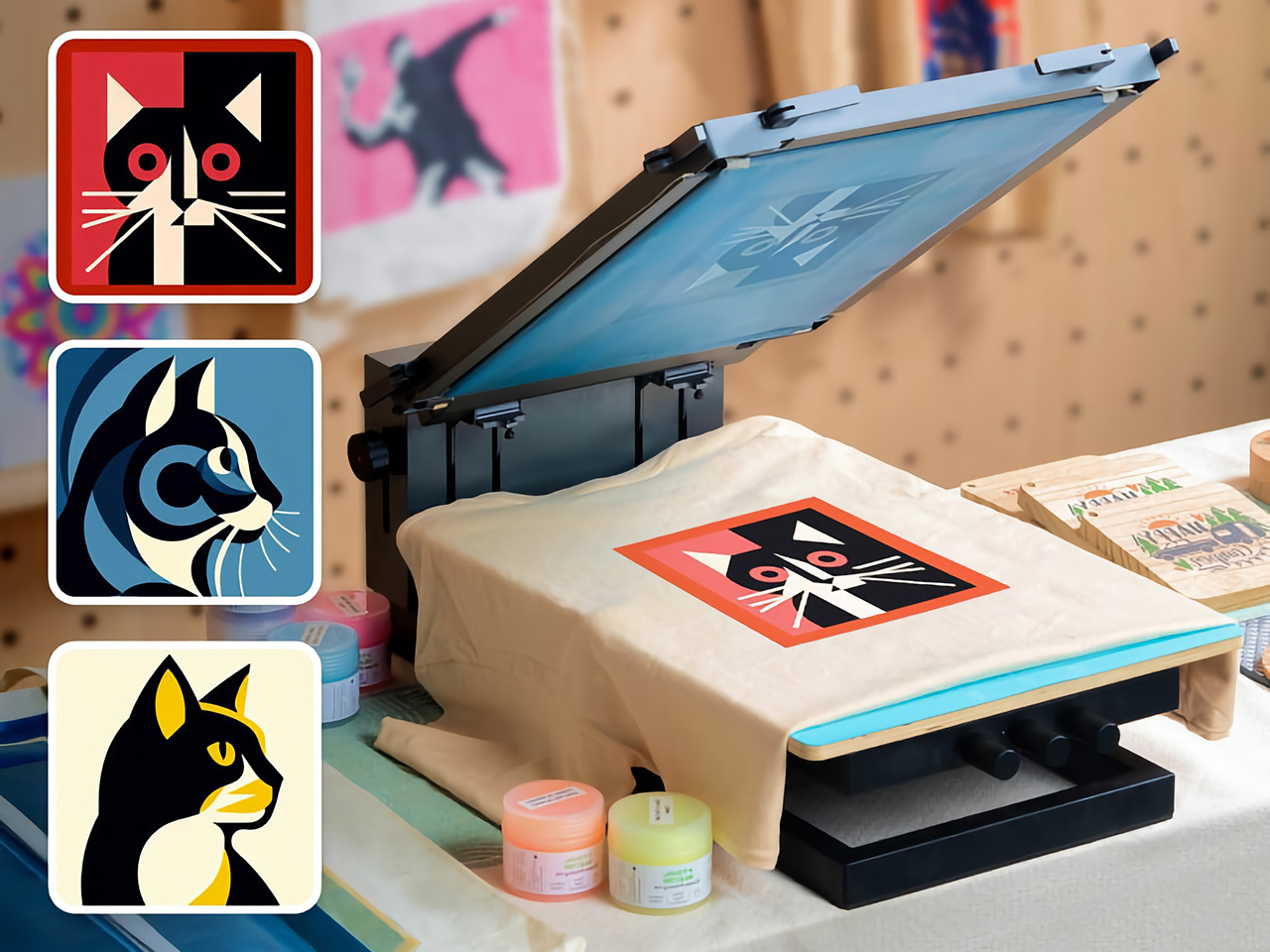
Traditionally, preparing files for laser engraving or screen printing can be complex and technical, involving vector graphic software, high-res images, or detailed edits to achieve the clean lines and solid contrast needed for these processes. AIMake addresses this by letting users skip these steps; with it, designers can input descriptive prompts, such as “geometric fox engraving with high contrast,” and watch as the AI turns this concept into a polished, ready-to-engrave file.

This direct-to-laser capability is a shift for designers, providing an AI tool that reduces reliance on graphic software or tedious vector adjustments. Instead, AIMake generates crisp, high-contrast designs that integrate seamlessly with xTool’s laser engravers, ensuring that the visual quality aligns with what’s needed for physical production. Whether creating art for metal, wood, or glass, AIMake optimizes the image for the specific demands of laser engraving, relief carving, and screen printing.

From Vision to Reality with Prompt-Based Design

AIMake’s intuitive, prompt-based design system is key to its simplicity. Users enter a text description—anything from detailed portrait specs to broad aesthetic concepts—and the app’s AI engine generates a corresponding laser-compatible design. This means users can focus on creativity and concept rather than technical adjustments, using AIMake’s AI to refine the design automatically.

With this setup, designers of all backgrounds can produce intricate laser-cut images without needing advanced skills in vector graphics. For example, a prompt like “portrait of a lion, full mane, high detail, silhouette” can create a design with defined, laser-friendly lines and strong contrast, ready for immediate use in xTool’s compatible engravers. This system combines the efficiency of digital AI rendering with the tactile quality of handmade engraving, which helps streamline the creative workflow for designers and hobbyists alike.

Intuitive Controls make AI Creation easy for Beginners and Experts

xTool designed AIMake with both ease of use and versatility in mind, giving beginners and seasoned pros the tools they need for success. The platform allows new users to select from pre-set styles, such as vector templates or laser-friendly text effects, while offering advanced controls for adjusting details like line thickness and contrast.

Integration with xTool hardware, such as the D1 and M1 laser engravers, enables immediate testing and adjustments on physical materials, which saves time and minimizes material waste. For the designer seeking to perfect a project, these tools and settings remove the usual trial and error often required by other engraving software. This integration also lets users work on complex designs with the assurance that their final piece will match the original vision.

DesignFind: A Creative Hub for DIY and Professional Makers

DesignFind is a versatile platform for DIY enthusiasts and professional creators alike, offering a wide array of design assets for laser cutting, engraving, and more. With support for materials like wood and acrylic, users can explore diverse project categories, from home decor and jewelry to seasonal gifts for holidays and special occasions.

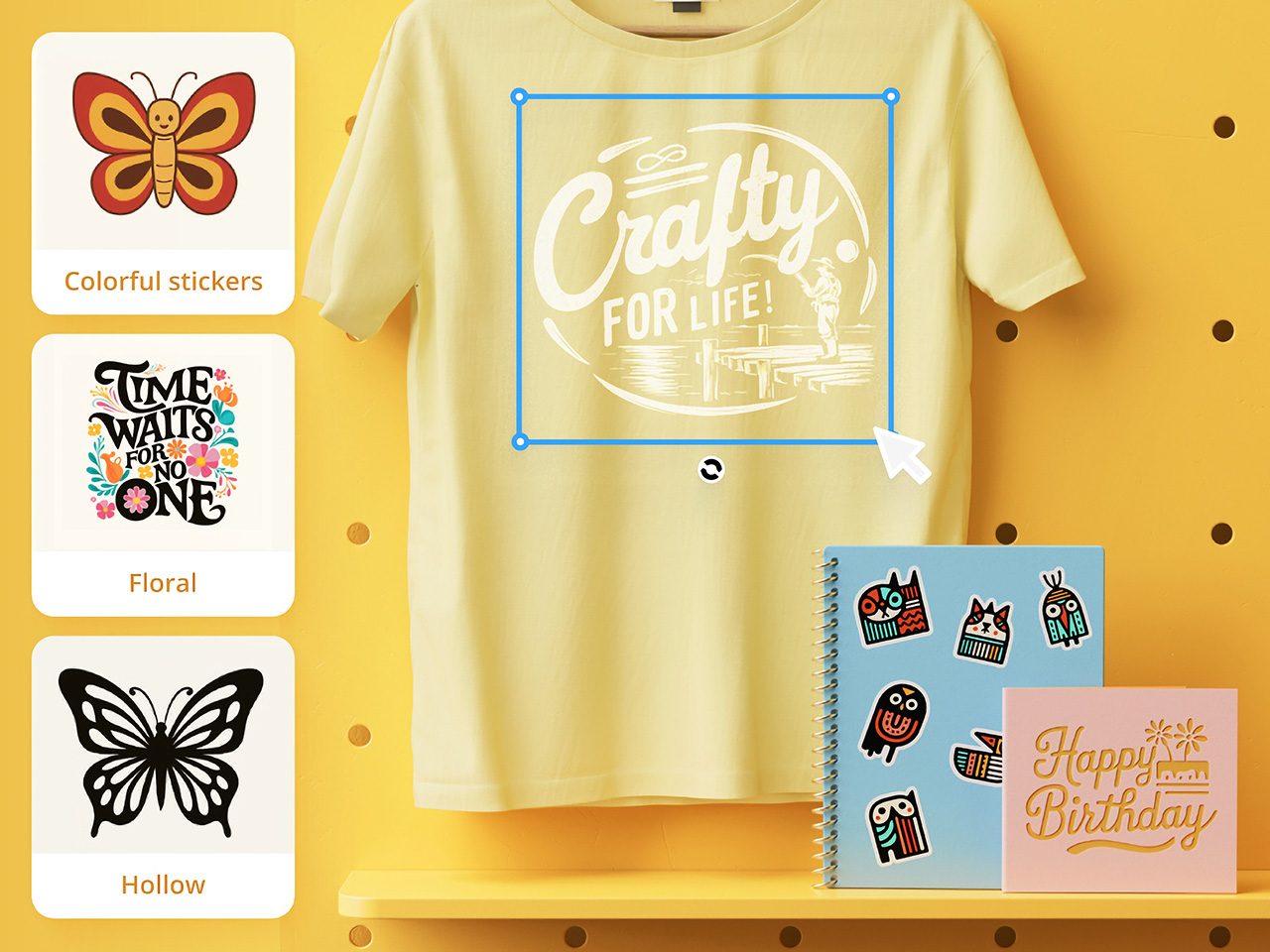
Key features include a library of free, shared templates—such as cutting boards and multi-layered designs—and premium assets like 3D models and detailed SVG files. Additionally, AIMake users can enhance their projects with DesignFind’s resources, making it easy to combine AI-generated designs with the platform’s extensive community assets. The “Featured Creators” section showcases work from top designers, inspiring new and seasoned creators with unique, ready-to-use projects.

Practical Applications Across Different Industries

AIMake’s functionality extends beyond personal design and has practical applications across various industries. Designers working with an array of fabrication devices (especially ones from xTool) can use AIMake to create logos, product designs, or custom merchandise. Small businesses can use it to create professional, engraving-ready designs without needing graphic design software, and crafters can generate unique pieces with ease.

In education, AIMake is a valuable asset, offering schools and makerspaces a chance to introduce students to digital design with hands-on projects. By using simple text inputs, students can quickly visualize and produce projects without needing prior experience in traditional graphic design tools. This flexibility gives learners and instructors alike more freedom to explore digital fabrication.

AIMake and the Future of Design Tools

AIMake sets a new standard for GenAI in tangible product design, showing how generative AI can seamlessly enhance the design process, making it more accessible, practical, and enjoyable. As AI technology continues to evolve, tools like AIMake represent a future where design creation is faster yet well within the control of creators.

For anyone working in creative design, AIMake offers an engaging blend of functionality and innovation, serving as both a creative assistant and a precision tool. Whether you’re producing intricate artwork, branding assets, or custom goods, AIMake’s versatile platform offers a little something for everyone. With AIMake, xTool is opening new pathways for artists and designers—one prompt at a time.

Click Here to Know More

The post This AI Tool Directly Generates Laser Cutting and CNC Project Files: Meet DesignFind AIMake first appeared on Yanko Design.
This AI Tool Directly Generates Laser Cutting and CNC Project Files: Meet DesignFind AIMake

For long, AI tools have just been limited to graphical work, with not so much of it spilling into tangible industrial design. Sure, you could create logos and artwork for your products, but you still can’t “create” products using AI – something that xTool is hoping to change with its new software, AIMake. Simply put, AIMake is a GenAI tool that’s optimized for working with graphical output, but in a manner that’s fine-tuned for industrial design. With a prompt-based interface, AIMake allows you to create artwork that’s ready for 2D printing, laser-etching/engraving, and even embossing. AIMake offers as many as 70 different styles to apply to your prompt, generating everything from ready-to-print logos, to editable SVGs for screen-printing, and even low-relief 3D engraving. Alongside the AIMake feature, xTool’s also unveiling DesignFind – an asset marketplace for DIY enthusiasts and professional creators to access free and paid project files from users across the globe.

Click Here to Know More

Generate Ready-To-Use Artwork for Laser Cutting and Screen Printing

Traditionally, preparing files for laser engraving or screen printing can be complex and technical, involving vector graphic software, high-res images, or detailed edits to achieve the clean lines and solid contrast needed for these processes. AIMake addresses this by letting users skip these steps; with it, designers can input descriptive prompts, such as “geometric fox engraving with high contrast,” and watch as the AI turns this concept into a polished, ready-to-engrave file.

This direct-to-laser capability is a shift for designers, providing an AI tool that reduces reliance on graphic software or tedious vector adjustments. Instead, AIMake generates crisp, high-contrast designs that integrate seamlessly with xTool’s laser engravers, ensuring that the visual quality aligns with what’s needed for physical production. Whether creating art for metal, wood, or glass, AIMake optimizes the image for the specific demands of laser engraving, relief carving, and screen printing.

From Vision to Reality with Prompt-Based Design

AIMake’s intuitive, prompt-based design system is key to its simplicity. Users enter a text description—anything from detailed portrait specs to broad aesthetic concepts—and the app’s AI engine generates a corresponding laser-compatible design. This means users can focus on creativity and concept rather than technical adjustments, using AIMake’s AI to refine the design automatically.

With this setup, designers of all backgrounds can produce intricate laser-cut images without needing advanced skills in vector graphics. For example, a prompt like “portrait of a lion, full mane, high detail, silhouette” can create a design with defined, laser-friendly lines and strong contrast, ready for immediate use in xTool’s compatible engravers. This system combines the efficiency of digital AI rendering with the tactile quality of handmade engraving, which helps streamline the creative workflow for designers and hobbyists alike.

Intuitive Controls make AI Creation easy for Beginners and Experts

xTool designed AIMake with both ease of use and versatility in mind, giving beginners and seasoned pros the tools they need for success. The platform allows new users to select from pre-set styles, such as vector templates or laser-friendly text effects, while offering advanced controls for adjusting details like line thickness and contrast.

Integration with xTool hardware, such as the D1 and M1 laser engravers, enables immediate testing and adjustments on physical materials, which saves time and minimizes material waste. For the designer seeking to perfect a project, these tools and settings remove the usual trial and error often required by other engraving software. This integration also lets users work on complex designs with the assurance that their final piece will match the original vision.

DesignFind: A Creative Hub for DIY and Professional Makers

DesignFind is a versatile platform for DIY enthusiasts and professional creators alike, offering a wide array of design assets for laser cutting, engraving, and more. With support for materials like wood and acrylic, users can explore diverse project categories, from home decor and jewelry to seasonal gifts for holidays and special occasions.

Key features include a library of free, shared templates—such as cutting boards and multi-layered designs—and premium assets like 3D models and detailed SVG files. Additionally, AIMake users can enhance their projects with DesignFind’s resources, making it easy to combine AI-generated designs with the platform’s extensive community assets. The “Featured Creators” section showcases work from top designers, inspiring new and seasoned creators with unique, ready-to-use projects.

Practical Applications Across Different Industries

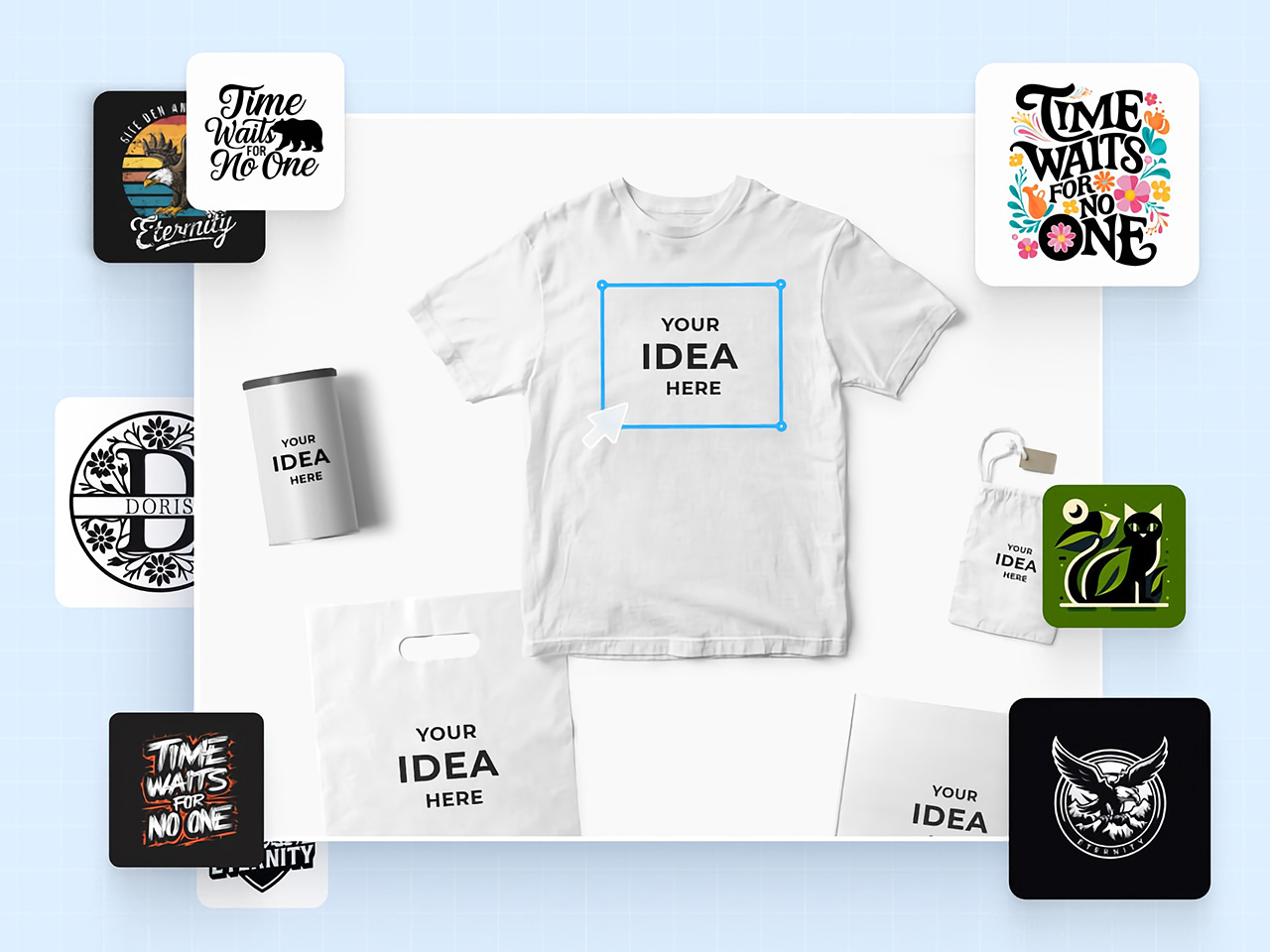
AIMake’s functionality extends beyond personal design and has practical applications across various industries. Designers working with an array of fabrication devices (especially ones from xTool) can use AIMake to create logos, product designs, or custom merchandise. Small businesses can use it to create professional, engraving-ready designs without needing graphic design software, and crafters can generate unique pieces with ease.

In education, AIMake is a valuable asset, offering schools and makerspaces a chance to introduce students to digital design with hands-on projects. By using simple text inputs, students can quickly visualize and produce projects without needing prior experience in traditional graphic design tools. This flexibility gives learners and instructors alike more freedom to explore digital fabrication.

AIMake and the Future of Design Tools

AIMake sets a new standard for GenAI in tangible product design, showing how generative AI can seamlessly enhance the design process, making it more accessible, practical, and enjoyable. As AI technology continues to evolve, tools like AIMake represent a future where design creation is faster yet well within the control of creators.

For anyone working in creative design, AIMake offers an engaging blend of functionality and innovation, serving as both a creative assistant and a precision tool. Whether you’re producing intricate artwork, branding assets, or custom goods, AIMake’s versatile platform offers a little something for everyone. With AIMake, xTool is opening new pathways for artists and designers—one prompt at a time.

Click Here to Know More

The post This AI Tool Directly Generates Laser Cutting and CNC Project Files: Meet DesignFind AIMake first appeared on Yanko Design.
This AI Tool Directly Generates Laser Cutting and CNC Project Files: Meet DesignFind AIMake

For long, AI tools have just been limited to graphical work, with not so much of it spilling into tangible industrial design. Sure, you could create logos and artwork for your products, but you still can’t “create” products using AI – something that xTool is hoping to change with its new software, AIMake. Simply put, AIMake is a GenAI tool that’s optimized for working with graphical output, but in a manner that’s fine-tuned for industrial design. With a prompt-based interface, AIMake allows you to create artwork that’s ready for 2D printing, laser-etching/engraving, and even embossing. AIMake offers as many as 70 different styles to apply to your prompt, generating everything from ready-to-print logos, to editable SVGs for screen-printing, and even low-relief 3D engraving. Alongside the AIMake feature, xTool’s also unveiling DesignFind – an asset marketplace for DIY enthusiasts and professional creators to access free and paid project files from users across the globe.

Click Here to Know More

Generate Ready-To-Use Artwork for Laser Cutting and Screen Printing

Traditionally, preparing files for laser engraving or screen printing can be complex and technical, involving vector graphic software, high-res images, or detailed edits to achieve the clean lines and solid contrast needed for these processes. AIMake addresses this by letting users skip these steps; with it, designers can input descriptive prompts, such as “geometric fox engraving with high contrast,” and watch as the AI turns this concept into a polished, ready-to-engrave file.

This direct-to-laser capability is a shift for designers, providing an AI tool that reduces reliance on graphic software or tedious vector adjustments. Instead, AIMake generates crisp, high-contrast designs that integrate seamlessly with xTool’s laser engravers, ensuring that the visual quality aligns with what’s needed for physical production. Whether creating art for metal, wood, or glass, AIMake optimizes the image for the specific demands of laser engraving, relief carving, and screen printing.

From Vision to Reality with Prompt-Based Design

AIMake’s intuitive, prompt-based design system is key to its simplicity. Users enter a text description—anything from detailed portrait specs to broad aesthetic concepts—and the app’s AI engine generates a corresponding laser-compatible design. This means users can focus on creativity and concept rather than technical adjustments, using AIMake’s AI to refine the design automatically.

With this setup, designers of all backgrounds can produce intricate laser-cut images without needing advanced skills in vector graphics. For example, a prompt like “portrait of a lion, full mane, high detail, silhouette” can create a design with defined, laser-friendly lines and strong contrast, ready for immediate use in xTool’s compatible engravers. This system combines the efficiency of digital AI rendering with the tactile quality of handmade engraving, which helps streamline the creative workflow for designers and hobbyists alike.

Intuitive Controls make AI Creation easy for Beginners and Experts

xTool designed AIMake with both ease of use and versatility in mind, giving beginners and seasoned pros the tools they need for success. The platform allows new users to select from pre-set styles, such as vector templates or laser-friendly text effects, while offering advanced controls for adjusting details like line thickness and contrast.

Integration with xTool hardware, such as the D1 and M1 laser engravers, enables immediate testing and adjustments on physical materials, which saves time and minimizes material waste. For the designer seeking to perfect a project, these tools and settings remove the usual trial and error often required by other engraving software. This integration also lets users work on complex designs with the assurance that their final piece will match the original vision.

DesignFind: A Creative Hub for DIY and Professional Makers

DesignFind is a versatile platform for DIY enthusiasts and professional creators alike, offering a wide array of design assets for laser cutting, engraving, and more. With support for materials like wood and acrylic, users can explore diverse project categories, from home decor and jewelry to seasonal gifts for holidays and special occasions.

Key features include a library of free, shared templates—such as cutting boards and multi-layered designs—and premium assets like 3D models and detailed SVG files. Additionally, AIMake users can enhance their projects with DesignFind’s resources, making it easy to combine AI-generated designs with the platform’s extensive community assets. The “Featured Creators” section showcases work from top designers, inspiring new and seasoned creators with unique, ready-to-use projects.

Practical Applications Across Different Industries

AIMake’s functionality extends beyond personal design and has practical applications across various industries. Designers working with an array of fabrication devices (especially ones from xTool) can use AIMake to create logos, product designs, or custom merchandise. Small businesses can use it to create professional, engraving-ready designs without needing graphic design software, and crafters can generate unique pieces with ease.

In education, AIMake is a valuable asset, offering schools and makerspaces a chance to introduce students to digital design with hands-on projects. By using simple text inputs, students can quickly visualize and produce projects without needing prior experience in traditional graphic design tools. This flexibility gives learners and instructors alike more freedom to explore digital fabrication.

AIMake and the Future of Design Tools

AIMake sets a new standard for GenAI in tangible product design, showing how generative AI can seamlessly enhance the design process, making it more accessible, practical, and enjoyable. As AI technology continues to evolve, tools like AIMake represent a future where design creation is faster yet well within the control of creators.

For anyone working in creative design, AIMake offers an engaging blend of functionality and innovation, serving as both a creative assistant and a precision tool. Whether you’re producing intricate artwork, branding assets, or custom goods, AIMake’s versatile platform offers a little something for everyone. With AIMake, xTool is opening new pathways for artists and designers—one prompt at a time.

Click Here to Know More

The post This AI Tool Directly Generates Laser Cutting and CNC Project Files: Meet DesignFind AIMake first appeared on Yanko Design.
This AI Tool Directly Generates Laser Cutting and CNC Project Files: Meet DesignFind AIMake

For long, AI tools have just been limited to graphical work, with not so much of it spilling into tangible industrial design. Sure, you could create logos and artwork for your products, but you still can’t “create” products using AI – something that xTool is hoping to change with its new software, AIMake. Simply put, AIMake is a GenAI tool that’s optimized for working with graphical output, but in a manner that’s fine-tuned for industrial design. With a prompt-based interface, AIMake allows you to create artwork that’s ready for 2D printing, laser-etching/engraving, and even embossing. AIMake offers as many as 70 different styles to apply to your prompt, generating everything from ready-to-print logos, to editable SVGs for screen-printing, and even low-relief 3D engraving. Alongside the AIMake feature, xTool’s also unveiling DesignFind – an asset marketplace for DIY enthusiasts and professional creators to access free and paid project files from users across the globe.

Click Here to Know More

Generate Ready-To-Use Artwork for Laser Cutting and Screen Printing

Traditionally, preparing files for laser engraving or screen printing can be complex and technical, involving vector graphic software, high-res images, or detailed edits to achieve the clean lines and solid contrast needed for these processes. AIMake addresses this by letting users skip these steps; with it, designers can input descriptive prompts, such as “geometric fox engraving with high contrast,” and watch as the AI turns this concept into a polished, ready-to-engrave file.

This direct-to-laser capability is a shift for designers, providing an AI tool that reduces reliance on graphic software or tedious vector adjustments. Instead, AIMake generates crisp, high-contrast designs that integrate seamlessly with xTool’s laser engravers, ensuring that the visual quality aligns with what’s needed for physical production. Whether creating art for metal, wood, or glass, AIMake optimizes the image for the specific demands of laser engraving, relief carving, and screen printing.

From Vision to Reality with Prompt-Based Design

AIMake’s intuitive, prompt-based design system is key to its simplicity. Users enter a text description—anything from detailed portrait specs to broad aesthetic concepts—and the app’s AI engine generates a corresponding laser-compatible design. This means users can focus on creativity and concept rather than technical adjustments, using AIMake’s AI to refine the design automatically.

With this setup, designers of all backgrounds can produce intricate laser-cut images without needing advanced skills in vector graphics. For example, a prompt like “portrait of a lion, full mane, high detail, silhouette” can create a design with defined, laser-friendly lines and strong contrast, ready for immediate use in xTool’s compatible engravers. This system combines the efficiency of digital AI rendering with the tactile quality of handmade engraving, which helps streamline the creative workflow for designers and hobbyists alike.

Intuitive Controls make AI Creation easy for Beginners and Experts

xTool designed AIMake with both ease of use and versatility in mind, giving beginners and seasoned pros the tools they need for success. The platform allows new users to select from pre-set styles, such as vector templates or laser-friendly text effects, while offering advanced controls for adjusting details like line thickness and contrast.

Integration with xTool hardware, such as the D1 and M1 laser engravers, enables immediate testing and adjustments on physical materials, which saves time and minimizes material waste. For the designer seeking to perfect a project, these tools and settings remove the usual trial and error often required by other engraving software. This integration also lets users work on complex designs with the assurance that their final piece will match the original vision.

DesignFind: A Creative Hub for DIY and Professional Makers

DesignFind is a versatile platform for DIY enthusiasts and professional creators alike, offering a wide array of design assets for laser cutting, engraving, and more. With support for materials like wood and acrylic, users can explore diverse project categories, from home decor and jewelry to seasonal gifts for holidays and special occasions.

Key features include a library of free, shared templates—such as cutting boards and multi-layered designs—and premium assets like 3D models and detailed SVG files. Additionally, AIMake users can enhance their projects with DesignFind’s resources, making it easy to combine AI-generated designs with the platform’s extensive community assets. The “Featured Creators” section showcases work from top designers, inspiring new and seasoned creators with unique, ready-to-use projects.

Practical Applications Across Different Industries

AIMake’s functionality extends beyond personal design and has practical applications across various industries. Designers working with an array of fabrication devices (especially ones from xTool) can use AIMake to create logos, product designs, or custom merchandise. Small businesses can use it to create professional, engraving-ready designs without needing graphic design software, and crafters can generate unique pieces with ease.

In education, AIMake is a valuable asset, offering schools and makerspaces a chance to introduce students to digital design with hands-on projects. By using simple text inputs, students can quickly visualize and produce projects without needing prior experience in traditional graphic design tools. This flexibility gives learners and instructors alike more freedom to explore digital fabrication.

AIMake and the Future of Design Tools

AIMake sets a new standard for GenAI in tangible product design, showing how generative AI can seamlessly enhance the design process, making it more accessible, practical, and enjoyable. As AI technology continues to evolve, tools like AIMake represent a future where design creation is faster yet well within the control of creators.

For anyone working in creative design, AIMake offers an engaging blend of functionality and innovation, serving as both a creative assistant and a precision tool. Whether you’re producing intricate artwork, branding assets, or custom goods, AIMake’s versatile platform offers a little something for everyone. With AIMake, xTool is opening new pathways for artists and designers—one prompt at a time.

Click Here to Know More

The post This AI Tool Directly Generates Laser Cutting and CNC Project Files: Meet DesignFind AIMake first appeared on Yanko Design.
This AI Tool Directly Generates Laser Cutting and CNC Project Files: Meet DesignFind AIMake

For long, AI tools have just been limited to graphical work, with not so much of it spilling into tangible industrial design. Sure, you could create logos and artwork for your products, but you still can’t “create” products using AI – something that xTool is hoping to change with its new software, AIMake. Simply put, AIMake is a GenAI tool that’s optimized for working with graphical output, but in a manner that’s fine-tuned for industrial design. With a prompt-based interface, AIMake allows you to create artwork that’s ready for 2D printing, laser-etching/engraving, and even embossing. AIMake offers as many as 70 different styles to apply to your prompt, generating everything from ready-to-print logos, to editable SVGs for screen-printing, and even low-relief 3D engraving. Alongside the AIMake feature, xTool’s also unveiling DesignFind – an asset marketplace for DIY enthusiasts and professional creators to access free and paid project files from users across the globe.

Click Here to Know More

Generate Ready-To-Use Artwork for Laser Cutting and Screen Printing

Traditionally, preparing files for laser engraving or screen printing can be complex and technical, involving vector graphic software, high-res images, or detailed edits to achieve the clean lines and solid contrast needed for these processes. AIMake addresses this by letting users skip these steps; with it, designers can input descriptive prompts, such as “geometric fox engraving with high contrast,” and watch as the AI turns this concept into a polished, ready-to-engrave file.

This direct-to-laser capability is a shift for designers, providing an AI tool that reduces reliance on graphic software or tedious vector adjustments. Instead, AIMake generates crisp, high-contrast designs that integrate seamlessly with xTool’s laser engravers, ensuring that the visual quality aligns with what’s needed for physical production. Whether creating art for metal, wood, or glass, AIMake optimizes the image for the specific demands of laser engraving, relief carving, and screen printing.

From Vision to Reality with Prompt-Based Design

AIMake’s intuitive, prompt-based design system is key to its simplicity. Users enter a text description—anything from detailed portrait specs to broad aesthetic concepts—and the app’s AI engine generates a corresponding laser-compatible design. This means users can focus on creativity and concept rather than technical adjustments, using AIMake’s AI to refine the design automatically.

With this setup, designers of all backgrounds can produce intricate laser-cut images without needing advanced skills in vector graphics. For example, a prompt like “portrait of a lion, full mane, high detail, silhouette” can create a design with defined, laser-friendly lines and strong contrast, ready for immediate use in xTool’s compatible engravers. This system combines the efficiency of digital AI rendering with the tactile quality of handmade engraving, which helps streamline the creative workflow for designers and hobbyists alike.

Intuitive Controls make AI Creation easy for Beginners and Experts

xTool designed AIMake with both ease of use and versatility in mind, giving beginners and seasoned pros the tools they need for success. The platform allows new users to select from pre-set styles, such as vector templates or laser-friendly text effects, while offering advanced controls for adjusting details like line thickness and contrast.

Integration with xTool hardware, such as the D1 and M1 laser engravers, enables immediate testing and adjustments on physical materials, which saves time and minimizes material waste. For the designer seeking to perfect a project, these tools and settings remove the usual trial and error often required by other engraving software. This integration also lets users work on complex designs with the assurance that their final piece will match the original vision.

DesignFind: A Creative Hub for DIY and Professional Makers

DesignFind is a versatile platform for DIY enthusiasts and professional creators alike, offering a wide array of design assets for laser cutting, engraving, and more. With support for materials like wood and acrylic, users can explore diverse project categories, from home decor and jewelry to seasonal gifts for holidays and special occasions.

Key features include a library of free, shared templates—such as cutting boards and multi-layered designs—and premium assets like 3D models and detailed SVG files. Additionally, AIMake users can enhance their projects with DesignFind’s resources, making it easy to combine AI-generated designs with the platform’s extensive community assets. The “Featured Creators” section showcases work from top designers, inspiring new and seasoned creators with unique, ready-to-use projects.

Practical Applications Across Different Industries

AIMake’s functionality extends beyond personal design and has practical applications across various industries. Designers working with an array of fabrication devices (especially ones from xTool) can use AIMake to create logos, product designs, or custom merchandise. Small businesses can use it to create professional, engraving-ready designs without needing graphic design software, and crafters can generate unique pieces with ease.

In education, AIMake is a valuable asset, offering schools and makerspaces a chance to introduce students to digital design with hands-on projects. By using simple text inputs, students can quickly visualize and produce projects without needing prior experience in traditional graphic design tools. This flexibility gives learners and instructors alike more freedom to explore digital fabrication.

AIMake and the Future of Design Tools

AIMake sets a new standard for GenAI in tangible product design, showing how generative AI can seamlessly enhance the design process, making it more accessible, practical, and enjoyable. As AI technology continues to evolve, tools like AIMake represent a future where design creation is faster yet well within the control of creators.

For anyone working in creative design, AIMake offers an engaging blend of functionality and innovation, serving as both a creative assistant and a precision tool. Whether you’re producing intricate artwork, branding assets, or custom goods, AIMake’s versatile platform offers a little something for everyone. With AIMake, xTool is opening new pathways for artists and designers—one prompt at a time.

Click Here to Know More

The post This AI Tool Directly Generates Laser Cutting and CNC Project Files: Meet DesignFind AIMake first appeared on Yanko Design.
Nothing’s Glow-in-the-Dark Phone (2a) Plus Sparks a New Design Trend: We Need Glowing Phone Cases!

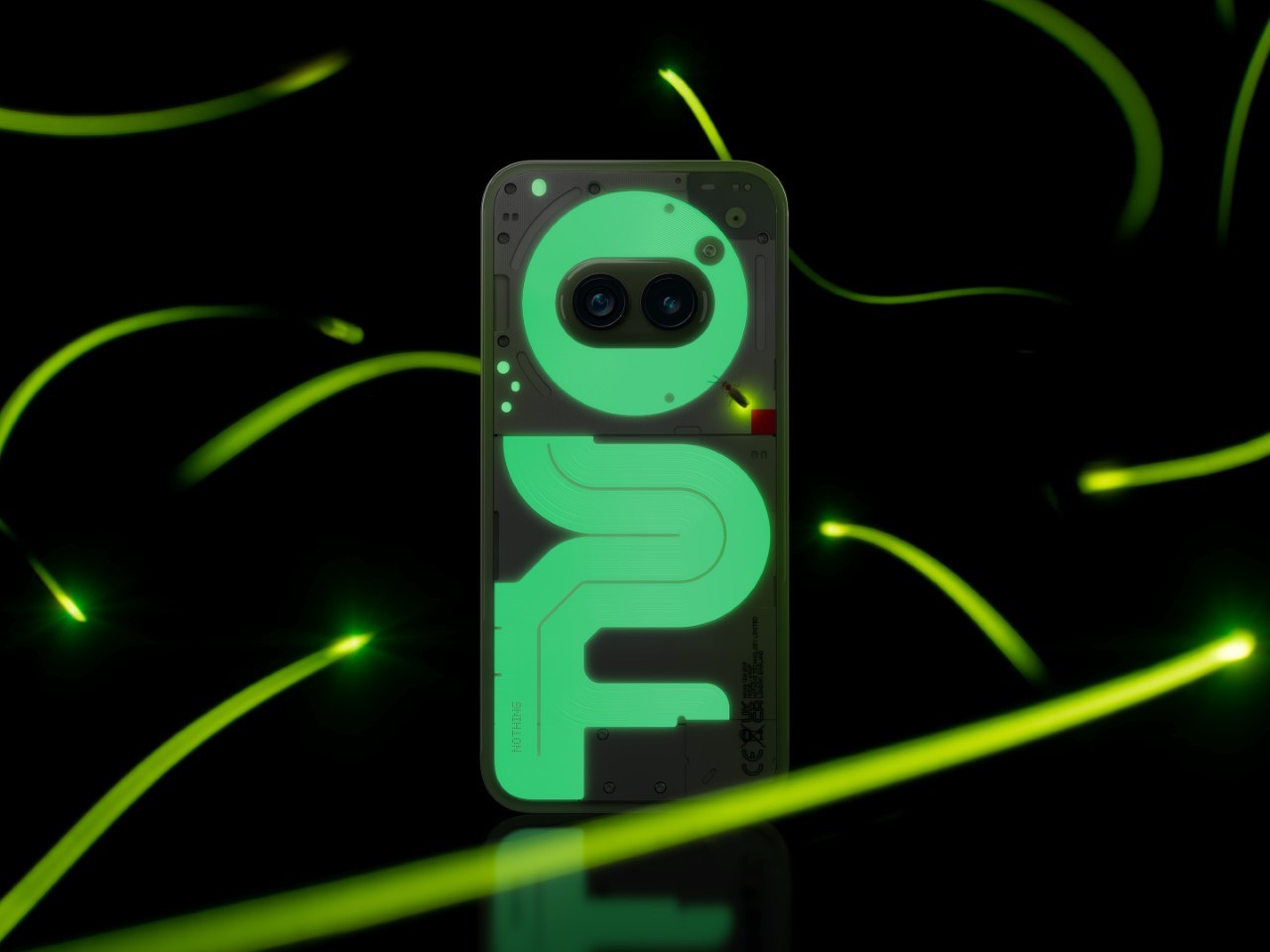
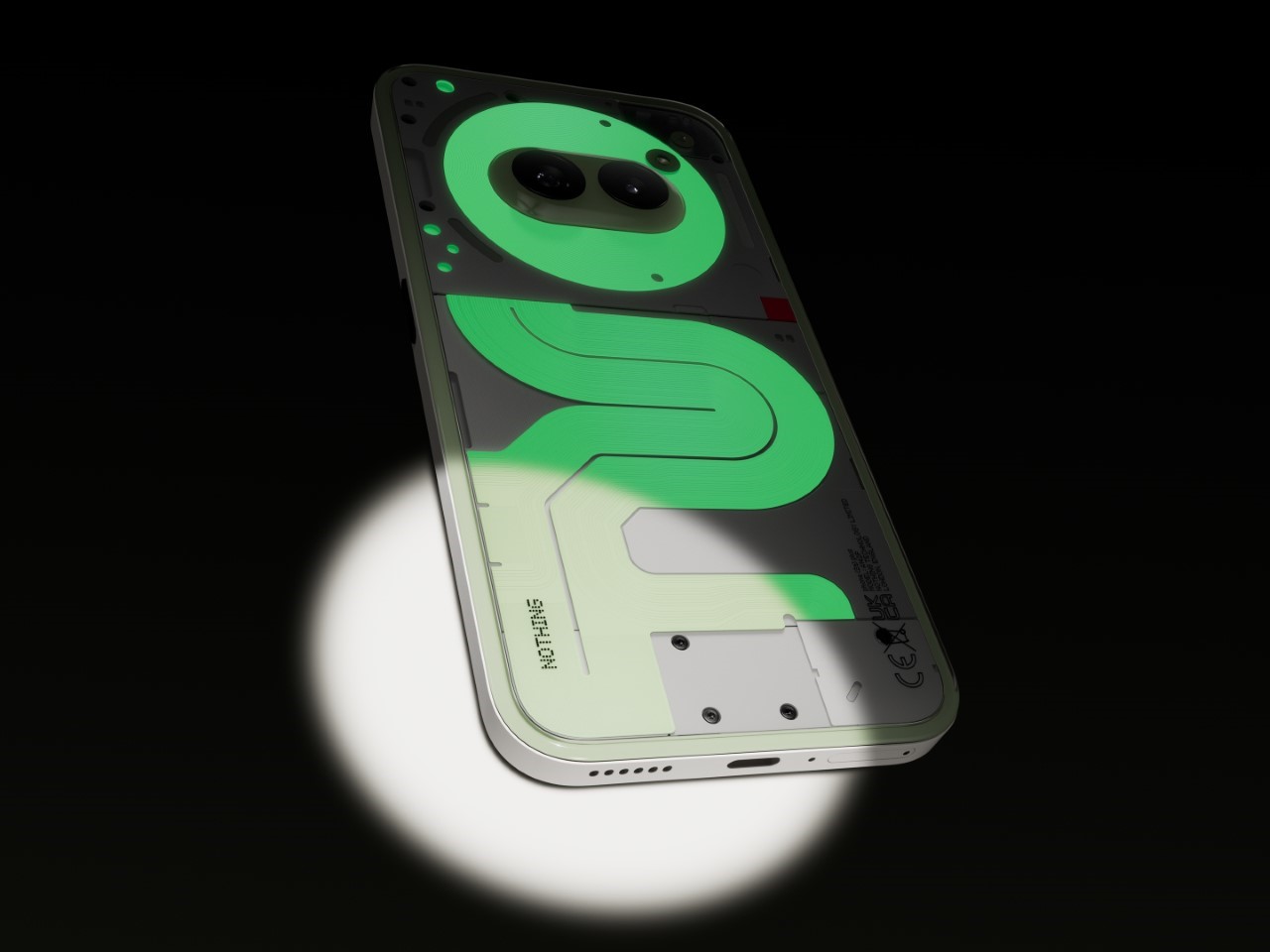
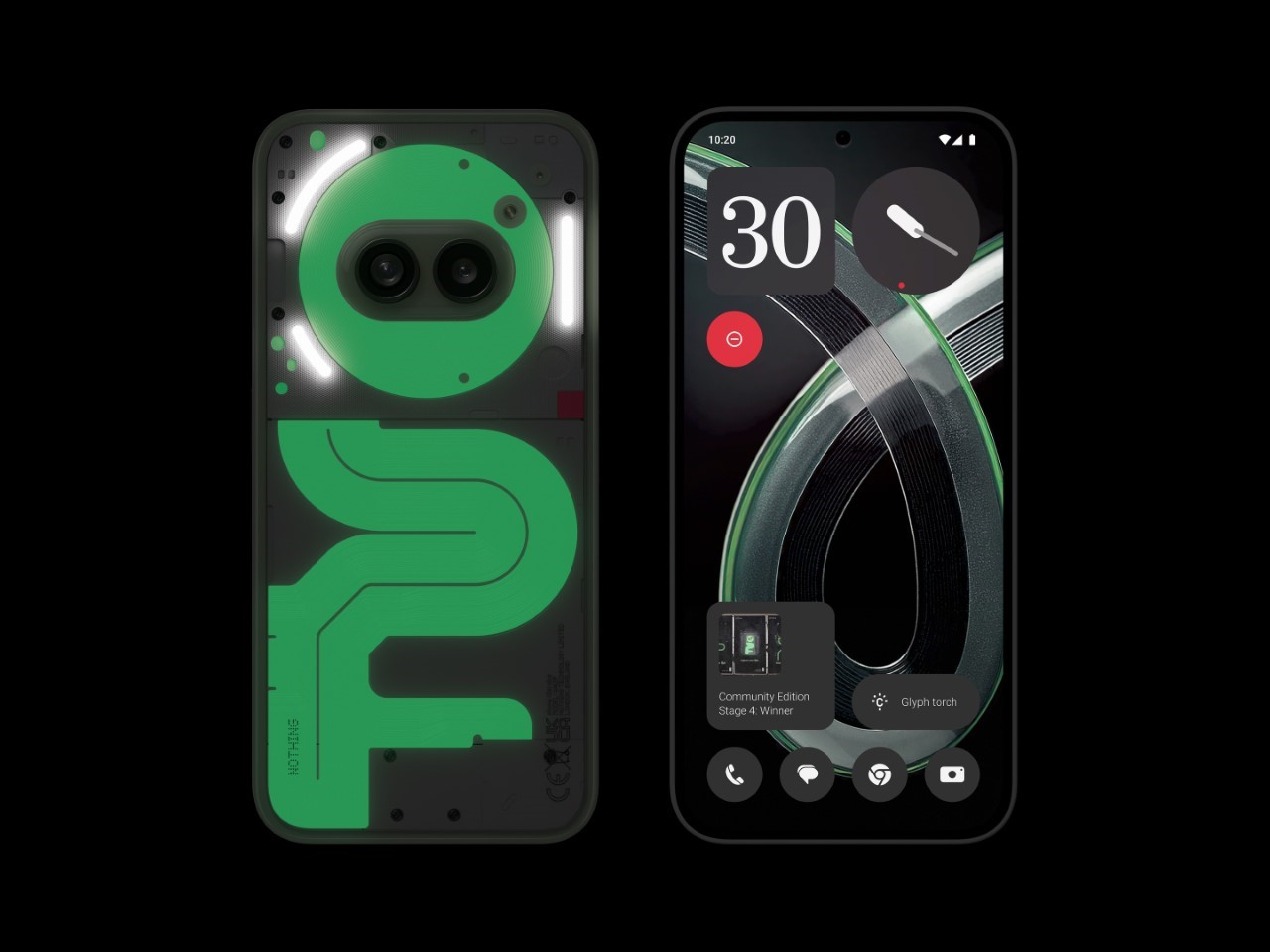
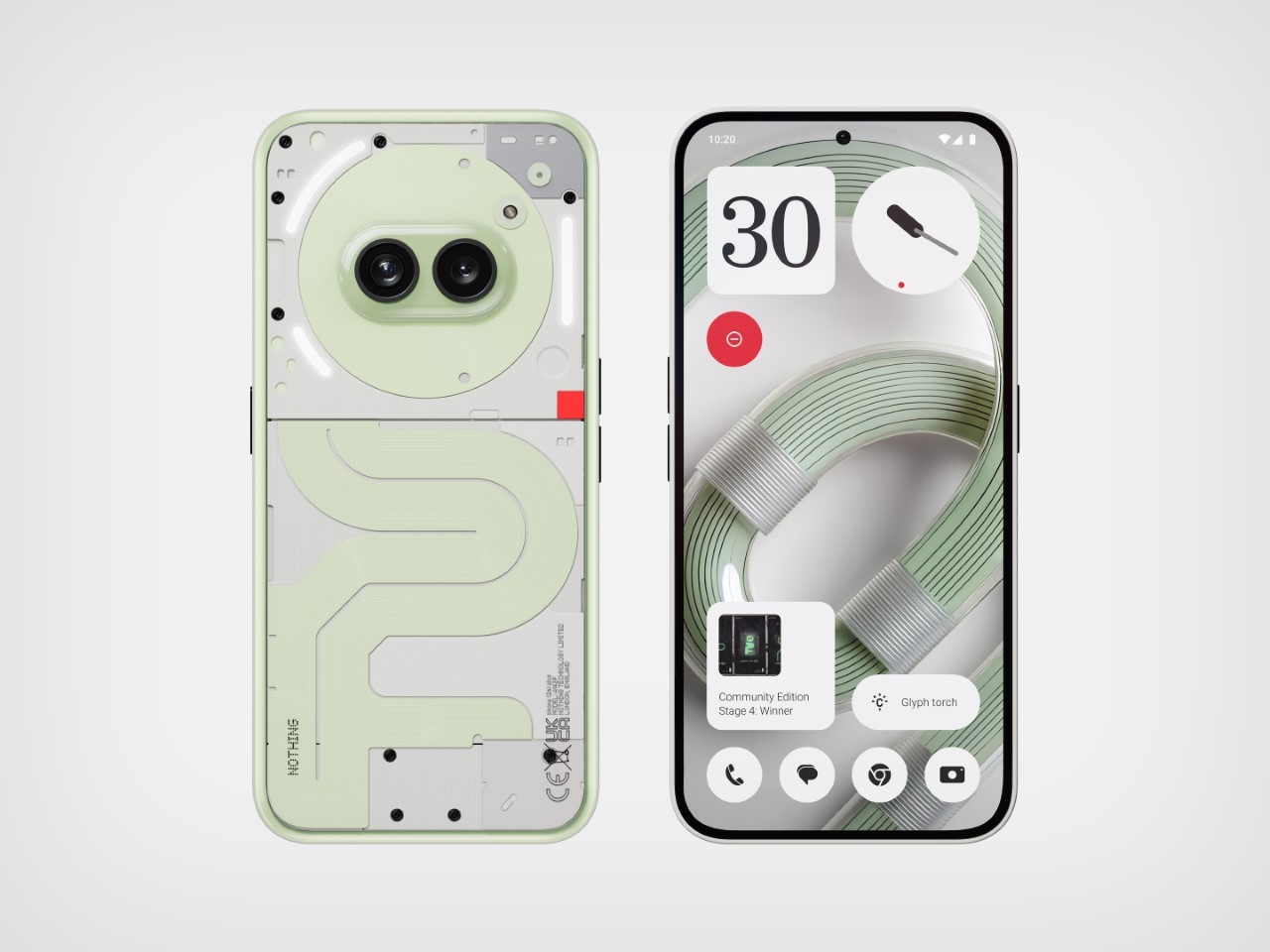
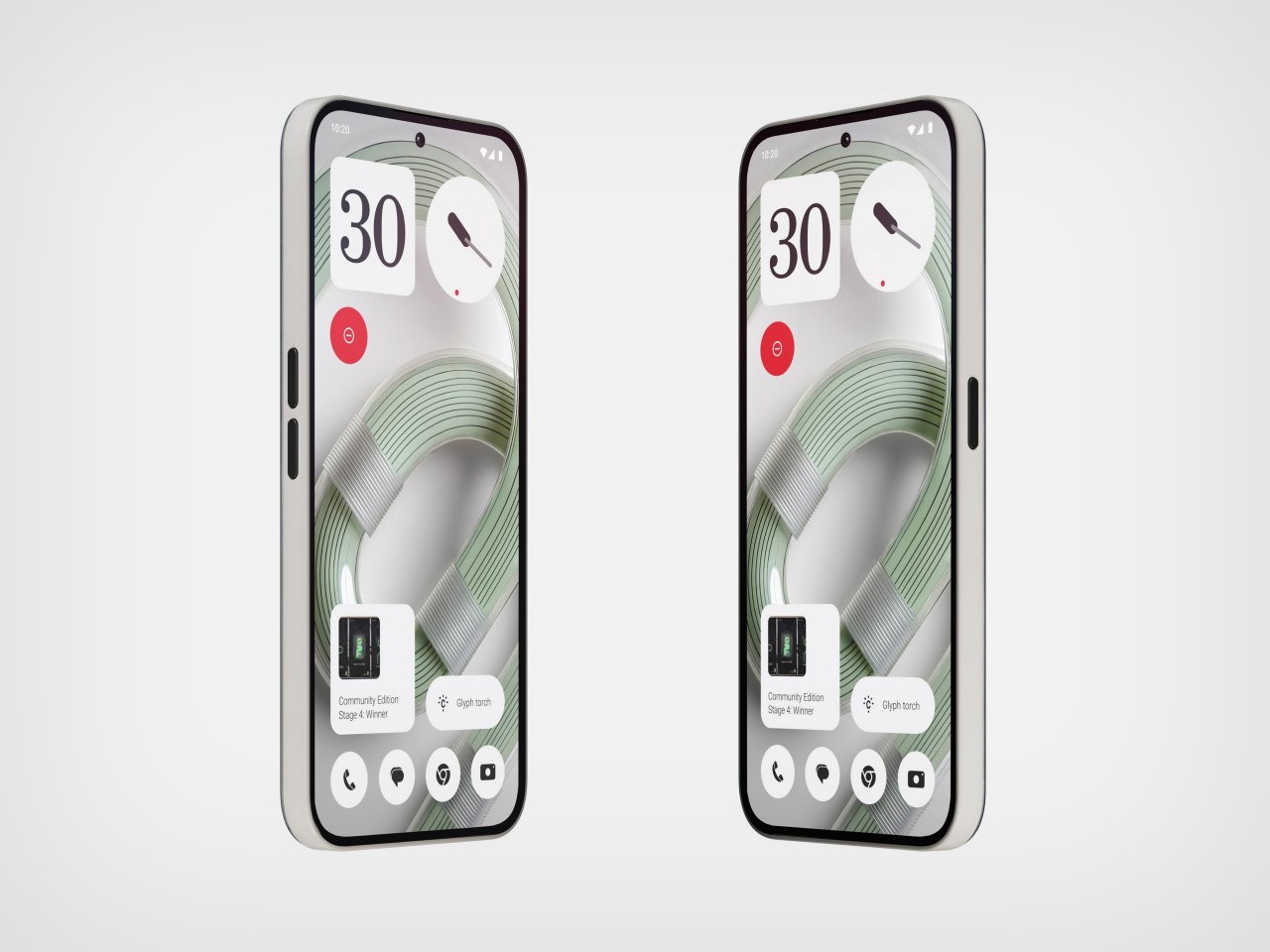
If you loved the Nothing Phone’s glyph interface, their Community Edition phone may just absolutely capture your heart. Announced today following a lengthy community-driven design competition, the Nothing Phone (2a) Plus Community Edition made its global reveal, with a unique twist on the original phone’s design. Sure, you’ve got the Glyph Interface with LEDs that glow to make the phone’s rear panel turn into a dynamic display for notifications and alerts, but the new Community-made version of the phone comes with literal glow-in-the-dark ribbon cables that are ‘nothing’ like anything we’ve seen on any phone in the past decade!

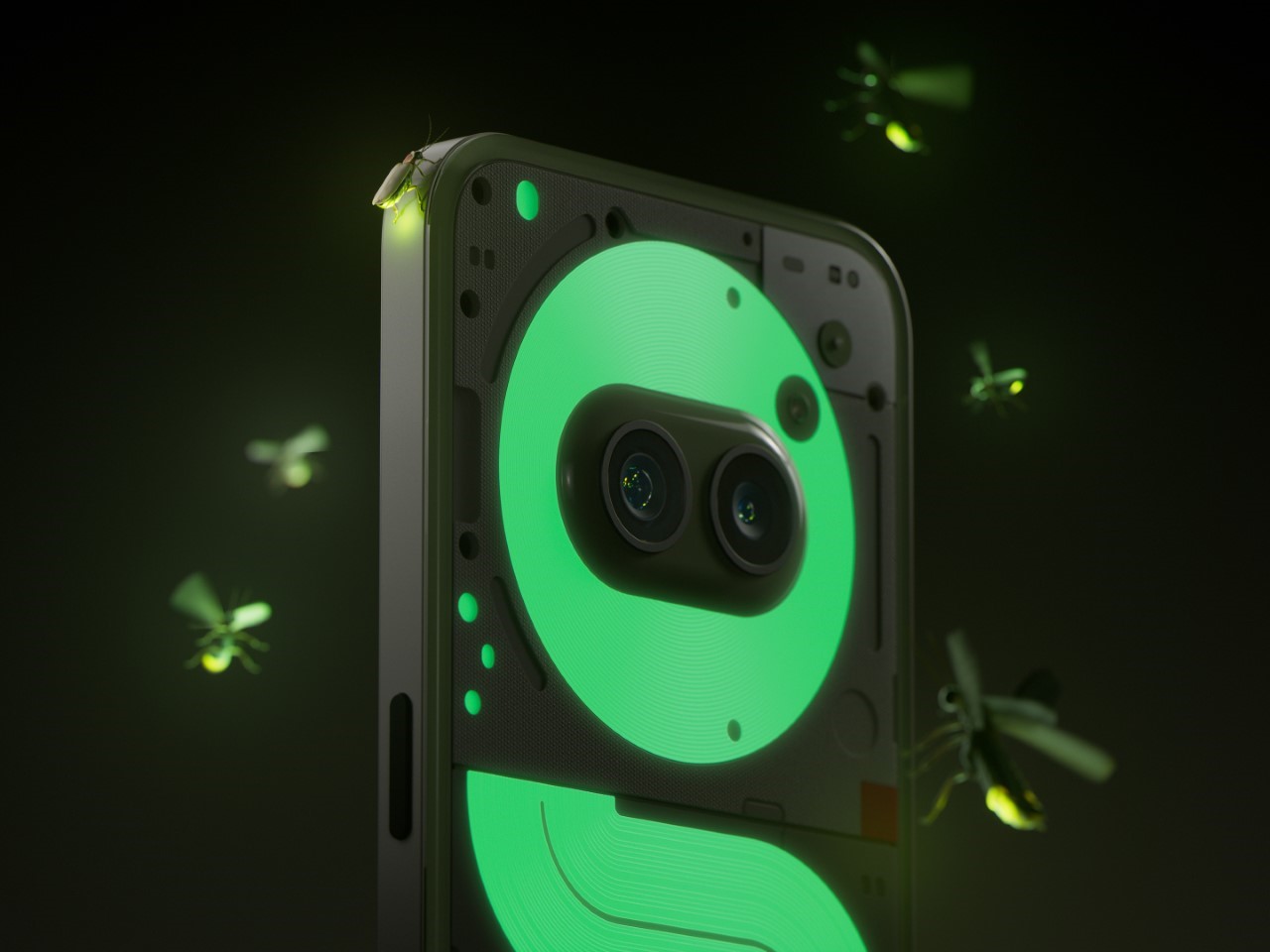
Thanks to input from community members Astrid Vanhuyse and Kenta Akasaki, this phone stands out in a crowd—but not with power-hungry LEDs. Instead, it uses a green phosphorescent material that charges up with ambient light, glowing gently in dim settings and giving the 2(a) a dose of unique, eco-friendly style.

Designers: Astrid Vanhuyse & Kenta Akasaki for Nothing

The design shift here is significant, especially if you remember the original Phone (2) and the less glowy Phone (2a). While the Phone (2) featured bright LED glyphs, the 2(a) kept things quieter, dialing back on the glow to maintain a sleeker look. This Community Edition, though, reintroduces some of that distinctive Nothing flair, swapping LEDs for a phosphorescent effect along the phone’s ribbon cables and components. It’s a subtler, softer glow that gives the phone character without the need for extra power or flashing lights. Imagine your phone lighting up on the nightstand—not enough to keep you awake, just enough to catch your eye.

The phosphorescent material works just like those glow-in-the-dark stars you might have seen as a kid. It absorbs natural or artificial light and emits a soft glow when the lights go down. Unlike typical LEDs, it doesn’t drain the battery, giving this 2(a) a style boost without impacting battery life or performance. It’s the kind of understated cool that’s right in line with Nothing’s design philosophy: thoughtful, sustainable, and practical. Plus, it makes it easier to find in a dark room, giving the design a practical edge as well as aesthetic appeal.
The collaborative effort on this phone really says a lot about Nothing’s approach to designing for their community. The company didn’t just create the effect on its own; they opened it up to the public and sorted through more than 900 design submissions from fans across 47 countries. Out of these, Vanhuyse and Akasaki’s concept shone the brightest, resulting in a design that feels distinctively Nothing while showcasing a global community’s creativity. It’s part of Nothing’s shift toward community-centric product innovation, giving fans a real voice in shaping what they carry.

Nothing also went to great lengths to ensure this glow effect wasn’t just a gimmick but a part of the Phone (2a) Plus Community Edition’s build. The phosphorescent material is durable and seamlessly integrated, meaning it won’t interfere with the phone’s performance or longevity. You get a sturdy device with an artistic edge, a blend of tech and simplicity that fits seamlessly into daily life.

The Phone (2a) Plus Community Edition is priced at $518 USD (£399 / €449 / ₹29,999), with sales beginning on November 12. If you’re located in London, you might also grab one in person at the Nothing Soho store on November 16. There are just 1,000 units available up for grabs… so if you enjoy the idea of having a phone so dazzling that you’ll never want to put a case on it, grab one while you still can. And for anybody at dbrand or Spigen, you best believe people will want glowing cases for their iPhones and flagship Androids too!

The post Nothing’s Glow-in-the-Dark Phone (2a) Plus Sparks a New Design Trend: We Need Glowing Phone Cases! first appeared on Yanko Design.