Viewers don’t trust candidates who use generative AI in political ads, study finds

Artificial intelligence is expected to have an impact on the upcoming US election in November. States have been trying to protect against misinformation by passing laws that require political advertisements to disclose when they have used generative AI. Twenty states now have rules on the books, and according to new research, voters have a negative reaction to seeing those disclaimers. That seems like a pretty fair response: If a politician uses generative AI to mislead voters, then voters don't appreciate that. The study was conducted by New York University’s Center on Technology Policy and first reported by The Washington Post.

The investigation had a thousand participants watch political ads from fictional candidates. Some of the ads were accompanied by a disclaimer that AI was used in the creation of the spot, while others had no disclaimer. The presence of a disclaimer was linked to viewers rating the promoted candidate as less trustworthy and less appealing. Respondents also said they would be more likely to flag or report the ads on social media when they contained disclaimers. In attack ads, participants were more likely to express negative opinions about the candidate who sponsored the spot rather than the candidate being attacked. The researchers also found that the presence of an AI disclaimer led to worse or unchanged opinions regardless of the fictional candidate's political party.

The researchers tested two different disclaimers inspired by two different state requirements for AI disclosure in political ads. The text tied to Michigan's law reads: "This video has been manipulated by technical means and depicts speech or conduct that did not occur." The other disclaimer is based on Florida's law, and says: "This video was created in whole or in part with the use of generative artificial intelligence." Although the approach of Michigan's requirements is more common among state laws, study participants said they preferred seeing the broader disclaimer for any type of AI use.

While these disclaimers can play a part in transparency about the presence of AI in an ad, they aren't a perfect failsafe. As many as 37 percent of the respondents said they didn't recall seeing any language about AI after viewing the ads.

This article originally appeared on Engadget at https://www.engadget.com/ai/viewers-dont-trust-candidates-who-use-generative-ai-in-political-ads-study-finds-194532117.html?src=rss

Uber starts offering $18 shuttle rides between Manhattan and LaGuardia Airport

Uber has come up with a relatively low-cost way of getting to and from a New York City airport: a shuttle bus. Starting today, the company is offering rides between LaGuardia Airport and transit hubs in Manhattan for $18 a pop. For the first month of the service, Uber is offering half-price rides for $9, The Wall Street Journal reports.

This would be far cheaper than a cab for a solo traveler. It's also more expensive, but perhaps less of a hassle, than taking public transit — there’s a free shuttle between the airport and the subway. 

One route will take passengers between Penn Station and the airport, and the other will run between Port Authority, Grand Central Terminal and LaGuardia. If you're Manhattan-bound, you’ll still need to make your way to your home, hotel or Airbnb after you get to the drop-off point.

The vans can transport 14 passengers at a time. The service will run between 5AM and 10:45PM ET every day with trips leaving every half hour or so. You can book a spot in a shuttle up to seven days in advance and bring a personal item and a 50-pound bag on board. Before you get on the van, you'll need to show the driver a QR code and PIN that Uber sends you. An Uber shuttle-fleet partner called EPS is operating the rides, but the shuttles have Uber branding.

Uber shuttles have been available in various locations since 2019, but this is the first time the company is offering such trips to and from an airport. Earlier this year, Uber started running shuttles to and from concerts and sports games. It plans to offer shuttles to more airports in the coming months and years.

The company announced the service as part of its Go-Get Zero event, at which it highlighted some new sustainability efforts. Among those is a new EV-only option that will debut in 40 cities in which Uber has enough electric vehicle drivers available.

This article originally appeared on Engadget at https://www.engadget.com/transportation/uber-starts-offering-18-shuttle-rides-between-manhattan-and-laguardia-airport-193520618.html?src=rss

Microsoft’s ill-fated Surface Duo 2 recieves one final security patch

Pour one out for the Surface Duo 2. As Windows Central points out, Microsoft has pushed out what will almost certainly go down as the device’s final software update, a security patch, ahead of its October 21 end-of-support date.

When Microsoft debuted the Surface Duo 2 in October 2021, the company pledged to provide three years of software updates for the dual-screen device. Since then, the company has released just one platform update for the Duo 2, upgrading it from Android 11 to Android 12L. By comparison, Surface Duo users were more fortunate. They got to see their devices make the jump from Android 10 to Android 11 and then later to Android 12L. I’ll note here that the latest version of Google’s mobile operating system is Android 15.

By modern standards, the Duo 2’s run is particularly bad. Some Android manufacturers, including Google and Samsung, now promise to provide up to seven generations of platform updates. Consider also that Microsoft priced the Surface Duo 2 at $1,500 on release. Most of all, it’s a shame since software was always the Achilles heel of the Duo line. As Engadget Deputy Editor Cherlynn Low noted in her review of the device back in 2021, the device offered more compelling hardware but was still plagued by an inconsistent user experience.

Of course, none of this is surprising if you’ve been following Microsoft in recent months. As the company has shifted its attention to AI, its Surface portfolio has seemingly fallen to the wayside. In fact, according to a report Business Insider published last year, part of the reason Panos Panay left Microsoft was because the company had canceled some of his unit’s more ambitious projects.

This article originally appeared on Engadget at https://www.engadget.com/mobile/smartphones/microsofts-ill-fated-surface-duo-2-foldable-recieves-one-final-security-patch-192001469.html?src=rss

Coperni x Disney tie-up unveils water-printed Ariel Swipe Bag

As someone who always carries a lot of stuff wherever I go, I am not that much a fan of small bags. But if ever there will come a day when I’ll be comfortable just bringing a phone, small wallet, and a lipstick with me, the Coperni Swipe bag is on my shortlist of bags I’d like to have. Their latest version was unveiled at the Spring/Summer 2025 show held at Disneyland Paris, and it is a watery creation.

Designer: Coperni

The Ariel Swipe bag is inspired by The Little Mermaid and the “stunt” here is that it was created underwater. Through gravity-free 3D printing by Rapid Liquid Print, the bag is created from platinum-cured, recyclable silicone and is printed inside a water-based gel. The process differs from other traditional 3D printing methods as they “draw” the objects that are suspended in the gel so these soft, stretchable designs are not weighed down by gravity.

A video shows the printing process with a thin and sharp needle pushing through the gel and starting to create the shape of the bag that is of course, colored blue. When it reaches the top, the two loose ends are joined together to create the handle. A hand then reaches out to pull the bag from the gel and thus, the Ariel Swipe bag is born an supposedly ready to use. They say there’s no extensive post-processing needed so it saves materials and time.

There is no news yet when the bag will be available in its brand store and retail stores. But it’s sure to be another Coperni x Disney best-seller, just like the Mickey Mouse swipe bag that they previously released. It will probbly be around that price as well which is of course pretty expensive.

The post Coperni x Disney tie-up unveils water-printed Ariel Swipe Bag first appeared on Yanko Design.

The Boring Company’s Vegas Loop is a comedy of trespassing errors

The Vegas Loop, underground tunnels built by Elon Musk’s Boring Company that snake underneath Sin City, hasn’t been the traffic or even technological game changer the company promised it would become. It was supposed to be a futuristic, autonomous people mover that looked like public transit from the Tron universe. Instead, Las Vegas just got a bunch of underground tunnels where people are transported by ordinary Tesla vehicles that didn’t really solve any of the city’s traffic problems.

Apparently, it’s not just Tesla vehicles in the tunnels either. Fortune filed a Freedom of Information Act request with the Las Vegas Convention and Visitors Authority on incidents involving the Tesla tunnels going back to 2022. The records revealed that the tunnels have seen at least 67 trespassing reports going back to 2022 and 22 instances of vehicles following Teslas into the tunnels and stations.

Boring’s monthly reports to the Las Vegas Convention and Visitors Authority also showed several instances of “property damage, theft, technical issues, or injuries, near-misses and trespassing or intrusions,” according to Fortune.

The cars that wandered into the stations appear to mostly be just accidents in which drivers followed the Teslas into the unauthorized areas. The trespassing incidents are a bit more egregious and Fortune described them as “a headache for the Boring Company.”

Some of the more notable instances include a skateboarder who snuck into the tunnels through a passenger pickup station, two people who were spotted sleeping in one of the tunnel stations and a man who tried to remove a license plate reader at a station. In each case, Boring security escorted the trespassing out of the tunnels and stations but there are no records showing they were reported to the Las Vegas Metropolitan Police.

Even the construction of the tunnels had more than a few sketchy moments but not nearly as amusing. Former Boring Company construction crew members spoke with Fortune back in February including one who said, “We have consistently flirted with death.” During a six month period last year, Boring reported 36 injuries to Occupational Safety and Health Administration (OSHA) officials including heat exhaustion, contusions and crushed hands and elbows. One tip sent to OSHA’s Nevada field office reported that 15 to 20 employees were burned with accelerant chemicals while working in the tunnels.

Somehow, none of these incidents have stopped the city and Clark County’s desperate hope for the transit system that the Boring Company promised but never delivered. County commissioners approved a plan last May to expand the underground Tesla vehicle tunnels to 65 miles and add 69 passenger stations.

This article originally appeared on Engadget at https://www.engadget.com/transportation/the-boring-companys-vegas-loop-is-a-comedy-of-trespassing-errors-191025432.html?src=rss

EU residents will have a new way to dispute content moderation decisions by Facebook, YouTube and TikTok

European Union residents will have a new place to turn to settle disputes with Facebook, TikTok and YouTube. A new Appeals Centre, certified by Irish regulators, will soon begin accepting complaints about content moderation decisions.

The concept is similar to Meta’s Oversight Board, which weighs in on content moderation decisions across Facebook, Instagram and Threads. Meta has long suggested that other social media companies should use its Oversight Board, though there’s been little incentive for them to do so. Europe’s Digital Services Act (DSA) changed that calculation somewhat, as it enabled the creation of Out-of-Court Dispute Settlement (ODS) bodies that have the ability to help resolve user complaints.

And while the Appeals Centre is a separate entity, there are some notable links between the two organizations. The new Appeals Centre will be led by Thomas Hughes, who was previously the CEO of the Oversight Board Administration. The Oversight Board Trust, which oversees the board's budget, also helped fund the new Appeals Centre with a “one-time grant,” according to a statement from its chair of trustees, Stephen Neal. And, the first non-executive trustees of the Appeals Centre are also trustees on the Oversight Board.

The Appeals Centre says it expects to be up and running “in late 2024,” at which time individuals and organizations will be able to request appeals through its website. Users wishing to appeal a moderation decision from Facebook, YouTube or TikTok will be required to pay a “nominal fee” that will be refunded if the group rules in their favor, according to information posted on its website.

However, it’s not clear exactly how this process will work or how many cases the group will be able to take on. Meta’s Oversight Board, which has been up and running for years, received nearly 400,000 appeals and issued just 53 decisions in 2023. The Appeals Centre may also end up being less influential than the Oversight Board. A press release from Ireland's media regulator notes that “the decisions of ODS bodies are not binding.” Still, it could increase the visibility of the kinds of content moderation issues that often frustrate users and give some hope that their situation may be reconsidered.

This article originally appeared on Engadget at https://www.engadget.com/social-media/eu-residents-will-have-a-new-way-to-dispute-content-moderation-decisions-by-facebook-youtube-and-tiktok-190221606.html?src=rss

OpenAI partners with Cosmopolitan and Elle publisher Hearst

Hearst has become the latest major US publisher to sign an agreement to license its content to ChatGPT creator OpenAI. As part of a partnership announced on Tuesday, content from more than 60 Hearst-owned publications will appear in ChatGPT and other OpenAI products. Some of the publisher’s more notable properties include Esquire, Cosmopolitan and Elle. It also owns newspapers like the San Francisco Chronicle. When Hearst content appears in ChatGPT, the software will provide citations and direct links.

The organizations did not disclose the financial terms of the agreement. Unlike the partnership OpenAI signed with Dotdash Meredith in May, its deal with Hearst doesn’t appear to include a plan for the two firms to collaborate on ad tech.

“As generative AI matures, it’s critical that journalism created by professional journalists be at the heart of all AI products,” said Jeff Johnson, president of Hearst’s Newspapers unit. “This agreement allows the trustworthy and curated content created by Hearst Newspapers’ award-winning journalists to be part of OpenAI’s products like ChatGPT — creating more timely and relevant results.”

The announcement comes less than a week after news broke that OpenAI had recently raised a record-breaking $6.6 billion in new venture capital funding. Since the start of 2024, OpenAI has signed licensing agreements with The Financial Times and Condé Nast, the owner of publications like Vogue, The New Yorker and Wired. At the same time, not every publisher has been so keen to work with the AI giant. At the end of last year, The New York Times sued OpenAI, with Alden Global Capital publications like The Chicago Tribune and New York Daily News, later launching a suit of their own.

Update, October 8, 6:50PM ET: This article was updated after publishing to clarify that Alden Global Capital publications are suing OpenAI, rather than Alden Global itself.

This article originally appeared on Engadget at https://www.engadget.com/ai/openai-partners-with-cosmopolitan-and-elle-publisher-hearst-180517248.html?src=rss

The Roli Airwave is a high-tech keyboard teaching tool inspired by the theremin

Roli is no stranger to quirky musical instruments. After all, it pioneered the idea of a “squishy” MIDI controller. The company’s latest tool, however, could be its weirdest. The Roli Airwave is an AI-infused piano teaching gadget that also doubles as a digital theremin. Yes, the same high-pitched theremin that has appeared on hit records like The Beach Boys’ “Good Vibrations” and Erykah Badu’s “Incense.”

The Airwave is basically a tall stand with a camera on top. This camera points downward to track the player’s finger movements on a connected MIDI keyboard. Movements are tracked in real time and beamed to a tablet, which then displays visuals to teach users how to correctly play a song and fix any mistakes they are making. It'll even try to fix bad playing posture. 

The Airwave uses machine intelligence and computer vision to track the player’s hands and to offer its advice on where those hands should be placed. There’s some machine learning baked into this system when analyzing live footage to come up with accurate teaching methods.

The affiliated app also integrates with ChatGPT, allowing for natural language queries. For instance, users can ask relevant questions about the song being learned or general-use queries about music theory. Being as how a player’s hands would be occupied when in the midst of a piano tutorial, these questions can be asked by voice instead of by typing into a virtual keyboard. This won’t beat interacting with a real piano tutor, but it’ll likely be easier than hunting for a needle in the YouTube video haystack.

“Basically, 100 percent of your time when you practice, you're going to practice correctly now,” Roli’s CEO, Roland Lamb, told Wired. “So you'll be developing good habits over time.”

The Airwave isn’t just for students. The device is also being marketed as an outlet for experimental music-making. There are five inputs that adjust various parameters via hand movements. This means that players can use one to radically change the sound of the instrument being played.

“With the simple raise of their hands, creators can transform a piano into a full orchestra, just as a conductor would, or morph mellow synth pads into searing leads with a tilt of a wrist,” Roli wrote in a press release.

Now onto the caveats, and there are a few. This is nifty tech, of that there’s no doubt. However, there’s a significant barrier of entry. First of all, the Airwave itself will cost $300 when it releases in February. The device cannot be used on its own. It requires a pre-existing Roli keyboard, like the $1,400 Seaboard Rise 2 or the much cheaper Lumi (now called the Piano M.) Also, to access the teaching tools, users will need to bring in their own tablet. There are apps for both Android and Apple devices, but only newer iPad and Samsung Galaxy Tab models will be supported.

Finally, budding piano players will also have to fork out $15 a month to access the Roli Learn music education subscription service. If money’s no object, this looks like a fairly novel way to learn the piano.

Roli says the Airwave is just the first release in what it’s calling its Music Intelligence (MI) platform. The company writes that the “Roli MI platform will be the foundation of a roadmap of future intelligent products, starting with Airwave.” Preorders for the Airwave are available right now.

This article originally appeared on Engadget at https://www.engadget.com/entertainment/music/the-roli-airwave-is-a-high-tech-keyboard-teaching-tool-inspired-by-the-theremin-172342147.html?src=rss

Our Sunroom’s New Masterpiece: The Hisense CanvasTV Review

Finding the perfect balance between cutting-edge technology and home décor can feel like a never-ending quest. We didn’t just want another big screen; we wanted something to enhance our living space, not dominate it. Enter the Hisense CanvasTV, a television that promises performance and seamless integration into your home’s aesthetic.

PROS:


  • Stunning Art Mode with over 120 free artworks included.

  • Sleek, customizable frame blends seamlessly into any room.

  • Versatile setup options—wall mount or mobile stand.

  • Crisp, vibrant QLED display with 144Hz refresh rate for smooth viewing.

  • Eco-friendly design with responsibly sourced materials and efficient power use.

CONS:


  • Lacks Mini-LED backlighting, affecting black level depth.

  • Art Mode requires manual activation through the remote, limiting automation.

RATINGS:

AESTHETICS
ERGONOMICS
PERFORMANCE
SUSTAINABILITY / REPAIRABILITY
VALUE FOR MONEY

EDITOR'S QUOTE:

This TV turns your living room into an art gallery, transforming entertainment into a visual masterpiece.
award-icon

Designer: Hisense


A Sunroom Makeover

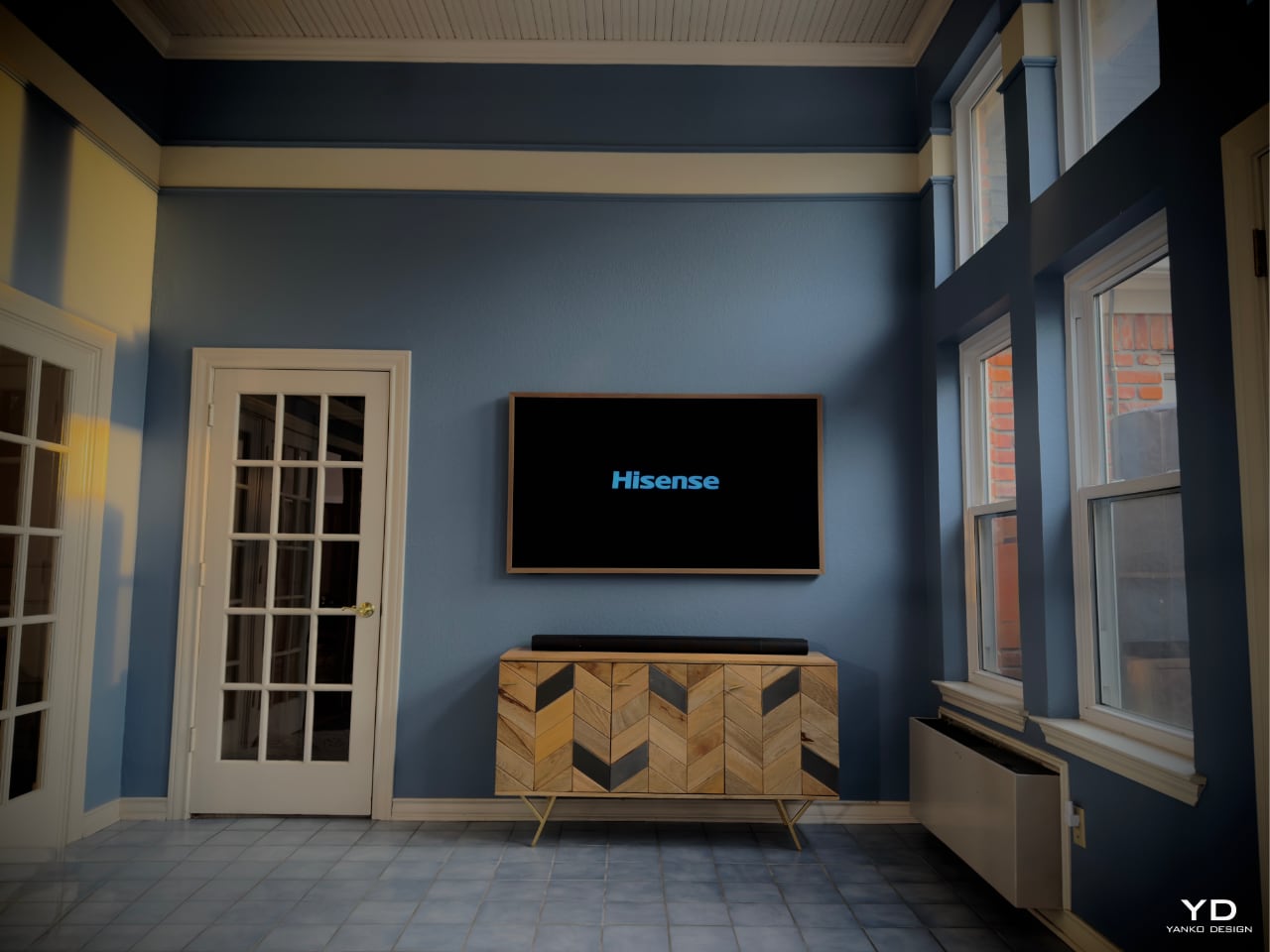
Our journey began in our sunroom, a bright and airy space with an entire wall of windows that flood the room with natural light. For too long, this beautiful room was overshadowed—literally—by an outdated, bulky 85″ VIZIO TV that felt more like an eyesore than a centerpiece. It was high time for a change.

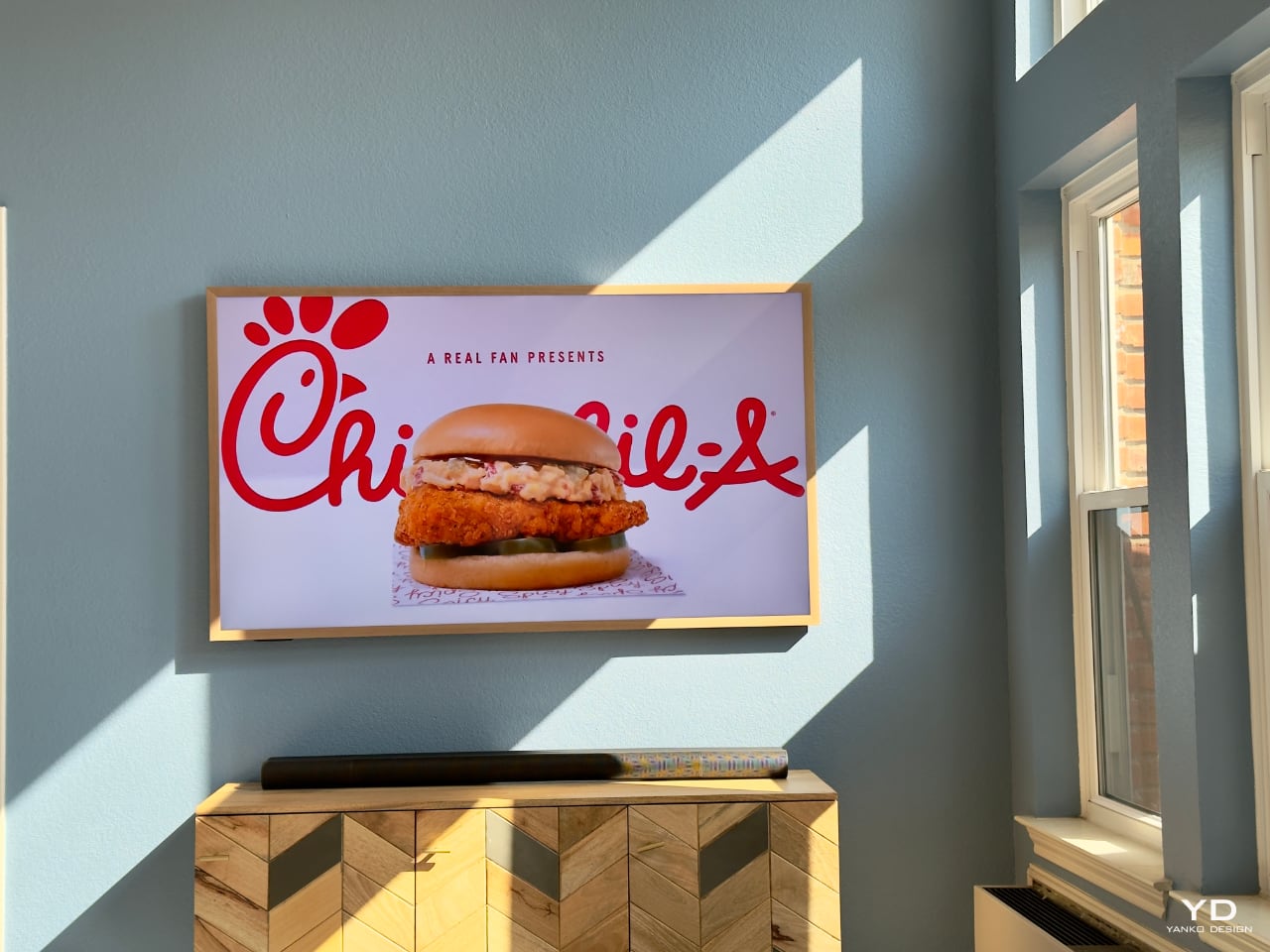
Swapping it out for the sleek 65″ Hisense CanvasTV was like lifting a veil. The room instantly felt more spacious and inviting. The TV’s slim profile and minimalist design complemented the room rather than competing with it. It wasn’t just about replacing a piece of hardware; it was about transforming the atmosphere of our home.

Art Mode: More Than Just a Screen

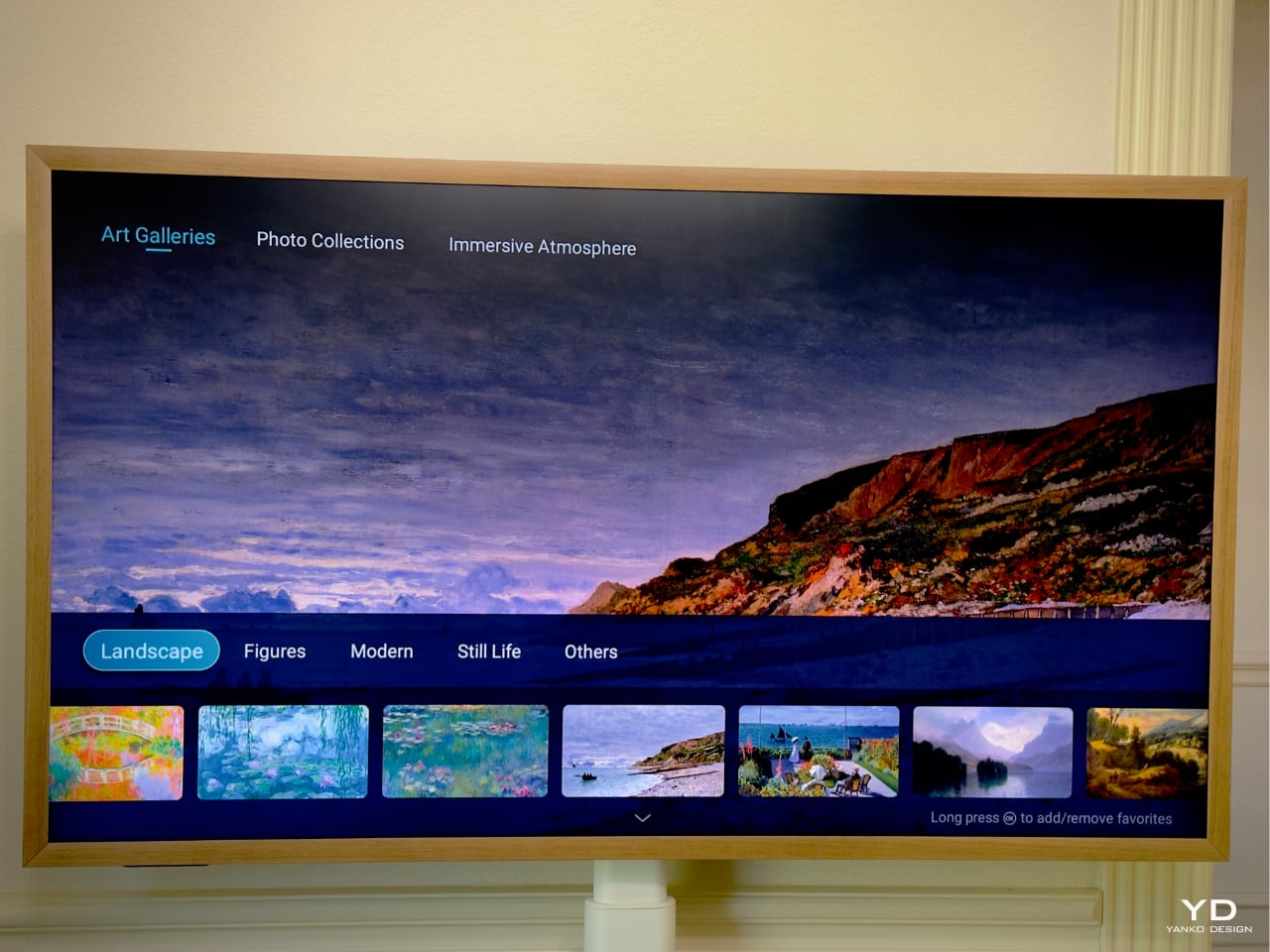
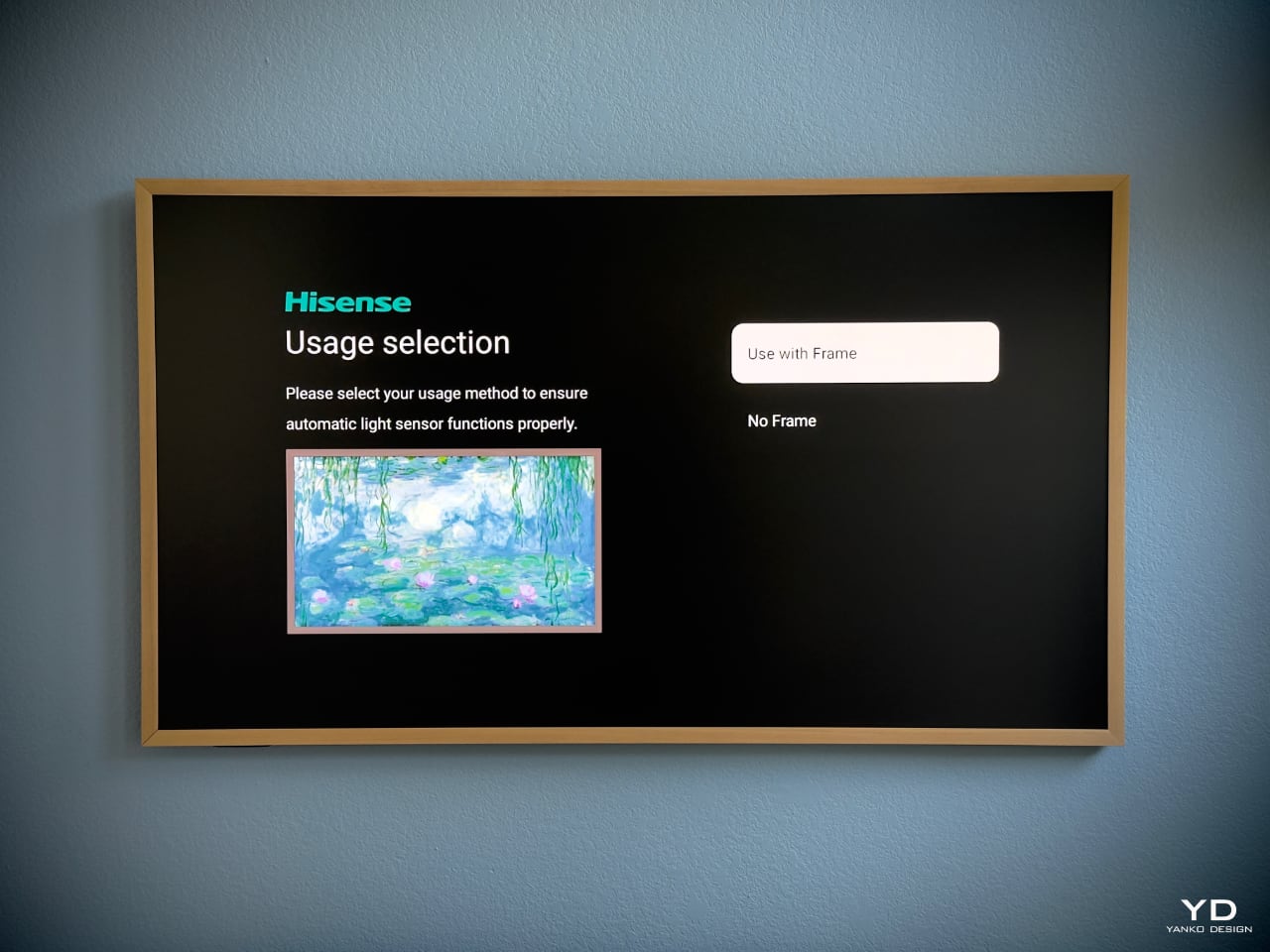
One of the features that drew us to CanvasTV is its Art Mode. Instead of staring at a blank, lifeless screen when the TV is off, we’re now greeted by a rotating gallery of stunning artworks or our own cherished photos. Setting it up was a breeze—intuitive controls let us switch between various curated collections or upload our own images without any hassle.

What impressed us most is that the TV comes pre-loaded with over 120 free art pieces across multiple categories, such as landscapes, still life, and modern art—no subscription fees required. This thoughtful feature transforms the TV from a mere electronic device into an artistic statement that enhances the ambiance of any room.
Design That Speaks Volumes

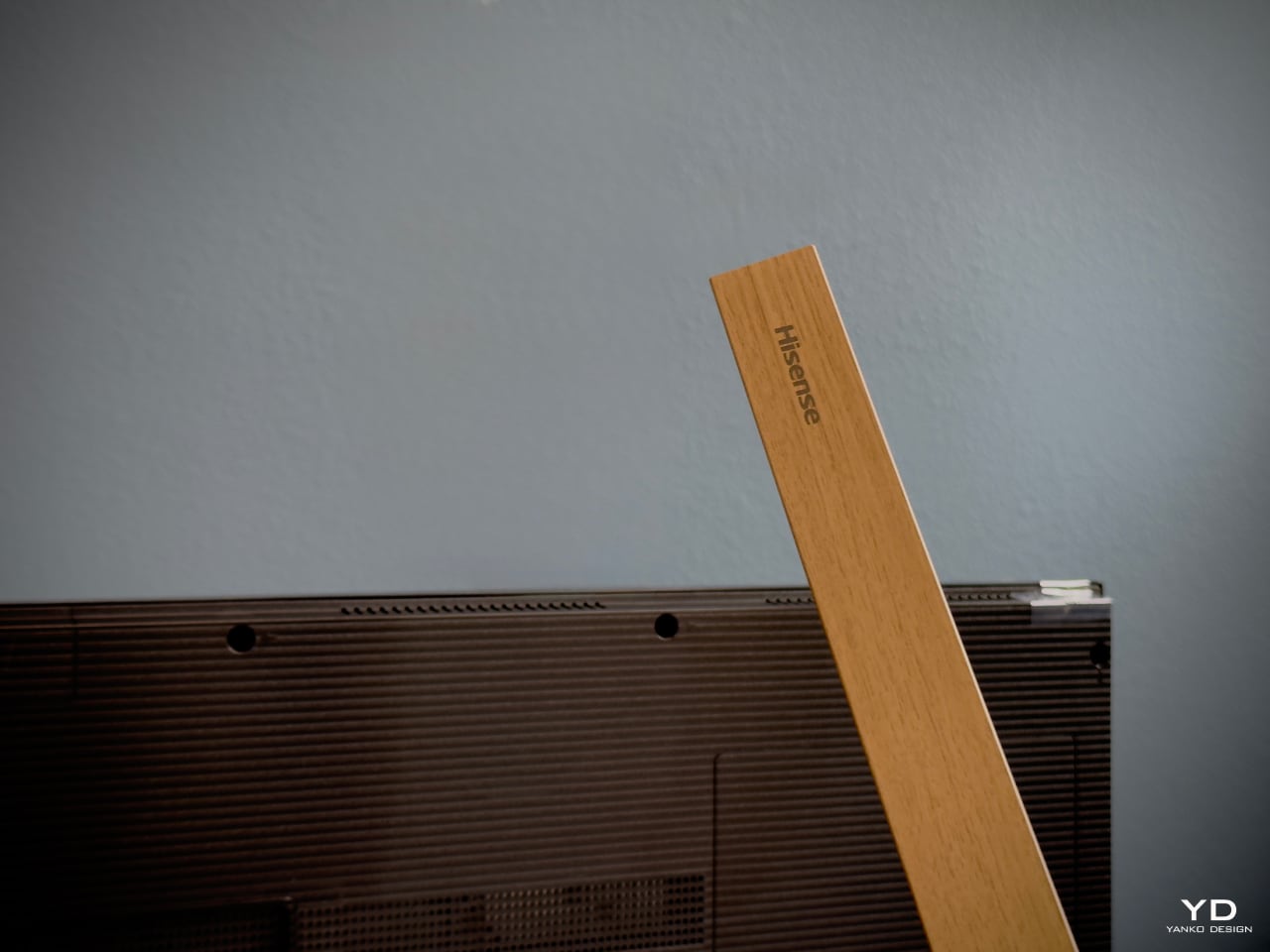
The CanvasTV doesn’t just display art; it is art. Hisense has clearly put thought into every aspect of its design. The TV features a slim bezel that focuses on the content, not the frame. It comes standard with a teak frame, but thanks to its magnetic design, you can easily swap it out to match your décor or mood. We love the light wood tones, which perfectly complement our sunroom’s natural aesthetic.
One of my favorite moments was seeing Claude Monet’s “Water Lilies” displayed on the screen. The soft blues, greens, and pinks seemed to come alive against the backdrop of our vibrant blue walls. This created a mesmerizing interplay of color that transformed the space and added a sense of tranquility and elegance.

Beneath the TV, we placed a natural wood console that echoes the frame’s light wood tones. The simplicity of its design, with clean lines and earthy textures, ties the whole look together. The result is a harmonious blend that feels more like a curated art installation than just a TV setup.
Versatility with the 55″ Model

While the 65″ CanvasTV found its permanent home in the sunroom, we decided to get adventurous with the 55″ model. Instead of mounting it, we opted for the mobile stand—a decision that has added a whole new layer of versatility to our home entertainment.

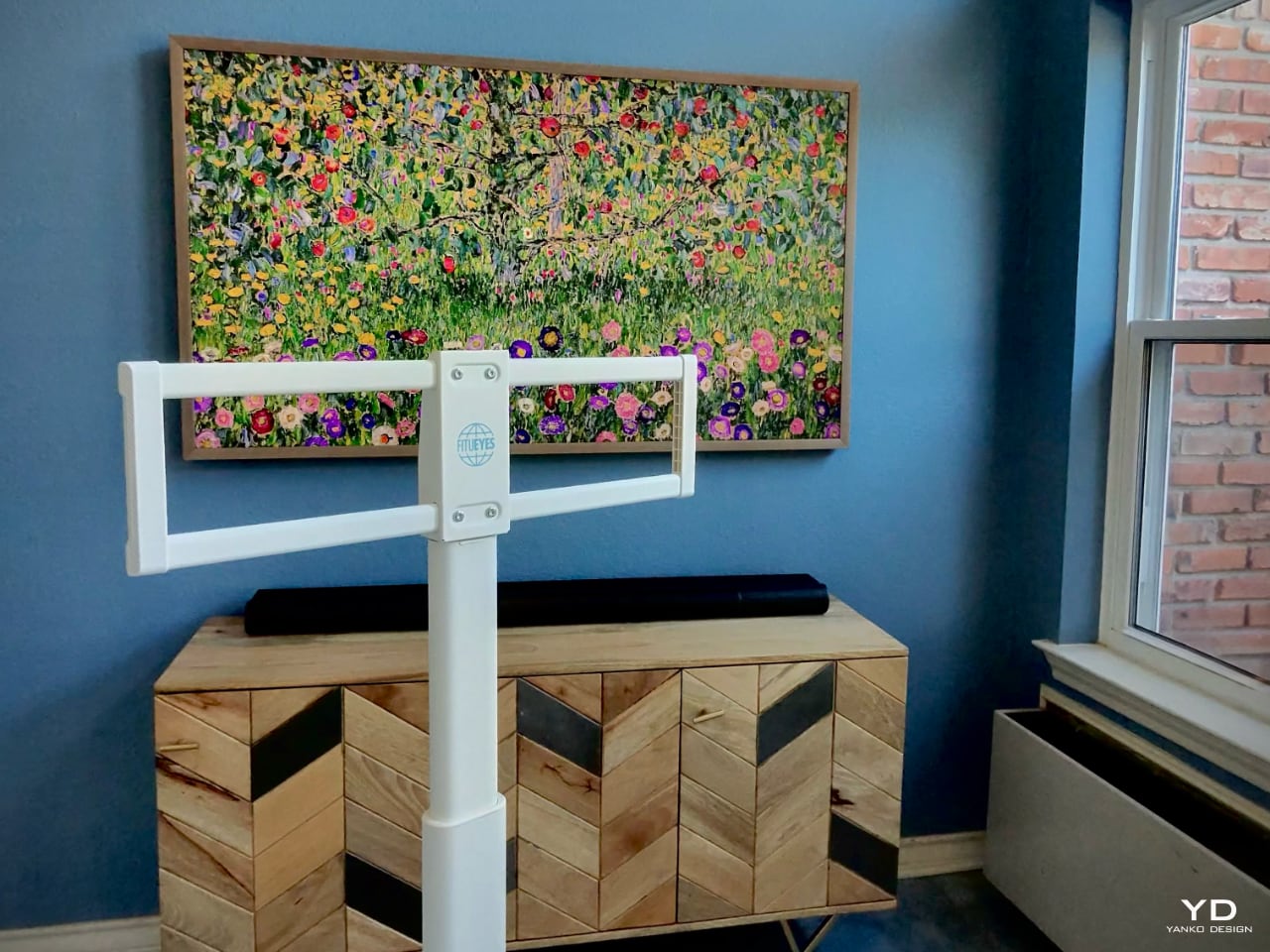
The mobile stand is a game-changer. Its clever design includes an integrated power outlet, reducing cable clutter and making it incredibly easy to move the TV from room to room. Need a screen in the kitchen for following a new recipe? Roll it in. Hosting friends in the dining room and want to display a slideshow of memories? Easy. Cozy movie night in the bedroom? Done.

All the necessary ports—power, HDMI, and USB—are neatly integrated into the back of the TV. There’s no need for external boxes or messy cables, keeping the setup clean and elegant.

For families, this flexibility is a huge plus. Imagine being able to wheel the TV into the kids’ room for a special movie night or setting up an impromptu gaming session in any part of the house. It’s the convenience of a portable entertainment center without sacrificing style or quality.

Ergonomic Design and User Experience

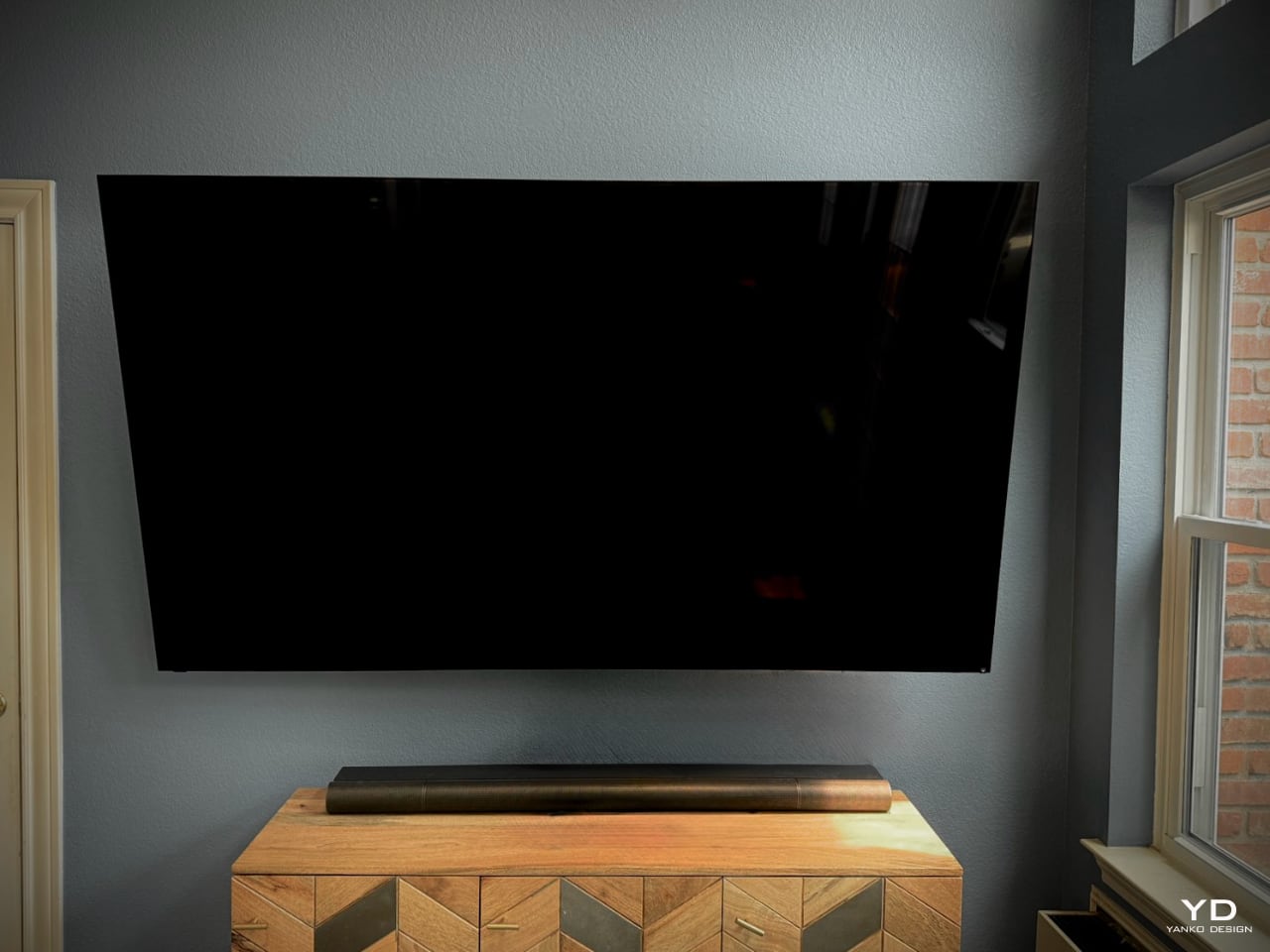
The CanvasTV is designed with the user in mind. Wall mounting the 65″ model was straightforward, thanks to its lightweight build and slim profile. It sits flush against the wall, enhancing that art gallery feel.
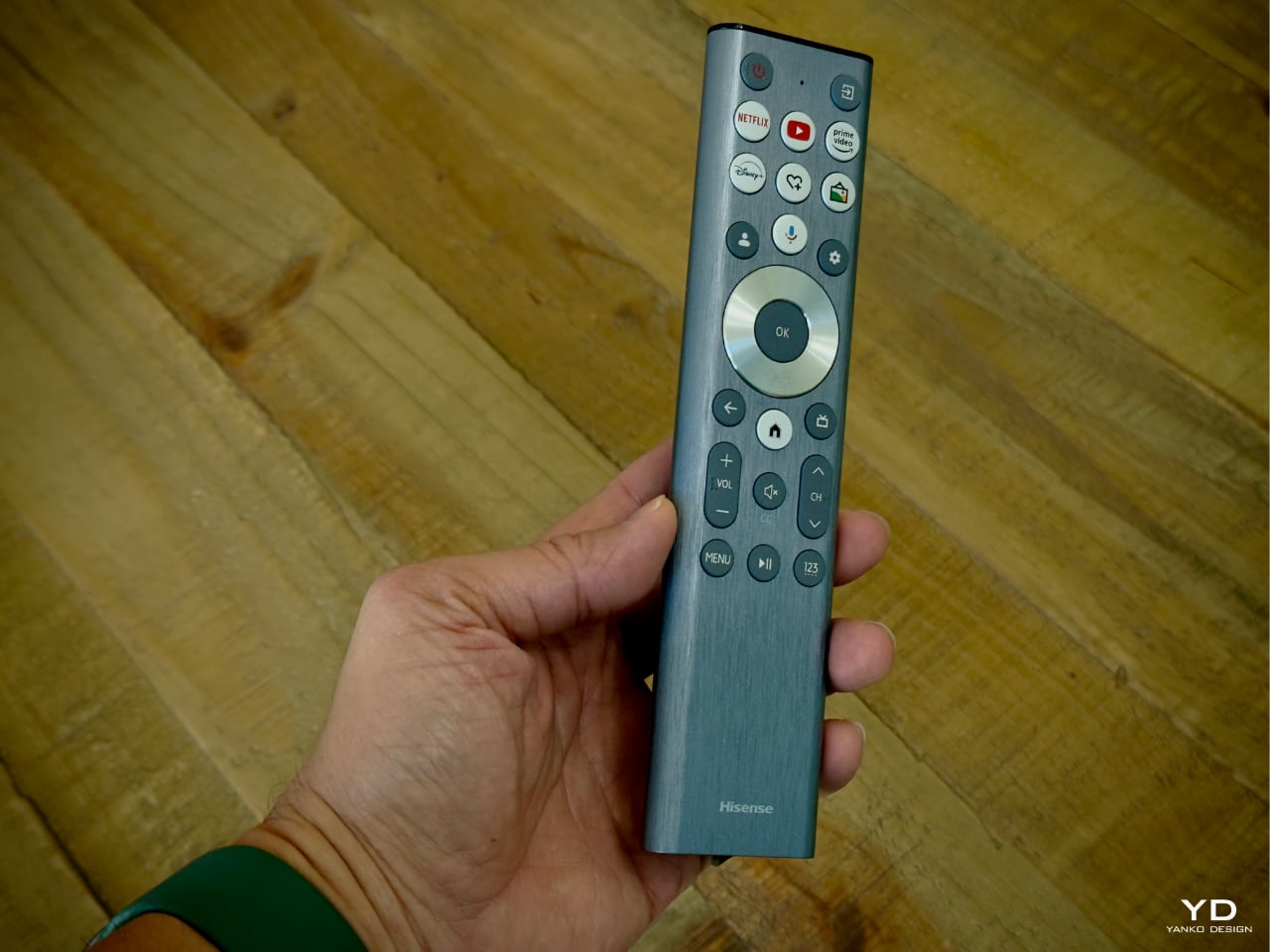
The remote control continues the minimalist theme. With its brushed metal finish, it feels substantial yet sleek in hand. The button layout is intuitive—quick-access buttons for popular streaming services like Netflix, YouTube, Prime Video, and Disney+ are right at your fingertips. The inclusion of voice control via Google Assistant adds an extra layer of convenience. We can navigate content, adjust settings, or even control other smart devices in our home with simple voice commands.

Performance: A Visual and Auditory Delight

Now, let’s talk about performance. The CanvasTV might not feature Mini-LED backlighting—a technology known for delivering deep blacks and high contrast—but it makes up for it in other ways. The matte display is amazing, especially in a room like ours where the entire back wall is glass and the sunrise shines directly into the space. The CanvasTV’s matte screen does a fantastic job, offering more than adequate brightness, even under direct sunlight.

The matte display quite literally ‘eats up’ and swallows any shadow thrown at it—making the artwork look like real art instead of something viewed through a monitor. Add in the Quantum Dot (QLED) technology, and the colors are vibrant and true to life, enhancing everything from movies to artwork.

With a refresh rate of up to 144Hz, the TV handles fast-paced action scenes and gaming without breaking a sweat. We connected our gaming console, and the experience was smooth and immersive. The visuals were crisp, with no noticeable lag or motion blur.

The audio doesn’t disappoint, either. With Dolby Atmos support, the built-in speakers deliver sound that fills the room. Dialogue is clear, music is rich, and the overall audio experience complements the high-quality visuals. While audiophiles might prefer an external sound system, we found the integrated speakers to be more than sufficient for our needs.
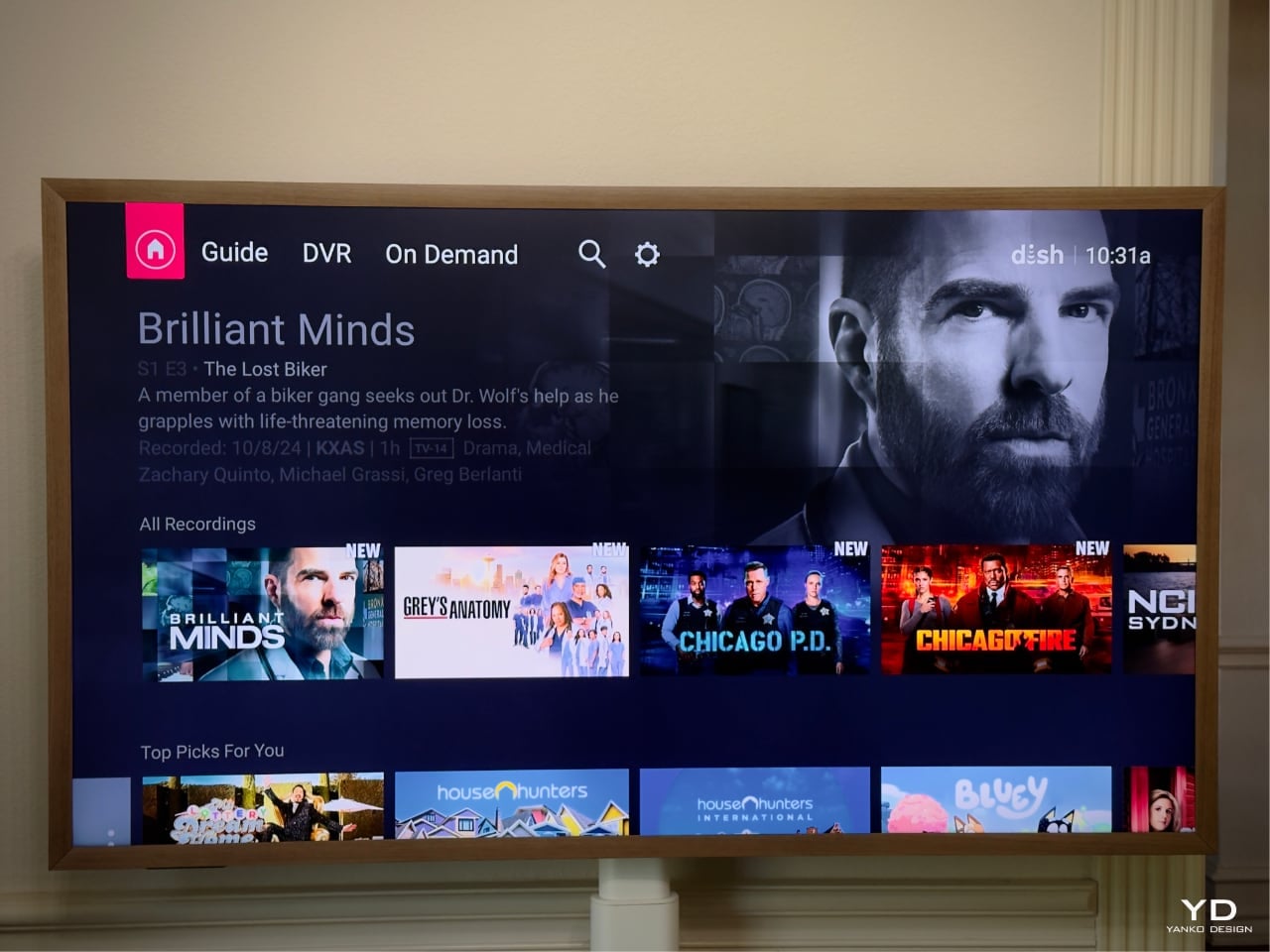
Navigating the TV’s interface is a breeze, thanks to the VIDAA U operating system. It’s clean, responsive, and doesn’t bog you down with unnecessary clutter. Integration with Google TV means easy access to all our favorite streaming services, including Dish Anywhere. If you’ve ever dealt with Dish Network, you know the hassle—wiring, coaxial cables, and setting up a box. With CanvasTV, it’s as simple as installing the Dish Anywhere app, and you’re good to go. The 55″ model on a mobile stand makes this even more convenient—art and entertainment on wheels, ready to roll into any room. Plus, support for Apple HomeKit and AirPlay 2 ensures seamless connectivity with our Apple devices.

Connecting my laptop and extending the use of CanvasTV as a second or third monitor makes life easier for meetings, streaming shows, and those long Zoom calls.

Sustainability Matters

Being eco-conscious is more important than ever, and we’re pleased to see that Hisense shares this value. The CanvasTV uses responsibly sourced wood certified by the Forest Stewardship Council (FSC), ensuring that materials meet high environmental and social standards.

Energy efficiency is another highlight. The TV includes advanced power management features to minimize energy consumption during use and standby. It meets or exceeds international energy efficiency standards, which not only reduces our carbon footprint but also helps lower our electricity bill.

Even the packaging reflects Hisense’s commitment to sustainability. They use recyclable materials and minimize the use of plastics, reducing waste without compromising product protection during shipping.

Value That Hits the Sweet Spot

One of the most compelling aspects of CanvasTV is its value proposition. The current price for the 55″ CanvasTV at Best Buy is $850, making it an appealing entry point for those looking to bring this blend of technology and art into their homes without breaking the bank. The 65″ model, priced around $1,100, offers many of the premium features found in higher-priced competitors like Samsung’s The Frame or TCL’s Nxtframe, but at a more accessible price point.
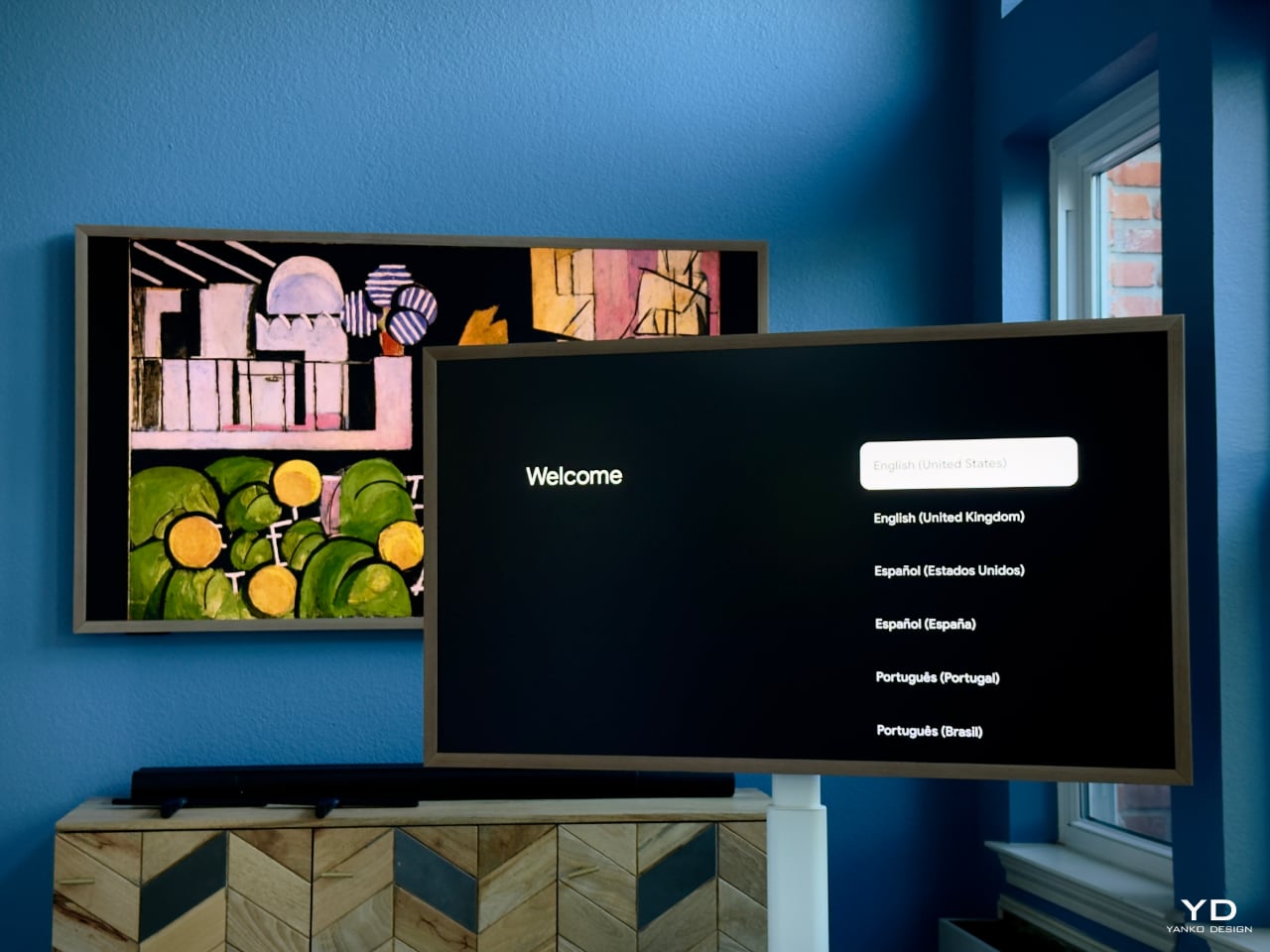
Including over 120 free pieces of curated art—without any subscription fees—is a significant bonus. Competitors often require monthly fees to access similar features. The ability to upload personal images at no extra cost adds another layer of personalization that enhances the overall value.

The TV’s compatibility with various smart home ecosystems—Google Voice, Google TV, Apple HomeKit, and AirPlay 2—makes it convenient for users across different platforms. The thoughtful design extends to every aspect of the user experience, highlighting Hisense’s focus on usability.
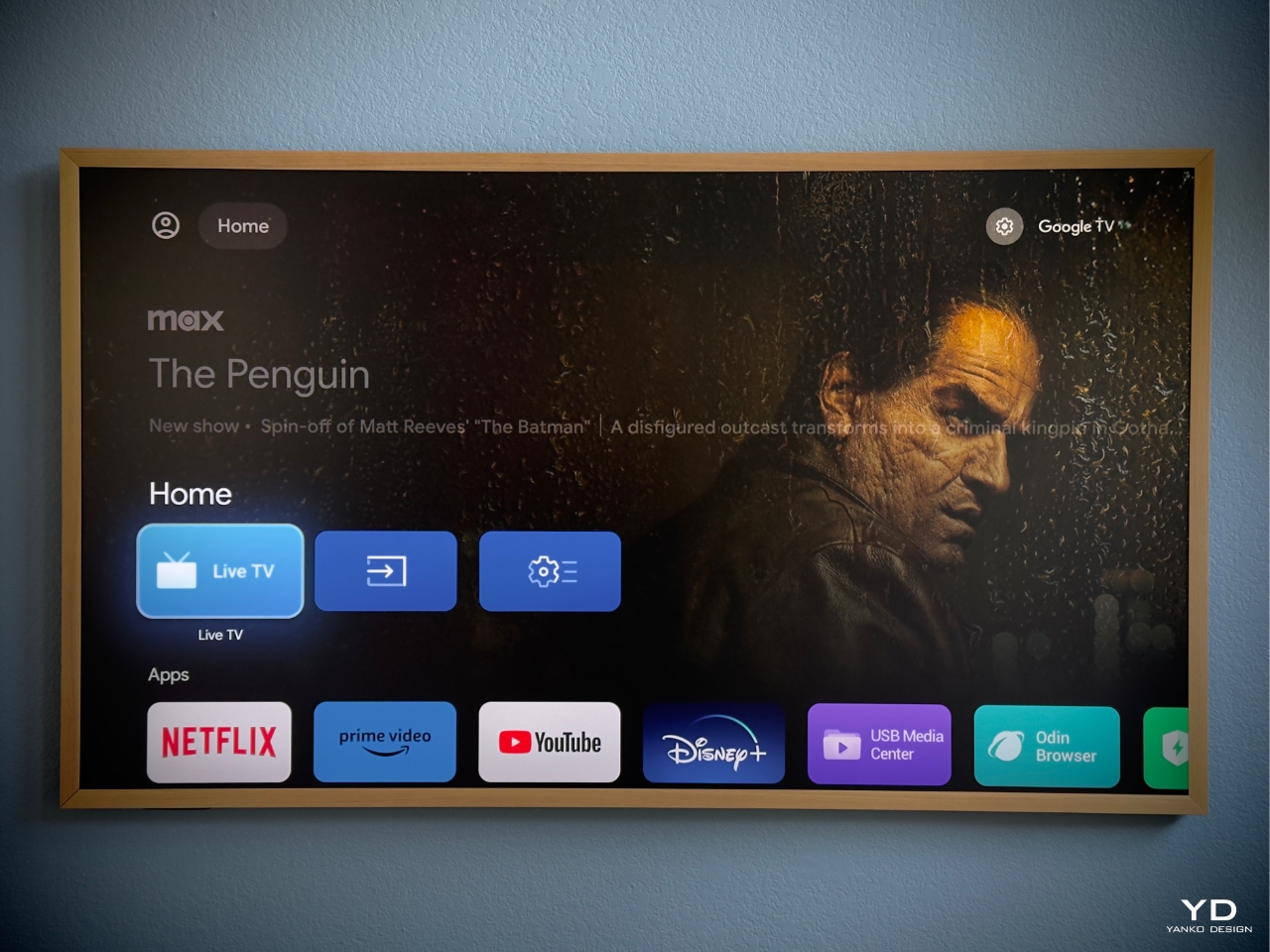
The versatile mounting options further enhance its utility. Whether you choose to wall-mount it for a sleek, integrated look or use the mobile stand for adaptable use throughout your home, the CanvasTV adapts to your lifestyle.

Final Thoughts: A Seamless Blend of Lifestyle and Technology

The Hisense CanvasTV has redefined our expectations of what a television can be. It’s a device for consuming content; it’s an integral part of our home’s aesthetic and functionality. From its stunning design and customizable art displays to its practical mobility and solid performance, it checks all the boxes.
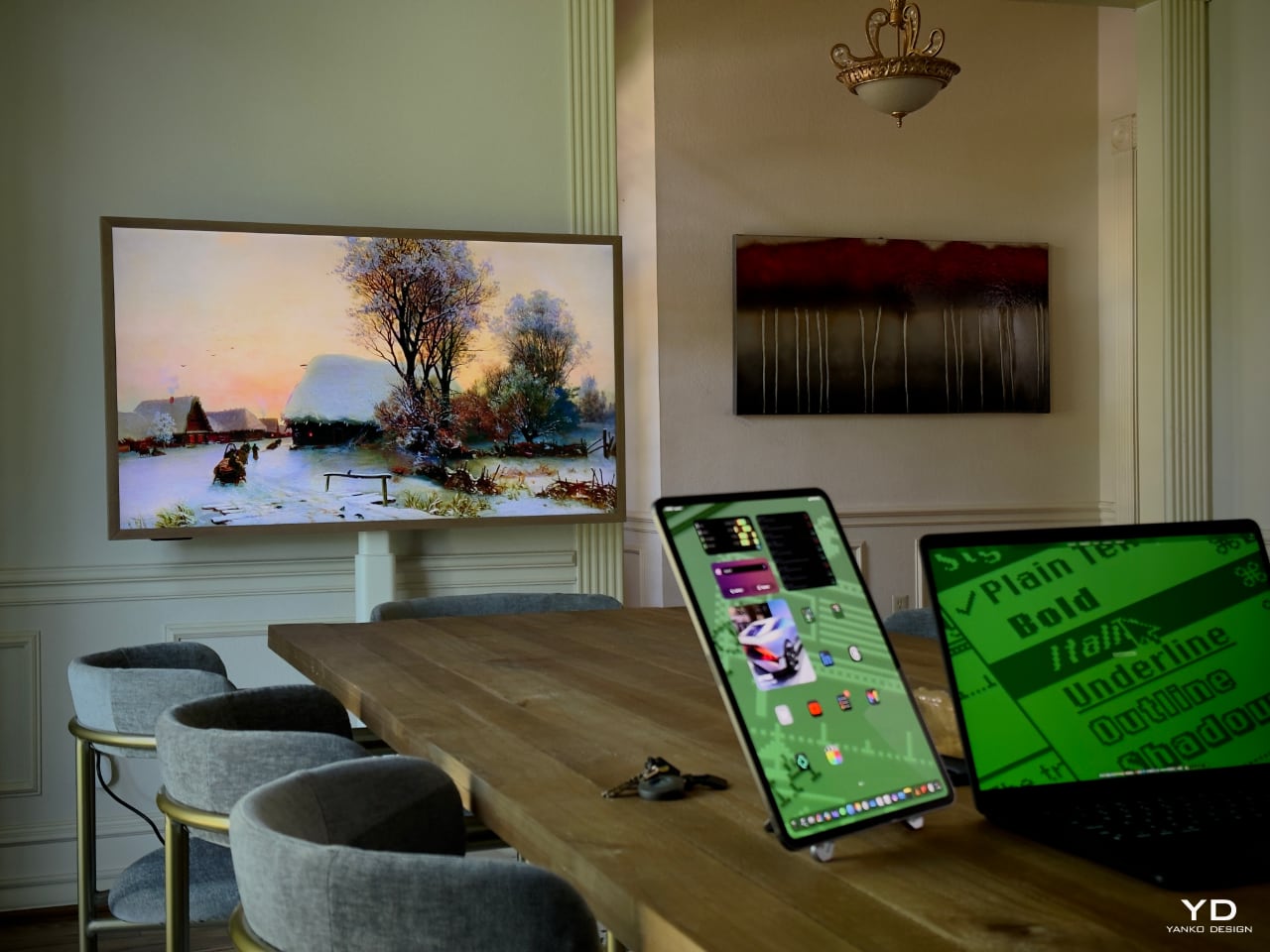
For anyone torn between wanting the latest technology and maintaining a stylish, inviting home, the CanvasTV offers the best of both worlds. It’s elevated our living space in ways we didn’t anticipate, and we couldn’t be happier with our choice.

Would We Recommend It? Absolutely.

If you’re in the market for a new TV that does it all, the Hisense CanvasTV deserves serious consideration. Its blend of art, design, and technology offers a unique experience that’s hard to find elsewhere, especially at this price point.

Whether you’re an art enthusiast, a tech lover, or someone who appreciates thoughtful design, this TV has something to offer. It’s become an integral part of our home entertainment setup; it’s a conversation piece, a mood setter, and, quite frankly, a joy to own.

Key Takeaways:

  • Art Mode with 120+ Free Artworks: Transform your TV into a personal art gallery without extra costs.
  • Sleek, Customizable Design: Slim profile and magnetic frames let you tailor the look to your home.
  • Versatile Mounting Options: Choose between wall mounting or a mobile stand to suit your lifestyle.
  • Solid Performance: Vibrant QLED display with 144Hz refresh rate and Dolby Atmos sound.
  • Smart Home Integration: Compatible with Google Voice, Google TV, Apple HomeKit, and AirPlay 2.
  • Eco-Friendly Features: Uses responsibly sourced materials and energy-efficient technology.
  • Great Value: Offers premium features at a more accessible price compared to competitors.

The post Our Sunroom’s New Masterpiece: The Hisense CanvasTV Review first appeared on Yanko Design.

The best Prime Day bluetooth speaker deals we could find during Amazon’s Big Deal Days sale

The October Prime Day sale at Amazon is slowly coming to an end, but as of this writing, there are still quite a few speaker deals to be had. At Engadget, we’ve tested scads of audio equipment. In our guide to the best Bluetooth speakers and smart speakers, we break down which, out of the thousands out there, are worth your money. And our guide to the best soundbars lists our favorite devices for immersive viewing and clear dialogue. 

Not surprisingly, many of those picks come from stalwart brands like Bose, JBL, Ultimate Ears and Marshall — and most of our favorites aren't exactly cheap. That's what makes sales like this so great. You can save on quality equipment, that comes highly recommended, so you won't get stuck with mumbly lows and flat mids and tinny highs. Here are the best Prime Day speaker deals we could find on the models we recommend.

The marshall emberton II speaker sits on a table; there's a bunch of vinyl in the background.
Photo by Jon Turi / Engadget

There’s a portable speaker for just about every situation in our guide to Bluetooth speakers. Whether you just want some tunes as you horbgorble around at home or need to entertain some coworkers at a music dance experience, there’s something for you here — and best of all, these are on sale.

  • Beats Pill Bluetooth speaker for $100 ($50 off): The new Beats portable speaker just came out a few months ago, and we called it a worthy revival of a classic Beats product in our review. It has improved sound, a longer battery life and a rugged build.  

  • Soundcore Motion 300 for $60 ($20 off): This sub-two-pound sound-maker delivers a bright, punchy output from 30-watt speakers. We found it to have a crisp high end and fairly thumpy bass when it has walls to bounce the sound off of. Plus it’s waterproof and goes for 13 hours on a charge. This Prime-members-only price matches its all-time low.

  • Anker Soundcore Motion+ for $69 ($31 off): This little guy comes in at just over two pounds and has a bright and bassy output. It can play songs for around 12 hours on a charge and we particularly appreciate the solid build with its metal grille. This Prime-exclusive deal matches the lowest price yet.

  • Tribit StormBox Micro 2 for $48 ($32 off): This is the smallest music box on our list, and we like it because it packs serious sound for its size. The audio isn’t the highest fidelity, but the rubbery strap is perfect for strapping onto a pack, bike handlebar or elsewhere.

  • JBL Flip 6 for $80 ($50 off): After reading our guide, this is the speaker I bought, and I can confirm this crowler-sized device has great sound quality, is durable as heck and I love that it sounds great on its side or stood on end.

  • Marshall Emberton II for $100 ($70 off): This clutchable model has two 10-watt drivers and passive radiators for 360-degree sound. While it’s not super loud, we found the output to be nicely balanced. You’ll get up to 30 hours of play on a charge and it has a IP67 water- and dust-resistance rating.

  • Marshall Middleton for $250 ($50 off): This is the flagship in Marshall’s waterproof/portable line. We like the top-notch sound quality and impressive output from the dual woofers, tweeters for the front and back, and passive radiators along each side.

  • Ultimate Ears Hyperboom for $320 ($130 off): At 13 pounds, this UE speaker pushes the boundaries of portable, verging into shelf speaker territory. It made the cut in our guide thanks to its good looks, loud output and ample port options. It’ll play for 24 hours on a charge, too.

  • JBL Go 3 for $28 ($12 off): The smallest JBL speaker isn't on our list of the best speakers, but many other models from the speaker company have earned high praise from our reviewers. This deal is the lowest price we've seen on this pocket sized music machine, just note that only Prime members get the full discount.   

The Echo Dot smart speaker sits on a wooden shelf next to a stack of books.
Photo by Amy Skorheim / Engadget

I never thought I’d own a smart speaker, but now I ask Alexa for everything — turn on the smart lights, set a noodle timer, remind me about Saturday’s group FaceTime and, most importantly, tell me the weather today. It’s always a good idea to get these devices on sale, so take advantage of these Prime Day prices while you can.

  • Sonos Era 100 for $199 ($50 off): The Sonos Era 100 is our pick for the best midrange smart speaker. The sound quality is excellent, it pairs well with other Sonos devices and there are plenty of useful features — which should only improve once Sonos resolves all of its app issues.

  • Amazon Echo Dot (5th Gen) for $23 ($27 off): The Dot is the most popular model in Amazon’s smart speaker family. Though it’s small, it puts out decent volume and music sounds pretty good from its speakers. But where it really shines is acting as your daily smart home assistant.

  • Amazon Echo (4th Gen) for $50 ($50 off):The full-sized model is probably a better option if you plan to use your Echo as a music source regularly — not surprisingly, its bigger size makes for bigger sound, plus you can pair two together. It’s our recommendation for a smart speaker under $100.

  • Amazon Echo Spot (2nd gen) for $45 ($35 off): The half-a-softball Spot with its tiny display went away for a time, but came back with a new look and a half-moon screen that can display the time, weather and the song that’s playing.

  • Amazon Echo Pop for $18 ($22 off): The tiniest Echo device is best suited to a small space where it would be helpful to have Alexa’s assistance. It’s not built for high fidelity music playing, but will bop out a song as you get ready or make some dinner.

Sonos Ray review photos
Nathan Ingraham / Engadget

It’s not just you. The dialogue in TV shows is getting tougher to suss out. In my house, a soundbar has made a world of difference. Of course, these long speakers and sets also make movies more immersive. Engadget’s Billy Steele tested out a bunch, putting his favorites in our soundbar guide and, in good news for anyone ready to turn off the subtitles, Prime Day deals extend to a few winning models.

  • Sonos Beam for $399 ($100 off): The Sonos Beam is our favorite midrange soundbar. It has solid sound quality, support for Dolby Atmos and is easy to set up. Just note that it only has one HDMI port, so you can’t hook up a console directly to the speaker.

  • Sonos Ray for $169 ($110 off): This is the lowest price we've seen yet for this recommended soundbar, at over $100 off. We like the Sonos Ray because it's an affordable option that puts out excellent sound in a compact bar with easy setup.

  • Sonos Arc for $719 ($180 off): In our guide to soundbars, we mention the Arc, noting that it's definitely the company's best sounding soundbar — but the price, and the fact that there's likely an updated Arc on the way make it harder to fully recommend. Still it got a positive review from us and if you're the type to go with the tried and true model over the new one and you want to save a chunk of change, this could be the deal for you. 

  • Sonos Sub Mini for $343 ($86 off): Here's a 20 percent discount on the Sub Mini. We gave it good marks in our official review, calling it a Sonos subwoofer that's "more affordable and practical for smaller spaces."

Follow @EngadgetDeals on Twitter for the latest tech deals and buying advice, and stay tuned to Engadget.com for all of the best tech deals coming out of October Prime Day 2024.

This article originally appeared on Engadget at https://www.engadget.com/the-best-prime-day-bluetooth-speaker-deals-we-could-find-during-amazons-big-deal-days-sale-073606169.html?src=rss