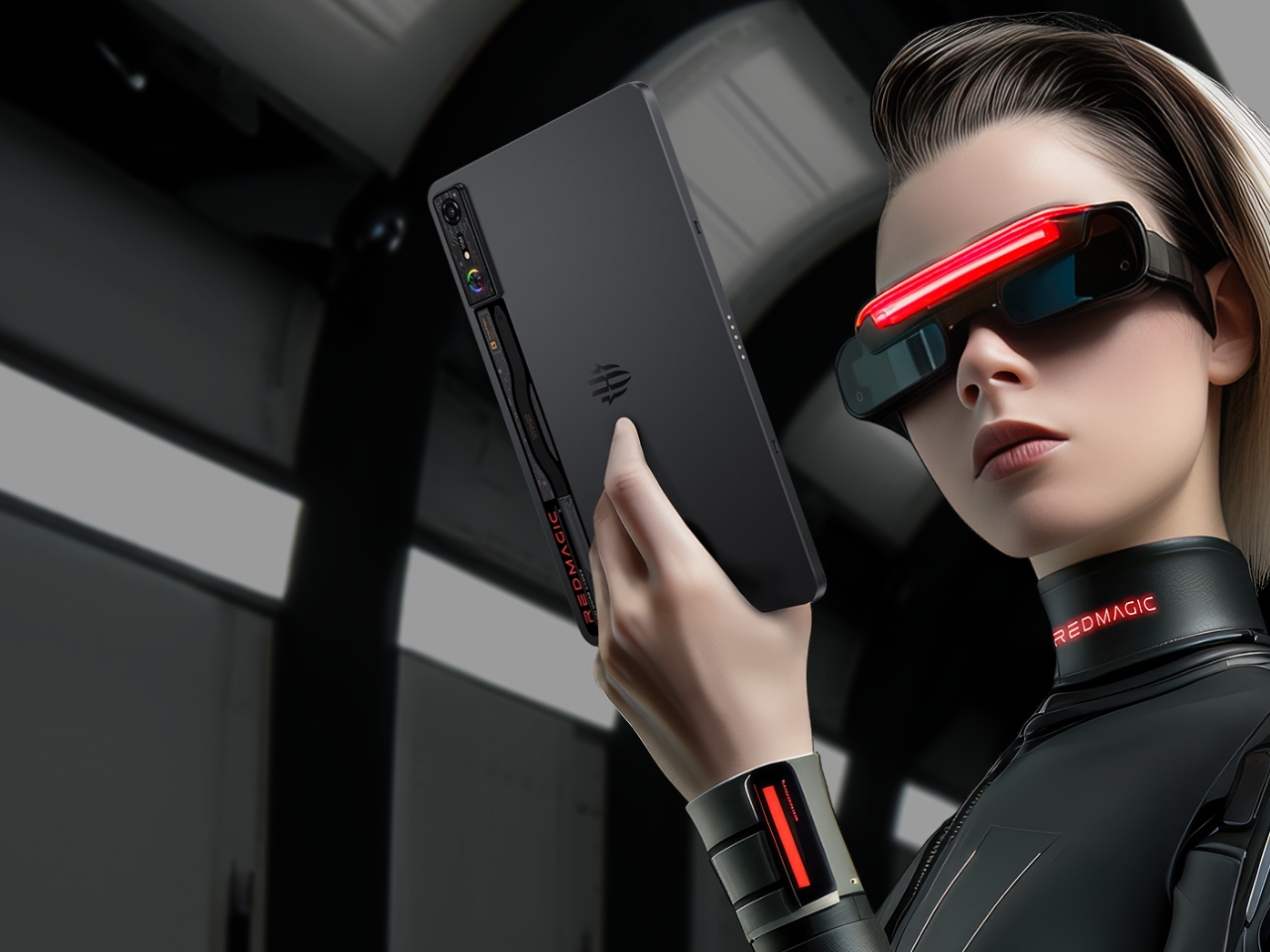
5 Reasons Why the REDMAGIC Nova is the Ultimate Gaming Tablet

The REDMAGIC Nova Gaming Tablet steps into the market with serious intentions, built for gamers who demand peak performance from their devices. This tablet integrates the latest Snapdragon 8 Gen 3 Leading Edition processor with a sophisticated 9-layer cooling system, positioning it as a top contender for competitive gaming. Designed with both power and aesthetics in mind, the Nova ensures long gaming sessions without sacrificing style or performance.

Designer: REDMAGIC

Sleek Design Meets Gaming Durability

This gaming tablet takes a bold approach to design without overlooking the practicalities gamers need. Weighing just 520 grams, the body is crafted from aviation-grade aluminum, balancing durability with lightweight portability. Its 10.9-inch display offers a 2.8K resolution and a 144Hz refresh rate, delivering fluid, crisp visuals that enhance the immersive gaming experience.
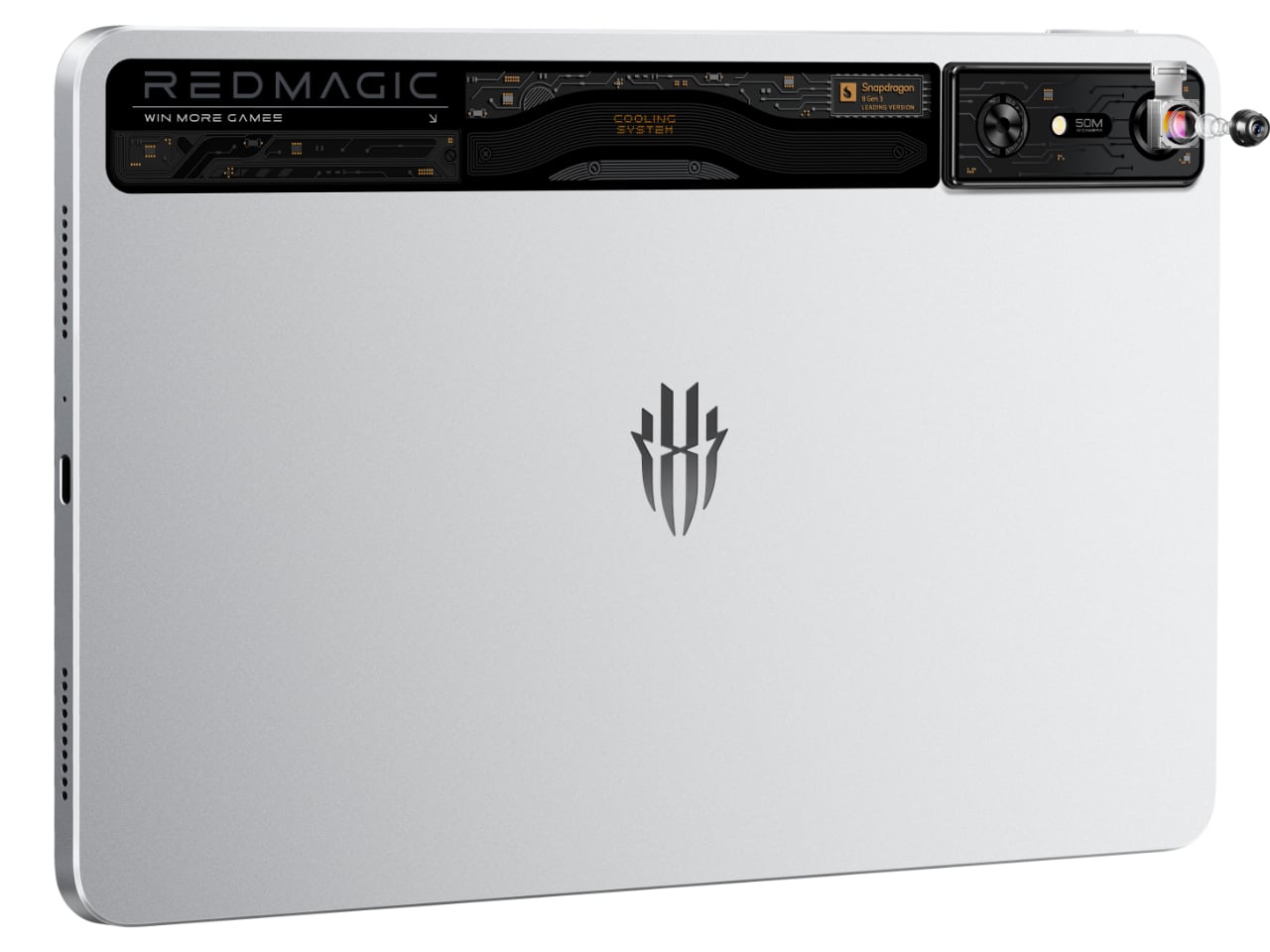
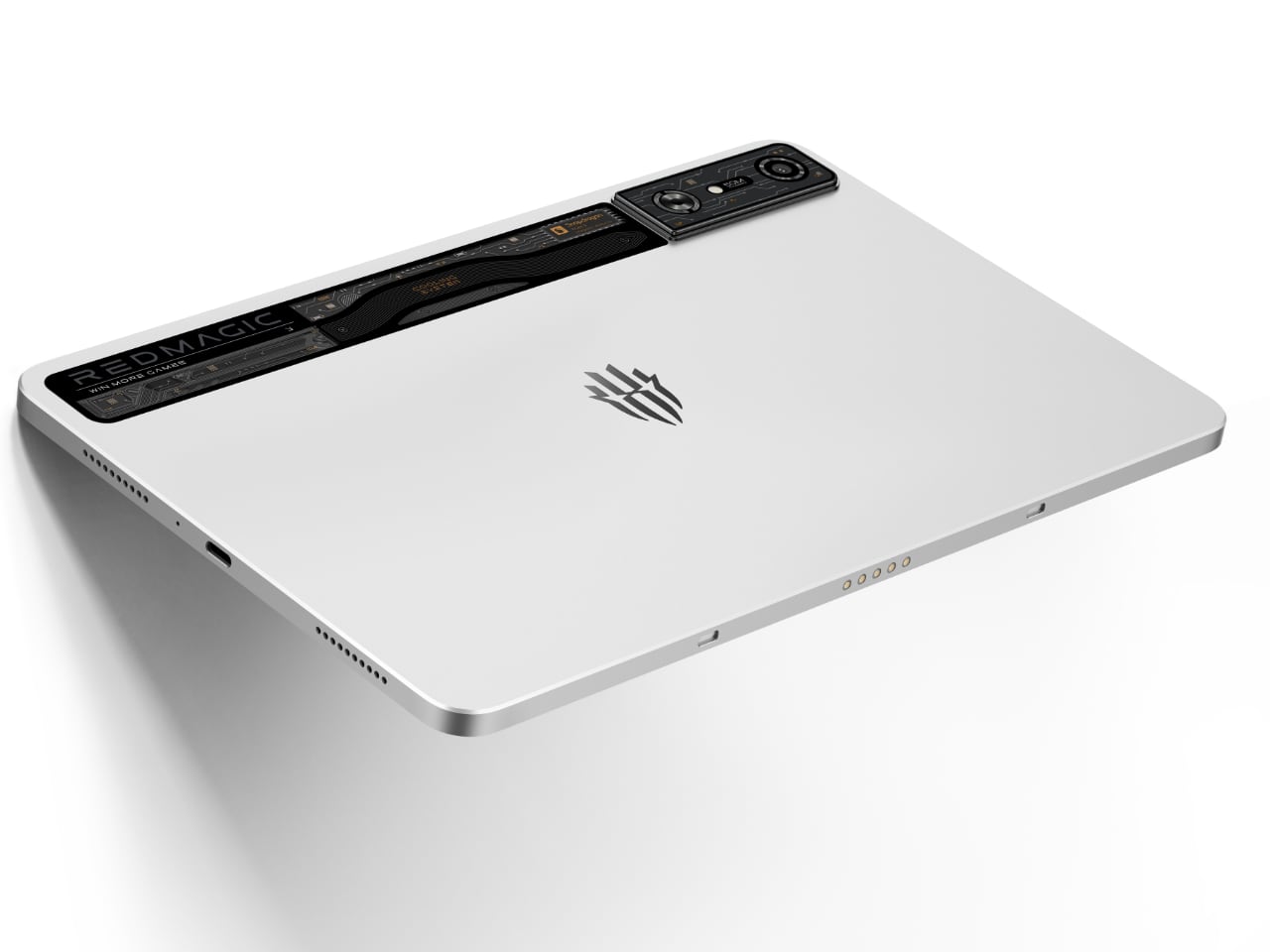
One of the most vivid features is its transparent aluminosilicate glass section, which exposes the tablet’s inner workings, enhanced by customizable RGB lighting. This gives it a distinctive edge, combining a futuristic look with functionality. Whether you’re gaming on the go or in a competitive setting, the Nova is a visually striking device that is durable enough to withstand extended use.
Cooling System Built for Long Play

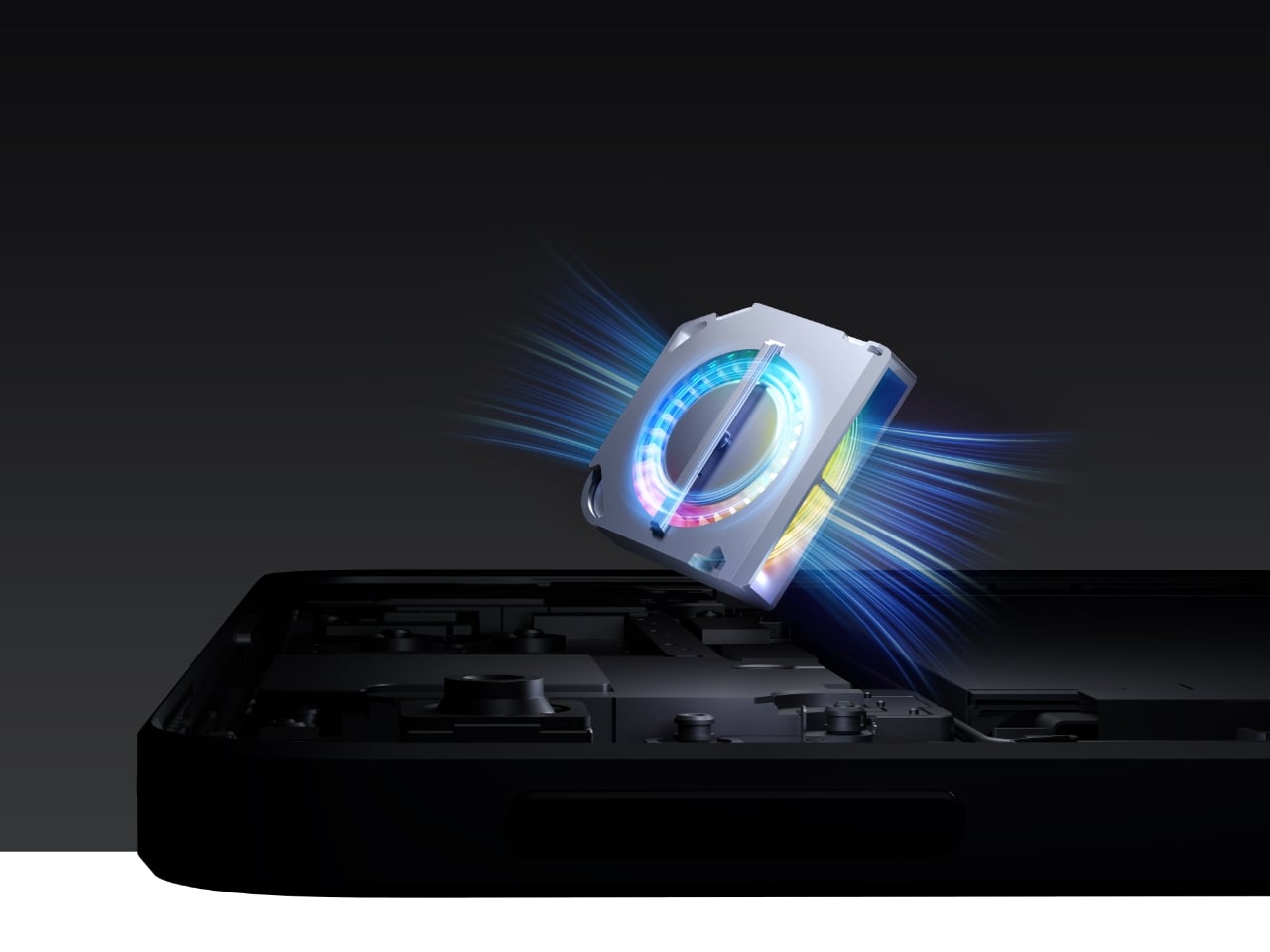
Many gaming tablets struggle with heat during extended sessions, but the Nova offers a solution. Equipped with a 9-layer cooling system and a 20,000 RPM internal fan, this tablet reduces core temperatures by up to 25°C. The result is consistently smooth performance, even when playing graphically demanding games for hours at a time.
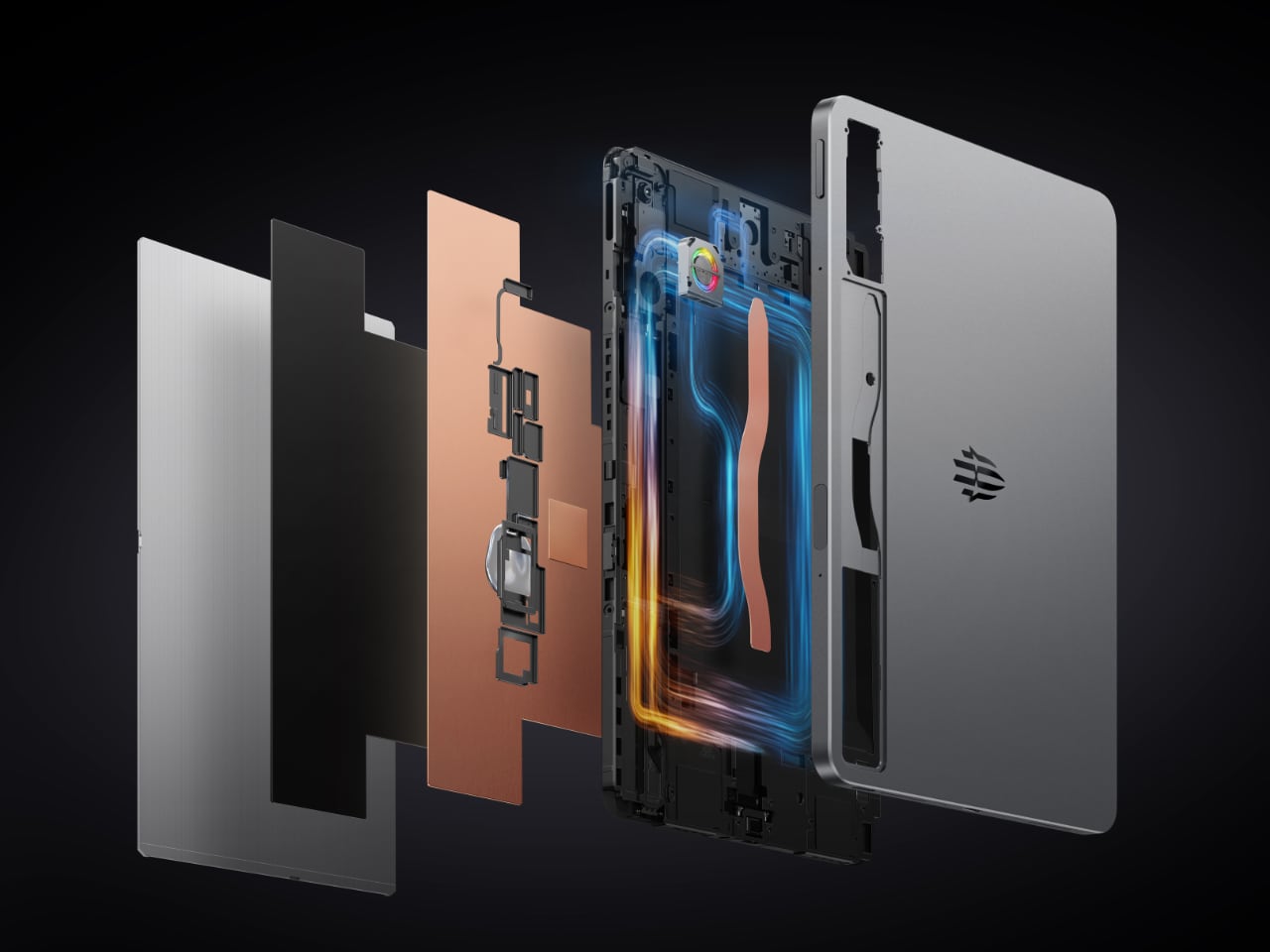
Heat management isn’t just about keeping the tablet comfortable to hold—it directly affects in-game performance. The 3D heat pipe and internal circulation system keep the device cool under pressure, maintaining frame rates and responsiveness. Gamers no longer need to worry about overheating or lag during crucial moments in games like Genshin Impact or Fortnite.
Raw Power for Serious Gaming

At the heart of the Nova is the Snapdragon 8 Gen 3 Leading Edition processor, pushing CPU speeds up to 3.4 GHz and GPU frequencies of 1 GHz. This setup easily handles AAA games, ensuring that even the most demanding titles run smoothly without lag or performance drops. The Nova also excels in multitasking, making it a strong choice for gamers who stream their gameplay or run multiple apps while playing.
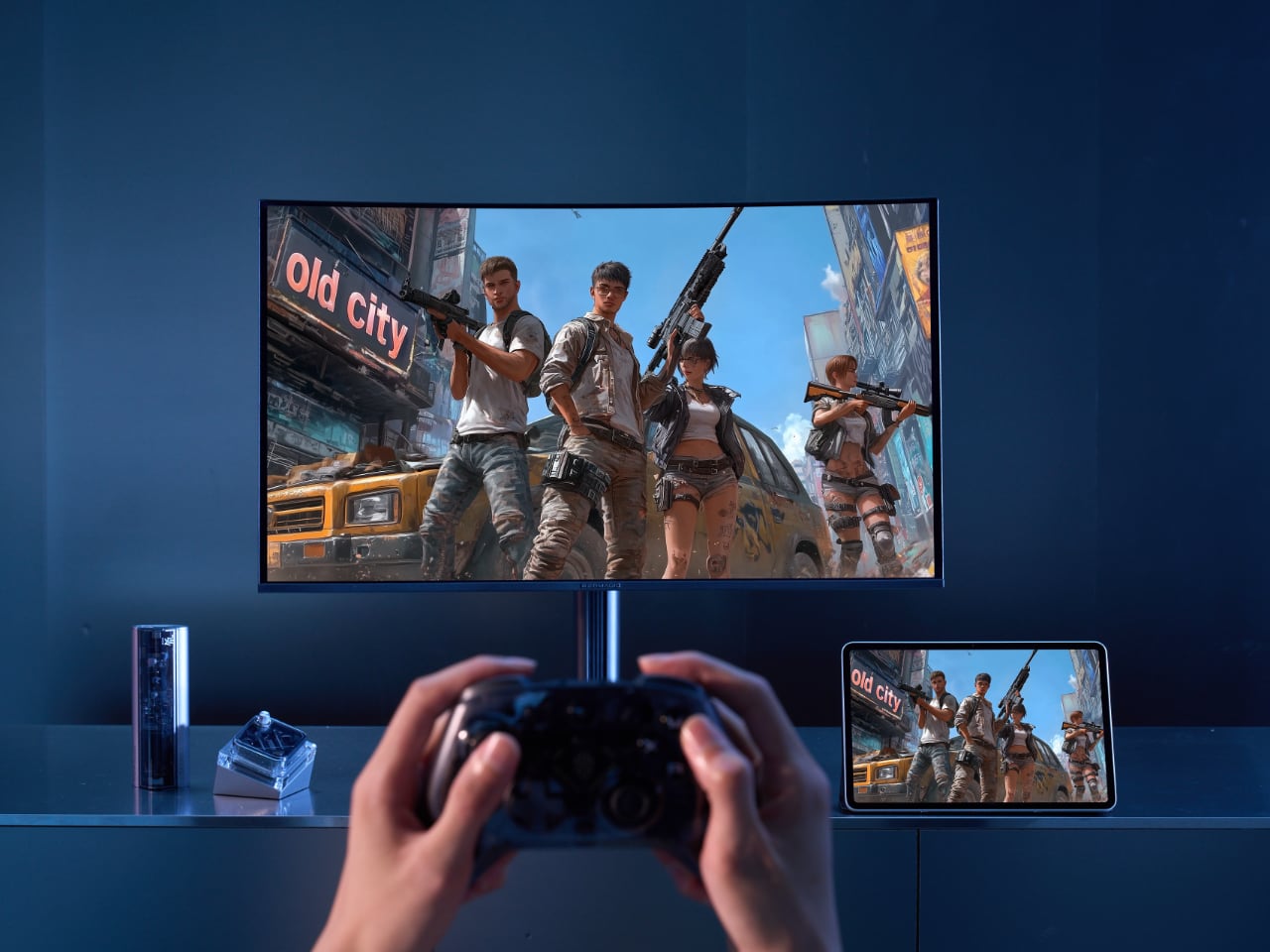
With an AnTuTu score of 2,352,902, the Nova showcases the processing power that gives competitive gamers an edge. Whether navigating fast-paced combat in Valorant or exploring open-world environments in Elden Ring, the tablet delivers a responsive, immersive experience every time. For gamers who need reliable, high-powered performance, the Nova’s specifications speak for themselves.

A Battery That Keeps You in the Game

Gaming devices often fall short when it comes to battery life, but the Nova addresses this head-on with a 10,100mAh battery that allows for up to 10 hours of continuous gameplay. For those who use their device beyond gaming, it supports up to 19 hours of regular use, making it versatile enough for work or entertainment between gaming sessions.

The 80W fast charging feature ensures minimal downtime. After just a short break, you’re ready to dive back into gameplay, a crucial advantage for gamers in the middle of competitive matches or immersive campaigns. The extended battery life and rapid charging mean the Nova will keep up with the most demanding schedules.

Gaming Display for Maximum Responsiveness

One of the key features that makes the REDMAGIC Nova ideal for gamers is its 144Hz refresh rate and 840Hz touch sampling rate. This ensures every input is registered instantly, providing a competitive advantage in fast-paced games. Whether sniping in PUBG Mobile or racing through turns in Asphalt 9, the display’s responsiveness is designed to give you the precision and accuracy needed for high-stakes gameplay.

In addition to its responsiveness, the SGS-certified blue light filter reduces eye strain, making it easier to play for extended periods. This attention to comfort, alongside its visual performance, makes the Nova a gaming powerhouse that’s easy on the eyes.

Immersive Audio for Enhanced Gameplay

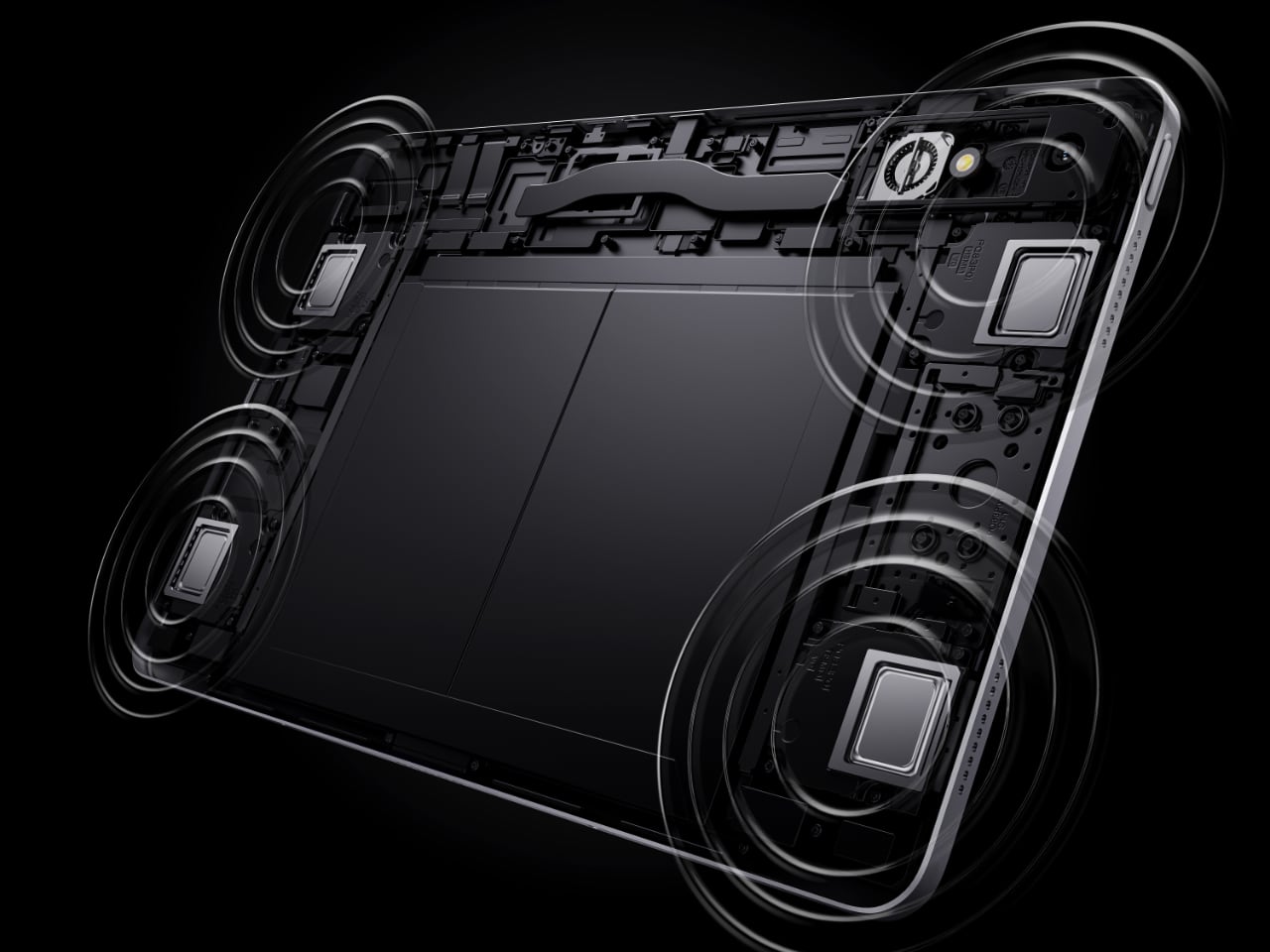
The Nova doesn’t stop at visuals and performance—it brings audio into the equation with four symmetrical speakers and DTS Ultra certification for a 3D sound experience. This feature creates an audio environment where gamers can hear every subtle detail, from enemy footsteps in Call of Duty: Mobile to atmospheric sounds in The Witcher: Monster Slayer.

Clear communication is vital in team-based games. The three built-in microphones ensure that voice chats with teammates remain crisp and clear, allowing for better coordination in multiplayer sessions. For gamers focused on immersive sound and effective teamplay, the Nova offers the tools to enhance every part of the experience.
Perfect for Hardcore Gamers

The REDMAGIC Nova Gaming Tablet doesn’t just meet the demands of everyday use—it’s built to excel in competitive and immersive gaming scenarios. With its powerful processor, next-level cooling system, and immersive audio and visuals, the Nova is a true companion for gamers who need reliability, performance, and portability.

From marathon gaming sessions to live-streaming, the Nova supports the needs of serious players. Whether pushing the limits in AAA titles or managing multiple apps simultaneously, the Nova keeps you in control. For gamers seeking a high-performance, well-designed device that delivers on all fronts, the REDMAGIC Nova is hard to beat.

The post 5 Reasons Why the REDMAGIC Nova is the Ultimate Gaming Tablet first appeared on Yanko Design.
Microsoft explains how it’s tackling security and privacy for Recall

The condemnation of Microsoft's Recall feature for Copilot+ AI PCs was swift and damning. While it's meant to let you find anything you've ever done on your PC, it also involves taking constant screenshots of your PC, and critics noticed that information wasn't being stored securely. Microsoft ended up delaying its rollout for Windows Insider beta testers, and in June it announced more stringent security measures: It's making Recall opt-in by default; it will require Windows Hello biometric authentication; and it will encrypt the screenshot database.

Today, ahead of the impending launch of the next major Windows 11 launch in November, Microsoft offered up more details about Recall's security and privacy measures. The company says Recall's snapshots and related data will be protected by VBS Enclaves, which it describes as a "software-based trusted execution environment (TEE) inside a host application." Users will have to actively turn Recall on during Windows setup, and they can also remove the feature entirely. Microsoft also reiterated that encryption will be a major part of the entire Recall experience, and it will be using Windows Hello to interact with every aspect of the feature, including changing settings.

"Recall also protects against malware through rate-limiting and anti-hammering measures," David Weston, Microsoft's VP of OS and enterprise security, wrote in a blog post today. "Recall currently supports PIN as a fallback method only after Recall is configured, and this is to avoid data loss if a secure sensor is damaged."

When it comes to privacy controls, Weston reiterates that "you are always in control." By default, Recall won't save private browsing data across supported browsers like Edge, Chrome and Firefox. The feature will also have sensitive content filtering on by default to keep things like passwords and credit card numbers from being stored.

Microsoft Recall Security Architecture
Microsoft

Microsoft says Recall has also been reviewed by an unnamed third-party vendor, who performed a penetration test and security design overview. The Microsoft Offensive Research and Security Engineering team (MORSE) has also been testing the feature for months. 

Given the near instant backlash, it's not too surprising to see Microsoft being extra cautious with Recall's eventual rollout. The real question is how the the company didn't foresee the initial criticisms, which included the Recall database being easily accessible from other local accounts. Thanks to the use of encryption and additional security, that should no longer be an issue, but it makes me wonder what else Microsoft missed early on.

This article originally appeared on Engadget at https://www.engadget.com/computing/microsoft-explains-how-its-tackling-security-and-privacy-for-recall-170059383.html?src=rss

Blizzard is trying to make a StarCraft shooter again (for the third time)

Blizzard is diving into the StarCraft shooter well once again, after two previous titles were canceled. This information comes from a forthcoming book about the developer by games journalist Jason Schreier and was discussed during a recent IGN podcast.

This time around, veteran developer Dan Hay is leading the effort to translate the world of StarCraft into a shooter. Hay certainly has the right pedigree for the job. He’s been involved with the Far Cry franchise since Far Cry 3, eventually becoming creative director of the series. Hay joined up with Blizzard to oversee the long-gestating survival game Odyssey before it was unceremoniously canceled. This is the first we’ve heard of him since.

We don’t know anything about the game he’s working on now, beyond it being a StarCraft shooter. Past as prologue, it’ll probably be canceled sometime in 2029.

To that end, StarCraft-themed shooters have had a rocky history. First there was StarCraft: Ghost, which spent years in development limbo before being sent to the trash heap. The game eventually leaked online, a full 14 years after being canceled.

After that, Blizzard started developing something called Ares, which ended up being a StarCraft FPS. It was reportedly fairly far along in development before getting scrapped and, according to Kotaku, was shaping up to be “quite good.” Blizzard must have disagreed, as it went to a farm upstate back in 2019.

Who knows what will happen with this one. Best case scenario? It gets finished and we all have a great time blasting away swarms of arthropodal aliens sometime in the next few years. In the meantime, both StarCraft: Remastered and StarCraft II hit PC Game Pass on November 5.

This article originally appeared on Engadget at https://www.engadget.com/gaming/blizzard-is-trying-to-make-a-starcraft-shooter-again-for-the-third-time-153950275.html?src=rss

Fujifilm GFX100S II review: Outstanding performance at a reduced price

Fujifilm’s original GFX100S was a popular alternative to the GFX100, as it offered the same picture quality in a slimmer body at a much lower price. It did have some flaws, though, most notably its autofocus that didn’t always keep up with the subject. In a similar vein, the company recently released the $5,000 GFX100S II as a smaller and cheaper alternative to the $7,500 flagship GFX100 II. It looks much the same as before, but has an updated sensor, processor, autofocus and more.

Both cameras are clearly aimed at pros, but is the GFX100 II worth the extra $2,500, or is the S model fine for most? 

At 1.9 pounds, the GFX100S II weighs an ounce less than its predecessor and its body's design and controls are nearly the same. As before, it comes with a mode dial and focus selector switch, dual control dials, drive select buttons and a quick menu. On top is a small, always-on display that shows settings, simulated mode dials and a histogram. That way, you can see all your key settings when shooting at hip level.

It feels a lot more like a mirrorless than a classic medium format camera. It handles well, but after spending time with both models, I prefer the GFX100 II’s larger body and extra controls, even though it's five ounces heavier.

Fujifilm GFX100S II review: Outstanding performance at a reduced price
Steve Dent for Engadget

The rear 3.2-inch, 2.36-million-dot-display is unchanged, tilting up, down and to the right, but it doesn't flip out. However, Fujifilm boosted the viewfinder’s resolution to 5.76 million dots, so it’s noticeably sharper than the last model’s 3.69-million-dot EVF.

The GFX100S II includes dual SD UHS-II card slots but lacks a high-speed CFexpress port like the GFX100 II. Though it uses the same battery as before, it can now shoot 540 photos on a charge, up from 530. Other features include USB-C, mic and headphone ports, along with a micro HDMI connection. A new feature is USB-SSD connectivity that allows for faster burst shooting and ProRes video capture.

Fujifilm GFX100S II review: Outstanding performance at a reduced price
Steve Dent for Engadget

The GFX100S II does shoot faster than its predecessor at up to 7 fps compared to 5 fps in mechanical shutter mode. Without a fast CFexpress card, though, you can only capture about 30 compressed RAW frames before the buffer fills. There’s also a slight image quality penalty as the camera downshifts from 16- to 14-bit RAW images when shooting bursts. Fortunately, most of the frames are likely to be sharp thanks to some big autofocus improvements. Even with the faster burst speeds, I noticed a large boost in the percentage of sharp photos when shooting quick moving subjects.

The AF improvements don’t end there. AI face and eye tracking is smarter and more accurate, meaning your subject's eye and not their eyelash is more likely to be in focus — something that’s critical with 100 megapixels of resolution. Fujifilm also introduced new subject tracking modes for animals, birds, automobiles, motorcycles, bicycles, airplanes and trains.

In-body stabilization also gets an upgrade, with eight stops in shake reduction compared to six before. That allows you to capture dimly lit scenes or blur movement at shutter speeds as low as a half second, without the need for a tripod. As with the previous model, rolling shutter distortion is a real problem with this camera in electronic mode, so neither you nor your subject can move much when using it. Otherwise, you’ll get some nasty skewing that will ruin your photo.

For pro photographers who can afford it, the GFX100S II offers unmatched image quality. The 100-megapixel sensor delivers pin-sharp photos and 16-bit RAW pixel depth that delivers 14 stops of dynamic range, beating most other mirrorless cameras. That means you can shoot in very dark, bright or contrasty conditions and retain detail in all parts of the photo.

Fujifilm’s color science is ideal for portrait work, with accurate and pleasing skin tones. The level of detail means prints can be blown up to very large sizes, nearly 40 x 30 inches at 300 pixels per inch (PPI). The resolution and precision color rendering also makes it ideal for landscape photography, art archival work and more.

The outstanding RAW quality lets photographers perform detailed post-production work without hurting image quality, even on shots not exposed correctly. In low-light, you’ll start to see a fair amount of noise above ISO 8000 or so. However, a lot of that grain disappears when you shrink those 100-megapixel images down to a more reasonable size.

Fujifilm GFX100S II review: Outstanding performance at a reduced price
Nathanael Charpentier for Engadget

At the same time, JPEG images are outstanding straight out of the camera. Like other Fuji models, the GFX100S II comes with an array of film simulations, from the new Reala Ace to Velvia, Acros and others. Most pro photographers like to tweak their images, but many may shoot both RAW and JPEG with film simulations so they can show their clients something right away and make detailed adjustments later on.

Unlike the more expensive GFX100 II, video is a weak point with this camera. Resolution is limited to 4K 10-bit, and while there’s no cropping, there’s considerable pixel binning that reduces sharpness. You can capture 10-bit 4:2:2 ProRes video at up to 30fps, though that entails hooking up an SSD drive. There aren’t really any slo-mo modes, as both 4K and 1080p recording are limited to 60fps.

While video lacks the sharpness seen on other mirrorless cameras like the Sony A1, color rendering is excellent. You can also improve dynamic range by shooting in Fujifilm’s FLog or FLog2 modes and applying a LUT later on in post.

Rolling shutter in video mode is reduced compared to photos because of the pixel binning, but you still need to be careful not to move the camera too much to avoid excessive wobble and skewing. The in-body stabilization is only effective for handheld shooting without much movement. If you try to walk while vlogging, you’ll see some severe jolts. All told, I’d say the Fujifilm GFX100S II is mostly a photo camera, with video available for emergency use only.

Fujifilm GFX100S II review: Outstanding performance at a reduced price
Steve Dent for Engadget

The $5,000 Fujifilm GFX100S II gives professionals outstanding picture quality at a significantly reduced price over the $7,500 flagship GFX100 II. It even goes beyond what buyers might expect by offering fairly quick burst shooting with autofocus that’s much more reliable than on the original GFX100S. Video isn’t a strong point, but that won’t be important for its target market.

The GFX100S II is also the cheapest camera in the mainstream medium format space, with its primary competition being either the GFX100 II or Hasselblad’s $8,200 X2D100C. I’d highly recommend it for portraits and other types of shooting where detail is key. However, burst speeds and autofocus still aren’t quite good enough in fast moving scenarios.

Those who need more speed and reliability for things like weddings or live events would be better off with high-resolution full-frame models like the $3,700 Nikon Z8, $6,500 Sony A1 or Canon’s new $4,300 EOS R5 II.

This article originally appeared on Engadget at https://www.engadget.com/cameras/fujifilm-gfx100s-ii-review-outstanding-performance-at-a-reduced-price-153020497.html?src=rss

2024 Cadillac Lyriq Review

PROS:


  • Premium feel

  • Excellent ride quality

  • Distinctive look

CONS:


  • Premium pricing

  • Disappointing seats

  • Distinctive look

RATINGS:

AESTHETICS
ERGONOMICS
PERFORMANCE
VALUE FOR MONEY

EDITOR'S QUOTE:

The Lyriq stands out in many ways, not the least of which for its unconventional shape and tangible air of refinement about it.

While the fates are falling most strongly against sedans as people trend towards SUVs, station wagons aren’t exactly finding any more favor in the American market. Only a choice few remain available for purchase, stalwarts from Subaru and Volvo appealing to a buyer with a greater desire for practicality than concerns about what’s trendy.

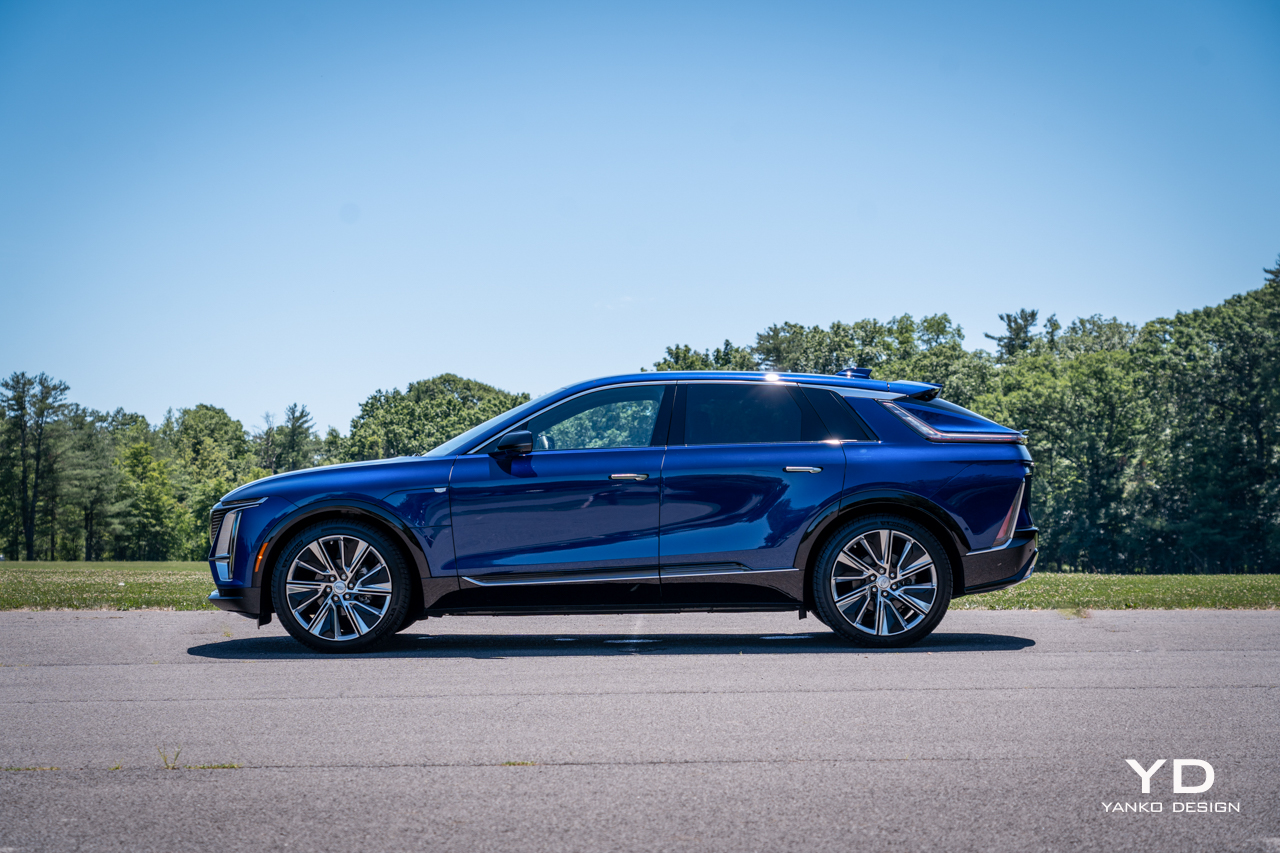
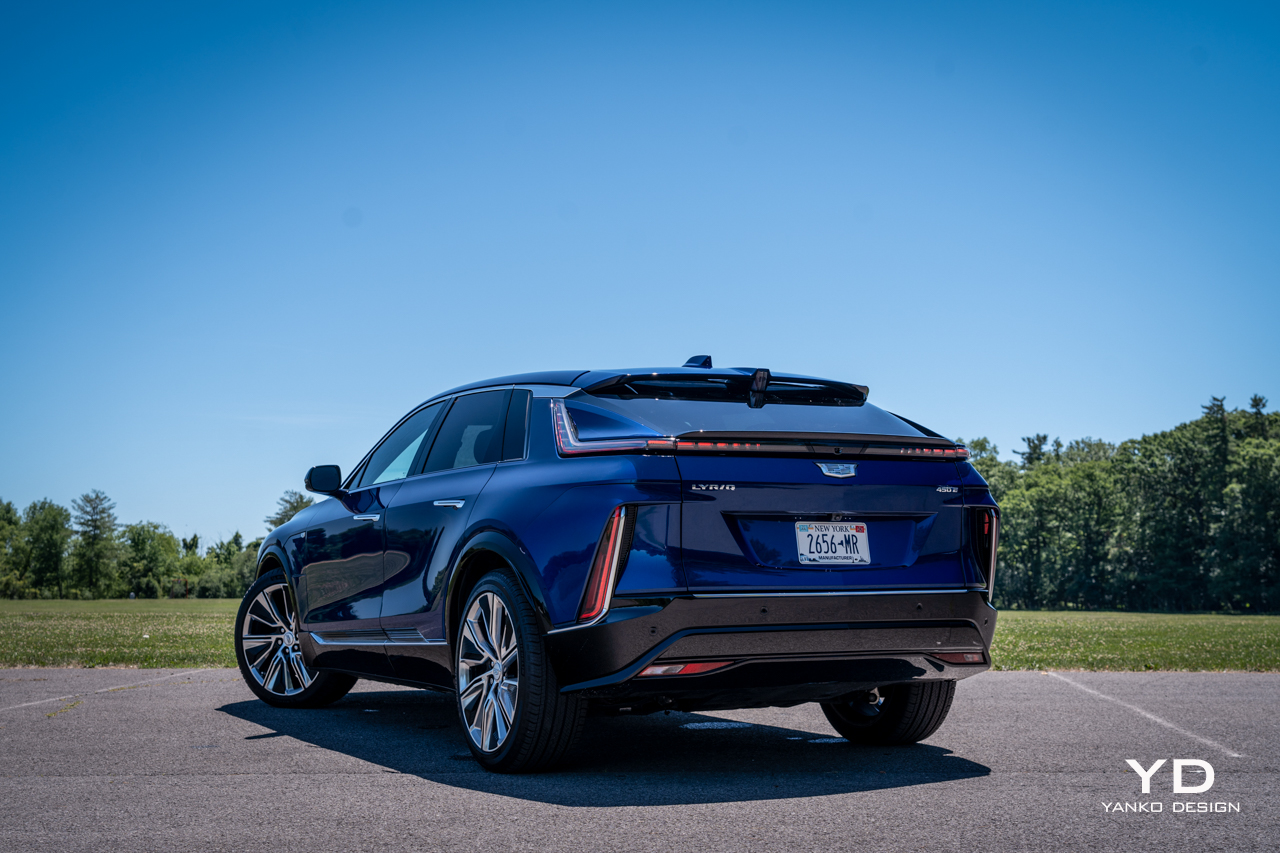
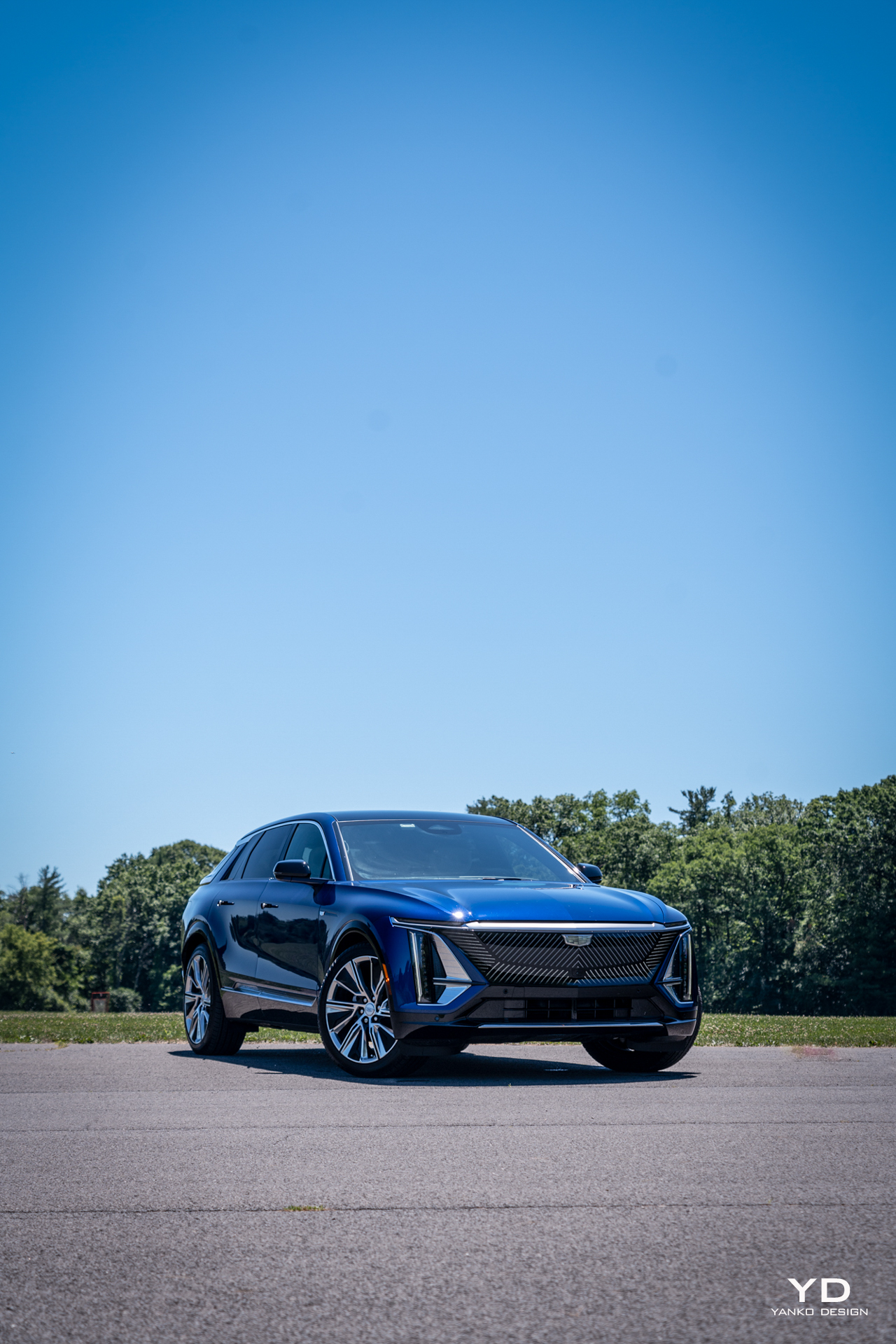
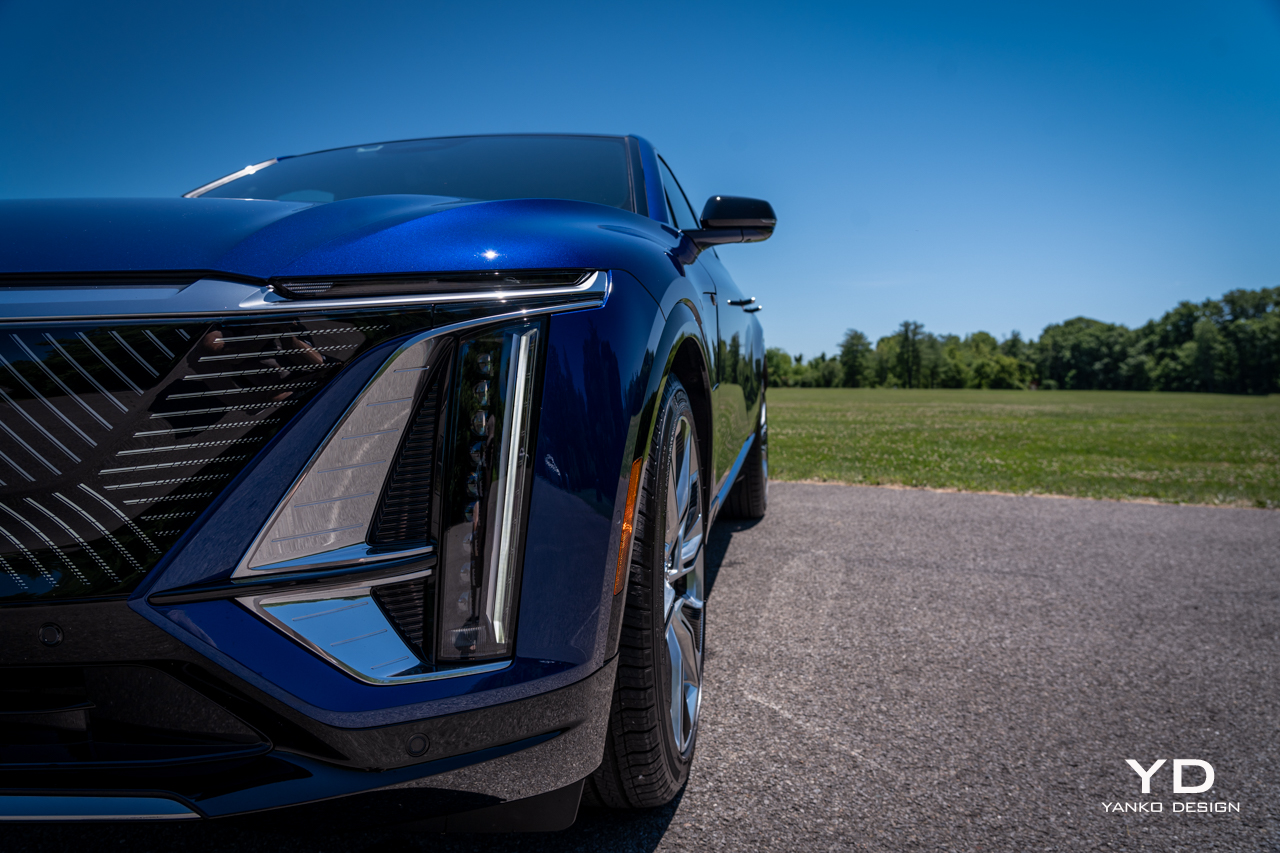
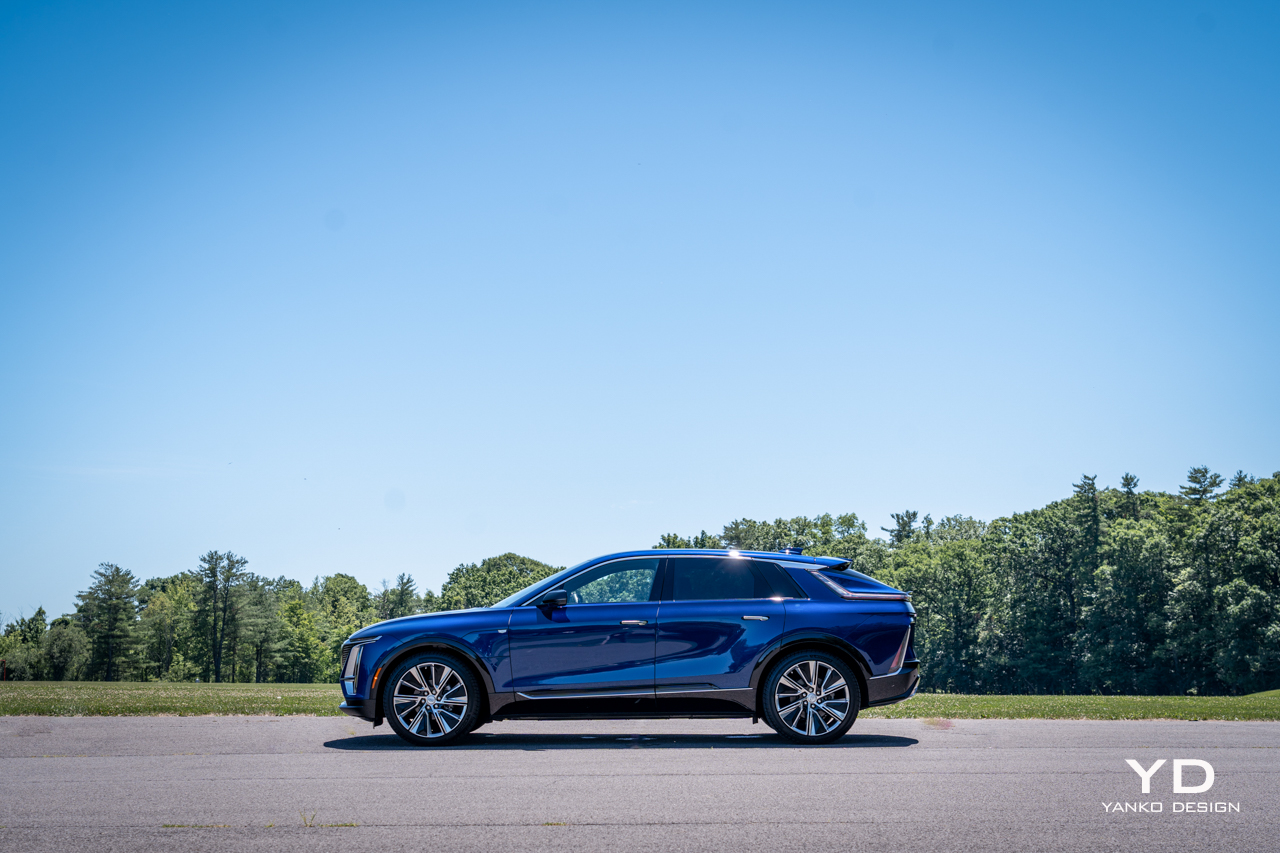
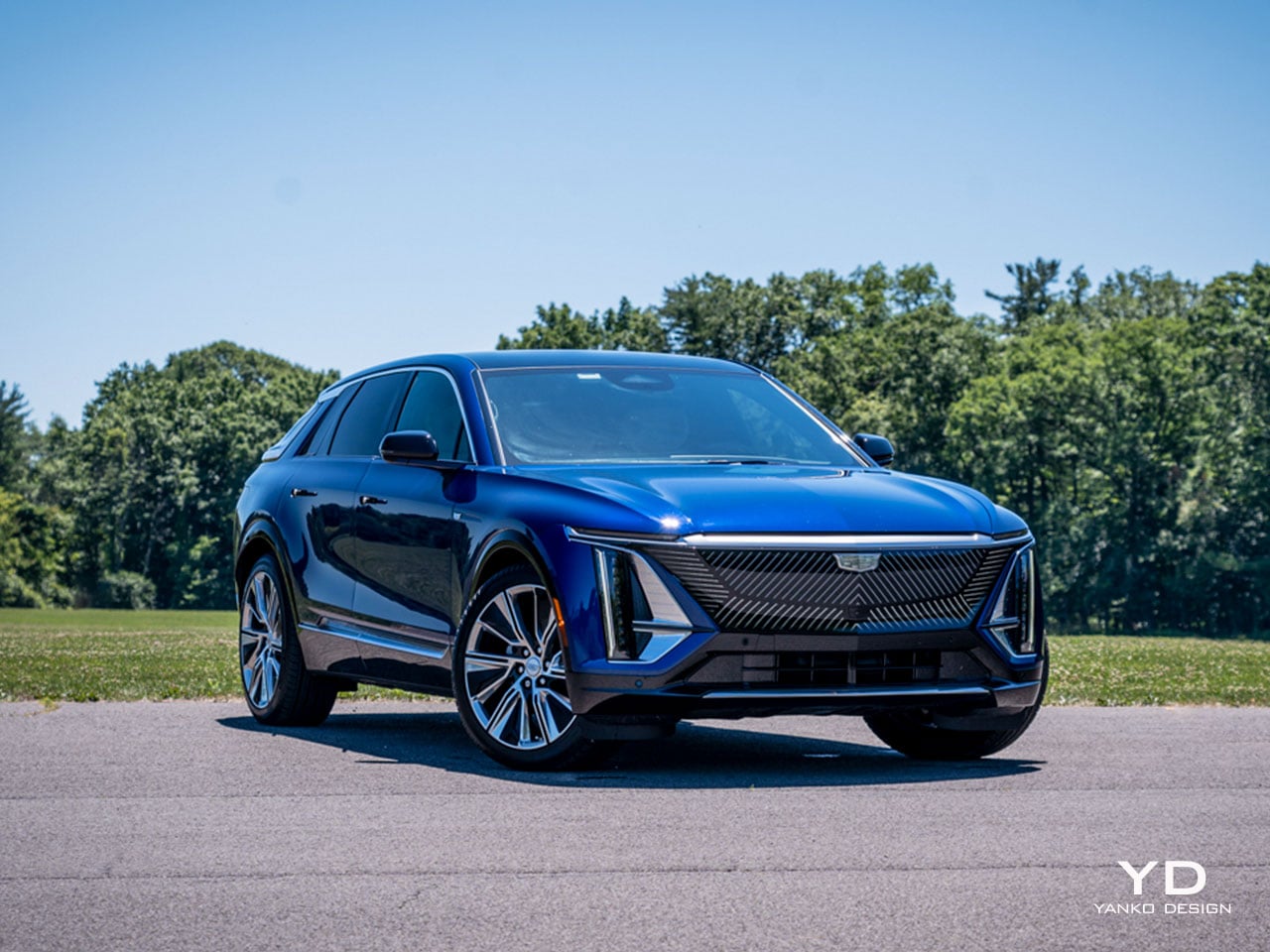
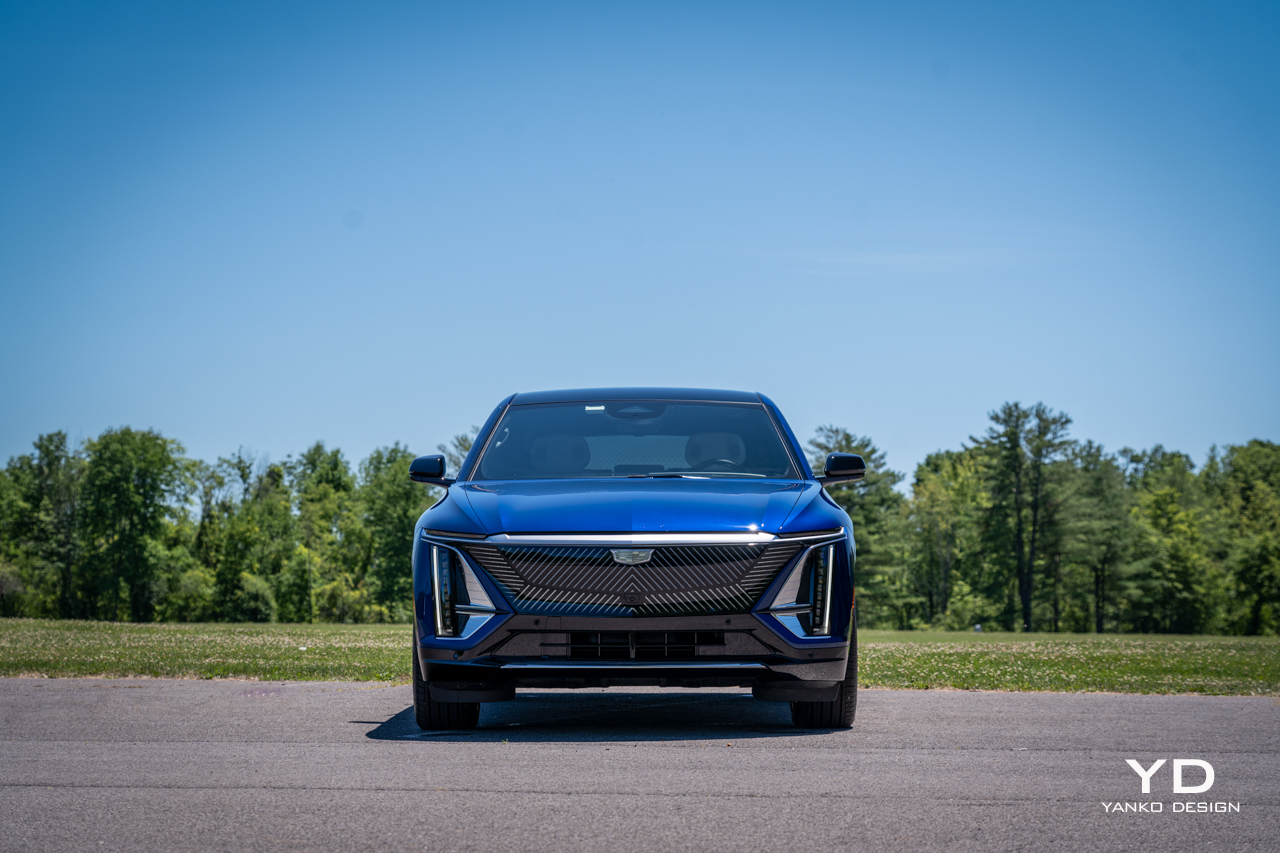
But what’s this from Cadillac? Check the paperwork: The Lyriq is officially listed as an SUV, but ever so slightly lifted proportions can’t hide the fact that this is very much a wagon. And what a wagon at that. Measuring nearly 200 inches long, it has an impressive presence for a design that’s, well, different from anything else on the road.

This is the closest thing Cadillac has to a halo car right now, a statement of intent for the brand’s electrified future. It’s riddled with creative and charming touches and has some serious luxury chops. But does it have the character and the performance to live up to that first impression?

Design

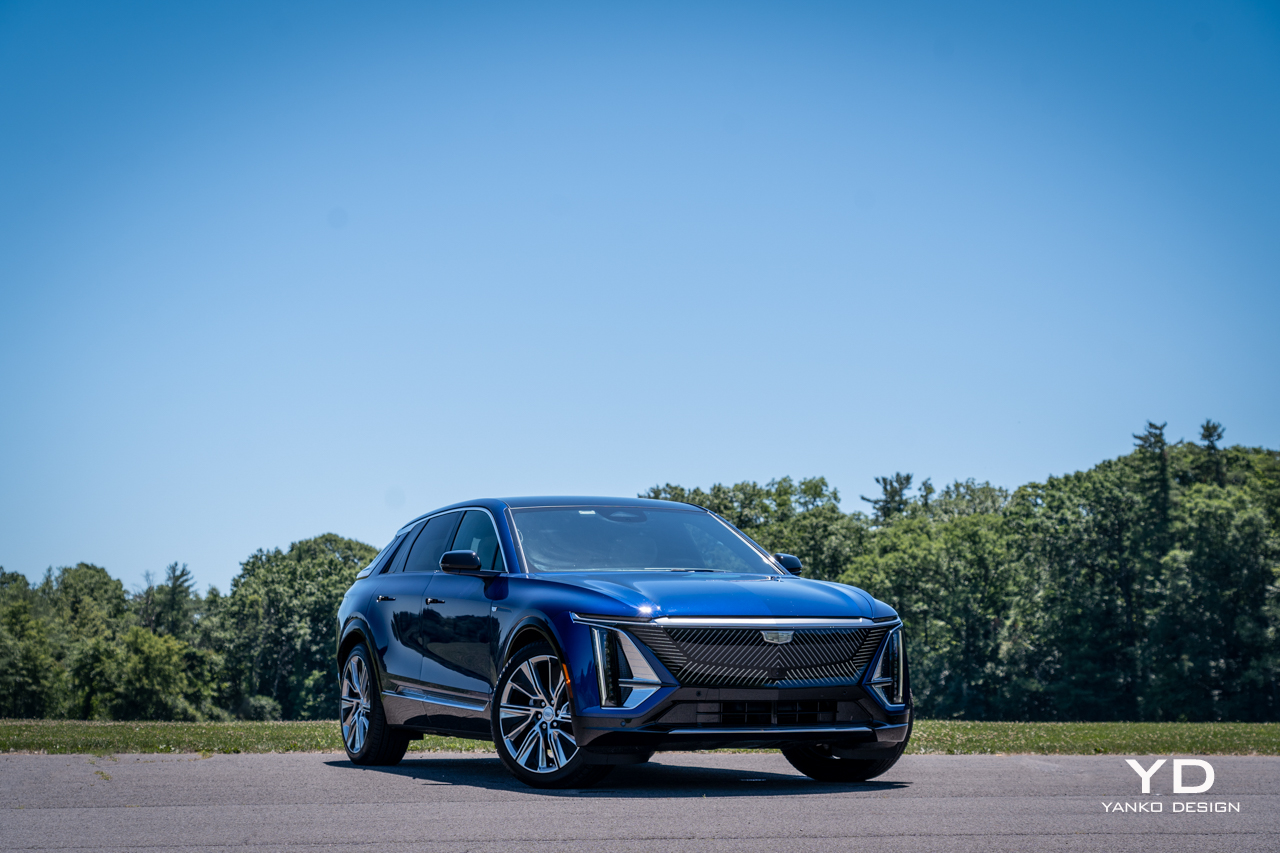
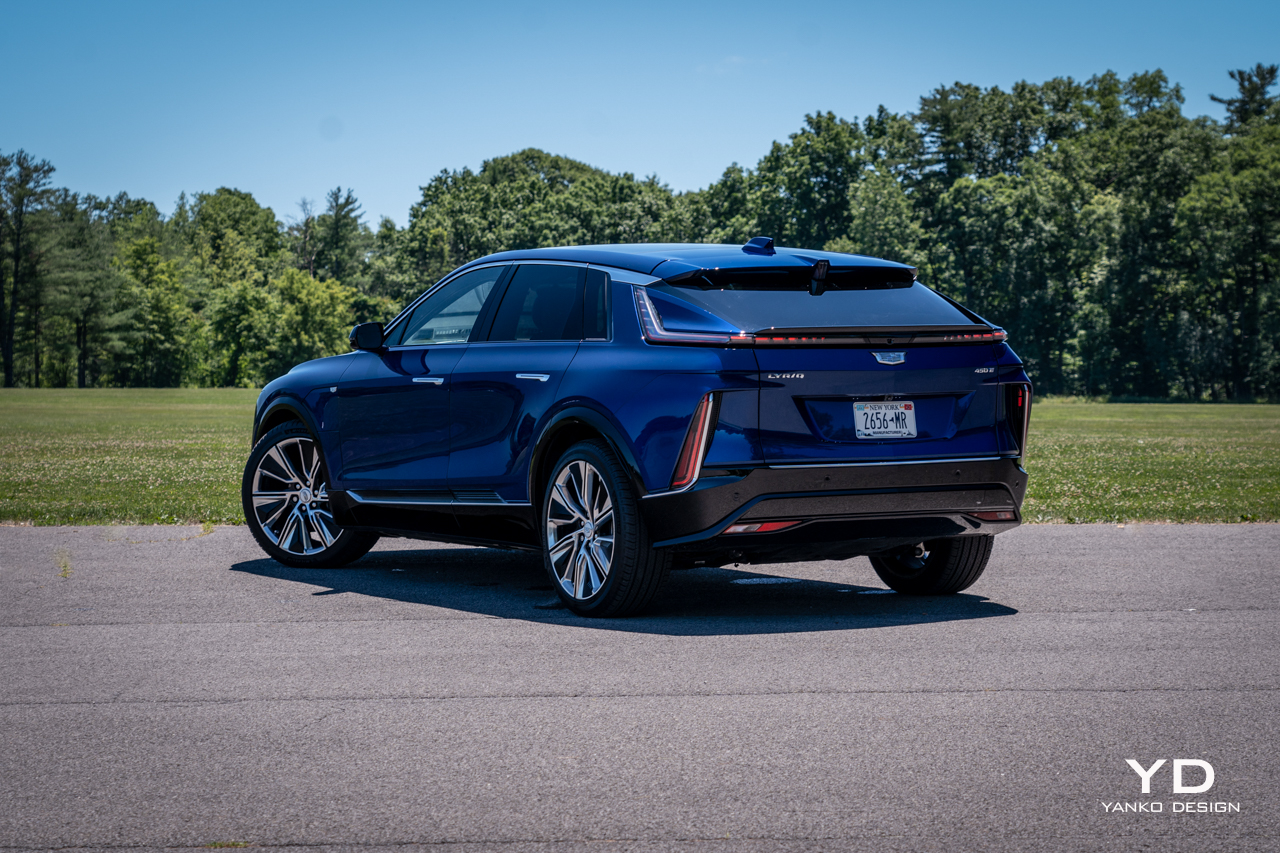
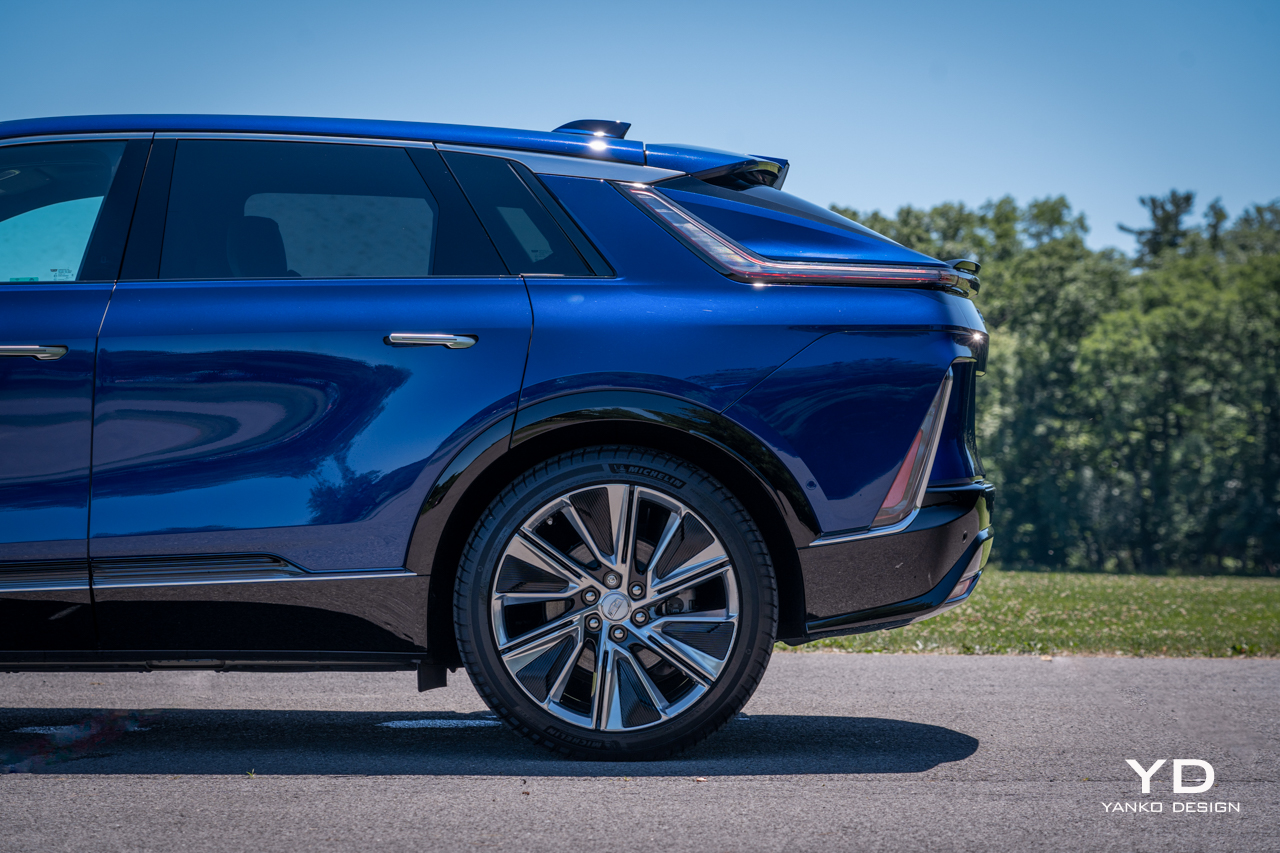
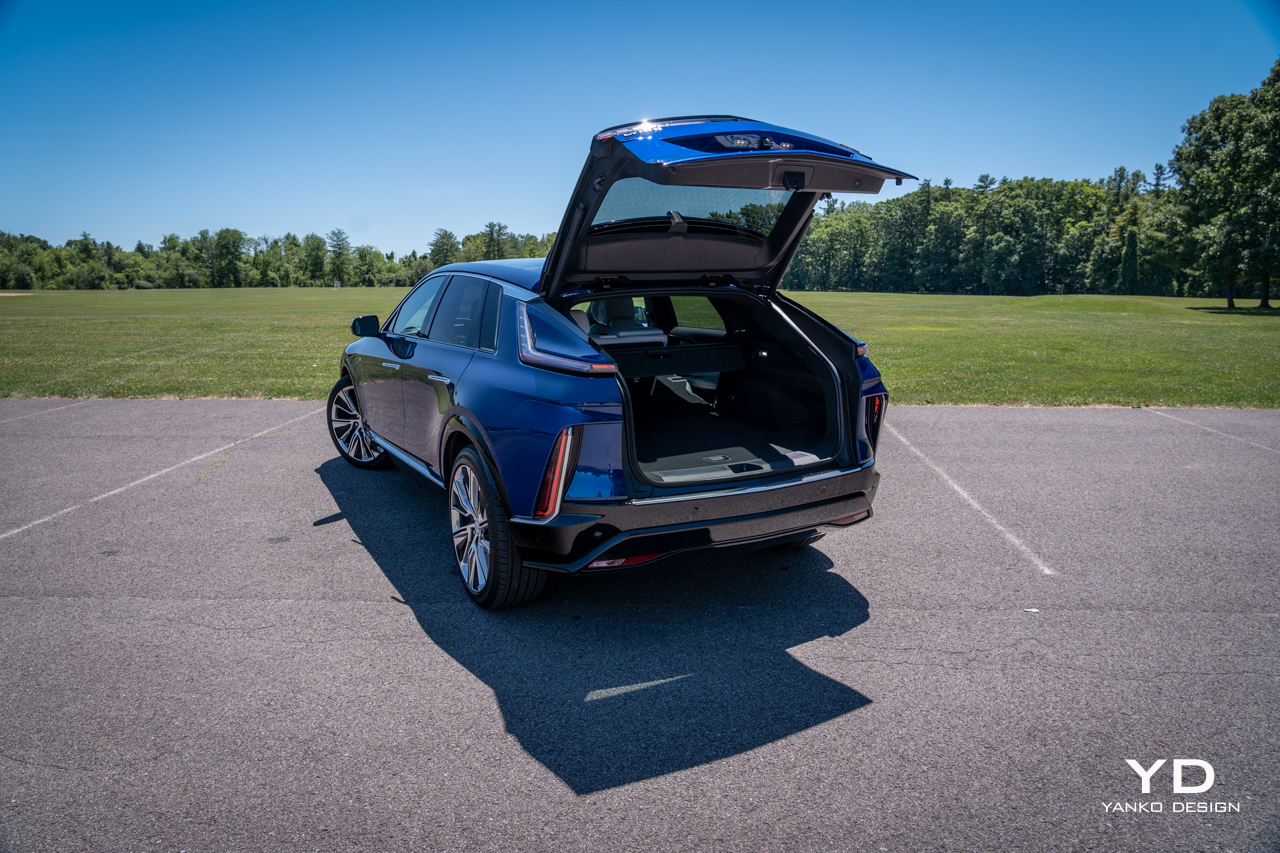
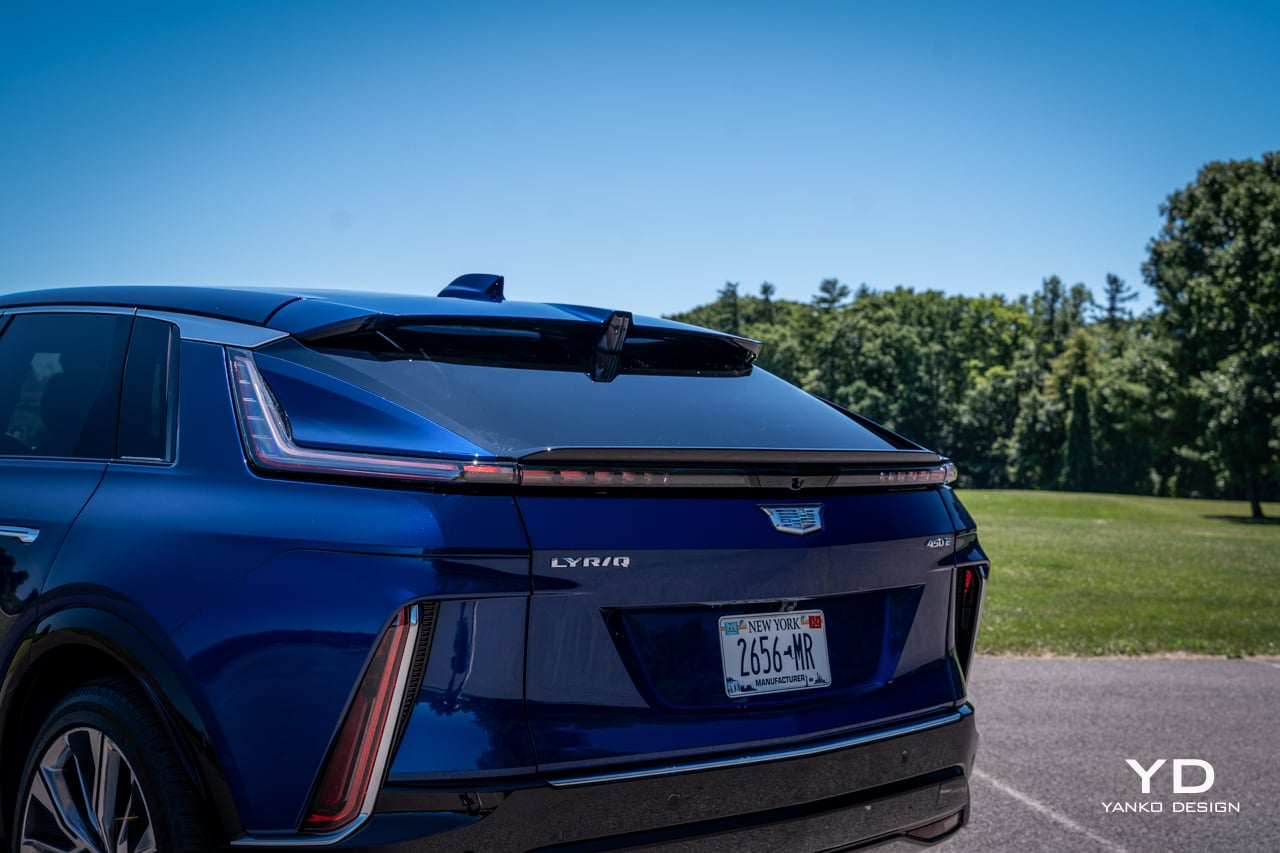
Lyriq is a beautiful name for a car with a shape that is a bit awkward, to put it kindly. Other, less flattering folks would call it ugly. I love a good wagon and have proudly owned them myself, but the somewhat bulbous shape out back of Cadillac’s big EV is just a little ungainly to my eye.

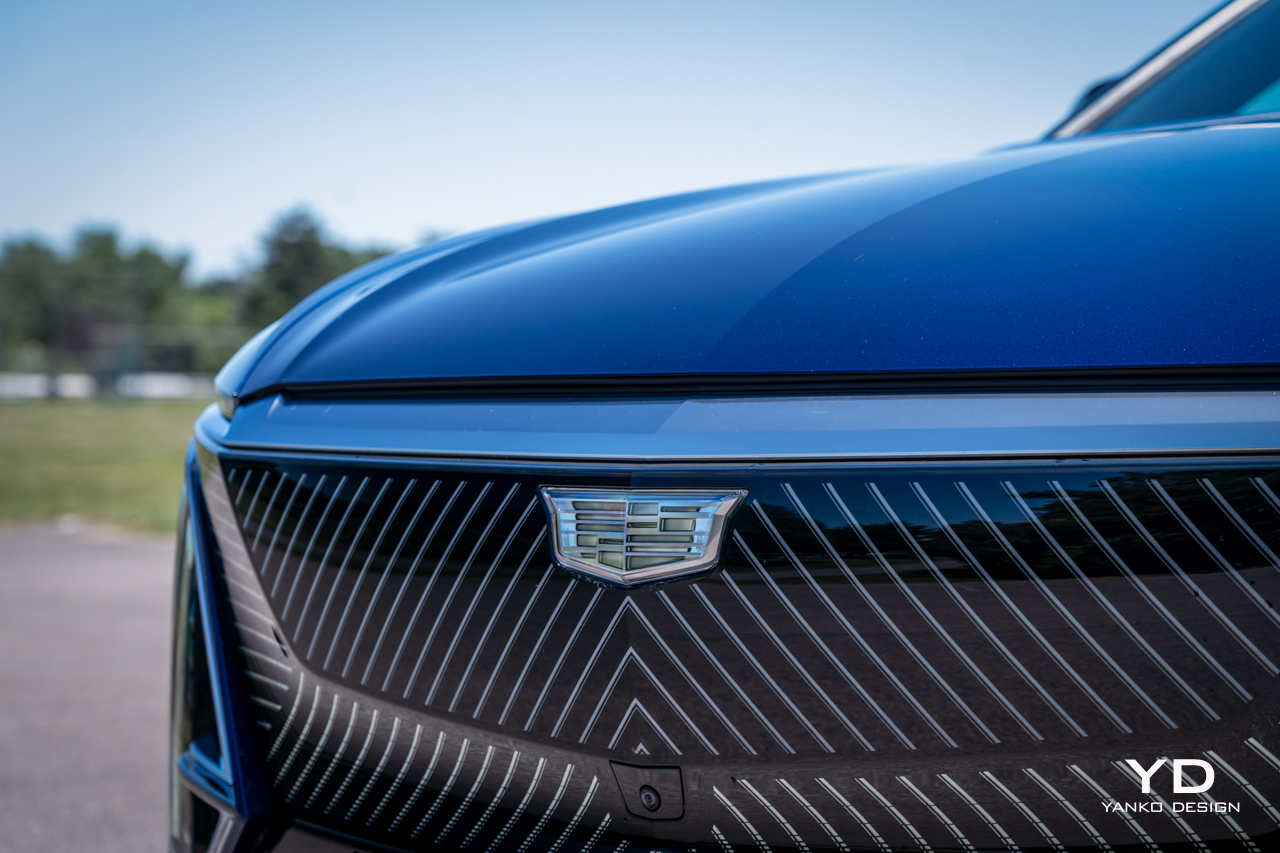
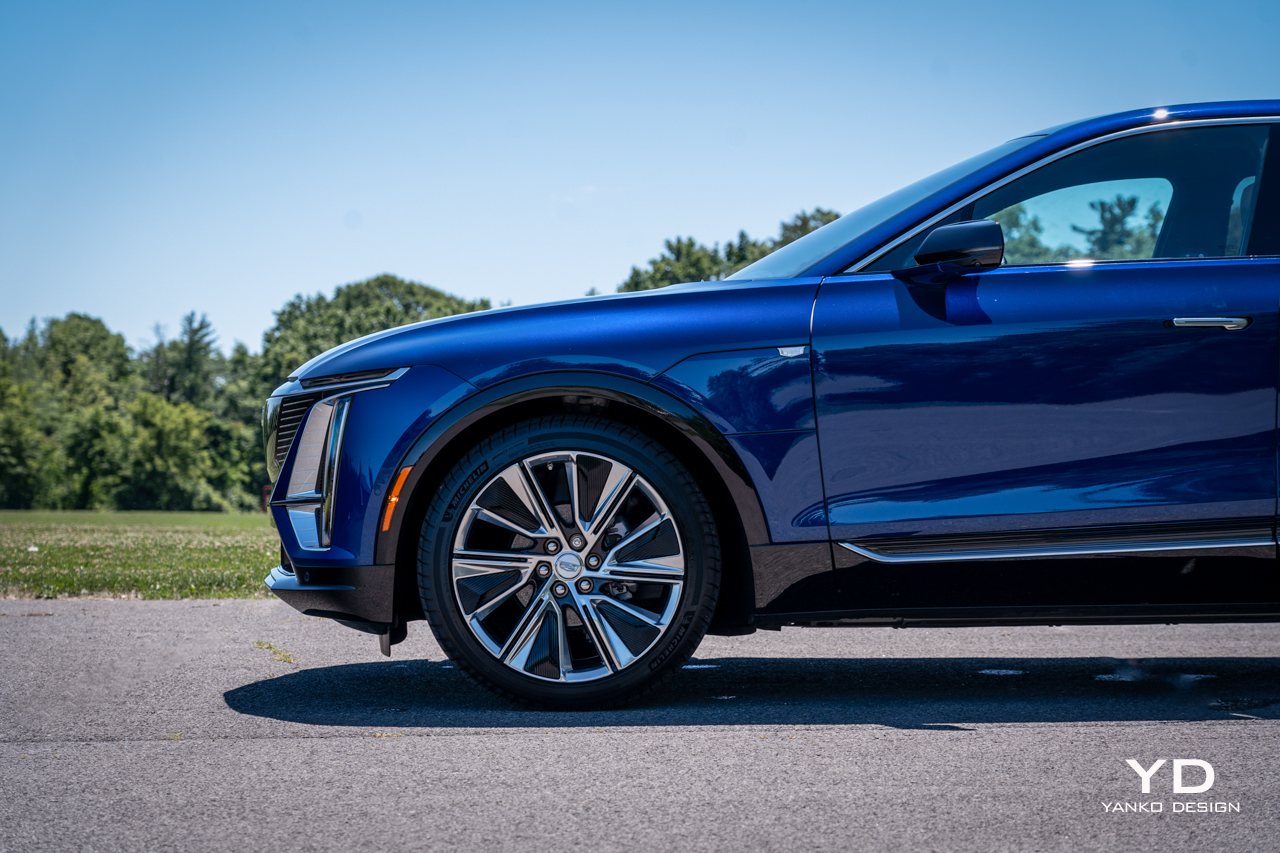
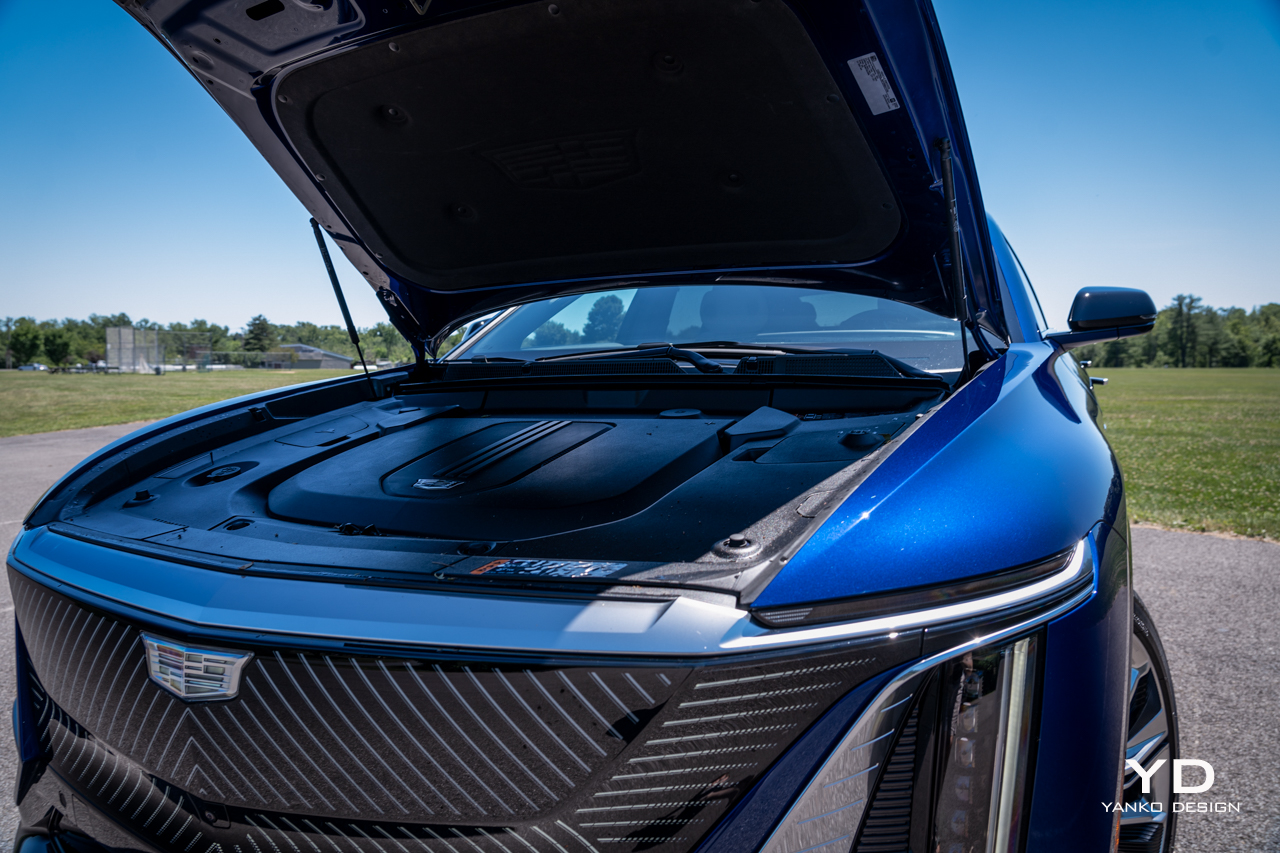
But look beyond the silhouette and you’ll discover endless design touches that conspire to perhaps make the car a bit busy, but interesting. The striking geometric pattern on the grille, framed by chrome-rimmed vertical lighting elements, provide a distinctive look from the front.

That’s echoed at the rear, with vertical strakes of red lighting marking the left and right extents of the rear bumper. A narrow band of illumination bisects the tailgate as well, forming the high beltline and abrupt posterior that defines the shape of the Lyriq.

It’s a distinctive car to say the least. Owners will surely be spotting new touches every time they approach the Lyriq for months after buying, and that’s a rarity these days.

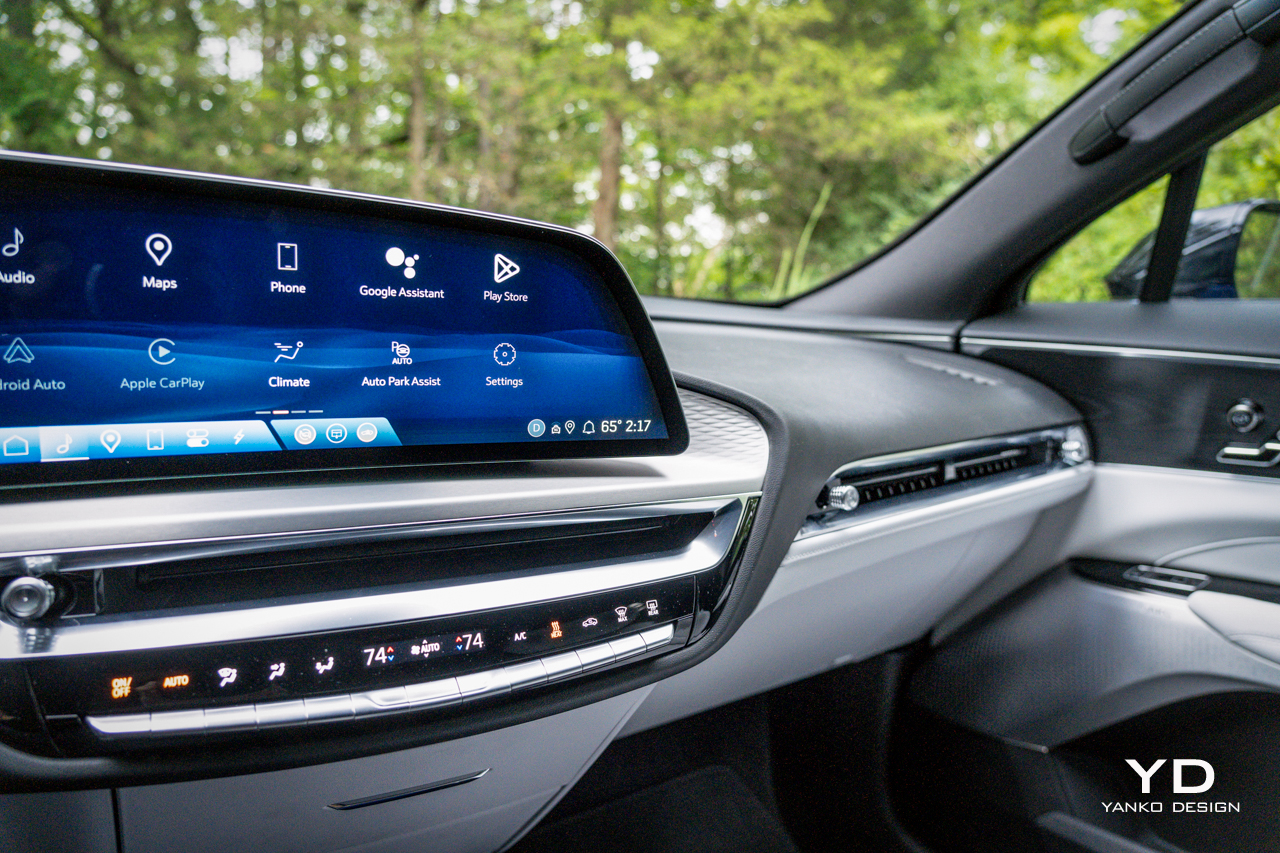
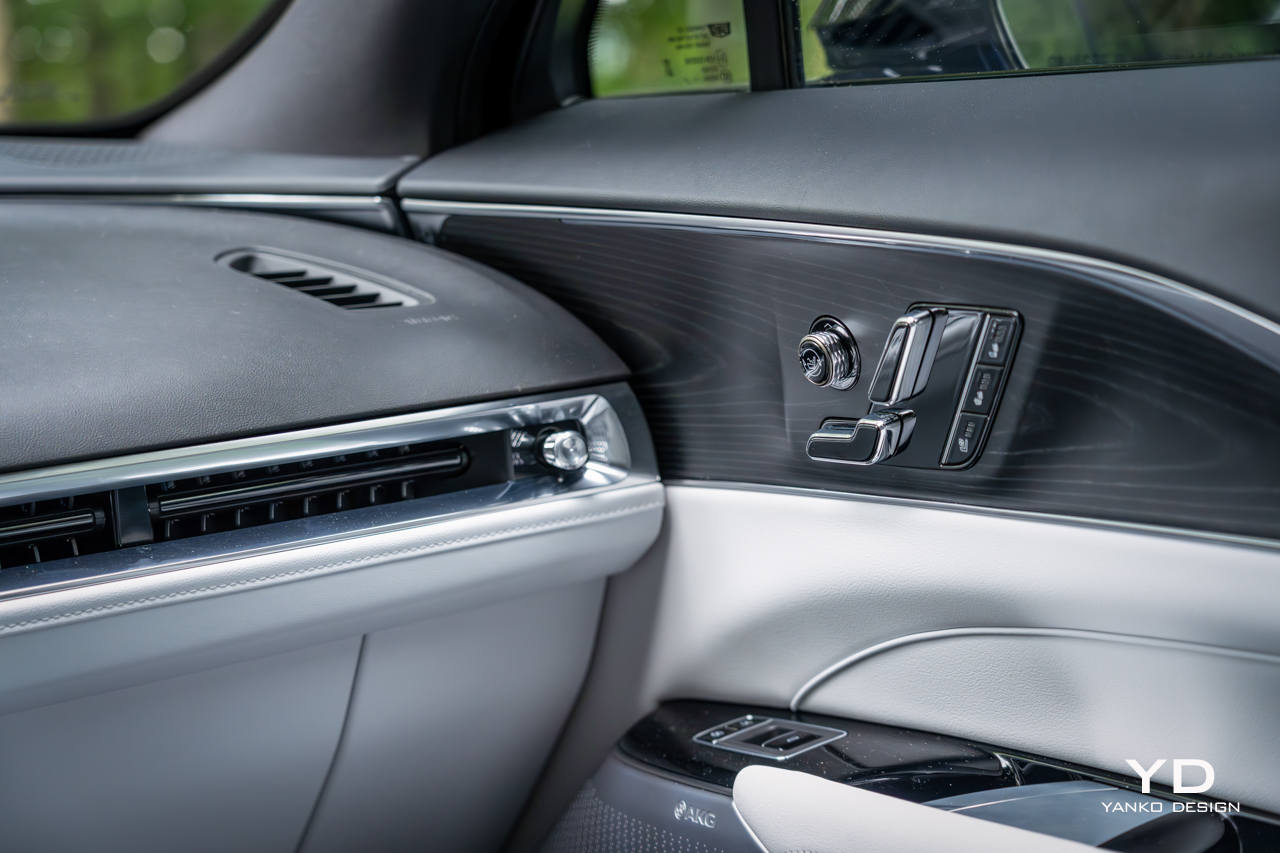
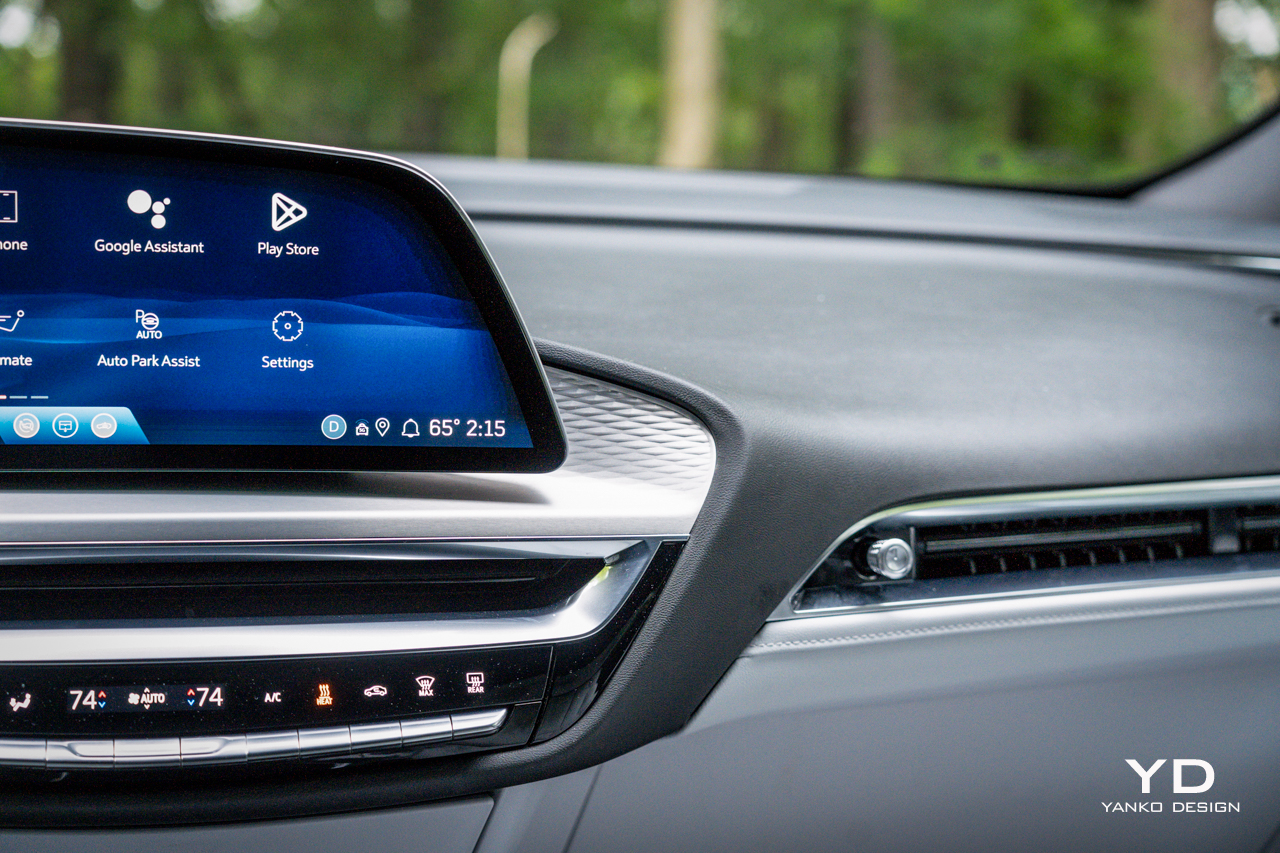
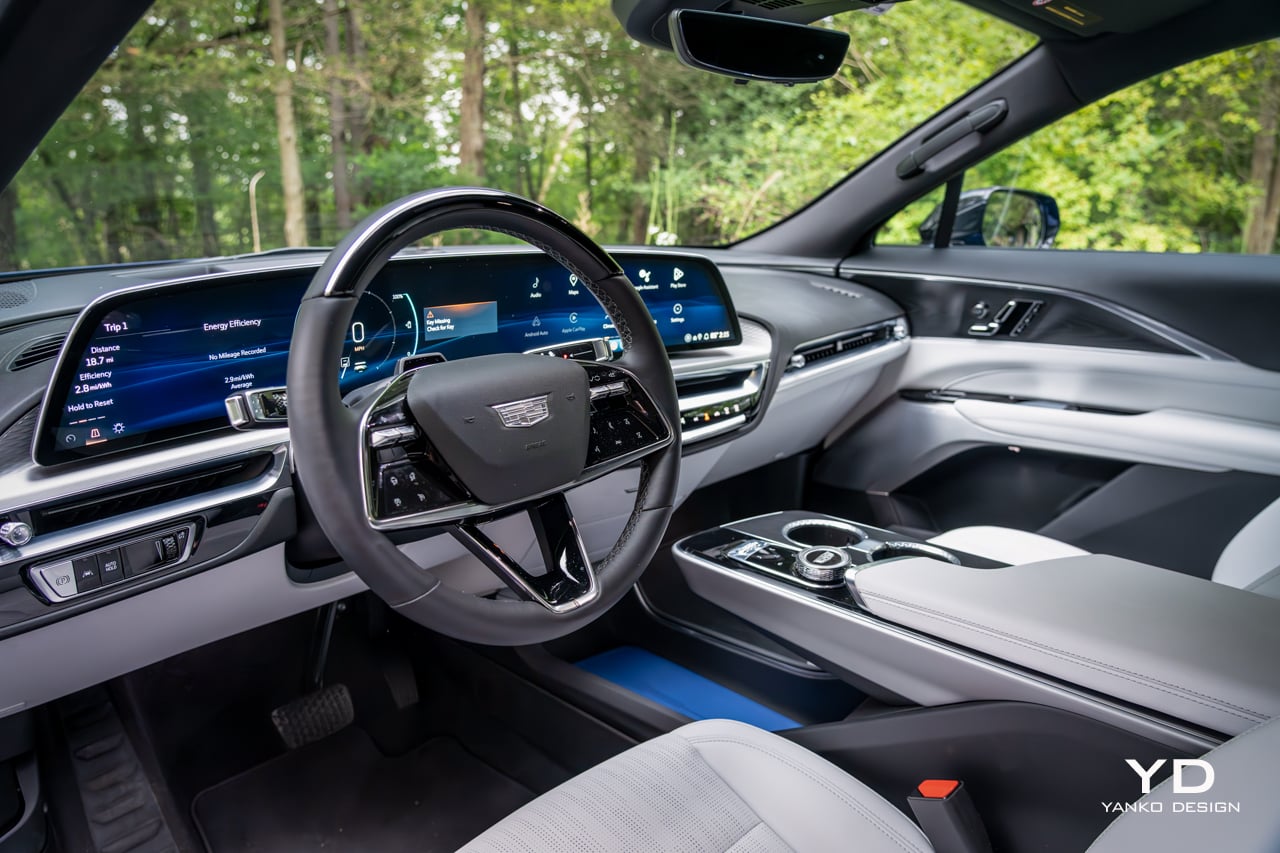
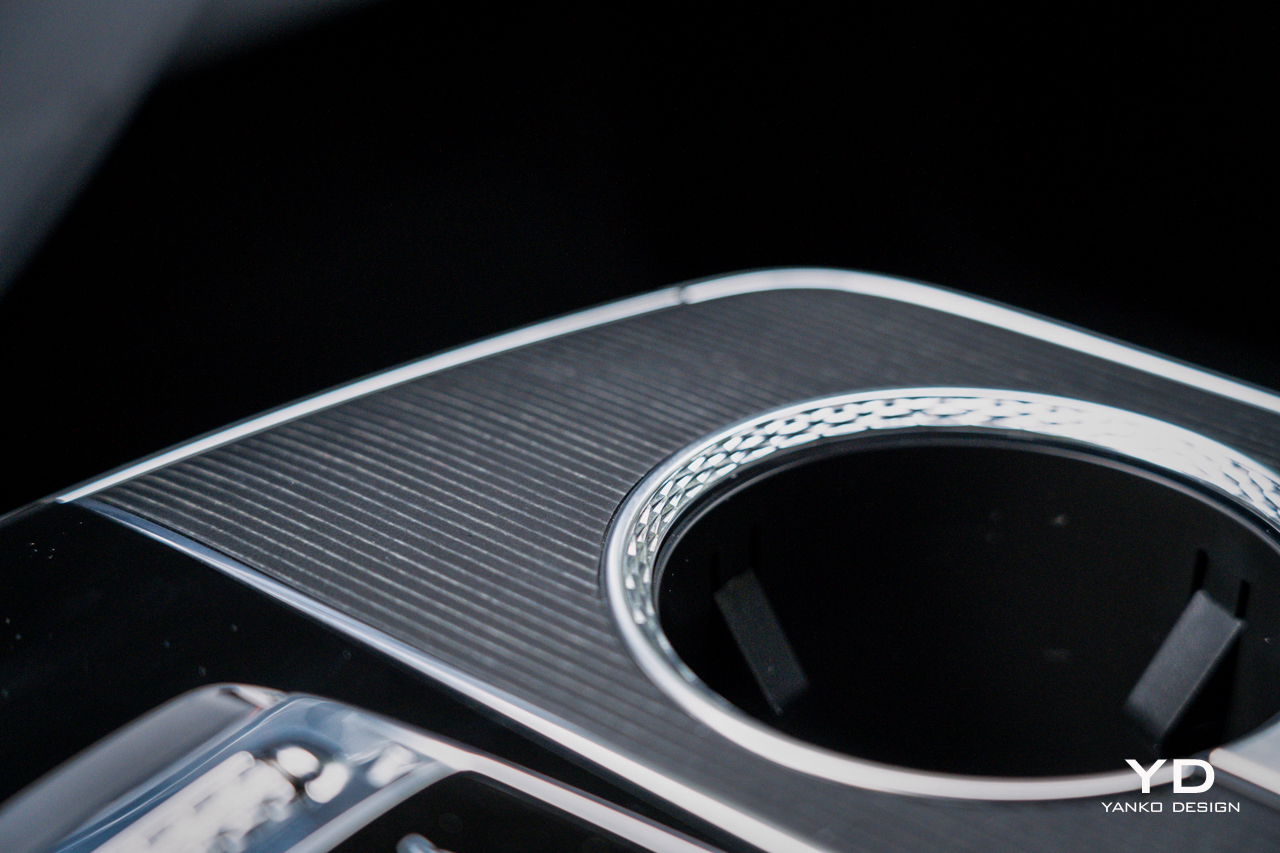
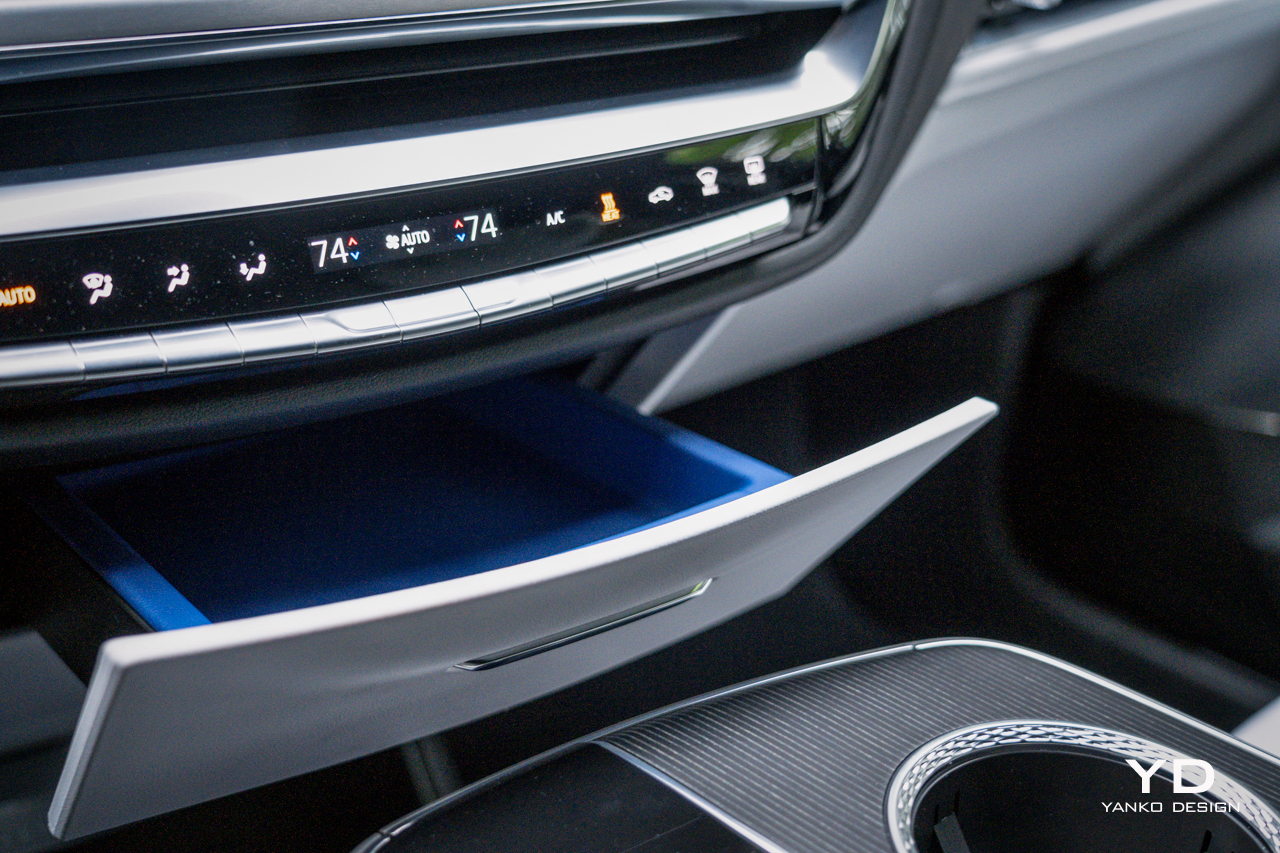
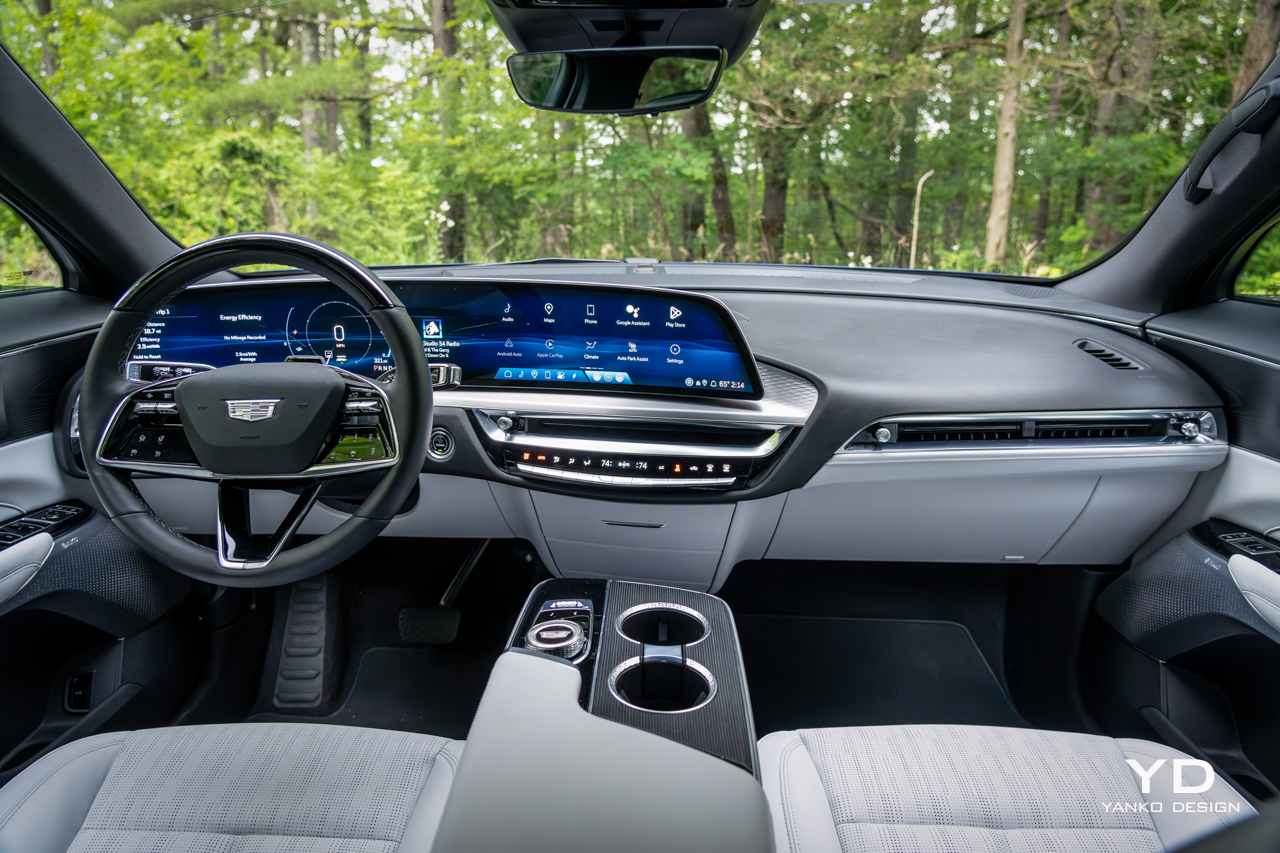
If anything the Lyriq’s interior is even more full of intriguing touches, making it feel a bit busy but, again, far from boring. The low dashboard is a mish-mash of sweeping, interlocking profiles, shapes, and textures. The subtle waffle texturing behind the floating display is a lovely, modern touch, but it’s a shame the bulk of the dashboard is covered with black vinyl imprinted with a dated-looking fake leather texture.

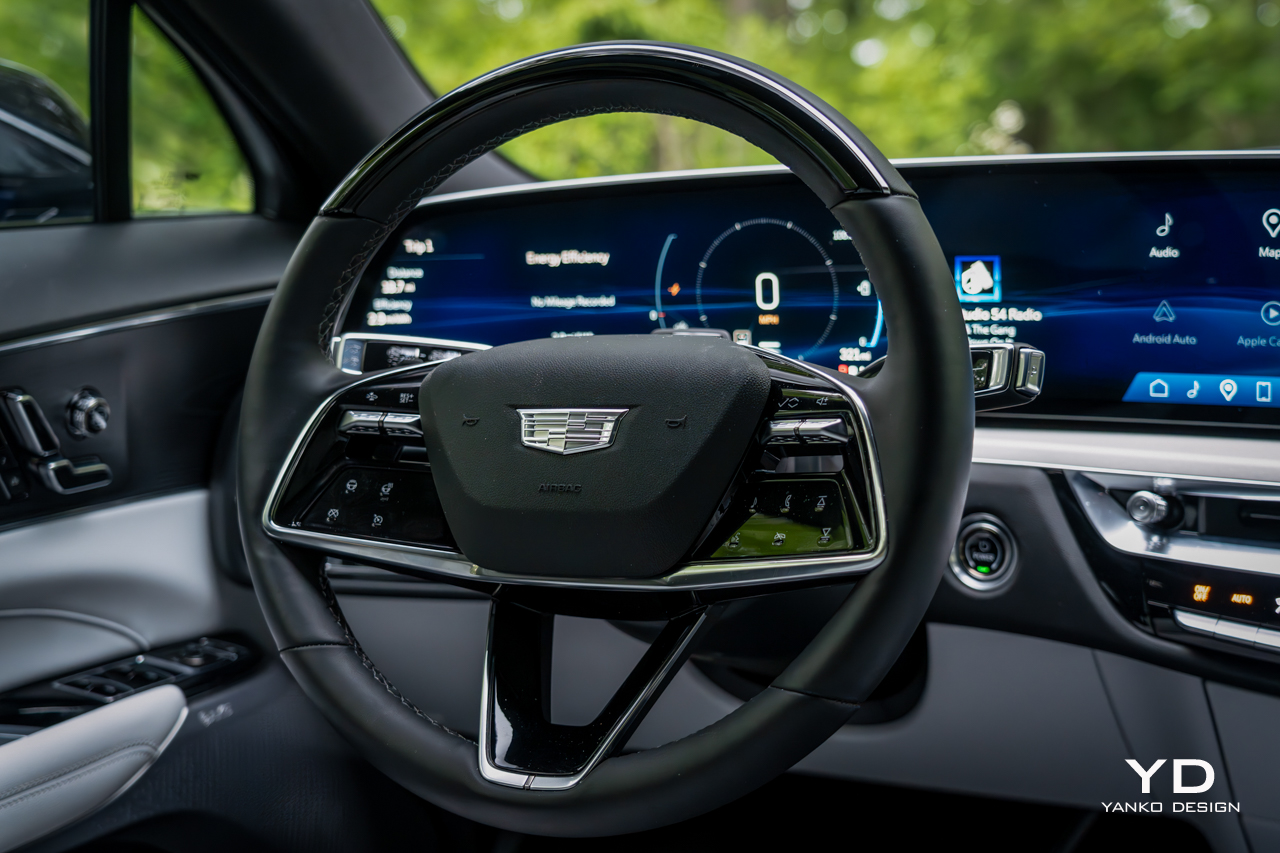
That floating display measures a massive 33 inches wide. It gives an overall look and feel similar to what BMW is doing these days in vehicles like the iX. The roller-style volume knob in the center console is also BMW-like, as is the eight-way rotary controller just behind it. All very iDrive-like, but Cadillac goes a step further by making not only the right side of the display capacitive touch, but the left side as well. Just like on a Lucid, you can touch the left of the gauge cluster to adjust lighting or view trip information.

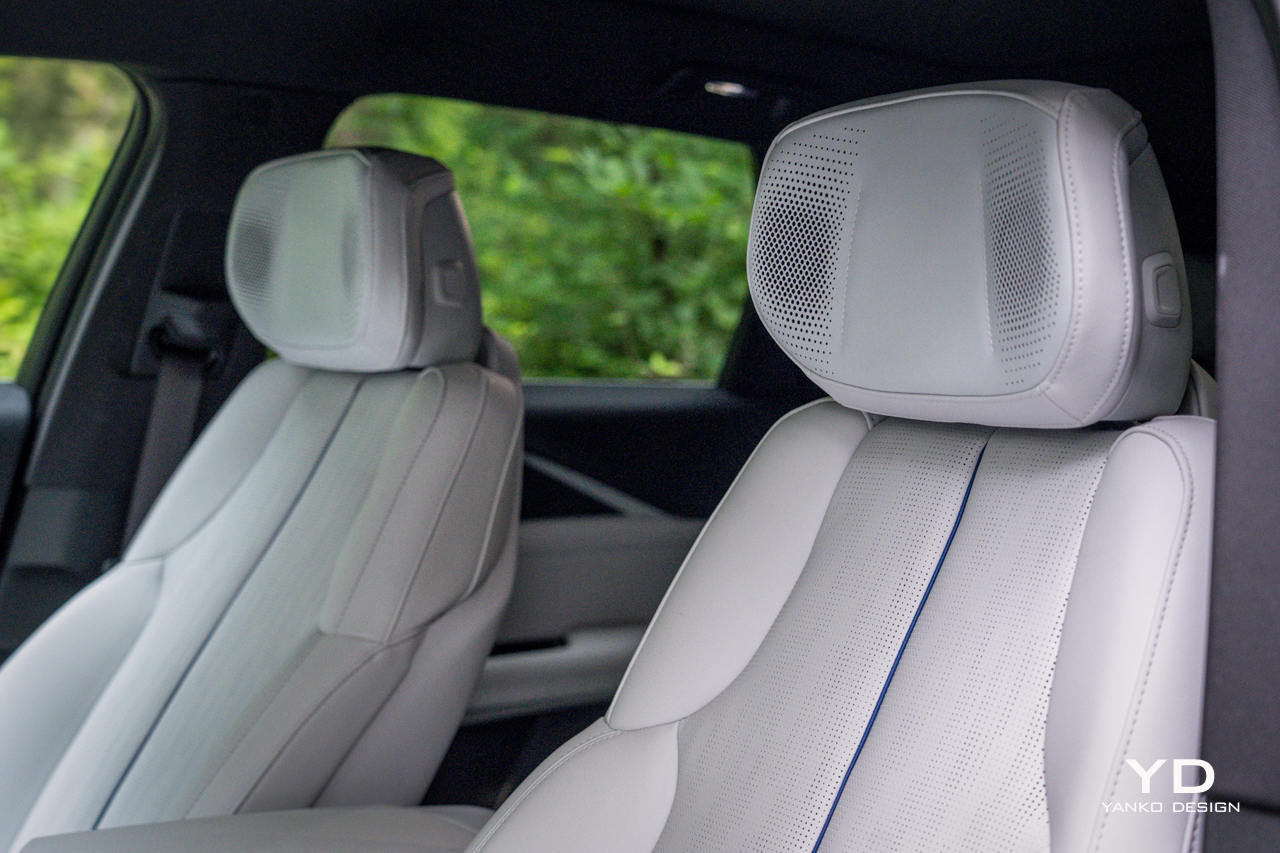
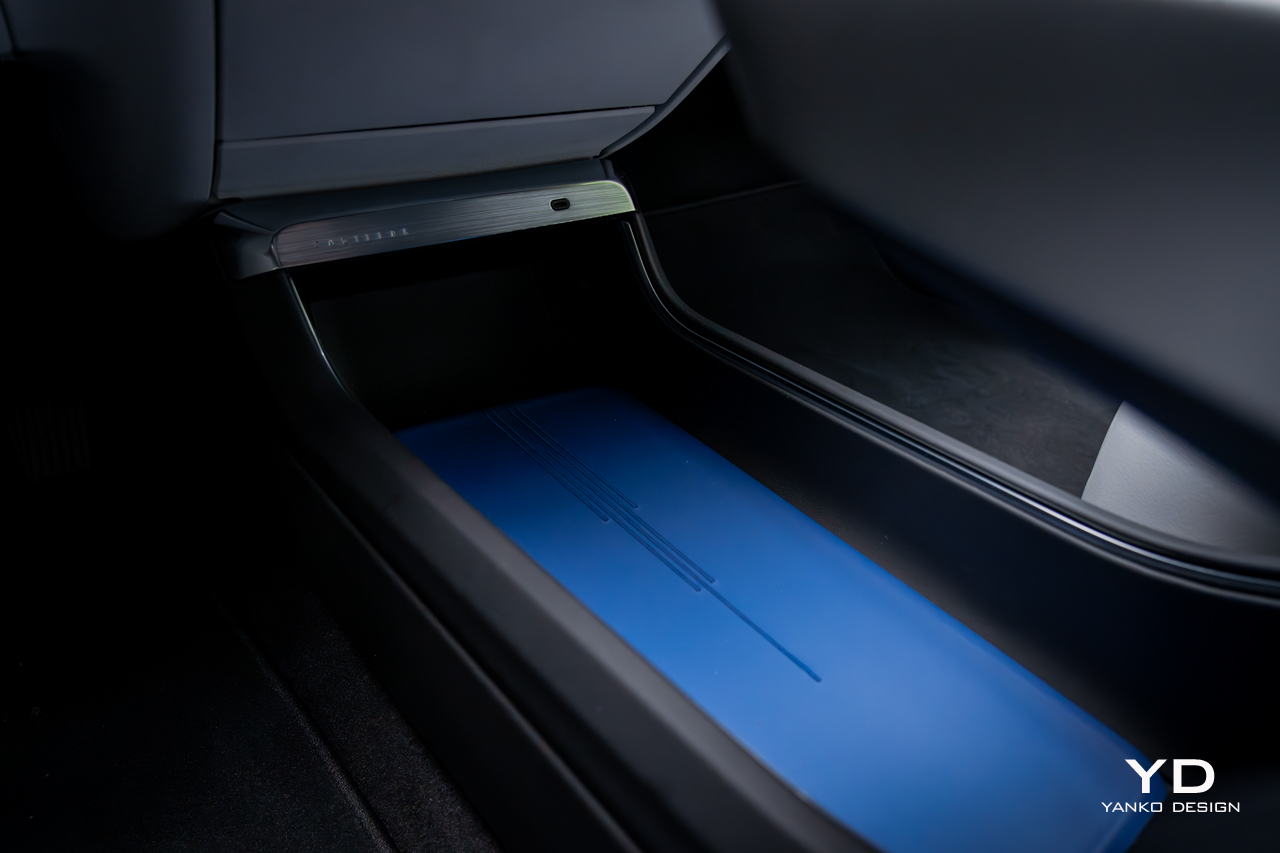
There are plenty of storage areas for front passengers, including a wide bin in the center of the car with a striking blue strip of leather that matches the piping on the stark, white seats. Those seats look pillowy and enveloping, but in practice, they’re a bit flat, and their adjustability is surprisingly limited. They do offer both heating and ventilation, plus massage, but it’s about the weakest massage I’ve ever sampled.

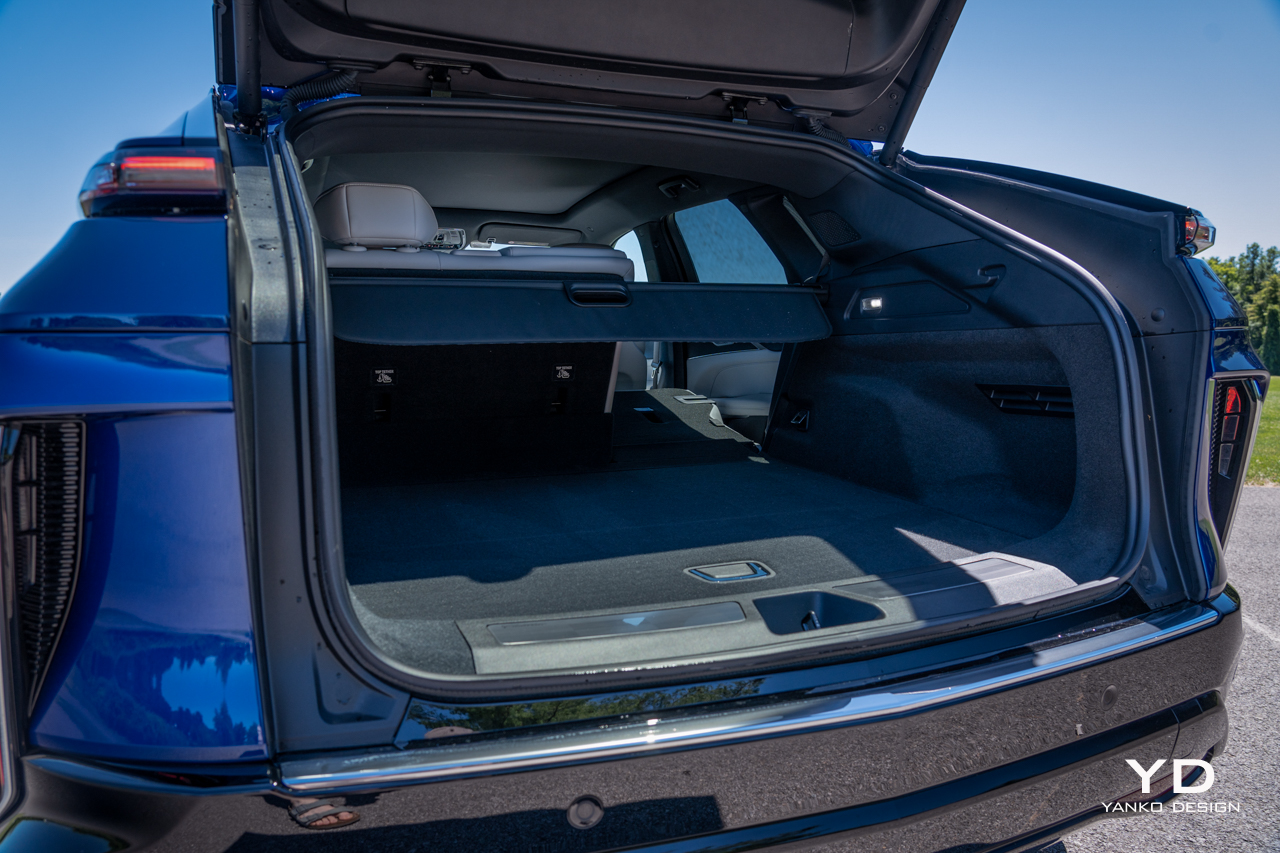
Rear seating is generous for three across, and the flat floor means everyone will have plenty of legroom. Headroom, though, is surprisingly limited, given the shape of these cars. A pair of USB-C ports back there keep small devices charged, while a three-prong outlet is there for bigger ones. Up front, another pair of USB-C connectors offer juice, plus a wireless charging slot.

Cabin Tech

The software controlling that sweeping display is based on Android Automotive. Sign in with your Google account (assuming you have one) and you have instant access to contacts, addresses, and whatever else you’ve entrusted to Alphabet.

You’re just a few taps away from installing most major media apps, including Spotify and YouTube Music, or you can use Android Auto or Apple CarPlay wirelessly from your phone.

All that media plays through a 19-speaker AKG sound system, which even puts speakers in the headrest, a bit of a rarity these days. The system is nicely balanced, offering all the power and bass anyone could want but, more importantly, crisp and clear sound with great separation. It’s standard on the Luxury 2 trim of the Lyriq and above.

The most impressive technology, though, comes in the form of Cadillac’s Super Cruise. The system just gets better and better every time I sample it. Initially restricted only to divided highways, Cadillac has started allowing it on more secondary roads.

Super Cruise offers true, hands-off driver assistance, steering itself and even automatically passing other cars on the highway. I was surprised to be able to let the car steer even on two-lane rural roads. It was perfectly smooth and easy there, just like it is on the highway.

The system relies on an infrared camera integrated into the steering column, so it’s always watching you to ensure you’re watching the road. But that’s a small price to pay for being able to sit back and relax and let the car handle most of the driving. It’s light-years beyond Tesla’s supposed Full Self Driving. You’ll again have to buy at least the Luxury 2 package to get it, starting at $66,990, but between that and the AKG sound system, it’s a worthy splurge.

While Super Cruise is the hallmark driver assistance feature, the Lyriq offers plenty of other safety features, including old-school adaptive cruise control with lane-keep assist, automatic emergency braking, and a surround-view camera. It also features other niceties from General Motors selection of safety features, like Teen Driver Mode, allowing you to set things like maximum speeds and volumes for specific driver profiles.

The Drive

A system like Super Cruise just makes long road trips all the more appealing, and for an EV, the Lyriq is reasonably well-equipped on that front. It’s officially EPA-rated for 314 miles on a charge of its 102-kilowatt-hour battery pack. In my testing around town and on the highway, I did slightly worse: 2.7 miles per kilowatt hour for a theoretical maximum range of 275 miles.

That electricity is consumed by a single, 340-horsepower motor driving the rear wheels, providing 325 pound-feet of torque. But, those wanting more can step up to a dual-motor, all-wheel drive Lyriq making 500 hp and 450 ft-lbs of torque from a pair of motors.

That’s a lot of power, but then this is a lot of car. The Lyriq weighs roughly 5,500 pounds, or nearly as much as an Escalade, and so it’s not exactly a rocket ship with the single-motor configuration. Still, put it into Sport mode (a task that sadly requires reaching up and scrolling through the touchscreen), and it does accelerate aggressively.

The steering is nicely sharp and responsive, which I appreciate. Still, despite Cadillac’s lineage of stellar V-badged driver’s machines, the Lyric is meant more for comfy cruising, and that it does with great aplomb.

Despite the 20-inch wheels wrapped in low-profile tires, ride quality is very good. It hoovered up broken asphalt without issue, feeling poised and pliant in all conditions. Opt for the all-wheel drive version and it should be a stellar winter machine too — assuming you outfit it with a proper set of winter tires.

When it comes to brake regeneration, always a hot topic among EVs, the Lyric’s default regen level is reasonably aggressive, but far from what I’d consider a true one-pedal mode. If you want something closer to that, you need to squeeze the lone paddle on the left behind the steering wheel. At that point the Lyriq will promptly bring itself to a stop. It’s better than nothing, but I’d prefer the option for a proper one-pedal mode.

Pricing and Options

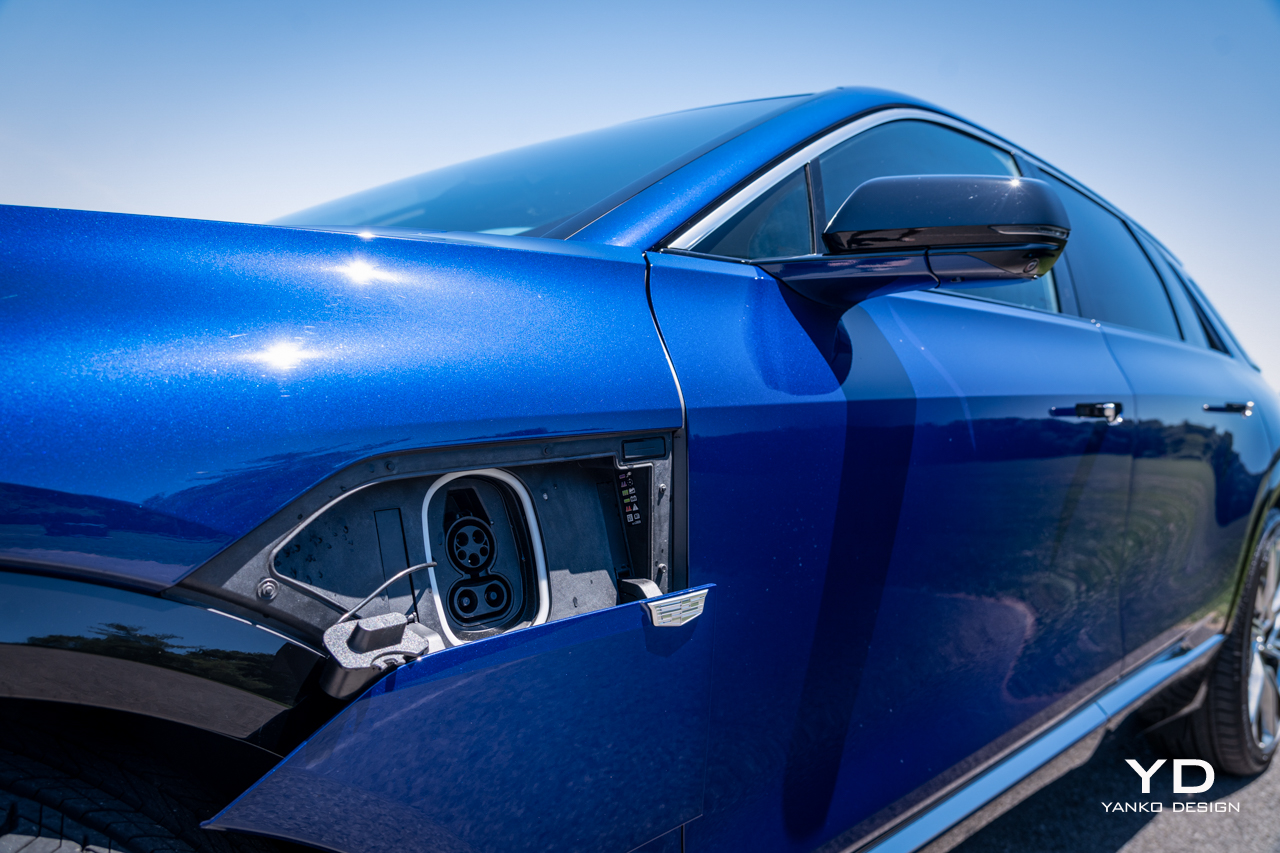
The Cadillac Lyriq starts at $58,590 for a base, Tech trim model with rear-wheel drive. The car you see purchased here was the top Luxury trim, Luxury 3, outfitted with a few options, including $1,480 for a 19.2 kW charging module and $625 for the Opulent Blue metallic paint.

Add on the $1,395 destination charge, and the total vehicle price is $72,695.

That makes it a premium option in an increasingly packed luxury electric SUV market. But the Lyriq stands out in many ways, not the least of which for its unconventional shape and tangible air of refinement about it. It’s lovely to drive, and thanks to Super Cruise, it’s even better to be driven, regardless of which seat you occupy.

The post 2024 Cadillac Lyriq Review first appeared on Yanko Design.
An Amazon Echo Show 5 and Blink Outdoor 4 bundle drops to only $60 ahead of Prime Day

We typically see some Amazon devices, including Blink cameras, drop in price ahead of both Prime Days in July and October. This time around, Prime members have an exclusive deal available to them right now on a bundle that includes the Echo Show 5 smart display and a Blink Outdoor 4 camera system for only $60. That's a whopping $130 off the standard price and a record low. It's part of a larger early Prime Day sale on Blink devices, including multi-camera systems, video doorbells and more.

This bundle is one that makes a lot of sense. You'll be able to use your Echo Show 5 to get a live view of whatever the Blink Outdoor 4 camera is capturing with a simple Alexa command.

We recommend both products individually in our guides. We believe the Blink Outdoor 4 is the best wireless security camera around. The name is a bit of a misnomer as you can easily place it inside your home too, not least because it runs on two AA batteries. You'll only need to replace the cells every two years or so.

If you do place the camera outside, you can rest easy knowing that it's weather resistant. Other features include night vision, motion detection and two-way audio. You will need a Blink Subscription Plan to store clips in the cloud. Otherwise, you can save footage locally with a Sync Module 2 (which is available separately) and USB flash drive.

As for the Echo Show 5, it's one of the best smart displays with Amazon Alexa (only beaten out by its larger sibling, the Echo Show 8). It's a compact, 5.5-inch smart display that works well as an alarm clock on your nightstand. The tap-to-snooze function comes in handy there, while there's a sunrise alarm that gradually brightens the screen.

The Echo Show 5 does have a built-in camera, which might give you cause for concern if you want to place it by your bed. But the physical camera cover should sate any privacy concerns on that front.

Follow @EngadgetDeals on Twitter for the latest tech deals and buying advice in the lead up to October Prime Day 2024.

This article originally appeared on Engadget at https://www.engadget.com/deals/an-amazon-echo-show-5-and-blink-outdoor-4-bundle-drops-to-only-60-ahead-of-prime-day-144736754.html?src=rss

The ULTIMATE Apple Watch Battery Test

Apple Watch Battery Test

Apple is known for touting the “all-day battery life” of its smartwatches, but what does that really mean in practice? To cut through the marketing claims and get to the truth, HotshotTek conducted an in-depth battery life test of every Apple Watch model, from the original Series 0 to the latest Series 10 and Ultra […]

The post The ULTIMATE Apple Watch Battery Test appeared first on Geeky Gadgets.

Google launches Gemini’s contextual smart replies in Gmail

When Google rolled out Gemini side panels for Gmail and its other Workspace apps, it revealed that its generative AI chatbot will also be able to offer contextual smart replies for its email service in the future. Now, the company has officially released that feature. Smart replies have existed in Gmail since 2017, giving you a quick, albeit impersonal, way to respond to messages, even if you're in a hurry or on the go. These machine-generated responses are pretty limited, though, and they're often just one liners to tell the recipient that you understand what they're saying or that you agree with whatever they're suggesting. 

The new Gemini-generated smart replies take the full content of the email thread into consideration. While you may still have to edit them a bit if you want them to be as close to something you'd write as possible, they are more detailed and more personable. When you get the feature, you'll see several response options at the bottom of your screen when you reply through the Gmail app. Just hover over each of them to get a detailed preview before choosing one that you think makes for the best response. 

You'll get access to the feature if you have a Gemini Business, Enterprise, Education or Education Premium add-on, or if you have a Google One AI Premium subscription. Google says it could take up to 15 days before you see Gemini's smart replies in your app — just make sure you've ticked on "Smart features and personalization" in your Gmail app's Settings page. 

This article originally appeared on Engadget at https://www.engadget.com/ai/google-launches-geminis-contextual-smart-replies-in-gmail-140021232.html?src=rss

Samsung’s Health SDK Suite Fuels Healthcare Innovation

Samsung Health

Samsung Electronics has unveiled the new Samsung Health SDK Suite, a comprehensive package designed to support developers and researchers in creating innovative healthcare solutions. Leveraging Samsung’s advanced sensor technology and the robust Samsung Health platform, this suite offers a complete set of tools including Sensor SDK, Data SDK, Accessory SDK, and Research Stack. This initiative […]

The post Samsung’s Health SDK Suite Fuels Healthcare Innovation appeared first on Geeky Gadgets.

Engadget Podcast: PS5 Pro hands-on and Meta’s wild Orion AR glasses

We've finally had a chance to try the PlayStation 5 Pro and Engadget's Jessica Conditt has come away impressed. In this episode, Devindra and Jess chat about what the PS5 Pro does well, and discuss who a $700 console is actually meant for. Also, coming off of Meta Connect 2024, Karissa Bell joins to chat about her time with the Quest 3S, as well as her thoughts about Meta's Orion AR headset and AI plans.


Listen below or subscribe on your podcast app of choice. If you've got suggestions or topics you'd like covered on the show, be sure to email us or drop a note in the comments! And be sure to check out our other podcast, Engadget News!

  • Jessica Conditt’s PS5 Pro hands on: 60fps makes so much difference – 0:42

  • Karissa Bell’s dispatch from Meta Connect 2024 – 27:04

  • Meta Quest 3S: an impressive and affordable step forward in consumer VR – 28:55

  • Orion AR glasses are a big swing, just don’t expect to buy them any time soon – 32:50

  • Ray-Ban Meta smart glasses – 38:28

  • Pop culture picks – 58:24

Host: Devindra Hardawar
Guests: Jessica Conditt and Karissa Bell
Producer: Ben Ellman
Music: Dale North and Terrence O'Brien

This article originally appeared on Engadget at https://www.engadget.com/gaming/playstation/engadget-podcast-ps5-pro-hands-on-and-metas-wild-orion-ar-glasses-133029580.html?src=rss