Top 5 iPad Accessories To Elevate Your Tablet Game To A Whole New Level

My iPad has almost reached necessity status in my life, I’m pretty sure all of us tablet owners are super reliant on them (I mean, I am for sure)! I personally find tablets extremely handy, they’re the comfortable middle ground between a smartphone and a laptop, and they pretty much perform the same functions as these two. They’re super easy to carry around, and honestly, I could survive wholly and solely on my iPad if I really wanted to. I’m always on the lookout for innovative and fun accessories to amp up my tablet (besides the basic ones Apple offers). Luckily there’s a whole bunch of crafty designs out there that can function as the perfect sidekick to your precious tablet.  Here’s a collection of super cool and functional product designs that promise to upgrade your iPad game to a whole other level!

1. HyperDrive

Dubbed HyperDrive, this is the world’s first-ever form-fitting USB-C hub with six different media ports and a media shortcut key. The HyperDrive is quite compact and fits perfectly into the palm of your hand. It features a 4K60Hz HDMI port, USB-C 5Gbps 60W Power Delivery port, MicroSD UHS-I port, SD UHS-I port, USB-A 5Gbps port, and a 3.5mm Audio Jack. It is also equipped with a built-in shortcut key which lets you “play, pause, fast-forward or rewind your favorite songs, videos, or podcasts without interrupting your workflow.”

2. Macintosh Studio

Designed by Scott Yu-Jan, this interesting DIY project is inspired by the Mac mini. It gives a home for an iPad mini and hides the Mac Studio in plain sight. Called the Macintosh Studio, the enclosure is placed on top of and hugs the Mac Studio, only the buttons are left unrestricted. The front of the device features a slot for the iPad mini to slide in and connect to the Mac Mini using a single UBC-C cable. This allows the iPad mini to be charged always, keeping it ready to go whenever you need, it while also allowing it to serve as a second screen for the Mac Studio.

3. Pro Stylus 2

Meet ZAGG’s Pro Stylus 2, which is designed to work with the iPad as well as the iPhone. The Pro Stylus 2 will feel super familiar and comfortable in your hand owing to its slim design. It features a precise fine tip that supports accurate drawing, as well as palm rejection to prevent your hand from accidentally touching or tapping the screen as you sketch or write. It is also equipped with tilt recognition to alter your stroke style when you change angles. Magnetic wireless charging allows you to snap the Pro Stylus 2 onto the side of your iPad Pro.

4. PenPad

The PenPad is designed to make the iPad’s famous sketching/painting app easier to use by removing the trouble of navigating the Procreate interface. The PenPad offers access to 22 different functions that you can use while sketching on Procreate – these range from increasing and decreasing brush size to even accessing the color wheel. It is a compact hardware accessory that allows you to paint with one hand while letting you press buttons to make the workflow faster and more efficient.

5. Apple Pencil Nibs

Yanko Design created nibs for the Apple Pencil! These fascinating interchangeable nibs include a fine-tip nib, a chisel nib, and a flexible brush-pen nib. Other different nibs could also hold the potential for 3D modeling features like the ability to sculpt on the iPad. These nibs would allow the iPad Pro to become the ultimate creator’s setup – for both 2D and 3D creation. It would serve as a ‘power-user’ tool enabling creators and designers to unlock new potentials.

The post Top 5 iPad Accessories To Elevate Your Tablet Game To A Whole New Level first appeared on Yanko Design.
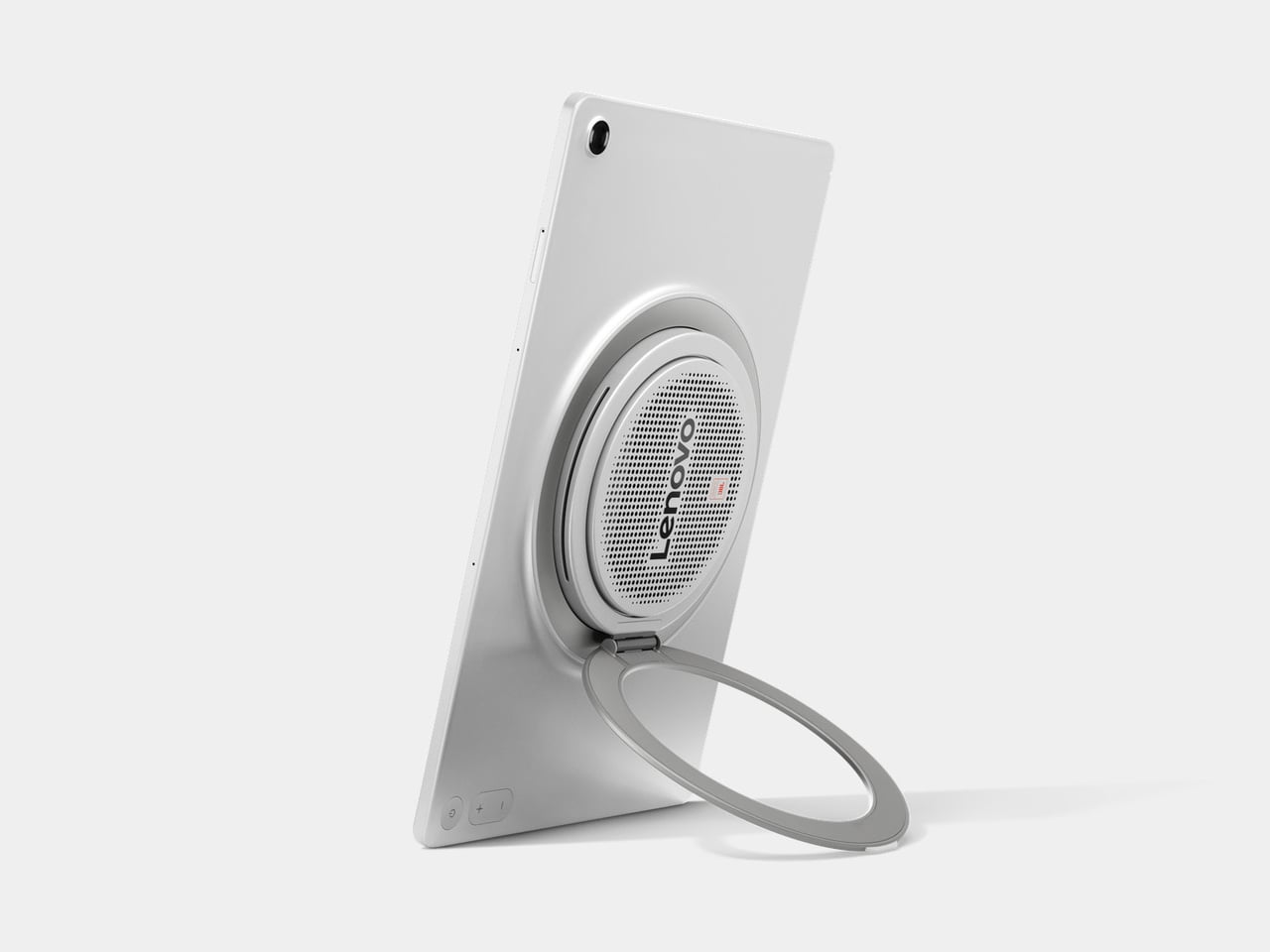
The Google Pixel Tablet with charging speaker dock is $130 off right now

The Google Pixel Tablet with charging speaker dock is $130 off right now via Woot. This is a discount of 26 percent and a record low for the tablet. That's a pretty good deal for a device that’s still under a year old.

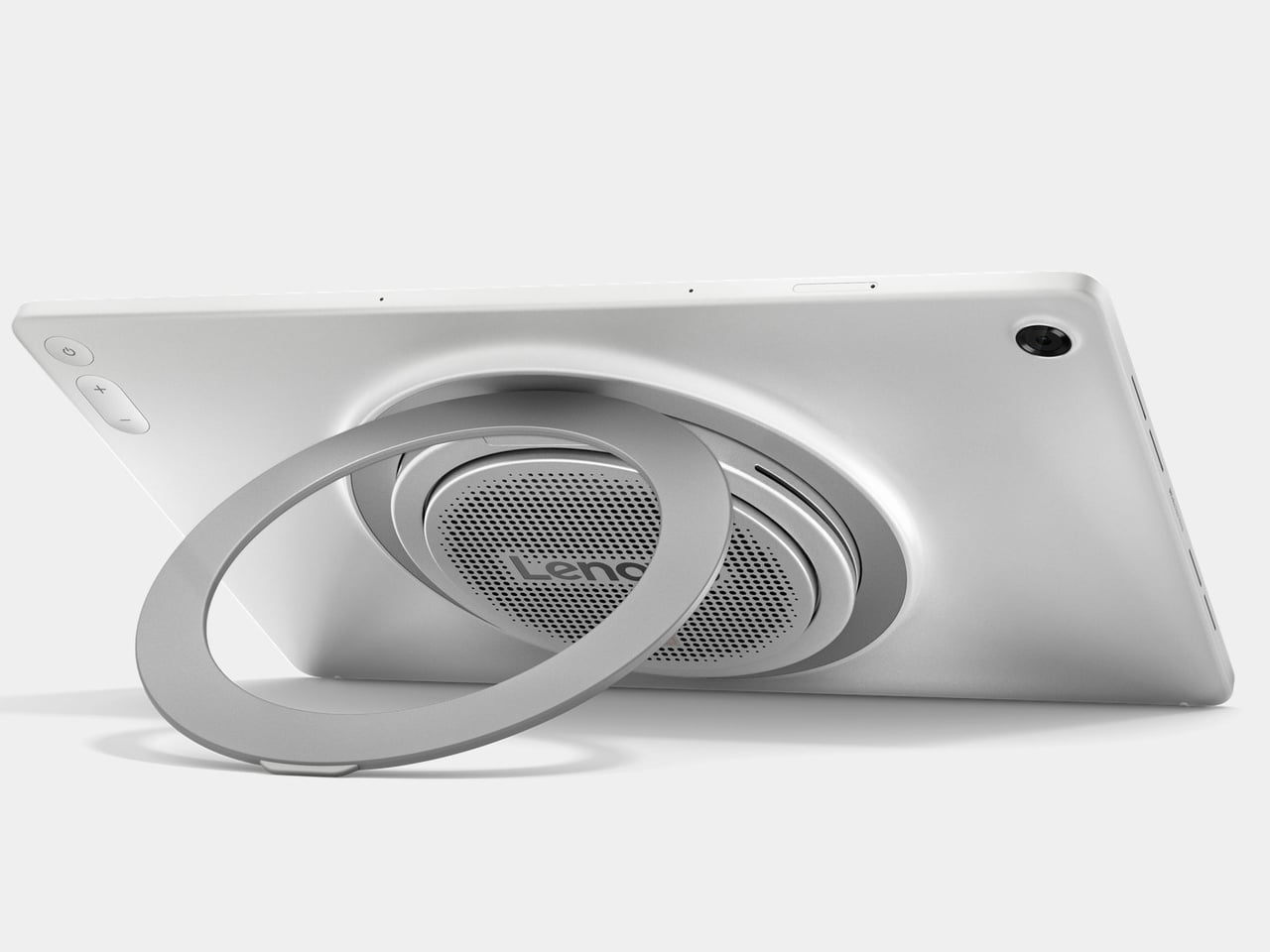
It’s worth re-emphasizing that this sale is for the tablet and the charging speaker dock. It’s the latter accessory that was largely responsible for the positive review we gave the tablet last year. The dock lets the tablet double as a smart display. It charges the tablet quickly and provides a sturdy base for touch gestures. The speakers are also much louder than one would expect, given the size. The combination of a useful dashboard, an easy-to-read interface and impressive audio make it one heck of a smart display.

We were a bit cooler on the tablet itself, though it's perfectly serviceable. The nano-ceramic coating and glass-like backing makes it feel more expensive than it actually is and the low weight, at just over one pound, ensures you won’t cramp up while streaming the latest hit TV show. It is, however, slightly heavier than the iPad Air.

There’s also a neat little kickstand-hanger combo that lets you place the tablet just about anywhere. This is useful, for instance, when following a recipe in the kitchen. You can just hang it right on a cabinet knob. The 2,560 x 1,600 LCD panel isn’t as vibrant as a modern OLED, but it gets the job done.

The Pixel Tablet is the first of Google’s tablets to be a Chromecast receiver, so you can control it from your phone. This comes in especially handy when watching streaming apps, though it only works when docked.

Follow @EngadgetDeals on Twitter and subscribe to the Engadget Deals newsletter for the latest tech deals and buying advice.

This article originally appeared on Engadget at https://www.engadget.com/the-google-pixel-tablet-with-charging-speaker-dock-is-130-off-right-now-165101833.html?src=rss

The second-gen Apple Pencil is back on sale for $79

The second-gen Apple Pencil stylus accessory is back on sale for $79, which is a discount of nearly 40 percent. That’s quite a deal, considering the usual price is around $130. Why Apple decided to charge well over $100 for magnetic pens in the first place is a whole other conversation, but at least there’s a sale for now.

This is a fantastic accessory and perfect for several iPad models, but we have to address the elephant in the room. Apple’s stylus lineup is something of a confusing mess. The company makes four different Apple Pencils and it can be difficult to suss out the best one for your particular tablet. For instance, the new Pencil Pro is only compatible with the latest iPad Airs and iPad Pros.

Therefore, this second-gen Apple Pencil is not appropriate for the just-released tablets. This model is the one to get if you use an older iPad Pro or Air, as long as the design predates those with the front-facing cameras on the long edge. It’s also a good match for the current iPad mini. Finally, it’s likely that every Apple tablet moving forward will feature a redesign similar to the latest Air and Pro, so only buy this stylus if you aren’t planning on upgrading your tablet anytime soon.

If you meet the above criteria, however, the second-gen Apple Pencil is a comfortable and highly useful stylus. It features tilt and pressure sensitivity, magnetic charging, wireless pairing and a light form factor. It’s miles better than the average Amazon knockoff, with next to no lag. You’ll be drawing exquisite pizza slices and cats before you know it.

Follow @EngadgetDeals on Twitter and subscribe to the Engadget Deals newsletter for the latest tech deals and buying advice.

This article originally appeared on Engadget at https://www.engadget.com/the-second-gen-apple-pencil-is-back-on-sale-for-79-160048381.html?src=rss

Dual screen laptop proposes a unique design to solve the laptop monitor problem

In exchange for portability and mobility, laptops give up some power and flexibility, especially when it comes to things you can connect to. Sure, you can still connect plenty of peripherals, but you’re limited not only by the amount of ports available but also by the space you have around your laptop. A dual monitor laptop, for example, is inconvenient and even impossible in some circumstances, so a few solutions have been designed to address that limitation, from portable monitors to laptops that are just two screens and nothing else. The latter has been billed as “dual laptops,” though their appearance and use are far from what most people expect from laptops. This “true dual screen laptop” wants to fix that problem with a design that is both intriguing but perhaps also questionable at the same time.

Designer: GPD

You can’t change a laptop’s screen after the fact, so you can only expand it with an external portable monitor that adds yet another thing to your bag. Dual-screen laptops like the ASUS ZenBook Duo and Lenovo Yoga Book 9i are actually more like two monitors with integrated computer hardware rather than like a laptop with two screens. One of the biggest problems is requiring the use of a Bluetooth keyboard in ways that are unfamiliar to most laptop users.

The GPD DUO’s solution is to combine all these parts into a single whole, delivering a completely traditional laptop experience when needed and a dual-screen or even tablet when wanted. It does this by actually having two folds, one with a traditional laptop hinge that can fold open up to 135 degrees, and another for the second monitor that can fully swing 360 degrees. This second screen is permanently attached to the top of the first, creating a vertically stacked dual-screen setup when unfolded. But unlike ASUS’s and Lenovo’s designs, the keyboard is still attached to the primary screen and functions as expected.

This rather unconventional design means that, if you don’t want or can’t use a tall dual-screen setup, you can simply fold back the second screen and use the GPD DUO as a regular laptop. That said, the second screen in that position could actually still be used to present content to people in front of the user, sort of like the “tent mode” of some 360-degree laptops. And when you close the laptop down in this configuration, you get a tablet that you can draw on.

While the design of the GPD DUO sounds reasonable, it does raise a few concerns, especially in terms of the weight and bulk of the laptop. Although GPD claims that the 13.3-inch laptop is only the size of an A4 paper when folded, it hasn’t yet revealed the thickness or weight of the device. The design also forces the dual screen orientation to only be vertical, and you have no other option on how to use or position the screens. It does seem that the GPD DUO trades one feature for another, so it remains to be seen how this design will resonate with laptop users.

The post Dual screen laptop proposes a unique design to solve the laptop monitor problem first appeared on Yanko Design.
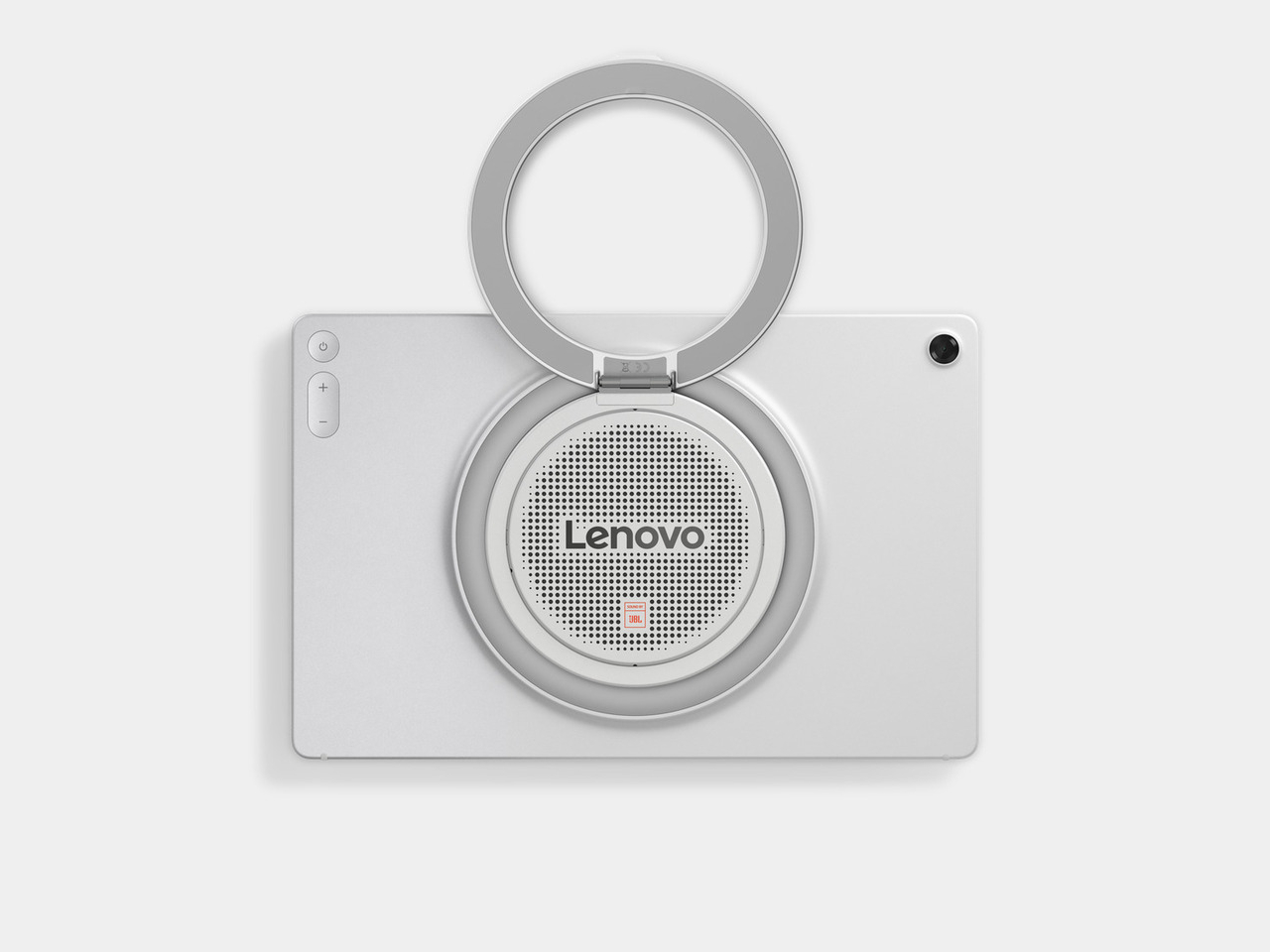
ASUS ProArt PZ13 detachable laptop brings Windows on ARM to creators on the go

Although Windows on ARM has existed before, the latest iteration of Qualcomm’s Snapdragon X processors is coming out in full force to redeem the platform’s previous image. Part of that means having more PC makers on board who are willing to dive head-on into the arena, branding not just more capable silicon but, more importantly, AI-powered features that are all the buzz these days. ASUS, unsurprisingly, isn’t going to be left behind, and it’s bringing all that goodness into the new ProArt PZ13 detachable laptop that offers an ultra-portable form factor aimed to give creators an edge to let their creative juices flow whenever and wherever inspiration strikes them, even if it’s just on their living room couch.

Designer: ASUS

Given the uninspiring legacy of previous Windows on ARM attempts, it’s quite a bold move for ASUS to pitch the platform to one of the most discerning audiences in the market. Artists, designers, and content creators need more than just light, portable devices or long-lasting batteries, they need the performance that will be able to meet the demands of the software they use. At only 9mm thin, weighing only 1.87 lbs, and carrying a large 70Wh battery, the ASUS ProArt PZ13 definitely gets the first two aspects right. The new AI-enabled Qualcomm Snapdragon X processor promises to deliver that last and most critical part.

If it wasn’t painfully obvious yet, this processor harnesses the power of AI to boost its performance, particularly with paired with the Windows 11 operating system. It isn’t just your run-of-the-mill AI voice assistant that answers your search queries but a deeper, more encompassing tool that optimizes the system’s operation to save time, power, effort, and other resources. ASUS is also throwing its own AI-powered creation tools, like a StoryCube media hub for organizing digital assets, and a subscription-based CapCut for dynamic video editing. And, yes, Microsoft’s CoPilot is also onboard to make the other menial tasks more efficient as well.

The ASUS ProArt PZ13 comes in a 2-in-1 detachable design that is reminiscent of the Microsoft Surface, complete with a full-width kickstand and a keyboard cover. The 13.3-inch 3K ASUS Lumina OLED touch screen promises to meet the demanding requirements of creators when it comes to brightness, color accuracy, and precision, supporting an optional ASUS Pen 2.0 stylus for creating digital masterpieces. Unlike the existing line of ASUS ProArt laptops, this tablet and laptop in one is clearly designed for mobility, and the IP52 dust and water resistance rating, along with MIL-STD-810H certification, offer some peace of mind when you need to take the device places.

Of course, the real question will be whether Windows 11 on this new Snapdragon platform will perform just as well as on Intel and AMD processors. Early reviews seem to be promising, but the final judgment will really depend on the compatibility of creators’ tools on this still rare combination. The ASUS ProArt PZ13 AI-powered detachable laptop will go on sale sometime in the third quarter of the year, with pricing details to be released closer to the product’s launch.

The post ASUS ProArt PZ13 detachable laptop brings Windows on ARM to creators on the go first appeared on Yanko Design.
Apple iPad Pro M4 Review: Next-Level Design and Performance

PROS:


  • Stunning industrial design

  • Solid build quality

  • High-end performance

  • Gorgeous Tandem OLED display

  • Great battery life

  • Awesome keyboard and accessory support

CONS:


  • iPad Pro M4 & accessories are considerably expensive

  • iPadOS is restrictive and feels outdated

RATINGS:

AESTHETICS
ERGONOMICS
PERFORMANCE
SUSTAINABILITY / REPAIRABILITY
VALUE FOR MONEY

EDITOR'S QUOTE:

Impossibly thin and powered by the M4 chip, the iPad Pro is one of the best-looking tablets ever. It surprises and delights, harmonizing beauty and utility for an unmatched tactile experience.
award-icon

The iPad Pro M4 feels like holding the future in your hands. It’s sleek, light, and incredibly refined, seamlessly blending cutting-edge technology with stunning design. Apple’s newest tablet redefines what’s possible with a dazzling display and a performance that transforms everyday tasks into something extraordinary.

Designer: Apple

At its heart, the M4 chip delivers unmatched speed and efficiency. Whether you’re creating digital art, editing videos, or browsing the web, everything feels faster and more responsive. The vibrant, crisp display enhances every visual experience, from movies to professional-grade design work.

Aesthetics

The iPad Pro, powered by Apple’s M4 chip, is one of the best-looking tablets of all time. For me, what makes a product the best in its class is its ability to surprise and delight the owners and wow those around them. I’ve been using it in the last week, and it has rarely left my side. A great product ticks all the boxes, from form to function and everything in between.

Apple iPad Pro M4 with Magic Keyboard and Apple Pencil Pro

This year, Apple impressed many with the tablet’s thinness. I find it shocking when I hear comments from megastar YouTubers like MKBHD, who asked who was asking for a thinner iPad and stated he would rather have the same thickness as the outgoing model but with a longer battery life. What he’s missing is that longer battery life won’t win our hearts—it’s something we can easily manage by charging up. But come on, when you pick up the iPad Pro M4 and sense how thin and light it is, that’s the tactile experience we want. The burden of carrying a heavier and thicker tablet has been lifted for me. This is a fantastic design choice, Apple. To answer his question: Who was asking for a thinner iPad Pro? Well, that was me.

We’ve all heard the saying, “less is more,” when it comes to design. Knowing and being willing to remove what’s unnecessary is much harder than adding this or that. And in this case, the reduction in thickness and weight—now down to just under a pound for the 11-inch model and a little over a pound for the 13-inch—speaks volumes the moment you pick it up. In terms of usability, whether you’re using it with the Magic Keyboard, Folio, or just on its own, it’s magical.

The aesthetics are simply breathtaking. The device perfectly blends elegance and sophistication with a sleek, minimalist design that looks futuristic. The aluminum body is smooth and meticulously crafted, with precise edges and a refined finish that makes it look sophisticated and high-end. You can choose between Silver and Space Gray, both with a matte finish that adds to the premium look. These colors are versatile and professional, making the iPad Pro M4 perfect for any situation. Whether you’re using it in the office, in a coffee shop, or just relaxing at home using your favorite apps, it fits right in.

My three go-to entertainment sources are Apple TV, Netflix, and YouTube. They’re simply perfect, which is the ideal place to mention that this is where iPadOS shines because these apps let you download shows to watch offline. It’s a nice touch.

Every time I use the iPad Pro in portrait mode, it reminds me of the authority a clipboard brings. Imagine someone walking into a busy room with a clipboard and pen—it gives the impression they mean business. It’s like in “House,” where Dr. Cuddy, often seen with a clipboard, epitomizes control and authority. In the episode “Insensitive” from season three, Cuddy wields her clipboard to manage the hospital’s chaos, symbolizing her command and precision. There’s a moment where she’s juggling multiple tasks, handling House’s antics, and still keeping her cool—all while holding that clipboard. It becomes a symbol of her ability to manage and orchestrate the complex dynamics of the hospital. I can see this happening in many real-world instances where people do the same, except using the iPad Pro and Apple Pencil Pro.

Comically, this slate of glass combined with the Apple Pencil Pro gives me that nostalgic feeling. Like Cuddy’s clipboard, the iPad Pro M4 signifies a blend of modern technology and timeless functionality. Regardless of which iPad model you pick, it’s the tool that becomes the modern-day version of the classic clipboard. This feeling of holding an essential, authoritative tool makes the iPad Pro unique. It transforms how you approach tasks, making everything feel more organized and efficient, just as a clipboard does in a busy environment. The iPad Pro M4 looks and feels futuristic but also brings a touch of nostalgia that resonates with anyone who has ever relied on the simplicity and power of a clipboard.

One of the most striking features of the iPad Pro M4 is its display. The tandem OLED screen offers brighter visuals, deeper blacks, and more vibrant colors, making everything you do on the iPad look fantastic. The screen stretches almost edge to edge, thanks to the thin bezels and lack of a home button, which gives the device a modern, clean look. Apple’s attention to detail is evident throughout. The rounded corners and chamfered edges make the iPad comfortable to hold and add to its aesthetic appeal. The buttons and ports are strategically placed to maintain the sleek lines, and even the camera bump is designed to blend in seamlessly.

The iPad Pro M4’s design works perfectly with its accessories. The new Magic Keyboard, for instance, enhances the iPad’s functionality and aesthetics. It features a sleek, minimalist design that matches the iPad’s finish and form. The floating cantilever design allows the iPad to magnetically attach and hover above the keyboard, offering a range of viewing angles and adding a futuristic touch. The keyboard is backlit, excellent for working in low-light conditions, and the keys are well-spaced with a scissor mechanism that provides a comfortable, responsive typing experience. The integrated trackpad supports multi-touch gestures and cursor functionality, transforming the iPad Pro into a more laptop-like device and boosting productivity.

Additionally, the Magic Keyboard includes a USB-C port for passthrough charging, allowing you to charge the iPad while keeping its main USB-C port free for other accessories. The magnetic attachment and smart connector ensure seamless connectivity, with no need for pairing or separate charging. When closed, the Magic Keyboard serves as a protective cover for the iPad Pro, shielding both the front and back from scratches and minor impacts. Despite its robust build, the Magic Keyboard remains relatively lightweight and slim, enhancing the portability of the iPad Pro without adding significant bulk.

Of course, that begs the question: Is the iPad Pro M4 any more magical than the last iPad M2? Well, that depends on your expectations, requirements, and lifestyle. If you’re like me and value the blend of cutting-edge technology with an elegant and functional design, the iPad Pro M4 is a clear winner. The improvements in weight, thinness, and display quality, combined with the powerful M4 processor, make it not just a tool but a companion that delights in every use.

Ergonomics

Apple has perfected the ergonomics with the iPad Pro M4. Its lightweight and slim profile make it a joy to hold, whether you’re using it in portrait or landscape mode. The intuitive placement of buttons and ports ensures easy access without disrupting the device’s sleek lines. A significant improvement is the horizontally aligned front camera, which provides a more natural angle for video calls, making virtual meetings feel more engaging and less awkward. This new camera position also signals that the iPad is inching closer to laptop status, enhancing its appeal as a versatile productivity tool.

The term “laptop” denotes functionality and comfort when used on your lap. The iPad Pro M4, especially when paired with the Magic Keyboard, embodies this ideal better than any tablet. Its sleek design, powerful performance, and practical accessories rival traditional laptops, ensuring comfort and functionality when used on your lap.

The Magic Keyboard provides a comfortable typing experience with well-spaced keys and responsive feedback. Its cantilever design, pushing the iPad further back like a MacBook’s display, is especially beneficial when used while lying down. This design offers adjustable viewing angles, allowing you to find the perfect position for any task. Whether typing an email, editing a document, or drawing with the Apple Pencil, the iPad adapts seamlessly to your needs.

The Apple Pencil Pro also deserves mention for its ergonomic design. The lightweight stylus mimics the sensation of writing on paper, with added haptic feedback and barrel roll gestures for enhanced precision and control. Whether sketching, annotating, or taking notes, the Apple Pencil Pro provides a comfortable and intuitive user experience.

Using the iPad Pro M4 with the Magic Keyboard feels empowering, enhancing productivity, creativity, entertainment, and learning, no matter where you are. Apple’s attention to ergonomics ensures every interaction with the device is intuitive and comfortable. The thin and lightweight design makes it easy to carry, whether commuting, traveling, or moving between rooms, fitting comfortably in a bag or backpack. The iPad seamlessly supports daily activities, enriching digital experiences, whether working, creating, or browsing. After all, that’s the whole point of investing in tech—not just for the sake of buying a shiny new toy, but to add real value and enhance everyday productivity.

Performance

The iPad Pro M4 has a powerful M4 chip designed to handle everything Apple and third-party apps can throw at it. Whether editing 4K videos, playing graphics-intensive games, or multitasking, the M4 chip ensures smooth and efficient performance. The new chip delivers a 50% performance boost over its predecessor, making it one of the fastest tablets on the market.

Benchmarks like those from Geekbench 6 highlight the iPad Pro M4’s significant performance capabilities. For instance, the iPad Pro M4 (iPad16,6) scores an impressive 13670 in multi-core performance and 3684 in single-core performance, compared to 13159 and 3632, respectively, for the iPad16,4 base model. These results underscore the enhanced performance of the additional cores and more RAM in the iPad Pro M4.

However, synthetic benchmarks are just one way to validate the M4 chip’s capabilities. The true power of the iPad Pro M4 lies in Apple’s seamless integration of hardware and software. Unlike competitors who rely on third parties like Qualcomm for chipsets, various manufacturers for hardware, and Google or Microsoft for the operating system, Apple controls the entire ecosystem. This unified approach allows for optimized performance and a cohesive user experience greater than the sum of its parts.

Apple M4 and Snapdragon X Elite

One of the standout features of the M4 chip is its enhanced Neural Engine, capable of performing 38 trillion operations per second. This opens up new possibilities for AI-driven applications, from real-time language translation to advanced image processing. For instance, apps that utilize machine learning for tasks like photo editing, predictive text, and augmented reality run seamlessly on the iPad Pro M4, demonstrating the chip’s capability to manage complex algorithms efficiently.

The M4 chip’s efficiency also translates into impressive battery life. The iPad Pro M4 can last up to 14 hours under moderate use, such as browsing the web, streaming videos, and using productivity apps. This ensures users can work, play, and create without constantly searching for a power outlet. Even during more intensive tasks like video editing and gaming, the battery life holds up well, typically lasting around 10 hours.

One of the most striking features of the iPad Pro M4 is its Ultra Retina XDR display with tandem OLED technology. This display sets a new benchmark for tablet screens, offering unparalleled brightness, color accuracy, and contrast. Using tandem OLED panels increases luminance levels, resulting in deep blacks, vibrant colors, and exceptional clarity. The display transforms the visual experience, making everything from movies to professional-grade design work look stunning.

From personal experience, the display performs amazingly regardless of the environment. The screen remains vibrant and clear, whether outdoors in bright sunlight or indoors under office lights. Two types of displays are available: the standard display and the nano-texture glass option designed to reduce glare. Our review unit features a regular display, which, for most users, is more than enough to meet their needs.

In video editing tests using apps like LumaFusion and Adobe Premiere Rush, the iPad Pro M4 handles 4K footage effortlessly. Scrubbing through high-resolution video happens without lag, allowing for the application of complex edits and quick rendering of projects. This performance makes it an excellent tool for content creators needing a portable yet powerful device for on-the-go editing.

Gaming performance on the iPad Pro M4 is equally impressive. Popular titles like Genshin Impact and Call of Duty: Mobile run smoothly with high frame rates and detailed graphics, providing a console-like experience on a tablet. The high-refresh-rate display enhances the gaming experience by reducing motion blur and providing a more responsive feel.

We anticipate further enhancements with the upcoming WWDC, where Apple is expected to announce upgrades to iPadOS. We hope these updates will bring many features from macOS to the iPad while retaining its lightweight footprint. Such improvements would further unlock the potential of the M4 chip, making the iPad Pro M4 even more capable. The chip’s current performance already sets a high standard, and with the expected software enhancements, the iPad Pro M4 is poised to become an even more integrated and versatile tool.

In every aspect, from gaming to professional-grade video editing, the iPad Pro M4 redefines what a tablet can achieve, making it a powerful, versatile, and future-ready device.

Sustainability

Apple continues to lead in sustainability with the iPad Pro M4, using 100% recycled aluminum for the enclosure. This commitment to eco-friendly materials doesn’t compromise the device’s durability or aesthetic appeal. Using recycled aluminum reduces the environmental impact of production and aligns with Apple’s broader goals of reducing its carbon footprint and promoting sustainability.

The energy-efficient M4 chip also contributes to reduced power consumption, extending battery life and minimizing environmental impact. The chip’s efficiency ensures that the iPad Pro M4 delivers top-tier performance while consuming less power, which benefits both users and the planet. By incorporating sustainable practices into the design and production of the iPad Pro M4, Apple sets a high standard for the tech industry, demonstrating that cutting-edge technology and environmental responsibility can go hand in hand.

Apple’s approach to packaging also reflects its commitment to sustainability. The packaging for the iPad Pro M4 is made from recycled and biodegradable materials, reducing waste and promoting recycling. The minimalist design of the packaging also reduces the overall environmental impact, as less material is used in its production.

In addition to using recycled materials and energy-efficient components, Apple also supports recycling old devices. Through its trade-in program, users can return their old iPads and other Apple products, which are then refurbished or recycled. This program helps to reduce electronic waste and ensures that valuable materials are recovered and reused.

Apple’s commitment to sustainability with the iPad Pro M4 sets a benchmark for the industry. Using recycled materials, energy-efficient components, and eco-friendly packaging contributes to a more sustainable product. By prioritizing sustainability without compromising performance or aesthetics, Apple shows that it is possible to create high-quality, cutting-edge technology while being mindful of the environment.

Value and Verdict

The iPad Pro M4 is undeniably a premium device, and its price reflects this. Starting at $1,299 for the 11-inch model and $1,499 for the 13-inch model, it’s a significant investment. Adding essential accessories like the Magic Keyboard and Apple Pencil Pro can quickly bring the total cost to the level of a high-end laptop. However, for creative professionals and tech enthusiasts who can fully leverage its capabilities, the iPad Pro M4 offers tremendous value. Its performance, display quality, and versatility justify the high price for those who demand the best.

For everyday users, it might be overkill. The advanced features and high performance may not be necessary for tasks like web browsing, email, and casual media consumption. More affordable options like the iPad Air offer excellent performance and functionality at a fraction of the cost. If top-tier features aren’t a priority, these alternatives are worth considering.

The iPad Pro M4 is a versatile tool for a wide range of tasks. For creative professionals, the combination of the M4 chip’s power, the precision of the Apple Pencil Pro, and the clarity of the Ultra Retina XDR display makes it invaluable for photo editing, graphic design, and video production. Its performance and versatility can significantly enhance productivity and creativity.

For business users, the iPad’s portability, battery life, and connectivity options make it an excellent tool for remote work, presentations, and note-taking. The Magic Keyboard transforms the iPad into a functional laptop alternative, while the Apple Pencil Pro offers a natural and efficient way to annotate documents and take notes.

Since using the iPad Pro M4 and the new Magic Keyboard, I’ve typed dozens of articles totaling more than 25,000 words. Unlike past models, this device has become my daily driver. My MacBook Pro M1 stays in the office, connected to four 5k monitors, while I work comfortably wherever I choose. It’s a great time to be a journalist, photographer, videographer, designer, or whatever role you embrace. The new iPad Pro M4 handles any task with ease.

The value of the iPad Pro M4 depends on your specific needs and how you plan to use the device. This is a dream device for those who can take full advantage of its capabilities. It’s perfect for creative professionals, tech enthusiasts, and anyone who wants the best in mobile technology. For others, more affordable models might offer better value without compromising too much on performance.

The iPad Pro M4 is a modern tech marvel, combining excellent hardware and stunning design. Its sleek, lightweight build, striking display, and robust performance make it top-tier among tablets. Enhanced accessories and connectivity options further add to its versatility, making it useful for a broad range of users. However, a common perception is that iPadOS is too restrictive, which prevents the iPad Pro M4 from being fully acknowledged as a viable laptop substitute. While I don’t entirely agree with this, I would appreciate the customization offered by macOS, such as the ability to run at native resolution and full control over the desktop view, among other things.

Ultimately, the iPad Pro M4 is a glimpse into the future of personal technology. It’s a device that meets today’s needs while anticipating tomorrow’s possibilities. Whether working, creating, or enjoying your favorite content, the iPad Pro M4 will take you there.

The post Apple iPad Pro M4 Review: Next-Level Design and Performance first appeared on Yanko Design.
Android tablet with monochrome LCD screen has a different fix for tired eyes

E Ink devices are transforming into more than just simple eBook readers. Some are even really just Android tablets in disguise, promising a more eye-friendly experience not just when reading books but also when surfing the Web, typing documents, or even scrolling through social media. These devices might feel like powerful e-readers, but they are a bit less impressive as Android devices exactly because of their most important feature: the slow E Ink screen. Out of nowhere, a new device has popped up promising a performance that’s almost on par with a modern Android tablet but with the same benefits of an E Ink screen, a promise that not only sounds too good to be true but will also cost you if you do decide to make the gamble.

Designer: Daylight Computer

What makes E Ink screens more eye-friendly is the fact that they traditionally don’t blast your eyes with light, especially blue light that’s been associated not only with eye strain but also with skewed sleep patterns. Unfortunately, even the fastest E Ink display is exponentially slower than even the slowest LCD screen, which makes it less comfortable to use for anything that involves constantly changing content, including typing quickly on the screen.

Daylight DC-1 is a new kind of tablet that tries to bridge those two worlds using a new “Live Paper” display that could be a special version of Sharp’s IGZO LCD screen. Unlike your typical display, it only shows shades of black and gray, but that’s not exactly what’s special about it. The claim is that, like ePaper screens, it doesn’t emit blue light, it can be viewed under direct sunlight, and is easy on the eyes. In the dark, it can use an amber-colored backlight that is still less straining than regular white light. Unlike ePaper screens, however, it can support a refresh rate of 60Hz, which is what most Android tablets can do at the bare minimum. Technically, it can go up to 120Hz, but that still depends on software support.

That software is a custom version of Android, so this device should be able to run any Android app, though there’s no word on whether it supports Google Play Store. the Daylight DC-1 definitely makes big promises, which is basically a watered-down, eye-friendly Android tablet experience. It can do almost anything, whether that’s typing a novel or scribbling notes with the included Wacom-powered pen. It really bridges the gap between regular Android tablets and this new breed of Android-powered E Ink readers.

There is, of course, a catch, and it’s a pretty big one. The device costs $729, and that’s only a pre-order for a device that’s still scheduled to ship later this year. That’s a pretty steep price coming from a brand that popped up almost out of nowhere. The theory does sound, well, sound, and the promises are definitely tempting, but these are very high stakes for a device that has yet to actually prove that theory out in the wild.

The post Android tablet with monochrome LCD screen has a different fix for tired eyes first appeared on Yanko Design.
Apple Foldables Are Coming, But Do We Need Them?

Rumors surrounding Apple’s potential foldable device, the Apple foldable Macbook, have stirred considerable excitement and speculation. The concept of a folding device, similar to a MacBook or an iPad with a foldable mid-section, promises to change the way we interact with technology. However, as details emerge, several questions and considerations arise.

Supply chain analyst Ming-Chi Kuo recently reported that Apple is preparing its supply chain for the production of a foldable device, possibly set for mass production as early as Q4 2025, with assembly in the first half of 2026. LG Display is the exclusive panel provider, with Apple considering 20.25-inch and 18.8-inch display options. When folded, these would correspond to the physical sizes of a 14-15 inch and 13-14 inch MacBook, respectively. The devices are expected to feature Apple’s M5 series chips and a high-specification design to ensure a crease-free display, which significantly increases production costs.

While the idea of a new form factor from Apple is thrilling, it brings several questions. One major concern is the typing experience. Will everything be typed directly on the display, and if so, will it incorporate localized haptics similar to those on the iPhone? This raises questions about the necessity of additional accessories, such as a physical keyboard, to enhance usability.

Moreover, most of us are just now accustomed to the near-perfect Magic Keyboard for the iPad Pro M4, and the introduction of a new foldable device could disrupt this familiarity, right? The foldable could essentially be an iPad with a larger screen that folds, but does this mean we are ready to transition to another device so soon? The potential benefits of the Apple Fold are immense, yet it necessitates careful consideration of user experience and practical application.

Although it is being referred to as the foldable MacBook, it’s worth noting that this might not be the final name. I speculate that Apple may “fold” this new product under the iPad line and call it the iPad Fold. This strategic move could create a new product line distinct from the MacBook, aligning more closely with the iPad’s existing user base and functionality.

The development of the Apple Fold isn’t happening in isolation. Apple is also reportedly working on foldable iPhones and iPads, indicating a broader strategy towards foldable technology. The challenges Apple faces include ensuring a seamless, crease-free display, a feat that companies like Samsung, HONOR, XIAOMI, and others are still striving to perfect.

As Apple ventures into the foldable space, it’s crucial to balance innovation with practicality. The anticipation for an Apple Fold, whether under the iPad or a new product line, is high, but so are the expectations. As always, Apple’s approach will likely focus on perfecting the user experience, even if it means navigating a complex landscape of new technology and user adaptation.

The post Apple Foldables Are Coming, But Do We Need Them? first appeared on Yanko Design.
The 10th-gen iPad drops to its lowest price ever

Some fancy new iPads have just hit store shelves and while we reckon the latest iPad Air is the best option for most folks, there’s an entry-level Apple tablet that will check a lot of people’s boxes. And best of all, the 10th-gen iPad is cheaper than ever. The tablet has dropped to $329 for the blue model with 64GB of storage, bringing it to its lowest price to date. Apple gave the 10th-gen iPad a permanent $100 price cut to $349 earlier this month. The latest sale takes another $20 off.

This model is our pick for the best budget iPad. Although it's nearly two years old at this point, the combination of price and functionality makes it an attractive option.

The 10.9-inch tablet will run for up to 10 hours on a single charge and it has a USB-C port and Touch ID sensor. The selfie camera is along the horizontal edge, which makes video chats a little less awkward for those who prefer a landscape orientation.

There are, of course, some trade offs compared with higher-end iPads. The latest iPad Air and iPad Pro are far more powerful than this model. They have nicer displays too. Furthermore, the 10th-gen iPad doesn't support the new Apple Pencil Pro or Wi-Fi 6E — just the first-gen and USB-C Pencils and the notably slower Wi-Fi 6.

But if all you’re looking for is a relatively inexpensive tablet for basic tasks like browsing the web, answering emails, watching TV shows and playing some games, the base iPad will capably fit the bill.

Follow @EngadgetDeals on Twitter and subscribe to the Engadget Deals newsletter for the latest tech deals and buying advice.

This article originally appeared on Engadget at https://www.engadget.com/the-10th-gen-ipad-drops-to-its-lowest-price-ever-151032289.html?src=rss

Apple Unveils Accessibility Features Allowing Users to Control iPad and iPhone with Eye Tracking and Feel Music with Haptics

Apple is set to revolutionize accessibility with a suite of new features coming later this year. These enhancements include Eye Tracking for iPad and iPhone, allowing users with physical disabilities to navigate their devices with just their eyes. Music Haptics will enable deaf or hard-of-hearing users to experience music through refined vibrations from the iPhone’s Taptic Engine. Vocal Shortcuts introduce custom sounds for task automation, while Listen for Atypical Speech enhances speech recognition for users with speech-related conditions. Vehicle Motion Cues aim to reduce motion sickness by using animated dots to minimize sensory conflicts for passengers in moving vehicles. CarPlay will see updates such as Voice Control, Color Filters, and Sound Recognition to improve accessibility. Additionally, visionOS will introduce systemwide Live Captions, support for hearing devices, and features for low vision users, furthering Apple’s commitment to inclusive design.
Designer: Apple

Eye Tracking uses the front-facing camera and on-device machine learning to enable users to control their devices with their eyes. It’s designed for people with physical disabilities, offering an easy and intuitive way to navigate without extra hardware. After a quick setup and calibration using the front-facing camera, users can move through apps by looking at elements. This interaction can trigger actions like pressing buttons, swiping, and performing other gestures. All data is processed and stored on the device, ensuring user privacy. This feature adapts to individual patterns through machine learning, providing a powerful tool for users with physical disabilities to navigate their devices easily.

Music Haptics provides a new way for deaf or hard-of-hearing users to experience music through vibrations. Using the Taptic Engine, the iPhone creates tactile feedback that syncs with the music’s rhythm, melody, and intensity. This tactile feedback allows users to feel the music, making it more accessible and enjoyable. Music Haptics works across millions of songs in the Apple Music catalog and is available as an API for developers to integrate into their apps, further expanding its accessibility. The feature is designed to be easy to use, with simple settings to turn it on and off.

Vehicle Motion Cues help reduce motion sickness by displaying animated dots at the screen’s edges, aligning visual input with the vehicle’s motion. This feature addresses the sensory conflict that often causes motion sickness, where what a person sees doesn’t match what they feel. Using built-in sensors, this feature detects when a user is in a moving vehicle and activates automatically or can be toggled in the Control Center. By providing a visual representation of vehicle motion, Vehicle Motion Cues make it easier for users to read, watch, or interact with content on their devices without experiencing discomfort.

CarPlay will also see significant improvements, enhancing accessibility for users with various needs. Voice Control will allow users to navigate and control CarPlay apps using their voice, providing a hands-free experience. Color Filters will make the interface more accessible for colorblind users by adjusting the display to distinguish between different colors. Sound Recognition will notify users of important sounds like car horns and sirens, ensuring that drivers and passengers who are deaf or hard of hearing remain aware of their surroundings.

visionOS will introduce systemwide Live Captions, further supporting users who are deaf or hard of hearing by providing real-time captions for spoken dialogue in live conversations and audio from apps. The update will also expand support for Made for iPhone hearing devices and cochlear hearing processors, ensuring seamless integration with Apple Vision Pro. For users with low vision, new features such as Reduce Transparency, Smart Invert, and Dim Flashing Lights will make the interface more comfortable and easier to navigate.

These advancements highlight Apple’s dedication to inclusive design, pushing technology’s boundaries to create the best experience for all users. To celebrate Global Accessibility Awareness Day, Apple will host curated collections and sessions at select Apple Store locations, allowing users to explore and learn about these new accessibility features. By constantly innovating and improving accessibility, Apple ensures its devices remain accessible to everyone, empowering all users to enjoy and benefit from the latest technological advancements.

The post Apple Unveils Accessibility Features Allowing Users to Control iPad and iPhone with Eye Tracking and Feel Music with Haptics first appeared on Yanko Design.