What if you could transform a blurry, forgotten photograph into a stunning 4K masterpiece or design an entire virtual environment with just a few clicks? Enter Nano Banana Pro, a innovative tool that’s redefining how creative professionals approach everything from image editing to immersive scene creation. Whether you’re a graphic designer, architect, or content creator, […]
If the latest reports from the supply chain are to be believed, Samsung is done playing catch-up. While the world was busy debating the crease on the Galaxy Z Fold 7, Samsung has been quietly engineering its obsolescence. As detailed in our previous coverage of the Samsung Galaxy Z Roll 5G leaks, the tech giant […]
What if the future of software development wasn’t just faster, but smarter, more intuitive, and endlessly adaptable? Enter Claude Opus 4.5, a new AI model from Anthropic that’s redefining how developers approach coding, debugging, and creative design. Positioned as a formidable rival to Google’s Gemini 3 Pro, this model doesn’t just promise incremental improvements, it […]
iOS 26 introduces an impressive suite of shortcuts aimed at enhancing productivity, creativity, and everyday convenience. These tools are designed to automate repetitive tasks, streamline workflows, and provide features that rival standalone apps. Whether you’re managing your schedule, organizing digital content, or revisiting cherished memories, these shortcuts can redefine how you interact with your iPhone. […]
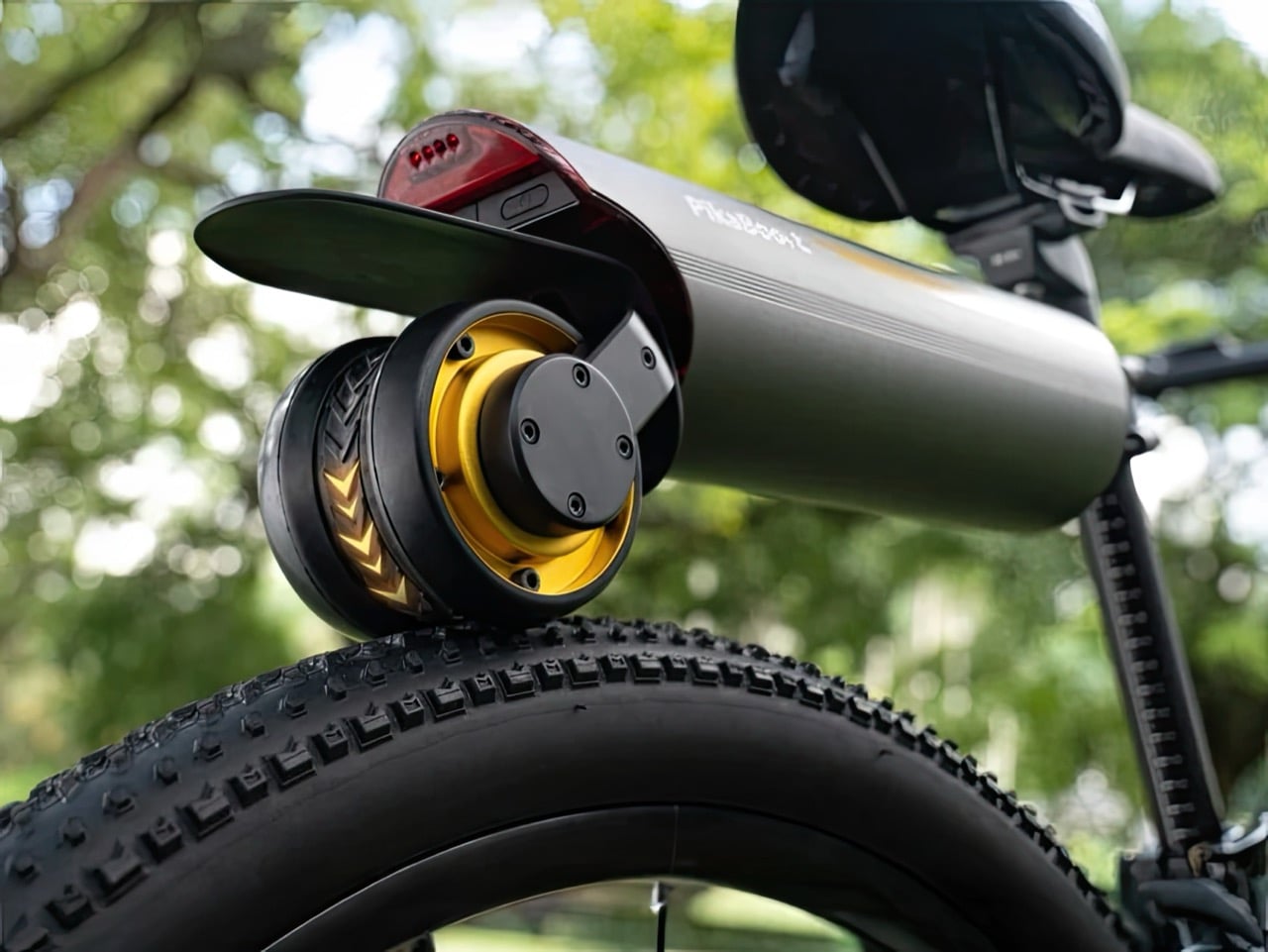
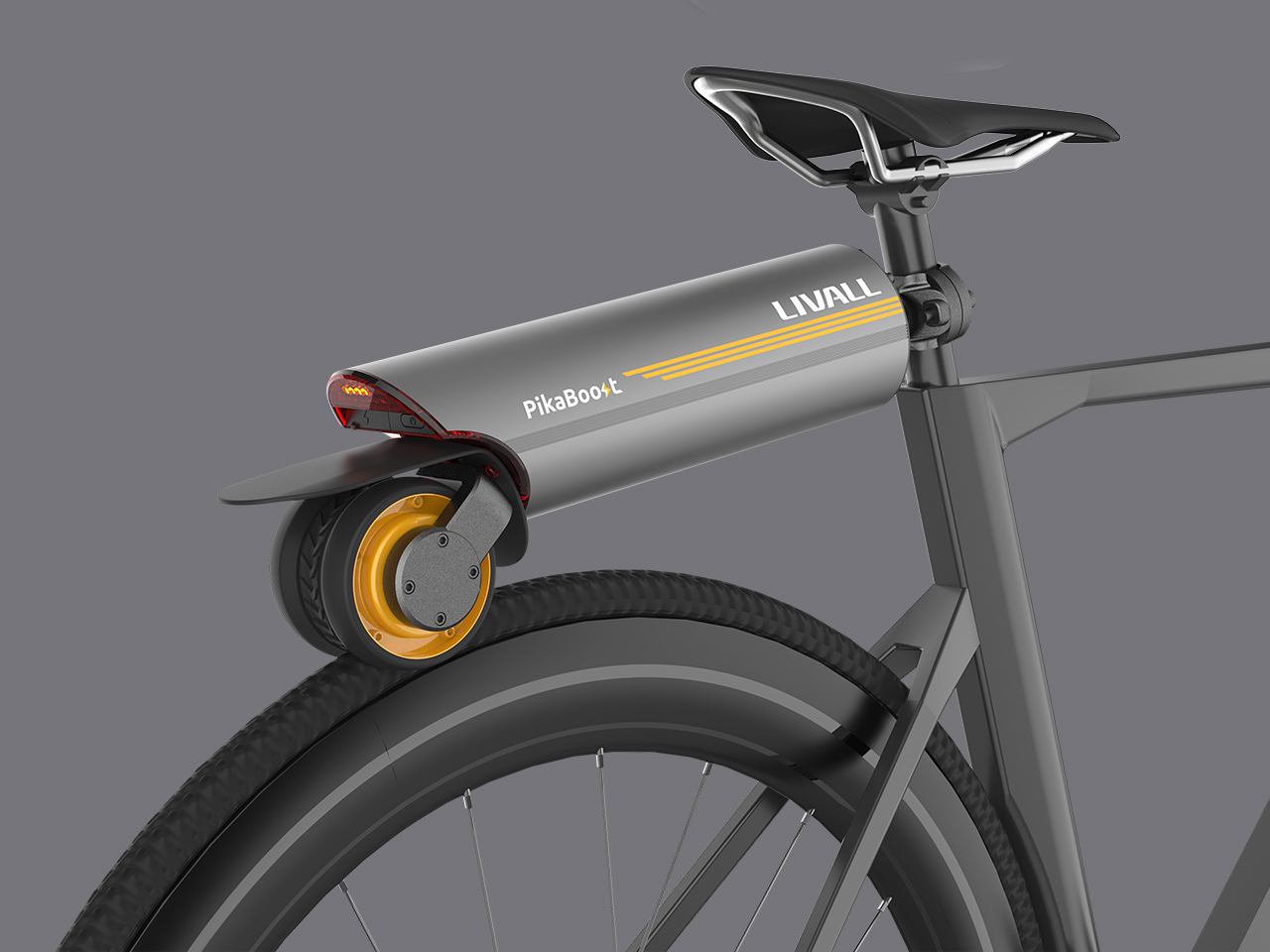
The whole appeal of LIVALL’s PikaBoost line is that it doesn’t look like a DIY experiment. The PikaBoost 2 Lite is a self-contained module that clamps to your seatpost and drives your rear tire with a roller, and it manages to do that while looking more like a piece of refined bike kit than a bolt-on science project. LIVALL released the Lite alongside the full PikaBoost 2 as the simpler, lower-power version: same core idea, same clean industrial design, but tuned for casual city rides rather than long-range commuting. It’s on sale for 21% off through December 1st, which puts it squarely in the Black Friday impulse-buy zone if you’ve been curious about trying electric assist without committing to a full e-bike.
What “Lite” means in practice is a set of sensible compromises that align perfectly with urban riding. The motor delivers up to 500W of peak power, enough to flatten hills without feeling like a rocket, and assists you up to a city-friendly 15 mph (25 km/h). The brains behind it is LIVALL’s patented AAR 2.0 adaptive algorithm, which intelligently matches the power output to your pedaling for a smooth, natural feel. LIVALL claims a maximum range of up to 31 miles (50 km), and an IPX5 waterproof rating means it’s built to handle road spray and unexpected showers. This isn’t a kit for extreme touring; it’s the convenient, quick-fit solution for riders who want a simple boost for their daily commute and the ability to turn any bike into an occasional e-bike.
Designer: LIVALL
Click Here to Buy Now: $368$508 (PikaBoost 2 Lite Bundle with additional 220Wh battery) Use Code RKMASDSTJYYT for extra $20 off. Hurry, deal ends in 48-hours!
Click Here to Buy Now: $269$339 (PikaBoost 2 Lite) Use Code ANBM9MC9Y5X8 for extra $10 off. Hurry, deal ends in 48-hours!
Streamlined eBike Conversion, Featuring Only the Essentials
What makes the Lite Edition interesting at this price point is that it preserves the “install in under a minute, move it between bikes, take it off when you don’t need it” convenience, but strips out the features most people won’t miss on short rides. It totally simplifies the e-bike experience: no remote controller, no app connection, just pure riding. Retaining only the essential Assist Mode, the powerful assist activates automatically when you pedal – zero setup, zero learning curve, just focus on the joy of powered cycling without any distractions. Lite Edition also retains the core safety features of the Powerful Edition, including slip detection, anti-slip V-shape tire, smart sensor, and LED rear light. It provides the confidence and peace of mind that make it an excellent choice even for novice riders or seniors.
Intelligent Engineering: Lightweight Design and Effortless Flexibility
Clamping a motor and battery to your seatpost sounds like it should make a bike feel clumsy and top-heavy, but the reality is often less dramatic than you’d think. By keeping the mass centered and relatively close to the rider’s own center of gravity, it avoids the weird, disconnected steering feel you can get from a heavy front hub motor. The entire experience is meant to be transient. You aren’t permanently marrying your frame to a motor; you’re just giving it a temporary partner for a specific journey. This is a fundamental departure from the mindset of hub or mid-drive conversions, which demand a commitment of both time and mechanical alteration to your bike. The PikaBoost 2 Lite asks for neither.
Perfect for Anyone Seeking Seamless Electric Assist
You can almost picture the ideal user. Maybe it’s someone with a Brompton and a third-floor walk-up, who needs an assist for the last mile but can’t add permanent weight to a bike they carry daily. Or it’s a couple who share a single assist unit between two different bikes for weekend errands. It even makes sense for the dedicated road cyclist who loves their lightweight frame but secretly wishes for a little help on the last 20 kilometers of a hilly century ride. These aren’t people looking to replace a car with a 50-kilometer-per-hour e-bike beast. They’re cyclists who just want to smooth out the rough edges of their existing rides, to arrive a little less sweaty, to make that final hill feel a little less daunting.
Honest Evaluation: Convenience Over Perfection
Of course, the friction-drive concept itself isn’t an outward replacement for dedicated e-bikes. It’s a modular solution that does the job well, but has some really minor trade-offs. The direct roller-on-tire interface is brilliantly simple, but it’s also inherently sensitive to conditions. Heavy rain can reduce its grip, and a worn or under-inflated tire can impact performance. There’s also a low but audible hum as the roller spins against the tread. These aren’t deal-breakers so much as they are the known physics of the design. You trade the silent, all-weather consistency of a hub motor for the unparalleled convenience of a system you can install or remove in the time it takes to fill a water bottle.
Unlock the Best Value in eBike Experience This Black Friday
That 28% discount on the Lite Edition Bundle for Black Friday really reframes the entire proposition. At full price, the PikaBoost 2 – Lite Edition is a considered purchase, an investment in convenience that you have to weigh against more powerful but more complex kits. With a significant price cut, it becomes something else: a low-risk experiment. It’s an opportunity to answer the question, “Would I actually use an e-bike?” without first spending a couple of thousand dollars on a dedicated machine. If you discover you love the assist and use it constantly, you’ve learned something valuable for your next big bike purchase. But if you find you only reach for it once or twice a month, then the Lite Edition, bought on sale, was probably the smartest, most cost-effective way to get that occasional electric tailwind all along.
Click Here to Buy Now: $368$508 (PikaBoost 2 Lite Bundle with additional 220Wh battery) Use Code RKMASDSTJYYT for extra $20 off. Hurry, deal ends in 48-hours!
Click Here to Buy Now: $269$339 (PikaBoost 2 Lite) Use Code ANBM9MC9Y5X8 for extra $10 off. Hurry, deal ends in 48-hours!
Clocks are one of the oldest design playgrounds, and yet most of us still live with the same two-hand layout we grew up with. Designers keep trying to find new ways to visualize time, sometimes at the cost of instant readability. The Trace Line Clock is a small desk piece that connects hours and minutes with a single, constantly changing line, turning the familiar dial into something that feels a little more like a drawing.
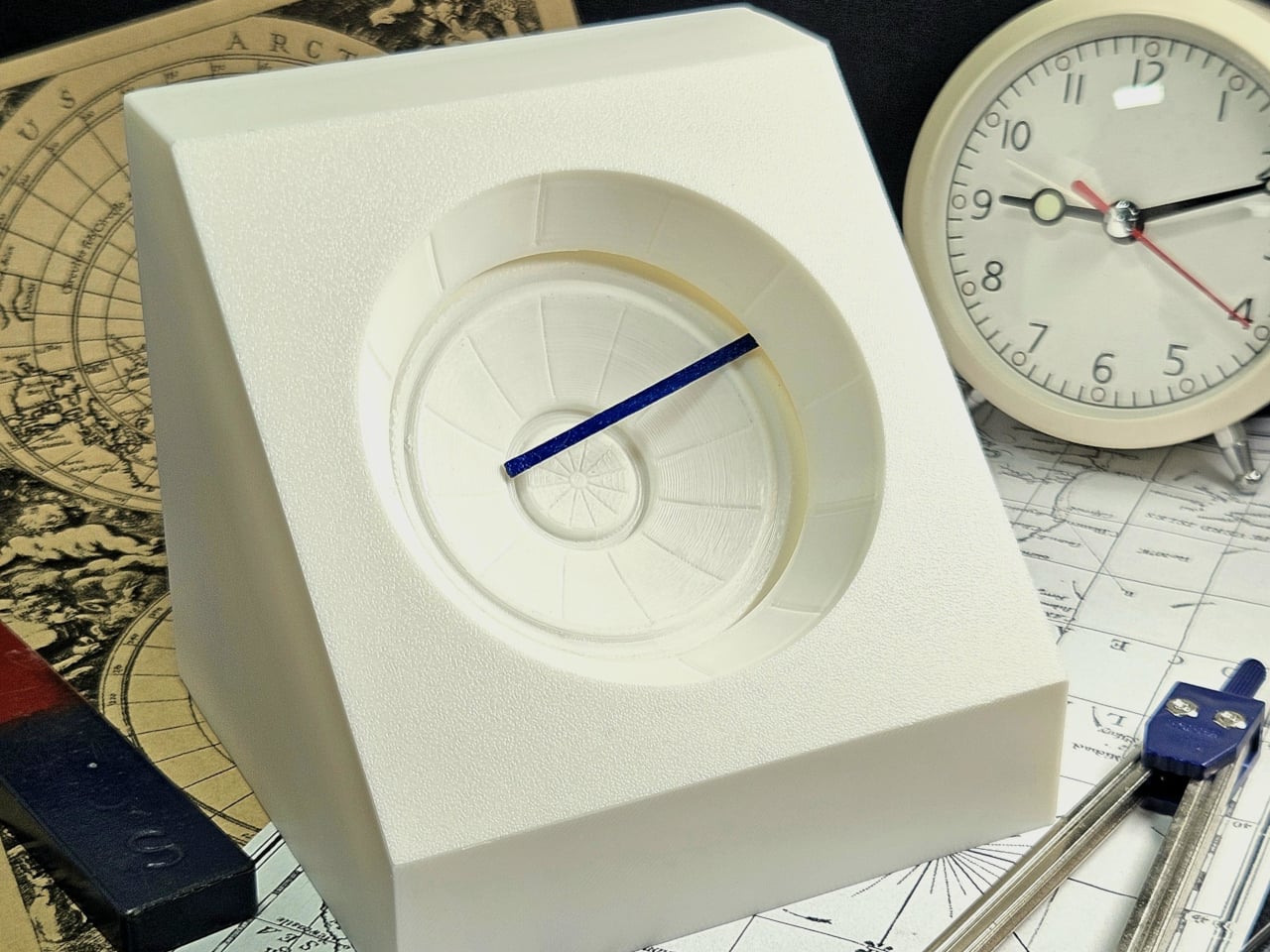
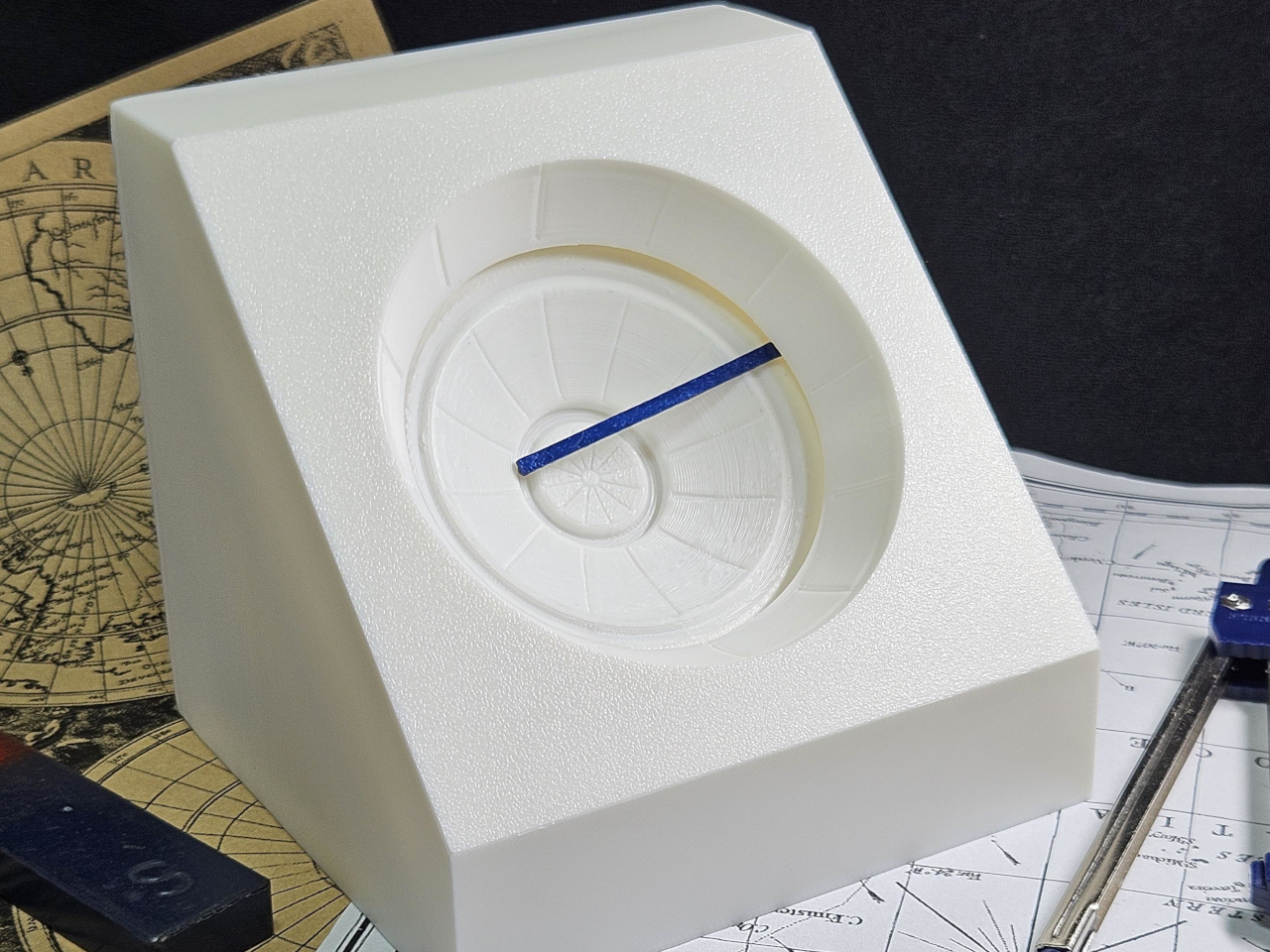
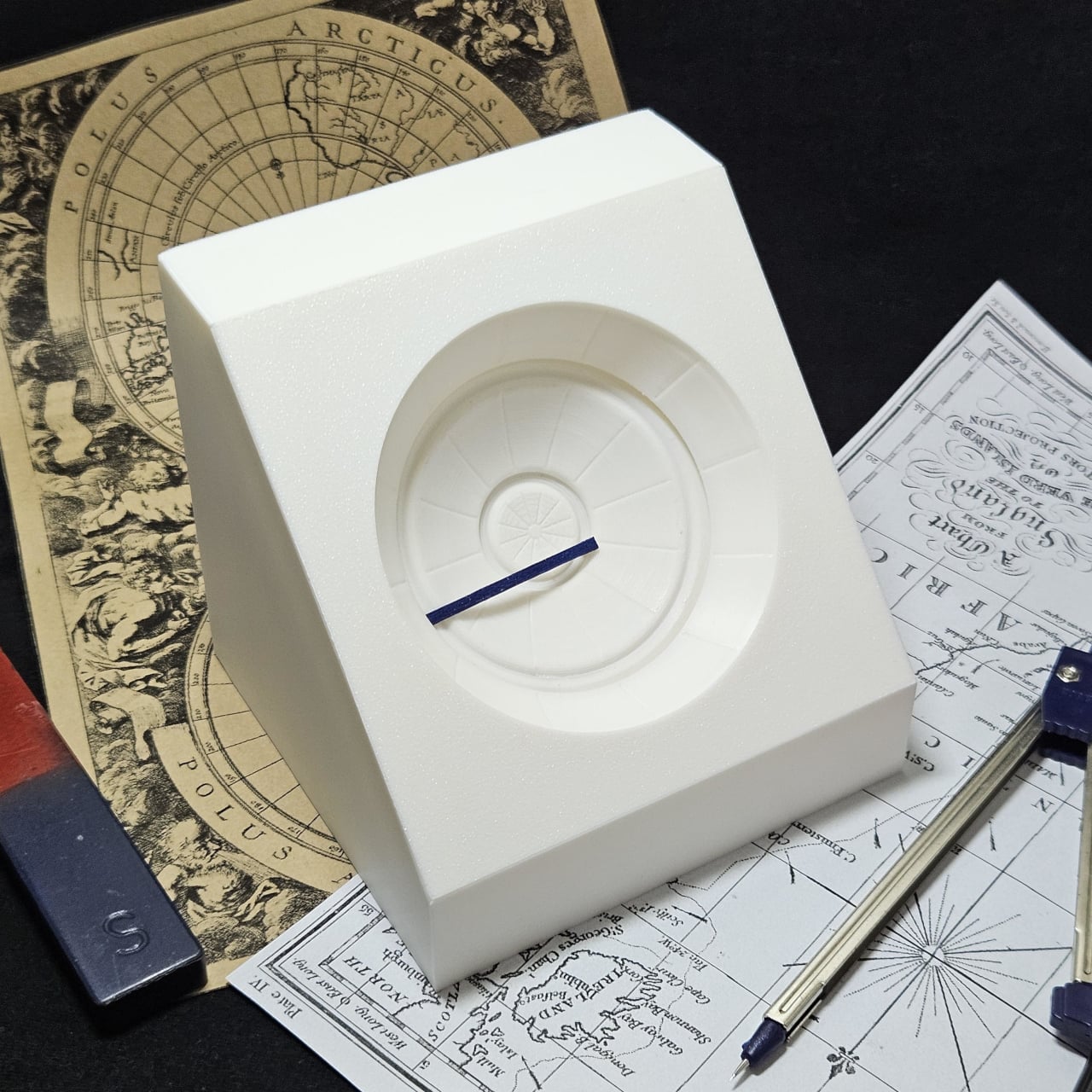
The Trace Line Clock is a minimal, 3D-printed desk clock by Hye-jin Park that uses one continuous hand to show both hours and minutes. The inner end of the line rides an inner circle for the hour, while the outer end rides an outer circle for the minute. As time passes, the line’s angle and length shift, so every glance shows a new geometric relationship between the two.
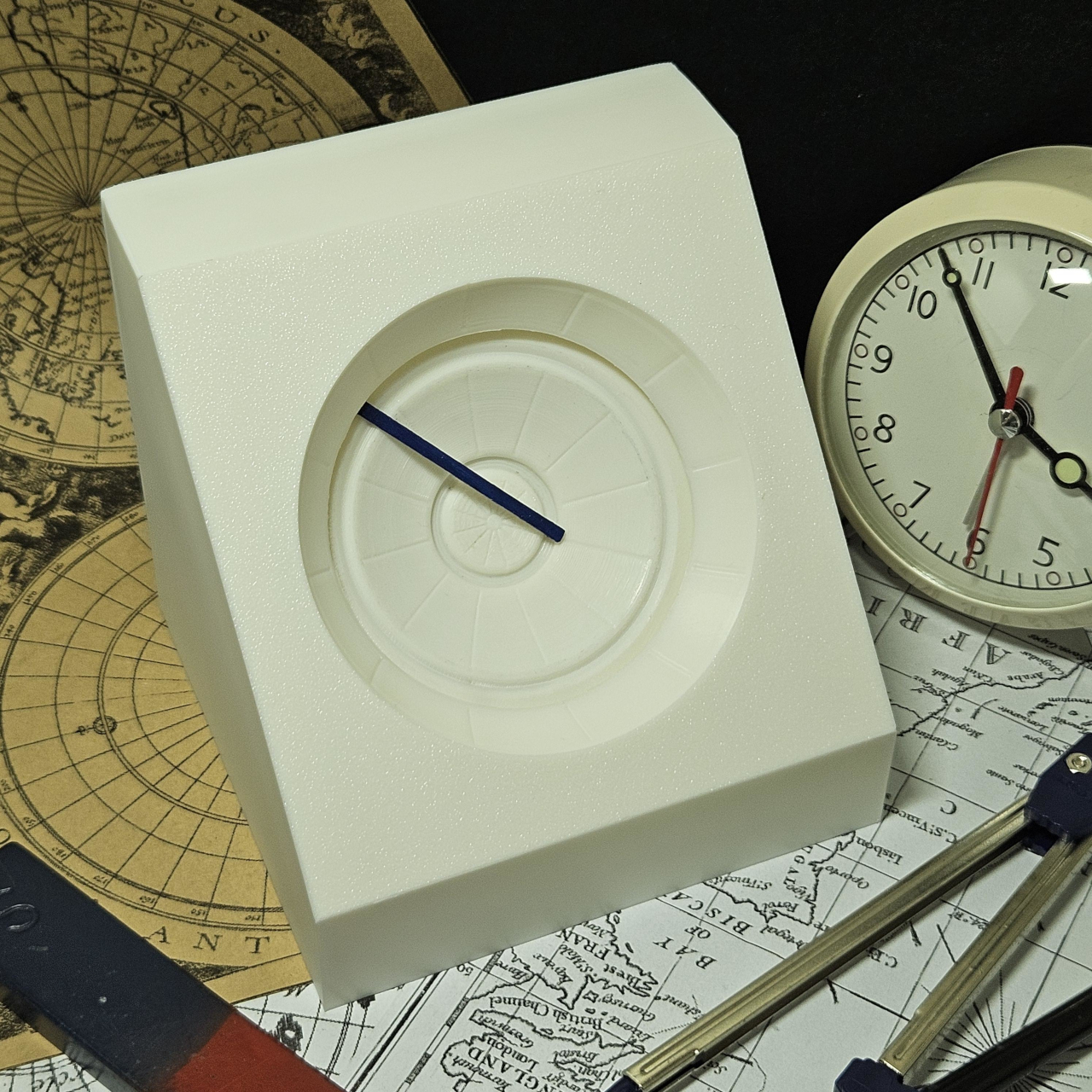
The physical form is a white, wedge-like block that leans back slightly, with a circular recess on the front. Two concentric tracks are cut into that circle, and a single colored line spans between them. There are no numerals, logos, or extra markings, just the circles and the hand. It reads more like a small piece of graphic sculpture than a typical clock, especially on a clean desk.
The inner tip of the line points to the hour on the inner track, while the outer tip points to the minute on the outer track. It’s not as instant as glancing at a bold wall clock, but it’s also not inscrutable. With a moment’s attention, you can read it reasonably well, and the payoff is that you also get a little geometric drawing that changes every minute instead of just numbers.
Because the minute end moves faster than the hour end, the line is always stretching, shrinking, and rotating. The clock doesn’t just tick; it sketches. Checking the time becomes a small moment of noticing how the hand has reconfigured itself, not just a quick number grab. It’s the kind of object that rewards a second look rather than a drive-by glance at your phone or wrist.
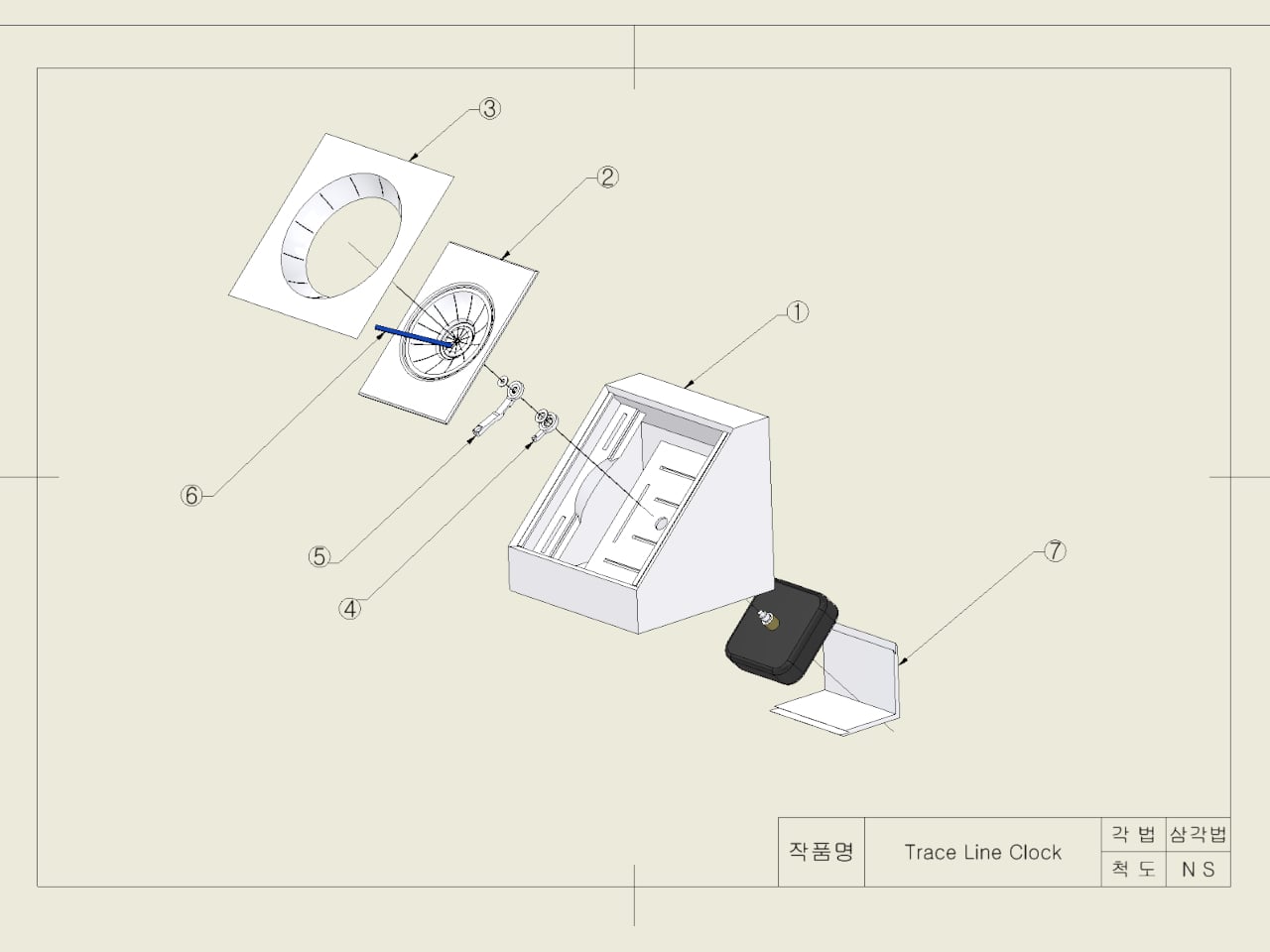
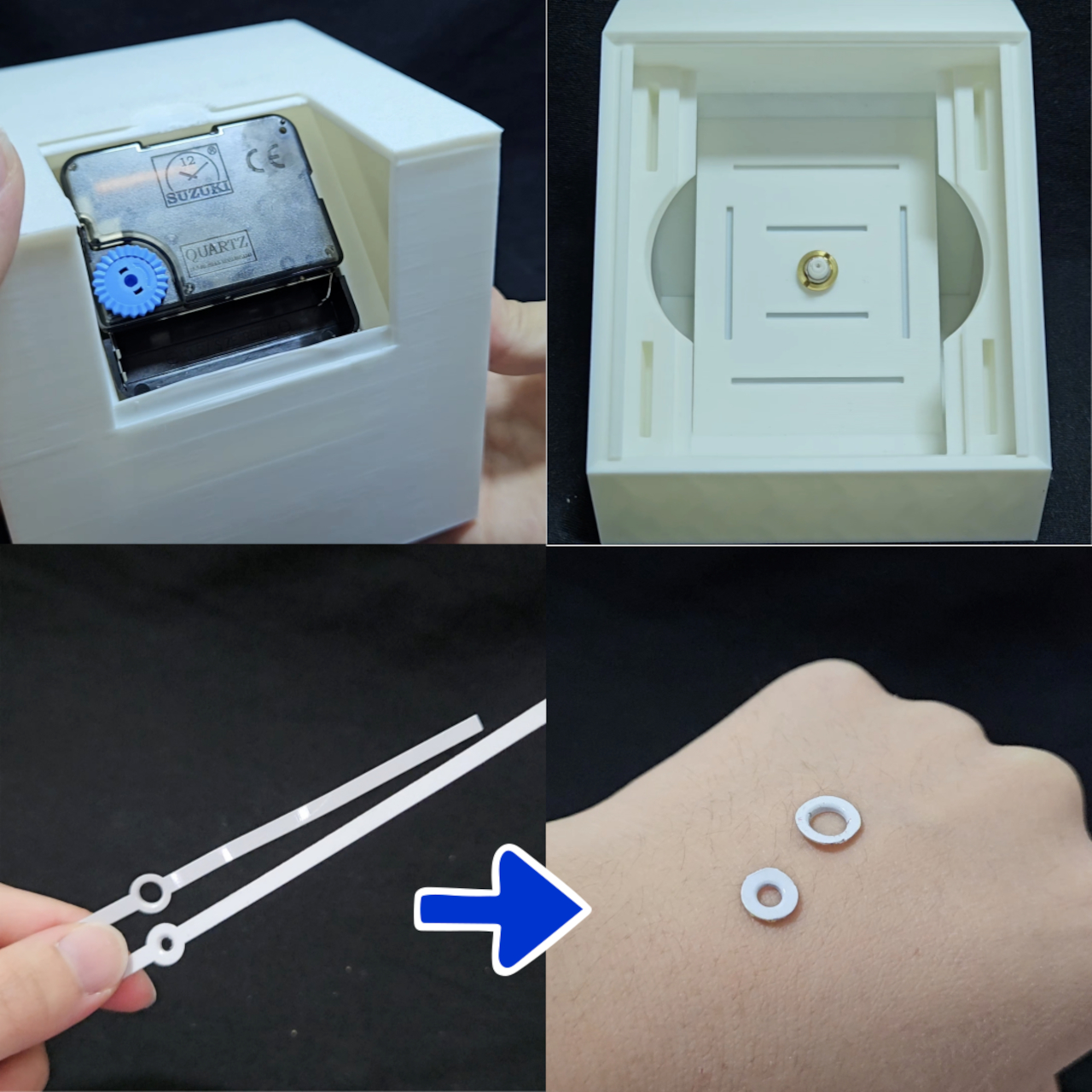
The clock hides a standard movement and two internal hands behind the face, using magnets to couple them to the visible line. The front stays clean and uninterrupted, with the hand floating in the recess. The choice of a single accent color for the line against the white body keeps the focus on the changing geometry, not on branding or ornament that would clutter the composition.
The Trace Line Clock is not the tool you buy if you need to read the time from across the room in half a second. It’s a small, thoughtful piece for a desk or shelf where you don’t mind spending an extra beat to parse it. In return, it turns time into a quiet, evolving graphic that feels more like a living diagram than a static display.
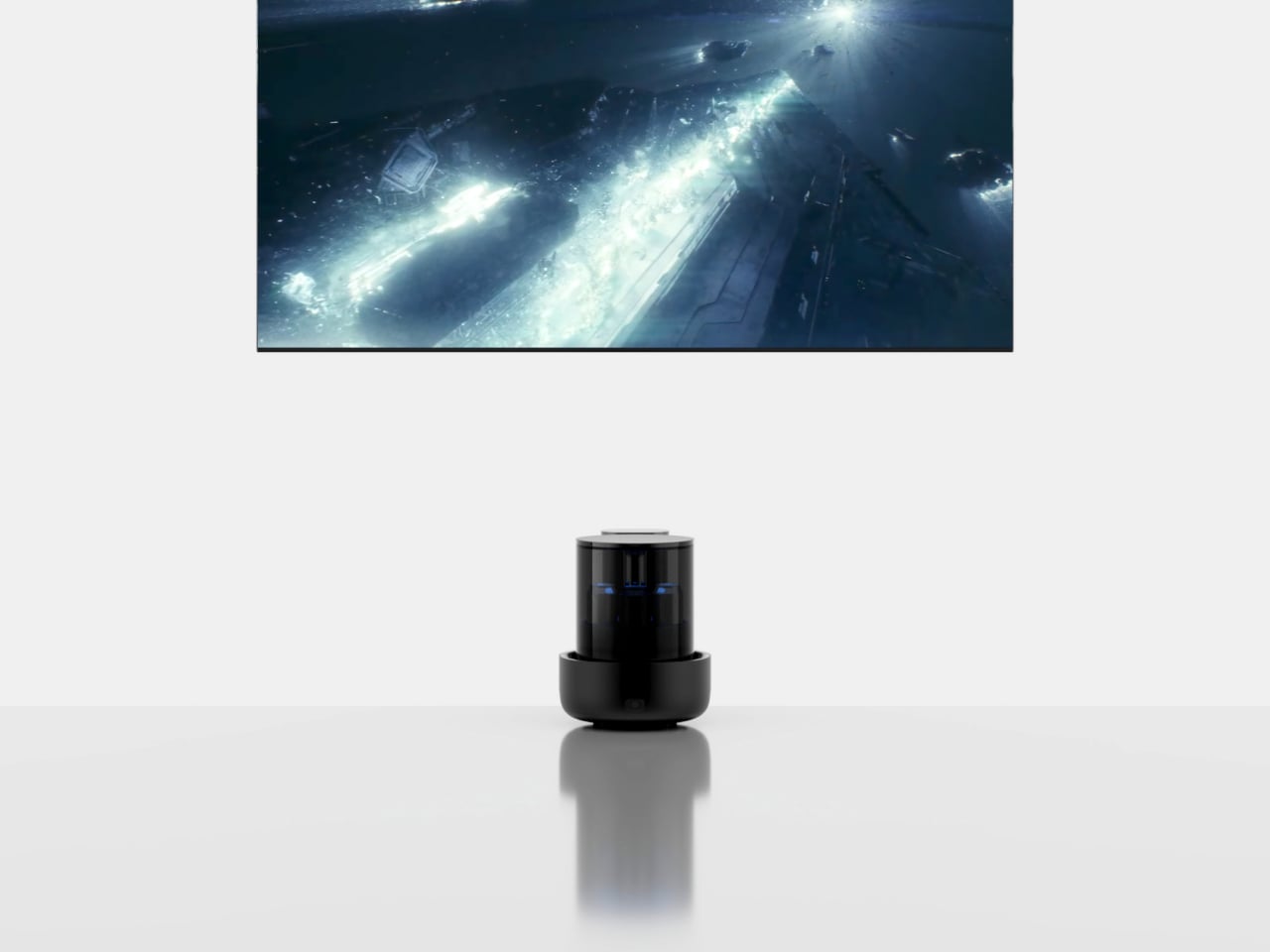
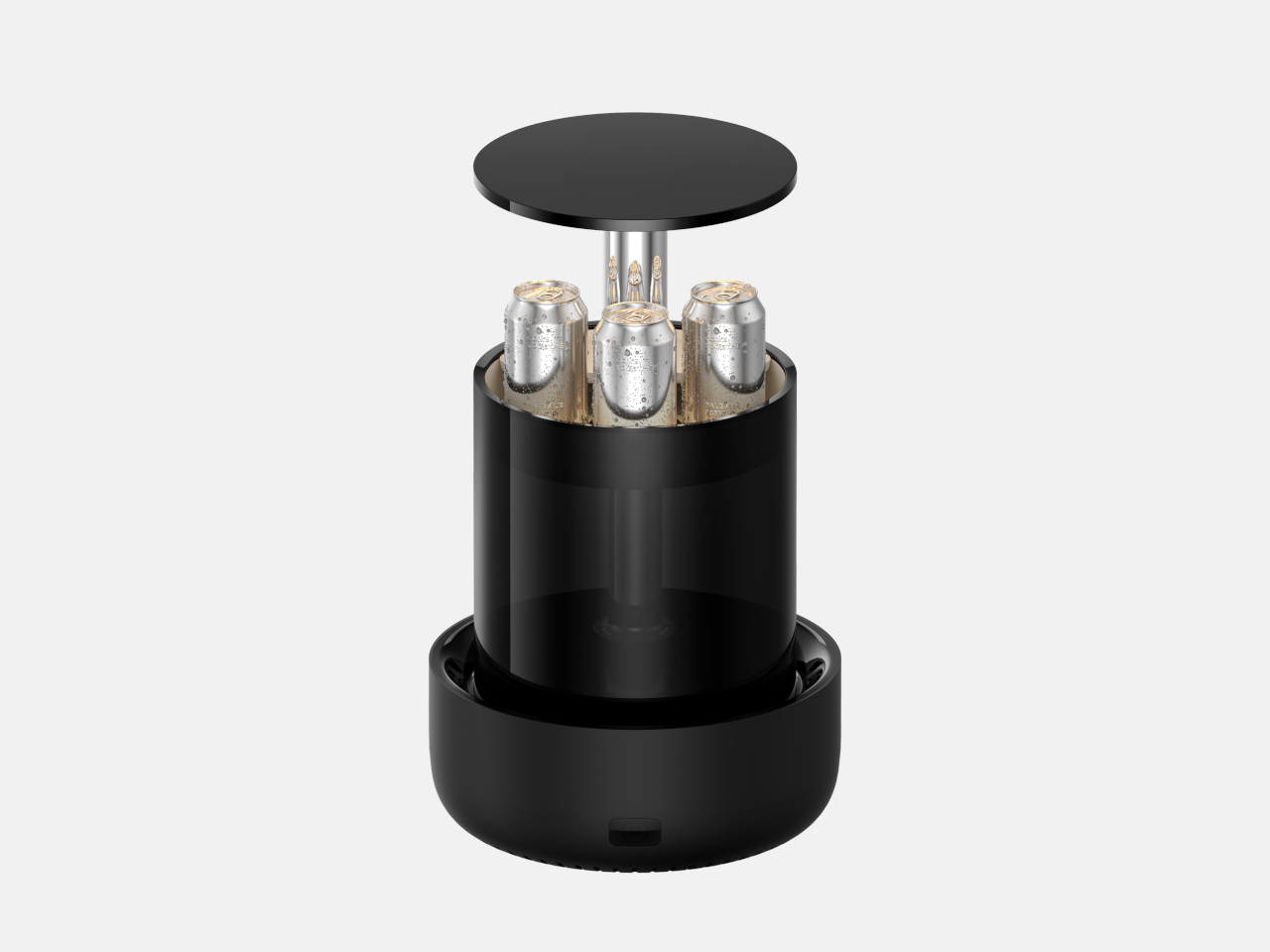
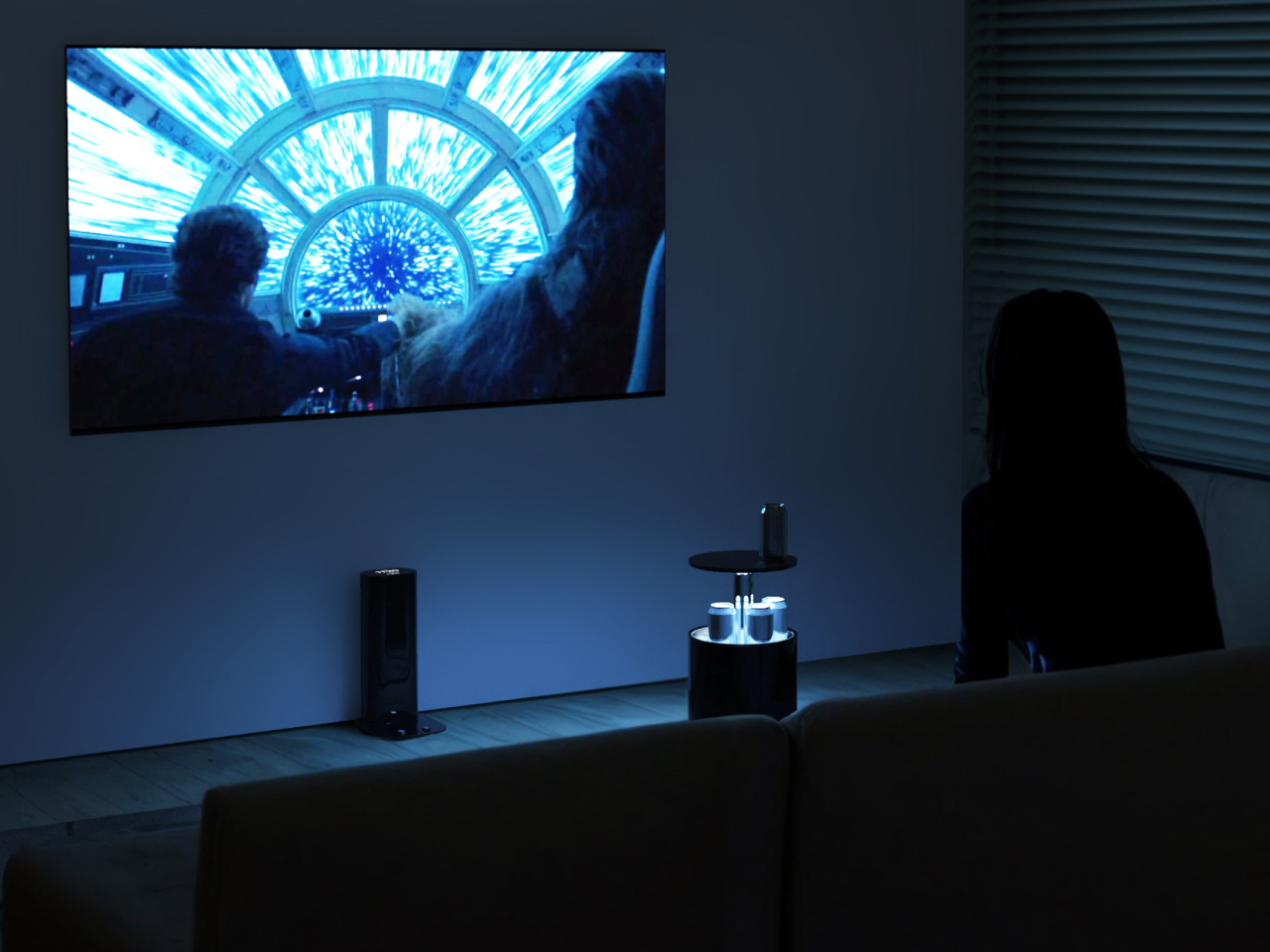
TVs keep getting brighter and sharper, but the viewing experience is still broken up by small, annoying tasks. Getting up for a drink, fiddling with lights, or pausing mid-scene to adjust the volume. These micro-interruptions chip away at immersion more than we admit. Come Together is a concept that tries to design around those gaps instead of just upgrading the panel, treating the home theater as a full ecosystem rather than a screen on a wall.
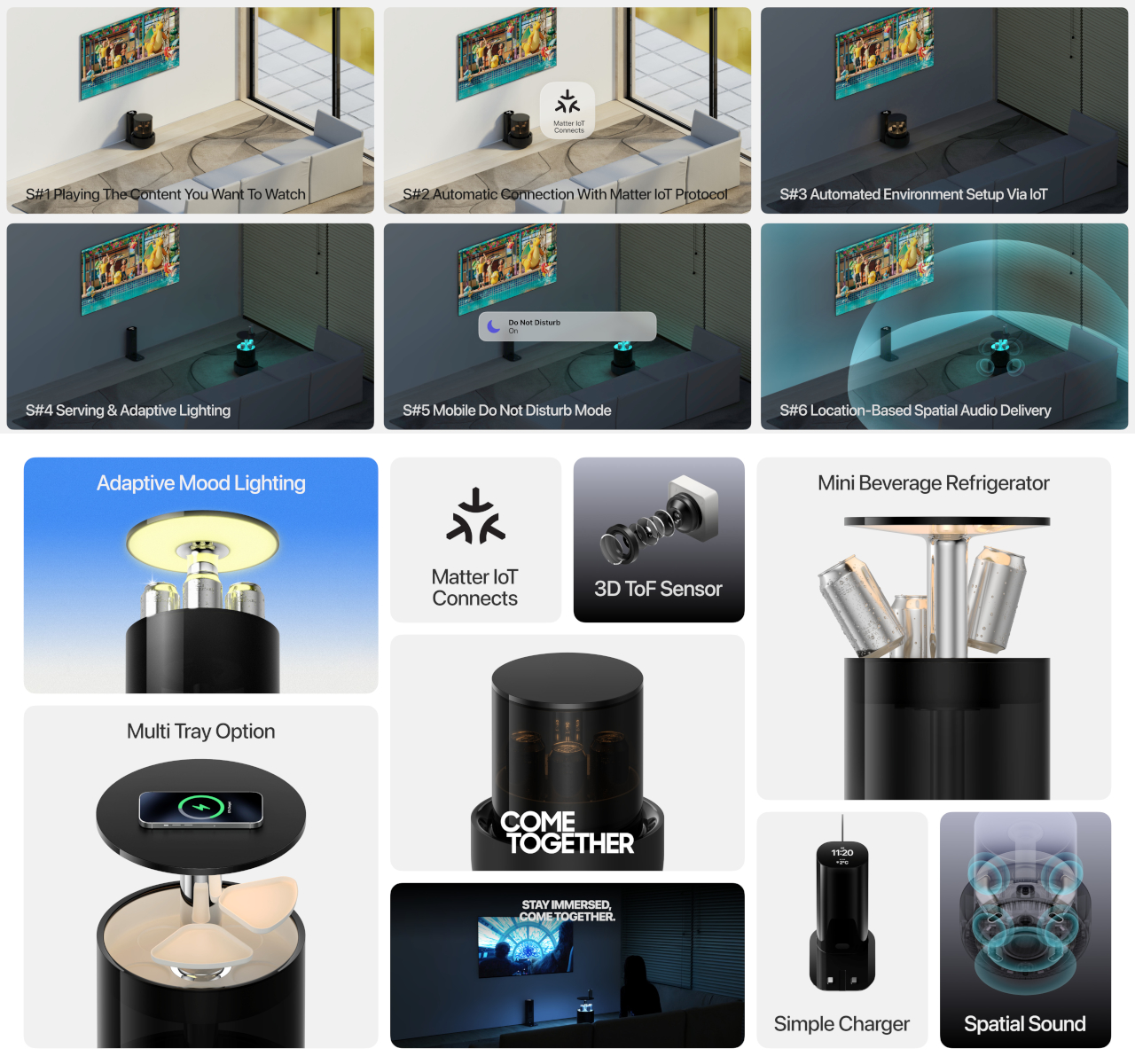
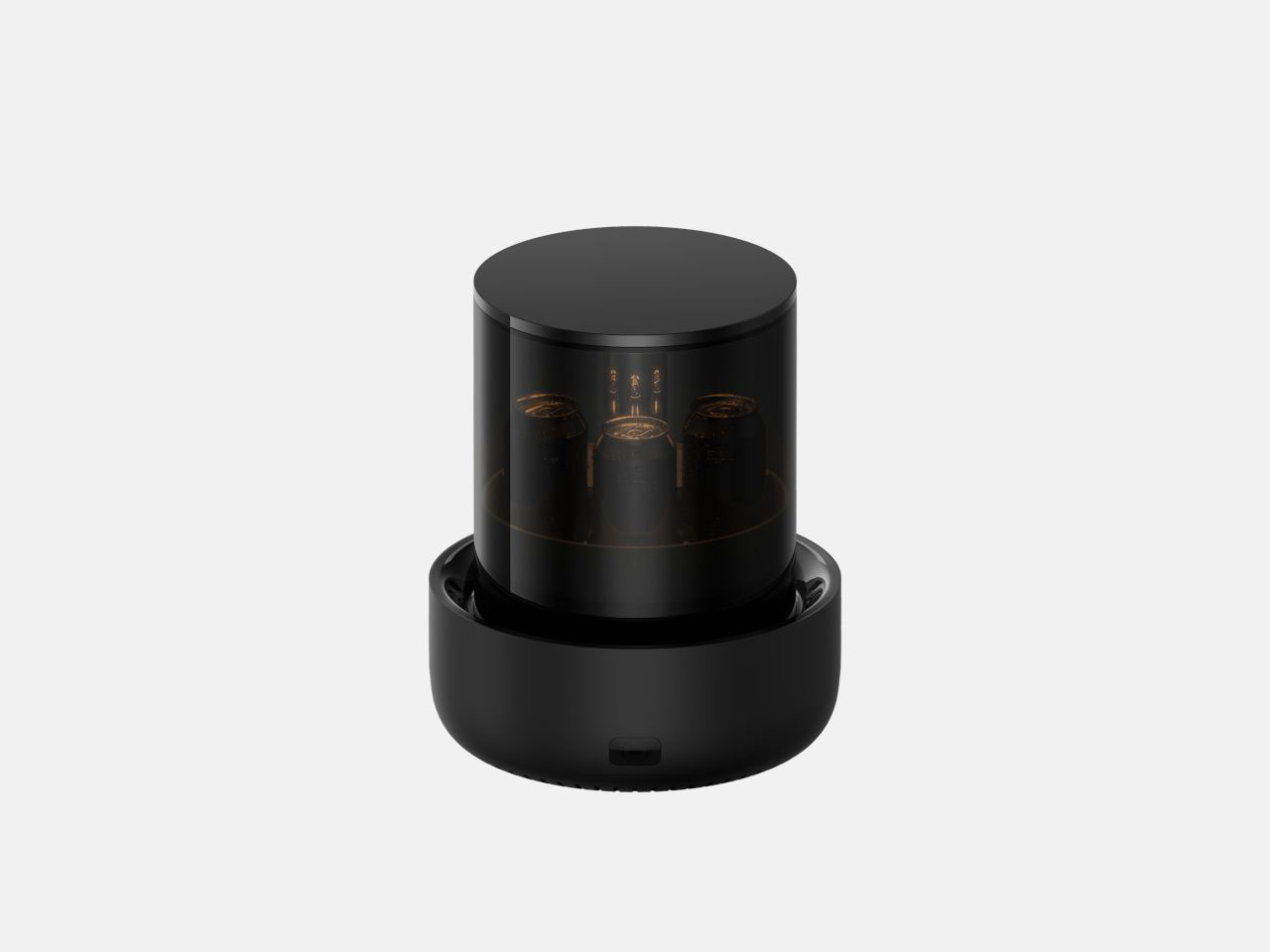
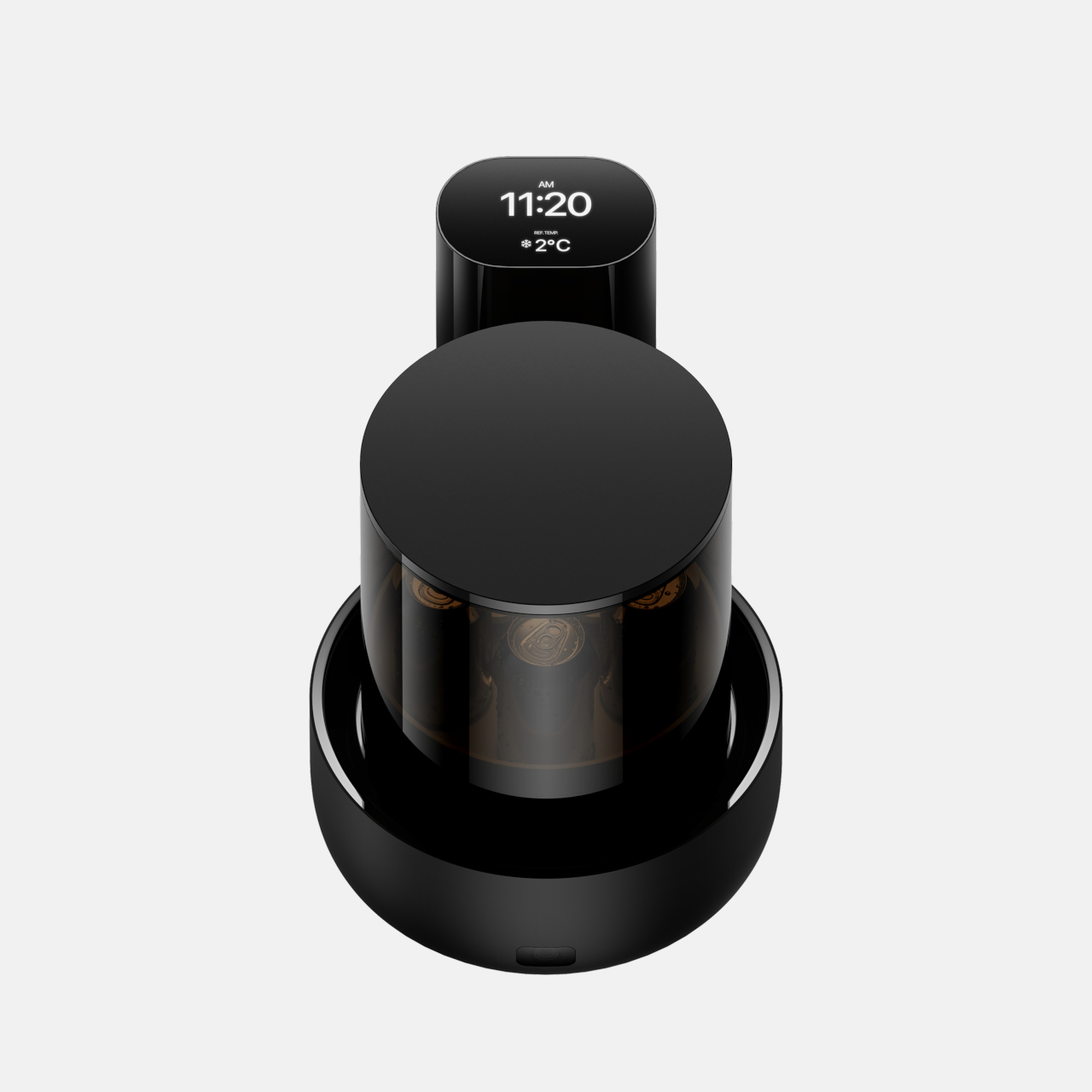
Come Together is a three-part home theater system made up of a Tower, a Base, and a Station. It’s meant to sit alongside a premium TV as an accessory, not replace it. The Tower handles drinks, lighting, and phone charging. The Base handles spatial sound and movement. The Station is a compact dock that cools, charges, and keeps everything ready for the next movie night.
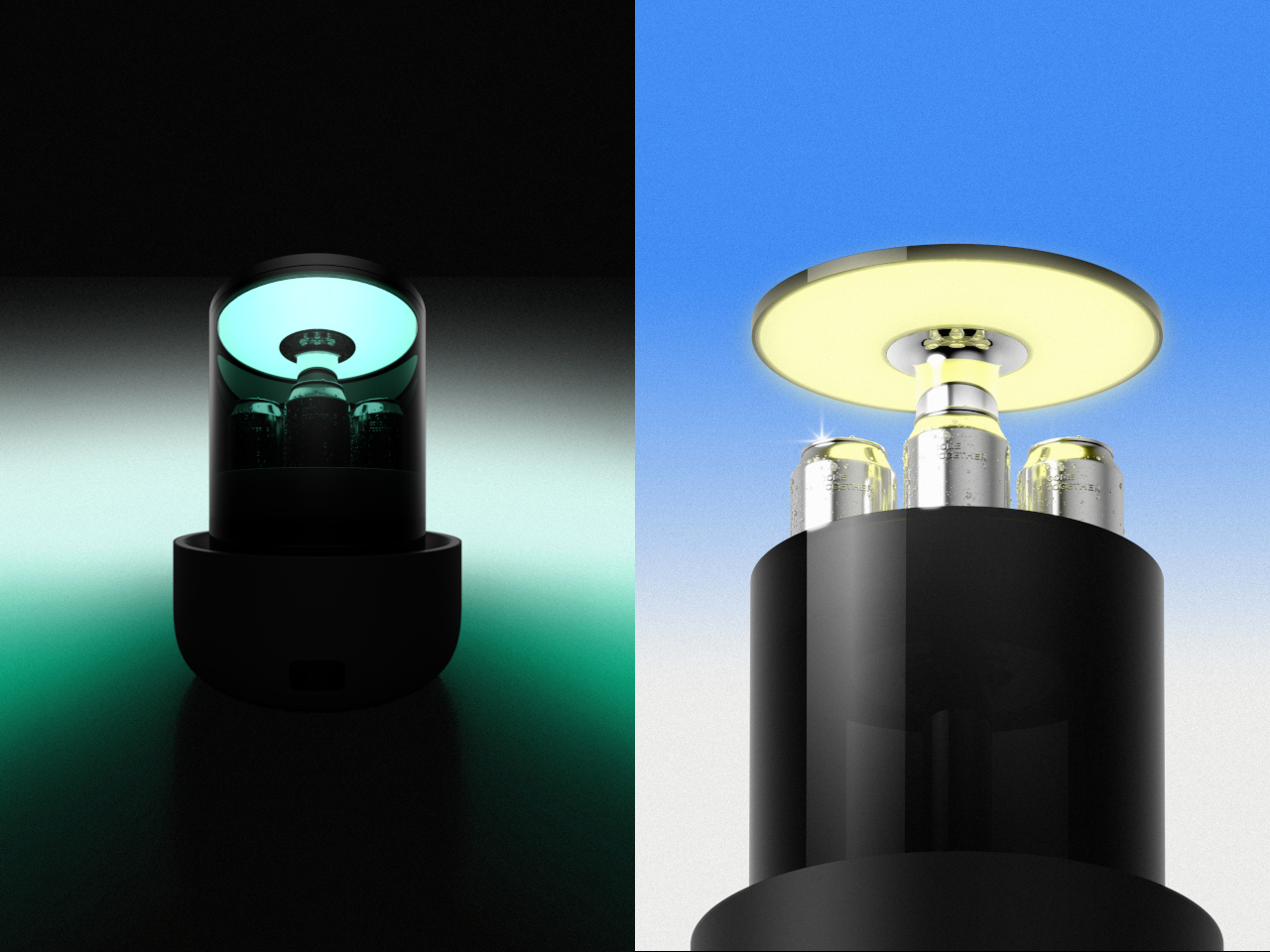
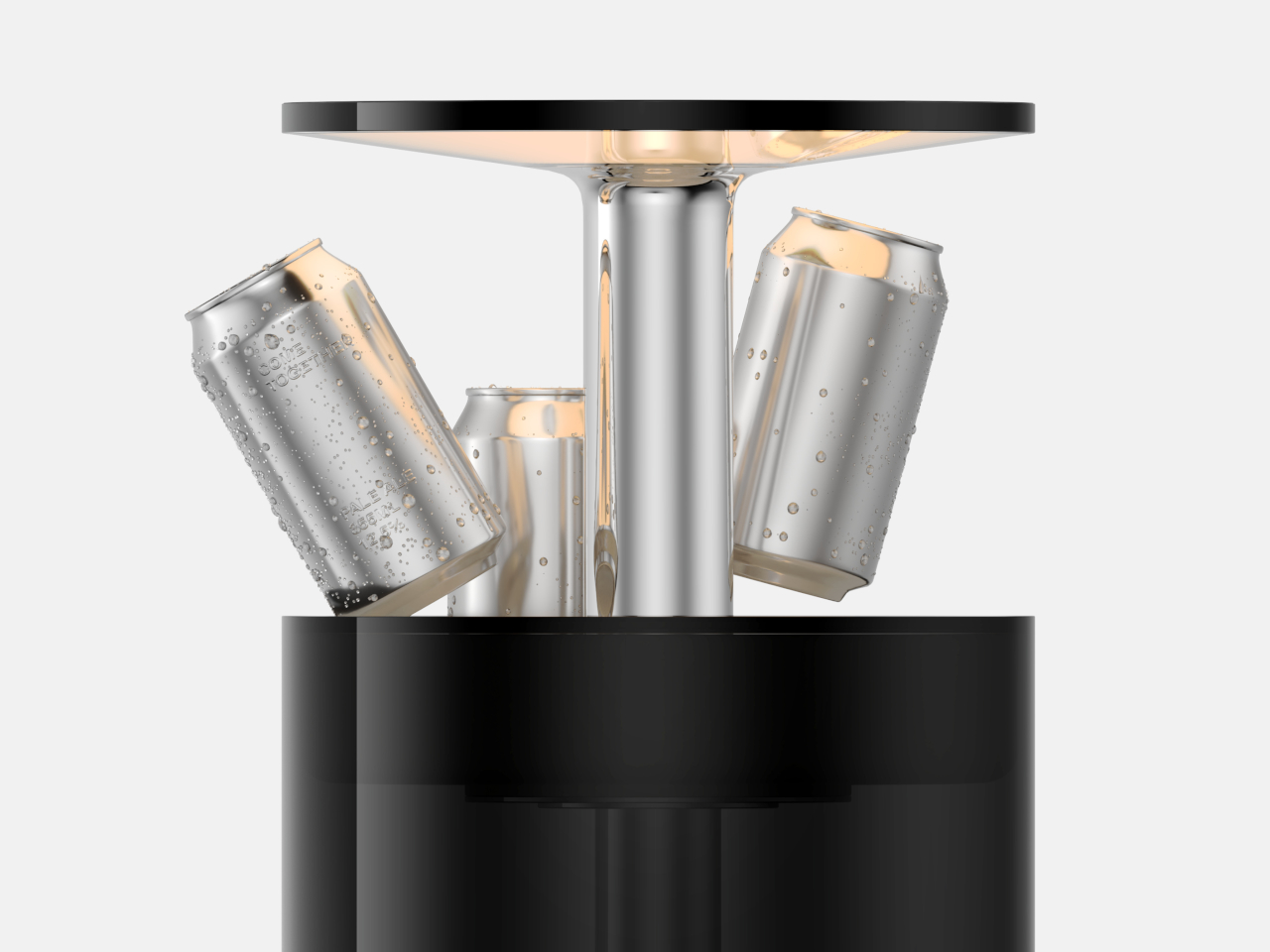
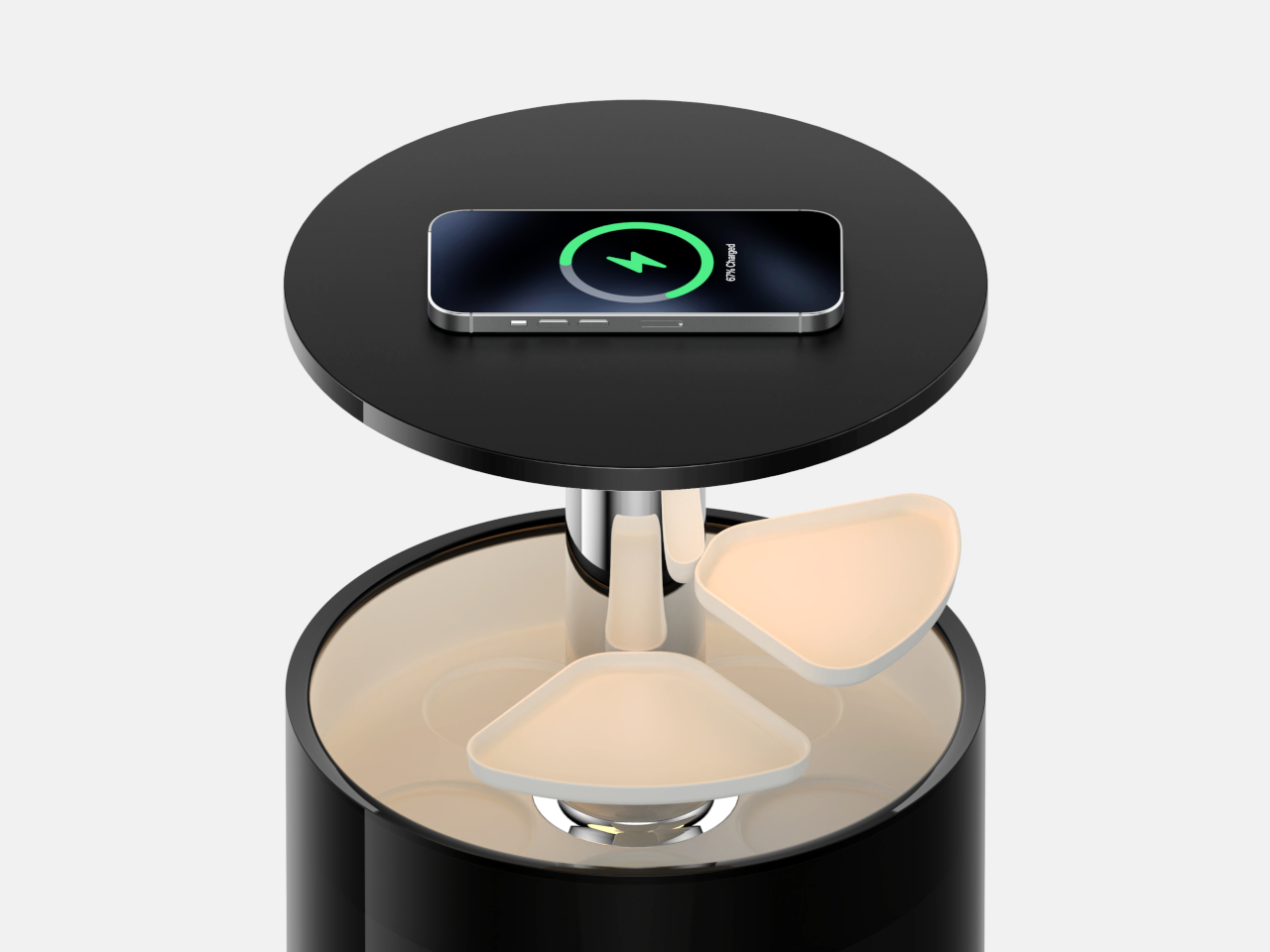
Most of the time, the Tower sits as a calm black cylinder, but when needed, it rises up to reveal a mini fridge that can hold up to five cans. An optional tray on top can be swapped in for snacks. Adaptive mood lighting under the top disc syncs with what’s on screen, and the very top surface doubles as a Qi2 wireless charging pad for your phone, so it doesn’t die halfway through a marathon.
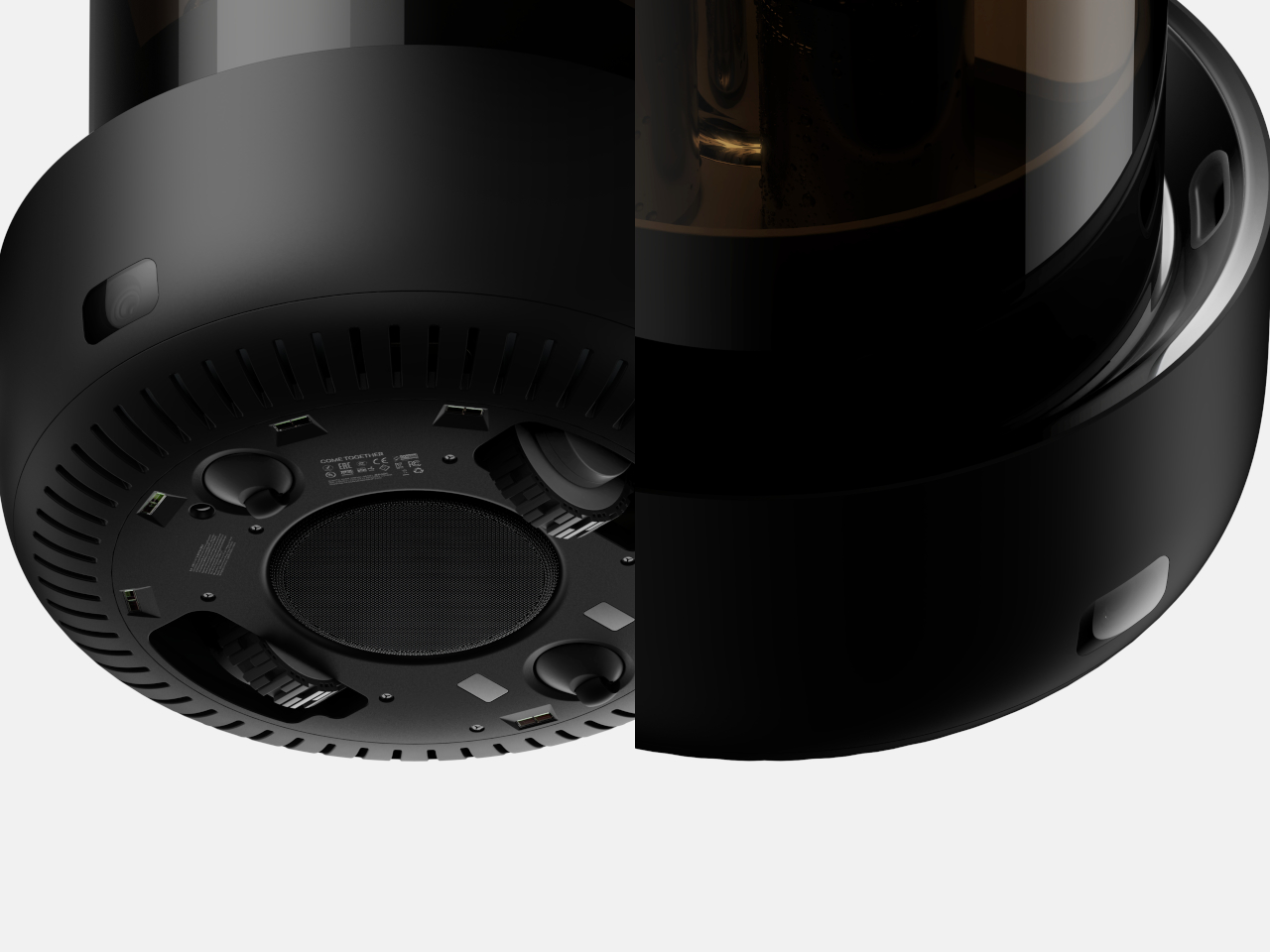
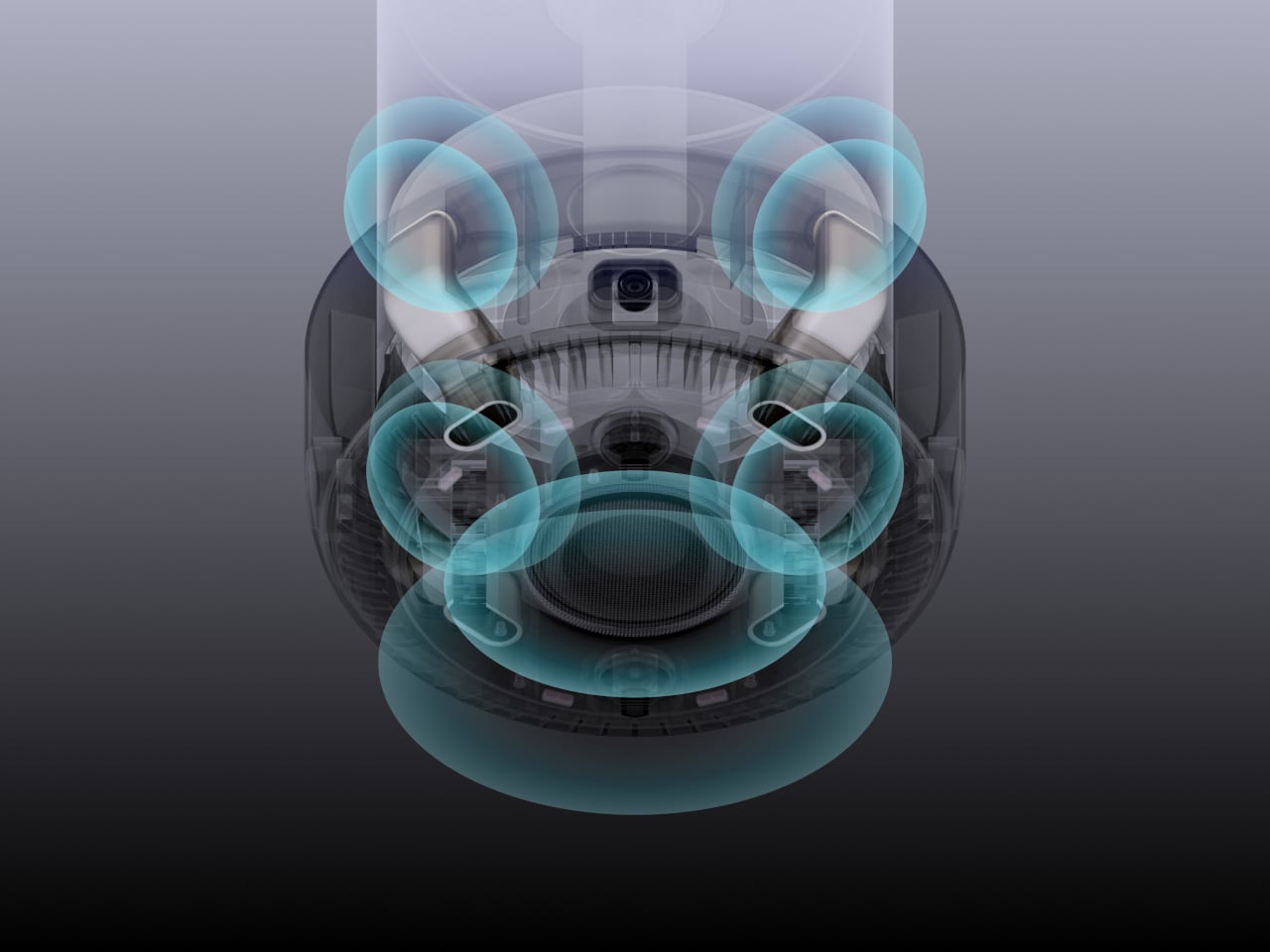
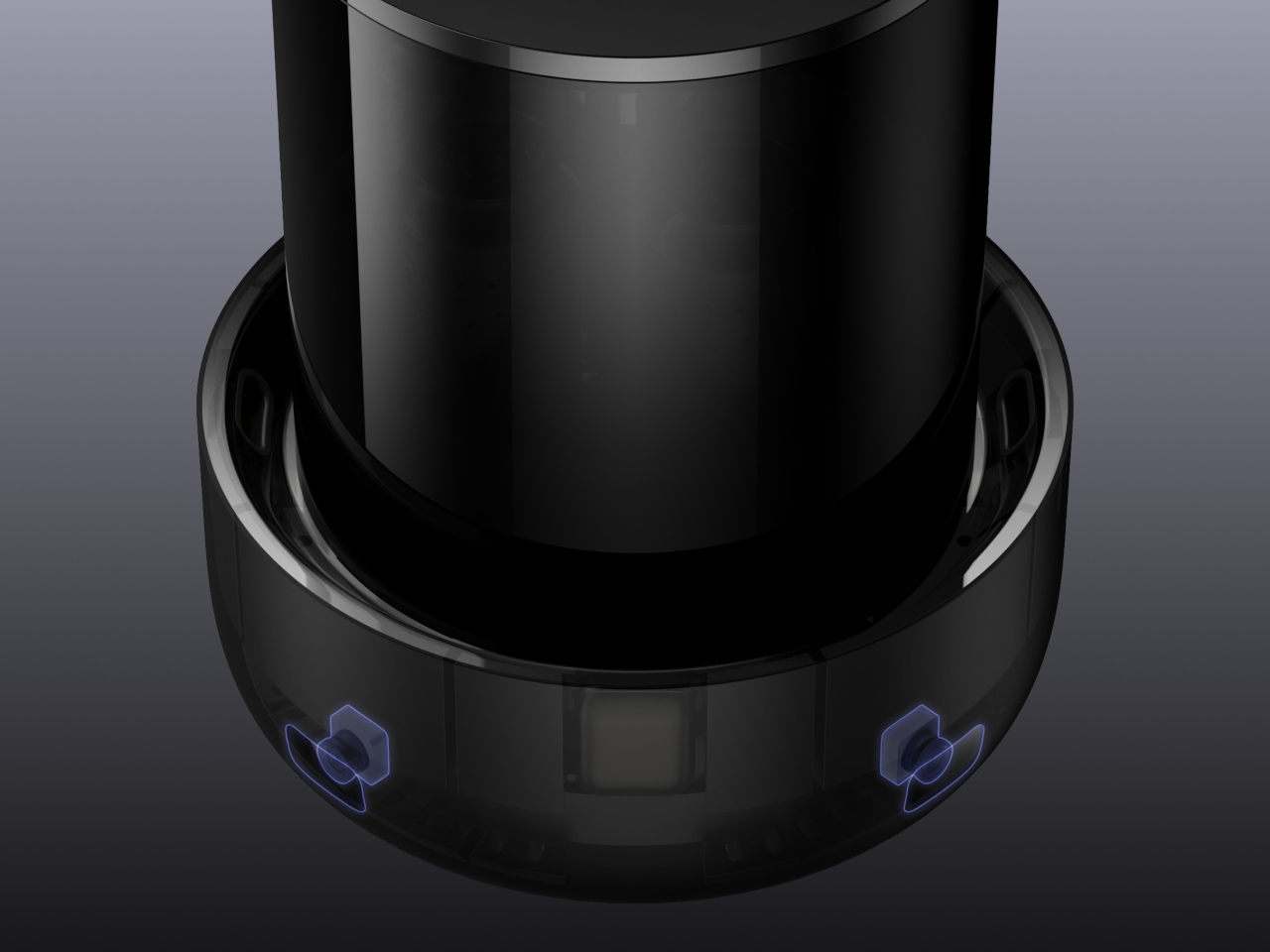
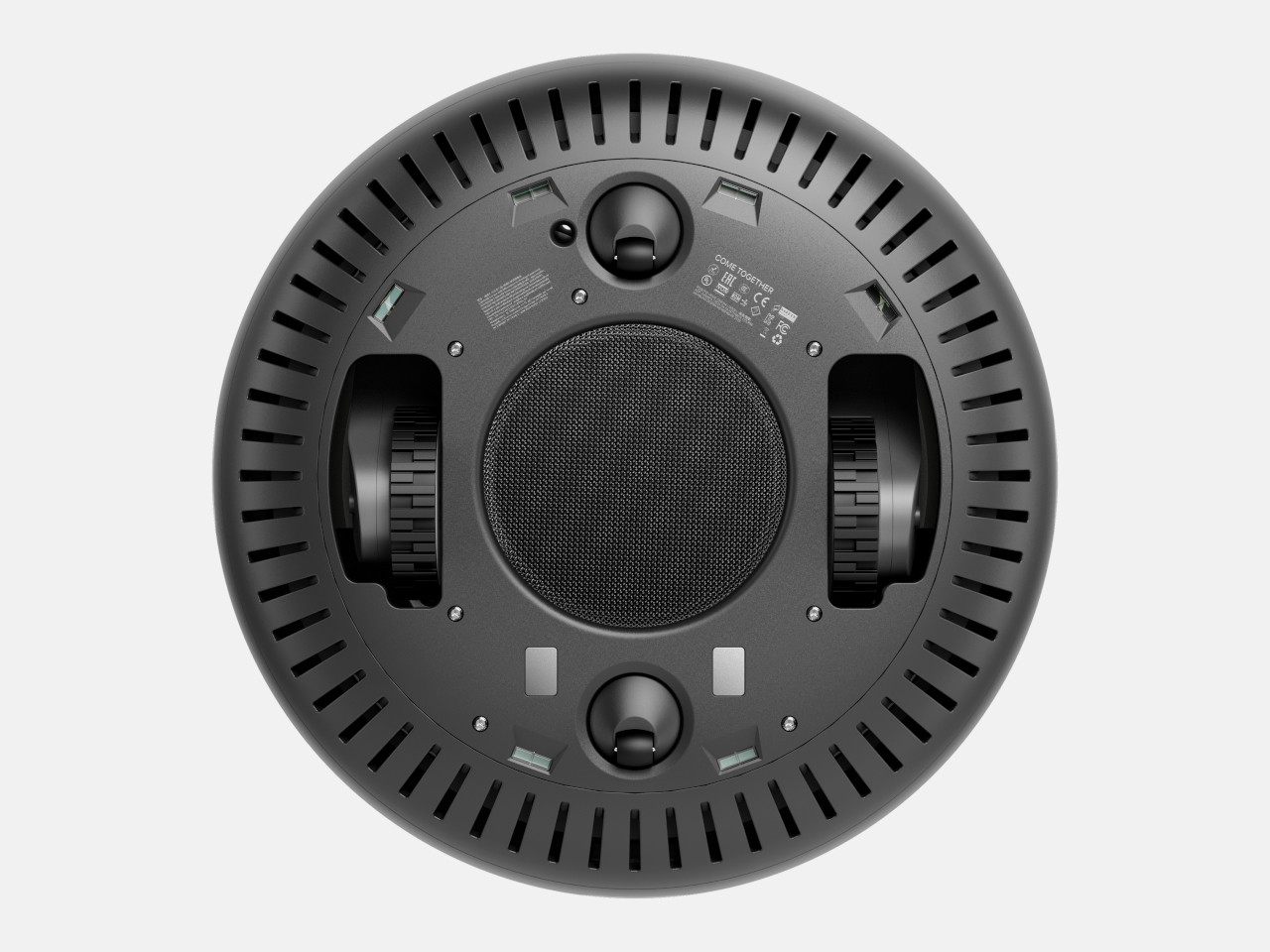
Instead of a static soundbar, the Base is a circular spatial sound unit with drivers arranged around its perimeter and a 3D ToF sensor for spatial awareness. It maps the room, figures out where you’re sitting, and quietly rolls itself to the best spot for audio. The drive system borrows from robot vacuums, but here the goal is better sound rather than clean floors or delivering drinks in an awkward dance.
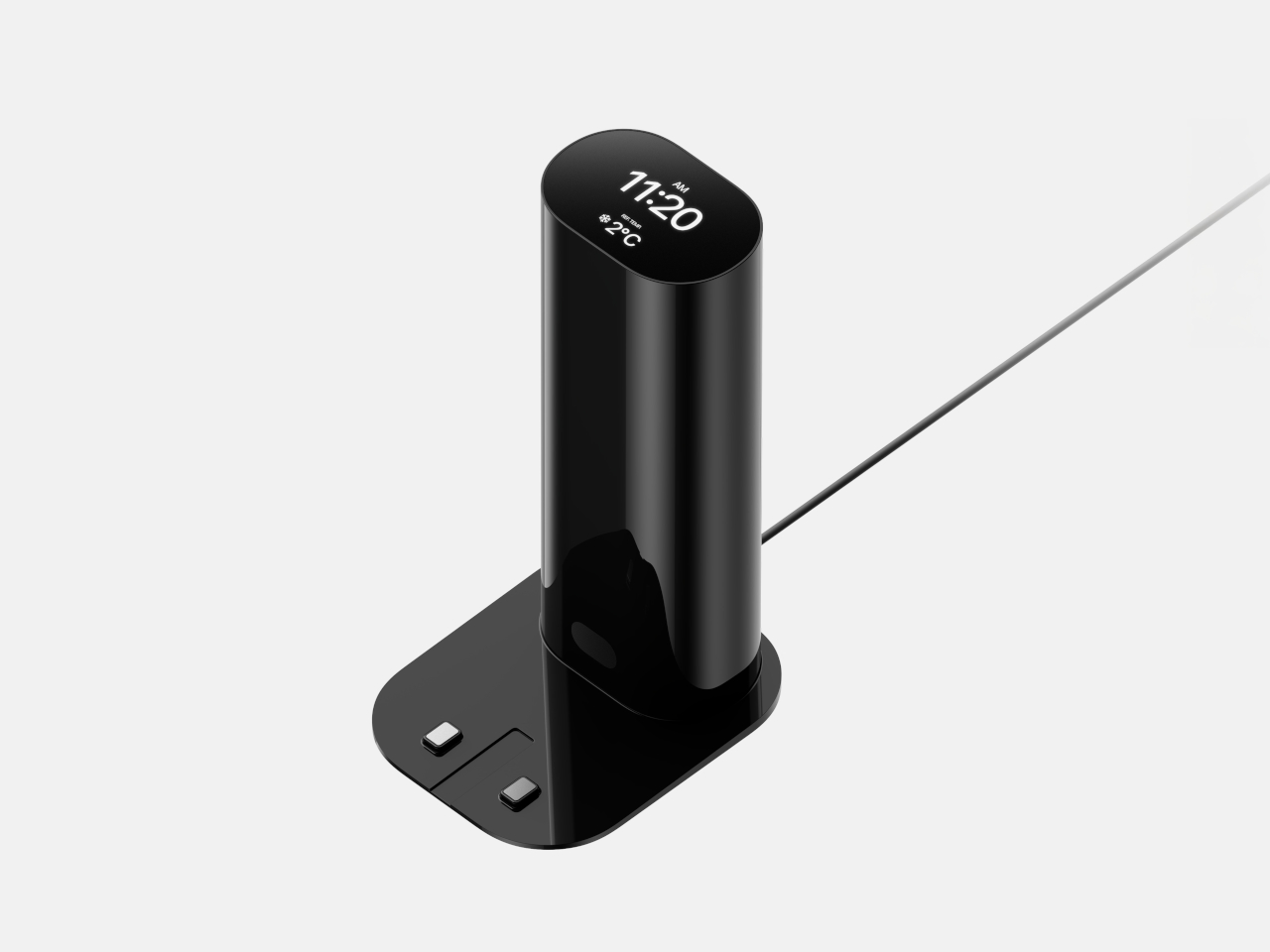
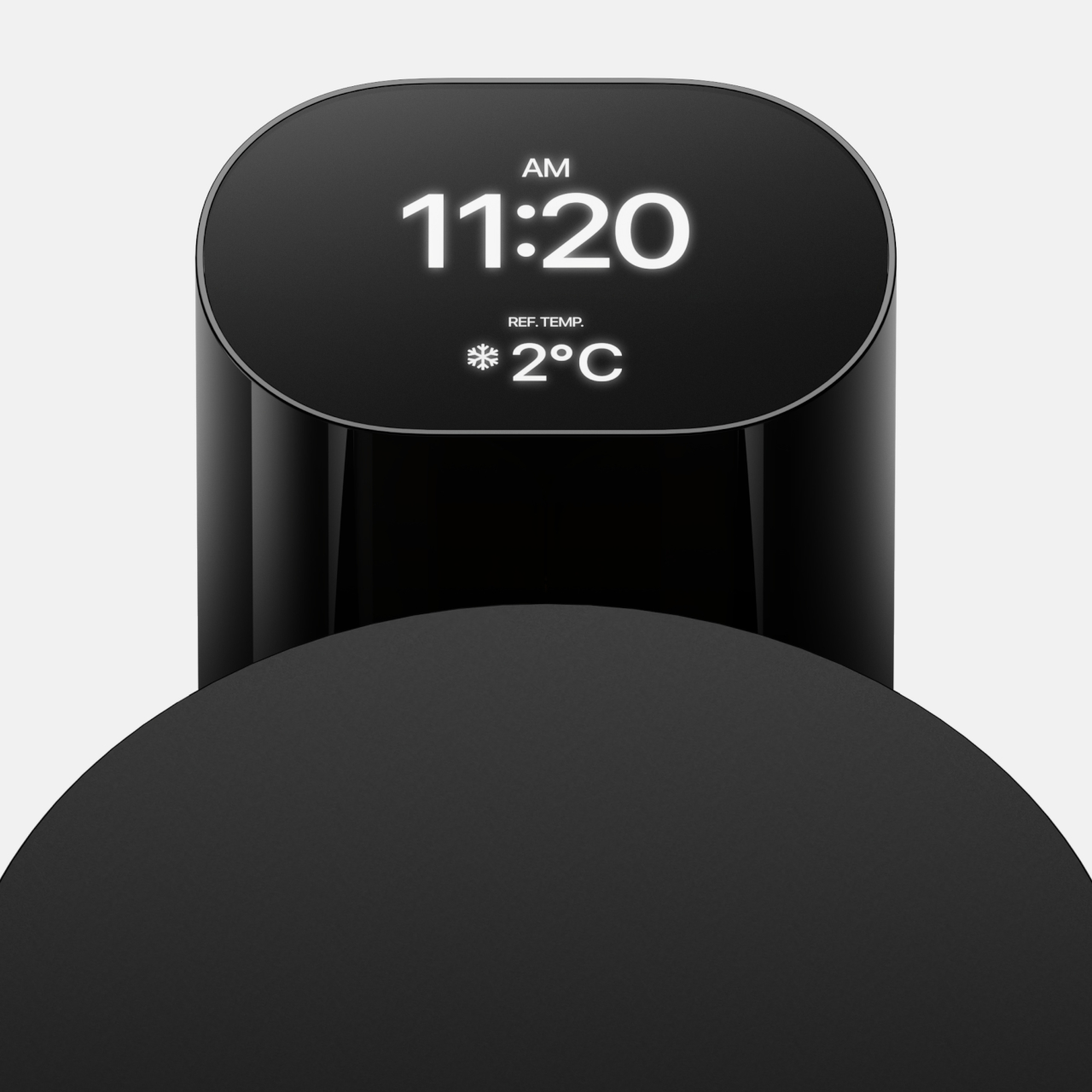
The Station is a small, low-profile dock that the system returns to when it’s done. There, it recharges and cools the mini fridge for the next session. A simple display on top shows the time and the fridge temperature, giving you just enough information at a glance. The Station keeps the whole setup feeling like a single, coherent appliance rather than a pile of separate gadgets fighting for outlets and attention.
All three components share a cylindrical, black-glass aesthetic that feels more like high-end audio gear than robots. The Tower’s rising motion and glowing top give it a bit of theater without tipping into gimmick. The Base and Station stay visually quiet, so the TV remains the focal point while the system supports it in the background, both literally and in how it shapes the room.
Come Together shows how robotics might slip into home entertainment without feeling like sci-fi props. By bundling drinks, lighting, and spatial sound into a calm, coordinated system, it treats immersion as something you can design from end to end. For anyone who’s ever hit pause just to grab a drink, the idea of a home theater that comes to you is appealing.
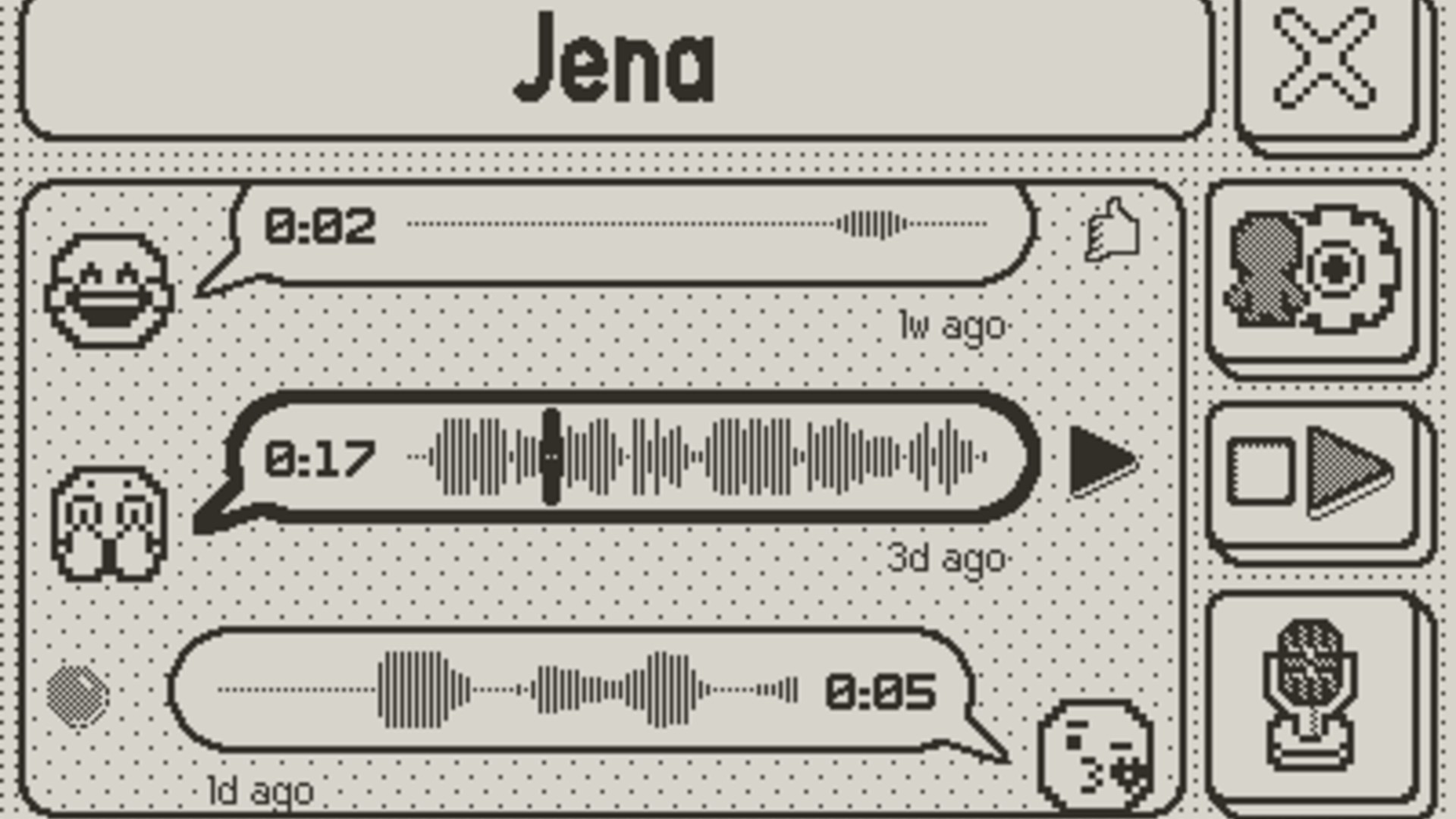
If your friend group or family happens to include multiple Playdate owners, there's now a cute way to chat amongst yourselves right within the device. Jon Simantov, the developer who gave us Cranky Cove, has released an app called helloyellow where you can send voice messages, create group chats and share achievements with anyone you've added as a friend. It's available to download from itch.io for free, with some limitations, or $5 to get the full version. Now, excuse me while I lament being the only person in my circle with a passion for weird little gadgets.
A screenshot of a chat in the helloyellow app
Jon Simantov
The app works over Wi-Fi, but you can record messages even when you're offline that will be sent once you reconnect. You can also record voice notes for yourself. The full version of helloyellow allows for messages of up to 10 minutes long, while messages in the free version are capped at two minutes. Friends are added via hellocodes, and there's an emoji library so you can send reactions.
This article originally appeared on Engadget at https://www.engadget.com/gaming/theres-a-cute-voice-messaging-app-for-playdate-now-223620942.html?src=rss
Picture this: you’re a wildlife rescuer trying to nurse an injured falcon back to health. Every few days, you need to catch the bird, restrain it, and place it on a scale. The bird panics, thrashing and screeching. Your heart races as you try not to get talons to the face. Sometimes, the stress alone can kill the very creature you’re trying to save. It’s a nightmare scenario that plays out in rescue centers worldwide, but a team of Korean designers just might have cracked the code on a better way.
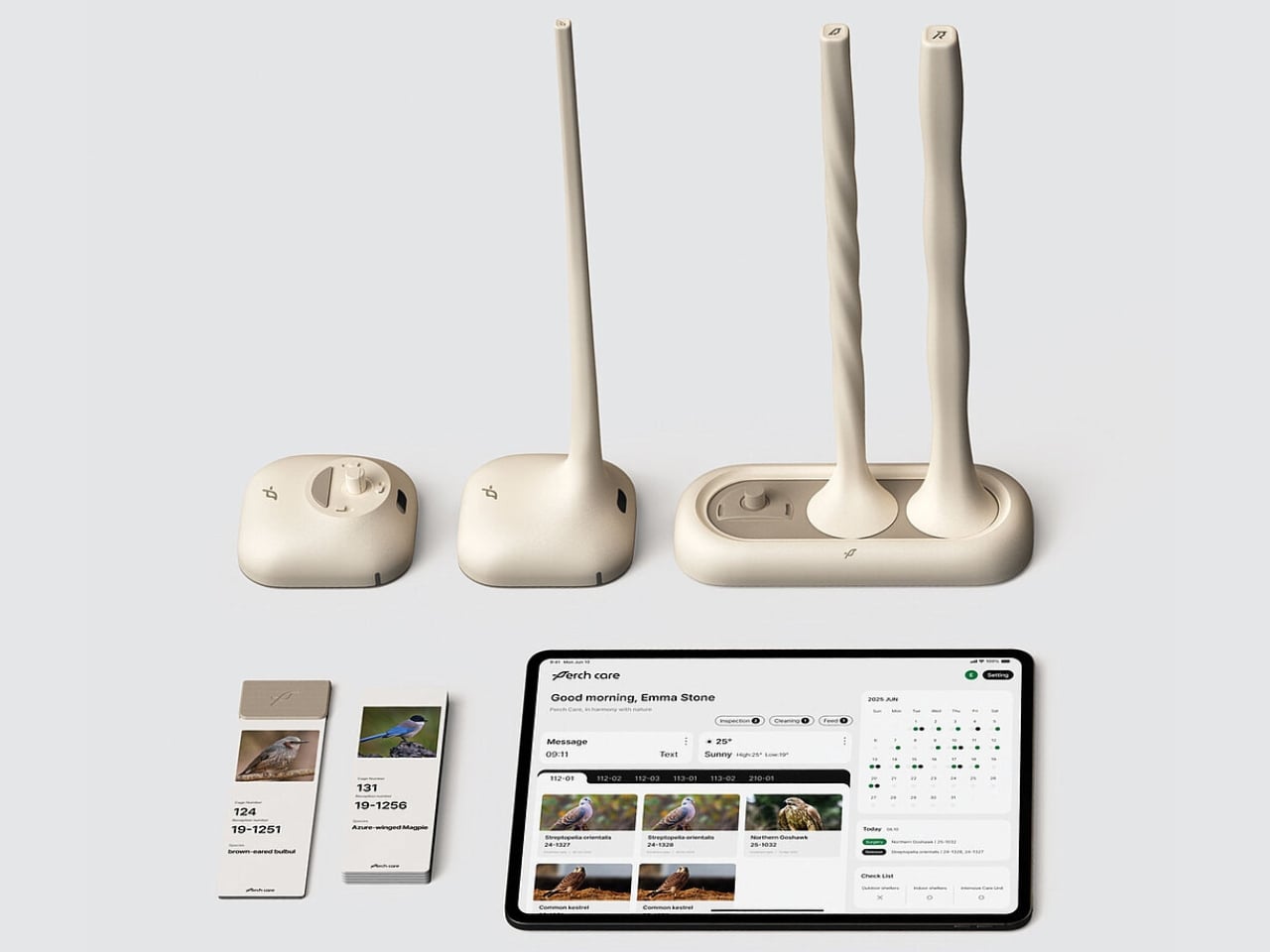
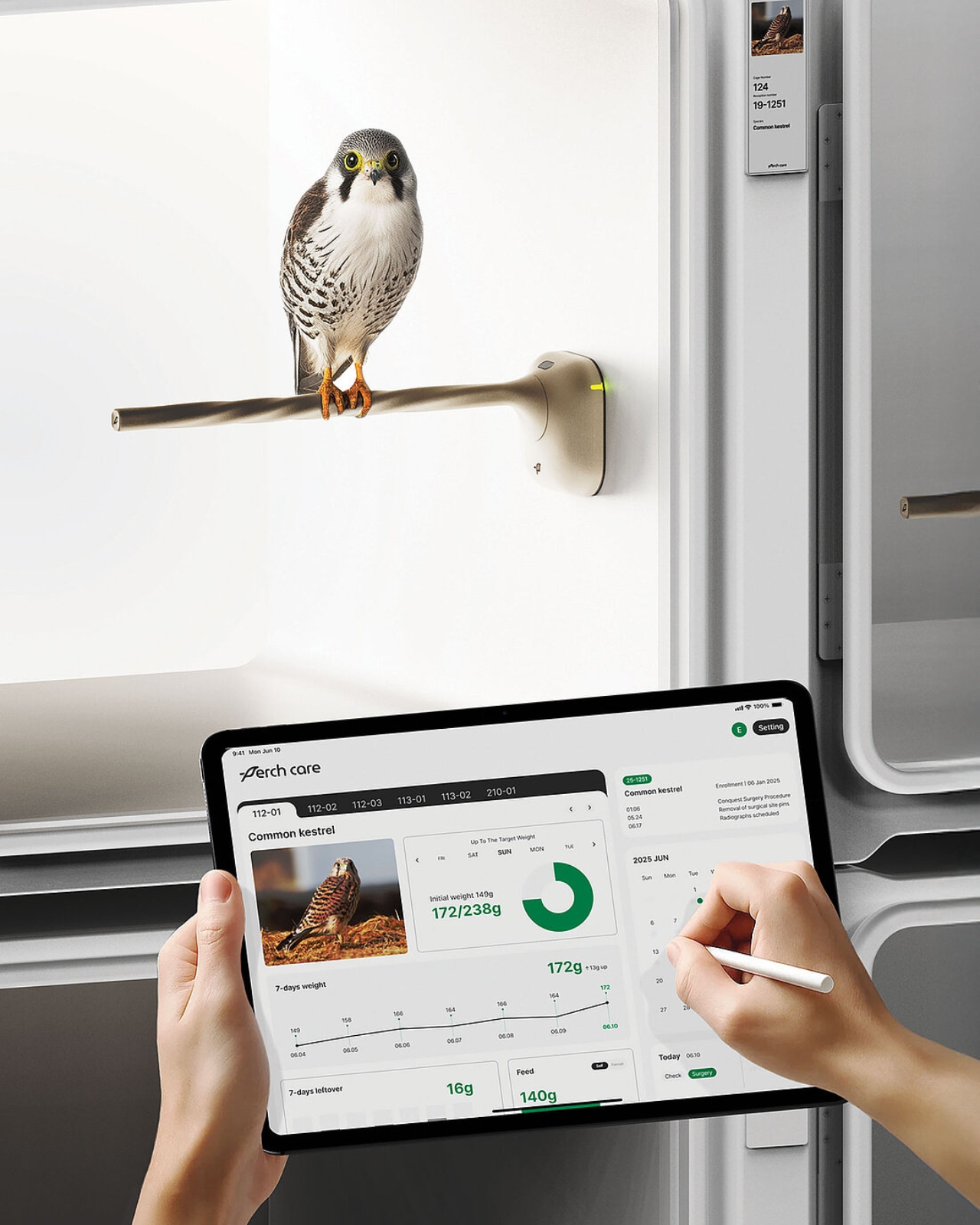
Enter PerchCare, a sleek smart perch that’s basically the Fitbit of the bird world, minus all the drama. Created by designers Lee Hanung, Kwon Hyeokwoo, Choi Yoonji, and Kim Minji, this Red Dot Award-winning design tackles a problem most of us never knew existed. But for wildlife rehabilitators, it’s been a persistent thorn in their side for decades.
Designers: Lee Hanung, Kwon Hyeokwoo, Choi Yoonji, Kim Minji
Here’s the thing about wild birds: they’re masters of disguise when it comes to illness. It’s a survival instinct hardwired into their DNA. In the wild, showing weakness makes you an easy target for predators, so birds will act perfectly fine even when they’re seriously unwell. That’s why tracking their weight becomes absolutely crucial. It’s often the only reliable indicator that something’s wrong before it’s too late. The design team didn’t just dream this up in a vacuum. They spent time interviewing rescuers at the Gyeonggi Northern Wildlife Rescue Center, getting their hands dirty with real-world insights. What they heard was consistent: the current method of weighing birds is dangerous for everyone involved. Birds get stressed to the point of harm, and caretakers risk injury every single time.
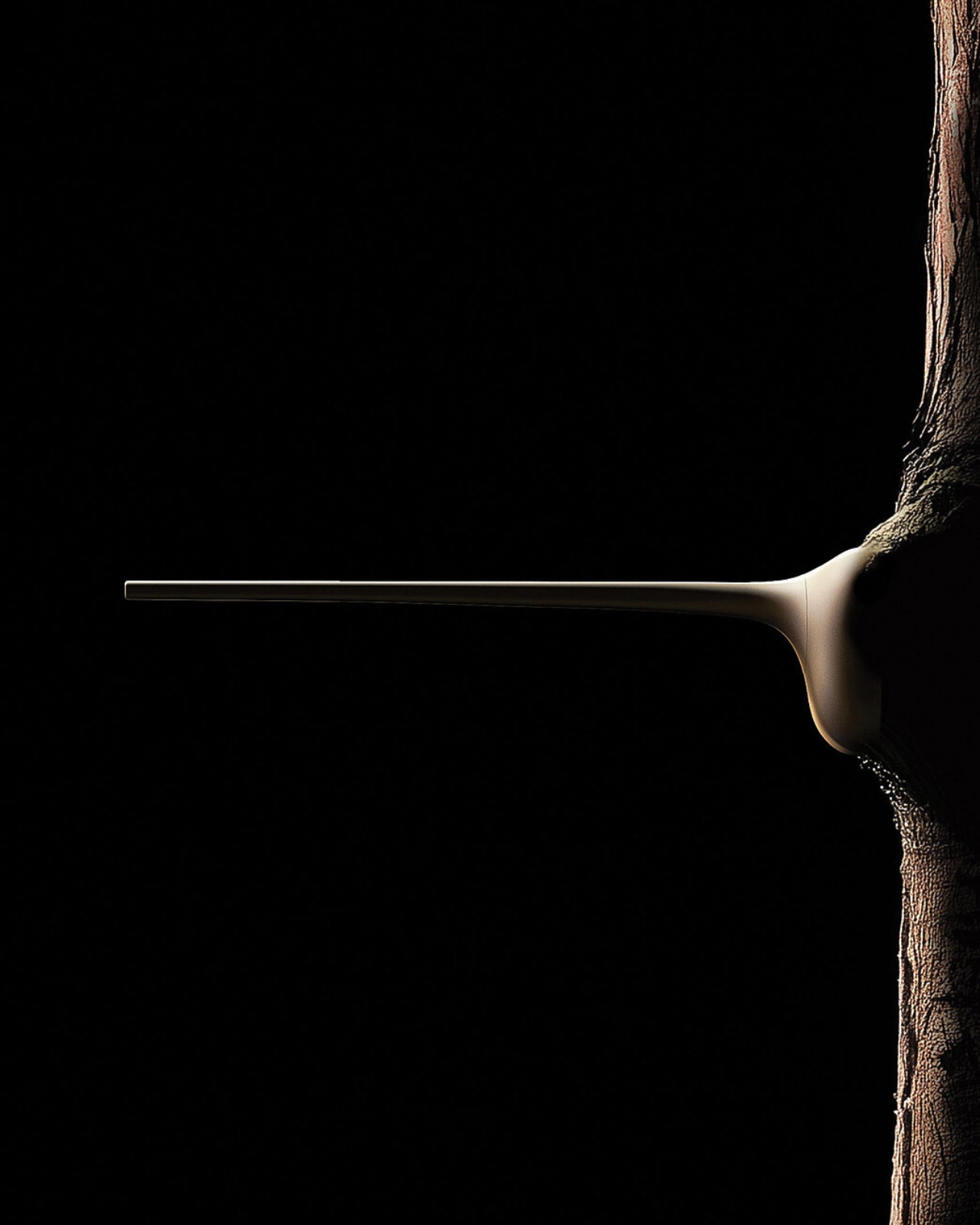
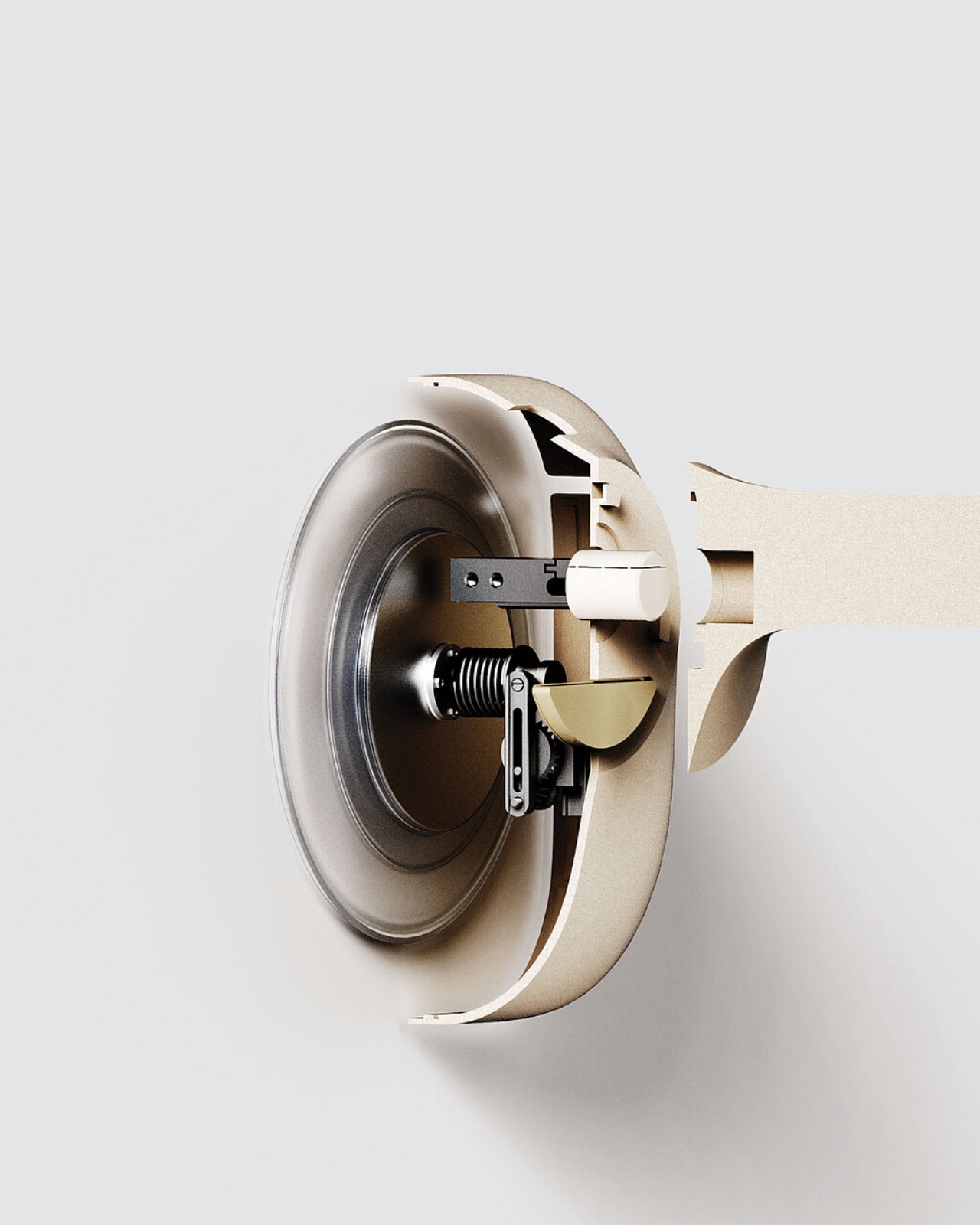
So how does PerchCare work its magic? The genius lies in its simplicity. Instead of forcing an unnatural interaction, it turns an everyday object into a monitoring device. Birds need to perch anyway, right? It’s what they do. By embedding weighing technology directly into something that mimics a natural branch, PerchCare lets birds just be birds while quietly collecting vital health data in the background.
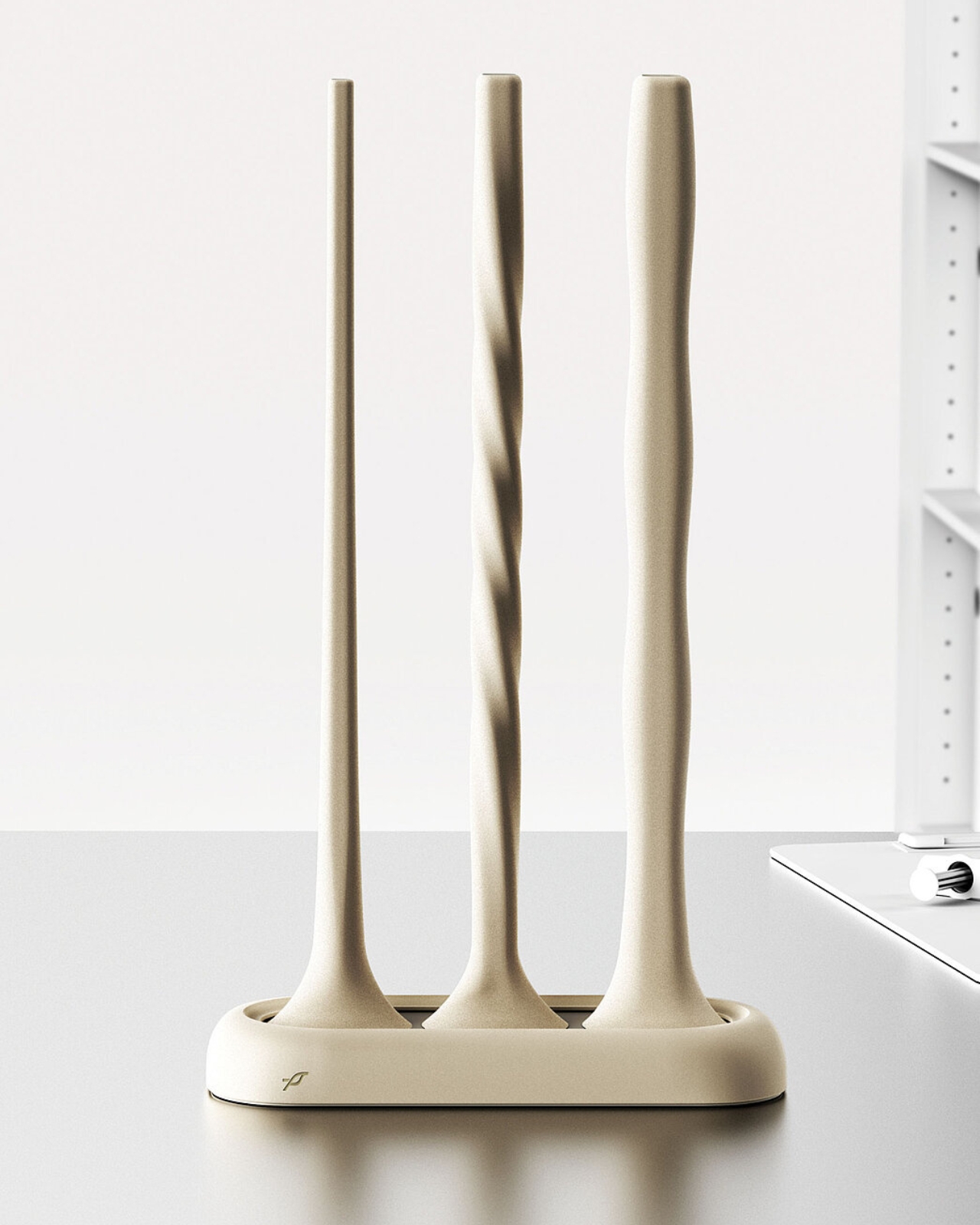
The perch itself looks refreshingly minimal, almost Apple-esque in its aesthetic. It comes in multiple sizes to accommodate different species, from tiny songbirds to larger raptors. The mounting system uses suction cups, which means installation is as easy as sticking it to the cage wall. No tools, no complicated setup, no engineering degree required. But the really cool part is how the system communicates. An integrated lighting system provides at-a-glance status updates, while a companion app delivers detailed charts and trends over time. Rescuers can spot concerning weight drops before they become critical, all without ever touching the bird. It’s like having a 24/7 health monitor that doesn’t require awkward vet visits.
The implications here go beyond just making life easier for rescuers (though that alone would be worth celebrating). When you reduce stress during rehabilitation, birds recover faster and more successfully. That means higher release rates back into the wild, which is ultimately the whole point of rescue work. Every bird that makes it back to its natural habitat is a win for biodiversity and ecosystem health.
There’s something beautifully poetic about technology that works by getting out of the way. In our world of constant notifications and flashy interfaces, PerchCare succeeds by being invisible to its primary users. The birds have no idea they’re being monitored. They just land on what feels like a normal perch and go about their business while the tech does its thing quietly in the background. This is design thinking at its finest: identifying a real problem, understanding the needs of all stakeholders (including the non-human ones), and creating a solution that’s both elegant and effective. It’s not about reinventing the wheel or adding unnecessary complexity. Sometimes the best innovations are the ones that feel obvious in hindsight.