OpenAI is launching a new facet for its AI chatbot called ChatGPT Health. This new feature will allow users to connect medical records and wellness apps to ChatGPT in order to get more tailored responses to queries about their health. The company noted that there will be additional privacy safeguards for this separate space within ChatGPT, and said that it will not use conversations held in Health for training foundational models. ChatGPT Health is currently in a testing stage, and there are some regional restrictions on which health apps can be connected to the AI company's platform.
The announcement from OpenAI acknowledges that this new development "is not intended for diagnosis or treatment," but it's worth repeating. No part of ChatGPT, or any other artificial intelligence chatbot, is qualified to provide any kind of medial advice. Not only are these platforms capable of making dangerously incorrect statements, but feeding such personal and private information into a chatbot is generally not a recommended practice. It seems especially unwise to share with a company that only bothered paying even cursory lip service to the psychological impacts of its product after at least one teenager used the chatbot to plan suicide.
This article originally appeared on Engadget at https://www.engadget.com/ai/chatgpt-is-launching-a-new-dedicated-health-portal-210150083.html?src=rss
Installing a virtual private network (VPN) on an iPhone or iPad is easy. The days are gone when Apple users had to be content with the leavings from the Windows ecosystem — in 2026, all the best VPN services have secure, user-friendly iOS apps on par with every other platform. If you've decided to add a VPN to your iPhone to stay anonymous online and change your virtual location, you've got plenty of great choices.
Since you're here, chances are you're familiar with the benefits of using a VPN, including security on public Wi-Fi and the ability to explore streaming libraries in other countries. But you may still be daunted by the process of actually choosing, installing and configuring a VPN on your iPhone.
In this article, I'll walk you through the steps, including how to configure a VPN manually without going through a service. Check out my how to use a VPN piece for more general information.
How to choose an iPhone VPN
One of the trickiest parts of installing an iPhone VPN is picking the right service. That brings us to our first pro tip: Don’t just go to the App Store and search on “VPN.” That will simply front-load whichever vendor(s) are paying for top placement (note the little “Ad” icon) as well as a laundry list of free services that come with big caveats. There are dozens of mobile VPNs out there, and many of them don't put the user first (for example, I reported last year on popular VPNs that failed to disclose shared security flaws). Choosing hastily can leave you stuck with an iOS VPN that's either mediocre or actively harmful.
Before downloading an iPhone VPN, do some research into the provider's background. A dependable VPN should have a well-written customer support page, a clear timeline of its history and a way to tell at a glance who actually owns and operates it. Check the reviews on the app store — it should have at least several hundred, almost all 4s and 5s.
iPhone users have a particular advantage here: several VPNs let you download their iOS app and start using it without paying. You can use this free trial period to put the VPN through its paces. Start by testing its speed using Ookla speedtest or a similar app. You should also use an IP address checker to make sure it isn't leaking; to confirm this, just check your phone's IP address before and after connecting to the VPN and make sure it's different the second time.
To keep things simple, my top recommendation for all platforms is Proton VPN. Out of all VPNs, it strikes the best balance of solid security, fast performance, useful features and a commitment to user privacy. Other iPhone VPNs I love include ExpressVPN, Surfshark and NordVPN.
How to install a VPN on your iPhone
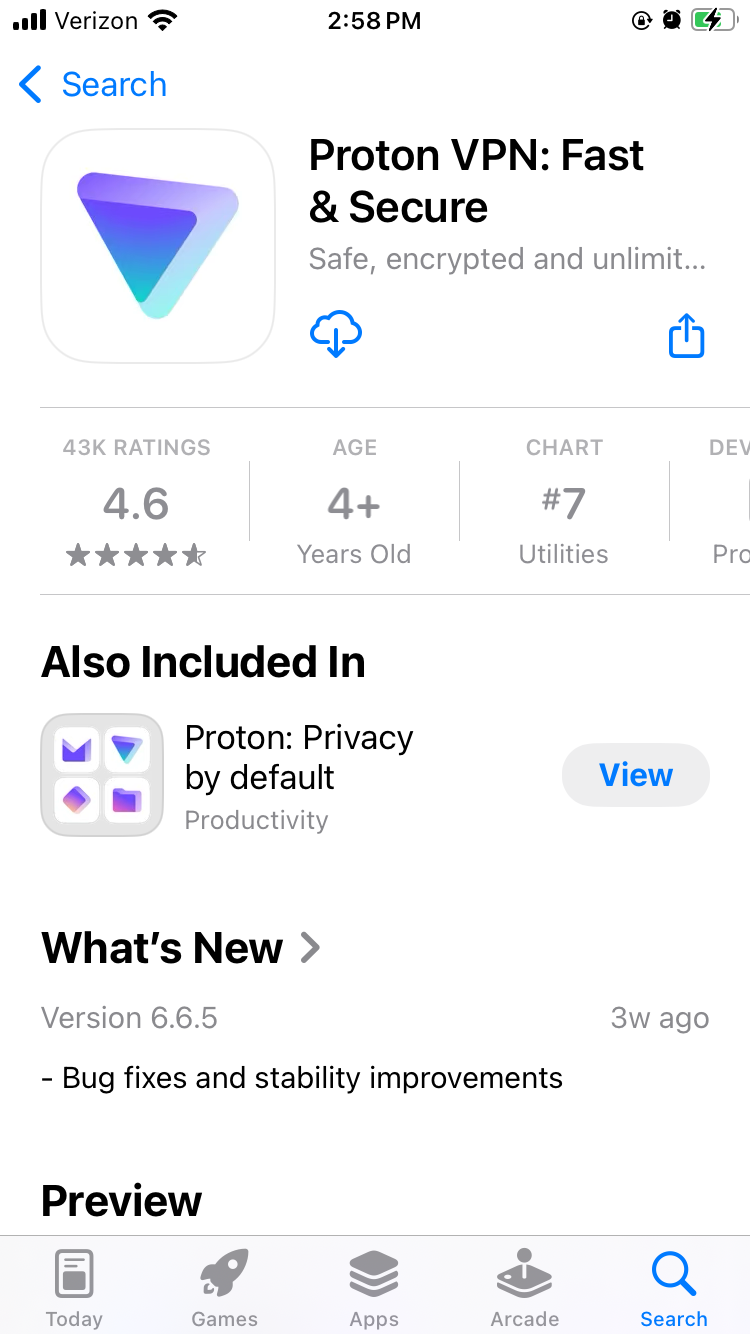
Installing an iPhone VPN is like installing any other app. Just go to the App Store, find the VPN you've chosen and download it onto your phone. When it finishes downloading, open the app to grant permissions and finish setup. However, since there are a couple of potential sticking points, I'll run through the steps in more detail.
Proton VPN on the iOS app store.
Sam Chapman for Engadget
Open the App Store.
Tap the search bar and type in the name of your chosen VPN. Hit Search and look through the list of results. Be careful to pick the right one — there are some "mockbuster" VPNs that try to snare people looking for well-known names. As a rule, the one with the most reviews is the service worth using.
On the page for the VPN app, tap Get. Enter your Apple ID and password to begin the installation.
Once installation is complete, either tap Open in the App Store or find the new VPN icon on your home screen.
Create a VPN account with a username and password. Most services let you do this within the app, but you may have to shift temporarily to a browser, so make sure you've got internet access.
Choose a subscription. If there's a free trial, grab it and use it to test the VPN. If not, or if it's already expired, choose a plan that fits your budget and needs. Longer-term plans tend to save you money on average, but cost more at the start.
On the VPN app, log in with your new credentials. You're now ready to get started.
If you aren't interested in paying for software right now, you can still get an iOS VPN. Check out my list of the best free VPNs, which all have iPhone apps. We also constantly update a curated list of the best VPN deals for bargain hunters.
How to configure and use a VPN on your iPhone
An iOS VPN is generally usable with the default settings. Even so, it's a good idea to look through the options — you may not end up using all of them, but many of them are vital security checks or important quality-of-life boosters.
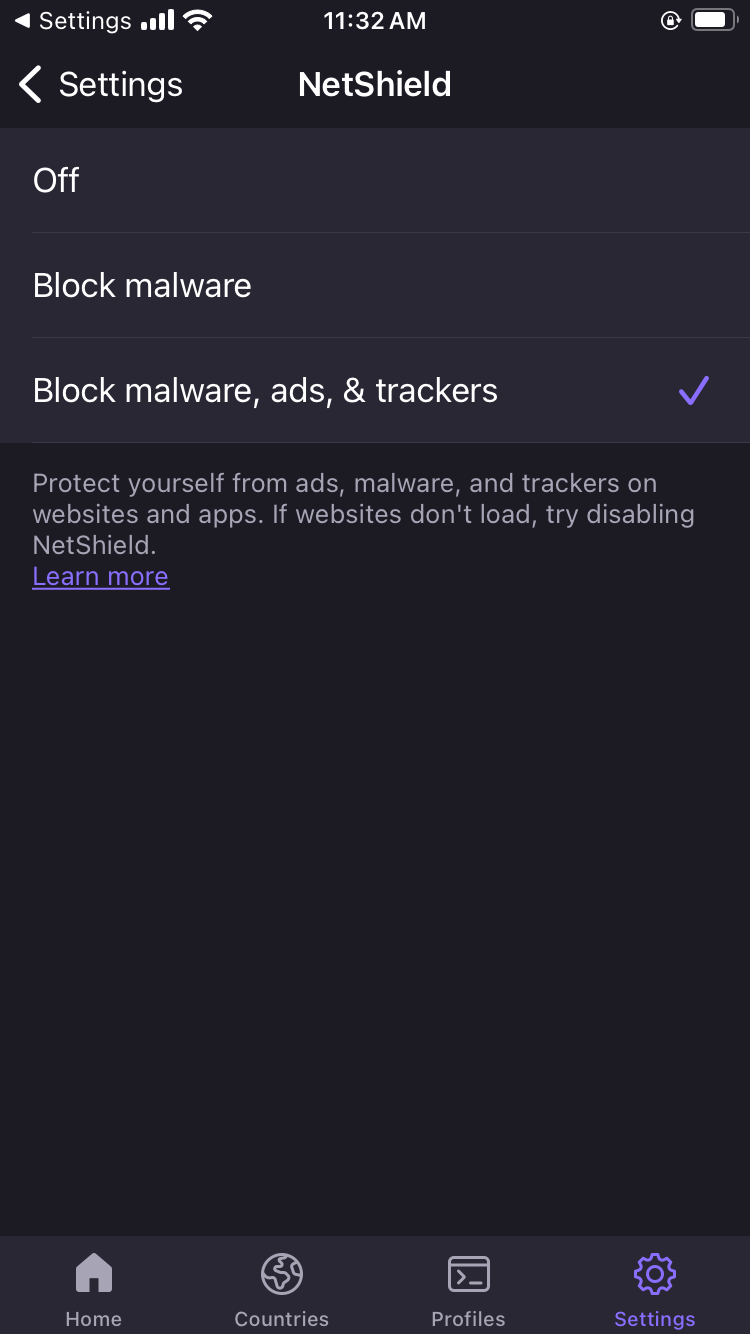
Proton VPN's NetShield content blocker on iOS.
Sam Chapman for Engadget
Here are some quick steps to make sure you're getting the best performance. These settings are in different places on each VPN, but most can be found by clicking a button with a gear icon, or any page labeled "settings" or "preferences."
Turn on the kill switch. This will protect you from broadcasting any data the VPN hasn't encrypted. In the event the VPN suddenly disconnects, the kill switch also cuts off your internet connection.
Set the VPN to always reconnect automatically if it disconnects. The method for doing this varies between services, so check the VPN's help page. Some (like Proton VPN) have an always-on VPN setting in the app itself, while others (like ExpressVPN) handle it through iOS settings.
Configure split tunneling. Not many iPhone VPNs have this option, but if yours does, you can use it to let certain apps or websites skip the VPN tunnel. Make sure to only bypass the VPN on sites and apps that share no sensitive information, or that refuse to work with a VPN active (some banks are like this).
If your VPN has a feature for blocking ads and malware domains, I recommend using it — the worst it can do is not work. Some also include parental controls, in case you're setting up the VPN on your child's phone.
Create shortcuts. Sometimes called Profiles, this relatively common feature lets you connect to the VPN and open a certain website with one tap.
Decide when and how you want the VPN to send you notifications.
Check available protocols. It's almost always best to let the VPN pick for you, but if you want to choose for yourself, IKEv2 is generally the fastest.
Look over the server list to see what choices are available.
When choosing a VPN server, think about what you need the VPN for. If you're just using it for privacy, pick the fastest server (or let the VPN app choose it for you). On the other hand, if you want to watch a movie or TV show that's only on streaming in another country, choose the fastest server in that country. If you're on a good VPN, it still shouldn't slow you down too much.
If you have the address of a VPN server and the necessary credentials, iOS lets you set up your own VPN and connect directly. This is less convenient than using a provider app, since you need to know the details about every server you connect to, but it's nice if you're worried about trusting your privacy to a third party. It can also be convenient for quickly accessing a work or school VPN from your phone. Here's how to do it.
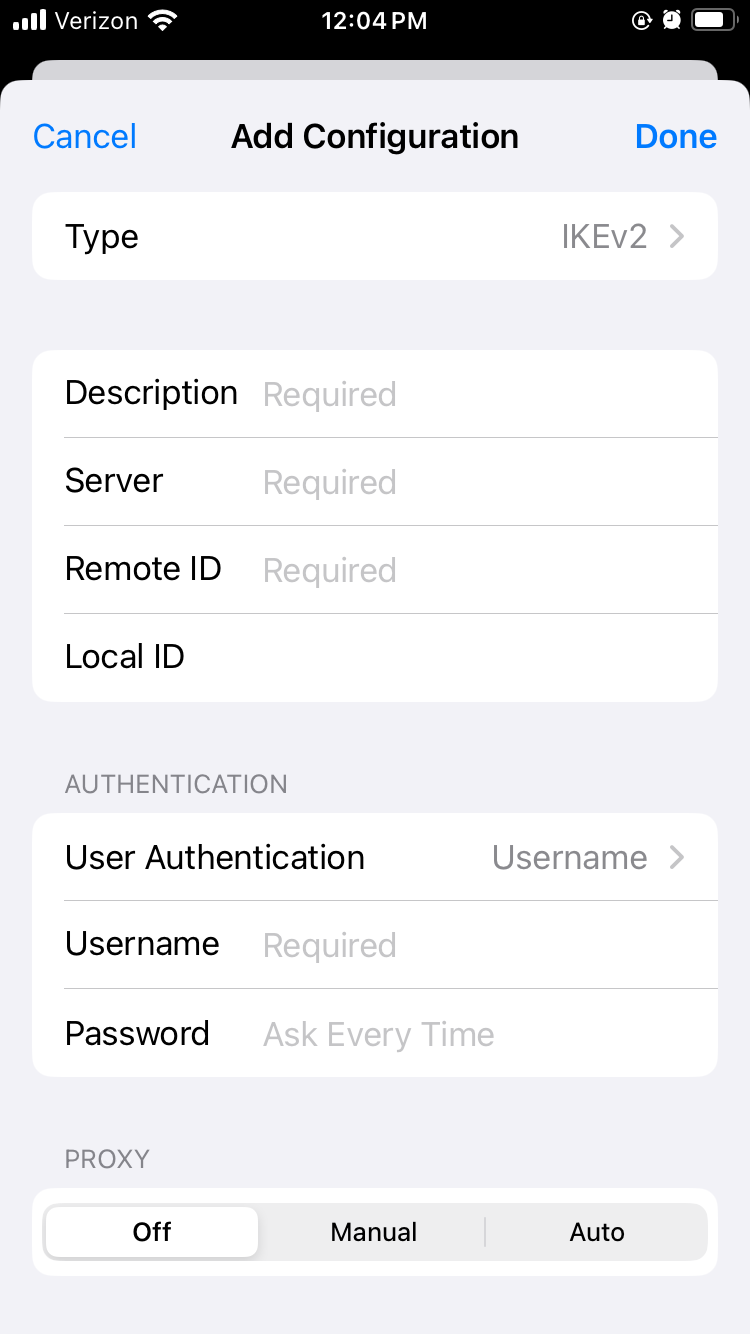
Manually setting up a VPN connection on iOS.
Sam Chapman for Engadget
Open the Settings app. Scroll down and tap General.
Scroll down again and tap VPN & Device Management. Tap the word VPN on the new page, then tap Add VPN Configuration. You should reach the screen shown above.
Make sure Type is set to IKEv2, then enter the Description, Server and Remote ID for the server you're connecting to (plus the Local ID if there is one).
Your source for the server information should also have told you if it authenticates access with a username/password or certificate. Pick the correct option, then enter the credentials required.
Tap the Done button or the blue checkmark at the top-right of the screen.
You'll arrive back on the previous menu with your new VPN option available. Toggle it on to connect. To turn it off, return to the same menu and deactivate the switch.
Do you need an iPhone VPN?
Whenever you get online, your internet service provider (ISP) assigns an IP address to your device — a unique fingerprint that follows you throughout the session. Your ISP may sell this knowledge to marketers to target ads at you, or in worse cases, collaborate with governments willing to violate their citizens' rights to privacy.
When you use a VPN, though, your real IP address is hidden behind that of the VPN server, so nothing you do on the internet connects back to you. That's why I always advise using a VPN on any device, including iPhones, that connects to the internet. It's even more important on the unprotected public networks you sometimes find in cafes and hotels. On the fun side, you can also use a VPN to change your virtual location to show you different content libraries on Netflix and other streaming platforms.
One more thing: I often hear iPhone users ask whether they need a VPN, since iCloud Private Relay comes standard on iOS devices. Just to clear this up, iCloud Private Relay is not a VPN. As you can see from this support page, your ISP can still see your real IP address when it’s active.
This article originally appeared on Engadget at https://www.engadget.com/cybersecurity/vpn/how-to-use-a-vpn-on-iphone-201743118.html?src=rss
One of the goals for this year is to cook more, and my good ol’ air fryer should play a huge role in this as I’m also trying to be healthier. However, preparing the ingredients while operating the device can sometimes be a little challenging and messy, to say the least. I sometimes wish that my air fryer could actually just listen to what I want it to do instead of me trying to figure out everything manually.
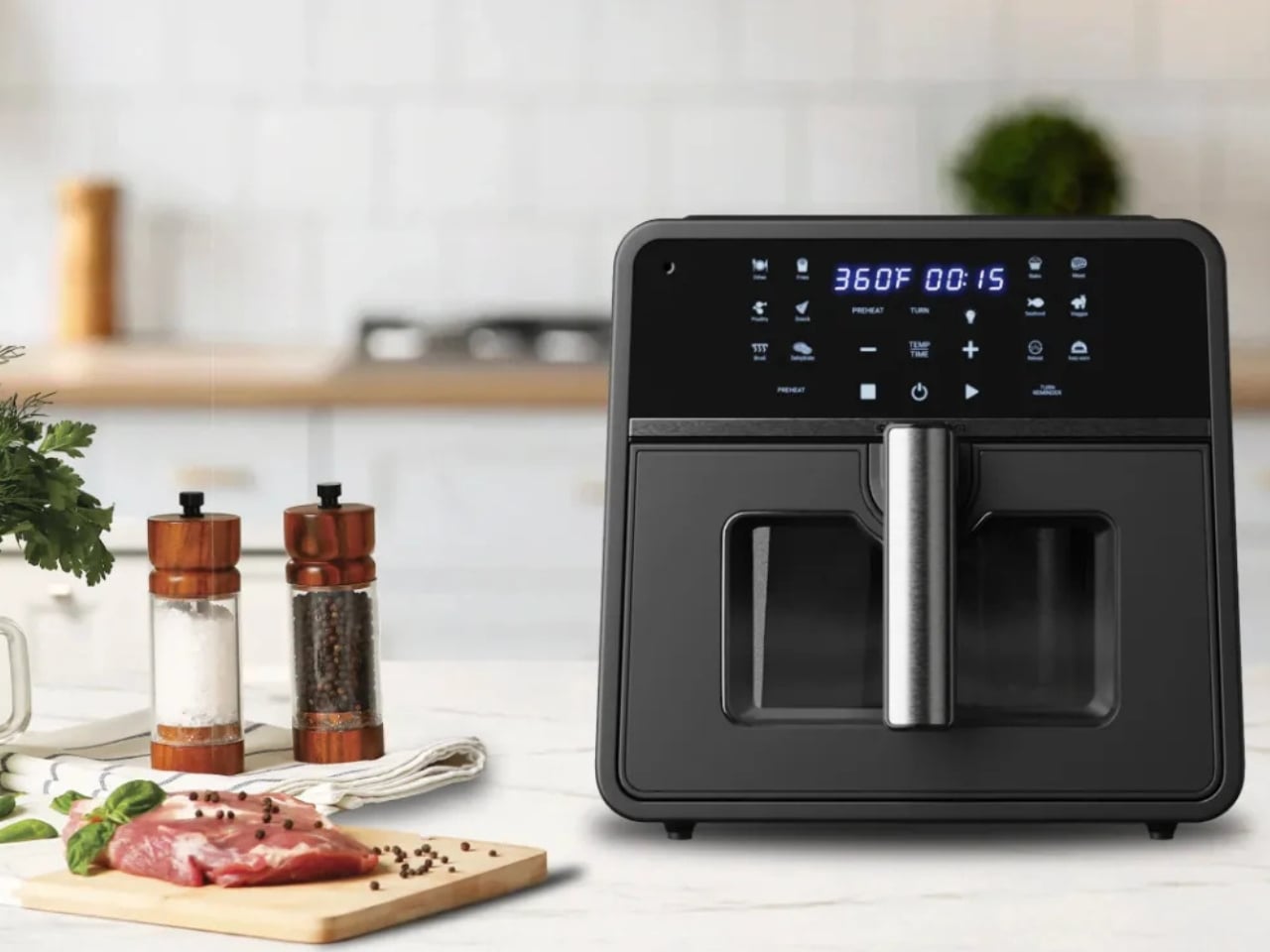
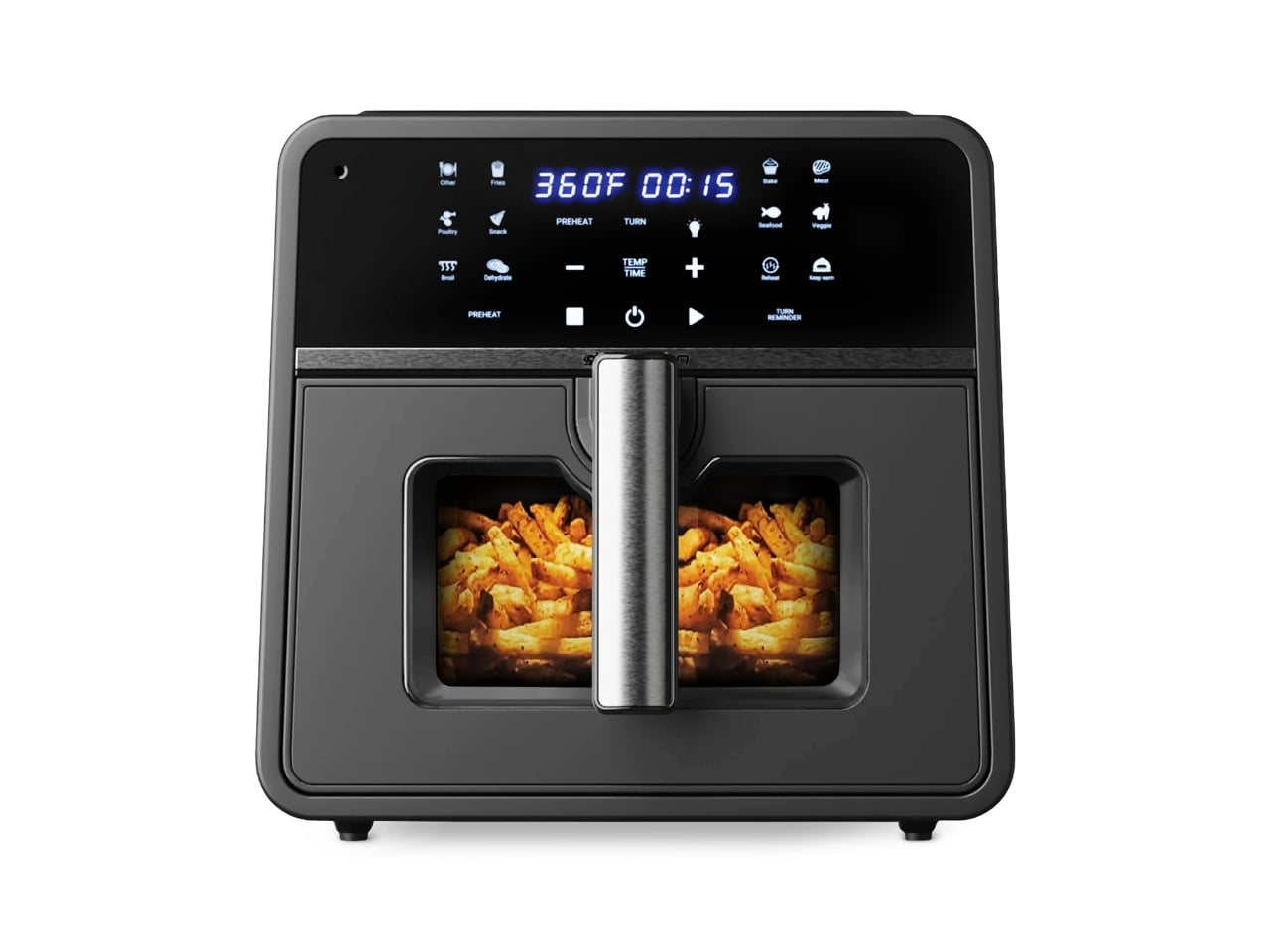
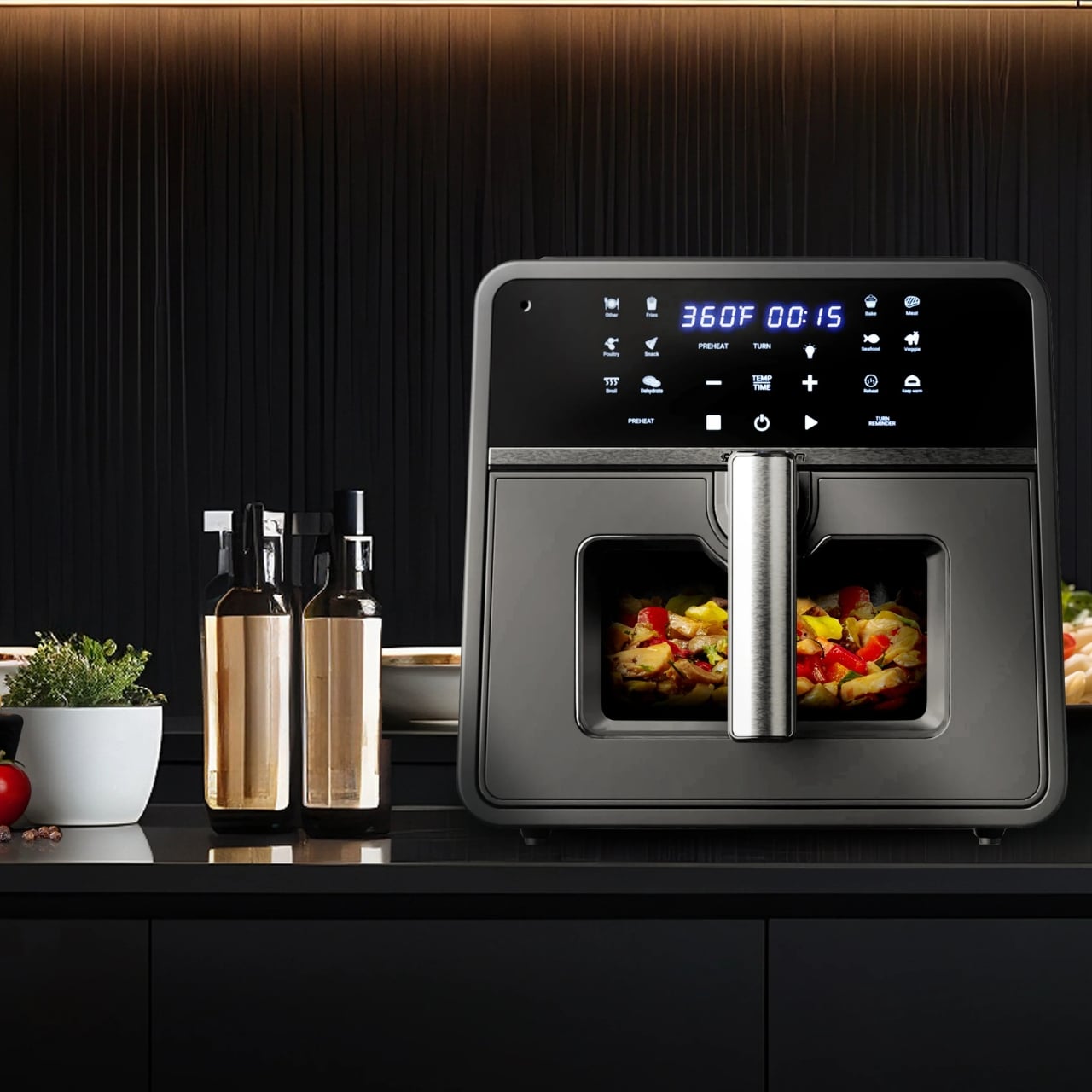
Emerson is trying to solve that problem with their SmartVoice 10QT 6-in-1 Air Fryer and its game-changing feature: true voice control. The device has more than 1,000 preset voice commands, which make it easier for you to just tell the air fryer what it is you’re cooking, and it helps you figure out how it should be cooked. Having this in your kitchen will bring convenience to a whole other level.
The SmartVoice Technology built into this allows you to use natural conversation. You can say things like “Hey air fryer, cook pork chops” or “Hey air fryer, increase temperature” without having to memorize the exact syntax you need for it to follow you. It is a 6-in-1 device as you can also bake, roast, broil, reheat, and dehydrate all sorts of food and dishes in there, aside from air frying, of course. There are also voice prompts that will remind you to shake or flip your food if the recipe calls for it.
Another standout feature of this device is that all your voice commands are handled directly on the device. There are no cloud servers or background monitoring involved, which should satisfy those who are concerned with privacy and data collection. It is also a literal plug-and-play device, so there should be no frustrating setup issues, or so they claim. Reality can sometimes be different, but hopefully, it is as advertised.
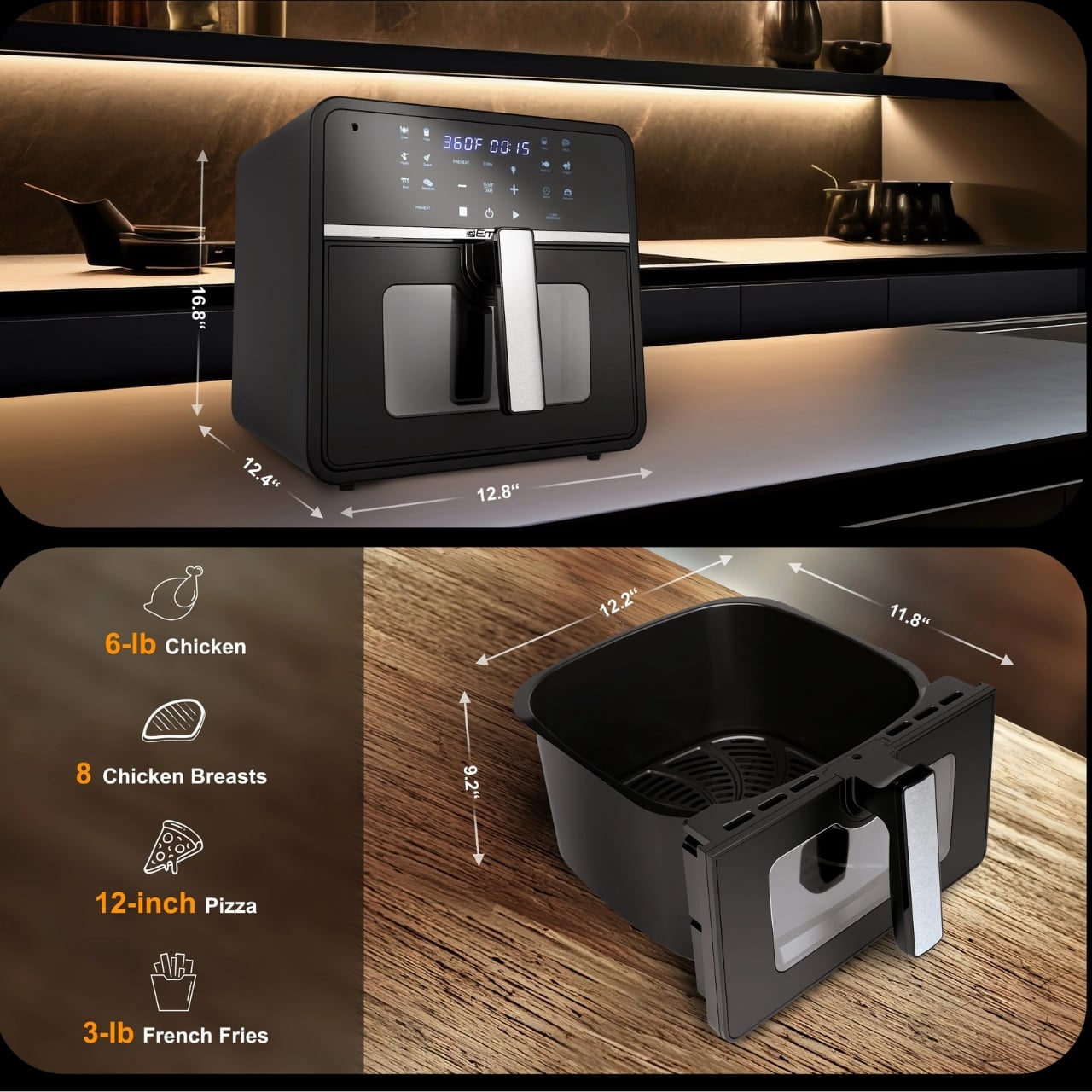
This SmartVoice air fryer should suit large households as it has a capacity of 10 quarts, which should be able to hold up to 10 pounds of food. It is able to recognize more than a hundred different foods, so you don’t need to constantly check on temperature and times. If you prefer the usual button approach, the appliance also has 12 touch presets. It also has preheat settings to ensure optimal cooking conditions even before you start cooking. The 1,700-watt power output ensures your food cooks quickly and evenly, while the nonstick basket makes cleanup a breeze. The device weighs 14.46 pounds, giving it a sturdy presence on your countertop without being impossible to move when needed.
What makes this air fryer truly special is how it fits into your real cooking routine. Picture this: you’re marinating chicken with messy hands, your phone is across the room, and you suddenly remember you need to adjust the temperature. Instead of washing your hands, drying them, and fumbling with buttons, you simply speak your command. It’s that seamless integration into your workflow that makes voice control more than just a gimmick as it becomes genuinely useful.
For busy parents juggling multiple tasks, this is a game-changer. You can monitor your cooking while helping kids with homework, folding laundry, or prepping the next dish. For anyone with mobility challenges or arthritis that makes pressing small buttons difficult, voice control offers newfound independence in the kitchen. And for multitaskers who are always moving between counters, the ability to control your appliance from anywhere in the kitchen is liberating.
Priced at $169.99, the Emerson SmartVoice Air Fryer sits in the mid-range category for large-capacity air fryers. However, when you consider that you’re getting six cooking functions, genuine offline voice control (not just app-based controls), and a family-sized capacity, the value proposition becomes quite compelling. Many smart appliances require subscriptions or constant connectivity; this one simply works out of the box.
The Emerson SmartVoice 10QT 6-in-1 Air Fryer represents a thoughtful approach to smart kitchen technology. Instead of adding complexity for complexity’s sake, it addresses real pain points that home cooks face daily. Whether you’re trying to eat healthier, cook more efficiently, or simply make your time in the kitchen more enjoyable, this voice-activated marvel might just be the cooking companion you’ve been waiting for. If you’ve been on the fence about smart kitchen appliances because of privacy concerns or setup hassles, this offline, plug-and-play solution could finally change your mind.
Character.AI and Google have reportedly agreed to settle multiple lawsuits regarding teen suicide and self-harm. According to The Wall Street Journal, the victims' families and the companies are working to finalize the settlement terms.
The families of several teens sued the companies in Florida, Colorado, Texas and New York. The Orlando, FL, lawsuit was filed by the mother of 14-year-old Sewell Setzer III, who used a Character.AI chatbot tailored after Game of Thrones' Daenerys Targaryen. The teen reportedly exchanged sexualized messages with the chatbot and occasionally referred to it as "his baby sister." He eventually talked about joining "Daenerys" in a deeper way before taking his own life.
The Texas suit accused a Character.AI model of encouraging a teen to cut his arms. It also allegedly suggested that murdering his parents was a reasonable option. After the lawsuits were filed, the startup changed its policies and banned users under 18.
Character.AI is a role-playing chatbot platform that allows you to create custom characters and share them with other users. Many are based on celebrities or fictional pop culture figures. The company was founded in 2021 by two Google engineers, Noam Shazeer and Daniel de Freitas. In 2024, Google rehired the co-founders and struck a $2.7 billion deal to license the startup's technology.
On one hand, the settlements will likely compensate the victims' families handsomely. On the other hand, not going to trial means key details of the cases may never be made public. It's easy to imagine other AI companies facing similar suits, including OpenAI and Meta, viewing the settlements as a welcome development.
This article originally appeared on Engadget at https://www.engadget.com/ai/characterai-and-google-settle-with-families-in-teen-suicide-and-self-harm-lawsuits-201059912.html?src=rss
Fujifilm just revealed the Instax mini Evo Cinema camera, which looks suspiciously like a vintage Super 8. More specifically, it was designed to mimic the Single-8 from 1965, which was a rival unit to the Super 8. Fujifilm's latest device captures video, just like its retro inspiration.
Wow, the new FUJIFILM Instax Mini EVO Cinema camera looks nuts.. esp the decade slider thing for the looks. If the cost isn't nuts this could be a must have... Needs to be around $249/299ish to be a hit https://t.co/6w8JPsBxIgpic.twitter.com/plcmNhfyT7
However, this is an Instax and the line has primarily been dedicated to snapping and printing out still images on the fly. The Evo Cinema can still do that, albeit in a slightly different way. Users shoot a video and the camera can convert a shot from the footage into an Instax print. That's pretty cool. The bad news? It requires some kind of QR code tomfoolery.
The camera also comes equipped with something called the Eras Dial, which has nothing to do with Taylor Swift and everything to do with adjusting various effects and filters to create footage "inspired by different eras." There are ten "eras" to choose from, including a 1960s vibe. The filter levels here are adjustable. We'll have to take a look at some footage to see how everything translates.
Fujifilm
Fujifilm is dropping the Instax Evo Cinema on January 30, but only in Japan for now. We don't have a price yet.
This is just the latest nifty camera gizmo the company has thrust upon the world. It recently released an Instax model that has a secondary camera for selfies.
This article originally appeared on Engadget at https://www.engadget.com/cameras/fujifilms-latest-instax-camera-looks-like-a-vintage-super-8-194537863.html?src=rss
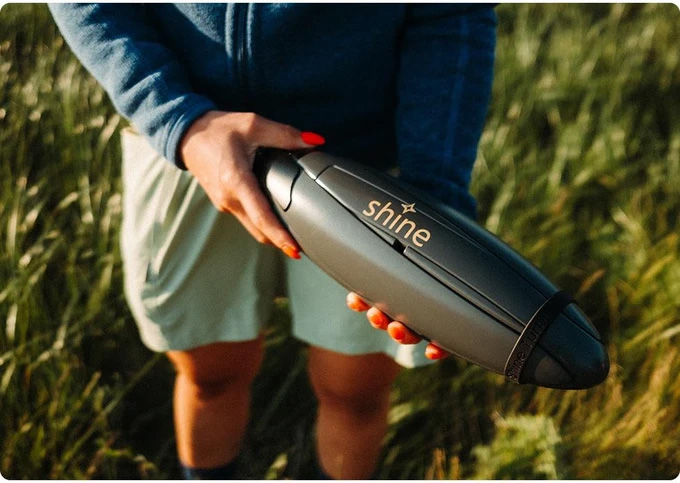
As power gets more dicey, personal energy generation only gets more appealing. Shine’s compact turbine isn’t going to power your house any time soon (though Rachel Carr, the company’s co-founder told me they have plans in that direction) but it can suck up the energy required to refill a smartphone in as little as 17 minutes. Of course, what it can generate depends on wind speed. That same charge could take as long as 11 hours if there’s only a slight breeze.
That power curve, and its ability to operate at night, sets the turbine apart from solar panels. Of course, on a completely still day, the Shine as inert as a becalmed sailing ship but if the wind picks up even as little as a breeze, it gets to work making power. The turbine even automatically pivots on the included stand to face into the wind.
Shine turbine 2.0
Shine
The Shine 2.0 looks like a thin space football and has a screw-off cap that reveals a hollow compartment for the stand and tie downs. The cap then doubles as a key to unlock the blades. It all weighs just three pounds, which is impressively light considering it also houses a 12,000mAh battery that can output up to 75 watts. This is the second version of the turbine and updates include a USB-C port instead of USB-A, as well as app connectivity.
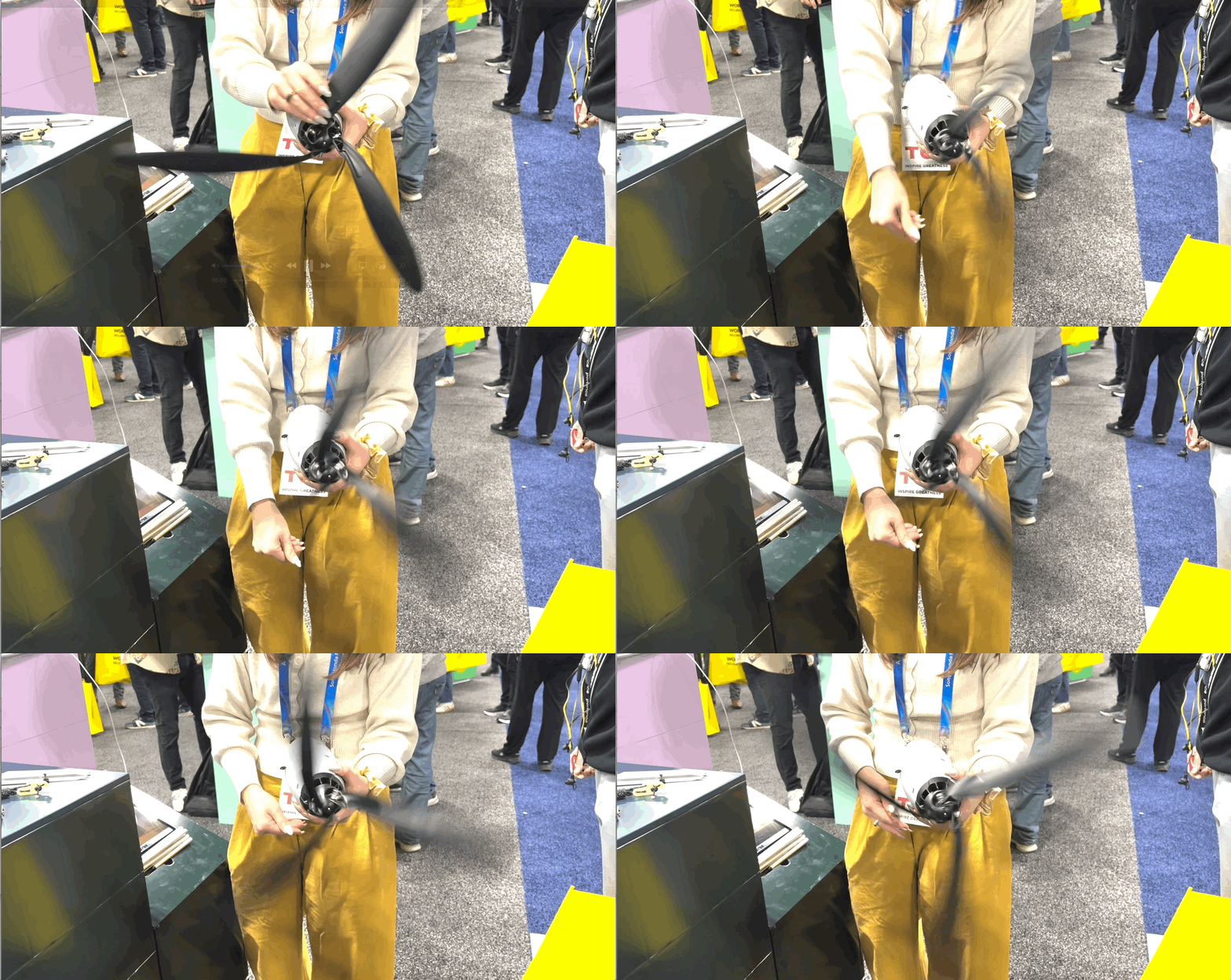
The company claims you can set the entire thing up in around two minutes. I watched the Carr take the turbine from fully closed to unfurled and ready for the stand in about that long. Unfortunately, there was no wind rushing through the CES show floor so I couldn’t see it spin, but Carr was kind enough to spin it for me.
Spinning the Shine Turbine 2.0
Amy Skorheim for Engadget
Possibly the most exciting part is Shine’s plan for more expansive power generation. Shine 3.0, which the company is working on now, will be a 100 to 300 watt system and grid-tied turbines are on the wish list.
Pre orders are now open for the Shine 2.0 through Indiegogo for $399 and units should begin shipping this spring.
Update, January 7 2026, 4:00PM ET: This story has been updated to correct the wattage output and include the co-founder’s name.
This article originally appeared on Engadget at https://www.engadget.com/home/smart-home/the-shine-20-is-a-compact-wind-turbine-for-your-next-camping-trip-191000940.html?src=rss
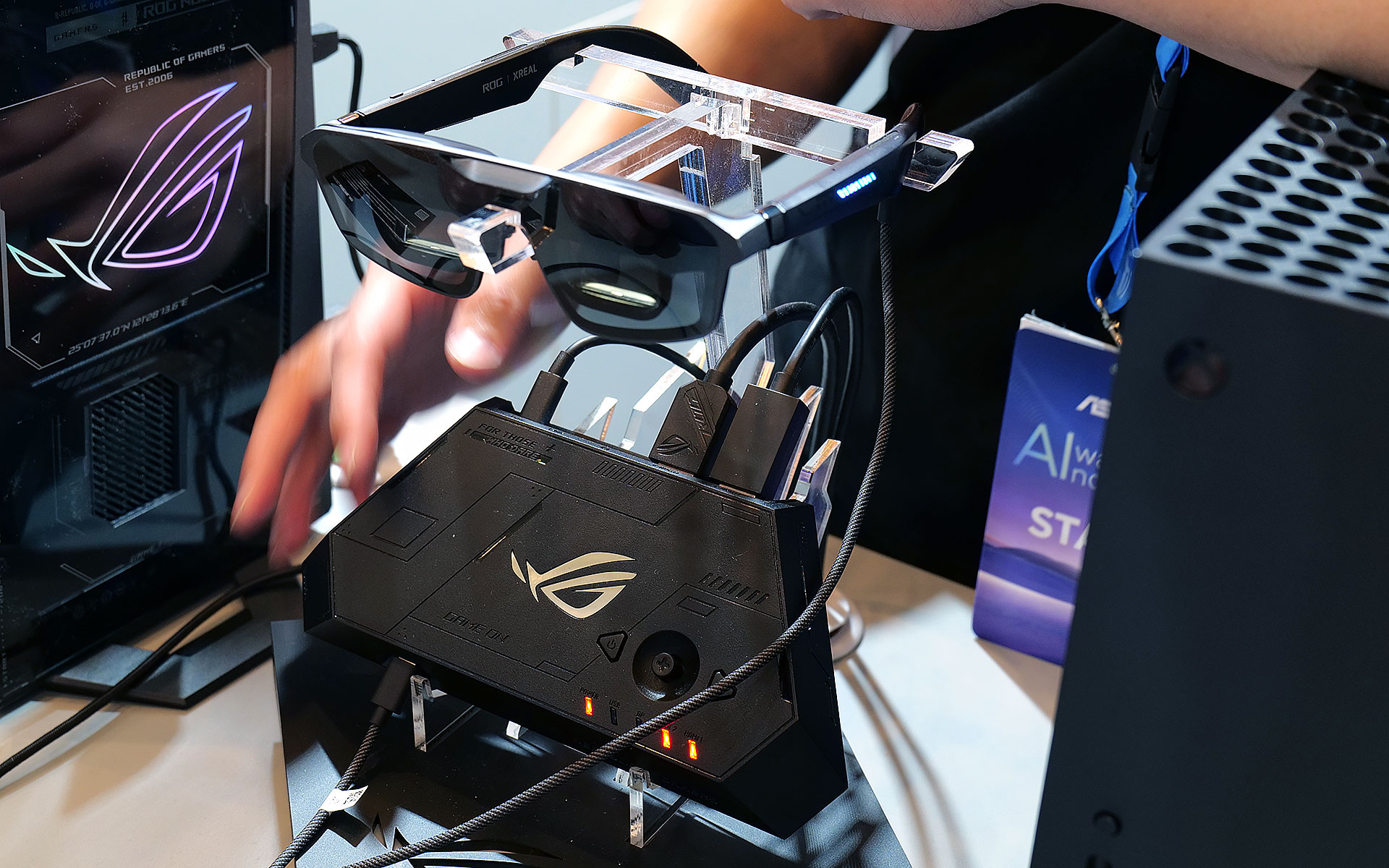
The latest generation of smartglasses can create huge virtual screens without the need to lug around giant monitors are a real boon to frequent travelers. However, their specs aren’t often tailored to the needs of gamers, so at CES 2026, ASUS and XREAL partnered to make a pair with two very important features you don’t normally get from rivals.
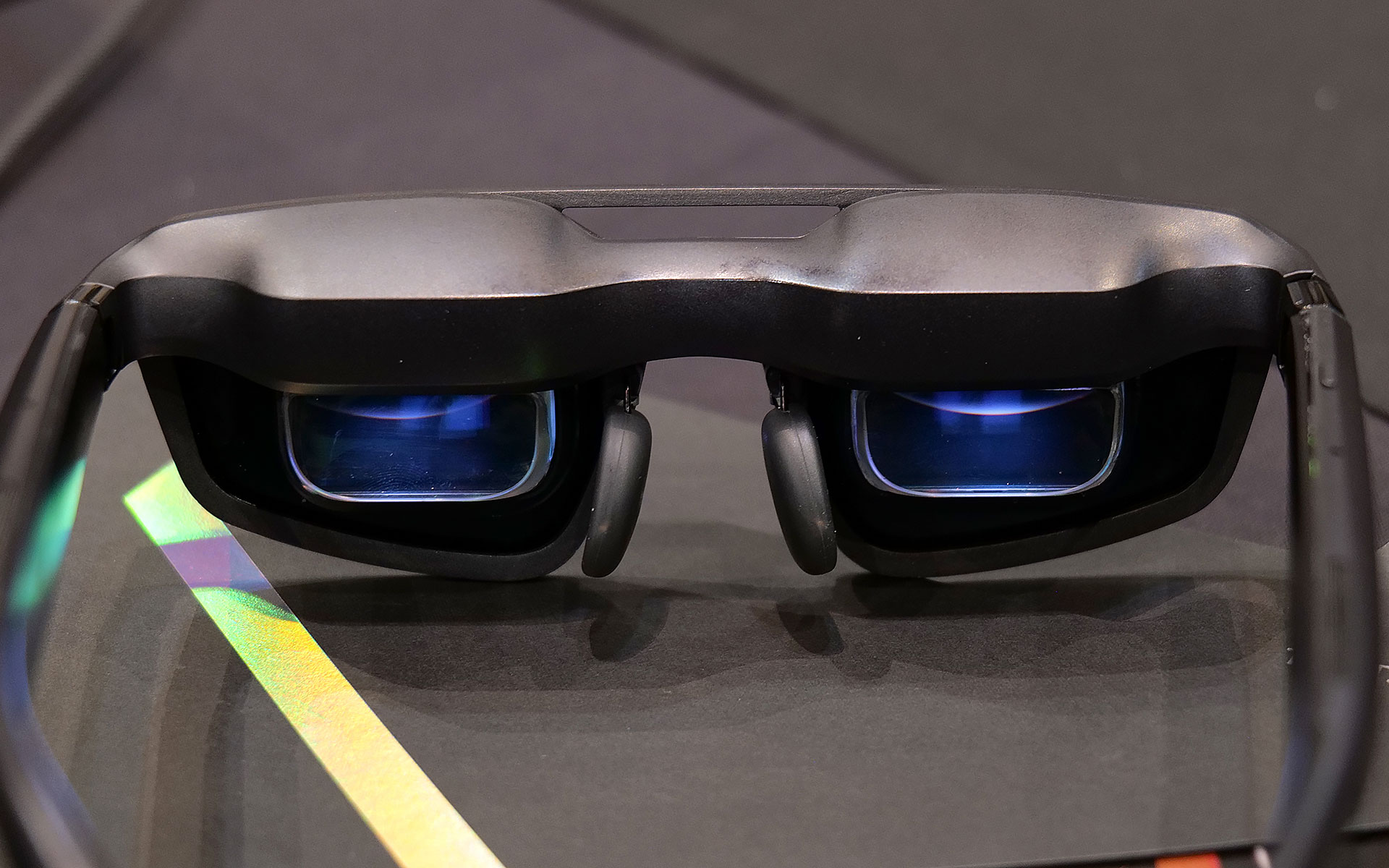
The new ROG XREAL R1 AR glasses are based on the existing XREAL One Pro, so naturally they share a lot of the same components and specs including dual micro-OLED displays with a per-eye resolution of 1,920 x 1,080, three degrees of freedom (natively), 700-nit peak brightness, 57-degree FOV and built-in speakers tuned by Bose. However, the big difference on the R1s is that instead of maxing out with a 120Hz refresh rate, ASUS and XREAL’s collab goes all the way up to 240Hz. That’s a pretty nice bump, especially for people with older hardware or anyone who might not have access to a high refresh rate display or just doesn’t want to lower their standards while traveling.
The ROG XREAL R1 AR smartglasses deliver 1,920 x 1,080 resolution to each eye with a 240Hz refresh rate and 57-degree FOV.
Sam Rutherford for Engadget
The other big addition is the R1’s included ROG Control Dock, which from what I’ve seen is slightly better suited for home use. It’s designed to be a simple hub with two HDMI 2.0 jacks, one DisplayPort 1.4 connector and a couple of USB-C slots (one is for power), so you can quickly switch between multiple systems like your desktop and console with a single touch. That said, depending on the situation you might not even need the dock at all because the R1s can also be connected to compatible PCs or gaming handhelds like the ROG Ally X and ROG Xbox Ally X (see the synergy there?) directly via USB-C.
When I got to try them out at CES, the R1s delivered a very easy to use and relatively streamlined kit. At 91 grams, they are barely heavier than the original XREAL One Pro (87g) so they don’t feel too weighty or cumbersome. I also really like the inclusion of electrochromic lenses, which allow you to change the tint of the glasses with the touch of a button. This lets you adjust how much or little light you want to come in through the front to best suit your environment. And thanks to support for three DOF, you have the ability to pin your virtual screen in one location or let it follow you around.
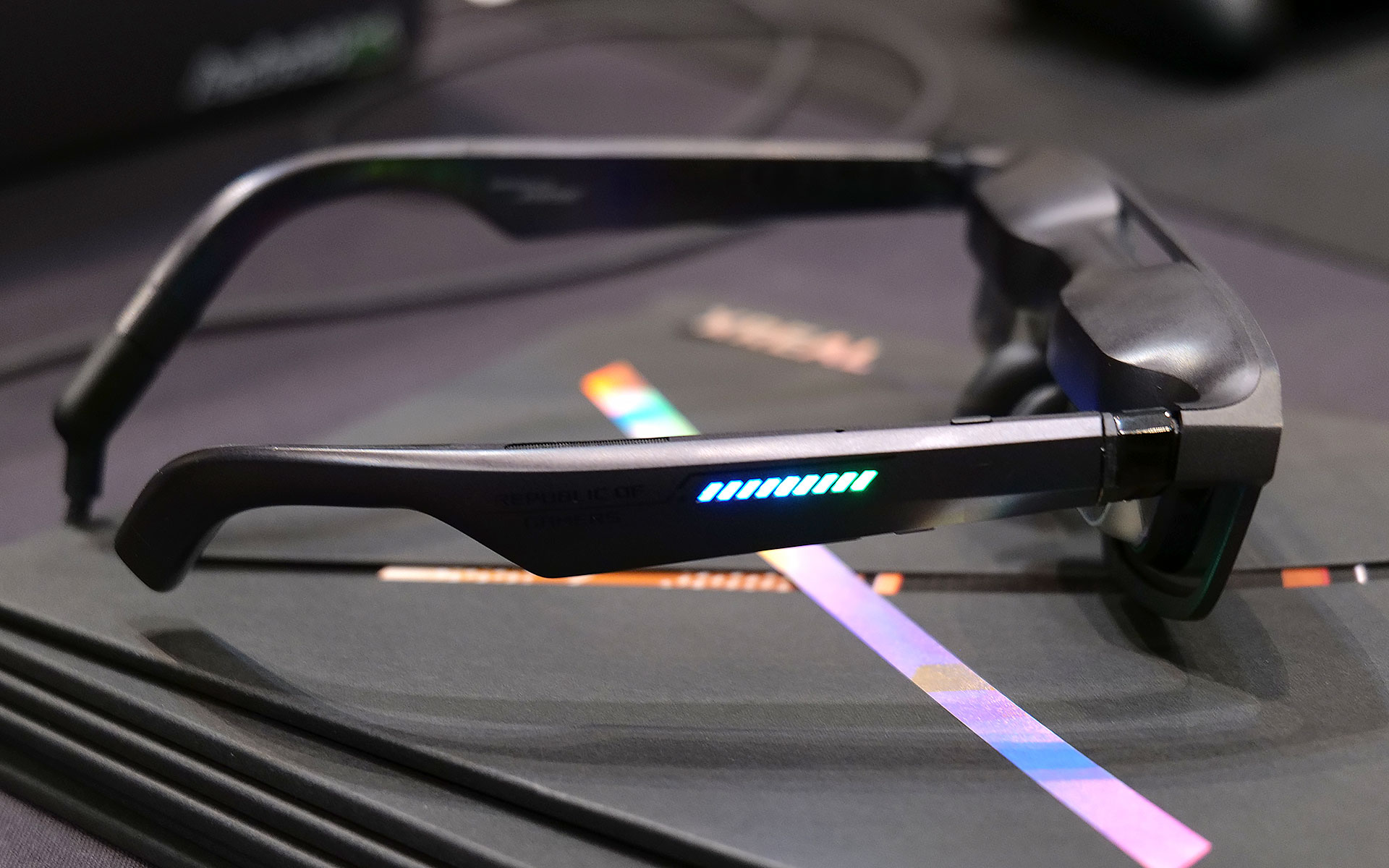
Of course, ASUS and XREAL couldn't resist putting RGB lighting on the ROG XREAL R1 AR smartglasses.
Sam Rutherford for Engadget
Now it is important to remember that in order to get 240Hz on the smartglasses, you need hardware capable of pushing the kind of performance. So depending on the title, when the R1s are connected to something like a gaming handheld, you might not be able to get there. Luckily, I had the chance to use the specs when connected to a PC as well, which let me really appreciate the smoothness you get from faster refresh rates. General image quality was also quite good thanks to the glasses’ 1080p resolution, so I had no trouble reading text or discerning small UI elements.
The ROG Control dock makes it easy to connect multiple devices to the ROG XREAL R1 AR smartglasses, but it may be a bit too bulky to pull out in tight situations like on a plane.
Sam Rutherford for Engadget
My one small gripe is that I kind of wish its 57-degree FOV was a tiny bit bigger, but that’s more of a limitation of current optical technology as there aren't a ton of similarly sized specs that can go much higher (at least not yet). That said, even with its current FOV, you can still create up to a 171-inch virtual screen at four meters away, which is massively bigger than any portable screen you might entertain carrying around.
Unfortunately, ASUS and XREAL haven’t announced official pricing or a release date for the R1s yet, but hopefully they won’t cost too much more than the XREAL One Pro, which are currently going for $649.
This article originally appeared on Engadget at https://www.engadget.com/gaming/pc/asus-and-xreal-teamed-up-at-ces-to-make-gaming-smartglasses-with-two-important-upgrades-190500897.html?src=rss
If you've never docked a boat before, consider yourself lucky. There are plenty of popular TikTok channels devoted to shaming those who bring their craft back home clumsily or berth them with something less than finesse. Tricky crosswinds, unpredictable surf and even the jeers of passersby can make it a stressful experience at the best of times.
Brunswick, which owns more than 50 water-borne brands like Sea Ray, Bayliner and Mercury Marine, has a solution. It's demonstrating some self-docking tech called AutoCaptain at CES 2026 that makes this process a cinch, plus a fleet of other innovations that, in some cases, leave some of the smart cars on the show floor looking a bit remedial.
One of those technologies is edge AI. While in-car AI is an increasingly common feature, those agents are exclusively running remotely, relying on cellular connections to offload all the processing power required to drive a large language model.
Sadly, that won't always work on a boat.
One of Brunswick's tech-equipped boats
Brunswick
"One of the things about AI for boats is you don't have connectivity, so there is some edge compute required," David M. Foulkes told me. He's chairman and CEO of Brunswick.
Many of the company's boats do have active cellular connectivity, but head far enough offshore, and you're on your own unless you're packing Starlink or the like.
To solve that, Brunswick is running advanced SoCs from NVIDIA and other providers that enable running a limited agent offline — on the edge, as it were. When offline, Misty, as the on-boat AI assistant is called, won't be able to make dinner reservations or craft a 3,000-word treatise on the history of America's relationship with Greenland. It can, however, help with navigation or boat settings.
"It'll help answer the kind of questions that you might need to take out a manual to understand and maybe act as an assistant to make your boating a bit smoother," Foulkes said.
When the company's smart boats are connected, they offer some degree of remote control. No, you can't drive it around the docks and freak out your pier-mates, but you can check on the boat remotely to make sure nobody's trying to stow away. You can even precondition it to get the cuddy cabin nice and cool before you come aboard.
Navan C30
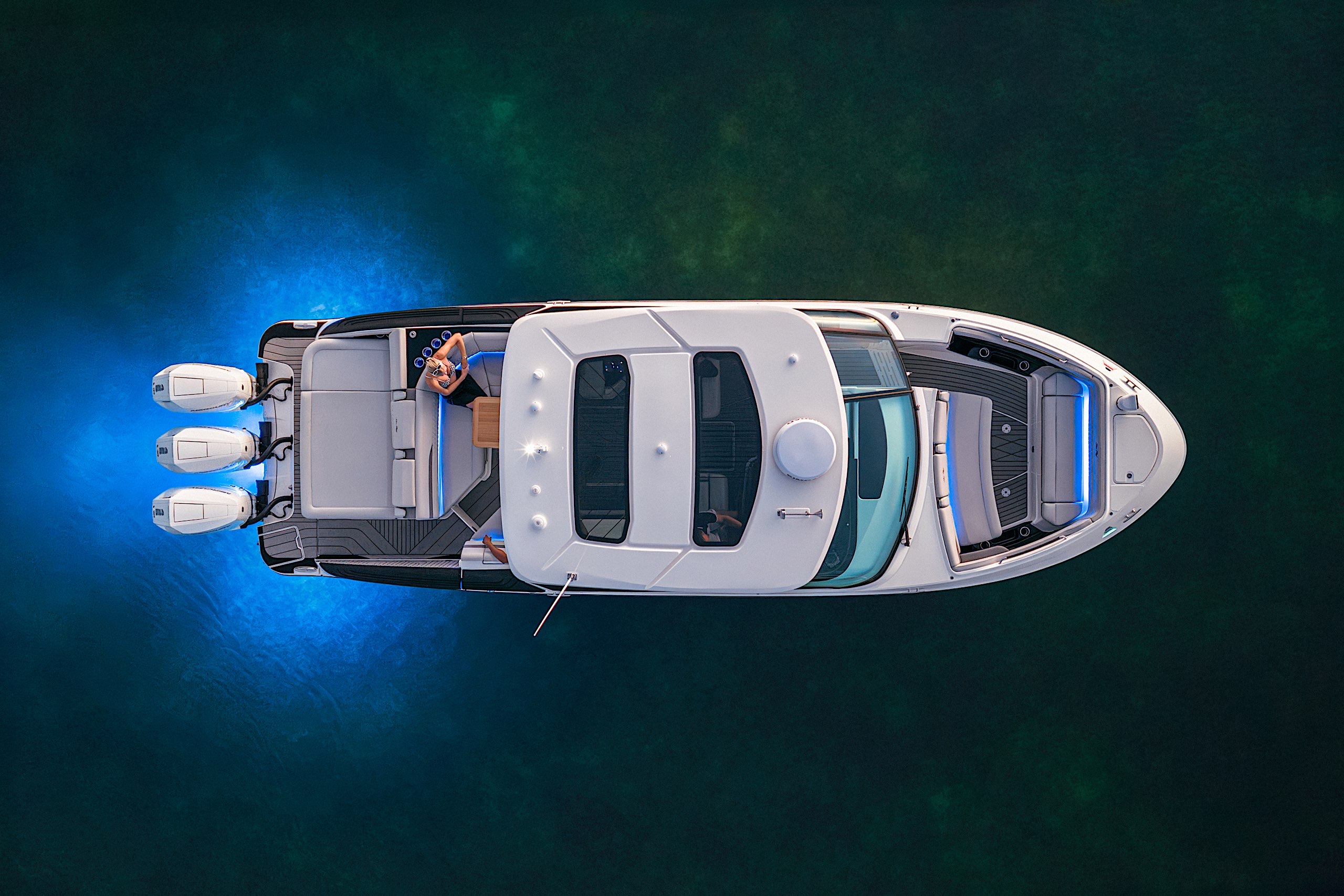
Power for that, and a variety of other onboard systems, can come from an integrated power system called Fathom, which has a lot in common with modern smart home tech. Solar panels on the roof (nicely disguised beneath a black mesh) collect power to recharge an onboard battery, with various sizes upwards of 30 kWh depending on the boat's size. That battery can also be recharged by the onboard motors, like the three 425-horsepower V10s the Sea Ray SLX 360 drydocked at the Brunswick booth at CES 2026.
The juice in that battery can then be used to power a variety of onboard systems, even charging a pair of electric hydrofoils, which another of the company's boats, called the Navan C30, had strapped on the roof.
You'll also find cameras on the roof of these boats. That's how the AutoCaptain feature works, numerous fisheye lenses scanning the water in every direction. Approach a pier and the AI assistant asks if you'd like some help docking. Just tap the button on the touchscreen, then kick back and let Misty do the driving.
Between automated docking, the in-cabin AI assistant and the smart power distribution system, Brunswick's boats offered some impressive tech. But then they'd have to, given the cost. The Sea Ray SLX 360 Outboard has a starting price of $586,000. The smaller Navan C30 is a rather more attainable, but still extreme, at $227,500. That’s still probably cheaper than hiring a real captain, though.
This article originally appeared on Engadget at https://www.engadget.com/transportation/brunswicks-latest-boats-at-ces-2026-feature-edge-ai-self-docking-capabilities-and-solar-power-185500213.html?src=rss
A startup called ReviMo has developed a robotic system that provides a way for people with limited mobility to lift and transfer themselves — like from a bed to a wheelchair, or to the toilet — without the assistance of a caregiver. ReviMo's Niko has two sets of arms: one that forms a "scooping seat" that slides underneath the person to lift them up, and the other encircling their torso and providing a backrest. It can be operated both by remote and using the controls on its dashboard. Niko in its current iteration can carry up to 250 pounds, but the team says it's working on a version that can support up to 400 pounds.
In addition to aiding in transfers, Niko can lift the rider to a standing level and offers retractable handlebars for support. It also has the potential to be a big help to caregivers, who in many cases assist with multiple transfers every day. Even in a situation where a person isn't able to operate it by themselves, Niko facilitates a transfer that requires much less physical exertion than today's common methods, like sling-based mechanical lift systems. At CES, founder Aleksandr Malaschenko gave a demonstration of its lifting capabilities, using it to scoop him up from a chair and bring him out into the aisle.
Niko is designed to work with most wheelchairs and be compact enough to navigate small bathrooms. It can position a person right above a toilet, and there are disposable seat covers. The goal is to help people with limited ability achieve more independence.
It is the kind of device that, if it delivers on its promises, could be a game-changer for people with limited mobility and paralysis, and their loved ones. My dad was diagnosed with ALS when I was a kid, and I learned how to operate a Hoyer lift by the time I was in middle school. This strikes me as something we would have really appreciated having around. Malaschenko has said the inspiration for the robotic system came from being a caregiver for his grandfather following a stroke.
Niko will cost about $15,000, though the team said it's working to get it covered by insurance. The company is also offering lower prices for customers who sign up for one of its premium waitlists, and there are options to rent it for those who would only need a lift and transfer system temporarily.
This article originally appeared on Engadget at https://www.engadget.com/transportation/niko-is-a-robotic-lift-for-people-with-limited-mobility-that-doesnt-require-a-caregivers-help-184500703.html?src=rss
Ubisoft is closing a Canadian studio just over two weeks after it unionized. In a dizzying claim, the company toldGamesIndustry.biz that the closure of Ubisoft Halifax was part of "company-wide actions to streamline operations" and unrelated to the unionization.
On December 22, Ubisoft Halifax announced that 61 of its workers had joined the Game & Media Workers Guild of Canada. At the time, the studio's lead programmer, Jon Huffman, toldCTV News that 73.8 percent of employees voted in favor of unionizing. Ominously in hindsight, he had described the decision as a "huge relief." The studio was working on mobile titles within the Rainbow Six and Assassin's Creed franchises.
Ubisoft's official statement framed the shutdown as part of a broader pattern of financial belt-tightening. "Over the past 24 months, Ubisoft has undertaken company-wide actions to streamline operations, improve efficiency, and reduce costs," the company said. "As part of this, Ubisoft has made the difficult decision to close its Halifax studio. 71 positions will be affected. We are committed to supporting all impacted team members during this transition with resources, including comprehensive severance packages and additional career assistance."
In October, Ubisoft announced that Massive Entertainment, developer of The Division series, Star Wars Outlaws and Avatar: Frontiers of Pandora, was offering buyouts to some employees. The company framed that move as a "voluntary career transition program." Over the past few years, Ubisoft has closed offices and laid off workers in San Francisco, London and Leamington. In 2024, the company's headcount dropped by eight percent.
This article originally appeared on Engadget at https://www.engadget.com/gaming/ubisoft-is-shutting-down-a-studio-16-days-after-it-unionized-183000983.html?src=rss