Google Pixel Tablet Relaunch: News, Rumors, Price, and Release Date

Google isn’t exactly known for its love of tablets. Android 3.0 Honeycomb was the first version to support large-screen devices, but it was mostly seen as a quick stopgap measure to curb the growing number of tablets modifying an experience that was meant for phones only (looking at you, Samsung and HTC). The release, however, was considered to be so rushed and so bad that Android 4.0 Ice Cream Sandwich was released half a year later. Google didn’t seem keen to make its own Android tablets either, be it the old Nexus brand or the short-lived Pixel C, but that’s not to say its own fans haven’t been clamoring for an official Google tablet for years. That finally happened nearly a year ago with the Pixel Tablet, which painted this large device as something different from an iPad or a Samsung Galaxy Tab. Rather than launch a new Pixel Tablet 2 this year, however, Google is apparently making the rather unorthodox move of relaunching the existing model, and it seems like it will be a mixed bag based on what we’re hearing so far.

Designer: Google

Google Pixel Tablet: Design

The most important thing about this “relaunch” is that there is no word on any major internal or external changes to the Google Pixel, and that’s not entirely a bad thing. There are some whispers about a new and darker color option, but that seems unlikely at this point. The Pixel Tablet’s design is largely driven by Google’s vision of what the tablet really is for, which all boils down to a device that’s meant more to stay at home than accompany you wherever you go.

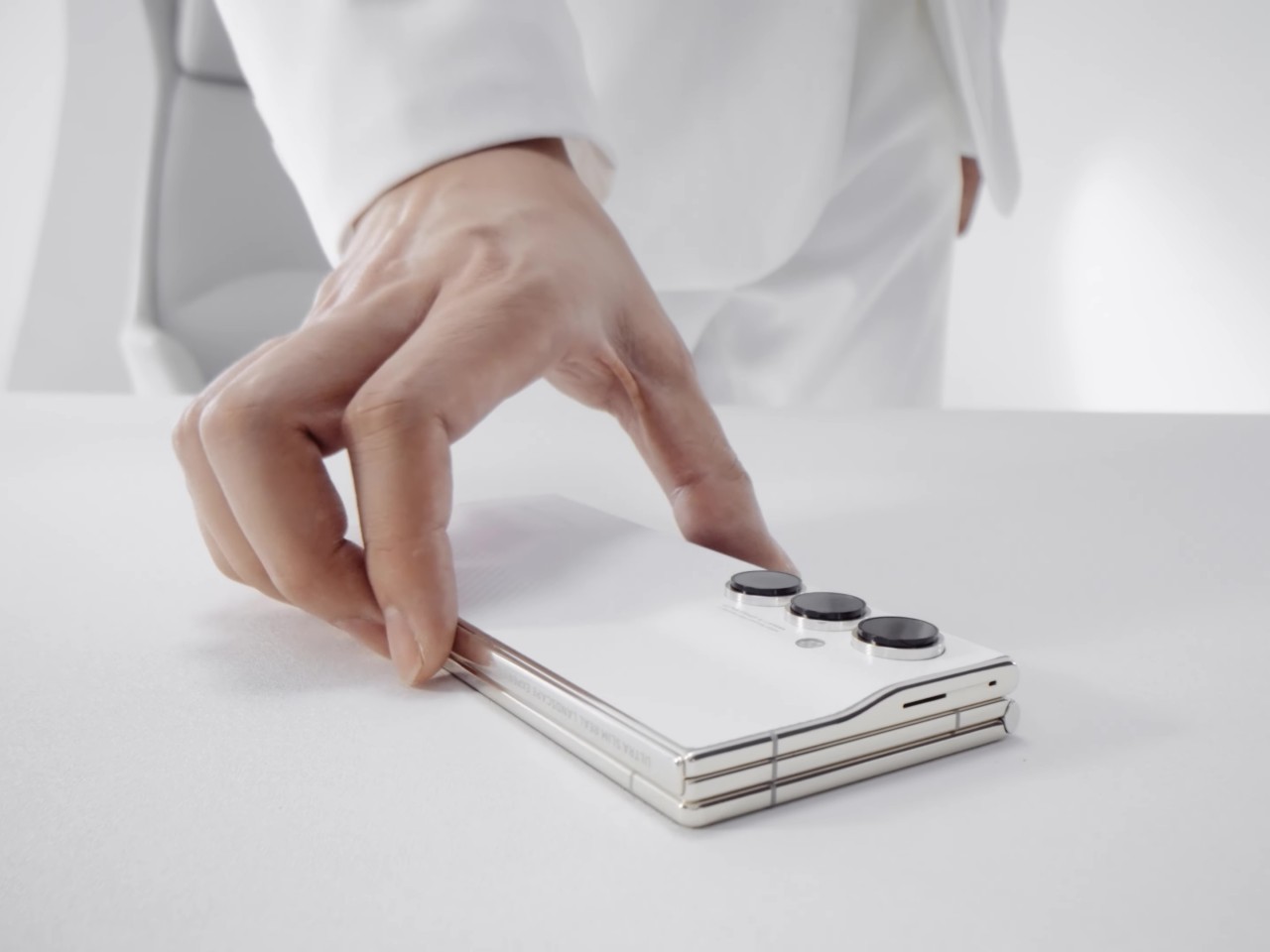
The Google Pixel Tablet’s aesthetics are simple, homey, and a bit traditional. Unlike the flat and sharp edges of the likes of the current Apple iPads, Google’s design has curved sides and a gentler demeanor. It’s not something you’ll flaunt outdoors but will be perfectly at home inside the house. That’s primarily because Google’s purpose for its tablet isn’t on-the-go productivity or entertainment but as pretty much a portable smart display for controlling your smart devices, making video calls, or playing music. The fact that you can only buy the Pixel Tablet with its charging speaker dock pretty much drives home that identity.

This will be the exact same Pixel Tablet that Google is said to be “relaunching” in just two weeks but with a slight twist. The accessories for the tablet are being changed, and this speaker charger will no longer be bundled with the Pixel Tablet by default. Although it’s only the accessory lineup that will change, it also subtly changes the message that the product will be sending. Strangely enough, the design will also remain the same, so it’s not a complete overhaul of its identity either.

Google Pixel Tablet: Specs and Software

We’re unlikely to see any internal changes either, which means we’ll be seeing the same 2022-era specs like a Tensor G2 processor and 8GB of RAM, for starters. Truth be told, the Pixel Tablet hardware was plenty fine for what it was made for and can even support a bit of gaming on the side. Whether that holds true in 2024 and beyond is a bit uncertain, however, especially with Google opening up the device to new use cases that may demand more from the hardware.

What is basically changing is that Google will no longer ship the Pixel Tablet with the Charging Speaker Dock, which has important ramifications as far as pricing goes. More importantly, however, it is rumored to introduce new accessories, namely an official Google stylus as well as a keyboard for the tablet, most likely a keyboard cover like those sold for the Galaxy Tab S9, for example. Unfortunately, there are no leaks on the design that these products will take, but given the design of the official Pixel Tablet Case, we’re expecting something that will match the tablet’s aesthetics as well.

Samsung Galaxy Tab S9+

Samsung Galaxy Tab S9 Ultra

Samsung Galaxy Tab S9 Ultra

Designer: Samsung

Of course, the Pixel Tablet has had support for a wide range of styluses implementing the USI 2.0 standard as well as the myriad Bluetooth keyboards in the market. But having Google’s official stamp pretty much sends the message that the Pixel Tablet is also good for creativity and productivity, whether it’s making art, scribbling notes, or typing documents. The keyboard case even makes a case (pun intended) for bringing it out of your home and setting up an ad hoc office in a cafe somewhere. The Pixel Tablet’s hardware could still be up to the task, but more resource-hungry apps could hit a wall easily with this configuration.

As for the software, the Pixel Tablet will still be running Android 14 by the time it launches, but we’re expecting to see more AI-related features drop through updates. Circle to Search, in particular, will be easier to do with a stylus, and Google’s NotebookLM AI-powered app will be more useful if you can quickly type with a keyboard. The Google Pixel Tablet will be growing up from being a homebody to a digital nomad, allowing you to enjoy and utilize Google’s services anywhere you go and on a larger screen.

Google Pixel Tablet: Price and Release Date

Google’s new pricing strategy will be a mixed bag. On the one hand, you will finally be able to buy a Pixel Tablet on its own without having the Charging Speaker Base forced on you. Presuming the standalone base still costs $129, then the solo Pixel Tablet could be made available for only $379, hopefully a bit lower. This makes the tablet more accessible, especially for people who have better-sounding speakers anyway.

On the other hand, all accessories will have to be purchased separately, and the price tags might be hard to swallow. According to the rumors, the Pixel stylus and keyboard could amount to around $100 each, setting you back $579 for the complete mobile office package. A total of $699 if you also want a home base at, well, home. Granted, the Apple Pencil is already $120, but that’s normal for an Apple product. One can only hope that these figures are ballpark estimates instead.

As for when all these will drop, signs point to a May 10 “relaunch” for the Pixel Tablet. That’s a pretty odd strategy given that Google I/O 2024 will be taking play on May 14. The only way this will make total sense is if there’s a new Pixel Tablet 2 or even Pixel Tablet Pro being announced there, but that will immediately make the Pixel Tablet relaunch dead on arrival unless the accessories are 100% compatible with the new Google tablet.

Google Pixel Tablet: Final Thoughts

Although it might not launch a new tablet, it’s actually encouraging to hear that Google is continuing to support its only tablet not just with software updates but new accessories as well. These are accessories it could have launched on day one, however, but that would have probably muddled the message it was trying to send. It tried to set the Pixel Tablet apart from the iPads and Galaxy Tabs of the market by focusing on its benefits at home. Now it’s sending a different message, one that says it’s finally safe to go out.

At the same time, however, it does make the Pixel Tablet feel old and stale, which is a bit worrying considering Google’s history with Android tablets. It won’t kill off its tablet line immediately, but not having an immediate successor makes one wonder if Google will simply milk the existing model dry and then call it quits. Then again, Google has also been notorious for killing off successful products after a few generations, so the Pixel Tablet’s fate will always be in the air anyway.

The post Google Pixel Tablet Relaunch: News, Rumors, Price, and Release Date first appeared on Yanko Design.

Apple ‘Let Loose’ Media Event Hints at new iPad Updates and More

Apple has a knack for igniting curiosity with its creative event teasers. This year, they’ve captivated us with an image of a hand holding an Apple Pencil, set against a backdrop shaped by an imaginative Apple logo, which has led to widespread speculation about potential iPad updates. I, along with other members of the media, was invited to tune into Apple’s “special event” on May 7th at 7 AM PST. We’re keen to see if products like the 2021 iPad Mini and the 2015 Magic Trackpad 3, still on the market and recently spotlighted by my colleague, will receive updates. The event, intriguingly named “Let Loose,” promises to possibly reveal these changes, all under the iconic Apple logo that creatively hints at what’s to come.

Designer: Apple

iPad Pro 12.9-inch (6th generation) with Magic Keyboard

I’m betting that new iPad models being announced at the event will sport a larger 13-inch display while maintaining the sleek size and form factor we’re used to. The Pro model could really impress with a larger OLED screen, especially if they shift the front-facing camera to a horizontal layout. While we’re on the topic of design, I’m hoping for a stronger yet lighter build using titanium, and it wouldn’t hurt to slim down the thickness by 25% while upping the battery life. On the performance front, these new iPads are expected to be powered by the M3 chipset.

iPad Pro 12.9-inch (6th generation) with Magic Keyboard

I really like the current Apple Pencil, but it wouldn’t hurt for Apple to give us something even more eye-catching. As for the Magic Keyboard, the design is great, but the first row of keys tends to get blocked by the iPad, and the trackpad feels too cramped for comfort. Thinking back to my titanium wish list, wouldn’t it be wild if Apple used titanium in a redesigned Magic Keyboard? That would definitely lighten the load when paired up. But coming back to reality, an aluminum build with a redesigned key layout and a larger trackpad would be more than welcome. And let’s not forget about giving the new iPad Pro some MagSafe compatibility. Just think of the endless accessories that could turn it into a dream machine for creatives and professionals alike.

iPad Mini 6th Gen (2021)

Apple could potentially make subtle upgrades to the iPad Air and iPad mini or even discontinue the latter. One speculation is a larger 12.9-inch size iPad Air in addition to the 11-inch model. On the peripheral side, it’s unlikely that Apple will update the other products on Sarang’s list.

The post Apple ‘Let Loose’ Media Event Hints at new iPad Updates and More first appeared on Yanko Design.

DaVinci Resolve’s latest Micro Control Panel turns your Apple iPad Pro into a full-fledged studio

Just in time for Apple’s May 7th event, Blackmagic announced the Micro Control Panel, a tiny, keyboard-sized controller that takes your iPad color grading to a whole new level. Dock your latest iPad Pro in the Micro Control Panel, fire up the DaVinci Resolve app, and this tiny rig rivals most color-grading setups. Designed for professional as well as novice videographers and unveiled at NAB 2024 this year, the new portable control panel features a mounting slot for an Apple iPad Pro, an internal battery, supports both Bluetooth and USB-C connections, and boasts an affordable $495 price tag.

Designer: Blackmagic

Standing out for its portability, the DaVinci Resolve Micro Color Panel is roughly the size of a keyboard. Don’t be fooled by its size, though. This panel packs a punch with high-quality trackballs and machined knobs for precise control over color correction. Whether you’re adjusting shadows, highlights, or saturation, the tactile feedback provided by these controls allows for nuanced fine-tuning.

Beyond color correction, the panel offers a range of transport and grading controls conveniently positioned around the edges. With these buttons at your fingertips, you can navigate your project timeline, set stills, and execute other commands with ease, significantly speeding up your workflow. Notably, some of these controls were previously exclusive to the larger DaVinci Resolve Mini and Advanced panels.

For existing DaVinci Resolve users, the Micro Color Panel offers a familiar feel. The trackballs boast a similar professional design, and the shift keys mimic the layout of higher-end panels. This ensures a smooth transition for experienced colorists while offering a user-friendly introduction for beginners.

An exciting feature for creators on the go is the integrated battery and Bluetooth connectivity. Ditch the cables and achieve wireless control over your color grading suite. This makes the Micro Color Panel ideal for location shoots or editing suites with limited space. But don’t worry, traditionalists can still connect via USB-C if desired.

The biggest perk might be the price tag. At $495, the DaVinci Resolve Micro Color Panel is significantly more affordable than its larger counterparts. This opens the door for a wider range of editors and colorists to experience the power of dedicated control panels and take their creative output to the next level.

The post DaVinci Resolve’s latest Micro Control Panel turns your Apple iPad Pro into a full-fledged studio first appeared on Yanko Design.

Our favorite cheap Android tablet is on sale for $170

We highlight Samsung's Galaxy Tab A9+ in our Android tablet buying guide for those who just want a competent slate for as little money as possible. If that describes you, take note: The 11-inch device is now on sale for $170 at several retailers, including Amazon, Walmart and Best Buy. This deal has technically been available for a couple of weeks, but it still represents the lowest price we've tracked. For reference, Samsung typically sells the tablet for $220. Both the Graphite and Silver finishes are discounted.

Do note, though, that this price applies the base model, which includes 4GB of RAM and 64GB of storage. The latter is expandable with a microSD card, but the limited memory can cause some stutters if you want to push the the tablet for anything beyond casual streaming and web browsing. Samsung sells a higher-spec model with 8GB of RAM and 128GB of storage: That one will be a better buy for gaming and more involved use, and it's also $50 off at $220, another all-time low.

As my colleague Sam Rutherford notes in our buying guide, the Galaxy Tab A9+ isn't likely to wow you in any one area, but it covers the basics well. Its 11-inch LCD display is well-sized and has a faster-than-usual 90Hz refresh rate, which helps the UI feel smooth to scroll through. The screen has a wide 16:10 aspect ratio, so it's better suited to landscape mode than the 4:3 display on an iPad. The metal and plastic frame is slick for the price, while the 7,040mAh battery should hold up for a day or two of casual use. And though no Android tablet really nails the software experience, most people should find Samsung's One UI to be cleaner than something like Amazon's Fire OS. The company says it'll provide OS updates through the eventual Android 16 and security updates through October 2027.

That said, this is still a cheap tablet. The Galaxy Tab A9+'s Snapdragon 695 chip is speedy enough but no powerhouse, and its charging speed tops out at a relatively meager 15W. There's no fingerprint reader, included stylus or formal water-resistance rating, either. If you're not beholden to Android, one of Apple's iPads will still be more well-rounded (though we expect to see new models arrive in the coming weeks). Still, at these prices, the Galaxy Tab A9+ is a solid buy if you're on a tighter budget.

Follow @EngadgetDeals on Twitter and subscribe to the Engadget Deals newsletter for the latest tech deals and buying advice.

This article originally appeared on Engadget at https://www.engadget.com/our-favorite-cheap-android-tablet-is-on-sale-for-170-151624727.html?src=rss

Our favorite cheap Android tablet is on sale for $170

We highlight Samsung's Galaxy Tab A9+ in our Android tablet buying guide for those who just want a competent slate for as little money as possible. If that describes you, take note: The 11-inch device is now on sale for $170 at several retailers, including Amazon, Walmart and Best Buy. This deal has technically been available for a couple of weeks, but it still represents the lowest price we've tracked. For reference, Samsung typically sells the tablet for $220. Both the Graphite and Silver finishes are discounted.

Do note, though, that this price applies the base model, which includes 4GB of RAM and 64GB of storage. The latter is expandable with a microSD card, but the limited memory can cause some stutters if you want to push the the tablet for anything beyond casual streaming and web browsing. Samsung sells a higher-spec model with 8GB of RAM and 128GB of storage: That one will be a better buy for gaming and more involved use, and it's also $50 off at $220, another all-time low.

As my colleague Sam Rutherford notes in our buying guide, the Galaxy Tab A9+ isn't likely to wow you in any one area, but it covers the basics well. Its 11-inch LCD display is well-sized and has a faster-than-usual 90Hz refresh rate, which helps the UI feel smooth to scroll through. The screen has a wide 16:10 aspect ratio, so it's better suited to landscape mode than the 4:3 display on an iPad. The metal and plastic frame is slick for the price, while the 7,040mAh battery should hold up for a day or two of casual use. And though no Android tablet really nails the software experience, most people should find Samsung's One UI to be cleaner than something like Amazon's Fire OS. The company says it'll provide OS updates through the eventual Android 16 and security updates through October 2027.

That said, this is still a cheap tablet. The Galaxy Tab A9+'s Snapdragon 695 chip is speedy enough but no powerhouse, and its charging speed tops out at a relatively meager 15W. There's no fingerprint reader, included stylus or formal water-resistance rating, either. If you're not beholden to Android, one of Apple's iPads will still be more well-rounded (though we expect to see new models arrive in the coming weeks). Still, at these prices, the Galaxy Tab A9+ is a solid buy if you're on a tighter budget.

Follow @EngadgetDeals on Twitter and subscribe to the Engadget Deals newsletter for the latest tech deals and buying advice.

This article originally appeared on Engadget at https://www.engadget.com/our-favorite-cheap-android-tablet-is-on-sale-for-170-151624727.html?src=rss

Concept laptop and tablet adapts to your mobile working needs

As we continue to be more mobile in terms of where we work and study, gadgets and devices are adjusting to users’ needs and wants. More often than not, laptops and tablets are the devices of choice as it allows us to work wherever we want, oftentimes at cafes and shared or co-working spaces or sometimes even while commuting. There are already a lot of options out there but we continue to look at concepts that can bring even more improvements to our nomad working lifestyle.

Designer: Lee Seung-Hee

This concept laptop called LT-1 aims to solve the pain point of having a disorganized work environment when you’re working outside or having several gadgets with you even as you have limited space and are continuously mobile. What we need is to have a device that is efficient, practical, can adjust to our needs, and can multi-task just like what we’re probably doing. What they came up with is a minimalist looking laptop that has several functionalities built into it.

What’s unique about this concept is that you have a sub-display in the keyboard area which can show things that don’t need much of your attention but may be important to know. This includes your music playlist, preview of messages, and even a scheduler if you need to take a quick look at those things. Taking up 1/3 of your keyboard is the multi tablet section which basically serves as your trackpad and a multi-touch surface where you can use your pencil or stylus. It also has something called Mode Change LED although it’s not fully explained what it does. The keyboard itself has shortcut keys and there’s a function bar at the top where you have power key, switch to tablet mode, sound control, and something called “behavioral recording”.

They assume that you’ll use the LT-1 a lot so there’s a chance of overheating. There’s a back vent and a side vent to help with that as one of the ideas for this laptop and tablet in one is that it will remain cool. As a concept, this is pretty interesting but the actual execution may be challenging, and maybe even expensive. Let’s see how far the LT-1 Concept Laptop can get and if we’ll eventually see it in the market.

The post Concept laptop and tablet adapts to your mobile working needs first appeared on Yanko Design.

The Samsung Galaxy Tab S9 is down to an all-time low

If you're on the hunt for a reliable tablet not made by Apple, this is a good sale to check out. Currently, Amazon, Best Buy and Samsung's own site are selling the base-model Galaxy Tab S9 for $670. That's $130 off the list price and the lowest price we've seen yet, beating the previous low it hit a few weeks ago. The Tab S9 family is our top choice for Android tablets, thanks to their multitasking abilities, great screens and useful available accessories like keyboards.   

We like the Galaxy Tab S9 tablets because they can do everything you'd want a tablet to do, plus a little more with added productivity features. The tablet's DeX mode creates an environment similar to a PC in which you can easily flit between different apps and windows, making it easier to do more complex tasks. The Qualcomm Snapdragon 8 Gen 2 processors are speedy to support all of that productivity and the OLED displays look gorgeous. One of our few concerns in recommending the Tab S9 series is they tend to be expensive, but the $130 discount takes away some of that hesitation.  

The base model that's on sale here comes with 8GB of RAM, 128GB of storage, an 11" Dynamic AMOLED touchscreen, an IP68 dust- and water-resistance rating and support for Wi-Fi 6E. The included S Pen can be used for taking notes by hand, doodling and making art. Other accessories, like the keyboard case, are sold separately, and we can't help but notice the current price of that add-on is nearly the same as the discount on the tablet. 

For a less expensive tablet, it's worth noting that the budget recommendation from our Android tablet guide is also on sale. The Samsung Galaxy Tab A9+ 11” Tablet is $50 off and down to $220 at Walmart. The Google Pixel Tablet with charging speaker dock, which we think is the best pick for a tablet that doubles as a smart display, is 20 percent off and down to $399 at Amazon. That matches its all-time low. 

Follow @EngadgetDeals on Twitter and subscribe to the Engadget Deals newsletter for the latest tech deals and buying advice.

This article originally appeared on Engadget at https://www.engadget.com/the-samsung-galaxy-tab-s9-is-down-to-an-all-time-low-164850118.html?src=rss

The Samsung Galaxy Tab S9 is down to an all-time low

If you're on the hunt for a reliable tablet not made by Apple, this is a good sale to check out. Currently, Amazon, Best Buy and Samsung's own site are selling the base-model Galaxy Tab S9 for $670. That's $130 off the list price and the lowest price we've seen yet, beating the previous low it hit a few weeks ago. The Tab S9 family is our top choice for Android tablets, thanks to their multitasking abilities, great screens and useful available accessories like keyboards.   

We like the Galaxy Tab S9 tablets because they can do everything you'd want a tablet to do, plus a little more with added productivity features. The tablet's DeX mode creates an environment similar to a PC in which you can easily flit between different apps and windows, making it easier to do more complex tasks. The Qualcomm Snapdragon 8 Gen 2 processors are speedy to support all of that productivity and the OLED displays look gorgeous. One of our few concerns in recommending the Tab S9 series is they tend to be expensive, but the $130 discount takes away some of that hesitation.  

The base model that's on sale here comes with 8GB of RAM, 128GB of storage, an 11" Dynamic AMOLED touchscreen, an IP68 dust- and water-resistance rating and support for Wi-Fi 6E. The included S Pen can be used for taking notes by hand, doodling and making art. Other accessories, like the keyboard case, are sold separately, and we can't help but notice the current price of that add-on is nearly the same as the discount on the tablet. 

For a less expensive tablet, it's worth noting that the budget recommendation from our Android tablet guide is also on sale. The Samsung Galaxy Tab A9+ 11” Tablet is $50 off and down to $220 at Walmart. The Google Pixel Tablet with charging speaker dock, which we think is the best pick for a tablet that doubles as a smart display, is 20 percent off and down to $399 at Amazon. That matches its all-time low. 

Follow @EngadgetDeals on Twitter and subscribe to the Engadget Deals newsletter for the latest tech deals and buying advice.

This article originally appeared on Engadget at https://www.engadget.com/the-samsung-galaxy-tab-s9-is-down-to-an-all-time-low-164850118.html?src=rss

The best Android tablets for 2024

There's a huge range of Android tablets out there. Some are great for reading comics, while others can double as laptop replacements. However, with devices starting at under $200 and going up to well over $1,000, picking the right one for your needs can be kind of tricky. We’ve tested dozens of tablets over the years from companies like Samsung, Lenovo and Google. So to help you select a device that fits your life, we've collected our top picks for the best Android tablets across various prices and use cases.

What we look for in a good Android tablet

Aside from cost, there are several specs and features we check out when evaluating new devices. One of the most important factors is the kind of display a tablet has. Not only its size (from less than seven inches to over 14), but also how bright it gets (ideally upwards of 400 nits) and what type of panel it uses (LCD, Mini LED, OLED, etc.). But it doesn't stop there: it's also crucial to consider things like refresh rate (the higher the better in most cases) as well as color saturation and accuracy, as those can help determine if a tablet is suitable for tasks like photo or video editing.

Performance is also a major benchmark. After all, no one likes to deal with hiccups or lag, especially if you're a gamer as that can make or break your experience. That said, it takes more than a beefy chip to make a device feel truly speedy. If a tablet has sluggish storage or slow wireless connectivity, downloading files or launching apps can become a chore. Generally, we’re looking for at least 8GB of RAM and 128GB of storage with microSD expandability being a major bonus.

Battery life is another major concern because many tablets are designed for use when traveling or working on the go. This means it's critical to consider not just the size of a device's battery, but also how fast it can recharge and if it supports bonuses like wireless power sharing or docking options.

Finally, there are more-specialized features such as stylus support, dedicated desktop modes, and expandable storage that can help tailor a tablet for specific use cases like sketching or productivity. And last but not least, there are design-related factors like dust- and water-resistance that go a long way toward making a device more durable.

This article originally appeared on Engadget at https://www.engadget.com/best-android-tablet-120007530.html?src=rss

Forget the iPad Pro… This Windows Tablet with a 13″ 2K screen and a Wacom Stylus is perfect for digital creators

Under most normal circumstances, I wouldn’t be talking smack about the iPad Pro like this… but the LincStudio S1 Tablet offers some distinct advantages over its Apple-based counterpart. It’s bigger, has a 2K touchscreen with multitouch input, also comes with a highly precise Wacom stylus, runs Windows on a 4-core Intel i7 processor, and lets you use a whole slew of desktop-based software and apps to create content. That means you can carry your existing PC workflow onto the LincStudio S1, use AI-based programs with your workflow, and even rely on the 12 customizable shortcut keys on either side to cruise through work. When all’s said and done, 65W charging comes in exceptionally handy, letting you quickly juice your tablet for another round of design iterations… because creativity never takes a holiday, right?

Designers: Xiaohui Li and Bernhard Geisen

Click Here to Buy Now: $895 $1,279 (30% off). Hurry, only a few left!

Can’t use my favorite drawing software on iPad? Try LincStudio!

The perfect hybrid between a tablet and a laptop, the LincStudio S1 was designed keeping artists, 3D modelers, animators, designers, architects, or anyone in the creative profession in mind. Slim enough to fit into most laptop bags and weighing a paltry 1.1 kilograms, the LincStudio S1 comes with its own kickstand that lets you prop it up, giving you the freedom to use it in a variety of angles based on the kind of work you’re doing. A companion Wacom Shinonome stylus gives you precise control over your workflow, whether you’re sketching, reviewing detailed blueprints, or just taking notes, but if you do want to switch to a more traditional laptop-inspired typing experience, a keyboard connector at the bottom lets you snap on any keyboard, turning the LincStudio S1 into a makeshift laptop.

Wacom EMR Shinonome Series Pen

The problem with current tablets is that they get one crucial thing wrong – the operating system. A tablet isn’t supposed to be an enlarged phone, so the fact that it runs a version of a smartphone OS like Android or iPadOS just doesn’t make any sense. Where the LincStudio S1 differs is in recognizing this and giving creators the familiar Windows OS but in the avatar of a touchscreen tablet. The LincStudio S1’s 13-inch screen is perfect for sketching, editing, modeling, post-production, or any creative workflow, with support for multitouch that lets you interact with the Windows interface in a new way.

However, a tablet is only as good as the stylus it comes with, and the LincStudio S1 packs Wacom’s cutting-edge Shinonome EMR stylus. The stylus runs on electromagnetic resonance technology instead of capacitive technology, which gives it a winning combination of precision, responsiveness, and resolution over most standard styluses. Designed to be just as precise as Apple’s own Pencil, the Wacom Shinonome has 10-millisecond instant input (without parallax), comes with 4096 pressure levels, 450PPS resolution, and even has tilt support, making it a game-changer in illustration or sculpting apps.

Meanwhile, the tablet sports dedicated shortcut buttons on its sides, allowing you to assign macros/functions to them that are specific to each program. Sort of like a Wacom tablet, you can use these shortcuts to perform certain tasks, toggle between brushes (in Photoshop), and play with parameters like brush size, opacity, screen brightness, volume, etc. The shortcuts are laid out on both the left and right side, allowing for ambidextrous use along with the stylus.

The LincStudio S1 itself comes with a sizeable 13-inch display boasting a resolution of 2160×1440, a 100% sRGB gamut, 16.7 million colors, and a wide 178° viewing angle. It’s powered by an 11th-gen Intel i7 processor, has 16GB RAM and 512GB storage, and comes running Windows 11 Pro right out of the box. In keeping with the ambidextrous design, the tablet has dual speakers, along with thunderbolt USB-C ports on both the left and right side. There’s also a USB-A port on one side for plugging in wireless peripherals or flash storage, and a 3.5mm jack for good measure, letting you connect speakers or headphones to your S1.

The tablet starts at a heavily discounted $895, which includes the Wacom stylus along with a Windows 11 Pro subscription (and is also significantly larger than most other tablets). In contrast, Microsoft’s Surface Pro 9 has similar specs, but with a whopping $1700 price tag (and the Surface Slip Pen sold separately). Apple’s no different, with a sizeable $1200 price tag for the 256GB 12.9-inch model, but an extra $79 for the pencil, $299 for the Magic Keyboard, and the inability to run desktop programs. The iPad Pro also famously lacks a kickstand, which the LincStudio S1 proudly includes in its design, and while the iPad Pro maxes out at 20W of charging, the LincStudio offers 65W charging capabilities, letting you juice your battery much faster than the competition. Perfect for creatives looking to get more hands-on with their workflows, the LincStudio offers the best of both laptop and tablet worlds.

Click Here to Buy Now: $895 $1,279 (30% off). Hurry, only a few left!

The post Forget the iPad Pro… This Windows Tablet with a 13″ 2K screen and a Wacom Stylus is perfect for digital creators first appeared on Yanko Design.