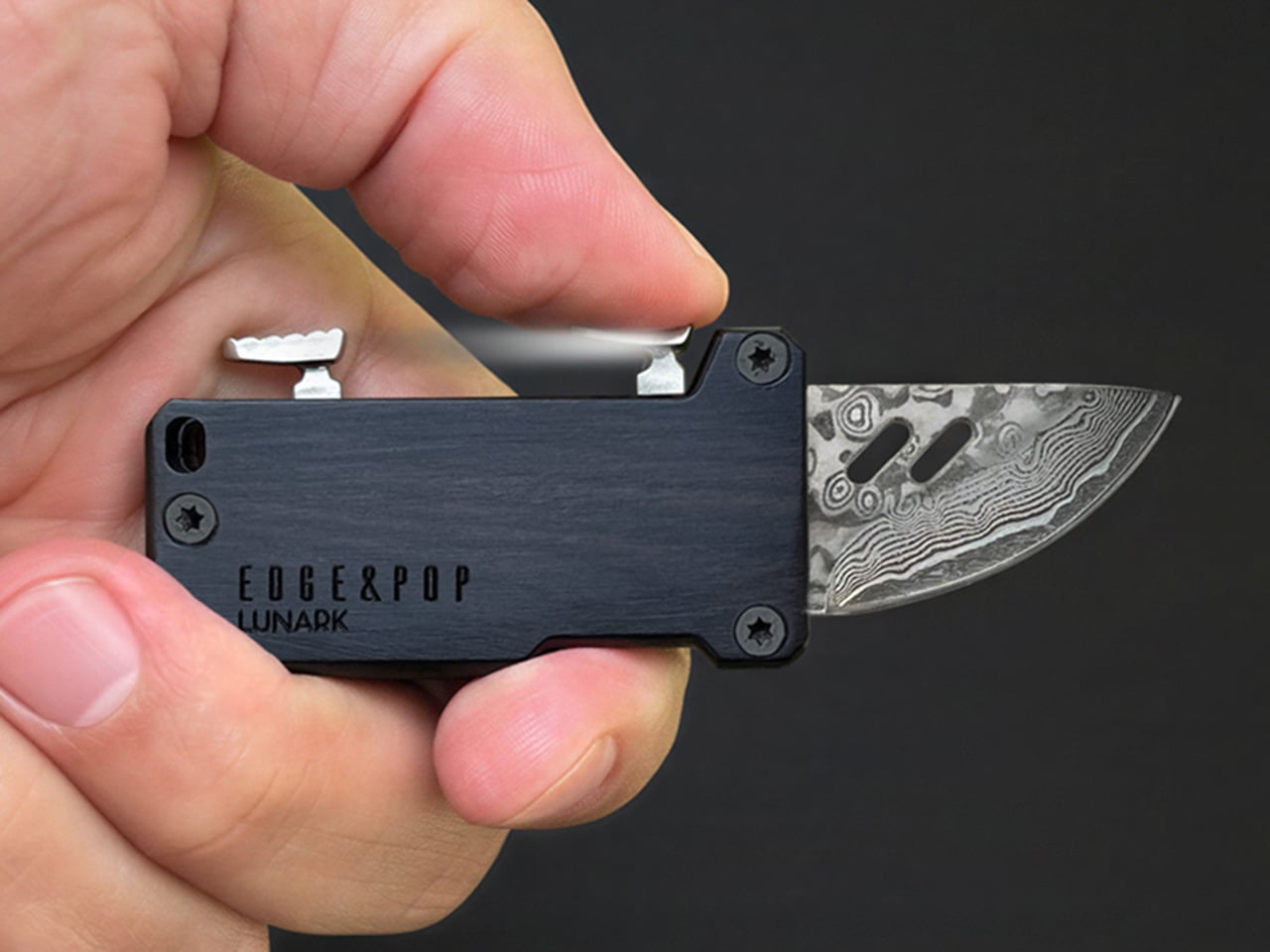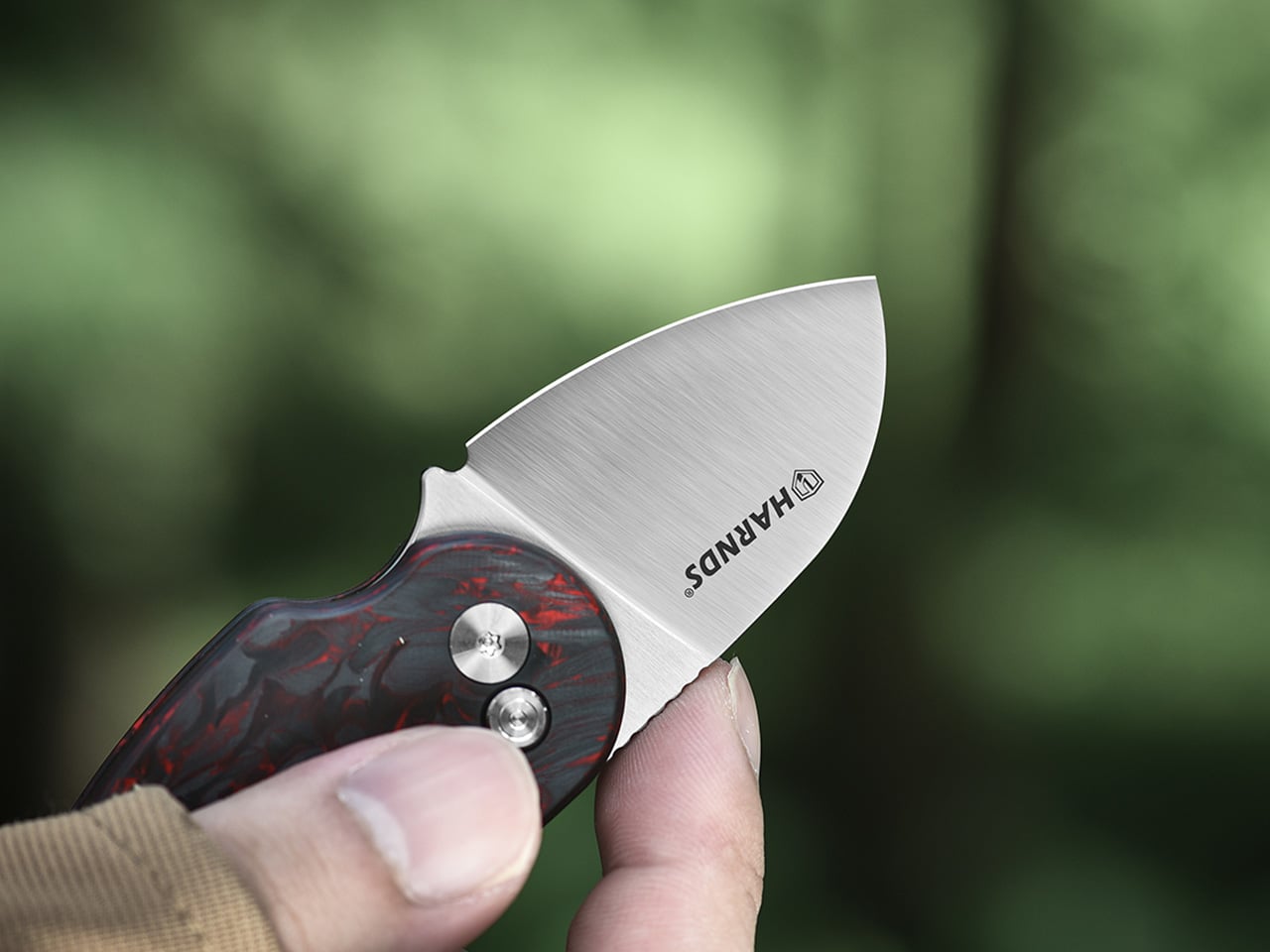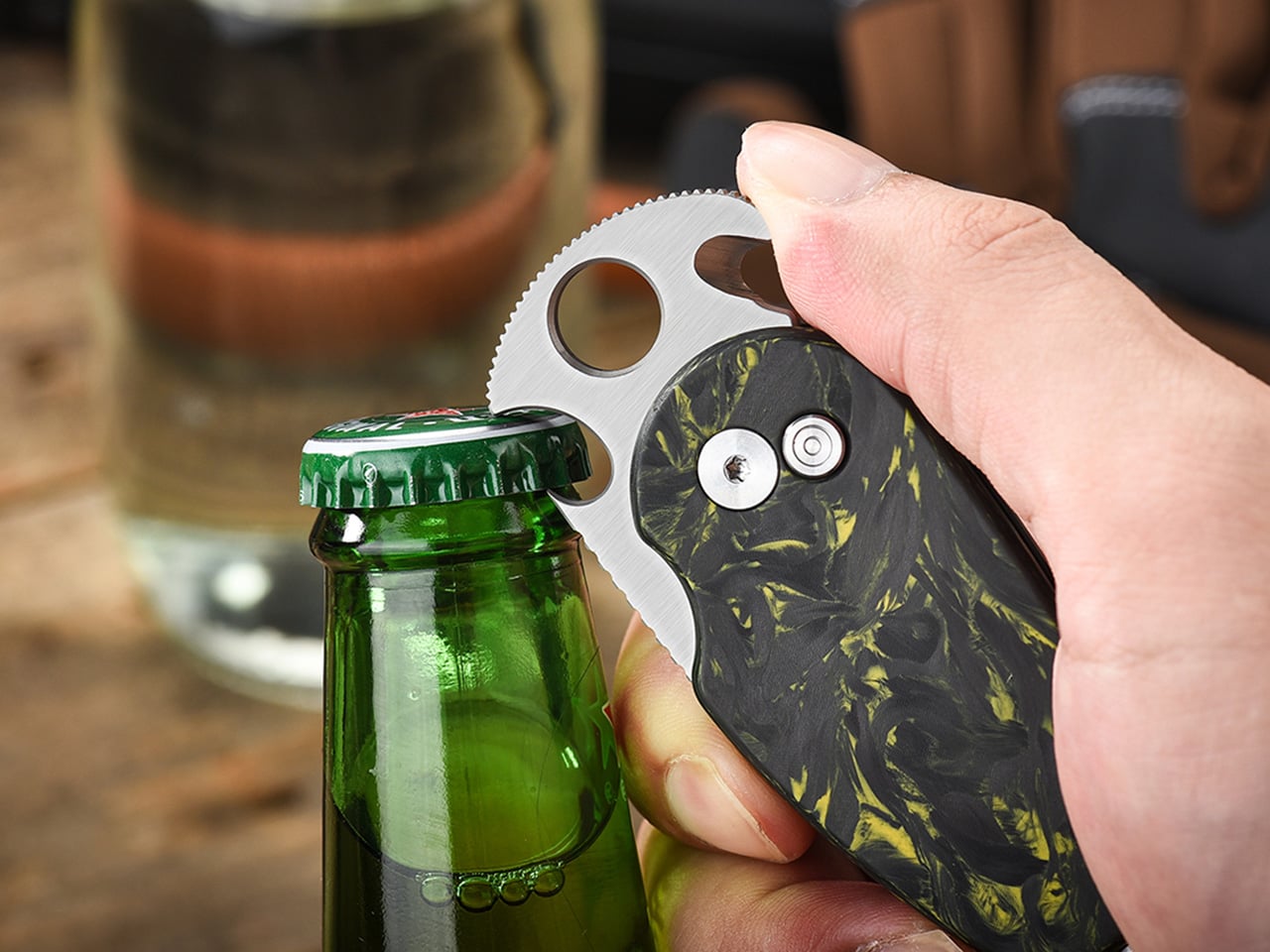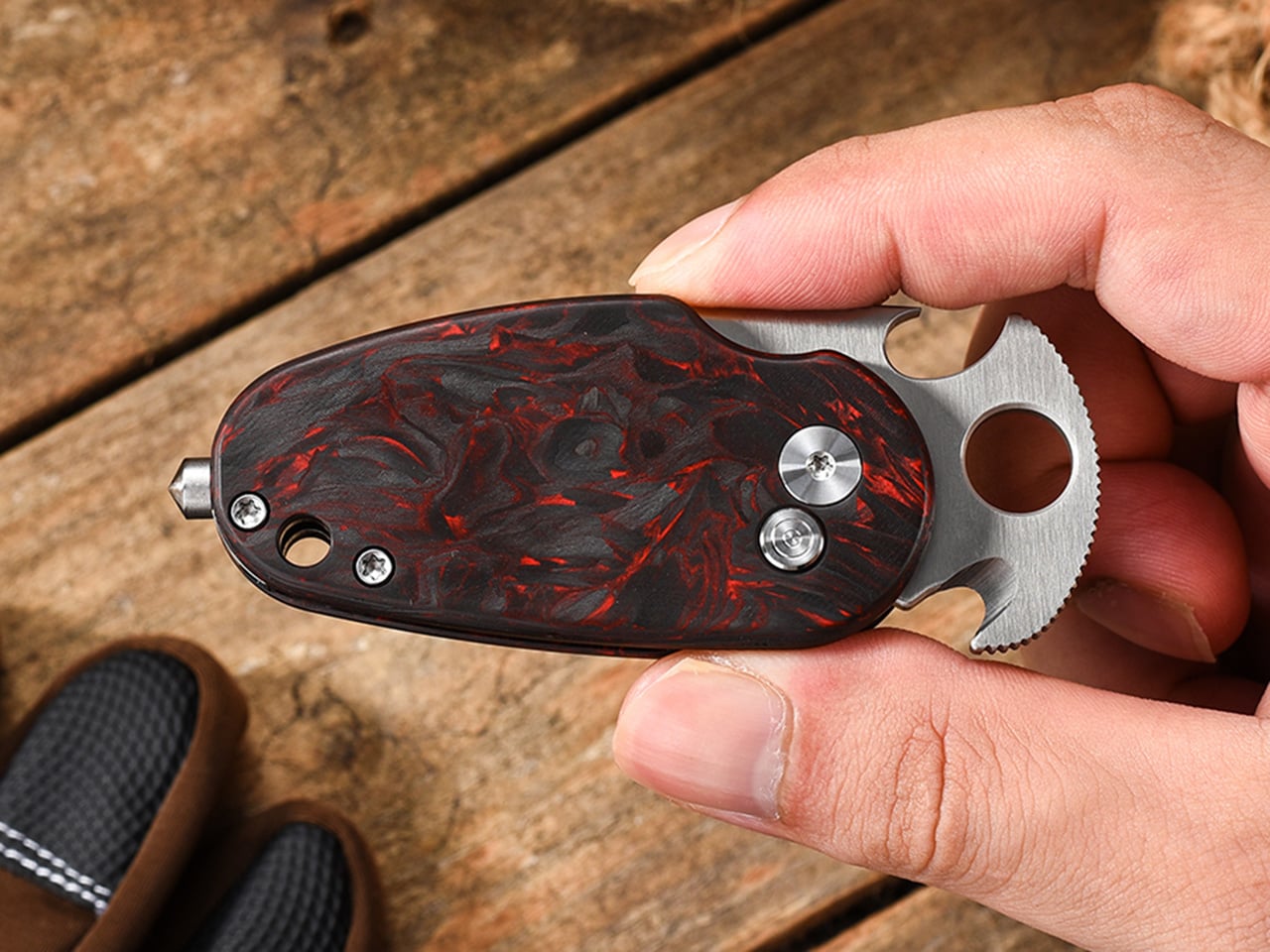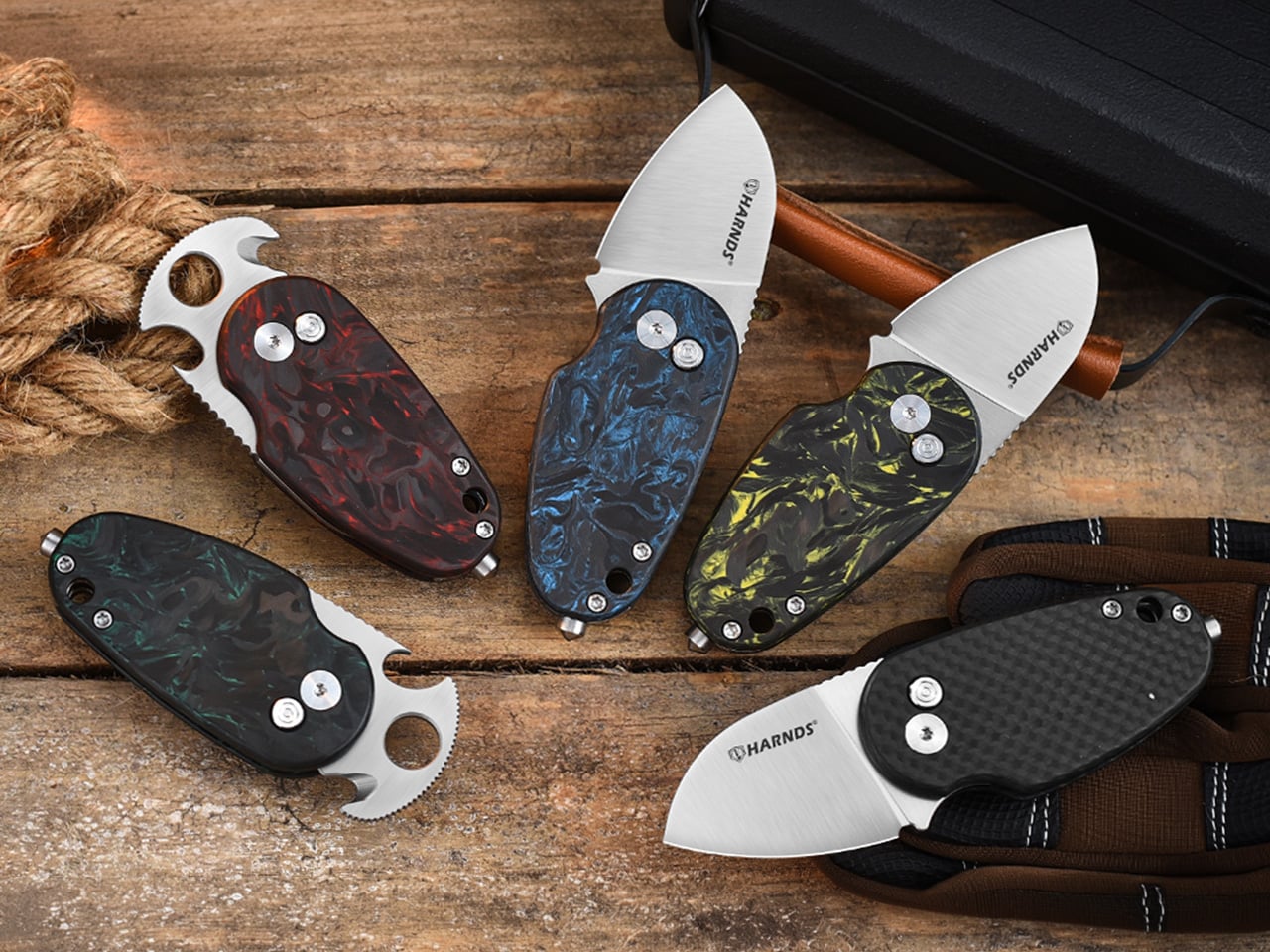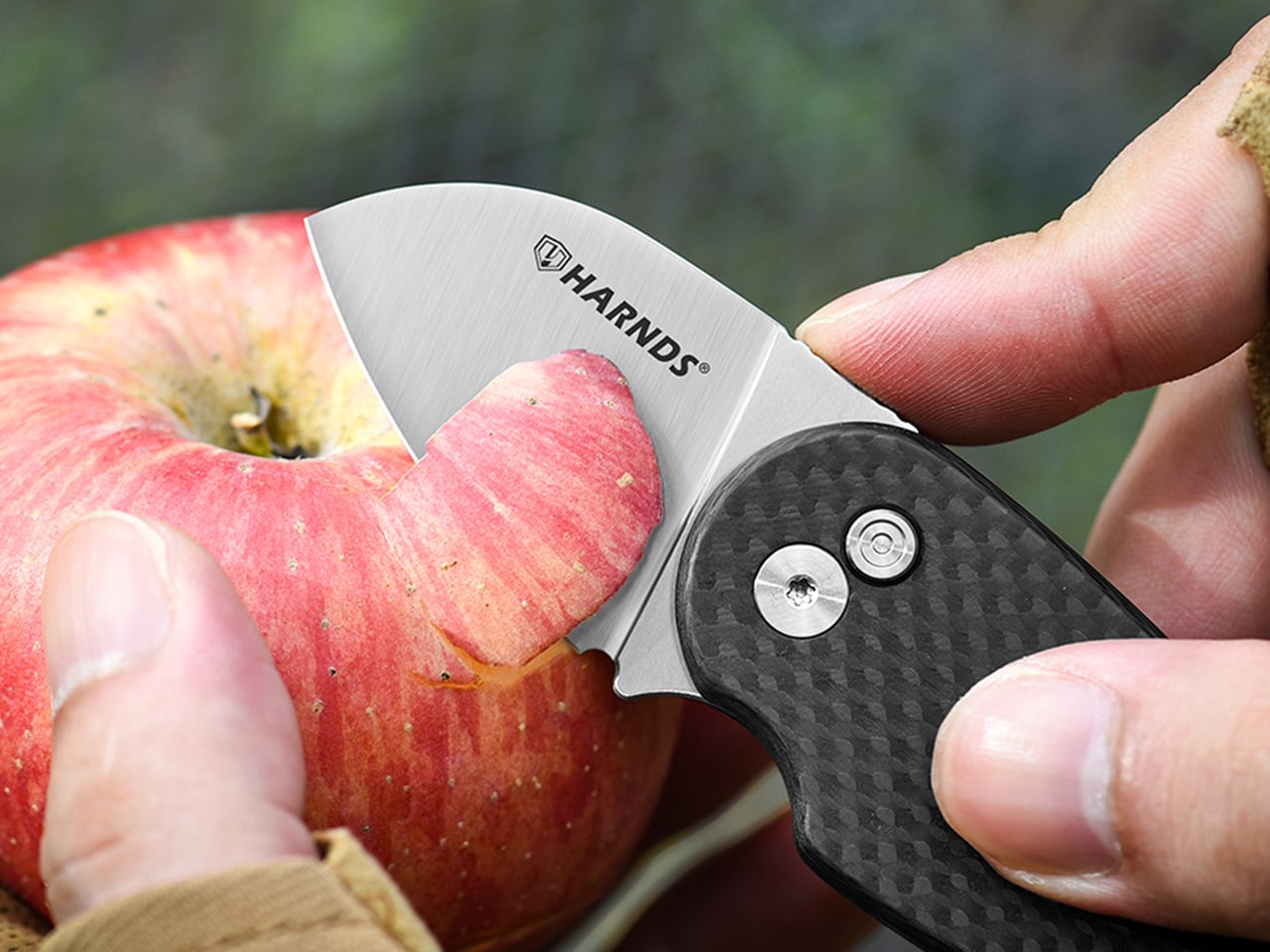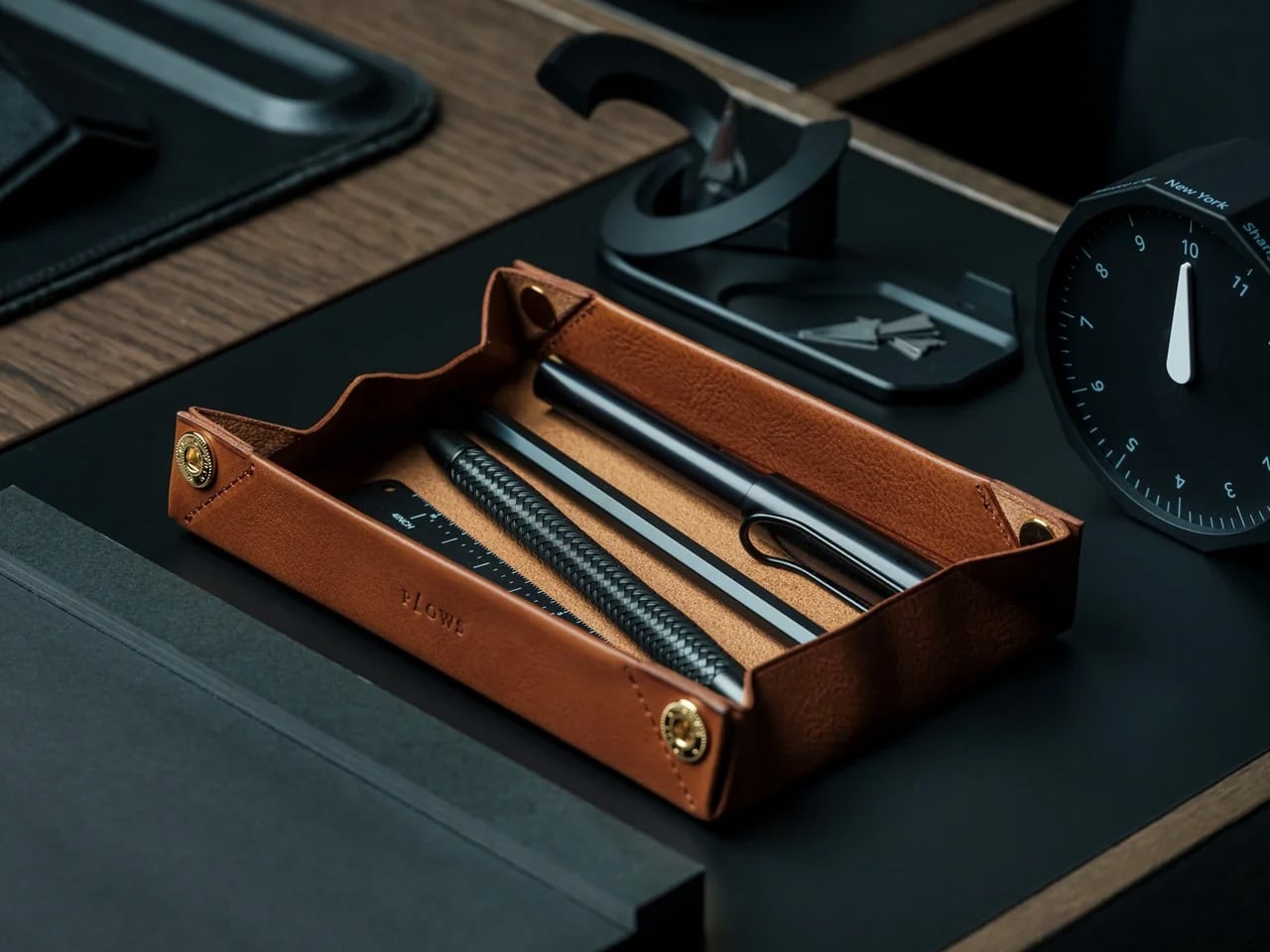
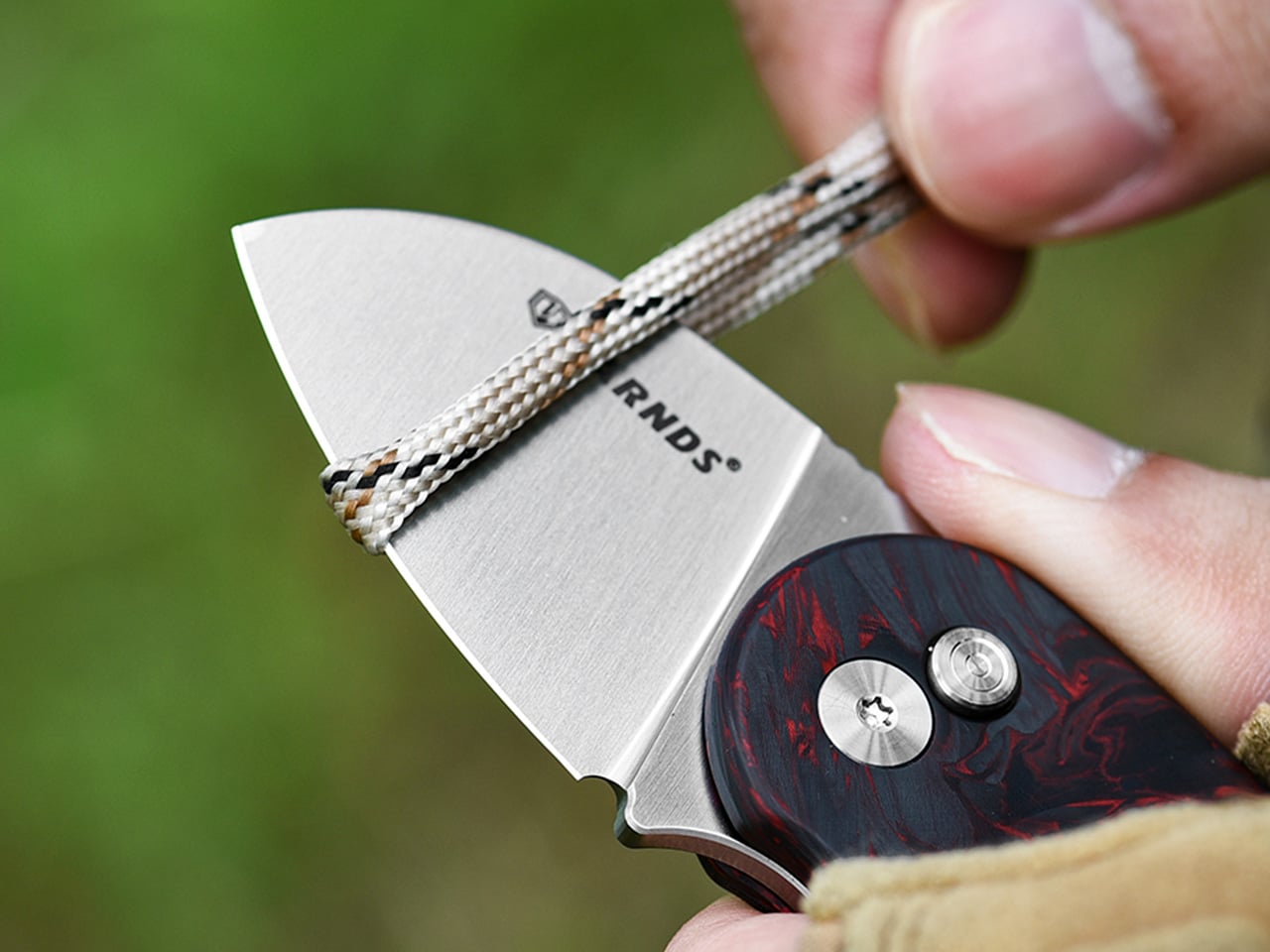
Holidays mean wrapping presents, slicing tape, and trimming ribbons, and your fingers pay the price. The CIVIVI Button Lock Elementum II makes these tasks effortless with a sharp, pocket‑friendly blade that opens with one hand. It is the kind of tool that disappears in your pocket until the moment you actually need something sharper than a house key.
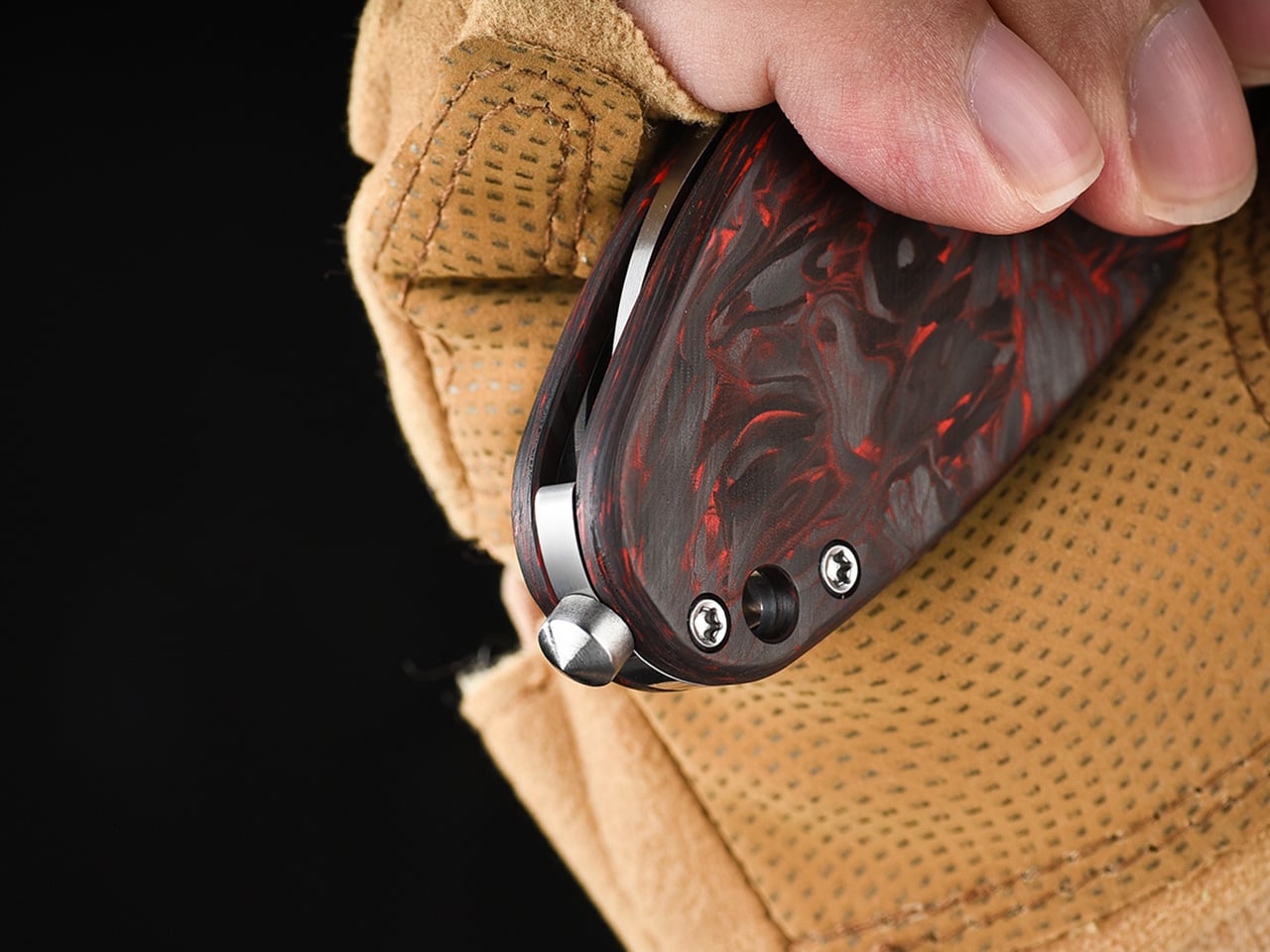
This flipper knife is built for those small frictions. It is a compact everyday carry folder with a blade just under three inches, a button lock mechanism that feels intuitive, and G10 handles that stay friendly rather than aggressive. The design stays approachable, with rounded lines and a drop point blade that does not announce itself across a room or make anyone uncomfortable at the office or a family gathering.
Designer: CIVIVI
Click Here to Buy Now: $57.38$76.50 (25% off). Hurry, get a free Christmas Stocking with order over $29! Deal ends in 48-hours.
What gives the knife its practical edge is Nitro V blade steel. It is a nitrogen-enriched stainless that balances toughness, corrosion resistance, and edge retention without becoming fussy to maintain. You can slice an apple, cut wet cardboard, or trim paracord without worrying about rust. It makes for a great gift that will be used daily, not forgotten in a drawer.
Here’s a quick look at what you’ll be getting with the CIVIVI Button Lock Elementum II:
Overall Length: 7.06 inches
Knife Weight: 3.12 oz
Blade length: 2.96 inches
Blade steel: Nitro-V
Blade shape: Drop Point
Blade Grind: Hollow
Blade Hardness: 58-60 HRC
Pocket Clip: Tip-Up, Right Carry
The proportions feel right for daily carry. The blade measures 2.96 inches, the overall length sits around seven inches open, and the handle thickness is slim enough to ride comfortably in a pocket without printing through fabric. G10 scales on variants like the OD green model offer textured grip, while stainless liners add structure. A deep carry pocket clip keeps it low profile, so it disappears until needed at a desk or outdoors.
The button lock is the centerpiece. Paired with a pivot running on caged ceramic ball bearings, the action feels smooth and fidget-friendly. A press of the button releases the blade, letting it swing closed with a light shake of the wrist, making one-handed use genuinely easy. The spring under the button resists accidental opening, staying secure in the pocket while still satisfying to deploy when wrapping presents or cutting rope.
Everyday moments and holiday tasks blur together naturally with a knife like this. Slicing packing tape on deliveries, trimming threads on a sweater, cutting twine for wreaths, or sharpening a pencil all benefit from a sharp, accessible blade and hollow grind that handles both fine slicing and light utility. The drop point shape stays versatile, and the black stonewashed finish on some variants hides scratches, so it does not look worn after a few weeks.
What makes the CIVIVI Button Lock Elementum II work as a gift is how approachable it feels. The design stays simple and functional, with controls that make sense even to someone whose only knife has been a keychain multitool. CIVIVI offers a range of handle materials and colors, from G10 to carbon fiber and Damascus variants, so matching it to a personality is straightforward. This season feels like the right moment for something that earns its pocket space daily rather than sitting unused by February.
Well-designed tools change how you move through small moments, especially during busy times when everything from gift wrapping to cooking feels slightly more frantic. The CIVIVI Button Lock Elementum II feels like the result of quiet decisions about steel, mechanics, and ergonomics, all aimed at making a knife people actually enjoy carrying. That mix of practicality and satisfaction is what turns it from another folding blade into something that becomes part of the routine, in your pocket or someone else’s.
Click Here to Buy Now: $57.38$76.50 (25% off). Hurry, get a free Christmas Stocking with order over $29! Deal ends in 48-hours.
Generic wireless earbuds arrive in identical white plastic shells with forgettable names and indistinguishable sound profiles. Smart speakers reduce albums to voice commands and invisible algorithms. Mass-produced audio gear does the job, but it does nothing for the soul. The following collection rejects that sameness entirely. These seven designs treat sound as something worth seeing, touching, and displaying. They transform listening from background noise into intentional ritual, proving that audio equipment can spark conversation, elevate spaces, and reconnect us with the physical pleasure of music.
Each piece here champions visibility over invisibility. Whether through kinetic wooden tiles that dance with your vinyl, transparent frames that showcase spinning CDs, or cassette-shaped speakers that resurrect mixtape culture, these gifts refuse to disappear into pockets and smart home ecosystems. They’re designed for people who curate rather than consume, who value craftsmanship over convenience, and who believe technology should enhance spaces rather than colonize them. For anyone exhausted by tech that looks and feels like everything else, these selections offer genuine alternatives.
1. Orbit Kinetic Turntable
Lillian Brown’s Orbit Kinetic Turntable makes music visible. Thirty-nine handcrafted wooden tiles surround the record platter in concentric circles, flipping and rotating as your album plays. Every bassline triggers motion. Every cymbal crash shifts the pattern. What started as Brown’s senior thesis at the Savannah College of Art and Design became a sculptural performance piece that translates sound waves into physical movement. The tiles respond to frequency and amplitude, creating hypnotic displays unique to whatever you’re spinning.
This isn’t gear that fades into the background. Friends will gather around this turntable to watch music unfold, seeing frequencies become choreographed motion. The wood construction fits contemporary interiors while bridging generations—showing younger listeners that sound once demanded full attention. Brown created something between a turntable and a kinetic sculpture, resurrecting the ritual of intentional listening. It proves music’s physical dimension extends beyond grooves pressed into wax. For collectors ready to showcase vinyl as living art, this is it.
What we like
The handcrafted wooden tiles create mesmerizing visual patterns synchronized to your music’s actual frequency and amplitude.
The kinetic sculpture element transforms passive listening into an active sensory experience worth gathering around.
What we dislike
Availability remains uncertain as the design may still be in concept or a limited production phase.
The complex mechanical system likely requires more maintenance than standard plug-and-play turntables.
2. Portable CD Cover Player
The Portable CD Cover Player brings album artwork back from digital exile. A transparent pocket displays your CD jacket prominently while the disc spins behind it. Built-in dual stereo speakers mean no external equipment, while the rechargeable battery lets you mount it anywhere—kitchen walls, bedroom shelves, wherever. It’s for people who kept their CD collections when everyone said physical media was dead. Who remembers studying liner notes and album photography instead of scrolling past thumbnail images?
You can rotate it between rooms or bring it to gatherings where tangible music matters. The minimalist design keeps focus on your collection rather than technology. Streaming services show cover art optimized for phone screens. This player presents it at the proper scale where typography and photography get the prominence the artists intended. It suits anyone rebuilding relationships with albums they once owned, anyone tired of faceless playlists. Physical formats offer something algorithms can’t replicate—the complete artistic statement combining sound, image, and object.
The transparent jacket pocket prominently displays album artwork at the proper scale, where design details become visible.
Wall-mounting capability combined with built-in speakers and a rechargeable battery provides genuine placement flexibility without wire management struggles.
What we dislike
The price point may feel substantial for those with extensive CD libraries expecting to use the player daily across their entire collection.
Built-in speaker sound quality likely cannot match dedicated external audio systems preferred by serious audiophiles.
3. ClearFrame CD Player
ClearFrame strips away every opaque surface to expose what’s usually hidden. Crystal-clear polycarbonate reveals spinning discs, visible circuitry, and mechanical processes typically concealed behind plastic shells. Black circuit boards become part of the aesthetic rather than hidden components. The design philosophy is simple—technology shouldn’t hide its engineering. Bluetooth connectivity, seven to eight hours of battery, and multiple outputs balance vintage format with modern convenience. Position it on desks, mount it to walls, or prop it on shelves where it catches light.
The transparency transforms electronics into a conversation-starting sculpture for minimalist spaces. Three playback modes paired with one-touch controls make operation intuitive despite visual complexity. Built-in shock protection handles standard CDs, mini discs, and MP3 formats. It works for people who view possessions as curated statements, who want technology that enhances spaces rather than clutters them. The visible mechanics remind you that playback involves real physical processes. Each session feels more intentional than streaming’s invisible delivery. For anyone reconnecting with albums they meant to revisit, this frames them beautifully.
The fully transparent acrylic construction showcases internal components and spinning discs, turning consumer electronics into a visible kinetic sculpture.
Multiple placement options, including optional wall mounting and a desk stand, offer versatile display configurations for varied interior aesthetics.
What we dislike
The exposed circuitry and transparent surfaces collect dust and fingerprints more readily than enclosed traditional players.
Maintaining the pristine, transparent aesthetic requires frequent cleaning to prevent smudges from diminishing the visual impact.
4. Side A Cassette Speaker
Side A Cassette Speaker looks exactly like a mixtape from 1985. Transparent shell, Side A label, authentic dimensions—then you realize it’s hiding Bluetooth 5.3, microSD playback, and six-hour battery life beneath that analog disguise. At just 80 grams with its clear case, it slips into pockets for music anywhere while delivering warm sound tuned to echo tape-era audio. The included case doubles as a display stand, transforming portable audio into shelf decoration that broadcasts your retro credentials.
This design resurrects the emotional weight mixtapes once carried. Modern playlists offer infinite choice but lack the physical presence and intentional curation that cassettes demanded. Creating a tape meant selecting every track with purpose. Giving someone a mixtape meant something. The microSD support enables offline listening without Wi-Fi dependency, while Bluetooth bridges analog aesthetics with contemporary devices. It suits people who appreciate character in their audio gear, who value objects that tell stories beyond specifications, who find joy in designs that refuse sameness.
The faithful cassette styling with transparent shell and authentic labeling creates immediate nostalgic recognition while hiding modern Bluetooth technology.
The included clear case transforms into a hands-free display stand, elevating portable audio into shelf-worthy decoration.
What we dislike
The compact size inherently limits sound quality and volume compared to larger dedicated speakers.
The nostalgic aesthetic may not resonate with younger recipients who lack personal memories of cassette culture.
5. Battery-Free Amplifying iSpeakers
Battery-Free Amplifying iSpeakers need nothing. No electricity, no batteries, no charging cables. Crafted from aerospace-grade Duralumin metal using golden ratio proportions, this passive amplifier channels your smartphone’s sound through acoustic chambers that fill rooms. Slot your phone into the metal frame and watch vibration-resistant construction transform tinny device speakers into genuine audio using pure physics. The minimalist metal sculpture enhances desk aesthetics while remaining portable enough to carry anywhere outlets don’t exist.
This philosophy rejects planned obsolescence entirely. Nothing to charge, sync, or update. The Duralumin construction offers durability like vinyl records once provided—objects built for decades, not seasons. Optional Bloom and Jet mods allow sound direction control. It suits minimalists exhausted by tech demanding constant feeding, environmentalists seeking sustainable alternatives to disposable Bluetooth speakers, and anyone appreciating elegant solutions. The visible craftsmanship makes a statement about valuing quality over connectivity. While Bluetooth speakers race toward feature bloat, these iSpeakers prove the best technology is sometimes no technology—just intelligent design exploiting acoustic principles.
The completely battery-free passive amplification eliminates charging anxiety and planned obsolescence inherent in electronic speakers.
Aerospace-grade Duralumin construction designed using golden ratio principles provides both acoustic performance and lasting sculptural desk presence.
What we dislike
Acoustic amplification cannot match the volume and sound quality of powered Bluetooth speakers in larger spaces.
Compatibility depends on phone size and case thickness, potentially limiting use with certain devices or protective cases.
6. RetroWave 7-in-1 Radio
Behind its retro Japanese-inspired design and tactile tuning dial, the RetroWave packs seven functions into one compact unit. Speaker, MP3 player, FM/AM/SW radio, LED flashlight, clock, power bank, and SOS alarm—all wrapped in nostalgic packaging that works on kitchen shelves or emergency kits. Stream Bluetooth during normal times. Hand-crank or solar charge when power fails. The 2000mAh battery delivers up to twenty hours of radio time or six hours of emergency lighting while also charging your phone during blackouts.
This isn’t nostalgic cosplay. The RetroWave addresses genuine preparedness needs while remaining functional daily. Some mornings, it plays jazz stations during coffee, dial glowing softly on countertops. Other days, it’s charging phones during outages, flashlight guiding hallways, and SOS alarm signaling for help. AM/FM/SW radio provides access when internet infrastructure fails, while USB and microSD enable offline music. It suits design lovers wanting gear that looks as good as it performs, preparedness people building resilient systems, and travelers heading off-grid. Multi-functionality means fewer devices cluttering spaces. Equally suited to counters and disaster caches.
The seven-in-one functionality consolidates speaker, radio, flashlight, power bank, and emergency features into one versatile unit.
Hand-crank and solar charging provide genuine off-grid power independence when electrical infrastructure fails, or outdoor adventures demand self-sufficiency.
What we dislike
The retro aesthetic and multi-function design add bulk compared to specialized single-purpose devices.
Audio quality from the built-in speaker likely trails dedicated Bluetooth speakers focused solely on sound performance.
7. StillFrame Headphones
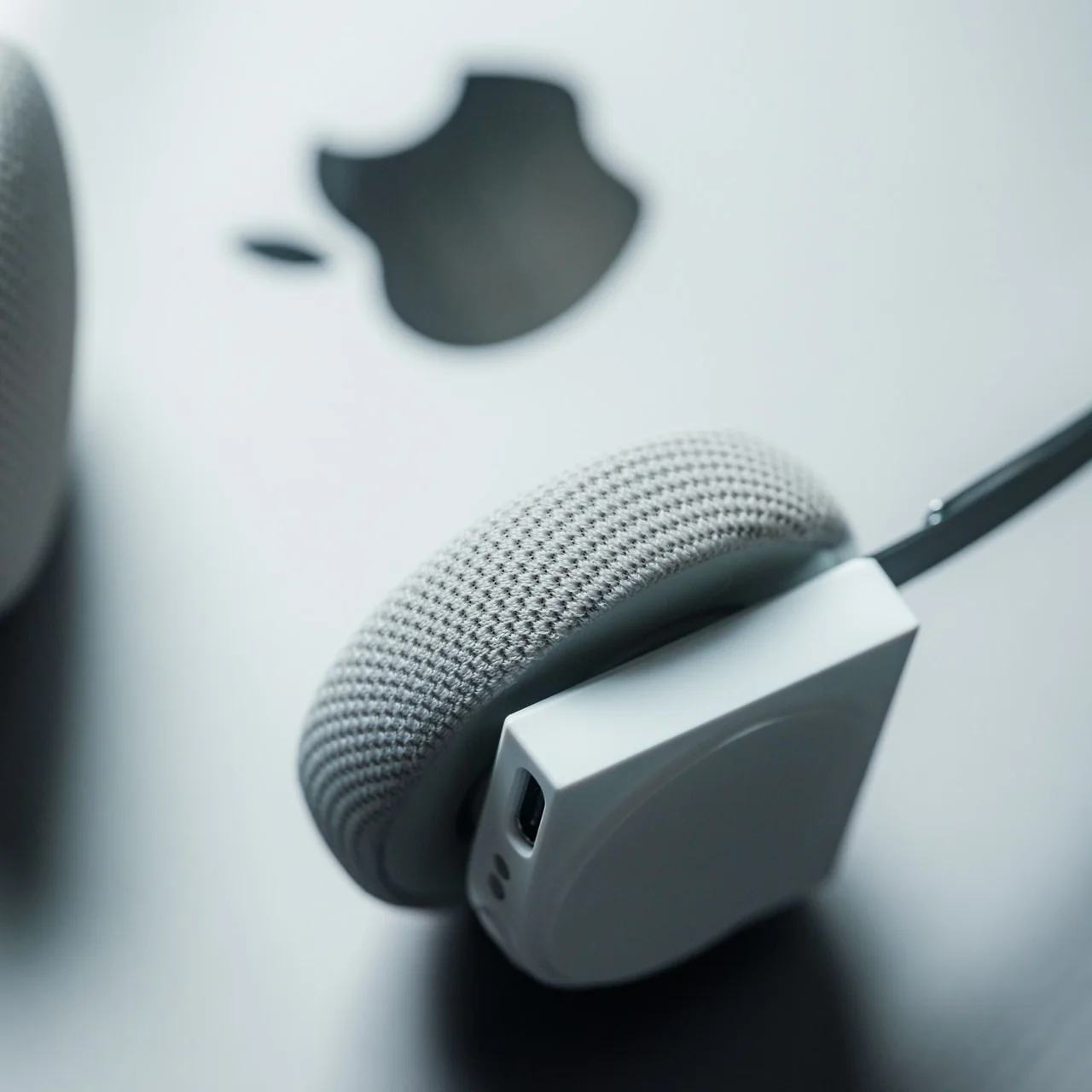
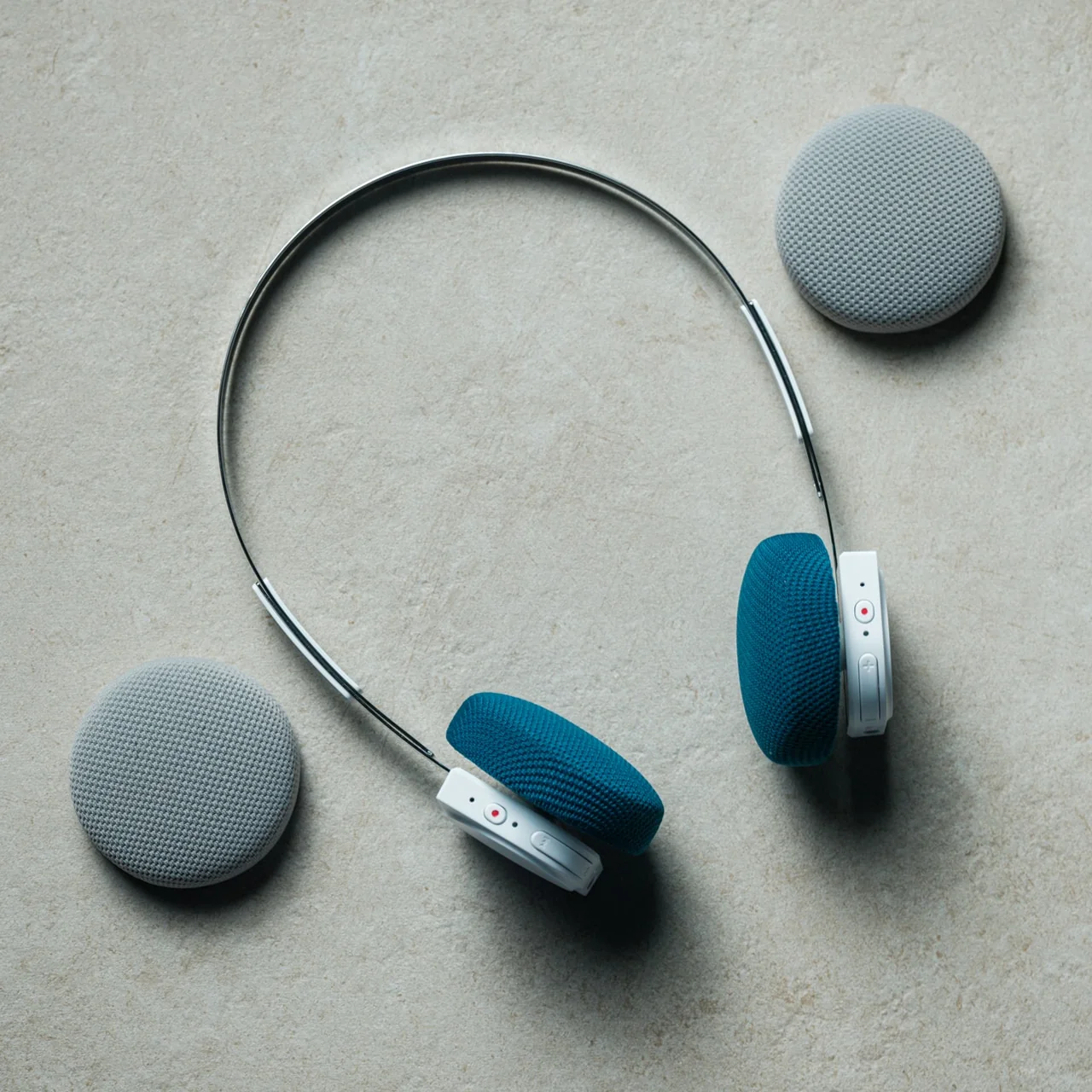
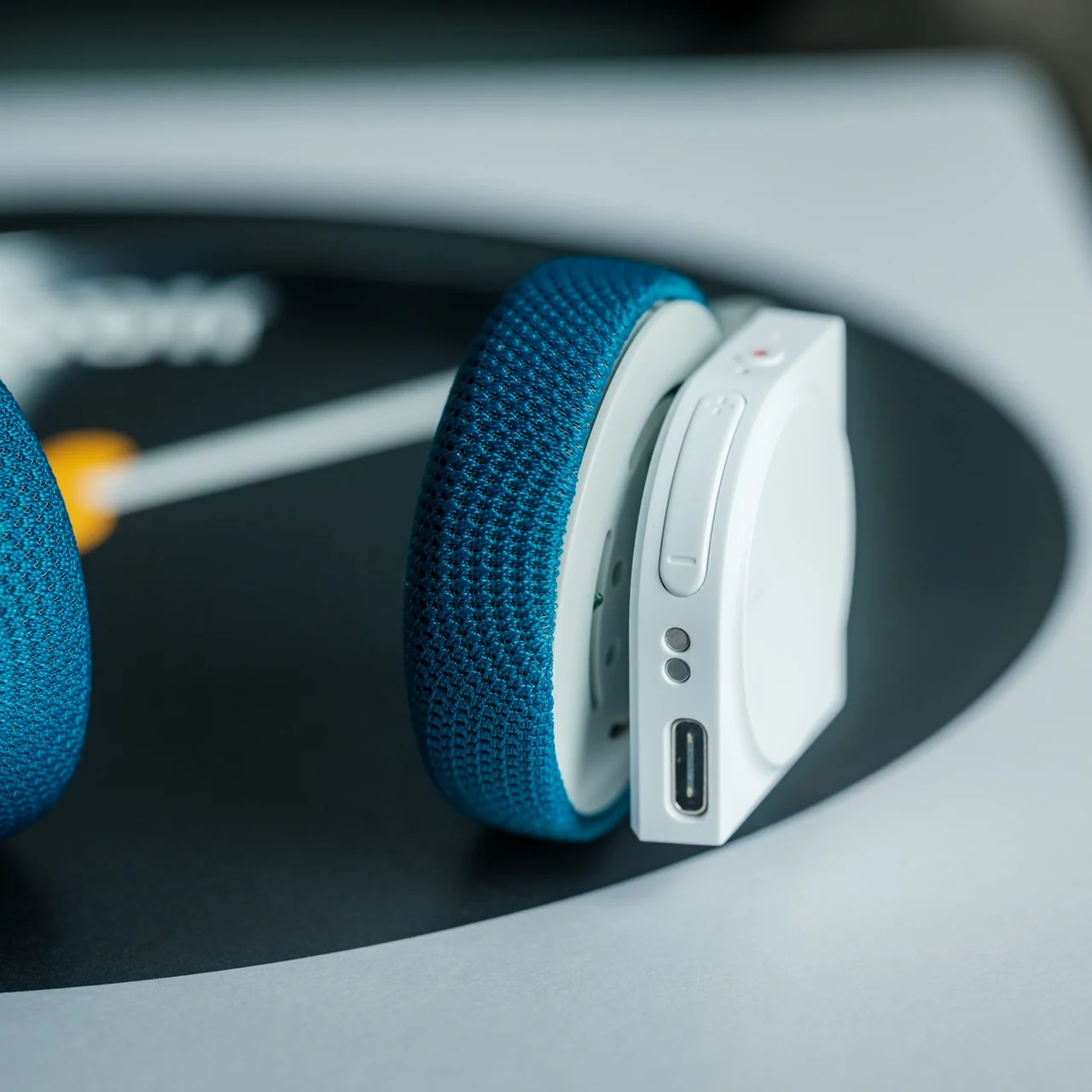
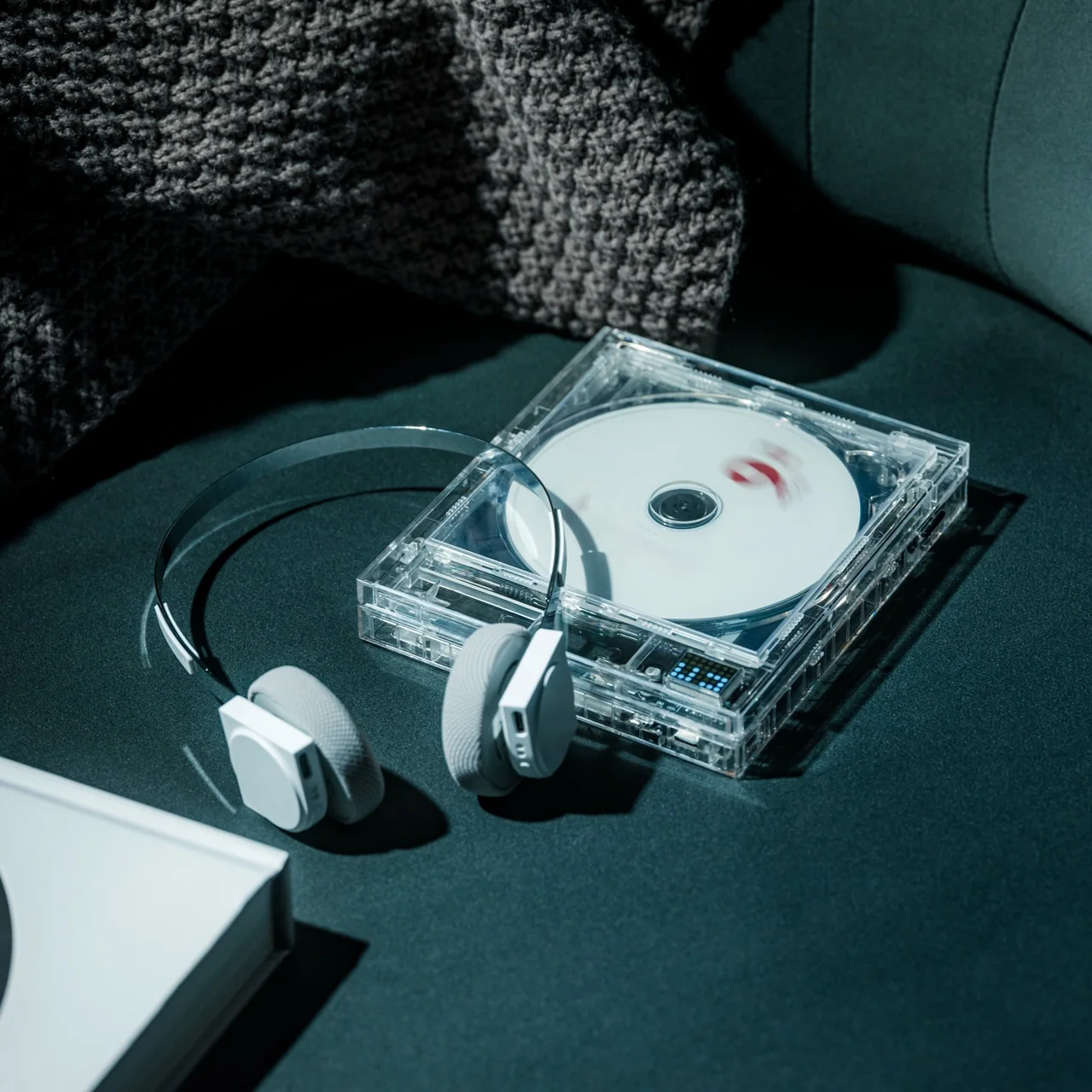
StillFrame Headphones sit somewhere between earbuds and over-ear cans, offering a middle ground between intimacy and openness. Transparent construction exposes internal circuitry and 40mm drivers that shape wide, open soundstages. At just 103 grams, they feel nearly weightless across 24-hour battery life, carrying you from morning routines through late-night sessions. Adaptive noise cancelling silences distractions when needed. Transparency mode maintains environmental awareness when circumstances demand it. Bluetooth provides wireless freedom, while a USB-C cable enables high-resolution wired playback for latency-sensitive work.
The design deliberately references the ClearFrame CD Player, creating visual dialogue between devices sharing a transparent philosophy. These suit people seeking the middle ground, listeners wanting presence without pressure. Exposed components make technology visible rather than hidden, turning electronics into statement pieces broadcasting your design sensibility. Dual mics with noise-cancelling maintain voice clarity during calls. The 40mm drivers deliver melodic textures and spatial detail that cheap earbuds compress into flat sound. For anyone exhausted by identical white plastic buds, anyone building intentional audio ecosystems prioritizing lasting design over disposable convenience, these fit.
The transparent construction and exposed circuitry create a distinctive visual identity that references classic CD-era design language.
The lightweight 103-gram build, combined with 24-hour battery life, provides all-day comfort without constant recharging interruptions.
What we dislike
The transparent materials and exposed components may show dust and require more frequent cleaning than opaque enclosed designs.
The on-ear positioning sacrifices some noise isolation compared to over-ear designs for listeners seeking complete acoustic separation.
Sound Worth Seeing
Generic tech hides itself, disappearing into pockets and blending into walls until nothing distinguishes one device from another. These seven designs take the opposite approach, making audio equipment worth displaying, worth discussing, and worth choosing deliberately. They prove that sound can be visual, that nostalgia can coexist with modern functionality, and that rejecting disposable uniformity doesn’t require sacrificing convenience. From kinetic turntables that dance with your vinyl to transparent players that frame your CDs as art, each piece here elevates listening from background activity into an intentional ritual that engages multiple senses.
The common thread isn’t retro fetishism but honest design that respects both materials and listeners. Whether through battery-free acoustic amplification, emergency-ready multi-function radios, or transparent headphones that expose their engineering, these gifts champion lasting value over planned obsolescence. They suit anyone exhausted by identical tech, anyone rebuilding physical music collections, anyone who believes possessions should spark joy rather than fade into forgettable functionality. For music lovers, design enthusiasts, and anyone shopping for people who seem to have everything, these unique audio pieces offer something genuinely different from what everyone else is giving.
Skin loses the hydration war quietly in today’s modern world. Office air conditioning runs all day, planes recycle cabin air for hours, and cars blast heat or cold depending on the season. Most hydration routines still happen at a bathroom mirror with a cotton pad and a bottle, even though the real damage shows up at desks, in conference rooms, and halfway through a flight when your face feels tight and tired.
NanoHydra Pro tries to close that gap by shrinking a fairly advanced hydrator into something pocket-sized. It looks like a small metallic gadget with a gradient finish, the kind of thing that sits on a desk next to a phone or slips into a bag without announcing itself. A dual pump nano mist system atomizes toner or serum into a 10 micron droplet cloud, fine enough to sit on skin rather than drip off.
The 10 micron mist feels different from a regular spray bottle. Most misters shoot larger droplets that either evaporate too fast or run down your cheeks, leaving streaks on your makeup or pooling near your jawline. NanoHydra Pro atomizes liquid into something closer to a soft fog, light enough to absorb quickly without leaving skin wet or sticky, and you can use the same toner you already have.
What makes it feel smarter is the ToF distance sensor built into the front. It reads how close the device is to your face and quietly adjusts mist output in real time. Hold it near, and the spray softens to avoid oversaturating small areas. Pull it back, and coverage expands for broader strokes. Step outside the detection range, and it shuts off automatically, saving product and avoiding accidental desk misting.
The design seems built for people who keep skincare at their desk rather than just in the bathroom. Five modes let you shift between everyday hydration, a gentler setting for sensitive days, a lifting mode when skin feels slack, an infuse mode for deeper serum sessions, and a manual option for one quick burst. Each mode adjusts mist intensity and duration to match the moment.
The battery lasts around a week with regular use, so it sits there ready without becoming another thing to plug in every night. You press a button, pick a mode on the small LCD screen, mist your face, and go back to work. It fits into the kind of routine where hydration happens between calls or emails rather than as a separate event you have to carve out time for at home.
Travel is where the leak-proof capsule starts to matter. The chamber locks toner or serum inside with enough seals that you can toss it into a bag, check it in luggage, or carry it through airport security without spills soaking into clothes or electronics. The compact body fits easily into a jacket pocket or backpack side slot. On a long flight or dry commute, pulling it out and misting your face takes less effort than digging through a toiletry kit.
A companion app adds a layer for people who like tracking routines. It lets you adjust mist intensity, log each session, and review hydration trends over time, turning a simple spritz into something more intentional. The app also offers guidance based on your skin type and habits, though the device still works perfectly well as a one-button hydrator if you would rather skip the data layer entirely.
NanoHydra Pro hints at a version of skincare tools that pay attention to context instead of just pushing liquid through a nozzle. It reads distance, tunes droplet size, and fits into spaces where traditional routines fall apart, like desks, cars, and airplane seats. As hydration stops being something that only happens at a mirror, a small object that adapts quietly in your hand starts to feel like the more useful kind of upgrade.
Last year’s holiday season revealed something about modern gift-giving. Men want tools that work, look exceptional, and tell stories worth sharing. The gifts that vanished fastest weren’t trendy gadgets destined for drawer exile. They were thoughtfully engineered pieces that balanced aesthetic sophistication with genuine utility. These weren’t impulse purchases. They were calculated acquisitions by people who understood quality.
The seven products that sold out within 24 hours shared common DNA. Japanese design principles met practical engineering. Everyday carry essentials elevated to conversation pieces. Emergency preparedness disguised as premium lifestyle goods. Each item justified desk space, pocket real estate, or shelf prominence through consistent daily value. These weren’t gifts that prompted polite thank-yous. They sparked genuine excitement and immediate use.
1. RetroWave 7-in-1 Radio
The RetroWave 7-in-1 Radio disappeared from inventory because it solved the preparedness paradox. Most emergency equipment looks utilitarian enough that people hide it away, defeating the purpose when actual emergencies strike. This radio’s retro Japanese aesthetic meant it belonged on display, ensuring availability when needed. The tactile tuning dial provided satisfying analog interaction in an increasingly touchscreen world. Seven functions consolidated into one compact unit addressed multiple needs without creating equipment sprawl across living spaces.
The engineering deserved attention beyond the vintage styling. Hand-crank charging and solar panel meant this radio functioned independently of grid infrastructure. The 2000mAh battery transformed it into a power bank for charging phones during outages. AM, FM, and shortwave reception covered local broadcasts through international stations. Bluetooth streaming and MP3 playback via USB or microSD bridged analog nostalgia with modern convenience. The built-in LED flashlight and SOS alarm addressed genuine safety concerns. Up to 20 hours of radio time or 6 hours of emergency lighting on full charge provided meaningful backup during extended power failures.
The combination of hand-crank, solar, and USB charging eliminates single points of failure in emergencies.
Retro Japanese design creates a display-worthy aesthetic that ensures the radio stays accessible rather than stored away.
What we dislike
The 2000mAh battery capacity provides phone charging in emergencies, but won’t fully charge modern smartphones multiple times.
Seven functions in one device mean compromises compared to dedicated equipment in each category.
2. StillFrame Headphones
StillFrame Headphones occupy the neglected middle ground between in-ears and over-ears. At 103 grams, they felt nearly weightless during extended wear sessions. The 40mm drivers created open soundstages that made quiet tracks feel expansive. Designer Tatsufumi Funayama’s “MUSIC IN EVERY WAY” philosophy manifested through exposed circuit boards and magnetic fabric ear cushions that snapped on with satisfying precision. The stainless steel headband balanced strength with flexibility. This wasn’t audio equipment trying to disappear. It was technology presented as part of the experience.
The practical engineering matched the aesthetic ambition. Active noise cancelling silenced distractions when focus mattered. Transparency mode maintained environmental awareness during commutes or shared spaces. Twenty-four hours of battery life eliminated charging anxiety during long work sessions or international flights. Bluetooth 5.4 provided fluid wireless streaming, while a USB-C wired connection enabled high-resolution, low-latency playback for critical listening. Dual microphones with noise cancelling kept voice calls clear even in chaotic environments. Each white model included light gray and turquoise magnetic cushions for mood-based customization. The geometric fusion of circular and square housing created visual interest that elevated these beyond commodity audio gear.
The 103-gram weight and 24-hour battery life enable all-day wear without physical fatigue or charging interruptions.
Magnetic ear cushion swaps with included color options provide personalization without replacing entire headphones.
What we dislike
The exposed circuit board aesthetic appeals to design enthusiasts but may concern users worried about component durability.
The middle position between in-ears and over-ears won’t satisfy purists seeking either maximum isolation or complete openness.
3. AromaCraft Clothes Brush
The AromaCraft Clothes Brush transforms mundane garment maintenance into sensory ritual. Miyakawa Hake Brush Workshop’s century-old legacy manifested through the traditional Tsubokiri method, where each bristle received individual hand-planting by master artisans. The white boar hair bristles lifted dust and pollen from deep within fabric fibers without causing damage. The walnut wood handle finished with shea butter created tactile satisfaction during use. The innovative aromatic paper insert accepted essential oils for customizable fragrance, leaving clothes subtly scented with each brushstroke. This wasn’t clothing care. It was daily luxury ritual.
The engineering behind the aesthetics mattered for longevity. Hand-planted bristles prevented shedding that plagued mass-produced brushes, extending lifespan significantly. Boar bristles provided ideal firmness for effective cleaning while remaining gentle enough for delicate fabrics. The aromatic paper system enabled personalization through essential oil selection, adapting to seasonal preferences or mood. Each brush carried over a century of refinement from a family-owned workshop established in 1921. The walnut handle’s shea butter finish improved grip while developing rich patina through years of use. This brush treated wardrobe maintenance with the reverence typically reserved for fine woodworking or culinary tools.
The century-old Tsubokiri hand-planting method prevents bristle shedding and creates genuinely longer-lasting brush construction.
Customizable aromatic paper insert transforms functional garment care into personalized sensory experience through essential oil selection.
What we dislike
The premium hand-crafted construction commands prices far beyond standard lint rollers or basic clothing brushes.
The aromatic paper system requires ongoing essential oil purchases and maintenance to deliver the scent customization feature.
4. BlackoutBeam Tactical Flashlight
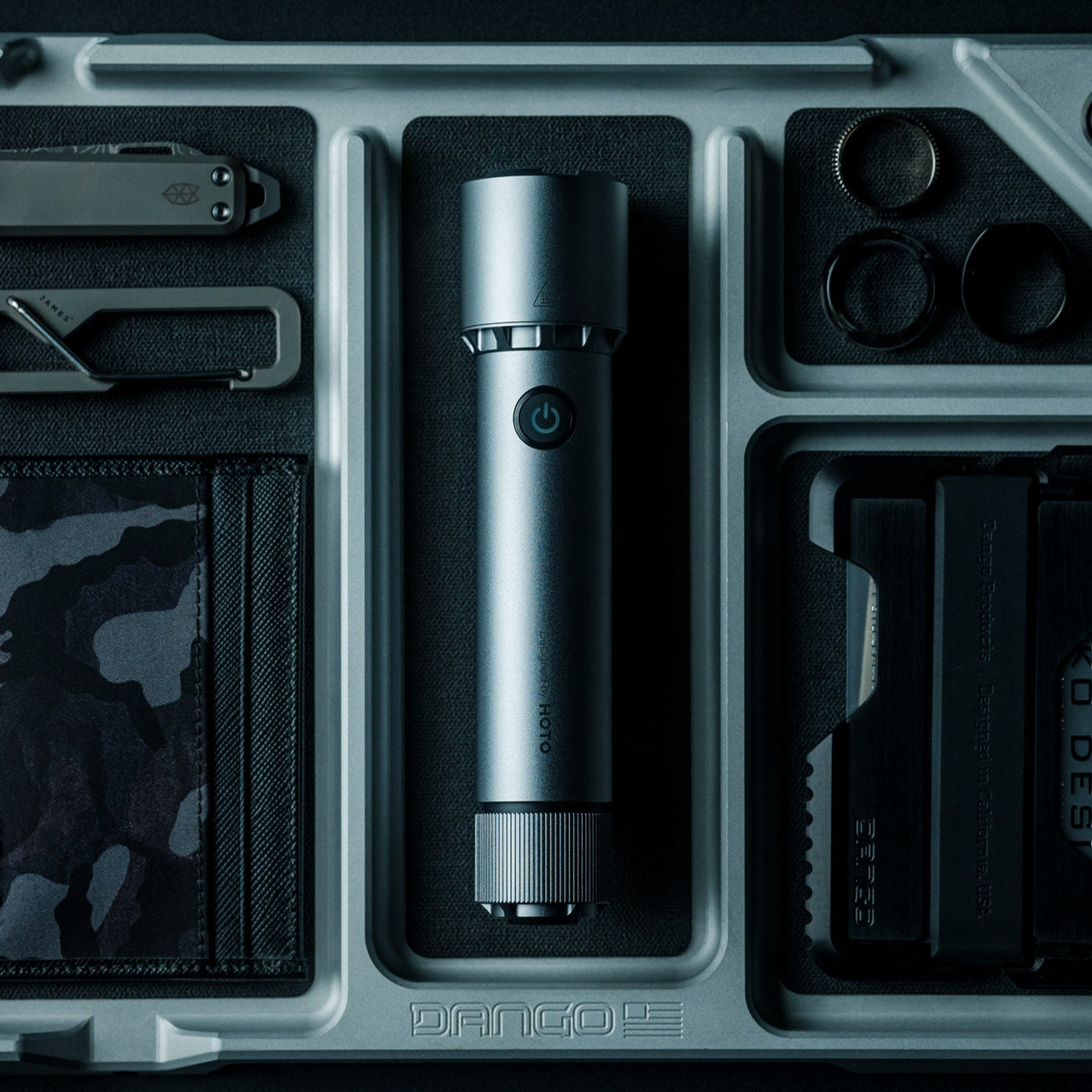
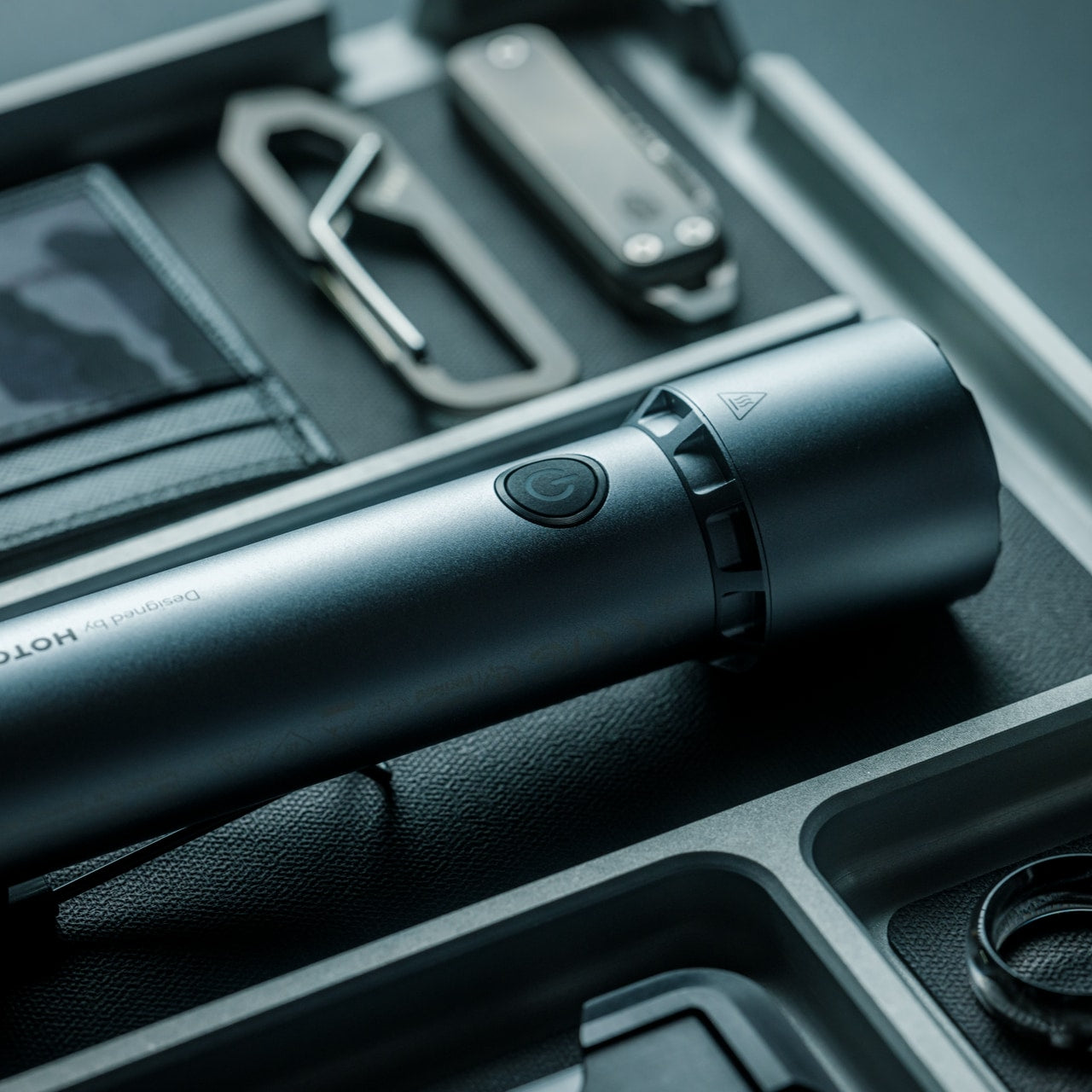
BlackoutBeam Tactical Flashlight delivers tactical performance without tactical aesthetics. The 2300-lumen output and 300-meter throw rivaled professional equipment while maintaining industrial design suitable for nightstand placement. Waterproof aluminum construction achieved an IP68 rating for dust and water resistance without adding bulk. The 0.2-second response time eliminated lag between activation and illumination. HOTO’s 100+ international design awards created brand credibility. This was a serious capability packaged for people who valued both preparedness and design coherence.
The engineering specifics mattered during actual use. Three brightness levels plus strobe and pinpoint modes are adapted to different situations. The 3100mAh lithium-ion battery recharged via USB but accepted two CR123A batteries as backup when outlets weren’t accessible. Six thousand five hundred Kelvin light temperature mimicked daylight for enhanced visibility and color accuracy. One-handed operation worked even while wearing gloves. The aluminum body survived impacts that would crack plastic housings. Power outages, roadside emergencies, and outdoor navigation all benefited from having 2300 lumens available instantly. The industrial design meant it looked intentional on shelves rather than apologetically hidden in drawers.
The 2300-lumen output and 300-meter throw provide professional-grade performance at consumer-friendly pricing.
IP68 waterproof rating and dual power options (USB rechargeable plus CR123A backup) eliminate common flashlight failure points.
What we dislike
The tactical-grade brightness drains battery faster during extended use compared to lower-output everyday flashlights.
The 6500K daylight temperature provides excellent visibility but may feel harsh for ambient lighting situations.
5. Auger PrecisionFlex Razor
The Auger PrecisionFlex Razor displays Kai Corporation’s 116 years of Japanese blade-making expertise, creating genuinely innovative shaving technology. The world-first 30-degree adjustable head angle changed blade positioning mid-shave without disrupting flow. The industry-leading 3D pivoting head and independent suspension mechanism delivered the widest range of motion available. Five re-engineered blades provided ultra-close shaves while reducing irritation. The raised anti-contact head design prevented blades from touching surfaces, maintaining sanitary storage and edge sharpness. This wasn’t an incremental improvement. It was a fundamental reimagining of how razors should function.
The ergonomic handle balanced sculptural minimalism with a textured elastomer grip. The all-black silhouette maintained visual coherence while ensuring secure handling during use. Shaping beard lines, defining mustache edges, and achieving smooth, even shaves all benefited from the adjustable head angle. The lever-activated 30-degree adjustment enabled seamless transitions between forward shaving and reverse detail work. Kai’s highest-specification blade technology delivered lasting sharpness that reduced replacement frequency. The magnetic attachment system made blade changes effortless. This razor treated daily grooming as a ritual worthy of precision engineering rather than a commodity consumable to endure.
The world-first 30-degree adjustable head angle provides unprecedented control for detailed beard shaping and reverse shaving.
Kai Corporation’s 116-year blade-making heritage and highest-spec five-blade system deliver professional performance for home use.
What we dislike
The premium blade technology and complex pivot mechanism create higher replacement cartridge costs than standard razors.
The all-black aesthetic and textured grip may show water spots and require more frequent cleaning to maintain appearance.
6. Levitating Pen 2.0 Cosmic Meteorite Edition
The Levitating Pen 2.0 Cosmic Meteorite Edition vanished immediately because it combined genuine meteorite material with gravity-defying desk sculpture. Each pen featured an authentic Muonionalusta meteorite, the oldest known meteorite on Earth, sourced through the International Meteorite Collectors Association. Acid-etching revealed unique patterns formed over 4.5 billion years, ensuring no two pens shared identical appearances. The numbered certificate of authenticity elevated these from mere writing instruments to collector’s pieces. The 23.5-degree levitation angle created conversation-starting desk presence. This was functional art that happened to be written.
The engineering matched the cosmic materials. Aircraft-grade aluminum unibody construction created a seamless form with a satin finish texture. The magnetic cap snapped into place with satisfying tactile feedback. A simple twist set the pen spinning gracefully for up to 20 seconds, providing a fidget-friendly mental reset during intense work. German-engineered Schmidt ink cartridges delivered smooth, precise writing without smudges or skips. The magnetic pedestal drew inspiration from the USS Enterprise design, creating the signature floating effect through precision engineering. Compatibility with standard D1-sized refills meant the pen functioned indefinitely beyond initial cartridge depletion. The balance of spacecraft aesthetics, genuine space material, and everyday writing utility justified the premium positioning.
Genuine Muonionalusta meteorite tip connects each pen to 4.5 billion years of cosmic history with acid-etched unique patterns.
The 23.5-degree magnetic levitation and 20-second spin function create a mesmerizing desk presence that sparks conversation.
What we dislike
The $248 price positions this firmly in luxury gift territory rather than the practical everyday writing tool category.
The magnetic levitation base requires desk space and careful positioning, limiting portability compared to conventional pens.
7. CraftMaster EDC Utility Knife
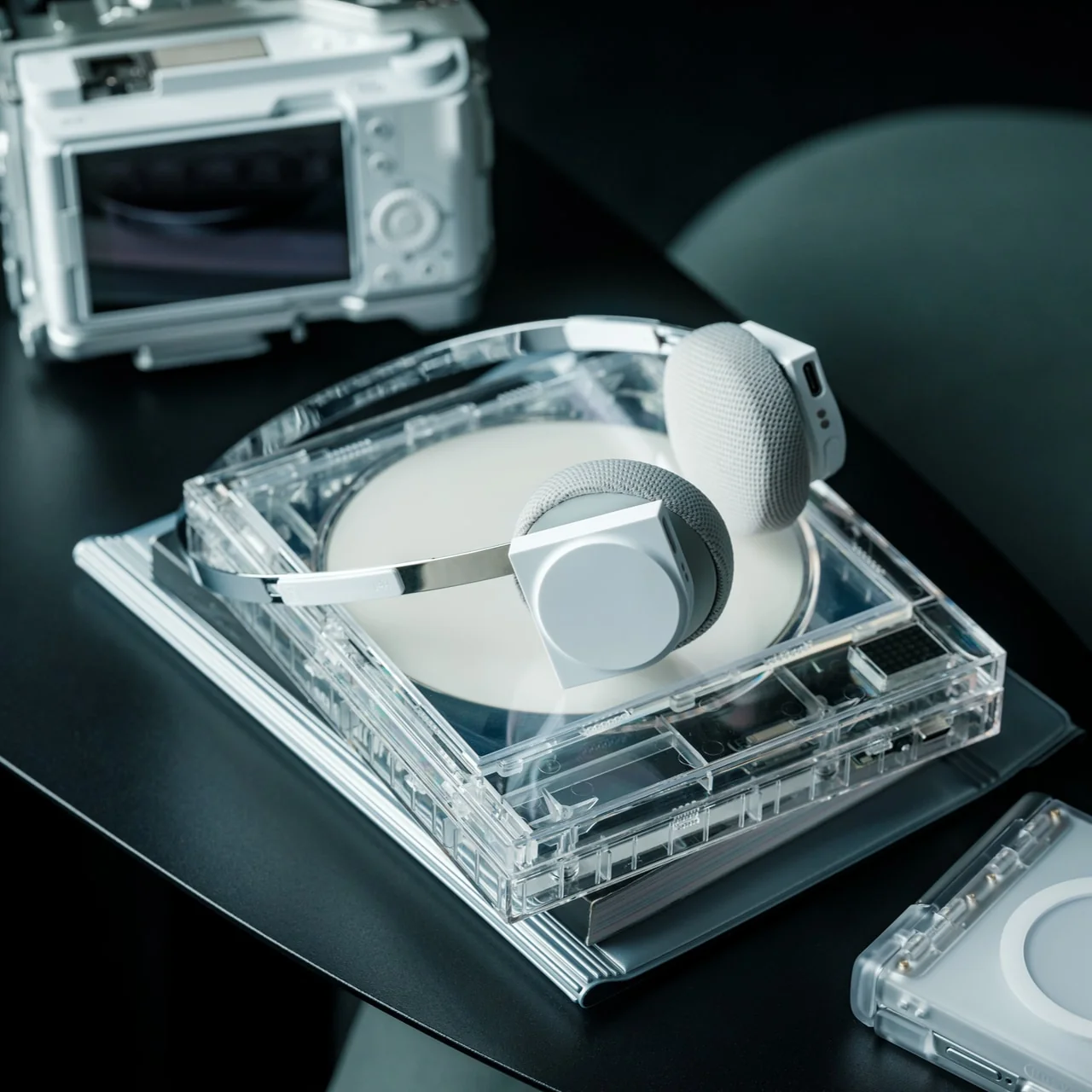
The CraftMaster EDC Utility Knife treats a utility knife design as a minimalist sculpture rather than a disposable commodity. The metal exterior created a hefty, reliable hand feel. At merely 0.3 inches thick and 4.72 inches long, it slipped into pockets without printing through fabric. The tactile rotating knob deployed OLFA blades through satisfying mechanical interaction. The magnetic back docked the knife to any metal surface for convenient access. The companion metal scale featured both metric and imperial markings, raised edges for easy lifting, and an integrated blade-breaker for snapping off dulled segments. This was everyday carry gear that looked intentional on desks or workbenches.
The thoughtful details elevated utility beyond basic box-cutting. The 15-degree curvature on the ruler prevented finger cuts during close work. The 45-degree inclination protected the package contents when opening boxes. The magnetic docking system meant the knife stayed within reach during projects requiring repeated cutting. OLFA blade compatibility ensured long-term usability through readily available replacements. The dual-scale ruler consolidated measurement and cutting into one pocket-sized tool set. The metallic aesthetic worked equally well in workshops, studios, or minimalist desk setups. This knife treated utility work as a craft deserving proper tools rather than tasks to suffer through with whatever’s handy.
The 0.3-inch profile and magnetic back create a genuine pocket-friendly EDC that docks conveniently on metal surfaces.
The companion ruler with blade-breaker consolidates measurement and blade maintenance into an integrated tool system.
What we dislike
The premium metallic construction and specialty features command higher prices than basic utility knives at hardware stores.
The magnetic docking system requires metal surfaces nearby, limiting organizational options in non-metallic environments.
Understanding the Pattern
These seven products shared fundamental characteristics that drove their rapid sellouts. Japanese design principles prioritized lasting quality over disposable convenience. Engineering innovation solved real problems rather than creating solutions searching for uses. Aesthetic sophistication meant these tools earned display placement instead of storage exile. Price points reflected genuine material quality and manufacturing expertise rather than artificial premium positioning. Each item delivered immediate utility while building long-term value through durability and timeless design.
The sellout speed revealed changing expectations for men’s gifts. Recipients wanted tools that worked beautifully and beautiful objects that worked practically. They sought products that sparked conversations about engineering philosophy and material choices. They valued everyday carry items worthy of daily interaction rather than occasional emergency deployment. These gifts succeeded because they treated the recipients as discerning adults who appreciated thoughtful design, not teenage boys impressed by aggressive styling. Quality recognition happened instantly when people encountered legitimate craftsmanship and innovative thinking.
There’s a particular kind of frustration that comes with a stubborn screw buried deep inside a chassis or tucked behind a piece of furniture. You finally wedge a ratchet into the gap, but every swing sends the screw back to where you started, undoing your progress in tiny, maddening increments. The problem isn’t skill or strength; it’s that most ratchets need too much arc to advance the fastener.
The Titaner EDC Ratchet System was built precisely for this challenge, engineered around an impressive tight 4-degree swing arc. At the heart is a tiny ratchet mechanism, just under thirty grams, that can click forward with minimal movement. In cramped spaces where you can barely tilt your hand, that tight swing means you still get crisp confirmation that the fastener is turning.
Traditional thinking says that more precision means more fragility, and more strength means more mass. Titaner’s core weighs just 29.8 grams yet uses a dual-lock gear mechanism engineered to handle serious torque. When fully engaged, it feels like every bit of effort goes straight into the screw without the mushy slop you expect from small ratchets. The core is light enough to carry every day but built to take on rusted bolts without flinching.
Direction control works through a flip-based design instead of a small thumb lever. One side of the core locks for tightening, the other releases for loosening, with engraved markers making it obvious at a glance. Flipping the core in your fingers becomes a natural gesture, and removing that fragile switch simplifies the structure while shaving off weight and potential failure points.
The modular system lets the same core adapt to very different tasks. Snap extension bars into the side ports, and it becomes a T-shaped handle for maximum leverage, letting both hands and your upper body share the load. Reconfigure into an L-shape to work around a chassis brace or wall, or keep it in a slim I-shape when you need to reach deep into a narrow opening.
Of course, controlling force at the moment of maximum torque is where the optional Gyro-Stabilizer cap comes in. It separates downward pressure from twisting motion, so your palm can press straight down while the ratchet turns freely underneath. That helps keep bits seated, reducing cam-out and stripped fasteners. For delicate work on plastics or electronics, the side port configuration gives more linear feedback, making it easier to stop at just the right tightness.
The titanium core, four extension bars, and a set of hardened S2 steel bits all nest into a small aluminum vault case. A clever magnetic structure locks each piece in place with a satisfying snap, so nothing rattles. In a bag or pocket, it feels more like a compact object than a toolbox, yet it unfolds into a capable setup when you need it.
GR5 titanium resists sweat, rain, and seawater, while M390 steel gear teeth handle repeated engagement without rounding off. The outer case is milled from 7075 aluminum, with chamfered edges and smooth surfaces that feel deliberately finished. Spin the core between your fingers, and the fine clicks of the 4-degree mechanism turn precision into something you can hear and feel, a tactile reward for the engineering underneath.
The system comes in two versions. The basic edition offers just the ratchet core with a standard interface, meant for people who already have their own bits and extensions they trust. The pro edition includes the full modular ecosystem with bars, bits, a vault case, and all the configuration options for T, L, and I shapes, turning it into a complete pocket toolkit built around a single titanium heart.
The Titaner EDC ratchet system treats turning a screw as an opportunity for thoughtful engineering and satisfying interaction. It’s built to live in a pocket, ready for the awkward angle or hidden fastener that shows up without warning, and to make those moments feel a little less like a fight and a little more like a solved puzzle with the right tool in hand.
The modern desk is a patchwork of small compromises. Your laptop has two USB-C ports, but you need displays, a wired network, external storage, and constant charging. That leaves you juggling dongles and adapters, with media controls and privacy shortcuts buried in software menus or keyboard combinations you can never quite remember. The setup works, but it never feels tidy or intentional, just workarounds gradually spreading across your workspace.
HubKey Gen2 tries to pull those pieces together in a single compact cube that sits within arm’s reach. It’s both an 11-in-1 USB-C hub and a small hardware control surface, with four shortcut keys and a central knob on top. The idea is to handle displays, power, storage, network, and a handful of everyday actions from one place, turning a desk full of little fixes into something more coherent.
The most requested improvement for this version was better display support and five keys which can be fully customized. HubKey Pro 2 now offers two HDMI ports, each capable of driving a 4K display at 60Hz. That means a laptop can suddenly run a pair of high-resolution monitors smoothly, turning a cramped single-screen setup into a proper workspace for editing timelines, keeping reference material open, or spreading code and documentation across both panels without stuttering.
Between the USB-A 3.1 and USB-C 3.1 ports at up to 10 Gbps, SD and TF card slots, a 2.5 Gbps Ethernet port, 3.5 mm audio jack, and a dedicated 100 W USB-C PD port, HubKey Pro 2 can replace a whole handful of adapters. One cable from the hub to your laptop or handheld PC brings everything else online, from wired internet to external drives and dual displays, cutting down on the usual cable mess.
The top panel is where the shortcut side comes in. Four keys and a central knob are mapped to actions like volume and mute, screen lock, display off, screenshot, and lighting control. Instead of hunting through menus or remembering key combinations, you can twist the knob to adjust sound, tap a key to blank the monitor when someone walks by, or grab a screenshot with a single press.
Under the surface, the shortcut side goes deeper than a few hard-wired functions. A built-in driver unlocks five preset systems with 170 fixed combinations, plus a sixth mode where you can fully customize the key bindings. When you plug HubKey Gen2 into your machine, a settings interface pops up automatically, letting you assign shortcuts, macros, and key sequences in a few clicks.
For basic use there are no drivers to hunt down; it’s plug-and-play with Windows, macOS, Linux, and even devices like the Steam Deck, while the optional driver adds a deeper layer of customization when you want to fine-tune the keys. The internal circuitry and firmware have been tuned for faster recognition and more stable power delivery, and the press logic for Windows and macOS has been refined to reduce delays or misfires.
The 100W USB-C PD port can keep a laptop charged while the hub is driving dual 4K displays and handling data transfers. The The 10 Gbps USB ports and card readers make moving large files feel less like a chore, especially for photographers and video editors who are constantly offloading cards. The goal is to reduce the number of separate chargers and adapters that need to live on the desk.
Of course, the central knob has a smooth feel when you adjust volume, and the integrated LED ring can be dimmed or toggled with a key. The lighting adds a bit of atmosphere without turning the hub into a light show, and the compact form factor means it can sit next to a keyboard or under a monitor without demanding attention when you’re not actively using it.
HubKey Gen2 doesn’t claim to replace a full keyboard or a studio-grade dock, but it does try to make a typical laptop-based setup feel more intentional. By combining dual 4K display support, a full spread of ports, and a handful of physical controls in one small object, it turns a desk full of little compromises into something more coherent and easier to live with.
Off-grid living has shed its reputation as roughing it. Today’s modern homesteaders demand the same sophistication they left behind in the city, just powered differently. The off-grid luxury market has grown into a $4.76 billion industry because people realized sustainable living doesn’t mean sacrificing quality. It means choosing better tools that work harder and last longer than their mass-market counterparts.
Stocking stuffers for the off-grid enthusiast need to deliver value. Forget novelty gadgets that sit in drawers. These ten tools from Yanko Design blend Japanese craftsmanship with practical utility. Each one solves real problems faced by people building self-sufficient lifestyles. From precision cutting tools to ambient lighting that works without grid power, these compact essentials enable luxury living in remote places. They’re small enough to fit in a stocking but powerful enough to earn permanent spots in everyday carry rotation.
1. 8-in-1 EDC Scissors
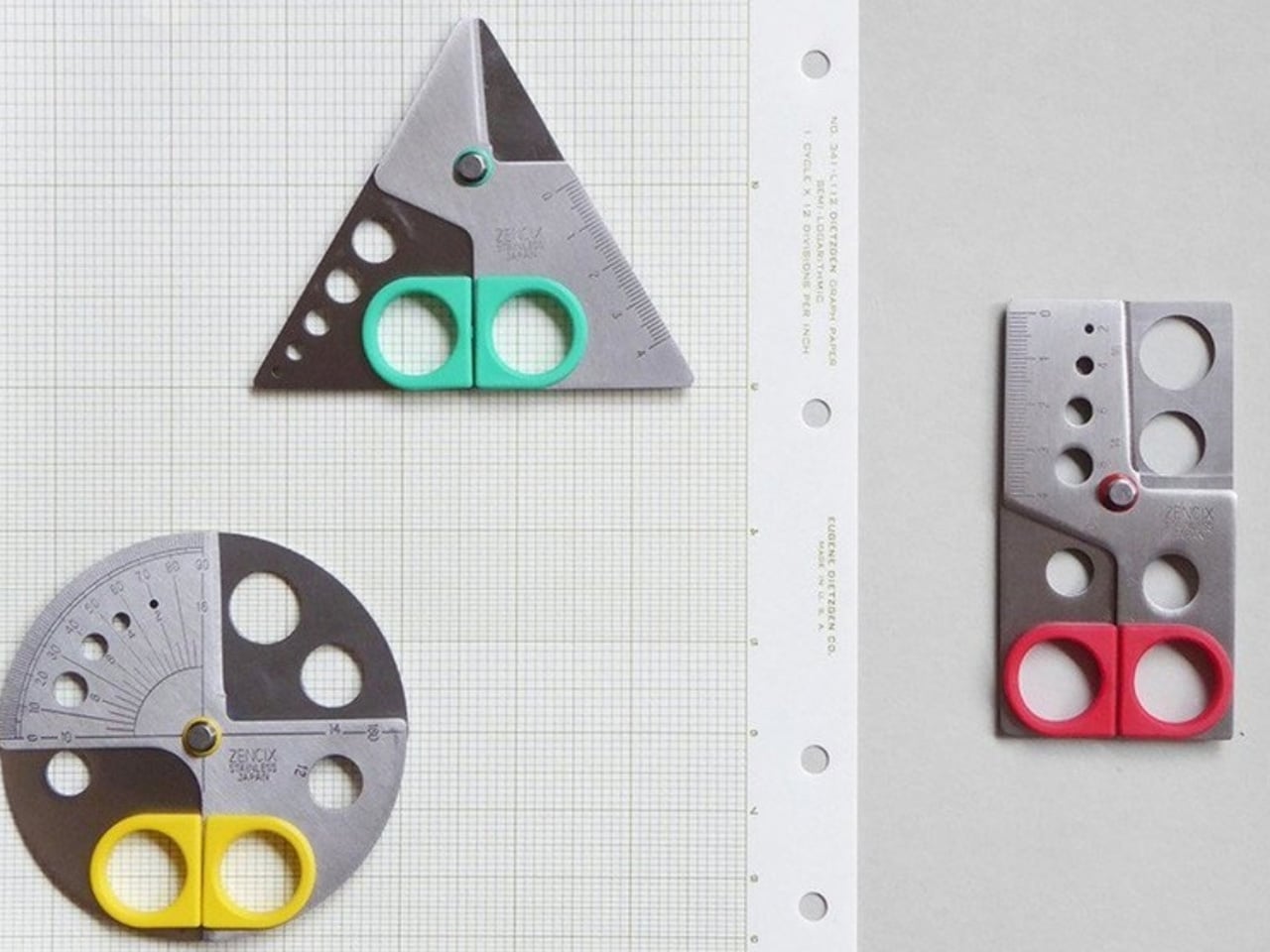
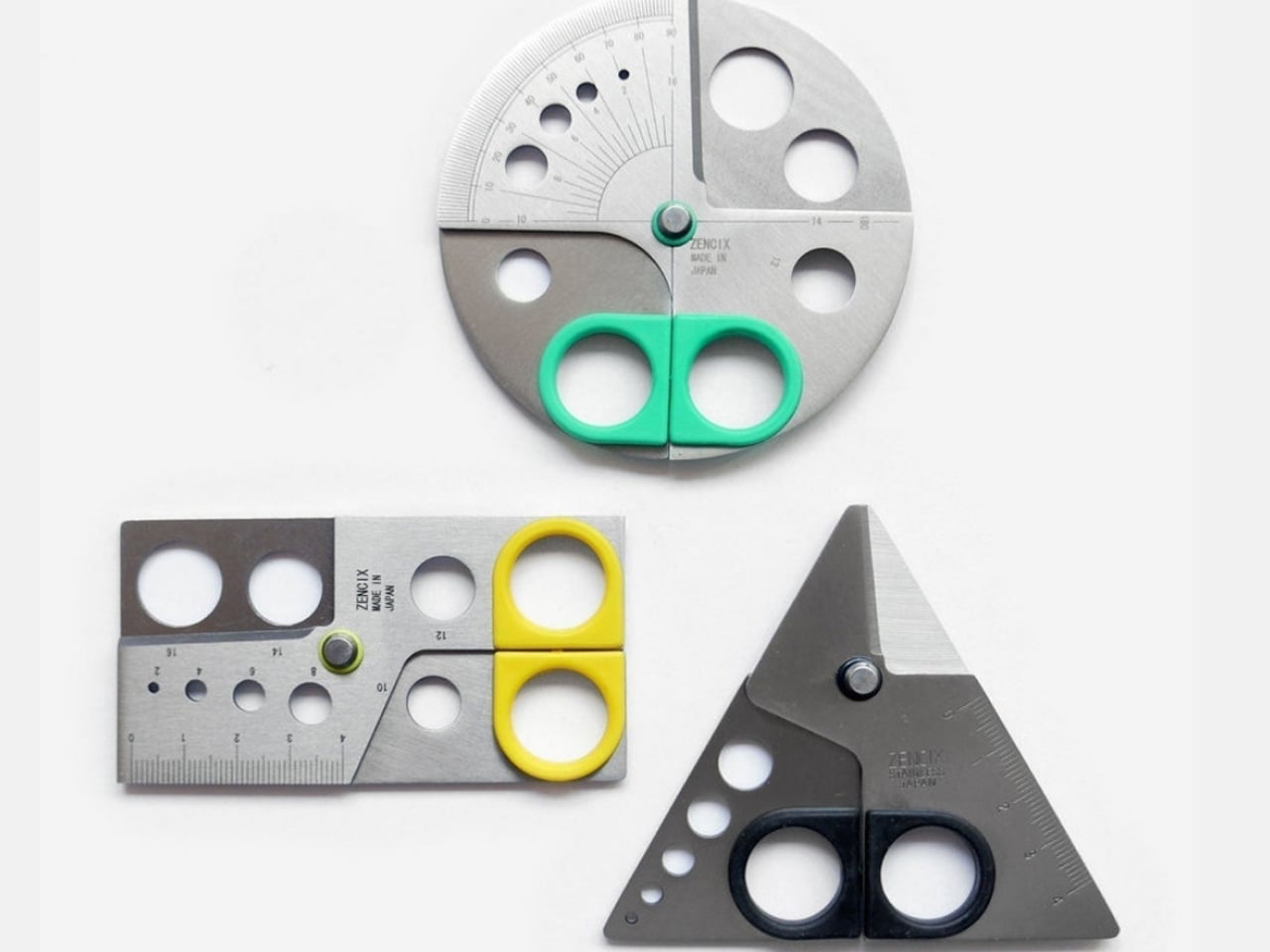
The 8-in-1 EDC Scissors prove that multi-tools don’t need bulk to deliver versatility. At just 13 centimeters, these palm-sized scissors slip into pockets without printing through fabric. The oxidation film coating adds rust resistance while creating a distinctive black finish that looks equally at home on a workbench or dining table. For off-grid living where every ounce matters and specialized tools mean extra weight, this compact design consolidates eight functions into one elegant package.
Off-grid environments demand tools that perform multiple roles without compromising on any single function. These scissors handle packaging, food prep, wire cutting, and bottle opening with the same efficiency. The degasser and shell splitter functions address specific outdoor cooking needs that standard pocket knives miss entirely. When you’re maintaining solar panels, processing game, or repairing equipment miles from the nearest hardware store, having eight reliable tools in one palm-sized package isn’t convenient—it’s essential for self-sufficient living.
The oxidation coating creates genuine rust resistance rather than just painted-on color that chips with use.
Eight legitimate functions built into a 5.1-inch form factor that actually fits in pockets designed for modern slim wallets.
What we dislike
The compact size means shorter handles that require more hand strength for tougher cutting jobs.
Multiple functions in one tool always mean some compromise compared to dedicated single-purpose versions.
2. Side A Cassette Speaker
The Side A Cassette Speaker brings wireless audio to off-grid spaces without requiring constant charging infrastructure. Bluetooth 5.3 connectivity pairs seamlessly with phones and tablets, while the microSD slot enables completely offline playback when you’re beyond cellular range. The transparent cassette shell isn’t just aesthetic nostalgia—it’s a conversation piece that transforms utilitarian tech into something worth displaying. For cabin living where decor matters as much as function, this speaker becomes both an audio solution and a shelf sculpture.
Battery life matters differently when you’re managing solar power budgets. This compact speaker delivers surprisingly warm sound that fills small spaces without demanding the power draw of larger Bluetooth systems. The cassette-inspired design means it stands upright naturally, eliminating the need for separate speaker stands or mounting hardware. Whether you’re working at a desk powered by a generator, relaxing by lantern light, or cooking dinner off-grid, this speaker adds the soundtrack without complicated setup or energy waste.
The microSD card slot enables music playback without draining phone batteries or requiring Wi-Fi connectivity.
Bluetooth 5.3 provides a stable connection range for moving between cabin rooms without audio dropouts.
What we dislike
The compact size limits bass response compared to larger speakers designed for outdoor use.
Cassette nostalgia design may not resonate with younger off-gridders who never experienced mixtape culture.
3. Painless Key Ring
The Painless Key Ring solves the fingernail-breaking frustration of traditional split rings with wave spring technology borrowed from aerospace engineering. This isn’t incremental improvement—it’s a complete reimagining of how key rings function. The wave coil design makes adding and removing keys genuinely effortless while maintaining security that won’t fail when you’re miles from spare copies. For off-grid living where multiple locks, equipment keys, and padlock keys multiply quickly, managing key organization becomes a daily necessity rather than an occasional annoyance.
Traditional key rings deform under stress, making thick keys progressively harder to add and wearing thin over repeated use. The wave spring construction stays lighter than conventional rings while proving more durable under constant cycling. When you’re managing keys for solar battery boxes, storage sheds, equipment locks, and vehicle ignitions, damaged key rings aren’t just inconvenient—they’re potential security failures. This aerospace-grade solution treats key management with the seriousness it deserves while fitting seamlessly into existing EDC setups.
Wave spring design legitimately eliminates the nail-breaking, key-scratching experience of traditional split rings.
Available in silver and black finishes to match different EDC aesthetics and metal preferences.
What we dislike
The innovative mechanism costs more than conventional split rings that people already own by the dozen.
Wave spring design might confuse first-time users expecting traditional key ring operation.
4. DraftPro Top Can Opener
The DraftPro Top Can Opener transforms canned beverages into glass-like drinking experiences by completely removing the lid. Award-winning Japanese designer Shu Kanno understood that flavor appreciation requires accessing aroma, and crimped can openings limit that sensory dimension. This tool creates smooth-edged, wide-mouth openings that let you catch scent notes before each sip. For off-grid luxury living where craft beverages might be one of the few indulgences, drinking them properly matters.
Beyond elevated drinking experiences, this opener enables practical advantages for remote living. Add ice directly into cans when refrigeration runs on limited solar power. Mix cocktails in the container, eliminating glassware that needs washing with precious water reserves. The universal compatibility handles both domestic and international cans, important for off-gridders who might stock supplies from various sources. At this price point, it’s the kind of small luxury that disproportionately improves daily quality of life.
The specialized function serves beverages only while consuming pocket space that could hold multi-purpose tools.
5. Precision Chef Kitchen Scissors
The Precision Chef Kitchen Scissors bring restaurant-grade food prep into off-grid kitchens through thoughtful engineering. The curved serrated blade makes cutting meat safer and more efficient than straight-edge designs that require awkward angles. Oxidation coloring creates the black finish through metal treatment rather than coating, so the distinctive appearance won’t chip or fade with heavy use. The ergonomic structure keeps blades elevated when laid flat, preventing cross-contamination on cutting surfaces.
Off-grid cooking often means processing whole ingredients rather than buying pre-cut portions. These scissors handle breaking down poultry, portioning meat, cutting vegetables, and even cutting pizza with equal efficiency. When kitchen counter space is limited, and cutting boards need careful water management for cleaning, shears that work for multiple tasks reduce both equipment and cleanup. The striking black finish elevates these from pure utility into kitchen decor that announces serious food preparation happens here.
Curved serrated blade design genuinely improves cutting efficiency compared to standard kitchen shear geometry.
Oxidation coloring creates a permanent black finish that won’t deteriorate with dishwashing or heavy use.
What we dislike
The premium blade treatment and ergonomic design command prices well above basic kitchen scissors.
Specialized meat-cutting optimization might not serve vegetarian or plant-focused off-grid kitchens as effectively.
6. AirTag Carabiner
The AirTag Carabiner harnesses Apple’s Find My network through Duralumin composite alloy construction proven in aircraft and spacecraft. This isn’t cheap aluminum painted to look premium—it’s genuine aerospace-grade material suited for extreme conditions. Snap it onto bags, bikes, or equipment and gain location tracking that works even when you’re beyond cellular coverage. For an off-grid property where tools, vehicles, and gear are spread across acres, knowing exactly where everything sits eliminates time wasted searching.
The hand-crafted metal construction creates heirloom-quality carabiners that justify AirTag investment. Standard plastic cases break under outdoor use, defeating the purpose of tracking expensive equipment. Duralumin handles high altitude and water exposure, making these suitable for genuine backcountry use rather than just urban everyday carry. Available in brass and stainless steel variants, you can match different equipment aesthetics while maintaining the same reliable tracking across your off-grid setup.
Duralumin aerospace alloy provides genuine durability suited for harsh conditions, rather than just looking premium.
Hand-crafted individual construction creates variation and character missing from mass-produced tracking accessories.
What we dislike
Requires purchasing Apple AirTags separately, adding $29 per carabiner to the total investment.
The Find My network depends on proximity to other Apple devices, limiting effectiveness in truly remote areas.
7. CasaBeam Everyday Flashlight
The CasaBeam Everyday Flashlight delivers 1,000 lumens through a minimalist design that belongs on display rather than hidden in drawers. The dual-mode functionality transforms it from a handheld flashlight to an upright lantern without requiring separate bases or accessories. Five lighting modes cover everything from ambient reading light to emergency SOS signaling. When off-grid lighting depends on managing battery reserves carefully, having one versatile light that serves multiple needs reduces redundant equipment.
The 200-meter beam range handles outdoor navigation while the diffused lantern mode creates ambient lighting for interior spaces. Twist the front to toggle between spotlight and floodlight, adjusting beam width for specific tasks. Power outages that would be minor inconveniences on-grid become major disruptions off-grid, making reliable backup lighting essential rather than precautionary. This flashlight’s standalone design means it’s ready immediately without hunting for batteries or checking charge levels on dedicated headlamps.
The upright lantern mode creates hands-free ambient lighting without requiring separate lantern equipment.
Adjustable zoom beam toggles between a focused spotlight and a wide floodlight for different situations.
What we dislike
The 1,000-lumen maximum output drains batteries faster than lower-output lights during extended outages.
Minimalist design lacks rugged water resistance and drop protection found in tactical flashlight alternatives.
8. Compact Modular Grill Plate
The Compact Modular Grill Plate adapts to whatever heat source you’re using, from unstable bonfires to precise induction cooktops. The three-layer steel construction ensures even heat distribution that maintains food juiciness during cooking. Swappable handles let you optimize for current conditions—use long handles over open flames, short handles for stovetop cooking, or remove them entirely for compact storage. When off-grid cooking means adapting to available fuel and weather conditions, versatile cookware isn’t a luxury—it’s a necessity.
Even heat distribution becomes crucial when cooking over fires that don’t provide the temperature control of home ranges. The metal grill plate conducts heat uniformly across its surface, preventing hot spots that char food in some areas while leaving others undercooked. The modular design packs flat for storage, important when cabin kitchens can’t dedicate space to specialized equipment. Whether you’re cooking over propane, wood fire, or solar-powered induction, this single plate handles all scenarios without compromising cooking quality.
Three-layer steel plate construction delivers restaurant-quality heat distribution regardless of heat source consistency.
The modular handle system adapts to different cooking situations rather than forcing a one-size-fits-all compromise.
What we dislike
The premium steel construction creates weight that makes this impractical for backpacking or ultralight camping.
Multiple small pieces in the modular system increase the chance of losing components during outdoor use.
9. Miniature Bonfire Wood Diffuser Set
The Miniature Bonfire Wood Diffuser Set captures mountain forest fragrance through an adorable design that doubles as functional decor. The rust-resistant stainless steel bonfire creates an eye-catching centerpiece while miniature firewood bundles diffuse essential oils with the gentleness of a natural breeze. The included trivets transform the diffuser into a pocket stove for authentic cooking experiences indoors. When off-grid living means months of winter cabin time, bringing outdoor atmosphere inside maintains a connection to the natural surroundings.
Essential oil from Mt. Hakusan provides a distinctive scent that commercial air fresheners can’t replicate. The stainless steel construction handles repeated heating without deteriorating, making this suitable for daily use rather than occasional decoration. The pocket stove functionality means you can actually brew tea or warm small portions over the flame, blending aromatherapy with practical heating. For off-grid spaces where ambiance matters as much as utility, this diffuser creates the warmth of a campfire without smoke or ventilation concerns.
The rust-resistant stainless steel construction enables genuine cooking functionality beyond just aromatic diffusion.
Essential oil captures authentic mountain forest scent rather than synthetic approximations.
What we dislike
The miniature scale limits practical cooking to very small portions, like single cups of tea.
Essential oil diffusion through heat requires fuel and monitoring, unlike electric or passive diffuser alternatives.
10. Obsidian Black Precision Chopstick Tongs
The PrecisionGrip Chopstick Tongs blend traditional Japanese chopstick precision with modern tong versatility. Made from SUS821L1 stainless steel with black oxide film processing, the finish won’t scratch or peel regardless of use intensity. The elongated design handles delicate foods with the control of chopsticks and the ease of tongs, eliminating the skill barrier that makes traditional chopsticks frustrating. For off-grid living where food prep and eating both happen in compact spaces, dual-purpose utensils reduce equipment while increasing functionality.
The black oxide film processing creates permanent color through metal treatment rather than coating, so the distinctive obsidian appearance survives dishwashing and heavy use. The ergonomic design works equally well for cooking and dining, flipping ingredients on the stovetop or serving sushi at the table. When off-grid kitchens need to maximize utility per item, these tongs deliver two tools’ worth of functionality in one elegant package. The SUS821L1 stainless steel provides exceptional corrosion resistance, important for environments where humidity and limited climate control accelerate metal deterioration.
Chopstick-style precision enables handling delicate foods with control impossible using standard tong designs.
Black oxide film processing creates a permanent finish that maintains appearance through years of daily use.
What we dislike
The chopstick aesthetic may feel unfamiliar to people expecting traditional tong operation and grip.
Specialized design serves precision tasks better than heavy-duty grilling or large portion handling.
Small Tools Enable Big Transformations
Off-grid luxury living starts with recognizing that quality tools improve daily experience more than any single large purchase. These ten stocking stuffers represent the Japanese design philosophy of perfecting everyday objects rather than accepting good enough. Each tool addresses specific challenges faced by people living self-sufficiently while maintaining aesthetic standards that would satisfy urban design enthusiasts. The total investment here costs less than many single appliances, yet delivers functionality across cooking, lighting, organization, and entertainment.
The real luxury in off-grid living comes from thoughtful tool selection rather than expensive equipment. Solar panels and battery systems get attention, but the scissors you use daily matter more to the quality of life. These compact essentials earn their space through consistent utility rather than occasional specialized use. They’re conversation pieces that spark interest from visitors while proving their worth through daily performance. Building an off-grid lifestyle means curating tools that work as hard as you do while looking good doing it.
The maker movement has always had this tension between aspiration and reality. We want to believe that anyone with creativity and determination can fabricate complex physical objects, but the actual tools have never quite lived up to that vision. 3D printers got there eventually, becoming genuinely accessible after years of tinkering and iteration. CNC mills are still waiting for their Prusa moment, that breakthrough where capability and usability finally converge at a price point that makes sense for individual creators rather than small manufacturers.
Makera’s Z1 looks like it might be taking a serious run at becoming that machine. The specs are legitimately compelling: 4-axis machining for complex geometries, laser engraving for multi-material work, tool changing that doesn’t kill your workflow momentum. But the really smart move is how they’ve approached the software side with their Smart Machining Wizard that handles toolpath optimization automatically. That’s the kind of feature that could genuinely flatten the learning curve, because the hardest part of CNC work isn’t understanding what you want to make, it’s translating that into the specific sequence of cuts and feeds that won’t destroy your material or your bit.
Makera built this thing with a die-cast metal frame that keeps it rigid enough for precision work while staying compact enough for a desk or workbench. Most desktop CNCs either sacrifice rigidity for size or end up being “desktop” machines that require you to dedicate half a room to them. The Z1 actually fits where people work without turning into a wobbly mess the moment you put any real cutting force on it. A transparent enclosure with blue LED lighting lets you watch what’s happening, which sounds purely aesthetic until you’ve spent enough time with CNC work to know that being able to see when something starts going wrong is the difference between catching a problem early and ruining your third attempt at an expensive piece of walnut.
Most people who’ve used desktop CNCs have experienced the tool-changing nightmare. You’re halfway through a project, need to swap from a roughing bit to a finishing bit, and suddenly you’re stopping the job, manually changing tools, re-zeroing everything, and praying you didn’t throw off your alignment. Mess it up and you’ve wasted material, time, and patience. The Z1’s quick tool changer handles swaps in seconds without breaking workflow. Queue up your roughing pass, finishing pass, and laser engraving in sequence, start the job, and come back to finished work. You can actually plan projects with multiple operations now instead of avoiding them because the process is too tedious.
Adding a fourth axis changes what you can make, not just how easily you can make it. Standard 3-axis machines force you into flat-world thinking. Want details on a cylinder? You’re manually rotating and re-fixturing, hoping your alignment is perfect each time. Complex curves? Forget it unless you enjoy spending hours setting up custom jigs. With 4-axis capability, cylindrical parts become straightforward. Jewelry with wraparound patterns, custom instrument components, robotics parts with mounting features on multiple faces – projects that used to require either expensive shop time or elaborate workarounds become things you can just do.
Makera bundled a laser module into the same machine, which solves a problem anyone working on mixed-material projects has run into. Mills cut wood, plastic, soft metals well. Lasers excel at engraving and cutting leather, acrylic, veneer. Usually you need two machines, two software packages, and endless frustration trying to align work between them. Having both in one system with unified control means you can mill a relief pattern into wood and laser-engrave fine details in the same setup. For prototyping or small production runs, not having to move work between machines eliminates a huge source of error and wasted time.
Makera Studio unifies design, CAM, and machine control instead of forcing you to juggle multiple applications that barely talk to each other. More importantly, the Smart Machining Wizard actually does something useful: it looks at your geometry and suggests toolpath parameters. This matters because new CNC users consistently get stuck at exactly this point. You’ve got a 3D model, you know what you want to cut, but now you need to figure out feeds, speeds, stepover percentages, roughing versus finishing strategies. Get it wrong and you break expensive bits, ruin material, or spend six hours on a cut that should take forty minutes. Most CAM software assumes you already know this stuff. Makera’s wizard gives you a starting point based on your specific geometry and material, which won’t make you an expert overnight but might keep you from quitting in frustration after your fifth failed attempt.
Built-in presets cover relief carving, 4-axis operations, and PCB milling. PCB work is particularly brutal for beginners because you need precise depth control and appropriate feeds to get clean copper traces without destroying the board. Having proven workflows ready to use means these capabilities become practical tools instead of theoretical features you never figure out how to use properly.
Makerables, their content platform, lets users share projects and download models, which is table stakes for any modern fabrication tool. More useful is the AI modeling feature that generates 3D models or reliefs from images and prompts. You can argue about whether AI-generated designs are “real” making, but practically speaking, not everyone has years to invest in mastering Fusion 360. If you’ve got strong design sense but CAD software makes you want to throw your computer out a window, being able to go from concept to cuttable model without that barrier actually matters. Plenty of artists and designers who understand form, proportion, and aesthetics have been locked out of CNC work purely by software requirements.
Auto-probing and leveling handle surface calibration without manual tramming, which saves twenty minutes of tedious setup before every job. Integrated dust collection with ports for external collectors means you can run this indoors without coating your entire workspace in fine dust. The built-in camera lets you check on progress remotely and record time-lapses, catching problems before they get expensive and documenting your work without setting up separate recording equipment.
Pricing sits at an MSRP of $1,199, but early Kickstarter backers can secure the Z1 for $899. Compare that to quality 3-axis desktop CNCs without laser modules, 4-axis capability, or automated tool changing, and the Z1 looks legitimately competitive. So much so that over 6,000 backers have already pledged more than $8 million USD to secure the Makera Z1- with the campaign running until December 12 – before it begins shipping next month.
Makera is also offering a Z1 Pro configuration that addresses the performance ceiling some users will eventually hit. The standard Z1 uses lead screws and open-loop steppers, which work fine for most projects but can show limitations under sustained heavy use or when you’re chasing the tightest possible tolerances. The Pro upgrade swaps in ball screws across all three axes and adds closed-loop stepper motors. Ball screws reduce backlash and handle heavy cutting loads better over time, while closed-loop motors automatically correct position errors, eliminating the lost steps that can ruin a long job when you’re six hours in and something goes slightly wrong.
The upgrade costs $399 normally but Kickstarter backers can add it for $249. You’re looking at hardware changes that meaningfully improve accuracy and reliability rather than marginal spec bumps, which matters if you’re planning to use this machine for small production runs or client work where failures get expensive fast. The Pro units ship around two months after the standard Z1, starting March 2026, which makes sense given they’re swapping core motion components. Whether the upgrade is worth it depends on your use case – hobbyists and occasional users probably won’t notice the difference, but anyone planning serious production work or precision-critical projects should consider it seriously.
Movie nights used to mean cramming into theater seats with strangers and overpriced snacks. Now the best screenings happen at home, where you control everything from the lighting to the soundtrack of ice clinking in your glass. The shift to home viewing opened space for something better than convenience. It created room for ritual, for intentionality, for designing an experience that feels like an event rather than background noise while scrolling your phone.
These five designs treat movie night like the ceremony it deserves. Each one solves a specific problem you didn’t realize was breaking your immersion. Spilled drinks. Harsh lighting. Forgettable beverages. Stale air. They’re small disruptions that pull you out of the moment. Together, these gifts form a complete system that transforms any room into a space where you can actually settle in and stay present for two uninterrupted hours.
1. Couch Console: The Self-Balancing Command Center
The Couch Console solves the oldest problem in home entertainment: where to put your stuff without creating a disaster zone. This modular organizer holds your drink, snacks, remote, phone, glasses, and everything else you need within arm’s reach. The standout feature is the mechanical gyroscope cupholder with a built-in counterweight that keeps your drink perfectly vertical, even on uneven cushions or slouchy surfaces. You can finally sink into your couch without worrying about physics.
The design prioritizes clear functionality through simple geometry. Each component has a dedicated space—a hidden compartment for glasses, a dedicated remote tray, a phone stand with charging dock, and a snack holder that keeps crumbs contained. The cupholder fits most standard glasses and includes a locking mechanism for added security. It’s the kind of thoughtful design that anticipates needs you didn’t know you had until someone pointed them out. Your couch becomes a self-contained entertainment hub rather than a collection of precariously balanced objects waiting to topple.
What we like
The gyroscope cupholder genuinely works and prevents spills on soft surfaces.
Everything has a designated spot, so you stop losing your glasses between cushions.
The modular design adapts to different couch styles and personal preferences.
It keeps your viewing area organized without requiring you to sit upright like a Victorian.
What we dislike
The size might not fit every couch arm configuration perfectly.
You’ll need to break the habit of just throwing things on the couch randomly.
2. Japanese Lantern Candle: Soft Light Without the Glare
Overhead lights kill movie night ambiance faster than anything else. The Japanese Lantern Candle offers a solution rooted in centuries of traditional design. Inspired by “chouchin” lanterns that lit up Japanese festivals and izakaya bars, this modern interpretation brings a gentle, flickering glow that sets the right mood without washing out your screen. The handmade candle sits inside a holder designed to create an undulating light pattern as the wax melts.
Craftsmen in Kurashiki, Japan, make each candle by hand using patented technology that prevents the outer wax layer from melting. This means the decorative exterior stays intact while the interior wax burns down, creating an increasingly dramatic light show as the flame dances inside the carved structure. The minimalist design fits into any interior style while adding a distinctly Japanese sensibility. It’s lighting that asks you to slow down and notice the quality of the glow rather than just flooding a room with brightness.
The handcrafted quality shows in the details and burn pattern.
Creates the perfect ambient lighting level for movie watching.
The patented outer wax technology makes it both functional and sculptural.
Adds a ritual element to starting your movie night by lighting the candle.
What we dislike
You need to remember to blow it out when the movie ends.
Candles require more attention than just flipping a switch.
3. DraftPro Can Opener: Turn Every Can Into a Glass
Award-winning Japanese designer Shu Kanno created the DraftPro to solve a problem most people accept without question: cans have a small opening that limits how you experience what’s inside. This tool removes the entire top of any can, transforming it into an open vessel that functions like a glass. The difference is immediately noticeable. Aromas reach your nose before the first sip. You taste the full flavor profile instead of just whatever makes it through that narrow opening. It turns functional hydration into an actual drinking experience.
The universal design works with both domestic and international can sizes, making it useful whether you’re drinking beer, sparkling water, or using cans as cocktail mixing vessels. The smooth-edge removal process creates a safe rim that won’t cut you. You can drop ice cubes directly into the can to chill drinks faster, or mix cocktails without dirtying a shaker or glassware. The lightweight, portable form factor means you can bring it anywhere—backyard screenings, camping trips, friends’ apartments. It’s the kind of simple tool that becomes indispensable once you realize how much better canned drinks taste when you treat them like draft pours.
Dramatically improves the drinking experience from any can.
Creates zero waste beyond what the can itself produces.
Portable design works anywhere you bring canned beverages.
The smooth-edge removal makes it safe to drink directly from.
What we dislike
Requires manual effort each time you want to open a can.
You can’t reseal the can once it’s open, so commit to finishing it.
4. Prism Titanium Beer Glass: Engineered for Savoring
The Prism Titanium Beer Glass treats beer like it deserves the same attention as wine or whiskey. This isn’t about pretension. It’s about recognizing that good beer has nuanced flavors that cheap glassware can actually diminish. The interior is lined with 99.9 percent pure, aerospace-grade titanium that neutralizes metallic aftertastes and breaks down off-notes. What remains is just the beer itself, presented in its purest, most refined form. The clear glass exterior contrasts with the softly reflective titanium interior, creating a visual interplay that reveals your beer’s true color with an elegant glow.
The gently flared rim isn’t just aesthetic—it improves mouthfeel by guiding beer smoothly across your palate, softening texture and lifting aroma toward your nose. Delicate etched patterns carry centuries-old Japanese symbols for prosperity and longevity, adding emotional depth to an object that could have just been functional. You can choose between the Silver finish with its quiet luster or the Infinite version that shifts with an aurora of color depending on the angle and light. It’s designed to make you pause between sips, to notice what you’re drinking rather than just consuming it. At ninety-nine dollars, it positions itself as an investment in slowing down.
The titanium lining genuinely improves flavor by eliminating metallic interference.
The flared rim design enhances both taste and aroma.
Beautiful enough to display between uses. Symbolic etching adds meaning beyond pure function.
What we dislike
The price point means you’ll think twice before casual use.
Hand washing is required to maintain the finish.
5. Ritual Card Diffuser: Scent as an Invisible Layer
The Ritual Card Diffuser approaches ambiance from an angle most people overlook during movie night: scent. Not an aggressive fragrance that competes with your popcorn, but a subtle atmospheric layer that shapes the air without demanding attention. The design turns scent diffusion into a tactile ritual. You slide a handmade washi paper card—soaked in fragrance oil—into an anodized aluminum body. The motion feels deliberate, like inserting a train ticket at a station gate. It marks the beginning of something, signaling that regular time is ending and movie time is starting.
The patented mechanism draws alcohol-based fragrance upward without heat, electricity, vapor, or traditional reeds. The washi card absorbs oil from the hand-poured base and releases it gradually into your space through natural diffusion. There’s no mist, no sound, no visible mechanism. Just paper and oil working in stillness. When the card eventually dries, it becomes a scented keepsake you can tuck into drawers or bags. The layered glass base creates a visual float effect while the aluminum body grounds it with quiet weight. It’s sized to sit on side tables or desks without dominating the space, and the minimalist form means it disappears into any setting while doing its job.
The card-sliding gesture adds intentional ritual to starting your movie night.
Completely silent and power-free operation.
The dried washi cards become reusable scent keepsakes. Recyclable materials with no single-use plastic components.
What we dislike
You need to remember to refill the oil when it runs low.
Scent preferences are personal, and some people prefer fragrance-free spaces.
Creating Moments Worth Remembering
These five designs work together because they address movie night holistically rather than just solving individual problems. The Couch Console creates the physical foundation for comfort. The Japanese Lantern Candle sets a visual ambiance without screen glare. The DraftPro and Prism Glass elevate your drinks from afterthought to experience. The Ritual Card Diffuser adds an invisible atmospheric layer that signals this time is different from the rest of your evening. Each one removes a small friction point that was quietly degrading your ability to stay present and engaged with what you’re watching.
The real gift isn’t just five well-designed objects. It’s permission to treat movie night like something worth preparing for, worth designing around, worth making special. These pieces come from Japanese designers who understand that everyday rituals deserve the same attention as special occasions. They’re built to last, crafted with intention, and designed to improve with repeated use as you develop your own patterns and preferences. Whether you’re buying them for someone else or building your own setup, they transform movie night from passive consumption into an experience you’ll actually remember.
Last year, a consumer-focused UV printer made a remarkable splash on Kickstarter, marking the first time consumer UV printing made it to the big leagues. Now, LONGER ePrint enters the market, bringing unique innovation, a user-friendly experience, and highly competitive pricing to DIY enthusiasts, startups, and designers alike. Built for creative expression and customizable solutions. The campaign has already achieved an impressive $3.6 million in sales within its first week.
LONGER brings a decade of experience (and four successful crowdfunding campaigns) making 3D printers and laser engravers to this project, plus patents and research credentials from its MIT and Georgia Tech founding team. The ePrint’s headline feature is its dual-printhead design with 12 ink channels, which the company says delivers print speeds up to six times faster than single-head printers when laying down textured white ink layers. Add automated cleaning systems, white ink circulation to prevent clogging, and compatibility with third-party inks, and LONGER has assembled a feature set aimed squarely at cost-conscious small businesses.
LONGER runs 12 ink channels across two printheads in the full ePrint model: CMYK color plus six white channels and two varnish channels. Building up textured prints to the maximum 60mm height means laying down multiple passes of white ink. Six white channels working simultaneously stack ink six times faster than a single channel could manage. For flat printing without the texture work, the dual-head configuration cuts print time by 50 to 70 percent. At 1440 DPI resolution, print quality stays consistent while speeds improve.
Running a small custom merch operation means speed directly translates to how many orders you can fulfill in a day. Print a full-color design on a phone case and you’re looking at roughly 2 to 3 minutes at high quality settings, faster if you drop to balanced or draft modes. A dozen custom phone cases in under half an hour. Coasters, small signs, and similar flat items clock in at similar speeds. Want to add that 3D textured effect with raised logos or embossed details? That takes longer since you’re building up layers of white ink, but the dual printheads working together mean you’re still finishing pieces in reasonable timeframes rather than waiting hours per item. The 310mm by 420mm print bed accommodates most personal accessories and small merchandise. You’re not printing posters, but phone cases, drinkware graphics, small wooden signs, custom keycaps, personalized gifts, all the items that make up craft fair tables and Etsy shops fit comfortably.
That 60mm embossing capability opens up applications beyond flat graphics. You can produce tactile braille signage with actual raised dots instead of stickers. Relief sculptures and dimensional art pieces become feasible without molding or casting. Product prototypes gain realistic texture that photographs can’t convey. Custom keycaps for mechanical keyboards, raised logos on promotional items, textured business cards that stand out in a stack. Small batch production of items that would normally require expensive tooling or outsourcing to specialty shops. Running a custom merchandise side business or handling client work for local businesses becomes viable when you’re not paying per-piece service bureau rates or minimum order quantities.
White ink creates problems for every UV printer manufacturer. Leave it sitting idle and it separates, leading to inconsistent prints and clogged nozzles that can brick expensive printheads. LONGER built a continuous circulation system that keeps white ink flowing even when you’re not printing. Automated cleaning cycles purge the printheads periodically to prevent clogs before they start. Most desktop UV printers demand manual maintenance rituals before each job. LONGER designed this to stay ready rather than requiring constant babysitting.
The best part is that this printer isn’t unscrupulously bound to specific ink cartridges – the system is designed to be open, and LONGER accepts third-party ink cartridges, including low-migration ink varieties for printing on plates and packaging. You get twelve 200ml cartridges in the dual-head model, totaling 2.4 liters of capacity. Proprietary cartridge systems lock you into whatever the manufacturer charges. Over months of production, open ink compatibility saves real money.
Flatbed mode handles your standard work on flat materials up to 310mm by 420mm. Wood plaques, acrylic sheets, metal panels, glass coasters, leather patches. The 10mm high-gap printing capability means the printhead stays elevated above the material, so you can print on textured wood, embossed surfaces, or slightly warped materials without the head scraping or smudging wet ink. Phone cases with camera bumps, rough stone tiles, wrinkled leather, all printable without fighting the machine.
Rotary printing opens up cylindrical objects. Water bottles, wine bottles, tumblers, pens, flashlights, anything roughly cylindrical that fits the attachment. The printer rotates the object while printing, wrapping your design around the curve. Transfer film mode takes a different approach by printing onto a special film substrate first. Print your design with the UV printer, then use the included laminator to apply heat and pressure, transferring the design onto fabric. You’re making custom heat-transfer stickers for t-shirts, jackets, bags, hats. Not direct-to-garment printing, but useful when DTG doesn’t work well or when you want that raised, glossy finish that UV ink provides. The laminator handles the heat-press work, so you’re not buying separate equipment.
Roll-to-roll attachment extends the workflow for producing multiple transfers in sequence. Instead of printing individual pieces, you load a roll of transfer film, print continuously, and wind up the finished prints on the output roll. Makes sense if you’re producing batches of vinyl stickers or multiple heat-transfer designs for a clothing run. The conveyor belt attachment serves a similar batching purpose but for rigid objects. Load up phone cases, coasters, or other small items, and the conveyor moves them through the print area automatically. No manual repositioning between pieces. Between these four modes and the accessories that enable them, LONGER built a system that adapts to different production workflows rather than locking you into one application.
Dual lasers and a 16MP camera handle object detection and positioning automatically. In batch mode, the system scans multiple objects, identifies positions, and fills patterns without manual placement for each piece. Software includes AI-powered background removal and pattern generation too.
UV printing generates fumes that need proper ventilation regardless of what the manufacturer says about filtration. LONGER includes air purification and claims operation stays under 60dB, quieter than conversation. At 650mm by 445mm by 330mm and 30kg for the dual-head version, it genuinely fits on a desk rather than demanding dedicated floor space like industrial models. You still want good airflow in your workspace, but the footprint works for small studios or home offices with proper setup.
Early bird pricing breaks down to $1,499 for the single-head ePrint SE with six ink channels, $1,899 for the dual-head ePrint with 12 channels, and $2,949 for the all-in-one combo bundling rotary, laminator, conveyor, and roll-to-roll attachments. US and EU backers get free shipping.