Following the release of last year’s Retro Mechanical Keyboard, 8bitdo decided to give the keyboard the one good thing it was missing – a gorgeous numpad. Inspired by the retro aesthetic of tech from the 80s and 90s, the Retro 18 Mechanical Numpad exists as an independent peripheral device that can either pair up with its companion keyboard, or be used independently like an old-school calculator. A red and black seven-segment display on the top feels like retro-perfection to the eyes, and those clacky keys are sure to get your fingers crunching numbers every day because of how wonderfully tactile they are.
The Numpad comes in four delightful flavors, ahem colors, each inspired by iconic gaming systems: the M edition, the Famicom edition, the C64 model, and the N edition reminiscent of the NES. These draw inspiration from the design language of those classic consoles, offering a delightful dose of retro charm for your desk setup. The M Edition is the only one to sport a black and white display, while all the others have a black-red screen that is literal eye-candy.
Beyond aesthetics, the Numpad boasts functionality in the form of two modes: a standard calculator mode with an integrated display and a PC numpad mode for entering numbers on your computer. This versatility allows it to seamlessly switch between basic calculations and data entry tasks. Buttons on the top let you alternate between modes and even explore connectivity options.
For connectivity, the Numpad offers a variety of options. It includes a USB cable, Bluetooth 5.0 for wireless freedom, and a 2.4GHz USB adapter for a lag-free connection. The rechargeable 1000mAh Li-on battery offers a solid 160 hours of use on a single charge, ensuring it can keep up with your workflow.
The Numpad’s quality matches 8bitdo’s high standards, featuring dye-PBT or double-shot ABS keycaps (depending on the edition) for a comfortable typing experience. It utilizes Kalih Box White V2 switches, known for their satisfying tactility and durability. Additionally, the hot-swappable PCB allows for easy switch customization to personalize your typing feel.
A dongle at the bottom allows easy 2.4Ghz pairing with any laptop or desktop
Priced at $44.99 and available for pre-order now, the 8BitDo Retro 18 Mechanical Numpad is a niche product, but one that caters to a specific audience. It injects a shot of retro charm into your workspace while offering a functional and well-built numpad experience. Besides, if you’ve got a keyboard with a layout that’s either 80% or smaller, chances are you’ll need a numpad to match – this one’s perfect to complement your mechanical setup or your retro sensibilities. I also appreciate the fact that you’ll never have to open your phone’s calculator app again.
We have all these fancy hi-tech trackers today that monitor our health and our activities, ranging from simple fitness trackers to complex smartwatches. While these activities might be important on their own, they’re often made in some context like forming good habits. Unfortunately, these devices and their connected apps often simply log physical activities and states and file them under the category of healthy living. Trackers don’t take into account activities like reading a book, drinking water regularly, and things that a smartwatch can’t really monitor. That’s what this tracker design concept is trying to address, and it takes its inspiration from one of the most common things we attach to other objects: the classic paper clip.
Although it does have “paper” on its name, we often see a paper clip attached to other objects, even those thick enough to bend the metal clip. The tool serves not only to put two things together but, more often than not, as a reminder to do something at a later time. Likewise, this activity tracker that takes the form of a large paper clip serves as a reminder to do the activity related to the object they’re attached to, and it actually tracks whether you did that or not automatically.
Named after a popular daily journaling app, the DAY ONE tracker combines the functionality of physical activity trackers with the behavior-forming features of habit-tracking apps in a simple yet pleasing design. In essence, you set one such clip-like tracker on a base accessory that’s connected to a smartphone, assign that tracker to a particular habit you want to build, and then attach it to the physical object associated with the habit, like running shoes, a book, or a water bottle. Whenever you pick up and use one of these items, their activity will be detected and registered on the app, sort of like checking a box to indicate that you’ve done that habit for the day.
The trick to ONE DAY is to clip it to objects that you use for that habit. This is where the paper clip design comes in handy as it allows the tracker to be attached to almost anything, regardless of the thickness. If it’s thin like a paper or a page of a book, you can simply slip it in like a regular paper clip. For something thicker like a tablet or a yoga mat, you use its longer side to attach to the object’s edge. Or you can simply hook it to a carabiner or loop, though that seems to also risk having it move around and drop accidentally.
DAY ONE is an interesting idea for giving more relevant contexts to activity trackers, making them relevant beyond exercise and physical activities. It still requires the person to exercise some willpower to actually put those into action, but the clips at least serve as a very visible reminder of what they need to pick up to develop the habit. That said, the paper clip design is a bit too bulky for something that might need to squeeze into tight spaces, and it could end up getting dislodged and lost somewhere along the way.
We have all these fancy hi-tech trackers today that monitor our health and our activities, ranging from simple fitness trackers to complex smartwatches. While these activities might be important on their own, they’re often made in some context like forming good habits. Unfortunately, these devices and their connected apps often simply log physical activities and states and file them under the category of healthy living. Trackers don’t take into account activities like reading a book, drinking water regularly, and things that a smartwatch can’t really monitor. That’s what this tracker design concept is trying to address, and it takes its inspiration from one of the most common things we attach to other objects: the classic paper clip.
Although it does have “paper” on its name, we often see a paper clip attached to other objects, even those thick enough to bend the metal clip. The tool serves not only to put two things together but, more often than not, as a reminder to do something at a later time. Likewise, this activity tracker that takes the form of a large paper clip serves as a reminder to do the activity related to the object they’re attached to, and it actually tracks whether you did that or not automatically.
Named after a popular daily journaling app, the DAY ONE tracker combines the functionality of physical activity trackers with the behavior-forming features of habit-tracking apps in a simple yet pleasing design. In essence, you set one such clip-like tracker on a base accessory that’s connected to a smartphone, assign that tracker to a particular habit you want to build, and then attach it to the physical object associated with the habit, like running shoes, a book, or a water bottle. Whenever you pick up and use one of these items, their activity will be detected and registered on the app, sort of like checking a box to indicate that you’ve done that habit for the day.
The trick to ONE DAY is to clip it to objects that you use for that habit. This is where the paper clip design comes in handy as it allows the tracker to be attached to almost anything, regardless of the thickness. If it’s thin like a paper or a page of a book, you can simply slip it in like a regular paper clip. For something thicker like a tablet or a yoga mat, you use its longer side to attach to the object’s edge. Or you can simply hook it to a carabiner or loop, though that seems to also risk having it move around and drop accidentally.
DAY ONE is an interesting idea for giving more relevant contexts to activity trackers, making them relevant beyond exercise and physical activities. It still requires the person to exercise some willpower to actually put those into action, but the clips at least serve as a very visible reminder of what they need to pick up to develop the habit. That said, the paper clip design is a bit too bulky for something that might need to squeeze into tight spaces, and it could end up getting dislodged and lost somewhere along the way.
When it comes to drawing tablets for making digital art and designs, Wacom is most likely the household name since it has the lion’s share of the market. That doesn’t mean, however, that it’s the only game in town, nor that it has all the answers to all the problems in this field. There are definitely plenty of opportunities for different designs, especially those that cater to specific or even niche cases. Most of the drawing tablets in the market, for example, are designed to be used with computers like desktops or laptops, but smartphones are becoming just as powerful as these, opening the doors for creating art on the go. This small and portable drawing tablet aims to solve that with a “mobile-first” design, and though it might look like a toy for beginners, it actually has some well-thought-out details that put it above its Wacom counterparts.
Designer: Mai qianzhao for UGEE
The majority of paper that we write and draw on are vertical. Computer monitors, on the other hand, are horizontal, so the tools we use to draw on computers need to follow that layout. In contrast, smartphones are also vertical by design, creating an inconsistency between a tall screen and a wide drawing tablet. This can be “fixed” by turning the phone horizontally or tweaking a setting on the tablet, but these fixes are inelegant and unpolished at best. The UGEE Q6 sets itself apart with a design that caters primarily to this very small use case but still works pretty well with regular desktops and laptops.
Unlike almost all drawing tablets, the default mode for this mobile drawing tablet is vertical, mirroring the orientation of the phone itself. However, it actually supports a few modes where the active drawing area of the tablet can be set to match the aspect ratio and orientation of the device it’s connected to, which includes very slim phones, tablets, and regular computers. The UGEE Q6 also embraces a very small and portable size that makes it easy to take it with you anywhere and connect to your phone for an impromptu sketching session.
Unlike the minimalist trend that seems to also be gripping drawing tablet designs, this beginner-friendly device doesn’t even try to hide its large, tactile buttons, making it easier for users to hit them without looking. The row of buttons can be placed on either the right or left side, supporting the user’s handedness, or even on top when connecting to a desktop or laptop. One rather interesting small detail about these buttons is that they are visually grouped in pairs, because most of the actions assigned to them are also related pairs, whether it’s undoing and redoing, painting and erasing, zooming in and out, or rotating clockwise and counter-clockwise. It doesn’t technically change their functionality, but it’s a good visual hint nonetheless.
The UGEE Q6 is also one of the very few drawing tablets that can also store its own USB cable, making it easily portable. The cable is still detachable, so you’re free to use any other if you need a longer one, for example. Again, it’s a small detail that actually has a big impact on how the design is truly made for portability and mobile use. It may look like a kid’s device, but it’s definitely ready for some serious art and design work.
According to my friends who are already parents, one of the most difficult things to get their young kids to do is to drink medicine. Aside from the fact that most of the pills actually taste bad and may be too big for their little throats, it’s also hard to convince them to do something if they don’t really understand why they need to do so. Some actually use rewards just to get the kids to take their meds but there should be better ways to get through this every time they need to do it.
Designer: Fengrui Wang
The Singing Bottle is a concept for a different kind of pill packaging and dispenser for kids ages 6-10 to help them take their meds a bit more easily. It is shaped like those ship in a bottle things that your dad or uncle probably displayed. But instead of a ship, you get personalized pills and a corresponding paper card strip with an NFC tag attached which is the secret to getting the kids to get the pills down. The dispenser also has a built-in speaker in which the cards, which contain music and stories, can be played.
The idea is that parents need to purchase the first pack of 14-21 personalized pills from the pharmacy and the dispenser. Turn the handle to dispense the first pill, separate the card strip and then insert it into the NFC reader. The first card is actually inspiring words to get the kids to take the pill and explain why they need to do so. Every two days, a new strip is unlocked and this can be a story or a piece of music to serve as their “reward” for taking the pill.
This is a pretty interesting way to encourage children to take their much needed medicine. This concept will work with Dozer, a start-up that specializes in 3D medicine printing which is able tp provide personalized medicine which should be less expensive and maybe also makes the taste a bit better, since that’s one of the major reasons why kids don’t want to take their pills.
You can see up to 20% of muscle loss in just 11 days of being in space. Astronauts have to exercise nearly two and a half hours each and every day to prevent muscular atrophy. Sounds pretty scary, doesn’t it? Exposure to zero gravity causes muscle fibers to shrink, making astronauts much weaker and less coordinated. Whoever thought that the lack of gravity could affect our health THIS much??
Designed to help astronauts stay fit through regular movements, the Cosmofit Exosuit was imagined for astronauts making their way to the moon with SpaceX’s upcoming mission that aims to set up a lunar base to replace the ISS in 2030. Created by Minwoo Lee, a student at Hongik University, the Cosmofit is designed to be worn indoors, and uses resistance-based training to turn simple activities like walking or reaching out for something into a micro-workout. Astronauts therefore exert more to perform basic activities, and can retain their muscle mass while in a zero gravity environment.
Designer: Minwoo Lee
The Cosmofit bodysuit is made of two distinct parts – the suit itself, and the mechanical augmentations that attach onto the back and around your waist, or the ‘exo’ part of the suit. The suit features electrode pads laid out around different muscle groups, providing electrical stimulation to different muscles in the body to keep them active and healthy, while also helping with muscle recovery after stressful workouts. By providing electrical pulses, the suit can help rebuild muscle tissue and help with recuperation.
Meanwhile, the exoskeleton on the outside uses a series of motors to provide mechanical resistance to help you exert more pressure while moving around. This turns regular activities into mini workouts (sort of like jogging or exercising with weights strapped to your ankles) that prevent muscles from atrophying or growing weak.
The EMS (electrical muscle stimulation) suit can be worn for long periods of time, with the exoskeleton only strapped on for certain hours in the day. There’s even a potential for the exoskeleton to track vitals and fitness levels through activity, giving astronauts a comprehensive look at how healthy they are. Two and a half hours of exercise a day sounds like quite a task… turning just daily movements into a fitness regimen sounds like a much easier way to stay healthy in zero gravity, doesn’t it??
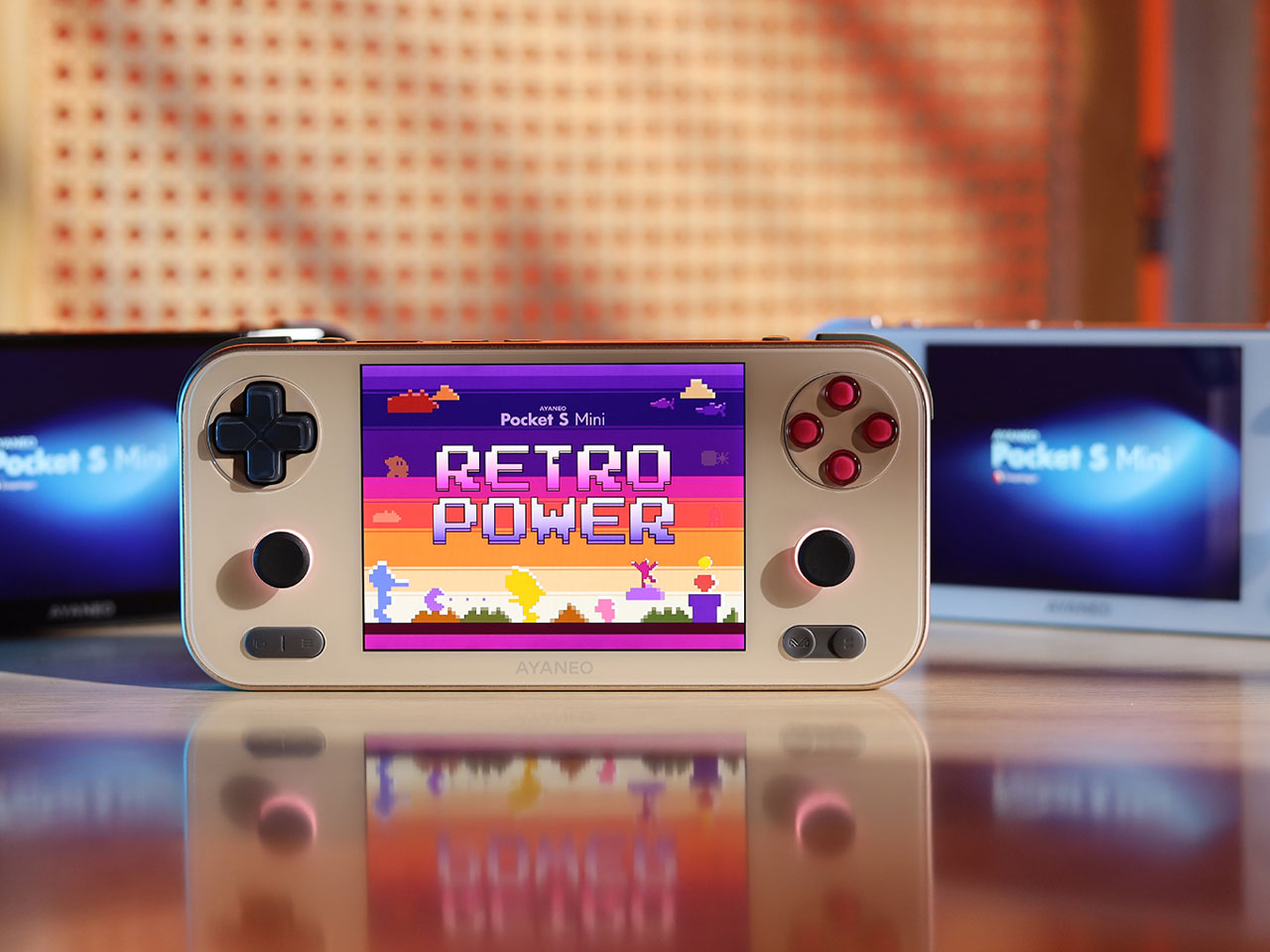
Liking for retro game-inspired handhelds has surged in the last few years, thus, prompting proactive manufacturers to catch up on the trend. Anbernic is not letting this opportunity go with a variety of gaming handhelds including the RG35XX H, RG353P, RG35XXSP, and the RG556 (very unconventional naming conventions has to be said) already released this year.
Add to that lineup the latest RG Cube which comes loaded with a Unisoc T820 processor, capable enough to play titles from the Nintendo 6 and Dreamcast. According to the company, it doesn’t stop there as the handheld should also play select titles from the PS 2, GameCube, Wii, and Nintendo 3DS in emulation mode.
The cute Android 13-powered gadget has a 3.95-inch IPS touchscreen (720×720) with a 1:1 display ratio which to be honest should affect the visuals in some of the newer titles. The octa-core processor (maxes at 2.7 GHz speed) mated to 8GB of LPDDR4X RAM is supported by an 850MHz GPU capable of producing 1080p resolution visuals at an impressive 120fps. The buck doesn’t stop there as RG Cube has 128GB of UFS 2.2 storage with expandable storage of up to 2TB via a MicroSD card.
For extended gaming hauls, the handheld boasts a battery life of 7 hours courtesy of the 5200mAh battery life. The in-built fan provides active cooling when things get too hot. Most gamers should love this compact gaming player since it has RGB lighting effects, a gyroscope sensor, a vibration motor, D-Pad input, action buttons, shoulder triggers, and Hall Effect joysticks that should last long without any malfunctions. Playing classic games on this one will be a treat with the stereo speakers in-built, USB-C port, and a 3.5mm headphone jack for purists.
Anbernic has not announced the pricing or release date of the gaming handled yet or the pricing. At launch, the RG Cube will come in three color options: Beige White, Radiant Purple, and Gray.
The Ultrahuman Home is an advanced home health device designed to track and improve key environmental markers such as light exposure, air quality, and noise levels. It establishes a unique connection between your living space and personal health, going beyond typical home monitors by offering a comprehensive analysis over time. This analysis correlates your external health markers with internal health markers, providing insights that can lead to impactful lifestyle changes. This is a first for the wearable space.
The Ultrahuman Home features an innovative aero-flow design to enhance airflow and sensitivity in detecting a range of harmful particles, from pollen to particulate matter (PM). This design improves the device’s ability to capture and analyze air samples, thus increasing accuracy in identifying pollutants that may compromise your home’s air quality. Pollens, particularly from birch, are known to exacerbate respiratory conditions such as allergic asthma. The device is specially calibrated to monitor these allergens, alerting you to increased levels that could impact those with sensitive respiratory systems. Furthermore, particulate matter—classified by size into PM 1, PM 2.5, and PM 10—poses inhalation risks, with smaller particles capable of penetrating deep into the lungs and causing significant respiratory and cardiovascular damage. In addition to particulate matter, the system continuously monitors formaldehyde levels, a common volatile organic compound that can be harmful in indoor environments. It sends timely nudges when formaldehyde levels cross the recommended threshold, allowing you to take corrective measures promptly. This comprehensive monitoring ensures that the Ultrahuman Home identifies poor air quality and provides actionable insights to optimize and improve the air quality of your environment.
Ultrahuman Home continuously monitors formaldehyde levels in your living space and sends timely nudges when the levels cross the recommended threshold.
The Ultrahuman Home also monitors harmful gases such as carbon monoxide and carbon dioxide to ensure the air you breathe is safe, promoting mental clarity and health. Good air quality is essential as it directly impacts your respiratory health, cognitive function, and overall well-being. High levels of carbon monoxide, a colorless and odorless gas, can cause serious health issues such as headaches, dizziness, and even life-threatening conditions like carbon monoxide poisoning. Elevated carbon dioxide levels can lead to fatigue, impaired concentration, and decreased cognitive performance.
Regardless of the space you choose to place it in, Ultrahuman Home will help track various markers to help you with a deeper insight into your home health.
This device’s ability to detect these harmful gases is life-saving. Poor air quality can exacerbate respiratory conditions such as asthma and allergies, and prolonged exposure to pollutants can increase the risk of chronic diseases, including cardiovascular issues and lung cancer. By continuously monitoring and providing actionable insights on these harmful gases, the system helps you maintain a safer living environment. This proactive approach not only enhances your quality of life but also significantly reduces the risk of severe health complications, making it an indispensable tool for health and safety.
Ultrahuman Home utilizes continuous temperature tracking for enhancing sleep efficiency and regulating circadian rhythm.
The ‘UltraSpaces’ feature of the Ultrahuman Home allows you to monitor various ‘Spaces’ like the living room, bedroom, or office, which are tailored to the areas you and your family frequent the most, including children’s rooms and personal workspaces. Each space is evaluated with a designated ‘Space Score,’ giving a comprehensive view of the area’s health. This feature aids in examining each environmental marker, enabling you to optimize conditions for better health based on specific needs within the Ultrahuman app. This capability offers deeper insights into your health by effectively tying together data from various environments.
The continuous temperature tracking of the Ultrahuman Home is crucial. It enhances sleep efficiency and regulates circadian rhythms by monitoring the temperature of your living spaces. Maintaining an optimal bedroom temperature is important for good sleep quality, as the body’s core temperature naturally fluctuates and decreases at bedtime. Temperature imbalances can disturb sleep, leading to increased wakefulness and reduced REM sleep, affecting how rested you feel and increasing the risk of obesity and other health issues. Equipped with ultra-sensitive temperature sensors, the device detects if a room is too hot or too cold, providing feedback on the ideal temperature needed for optimal sleep. This feature ensures you get a restful night’s sleep and maintain long-term health by aligning your environment with your body’s needs.
Exposure to natural light plays a crucial role in setting your circadian rhythm and boosting mood and productivity, especially within the first hour of waking. The Ultrahuman Home’s built-in photo-detecting sensors monitor spectra of UV light, including UVA, UVB, and UVC, to measure natural light levels within your living space. This allows you to create environments that foster better sleep-wake cycles and enhance overall well-being.
Daytime exposure to blue light can enhance alertness and cognitive function, boosting mood and productivity. However, at night, it can disrupt melatonin production, the hormone that regulates sleep, leading to sleep difficulties and reduced sleep quality. Research, including studies from Harvard Medical School, confirms that nighttime blue light exposure decreases overall sleep quality. The Ultrahuman Home includes sensors that automatically monitor blue light exposure and provide actionable insights to regulate it. You’re alerted by the Ultrahuman app for the best times to reduce screen exposure and modify ambient lighting to support your natural sleep cycle.
Integrated with the device’s health tracking system, these sensors allow for personalized recommendations based on your daily blue light exposure and sleep patterns, enhancing both your sleep-wake cycle and overall well-being. This holistic approach helps align your environment with your body’s rhythm, improving your health by helping you mitigate the negative effects of blue light.
Environmental noise can disrupt sleep and elevate stress levels. The Ultrahuman Home addresses this by providing insights into optimal noise levels, helping to create a more ambient living environment.
Equipped with precision microphones, the device detects snoring patterns that might indicate sleep disturbances, such as potential sleep apnea events. A built-in physical mic cut-off ensures your privacy is respected, and all audio data is processed on the device to keep personal information secure. A manual mic control provides additional peace of mind.
Monitoring and managing indoor humidity levels are crucial for respiratory and overall health. The device provides actionable recommendations to adjust humidity levels, ensuring your home environment remains balanced and comfortable. High humidity levels can increase bacteria growth and encourage mold. On the flip side, low humidity levels can cause dry airways and affect your lungs.
Ultrahuman Home not only works in isolation but also in combination with Ultrahuman Ring. Through UltraSync technology, experience a unified view of both internal and external health markers. This enhances your understanding of how your surroundings affect your health, providing a holistic way to manage your health.
Ultrahuman Home doesn’t just stop at integrating with the Ring. Thanks to its compatibility with IFTTT protocols, the Ultrahuman Home can integrate seamlessly with other smart devices in your home, enabling voice commands through popular digital assistants for a smarter, more responsive living environment. Finally, the airplane mode feature allows you to disconnect from WiFi and Bluetooth signals without interrupting functionality. Upon reconnection, it syncs all data seamlessly, maintaining continuity in health monitoring and environmental adjustments.
The Ultrahuman Home seamlessly integrates environmental monitoring with personal health insights. Through the ‘UltraSpaces’ feature, it monitors living spaces to inform well-being improvements. Advanced temperature and natural light monitoring enhance sleep and productivity, while its aero-flow design precisely analyzes air quality, alerting you when pollutant levels are high. Additionally, blue light sensors promote a healthy sleep-wake cycle. With effective noise and humidity levels monitoring, UltraSync technology, and smart home integration, the Ultrahuman Home helps you live healthier.
E Ink devices are transforming into more than just simple eBook readers. Some are even really just Android tablets in disguise, promising a more eye-friendly experience not just when reading books but also when surfing the Web, typing documents, or even scrolling through social media. These devices might feel like powerful e-readers, but they are a bit less impressive as Android devices exactly because of their most important feature: the slow E Ink screen. Out of nowhere, a new device has popped up promising a performance that’s almost on par with a modern Android tablet but with the same benefits of an E Ink screen, a promise that not only sounds too good to be true but will also cost you if you do decide to make the gamble.
What makes E Ink screens more eye-friendly is the fact that they traditionally don’t blast your eyes with light, especially blue light that’s been associated not only with eye strain but also with skewed sleep patterns. Unfortunately, even the fastest E Ink display is exponentially slower than even the slowest LCD screen, which makes it less comfortable to use for anything that involves constantly changing content, including typing quickly on the screen.
Daylight DC-1 is a new kind of tablet that tries to bridge those two worlds using a new “Live Paper” display that could be a special version of Sharp’s IGZO LCD screen. Unlike your typical display, it only shows shades of black and gray, but that’s not exactly what’s special about it. The claim is that, like ePaper screens, it doesn’t emit blue light, it can be viewed under direct sunlight, and is easy on the eyes. In the dark, it can use an amber-colored backlight that is still less straining than regular white light. Unlike ePaper screens, however, it can support a refresh rate of 60Hz, which is what most Android tablets can do at the bare minimum. Technically, it can go up to 120Hz, but that still depends on software support.
That software is a custom version of Android, so this device should be able to run any Android app, though there’s no word on whether it supports Google Play Store. the Daylight DC-1 definitely makes big promises, which is basically a watered-down, eye-friendly Android tablet experience. It can do almost anything, whether that’s typing a novel or scribbling notes with the included Wacom-powered pen. It really bridges the gap between regular Android tablets and this new breed of Android-powered E Ink readers.
There is, of course, a catch, and it’s a pretty big one. The device costs $729, and that’s only a pre-order for a device that’s still scheduled to ship later this year. That’s a pretty steep price coming from a brand that popped up almost out of nowhere. The theory does sound, well, sound, and the promises are definitely tempting, but these are very high stakes for a device that has yet to actually prove that theory out in the wild.
“Ten years from now, we will be living in a more multi-layered world where physical and virtual realities overlap without boundaries,” says the entertainment and hardware company. With the number of pies they’ve got their fingers in (you remember they even announced a car a few years ago?), it makes sense for Sony to operate not one but ten steps ahead to make sure they’re leaders in every single industry they’re in. That even means condensing a home theater to a size small enough to fit around your neck). Today, the company unveiled their Creative Entertainment Vision, a demonstration or visualization of what Sony wants the future to look like. It’s a practice that a lot of companies do, helping consumers, investors, and even competitors understand what direction technology and innovation are going to go in. Sony doubles down on mixed reality and spatial entertainment in this segment (they aren’t, after all, an enterprise or productivity company), showcasing a few unique concepts that feature holographic floating screens, absurdly futuristic gaming controllers, and super-slim spectacles that transform into AR eyewear.
Designer: Sony
Somewhere around the 1-minute and 12-second mark, Sony reveals a few very interesting concepts. One of them is what looks like a futuristic PlayStation controller with its own holographic screen. The controller itself looks familiar yet nothing like any controller we’ve seen. It features a hollow center with two grips on each end. The center is supposedly where the holograph projects out of, while thumb-pads on the left and right come with unusual controls to help maneuver the game. The controller is also space-aware and can be tilted as a means of input.
Another concept was a tablet that looks like, as Apple likes to call their iPad, a slab of magic glass. Except, this does feel like glass and the experience is tantamount to magic. There are no bezels, no cameras, not even any perceived electronics. The glass is transparent when the screen is off, and translucent when you’re watching stuff, so you can still see through it.
The third is an extension of Sony’s tablet vision, but in the form of a smartphone. According to Sony, the future of phones isn’t rectangular slabs of glass, it’s capsule-shaped oval slabs of glass. I don’t know what that says for the future of videos and TikTok, but this new form of screen real estate feels unique for sure. Sony displays a music interface on this mobile device, with album art practically existing from edge to edge. The games, videos, and music in all the concepts above are connected to Sony’s hit PlayStation game Horizon Zero Dawn.
These concepts are also coupled with a set of AR glasses that completely immerse you in a virtual world. As slim as a pair of sunglasses albeit with ski goggle-style eyepieces, this concept piece offers a kind of immersion even the Vision Pro can’t promise. You’re turned into a full-body AI avatar, immersed in a virtual world that exists separate from reality. Made more for entertainment, it lets you play games, interact with people, or even see movies in a way that you never have before. Sony even previews a scene where the city’s streets are filled with ghosts and a giant Pillsbury Dough Boy trods across buildings, lifted right out of the Ghostbusters movie.
While these concepts don’t specifically confirm what Sony plans to release in the near future, it’s important to understand their ‘vision’ of what’s to come. Ideas change based on consumer feedback and technological innovation, but in an ideal world, Sony believes the future will be about crafting new and wonderful realities, and living in stories instead of watching or playing them.