Sony Teases Futuristic Phones and PlayStation Controllers for the Coming Years

“Ten years from now, we will be living in a more multi-layered world where physical and virtual realities overlap without boundaries,” says the entertainment and hardware company. With the number of pies they’ve got their fingers in (you remember they even announced a car a few years ago?), it makes sense for Sony to operate not one but ten steps ahead to make sure they’re leaders in every single industry they’re in. That even means condensing a home theater to a size small enough to fit around your neck). Today, the company unveiled their Creative Entertainment Vision, a demonstration or visualization of what Sony wants the future to look like. It’s a practice that a lot of companies do, helping consumers, investors, and even competitors understand what direction technology and innovation are going to go in. Sony doubles down on mixed reality and spatial entertainment in this segment (they aren’t, after all, an enterprise or productivity company), showcasing a few unique concepts that feature holographic floating screens, absurdly futuristic gaming controllers, and super-slim spectacles that transform into AR eyewear.

Designer: Sony

Somewhere around the 1-minute and 12-second mark, Sony reveals a few very interesting concepts. One of them is what looks like a futuristic PlayStation controller with its own holographic screen. The controller itself looks familiar yet nothing like any controller we’ve seen. It features a hollow center with two grips on each end. The center is supposedly where the holograph projects out of, while thumb-pads on the left and right come with unusual controls to help maneuver the game. The controller is also space-aware and can be tilted as a means of input.

Another concept was a tablet that looks like, as Apple likes to call their iPad, a slab of magic glass. Except, this does feel like glass and the experience is tantamount to magic. There are no bezels, no cameras, not even any perceived electronics. The glass is transparent when the screen is off, and translucent when you’re watching stuff, so you can still see through it.

The third is an extension of Sony’s tablet vision, but in the form of a smartphone. According to Sony, the future of phones isn’t rectangular slabs of glass, it’s capsule-shaped oval slabs of glass. I don’t know what that says for the future of videos and TikTok, but this new form of screen real estate feels unique for sure. Sony displays a music interface on this mobile device, with album art practically existing from edge to edge. The games, videos, and music in all the concepts above are connected to Sony’s hit PlayStation game Horizon Zero Dawn.

These concepts are also coupled with a set of AR glasses that completely immerse you in a virtual world. As slim as a pair of sunglasses albeit with ski goggle-style eyepieces, this concept piece offers a kind of immersion even the Vision Pro can’t promise. You’re turned into a full-body AI avatar, immersed in a virtual world that exists separate from reality. Made more for entertainment, it lets you play games, interact with people, or even see movies in a way that you never have before. Sony even previews a scene where the city’s streets are filled with ghosts and a giant Pillsbury Dough Boy trods across buildings, lifted right out of the Ghostbusters movie.

While these concepts don’t specifically confirm what Sony plans to release in the near future, it’s important to understand their ‘vision’ of what’s to come. Ideas change based on consumer feedback and technological innovation, but in an ideal world, Sony believes the future will be about crafting new and wonderful realities, and living in stories instead of watching or playing them.

The post Sony Teases Futuristic Phones and PlayStation Controllers for the Coming Years first appeared on Yanko Design.

Want Action Buttons on your Samsung Galaxy S24 Ultra? This Aramid Fiber case gives you three extra buttons

Most smartphone cases just act as a protective cover for your device, or an intermediary hub for attaching accessories. PITAKA’s new PinButton Case actually gives your smartphone new features. With three extra buttons on the left edge, the PinButton Case for the Galaxy S24 Ultra gives you three ‘Action Buttons’ that open apps or trigger features, allowing you to press buttons instead of scroll, minimize, swipe, and open apps from an app tray. Better still, the PinButton Case also comes with MagSafe compatibility, turning your Samsung Galaxy S24 Ultra into a better version of itself with features that would make Apple fanboys rather jealous!

Designer: PITAKA

Click Here to Buy Now: $63 $69.99 (Use Coupon Code “YD10%OFF” to get 10% off). Hurry, deal ends in 48-hours!

A protective Samsung Galaxy S24 Ultra MagSafe case with PinButtons

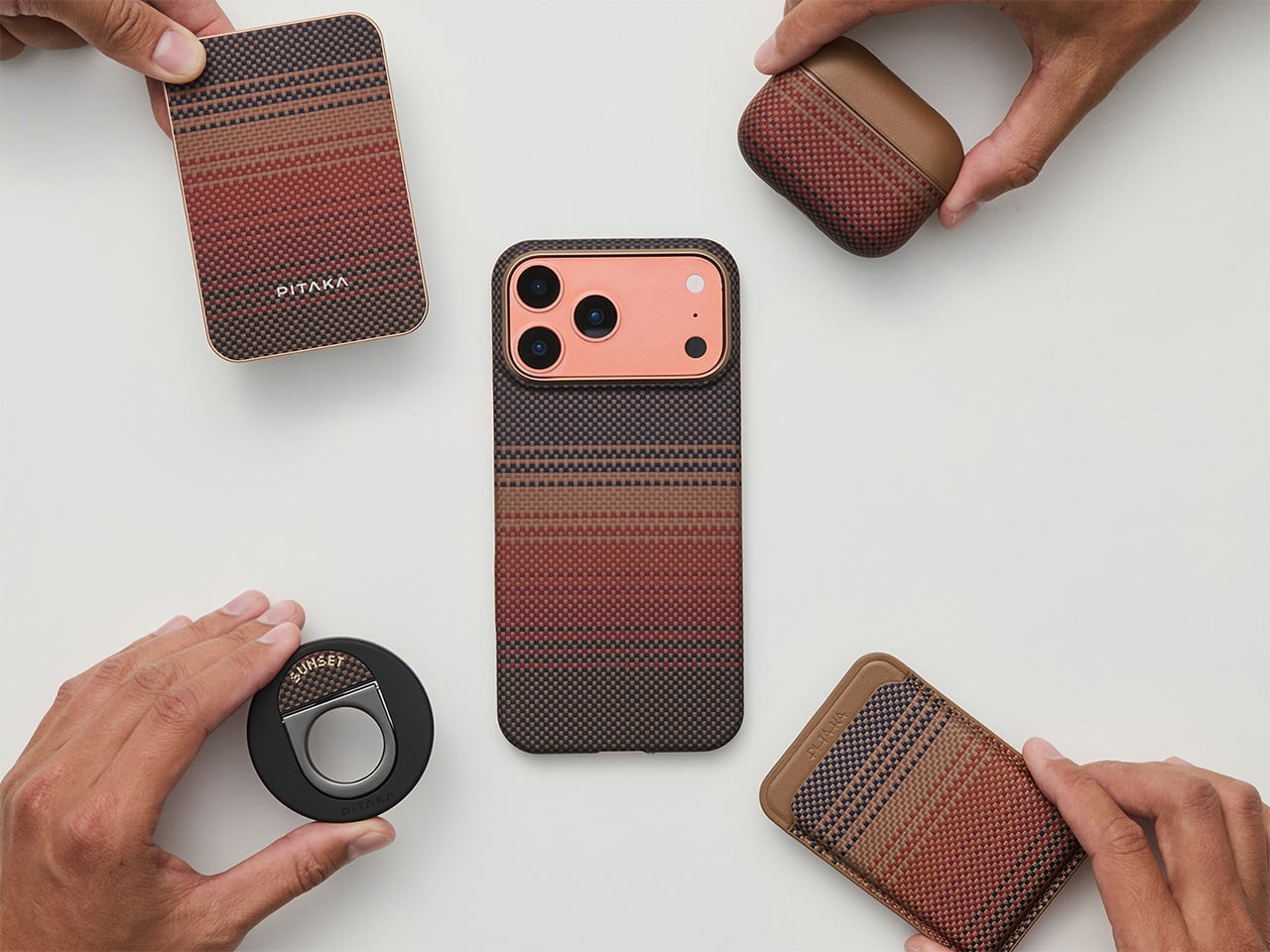
The PinButton Case is the logical next step for Pitaka’s case-making efforts. While the company has perfected the art of building some spectacularly beautiful MagEZ cases for both iOS and Android devices (with a glue-free Amber Magnet Film on the inside and patented woven Aramid fibers on the outside), the PinButton Case comes as the evolutionary upgrade to those cases. The PinButton sports a TPU bumper that cushions your phone from accidental drops, but upgrades the back with a woven Aramid fiber plate that’s 5X stronger than steel and can withstand impact and scratches without letting your phone face the brunt of the damage. A luxurious Nappa leather interior cushions the S24 Ultra’s glass back, keeping it scratch or crack-free. In between the two sits an array of magnets that gives your S24 Ultra MagSafe compatibility, allowing you to use a slew of third-party accessories or even PITAKA’s own MagEZ accessories with your phone.

Customized PinButtons for quick access to preset apps.

The crown jewel, however, has to be the actual buttons on the PinButton Case. Most phones come with 3 buttons – 2 for volume control, and 1 for standby mode… but the PinButton Case gives your phone a total of 6 buttons. These three extra buttons sit on the left edge of the phone, relying on NFC technology to function. Working just like the Action Button does on the latest iPhones, these three buttons are programmed to trigger any app, tool, or routine you choose, giving you a whole host of possibilities. You can use the buttons to work smart home features, open the music app or your favorite playlist, activate Silent or Do Not Disturb, work as a camera shutter button, or even serve as a shortcut to your favorite app like Maps, TikTok, or WhatsApp.

These ‘PinButtons’ can be customized right in the S24 Ultra’s Settings app. Set up an NFC shortcut or routine, and then press any of the PinButtons to assign the shortcut to that button. Setting up all the buttons takes under a minute, but saves so much time by eliminating the need to minimize apps, scroll through app trays, or switch between two active apps. In fact, the PinButtons even work faster than the iPhone’s own Action Button, which needs to be long-pressed to work.

Most people slap a case on their phone just as a protective measure… but the concept of adding a case that brings extra features to your phone just feels low-key incredible. More so, PITAKA’s had a long history building cutting-edge cases, so the PinButton Case is no different, providing stellar physical protection to your smartphone from drops, bumps, scratches, or any impact-based damage. Subtle lips on your screen as well as camera lenses give them a layer of added protection, and that gorgeous woven Aramid fiber back looks positively luxurious, while bringing space-grade durability to your device. An inclusion of a super-slim magnet array within the case means your Galaxy S24 Ultra can be used in tandem with all of Pitaka’s MagEZ accessories (as well as other MagSafe-compatible products), whether it’s a power bank, a wallet, or a car mount. If you do attach your phone to a car mount frequently, we recommend assigning one of the PinButtons to either Maps or Waze for quick access, with the other linked to Spotify for your favorite car playlist. The third one’s up to you, although if you really want to piss off Apple-lovers, turn it into a camera shutter so when the iPhone 16 with the Capture Button drops, you can say – Android (or PITAKA) did it first!

Click Here to Buy Now: $63 $69.99 (Use Coupon Code “YD10%OFF” to get 10% off). Hurry, deal ends in 48-hours!

The post Want Action Buttons on your Samsung Galaxy S24 Ultra? This Aramid Fiber case gives you three extra buttons first appeared on Yanko Design.

Why Are Most AI Voices Female? Exploring the Reasons Behind Female AI Voice Dominance

Siri, Alexa, Cortana, Google Voice ChatGPT 4o, it’s no coincidence that they all have female voices (and sometimes even names). In fact, Spike Jonze even literally called his dystopian AI-based film “Her” after the AI assistant Samantha from the movie. Played by Scarlett Johansson, the movie had a premise that sounded absurd 11 years ago but now feels all too realistic after OpenAI announced their voice-based AI model GPT 4o (omni). The announcement was also followed by an uproar from Johansson, who claimed the AI sounded a lot like her even though she hadn’t given OpenAI the permission to use her voice. Johansson mentioned that she was approached by OpenAI CEO Sam Altman to be the voice of GPT 4o, but declined. Just days before GPT 4o was announced, Altman asked her once again to reconsider, but she still declined. GPT 4o was announced exactly 10 days ago on the 13th of May, and Johansson distinctly recognized the voice as one that sounded quite similar to her own. While there are many who say that the voices don’t sound similar, it’s undeniable that OpenAI was aiming for something that sounded like Samantha from Her rather than going for a more feminine yet mechanical voice like Siri or Google Voice. All this brings a few questions to mind – Why do most AI voice assistants have female voices? How do humans perceive these voices? Why don’t you see that many male AI voice assistants (and does mansplaining have a role to play here)? And finally, do female voice assistants actually help or harm real women and gender equality in the long run? (Hint: a little bit of both, but the latter seems more daunting)

AI Voice Assistants: A History

The history of AI voice assistants extends well before 2011 when Siri was first introduced to the world… however, a lot of these instances were fiction and pop-culture. Siri debuted as the first-ever voice assistant relying on AI, but you can’t really credit Siri with being the first automated female voice because for years, IVR dominated phone conversations. Do you remember the automated voices when you called a company’s service center like your bank, cable company or internet provider? Historically, a lot of times the voices were female, paving the way for Siri in 2011. In fact, this trend dates back to 1878, with Emma Nutt being the first woman telephone operator, ushering in an entirely female-dominated profession. Women operators then naturally set the stage for female-voiced IVR (Interactive Voice Response) calls. However, while IVR calls were predominantly just a set of pre-recorded responses, Siri didn’t blurt out template-ish pre-recorded sentences. She was trained on the voice of a real woman, and conversed with you (at least that time) like an actual human. The choice of a female voice for Siri was influenced by user studies and cultural factors, aiming to make the AI seem friendly and approachable. This decision was not an isolated case; it marked the beginning of a broader trend in the tech industry. In pop culture, however, the inverse was said to be true. Long before Siri in 2011, JARVIS took the stage in the 2008 movie Iron Man as a male voice assistant. Although somewhat robotic, JARVIS could do pretty much anything, like control every micro detail of Tony Stark’s house, suit, and life… and potentially even go rogue. However, that aside, studies show something very interesting about how humans perceive female voices.

JARVIS helping control Iron Man’s supersuit

Historically, Robots are Male, and Voice Assistants are Female

The predominance of female voices in AI systems is not a random occurrence. Several factors contribute to this trend:

  • User Preference: Research indicates that many users find female voices more soothing and pleasant. This preference often drives the design choices of AI developers who seek to create a comfortable user experience.
  • The Emotional Connection: Female voices are traditionally associated with helpful and nurturing roles. This aligns well with the purpose of many AI systems, which are designed to assist and support users in various tasks.
  • Market Research: Companies often rely on market research to determine the most effective ways to engage users. Female voices have consistently tested well in these studies, leading to their widespread adoption.
  • Cultural Influences: There are cultural and social influences that shape how voices are perceived. For instance, in many cultures, female voices are stereotypically associated with service roles (e.g., receptionists, customer service), which can influence design decisions.

These are but theories and studies, and the flip side is equally interesting. Physical robots are often built with male physiques and proportions given that their main job of lifting objects and moving cargo around is traditionally done by men too. Pop culture plays a massive role again, with Transformers being predominantly male, as well as Terminator, T-1000, Ultron, C3PO, Robocop, the list is endless.

What Do Studies Say on Female vs. Male AI Voices?

Numerous studies have analyzed the impact of gender in AI voices, revealing a variety of insights that help us understand user preferences and perceptions. Here’s what these studies reveal:

  • Likability: Research indicates that users generally find female voices more likable. This can enhance the effectiveness of AI in customer service and support roles, where user comfort and trust are paramount.
  • Comfort and Engagement: Female voices are often perceived as more comforting and engaging, which can improve user satisfaction and interaction quality. This is particularly important in applications like mental health support, where a soothing tone can make a significant difference.
  • Perceived Authority: Male voices are sometimes perceived as more authoritative, which can be advantageous in contexts where a strong, commanding presence is needed, such as navigation systems or emergency alerts. However, this perception can vary widely based on individual and cultural differences.
  • Task Appropriateness: The suitability of a voice can depend on the specific task or context. For example, users might prefer female voices for personal assistants who manage everyday tasks, while male voices might be preferred for financial or legal advice due to perceived authority.
  • Cognitive Load: Some research suggests that the perceived ease of understanding and clarity of female voices can reduce cognitive load, making interactions with AI less mentally taxing and more intuitive for users.
  • Mansplaining, A Problem: The concept of “mansplaining” — when a man explains something to someone, typically a woman, in a condescending or patronizing manner — can indirectly influence the preference for female AI voices. Male voices might be perceived as more authoritative, which can sometimes come across as condescending. A male AI voice disagreeing with you or telling you something you already know can feel much more unpleasant than a female voice doing the same thing.

The 2013 movie Her had such a major impact on society and culture that Hong Kong-based Ricky Ma even built a humanoid version of Scarlett Johansson

Do Female AI Voices Help Women Be Taken More Seriously in the Future?

20 years back, it was virtually impossible to determine how addictive and detrimental social media was going to be to our health. We’re at the point in the road where we should be thinking of the implications of AI. Sure, the obvious discussion is about how AI could replace us, flood the airwaves with potential misinformation, and make humans dumb and ineffective… but before that, let’s just focus on the social impact of these voices, and what they do for us and the generations to come. There are a few positive impacts to this trend:

  • Normalization of Female Authority: Regular exposure to female voices in authoritative and knowledgeable roles can help normalize the idea of women in leadership positions. This can contribute to greater acceptance of women in such roles across various sectors.
  • Shifting Perceptions: Hearing female voices associated with expertise and assistance can subtly shift societal perceptions, challenging stereotypes and reducing gender biases.
  • Role Models: AI systems with confident and competent female voices can serve as virtual role models, demonstrating that these traits are not exclusive to men and can be embodied by women as well.

However, the impact of this trend depends on the quality and neutrality of the AI’s responses, which is doubtful at best. If female-voiced AI systems consistently deliver accurate and helpful information, they can enhance the credibility of women in technology and authoritative roles… but what about the opposite?

Female AI Voices Running on Male-biased Databases

The obvious problem, however, is that these AI assistants are still, more often than not, coded by men who may bring their own subtle (or obvious) biases into how these AI bots operate. Moreover, a vast corpus of databases fed into these AI LLMs (Large Language Models) is created by men. Historically, culture, literature, politics, and science, have all been dominated by men for centuries, with women only very recently playing a larger and more visible role in contributing to these fields. All this has a distinct and noticeable effect on how the AI thinks and operates. Having a female voice doesn’t change that – it actually has a more unintended negative effect.

There’s really no problem when the AI is working with hard facts… but it becomes an issue when the AI needs to share opinions. Biases can undermine an AI’s credibility, can cause problems by not accurately representing the women it’s supposed to, can promote wrong stereotypes, and even reinforce biases. We’re already noticing the massive spike in the usage of words like ‘delve’ and ‘testament’ because of how often AI LLMs use them – think about all the stuff we CAN’T see, and how it may affect life and society a decade from now.

In 2014, Alex Garland’s Ex Machina showed how a lifelike female robot passed the Turing Test and won the heart of a young engineer

The Future of AI Voice Assistants

I’m no coder/engineer, but here’s where AI voice assistants should be headed and what steps should be taken:

  • Diverse Training Data: Ensuring that training data is diverse and inclusive can help mitigate biases. This involves sourcing data from a wide range of contexts and ensuring a balanced representation of different genders and perspectives.
  • Bias Detection and Mitigation: Implementing robust mechanisms for detecting and mitigating bias in AI systems is crucial. This includes using algorithms designed to identify and correct biases in training data and outputs.
  • Inclusive Design: Involving diverse teams in the design and development of AI systems can help ensure that different perspectives are considered, leading to more balanced and fair AI systems.
  • Continuous Monitoring: AI systems should be continuously monitored and updated to address any emerging biases. This requires ongoing evaluation and refinement of both the training data and the AI algorithms.
  • User Feedback: Incorporating user feedback can help identify biases and areas for improvement. Users can provide valuable insights into how the AI is perceived and where it might be falling short in terms of fairness and inclusivity.

AI assistants aren’t going anywhere. There was a time not too long ago when it seemed that AI assistants were dead. In the end of 2022, Amazon announced that Alexa had racked up $10 billion in debt and seemed like a failed endeavor – that same month, ChatGPT made its debut. Cut to today and AI assistants have suddenly become mainstream again. Mainstream in a way that almost every company and startup is looking for ways to integrate AI into their products and services. Siri and GPT 4o are just the beginning of this new female voice-led frontier… it’s important we understand the pitfalls and avoid them before it’s too late. After all, if you remember in the movie Terminator Salvation, Skynet was a female too…

The post Why Are Most AI Voices Female? Exploring the Reasons Behind Female AI Voice Dominance first appeared on Yanko Design.

Sony’s new BRAVIA speakers are like wearing a home theater around your neck

No it isn’t a neck pillow, and it isn’t even one of those wearable air conditioners, the BRAVIA Theater U is – wait for it… a neckphone. Sort of like a headphone but not placed on your head, the Theater U is Sony’s alternative to booming soundbars and complicated home theater setups. If speakers are for human ears to listen to, why not just directly place them near your ears to begin with? The Theater U immerses you in 360° spatial sound without immersing your entire house. Wear it around your neck, pair it with a device using either a cable or Bluetooth, and the Theater U brings great audio to your ears without blocking the entire world out. Moreover, you can pair multiple neck-speakers to the same playback device like your TV, so that more than one person can listen to a movie or TV show at any given point in time.

Designer: Sony

This isn’t the first attempt at a neckband speaker, but Sony is incorporating its latest tech to create a compelling option. The key feature is Sony’s X-Balanced speaker unit, housed in a lightweight and flexible design. This unit promises clear acoustics and powerful sound pressure for a rich and satisfying listening experience.

But the real magic lies in the 360 Spatial Sound Personalizer. This tech, combined with compatible BRAVIA TVs, creates a customized Dolby Atmos experience. Essentially, the speaker tailors the sound to your unique head shape for a truly immersive effect. It’s like having a personal mini home theater draped around your neck. Given its proximity to your ears, you don’t need to crank up the volume to hear sounds the way you would an actual speaker system – this means fairly personal listening that won’t disturb anyone else beyond a certain radius.

The BRAVIA Theater U’s versatility extends well beyond movie nights. With an IPX4 splash-proof rating, you can wear it worry-free during light workouts or even take it poolside (just be mindful of splashes). Built-in voice pickup technology ensures clear communication during calls, making it a handy companion for work-from-home video conferences.

The speaker boasts Bluetooth connectivity for seamless pairing with various devices, not just your BRAVIA TV. Think laptops, tablets, and smartphones – you can use it for gaming, listening to music, or watching videos on the go. And for those who want to share the immersive experience, the Speaker Add function lets you connect another BRAVIA Theater U for a synchronized audio experience with a friend.

Battery life is a respectable 12 hours on a single charge, with a quick-charge function that delivers an hour of playback with just a 10-minute plug-in. This makes it ideal for extended movie marathons or long commutes.

The Sony BRAVIA Theater U Wireless Neckband Speaker is available for pre-order now for $299.99, fairly decent considering it’s replacing soundbars which are priced in the same range, but giving you the benefit of portability. While it might not be for everyone, it offers a unique and innovative way to experience immersive audio without disturbing those around you.

The post Sony’s new BRAVIA speakers are like wearing a home theater around your neck first appeared on Yanko Design.

Want a quick power nap at work? This clever chair will help you catch a few winks

Exhaustion is an epidemic. A staggering 62% of adults worldwide struggle with sleep deprivation, leading to a domino effect on health and productivity. Enter the Power Nap Chair, a revolutionary furniture design that tackles this challenge head-on.

Designed by Martin Tsankov, the idea of the Power Nap Chair came from his friend and business partner Milen Kisov, who discovered that power naps helped significantly boost his productivity at work. Scientifically proven to enhance cognitive function, memory, and cardiovascular health, short 15-30 minute naps are a game-changer. But finding a suitable space for napping at work has traditionally been a hurdle. Existing solutions like sleeping pods are bulky and expensive (not to mention that most offices don’t have them), and napping at your desk isn’t just uncomfortable, it’s also frowned upon… but the Power Nap chair offers a slick, cozy, and effective alternative.

Designers: Martin Tsankov & Milen Kisov

Sort of like a lounge chair meets a baby stroller, the Power Nap Chair comes with a relaxing design that you can lay down in, and a hood that cocoons you in your own personal private bubble. Simplicity reigns supreme – the chair is free of distracting technology, fostering complete disconnection. This makes it perfect for both open-plan offices and compact workspaces. Sustainability is woven into the very fabric of the chair. Carefully chosen, fully recyclable materials are used throughout, minimizing environmental impact.

The Power Nap Chair is built with three core components: a metal frame, an upholstered wooden body, and a foldable hood. The frame is crafted from machine-bent and powder-coated carbon steel profiles, echoing the chair’s triangular design for a sturdy foundation. The body is constructed from 104 individual CNC-milled birch plywood triangles, meticulously hand-sanded, and finished with non-toxic linseed oil. Each triangle is then encased in flame-resistant, biodegradable memory foam before being upholstered in a comfortable woolen fabric. The hood, made from the same fabric, is specially designed to fold for easy storage while providing essential privacy for napping users.

“Our main challenge is reversing societal stigma around resting in the workplace by creating a product fit for a modern lifestyle where relaxation and productivity intersect,” says designer Martin Tsankov, who won an A’ Design Award this year for the Power Nap Chair. The chair looks inviting, comfortable, and has a unique low-poly aesthetic that your eyes are sure to fall in love with right before they shut for your quick nap. The chair holds a design patent, although it isn’t in production just yet. A final prototype was, however, exhibited at the Stockholm Furniture Fair in February 2024.

The post Want a quick power nap at work? This clever chair will help you catch a few winks first appeared on Yanko Design.

This Smart Rolling Ruler needs to be a part of every Designer, Architect, and Engineer’s tool kit

We’ve got AI practically inserting itself in every aspect of our lives and we’re still using old-fashioned measuring tapes and metal/plastic/wooden rulers to measure distances? That, I can’t tolerate.

Meet the NeoRulerGO, a tinier version of Hozo Design’s NeoRuler smart measuring device from last year. Having practically pioneered the concept of a rolling ruler powered by a smart chipset, Hozo Design’s earlier devices could measure curved surfaces, linear distances, random undulating lines, and even scale up or down measurements, converting units on the go. The only problem, if there ever was one, was that the gadgets weren’t really as small as a bundle of measuring tape. The NeoRulerGO, on the other hand, is roughly the size of a car’s keyfob, but can measure everything from millimeters to miles with stunning accuracy. Just roll the NeoRulerGO from point A to B, and distances get captured on its tiny display. You can then convert them, scale them, or send them to the MEAZOR app, which then lets you turn measurements into technical drawings in seconds.

Designer: Tiancheng Liang

Click Here to Buy Now: $49 $69 (30% off). Hurry, only a few left! Raised over $91,000.

The NeoRulerGO is pocket-friendly in more ways than one. It costs a mere $49, weighs an ounce and a half, and is small enough to fit around a keychain, or even be attached to your belt loop to carry around. The compact size, however, doesn’t take away from how handy it is when it comes to measuring surfaces. Hold it the way you’d hold a keyfob, and roll it along straight or curved lines, or even between two corners. A laser guide helps you stay in line with 1mm accuracy, a screen helps you see how far you’ve come, and an app captures all your measurements for you to refer back to later.

Line

Curve

Irregular

The rolling ruler design makes the NeoRulerGO perfect for a whole variety of measurements. You can use it like a scale, measuring linear distances, or like a tape, measuring curved profiles. The roller allows you to keep going without running out of tape or exhausting the length of your scale, which means you could practically go on for yards and meters in one single movement. Meanwhile, a laser guide lets you know your start and end points, so you can measure even in tight spaces, from one corner to another, or even across complicated surfaces without losing your way or going off course. The laser line also improves your accuracy, allowing you to roll in a straight linear movement for perfect measuring. 93 built-in scales let you measure in both metric and imperial units, gathering distances and even calculating areas. Measuring a blueprint for a house? The NeoRulerGO can scale up your measurements, turning inches into feet, or giving you the ability to determine a scale of your choosing.

What makes the NeoRulerGO even more of a must-have for creatives is the fact that it comes with a snap-on stationery case. Given its compact form factor, the folks at Hozo Design decided to turn the device modular, allowing it to easily snap onto the NeoPencil Case. The long-ish case holds a NeoPencil Mini, but also serves as an ergonomic handle for the ruler, allowing you to roll/measure while holding comfortably. In between measurements, open the case and you’ll find a compact NeoPencil Mini inside. The pencil sports a classy aluminum alloy body, with an attachable graphite tip that can be replaced when dull or used up. The case’s lid holds 4 extra replaceable graphite tips, allowing you to sketch, edit, measure, and mark-up all in one device.

The NeoRulerGO is a tiny device that’s a mere 12mm (0.5 inches) thick and weighs just 45 grams or 1.5 ounces. A built-in battery gives it 90 days worth of use on a full charge, and for what it’s worth, the entire device is IP54 water and dust-resistant. The NeoRulerGO starts at a discounted $49, and for $109 you can upgrade to the premium bundle which includes the NeoPencil Case, a NeoPencil Mini, as well as other Hozo Design products like the NeoPencil Classic, and NeoStands with both color and black graphite nibs for the pencil.

Click Here to Buy Now: $49 $69 (30% off). Hurry, only a few left! Raised over $91,000.

The post This Smart Rolling Ruler needs to be a part of every Designer, Architect, and Engineer’s tool kit first appeared on Yanko Design.

Leaks suggest a Cheaper $249 version of the Nothing (2a) Smartphone under its CMF sub-brand

Nothing’s sub-brand, CMF, has carved a niche for itself in the tech world with various accessories. But it seems they’re about to step outside their comfort zone and enter the smartphone arena. Leaks suggest their first phone, the CMF Phone (1), might be a budget-friendly alternative to the recently released Nothing Phone (2a). According to reliable leaker and developer MlgmXyysd, the CMF Phone (1) borrows heavily from the Nothing Phone (2a)’s core specifications. It notably, however, comes in the signature CMF colors of black, white, or its iconic orange, and sports an alleged $249 price tag, undercutting the Nothing Phone (2a) by $100.

Designer: CMF by Nothing

Just like the (2a), the CMF Phone (1) is rumored to pack a MediaTek Dimensity 7200 chipset, a capable processor for everyday tasks. It’ll also likely share the same 5000 mAh battery capacity, offering long-lasting power on a single charge. However, the CMF Phone (1) might compromise a bit on fast charging capabilities. While the Nothing Phone (2a) supports 45W fast charging, the CMF Phone (1) is tipped for 33W. This translates to slightly longer charging times, but hey, the phone costs less than some GaN chargers!

The display seems identical on both phones – a generous 6.67-inch OLED panel with a smooth 120Hz refresh rate. This offers a clear and vibrant viewing experience, along with butter-smooth scrolling. The camera department on the CMF Phone (1) is still under wraps, with rumors suggesting a dual-camera system with a 50MP main sensor.

One key difference between the two phones could be in design. The CMF Phone (1) is expected to have a replaceable plastic back, a departure from the Nothing Phone 2a’s unique transparent design with integrated LED lighting elements. This plastic back might make the CMF Phone (1) more affordable to produce and potentially more durable for users who are prone to accidental drops.

The leaks also mention a “Nothing Lock” feature, which could be related to exclusive CMF accessories that snap onto the phone’s back using the replaceable cover. Storage options are said to range up to 256GB, paired with 8GB of RAM, offering ample space for apps and files for most users.

The CMF Phone (1) is expected to be a budget-conscious option, with a starting price rumored to be rather low, and although leaked images say €149, tipsters have suggested a price range of $249 to $279 USD. It is likely to come in a variety of colors, including Black, Green, Blue, and an India-exclusive Orange.

Leaked image of the alleged CMF Phone (1)

While it might not boast the same eye-catching design as the Nothing Phone (2a), the CMF Phone (1) could be Nothing’s Nord or Poco Phone moment, allowing it to become accessible to an even larger audience. With a large display, a capable processor, and a long-lasting battery, the CMF Phone (1) might shake up the budget smartphone market if these leaks hold true.

Image Credits: Sarang Sheth

The post Leaks suggest a Cheaper $249 version of the Nothing (2a) Smartphone under its CMF sub-brand first appeared on Yanko Design.

The Worst and Best Ways to Sharpen your EDC Pocket Knife

Everyday carry (EDC) knives are a trusty companion for many, whether you’re navigating the great outdoors or handling day-to-day tasks in the city. A sharp knife isn’t just a matter of convenience; it’s a crucial aspect of safety and functionality (you really don’t want to be stuck with a blunt knife in an emergency situation). However, maintaining that sharp edge can be a challenge, especially with the myriad of sharpening techniques and tools available. Some methods can enhance your blade’s performance, while others can cause more harm than good. Here, we delve into the worst and best ways to sharpen your EDC knife. Although these methods practically apply to knives of all kinds (like kitchen knives, etc.), we’re looking through the lens of maintaining EDC blades in particular, which people often spend hundreds of dollars on. An EDC knife might first and foremost be a knife, but for many, it’s also a work of art worth marveling at and collecting. Many of these knives are designed by experts and enthusiasts, requiring decades of skill, precise machinery (or sometimes even handcrafted mastery), and high-quality materials. Improperly caring for or sharpening such knives feels like a crime, doesn’t it? Let’s take a look at the worst, and the best ways to care for your EDC knife collection.

The Worst Ways to Sharpen an EDC Knife

1. Using a Glass Surface or Ceramic Mug

It might seem like a clever hack to use the unglazed bottom of a ceramic mug or a glass surface to sharpen your knife. After all, it’s often depicted in survival movies and touted in emergency preparedness forums (and guilty as charged, I’ve used this hack too). However, this technique is far from ideal for maintaining your EDC knife to perfection. The problem lies in the inconsistent abrasiveness of these surfaces. Ceramic mugs, while somewhat effective in a pinch, lack the uniform grit needed for a precise edge. The surface can be too coarse or too fine, leading to an uneven sharpening job. Moreover, using glass can cause the knife to slip, posing a safety hazard and potentially leading to a chipped blade. Sure, it’s a lovely hack that even Serious Eats recommends for home-chefs who don’t have their own honing rod or whetstone… but if you truly care about your EDC collection, the bottom of a mug isn’t the best place to be sharpening your prized knives.

2. Power Tools Like Bench Grinders

Power tools such as bench grinders might seem like a quick and easy solution to sharpen your knife, but they are more suited for heavy-duty tasks like reshaping tools rather than fine-tuning delicate knife edges. The primary issue with using a bench grinder for your EDC knife is the excessive heat generated during the grinding process. This heat can cause the steel to lose its temper, resulting in a blade that is brittle and prone to breaking.

Additionally, bench grinders remove material VERY quickly, which can lead to an uneven edge and significant wear on your blade. The aggressive nature of these tools makes it challenging to control the sharpening process, increasing the risk of creating an uneven bevel or completely ruining the knife. For those who value precision and the longevity of their knife, bench grinders are best avoided for routine sharpening tasks.

3. Cheap, Coarse Pull-Through Sharpeners

Pull-through sharpeners are widely available and often marketed for their convenience and ease of use. However, a cheap one off AliExpress or Temu will do you much more harm than good. The problem with pull-through sharpeners is that they use fixed abrasive materials that can remove too much metal from your blade unevenly. This aggressive removal process can damage the edge, leading to a shorter lifespan for your knife.

Moreover, these sharpeners usually set a fixed angle that may not match the original bevel of your knife, resulting in a less efficient cutting edge. The convenience of pull-through sharpeners comes at the cost of precision and control, which are crucial for maintaining a high-quality edge on your EDC knife. Instead of opting for these quick fixes, consider more controlled methods that allow you to maintain the knife’s intended geometry and sharpness.

4. Improvised Rock Sharpening

While it might be tempting to use natural rocks as makeshift sharpeners, especially in a survival situation, this method is highly inconsistent and can cause significant damage to your knife. Rocks found in nature vary widely in their abrasiveness and can introduce grit or contaminants that scratch and dull the blade rather than sharpen it. The uneven surface of a rock can also lead to an inconsistent edge, making your knife less reliable.

In emergency situations where no other options are available, using a rock might be your only choice. However, it should not be a regular practice for maintaining your EDC knife. For routine sharpening, it’s best to stick to purpose-made tools that provide a consistent and controlled sharpening experience, ensuring your knife stays in top condition.


The Best Ways to Sharpen an EDC Knife

1. Whetstones

Whetstones are the gold standard for sharpening knives, offering a controlled and precise method for maintaining your blade. They come in various grits, typically ranging from coarse to fine, allowing you to handle everything from reshaping a damaged edge to polishing a razor-sharp finish. Using a whetstone requires some practice and patience, but the results are well worth the effort.

Start by soaking the whetstone in water (if it’s a water stone) to ensure smooth sharpening. Place the stone on a stable surface and hold your knife at a consistent angle, typically around 15-20 degrees. Begin by using the coarse side of the stone, moving the blade in a smooth, sweeping motion across the stone to establish a new edge. Once you have a burr (a slight ridge of metal along the edge), switch to the finer side of the stone to refine and polish the edge.

Whetstones allow for a high level of control over the sharpening process, ensuring that you can maintain the original bevel and achieve a razor-sharp edge. The investment in a good set of whetstones pays off in the quality and longevity of your knife’s edge, making it a must-have for serious knife enthusiasts.

2. Diamond Stones

Diamond stones are another excellent option for sharpening EDC knives. They are composed of small, industrial-grade diamonds embedded in a metal plate, making them extremely durable and effective at quickly sharpening a blade. Unlike whetstones, diamond stones do not require soaking, and they can be used dry or with a little water for lubrication.

One of the significant advantages of diamond stones is their consistency and speed. They can remove material more efficiently than traditional whetstones, making them ideal for quick touch-ups or more substantial sharpening tasks. To use a diamond stone, follow a similar process to whetstone sharpening: maintain a consistent angle and use smooth, controlled strokes to sharpen the blade.

Diamond stones come in various grits, allowing you to perform coarse sharpening and fine-honing with the same tool. Their durability and ease of use make them a favorite among knife enthusiasts who want a reliable and efficient sharpening solution.

3. Ceramic Rods

Ceramic rods are excellent for honing, which is the process of maintaining an already sharp edge rather than performing a full sharpening. These rods are typically used after sharpening with whetstones or diamond stones to refine the edge and keep it in top condition between more intensive sharpening sessions.

Using ceramic rods is straightforward. Hold the rod vertically or at a slight angle and draw the knife blade down the rod, maintaining a consistent angle. Repeat this process on both sides of the blade, ensuring even honing. Ceramic rods are gentle on the knife’s edge and help maintain its sharpness without removing significant material.

For EDC knife users who want to keep their blades in peak condition with minimal effort, ceramic rods are an excellent tool for regular maintenance. They are compact, easy to use, and effective at keeping your knife sharp and ready for action.

4. Stropping

Stropping is the final step in achieving a razor-sharp edge and involves using a leather strop to polish and refine the blade. A strop is typically a piece of leather mounted on a flat surface or a hanging strip, and it may be used with or without a stropping compound to enhance its effectiveness.

To strop your knife, hold the blade at a consistent angle and draw it backward along the leather, moving away from the edge to avoid cutting into the strop. Repeat this process on both sides of the blade. Stropping removes any remaining burr from the sharpening process and polishes the edge to a mirror finish.

This step is essential for achieving the highest level of sharpness and ensuring the blade cuts smoothly and effortlessly. Stropping is an easy and effective way to maintain your knife’s edge, especially when combined with regular sharpening and honing.

5. Professional Sharpening Services

Sometimes, leaving the sharpening to the professionals is the best choice, especially if your knife is very dull or damaged. Professional sharpening services use a combination of techniques and tools to restore your blade to its optimal sharpness without risking its integrity.

Professionals typically use high-quality whetstones, diamond stones, and other precision tools to achieve a perfect edge. They have the experience and skill to handle various blade types and steels, ensuring that your knife is sharpened correctly and efficiently.

Using a professional service can be particularly beneficial for those who lack the time or confidence to sharpen their knives themselves. It’s an investment in the longevity and performance of your EDC knife, providing peace of mind that your blade is in expert hands.

6. Guided Sharpening Systems

Guided sharpening systems are designed to make the sharpening process foolproof by providing preset angles and multiple sharpening options. These systems often include ceramic stones, diamond plates, and strops, offering a comprehensive solution for maintaining your knife’s edge.

Using a guided system is straightforward. The knife is clamped into the device, and the sharpening stones are guided along the blade at a consistent angle. This setup ensures that even beginners can achieve a precise and consistent edge without the guesswork involved in freehand sharpening.

Guided sharpening systems are an excellent choice for those who want a reliable and user-friendly way to keep their EDC knives sharp. They take the complexity out of the sharpening process, making it accessible to everyone, regardless of skill level.


Maintaining a sharp edge on your EDC knife is essential for its performance and safety. While there are many methods to sharpen a knife, not all are created equal. Techniques like using a ceramic mug, power tools, and cheap pull-through sharpeners can cause more harm than good, leading to a damaged or dull blade. On the other hand, investing in quality tools like whetstones, diamond stones, ceramic rods, and guided sharpening systems ensures a sharp, reliable edge.

For those who prefer a professional touch, professional sharpening services offer an expert solution,

while stropping provides the final polish to achieve a razor-sharp finish. By choosing the right sharpening methods and tools, you can keep your EDC knife in top condition, ready to tackle any task with ease and precision.

So, the next time you consider sharpening your knife, skip the makeshift methods and opt for techniques that will enhance your blade’s performance and longevity. After all, a well-maintained knife is a cut above the rest, ready to slice through your daily challenges without a hitch. Just remember, keep the dishwasher for your dishes and the bench grinder for your tools—your knife deserves better.

The post The Worst and Best Ways to Sharpen your EDC Pocket Knife first appeared on Yanko Design.

These Absurd TWS On-Ear Headphones are like if someone combined the AirPods and AirPods Max

Although most people would call these headphones an abomination, I kind of think the ADV. Spider TWS on-ear headphones are the good kind of weird. They come with drivers as big as the ones you’d see on headphones, but are designed to be individual earpieces like most TWS earbuds. The result is almost Princess Leia-ish, with two cans attached to each ear, giving you a TWS earbud experience but with the power-packed audio punch of much bigger headphones. And the headband on top? Well, that’s extinct now, just like the headphone jack…

Designer: ADV.

TWS earbuds offer a distinct benefit – they’re ridiculously compact, and don’t have wires or cables that get tangled or broken. However, they don’t match the sound output of larger headphones. On the flipside, larger headphones have MUCH better audio output, but they’re significantly bulkier than TWS earbuds. ADV.’s Spider headphones try to create a bizarre but funky compromise. In what I can only describe as subtractive design at its best, these TWS on-ear headphones remove the one thing giving wireless headphones their bulk – the headband. By making large earpieces with ear-stems (like the kind you see on hearing aids or spectacles) , the Spider TWS on-ear headphones let you strap great audio directly to your ears. No headband, no bulk, no problem. Plus, these headphones don’t need a case either the way TWS earbuds do. Just slip them into your pocket or bag and you’re good to go. With TWS earbuds, the case does three distinct jobs – charging the earbuds, protecting the earbuds, and allowing you to quickly differentiate between the left and right earpiece. The lack of a case with the Spider headphones means it becomes slightly more difficult to tell the left and right wearables apart… but a clever design detail fixes that. A red ear stem on the right earpiece lets you quickly identify which headphone is which, letting you quickly and correctly wear your TWS headphones every single time.

Channeling the retro vibes of classic Sony or Koss headphones, the Spiders sport a familiar aesthetic. But under the hood, they’re packed with modern tech. At the heart of the sound experience lies a 30-millimeter dynamic driver, a well-regarded size for delivering clear and balanced audio across genres. The 30mm drivers deliver a frequency response of 20Hz to 20kHz (encompassing the full range of human hearing), and an impedance of 32 ohms, which means they should work well with most devices without needing a dedicated headphone amplifier. It’s worth noting that the headphones currently only support the SBC Bluetooth codec, a widely compatible option, but not the highest fidelity one. The headphones boast an impressive sensitivity of 105 decibels, ensuring they can get plenty loud without distortion.

Connectivity is handled by Bluetooth 5.2, ensuring seamless pairing with most smartphones, laptops, and tablets. Gamers will appreciate the inclusion of a low-latency mode, which minimizes audio delay for a more responsive experience. Perhaps the most compelling feature for everyday users is the lengthy battery life (which is another benefit of that large size). ADV. claims the Spider TWS can deliver up to 28 hours of listening on a single charge, making them ideal for long commutes, workdays, or travel adventures.

What’s most bizarre about the ADV. Spider headphones, however, is its price tag. You’d expect it to be in AirPod Pro or AirPod Max territory, given its size and novelty, but the TWS on-ear headphones start at just $35, which is quite the steal. The headphones are currently available for preorder on Drop.com’s website, with shipping estimated in July.

The post These Absurd TWS On-Ear Headphones are like if someone combined the AirPods and AirPods Max first appeared on Yanko Design.

LARQ just casually designed the world’s smartest self-cleaning water bottle

Let’s face it. Water is good, but single-use plastic isn’t. The folks at LARQ want to bridge that gap by making hydration easy for you and the planet. After working on a “self-cleaning” pitcher and bottle in the past, the company is back with the LARQ Bottle PureVis 2, or what just happens to be the most cutting-edge bottle we’ve seen. LARQ calls it the “ultimate hydration companion — which by all accounts appears to be true, with UV purification, filtration, hydration reminders, and app connectivity all rolled up in a neat well-designed package. The larger of the two sizes of bottles holds 1 liter of water, and periodically sanitizes using a UV light built into the bottle’s cap. Dubbed the “PureVis technology”, this system eliminates up to 99.9999% of bio-contaminants. Then, proprietary Nano Zero filters remove chlorine and PFOA/PFOS from your drinking water with each sip, ensuring your water is pure and tastes great. Each bottle is also accompanied by a hydration tracking system via the LARQ app which sets reminders to help you achieve your hydration goals. It’s a complex system that’s all designed with a singular goal — to help you drink more water without any of those single-use plastics making their way into our landfills and our Earth.

Designer: LARQ

Click here to Buy Now: $79 $119 ($40 off). Hurry, only 27/345 left! Raised over $528,000.

The LARQ Bottle PureVis 2 is an elegant upgrade to the company’s Bottle PureVis from 2017. The bottle keeps its flagship technology, PureVis™ to clean drinking water by killing bacteria and microorganisms like E.coli and Salmonella in seconds. In this second iteration, LARQ has added several nifty upgrades that we’ve all been waiting for. For the first time ever, LARQ Bottle PureVis 2 now has purification and filtration in one.

The two stages include a UV-purification stage that carries over from the PureVis Pitcher, a fan favorite for the home. The UV light kicks in automatically every two hours, or can be activated simply by pressing the button on top of the bottle’s lid, giving your water (as well as the bottle itself) a round of disinfection to obliterate 99.9999% of bio-contaminants. Sure, that’s a whole lot of 9s, but any math or science buff can tell you that it’s impossible to achieve 100% certainty. While the PureVis system works periodically, the bottle’s sipper comes outfitted with LARQ’s Nano Zero filters which remove harmful contaminants like Chlorine, Perfluorooctanoic acid (PFOA) and perfluorooctane sulfonic acid (PFOS), chemicals that are often found in drinking water that are known to be bad for you. The Nano Zero filters trap these contaminants, ensuring your drinking water is pure beyond EPA standards for consumption.

Track: Set your goals to improve hydration. Remind: Customize reminders to elevate your hydration game. Insights: Turn insights into action and stay on top of your goals.

Clean water, however, as LARQ founder Justin Wang will tell you, isn’t the biggest problem when it comes to drinking adequate amounts of water — it’s that people simply forget to drink water. You can lead a horse to the river, as they say… but it takes that extra push to motivate you to drink enough water. That’s why LARQ is building a companion app that will integrate seamlessly with Bottle PureVis 2, which includes hydration tracking and reminders which connect to sensors in the Bottle PureVis 2 cap to light up when it’s time to take another sip. The app tracks your hydration, measures it against your goals, sends push notifications, and even ties in with your fitness app for an overall health analysis. If that somehow seems like technological overkill to you, the bottle even has a reminder LED ring around the lid that will tell you when it’s time to drink more water – a simpler way to get you hydrated more often.

Download the LARQ App: Track, monitor, and manage your LARQ Bottle PureVis™ 2

The entire purification system and hydration tracking tech fits perfectly into the LARQ Bottle PureVis 2’s elegant design. A double-wall insulated outer shell ensures your water stays at the temperature you want, a removable handle makes it easy to carry your bottle around with you, and the bottle’s lid encourages both sipping and swigging, catering to both kinds of drinking styles. A USB-C port on the lid helps charge your LARQ Bottle PureVis 2 with ease, one charge lasts 2-3 weeks of use. The bottle will come in 4 colors and two sizes – 680ml (23 oz) and 1 liter (34 oz), both of which are perfect for taking on the go. Pre-order now for up to $40 off the retail price.

Click here to Buy Now: $79 $119 ($40 off). Hurry, only 27/345 left! Raised over $528,000.

The post LARQ just casually designed the world’s smartest self-cleaning water bottle first appeared on Yanko Design.