It's almost time for CES, which means that, among many other things, there'll soon be a heap of new monitors vying for your attention. Dell is hoping that its new UltraSharp 40 Curved Thunderbolt Hub Monitor will stand out from the pack. Announced days before CES 2024 is set to kick off, this model is the "first 40-inch 5K monitor certified for five-star eye comfort," Dell claims.
Five-star eye comfort is a new industry standard stemming from TUV Rheinland. The aim is to highlight displays that help reduce signs of eye fatigue. Dell says it did three things to achieve this certification with the latest UltraSharp monitors. First, it doubled the refresh rate to 120Hz for smoother visuals. It incorporated an ambient light sensor, which allows the monitors to automatically adjust screen brightness and color temperature to match the light conditions. Dell cites studies suggesting this can help reduce the frequency of eye fatigue signs by up to 17 percent.
Dell
Last but not least, Dell says it upgraded its ComfortView Plus tech with the help of an advanced LED backlight to reduce blue light exposure from 50 percent to under 35 percent. This, too, can help reduce signs of eye fatigue.
None of that should diminish the monitor's performance. Dell says the UltraSharp 40 Curved Thunderbolt Hub has a 99 percent DCI-P3 / Display P3 color space and 1.07 billion colors. It's VESA DisplayHDR 600 certified and features IPS Black Panel tech and a 2,000:1 contrast ratio.
On the connectivity front, there's Thunderbolt 4 support with up to 140W power delivery. An Ethernet connection allows for speeds of up to 2.5 Gbps, while there are HDMI 2.1 and DisplayPort 2.1 ports. Dell notes that pop-out front-facing USB-A and USB-C ports should make it easy to connect and charge your devices.
Dell
If the 40-inch model is perhaps too much real estate for your needs, you might want to consider Dell's 34-inch variant. The UltraSharp 34 Curved Thunderbolt Hub Monitor also features TUV Rheinland five-star eye comfort certification, IPS Black technology and Thunderbolt 4 connectivity. It's not a 5K monitor, however, as it has a WQHD resolution of 2,560 x 1,440.
Both monitors will be available globally starting on February 27. The UltraSharp 40 Curved Thunderbolt Hub Monitor starts at $2,400 in the US and $3,290 CAD in Canada. The 34-inch model will run you $1,020 in the US and $1,400 CAD north of the border.
We're reporting live from CES 2024 in Las Vegas from January 6-12. Keep up with all the latest news from the show here.
This article originally appeared on Engadget at https://www.engadget.com/dell-unveils-its-curved-40-inch-5k-monitor-at-ces-claiming-five-star-eye-comfort-050102378.html?src=rss
We’re witnessing an age of creative explosion. Whether it’s the accessibility of fabrication tools like 3D printers and laser engravers over the past decade, or the rather recent barrage of AI-based tools that allow anyone to be an artist, never has the time been MORE perfect for the independent creator. For just a few hundred dollars, creators can get their hands on consumer-ready high-end prototyping tools, allowing them to build their creations whether they’re hobbyists, small businesses, or artisans. I’d like to think that 3D printers have gotten their time in the sun, but laser engravers still deserve their moment to shine (pun intended). Arguably more easy to use than 3D printers and CNC machines (since you don’t need to deal with CAD software), laser engravers allow creators to build and customize products like no other tool. You can cut through materials like paper, veneer, vinyl, cardboard, and even thin plastic sheets… but more importantly, a good laser engraver also lets you etch onto a vast variety of materials, like metal, wood, glass, and even ceramics.
Enter the LumiTool F20, a compact powerhouse that embodies this new era of creation. Designed to be a tabletop engraver that can also double as a handheld tool, the LumiTool F20 relies on a powerful industrial-grade 20W laser to effectively etch/carve through materials 10x faster than most standard laser engravers. Created for the home user in mind, the LumiTool is powerful but also intuitive, with a user-friendly experience that prioritizes safety while also offering the ability to work on a variety of materials and even surfaces (horizontal, vertical, and even tilted). When paired with the AI features built into LumiTool’s app, it forms an unstoppable combination, offering precision and speed that’s accessible to all.
The LumiTool F20 looks fairly different from any other laser engraver on the market, and a lot of that boils down to what it’s designed for. It comes with a vertical form factor, allowing you to place objects on its bed below and have the laser hover above, etching designs onto it… however, a handle on the LumiTool F20 also allows you to lift it and point it at other surfaces like door nameplates, mirrors, or larger immovable objects. The laser sits on a hinge too, allowing you to tilt it to engrave on tilted surfaces (to avoid warping and parallax during the job).
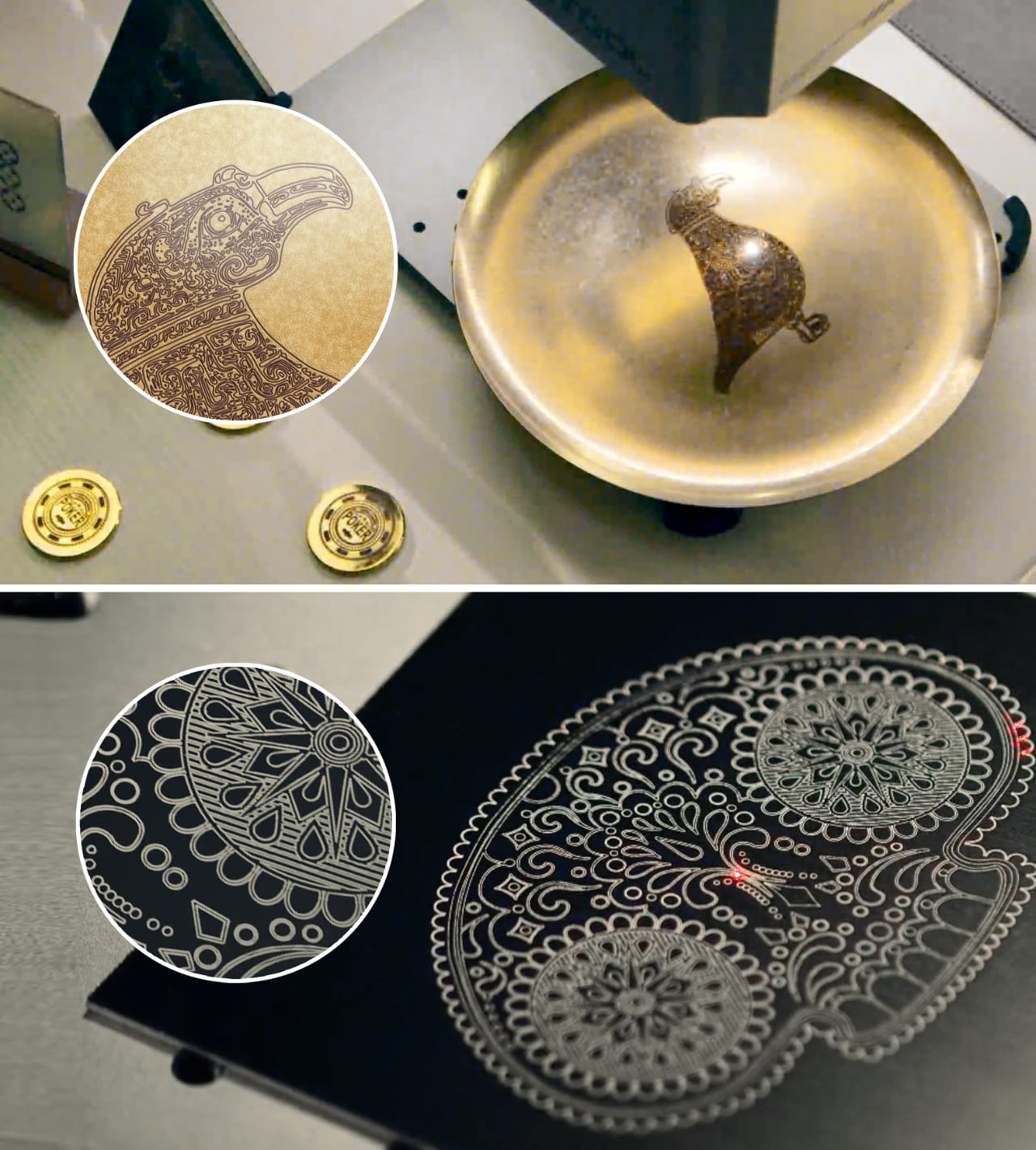
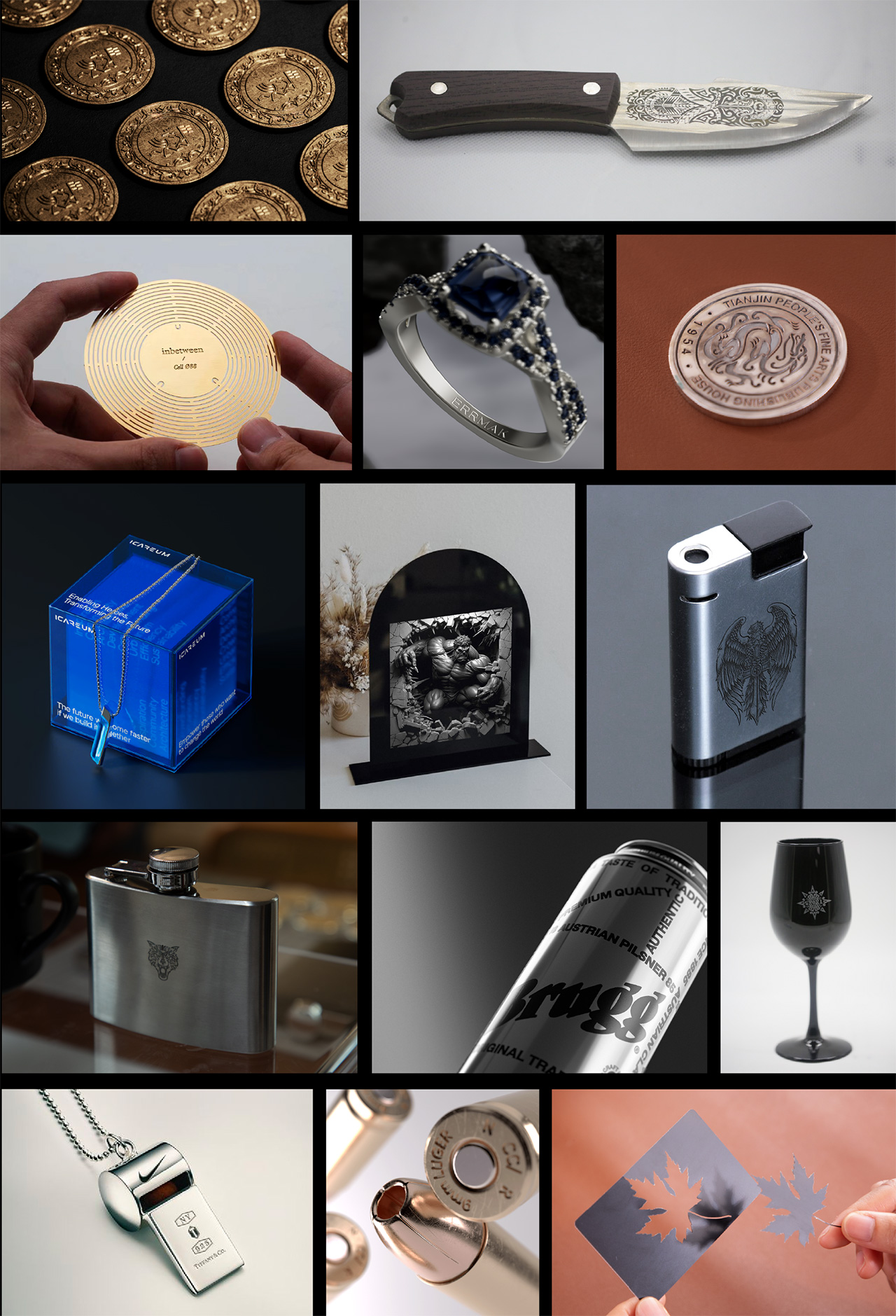
The heart of the LumiTool F20’s superiority lies in its fiber laser source, a feature that sets it apart from diode, CO2, and infrared lasers. The fiber laser delivers exceptional results on as many as 100+ materials, ranging from the run-of-the-mill wood, paper and plastic to even metals, glass, and ceramic. The sheer power output of the 20W laser allows it to engrave up to 1.5mm in metal, and a staggering 3mm in stone, giving you the ability to deeply carve into surfaces for high-contrast design work. It can cut into sheet materials too, helping make paper cutouts, acrylic profiles, and even sheet-metal stamps with the simple press of a button.
Equipped with LaserDrive Beam Control technology, the LumiTool F20 boasts engraving speeds up to 7000mm/s. That’s 10 times faster than typical hobbyist engravers, ensuring that your ideas don’t just stay ideas for long. Combine this with a high resolution of 8K (sharper engravings without jagged edges) and a fine granularity of 0.001mm, and you have a tool that captures every detail, ensuring crisp, clear, and precise designs every time. In fact, the F20 possesses the unique ability to engrave in color too, relying on laser wavelengths to bring out colors in metals while running a job.
With a remarkable 8K resolution and a fine granularity of 0.001mm, it achieves a striking level of engraving accuracy.
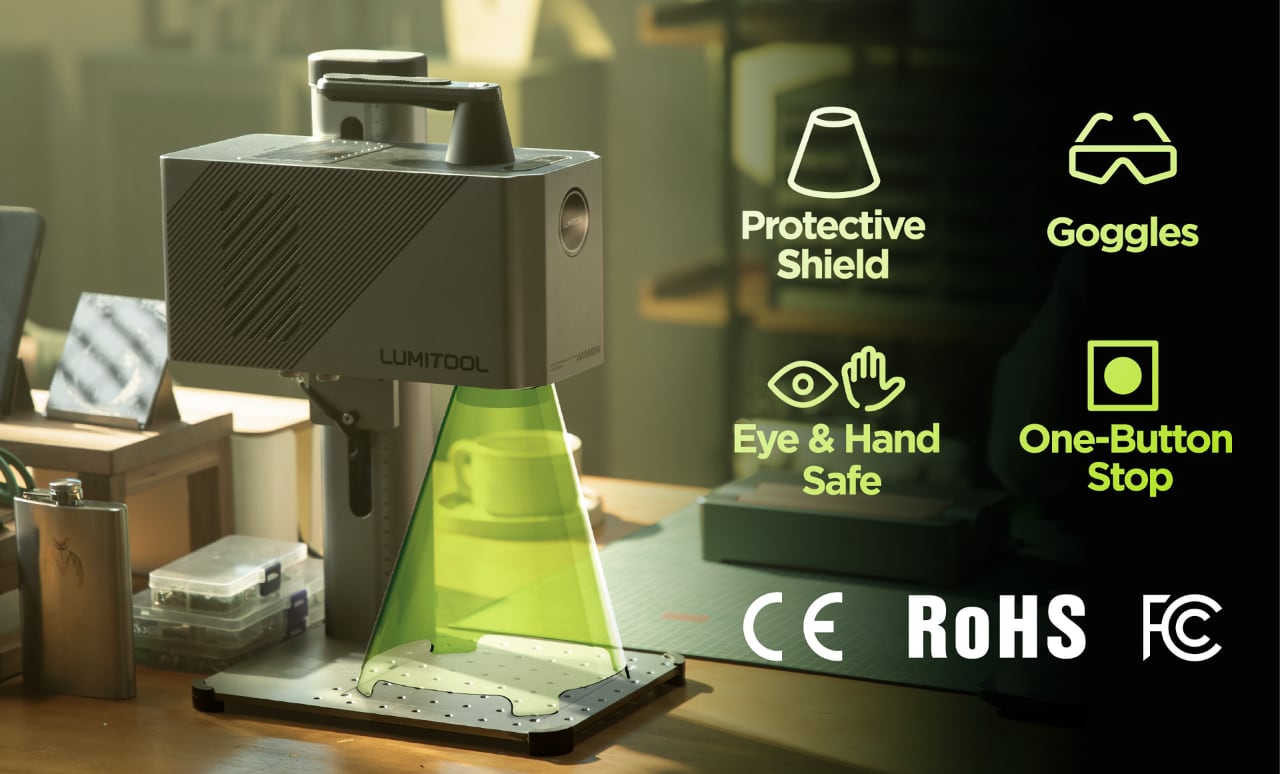
The LumiTool F20 boasts a work area of up to 150mm x 150mm (6 x 6 inches), and has a height-adjustable head that lets you move the laser module up or down, depending on how big or small the product you want to engrave on is. The laser engraver’s user interface is fairly simple to navigate, making it perfect for first-timers or even seasoned engravers. A dual-light positioning system lets you set the engraver’s focus in mere seconds, and single button lets you start or emergency-stop a job. The engraver comes with a removable tinted shield to protect your hands and eyes from the laser’s sparks, along with a pair of safety goggles to enhance protection.
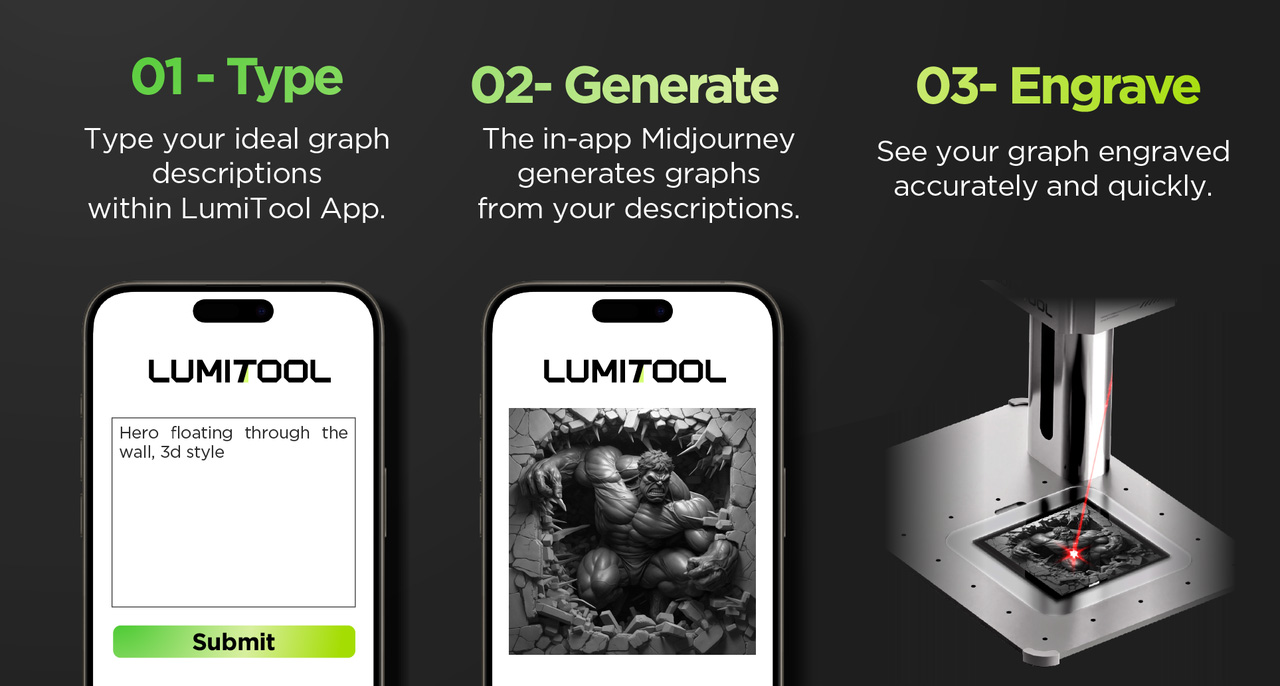
The F20 pairs with a rather intuitive (and innovative) smartphone app that allows you to upload, adjust, and engrave designs. Sure, you can share jobs via a laptop/desktop too, and the folks at LumiTool are working on Lightburn integration too, but the app really helps break beyond the barrier of wires and complicated software. You can share DXF files for precise pathways for cutting jobs, or directly upload images if you want to engrave/etch something like a wooden frame, a mug, hip-flask, name-plate, or any other object. The app lets you share images directly from your mobile, but it also boasts Midjourney integration, letting you create AI-generated images right within the app itself. These novel AI images can then directly be etched onto objects in mere minutes, taking an otherwise week-long workflow and condensing it down to a 5-minute job.
The LumiTool F20 comes as a standalone device, but you can upgrade your kit with accessories like the safety shield as well as modules like a rotary attachment that lets the device etch on curved surfaces, a chuck rotary for more precise curved jobs like engraving on rings, and a slide extension for working on larger canvasses. The regular lens gives the F20 a 110mm x 110mm work surface, but a field lens upgrade unlocks the F20’s 150mm x 150mm potential. The LumiTool F20 starts at $1599 (that’s as affordable as you’ll ever get for industrial-grade engraving equipment), although the bundle with all the accessories will cost you $2299. The app remains free to use, barring the AI features which cost $99 a year. However, early bird backers get the first year free.
LG just announced that it will bring a brand-new 27-inch 480Hz QHD OLED gaming display to CES 2024 in Las Vegas, which the company is calling an industry first and a “new era of OLEDS.” This panel was developed by LG Display, so it won’t actually be available for purchase. Rather, the tech will be sold to other companies for use in forthcoming gaming monitors.
480Hz is a blazingly fast refresh rate, and may also be something of a bummer if you bought into last year’s 240Hz displays. This latest OLED monitor boasts QHD (2560x1440) resolution and a response time of just 0.03ms, which LG says is the quickest of “any panel on the market today.”
LG also promises enhanced image quality via the company’s proprietary META technology, not to be confused with that other Meta. This tech incorporates a micro lens array to maximize the emission of light from the OLED panel and minimize external reflections. This should be especially helpful when navigating darker-than-average gameplay environments.
The company says this display emits the “lowest level of blue light in the industry”, at around half the amount emitted by standard LCDs. This is useful to minimize eye fatigue, of course, but also works to reduce flicker.
LG Display says this panel will begin showing up in products during the first half of the year, though partner companies have yet to be announced. This isn’t the only 480Hz panel that LG is showing off at this year’s CES. There’s a new monitor that runs at 480Hz in HD and 240Hz in 4K.
We're reporting live from CES 2024 in Las Vegas from January 6-12. Keep up with all the latest news from the show here.
This article originally appeared on Engadget at https://www.engadget.com/lg-display-plans-to-debut-an-ultra-fast-480hz-oled-panel-for-gaming-at-ces-010059437.html?src=rss
If you’re active on Facebook or Instagram, you might have noticed prompts about a setting called “link history.” The feature allows users to keep track of all of the links they visit via Facebook and Instagram’s in-app browsers.
According to Meta, the feature allows users to ensure they “never lose” a link. “Easily get back to recent links you’ve visited with your Facebook browsing activity now saved in one place,” an in-app notification about the feature says.
But, as Gizmodopoints out, the feature also gives Meta a convenient way to improve its targeted advertising, which has taken a hit following Apple’s crackdown on app tracking. “Keep in mind that when link history is on, we may use link history information from Facebook’s Mobile Browser to improve your ads across Meta technologies,” the company notes in a support article.
Instagram has a similar feature, which keeps tabs on links users visit via the app’s browser. Though it seems many users are just now discovering the settings, a Meta spokesperson confirmed the features began rolling out last summer.
Though link history is not enabled by default, it’s the kind of setting many people may opt into without giving much thought, especially because the company markets it as a way to avoid “losing” links. That’s sparked concern among some privacy advocates who worry Meta is using increasingly sneaky ways to gather data about users’ online activity.
The good news, however, is that it’s easy to double check if you have link history enabled, and opt-out if you do.
On Facebook, users will need to open a link from within the app and tap on … menu to open the settings from the in-app browser. Then, look for the “link history” toggle. If it’s on, you’ll need to turn it off, and then confirm via the pop-up that you want it disabled.
Screenshots via Facebook
The process on Instagram is pretty much the same: Head to the in-app browser’s settings, look for “link history” and confirm your choice.
Of note, though both apps will immediately delete your link history from their respective apps, Meta says it can take up to 90 days “to complete the deletion process.” This means your previous browsing activity could still play a role in your targeted ads for several weeks after you’ve disabled link tracking.
Of course, the company still has numerous other ways of tracking your online activity, so opting out of link history alone won’t be enough to fully take back control of your data. Privacy conscious ad-haters who live in the European Union, however, do have another option, though it may be even less appealing. Meta recently began offering the ability for EU users to opt out of Facebook and Instagram ads entirely, in exchange for a rather hefty monthly fee.
This article originally appeared on Engadget at https://www.engadget.com/opting-into-link-history-on-facebook-and-instagram-means-agreeing-to-more-ad-targeting-003746719.html?src=rss
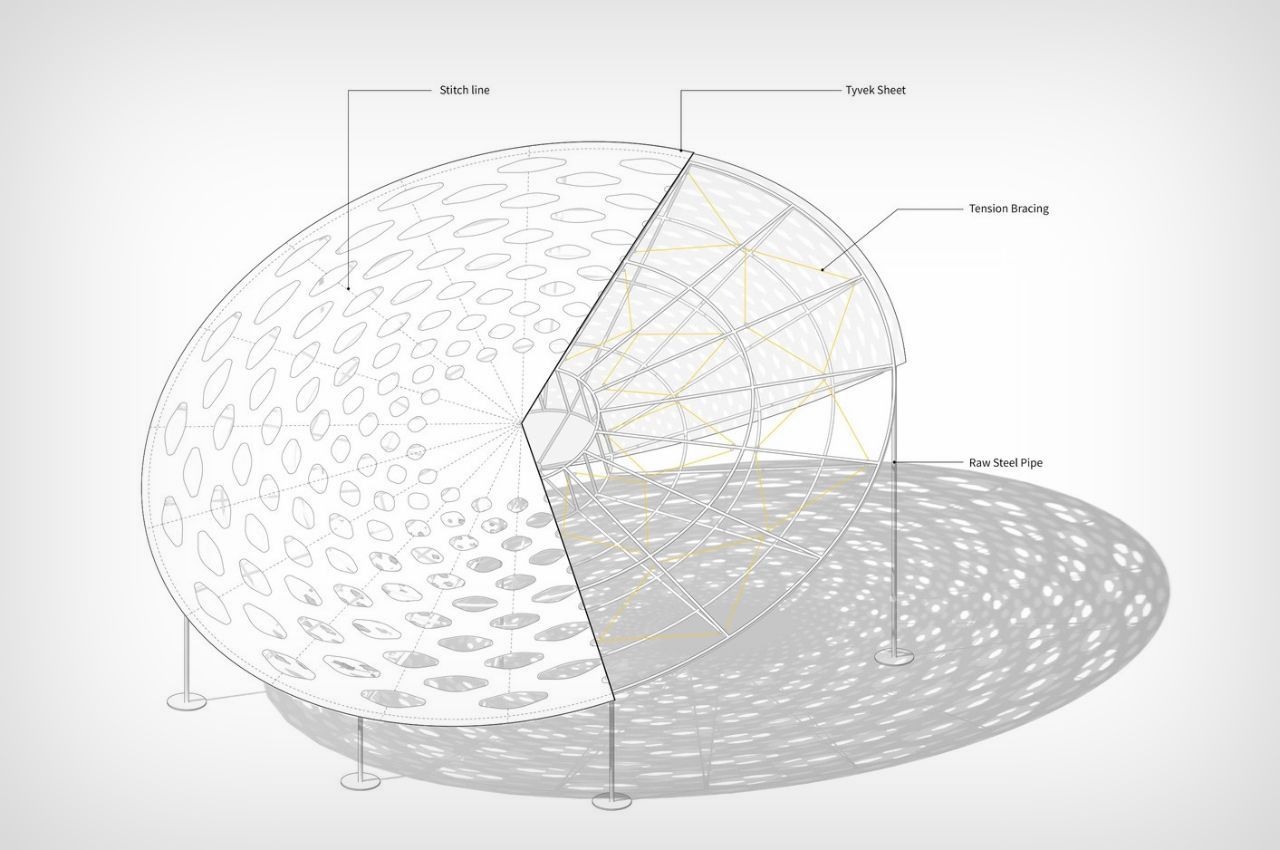
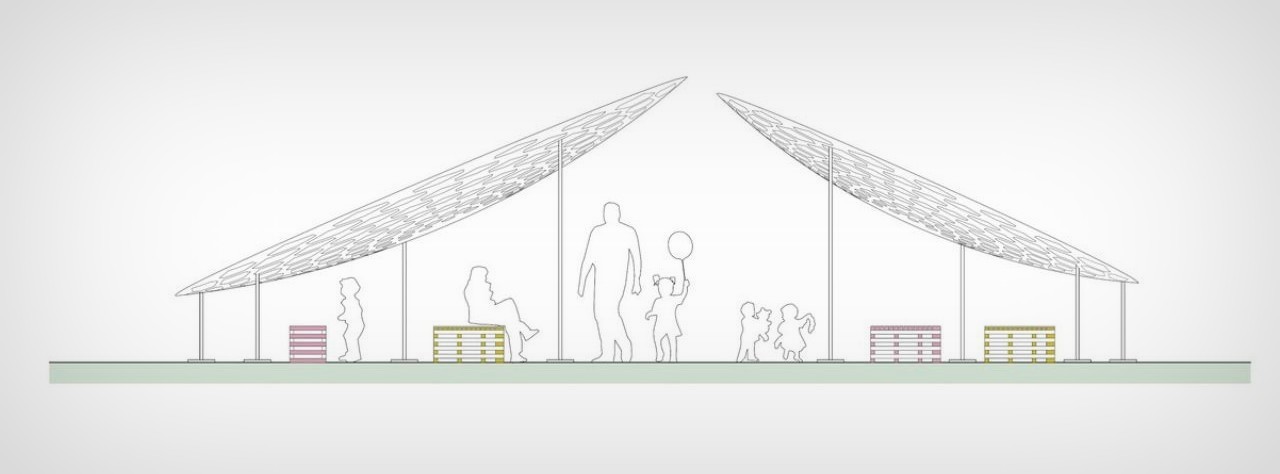
Located in South Korea, the Volvo Circle Pavilion presents a unique approach to outdoor spaces. Built on the principles of komorebi, or the phenomenon where light passes through the gaps in leaves, this pavilion allows people to gather in its shade, while using Tyvek facades with leaf-shaped holes that allow the sun to weave through, mimicking the feeling of basking under a tree!
The Volvo Circle Pavilion’s most striking feature lies in its innovative use of materials. The pavilion is enveloped in a paper-thin and light Tyvek covering, a waterproof material with physical properties akin to paper. This Tyvek covering, far from being a mere aesthetic choice, serves as a canvas for intricate patterns. Crafted by cutting the material with precision, these patterns cast three-dimensional shadows reminiscent of dappled sunlight filtering through leaves in a forest—a captivating metaphor for the play of light, or “Komorebi.” (Japanese word for sunlight, which is filtered through the leaves of the trees.)
What sets this Pavilion apart is its commitment to a circular and sustainable material lifecycle. The Tyvek covering, after serving its purpose, is dismantled and repurposed into recycled plastic boards for public furniture. This innovative approach to recycling not only minimizes waste but also breathes new life into materials that would otherwise end up in landfills.
The creation of the Pavilion was a collaborative effort that brought together craftsmen, engineers, and makers from various fields, united by a shared ambition for sustainability. Front INC, renowned for its expertise in crafting minimal and lightweight structures, collaborated with DSLSM, known for its eco-friendly works using Tyvek material. Together, they orchestrated a symphony of sustainable design and material innovation.
A key strategy employed in the construction of the pavilion was prefabrication, where almost all elements were fabricated off-site and then assembled on location. This approach not only streamlined the construction process but also significantly reduced the environmental impact and carbon emissions associated with traditional on-site construction methods. This is an upcoming method of construction as the contemporary methods are the most significant contributors to GHG emissions, accounting for one-third of global carbon emissions, one-third of global resource consumption, and 40% of global energy consumption.
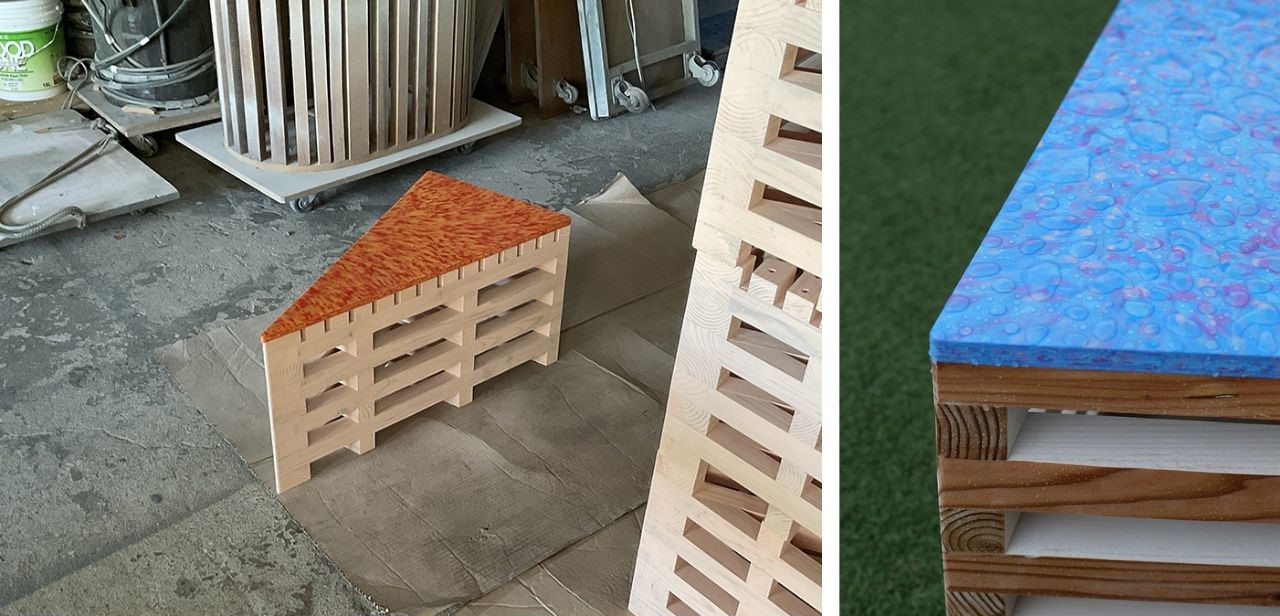
The commitment to sustainability doesn’t end with the pavilion’s construction. The minimal steel structure that supports the pavilion is disassembled and reused, ensuring that every element finds a new purpose. Puzzle benches, crafted from forged and neglected structural wood, are fully recycled and generously donated to elementary schools, daycare centers, and children’s libraries in the Seoul area. This goes beyond mere recycling; it’s a commitment to meaningful reuse that benefits the community. The modular design of these benches facilitates efficient stacking and transportation of larger pieces, contributing to a reduction in carbon emissions. Additionally, their water-resistant features and chamfered edges make them ideal for children.
The Volvo Circle Pavilion in South Korea stands as a beacon of sustainable architecture, showcasing that beauty and environmental responsibility can coexist harmoniously. From its lightweight Tyvek covering to the recycled plastic boards and donated puzzle benches, every element of this pavilion is a testament to a circular and eco-conscious approach to design and construction. As we celebrate the Volvo Circle Pavilion, we are reminded that the future of architecture lies not just in grand designs but in the thoughtful and sustainable use of materials that shape our built environment.
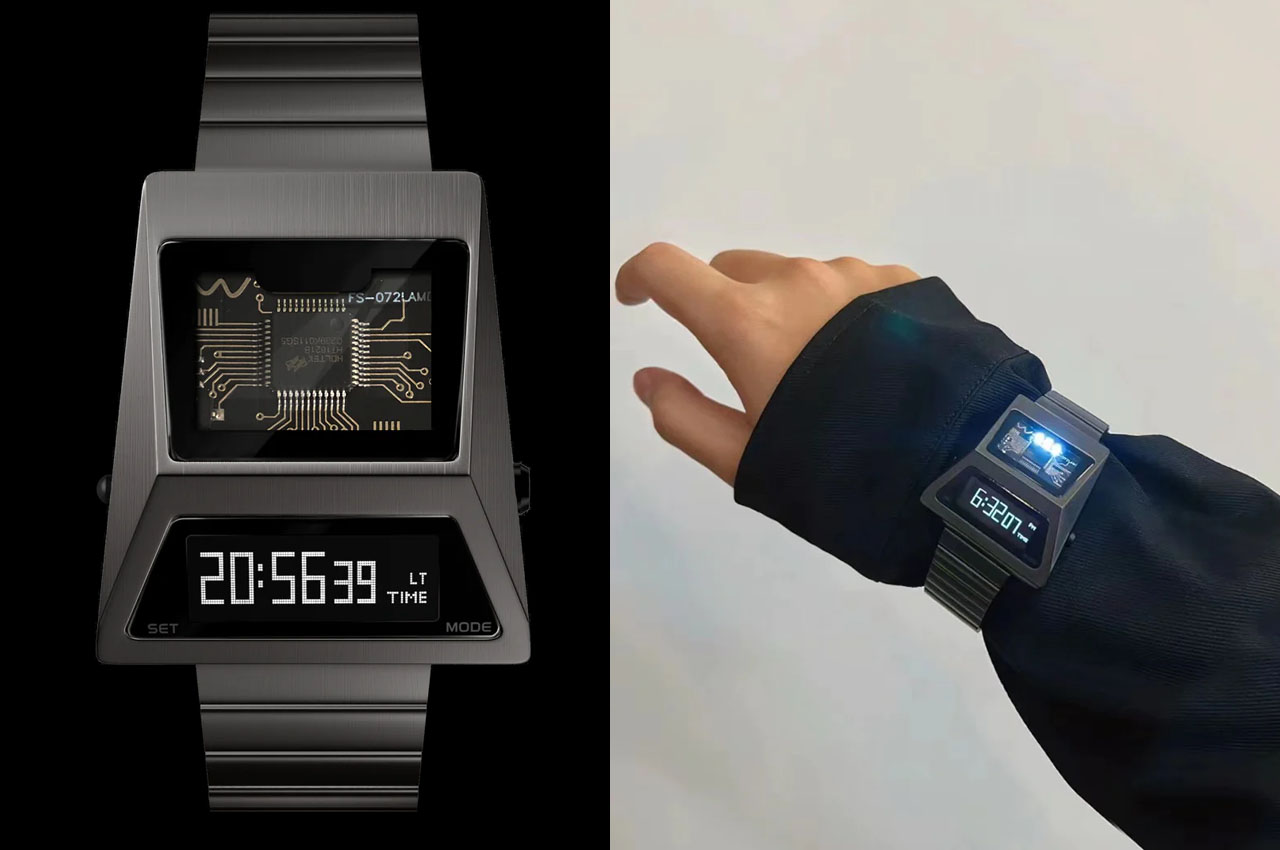
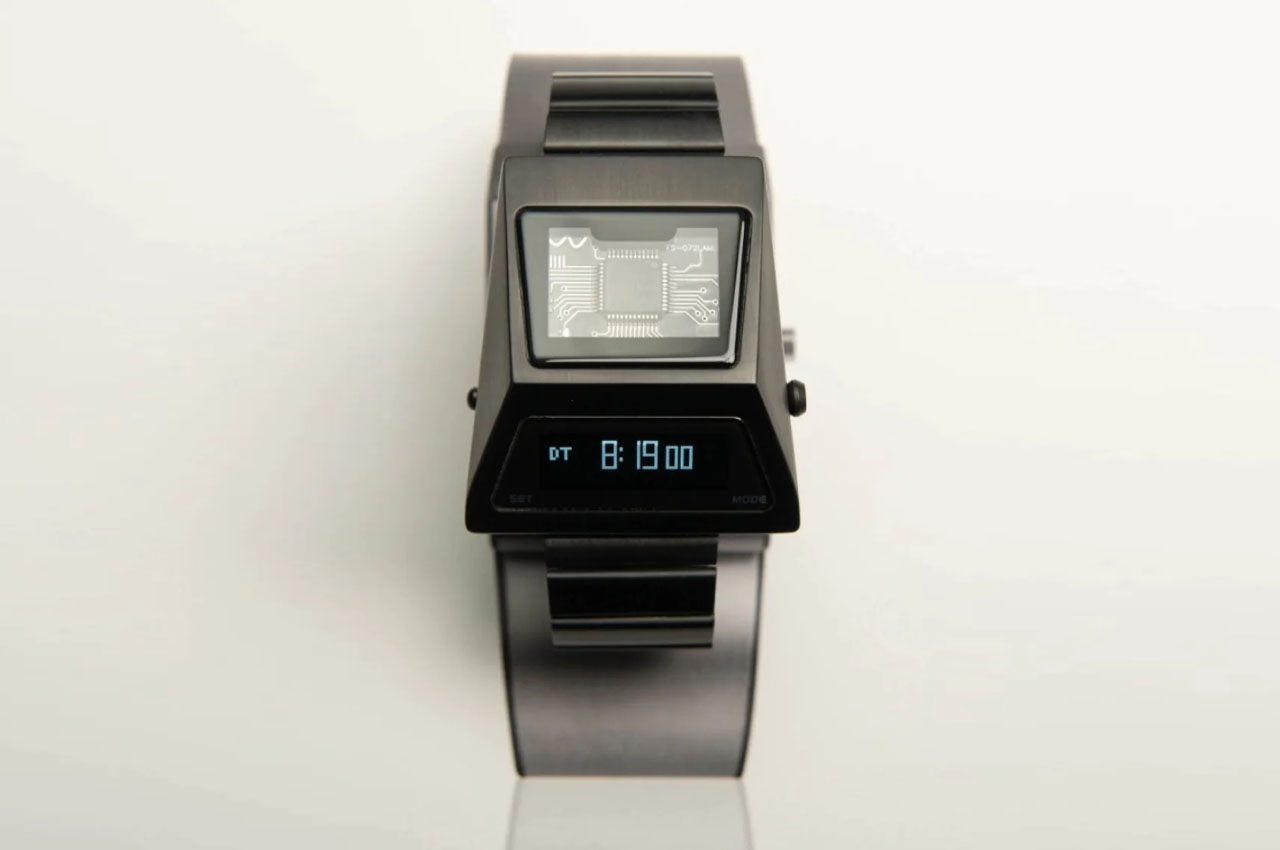
Elon Musk’s darling, the Tesla Cybertruck, cannot be left out of the news, or can it? Turns out not! After inspiring campers, pick-ups, and tents, the ultra-futuristic Cybertruck, way ahead of its time in terms of design and appearance, has now stirred the horology world.
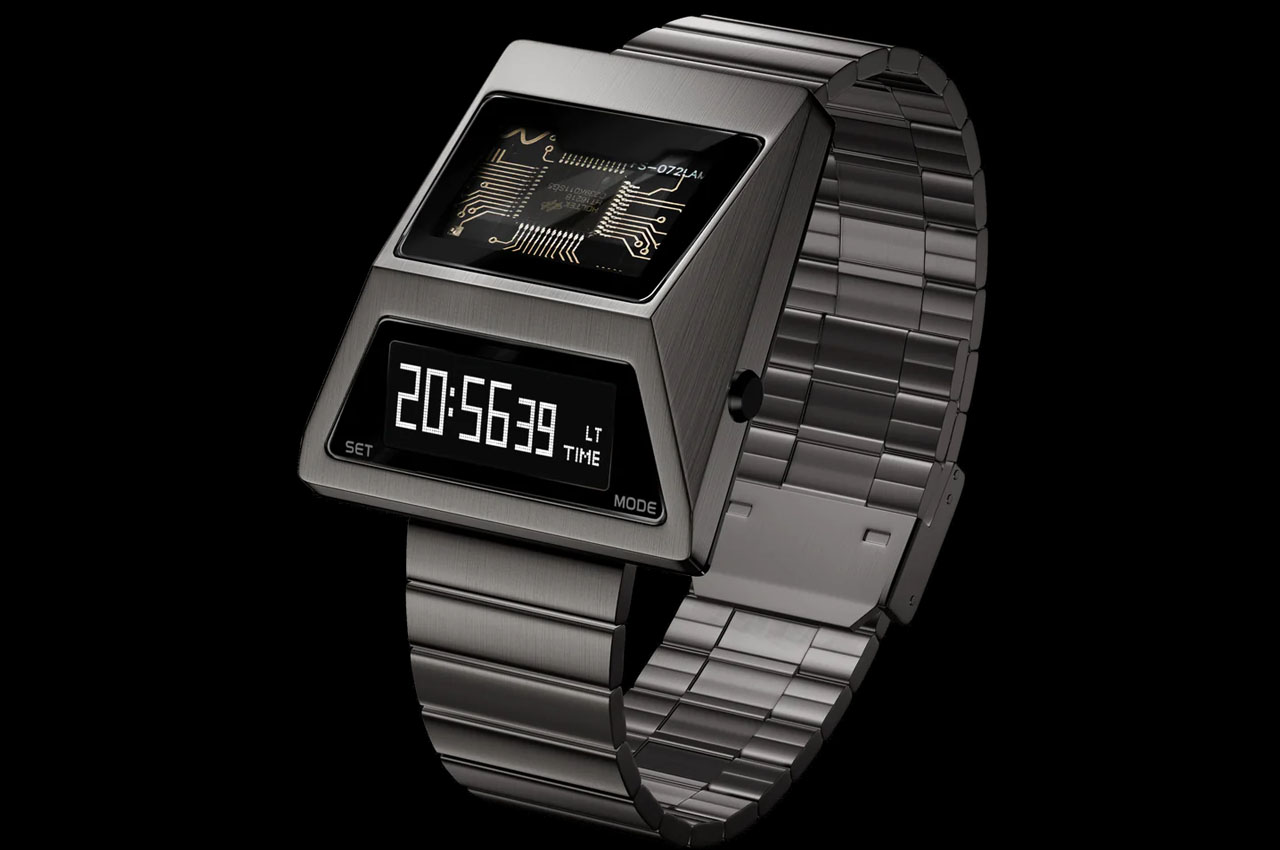
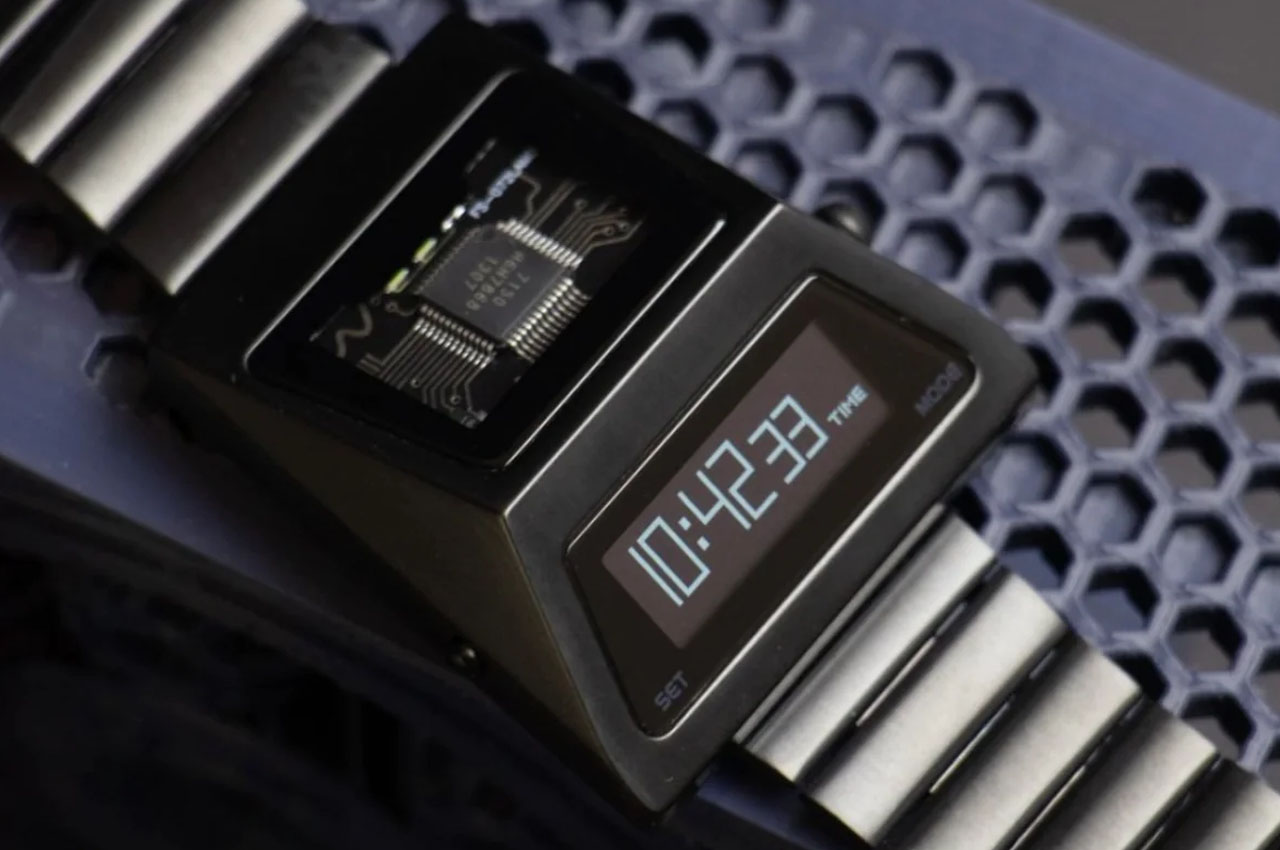
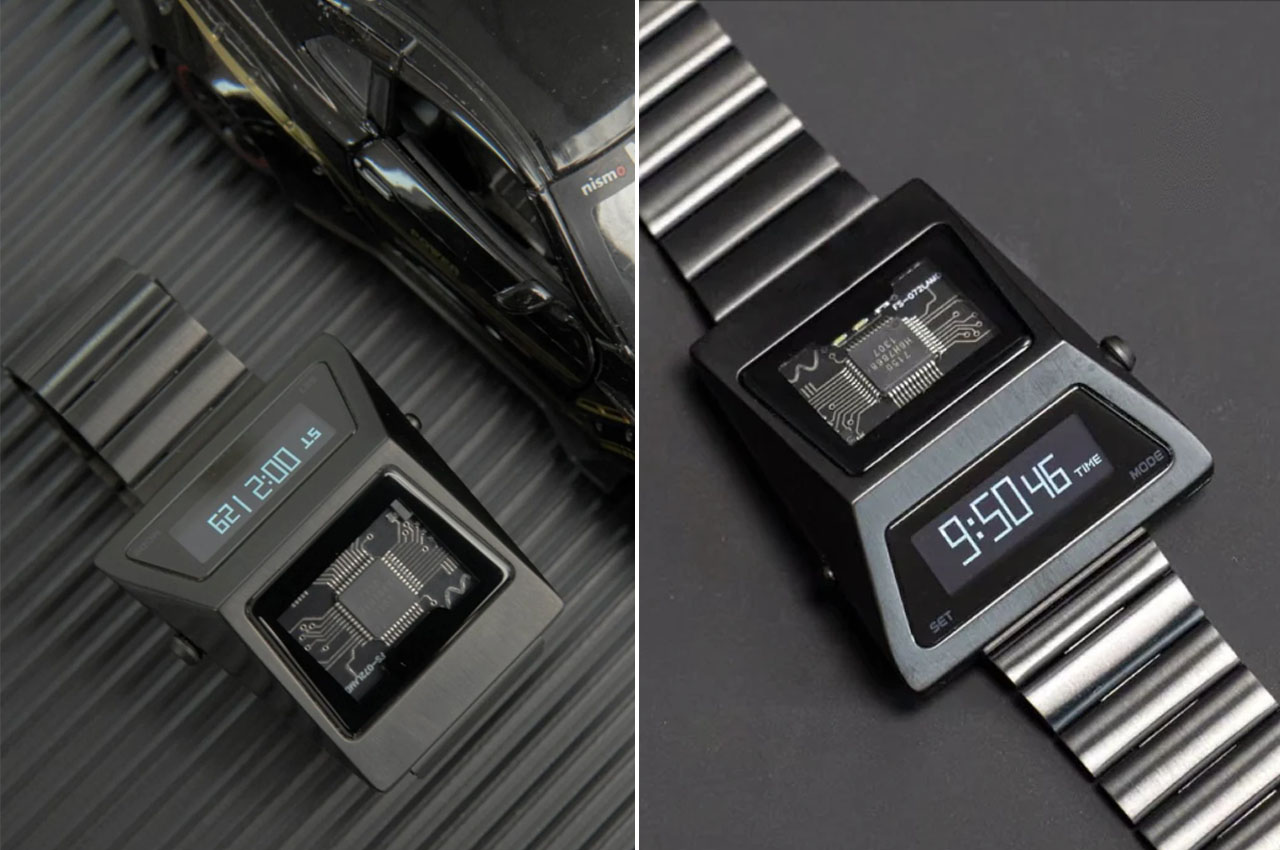
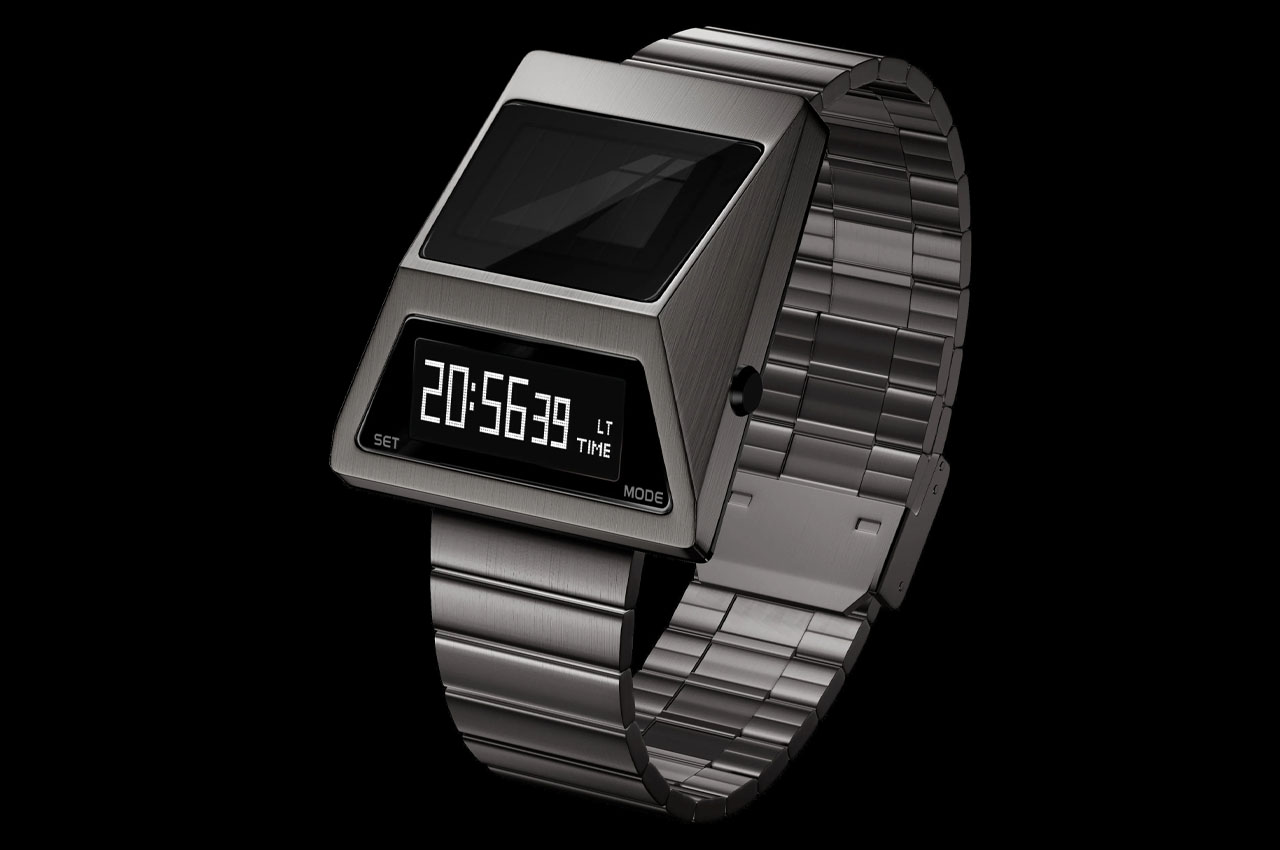
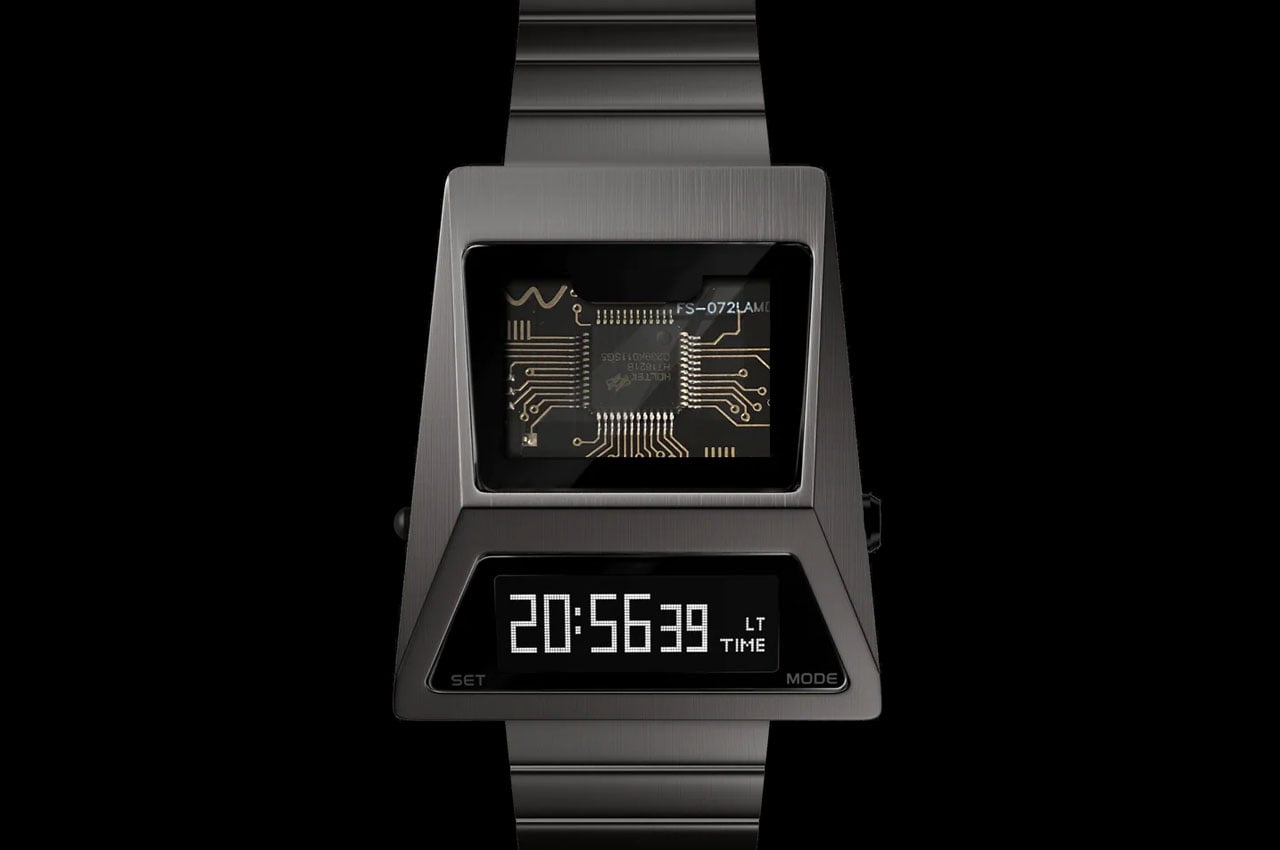
Carrying the same distinctive geometric shape and a powerful metallic touch to it, the Future Warrior OLED digital watch from Benly Design embodies the sense of coolness and futurism. At first glance itself, the shape of the watch reflects the Cybertruck image, impersonating the distinctiveness. The cool look and the automotive styling of the watch make it a desirable timepiece.
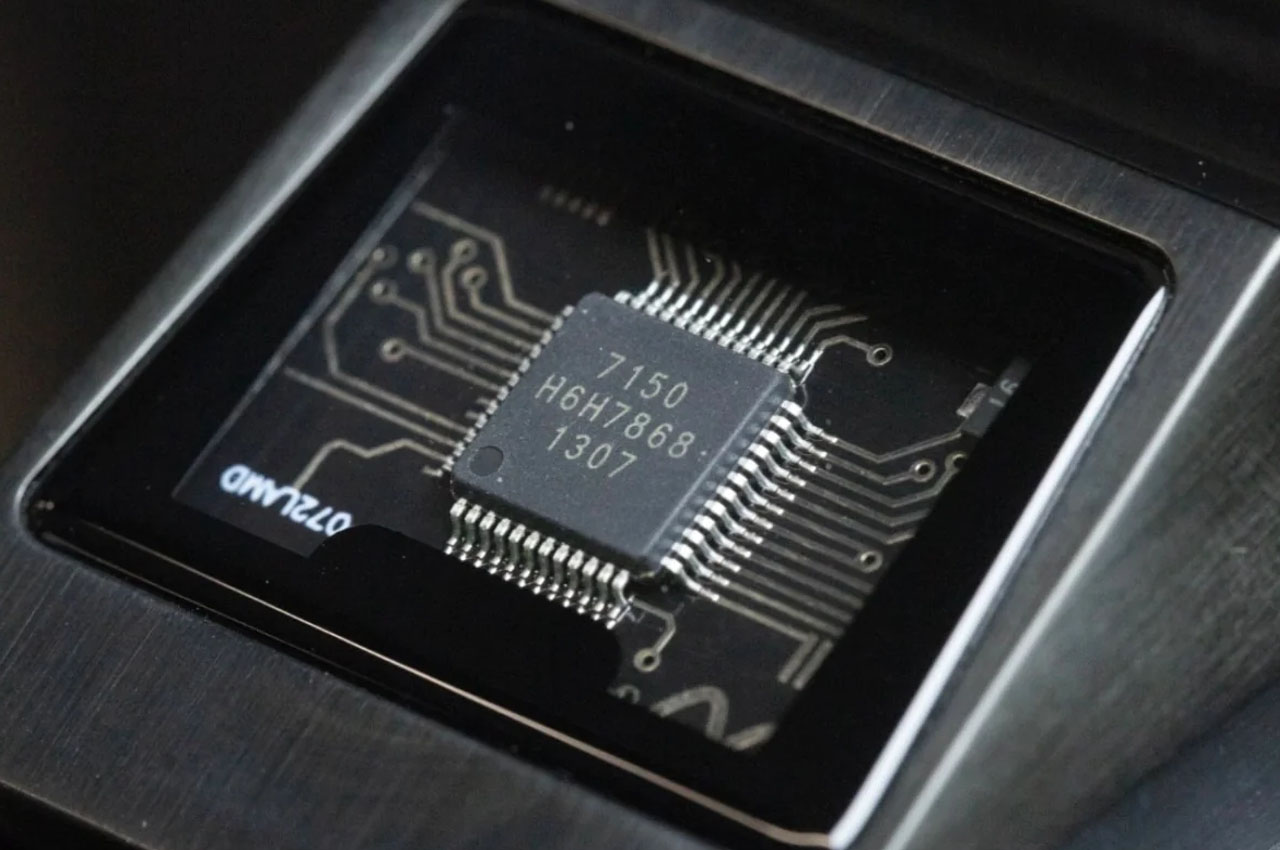
The Benly Design’s watch is priced at $110, pretty affordable for its absolute uniqueness, which sees the watch display divided into two sections within its zinc alloy casing. The bottom half features an OLED panel angled toward the wearer, and the top section has a visible circuit board with an LED backlight.
The angled digital OLED display is a nifty design tweak, it permits the wearer to see the time without twisting the wrist. The display comes alive when the arm is raised so viewing time is easy, without clicking a button or tapping the display, through the mineral glass overlay.
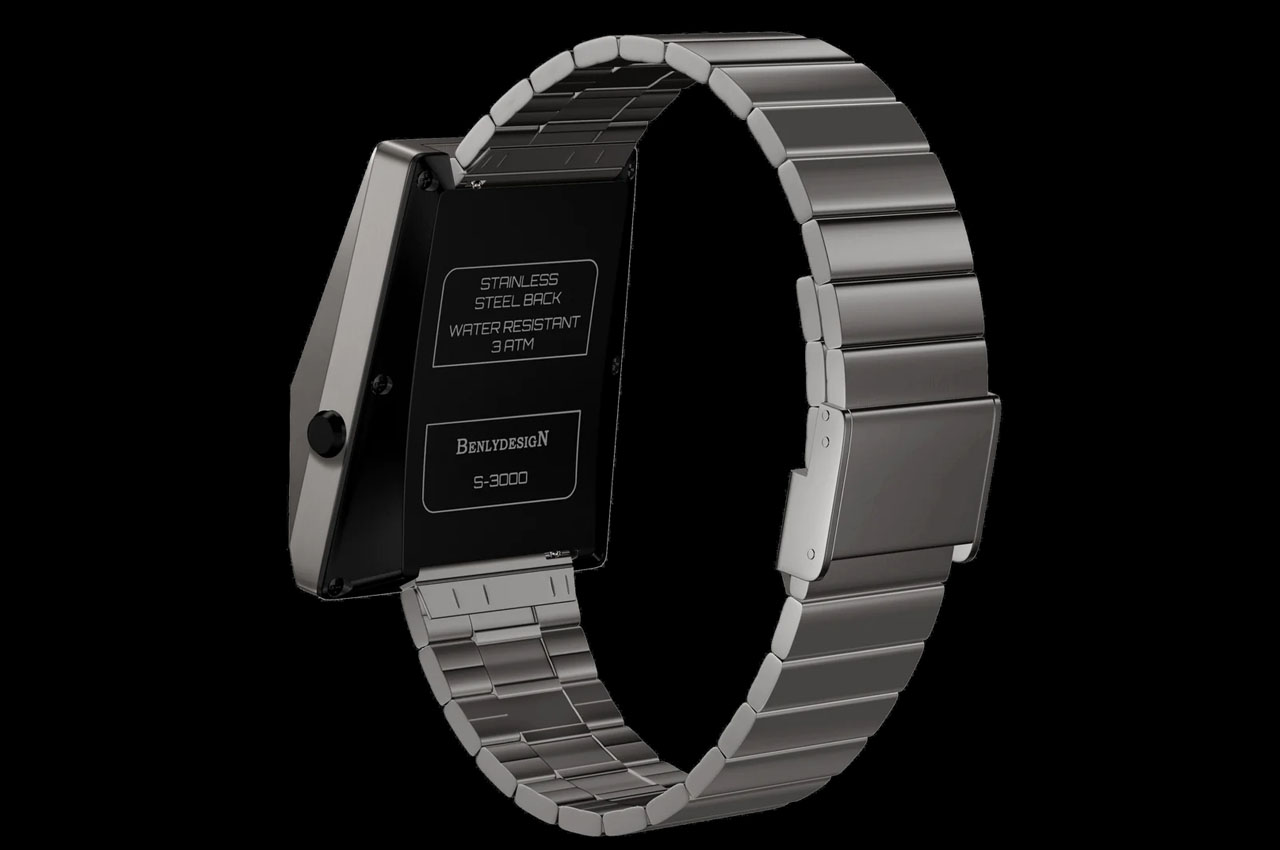
This at-a-glance electronic watch with a nice, visible OLED backlight display, can be your everyday partner unlike those smartwatches that run on batteries or the manual-wound counterparts. The Future Warrior doesn’t require power for charging every day, it comes with a solar panel to keep it going for years without fail.
Complementing the angular zinc alloy case of the watch is the accompanying sandblasted stainless steel strap with buckle clasp. The watch case measures 19mm thick and has a 39.9mm width. By that measurement, the watch is ideally sized for smaller wrists as well, and along with time function, it also has 12/24H, stopwatch, alarm, temperature, humidity, date and day features.
The Benly Design Cybertruck-inspired timepiece is waterproof up to 30m. To that accord, it is suitable for swimming in shallow water or taking it for a cold shower. Making a bold statement with its design and material usage, the eye-catching watch can make for a cool gift to someone who loves wristwatches especially, if you are not a big motorhead with a wristwatch fanaticism yourself.
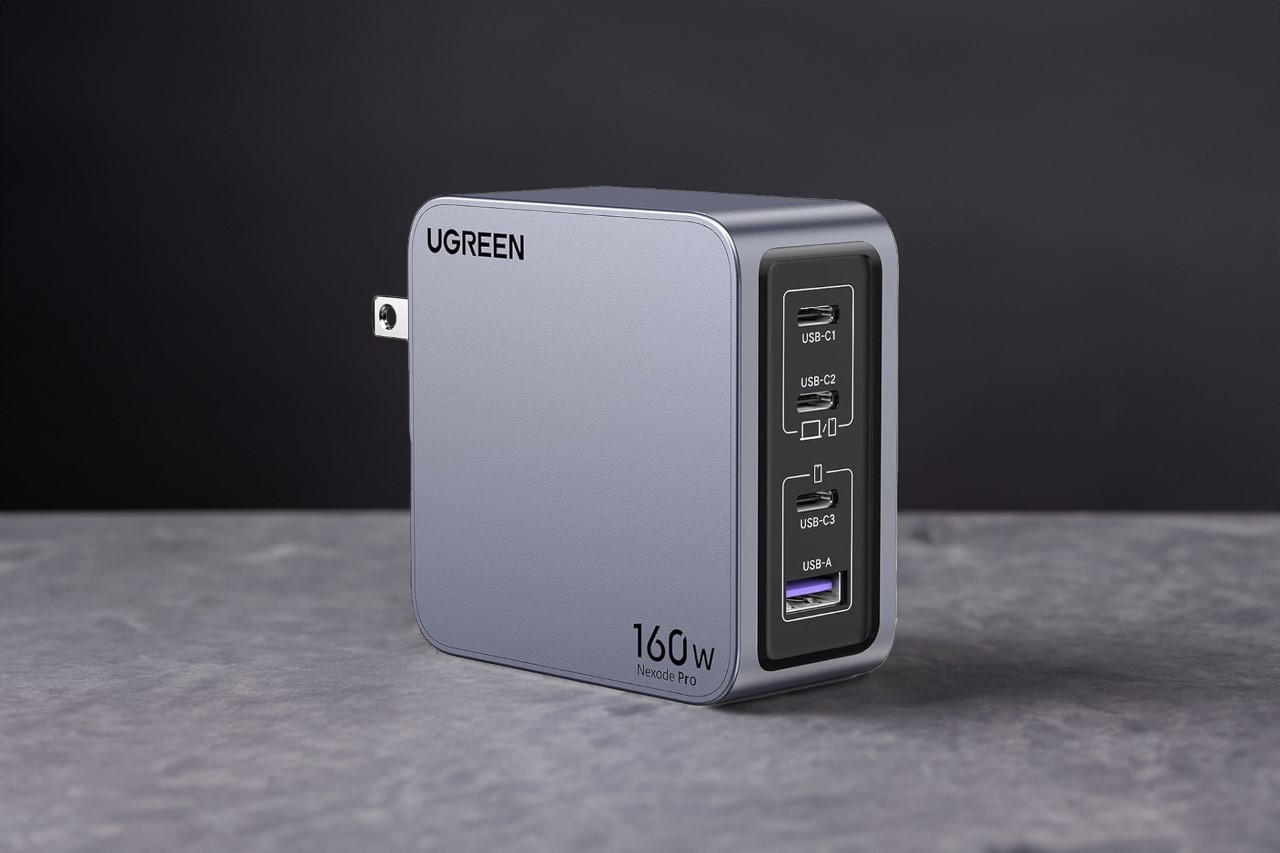
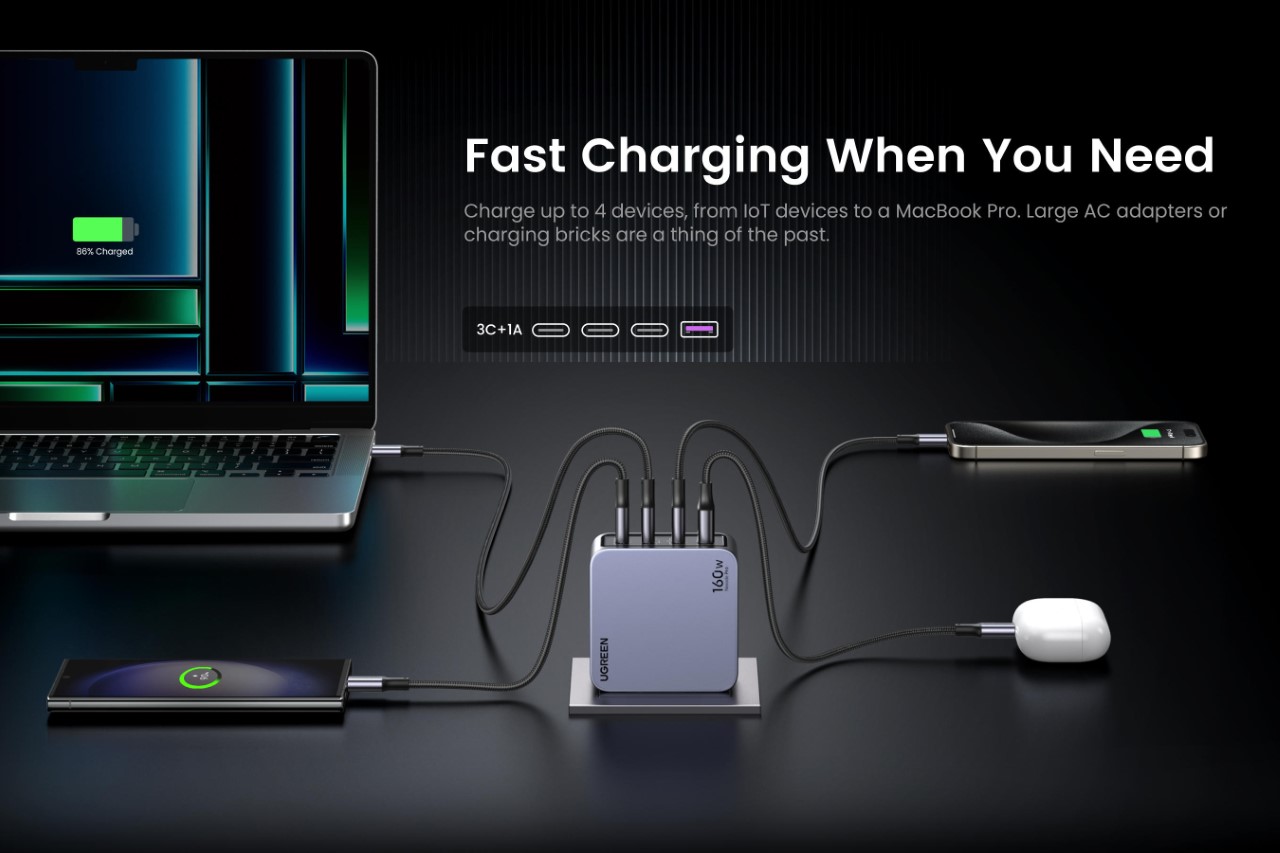
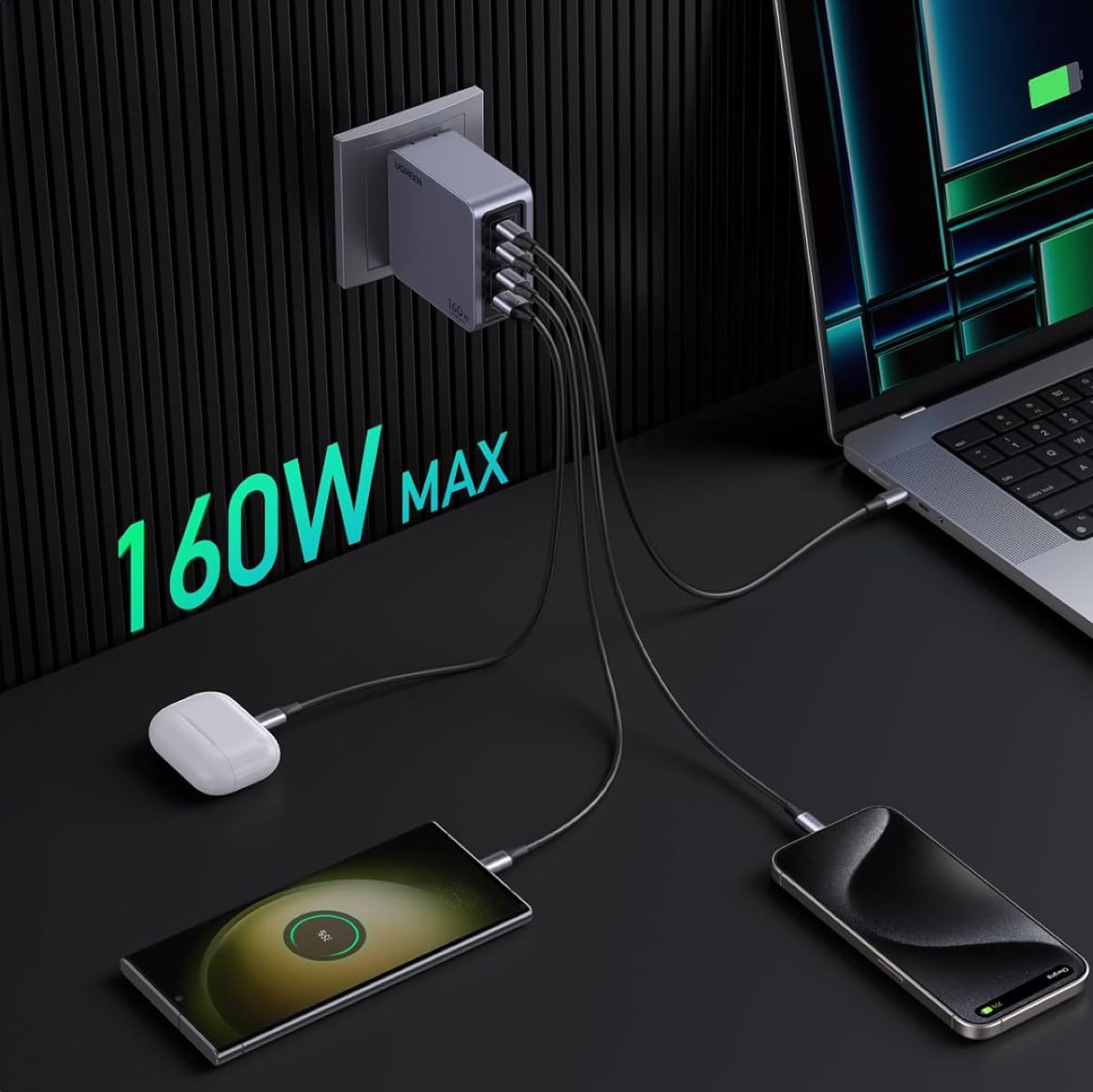
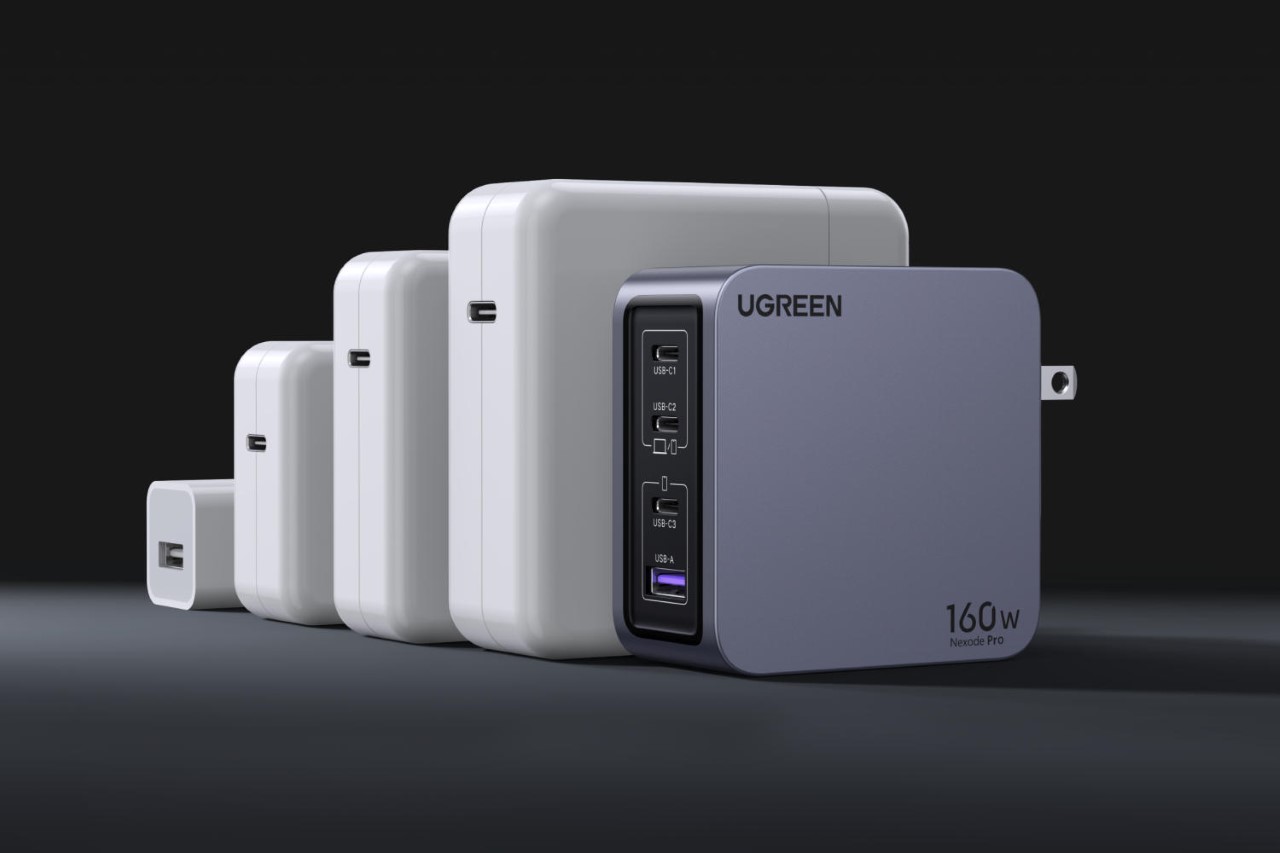
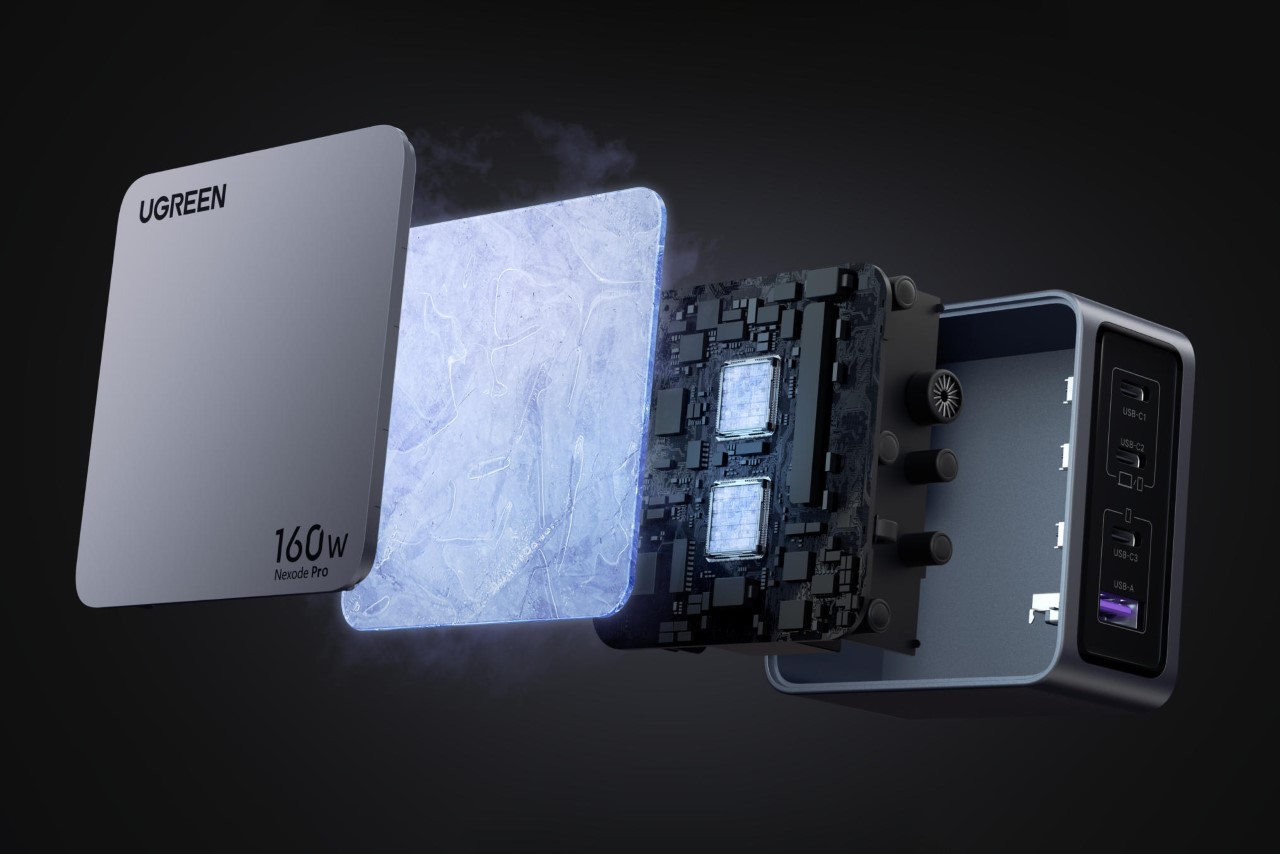
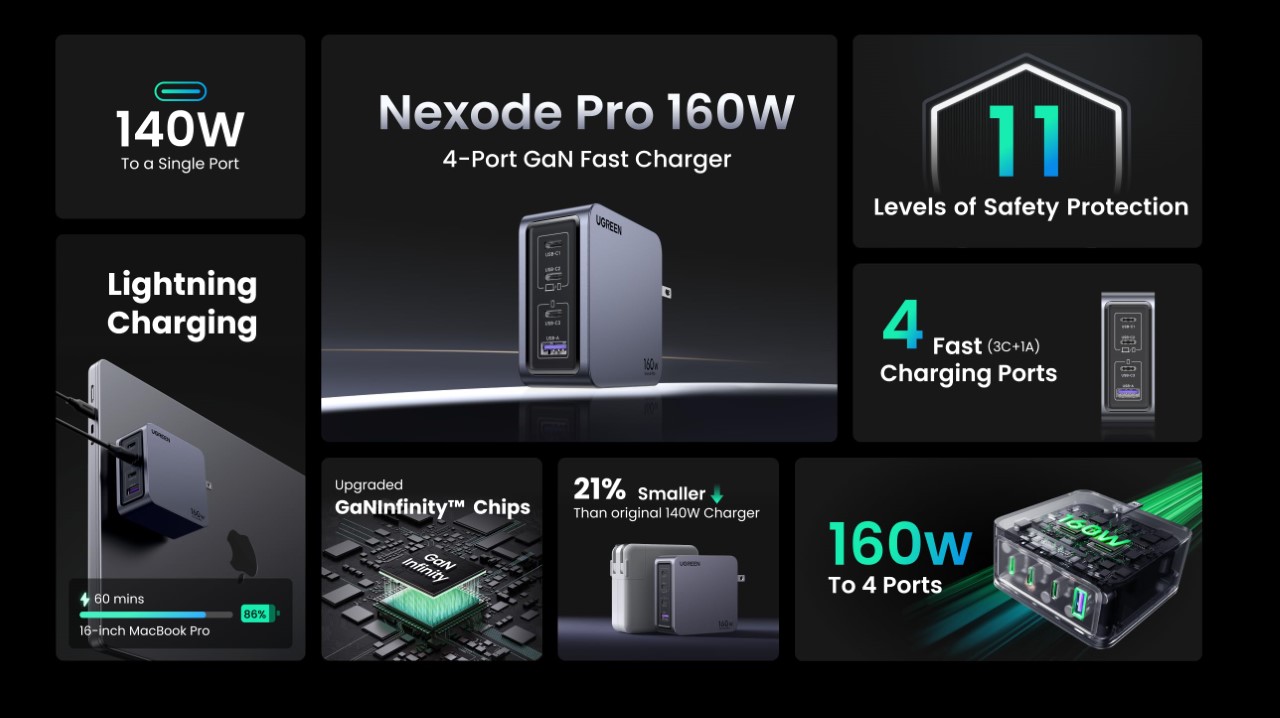
Announced just ahead of CES, UGREEN bringing sheer power to its charging brick lineup with the Nexode Pro series. Touting a power capacity of anywhere between 65W to a whopping 160W, these chargers leverage the latest GaN semiconductor technology to ensure a compact design, incredible thermal management, and the ability to charge multiple devices concurrently at their highest possible PD (power delivery) requirements. The Nexode Pro 160W, which immediately caught our eye, is smaller than your average MacBook charging brick, but has 4 outputs for charging multiple devices, with the ability to route up to 140W of power to a single USB-C port. It’s quite literally one plug to rule them all…
The Nexode Pro 160W is perfect for your workplace or even for travel. It touts the ability to fast-charge your laptop, tablet, phone, and any other gear from your TWS earbuds to a gaming console, simultaneously. At the heart of the charger lies UGREEN’s ‘GaNInfinity’ technology, which expertly manages energy requirements of multiple devices with a whopping 95% conversion rate – which means 95% of the energy from the outlet makes its way to your devices, with only 5% being lost to heat… a feat that most silicon-based semiconductors can’t compete with. The result is a deceptively tiny charging brick, unlike the massive clunky ones seen with laptops and smartphone fast-chargers.
To put numbers into actual words, UGREEN boasts of being able to charge a MacBook from 0% to 50% in just 27 minutes (or 87% with just an hour of charging). When paired with a 140W MagSafe cable, the charger outputs 140W to a single device, letting you fast-charge your laptop at blitzing speeds. Once you plug multiple devices in, the charger manages power delivery to them intuitively, splitting its overall 160W output between its multiple ports. The uppermost USB-C port has the highest output of 140W (when used alone), while the ports below are 100W, 30W, and a USB-A that outputs 22W respectively.
The Nexode Pro 160W is 21% smaller than than other charging bricks of similar power capacity.
All that power means a whole lot of responsibility too, which UGREEN takes in the form of multiple checks and balances to ensure device safety. Its 11-stage safety protocol involves smart thermal management, along with a fire-resistant enclosure, and multiple layers of projection from overvoltage, overcurrent, overheating, surges, short circuits, etc. The Nexode Pro 160W weighs a paltry 310 grams (10.9 ounces), and is compatible with the power requirements of over 1000 devices, from laptops to phones, tablets, wearables, drones, cameras, and consoles. It starts at $119 on Amazon, but as a launch offer, you can grab a 15% discount by claiming a coupon during checkout.
JLab has a proven track record with its headphones and earbuds for solid audio quality at extremely affordable prices. At CES 2024, the company is debuting its first premium headphones with active noise cancellation (ANC), but it's keeping the price low at just $80. Despite the affordable investment, JLab didn't cut too many features as the JBuds Lux ANC Wireless Headphones pack long battery life, multipoint Bluetooth, customizable EQ, spatial audio, Google Fast Pair and a quick-charge feature.
JLab says the JBuds Lux have the same size drivers, 40mm, as flagship headphones from the likes of Bose, Sony and others. The company further explains that these components are capable of 20-20kHz frequency response, the most common rage for headphones, and promises "exceptional audio quality" as a result. In terms of ANC, the JBuds Lux can reduce noise by up to 25dB with the option to turn it off or employ Be Aware (transparency) mode, and levels are customizable via the JLab App. You can fully configure the EQ with that software or choose from one of three audio presets. The JBuds Lux also support spatial and Bluetooth LE audio.
The company touts over 40 hours of use with noise canceling on, with that figure extending to over 70 hours with it disabled. Bluetooth 5.3 with multipoint connectivity adds convenience, as does Google Fast Pair and a 10-minute quick-charge feature that gives you four hours of playback. JLab opted for a folding design for easy storage, with cushiony ear pads and physical playback controls.
The JBuds Lux ANC headphones are available for preorder now from JLab. White, gray and green color options are scheduled to ship in late February while the purple version will arrive in March.
JLab
Before the party officially begins in Las Vegas, JLab also revealed a new set of budget earbuds. The third-gen JBuds ANC ($60) can manage seven hours of use with noise cancellation turned on with nearly four full charges in the case. With ANC off, you can expect up to nine hours from the earbuds and another 33 in the case. As JLab has done on previous models, the charging case here is still about the size of a flash drive, and an attached USB-C cord tucks away for storage.
Onboard touch controls handle both playback and calls, plus JLab says they're customizable inside of its app. Sound profiles can also be tailored to your preferences by either tweaking the EQ or using an audio preset. The company has included a Safe Listening Mode that keeps the maximum volume within the limits recommended by the World Health Organization (WHO). Bluetooth multipoint is here as well, with an IP55-rated design that can withstand workouts, a low-latency Movie Mode for streaming and Google Fast Pair.
The JBuds ANC 3 wireless earbuds are available now, but they only come in black.
We're reporting live from CES 2024 in Las Vegas from January 6-12. Keep up with all the latest news from the show here.
This article originally appeared on Engadget at https://www.engadget.com/jlab-debuts-its-first-premium-anc-headphones-for-only-80-204305515.html?src=rss
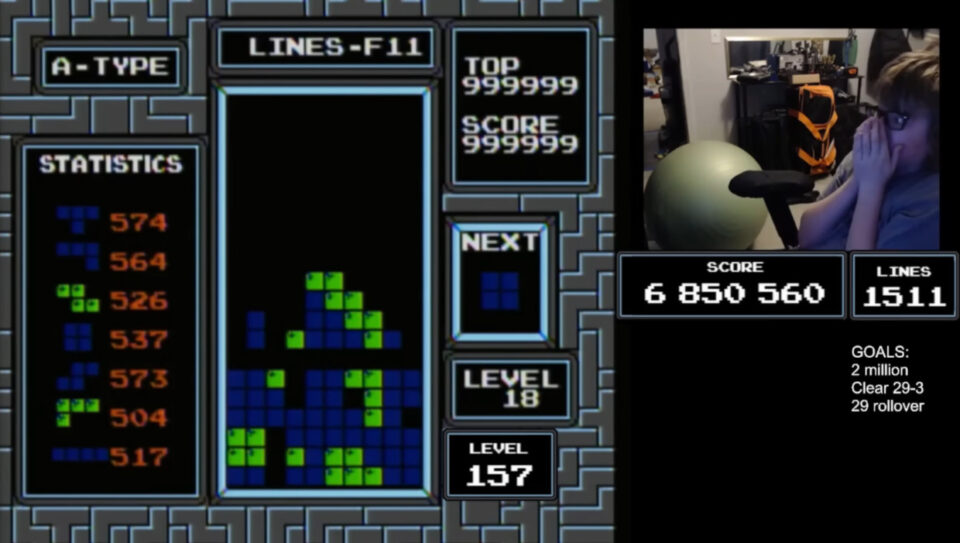
13-year-old gaming streamer Blue Scuti has become the first human to beat the classic Tetris game on the Nintendo Entertainment System, almost 35 years after its release. Previously, the game had only been beaten by artificial intelligence. Blue achieved the feat during a semi-final round of the Classic Tetris World Championship (CTWC) and set three world records in the process: the highest overall score (6,850,560), the highest level achieved (Level 157), and the most total number of lines (1,511). Wow!
The game is “beat” when it crashes, and the screen freezes. For the first two decades of the game’s existence, it was believed that progress past level 29 was impossible because the pieces are falling so fast that holding left or right will not move a piece all the way to one side or the other before it reaches the bottom. That led gamers to start getting creative with how they used their controllers.
According to Polygon, Blue’s strategy “was a culmination of the technique that younger players have been developing in recent years. These newer strategies, like ‘hypertapping’ and later ‘rolling,’ emerged in 2016 and 2020 respectively, allowing players to operate the NES controller even faster than the buttons by tapping the underside of the controller.” I’ve seen players doing that in videos and wondered what was happening! That explains it. Me? I’m lucky to hit the right button at all, let alone at lightning speed.
Twitch has revised its nudity policies yet again. The latest change bars streamers from pretending to be “fully or partially nude,” wrote Angela Hession, Twitch’s VP of Trust and Safety, in a blog post. The change comes several weeks after the company said creators could post “properly labeled” sexual content, only to flip-flop two days later.
The company added the new language to its community guidelines (reported byThe Verge) in response to streamers “implying” nudity with carefully placed objects, censor bars or camera angles. The update to Twitch’s terms goes into effect today.
The revised terms also ban see-through clothing, clarifying that apparel must be fully opaque on bodily areas that require coverings. Hession also emphasized the importance of categorizing content correctly, including when streaming from near a pool, beach, or hot tub, where the “full coverage of the buttocks” requirement is loosened.
Twitch plans to eventually blur thumbnails for streams labeled as having sexual themes. “While most streamers have labeled this content appropriately with the Sexual Themes label and are wearing clothing behind the object or outside the camera frame, for many users, the thumbnails of this content can be disruptive to their experience on Twitch,” Hession wrote. Twitch says it will also update its settings to allow users to control the content they see based on how it’s labeled.
As it stands now, Twitch requires streamers to cover their buttocks, genitals and (for female-presenting streamers) the nipples and underbust areas. Visible outlines of genitals are also prohibited, but cleavage is fine as long as it’s clear the streamer is clothed. But you may want to check back soon: At the pace we’re going, Twitch may have revised its policies again by next week.
This article originally appeared on Engadget at https://www.engadget.com/twitch-re-revises-its-guidelines-to-ban-the-implication-of-nudity-201037204.html?src=rss