Rotary blades, tank treads, cyclone airflow: Lymow One Plus robot mower bets everything on cut quality

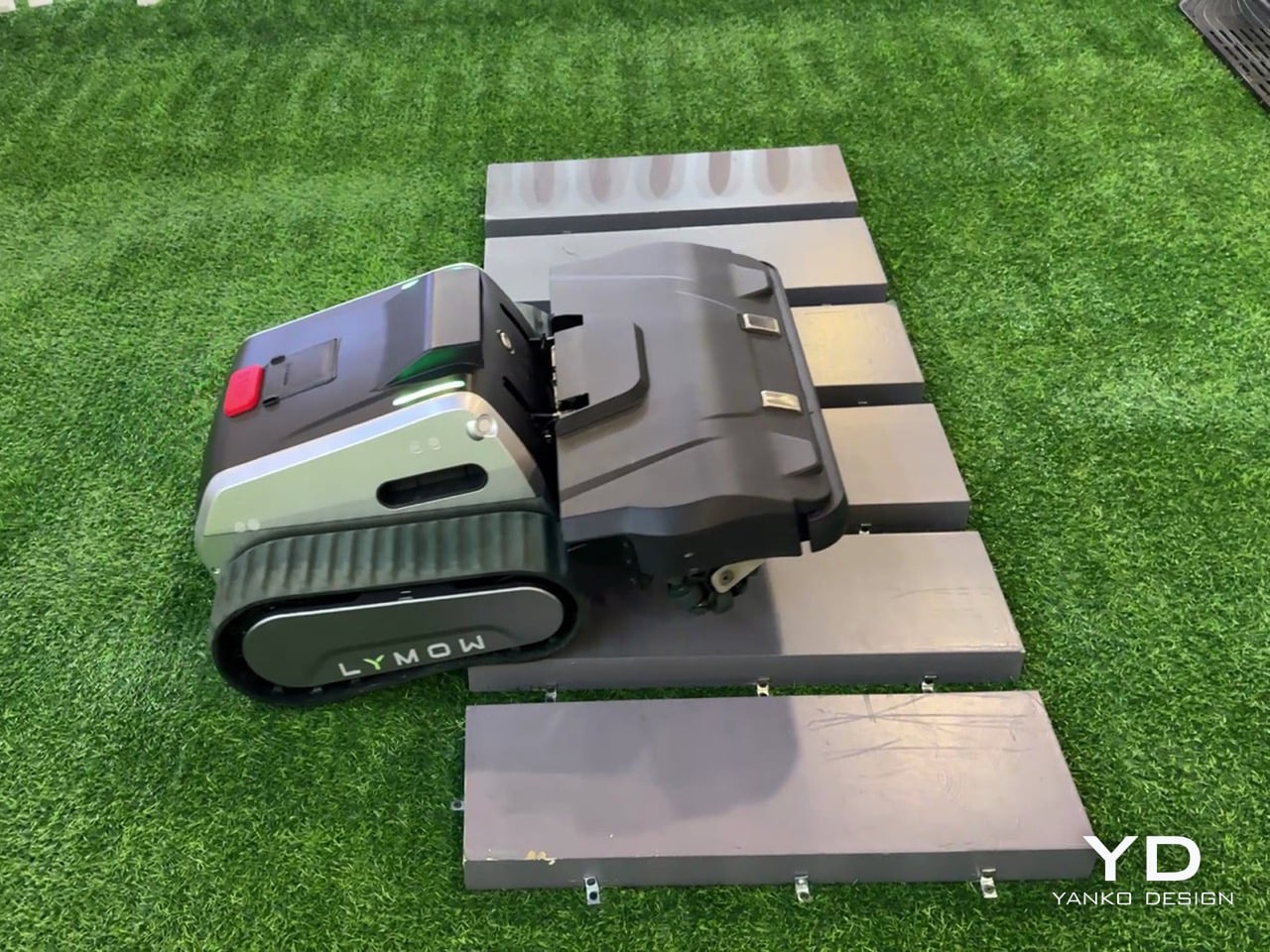
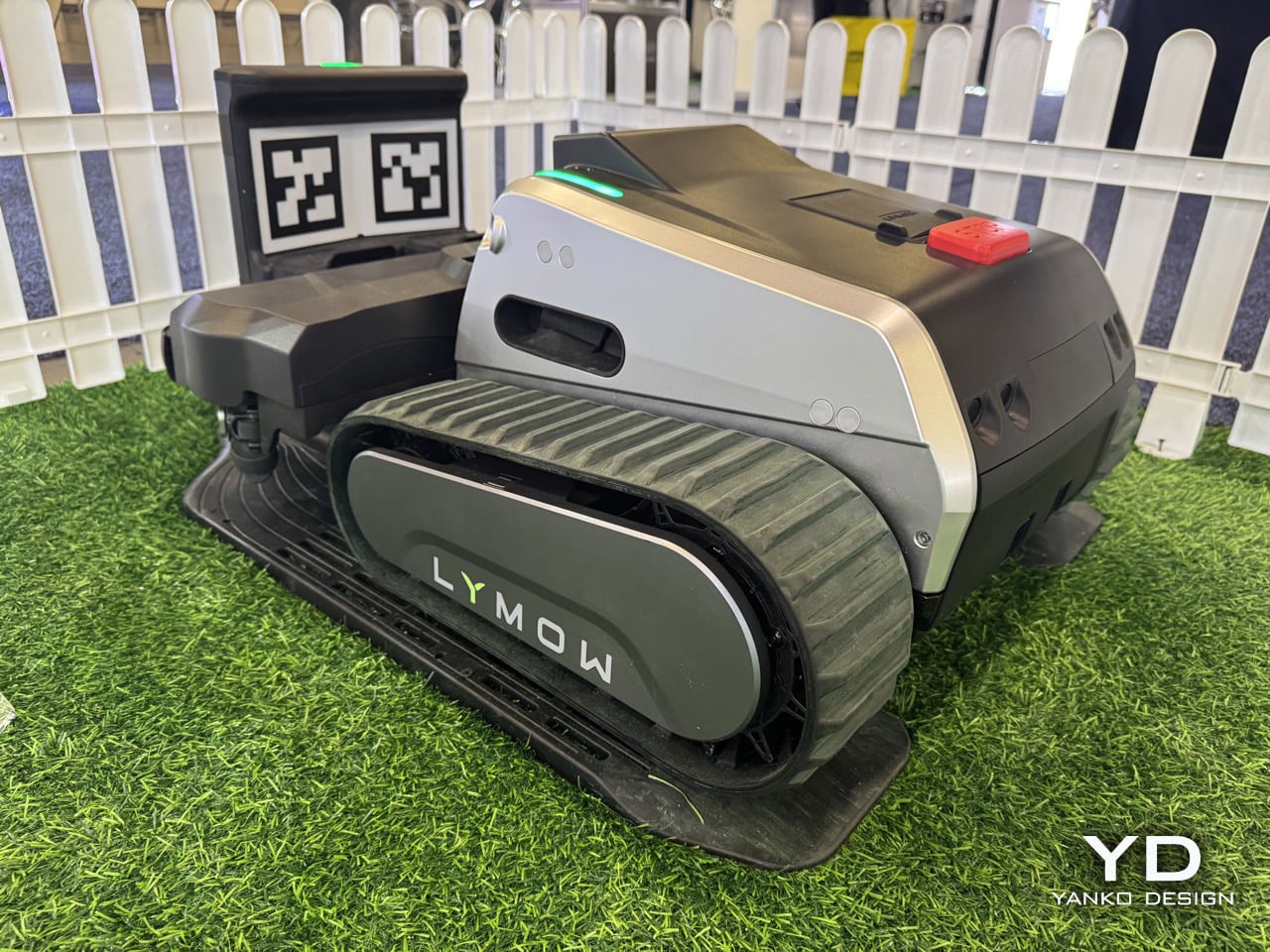
Robotic lawn mowers don’t fail because they lack autonomy – they fail because owners stop trusting them. Missed patches, unexpected downtime, edge-case breakdowns: these are the reasons robotic mowing still hasn’t fully replaced traditional mowers on large and complex lawns. Lymow One Plus addresses that trust gap head-on. An evolution of Lymow’s tank-tread, boundary-free mower that has already attracted attention for its rotary mulching blades and steep‑slope capability. The new model builds on its predecessor with targeted hardware and software enhancements, including sharper SK5 blades, an improved airflow system, and advanced AI algorithms. For homeowners with demanding lawns, that means more confidence that the mower will get the job done right.

On the CES floor in Las Vegas, Yanko Design’s Radhika Seth sat down with Lymow co‑founder Charles Li to unpack what “replacement‑grade” actually means. Across the conversation, a few themes kept surfacing: ruthless user‑centric research, a willingness to admit and fix first‑generation flaws, and an almost stubborn insistence on “appropriate technology” over spec‑sheet theater. Lymow One Plus is the hardware expression of those values.
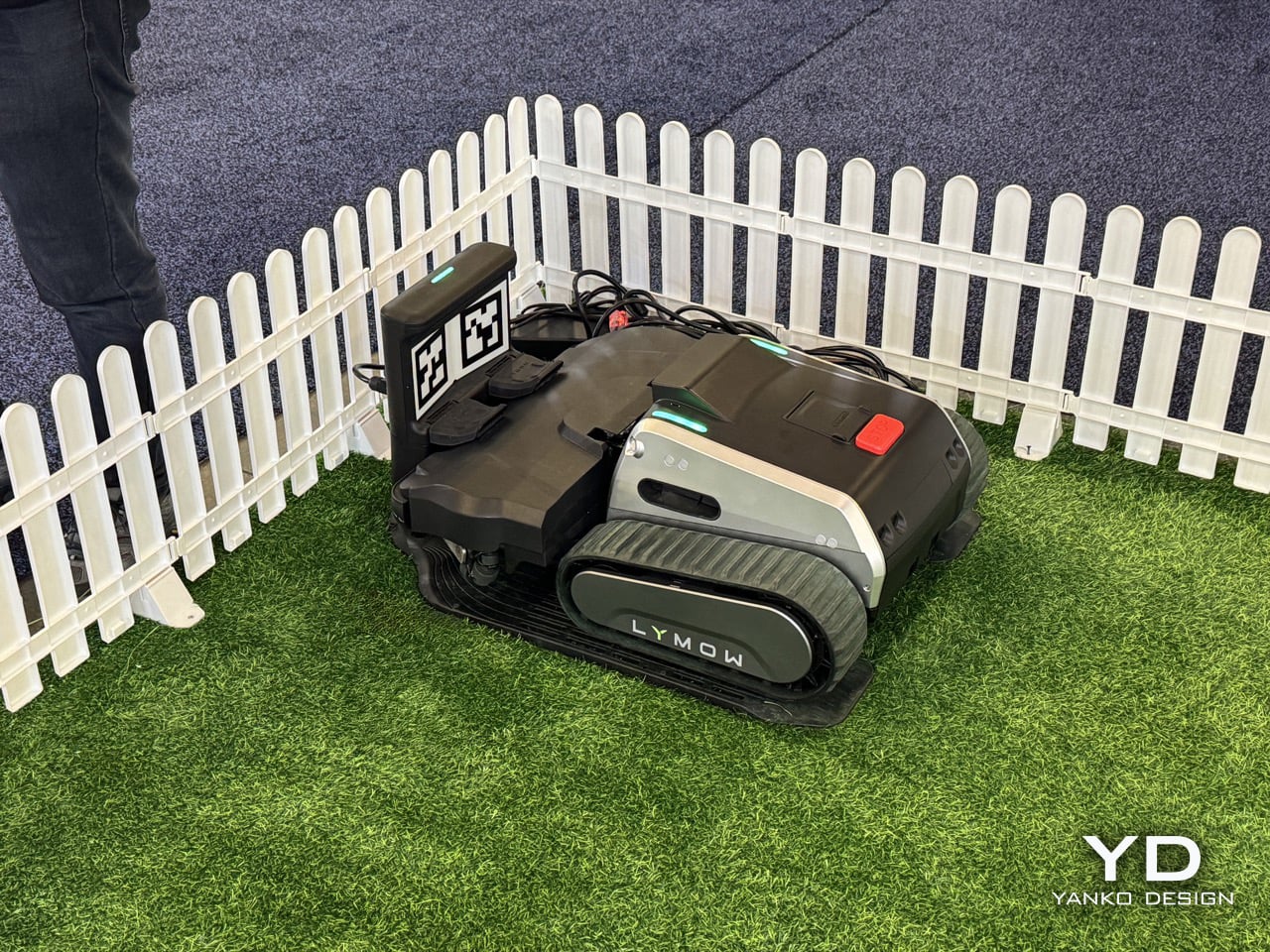
From Lymow One to One Plus, a mower built to actually solve North American yards

Charles describes Lymow One Plus as nothing less than a ground‑up evolution of the original product. “Lymow One Plus is a comprehensive upgrade of Lymow One,” he says. “It delivers a fundamental step up in cutting performance, stability, and long‑term reliability, while becoming noticeably smarter in complex, real‑world yard conditions.”

The target is very specific. Lymow One Plus is “a mower built to genuinely solve problems for large and complex lawns in North America, and increasingly, globally.” Instead of chasing flashy AI tricks, the team went back to first principles. “We didn’t design it to showcase flashy intelligence. Instead, we went back to the first principles and asked a very simple question. What does the user ultimately care about? The answer is very straightforward. Cut the grass short, and well, consistently, without hassle.”

That framing also ties into timing. Robotic mower penetration in North America is still under 5 percent as of 2025, and Charles is blunt that “no one is really successful in the robotic lawn market in the US” yet. The team sees 2026 as a genuine inflection point and wants Lymow One Plus positioned as the product that makes skeptical homeowners comfortable crossing the chasm.
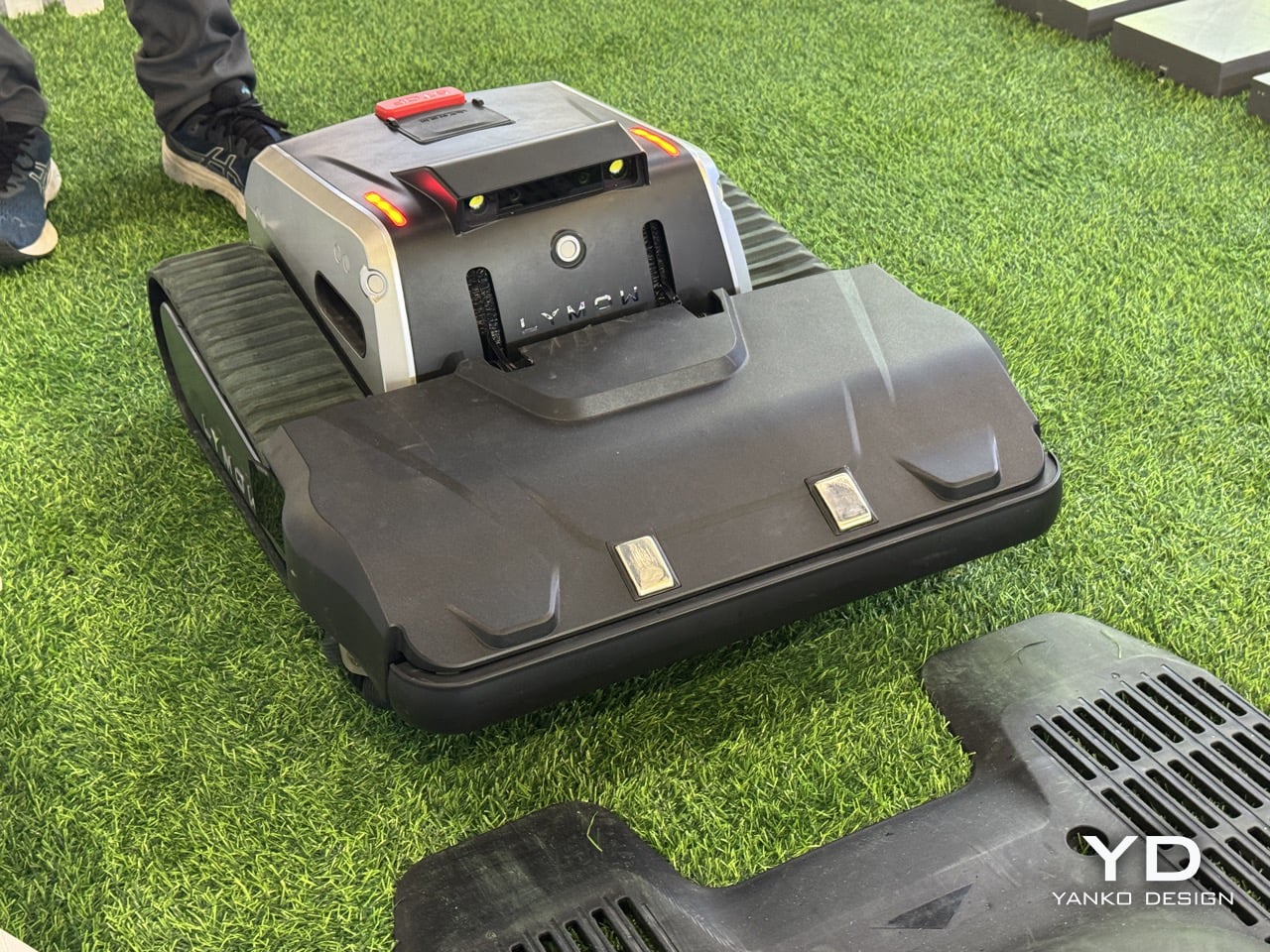
Road‑tripping for R&D, and why a startup can ship what big brands will not

Charles makes it clear that Lymow One Plus is not the result of a whiteboard exercise. He talks at length about the legwork behind the company’s user research. “We’ve traveled through the U.S. I have visited more than 10 states. I’ve spoken to more than 30 families, three hours each one,” Charles explains. “You touch the grass through your own hands. You listen to the users from the deep, from your heart.”

That qualitative research is layered on top of a fairly serious engineering pedigree. “We do have very good accumulation in R&D,” Charles says. “Hardware level, mechanical design. Software level, we do have our accumulation, our autonomous algorithm. Our software team, most of our software team are from autonomous driving industry.” This is the same toolkit used to keep cars between lane markings, now repurposed to keep a mower reliably on task in a yard with patchy GPS and changing light.

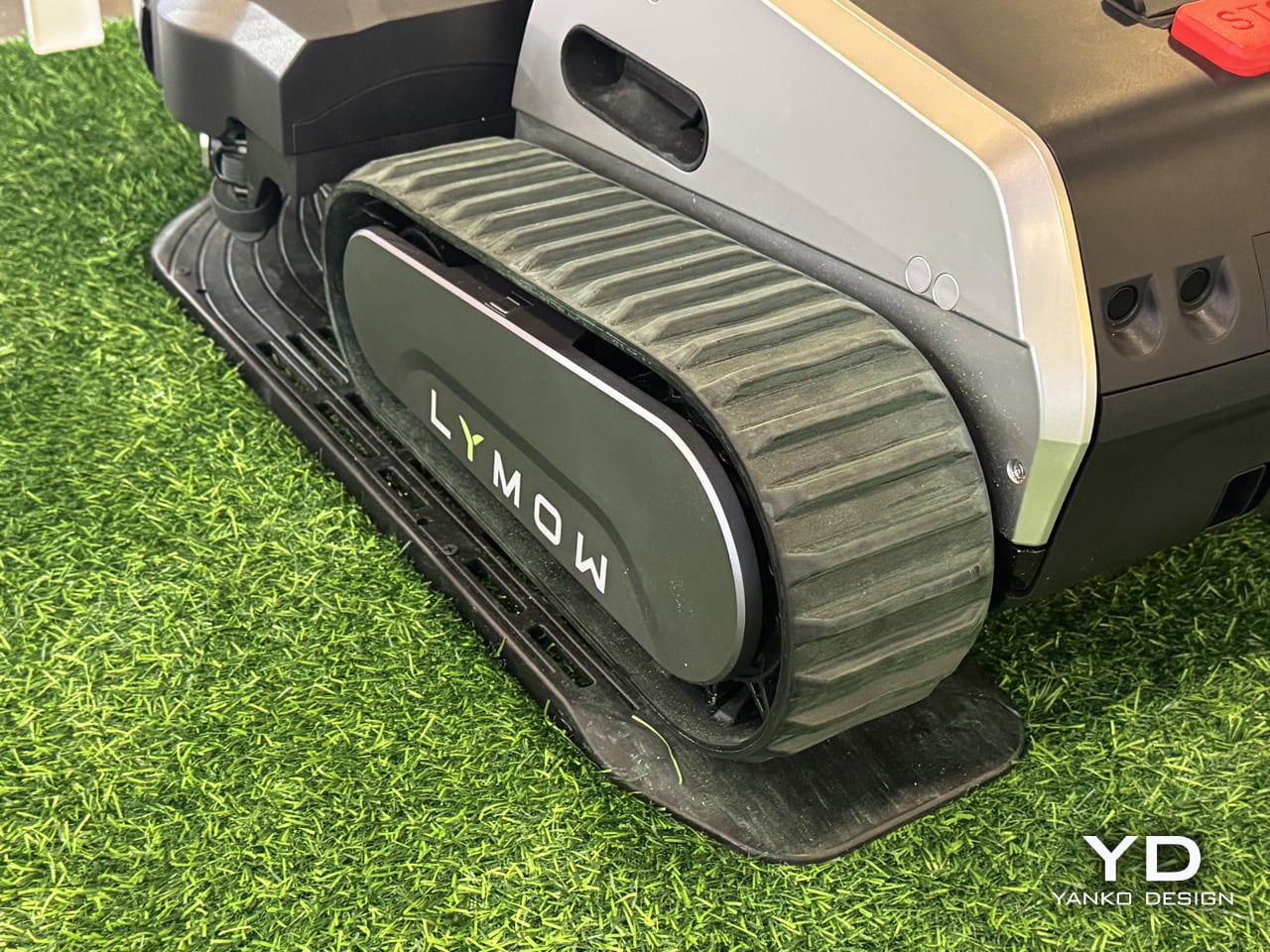
There is also a cultural angle: Lymow is deliberately leaning into what a startup can do that a large appliance company often cannot. Charles contrasts their top‑down product decisions with the risk‑averse committees he remembers from his big‑company days, where “the quality manager is going to say, hey, you don’t have reference data” and after‑sales teams push back on anything too unconventional. For Lymow One Plus, that freedom shows up in choices like a front‑mounted mulching deck and tracked treads that would be harder to push through a conservative roadmap.
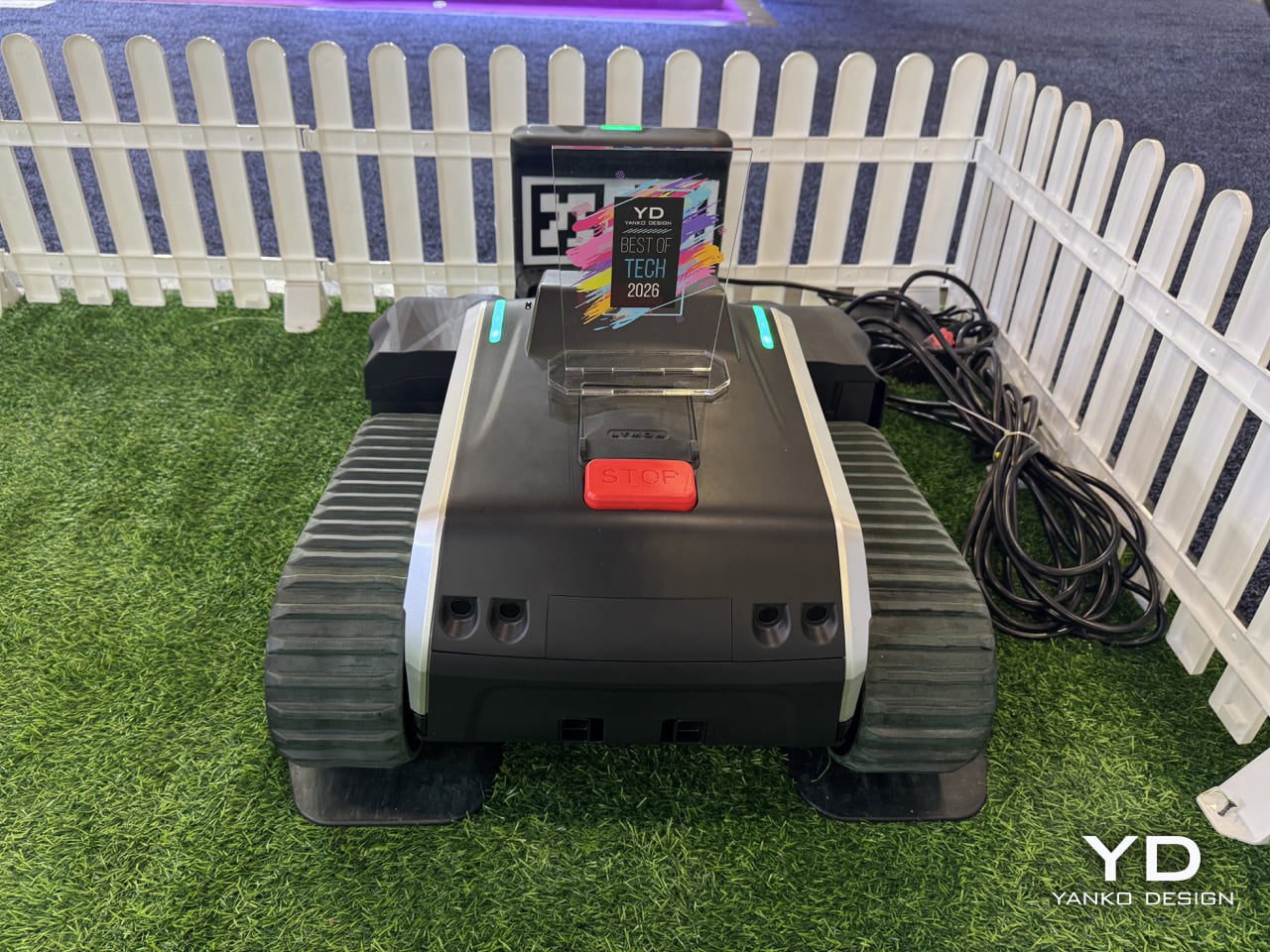
“Appropriate technology,” not tech for tech’s sake

When asked about Lymow’s long‑term vision, Charles does not talk about AI, RTK, or connectivity first. He talks about time. “Our core vision has always been using the best, or let’s say the most appropriate technology to give people their time back, to make them truly hands‑free,” he says. “Not to show off those fancy technology, but to understand what users need. We tend to say the most appropriate technology, rather than the best technology.”

That philosophy also reframes the yard itself. “A yard should be an extension of the home,” Charles notes in the same breath. If the home has already been transformed by robot vacuums and smart locks, Lymow wants the yard to feel similarly invisible in terms of maintenance, without forcing homeowners to become part‑time robotics engineers.

Specs are treated as a means to that end, not the end itself. Near the close of the interview, Charles relays something “from the bottom of our founder’s heart”: “Specs can tell you what a product is capable of, but they rarely explain how it feels to live with it… What truly earns trust is solving real problems in a pragmatic way, paying attention to small details, and delivering a level of reliability users can depend on day after day.” For Lymow One Plus, he says, “many of its most important [things] don’t stand out on a spec sheet, but users will feel them in how consistently the model works, how little friction it adds to daily life, and how thoughtfully it handles edge cases.”
Redefining “all‑terrain” around real backyards, not demo slopes

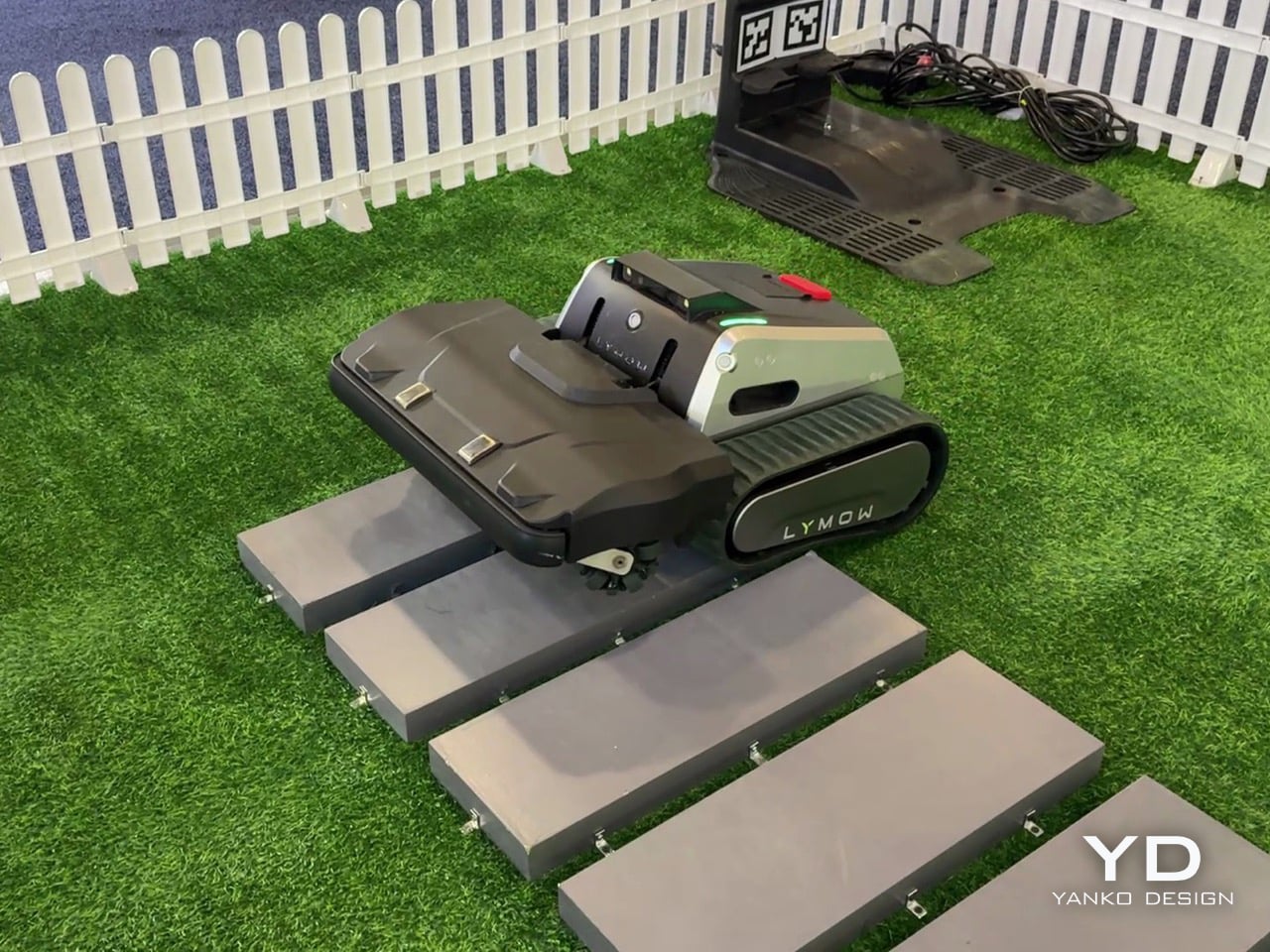
“All‑terrain” has become a throwaway phrase in outdoor robotics marketing. Charles is visibly wary of that. “Marketing is kind of tricky,” he says with a laugh. “A lot of manufacturers or lots of brands tend to use those, how can I put it, extreme words. Yeah, I can do everything. People use that in marketing words. ‘All terrain’ is a very strong word. It means a lot. It actually means a lot.”

For Lymow, redefining it started again with fieldwork. North American yards, they found, are not just about inclines. They are about unpredictability. Open lawns with exposed tree roots, mole and rabbit holes, swings, trampolines, and informal forest edges became the true baseline, not edge cases. “In North America, these aren’t edge cases, but they are the baseline. So they became the scenarios we absolutely refused to fail at,” Charles says.

Grass type is another non‑negotiable benchmark. The team evaluated more than a dozen common cool‑ and warm‑season grasses, including thick, tough varieties that will quickly expose underpowered blades. That research directly informed Lymow’s rotary mulching blade system, which is designed to maintain cut quality across that diversity, not just on manicured test plots.
Fixing wet‑mowing failures and rebuilding the cutting system from the inside out

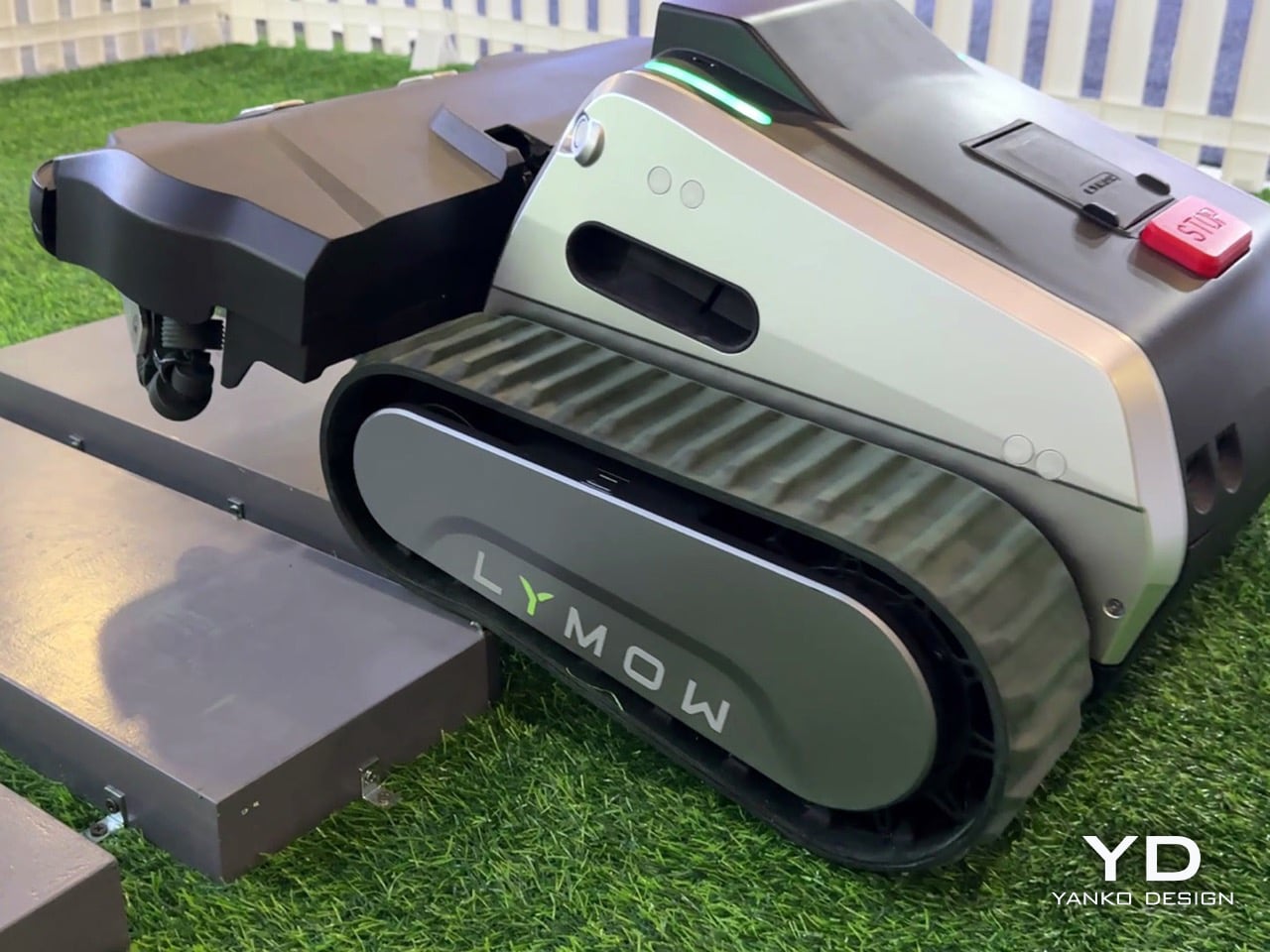
One of the most candid portions of the interview comes when Radhika asks what feedback from Lymow One directly shaped Lymow One Plus. Charles does not sugarcoat it. “One of the issues reported was our hub reliability during wet mowing conditions,” he admits. “In our first generation, the grass clippings could accumulate and eventually kind of damage the hub motor. We’re honest for this.” The response came in two stages. First, interim fixes and even unit swaps for affected early adopters. “For the people that are suffering this issue, we already swapped some new Lymow One units for them,” Charles notes. Mandy adds that it only affected a small number of users, but was taken seriously precisely because they did not want it to happen to anyone.

For Lymow One Plus, the team went much further. “We added dedicated debris shields to significantly reduce grass clippings and introduced scraping guards to prevent the clippings from getting trapped. And also we increased our motor strength by more than two times. Altogether, this changes fundamentally, entirely resolve these issues rather than masking it.” Underneath, the cutting system itself has been re‑architected. The cutting chamber volume has been expanded by roughly 50 percent, creating the airflow headroom needed for more aggressive mulching. Peak cutting power is up by about 50 percent as well, paired with SK5 industrial‑grade blade steel and redesigned geometry that generates a cyclone‑like airflow to lift grass before cutting. “When the blade is rotating, the grass will lift up, so you’re going to have a clean, even cut,” Charles explains.

Side discharge has also been rethought. Instead of leaving visible windrows, the Lymow One Plus deck is tuned to blow clippings out in a more even pattern. “We just kind of blow the grass clipping to make sure it’s not in the line… so in this case it’s healthier for your lawn,” Charles says. “You don’t have grass clippings in the line, but you have, like, an average… so that’s healthy.” Functionally, all of that shows up in three scenarios the team calls out as major improvement areas: wet and rainy mowing, heavy growth (long grass and dense weeds), and leaf‑heavy autumn yards. With the new airflow and power, Lymow One Plus can now lift and mulch thick vegetation that previously needed more favorable conditions or manual intervention, and it shreds fallen leaves more effectively so homeowners can “have a relaxed autumn.”
Why Lymow thinks Lymow One Plus can lead the category, not just join it

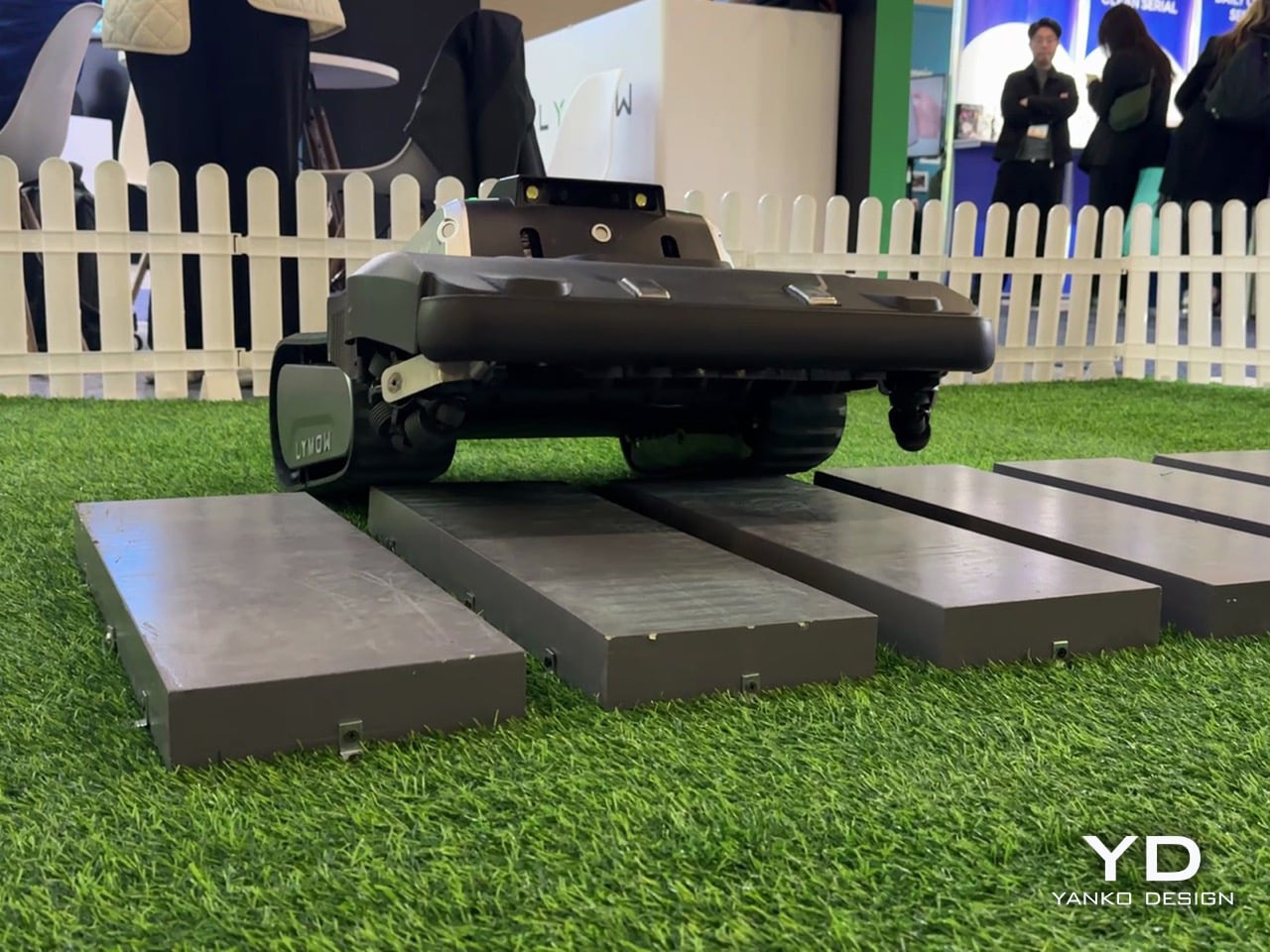
Asked to deliver a 30‑second elevator pitch against premium competitors, Charles narrows it down to three claims. “We’re the first one using rotary blades, multi‑rotary blades, the best cutting capability. And we’re the first one who can support the slope of 45 degrees, 100 percent, so let’s say the best climbing capability. And we mow up to 1.73 acres per day in our testing environment. So that’s an industry‑leading cutting efficiency.”

Those are bold numbers, but he quickly pivots back to something less easily quantified: trust. Lymow is not especially interested in feature‑by‑feature comparison charts. “We don’t spend much time positioning ourselves feature by feature against premium competitors,” he says. “What Lymow does is understanding user needs and systematically improving real user experience. So for us, more importantly, it’s the market education. It’s a heavy job, honestly, it’s a heavy job.”

That combination of specs and stance might be what makes Lymow One Plus interesting in a sea of CES robots. On paper, it is a tracked, rotary‑blade mower that climbs 45‑degree slopes, handles over an acre and a half per day, and navigates without boundary wires. In conversation, it is a case study in how a young hardware brand can own its mistakes, obsess over edge cases, and still talk about something as unsexy as “low friction daily life” with conviction.

If CES 2025 was Lymow’s coming‑out party for the original One, CES in Las Vegas now feels like the moment the company starts arguing not just that robot mowers can replace traditional ones, but that they should be held to the same standard of reliability and cut quality. Lymow One Plus is the company’s attempt to prove that out, one tricky backyard at a time.

The post Rotary blades, tank treads, cyclone airflow: Lymow One Plus robot mower bets everything on cut quality first appeared on Yanko Design.
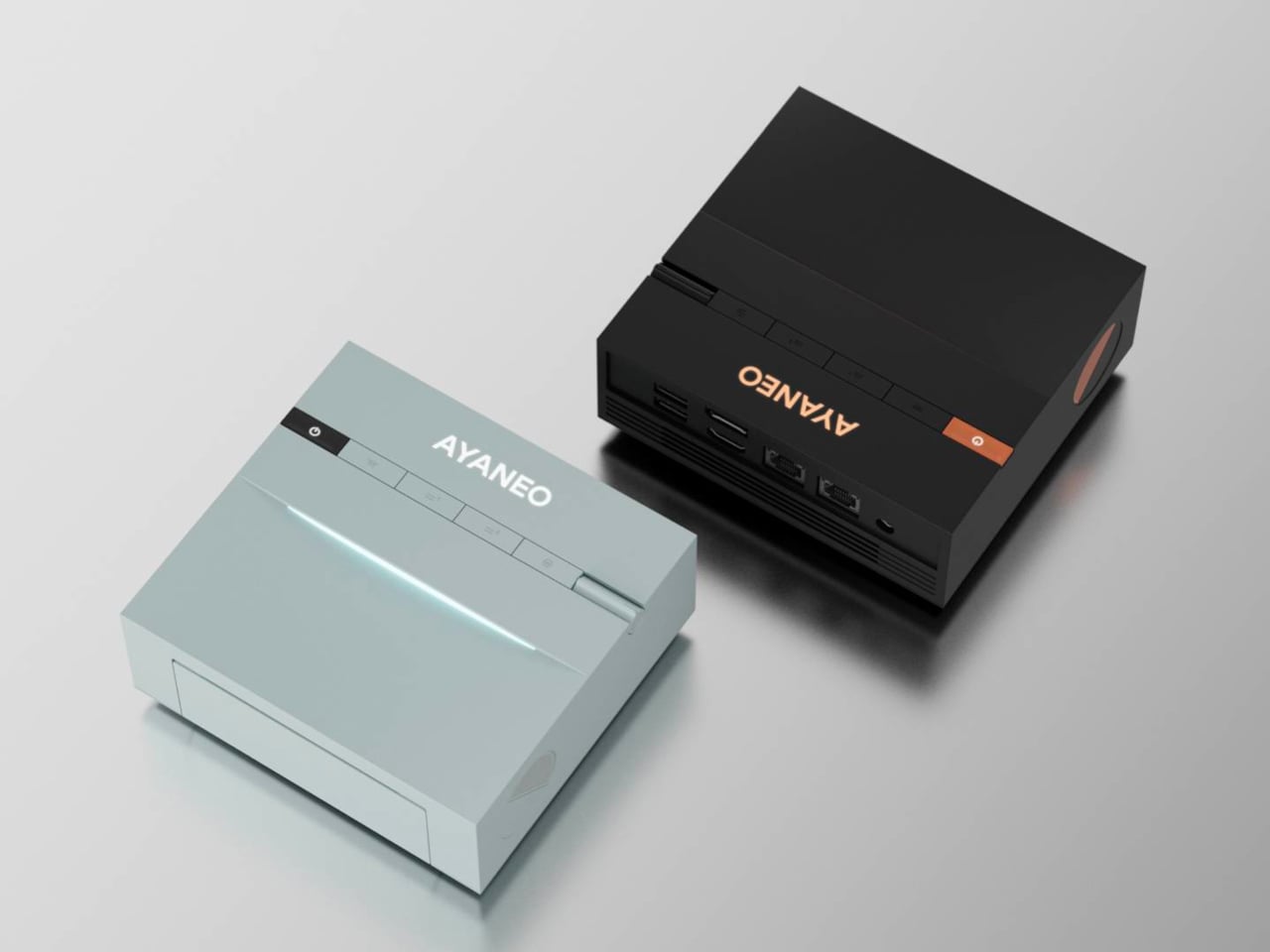
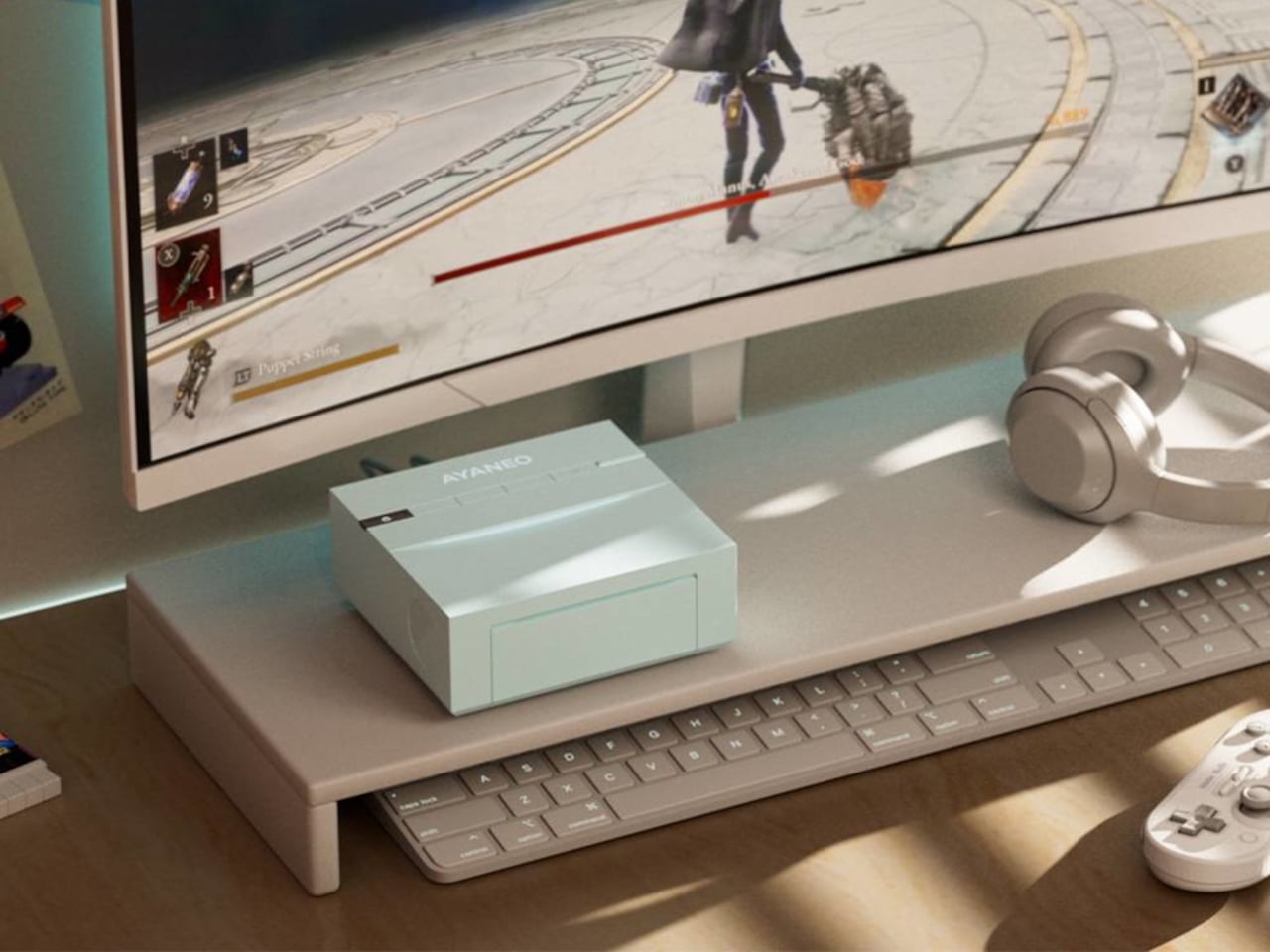
AYANEO AM03 Is Designed to Display on Your Desk, Not Hide

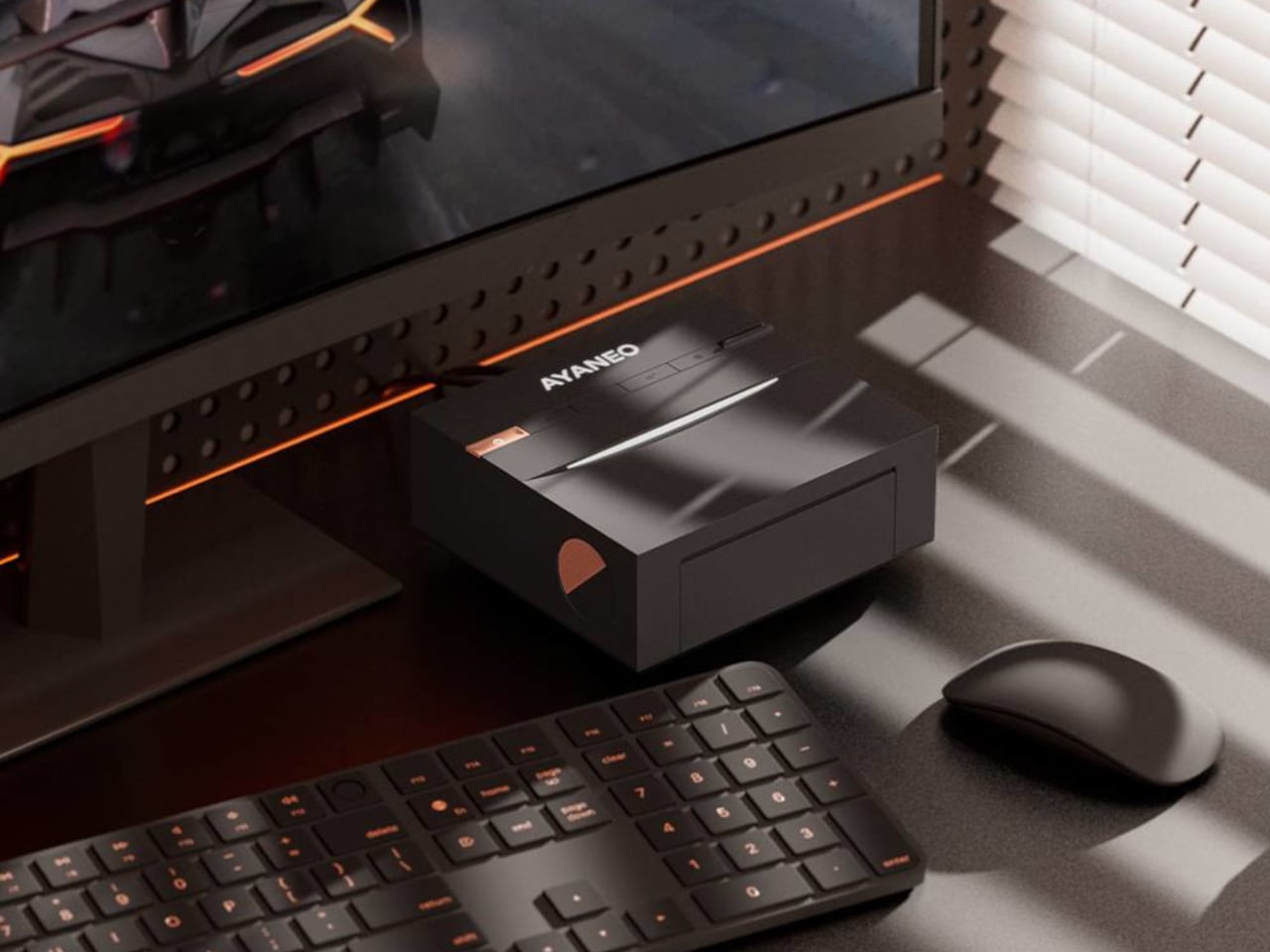
Most mini-PCs are treated like necessary clutter, small black rectangles taped to the back of a monitor or shoved behind a stack of books. That makes sense if you only care about ports and benchmarks, but it feels at odds with the attention people now give to desk setups, where everything else on the surface is chosen to be seen, from the keyboard to the mousepad to the plant in the corner.

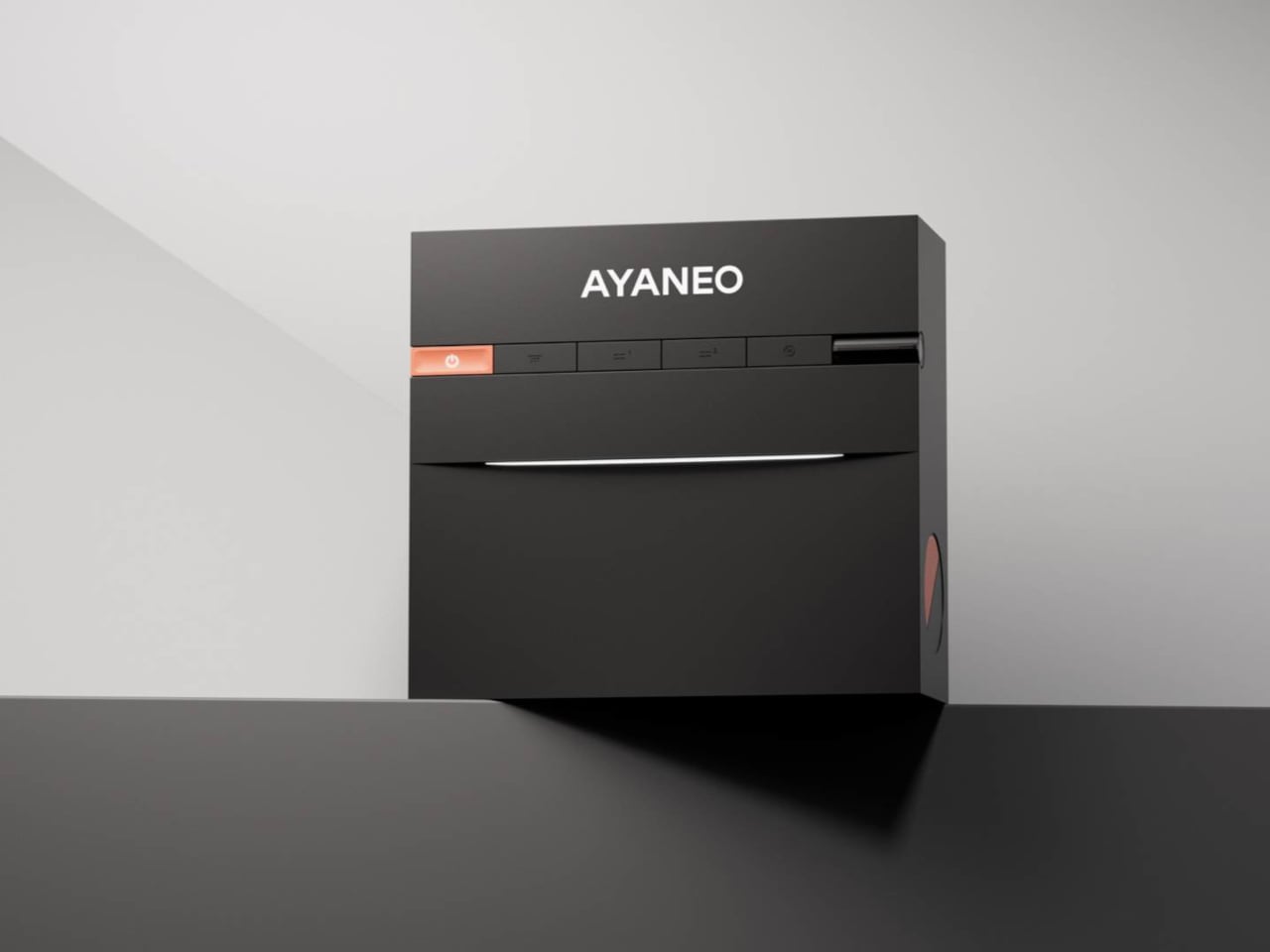
The AYANEO Mini PC AM03 is a machine that is not trying to hide. It is pitched as a desktop setup essential and entertainment powerhouse, blending a retro-inspired shell with an Intel Core i9-12900H and AYASpace 3.0. The idea is that it should be both the performance core and the visual anchor of a desk, not just another anonymous box tucked under it or behind cables.

Designer: AYANEO

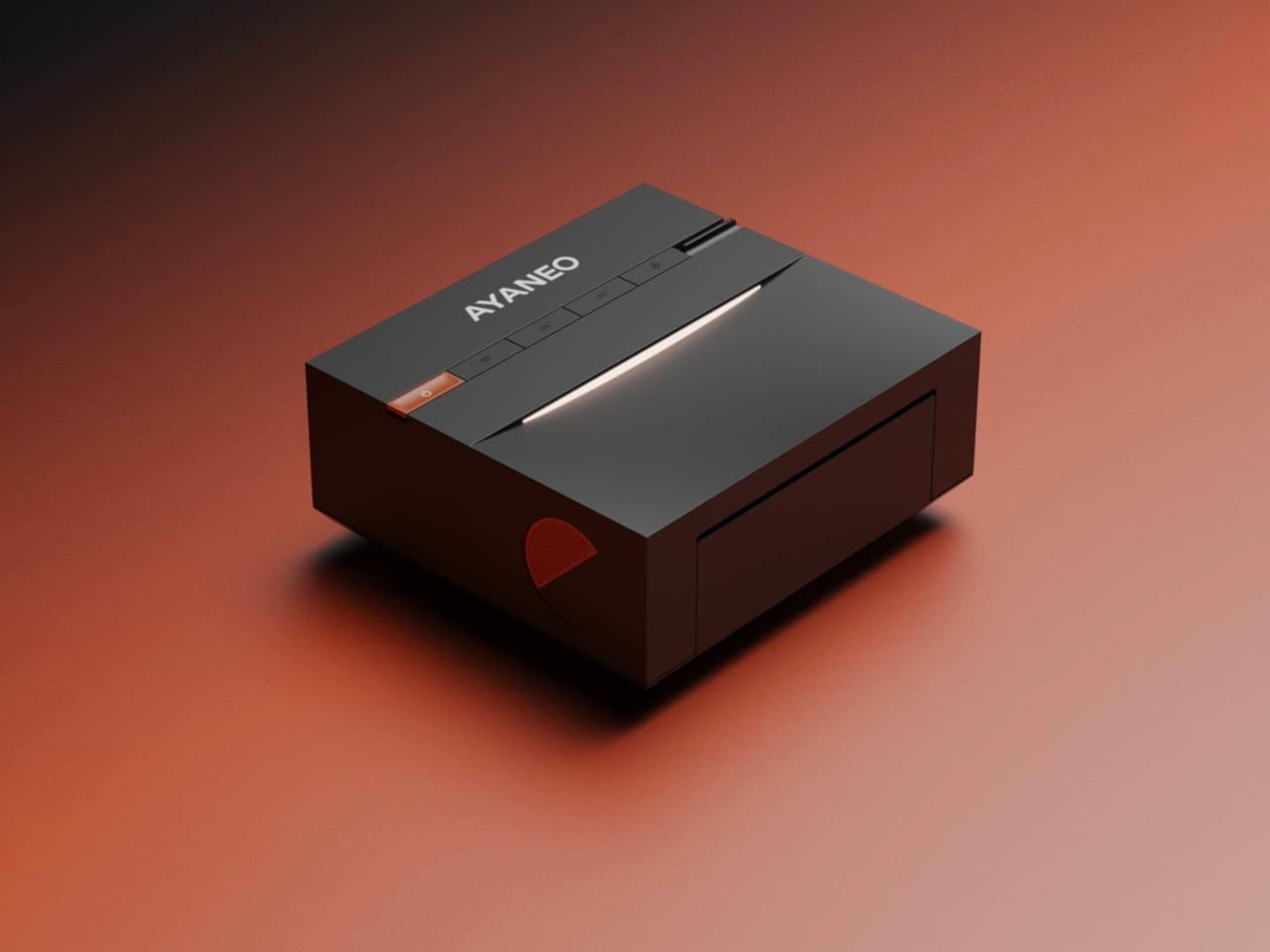
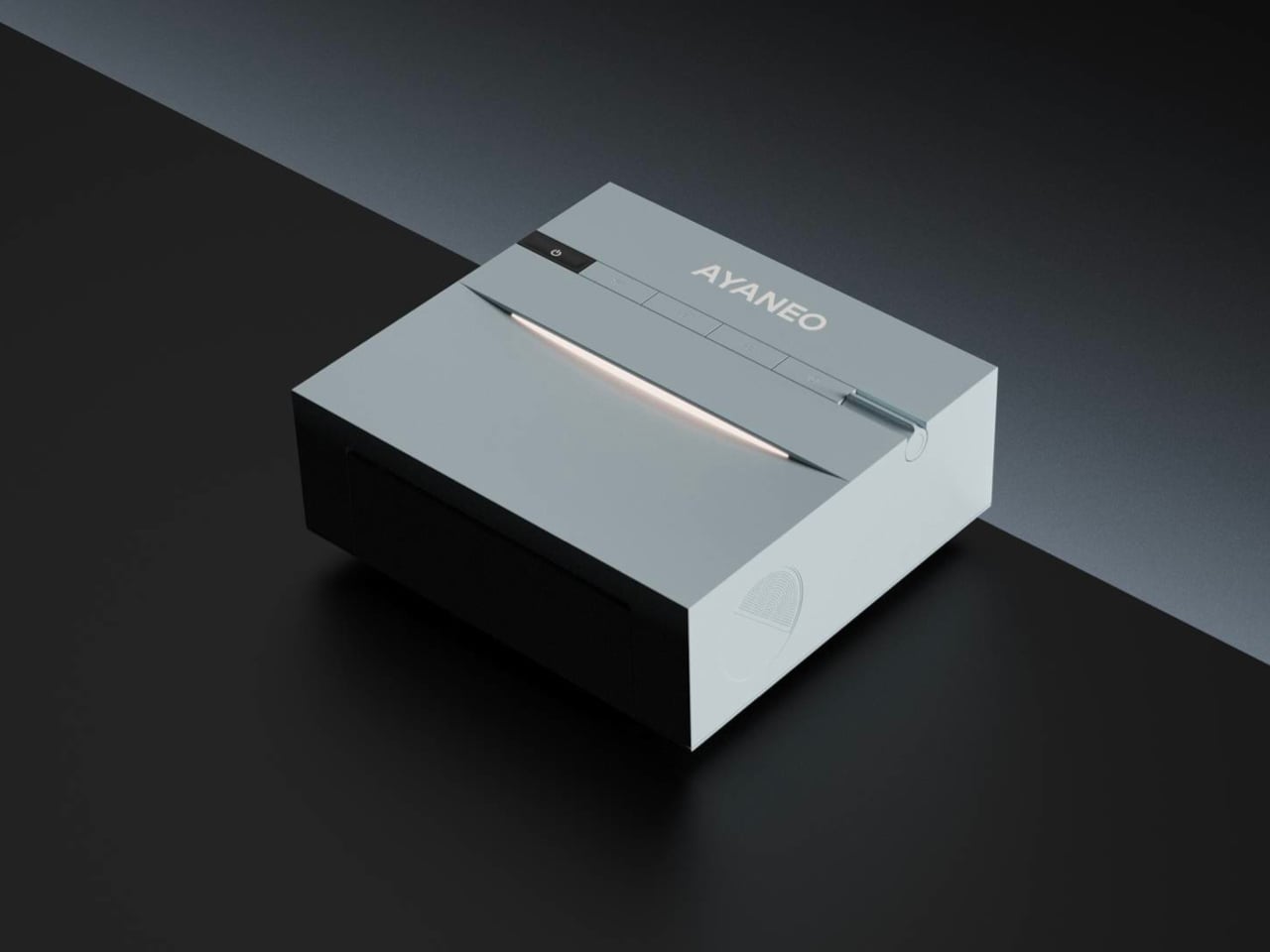
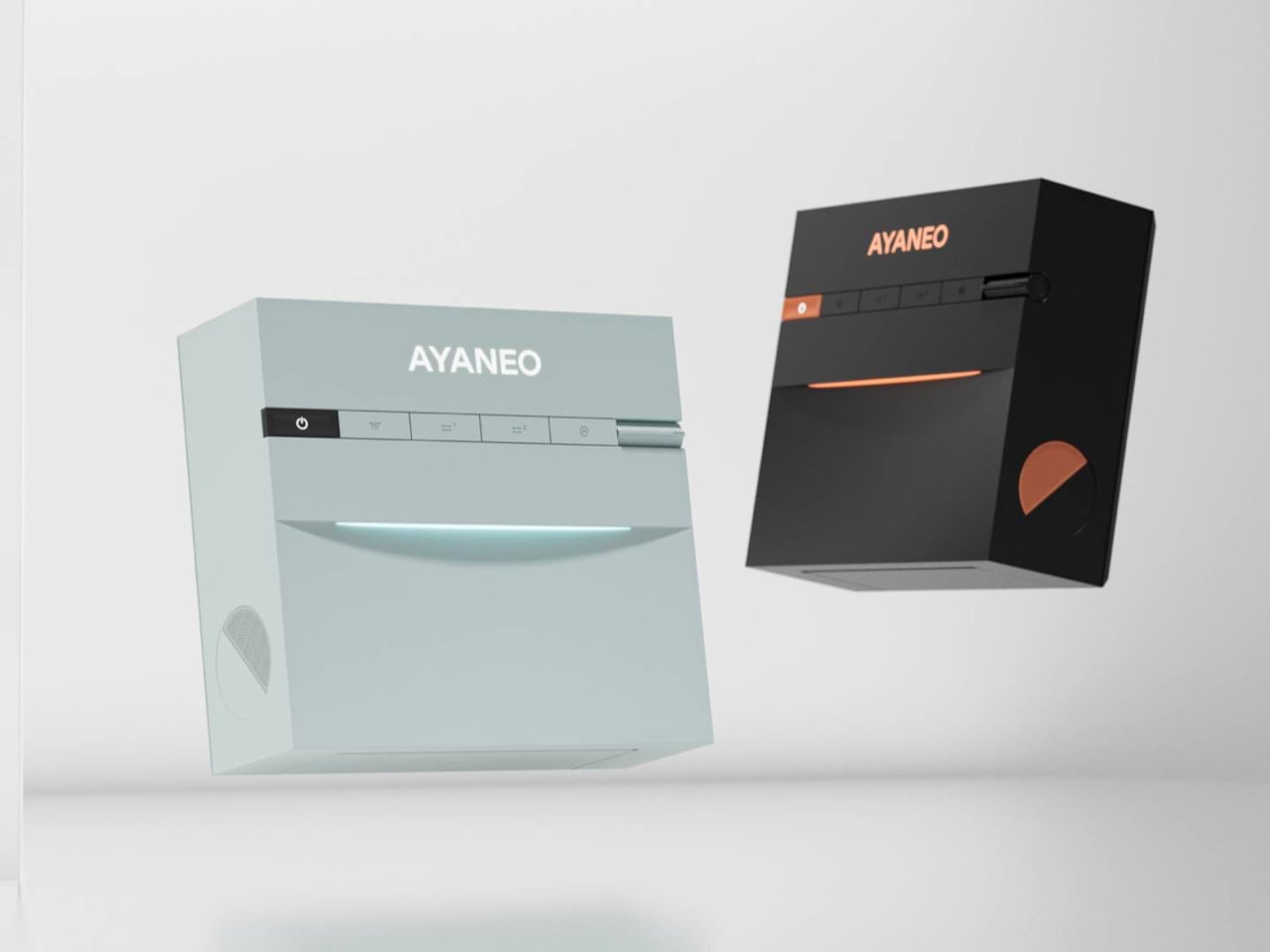
AYANEO has a habit of treating hardware as design objects, and the AM03 continues that with smooth contours, refined finishes, and two colorways, Sky Blue and Ink Black. One feels airy and bright, the other more serious and moody, both meant to sit comfortably next to a monitor, keyboard, and handhelds without looking like industrial equipment that wandered in from a server rack or a crowded electronics store shelf.

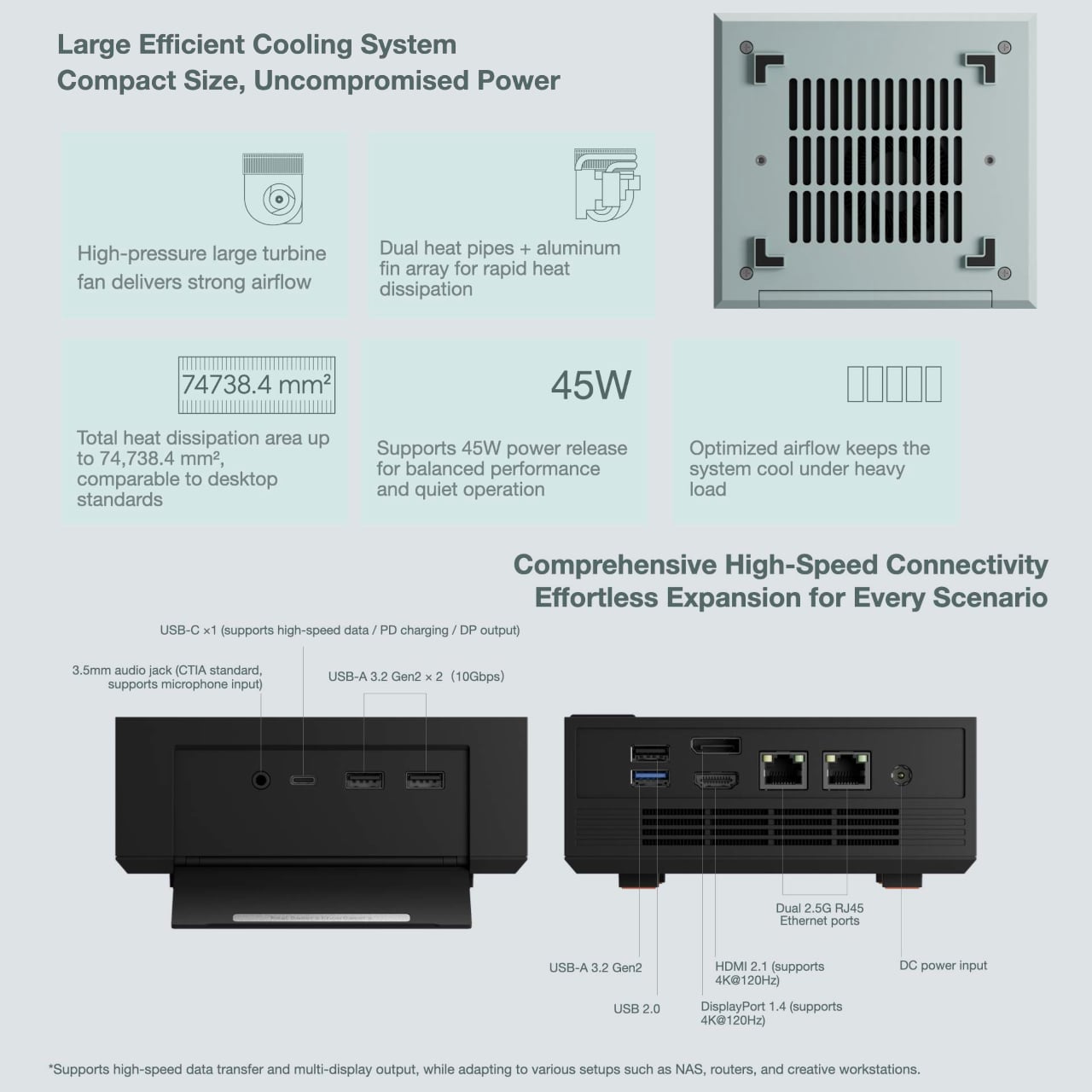
The foldable front panel keeps the face of the machine clean when closed and turns into a port bay when you flip it down. That means you can keep the front visually quiet most of the time, then reveal USB ports and other connectors when you need to plug in a drive, headset, or controller. It respects the difference between everyday viewing and occasional tinkering or heavy expansion.

Under the shell sits an Intel Core i9-12900H running at a 45 W TDP, which gives the AM03 laptop-class flagship performance in a compact body. Support for up to 64 GB of dual-channel memory and PCIe 4.0 SSDs makes it comfortable handling productivity, creative work, and gaming, especially when paired with an external GPU or cloud service for more demanding titles that need extra graphics horsepower.

The large cooling system keeps that 45W chip stable under load, so long renders or game sessions do not trigger throttling. Built-in stereo speakers handle office audio and light entertainment without separate desktop speakers, simplifying a setup for people who want fewer boxes and cables on the desk and more space for the things that actually earn their spot there, like a good lamp or a notebook.

AYASpace 3.0 is the software layer that makes the AM03 feel more like a console-grade device than a barebones PC. Users can switch performance modes, tweak TDP, organize game libraries, and monitor frame rates with FPS Thunder, all from a unified interface. It turns the box into something you tune and monitor as part of the desk experience, not just a Windows machine you forget about once it boots.

The AM03 tries to answer what gaming-grade hardware should look like when it lives in a living room or home office. By combining a fold-front design, Skyline Arc RGB, and serious silicon, it suggests that a mini-PC can be both a tool and a piece of desk art, something you keep in view because you like looking at it as much as you like what it can do.

The post AYANEO AM03 Is Designed to Display on Your Desk, Not Hide first appeared on Yanko Design.
This $18,000 Holographic Display Needs No Glasses to See 3D Videos

Do you remember that scene from Minority Report when Tom Cruise’s character was walking around and there were 3D hologram ads being served to him after scanning his eyeballs? You might think we’re decades away from this, but the technology is actually already being developed. Well, we still won’t get that kind of personalized marketing just yet, but the holographic structure of these displays may already be here sooner than we thought.

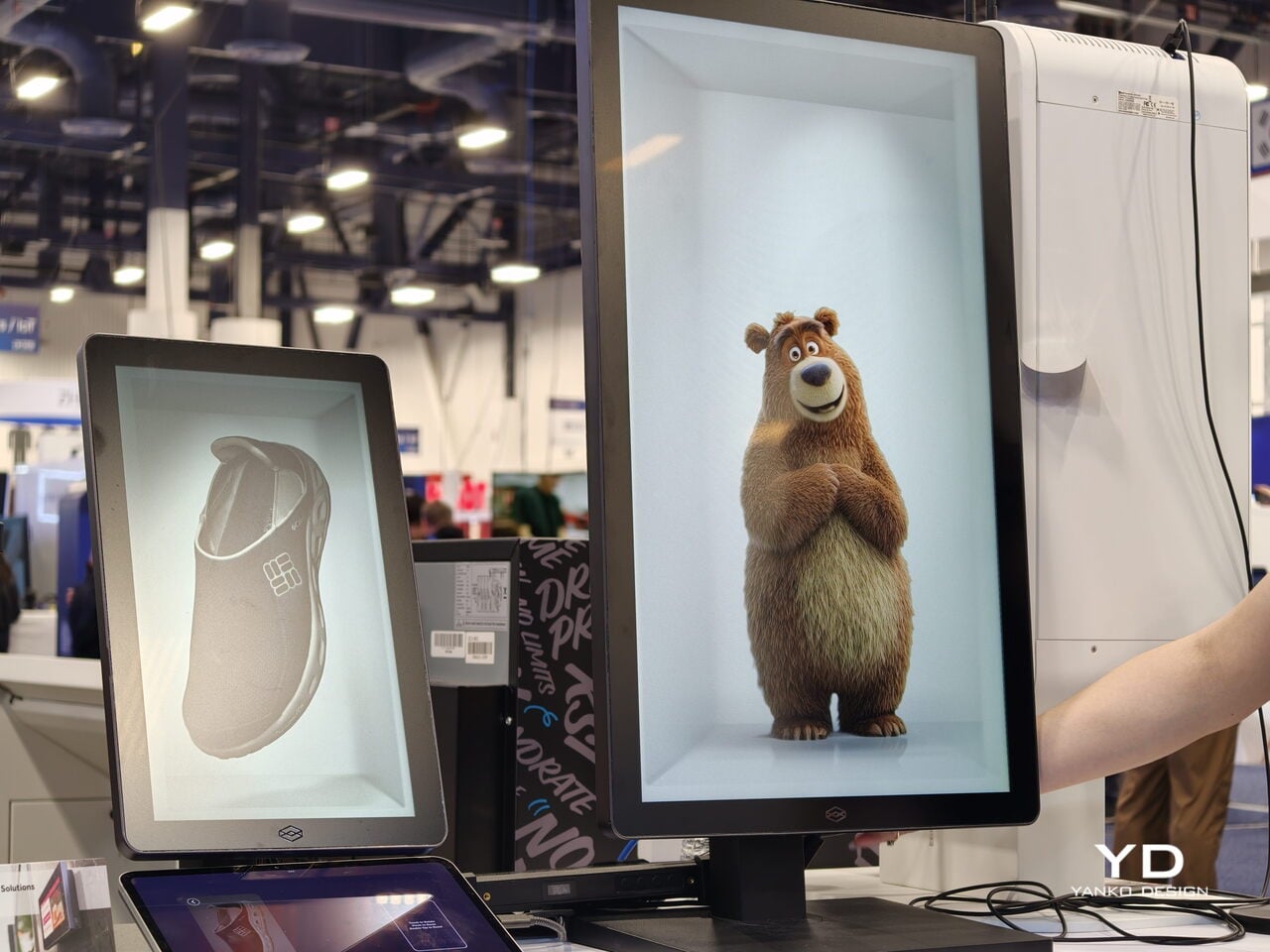
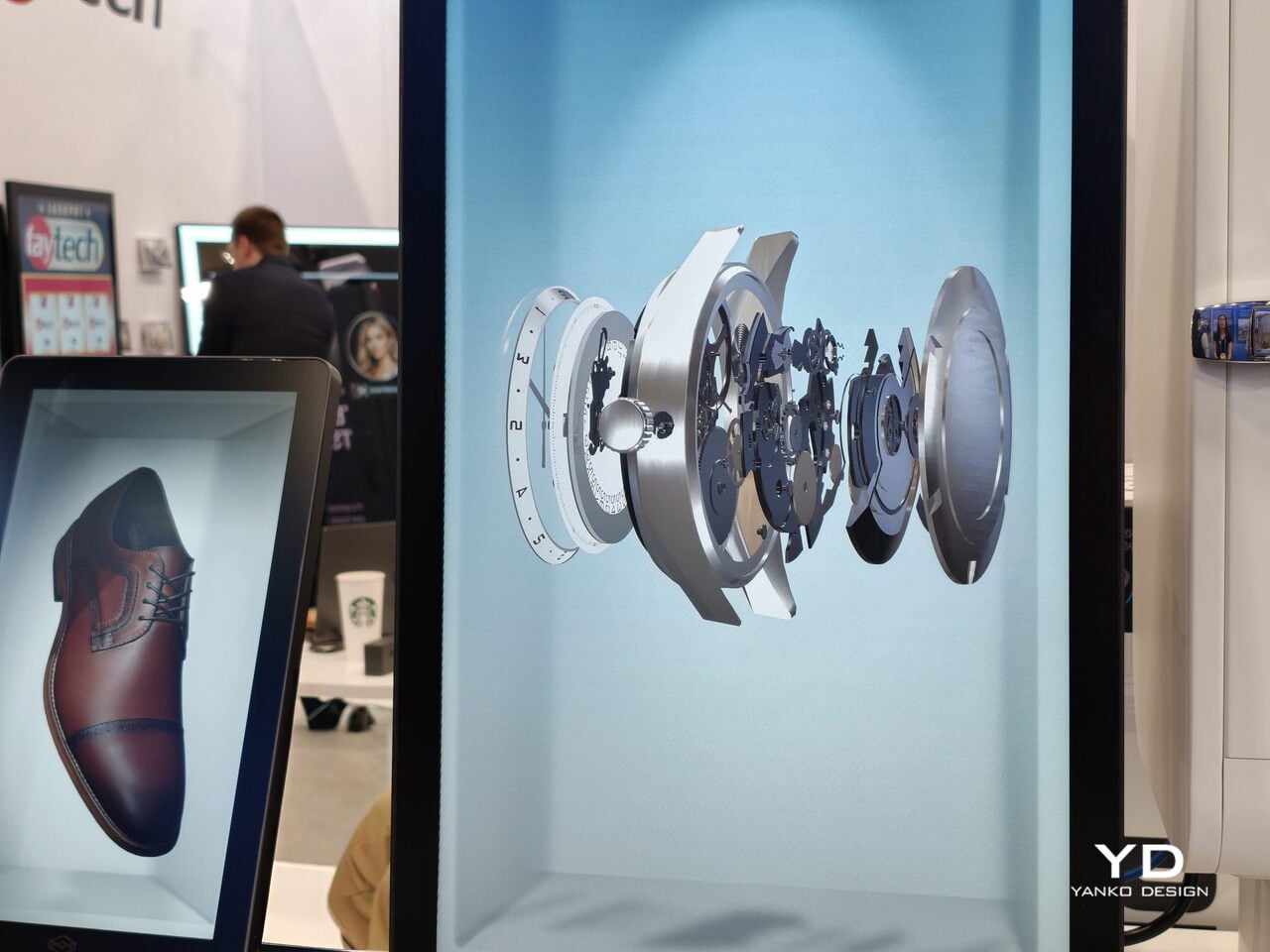
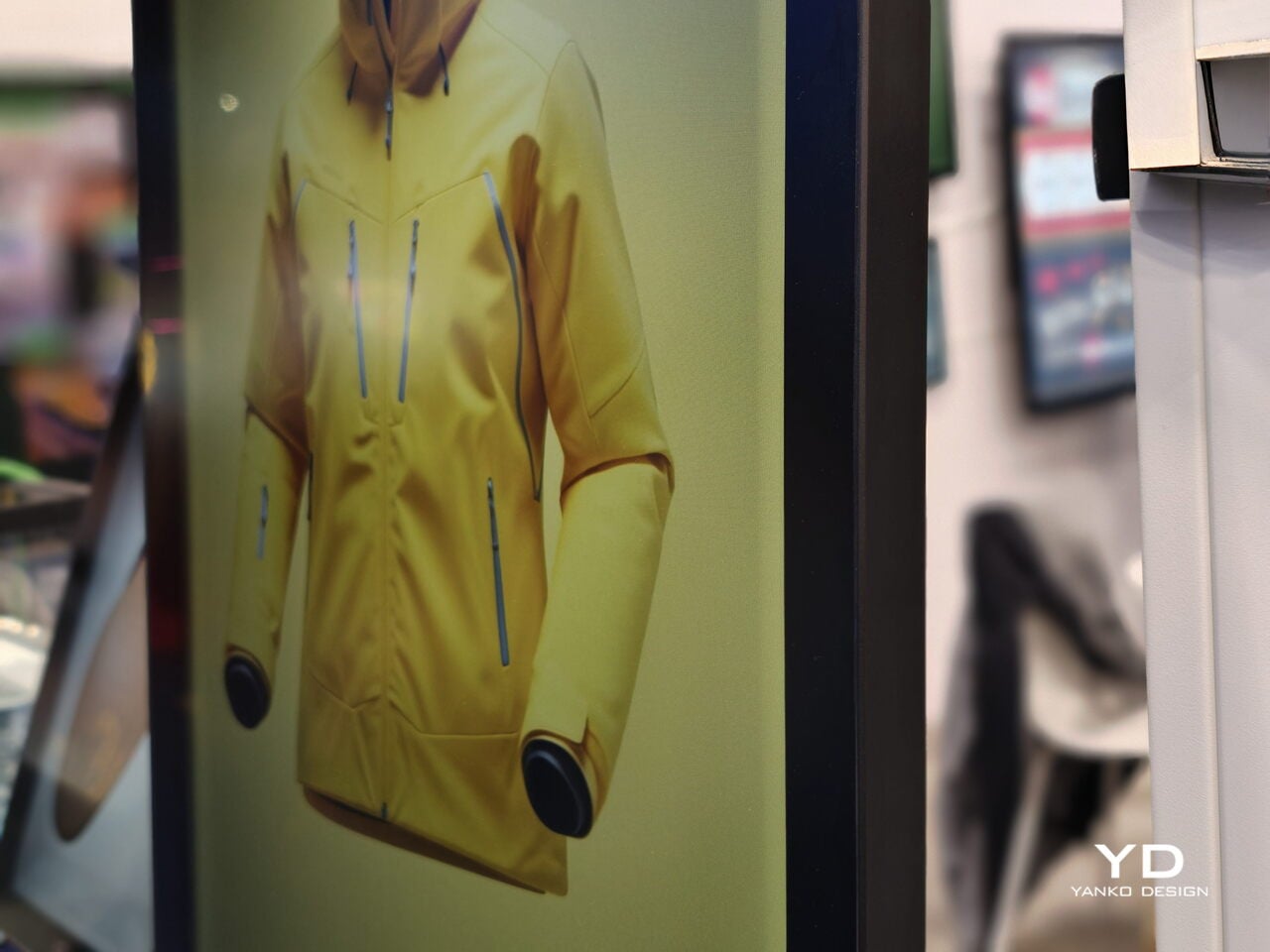
The Hololuminescent™ Display (HLD) is a revolutionary razor-thin holographic display that transforms standard 2D video content into three-dimensional, spatial experiences. Basically, it can display virtual space from your ordinary videos to make it seem like the people, products, and characters in them are floating in mid-air on the display screen. So those scenes from sci-fi movies with hologram videos in public spaces won’t be sci-fi anymore in the very near future.

Designer: Looking Glass

The HLD has a built-in holographic layer inside the LCD/OLED panels that creates what they call a “holographic volume.” There’s a 16″ model that is perfect for your desktop or counter, and there’s an 86″ model that can be used in retail stores, public installations, and as signage. It has an ultra-slim design, so you can display it anywhere you could put a regular 2D screen. It uses patented technology (with some patents still pending) for both the hardware and software, with worldwide protection.

Unlike some of the VR/AR devices out there, this one doesn’t need any glasses or additional devices. Viewers can experience these 3D holograms with just their naked eyes, making it completely accessible and barrier-free. What’s more, it can transform standard 2D videos into holographic displays, so you don’t need to pay for expensive 3D modeling or complex production pipelines. Of course, there may probably still be some expense involved in optimizing these videos, but it will likely not be as expensive as the usual methods.

There are many uses for this kind of device. For retail stores, it can be used to catch passersby’s attention without blocking sightlines. Imagine walking past a storefront and seeing a gorgeous piece of jewelry or a designer handbag floating in the air, rotating to show every exquisite detail. Point-of-sale displays can also now be more dynamic if you have this holographic display, potentially increasing customer engagement and dwell time.

For collectors, this opens up fascinating possibilities. Imagine showcasing your most prized collectibles, whether it’s limited edition art, rare figurines, or vintage fashion pieces, in holographic format. You could create a digital gallery that brings your collection to life in ways traditional display cases never could. The technology could revolutionize how we preserve and share precious memories too, transforming video messages from loved ones into immersive, lifelike experiences.

This display is also incredibly useful for remote presentations, brand experiences, and entertainment venues. Since it works under normal lighting conditions (no dark rooms required), it’s also perfect for outdoor public spaces like bus shelters, museum installations, and trade show booths.

The 86″ model is currently priced at $18,000 (down from $20,000) and is set to ship in Spring 2026. While that might seem steep for individual consumers right now, early adoption by businesses and institutions will likely drive innovation and eventually make smaller, more affordable versions available for home use.

What’s truly exciting is that we’re witnessing the birth of an entirely new display category. The Hololuminescent™ Display bridges the gap between our current flat-screen world and the immersive future we’ve only seen in movies. As the technology matures and becomes more accessible, we might soon find ourselves surrounded by holographic displays in our daily lives, from shopping malls to our living rooms. The future of visual communication is literally taking shape before our eyes, and it’s more tangible than we ever imagined.

The post This $18,000 Holographic Display Needs No Glasses to See 3D Videos first appeared on Yanko Design.

It’s time for Apple to reinstate ICEBlock

In October, Apple caved to pressure from the Trump administration and removed ICEBlock — and similar apps that crowdsourced the location of Immigrations and Customs Enforcement activity — from its App Store. Apple's stated rationale? The apps could "be used to harm law enforcement officers." But armed-to-the-teeth ICE officers don’t need protection from civilians. Apple had that exactly backward.

That became impossible to ignore on Wednesday, when ICE agent Jonathan Ross killed 37-year-old Renee Nicole Good in cold blood. By now, you don't need me to recount her brutal last moments. But the footage (graphic and disturbing as it is) is out there, and we can see the Trump administration's propaganda about the event for what it is.

ICE was a dangerous force long before this week. This was the agency’s ninth shooting since September. 32 people died in ICE custody in 2025. Around a third of those arrested by ICE agents — often masked and refusing to identify themselves — don’t even have criminal records.

What changed this week was, arguably, that the victim wasn’t a brown-skinned person. ICE claimed the life of a white American citizen, one who, according to her wife, was a kind, loving mom and a Christian. Unfortunately, the US has a dark history of shrugging off violence as long as it’s directed towards a marginalized group. That wasn’t possible for mainstream newsreaders here.

LOS ANGELES,  CA  - JANUARY 8, 2026  Dozens, holding photos of Renee Nicole Good, protest her death a day after an ICE agent killed Good in Minneapolis, in front of the Federal Building in downtown Los Angeles on January 8, 2026. The protest was organized by Clergy and Laity United for Economic Justice (CLUE). (Genaro Molina/Los Angeles Times via Getty Images)
LOS ANGELES, CA  - JANUARY 8, 2026 Dozens, holding photos of Renee Nicole Good, protest her death a day after an ICE agent killed Good in Minneapolis, in front of the Federal Building in downtown Los Angeles on January 8, 2026. (Genaro Molina/Los Angeles Times via Getty Images)
Genaro Molina via Getty Images

On Thursday, Vice President JD Vance smeared Good baselessly, insisting the mother was part of a "left-wing network." He also claimed ICE holds "absolute immunity" when it comes to doing things like killing Americans in broad daylight. Meanwhile, White House press secretary Karoline Leavitt framed the deadly incident as the "result of a larger, sinister left-wing movement that has spread across our country." And the FBI has blocked Minnesota's criminal investigation bureau from accessing evidence to complete a thorough examination of the homicide.

In short, an agency with the full backing of the federal government killed an innocent citizen. And while there are tools to inform the public about the likely locations that agency may be acting in, Apple has chosen to keep them from us.

Apple has a history of presenting itself as a safer, socially progressive alternative within Big Tech. Its keynotes are replete with heartfelt testimony about iPhone and Apple Watch features saving lives. It releases Pride-themed accessories to celebrate the LGBTQ+ community, and the company has (so far) resisted government pressure to eliminate its DEI programs. Hell, its modern era was kicked off by the “Here’s to the crazy ones” TV ad, which intercut images of Dr. Martin Luther King Jr., John Lennon and Gandhi — explicitly cloaking its corporate image in civil disobedience and social justice.

A photo of Dr. Martin Luther King Jr. on Apple's homepage (2015)
Apple / The Internet Archive

But the company also wields that progressive image for selfish reasons, wrapping business priorities in the guise of conscientiousness. For example, when government regulations push for openness or interoperability, Apple warns of the security and privacy risks for its users. When Apple tightly controls where you can buy apps, it’s about keeping porn away from the kids. And Apple has decided that the theoretical safety of ICE officers is more valuable than the very real threat they pose to the communities they harass.

ICEBlock's availability on the App Store may not have changed the outcome of Wednesday's events. But it could resume its job as a community informer. It could make it easier to notify the public of where these masked thugs are congregating, perhaps even helping others avoid Good's fate.

Engadget has reached out to Apple for comment on reinstating ICEBlock; we’ll update if we receive a response.

This article originally appeared on Engadget at https://www.engadget.com/big-tech/its-time-for-apple-to-reinstate-iceblock-220802356.html?src=rss

Satechi Slim EX Wireless Series Has Replaceable Batteries, Not E-Waste

Most people no longer live on a single machine. A MacBook for creative work, a Windows desktop for heavier tasks, an iPad for meetings, and a phone for everything in between. The awkward dance of swapping keyboards, re-learning shortcuts, or tolerating cramped laptop layouts becomes daily routine, and most wireless sets still assume you are loyal to one OS and one device at a time, which feels increasingly out of step with how people actually work.

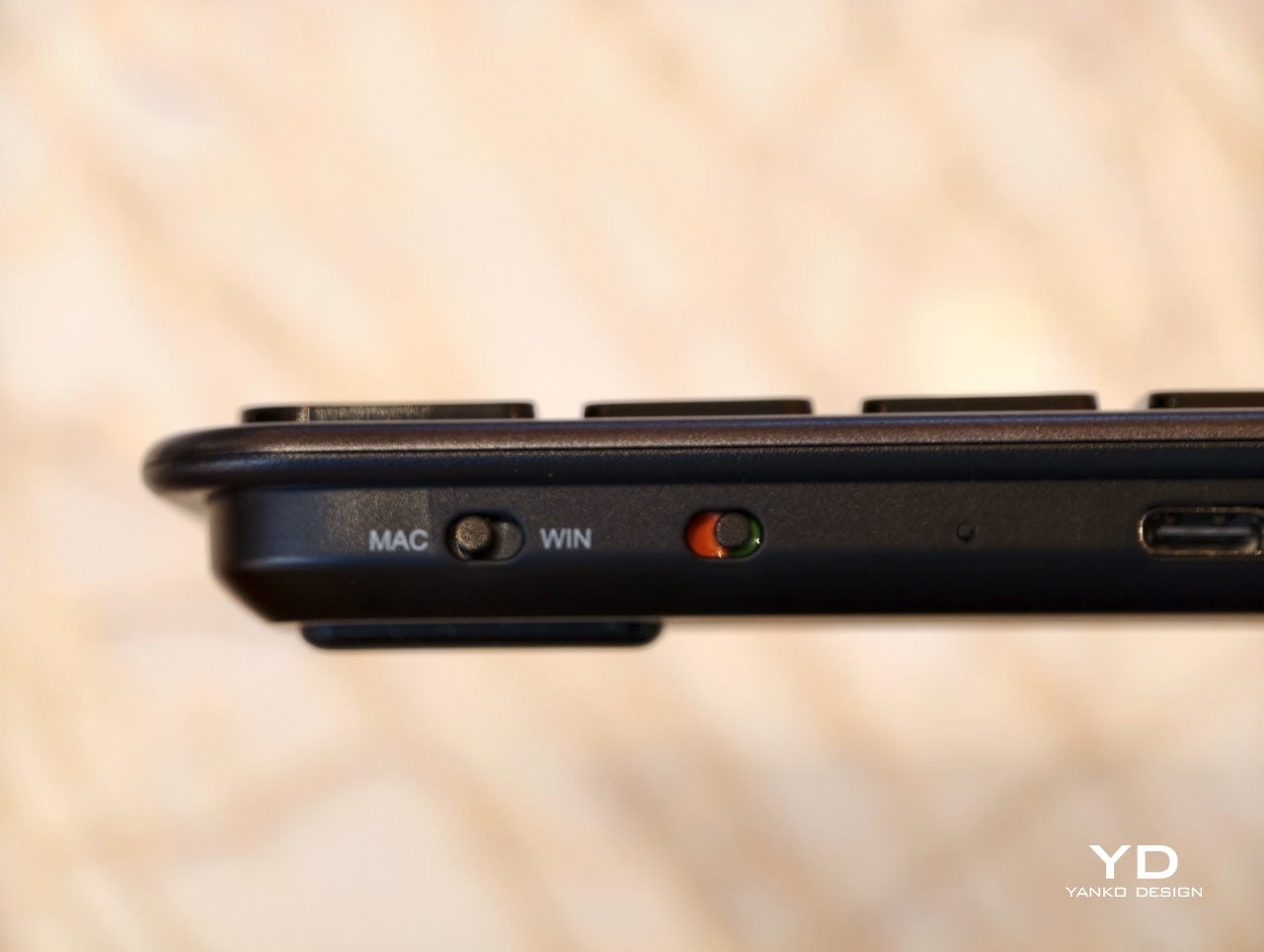
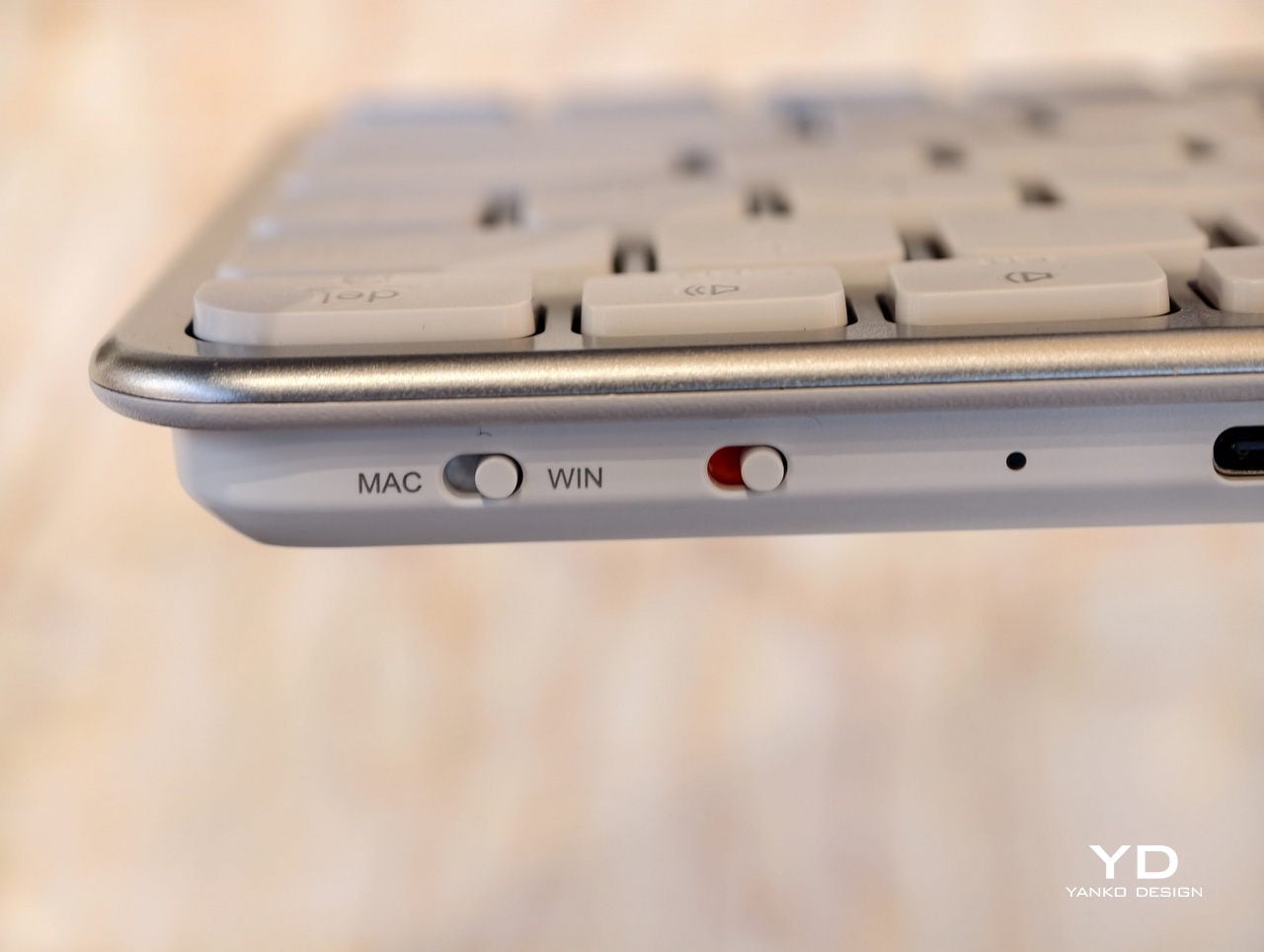
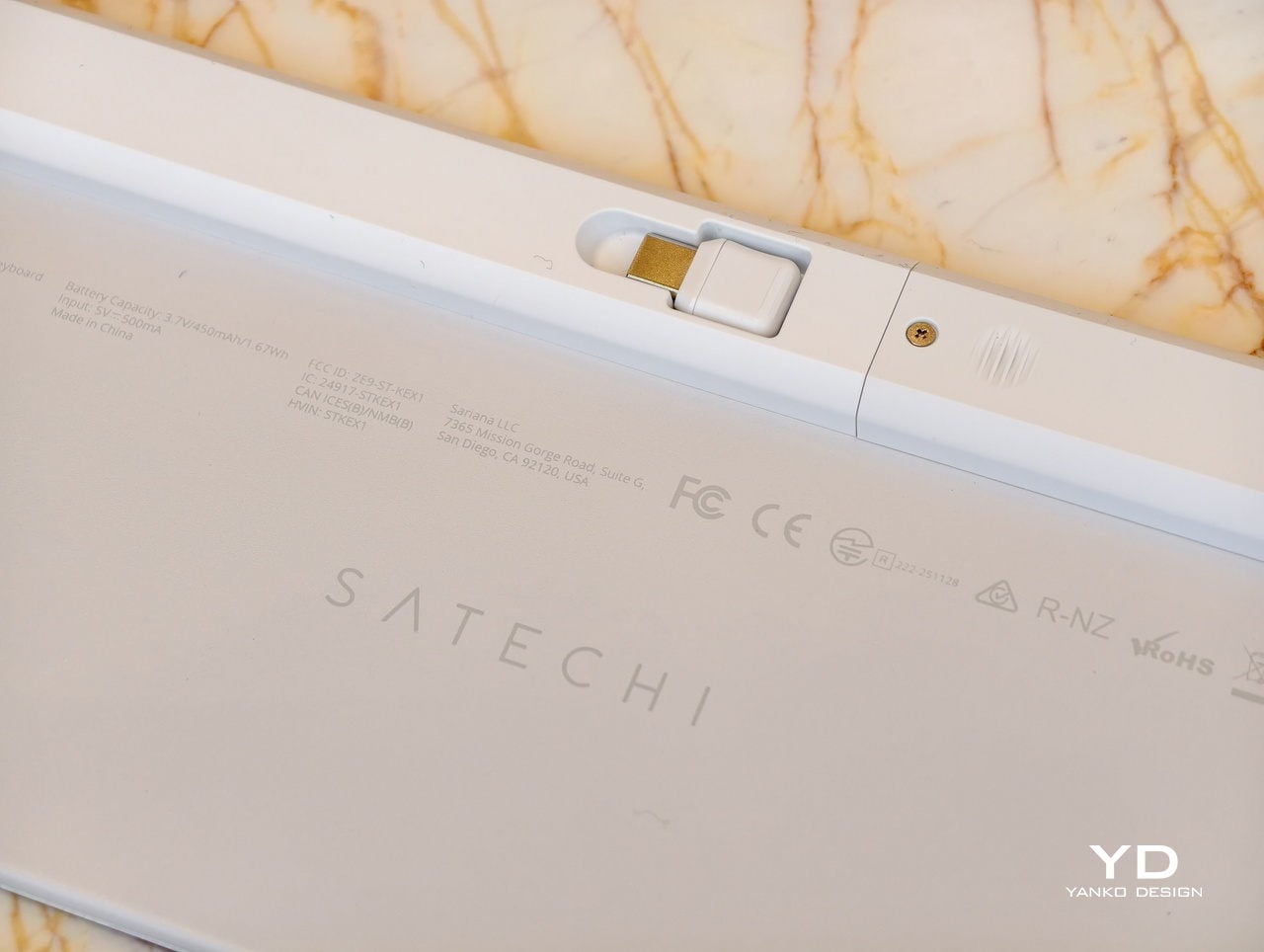
Satechi’s Slim EX Wireless Series, the EX3 and EX1 keyboards, plus the Slim EX Wireless Mouse, is an attempt to make that juggling act feel natural. All three are designed to work across macOS, Windows, Android, and iPadOS, connect to multiple devices, and use USB-C rechargeable, user-replaceable batteries so they do not become e-waste the moment the original cell starts to fade after a few years of daily charging cycles.

Designer: Satechi

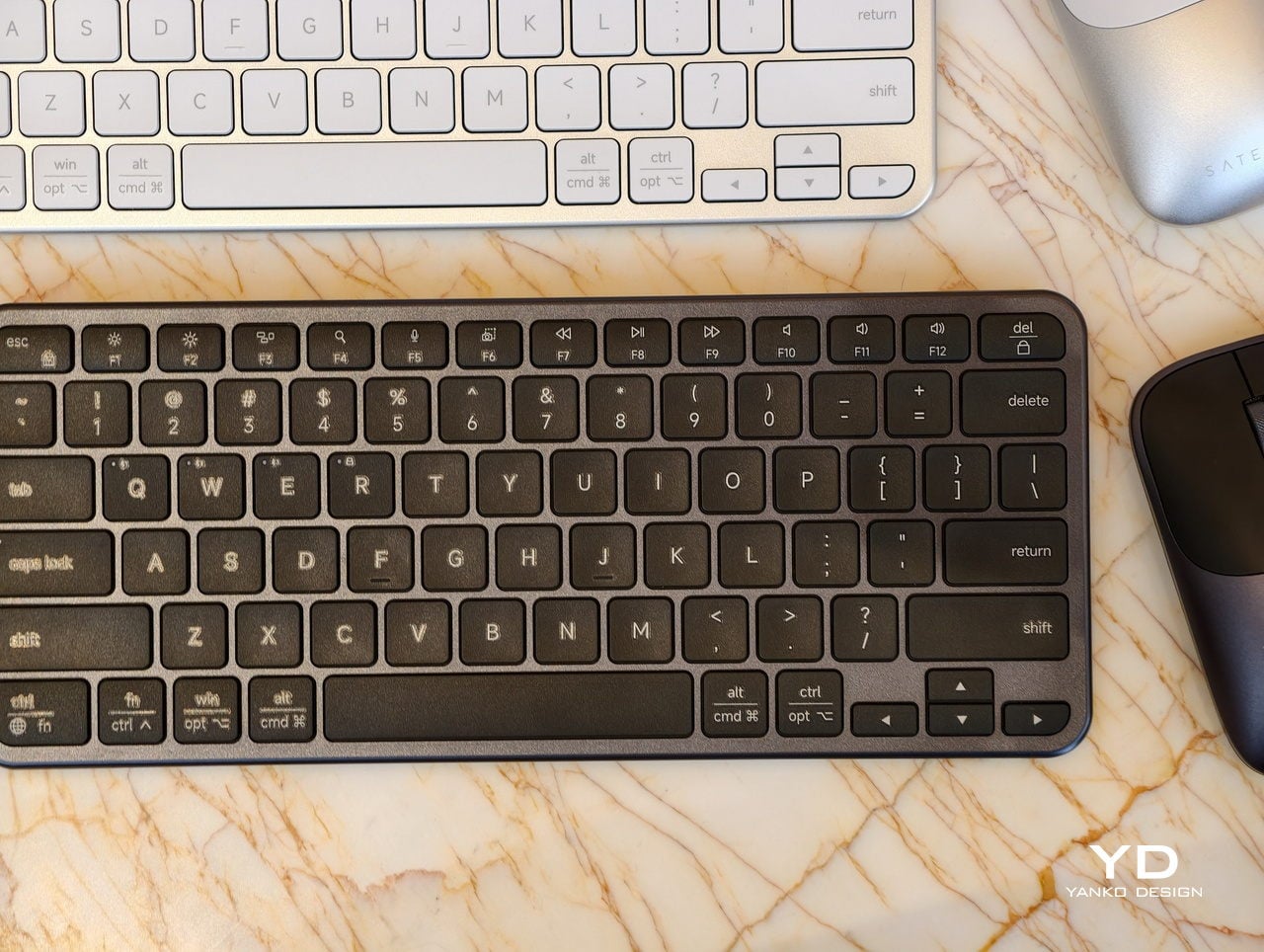
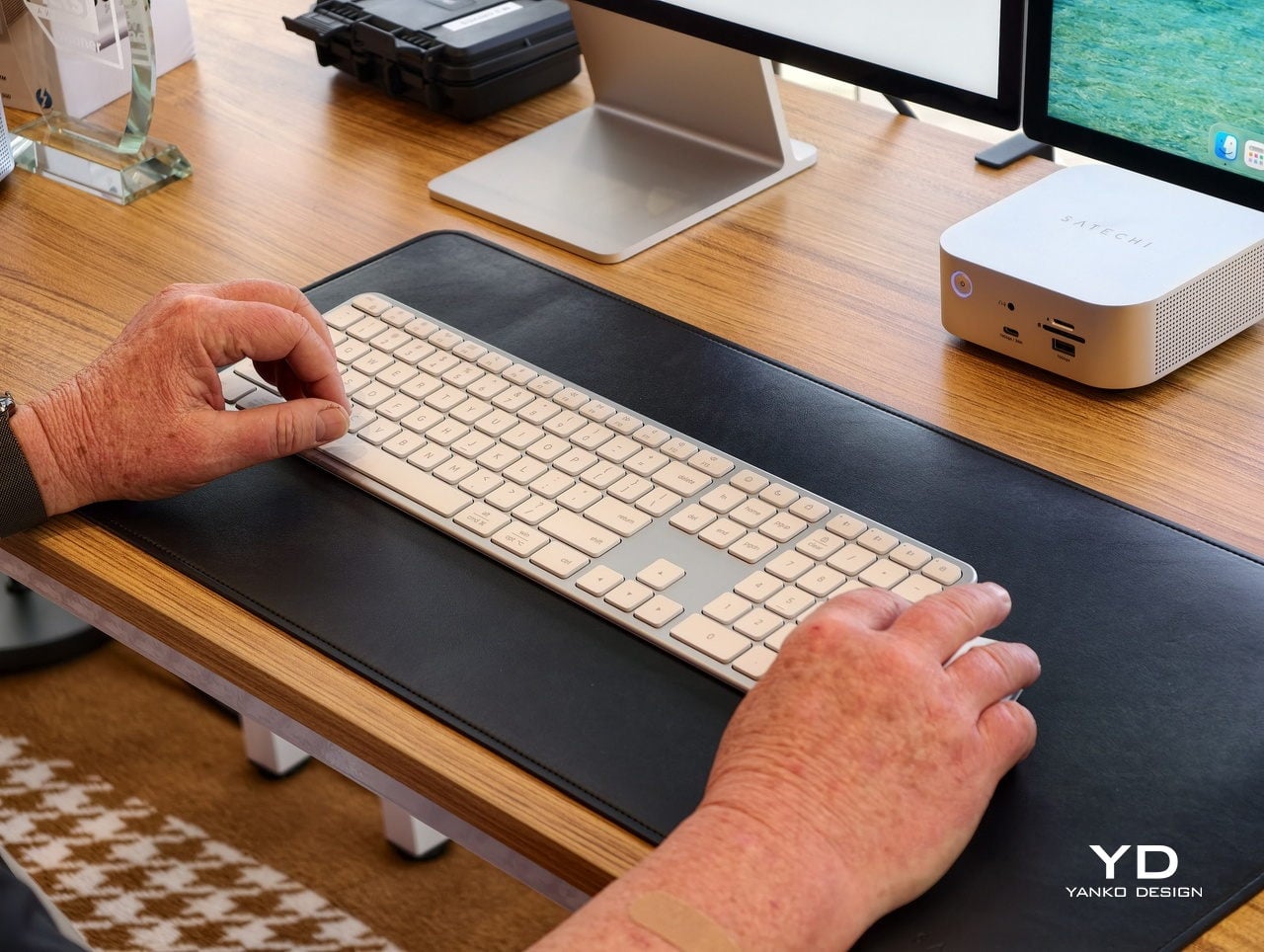
A desk-based setup is where the Slim EX3 Wireless Keyboard lives under a monitor, handling most of the day’s typing. Its full-size layout includes a numeric keypad and navigation keys, quiet scissor-switch keys, and automatic OS-specific key mapping that flips modifiers when you jump from a Mac to a Windows machine. Up to four devices can stay paired over Bluetooth or a 2.4 GHz USB-C dongle, so switching does not mean re-pairing every time you close one laptop and open another.

A smaller table, a shared workspace, or a café is where the EX3 feels too wide. The Slim EX1 Wireless Keyboard steps in with a more compact layout that still keeps the same quiet scissor switches and cross-platform brain. It drops the numeric keypad to save space but keeps the ability to talk to four devices, making it easier to travel light or reclaim desk space without giving up a familiar typing feel.

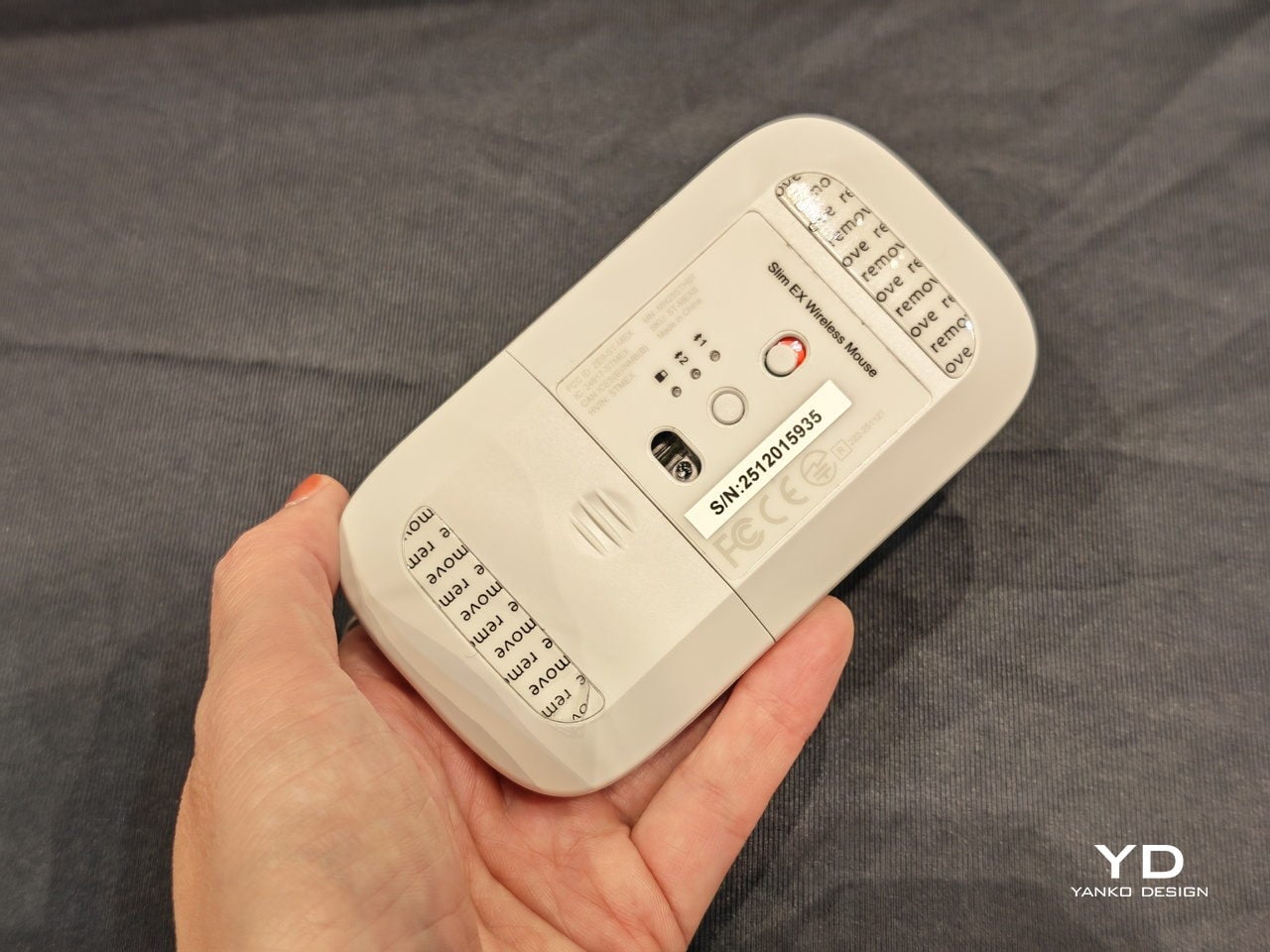
Both keyboards promise up to five weeks of use on a single charge, depending on how hard you hammer them, and when that internal battery eventually loses capacity, you can replace it instead of replacing the whole board. Charging over USB-C fits into the same cable ecosystem as laptops and phones, which keeps the desk cleaner and the routine simpler, with one fewer proprietary cable to remember when packing a bag.

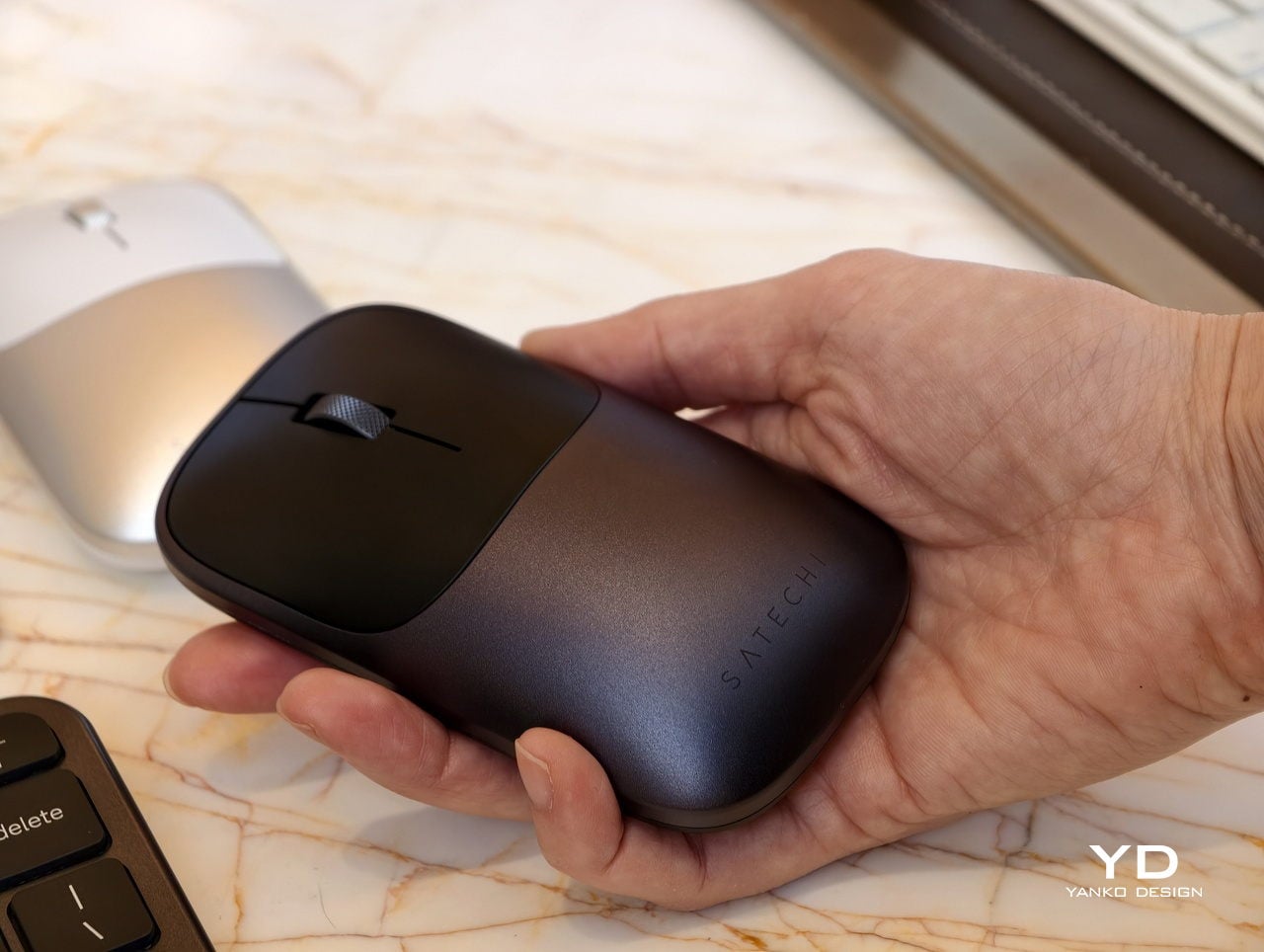
The Slim EX Wireless Mouse is the low-profile aluminum companion that glides between platforms just as easily. It supports Bluetooth and 2.4 GHz wireless, uses quiet click switches, and has a precision-machined scroll wheel that feels more deliberate than generic plastic. Like the keyboards, it runs on a USB-C rechargeable, user-replaceable battery rated for millions of clicks and scrolls, so it is built for the long haul instead of the upgrade cycle.

The Slim EX series quietly pushes back against disposable accessories and single-platform thinking. Instead of buying one set for each machine or tossing a keyboard when the battery gives up, you get a trio that moves with you between devices and years. For hybrid workers and students who live in that in-between space, having peripherals that are as flexible and long-lived as their setups feels like the right kind of upgrade.

The post Satechi Slim EX Wireless Series Has Replaceable Batteries, Not E-Waste first appeared on Yanko Design.

Amazon is apparently planning a big box store in the Chicago suburbs

Amazon is making a return, of sorts, to physical retail via plans to build a big-box retail store in the Chicago suburbs, The Information reports. The 225,000-square foot retail space will open in Orland Park, Illinois, and give the company the opportunity to sell more than just groceries after it closed most of its physical bookstores and gift shops in 2022.

The new store will offer in-store shopping, but also act as a fulfillment center for online orders, which could make it similar to competitors like Target and Walmart, and some of Amazon's existing Whole Foods and Amazon Fresh locations. "The proposed development will offer a wide selection of products, including groceries and general merchandise, with accessory services and potentially dining locations for prepared food sold onsite," Amazon wrote in a planning document The Information viewed.

While best known as an online marketplace, Amazon has made multiple attempts to have a physical retail presence. Amazon Books sold books based on what was trending on the company's website, Amazon 4-star sold a variety of products that were rated four or more stars in Amazon reviews and the company's Amazon Go stores sold pre-made food and select groceries via its cashier-less "Just Walk Out" technology. 

Amazon has abandoned basically all those experiments in favor of sticking with the grocery brand it bought in 2017, Whole Foods, and the new one it’s formed in the years since, Amazon Fresh. This new store could be an entirely new concept, or an evolution of Amazon Fresh, but whatever it is, it'll have to be approved by the Orland Park Village Board to move forward, according to the Chicago Tribune.

This article originally appeared on Engadget at https://www.engadget.com/big-tech/amazon-is-apparently-planning-a-big-box-store-in-the-chicago-suburbs-213451978.html?src=rss

Monarch Money deal: New users get one year of access for only $50

The start of the new year is a great time to get your finances in order, and a good budgeting app can help with that. Instead of laboring over a spreadsheet, you can try one of our favorite budgeting apps for less than usual. Monarch Money is running a sale that gives new users 50 percent off one year of the service, bringing the final cost down to just $50. Just use the code NEWYEAR2026 at checkout to get the discount.

Monarch Money makes for a capable and detailed budgeting companion. You can use the service via apps for iOS, Android, iPadOS or the web, and Monarch also offers a Chrome extension that can sync your Amazon and Target transactions and automatically categorize them. Like other budgeting apps, Monarch Money lets you connect multiple financial accounts and track your money based on where you spend it over time. Monarch offers two different approaches to tracking budgeting (flexible and category budgeting) depending on what fits your life best, and the ability to add a budget widget on your phone so you can know how you're tracking that month.

How budgeting apps turn your raw transactions into visuals you can understand at a glance is one of the big things that differentiates one app from another, and Monarch Money offers multiple graphs and charts to look at for things like spending, investments or categories of your choice based on how you've labelled your expenses. The app can also monitor the spending of you and your partner all in one place, to make it easier to plan together.

The main drawbacks Engadget found in testing Monarch Money were the app's learning curve, and the differences in features (and bugginess) between Monarch's web and mobile versions. Still, for 50 percent off, the Monarch Money is well worth experimenting with if you're trying to save money in 2026, especially if you want to do it collaboratively with a partner.

Follow @EngadgetDeals on X for the latest tech deals and buying advice.

This article originally appeared on Engadget at https://www.engadget.com/deals/monarch-money-deal-new-users-get-one-year-of-access-for-only-50-204507285.html?src=rss

GameSir Pocket Taco vs. 8BitDo FlipPad for Game Boy Gaming

Almost every mobile controller assumes you want to play in landscape, snapping your phone into a wide handheld that feels great for modern shooters and racing games. This works for most titles, but when you fire up Game Boy-era platformers or vertical arcade classics, the experience feels slightly off, like forcing old games into a shape they were never meant to inhabit, holding them sideways while your thumbs reach for controls that never land right.

GameSir’s Pocket Taco leans into portrait play instead of fighting it, turning your phone into something closer to a classic handheld. It first appeared as the Pocket 1 at Tokyo Game Show, then resurfaced as Pocket Taco just as 8BitDo teased its own vertical FlipPad, setting up a clash of design philosophies aimed at people who want to hold their phones the way they held Game Boys.

Designer: GameSir

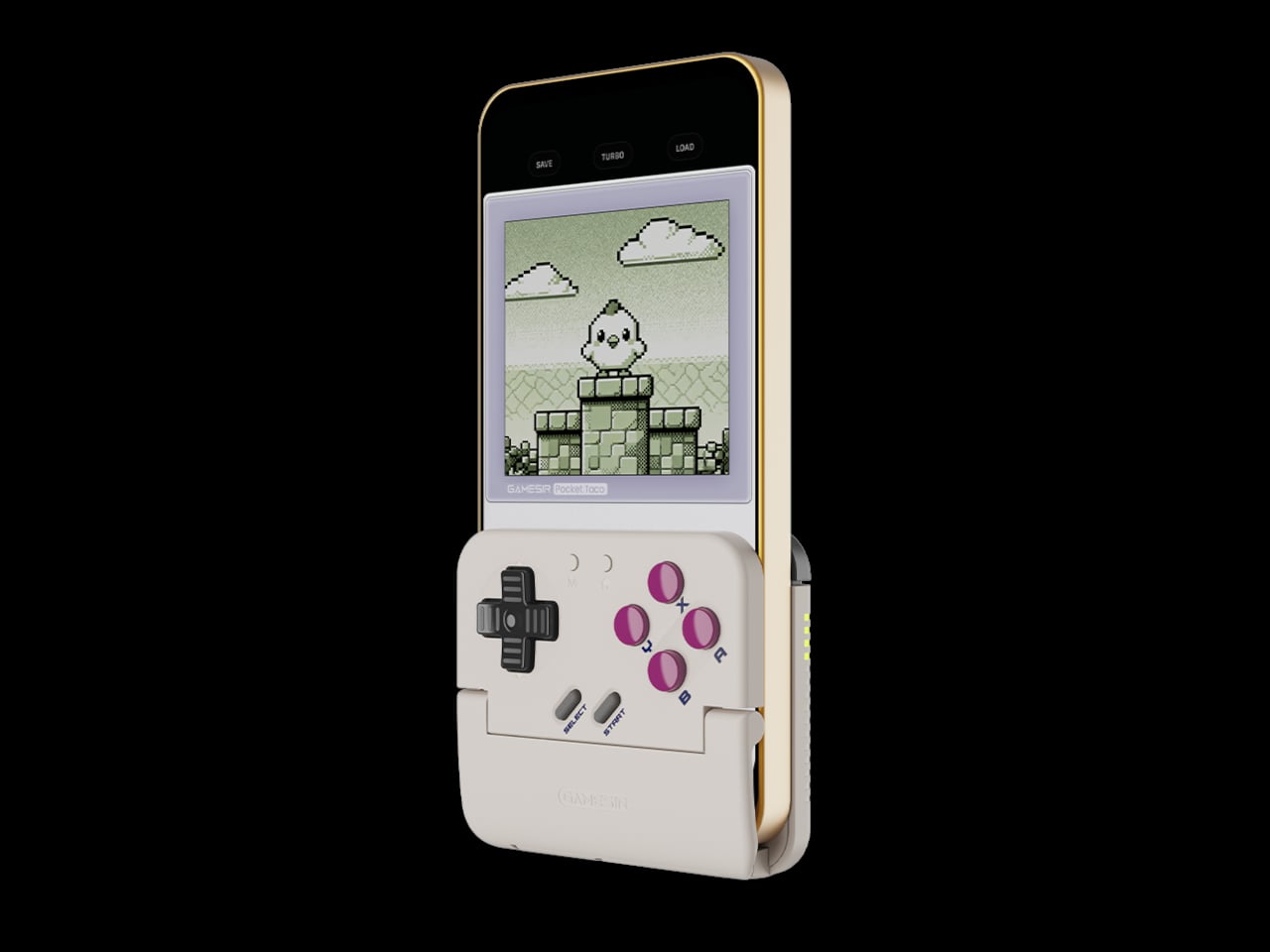
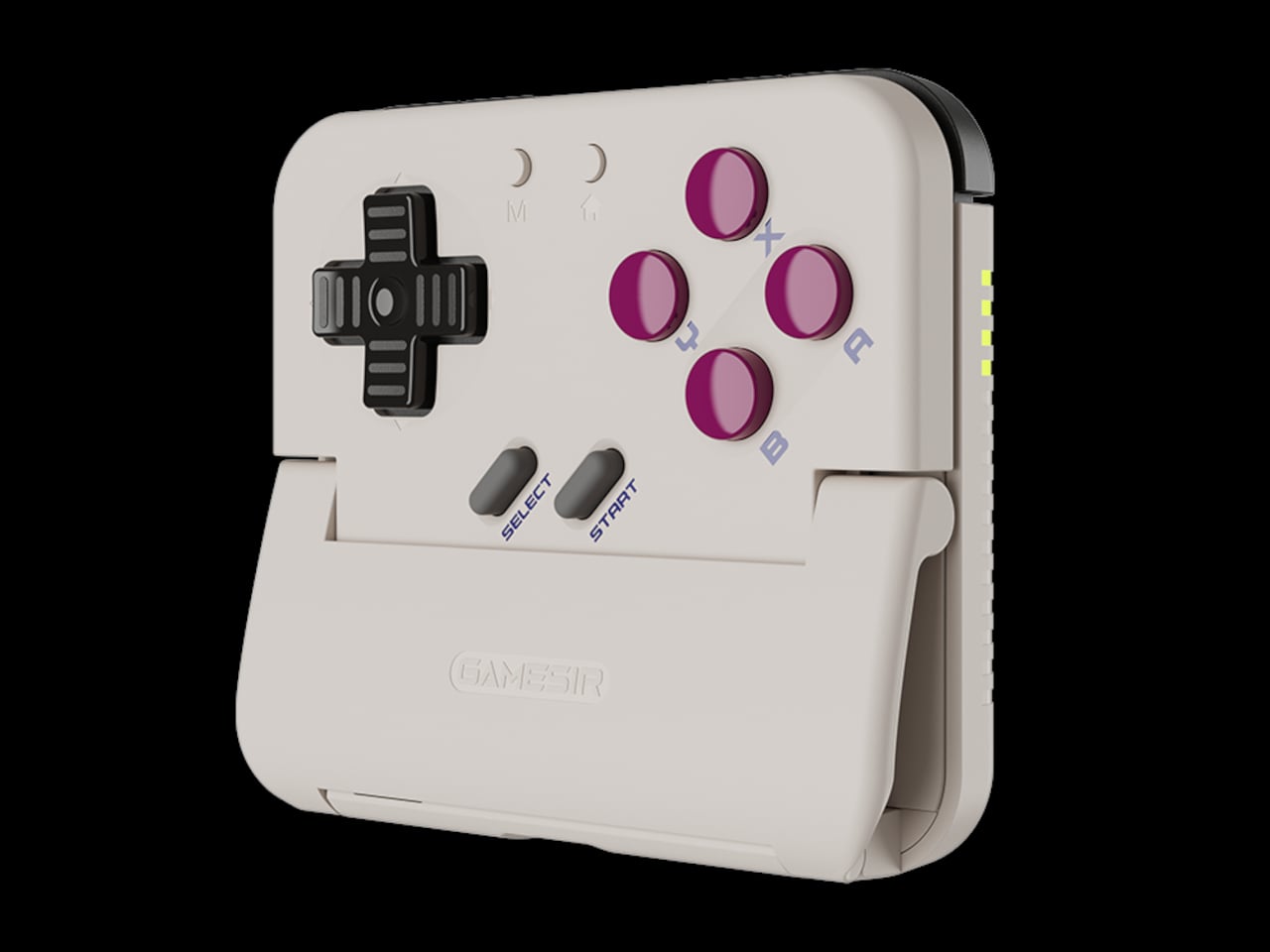
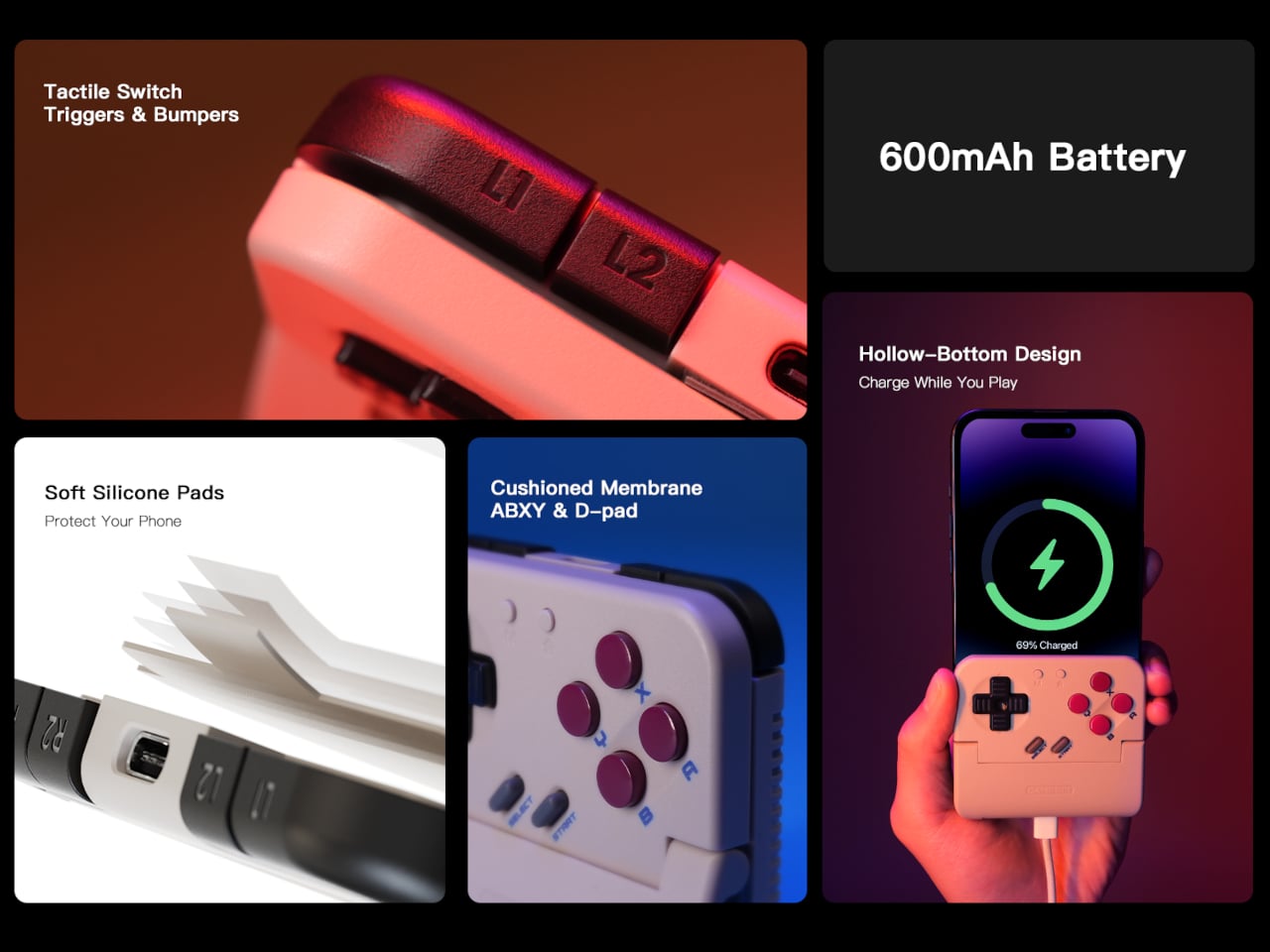
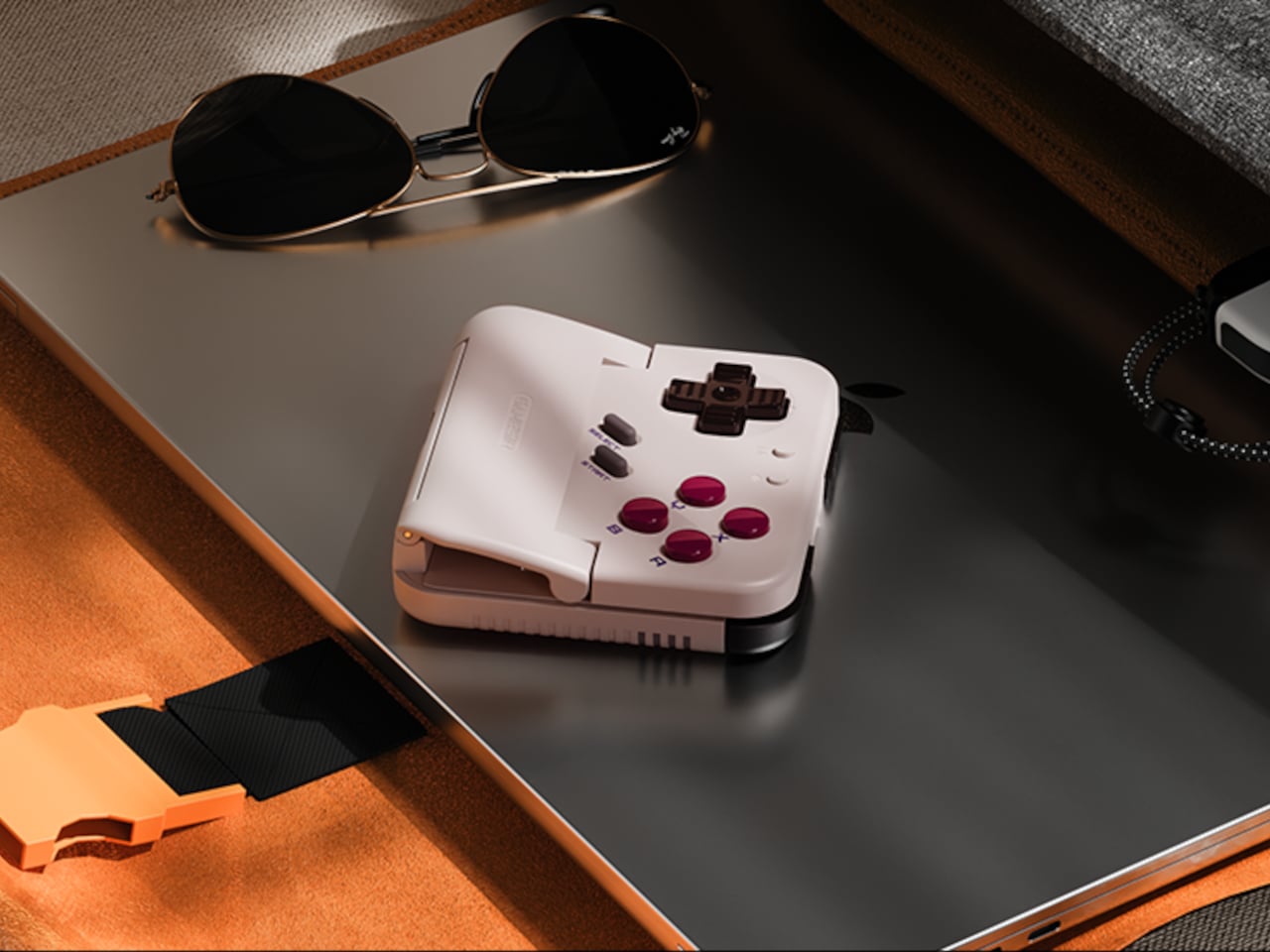
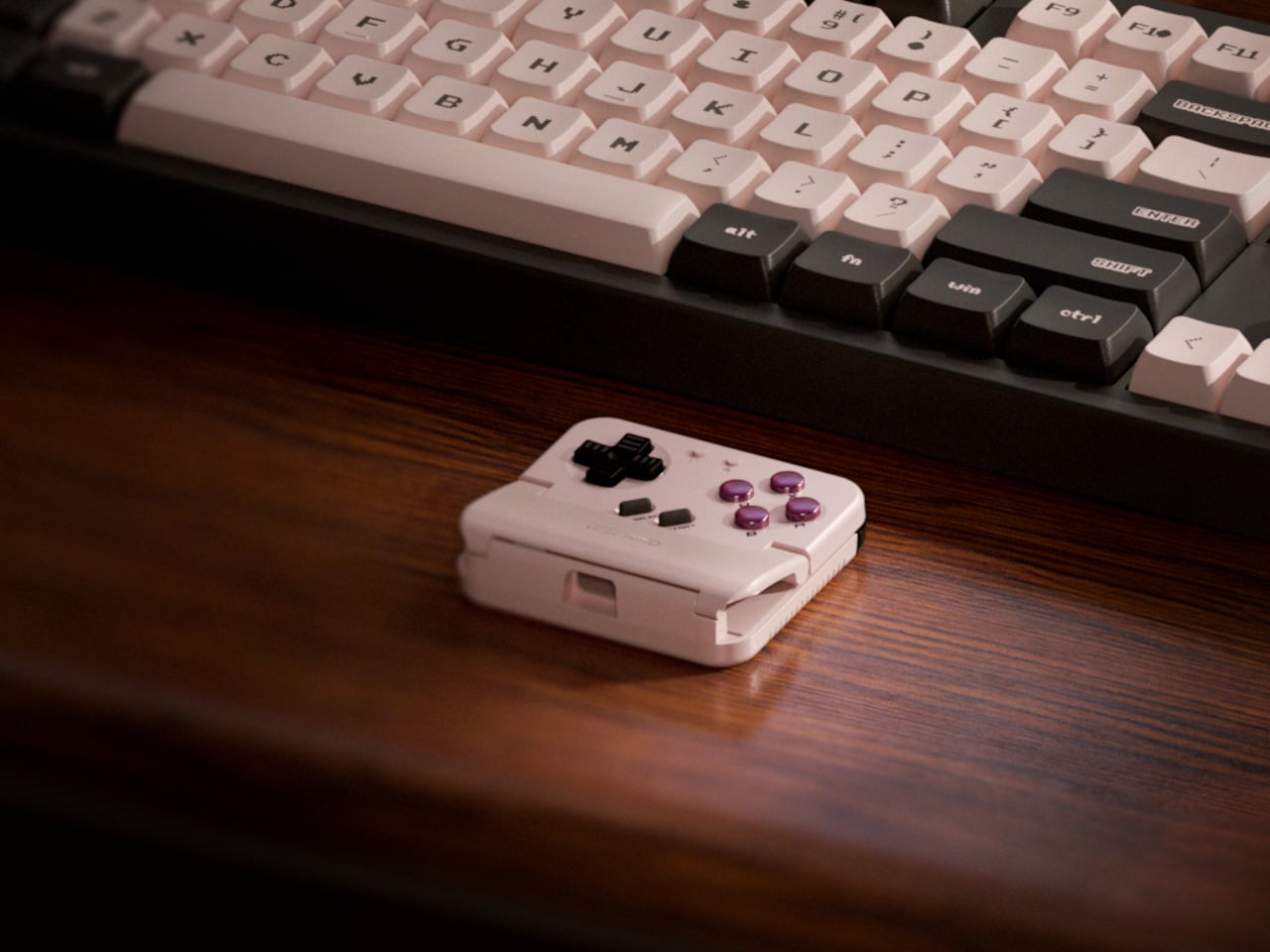
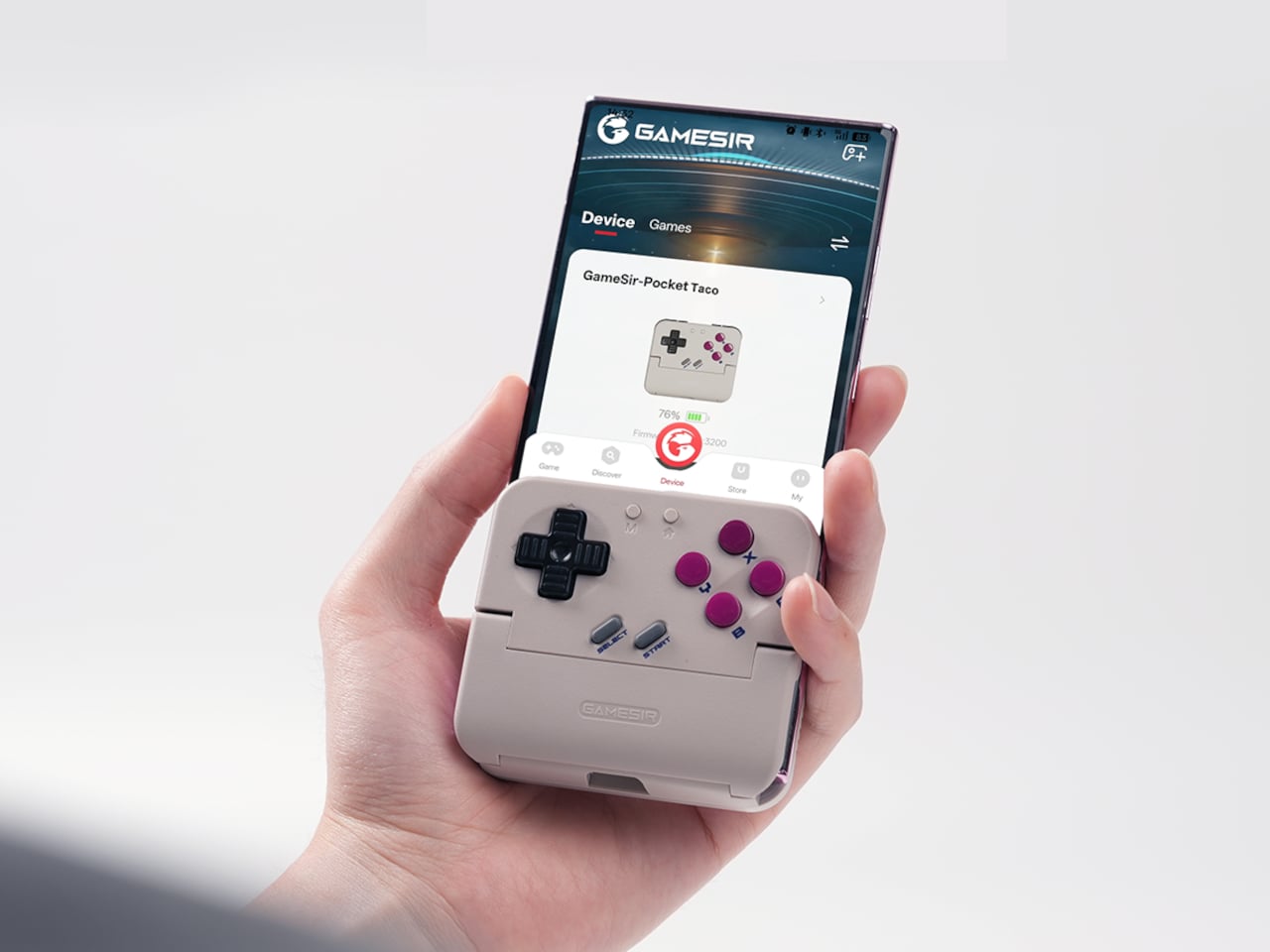
The rebrand to Pocket Taco fits the design; the controller clamps to the bottom of your phone like a taco shell. The foldable front accommodates different phone sizes, and soft silicone pads line the clamp area so you are not grinding plastic against glass every time you snap it on, which matters when you pull it out multiple times a day for quick sessions between meetings or commutes.

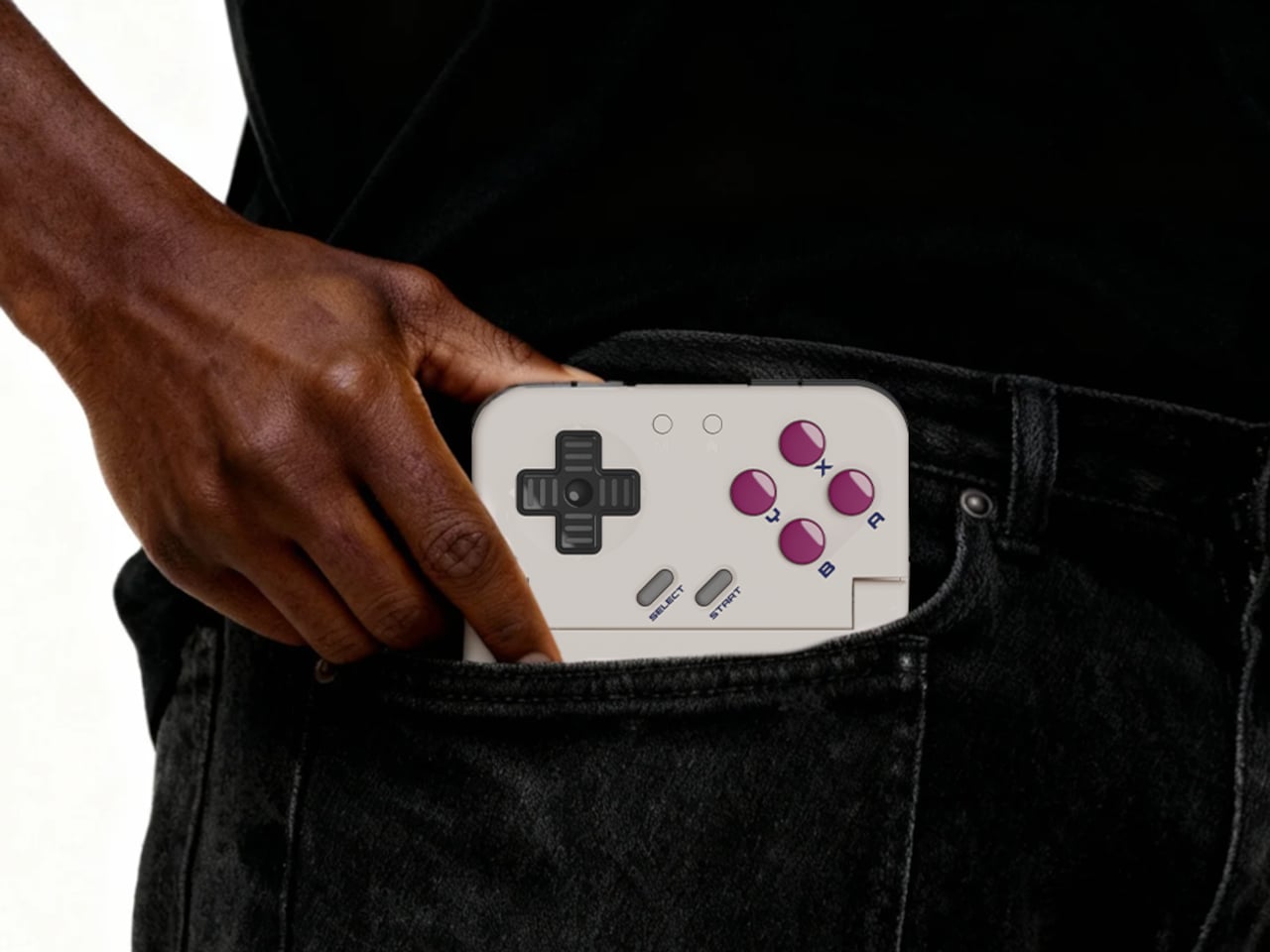
The control layout separates Pocket Taco from 8BitDo’s FlipPad. Pocket Taco gives you a traditional D-pad, ABXY face buttons, and actual triggers and bumpers on the back. FlipPad keeps everything on the front in a row of circular buttons, which is clever for compactness but less like the shoulder-button ergonomics many players expect from dedicated handhelds, especially during games with heavy simultaneous inputs.

Pocket Taco uses Bluetooth, so it can talk to Android and iOS phones, tablets, and other devices, and it still works when not clamped. FlipPad plugs in over USB-C, which keeps latency low and removes battery anxiety, but ties it to phones with that port and to a tethered style where the controller must stay attached to function at all.

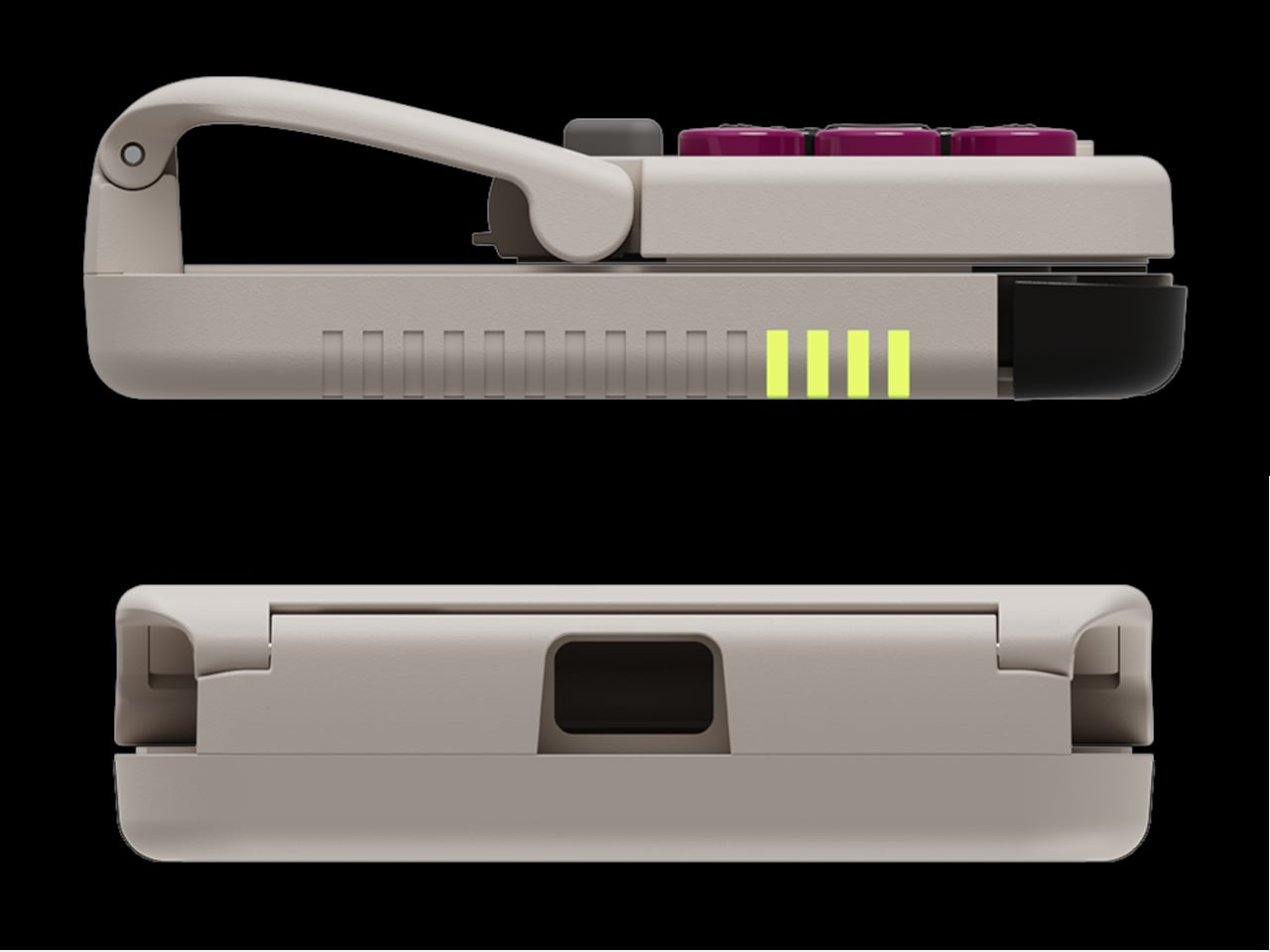
One practical touch is the large cutout at the bottom that leaves your phone’s charging port accessible while the controller is attached, so you can plug in and keep going during long sessions. FlipPad occupies the USB-C port and does not offer passthrough charging, which is fine for short bursts but less ideal for marathon runs that drain the phone before you finish the dungeon.

Pocket Taco runs on a 600 mAh battery with smart power behavior, open to play, close to rest. The trade-off is one more battery to watch and slightly more bulk. FlipPad stays slimmer and battery-free, but leans on your phone for power, shifting the burden and adding a small drain to your phone’s battery during long play sessions.

Pocket Taco and FlipPad are two paths toward the same fantasy, turning a slab of glass into a dedicated retro handheld. Pocket Taco leans into wireless freedom, proper triggers, and charging-while-playing practicality, while FlipPad bets on wired simplicity and a flatter front. For anyone who grew up holding a Game Boy vertically, it is nice to have options that respect that muscle memory instead of pretending mobile gaming should feel like a miniature Xbox stuck in landscape.

The post GameSir Pocket Taco vs. 8BitDo FlipPad for Game Boy Gaming first appeared on Yanko Design.

GameSir Pocket Taco vs. 8BitDo FlipPad for Game Boy Gaming

Almost every mobile controller assumes you want to play in landscape, snapping your phone into a wide handheld that feels great for modern shooters and racing games. This works for most titles, but when you fire up Game Boy-era platformers or vertical arcade classics, the experience feels slightly off, like forcing old games into a shape they were never meant to inhabit, holding them sideways while your thumbs reach for controls that never land right.

GameSir’s Pocket Taco leans into portrait play instead of fighting it, turning your phone into something closer to a classic handheld. It first appeared as the Pocket 1 at Tokyo Game Show, then resurfaced as Pocket Taco just as 8BitDo teased its own vertical FlipPad, setting up a clash of design philosophies aimed at people who want to hold their phones the way they held Game Boys.

Designer: GameSir

The rebrand to Pocket Taco fits the design; the controller clamps to the bottom of your phone like a taco shell. The foldable front accommodates different phone sizes, and soft silicone pads line the clamp area so you are not grinding plastic against glass every time you snap it on, which matters when you pull it out multiple times a day for quick sessions between meetings or commutes.

The control layout separates Pocket Taco from 8BitDo’s FlipPad. Pocket Taco gives you a traditional D-pad, ABXY face buttons, and actual triggers and bumpers on the back. FlipPad keeps everything on the front in a row of circular buttons, which is clever for compactness but less like the shoulder-button ergonomics many players expect from dedicated handhelds, especially during games with heavy simultaneous inputs.

Pocket Taco uses Bluetooth, so it can talk to Android and iOS phones, tablets, and other devices, and it still works when not clamped. FlipPad plugs in over USB-C, which keeps latency low and removes battery anxiety, but ties it to phones with that port and to a tethered style where the controller must stay attached to function at all.

One practical touch is the large cutout at the bottom that leaves your phone’s charging port accessible while the controller is attached, so you can plug in and keep going during long sessions. FlipPad occupies the USB-C port and does not offer passthrough charging, which is fine for short bursts but less ideal for marathon runs that drain the phone before you finish the dungeon.

Pocket Taco runs on a 600 mAh battery with smart power behavior, open to play, close to rest. The trade-off is one more battery to watch and slightly more bulk. FlipPad stays slimmer and battery-free, but leans on your phone for power, shifting the burden and adding a small drain to your phone’s battery during long play sessions.

Pocket Taco and FlipPad are two paths toward the same fantasy, turning a slab of glass into a dedicated retro handheld. Pocket Taco leans into wireless freedom, proper triggers, and charging-while-playing practicality, while FlipPad bets on wired simplicity and a flatter front. For anyone who grew up holding a Game Boy vertically, it is nice to have options that respect that muscle memory instead of pretending mobile gaming should feel like a miniature Xbox stuck in landscape.

The post GameSir Pocket Taco vs. 8BitDo FlipPad for Game Boy Gaming first appeared on Yanko Design.

The Morning After: The best of CES 2026

We’re wrapping up coverage of the biggest tech show in the world. CES 2026 is almost over, and while we have more stories and wrap-ups to come, here are the most interesting products we’ve spotted, written about and critiqued/praised. That includes our picks for the best of CES. We gave out 15 awards as well as our best of show, and you might be surprised by some of our picks — I know I was.

Read on for some of the best things to come out of Las Vegas this week, but first up, our Best of the Best winner, which was Lego Smart Play. As Engadget’s editor-in-chief Aaron Souppouris put it, “Lego could almost be seen as the antithesis of the typical CES product.”

Regardless of trends, Lego has always persisted. And in 2026, it’s getting much smarter.

TMA
Lego

The system consists of a Smart Brick, Tags and Minifigures. They’re packed with modern technology, so they can respond to how you play with them or the sets you build. The Smart Brick has a 4.1mm ASIC chip, which Lego says is smaller than a standard Lego stud. It senses things like motion, orientation and magnetic fields, but also has a tiny built-in speaker, which produces audio “tied to live play actions,” not just canned clips.

It’s hard to explain it in only a few words (we’ve got a deep-dive hands-on right here), but what immediately drew me in was the lack of smartphone pairing and screens. The ability of each part to detect and interact with others can lead to some ridiculous setups, whether it’s ducks and police officers or a helicopter or an X-Wing.

Naturally, it’s a little pricier than basic Lego, but not out of the realm of being a special gift or birthday present. One of the first sets, with a smart Darth Vader Minifigure, one Smart Brick and one Smart Tag, is $70.

We'll be back to our regularly scheduled newsletter next week. Have a great weekend!

— Mat Smith


TMA
Engadget

With no further ado, here are our winners.

Best robot: Switchbot Onero H1

Best accessibility tech: WheelMove

Best TV: LG’s Wallpaper TV

Best AI hardware: Subtle Voicebuds

Best smart home: IKEA Matter-compatible smart home

TMA
Engadget

Best home theater: Samsung HW-QS90H

Best audio: Shokz OpenFit Pro

Best outdoor tech: Tone Outdoors T1

Best toy: Lego Smart Play

Best PC or laptop: Dell XPS 14 + 16

Best health tech: Eyebot eye test booth

Best gaming tech: ASUS ROG Zephyrus Duo

Best mobile tech: Samsung Galaxy Z TriFold

Most promising concept: Lenovo Legion Pro Rollable

Best emerging technology: IXI autofocus lenses


TMA
Engadget

On Monday, which feels like an age ago, Jensen Huang shared the latest from NVIDIA. While the presentation was more a refresher than a barrage of new announcements, it was a pretty low-key presentation, with lots of AI chat. One announcement was Alpamayo, a family of open-source reasoning models designed to guide autonomous vehicles through difficult driving situations. The centerpiece is Alpamayo 1, a 10-billion-parameter chain-of-thought system NVIDIA says can drive more like a human.

When it comes to tech we all might use, we had to wait for a separate event, when NVIDIA announced DLSS 4.5 and G-Sync Pulsar. For both features, you’ll need a 50-series GPU. You got one, right?

Continue reading.

This article originally appeared on Engadget at https://www.engadget.com/general/the-morning-after-engadget-newsletter-193045065.html?src=rss