This Modular Webcam Lets You Physically Disconnect for Privacy

You know that little piece of tape covering your laptop camera? Or that awkward moment when you frantically check if your microphone is really muted before talking about your coworker? We’ve all been there. The problem is that webcams have become permanent fixtures in our lives, but trusting whether they’re actually off means squinting at tiny icons buried in software menus. Designer Bhavesh Sharma thinks there’s a better way, and honestly, it’s kind of brilliant.

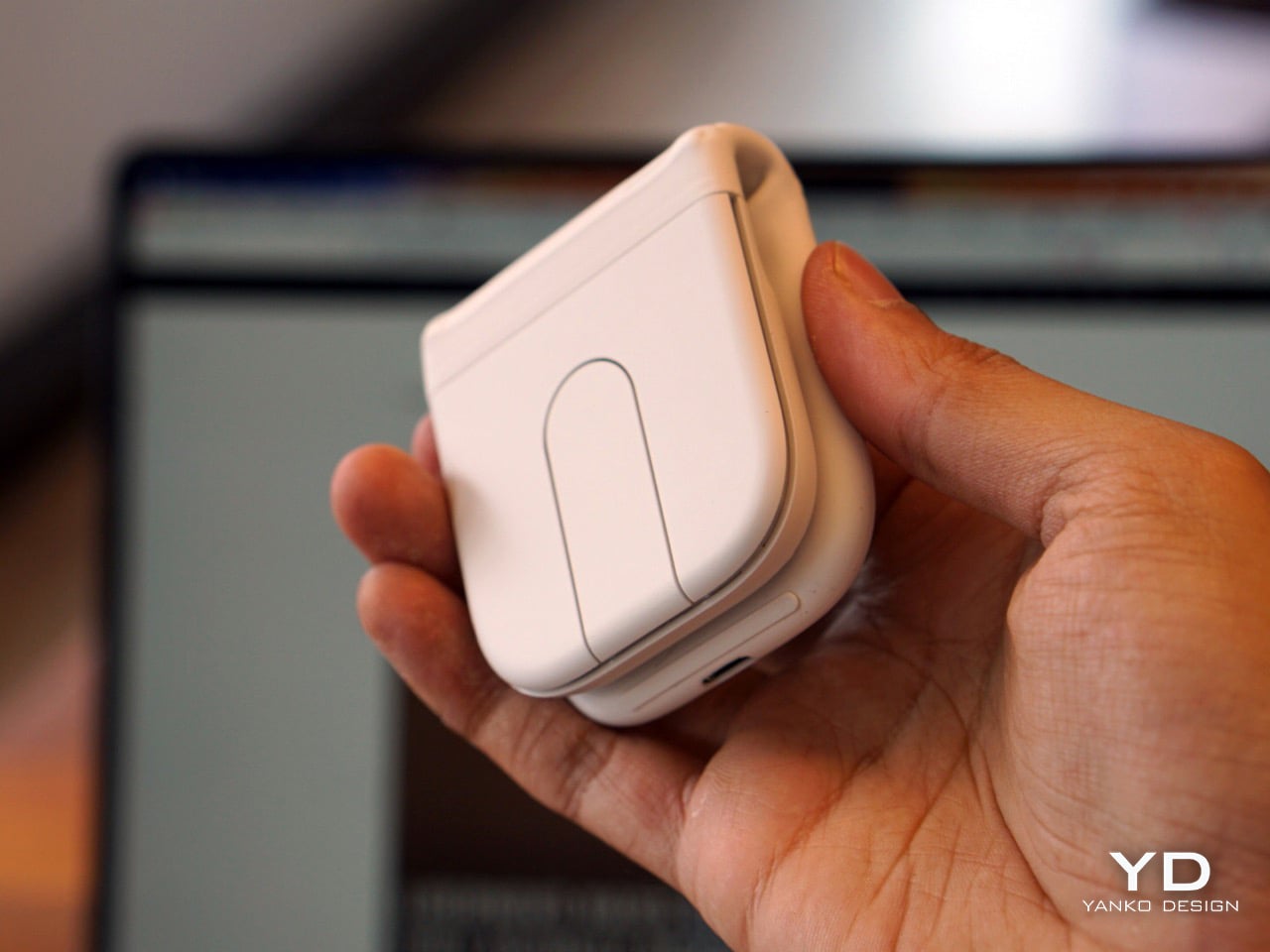
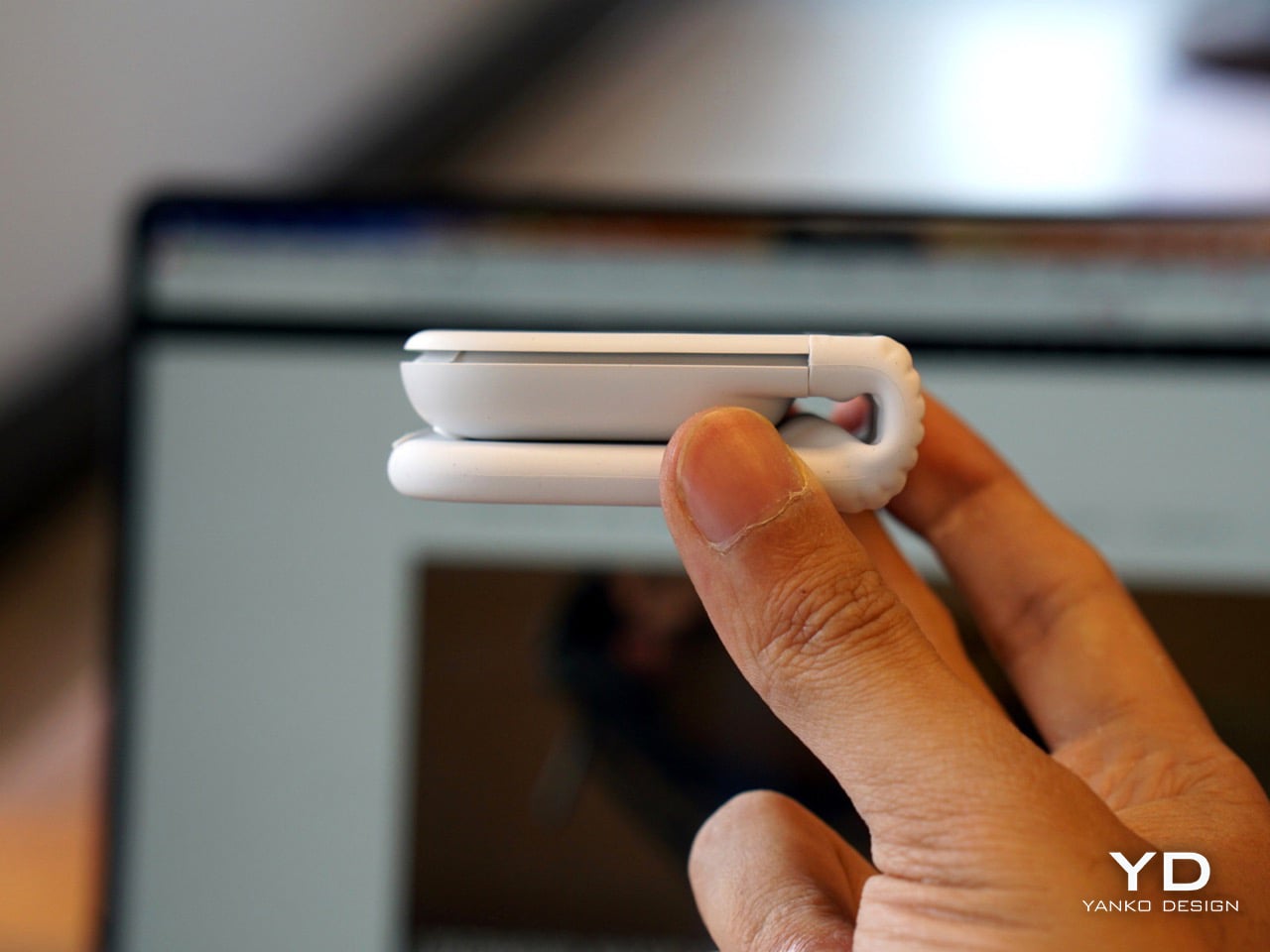
NODE is a conceptual modular webcam system that tackles privacy by making it physical instead of digital. The core idea is refreshingly simple: if you want your camera or microphone truly off, you just remove it. Like, actually detach it from the device. No more wondering if that green light really means what you think it means.

Designer: Bhavesh Sharma

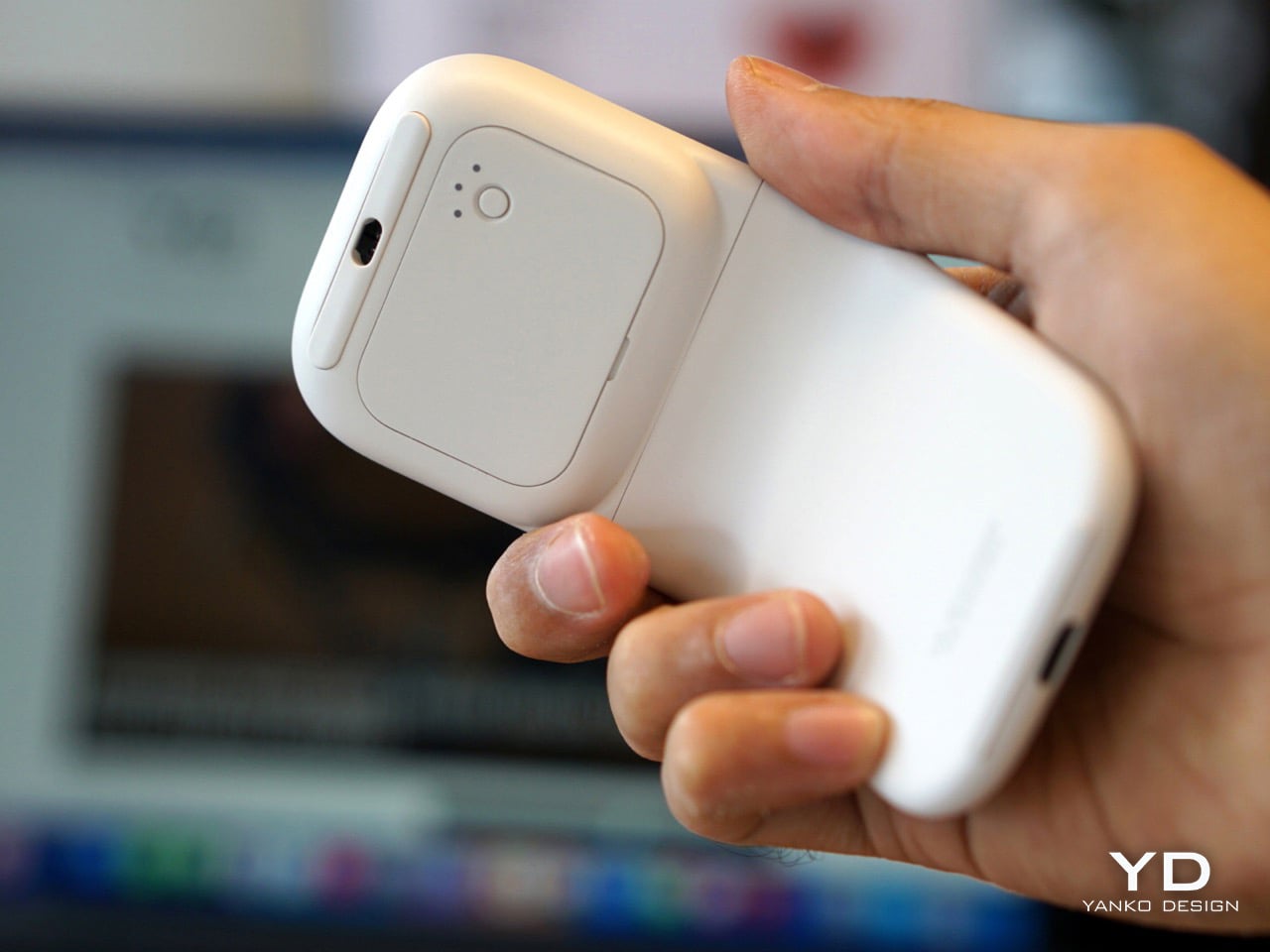
The system centers around a clean, minimal camera module that attaches to a shared backplate along with other components. Think of it like building blocks for your workspace. Need just a camera for quick video calls? Done. Want to add a microphone module for podcasting? Snap it on. Curious about that optional screen module? Add it to the mix. The beauty is that you’re not locked into one bulky all-in-one device that does everything poorly.

Here’s where it gets really interesting. Each module connects magnetically with pogo-pin contacts, so everything feels seamless and looks clean. But when you pop a module off the backplate, it’s completely disconnected from power and data. Not “software off” or “privacy mode enabled.” Actually off. Privacy becomes something you can feel in your hands rather than a setting you hope is working correctly.

That optional screen module deserves its own moment. Instead of cramming in yet another interface demanding your attention, it acts as what Sharma calls a “confidence display.” It surfaces only the essentials: camera status, microphone status, whether you’re recording, upcoming meetings, weather, select notifications. The whole point is to read it at a glance without pulling your focus from your actual work. In a world where every device screams for attention, this kind of restraint feels almost radical.

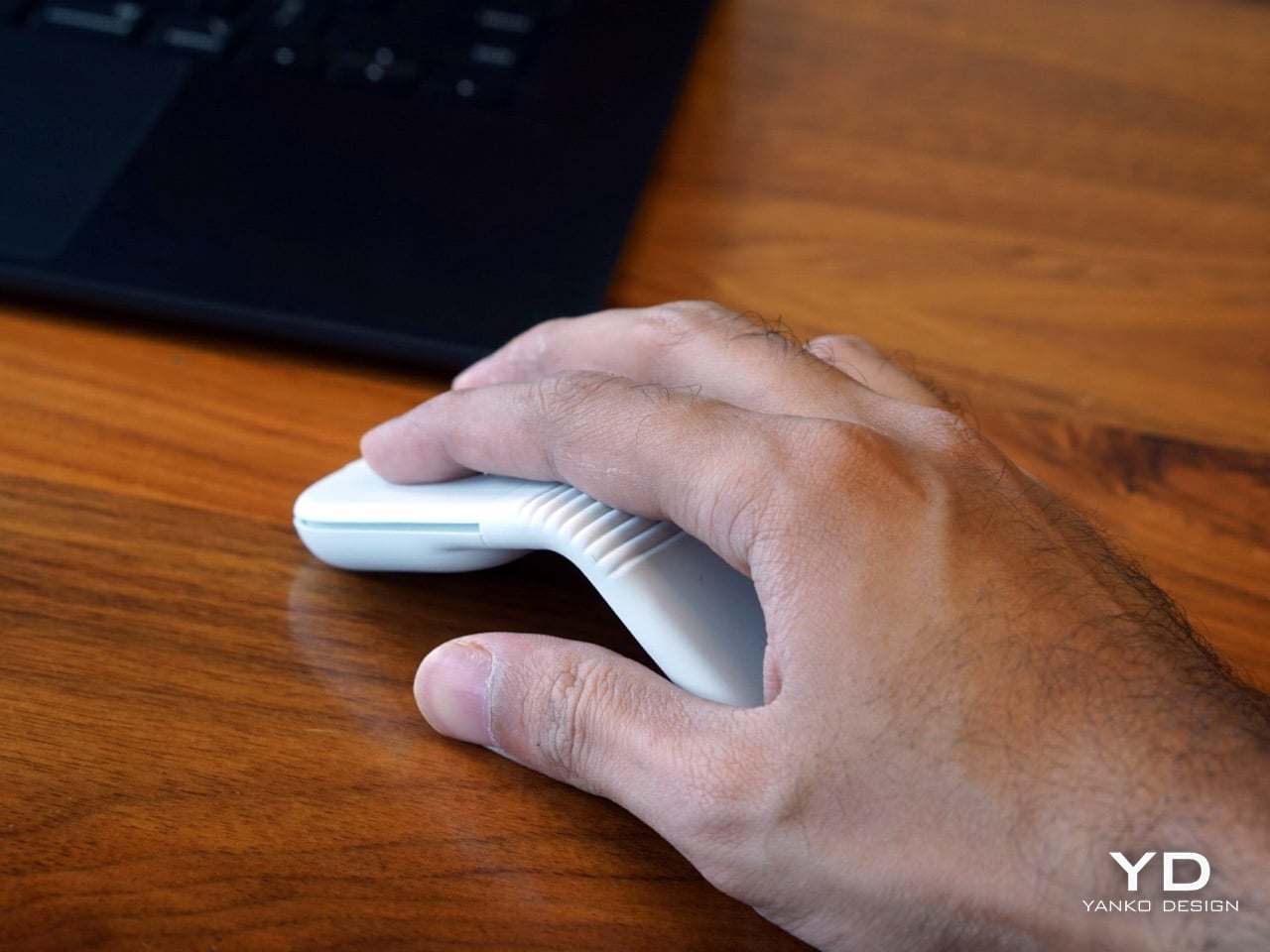
The design language communicates all of this beautifully. NODE keeps a restrained rectangular geometry that blends into your workspace rather than trying to be the star of your desk setup. The backplate uses smooth matte plastic as a neutral foundation, while the modules themselves feature a subtly textured matte finish. That contrast isn’t just aesthetic; it helps you visually and tactilely understand what’s fixed and what’s removable. The system comes in black as the default, with blue, orange, and white options if you want a bit more personality.

Setup is mercifully simple. Everything runs through a single USB-C connection, so you’re not drowning in cables. The magnetic alignment means modules snap into place without fussing, and the whole thing just works.

Now, let’s be clear about what NODE isn’t trying to do. This isn’t about revolutionizing image quality or replacing all your software controls. Sharma isn’t promising the crispest 4K video or AI-powered background removal. Instead, NODE focuses on something we’ve lost in our rush toward smarter, more connected devices: trust, awareness, and physical agency.

We’ve become so accustomed to abstract digital interfaces that we’ve forgotten how reassuring it is to actually control something with our hands. To see a component sitting on your desk and know, without doubt, that it’s not active. To build a workspace setup that matches how you actually work instead of adapting to what some company decided you need.

NODE is still a concept, which means you can’t buy it yet. But as a design exploration, it asks important questions about how we interact with the technology that’s constantly watching and listening. In a landscape where privacy feels increasingly theoretical, NODE offers something wonderfully tangible. It suggests that maybe the solution to our complicated relationship with always-on devices isn’t more software or better encryption. Maybe it’s just letting us unplug the parts we’re not using.

The post This Modular Webcam Lets You Physically Disconnect for Privacy first appeared on Yanko Design.
Someone Built a Tamagotchi-like Desk Toy That Gets Sad When You Ignore It

Modern desks overflow with timers, focus apps, and smart assistants that promise more productivity but mostly add more things to manage. There’s a calendar nudging you about meetings, a watch tracking movement, and browser tabs reminding you to hydrate. Not every object on your desk needs to optimize you, though, and sometimes you just want a small, harmless distraction that keeps you company without demanding anything serious in return.

Paul Lagier’s DIY Desk Companion sits next to your laptop as a little creature that lives completely offline. It is not connected to Wi‑Fi, has no app, and never sends notifications. Instead, it runs its own tiny world on a circular screen, reacting to touch, light, and time with shifting eyes and moods. The whole thing exists as a playful break, closer to a desk toy than a productivity gadget.

Designer: Paul Lagier

The companion’s life revolves around three needs, Energy, Fun, and Sleep, visualized as colored arcs around its animated eyes. Energy maps to battery and charging, Fun rises when you interact and falls when ignored, and Sleep depends on light levels, getting drowsy when the room gets dark. These simple meters quietly drive its moods, making it curious, bored, or sleepy depending on how you treat it over the day.

The moods shift over longer stretches, too. Regular interaction makes it age, becoming calmer and more expressive, while neglect can make it sulky or withdrawn. There’s no scoreboard or streak counter, just a sense that this tiny character remembers how you have been treating it. After a while, you catch yourself tapping it to cheer it up during a slump, which is the whole point of having a little desk creature.

A typical day means a few small moments. You tap it during a break, and it perks up, eyes widening. Late at night, when the room gets dark, it slowly drifts off to sleep without you doing anything. When you plug it in the next morning, its Energy bar fills, and its mood lifts. These are quick interactions, a tap or a glance, not mini-games that hijack your break.

Under the shell is a tangle of wires, a microcontroller board, a round color display, touch sensors, a light sensor, and a small battery. Lagier calls it a working prototype rather than a polished product, which feels fitting. The design is simple and neutral, letting the animated face carry the personality while the hardware quietly does its job without needing custom circuitry to make the interaction feel real.

The DIY Desk Companion is proudly unnecessary in the best way. It does not track tasks or nag you about hydration. It just gives you a tiny, responsive presence that makes the space feel less mechanical. Devices around us keep trying to squeeze more output from every minute, so a little offline creature that only wants a tap now and then feels surprisingly refreshing.

The post Someone Built a Tamagotchi-like Desk Toy That Gets Sad When You Ignore It first appeared on Yanko Design.
Someone Built a Biodegradable 8GB Hard Drive Out of Mushrooms

So here’s a sentence I never thought I’d write: someone made a USB drive out of mushrooms. Well, technically mycelium, the sprawling fungal network that lives underground and occasionally pops up as the mushrooms we eat. But still. We’re talking about storing your family photos, tax documents, and embarrassing early-2000s selfies inside what is essentially cultivated fungus. And somehow, this makes perfect sense.

Enter the Soft Drive, which looks less like a tech product and more like something grown in a lab that studies alien artifacts. Designer Sree Krishna Pillarisetti built this portable drive with a shell made from mycelium, the root-like structure of fungi, combined with hemp and bioplastics from waste materials. You can see the fungal fibers through the translucent case, all wispy and organic, protecting the electronics inside. It’s strange and beautiful and deliberately so. The whole thing is designed to make you feel the weight of your data again, to make storage physical and local and weird in a way that makes you reconsider why we ever outsourced our digital memories to faceless corporations in the first place.

Designer: Sree Krishna Pillarisetti

The translucent casing shows off the wispy, organic texture of mycelium mixed with hemp, wrapped around a standard memory card and heat sink. There’s a woven lanyard attached like it’s a charm you’d wear. It holds 8GB, which sounds quaint until you realize that’s exactly the point. This isn’t about competing with cloud storage. It’s about asking why we ever thought it was a good idea to hand over our entire digital lives to massive, energy-guzzling server farms we’ll never see or control.

The name is doing a lot of heavy lifting here, and I’m here for it. “Soft Drive” as the inverse of “hard drive” is chef’s kiss levels of nomenclature. Pillarisetti, who completed this as his MFA thesis at Parsons, built the entire shell from materials sourced from waste streams: mycelium, hemp fibers, and polylactic acid (PLA). The mycelium acts as natural shock absorption, which is clever because dropping your drive has historically been a nightmare scenario. Fungi don’t crack the way plastic does. They compress, absorb impact, and generally behave like they evolved for this, which, in a roundabout way, they kind of did.

And I personally love how deliberately weird this thing looks. Consumer electronics have spent decades trying to disappear, to become these frictionless black mirrors we barely notice. The Soft Drive does the opposite. It foregrounds its materials, makes you aware you’re holding something that grew, that came from a living process. The translucent case means you see everything: the fibrous mycelium texture, the metallic components inside, the fact that this object has layers and history. It’s the anti-iPhone, and I mean that as a compliment. Pillarisetti calls it a “regenerative memory storage device,” which is a fancy way of saying it can eventually break down and return to the earth instead of sitting in a landfill for the next thousand years. The whole concept pushes toward decentralized local networks, physical sharing, data you can hand someone instead of emailing a Dropbox link. It’s romantic in a way tech hasn’t been in years.

The post Someone Built a Biodegradable 8GB Hard Drive Out of Mushrooms first appeared on Yanko Design.
ONZA Just Designed a Dock That Replaces 3 Desk Accessories

We’ve all been there. You sit down at your desk, ready to tackle that project, and suddenly you’re drowning in cables, hunting for your phone charger, and watching your battery percentage drop to single digits. Your workspace looks like a tech graveyard, and your creative energy? Well, that died somewhere between untangling the third cable and knocking over your coffee while reaching for your headphones.

Enter the ONZA Desktop Dock, a concept design by Vedanta Maheshwari that’s making me seriously reconsider what a desk accessory can actually do. This isn’t just another “put your phone here” kind of solution. It’s a complete rethinking of how we interact with our workspace, and honestly, it’s about time someone figured this out.

Designer: Vedanta Maheshwari

At first glance, the ONZA system looks like something that beamed in from a more aesthetically pleasing future. The design features a sleek, geometric form that immediately catches your eye without screaming for attention. Think angular, almost sculptural, with a glossy black finish that somehow manages to look sophisticated rather than trying too hard. The body has these organic, flowing mesh panels that aren’t just there to look cool (though they definitely do). They’re functional speaker grills that transform this little powerhouse into an audio solution too.

But here’s where it gets interesting. The ONZA isn’t trying to be everything at once while doing nothing particularly well. Instead, it focuses on solving the actual problems creative professionals face every day. The integrated wireless charging pad means your phone gets juice while staying visible and accessible. No more digging through desk drawer chaos or having your device face-down on some random charging pad where you can’t see notifications. The angled design props your phone up at the perfect viewing angle, so it becomes part of your workflow rather than a distraction you have to pick up every five minutes.

Those subtle icons along the base? They’re not just decorative. They indicate battery status, storage connectivity, wireless capabilities, and audio functions. Everything you need to know at a glance, without any notification overload or annoying lights blinking at you while you’re trying to focus. It’s the kind of thoughtful detail that separates concept art from actual design thinking.

What really sells the ONZA concept, though, is how it plays with the entire desk ecosystem. Maheshwari’s renders show this thing in context, and it’s clear he understands that great design isn’t about creating isolated objects. It’s about creating harmony. The dock sits comfortably alongside mechanical keyboards, designer headphone stands, and dual monitor setups without fighting for visual dominance. It complements rather than competes, which is surprisingly rare in a market full of RGB-everything and aggressive gamer aesthetics.

The speaker integration is particularly clever. Most of us have dealt with the disappointing tinny sound of phone speakers or the hassle of connecting Bluetooth devices every single time we sit down. Having quality audio built into something that’s already anchoring your workspace? That’s the kind of convenience that actually changes how you work. Take a call without fumbling for earbuds. Play music while you design. Listen to a podcast while you’re organizing files. It’s all just there, ready to go.

Now, let’s be real for a second. This is a concept design, which means we can’t exactly run out and buy one tomorrow (trust me, I checked). But that’s also what makes it so exciting. Maheshwari is showing us what’s possible when designers really think about the creative workspace as a holistic environment rather than just a place to dump tech. The ONZA asks better questions: What if your charging solution also managed audio? What if your phone dock could integrate with your entire desktop ecosystem? What if workspace accessories could be genuinely beautiful without sacrificing functionality?

The creative workspace has evolved dramatically over the past few years, but our accessories haven’t always kept pace. We’re still dealing with solutions designed for problems from a decade ago. The ONZA Desktop Dock concept suggests a different path forward, one where form and function aren’t competing priorities but complementary goals. And honestly? That future looks pretty good from here.

The post ONZA Just Designed a Dock That Replaces 3 Desk Accessories first appeared on Yanko Design.
Unihertz Titan 2 Elite fuels the physical QWERTY smartphone revival

The release of the iPhone in 2007 marked the beginning of the end of the BlackBerry era. The prospect of on-screen keys was undeniable, and the trend of having a pocket PC left everyone dazed over the years as smartphones evolved into their best version, year after year, for decades. However, things then go full circle, and we are plateauing with what bezelless smartphones can offer.

That tactile feel of typing with the physical buttons is reviving for good reason, and Unihertz brought back nostalgic memories of the Passport for good. The full QWERTY keyboard of the phone with a 1:1 aspect ratio was a refreshing introduction to the stale smartphone market dominated by phones that more or less look and feel the same, with few incremental hardware updates that one can hardly drool over.

Designer: Unihertz

Riding on the momentum of the Titan 2 released in the summer last year, the Shanghai-based brand has revealed the Titan 2 Elite. Unlike the Clicks QWERTY case or the Ikko MindOne Snap-In Case, which are extensions of the phone itself, the Titan line of devices is the real deal. Productivity and ease of use are the focal points with the Unihertz phones, and that element remains constant with the new release. Titan Elite 2 is an improvement over the predecessor with the thin bezel curved display having a punch-hole front camera in one corner. The function keys on the new version take the same layout, while the navigation keys are now placed alongside the spacebar. This results in a decrease in overall size while retaining the same function.

The phone will come powered by the MediaTek Dimensity 7300 processor, have 12GB of RAM, and 512GB of internal storage. There is no word on the display or the battery, but going by the previous release, it should be an AMOLED screen, and the battery should be 5,000mAh. Neither is there any word about the release timeline, pricing, or other features of the device right now. The sole official render of the phone suggests a sleeker-looking body, erringly similar to the Clicks Communicator. The only differentiator is the more squared form of the Titan 2 Elite vs the portrait-dominated aesthetic of the Communicator case.

It’ll be interesting to see what Elite elements the device brings for the users, to consider the niche device over other options. One thing is clear, though the tactile keyboard era is reviving in a big way, and we’re excited to see what will be on offer in the future as more manufacturers find the segment lucrative.

The post Unihertz Titan 2 Elite fuels the physical QWERTY smartphone revival first appeared on Yanko Design.
Pyramid-Shaped Sleep Aid Needs No App, Just Sound, Light, and Pattern

Sleepless nights do not all look the same. Sometimes it is a racing mind, sometimes it is waking at 3 a.m. and staring at the ceiling, sometimes it is jet lag or a room that never gets fully dark or quiet. The market has responded with a pile of separate gadgets, white-noise machines, sunrise lamps, breathing apps, meditation videos, each adding another thing to manage, charge, or remember to open before bed.

Serapis is an all-in-one sleep-aid system built into a pyramid-shaped bedside object. It combines layered white noise, breathing light, Somnofractal visuals, Schumann Resonance, and calming geometry into one device that sits by the bed and works without an app. The idea is to help the brain settle using sound, light, rhythm, and pattern, working quietly together instead of juggling multiple tools or staring at another glowing screen right before trying to sleep.

Designer: Zhang Wenjie

Click Here to Buy Now: $144 $239 (40% off). Hurry, only 189/300 left! Raised over $52,000.

Gif 1

Not all sleepless nights have the same root, so Serapis uses a short, 2-minute sleep-type test to map people to patterns like overthinking, jet lag, sensitivity to noise or light, physical discomfort, emotional heaviness, or trouble falling asleep. The device offers modes tuned to those patterns, so an overthinker might get more visual guidance and gentle noise, while a light-sensitive sleeper leans more on sound and subtle breathing light that does not brighten the room.

Gif 3

The five-part tech stack works in sync. Schumann Resonance at 7.83Hz runs as a low-frequency backbone that quietly syncs with alpha waves. Layered white noise blends deep delta tones with soft pink noise to mask distractions. Breathing light pulses in 8 to 12 second cycles and seven color temperatures to nudge your own breathing slower. Somnofractal visuals give your eyes a predictable pattern to follow for a minute or two, and the pyramid geometry diffuses sound while acting as a visual anchor.

Gif 6

Gif 5

The nightly ritual is simple. You place Serapis on a bedside table, press a touch control to power on, choose between a preset duration of 30 or 60 minutes, and let the combination of sound, light, and pattern run while you lie down. There is no need to unlock a phone, open an app, or stare at a bright screen. The device is meant to be a quiet, science-inspired presence rather than another source of stimulation.

Gif 4

Serapis measures roughly 200 × 200 × 205 mm and has a net weight of around 1.2kg, giving it enough heft to feel like a real object. The pyramid form, etched with Somnofractal patterns, is designed to look intentional on a nightstand, and the internal hardware, speakers, and light modules are housed in metal and plastic with a 12 V input. The emphasis is on a minimalist, all-in-one experience that feels like part of the room instead of another gadget.

gif 2

Serapis suggests a shift away from managing sleep problems piecemeal and toward letting a single object handle the transition from busy mind to rest. Instead of piecing together white noise from one place, breathing exercises from another, and a visualization from a third, you press a button and let a coordinated system of sound, light, rhythm, and pattern do its work. For people who want their bedroom to feel calmer rather than more connected, that kind of integrated, screen-free ritual is where a device like this quietly makes sense.

Click Here to Buy Now: $144 $239 (40% off). Hurry, only 189/300 left! Raised over $52,000.

The post Pyramid-Shaped Sleep Aid Needs No App, Just Sound, Light, and Pattern first appeared on Yanko Design.
This $995 Printer Turns Your Voice Into Braille Labels

Picture this: you’re helping your grandmother organize her medicine cabinet, but she’s visually impaired. Those prescription bottles all look identical to her touch. You want to help, but learning Braille isn’t exactly something you picked up over coffee. Now imagine pulling out a compact printer, speaking into your phone, and watching as sticky Braille labels emerge, ready to paste onto each bottle. That’s the beautiful simplicity behind Mangoslab’s Nemonic Dot printer, unveiled at CES 2026.

This isn’t just another gadget trying to solve a problem nobody has. It’s a genuinely thoughtful piece of design that bridges the gap between those who want to help and those who need it. The Nemonic Dot is roughly the size of a stack of drink coasters, a plastic square about 4.5 inches wide and 2 inches thick that connects wirelessly to your smartphone. What makes it special isn’t its size, though. It’s what happens when you open the companion app and simply talk to it.

Designer: MangosLab

The magic lies in the voice interface. You speak a word into the app, and it converts your speech into text, then translates that text into Braille, and finally prints it onto a peel-and-stick strip. No Braille keyboard required. No special training needed. Just your voice and a desire to make someone’s daily life a little easier. It’s the kind of intuitive design that makes you wonder why nobody thought of it sooner.

Mangoslab, which spun off from Samsung’s internal C-Lab research department years ago, originally made their name with a cute sticky note printer. But they’ve evolved that concept into something with real social impact. Traditional Braille label makers cost upward of $1,250 and require users to type directly in Braille using specialized keyboards. The Nemonic Dot comes in under $1,000 and eliminates that learning curve entirely.

What’s particularly clever is how the device handles multiple languages and Braille standards. Because here’s something most people don’t realize: Braille isn’t universal. French Braille differs from English Braille, and there are both six-dot and eight-dot standards to navigate. The Nemonic Dot handles all of this through software translation, meaning it can adapt as standards evolve or when you need to switch between languages. The printer uses electric currents to move ball pins up and down, embossing uniform dots that are 0.6 millimeters high, meeting international standards for tactile readability.

The real-world applications are endlessly practical. Salt and pepper shakers that actually tell you which is which. Spice jars in the pantry. Light switches around the house. Medication bottles in the bathroom cabinet. These are everyday objects that most of us take for granted, but for someone with visual impairment, they represent small daily frustrations that add up. The Nemonic Dot turns those frustrations into solved problems, one sticky label at a time.

What I find most compelling about this design is how it shifts the power dynamic in accessibility. Usually, adaptive technology requires the person with a disability to do all the learning and adapting. But the Nemonic Dot is explicitly designed for friends and family members to use on behalf of their visually impaired loved ones. It’s a recognition that accessibility isn’t just about the end user, it’s about creating ecosystems of support that are easy for everyone to participate in.

The printer runs on battery power or an AC adapter, making it genuinely portable. When your label is finished printing, you press a button on top to trim the strip, and you’re done. The whole process takes seconds. There’s something refreshing about technology that doesn’t try to overcomplicate things. In an era of smart everything and AI everything, the Nemonic Dot does one thing exceptionally well: it turns spoken words into tactile information.

This is inclusive design at its best. Not flashy, not trying to reinvent the wheel, just thoughtfully addressing a genuine need with elegant simplicity. It’s a reminder that the most impactful innovations aren’t always the ones with the most features or the biggest screens. Sometimes they’re the ones that quietly remove barriers and make life just a bit more navigable for everyone.

The post This $995 Printer Turns Your Voice Into Braille Labels first appeared on Yanko Design.
BrainBlink Fixes Doom Scrolling With 60-Second Brain Games

Tiny breaks in the day, waiting for a kettle, standing in a hallway, sitting on the toilet, tend to collapse into the same pattern. Unlock phone, scroll, refresh, repeat. It is not about being distracted so much as not having anything better that fits into sixty seconds. A small, self-contained game console can live in that gap without dragging you into an endless feed, offering something that feels finished instead of endless.

BrainBlink is a pocket-sized brain-training arcade, a nine-button handheld with 60-second games, real tactile switches, and an optional global ladder. It is built around the idea of mental fitness, not in a heavy way, but as a quick hit of focus and challenge that feels satisfying to start and finish. It is designed for those tiny windows of time when a full game or deep work session is unrealistic, but doing nothing leaves you restless.

Designer: Nicolas Aagaard (LastObject) and Joshua Fairbairn (Morpho)

Click Here to Buy Now: $59 $69 (15% off). Hurry, only 4/967 left! Raised over $124,000.

BrainBlink ships with eight on-device games, each a 60-second challenge that targets different skills, working memory, reaction time, pattern recognition, focus, and speed. The games are quick to learn but hard to master, and the device is offline-first, storing scores locally so you can play anywhere without a phone or network. The fixed session length makes it easy to dip in and out without losing track of time or getting sucked into another hour of screen glowing.

1

1

The competitive layer kicks in when you sync to the global ladder and tournaments. When you hit 3-2-1-GO in those modes, you are matched against another human brain somewhere else, both of you trying to out-tap and out-focus each other in the same sixty-second window. The appeal is not just the score, but the sense that someone in Chicago, Berlin, or Tokyo is wide awake and locked in with you for that minute, feeling the same pressure.

The companion app for iOS and Android adds stats, streaks, profiles, leaderboards, and performance charts as an optional layer. It handles Bluetooth Low Energy 5.0 sync, over-the-air firmware updates, and ghost races, but you do not need it to enjoy the core games. This keeps the device from becoming another notification source while still letting people who love data and progression dig deeper when they want, without forcing that on everyone who just wants to play.

1

The hardware is a 55 × 55 × 17.6 mm square with nine mechanical-style buttons, an RGB LED array, and a rechargeable lithium battery over USB-C. The tactile switch matrix is rated for more than 100,000 presses, the durable ABS housing is wrapped with soft-touch silicone buttons, and the water-resistant shell is built for bags and pockets. An adaptive difficulty engine in the onboard MCU models your performance and adjusts challenge levels to keep sessions engaging as you improve.

BrainBlink is offline-first, storing every score locally until you decide to sync, which makes it usable on planes, in elevators, or anywhere signals are flaky. Over-the-air firmware updates mean new modes and refinements arrive over time, so the device does not feel frozen on day one. That combination of physical durability and evolving software makes it feel more like a tiny console than a novelty gadget that stops being interesting after a week.

The device might live next to a laptop, in a hoodie pocket, or clipped to a bag. Instead of reflexively reaching for a phone during a spare minute, you pick up a small square, press a button, and give your brain a short, focused sprint. For people who like the idea of training attention without turning it into a chore, that kind of playful, sixty-second ritual is where a device like this quietly earns its place, offering something deliberately finite in a world of infinite feeds and tabs that never close.

Click Here to Buy Now: $59 $69 (15% off). Hurry, only 4/967 left! Raised over $124,000.

The post BrainBlink Fixes Doom Scrolling With 60-Second Brain Games first appeared on Yanko Design.
DuRoBo Krono Brings an AI-Powered Pocket ePaper Focus Hub to the US

Trying to read or think on a phone never quite works. Notifications interrupt articles halfway through, feeds wait one swipe away from whatever you were concentrating on, and even long reads become just another tab competing for attention. E‑readers tried to solve this, but most stopped at books and stayed locked into one ecosystem. DuRoBo, a Dutch e‑paper specialist, is bringing Krono to CES 2026 in Las Vegas with a different ambition, treating focus, reflection, and idea capture as equally important.

Krono is a pocket‑sized smart ePaper focus hub that has made waves in Europe and is now entering the US market. It wraps a 6.13‑inch E Ink Carta 1200 display with 300 PPI clarity into a minimalist, mechanical‑inspired body that measures 154 × 80 × 9 mm and weighs about 173 g. It is for capturing and shaping thoughts with on‑device AI, ambient audio, and a Smart Dial that feels more tactile than tapping glass.

Designer: DuRoBo

The paper‑like screen, anti‑glare etching, and dual‑tone frontlight make it comfortable for long reads, whether books, saved articles, or PDFs. The compact body feels closer to a large phone than a tablet, which encourages carrying it everywhere as a dedicated space for slower content. The display mimics paper well enough that you can read for hours without the eye strain from backlit screens.

The Smart Dial and Axis bar are the main interaction story. The dial lets you flip pages, adjust brightness or volume, and, with a long‑press, open Spark, Krono’s idea vault. The Axis along the top rear houses eight breathing lights that glow subtly while you read or work, reinforcing the sense of a calm, separate device. The dial and lights give Krono a more analog feel, turning navigation and focus into something you do with your hand.

Spark is where AI enters. Press and hold the dial to dictate a thought, meeting note, or passing idea, and Krono records it, transcribes it with speech‑to‑text, and runs an AI summary that turns it into a structured note. Text Mode lets you refine that note on the e‑paper screen. The whole process happens on‑device, keeping ideas private and the interface calm.

Libby AI is the on‑device assistant that answers prompts and helps with outlines or clarifications without dragging you into a browser. Krono runs Android 15 with full Google Play Store access, powered by an octa‑core processor, 6 GB of RAM, and 128 GB of storage, so it can run Kindle, Notion, or other tools. DuRoBo’s own interface keeps the experience geometric and minimal.

The built‑in speaker and Bluetooth audio are part of the focus story. You can listen to music, podcasts, or audiobooks while reading or writing, turning Krono into a self‑contained environment for commutes or late‑night sessions. The 3,950 mAh battery and tuned refresh algorithms support long stretches of use, not constant app‑hopping, which is what you want from a device that is supposed to be a reprieve from the usual screen.

Krono’s CES 2026 appearance is more than just another e‑reader launch. It is DuRoBo’s attempt to give US readers and thinkers a pocketable device that treats focus, reflection, and idea capture as first‑class design problems. The specs matter, but the real promise is a small, quiet object that can sit between a book and a phone, borrowing the best of both without inheriting their worst habits.

The post DuRoBo Krono Brings an AI-Powered Pocket ePaper Focus Hub to the US first appeared on Yanko Design.
This $18,000 Holographic Display Needs No Glasses to See 3D Videos

Do you remember that scene from Minority Report when Tom Cruise’s character was walking around and there were 3D hologram ads being served to him after scanning his eyeballs? You might think we’re decades away from this, but the technology is actually already being developed. Well, we still won’t get that kind of personalized marketing just yet, but the holographic structure of these displays may already be here sooner than we thought.

The Hololuminescent™ Display (HLD) is a revolutionary razor-thin holographic display that transforms standard 2D video content into three-dimensional, spatial experiences. Basically, it can display virtual space from your ordinary videos to make it seem like the people, products, and characters in them are floating in mid-air on the display screen. So those scenes from sci-fi movies with hologram videos in public spaces won’t be sci-fi anymore in the very near future.
Designer: Looking Glass

The HLD has a built-in holographic layer inside the LCD/OLED panels that creates what they call a “holographic volume.” There’s a 16″ model that is perfect for your desktop or counter, and there’s an 86″ model that can be used in retail stores, public installations, and as signage. It has an ultra-slim design, so you can display it anywhere you could put a regular 2D screen. It uses patented technology (with some patents still pending) for both the hardware and software, with worldwide protection.

Unlike some of the VR/AR devices out there, this one doesn’t need any glasses or additional devices. Viewers can experience these 3D holograms with just their naked eyes, making it completely accessible and barrier-free. What’s more, it can transform standard 2D videos into holographic displays, so you don’t need to pay for expensive 3D modeling or complex production pipelines. Of course, there may probably still be some expense involved in optimizing these videos, but it will likely not be as expensive as the usual methods.

There are many uses for this kind of device. For retail stores, it can be used to catch passersby’s attention without blocking sightlines. Imagine walking past a storefront and seeing a gorgeous piece of jewelry or a designer handbag floating in the air, rotating to show every exquisite detail. Point-of-sale displays can also now be more dynamic if you have this holographic display, potentially increasing customer engagement and dwell time.

For collectors, this opens up fascinating possibilities. Imagine showcasing your most prized collectibles, whether it’s limited edition art, rare figurines, or vintage fashion pieces, in holographic format. You could create a digital gallery that brings your collection to life in ways traditional display cases never could. The technology could revolutionize how we preserve and share precious memories too, transforming video messages from loved ones into immersive, lifelike experiences.

This display is also incredibly useful for remote presentations, brand experiences, and entertainment venues. Since it works under normal lighting conditions (no dark rooms required), it’s also perfect for outdoor public spaces like bus shelters, museum installations, and trade show booths.

The 86″ model is currently priced at $18,000 (down from $20,000) and is set to ship in Spring 2026. While that might seem steep for individual consumers right now, early adoption by businesses and institutions will likely drive innovation and eventually make smaller, more affordable versions available for home use.

What’s truly exciting is that we’re witnessing the birth of an entirely new display category. The Hololuminescent™ Display bridges the gap between our current flat-screen world and the immersive future we’ve only seen in movies. As the technology matures and becomes more accessible, we might soon find ourselves surrounded by holographic displays in our daily lives, from shopping malls to our living rooms. The future of visual communication is literally taking shape before our eyes, and it’s more tangible than we ever imagined.

The post This $18,000 Holographic Display Needs No Glasses to See 3D Videos first appeared on Yanko Design.