5 Best Design Tools That Take You From the First Sketch to the Finished Prototype

The design process has always lived between two worlds: the rough immediacy of a hand-drawn line and the precision of a finished object you can hold. What changes the game is not having more tools, but having the right ones at each stage. The five picks here form a complete creative pipeline, moving from the first mark on paper to a physical object that exists in the world, one you can turn over in your hands, show to a client, or give to a manufacturer with confidence.

What makes this lineup unusual is its range. A fidget-friendly pen sits alongside a crowdfunded filament recycler. A magnetic clipboard shares editorial space with a professional OLED drawing tablet. That breadth is intentional. Great design does not happen at one point in the process; it accumulates across all of them. These are the tools that make every stage worth showing up for, and worth doing well. Each one earns its place at the desk.

1. SPINNX Magnetic Modular Pen

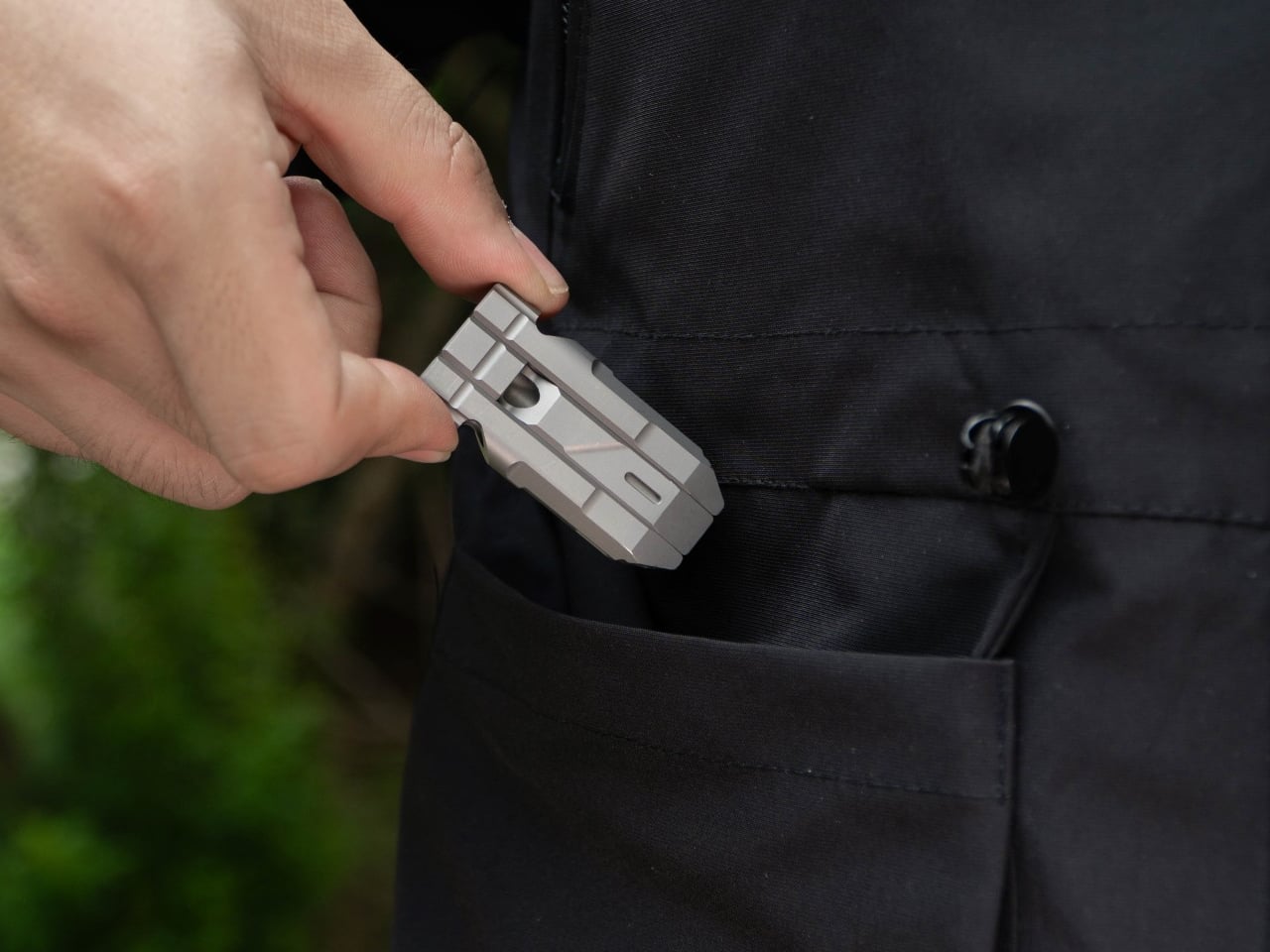
Every designer knows the restless hands that accompany deep thinking – the pen rolling between knuckles, the cap snapping and unsnapping, the absent-minded clicking that somehow keeps ideas moving. SPINNX, built by WEIWIN from aerospace-grade titanium, takes that instinct seriously and turns it into a fully engineered creative tool. The pen separates into three magnetic modules, each delivering a distinct tactile sensation: a crisp snap when the modules connect, a spring-loaded ball click in the middle, and a dice-style spinner top that rotates through rhythmic mechanical detents with ceramic bearing smoothness. With over fifty claimed configurations, the pen offers a whole palette of physical feedback, letting a designer find the specific sensation their brain needs to stay locked in and keep the ideas flowing. When it is time to actually put something on paper, the pen tip deploys through a smooth twist mechanism, and WEIWIN’s proprietary Super Refill offers up to six times the writing life of a standard refill – meaning the tool that sparks the idea is equally capable of capturing it.

For designers who spend long hours at a desk moving between sketching and problem-solving, the SPINNX functions less like a novelty and more like a cognitive companion. The acoustic and tactile response of each magnetic separation was engineered as an intentional product feature, treated with the same design attention as the geometry itself – similar to how luxury car designers obsess over the sound of a closing door. The optional Maglev Pen Stand extends this philosophy further, using magnetic levitation to hold the pen upright as a kinetic desk sculpture, turning even a moment of pause into an engaging physical interaction. Available in four finishes, SPINNX makes a compelling case that the best design tool is one that works with a designer’s restless, creative mind rather than against it.

What We Like

  • The fidget experience is genuinely intentional – the acoustic response, the weight distribution across modules, the ceramic bearing in the dice spinner – every tactile detail makes it one of the rare tools that genuinely supports the restless, nonlinear way creative thinking actually works.
  • It earns its place at a designer’s desk as both a sketching tool and a thinking tool and the twist-deploy pen tip and the high-endurance proprietary refill ensure it never compromises on its core function.

What We Dislike

  • The proprietary refill is a closed-system gamble, which is a real long-term reliability concern for a product positioned as a premium daily carry.
  • A three-part pen is a three-part losing opportunity – lose one module on a busy studio desk or in a bag, and the entire fidget system feels incomplete.

2. Creality Filament Maker M1 and Shredder R1

The Creality Filament Maker M1 and Shredder R1 sit at the end of the design pipeline and change what the end of the pipeline actually means. The R1 takes failed prints, support structures, and material scraps and breaks them down into reusable fragments. The M1 then takes those fragments or fresh virgin pellets and extrudes them into new filament with precise temperature control, stable extrusion performance, and a consistent diameter output. Every part of this happens on a single desktop system, without sending material waste anywhere else. The loop closes on the desk, which is where design has always worked best.

What makes the M1 and R1 specifically relevant to designers rather than makers alone is the degree of material authorship the system opens up. Custom color blending, scent additives, and texture variations move filament from a commodity you order to a creative variable you control. A studio working on sensory design, branded packaging prototypes, or experimental material research now has a desktop tool that matches that level of ambition. The system currently supports PLA and PETG, with ABS, ASA, and PC compatibility in development. It is available to back on Indiegogo now, with shipping expected in June 2026. For designers who have always wanted to own the full process, the M1 and R1 are the closest that ownership has ever been to a desk.

Click Here to Buy Now

What We Like

  • The closed-loop system converts failed prints and material scraps into fresh filament, directly reducing both studio waste and material cost
  • Custom color and additive blending give designers creative authority over the material itself, not just the form it produces

What We Dislike

  • Material support is currently limited to PLA and PETG, with broader compatibility still in development

3. Wacom MovinkPad Pro 14

The Wacom MovinkPad Pro 14 is the bridge between a physical sketch and a refined digital file, and it treats that role with genuine seriousness. Built on Android 15 OS, it operates as a fully self-contained creative workstation with no laptop, no cables, and no setup required beyond picking it up. The 14-inch OLED display delivers the color accuracy and contrast that design work actually demands, and the Wacom Pro Pen 3 brings the line quality and pressure sensitivity that feels continuous with the analog tools earlier in the process. It does not feel like a compromise between precision and portability. It feels like both are resolved into a single object.

For designers who move between studio, site, and client-facing environments, the portability argument is real rather than aspirational. Being able to sketch a revision in a meeting room, render a concept on a flight, or present live work from a single device without a cable in sight changes how quickly creative decisions can be made and acted on. It runs on Android 15, which means the software you use needs to be compatible with that ecosystem. For designers whose workflow is already built around compatible applications, that is a non-issue. For those whose toolkit lives entirely in desktop environments, it is worth checking before committing.

What We Like

  • Android 15 OS makes it a fully standalone device with no laptop dependency, built for designers who work across multiple locations
  • The 14-inch OLED display delivers the color accuracy and contrast that professional design work requires, not just adequate screen performance

What We Dislike

  • Android ecosystem compatibility means not all desktop-first professional design software will be available or optimally supported
  • At the premium price point, it is a significant investment for designers who already own a dedicated drawing setup

4. Bambu Lab A1 Mini Combo

The Bambu Lab A1 Mini Combo is where the design moves off the screen and becomes something you can hold. Its full-auto calibration system removes the manual tuning that used to make 3D printing feel like a separate technical skill set, letting designers focus entirely on what they are making rather than how the machine is behaving. The Combo version adds AMS-powered multi-color material handling, supporting up to four filament colors in a single print run. That capability meaningfully expands what a prototype can communicate, covering not just form but material differentiation, color intent, and spatial relationships between components.

Noise output sits below 49 decibels in silent mode, quiet enough to run in a shared studio without drawing attention to itself. The compact footprint integrates into a desk setup without claiming its own corner of the room, and one-click MakerWorld integration streamlines going from a digital file to a running print without a technical detour. The A1 Mini Combo occupies the specific moment in the design pipeline where intent becomes form, and it handles that transition with the kind of efficiency that makes iteration feel fast rather than laborious. For a designer prototyping regularly, fast iteration is the whole point.

What We Like

  • Full-auto calibration removes the technical barrier to producing a physical prototype quickly and without manual intervention
  • Multi-color AMS printing expands what a prototype can communicate well beyond form alone

What We Dislike

  • Build volume is smaller than full-size Bambu Lab models, which limits the scale of what can be prototyped in a single print run
  • The AMS hub accessory required to connect additional material units is sold separately, adding to the effective total cost

5. MagBoard Clipboard

The MagBoard Clipboard is what a notebook looks like when a designer strips away everything that gets in the way of thinking. A hardcover body paired with a magnet and lever mechanism binds up to 30 loose sheets of paper with no ruling, no margins, and no fixed format to work around. You add pages when you need them, remove them when you do not, and reorder them entirely when the thinking shifts. That structural neutrality is genuinely rare in stationery, and it turns out to be the most useful quality a tool at this stage of the process can offer.

Its hardcover construction means it works while you are standing. In a client meeting, on a site visit, mid-conversation with a collaborator, wherever the information is, the MagBoard can be there with you. The surface resists water and cleans easily, which matters in the kind of environments where actual work gets done rather than where it is presented. At $45, it sits at a price point that feels considered: low enough to use without treating it like a precious object, high enough to signal that the design itself was taken seriously. It is the kind of tool that disappears into the process, which is exactly what it should do.

Click Here to Buy Now: $45.00

What We Like

  • The magnet and lever mechanism binds up to 30 loose sheets with no imposed format, ruling, or sequence to work around
  • Hardcover construction makes it fully usable while standing, wherever the work demands you to be

What We Dislike

  • Thirty sheets exhaust faster than a bound notebook during intensive ideation or research sessions
  • No integrated storage for pens or accessories, so they travel separately

The Best Design Process Is the One You Can See All the Way Through

What connects these five tools is not a shared product category but a shared philosophy. Each one removes a specific friction from the design process: disorganized color, a rigid notebook format, studio dependency, manual calibration overhead, and disposable materials. Taken together, they describe a workflow as considered as the work it produces. No tool here asks you to compromise on the stage it owns. That consistency across the full pipeline is what makes them work as a set rather than a random assortment.

The best design tools do not make design easier in a way that simplifies it. They make the hard parts worth doing. From the first mark with the Pen Fan to the closed material loop of the Creality M1 and R1, every tool here earns its position in the process. The gap between the first sketch and the finished prototype has always been where the real design work happens. These five tools close it.

The post 5 Best Design Tools That Take You From the First Sketch to the Finished Prototype first appeared on Yanko Design.
5 Best Design Tools That Take You From the First Sketch to the Finished Prototype

The design process has always lived between two worlds: the rough immediacy of a hand-drawn line and the precision of a finished object you can hold. What changes the game is not having more tools, but having the right ones at each stage. The five picks here form a complete creative pipeline, moving from the first mark on paper to a physical object that exists in the world, one you can turn over in your hands, show to a client, or give to a manufacturer with confidence.

What makes this lineup unusual is its range. A fidget-friendly pen sits alongside a crowdfunded filament recycler. A magnetic clipboard shares editorial space with a professional OLED drawing tablet. That breadth is intentional. Great design does not happen at one point in the process; it accumulates across all of them. These are the tools that make every stage worth showing up for, and worth doing well. Each one earns its place at the desk.

1. SPINNX Magnetic Modular Pen

Every designer knows the restless hands that accompany deep thinking – the pen rolling between knuckles, the cap snapping and unsnapping, the absent-minded clicking that somehow keeps ideas moving. SPINNX, built by WEIWIN from aerospace-grade titanium, takes that instinct seriously and turns it into a fully engineered creative tool. The pen separates into three magnetic modules, each delivering a distinct tactile sensation: a crisp snap when the modules connect, a spring-loaded ball click in the middle, and a dice-style spinner top that rotates through rhythmic mechanical detents with ceramic bearing smoothness. With over fifty claimed configurations, the pen offers a whole palette of physical feedback, letting a designer find the specific sensation their brain needs to stay locked in and keep the ideas flowing. When it is time to actually put something on paper, the pen tip deploys through a smooth twist mechanism, and WEIWIN’s proprietary Super Refill offers up to six times the writing life of a standard refill – meaning the tool that sparks the idea is equally capable of capturing it.

For designers who spend long hours at a desk moving between sketching and problem-solving, the SPINNX functions less like a novelty and more like a cognitive companion. The acoustic and tactile response of each magnetic separation was engineered as an intentional product feature, treated with the same design attention as the geometry itself – similar to how luxury car designers obsess over the sound of a closing door. The optional Maglev Pen Stand extends this philosophy further, using magnetic levitation to hold the pen upright as a kinetic desk sculpture, turning even a moment of pause into an engaging physical interaction. Available in four finishes, SPINNX makes a compelling case that the best design tool is one that works with a designer’s restless, creative mind rather than against it.

What We Like

  • The fidget experience is genuinely intentional – the acoustic response, the weight distribution across modules, the ceramic bearing in the dice spinner – every tactile detail makes it one of the rare tools that genuinely supports the restless, nonlinear way creative thinking actually works.
  • It earns its place at a designer’s desk as both a sketching tool and a thinking tool and the twist-deploy pen tip and the high-endurance proprietary refill ensure it never compromises on its core function.

What We Dislike

  • The proprietary refill is a closed-system gamble, which is a real long-term reliability concern for a product positioned as a premium daily carry.
  • A three-part pen is a three-part losing opportunity – lose one module on a busy studio desk or in a bag, and the entire fidget system feels incomplete.

2. Creality Filament Maker M1 and Shredder R1

The Creality Filament Maker M1 and Shredder R1 sit at the end of the design pipeline and change what the end of the pipeline actually means. The R1 takes failed prints, support structures, and material scraps and breaks them down into reusable fragments. The M1 then takes those fragments or fresh virgin pellets and extrudes them into new filament with precise temperature control, stable extrusion performance, and a consistent diameter output. Every part of this happens on a single desktop system, without sending material waste anywhere else. The loop closes on the desk, which is where design has always worked best.

What makes the M1 and R1 specifically relevant to designers rather than makers alone is the degree of material authorship the system opens up. Custom color blending, scent additives, and texture variations move filament from a commodity you order to a creative variable you control. A studio working on sensory design, branded packaging prototypes, or experimental material research now has a desktop tool that matches that level of ambition. The system currently supports PLA and PETG, with ABS, ASA, and PC compatibility in development. It is available to back on Indiegogo now, with shipping expected in June 2026. For designers who have always wanted to own the full process, the M1 and R1 are the closest that ownership has ever been to a desk.

Click Here to Buy Now

What We Like

  • The closed-loop system converts failed prints and material scraps into fresh filament, directly reducing both studio waste and material cost
  • Custom color and additive blending give designers creative authority over the material itself, not just the form it produces

What We Dislike

  • Material support is currently limited to PLA and PETG, with broader compatibility still in development

3. Wacom MovinkPad Pro 14

The Wacom MovinkPad Pro 14 is the bridge between a physical sketch and a refined digital file, and it treats that role with genuine seriousness. Built on Android 15 OS, it operates as a fully self-contained creative workstation with no laptop, no cables, and no setup required beyond picking it up. The 14-inch OLED display delivers the color accuracy and contrast that design work actually demands, and the Wacom Pro Pen 3 brings the line quality and pressure sensitivity that feels continuous with the analog tools earlier in the process. It does not feel like a compromise between precision and portability. It feels like both are resolved into a single object.

For designers who move between studio, site, and client-facing environments, the portability argument is real rather than aspirational. Being able to sketch a revision in a meeting room, render a concept on a flight, or present live work from a single device without a cable in sight changes how quickly creative decisions can be made and acted on. It runs on Android 15, which means the software you use needs to be compatible with that ecosystem. For designers whose workflow is already built around compatible applications, that is a non-issue. For those whose toolkit lives entirely in desktop environments, it is worth checking before committing.

What We Like

  • Android 15 OS makes it a fully standalone device with no laptop dependency, built for designers who work across multiple locations
  • The 14-inch OLED display delivers the color accuracy and contrast that professional design work requires, not just adequate screen performance

What We Dislike

  • Android ecosystem compatibility means not all desktop-first professional design software will be available or optimally supported
  • At the premium price point, it is a significant investment for designers who already own a dedicated drawing setup

4. Bambu Lab A1 Mini Combo

The Bambu Lab A1 Mini Combo is where the design moves off the screen and becomes something you can hold. Its full-auto calibration system removes the manual tuning that used to make 3D printing feel like a separate technical skill set, letting designers focus entirely on what they are making rather than how the machine is behaving. The Combo version adds AMS-powered multi-color material handling, supporting up to four filament colors in a single print run. That capability meaningfully expands what a prototype can communicate, covering not just form but material differentiation, color intent, and spatial relationships between components.

Noise output sits below 49 decibels in silent mode, quiet enough to run in a shared studio without drawing attention to itself. The compact footprint integrates into a desk setup without claiming its own corner of the room, and one-click MakerWorld integration streamlines going from a digital file to a running print without a technical detour. The A1 Mini Combo occupies the specific moment in the design pipeline where intent becomes form, and it handles that transition with the kind of efficiency that makes iteration feel fast rather than laborious. For a designer prototyping regularly, fast iteration is the whole point.

What We Like

  • Full-auto calibration removes the technical barrier to producing a physical prototype quickly and without manual intervention
  • Multi-color AMS printing expands what a prototype can communicate well beyond form alone

What We Dislike

  • Build volume is smaller than full-size Bambu Lab models, which limits the scale of what can be prototyped in a single print run
  • The AMS hub accessory required to connect additional material units is sold separately, adding to the effective total cost

5. MagBoard Clipboard

The MagBoard Clipboard is what a notebook looks like when a designer strips away everything that gets in the way of thinking. A hardcover body paired with a magnet and lever mechanism binds up to 30 loose sheets of paper with no ruling, no margins, and no fixed format to work around. You add pages when you need them, remove them when you do not, and reorder them entirely when the thinking shifts. That structural neutrality is genuinely rare in stationery, and it turns out to be the most useful quality a tool at this stage of the process can offer.

Its hardcover construction means it works while you are standing. In a client meeting, on a site visit, mid-conversation with a collaborator, wherever the information is, the MagBoard can be there with you. The surface resists water and cleans easily, which matters in the kind of environments where actual work gets done rather than where it is presented. At $45, it sits at a price point that feels considered: low enough to use without treating it like a precious object, high enough to signal that the design itself was taken seriously. It is the kind of tool that disappears into the process, which is exactly what it should do.

Click Here to Buy Now: $45.00

What We Like

  • The magnet and lever mechanism binds up to 30 loose sheets with no imposed format, ruling, or sequence to work around
  • Hardcover construction makes it fully usable while standing, wherever the work demands you to be

What We Dislike

  • Thirty sheets exhaust faster than a bound notebook during intensive ideation or research sessions
  • No integrated storage for pens or accessories, so they travel separately

The Best Design Process Is the One You Can See All the Way Through

What connects these five tools is not a shared product category but a shared philosophy. Each one removes a specific friction from the design process: disorganized color, a rigid notebook format, studio dependency, manual calibration overhead, and disposable materials. Taken together, they describe a workflow as considered as the work it produces. No tool here asks you to compromise on the stage it owns. That consistency across the full pipeline is what makes them work as a set rather than a random assortment.

The best design tools do not make design easier in a way that simplifies it. They make the hard parts worth doing. From the first mark with the Pen Fan to the closed material loop of the Creality M1 and R1, every tool here earns its position in the process. The gap between the first sketch and the finished prototype has always been where the real design work happens. These five tools close it.

The post 5 Best Design Tools That Take You From the First Sketch to the Finished Prototype first appeared on Yanko Design.

As 3D Printing Filament Prices Surge 59%, Creality Turns Plastic Scrap Into New Supply

I’ve been watching filament spool prices creep upward for two years, but the last six weeks turned that creep into a sprint. A kilogram of basic PLA that cost $18 in February now runs closer to $28 if you can find it in stock. Specialty materials like carbon-fiber composite or flexible TPU have crossed $60 per roll in some markets. The cause traces back to disruptions to the oil supply which have also affected the petrochemicals industry pretty hard. Makers who print regularly are now calculating cost per gram the way road trippers calculate fuel economy. Creality launched the Filament Maker M1 and Shredder R1 into exactly that environment, and the crowdfunding response was immediate.

The M1 extrudes finished filament from pellets or recycled print waste at continuous output speeds up to 1 kg per hour, holding diameter tolerances between 1.70mm and 1.80mm with virgin material. The R1 shreds failed prints and support structures into 4mm pellets at up to 3 kg per hour, then dries them internally with a 100W PTC heater before feeding them into the M1’s hopper. Super Early Bird backers on Indiegogo locked the M1 at $799 and the R1 at $499, with shipments starting in June 2026. Creality estimates production cost per recycled roll at roughly $5, compared to current retail prices hovering near $28 and climbing.

Designer: Creality

Click Here to Buy Now: $799 $1149 (30% off). Hurry, only a few left! Raised over $5.4 million.

The R1 breaks down your print waste into clean, consistent pellets, the M1 melts and extrudes them into finished filament, and the entire loop happens on your desk without external dehydrators or assembly stations. Most shredders create pellets you then need to dry separately, but the R1 handles both in one unit by shredding waste and drying the regrinds internally. A 650W motor paired with a 60 Nm reducer drives dual-shaft blades at low speed, keeping noise levels appropriate for home workshops while outputting up to 3 kg per hour of uniform pellets measuring 4mm or smaller. The R1 currently works with rigid plastics like PLA and PETG, with ABS, ASA, and PC support coming soon, and it processes failed prints, purge strands, tree supports, and sheet supports. You run one material type at a time, pre-cut pieces to fit the hopper, and the machine turns waste into feedstock without requiring you to buy another appliance.

The M1 gives creators full authority over their medium, allowing custom color, scent, and texture to converge in a single workflow so that every spool becomes a personal formula. Add coffee grounds, lavender, or rose petal powder to your filament recipe, and the M1 blends that character into every layer, producing printed objects with a distinct aroma and a more memorable sensory experience. Blend walnut shell powder for a rich matte finish or fine wood dust for organic grain patterns, formulating natural-texture filaments that look and feel less like standard plastic and more like crafted objects. Need a specific brand red that no manufacturer sells? Blend your own using multiple masterbatch pellets for precise color matching and smooth gradient transitions, then produce small-batch, high-variety color runs on demand. The customization angle transforms the M1 from a cost-saving appliance into a material science workbench.

Recycled plastics and reinforced composites demand serious torque, and the M1’s 210mm extrusion screw and 100W FOC servo motor deliver it by maintaining a uniform melt pool and defect-free output even with challenging feedstock. Three independent heat zones give you granular temperature control up to 350 degrees Celsius, unlocking 8+ material types including PLA, PETG, ABS, PA, PC, PET, ASA, TPU, and carbon or glass fiber composites, while the three-stage distribution eliminates cold spots to ensure unwavering heat uniformity throughout the melt path. Eight 7W turbo fans cool your filament in a rapid multi-stage sequence, locking in diameter accuracy and molecular structure immediately after the nozzle to produce perfectly circular, stable filament ready to print right off the spool. The entire production line fits into a 15 kg desktop unit measuring 555 x 245 x 570mm, with extrusion, active cooling, precision pulling, and automatic spooling all happening inside one machine with no separate stations or assembly line required. Industrial filament makers occupy entire rooms and cost tens of thousands of dollars. Creality compressed that into something the size of a large microwave.

Different ratios of recycled and virgin material result in varying levels of precision and throughput, with a 100% recycled blend delivering up to 500g per hour at filament diameters ranging from 1.65mm to 1.80mm, while a 50/50 ratio pushes output to 600g per hour and utilizing 100% virgin pellets unlocks the machine’s peak potential at 1kg per hour with a tightened 1.70mm to 1.80mm diameter. That $5 per roll production cost assumes you’re feeding recycled scrap back through the system. If you’re after superior structural strength paired with a premium surface finish, add carbon fiber or glass fiber reinforcement directly in the M1, where carbon fiber infusion bolsters rigidity while delivering a sophisticated tactile experience and skipping the specialty markup to produce engineering-grade material from your desk. Carbon-fiber filament retails at $40 to $80 per kilogram commercially. Running it through your own extruder at material cost changes the calculation entirely when you’re prototyping functional parts or fulfilling client orders at volume.

The Filament Maker M1 retails at $799 during the Super Early Bird campaign window, the Shredder R1 at $499, or $1,199 for the combined system with a starter gift pack that includes 2kg of premium PLA pellets and an empty spool. Add-ons ship free to US, EU, and UK backers and include additional PLA pellets at $39 per 3kg, PETG pellets at $35 per 3kg, PLA-CF pellets at $59 per 3kg, five-color masterbatch sets at $19 per kilogram, and a SpacePi X4L four-spool filament dryer at $99. Creality is scheduled to begin shipping in June 2026, with delivery times varying by region but supported by a network of local warehouses around the world for fast fulfillment. Shipping reaches most countries worldwide, though costs outside the free-shipping zones (US, EU, UK) can run high due to product weight, with Creality absorbing a portion to make access more affordable. You can back the campaign on Indiegogo through May 14, 2026.

Click Here to Buy Now: $799 $1149 (30% off). Hurry, only a few left! Raised over $5.4 million.

The post As 3D Printing Filament Prices Surge 59%, Creality Turns Plastic Scrap Into New Supply first appeared on Yanko Design.
7 Best Eco-Friendly Designs That Celebrate Earth Day Better Than Any Campaign Ever Could

Earth Day has always had a visibility problem. It falls on 22nd April, and every April the campaigns are loud, the graphics are reliably green, and the sentiment fades well before the month comes to an end. Real change lives somewhere quieter; in the materials a designer chooses, in the lifecycle of an object, in the exact moment a product earns a permanent place in your life rather than a landfill. The seven designs here do more for the planet in daily use than most campaigns ever will.

Each one proves that sustainability is not a compromise; it is a design brief. The most honest form of environmentalism isn’t a hashtag or a product badge. It’s a cutlery set that removes the temptation of a plastic fork, a lamp that burns clean. These are objects built around ecological thinking, not layered over it. And on a day the world pauses to consider the planet, they make the most compelling case of all.

1. Wasteland Nomads: Bionic Tumbleweed Sower System – The Wind-Powered Desert Healer

Designer Guo, a graduate of Central Saint Martins’ Material Futures program and a former collaborator with Google DeepMind, developed Wasteland Nomads alongside Daheng Chu through the University of the Arts London and Imperial College London. The premise is rooted in one simple observation: the tumbleweed has always worked with the desert, not against it. Her question was whether a designed object could do the same. The answer took the form of a biomimetic seeding device built entirely on passive robotics, with no batteries, no circuits, and no external power source required.

The structure is a lightweight biodegradable sphere of tensile support rods, with an outer skin of moisture-responsive biodegradable composite that houses seeds. When the device rolls into an environment where the humidity is right, the skin begins to break down, releasing seeds directly into the soil. It boosts soil oxygen, supports carbon sequestration, and by the end of its journey, the entire device has merged with the earth it traveled across. No waste, no remnants. Just restored land.

What We Like

  • Fully passive design requires zero energy input or an external power source
  • Completely biodegradable and leaves no trace after its journey ends

What We Dislike

  • Dependent on wind conditions, limiting use to specific arid environments
  • Still a design concept rather than a widely deployed practical solution

2. Earth-Friendly Stacking Cup – Sipping Without the Guilt

Most eco-friendly drinkware performs its sustainability too loudly or sacrifices aesthetics entirely in the process. The Earth-Friendly Stacking Cup does neither. Made from plant-derived biodegradable resin, it delivers a tactile experience closer to ceramic or wood than anything associated with conventional plastic. A harmless urethane coating adds matte black texture and water resistance, giving the cup a finish that feels genuinely premium. It’s the kind of object you keep on the counter, not buried at the back of a cabinet.

The material biodegrades through natural microbial action into water and CO2, meaning its end-of-life story is as clean as its visual identity. It’s safe for warm drinks and entirely free from plastic, making each use a quiet departure from the disposable cycle. For anyone who wants their daily rituals to carry a little more intention, this cup delivers that feeling without demanding any sacrifice in experience or design quality.

Click Here to Buy Now: $25.00

What We Like

  • Fully plastic-free and biodegrades naturally into water and CO2
  • Matte tactile finish rivals ceramic and wood in sensory quality

What We Dislike

  • Biodegradable resin may have durability limitations with prolonged heat exposure
  • Urethane coating requires gentle care to maintain its finish over time

3. Manu Matters Homeware – Waste Elevated Into Objects Worth Keeping

Swedish studio Manu Matters has earned recognition as a leading innovator in eco-friendly design by doing something most studios won’t attempt: making waste beautiful enough to keep. Using 3D printing, the studio transforms lemon peels, PET bottles, and cornstarch into durable, aesthetically striking home accessories. Each piece isn’t sold as a product but adopted, a deliberate shift in framing that encourages owners to form an emotional attachment, extending the object’s lifespan through connection rather than obligation.

The collection includes table lamps and vases, among them the “Teen Betty” in Klein Blue, Mustard, and Olive, and the “Lady Betty” in Peach and Eggshell. Both are priced at $250 USD and produced to order, reinforcing a small-batch, low-impact production model. Transparency labels on each piece detail the local production, upcycled materials, and independent-artist ethos behind the work. It is Scandinavian minimalism filtered through ecological conscience, resulting in objects that feel considered rather than compromised.

What We Like

  • Made-to-order production model eliminates overproduction and excess inventory entirely
  • Transparency labels provide full material and production process disclosure

What We Dislike

  • A $250 price point limits accessibility for a wider everyday audience
  • Made-to-order timelines may not suit buyers seeking immediate delivery

4. ARLT Paper Cleaner – The Lint Roller Redesigned From Scratch

Nobody redesigns the lint roller. It works, so it stays. ARLT looked at that logic and disagreed. The Paper Cleaner is built entirely from molded pulp and bonded with a water-based adhesive, replacing conventional plastic tape with something fully recyclable and zero-waste. The cleaning surface is gentle enough for delicate fabrics and effective enough to handle the kind of lint situation that surfaces right before an important meeting. It does its job quietly and leaves nothing behind.

The design carries none of the apologetic quality that tends to follow eco-friendly alternatives. Sleek and minimal, the ARLT Paper Cleaner positions itself as a “Green High-End Brand for Life,” and it earns that positioning through both its material choices and its visual identity. It is the kind of everyday object that quietly raises expectations for what sustainable design can look like in the most ordinary corners of daily life.

What We Like

  • 100% paper-based and fully recyclable with a zero-waste end-of-life story
  • Gentle on delicate fabrics while remaining effective on dark clothing

What We Dislike

  • Paper construction may perform less reliably in humid or damp environments
  • Adhesive surface may vary in strength compared to traditional plastic tape rollers

5. Harmony Flame Fireplace – Sustainable Fire, Real Atmosphere

There is no good substitute for a real flame. Electric simulations flicker unconvincingly, and candles burn out, but the Harmony Flame Lamp delivers the genuine article through a brass body crafted by artisans who make musical instruments. That construction heritage lends the piece a precision and resonance that mass-produced alternatives simply cannot replicate. Whether on a dining table or a patio, it transforms the mood of a space the moment it catches light and begins its play of shadow.

The fuel is bioethanol, a clean-burning option that produces no odor, no smoke, and no harmful emissions, removing the air quality concerns that come with traditional open flames indoors. No installation is required. The reflective brass surface amplifies the flame’s movement, turning light and shadow into a feature worth watching long after the meal is over. For anyone who values atmosphere without environmental compromise, the Harmony Flame Lamp makes fire a genuinely sustainable choice.

Click Here to Buy Now: $240.00

What We Like

  • Bioethanol fuel burns cleanly with no odor, smoke, or harmful indoor emissions
  • Handcrafted by instrument artisans for exceptional material quality and precision

What We Dislike

  • Bioethanol fuel is a recurring purchase that adds to the ongoing cost of use
  • Open flame requires careful placement and consistent supervision at all times

6. Da Vinci Pencil

The most sustainable object is always the one you never have to replace. The Da Vinci Pencil builds its entire identity around that idea, using 3D printing technology to form a minimalist writing tool from PLA-CF, a composite of Polylactic Acid and Carbon Fiber that delivers strength and featherlight performance in equal measure. Under normal use, it lasts seven to ten years, quietly replacing dozens of conventional pencils over its lifespan without sharpening, refilling, or any of the routine waste that traditional writing tools generate.

The high-performance metal alloy nib writes with the smoothness of graphite, while the thin ergonomic profile doubles as a bookmark, sitting cleanly between pages without stretching the spine or preventing the cover from closing. It is the kind of dual-purpose thinking that makes a product feel genuinely considered rather than cleverly marketed. The Da Vinci Pencil doesn’t ask you to compromise on the writing experience in exchange for its environmental credentials. It makes the case that the two have never needed to be in conflict.

What We Like

  • Metal alloy nib lasts 7-10 years without sharpening or refilling, eliminating ongoing waste
  • Dual function as a writing tool and a bookmark maximizes utility in a single, minimal form

What We Dislike

  • Higher upfront cost compared to conventional pencils may be an initial barrier, despite the long-term value
  • PLA-CF construction lacks the familiar wood texture that many associate with a quality pencil feel

7. Lollo – The Cutlery Set That Actually Lives in Your Bag

Lollo addresses the most consistent failure point in sustainable eating on the move: the moment when a plastic fork is the only available option, and you take it anyway. The set houses a spoon, fork, and knife in durable stainless steel, each with a subtly concave handle that allows all three pieces to nest into one compact, stackable unit. It’s a travel cutlery set that functions as a genuine daily carry item rather than a well-intentioned purchase gathering dust in a drawer.

A circular silicone cap made from recycled materials keeps the set clean between meals and contains mess after eating. The design makes no demands beyond the simple ask of being carried. In doing so, it removes one of the most common sources of single-use plastic waste from daily life, one meal at a time. Nothing about Lollo requires a lifestyle overhaul. It just works, quietly and consistently, every time you reach for it.

What We Like

  • Silicone cap made from recycled materials extends the set’s eco-friendly credentials
  • Stainless steel construction ensures durability across years of daily use

What We Dislike

  • A three-piece set may not cover every utensil need across all meal occasions
  • The silicone cap requires thorough cleaning to prevent residue buildup over time

Design Is the Most Honest Form of Earth Day Activism

Earth Day names the problem. Design addresses it. Each of the seven products featured here does something campaigns rarely achieve: it changes behavior without demanding awareness. The choice of a paper lint roller over a plastic one, a bioethanol flame over a synthetic glow, a stainless steel cutlery set over a disposable fork. These aren’t symbolic gestures. They are durable, daily decisions made possible by designers who treated the planet as a material constraint, not a marketing opportunity.

The most powerful shift in sustainable living isn’t ideological. It’s object-level. When the things you use every day are built with ecological thinking embedded into their design, the environmental impact accumulates quietly and consistently. These seven objects make that kind of living feel less like a discipline and more like a preference. That is what great eco-friendly design actually does. It removes the effort from the right choice and makes it the obvious one.

The post 7 Best Eco-Friendly Designs That Celebrate Earth Day Better Than Any Campaign Ever Could first appeared on Yanko Design.
This Bike Cargo System Gives Your Bike a Face With 12 Color Zones

Bike cargo gear has always been the part of cycling that nobody really gets excited about. Racks, panniers, and baskets exist to haul things, and most of them look exactly like what they are, brackets and platforms bolted on as an afterthought. Cyclists who care about aesthetics often treat this hardware as a necessary compromise, something you’d tolerate rather than actually want.

Chamelion begins with the idea that bikes deserve the same sense of character other vehicles already have. That inspiration drives a modular, color-customizable cargo platform from Seattle that includes front and rear racks, pannier rails, aluminum baskets, and a front assembly the designers call the “bike face,” treating cargo gear as part of your bike’s actual identity.

Designer: Yu-Chu Chen

Click Here to Buy Now: $986. Hurry, only a few left!

The bike face is the most interesting part of the system, and it does more than look distinctive. It consolidates everything that typically clutters the handlebars into one organized front unit. Your phone’s got a dedicated mount with a sunshade, rear mirrors attach at the sides with wide spacing for better sightlines, and your headlight sits front and center behind a transparent shell.

The racks do serious work. The front has been tested to hold up to 20 kg (44 lbs), and the rear handles up to 27 kg (60 lbs), which is enough for a full grocery haul or a heavily loaded bikepacking setup. The aluminum baskets drop in when you need proper containment, or you can skip them and just strap a bag directly to the platform.

One of the quieter design details is how the racks handle rough terrain. Rather than transmitting every bump directly into your load, the material has enough flex to absorb vibration, so things ride more smoothly on uneven surfaces. Add the pannier rails when you need side-hanging capacity, and the same bike that’s carrying your lunch on a weekday is hauling camping gear on a trail by Saturday.

Installing the system takes some effort upfront, but once that’s done, removing and remounting the racks requires no tools at all. The front rack’s handlebar connectors rotate to fit different bar types and the fork clamps have bearings inside that move with your suspension. The rear rack adjusts between 110mm and 180mm between the clamps, wide enough to accommodate most bikes, including full-suspension mountain bikes.

Of course, the color customization goes well beyond picking a finish. Every component has its own configurable color zone, from the rack platform and frame connectors down to the pannier cap and handlebar connector buckle. The bike face alone has more than 12 individually configurable areas. It sounds excessive until you realize that kind of specificity is exactly what makes the system feel genuinely personal.

What makes that level of customization possible is the manufacturing behind it. The plastic components are produced using powder bed fusion 3D printing in PA12 or PA11 nylon, with coloring handled by Dyemansion. That process gives the parts rich, durable color without relying on conventional painted finishes, and it allows for small-batch production without injection mold tooling, which is what makes individual configurations feasible.

Assembly is guided by interactive 3D step-by-step instructions that let you zoom in, rotate, and inspect every connection from multiple angles before putting it all together. It’s the kind of manual that actually makes you want to read it, which is more than can be said for most flat-pack furniture and certainly more than anyone expects from a bike cargo system.

The broader idea here isn’t a one-off accessory set, but a system that can keep expanding over time, with new modules and accessories already being developed. The 3D-printed version stays the lightest and most configurable option, and the design accommodates future additions as the lineup expands. For a category that’s spent decades being mostly forgettable, this one at least gives your bike the kind of personality it probably should have had all along.

Click Here to Buy Now: $986. Hurry, only a few left!

The post This Bike Cargo System Gives Your Bike a Face With 12 Color Zones first appeared on Yanko Design.

5 Best Stationery Pieces That Turn Any Desk Into a Minimalist’s Dream Workspace

A good desk doesn’t happen by accident. Not one loaded with gadgets or overrun with branded accessories, but a workspace where every object earns its place. The stationery you choose sets the tone for how you think, write, and create. When a pen, tray, or ruler is designed with real intention, it stops being background noise and starts becoming an active part of the process itself.

The five pieces collected here share a common thread: they solve real problems without announcing themselves. Each one sits at the intersection of craft, function, and restraint. Whether you’re sketching, drafting, or writing longhand, these objects won’t compete for your attention. They’ll quietly make you better at whatever you’re doing. That’s the standard every great piece of stationery should meet, and these five clear it with ease.

1. Inseparable Notebook Pen

A pen that stays with its notebook sounds like a small idea, but the execution here is anything but minor. Built around a magnetic clip that secures directly to the cover, this piece eliminates the quiet, persistent frustration of reaching for a pen that isn’t there. The minimalist form is unobtrusive, the grip comfortable, and the ink flow smooth enough that writing feels less like a task and more like a reflex you’ve always had.

What makes this pen genuinely useful for daily writing is the built-in silencer, a detail that turns something mechanical into something refined. When you attach or detach it from the notebook, there’s no sharp click, just a quiet, satisfying motion. For anyone who writes regularly, that kind of sensory attention matters more than it should. The pen becomes an extension of the notebook rather than a companion to it, which means your ideas and the tool to capture them are always in the same place.

Click Here to Buy Now: $19.95

What We Like

  • The magnetic clip keeps the pen fixed to the notebook cover at all times, so losing your writing tool mid-session is no longer a possibility
  • The built-in silencer makes attaching and detaching feel considered and refined rather than mechanical

What We Dislike

  • The design works best when paired with its intended notebook, which limits its versatility as a standalone pen
  • The minimalist form may reduce compatibility with notebooks of varying cover thickness or material

2. Solid Copper & Brass EDC Clutch Pencils

Nicholas Hemingway’s clutch pencils are machined from solid metal bar stock, not hollow tubes or plastic wrapped in metallic finishes, and that distinction matters from the first time you hold one. Copper weighs 8.96 grams per cubic centimeter, and brass sits at around 8.5. Hemingway has built his entire design philosophy around those densities. The mass of the metal body reduces the pressure you need to apply to the page, a concept he calls gravity-feed, making longer creative sessions far less fatiguing on the hand.

The 10th anniversary collection includes three pencils: the 5.6mm Copper and Brass Hybrid at 58 grams for shading and life drawing, with a built-in lead sharpener in the push button, and the 2mm Precision series in both brass and copper at around 30 grams each for technical drafting and fine-line illustration. Hemingway ships each version with a specific lead grade matched to its intended use, so you’re never mid-workflow having to swap. Both formats are fully compatible with any lead brand, making them as practical as they are beautifully crafted.

Click Here to Buy Now: $79 $115 (31% off). Hurry, only 26/50 left!

What We Like

  • The gravity-feed approach uses the weight of the metal body to reduce hand fatigue across long drawing or writing sessions
  • Each pencil ships with a lead grade selected to match its intended use, removing the guesswork entirely from setup

What We Dislike

  • The solid metal construction makes these significantly heavier than standard options, which won’t suit every hand or working style
  • The price point of hand-machined tools will be a barrier for casual or occasional users

3. KNOB. Pen Tray

Changho Lee’s KNOB. Pen tray is one of those rare desk accessories that rewards both looking at and actually using. The form is clean and minimal with rounded edges, but the real story lives in the knobs, borrowed from the design language of gas burner controls and reimagined as adjustable dividers inside the tray. Those knobs let you reconfigure the interior space in any direction, depending on what you’re organizing and how you want to arrange it on a given day.

For anyone who cycles between different tools, the KNOB. tray removes the need for multiple organizers competing for desk space. One tray handles everything because you can reshape its interior for whatever you need at any given moment. That kind of adaptable functionality is genuinely rare in desk accessories, which tend to be fixed in their layouts and unforgiving when your needs shift. The visual result is a tray that always looks intentional, regardless of what’s inside it or how the internal dividers have been reconfigured.

What We Like

  • The adjustable knobs let you customize the internal layout in any direction without tools, additional parts, or a second organizer
  • The minimal aesthetic keeps the tray from visually cluttering the desk, no matter how it’s currently configured

What We Dislike

  • The knob-based adjustment mechanism may feel fiddly for users who reorganize their setup frequently throughout the day
  • The compact footprint may not comfortably accommodate larger or unusually shaped stationery items

4. Eco-Friendly Pencil Sharpener

Wang Cheng’s Eco-Friendly Pencil Sharpener is a Red Dot Design Concept Award winner built around one precise and clever observation: pencil stubs don’t need to be discarded. With three sharpening zones, the sharpener handles conventional sharpening but also threads and taps pencils, turning them into wooden screws that connect end to end. A stub that would otherwise be thrown away becomes usable again the moment you screw it into a larger pencil, extending its life without any additional materials or waste.

That mechanism is genuinely satisfying to use, and it shifts how you think about pencils entirely. Threading one end and screwing two together feels intuitive after the first attempt, and the result is a longer, more comfortable writing instrument that has a second act built in from the start. For anyone who goes through pencils regularly, whether sketching, drafting, or writing by hand, this sharpener reframes the stub not as the end of something useful but as the beginning of another productive session.

What We Like

  • The threading and tapping mechanism extends the life of pencil stubs meaningfully, reducing material waste without requiring anything extra
  • Winning the Red Dot Design Concept Award confirms that the idea is executed as well as it is inventive

What We Dislike

  • The three-zone sharpening system introduces more complexity than most casual users will need or ever explore
  • Screw-together pencils may feel slightly uneven in the hand compared to a single, uniform pencil body

5. Quiver Ruler

Tunir Maity’s Quiver is an anodized aluminum ruler built for people who actually cut with one, not just measure. It has a clip mechanism that holds paper in place, a blade slit that guides your cut in a straight line, and a weight distribution that favors the cutting end so you don’t have to press down as hard. Made for over 300 cuts with recyclable plastic components, Quiver doesn’t treat shaky hands or imprecise cuts as user failures. It treats them as design problems worth solving properly.

Beyond its cutting functionality, Quiver includes a carabiner attachment for clipping to a bag, which makes it genuinely portable rather than just theoretically so. The anodized aluminum finish gives it a premium presence on any desk, and the minimal profile means it stores flat without consuming unnecessary space. For designers, architects, or anyone who works regularly with physical materials, Quiver is the kind of tool that makes you quietly wonder why rulers weren’t designed this way from the very beginning.

What We Like

  • The blade channel and clip mechanism make precise, straight cuts achievable without pressing hard or manually holding paper in place
  • The carabiner attachment makes it easy to carry wherever the work actually happens, rather than leaving it behind on the desk

What We Dislike

  • Quiver is currently a concept, so availability for purchase has not been confirmed
  • The emphasis on cutting functionality may feel overbuilt for users who only need a ruler for basic measuring

The Desk You Actually Want

Minimalism isn’t about owning less. It’s about owning better. Each piece on this list earns its place not through novelty or surface-level aesthetics alone, but through how well it understands the person using it. A pen that stays with your notebook, a ruler that guides your blade, a tray that reorganizes itself around your tools. These are objects designed around behavior, not the other way around.

The best stationery doesn’t ask for your attention. It earns your trust slowly, through repeated use, through a grip that feels right after the third session, through a cut that lands exactly where you planned it. The five pieces here share that quality. They’re not trying to be beautiful. They are beautiful because they work, and that’s a distinction worth remembering the next time you’re building a workspace from scratch.

The post 5 Best Stationery Pieces That Turn Any Desk Into a Minimalist’s Dream Workspace first appeared on Yanko Design.

This 45mm Titanium Keychain Glows for 25 Years Without Batteries Using Pure Material Physics

Tritium is a hydrogen isotope with a half-life of 12.3 years. As it decays, beta particles strike a phosphor coating and produce light. The process requires no electricity, no chemical reaction, and no external energy. It simply happens, continuously, for decades. This is why tritium appears in emergency exit signs, military watches, and aviation instruments. The glow is faint compared to an LED, but the reliability is absolute. Nothing else in the consumer lighting world can claim 25 years of operation with zero maintenance.

NoxTi by Xedge packages that physics in a 45mm titanium cylinder designed for keychain carry. The tritium vial sits inside a precision quartz tube with 92% light transmission, surrounded by a CNC-machined Gr5 titanium body that weighs just 10.7 grams. The construction is fully serviceable. Two silicone O-rings hold the vial in place, and when brightness fades after two decades, you push the old tube out and slide a new one in. The design includes a ceramic-tipped glass breaker at one end, a keychain hole at the other, and a floating core that’s visible from all sides. Xedge ships it in six colors (Ice Blue, Apple Green, Red, Sunset Orange, Violet, Ocean Blue) and two finishes (sandblasted titanium or black coating). Pricing starts at $25 for a luminescent vial version and $45 for tritium.

Designer: Xedge

Click Here to Buy Now: $30 $42 (28% off). Hurry, only 73/350 left! Raised over $253,000.

The titanium shell measures 45mm long by 12mm wide, putting it in the same size class as a AA battery but considerably lighter. At 10.7 grams, the weight registers as barely-there on a keychain, roughly equivalent to two US pennies. The Gr5 titanium alloy (also known as Ti-6Al-4V) is the workhorse material of the aerospace industry, chosen for its exceptional strength-to-weight ratio and total resistance to corrosion. This alloy doesn’t rust, doesn’t tarnish, and doesn’t degrade in salt water, sweat, or extreme temperatures. Xedge tested the assembly from -20°C to 50°C, and the glow remained steady throughout. The body is CNC-machined, not stamped or cast, which means tighter tolerances and cleaner geometry.

Quartz glass transmits 92% of visible light, far outperforming acrylic or polycarbonate alternatives that yellow and scratch over time. The tube encasing the tritium vial is hermetically sealed, protecting the vial from moisture, dust, and impact. Beta particles from tritium decay are so weak they cannot penetrate paper, let alone quartz. The radiation stays contained. If the tube somehow shattered, tritium is a gas that dissipates instantly with no lingering hazard. The engineering priority here is longevity. The quartz will still be optically clear in 2050.

Two precision silicone O-rings grip the quartz tube at either end, holding it perfectly centered inside the hollow titanium body. The tube doesn’t shift, doesn’t rattle, and appears suspended in midair when you look through the cutouts in the shell. The effect is clean and technical, like looking into a piece of scientific equipment. More importantly, this mounting method makes the vial user-serviceable. When the tritium dims after 20 or 25 years, you press the tube out from one end and slide a fresh one in from the other. No adhesive. No permanent seals. The titanium body becomes a platform you keep forever, swapping cores as needed.

The six color options let you tailor the glow to preference or function. Apple Green is the brightest to the human eye and the most common choice for visibility. Ice Blue reads as cooler and more modern. Red preserves night vision, a carryover from military and aviation use. Sunset Orange, Violet, and Ocean Blue lean aesthetic. Xedge also offers two finishes. The sandblasted titanium option reveals the raw gray-silver lustre of the alloy and develops a patina of micro-scratches over time, creating a lived-in look. The black-coated finish uses a hard scratch-resistant diamond-like coating (DLC) to cloak the body in matte black, letting the glowing core do all the visual work.

The ceramic-tipped glass breaker at the tail end functions as an emergency tool. It’s designed for car windows and similar tempered glass applications. Xedge cautions that it’s for emergencies only, not casual testing, which is the responsible way to position a feature like this on a keychain-sized tool.

NoxTi ships in two versions. The luminescent vial version uses a glow-in-the-dark tube that absorbs ambient light and re-emits it at night, priced at $25. The tritium model glows continuously for 25 years with no external light needed, starting at $45. Both versions ship worldwide with free shipping included. Add-ons include extra vials (three-packs of luminescent tubes for $20, tritium vials for $60), black coating upgrades, quick-release key rings, and stainless steel necklaces. Delivery is scheduled for August 2026.

Click Here to Buy Now: $30 $42 (28% off). Hurry, only 73/350 left! Raised over $253,000.

The post This 45mm Titanium Keychain Glows for 25 Years Without Batteries Using Pure Material Physics first appeared on Yanko Design.
10 Best Gadgets of April 2026 Every Tech-Savvy Gen Z Is Obsessed With (And We Get Why)

Gen Z isn’t chasing spec sheets or benchmark scores. They’re chasing objects that fit the way they actually live: portable, intentional, and quietly smart. April 2026 delivered a lineup that genuinely gets that energy. From satellite-connected wearables to battery-free speakers, these ten gadgets are doing something harder than simply being powerful. They’re being useful, and in a market saturated with noise and empty promise, that distinction is becoming genuinely rare.

The gadgets on this list aren’t competing for attention. They’re designed around how people actually behave: working from cafés, traveling between cities, tuning out distractions, or surviving in places where infrastructure doesn’t reach. Some rethink materials, some rethink interfaces, and some rethink habits entirely. What they share is a design sensibility that respects the user’s time and intelligence. That’s the standard Gen Z holds, and this month, these ten deliver.

1. O-Boy Satellite Smartwatch

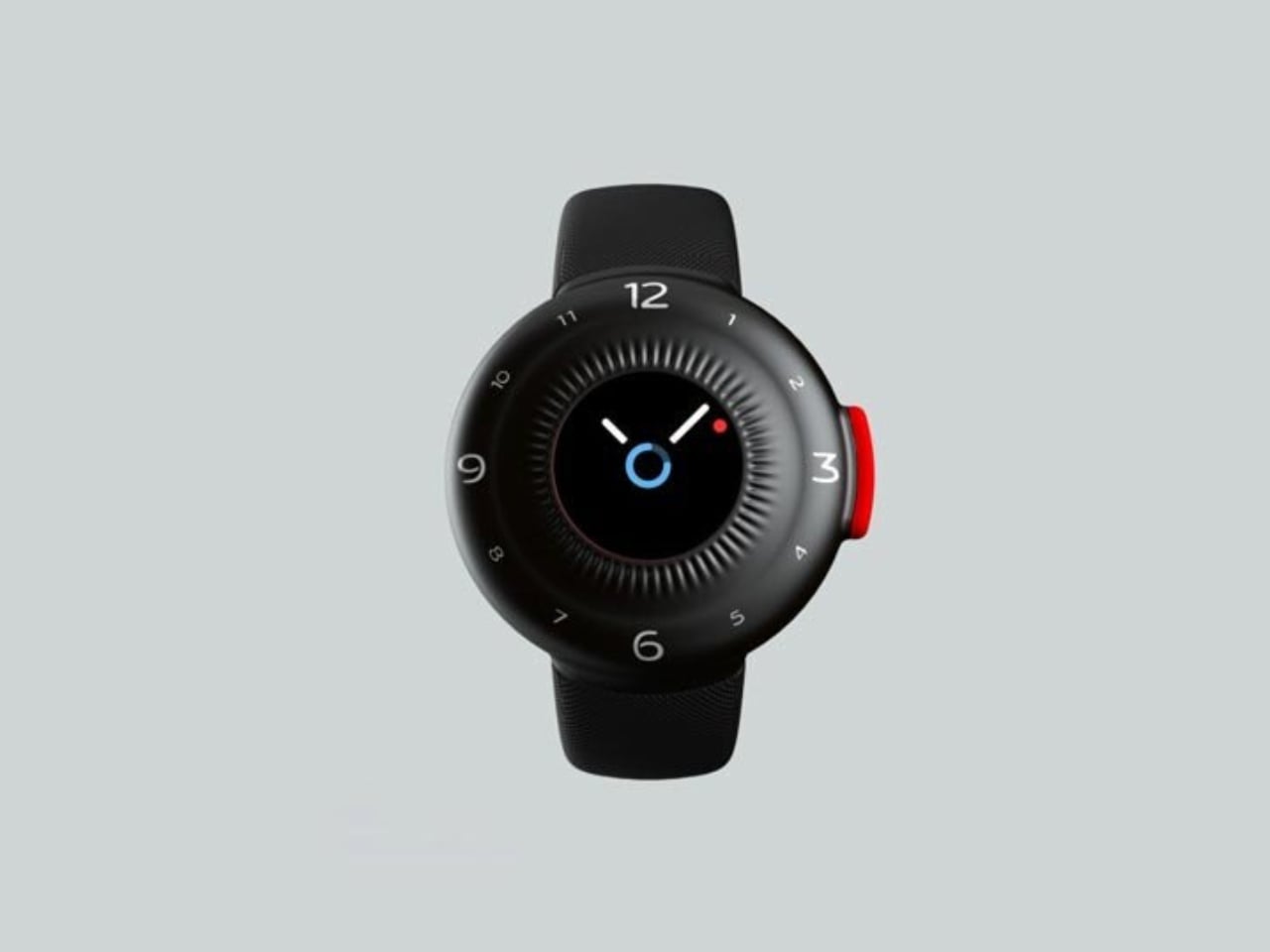
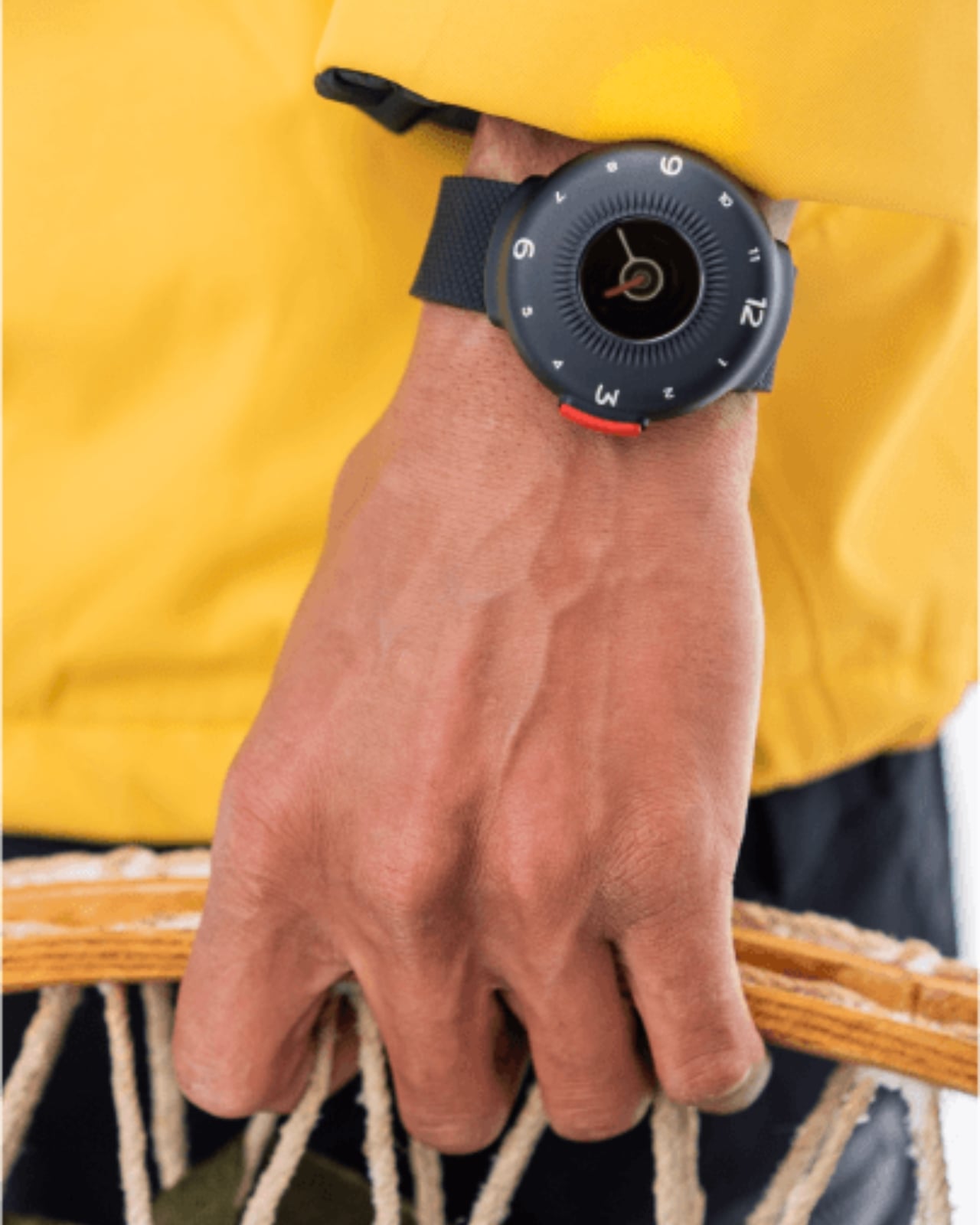
The O-Boy is built for the places where your phone gives up. Brussels-based studio Futurewave designed this satellite-connected smartwatch for emergencies in environments where mobile networks simply don’t exist: open ocean, mountain terrain, remote job sites. No bars, no Wi-Fi, no backup signal required. The watch transmits an emergency alert directly via satellite, making it one of the few wearables that actually keeps its promise when conditions are worst.

What makes the O-Boy genuinely impressive isn’t just the satellite capability; it’s how it was achieved. Futurewave pulled together product designers, electronics engineers, and antenna specialists and rethought the assembly process from the ground up. Getting satellite hardware into a compact, wearable form factor is not a small engineering feat. The result is a device that pushes the category forward rather than iterating on what already exists, and that distinction matters.

What We Like

  • Satellite communication works completely off the grid
  • Cross-disciplinary engineering produced a genuinely compact wearable form factor

What We Dislike

  • Designed primarily for emergencies, limiting everyday lifestyle appeal
  • Satellite connectivity may come with additional subscription costs

2. Minimal Laptop UI Concept

Inspired by the design philosophy of Teenage Engineering, the Minimal Laptop UI concept imagines what a laptop would look like if hardware and software were built around the same principle: less friction, more focus. The interface relies on strong visual hierarchy, generous spacing, and elements that appear only when necessary. Toolbars, panels, and persistent notifications are stripped away entirely, leaving a workspace that feels calm rather than cluttered.

For a generation that grew up multitasking across four open tabs and a split screen, this concept offers something surprisingly radical: a single surface to think on. Typography is clean and deliberate, icons are reduced to their most recognizable forms, and content stays at the center. It’s not about doing less. It’s about designing a machine that doesn’t compete with the work you’re trying to do on it, and that’s a harder problem than it sounds.

What We Like

  • Interface is designed around focus rather than feature density
  • Aesthetic language is distinctive and quietly confident

What We Dislike

  • Remains a concept with no confirmed production timeline
  • Minimal UI may not suit users who rely on multi-panel workflows

3. Battery-Free Amplifying iSpeakers

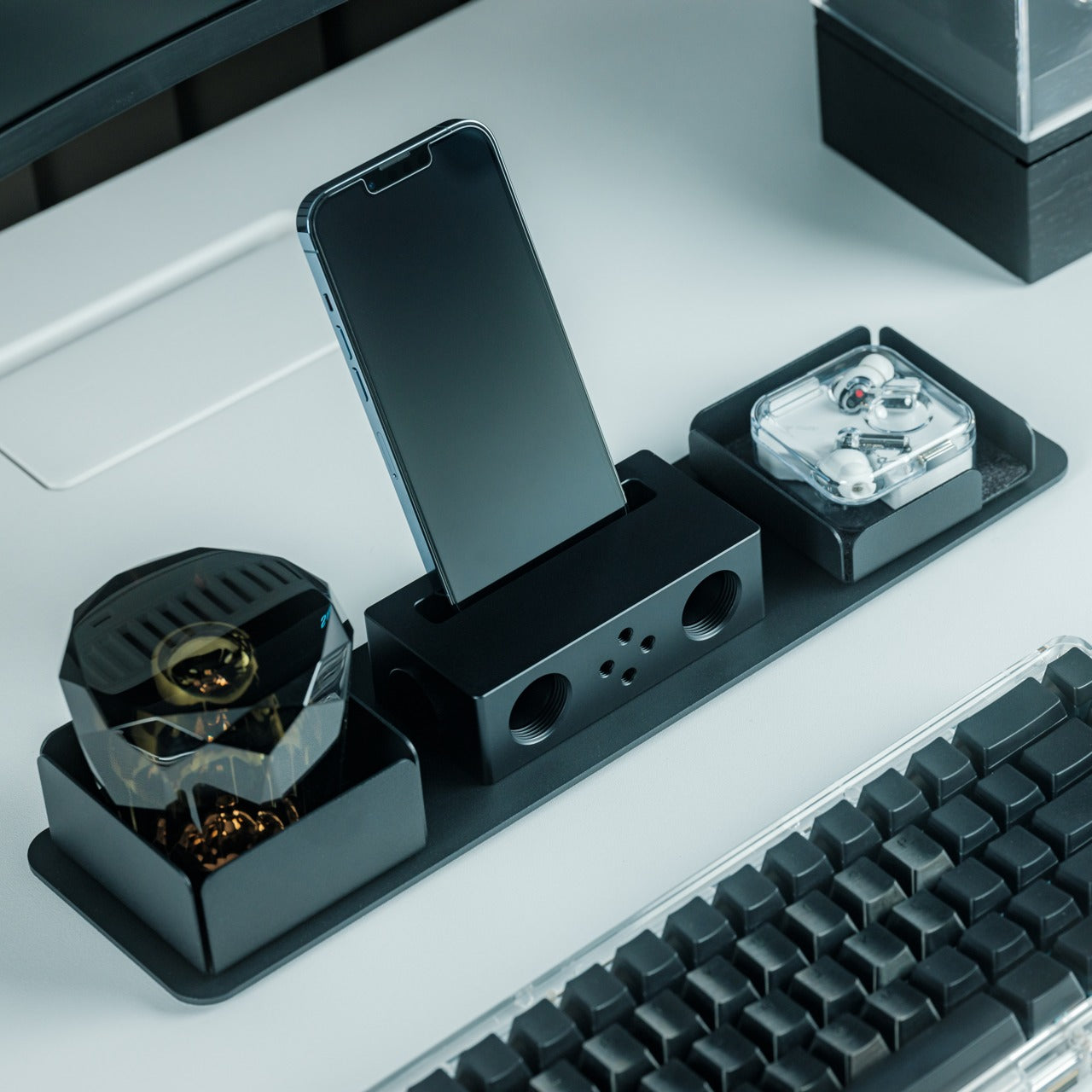
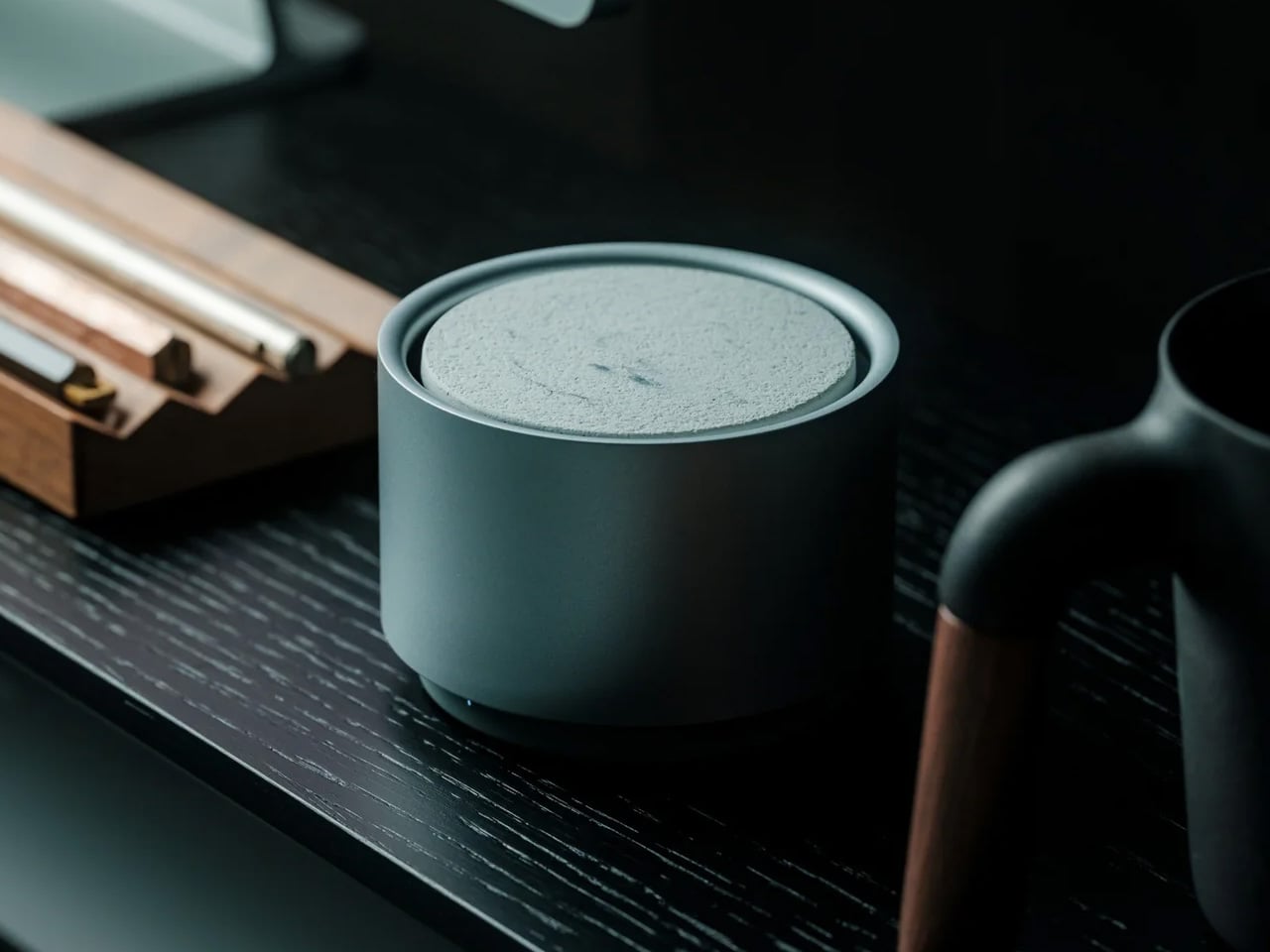
No power outlet, no battery, no Bluetooth pairing. Place your phone in the iSpeakers, and the sound amplifies. Built from Duralumin, the aluminum alloy used in aircraft construction, this passive speaker uses the golden ratio in its geometry to enhance resonance naturally. The result is an amplifier that genuinely improves your phone’s audio without asking anything of your power strip or your patience, which is a more elegant solution than most audio hardware manages.

The iSpeakers work anywhere, which makes them useful in a way that over-engineered audio gear often isn’t. A desk speaker that never needs charging is always ready. The aesthetic is understated and precise, the kind of object that improves a space by being in it rather than demanding attention. For anyone tired of hunting for cables and waiting for Bluetooth to pair, this is a refreshingly simple alternative that earns its place on any desk.

Click Here to Buy Now: $179.00

What We Like

  • Zero power requirement means zero limitations on where it works
  • Duralumin construction gives it both durability and a premium, clean look

What We Dislike

  • Audio output depends entirely on the quality of the phone’s built-in speaker
  • Sound-directing mods are sold separately, adding to the total cost

4. Xiaomi UltraThin Magnetic Power Bank 5000 15W

At 6mm thick, the Xiaomi UltraThin Magnetic Power Bank is thinner than any smartphone currently on the market. Using silicon-carbon battery chemistry with 16% silicon content, Xiaomi managed to pack 5,000mAh into something that looks and feels like a metal business card. The aluminum alloy shell has a smooth, understated finish, and a photolithographically etched logo on the back signals a product designed with care rather than simply manufactured to a spec sheet.

Available in Glacier Silver, Graphite Black, and Radiant Orange, this power bank debuted in Japan, expanded across Australia, Singapore, South Korea, and Europe, and made its global appearance at MWC 2026 in Barcelona. European pricing sits around €60, which is reasonable for what it delivers. The phone-facing surface uses fire-resistant fiberglass with an excimer coating for heat management, a detail that matters when you’re charging magnetically and want the hardware to stay cool.

What We Like

  • Silicon-carbon battery achieves 5,000mAh in a 6mm profile
  • Premium materials and finish at an accessible price point

What We Dislike

  • 15W wireless charging is modest compared to faster wired alternatives
  • The ultra-slim design means no additional ports or USB-A pass-through

5. tinyBook Flip

The tinyBook Flip is a foldable phone concept built around a 6.1-inch E Ink display. Closed, it collapses into a near-square form with a matte white finish and rounded corners, closer in proportion to a folded notecard than a smartphone. When shut, the screen disappears entirely. No glowing rectangle sitting face-up on the desk, no ambient reminder that there are things to check. Just a small, quiet object doing nothing at all.

That quietness is the design feature. Opening the phone requires a deliberate physical action, and that two-second pause changes the behavioral math around screen time. A reflexive grab becomes a conscious decision. The concept treats this friction as intentional, a design choice rather than an inconvenience. For anyone who has tried every screen time app and still reaches for their phone without thinking, the tinyBook Flip proposes something more honest: a phone that makes you choose to open it.

What We Like

  • Foldable form adds physical friction that genuinely interrupts mindless scrolling
  • Matte E Ink display avoids unnecessary glow and is easy on the eyes

What We Dislike

  • E Ink refresh rates remain too slow for video or fast-moving content
  • Currently a concept with no confirmed production or pricing information

6. OrigamiSwift Folding Mouse

The OrigamiSwift is a Bluetooth mouse that folds flat for travel and springs back to full size in under 0.5 seconds. Weighing 40 grams, it’s light enough to forget it’s in your bag until you need it. Inspired by origami, the foldable structure doesn’t sacrifice ergonomics for portability. It’s shaped to fit naturally in the hand during long work sessions, whether at a co-working space, a café, or an airport gate somewhere between time zones.

For digital nomads and students tired of trackpads and bulky peripherals, the OrigamiSwift makes a compelling case for carrying a full-sized experience in a pocket-sized package. The slim profile keeps it flat and unobtrusive in any bag, and the Bluetooth connection removes the need for a dongle. It’s the kind of product that solves a problem you’ve quietly accepted as unsolvable, and does it with a detail-first design sensibility that genuinely earns the attention it’s getting.

Click Here to Buy Now: $85.00

What We Like

  • Folds flat without compromising ergonomic performance when open
  • The 40-gram weight makes it genuinely unnoticeable in a bag

What We Dislike

  • No published DPI range or click precision specifications available
  • May not satisfy users who prefer a heavier, more substantial mouse feel

7. DuRobo Krono

The DuRobo Krono puts a 6.13-inch E Ink Carta 1200 display in a form factor that fits a jacket pocket. At 300 PPI with an 18:9 aspect ratio and a weight of 173 grams, it reads more like a physical book than most dedicated e-readers manage. Eight subtle breathing lights run across the back panel, a quiet visual indicator during focused sessions that adds character without becoming a distraction. The matte finish and geometric build keep it composed in any setting.

The Krono’s standout feature is the smart dial on its left side. Press and hold to record voice notes, and the onboard AI transcribes your words into searchable text, generating summaries of longer recordings automatically. For readers who take notes in the margins or thinkers who process ideas out loud, that combination of reading tool and voice capture is genuinely useful. It positions the Krono somewhere between a dedicated e-reader and a thinking device, which is a more interesting category entirely.

What We Like

  • AI voice recording and transcription work directly on the device
  • 300 PPI display and pocket-friendly form factor rival premium reading devices

What We Dislike

  • The 18:9 aspect ratio may feel narrow for reading PDFs or documents
  • Breathing lights, while subtle, may distract in dark reading environments

8. StillFrame Headphones

StillFrame headphones are built around a quieter philosophy: slow listening, deliberate sound, the kind that rewards attention. The 40mm drivers deliver a wide, open soundstage that turns quiet tracks into something textured and spatial. The form references the geometry of ’80s and ’90s CDs and sits in quiet visual dialogue with the ClearFrame CD Player, a nod to an era when music had physical weight, and the act of listening was its own ritual worth showing up for.

The StillFrame sits between in-ears and over-ears in both feel and philosophy: more open than the former, more relaxed than the latter. Noise-cancelling and transparency mode let you shift between solitude and awareness with a single tap, making them genuinely adaptable across environments. They’re featherlight without feeling hollow, and the overall build is measured and considered. For a generation rediscovering vinyl and physical media, StillFrame offers that same intentional energy in a wireless headphone.

Click Here to Buy Now: $245.00

What We Like

  • Wide soundstage from 40mm drivers gives music genuine spatial depth
  • Noise-cancelling and transparency modes make it adaptable across daily environments

What We Dislike

  • An on-ear fit may cause discomfort during extended listening sessions
  • Retro aesthetic is distinctive but may not appeal to all personal tastes

9. HubKey Gen2

The HubKey Gen2 solves the dongle problem that every ultrabook user has quietly accepted as part of working life. Eleven connections are consolidated into a palm-sized cube: dual 4K display support, Ethernet, USB-A and USB-C, and power pass-through included. For anyone working across monitors and peripherals from a laptop with two USB-C ports, this is the kind of product that makes the workspace actually functional without turning the desk into a cable graveyard piled with adapters.

Four programmable keys and a central control knob are what separate the HubKey Gen2 from a standard hub. Muting a microphone, adjusting volume, toggling camera privacy: these are actions that get buried in menus and keyboard shortcuts during live calls. The Gen2 makes them physical, tactile, and immediate. For remote workers, creators, and students who live on video calls, having media controls within arm’s reach rather than three clicks deep is a quality-of-life upgrade that’s hard to give back.

What We Like

  • Eleven connections in one compact cube eliminate dongle accumulation entirely
  • Programmable keys and control knob bring commonly buried actions to the surface

What We Dislike

  • Cables from all eleven ports could still create desk clutter around the hub
  • Programmable keys may require setup time and dedicated software to configure properly

10. Razer Raiju V3 Pro

The Razer Raiju V3 Pro takes the sensor thinking behind high-performance gaming mice and applies it to a PlayStation-compatible controller. Tunnel Magnetoresistance thumbsticks use weak electromagnetic waves to detect movement with higher resolution than standard Hall Effect sensors. Drift is addressed at the hardware level, not patched in software. Hall Effect triggers cover the remaining high-wear inputs. At 258 grams, it sits lighter than the DualSense Edge without feeling insubstantial in the hand.

Six additional inputs are distributed across the frame: four removable back buttons in the rubberized handles and two claw-grip bumpers flanking the triggers, all fully remappable. Razer’s HyperSpeed 2.4GHz wireless reaches a 2,000Hz polling rate on PC. Battery life is rated at 36 hours, nearly triple the DualSense standard. Officially licensed for PlayStation 5, it requires no adapters and connects as a native peripheral. For competitive players who want every hardware advantage in one place, the Raiju V3 Pro sets the current ceiling.

What We Like

  • TMR thumbsticks offer finer movement resolution with hardware-level drift prevention
  • 36-hour battery life and 2,000Hz polling rate on PC are best-in-class figures

What We Dislike

  • At 258 grams, it may feel heavy for players accustomed to lighter controllers
  • Six extra inputs and full remapping may overwhelm casual or new users

The Gadgets That Actually Deserve the Hype

April 2026’s best gadgets share a common thread: they were designed around how people actually behave, not how manufacturers hope they will. Whether it’s a satellite smartwatch that works when nothing else does or a foldable phone that makes you pause before opening it, the most interesting tech this month isn’t louder or flashier. It’s more considered, and that’s a harder thing to consistently get right.

Gen Z has always been quick to call out products that look useful but don’t deliver. This list holds up to that standard. From a power bank thinner than any phone to an AI e-reader that captures your thoughts out loud, these are gadgets that earn their place on a desk or in a bag, and that’s a harder standard to meet than it might seem to anyone designing in this space.

The post 10 Best Gadgets of April 2026 Every Tech-Savvy Gen Z Is Obsessed With (And We Get Why) first appeared on Yanko Design.
Self-Parking Hot Wheels Diecast Display with 14 Spots Is Every Model Car Collector’s Next Desk Obsession

Walk through any serious diecast collector’s room and you’ll find the same creative workarounds repeated everywhere: IKEA glass cabinets with extra shelves shoehorned in, acrylic risers stacked along surfaces, custom wooden racks built from scratch, pizza savers tacked to walls as makeshift holders. The 1:64 community is one of the most dedicated in the collectibles world, and it has spent years engineering its own display solutions because no purpose-built hardware has bothered to meet it there.

Fun-Tech-Lab, a Hong Kong-based team that already reached over 300 million impressions through its earlier desktop products Windsible and Runsible, is taking a proper engineering swing at that problem with Parksible. The unit holds 14 cars across motorized trays, handles loading and retrieval automatically, monitors temperature and humidity around the clock, and syncs to a companion app for remote control and full collection management. The PRO version adds a built-in camera that scans each model on arrival and builds a digital inventory with 360-degree views inside the app.

Designer: Fun-Tech-Lab

Click Here to Buy Now: $399 $528 (24% off). Hurry, only 398/500 left! Raised over $360,000.

The Parksible stands at 2’4” tall and weighs under 7.5kg, which puts it comfortably on a desk without dominating the entire surface. Each of the 14 trays measures 102 by 45mm, fitting the vast majority of 1:64 scale models from Hot Wheels to Tomica to premium resin manufacturers. The motorized carriage handles loading and retrieval automatically, which sounds like a minor convenience until you’ve manually pulled a specific model from a crowded shelf for the hundredth time. A removable rear panel provides direct manual access to any tray, and it also hides power cable routing so the desk setup stays visually clean. Power-loss protection is built in, which means every model stays locked in place even if the power cuts out mid-cycle.

The PRO version introduces a recognition camera that performs a 360-degree scan of each model as it parks. Every scanned model gets logged into a personal digital garage inside the app, where you can locate any car instantly and view its full 360-degree record without needing to physically retrieve it. That feature effectively automates the cataloguing process that serious collectors used to handle through spreadsheets, manual photography sessions, and handwritten logs. Brand and series metadata syncs automatically in the PRO tier, and the app builds a searchable, visual database of the entire collection over time. For collectors managing hundreds of models across multiple storage solutions, having one system that does the inventory work passively while the cars park is a legitimate workflow upgrade.

The product doesn’t demand app dependency to function, which immediately separates it from the category of smart gadgets that become expensive paperweights when the server dies or the phone isn’t nearby. A 2.79-inch display and a physical rotary knob on the front provide full garage control offline. You can scroll through trays, select a parking spot, trigger retrieval, and adjust lighting brightness without ever opening the app. That offline-first design suggests Fun-Tech-Lab has spent time around collectors who value reliability over novelty, and it shows in the execution. The app exists to enhance the experience, not hold it hostage.

Inside the Parksible app, you assign parking slots to specific models, switch between Standard Mode, Random Mode, and Snake Mode for display choreography, and monitor environmental data in real time. Standard Mode likely presents cars in a predictable sequence, Random Mode cycles through the collection unpredictably, and Snake Mode appears to weave through slots in a serpentine pattern. Smart ambient lighting runs through the entire unit with adjustable brightness, so you can dial it down to a soft glow during the day or crank it up to full exhibition focus when showing off a particular model. The interface is built around remote control and digital oversight, turning what used to be a static shelf into something with actual behavior.

Temperature and humidity sensors monitor conditions around the clock, which matters significantly more than casual observers might assume. Rare Hot Wheels from the Redline era, premium resin limited editions, and vintage Tomica castings can degrade under poor environmental conditions, and collectors sitting on four-figure individual models have genuine reason to care about stable air quality. Parksible logs that data continuously and surfaces it in the app, giving collectors the kind of passive environmental oversight that used to require standalone sensors and manual logging. The unit also earned an iF Design Award in 2026, which signals the industrial design holds up under formal scrutiny.

The standard Parksible is available for $399 (down from a $528 MSRP) and the Parksible PRO stands at $499 (down from $659 MSRP), both at 24% off. Each unit ships with the main Parksible unit, 14 tray inserts with trailer-ramp styling, a power adapter, user manual, and the 2.79-inch interactive display. Add-ons include things like EPP foam packaging for $99, and even access to Fun-Tech-Lab’s earlier products like the 64 Windsible and Runsible set bundled at $259, individual Windsible units ranging from $239 to $669 depending on scale, a 64 Runsible at $39.90, and a series of FTL-exclusive diecast models priced at $32.50 to $89. Fun-Tech-Lab ships items globally, with the US and East Asia paying $75, the EU and UK at $85, Australia at $80, Canada at $95, and the rest of the world at $135, though add-on items ship free to most regions.

Click Here to Buy Now: $399 $528 (24% off). Hurry, only 398/500 left! Raised over $360,000.

The post Self-Parking Hot Wheels Diecast Display with 14 Spots Is Every Model Car Collector’s Next Desk Obsession first appeared on Yanko Design.
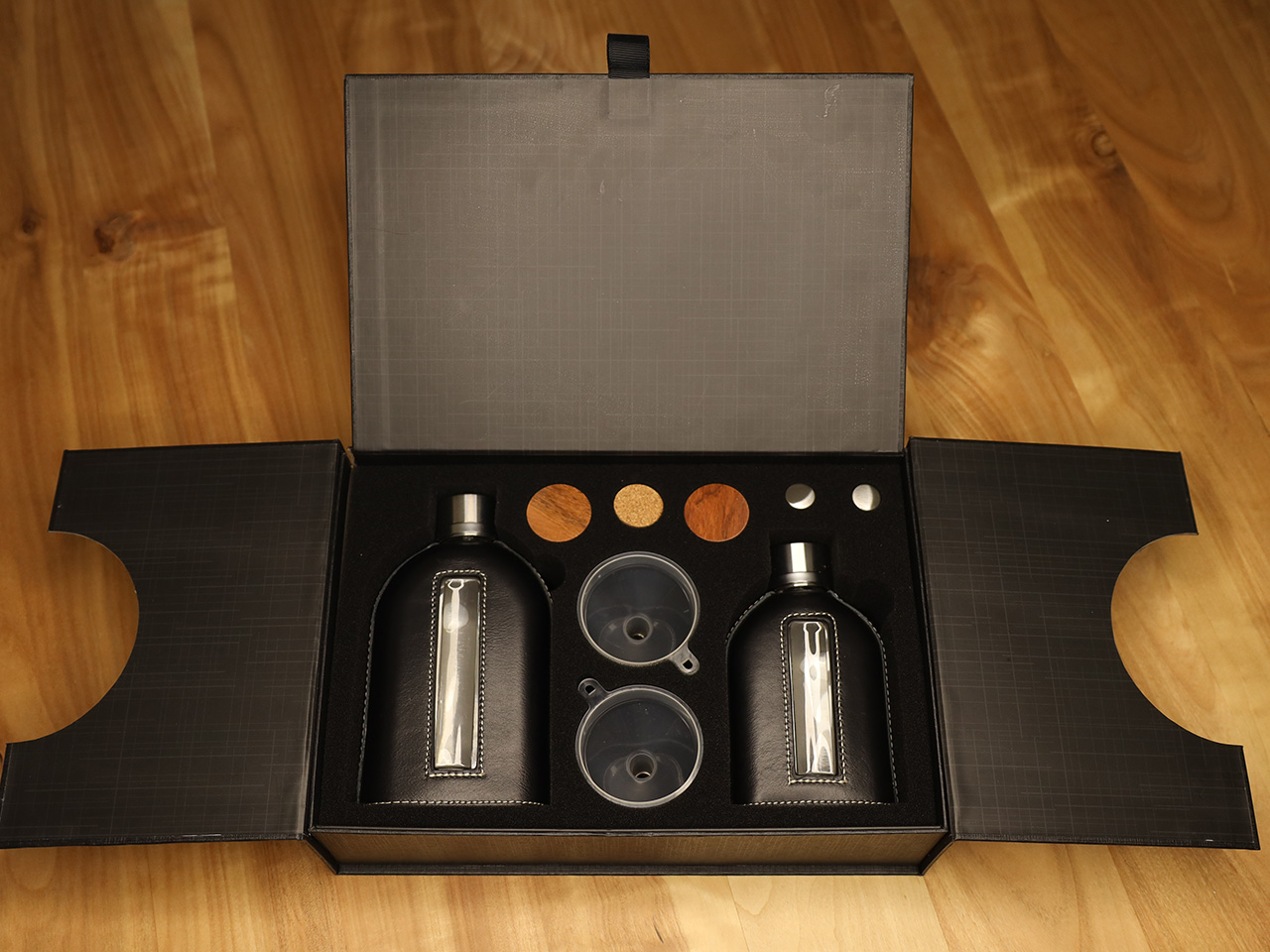
This Minimalist Analog World Clock Is the Upgrade You Didn’t Know Your Desk Needed

This 12-sided clock turns global timekeeping into a calmer desk ritual

Keeping up with different time zones sounds simple until it becomes part of your everyday routine. You check your phone before a call, open another tab to confirm the hour, do a quick mental calculation, and still second-guess whether it’s too early in Tokyo or too late in New York. Not to forget the perils of push-notifications – a quick check of time leads you down a drain of doom-scrolling that you take an hour to return from! To add a layer of analog convenience in this increasingly digital setup, I present the Rolling World Clock.

Why Traditional World Clocks Never Quite Feel Right

The Rolling World Clock takes a familiar category and gives it a much smarter form. Instead of relying on screens, menus, or a row of tiny city labels, this analog desk object turns world time into a simple physical interaction. Built with 12 sides, each representing a major timezone city, it lets you roll from one location to another and instantly read the local time with a single hand. It’s a cleaner, more tactile answer to a problem that has long been solved in ways that feel unnecessarily digital.
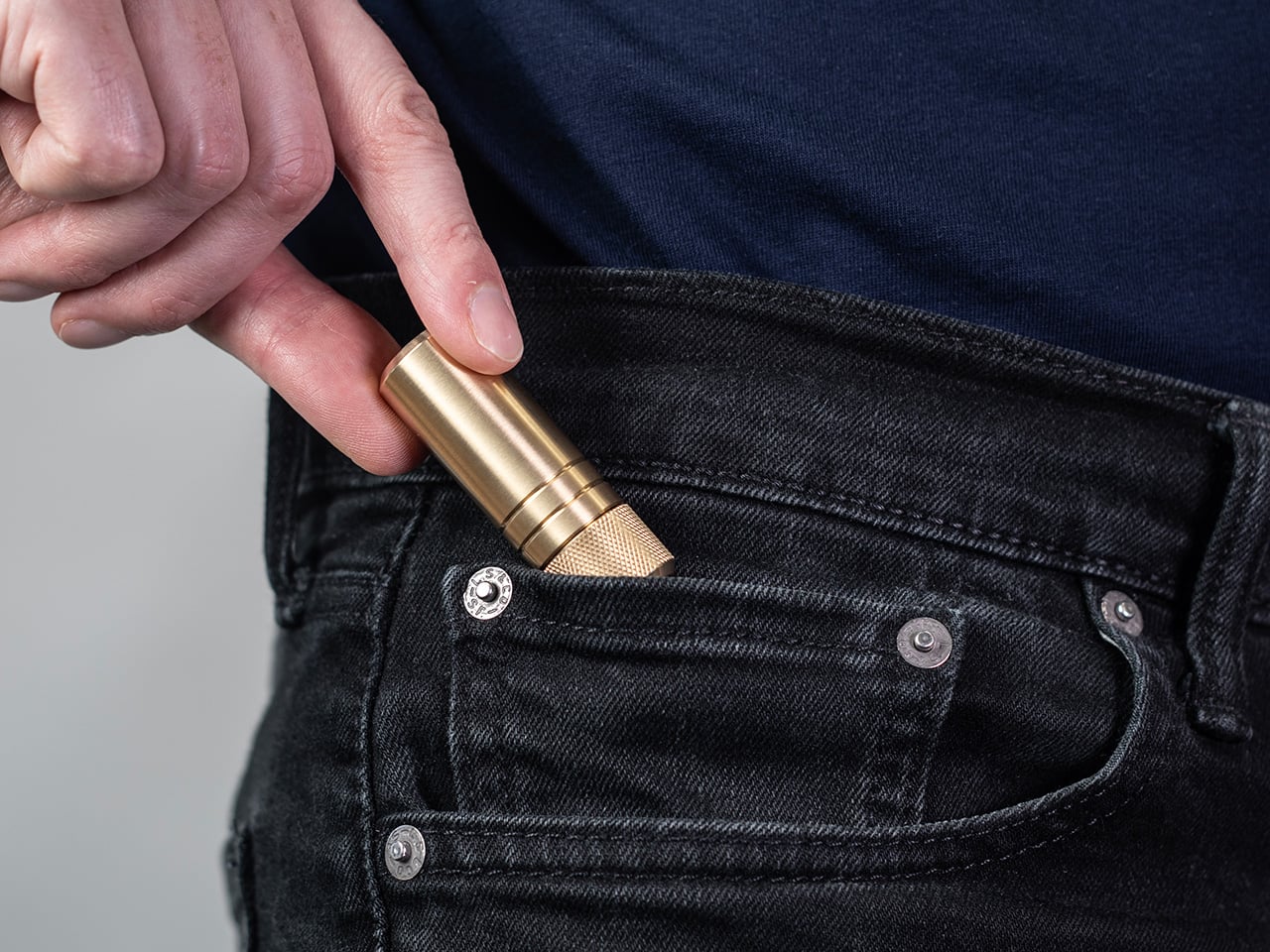
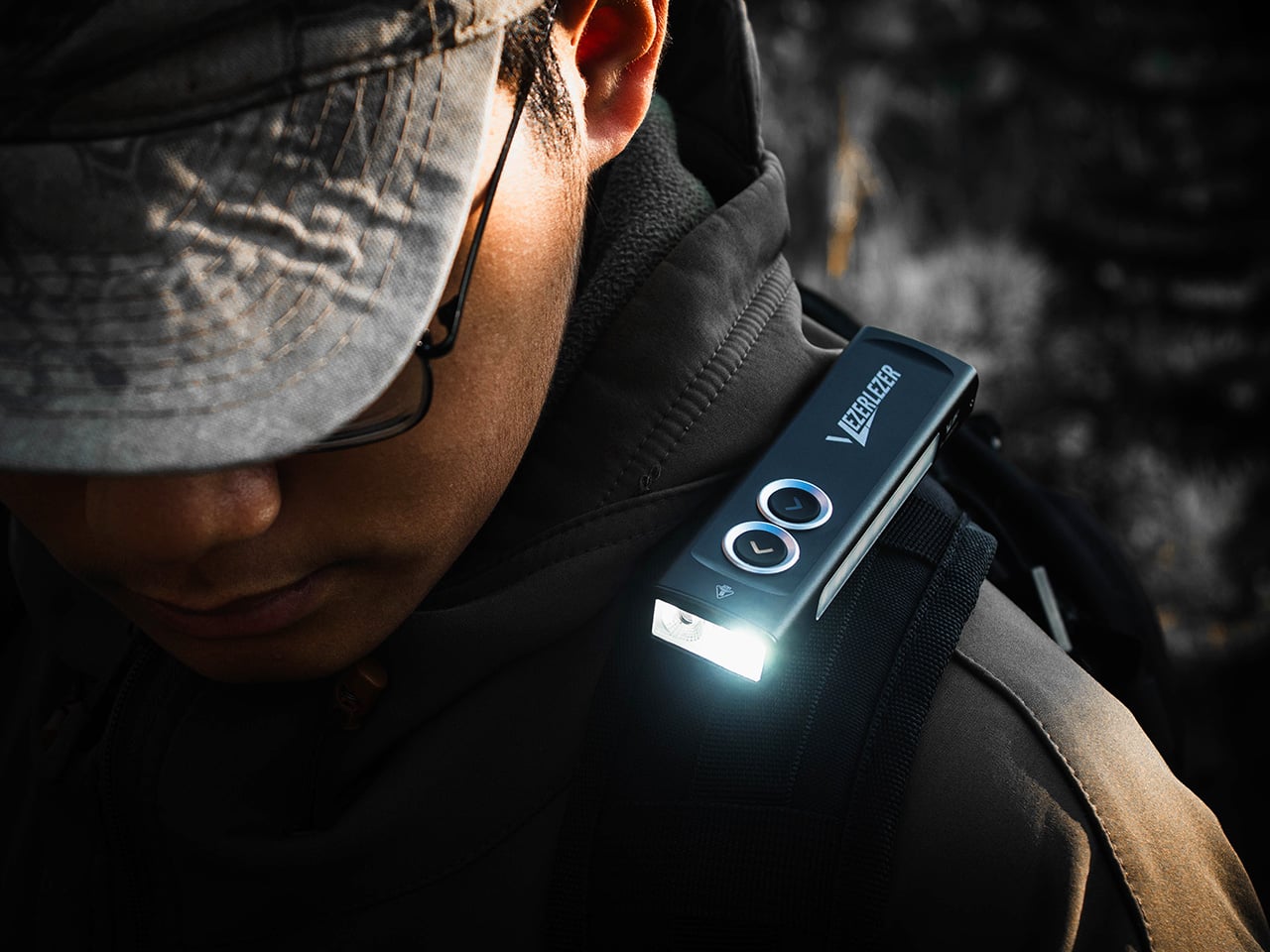
Designer: MASAFUMI ISHIKAWA .Design

Click Here to Buy Now: $49 Hurry, only a few left!

Change time zones with a single roll.

Using The Analog Experience Feels Better

That analog quality is a big part of the appeal. There’s a growing interest in devices that help people step back from constant digital interaction, and this clock fits neatly into that trend without feeling nostalgic for nostalgia’s sake. It still solves a modern problem, especially for people working with global teams or keeping in touch with friends and family abroad, but it does so in a way that feels grounded and human. You’re not swiping, tapping, or toggling between screens. You’re just rolling the object in your hand and reading the time.

Built for modern routines, expressed through simple interactions.

The city lineup also makes it genuinely useful. The 12 sides cover major global time zones, including London, Paris, Cape Town, Moscow, Los Angeles, Karachi, Mexico City, New York, Shanghai, Tokyo, Sydney, and New Caledonia. That gives it enough range to be practical for a wide variety of work and lifestyle needs, whether you’re coordinating meetings, planning travel, or just trying not to message someone at the wrong hour.

Built for a More Intentional Desk

For the desk setup fanatics, there’s also a strong aesthetic argument here. The Rolling World Clock is available in black and white, two finishes that make it easy to integrate into a modern desk setup without fighting for attention. It has the kind of understated presence that works especially well for young professionals who want their workspace to feel differentiated without becoming visually noisy. It’s functional, yes, but it also reads as a design object, the sort of piece that quietly signals taste.

Clean lines, one hand, no distractions.

That balance of utility and personality is what makes this more than a novelty. If you work across cities, collaborate with clients in different regions, or simply like the idea of keeping global time visible without adding another glowing screen to your day, this clock makes a strong case for itself. It taps into a broader shift toward analog tools that feel slower, more deliberate, and more human, while still solving a very modern problem.

Feels as good in the hand as it looks on the desk.

Why It’s Worth Picking Up Now

At $49, the Rolling World Clock lands in a sweet spot for a desk upgrade that feels distinctive without being overcommitted. It also has the kind of giftable appeal that comes from being both useful and conversation-worthy. And with only a few left, it carries just enough urgency to make hesitation a risky move.

If your desk could use an object that feels smarter, calmer, and more intentional than another digital widget, the Rolling World Clock is worth grabbing now. It’s currently available in the Yanko Design Shop in black and white, and with limited stock remaining, this is one of those rare functional design pieces you probably shouldn’t wait on.

The post This Minimalist Analog World Clock Is the Upgrade You Didn’t Know Your Desk Needed first appeared on Yanko Design.