When it comes to stationery and my work and leisure desk, I consider my aesthetic to be messycore and maximalist. Having a lot of pens and other supplies on hand whether for work or for my journaling sessions is normal for me. I tried to use some desk organizers, but it seems that there is order in my chaos and I can still find what I need when I need it, although it doesn’t really look all that Instagrammable. That hasn’t stopped me from looking at and exploring desk organizers and pen holders, especially ones that look different from the usual.
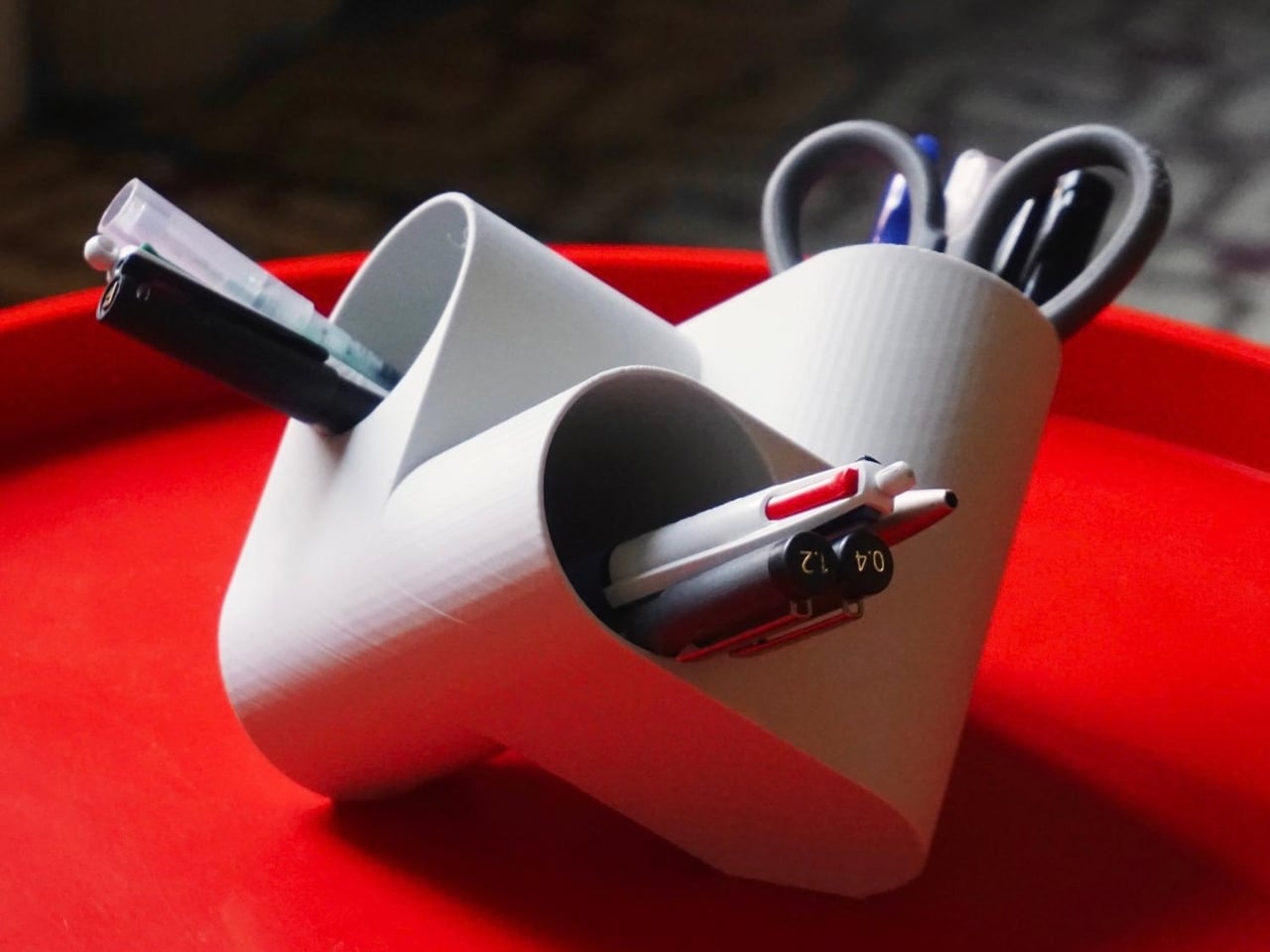
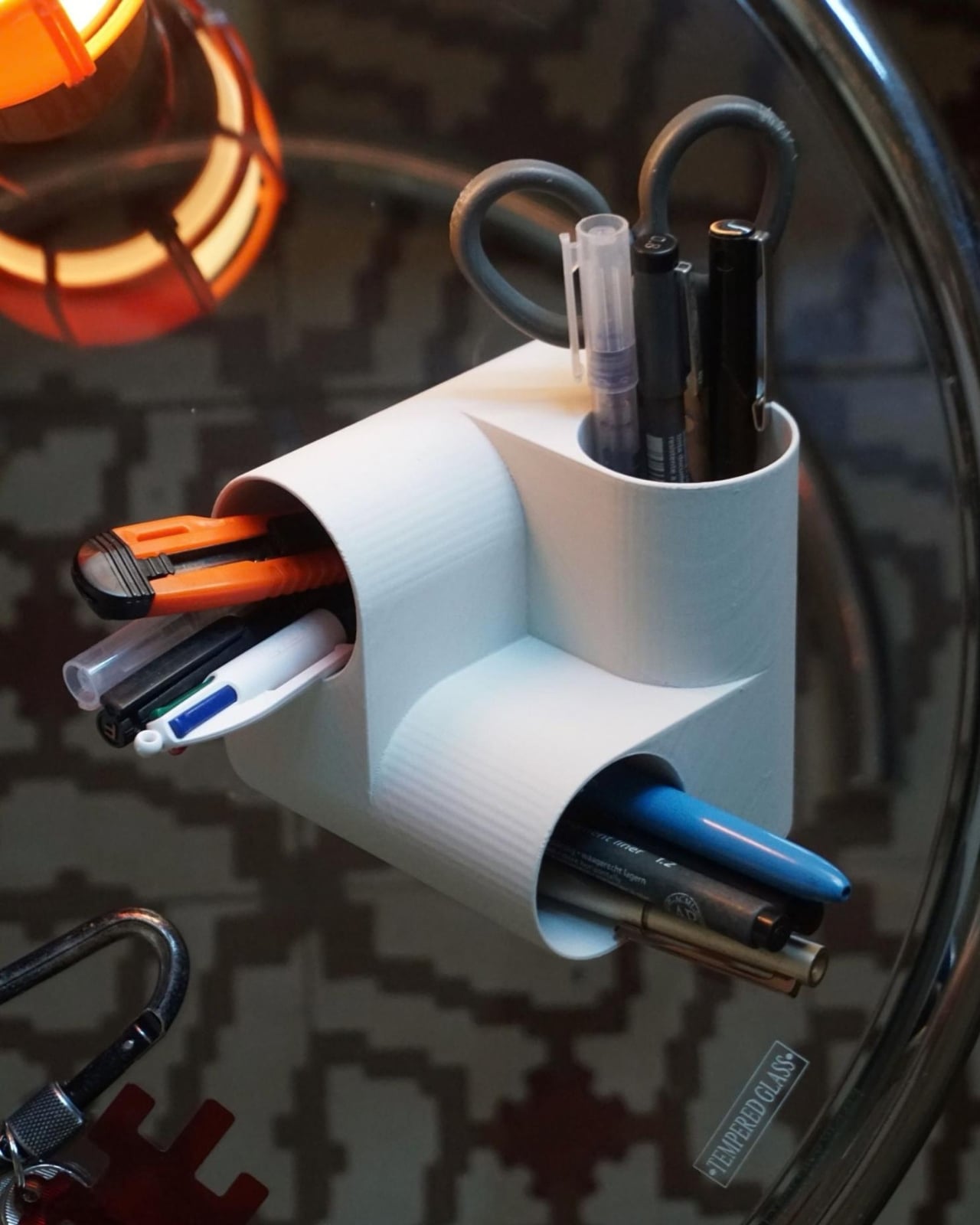
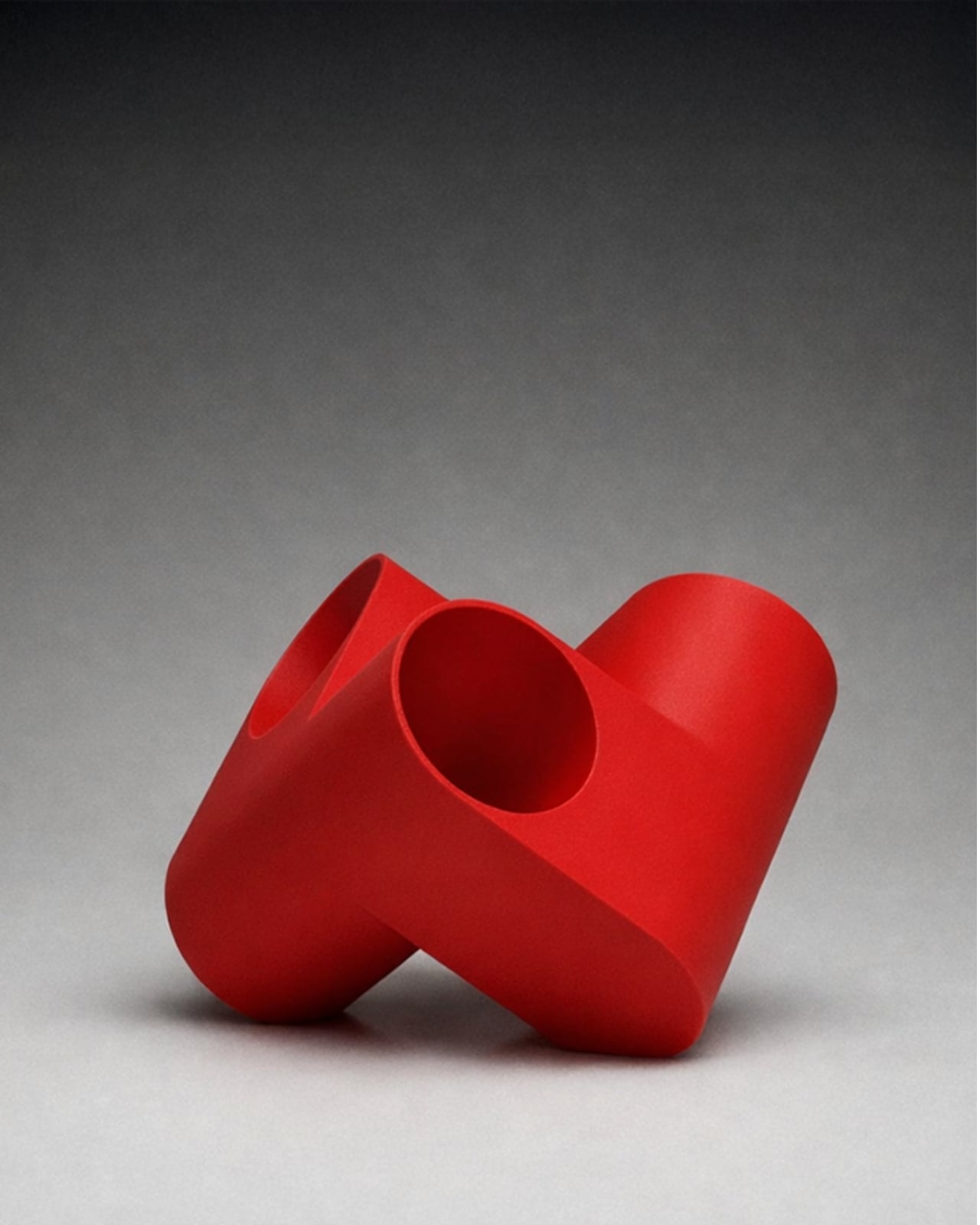
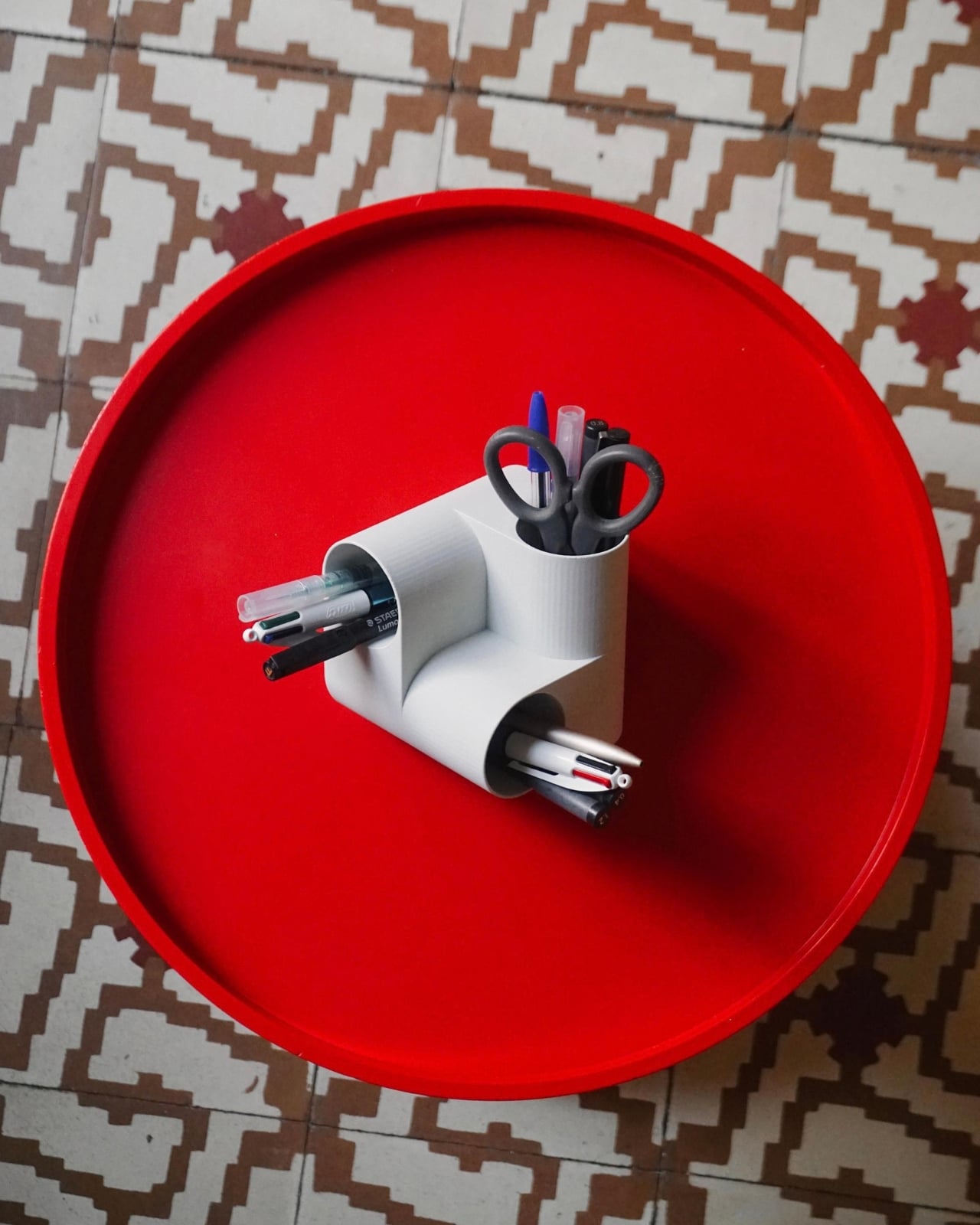
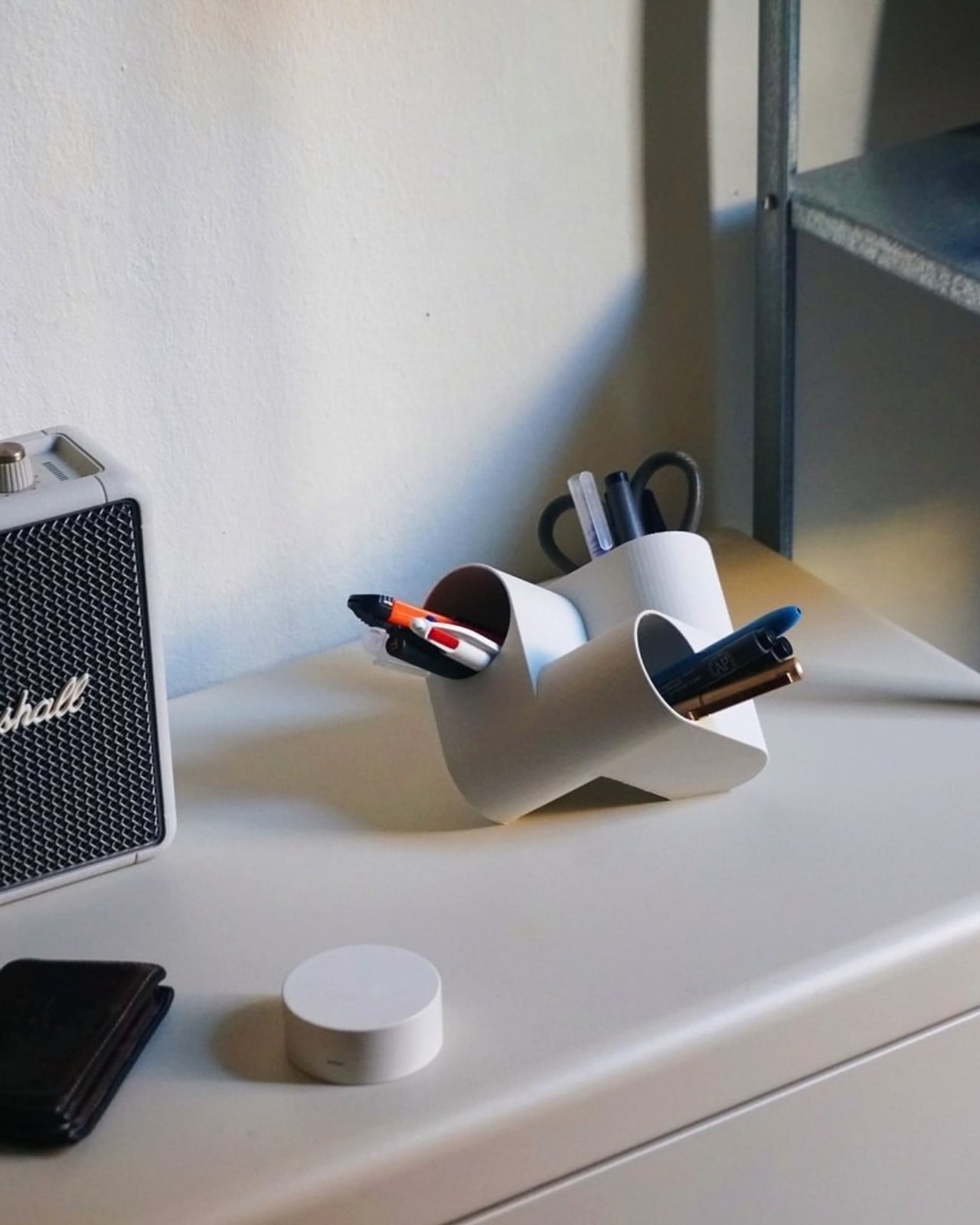
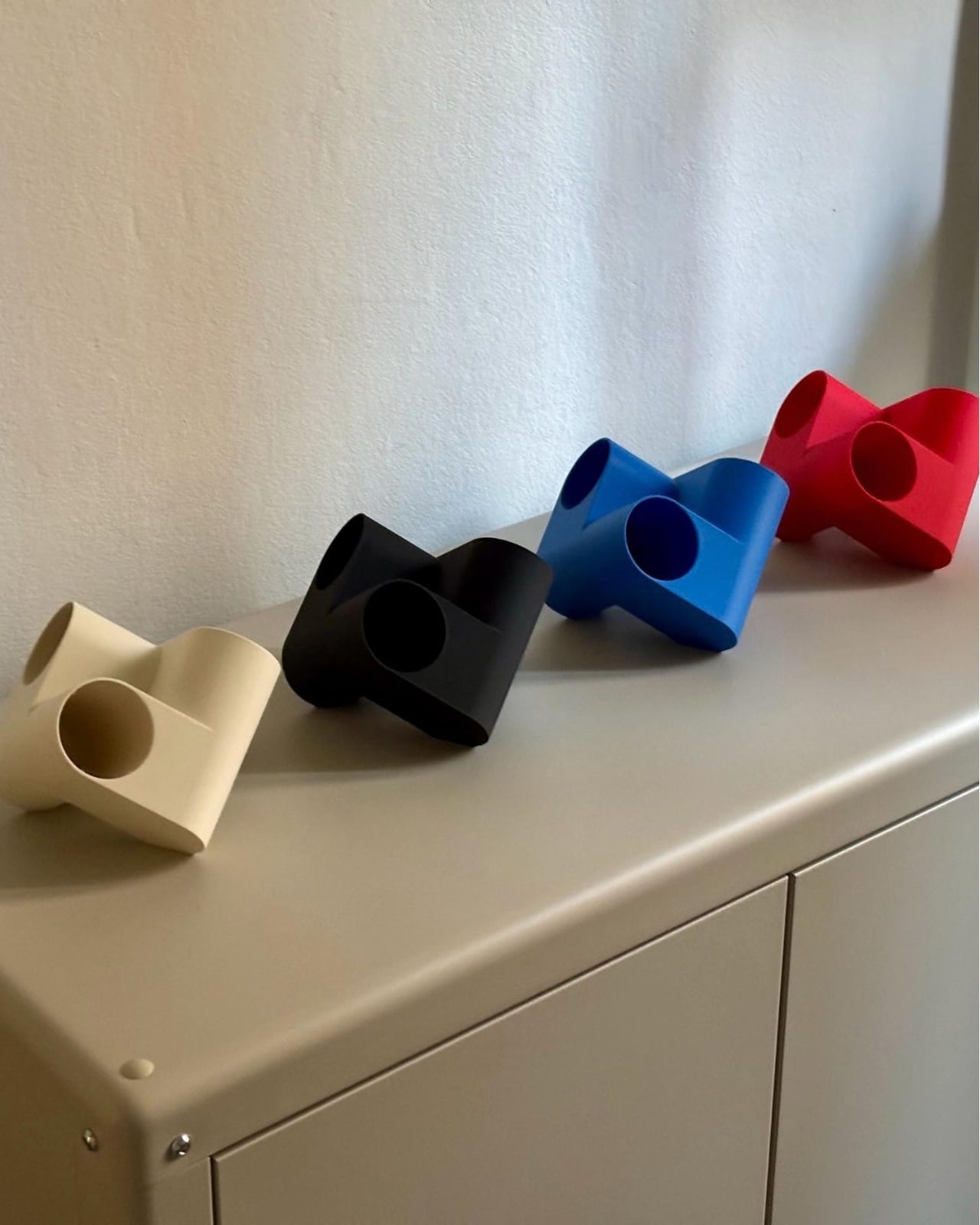
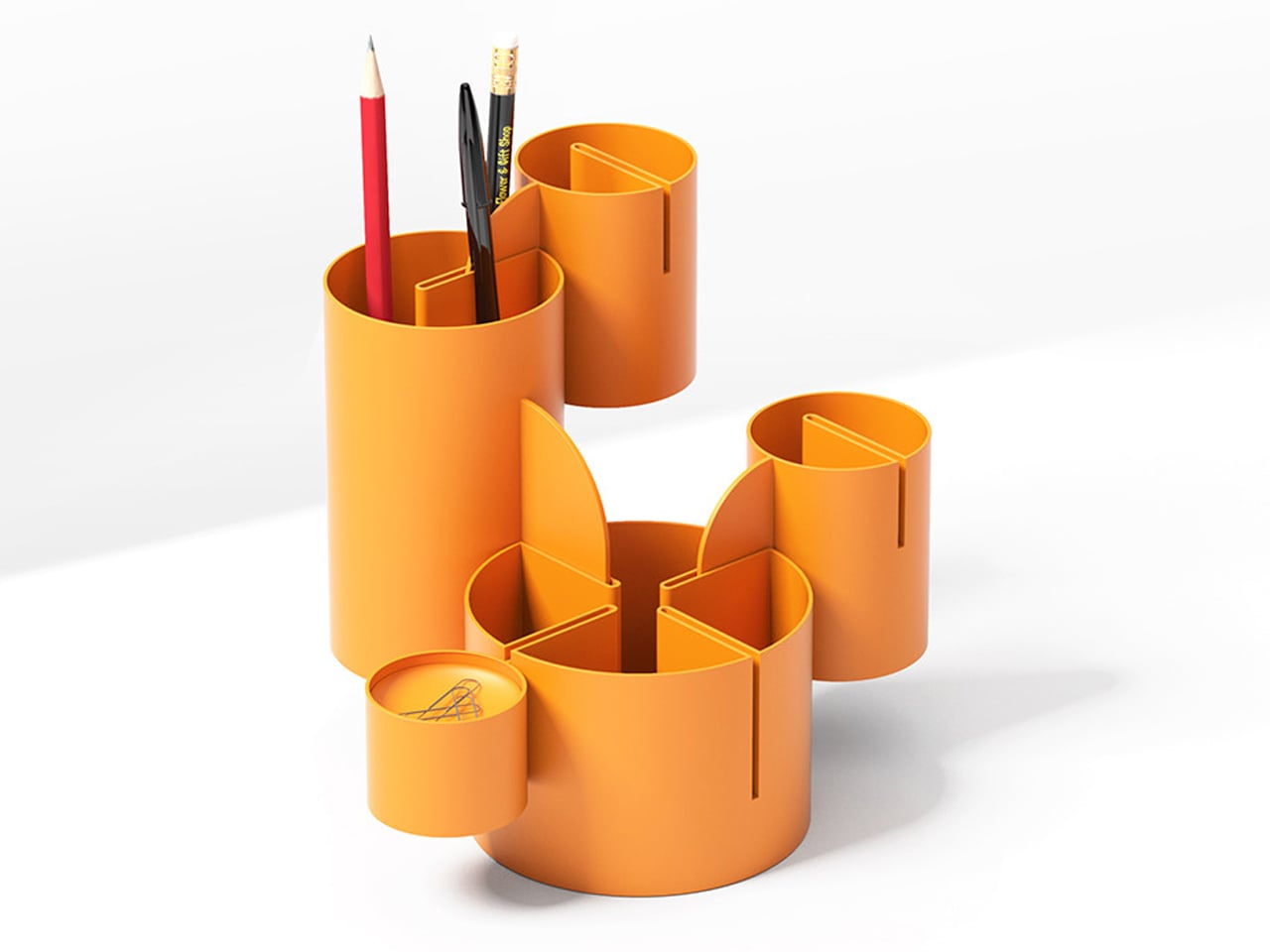
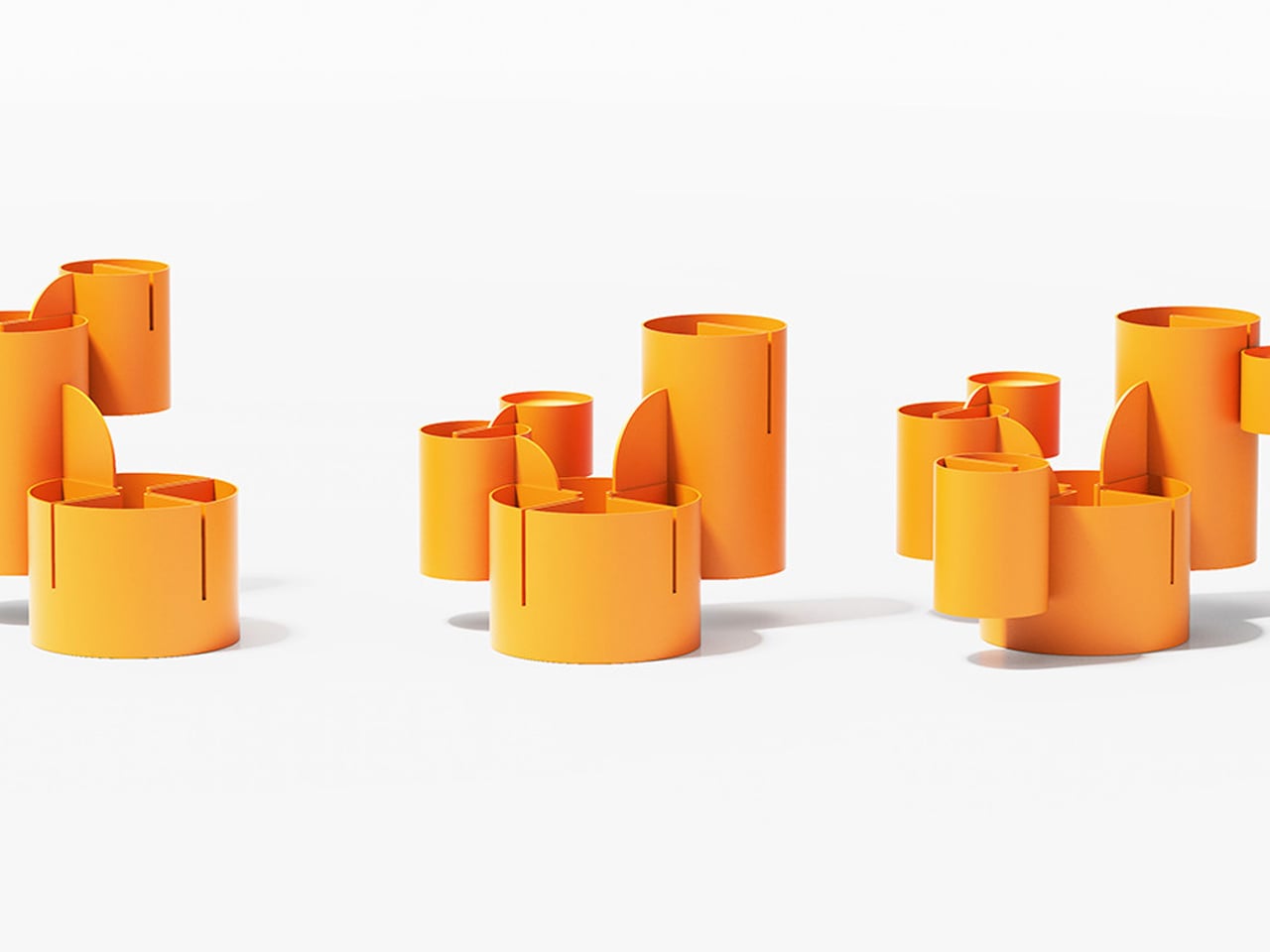
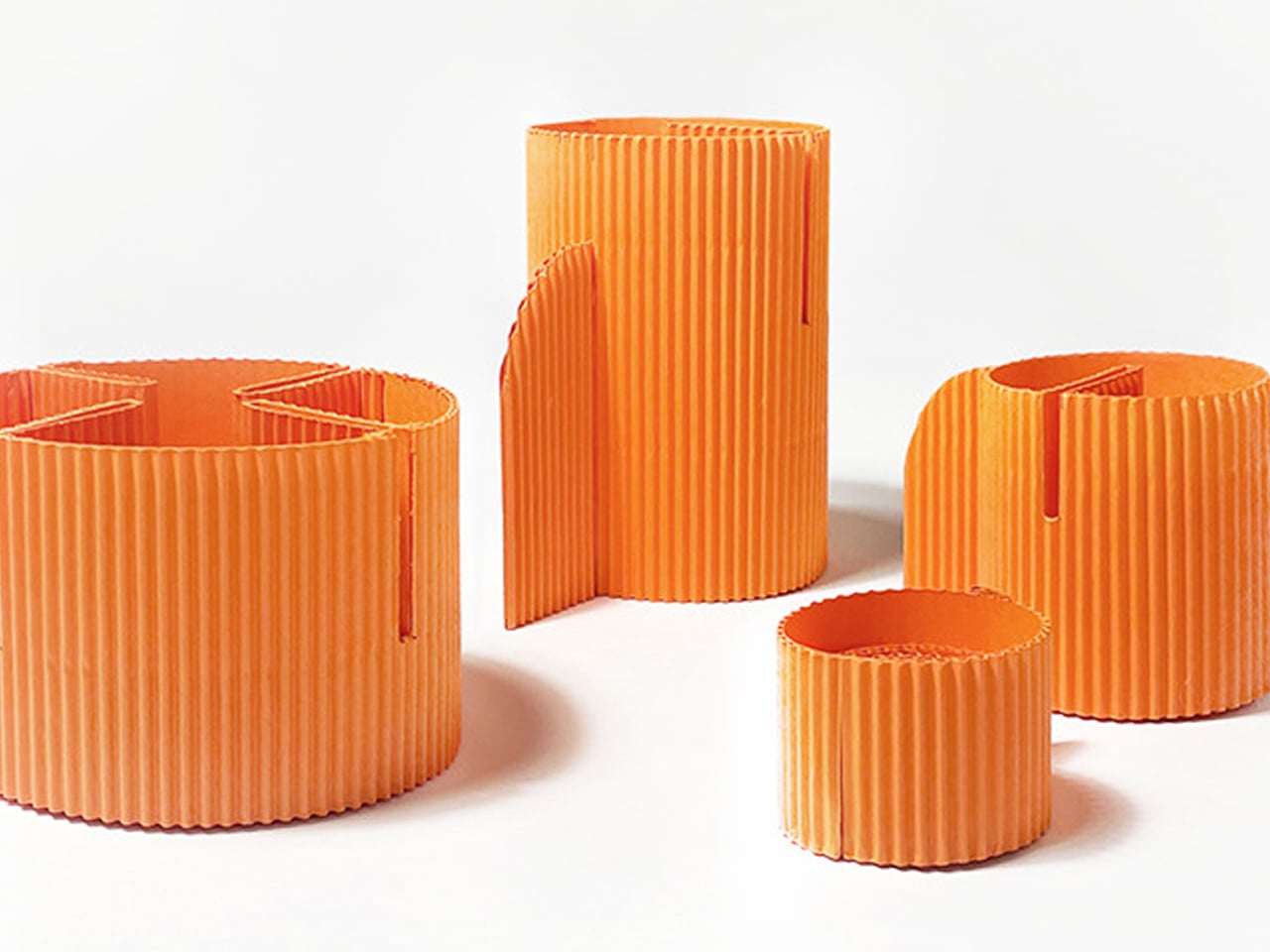
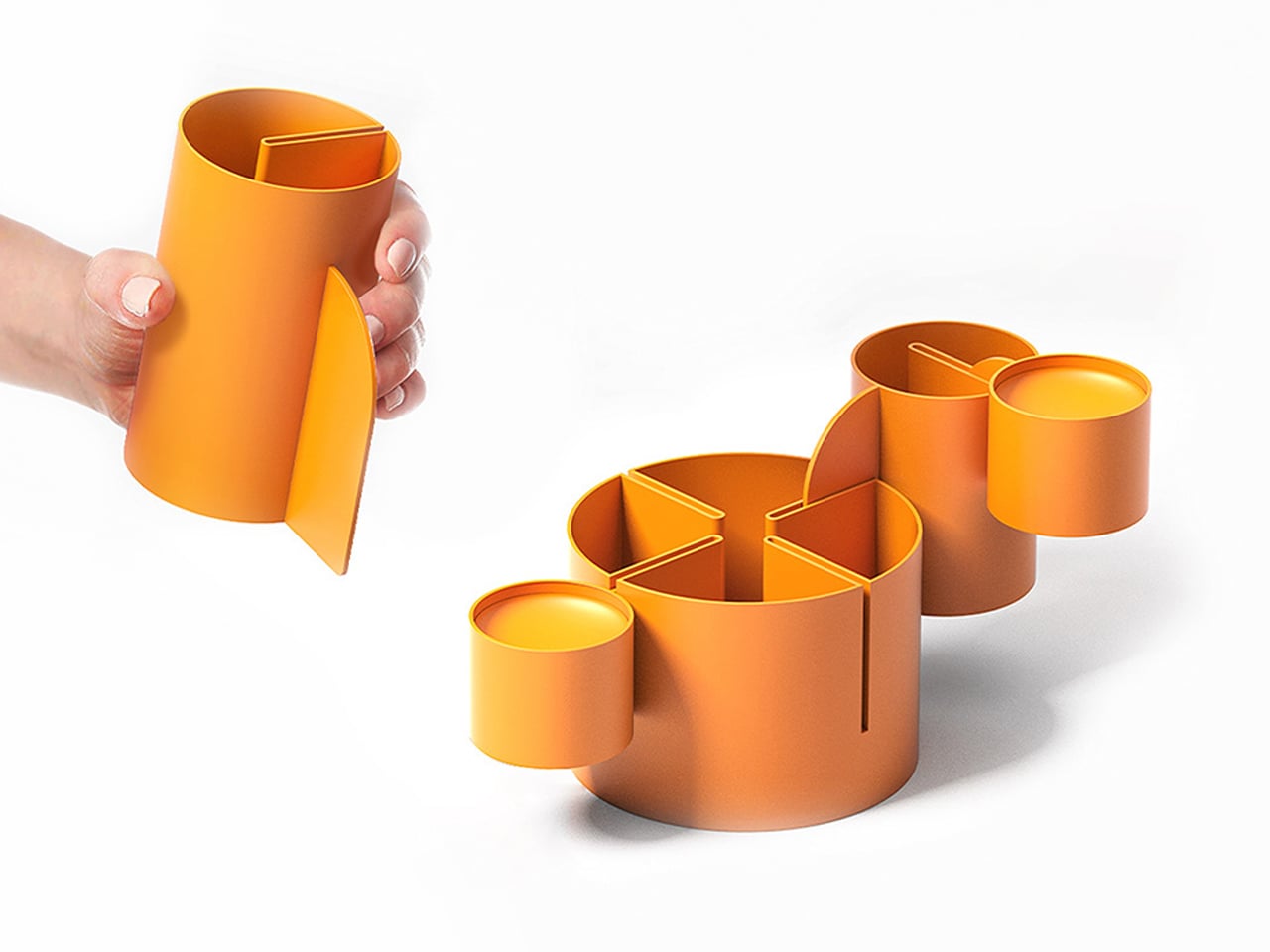
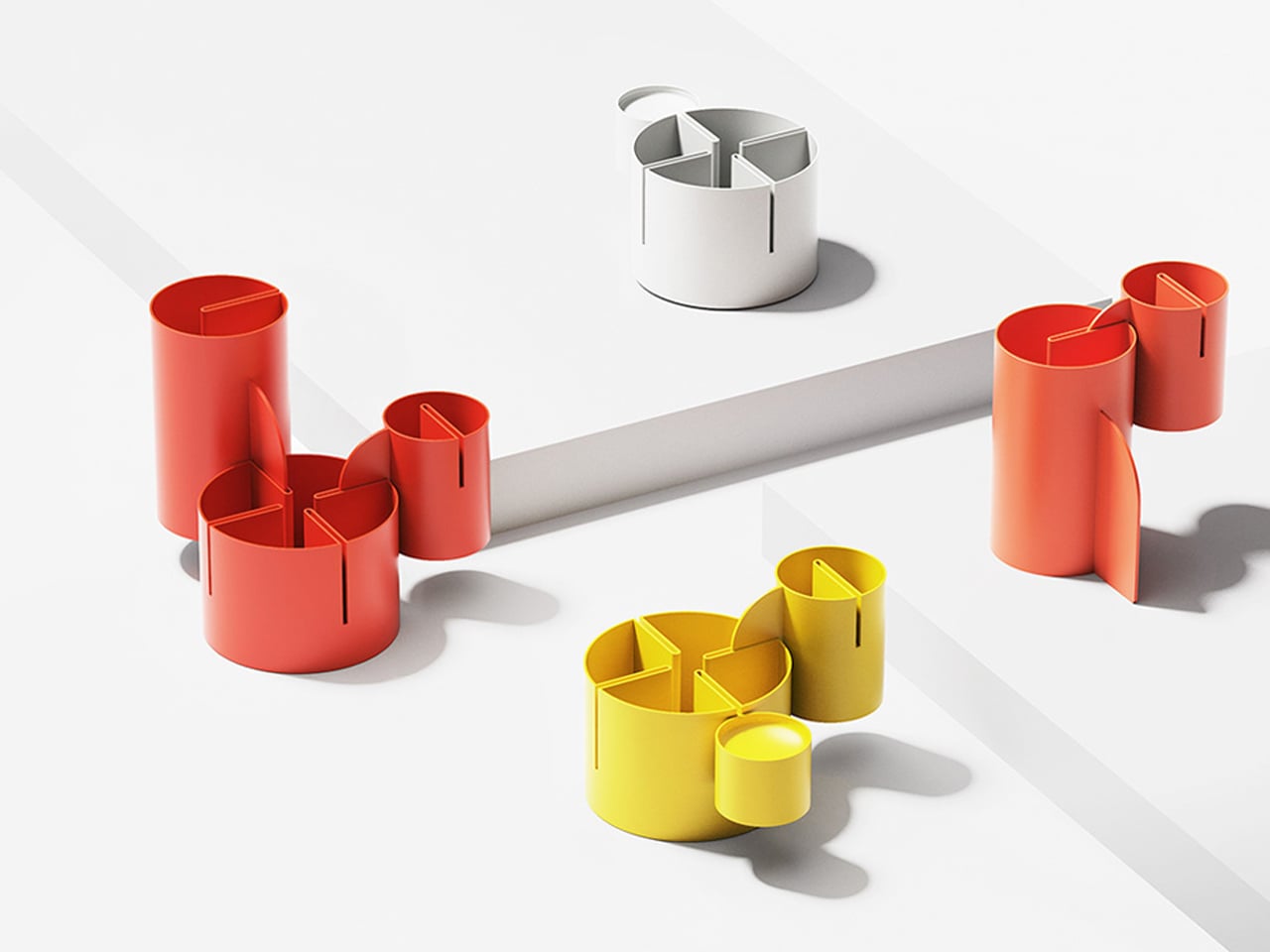
Ciclo is one such pen holder from Spanish industrial designer Eduardo Blanco. The way it’s designed is for you to have more space for your various stationery items and also to give your desk a kind of sculptural-looking organizer that looks good in person and also when you decide to do a post of how your desk looks at the moment. The inspiration for the design actually comes from mathematics and the name itself has ties to it.
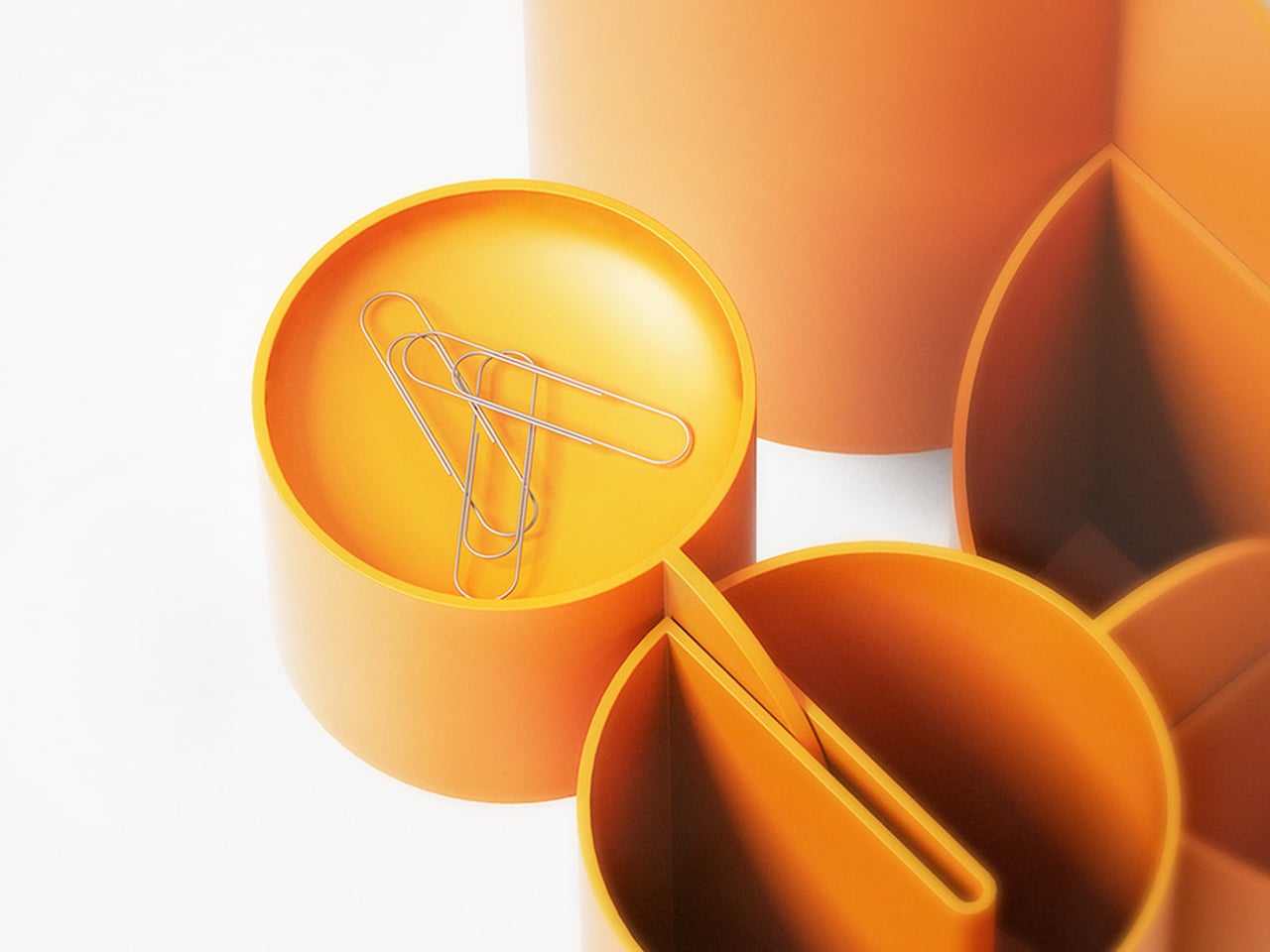
Blanco said he wanted something that didn’t look banal on his desk. The inspiration comes from the Cartesian coordinate system, using three cylinders repeated around the same axis that are stacked and joined one on top of the other. Think about the X, Y, Z axes discussed during math classes (which I would rather forget) but brought to life as a sculptural stationery object. What would normally be a mundane or ordinary object is transformed into a well-designed piece that would look at home at an office desk, a creative workspace, or your side table. Aside from looking beautiful just sitting there, it also means you have three spaces to put your pencils, pens, markers, scissors, cutter, and other supplies you need to organize on your desk.
And honestly, that’s where Ciclo wins me over. Even for someone like me, whose desk looks like a stationery store had a very good time, there’s something undeniably appealing about having one piece that anchors the whole thing visually. You don’t have to be a minimalist to appreciate a beautiful object. If anything, if you’re already going the maximalist route, you might as well make sure some of those items on your desk are actually worth looking at, and Ciclo definitely qualifies. There’s also something kind of fun about having a mathematically inspired piece sitting among your journaling supplies and highlighter collection.
What I also find interesting about Ciclo is the way it challenges how seriously we take the objects we use every day. Most of us grab whatever cheap plastic pen cup is on sale at the office supply store, and that’s perfectly fine. It works. But Blanco’s approach asks a simple but quietly radical question: why settle for something that just works when you could have something that also makes you pause for a second and go, “huh, that’s actually really cool”? That shift in thinking is kind of what separates good design from great design, and it’s exactly what makes Ciclo stand out in a product category that designers have largely ignored.
It’s also worth noting that Ciclo was selected as part of Lagranja Design’s Open Design Editions 2026, a program that spotlights emerging and thoughtful design work, and was presented during Barcelona Design Week. That’s not a small nod. It means the design community sees real value in what Blanco created here, and that Ciclo is more than just a pretty object to put on display.
Whether you keep a very tidy, carefully curated desk or your workspace is a glorious organized mess like mine, Ciclo is the kind of object that earns its spot. It’s a pen holder, sure, but it’s also a small, quiet statement that the things you keep close while you work or create don’t have to be boring. And in a world where so many of us spend a huge chunk of our day at our desks, that feels like it actually matters.
I struggle every day to keep my desk organized. I’ve added a monitor arm, a phone stand, a laptop cooling stand, and even a cable organizer clipped to the edge of the tabletop. Despite all these accessories, my desk still ends up feeling cluttered; earbud case is lying unattended somewhere, while the pens are all over the place. My problem isn’t lack of organizers: it’s that I’m not really sure how to use each accessory effectively or how they should work in tandem.
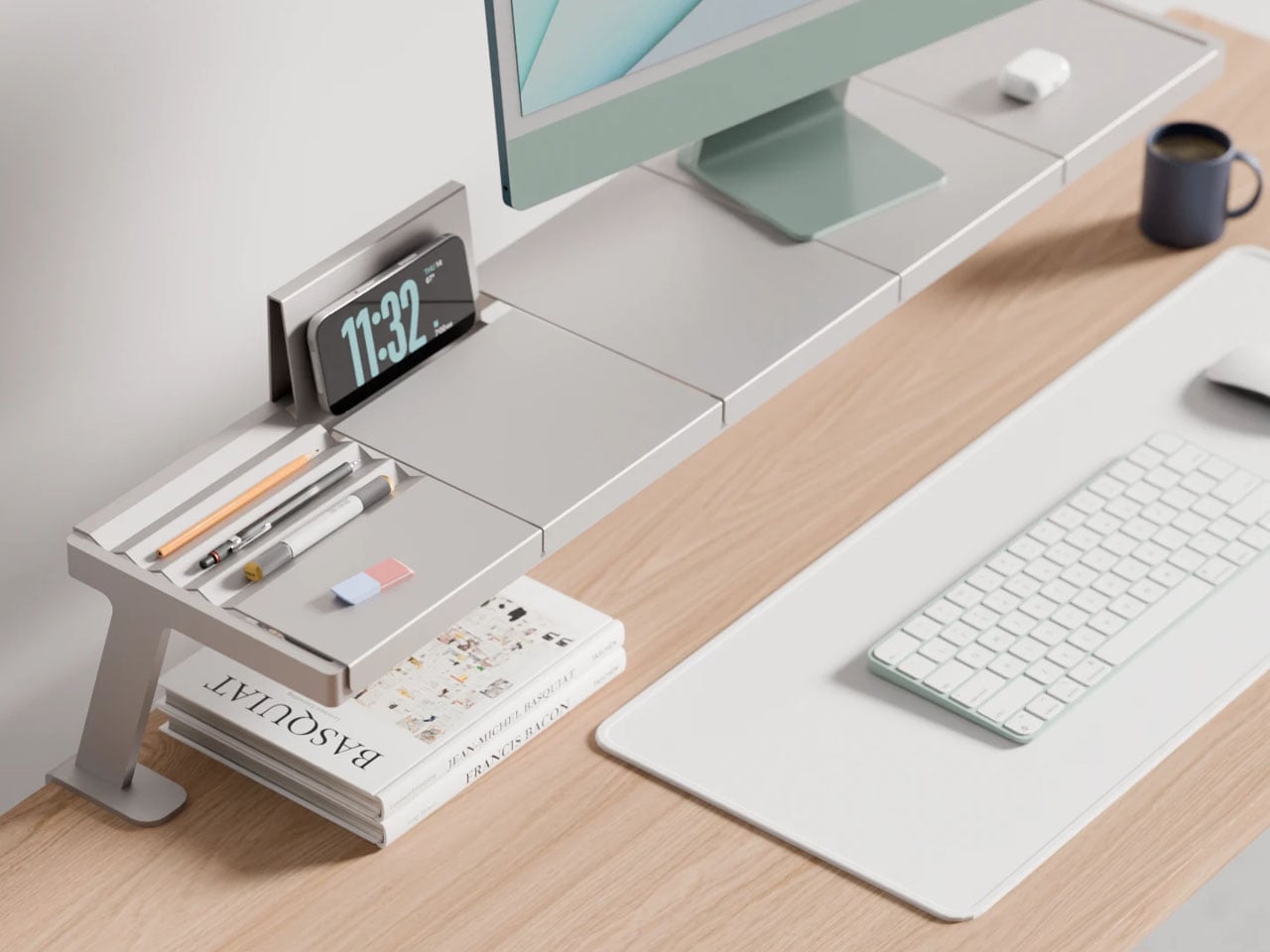
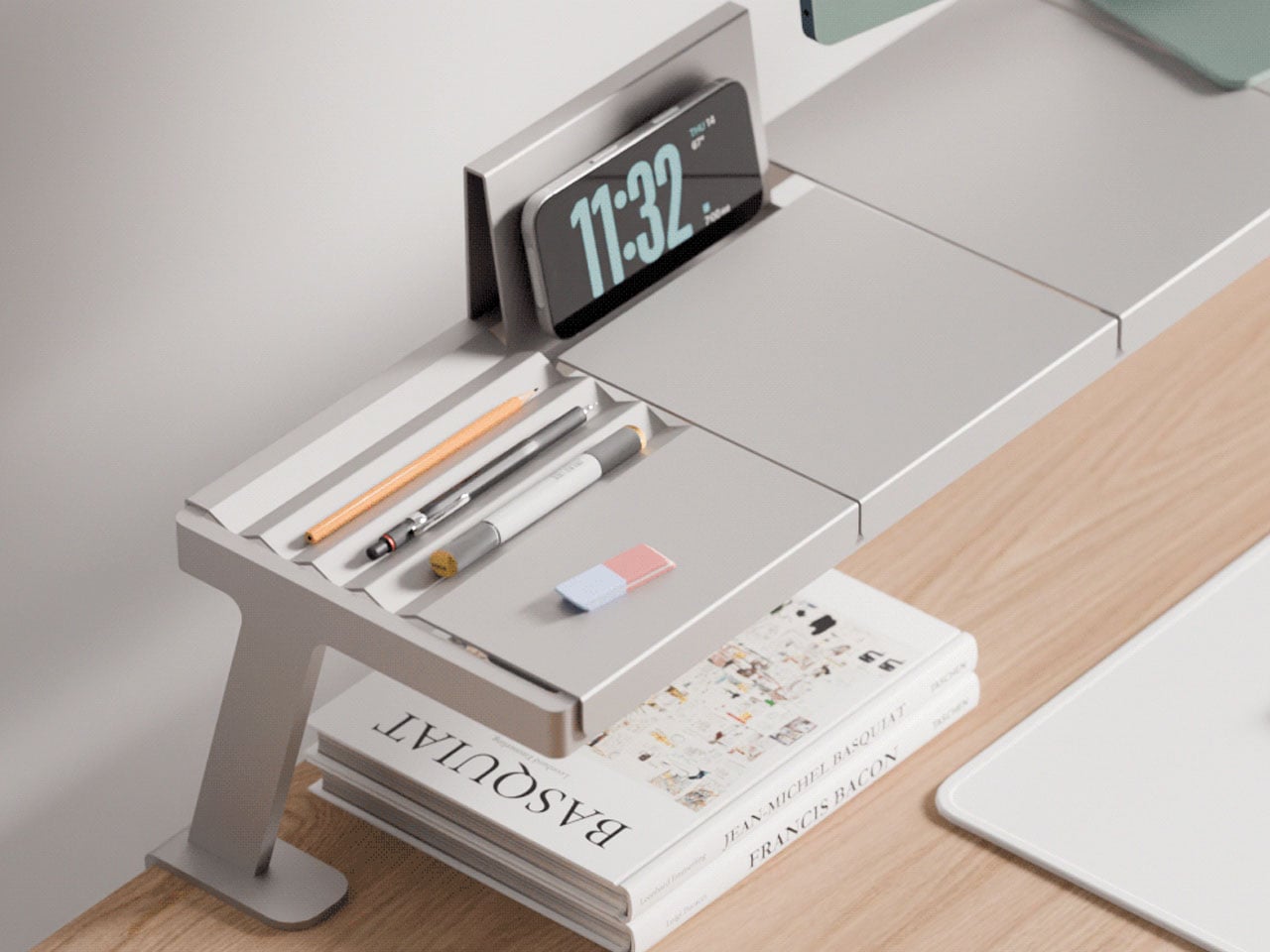
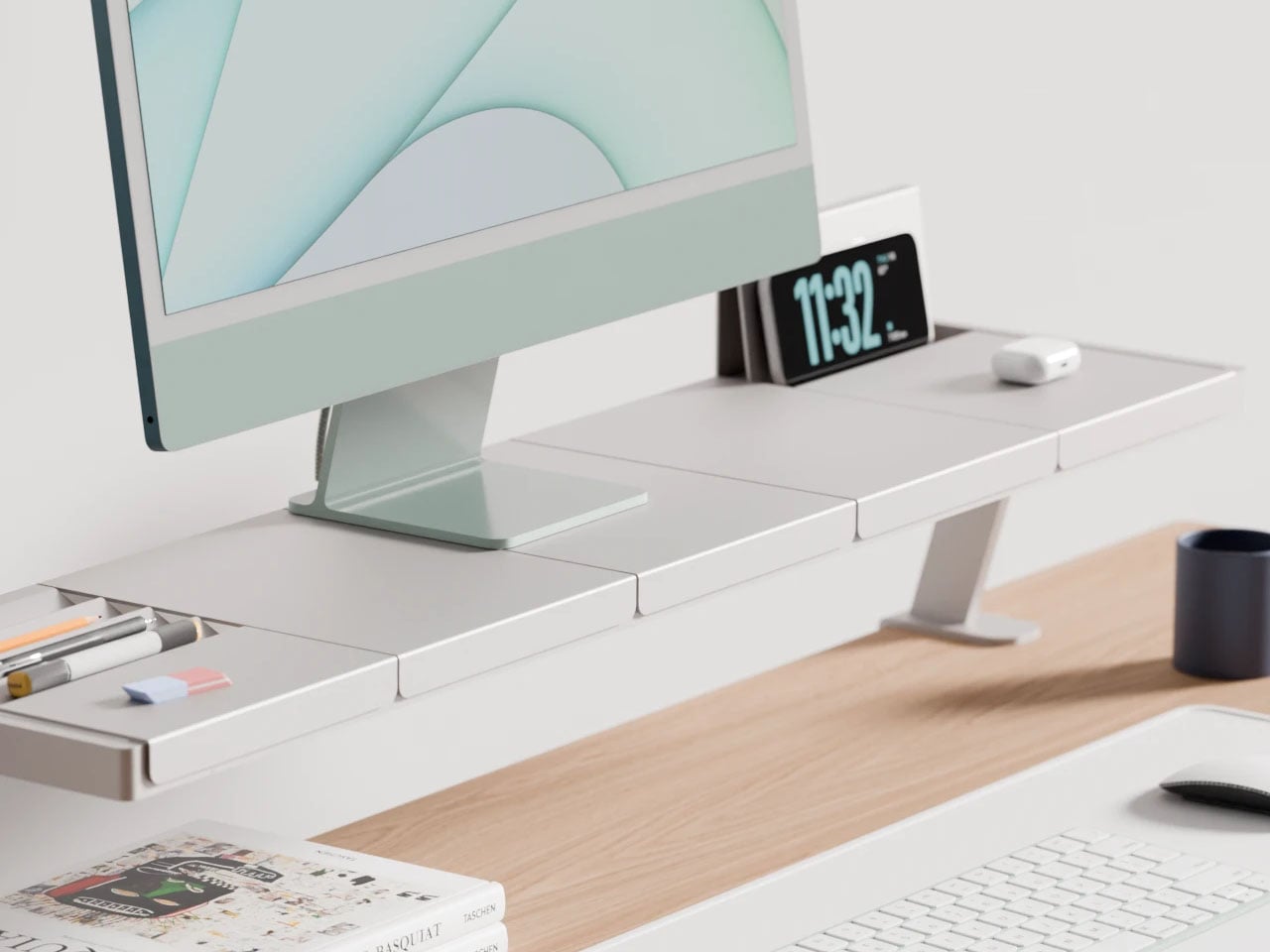
That may be exactly why this modular monitor stand from designer Lorenzo Vega caught my attention. Instead of adding yet another standalone accessory, it reimagines how desk organization should work. The modular stand is designed with various parts that interconnect to feel more intuitive and form an easier layout to keep things on the work desk organized.
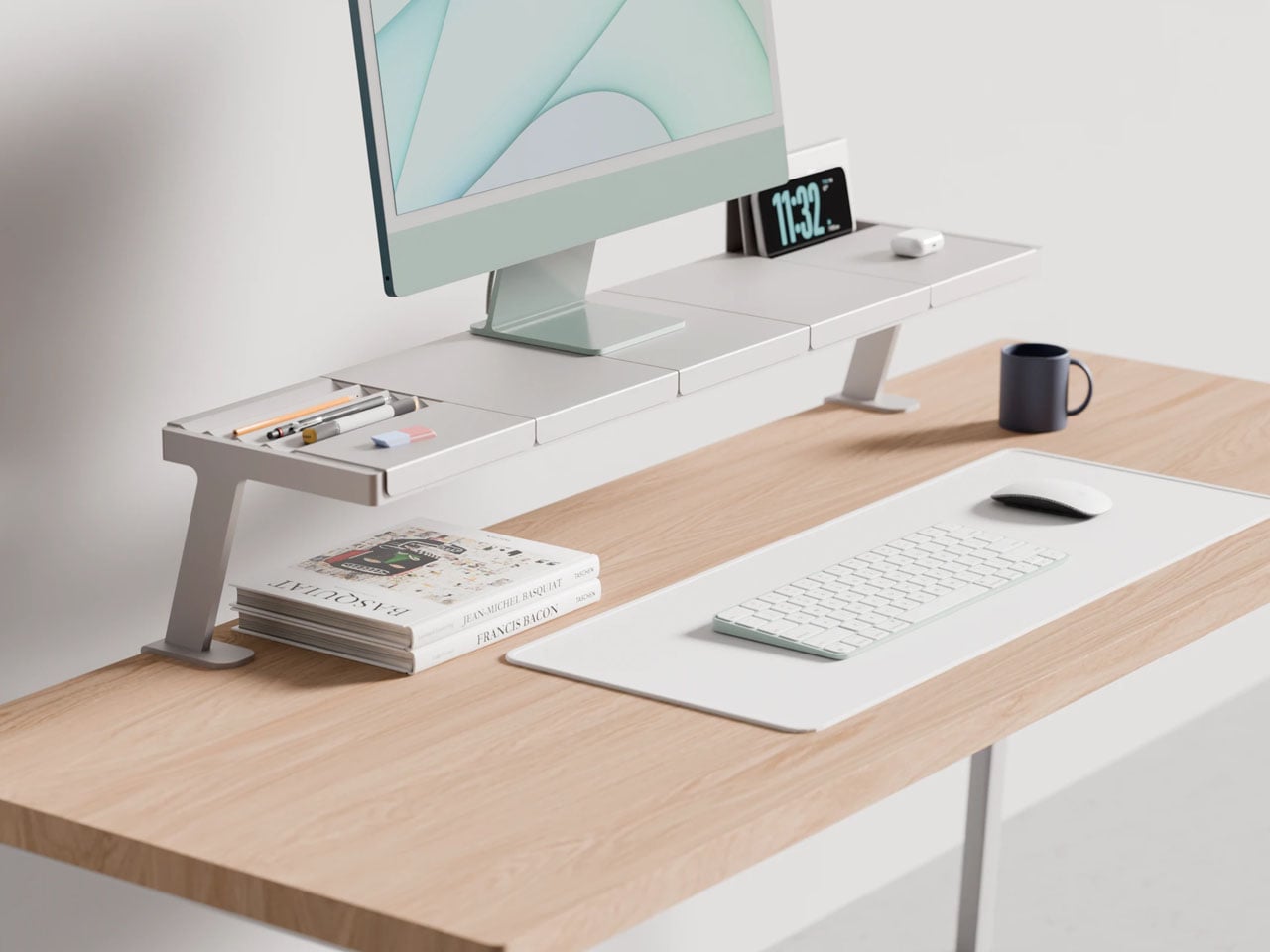
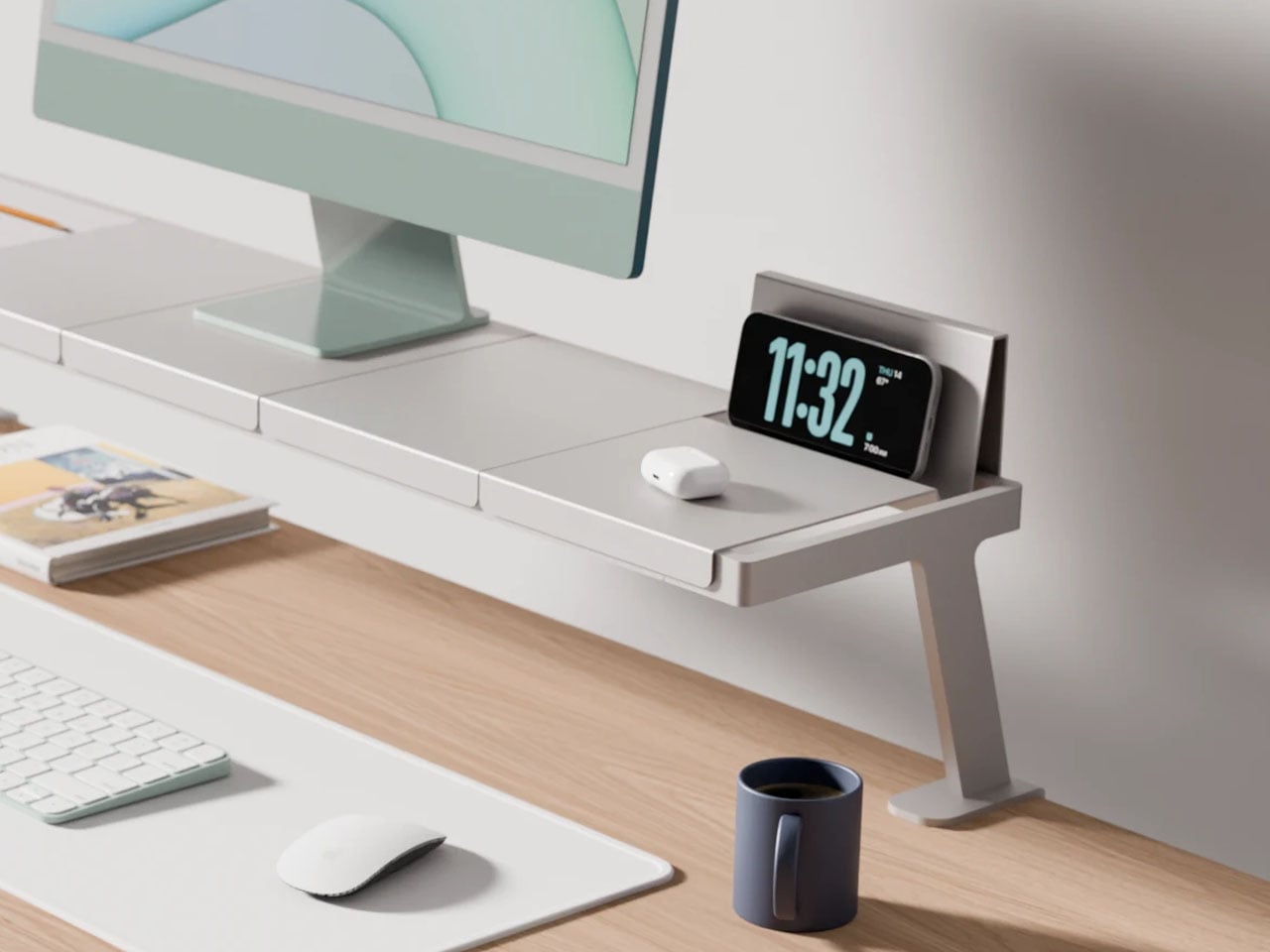
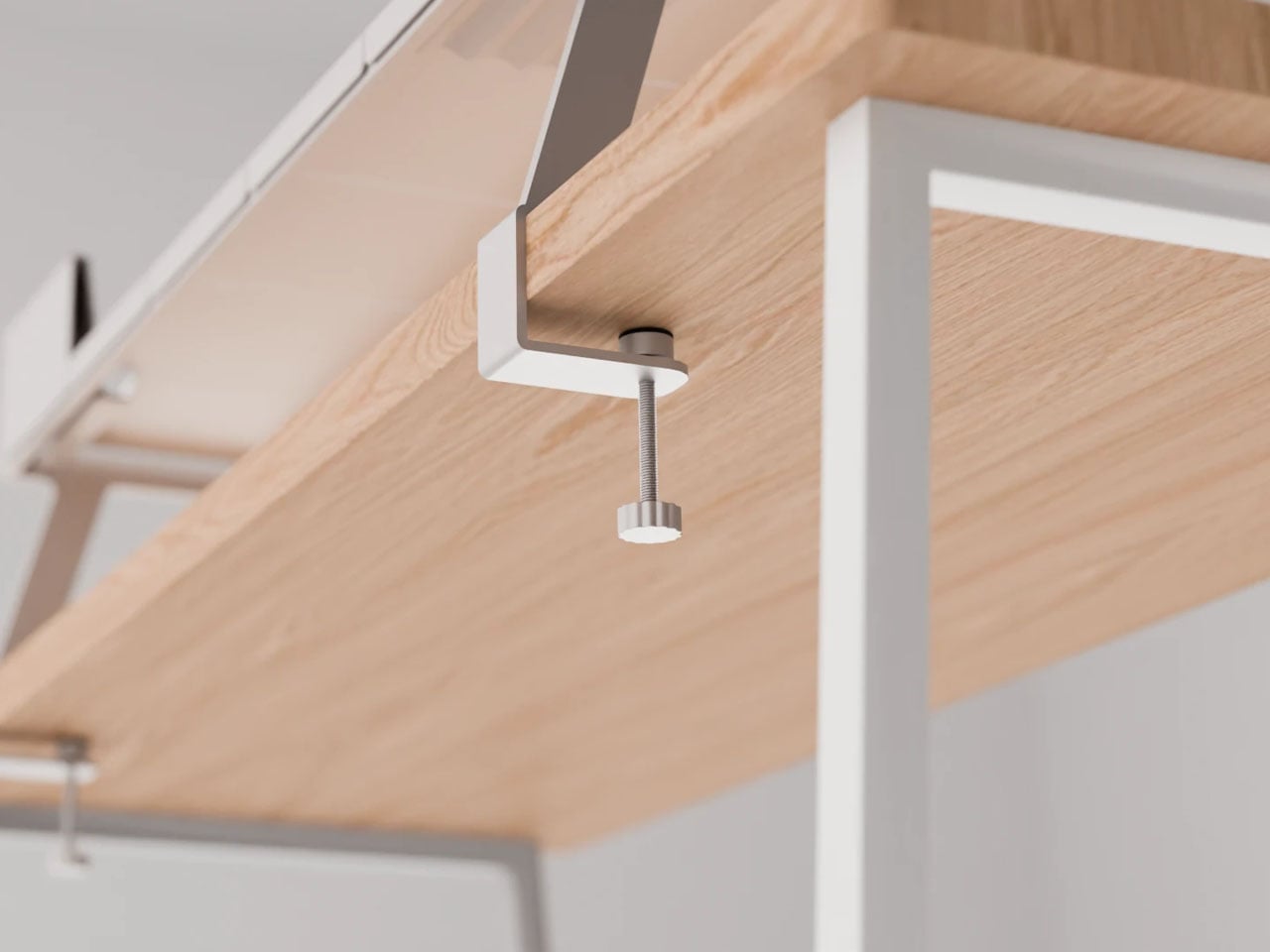
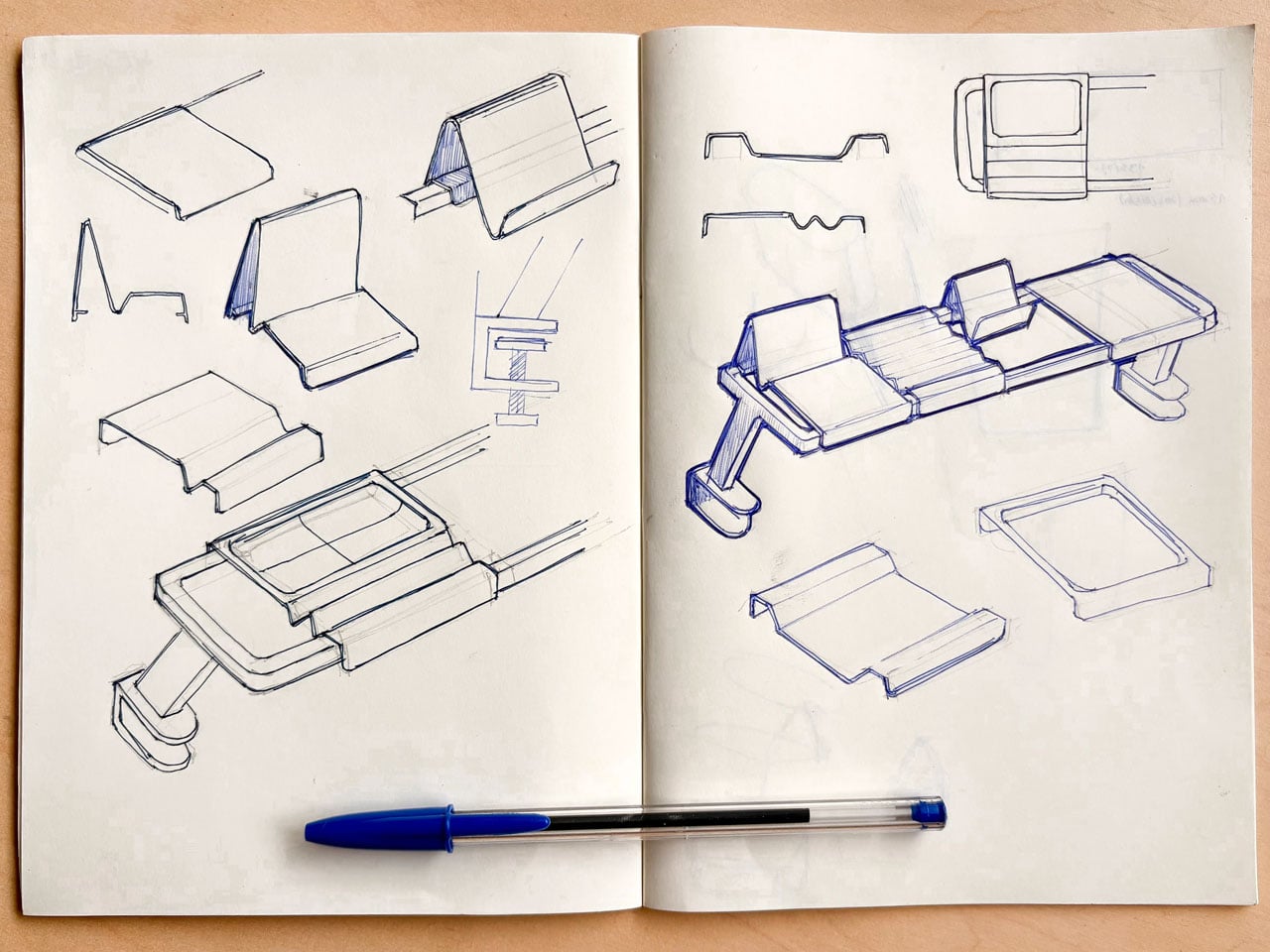
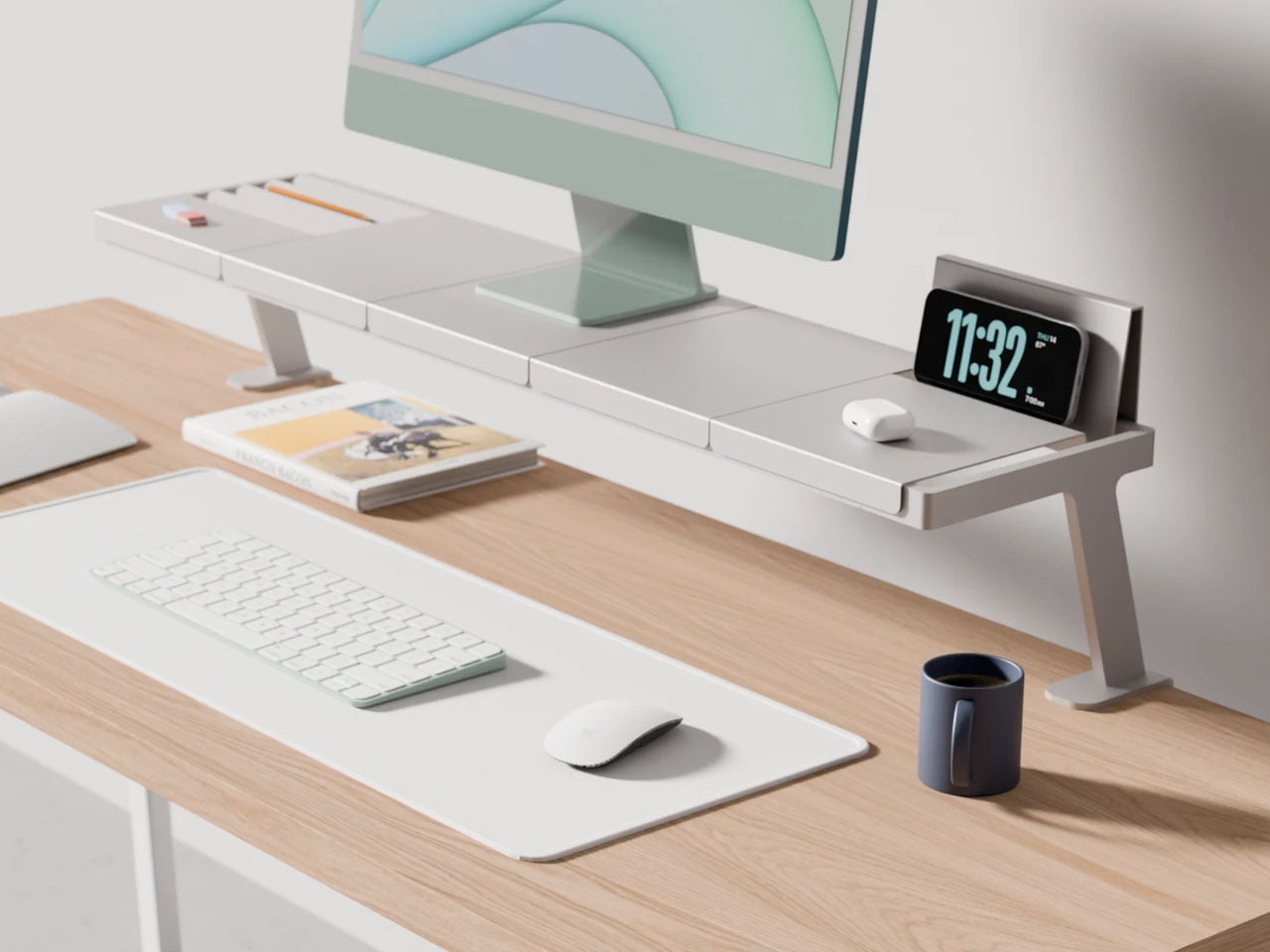
The design concept of a modular monitor stand comprises a base stand and five different sectional trays which can be interchanged to accommodate the user’s preferences and workflow. The base stand, which the designer calls the main rack is designed to clamp to the back of a table. It is similar to how other monitor stands secure themselves to the table. The clamps, however, are adjustable and should work securely with tabletops of varying widths.
Since the rack attaches to the back of the table and remains almost six inches clear of it with a pair of legs – one on each side – it can free up space below to keep your notepad or the reference books you require in the vicinity. The tray modules can be placed on the two parallel rails of the rack running horizontally. They fix seamlessly to the base rack and, in addition to holding the monitor on top, are designed for common uses. A tray for organizing stationery, one to hold the phone/tablet, or even to hold papers upright.
The designer suggests that the modular monitor stand – which appears to be made ground up from aluminum – is a working concept at the time of writing. The build quality feels solid, and it can easily support a monitor. In the future, the designer intends to include wireless charging and magnetic cable organizers below the interchangeable racks. This addition will uplift the design into a feasible category, which should have tech enthusiasts intrigued.
If you’re trying to clean up your desk without adding more clutter, Vega’s idea of a modular stand for the monitor is worth appreciating for how customizable it is. Built as a modular system, it allows you to add things like a phone stand, stationery holder et al, depending on how you use your desk. So, instead of stacking accessories everywhere, everything stays integrated.
The minimalist desk setup has become one of the most documented trends in home office design, particularly as hybrid work continues pushing people to invest more seriously in the spaces where they spend their days. Most products marketed toward that crowd lean hard on the visual side, neutral finishes, restrained forms, nothing that draws attention to itself. What they’re less reliable at is spatial logic.
The ten accessories on this list were chosen with that in mind. Each one has to pass a practical test, not just look calm on a desk, but actually justify the space it occupies. That means hiding clutter, combining functions, freeing surface area, or removing a small friction before it turns into a habit.
KNOB. Pen Tray
Most pen trays solve a narrow version of the problem. They give you a fixed layout, usually a rectangle divided into two or three compartments, and expect you to work around it forever. That’s fine until your tools change, and they always do. Changho Lee’s KNOB. Pen Tray takes a different approach by making the interior of the tray something you can actually reconfigure.
The dividers are controlled by knobs that take their cues from gas burner controls, a design reference that also gives the tray its name. Turn them and the internal layout shifts, letting you organize pens alongside rulers, adapters, or whatever else needs a place. One tray handles what might otherwise require three, which makes a convincing case for its footprint. The mechanism can feel fiddly if you reorganize often.
Inseparable Notebook Pen
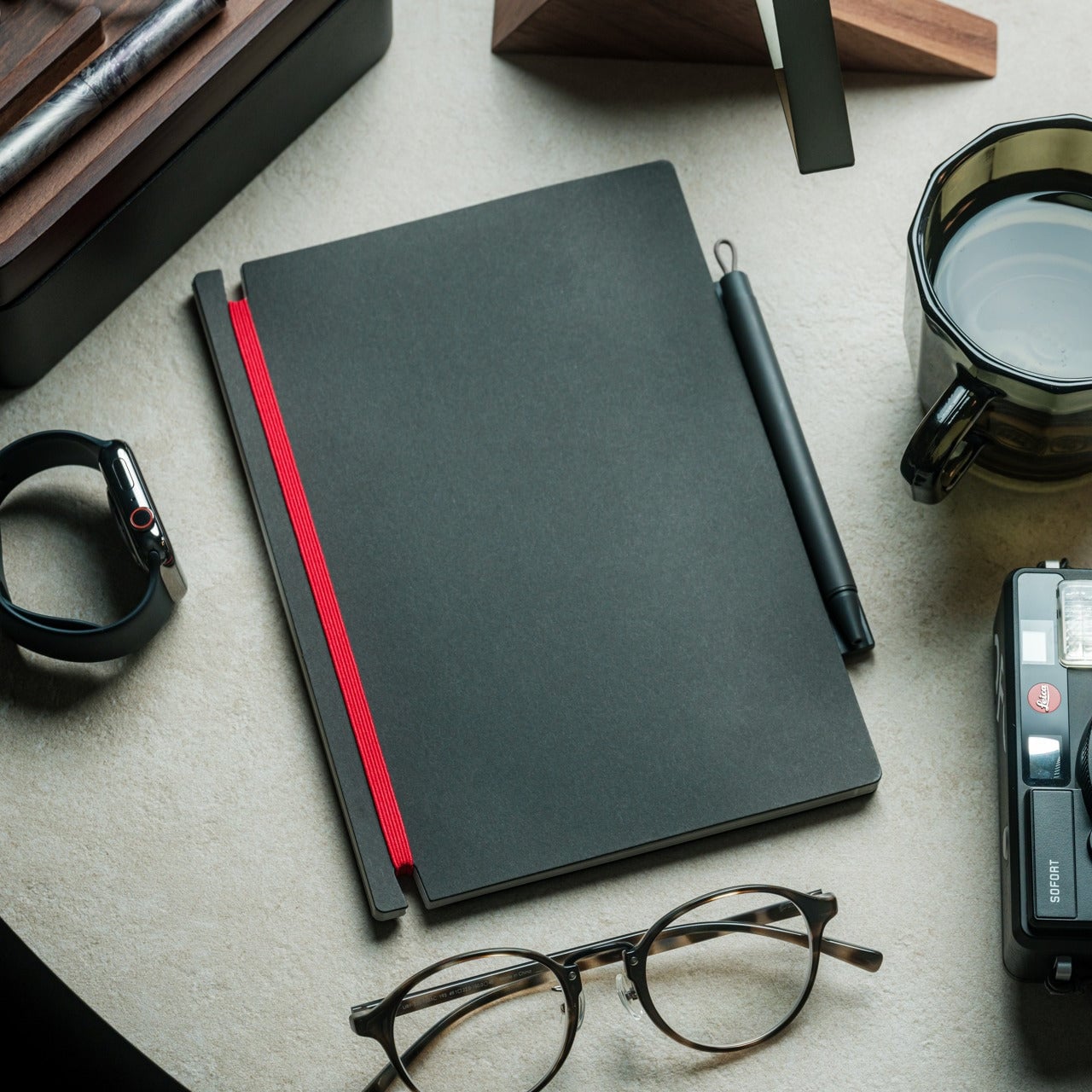
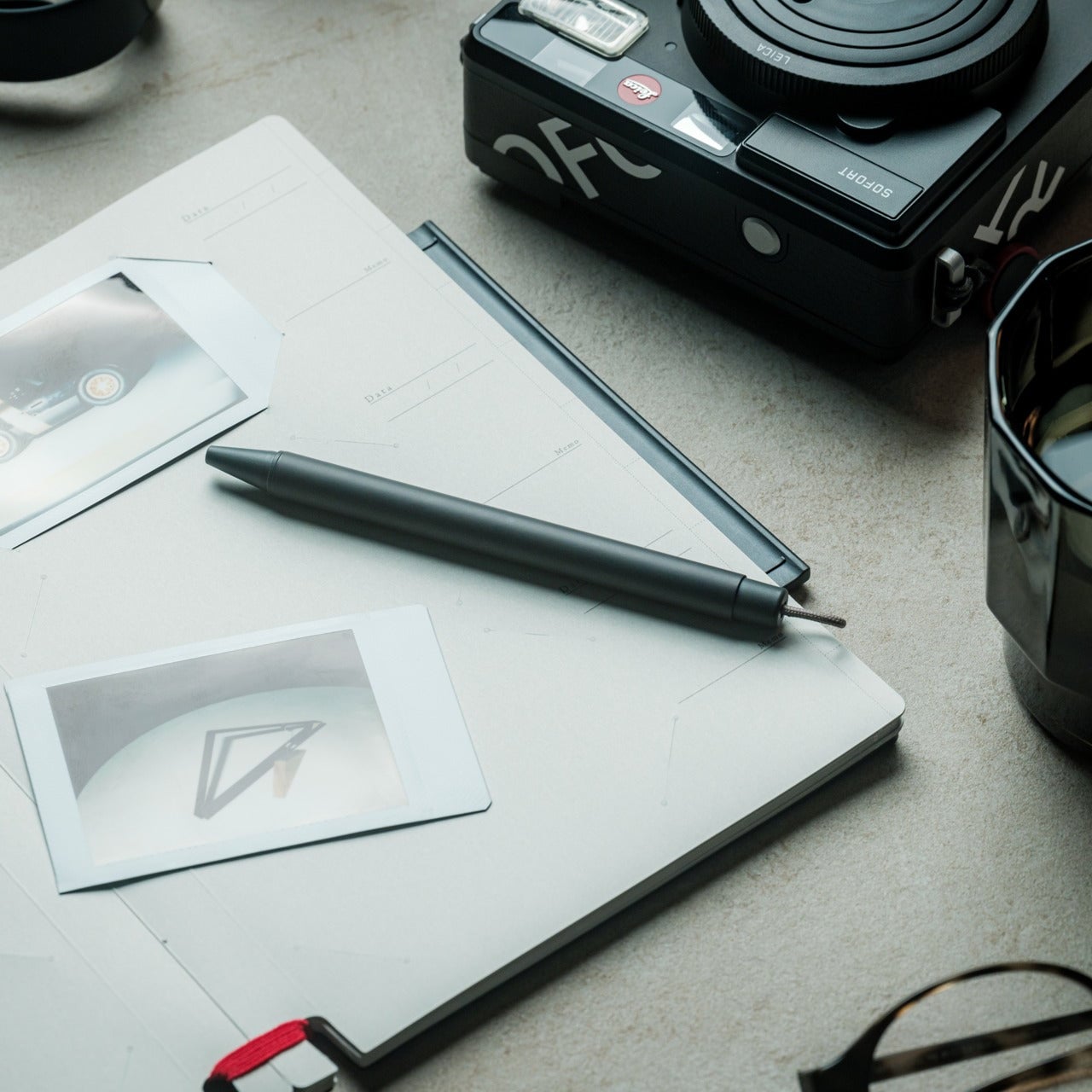
There’s a particular kind of frustration that comes with reaching for a pen and finding it’s no longer where you left it. It’s small enough to ignore once, but it happens often enough to become a genuine irritant. The Inseparable Notebook Pen doesn’t try to solve desk organization broadly. It solves this one specific problem by keeping the pen attached to the notebook it belongs with.
A magnetic clip secures the pen directly to the notebook cover, so the two travel as a unit and stay that way on the desk. There’s also a built-in silencer that softens the attach-and-release motion, which sounds like a small detail until you use it daily. The pen works best when paired with its intended notebook, so it’s less convincing as a standalone writing instrument.
Orbitkey Desk Mat
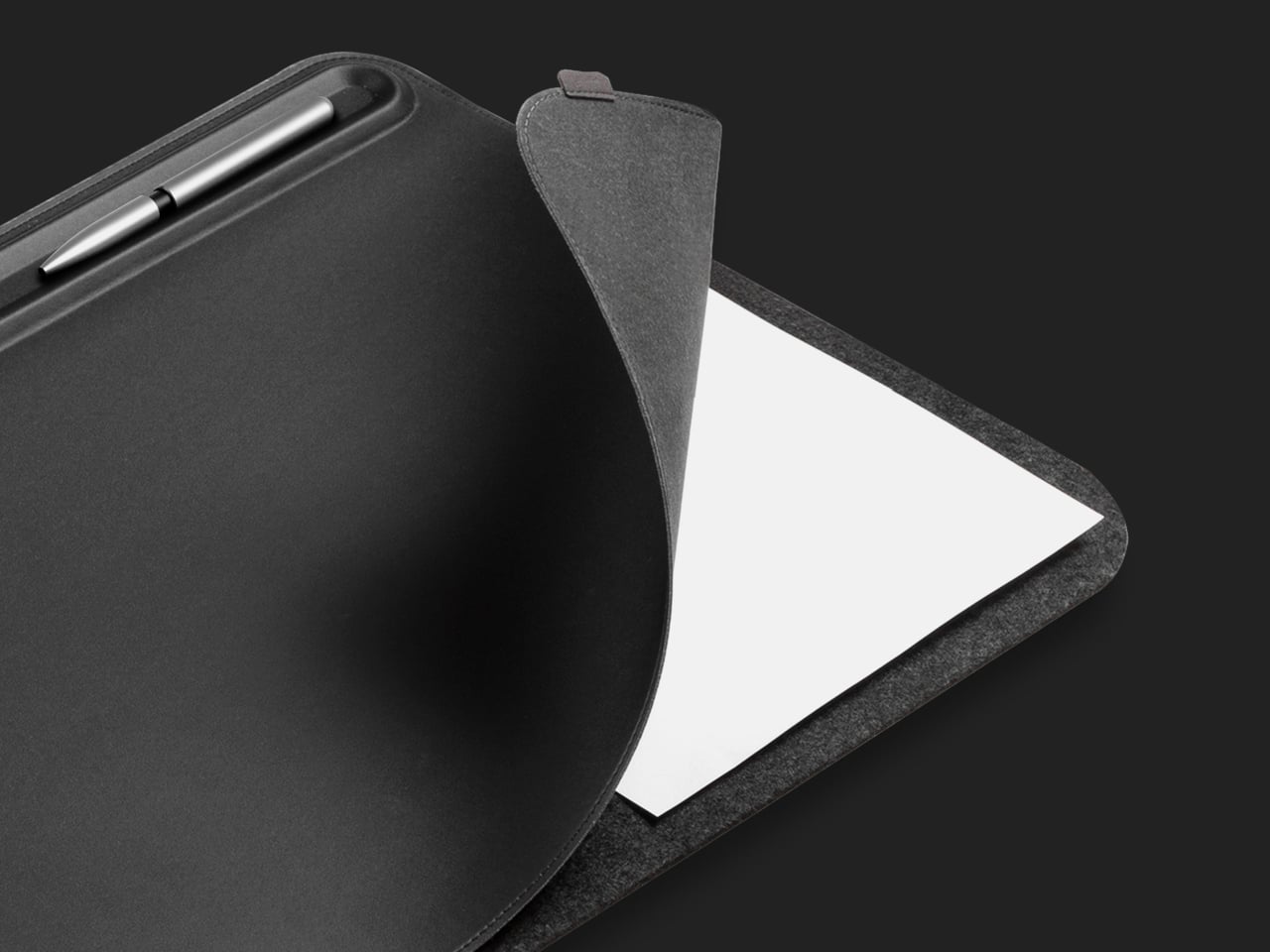
Desk mats often get treated as the last layer of a setup, something you add once everything else is in place to make the whole thing look polished. The Orbitkey Desk Mat earns more than that role. It addresses one of the quieter problems on any active desk, the gradual spread of loose papers, sticky notes, and reference sheets that slowly take over the surface.
A document hideaway built beneath the top layer lets you slip papers out of view without throwing anything away. They stay flat and within reach, invisible until you need them. A toolbar along one edge keeps stationery and smaller tools from drifting. Available in Black and Stone across two sizes, the mat works whether you’re running a compact home setup or a larger studio table.
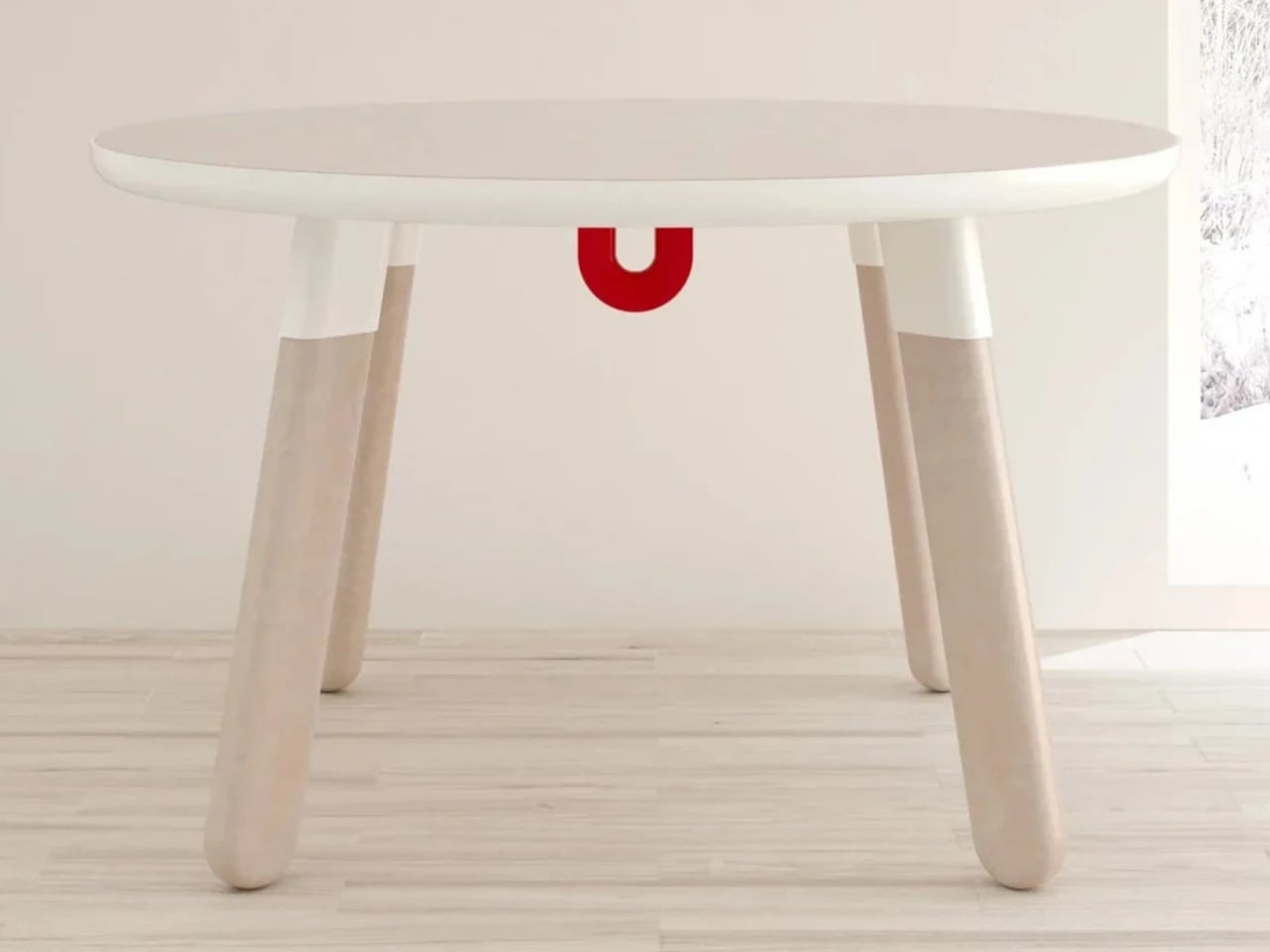
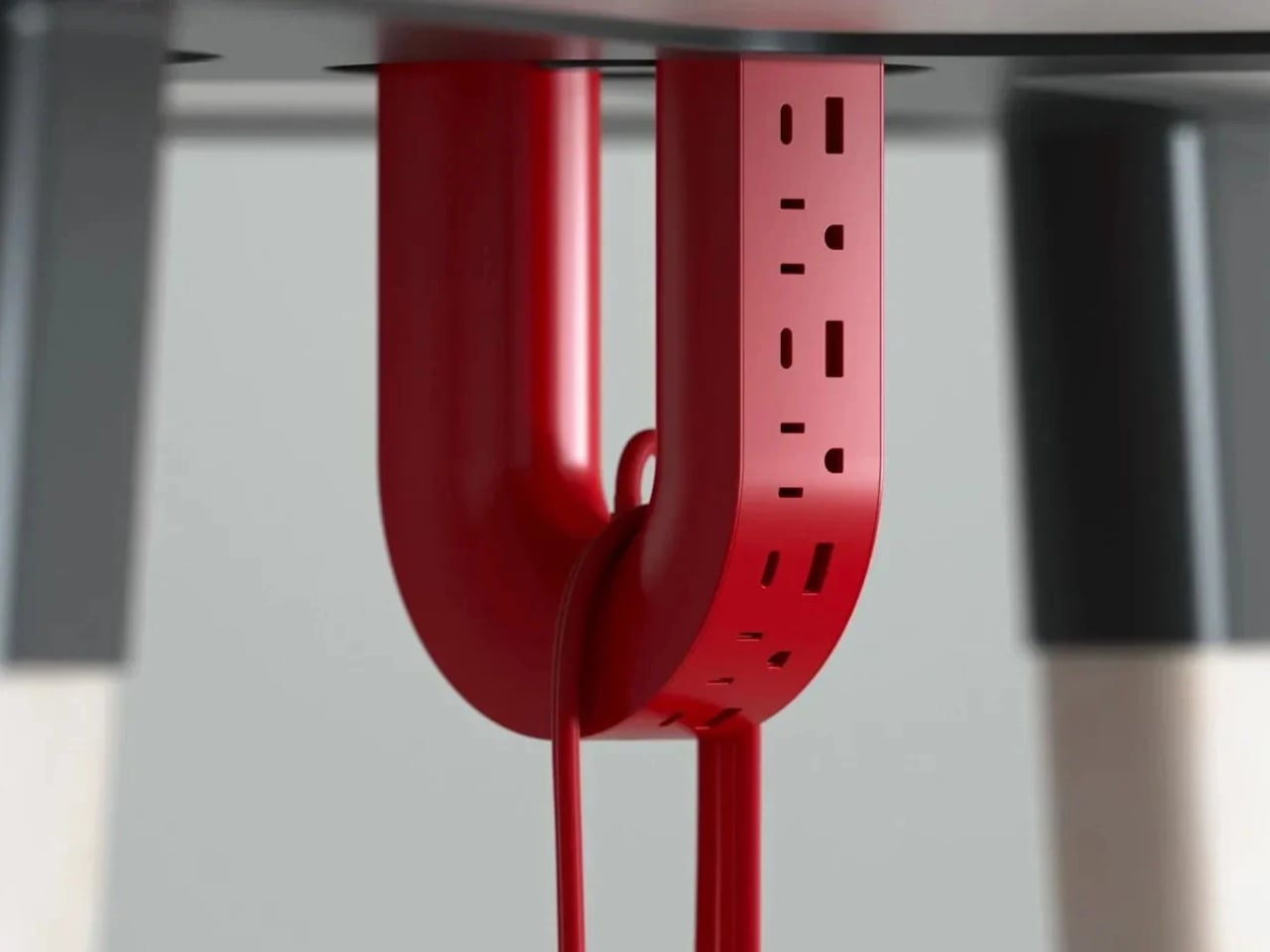
ME-1 U-shaped Power Strip Concept
Cable management is one of those desk problems that most solutions only partially solve. You gather the cords, clip them together, maybe run them through a box, and the result is still visible, still part of the desk’s noise. Michael Kritzer’s ME-1 power strip concept takes a different position, arguing that the power strip itself should hang below the work surface rather than claim space on top of it.
Curved into a U-shape, it can hang under a table or stick to metallic surfaces, while its two legs give you somewhere to wrap cables so they don’t trail freely. There’s also enough spacing between the alternating three-prong sockets and USB ports to fit bulky chargers without blocking each other. It’s still a concept, and questions about how far it protrudes remain, but the logic behind it is sound.
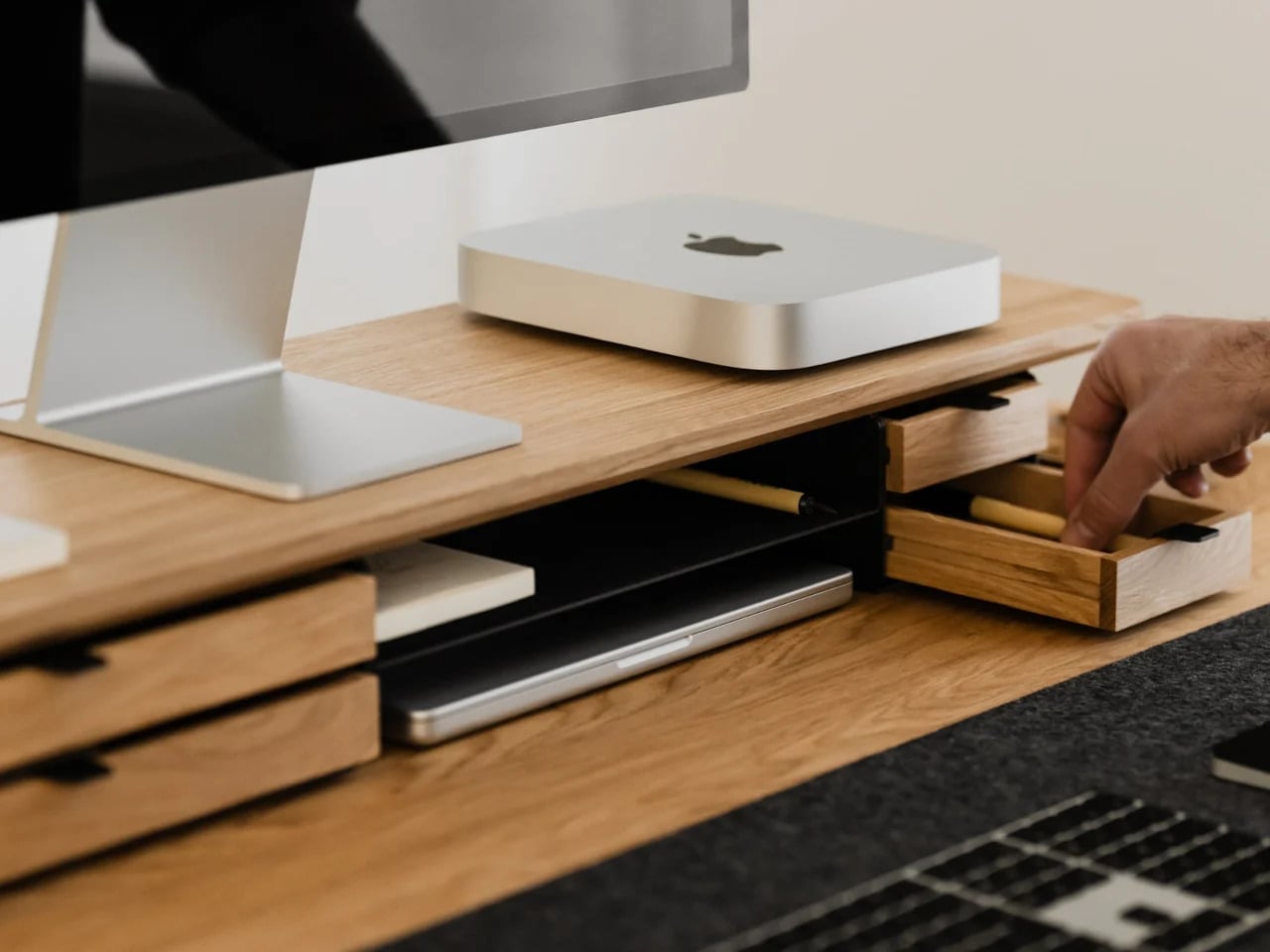
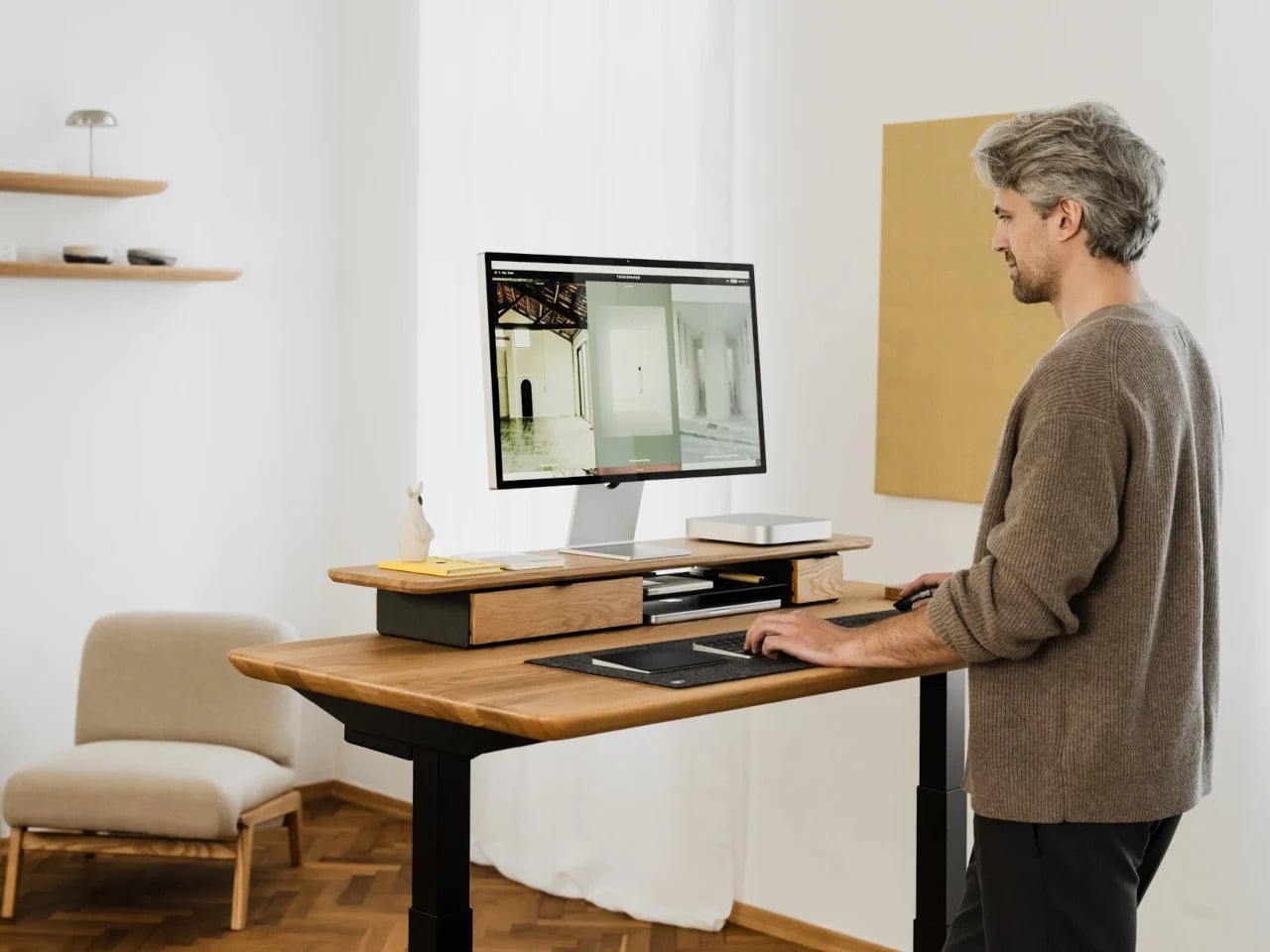
Oakywood Desk Shelf Pro
Monitor risers are supposed to help, and usually they do, but only as far as ergonomics go. The desk surface often ends up just as crowded as before, just with a platform sitting in the middle of it. The Oakywood Desk Shelf Pro approaches the problem differently, treating the riser not as an accessory but as furniture that earns its size by doing more than one job.
The shelf spans desk width, lifting the monitor to eye level while clearing space underneath for a keyboard or laptop, with steel legs at each end creating a floating effect. Built-in drawers tuck away stationery and small tech, and a felt-lined open shelf handles tablets or a closed laptop. It’s built from solid oak or walnut, not MDF with a plastic skin, and can hold up to 100 kg without flexing.
Practiko Otis Hanger 3.0
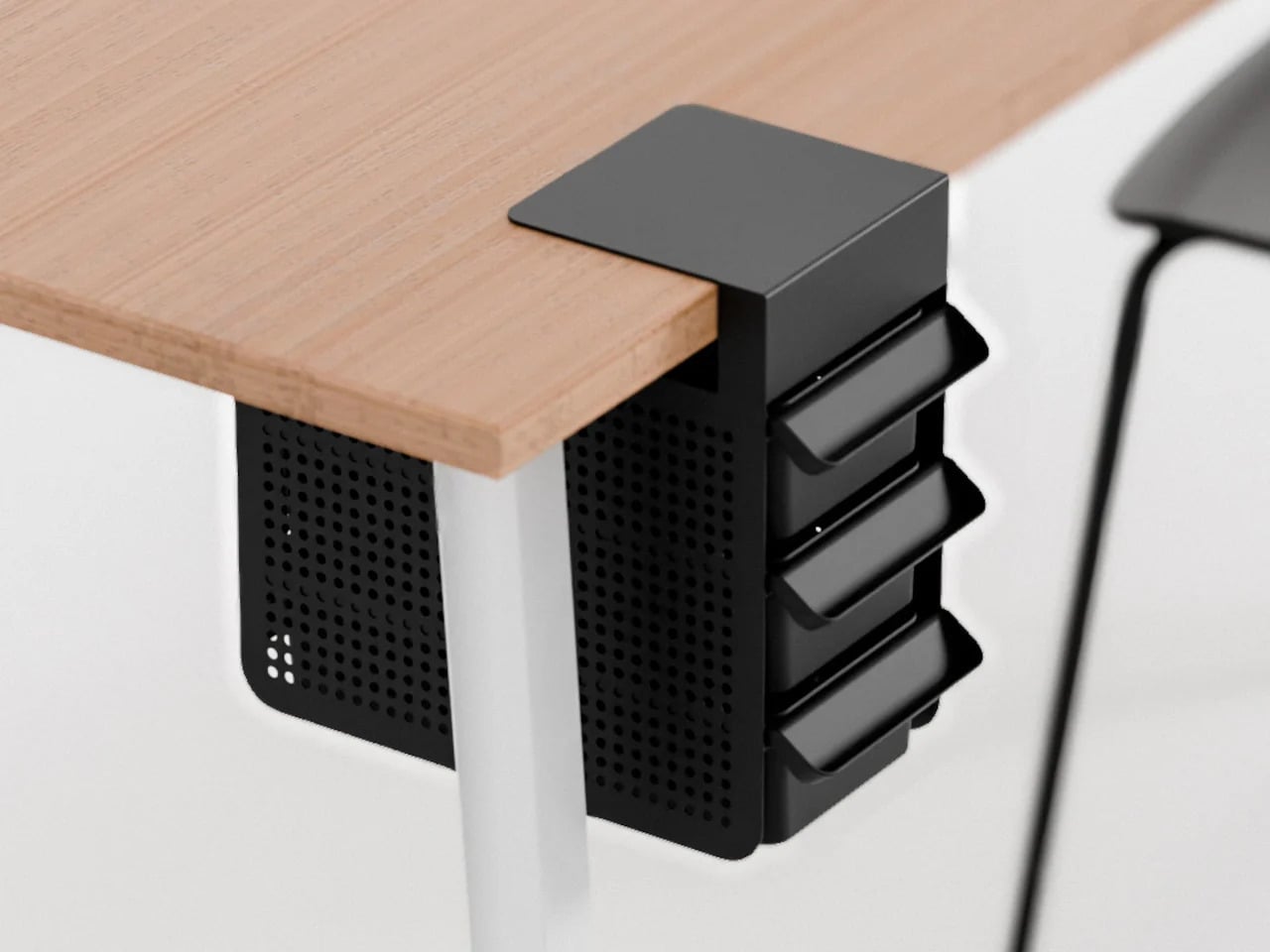
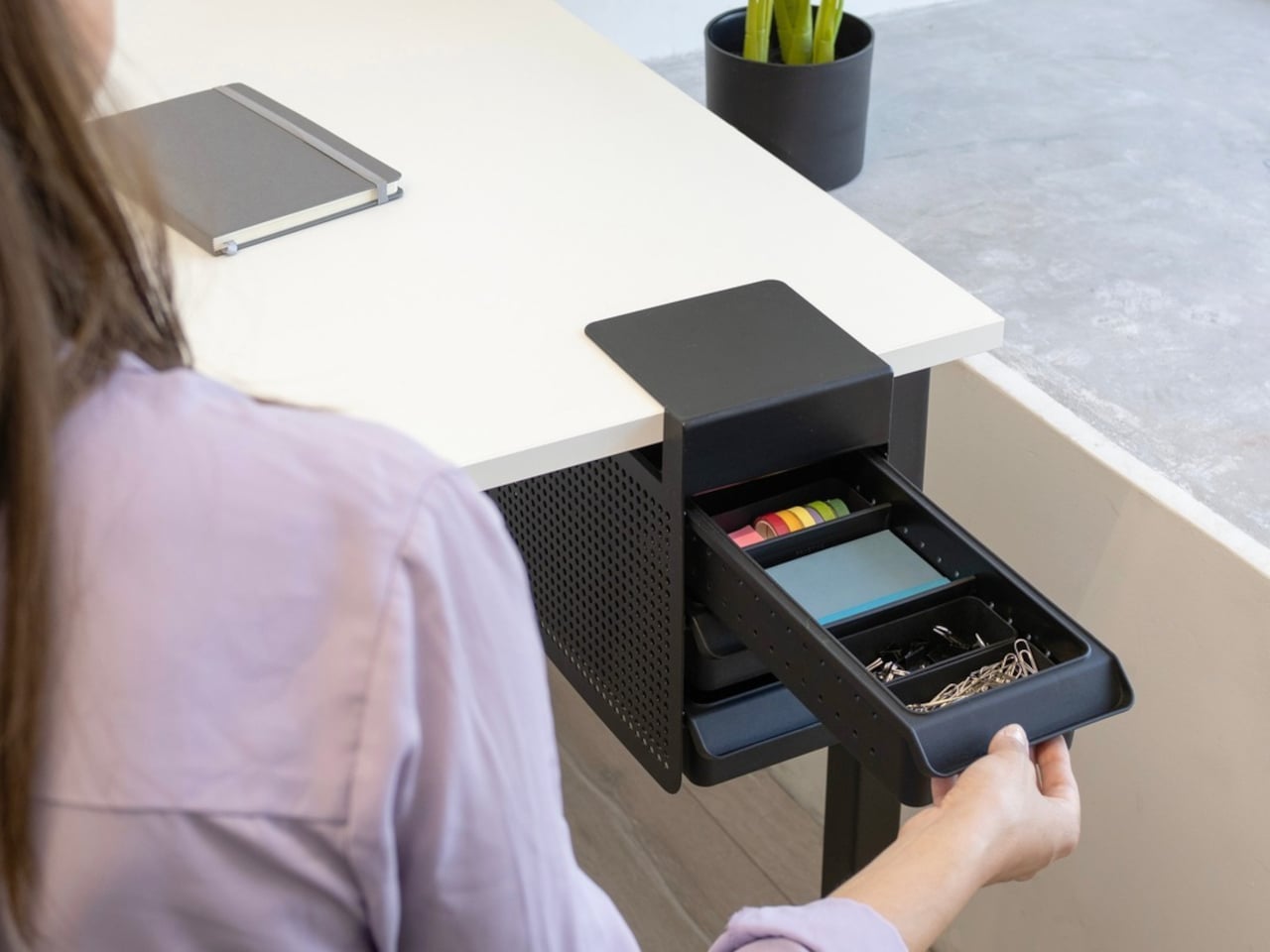
Minimalist desks look clean partly because many of them don’t come with built-in drawers. That’s a reasonable design choice until the pens, sticky notes, charging cables, and paper clips have nowhere to go and start accumulating on the surface instead. The Practiko Otis Hanger 3.0 adds that missing storage back without a single screw or permanent alteration.
The system clips onto the desk edge and hangs beneath the work surface, giving you three trays and the full top plane back. The 3.0 version features more perforation points for finer divider adjustments, and three nested mini trays handle smaller items like paper clips, thumbtacks, or earbuds. Larger handles on each tray let you pull them out smoothly without looking down, which makes more of a difference in daily use than it sounds.
Nuka Eternal Stationery
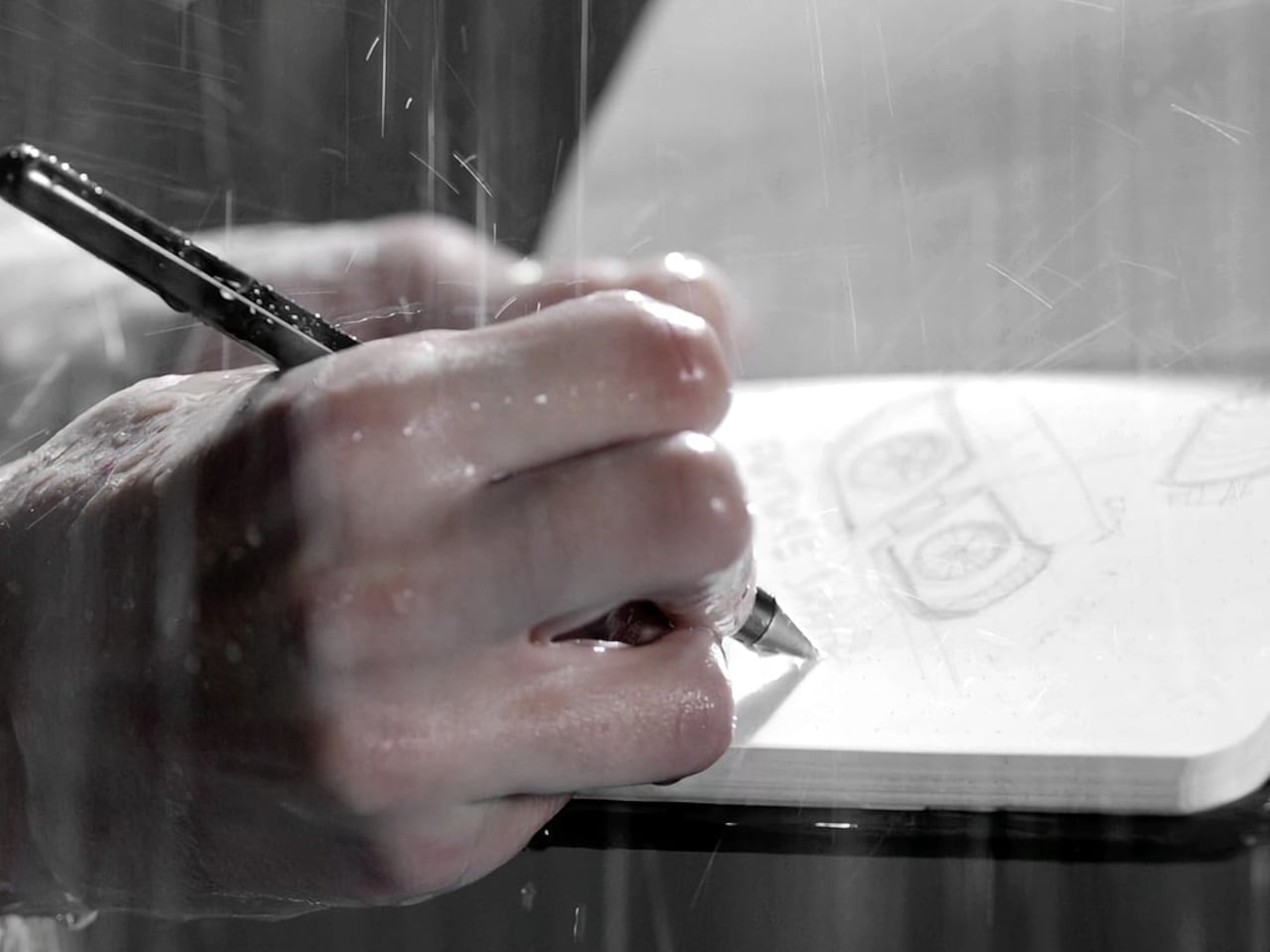
There’s a version of minimalism that’s about owning as little as possible. There’s also one that’s about how much the things you do own keep asking of you. Nuka’s Eternal Stationery belongs to the second kind. Built around permanence rather than disposability, it’s a notebook-and-writing-tool system designed to stop demanding replenishment, which is its own quiet argument for staying on a well-edited desk.
The notebook is waterproof and tear-proof, and pairs with a metal alloy tip that writes with the consistency of a traditional pencil but requires no sharpening and never breaks. Pages clear completely with the Nuka Magic Eraser, ready to be written on again. For anyone who writes regularly, the appeal is straightforward, though writers accustomed to ink on paper may need some adjustment time with the metal alloy tip.
Quiver Ruler
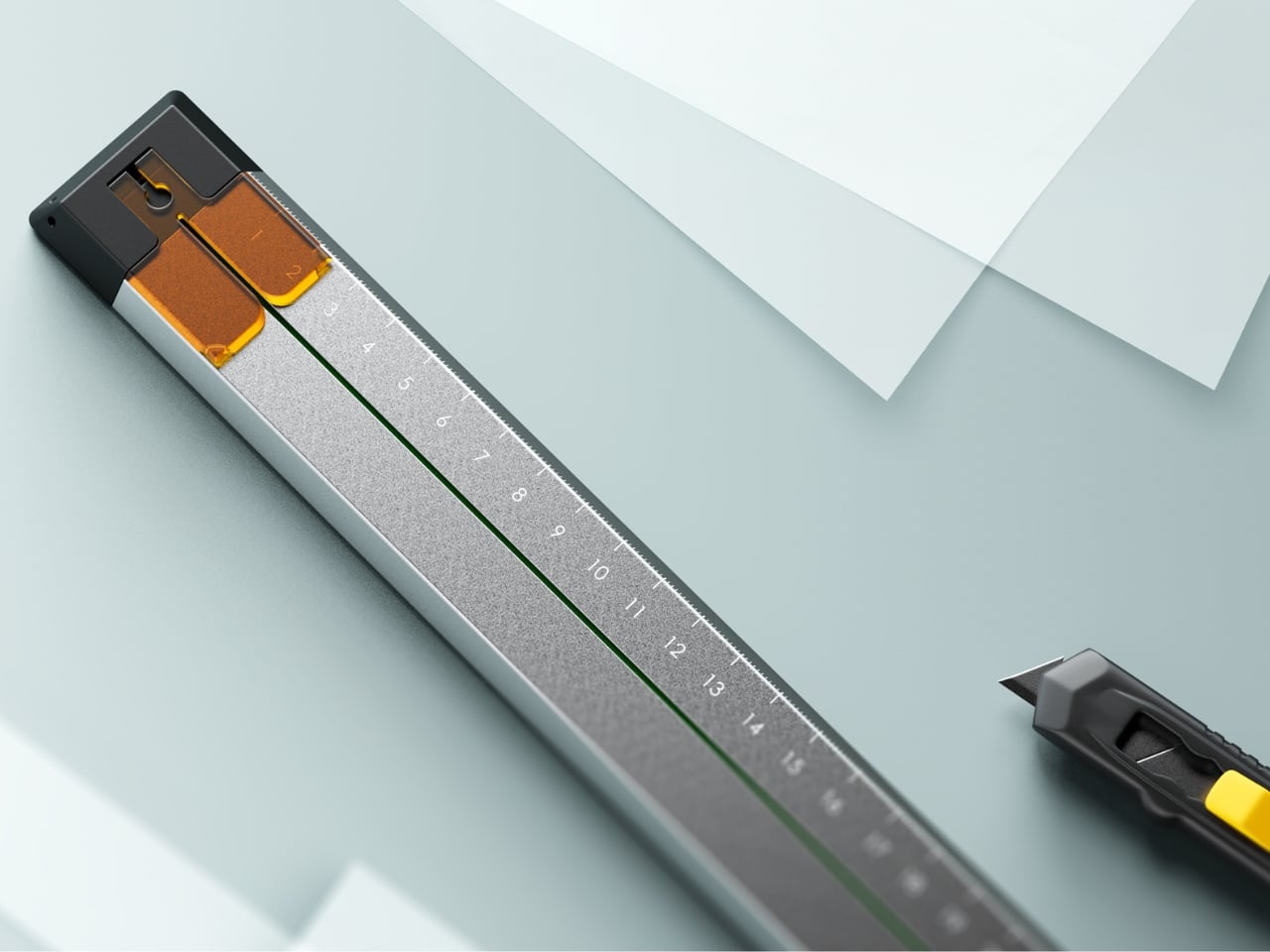
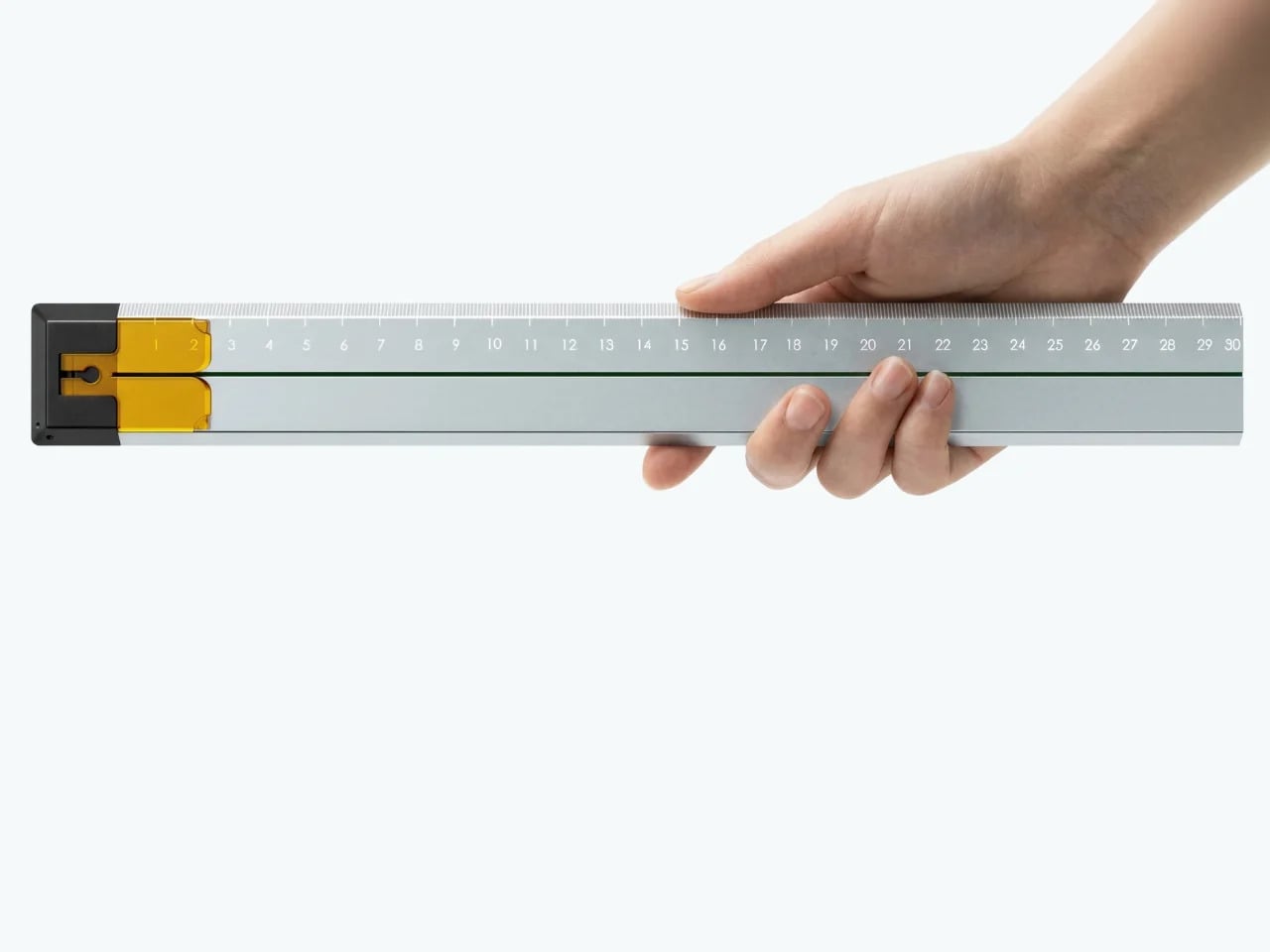
A ruler is one of the few tools that earns a place in a minimalist setup by compressing several small tasks into a single flat form. Tunir Maity’s Quiver does that more thoroughly than most. It’s an anodized aluminum ruler designed primarily for people who actually cut with one, not just measure. It treats shaky hands and imprecise cuts as design problems worth solving, not limitations the user is expected to compensate for.
A clip mechanism holds paper in place, a blade slit guides the cut in a straight line, and the weight distribution favors the cutting end, so you don’t have to press down as hard. It also includes a carabiner attachment for clipping to a bag. Quiver is currently a concept, so availability hasn’t been confirmed, and it’s more specialized than what a casual desk user would reach for day to day.
Ichi Portable Lamp
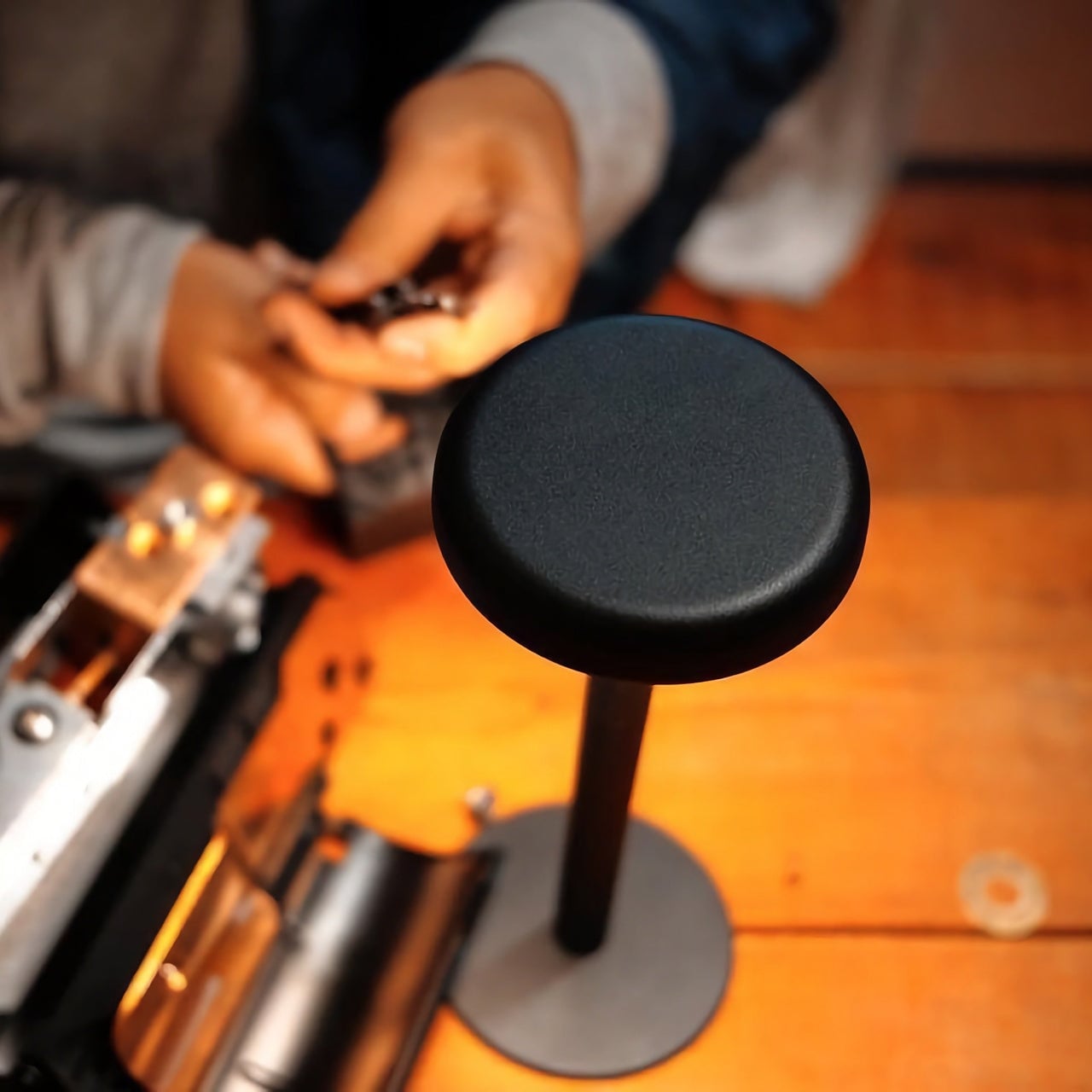
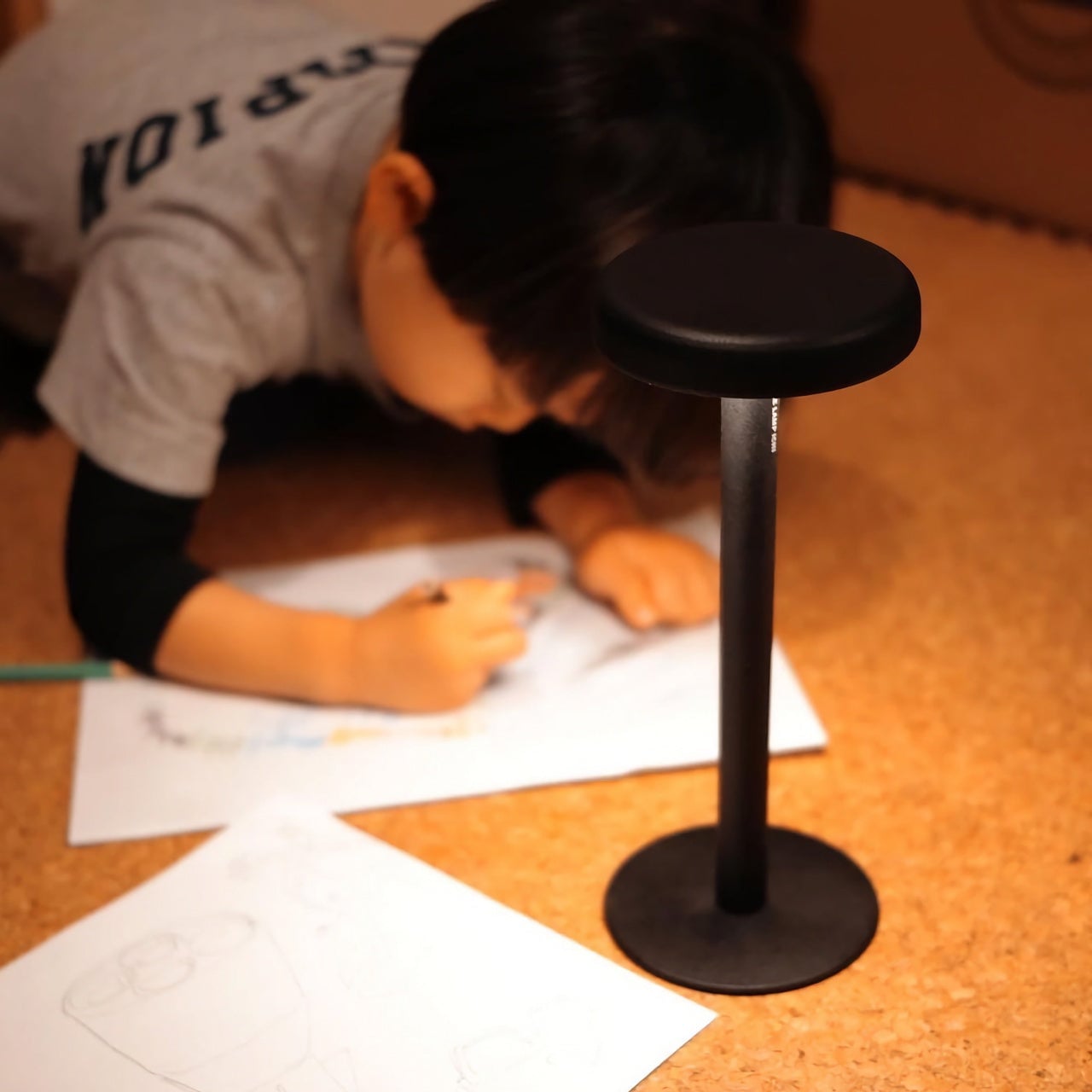
Desk lamps rarely fail in the obvious ways. Most give off enough light and last long enough. What they tend to get wrong is the base, which on wider models claims an entire desk corner, and the cord, which invariably ends up somewhere visible. The Ichi Portable Lamp, born from the collaboration between Fujita Kinzoku and TENT Design, keeps the form slim and goes cordless, addressing both without turning the lamp into a statement piece.
Powered by four standard AA batteries, it runs cordless without the limitations of proprietary chargers. Its warm, high-color-rendering CRI 95 LED creates a soft, radiant glow suitable for task work or winding down. The modular design disassembles into three parts and packs down to a slim 20mm thickness. It’s more portable than a permanent desk fixture, which is worth knowing if you need sustained, high-output lighting for long stretches.
Satechi 3-in-1 Foldable Wireless Charging Stand
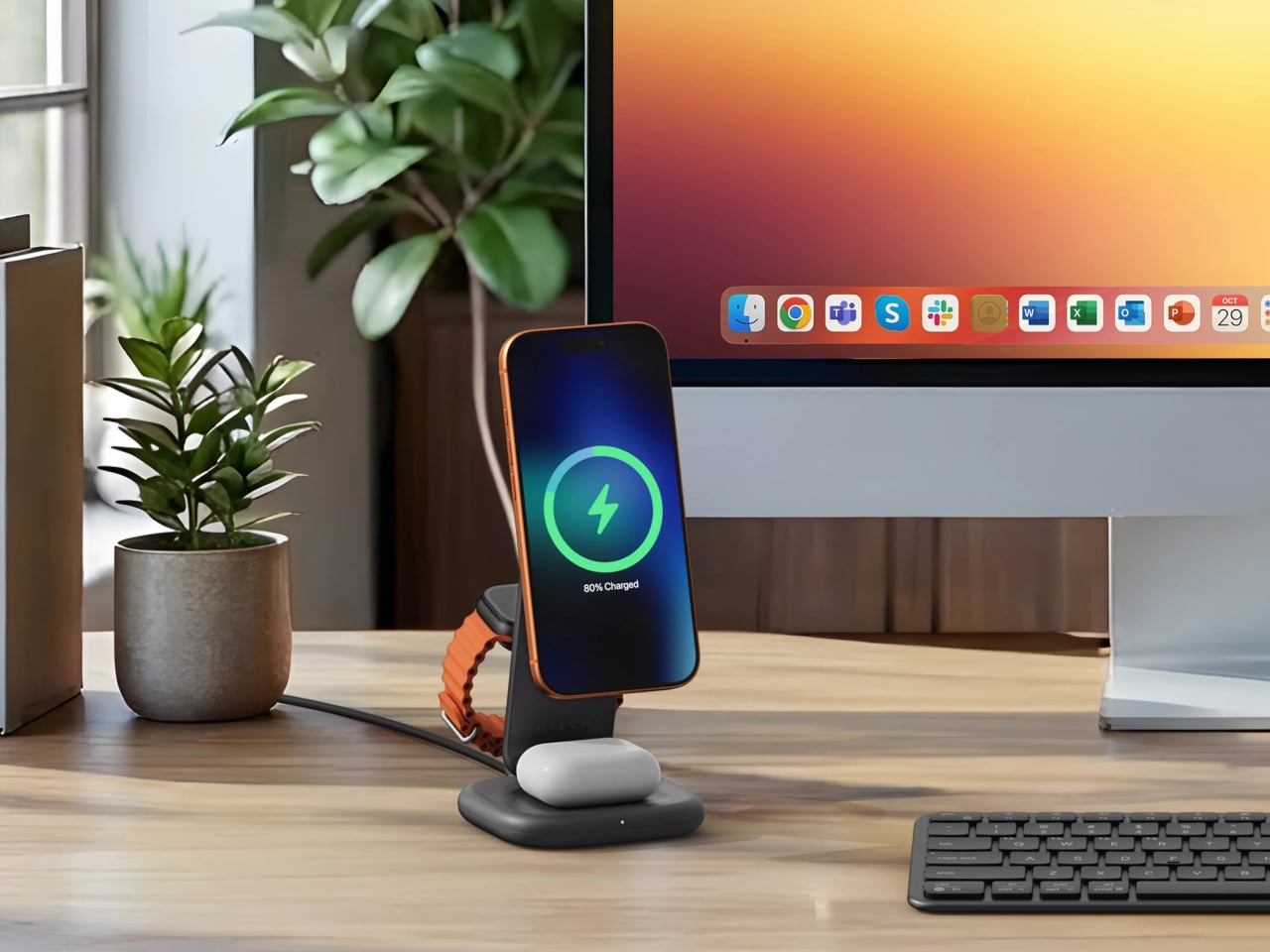
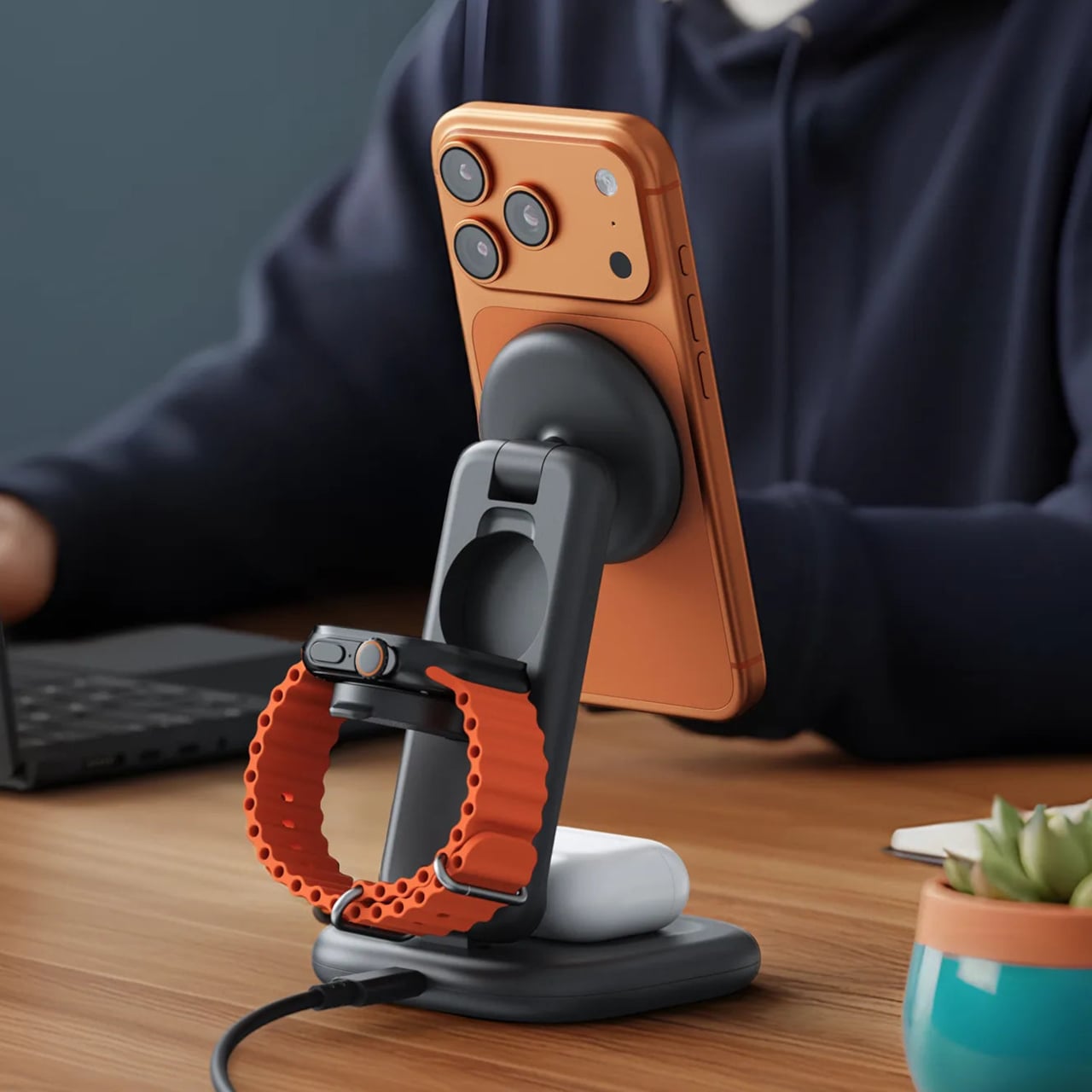
Getting a phone stand onto a minimalist desk requires a stronger argument than just holding the phone upright. The Satechi 3-in-1 Foldable Wireless Charging Stand with Qi2 25W makes that argument by doing three jobs at once, replacing the tangle of separate charging pads that Apple users typically accumulate. Wireless charging was supposed to simplify things, but most setups end up with a different kind of mess instead.
Set the iPhone down, and Qi2 snaps it into position, the Apple Watch gets its own fast-charge arm, and the AirPods rest on a pad below, all drawing from a single cable to the wall. The stand folds flat for travel and fits easily in a carry-on. A 45W USB-C adapter with US, EU, and UK plugs ships in the box. It’s most compelling for people already working within the Apple ecosystem.
Building a cleaner desk comes down to the same question applied to every object on it: what is it giving back for the space it takes? Color and material can make things look minimal, but they don’t make them earn their place. That’s a footprint budget, and it’s a much better framework for deciding what stays than any mood board, setup guide, or neutral palette.
For years, professional stationery stayed neutral and invisible. Desks were filled with black pens, muted folders, and purely functional organizers. Utility mattered, but visual pleasure rarely did. That long-standing mindset is now beginning to change as designers rethink what belongs on a modern desk.
Let’s enter the era of playful stationery where cute meets carefully considered design. These pieces are not gimmicks but thoughtfully engineered essentials that elevate everyday work. By combining tactile satisfaction with visual charm, they turn routine tasks into moments of delight. The desk is no longer just a surface but a space for creativity, comfort, and self-expression.
1. Transparent Design Aesthetics
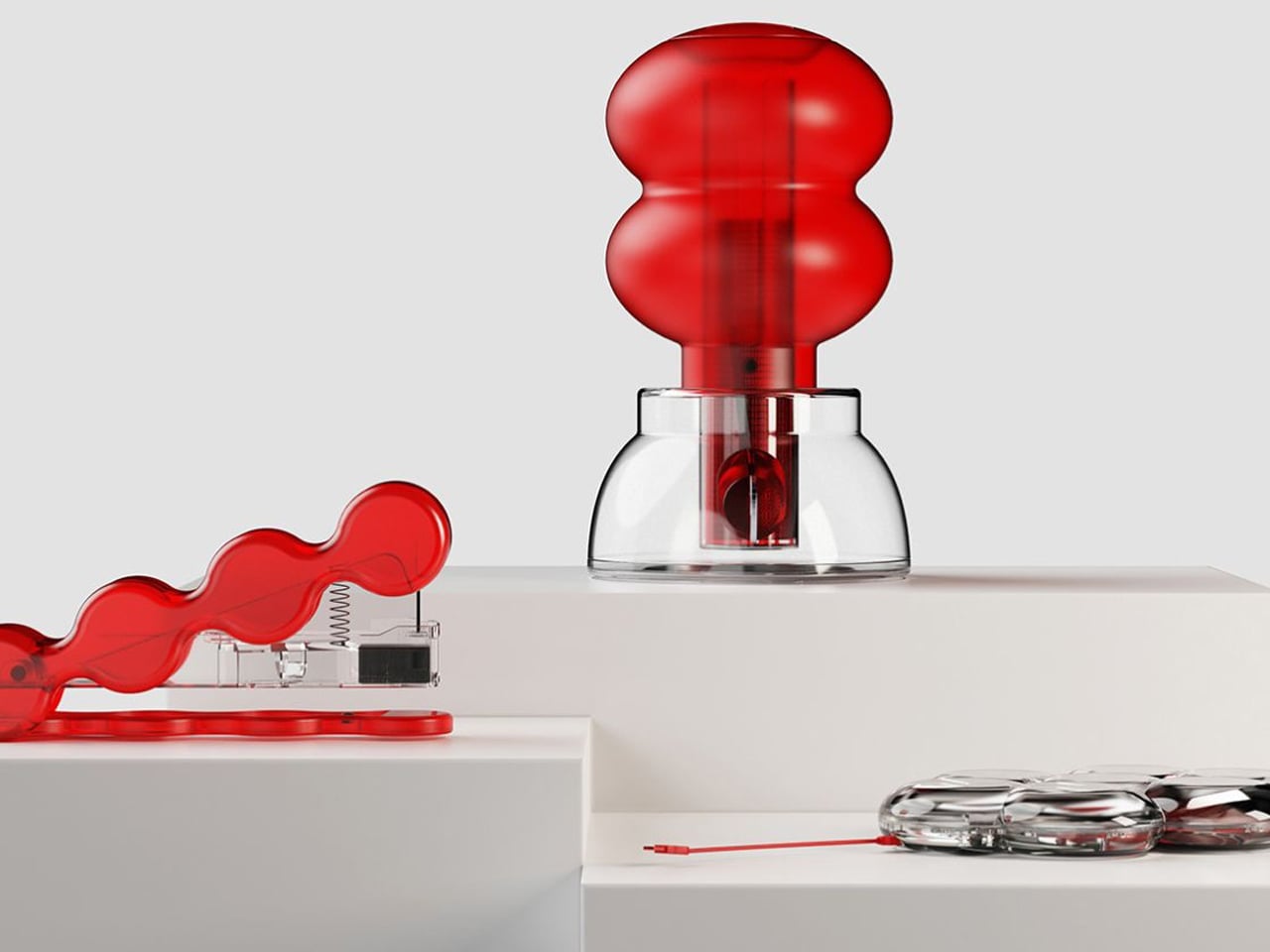
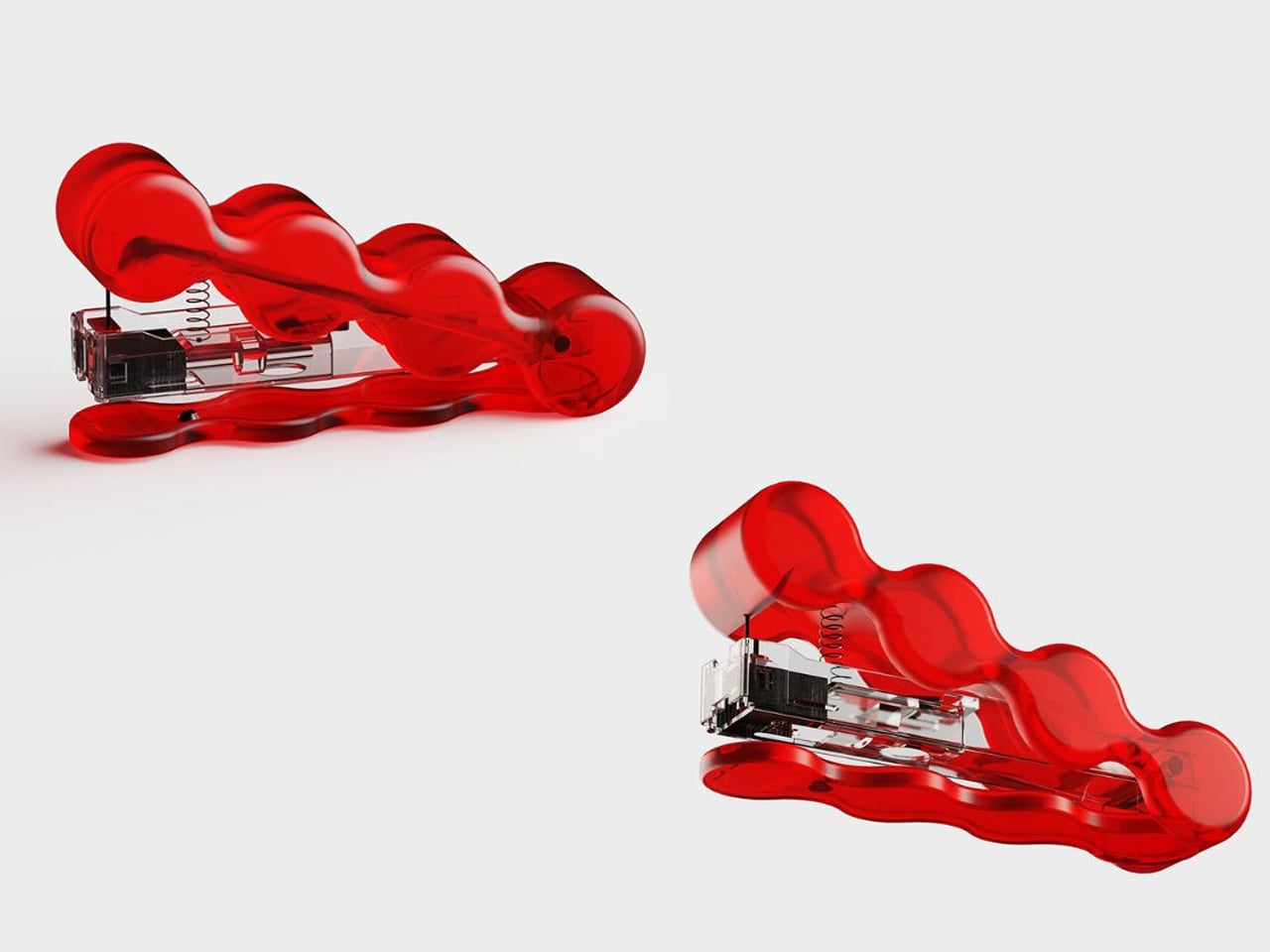
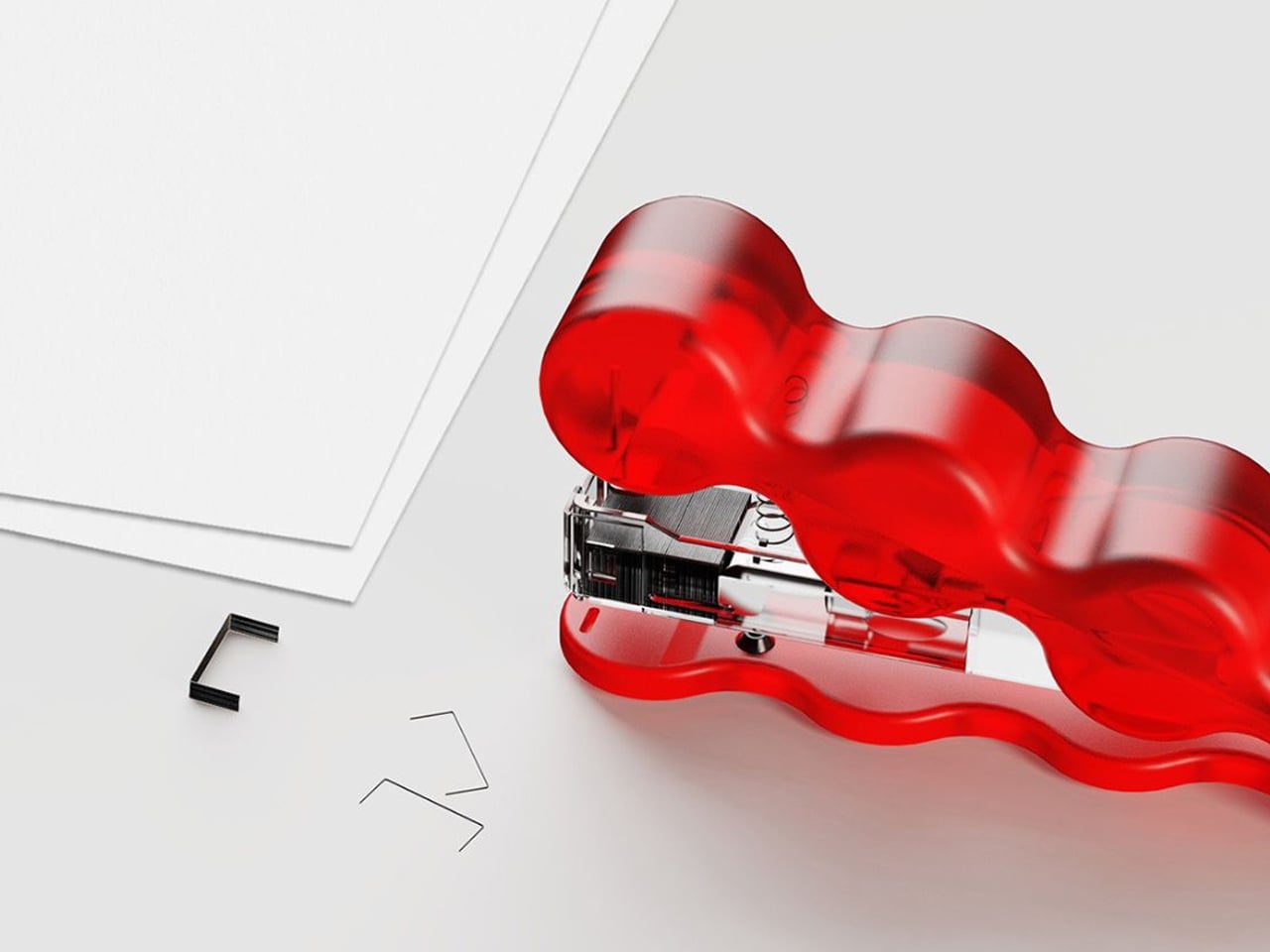
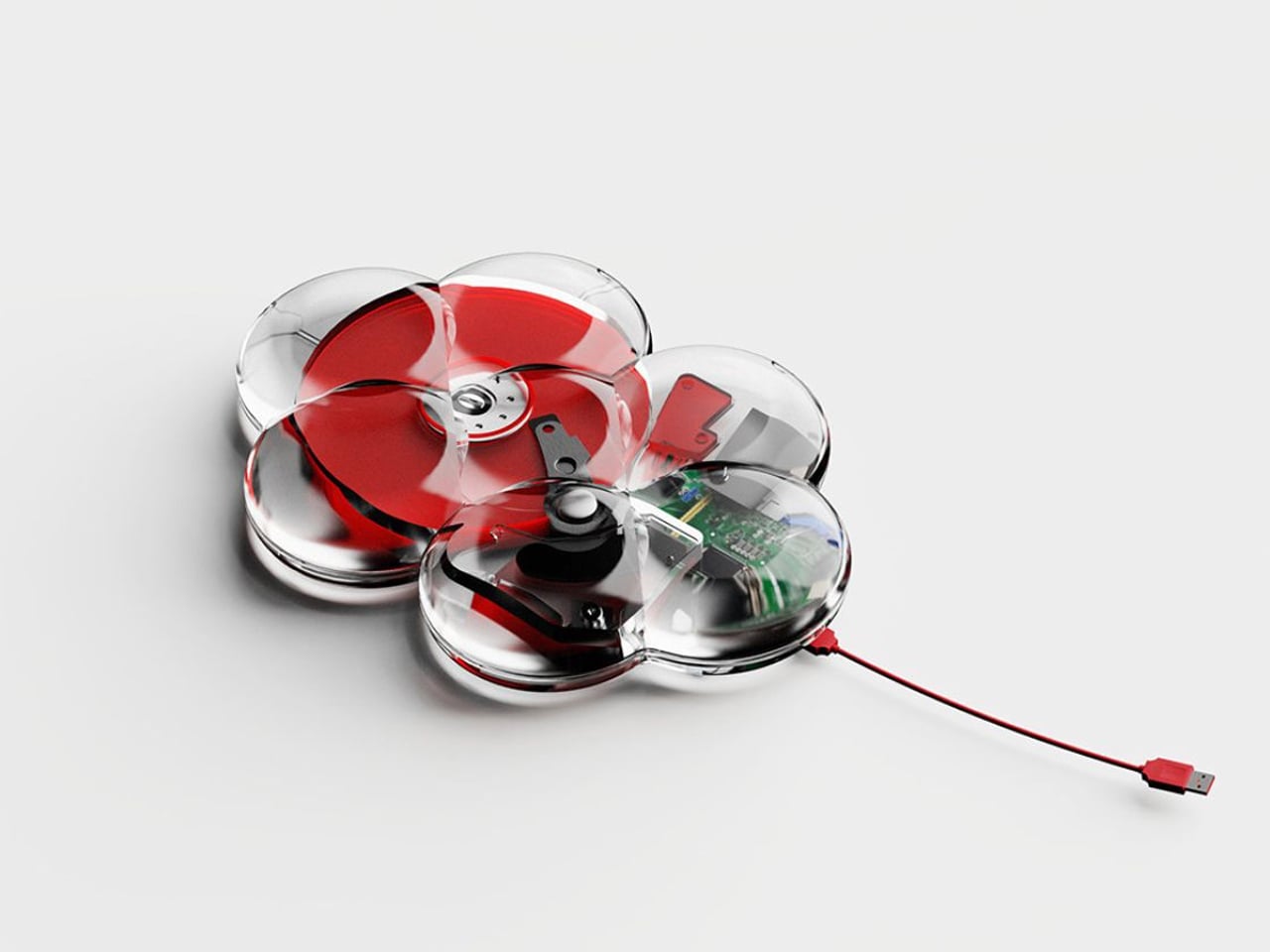
Transparency in stationery is no longer just a visual novelty. It reflects a deeper appreciation for clarity, precision, and the beauty of the machine. Clear materials such as acrylic and resin reveal springs, gears, and ink reservoirs, turning everyday tools into small design showcases. The user is invited to witness how the object functions, creating a stronger connection between form and mechanism.
Beyond aesthetics, transparent design reshapes the visual rhythm of a workspace. Its light presence reduces the sense of bulk and clutter, allowing the desk to feel open and breathable. The effect is subtle yet striking, blending minimalism with a futuristic edge while maintaining full functionality and tactile satisfaction.
Royi Stationery places transparency at the heart of its design philosophy, transforming ordinary office tools into visually honest objects. Their clear staplers, external hard drives, and coin banks expose every internal component, allowing you to witness the mechanics that usually remain concealed. The transparent casing is not simply an aesthetic decision; it symbolises openness and authenticity. When you press the stapler, you see the staple move through paper. When you hold the hard drive, you observe the intricate circuitry protecting your data. This visibility creates a deeper connection between the user and the object.
By removing the outer shell that typically hides complexity, Royi invites you to appreciate function rather than façade. The products celebrate engineering, structure, and process, reminding you that what lies beneath the surface often carries the greatest value.
2. Stationery as Sculptural Art
Stationery is evolving beyond utility, stepping confidently into sculptural art. Contemporary desk accessories are designed to captivate even at rest, with forms inspired by gallery objects rather than traditional office supplies. Tape dispensers resemble smooth metallic pebbles, while paperweights echo abstract statues, transforming ordinary tools into visual statements.
This shift reflects a growing desire for workspaces that feel curated and expressive. Form now holds equal importance to function, allowing these pieces to enhance the environment, whether in use or simply displayed. The desk transforms into a composition where practicality and artistry coexist, adding character, texture, and a sense of intentional design.
There are countless ways to organise a desk, but few solutions approach storage as a sculptural expression. Designed by Subin Song in collaboration with Fountain Studio, Cacty transforms the ordinary desk organiser into a vertical composition inspired by the organic growth of succulents. Rather than concealing clutter inside static compartments, the system rises upward in stacked forms, creating a silhouette that feels architectural and plant-like.
Each module functions as a container and a structural element, connecting through a slot-and-tab mechanism that allows the form to evolve endlessly. The base anchors the composition, while taller and shorter units interlock to create varied proportions, shadows, and depth. As modules accumulate, Cacty becomes a personalised sculptural tower which is an organizer and installation.
3. Architectural Desk Aesthetics
The structural edge in stationery draws heavily from architectural language and industrial design. Influenced by brutalism and modern drafting aesthetics, these pieces embrace sharp geometry, visible structure, and engineered balance. Materials such as concrete, steel, and solid brass introduce weight, texture, and a sense of durability that contrasts with conventional plastic desk tools.
Objects like pen holders shaped as miniature towers or cantilevered desk trays express stability and intention. They communicate permanence while maintaining full functionality. They transform the desktop into a composed landscape of lines and forms that exudes the quiet drama of structural design.
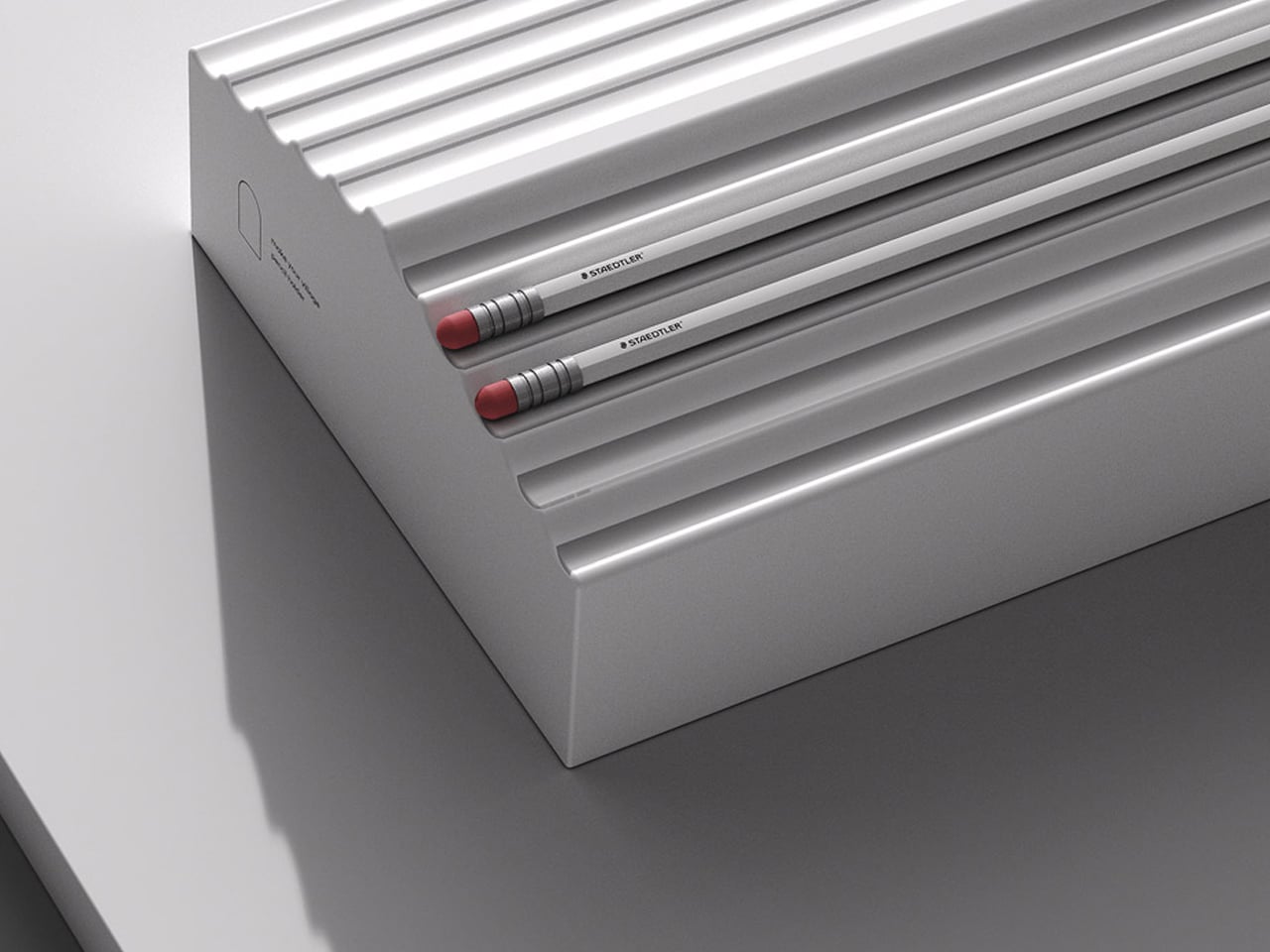
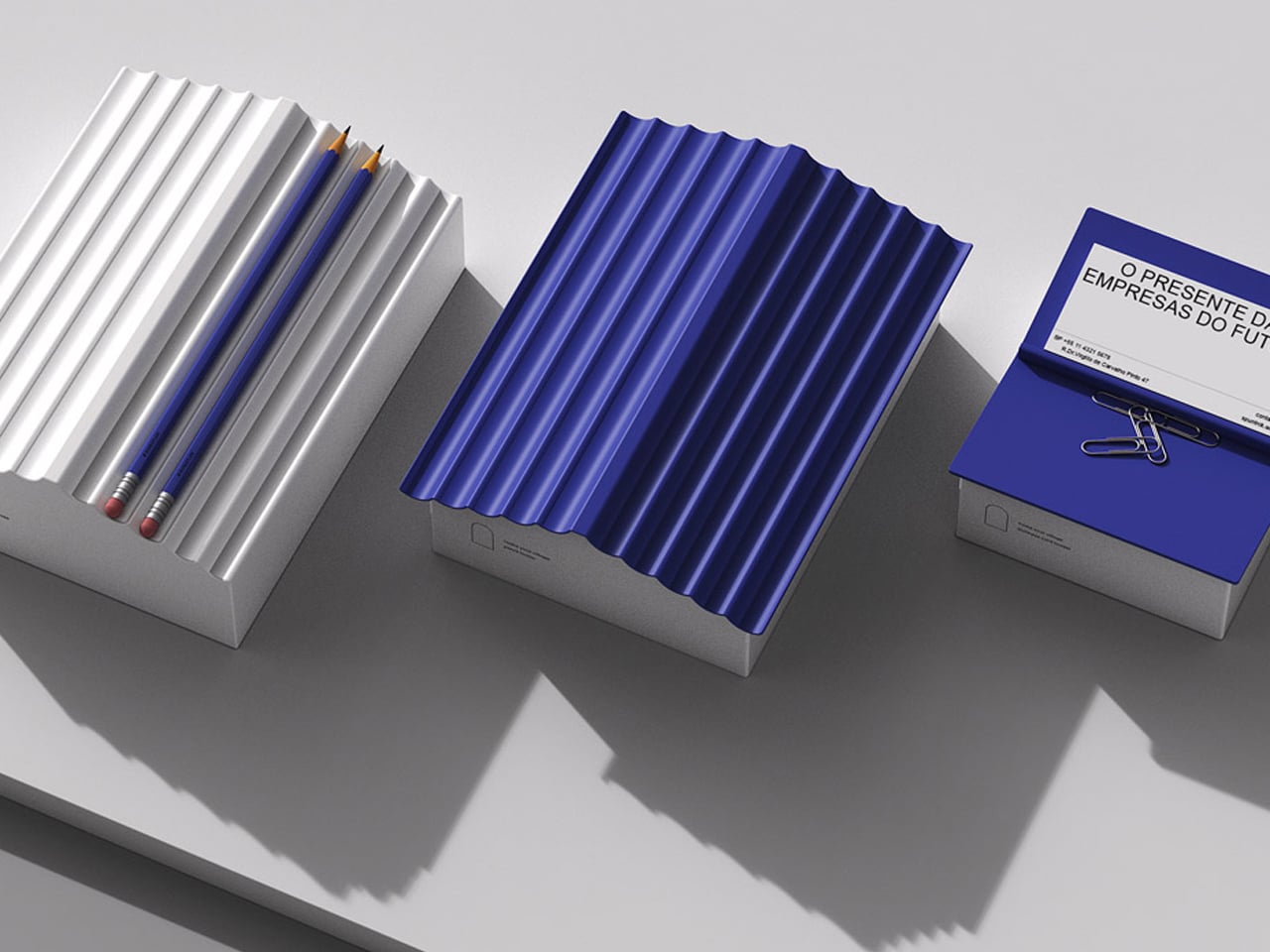
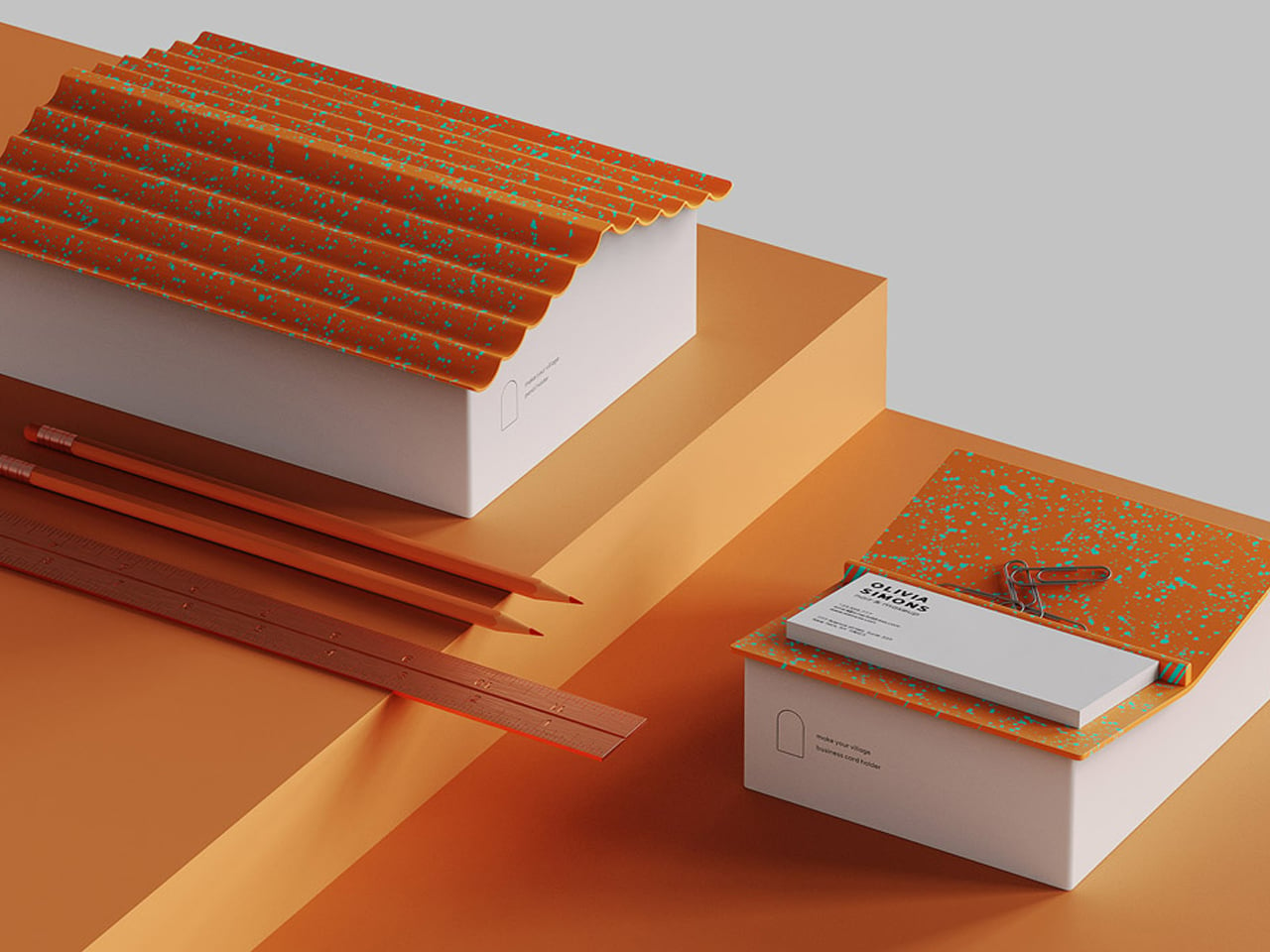
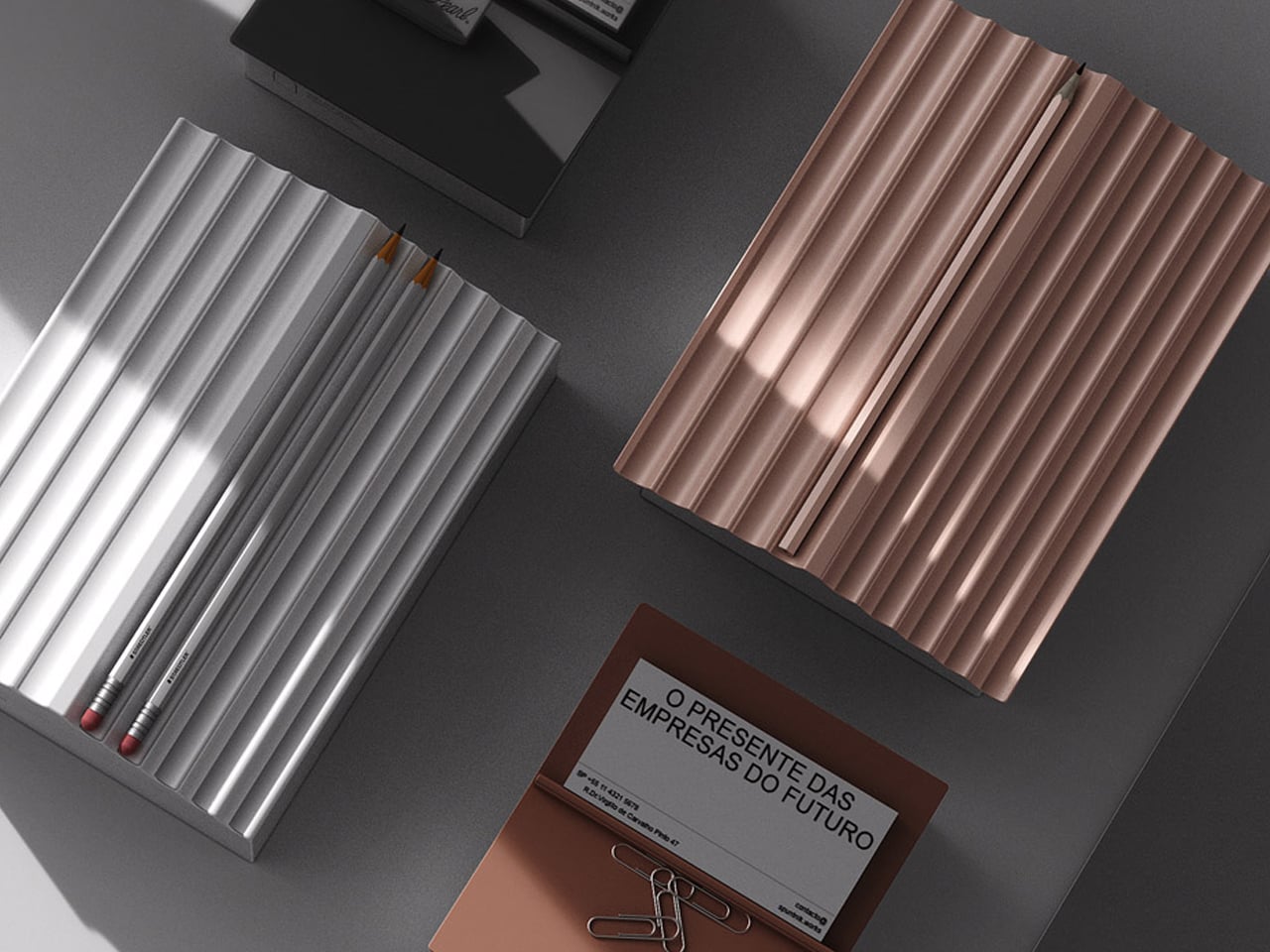
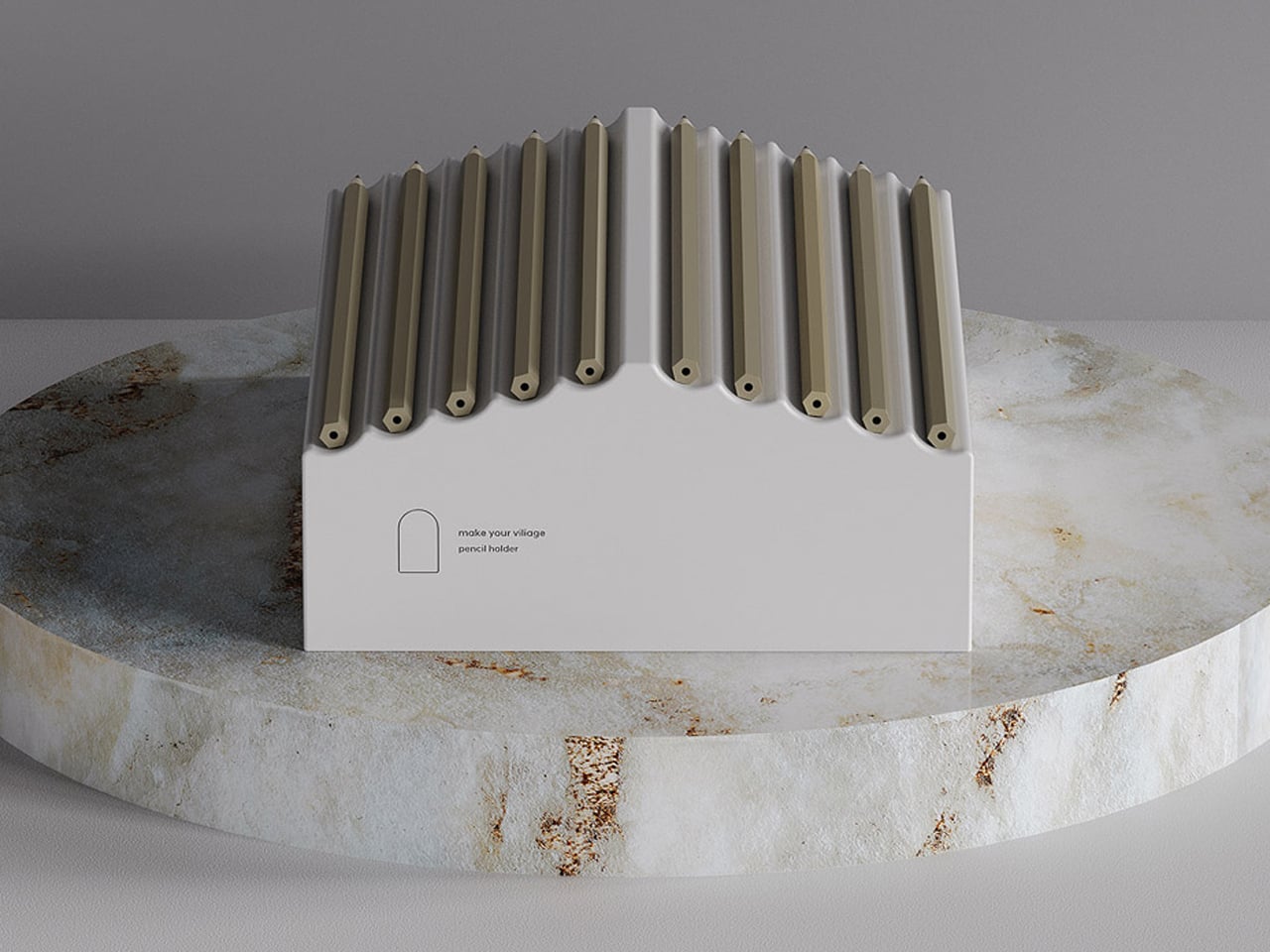
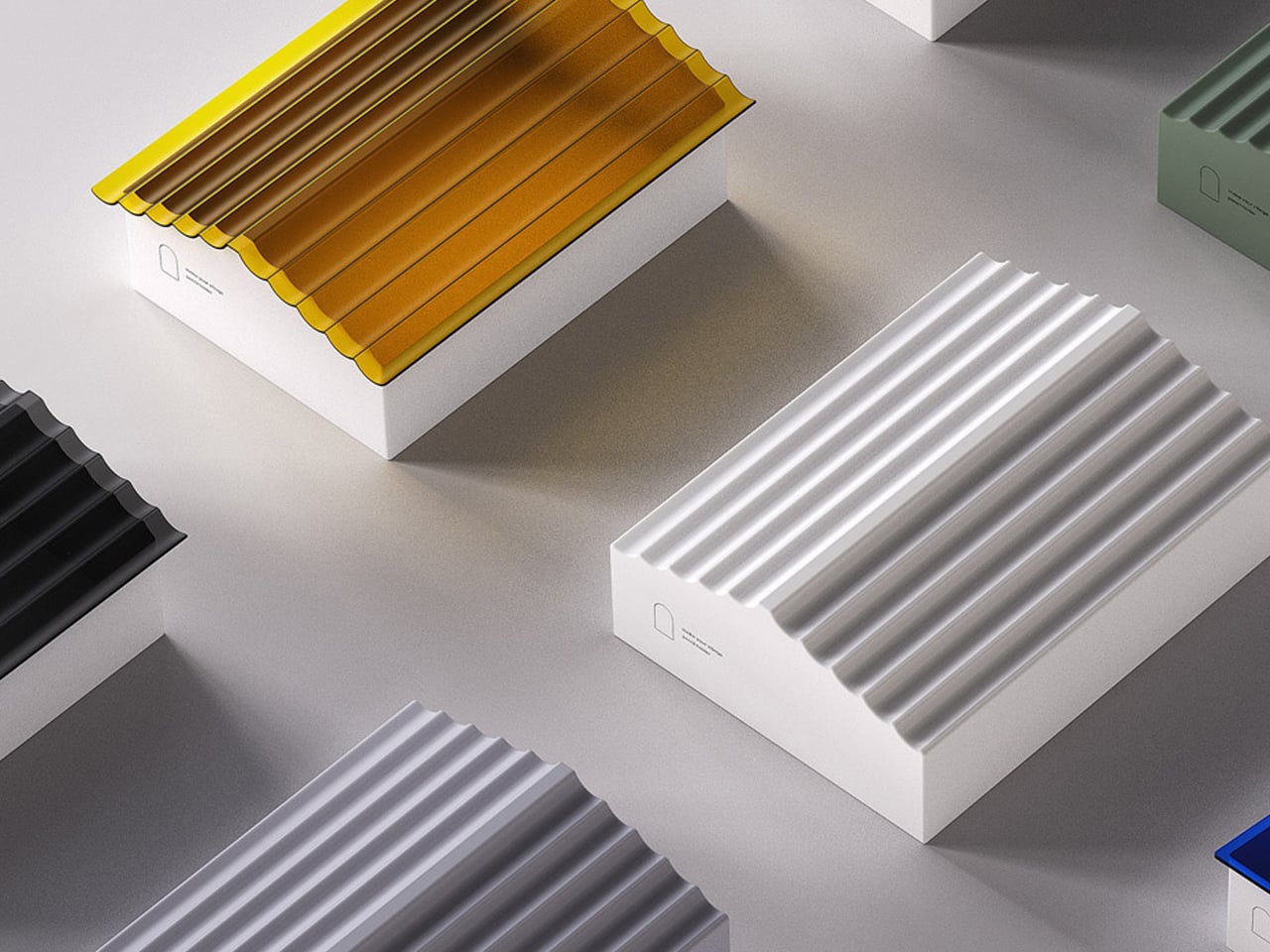
Industrial designer Jaekyoung Oh approaches desk organisation through the lens of product architecture rather than mere storage. The Small Town holder is conceived as a miniature built form, defined by a clear base structure and a pitched roof silhouette. The body functions like a compact architectural volume, solid, geometric, and carefully proportioned, while the slanted top incorporates linear grooves that transform pencils into structural elements.
When inserted, the writing instruments complete the roof plane, turning everyday objects into integral components of the design’s framework.
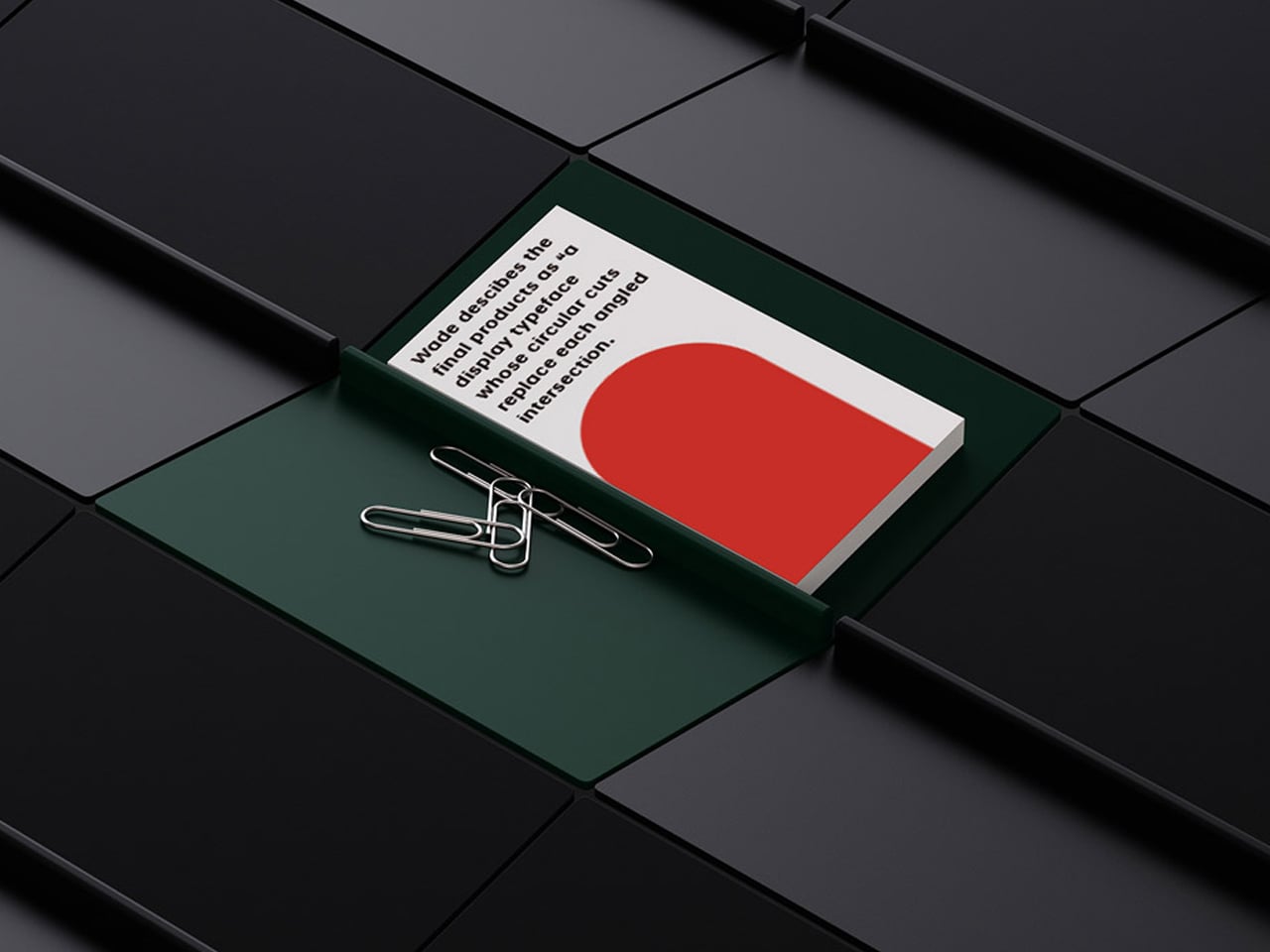
The architectural logic continues in its modular potential. Multiple units can be arranged side by side, forming a cohesive streetscape across the desk. The repetition of gabled forms creates rhythm, alignment, and spatial order, much like a row of townhouses. Even without the pencil roof, the hollow interior operates as a contained volume for smaller stationery, maintaining both structural clarity and functional efficiency.
4. The Zoomorphic Design Trend
Nature-inspired design is embracing a distinctly playful yet sophisticated direction through animal-influenced forms. Rather than producing overtly cute novelties, designers are crafting elegant silhouettes that subtly reference wildlife.
These zoomorphic objects introduce warmth, character, and a sense of gentle storytelling to the workspace. They soften the often sterile mood of digital environments, reconnecting the desk with organic shapes and emotional familiarity.
Shearing Magnetic Absorption, designed by Xin Se, is a compact magnetic paper clip organizer shaped like a simplified sheep. The product integrates a magnetic core within its sculpted body, allowing paper clips to attach directly to its surface. Rather than storing clips inside a container, the design uses them as a visible, textural layer that forms the sheep’s “wool.” This surface-based storage system keeps clips consolidated, accessible, and neatly displayed.
The form is minimal and carefully proportioned, avoiding excessive detailing while maintaining a clear and recognizable silhouette. Its small footprint makes it suitable for desks of any size, while the magnetic mechanism ensures functionality without mechanical complexity.
5. Modular Lego Design
Play has reemerged as a powerful design language through Lego-inspired stationery and desk tools. Functional rulers, organizers, and toolboxes now adopt the logic of interlocking systems, encouraging users to assemble and customize their workspace. What once belonged purely to childhood is being reinterpreted with precision, durability, and modern aesthetics.
This approach blends nostalgia with utility. Modular components offer flexibility, adaptability, and a deeply tactile experience. The act of rearranging pieces becomes productive and a satisfying experience.
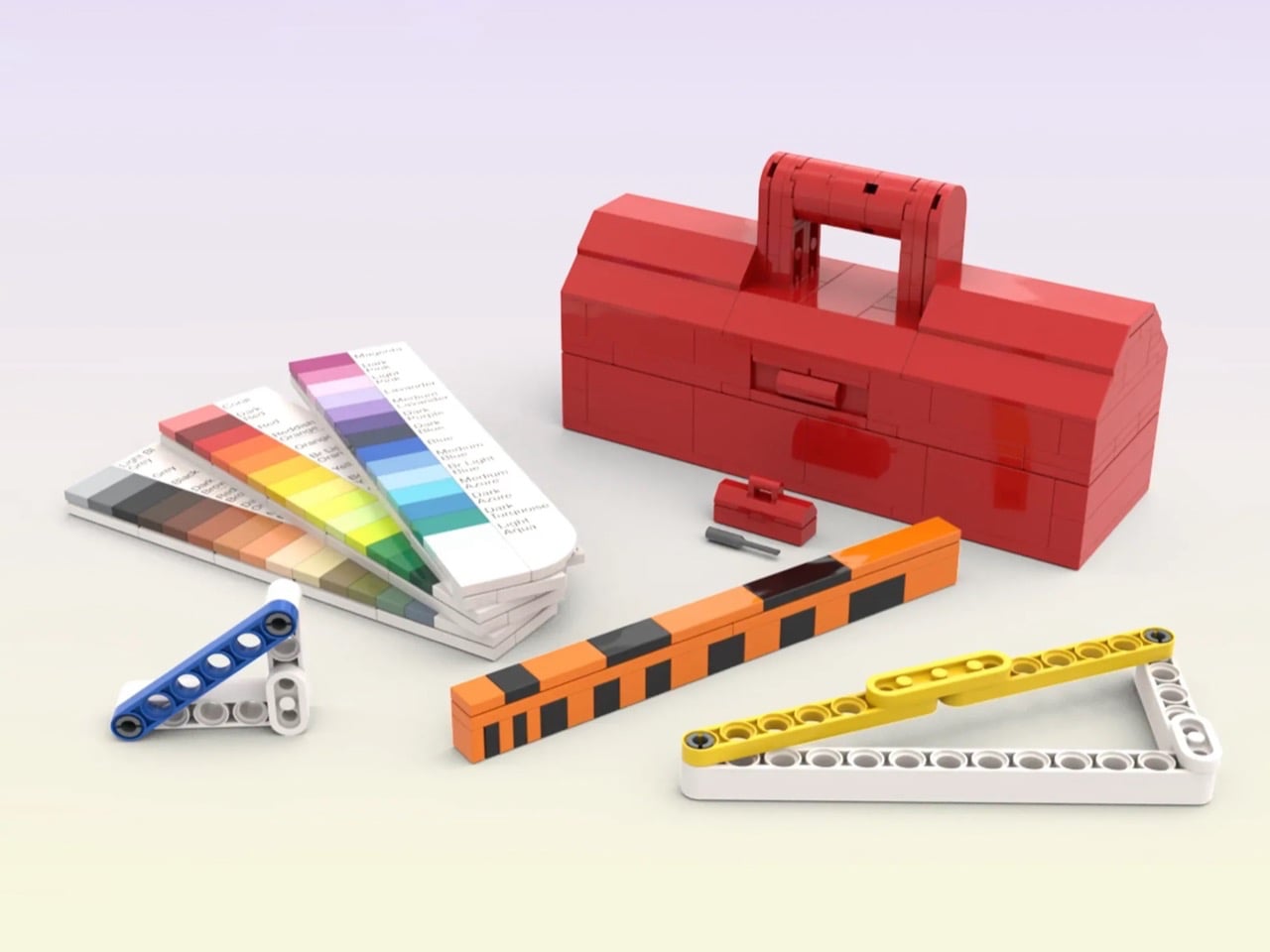
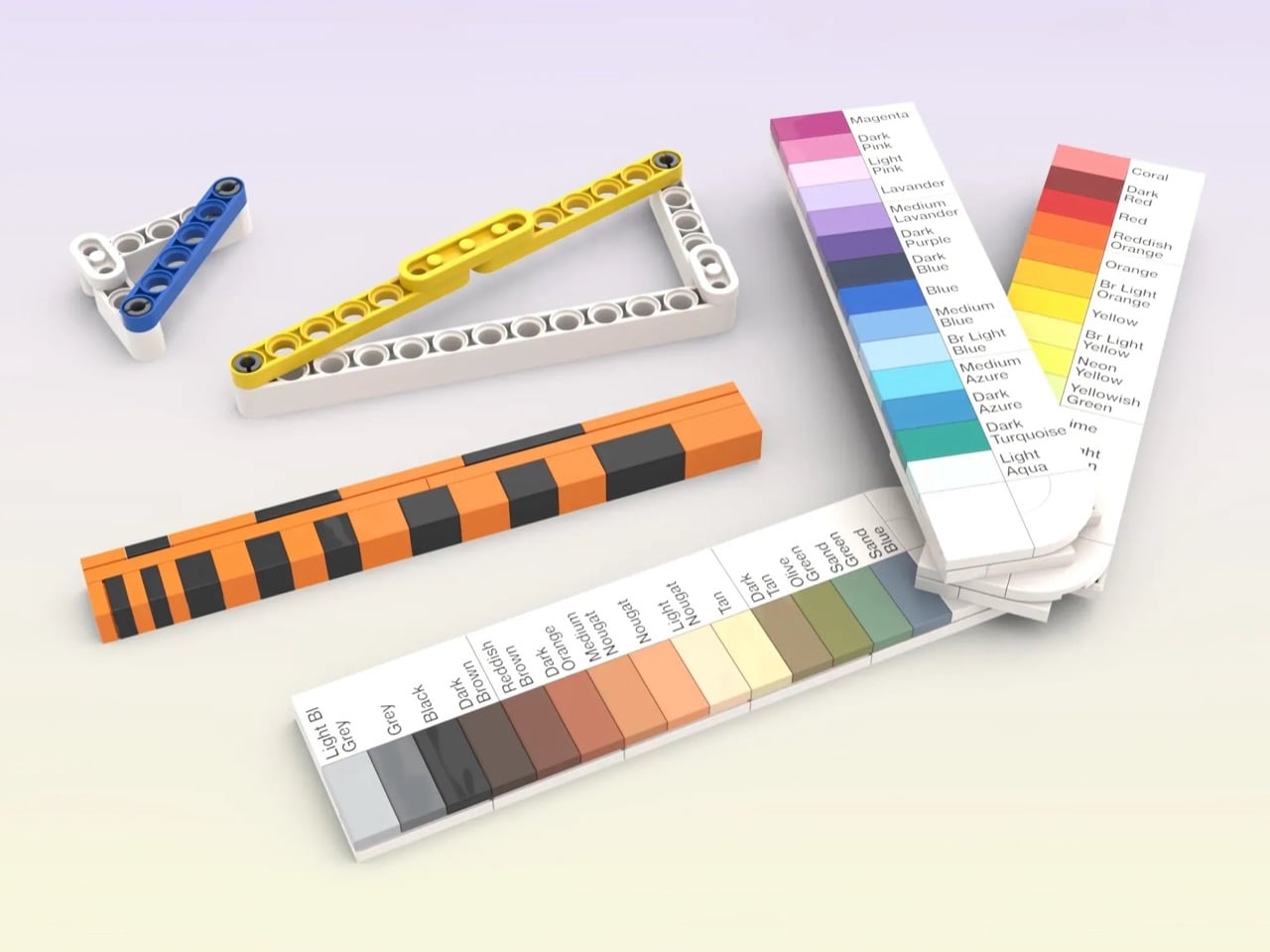
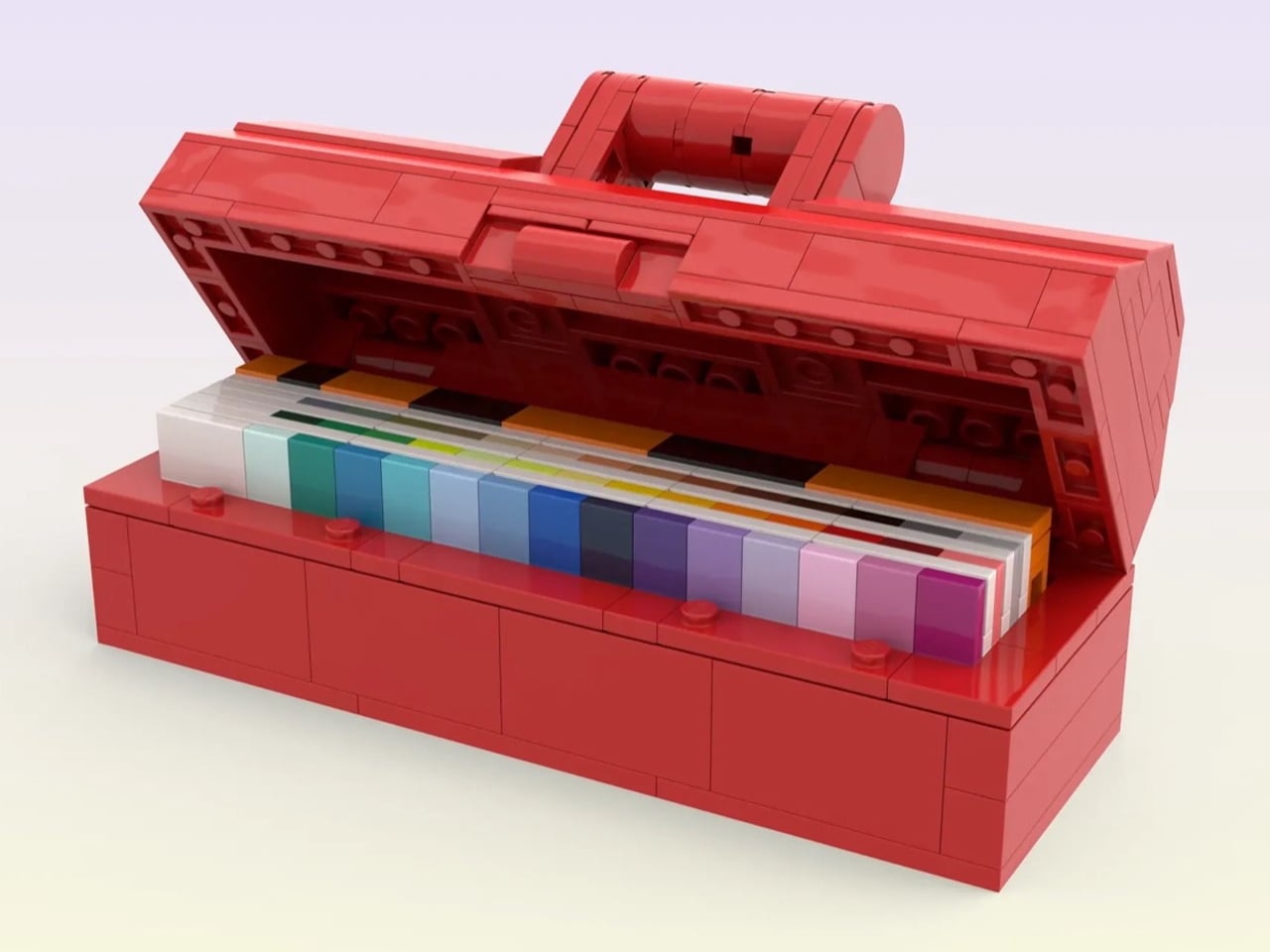
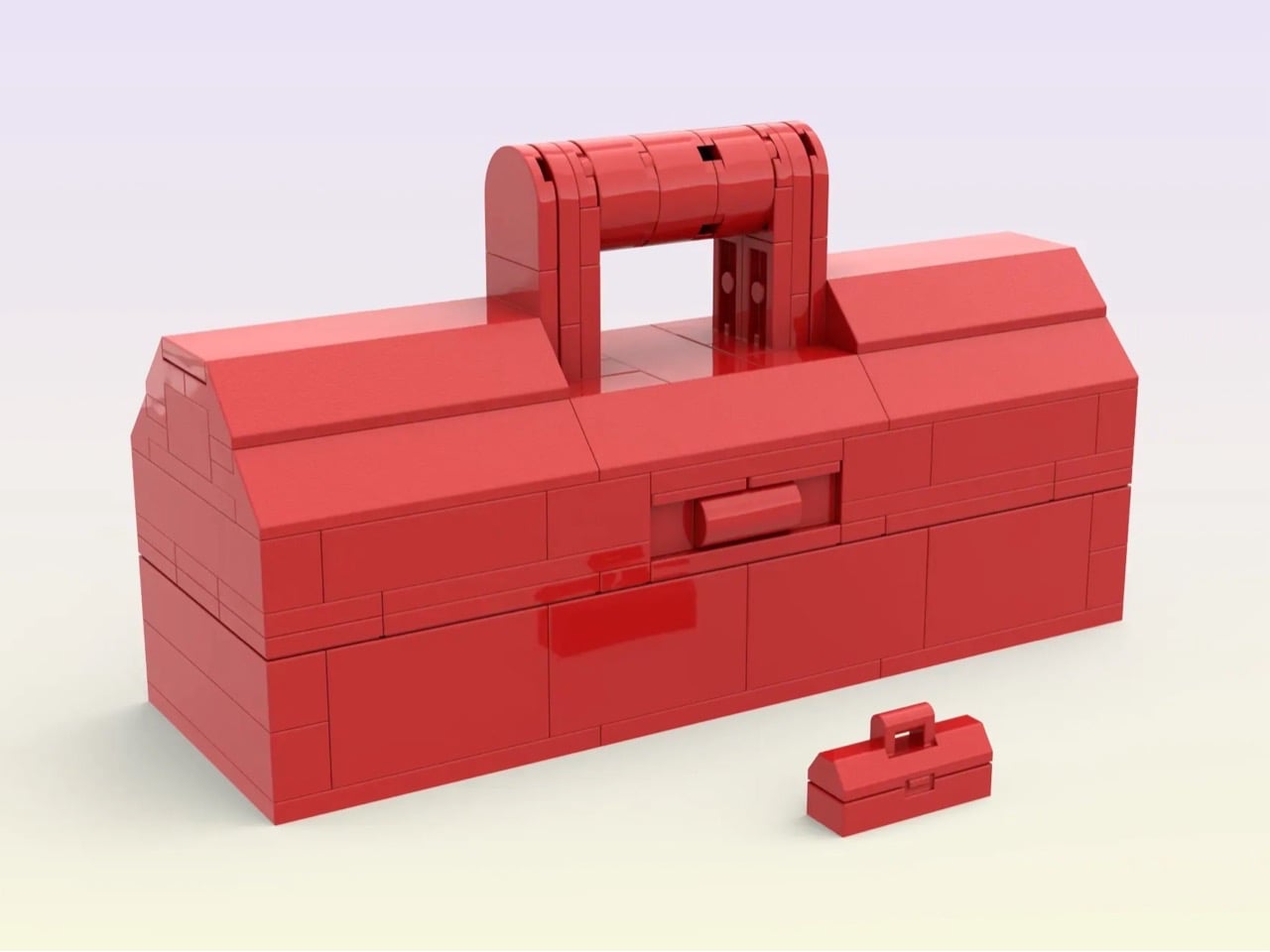
Inspired by the classic minifigure accessory from LEGO, this upscaled toolbox by luc.afol transforms a miniature object into a fully functional builder’s kit. The product retains the recognizable toolbox silhouette but scales it to a practical size, complete with an opening lid and structured internal storage. Designed specifically for AFOLs and MOC creators, it serves as a dedicated toolkit tailored to the precise demands of brick construction.
Inside, the toolbox houses a curated set of brick-built instruments: a foldable color sampler with labeled LEGO solid colors for accurate selection, a stud-calibrated ruler for precise alignment, and hinged triangle rulers constructed with Technic elements for angular measurement. Each tool is engineered to work within LEGO’s grid system, prioritizing measurement accuracy, portability, and compact storage.
Playful stationery signals a new philosophy of work where function and emotion coexist. These thoughtfully designed objects transform desks into spaces of clarity, creativity, and personal identity. By embracing pieces that balance charm with engineering, productivity becomes more engaging and inspiring within everyday professional routines.
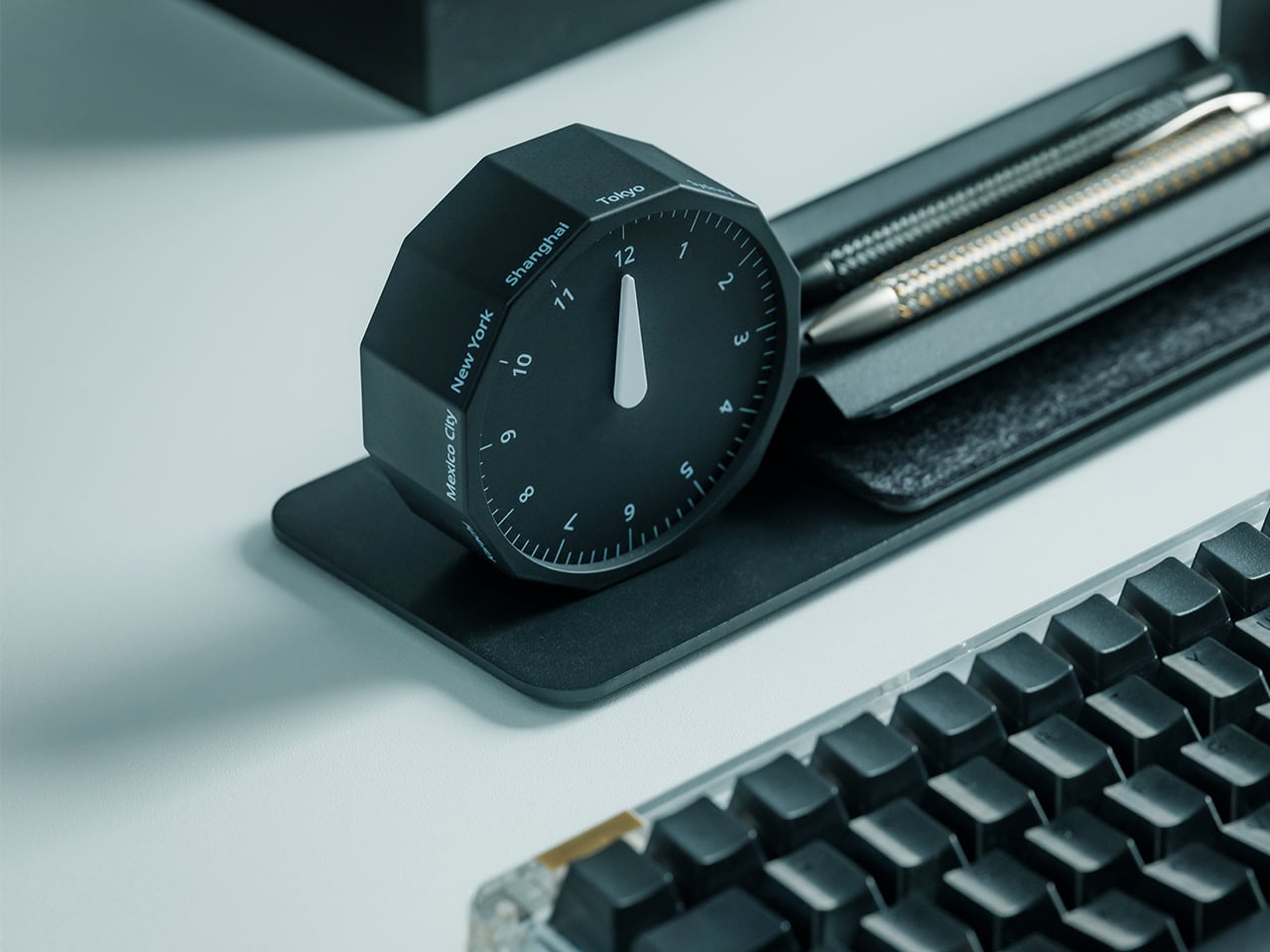
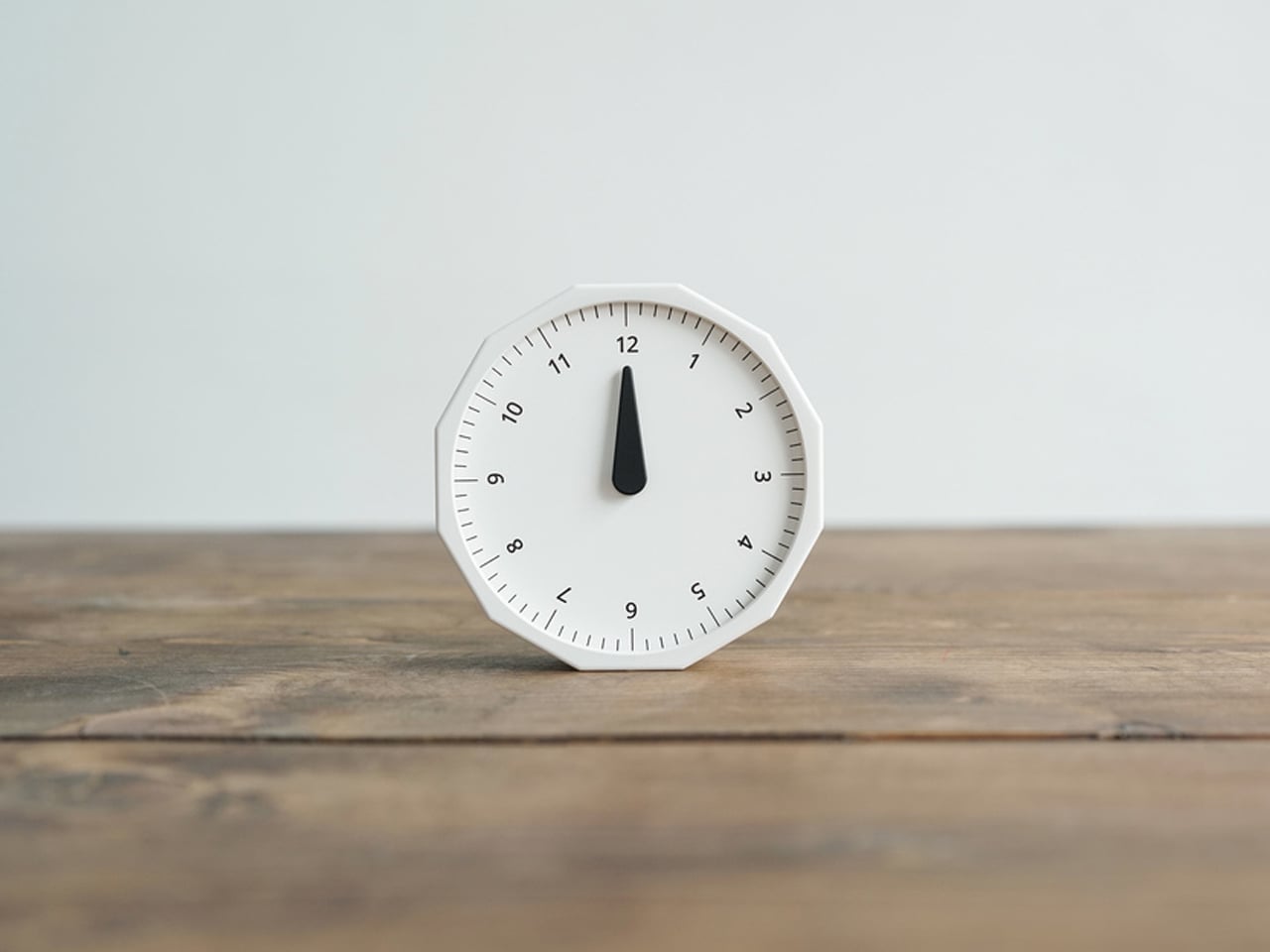
This 12-sided clock turns global timekeeping into a calmer desk ritual
Keeping up with different time zones sounds simple until it becomes part of your everyday routine. You check your phone before a call, open another tab to confirm the hour, do a quick mental calculation, and still second-guess whether it’s too early in Tokyo or too late in New York. Not to forget the perils of push-notifications – a quick check of time leads you down a drain of doom-scrolling that you take an hour to return from! To add a layer of analog convenience in this increasingly digital setup, I present the Rolling World Clock.
Why Traditional World Clocks Never Quite Feel Right
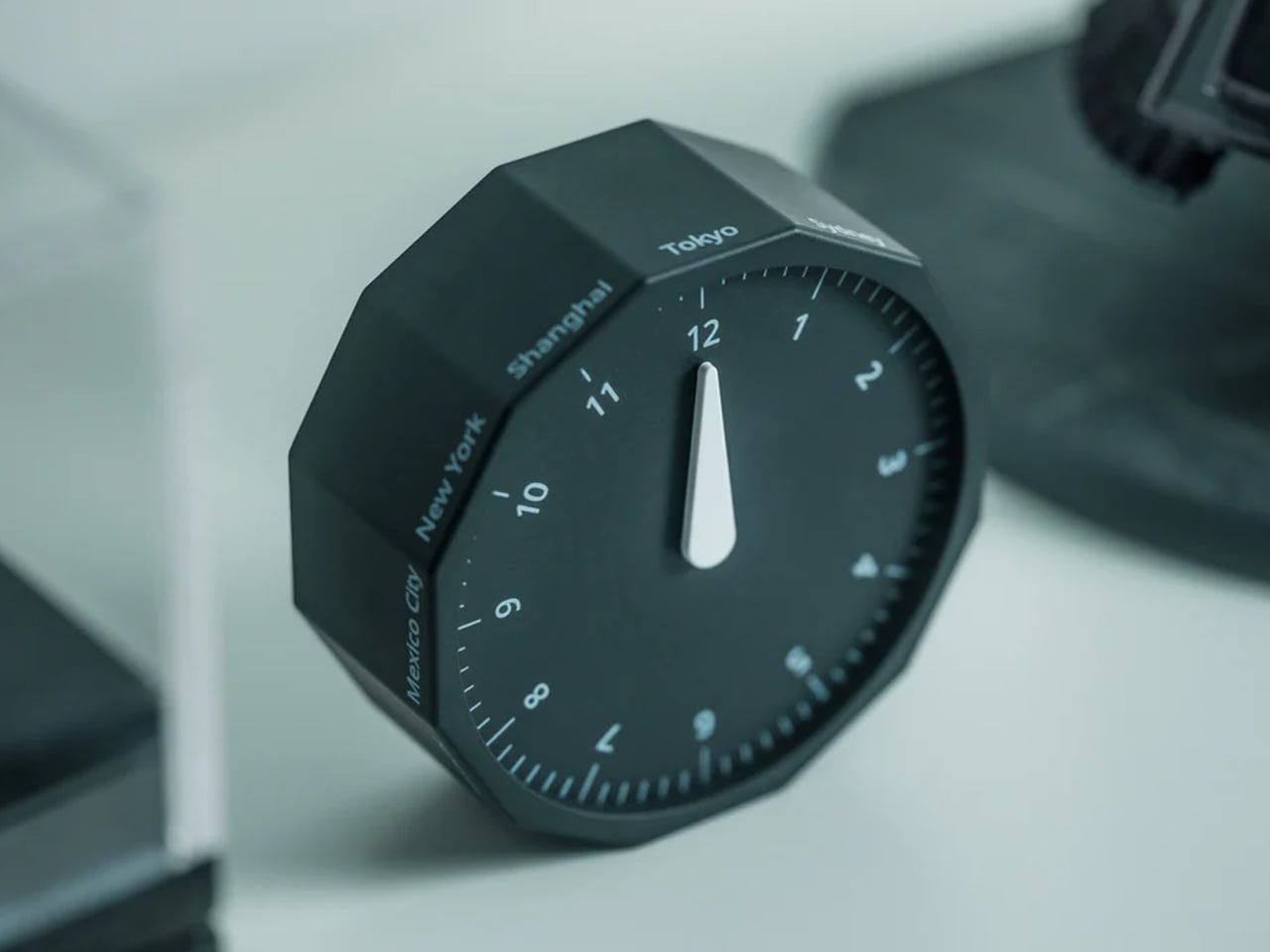
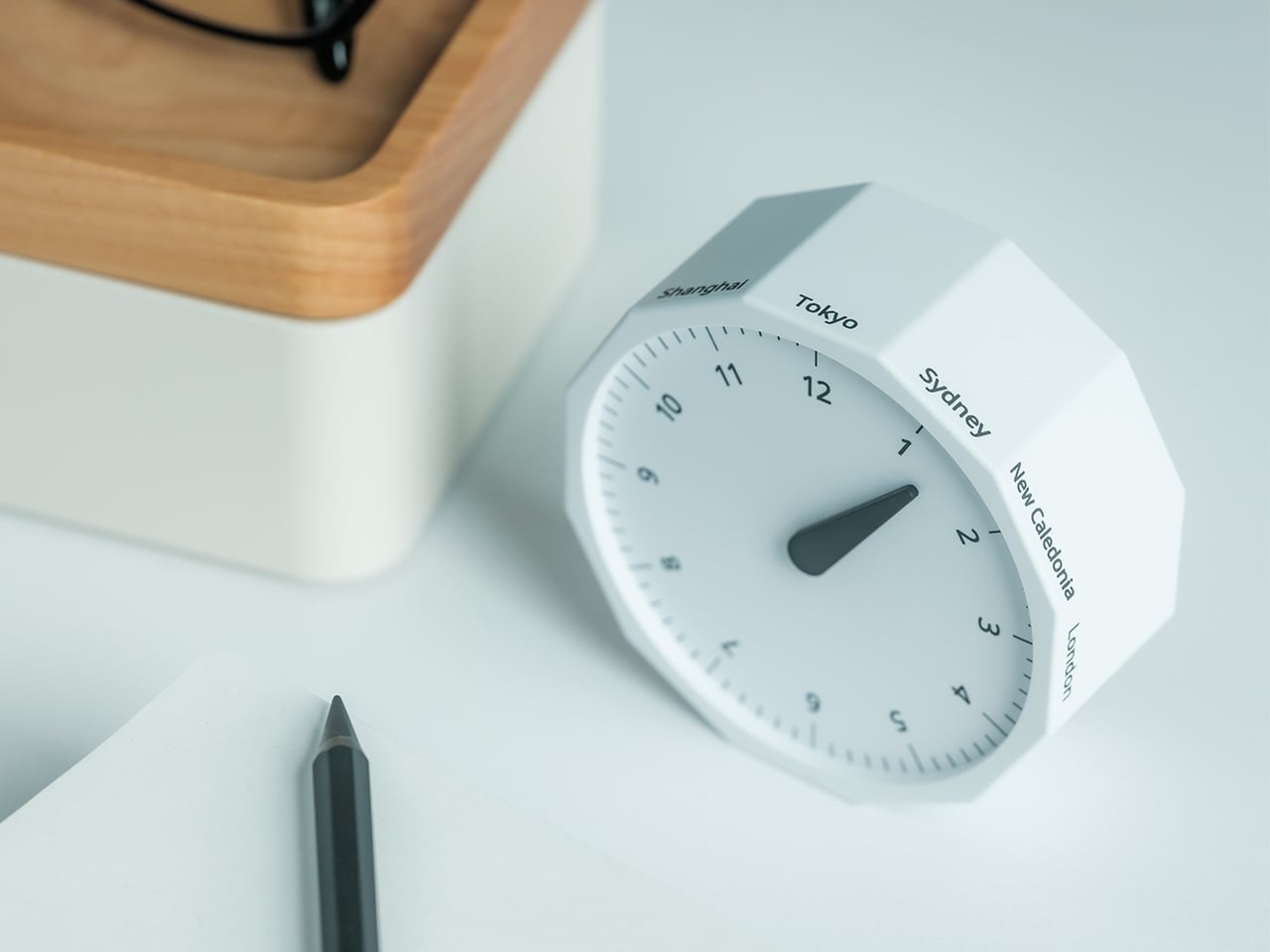
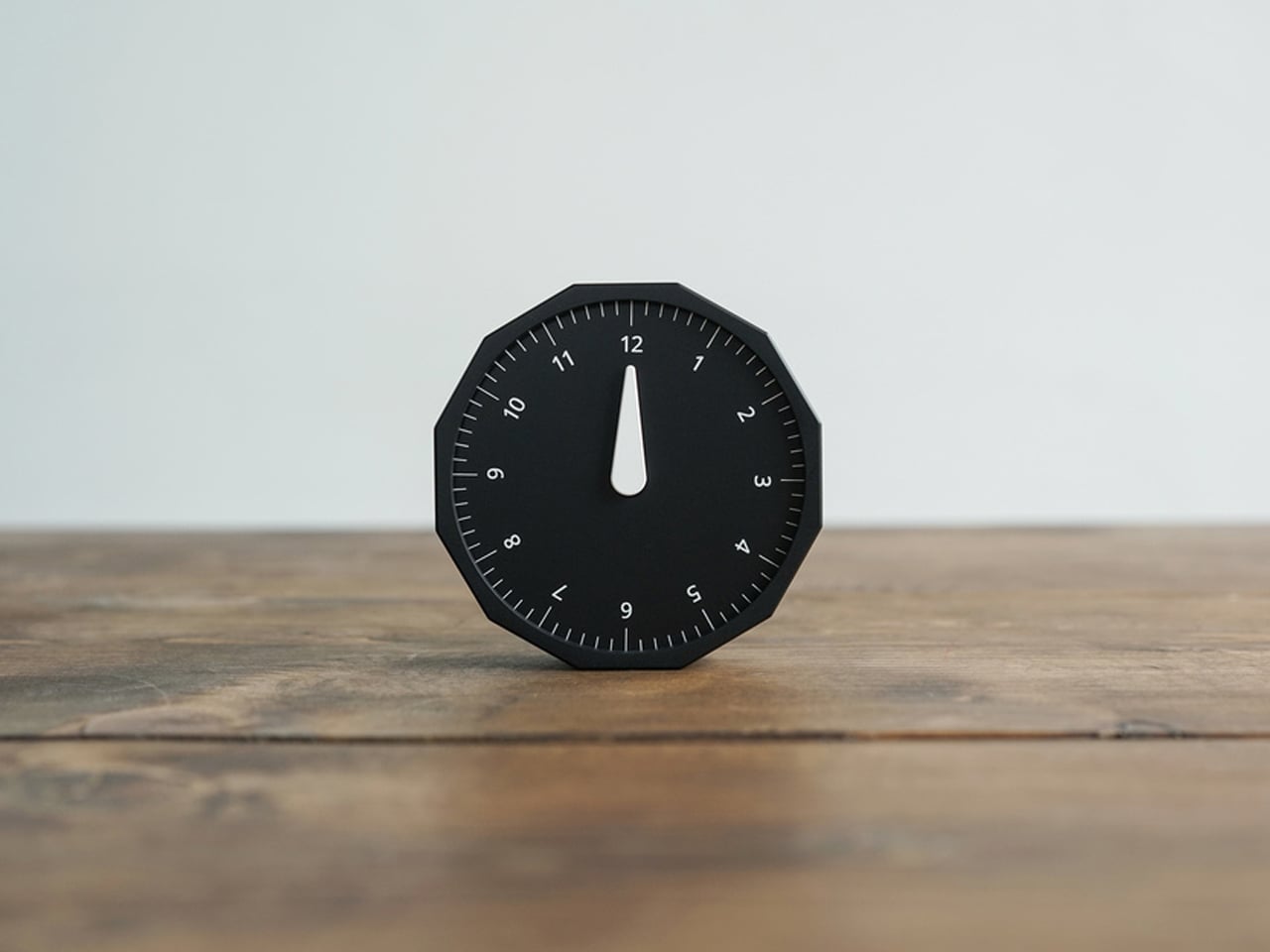
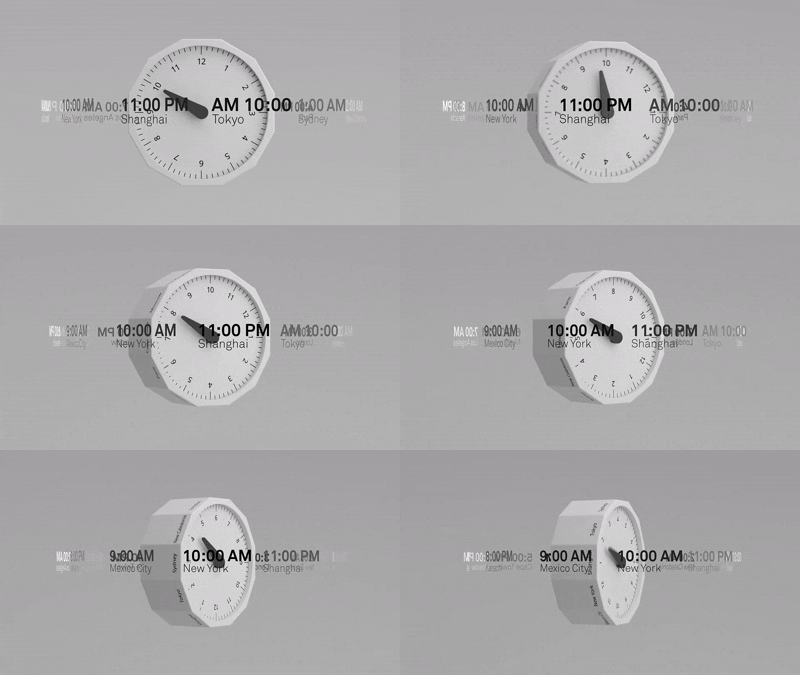
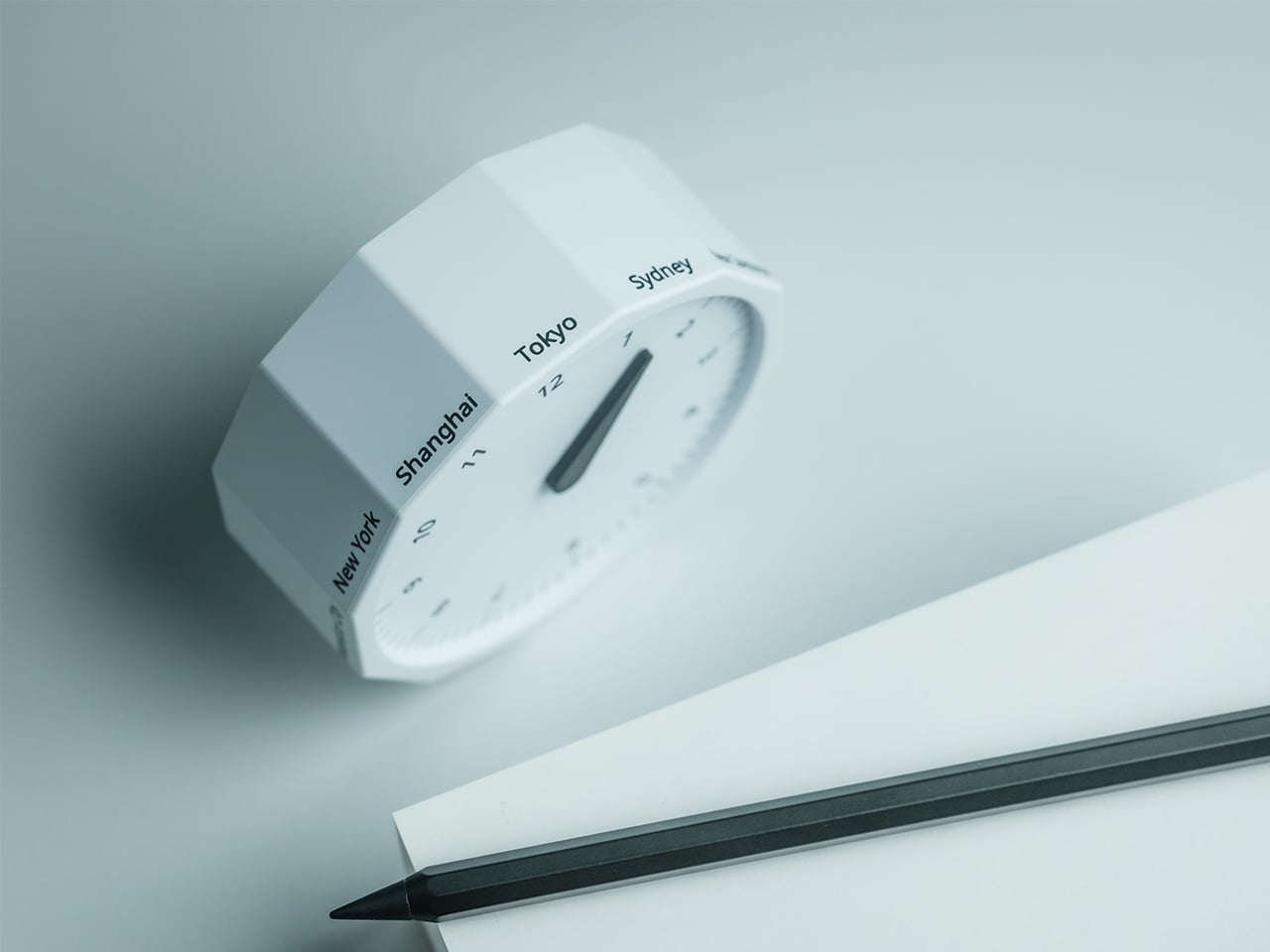
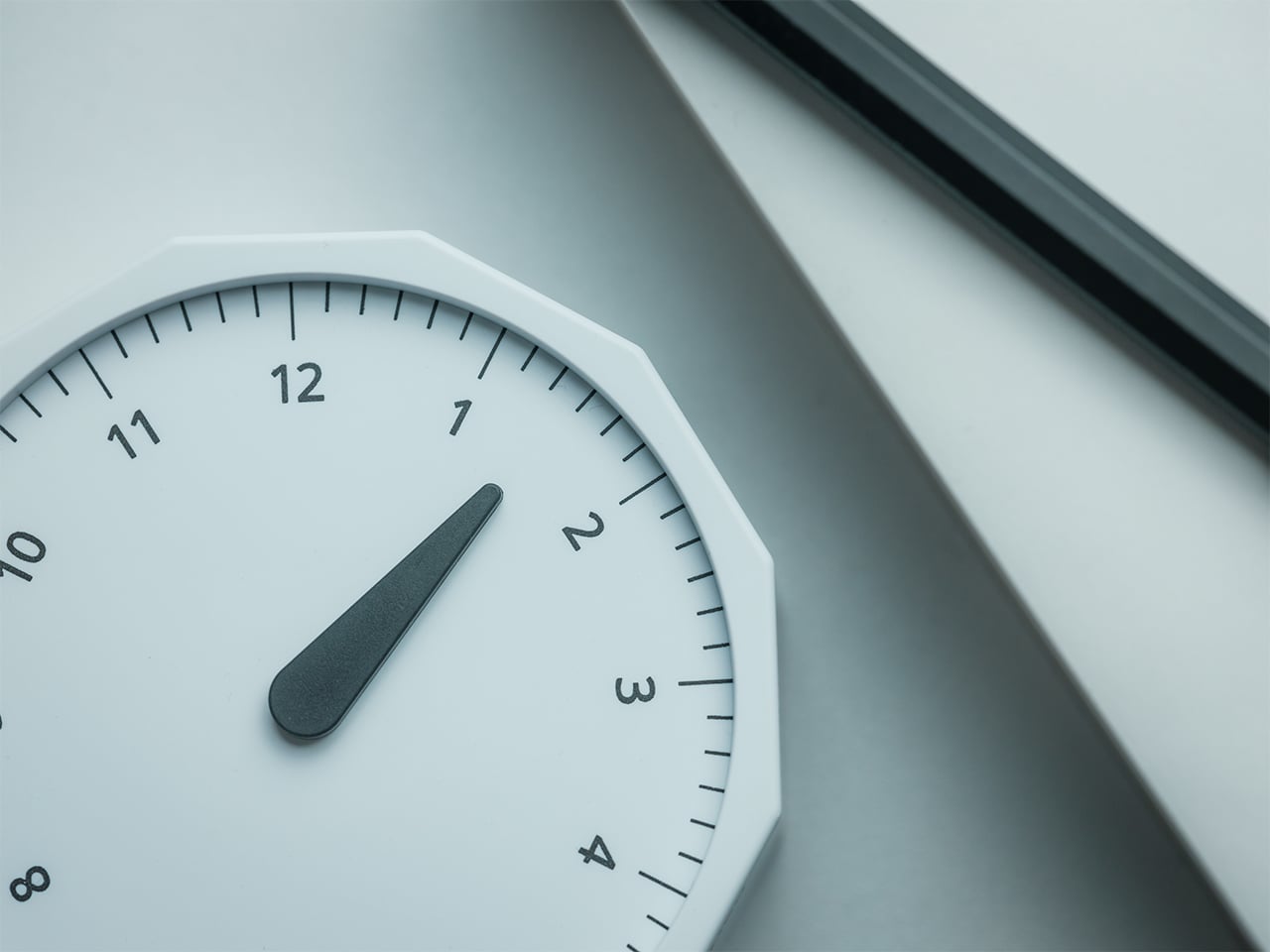
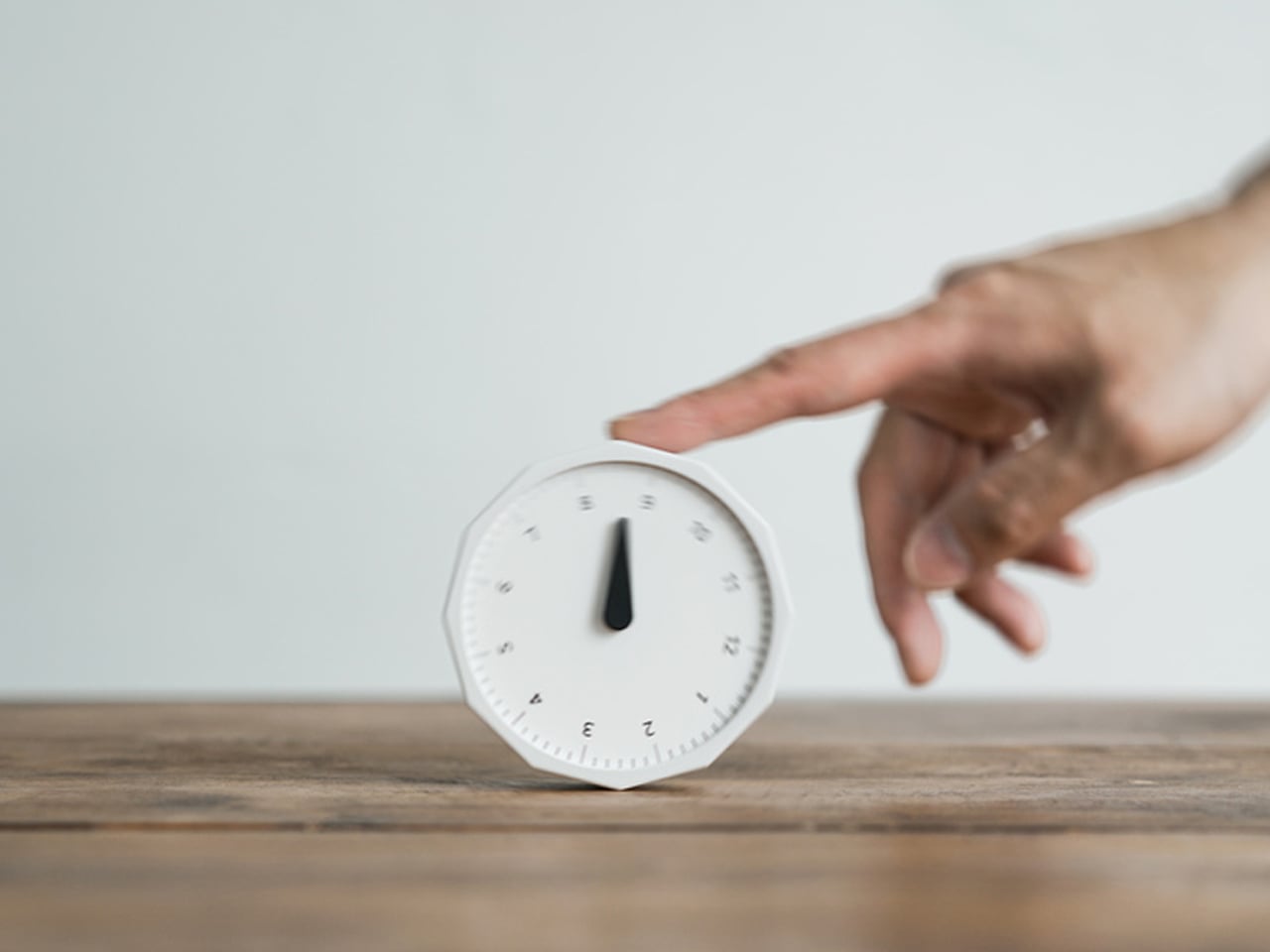
The Rolling World Clock takes a familiar category and gives it a much smarter form. Instead of relying on screens, menus, or a row of tiny city labels, this analog desk object turns world time into a simple physical interaction. Built with 12 sides, each representing a major timezone city, it lets you roll from one location to another and instantly read the local time with a single hand. It’s a cleaner, more tactile answer to a problem that has long been solved in ways that feel unnecessarily digital.
That analog quality is a big part of the appeal. There’s a growing interest in devices that help people step back from constant digital interaction, and this clock fits neatly into that trend without feeling nostalgic for nostalgia’s sake. It still solves a modern problem, especially for people working with global teams or keeping in touch with friends and family abroad, but it does so in a way that feels grounded and human. You’re not swiping, tapping, or toggling between screens. You’re just rolling the object in your hand and reading the time.
Built for modern routines, expressed through simple interactions.
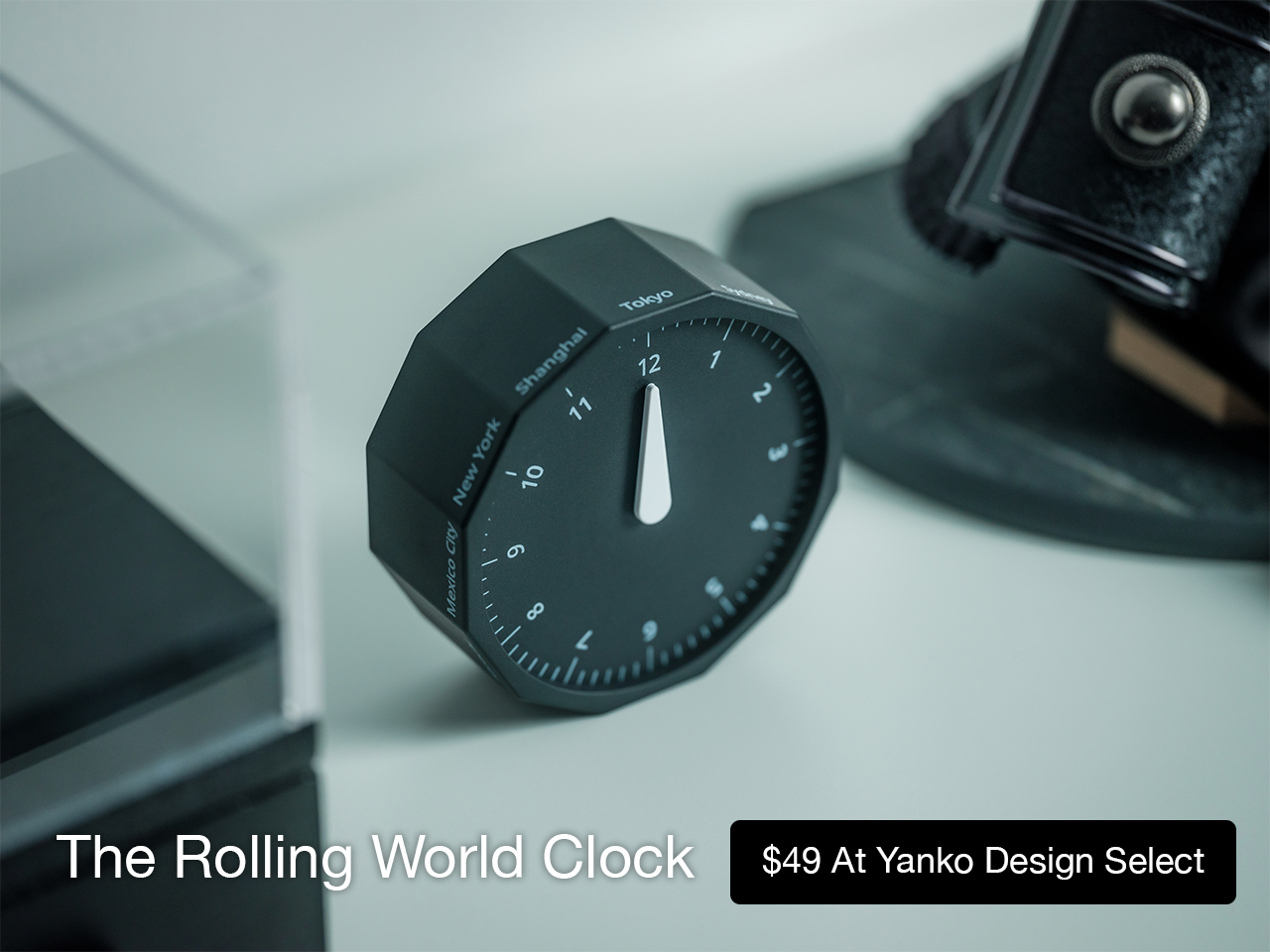
The city lineup also makes it genuinely useful. The 12 sides cover major global time zones, including London, Paris, Cape Town, Moscow, Los Angeles, Karachi, Mexico City, New York, Shanghai, Tokyo, Sydney, and New Caledonia. That gives it enough range to be practical for a wide variety of work and lifestyle needs, whether you’re coordinating meetings, planning travel, or just trying not to message someone at the wrong hour.
Built for a More Intentional Desk
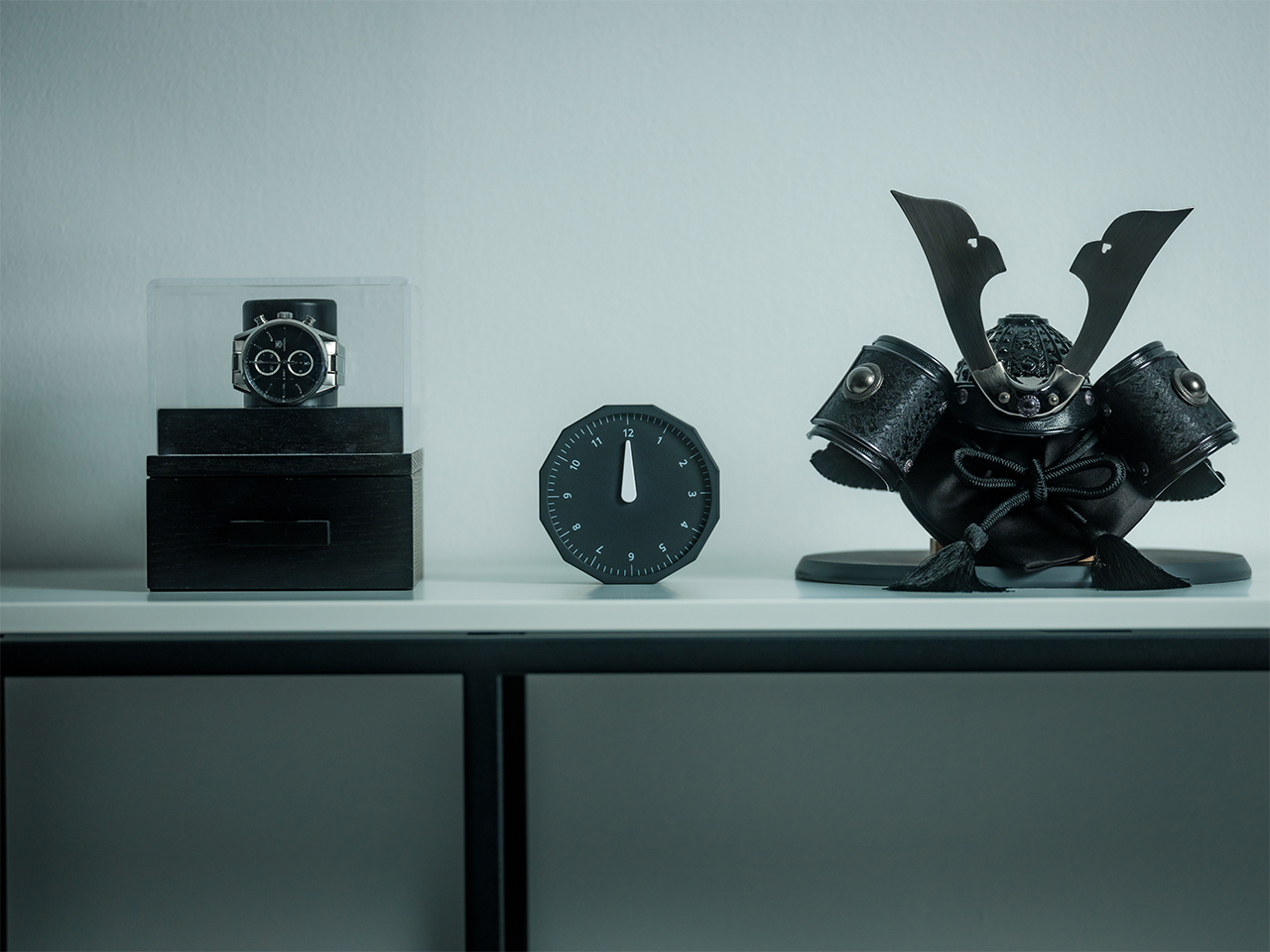
For the desk setup fanatics, there’s also a strong aesthetic argument here. The Rolling World Clock is available in black and white, two finishes that make it easy to integrate into a modern desk setup without fighting for attention. It has the kind of understated presence that works especially well for young professionals who want their workspace to feel differentiated without becoming visually noisy. It’s functional, yes, but it also reads as a design object, the sort of piece that quietly signals taste.
Clean lines, one hand, no distractions.
That balance of utility and personality is what makes this more than a novelty. If you work across cities, collaborate with clients in different regions, or simply like the idea of keeping global time visible without adding another glowing screen to your day, this clock makes a strong case for itself. It taps into a broader shift toward analog tools that feel slower, more deliberate, and more human, while still solving a very modern problem.
Feels as good in the hand as it looks on the desk.
Why It’s Worth Picking Up Now
At $49, the Rolling World Clock lands in a sweet spot for a desk upgrade that feels distinctive without being overcommitted. It also has the kind of giftable appeal that comes from being both useful and conversation-worthy. And with only a few left, it carries just enough urgency to make hesitation a risky move.
If your desk could use an object that feels smarter, calmer, and more intentional than another digital widget, the Rolling World Clock is worth grabbing now. It’s currently available in the Yanko Design Shop in black and white, and with limited stock remaining, this is one of those rare functional design pieces you probably shouldn’t wait on.
AI has become a permanent fixture in how we work, but accessing it still feels strangely clumsy. Most of the time, it means opening yet another browser tab, typing a prompt into a chat window, waiting for a response, then copying it somewhere else. The irony is thick: tools designed to save time end up buried under the same pile of windows and notifications they were supposed to help manage.
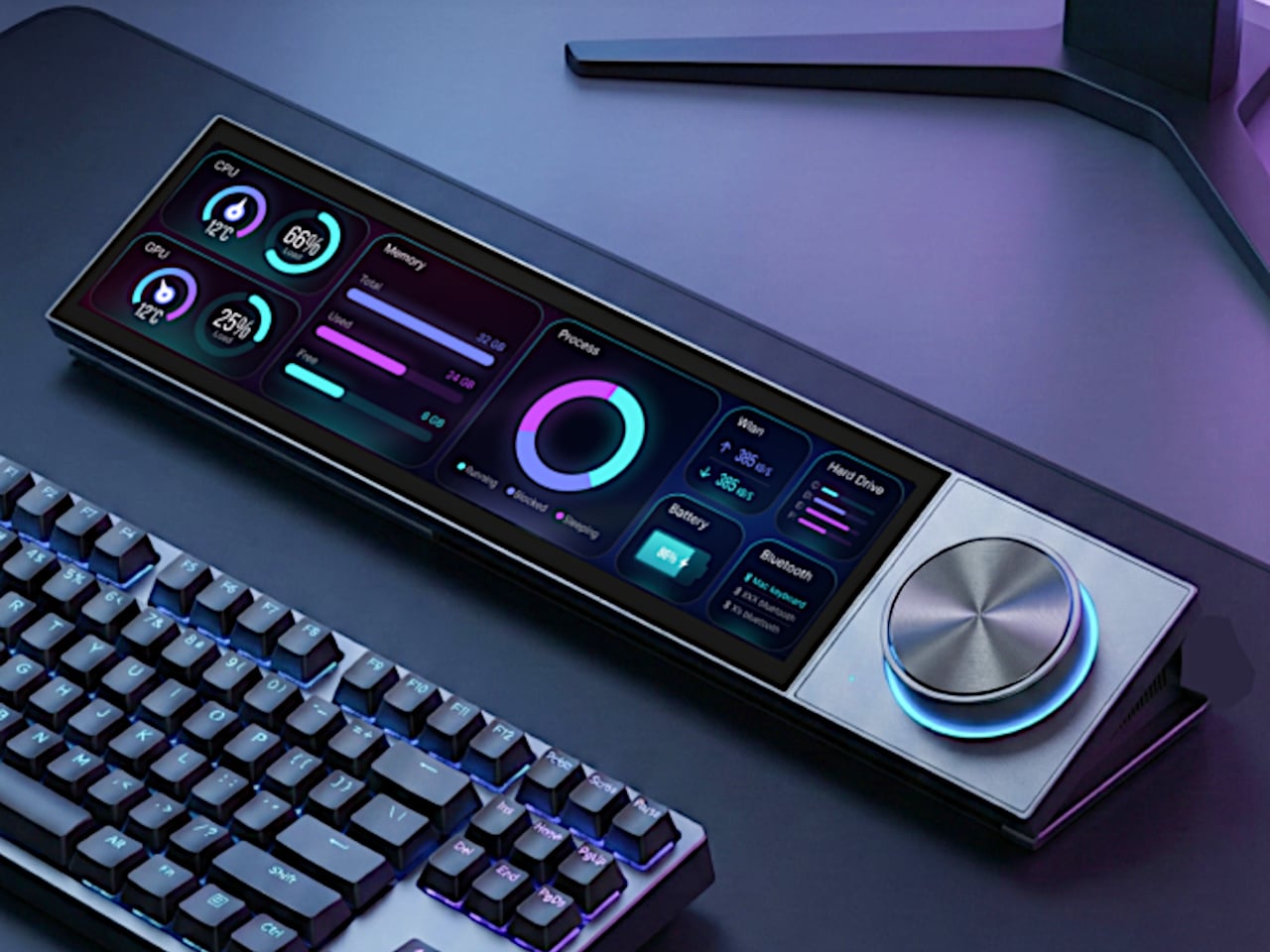
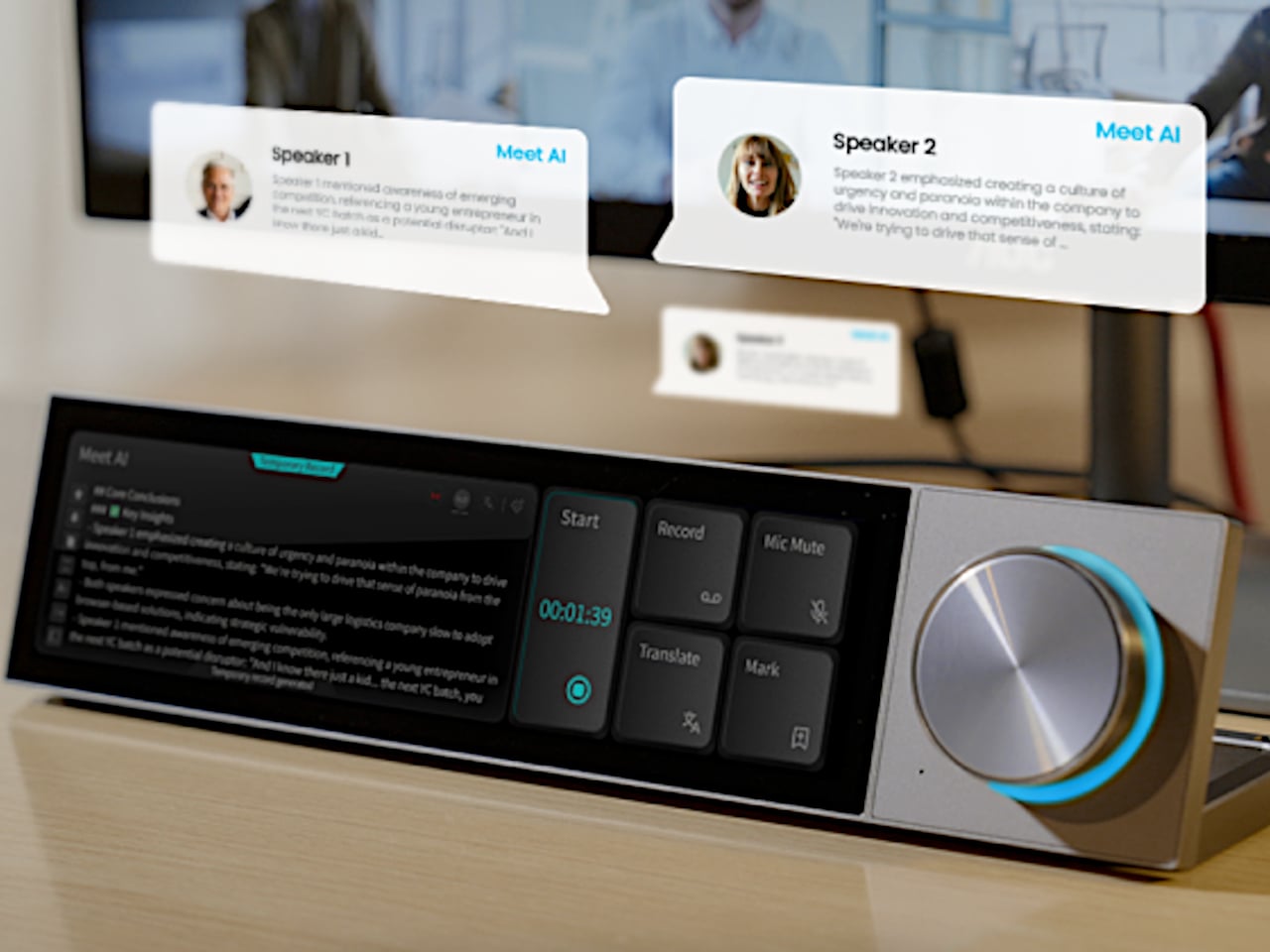
The DECOKEE Quake approaches this problem sideways, and the solution is physical. It is a desktop terminal built around an 8.88-inch ultra-wide IPS touchscreen and a single rotary control knob, designed to sit alongside a keyboard rather than compete with the monitor above it. Everything about the form factor suggests a device that wants to be glanced at, tapped, and spoken to, not stared at for hours.
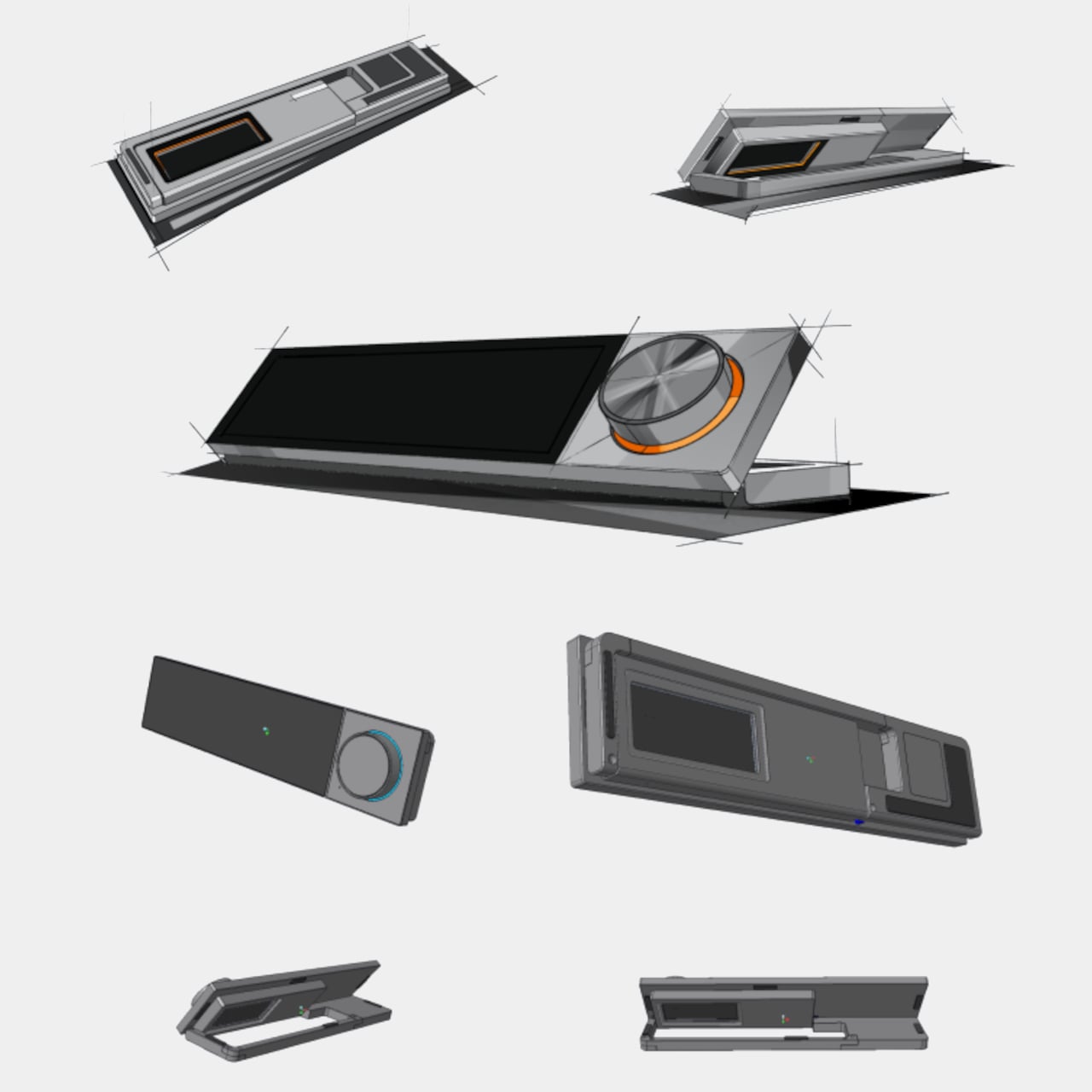
Pick it up and the construction registers immediately. The body is CNC-machined aluminum alloy with an anodized matte finish, a material choice that gives the Quake a density and coolness that plastic peripherals simply cannot replicate. A transparent backplate on the rear adds a subtle design signature, while the adjustable stand lets the screen tilt anywhere from flat to 60 degrees. At roughly 800g, it has enough heft to stay planted on a desk without feeling like an anchor.
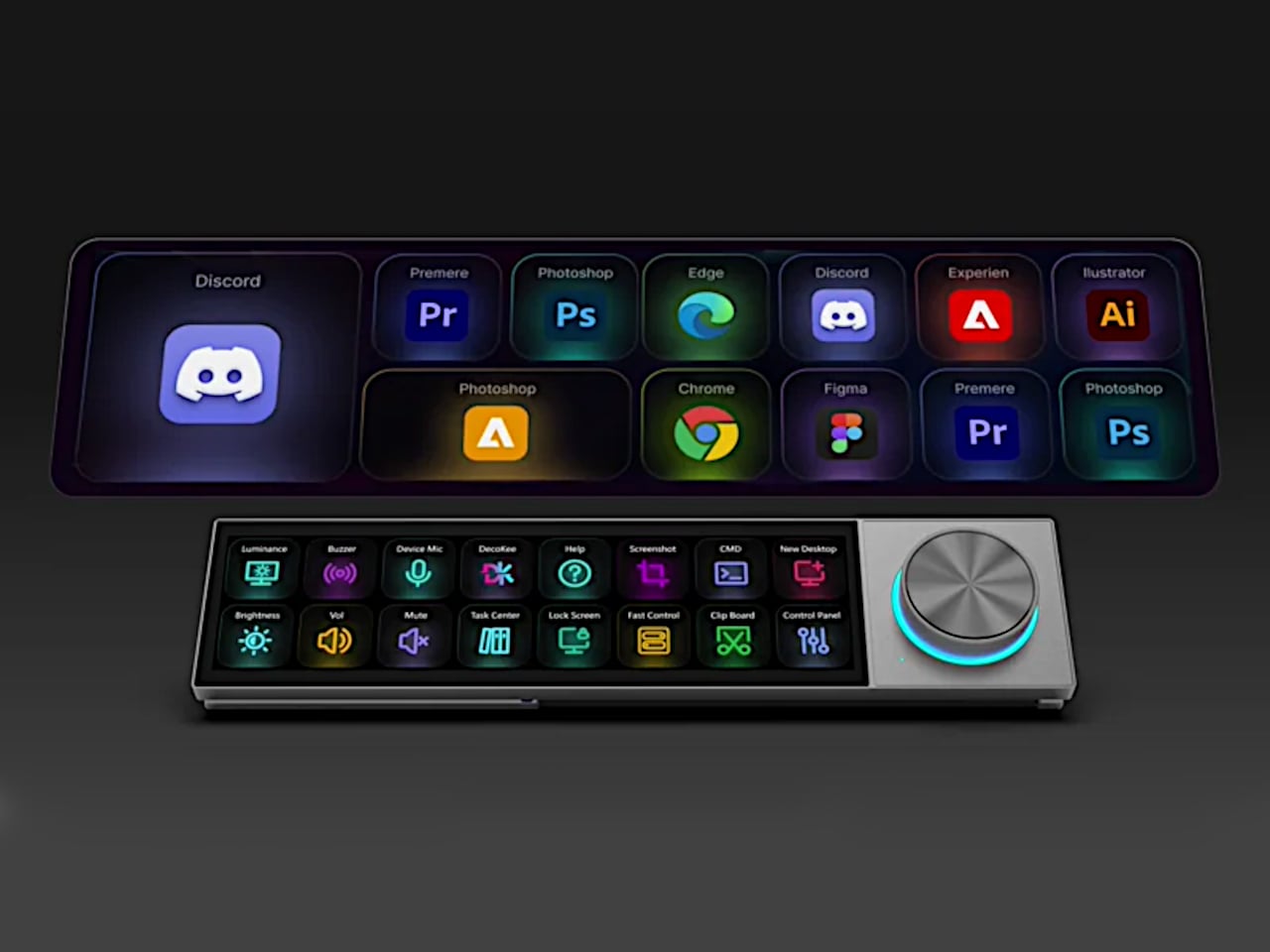
That ultra-wide screen has a 1920×480 resolution at 450 nits or brighter, and its unusual aspect ratio turns out to be a deliberate design decision. Rather than mimicking a small monitor, the panel is shaped for control surfaces: rows of customizable touch shortcuts, status dashboards, system stats, and meeting interfaces laid out horizontally. The rotary knob beside it offers infinite rotation with a push-button click and an RGB light ring that changes color based on what mode the Quake is operating in, turning a simple input device into a status indicator.
Where the Quake earns its “AI copilot” label is in meetings. Tap a button, and it begins recording through a built-in far-field microphone with noise reduction, then auto-generates a structured transcript and summary when the call ends. Ten summary templates let the output match the context, whether it is a standup, a client call, or a brainstorm. Real-time translation covers 17 languages, and a system-level mic mute button works across every app on the computer, not just Zoom or Teams.
Beyond meetings, holding the knob and speaking activates a conversational AI layer with over 100 configurable assistant roles. Ask it to generate a shortcut layout for Photoshop, and it builds one on screen, ready to use. Ask for a translation, a compliance check, or a math solution, and the response appears on the Quake’s display without ever pulling focus from the main monitor. The same voice input can produce custom wallpapers and emojis, though the novelty of AI-generated desktop art will vary by taste.
The feature list stretches further than expected for a device this compact. A system monitoring mode displays real-time CPU, memory, and network stats. A Discord overlay gives gamers channel and mute controls without alt-tabbing. Home Assistant integration (through API setup) allows single-tap smart home control from the touchscreen. There is even a music player with a vinyl-inspired interface that connects to Spotify or plays local files, which is a charming if unexpected addition to a productivity device.
What makes the Quake interesting as a design object is the underlying argument it makes about where AI belongs on a desk. Not trapped inside a browser tab, not buried in a notification, but sitting in a physical surface with tactile controls and a screen that stays visible. Whether that argument holds up after months of daily use is something only shipped units will answer.
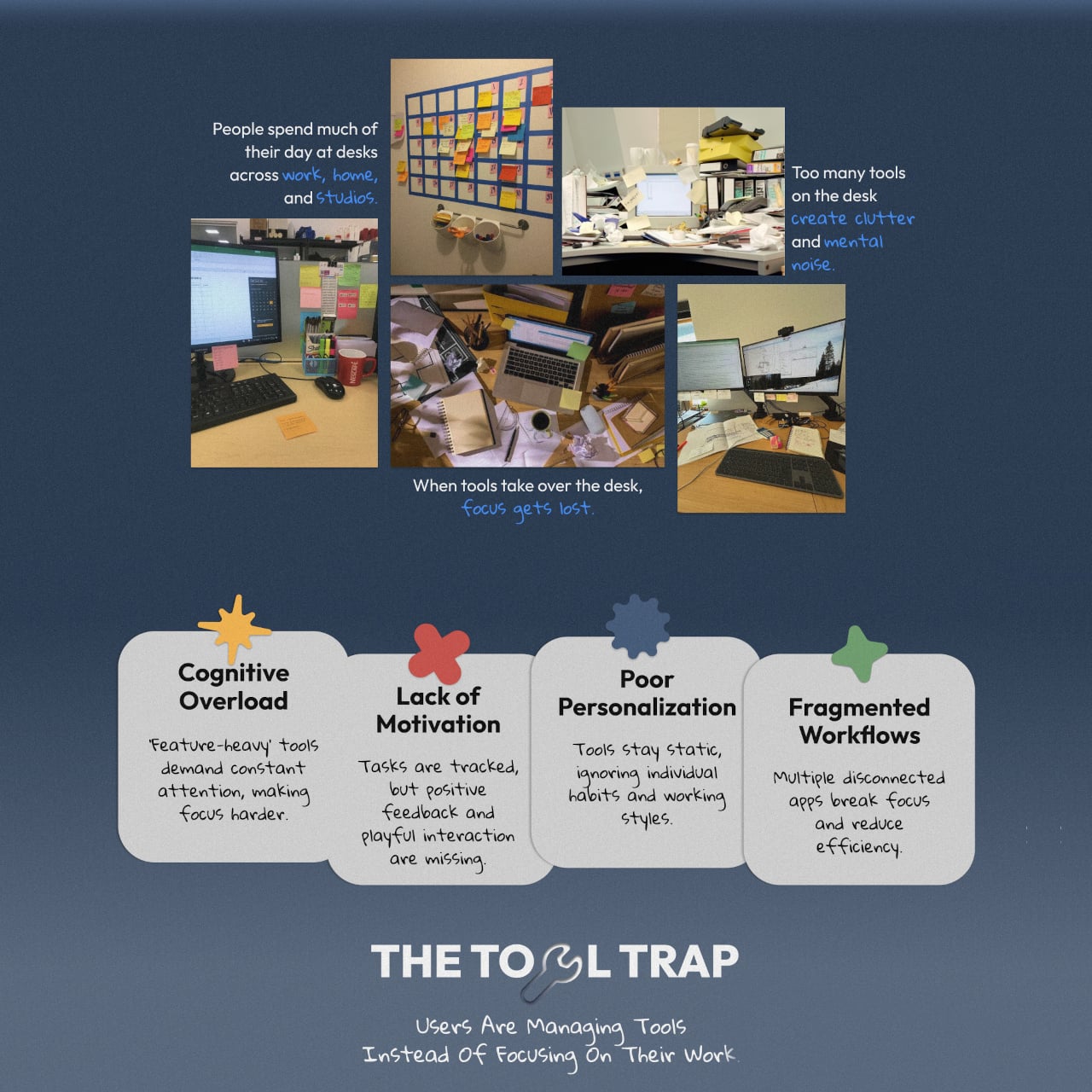
Modern desks are full of productivity tools that end up making work harder. Too many tabs, too many apps, too many systems competing for the same attention they were supposed to protect. Most productivity tools favor discipline over engagement, and the result is a familiar cycle of guilt, burnout, and a to-do list that just keeps moving from one app to another without anything actually getting done.
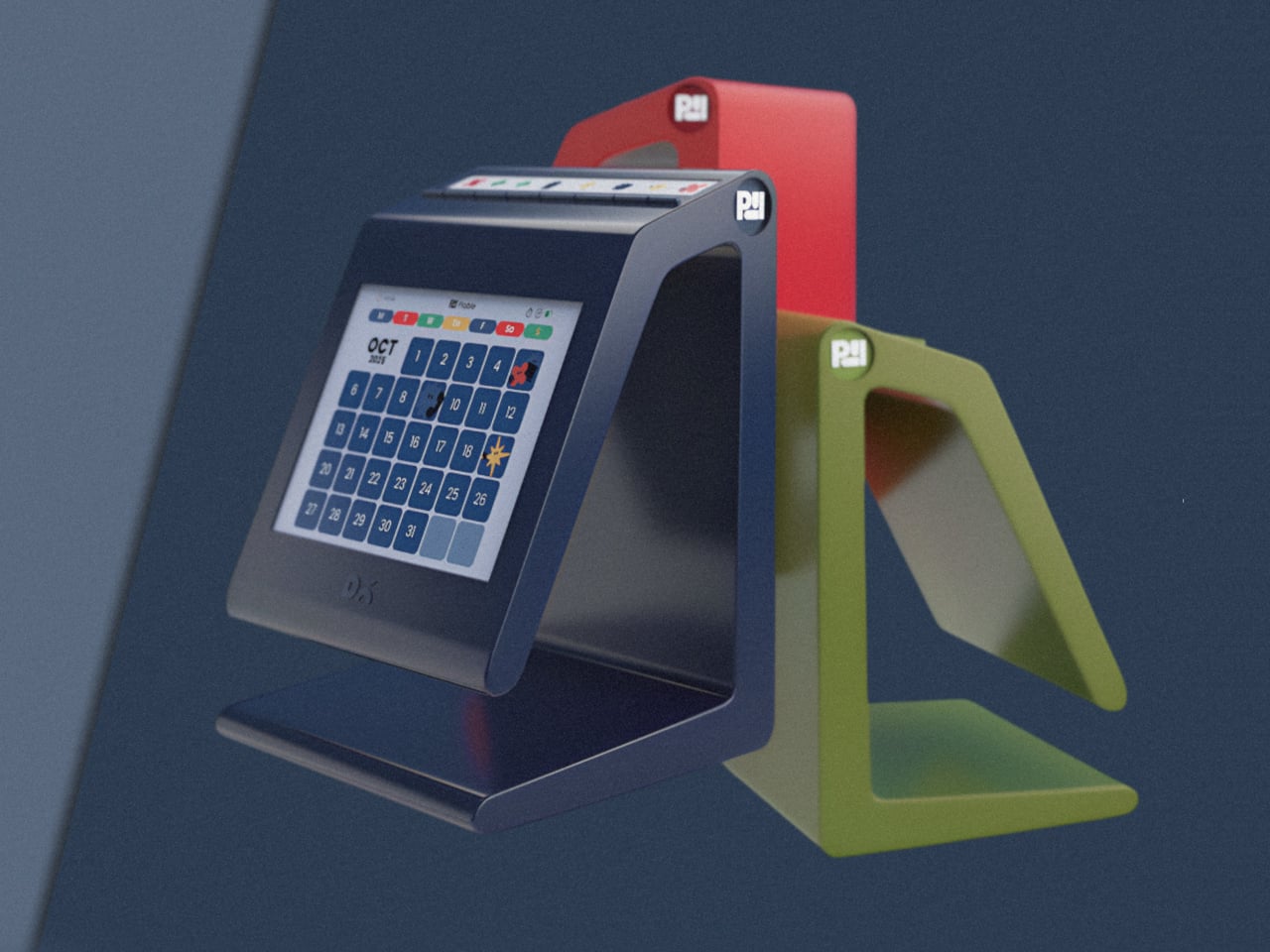
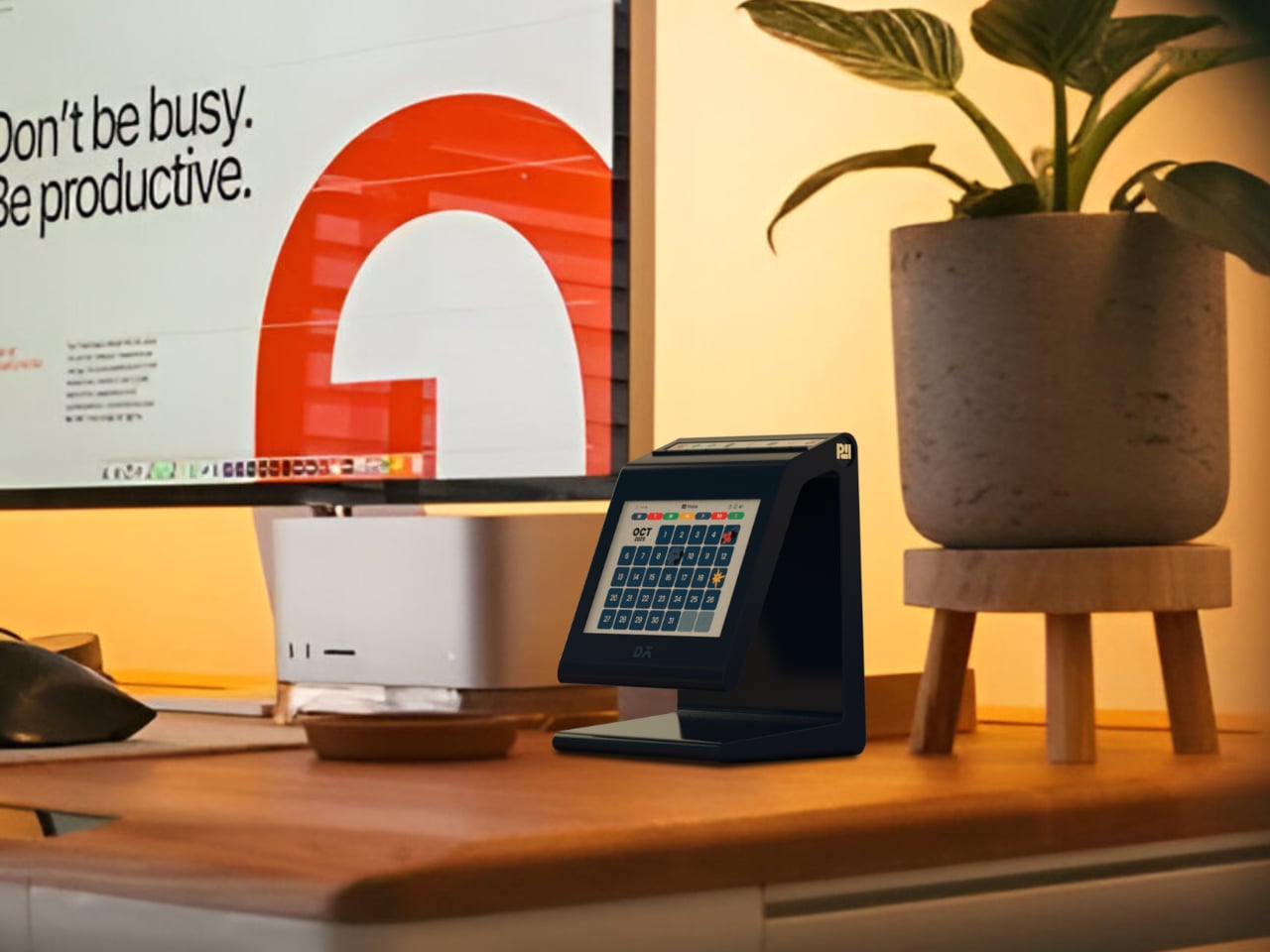
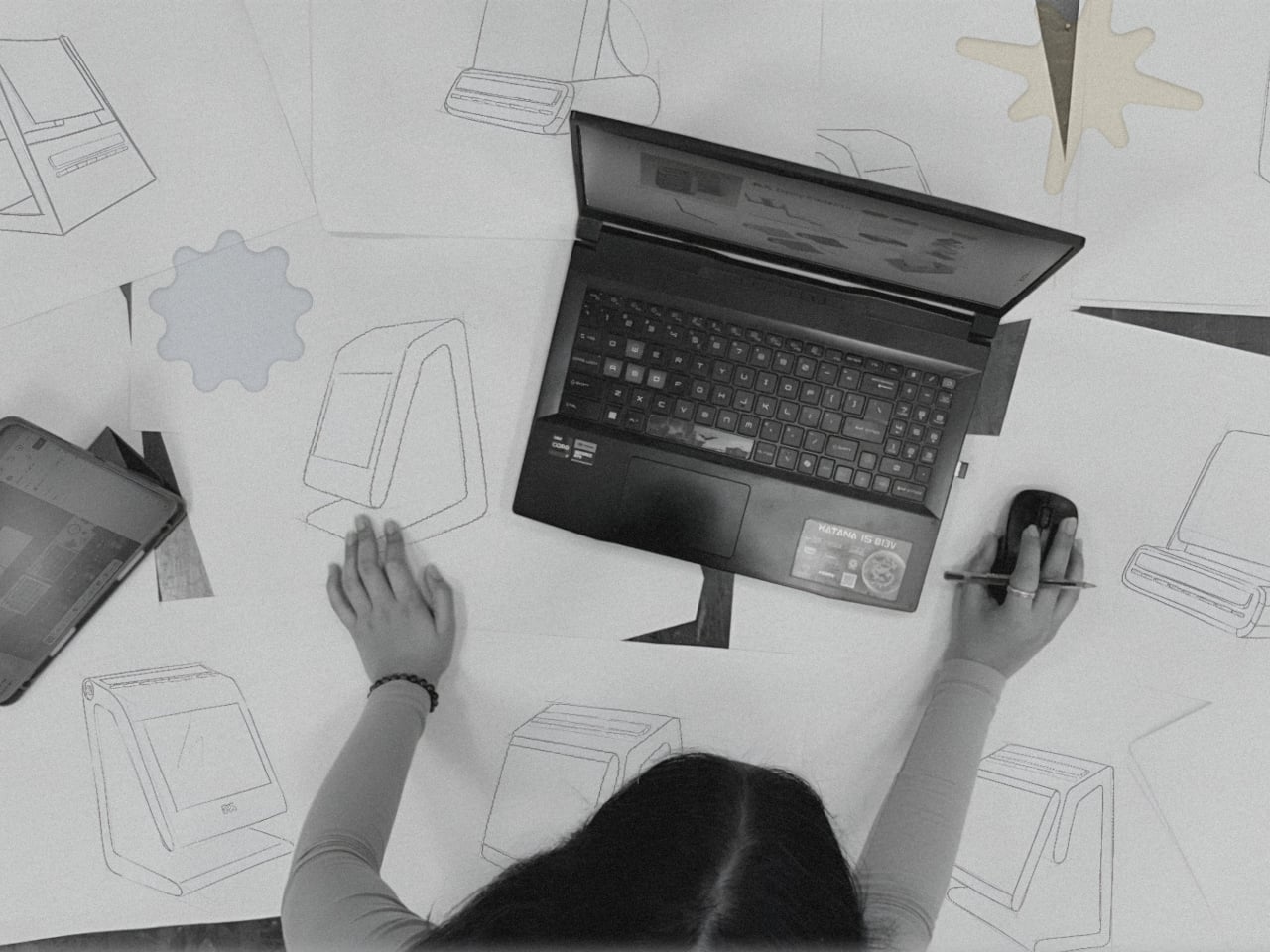
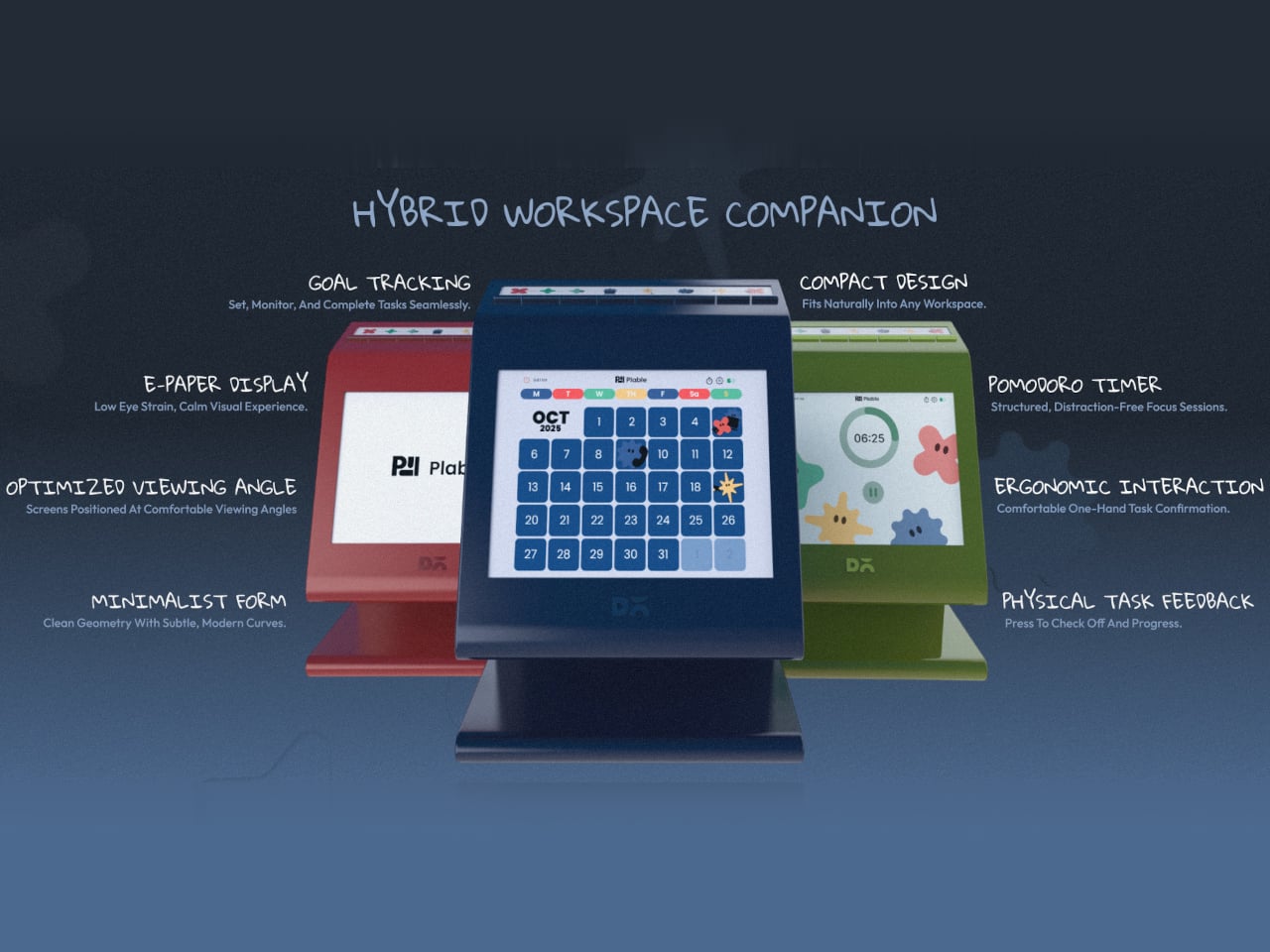
Plable is a hybrid workspace companion concept that tries to break that cycle by pulling tasks off the phone and onto the desk. Built around the tagline “Productivity meets playful rhythm,” it’s a small physical device that works alongside a companion app to create a calmer, more intentional workflow, one that builds focus through touch, rhythm, and gentle feedback instead of another notification.
The concept calls the current situation the “Tool Trap,” the idea that users end up managing tools instead of focusing on their actual work. Plable identifies the specific gaps, cognitive overload from feature-heavy tools, missing positive feedback, fragmented workflows across disconnected apps, and static systems that don’t adapt to individual habits. The response is a single, compact desk presence that anchors everything without trying to replace every tool you already use.
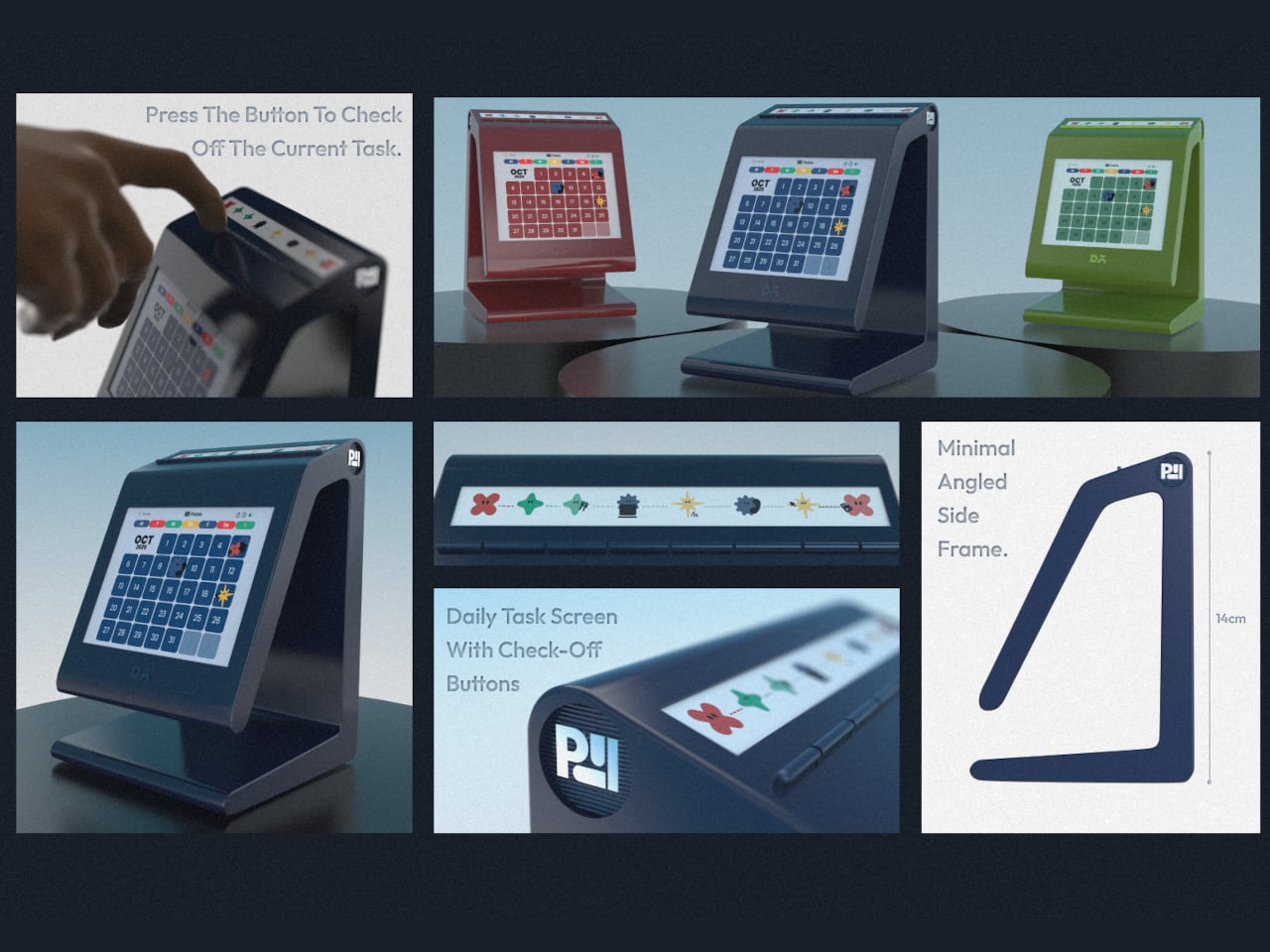
The core interaction is satisfying by design. Daily tasks sit on a small, dedicated display on the desk, and a physical button press checks off the current task and advances progress. Each gesture is meant to feel like a small win rather than a chore, turning routine to-dos into encouraging moments instead of items being shuffled around a screen. That distinction between “pressing a button” and “tapping a phone” sounds minor until you realize how differently they feel.
The calm-tech choices reinforce that philosophy. An e-paper display keeps eye strain low and avoids the visual noise of a backlit screen sitting next to your monitor. The device is compact and angled for comfortable viewing, with a built-in Pomodoro timer for structured focus sessions and goal tracking to give the day some shape. It stays quiet and present rather than constantly pulling you back into an interface.
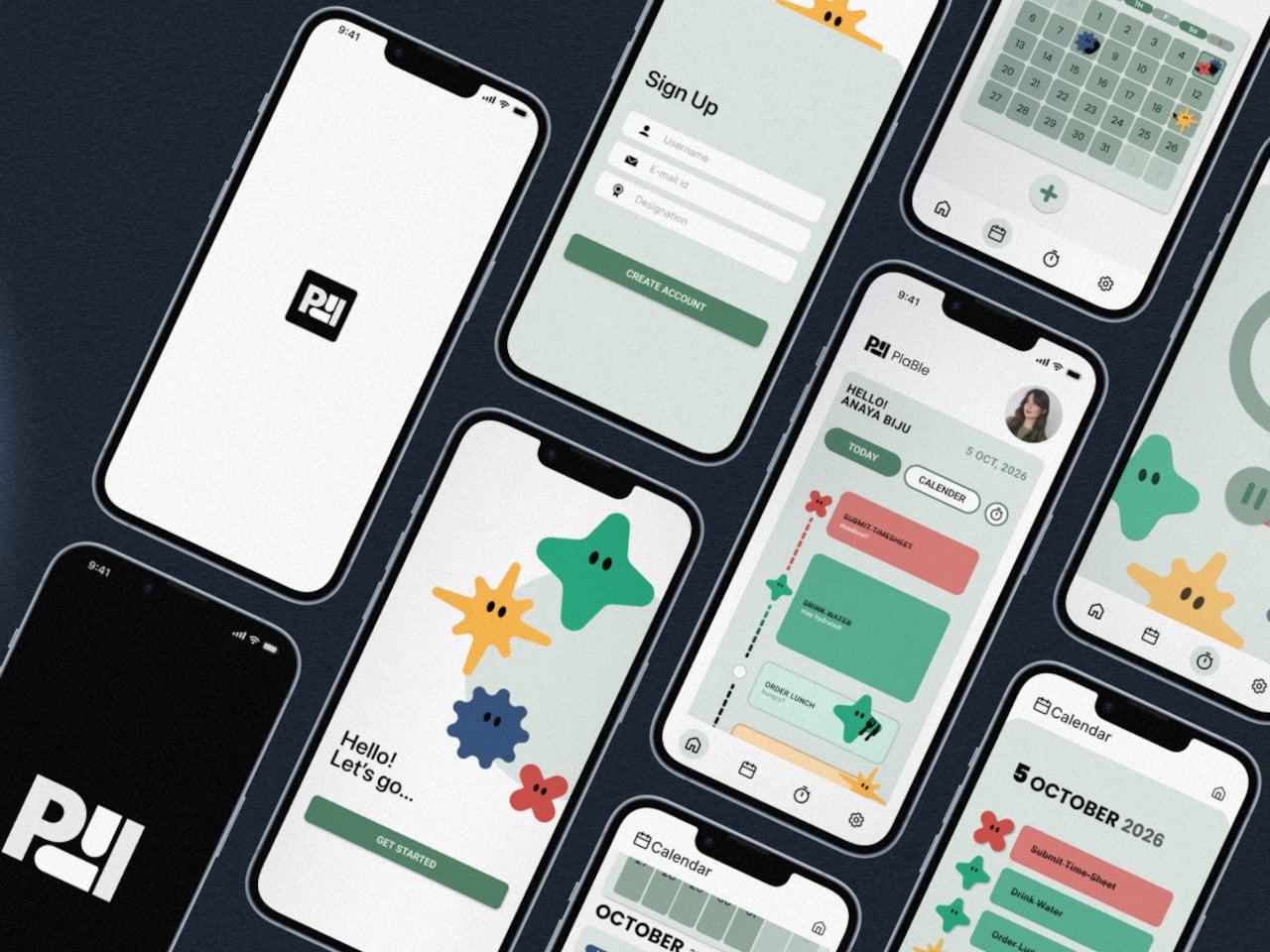
The companion app handles setup, broader planning, and organization across categories like deadlines, wellness, and priority tasks. That division matters because the app is where you plan, and the desk device is where you execute. Keeping those two layers separate means the phone stays in its lane instead of becoming another place where tasks disappear into the notification feed.
Plable was designed as a conceptual addition aligned with DailyObjects’ product language, soft geometry, playful minimalism, and bold color accents, though it’s an independent student project and not affiliated with or commissioned by the brand. What makes it worth paying attention to isn’t the brand reference but the underlying argument that productivity is an object-level problem as much as an app problem, and a small, tactile thing on your desk might do more for focus than another subscription ever will.
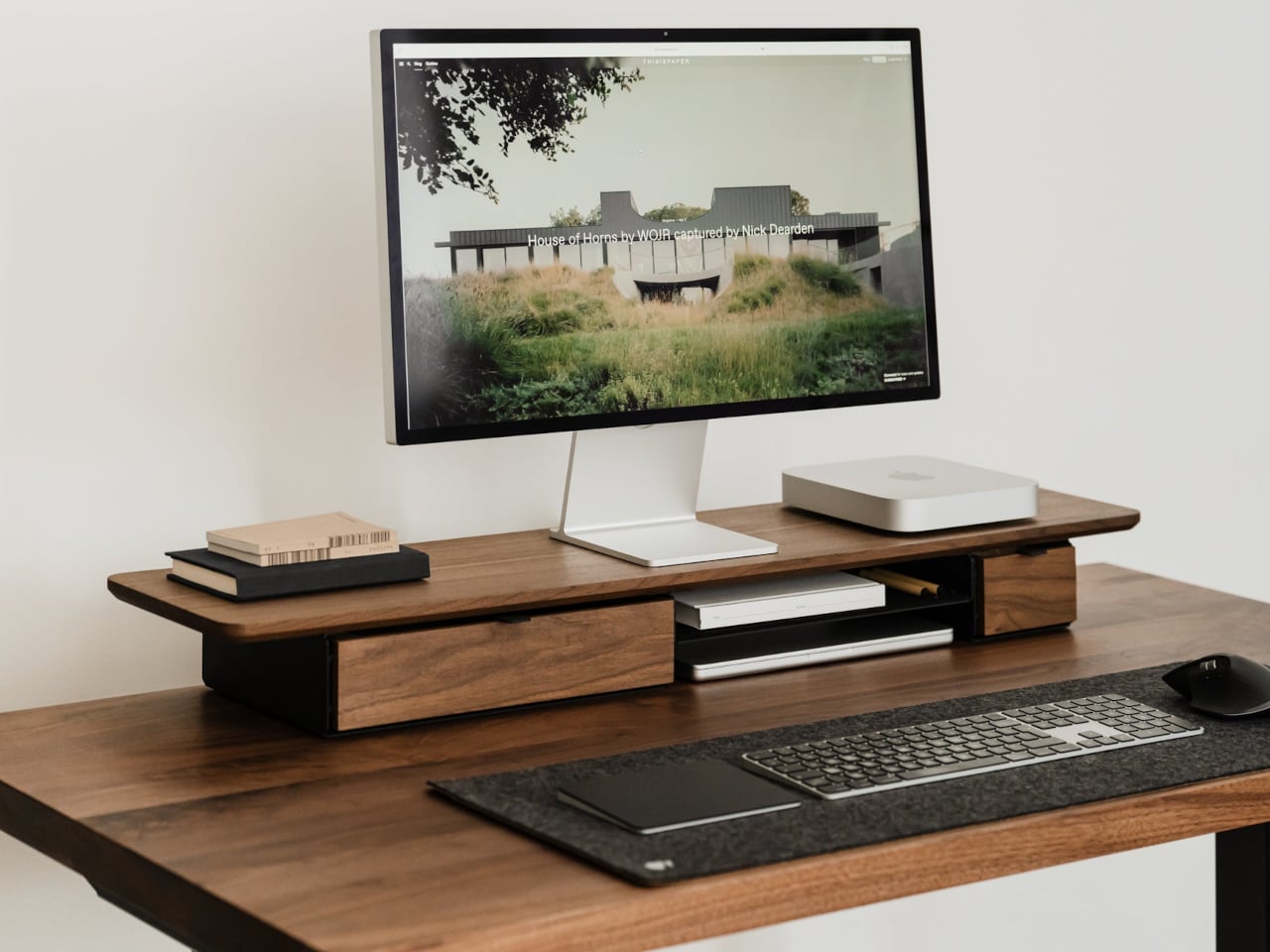
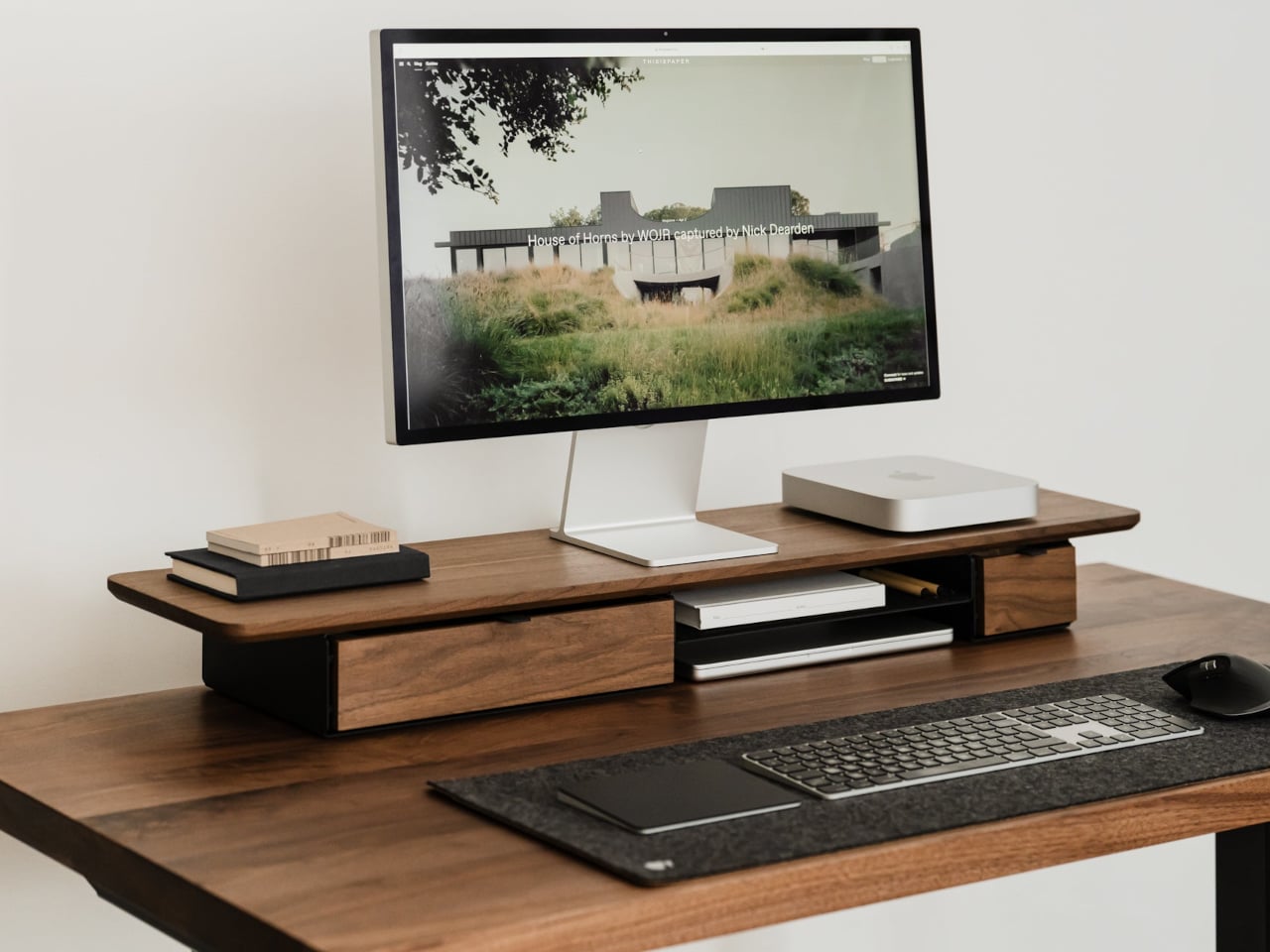
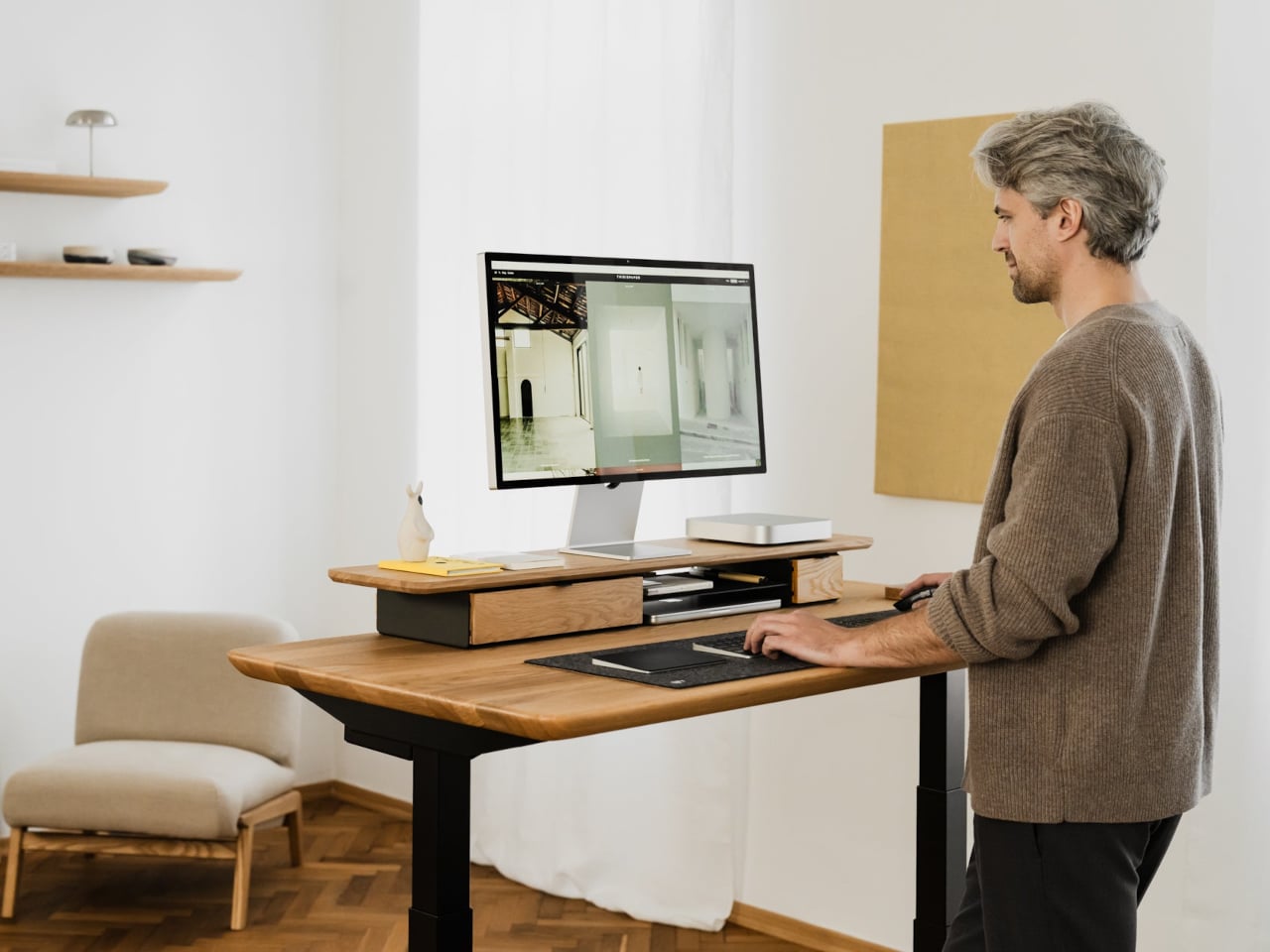
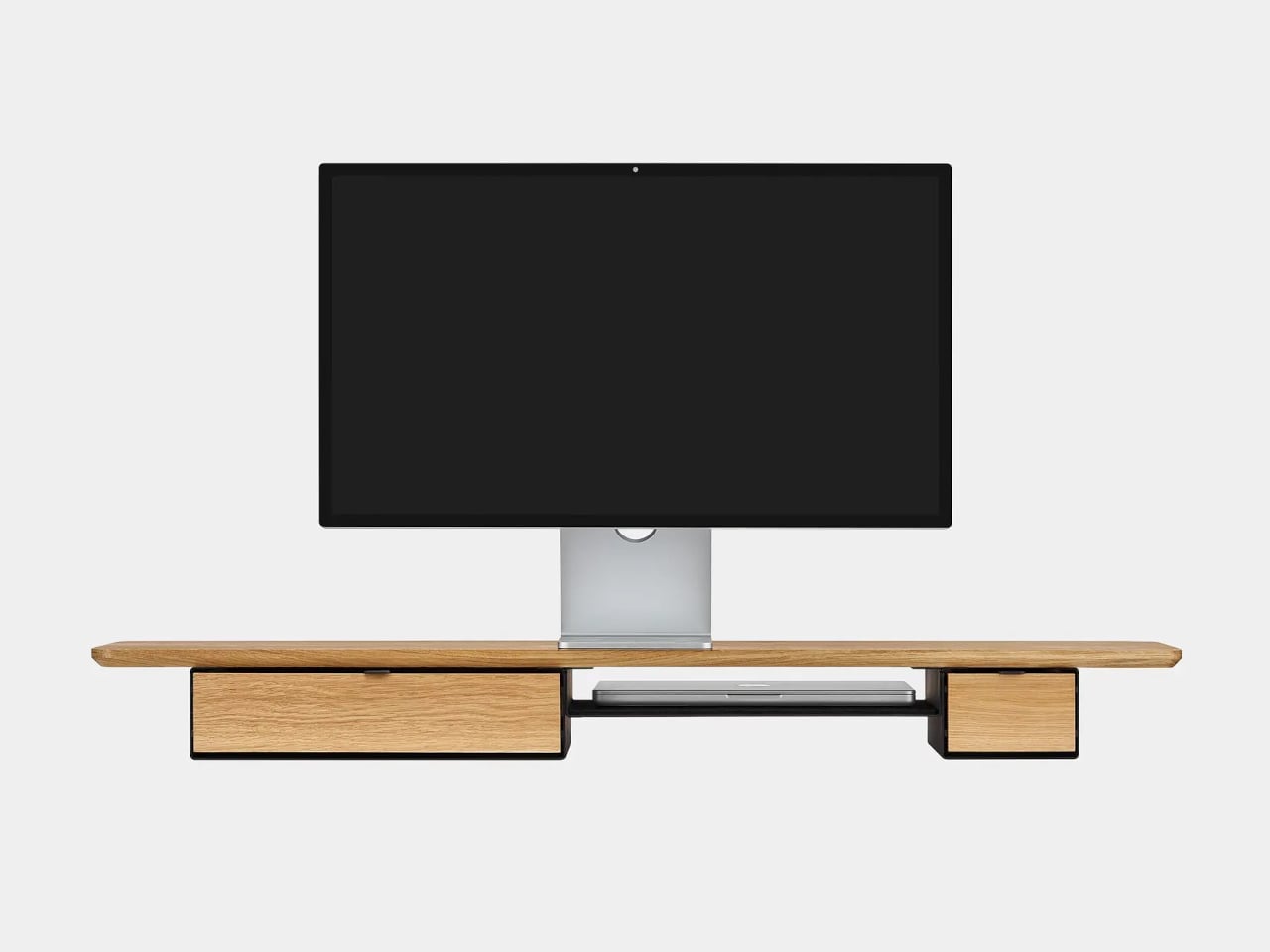
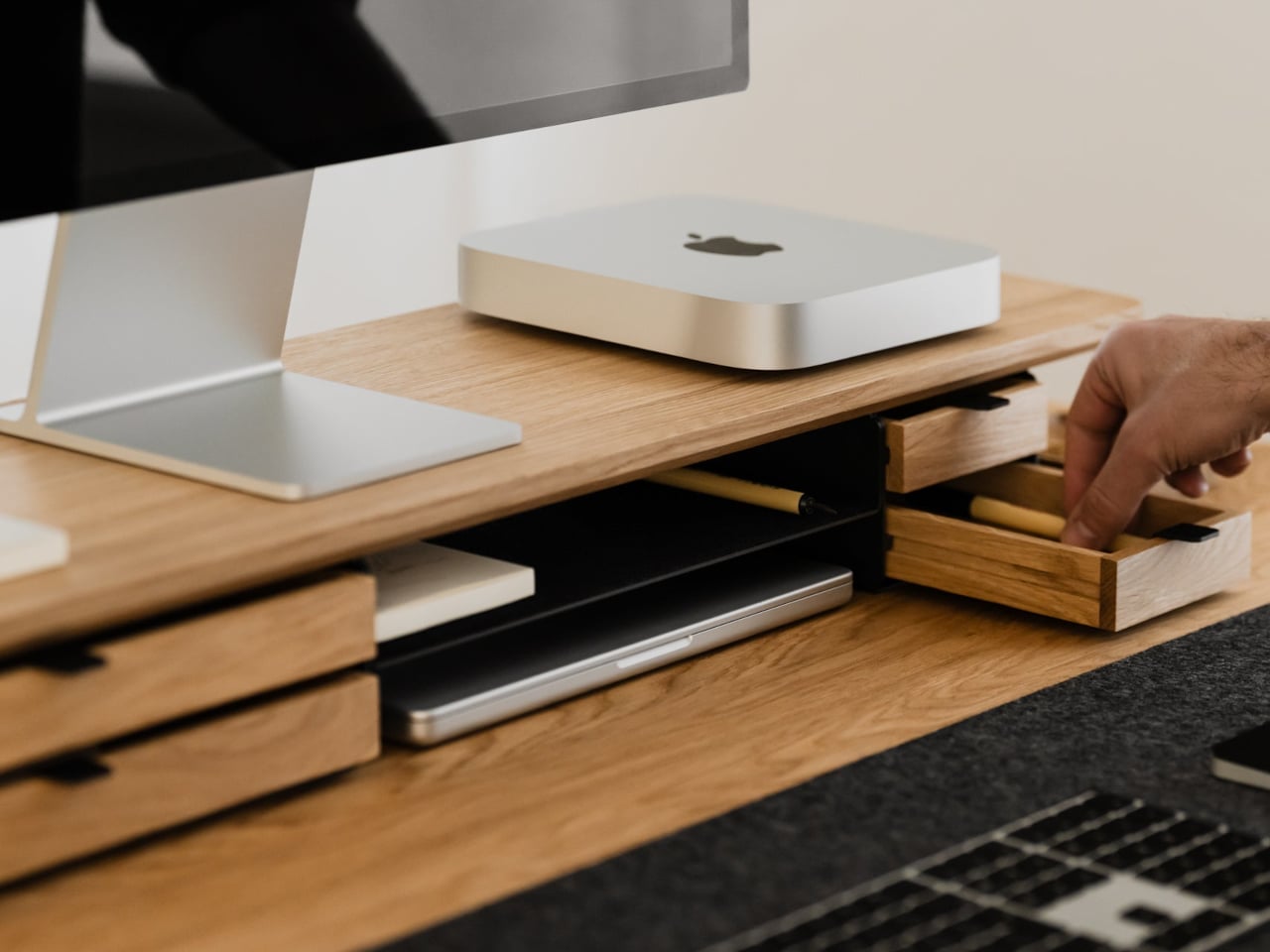
Desks fill up fast. A nice monitor and laptop sit on a surface that slowly accumulates cables, notebooks, charging docks, and random accessories. The usual fixes are cheap monitor risers, plastic drawer units, and cable trays that solve one problem but add visual noise. The Oakywood Desk Shelf Pro tries to handle ergonomics and organization without making the desk look busier, treating the riser as solid-wood furniture instead of an accessory.
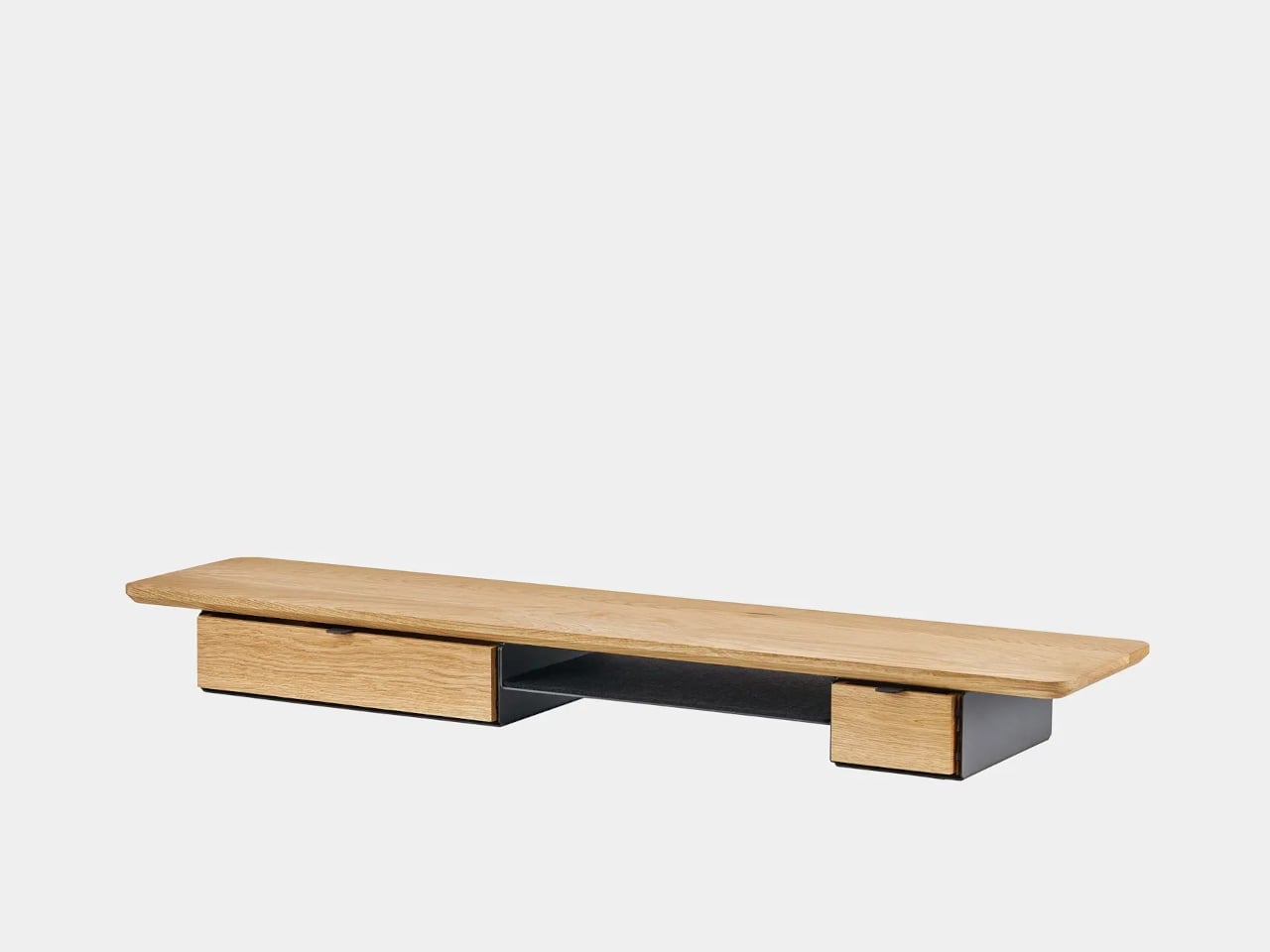
Desk Shelf Pro is an all-in-one desk shelf that lifts your monitor, hides clutter, and adds a second functional level to the workspace. It combines a long, rounded wooden platform with powder-coated steel legs, integrated drawers, and a felt-lined open shelf. It is built from solid oak or walnut, not MDF with a plastic skin, so it feels like part of the desk rather than something perched on top.
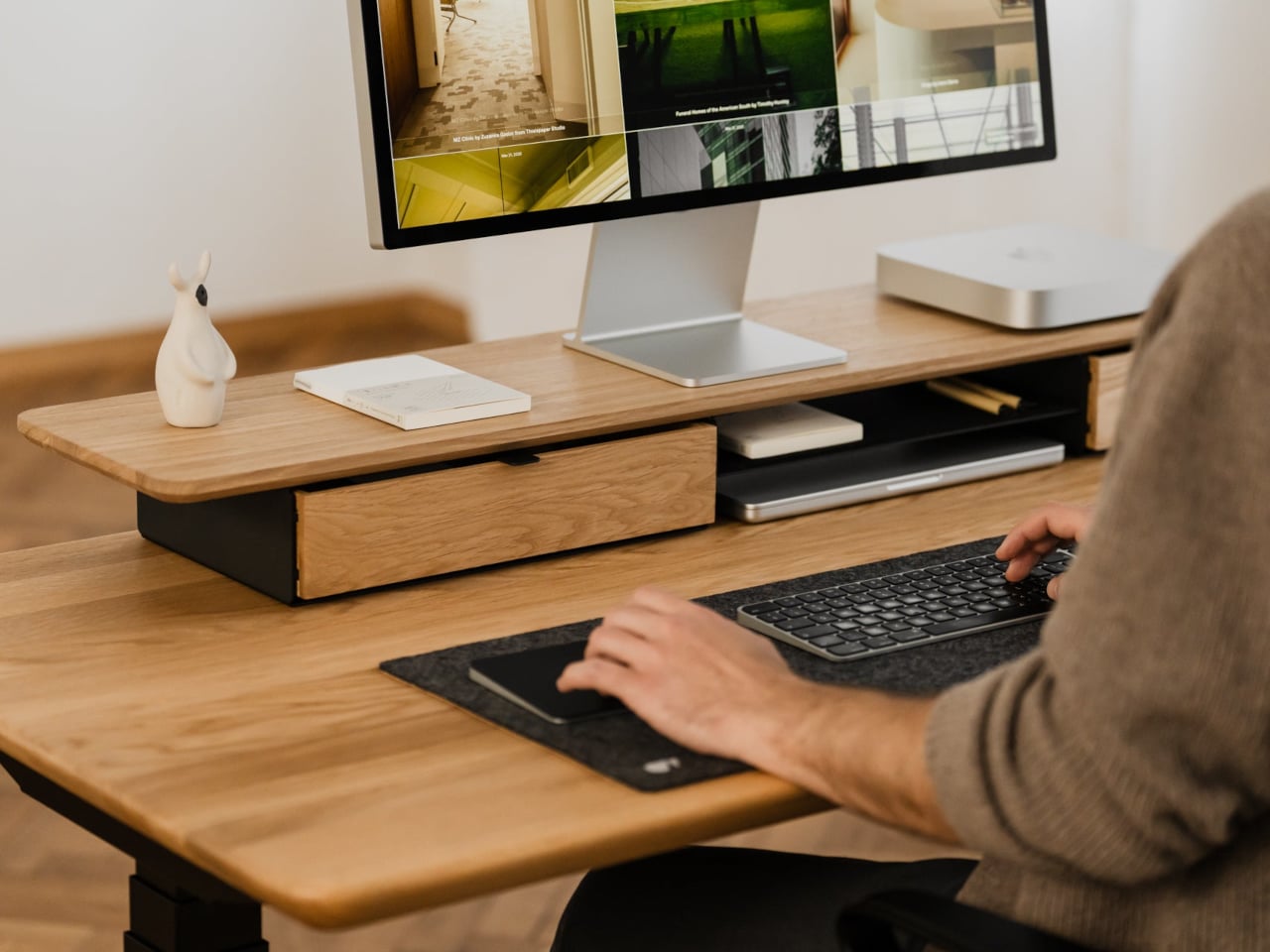
The shelf spans the width of the desk, raising a monitor to a more natural eye level while leaving space underneath for a keyboard or laptop. Steel legs sit at each end, creating a floating effect and a central bay that becomes a home for devices. The shelf holds up to 100 kg, so it can handle large displays, desktop machines, and accessories without flexing, even when you lean on it.
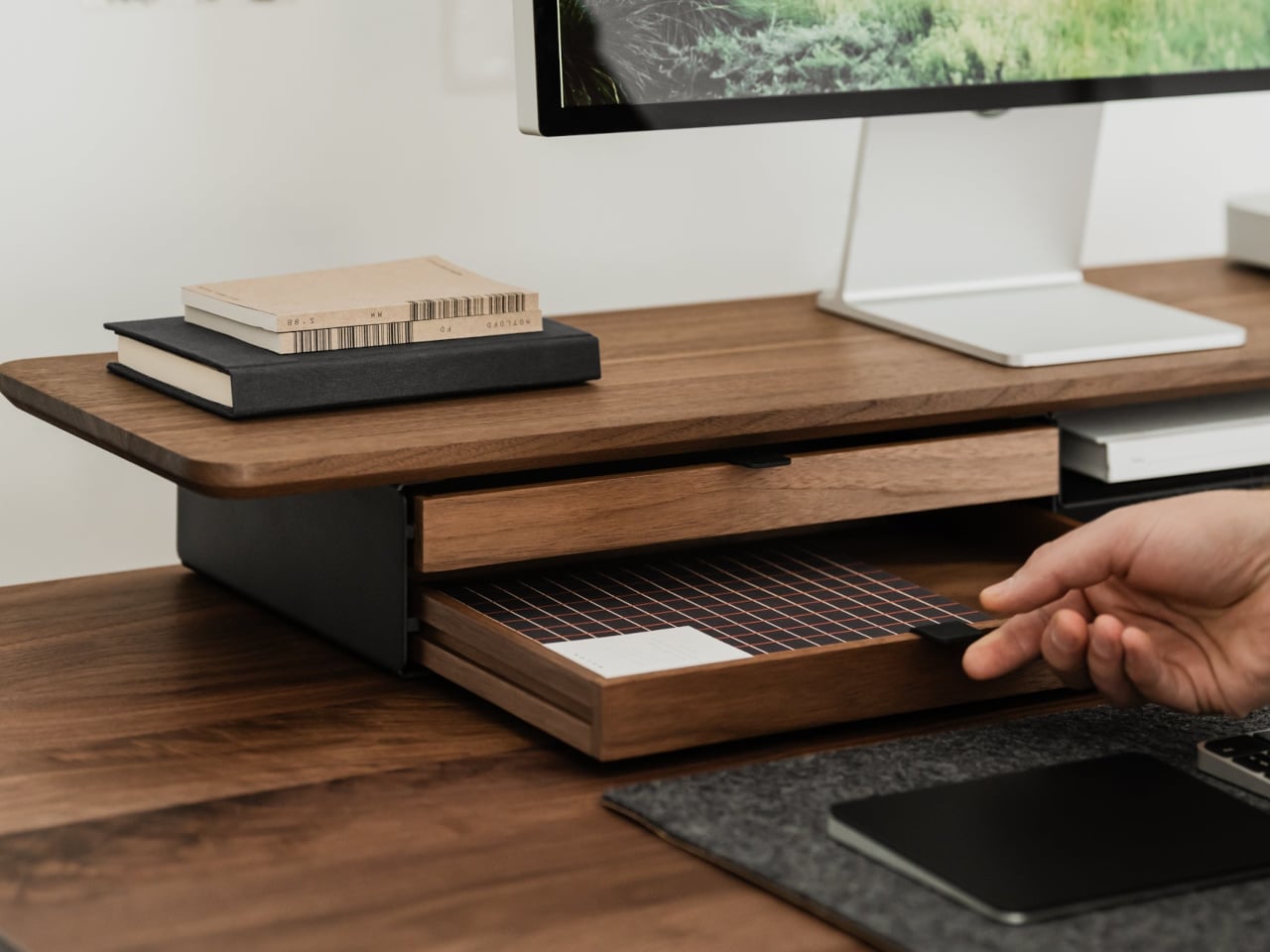
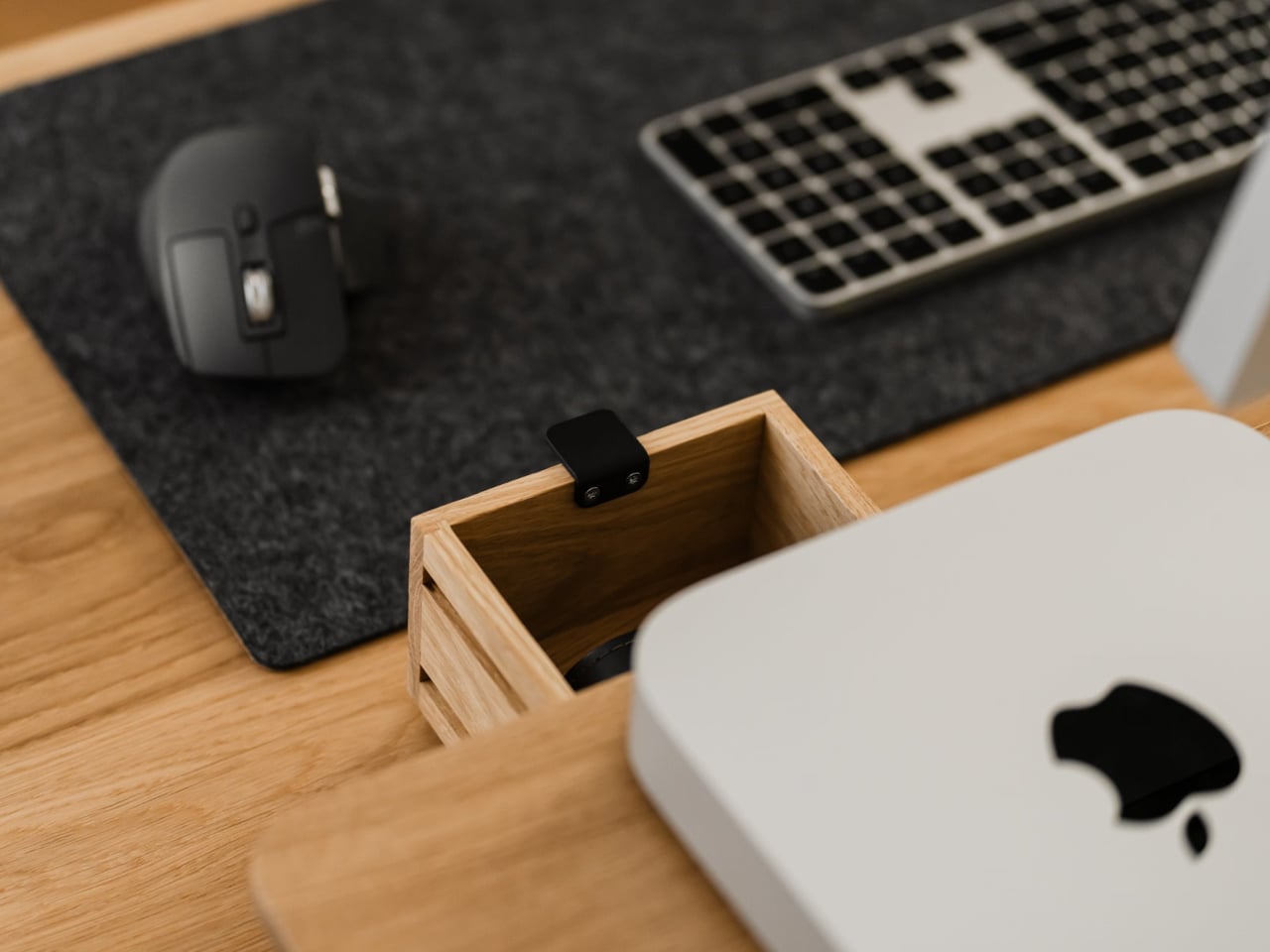
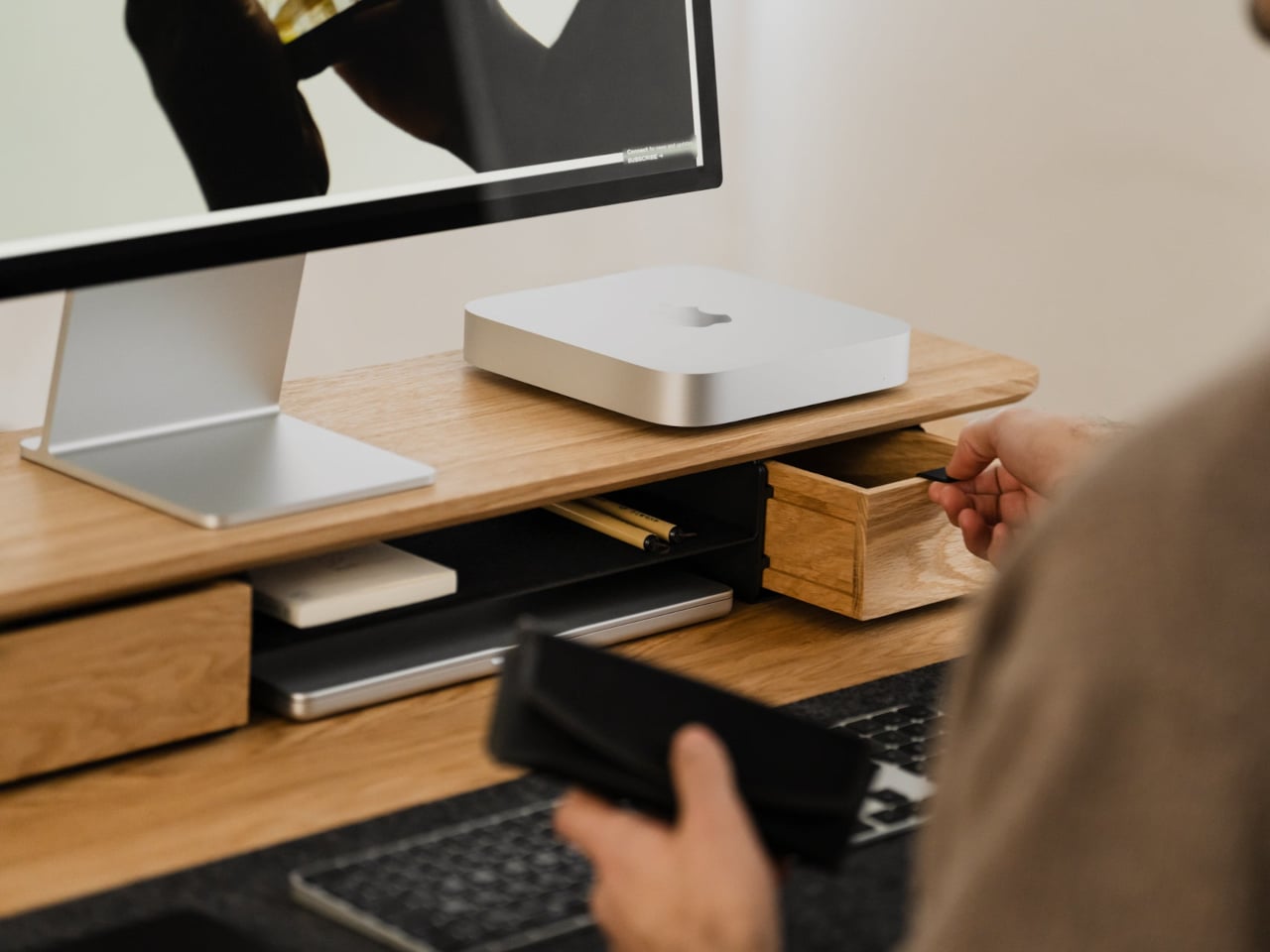
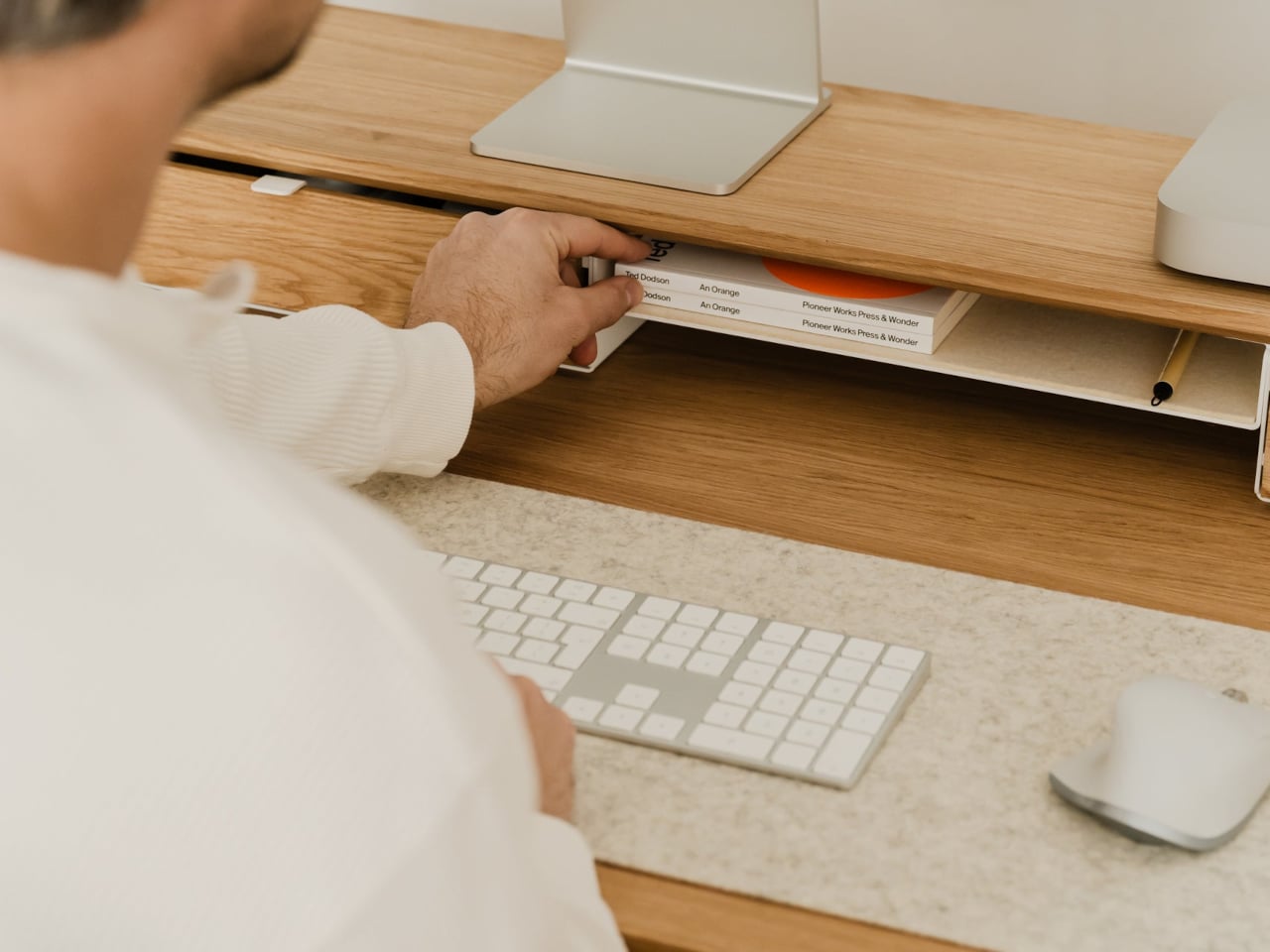
Storage splits between one or two solid-wood drawers built into the leg modules and an open shelf running between them. The drawers swallow stationery, notebooks, and small tech, keeping the desktop clear. The open shelf is lined with merino wool felt, which protects tablets, trackpads, or a closed laptop from scratches and adds a soft, tactile layer that contrasts with the wood and steel.
Oakywood contrasts solid wood against plastic laminate, highlighting warm, unique grain versus uniform texture, durability that improves with age versus chipping and peeling, and the ability to refresh the surface with natural oils instead of replacing it. The felt is OEKO-TEX-certified merino wool, and the legs are powder-coated steel, so every major component is designed to last and age gracefully instead of ending up replaced after a few years.
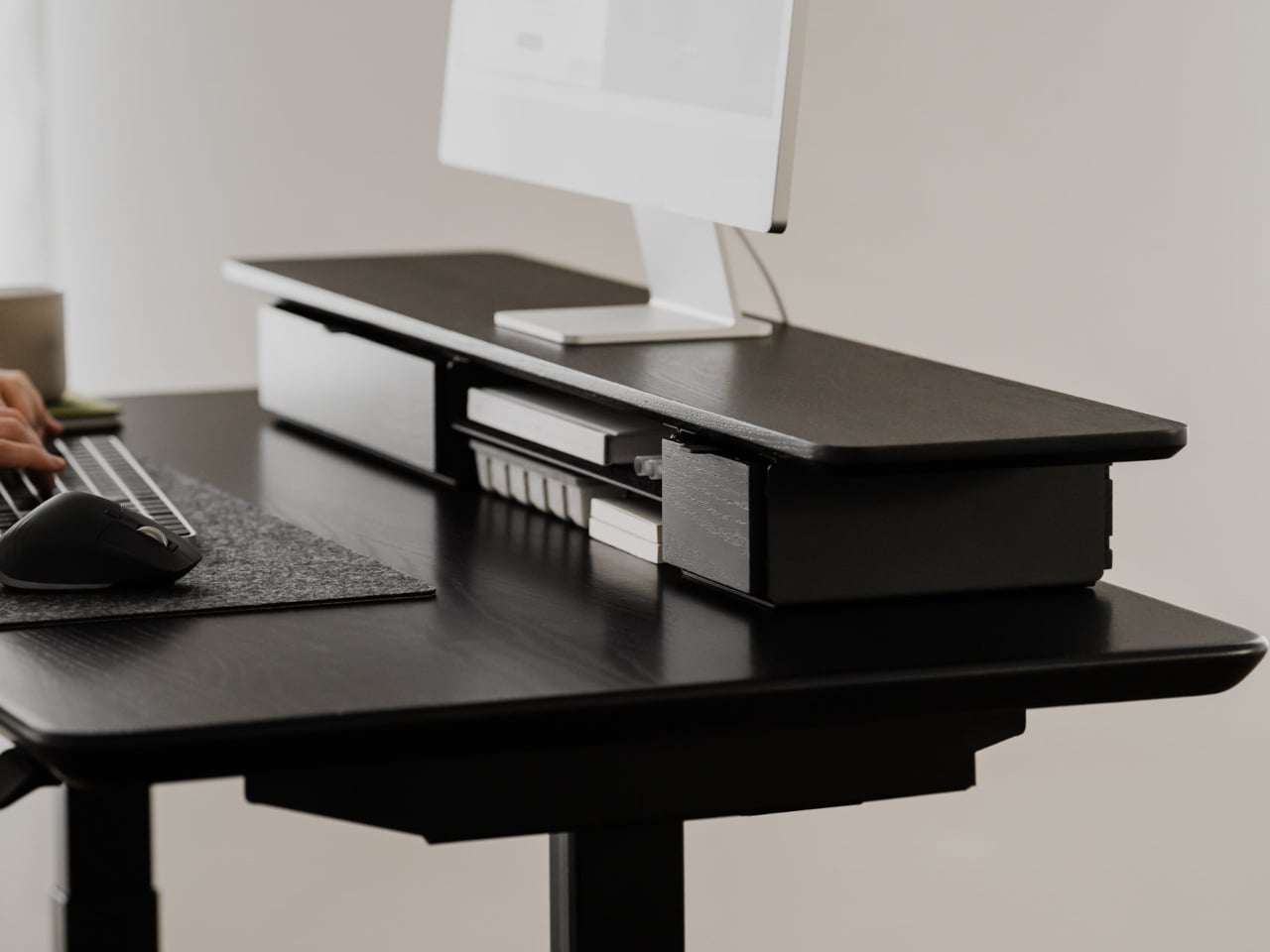
The shelf comes in oak for a lighter Scandinavian look, walnut for a richer studio vibe, or black-stained oak for a more dramatic setup. You can choose single or dual drawers depending on how much you like to hide, and black or white legs to match your hardware. It works equally well on a sit-stand desk or a fixed one, anchoring everything from a minimalist Mac setup to a more eclectic creative workstation.
Desk Shelf Pro changes the feeling of sitting down to work. Instead of a scatter of objects, you get a clear plane of wood with a monitor, a few intentional items, and everything else tucked away but within reach. For people who spend all day at a desk, the combination of solid materials, hidden storage, and quiet ergonomics makes a case for treating a monitor riser as real furniture, something worth keeping for years instead of replacing when the next cheap organizer trend arrives.
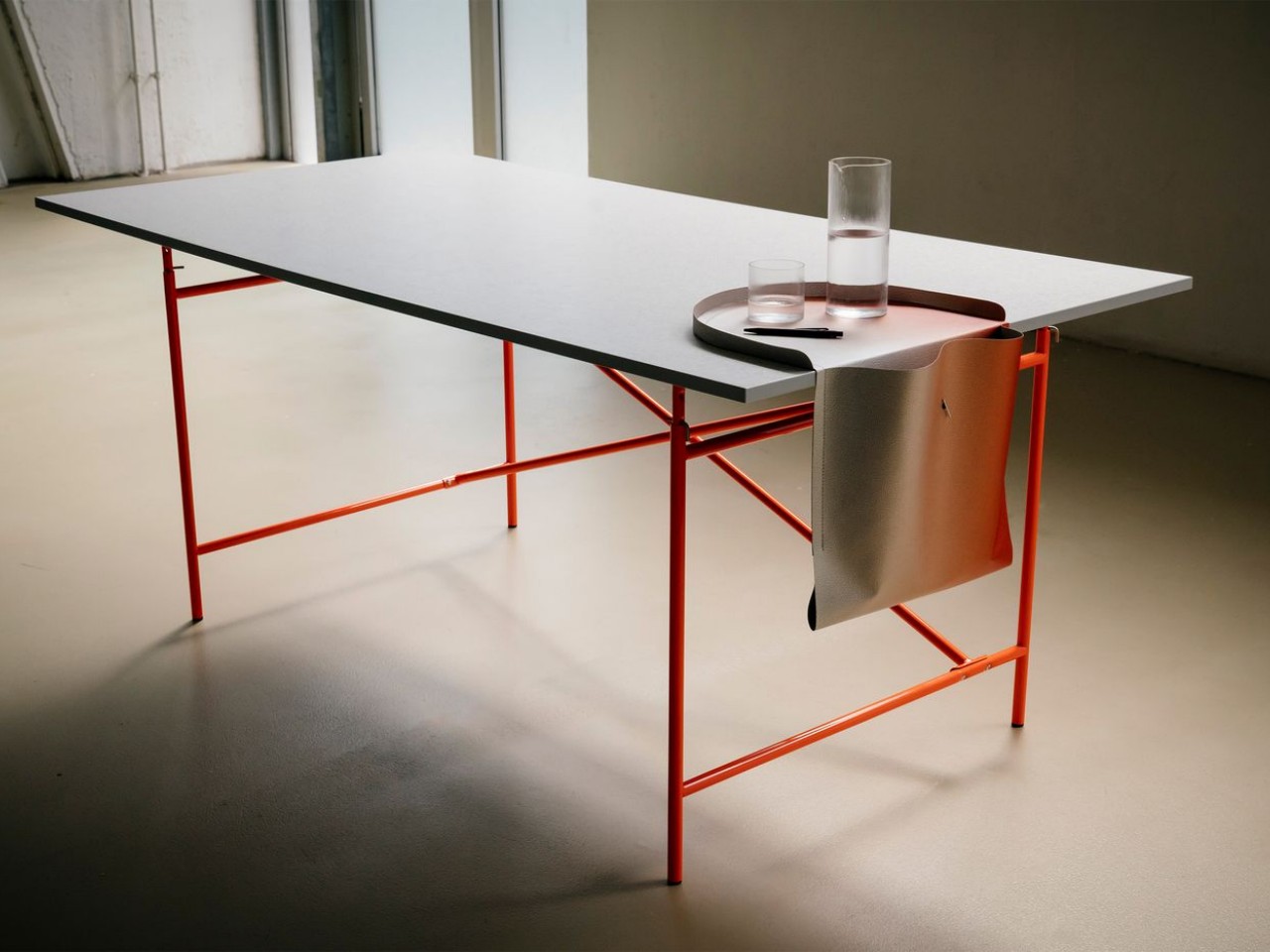
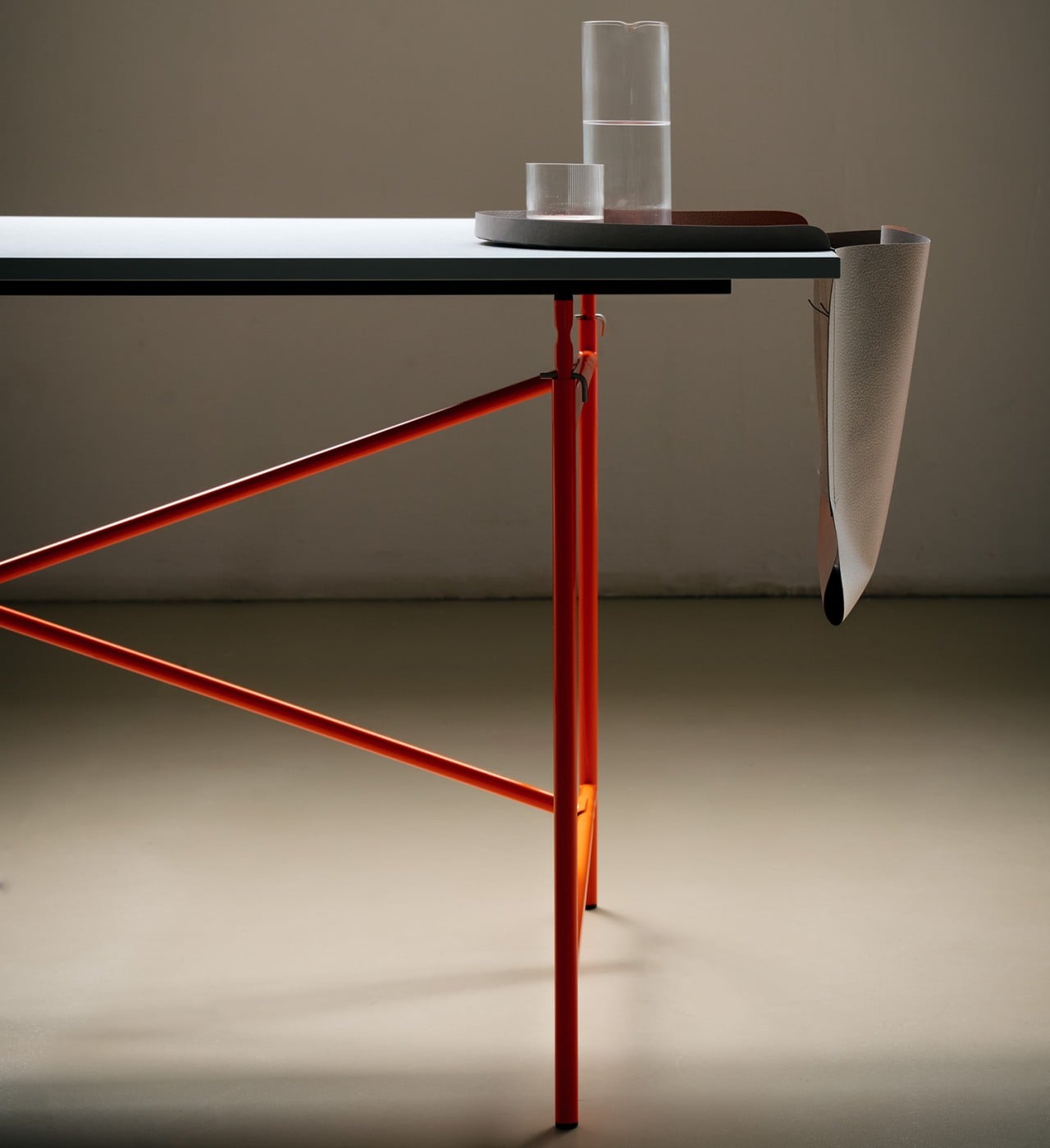
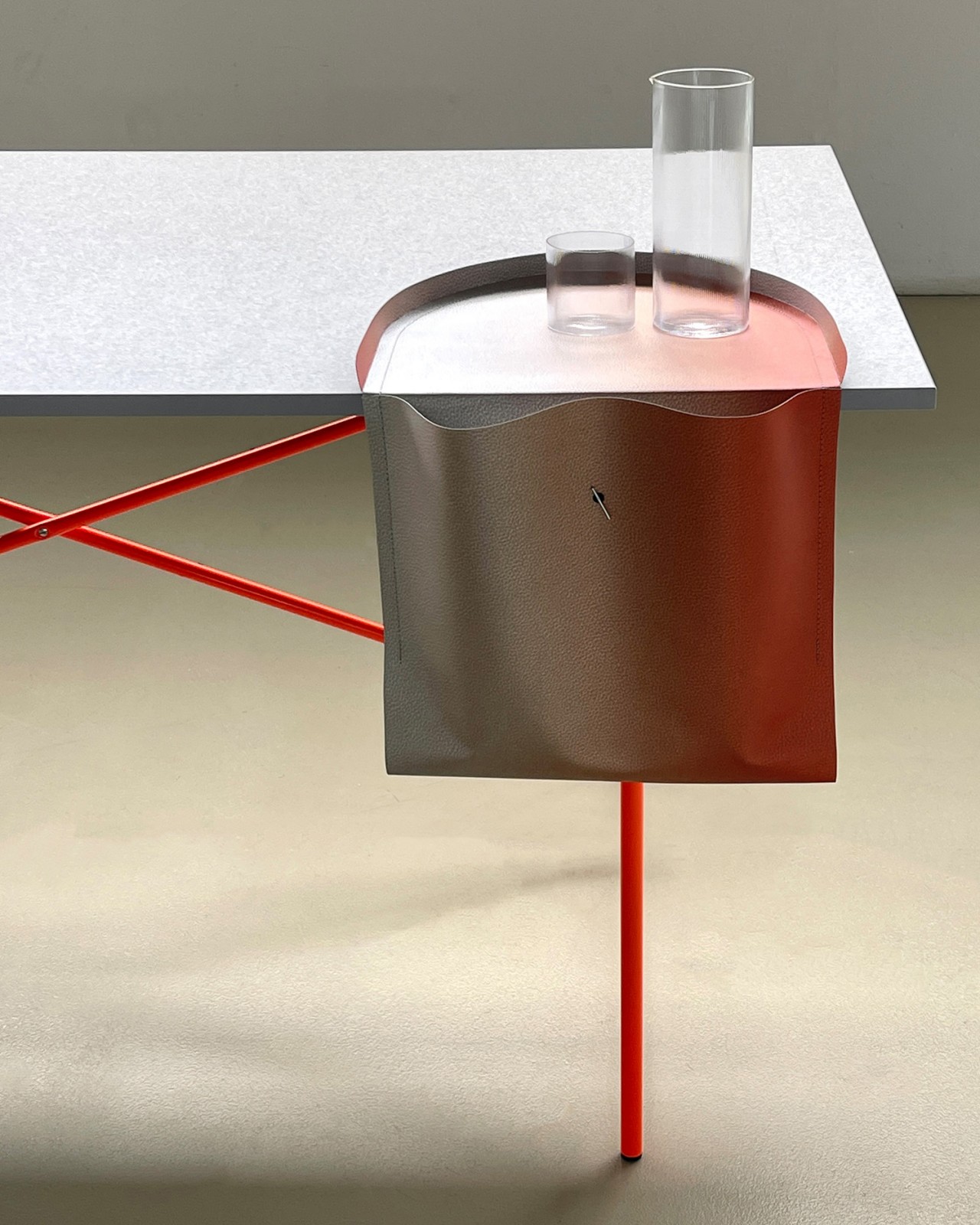
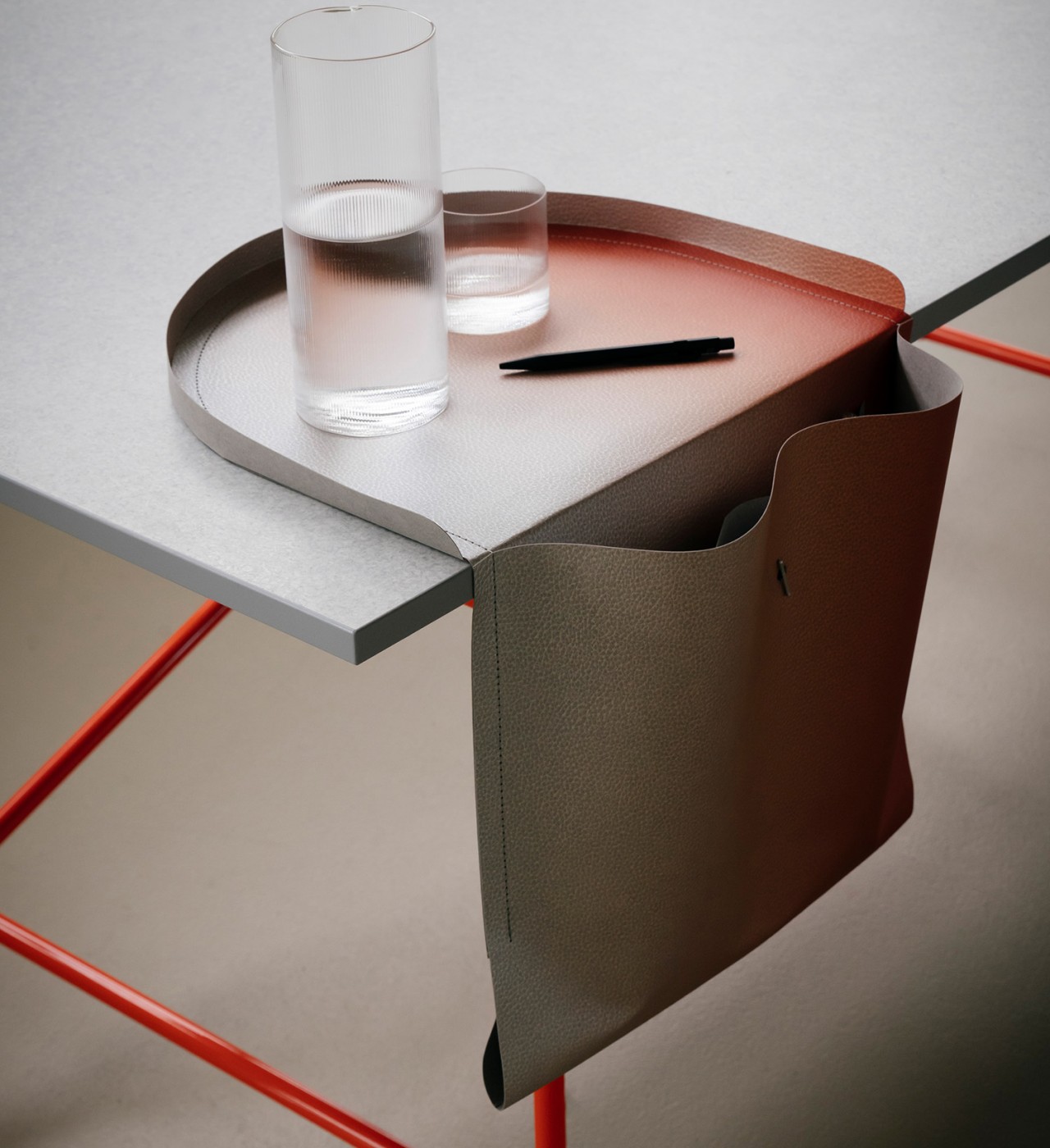
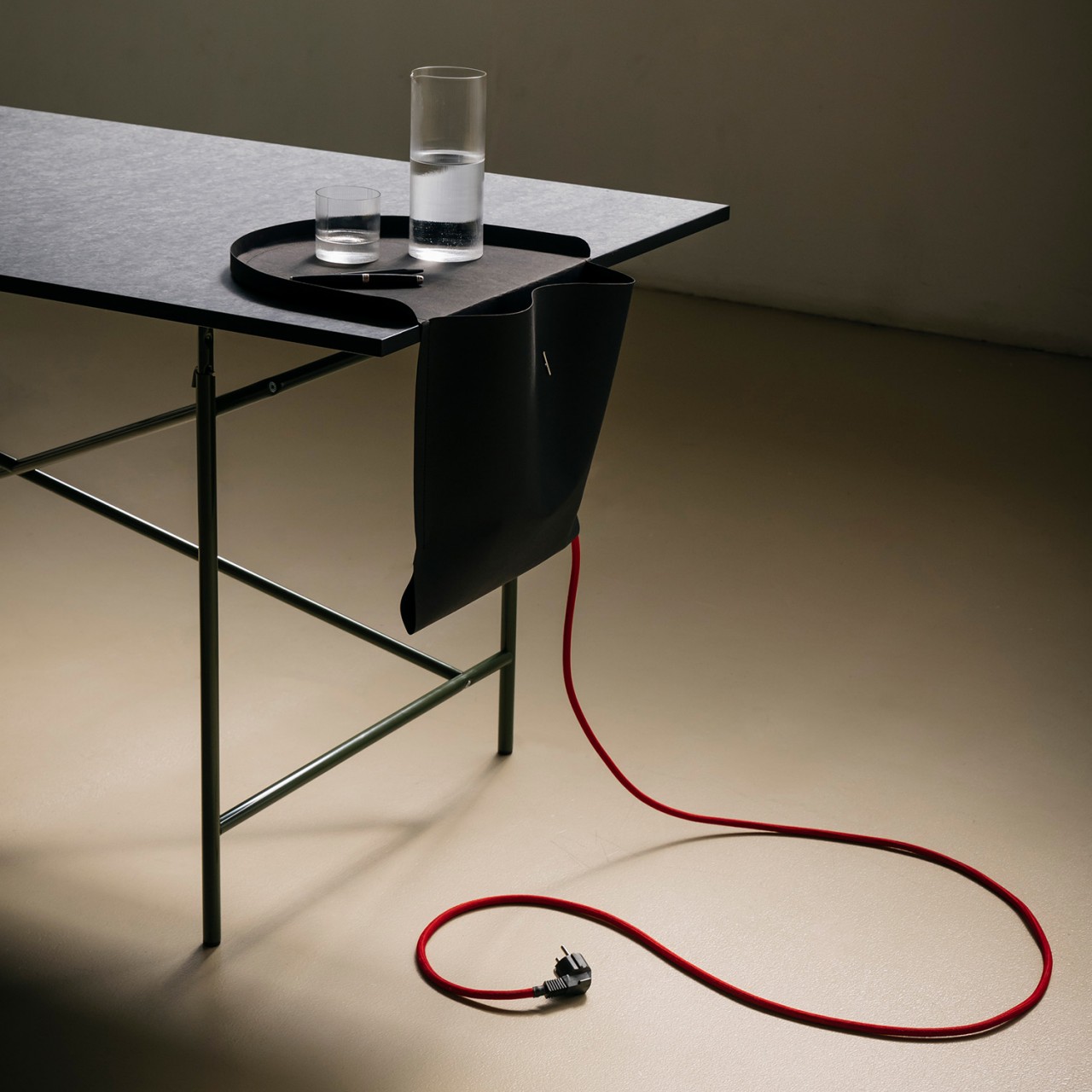
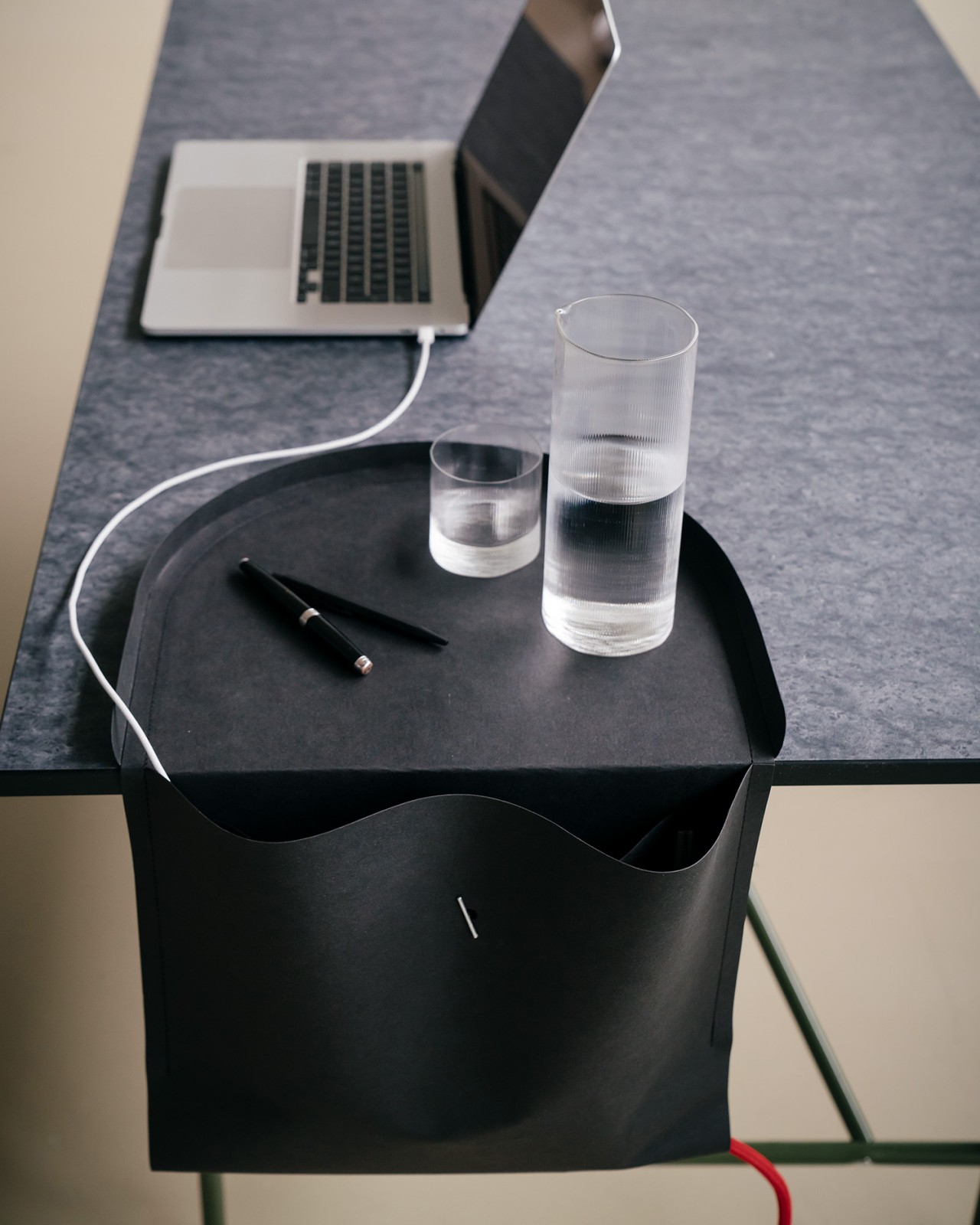
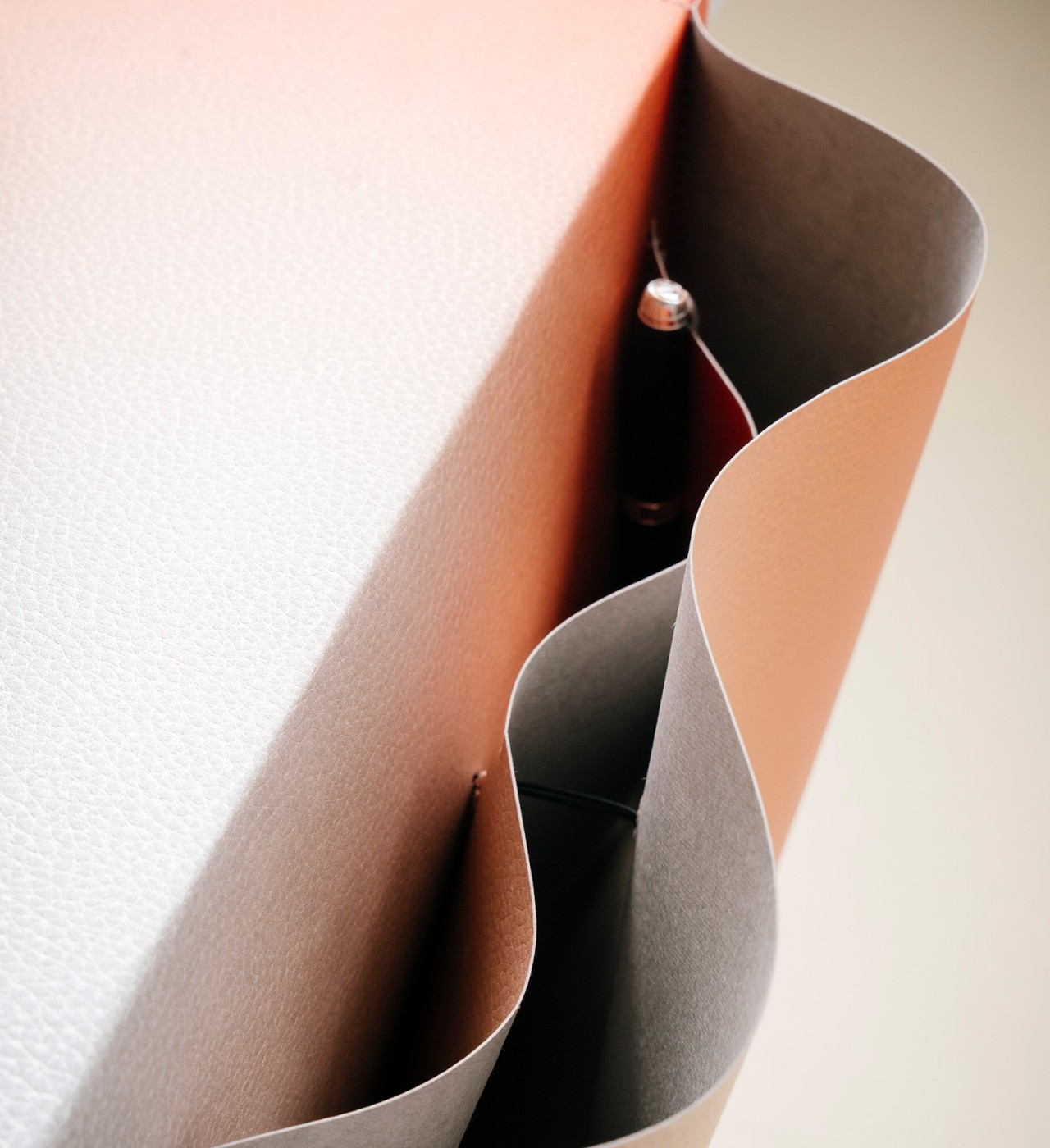
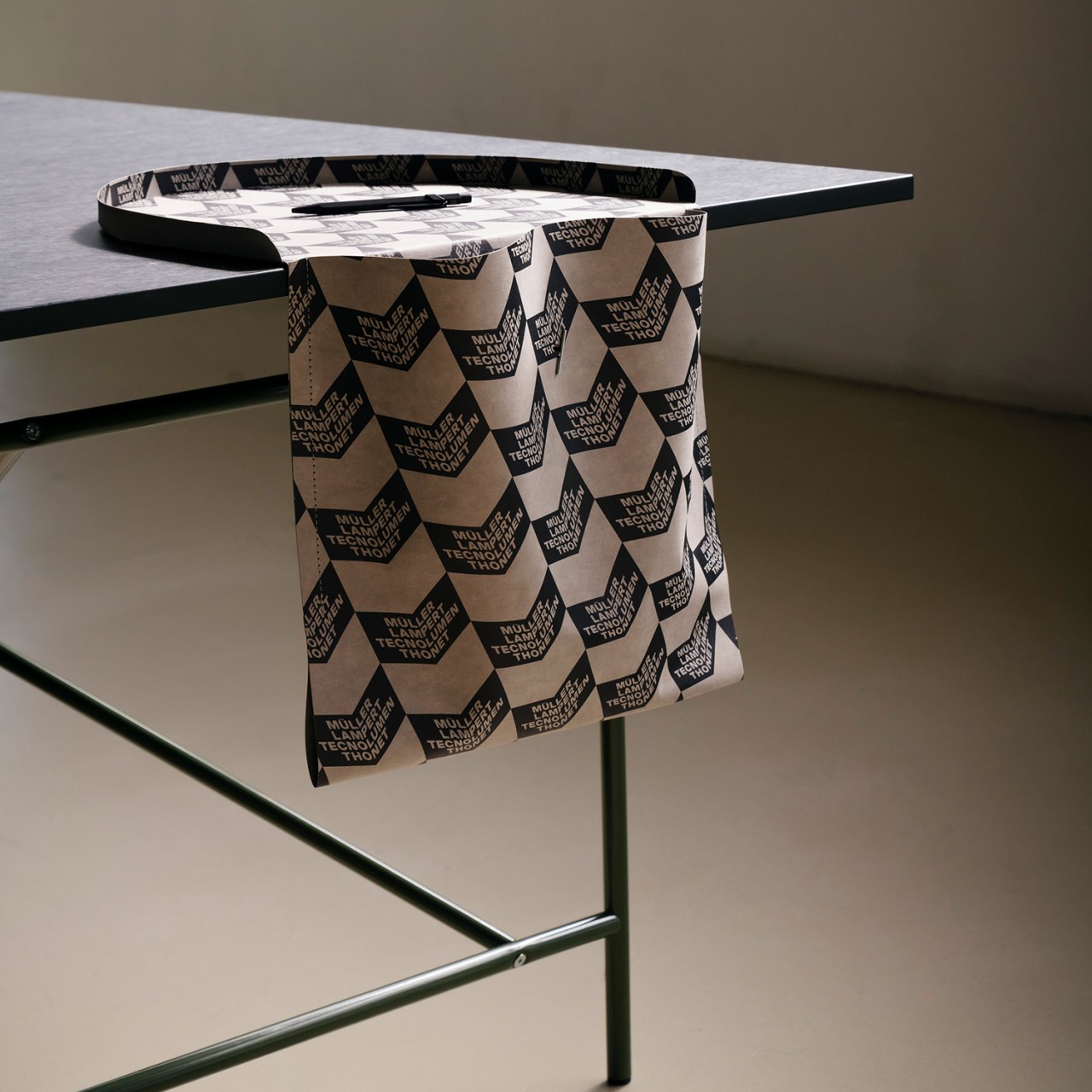
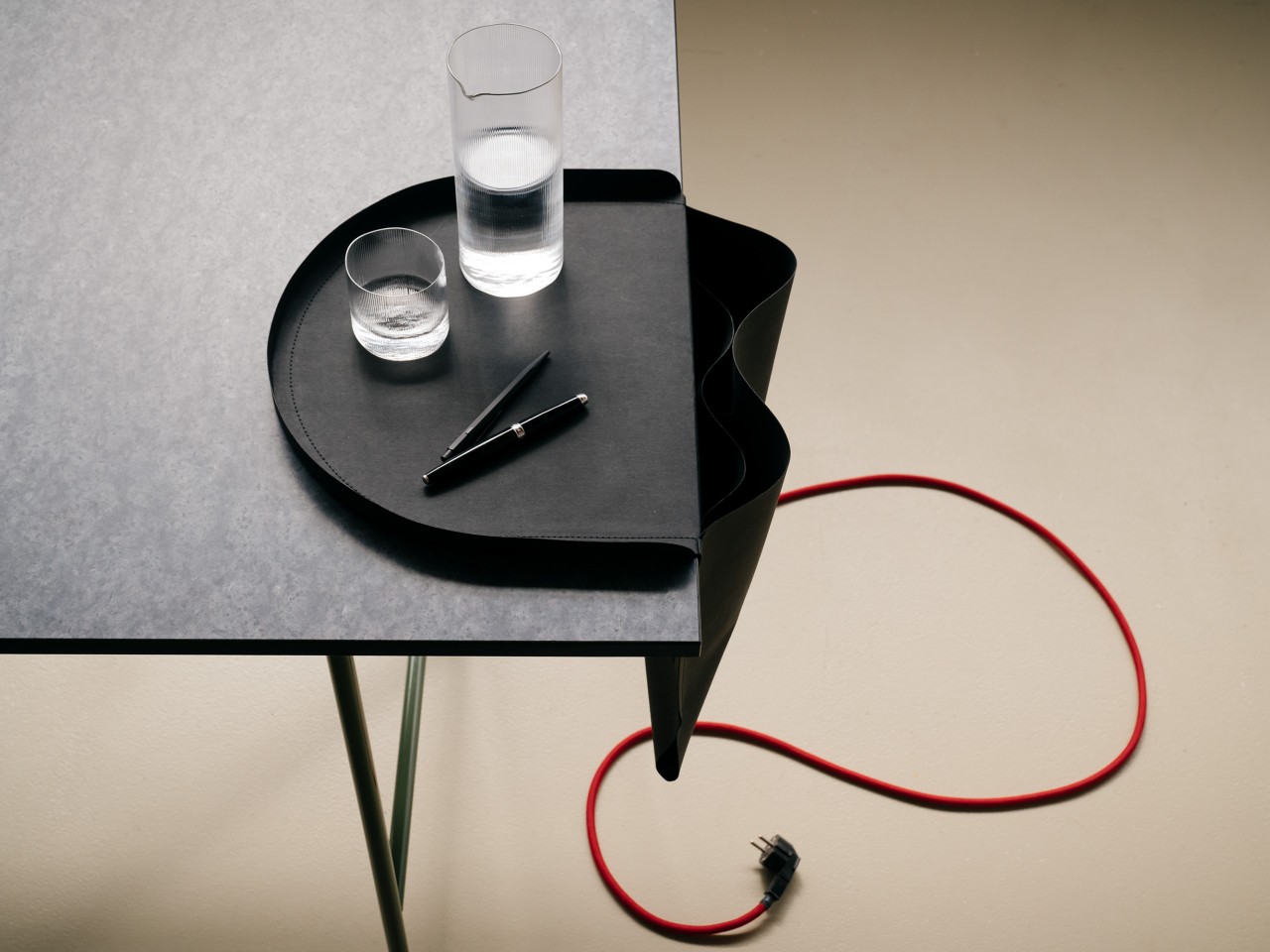
We only have a very finite desk space, constrained by the available area in our rooms or offices. We can always stack up desk organizers or have drawers beneath to make up for it, but those can only go so far. One underutilized area of our desks is often the sides, and there will always be at least two free edges even if you have a corner table. Taking advantage of that unused space, this rather unusual desk organizer hangs a saddlebag on the side of your table, providing not only a place to put pens and notebooks inside, but even a spot for your phone or drink on top. Best of all, it’s made of a sustainable material that looks more like luxurious leather than paper.
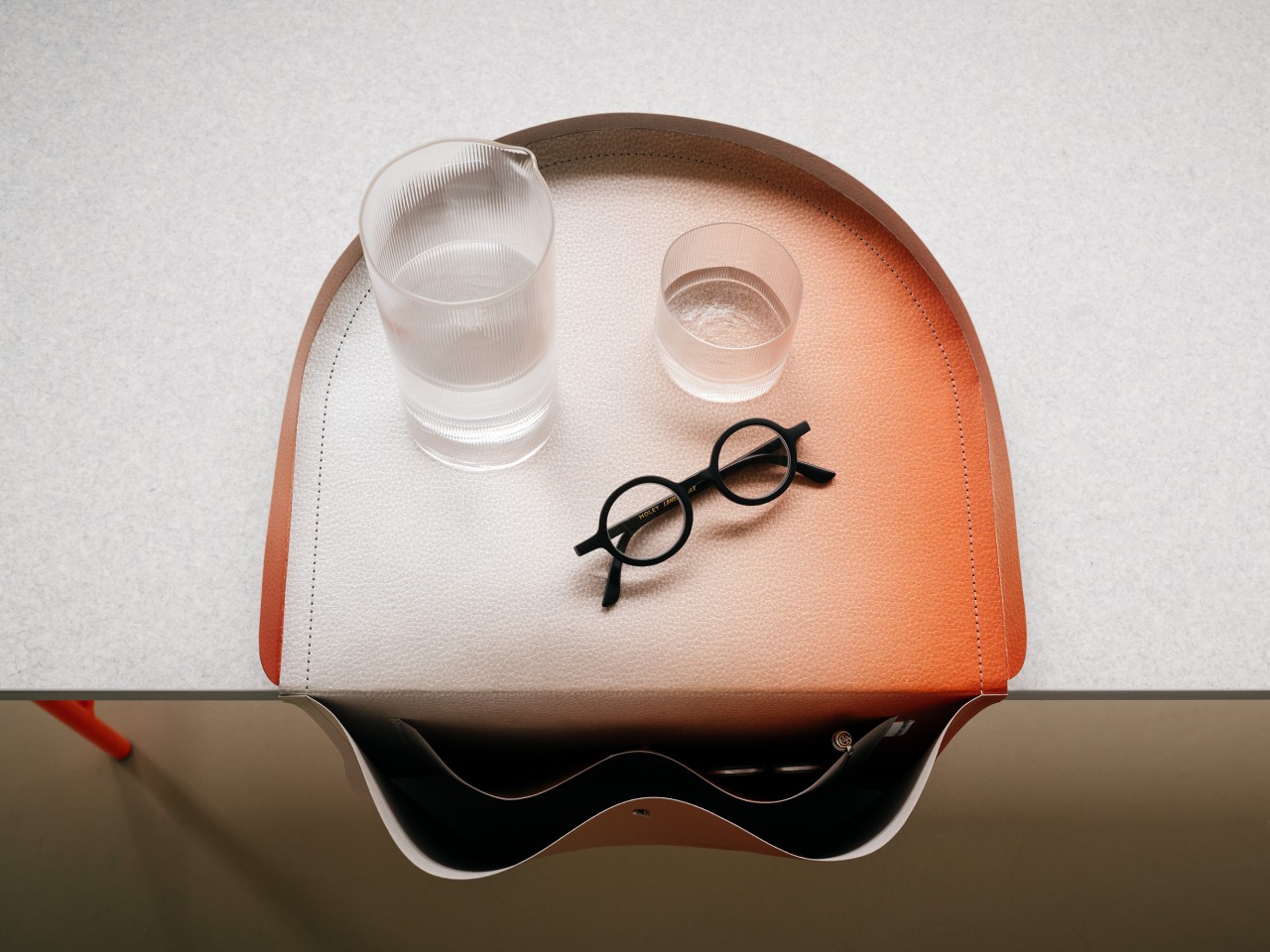
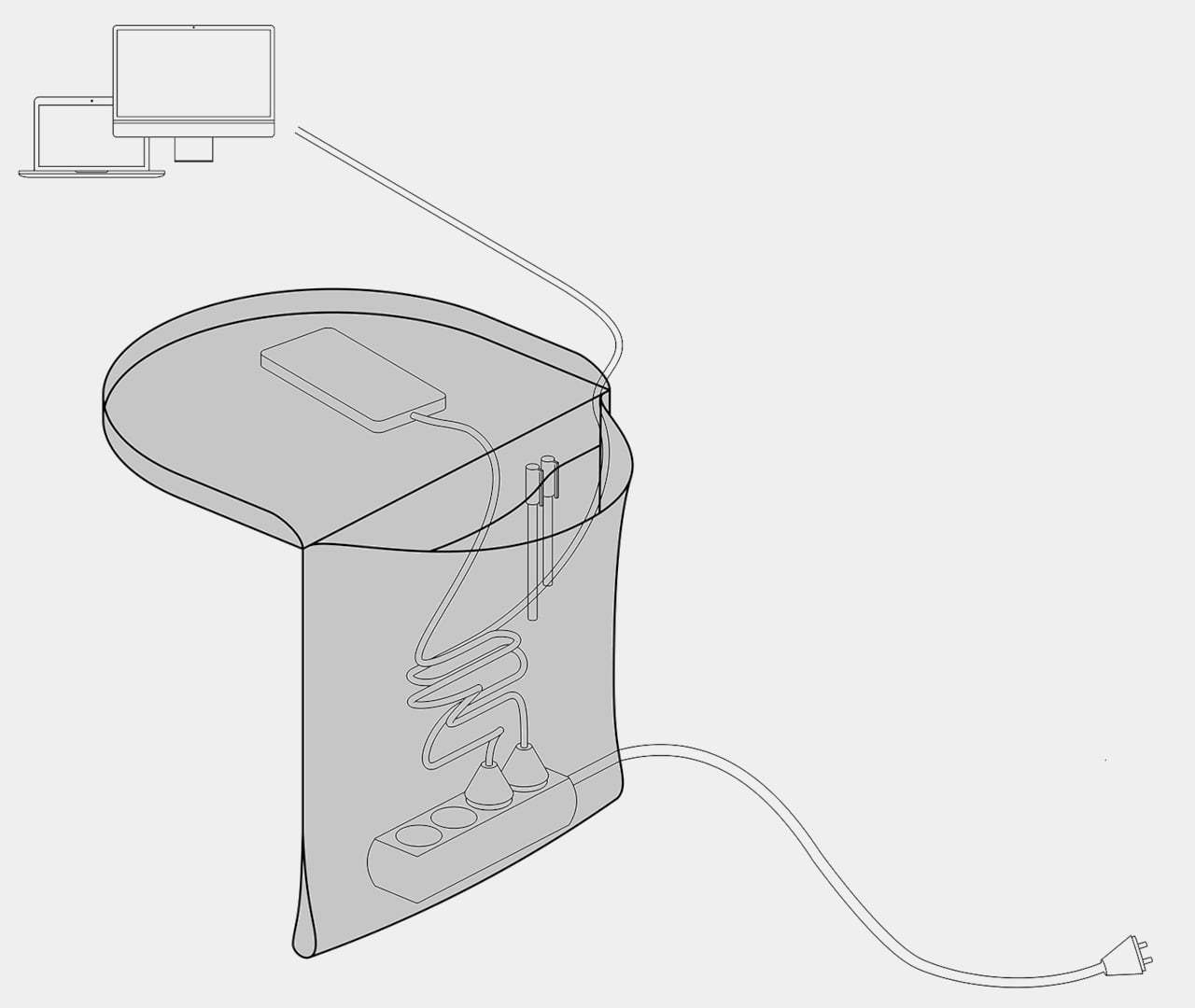
You’d normally hear of saddlebags only in relation to horses or even camels, but our work desks are just as much beasts of burden as these animals. And just like on those, the SALTO dangles off to the side to provide more storage than our overcrowded desks can already accommodate. It’s deep and spacious enough for notebooks, pens, cables, or even headphones, just about anything you want to keep out of sight but still within easy reach.
It even has enough room for a power strip, which is probably the last thing you’d think of putting inside. The bag’s design actually creates a simple loop at the bottom for the strip’s cable to pass through, becoming the only location where it snakes its way to a power outlet. It’s an unusual but effective cable management system, letting those wires all drop off to the side and disappear into the abyss that is the SALTO bag.
There is one odd and potentially problematic part of the saddlebag’s design, at least in the way it’s being advertised. The half-circle tray that sits on top becomes a place for more important items you’ll always want to have access to, like your phone or a glass of water. The latter, however, might be a cause for concern, considering how the weight of the bag’s contents could very well be heavy enough to pull that tray off the table. You can probably imagine the disaster if that drink spills inside, especially if there’s a power strip there as well.
The SALTO is also a very sustainable design that’s surprisingly made of paper. Technically, it’s a type of washable vegan paper that’s being used as a leather alternative, which explains its fabric-like texture and composition. It definitely looks elegant and stylish, especially when hanging from a minimalist desk that has all its clutter cleared and dumped into this bag.
To say that I have a messy desk is an understatement. Aside from the various books, office supplies, and knick-knacks that I have lying around, one of the things that make it pretty messy are all my cords connectors, and sockets. I work with multiple devices so I need all kinds of charging and connecting tools, therefore adding to the clutter on my desk. If ever I one day decide to have a cleaner and more minimalist desk, then I definitely need one of these docking hubs to make my work and home office life a bit more organized.
Designer: Lon
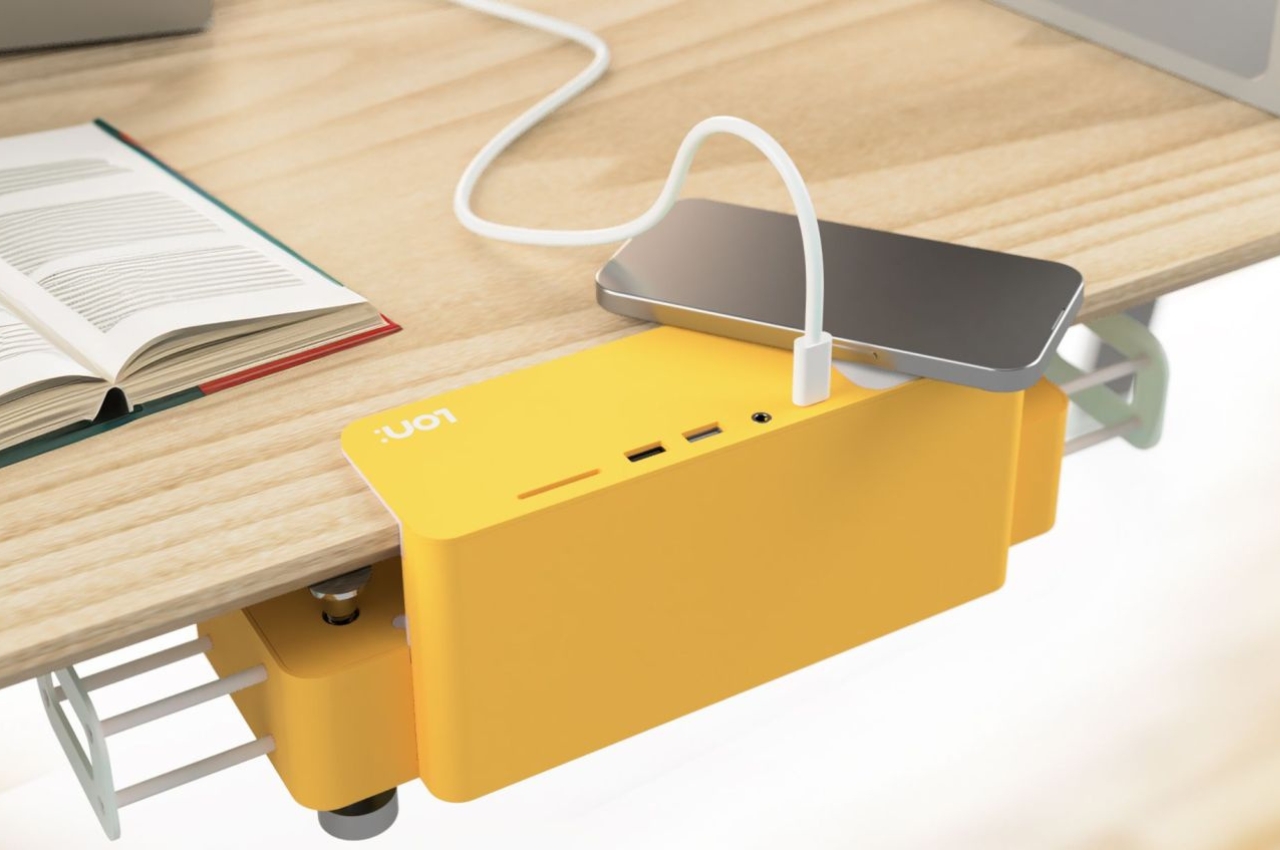
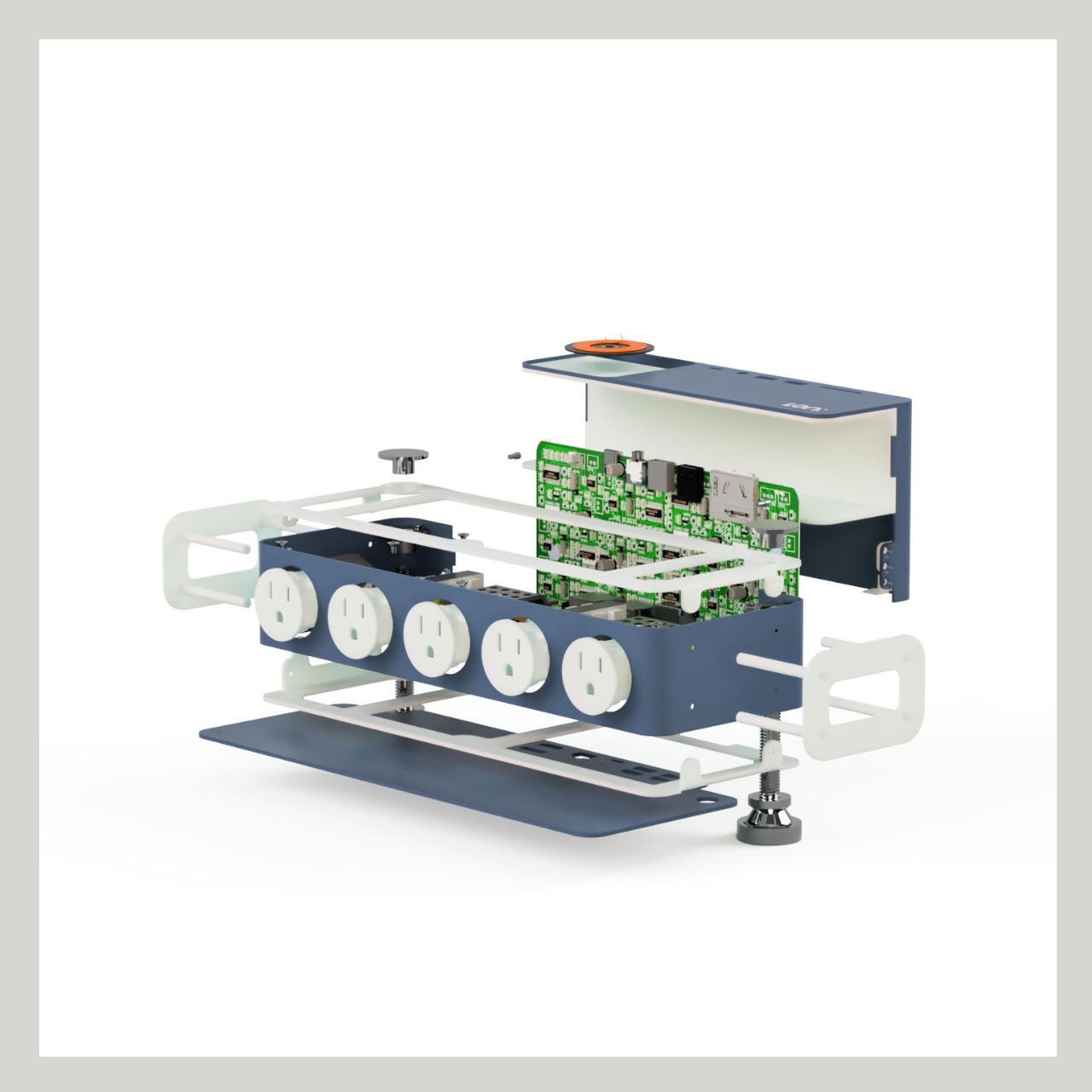
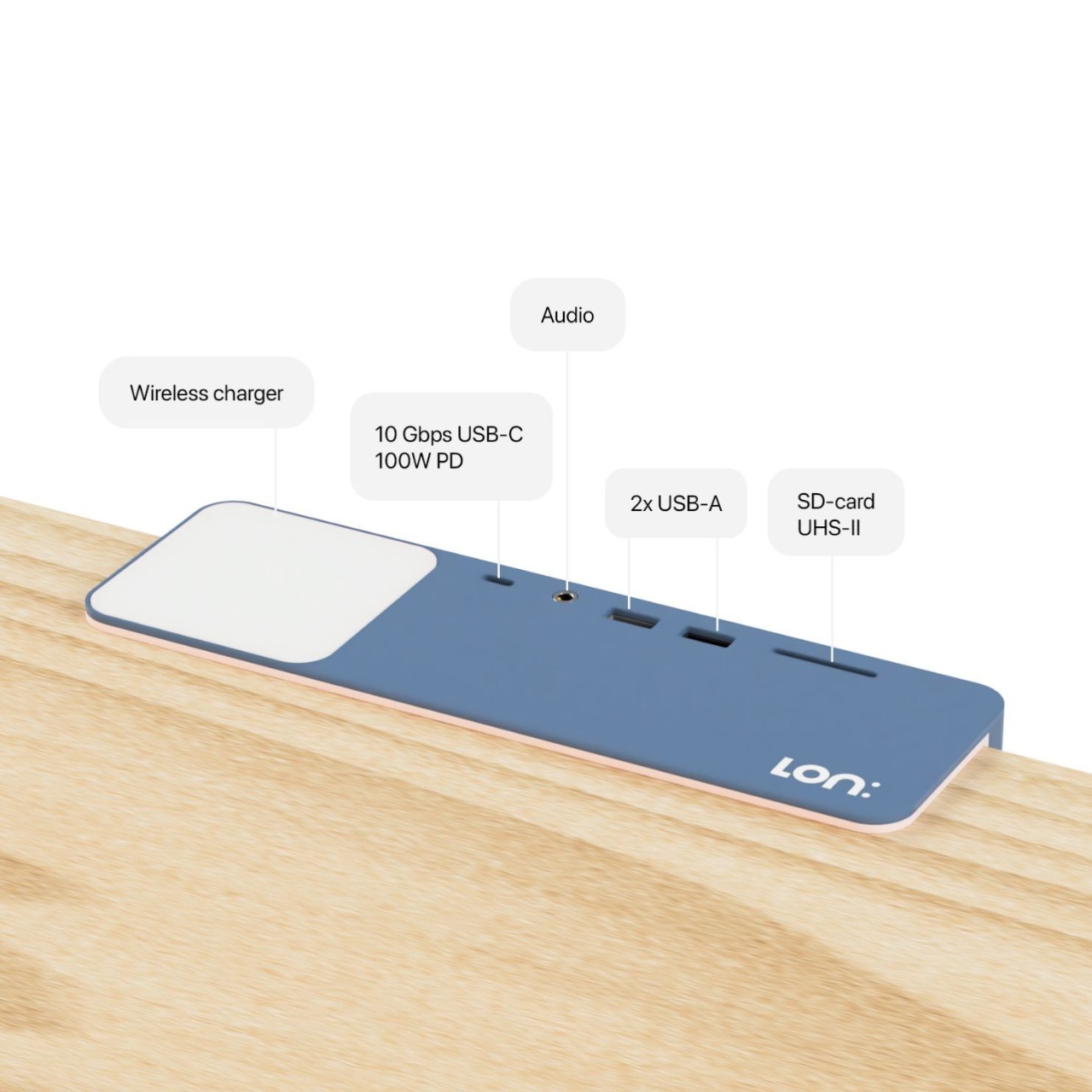
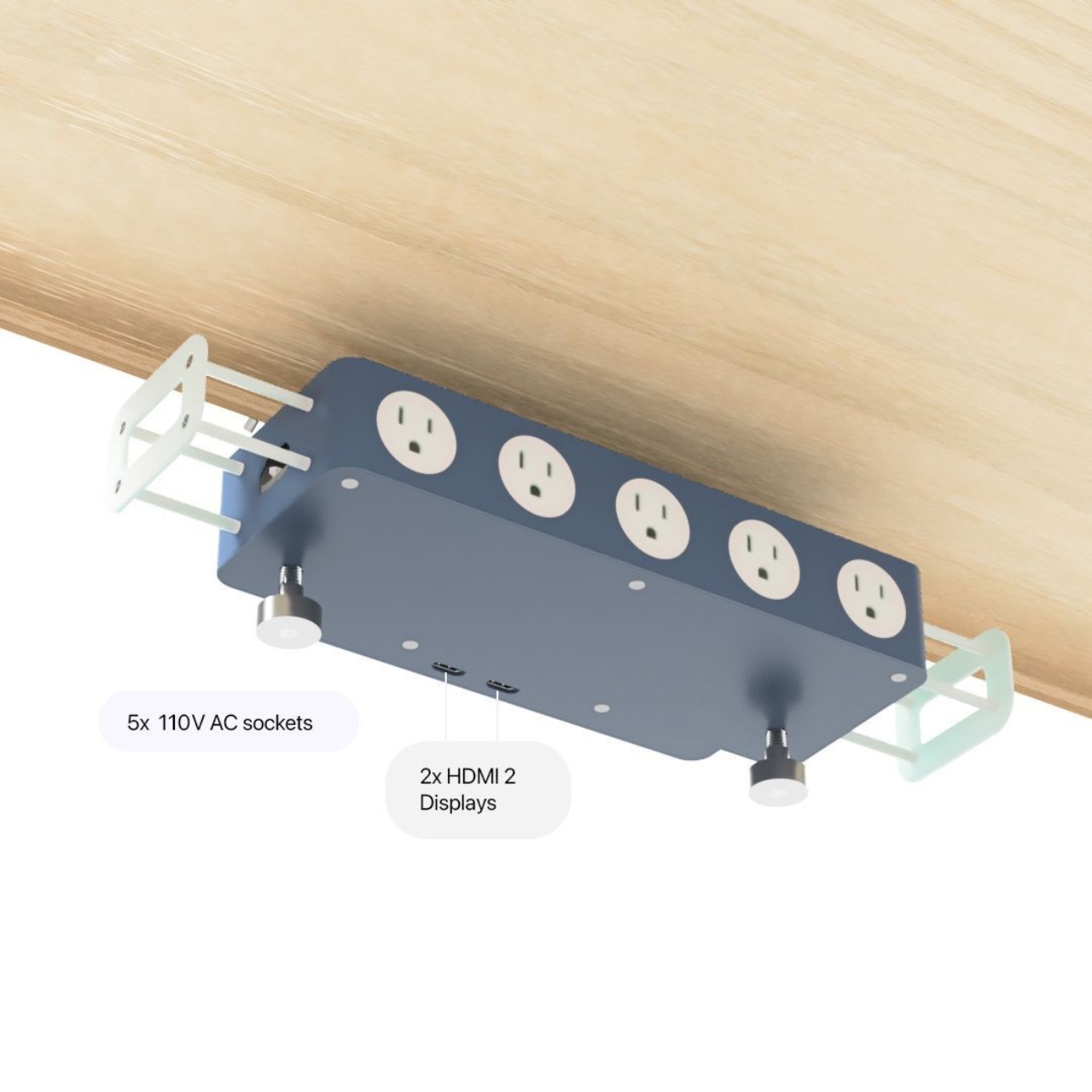
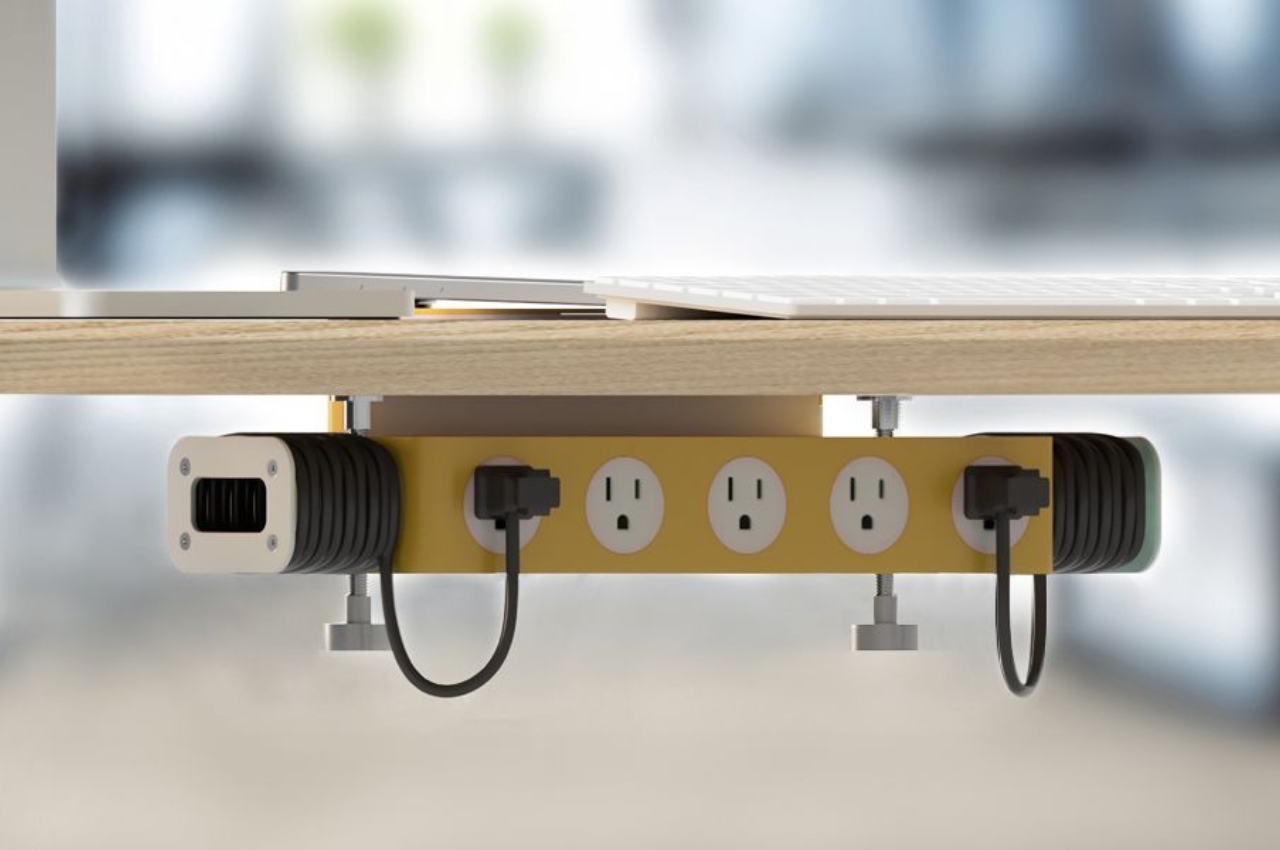
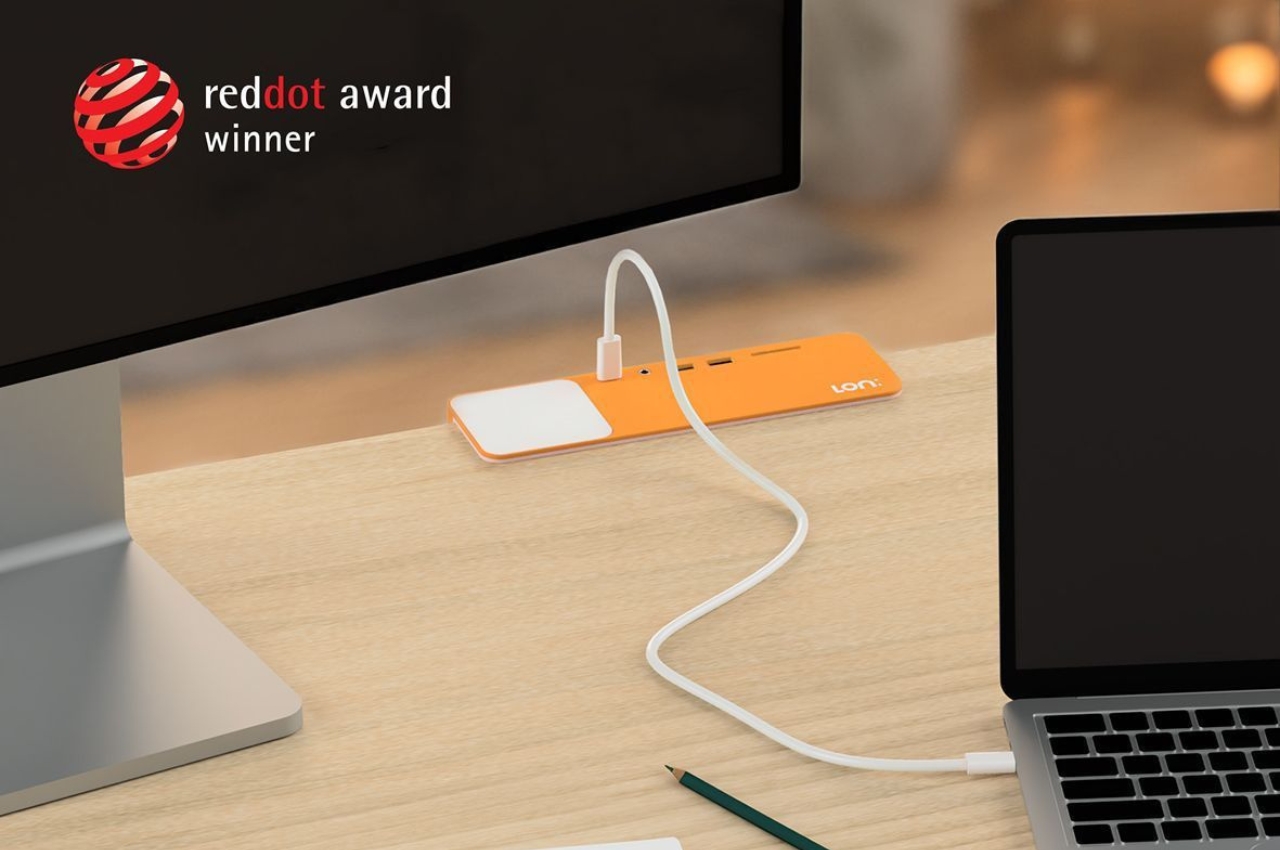
The Lon:HUB is one such docking hub that can give your desk a cleaner appearance and at the same time provide you with all the outlets and ports that you need. The ports and sockets are attached under your desk and on top of your space, you have some of the ports that you would need. Underneath, you have 5x 110V AC sockets, 2x HDMI 2 display ports, and 2x arms where you can wrap your cords around so you don’t get a spaghetti-like mess. On the edge of your desk, the hub has a 10 Gbps USB-C 100W port, 2x USB-A ports, an SD card slot, and it even has a wireless charger landing pad.
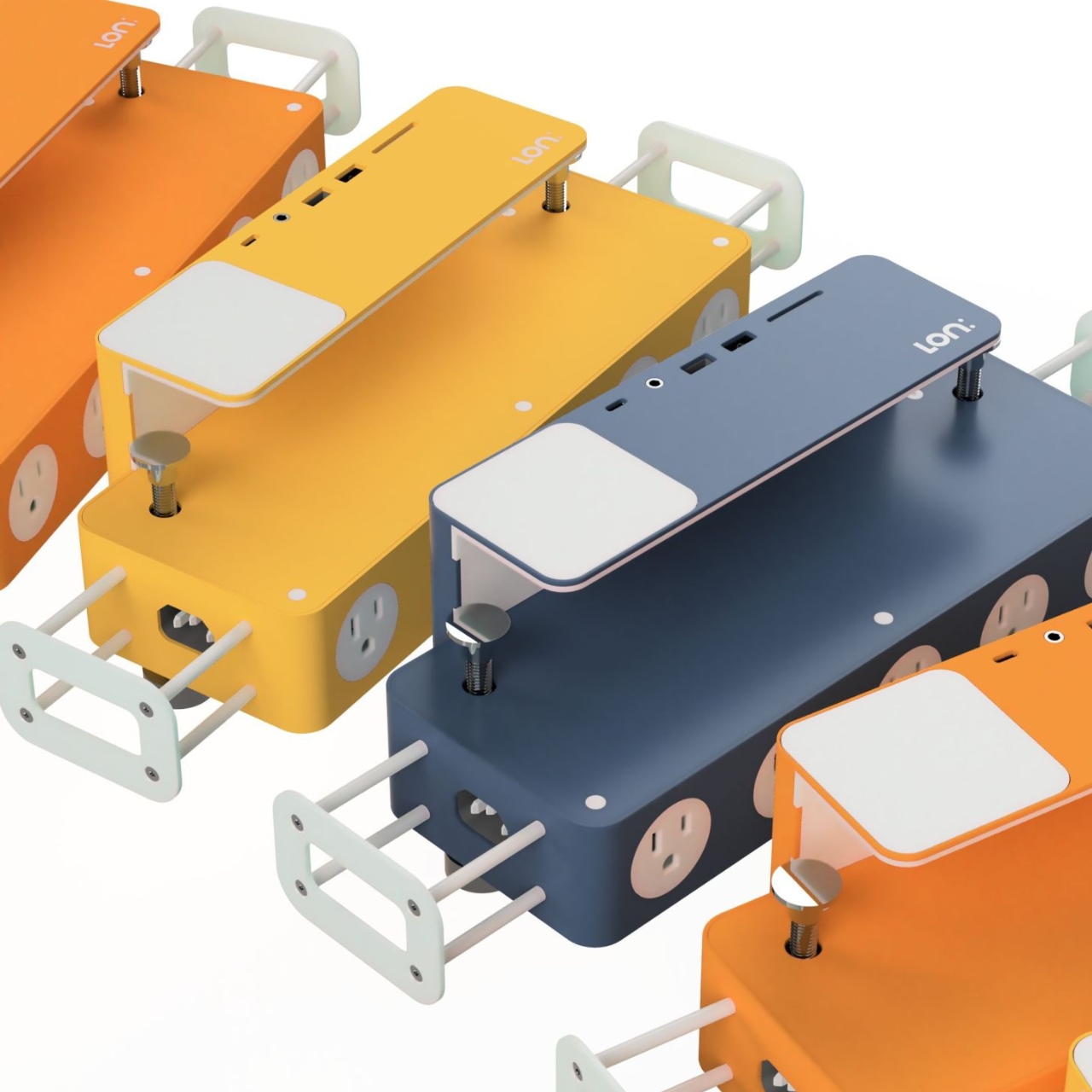
The hub also comes with a proprietary high-speed PCB with 100W PD and medical-grade power unit. It will also be available in several color options. We’re seeing orange, yellow, and a dark blue/grayish one if you prefer muted colors. If you want a more powerful unit, there will be a Pro version available which has a Thunderbolt 4 port, 2x HDMI 2.1 and 2x DisplayPort 1.4 ports,, a 2.5Gbps Ethernet card, 2x 10Gbps USB-C and 6x 10Gbps USB-A ports, a UHS-II SD-Card slot, QI2 wireless charger pad, and a 100W PD. It will also have a full aluminium casing.
The price tag hasn’t been officially revealed yet but it looks they’re planning to go for $199 which is a pretty good price tag for a dock. Design-wise the Lon:HUB is pretty minimalist and that is the point as something intricately designed may add to your desk’s clutter. I may not be leaving my maximalist style anytime soon but removing the cord and socket clutter may be the first step I’ll take and this dock would be a good start.