8BitDo Made the N64’s 30th Anniversary Keyboard Every Millennial Wants

Nintendo’s “Funtastic” translucent plastic era tends to provoke a specific kind of nostalgia. The see-through consoles and controllers from the late 1990s made the hardware itself part of the aesthetic, and the ice blue variant of the N64 in particular developed a cult following that outlasted the console’s commercial run by several decades. The transparency wasn’t a gimmick then, and it still doesn’t feel like one now.

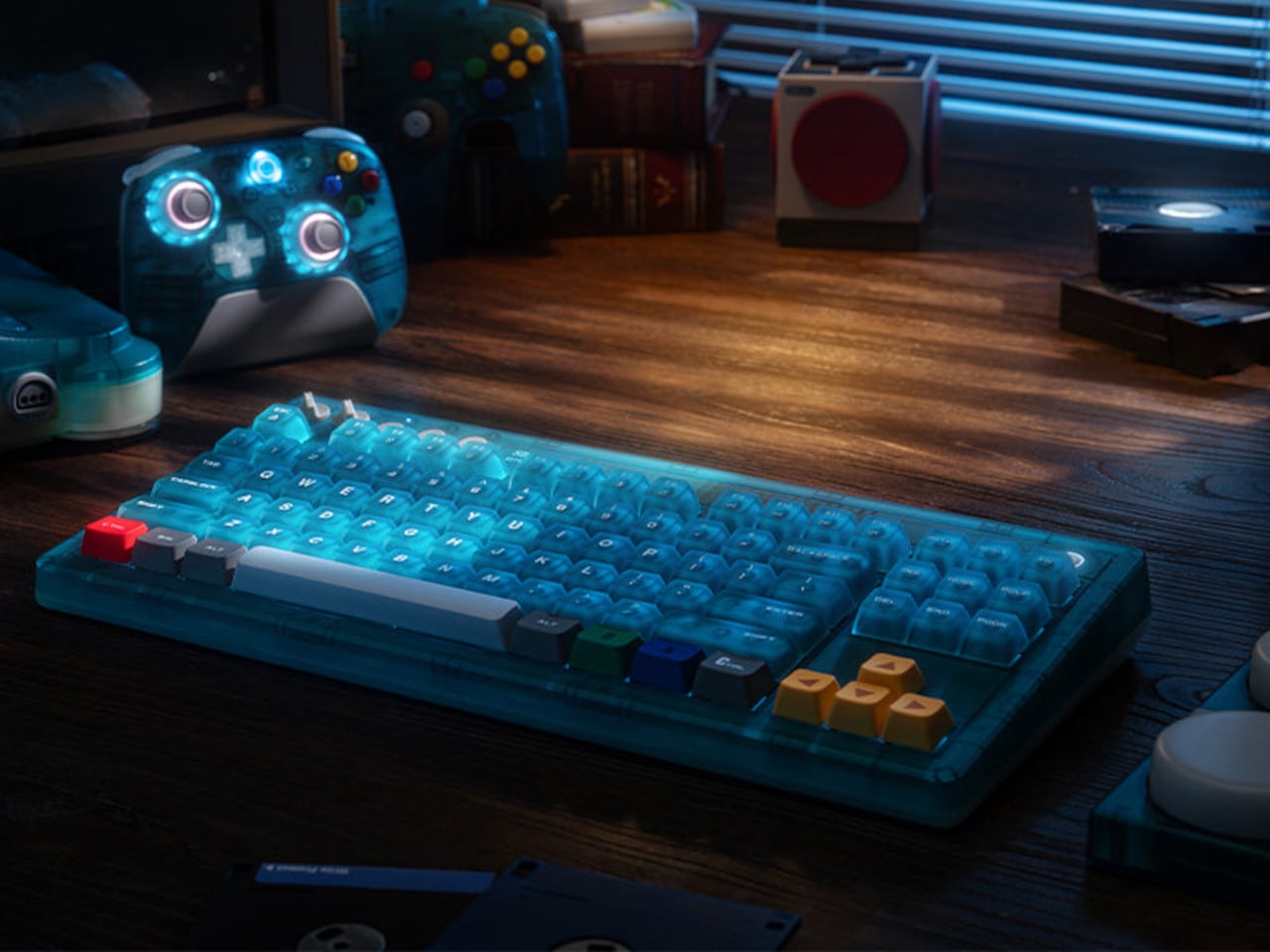
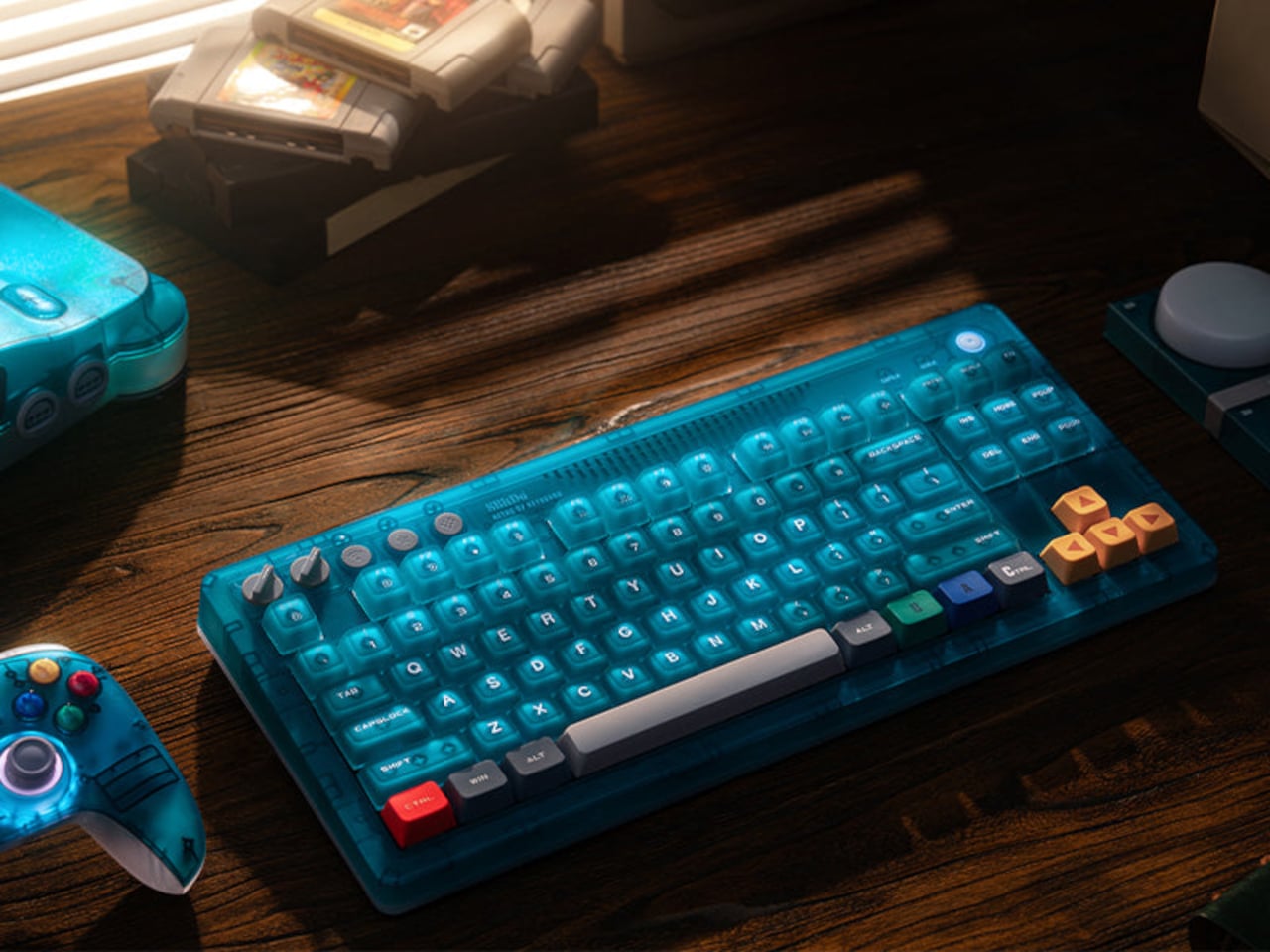
The 8BitDo Retro 87 Keyboard in Clear Blue arrives as part of the N64’s 30th anniversary and borrows that translucent blue finish directly. But the design doesn’t stop at the shell. Specific keys carry the actual color palette of the original N64 controller: yellow arrow keys for the C-buttons, blue and green A and B keys, and a red left Ctrl referencing the Start button. For anyone who logged enough hours with that particular controller, the color map reads immediately.

Designer: 8BitDo
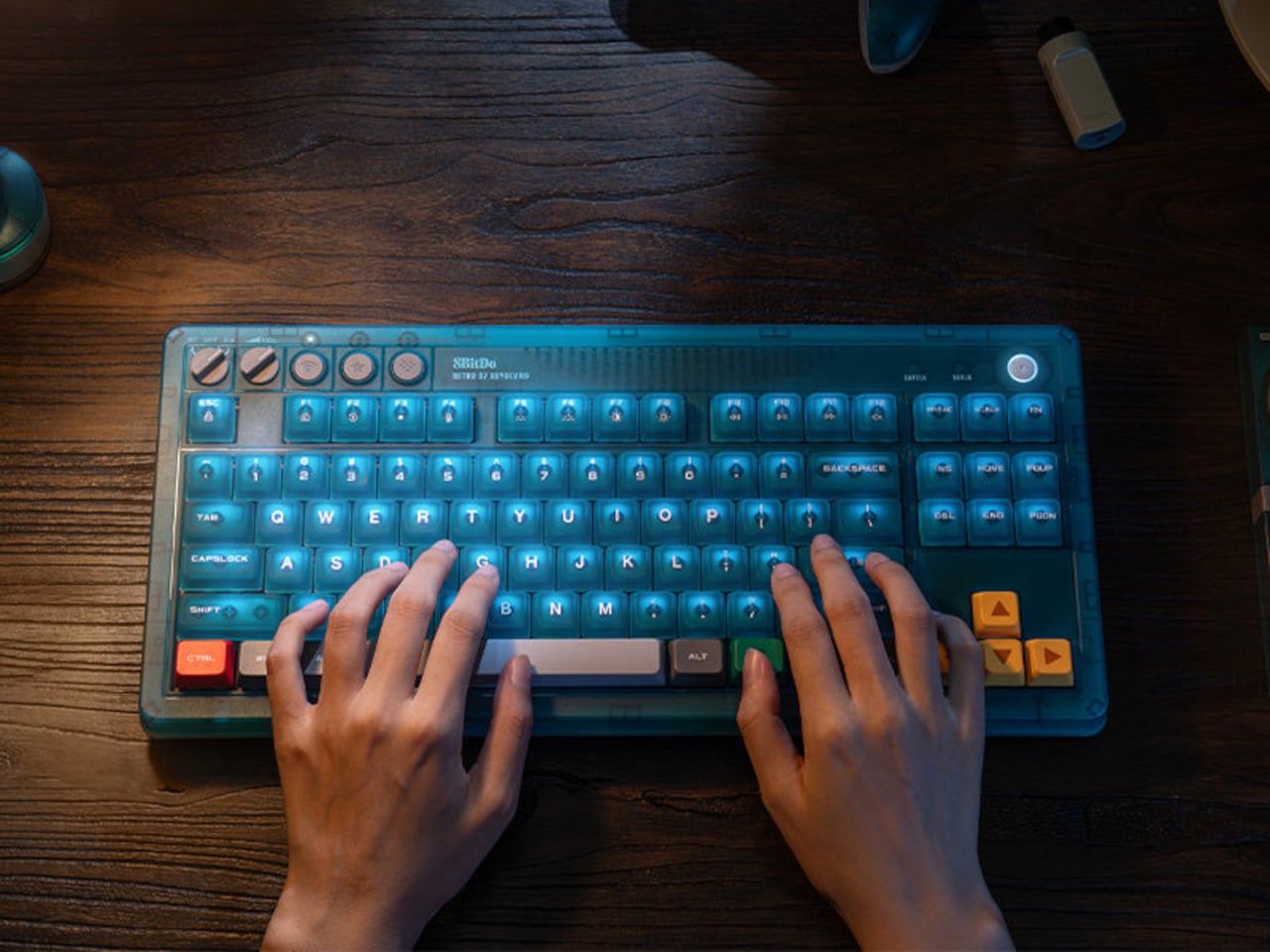
The Clear Blue edition uses 8BitDo Cloud Gray Linear mechanical switches, co-developed with HUANO specifically for this version and distinct from the Kailh Box White switches in the Fami and N editions. The keycaps combine dye-sublimation PBT and ABS + PC double-shot construction with a matte UV coating, giving the legends both durability and a finish that suits the translucent shell better than a glossy alternative would.
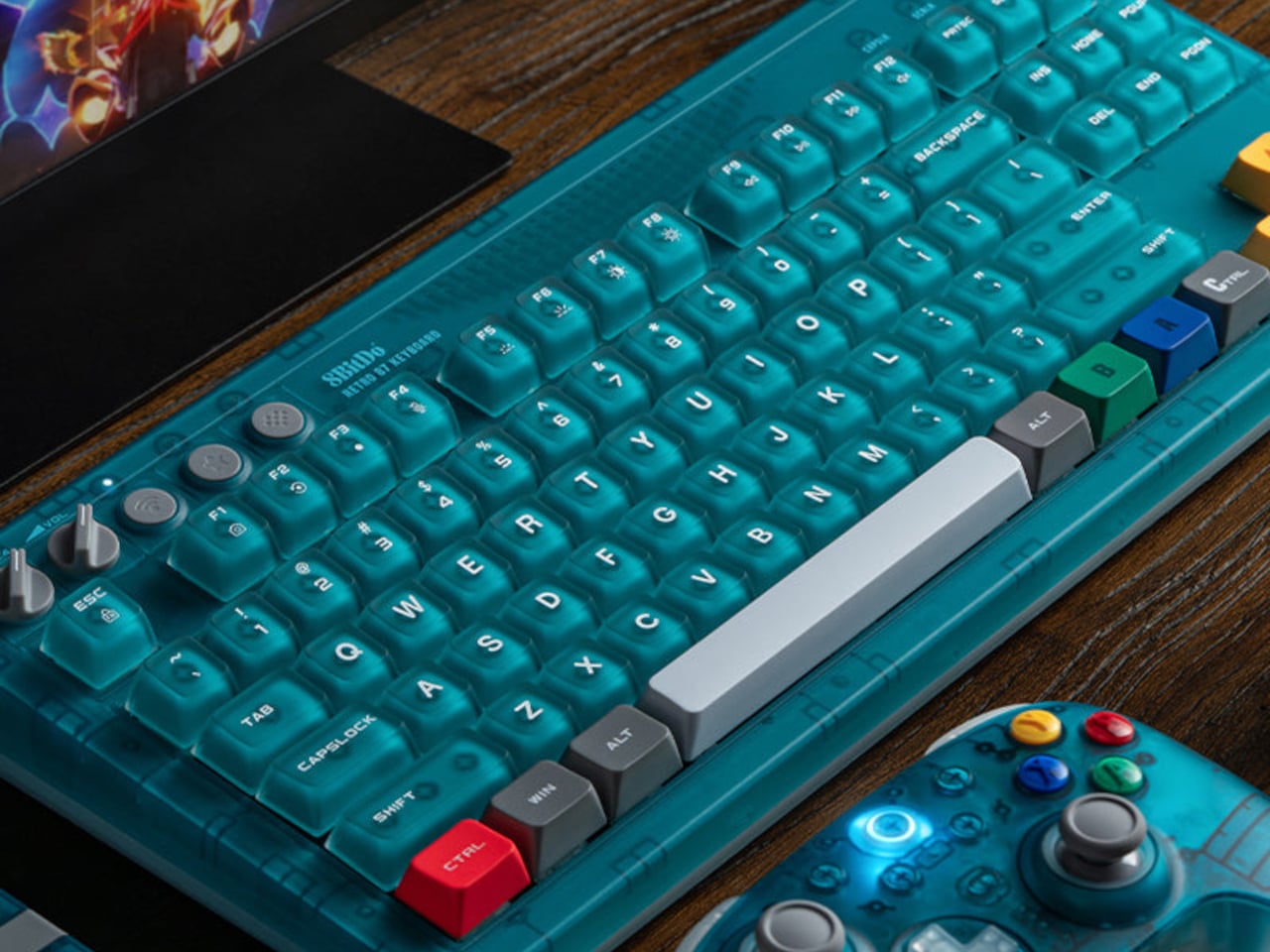
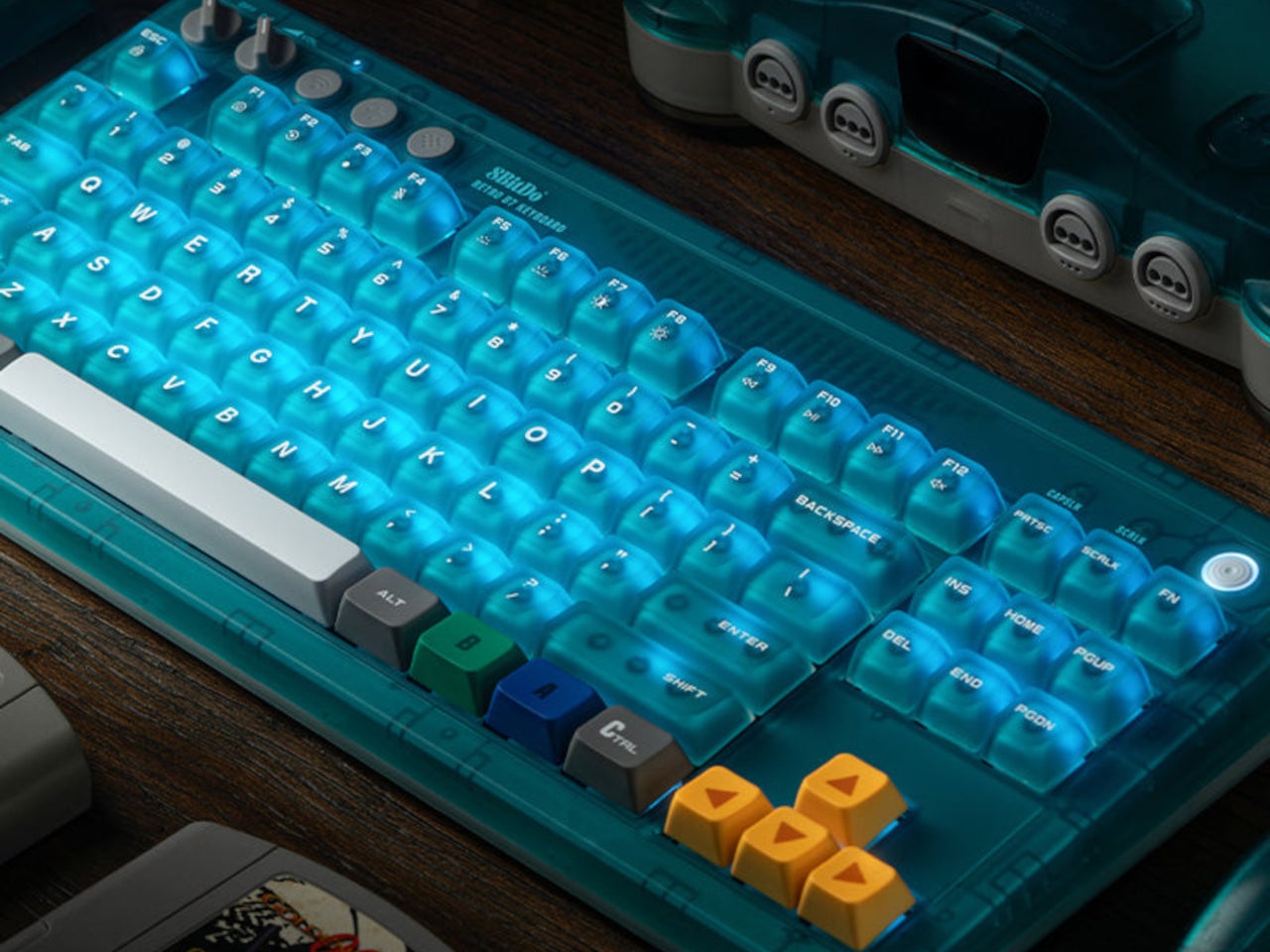
Underneath, the hot-swappable PCB sits in a top mount configuration, which is a construction choice that tends to provide a softer, more cushioned typing feel compared to bottom mount builds. N-key rollover handles simultaneous inputs without dropping keystrokes. Per-key RGB backlighting runs through the whole board, visible through the translucent shell in a way that a standard opaque case would never allow. The 200-hour wireless battery life on a 2,000 mAh cell is rated for the 2.4 GHz wireless mode, with the adapter included in the box.
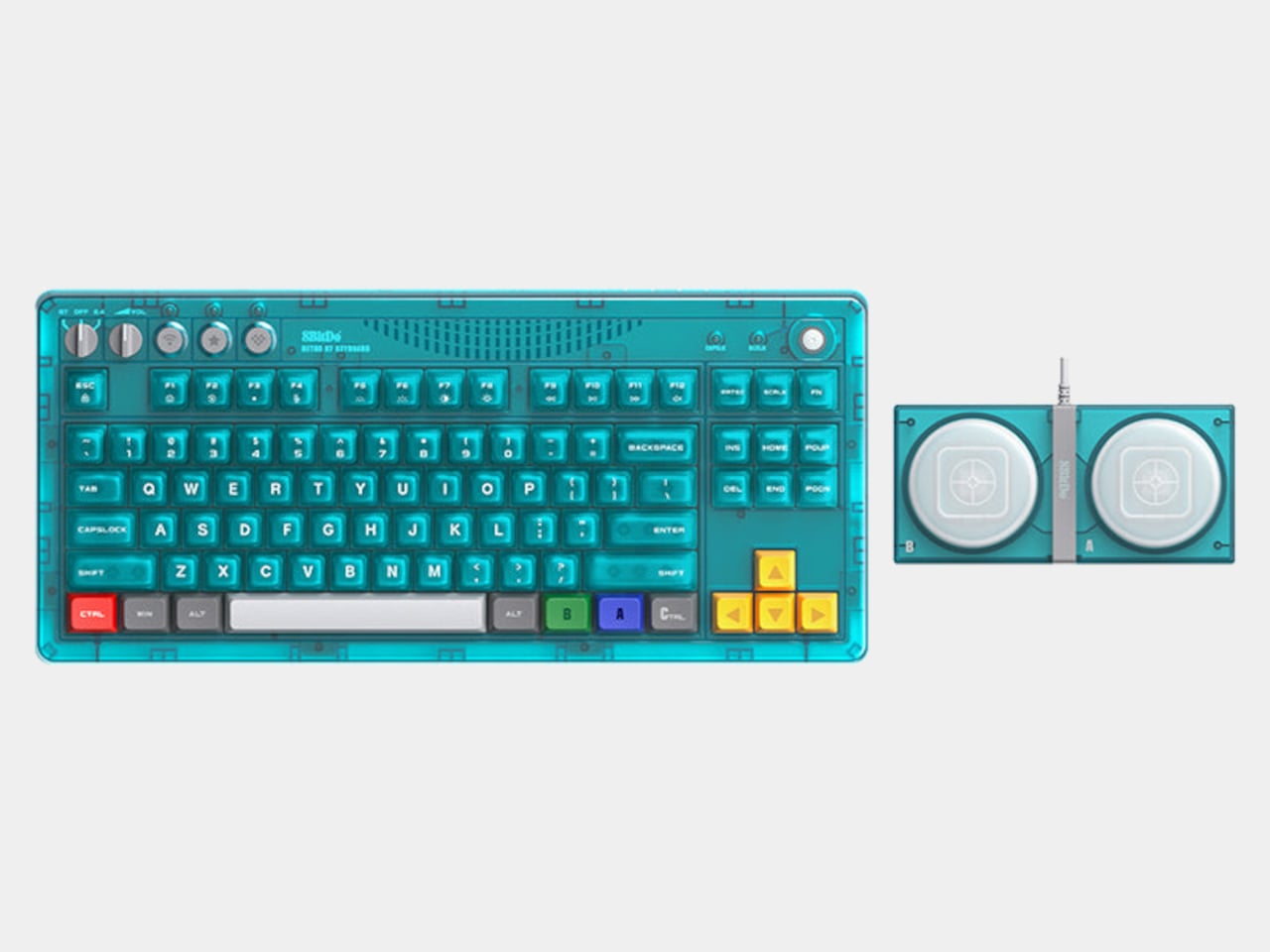
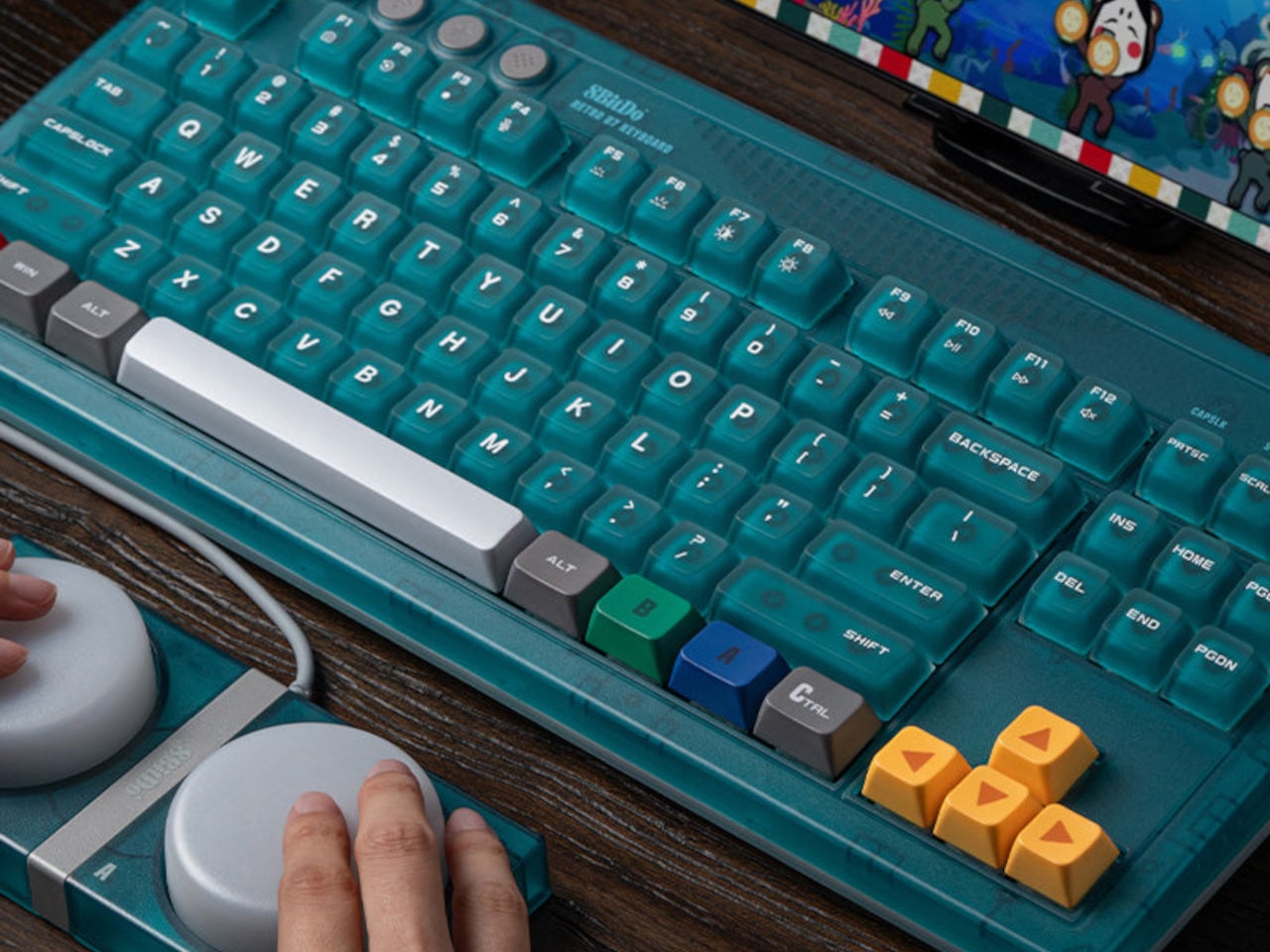
Connectivity covers three modes: Bluetooth, 2.4 GHz wireless, and wired USB, the standard trio for a modern keyboard that needs to move between devices and setups. A pair of programmable Super Buttons ships with the keyboard, matching the Clear Blue finish and assignable through 8BitDo Ultimate Software V2. They sit outside the main typing area and can take on whatever function is needed, from media controls to game inputs.
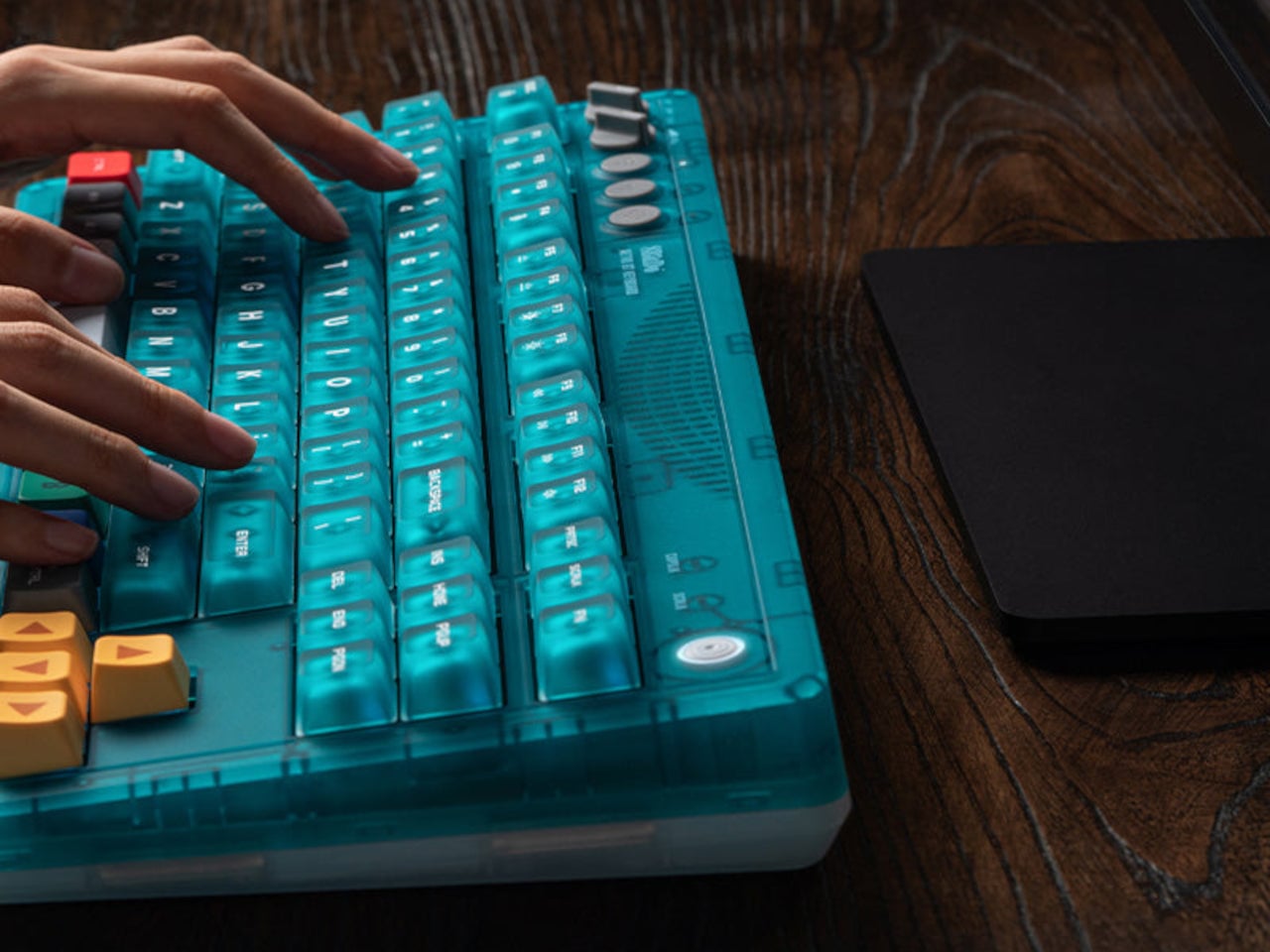
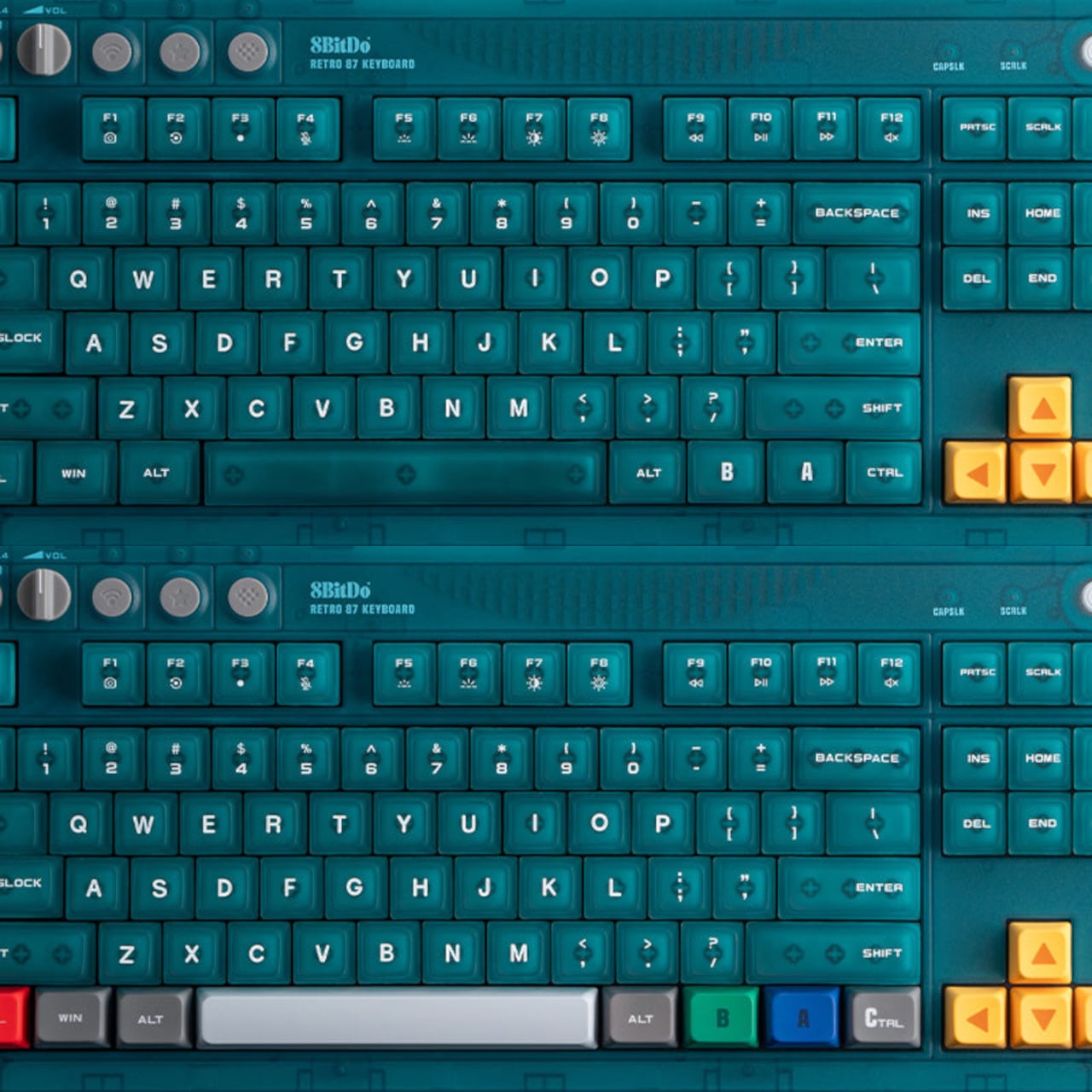
The 87-key tenkeyless layout drops the number pad but keeps the full navigation cluster, which is the practical choice for a keyboard meant to share desk space with other peripherals. The layout doesn’t commit to being purely a gaming board or purely a productivity tool, which suits a keyboard this visually distinctive rather well. Something that references a 30-year-old console doesn’t need to pretend it’s a neutral office accessory.
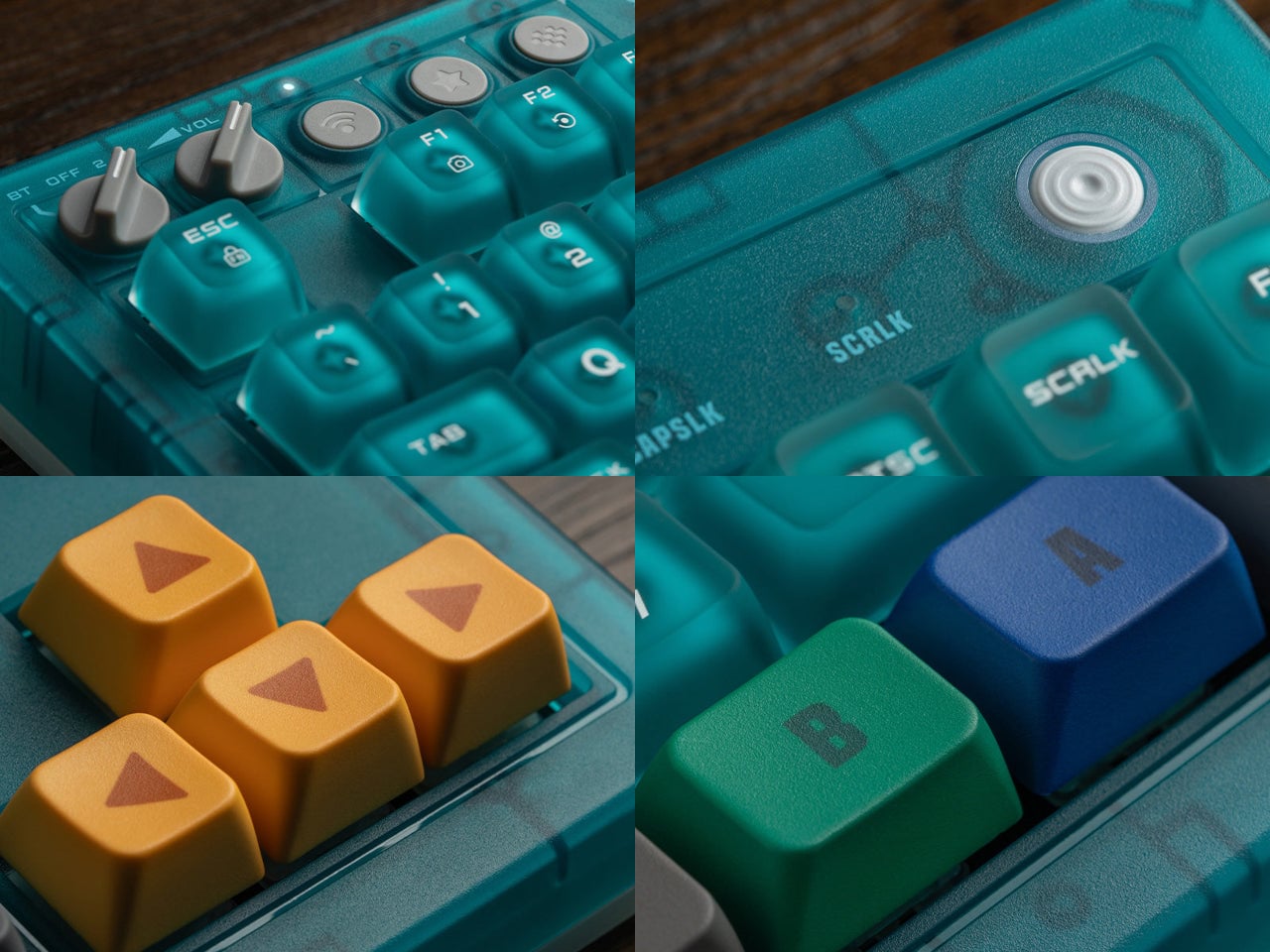
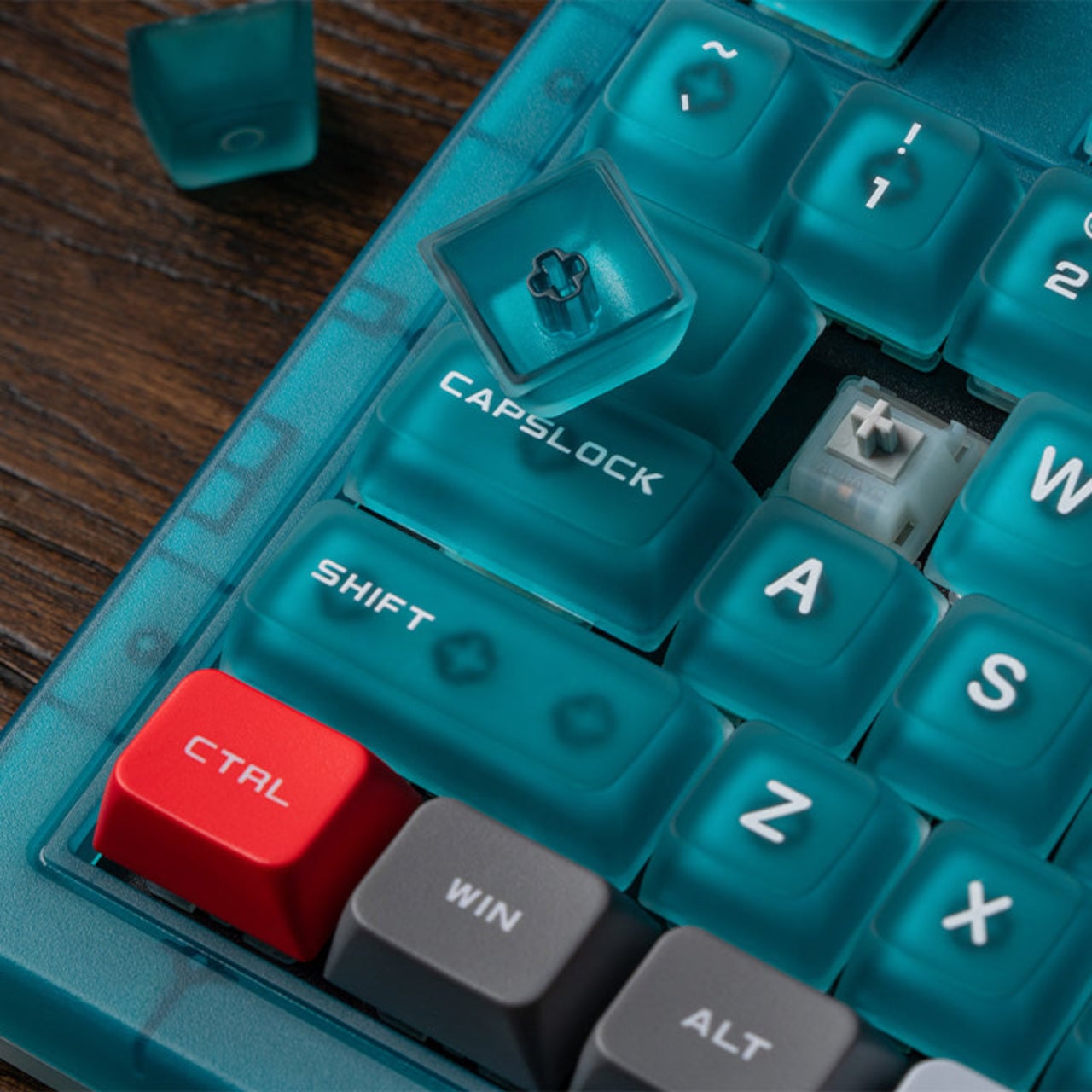
There’s a certain honesty to the approach here. The Clear Blue colorway isn’t a subtle nod or a distant reference; it’s an explicit callback to a specific era of hardware design that a generation of players grew up with. The translucent shell shows the PCB and internal components through the blue tint, carrying the same logic those original Funtastic consoles did: the inside of the hardware was worth looking at.
The post 8BitDo Made the N64’s 30th Anniversary Keyboard Every Millennial Wants first appeared on Yanko Design.
Most Macro Pads Top Out at 24 Keys, but This Keychron Has 100

Macro pads have always operated on the assumption that a handful of keys is enough. Most offer between six and 24 programmable buttons, which covers a tidy shortcut setup until it doesn’t, when a workflow shifts or a new application joins the rotation. Running out of keys usually means buying a second pad, stacking it beside the first, and accepting that the layout will never quite be what you originally wanted.

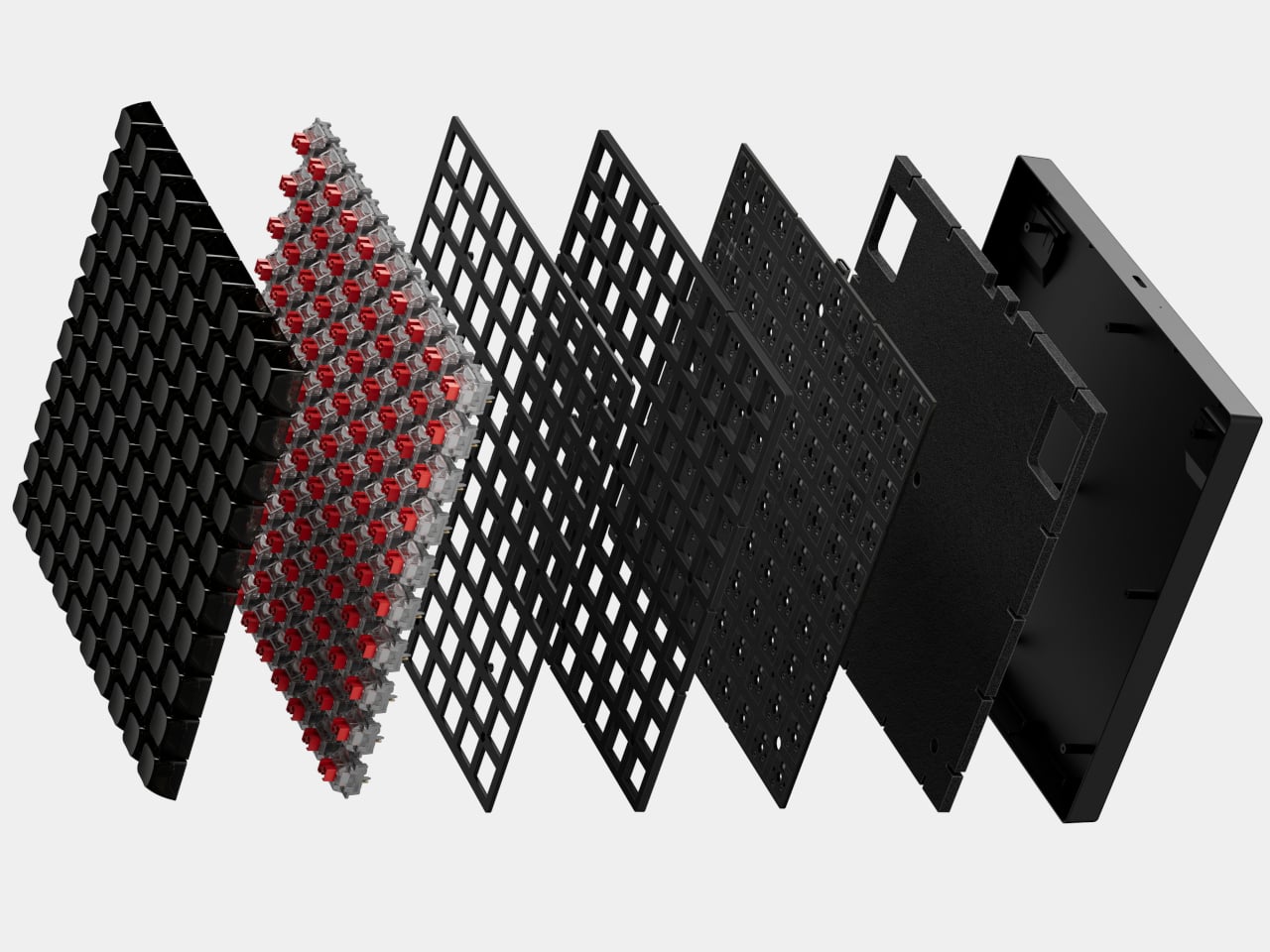
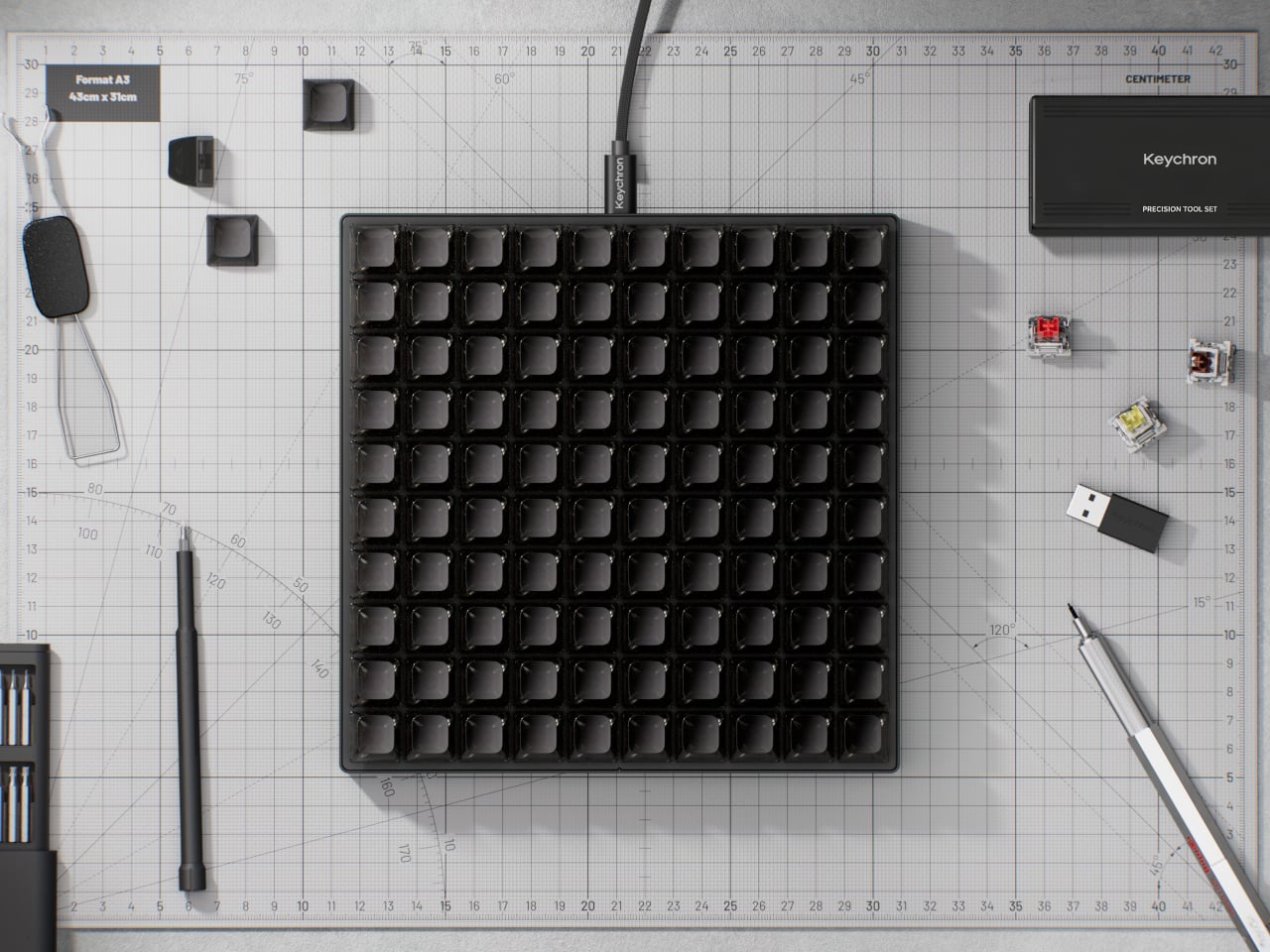
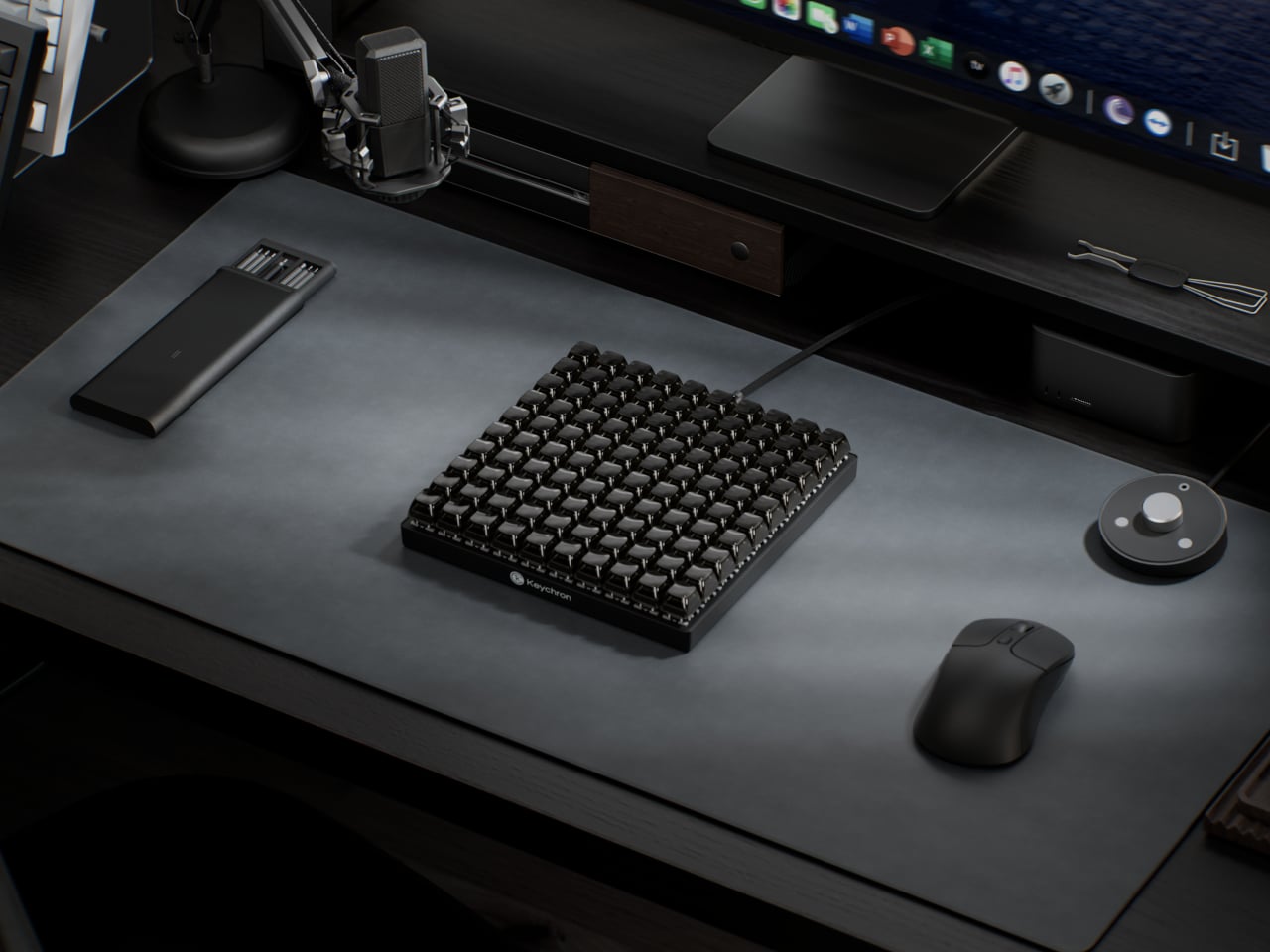
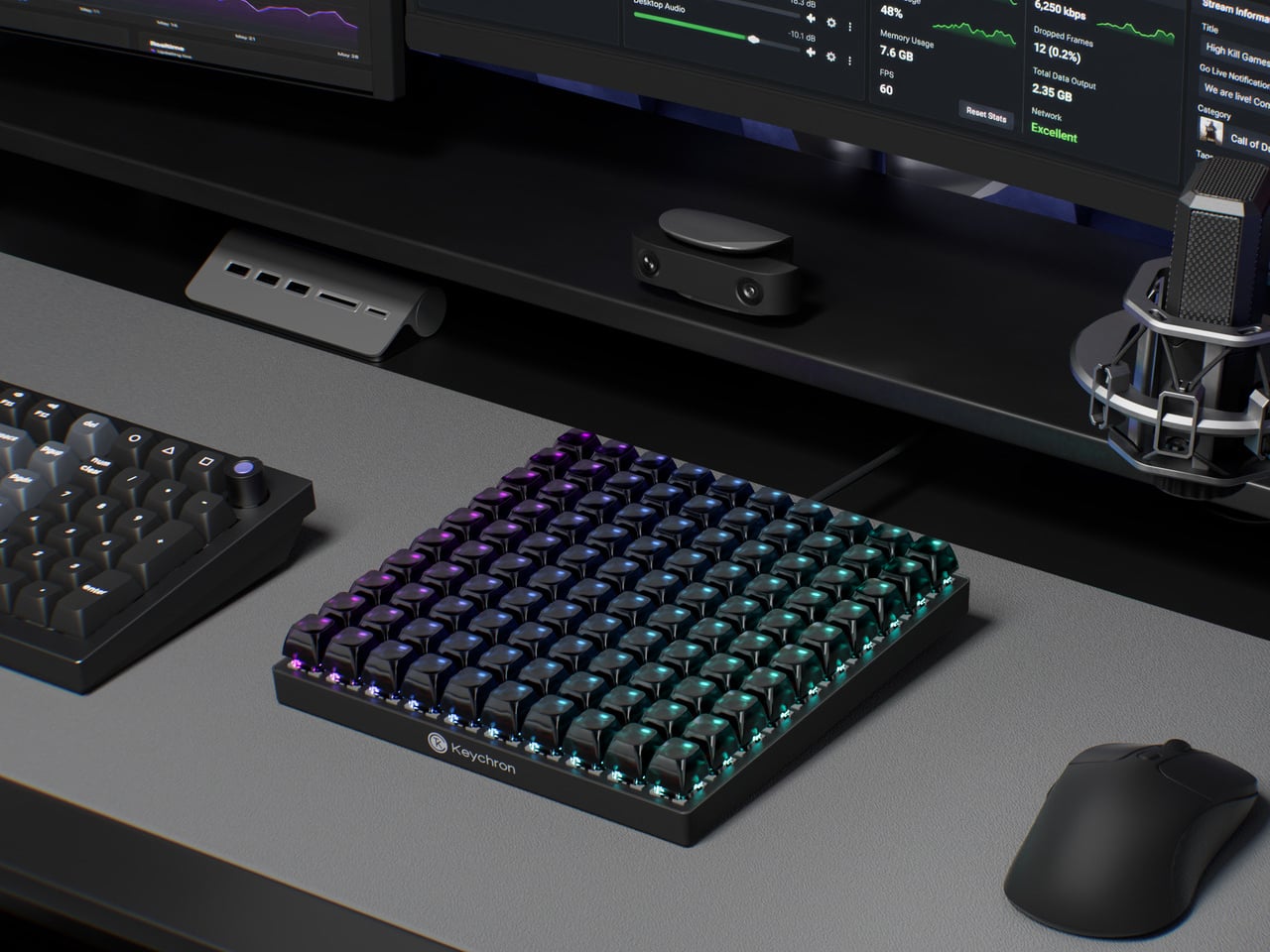
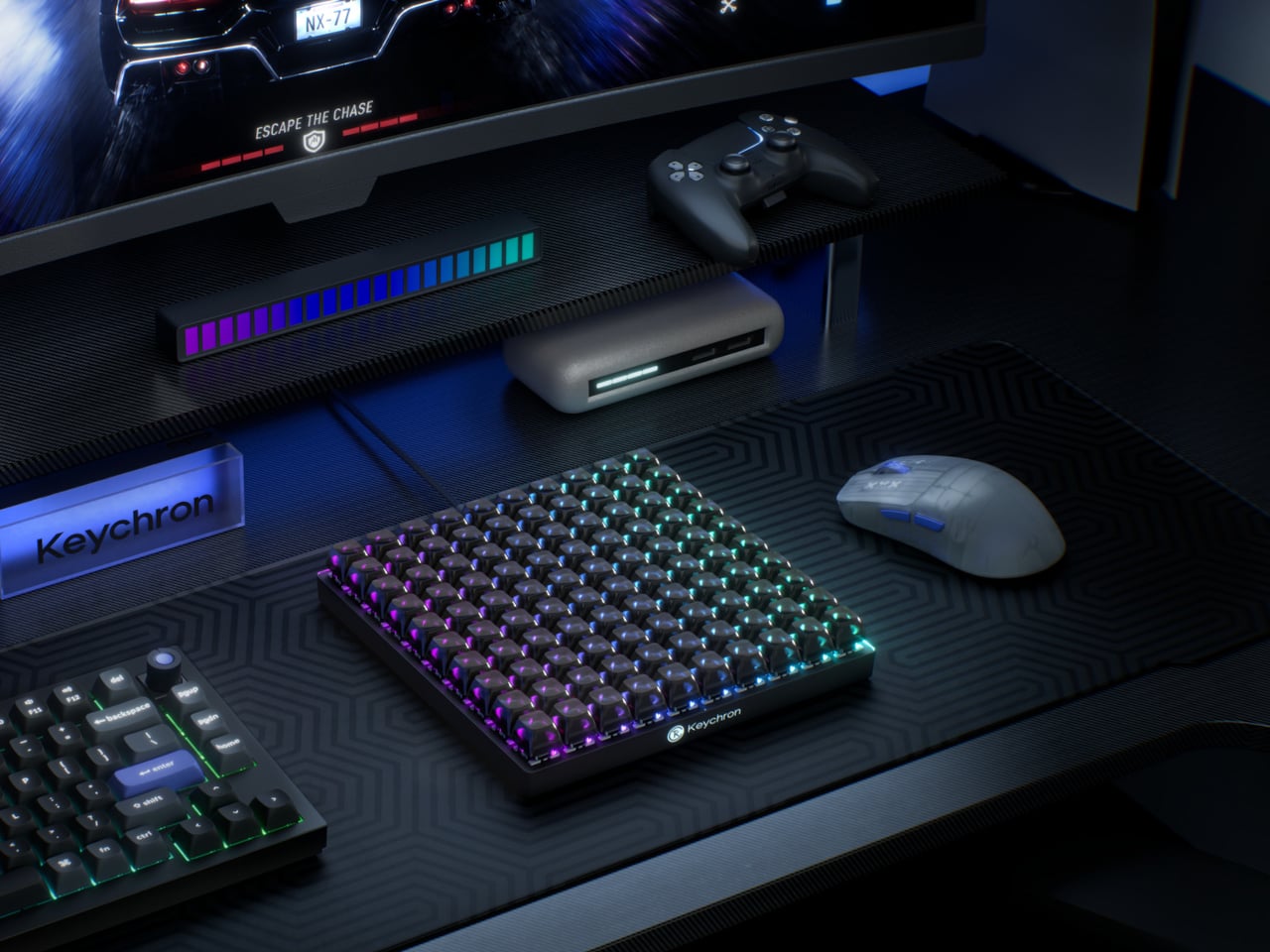
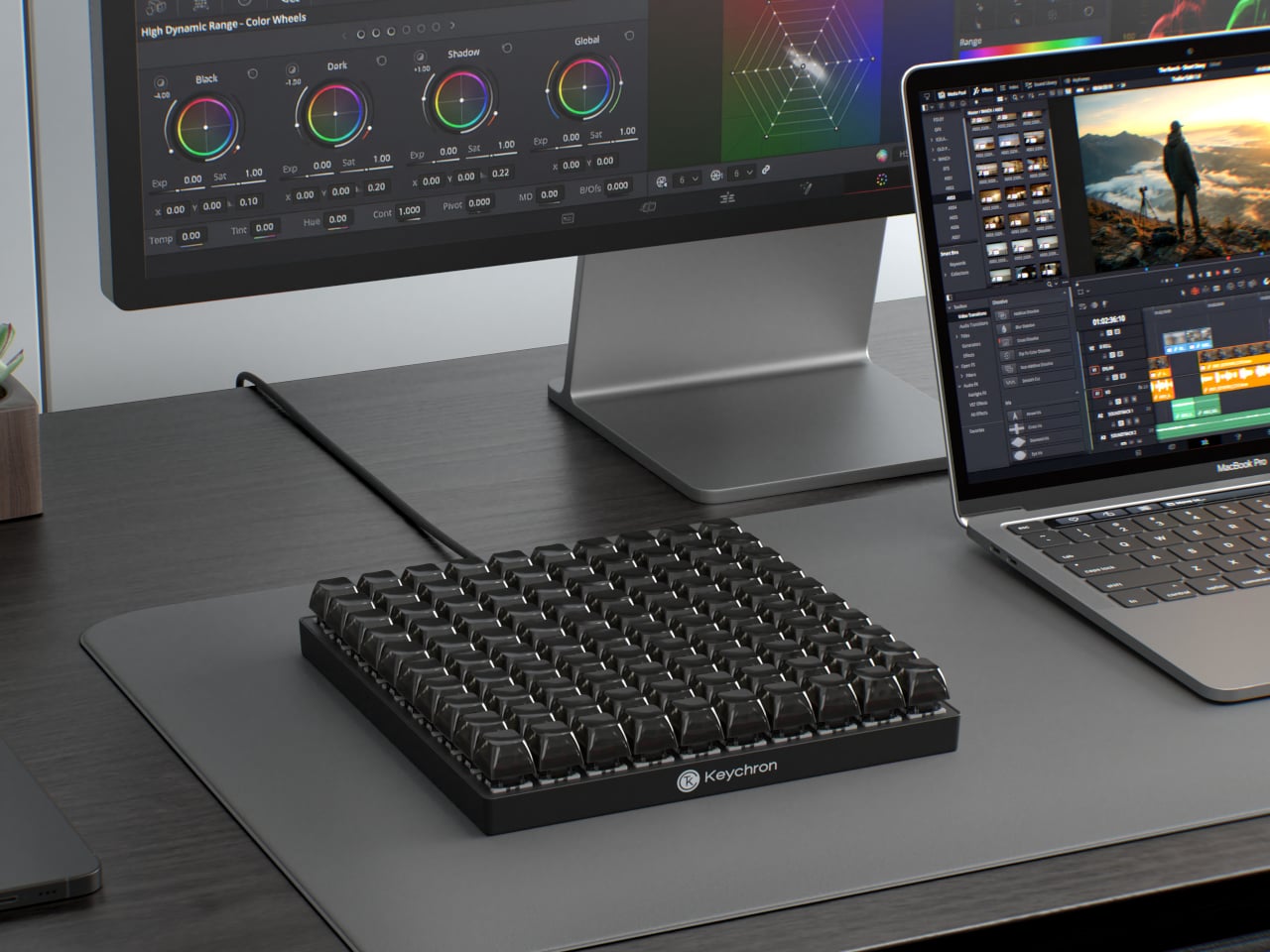
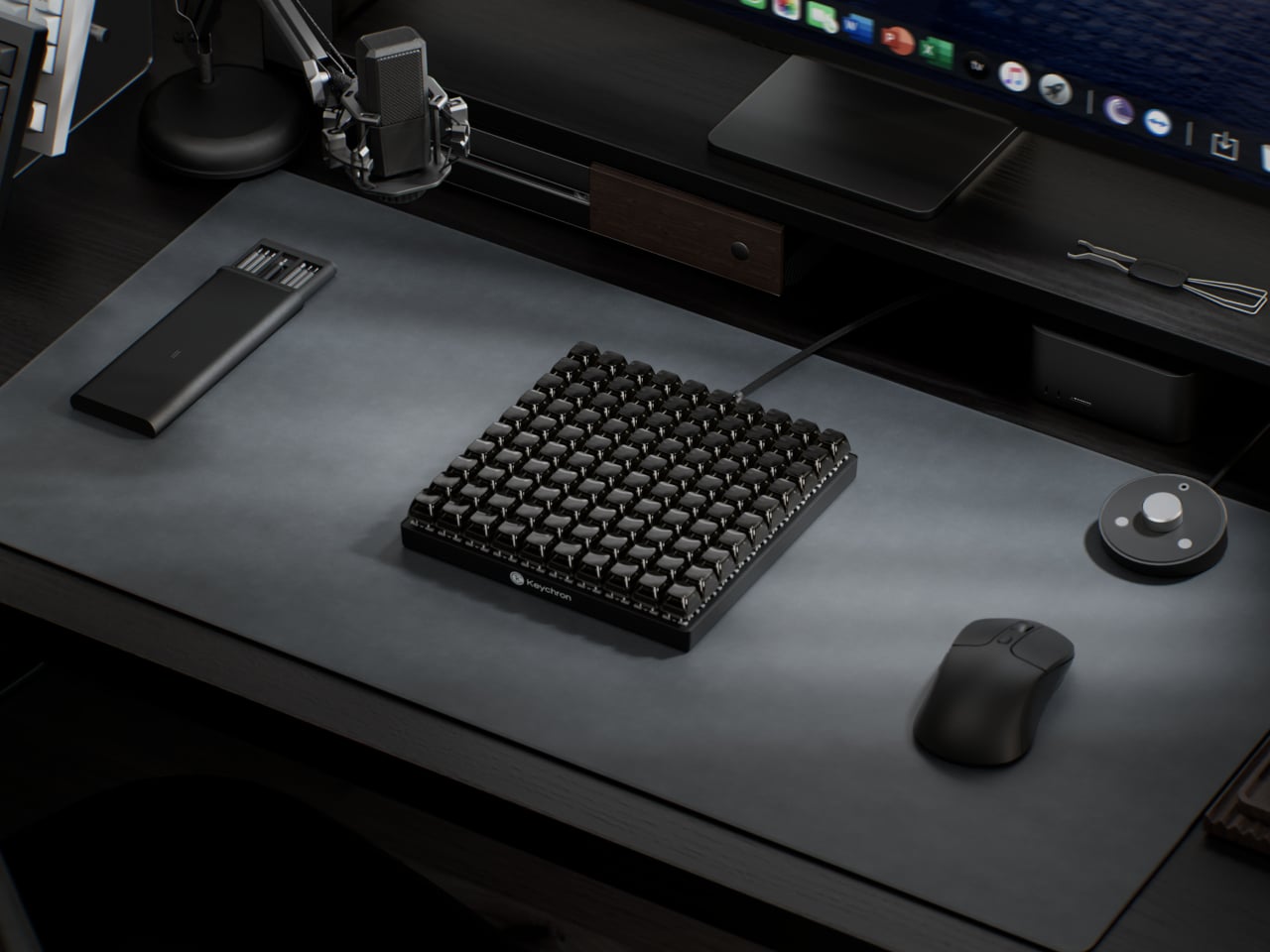
The Keychron C100 8K skips that problem entirely by starting with 100. Arranged in a 10-by-10 grid and taking up roughly the footprint of a full-size keyboard, it ships with every key completely unbound. There are no default shortcuts, no preset layouts, and nothing to undo. The entire surface is a blank canvas that users fill through Keychron Launcher, the brand’s browser-based configuration tool.

Designer: Keychron

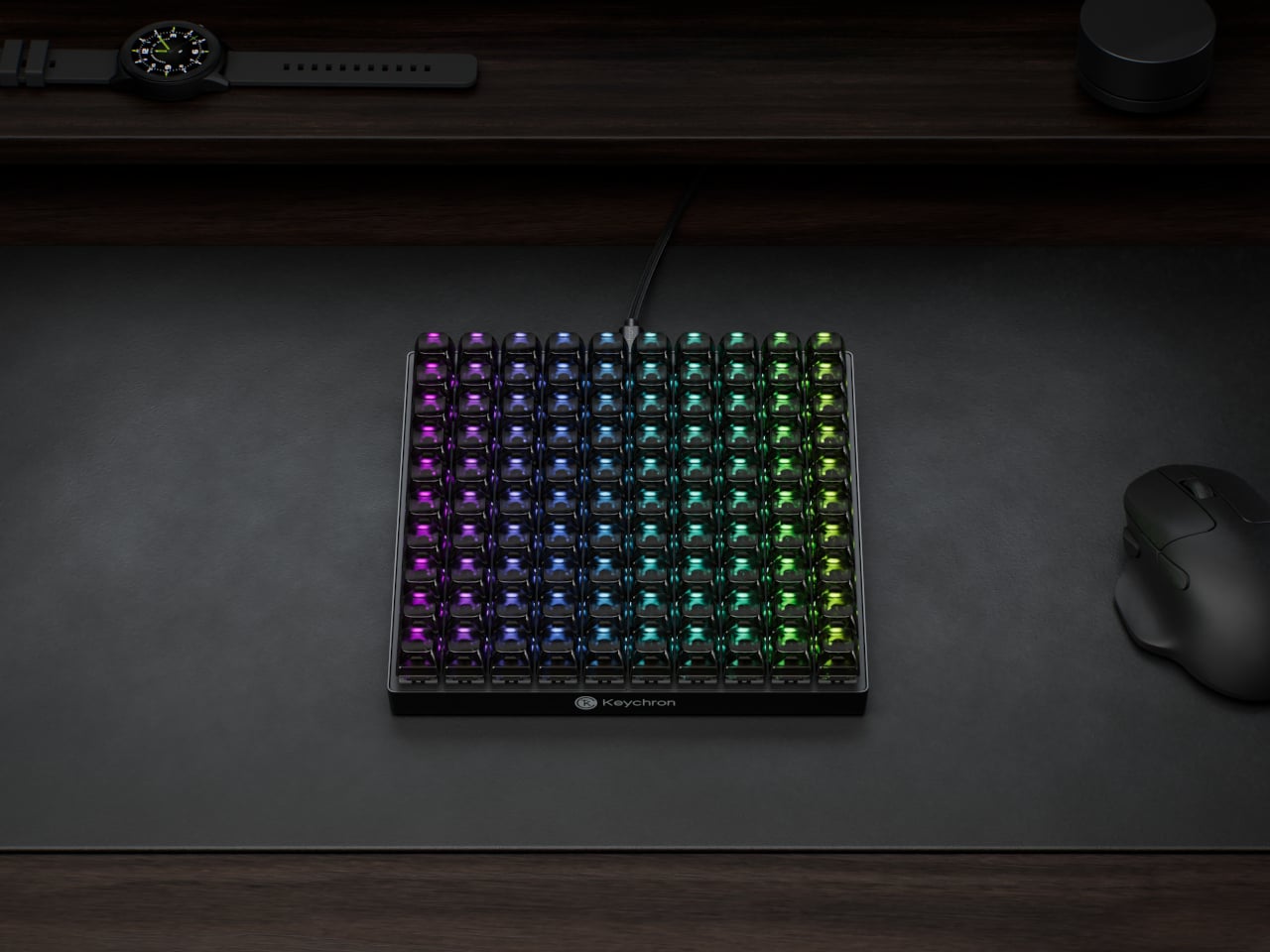
That software handles everything from key assignments and macro sequences to per-key RGB lighting. Color-coding matters more here than it does on a conventional keyboard, because it’s one of the more practical ways to navigate 100 unmarked keys. A cluster in red for video editing, a row in blue for streaming controls, and a section in green for communication apps turns a uniform grid into something immediately legible.

The switches underneath are Keychron’s own Apex Red linears, which ship installed but aren’t the only option. Hot-swappable sockets mean any MX-style switch fits without soldering, which opens the C100 to the deeper enthusiast habit of collecting and testing different switches across different zones. The transparent ASA-profile keycaps, made from a combination of PBT and polycarbonate, let the per-key RGB glow through without muddying the colors.

An 8,000Hz polling rate sits at the competitive end of the spec sheet, which matters most for gaming where input latency becomes meaningful. That puts the C100 in a different position from most macro pads, which treat speed as secondary to programmability. Having both in the same device means the 100 keys can cover reactive gaming inputs and slower productivity shortcuts with the same responsiveness.

The scale of the grid also changes how the device can be organized in practice. A standard macro pad tends to cluster tightly around a single application, leaving little room for secondary controls. The C100 has enough room to dedicate zones to different software contexts without overlap, so switching between a video editor and a 3D modeling tool doesn’t require reprogramming or layer-switching in the middle of a session.

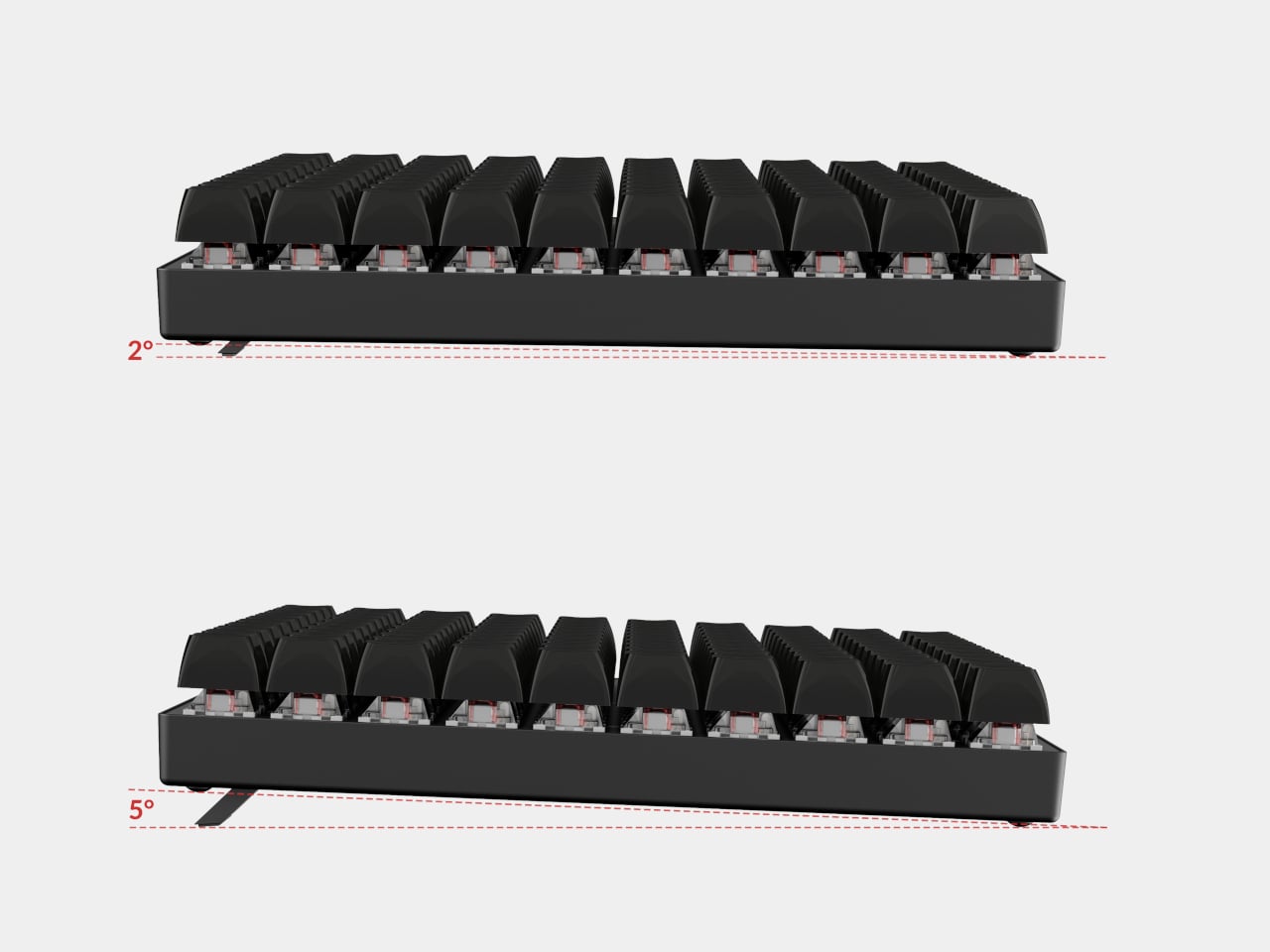
Connectivity is wired USB Type-C, which removes batteries and wireless latency from the equation. Adjustable feet let users dial in the typing angle, and the plastic body keeps the overall weight manageable for something this large. At 196.65mm x 196.65mm, the C100 forms a perfect square, which makes it geometrically distinctive at a glance and easy to position consistently on a desk.

The post Most Macro Pads Top Out at 24 Keys, but This Keychron Has 100 first appeared on Yanko Design.

The $180 Razer Mouse That Makes a Second Gaming Mouse Pointless

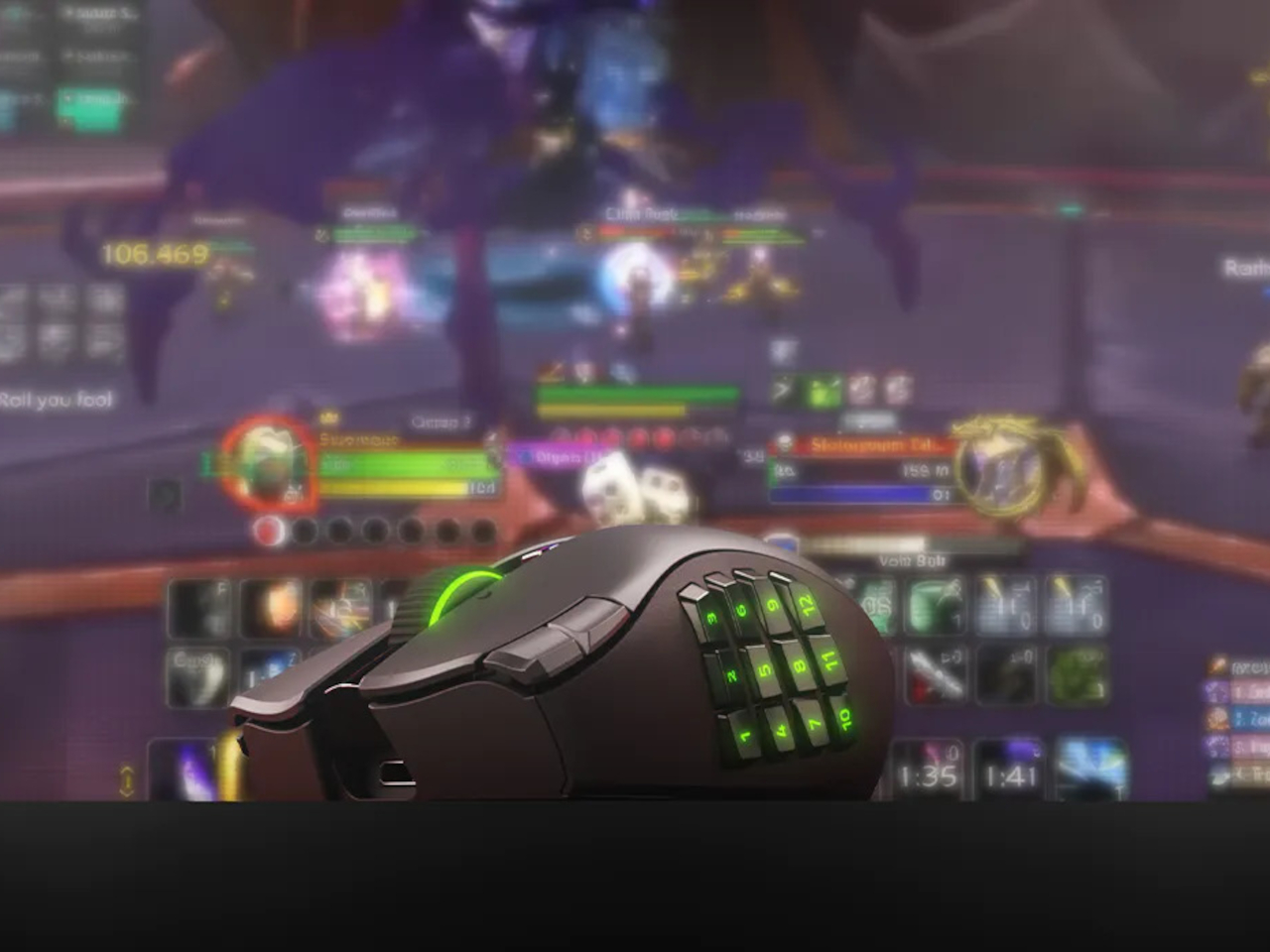
Gaming mice have always had a specialization problem. The ones built for MMOs come loaded with thumb buttons that feel excessive the moment you switch to a shooter. FPS mice are clean and fast but leave MOBA players reaching for keyboard shortcuts that shouldn’t need to be there. Buying two mice for two genres has been the practical answer, which is also the least satisfying one.

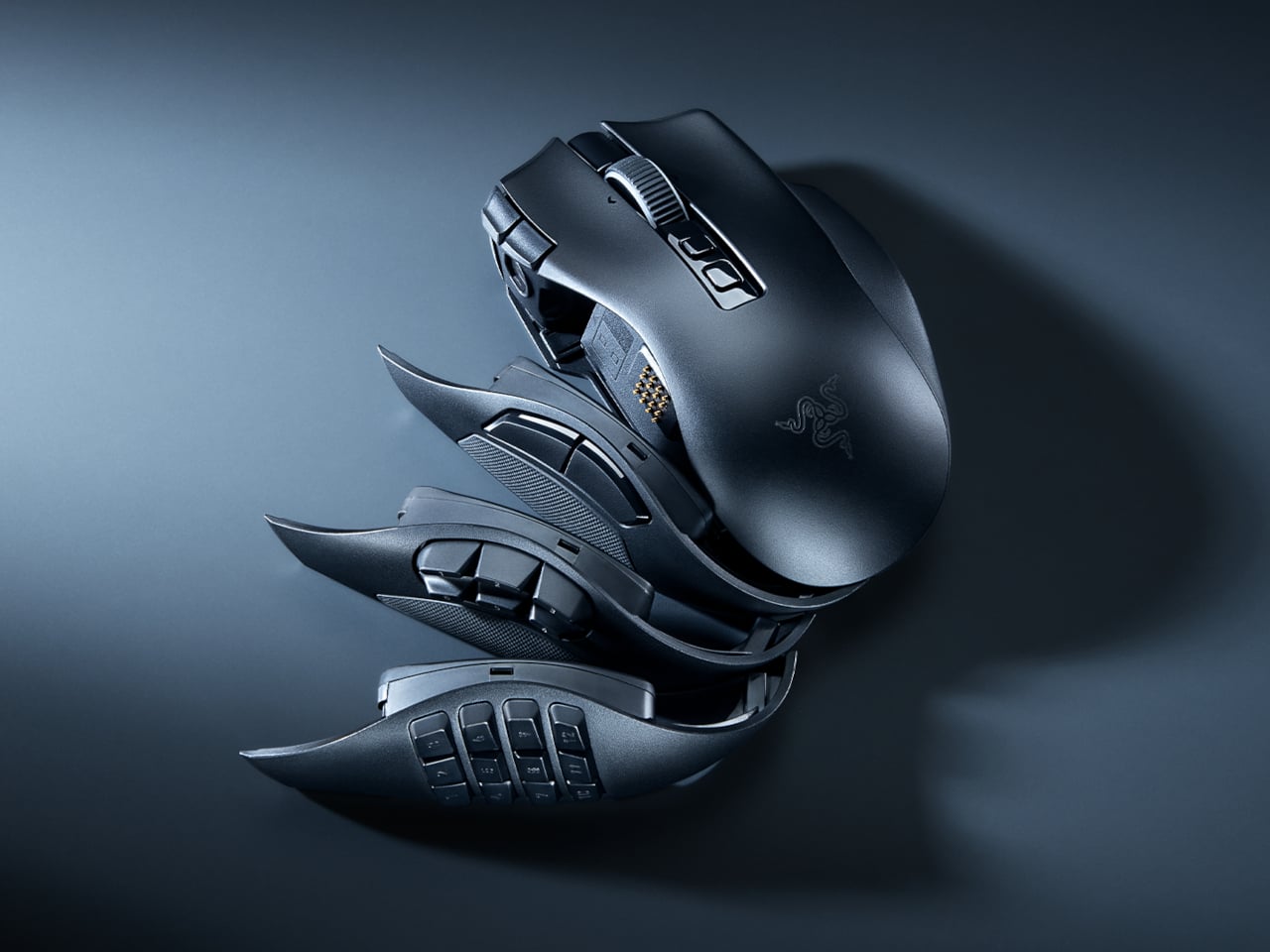
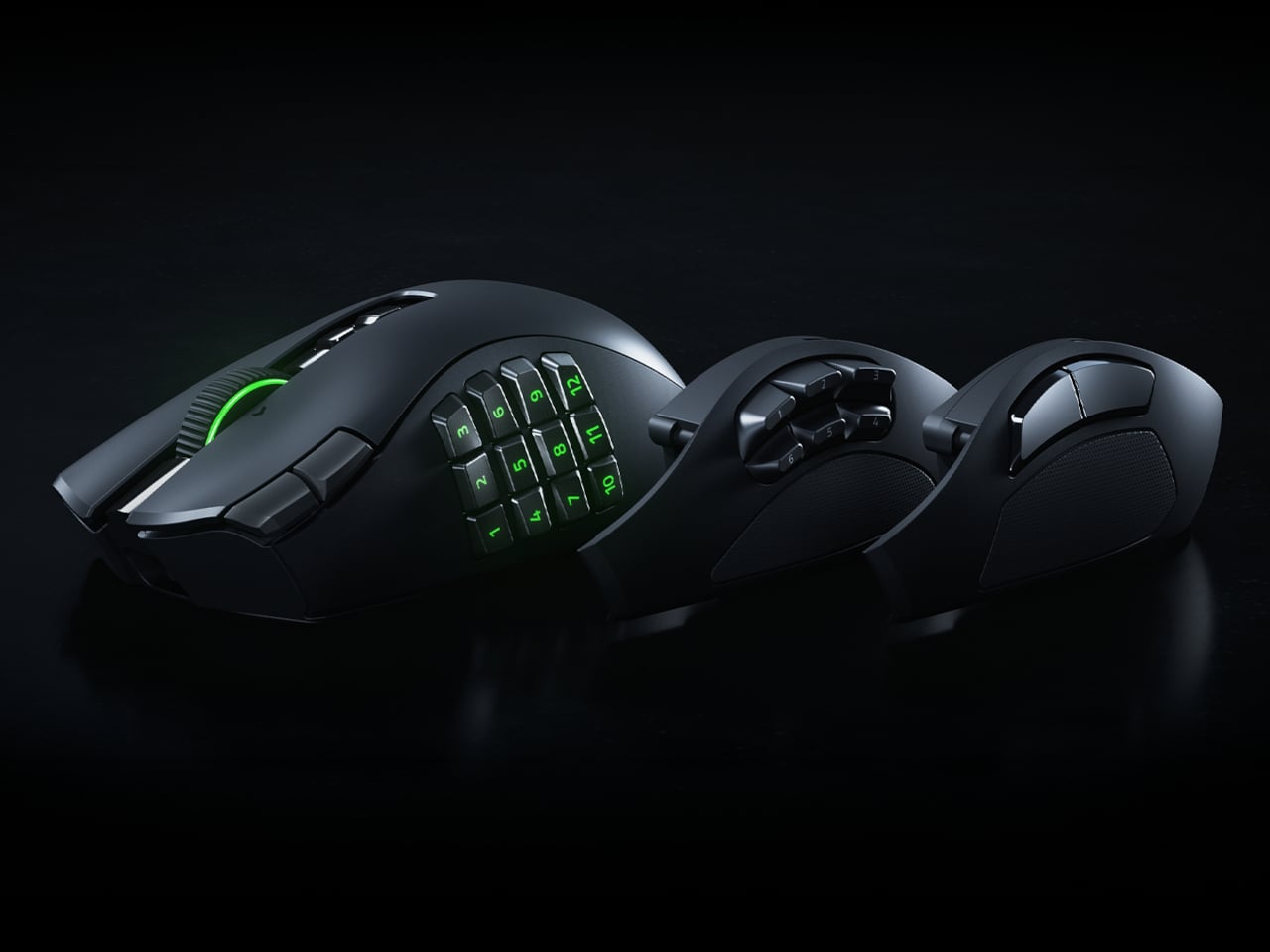
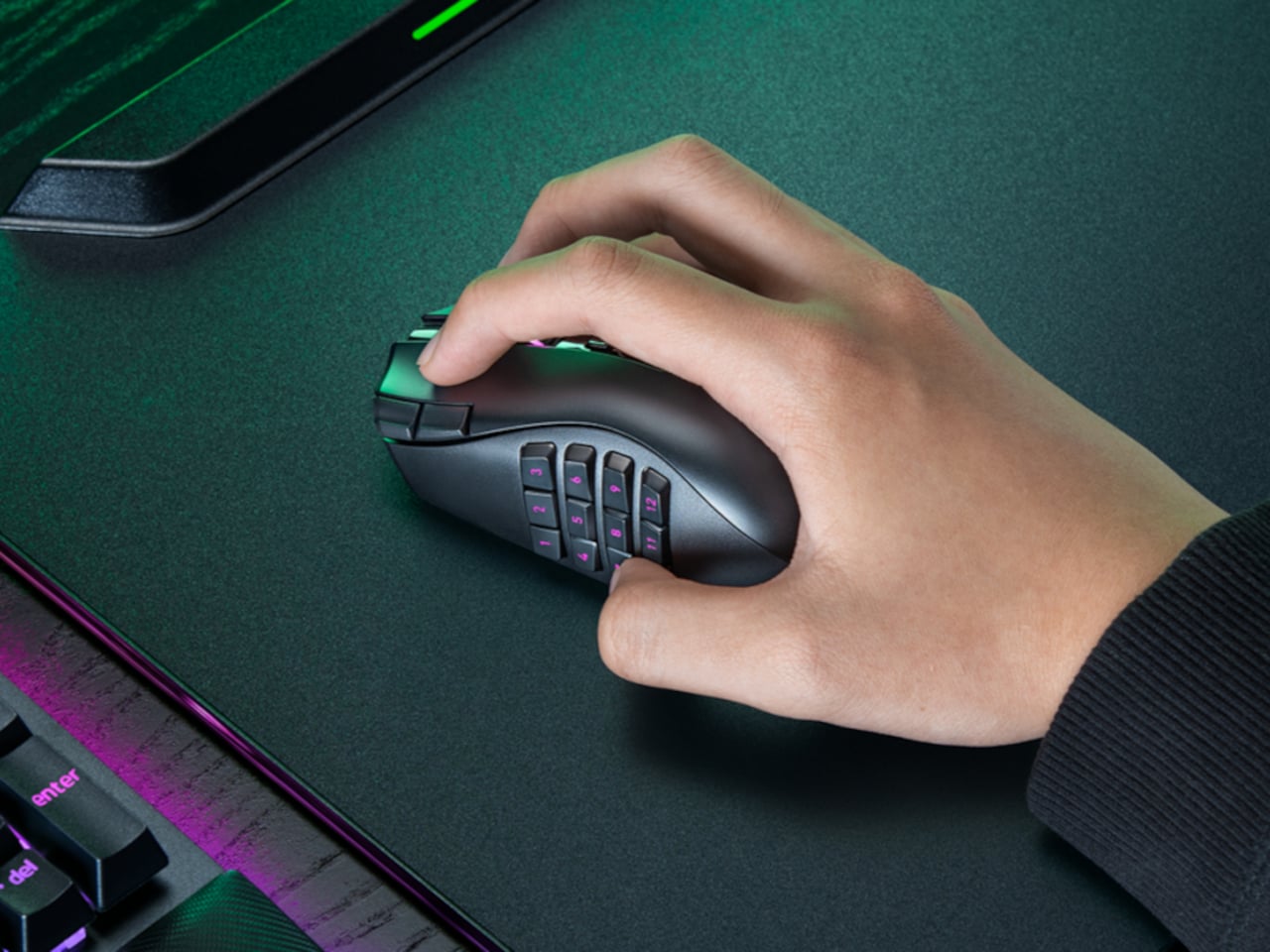
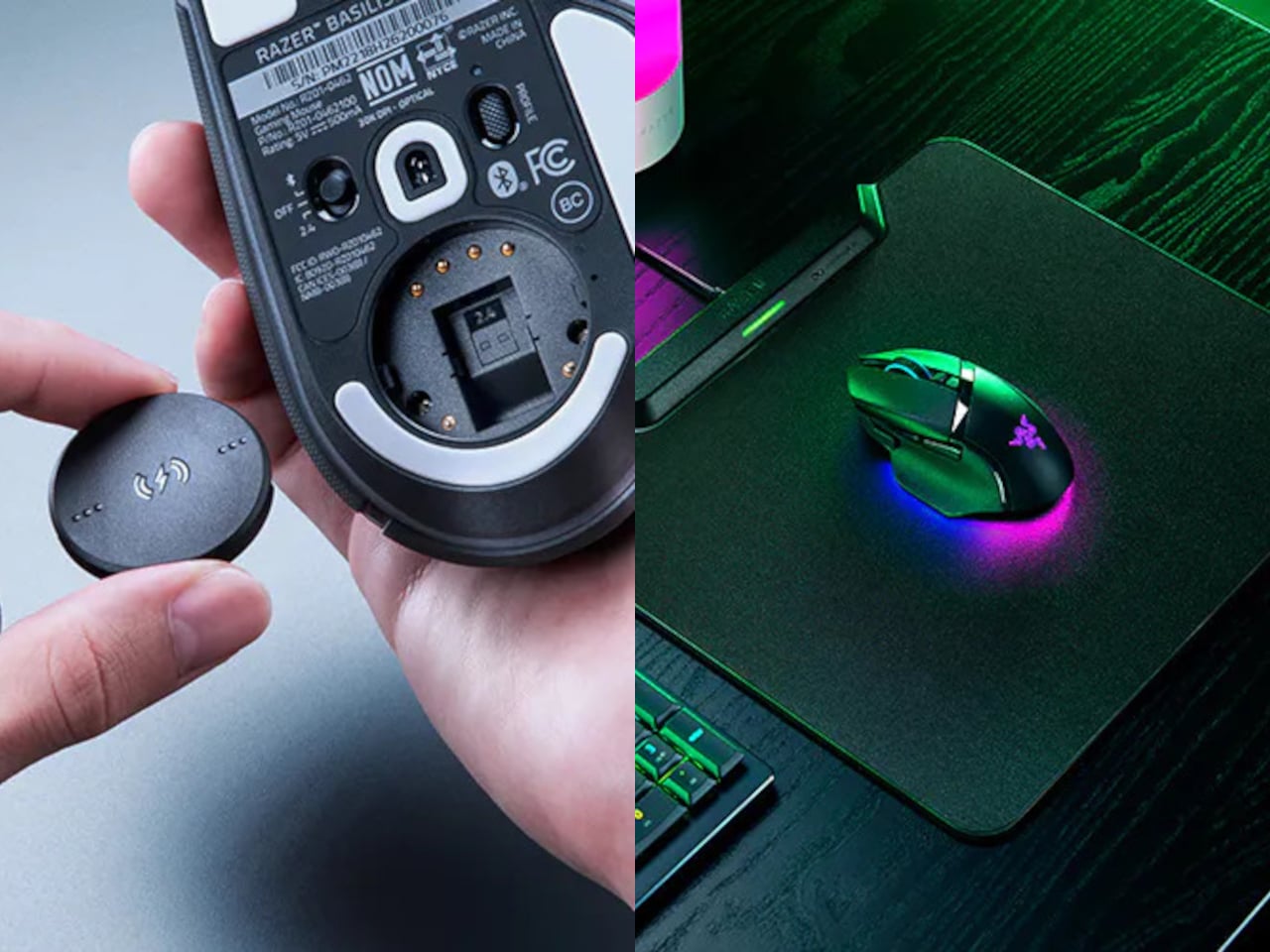
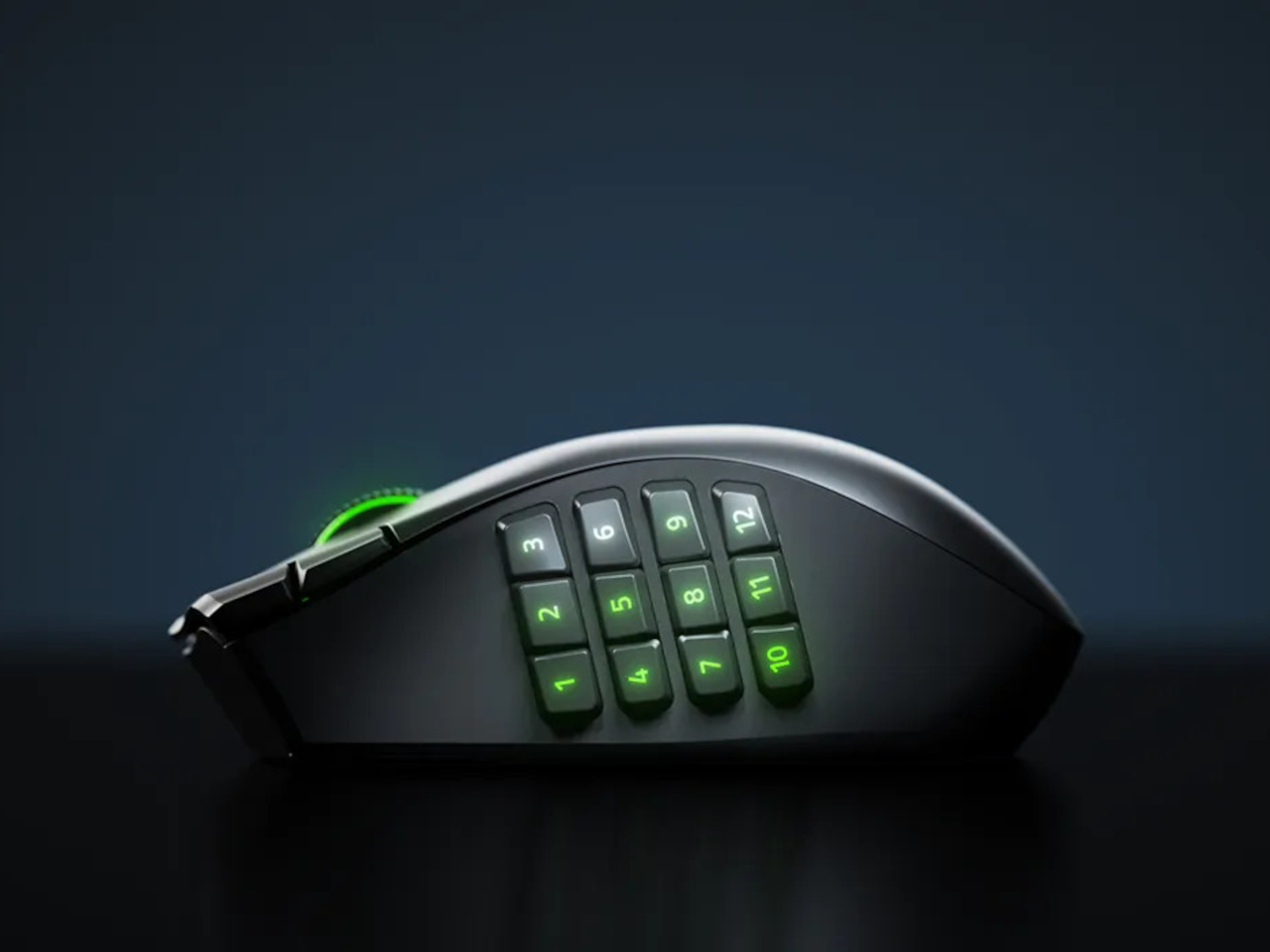
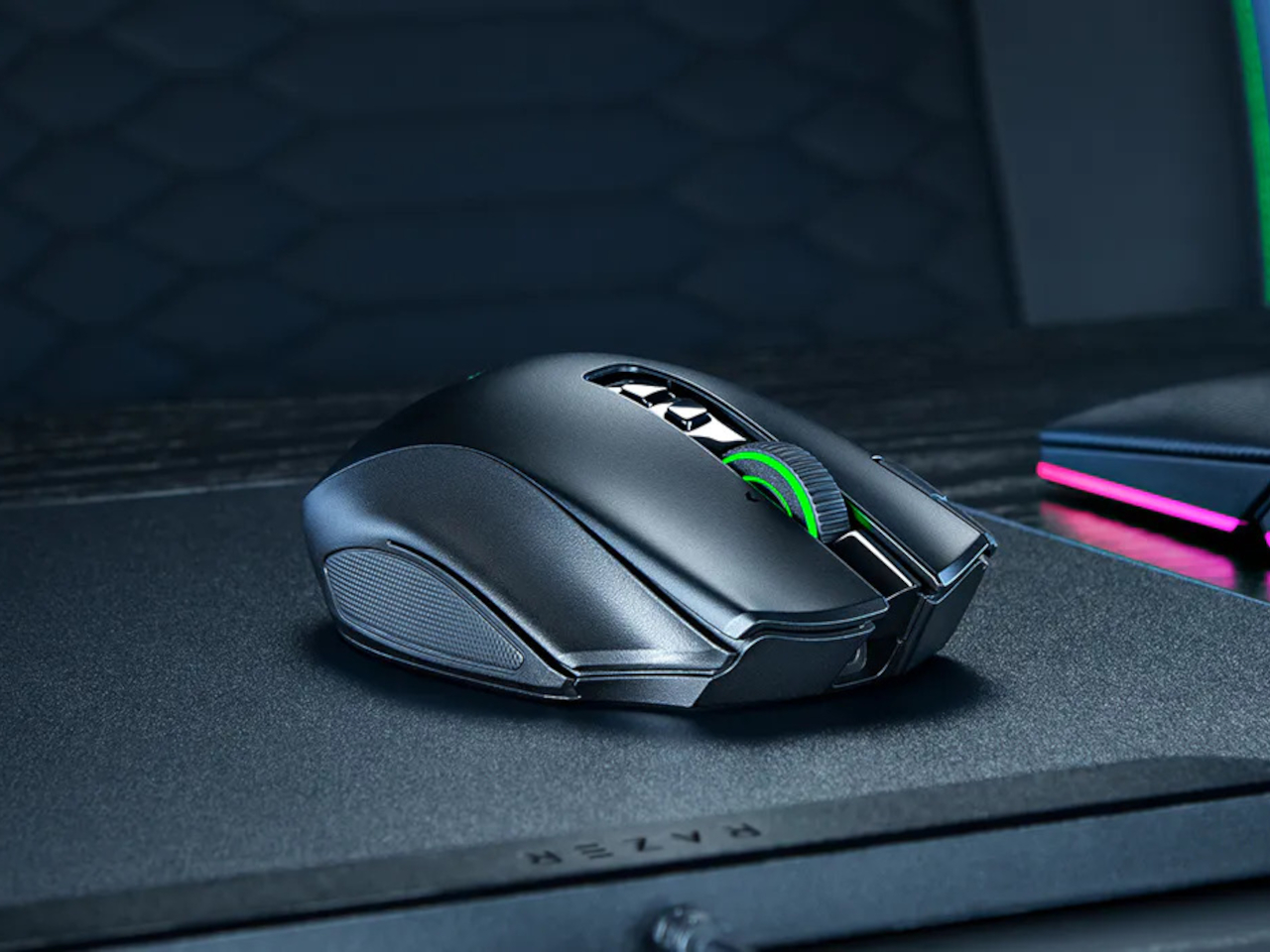
The Razer Naga V3 Pro addresses that directly. It ships with three magnetic side plates that swap out in seconds, each designed for a different genre of play. The 12-button grid suits MMOs, the six-button layout covers MOBAs and battle royale games, and the two-button plate clears the side for FPS use. One mouse, three configurations, and the same right-handed ergonomic shape throughout all of them.

Designer: Razer

The side button system itself isn’t new to the Naga line, but the V3 Pro brings the rest of the hardware up to the same level as what’s inside Razer’s top-tier esports mice. The Focus Pro 50K Optical Sensor Gen-3 powers tracking with up to 50,000 DPI and 390 IPS, the same sensor found in Razer’s dedicated competitive mice. Gen-4 optical switches handle clicks with a rated life of 100 million actuations and are designed to eliminate the bounce clicks that can misfire at the worst moments.

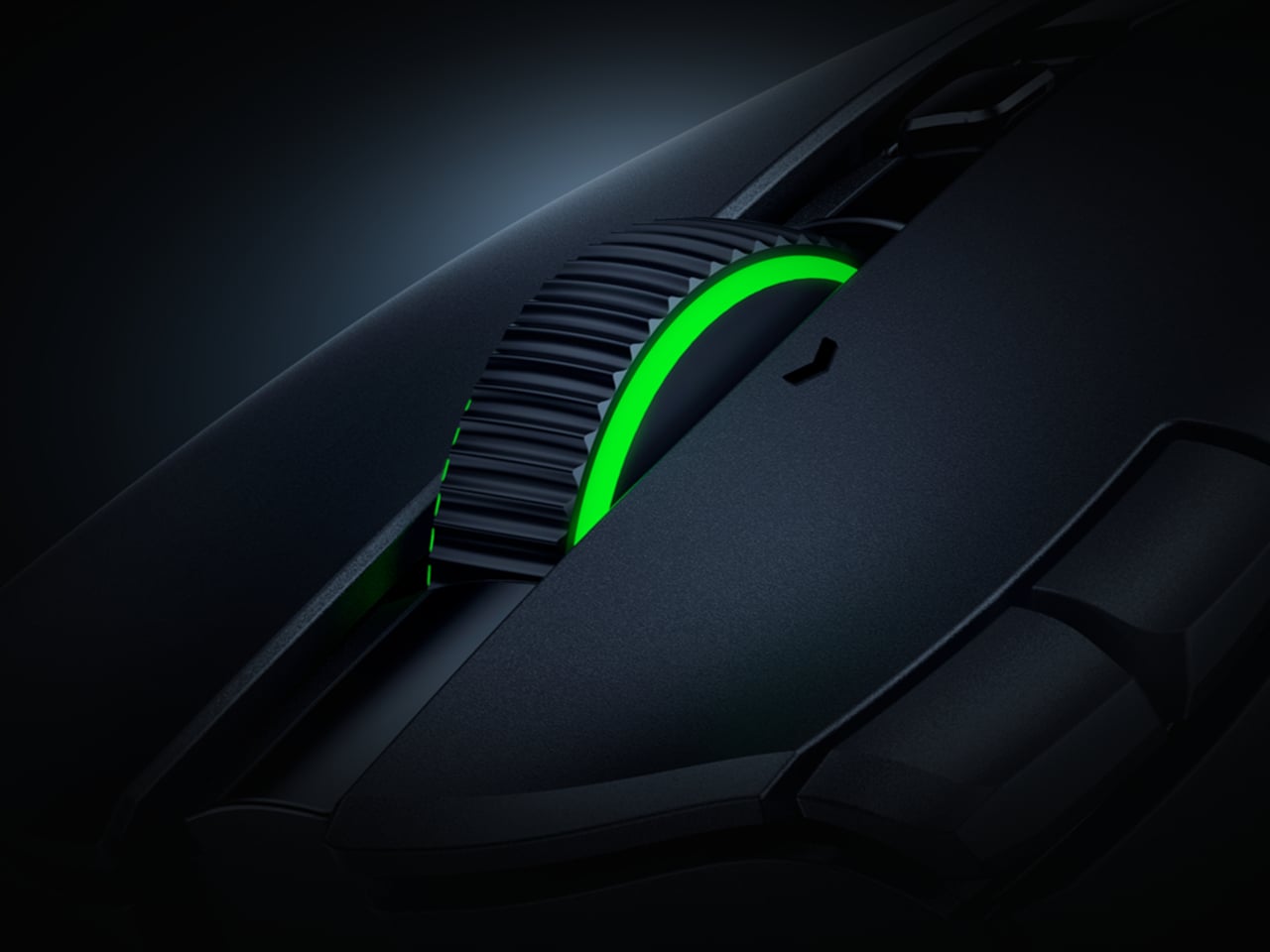
The scroll wheel also gets a meaningful upgrade here. The HyperScroll Tilt Wheel Gen-2 offers four distinct modes: Free-Spin for fast document scrolling, Tactile for click-by-click precision, Precision Tactile for finer steps, and Smart-Reel for automatic switching between modes. In an MMO, cycling through inventory with Free-Spin feels different from navigating a skill tree in Tactile mode, and having that level of control in the wheel itself is something most mice don’t bother offering.

Battery life holds up across both wireless modes. On HyperSpeed 2.4 GHz, the Naga V3 Pro runs for up to 155 hours; switch to Bluetooth and that extends to 280 hours. The mouse body weighs 112 g without a side plate, with the 12-button plate adding 20 g, the six-button adding 17 g, and the two-button adding 15 g. That last configuration brings the total down to where FPS players tend to want it, and the weight difference is noticeable enough in practice.

Up to 23 programmable buttons are available depending on the active plate, down from 23 to just two when the FPS plate is on. The pinky rest is also a button, lockable from the underside when not wanted, which adds one more control point without requiring any reach. Double-injection molded legends on the side buttons ensure the labels don’t wear off under daily use.

What the Naga V3 Pro argues, quietly but consistently, is that genre-specific peripherals don’t have to mean genre-specific hardware purchases. The plates snap off and on without tools, the transition between configurations takes less time than a loading screen, and the underlying hardware is good enough that nothing feels like a compromise.

The post The $180 Razer Mouse That Makes a Second Gaming Mouse Pointless first appeared on Yanko Design.
Sony’s Wolverine PS5 Comes in Two Very Different Designs, and Only One Feels Worth the Price

Sony has a pattern with these limited edition consoles now. Announce a big first party or Marvel game, dress up a PS5 to match, sell it alongside a matching controller. Ghost of Yotei got the black and gold treatment last time around, and it was fine, if a little safe. Wolverine is where that formula gets an upgrade.

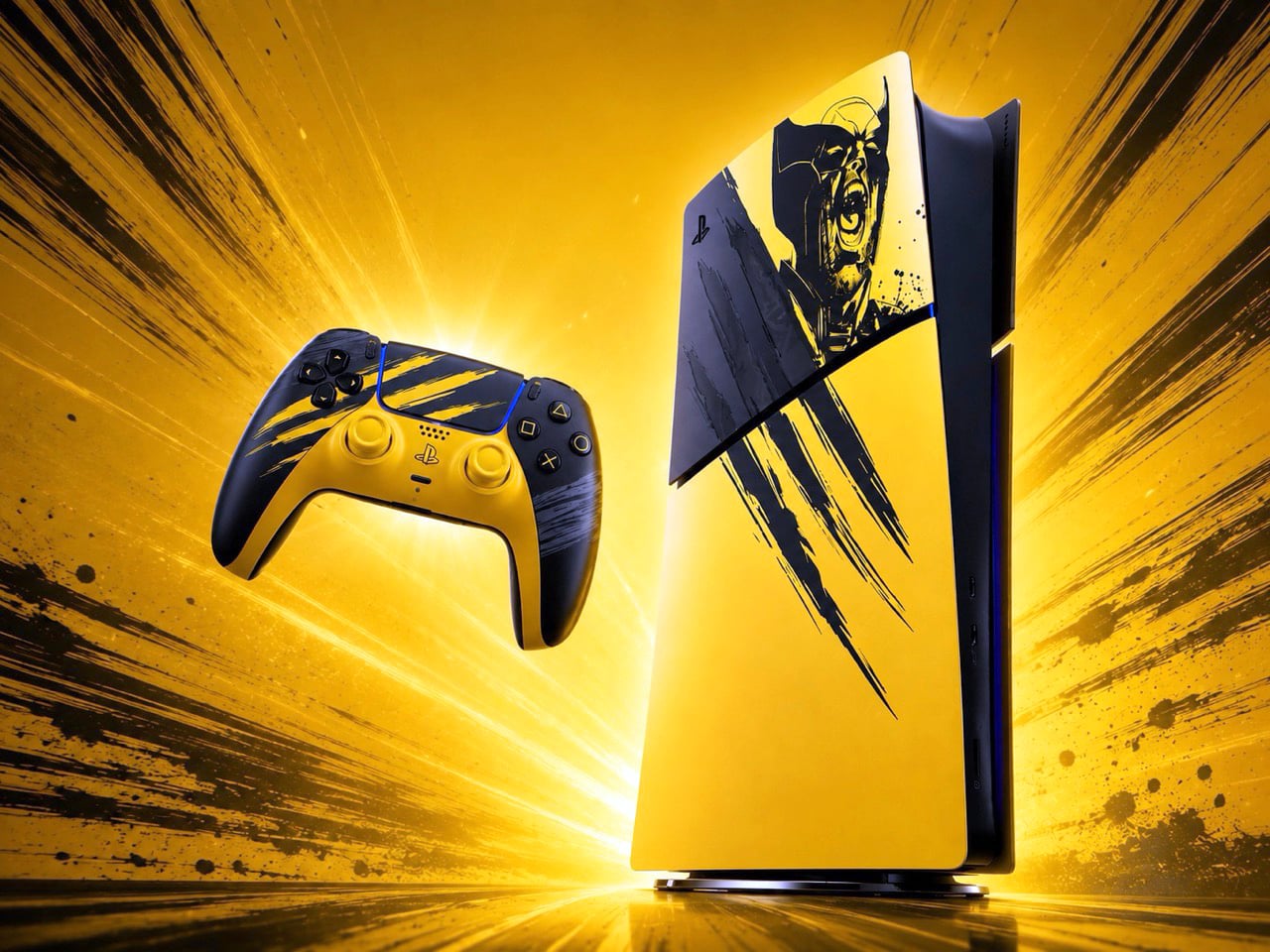
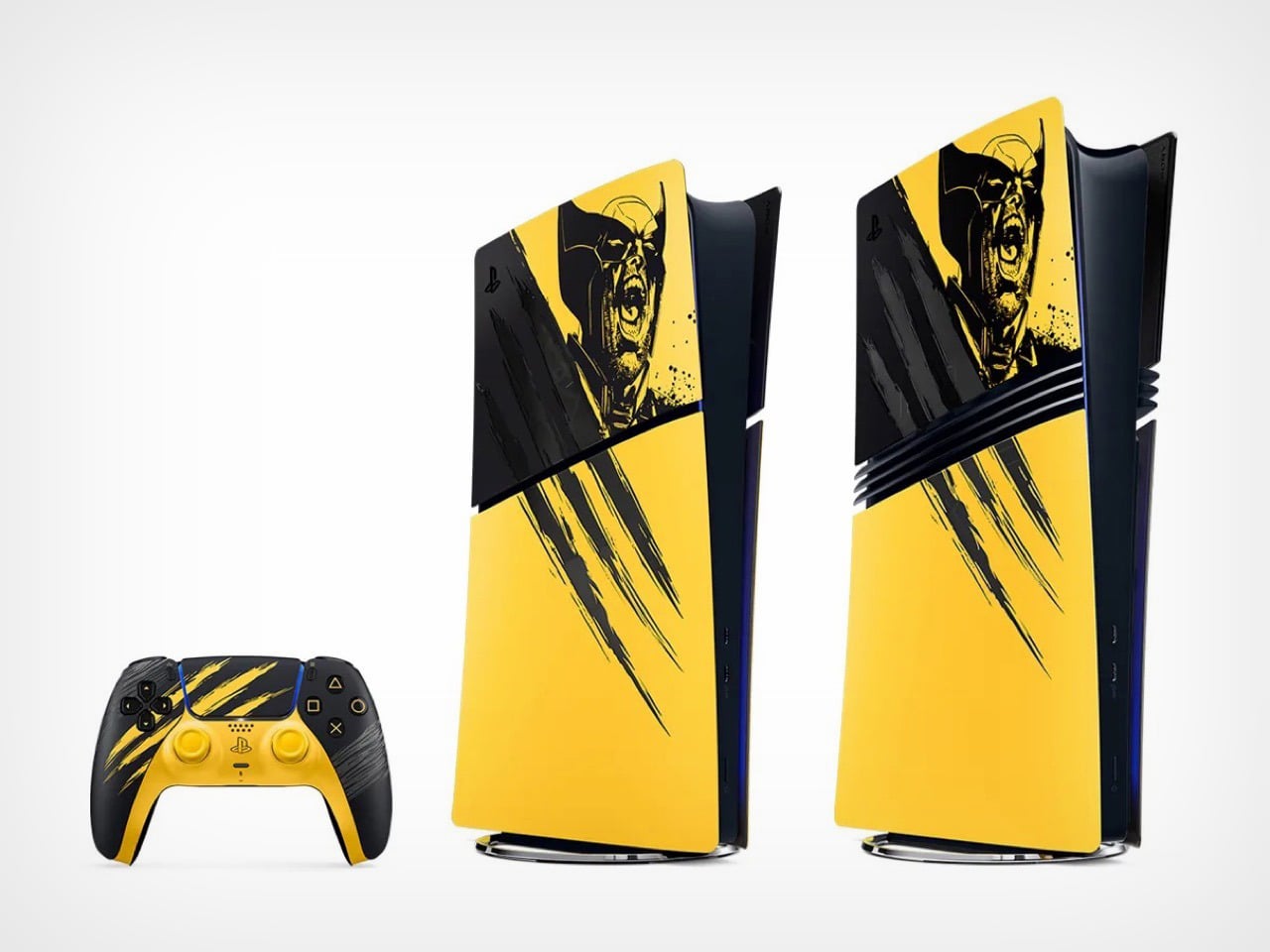
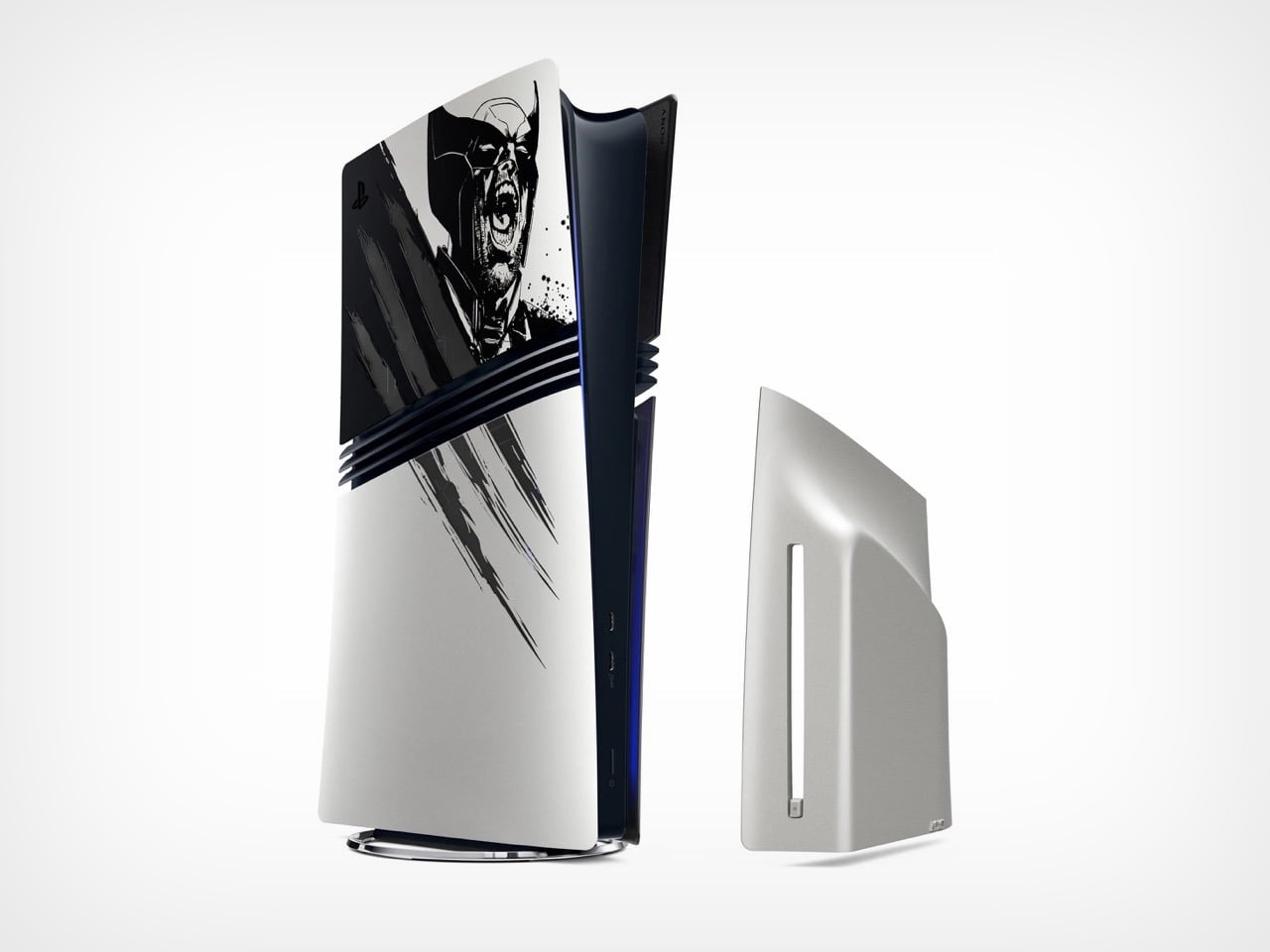
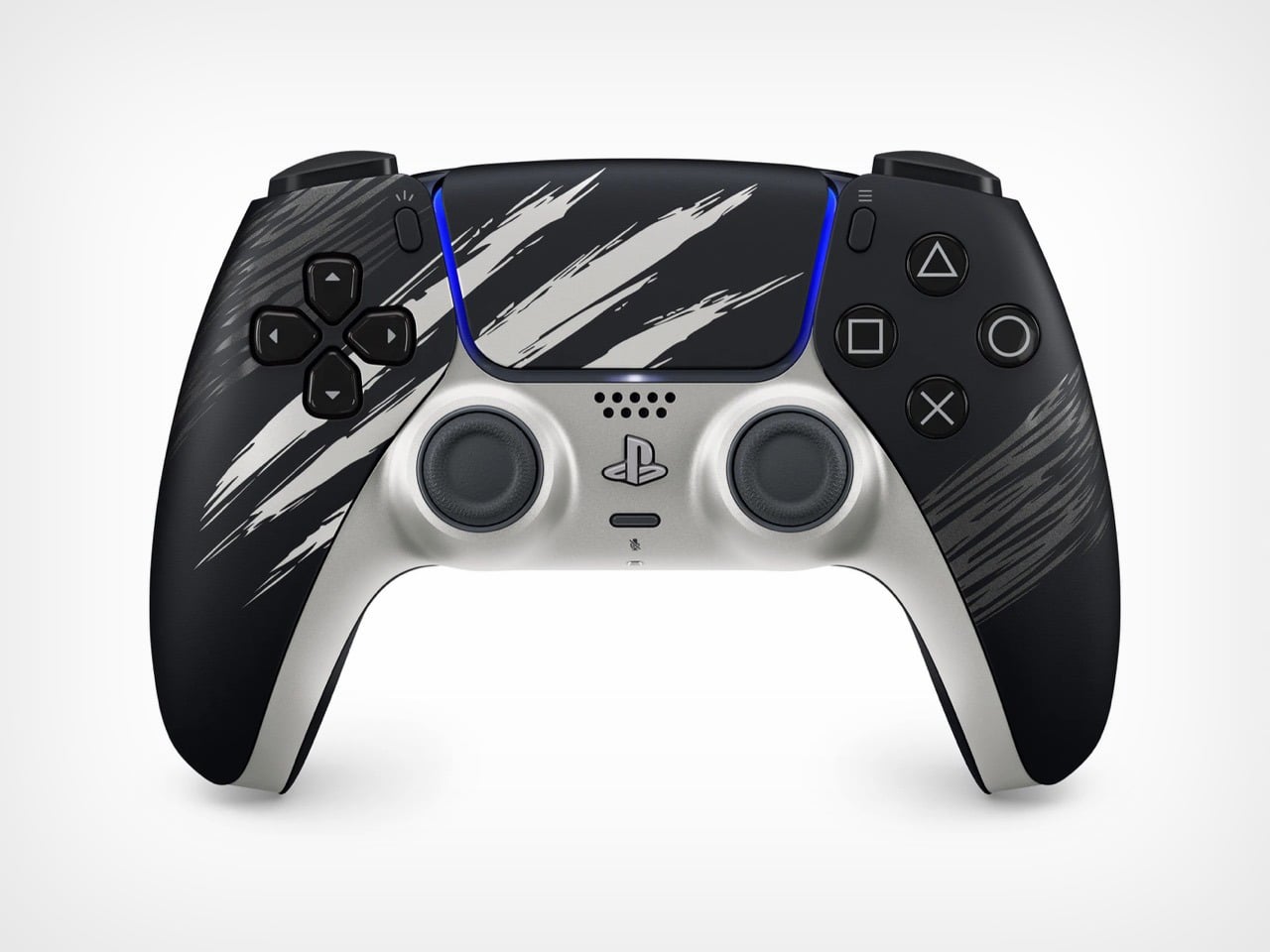
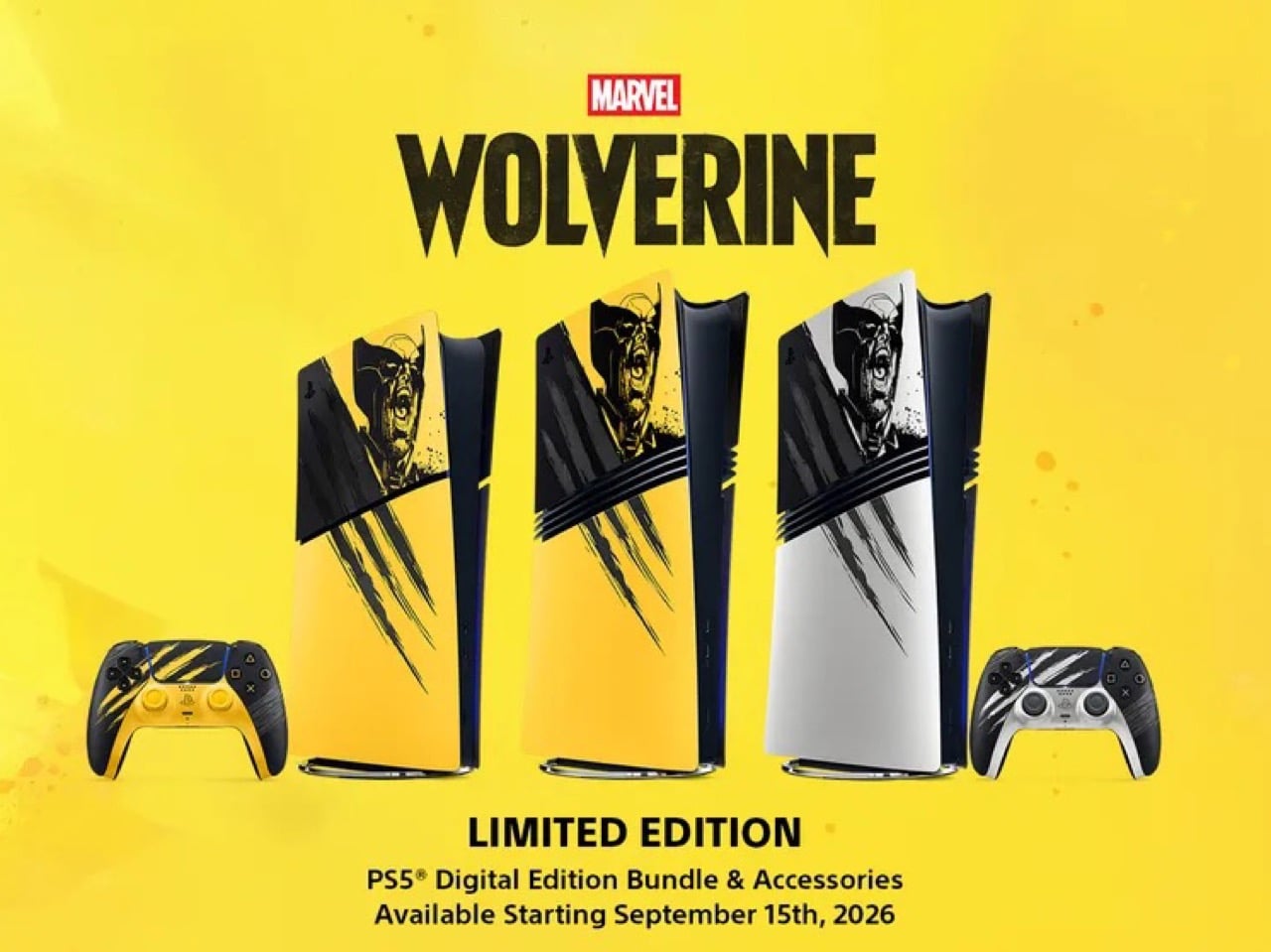
This time Sony gave us two console designs instead of one. Battle Yellow is unapologetic, claw gouges and a screaming Wolverine face on a bright yellow panel. Adamantium is the plot twist, the same claw motif but stripped down to brushed metal that looks closer to a premium appliance than a video game tie in. Two designs, two totally different personalities, and somehow neither one feels like the compromise pick.

Designer: Jock for Sony & Marvel

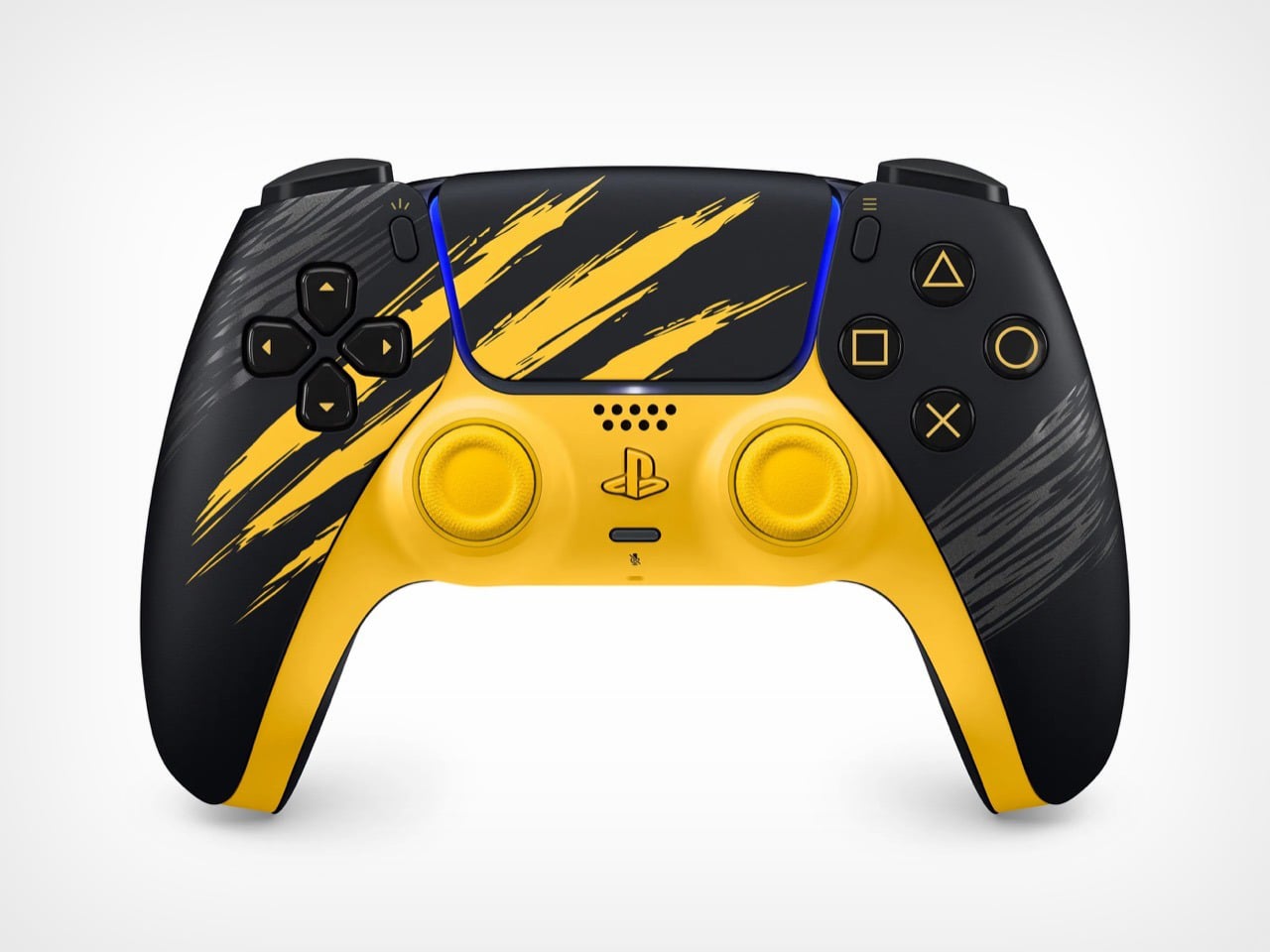
Battle Yellow is the flagship of the two, sold as a full PS5 Digital Edition bundle for $649.99 with a matching DualSense controller and a code for the game. The artwork comes from Jock, the Scottish comic artist who worked on Wolverine’s key art, and you can actually tell. The claw slashes and the inked portrait have that loose, hand drawn energy comics get right and games usually flatten out. It is a rare case of licensed hardware art that does not look like clip art stapled onto a console.

Adamantium skips the yellow entirely and goes for brushed silver, but only as a console cover for PS5 Pro owners plus a standalone controller, no full bundle here. That is honestly the smarter buy for anyone who wants the Wolverine tie in without turning their entertainment center into a comic shop display. Same claw details, completely different mood. It reads expensive in a way the yellow version was never trying to.Adamantium skips the yellow entirely and goes for brushed silver, but only as a console cover for PS5 Pro owners plus a standalone controller, no full bundle here. That is honestly the smarter buy for anyone who wants the Wolverine tie in without turning their entertainment center into a comic shop display. Same claw details, completely different mood. It reads expensive in a way the yellow version was never trying to.

Here is where it gets less fun. This entire lineup drops during Sony’s second PS5 price hike in under a year, with the standard console now sitting a hundred dollars above where it started. So a $649.99 bundle for a digital only console, no disc drive option at all, lands at a moment when PS5 pricing is already a sore subject for a lot of players. The comments under every Wolverine reveal video prove that. People are annoyed about the missing disc drive way more than they are annoyed about yellow paint.

I get why Sony leans into these drops even now, maybe especially now. A great design distracts from a rough price conversation better than any spec sheet does, and Jock’s artwork is genuinely good enough to pull that off. But good design and good timing are not the same thing, and this lineup is proof you can nail one without fully nailing the other.

The post Sony’s Wolverine PS5 Comes in Two Very Different Designs, and Only One Feels Worth the Price first appeared on Yanko Design.
Sony’s Wolverine PS5 Comes in Two Very Different Designs, and Only One Feels Worth the Price

Sony has a pattern with these limited edition consoles now. Announce a big first party or Marvel game, dress up a PS5 to match, sell it alongside a matching controller. Ghost of Yotei got the black and gold treatment last time around, and it was fine, if a little safe. Wolverine is where that formula gets an upgrade.

This time Sony gave us two console designs instead of one. Battle Yellow is unapologetic, claw gouges and a screaming Wolverine face on a bright yellow panel. Adamantium is the plot twist, the same claw motif but stripped down to brushed metal that looks closer to a premium appliance than a video game tie in. Two designs, two totally different personalities, and somehow neither one feels like the compromise pick.

Designer: Jock for Sony & Marvel

Battle Yellow is the flagship of the two, sold as a full PS5 Digital Edition bundle for $649.99 with a matching DualSense controller and a code for the game. The artwork comes from Jock, the Scottish comic artist who worked on Wolverine’s key art, and you can actually tell. The claw slashes and the inked portrait have that loose, hand drawn energy comics get right and games usually flatten out. It is a rare case of licensed hardware art that does not look like clip art stapled onto a console.

Adamantium skips the yellow entirely and goes for brushed silver, but only as a console cover for PS5 Pro owners plus a standalone controller, no full bundle here. That is honestly the smarter buy for anyone who wants the Wolverine tie in without turning their entertainment center into a comic shop display. Same claw details, completely different mood. It reads expensive in a way the yellow version was never trying to.Adamantium skips the yellow entirely and goes for brushed silver, but only as a console cover for PS5 Pro owners plus a standalone controller, no full bundle here. That is honestly the smarter buy for anyone who wants the Wolverine tie in without turning their entertainment center into a comic shop display. Same claw details, completely different mood. It reads expensive in a way the yellow version was never trying to.

Here is where it gets less fun. This entire lineup drops during Sony’s second PS5 price hike in under a year, with the standard console now sitting a hundred dollars above where it started. So a $649.99 bundle for a digital only console, no disc drive option at all, lands at a moment when PS5 pricing is already a sore subject for a lot of players. The comments under every Wolverine reveal video prove that. People are annoyed about the missing disc drive way more than they are annoyed about yellow paint.

I get why Sony leans into these drops even now, maybe especially now. A great design distracts from a rough price conversation better than any spec sheet does, and Jock’s artwork is genuinely good enough to pull that off. But good design and good timing are not the same thing, and this lineup is proof you can nail one without fully nailing the other.

The post Sony’s Wolverine PS5 Comes in Two Very Different Designs, and Only One Feels Worth the Price first appeared on Yanko Design.