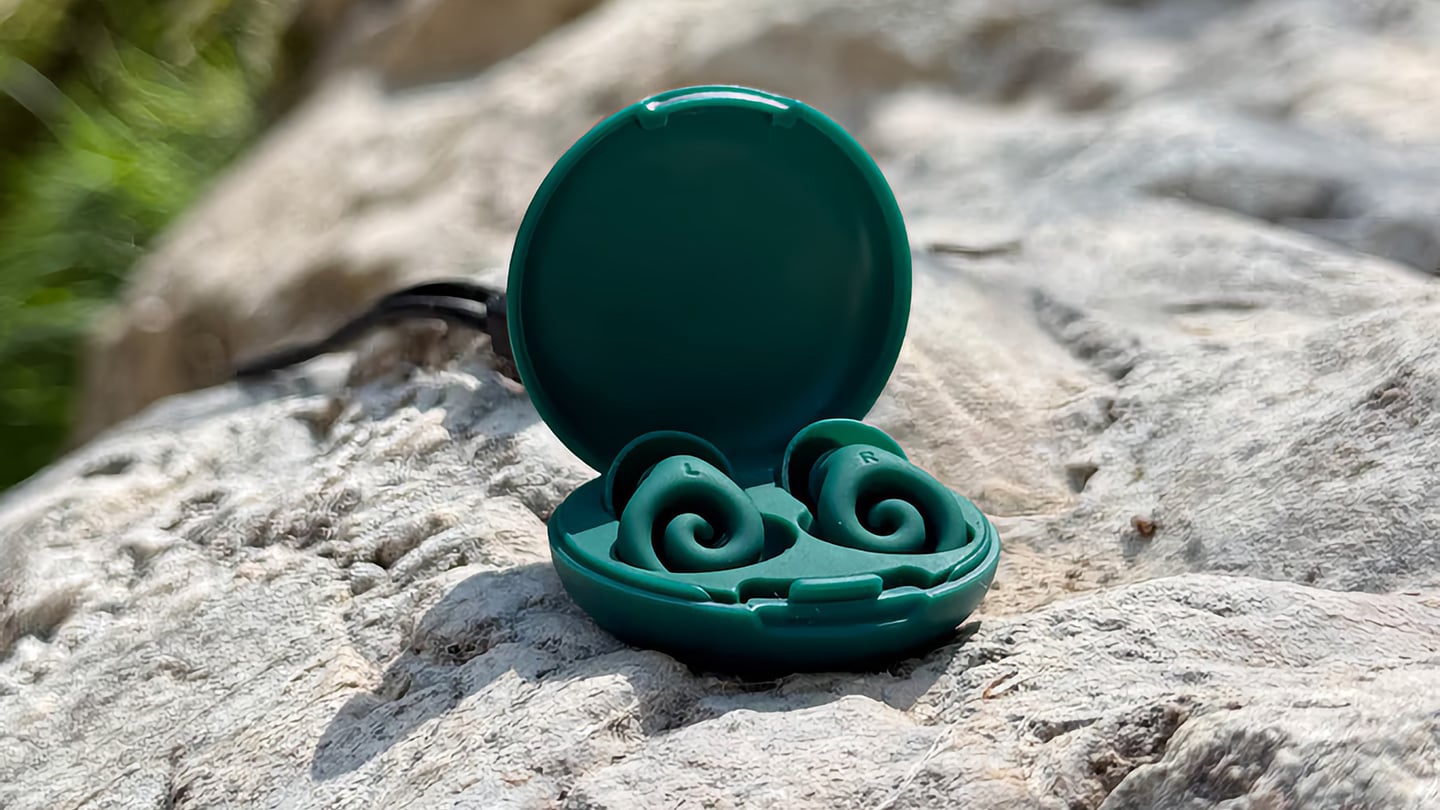
The humble foam earplug has been functionally unchanged since the 1970s: roll it down, jam it in, hope it expands to a seal, and find it somewhere in the sheets by 2 AM. It’s one of the few everyday objects that design culture has genuinely never come for, maybe because the attenuation numbers technically work, or maybe because nobody with enough resources was annoyed enough to fix it. The Ears 360 Silence, a CE-certified soft silicone earplug from Paris, is a structural redesign of that whole idea. Its retractable spiral wraps into the outer ear’s helix rather than anchoring in the canal, locking the plug flat and flush against the head with 24 dB SNR measured to EN 352-2:2020 and a peak of 29.9 dB at the frequency range where snoring and human voices live. The foam never had a chance.
Youcef Abdaoui runs a studio near Paris and started prototyping the Silence in 2024 with a bent wire and a bit of putty, just to test whether a helix-anchoring spiral could hold in an ear. It did, and the dozens of iterations that followed produced a product France voted Product of the Year 2026, consumer-elected rather than jury-awarded, which tells you something about how it performs in actual ears. Ears 360 has since shipped to more than 120,000 customers through their store, 500+ pharmacies, and B2B partners before going international. The Silence is not a prototype. It is certified to EN 352-2:2020, mass-produced, and more than 14,000 units are already in stock. I got to see a pair in person, and the silicone finish reads as serious product, not a health-aisle impulse buy.
The ear is already a spiral. The outer rim of the pinna is anatomically called the helix, a curved ridge that traces a partial revolution around the auricle, and deeper inside, the cochlea completes that geometry: a full spiral chamber, coiled like a snail shell, that converts sound pressure into neural signal. Nature returns to the spiral repeatedly because it distributes force without concentration points, the same structural logic behind a nautilus shell or the tight coil of a fern fiddlehead before it unfurls. The Ears 360 Silence works with that architecture: the spiral holds, not the tip. Instead of pressing into the canal and trusting friction, the retractable spiral wraps laterally into the helix and locks there through geometry, bearing almost no canal pressure, which is the whole reason the plug sits flush rather than protrude. If you know how spiral springs work, think of the way the spiral on the earplug expands to fill your ear canal. Along with friction, this physical detail helps the Silence adapt to pretty much any ear shape or size.
The flatness is perhaps the most impressive detail, setting it apart from every earplug you’ve seen in the past. The loop-style reusable earplugs that have become popular over the past few years make a design virtue of their visibility, with a circular protrusion sitting outside the ear canal as a deliberate aesthetic statement. That works at a concert, but it becomes a pressure point the moment you roll onto your side in bed, which is the situation most people are buying earplugs for in the first place. The Silence’s spiral body measures 18.44 mm by 15.49 mm, slim enough that there’s nothing significant pressing against a pillow. The profile looks almost deceitfully small for what it’s actually doing… and yes, Youcef did mention that the earplugs work perfectly well in concerts too.
One spiral body, two protection levels, switchable in seconds from 24 dB to 29 dB. The standard silicone tips, available in three sizes (9.9 mm, 11.9 mm, and 12.9 mm diameter), deliver 24 dB SNR, enough to take a busy street down to library territory without muffling conversation entirely. The Swim & Work Kit clips on triple-flange tips that push attenuation up to 29 dB, entering genuine worksite and industrial territory. User satisfaction data from Ears 360 puts concert approval at 91% and commute approval at 97%, and an IPX7 waterproof rating keeps the spiral itself pool-ready alongside the kit’s triple-flange seal.
One Silence replaces hundreds of disposable foam earplugs. The earplug’s body is made to last for years, the silicone tips are replaceable instead of throwing the product away, and the packaging is compact by design so every shipment travels as a slim letter, not a parcel. No separate carbon offset claim required. Pricing starts at €24 (roughly $28) for a single unit with carry case and all three tip sizes, with the Silence and Swim & Work Kit bundle at €27, and a Duo Pack at €39 for two. Current colorways are Black and Pink, with Green planned as a future addition. Delivery is November 2026, and no specific warranty period is stated on the product page, though the replaceable-tip architecture makes longevity something you can actually act on rather than just take someone’s word for.
Here is a fun little contradiction to chew on before we get into the actual lamps. The whole point of Call It a Day, Tongqi Design’s new lighting collection, is that you barely have to try. You bop it, you tug it, you flop your hand near it, and it turns on. Zero precision required, zero thinking involved, which is exactly the pitch when you have just walked through the door after a day that emptied you out. But get this. The less effort the lamp asks of you, the more effort someone else clearly put into making that possible. That is the trade we are here to unpack.
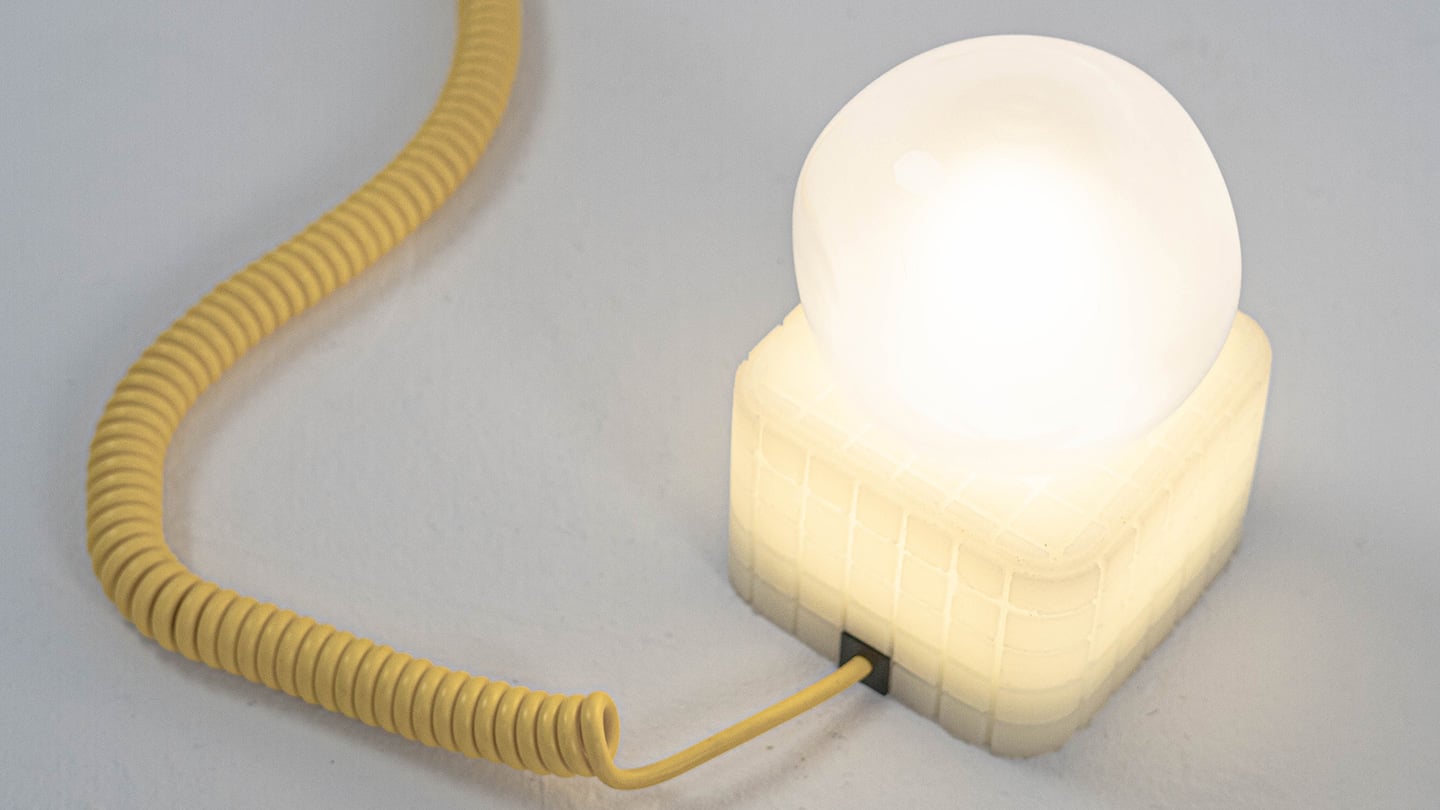
Shanghai-based designer Tongqi Lu built the collection, a table lamp, floor lamp, and pendant, around soft silicone shades with zero switches anywhere on them. Every gesture works because the material itself is doing the sensing, not a button hunting for your finger. It sounds simple sitting in your living room. It is not simple to make, and that gap between the two is basically our whole story today.
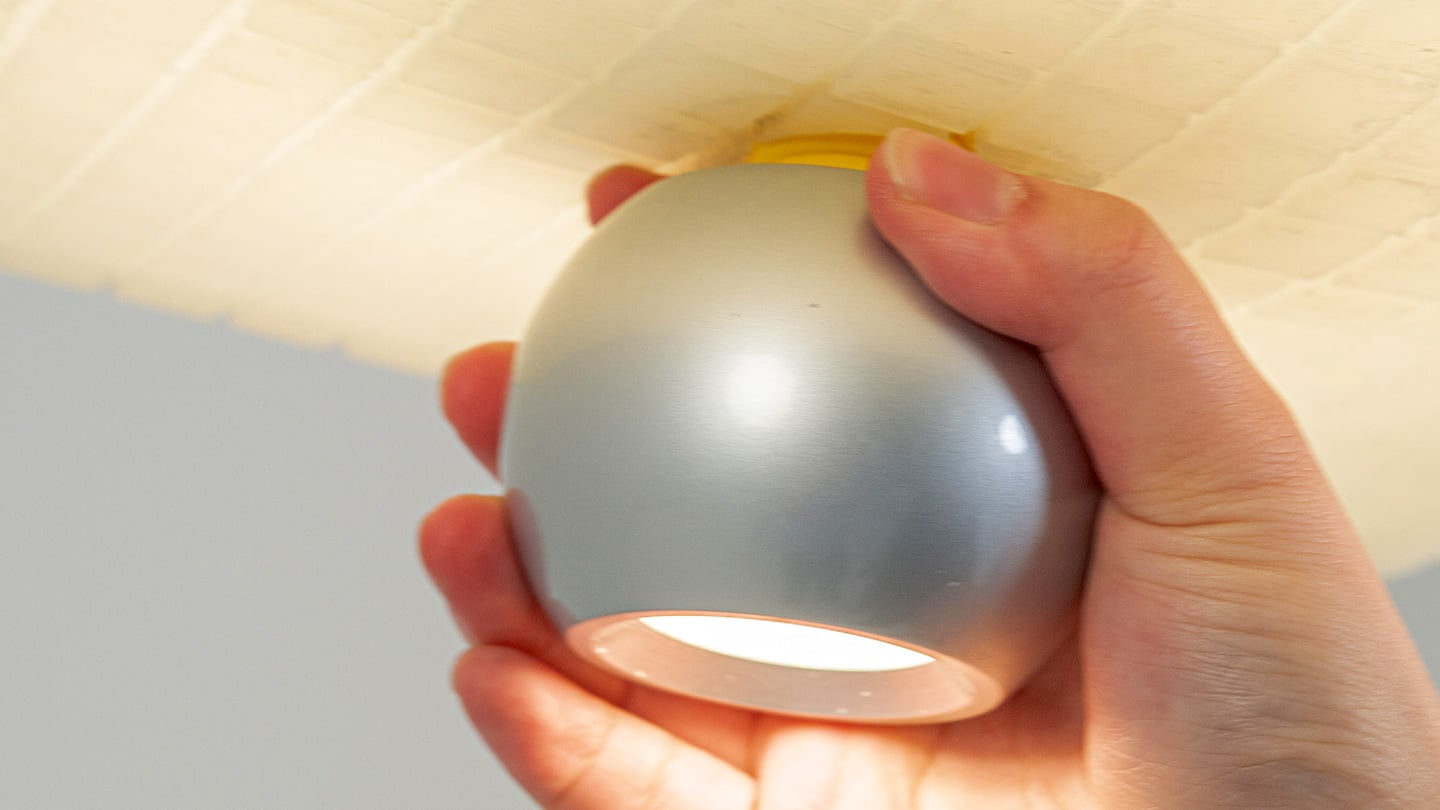
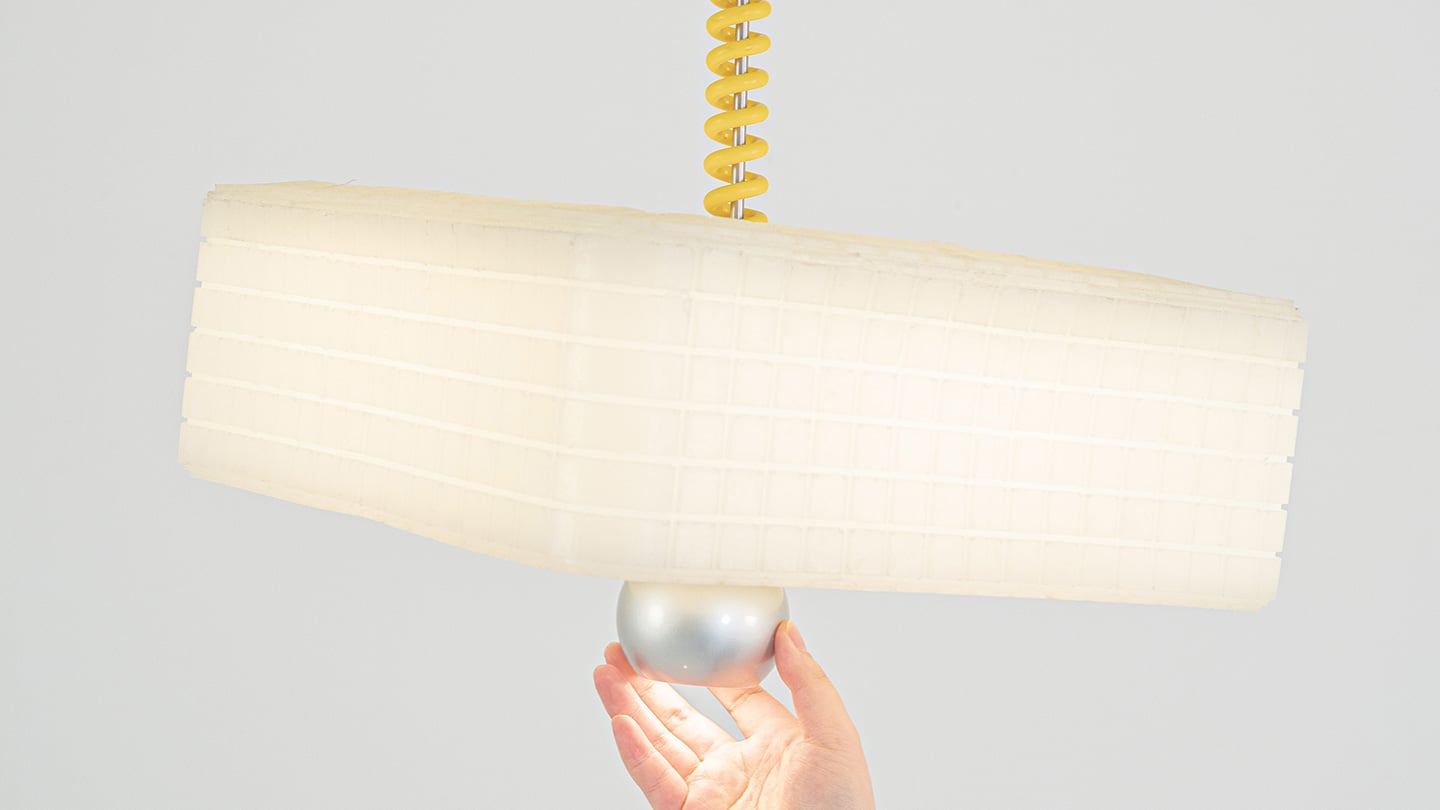
Call It a Day is a three piece lighting collection, a table lamp, a floor lamp, and a pendant, and every one of them is dressed in soft, translucent silicone instead of glass or fabric. That alone is a break from convention, since silicone shades are usually reserved for LED strip diffusers rather than the whole visible body of a lamp. But the real departure is that none of these lamps have a switch. You bop the table lamp, you tug the pendant by its cord, you press the floor lamp wherever feels natural, and the light responds. There is no correct spot to find in the dark. The entire shade is the input, which sounds like a small shift until you realize how much of lamp design has always been built around finding one tiny precise point.
Lu frames the whole thing around the moment you get home and your body checks out before your brain does. She has talked about dropping onto the sofa and reaching out to press, pull, or tap without really thinking about it, and the light turning on not because she followed a rule but because she did not. That is a genuinely sharp way to think about interaction design. Most lighting asks you to be at your most coordinated right when you are at your least. Call It a Day flips that expectation, and the coiled yellow cable running through the collection is a nice touch too, borrowing the old pull chain gesture without being precious about it.
The Process
Here is where things get interesting, because the studio itself is not some slick production facility. It is an office in Shanghai with a plastic sheeted folding table, jerrycans of liquid silicone lined up against the wall, and a window looking out over the skyline. Before any of it was cast, the whole collection existed as full scale cardboard mockups, a pendant hung from a coiled cord and a table lamp balanced on a paper cone, sitting in the corner of the room like a rough draft nobody threw away. That is a genuinely useful thing to see, because it shows the gesture and the proportions were locked in long before the material was.
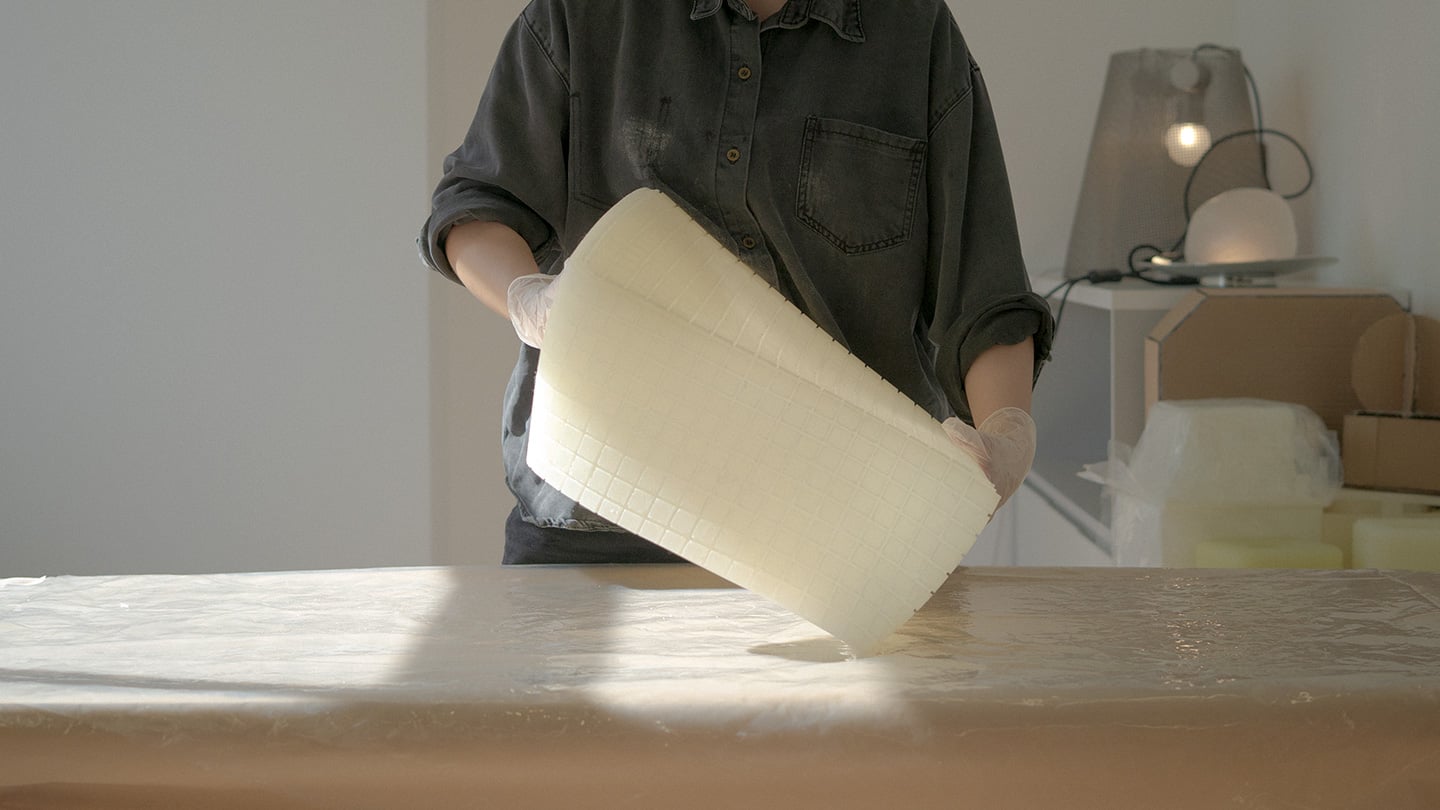
The shades themselves come out of large block molds with a fine grid texture cut into the cavity, which shows up on the finished silicone as a soft woven pattern once the lamp is lit. Getting silicone out of a mold cleanly is trickier than it sounds, since silicone tends to bond to itself, so getting a cast shade out of a cast mold without either tearing or fusing takes real care with release agents and material choice. Pouring it clean adds another layer of difficulty, since bubbles trapped in a translucent material show up as visible flaws once the light hits them. In the photos, you can see two people pouring together, one holding the bucket steady, the other running a palette knife across the lip so the silicone comes down in a thin ribbon instead of glugging out in one shot, which is a simple trick for keeping air out of the pour. It is not a factory process. It is a hand process, done carefully, on a folding table, gallon by gallon.
The Perspective
What I like most about Call It a Day is that the ease on the user’s end is clearly paid for somewhere upstream, and that upstream cost is visible if you know where to look. A switchless lamp sounds like a simple idea until you have to actually engineer a material that can be grabbed, twisted, and mistreated without breaking or losing its shape, and then cast that material cleanly at scale in a small studio. That gap between the lived experience and the labor behind it is exactly what a lot of good product design tries to hide, and here it is sitting right out in the open in the process photos.
It also helps that the whole thing traces back to something real. Lu’s early work, the lemon shaped Citron lamp, her furniture line built around trees and water lilies, all of it circles the same idea of pulling people back into their bodies after a long day in a city that does not really let them slow down. Call It a Day feels like the most literal version of that idea yet, a lamp built entirely around the ninety seconds when you have officially given up on being careful. Whether or not the gesture control holds up over years of actual use is a question only time and daily wear will answer, but as a piece of intent, this one lands.
The Apple ecosystem runs deep, but the devices themselves only go so far. The iPhone, Apple Watch, and iPad are remarkable pieces of hardware on their own, and yet a small category of accessories has figured out exactly what each one is missing. Not cases that just protect or cables that just charge, but objects that change the way a device feels, sounds, looks, or works from the moment you pick it up.
These five accessories do exactly that. They come from different corners of the Apple world, covering the watch, the phone, the iPad, and the kind of audio experience Apple never built its own hardware around. Each one earns its place not because it carries a name worth recognizing, but because it solves a specific frustration that was always there waiting to be noticed. Here are the ones worth knowing about right now.
1. NightWatch
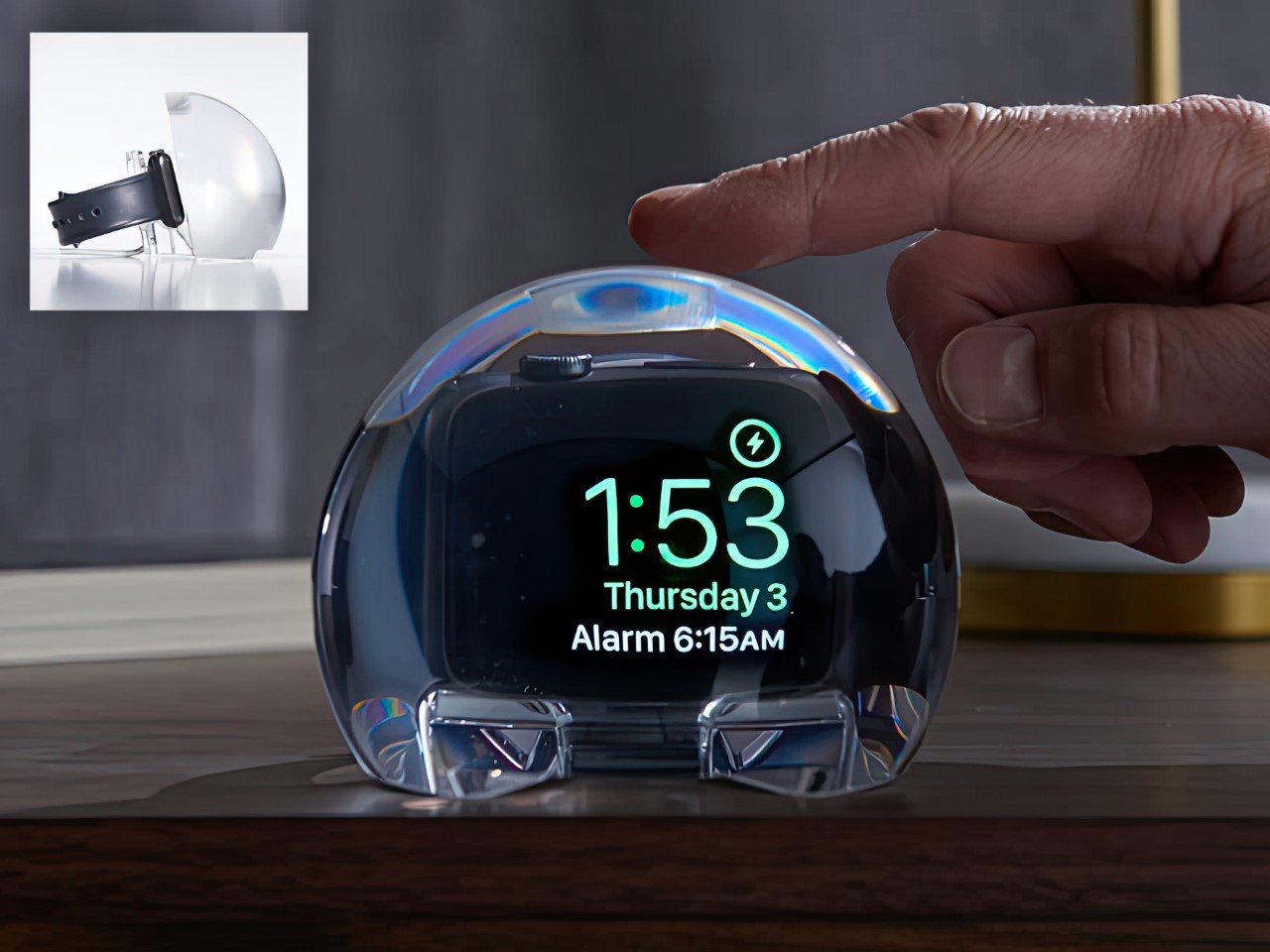
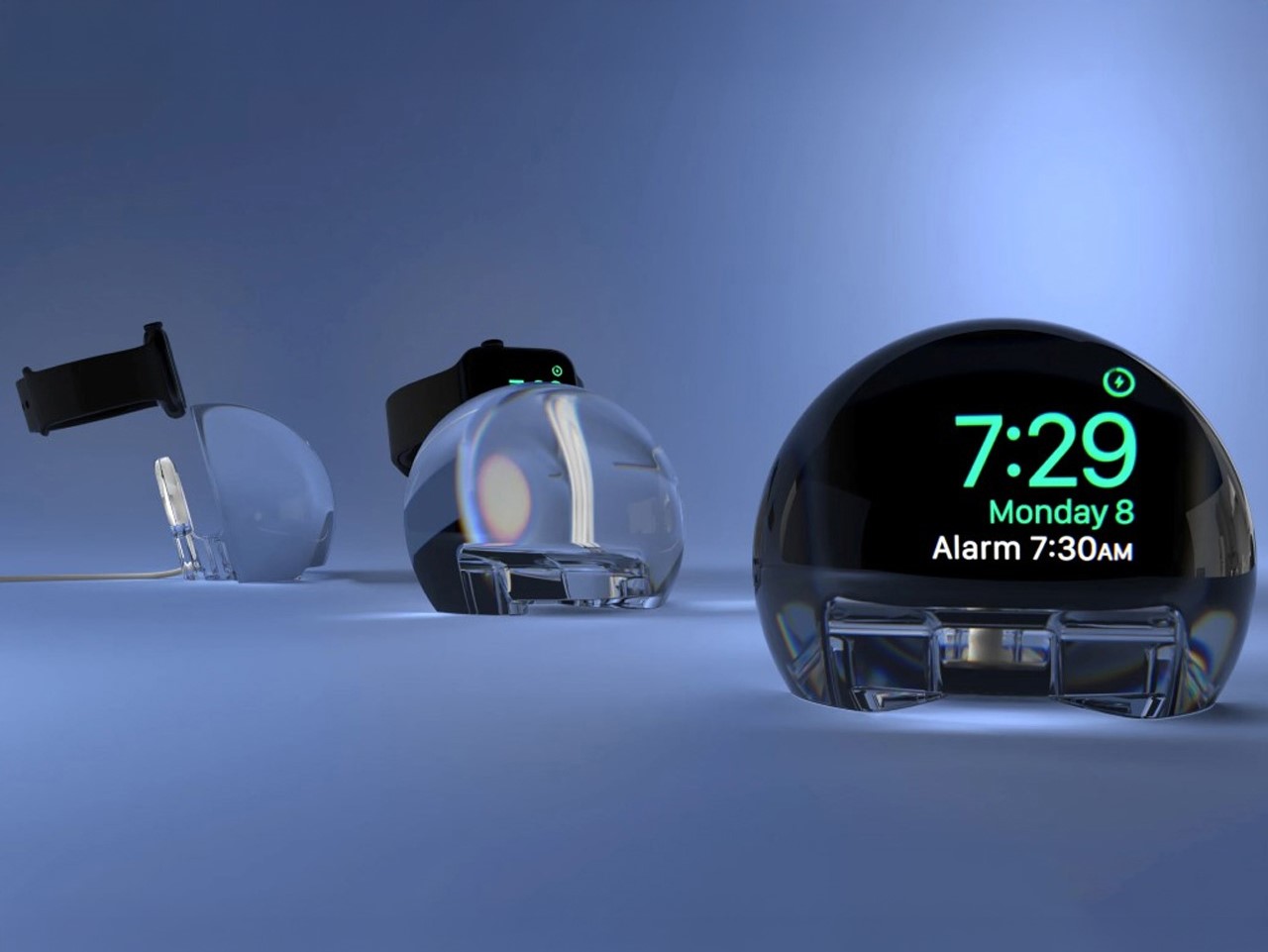
Most Apple Watch docks are functional and forgettable, a plastic puck with a magnetic charger and no ambition beyond getting your watch off your wrist for the night. The NightWatch is not that. It is a clear glass orb, roughly the size of a generous paperweight, that you set your Apple Watch inside at night. The result transforms the watch’s nightstand charging face into a magnified, glowing clock that is genuinely easier to read from across a dark room than the device alone would ever allow.
The dock works by treating the Apple Watch display as a light source and the glass sphere as a lens, drawing the time out of a small wrist-bound rectangle and spreading it into a real visual presence on the nightstand. It also includes a built-in audio amplifier that boosts the sound of your alarm, so quiet mornings stay that way until you actually need them not to be. At $69.99, it is priced more like a considered object than a cable management solution, which is exactly the spirit it deserves to be received in.
What we like
The magnification effect turns the Apple Watch display into a legitimate bedside clock without additional screens, apps, or setup
The built-in audio amplifier addresses the one genuine weakness of relying on Apple Watch nightstand mode as a morning alarm
What we dislike
The orb form factor is visually dominant enough that it will not suit minimalist nightstands where a small footprint matters
At $69.99, it costs more than several competing dock designs that handle charging equally well without the visual statement
2. Rock Paper Pencil 4.0
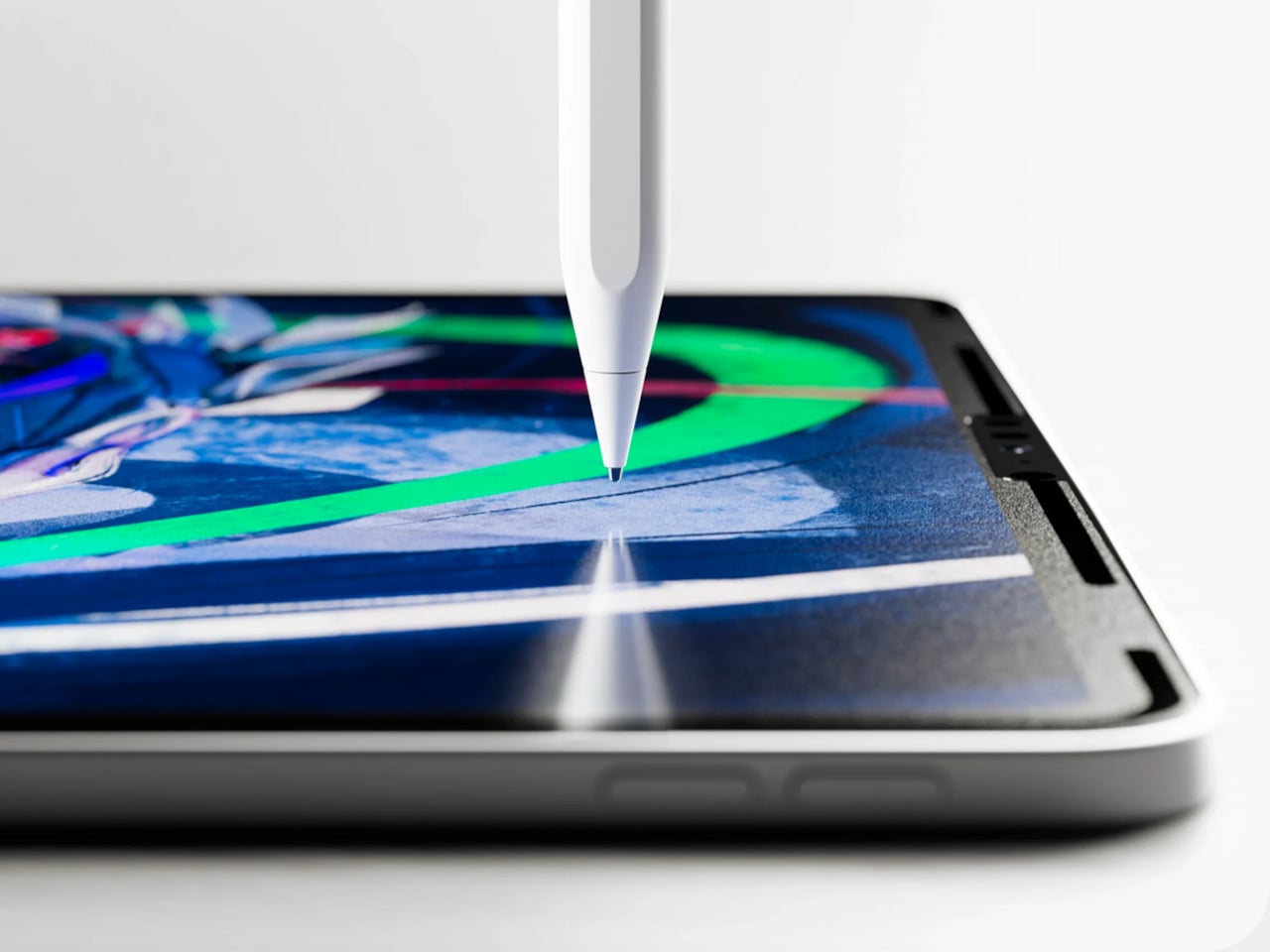
The Apple Pencil is a precision instrument that has never quite figured out how to feel like one. The glass surface beneath it is smooth and frictionless, and while that works fine for certain tasks, illustrators and note-takers spending hours drawing have always wanted something closer to real paper. Astropad’s Rock Paper Pencil addresses that gap directly: a removable, reusable nano-texture screen protector paired with custom Apple Pencil tips, and version 4.0 makes the system meaningfully better than it has ever been.
The upgrade introduces a new graphite POM tip alongside the existing steel ballpoint option, and the difference is immediately legible. The graphite tip mimics the toothy drag of a 2B pencil, a sensation that makes expressive sketching and shading feel deliberate and controlled rather than slippery and approximate. Each kit now ships with four tips in total, two graphite and two ballpoint, alongside a screen cleaning kit that should have been included from the beginning. The protector attaches via NanoCling static cling rather than adhesive, meaning it lifts off without residue and goes back on without a bubble.
What we like
The NanoCling system is genuinely removable and reusable, giving iPad owners a paper-feel surface on demand without permanently altering the display
Having both graphite and ballpoint tips in a single kit covers two distinct working styles without requiring a separate accessory purchase
What we dislike
The graphite tip wears down noticeably faster than the ballpoint option, which will matter to anyone putting in long, intensive drawing sessions regularly
The friction that makes sketching feel natural also makes smooth, fast swiping across the screen feel slightly resistant during ordinary everyday use
3. Battery-Free Amplifying iSpeakers
Every speaker you own asks something of you before it makes a sound. The Bluetooth speaker needs charging, and the charging case needs its own cable. The smart speaker needs a wall outlet, a WiFi password, and a company’s servers to stay online on a random Tuesday. The Battery-Free Amplifying iSpeakers, designed by Ooi Masato of Pit-A-Pat for Shimawa and made in Japan, need none of it. They need your iPhone and the physics of a sound wave moving through precision-machined metal, and that is the complete brief.
The design is straightforward: a Duralumin metal body with a slot for the phone and golden-ratio speaker apertures that channel and amplify sound through acoustic resonance, the same principle that powered phonographs before electricity reached most homes. There is no pairing, no app, no battery level to check. You set your phone in the slot, and your music gets louder and fuller, immediately.
Zero setup and zero charging requirements make it the simplest speaker in any room, with no ritual standing between you and better sound
The precision-machined Duralumin construction means there is nothing to break, replace, update, or charge, ever
What we dislike
At $179, it competes on price with capable Bluetooth speakers that offer far more volume, range, and flexibility for larger spaces or outdoor use
The phone slot is sized for specific handsets, so case thickness and phone dimensions will determine how well it actually cradles your device
4. Nomad Leather Folio
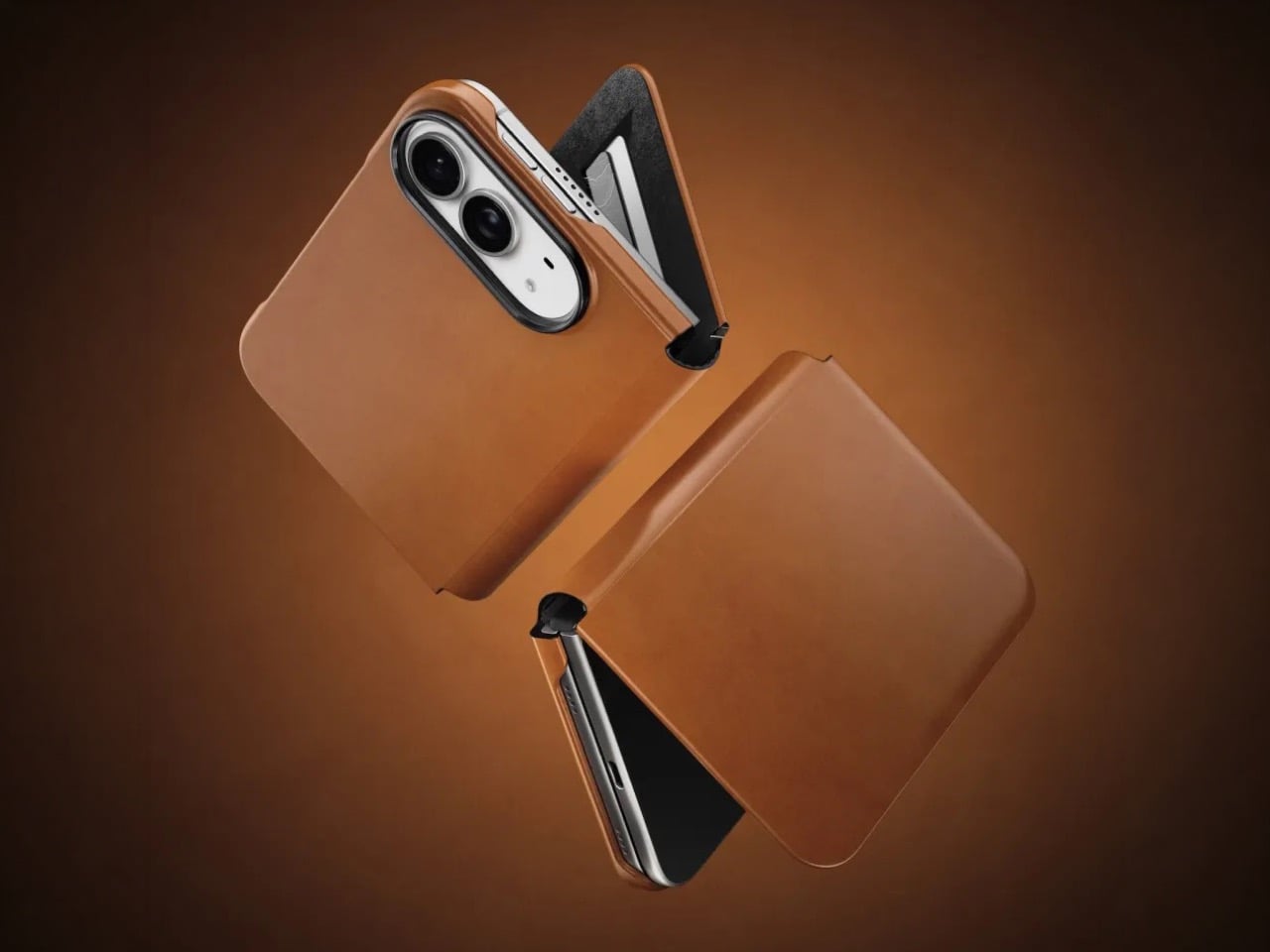
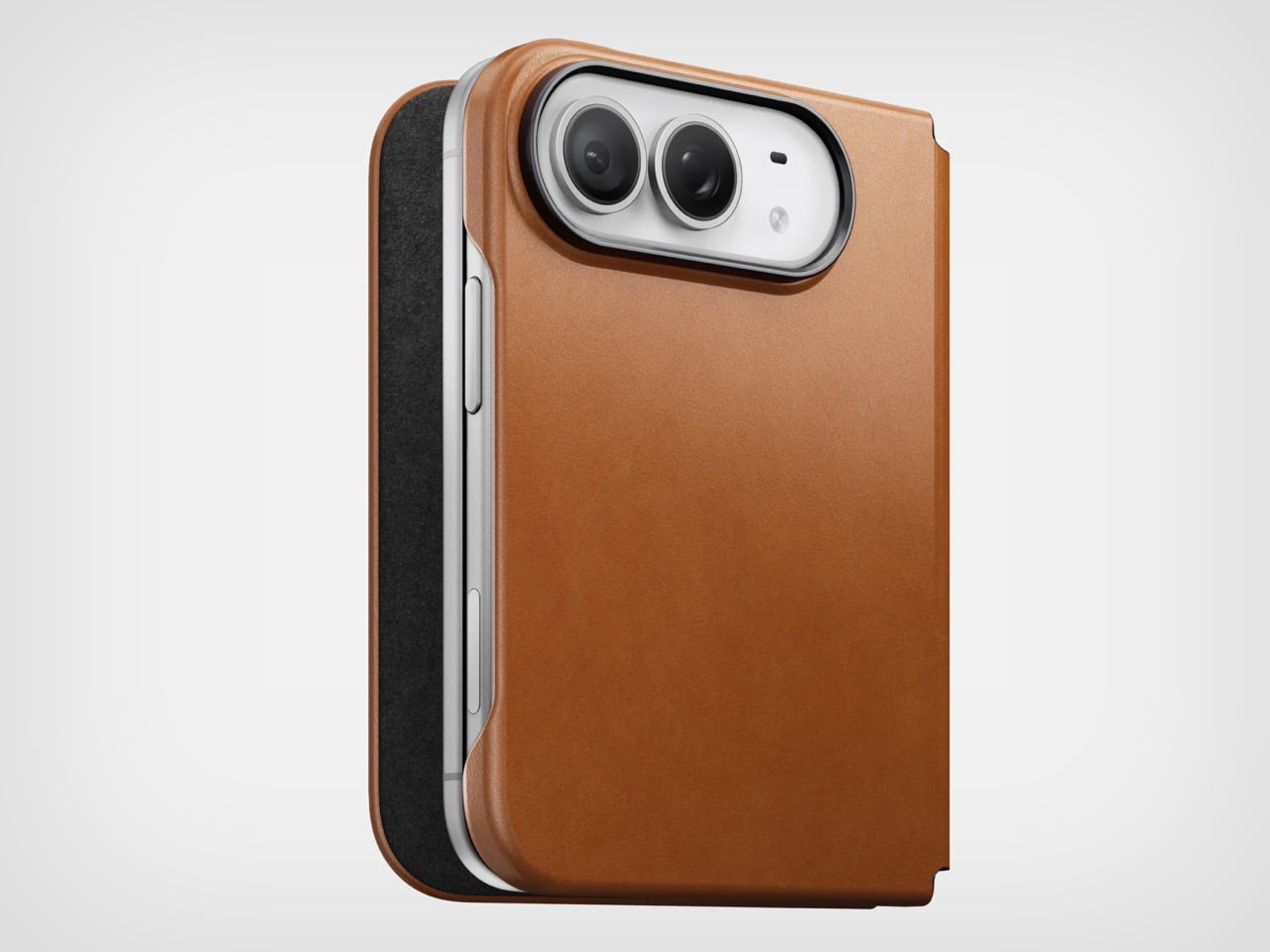
Phone cases tend to fall into two camps: those that protect the device and those that try to say something. Nomad’s Leather Folio attempts something harder: a single object that does both without looking like it is trying to do either. Crafted from Horween leather inside and out, with MagSafe compatibility and RFID blocking built in, it folds over the front of the iPhone Duo and turns what is already an expensive device into a combination that reads less like a phone and more like something a person who still carries a leather notebook would reach for without thinking twice.
Priced at $129, it is not a cheap case, but it is not pretending to be. The leather cover closes over the screen, which is either a feature or a nuisance depending entirely on how you use your phone, though for anyone who already drops it face-down out of habit, the protection is real and the payoff is legitimate. MagSafe integration means the phone charges normally through the case, and the RFID blocking handles the handful of situations where that actually matters. The overall effect is a device that feels deliberately considered in a way most cases never manage to pull off.
What we like
Horween leather develops a patina with use rather than aging badly, which gives the case a genuinely long useful life most materials cannot match
MagSafe compatibility and RFID blocking are both included without any visible hardware bulk or added thickness to the profile
What we dislike
The full front flap adds a step to every screen interaction that will feel like friction until the habit settles, and that adjustment can take longer than expected
At $129, it sits in an awkward price band between affordable everyday cases and truly premium leather goods, which makes the value case harder to land cleanly
5. RePod C1
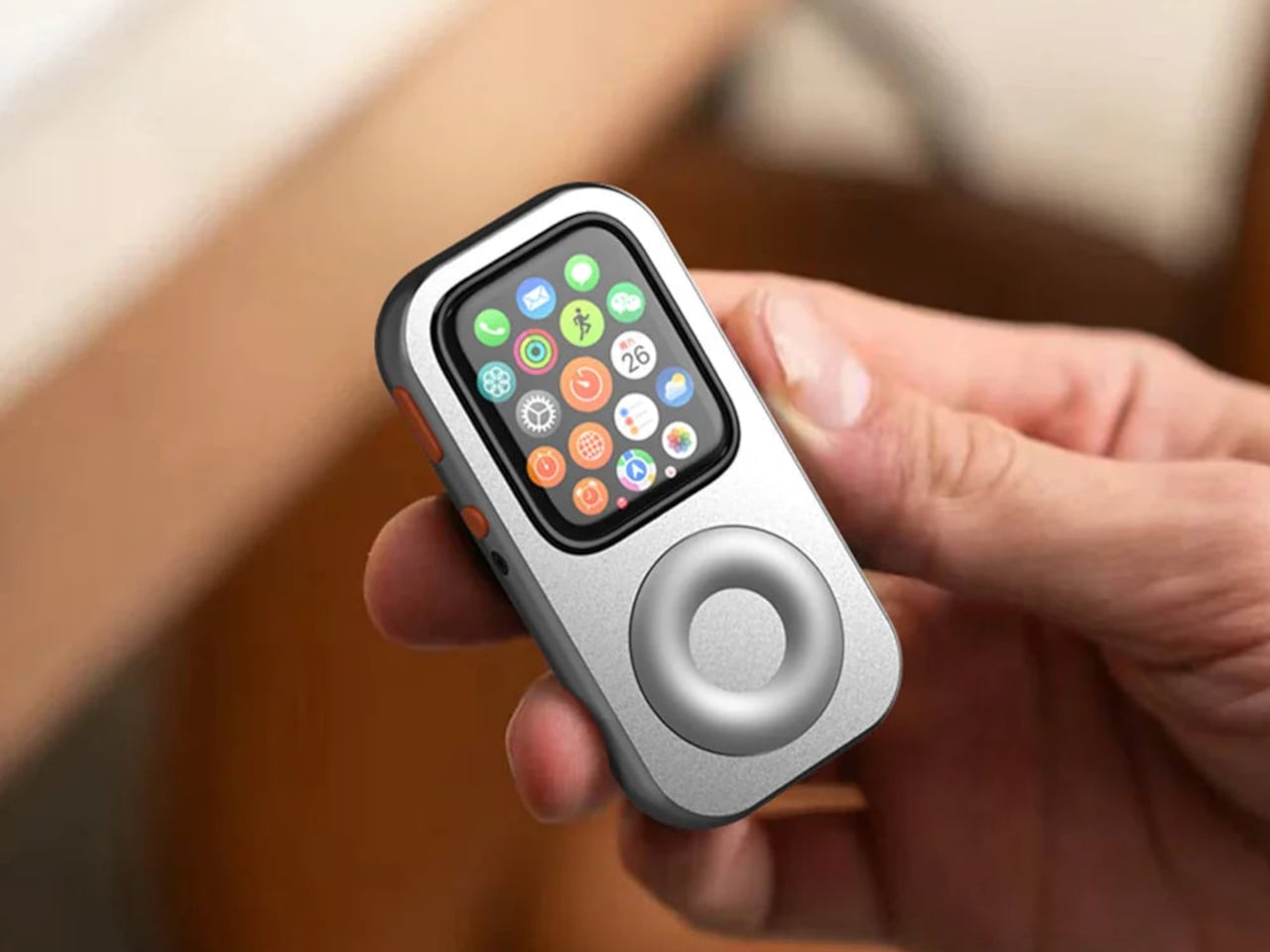
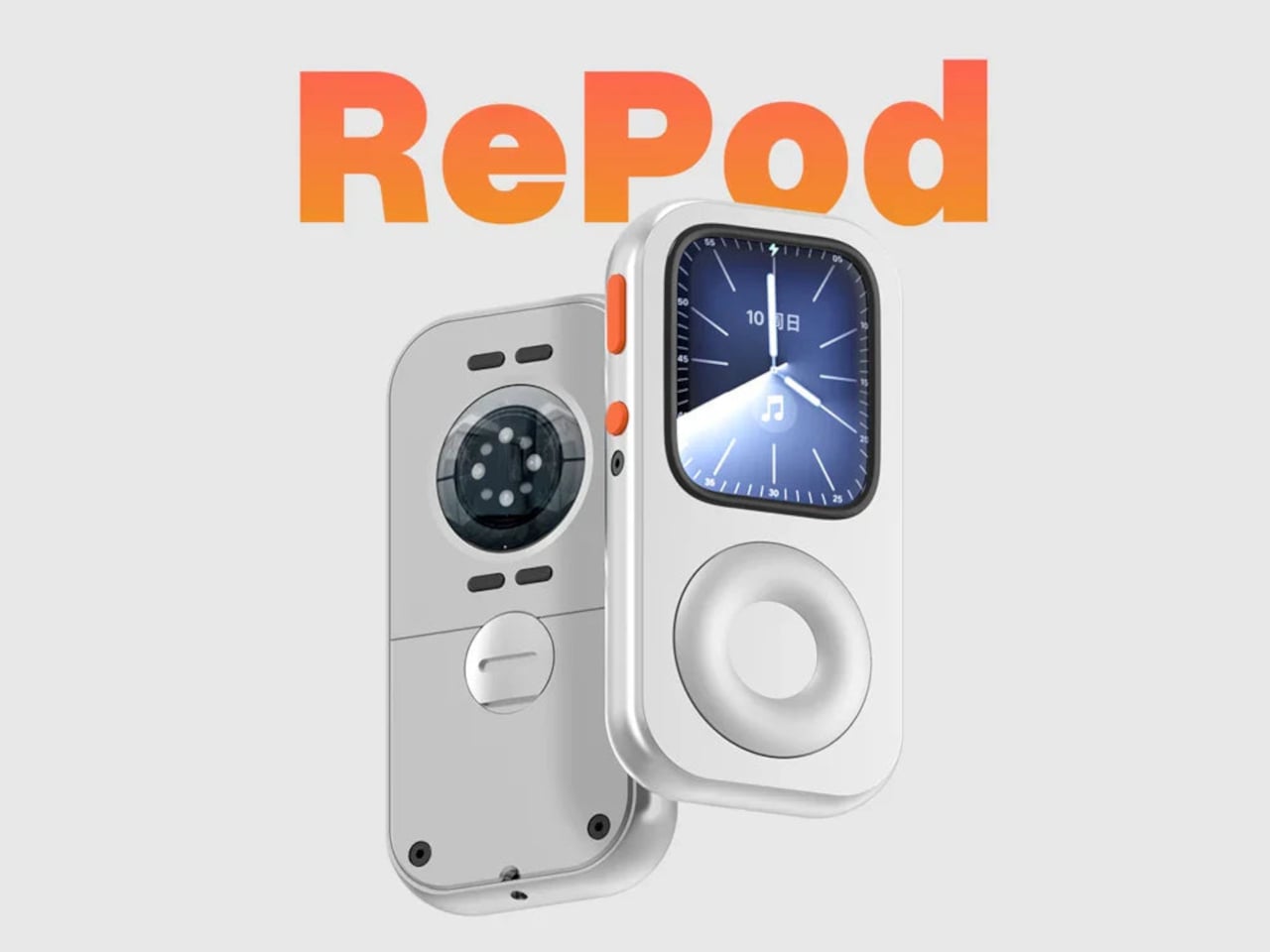
The click wheel was never just an interface. It was a tactile experience that gave early iPods a sense of ceremony that touchscreens have never quite replaced, a physical scroll mechanism that made navigating a playlist feel like it was worth doing slowly. Techpod’s RePod C1 is a $60 Apple Watch case that wraps the watch in an iPod-style shell and brings that wheel back, and what keeps it from being a novelty is one mechanical detail: the click wheel connects directly to the Apple Watch’s Digital Crown, so turning it actually does something real.
The case uses an open-back design that leaves all of the watch’s sensors fully accessible, meaning heart rate monitoring, ECG, and Apple Pay all continue to work normally. Antenna cutouts preserve Wi-Fi, Bluetooth, and cellular connectivity without compromise. The more interesting side effect is what it does to the device’s identity: sliding the watch into a pocket during a run or a commute and navigating with the Crown from inside the shell turns the Apple Watch into something that feels far more like a small, deliberate music player than a wrist-worn notification machine.
What we like
The mechanical connection between the click wheel and the Digital Crown makes the nostalgia functional rather than cosmetic, which is a meaningful distinction
The open-back design keeps every sensor and connectivity feature fully intact, so nothing about the watch’s capabilities changes when the case goes on
What we dislike
Adding any case to the Apple Watch introduces bulk to a device whose appeal partly depends on being thin and unobtrusive on the wrist
The iPod aesthetic lands clearly for one generation and reads as entirely opaque to anyone who came to Apple after the click wheel era ended
The Best Accessories Are the Ones Apple Didn’t Think to Make
Apple’s hardware is precise enough that the accessories worth paying attention to are the ones that noticed a gap the company chose not to fill. The NightWatch saw a dim nightstand clock. Astropad saw a frictionless drawing surface. Ooi Masato saw a speaker that required too much setup before it made a sound. Nomad saw a phone that could carry itself differently. Techpod saw a scroll mechanism nobody had brought back with anything real underneath it.
None of these are essential in the way a charging cable is essential. They are optional in the best sense, the kind of thing that makes a device feel more considered in the hands of whoever chose it. Whether your Apple device is a watch, a phone, or an iPad, something on this list has already figured out what was missing before you had the words for it.
There’s something wonderfully strange about walking up to a framed picture on your wall and telling it what to paint next. Say “paint my dog as a Japanese ink painting,” and the frame generates and displays a new piece. No file transfers, no app navigation, no creative software required. Jitrainno’s Smart Canvas runs on this premise: a voice and text-prompted AI art frame built around an E-Ink Spectra 6 color display, the matte, paper-like panel technology that draws zero power in static mode and reads under ambient light the way a canvas does. It comes in three solid-wood sizes, 7.5, 13.3, and 31.5 inches (named the Echo-7, Echo-13, and Echo-31 respectively), all with built-in batteries and Wi-Fi.
Jitrainno is a Hong Kong-based multidisciplinary team with in-house expertise spanning hardware R&D, E-Ink engineering, AI integration, firmware, and cloud services. They developed a proprietary color rendering layer on top of the Spectra 6 panel, tuned specifically for skin tone accuracy, landscape depth, and smooth gradient transitions. That kind of layered engineering, building custom display algorithms rather than shipping a panel with factory defaults, is what separates a team that genuinely understands display science from one that simply sourced a good component. The project moved from inception and industrial design in June 2025 to a production validation run by May 2026, a fast but not reckless pace for hardware at this scale. Global fulfillment is estimated for November 2026.
E-Ink Spectra 6 is the most capable color e-paper panel currently available to consumer product makers, using six primary pigments: black, white, red, yellow, blue, and green. It achieves up to 200 pixels per inch and draws zero power in static display mode, meaning the canvas can stay on your wall for days between charges. The paper-like surface reflects ambient light rather than projecting it, eliminating the glowing-rectangle problem that has defined every LCD-based digital art frame since the Kodak EasyShare era. Jitrainno’s self-developed rendering and color optimization layer is designed to preserve the subtle details that make an image feel closer to paper art. Based on early reviews, it reads more like a framed print than a screen, which is the bar the whole product needs to clear.
Speaking a prompt aloud and watching a new image materialize on the wall is a genuinely new behavioral ritual, and I think it’s the feature that will hook most people. Users can create images from text or voice prompts, explore different visual styles, and generate variations of their ideas, with AI used as a creative tool within the artwork creation experience. The product page demos a prompt like “a cute green dinosaur in a sunny prehistoric scene, soft watercolor and colored-pencil storybook style,” which apparently renders accurately enough to land on a kid’s wall. The AI side routes through third-party commercial image generation services via official APIs, supporting text-to-image and image-based creative generation within the experience. They also confirm they do not use user content to train their own foundation models, a meaningful distinction in a market where that commitment is far from universal.
AI generation is only one of several ways to populate the canvas. The app supports content from AI-generated art, a free art gallery called Daily Drops, the phone camera, the user’s photo library, and personal collections. Daily Drops streams a rotating selection of curated artwork that users can filter by mood or scene type and push directly to the display. The phone camera connection opens the obvious use case of photographing a physical painting, a landscape, or a face and sending it to the frame instantly. That breadth of sourcing makes the Smart Canvas a capable display platform in its own right, with AI generation sitting as a feature rather than a crutch.
Gallery proportions, tactile materials, and Auto-Rotation are deliberate choices to help the Jitrainno Echo series belong in the room like framed art. From the product photography, the proportions are gallery-standard, the profile slim enough to recede into a wall, and the matte panel surface does the visual work of making it belong. A built-in sensor detects whether the frame is in portrait or landscape and automatically switches the artwork’s aspect ratio, with no manual setting required. Connectivity runs in two modes: full cloud-connected (remote upload, AI creation, gallery sync, multi-user sharing) or completely offline (no account, no internet, direct phone-to-frame transfer). The offline option is a genuine design stance in a category where “smart” has almost universally meant always routing through someone else’s server.
The Jitrainno Echo-7 at 7.5 inches (1024×600, 170x236mm) is the tabletop model. The Jitrainno Echo-13 at 13.3 inches (1200×1600, 316.3×416.3mm) works both on a desktop stand and wall-mounted, making it the most flexible of the three. The Jitrainno Echo-31 at 31.5 inches (2560×1440, 603x903mm) is wall-only, the model that reads as a proper statement artwork rather than a gadget trying to pass itself off as one. All three run on E-Ink Spectra 6 full-color panels in solid wood frames, with built-in batteries and USB-C charging. The Jitrainno Echo-13 retails at $469 and the Jitrainno Echo-31 at $1,499, both covered by a one-year manufacturer’s warranty, with global fulfillment estimated to begin November 2026.
A folding phone creates a folding problem for accessory makers, and MOFT’s answer for the iPhone Duo is to lean into that shape rather than fight it. The Dynamic Folio wraps the Duo in a single continuous flap of vegan leather that does triple duty, guarding the shell from scratches, propping the phone up on demand, and giving your hand something secure to hold onto. One fold, three jobs, no extra parts bolted on.
That fold takes its cue from origami, the same paper-based logic MOFT has applied to its iPad cases for years. Here it collapses down to a razor-thin 0.07 inches and adds just 2.58 ounces to the phone, numbers that matter enormously on a device already carrying two screens and a hinge. The case disappears into pocket space rather than fighting for it, staying close to the Duo’s own profile instead of doubling it.
Designer: MOFT
Unfold that flap, and it becomes a kickstand positioned dead center on the back of the phone, a deliberate placement that keeps the Duo balanced rather than tipping toward one edge. Four viewing angles come out of that single hinge point, covering both portrait and landscape orientations. One of those positions lays the phone nearly flat, built specifically for reading in bed or setting the Duo on an uneven surface without it sliding away.
That same centered geometry solves a smaller but real annoyance. Most phone grips assume you’re right-handed, forcing lefties to awkwardly reposition their thumb. Because the fold sits in the middle rather than off to one side, switching hands takes no adjustment at all. It’s a detail easy to overlook in a product photo but immediately noticeable the first time you actually use it one-handed on a crowded train.
Color plays into the case’s identity as much as its geometry. Rather than a single flat shade, the Dynamic Folio pairs contrasting tones between its exterior and the interior of the fold itself, so the moment you deploy the stand, a second color flashes into view. It’s a small piece of theater built into a purely functional motion, turning something as mundane as propping up your phone into a tiny visual reveal.
Wireless charging still works with the case installed, and the vegan leather shell is built to protect both the Duo’s inner and outer displays from scratches, not just the one you’d normally think to guard. At $69.99, the Dynamic Folio also marks the opening move in a larger accessory lineup MOFT has planned around the Duo, with a modular protective case, a rotating grip stand, and a card wallet still to come before the end of the year.
Handheld fans have traditionally been seen as seasonal accessories, but the category is evolving into something more versatile and designed for everyday carry. JisuLife’s Handheld Fan Ultra2 is built around that idea. That shift is also reflected in the broader consumer technology landscape on display at IFA Berlin, where everyday products are increasingly being designed to combine performance, convenience, and multiple functions in more compact forms.
The Ultra2 is one example of this evolution, bringing cooling, power, lighting, and focused airflow into a single handheld device. Built with an aluminum alloy body and multiple functions beyond cooling, it is designed to be a practical everyday carry rather than simply a seasonal accessory.
At its core, the Ultra2 delivers airflow of up to 17m/s in a compact form. But power is only part of the equation. Its roller dial offers 100 speed levels, giving users precise control from a gentle breeze to more powerful airflow. A roller dial runs through 100 discrete levels rather than snapping between a few presets, giving you genuinely fine-tuned control over how much air you want at any given moment.
That level of control also makes more sense once you understand the battery. The 9,000mAh cell supports up to 25 hours of continuous use at its lowest setting, enough for a full festival day or a long travel stretch before recharging becomes a concern. Higher speed settings naturally bring that runtime down, but the baseline is more than generous for most situations.
When it does need power, the Handheld Fan Ultra2 supports 18W fast charging via USB-C, making it easier to recharge when needed. That same port also works as an output, letting the Ultra2 charge other devices. For anyone who’s hit a critical battery level at the wrong moment with no outlet anywhere nearby, that’s a genuinely useful thing to have on hand.
The power bank function becomes most obvious once you’re away from a socket for a full day. You’re already holding the fan on a long hike or at an outdoor event, so being able to quietly top up your phone from the same device takes one thing off your list. Its 9,000mAh battery also provides reserve power to help keep your phone topped up when you’re away from an outlet.
The high-brightness spotlight, complete with an SOS mode, adds another layer of usefulness in outdoor settings, making the Ultra2 useful beyond cooling. Accessory nozzles also let you focus the airflow for more specific tasks, from clearing dust from camera gear to cleaning tight spaces. These aren’t features most handheld fans bother with.
None of that would count for much if the day-to-day details weren’t as carefully handled. The rear intake features an anti-hair-entanglement design to help prevent hair from being drawn in, the back cover pops off for cleaning, and a safety lock stops the fan from activating inside a bag. They’re not headline features, but they’re the kind of details that tend to matter once you’re actually using something regularly.
The aluminum alloy body gives the Handheld Fan Ultra2 a tactile quality that plastic alternatives can’t match, and the two available colorways, Dark Grey and Light Brown, fit naturally into an everyday gear context rather than feeling like a seasonal accessory. The circular LED display on the fan head shows battery status clearly, and the whole unit measures 74.5mm x 40mm x 135mm, compact enough to disappear into most bags.
Seen in the context of IFA Berlin, the Ultra2 reflects a broader shift in how everyday technology is being designed: products are becoming more multifunctional without becoming more complicated to carry. Rather than adding another single-purpose device to your bag, the Ultra2 brings several useful functions together in one compact form.
For regular travelers, outdoor enthusiasts, or anyone who thinks carefully about what goes into their bag, the JisuLife Handheld Fan Ultra2 earns its keep across enough different scenarios to justify the premium. It cools, charges, illuminates, and delivers focused airflow when needed, all from one compact device designed to fit naturally into your everyday carry.
A dorm room rarely arrives with any intention behind it. The furniture is standard issue, the lighting is whatever the university installed, and the walls belong to someone else’s lease. None of that stops you from shaping how the space feels. Japanese design has always found calm not through more, but through better. These seven objects apply that same thinking to the smallest rooms most people will ever live in.
None of these picks need a drill, a landlord’s approval, or a subscription to anything. They are small, portable, and built around the same logic that shapes a good ryokan room: comfort comes from restraint, not accumulation. Each entry here handles one of four things — scent, light, sound, or surface — extremely well. Start with one, give it a few weeks, and notice how quickly the rest of the room reorganizes around it.
1. Battery-Free Aroma Diffuser
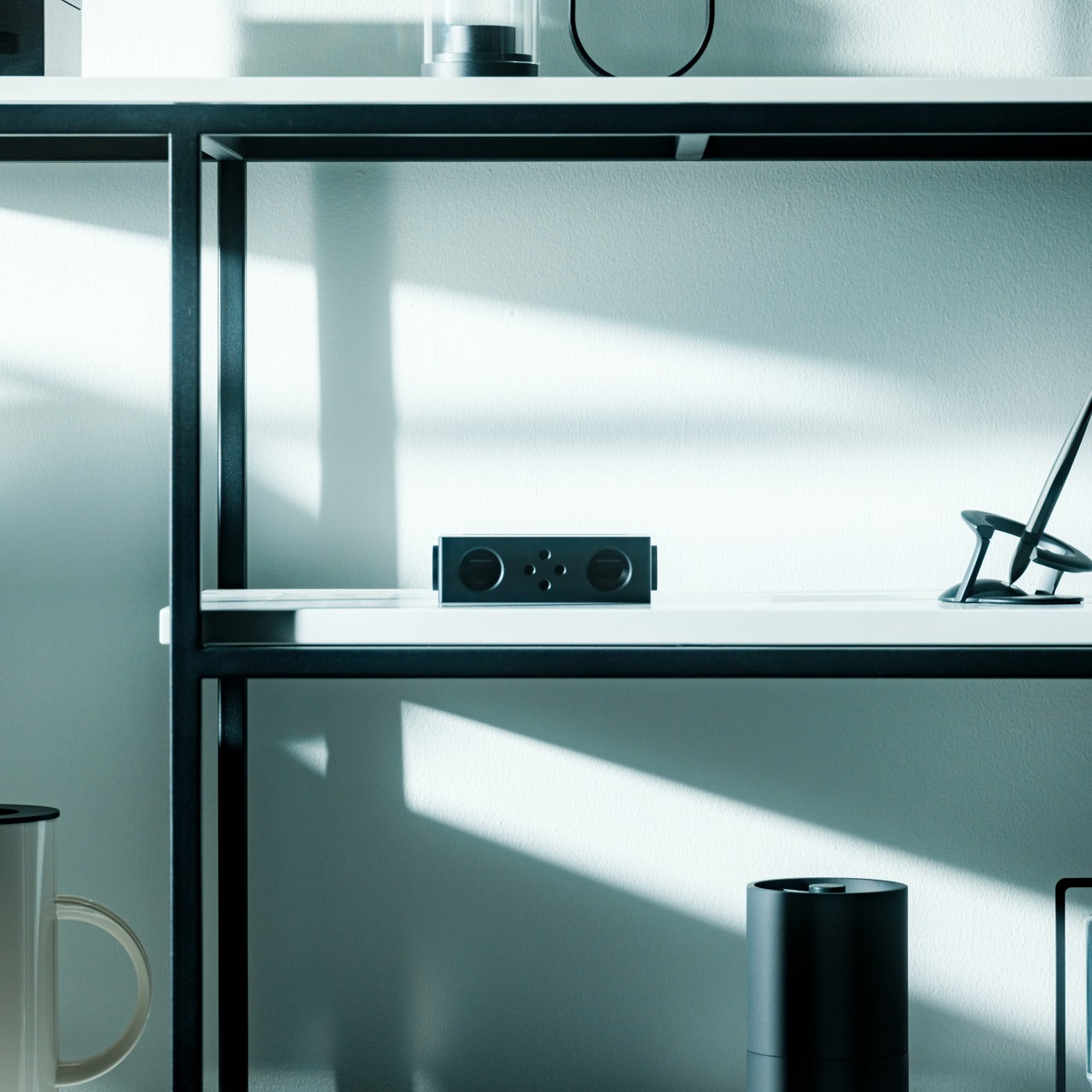
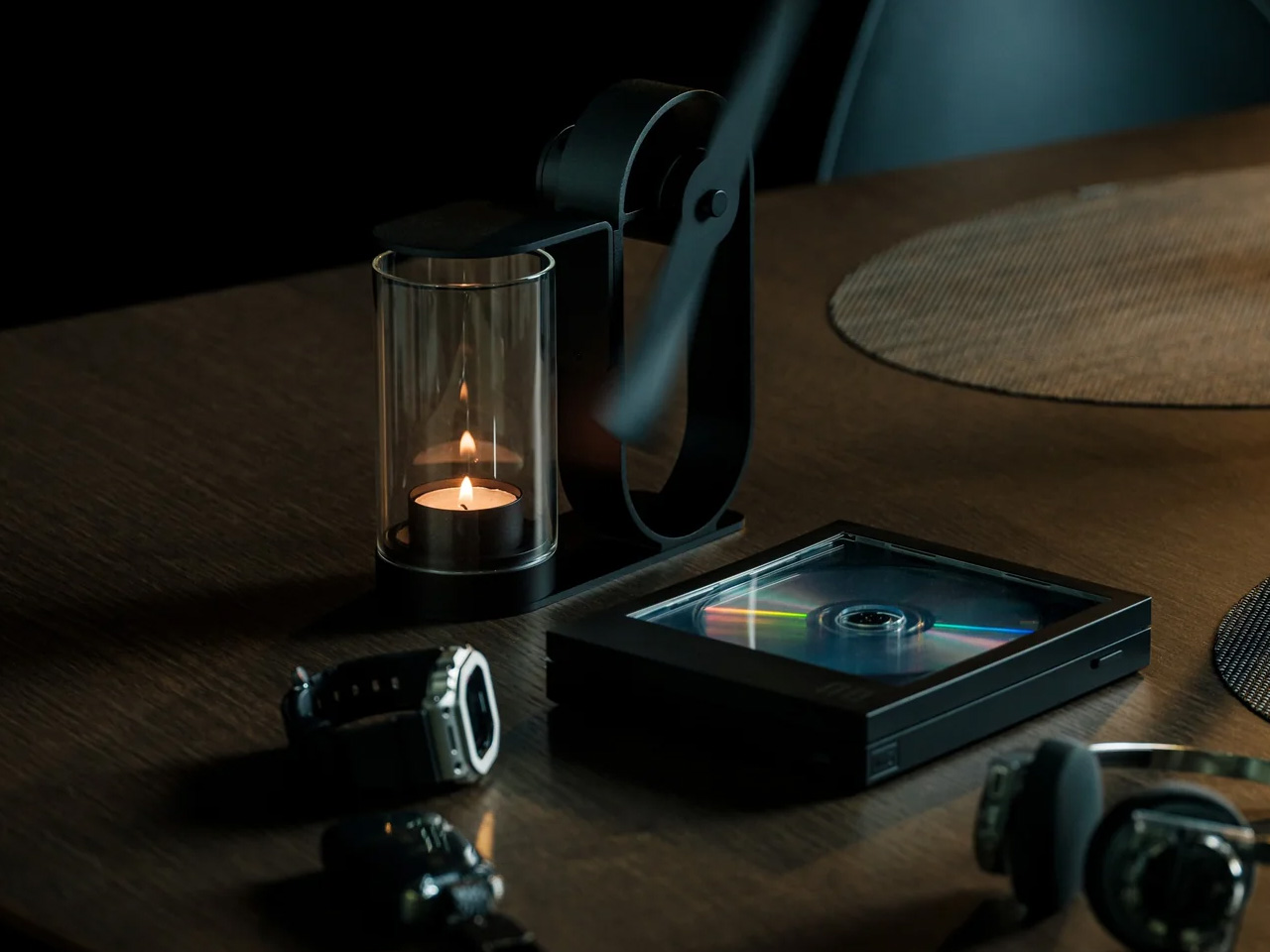
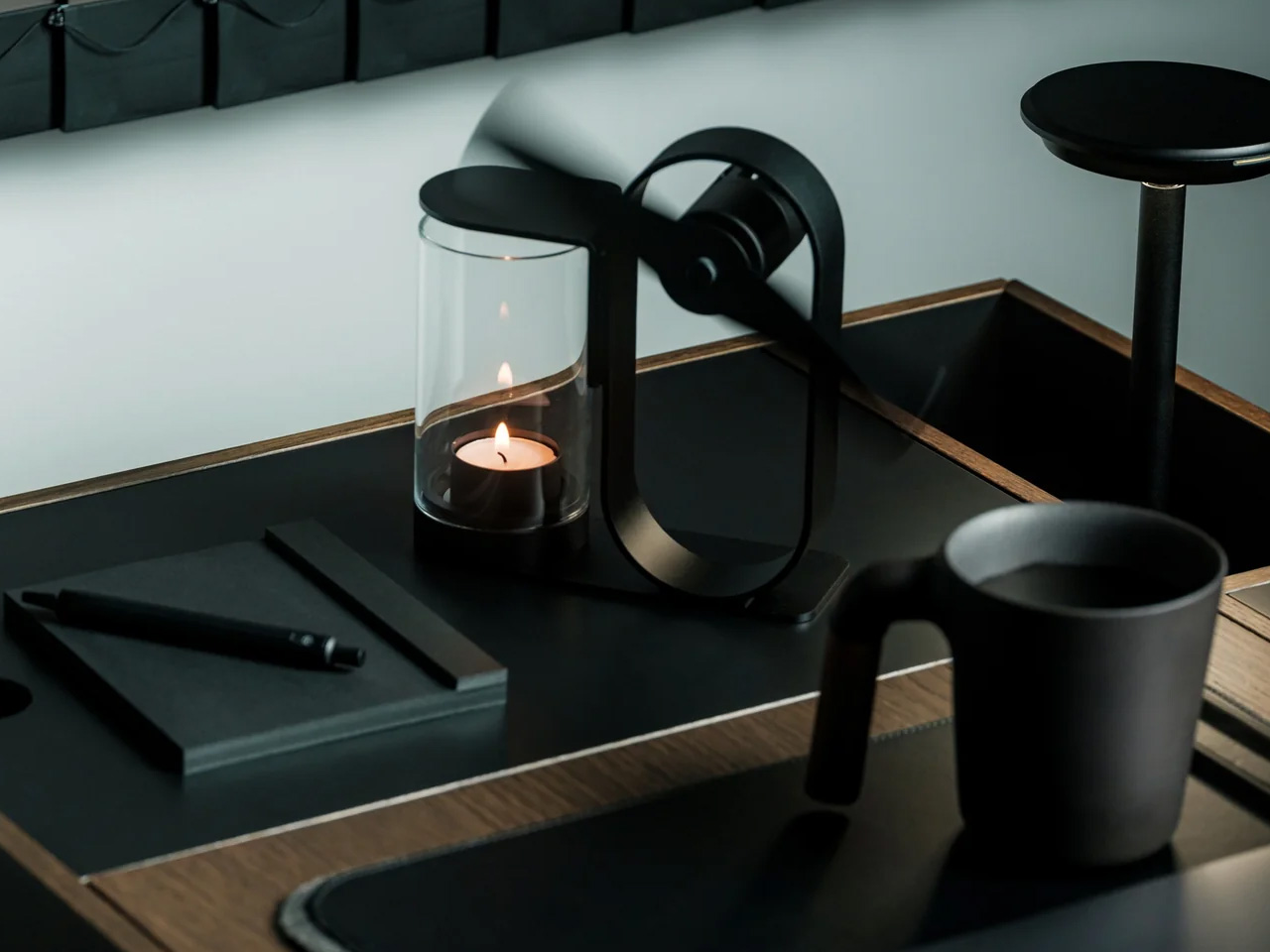
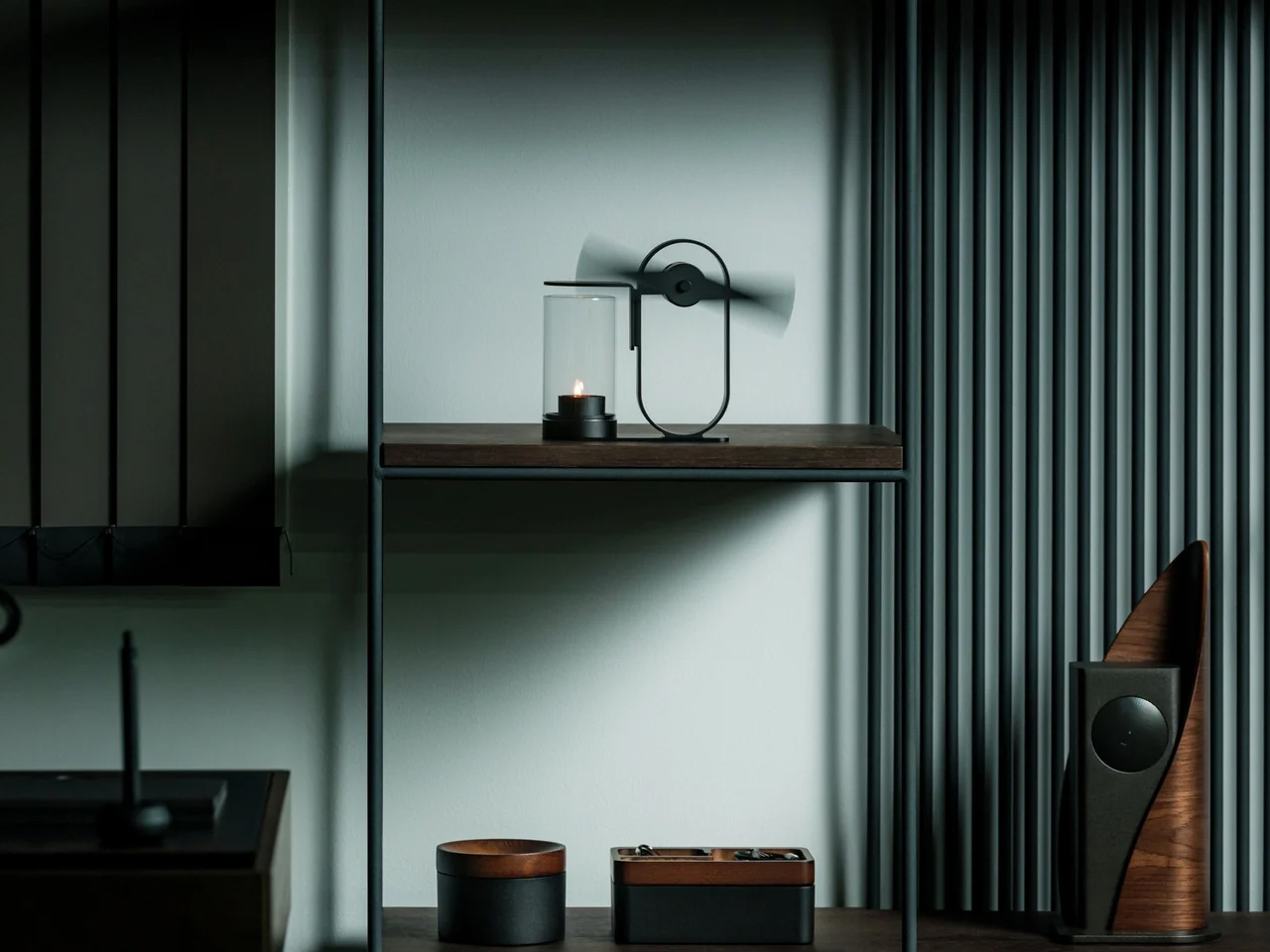
The most obvious thing about the Battery-Free Aroma Diffuser is right there in the name. No cord to manage, no batteries to replace, no USB port to compete with your laptop. A small candle sits inside a shielded housing, and the heat it generates spins a single fan blade that pushes scent further into the room than a standard candle would alone. The whole mechanism is visible from the outside, which is part of what makes it worth keeping on a nightstand in the first place.
There is something meditative about watching it work. The fan blade turns without any electricity, the scent builds slowly rather than blasting the room at once, and the exposed metalwork turns what is usually a plastic object into something closer to a piece of craft. In a dorm room where most objects compete for attention, this one earns it quietly.
No batteries or cords means it works anywhere, including the awkward corner beside your bed
The exposed mechanism makes it look closer to a small kinetic sculpture than a gadget
What We Dislike
Scent only diffuses while the candle burns, so the effect does not last through the night
Open flame requires supervision and may conflict with dorm fire safety policies
2. REBORN PULP Acoustic Panel
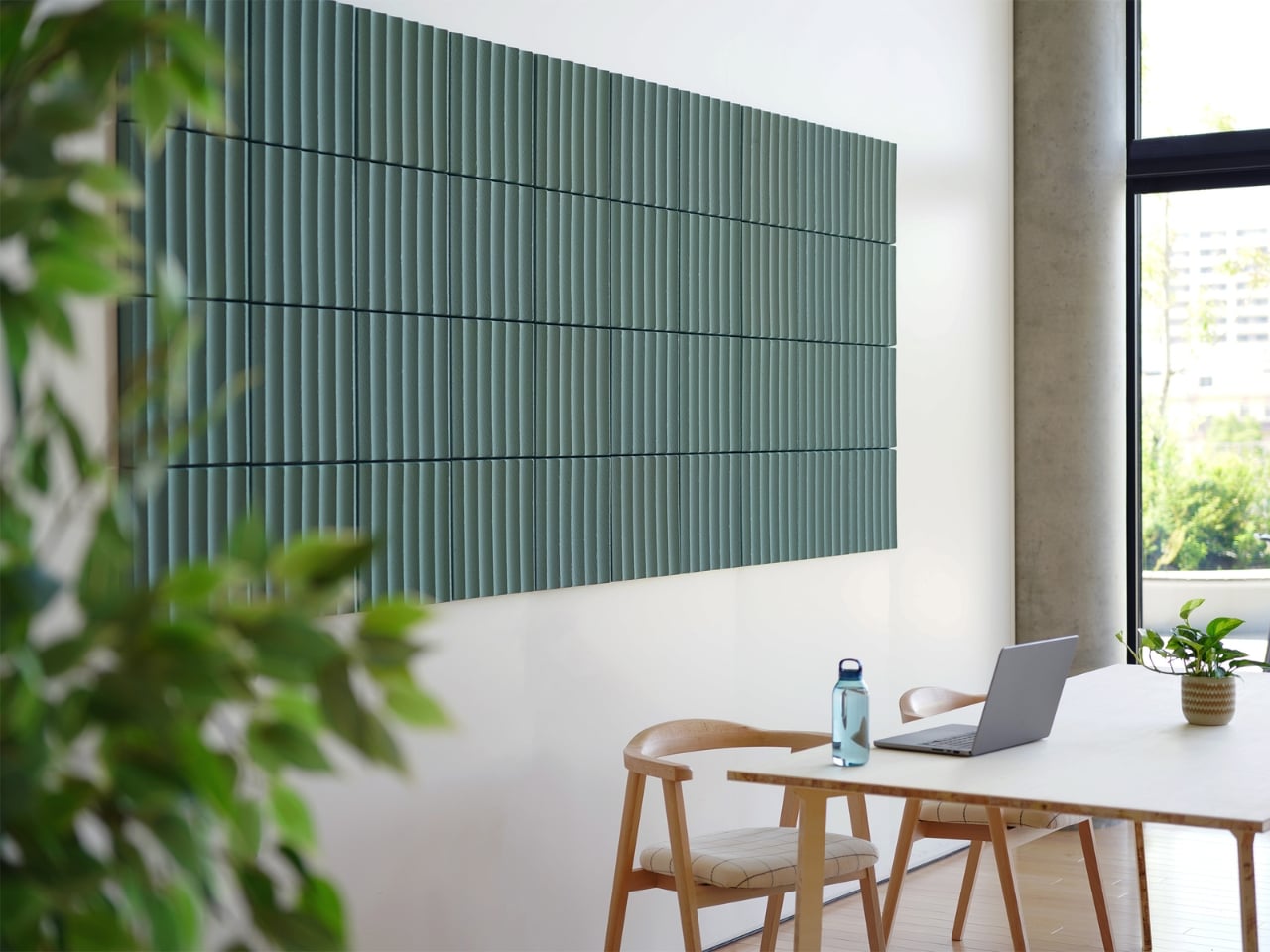
Most acoustic panels solve one problem while creating another. They dampen sound but look like something salvaged from a recording studio, and nobody wants a room that looks like that. LIBGRAPHY’s REBORN PULP takes a different position entirely. Made from 100% recycled paper pulp with no plastics and no synthetic adhesives, it is fully biodegradable. The surface carries ridges and textures that reference a raked zen garden, available in colors drawn from traditional Japanese naming: natural, pale grey, celadon, and indigo.
What that means in practice is a panel that absorbs sound and reads as intentional decor at the same time, a combination almost nothing else in the acoustic category manages. The name Reborn refers to the material itself: paper that would otherwise be discarded, pressed into panels and returned to something useful. In a dorm room where wall decor is usually a poster or nothing, a REBORN PULP panel brings texture, quiet, and a considered material story from one object on the wall.
What We Like
The raked surface texture reads as genuine wall art, not acoustic treatment hiding behind decor
100% recycled paper pulp construction with no plastics, no synthetic adhesives, fully biodegradable
What We Dislike
Availability outside Japan is still limited, making international purchasing complicated
Pricing is not publicly listed, which makes budgeting harder before you commit to inquiring
3. Portable CD Cover Player
Music in a dorm room usually comes from a phone propped against a glass. The Portable CD Cover Player changes the ritual entirely. You slot an actual CD into the body of the player, slide the album jacket into a front-facing pocket, and the artwork becomes part of what sits on your desk or hangs on the wall while the music plays. A built-in rechargeable battery and speaker mean it works anywhere you put it, no outlet or external speaker needed.
The design logic here is genuinely Japanese in its thinking: one object, handled well, replaces three. A phone stand, a music player, and wall art collapse into the same device. Priced from $199, it reintroduces the physical ritual of choosing and loading a disc, which is a deliberate act in a way that queueing a playlist never quite is. That small moment of intention is exactly what separates a ryokan from a hotel.
Album art display turns a music player into a piece of rotating wall decor
Battery-powered and portable, so it moves freely around the room without hunting for an outlet
What We Dislike
Requires owning physical CDs, which most students no longer have on hand
The built-in speaker suits a small room but is not a substitute for dedicated audio
4. Pattern as Structure Shelf
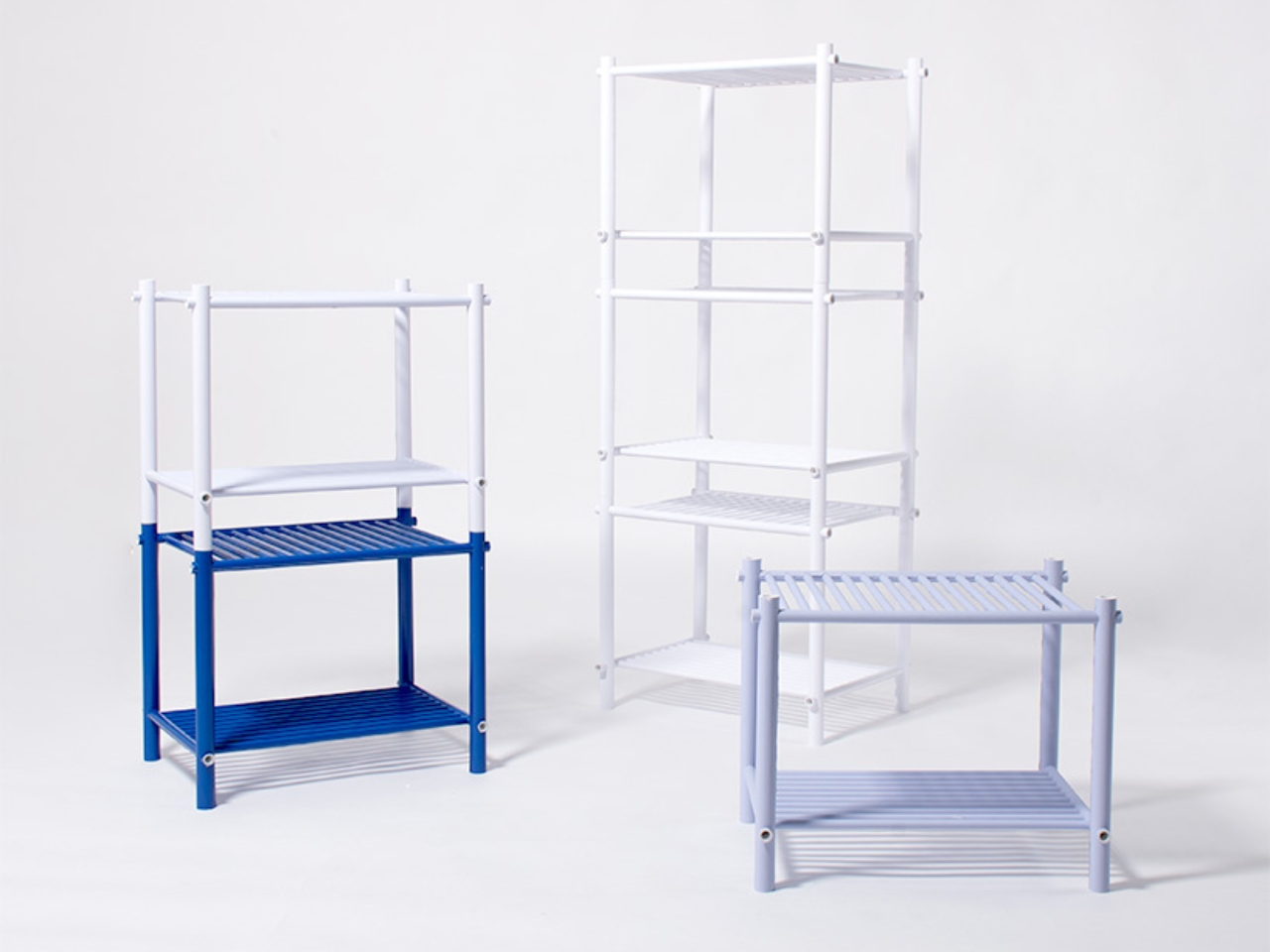
When Japanese designer Muto Yumi set out to make furniture from paper, the result was not what most people would picture. No papier-mâché, no origami folding, no salvaged cardboard called art. What she built is a modular shelf system so structurally sound and visually precise that it makes you question most of what you assumed about material strength. The whole structure is built from rolled paper rods, and the pattern printed across each rod is not decoration. It is the joint itself.
Other paper rods slot through the pattern holes, linking each piece to the next without glue or hardware. The aesthetics and the engineering are the same thing, which is a level of design clarity rare in furniture of any material. Paper does not pretend to be something else. You can see the rolled layers at the cut ends. The pattern on each rod is both surface and structure, decoration and joint, and that indivisible coherence is what makes the shelf feel genuinely resolved.
What We Like
The pattern doubles as both decorative surface and structural joint, a design coherence almost nothing else achieves
Fully modular and hardware-free, meaning it can be reconfigured or disassembled without tools
What We Dislike
As a concept project, it is not yet available as a retail product to purchase
Paper furniture requires careful handling, and a shared dorm environment adds more risk than most
5. Infinite Solas Lamp
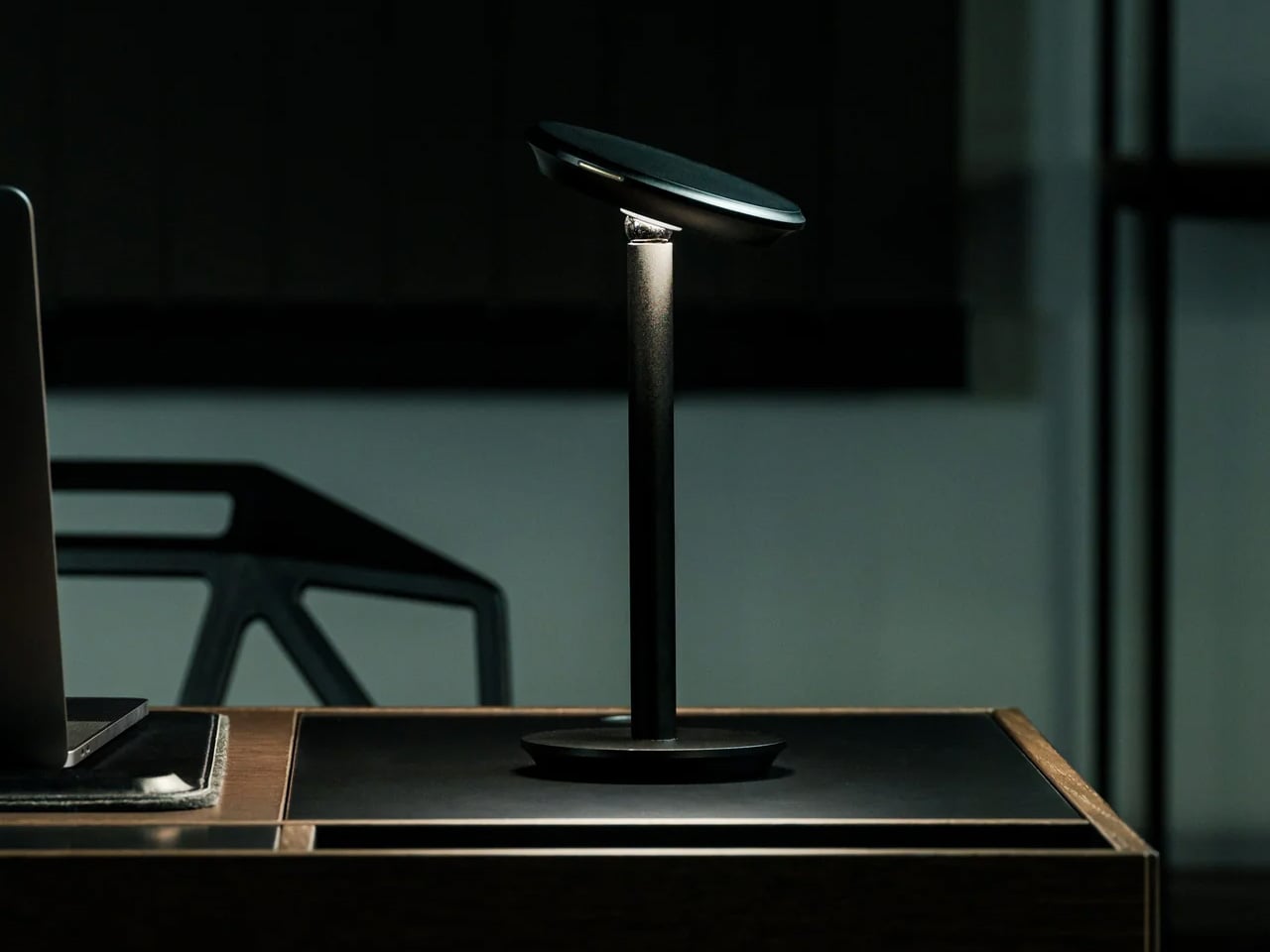
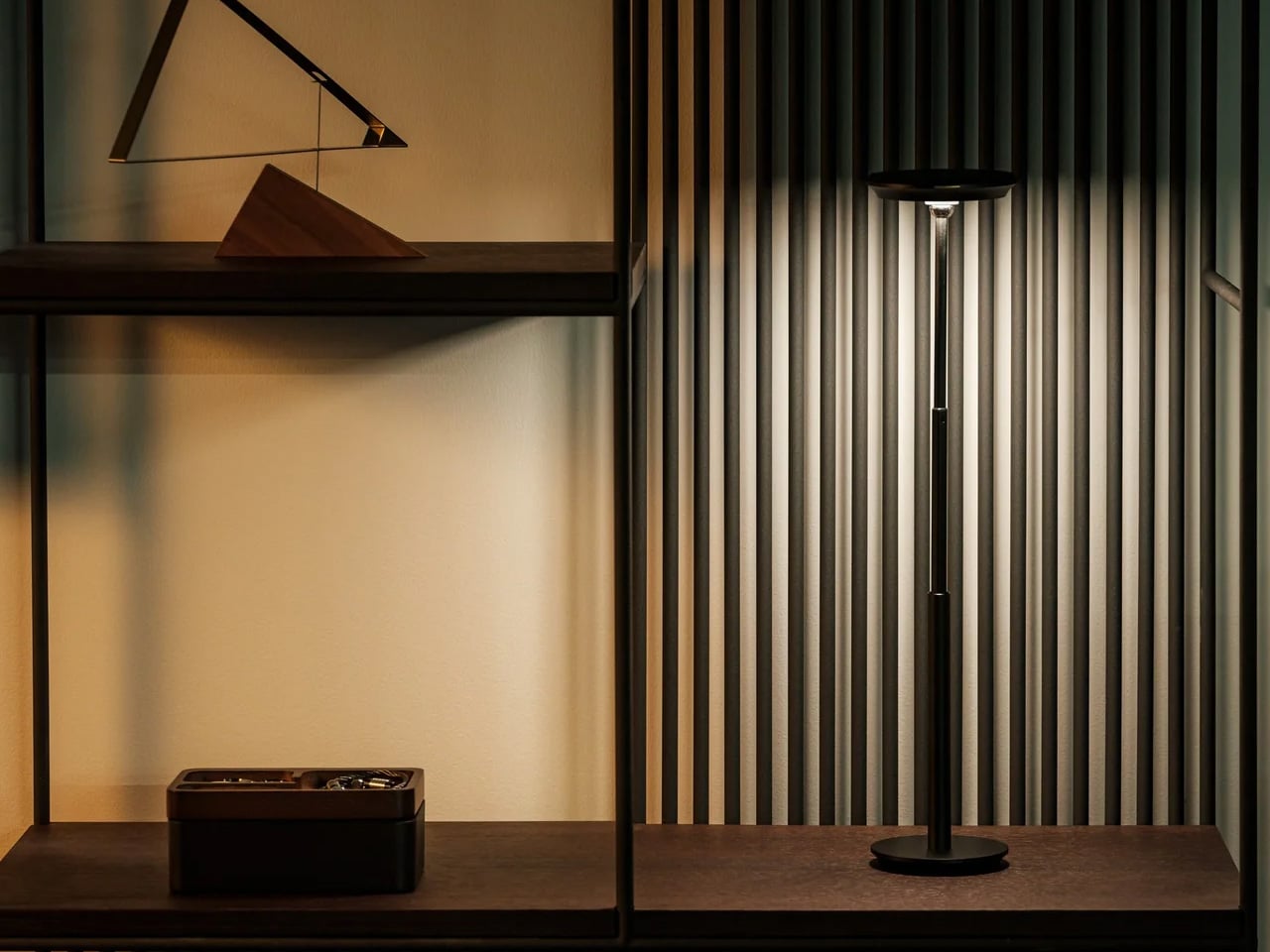
A dorm desk pulls double duty as dining table, reading surface, and workspace, often within the same hour. The Infinite Solas Lamp is built for that kind of restless room. It is fully wireless, running on a rechargeable battery that lasts up to 70 hours at low brightness or 6 to 7 hours at full, and the height adjusts between 22.5cm and 50cm so it fits wherever the moment calls for it, without the usual cord hunt before every use.
The color temperature runs from 2500K to 4000K with full dimming across the range, which means the same lamp that pushes you through a late assignment can settle into something much softer for reading in bed. The machined aluminum body with its anodized finish weighs just over a kilogram, enough to anchor a corner without needing shelf space.
Battery life of up to 70 hours at low brightness means days between charges in normal use
Height adjusts from 22.5cm to 50cm so it functions equally well on a desk or nightstand
What We Dislike
At $325, it is one of the more expensive items on this list, which strains a dorm budget
Full brightness lasts only 6 to 7 hours per charge, so heavier use means more frequent recharging
6. Hinoki Bath Stools
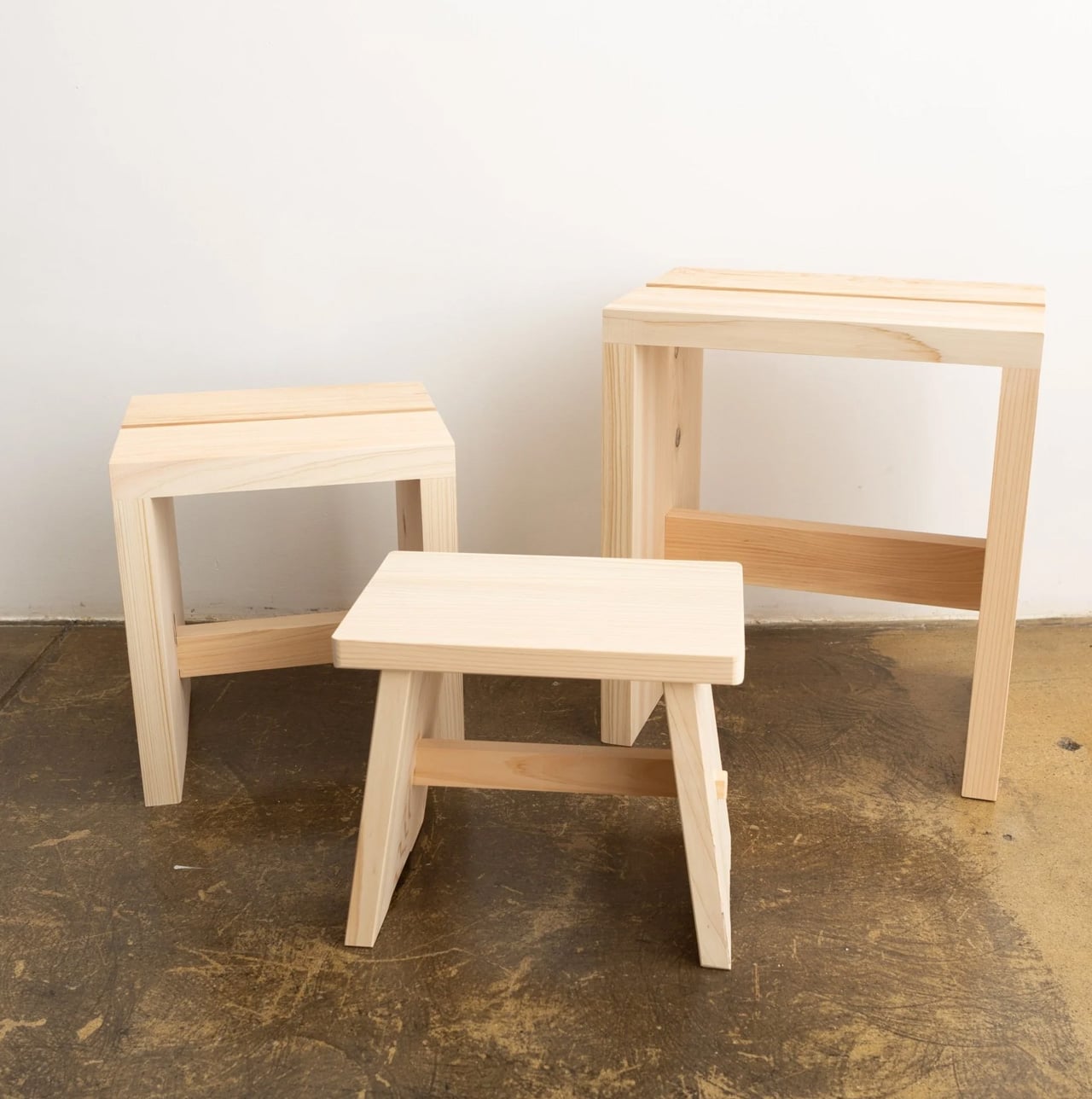
A dorm shower is not typically where design decisions get made, but that does not mean the space is beyond improvement. Hinoki cypress lines traditional Japanese bathing rooms, carrying a natural oil that resists moisture and releases a gentle, forest-like scent that intensifies with warmth and steam. Tortoise General Store stocks these stools from $90, in three sizes, from the compact Umezawa at 10.5 inches long to the taller High Stool at nearly 15 inches.
The woodworkers of Tosaryu have perfected their craft in the mountains of Kochi, Japan since the 1970s, which matters for an object used every morning. The solid hinoki does not turn slippery underfoot the way plastic bath accessories do, and the natural oil within the wood keeps releasing scent each time it gets wet. Bringing one into a shared dorm bathroom is a small change with an outsized effect on how the space starts to feel.
What We Like
Natural hinoki oil releases a forest-like scent with heat and steam, making every shower more intentional
Three sizes available to suit different shower setups, from compact corners to wider stalls
What We Dislike
Solid wood requires occasional oiling to prevent drying and cracking in dry indoor climates
In a shared dorm bathroom with communal use, the stool will need consistent care and personal supervision
7. Aji Stone Book End Large
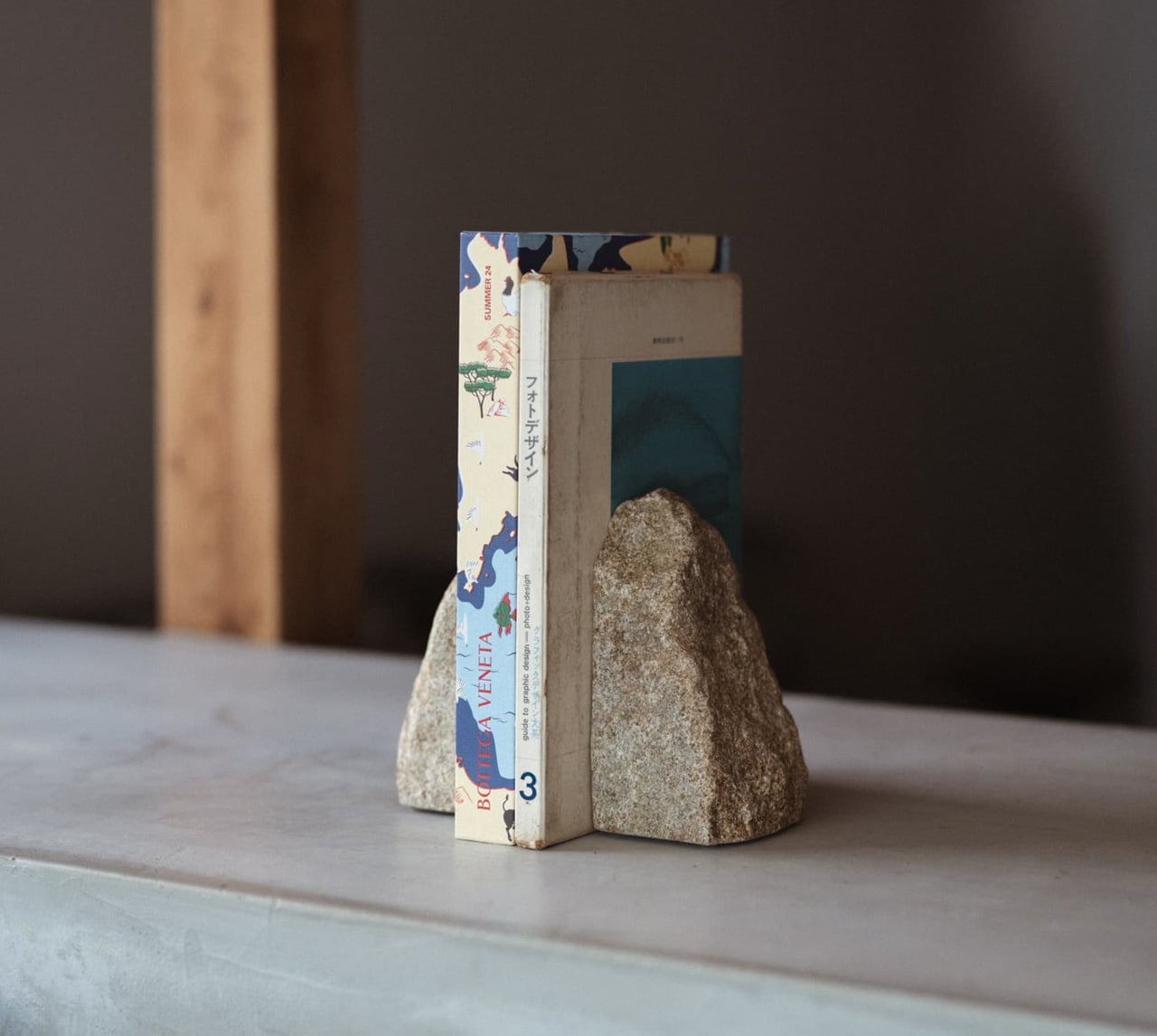
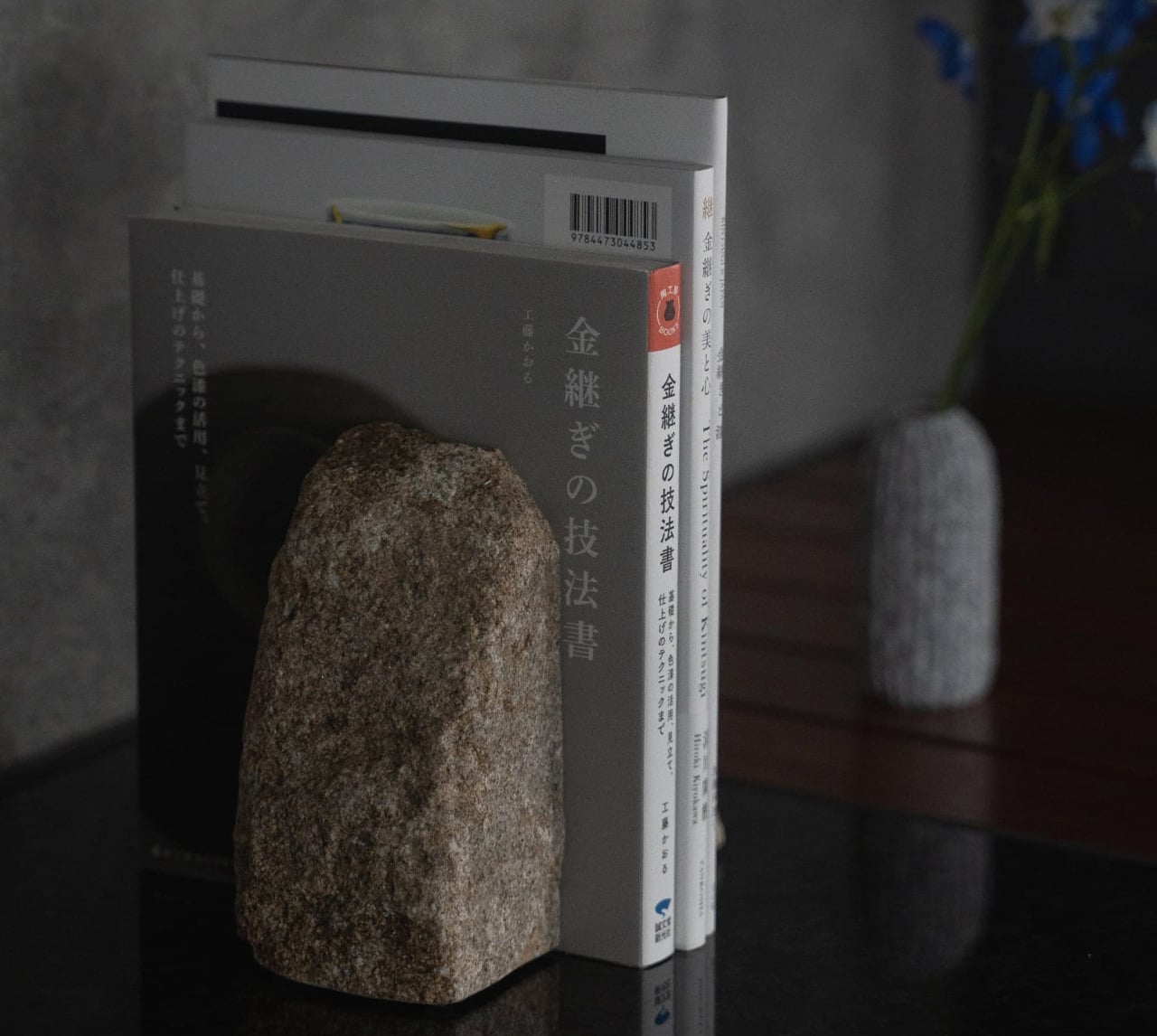
Most objects on a dorm desk either do a job or look good doing it. This one does both at once, without announcing either. The Aji Stone Book End Large is cut by Aoishima artisans from a single piece of granite quarried exclusively in the Aji and Mure regions of Kagawa Prefecture — a stone so dense and fine-grained it has been called the Diamond of Granite for over a thousand years. At 5.9 inches tall and 5.9 inches wide, it holds a shelf of design books in place with the kind of quiet authority that comes from actual mass, not styling.
The material itself is what makes it worth placing in a room. Aji stone is composed of quartz, feldspar, and biotite, and its tightly bonded crystals produce a polished surface with a speckled cloud pattern — called “ban” — that is unique to this stone alone and shifts subtly under different light. A ryokan room earns its calm partly through the weight and texture of real materials left to speak for themselves. One granite bookend on a shelf, holding a small stack of books, does more for a room’s mood than a shelf full of objects trying harder.
What We Like
Cut from a single piece of Aji granite by Kagawa artisans, so every surface marking is unique to that specific stone
The polished “ban” pattern shifts under different light conditions, making it a surface worth looking at even when nothing is leaning against it
What We Dislike
At $240, this is the highest price-per-square-inch object on the list, which is a real ask for a desk accessory
Genuine stone weight means it is not something to repack or move frequently, which matters in a room you vacate once a year
The Room You Sleep In Should Earn the Rest It Promises
A ryokan room earns its reputation not through luxury but through restraint. Nothing in it is accidental, and nothing is there simply to fill space. That same principle scales to a dorm room just as well. The objects on this list work because each one handles a single function with more care than the default version of that thing, and that care accumulates into something the room actually starts to feel like.
Start with light, since it does the most emotional work in the smallest footprint. Add scent next, because it transforms a room’s character without touching a single surface. Sound comes third. Surfaces come last, and they come slowly. The point is not to recreate a ryokan from scratch in a rented room. The point is to bring enough of that thinking with you that the place you sleep actually earns the rest it is supposed to give you.
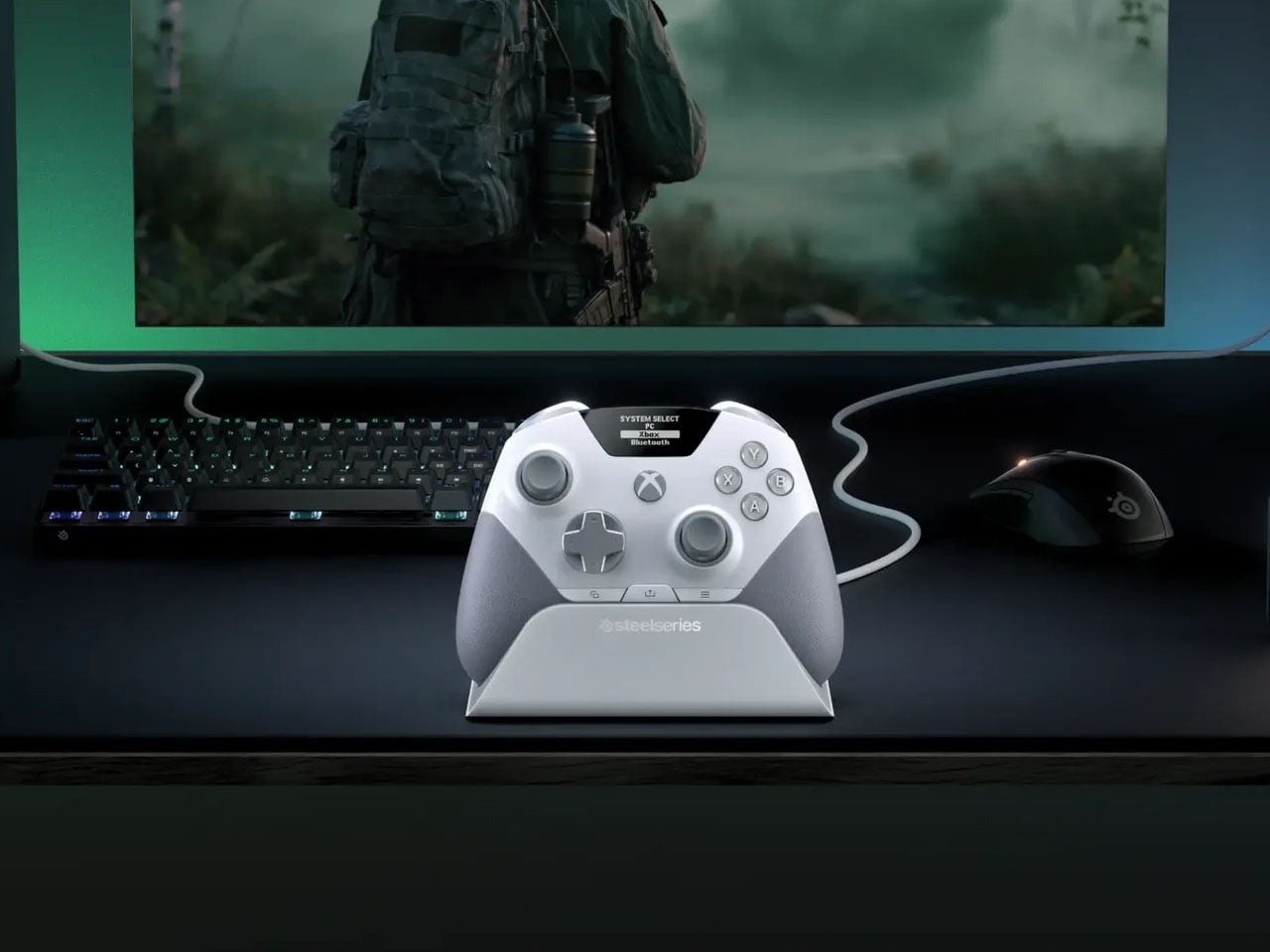
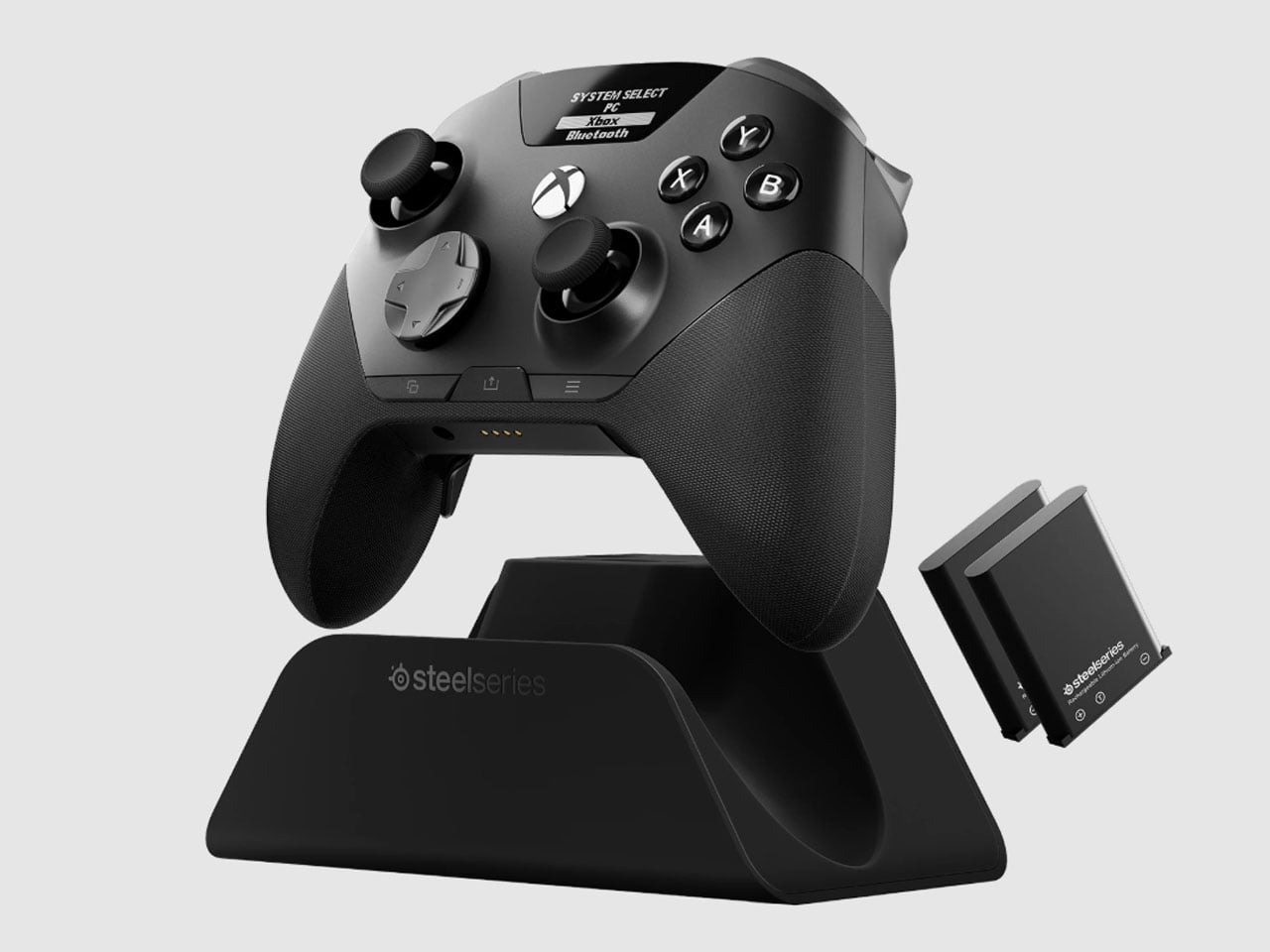
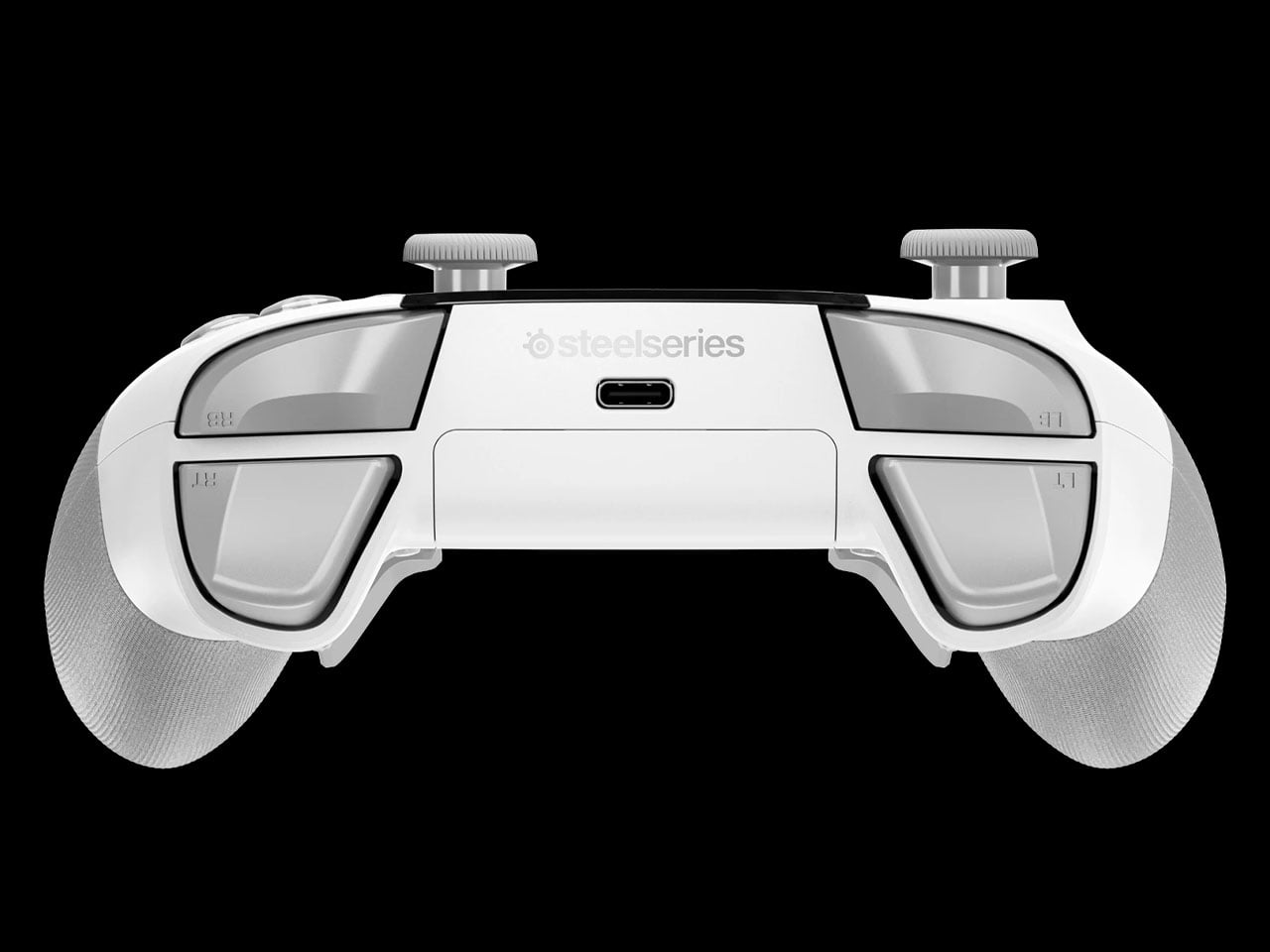
There is something slightly ridiculous about having a PC and an Xbox sitting on the same desk, then needing to re-pair a gaming controller every time you move from one to the other. SteelSeries thinks the controller should simply know where it needs to go. That is the idea behind the Aeon Pro.
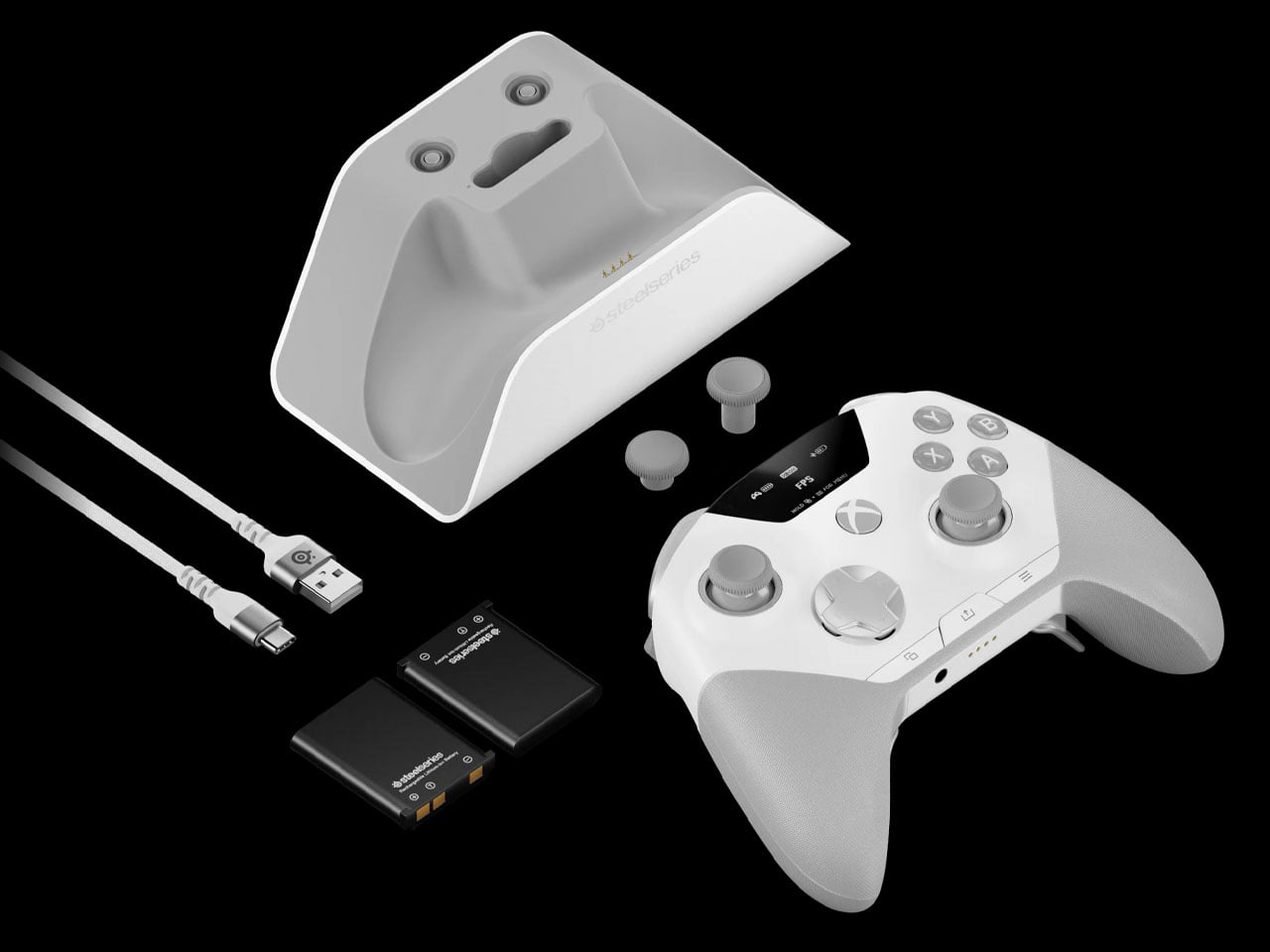
The new wireless gamepad is built around a QuickSwitch Dock that can stay connected to both a PC and an Xbox. Instead of disconnecting one system, pairing with the other, and repeating the process later, the controller can switch between them from the dock. SteelSeries says the system is patent-pending and describes it as the first of its kind for Xbox and PC.
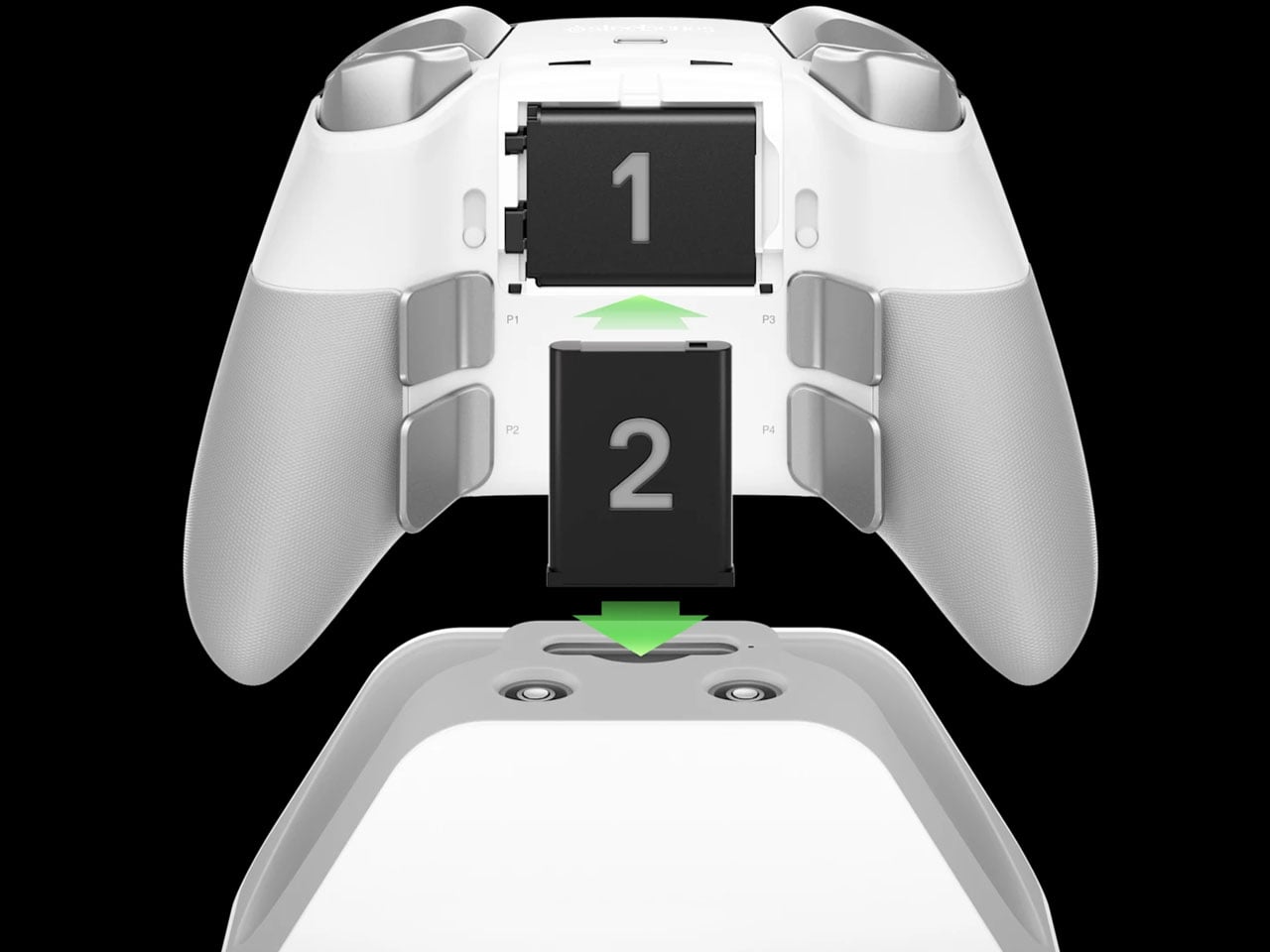
The dock is also where the Aeon Pro gets its other unusual trick. It holds a second battery while the first one is being used in the controller. When that battery runs low, it can be swapped for the charged one rather than plugging the controller into a cable and waiting. The batteries are the same type used in SteelSeries’ Arctis Nova Pro headsets, which makes the system particularly interesting for anyone already invested in that ecosystem. SteelSeries calls this its Infinite Power System. The numbers are up to 25 hours over 2.4GHz wireless or 28 hours over Bluetooth, although those figures account for the combined use of the two batteries rather than one battery lasting that long on its own. The Aeon Pro can also connect through USB-C and Bluetooth, and supports mobile devices alongside Xbox and PC.
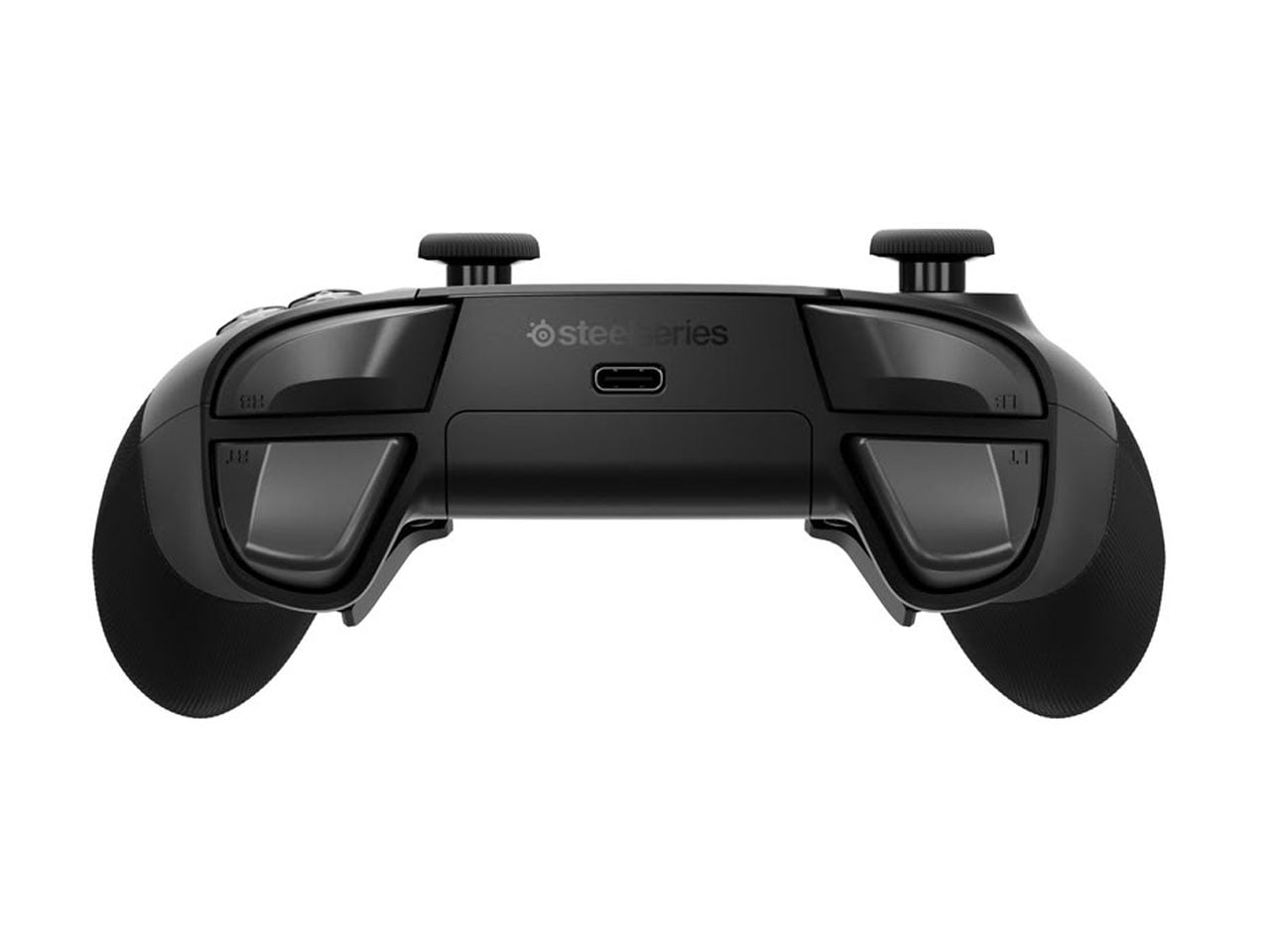
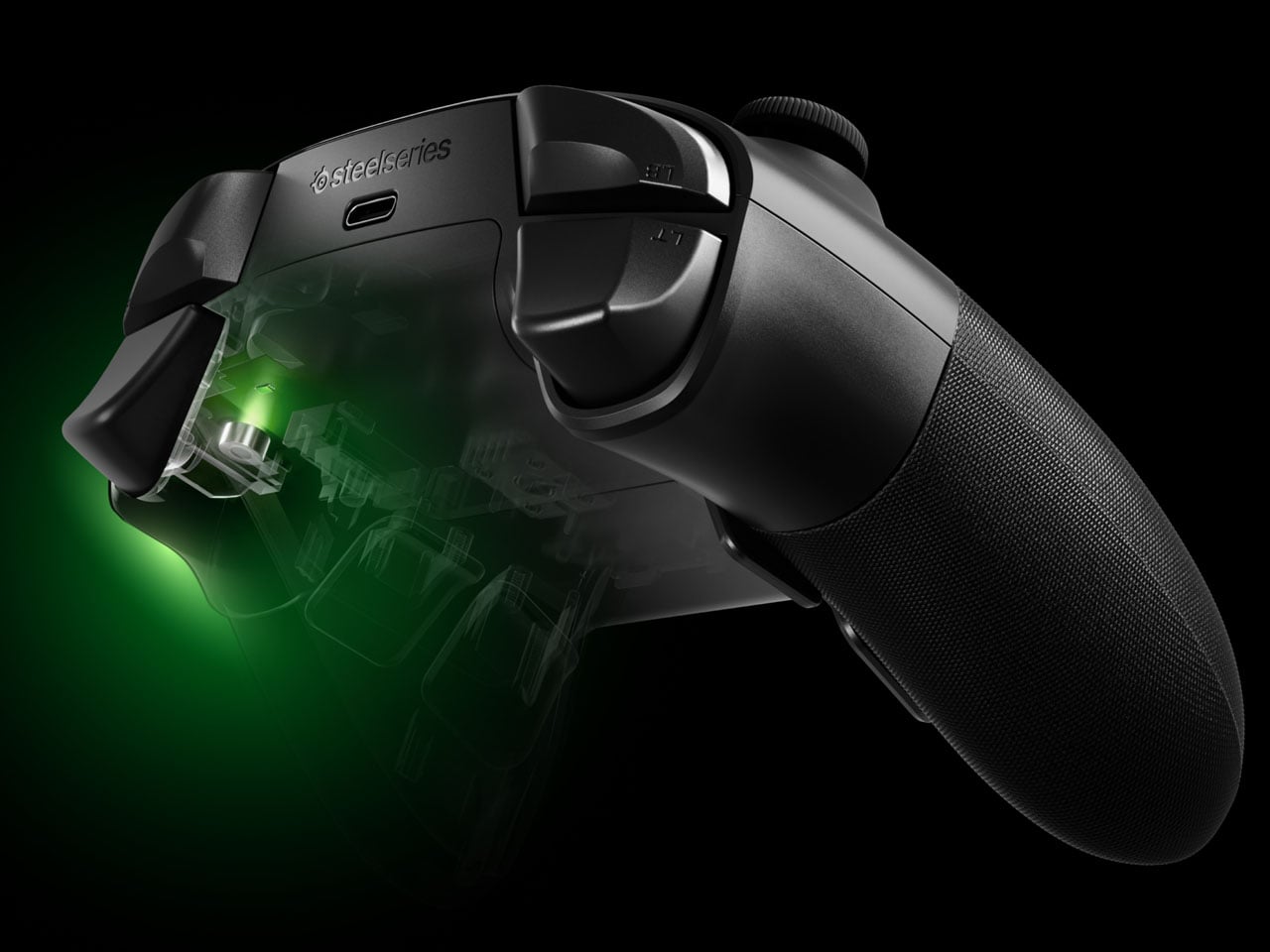
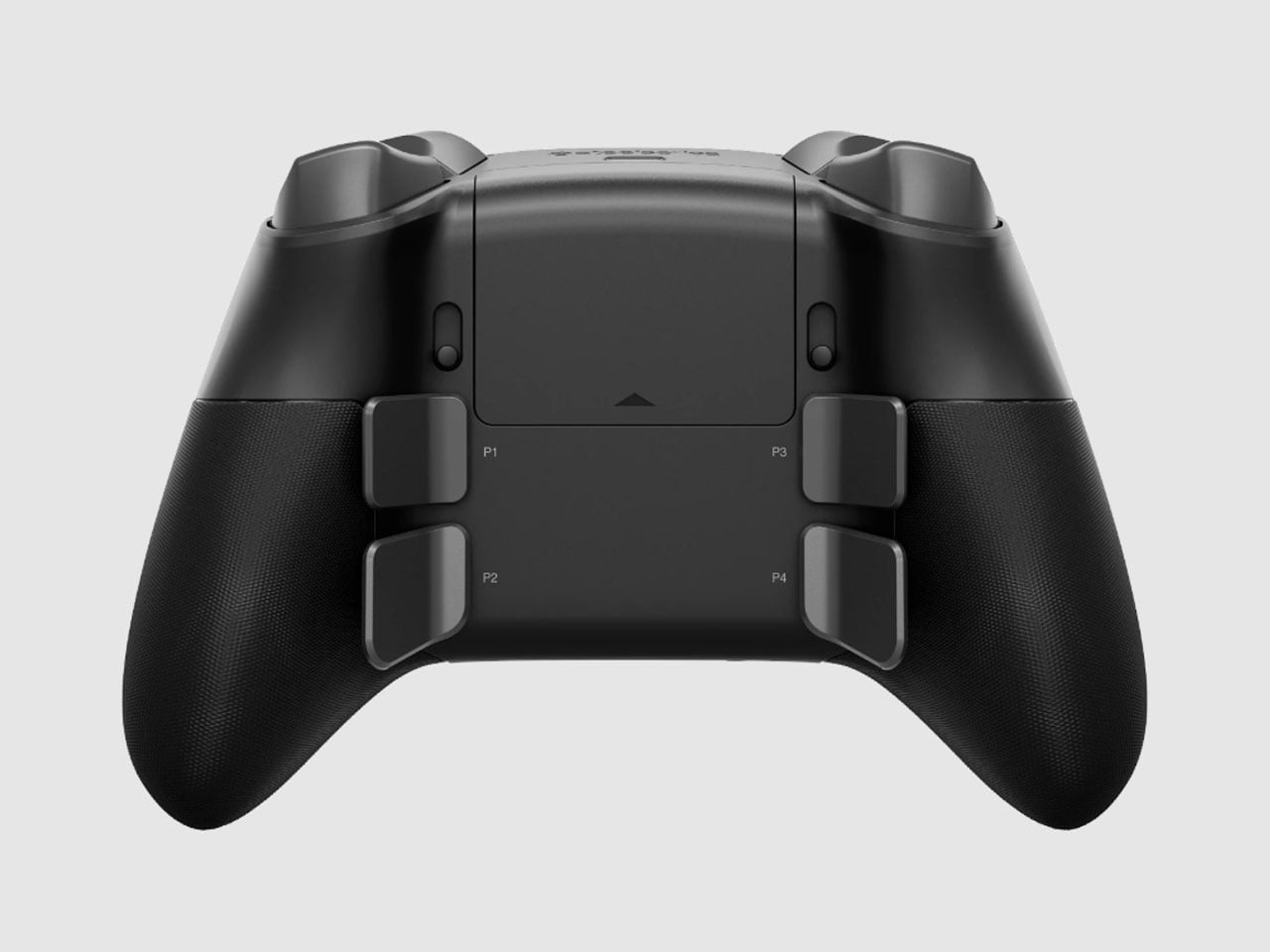
The controller itself follows the now-familiar premium gamepad formula, but pushes it fairly far. Its thumbsticks use Hall-effect sensors, while the triggers can switch between full travel and a shorter hair-trigger setting. There are 18 mechanical switches across the controller and four programmable rear paddles, giving players plenty of ways to alter how they interact with a game. SteelSeries has also avoided burying every adjustment inside an app. A small OLED display built into the controller can show the active device, battery status, and profiles, while letting users remap controls and change settings directly.
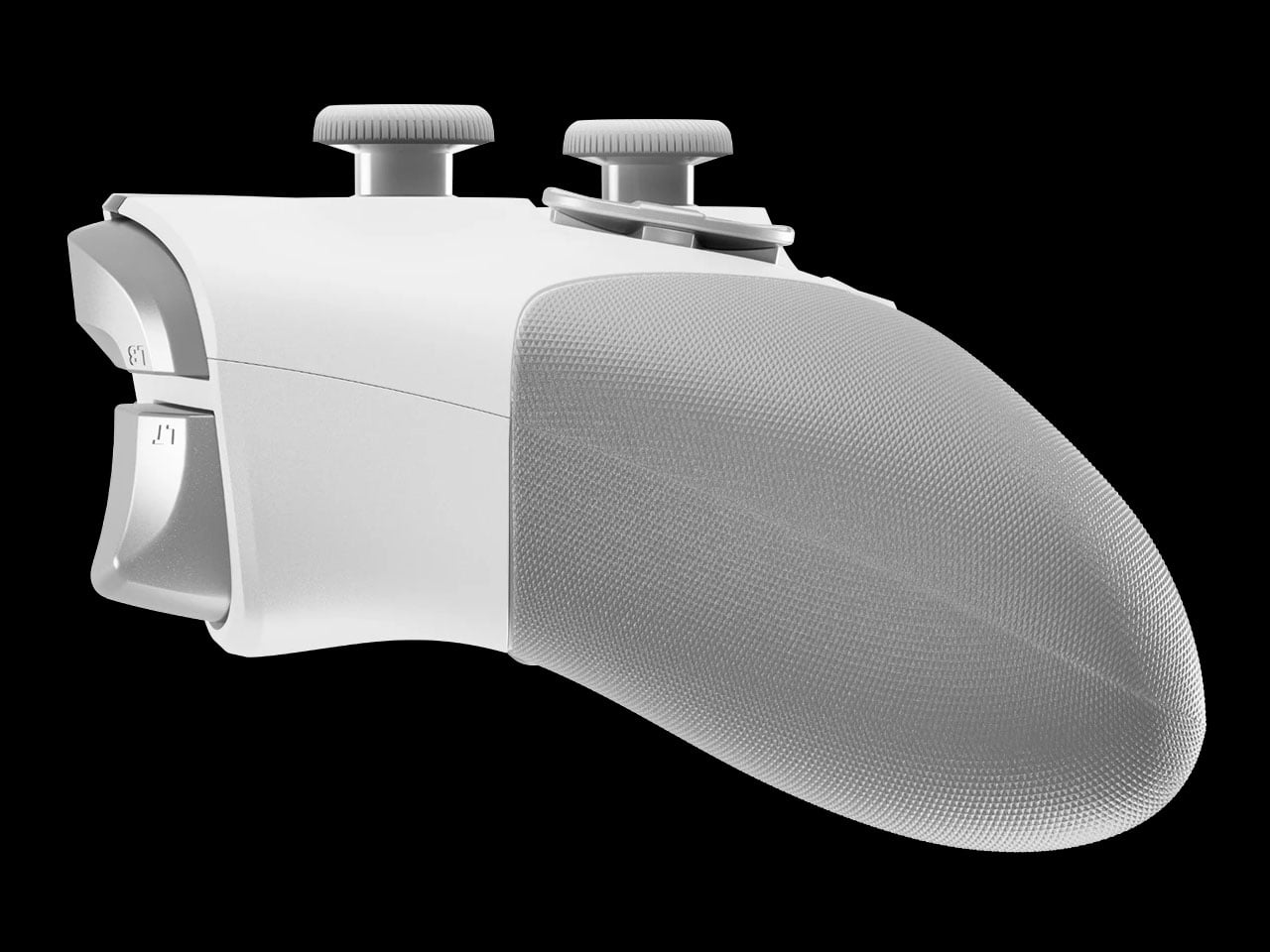
PC players can go deeper through SteelSeries GG, including trigger and button configuration, rumble adjustments, and software profiles. Then there are the smaller touches. The thumbsticks are interchangeable, with different shapes and heights supplied in the box, and the spare pieces can be stored in the dock. A textured grip runs around the controller, while its 310-gram weight makes it considerably heavier than a standard Xbox controller, though still lighter than Microsoft’s Elite model.
The catch is the $259.99 price tag. The Aeon Pro costs more than most premium gamepads, including Microsoft’s own Elite-class controller in many markets. That makes the QuickSwitch dock and battery system more than clever conveniences. They are the features that need to justify why this particular controller deserves a permanent spot on a gaming desk.
Gone are the days when you have to stay inside a cubicle the entire day just to get your work done. A lot of jobs now give people the freedom to work wherever they want, setting up a mini mobile office at a café, in the park, or in the middle of the airport. The challenge for those lucky enough to have that kind of job is lugging around all their so-called tools of the trade.
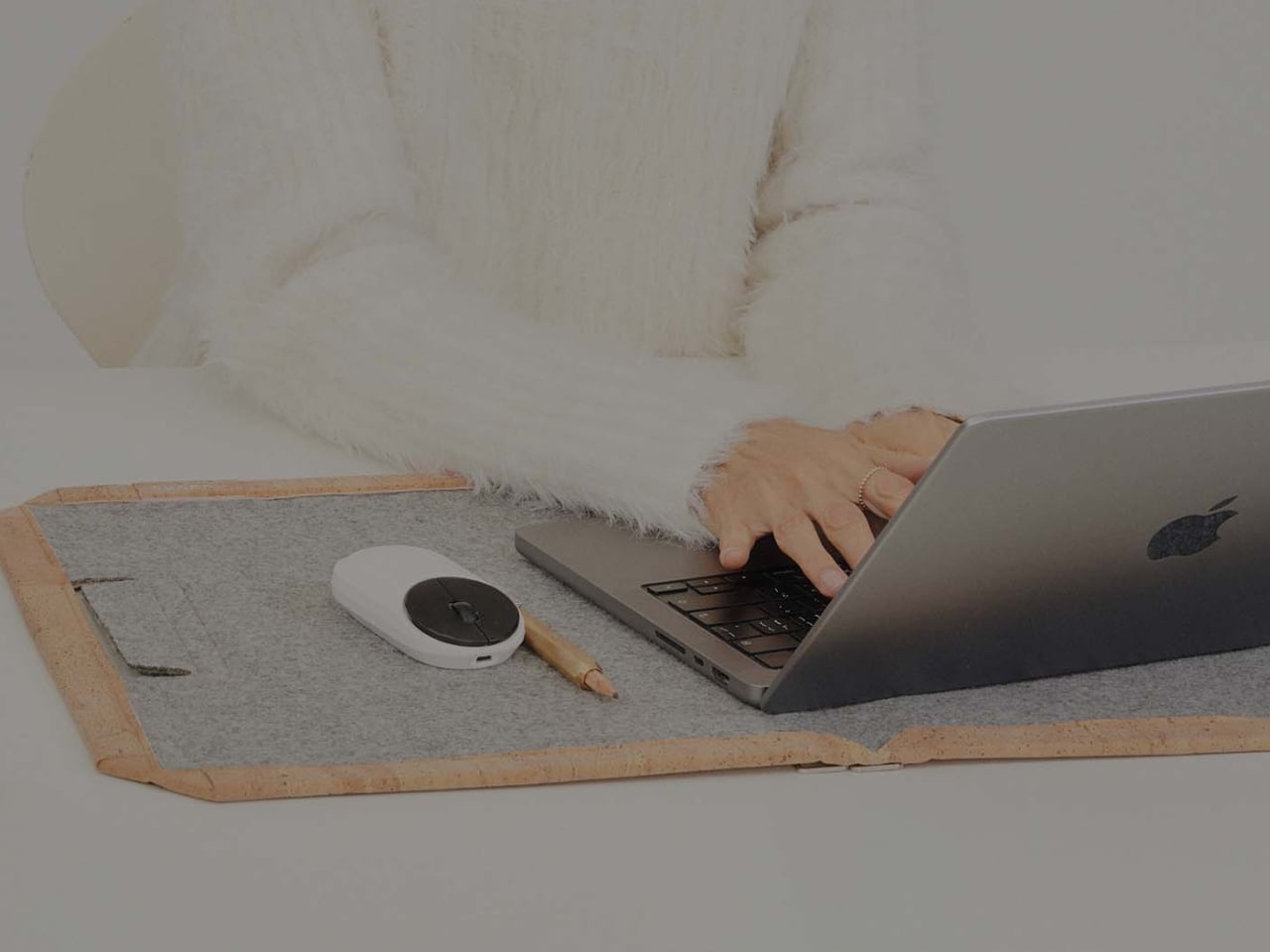
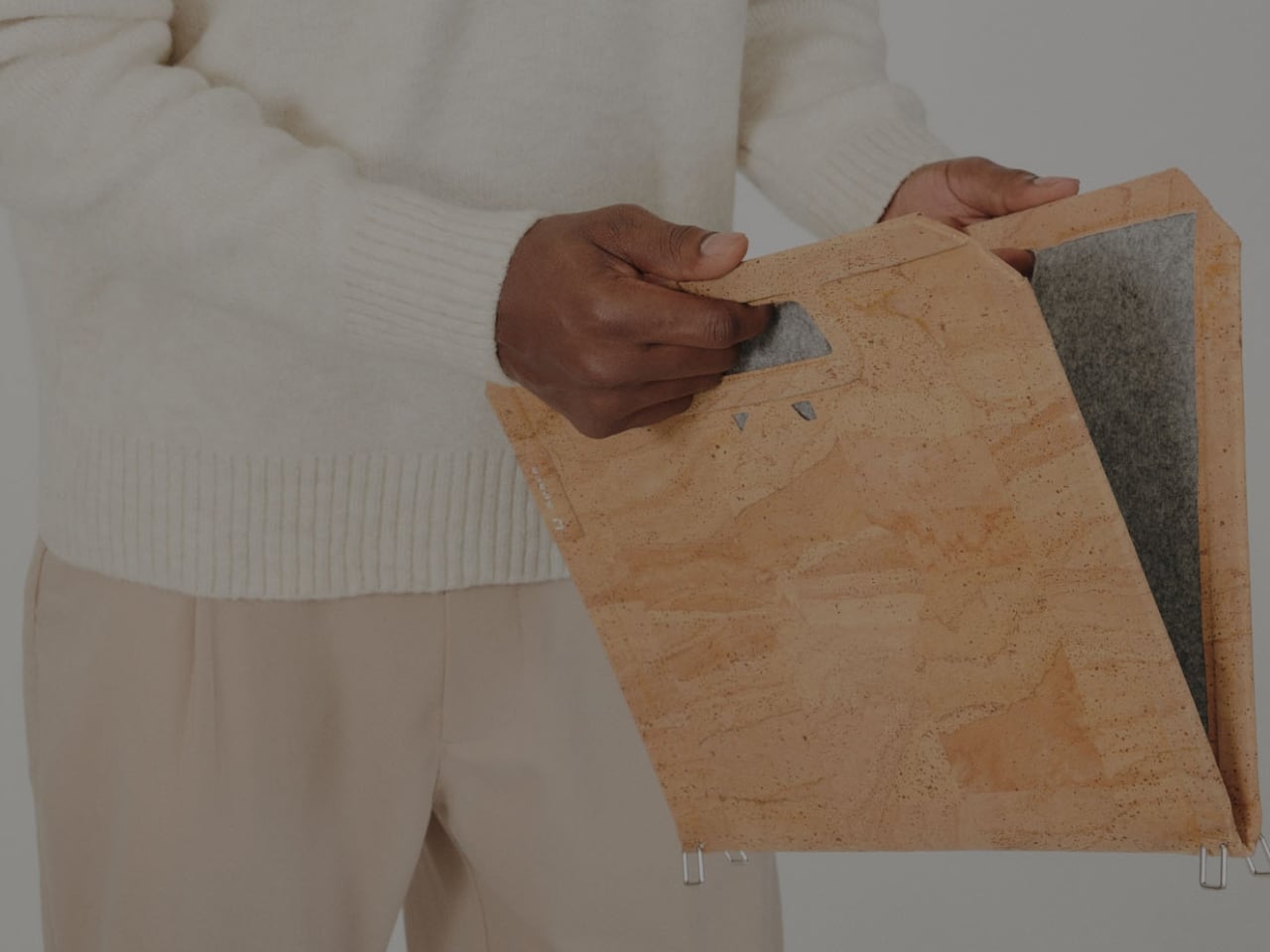
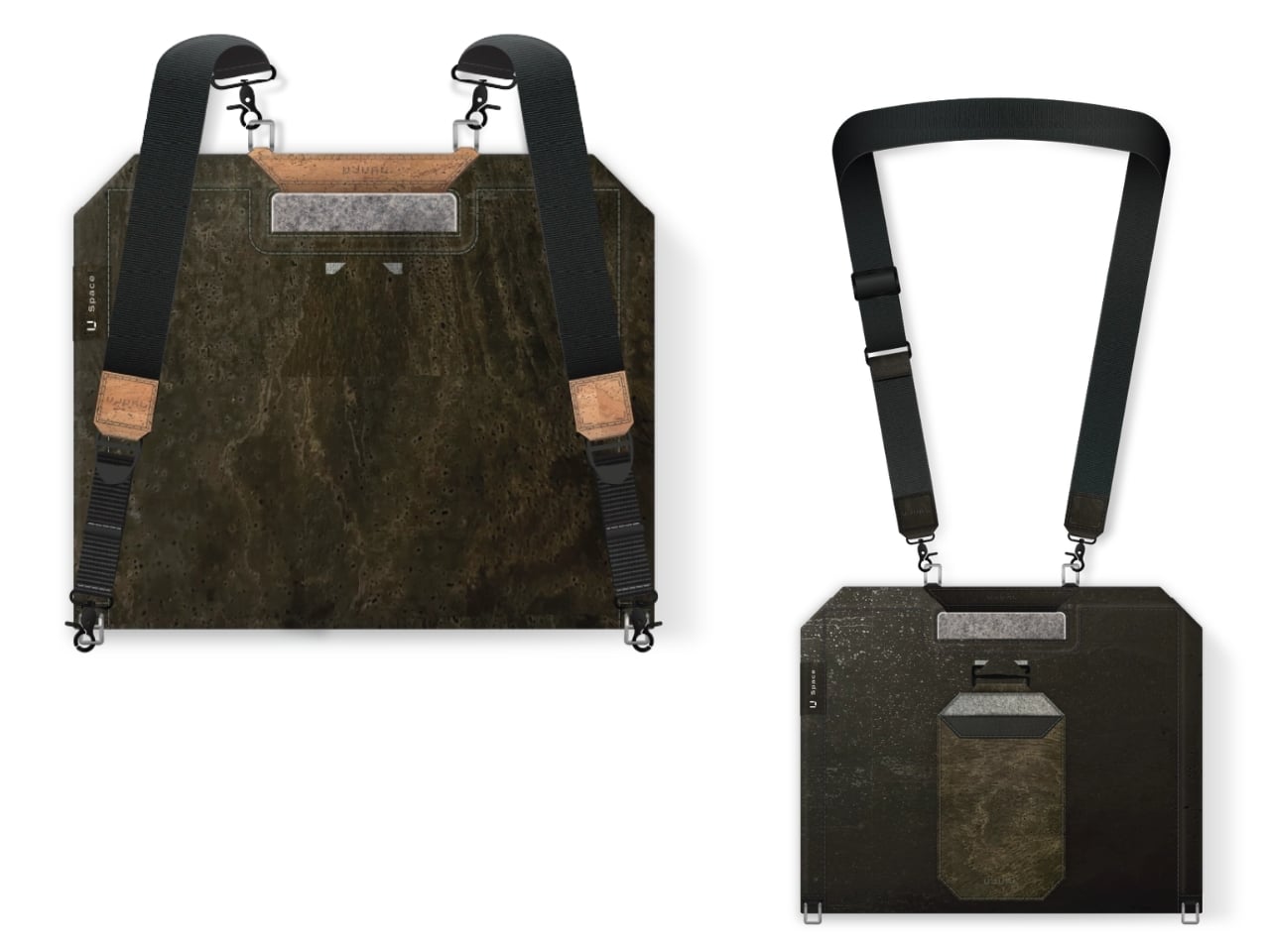
U Space is one of those things you can use to set up a temporary office wherever you need to work. It’s a Swiss-designed laptop bag also inspired by the Japanese art of origami. It doesn’t just serve as storage while you’re walking around; it transforms into a mini workspace the moment you unfold it.
U Space is a “bag that becomes a desk,” and it lets you work in places where it can otherwise be hard to set up office. Even though it’s inspired by origami, it isn’t nearly as complicated as the Japanese art can be. In just one flip-and-fold motion, it unfolds into a flat working surface, making it far more convenient to work on your laptop or notebook while sitting on a chair, at a café table, on a park bench, or even on your lap if there’s nowhere else to work.
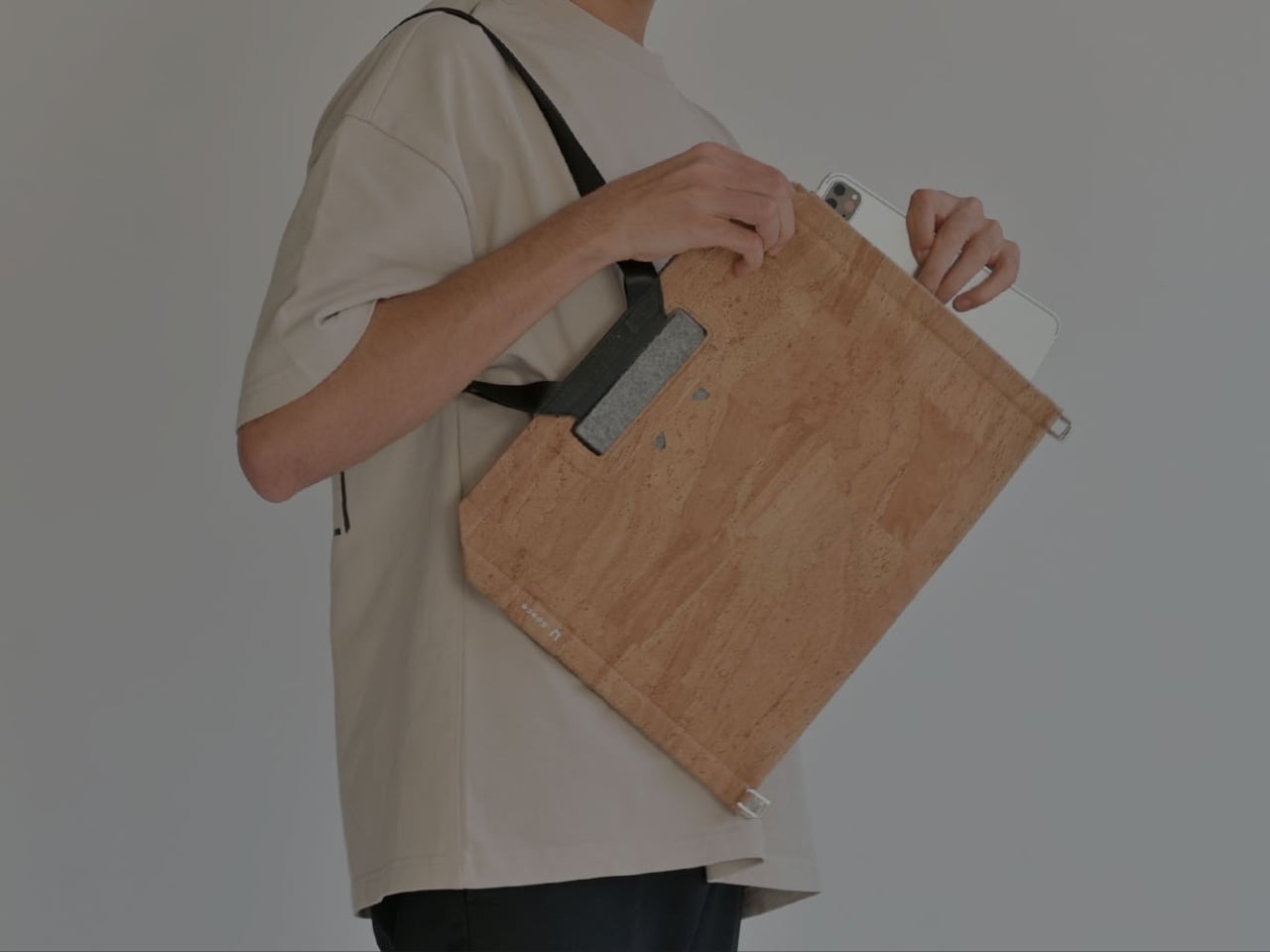
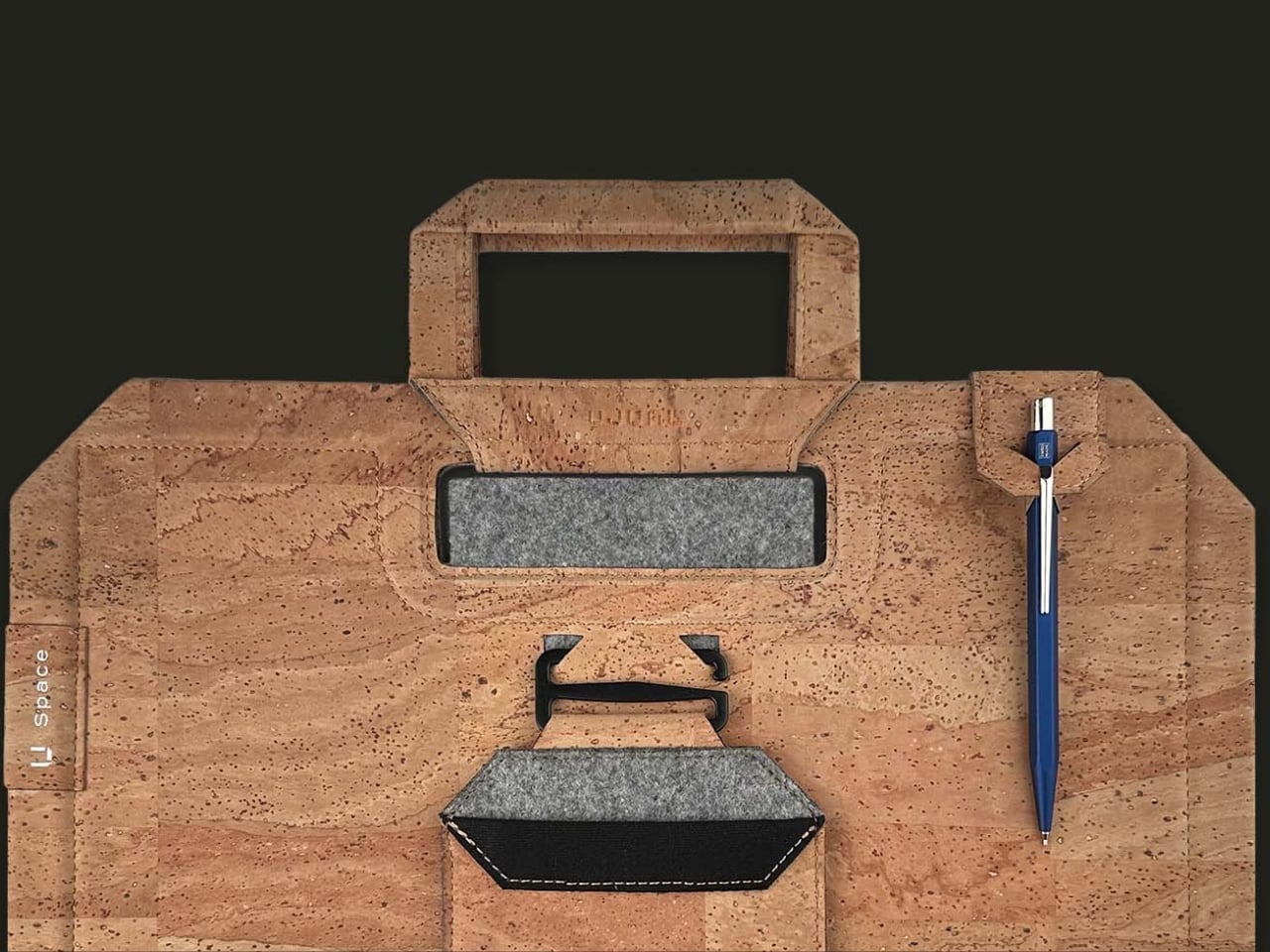
When it’s not doubling as your mobile desk, U Space is a multi-mode bag you can wear as a briefcase, messenger bag, or backpack. It’s versatile enough to carry with you whether you’re commuting, walking, or getting around any other way. It also has a three-layer magnet system, so you can quickly grab items like your phone, cables, or pens without digging through the whole bag or even unzipping it.
The bag can carry around 44 pounds (20 kilograms) of gear securely and is built using sustainable, durable materials. It’s available in finishes like Oak Beige, Ebony Black, Sumac Kaki, and Beech Grey, but it can also be customized with different colors and artwork. U Space also comes in a few different sizes, so there’s a version to fit whatever device you’re carrying, whether that’s a compact tablet or a full-size 16-inch laptop.
How does U Space measure up against the competition? Compared to established names like Peak Design, known for its modular Everyday Backpack lineup and its own magnetic accessory system, U Space is playing in a similar space of minimalist design and thoughtful organization. Peak Design has built a loyal following among photographers and digital nomads for how well-organized its bags are, but at the end of the day, even its most versatile bags are still just really good bags. U Space, on the other hand, pushes the idea further by literally changing what a bag can be. Rather than just holding your gear more efficiently, it unfolds into a physical work surface, something you won’t find in mainstream backpack brands. That single feature is what sets U Space apart in a crowded market of laptop bags competing mostly on pockets, zippers, and padding.
At a time when more people are trading their desks for whatever surface is available, U Space offers a genuinely useful solution instead of just another bag with a fresh coat of paint. It’s the kind of product that quietly earns its price by solving a problem you didn’t realize had such a simple fix: not having anywhere to actually put your laptop down. Whether you’re a freelancer bouncing between coffee shops, a student who needs a stable surface between classes, or a frequent traveler tired of balancing a laptop on your knees at the gate, U Space is built with that lifestyle in mind. It’s proof that good design isn’t always about adding more features; sometimes it’s about rethinking the object itself. For anyone whose “office” changes location every day, U Space might be the one accessory that finally keeps up.