Digital devices promise convenience, but too often they deliver complexity instead, with endless menus, constant updates, and a learning curve that never seems to end, no matter how long you use them. Many of us long for the days when using a product was as simple as turning a dial or pressing a button without consulting manuals or watching tutorial videos online to understand basic functions.
The Tamed Digital Devices concept reimagines our relationship with technology by bringing back the tactile, multi-sensory experiences of analog gadgets we used to love and understand instinctively. Created by SF-SO in 2019, it’s a vision of tech that’s calming, intuitive, and designed to fit seamlessly into daily life without demanding constant attention or learning new interfaces. Each device in the series prioritizes touch, sound, and movement over screens and menus.
Each device in the series is inspired by classic analog forms and controls that people already understand instinctively without any instruction. The Ball Internet Radio swaps touchscreens for three magnetic balls on top that you roll or lift to change stations, making tuning in both intuitive and satisfying for all ages. The tactile feedback and visual movement of the balls create a playful interaction that feels natural rather than digital or sterile.
The Cone Bluetooth Speaker powers on or off with a simple flip, using a gravity sensor to turn a basic gesture into a moment of physical delight and satisfaction. No buttons to hunt for, no hold-and-press sequences to remember or decipher from tiny icons—just flip the speaker and it responds instantly. The conical shape with its bright orange accent doubles as sculptural home decor when not playing music, blending function with visual warmth.
The Wheel Digital Radio lets you tune frequencies by rotating the entire body like traditional wheel-tuned radios, echoing the mental model of classic analog radios from decades past that everyone intuitively understands. A physical marker shows the tuned station, providing immediate visual feedback without digital displays or complicated interfaces. The cylindrical form with ribbed texture and green accent makes the interaction obvious at a glance to anyone who sees it.
The Fingerprint Smart Door Lock combines the security of a keyless system with the familiar, physical action of turning a traditional lock mechanism that has existed for centuries. Users unlock the door by placing a finger on the sensor and rotating the dial, restoring the satisfying tactile feedback of analog hardware. The circular, wall-mounted form with green accent light provides visual confirmation without overwhelming smart home complexity.
Across the series, the use of tactile controls like rolling balls, turning wheels, and flipping speakers restores a sense of physicality and engagement lost in most digital products today that rely solely on touchscreens. The design language is clean and modern throughout, with geometric shapes, soft edges, and playful color accents that invite touch and curiosity rather than intimidation or confusion about how things work.
Tamed Digital Devices offer a glimpse of a future where technology supports well-being instead of adding stress to already busy lives filled with screens. For anyone craving a calmer, more human connection with their devices and tired of digital overload, this concept series is a reminder that innovation doesn’t have to mean complexity but can mean rediscovering the joy of simplicity and tactile pleasure.
Most productivity tools are designed to grab your attention constantly with pop-up reminders, blinking notifications, and endless browser tabs competing for focus throughout the day. But sometimes, the best way to stay focused is to keep your most important information quietly in view, not fighting for your eyes or demanding immediate action every few minutes. Finding that balance between visibility and distraction remains surprisingly difficult in modern productivity software.
The InkyPi E-Paper Productivity Display is a DIY project that addresses this challenge directly and elegantly with minimal hardware. Built with a Raspberry Pi Zero 2 W and a crisp E-Ink screen, it turns your to-dos, deadlines, and progress into a calm, always-on dashboard that helps you stay organized without the noise. The project is open-source, customizable, and refreshingly simple in its approach to keeping you on track without overwhelming you.
InkyPi’s minimalist design starts with a 7.3-inch or 7.8-inch E-Ink panel from Pimoroni or Waveshare, framed in a simple IKEA picture frame that looks more like a piece of art than a gadget on your desk. The Raspberry Pi Zero 2 W sits discreetly behind the display, keeping the whole setup slim, silent, and consuming minimal power throughout the day. The paper-like display is easy on the eyes and never glows or flickers.
The framed display can be wall-mounted above your desk for easy glances throughout the day or set on a stand for desktop reference during intensive work sessions. The E-Ink screen shows information with the clarity of printed paper, making text and graphics readable from across the room without squinting. The lack of a backlight means it works well in any ambient lighting without causing eye strain during long days.
The open-source InkyPi dashboard runs a growing library of 20 plugins, all managed through a web-based user interface that’s accessible from any device on your network. You can schedule automatic refreshes, rotate through different plugins throughout the day, and customize layouts for your specific workflow. Recent plugin additions include a to-do list, day countdown, GitHub commit graph, year progress bar, and RSS feed reader for staying informed.
Each plugin is designed to give you just enough information to stay on track without overwhelming you with excessive detail or constant updates that break concentration. The to-do list shows three customizable lists with clean formatting, the year progress bar visualizes how much of the year remains for goal planning, and the GitHub graph motivates coding consistency through visual streak tracking. Everything updates automatically on your chosen schedule without requiring manual intervention.
The E-Ink display’s slow refresh rate and lack of backlight mean it’s only updated when necessary, keeping your focus on the task at hand rather than the screen itself pulling attention. The dashboard is intentionally passive, meant for glancing rather than interacting, so you’re never tempted to click, scroll, or dive into rabbit holes when you should be working. The analog feel makes it more like checking a wall calendar or notepad.
All hardware and software files are open-source on GitHub, with active community support and ongoing plugin development from contributors worldwide who continue adding features. For anyone tired of digital noise and constant notifications interrupting deep work, the InkyPi E-Paper Productivity Display offers a reminder that sometimes less screen time is exactly what you need to accomplish more meaningful work throughout your day without burning out.
Modern travel demands a delicate balance between staying connected and packing light. The days of stuffing suitcases with bulky electronics are over. Today’s best travel gadgets prioritize intelligent design, multi-functionality, and genuine portability without sacrificing performance. These ten compact essentials prove that smart engineering can deliver full-featured experiences in surprisingly small packages.
Each item on this list earned its spot through rigorous real-world testing and design excellence. These aren’t just miniaturized versions of desk-bound gear – they’re purpose-built solutions for the mobile lifestyle. From enhanced optics that slip into your pocket to charging solutions that adapt to any global outlet, these gadgets redefine what travel-ready technology can accomplish.
1. Nikon 4x10D CF Pocket Binoculars
Nikon’s pocket binoculars represent industrial design at its most elegant. These aren’t chunky field glasses but sleek optical instruments that disappear into your everyday carry. The refreshed colorways add style without compromising the core philosophy: enhanced vision should integrate seamlessly into your life rather than announce itself through bulk.
The tactile experience feels fundamentally different from smartphone zoom. There’s something immediate about optical magnification that digital enhancement can’t replicate. These binoculars solve traditional field glass problems through pure miniaturization, creating a single-purpose tool that actually gets carried because it doesn’t burden your load.
What we like
Genuinely pocketable size without optical compromise.
Premium build quality with sophisticated design aesthetic.
What we dislike
Limited 4x magnification compared to larger binoculars.
Higher price point than basic compact alternatives.
2. ASUS RT-BE58U WiFi 7 Travel Router
The RT-BE58U transforms portable networking from afterthought to centerpiece. This Red Dot Award winner packs WiFi 7 speeds into a chassis that’s equally at home in a gaming setup or travel backpack. Collapsible antennas and sustainable materials prove that cutting-edge wireless technology doesn’t require traditional router bulk.
Multi-Link Operation and 4K-QAM deliver serious performance metrics – up to 3600 Mbps across dual bands with backward compatibility for legacy devices. The real innovation lies in seamless lifestyle integration. This router pivots from home office powerhouse to hotel room connectivity solution without missing a beat.
What we like
WiFi 7 speeds with comprehensive backward compatibility.
The collapsible design is perfect for both home and travel use.
What we dislike
Premium pricing for what some consider basic networking needs.
A complex feature set might overwhelm casual users.
3. Mophie 3-in-1 Travel Charging Station Global Edition
Mophie’s foldable charging station solves the Apple ecosystem’s biggest travel challenge: powering iPhone, Apple Watch, and AirPods simultaneously without cable chaos. The Global Edition adds international plug compatibility, making this a genuine worldwide solution rather than another US-centric accessory.
Foldable design transforms from compact travel companion to full desktop charging station. Wireless convenience means fewer cables and adapters cluttering your travel kit. The engineering prioritizes both space efficiency and charging reliability, delivering consistent power delivery across all three device types.
What we like
Simultaneous wireless charging for three Apple devices.
Truly foldable design that packs remarkably flat.
What we dislike
Limited to Apple ecosystem compatibility only.
Requires compatible wireless charging cases for older devices.
4. Goudveer F1 Portable Coffee Grinder
Fresh coffee shouldn’t be a luxury reserved for home kitchens. The F1 combines industrial-grade conical burrs with thermos-sized portability, ensuring quality grounds whether you’re camping or staying in a minimalist Airbnb. Hot-swappable motor and hand-crank options adapt to any power situation.
One hundred grind settings provide professional-level control in a package that fits standard travel bags. The fold-out collection tray eliminates the need for separate containers. This represents thoughtful engineering applied to a genuine travel problem: maintaining coffee quality without carrying barista-sized equipment.
What we like
Industrial-grade burrs deliver consistent professional results.
Dual electric/manual operation adapts to any situation.
What we dislike
Higher maintenance requirements than simple travel alternatives.
Premium price point may deter casual coffee drinkers.
5. RetroWave 7-in-1 Radio
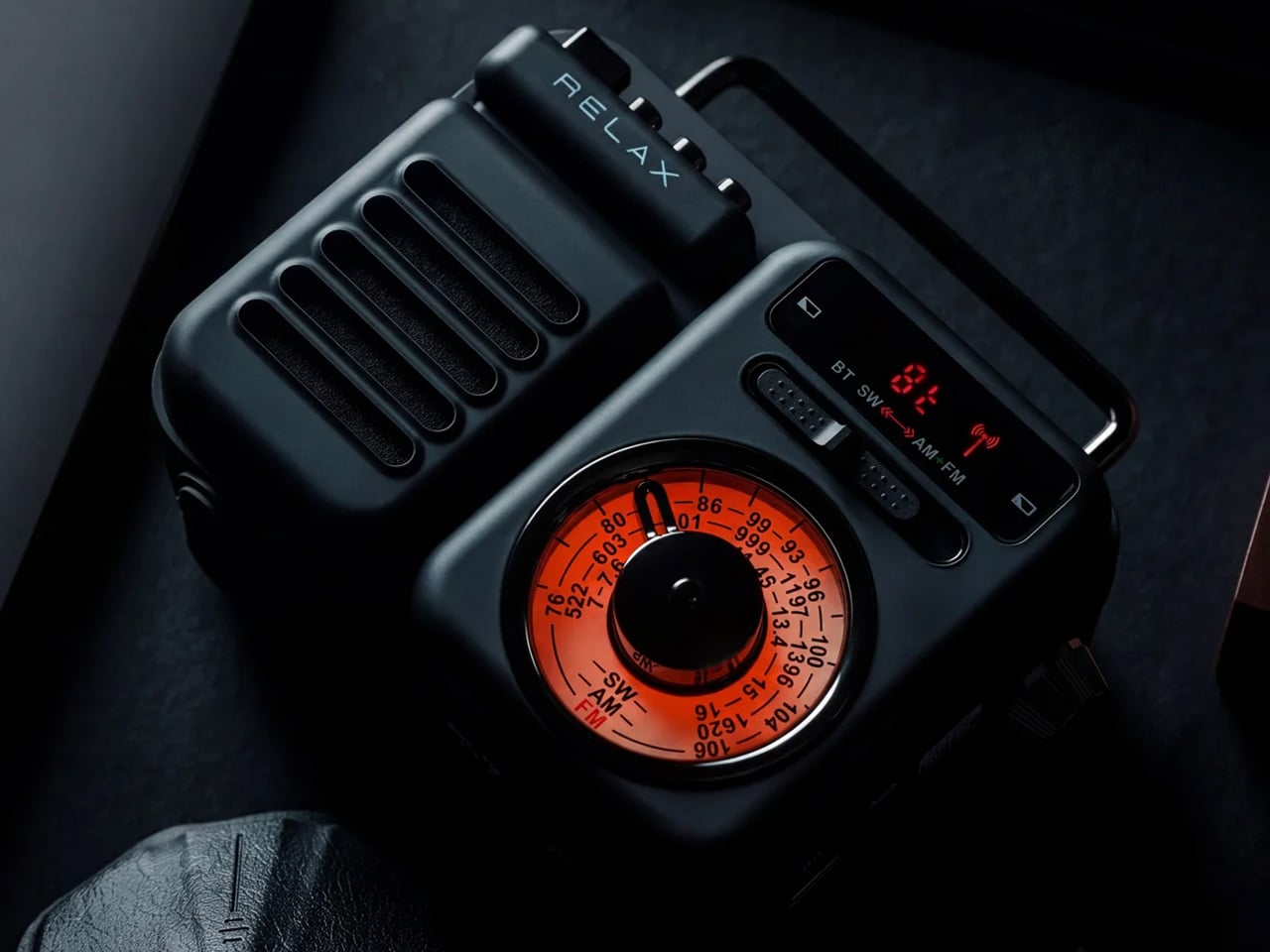
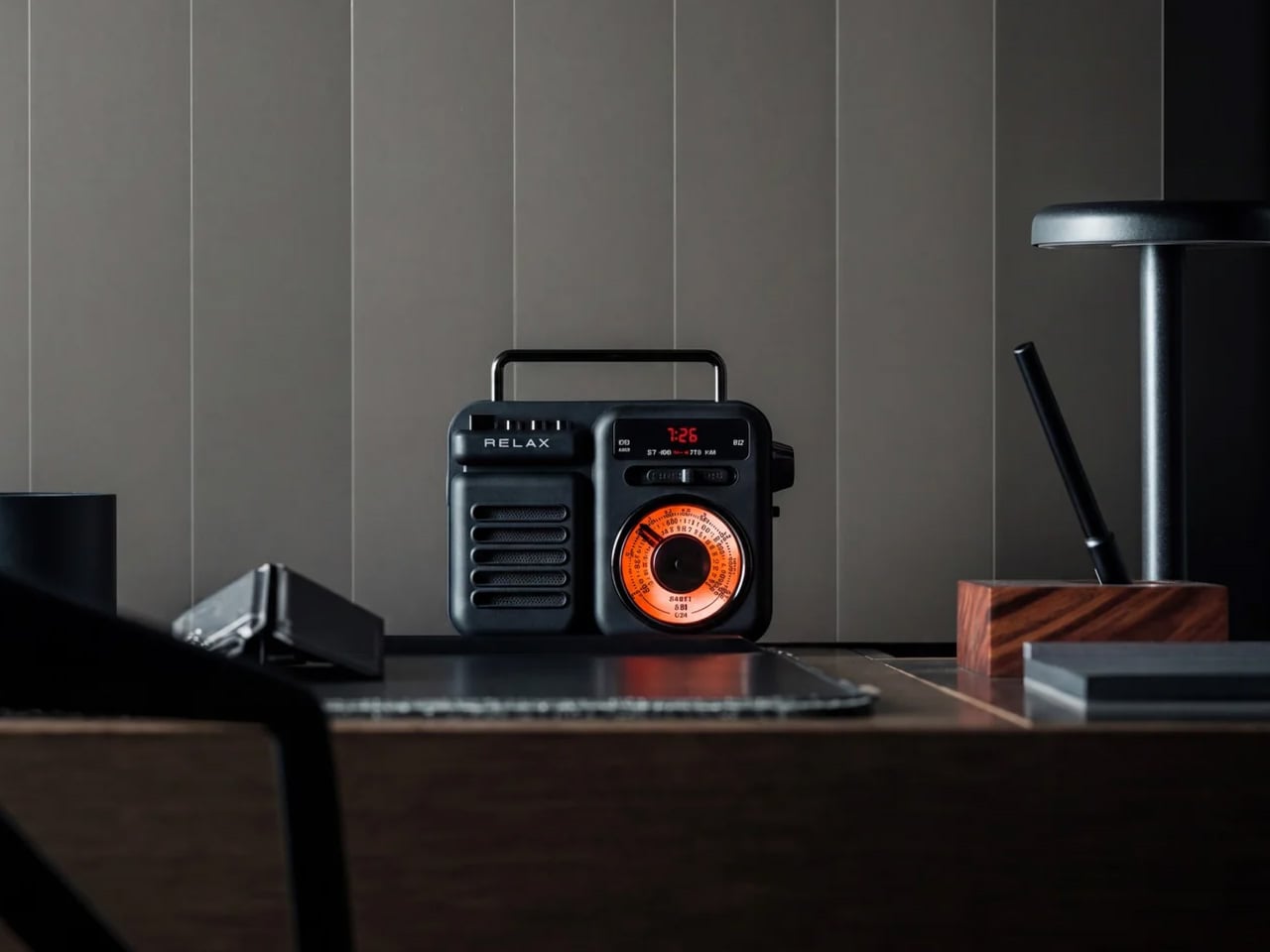
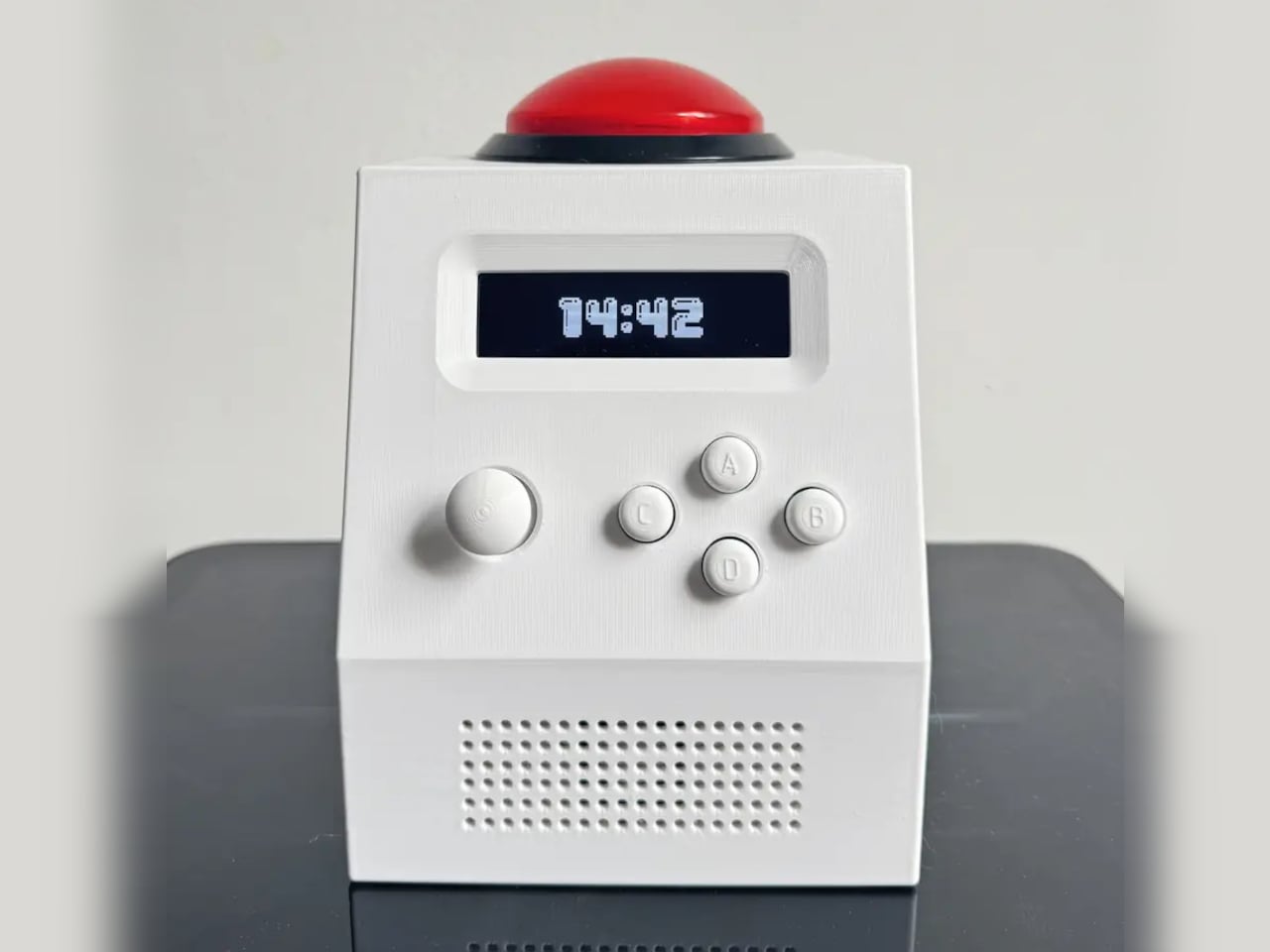
This retro-styled radio proves that emergency preparedness doesn’t require military-grade aesthetics. Seven functions – radio, Bluetooth speaker, MP3 player, flashlight, power bank, clock, and SOS alarm – pack into a design that wouldn’t look out of place on a modern desk.
Hand-crank and solar charging ensure functionality when traditional power sources fail. The tactile tuning dial provides satisfying analog control while Bluetooth connectivity bridges old and new. This represents intelligent multi-functionality where every feature serves a genuine purpose rather than checking marketing boxes.
Seven essential functions in one beautifully designed package.
Multiple charging methods ensure power in any situation.
What we dislike
Retro aesthetic might not appeal to minimalist design preferences.
Feature complexity could overwhelm users seeking simple radio functionality.
6. Tspin Fidget Spinner Multi-Tool
Tspin transforms nervous fidgeting into practical functionality. This titanium multi-tool includes a bottle opener, SIM card tools, a smartphone stand, a cable organizer, and a precision screwdriver while maintaining classic spinner mechanics. The carabiner clip provides secure attachment without typical camping gear bulk.
Travel anxiety meets practical problem-solving through thoughtful engineering. That missing bottle opener or SIM card ejector tool gets integrated into something you’ll naturally carry. The smartphone stand function proves particularly valuable for solo travelers wanting to appear in their own photos.
What we like
Multiple essential tools disguised as a stress-relief toy.
Premium titanium construction ensures long-term durability.
What we dislike
The fidget spinner trend feels dated to some users.
Small tool sizes may not suit all hand sizes comfortably.
7. AirPods Neck Strap
These woven straps solve AirPods’ biggest design flaw: they’re expensive devices that easily disappear. The patented magnetic lock keeps both earbuds secure while allowing quick removal for listening. Three color options match different style preferences without screaming “tech accessory.”
Transforming wireless earbuds back into a necklace format feels counterintuitive until you experience the peace of mind. No more patting pockets or checking bags for escaped AirPods. The woven construction feels premium rather than cheap aftermarket, making this functional fashion rather than pure utility.
Returns to the tethered earbud concept that AirPods originally escaped.
Additional accessory to remember and maintain.
8. Nothing Power (1) Battery Bank
Nothing’s transparent design philosophy transforms boring power banks into captivating tech art. The glyph interface communicates charging status, battery levels, and smartphone notifications through sophisticated light patterns. Internal circuitry becomes a visual element rather than a hidden component.
Twenty thousand mAh capacity provides multiple phone charges, while 65W fast charging reaches fifty percent power in under twenty minutes. The glyph system proves particularly valuable for solo travelers who can monitor charging progress and receive notifications without constantly checking devices.
What we like
The glyph interface provides information without screen dependency.
Transparent design creates visual interest beyond pure functionality.
What we dislike
Premium pricing for what’s essentially standard power bank capacity.
Complex light patterns require a learning curve for interpretation.
9. For Me Buds AI Sleep Monitoring Earbuds
Sleep optimization becomes crucial when constantly changing time zones and sleeping environments. These earbuds combine noise cancellation with AI-powered binaural beats tailored to individual sleep stages. Heart rate and movement sensors provide comprehensive sleep analysis without wrist-worn devices.
Real-time sound adjustment throughout sleep cycles represents a genuine AI application rather than a marketing buzzword. The earbuds deliver personalized audio directly into your ears for more effective sleep enhancement than external speakers. Pattern analysis helps adapt to new schedules and unfamiliar environments.
What we like
AI-powered sleep optimization with real-time audio adjustment.
Comprehensive sleep tracking without additional wearable devices.
What we dislike
Sleeping with earbuds may feel uncomfortable for some users.
Complex AI features might overwhelm users seeking simple noise cancellation.
10. TA-205
This adapter acknowledges modern reality: travelers carry more devices than ever, and they all need power simultaneously. Supporting over 200 countries with seven charging ports eliminates device priority decisions. Dual AC sockets handle both universal and US-specific plugs.
Three USB-A ports manage accessories while dual USB-C ports handle primary devices. The 35.5W fast-charge capability means phones power quickly rather than keeping travelers tethered to walls. Compact engineering doesn’t compromise power delivery across the full range of modern electronics.
200+ countries are compatible with intelligent plug adaptation.
What we dislike
Multiple ports might exceed some hotel outlet power limits.
Compact size makes individual port access occasionally cramped.
Smart Engineering Meets Modern Travel
These ten gadgets represent the evolution of travel technology from bulky necessities to elegant essentials. Each item earned its place through genuine utility rather than feature bloat. Smart travelers recognize that the best gear enhances experiences without announcing its presence through weight or bulk.
The common thread connecting these products is thoughtful engineering applied to real travel challenges. Whether it’s maintaining coffee quality, staying connected globally, or optimizing sleep across time zones, each solution prioritizes genuine portability without compromising core functionality. This represents the future of travel gear: invisible when not needed, indispensable when required.
The computer mouse has barely evolved in decades. Sure, we’ve added more buttons, improved the sensor technology, made them wireless, and added haptic feedback, but the fundamental interaction remains stubbornly unchanged. The Melt Mouse arrives to challenge that stagnation with a radical proposition that transforms a single device into a mouse, a trackpad, and a customizable shortcut pad, all wrapped in a seamless aluminum body with clean lines and an uninterrupted surface.
What makes this device remarkable goes beyond its ability to multitask. The Melt Mouse represents a philosophical shift in how we think about input devices. Rather than cluttering your workspace with separate peripherals for different tasks, Melt Interface has created a unified tool that adapts to your workflow instead of forcing you to adapt to it.
Designer: Melt Interface
The design language clearly draws inspiration from Apple’s Magic Mouse aesthetic. That same smooth, button-free glass surface and minimalist aluminum construction creates an immediate visual connection. However, where Apple’s approach prioritizes form over function to sometimes frustrating results, the Melt Mouse appears to learn from those missteps.
The charging port sits in a practical location rather than underneath the device. The ergonomic profile offers more substantial palm support than the Magic Mouse’s notoriously flat design. This feels like taking Apple’s design philosophy and asking what happens when you actually prioritize the user experience alongside the visual appeal.
Where the Magic Mouse offers basic touch gestures, the Melt Mouse takes that concept considerably further. The entire top surface consists of a single curved plane of micro-textured glass that functions as a precision touchpad. The surface recognizes multi-finger gestures while maintaining the ergonomic advantage of a mouse form factor. For tasks requiring pixel-perfect precision in design work, it offers up to 6,000 DPI resolution.
Physical buttons have disappeared from the front, replaced by haptic feedback technology that provides tactile responses mimicking traditional scroll wheels and clicks. The system promises silent operation while maintaining sensory confirmation for each action. Users can customize the pressure sensitivity, adjusting from light taps to firm presses depending on preference. This button-free approach maintains the minimalist profile while potentially reducing mechanical failure points over time.
The device offers mode-switching through customizable gestures like double tapping or long pressing. These actions transform the mouse into a trackpad, number pad, or shortcut pad on demand. Twelve dots appear on the glass surface in numpad mode, providing visual reference points for number entry. Those same twelve positions become programmable shortcuts that can trigger macros or application-specific commands. The software allows different profiles for different applications, with the mouse adapting its shortcut layout accordingly.
The body gets machined from a single block of aluminum with an anodized finish that adds durability and refined tactile quality. The seamless construction eliminates gaps where dirt accumulates or mechanisms fail. Every surface transition flows smoothly into the next, creating an object that looks substantial on any desk setup. The shape follows the natural resting position of your hand, with curves that cradle your palm.
Customization extends beyond software to the physical design through the MagSole system. The bottom sole attaches magnetically and swaps effortlessly between five different colors. This allows users to match the mouse to their desk setup or simply change the look based on mood. The magnetic attachment system makes switching between colors a matter of seconds without tools or complicated mechanisms.
Wireless connectivity keeps desks free from cable clutter while maintaining the responsiveness required for professional creative work. Two physical buttons remain on the side of the device for functions that benefit from traditional tactile feedback. The combination of wireless freedom, sensor accuracy, and hybrid input methods creates a technical foundation designed to support rather than limit creative possibilities. Customizable software manages profiles, shortcuts, and sensitivity settings across different applications.
Melt Interface has created something that challenges assumptions about mouse design. The Melt Mouse demonstrates that minimalist aesthetics and multiple functions can coexist in a single device. By combining mouse, trackpad, and shortcut pad capabilities into one seamless package, they’ve proposed a new direction for interaction design that attempts to bridge physical and digital workflows through consolidated hardware.
Although hardly the first of its kind, the Nintendo Switch definitely kicked off a handheld gaming renaissance. Now we have mini PCs letting us play all sorts of games on the go and innumerable projects that try to cobble up together their own handheld console. The latter has given rise to many unconventional designs, though most follow the standard combination of buttons and joysticks found on gaming controllers.
One designer, however, went out of his way to do something different thanks to his dislike of joysticks. The result is a unique and rather curious handheld device that combines the clamshell form factor of the Nintendo DS and the guts of a laptop, and then stretches it wide to a rather unusual degree.
Designer: Marcin Plaza
There are a few things quite unconventional about this ultra-wide Steam Deck Nintendo DS hybrid, not just its super-wide form factor. Actually, that shape was a result of the decision to repurpose the usable motherboard of a broken Lenovo laptop, which happened to be roughly 13 inches wide. But unlike another DIY Steam Deck that did the same with a modular Framework laptop motherboard, the “DS Deck” didn’t go the usual joysticks and buttons layout either.
Since the goal was to ditch the joystick and replace it with a more PC-oriented keyboard and trackpad, a new kind of shell design was needed. Long story short, it required looking for a compatible 12.7-inch screen that happened to also be in an ultra-wide aspect ratio. These restrictions and requirements led to a design that followed the footsteps of the clamshell DS, which made for a rather interesting device.
While time and effort were saved in using the laptop motherboard as-is, more time was spent designing a custom circuit board for the non-standard keyboard and button layout. There was plenty of soldering and assembly involved, not to mention repairs of data cables that were accidentally torn off. Suffice it to say, this is a project very few will be able to follow.
Still, the final result is just as interesting and special. The DS Deck is able to run a full operating system like Windows or Linux because it basically uses the same motherboard and battery as the source laptop. Widescreen compatibility with games is a mixed bag, but one can always run two windows side-by-side thanks to the screen size. The custom design definitely needs a lot of work, as it doesn’t take into account safety and heat management, but the fact that it even works is itself already a commendable accomplishment.
If you ask people how they spend their rest days or leisure time, most will probably say go to a mall and shop, meet up with friends, or travel. But there are also homebuddies like me who would say an ideal rest day is consuming media, whether it’s a book, a TV show, a movie, and snacking while doing it. There are products and concepts that will appeal to couch potatoes who love that kind of alone time.
Designer: Changhwi Kim
fits is one such concept that will, well, fit, that kind of lifestyle. Basically it’s a media projector and a refrigerator in one compact device. You will be able to watch whatever your heart desires and if you get snacky (which of course, you will eventually become), then you just have to reach over and get whatever it is you stored in the mini fridge.
The device also has an adjustable height function so whatever position you want to take, you can calibrate it to the perfect position. The product renders show that it looks just like a typical mini fridge but with a projector on top. In theory, you can also connect it to an app that will give you content recommendations and even suggest snacks that will go with it.
While most of the time I will consume media on my phone or tablet while lying in bed, it will of course be more convenient if I had a mini fridge nearby as I’m watching. So this will probably be marketable for people like me.
Laptops are getting thinner and smaller, but their functionality is getting even more powerful. The usually means plenty of things to control, and some of them need to be reached faster than digging through menus and clicking on buttons. Keyboard shortcuts are, of course, a viable solution, but they can also be cumbersome, complicated, and unintuitive.
Something as normal and as regular as changing the volume, for example, shouldn’t take two keystrokes or scrolling your mouse wheel (which might not exist) over some tiny icon. This simple yet useful accessory brings a bit of sanity and physicality to that action on laptops, at least if you have an extra USB-C to spare.
Depending on your laptop’s keyboard layout and settings, turning the volume up or down can involve one or two keystrokes. The problem is that the location of these keys is inconsistent across keyboards and laptop brands, and they’re not exactly memorable or intuitive in their location. Having dedicated volume keys would be nice, but it could be a waste of precious space on the keyboard.
SoundSlide attacks that problem from a different angle by providing a physical volume control that you can connect and remove as needed. It’s a rather small object, smaller than a USB-A port and only 3.5mm thin, so it barely sticks out from the side of your laptop. It does connect via a USB-C port, and when it does, it gives you a way to actually feel like you’re raising or lowering your laptop’s volume.
The flat capacitive surface has exposed gold contacts that translate the sliding gestures to volume controls. A tap also mutes or unmutes the volume, giving you instant physical control without having to second guess which keys to press. It’s also promised to work out of the box on Windows, macOS, and even Linux, so you can use it without any setup or configuration. That said, you can also change a few settings such as sensitivity, orientation, and custom gestures using a Web-based interface.
The catch to this almost wonderful trinket is that it does occupy a USB-C slot. Some laptops have a limited number of ports, so you’re sacrificing what could be a potentially critical connection. That said, you don’t always need to have SoundSlide connected, so it’s not like you’re permanently losing an important USB-C port either.
When you need to have a serious conversation with someone or a small group, you probably need to find a place that has a private room or where there will only be a few people. But for times when you have no choice but to have it in a not so quiet place, then you probably wish you had a cone of silence so you can drown out other people’s voices while still being able to hear what your companions are saying.
Well that might soon come true if this concept by the engineers at the University of Washington becomes a reality. The headphones is powered by AI and has the power to filter out the noise from as far as a few feet away so you’ll still be able to hear the conversation around you. It creates an imaginary “sound bubble” so you can focus on what you need to hear.
The noise-canceling headphones has six microphones on its headband, with a small onboard computer running a neural network. It will be able to analyze the distance from various sound sources around you. The ones that are farther away will be filtered out while the sounds closer to you will be amplified. If they come in within your imaginary bubble, you’ll be able to hear them clearly too.
It’s an interesting device to have especially if you have a lot of meetings or conversations outside. It would look strange though to have a group of people talking and all wearing headphones. They are working on smaller versions like earbuds or even hearing aids so that should work better.
Celebrate the holiday season with the ArtiSANTA Christmas Artisan Keycaps by Dwarf Factory, a festive collection designed to bring joy to your keyboard. These handcrafted keycaps transform everyday typing into a whimsical experience, featuring intricate designs inspired by the spirit of Christmas. From nostalgic characters to sugary houses, the collection captures the magic of the season while doubling as high-quality artisan pieces that fit seamlessly into most mechanical keyboards.
Each keycap in the collection—Gingy, Nutcracker, and Sweet House—is crafted with precision and attention to detail. Made with high-quality resin and glow-in-the-dark elements, they are not only visually stunning but also built to last. Designed in the SA R1 profile, these keycaps are compatible with Cherry MX switches, ensuring a snug fit for mechanical keyboard enthusiasts. Perfect for personalizing your workspace or as a holiday gift, they bring a touch of seasonal magic to every keystroke.
The Gingy keycap is a playful nod to the classic gingerbread man, with vibrant icing details that bring the cheerful character to life. Encased in a snowglobe-like resin dome, Gingy stands atop a snowy, decorated chimney base. The hand-painted details on the figure, combined with the intricate base, evoke a sense of holiday nostalgia. Glow-in-the-dark accents enhance the charm, adding a cozy glow that illuminates your keyboard in low-light settings.
Beyond its festive appearance, the Gingy keycap is designed for practicality. The SA R1 profile ensures it fits comfortably on Cherry MX switches and their compatible clones, making it a functional addition to any keyboard setup. Its durable resin construction guarantees long-lasting use, allowing Gingy to spread holiday cheer all season long.
Nutcracker Keycap
The Nutcracker keycap captures the regal elegance of this traditional Christmas figure, complete with a bold uniform and iconic hat. Encased within a crystal-clear resin dome, the Nutcracker stands proudly on a snowy chimney base adorned with holiday lights. Every detail is hand-painted with remarkable precision, from the polished buttons on his uniform to the expressive face that mirrors classic nutcracker designs. The glow-in-the-dark feature adds a magical touch, allowing the keycap to shine as bright as the season itself.
Functionality meets artistry with the Nutcracker keycap. Its SA R1 profile ensures a snug fit on Cherry MX switches, while the durable resin construction protects the intricate design. Whether used as a centerpiece for your holiday-themed keyboard or simply as a decorative addition, this keycap blends festive tradition with modern keyboard customization.
Sweet House Keycap
The Sweet House keycap is a delightful miniature gingerbread house, complete with colorful candy decorations and sugary icing. Nestled within a resin dome, the house sits atop a snow-covered chimney base that brings to mind cozy winter scenes. The attention to detail is extraordinary, with hand-painted candies, frosted rooftops, and even tiny windows that make the design feel like a festive storybook come to life. The glow-in-the-dark accents further enhance the magical aesthetic, casting a gentle glow that transforms your keyboard into a winter wonderland.
Designed for both beauty and durability, the Sweet House keycap is built with the same SA R1 profile and Cherry MX compatibility as the rest of the collection. Its whimsical charm pairs perfectly with the season, making it a great choice for anyone looking to infuse their workspace with holiday spirit. The Sweet House is more than an accessory—it’s a tiny piece of Christmas magic at your fingertips.
These artisan keycaps (which debuted last year) are available for purchase at $39 each, offering a unique way to personalize your keyboard with holiday spirit. Whether you’re a mechanical keyboard enthusiast or looking for a special gift, the ArtiSANTA 2023 collection brings a touch of festive magic to every keystroke.
Smartphones and smartwatches today have a variety of sensors and apps that give us a glimpse of our health. We can track heart rates, blood oxygen levels, and even temperatures, and combine that data to create a more holistic picture and actionable steps. Of course, nothing beats professional medical equipment, but we can’t carry those around with us.
Phones and wearables might be convenient, but they don’t always offer the best user experience for specific needs. This concept device, for example, tries to imagine a dedicated health scanner that is able to cram more features while still retaining its portable size. And it even looks and feels quite advanced to boot!
Designer: Vadim Trofimenko
When talking about handheld scanning devices, many sci-fi and pop culture buffs will probably think of Star Trek tricorders. These fictional devices can detect and analyze almost anything, from materials to creatures to people. Of course, we haven’t yet reached that level of technology, but we’re getting pretty close thanks to computer vision and AI.
The MediScan Pro concept design tries to deliver some of that futuristic experience to the realm of personal health. It’s a pocket-sized metal box that offers more specialized functionality than generic smartphones and smartwatches, at least in theory. Based on the concept, it still scans your finger to get data, similar to how IR and laser scanners work today.
In terms of design, the MediScan Pro has a bit of a retro-futuristic aesthetic. It’s quite box and angular, not hiding the fact that it’s a technological product. There’s a sizeable fingerprint scanner near the top, a small display in the middle, and buttons and wheels at the bottom for controlling the devices. It has an aluminum body but, curiously, the textured surface on its back is supposed to be made from recycled plastic.
Much of the functionality it tries to offer is, to be honest, already available today, especially with the limited data you can glean from a fingerprint. It also uses AI to evaluate the data, give you recommendations, or contact your health provider. The difference from smartphones and smartwatches that already exist today is that MediScan Pro offers a distraction-free experience so you don’t suddenly forget what you’re doing because of the flood of notifications and alerts that greet you.
One unrealistic feature, however, is the use of holograms to display your health status. We’re not yet at that point where small devices can display detailed holograms, let alone ones that contain enough information at a glance. That’s not entirely outside the realm of possibility, but by then we might also have less bulky and more elegant designs by then.