FlüGo Revolutionizes Flute Practice Sessions With Smart Technology And Noise Control

Learning a musical instrument is often a demanding yet rewarding journey that requires consistent practice, dedication, and the right environment. For many musicians, especially flutists, the challenge is not just mastering the instrument but also finding a space where they can practice without disturbing those around them. Practicing inherently involves experimenting with the instrument, which can lead to playing a few bad notes—a normal part of the learning process that others may find disturbing. Addressing this issue, FlüGo emerges as a revolutionary concept in flute training, combining technology, flexibility, and respect for others into one comprehensive solution.

Designer: Junyi Chen,Huijie Qu, Jinze Li, and Jingzhe Zhang

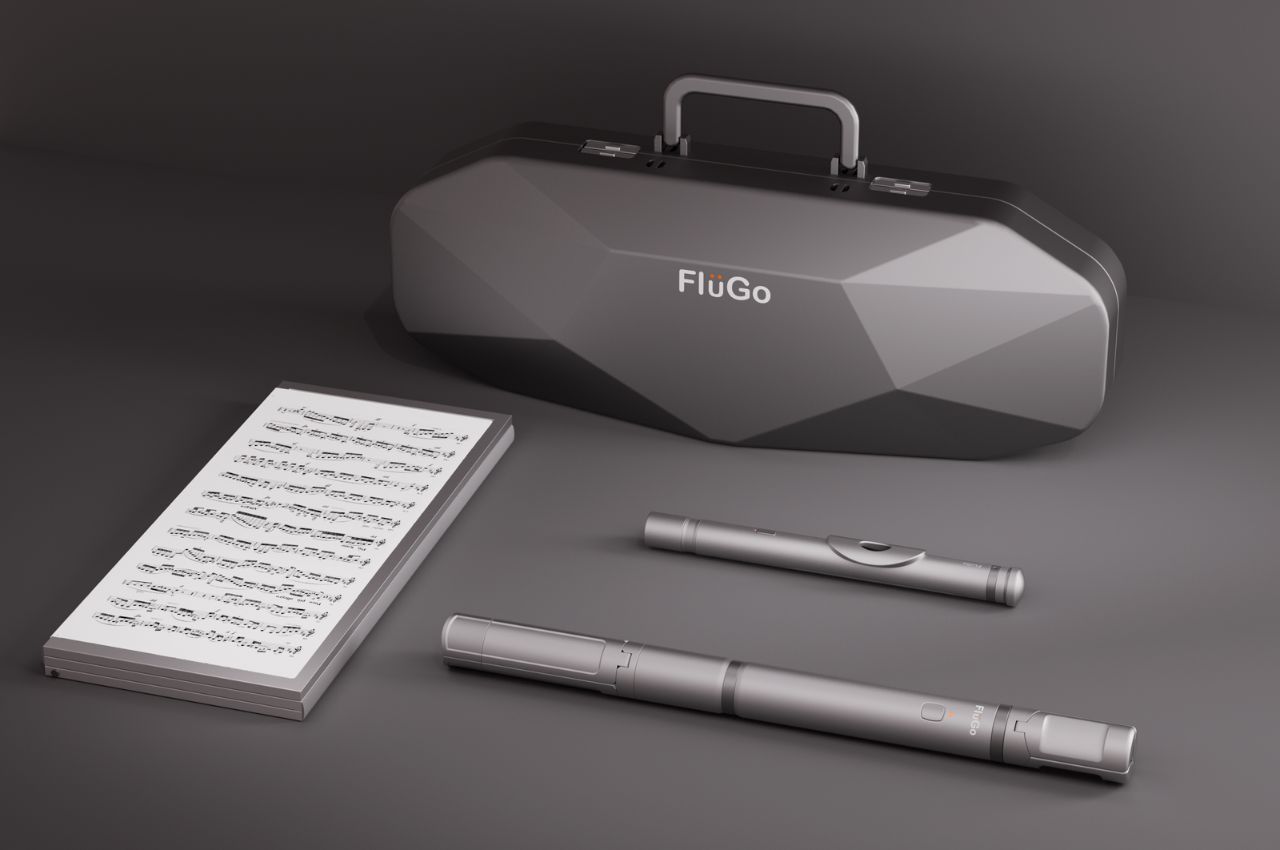
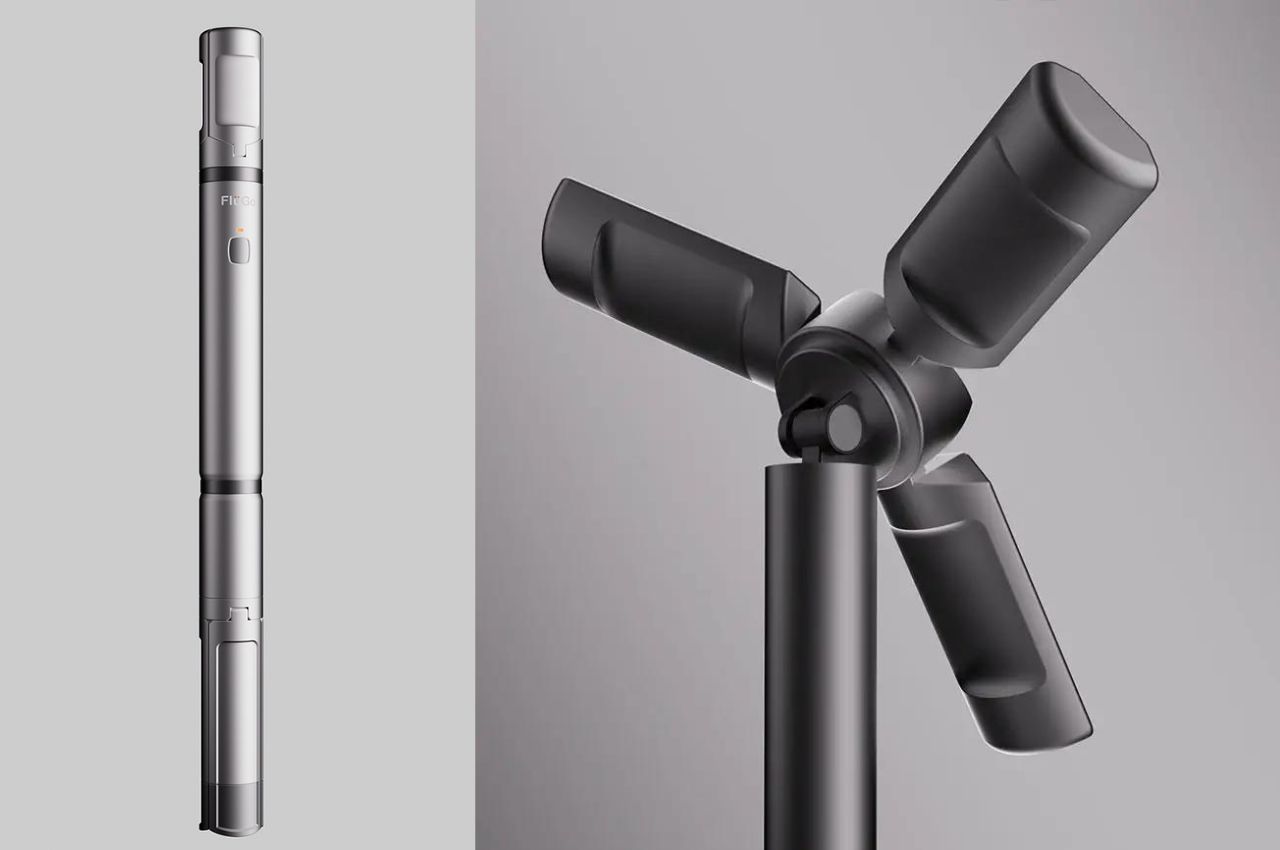
Every musician faces the challenge of creating a nuisance at some point. Even the most proficient players may need to halt their practice sessions due to noise complaints. For flutists, this challenge is particularly enunciated due to the nature of the instrument and the lack of adequate, soundproof practice spaces. FlüGo aims to tackle this issue head-on, offering a smart training kit that allows flutists to practice wherever they are without causing disturbances. The kit includes a modular instrument, a foldable music stand, and a collapsible support. This innovative setup allows for high mobility and flexibility, making it ideal for flutists who need to practice in various environments.

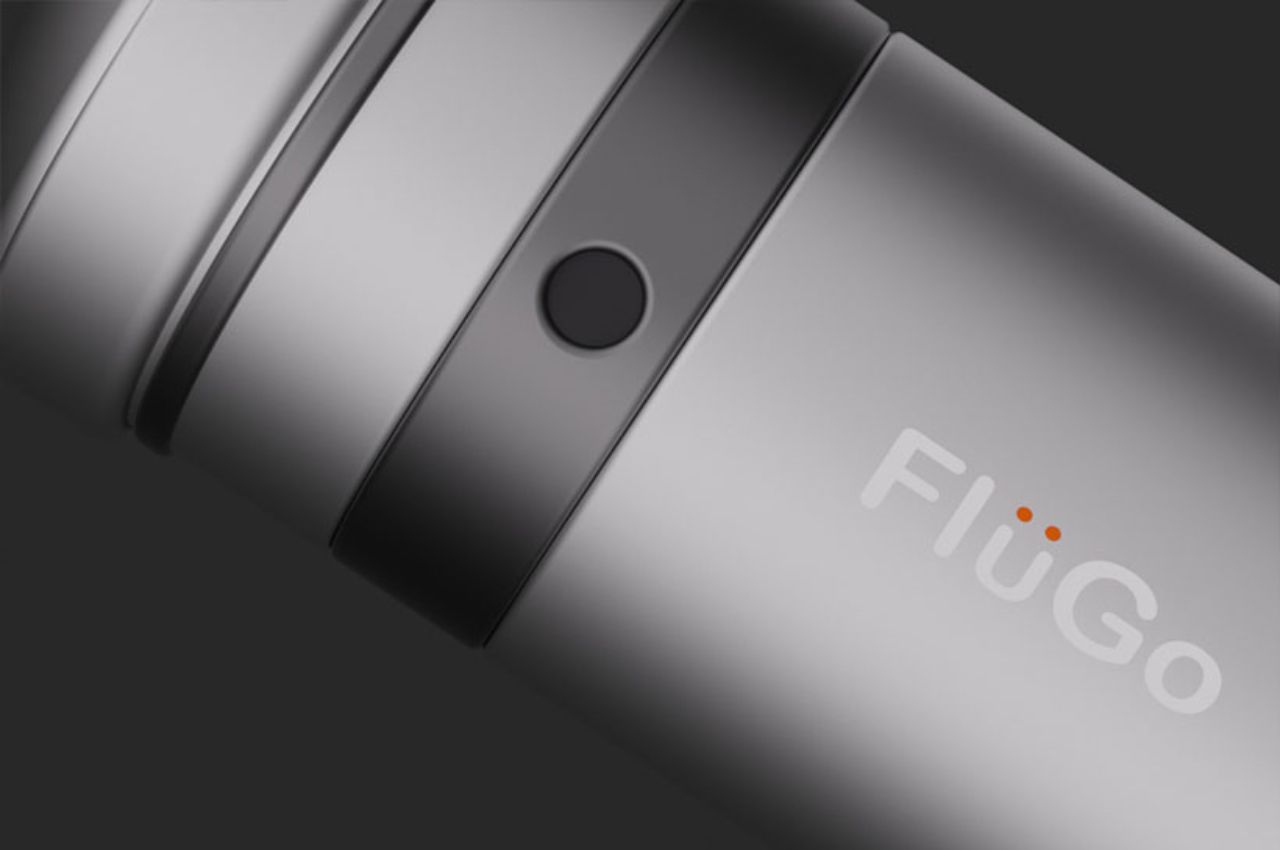
At the core of FluGo is an interchangeable smart head joint that integrates advanced technology to simulate realistic flute sounds. By combining data on airflow and finger movements, it emits a lifelike sound through directional speakers, ensuring that the music is confined to the player’s area. This means that the sound only reaches where it is intended, providing privacy and minimizing disturbance to others.

FluGo is more than just a practical solution for noise control. It represents a significant step forward in making musical practice more accessible and less intrusive. In a world where learning a musical instrument can be seen as a niche or even a luxury activity, it democratizes access to musical education. It breaks down logistical barriers that have traditionally isolated musicians, particularly those who play louder instruments like drums and wind instruments.

Beyond noise control, it opens up new avenues for learning and connection. The device’s ability to record and analyze performances, access interactive educational content, and connect with other flutists transforms it into a tool for growth and cultural exchange. Musicians can share their experiences, seek advice, and draw inspiration from a global community of enthusiasts.

Moreover, FluGo features a folding smart sheet music terminal that automatically turns pages, allowing flutists to focus solely on their playing. The system also records performances and offers real-time sound simulation, making it a comprehensive tool for both practice and performance review.

The post FlüGo Revolutionizes Flute Practice Sessions With Smart Technology And Noise Control first appeared on Yanko Design.

Apple iPad Pro M4 Review: Next-Level Design and Performance

PROS:


  • Stunning industrial design

  • Solid build quality

  • High-end performance

  • Gorgeous Tandem OLED display

  • Great battery life

  • Awesome keyboard and accessory support

CONS:


  • iPad Pro M4 & accessories are considerably expensive

  • iPadOS is restrictive and feels outdated

RATINGS:

AESTHETICS
ERGONOMICS
PERFORMANCE
SUSTAINABILITY / REPAIRABILITY
VALUE FOR MONEY

EDITOR'S QUOTE:

Impossibly thin and powered by the M4 chip, the iPad Pro is one of the best-looking tablets ever. It surprises and delights, harmonizing beauty and utility for an unmatched tactile experience.
award-icon

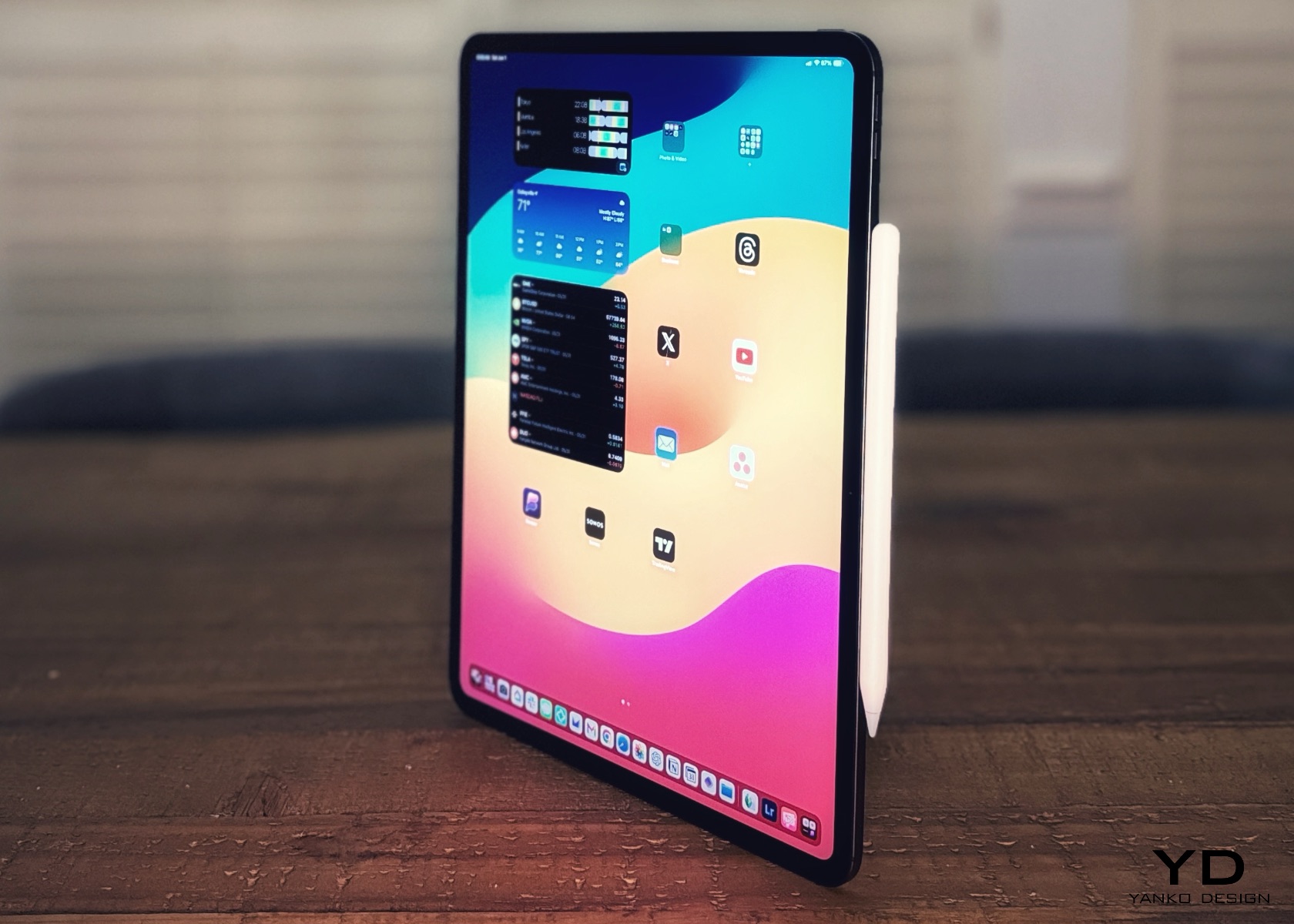
The iPad Pro M4 feels like holding the future in your hands. It’s sleek, light, and incredibly refined, seamlessly blending cutting-edge technology with stunning design. Apple’s newest tablet redefines what’s possible with a dazzling display and a performance that transforms everyday tasks into something extraordinary.

Designer: Apple

At its heart, the M4 chip delivers unmatched speed and efficiency. Whether you’re creating digital art, editing videos, or browsing the web, everything feels faster and more responsive. The vibrant, crisp display enhances every visual experience, from movies to professional-grade design work.

Aesthetics

The iPad Pro, powered by Apple’s M4 chip, is one of the best-looking tablets of all time. For me, what makes a product the best in its class is its ability to surprise and delight the owners and wow those around them. I’ve been using it in the last week, and it has rarely left my side. A great product ticks all the boxes, from form to function and everything in between.
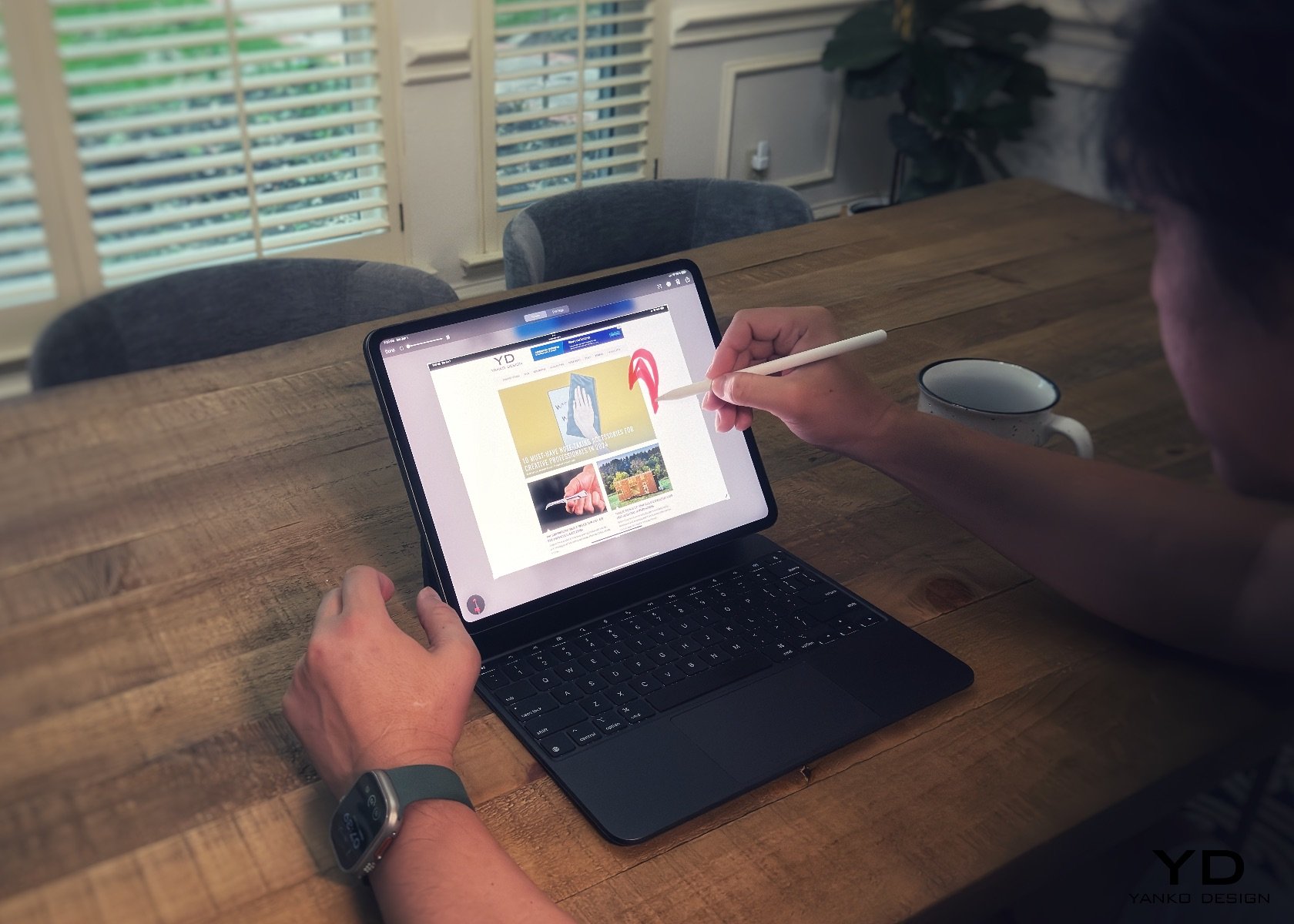
Apple iPad Pro M4 with Magic Keyboard and Apple Pencil Pro

This year, Apple impressed many with the tablet’s thinness. I find it shocking when I hear comments from megastar YouTubers like MKBHD, who asked who was asking for a thinner iPad and stated he would rather have the same thickness as the outgoing model but with a longer battery life. What he’s missing is that longer battery life won’t win our hearts—it’s something we can easily manage by charging up. But come on, when you pick up the iPad Pro M4 and sense how thin and light it is, that’s the tactile experience we want. The burden of carrying a heavier and thicker tablet has been lifted for me. This is a fantastic design choice, Apple. To answer his question: Who was asking for a thinner iPad Pro? Well, that was me.
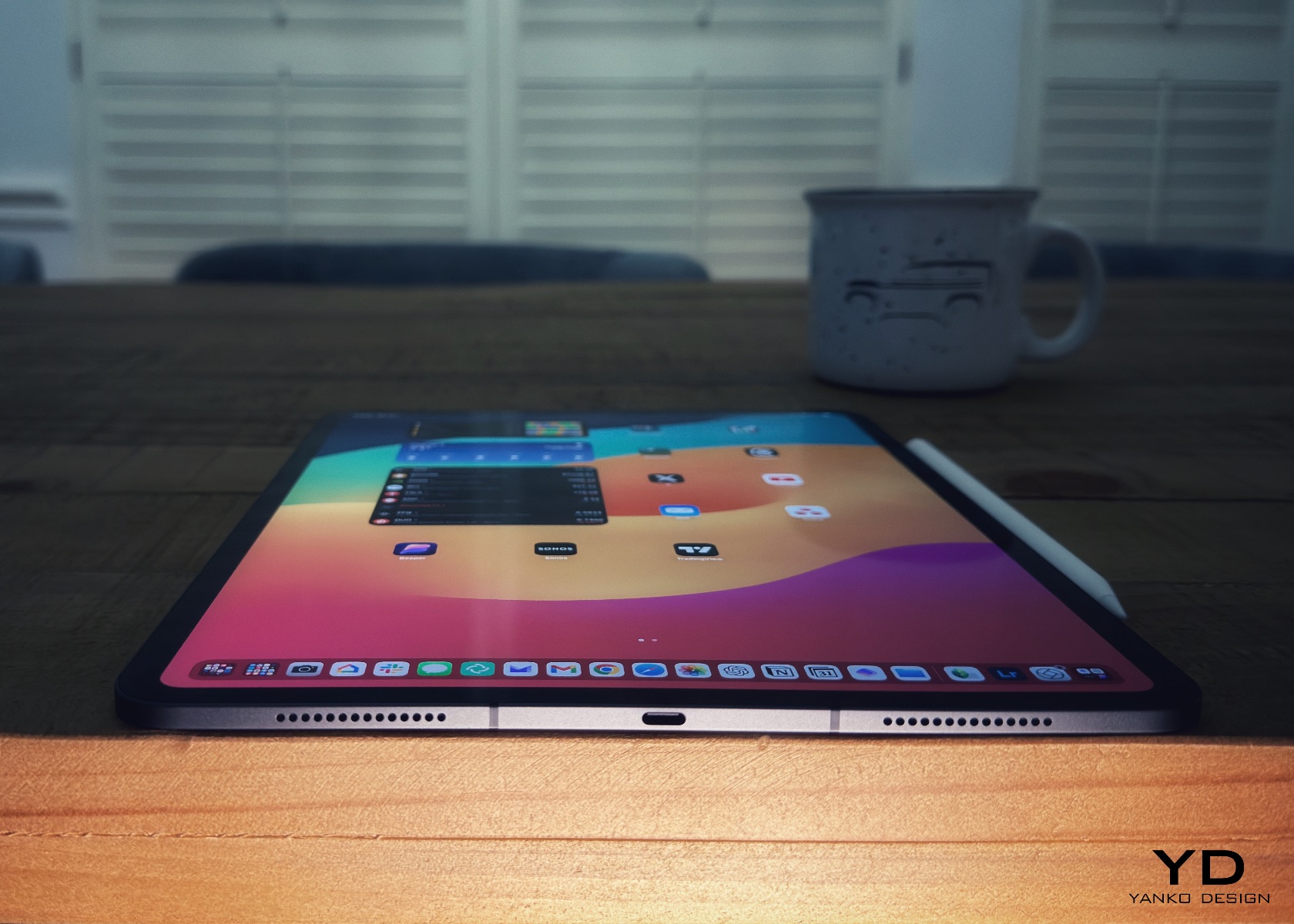
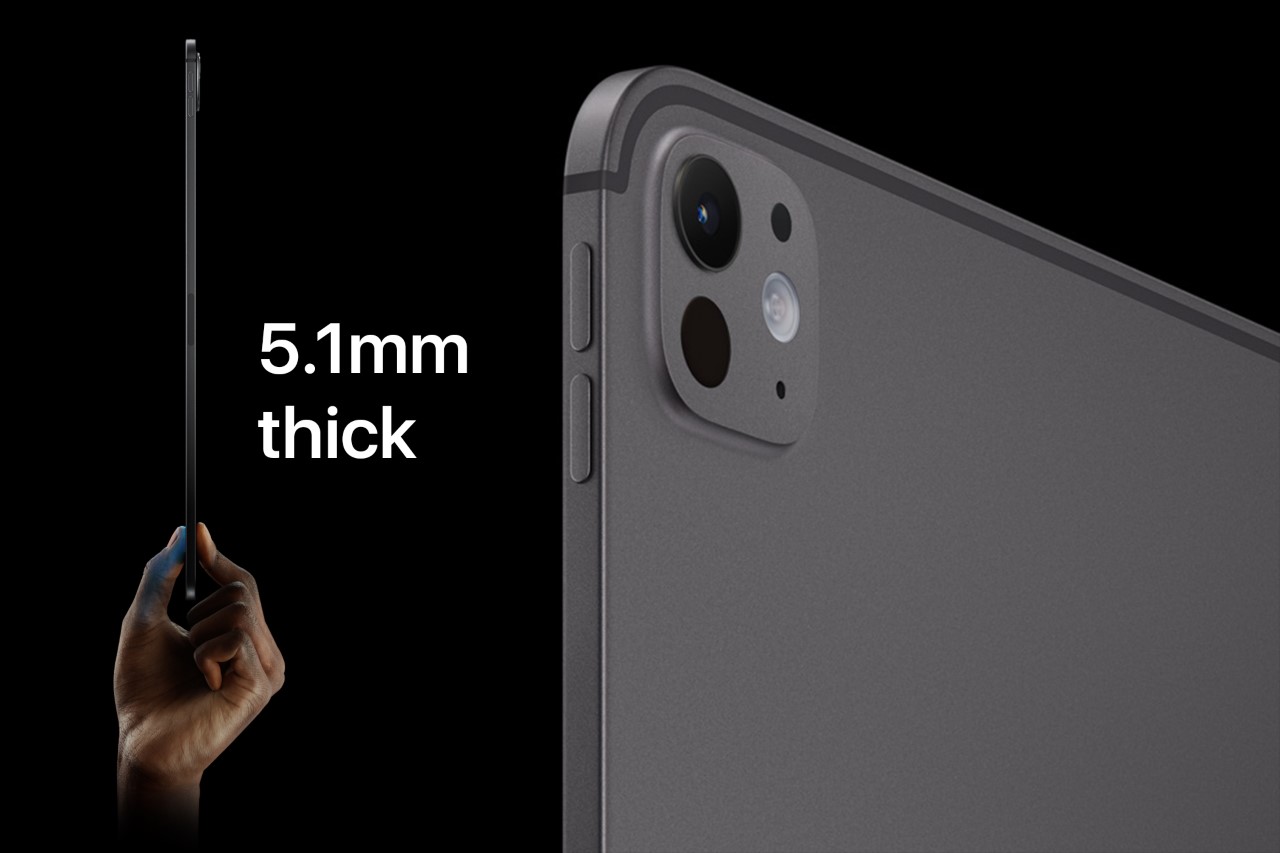
We’ve all heard the saying, “less is more,” when it comes to design. Knowing and being willing to remove what’s unnecessary is much harder than adding this or that. And in this case, the reduction in thickness and weight—now down to just under a pound for the 11-inch model and a little over a pound for the 13-inch—speaks volumes the moment you pick it up. In terms of usability, whether you’re using it with the Magic Keyboard, Folio, or just on its own, it’s magical.
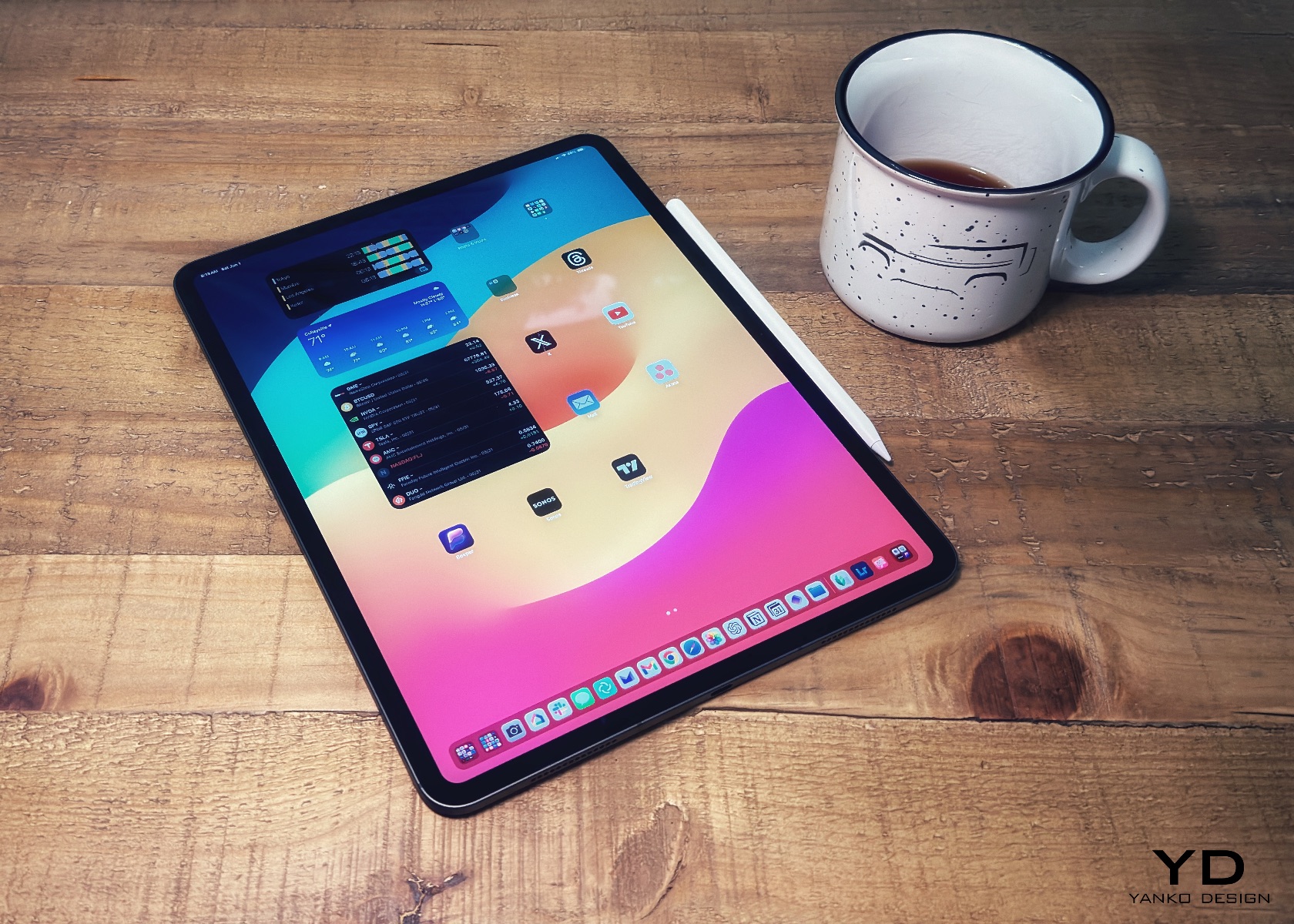
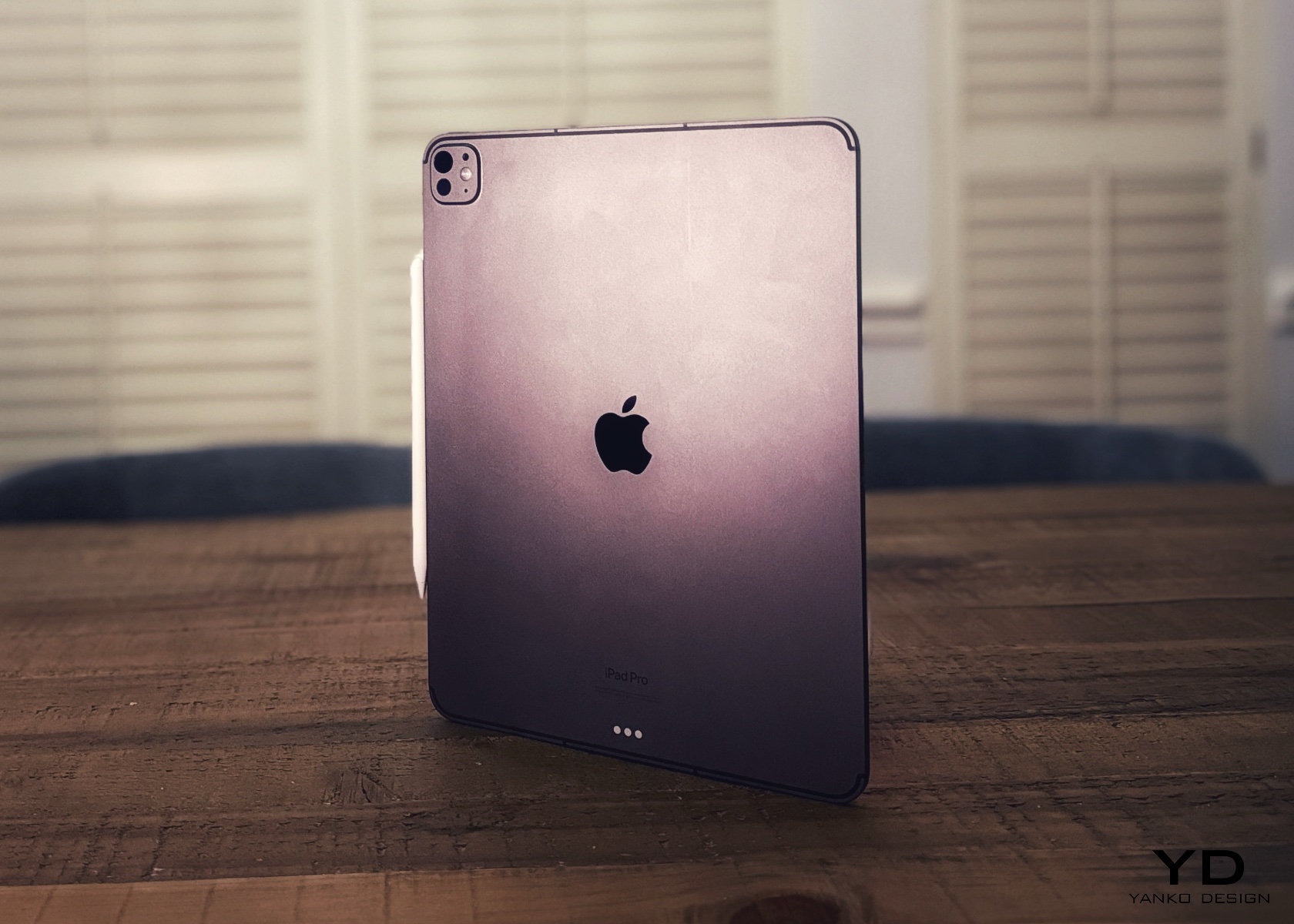
The aesthetics are simply breathtaking. The device perfectly blends elegance and sophistication with a sleek, minimalist design that looks futuristic. The aluminum body is smooth and meticulously crafted, with precise edges and a refined finish that makes it look sophisticated and high-end. You can choose between Silver and Space Gray, both with a matte finish that adds to the premium look. These colors are versatile and professional, making the iPad Pro M4 perfect for any situation. Whether you’re using it in the office, in a coffee shop, or just relaxing at home using your favorite apps, it fits right in.
My three go-to entertainment sources are Apple TV, Netflix, and YouTube. They’re simply perfect, which is the ideal place to mention that this is where iPadOS shines because these apps let you download shows to watch offline. It’s a nice touch.

Every time I use the iPad Pro in portrait mode, it reminds me of the authority a clipboard brings. Imagine someone walking into a busy room with a clipboard and pen—it gives the impression they mean business. It’s like in “House,” where Dr. Cuddy, often seen with a clipboard, epitomizes control and authority. In the episode “Insensitive” from season three, Cuddy wields her clipboard to manage the hospital’s chaos, symbolizing her command and precision. There’s a moment where she’s juggling multiple tasks, handling House’s antics, and still keeping her cool—all while holding that clipboard. It becomes a symbol of her ability to manage and orchestrate the complex dynamics of the hospital. I can see this happening in many real-world instances where people do the same, except using the iPad Pro and Apple Pencil Pro.
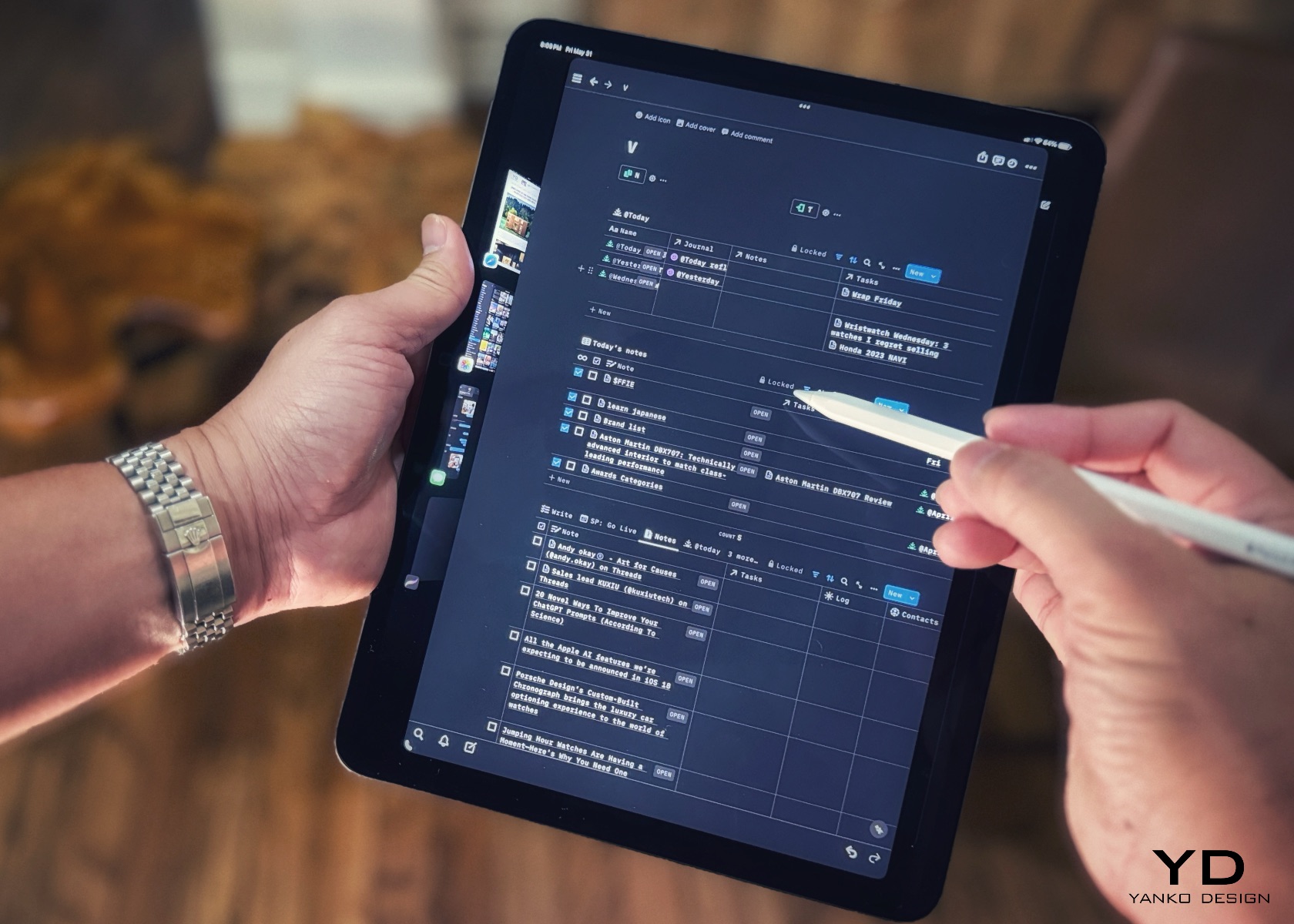
Comically, this slate of glass combined with the Apple Pencil Pro gives me that nostalgic feeling. Like Cuddy’s clipboard, the iPad Pro M4 signifies a blend of modern technology and timeless functionality. Regardless of which iPad model you pick, it’s the tool that becomes the modern-day version of the classic clipboard. This feeling of holding an essential, authoritative tool makes the iPad Pro unique. It transforms how you approach tasks, making everything feel more organized and efficient, just as a clipboard does in a busy environment. The iPad Pro M4 looks and feels futuristic but also brings a touch of nostalgia that resonates with anyone who has ever relied on the simplicity and power of a clipboard.

One of the most striking features of the iPad Pro M4 is its display. The tandem OLED screen offers brighter visuals, deeper blacks, and more vibrant colors, making everything you do on the iPad look fantastic. The screen stretches almost edge to edge, thanks to the thin bezels and lack of a home button, which gives the device a modern, clean look. Apple’s attention to detail is evident throughout. The rounded corners and chamfered edges make the iPad comfortable to hold and add to its aesthetic appeal. The buttons and ports are strategically placed to maintain the sleek lines, and even the camera bump is designed to blend in seamlessly.
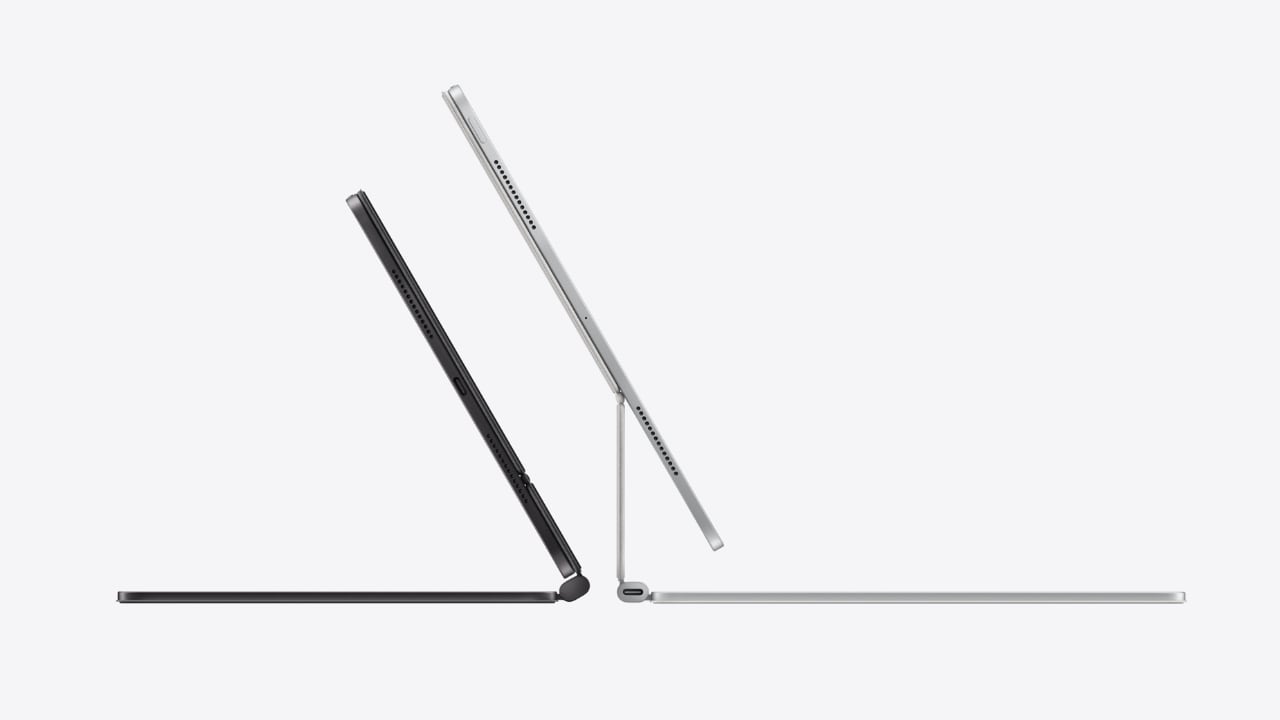
The iPad Pro M4’s design works perfectly with its accessories. The new Magic Keyboard, for instance, enhances the iPad’s functionality and aesthetics. It features a sleek, minimalist design that matches the iPad’s finish and form. The floating cantilever design allows the iPad to magnetically attach and hover above the keyboard, offering a range of viewing angles and adding a futuristic touch. The keyboard is backlit, excellent for working in low-light conditions, and the keys are well-spaced with a scissor mechanism that provides a comfortable, responsive typing experience. The integrated trackpad supports multi-touch gestures and cursor functionality, transforming the iPad Pro into a more laptop-like device and boosting productivity.
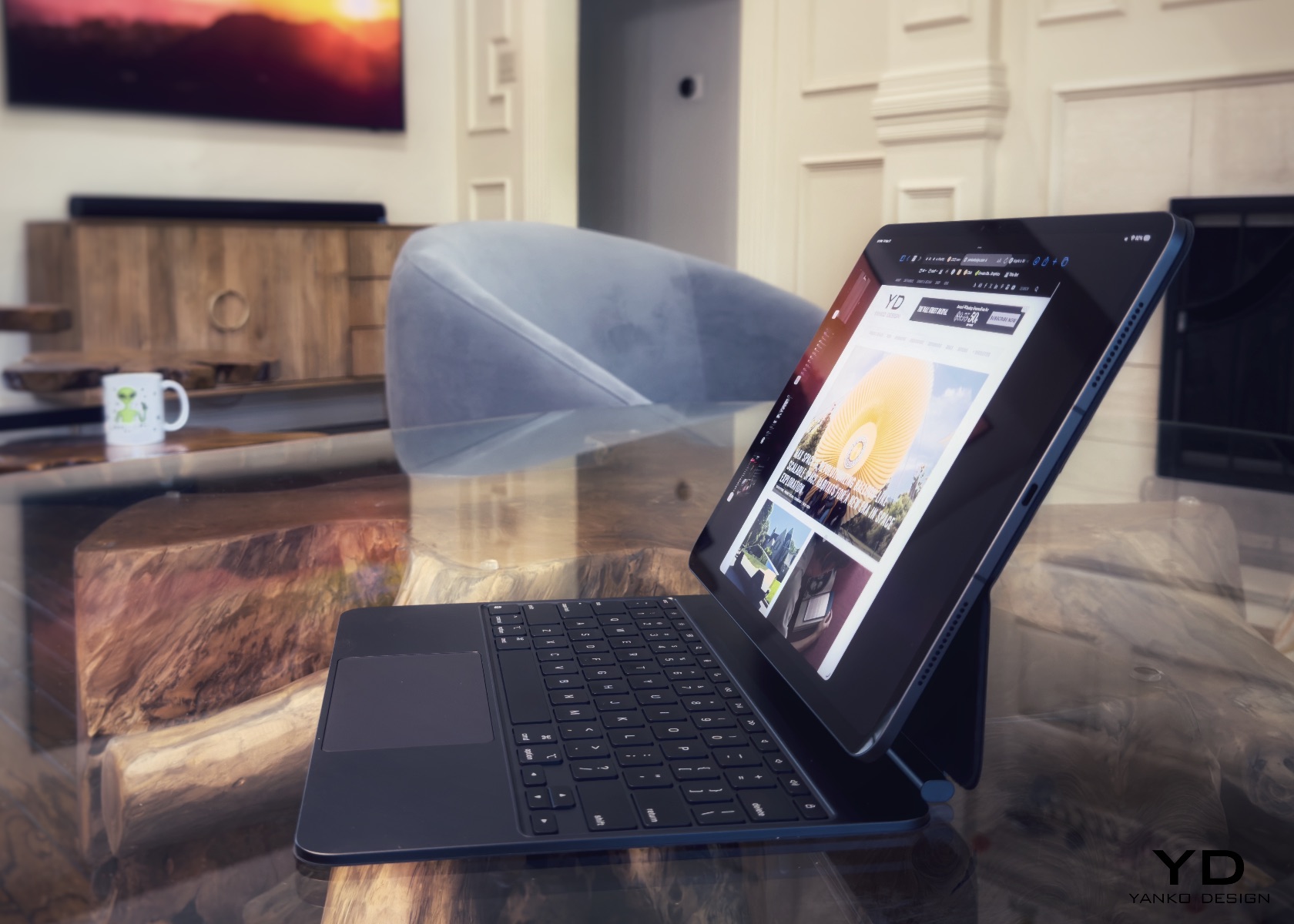
Additionally, the Magic Keyboard includes a USB-C port for passthrough charging, allowing you to charge the iPad while keeping its main USB-C port free for other accessories. The magnetic attachment and smart connector ensure seamless connectivity, with no need for pairing or separate charging. When closed, the Magic Keyboard serves as a protective cover for the iPad Pro, shielding both the front and back from scratches and minor impacts. Despite its robust build, the Magic Keyboard remains relatively lightweight and slim, enhancing the portability of the iPad Pro without adding significant bulk.

Of course, that begs the question: Is the iPad Pro M4 any more magical than the last iPad M2? Well, that depends on your expectations, requirements, and lifestyle. If you’re like me and value the blend of cutting-edge technology with an elegant and functional design, the iPad Pro M4 is a clear winner. The improvements in weight, thinness, and display quality, combined with the powerful M4 processor, make it not just a tool but a companion that delights in every use.

Ergonomics

Apple has perfected the ergonomics with the iPad Pro M4. Its lightweight and slim profile make it a joy to hold, whether you’re using it in portrait or landscape mode. The intuitive placement of buttons and ports ensures easy access without disrupting the device’s sleek lines. A significant improvement is the horizontally aligned front camera, which provides a more natural angle for video calls, making virtual meetings feel more engaging and less awkward. This new camera position also signals that the iPad is inching closer to laptop status, enhancing its appeal as a versatile productivity tool.

The term “laptop” denotes functionality and comfort when used on your lap. The iPad Pro M4, especially when paired with the Magic Keyboard, embodies this ideal better than any tablet. Its sleek design, powerful performance, and practical accessories rival traditional laptops, ensuring comfort and functionality when used on your lap.

The Magic Keyboard provides a comfortable typing experience with well-spaced keys and responsive feedback. Its cantilever design, pushing the iPad further back like a MacBook’s display, is especially beneficial when used while lying down. This design offers adjustable viewing angles, allowing you to find the perfect position for any task. Whether typing an email, editing a document, or drawing with the Apple Pencil, the iPad adapts seamlessly to your needs.
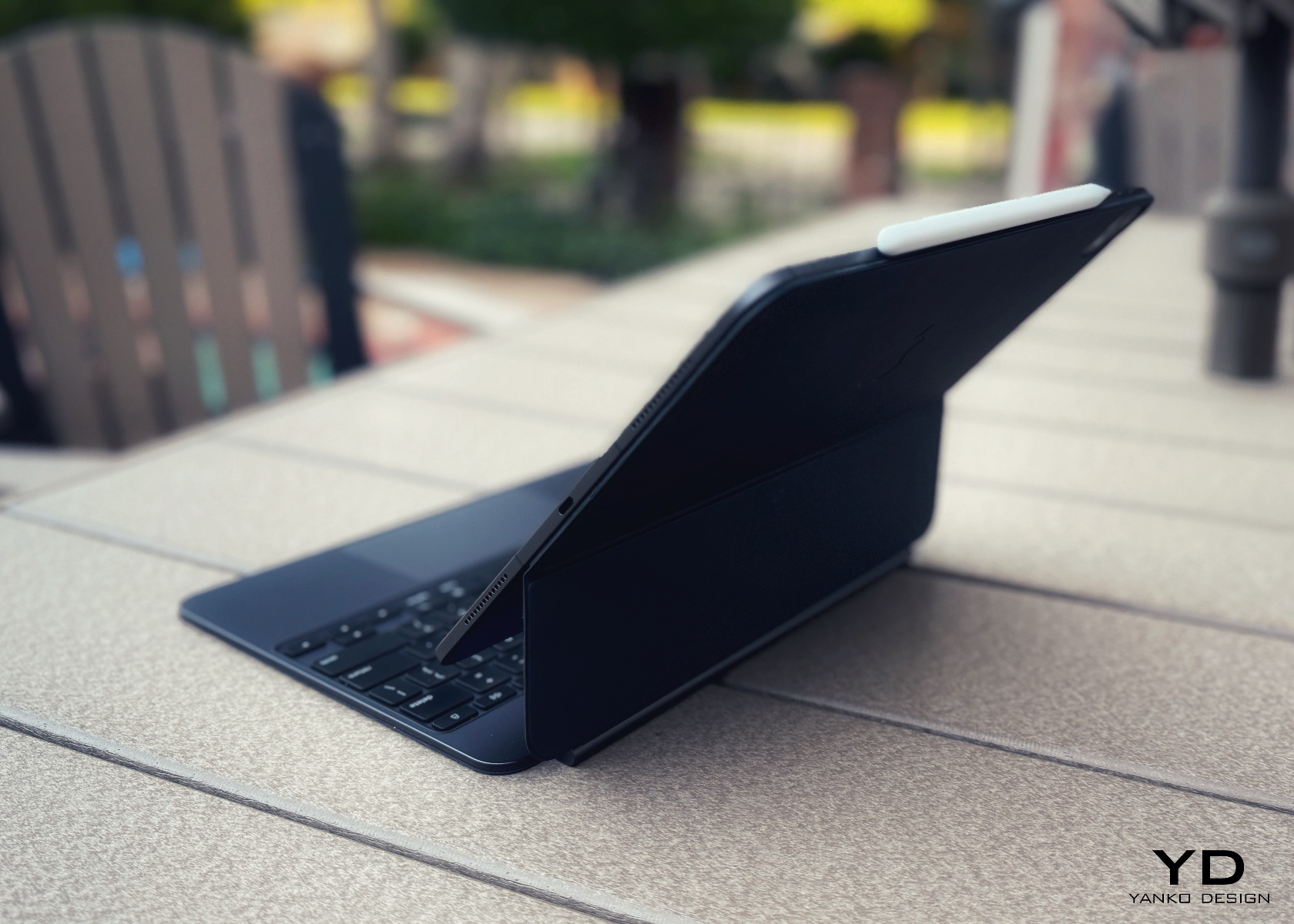
The Apple Pencil Pro also deserves mention for its ergonomic design. The lightweight stylus mimics the sensation of writing on paper, with added haptic feedback and barrel roll gestures for enhanced precision and control. Whether sketching, annotating, or taking notes, the Apple Pencil Pro provides a comfortable and intuitive user experience.

Using the iPad Pro M4 with the Magic Keyboard feels empowering, enhancing productivity, creativity, entertainment, and learning, no matter where you are. Apple’s attention to ergonomics ensures every interaction with the device is intuitive and comfortable. The thin and lightweight design makes it easy to carry, whether commuting, traveling, or moving between rooms, fitting comfortably in a bag or backpack. The iPad seamlessly supports daily activities, enriching digital experiences, whether working, creating, or browsing. After all, that’s the whole point of investing in tech—not just for the sake of buying a shiny new toy, but to add real value and enhance everyday productivity.

Performance

The iPad Pro M4 has a powerful M4 chip designed to handle everything Apple and third-party apps can throw at it. Whether editing 4K videos, playing graphics-intensive games, or multitasking, the M4 chip ensures smooth and efficient performance. The new chip delivers a 50% performance boost over its predecessor, making it one of the fastest tablets on the market.
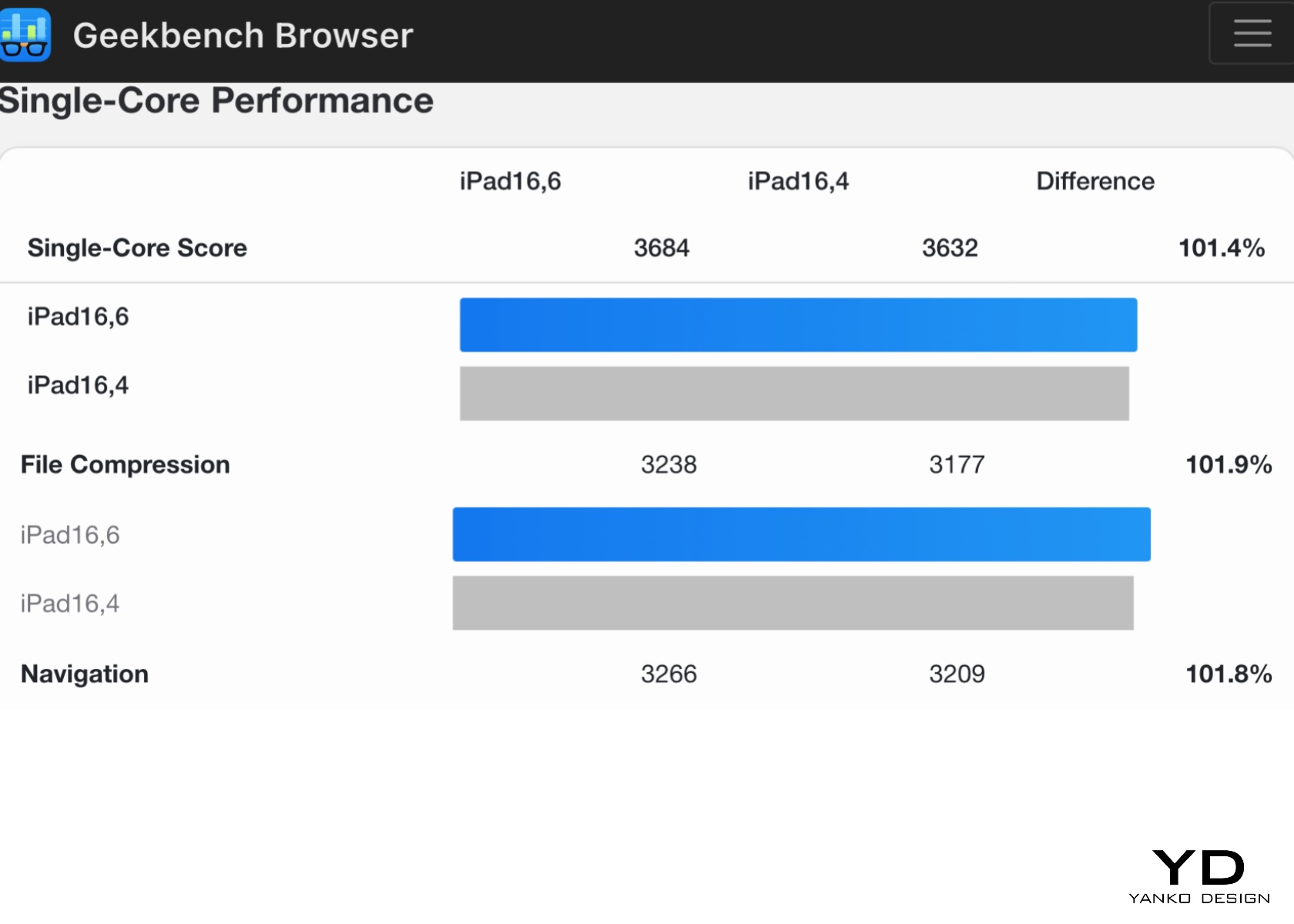
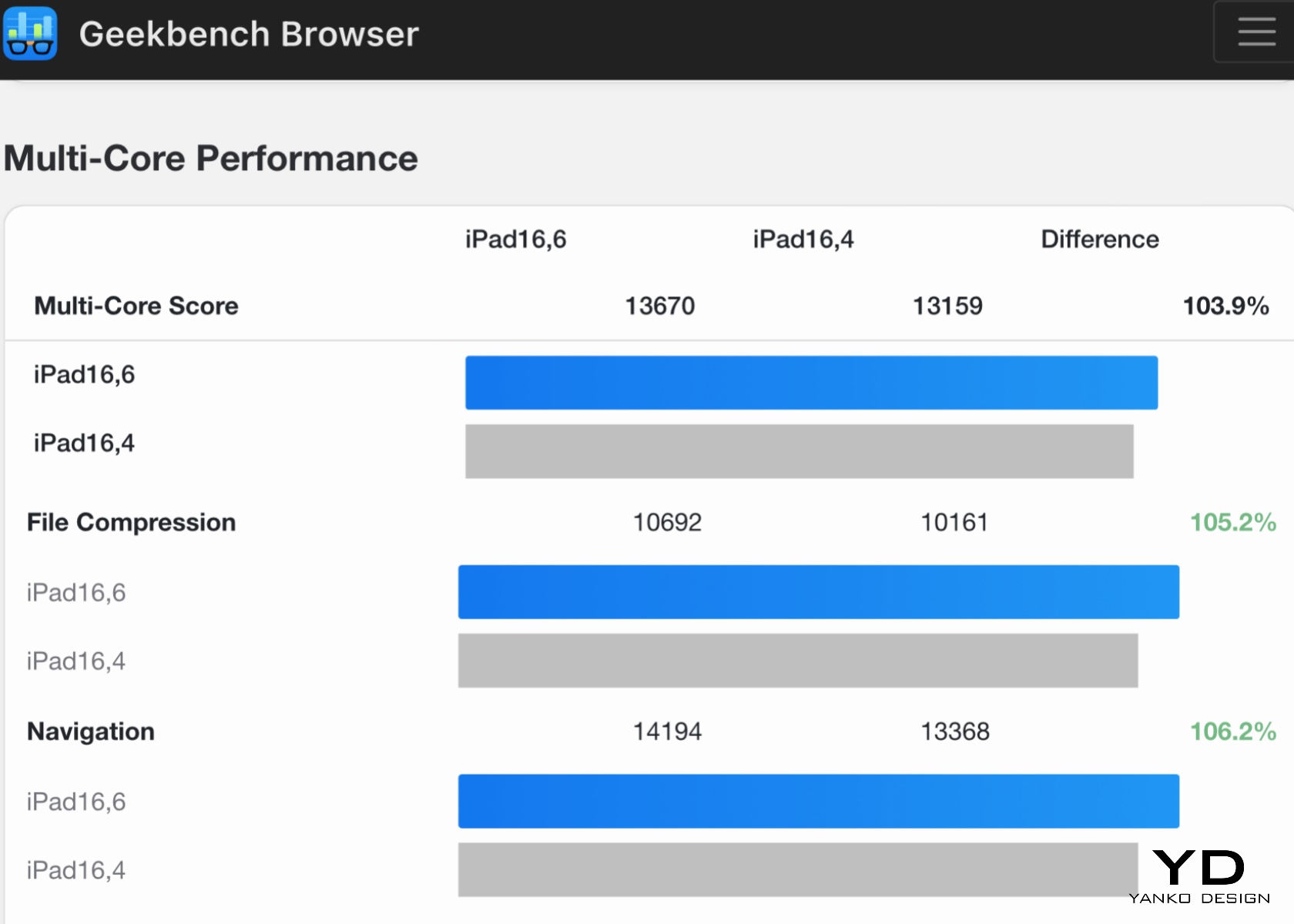
Benchmarks like those from Geekbench 6 highlight the iPad Pro M4’s significant performance capabilities. For instance, the iPad Pro M4 (iPad16,6) scores an impressive 13670 in multi-core performance and 3684 in single-core performance, compared to 13159 and 3632, respectively, for the iPad16,4 base model. These results underscore the enhanced performance of the additional cores and more RAM in the iPad Pro M4.
However, synthetic benchmarks are just one way to validate the M4 chip’s capabilities. The true power of the iPad Pro M4 lies in Apple’s seamless integration of hardware and software. Unlike competitors who rely on third parties like Qualcomm for chipsets, various manufacturers for hardware, and Google or Microsoft for the operating system, Apple controls the entire ecosystem. This unified approach allows for optimized performance and a cohesive user experience greater than the sum of its parts.

Apple M4 and Snapdragon X Elite

One of the standout features of the M4 chip is its enhanced Neural Engine, capable of performing 38 trillion operations per second. This opens up new possibilities for AI-driven applications, from real-time language translation to advanced image processing. For instance, apps that utilize machine learning for tasks like photo editing, predictive text, and augmented reality run seamlessly on the iPad Pro M4, demonstrating the chip’s capability to manage complex algorithms efficiently.
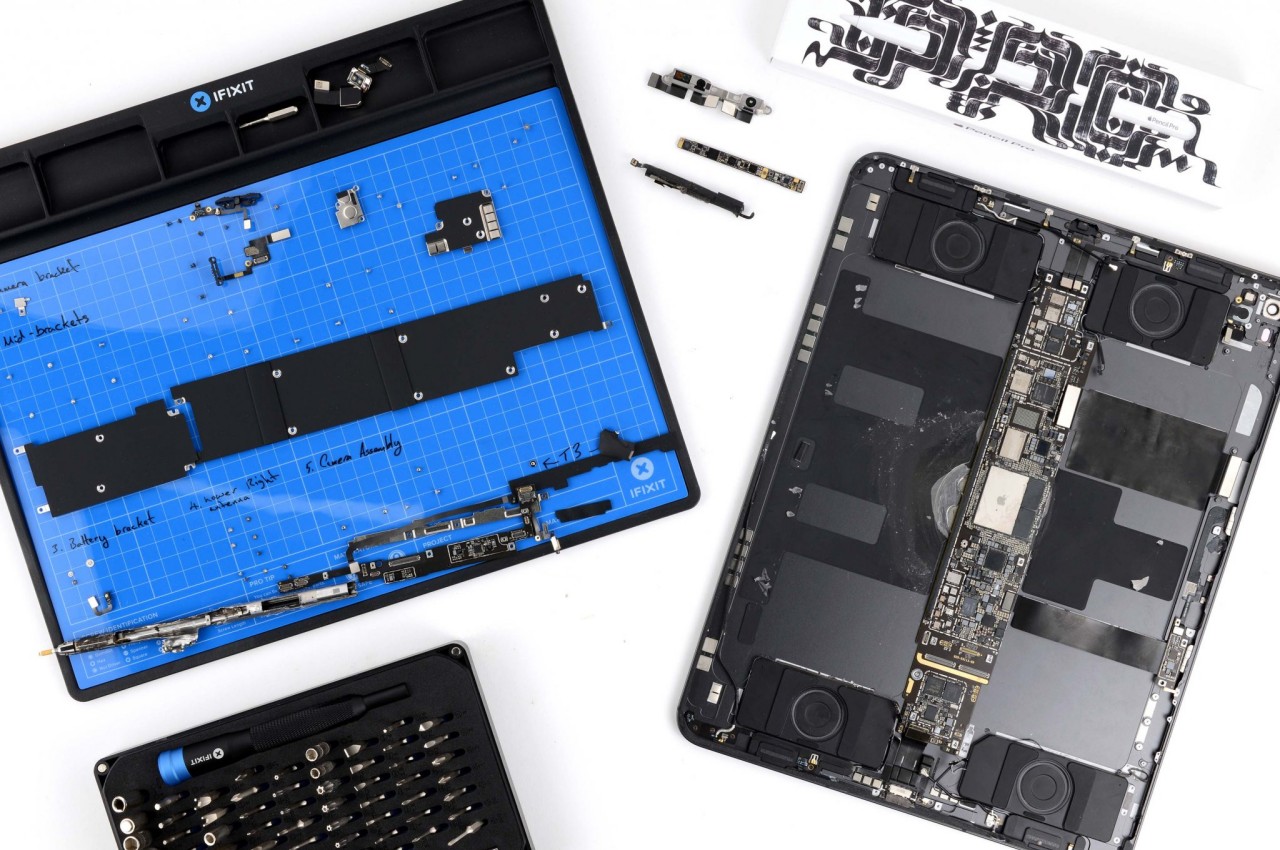
The M4 chip’s efficiency also translates into impressive battery life. The iPad Pro M4 can last up to 14 hours under moderate use, such as browsing the web, streaming videos, and using productivity apps. This ensures users can work, play, and create without constantly searching for a power outlet. Even during more intensive tasks like video editing and gaming, the battery life holds up well, typically lasting around 10 hours.

One of the most striking features of the iPad Pro M4 is its Ultra Retina XDR display with tandem OLED technology. This display sets a new benchmark for tablet screens, offering unparalleled brightness, color accuracy, and contrast. Using tandem OLED panels increases luminance levels, resulting in deep blacks, vibrant colors, and exceptional clarity. The display transforms the visual experience, making everything from movies to professional-grade design work look stunning.

From personal experience, the display performs amazingly regardless of the environment. The screen remains vibrant and clear, whether outdoors in bright sunlight or indoors under office lights. Two types of displays are available: the standard display and the nano-texture glass option designed to reduce glare. Our review unit features a regular display, which, for most users, is more than enough to meet their needs.

In video editing tests using apps like LumaFusion and Adobe Premiere Rush, the iPad Pro M4 handles 4K footage effortlessly. Scrubbing through high-resolution video happens without lag, allowing for the application of complex edits and quick rendering of projects. This performance makes it an excellent tool for content creators needing a portable yet powerful device for on-the-go editing.

Gaming performance on the iPad Pro M4 is equally impressive. Popular titles like Genshin Impact and Call of Duty: Mobile run smoothly with high frame rates and detailed graphics, providing a console-like experience on a tablet. The high-refresh-rate display enhances the gaming experience by reducing motion blur and providing a more responsive feel.

We anticipate further enhancements with the upcoming WWDC, where Apple is expected to announce upgrades to iPadOS. We hope these updates will bring many features from macOS to the iPad while retaining its lightweight footprint. Such improvements would further unlock the potential of the M4 chip, making the iPad Pro M4 even more capable. The chip’s current performance already sets a high standard, and with the expected software enhancements, the iPad Pro M4 is poised to become an even more integrated and versatile tool.

In every aspect, from gaming to professional-grade video editing, the iPad Pro M4 redefines what a tablet can achieve, making it a powerful, versatile, and future-ready device.

Sustainability

Apple continues to lead in sustainability with the iPad Pro M4, using 100% recycled aluminum for the enclosure. This commitment to eco-friendly materials doesn’t compromise the device’s durability or aesthetic appeal. Using recycled aluminum reduces the environmental impact of production and aligns with Apple’s broader goals of reducing its carbon footprint and promoting sustainability.
The energy-efficient M4 chip also contributes to reduced power consumption, extending battery life and minimizing environmental impact. The chip’s efficiency ensures that the iPad Pro M4 delivers top-tier performance while consuming less power, which benefits both users and the planet. By incorporating sustainable practices into the design and production of the iPad Pro M4, Apple sets a high standard for the tech industry, demonstrating that cutting-edge technology and environmental responsibility can go hand in hand.

Apple’s approach to packaging also reflects its commitment to sustainability. The packaging for the iPad Pro M4 is made from recycled and biodegradable materials, reducing waste and promoting recycling. The minimalist design of the packaging also reduces the overall environmental impact, as less material is used in its production.
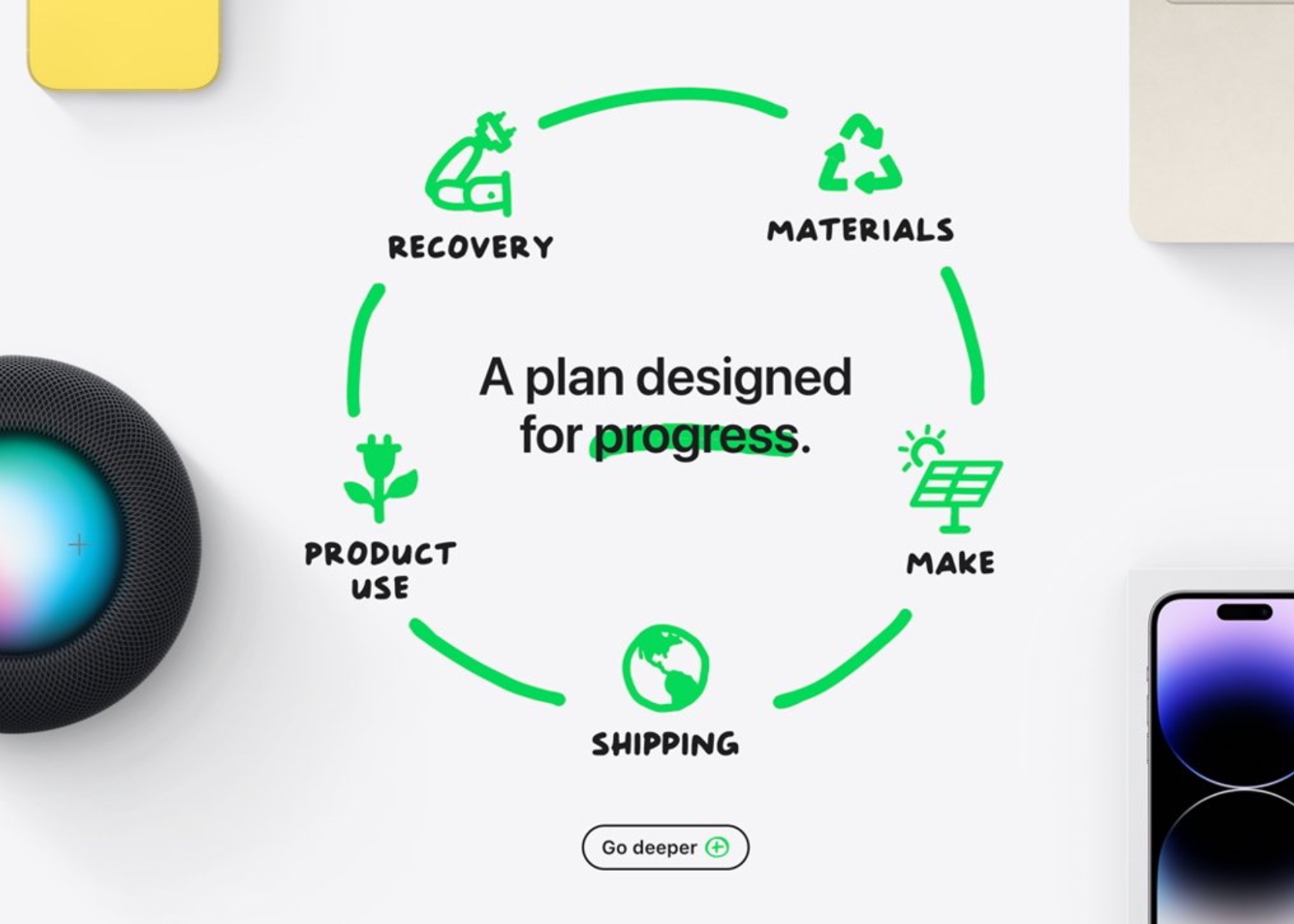
In addition to using recycled materials and energy-efficient components, Apple also supports recycling old devices. Through its trade-in program, users can return their old iPads and other Apple products, which are then refurbished or recycled. This program helps to reduce electronic waste and ensures that valuable materials are recovered and reused.

Apple’s commitment to sustainability with the iPad Pro M4 sets a benchmark for the industry. Using recycled materials, energy-efficient components, and eco-friendly packaging contributes to a more sustainable product. By prioritizing sustainability without compromising performance or aesthetics, Apple shows that it is possible to create high-quality, cutting-edge technology while being mindful of the environment.

Value and Verdict

The iPad Pro M4 is undeniably a premium device, and its price reflects this. Starting at $1,299 for the 11-inch model and $1,499 for the 13-inch model, it’s a significant investment. Adding essential accessories like the Magic Keyboard and Apple Pencil Pro can quickly bring the total cost to the level of a high-end laptop. However, for creative professionals and tech enthusiasts who can fully leverage its capabilities, the iPad Pro M4 offers tremendous value. Its performance, display quality, and versatility justify the high price for those who demand the best.

For everyday users, it might be overkill. The advanced features and high performance may not be necessary for tasks like web browsing, email, and casual media consumption. More affordable options like the iPad Air offer excellent performance and functionality at a fraction of the cost. If top-tier features aren’t a priority, these alternatives are worth considering.

The iPad Pro M4 is a versatile tool for a wide range of tasks. For creative professionals, the combination of the M4 chip’s power, the precision of the Apple Pencil Pro, and the clarity of the Ultra Retina XDR display makes it invaluable for photo editing, graphic design, and video production. Its performance and versatility can significantly enhance productivity and creativity.

For business users, the iPad’s portability, battery life, and connectivity options make it an excellent tool for remote work, presentations, and note-taking. The Magic Keyboard transforms the iPad into a functional laptop alternative, while the Apple Pencil Pro offers a natural and efficient way to annotate documents and take notes.
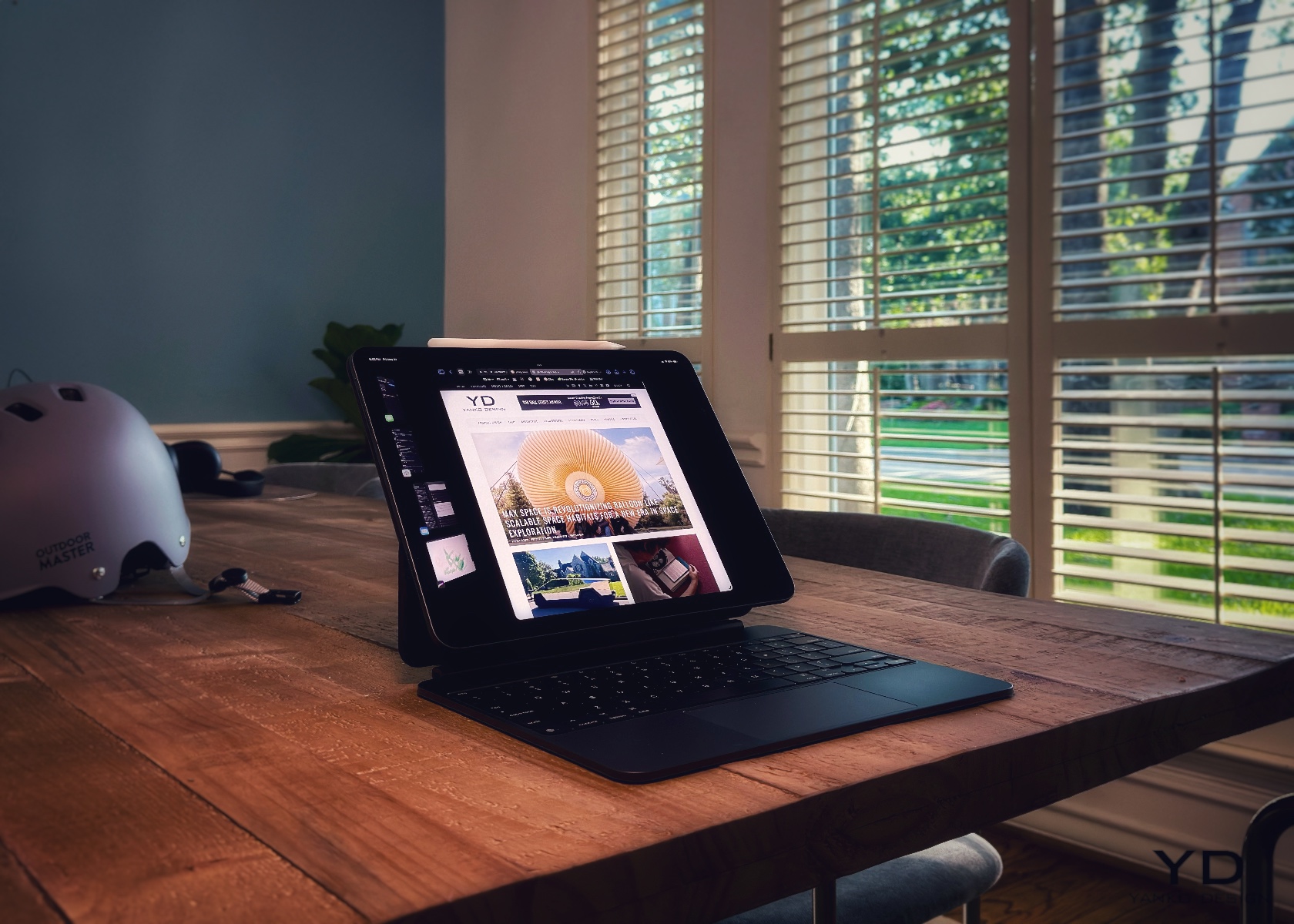
Since using the iPad Pro M4 and the new Magic Keyboard, I’ve typed dozens of articles totaling more than 25,000 words. Unlike past models, this device has become my daily driver. My MacBook Pro M1 stays in the office, connected to four 5k monitors, while I work comfortably wherever I choose. It’s a great time to be a journalist, photographer, videographer, designer, or whatever role you embrace. The new iPad Pro M4 handles any task with ease.

The value of the iPad Pro M4 depends on your specific needs and how you plan to use the device. This is a dream device for those who can take full advantage of its capabilities. It’s perfect for creative professionals, tech enthusiasts, and anyone who wants the best in mobile technology. For others, more affordable models might offer better value without compromising too much on performance.
The iPad Pro M4 is a modern tech marvel, combining excellent hardware and stunning design. Its sleek, lightweight build, striking display, and robust performance make it top-tier among tablets. Enhanced accessories and connectivity options further add to its versatility, making it useful for a broad range of users. However, a common perception is that iPadOS is too restrictive, which prevents the iPad Pro M4 from being fully acknowledged as a viable laptop substitute. While I don’t entirely agree with this, I would appreciate the customization offered by macOS, such as the ability to run at native resolution and full control over the desktop view, among other things.

Ultimately, the iPad Pro M4 is a glimpse into the future of personal technology. It’s a device that meets today’s needs while anticipating tomorrow’s possibilities. Whether working, creating, or enjoying your favorite content, the iPad Pro M4 will take you there.

The post Apple iPad Pro M4 Review: Next-Level Design and Performance first appeared on Yanko Design.
Max Space Is Revolutionizing Balloon-Like Scalable Space Habitats for a New Era in Space Exploration

Isn’t it ironic when we say space is infinite, yet it has the same housing problem we face on Earth of not having enough room? The challenge for builders of space habitats is not the vastness of space itself but the constraints of shipping capacity. Despite the increased frequency and reduced cost of rocket launches, the amount of building material that can be sent into orbit remains limited. The International Space Station (ISS), for example, required over 40 flights and cost more than $100 billion to construct. In contrast, Max Space is giving more in less! A bargain that can never go wrong. It is a company revolutionizing space habitation by offering equivalent cubic volume to the ISS for just $200 million, including launch, slashing costs by over a hundred-fold.

Designer: Max Space

Max Space was founded by Maxim de Jong, a pioneer in “soft system space architecture.” De Jong is globally recognized as the foremost expert in utilizing expandable materials for space. His early designs, Genesis I and Genesis II, have been orbiting Earth since 2006 and 2007. Max Space’s approach is distinguished by its use of ‘isotensoid’ architecture. This innovative design ensures that every structural fiber remains unencumbered, allowing it to assume an ideal geometry for optimal load-bearing capability. This results in the lowest possible mass and cost while offering unsurpassed predictability and unlimited scalability.

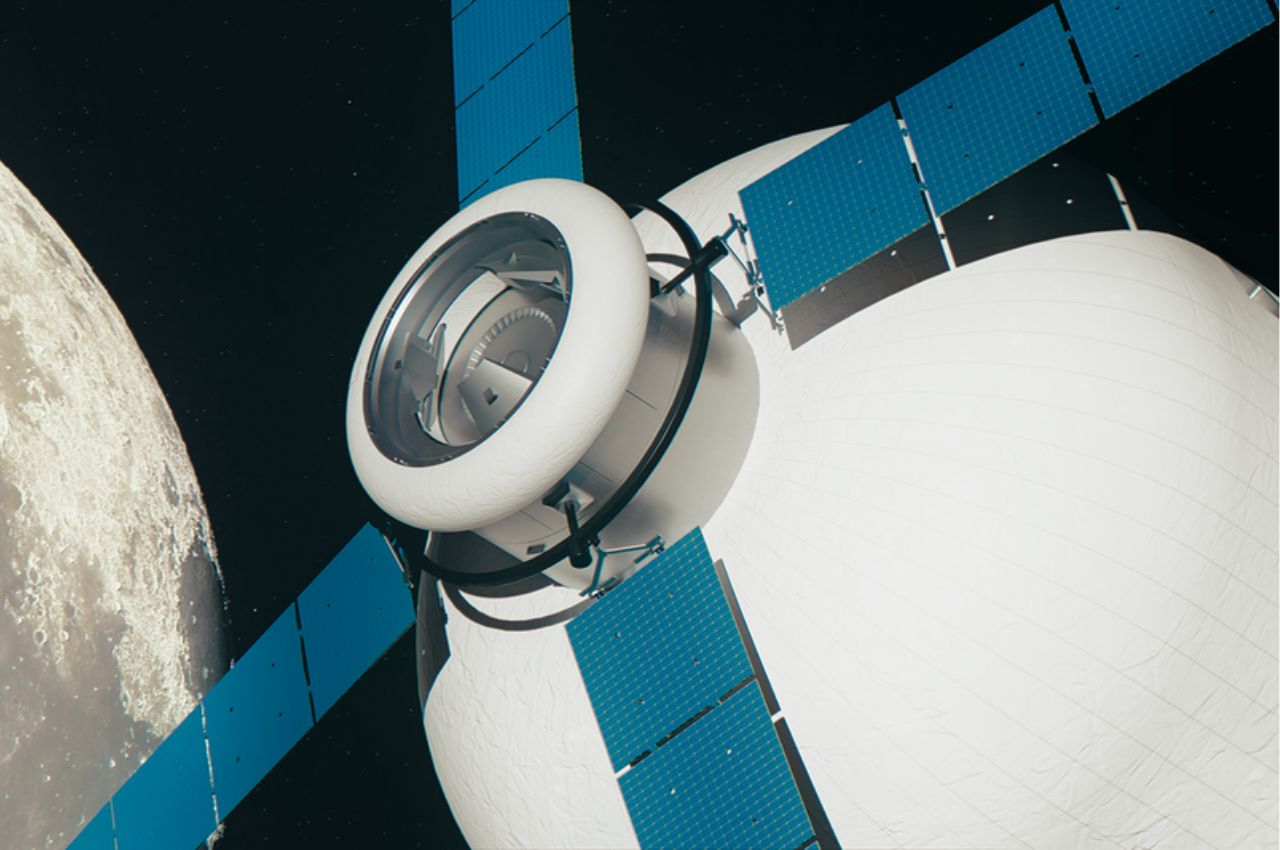
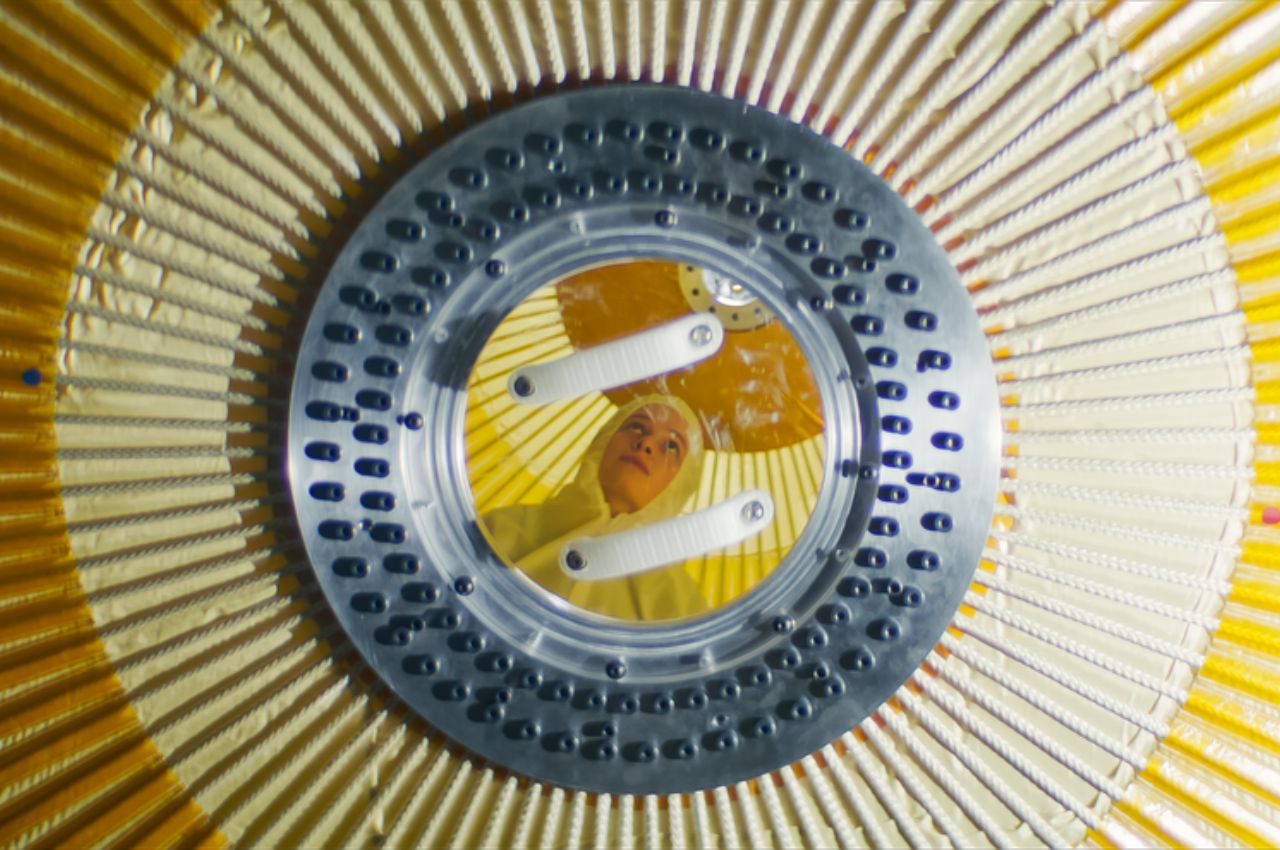
A significant advantage of Max Space’s inflatable modules is their enhanced resilience against space debris. Unlike traditional hard modules made of aluminum and titanium, Max Space’s expandable modules feature a multi-layered system of fiber-based ballistic shielding. This design provides greater resilience, making the material safer and stronger.

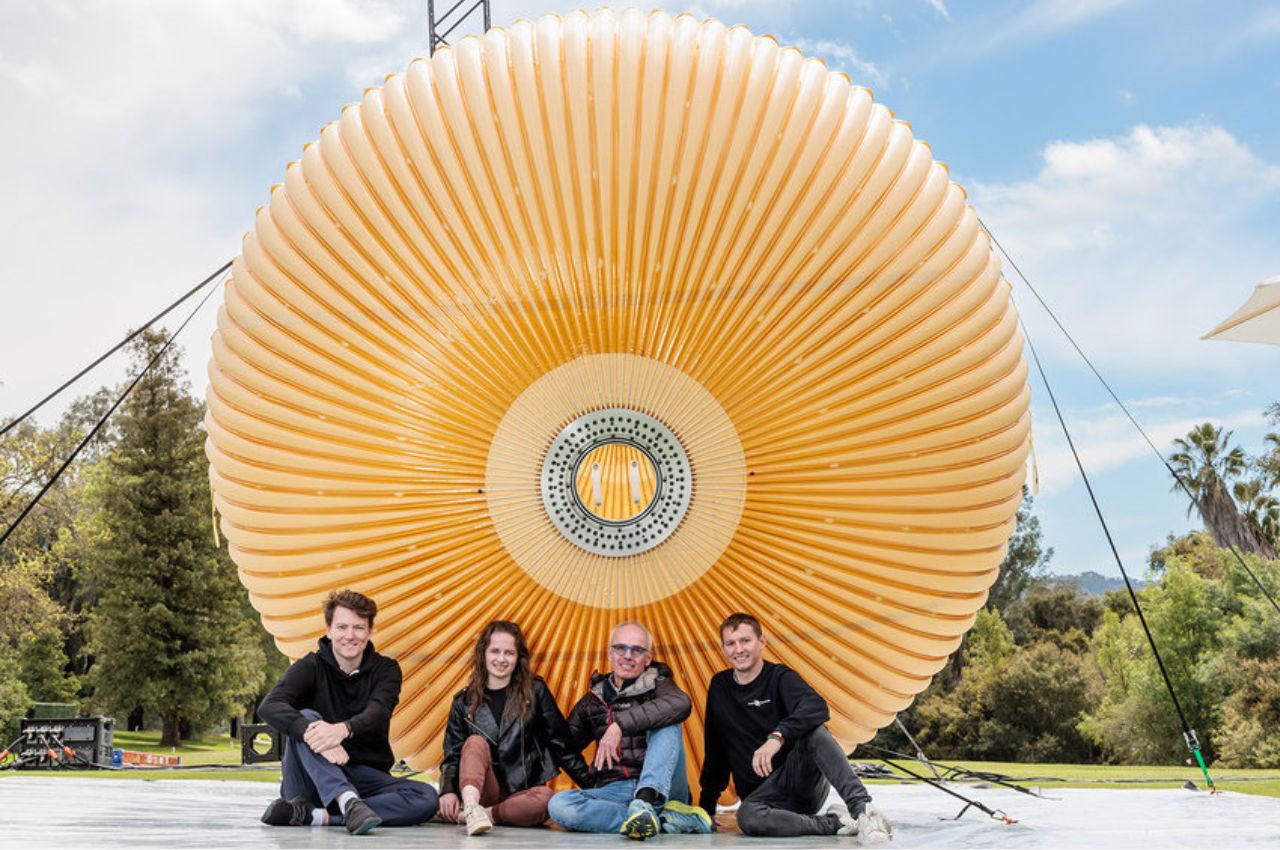
The Max Space 20, the company’s initial module, provides 20 cubic meters (706 cubic feet) of interior space. Though smaller than the ISS’s habitable volume of 388 cubic meters (13,696 cubic feet), it marks a significant step towards larger structures. The company plans to launch the Max Space 20 units in 2026, followed by the Max Space 100 and Max Space 1000 within the next four years. The Max Space 1000 will dwarf the ISS in volume, illustrating the company’s commitment to scalability.

“More volume, less cost” is Max Space’s motto. Their first expandable module, scheduled to launch on a SpaceX rideshare mission in 2025, will be compacted into two cubic meters for launch and expand to 20 cubic meters after deployment. This will make it the largest expandable module flown to date. Aaron Kemmer, co-founder and CEO of Max Space, drew on his experience at Made In Space, a company that developed 3-D printers for the ISS, to address the volume bottleneck in space habitats. His vision is to overcome the limitations of confined space, which often hinder meaningful projects.

Max Space’s expandable module technology builds on the legacy of Bigelow Aerospace’s Genesis 1 and 2 and BEAM. However, Max Space’s approach differs significantly. Instead of a bi-directional “basket weave” fabric structure, which distributes load unpredictably, Max Space employs a technology that distributes loads in one direction. This ultra-high-performance vessel, a serendipitous discovery by de Jong, ensures more precise safety margins and scalability. Tests have shown that the modules can burst at pressures within 10% of predicted levels, demonstrating excellent predictability.

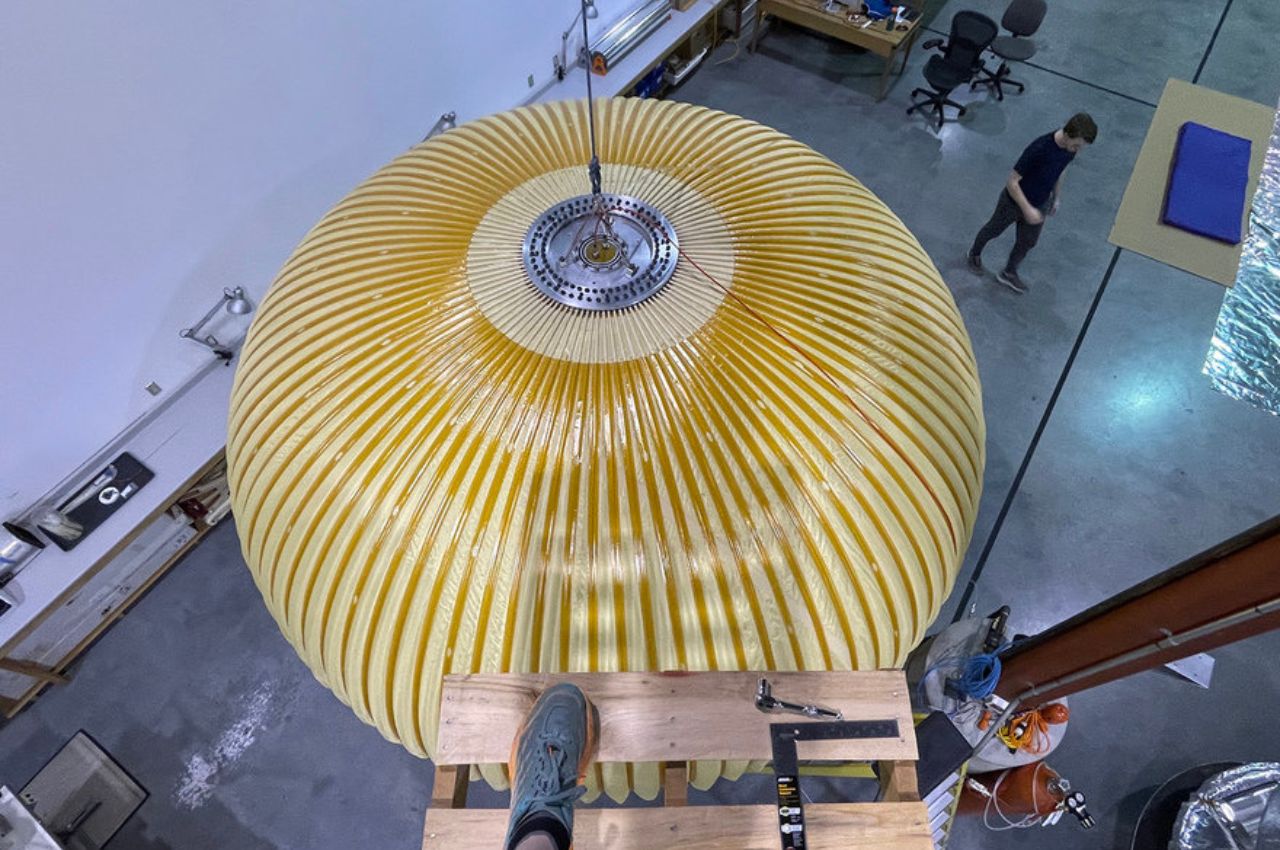
Recently, Max Space showcased a test version of the Max Space 20 module at the MARS Conference, hosted by Jeff Bezos. The company is now developing a flight version with enhanced debris shielding. The scalability of this design will enable Max Space to quickly advance to modules with volumes of 100 to 1,000 cubic meters, equivalent to the entire ISS volume, at a fraction of the cost.

Max Space does not intend to build its own space station but aims to supply modules to other commercial space station developers, including those involved in NASA’s Commercial Low Earth Orbit Development (CLD) program. The company remains focused on its core technology, contracting out other elements like power, propulsion, and life support systems.

Having raised a “sub-$10 million” seed round, Max Space is developing its first module and preparing for its rideshare launch. With a small team of less than a dozen employees, the company is committed to scaling up efficiently and cost-effectively.

Future commercial space stations are a prime application for Max Space’s modules. Aaron Kemmer emphasized the potential for these space habitats to revolutionize fields such as in-space manufacturing, biosciences, and pharmaceuticals by providing affordable and scalable solutions. Initially, the modules may serve government agencies as in-space propellant depots or storage facilities, with the company prioritizing the demonstration of safety and functionality before accommodating human habitation.

The potential applications for Max Space’s habitats are vast, ranging from orbiting research and manufacturing facilities to lunar surface installations. Imaginative possibilities include space tourism and zero-G sports. Additionally, these habitats could enable nations without a domestic space program to establish an orbital presence, significantly broadening global participation in space exploration and utilization.

The post Max Space Is Revolutionizing Balloon-Like Scalable Space Habitats for a New Era in Space Exploration first appeared on Yanko Design.

Top 10 MagSafe-Compatible Accessories to Upgrade Your iPhone Experience

There’s just something about a MagSafe-compatible product that hits the mark for me! There is a great sense of satisfaction, in my opinion, to have things just stick to your phone. Be it a pair of earphones (maybe that’ll be the next generation of AirPods) or have your phone just conveniently stick to a charging pad – it’s almost like magic. The reintroduction of the MagSafe led to a whole new world of accessories being unleashed. Designers and creatives were racing to create a whole range of products for the repurposed MagSafe. And we’ve been loving every bit of it! From a MagSafe power bank that cools your phone to a Cyberpunk-themed charging station – there’s a MagSafe accessory out there for your every need. And, we’ve curated many products that we truly believe are worth buying and investing in. This army of accessories will truly amp up your Apple experience!

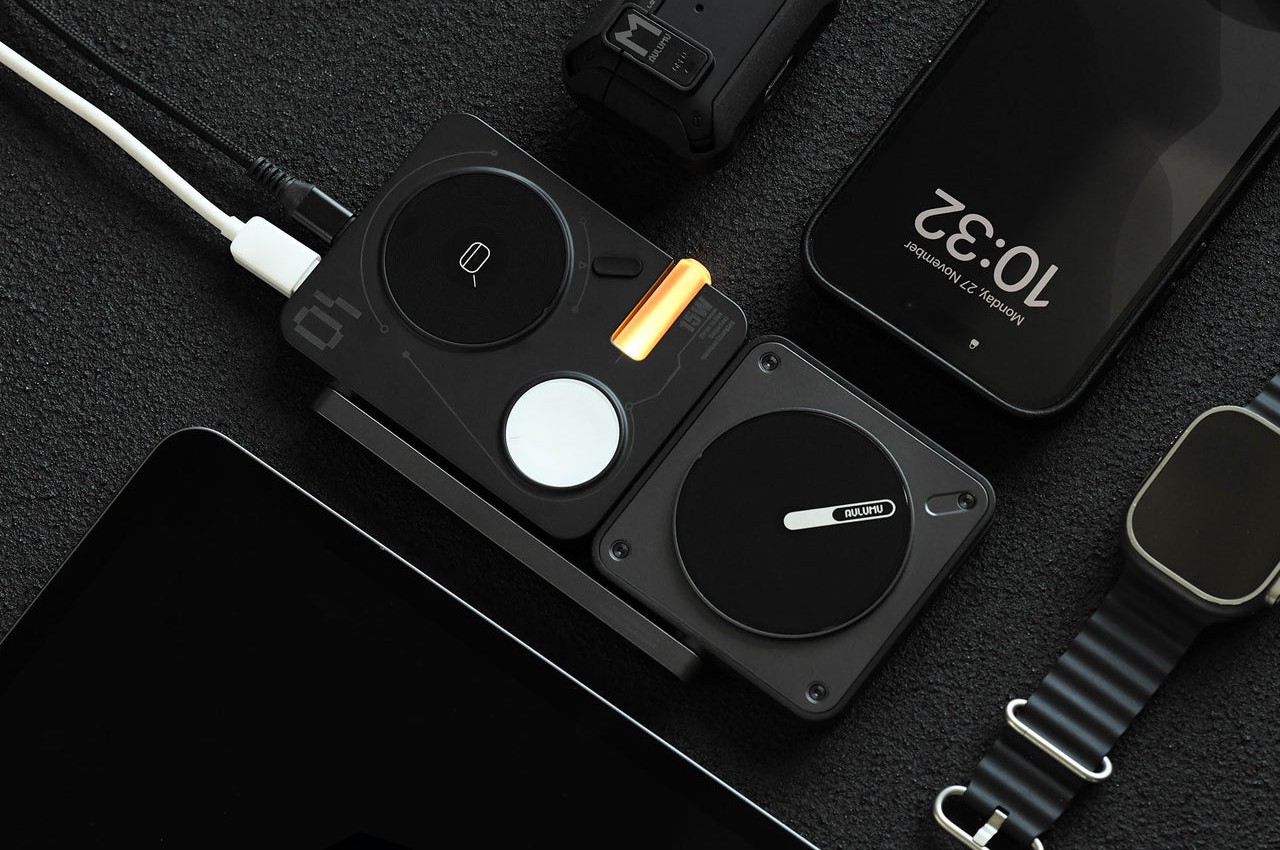
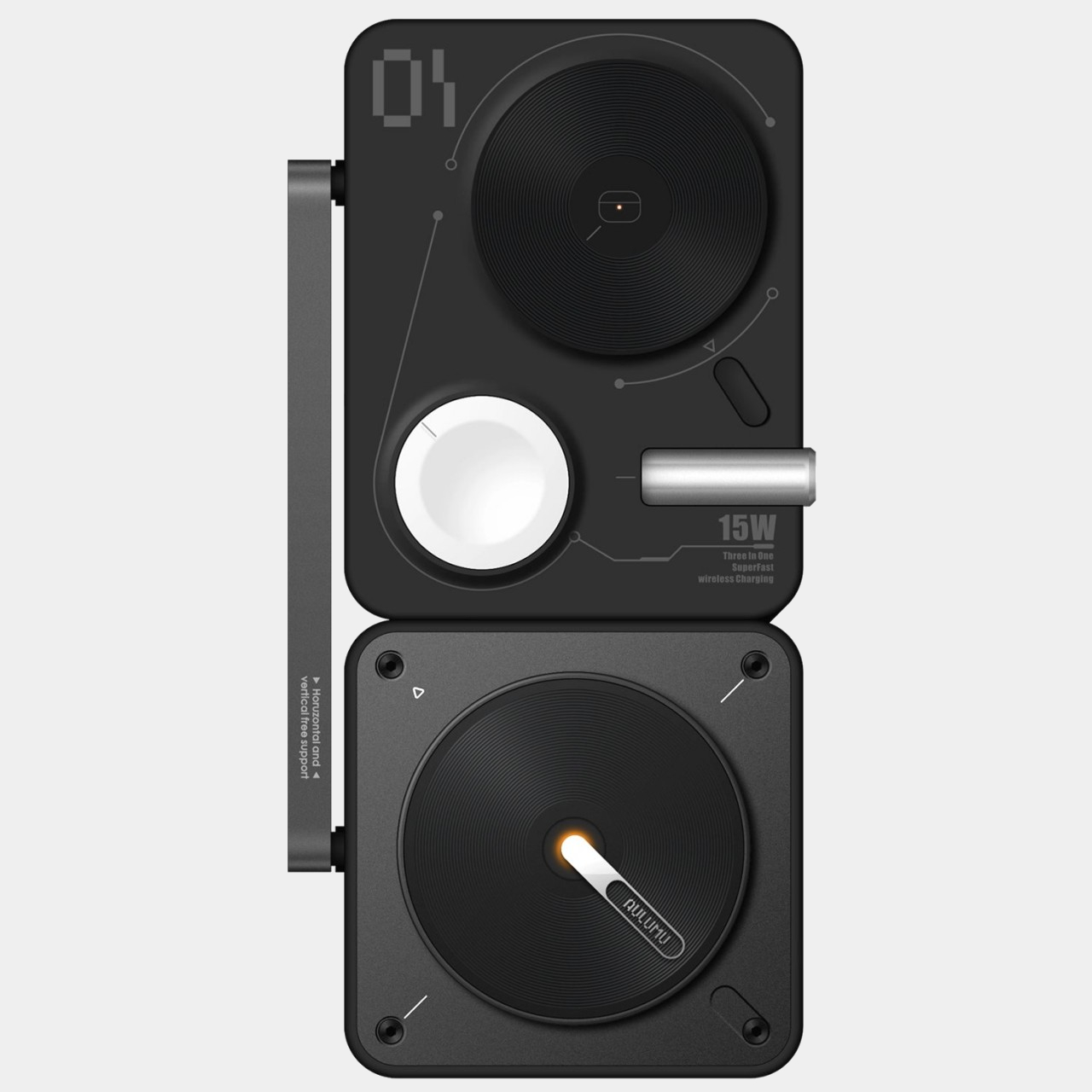
1.The Aulumu M01 4-in-1 Wireless Charging Station

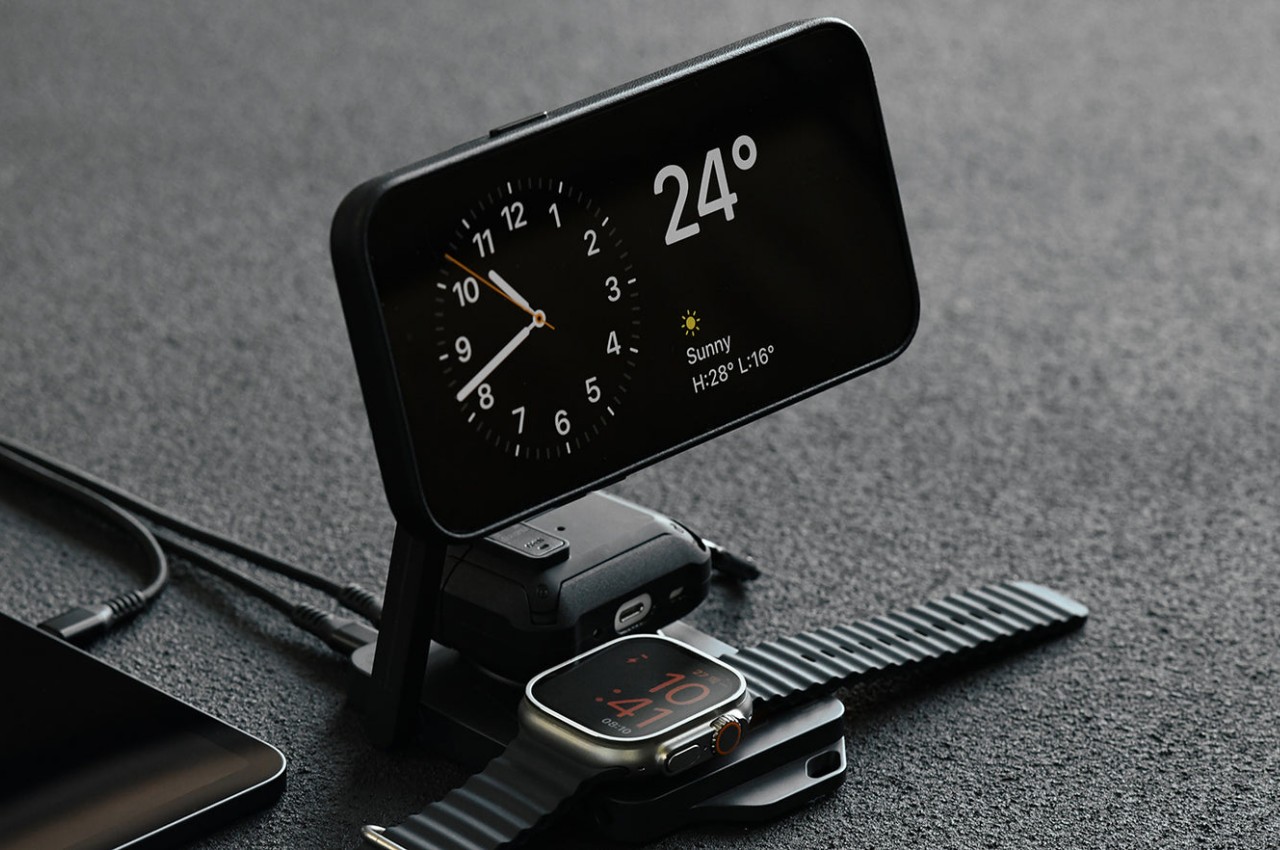
 The Aulumu M01 4-in-1 Wireless Charging Station has a unique cyberpunk-like aesthetic which truly sets this charger aside. It doesn’t feature a straightforward row of circles, instead it alternates their arrangement to create a visually appealing composition that instantly grabs attention. The colors alternate as well, as the white Apple Watch pad is surrounded by black circles for the iPhone and AirPods case. The charging station features the conventional text, lines, and visible screws you’d find in such a tech-centric design language.

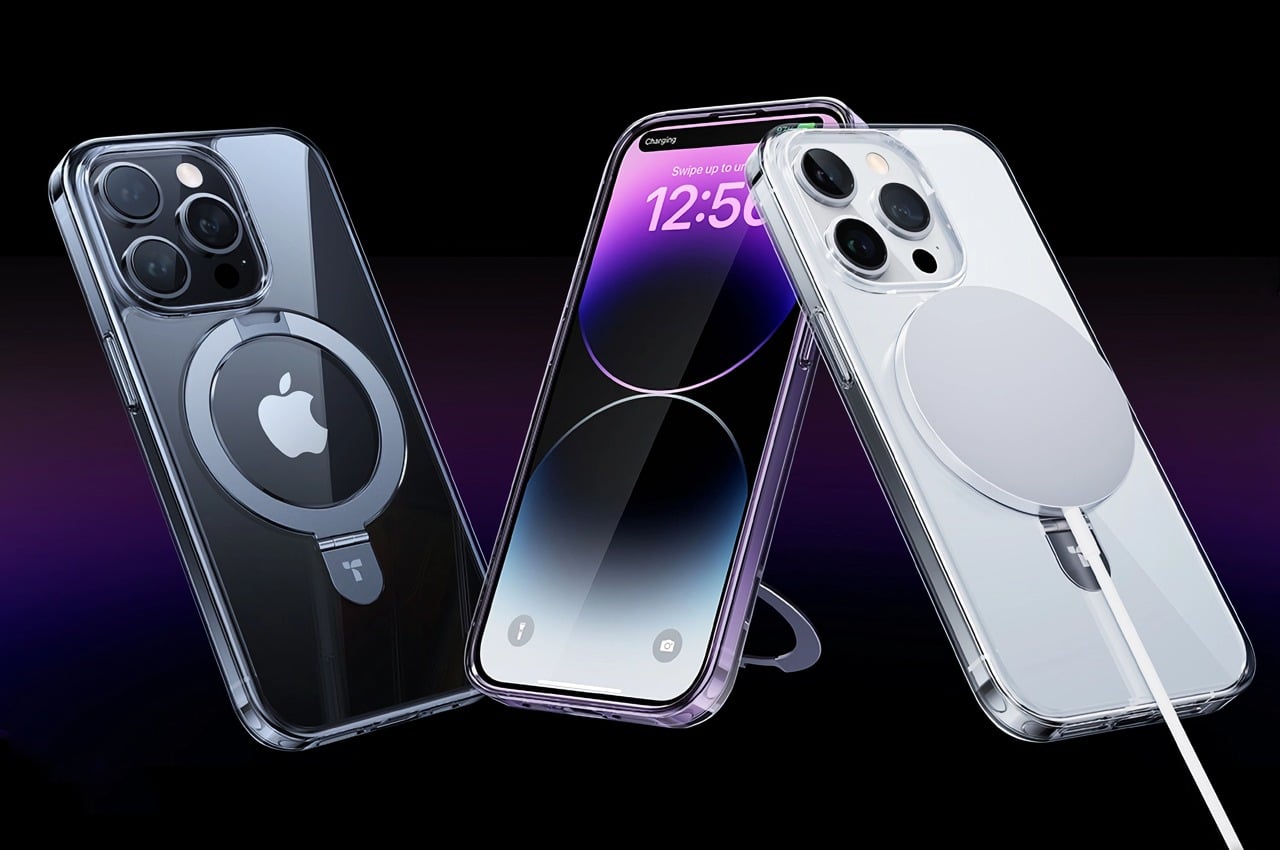
2. UPRO Ostand Case

Dubbed the UPRO Ostand case, this innovative device is a winner of the iF Design Award. It upgrades your iPhone’s MagSafe by offering it a whole new bunch of awesome upgrades. You can make your phone stand, hang, or stay safely in your hands as you click pictures, or scroll through Instagram during your work break. At first glance, the Ostand case may not look too impressive, it looks like an ordinary iPhone case, but it features the all too familiar magnetic ring, giving it a noteworthy upgrade.

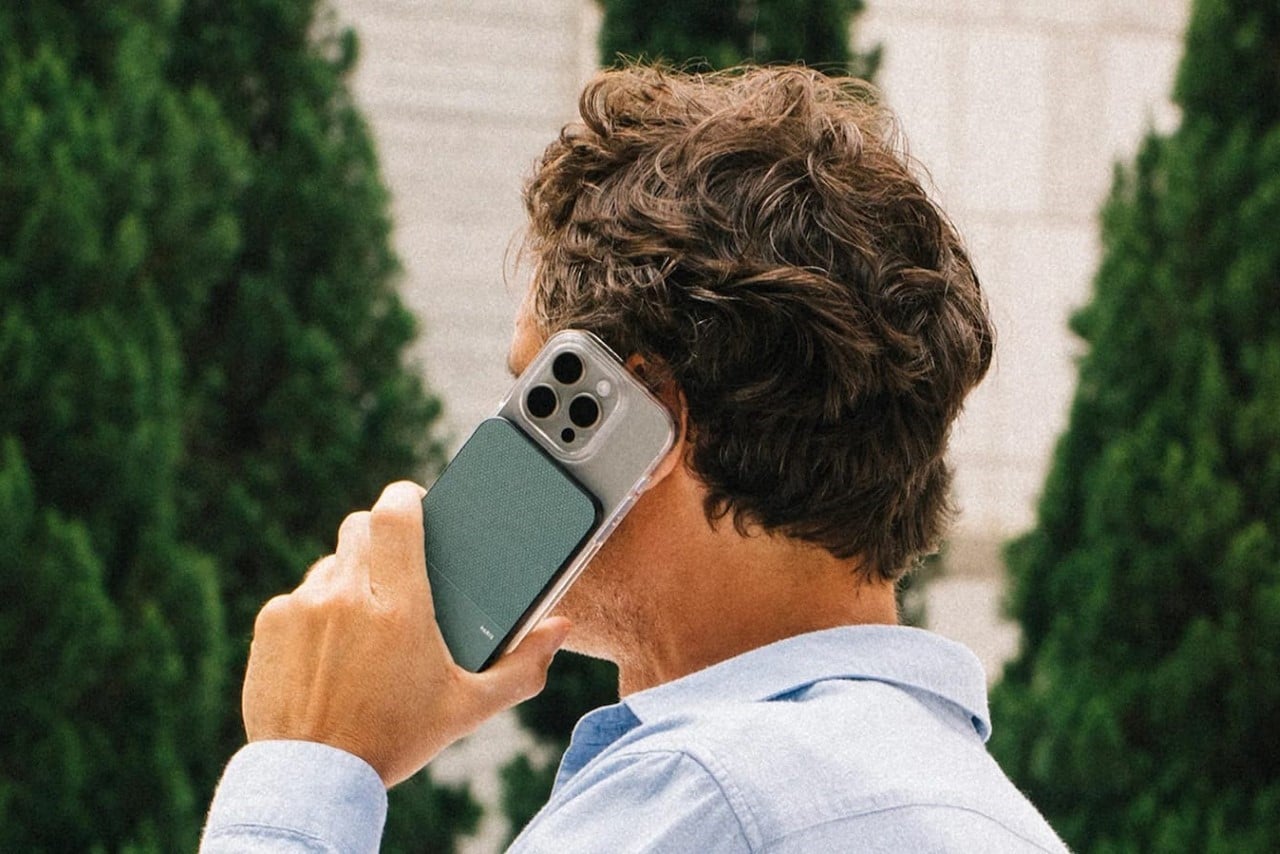
3. (Re)Classic

If you’re missing Apple’s MagSafe Power Bank, then you may want to get your hands on the (Re)Classic from Native Union. The little device measures .086cm thick, essentially as thick as your iPhone. You can swiftly attach it to your iPhone or any smartphone with the MagSafe sticker. This super cool power bank lets you easily and wirelessly charge your iPhone on the go! It has a slim and compact design, allowing to to seamlessly merge with your iPhone sleek’s profile. You don’t need to waste time handling heavy and uncomfortable power banks.

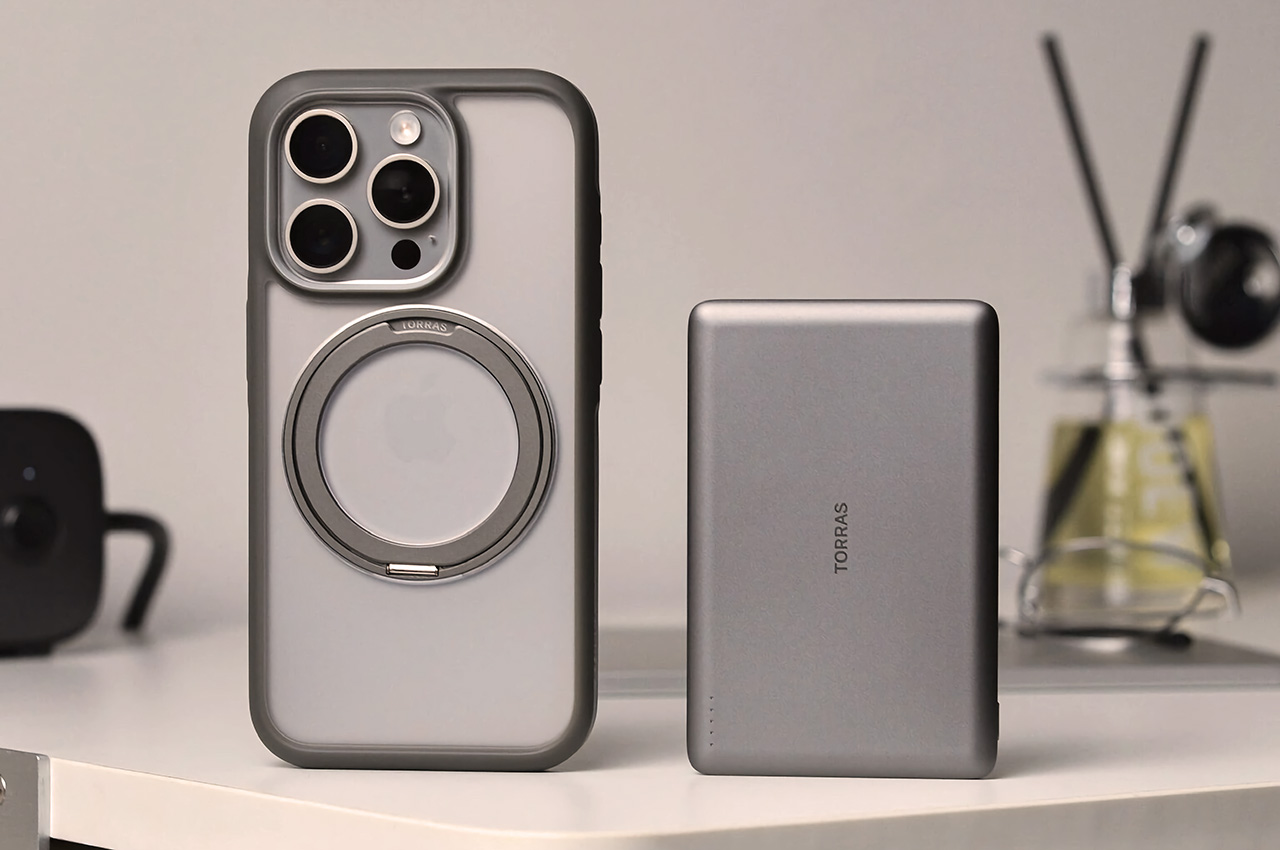
4. TORRAS MiniMag

Meet the TORRAS MiniMag – a compact MagSafe power bank that you can snap onto the back of your phone, giving it an instant and much-needed battery boost. The power bank is the size of a credit card, and it features a thickness of 0.3 inches. The MiniMag’s compact size and MagSafe compatibility allow it to seamlessly attach to your iPhone, powering it with an extra 5000mAh battery, allowing you to go about your day without the stress of your phone dying down any second.

5. The Elago WS M5 Charging Stand

Say hello to Elago’s WS M5 Charging Stand! This little design serves as a fun and whimsical MagSafe charger, and it resembles the Nintendo Game Boy Advance SP. This charger functions as a stable stand to charge and hold your iPhone. It has a fixed 30-degree angle which is excellent for watching videos or movies, or to utilize the IOS Standby Mode at night. The charging stand also includes a helpful support on the back, so that the charger doesn’t fall down, because of the phone’s weight.

6. Oakywood’s MagSafe iPhone Stand/Charger

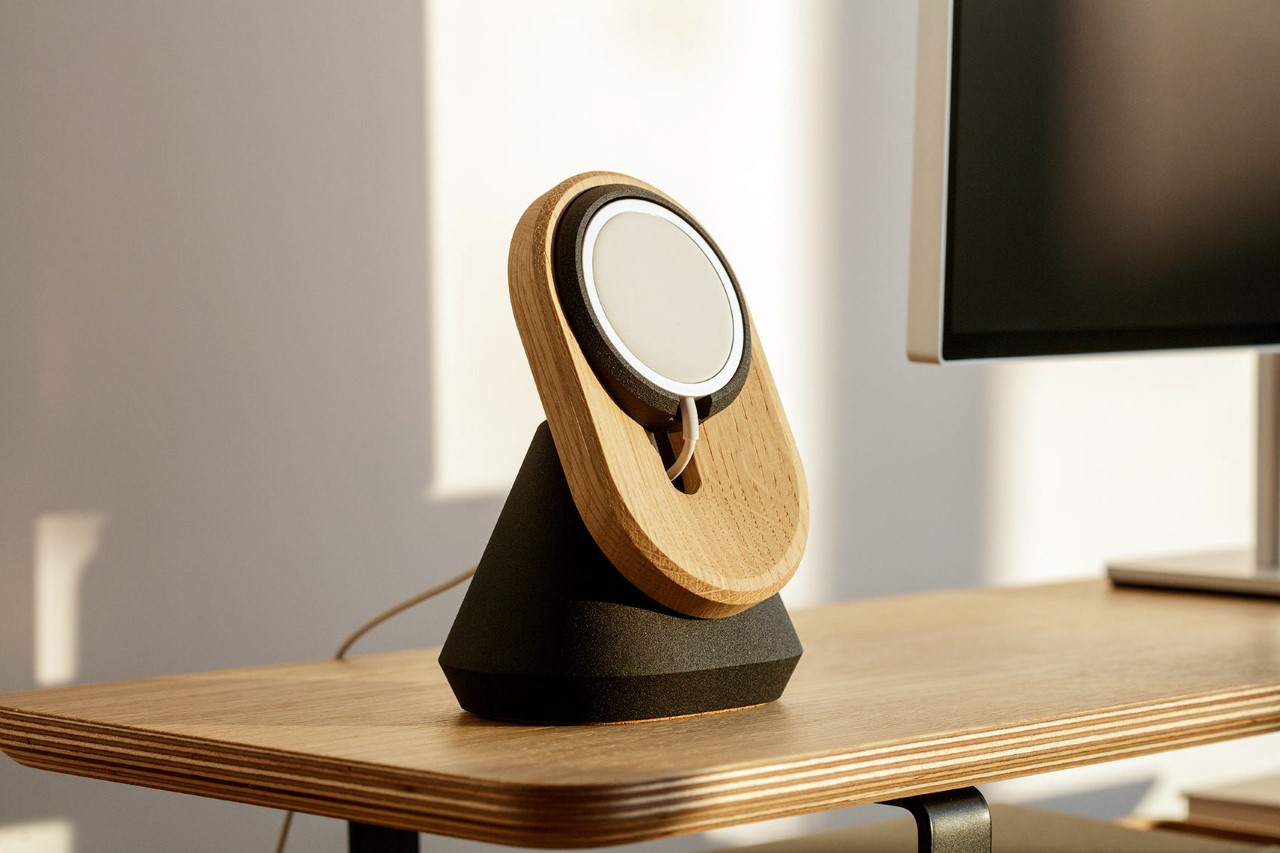
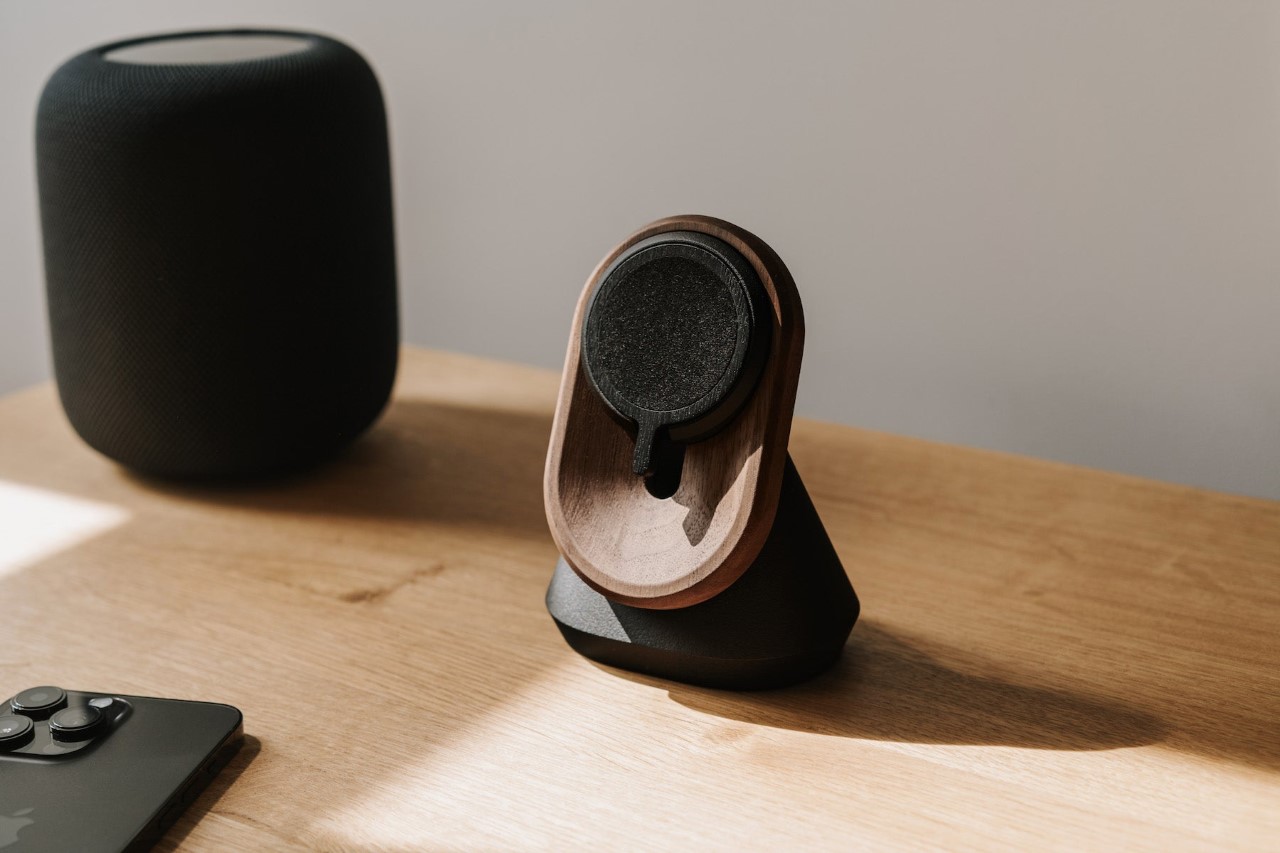
Oakywood’s MagSafe iPhone Stand/Charger is truly a thing of beauty. It features a simple form factor, and a dual-shade wood construction, making it an aesthetic product with a design language similar to that found in Japanese and Scandinavian homes. Oakywood’s MagSafe Charger has a Japandi-like aesthetic, featuring an ethos focused on cleanliness and minimalism, without any clutter and materialism. This classy product adds a sense of rustic beauty to your workdesk, using natural materials like Oak and Walnut wood.

7. Ice Speed Freezemat Magsafe Wireless Charger

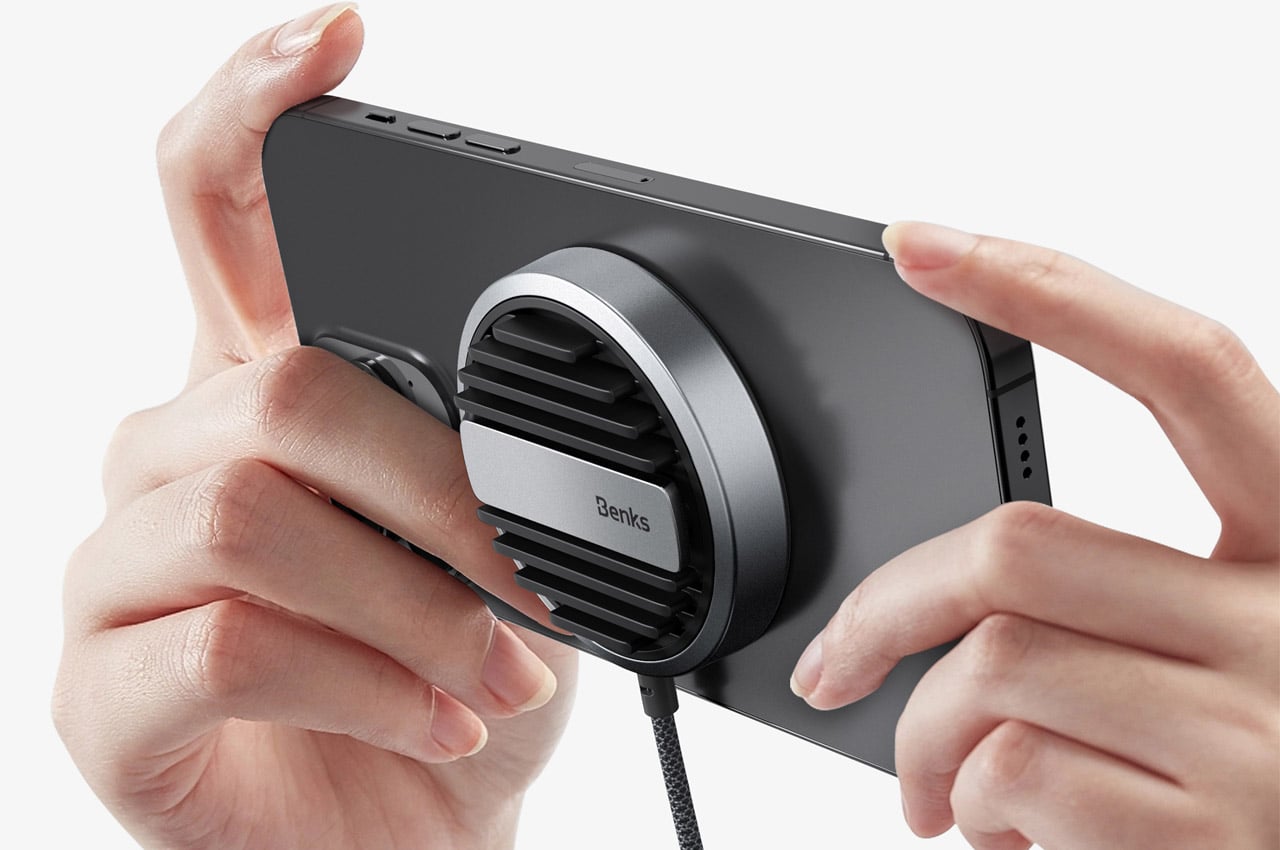
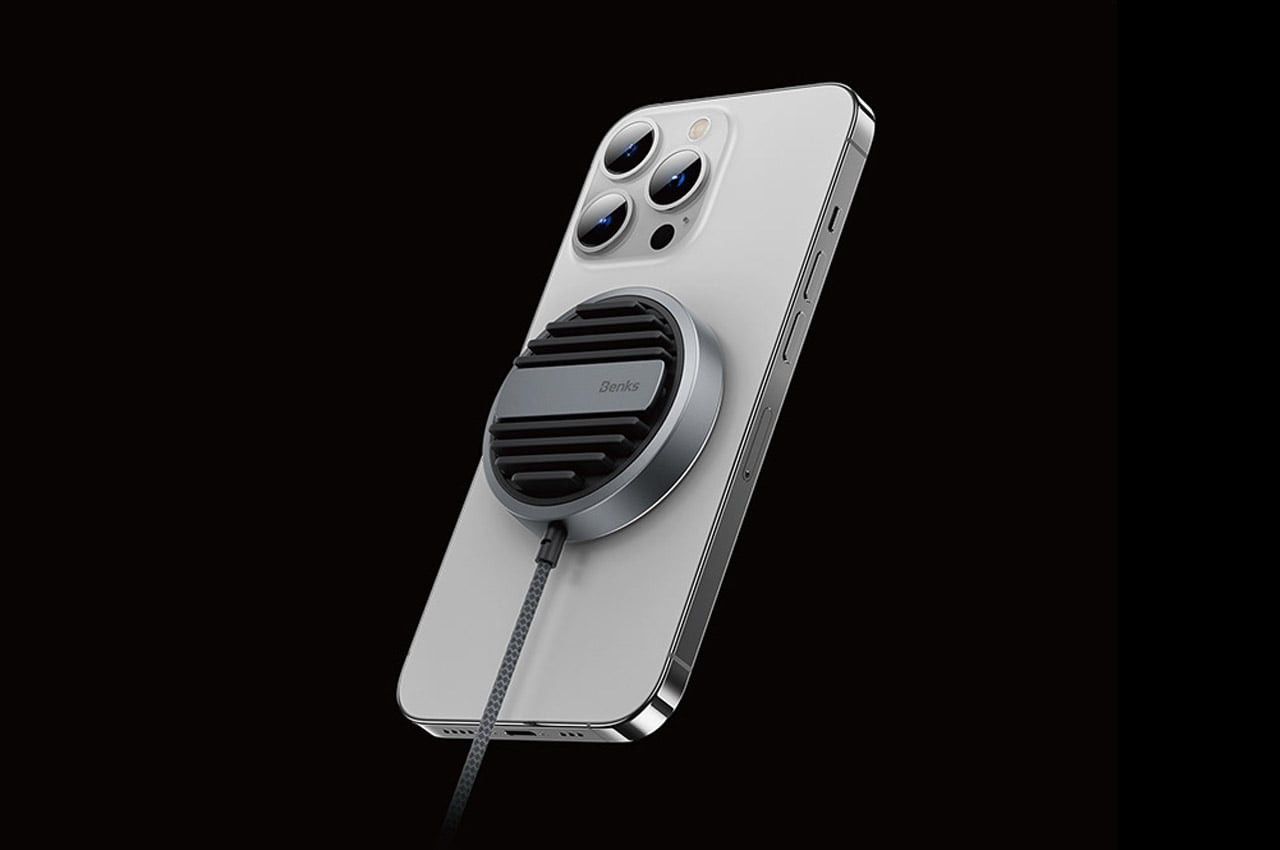
Dubbed the “Ice Speed Freezemat MagSafe Wireless Charger”, this little Apple accessory utilizes an intriguing method to dissipate heat, keeping the insides of your smartphone cool and at an optimum temperature during gaming or fast charging rituals. The charger is made from an aviation-grade cooling material, and it has a rather interesting cooling mechanism that draws inspiration from the way the human body sweats to dissipate heat.

8. Apple MagSafe Origami Grip Stand

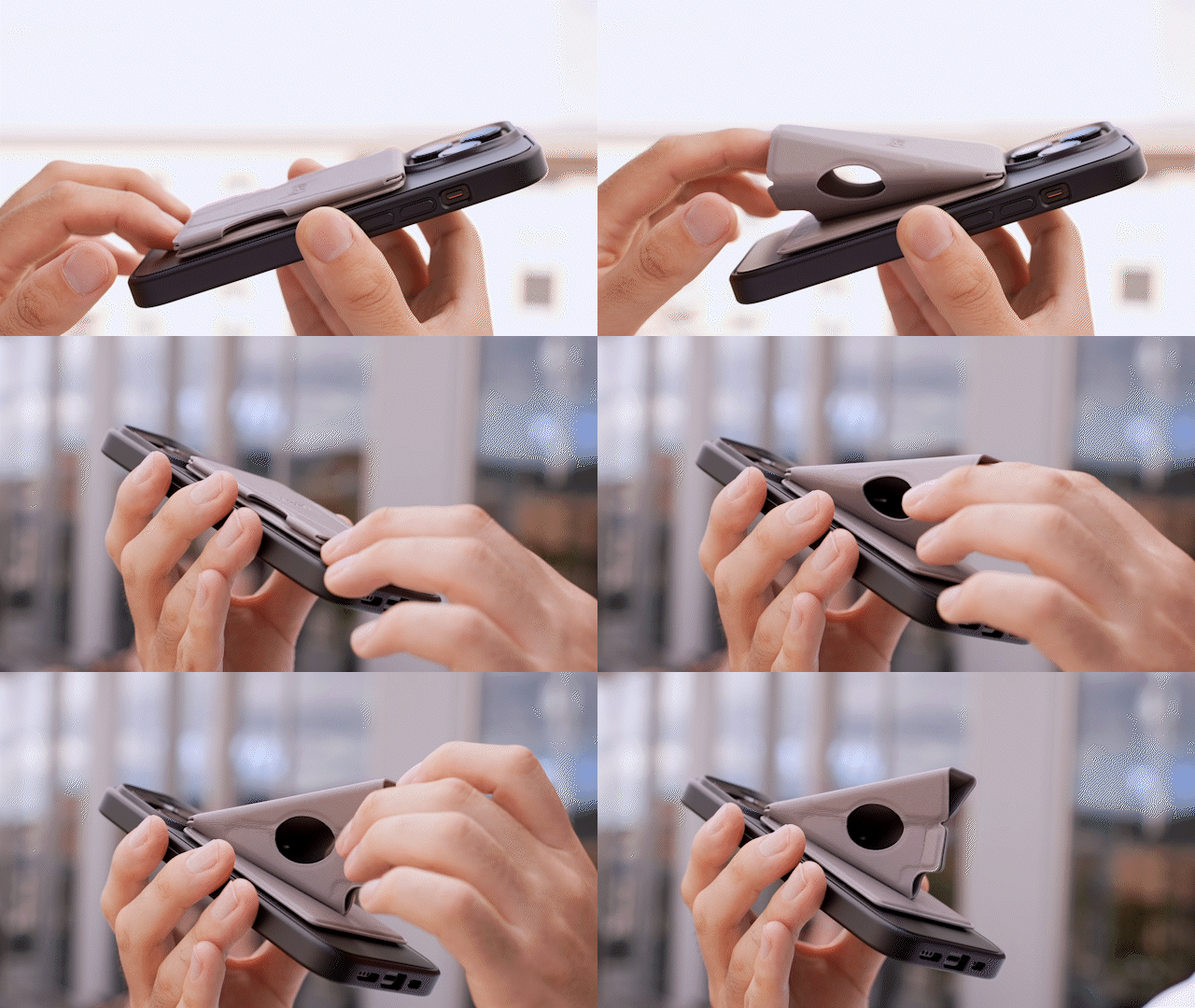
If you’re looking for a unique MagSafe stand, then you need to get your hands on the Apple MagSafe Grip Stand! Inspired by the Japanese art of paper folding, you can fold this stand flat, and vice versa, without the hassle of assembling and disassembling it. This one-of-a-kind accessory is thin and lightweight, and sized like a credit card, making it easy to attach to your phone, and store it in your pocket, without it looking super weird or awkward!

Click Here to Buy Now: $45.00

9. Snapods

Designed by Scendo, the Snapods are an innovative pair of TWS Earbuds that come in a flat case that you can snap onto the back of your iPhone! The earbuds play on the MagSafe feature, letting you carry your earphones wherever you go. You simply need to snap them to the back of your phone, and you have a pair of easy-to-carry and easy-to-store earbuds that you surely won’t lose again. The case has a slim and flat wedge-shaped profile which makes it easy to place in your pocket, it doesn’t look bumpy or awkward. The case doesn’t simply store your earphones, it also charges them!

10. Shin & Han’s MagSafe Accessory

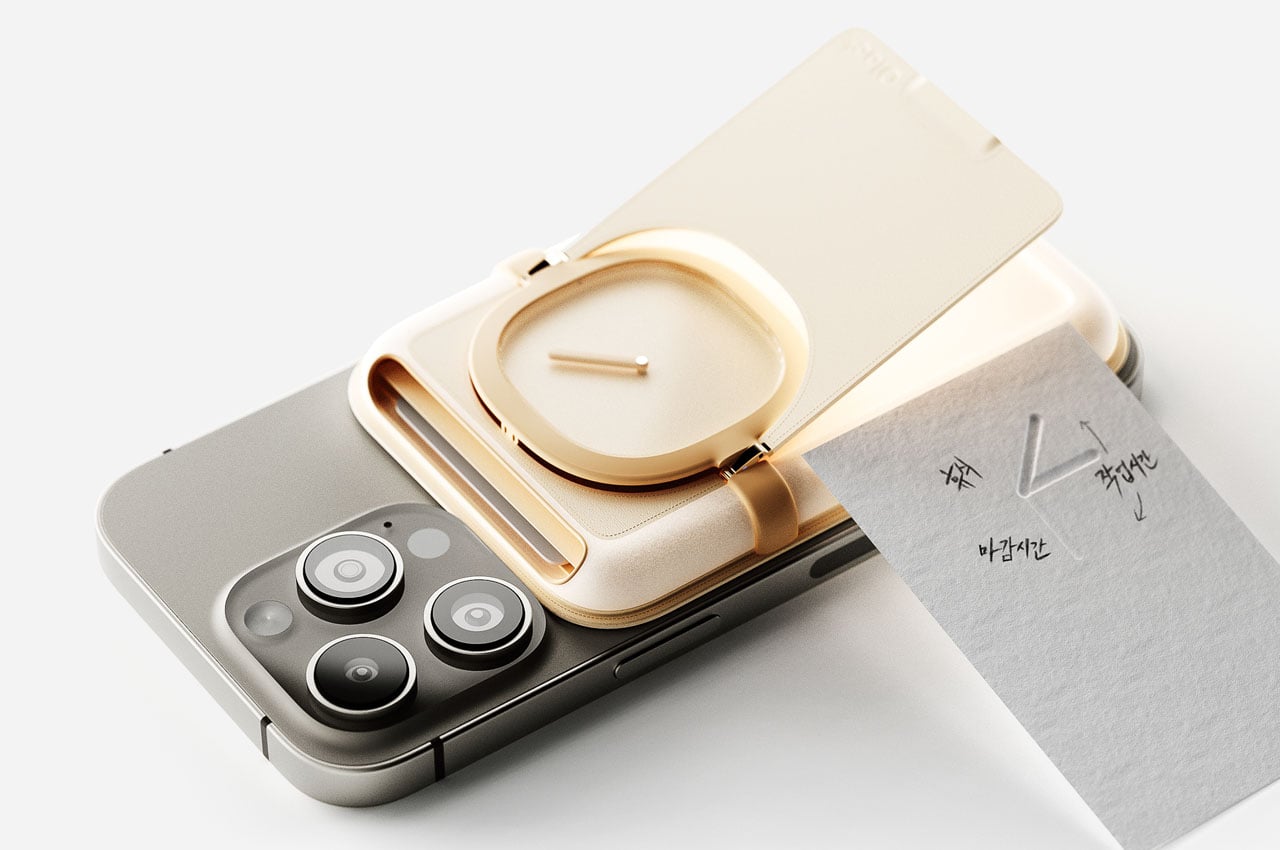
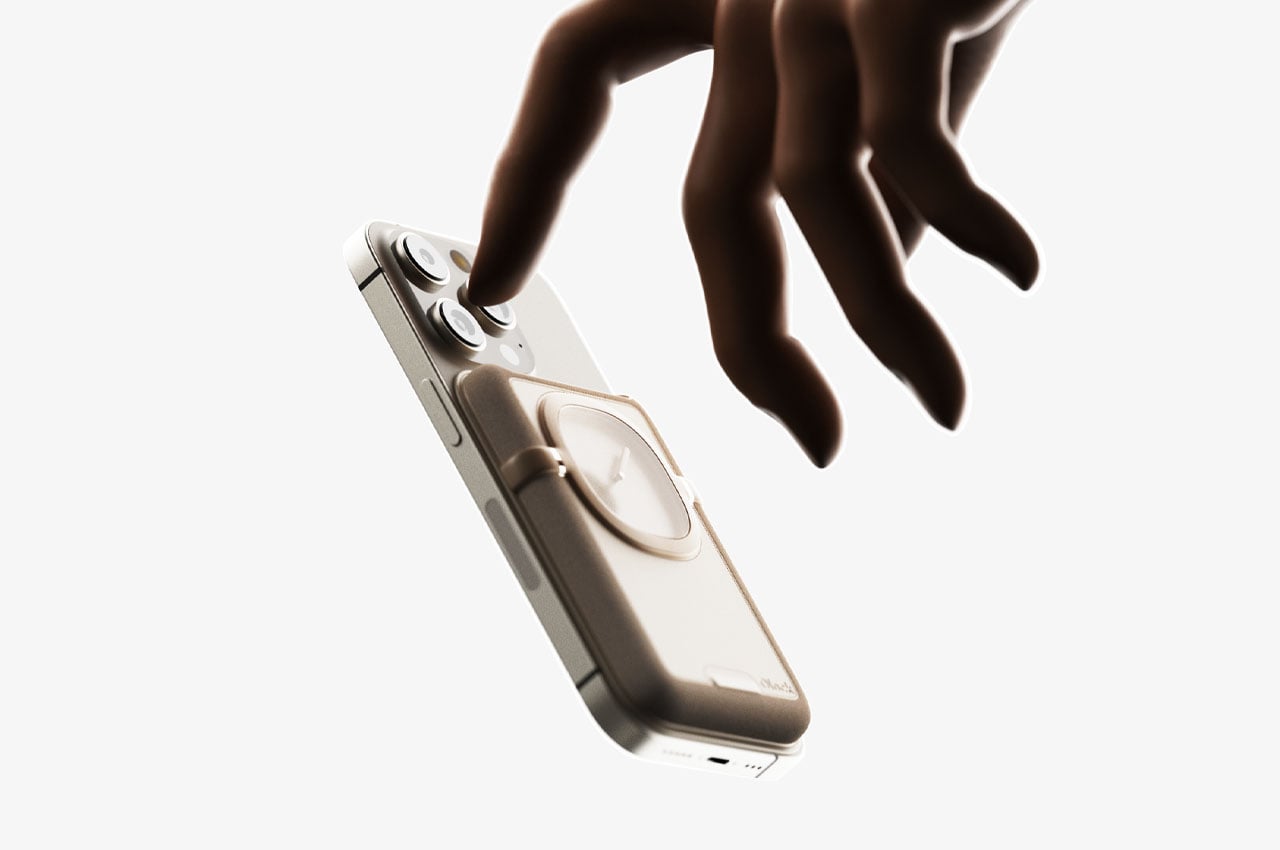
Are you someone who’s constantly on their phone, your face glued to the screen, and you have a hard time pulling away from it? Well, then you may want to get your hands on this unique MagSafe-compatible accessory. This innovative accessory is created to get over your digital addiction, ensuring you spend less time on your phone. You can easily attach the accessory to the back of your phone, and it features a real clock with a single-hour hand to ensure you are aware of the passing time. This little feature prevents you from spending too much time on your phone. You can also use it to hold your cards and quick cash!

The post Top 10 MagSafe-Compatible Accessories to Upgrade Your iPhone Experience first appeared on Yanko Design.

Experience Pure Sound and Fresh Air with the Moss Echo: The Ultimate Air-Purifying Wireless Speaker

Nature and tech are almost always at odds. Technology is fast-moving, often focused on productivity/entertainment and nothing else. Nature, on the other hand, is a more immovable force that nourishes you and teaches you patience. It isn’t common to see the both of them intertwined together seamlessly, but the folks at MOSSLAB seem to have figured out the impossible. Designed to be a smart display, a speaker, an alarm clock, an air purifier, and also a living plant, the Moss Echo intertwines both shrubbery and silicon into one unique solution. The tabletop device is characterized by a wall of moss – the plant responsible for 30% of all the oxygen we breathe – but power it on and an LED screen comes to life right through the moss facade. This acts as the Moss Echo’s display interface, while the device itself works as an alarm, wireless speaker, and an air purifier that relies on real living greenery to cleanse the air you breathe and help relieve stress.

Designer: Yoonsang Kim of Mosslab

Click Here to Buy Now: $199 $299 ($100 off). Hurry, only 263/400 left! Raised over $158,000.

Moss Echo goes beyond the typical utilitarian smart device. Yes, it displays the time, functions as an alarm clock, and lets you play music or podcasts via Bluetooth. But the real star of the show is the moss itself. Nestled within a replaceable filter, this actual living plant isn’t just decorative; it serves as a natural air purifier. The moss’s tiny structures efficiently absorb pollutants, releasing clean air back into your environment, while filling your room with the natural scent of flora that is known to be an instant stress-buster.

Perfect for having by your bedside, living room, or even on your work-table, the Moss Echo helps keep you calm. While the wall of moss itself looks delightful, it works in tandem with the built-in wireless speaker to calm and recharge you. Moss Echo’s companion app lets you play soothing nature sounds while the display accompanies it with visuals to match. You can even choose between different visualizations for the speaker, or set a sleep mode that cues the device to gradually lower its audio before turning off within half an hour.

Moss is considered to be the world’s oldest plant, and by that logic, can be said to be responsible for all natural life because of its first ability to synthesize oxygen from carbon dioxide. Even though it’s so small, it’s arguably much more effective than plants thousands of times larger than itself. Just two hours of exposing indoor air to moss can reduce fine dust by 90%, VOCs (volatile organic compounds) by 60%, and CO2 by 40%.

The living moss and LEDs coexist together in mutually beneficial ways. The LEDs use a proprietary light pole technology that actually boosts the moss’ photosynthesis capabilities by 20%, allowing it to clean air more efficiently, while the moss adds a touch of greenery to the otherwise industrial-looking LED panel, creating an illusion of the plants actually lighting up to display the time or respond to music and other cues.

The magic is evident when you water the moss by spraying it with mist with the smart sprayer that comes along with the Echo. Moss Echo’s LED screen reacts to the user every time water is sprayed and shows various interactive graphics. The moss itself comes to life too in no time too, opening up and spreading its distinct plant-like smell in the air. The screen can additionally be personalized to display other things too, when sitting dormant. You can choose to have something as utilitarian as a clock, or opt for calming elements like clouds or a sunrise/sunset or even dandelions. If you have a child around the house, the Moss Echo’s screen can even display a cute avatar cartoon that looks around with animated eyes.

The Moss Echo’s design also strikes that beautiful balance, with the wall of moss on the front interspersed with the LED matrix, encased within a sleek box-shaped design that comes in either black or white. Buttons on the top, along with an elegant linear knob let you access the Moss Echo’s features and control playback. LEDs also give you status indications, like WiFi and Bluetooth connection, or even when the moss needs watering Under the dynamic green matrix lies a powerful set of audio drivers that draw their thump from a 120 Mhz Qualcomm® Kalimba™ DSP, providing a high-performance 24-bit mono audio interface.

The Moss Echo comes from the folks at MOSSLAB, who designed the mini vertical forest Moss Air last year that used the power of moss to clean and humidify your air. The Echo is the company’s next logical step, bringing nature to the omnipresent wireless speaker in a way that goes well beyond just listening to music or having one or two potted plants.

Each Moss Echo comes with a USB-C cable to power it, and a smart spray bottle that tells the Echo’s display to react when it’s spritzed with water (your regular plant could never!) To ensure that the Moss Echo can withstand the water, the light poles or LEDs are built to be waterproof, and to keep your moss alive, it’s recommended you mist it 2-3 times every day. However, it’s an incredibly resilient species too, capable of enduring up to 6 months without moisture. Once watered, it quickly springs back to life, resuming photosynthesis to sustain its vitality. The Moss Echo starts at $179 for a single unit and ships globally.

Click Here to Buy Now: $199 $299 ($100 off). Hurry, only 263/400 left! Raised over $158,000.

The post Experience Pure Sound and Fresh Air with the Moss Echo: The Ultimate Air-Purifying Wireless Speaker first appeared on Yanko Design.
Top 10 Apple Products We Wish Existed – But Probably Never Will

As incredible as Apple’s products almost always are, there’s always a sense of mystery around their catalog. Unless leaks confirm the launch of a product, there’s always a will-they-won’t-they discussion about things like a folding iPhone, an Apple Car, or up until recently, an Apple VR headset (which did eventually get launched at WWDC last year). This discussion is fueled by one undeniable fact – when Apple enters an industry, it makes a grand entrance. Everything Apple does, it does with great intent and decades of hidden innovation. So it only makes sense to want Apple to enter more industries and disrupt them. Here’s a look at a few product categories that fit well within Apple’s catalog, and even though it makes absolute sense for Apple to design these products (and I’m sure they’d do a stellar job), Apple is probably never going to consider making them. From drones to e-bikes to even printers, here are 10 products everyone wishes Apple made… but Apple probably won’t.

01. Apple Drone

The first-ever drone we saw from Apple actually made its appearance in the company’s iPhone 14 Pro keynote. The video showed a rather crude-looking drone engineered to fly with the iPhone 14 Pro Max mounted on it, relying on the iPhone’s camera system to capture footage. We later learned that the drone was entirely made in-house by Apple’s engineers… so why not make one for us regular consumers too? Imagine a drone rivaling the ones from DJI and Parrot, using a state-of-the-art camera system taken from Apple’s latest iPhones. An object-avoidance LiDAR system taken from the iPhones and iPads, and a 3-axis gimbal so advanced, it helps Apple make better motorized stabilizers for their phone cameras. It’s no secret that DJI’s three product lines – their Osmo cameras, gimbals, and their drones – all benefit from advancements in each other’s domains. A truly symbiotic system that helps create great products. I don’t see why Apple couldn’t do the same.

02. Apple Arcade Gaming Controller

Apple has a gaming service, a game-ready tablet that has better rendering capabilities than some laptops, and Apple also has a spatial reality headset that’s perfect for games, but lacks a controller input. It just makes absolute sense for Apple to launch a gaming controller that works in tandem with all their devices, helping you play/test all sorts of games, whether it’s on Unity or on Apple Arcade. Here’s yet another thought. What if you could remove the control part of the controller from its ergonomic case and use it like an Apple TV or Nintendo Wii-style remote? All speculative of course, but not without reason. Apple’s tech offering severely lacks a gaming controller, and if Apple is serious about gaming, it just makes sense.

03. Apple MovePod Wireless Speaker

You know what else also makes sense? Being able to take your music on the go. Both of Apple’s speakers – the HomePod and the HomePod Mini are wired, tethered devices that don’t have batteries of their own, and can’t be carried around with you. Ironically enough, Apple’s released quite a few wireless portable speakers under its Beats by Dre sub-brand… so why not just launch an unchained HomePod that you can travel with? An orb-shaped device with a handle (sort of like the Devialet Mania) occurs to me as the most obvious bet. Instead of relying on AirPods to listen to music on the go, this wireless speaker gives you the thump of a HomePod, but on the beach, at parties, on a terrace, in a backyard, or even a campsite. Obviously you couldn’t call it HomePod anymore, so something like the MovePod made sense as just a naming ritual.

04. Ergonomic Magic Mouse

The Magic Mouse sucks. It charges horribly, hasn’t been redesigned in years, and it’s an ergonomic nightmare. In fact, it’s so bad to hold that people have even designed grips for the Magic Mouse that make it more comfortable to grasp. Needless to say, an ergonomic Magic Mouse doesn’t exist, but it desperately needs to. The current slim mouse is perfect for travel, but let’s be honest, nobody chooses mice based on their travel-ability. So here’s an appeal to Apple to just make a slightly chunkier Magic Mouse that’s better to hold while working, because that’s really what a mouse is for… working.

05. Apple Printer

MKBHD once said that if there was one gadget he wished Apple designed, it would be the printer. Current printers are the absolute worst. They’re complicated, they jam, they’re a nuisance to configure, and their software are more complex than they need to be. Printers and their user experiences definitely need a major rehaul, and if there’s one company anyone trusts to do a better job, it’s Apple. That being said, Apple probably doesn’t see much sense in a printer. It makes world-class computers for professionals, it dominates the pro-res display market, and printers are an incredibly niche item. Sure, Steve Jobs could have probably launched one in the iMac G3 days when printing was absolutely essential – but printers aren’t a household essential anymore. Want to read documents or preview artwork, use an iPad. That being said, the world definitely deserves a GOOD printer that shows all companies how it’s supposed to be done.

06. Apple e-Bike

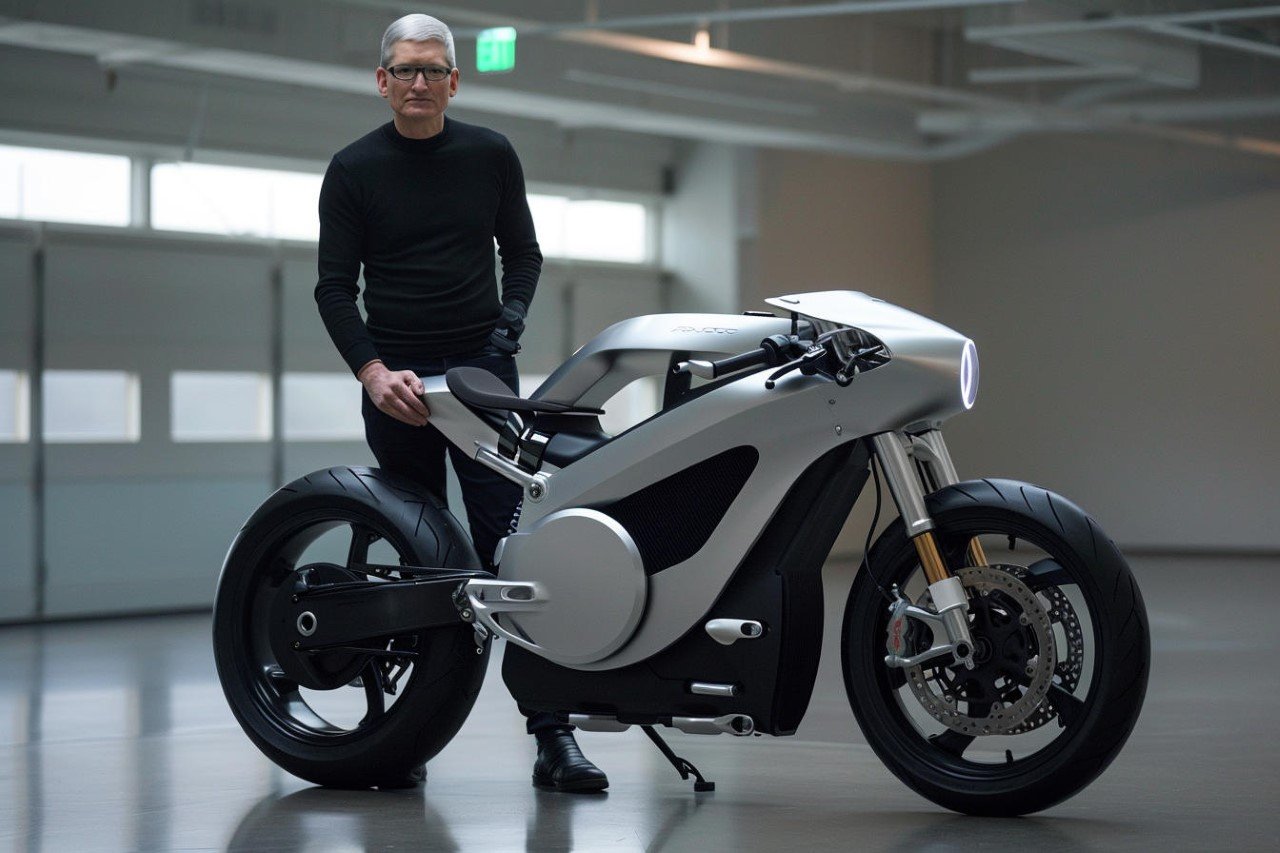
Everyone was expecting an Apple Car, but alas, it wasn’t meant to be. The Apple Car was supposed to be Tim Cook’s effort at building an all-encompassing self-driving vehicle (he didn’t even want a steering wheel in it) with nothing but comfortable seating and infotainment. The car would boost Apple’s self-driving algorithms, but ultimately it was a way of pushing Apple’s services like Apple TV, CarPlay, Apple Music, etc. The Apple Car would ultimately lock horns with multiple giants in the field, Tesla, GM, Ford, the works… so why not enter a field that hasn’t seen much (or any) competition from the big automotive giants? An Apple e-bike would be a great transition into automobiles, it would help Apple understand riders, refine its maps service, and even boost their battery technology. All that could LATER be carried into EVs. Not to mention, the absolute lack of competition… but that’s something Apple has always avoided because it views its competition as a proof of a healthy market. That’s why it waited for Samsung to launch a Watch first, and for Meta, Microsoft, and dozens of other companies cut their teeth on AR/VR before launching the Vision Pro.

07. Apple HomeCam Security Camera

Apple prides itself on privacy and security on a software level – so why not on a hardware one too? The Apple HomeCam would be a perfect smart camera to keep in your house for an added layer of security. It would tie in perfectly with Apple HomeKit’s smart home dashboard, plus, imagine being able to have instant FaceTime calls with your house to check if everything is okay. A smart speaker was Apple’s first step in entering the home, a smart camera would be the logical next step. Yes, I was tempted to call this the Vision Cam but decided HomeCam was a better bet!

08. Apple Ring

Of all the products in this list, the most likely seems to be the Apple Ring, and for two reasons – the first, the Apple Watch is a great health wearable but it doesn’t have a battery that lasts weeks, and the second, Samsung is gearing up to launch their Galaxy Ring too, validating the market space. Ring wearables are great for a bunch of reasons – they don’t have screens so there’s really no distraction with notifications and whatnot, but more importantly, the lack of a screen means a MUCH better battery life. People can wear rings everywhere, and unlike a watch where you can only wear one on your wrist (you’d look stupid if you wore two watches), you can actually pair a health-tracking ring with other jewelry for something that’s sleek yet functional. Rumor has it that Apple’s been considering adding a ring to their portfolio, but then again, a lot of it hinges on how successful Samsung’s own efforts are. Besides, would you really want to wear an Apple Watch and an Apple Ring together? Seems like overkill, no?

09. Apple TV Projector

Probably more of a wishlist item than anything, the Apple TV Projector would be Apple’s first foray into projectors. The company already makes the Apple TV box that brings the company’s TV service to televisions. Wouldn’t it be great if they made a projector that could turn your wall into a theater, and fill your room with loud, balanced audio coming directly from the projector itself? Obviously, the projector would have to be an ultra-short throw (UST) one, because who really places projectors 10 feet away from walls anymore? I’d pay good money for a 4K UST Apple TV projector with the service built-in, along with a year of Apple TV+. Pair it with Apple Arcade’s gaming controller from earlier on in this article and you’ve got yourself a stellar immersive gaming rig.

10. Apple WiFi Router

Another area that Apple should enter is the wireless and cellular service business. Just like Apple entered the payments business to fix something that was broken, the company can enter the carrier business to provide high-speed internet to your homes at a fraction of the cost, and with all of Apple services baked in. Imagine paying a single fee for your internet and iCloud storage, and even getting your cellular plan as a bonus. Here, we’ve imagined an Apple WiFi router that broadcasts high-speed internet to every corner of your home, with a built-in VPN that protects user data because Apple cares for privacy. We threw in an Apple NAS (Network Attached Storage) too, so that your iCloud can live in your home instead of on a server in a different state or country.

Did I miss anything? What else do you think Apple should release? Or rather, which product category desperately requires Apple’s magic touch?

The post Top 10 Apple Products We Wish Existed – But Probably Never Will first appeared on Yanko Design.

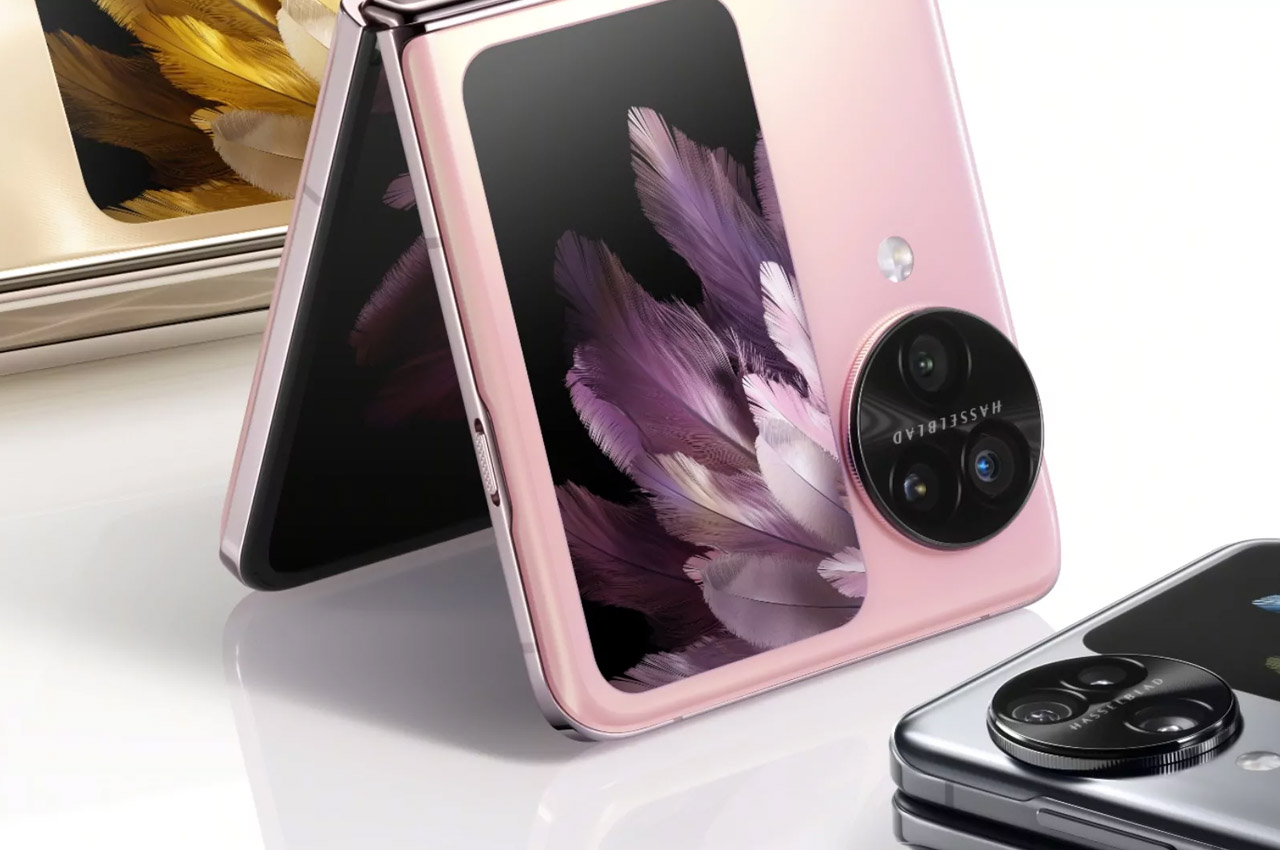
The Vision Behind OPPO’s Unseen Display: A Design Philosophy Unveiled

Technological innovation often requires navigating a labyrinth of ideas and balancing creativity with practicality. This journey is vividly illustrated by a story shared by Pete Lau, SVP & CPO of OPPO and Founder of OnePlus. It centers on a bold, almost revolutionary smartphone concept imagined by Will Zhou, head of OPPO’s Find Series product line. This narrative explores the essence of what makes a great product idea and reveals the nuanced decisions behind design innovation.

Designer: OPPO

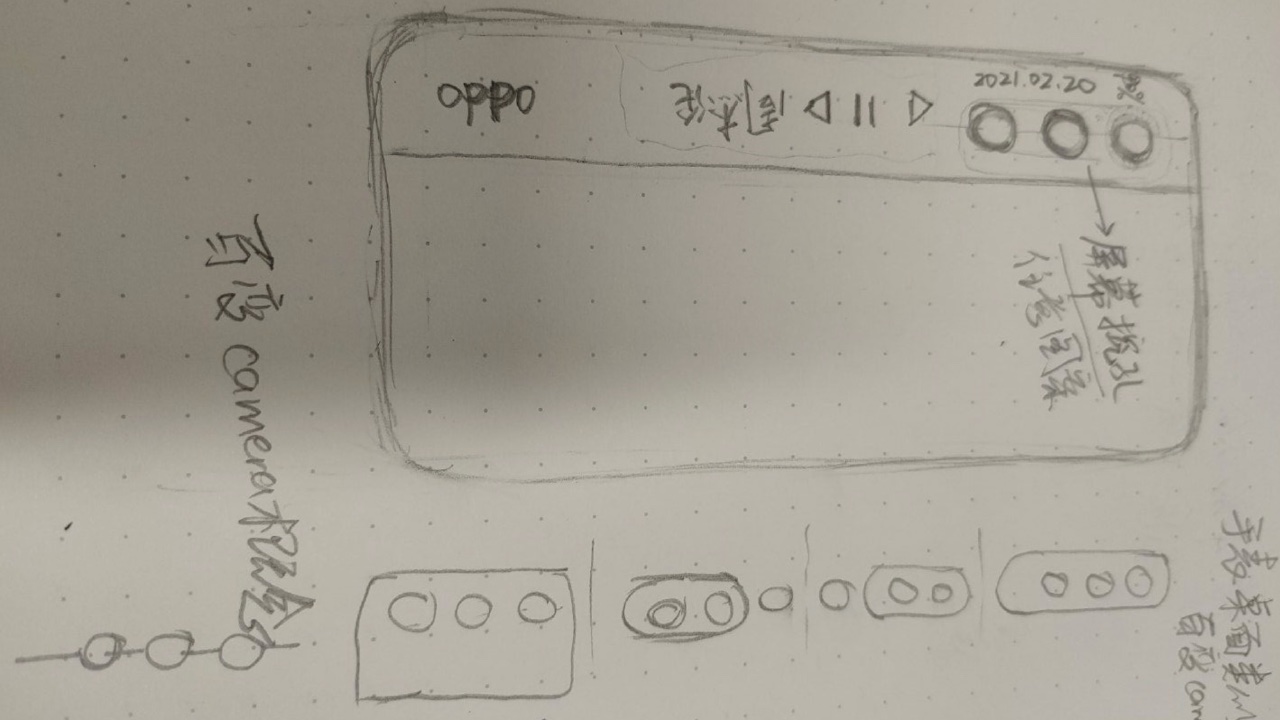
Zhou’s vision, born five years ago, was nothing short of radical. He imagined a smartphone with a secondary display on its back—not just an additional screen but a dynamic interface that would transform users’ interactions with their devices. This secondary display would serve up personalized content, real-time updates, and interactive widgets, offering a new dimension of functionality that traditional smartphones lacked.

Sketch share by Pete Lau, SVP & CPO of OPPO, Founder of OnePlus

The allure of this concept lies in its potential to revolutionize user experience. Imagine glancing at the back of your phone to see tailored notifications, weather updates, or even a customizable digital art piece without the need to unlock your primary screen. This idea promised a fusion of aesthetics and utility, aiming to make every interaction with the device more intuitive and engaging.

However, as OPPO’s team delved deeper into the feasibility of this design, they confronted a critical question: What value would this secondary screen truly provide to users? They needed to consider whether the additional display could offer something substantial that the primary screen couldn’t already accomplish. This introspection is crucial in product development, where tangible user benefits must justify innovation.

At OPPO, the approach to innovation is defined by a balance between audacity and pragmatism. The team navigates the excitement of new ideas while remaining their own harshest critics. This process ensures that only the most viable concepts advance. OPPO’s culture empowers teams to dream big and challenge norms, but it also emphasizes the importance of clarity and practical application.

Despite the potential and initial excitement surrounding Zhou’s concept, it was ultimately shelved. This decision wasn’t a failure but a testament to OPPO’s commitment to meaningful innovation. By rigorously evaluating the idea, the team recognized that the secondary display, while fascinating, didn’t offer enough unique value to justify its implementation.

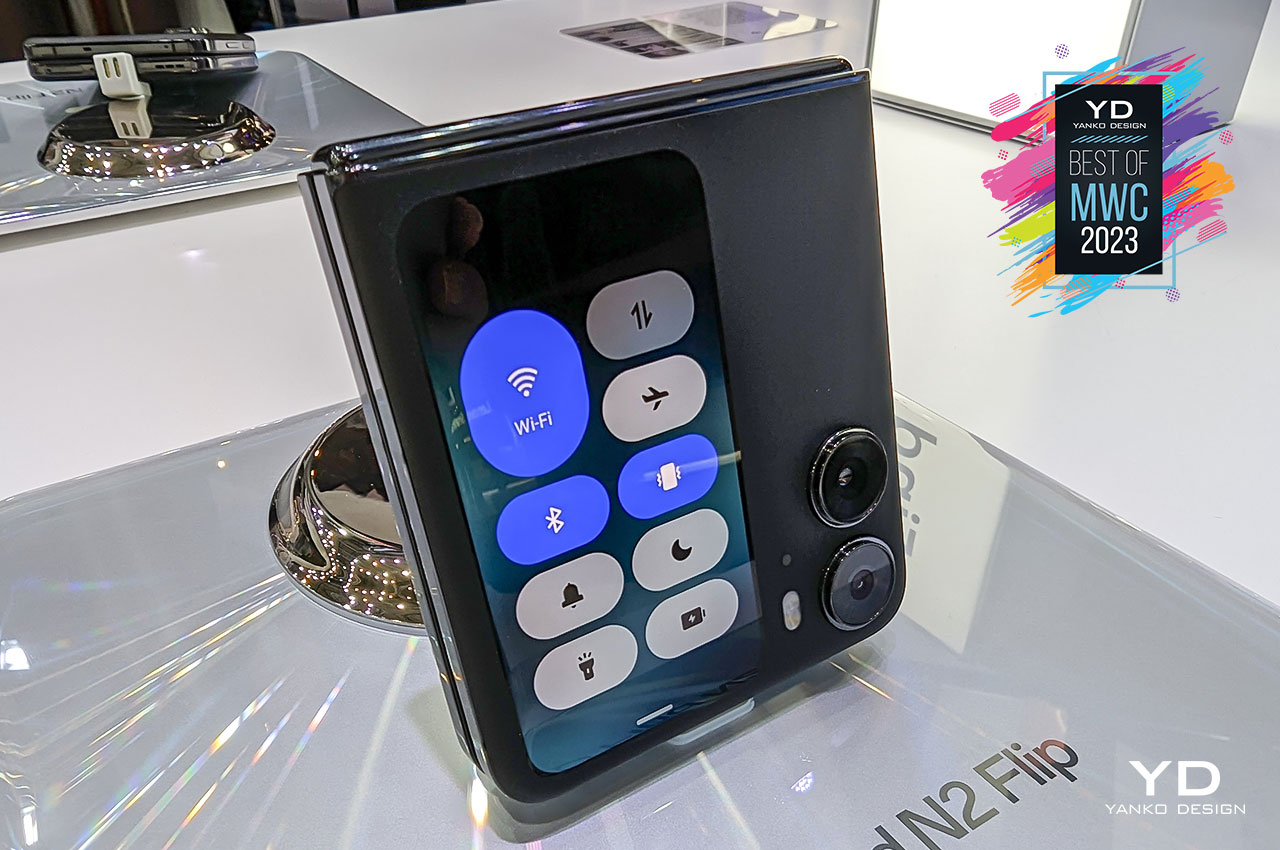
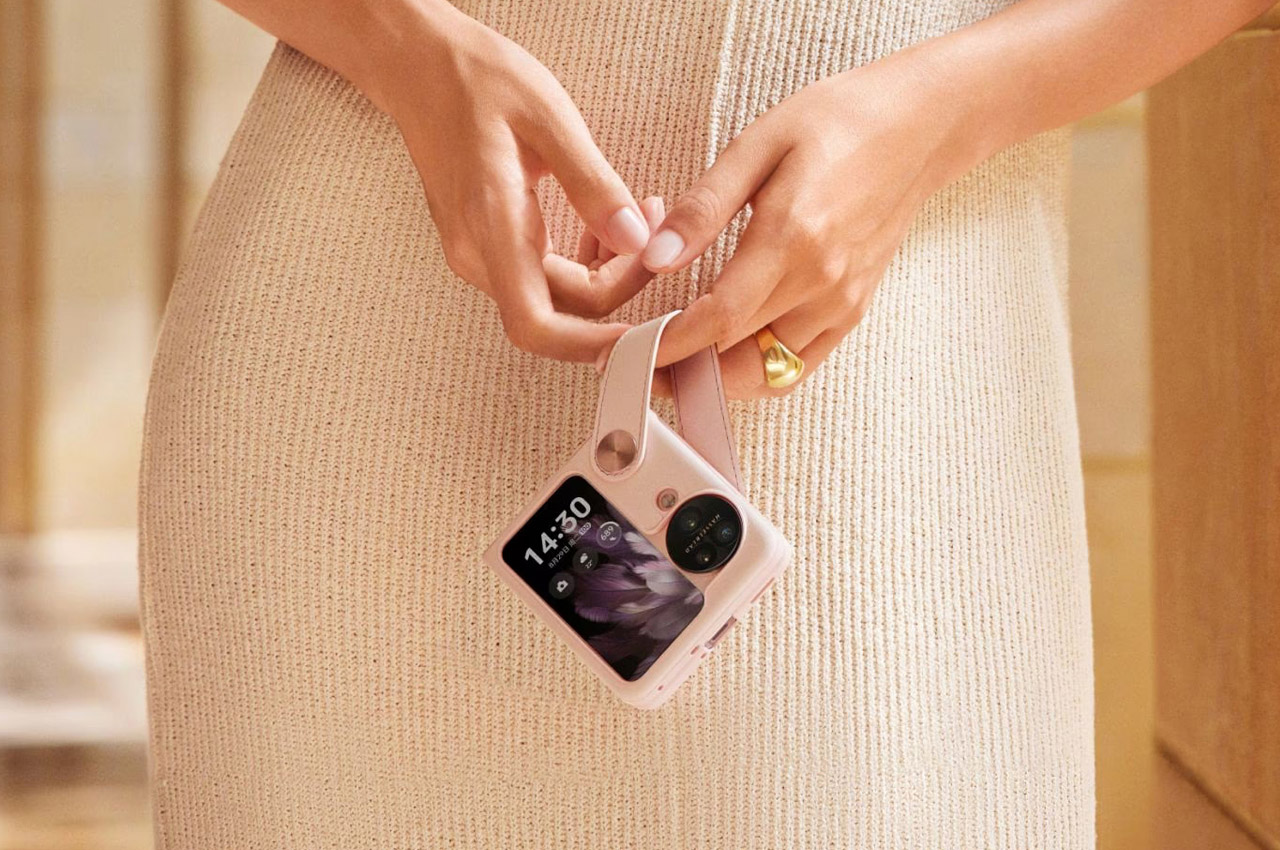
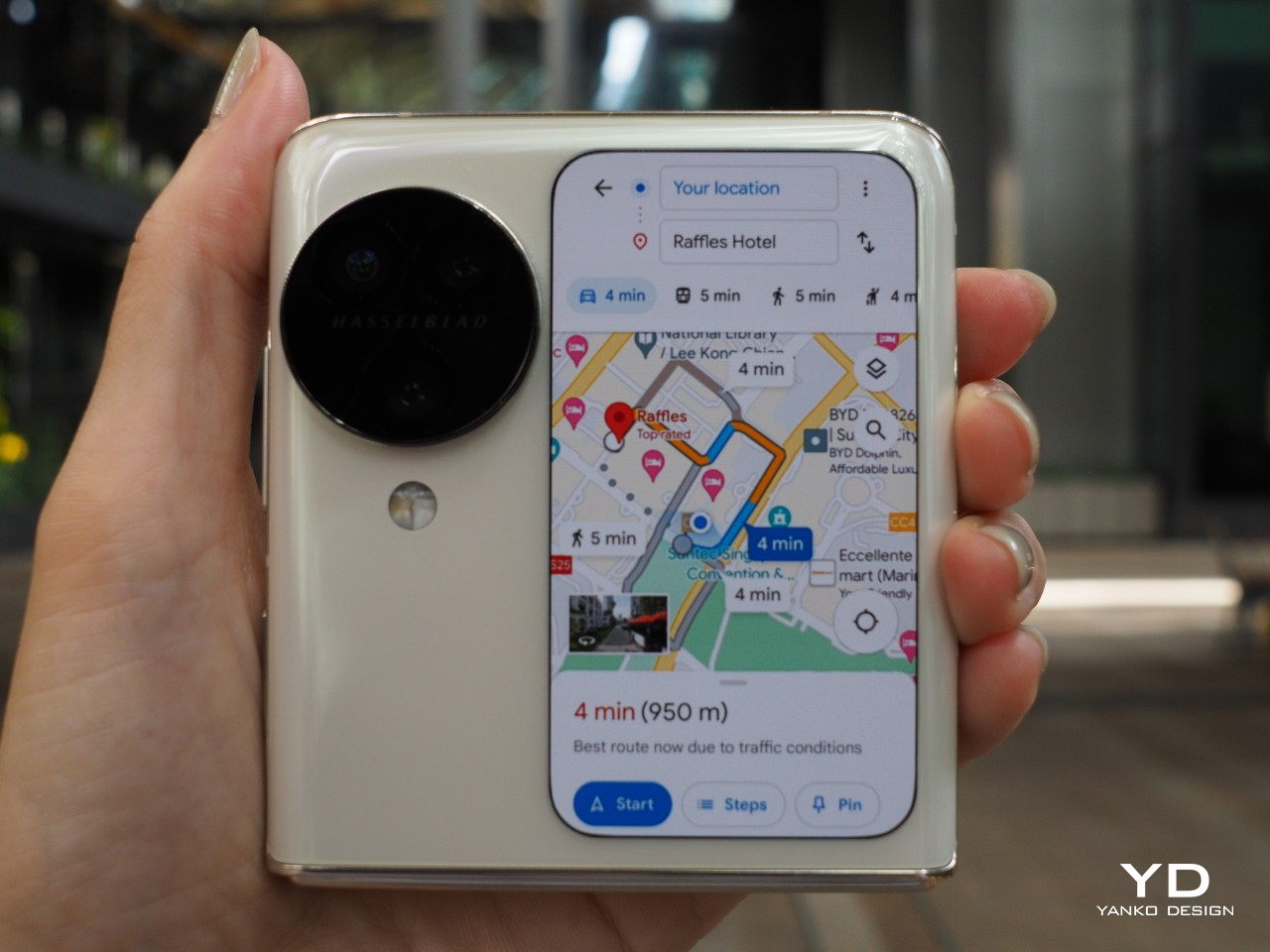
Interestingly, this exploration wasn’t in vain. The lessons learned from the secondary display concept paved the way for other innovations, like the exterior display on the Find N Flip devices. This evolution underscores how every idea can contribute to future advancements, even those not realized.

Reflecting on this journey, it’s clear that ideas that appear promising on paper may only sometimes succeed in the market. The real challenge lies in identifying which concepts can mature into practical, user-centered solutions. Innovation involves creating value that resonates with users and enhances their everyday experiences.

Understanding the delicate balance between creativity and practicality is essential in product design. The story of OPPO’s unseen smartphone concept serves as a reminder that innovation involves an intricate dance of daring ideas and meticulous scrutiny. By focusing on what truly matters to users and ensuring that every innovation is visionary and viable, companies like OPPO continue to drive the tech industry forward, one thoughtful design decision at a time.

The post The Vision Behind OPPO’s Unseen Display: A Design Philosophy Unveiled first appeared on Yanko Design.

Singing Bottle concept rewards kids when they take their pills

According to my friends who are already parents, one of the most difficult things to get their young kids to do is to drink medicine. Aside from the fact that most of the pills actually taste bad and may be too big for their little throats, it’s also hard to convince them to do something if they don’t really understand why they need to do so. Some actually use rewards just to get the kids to take their meds but there should be better ways to get through this every time they need to do it.

Designer: Fengrui Wang

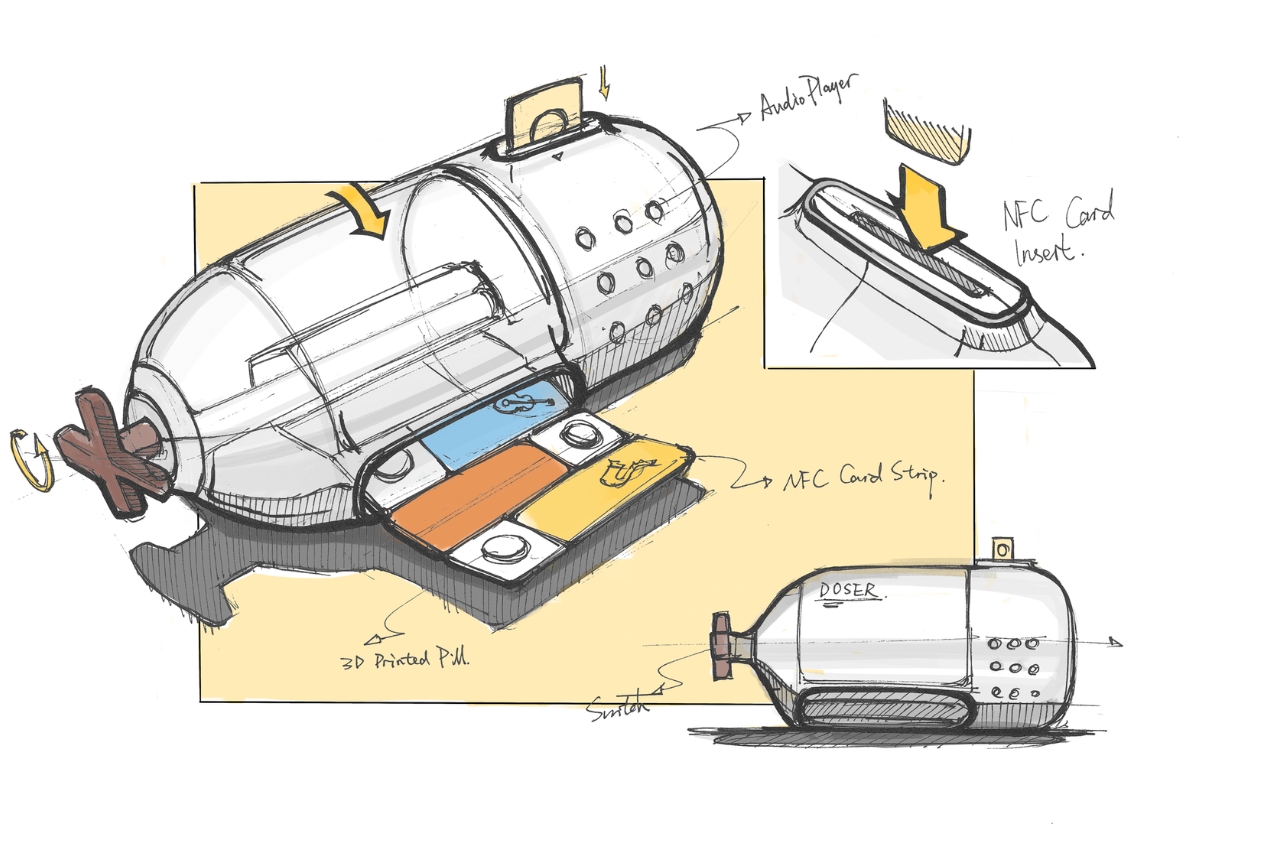
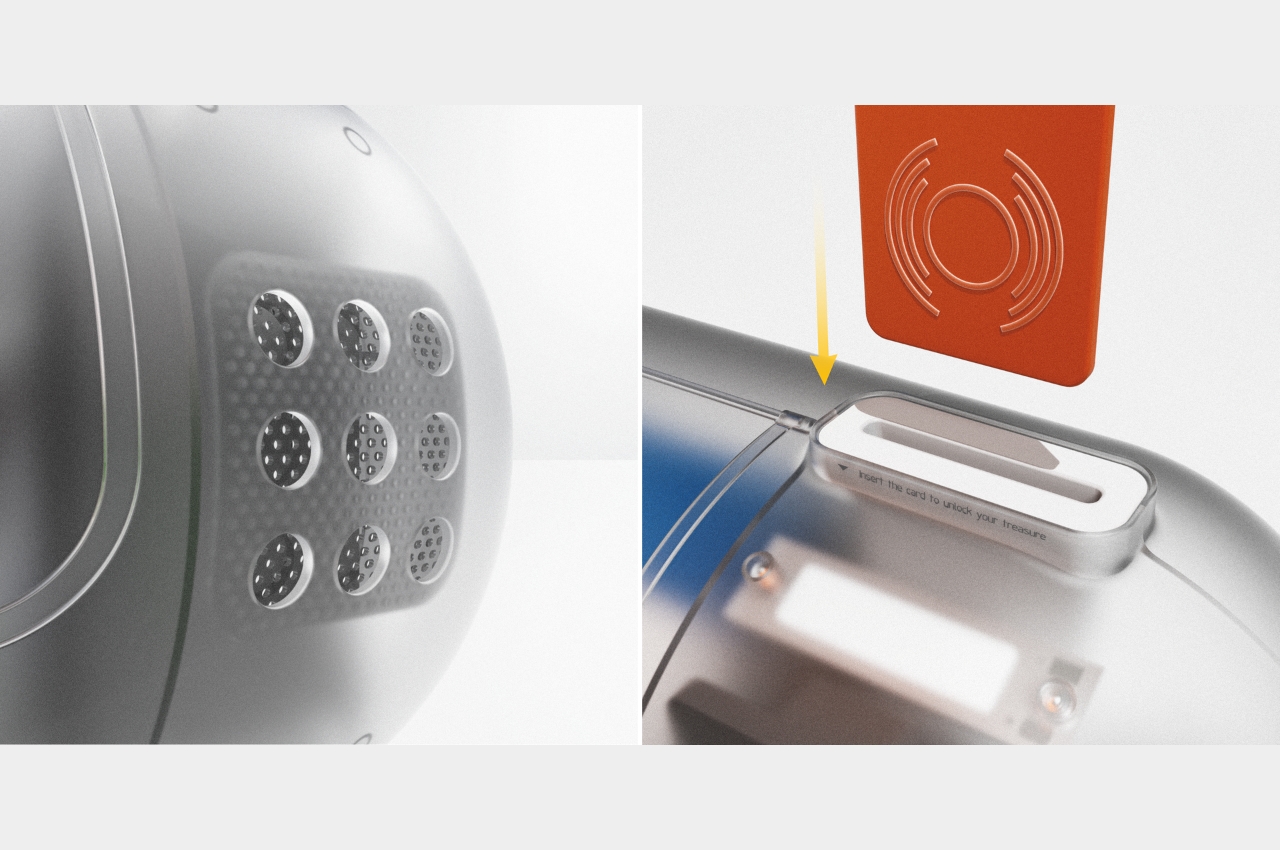
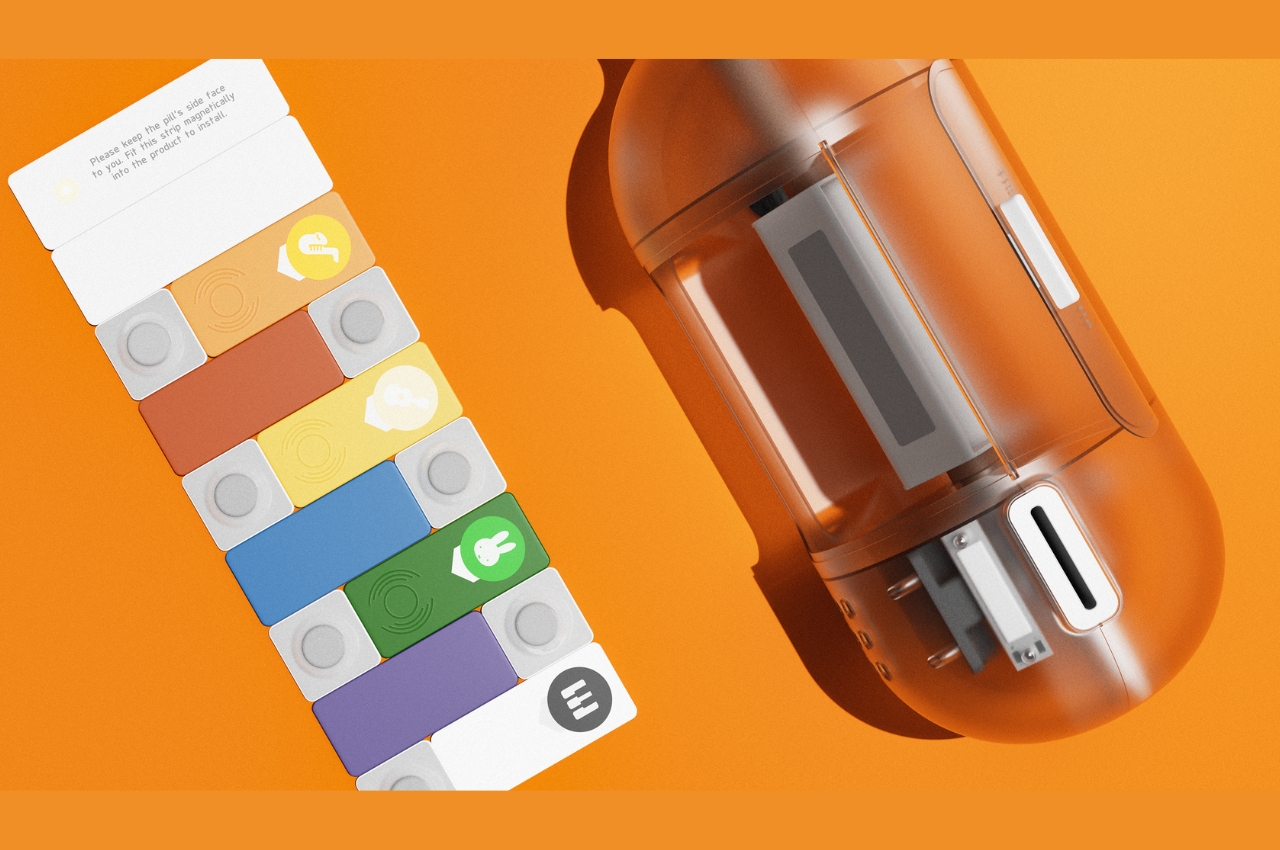
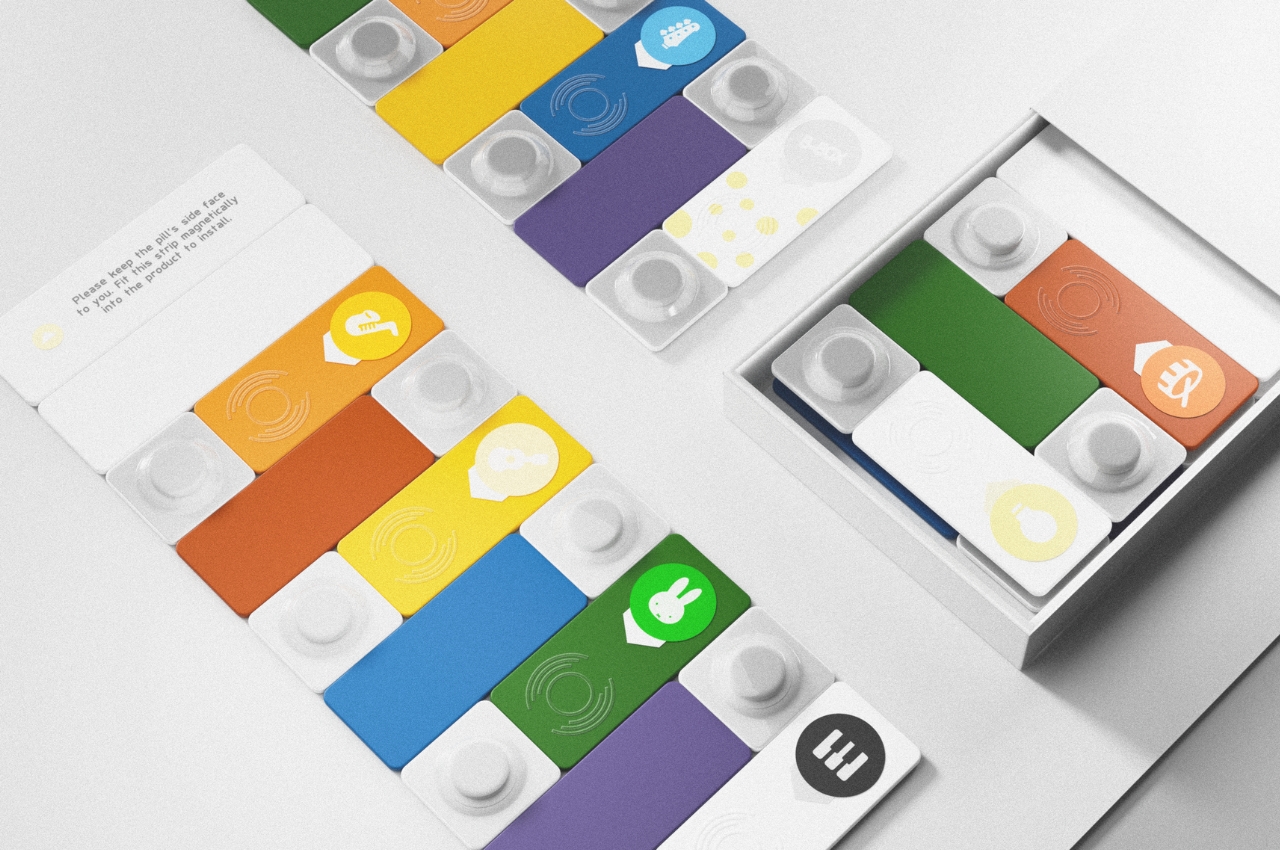
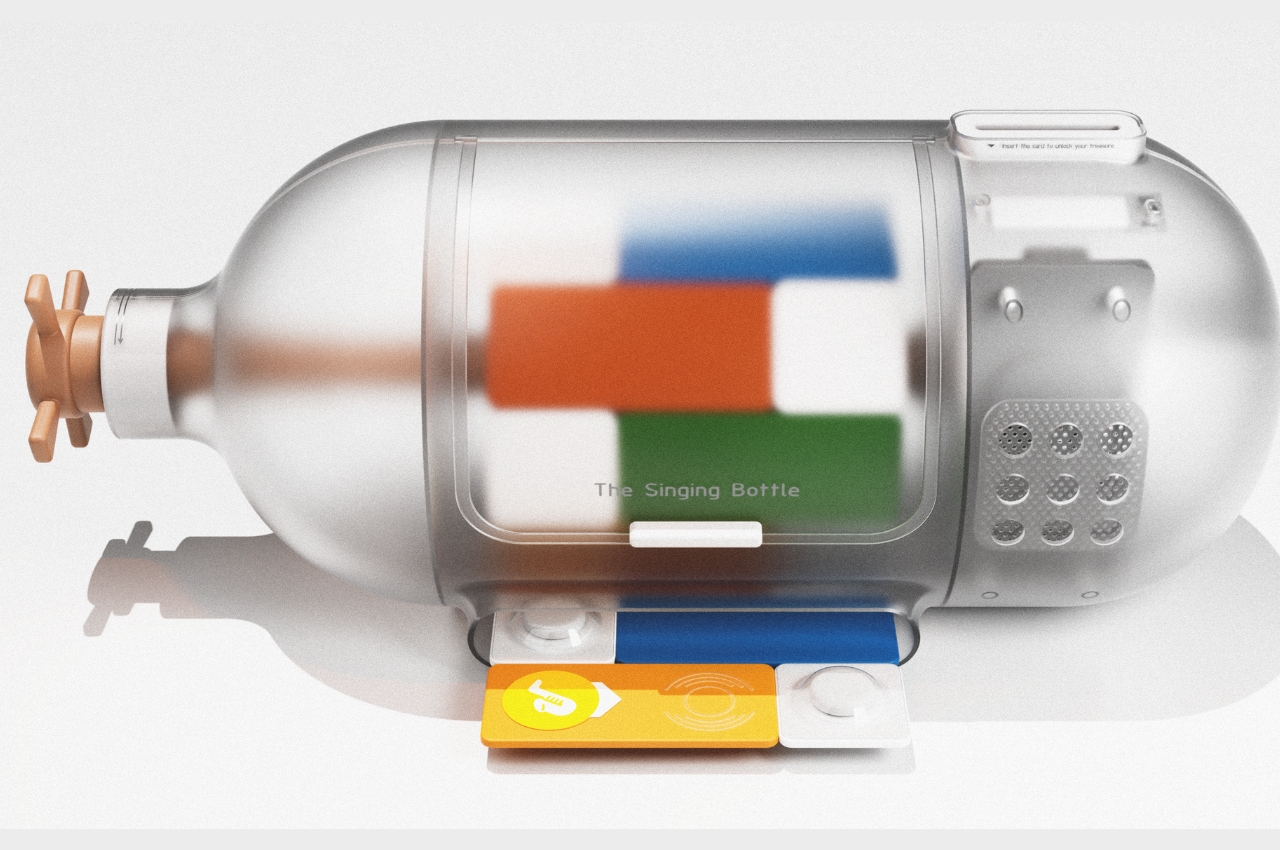
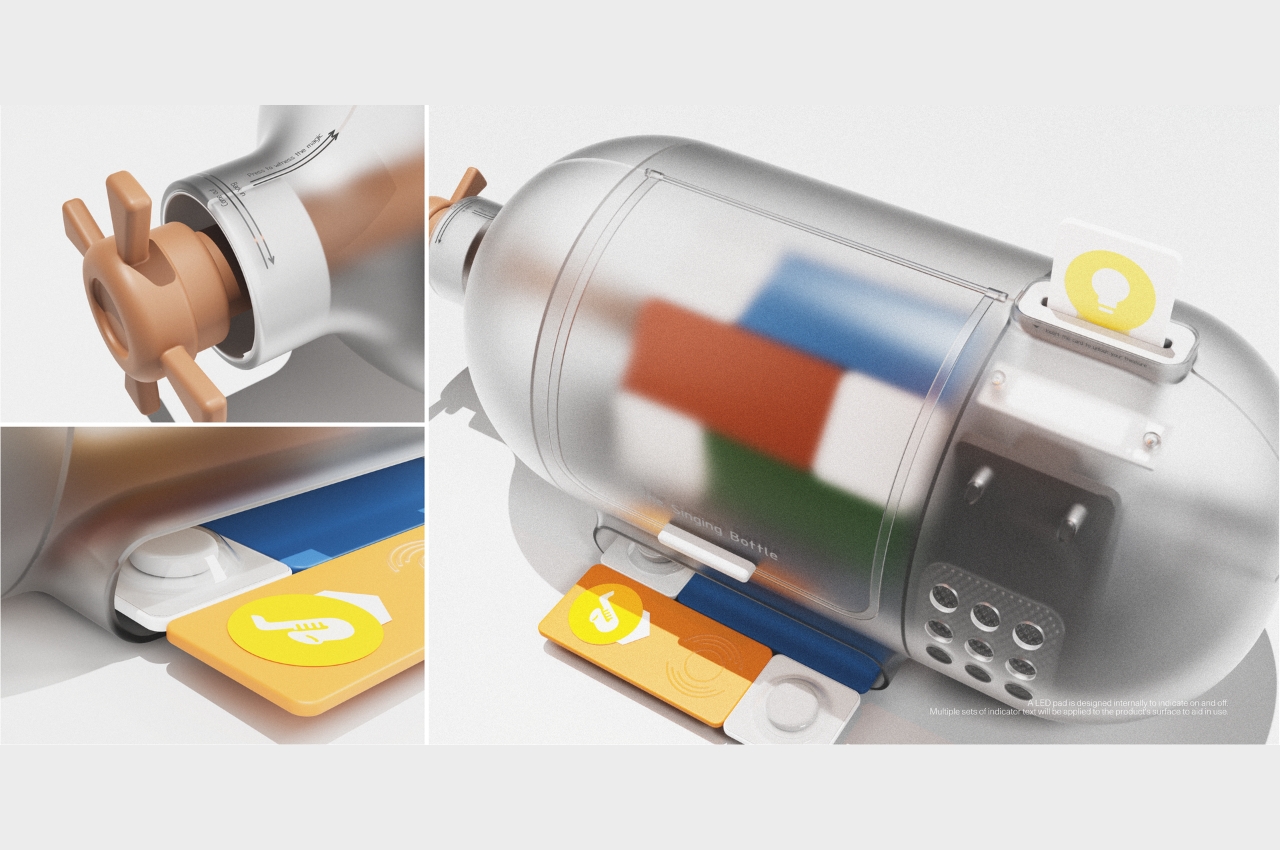
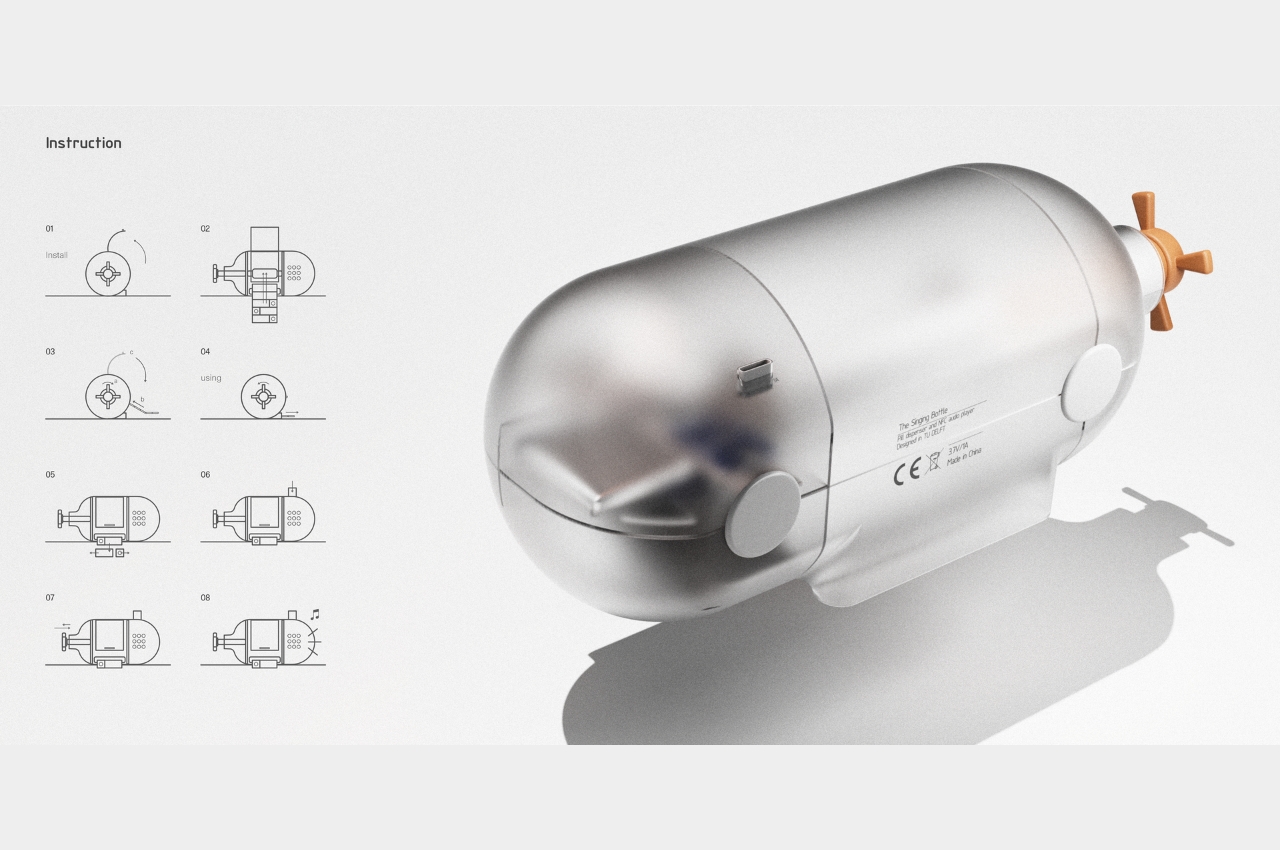
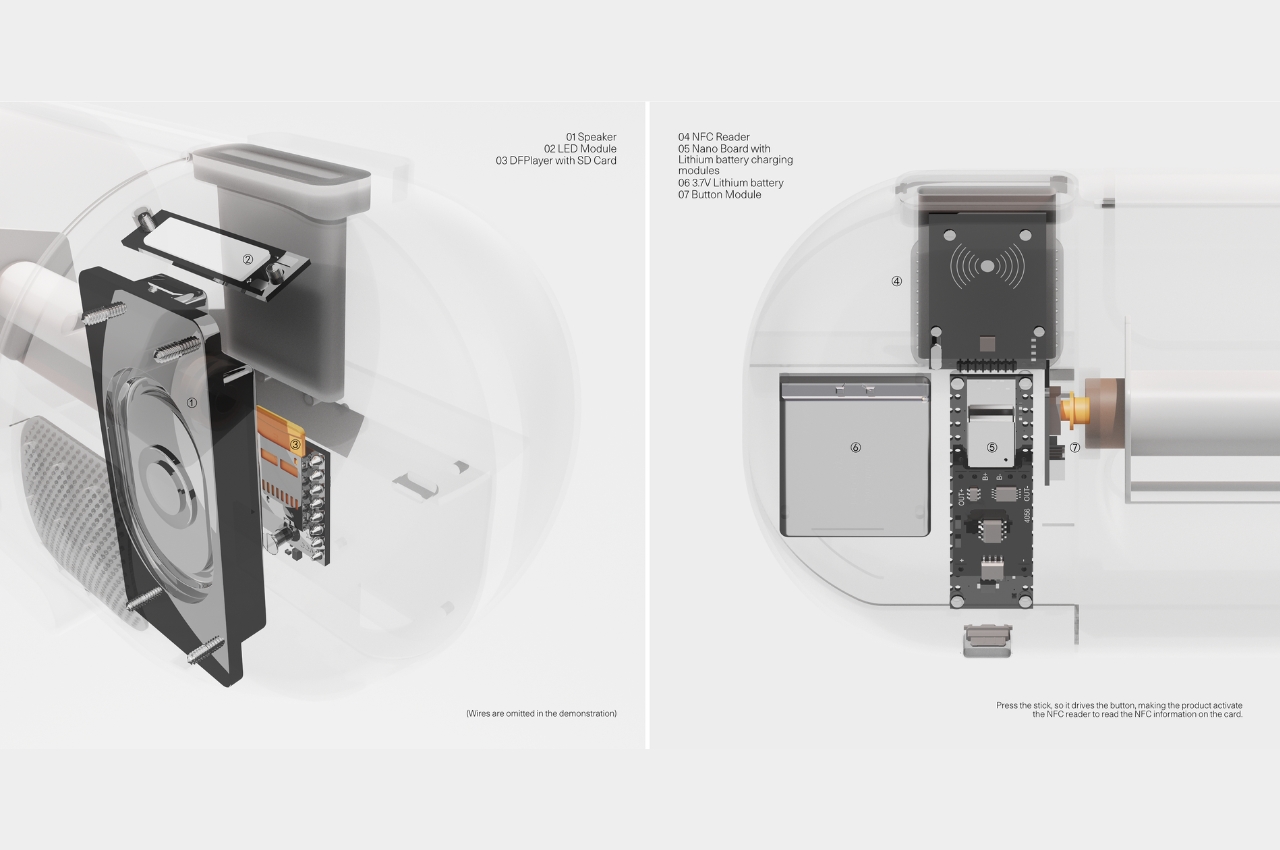
The Singing Bottle is a concept for a different kind of pill packaging and dispenser for kids ages 6-10 to help them take their meds a bit more easily. It is shaped like those ship in a bottle things that your dad or uncle probably displayed. But instead of a ship, you get personalized pills and a corresponding paper card strip with an NFC tag attached which is the secret to getting the kids to get the pills down. The dispenser also has a built-in speaker in which the cards, which contain music and stories, can be played.

The idea is that parents need to purchase the first pack of 14-21 personalized pills from the pharmacy and the dispenser. Turn the handle to dispense the first pill, separate the card strip and then insert it into the NFC reader. The first card is actually inspiring words to get the kids to take the pill and explain why they need to do so. Every two days, a new strip is unlocked and this can be a story or a piece of music to serve as their “reward” for taking the pill.

This is a pretty interesting way to encourage children to take their much needed medicine. This concept will work with Dozer, a start-up that specializes in 3D medicine printing which is able tp provide personalized medicine which should be less expensive and maybe also makes the taste a bit better, since that’s one of the major reasons why kids don’t want to take their pills.

The post Singing Bottle concept rewards kids when they take their pills first appeared on Yanko Design.
Momo lunar habitat is a reconfigurable compact dwelling for future Moon settlements

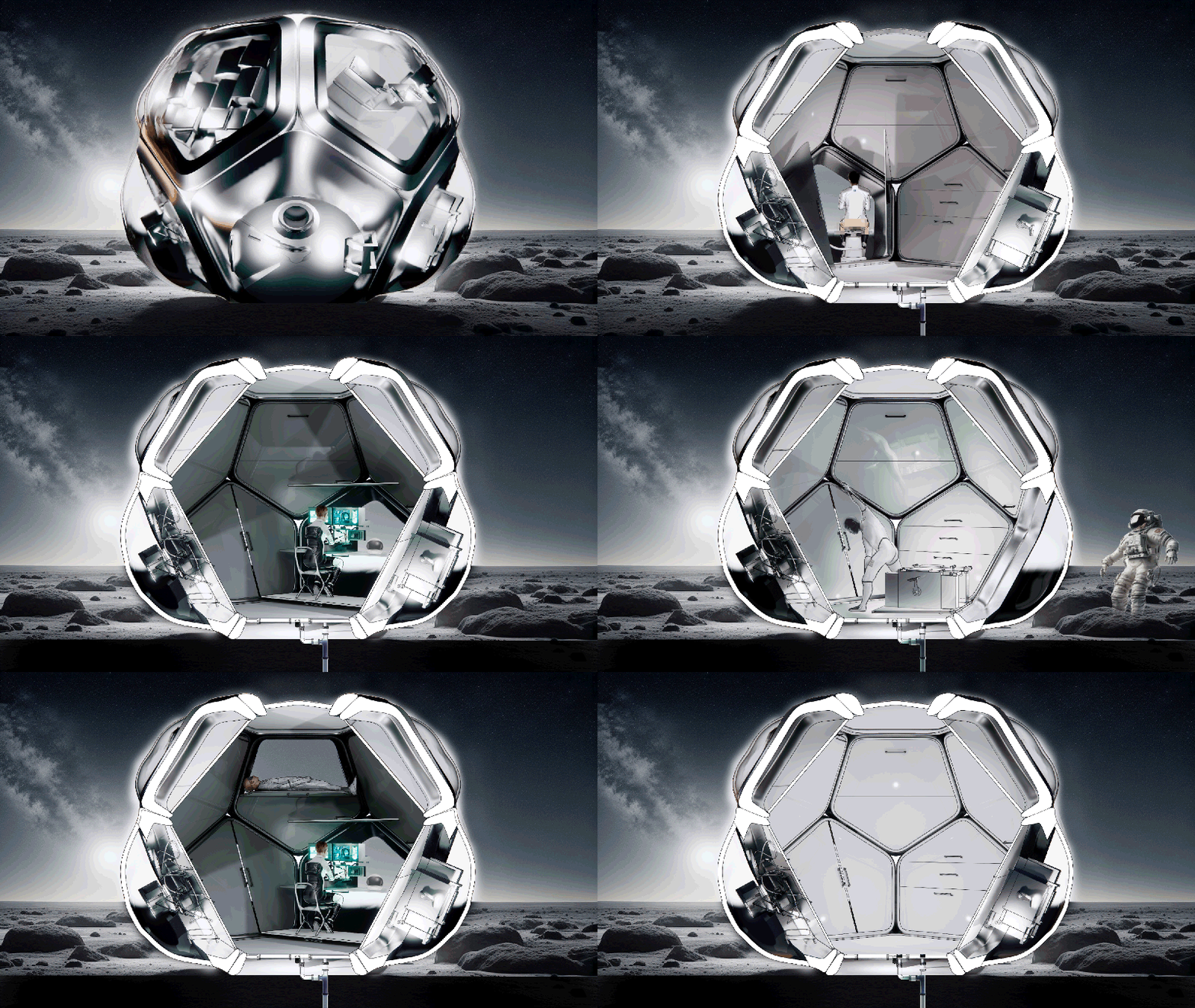
By 2030 we could see a rise in space tourism and most likely the human habitation of the Low Earth Orbit will trigger the shift towards living beyond Earth. Even though realizing the dream of setting foot on the red planet is some decades still to go, living on the lunar surface is not a far-fetched craving.

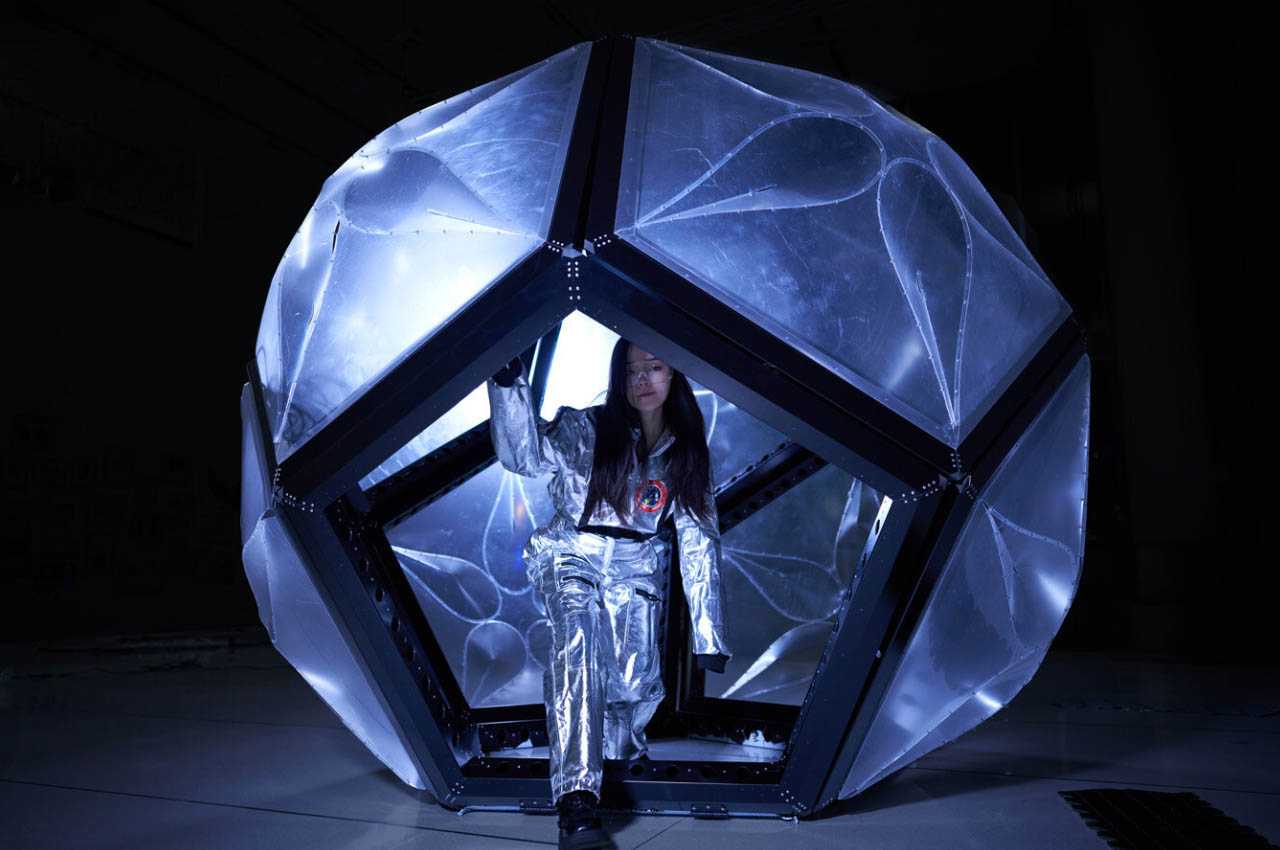
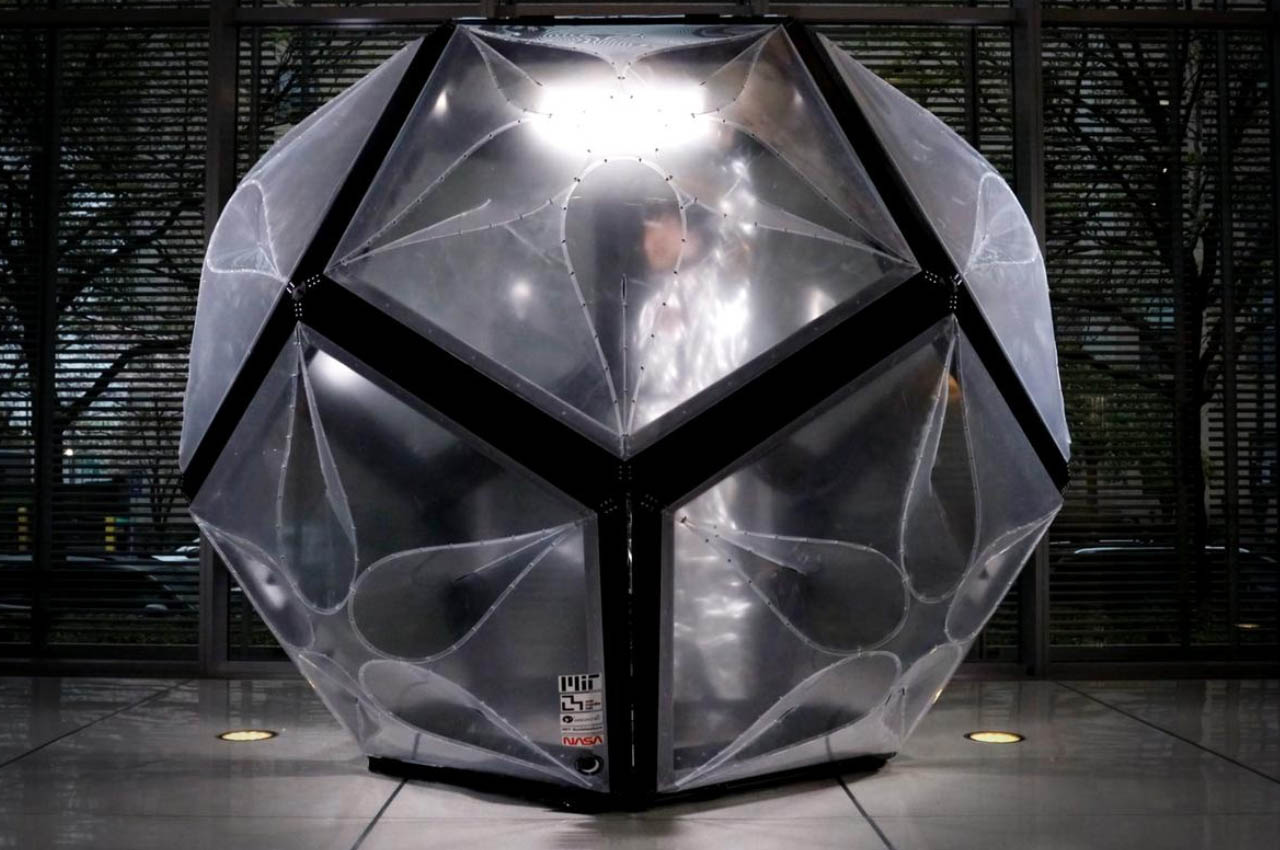
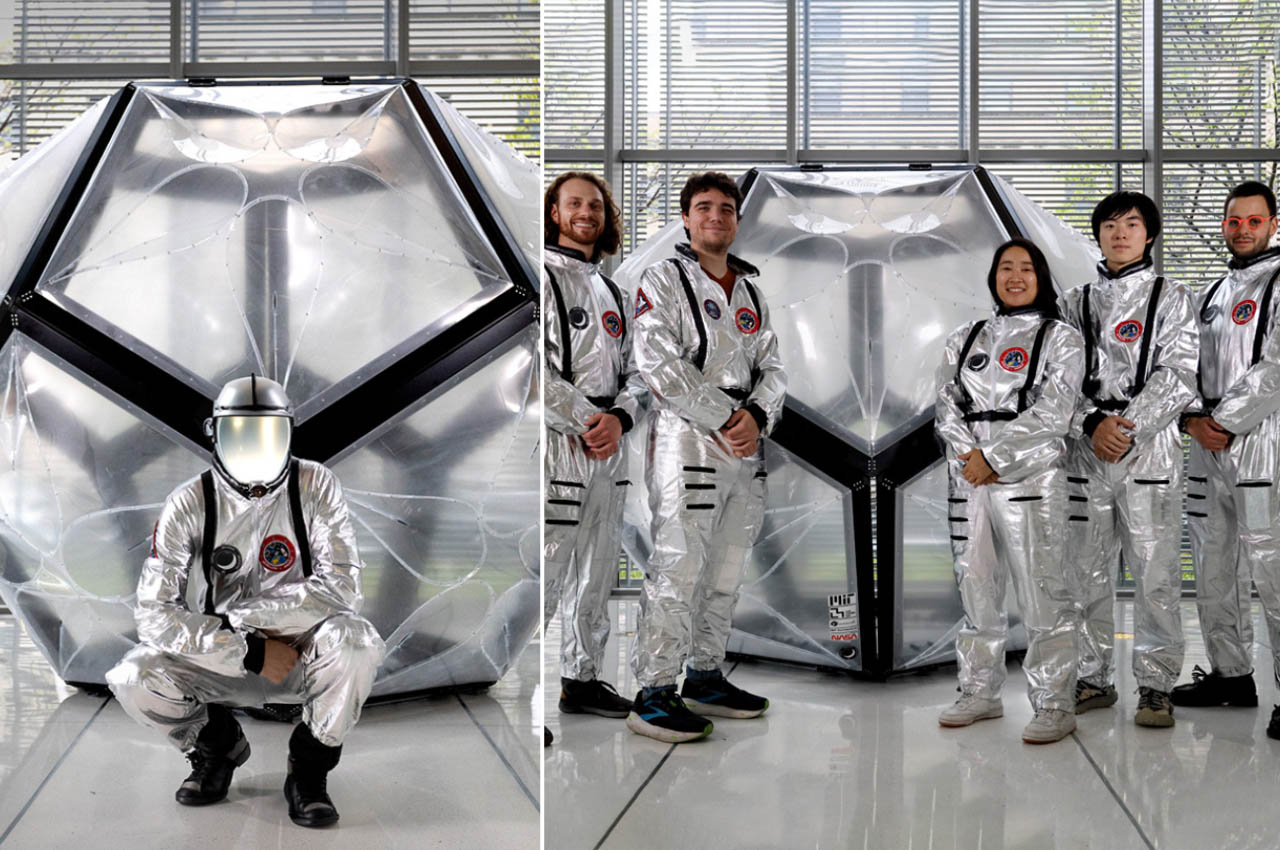
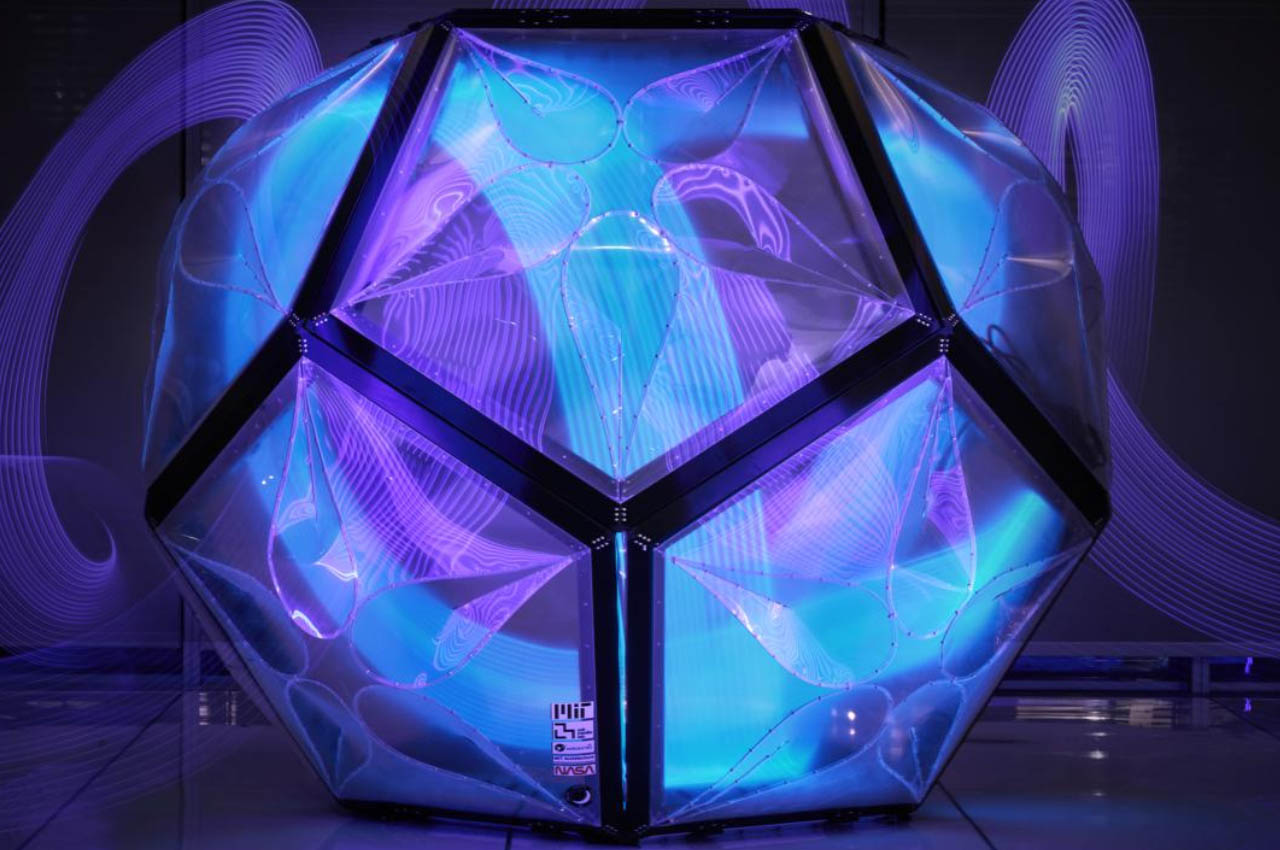
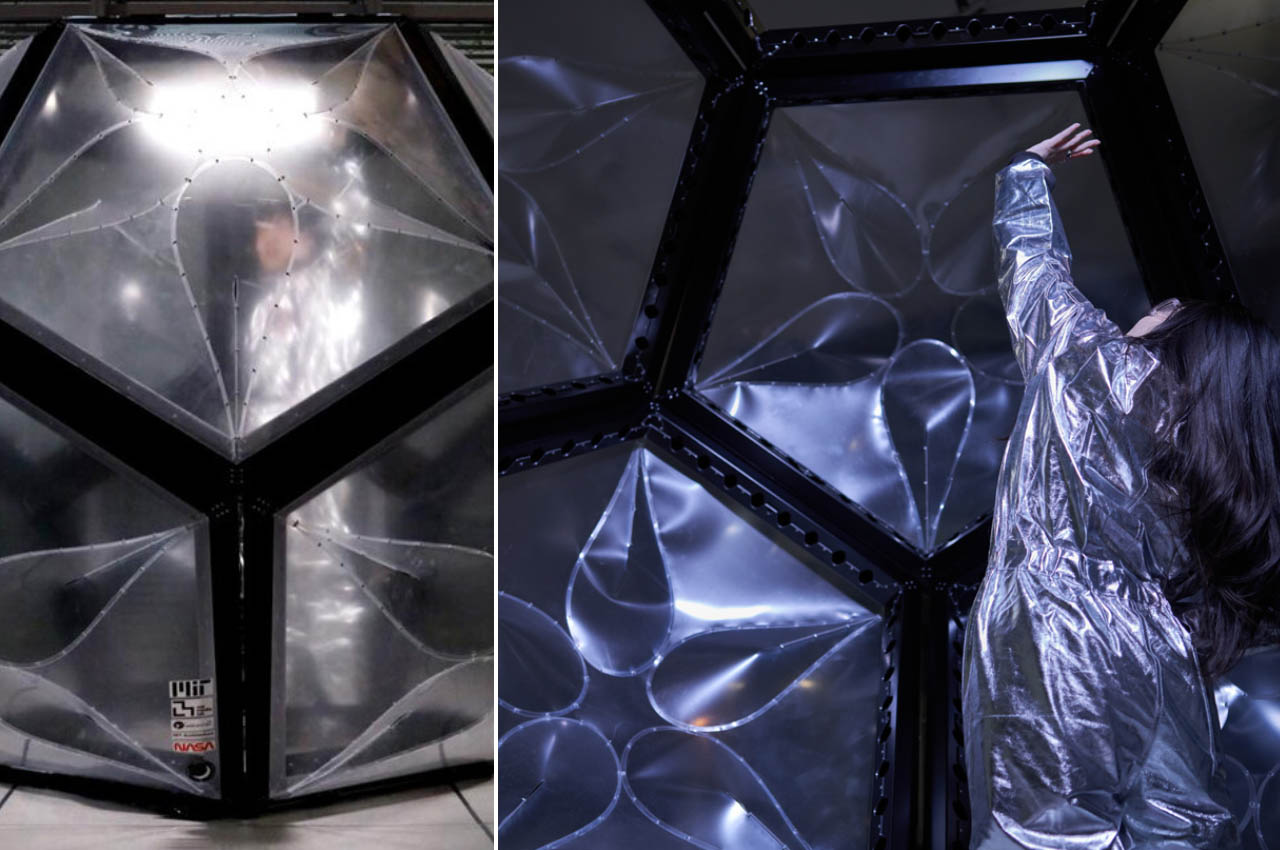
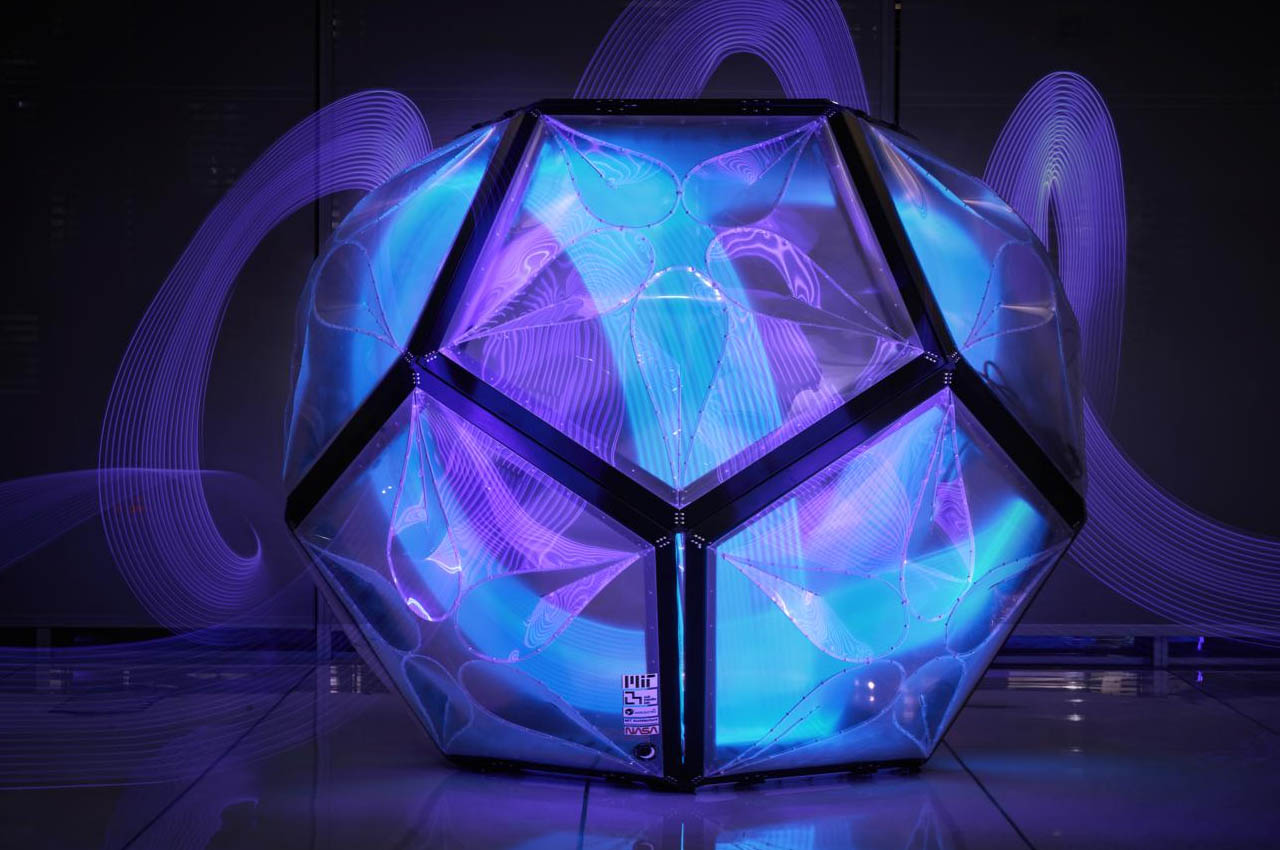
The challenges in colonizing planets or satellites beyond the Earth’s bounds are immense and taking them one step at a time is the key. One of the challenges is to provide a safe haven for inhabitants in inhospitable conditions. This project dubbed Momo wants to address this with a flatpack and modular option for practicality. Developed by MIT’s Department of Architecture and MIT Media Lab in association with AeroAstro, the self-assembling lunar habitat is among the best ideas so far we’ve come across.

Designer: MIT Media Lab

Keeping in mind the things that could go wrong in alien environments, the Momo habitat is completely replaceable in case there is a breach or malfunction. Rather than replacing the whole habitat, the compromised module can be swapped with a new one. This saves time and ensures the inhabitants have one less thing to worry about. The ultimate goal for developing Momo will be to support the Arthemis III mission and assist in the long-term lunar settlement mission. Oen can realize the extent of the seriousness of this undertaking by the fact that MIT Departments will be headed by the NASA Marshall Space Flight Center, Jhonson Space Center, Brookhaven National Laboratory and SpaceX.

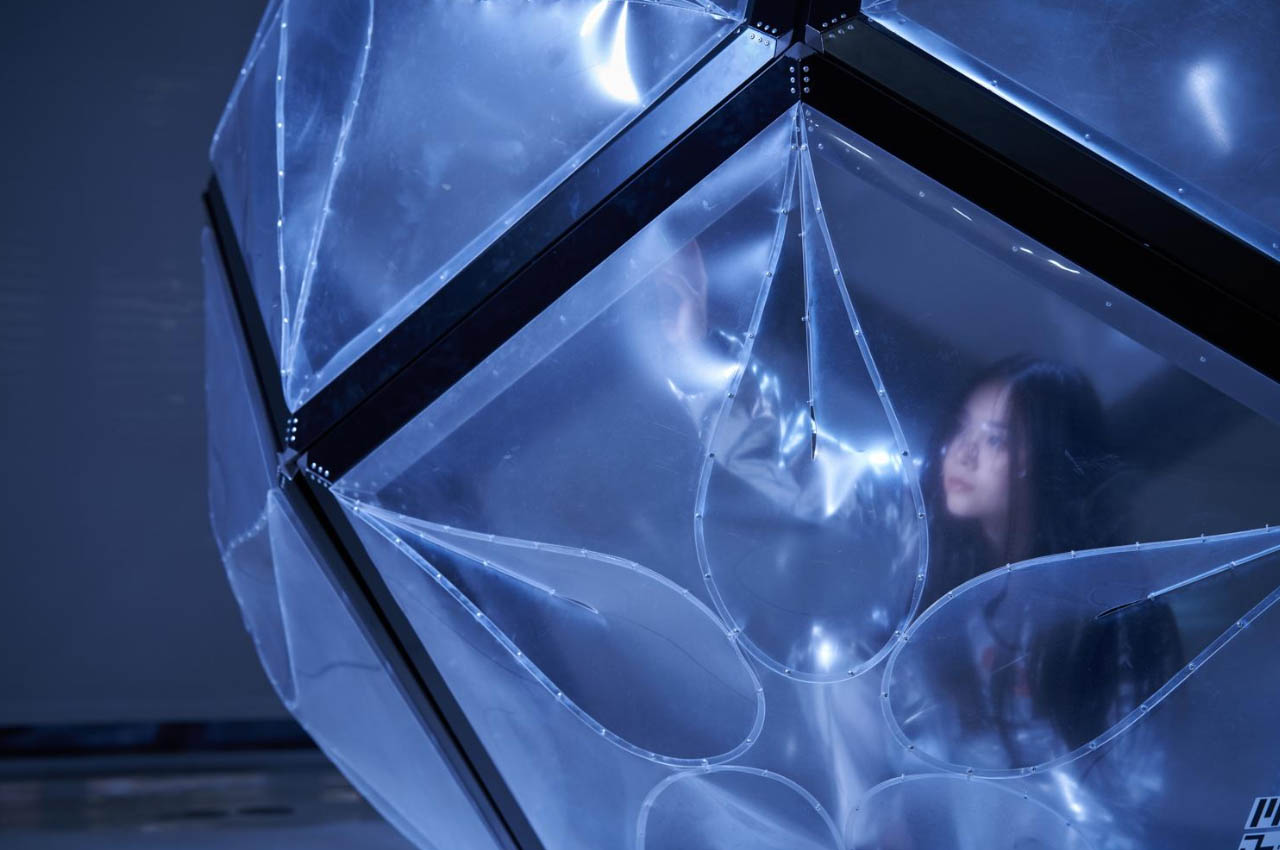
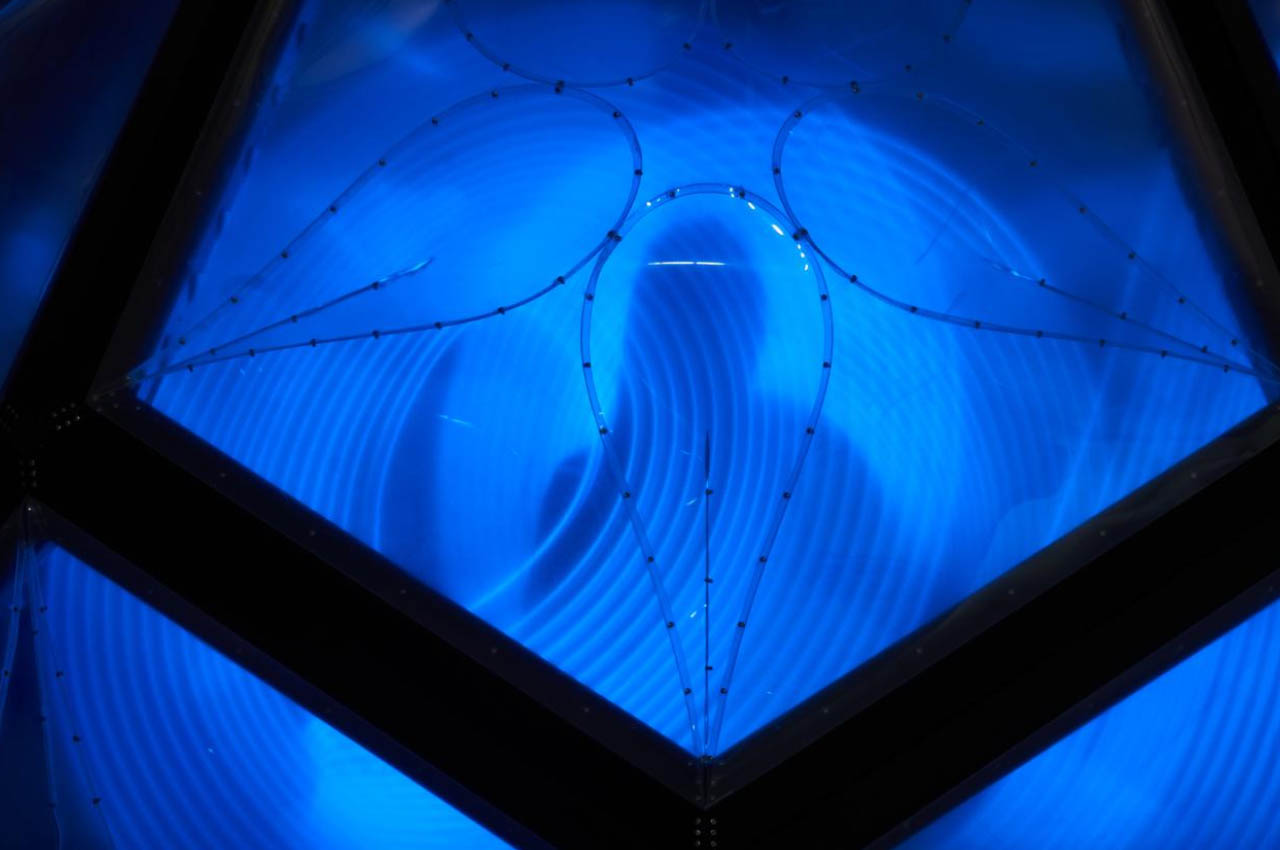
For the first phase, the compact habitat will have a design that flat-packs inside the Starship HLS cargo space. It’ll be developed keeping in mind at all times about the safety and efficient space utilization. The modular aspect allows for versatile functionality, for instance, realigning the aluminum frame and high-density polyethylene membrane for setting up camp depending on the terrain of the Moon. It can be anything from a safe airlock compartment, windows, work desks, or even exercise areas.

The post Momo lunar habitat is a reconfigurable compact dwelling for future Moon settlements first appeared on Yanko Design.
10 Best Accessories Designed To Make Your MacBook More Efficient & Productive

My MacBook is one of my most beloved belongings. I honestly cannot do without my MacBook, probably because it is one of my most prized possessions! It contains basically everything I hold important in my life – from work documents to memorable pictures from even ten years ago. And not to mention, I do end up spending most of my day, typing away and working on my MacBook. Since it is such an integral part of my daily and work routine, I’m always looking for ways to elevate my MacBook. I love innovative and nifty gadgets that function as the perfect sidekick to my MacBook, helping me boost my daily productivity and efficiency. Here, we’ve curated a few of our favorite MacBook accessories that’ll promise to level up your already awesome and beloved MacBook. From an ingenious wrap to handle your MacBook cables to a Satechi Triple 4K docking station – these are must-have accompaniments to your MacBook, and the best investments of 2024 for Apple lovers!

1. Magic Bar

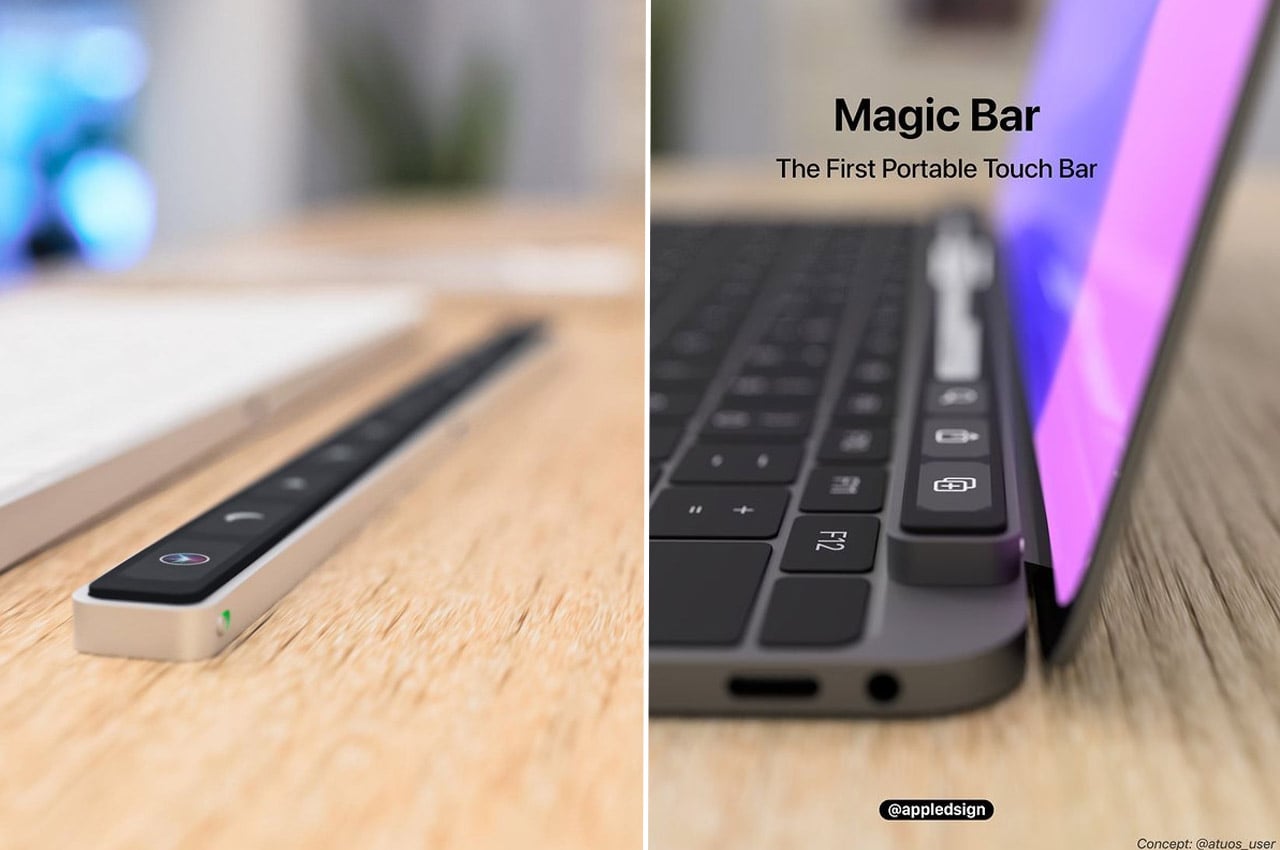
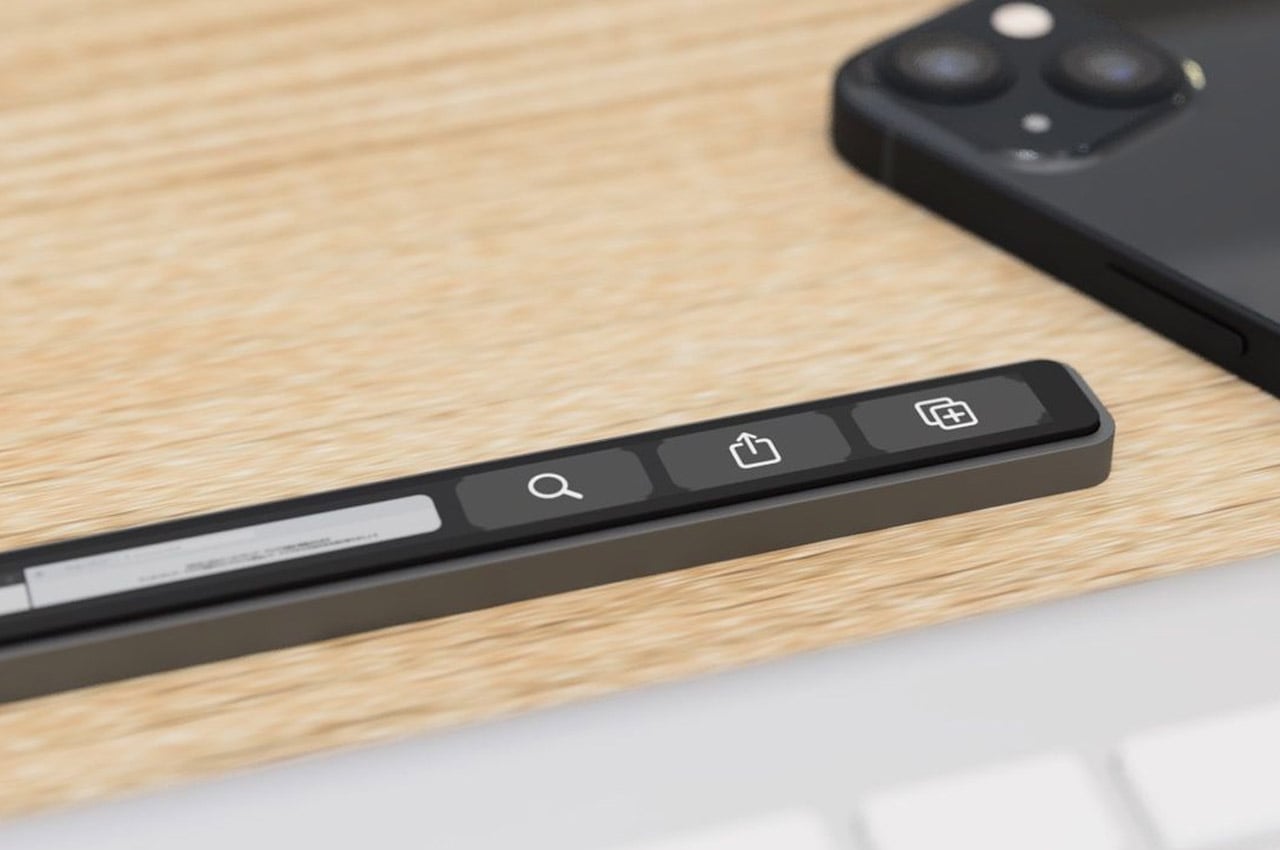
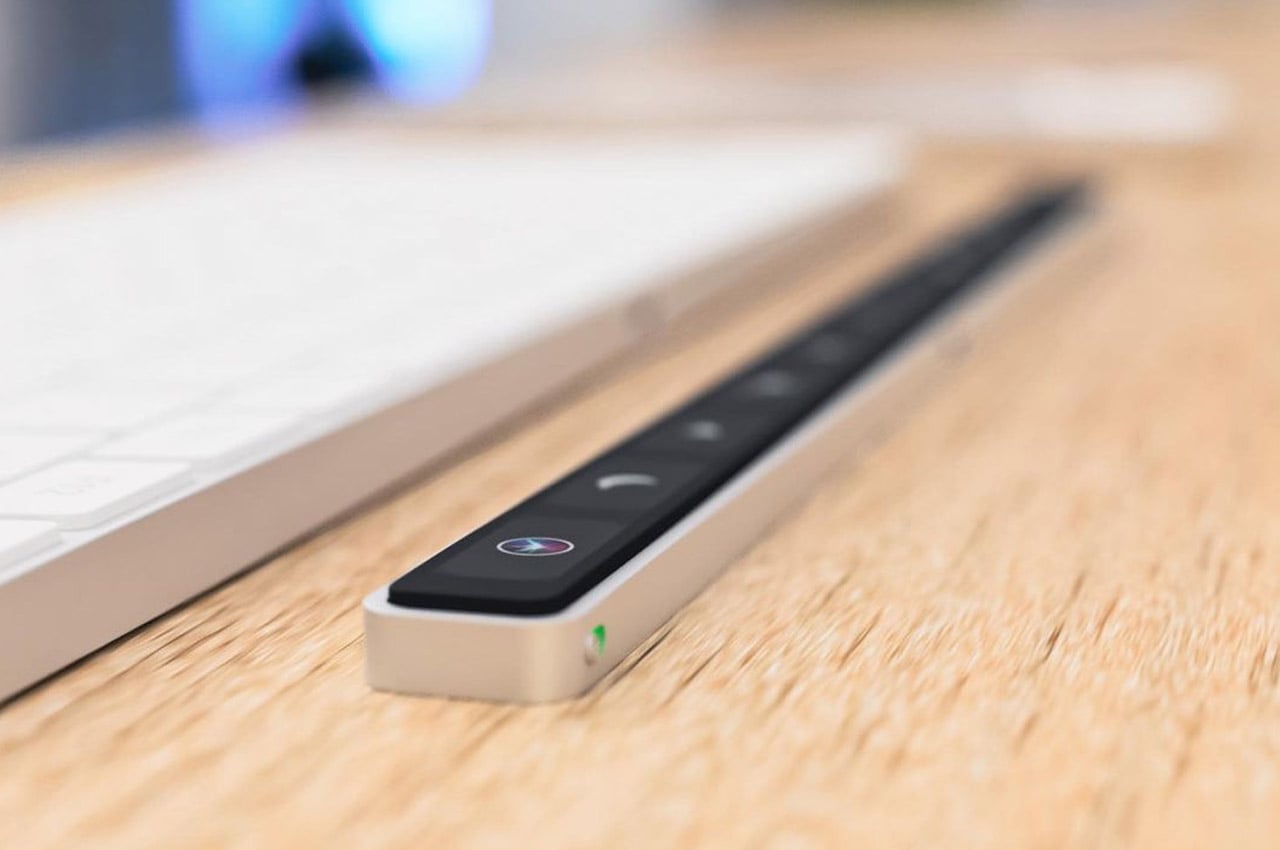
Named the Magic Bar, this portable Touch Bar can be teamed up with, and used with essentially any Apple peripheral. It is a sleek, seamless, and portable toolbar that is quite similar to the Touch Bar in terms of features and functionality. It also has a pretty recognizable design that aligns horizontally with your keyboard. You can pair up the Magic Bar with your iPhone, to create and use multiple smart home shortcuts.

2. TAIM

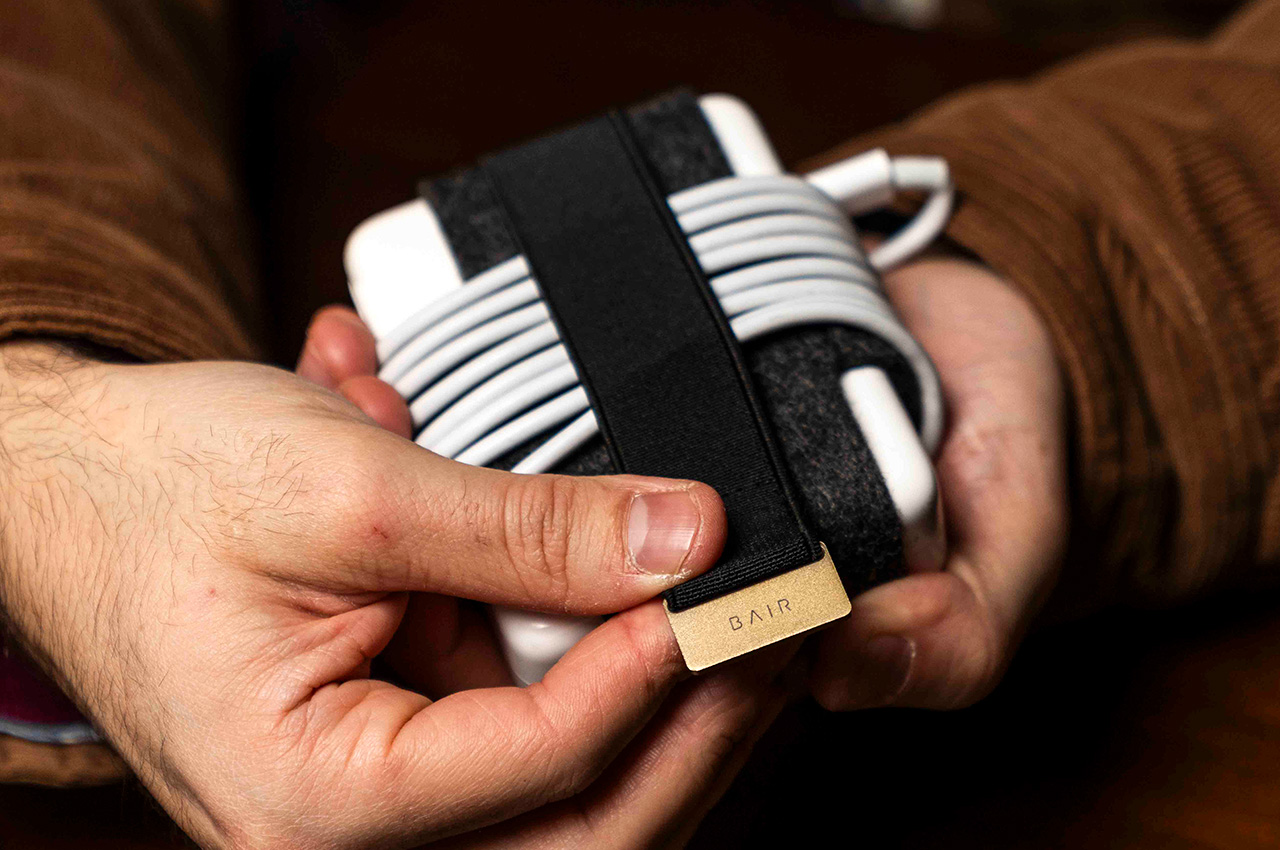
Meet TAIM – a cable management solution that can be attached perfectly around a MacBook charger, offering a way to let you wrap the cable around the block, and secure the cable so that it doesn’t get loose, and you can access it whenever you need it. It saves time, ensuring you don’t waste unnecessary minutes managing the cable. You can focus on actually getting tasks at hand done. TAIM helps not only save time but also reduces the frustration experienced when untangling cables.

3. Woolnut’s Sleeves

Woolnut’s beautiful sleeves for the MacBook are made by combining fine vegetable-tanned full-grain Nappa leather with pure natural wool felt. The sleeves are beautiful and bespoke, and offer expansive protection to your expensive equipment, ensuring no irreversible physical damage is caused. The sleeves follow the highest Scandinavian design standards, and the intricately designed sleeves fit the MacBook like a glove.

4. Belkin’s Continuity Camera

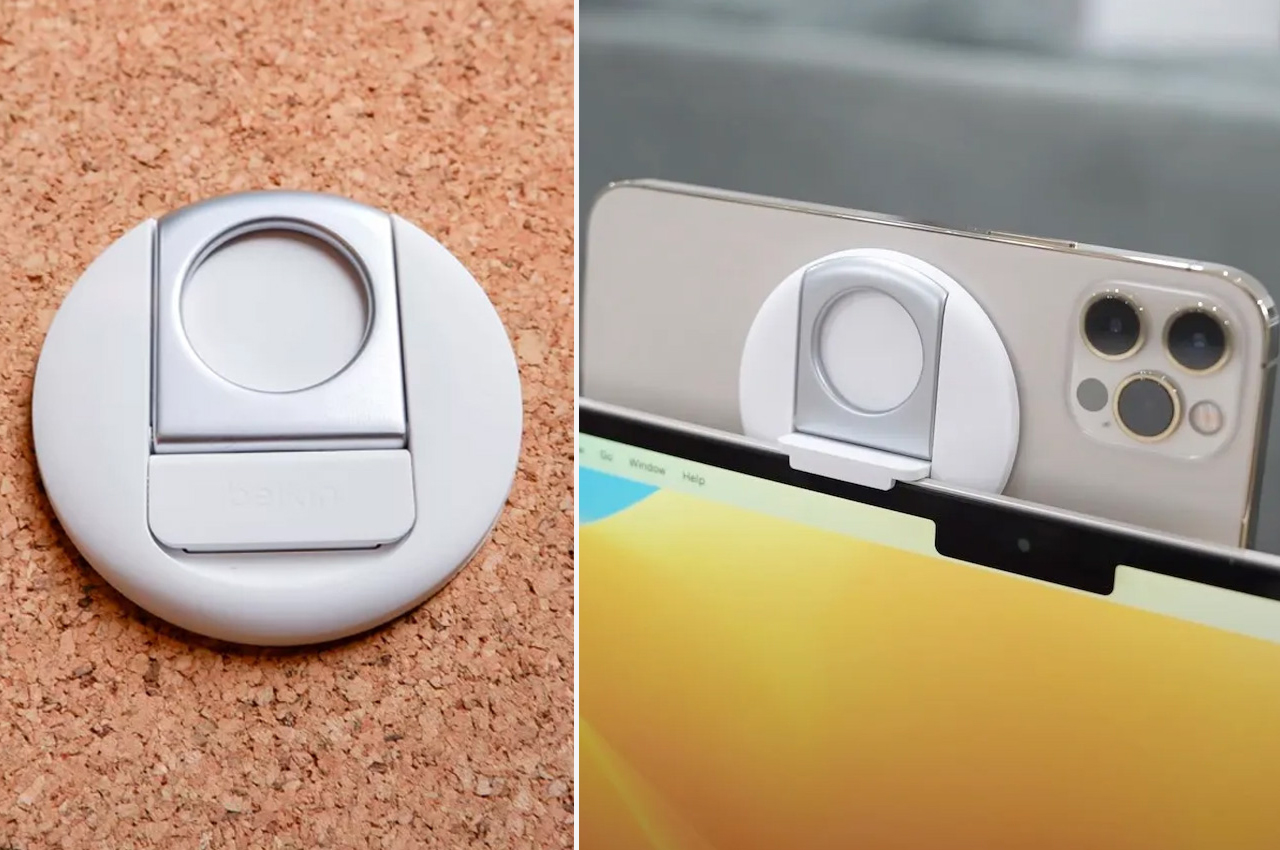
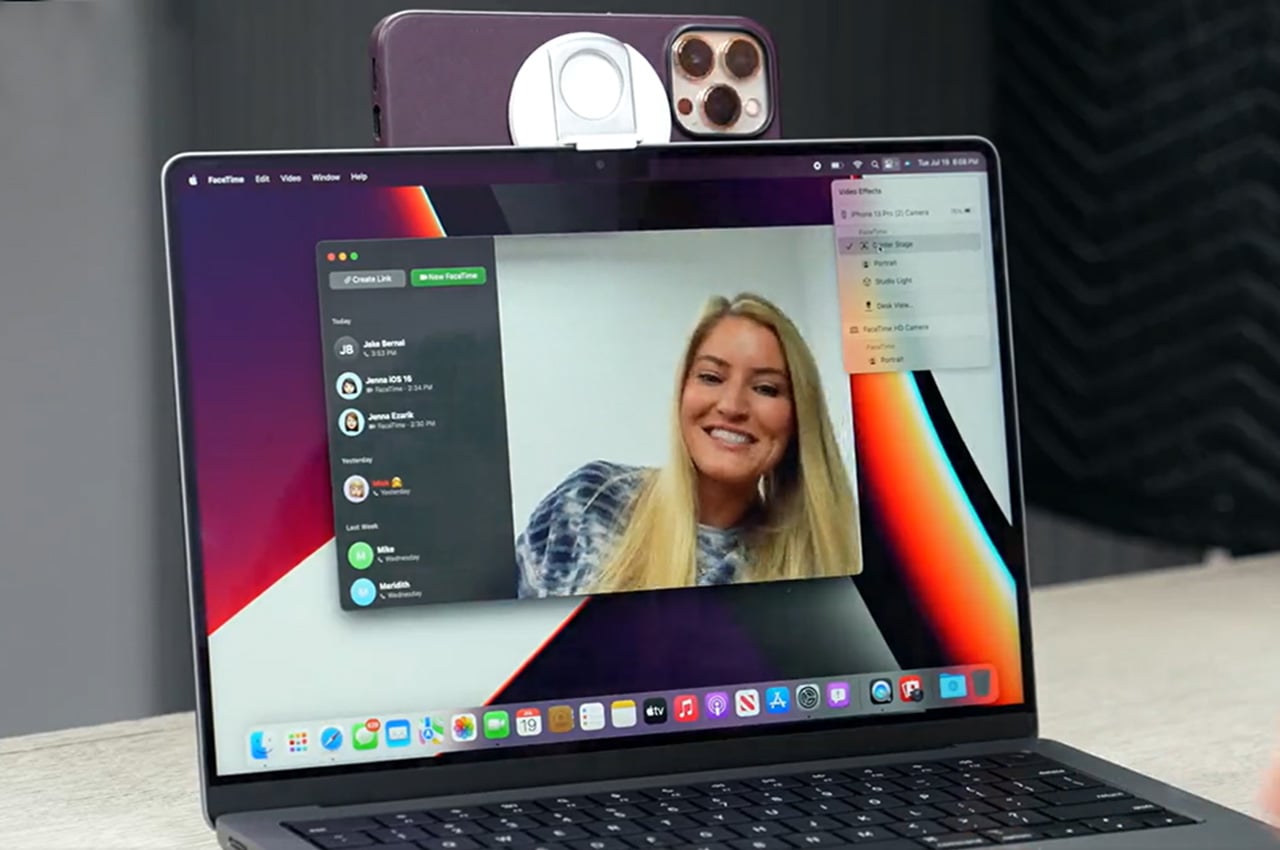
Designed by Belkin, and called the Continuity Camera accessory, this all-white circular peripheral can be easily attached to the back of your iPhone using MagSafe. The accessory is made from soft silicone, and you can easily mount it onto your Mac, leaving behind no scratches. Once the accessory is attached to where the webcam is located, the Continuity Camera instantly activates, allowing the iPhone to be used as a webcam. How cool is that?

5. Bluebonnet

Bluebonnet is a leather housing for your MacBook! It provides protection against accidental bumps and scuffs, while also serving as a neat place to store your notebook, papers, and pen. The case frees your hands while holding everything you may need for a meeting or to work in a coffee shop. The svelte sleeve has a leather construction which provides your MacBook with an elegant and professional-looking upgrade. It is also available in multiple colors.

6. Triple 4K Docking Station

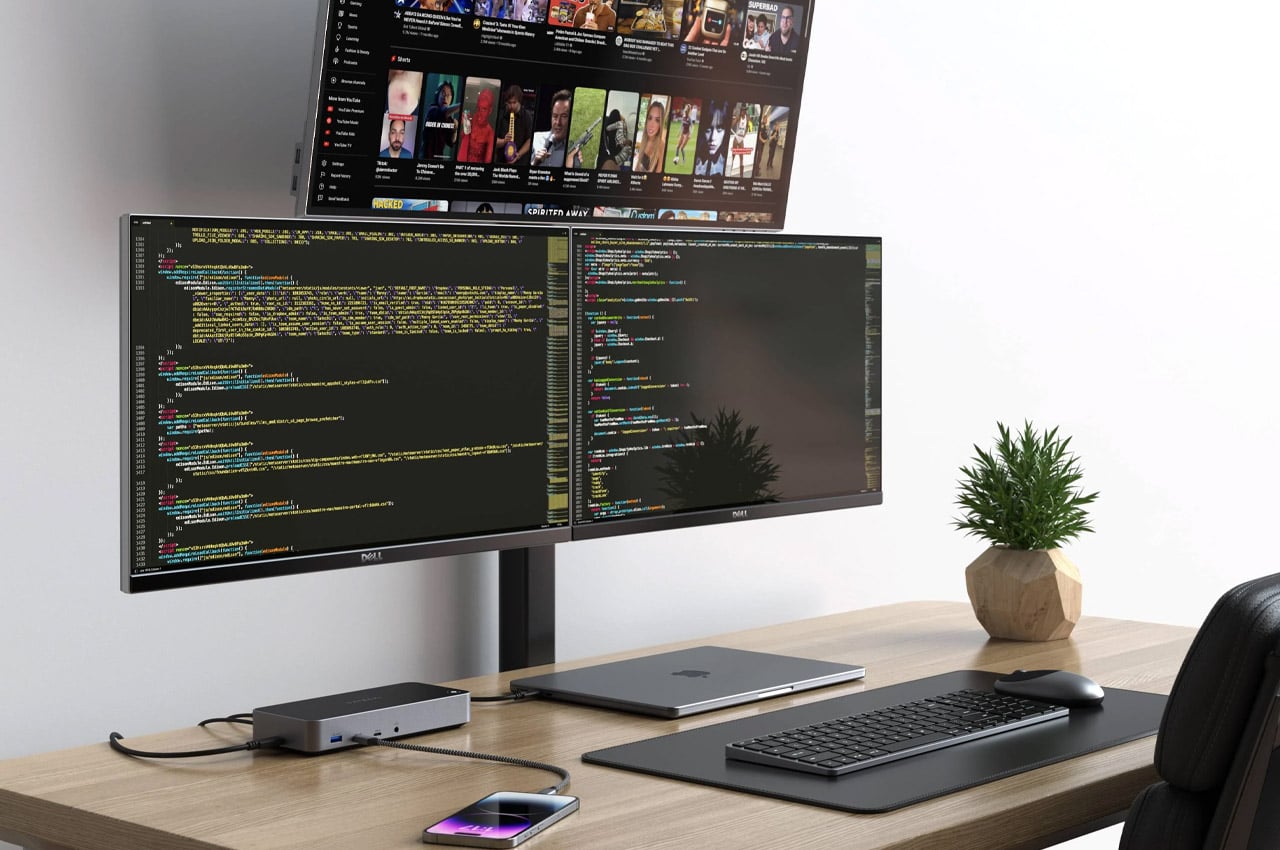
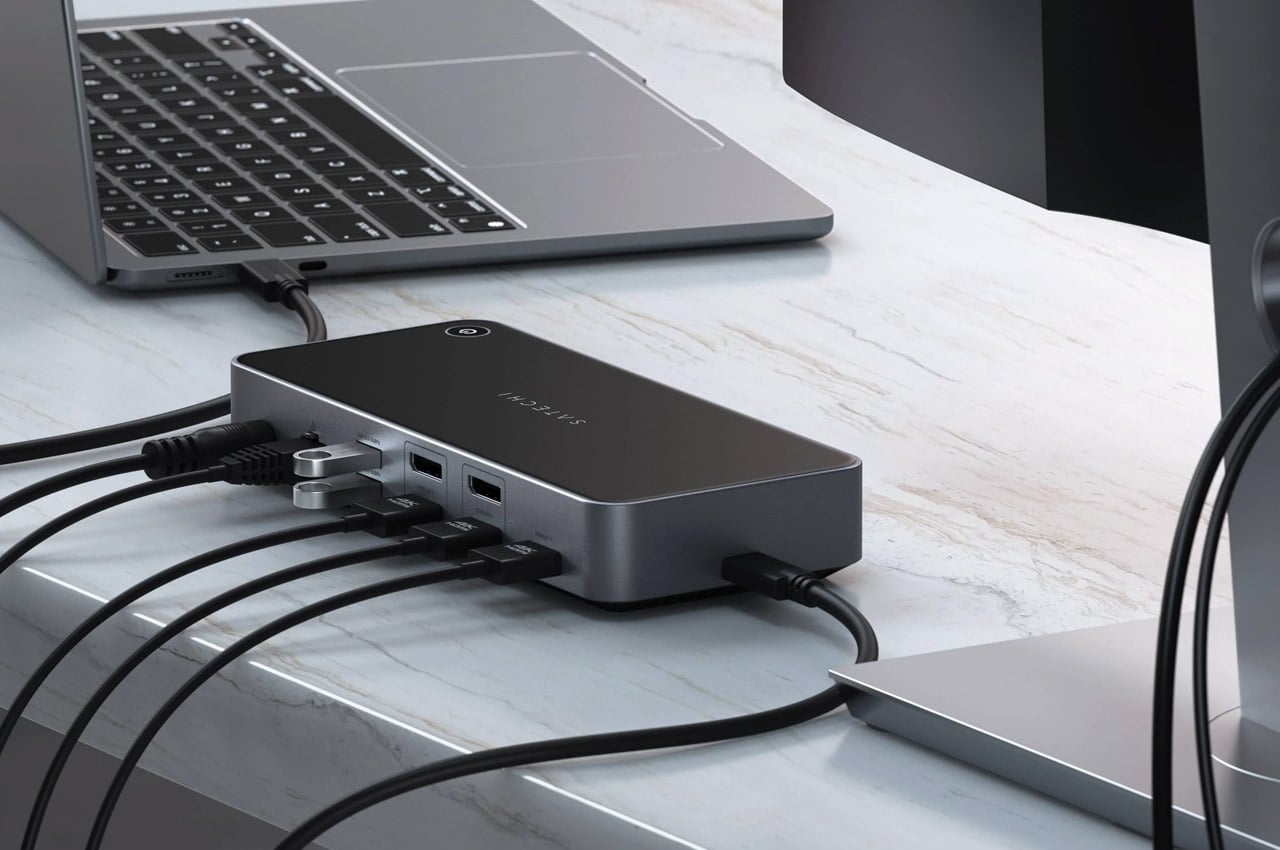
Dubbed the Triple 4K Docking Station, this innovative accessory smartly expands the limitations of your MacBook. The dock makes for an excellent fit for the M1 which has a single monitor, or even the M2 which can be extended to two screens. The docking station can extend to three extra displays, and it offers a 4K HDMI port at 60Hz, a pair of HDMI slots or even the DisplayPort outputs, creating a complete system.

7. FLIKK Laptop Stand & Sleeve

FLIKK Laptop Stand by Jexter Lim

Meet the FLIKK laptop stand and sleeve which is designed to overcome the drawbacks of traditional laptop stands. Typical laptop stands don’t offer the needed elevation and viewing angles, and this is where the FLIKK laptop stand and sleeve swoops in. It provides you with the desired viewing angle to create a comfortable and supportive working regime anytime and anywhere. It also transforms into a laptop sleeve to store your laptop as you move around.

8. HybridDrive

Say hello to the HybridDrive – which is the perfect combination of an external hard drive and a USB hub. It is designed to be an all-powerful accessory for your MacBook. It features a two-piece design that can be plugged into each other, and it is compatible with most USB-C devices. It features a multiport on one end, an SSD on another, and a USB-C interface connecting both ends. It seamlessly connects your portable devices and your desktop.

9. iMac

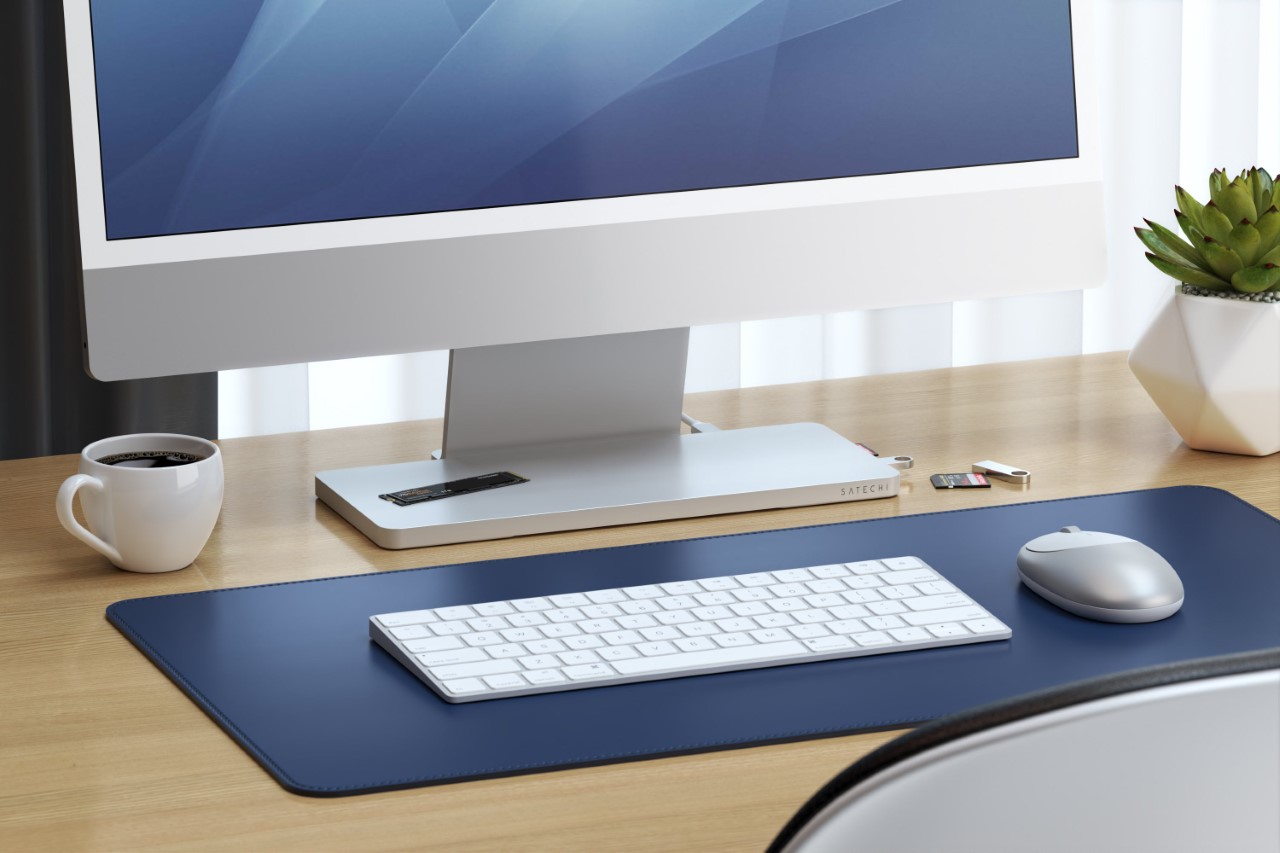
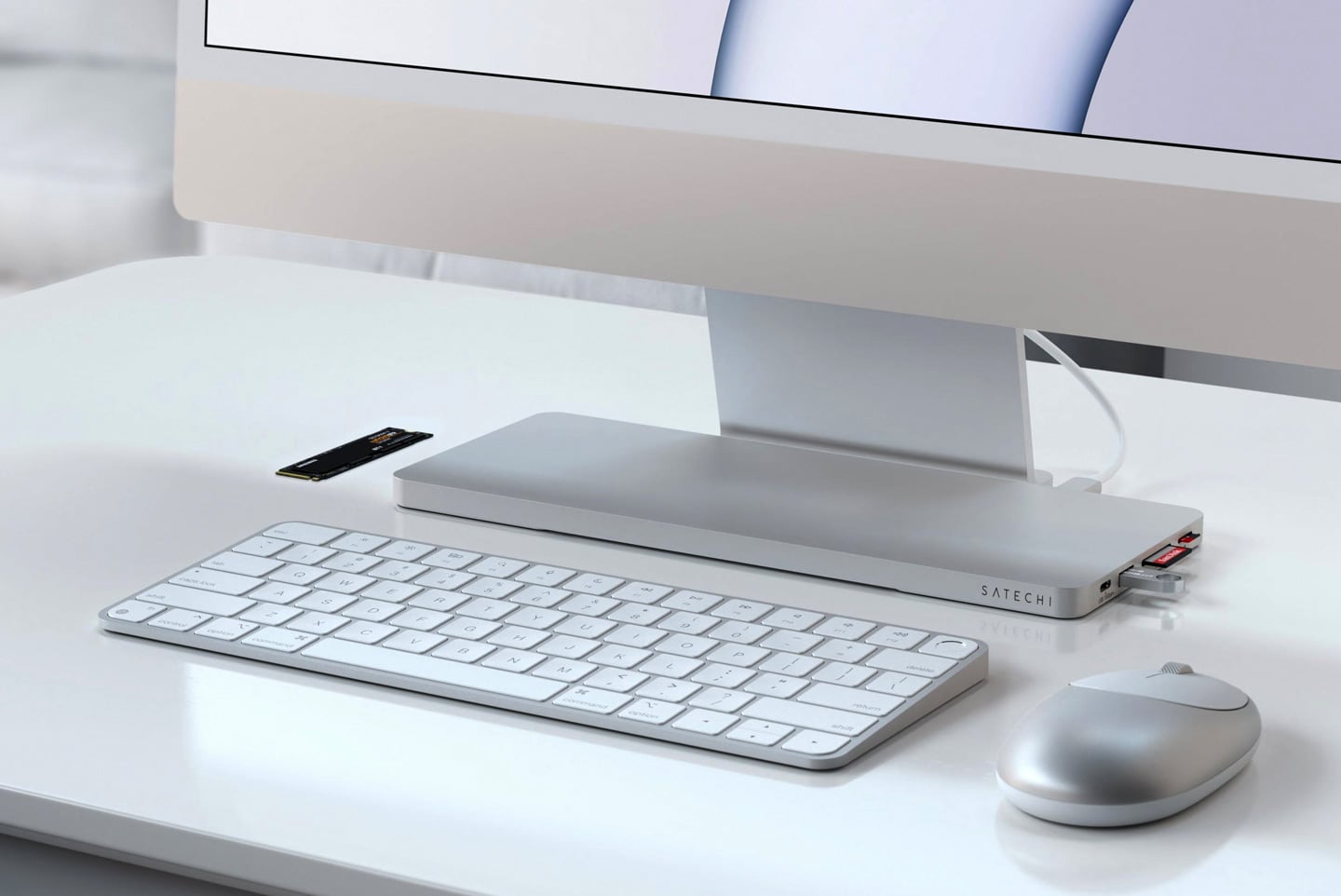
Called the Slim Dock, this accessory by Satechi looks as if it would be released by Apple itself. The sleek design elevates your 24″ M1 iMac with extra ports and extended SSD storage. It features the same machine aluminum outer as the iMac and is also available to purchase in the default silver. You could also go for the anodized blue color to match your blue iMac, creating a complementary pair.

10. SuperTank

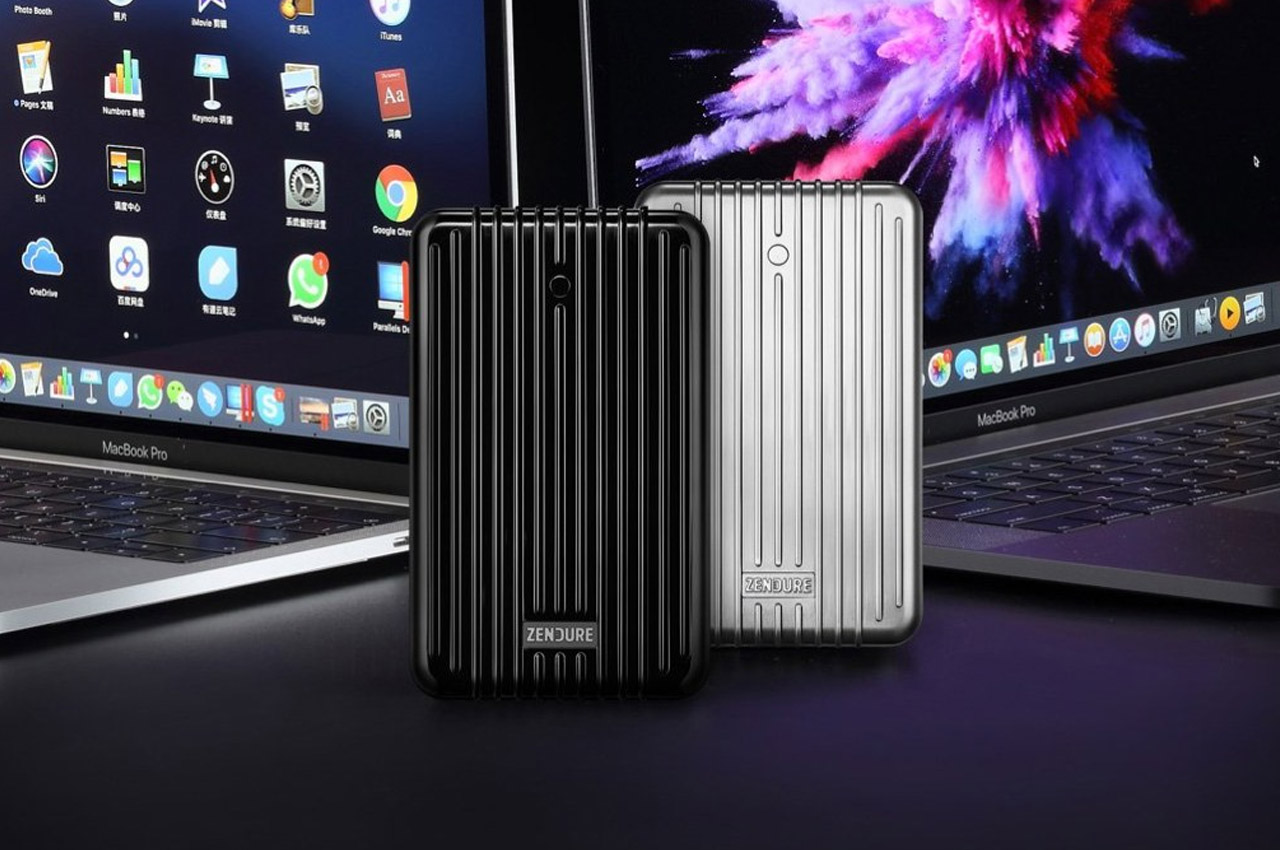
Dubbed the SuperTank, this 27,000 mAh portable charger can be powered in sixty minutes, and it is then ready for deployment. It features a dual USB-C PD (100W + 60W), and dual USB-A ports, which can quickly charge your MacBook pros and other devices as well. This is a boon to people who are always on the go since they don’t need to deal with excess wires, multiple power plugs, and compatible sockets – irrespective of where they are.

The post 10 Best Accessories Designed To Make Your MacBook More Efficient & Productive first appeared on Yanko Design.