Leaks suggest a Cheaper $249 version of the Nothing (2a) Smartphone under its CMF sub-brand

Nothing’s sub-brand, CMF, has carved a niche for itself in the tech world with various accessories. But it seems they’re about to step outside their comfort zone and enter the smartphone arena. Leaks suggest their first phone, the CMF Phone (1), might be a budget-friendly alternative to the recently released Nothing Phone (2a). According to reliable leaker and developer MlgmXyysd, the CMF Phone (1) borrows heavily from the Nothing Phone (2a)’s core specifications. It notably, however, comes in the signature CMF colors of black, white, or its iconic orange, and sports an alleged $249 price tag, undercutting the Nothing Phone (2a) by $100.

Designer: CMF by Nothing

Just like the (2a), the CMF Phone (1) is rumored to pack a MediaTek Dimensity 7200 chipset, a capable processor for everyday tasks. It’ll also likely share the same 5000 mAh battery capacity, offering long-lasting power on a single charge. However, the CMF Phone (1) might compromise a bit on fast charging capabilities. While the Nothing Phone (2a) supports 45W fast charging, the CMF Phone (1) is tipped for 33W. This translates to slightly longer charging times, but hey, the phone costs less than some GaN chargers!

The display seems identical on both phones – a generous 6.67-inch OLED panel with a smooth 120Hz refresh rate. This offers a clear and vibrant viewing experience, along with butter-smooth scrolling. The camera department on the CMF Phone (1) is still under wraps, with rumors suggesting a dual-camera system with a 50MP main sensor.

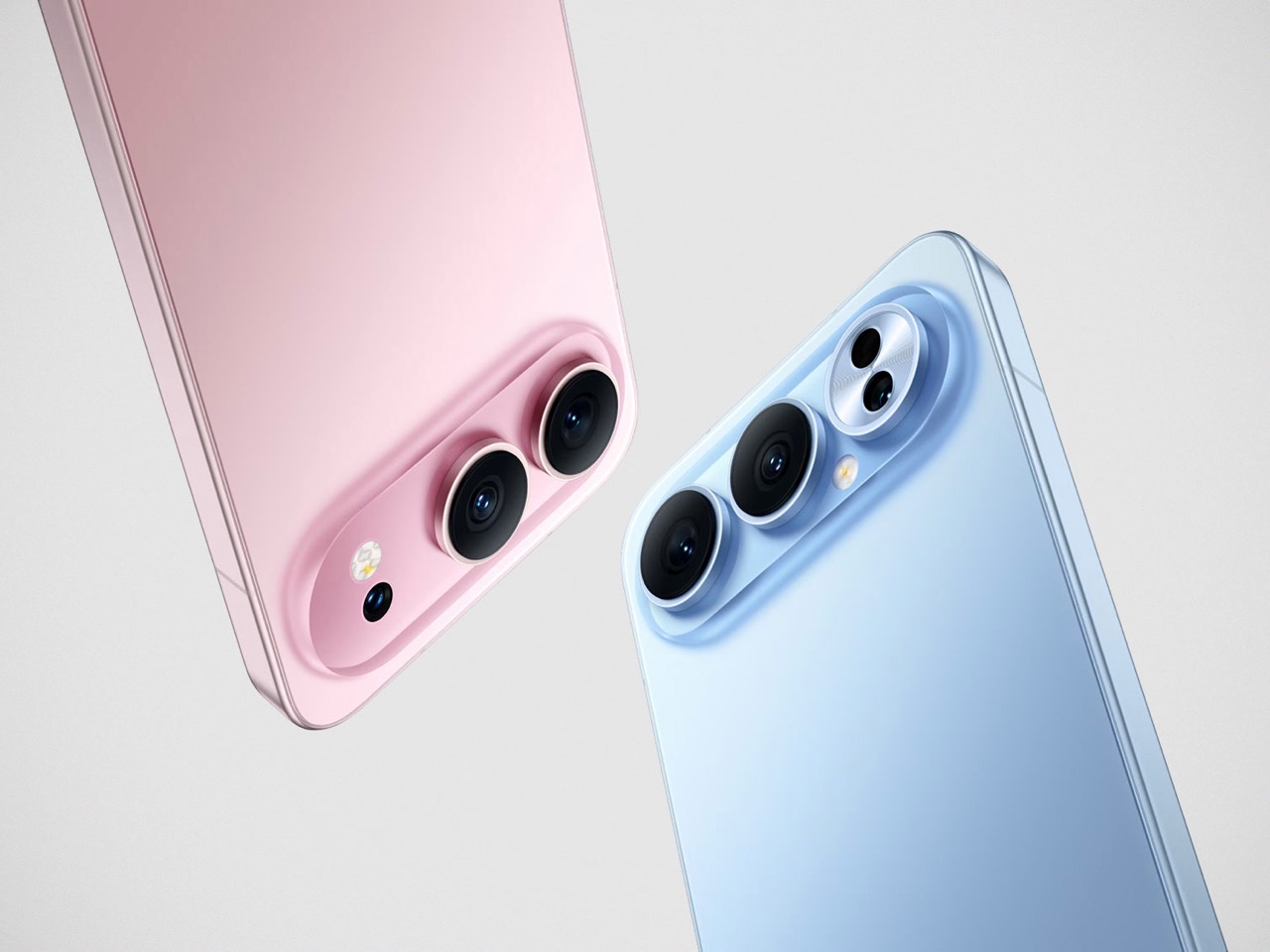
One key difference between the two phones could be in design. The CMF Phone (1) is expected to have a replaceable plastic back, a departure from the Nothing Phone 2a’s unique transparent design with integrated LED lighting elements. This plastic back might make the CMF Phone (1) more affordable to produce and potentially more durable for users who are prone to accidental drops.

The leaks also mention a “Nothing Lock” feature, which could be related to exclusive CMF accessories that snap onto the phone’s back using the replaceable cover. Storage options are said to range up to 256GB, paired with 8GB of RAM, offering ample space for apps and files for most users.

The CMF Phone (1) is expected to be a budget-conscious option, with a starting price rumored to be rather low, and although leaked images say €149, tipsters have suggested a price range of $249 to $279 USD. It is likely to come in a variety of colors, including Black, Green, Blue, and an India-exclusive Orange.

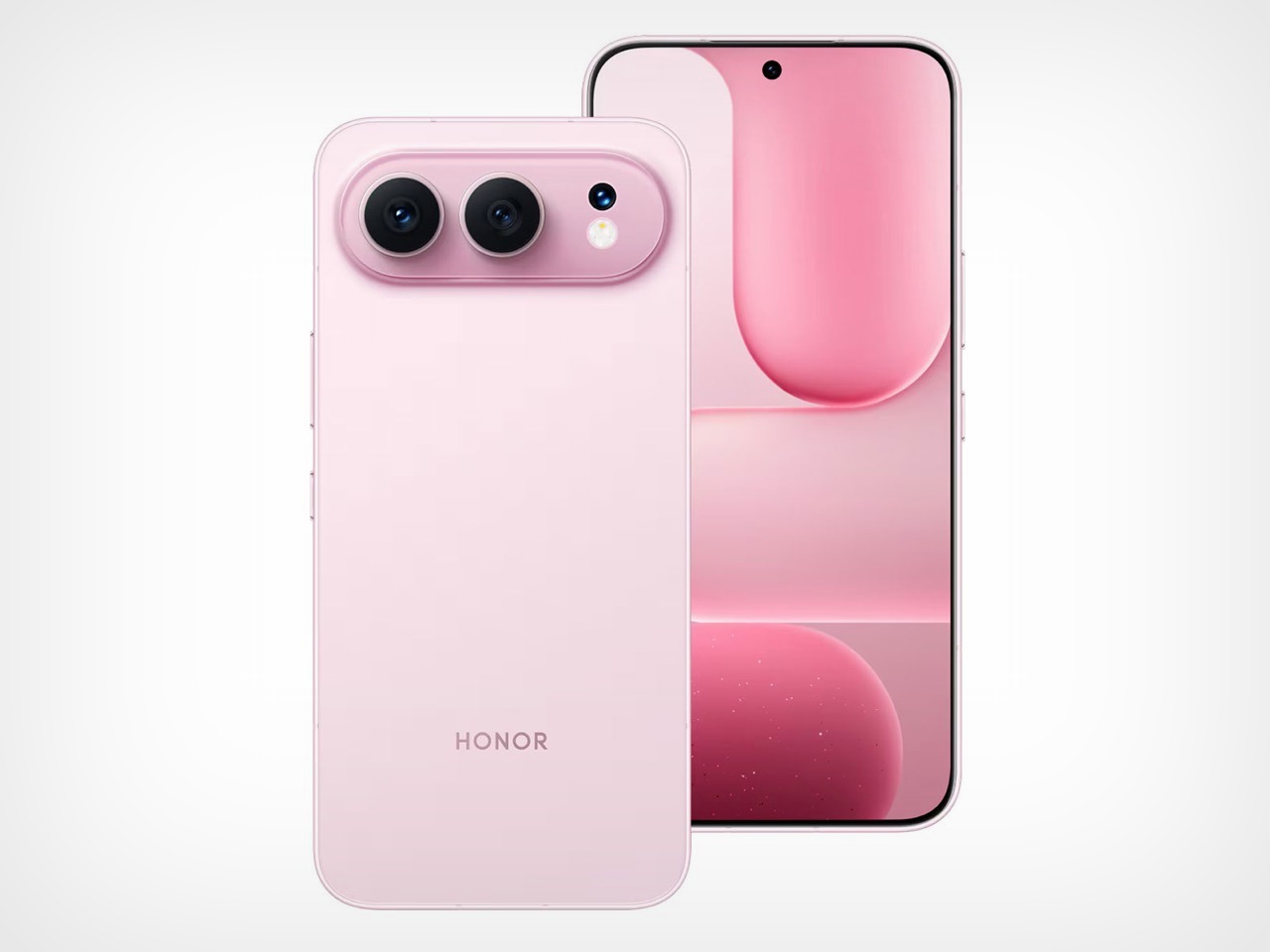
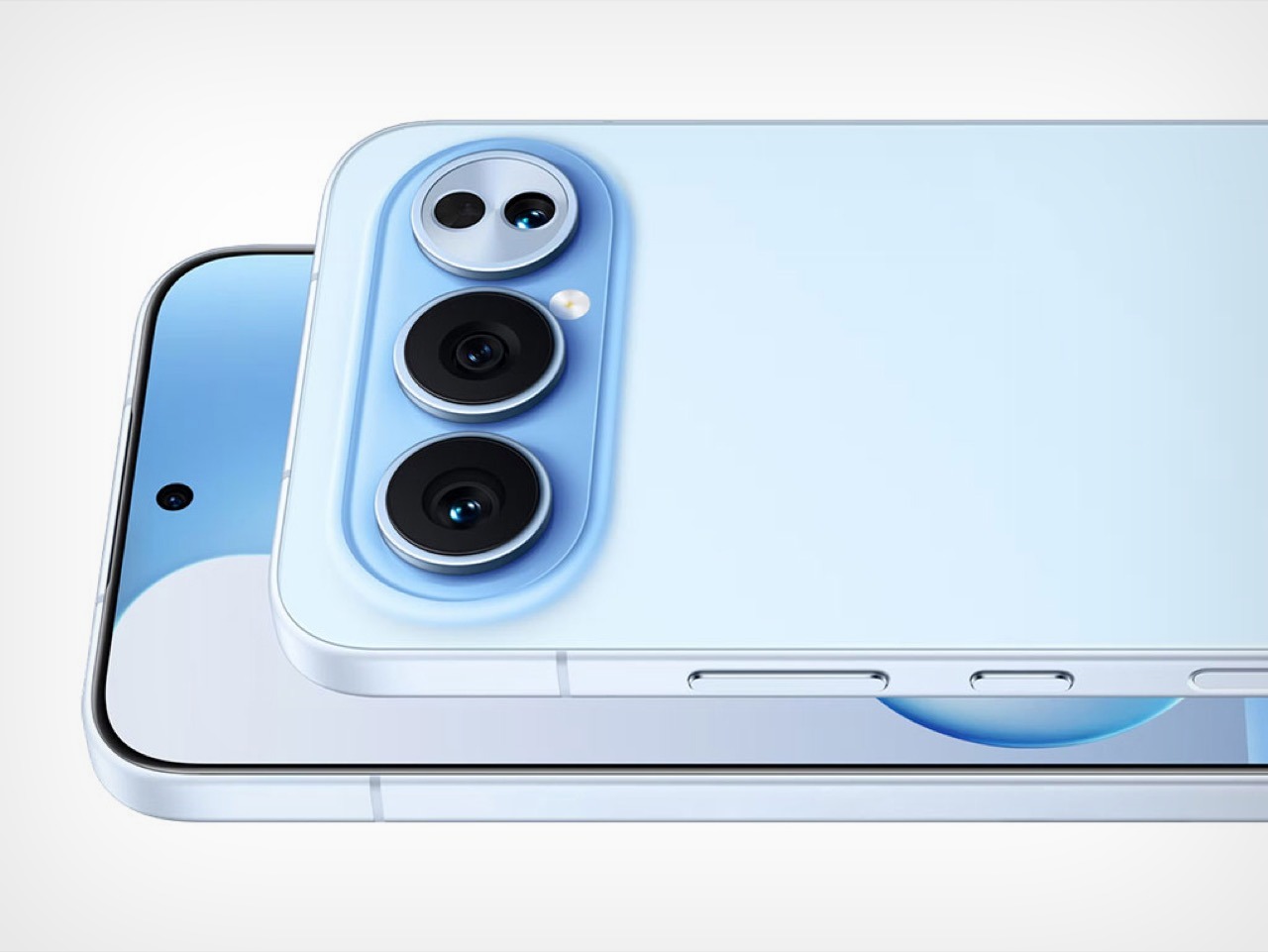
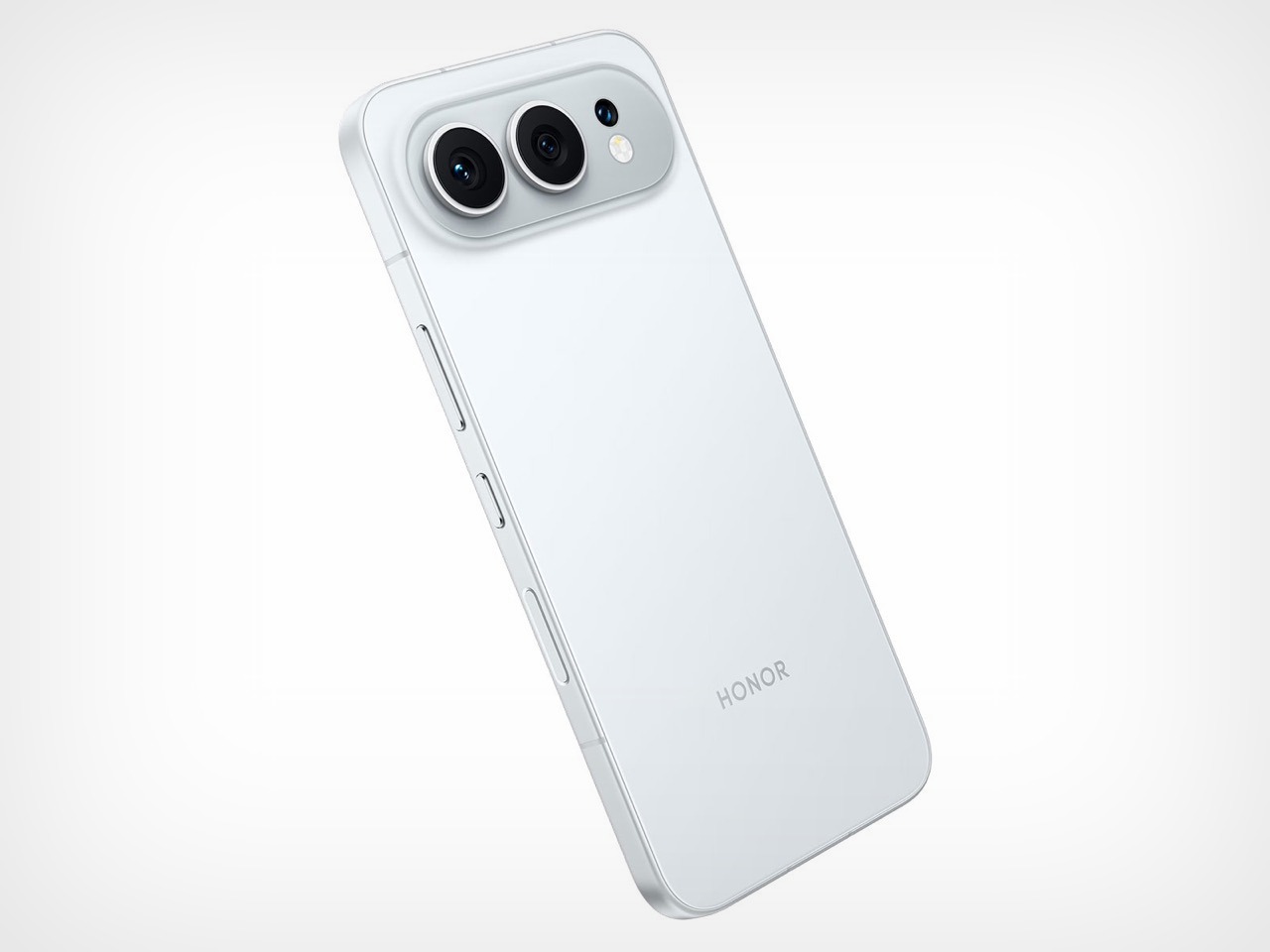
Leaked image of the alleged CMF Phone (1)

While it might not boast the same eye-catching design as the Nothing Phone (2a), the CMF Phone (1) could be Nothing’s Nord or Poco Phone moment, allowing it to become accessible to an even larger audience. With a large display, a capable processor, and a long-lasting battery, the CMF Phone (1) might shake up the budget smartphone market if these leaks hold true.

Image Credits: Sarang Sheth

The post Leaks suggest a Cheaper $249 version of the Nothing (2a) Smartphone under its CMF sub-brand first appeared on Yanko Design.
The Worst and Best Ways to Sharpen your EDC Pocket Knife

Everyday carry (EDC) knives are a trusty companion for many, whether you’re navigating the great outdoors or handling day-to-day tasks in the city. A sharp knife isn’t just a matter of convenience; it’s a crucial aspect of safety and functionality (you really don’t want to be stuck with a blunt knife in an emergency situation). However, maintaining that sharp edge can be a challenge, especially with the myriad of sharpening techniques and tools available. Some methods can enhance your blade’s performance, while others can cause more harm than good. Here, we delve into the worst and best ways to sharpen your EDC knife. Although these methods practically apply to knives of all kinds (like kitchen knives, etc.), we’re looking through the lens of maintaining EDC blades in particular, which people often spend hundreds of dollars on. An EDC knife might first and foremost be a knife, but for many, it’s also a work of art worth marveling at and collecting. Many of these knives are designed by experts and enthusiasts, requiring decades of skill, precise machinery (or sometimes even handcrafted mastery), and high-quality materials. Improperly caring for or sharpening such knives feels like a crime, doesn’t it? Let’s take a look at the worst, and the best ways to care for your EDC knife collection.

The Worst Ways to Sharpen an EDC Knife

1. Using a Glass Surface or Ceramic Mug

It might seem like a clever hack to use the unglazed bottom of a ceramic mug or a glass surface to sharpen your knife. After all, it’s often depicted in survival movies and touted in emergency preparedness forums (and guilty as charged, I’ve used this hack too). However, this technique is far from ideal for maintaining your EDC knife to perfection. The problem lies in the inconsistent abrasiveness of these surfaces. Ceramic mugs, while somewhat effective in a pinch, lack the uniform grit needed for a precise edge. The surface can be too coarse or too fine, leading to an uneven sharpening job. Moreover, using glass can cause the knife to slip, posing a safety hazard and potentially leading to a chipped blade. Sure, it’s a lovely hack that even Serious Eats recommends for home-chefs who don’t have their own honing rod or whetstone… but if you truly care about your EDC collection, the bottom of a mug isn’t the best place to be sharpening your prized knives.

2. Power Tools Like Bench Grinders

Power tools such as bench grinders might seem like a quick and easy solution to sharpen your knife, but they are more suited for heavy-duty tasks like reshaping tools rather than fine-tuning delicate knife edges. The primary issue with using a bench grinder for your EDC knife is the excessive heat generated during the grinding process. This heat can cause the steel to lose its temper, resulting in a blade that is brittle and prone to breaking.

Additionally, bench grinders remove material VERY quickly, which can lead to an uneven edge and significant wear on your blade. The aggressive nature of these tools makes it challenging to control the sharpening process, increasing the risk of creating an uneven bevel or completely ruining the knife. For those who value precision and the longevity of their knife, bench grinders are best avoided for routine sharpening tasks.

3. Cheap, Coarse Pull-Through Sharpeners

Pull-through sharpeners are widely available and often marketed for their convenience and ease of use. However, a cheap one off AliExpress or Temu will do you much more harm than good. The problem with pull-through sharpeners is that they use fixed abrasive materials that can remove too much metal from your blade unevenly. This aggressive removal process can damage the edge, leading to a shorter lifespan for your knife.

Moreover, these sharpeners usually set a fixed angle that may not match the original bevel of your knife, resulting in a less efficient cutting edge. The convenience of pull-through sharpeners comes at the cost of precision and control, which are crucial for maintaining a high-quality edge on your EDC knife. Instead of opting for these quick fixes, consider more controlled methods that allow you to maintain the knife’s intended geometry and sharpness.

4. Improvised Rock Sharpening

While it might be tempting to use natural rocks as makeshift sharpeners, especially in a survival situation, this method is highly inconsistent and can cause significant damage to your knife. Rocks found in nature vary widely in their abrasiveness and can introduce grit or contaminants that scratch and dull the blade rather than sharpen it. The uneven surface of a rock can also lead to an inconsistent edge, making your knife less reliable.

In emergency situations where no other options are available, using a rock might be your only choice. However, it should not be a regular practice for maintaining your EDC knife. For routine sharpening, it’s best to stick to purpose-made tools that provide a consistent and controlled sharpening experience, ensuring your knife stays in top condition.


The Best Ways to Sharpen an EDC Knife

1. Whetstones

Whetstones are the gold standard for sharpening knives, offering a controlled and precise method for maintaining your blade. They come in various grits, typically ranging from coarse to fine, allowing you to handle everything from reshaping a damaged edge to polishing a razor-sharp finish. Using a whetstone requires some practice and patience, but the results are well worth the effort.

Start by soaking the whetstone in water (if it’s a water stone) to ensure smooth sharpening. Place the stone on a stable surface and hold your knife at a consistent angle, typically around 15-20 degrees. Begin by using the coarse side of the stone, moving the blade in a smooth, sweeping motion across the stone to establish a new edge. Once you have a burr (a slight ridge of metal along the edge), switch to the finer side of the stone to refine and polish the edge.

Whetstones allow for a high level of control over the sharpening process, ensuring that you can maintain the original bevel and achieve a razor-sharp edge. The investment in a good set of whetstones pays off in the quality and longevity of your knife’s edge, making it a must-have for serious knife enthusiasts.

2. Diamond Stones

Diamond stones are another excellent option for sharpening EDC knives. They are composed of small, industrial-grade diamonds embedded in a metal plate, making them extremely durable and effective at quickly sharpening a blade. Unlike whetstones, diamond stones do not require soaking, and they can be used dry or with a little water for lubrication.

One of the significant advantages of diamond stones is their consistency and speed. They can remove material more efficiently than traditional whetstones, making them ideal for quick touch-ups or more substantial sharpening tasks. To use a diamond stone, follow a similar process to whetstone sharpening: maintain a consistent angle and use smooth, controlled strokes to sharpen the blade.

Diamond stones come in various grits, allowing you to perform coarse sharpening and fine-honing with the same tool. Their durability and ease of use make them a favorite among knife enthusiasts who want a reliable and efficient sharpening solution.

3. Ceramic Rods

Ceramic rods are excellent for honing, which is the process of maintaining an already sharp edge rather than performing a full sharpening. These rods are typically used after sharpening with whetstones or diamond stones to refine the edge and keep it in top condition between more intensive sharpening sessions.

Using ceramic rods is straightforward. Hold the rod vertically or at a slight angle and draw the knife blade down the rod, maintaining a consistent angle. Repeat this process on both sides of the blade, ensuring even honing. Ceramic rods are gentle on the knife’s edge and help maintain its sharpness without removing significant material.

For EDC knife users who want to keep their blades in peak condition with minimal effort, ceramic rods are an excellent tool for regular maintenance. They are compact, easy to use, and effective at keeping your knife sharp and ready for action.

4. Stropping

Stropping is the final step in achieving a razor-sharp edge and involves using a leather strop to polish and refine the blade. A strop is typically a piece of leather mounted on a flat surface or a hanging strip, and it may be used with or without a stropping compound to enhance its effectiveness.

To strop your knife, hold the blade at a consistent angle and draw it backward along the leather, moving away from the edge to avoid cutting into the strop. Repeat this process on both sides of the blade. Stropping removes any remaining burr from the sharpening process and polishes the edge to a mirror finish.

This step is essential for achieving the highest level of sharpness and ensuring the blade cuts smoothly and effortlessly. Stropping is an easy and effective way to maintain your knife’s edge, especially when combined with regular sharpening and honing.

5. Professional Sharpening Services

Sometimes, leaving the sharpening to the professionals is the best choice, especially if your knife is very dull or damaged. Professional sharpening services use a combination of techniques and tools to restore your blade to its optimal sharpness without risking its integrity.

Professionals typically use high-quality whetstones, diamond stones, and other precision tools to achieve a perfect edge. They have the experience and skill to handle various blade types and steels, ensuring that your knife is sharpened correctly and efficiently.

Using a professional service can be particularly beneficial for those who lack the time or confidence to sharpen their knives themselves. It’s an investment in the longevity and performance of your EDC knife, providing peace of mind that your blade is in expert hands.

6. Guided Sharpening Systems

Guided sharpening systems are designed to make the sharpening process foolproof by providing preset angles and multiple sharpening options. These systems often include ceramic stones, diamond plates, and strops, offering a comprehensive solution for maintaining your knife’s edge.

Using a guided system is straightforward. The knife is clamped into the device, and the sharpening stones are guided along the blade at a consistent angle. This setup ensures that even beginners can achieve a precise and consistent edge without the guesswork involved in freehand sharpening.

Guided sharpening systems are an excellent choice for those who want a reliable and user-friendly way to keep their EDC knives sharp. They take the complexity out of the sharpening process, making it accessible to everyone, regardless of skill level.


Maintaining a sharp edge on your EDC knife is essential for its performance and safety. While there are many methods to sharpen a knife, not all are created equal. Techniques like using a ceramic mug, power tools, and cheap pull-through sharpeners can cause more harm than good, leading to a damaged or dull blade. On the other hand, investing in quality tools like whetstones, diamond stones, ceramic rods, and guided sharpening systems ensures a sharp, reliable edge.

For those who prefer a professional touch, professional sharpening services offer an expert solution,

while stropping provides the final polish to achieve a razor-sharp finish. By choosing the right sharpening methods and tools, you can keep your EDC knife in top condition, ready to tackle any task with ease and precision.

So, the next time you consider sharpening your knife, skip the makeshift methods and opt for techniques that will enhance your blade’s performance and longevity. After all, a well-maintained knife is a cut above the rest, ready to slice through your daily challenges without a hitch. Just remember, keep the dishwasher for your dishes and the bench grinder for your tools—your knife deserves better.

The post The Worst and Best Ways to Sharpen your EDC Pocket Knife first appeared on Yanko Design.
These Absurd TWS On-Ear Headphones are like if someone combined the AirPods and AirPods Max

Although most people would call these headphones an abomination, I kind of think the ADV. Spider TWS on-ear headphones are the good kind of weird. They come with drivers as big as the ones you’d see on headphones, but are designed to be individual earpieces like most TWS earbuds. The result is almost Princess Leia-ish, with two cans attached to each ear, giving you a TWS earbud experience but with the power-packed audio punch of much bigger headphones. And the headband on top? Well, that’s extinct now, just like the headphone jack…

Designer: ADV.

TWS earbuds offer a distinct benefit – they’re ridiculously compact, and don’t have wires or cables that get tangled or broken. However, they don’t match the sound output of larger headphones. On the flipside, larger headphones have MUCH better audio output, but they’re significantly bulkier than TWS earbuds. ADV.’s Spider headphones try to create a bizarre but funky compromise. In what I can only describe as subtractive design at its best, these TWS on-ear headphones remove the one thing giving wireless headphones their bulk – the headband. By making large earpieces with ear-stems (like the kind you see on hearing aids or spectacles) , the Spider TWS on-ear headphones let you strap great audio directly to your ears. No headband, no bulk, no problem. Plus, these headphones don’t need a case either the way TWS earbuds do. Just slip them into your pocket or bag and you’re good to go. With TWS earbuds, the case does three distinct jobs – charging the earbuds, protecting the earbuds, and allowing you to quickly differentiate between the left and right earpiece. The lack of a case with the Spider headphones means it becomes slightly more difficult to tell the left and right wearables apart… but a clever design detail fixes that. A red ear stem on the right earpiece lets you quickly identify which headphone is which, letting you quickly and correctly wear your TWS headphones every single time.

Channeling the retro vibes of classic Sony or Koss headphones, the Spiders sport a familiar aesthetic. But under the hood, they’re packed with modern tech. At the heart of the sound experience lies a 30-millimeter dynamic driver, a well-regarded size for delivering clear and balanced audio across genres. The 30mm drivers deliver a frequency response of 20Hz to 20kHz (encompassing the full range of human hearing), and an impedance of 32 ohms, which means they should work well with most devices without needing a dedicated headphone amplifier. It’s worth noting that the headphones currently only support the SBC Bluetooth codec, a widely compatible option, but not the highest fidelity one. The headphones boast an impressive sensitivity of 105 decibels, ensuring they can get plenty loud without distortion.

Connectivity is handled by Bluetooth 5.2, ensuring seamless pairing with most smartphones, laptops, and tablets. Gamers will appreciate the inclusion of a low-latency mode, which minimizes audio delay for a more responsive experience. Perhaps the most compelling feature for everyday users is the lengthy battery life (which is another benefit of that large size). ADV. claims the Spider TWS can deliver up to 28 hours of listening on a single charge, making them ideal for long commutes, workdays, or travel adventures.

What’s most bizarre about the ADV. Spider headphones, however, is its price tag. You’d expect it to be in AirPod Pro or AirPod Max territory, given its size and novelty, but the TWS on-ear headphones start at just $35, which is quite the steal. The headphones are currently available for preorder on Drop.com’s website, with shipping estimated in July.

The post These Absurd TWS On-Ear Headphones are like if someone combined the AirPods and AirPods Max first appeared on Yanko Design.
LARQ just casually designed the world’s smartest self-cleaning water bottle

Let’s face it. Water is good, but single-use plastic isn’t. The folks at LARQ want to bridge that gap by making hydration easy for you and the planet. After working on a “self-cleaning” pitcher and bottle in the past, the company is back with the LARQ Bottle PureVis 2, or what just happens to be the most cutting-edge bottle we’ve seen. LARQ calls it the “ultimate hydration companion — which by all accounts appears to be true, with UV purification, filtration, hydration reminders, and app connectivity all rolled up in a neat well-designed package. The larger of the two sizes of bottles holds 1 liter of water, and periodically sanitizes using a UV light built into the bottle’s cap. Dubbed the “PureVis technology”, this system eliminates up to 99.9999% of bio-contaminants. Then, proprietary Nano Zero filters remove chlorine and PFOA/PFOS from your drinking water with each sip, ensuring your water is pure and tastes great. Each bottle is also accompanied by a hydration tracking system via the LARQ app which sets reminders to help you achieve your hydration goals. It’s a complex system that’s all designed with a singular goal — to help you drink more water without any of those single-use plastics making their way into our landfills and our Earth.

Designer: LARQ

Click here to Buy Now: $79 $119 ($40 off). Hurry, only 27/345 left! Raised over $528,000.

The LARQ Bottle PureVis 2 is an elegant upgrade to the company’s Bottle PureVis from 2017. The bottle keeps its flagship technology, PureVis™ to clean drinking water by killing bacteria and microorganisms like E.coli and Salmonella in seconds. In this second iteration, LARQ has added several nifty upgrades that we’ve all been waiting for. For the first time ever, LARQ Bottle PureVis 2 now has purification and filtration in one.

The two stages include a UV-purification stage that carries over from the PureVis Pitcher, a fan favorite for the home. The UV light kicks in automatically every two hours, or can be activated simply by pressing the button on top of the bottle’s lid, giving your water (as well as the bottle itself) a round of disinfection to obliterate 99.9999% of bio-contaminants. Sure, that’s a whole lot of 9s, but any math or science buff can tell you that it’s impossible to achieve 100% certainty. While the PureVis system works periodically, the bottle’s sipper comes outfitted with LARQ’s Nano Zero filters which remove harmful contaminants like Chlorine, Perfluorooctanoic acid (PFOA) and perfluorooctane sulfonic acid (PFOS), chemicals that are often found in drinking water that are known to be bad for you. The Nano Zero filters trap these contaminants, ensuring your drinking water is pure beyond EPA standards for consumption.

Track: Set your goals to improve hydration. Remind: Customize reminders to elevate your hydration game. Insights: Turn insights into action and stay on top of your goals.

Clean water, however, as LARQ founder Justin Wang will tell you, isn’t the biggest problem when it comes to drinking adequate amounts of water — it’s that people simply forget to drink water. You can lead a horse to the river, as they say… but it takes that extra push to motivate you to drink enough water. That’s why LARQ is building a companion app that will integrate seamlessly with Bottle PureVis 2, which includes hydration tracking and reminders which connect to sensors in the Bottle PureVis 2 cap to light up when it’s time to take another sip. The app tracks your hydration, measures it against your goals, sends push notifications, and even ties in with your fitness app for an overall health analysis. If that somehow seems like technological overkill to you, the bottle even has a reminder LED ring around the lid that will tell you when it’s time to drink more water – a simpler way to get you hydrated more often.

Download the LARQ App: Track, monitor, and manage your LARQ Bottle PureVis™ 2

The entire purification system and hydration tracking tech fits perfectly into the LARQ Bottle PureVis 2’s elegant design. A double-wall insulated outer shell ensures your water stays at the temperature you want, a removable handle makes it easy to carry your bottle around with you, and the bottle’s lid encourages both sipping and swigging, catering to both kinds of drinking styles. A USB-C port on the lid helps charge your LARQ Bottle PureVis 2 with ease, one charge lasts 2-3 weeks of use. The bottle will come in 4 colors and two sizes – 680ml (23 oz) and 1 liter (34 oz), both of which are perfect for taking on the go. Pre-order now for up to $40 off the retail price.

Click here to Buy Now: $79 $119 ($40 off). Hurry, only 27/345 left! Raised over $528,000.

The post LARQ just casually designed the world’s smartest self-cleaning water bottle first appeared on Yanko Design.

Tiny yet Mighty Titanium + Carbon Fiber Pocket Knife is Smaller and Lighter than your House Key

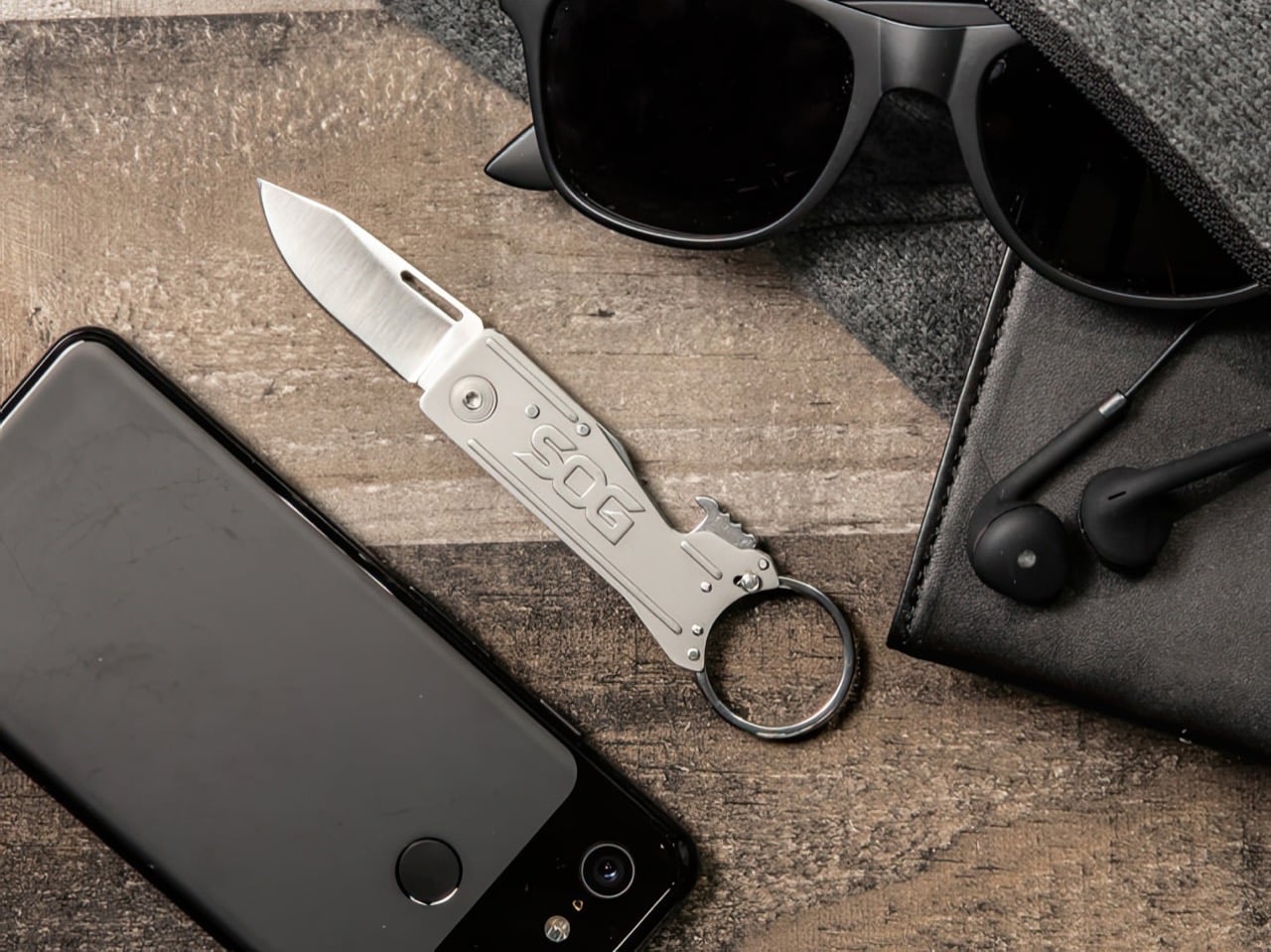
It doesn’t get smaller than this, lighter than this, or more viciously sharp than this. Measuring a mere 57mm (2.5 inches) when shut and weighing just 5.6 grams (0.19 ounces), the WaspArmor Micro Folding Scalpel floats like a butterfly and stings like a bee… or a wasp, as its name would suggest. Its titanium and carbon fiber body gives it a classy-yet-durable build, and the replaceable scalpel blade means never having to sharpen your knife ever again. Quite impressive for a blade tiny enough to attach to your keychain.

Designer: AlloyX

Click Here to Buy Now: $39 $55 (29% off) Hurry! Only 15 left of 560 units.

Smaller than even your index finger when closed, the WaspArmor is like the chihuahua of pocket knives, tiny yet so audacious and aggressive you’re bound to take it seriously. The knife comes with a few clever tricks up its sleeve, but it all starts with the titanium and carbon fiber construction. Both materials are known for their incredible strength-to-weight ratio, which made them the perfect selection for the WaspArmor knife. The Titanium body gives the knife its durability, resilience, and ability to withstand corrosion, etc. Three carbon fiber inserts on the sides of the handle give the WaspArmor a unique aesthetic while providing a mildly textured grip that makes holding and maneuvering the scalpel easy.

A simple fold-out arm reveals the WaspArmor’s small but seriously sharp blade. While most pocket knives come with their own built-in blades, the WaspArmor relies on standard Scalpel blades that clip right into the knife’s design. The reason for this is three-fold – for starters, scalpel blades are deadly sharp. They glide right through pretty much anything, making them perfect for opening boxes, piercing packets, whittling wood, or even slicing tough paracord. The pointed tip and sharp edge make the scalpel blade a formidable piece of hardware, and these blades are readily available, which means you can simply buy a pack of them (they even come in different designs) for replacing whenever.

The second reason is that instead of sharpening/maintaining your WaspArmor, you can simply ditch an old blade for a new one, saving energy and time, while keeping your knife fresh and usable for decades. The third reason is that a knife with a removable blade is invariably TSA-safe. In case you happen to have the WaspArmor on you while entering an airport, you can simply ditch the blade and carry the rest of the knife with you. Removing and replacing the blade on your WaspArmor is easy but not too easy that the blade comes apart on its own. The blade can only be removed when the knife is open at a 120° angle, ensuring it never comes undone by accident.

The WaspArmor’s compact design still has enough room for clever detailing. A hidden back-lock lets the blade snap into its open position, so the blade doesn’t accidentally shut while in use. The handle’s small design is still ergonomic to hold and use, which is quite a functional win for anyone who’s serious about buying and using this knife on a daily basis. The compact handle still has enough space for a cutout that you can slide a lanyard/carabiner through or even your keychain ring. The knife is small and light enough to sit among your keys, being accessible in a split second, whenever you need a cutting instrument.

That small, accessible size is what makes the WaspArmor so incredible. You could use it to open Amazon parcels, sharpen pencils, cut tiny twigs/branches outdoors, scrape a flint to start a fire, slice through a paracord, cut a seatbelt to get out of a messy situation, or even defend yourself with a tough, sharp blade that will never disappoint.

Each WaspArmor features a CNC-machined Titanium handle, with those Carbon Fiber inserts that give the overall knife its distinct character. Even though it’s a tiny piece of EDC, it’s designed to be reliably safe, with the blade holding its position, and the swinging arm locking in both open and closed modes, so your knife doesn’t accidentally disassemble or worse… hurt anyone. The WaspArmor Micro Folding Scalpel starts at a discounted $39, which includes the WaspArmor itself, along with 10 replaceable scalpel blades (you can buy more at any medical or stationery store), a titanium keyring, and free global shipping.

Click Here to Buy Now: $39 $55 (29% off) Hurry! Only 15 left of 560 units.

The post Tiny yet Mighty Titanium + Carbon Fiber Pocket Knife is Smaller and Lighter than your House Key first appeared on Yanko Design.
This Actually Playable LEGO Tetris Set Celebrates the Digital Game’s 40th Anniversary

Not only does this LEGO set let you slide bricks into place, it comes with a randomized brick generator, and even a scoreboard to capture your score!

A perfect tribute to one of the world’s most influential digital games (with perhaps the most riveting backstory of any game ever), this LEGO Ideas set comes from the mind of LEGO Builder ‘victorvey300’ who wanted to pay a hat-tip to Tetris on its 40th anniversary which first made its appearance in Russian game circles back in the early 80s, finally finding its way to Nintendo’s first Game Boy in 1985. The LEGO set comes in the form of a box with a lid that doubles as the game’s screen. Bricks sit in a container below, controls can be found on the bottom right, and the top right acts as a leaderboard. When all’s done, the box closes shut, ensuring that bricks don’t get lost.

Designer: victorvey300

Not to spoil the AppleTV+ movie for you, but the Tetris game has one of the most nail-biting backstories of all time. Developed by Alexey Pajitnov, a resident of the Soviet Republic in the 80s, Tetris was circulated heavily within the USSR on bootlegged floppy disks and finally made its way to an American sales representative for a gaming company. What ensued was literally Cold War espionage at its best. Henk Rogers, the American rep who discovered Tetris tried to buy the rights to the game on behalf of Nintendo, which was working on the first Game Boy handheld console. Tetris was to be a part of this revolutionary portable gaming device, but the Soviets weren’t ready to sell Tetris to any outsider without putting up a fight (all hardware and software sales outside the Union were controlled/authorized by a government agency). In the end, Pajitnov managed to escape Russia and also ended up selling the rights to Tetris, which featured on the first Game Boy, becoming the global sensation it is today. As a tribute to this story and to Alexey himself, the LEGO Ideas kit also comes with a minifigure of Pajitnov standing beside an old-school computer!

The beauty of this LEGO build lies in just how much attention to detail it has. The vault-shaped kit has Tetris graphics on the outside (with branding), and the inside is simply filled with features and details that allow as many as 6 players to actually play a full game of Tetris, complete with brick generators that tell you what the next brick should be.

Playing the game is delightfully simple. Bricks sit in a bin at the bottom, the playable area or the matrix grid is right in front with vertical channels to slide bricks down, and a treadmill-shaped panel on the bottom right lets you scroll to see what your next brick should be. Scroll with your right hand, find the corresponding brick with your left and drop it down the channel of your choice. It slides down instantly, landing in place just the way it would in a game. The only real difference is that you need to choose each brick’s orientation and position before you drop it into the channel. Pieces don’t rotate or move once they’ve been slid in.

A game of digital Tetris can go on for HOURS because every time you complete a row, it disappears, helping clear out a part of the screen for more gameplay. That feature doesn’t exist in this LEGO version, which makes for a fairly shorter game… but calculating scores is much easier, allowing you to correspond the uppermost complete row to the line on the scoreboard right beside it. You can, however, reset the entire game in a flash by hitting the red Reset button on the left side of the matrix grid and have all the bricks drop down into the bin below. The alternative would be to manually lift each brick out of the lid, which sounds a little too problematic…

The Tetris bricks are referred to as tetrominoes, and come in 7 shapes that correspond with letters of the alphabet (I, O, T, J, L, S, and Z). The bricks are color-coded to make things easier to understand (after all, we recognize colors MUCH faster than we do shapes) for all people, and the game allows as many as 6 players, with colorful studs that you can press into the scoreboard to mark your highest scores.

This LEGO kit comes from the mind of independent builder victorvey300, who put his passion for LEGO and his love for Tetris together to create this incredibly comprehensive MOC (my own creation). Victor’s submission is a part of LEGO’s Ideas forum, a community-driven site where passionate LEGO creators build their own structures and users vote for their favorite ones. With over 5000 votes, this LEGO Tetris set is cruising comfortably to hit the 10,000 vote mark, which is then followed by LEGO’s own internal team reviewing the submission before turning it into a retail set. If you want, you can vote for the LEGO Ideas Tetris set too simply by visiting the LEGO Ideas website here.

The post This Actually Playable LEGO Tetris Set Celebrates the Digital Game’s 40th Anniversary first appeared on Yanko Design.
Compact MagSafe Flashlight is perfect for everything from iPhone photography to outdoor adventures

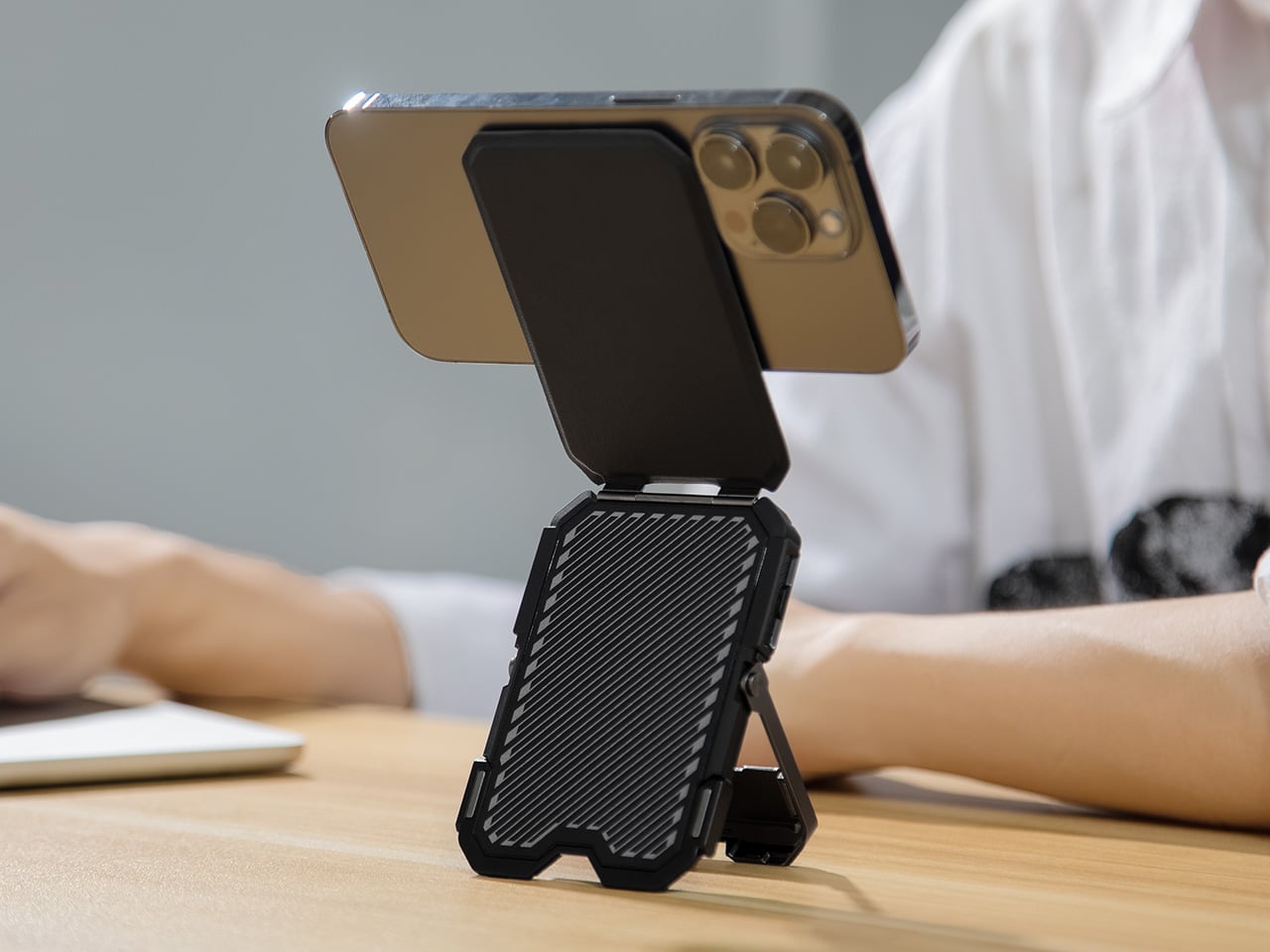
With a stunning 300 lumens of brightness, the WUBEN E1 is 6 times more powerful than your smartphone flashlight, making it perfect for selfies, vlogging, outdoor trips, emergencies, and even reading. The best part, it snaps right onto the back of your phone, giving you a compact ring-light on demand, so you don’t have to use your phone’s crummy excuse for a flashlight. And when you’re not using the light, you can use it as a stand to prop your phone up at any angle.

The WUBEN E1 is proof that MagSafe was an incredible idea. While Apple merely designed the feature to support chargers and attach wallets, MagSafe has spawned a whole host of third-party accessories, from finger grips to tripods, power banks, EDC, and now the E1 flashlight. A perfect example of an accessory that nobody knows they want but everyone definitely needs, the WUBEN E1 straps a powerful lighting device to the back of your phone. Much more effective than your smartphone’s native flashlight, the WUBEN E1 sports a ring of 28 LEDs that create a bright ring light that’s perfect for selfies or for exploring the outdoors. The light sits on a hinge that serves as a stand for your phone, while also letting you face the light forwards or backward, giving you the option of even using it for selfies. Plus, multiple brightness levels and three color temperature settings (warm, neutral, cool) give you way more freedom than your smartphone flashlight could even dream of.

Designer: WUBEN

Click Here to Buy Now: $39 $49 (20% off) Hurry, limited units at discounted price. Raised over $133,000.

For context, the iPhone 15’s flashlight maxes out at 50 lumens – ask any photographer and they’ll tell you that is far too little for effective flash photography. The WUBEN E1, however, overshoots the smartphone flashlight’s brightness by about 6x, giving you a light that’s much more effective in a variety of scenarios, whether it’s finding your keys in the dark or taking beautiful low-light selfies.

Slightly smaller than a hockey puck, the WUBEN E1 packs a series of 28 LEDs in its compact design, and can be used either independently or while securely snapped to the back of your MagSafe-compatible smartphone. On its own, the WUBEN E1 is a pretty handy little flashlight that can be held in your hand, attached to the hood of your car (or any metal surface), or even propped up on any flat-ish plane for instant lighting. Snap it onto the back of your smartphone, however, and you’ve got yourself a powerful tool for selfies, vlogging, or even outdoor adventures.

The WUBEN E1 operates entirely thanks to a crown located on the rim beside the LEDs. Similar to the ones found on a watch, the crown can be pushed to activate the light or cycle through temperature settings, and can be rotated to adjust the brightness. Keeping things gloriously simple, the E1 doesn’t come with an app or any settings that would complicate its use. It’s simply a great, intuitive, sleek EDC light that just so happens to attach to the back of your phone.

Attaching the WUBEN E1 to your phone gives you two distinct benefits. The light’s hinged arm lets you use the E1 as a stand for your phone, propping it up in pretty much any angle you choose. The second, more obvious benefit, is the fact that it replaces your phone’s flashlight with something far more versatile and powerful. The LED ring is 6x more powerful than your phone’s native flashlight, and the hinged arm lets you face the lights anywhere, creating a great makeshift camera light that’s just wonderful for low-light shots, vlogs, or even vanity selfies. Weirdly enough, the LED ring also makes your iPhone look somewhat like a Nothing Phone (1), which feels ironic and slightly hilarious. iPhone users get the last laugh, however, because the E1 is so much more capable than the Nothing Phone’s notification LEDs.

Each E1 comes made from lightweight Magnesium alloy, giving the EDC flashlight a weight of just 36 grams or 1.26 ounces. At just 6mm thin, the WUBEN E1 fits comfortably onto the back of your phone without really jutting out or obstructing regular phone usage. It’s also slim enough to slide directly into your pocket with or without your phone, reinforcing its portability. A 320mAh battery gives the flashlight anywhere between 30 minutes of usage (on its brightest setting) or 50 hours of on-time (on its lowest setting), while a USB-C port on the base of the light lets you charge your device.

The WUBEN E1 starts at $39, and for $69 you’ll get the E1 along with a metal tripod stand/selfie stick that sits between the flashlight and your phone, turning your cutting-edge phone into a comprehensive photo and videography device. The Wuben E1 ships globally starting July 2024.

Click Here to Buy Now: $39 $49 (20% off) Hurry, limited units at discounted price. Raised over $133,000.

The post Compact MagSafe Flashlight is perfect for everything from iPhone photography to outdoor adventures first appeared on Yanko Design.
This Camera Lens Cover comes with a secret compartment for SD cards or an AirTag

Your DSLR may not have Apple FindMy, but the folks at Polar Pro have a clever alternative. Meet the Defender, a camera body cap that fits directly over the lens rim, protecting the sensor inside from damage or exposure to outer elements. Designed to fit on a wide range of models, the Defender isn’t just a protective cover, it comes with a hollow design that lets you stow away essentials including SD cards or even an Apple AirTag. Pop the Defender onto your camera and now not only do you have memory cards available to you at the tip of your fingers, you’ve also got a camera that you can track on your iPhone or any other Apple device. Smart, eh?!

Designer: Polar Pro

The Defender Body Cap comes with a 6061 aluminum outer body, eschewing the plastic construction found on most default camera body caps. The aluminum offers stronger protection, defending your camera from bumps, scratches, and offering much higher protection than flimsy plastic.

The Defender’s secret sauce, however, lies in its inserts that fit into the body cap, allowing you to store items inside the cap’s spacious form factor. Polar Pro offers 3 inserts to choose from – one that holds an AirTag, another that holds 1 SD and 2 MicroSD cards, and a third that holds a CFexpress A card. The caveat, however, is that you can only use 1 insert at a time, which means you can’t simultaneously store an AirTag with an SD card (which feels like a bit of a lost opportunity to be honest), but I’d probably pick an AirTag any day, given that SD cards can easily fit in a wallet.

This nifty feature means your camera’s body cap now has a secondary purpose – hidden storage. The cap fits on Sony, Nikon, and Canon cameras, allowing you to pretty much attach the Defender onto DSLRs, SLRs, Mirrorless cameras, or even full-frame video cameras. Pop an AirTag in and your camera can easily be tracked on your FindMy app, so that if it ever gets misplaced or stolen, you’ll know exactly where it is. Chances are nobody will know the body cap has an AirTag concealed inside it, and anyone who values cameras will know better than to throw the body cap away.

The Polar Pro Defender comes in 3 colors – Black, Desert, and Forest, and ships with all 3 inserts, allowing you to choose what to tuck away in your body cap.

The post This Camera Lens Cover comes with a secret compartment for SD cards or an AirTag first appeared on Yanko Design.
Build your own NAS Cloud Drive using a Raspberry Pi 4 and a 3D Printer

Why pay for iCloud when you’ve got your own personal iCloud at home?!

Subscriptions will be the death of our civilization. Imagine not being able to ‘own’ something because a company only allows you to rent it. You don’t own the movies you pay for on Netflix, you don’t own the music you pay for on Spotify, and you can’t own storage on the cloud because even though you’re buying 500GB worth of space, you’re merely renting the space on a cloud server somewhere. This strange arrangement has led to the rise of personal NAS (Network-Attached Storage) devices, with people choosing to simply BUILD their own cloud storage devices instead of paying Apple, Google, or Microsoft for them. The advantages of a NAS are many – you don’t need to pay monthly fees, your cloud-drive is private to you so you don’t have to worry about Google or Apple getting hacked and your data getting leaked, but most importantly, you can store and access files on your NAS from anywhere. Use it to take phone or laptop backups, to store/watch videos, or even build your own music/movie streaming library as the ultimate cord-cutting move!

Designer: Frank Bernhardt

If you’re looking to buy a NAS, there are quite a few out there, but if you want to try building your own, DIY-maker Frank Bernhardt managed to put together one using a Raspberry Pi 4 module, a few extra components, and a 3D-printed enclosure. His entire process is up on Instructables for anyone to see and make, although you’ll definitely require some technical knowledge to get the software up and running.

Bernhardt’s NAS runs on a Pi4 module, connected to an SSD. The entire enclosure’s printed out of plastic, with metal inserts to screw the NAS together. Instead of simple status LEDs, Bernhardt even put a functional screen on the front that displays messages and the time of day when sitting idle.

One of the primary considerations in this project is the design of the enclosure. The enclosure needed to meet several specifications: it should allow access to the power and network connectors from the rear while keeping the USB connectors inside for a clean aesthetic. The use of melt-in brass threaded inserts ensured durability, and the compact size made it printable on a standard 200 x 200 mm 3D printer bed. The design avoids the common 90-degree offset for connectors typical in Raspberry Pi cases, streamlining cable management. Moreover, the enclosure does not require active cooling, reducing noise and making it suitable for SSDs.

Here are the materials and components used in the entire build:
Devices for computing and storage

  • Raspberry Pi 4 or 5 with power supply, 2GB RAM is sufficient
  • 32 GB micro SD card, SanDisk Extreme PRO recommended
  • One or two 2.5″ SATA hard disk drives, SSD recommended
  • One or two USB 3.0 to SATA adapter(s), Sabrent adapter(s) recommended

Software

  • Raspberry Pi Operating System Image (Pi OS Lite, 64-bit no desktop)
  • NAS Software for Raspberry Pi OS, openmediavault recommended

Component parts

  • 10 x M3 brass threaded inserts
  • 10 x M3x5 screws (4 more for the second hard disk drive)
  • 4 x M2.5 brass threaded inserts
  • 4 x M2,5×6 screws
  • 4 x M3x6 countersunk head screws
  • 1 x Keystone module RJ45 Cat 6
  • 1 x RJ45 Cat 6 patch cable (length or color doesn’t matter)
  • 1 x USB type C male connector plug to solder
  • 1 x USB type C female connector jack 2 pin with wire
  • 1 x SH1106 1.3″ OLED module I2C 128X64 4 pin
  • 1 x 4-pin cable with Dupont female connectors, either self-made or ready-made
  • Some PLA filament for your printer with the colors you prefer.

Printing the enclosure involved creating four main parts: the tray, device rack, side lid, and an optional stand. The tray required support structures for the connector openings and display window, which can be generated using slicing software. The rack holds the Raspberry Pi and hard drives, ensuring that the components are securely mounted. The assembly of the rack with the Raspberry Pi and hard drives necessitated precision, particularly when melting the brass threaded inserts using a soldering iron.

The next phase involved setting up the Raspberry Pi OS and configuring the network. Using the Raspberry Pi Imager, Bernhardt installed Raspberry Pi OS Lite (64-bit) onto a micro SD card. Essential settings such as hostname, username, password, and SSH enablement were configured during this process. Assigning a static IP address to the NAS ensured consistent network access, either through the Raspberry Pi OS, openmediavault, or a DHCP server, with a provision for regular patches and security updates

After the software setup, attention shifted back to hardware. The USB-C power connection and OLED display installation were critical steps. The USB-C socket was soldered inside the enclosure due to space constraints. The OLED display, used for status updates, was delicate and had to be installed without bending. Properly connecting the display to the GPIO pins of the Raspberry Pi was essential, ensuring to match the pin configurations correctly.

For the network connection, a keystone module simplified connectivity and future upgrades. By attaching a patch cable and keystone module inside the enclosure, the LAN port became easily accessible, accommodating both Raspberry Pi 4 and 5 models. This modular approach facilitates easy maintenance and upgrades, ensuring the longevity of the NAS setup.

Once the hardware assembly was complete, the OLED display software was installed. A Python script displays various system metrics on the OLED screen. The script runs at startup, continuously updating the display. Finally, the NAS software, openmediavault, was installed. This software provides a user-friendly web interface for managing the NAS, making it accessible and easy to configure. The installation was straightforward, and upon completion, the NAS was ready for use, with a commendable 500GB of storage.

Bernhardt’s Raspberry Pi NAS required a fair bit of technical expertise, but the process worked out MUCH cheaper than spending hundreds on a readymade NAS. If you’re looking for a nice summer project for yourself, you can build your own Raspberry Pi NAS too by following Bernhardt’s instructions here.

The post Build your own NAS Cloud Drive using a Raspberry Pi 4 and a 3D Printer first appeared on Yanko Design.
What if AirPods had ChatGPT, could translate languages, and came with a touchscreen case?

Meet the Wooask TransBuds A8 – a pair of TWS earbuds that are so unique you’ll want to ditch your AirPods for them. Built with ChatGPT integration in the earbuds themselves, these wearables put the power of AI in your ear, actively translating 147 languages and accents in real-time, without an app. What’s better, if you do need to navigate through the TransBuds A8’s functionalities, you don’t even need to look at your smartphone, the earbuds case comes with a nifty 2-inch screen for both online or offline translation, as well as the ability to simply chat with ChatGPT the way Iron Man chats with JARVIS. Oh, and you can listen to music too.

Designer: Wooask Technology

Click Here to Buy Now: $179 $299 (40% off). Hurry, only 63/200 left!

The A8 translation earbuds facilitate real-time bidirectional translation, allowing two people to wear one earbud each for instant simultaneous interpretation.
The TransBuds A8 has a familiar design, albeit with a few VERY clever upgrades. Sure, you’ve got the white case with a flip-top lid that reveals two white earbuds… but on both hardware and software fronts, the TransBuds A8 are much more advanced than any regular TWS earbuds you’ll find on the market. For starters, the entire wearable has ChatGPT integration, giving you a voice assistant that is far more advanced than Google, Siri, or Alexa. You can simply tap the earphones to talk to ChatGPT, or access the AI through the unique interface built into the case. The case with a touchscreen is a welcome feature too – it eliminates the need for an app, and gives you a perfect standalone device that works without draining your phone’s battery or piggy-backing off your phone’s cellular network.
By leveraging ChatGPT’s vast knowledge base and natural language processing capabilities, users can enjoy more than just translation assistance.

The presence of AI isn’t just a bandwagon feature, it helps aid the TransBuds A8’s core value proposition – the ability to actively translate 77 languages and 70 accents in real-time, giving you the ability to pretty much travel anywhere in the world without a language barrier. The interaction is swift and seamless, either share an earbud with someone and have bi-directional conversations in two separate languages, and the earbuds will actively translate both of them simultaneously, or use the earbuds and case together to have a conversation with a local. The earbud-sharing method is perfect for in-person meetings and other long conversations. Each person wears one earbud like a Bluetooth earpiece of sorts, and the TransBuds A8 listens to what the opposite person is saying, and translates it for you right in your ear. A transcript of your entire conversation gets captured as a text thread on the TransBuds A8’s screen, and can be saved for later, allowing you to quickly and easily transcribe an entire meeting using the power of AI.

Alternatively, the case itself comes with a microphone and powerful speakers, allowing you to use just the case as a translator device. Hold it up and speak into it, and the TransBuds A8 lets you have a conversation with a local or a stranger without needing to share an earpiece. A powerful mic and speaker system allow you to easily converse with people even around ambient noise, while the display on the case does a good job of allowing people to read the translated text if they can’t hear the translated audio.

The case, frankly, is more of a smartphone that houses earbuds than just your average charging case. It runs on a Qualcomm Quad-Core Processor and earbuds use a Qualcomm 3040 chipset that allows it to translate 147 languages and accents with a latency of 0.5 seconds and an impressive 98% accuracy. The 2-inch screen has an app drawer that lets you access the TransBuds A8’s different features, even letting you tap into the offline translation feature that works with 16 popular languages. Buttons on the side of the case let you increase or decrease the case’s volume, or even go back to the home screen while navigating the interface.

The earbuds are remarkable too, with an ergonomic design, and a dual-mic setup that powers the ENC (Environment Noise Cancelation) feature to help you speak and hear clearly even if you’re in a noisy environment. The earbuds have a translation time of 5 hours, and a regular battery life of 35 hours along with the case that doubles as a charging dock for the buds. 16 gigabytes of in-built memory means you can even load your favorite MP3 files right onto the case, turning it into a makeshift iPod Touch that plays music directly without a streaming app or pairing with your phone. You can, however, pair the earbuds with your phone to listen to music, watch movies, or take calls too.

Quite the all-round device, the TransBuds A8 are for any and everyone. They work independently without your phone, translating over a hundred languages, transcribing conversations, and giving you the power of ChatGPT right in your ears. They also work as your standard TWS buds when you’re looking for something traditional, pairing with your phone via Bluetooth for answering calls, watching TikTok, or listening to music and podcasts. The buds are ideal for avid travelers, students, digital nomads, expats, and people working in multicultural companies and teams. The TransBuds A8 starts at a discounted $179 (an absolute steal considering the features it packs), which also includes one year of free ChatGPT integration. Subsequently, you’ll either be required to pay $9.9 per month or $40 annually for the AI features – online and offline translation remains free forever.

Click Here to Buy Now: $179 $299 (40% off). Hurry, only 63/200 left!

The post What if AirPods had ChatGPT, could translate languages, and came with a touchscreen case? first appeared on Yanko Design.