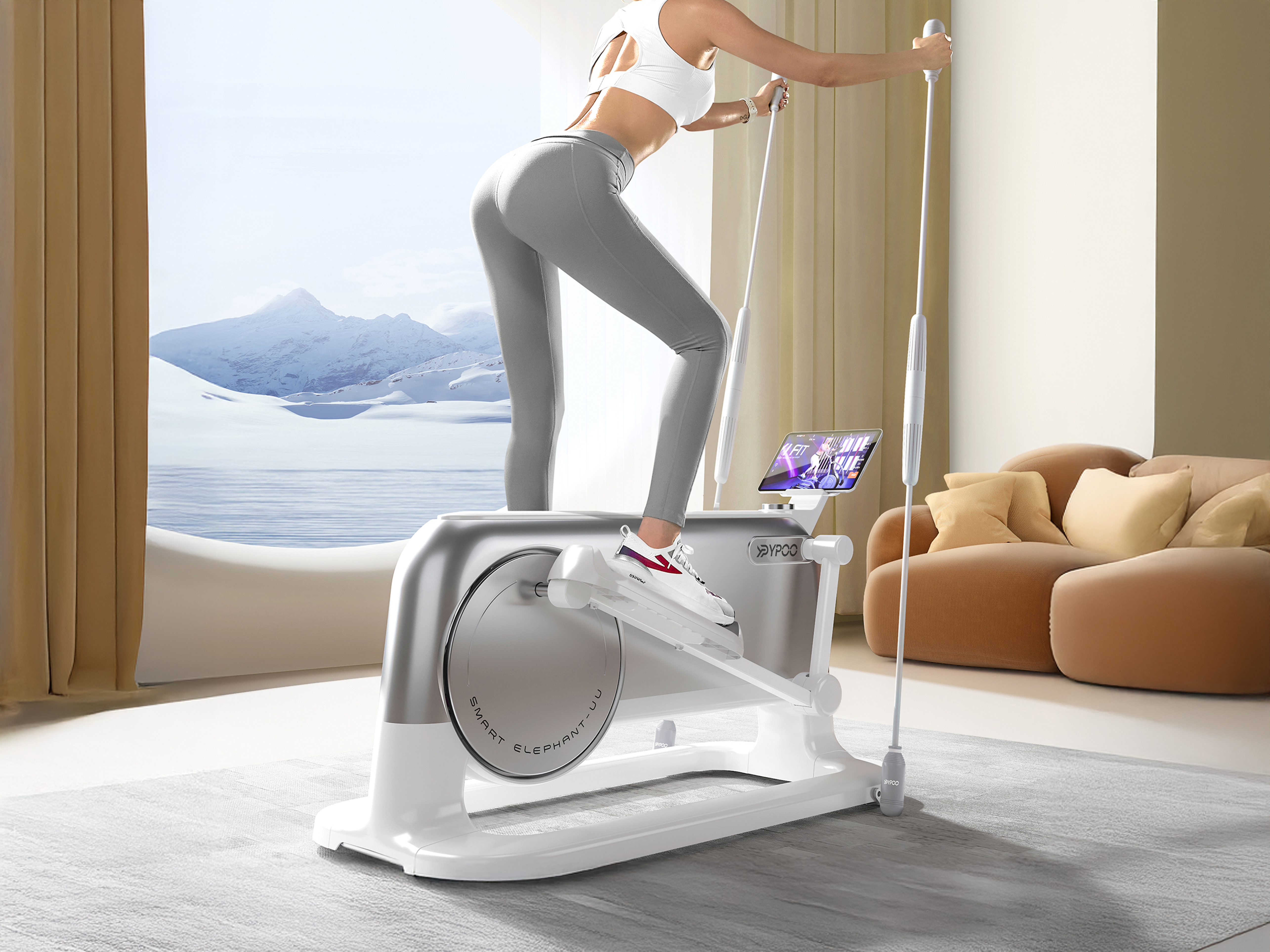
Look at high-end Scandinavian or minimalist Japanese interiors and you’ll notice a pattern: objects earn their presence through either pure utility or pure beauty, ideally both simultaneously. A Sori Yanagi kettle. An Artek stool. A Noguchi table. Each piece justifies its footprint by being excellent at its job while also contributing to the room’s visual composition.
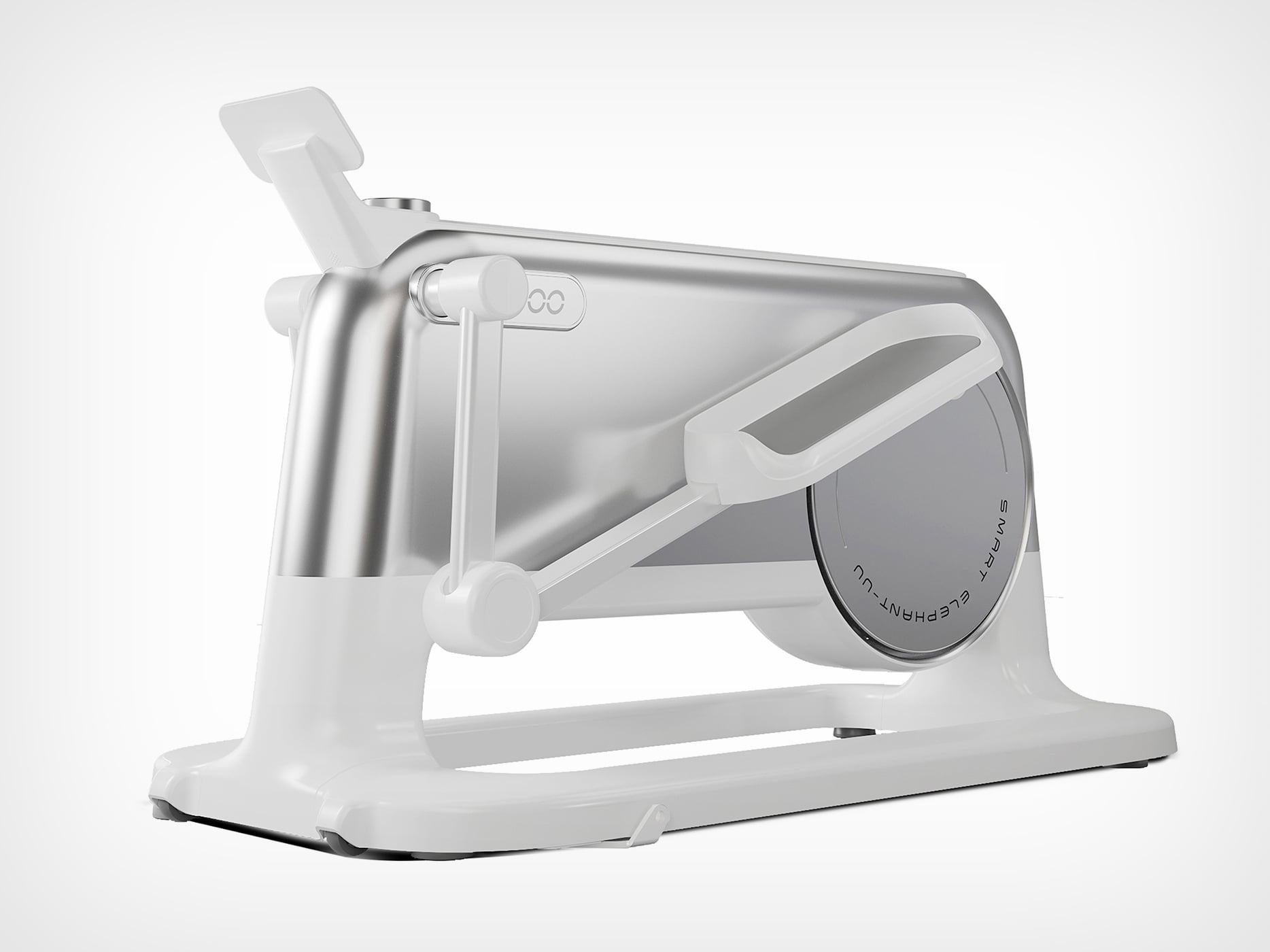
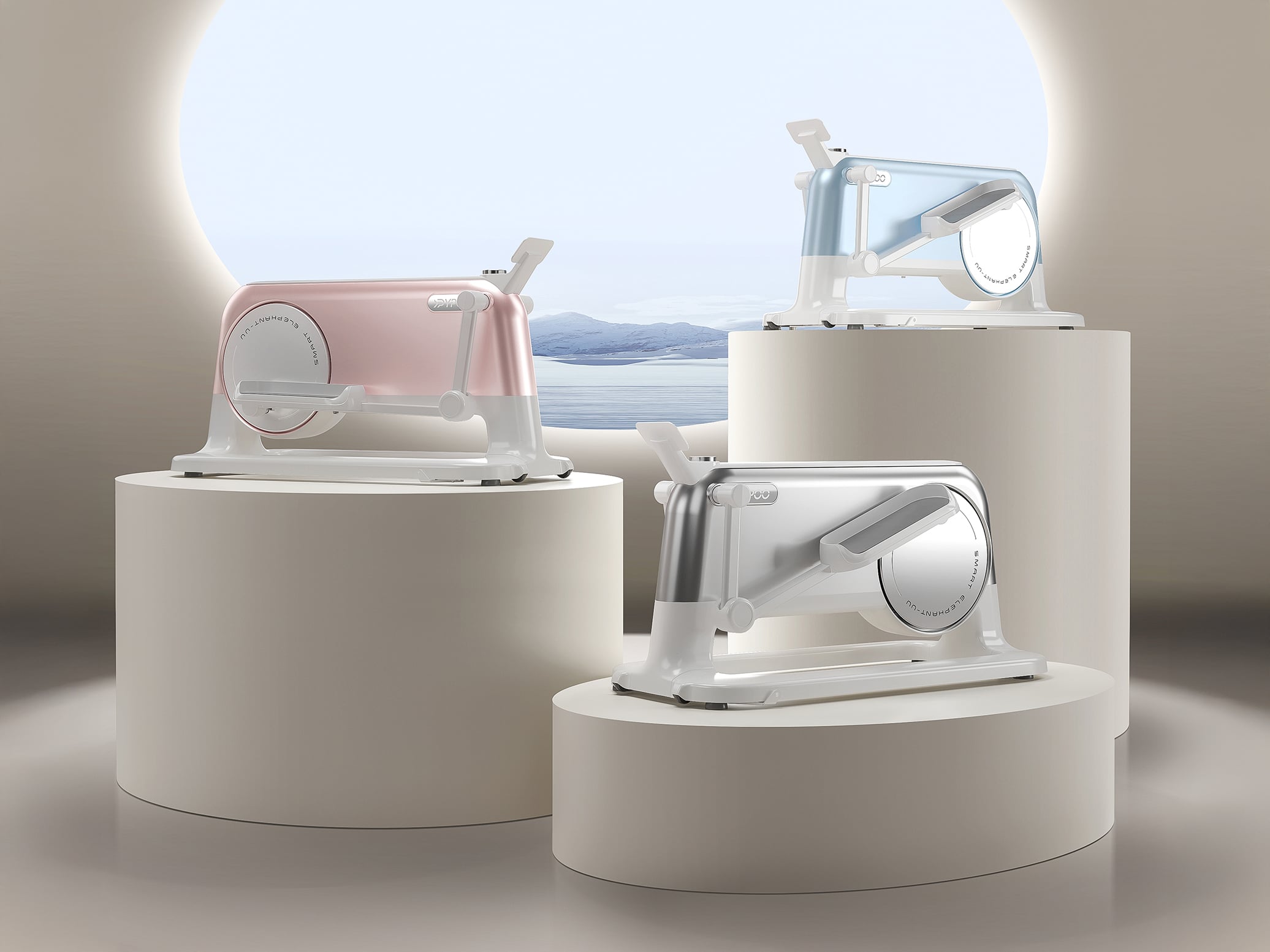
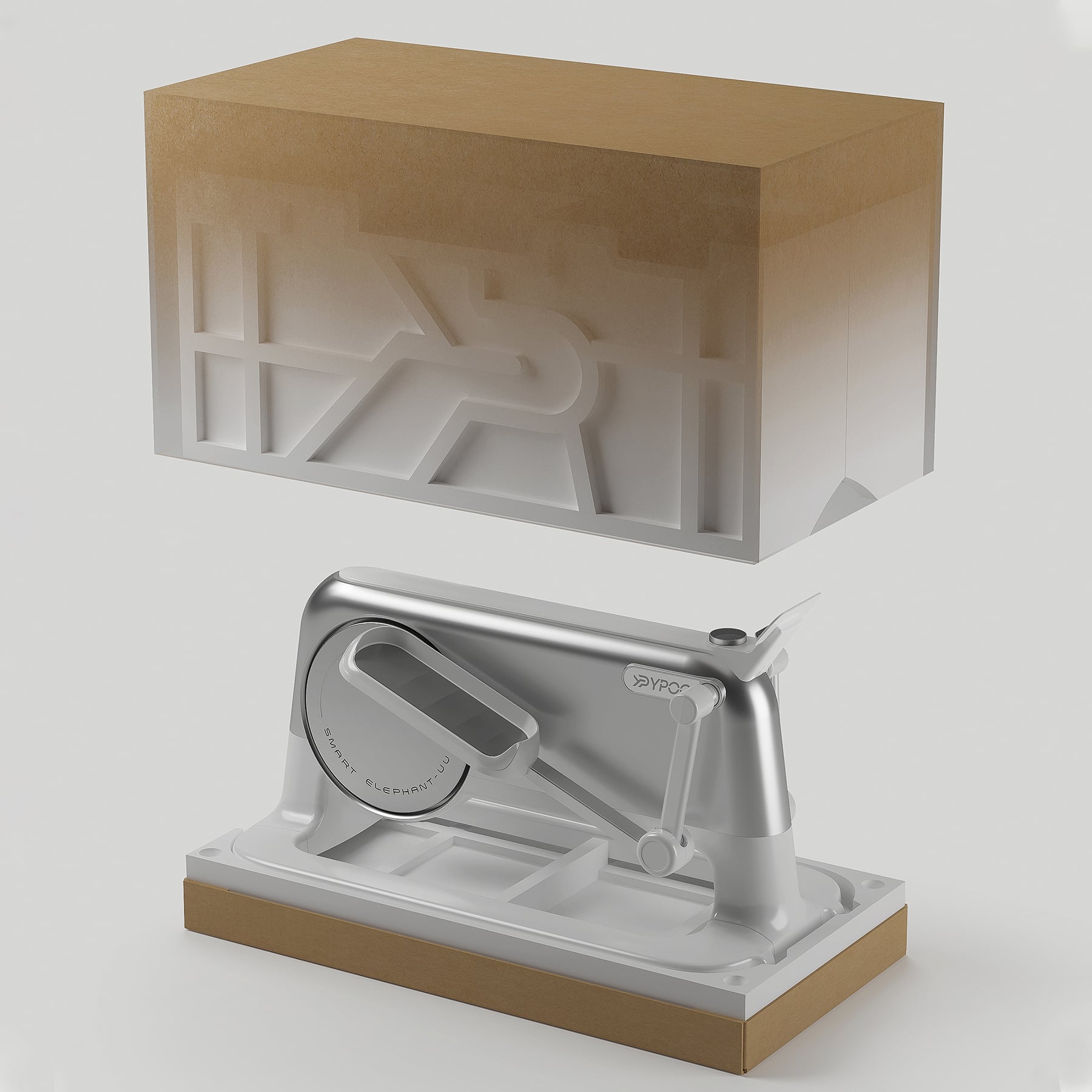
Fitness equipment rarely makes this cut. Even premium treadmills and bikes tend to occupy space through force rather than grace, their mechanical nature overwhelming any attempt at aesthetic integration. The Ypoo U U elliptical machine challenges this category assumption by treating the home as a gallery rather than a gym. The form is deliberately quiet: flowing white surfaces meet a single accent of brushed metal, creating visual interest through material contrast rather than sculptural complexity. That exposed circular flywheel housing becomes a focal point, the one moment where the machine admits its mechanical nature, but even this element feels considered, almost jewelry-like in its finish. The elastic resistance cords, rather than appearing as afterthought accessories, integrate into purposefully designed anchor points that read as intentional sculptural gestures.
Designer: Zhejiang Ypoo Health Technology Co Ltd
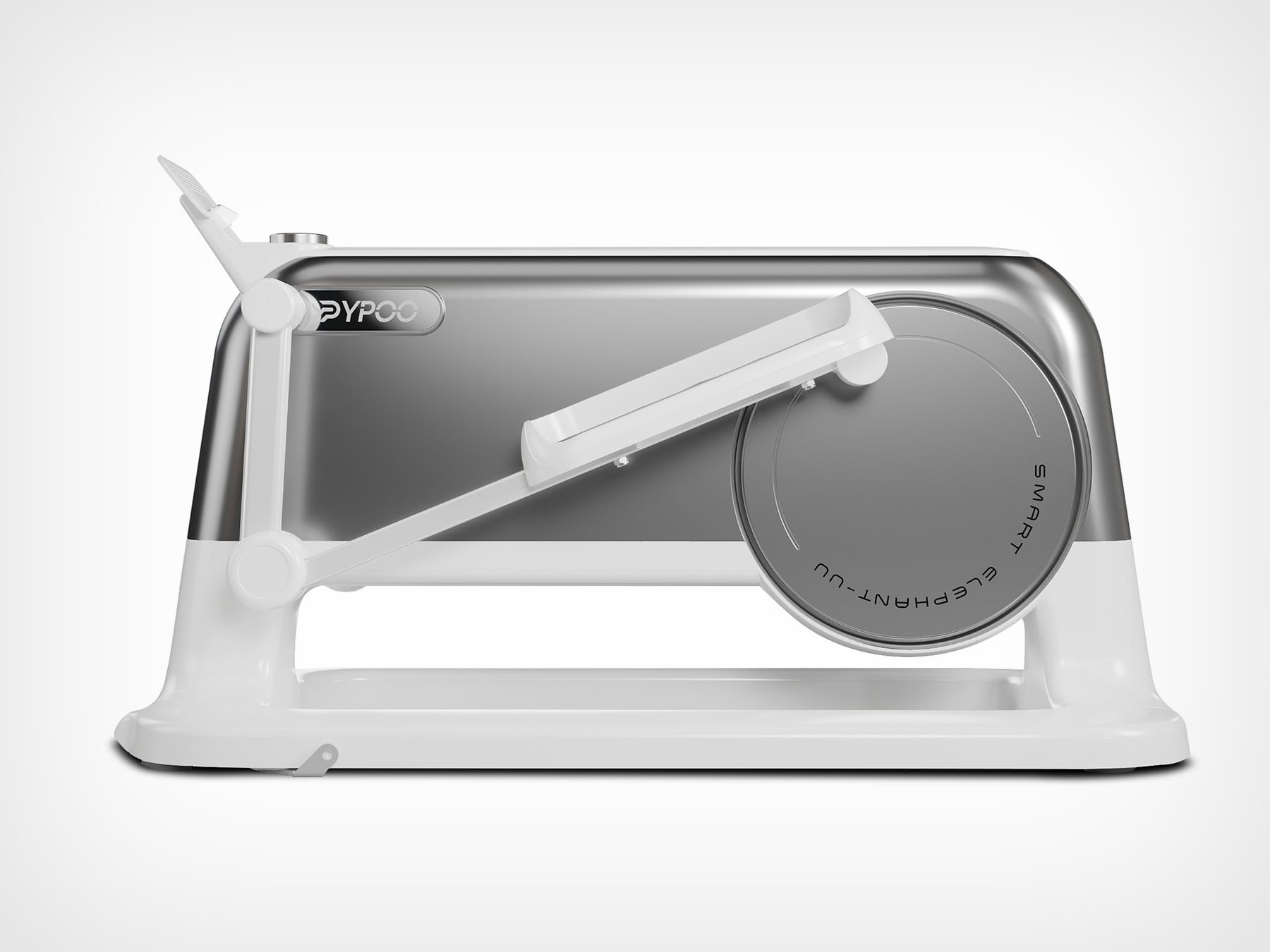
t 1030mm x 510mm x 620mm, the footprint clocks in at 0.6 square meters, roughly the size of a compact armchair. The height barely clears your knee, which means it lives below the typical sight line when you scan a room. Most ellipticals tower vertically, demanding attention through sheer mass. This one compresses its presence horizontally, spreading low and wide like a piece of modern furniture. The 31kg weight matters because it’s light enough to actually move around without recruiting help or planning an operation. Front-mounted wheels turn relocation into a casual decision rather than a semi-permanent commitment to a room’s layout.
The machine is entirely operated by self-generated kinetic energy. No power cord means no relationship with wall outlets, no visual clutter snaking across floors, no forced positioning based on electrical infrastructure. You generate the electricity through pedaling, which powers the display and resistance system. Zhejiang Ypoo claims 32 levels of magnetic resistance controlled through a visual dial, and the whole thing arrives 99 percent pre-assembled. The self-generation tech also keeps operation quiet since there’s no motor humming or fan whirring to compete with. That silence matters in open-plan spaces where sound travels freely and background noise accumulates into ambient chaos.
Matte white polymer dominates the structural elements, creating that clean, almost medical-grade aesthetic that works in contemporary interiors. The brushed metal flywheel cover provides the only material contrast, and it’s placed exactly where your eye naturally lands when approaching the machine. That’s careful composition, the kind of thinking you see in product photography but rarely in the actual product. The finish quality on the metal reads premium in photos, though I’d need hands-on time to verify if it holds up to the Dieter Rams standard it’s clearly channeling. The whole design borrows heavily from consumer electronics language, treating the elliptical like an oversized Braun appliance rather than gym equipment trying to be friendly.
Look at the side profile and you can see through the machine around the flywheel housing. That negative space keeps the form from reading as a solid mass claiming territory. Instead, it feels permeable, lighter than its actual weight suggests. Traditional ellipticals are opaque objects that divide rooms. This one allows sight lines to pass through, which psychologically reduces its presence even when it’s sitting in the middle of your living space. However, when you do end up glancing at it, it still manages to evoke less of a feeling of utility and more of an otherworldly appliance that adds a touch of minimal futurism to your house.
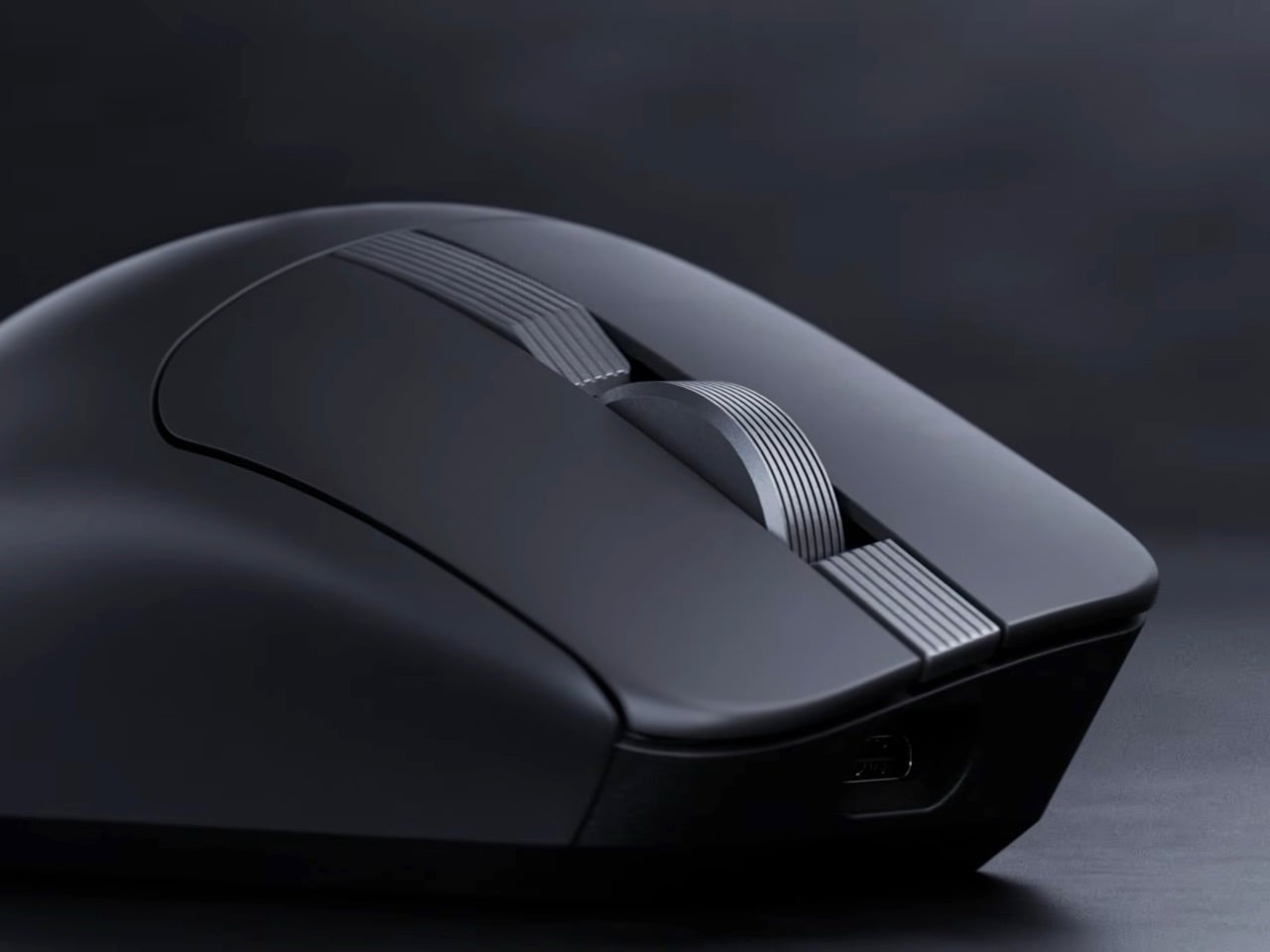
The productivity mouse market has been living in a single-player game for too long. Logitech’s MX Master has dominated professional desks from Silicon Valley to Singapore, becoming so ubiquitous that it’s practically the default recommendation in every buying guide. But monopolies create the perfect conditions for an underdog, and Asus has clearly been watching, waiting, and building something that aims to shatter the status quo.
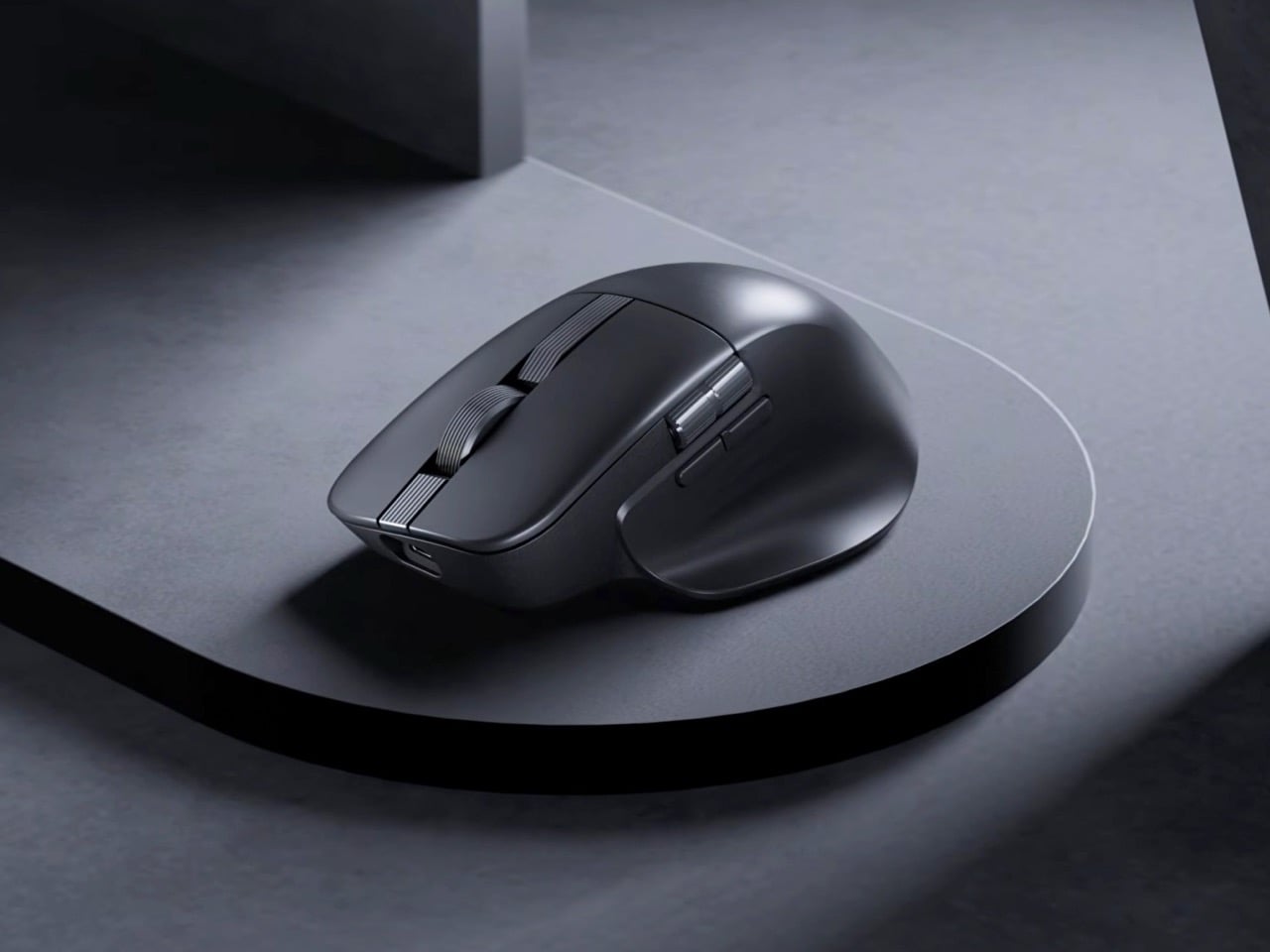
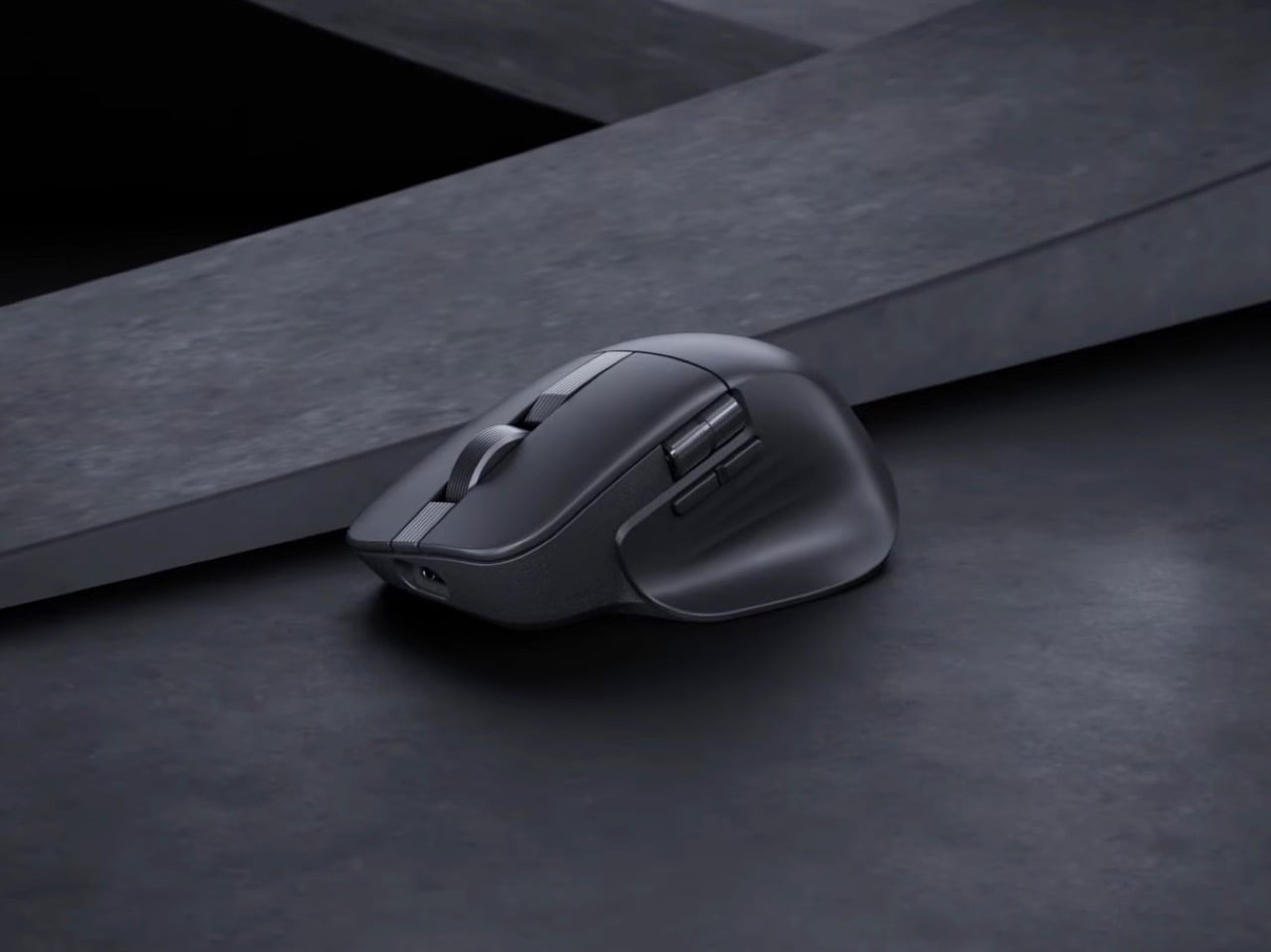
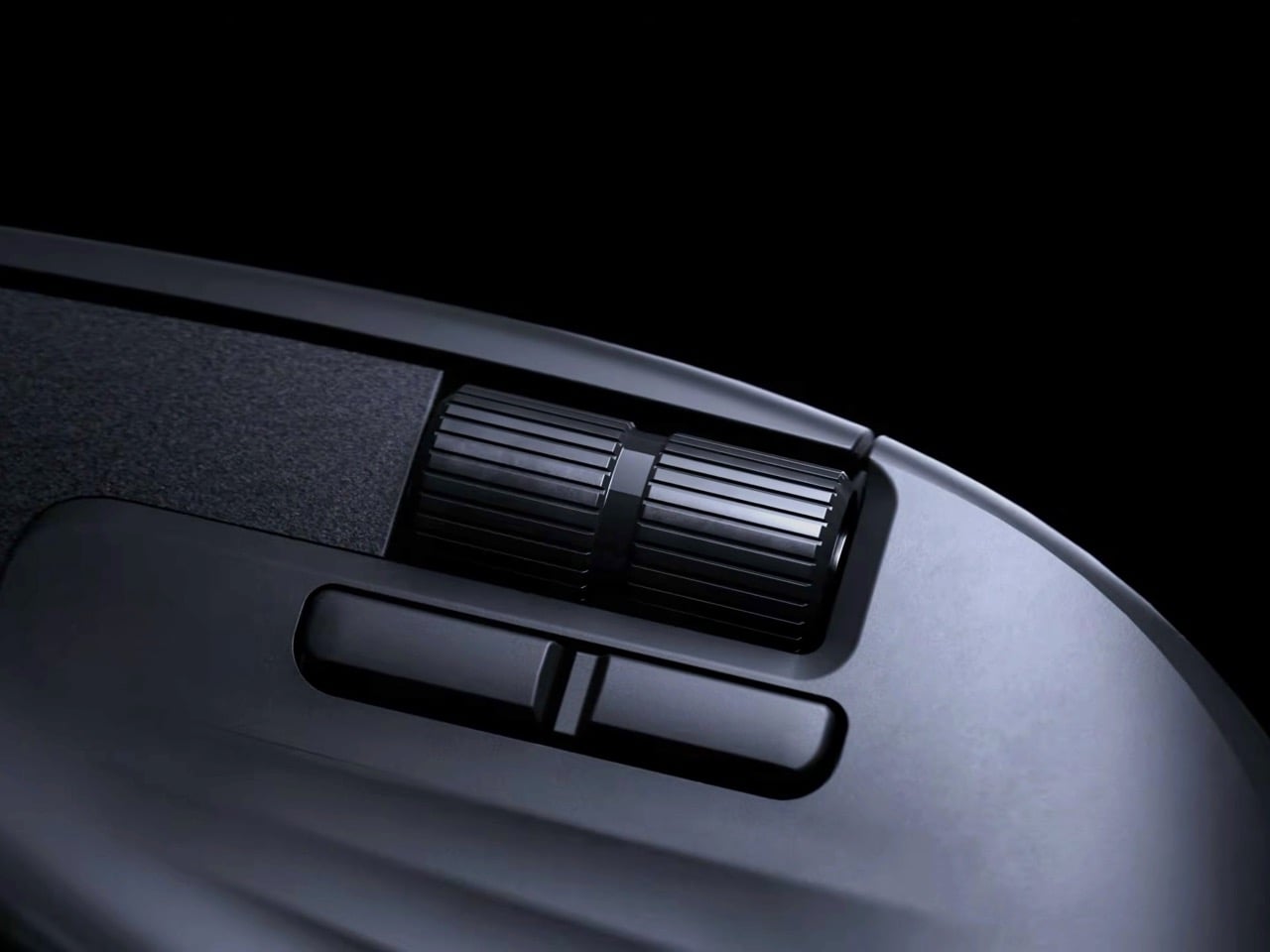
Enter the ProArt Mouse MD301, unveiled at CES 2026 with a feature list that reads like a direct response to every MX Master owner who has ever wished for something different. Swappable switches give users hardware-level customization that Logitech has never offered. A lighter 99.7-gram body addresses the wrist fatigue that marathon work sessions can bring. The SmartShift wheel matches its rival stride for stride, while six programmable buttons and an 8,000 DPI sensor deliver the precision that creative professionals demand. Asus is making a serious play for the premium productivity space.
Designer: ASUS
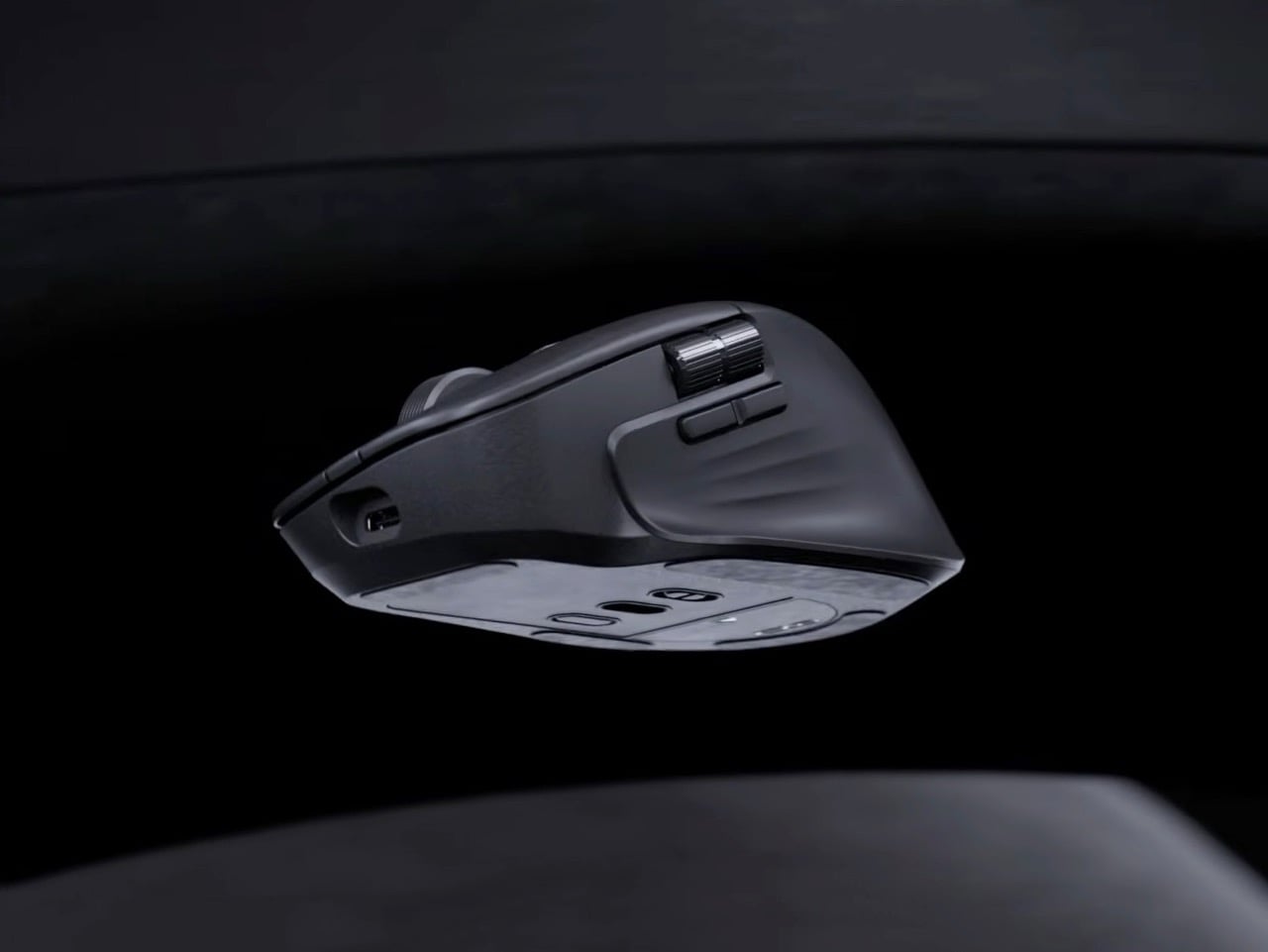
Most productivity mice treat their switches as permanent components, which becomes a problem after millions of clicks degrade the tactile feedback. Asus built the MD301 with user-replaceable switches for both left and right buttons, allowing a choice between optical or mechanical micro switches. Optical switches typically last longer and actuate faster with no physical contact points to wear down. Mechanical switches provide the tactile bump that some workflows demand. The ability to mix both types means asymmetric configurations where left clicks feel different from right clicks, though whether anyone actually wants that remains unclear. A switch puller tool ships in the box, suggesting Asus expects this feature to see actual use rather than existing purely for marketing differentiation.
Logitech’s MagSpeed wheel technology gets directly challenged here under the SmartShift name, offering dual-mode scrolling between ratcheted line-by-line precision and momentum-based free-spin. This feature became non-negotiable for productivity mice after Logitech introduced it because working without it feels like regression. Navigating through 500-page documents or endless spreadsheets with standard scrolling wastes time that free-spin mode eliminates. Precision editing in Photoshop or Premiere needs the tactile feedback of ratcheted scrolling to land exactly on the right frame or layer. Asus recognized that competing without this capability would sink the MD301 before launch, so they matched it and focused innovation elsewhere.
Cutting weight to 99.7 grams puts the MD301 noticeably lighter than the MX Master 3S and most competitors in this category. Thirty grams might sound negligible until translated into thousands of mouse movements across a 32-inch display during marathon editing sessions. Repetitive strain injuries in creative professionals often start with seemingly minor factors that compound over weeks and months. Ergonomic shaping with wave-textured grip surfaces attempts to address comfort, though hand shapes vary enough that what works for one person irritates another. PTFE feet reduce surface friction during movement, which becomes apparent when switching between mice with and without them.
An 8,000 DPI sensor handles precision tracking across multiple surface types including glass, which used to be impossible for optical sensors but now qualifies as expected functionality. Polling rate hits 1,000 Hz through both wired USB and 2.4 GHz wireless modes, keeping cursor responsiveness high enough that latency becomes imperceptible during normal use. Bluetooth connectivity handles device switching across up to five devices, though Asus hasn’t published the polling rate for that protocol. Six programmable buttons accommodate workflow shortcuts across different software platforms, from Adobe Creative Suite to CAD applications to video editing tools.
Tri-mode connectivity covers wired USB, 2.4 GHz RF wireless via an 18.9mm dongle, and Bluetooth for multi-device setups. Switching between a desktop workstation, laptop, and tablet without physically swapping cables or dongles streamlines workflows that increasingly span multiple devices. The wireless dongle’s compact size means it can stay plugged into a laptop port without protruding awkwardly or risking damage during transport. A 190cm USB-C cable handles both wired connectivity and charging, eliminating the separate power adapter that some wireless mice still require.
Asus claims up to 180 days on a full charge, though that number assumes moderate daily usage rather than continuous 12-hour workdays. Fast charging provides three hours of heavy use from one minute of USB-C charging, or eight hours of lighter work. This becomes relevant when deadlines approach and charging got forgotten overnight. Long-term battery degradation over multiple charge cycles will determine whether the MD301 maintains this endurance after a year of daily use, but lithium-ion technology has improved enough that most modern wireless mice retain acceptable battery performance longer than their mechanical components last.
Pricing hasn’t been announced, which introduces uncertainty about how Asus positions this against the MX Master 4’s roughly $100 price point. Undercutting Logitech by $20 or $30 while delivering comparable features makes the MD301 an obvious recommendation. Matching or exceeding that price requires build quality and long-term reliability that Asus hasn’t yet proven in this product category. Swappable switches provide theoretical cost savings over replacing entire mice, but only if the base unit costs less than buying a new competitor model every few years. Launch window sits somewhere before mid-2026, giving Asus months to finalize production and distribution without committing to specific dates or regional availability.
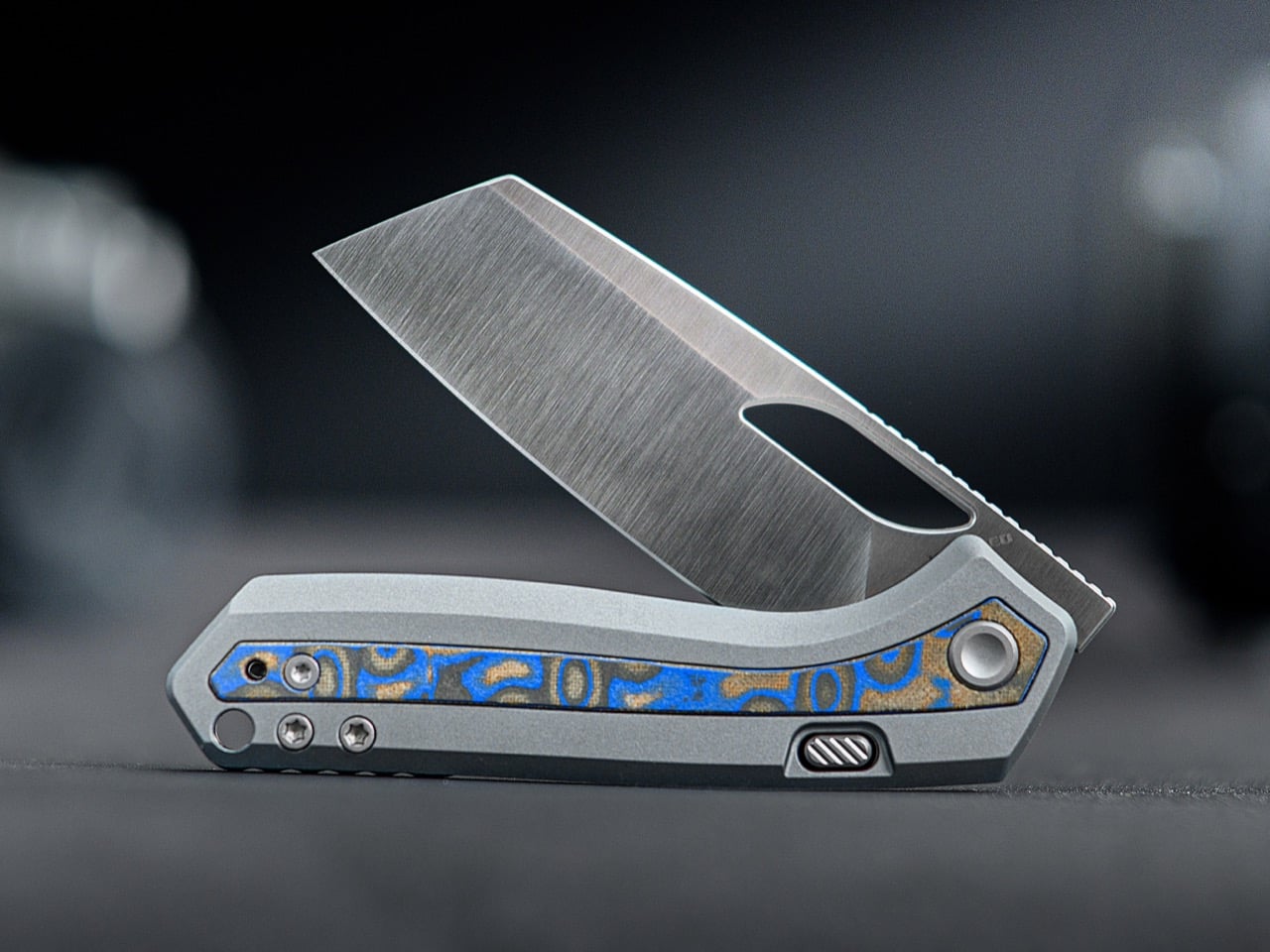
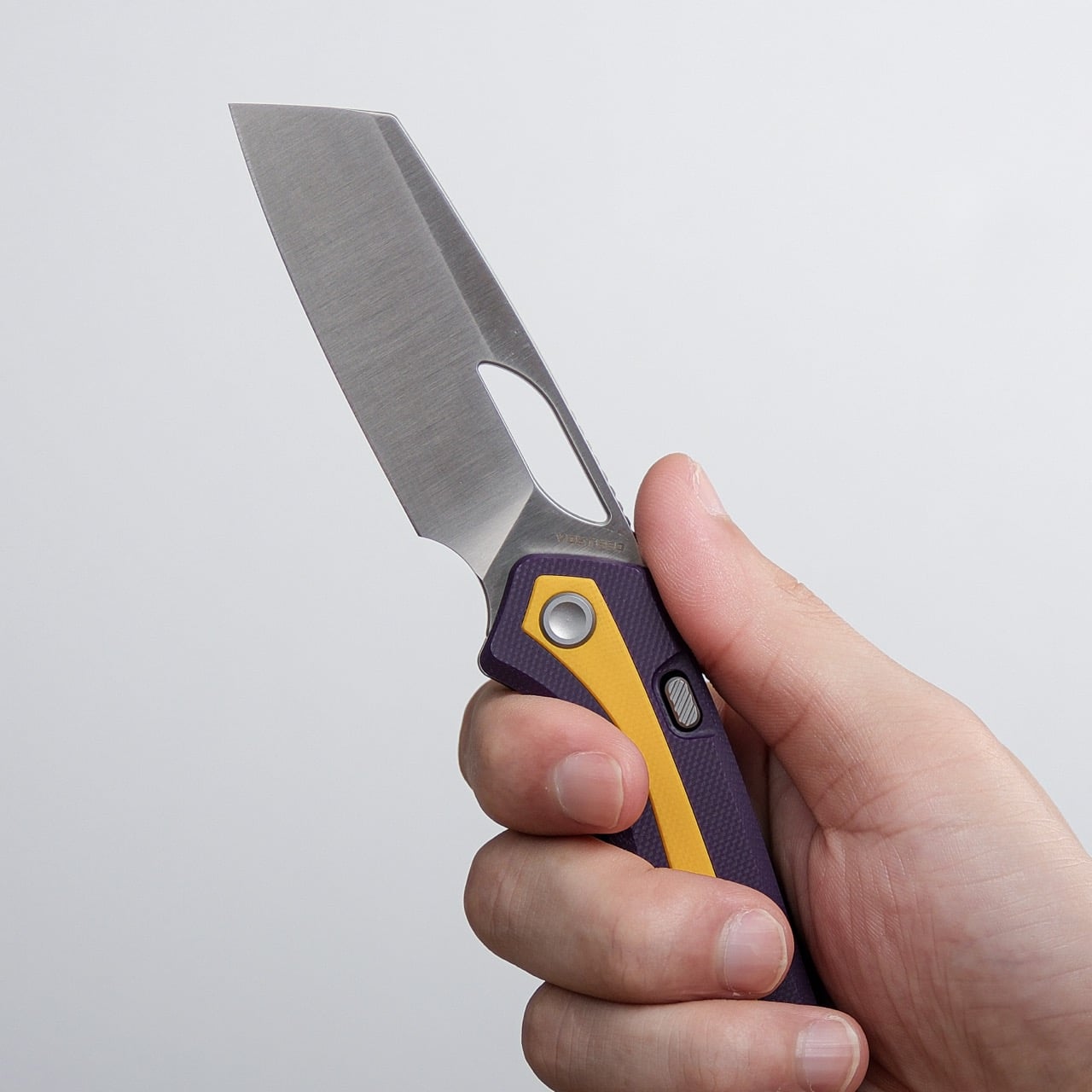
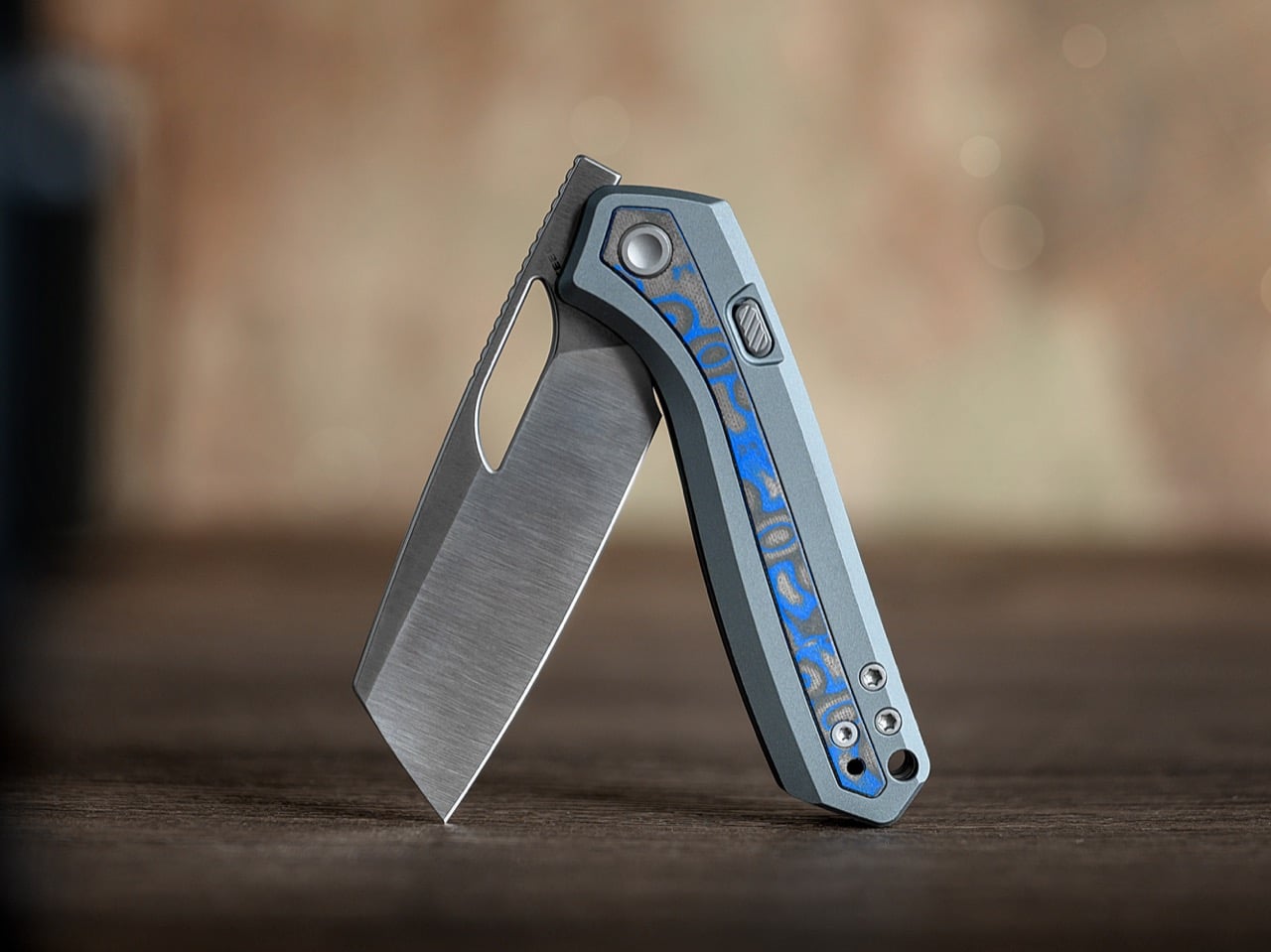
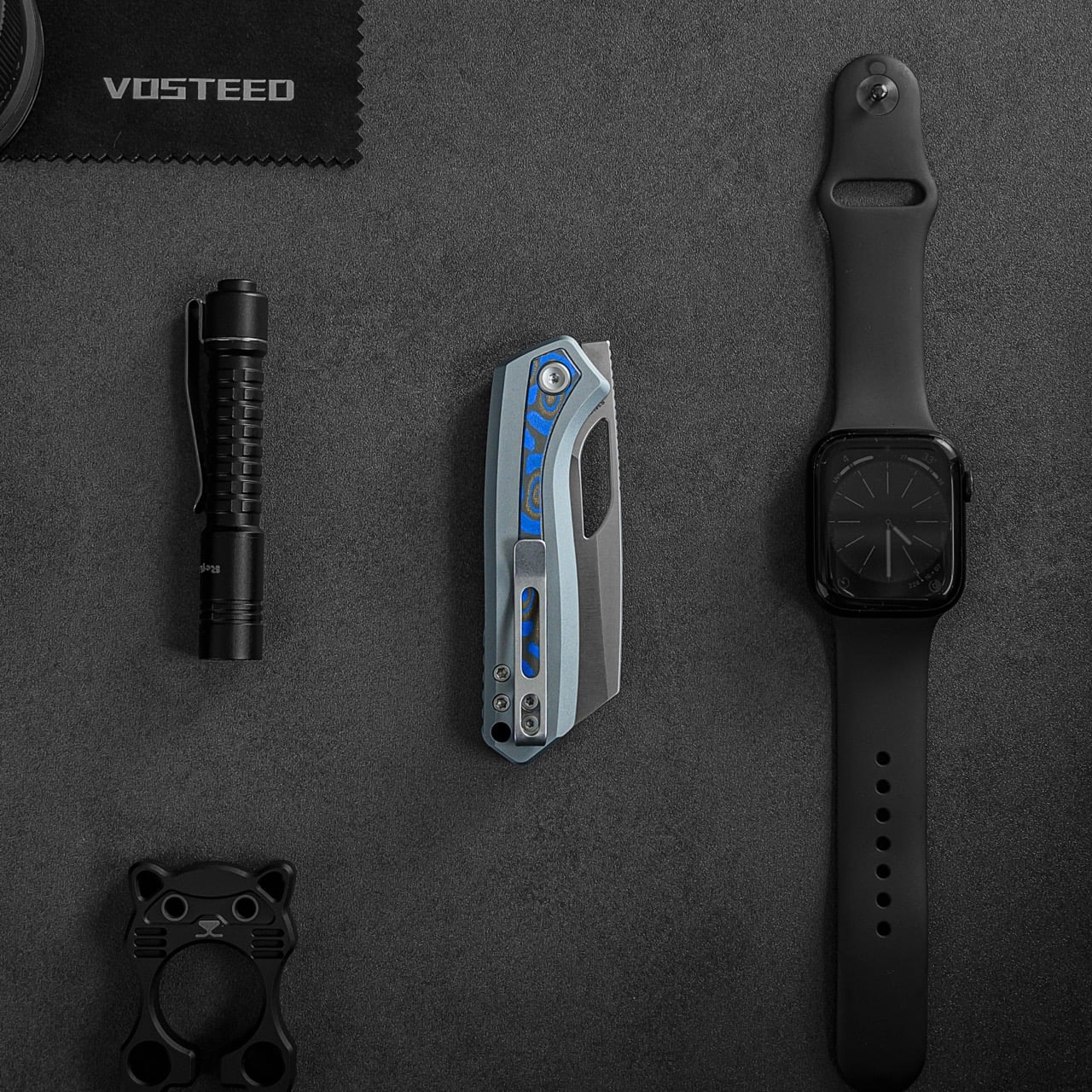
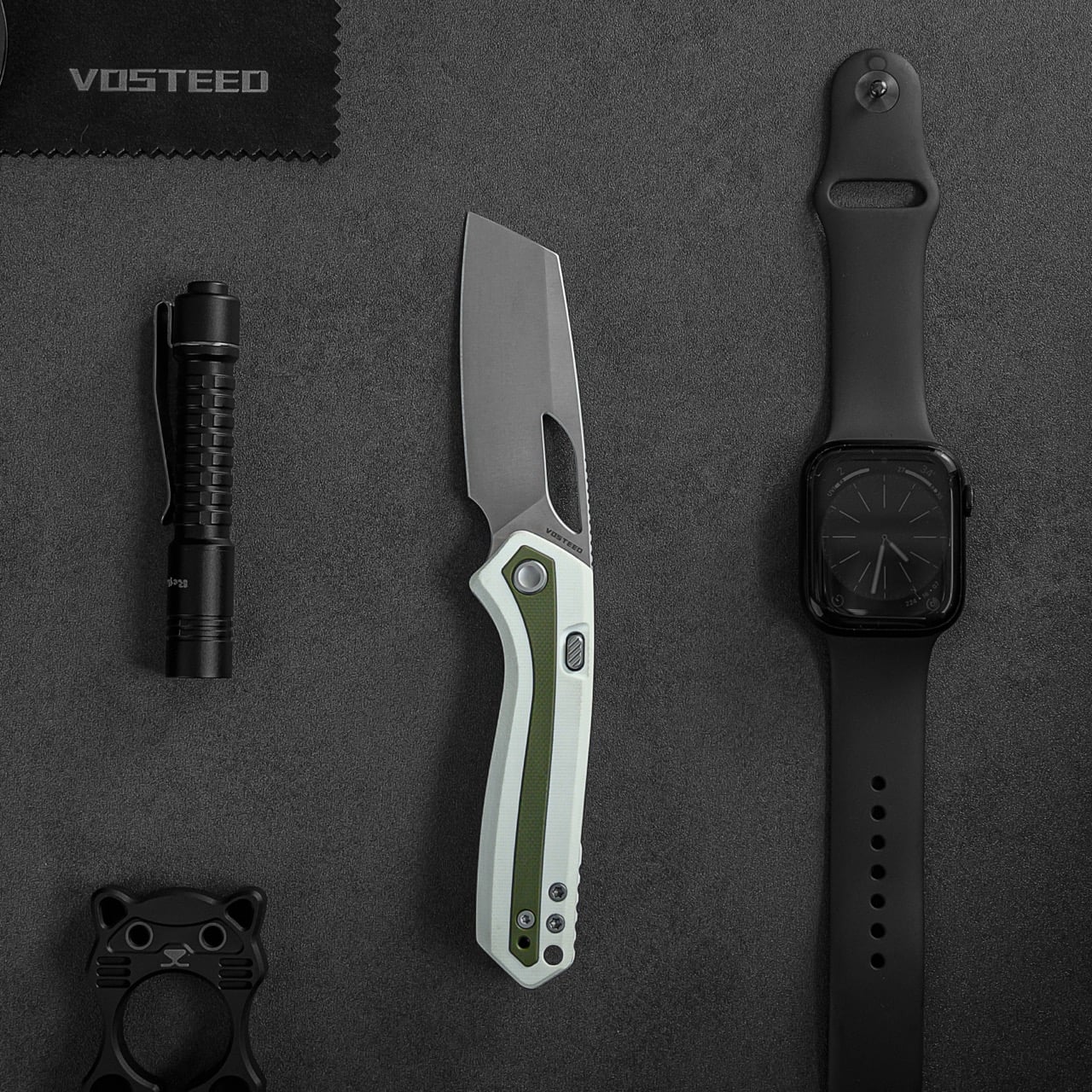
Carrying a three-inch blade shouldn’t feel like a compromise, yet most compact EDC knives sacrifice either ergonomics or capability to hit that sweet spot. Vosteed’s Kroc takes a different path. The design starts with a sheepsfoot blade that maximizes cutting edge while maintaining a sub-three-inch profile, then wraps it in a handle that somehow feels full-sized despite the knife’s 7-inch overall length. The result reads less like a miniaturized version of something bigger and more like a knife that was always meant to be exactly this size.
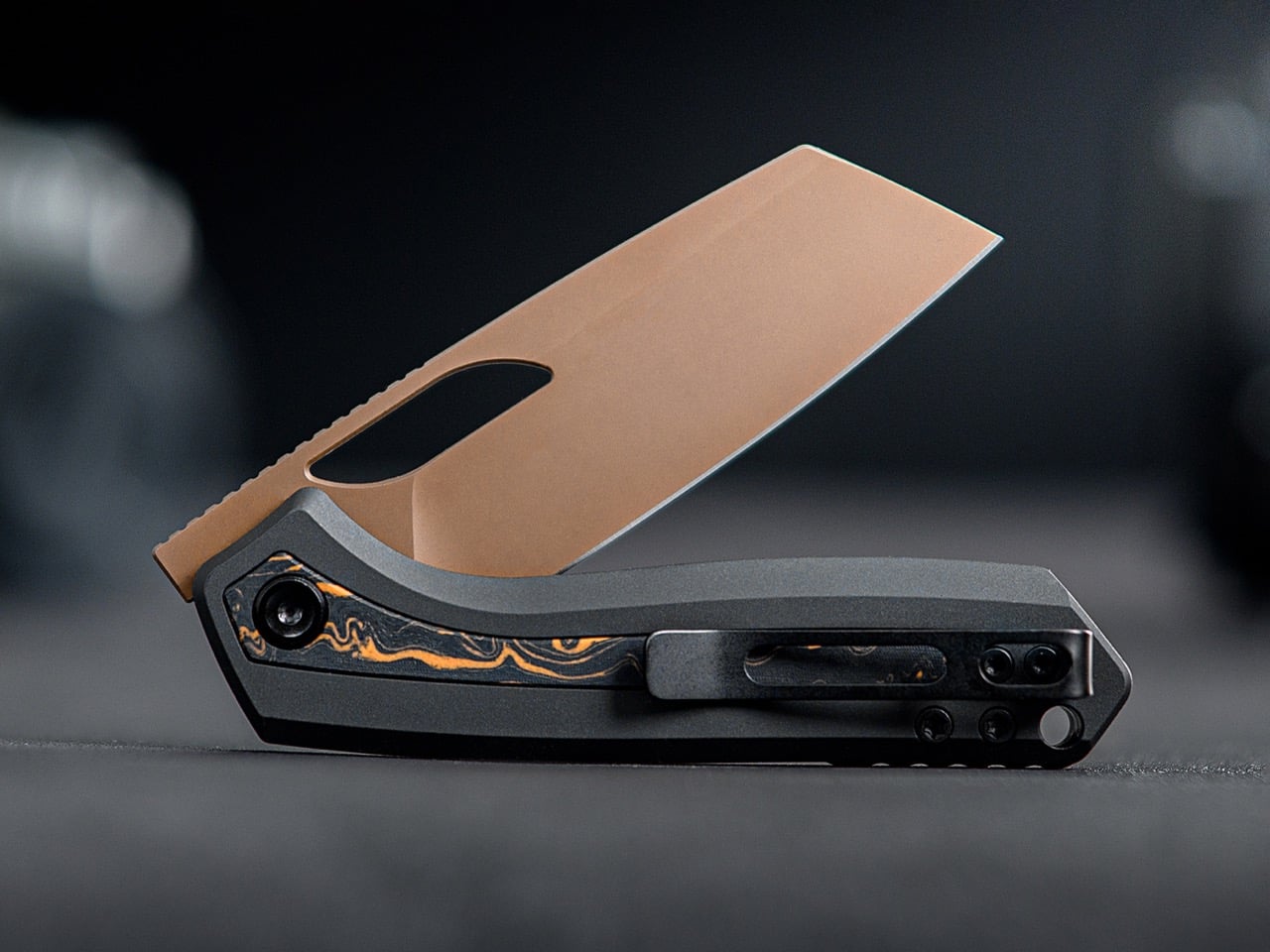
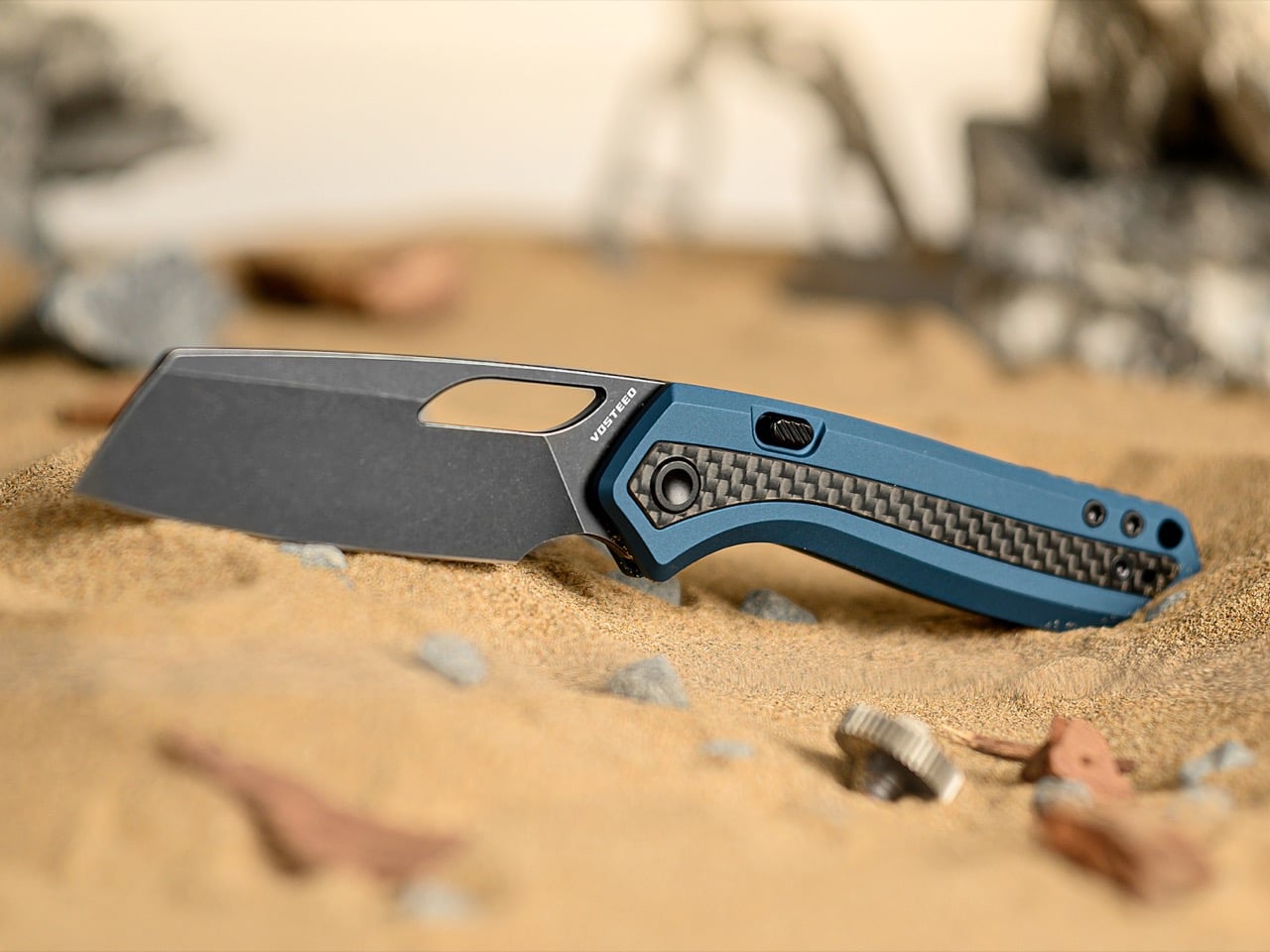
What makes the Kroc particularly interesting is how Vosteed translated this concept across nine different configurations without losing the plot. Whether you’re looking at the $69 G10 versions or the $129 aluminum models with premium S35VN steel, the silhouette remains consistent. The eye-shaped thumbhole, dual finger choils, and ceramic bearing deployment stay intact across every colorway. It’s a rare example of a knife collection that offers genuine material and budget flexibility while maintaining complete design coherence. Your pocket crocodile can be subdued ocean micarta or loud purple-and-yellow G10, but it’s unmistakably the same species.
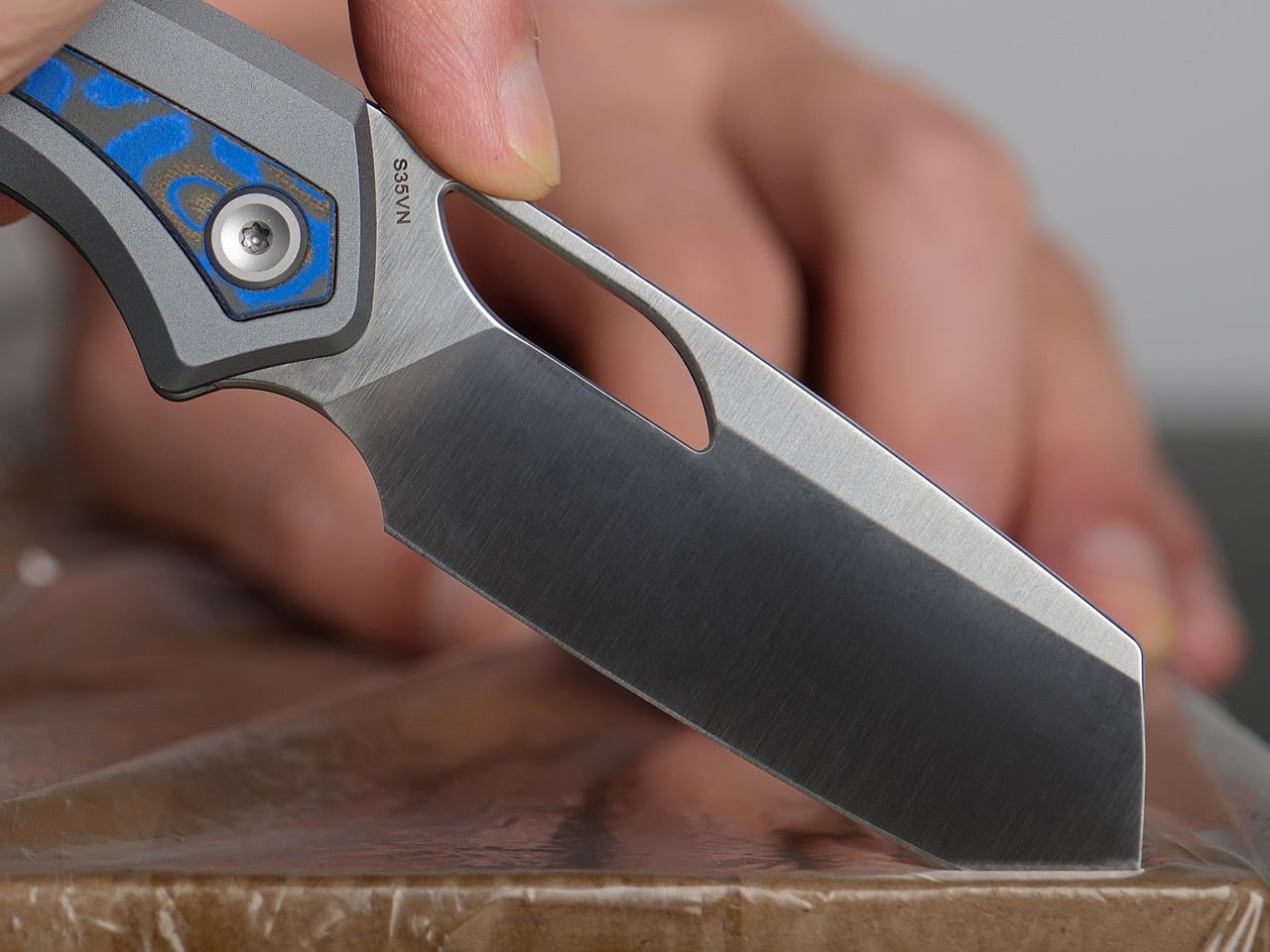
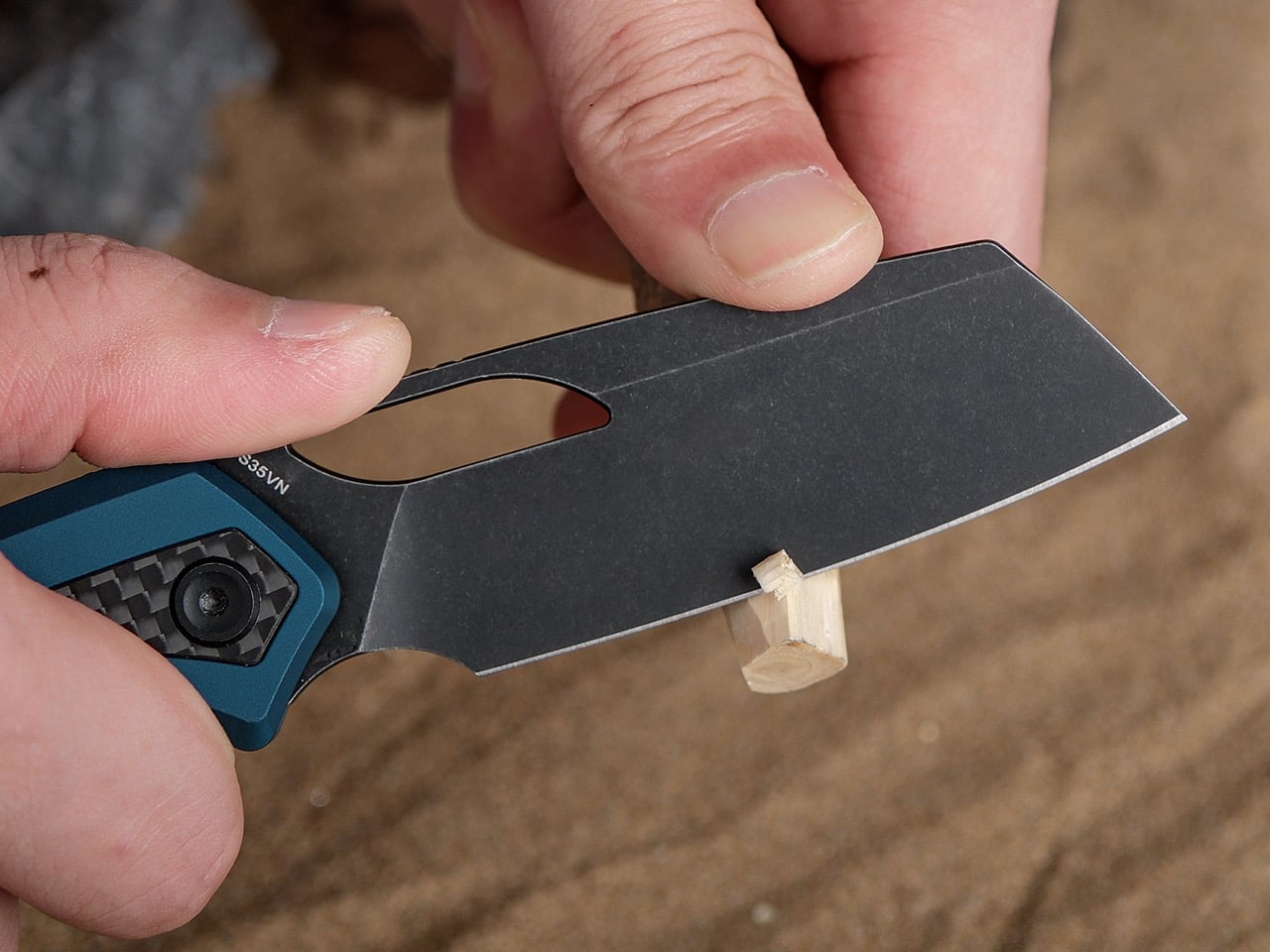
The sheepsfoot blade design with that 2.99-inch cutting edge with the flat spine gives you a blade profile that excels at controlled cuts while eliminating the stabby tip that makes carrying folders feel legally questionable in certain jurisdictions. The 1.18-inch blade width means you’re getting actual spine height here, which translates to structural rigidity when you’re bearing down on tougher materials. Vosteed ground it flat rather than going with a hollow grind, so the edge geometry stays aggressive without feeling fragile. This blade shape works beautifully for food prep, box breaking, rope cutting, anything where you need precision over penetration. The gentle belly curve keeps slicing tasks smooth instead of forcing you into that annoying push-cut motion that flatter edges demand.
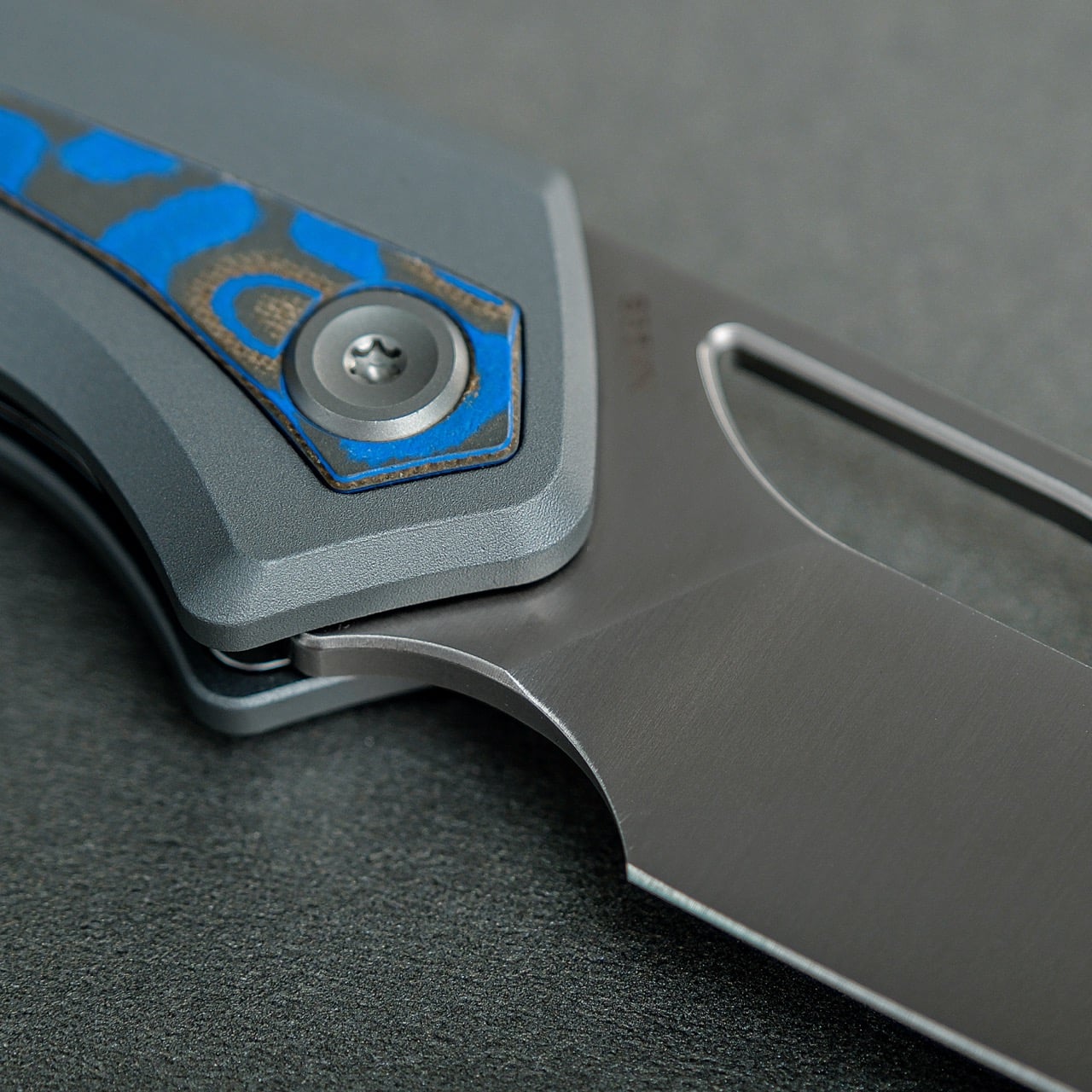
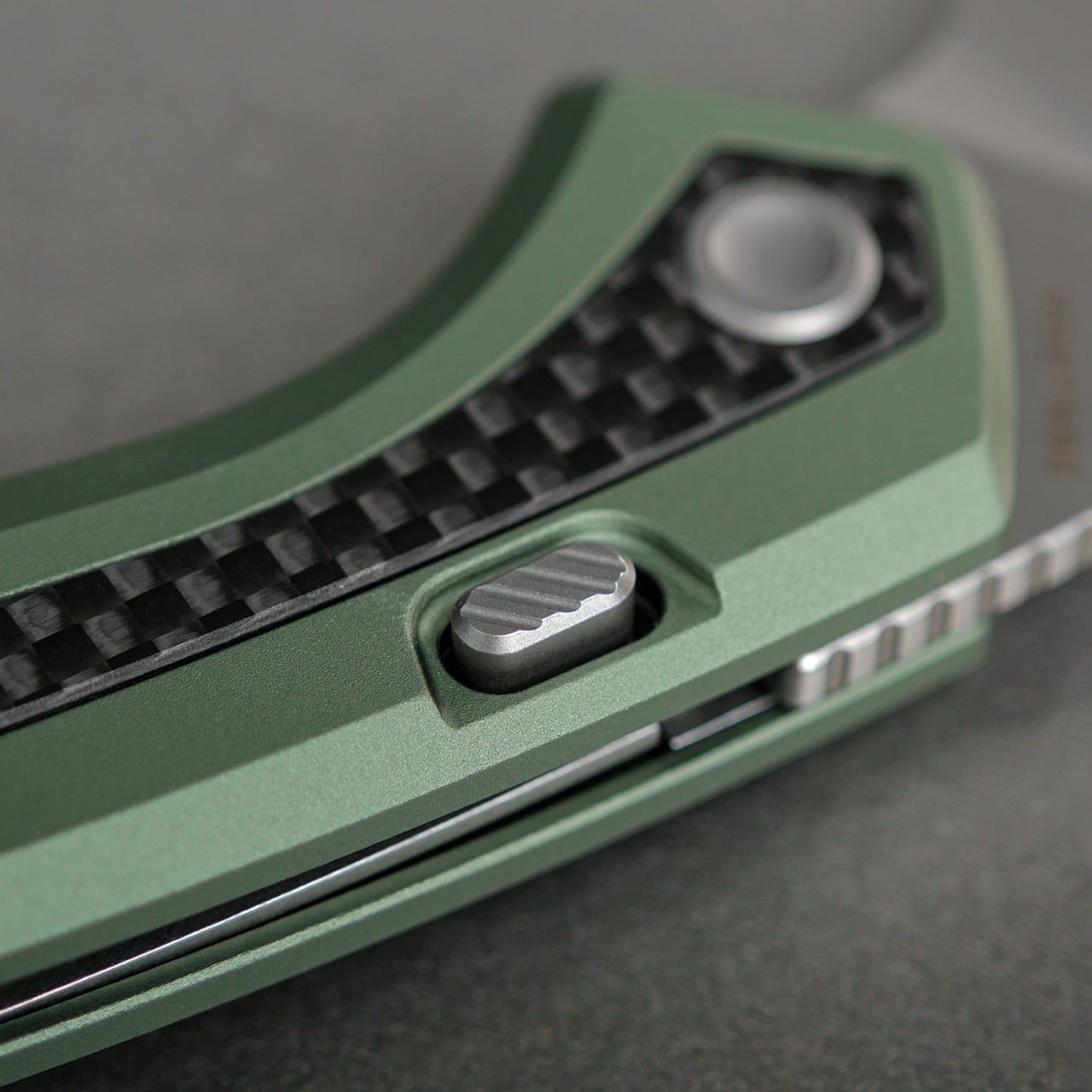
Deployment happens two ways, and both actually work instead of one being an afterthought. The eye-shaped thumbhole sits right where your thumb naturally lands, sized generously enough that deployment feels effortless whether you’re opening it traditionally or doing that satisfying middle-finger flick. The front flipper gives you a second option that’s equally smooth thanks to ceramic ball bearings doing the heavy lifting. The top liner lock mechanism is where Vosteed continues to separate itself from the usual liner lock crowd. You get a recessed, textured button that keeps your fingers completely away from the blade path when closing, combining the security of a traditional liner lock with the safety and ease of a button release. It’s genuinely one of the better locking systems in this price range, maybe any price range.
Handle ergonomics make or break compact knives, and the Kroc gets this right in ways that should be obvious but somehow aren’t. The grip flows from the pivot down to a slightly widened tail section, creating natural indexing points for your hand without aggressive jimping or finger grooves that only work one way. Those dual oversized finger choils let you choke up on the blade when you need control or settle back for regular grip positions. The recessed, skeletonized liners keep the overall weight at 3.38 ounces while the jimped aluminum backspacer adds texture where you actually need it. At 4.02 inches closed, it disappears in a pocket but fills your hand when deployed. That’s the entire game with knives this size.
The nine-knife collection splits into two distinct tiers that share everything except materials. The G10 models (A1805 through A1809) run full G10 scales in various colorways, 14C28N blades, and hit that $69 price point. The aluminum versions (A1801 through A1804) feature aluminum handles with inlay options including ocean micarta, topo G10, and carbon fiber, S35VN steel, and retail for $129. Color options range from understated (satin gray with ocean micarta) to attention-seeking (purple and yellow G10), but the core design language stays locked in across every variant. You’re choosing aesthetic preference and steel quality, not compromising on anything fundamental.
At $69 for the G10 versions and $129 for the aluminum models, Vosteed positioned the Kroc exactly where it creates maximum disruption. The budget tier delivers ceramic bearings, 14C28N steel, and that top liner lock for less than you’d pay for significantly less knife from bigger brands. The premium tier competes directly with knives costing $150 to $200 while undercutting them by $20 to $70. That pricing strategy only works if the knife actually delivers, and based on how Vosteed’s been executing lately, they’ve earned the benefit of the doubt. The Kroc looks like a knife that understands its assignment and then overdelivers on the details that matter.
It’s weird to think that Walkmans were literally in my lifetime but if I were to give one to a kid born after 2000, they’d wonder what the hell they’re staring at. Sure, an iPod still feels intuitive because it’s still a relatively digital interface, and MP3 files are still a thing. But a cassette? Having to rewind and fast forward? They’re all relics of an age youngsters wouldn’t even recognize anymore!
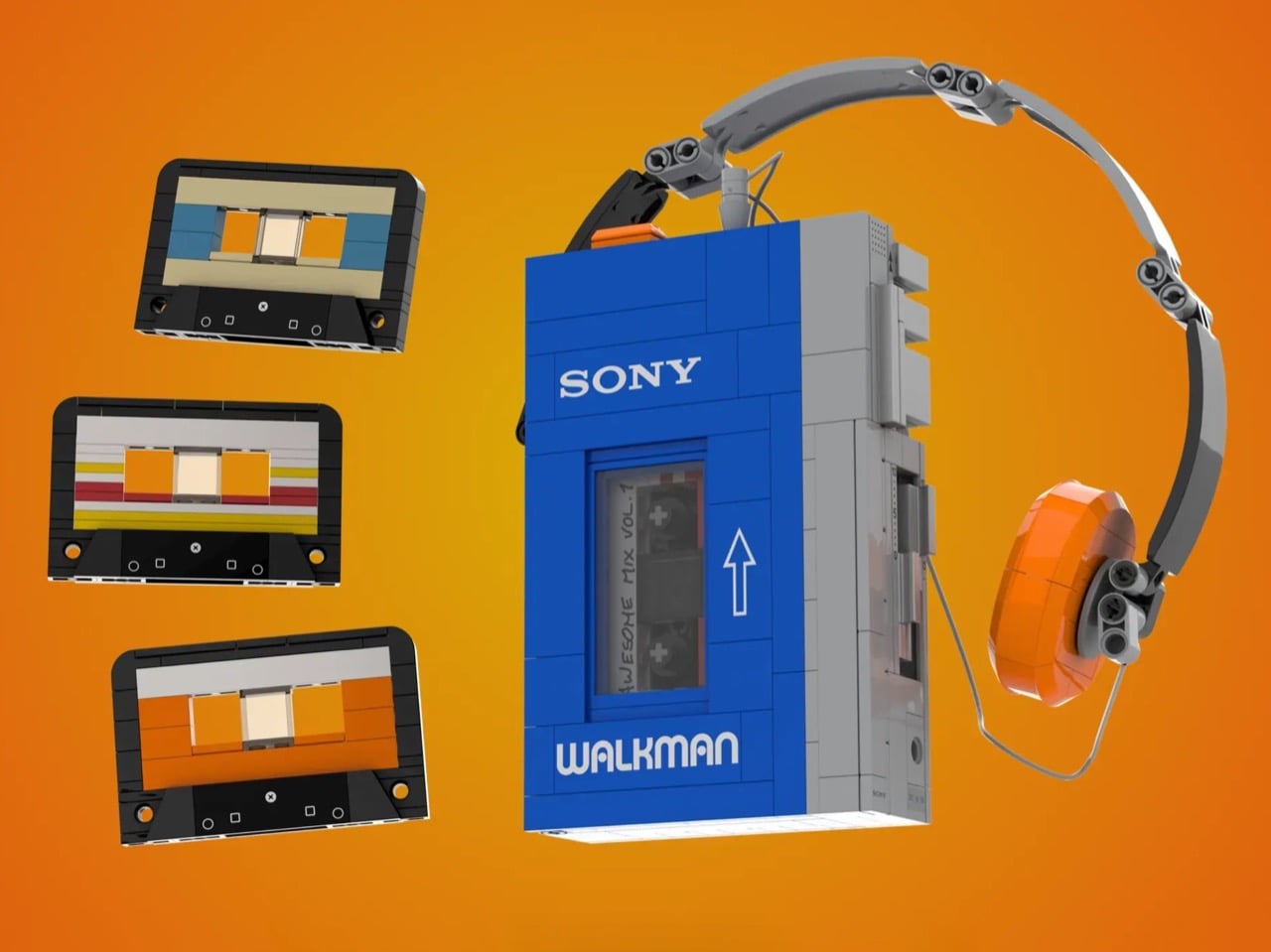
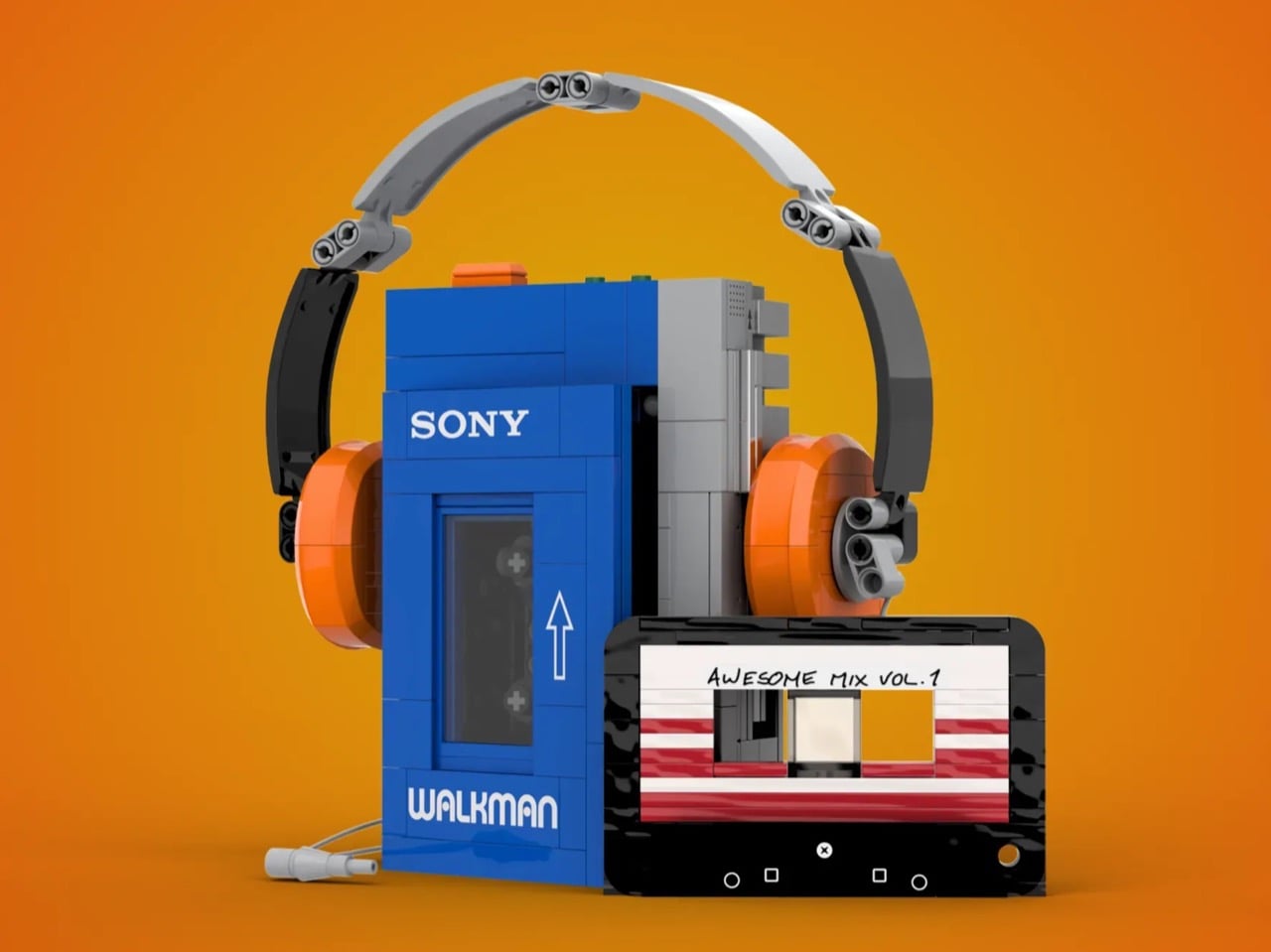
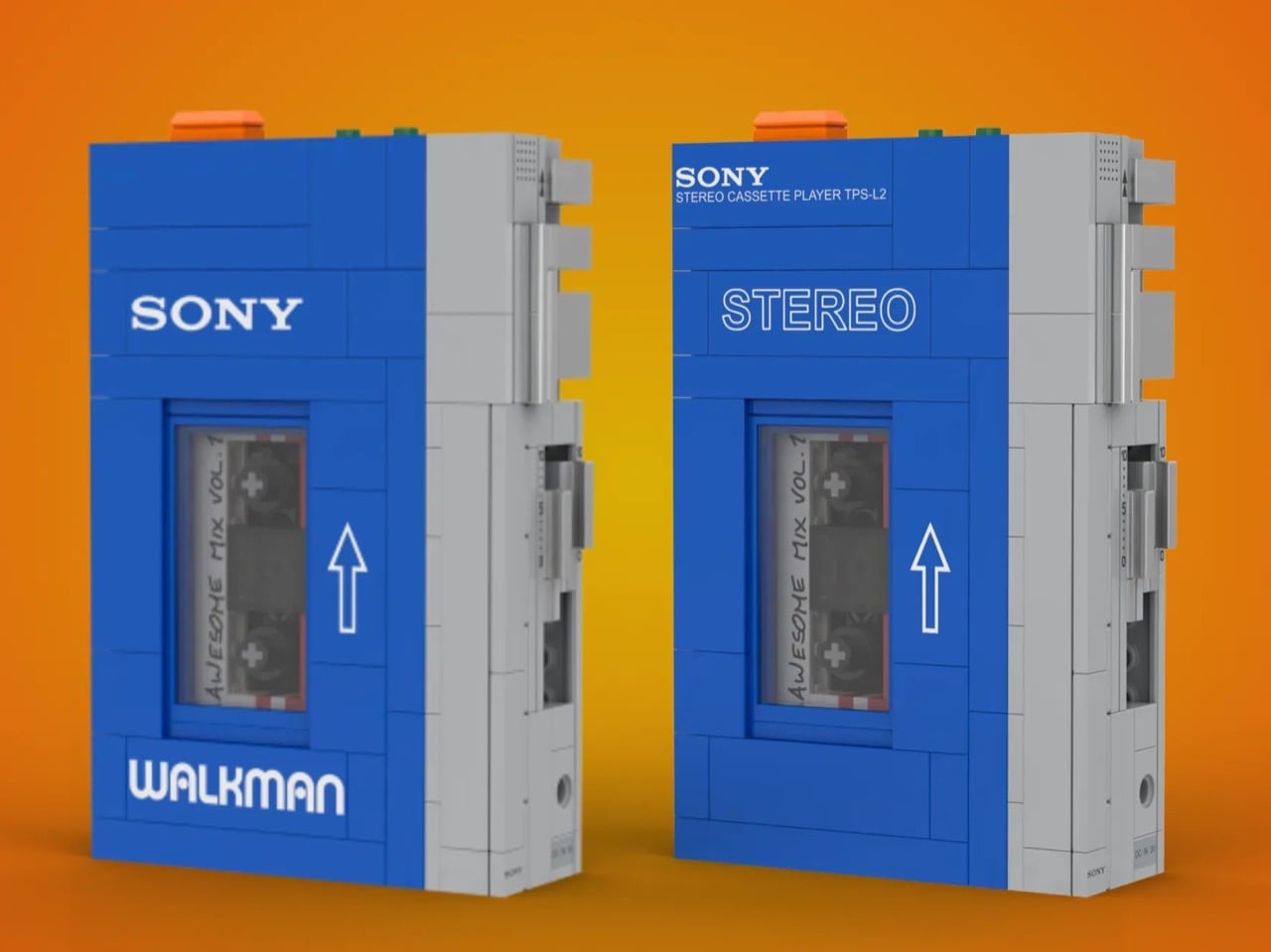
If anything, there’s hope that a kid who’s seen Guardians of the Galaxy would recognize this particular model of cassette player. Featured in the movie as the device that Star Lord operated to play his legendary mixtapes, the Sony Walkman TPS-L2 achieved something remarkable: it made cassette technology cool again for people who’d never touched magnetic tape. Enter Headlight Bricks, a creator who channeled that same Marvel-inspired obsession into a breathtaking LEGO Ideas project. Their 520-piece homage recreates every iconic element from the transparent cassette window to the individually adjustable volume controls, all wrapped in that unmistakable Sony blue. Three buildable cassette tapes let you craft your own mini mixtapes, while the poseable orange headphones complete the authentic 1979 experience.
Designer: Headlight Bricks
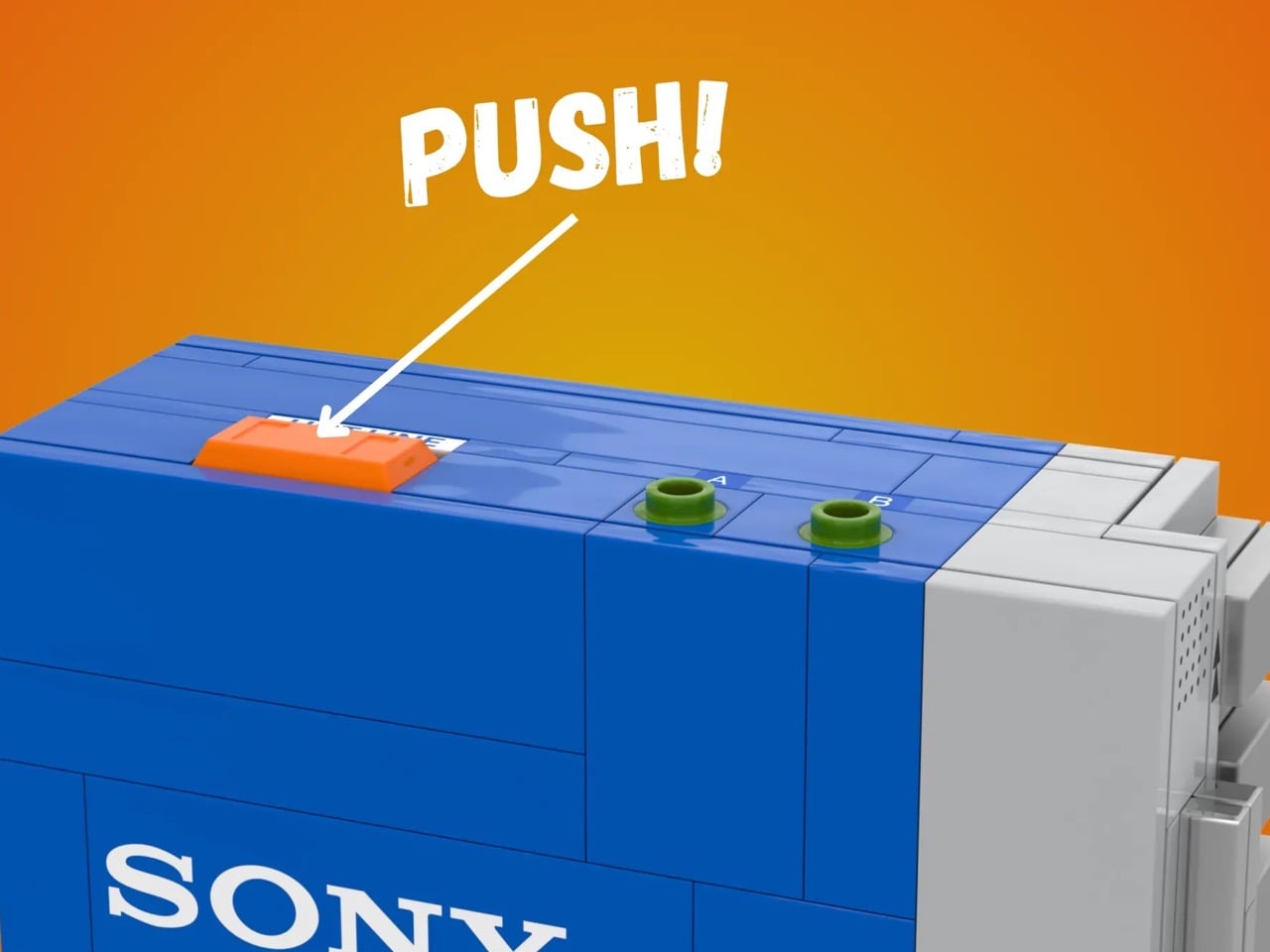
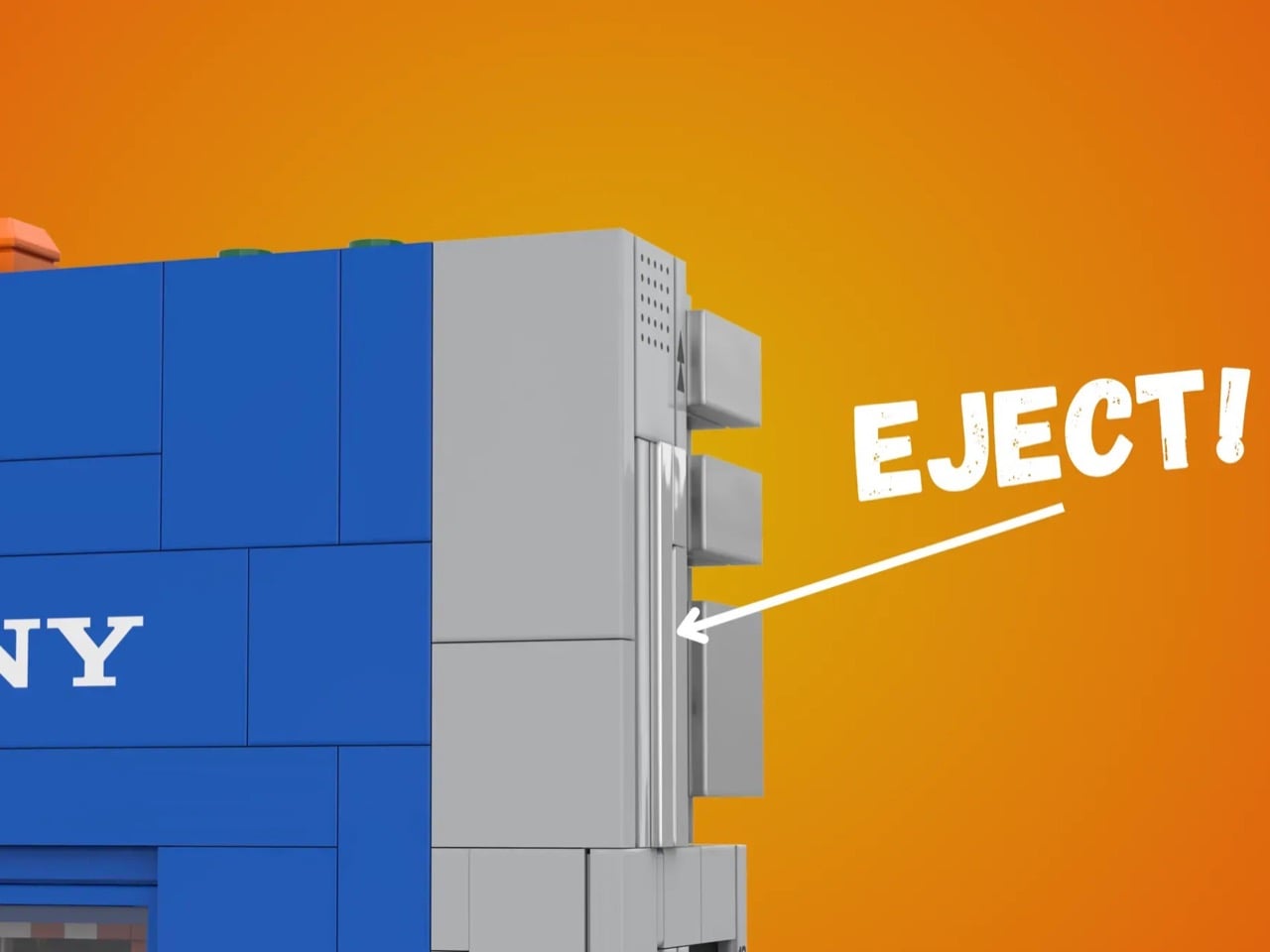
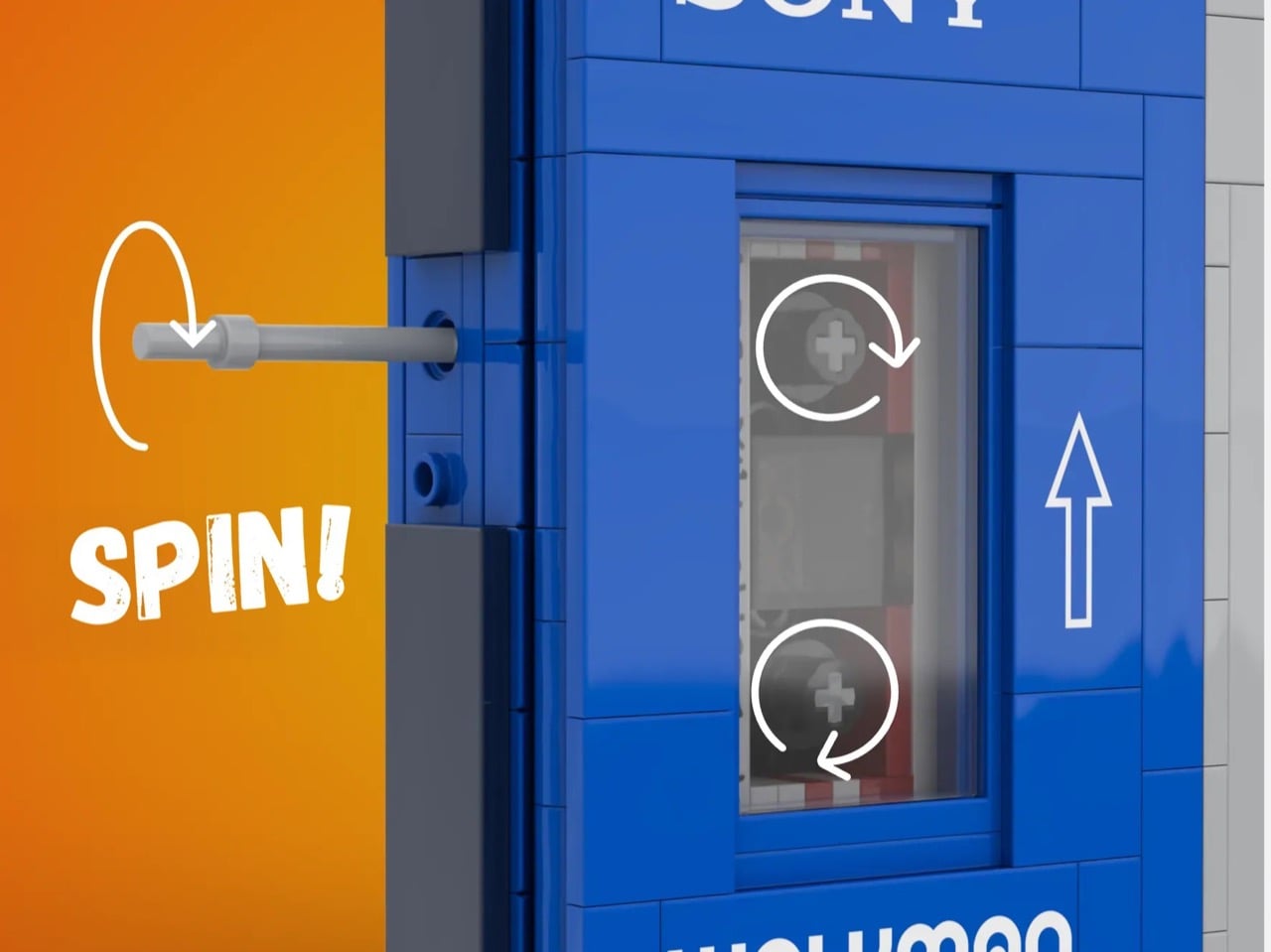
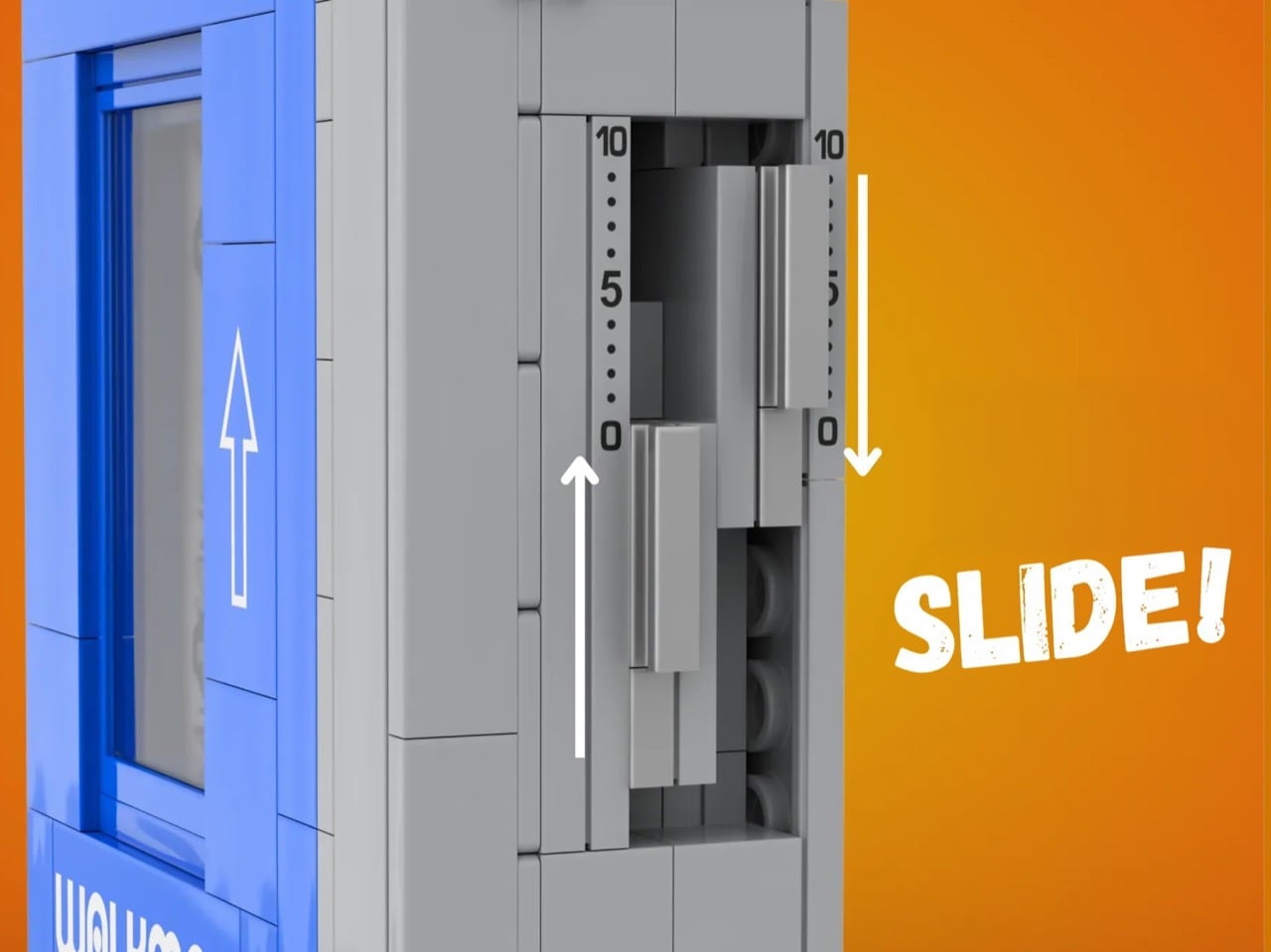
Each cassette measures maybe an inch and a half across but manages to pack in customizable label areas where you can swap colored tiles to create different “album art.” One of them references Awesome Mix Vol. 1 from Guardians, probably the one piece of pop culture that did more for cassettes than anything else in the past decade. The cassettes made from LEGO don’t look entirely like you’d expect. They’re missing the gears on the middle that are characteristic of a cassette tape. The reason is simple – making that out of LEGO is a headache, and it does little to add to the original build, which is the player itself. The cassette does its role of fitting into the player, and Headlight Bricks did detail spindles on the inside to complete the illusion. If you want impressive detailing, however, look at that headphone strap, which uses a LEGO Technic part to enable flexibility and movement.
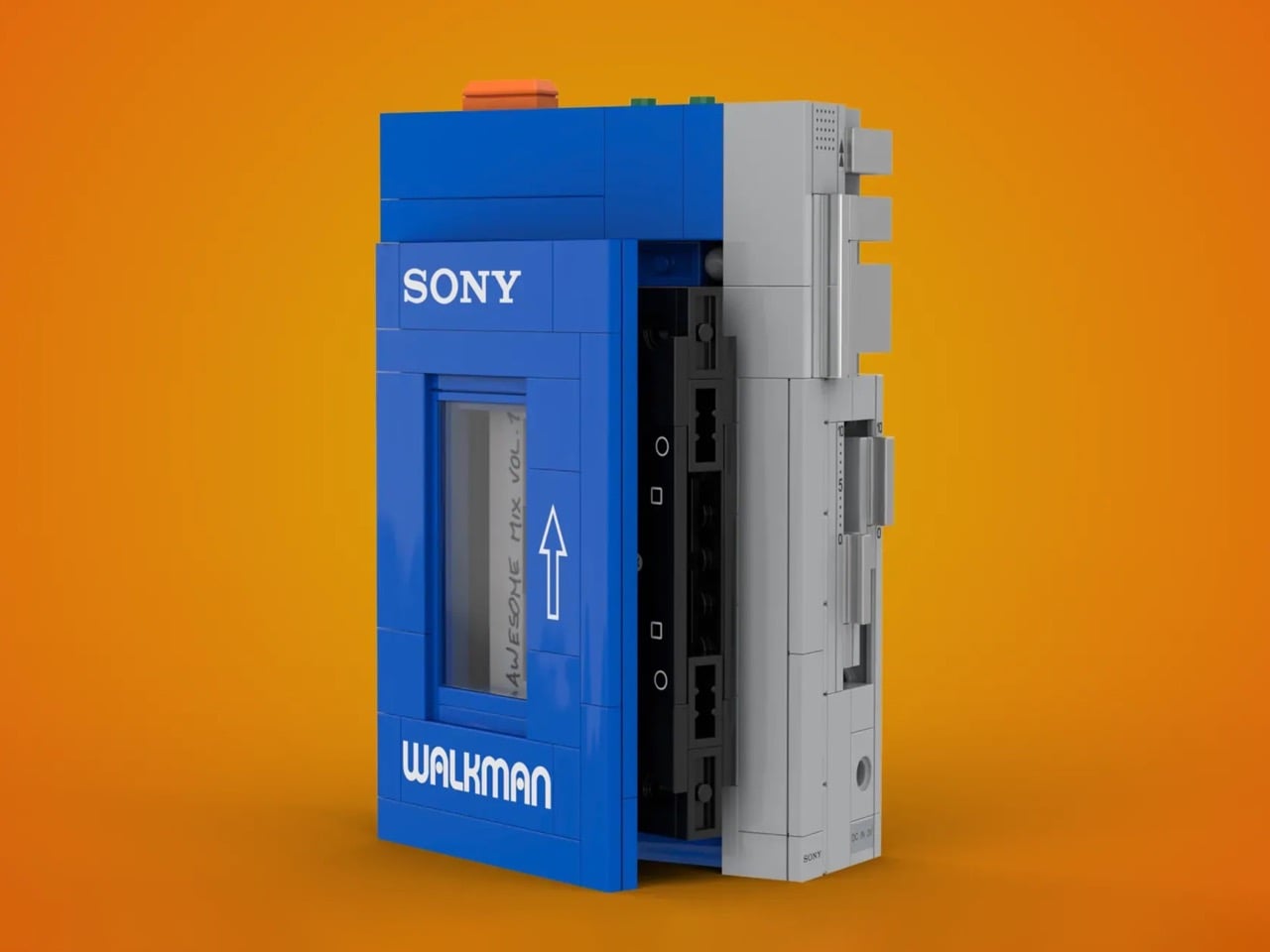
That specific shade of blue paired with light gray side panels captures exactly what Sony’s industrial designers were going for in 1979. They weren’t chasing premium materials or trying to make the TPS-L2 look like jewelry you wore on your belt. It had this utilitarian confidence that said “I do one thing, I do it perfectly, and I don’t apologize for looking like a piece of equipment.” The LEGO version gets that completely right by keeping the form clean and the details purposeful. Besides, everything is perfectly to 1:1 scale, which means this MOC (My Own Creation) accurately captures every single aspect of the Walkman TPS-L2… including even functional buttons.
Volume buttons move independently, which means Headlight Bricks had to engineer two separate mechanical systems in a space probably no bigger than a couple of studs wide. The cassette compartment opens with a pressable eject button, and the spindles inside actually rotate when you turn them. Most builders would’ve faked it with printed tiles or stickers, called it close enough, and collected their upvotes. Instead, this thing functions like you could actually thread magnetic tape through it if you were small enough and patient enough.
Right now the project has 4,735 supporters on LEGO Ideas with 445 days left to hit 10,000 votes. Ideas works on a threshold system where fan designs need 10K supporters to get reviewed by LEGO’s actual product team. Getting reviewed doesn’t guarantee production, but it gets your build in front of the people making those calls. They evaluate marketability, licensing complexity, manufacturing feasibility, whether it fits the brand… which this one surely does, with its iconic, retro-throwback fun design. Whether Sony agrees to comply is an entirely separate issue.
You want to see this become a real product you can order? Go to the LEGO Ideas Website and hit the Support Idea button!. You need a free LEGO account to vote, takes maybe thirty seconds to set up if you don’t have one already. Hit the support button, leave a comment if you feel like it, and you’re done. At 4,738 supporters (me included), this build is inching towards the 10,000 vote mark needed to put this build into the ‘Review’ phase. LEGO managed to produce a working typewriter you can buy. A Walkman with rotating cassette mechanisms and pressable buttons feels like the obvious next move in that category.
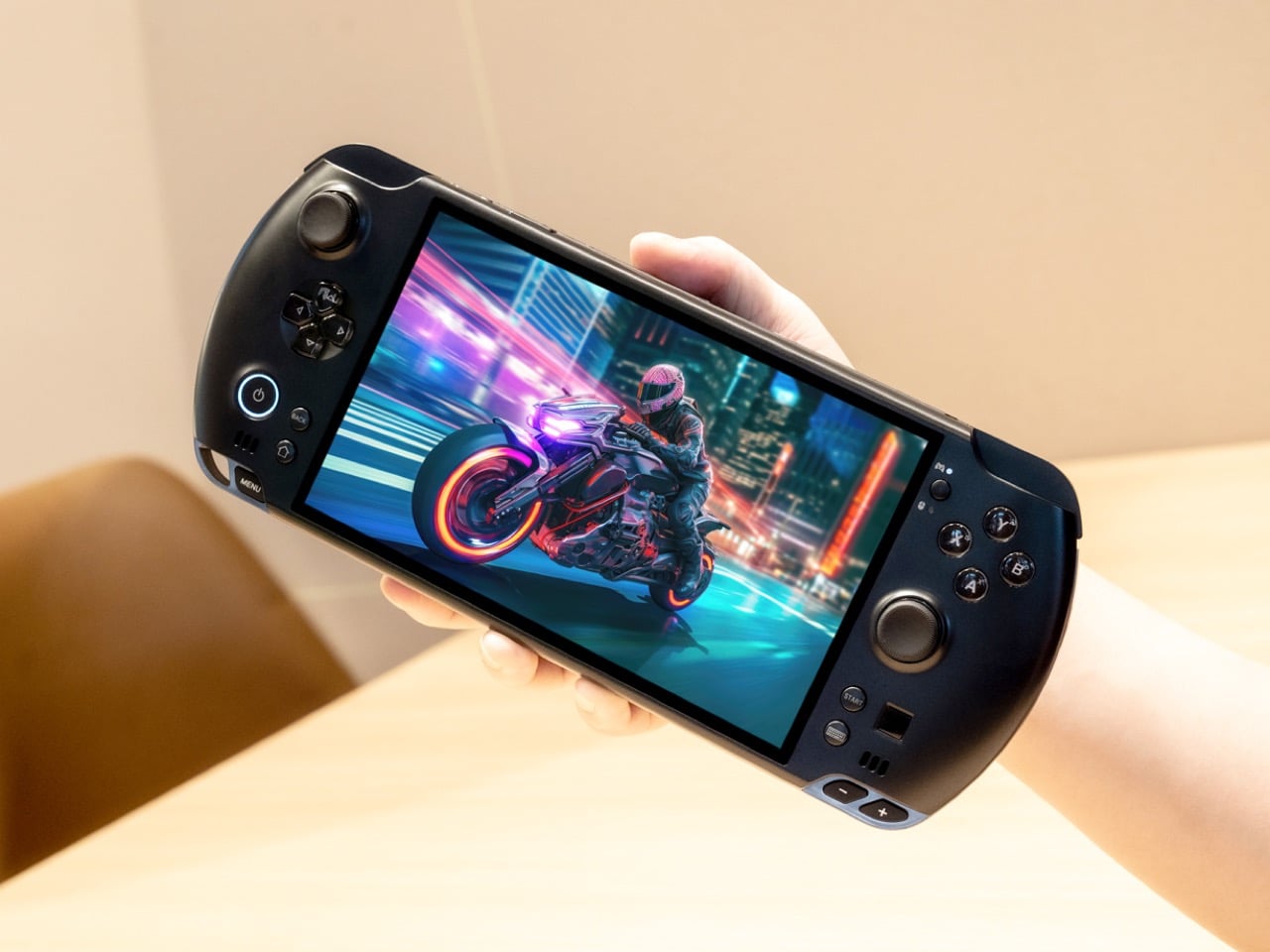
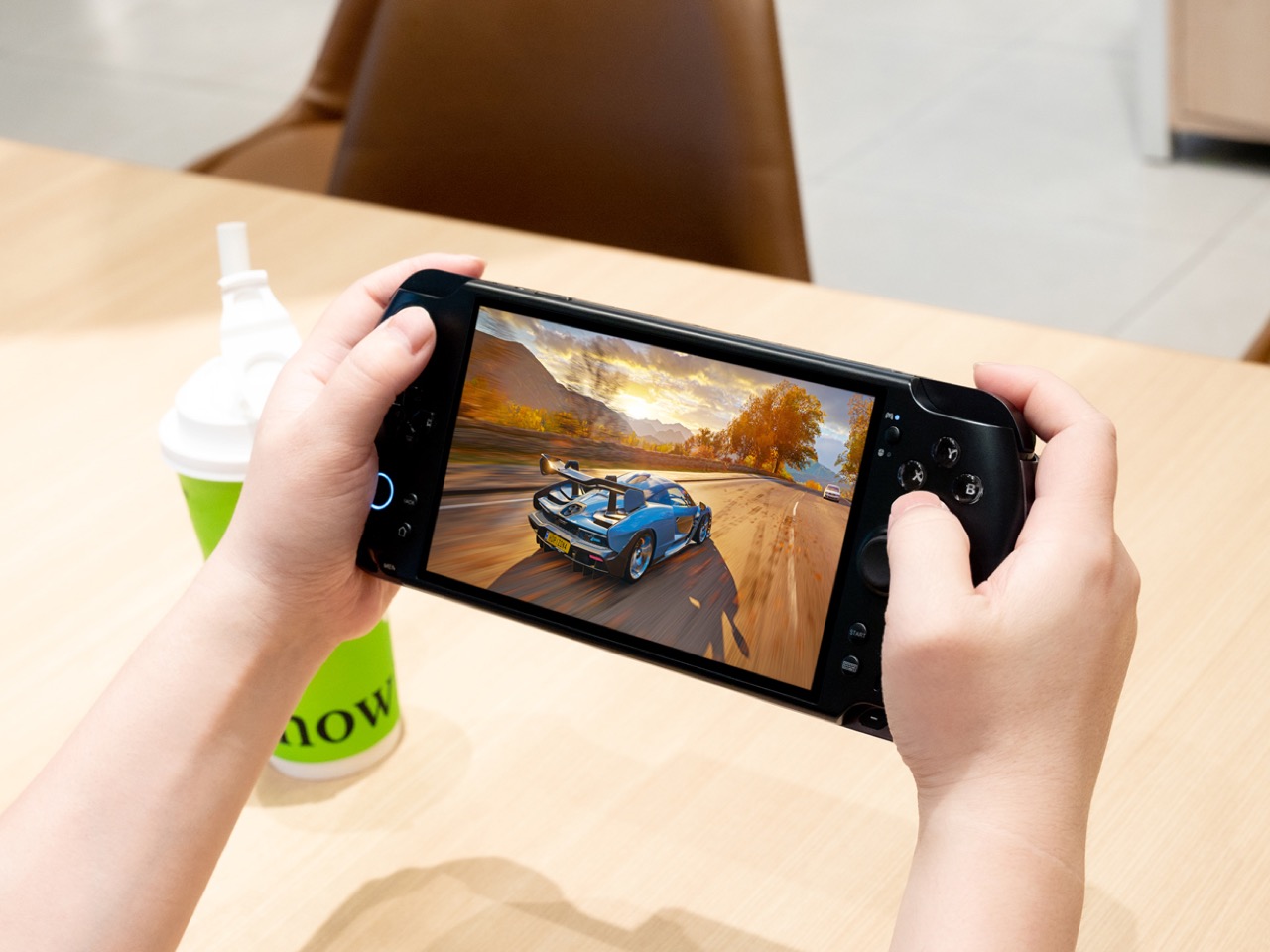
The PSP died, but its body plan lives on like some kind of handheld gaming phylogenetic blueprint. Wide landscape orientation, controls on both sides, screen in the middle. It has been 20 years and we are still building variations on that theme. The GPD Win 5 takes that familiar skeleton and asks a ridiculous question: what if we stuffed desktop level computing power inside it?
The answer involves a detachable 80 Wh battery pack, a quad heat pipe cooling system that sounds like aerospace engineering, and a price tag that makes the Steam Deck feel like an impulse purchase. GPD designed hall effect triggers, capacitive joysticks with zero deadzone, and a proprietary Mini SSD slot that claims speeds far beyond conventional microSD storage. Every innovation exists to solve problems created by the central design decision, which is a refusal to compromise on performance within a handheld form factor. Whether that feels brilliant or stubborn depends entirely on whether you see yourself in the user this was built for.
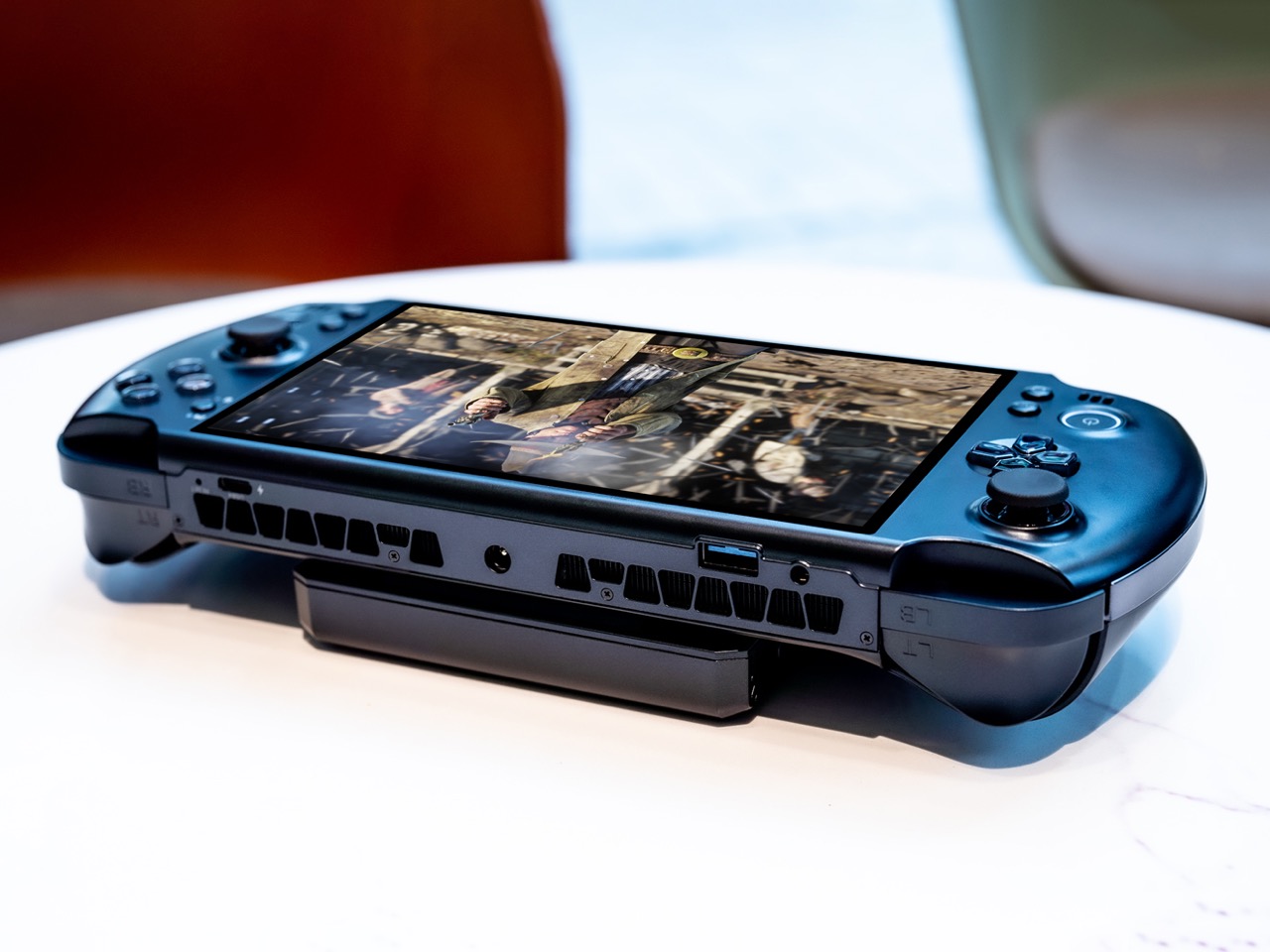
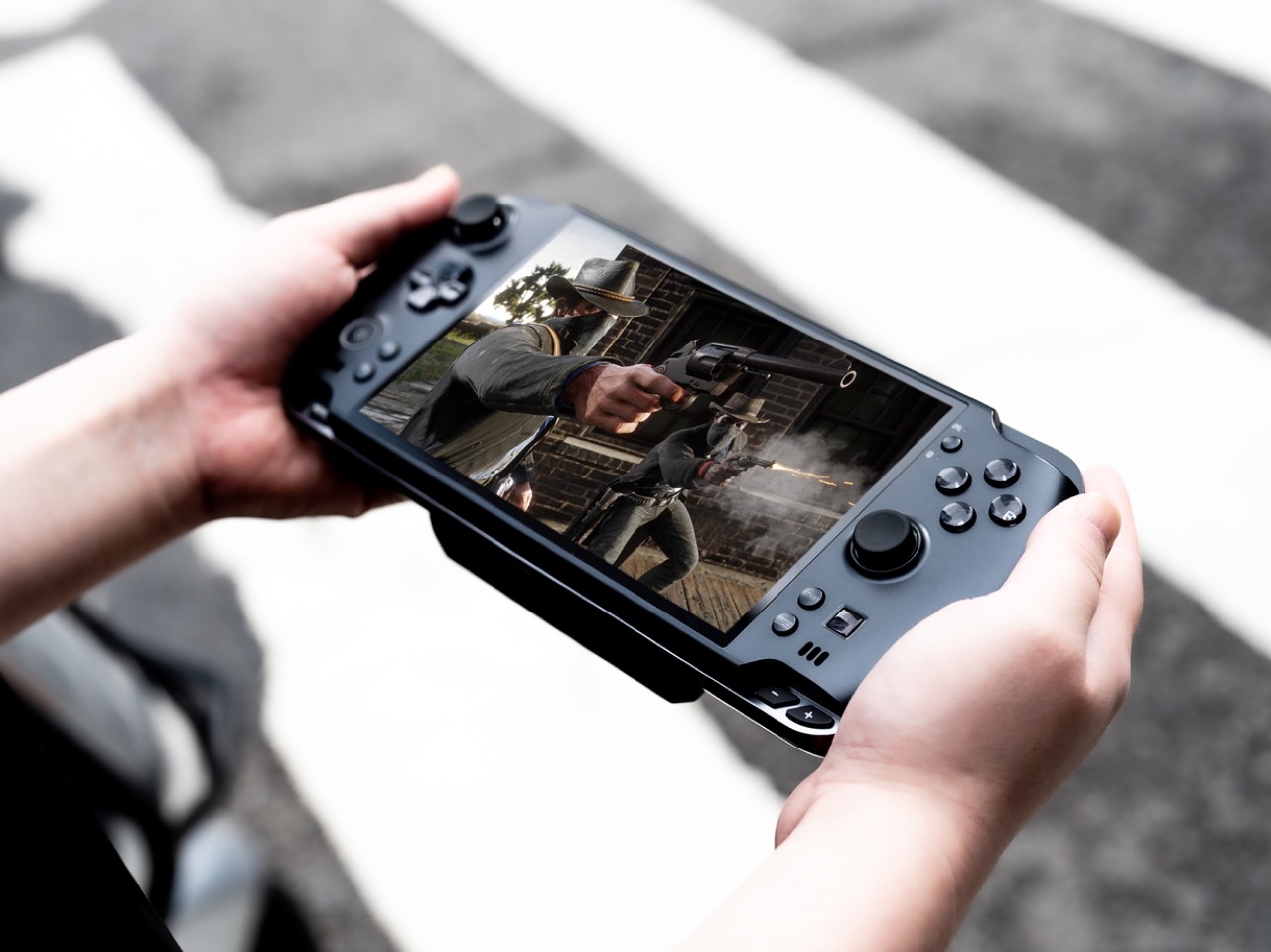
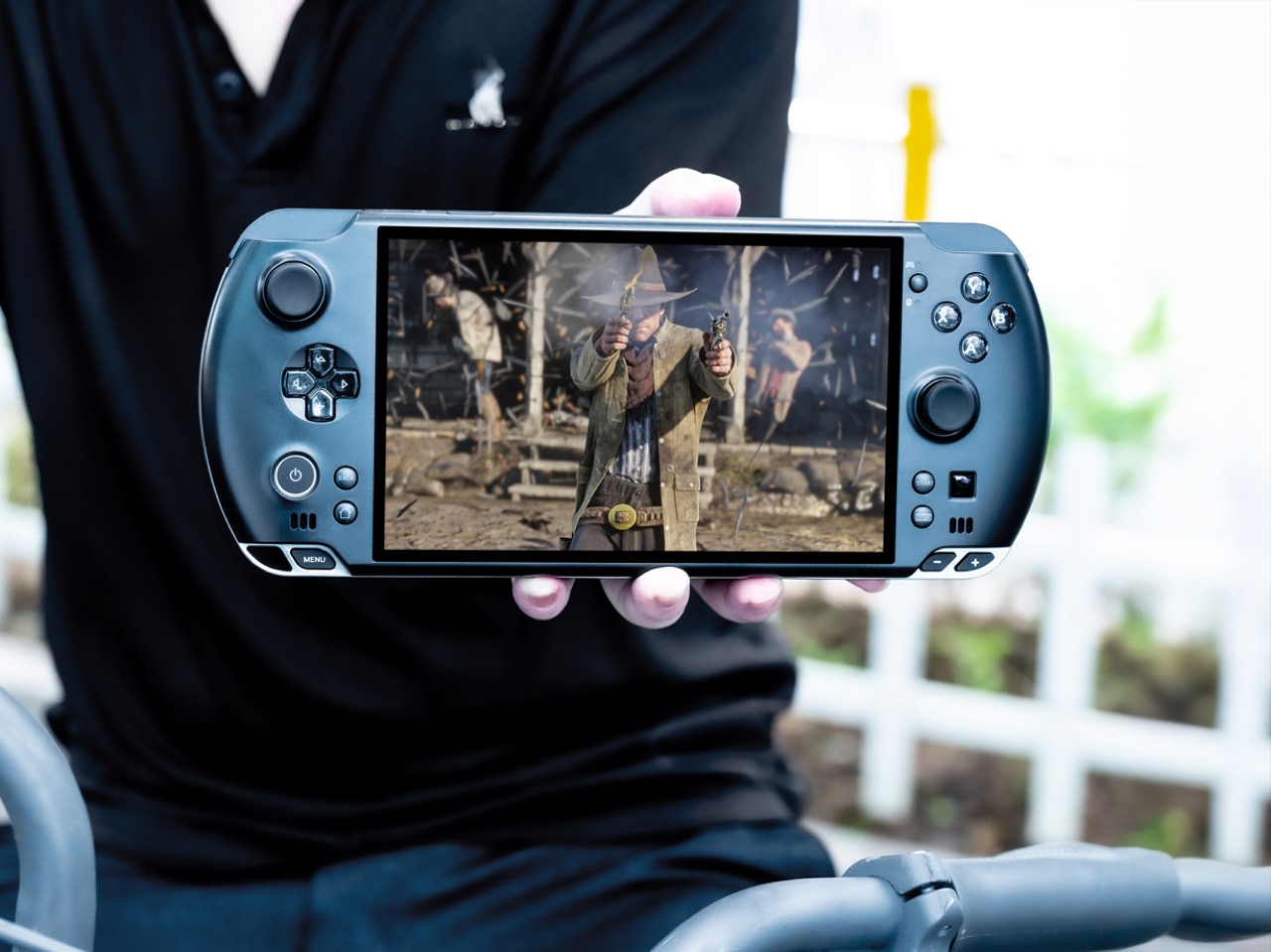
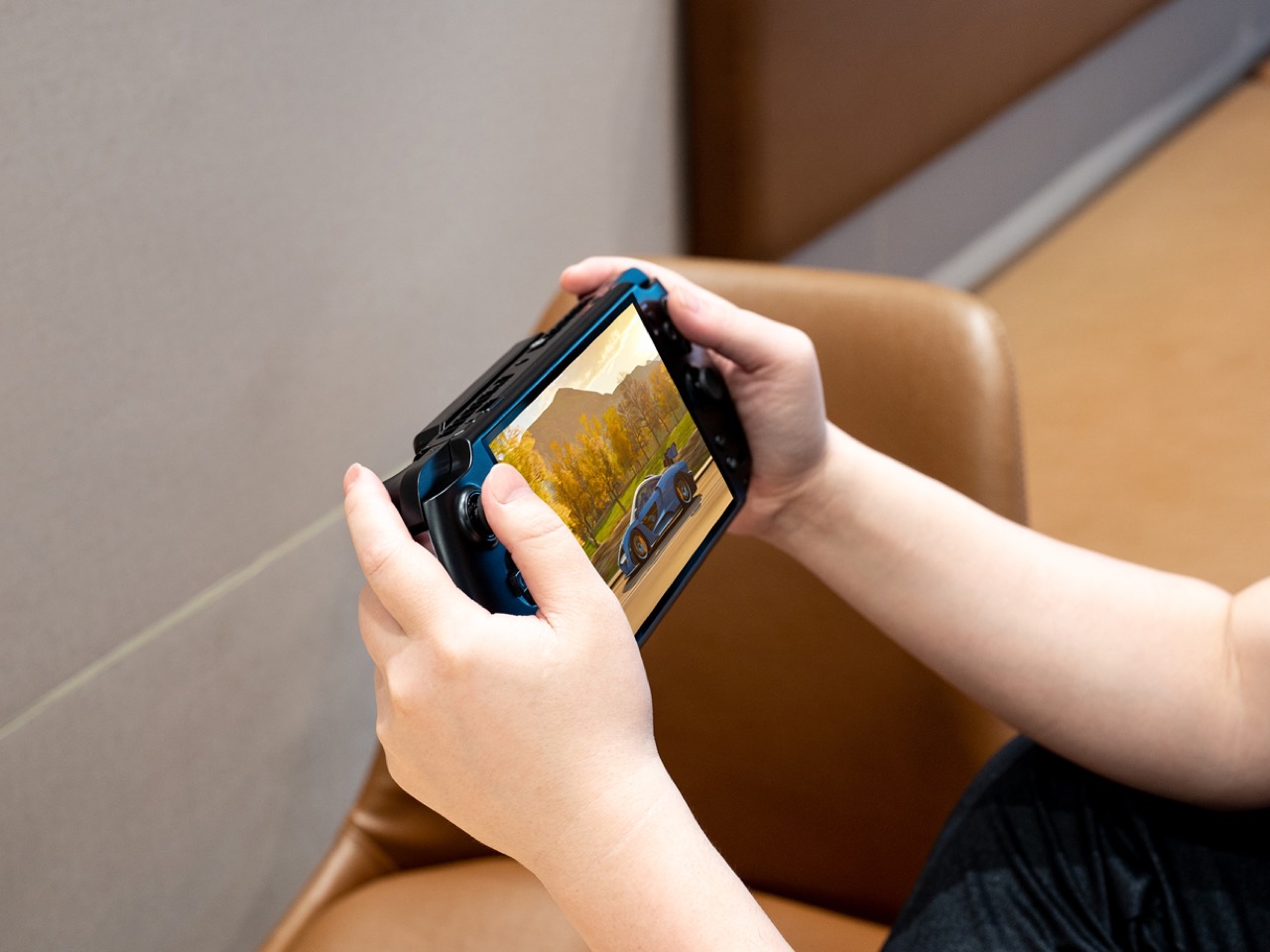
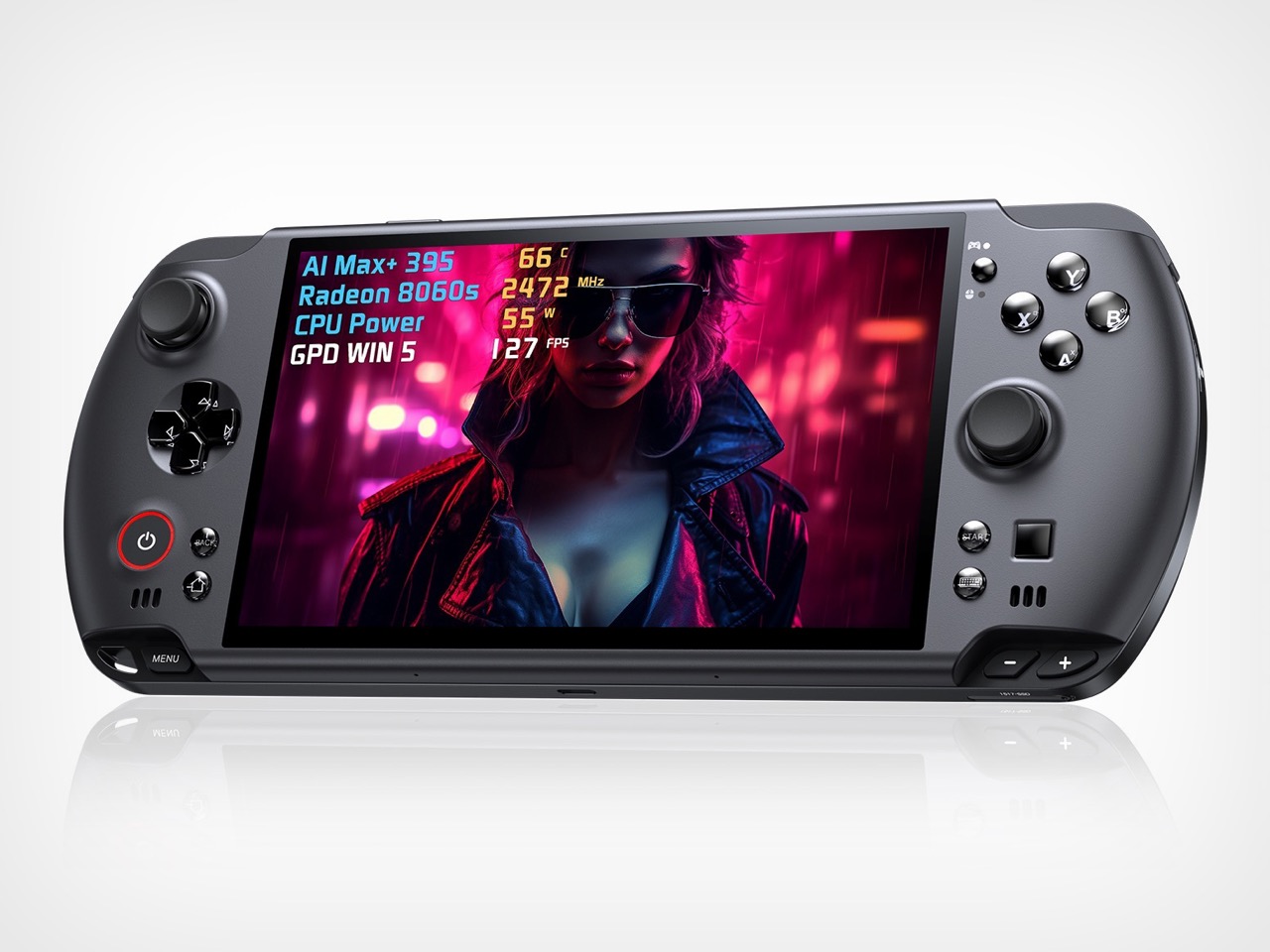
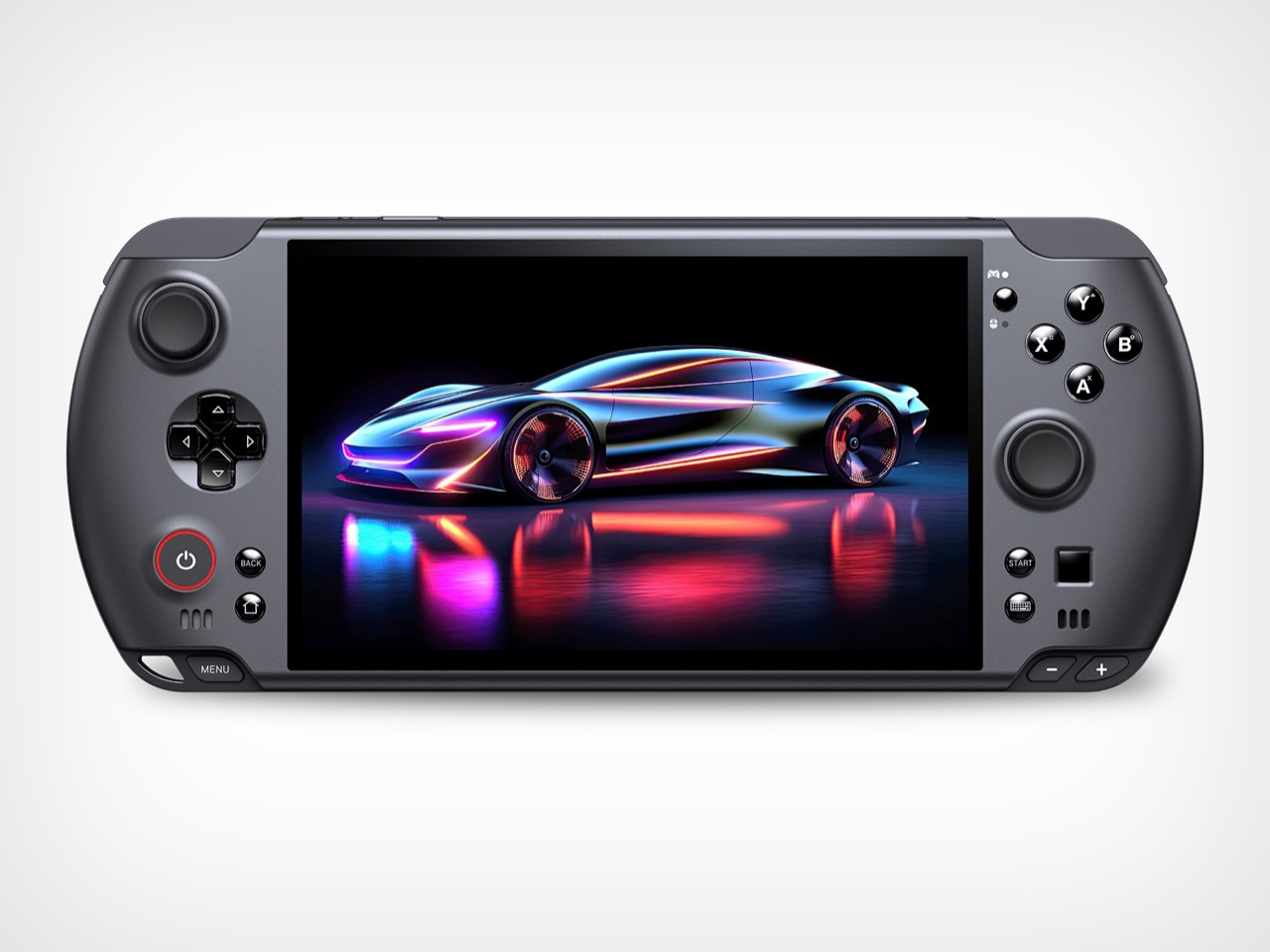
The silhouette comes straight from the PSP school of handheld ergonomics. A 7 inch 16:9 display sits in the center, framed by asymmetrical thumbsticks, a D pad, and face buttons in a layout that feels immediately familiar to anyone who has held a Sony portable. The difference lies in the thickness. The Win 5 looks dense, almost compressed, with aggressive venting along the back and sides that signals its true identity as a compact thermal solution disguised as a gaming console. The top edge bristles with ports and grilles, more reminiscent of a compact gaming laptop than a console you would toss into a sling bag.
Inside that shell lives AMD’s Ryzen AI Max+ 395, a 16 core, 32 thread processor paired with Radeon 8060S graphics. Current coverage places the Win 5’s pricing at around 1,400 dollars for a 32 GB RAM and 1 TB storage configuration, rising to about 2,100 dollars for a 64 GB and 4 TB flagship model. At those levels you are squarely in premium gaming laptop territory, which is exactly what makes this device interesting from a design standpoint. GPD is not chasing affordability or broad appeal. The Win 5 feels like a hardware manifesto about what happens when you give industrial design and engineering teams a very simple but extreme brief: handheld, Windows, desktop class performance.
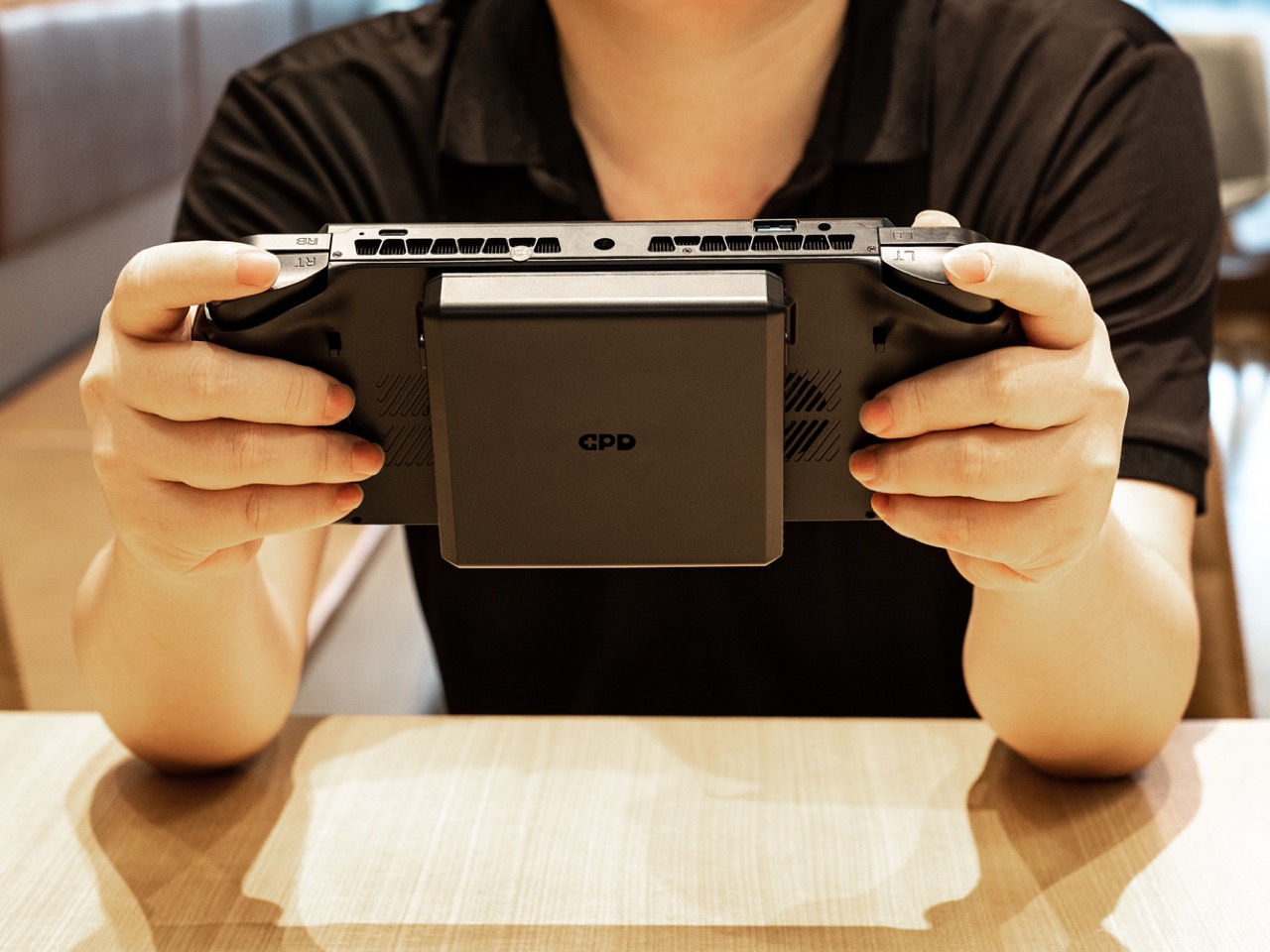
The most telling design decision is the external 80 Wh battery. Instead of burying a huge cell inside the chassis and accepting a brick like profile, GPD splits power delivery into a removable module. It can clip to the back of the unit for a self contained experience, or hang off a cable so the handheld itself stays lighter in the hands. That choice acknowledges a reality that marketing copy rarely does. Sustained high wattage gaming will drain any reasonable internal battery quickly, so GPD leans into modularity and user choice rather than pretending this is an all day couch companion.
Cooling follows the same philosophy. The marketing material highlights a FrostWind architecture with dual large fans, thick copper heat pipes, and a carefully shaped internal airflow path. You can see the consequences on the exterior. The back of the device becomes a sculpted exhaust surface, with intakes and outlets dictating the geometry as much as hand comfort does. It feels like a reversal of usual priorities. Instead of designing a beautiful shell and figuring out how to cool it, GPD appears to have designed a cooling solution and then wrapped a handheld around it.
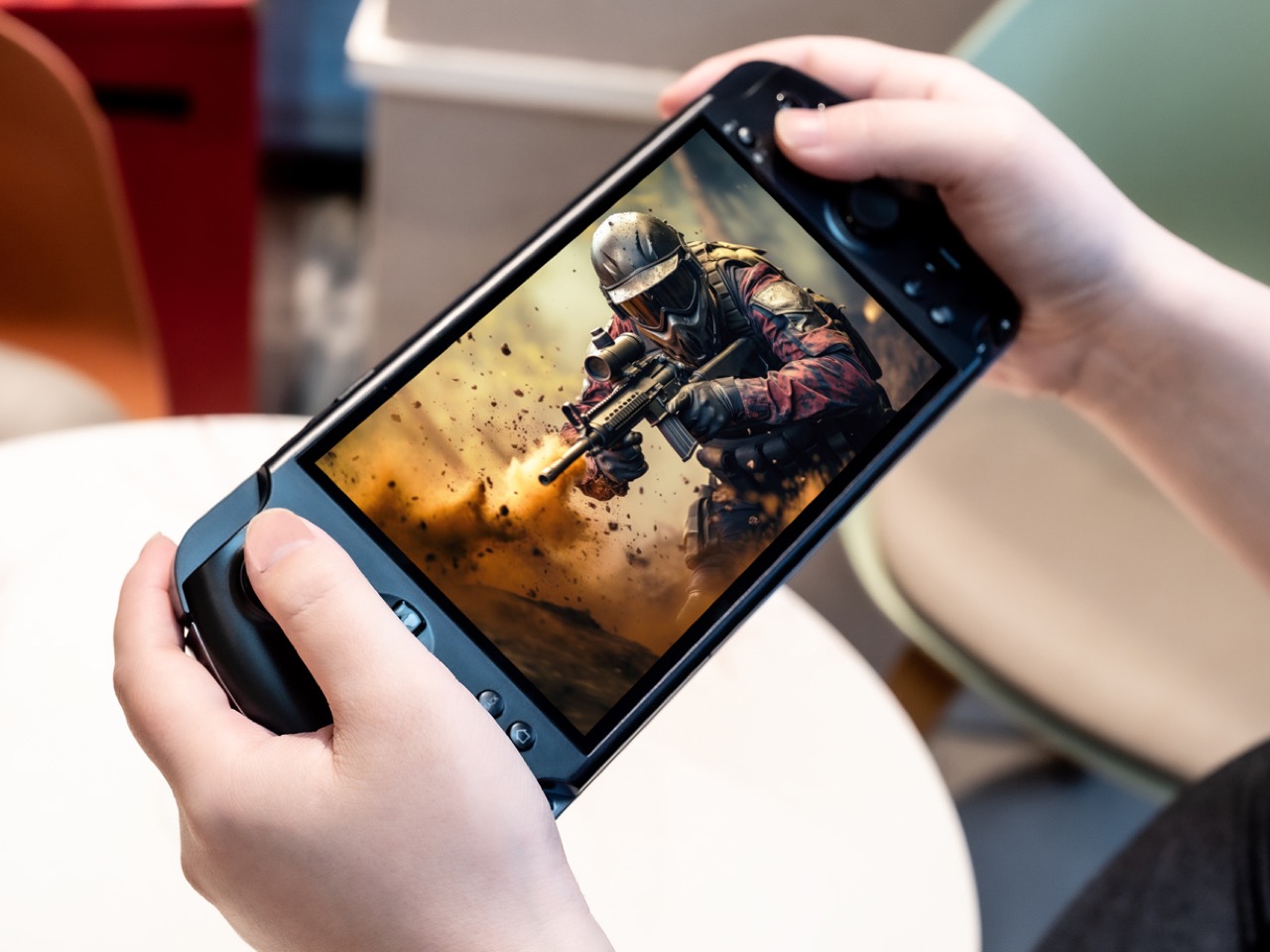
Capacitive joysticks promise zero deadzone and pixel level aiming precision. That approach allows extremely fine analog input without the mechanical hysteresis that can appear in traditional potentiometer based sticks. Hall effect triggers offer contactless sensing for long term reliability and very granular control, a detail that matters for racing and shooting games where tiny pressure changes translate to meaningful in game responses. These are the kinds of components that typically appear in enthusiast controllers, transplanted into a portable PC.
The primary drive uses a standard M.2 2280 SSD, which aligns with desktop and laptop conventions. Alongside that, GPD introduces a miniature proprietary SSD card that occupies roughly half the footprint of a microSD card while offering significantly higher throughput. The message is clear. This device expects users who juggle large game libraries, maybe multiple operating system images, and even local AI workloads, and who notice the difference between 100 MB per second and gigabyte class transfers.
That last point is important. The Win 5 is positioned as a gaming handheld, but its specification sheet reads like a compact workstation. The unified memory options reach up to 128 GB in some configurations, a level that caters directly to users running large language models and other memory hungry tasks locally. The dock supports external GPUs over USB4, allowing the handheld to transition into a desktop style setup when connected to a monitor. In that mode the PSP inspired form factor becomes an integrated controller and display for a full Windows machine rather than a self contained console.
Current reporting places the GPD Win 5 at around 1,400 dollars for a configuration with a Ryzen AI Max 385 processor, 32 GB of RAM, and a 1 TB SSD, and around 1,600 dollars for the Ryzen AI Max+ 395 with 32 GB and 2 TB. Higher tier models reach roughly 2,100 dollars for 64 GB of RAM and 4 TB of storage. These numbers sit squarely in premium gaming laptop territory and far above mainstream handhelds such as the Steam Deck. The comparison highlights the central design question. GPD is asking users to value this specific blend of form factor, controls, and modular power over a larger display and traditional keyboard.
That being said, the Win 5 isn’t perfect by any stretch of the imagination. There are tradeoffs everywhere – weight climbs once the external 80 Wh battery is attached, bringing the total system toward the kilogram class according to early coverage. The price invites direct comparison with full size gaming laptops that deliver larger screens and more conventional ergonomics. Thermals will always be a careful balancing act with this class of hardware, even with dual fans and multi pipe cooling. Those compromises do not feel accidental. They feel accepted in service of a particular vision of computing that treats performance, portability, and physical tactility as equal priorities rather than a hierarchy.
So, the Win 5 isn’t trying to be the next Steam Deck. It’s not a safe, mass market product. It’s a statement. The familiar PSP shape pulls you in with nostalgia, and then the spec sheet hits you over the head with its wild, workstation grade numbers. That’s the whole story right there, the contrast between the old school body and the brand new, ridiculously powerful guts. It’s a fascinating, maybe even reckless, look at what happens when a company decides that classic handheld shape still has some fight left in it, and can be pushed to some truly new extremes.
On any given game day, millions of us become amateur analysts, dissecting every play and scrutinizing every statistic that flashes across the screen. We track player performance with an almost scientific rigor, celebrating the numbers that signal a win and debating the metrics that lead to a loss. This deep dive into data has fundamentally changed how we watch sports, turning passive viewing into an interactive, analytical experience. Yet, for all the attention we pay to the athletes’ performance, our own physiological journey as spectators has remained completely invisible.
Dreame’s new AI Smart Ring proposes a fascinating shift in perspective, turning the sensor technology usually reserved for athletes inward on the audience. The ring’s most ambitious feature, an AI-powered emotion index, aims to quantify the rollercoaster of being a fan, tracking how your body reacts to every thrilling victory and agonizing fumble. It represents a new frontier for wearables, one less concerned with counting your steps and more interested in mapping your heart’s response to the passions that drive you. It is pro-level analytics for the rest of us.
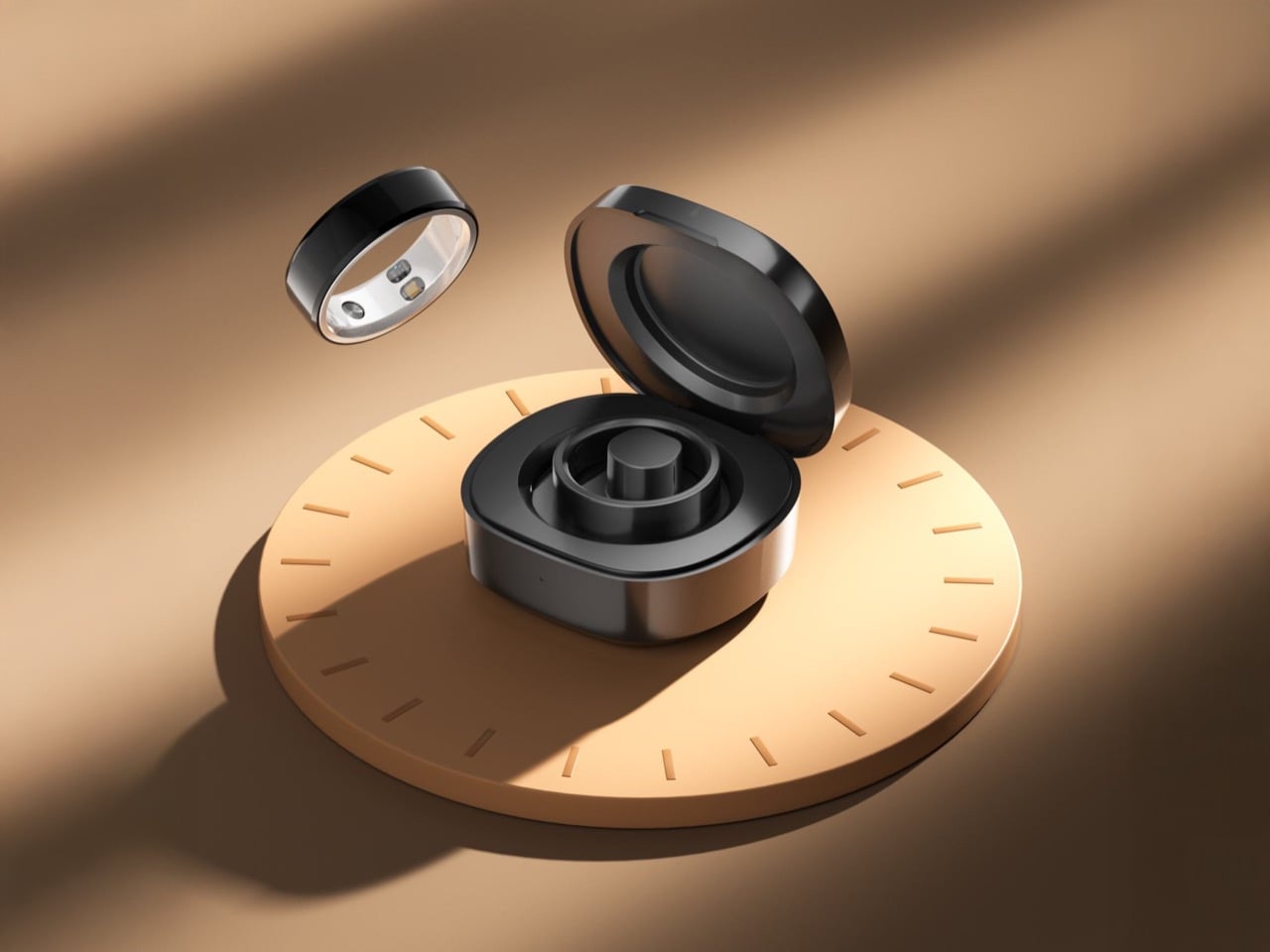
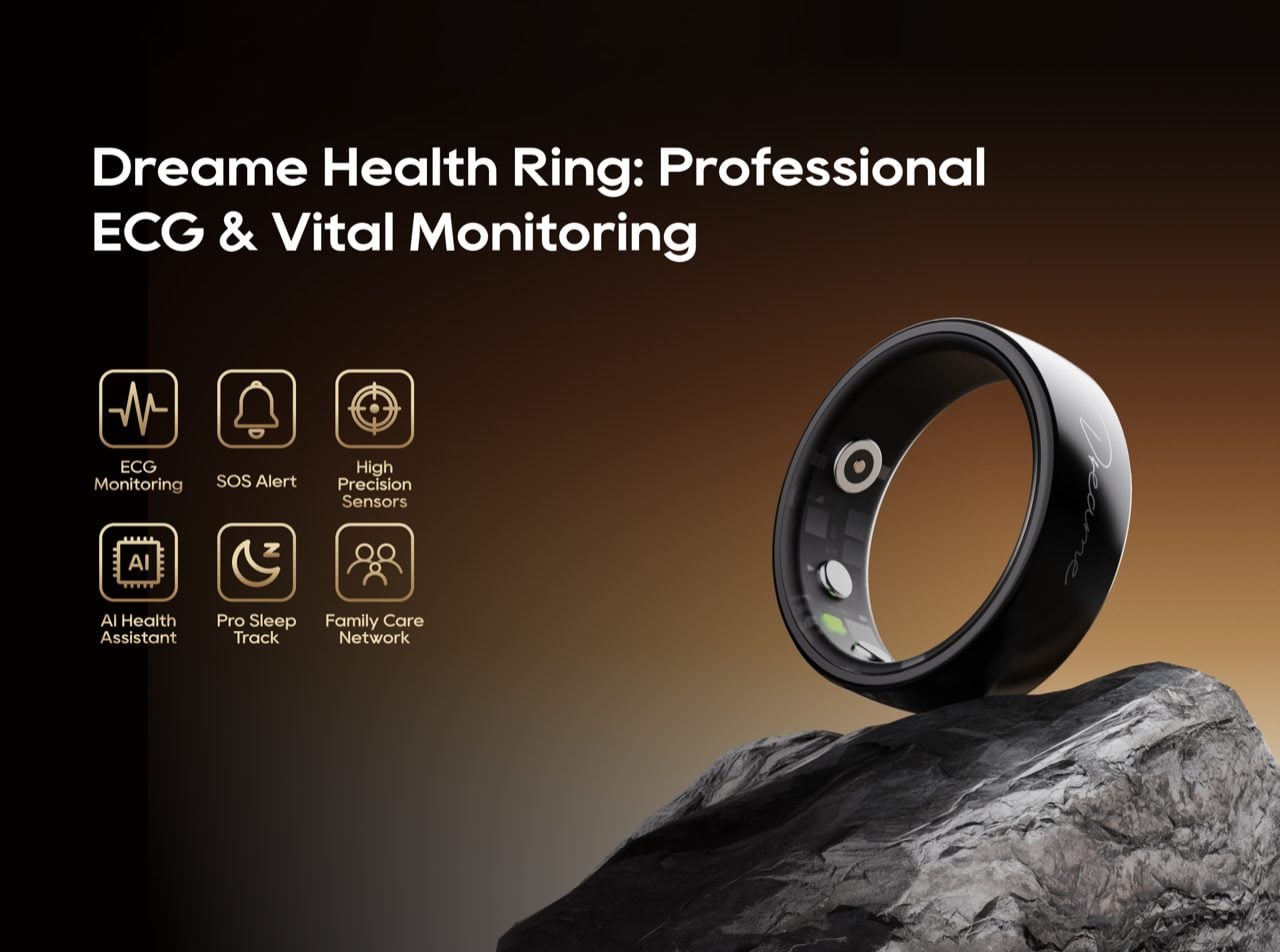
Instead of launching just one device, Dreame is splitting its ambition into a two-ring strategy, which is a seriously interesting market play. The company is effectively acknowledging that “health tracking” means different things to different people. For some, it is about hard, clinical data and safety nets. For others, it is about lifestyle, self-awareness, and emotional insight. So, rather than making one ring that tries to do everything, they have created two distinct products: the Dreame Health Ring, launching in early March, and the Dreame AI Smart Haptic Ring, which is slated for the second half of the year.
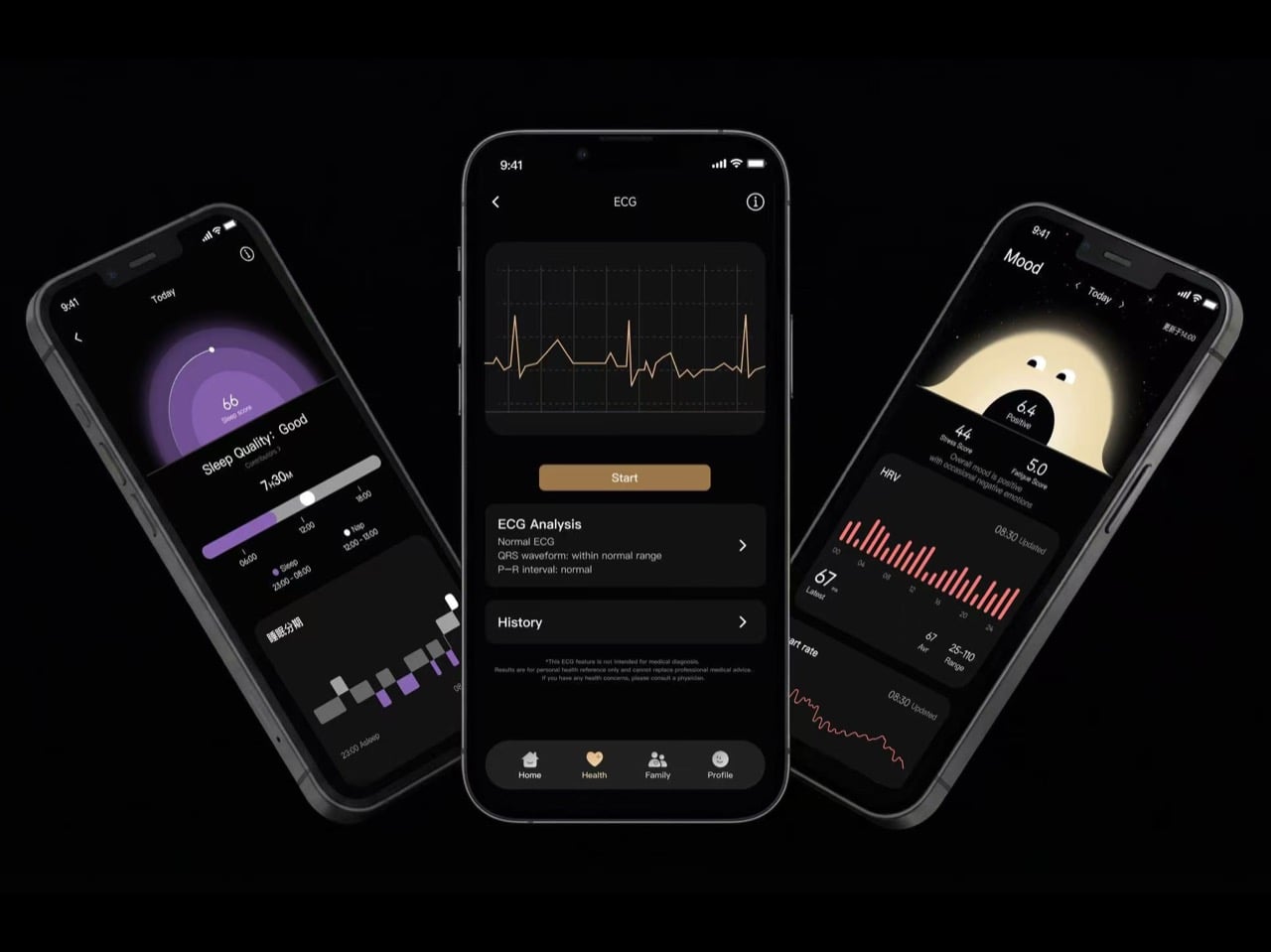
The Dreame Health Ring is the more advanced and serious of the two. This is the one aimed squarely at users who want professional-grade monitoring and peace of mind. Its headline feature is the ability to generate ECG reports on demand, moving it closer to a medical-grade device than a typical fitness tracker. It is built around a core of accurate health monitoring and safety alerts, using AI-driven analysis to flag potential issues. Think of this as the quiet, reassuring guardian, focused on delivering vital health data you can potentially share with a doctor, rather than tracking your mood during a movie.
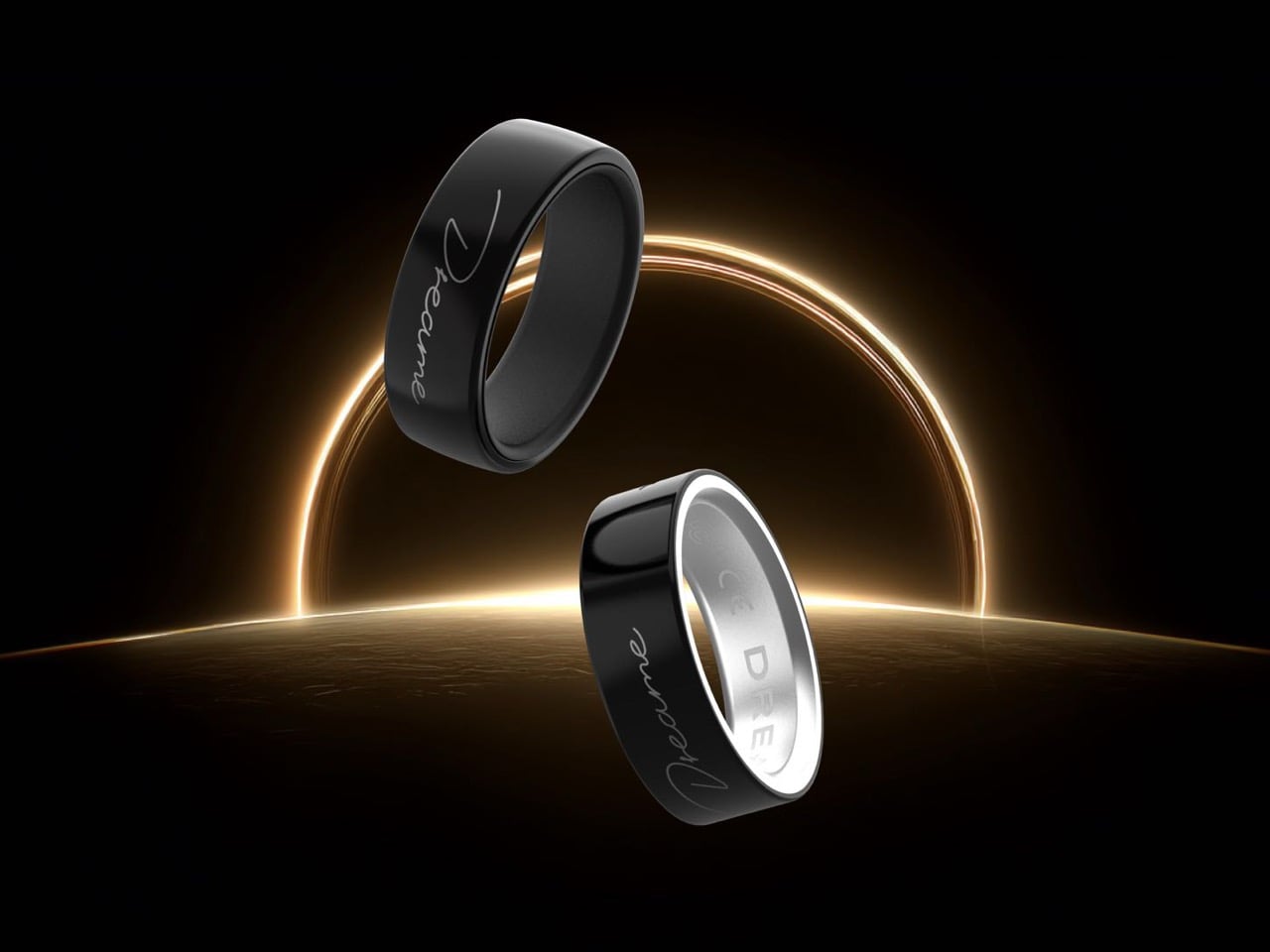
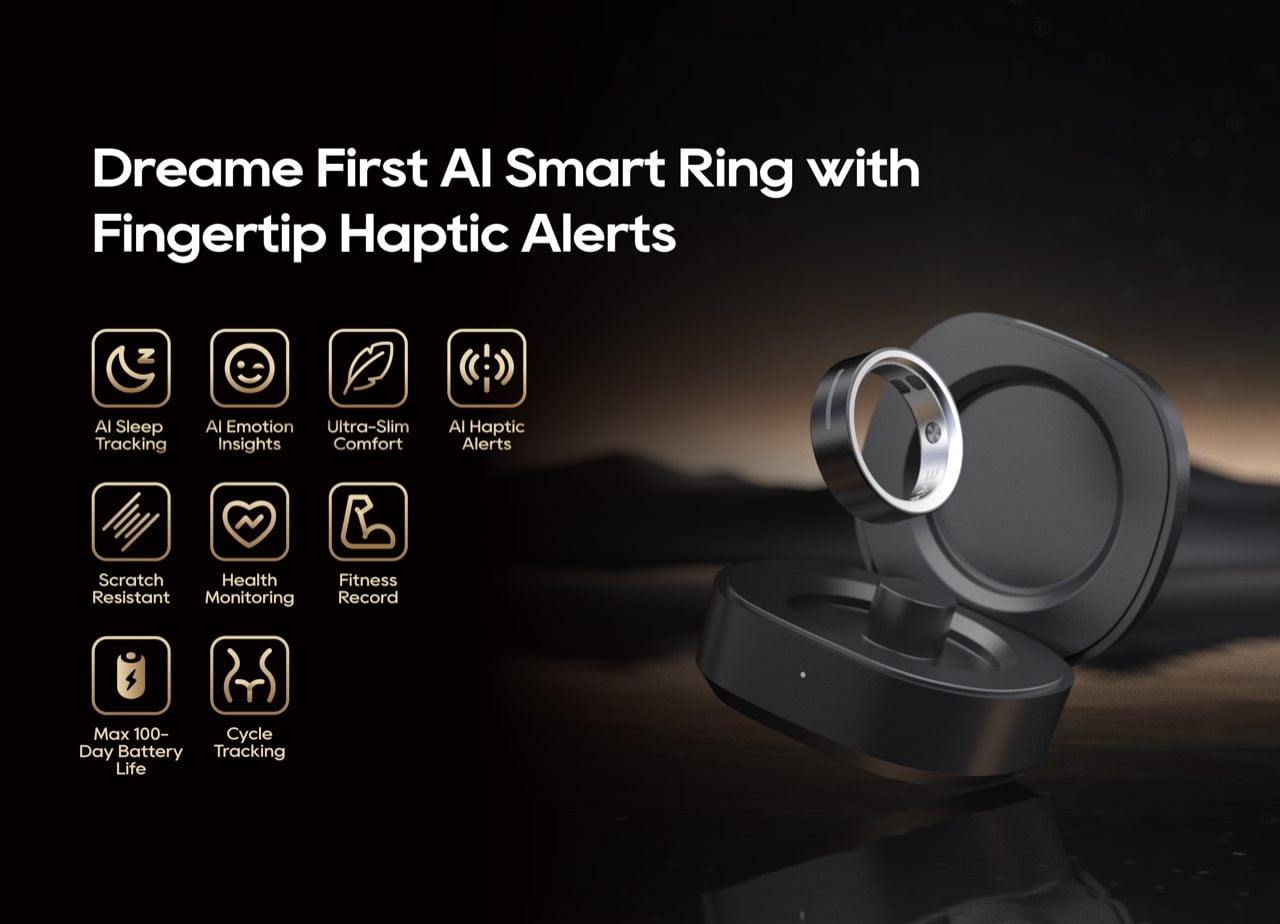
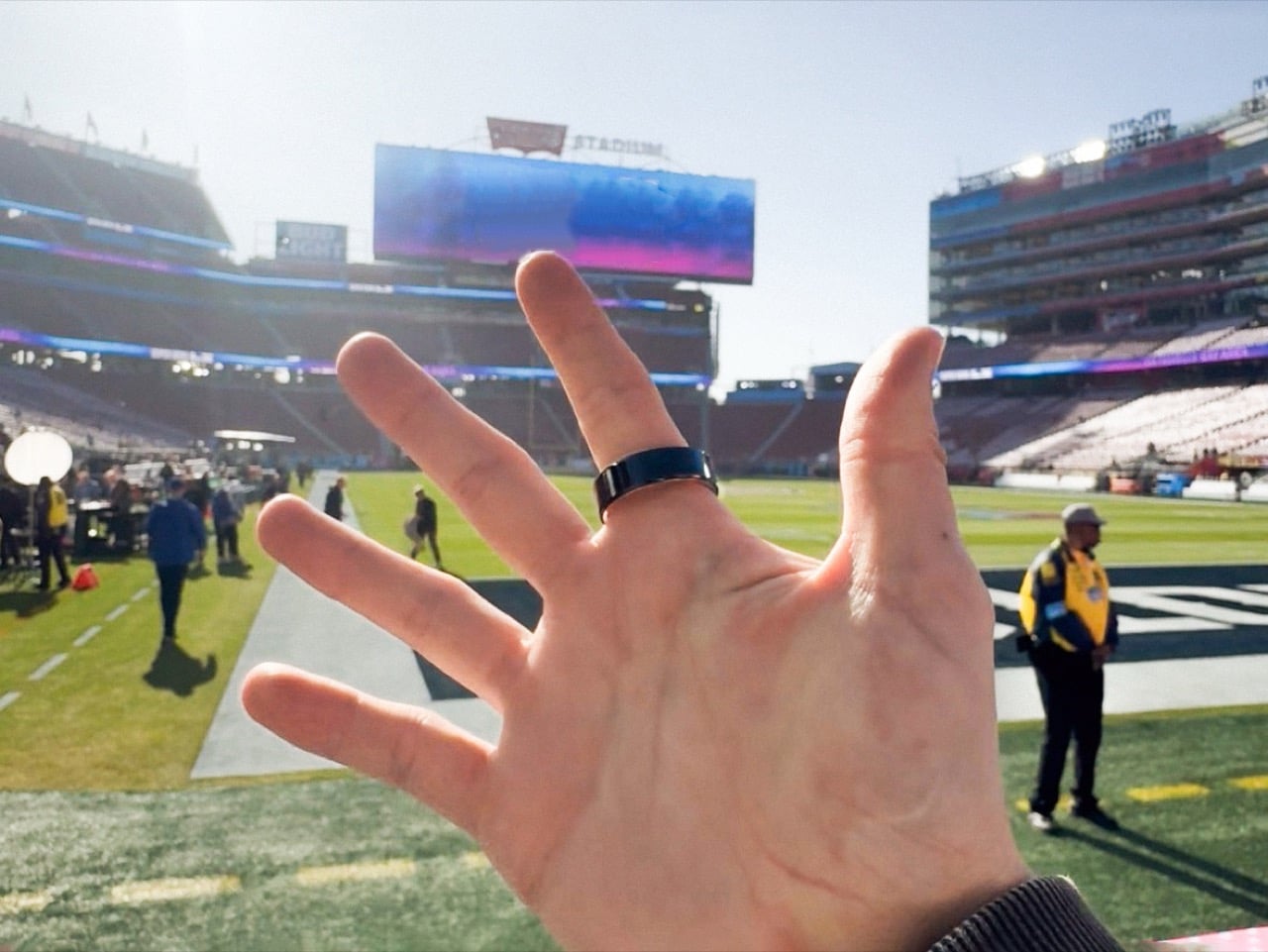
Landing later this year, the Dreame AI Smart Haptic Ring is the lifestyle-focused sibling. You are looking at a 2.5 mm thin body that is about 7.5 mm wide and weighs a featherlight 5.2 grams. The outside is a microcrystalline zirconia nano-ceramic with a Mohs hardness of 8, while the inner band is a slick antibacterial alloy. This ring is all about AI-driven health and sleep tracking, but with a focus on interpretation and daily living. It is designed to be the wearable you forget you are even wearing.
Packed inside that tiny frame is the trifecta of modern health sensors: PPG for heart rate and SpO₂, a temperature sensor, and an accelerometer. This all feeds into the AI sleep algorithms that Dreame claims can nail your REM, deep, and light sleep stages with less than a 5 percent error rate. The AI ring tracks all your key vitals 24/7 and holds about a week of data offline, which is exactly how these trackers should work. But where the Health Ring focuses on ECGs, the AI ring uses this data to power its more experimental features.
This is where we get to the AI ring’s headline feature: the emotion sensing. It claims it can generate a real-time emotion index with 92 percent accuracy. Now, is it going to replace your therapist? Absolutely not. But that is not the point. The real value is in the biofeedback. It is a tool for spotting patterns, for seeing a data-driven trace of how your body reacted to a stressful day while your brain was telling you everything was fine. It is a fascinating, and potentially humbling, new layer of self-awareness that separates it from the more advanced Health Ring.
The design of the AI ring is meant to be invisible. It is a screenless, silent loop of ceramic. Instead of a screen, you get a tiny vibration motor inside for its AI Haptic Alerts, a subtle tap on your finger for a call or message, not a jarring buzz that makes everyone in the room look at you. Those haptics also support tap gestures for controlling music or snapping a photo. The battery life reflects this always-on philosophy, with about a week on the ring itself and a charging case that gives you a claimed at least a 100 days of use before you need a wall outlet.
So why are we seeing this two-ring strategy pop up around the Championship Sunday? It is a smart move. It frames the brand not as just another gadget maker, but as a company thinking deeply about the future of personal health. We are obsessed with the analytics of pro athletes, tracking every metric to understand their performance. Dreame is betting that we are finally ready to apply that same level of nerdy obsession to ourselves, and by offering two distinct paths, they are letting us choose just how deep we want that data to go.
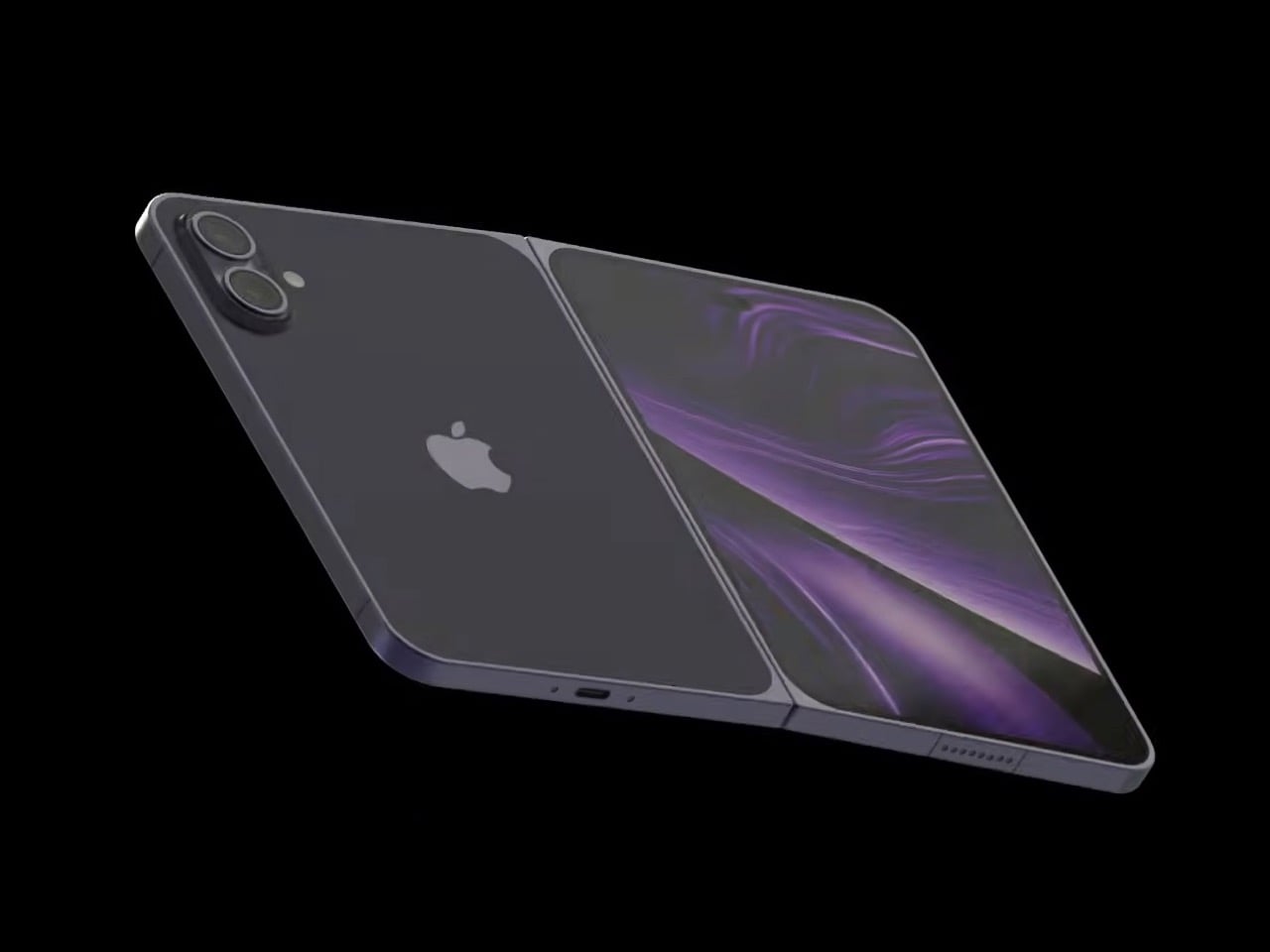
Apple got thousands of people to pay $3,499 for an ambitious “spatial computing device.” Can they convince millions to shell out $2,299 for a foldable iPhone? Let’s just take a second to piece the logic. $2,299 gets you TWO latest iPhone Pros and some duct tape to hold them together. You’d get two screens, two camera modules, two processors. Heck, for $2,299 you could almost buy three iPad minis, giving you three 8.3-inch displays with Apple Intelligence running on all of them. What could a $2,299 iPhone Fold offer that would justify such a markup? Well, here’s everything we know.
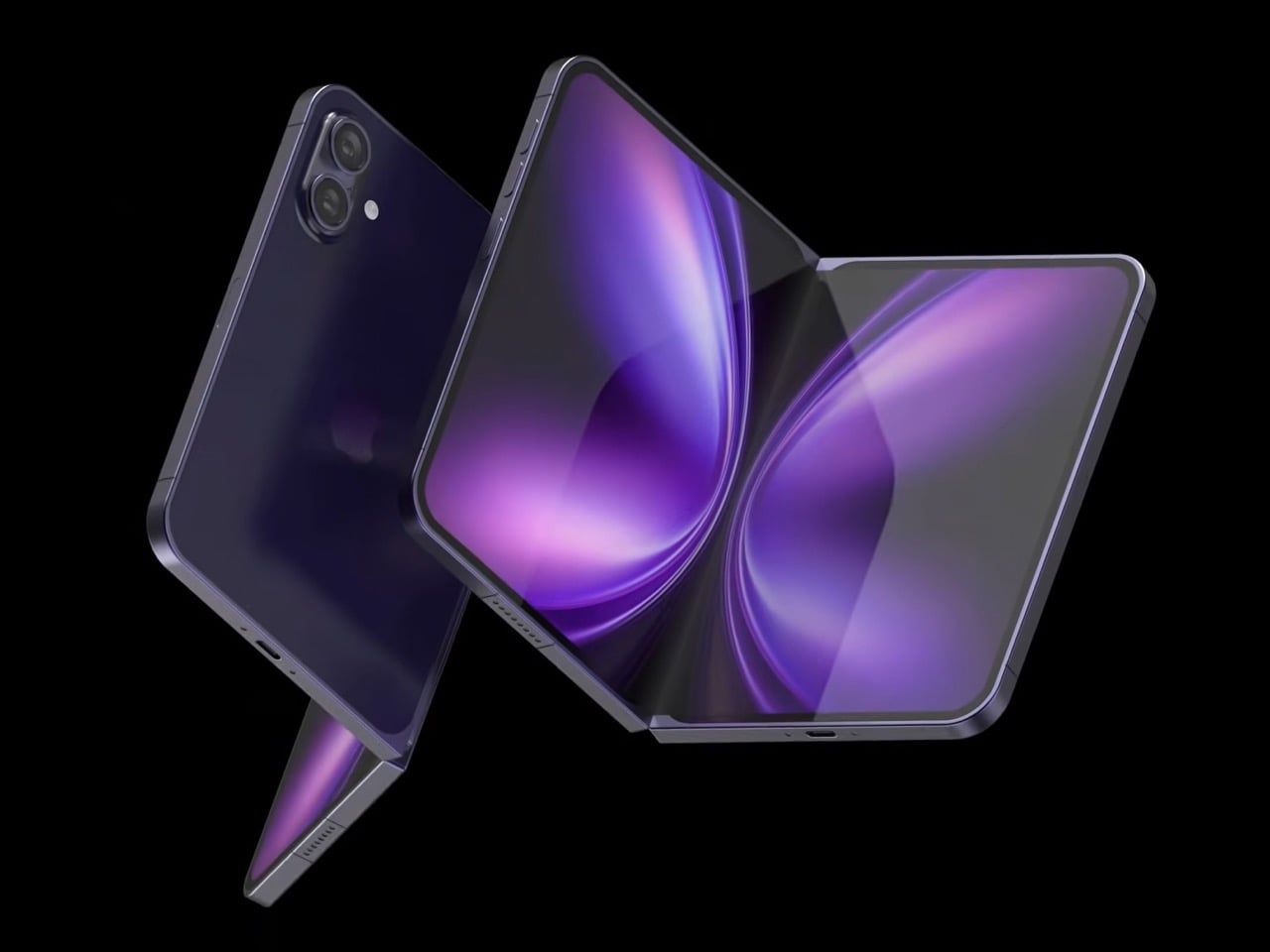
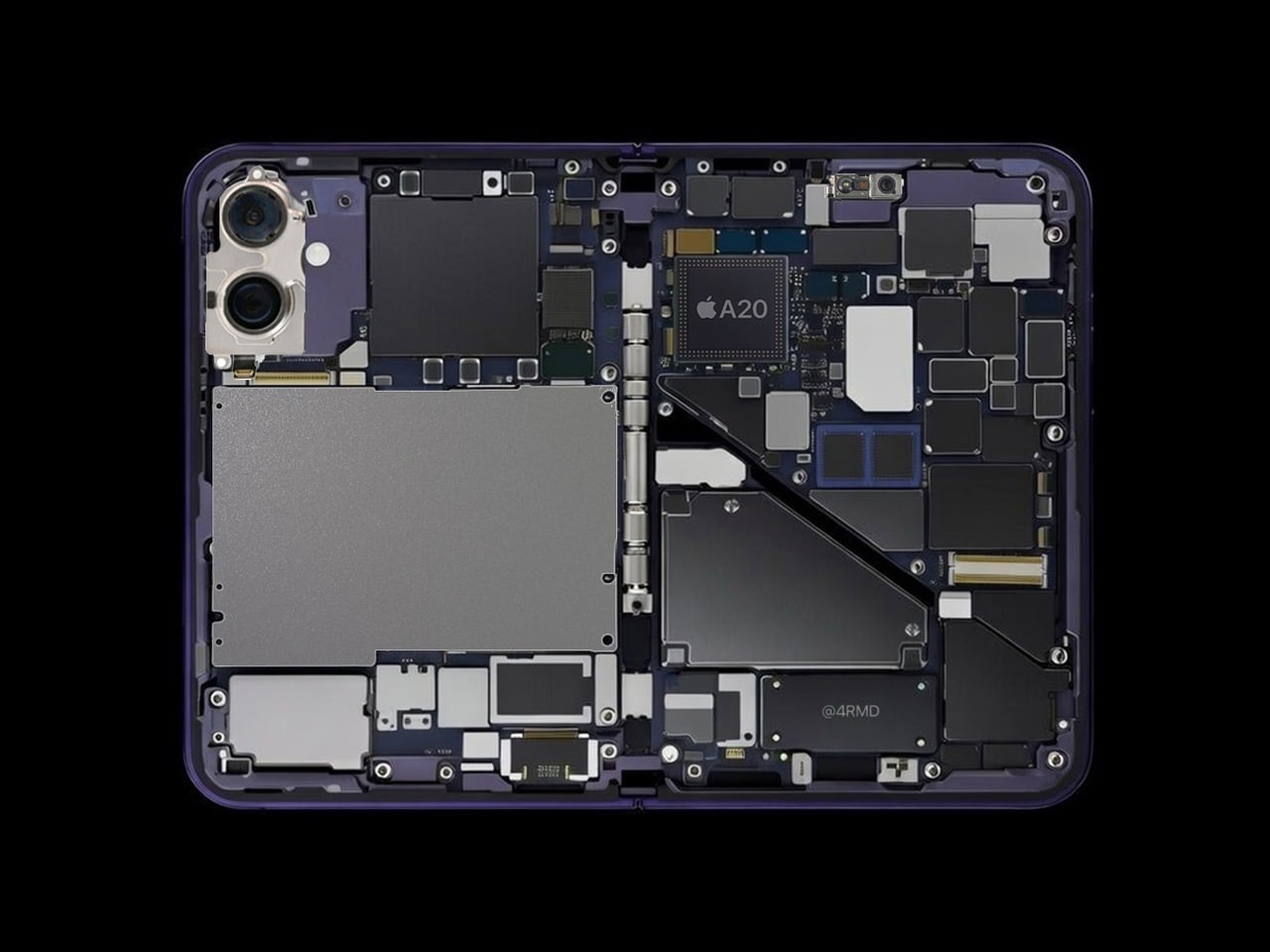
The rumored clamshell-style foldable iPhone is shaping up to be a serious piece of hardware, not just a folding parlor trick. We’re looking at a 5,700mAh battery, which would be the largest ever in an iPhone by a significant margin, promising legitimate all-day power despite running dual displays. The device is expected to feature a 7.8-inch inner display with a 4:3 aspect ratio, essentially giving you an iPad-like canvas that folds into a pocketable form. The outer 5.5-inch screen would function as a standard iPhone when closed. Apple has reportedly solved the crease problem with advanced hinge technology, and the whole package would come wrapped in titanium, measuring just 4.5mm when unfolded.
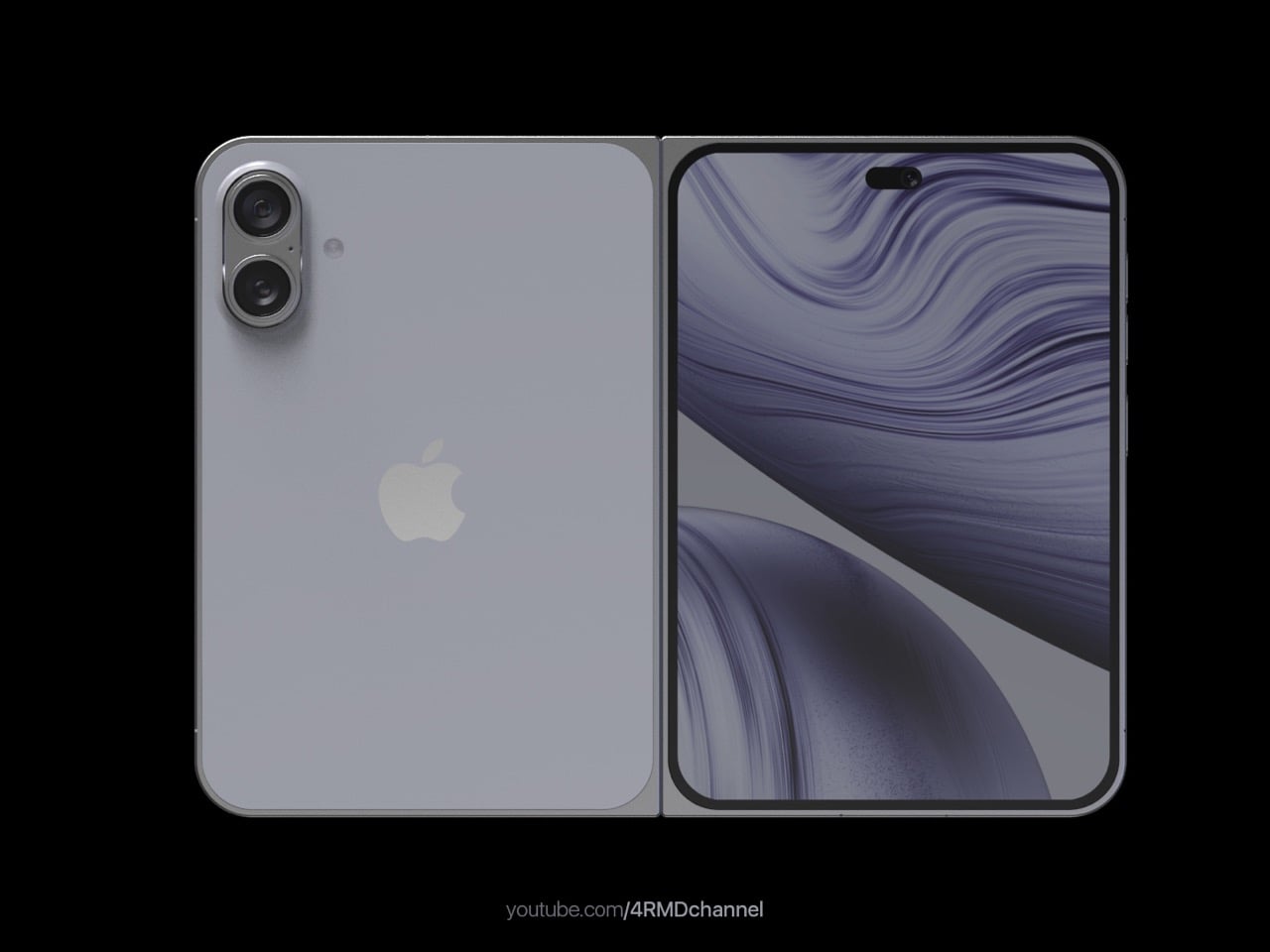
Designer: 4RMD
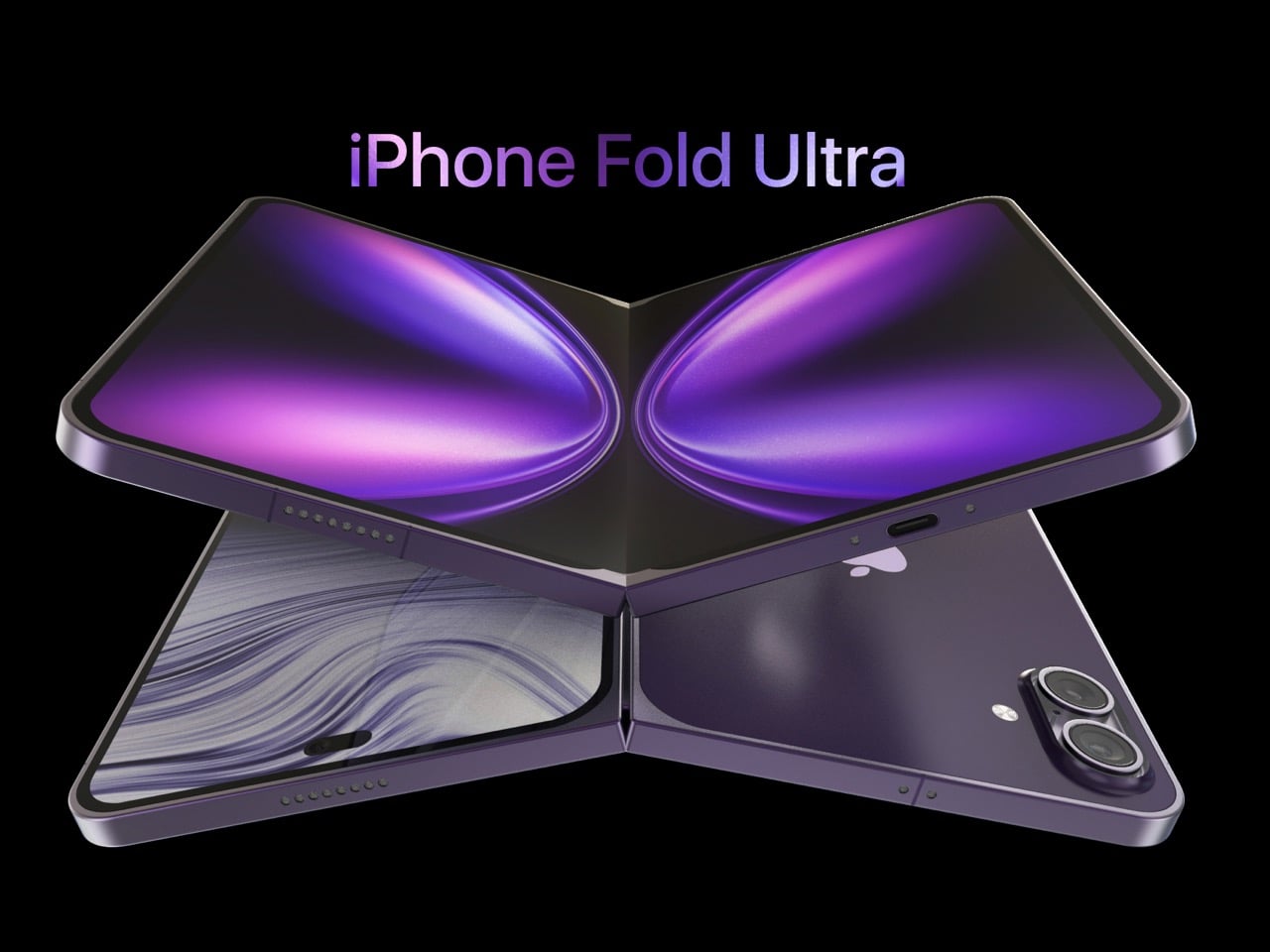
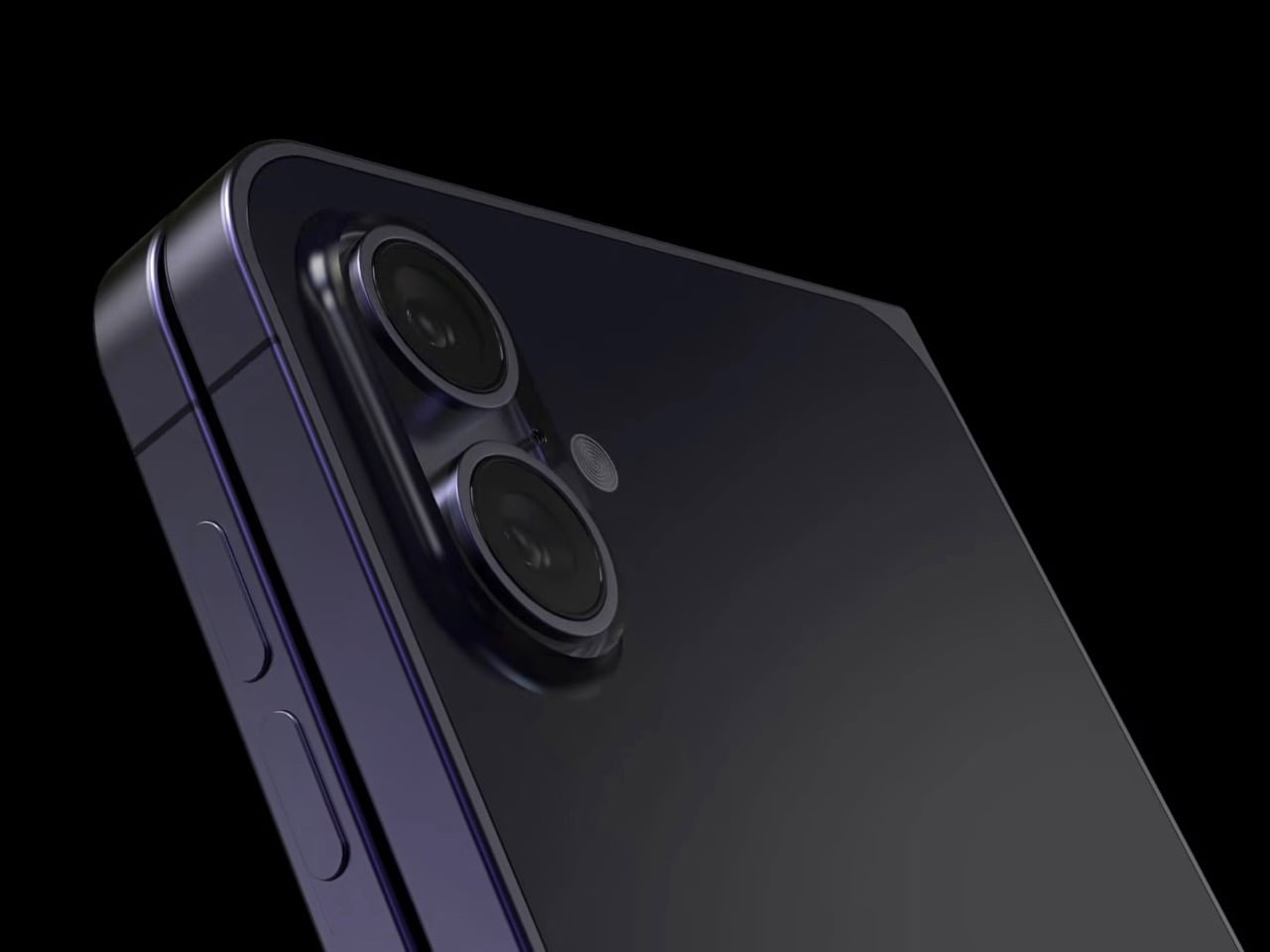
Design studio 4RMD has visualized what this device could look like, and they’ve added the “Ultra” moniker to their concept to spice things up. The specs they’ve compiled from various leaks and reports paint a picture of a device that belongs in the upper echelons of Apple’s lineup, alongside the Apple Watch Ultra and potentially justifying that eye-watering price tag. The renders show a book-style foldable with dual 48MP rear cameras and a 24MP ultra-wide front camera, all running on the upcoming A20 Pro chip built on a 2nm process. Three color options appear in the concept: White, Black, and Deep Purple, the latter being a callback to the iPhone 14 Pro’s most popular finish.
Of all those specs, the 5,700mAh battery is the one that really stops you in your tracks. It’s a direct shot at the Achilles’ heel of every single foldable currently available. Samsung’s Galaxy Z Fold 7 limps along with a 4,400mAh cell, and anyone who has used one knows that’s barely enough to get through a busy day. Google’s Pixel Fold does a bit better with 4,821mAh, but it’s still a compromise. A battery that large, combined with Apple’s legendary efficiency, means this could be the first foldable that you can actually use without constantly hunting for an outlet. That alone is a massive selling point.
Of course, stuffing a battery that big into a chassis brings up the immediate question of weight. Foldables are notoriously heavy; the Pixel Fold is a hefty 283 grams, and the Z Fold 6 is 239 grams. For context, an iPhone 16 Pro Max is around 227 grams. This is where the rumored titanium frame becomes critical. Titanium provides the necessary rigidity for a complex hinge mechanism without turning the phone into a pocket brick. If Apple can keep the weight manageable while achieving that 4.5mm unfolded thickness, they will have solved a core ergonomic problem that competitors are still struggling with.
The physical interaction model also gets a rethink, with Touch ID making a comeback on the power button. This isn’t a step backward; it’s a pragmatic engineering choice. Putting Face ID on both the inner and outer screens would mean two expensive, space-consuming TrueDepth systems. A single fingerprint sensor on the side works seamlessly whether the device is open or closed, and it’s a proven, reliable technology. If anything, it makes sense after years of FaceID not working when the phone isn’t facing you head-on. Just let me unlock my phone while it’s beside me in bed, Apple…
All this premium hardware would be for nothing if the main screen still felt like a compromise, which brings us to the crease. The concept details a nearly invisible one, which lines up with reports of Apple using advanced ultra-thin glass and a unique Liquidmetal hinge. Competitors have made progress, but you can still feel and see the fold on every device out there. If Apple truly manages to create a seamless internal display, it will remove the last major psychological hurdle for potential buyers. It would finally make a foldable screen feel like a single, uninterrupted canvas.
So, when do we actually get our hands on this thing? The consensus has been fall 2026, launching alongside the iPhone 18 Pro. That timing is now looking a bit shaky. Apple has reportedly pushed the standard iPhone 18 into 2027 because of component shortages, and the company is still wrestling with getting Apple Intelligence just right. If the Fold’s software isn’t ready (or even a better Apple Intelligence to pair with it), a delay seems inevitable. A slip from late 2026 to early 2027 would place its release right inside the window for the iPhone’s 20th anniversary. The original launched in June 2007, and it feels fitting that the 20th anniversary iPhone be one that bends in half on purpose.
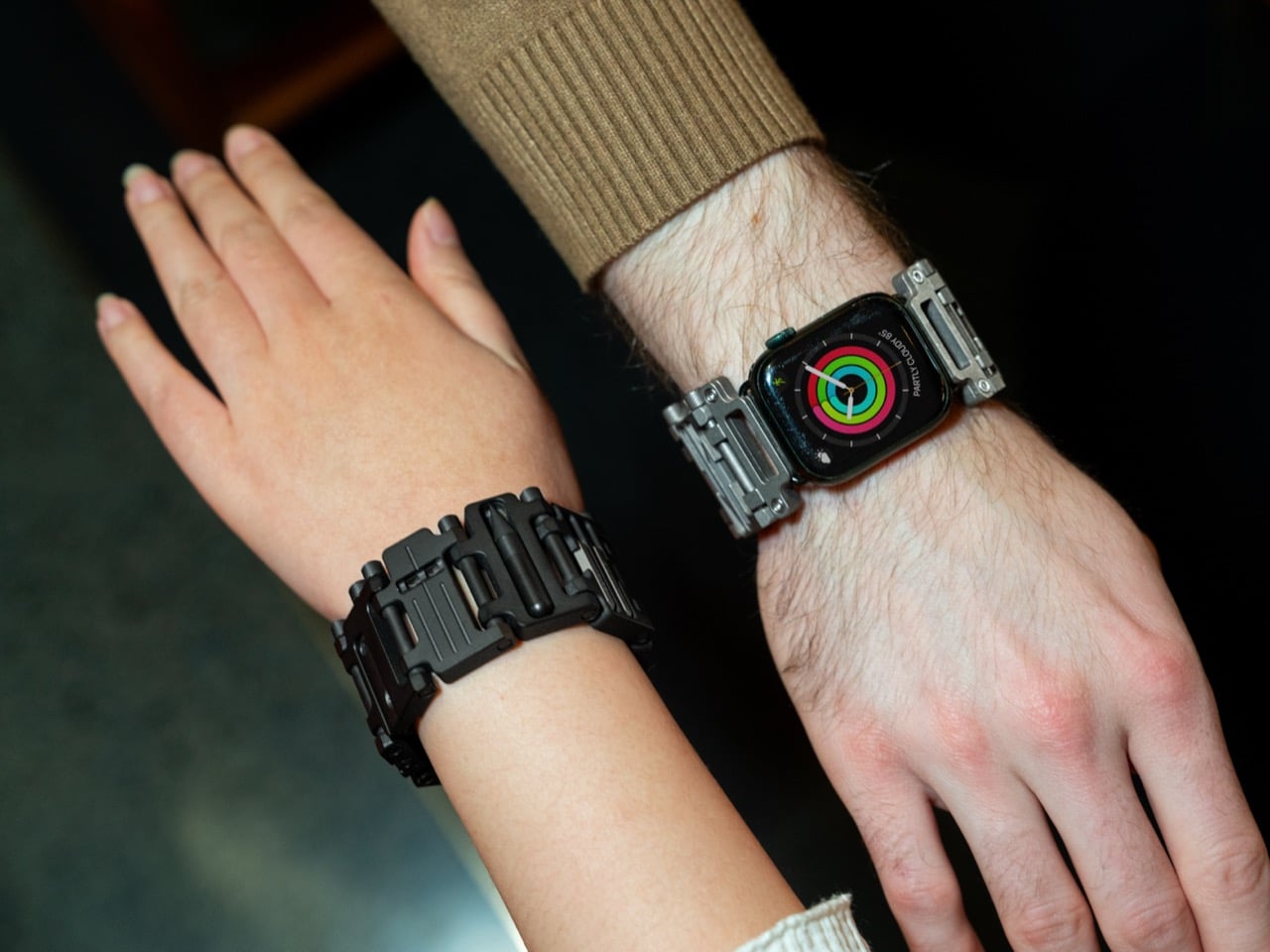
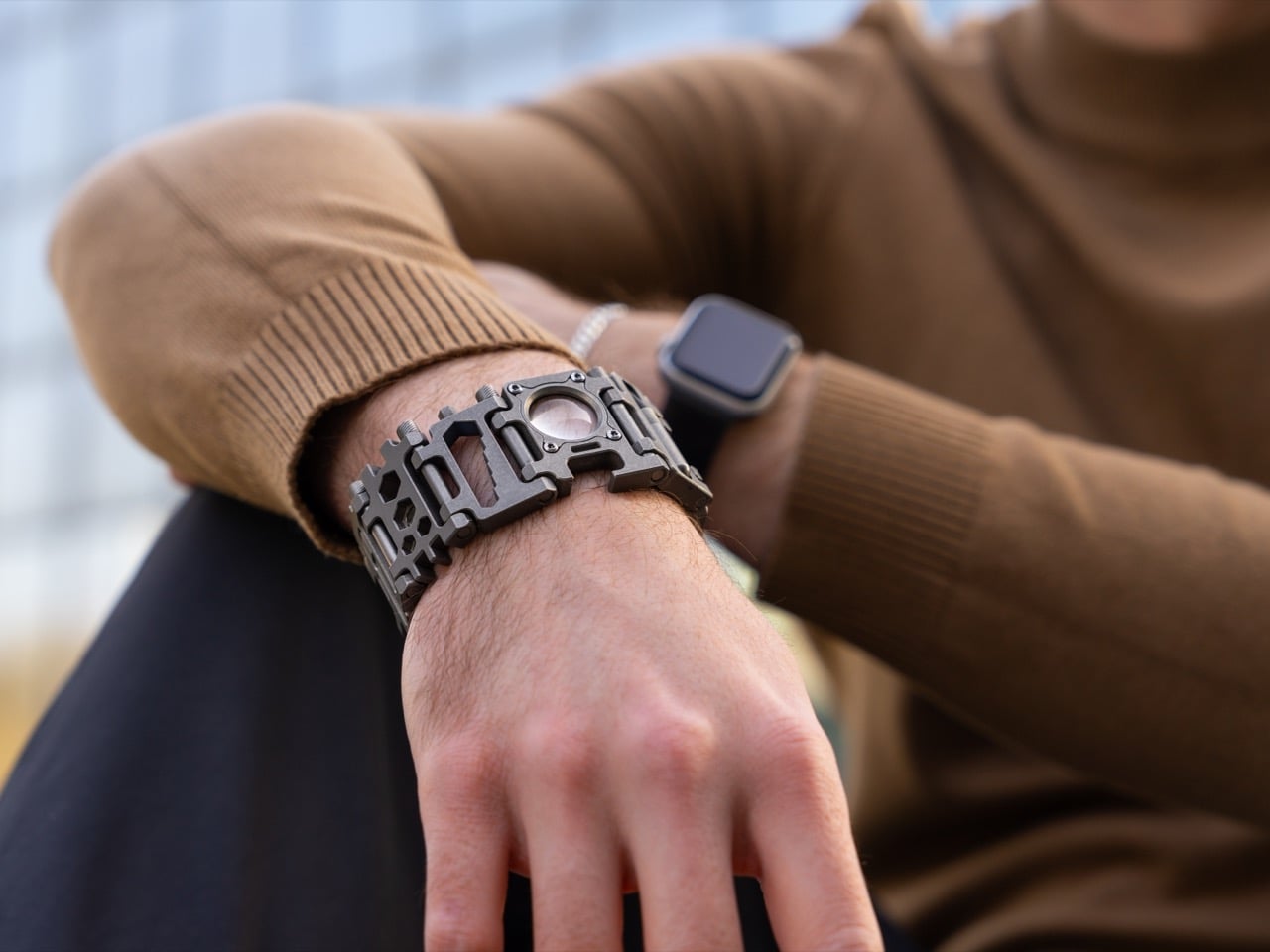
Your wrist might be the most underutilized piece of real estate you own. Most smartwatches promise everything at your fingertips, tracking steps and heart rate while delivering notifications in real time. But what happens when you need to fix something physical, tighten an actual screw, or open a stubborn bottle? That digital magic suddenly feels pretty limited. Remember that bonkers Smartlet concept from CES that tried cramming an Apple Watch AND a Rolex on your wrist? Weird execution, brilliant insight. The watch strap has serious potential as a wrist-borne utility belt, and Woods Design seems to have cracked the code with something actually wearable.
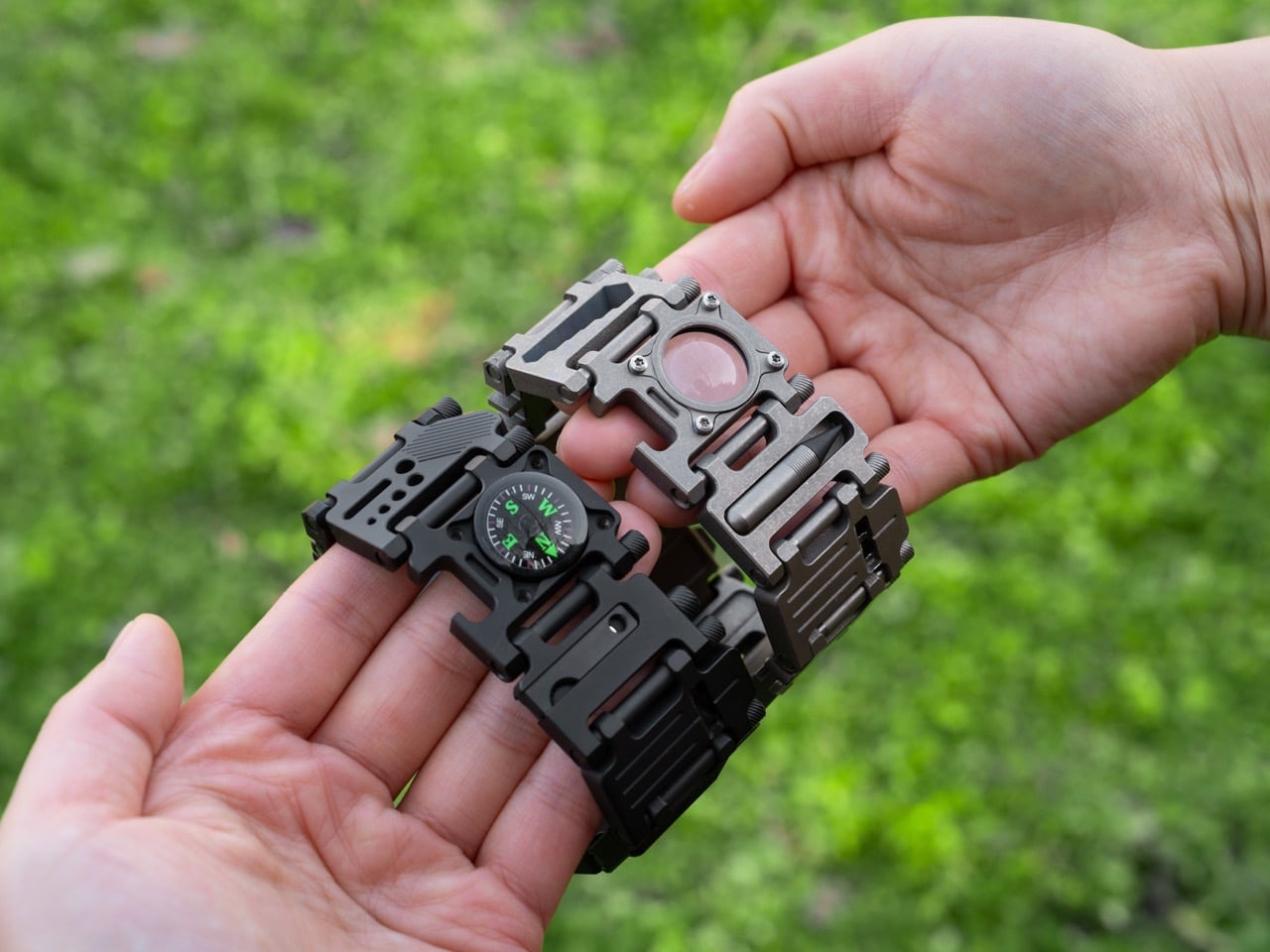
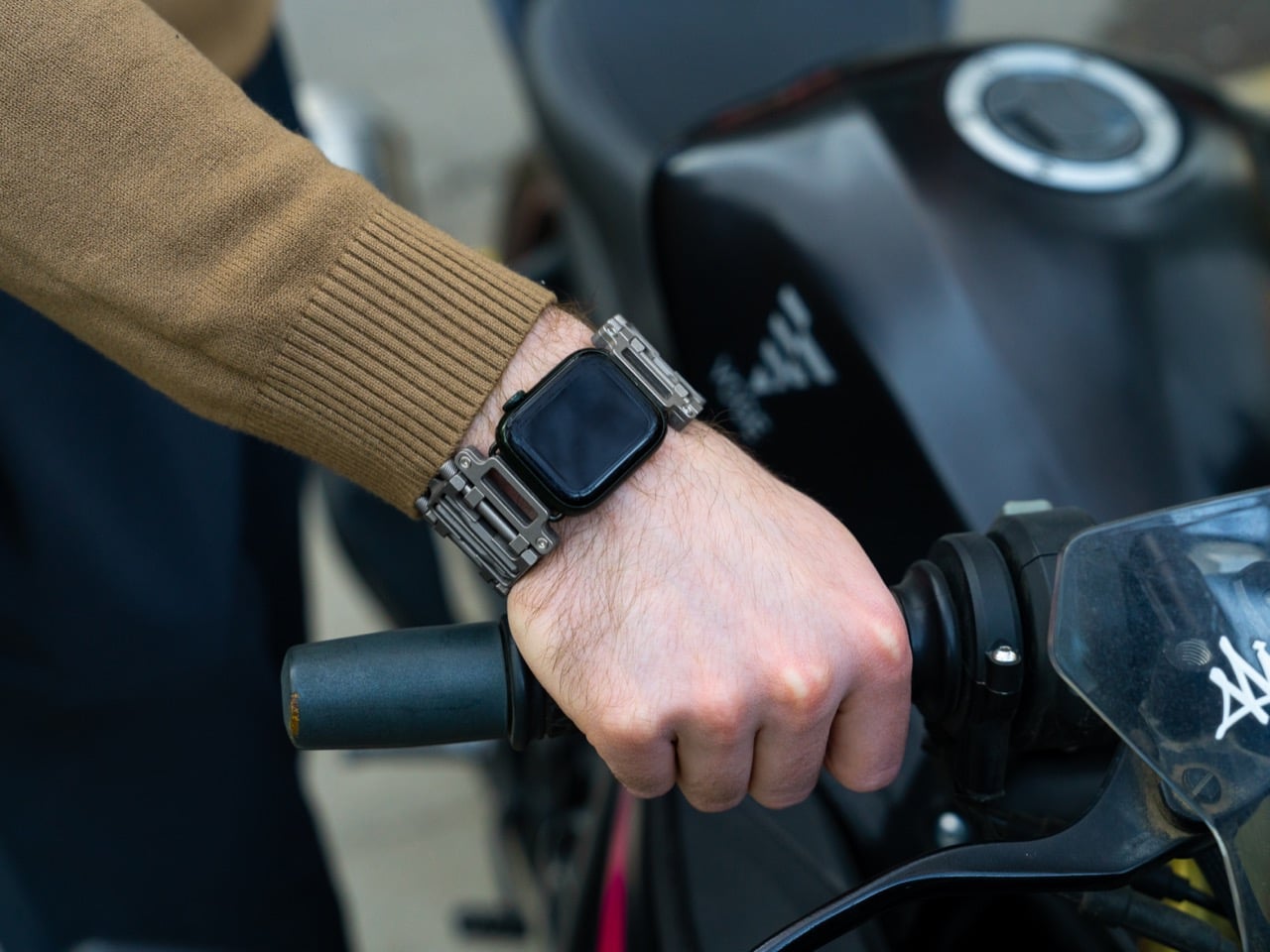
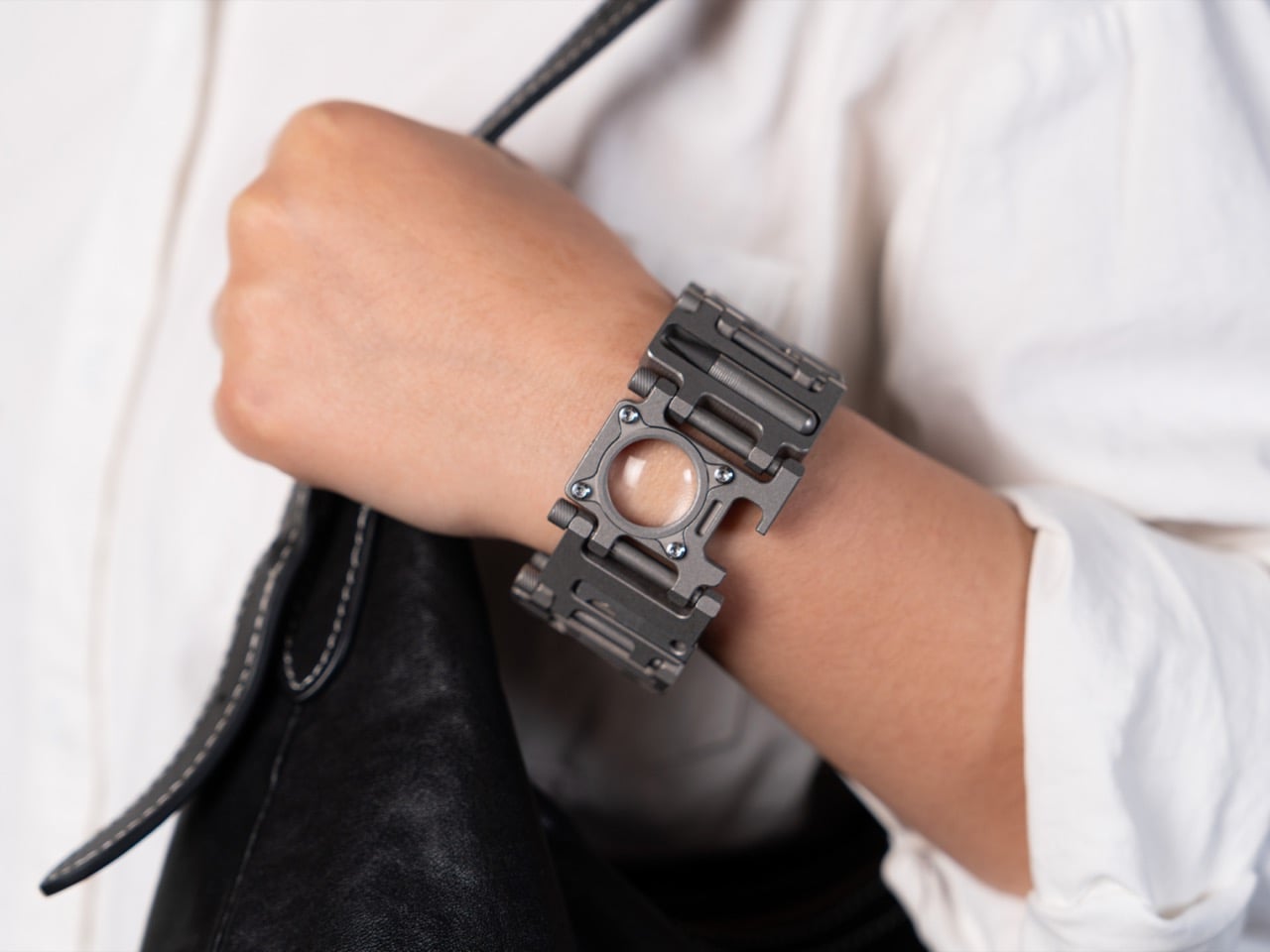
The TiLink is a 24-in-1 titanium bracelet that doubles as a watch strap, creating this interesting yin-yang of capabilities. Compatibility spans across all watches with lug widths between 18-26mm, which means the TiLink can attach to the Apple Watch as well as Garmin, Samsung, Google Pixel, and analog watches. One side tracks your biometrics and messages, the other has screwdrivers, wrenches, a magnifier, and a fire starter machined from aerospace-grade titanium. Full transparency: you’re probably not getting through airport security without some explaining, and this definitely isn’t for minimalists. But for EDC enthusiasts who love flaunting their gear, or anyone who believes in being prepared for whatever life throws at them, this bracelet does something clever. Instead of just holding your device, the strap itself becomes the utility belt, merging analog preparedness with digital functionality in one surprisingly balanced package.
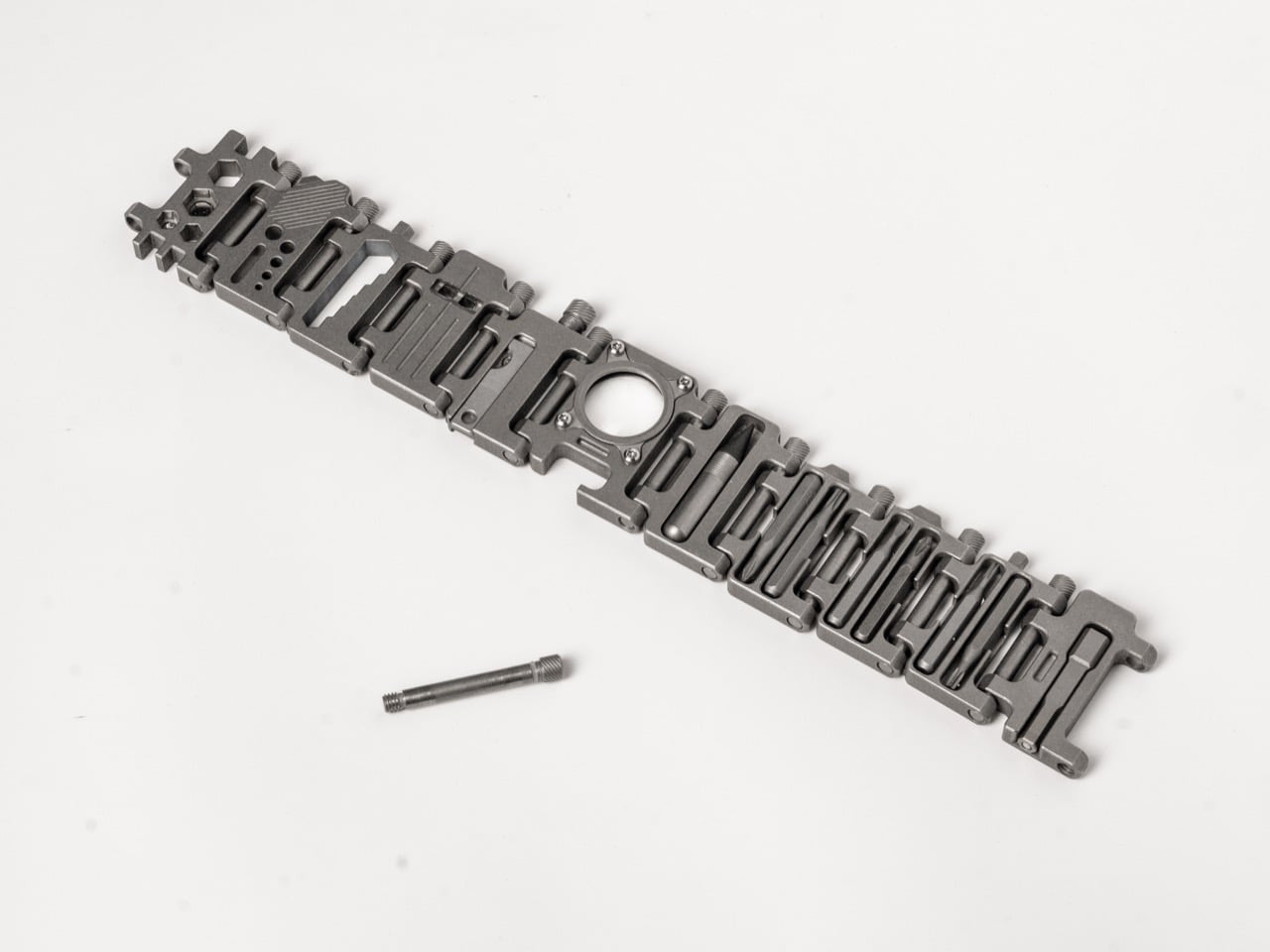
Woods Design chose GR5 titanium, the aerospace-grade stuff that shows up in aircraft components and surgical implants. The entire bracelet weighs just 138.8 grams despite packing 24 tools across 230.5mm of length. That’s lighter than most steel watches while being significantly stronger and completely corrosion-resistant. Every link gets CNC-machined for precision, which means tight tolerances and smooth articulation that stays consistent over time. The 35mm width sounds chunky on paper but makes sense once you see how the tools integrate into each module. Your Apple Watch will become obsolete e-waste in five years while this thing keeps working indefinitely.
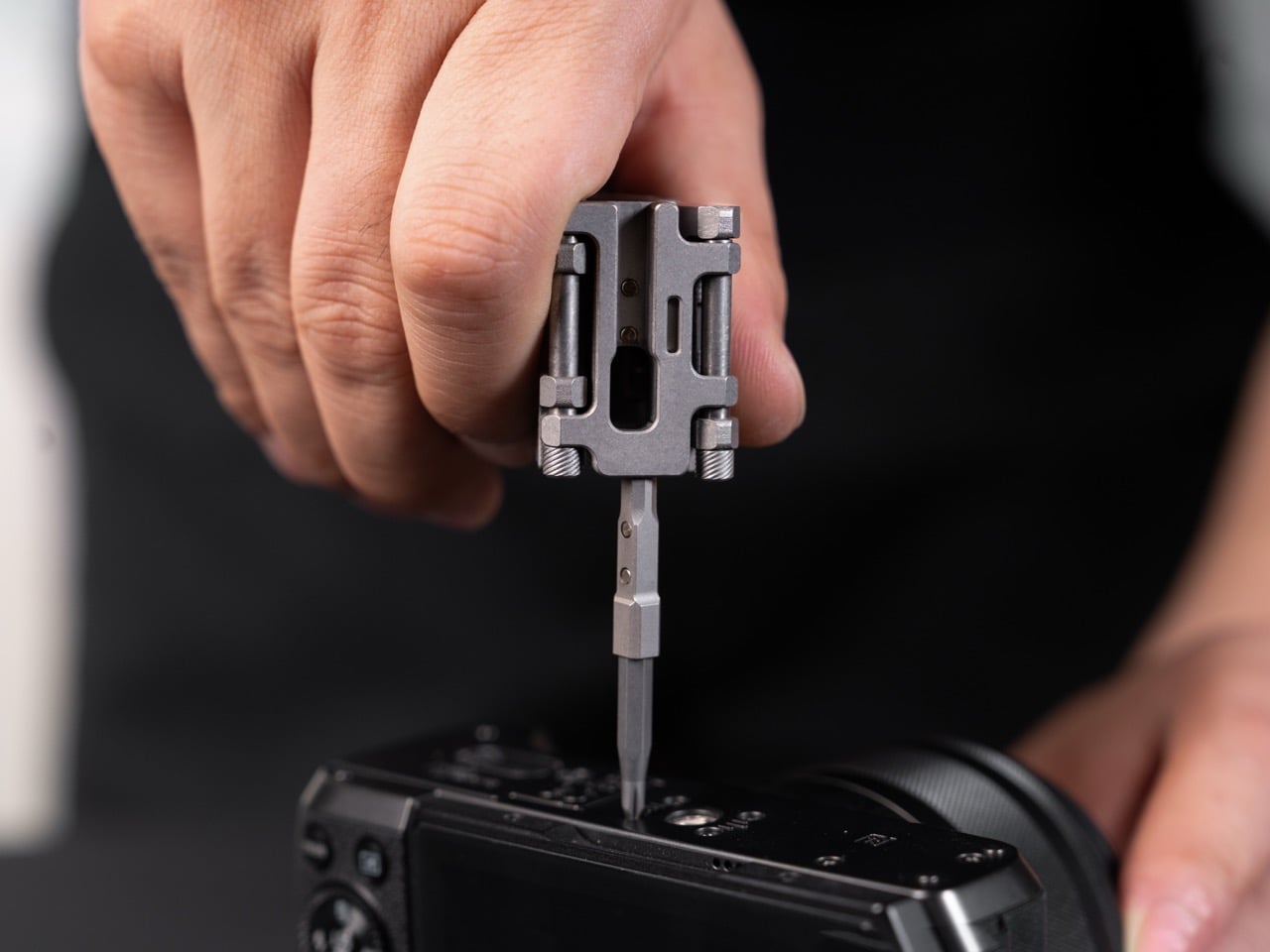
Three flathead screwdriver sizes (SL3, SL4, SL5) integrate directly into the bracelet structure, covering everything from eyeglass screws to home appliance panels. Hex bit holders accept both 4mm precision bits and 6.35mm standard bits, giving you genuine versatility instead of that fake multi-tool marketing where one size supposedly handles everything. The 4mm bit extension bar reaches recessed screws in tight positions without needing adapters or workarounds. You can swap bits on the fly, choosing configurations based on what you actually need that day. Eyeglass adjustments, toy repairs, electronics tinkering, small hardware fixes, all the annoying little tasks that require tools you never have handy.
An adjustable wrench covers M4 to M8 nuts and bolts, replacing an entire wrench set with one modular link. Traditional hex wrenches deliver solid torque but disappear into drawers and take up pocket space. Mini versions fit on keychains but lack leverage and get lost in couch cushions within days. This integration gives you proper wrench functionality without the carry hassle. The spoke wrench includes three sizes (3.6mm, 3.9mm, 4.4mm) for common spoke nipples, which tells me they actually consulted cyclists during design. Roadside wheel truing without carrying a separate tool bag changes the calculation for anyone who rides regularly and has dealt with wonky spokes mid-ride.
A built-in magnifier handles small text, component inspection, or marking verification without pulling out your phone and fumbling with zoom controls. The eternal pen requires zero refills, won’t leak ink all over your stuff, and stays permanently attached so it can’t vanish. I’m honestly uncertain how often I’d write with a bracelet pen, but jotting quick notes or reminders beats typing on a phone screen when your hands are already busy. The double-hole survival whistle produces louder, sharper sound than standard single-hole designs, making it effective for emergencies, signaling in crowds, or outdoor scenarios. Being permanently integrated means you can’t lose it, unlike those keychain whistles that fall off within a week.
Fire starting capability feels niche for urban carry but makes perfect sense for actual preparedness. The striker produces sparks without fuel or batteries, and a rubber o-ring seals the compartment against moisture. For camping, hiking, emergency kits, or survival situations, having a fire starter that physically cannot run out of fuel beats carrying lighters or matches. For everyday city life, you’ll probably never use it. Here’s where the modular design earns its keep: remove the links you don’t need, keep what you actually use. The bracelet adapts to your reality instead of forcing you to carry someone else’s idea of essential tools.
A nail file smooths rough edges or tidies nails when needed. Wire gauge holes measure five common sizes (3.5mm, 3mm, 2.5mm, 2mm, 1.5mm) accurately without needing dedicated calipers. The bottle opener works exactly as expected, which sounds mundane until you need one and realize your entire keychain, wallet, and pockets contain zero bottle-opening capability. These small inclusions prevent those specific frustrating moments where you’re almost prepared but missing one crucial thing. They fill the gaps between major tools without adding bulk or complexity.
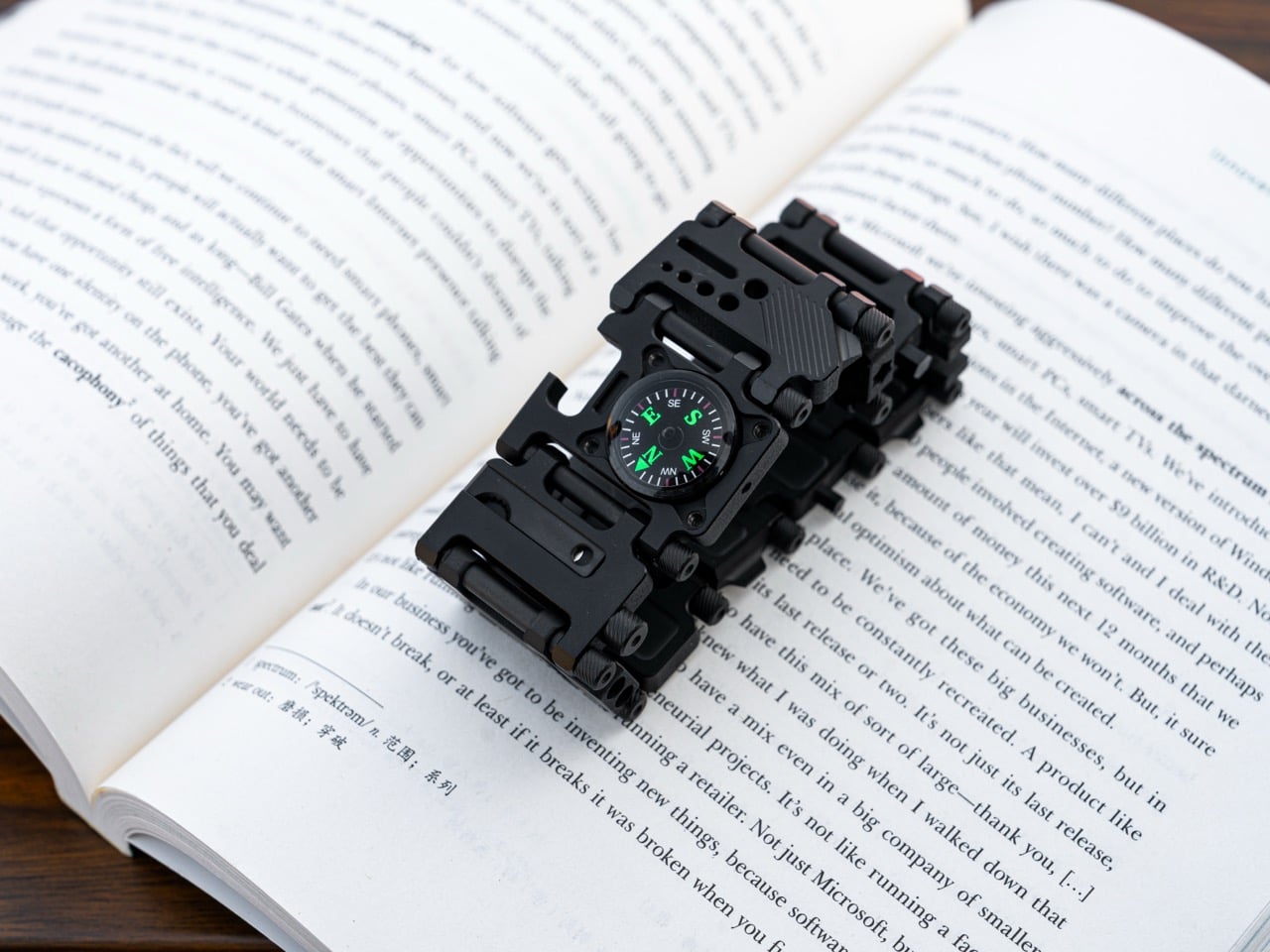
Two optional modules extend the system further. A liquid compass uses premium white mineral oil for smooth operation and minimal temperature sensitivity, staying functional across a wide range of conditions. Sliding it off the bracelet and placing it on the ground eliminates magnetic interference from other tools, giving you accurate readings. When GPS satellites become unreliable or your phone battery dies at the worst possible moment, having mechanical directional finding matters. Tritium tube slots (1.5mm x 6mm) accept glow inserts that work continuously for 25 years without batteries, charging, or external light exposure. That’s legitimate low-light visibility plus understated aesthetic appeal for people who appreciate functional details.
Apple Watch connectors transform the entire premise. Any Apple Watch model attaches and locks securely into place without extra tools or complicated procedures. This creates a genuine hybrid: your watch handles notifications, fitness tracking, payments, and connectivity while your band contains physical tools for fixing actual things. Digital and analog utility coexist on the same wrist, each handling what it does best. When you need to check your heart rate and tighten a loose screw within the same five minutes, having both capabilities right there makes a surprising amount of sense. That being said, the Watch integration isn’t mandatory – you can still wear the TiLink as a regular bracelet too, keeping your smartwatch unencumbered by these massive new responsibilities.
Each link connects and disconnects cleanly for tool-free size adjustment. Add links for a looser fit, remove them for tighter wear, customize tool selection while you’re at it. The precision machining ensures every link articulates smoothly and maintains consistent tolerances, which matters for something rubbing against your wrist all day. You’re essentially building a custom toolkit that also happens to be a watch band, selecting exactly the modules you’ll actually use instead of carrying a pre-configured set that includes stuff you’ll never touch.
As with every EDC, this watch strap has a time and place, and I’m not entirely sure if wearing this universally would work (the same way carrying a Swiss Army Knife everywhere is a tad risky). For example, airport security will absolutely flag this. TSA agents see a metal bracelet with integrated tools and fire-starting capability, they’re pulling you aside for additional screening. Office environments, malls, and public transit systems might consider it too tactical depending on where you live. But for EDC enthusiasts, makers, cyclists, outdoor types, or anyone who regularly encounters small problems requiring tools, wrist-mounted organization beats pocket clutter or carrying bags just for gear. Woods Design built something that respects both form and function, achieving a balance that’s surprisingly rare in products that usually sacrifice one for the other.
Pricing starts at $179 for early backers, hitting $199 at standard retail for the titanium version. Quality titanium watch bands that do nothing except hold your watch regularly cost $150 to $300, so you’re paying a comparable rate for the band itself while getting 24 integrated tools as a bonus. An aluminum version exists at $89 for people who want the functionality without premium material costs. Individual modules run $19 each if you prefer building your configuration gradually or testing the concept before committing to a full bracelet. Single modules come with paracord so you can wear them immediately as standalone pieces.
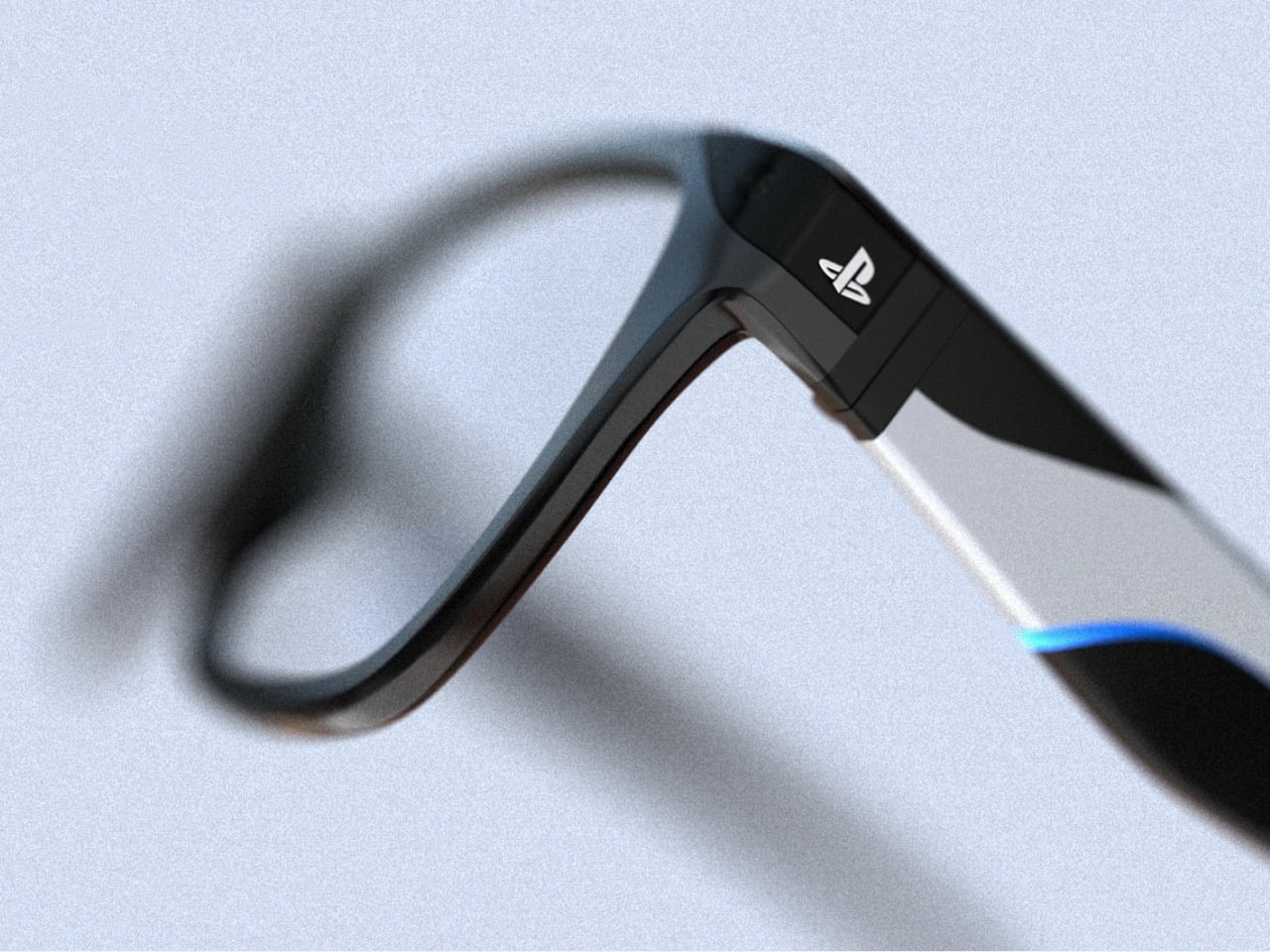
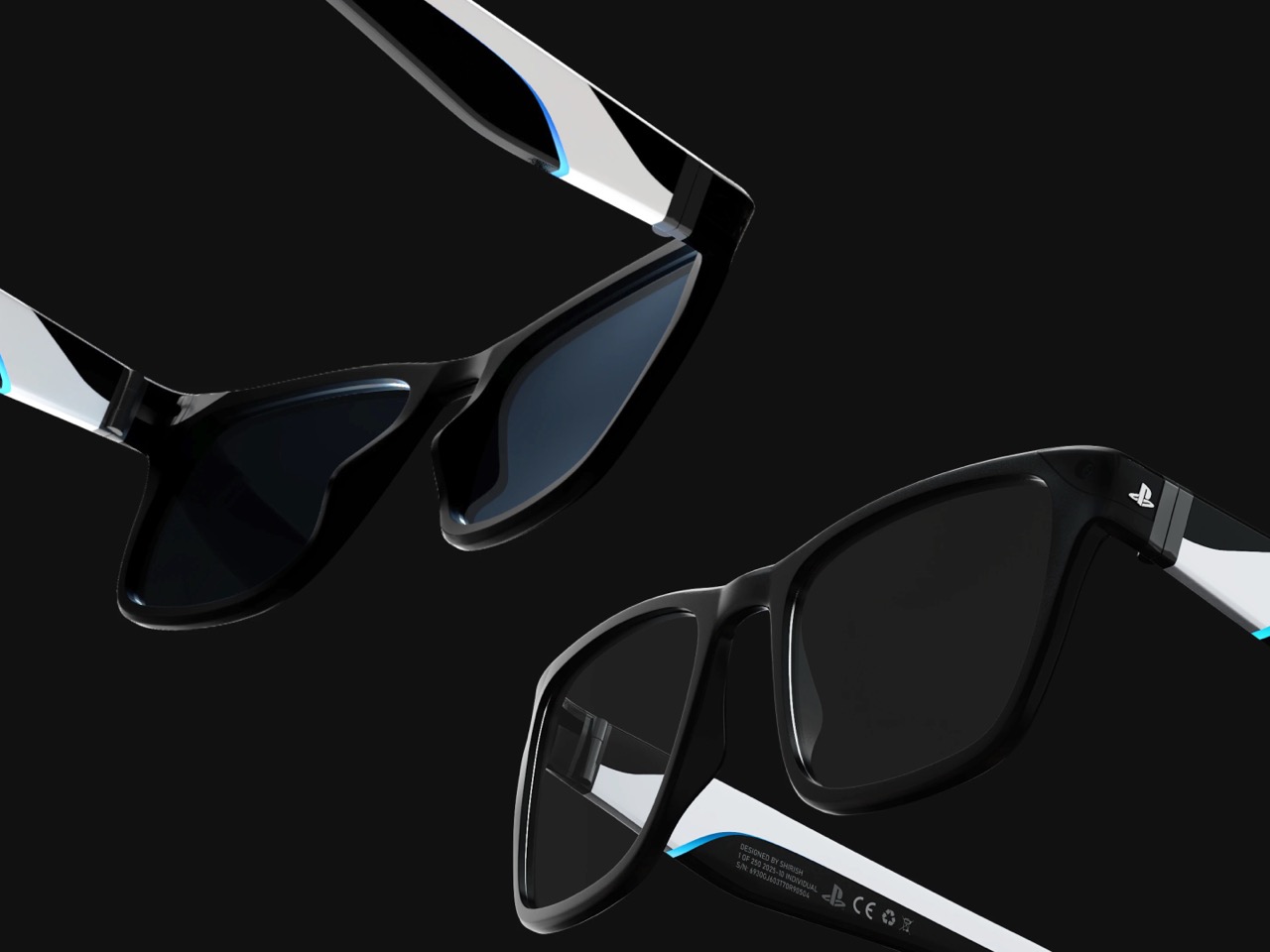
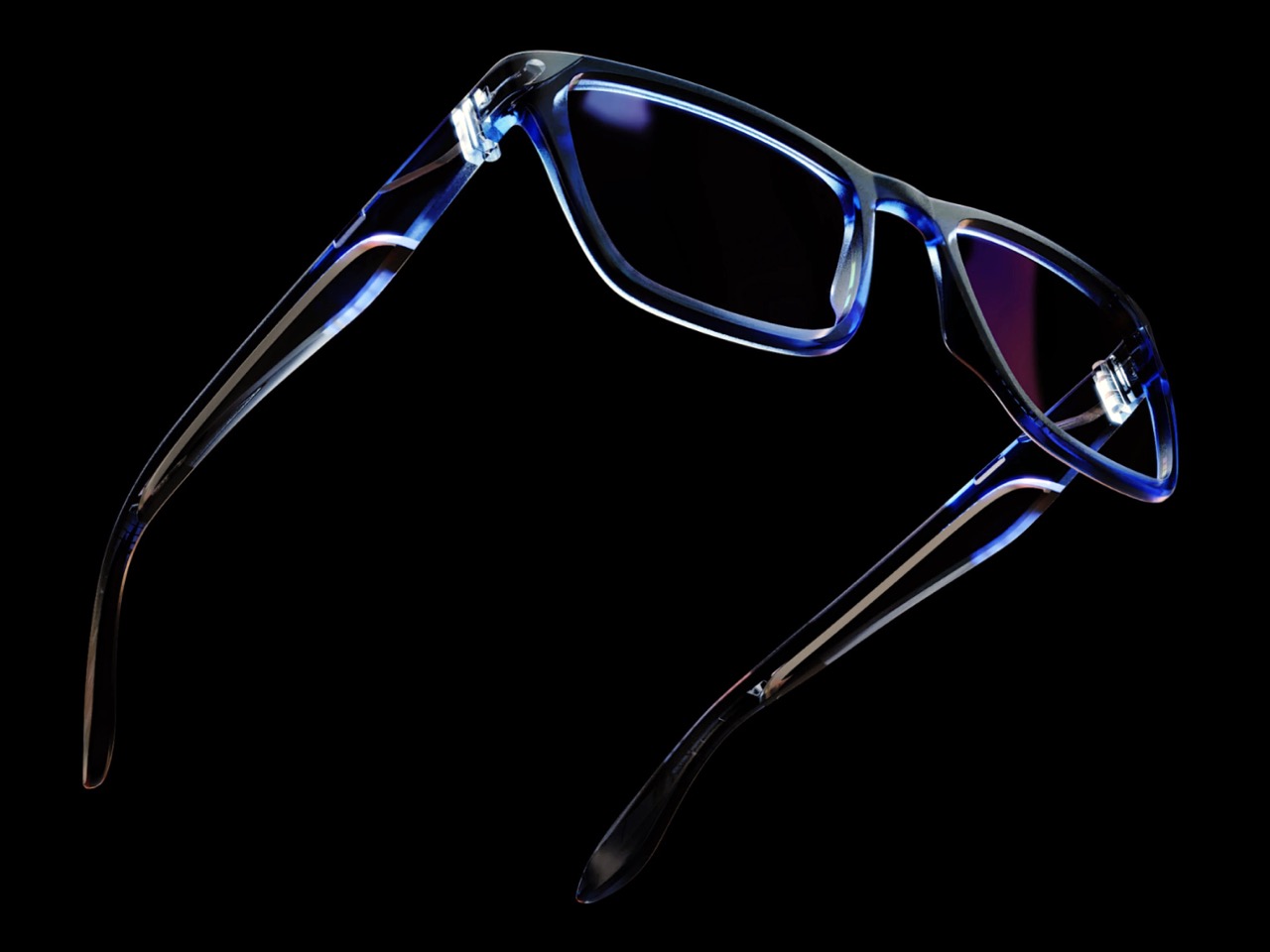
Meta talks about XR glasses as companions for your social life. Snap a photo, answer a call, ask an AI what you are looking at. The PlayStation XR Glasses concept spins that idea toward a different center of gravity. Here, the glasses are not about broadcasting your world. They are about pulling the PlayStation universe closer, shrinking the distance between you, your console, and the screen that usually sits across the room.
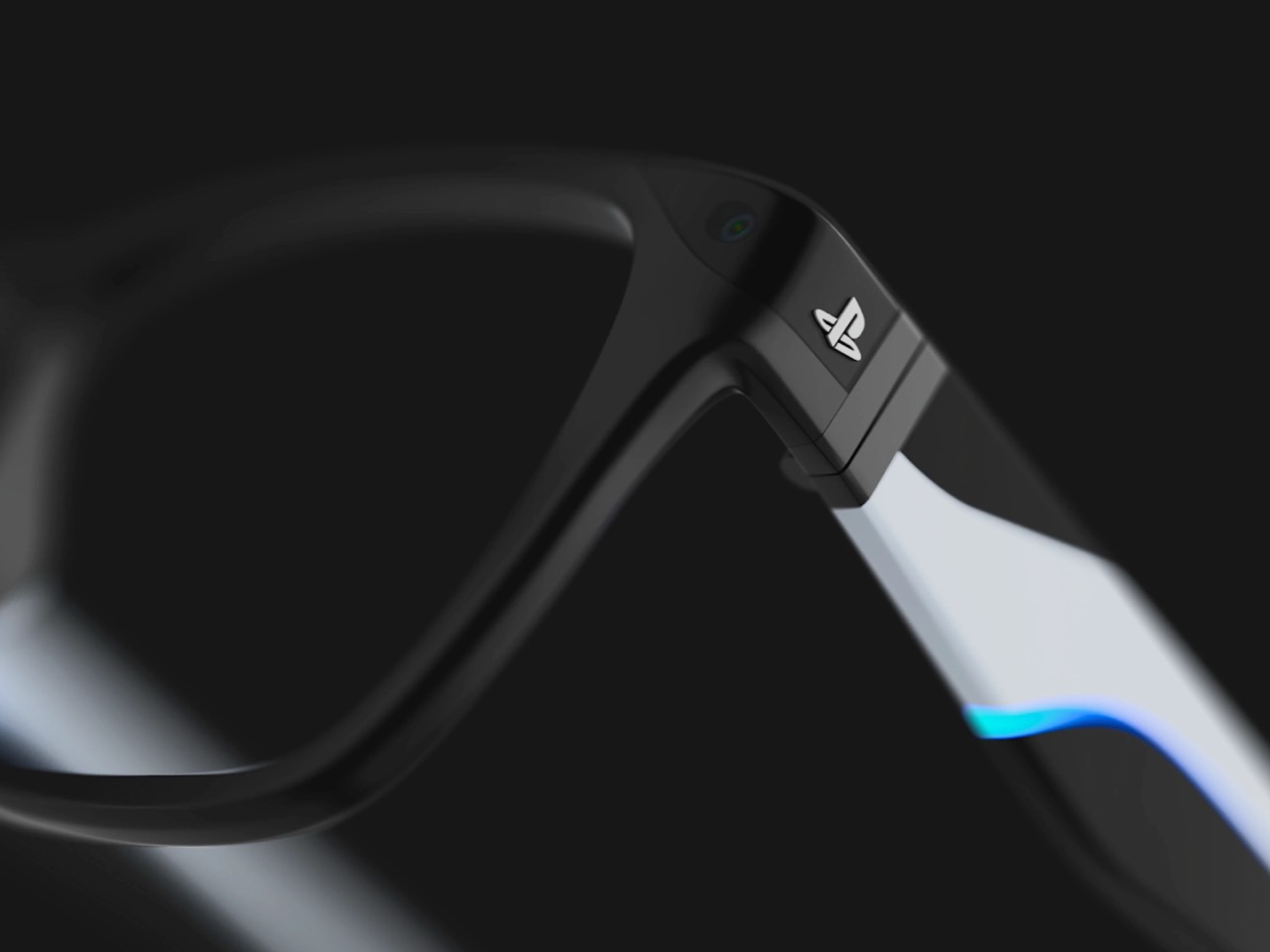
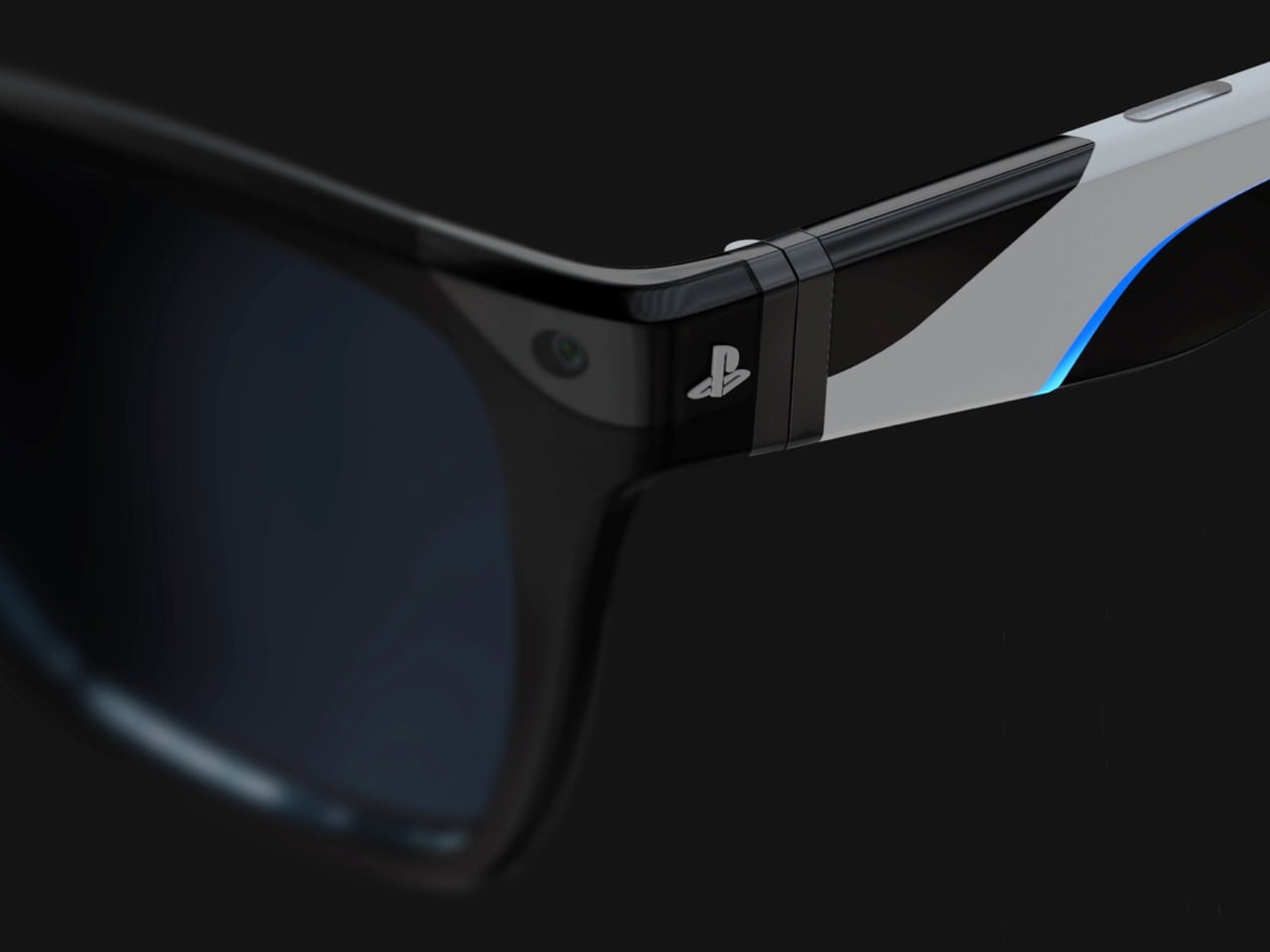
Here, XR is not a spectacle. It is a subtle layer that folds into your existing PlayStation life. Imagine a virtual screen hovering above your TV stand, system notifications floating at the edge of your vision, a familiar PS logo resting by your temple like the Start button you have pressed a thousand times. The fantasy is not about replacing your PS5, but about letting its world follow you from couch to desk to bed, quietly, through something that looks like ordinary eyewear.
Designer: Shirish Kumar
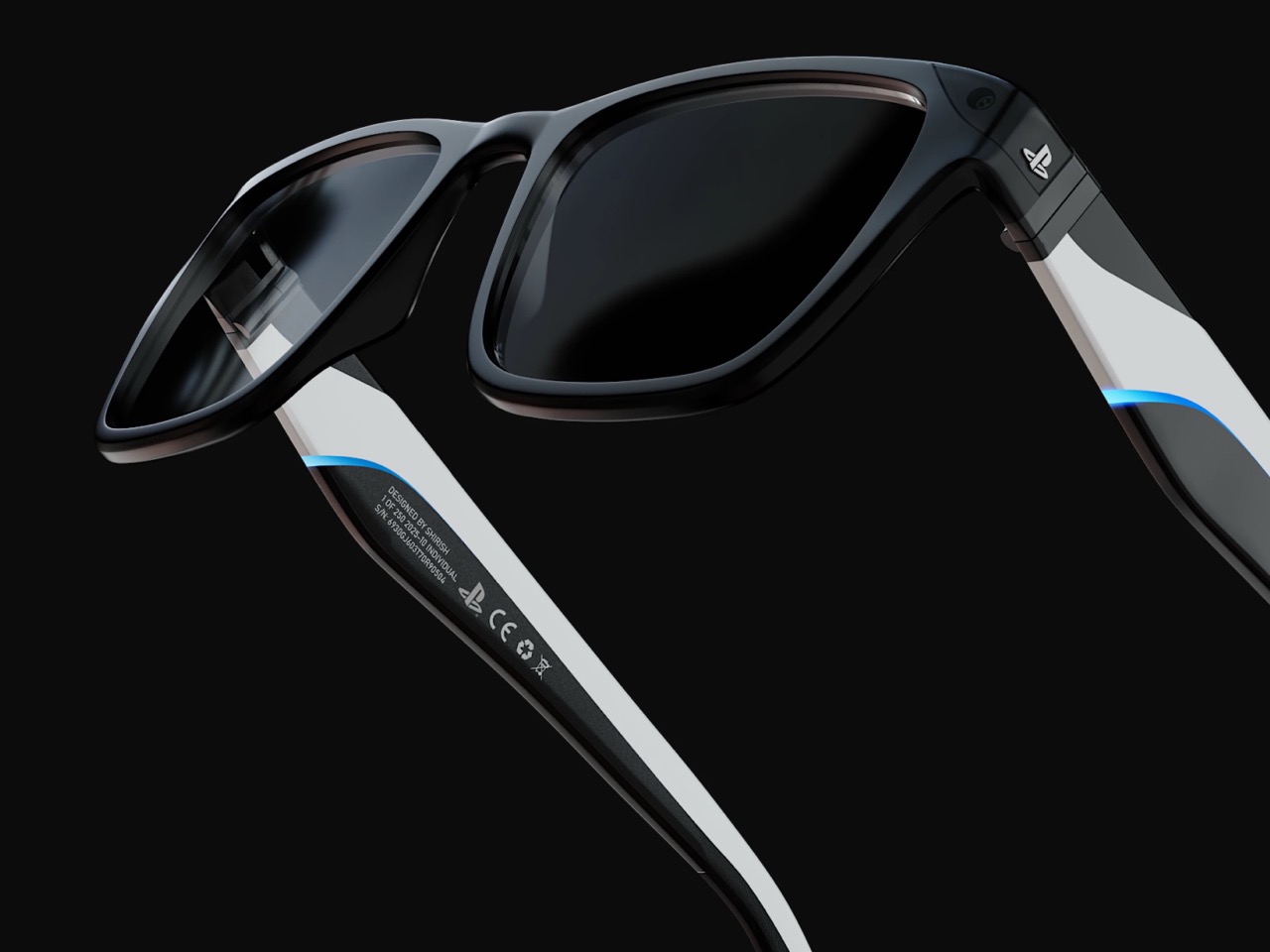
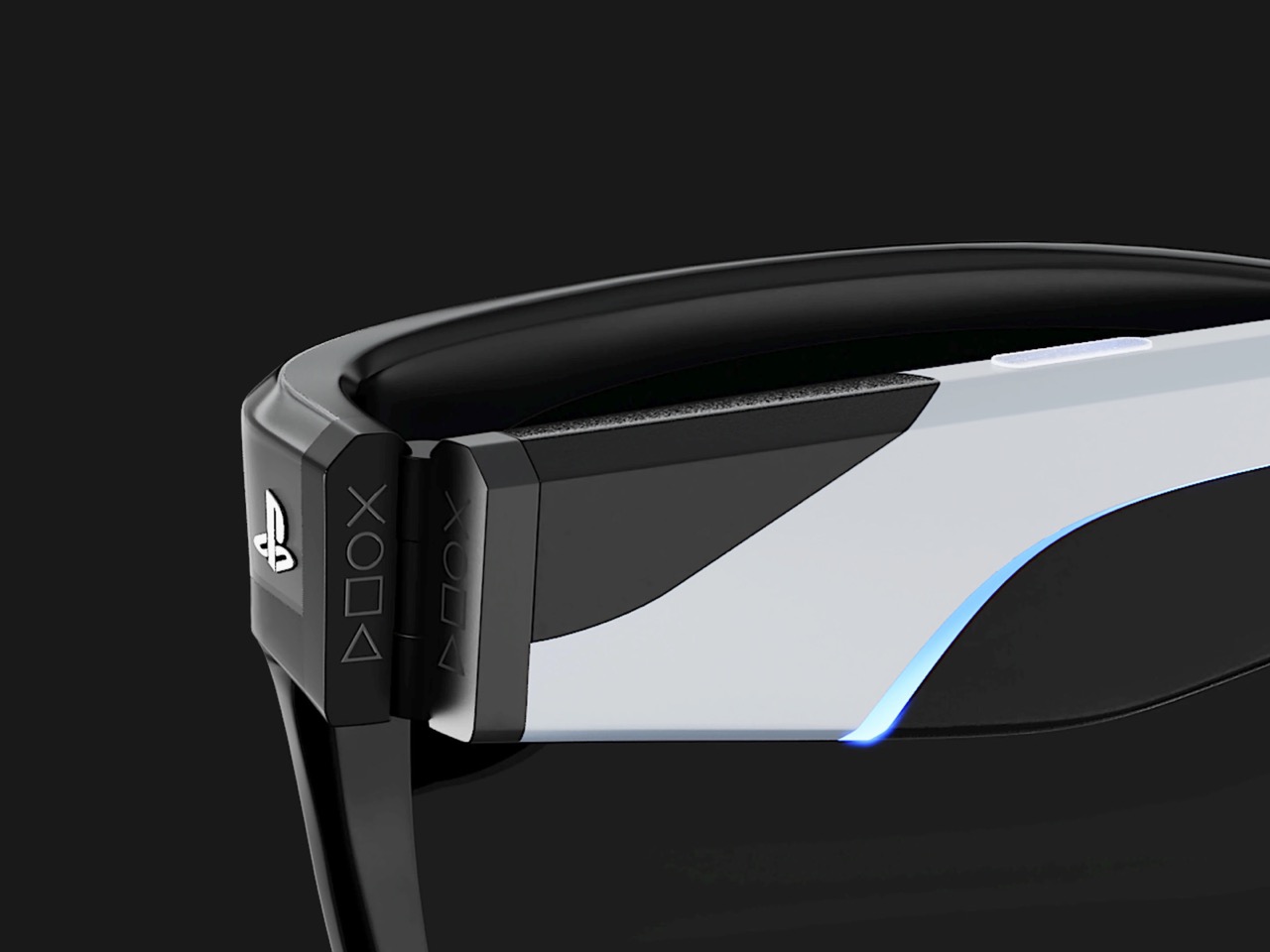
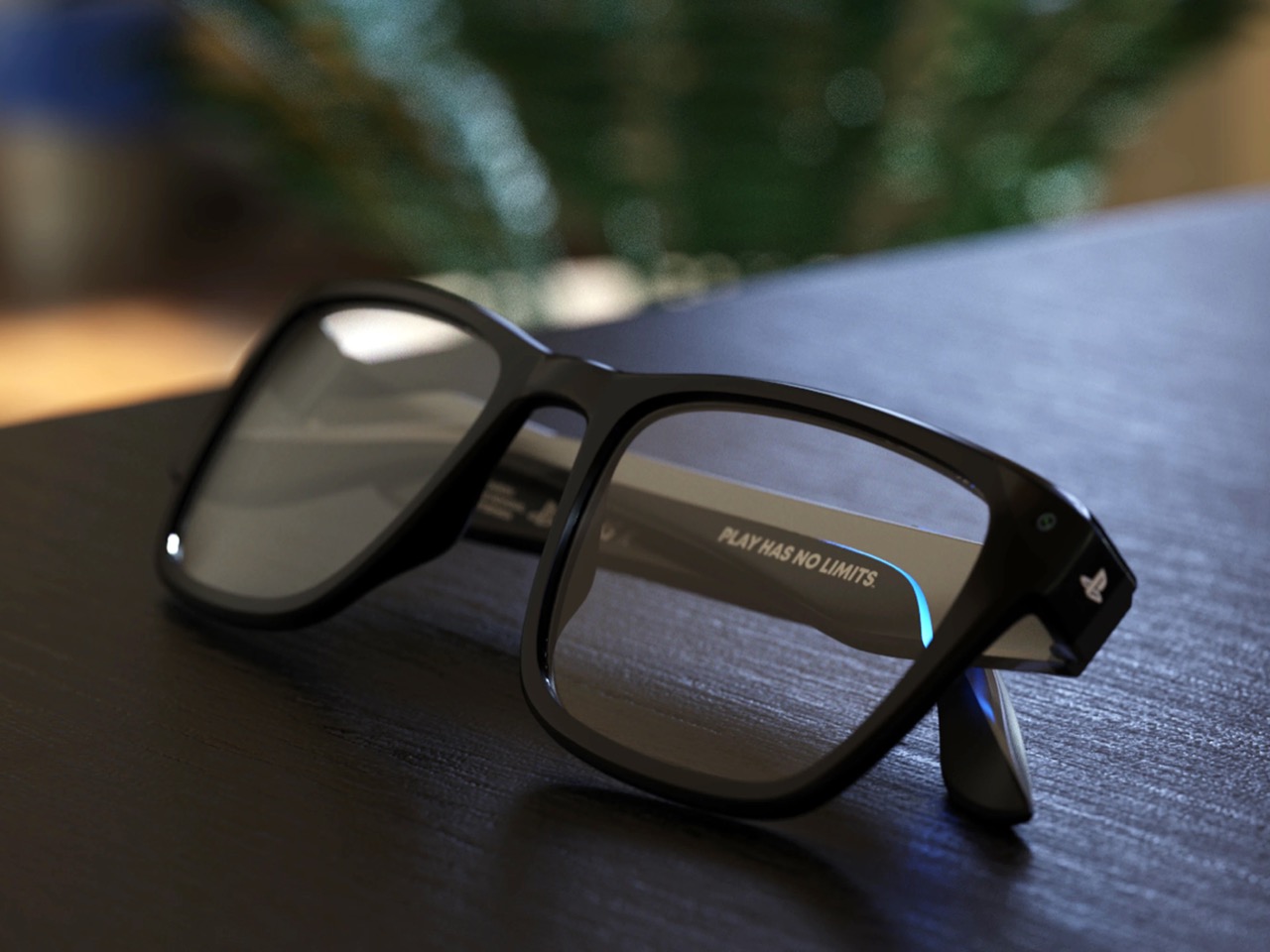
The frames carry the same visual language as the PS5 and DualSense controller, all smooth curves and deliberate angles that look cohesive sitting next to your console. That blue accent lighting running along the temples is pure PlayStation branding, the kind of detail that works because it feels earned rather than slapped on. The folding hinge reveals those iconic button symbols when you open the arms, which is a nice touch that reinforces you are holding a gaming device that happens to look like eyewear. Whether Sony’s actual industrial design team would ever build something this sleek is another question entirely, but as a design exercise, it holds together.
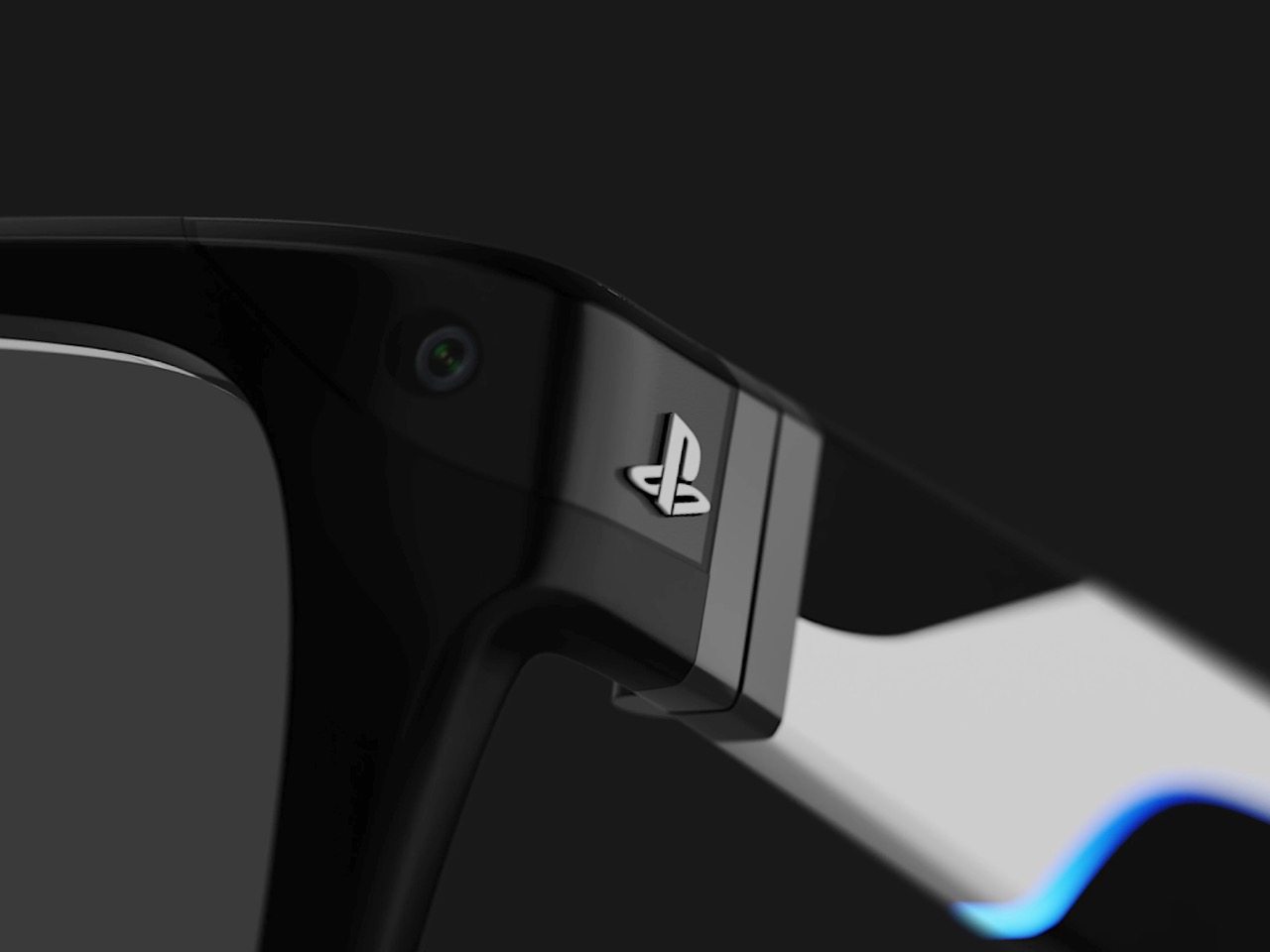
There is a front-facing camera tucked under the lenses for object tracking and AR overlays, auto-adjusting lenses that darken outdoors and clear indoors, embedded sensors for a heads-up display, gesture controls for navigation. The PS logo on the temple supposedly works like a button, tap for Start and hold for Home, mirroring your muscle memory from the controller. All of that sounds good on paper. The real question is what you actually do with these once they are on your face. Existing PlayStation games would almost certainly run as a virtual screen floating in your field of view, basically a private monitor you wear instead of stare at. True AR gameplay where Aloy from Horizon is dodging around your coffee table requires games built specifically for that, and Kumar does not show or describe any of those experiences.
What this concept does well is stake out a different philosophy for XR glasses. Where Meta wants social connectivity and Apple is aiming for spatial computing as a productivity play, this imagines gaming-first hardware that extends an existing ecosystem rather than trying to create a new one. Whether that is enough to justify another screen in your life is the question every XR device has to answer eventually. For now, it is a polished look at what Sony could build if they decided lightweight AR glasses were the next logical step after VR headsets and portable screens.
Yanko Design’s weekly podcast, Design Mindset, continues to bring raw, unfiltered conversations about what it really means to work in design today. Episode 18, Powered by KeyShot, tackles a topic many Indian designers experience but rarely discuss openly: the uncomfortable gap between what brands promise about design investment and what actually happens behind closed doors. Each week, the podcast peels back the layers of design practice, exploring not just the creative work but the professional realities that shape it.
This week’s guest, Ayush Singh Patel, brings a perspective shaped by years at the intersection of ambition and reality. Currently Associate Director of Industrial Design at Noise, where he leads audio and accessories categories, Ayush previously spent time at boAt Lifestyle, leading five sub-brands and contributing to the design of everything from wireless headphones to smartwatches to grooming products. His experience spans the full product lifecycle, from concept to launch, but more importantly, he’s navigated the complex dynamics of being an in-house designer in India’s explosive consumer tech ecosystem. What unfolds in this conversation is a candid examination of derivative design, creative ownership, and what it takes to push for genuine innovation when the system is built for speed and cost efficiency.
From “Glorified Localization” to Building Design Credibility
The conversation opens with a striking admission from Ayush: “I joined brands that proudly call themselves design driven, expecting to lead innovation. Instead, I found myself in meetings where the brief was literally make it look like this western brand, but make it cheaper. That’s not design leadership, that’s glorified localization. The real question isn’t whether Indian brands invest in design. It’s whether they invest in their own design vision or just outsource the thinking and ask internal teams to clean up the execution.”
Ayush’s own hiring story reveals how this dynamic begins. He wasn’t selected for his industrial design expertise or technical knowledge. “All they liked was the kind of portfolio work that I put out on Instagram and Behance, and they liked those pretty images. So there was no technicality in my interviews. They just wanted that sort of outcome for their products.” It took nearly a year and a half to convince stakeholders of what he could actually contribute beyond aesthetics. His first real opportunity came through rendering. In 2018-2019, e-commerce was entirely image-based, and conceptual renders performed exceptionally well. “Anything that was sold online on platforms like Amazon or Flipkart was truly image-based, right? Everything was about how glorified of a concept you can showcase.” The results were immediate: sales increased because customers were convinced to buy what they perceived in those images, not the reality of the products. This success created the opening for deeper design involvement.
The Strategic Path from CMF to Original R&D
Once sales growth validated design’s commercial impact, Ayush introduced CMF (Color, Material, Finish) as the next frontier. “I came and said there’s a thing called CMF design. So you can start with something as small as color. You don’t have to pay a lot of money, you can talk to the Chinese manufacturers, you can add those colors. And then obviously, it will change the game completely, because now people will have more options to buy from.” The Indian market’s aesthetic inexperience became an advantage. Consumers were looking for cheap technology that looked different, and without established reference points for good or bad aesthetics, bold CMF choices stood out on crowded e-commerce platforms.
The impact was substantial. “Through colors, we crossed over that thing where design can be weighed down, not in terms of aesthetics, but colors. And that’s what made the company grow from almost 90 crore revenue to 200-300 crore revenue.” The next step involved tweaking aesthetics of Chinese-sourced products with small mold modifications. “The reception from the customers was bonkers. It did not lead to as much sales because obviously it drove the costs a little high. But the way people understood that there’s something beyond buying a product from China and launching it, they saw in and out development, right? Someone cared about every bit of visuals that went out. There were specific colorways, people were somehow glorifying luxuriousness.” This gradual proof of concept finally convinced leadership to commit resources. From 2022 onwards, the company began developing its own products, marking a shift from localization to original design.
“Think Inside the Box”: Design Process for Fast-Paced Markets
Ayush’s philosophy directly contradicts traditional design education. “I’ll say something controversial here. Since design school, you’re somehow pushed to think outside the box, which is obviously a place where you can actually drive some sort of innovation. But if you work in a company that’s going for mass production, catering to large audiences at a fast pace, these consumers are not normal consumers. They’re not faithful to you. There are so many brands in the same market, so you have to innovate as fast as possible. And obviously, if you understand the market, innovation comes with time.” The solution challenges design orthodoxy: “The shortest way for you to reach innovation is change the outer aesthetics. If you think outside the box, you incur a lot of R&D costs. That will go through numerous approvals, numerous discussions back and forth from your manufacturing units. And that’s basically a lead time of one and a half to two years. In that time, there’ll be five to ten competitors who will come and go.”
The practical framework becomes clear: “We realized it’s a place where we need to set up our process in which we think inside the box, because an earphone or a speaker will look like an earphone or speaker. That’s the example I give to any person I ever hired. If you’re trying to design a car, it will look like a car. You cannot make it look like a plane.” The design process itself had to be restructured to bypass sketching and go straight to 3D. “There’s no point for us to sit down and make a sketch and me going to a founder who has nothing to do with the design process, who doesn’t care about why it takes you so much time. He only cares about: have you made something for me that I can produce.” Perhaps most revealing is Ayush’s assessment of what the job actually entails: “Design is the easy job. Design is literally five percent of what I actually do. Ninety-five percent is, irrespective of whether it’s a design by me or my team, I have to go and meet so many people from different teams who don’t care about what it took you to make this design. And just go there and be open-ended to receiving any kind of feedback and just sell that design. Being a great designer doesn’t mean you can design something, it’s how well you can sell it to other people.”
The Copy-Paste Reality and Cultivating Real Creativity
The copy-paste culture creates fundamental challenges for original work. “When there’s no good design, there’s no bad design, then there’s only the design that is known. So what you see is what you can weigh. Any person who’s beyond design will never be able to appreciate that as something new. And for a company that’s super price-critical, for a company that wants to innovate every six months, they’ll only want a bet that’s tried and tested.” When given explicit instructions to copy, Ayush developed a strategy of creative resistance: “I’ll be put in a position by a certain CXO or member I’m reporting to, basically laid out saying copy this. And I would come up being smart enough, trying to make a window, and I’d say okay, I’ll copy this, but I’ll give you my understanding of what it should look like. And then I would be basically thrashed, and they would say no, I told you to copy this. So I would end up going as close as it is to the inspiration, but I was still trying to stay away from it. The winning situation for me is how well can I sell that this looks like that, but it’s not the same, but this will work for you.”
The impact on designers working in these environments is profound. “We’re basically finishing up all the resources left for aesthetics, because there’s no innovation to back it up, right? So there will be a time where I’ll end up using all the innovations in terms of CMF at that given price tag. And the next people who take my position will not have anything left to innovate on. The people who I hire as interns or full-timers will come and explore the same thing that we did three years back. You’re following the same pathway that I did ten years back or five years back. So you’re bound to make the same mistakes to reach there.” His advice to his team reflects the only path he’s found to sustained growth: “The only way you can cultivate creativity is by doing something beyond what you’re getting paid for. I would just ask these people working with me to spend more time outside. The real work for a designer begins after the nine to five. Once you go back home, the kind of people you interact with, the kind of platforms you sit on, maybe Yanko Design, maybe Behance, any platforms that can somehow make you ask a question. People used to ask me, how are you able to execute things so fast? I optimized my working by making so many mistakes in my personal projects that I can go to my office next morning and do the same thing in half an hour.”
Speaking Up: From Skill to Creator
For Ayush, the path to changing the industry starts with designers finding their voice. “I think for designers to speak up. In a room, I’ve been the biggest introvert my entire life. But I realized if I don’t speak up, no one will care about design. And it’s on the place of basically shouting design, not just talking about it. Being in a place where you can speak up, and just taking that narrative, just start with being the face of design in the company. Maybe you’re in a junior role or a senior role, start sharing opinions. Even the people working within my team at the moment are very shy in terms of sharing opinions to a founder or to a person from a different team. They’ll slide in my DMs and say, this is what I feel. And I say you should be open about it. If you don’t share it, they will never respect your opinions.”
The fundamental shift needed is in how designers are perceived. “At the moment, designers are seen as skills rather than creators. That’s the one narrative that I’m completely against and I try to push off. People should start seeing you as creators, because if they believe you’re a skill, then they’ll always try to guide you to do a certain thing, maybe copying designs or just following exactly what they’re asking you to do. In that process, you’ll burn out faster than anything because you’re trying to follow someone else’s vision of something. You’re just becoming a tool in between. Better than being a tool, you become a creator when you start speaking out and defending everything you’ve learned.” When challenged to prove an in-house team could outperform an expensive European consultancy, Ayush’s answer centers on empathy and collaboration: “An in-house team can always win through a solution which I call just talking to people. Any person who’s somehow involved in the process, if you truly talk to them and empathize and learn their side of work in the process, then you can create a solution that’s not only good-looking but also satisfying their needs.” His mentoring philosophy distills to a single essential quality: “The cheat sheet is, how much do you love it? That’s the biggest cheat sheet. If you’re not in love with it in India, you will not sustain. And a love beyond boundaries, a love that cannot be sacrificed, a love that you never turn away from.”
The conversation reveals an uncomfortable truth about design investment in India’s fast-growing consumer tech sector. The issue isn’t whether companies use the word “design” in their marketing or mission statements. The question is whether they empower internal teams to think or simply execute, whether they’re building design capabilities or just design departments. Ayush’s journey from rendering specialist to R&D leader demonstrates that change is possible, but it requires designers to be strategists, salespeople, and advocates as much as creatives. It demands proving commercial value repeatedly, speaking up even when it’s uncomfortable, and cultivating skills outside of work hours that will never appear in any job description.
For designers navigating similar environments, Ayush’s experience offers both validation and a roadmap. The constraints are real, the frustrations legitimate, but within those limitations, there’s still room to push boundaries, build trust, and gradually shift the conversation from “make it cheaper” to “make it ours.” You can connect with Ayush on LinkedIn or book a mentoring session with him on ADPList, where he’s been recognized as one of the top ten mentors multiple times.
Design Mindset premieres every week, bringing honest conversations about what it really takes to build a design career in today’s industry. Episode 18 is Powered by KeyShot, the 3D rendering and visualization software helping in-house design teams compete with the visual quality of global agencies.