Every gadget seems to come with a built-in apology. Buy the powerful one and the battery dies fast. Buy the pretty one, and it underperforms. Buy the portable one, and it disappoints everywhere else. That’s the quiet tax we’ve paid for years without questioning it, treating trade-offs as the price of owning anything remotely advanced. IFA 2026’s best designs finally stopped accepting that math as a given.
Instead of picking a lane, this year’s standouts rebuild the equation itself. A projector gets bright enough for daylight without losing its compact shell, a power bank cools itself instead of slowing down, a phone case carries real craftsmanship without giving up its slim fit. These aren’t spec-sheet flexes. They’re quiet refusals of the old excuses tech has leaned on, proof that “that’s just how it works” was never really true. Without further ado, here is Yanko Design’s Best of IFA 2026 for tech that got tired of apologizing.
PITAKA Wind over Wheat iPhone 18 Case Series

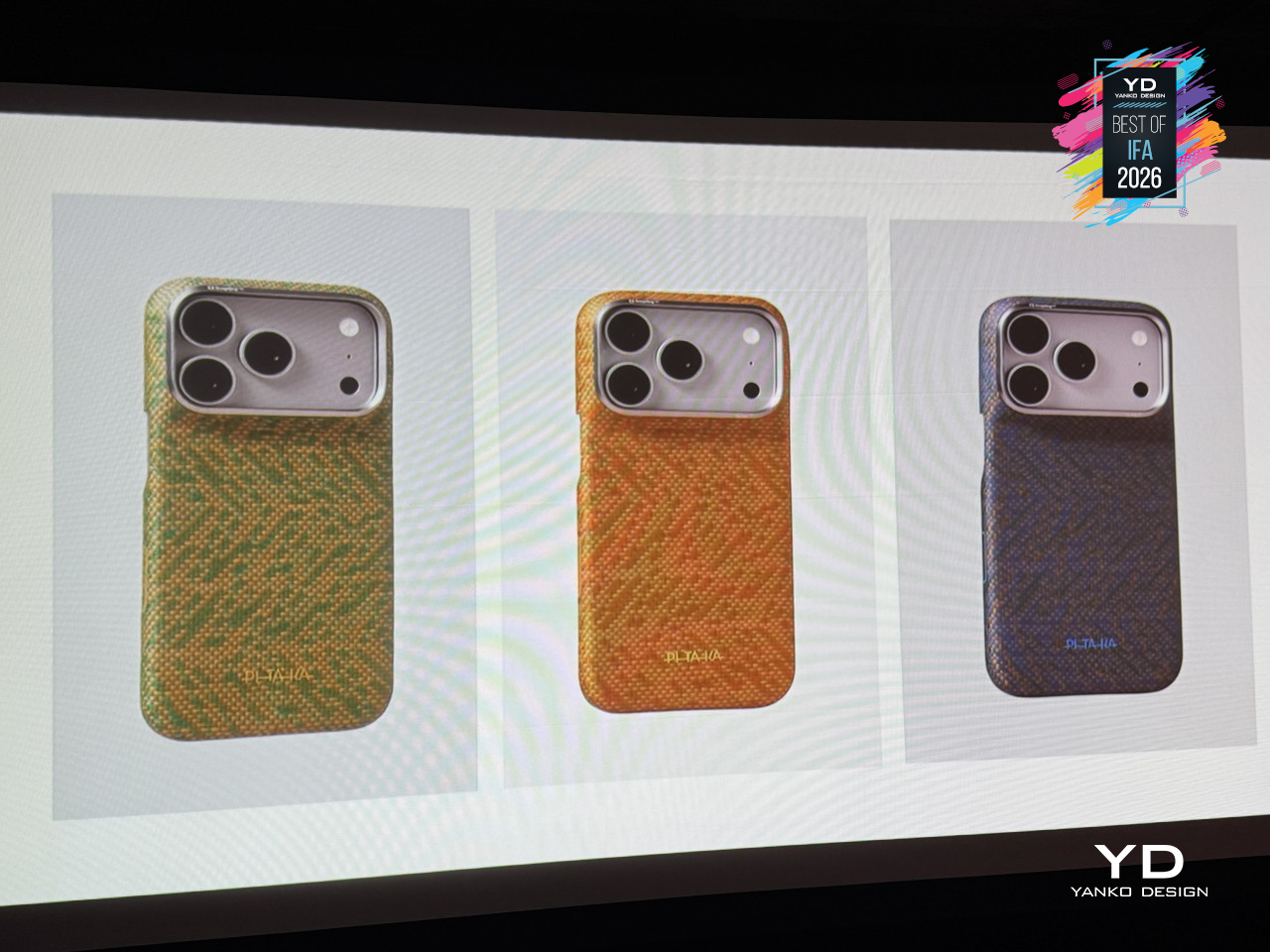
Wind leaves no visible trace, but it still bends grass, ripples water, and moves through a field of wheat. PITAKA’s new Wind Over Wheat case, the latest addition to its Trace collection, draws its design straight from a wheat field caught mid-breeze, translating that motion into a woven aramid fiber surface carrying the landscape’s own rhythm. It’s a phone case first, though one that wears its inspiration quietly.
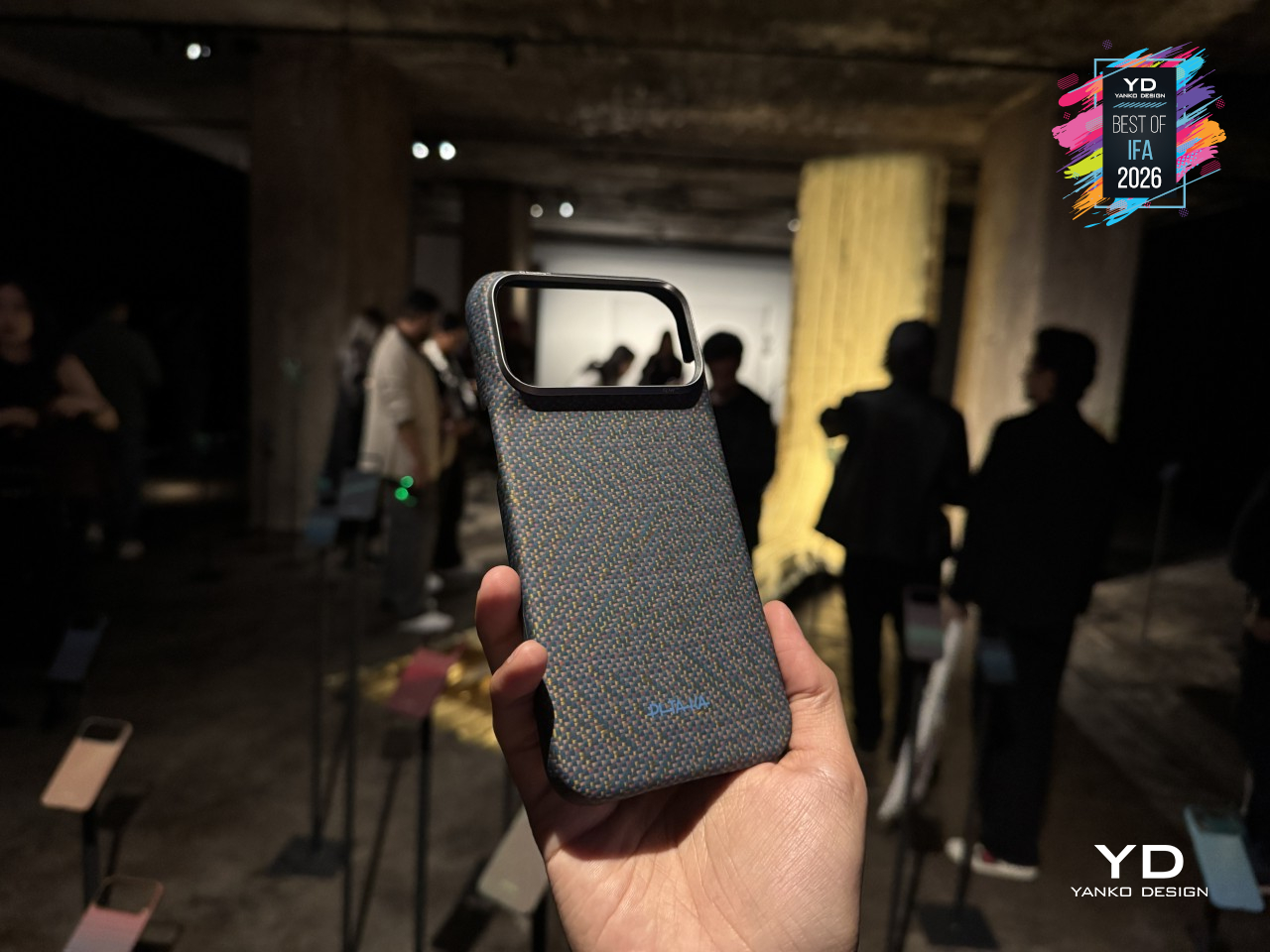
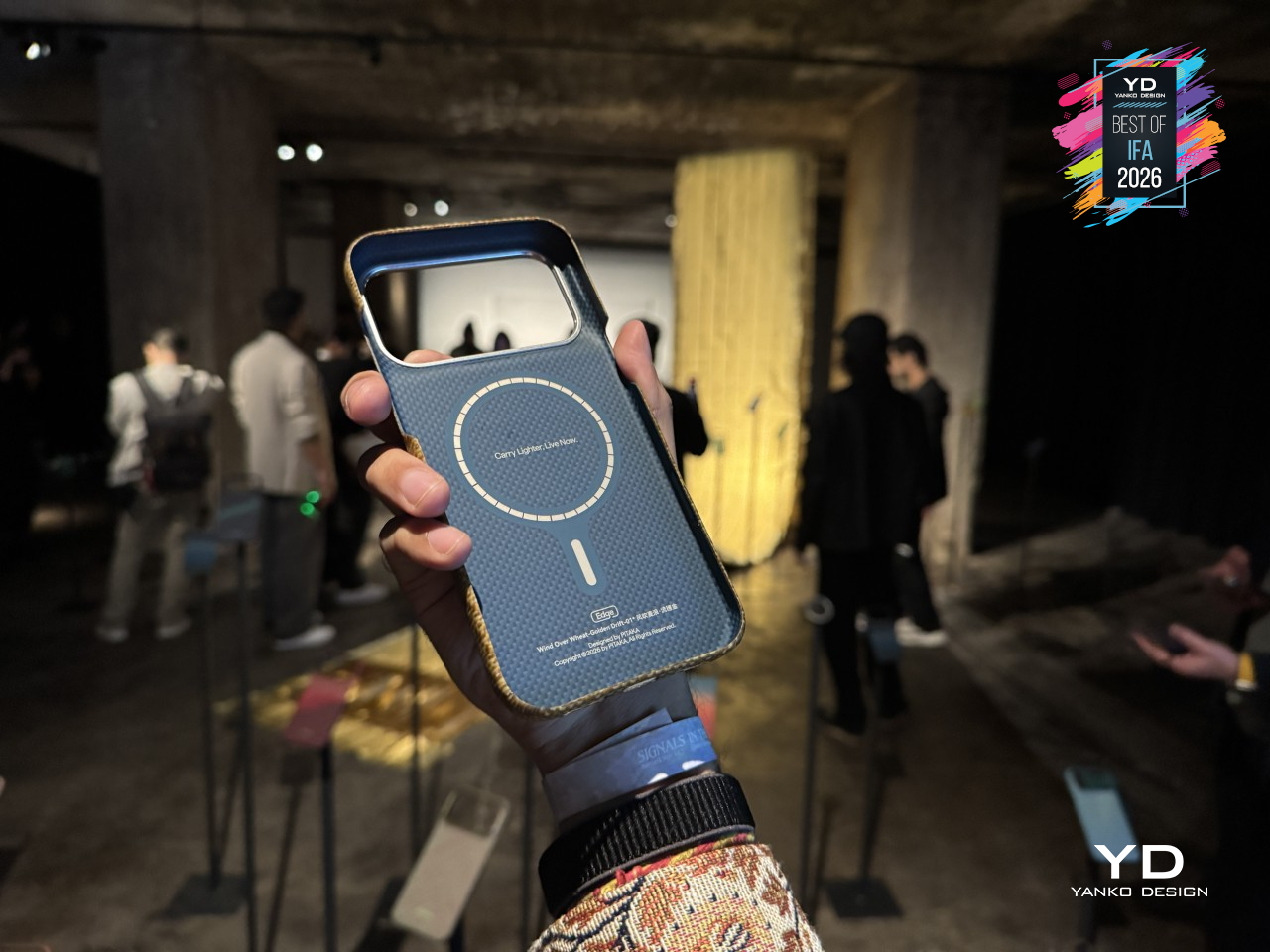
That inspiration runs deeper than a printed pattern. PITAKA calls the technique behind it Trace Form , letting certain fibers wander from their intended path mid-weave, so texture comes from both deliberate design and the material doing what it wants. As founder James Zheng explained, “Technology has become incredibly precise, but we’re interested in what happens when we leave room for material, human judgment and nature to participate in the process.”
That same idea carries into the case’s three finishes, Golden Drift, Surging Awn, and Berlin Nocturne, each pulling a different color story from the same wheat field, from sunlit gold to the cooler tones of dusk. Because Trace Form lets fibers drift instead of following a fixed pattern, no two cases share the exact same texture, even within the same finish.
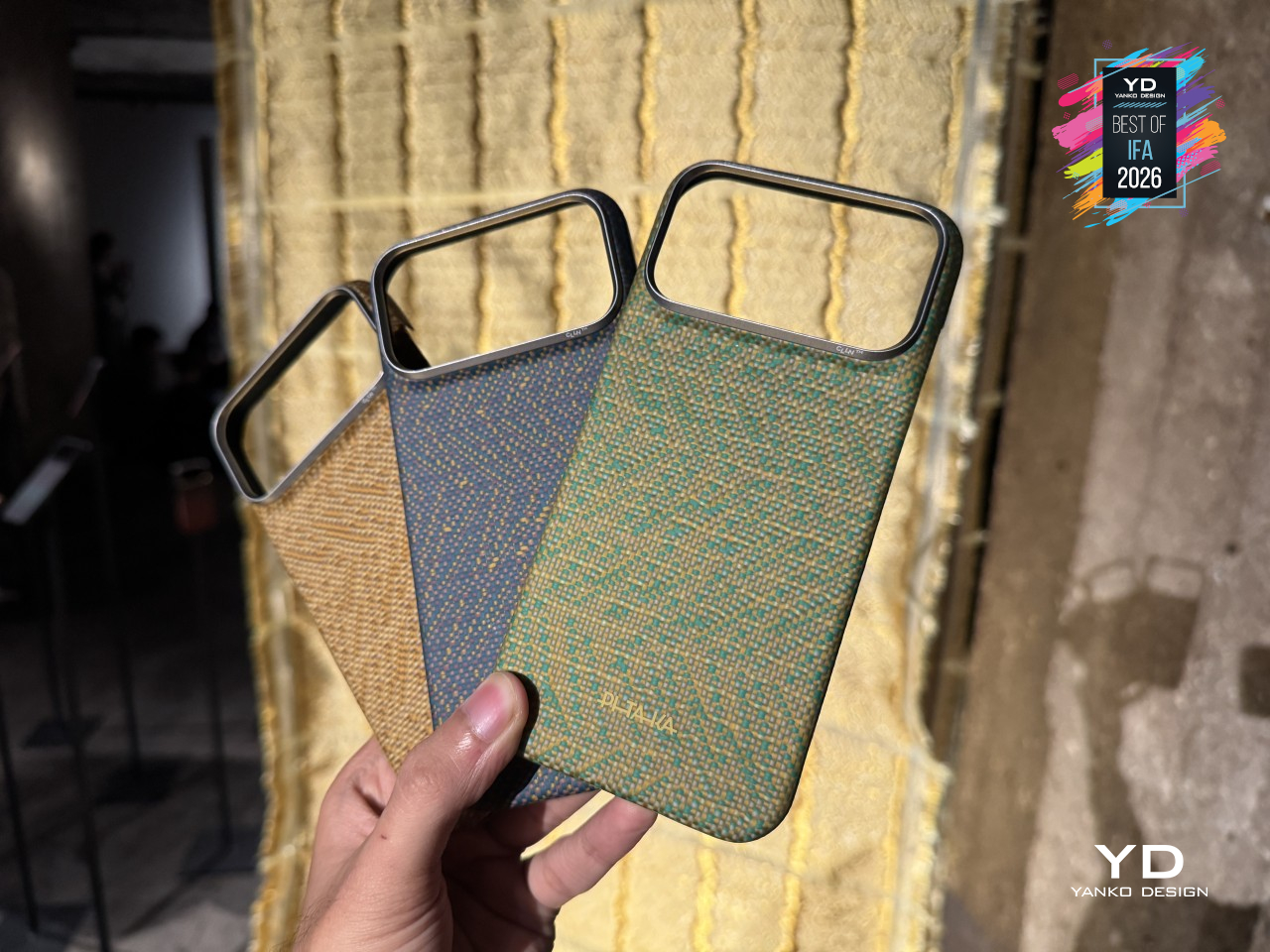
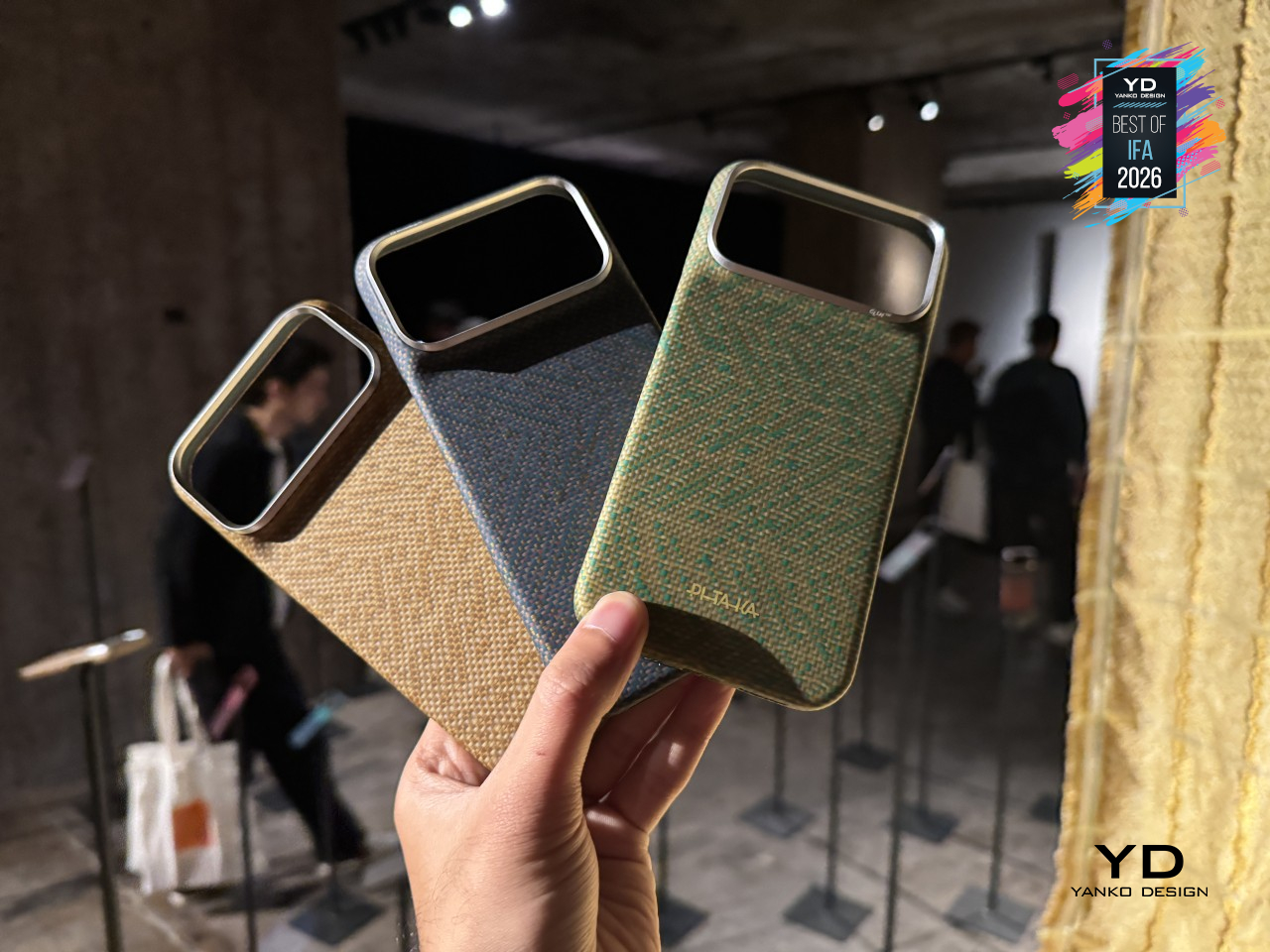
Underneath the imagery sits the same aramid fiber PITAKA has built its name on, woven rather than printed, so the pattern runs through the material, not on top of it. PITAKA has spent years building its name around advanced materials and craftsmanship, shaping cases, MagSafe accessories, and tech organization products, and Wind Over Wheat sticks to that script without giving up the slim fit and wireless charging the brand’s known for.
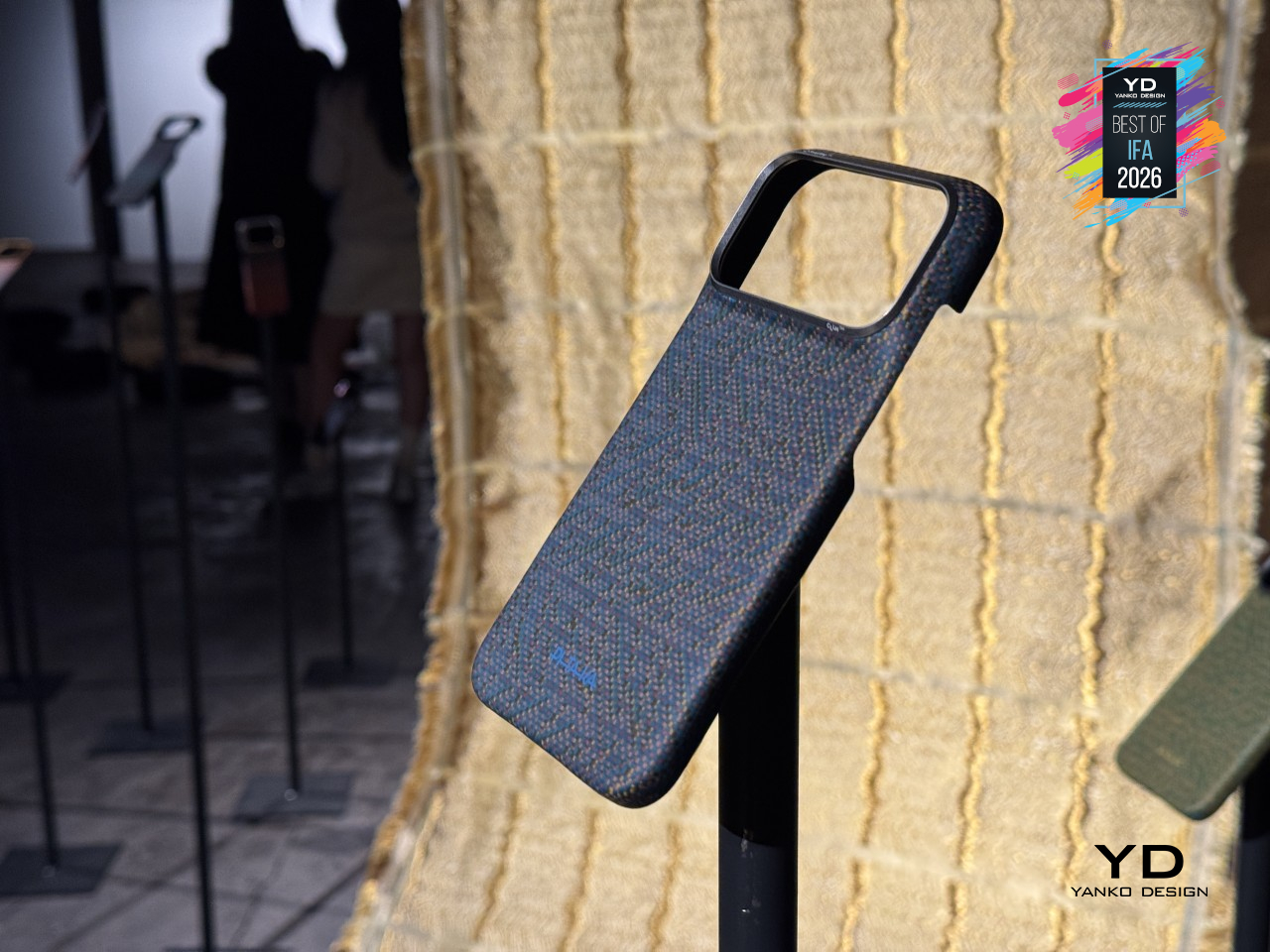
Wind Over Wheat isn’t chasing thinner walls but the feel of standing in a field as the air moves through it. That’s the bigger move here: PITAKA stepping away from spec sheets to focus on how a material feels, positioning itself less as a case maker and more as a design studio working in aramid fiber. Wind never asked to be remembered, but wheat made sure it was.
Aulumu G09 Infinite 360° Magnetic Stand
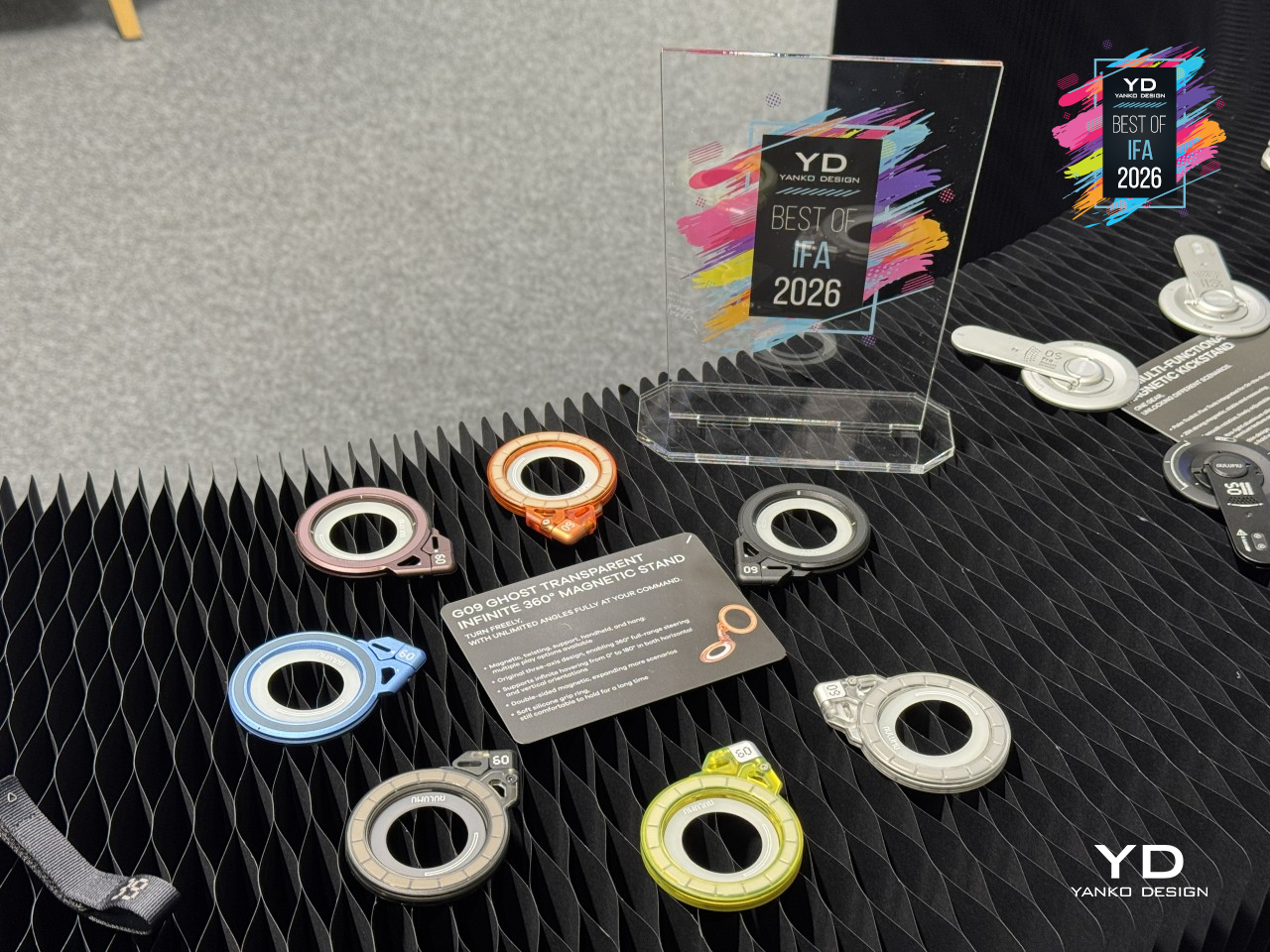
Phone stands usually pick a lane. They’re either a grip, a kickstand, or a mount, rarely all three. Aulumu’s G09 Infinite 360° Magnetic Stand doesn’t bother choosing. Built around a dual-sided magnetic ring with three-axis rotation, it clips onto the back of a MagSafe-ready iPhone or compatible magnetic case and swings, tilts, or spins into whatever position the moment calls for, then just as easily unclips to grip metal surfaces like a fridge.
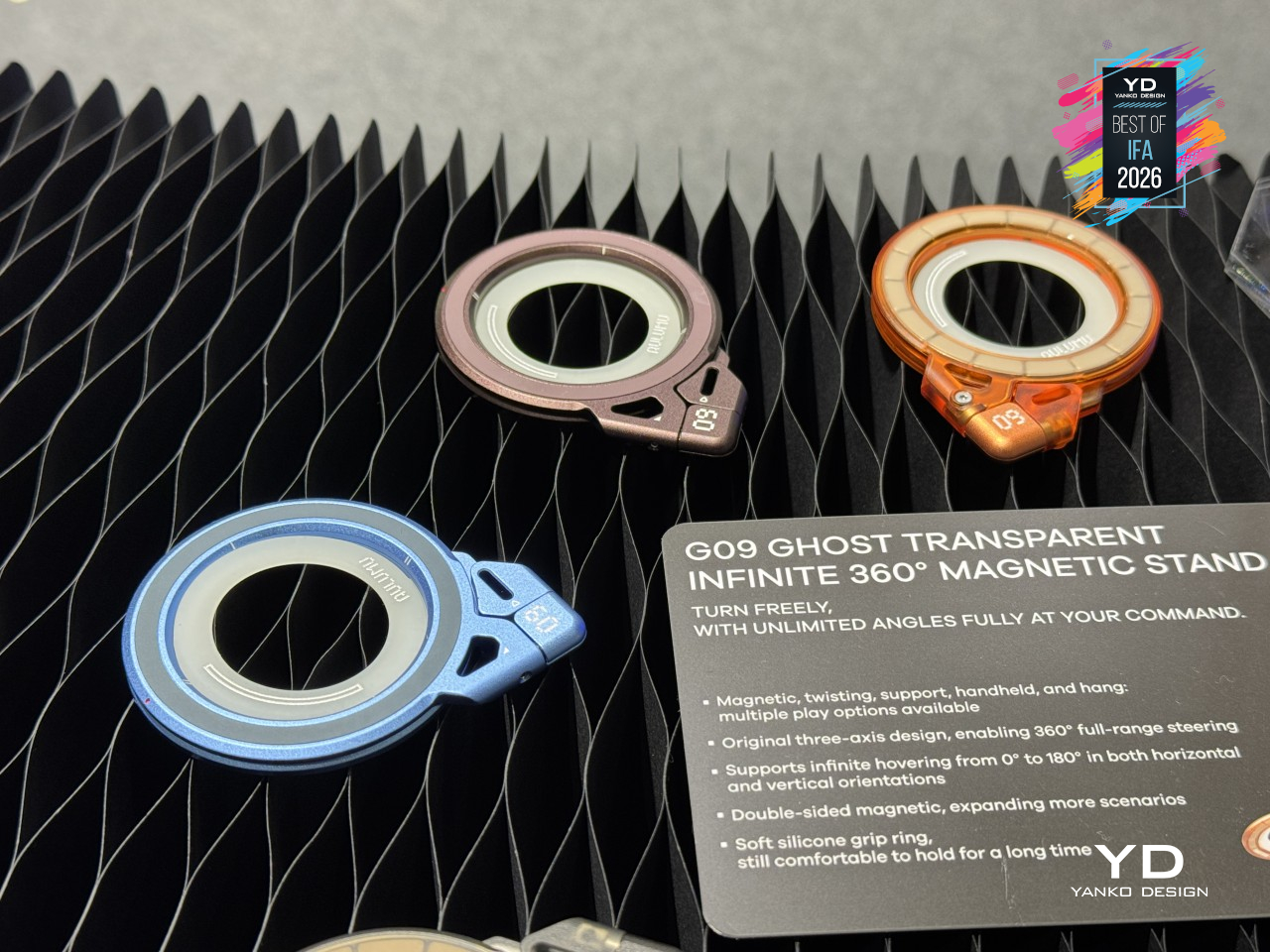
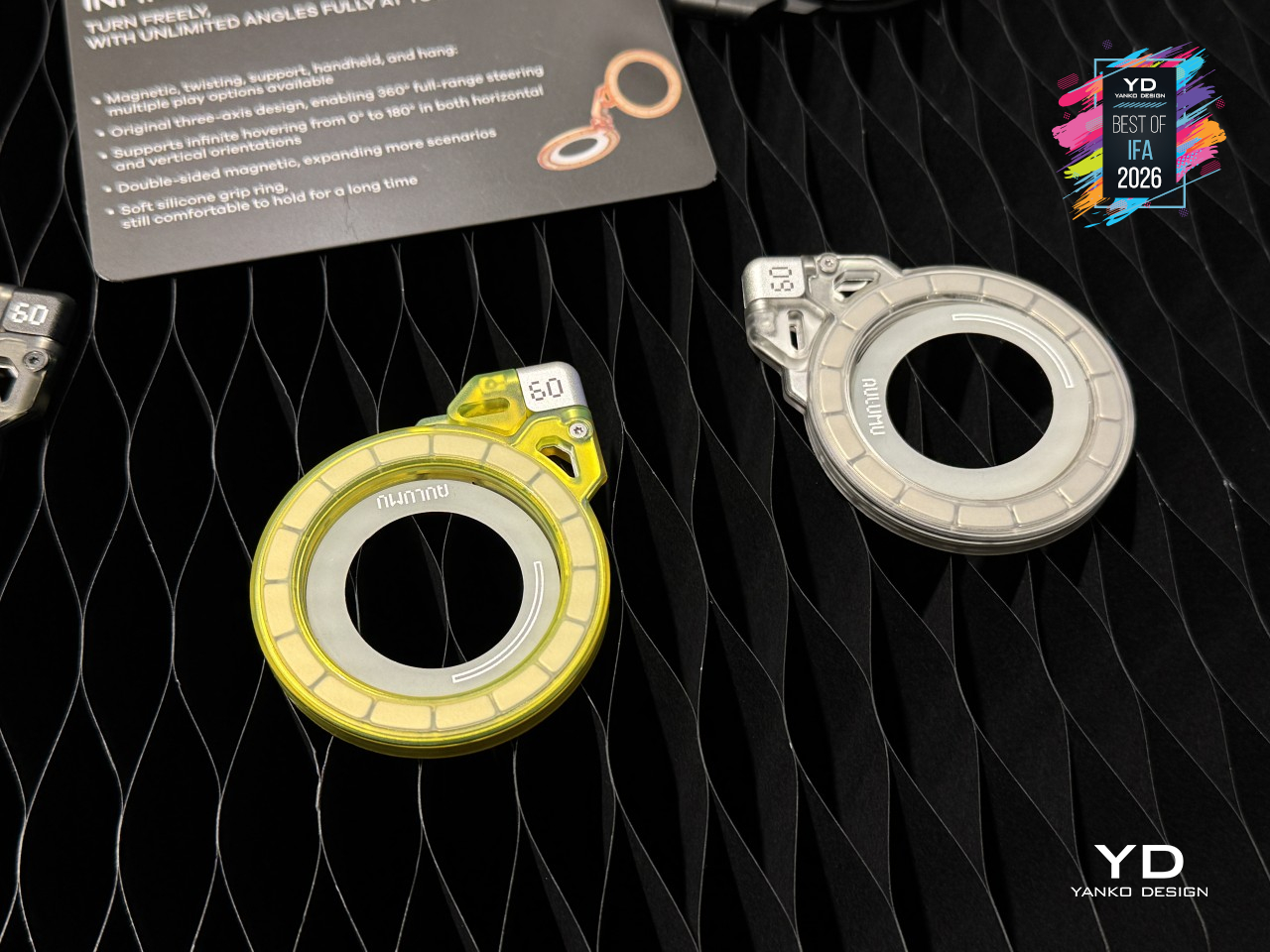
The G09 wears an aluminum alloy shell that feels closer to hardware than a phone accessory, available in black or silver. The G09 Ghost variant flips that script entirely. Its frosted, transparent polycarbonate shell weighs just 39 grams and measures just over 7.3mm thick, giving it a look closer to a lab prototype than a phone stand, available in translucent gray, translucent white, orange, or yellow.
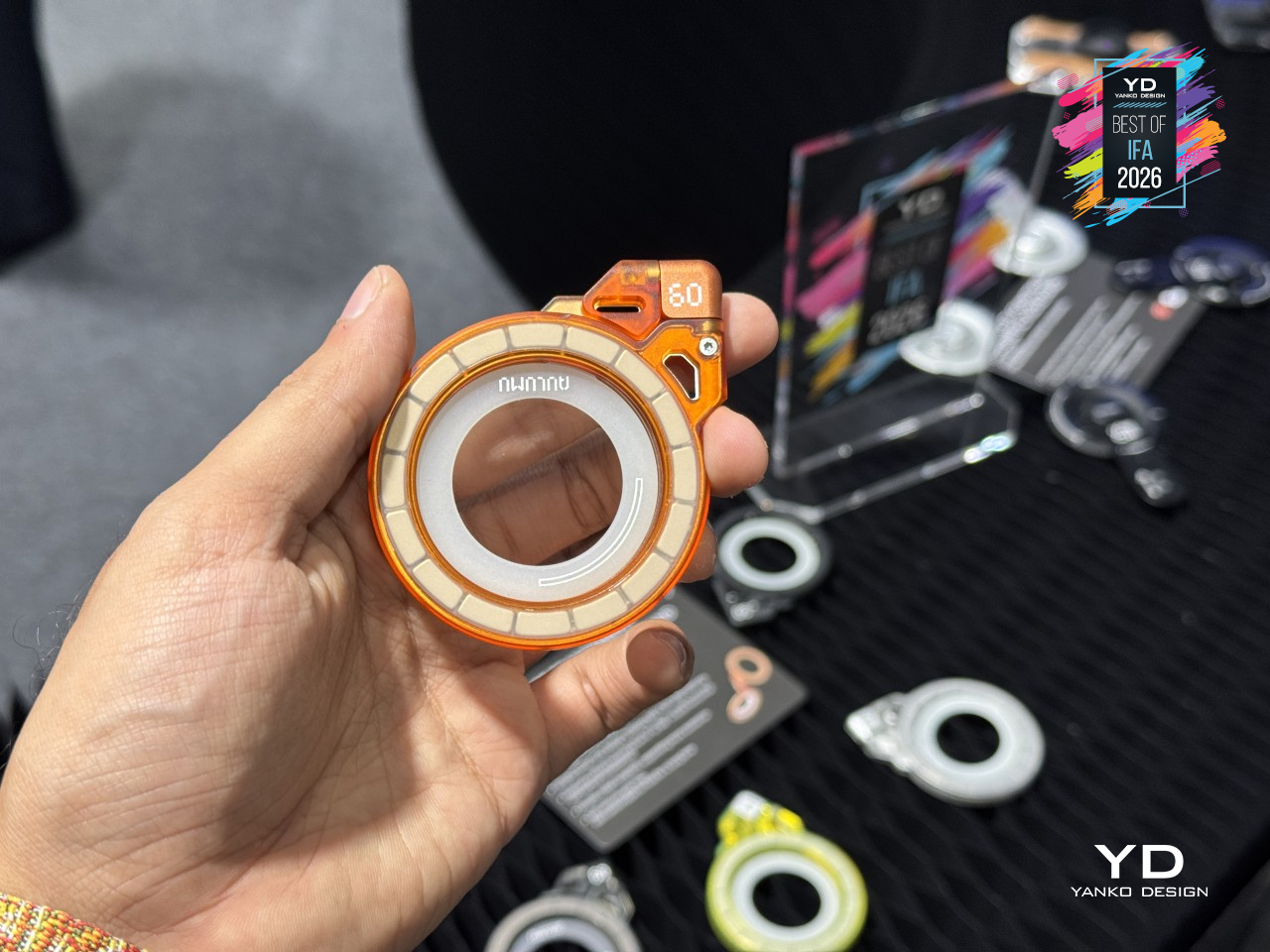
That flexibility shows up everywhere once it’s actually holding a phone. Prop it up during a video call, tilt it toward a recipe while cooking, or angle it for a quick photo shoot, all without touching the phone itself once it’s positioned. The included handle ring turns the whole thing into a grip too, so filming handheld or scrolling one-handed on a crowded train doesn’t mean risking a drop.
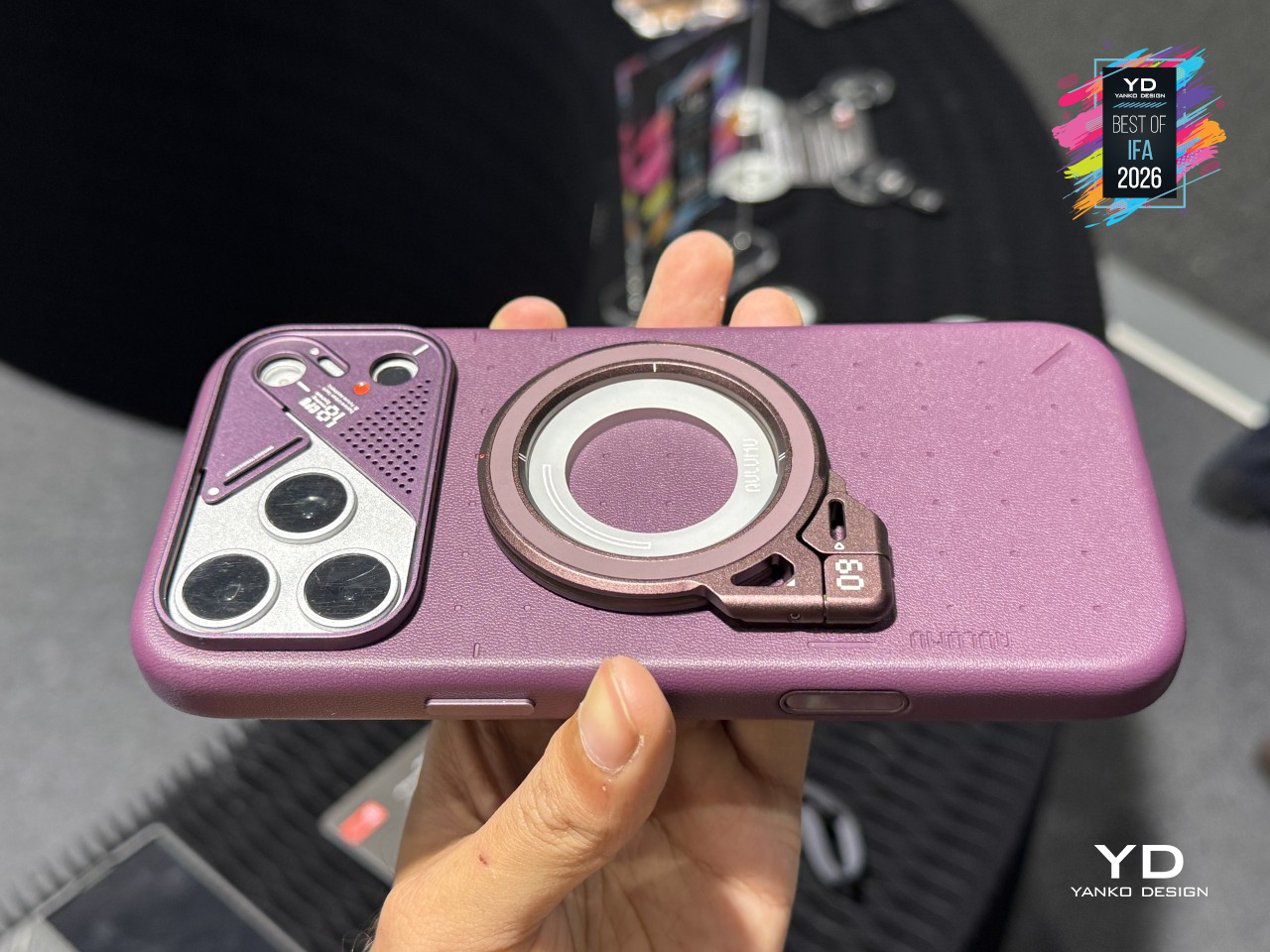
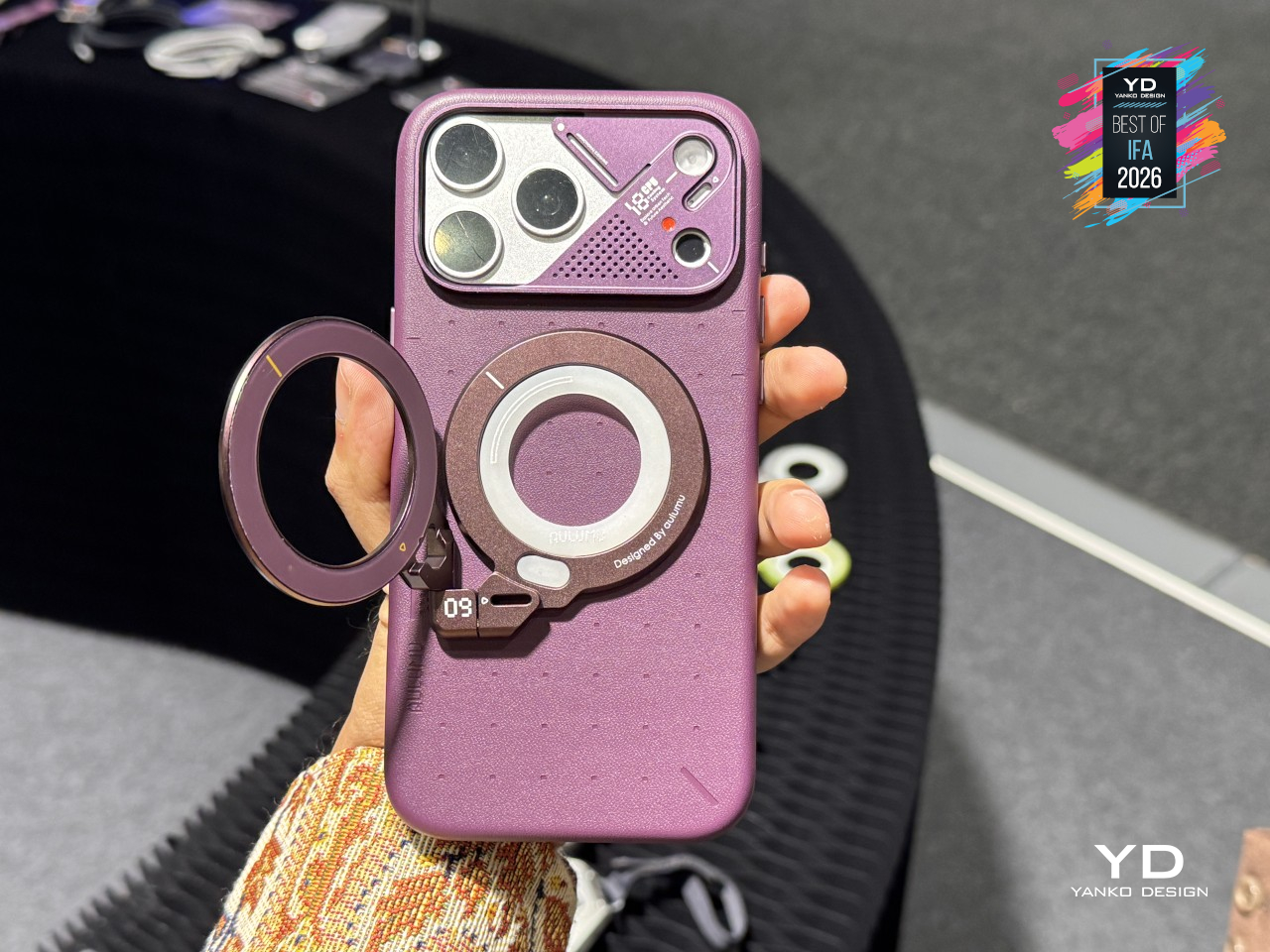
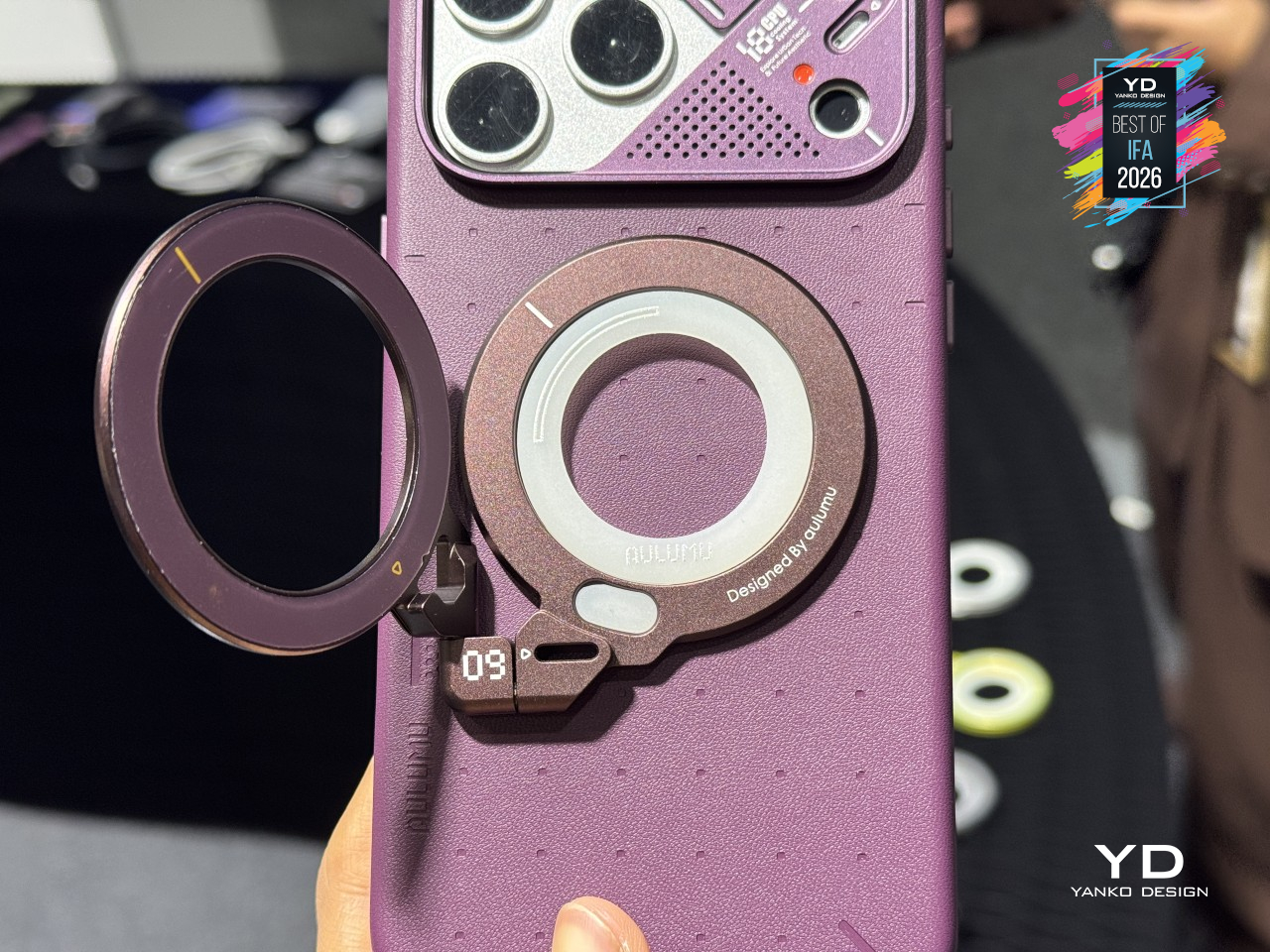
None of that would matter without a mechanism built to back it up. The G09’s three-axis hinge rotates independently across every direction a hand might twist a phone, while its dual-sided magnets hold just as confidently to a MagSafe case as they do to any metal surface nearby. The Ghost variant swaps in a soft silicone ring and a metal insert, widening compatibility to phones that skip MagSafe altogether.
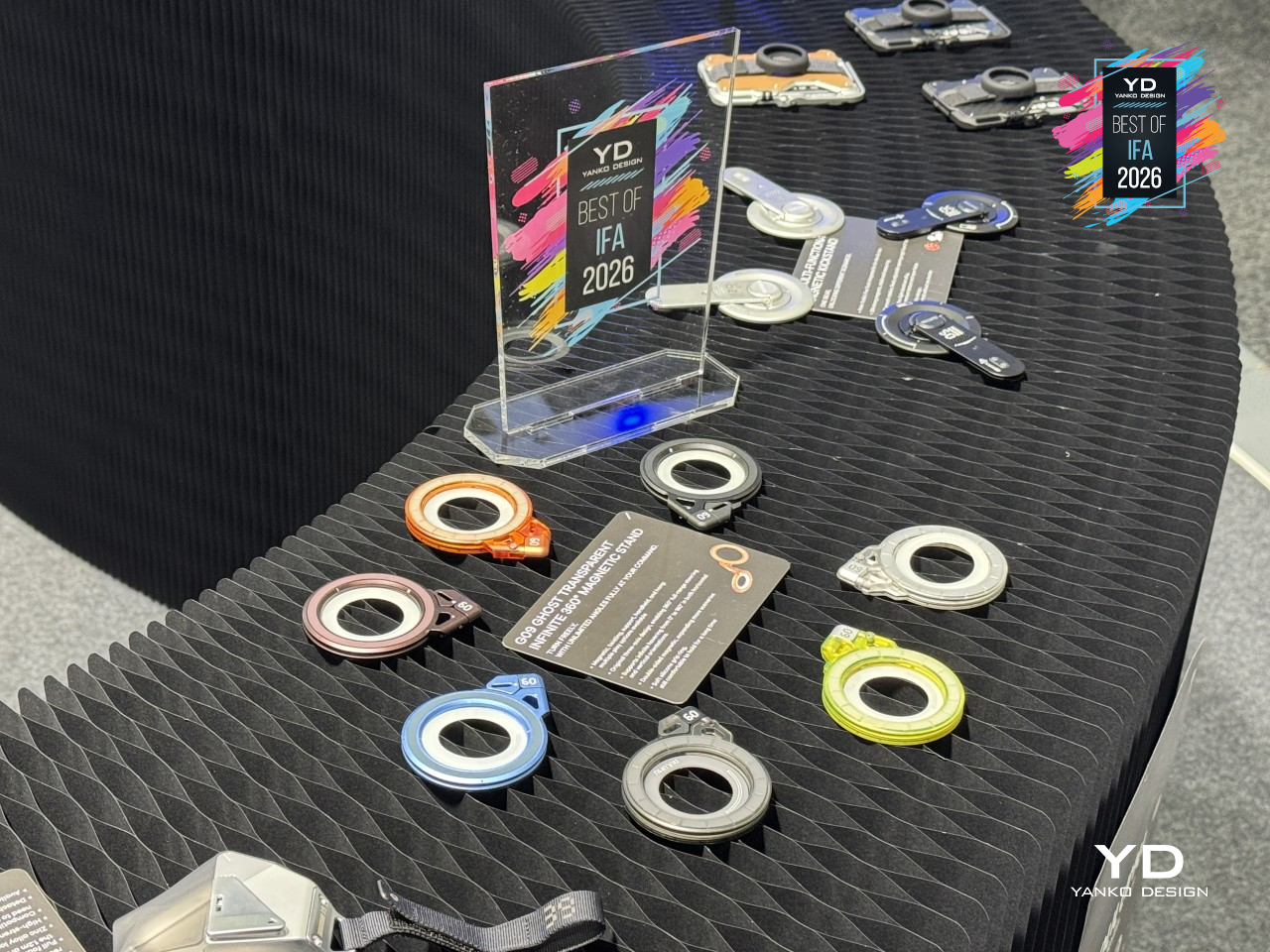
Choosing between the two comes down to feel more than function, since both variants share the same mechanism underneath. The aluminum G09 leans into a colder, more deliberate grip, while Ghost disappears against nearly any desk or bag. That’s the quieter trick behind this design: it lets the material do the talking while the hinge and magnets handle everything else. A phone stand stopped pretending it only had one job.
AWOL LuxVision 4K 120Hz UST Projector
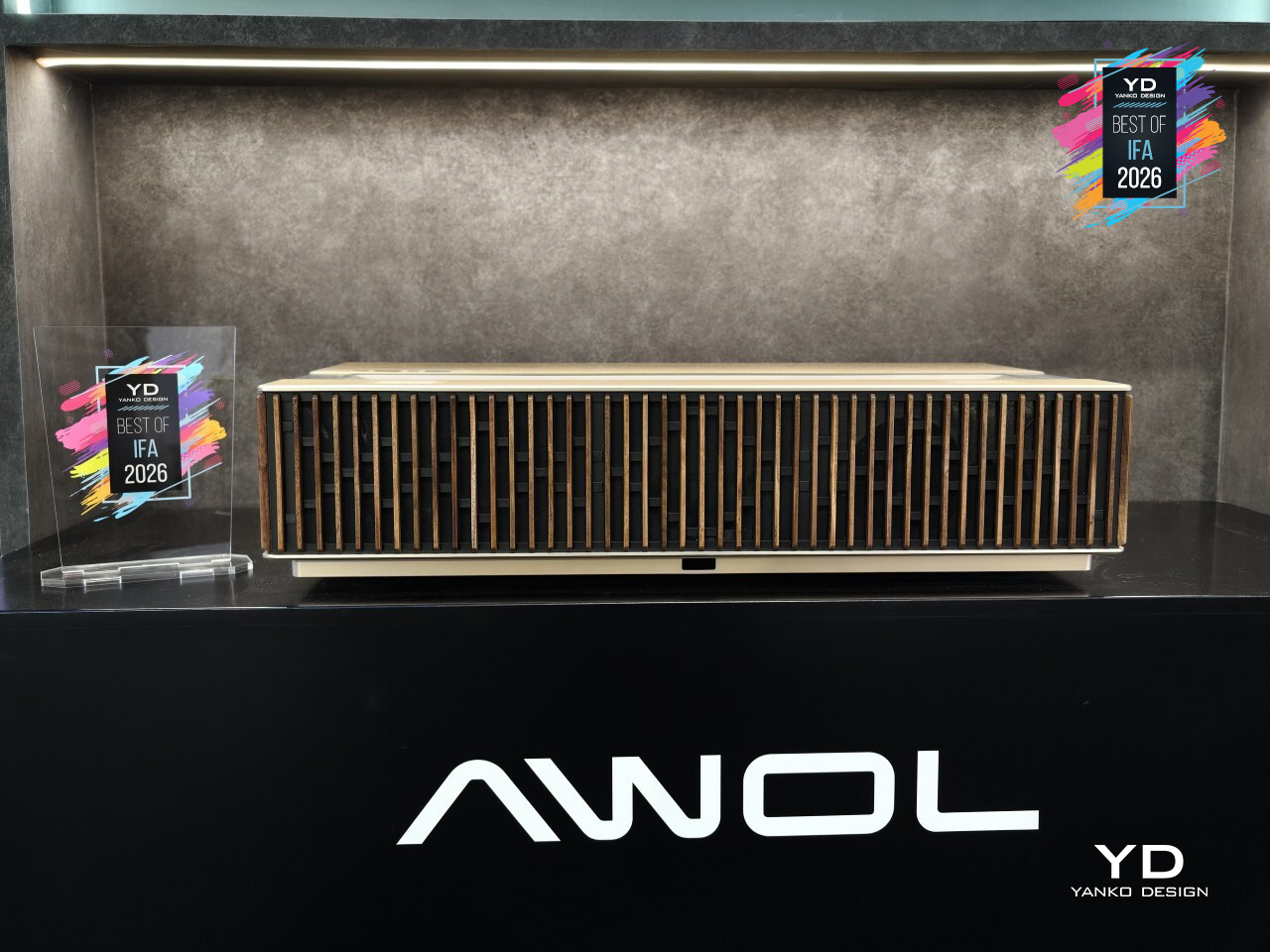
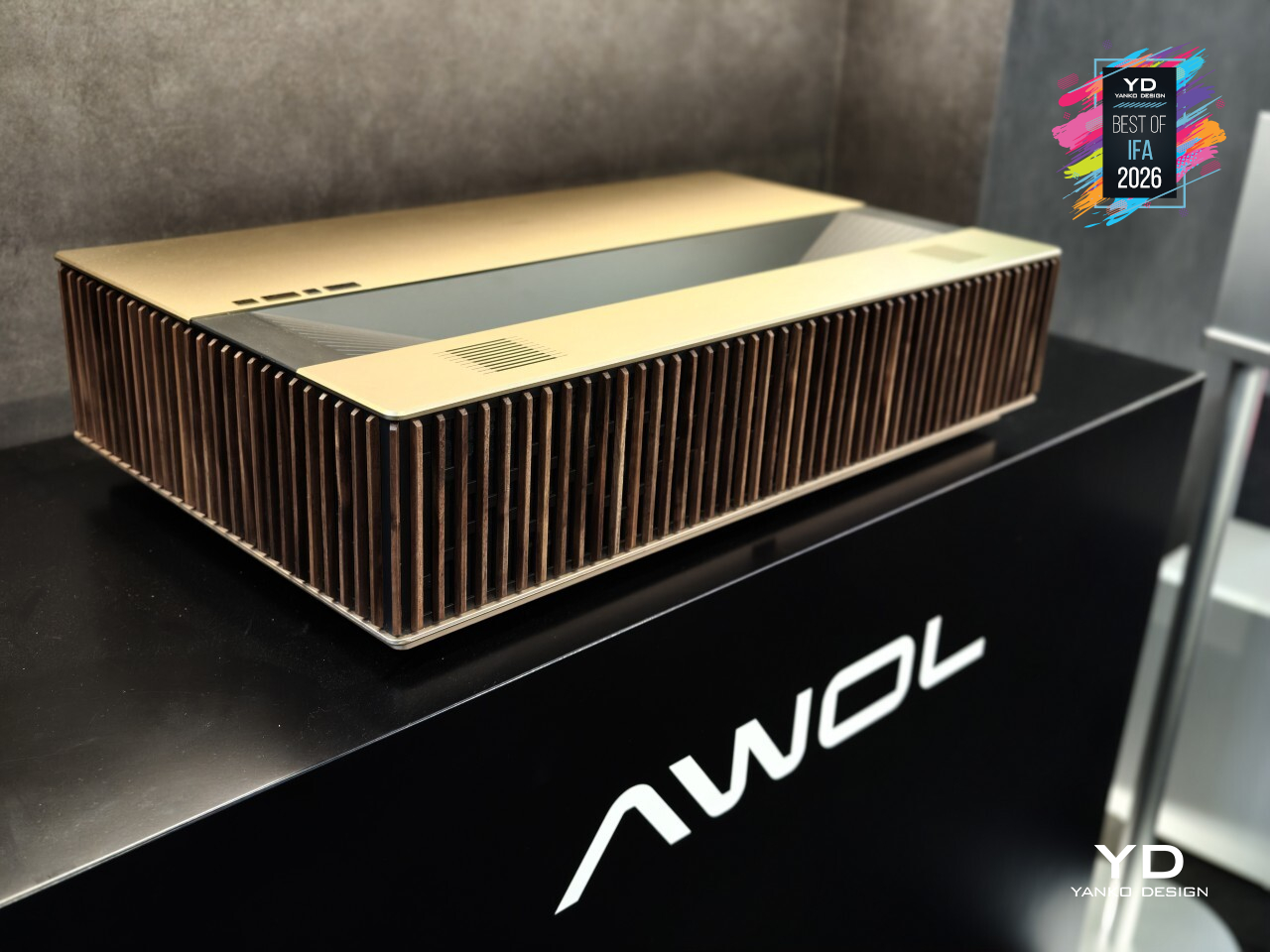
Projectors have long forced a choice between a massive screen and a room bright enough to actually live in. The AWOL LuxVision doesn’t ask you to pick. It’s the first ultra-short-throw projector to combine 4K resolution with a 120Hz refresh rate and optical lens shift, backed by 6,000 ISO lumens and RGB triple-laser projection that scales the picture up to 200 inches from just inches off the wall. The timing isn’t a coincidence either. LuxVision arrives as AWOL Vision’s new flagship following a refreshed global brand identity unveiled earlier this year, one that folds the company’s ultra-short-throw Aetherion series and long-throw projector Valerion series lines into a single, cohesive lineup for the first time.
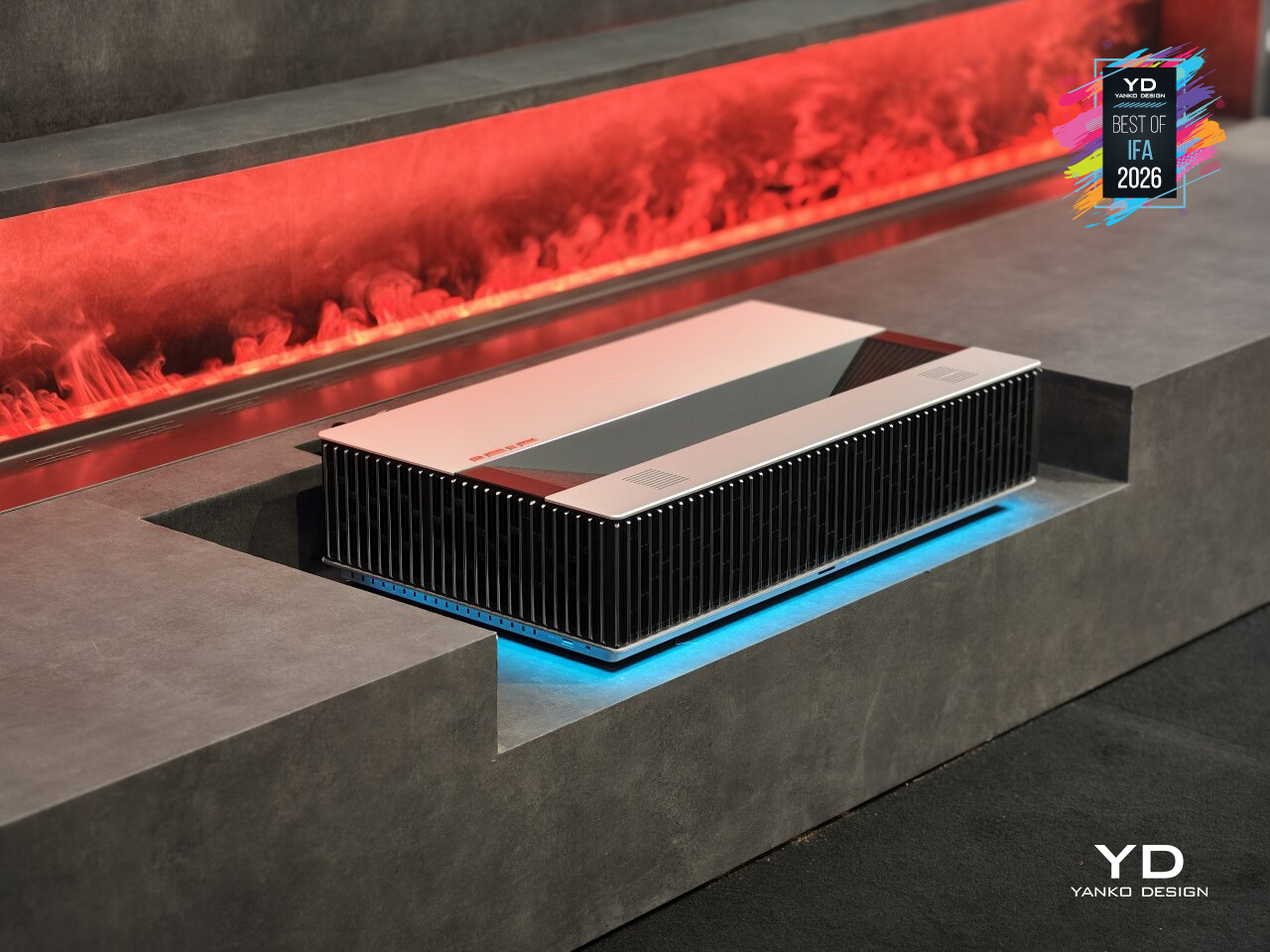
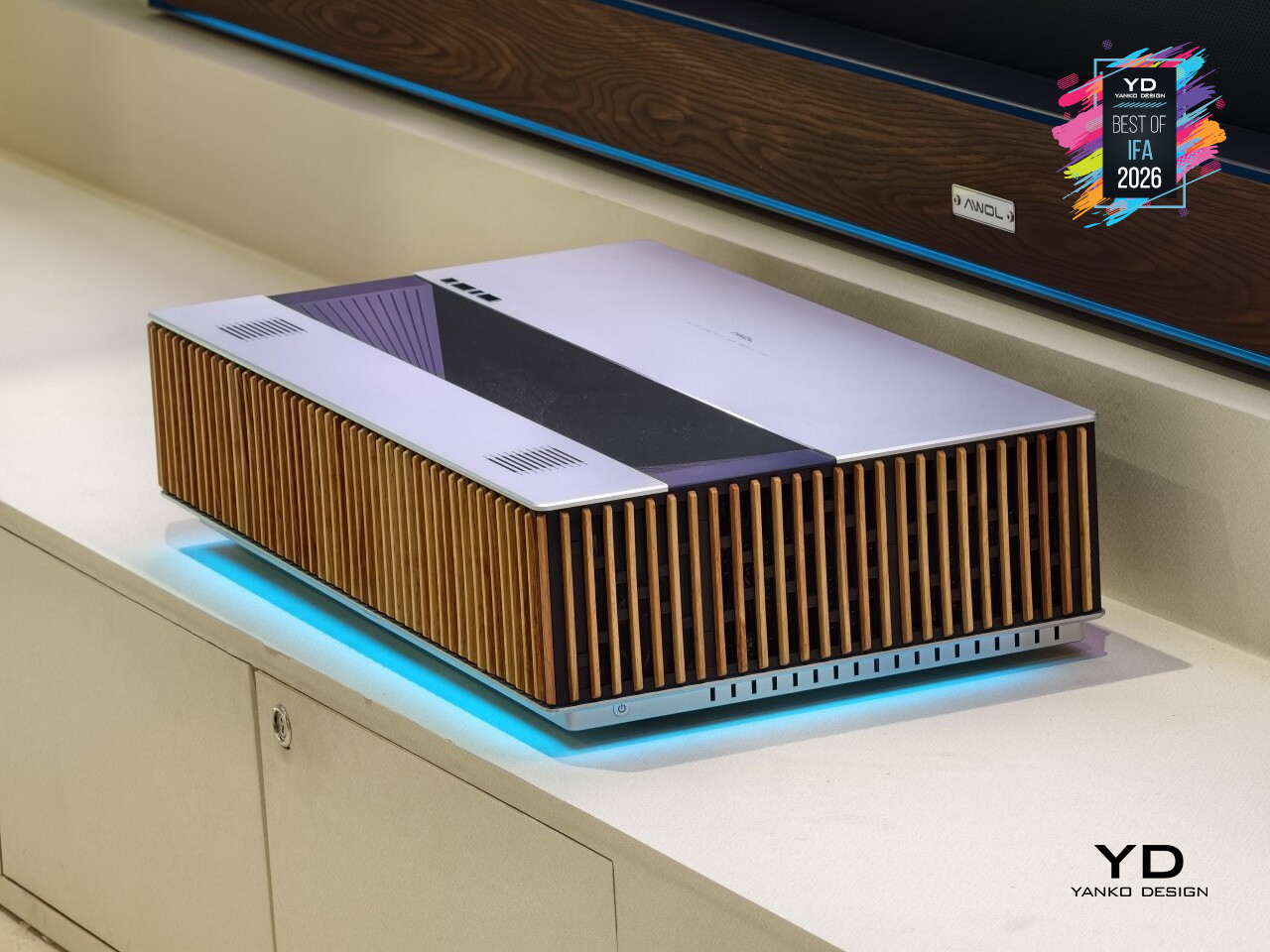
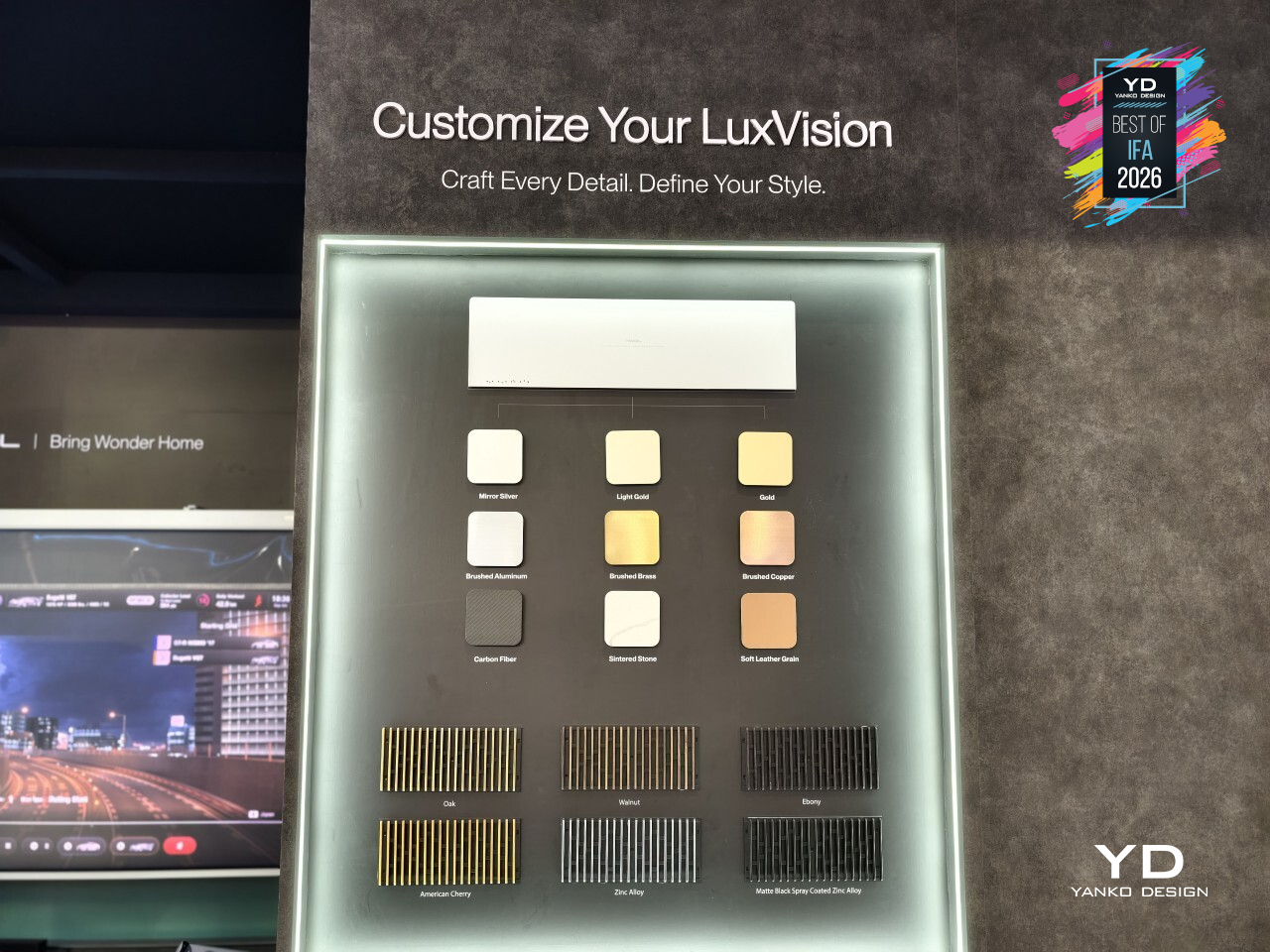
Look past the spec sheet, though, and the design is where LuxVision earns its keep. AWOL borrowed from the Parthenon, turning classical column rhythm into a sculptural, modern shell that doesn’t look like it escaped a boardroom. It isn’t locked into one look either. With customizable CMF options ranging from brushed brass to walnut and sintered stone, the finish can shift with the room it’s placed in.
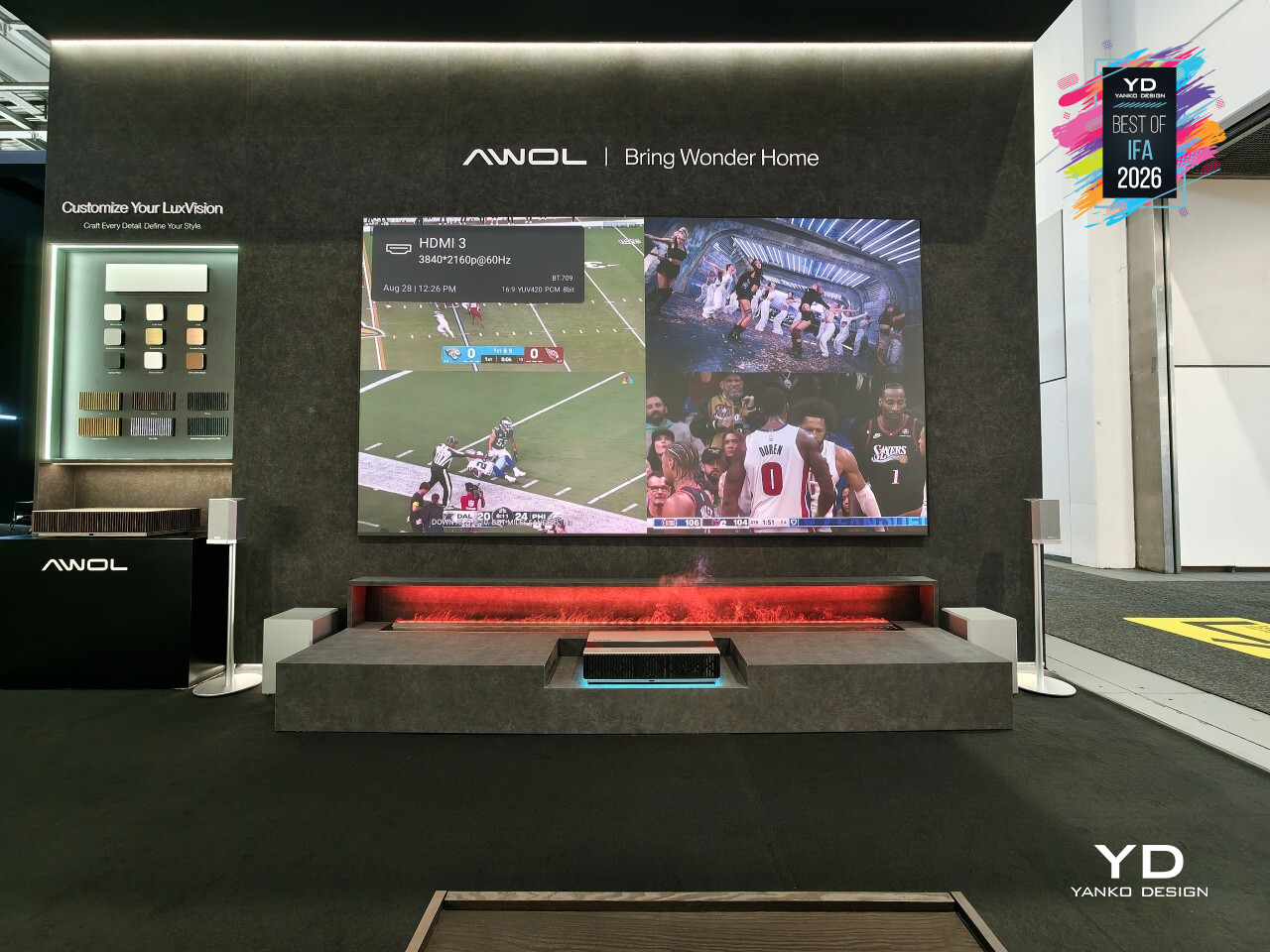
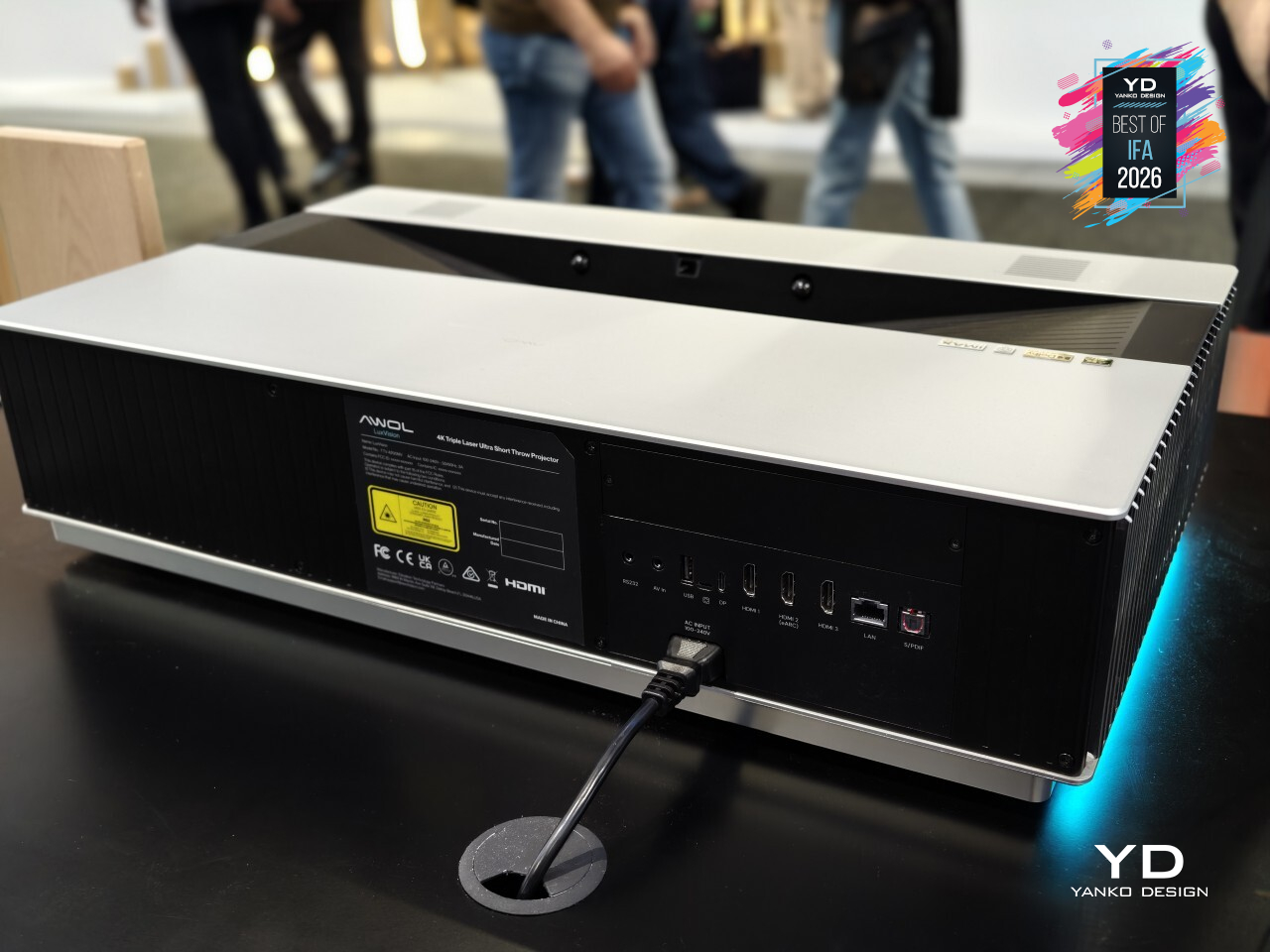
Of course, all that architecture means little without the picture to back it up. Processing nearly one billion pixels every second, the 4K 120Hz engine keeps everything from buzzer-beaters to highway chases looking sharp and fluid. Gamers get 1ms input lag, ALLM, and VRR for good measure, while movie night gets its own treatment through Dolby Vision, IMAX Enhanced, and Filmmaker Mode.
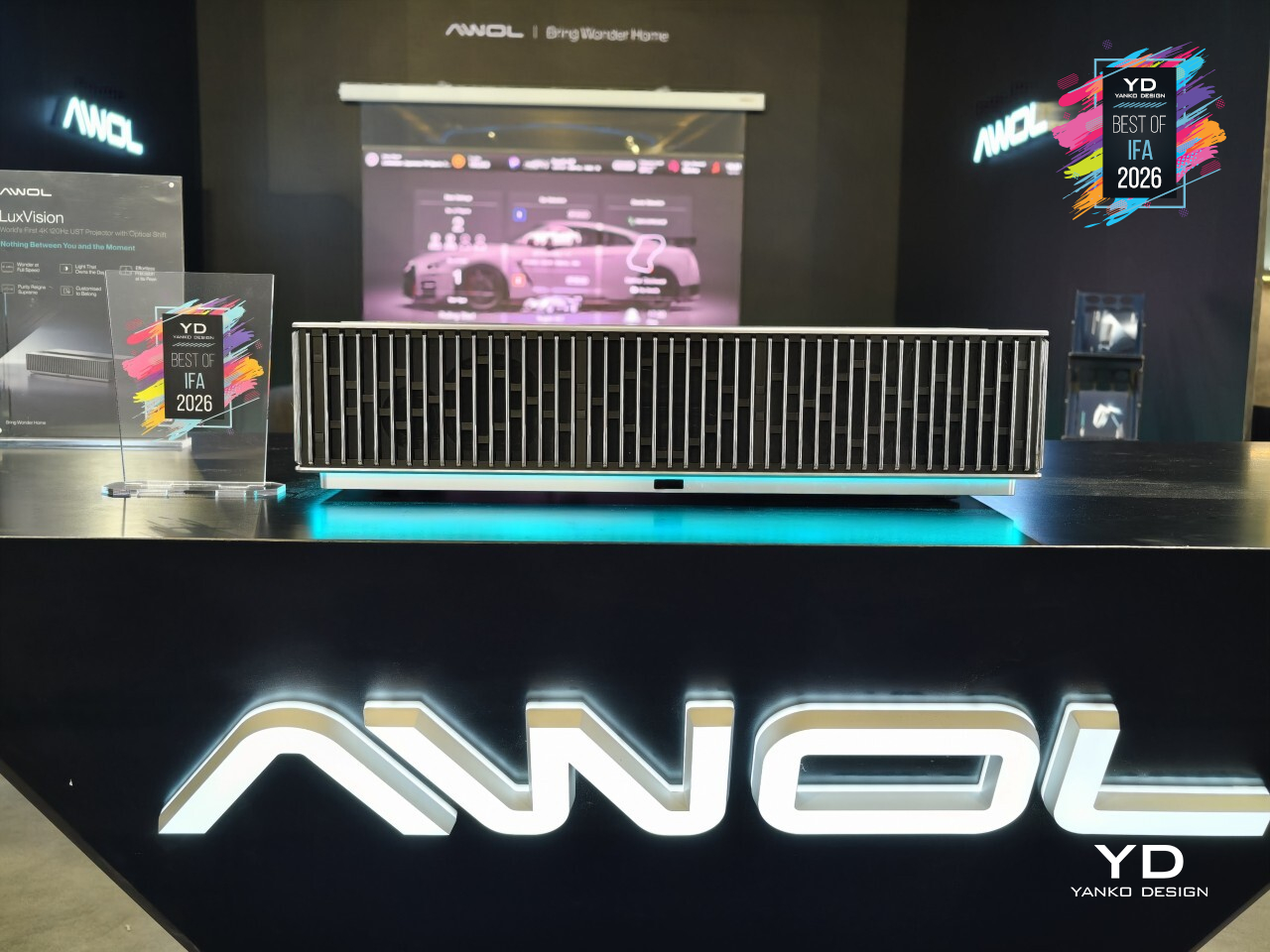
Better yet, the optical engineering behind the picture is where LuxVision really sets itself apart. A one-touch vertical lens shift lets you nudge the image into place without losing any of that 4K detail, and a motorized lens cover keeps things tidy when it’s off. PixelLock tech keeps edges just as sharp as the center, while AWOL’s second-generation Anti-RBE tackles the rainbow artifacts that plague lesser UST projectors.
All of this comes at a price that matches the ambition. It’s built less for a spare bedroom than for a living room that already takes its design seriously, one where a projector was never meant to hide in a closet between movie nights. Consider the closet officially retired.
XPPen Magic Pro 13
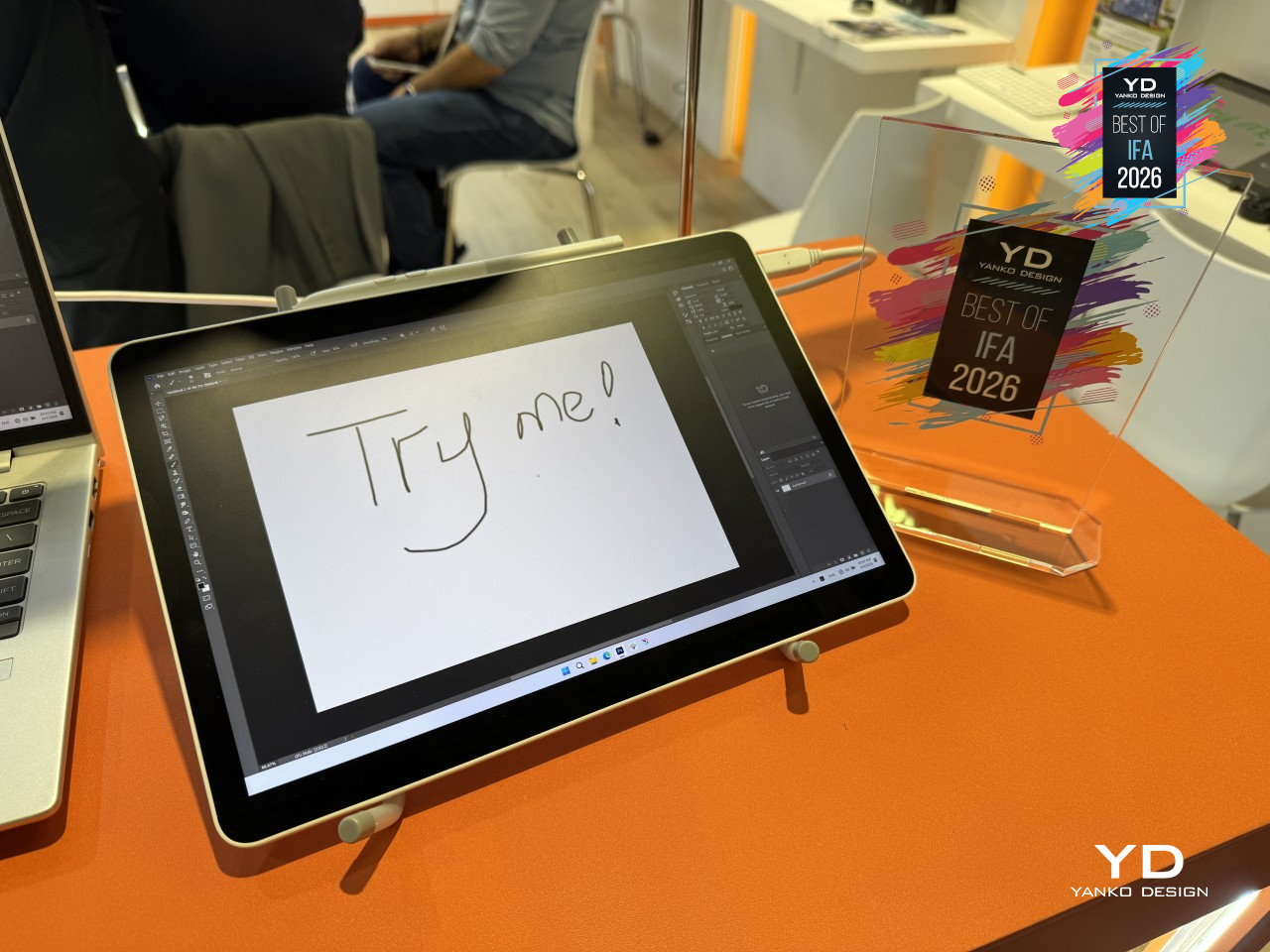
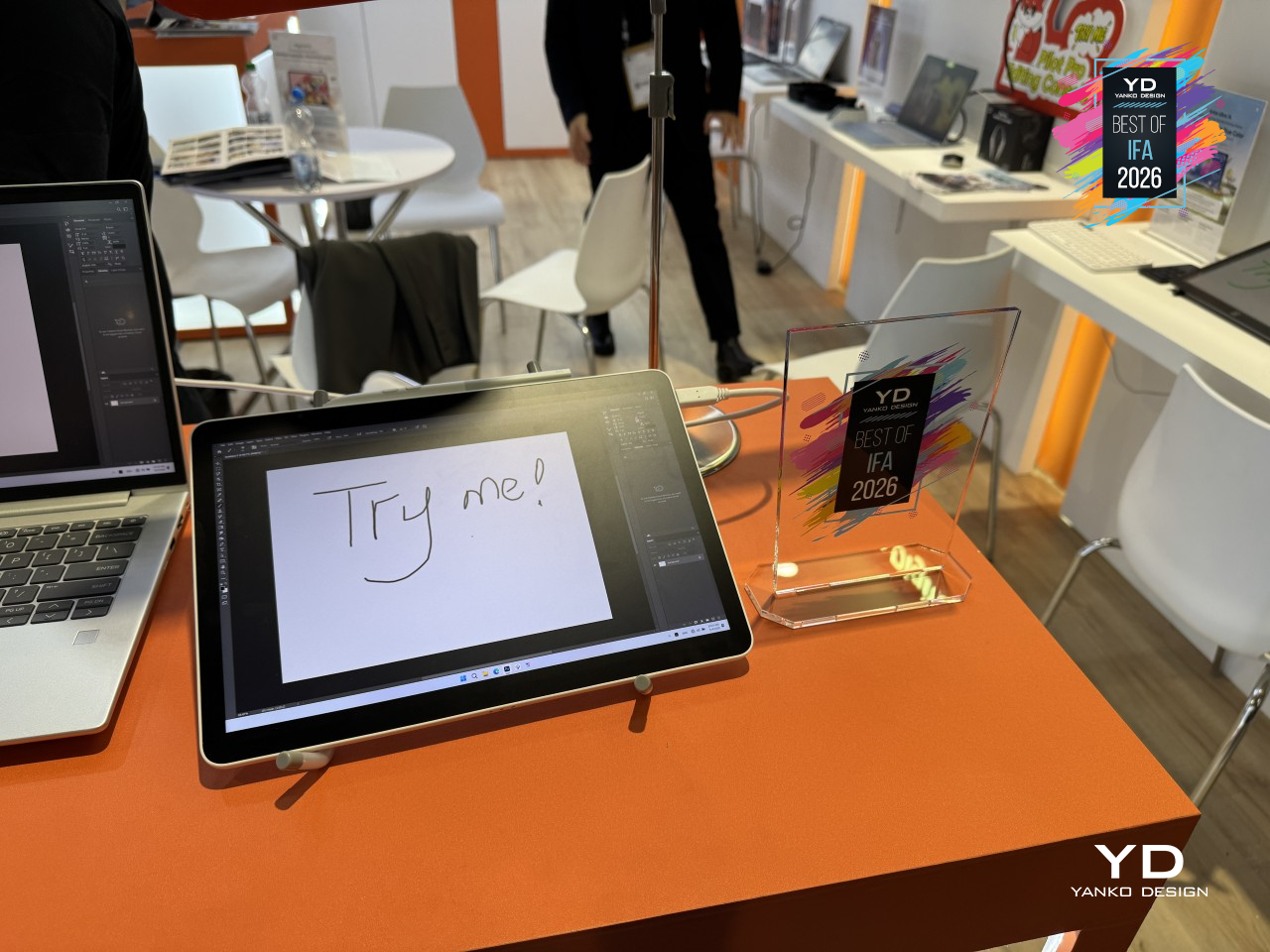
Digital artists have long had to pick between a tablet you can draw on anywhere or a proper drawing display tethered to a desktop setup. XPPen’s Magic Pro 13 refuses to make that trade. It’s a standalone Android drawing pad that can also turn into a full hardware-level drawing display the moment you plug it into a computer, carrying the same precision and color accuracy either way.
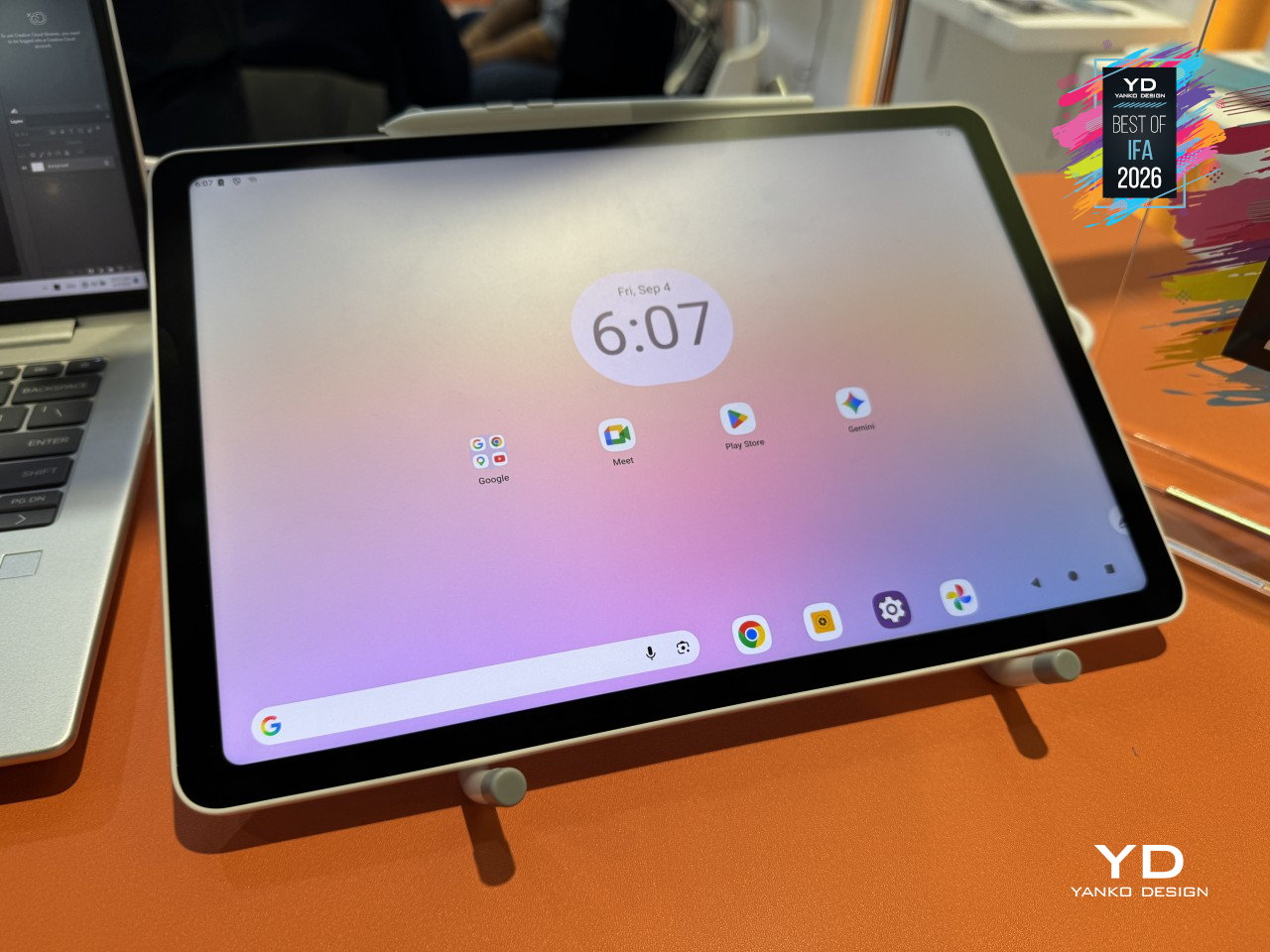
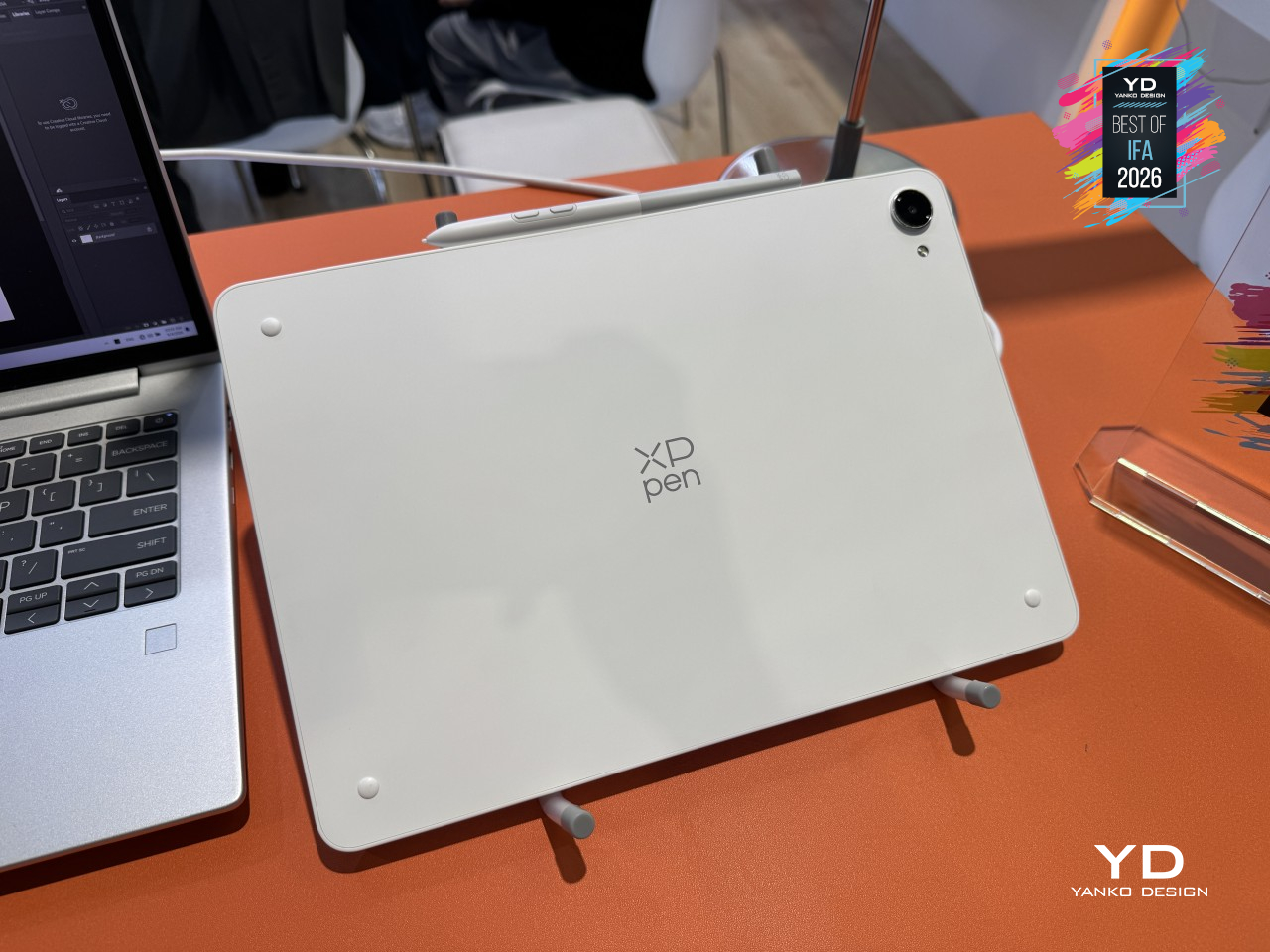
That switch happens through a single USB-C cable, no drivers, no software bridge, no fumbling with settings. Once connected, the 3K display outputs at a native 120Hz with studio-grade color and passes through the full 16,384 levels of pressure sensitivity without any compression along the way. A second USB-C port means you can keep charging while all of that’s happening, so a long session doesn’t end early just because the battery’s running low.
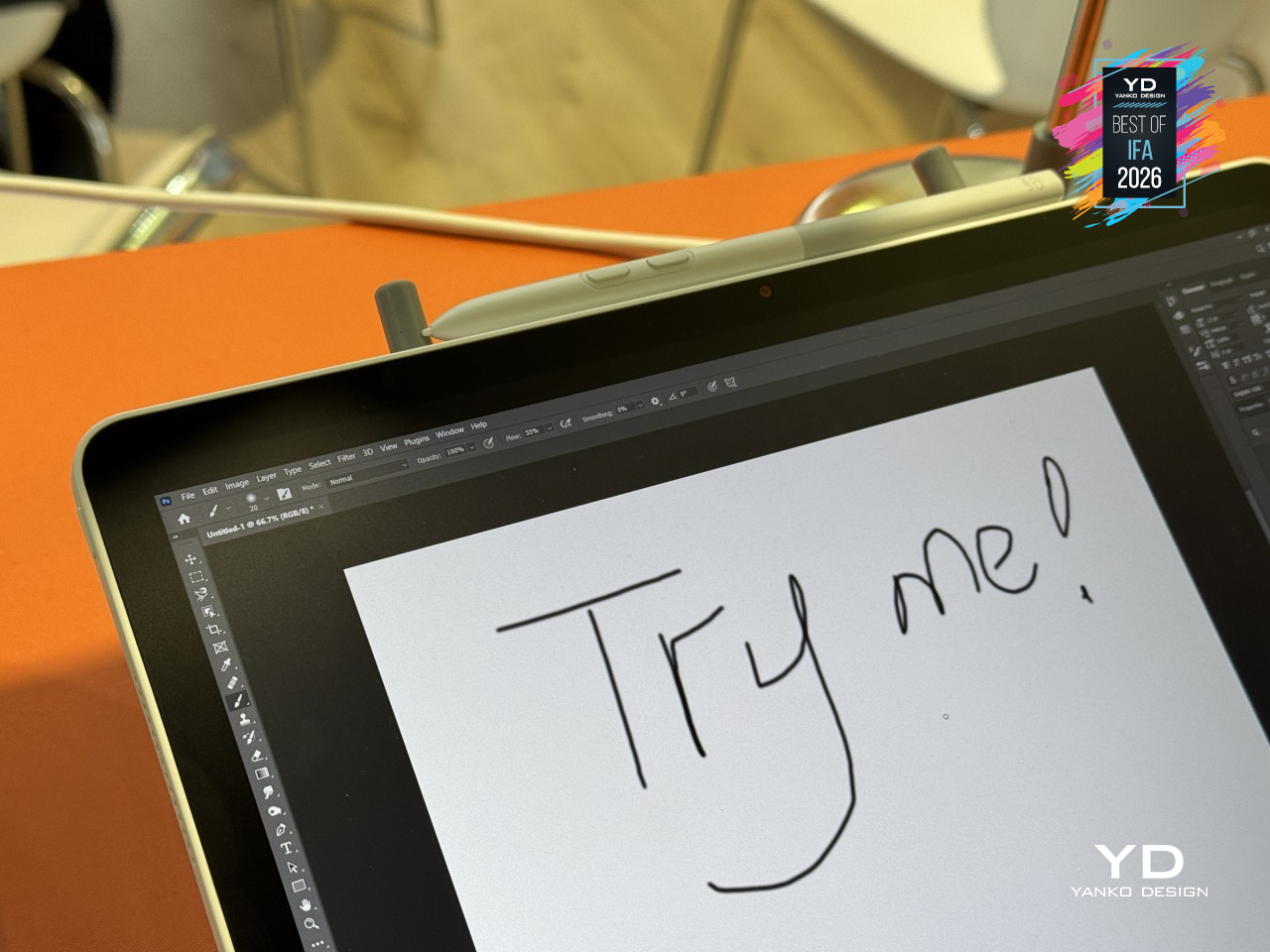
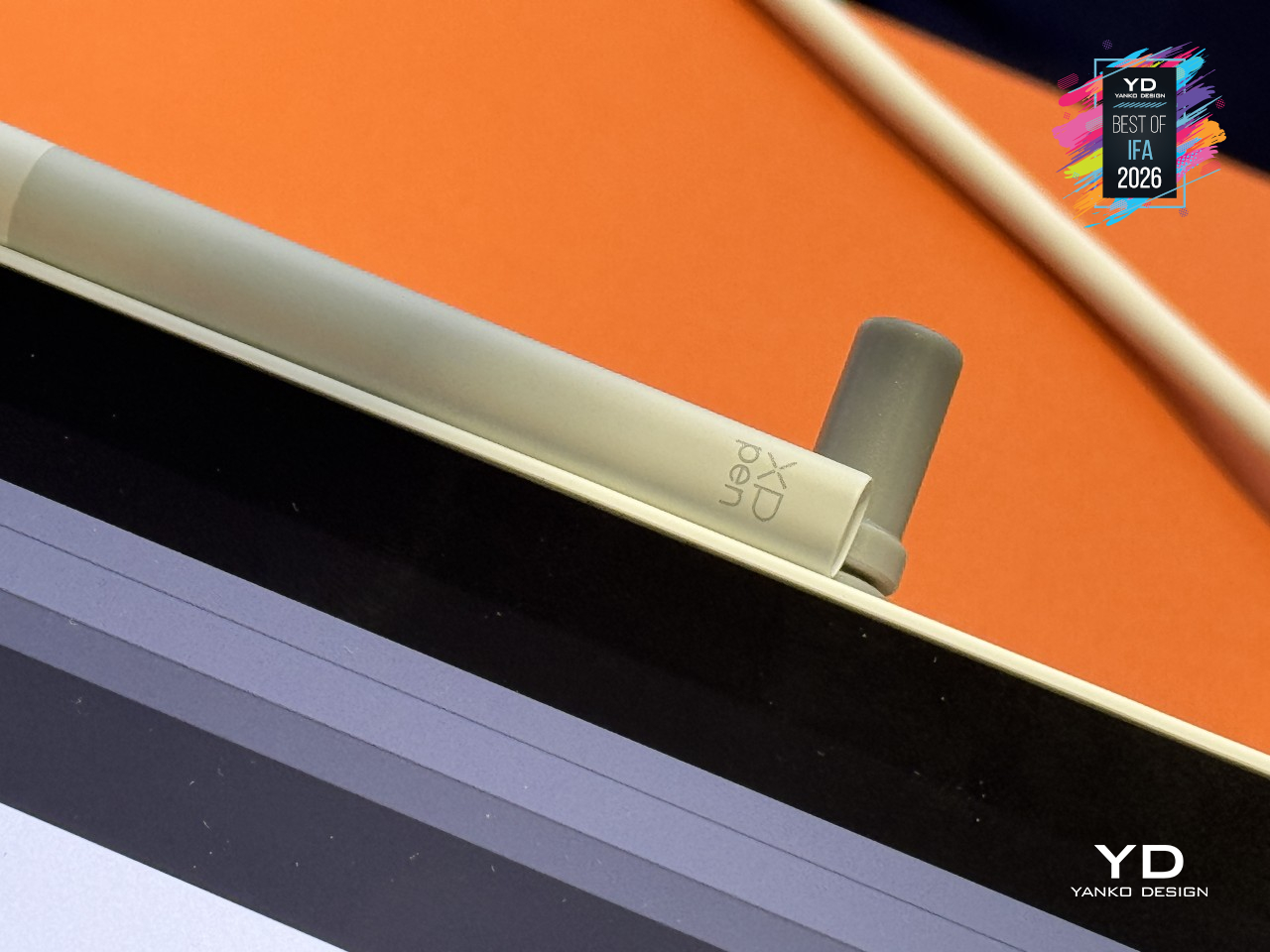
None of that would matter if the pen itself felt sluggish. XPPen rebuilt the stylus around its X4 Smart Chip, cutting pen travel from 0.6mm down to 0.3mm and speeding up response by half. The nib got a redesign too, a bullet-tip shape that cuts down on wobble by a wide margin, so lines land closer to where your hand actually intended them to go.
Away from the screen, staying organized is its own kind of creative work, and that’s where Shelf comes in. It’s built specifically for sorting the reference images, sketches, and half-finished ideas that pile up during any real project, with search and tagging that actually keeps things findable. Pair that with Canvas for quick sketching and Android 16’s resizable floating windows, and switching between capturing an idea and refining one stops feeling like two separate jobs.
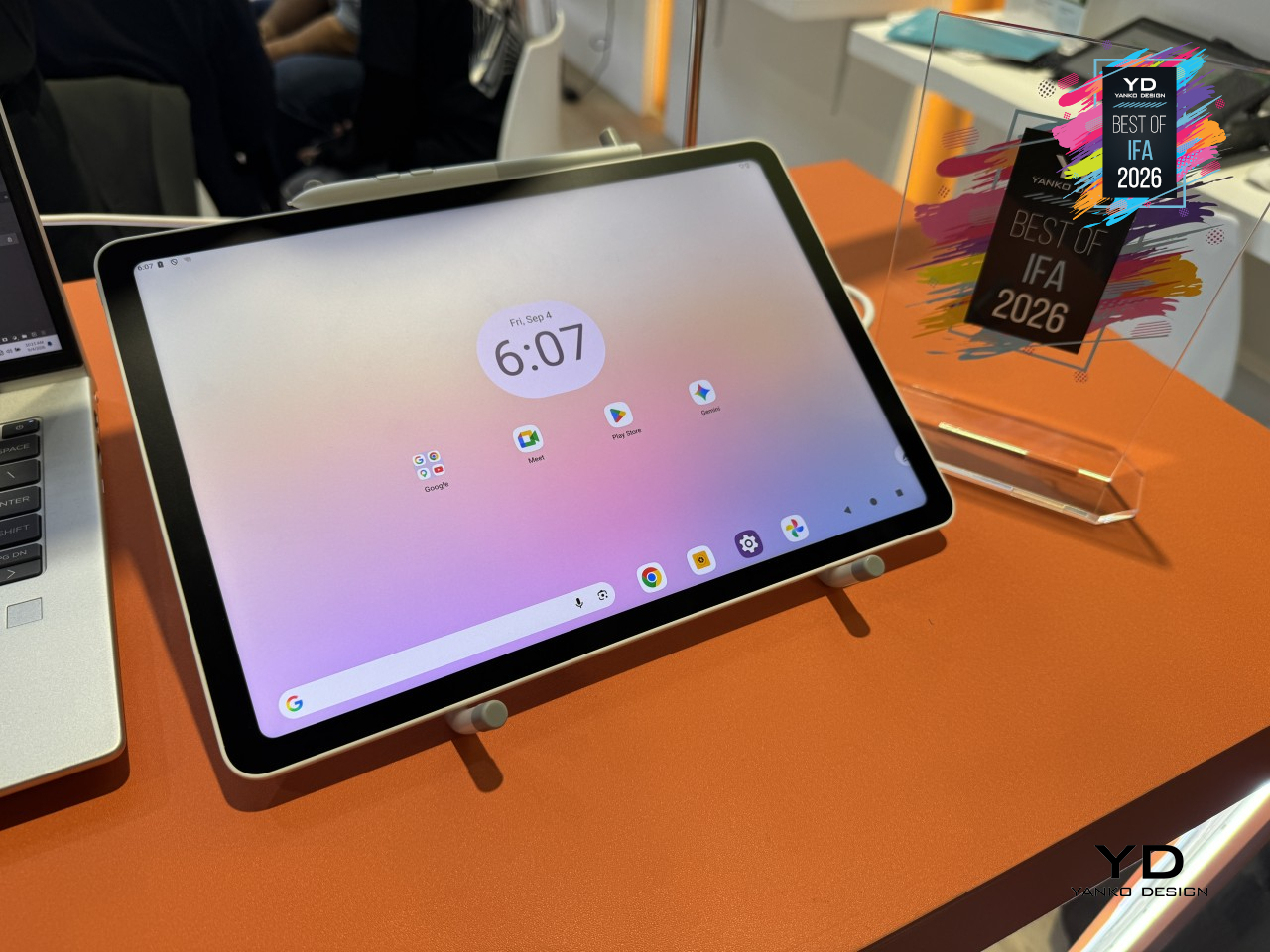
All of this sits inside a body that’s just 6.65mm thick and weighs 655g, built from a magnesium-aluminum alloy with enough dust and water resistance to survive outside a studio. A 10,200mAh battery and 45W charging round out a device that doesn’t ask where you’ll be working next. Wherever that turns out to be, the XPPen Magic Pro 13 is already built for it.
DJI Osmo Pocket 4P
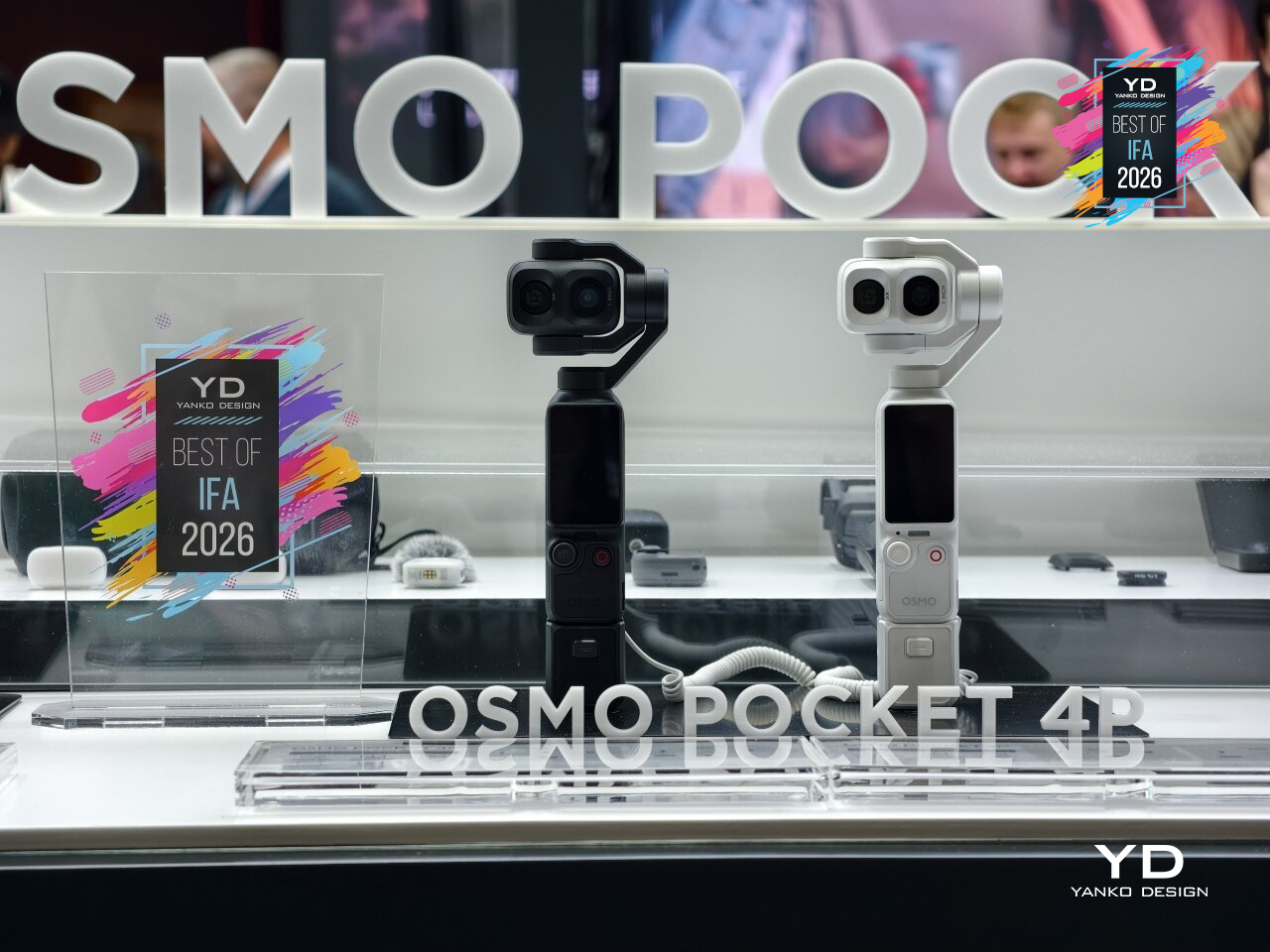
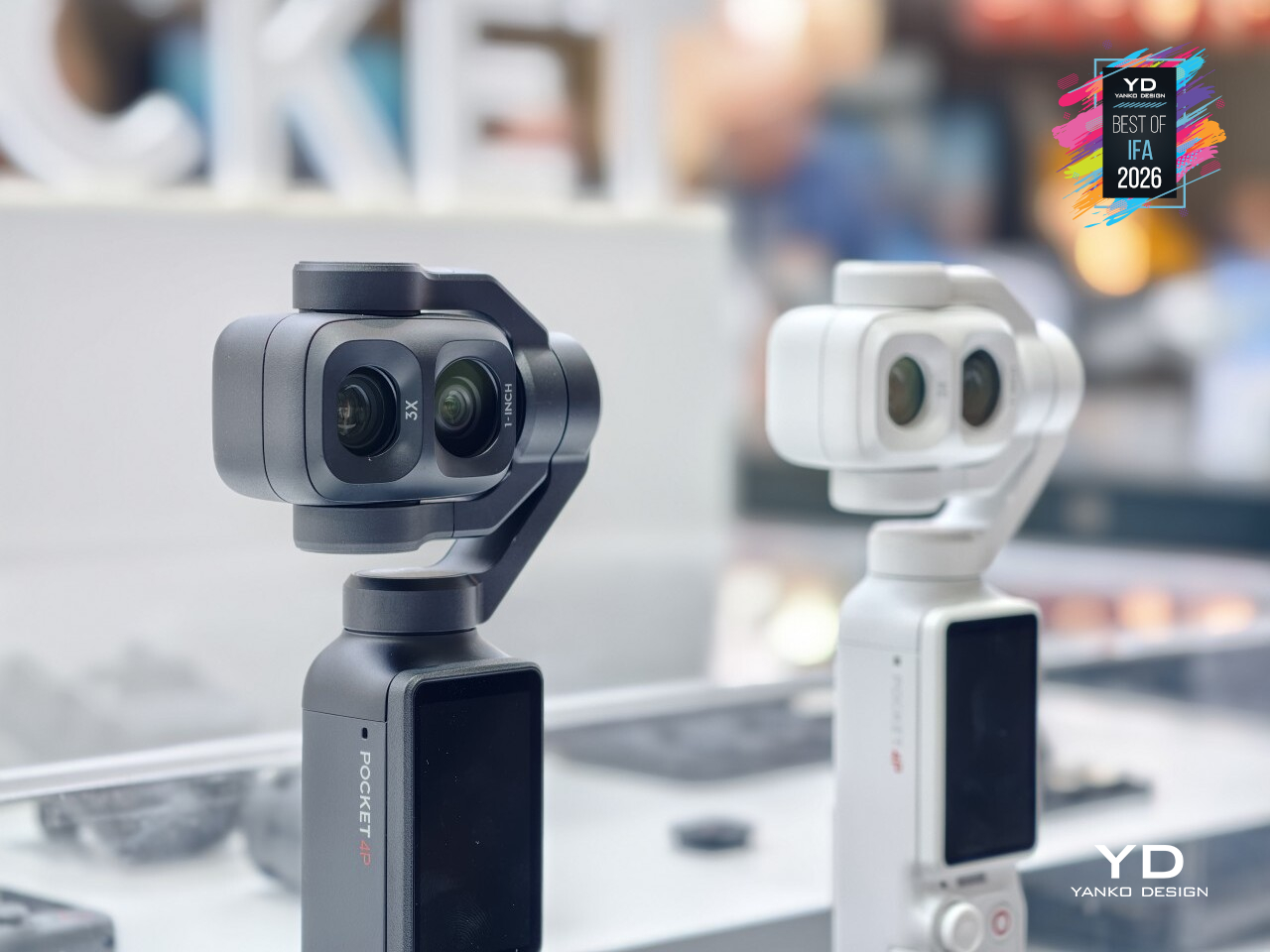
Most pocket cameras ask you to commit to one lens and shoot around its limits. DJI’s Osmo Pocket 4P hands over a second option instead. It’s the brand’s first dual-lens pocket gimbal camera, pairing a wide-angle lens with a 3x optical tele lens in a body that still fits in a jacket pocket, giving anyone holding it two distinct ways to frame a shot without swapping gear.
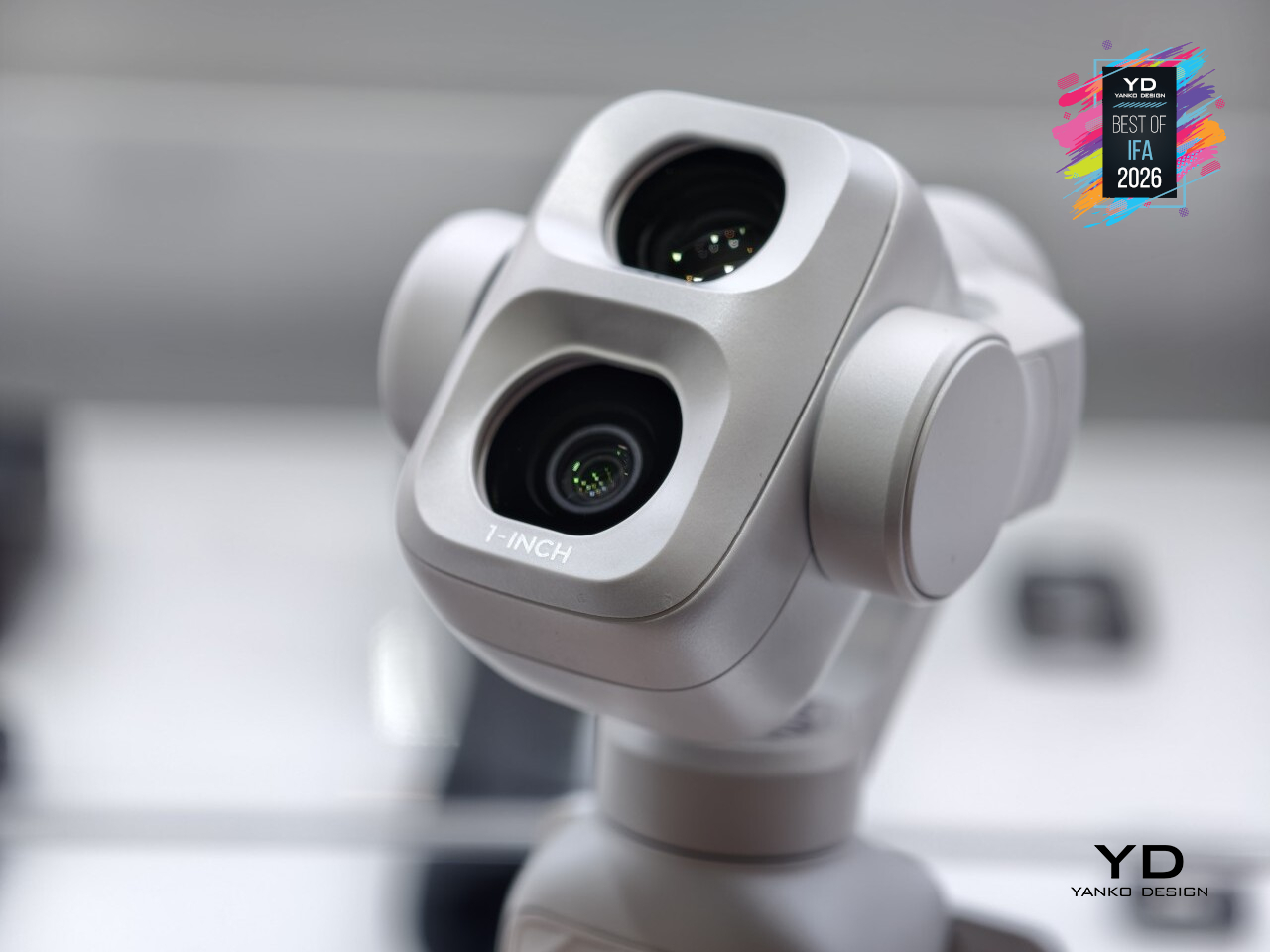
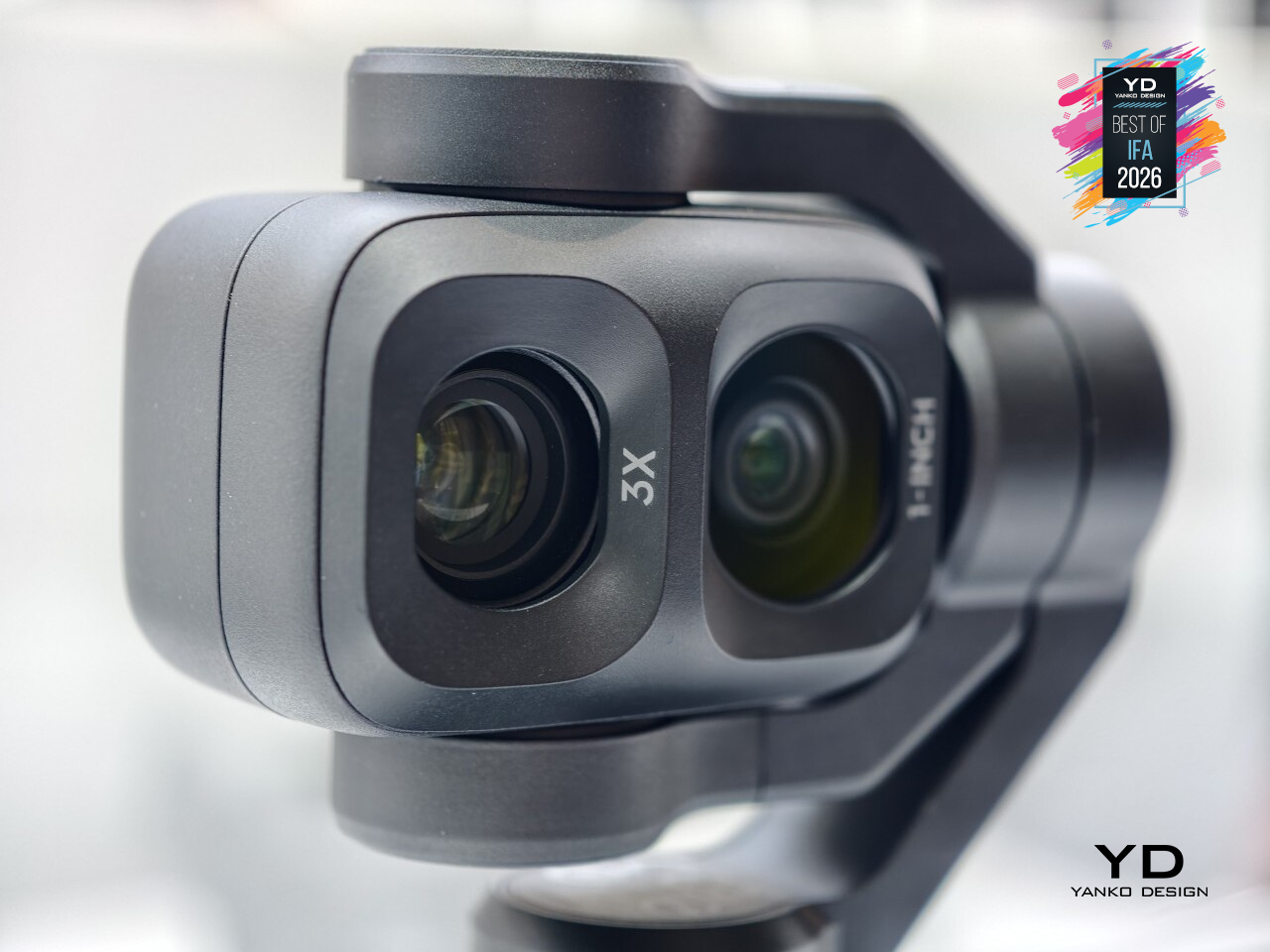
The wide lens covers a 20mm equivalent field of view at f/2.0, while the second lens jumps to 60mm at f/1.8, close to a portrait focal length with genuine optical zoom instead of a digital crop. That difference actually changes what a shot looks like: the wider lens pulls in a whole room or landscape, while the tele lens isolates a subject with a softer, naturally blurred background behind them.
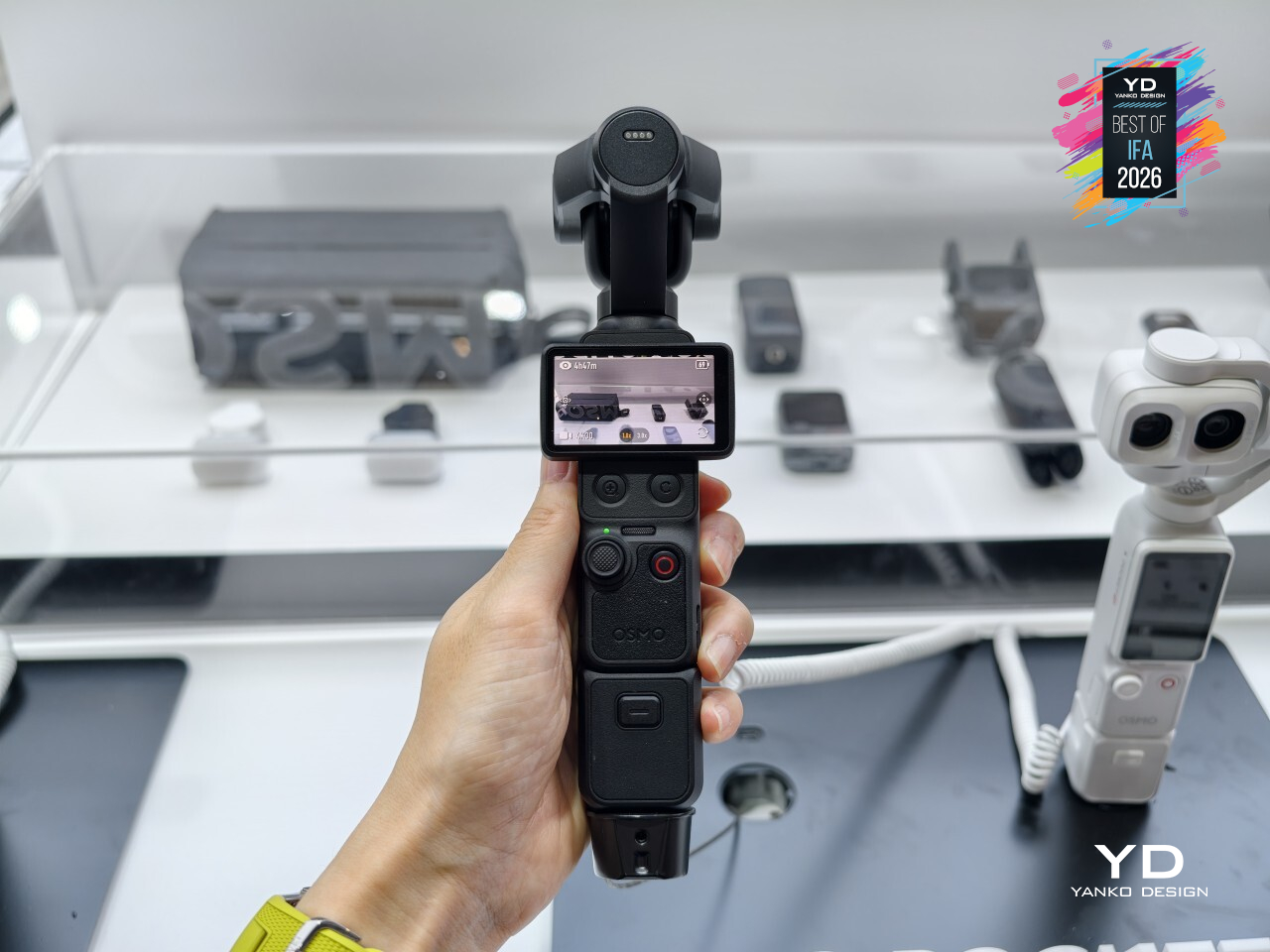
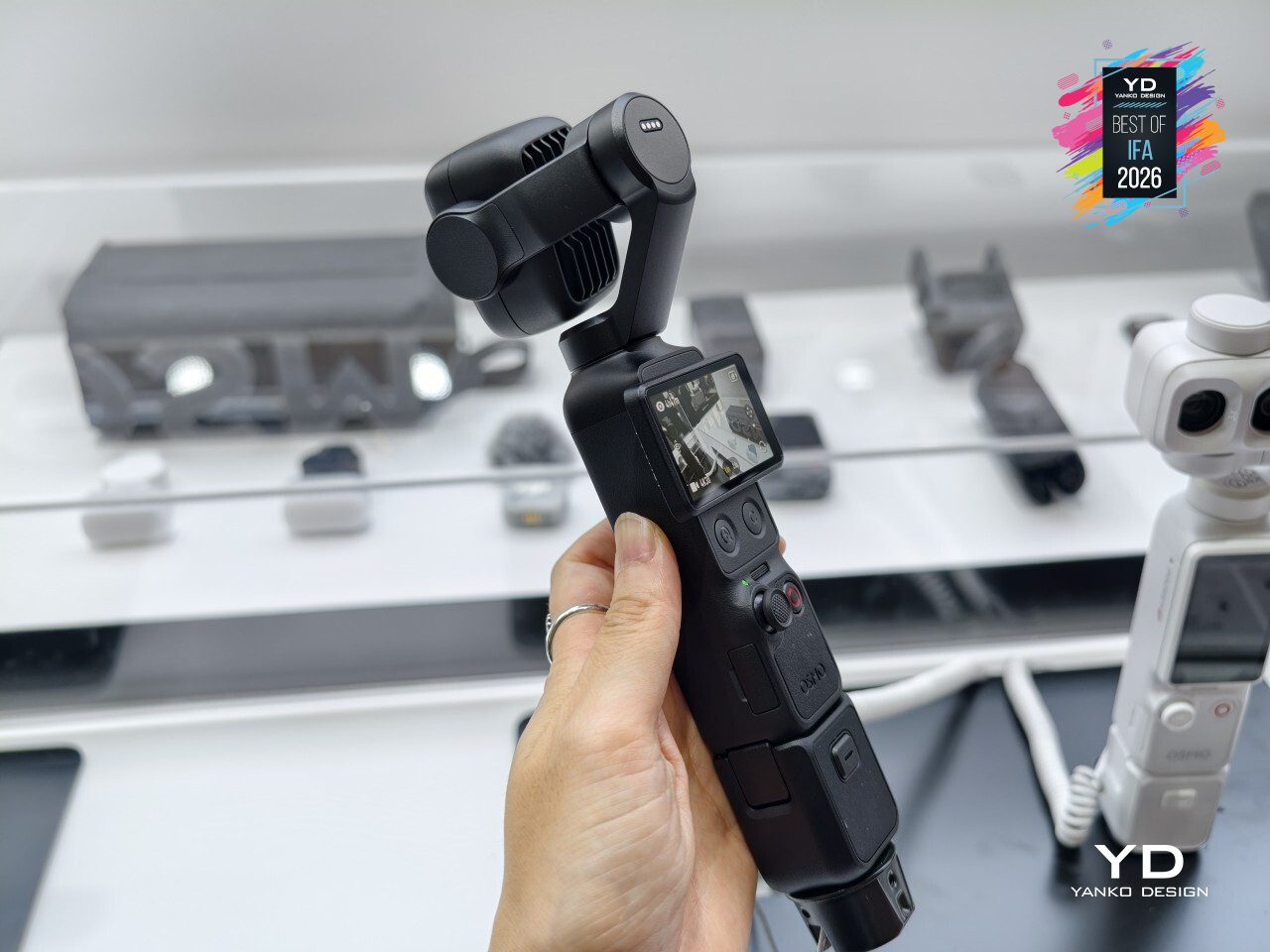
The new wide-angle lens leans on a newly built 1-inch sensor capable of 17 stops of dynamic range, paired with 10-bit D-Log 2 color for footage that holds detail in harsh sun and deep shadow at once. That range matters most in the lighting conditions handheld cameras usually struggle with: a bright afternoon with hard shade, or a room lit unevenly by a single window, without blowing out highlights or losing shadow detail entirely.
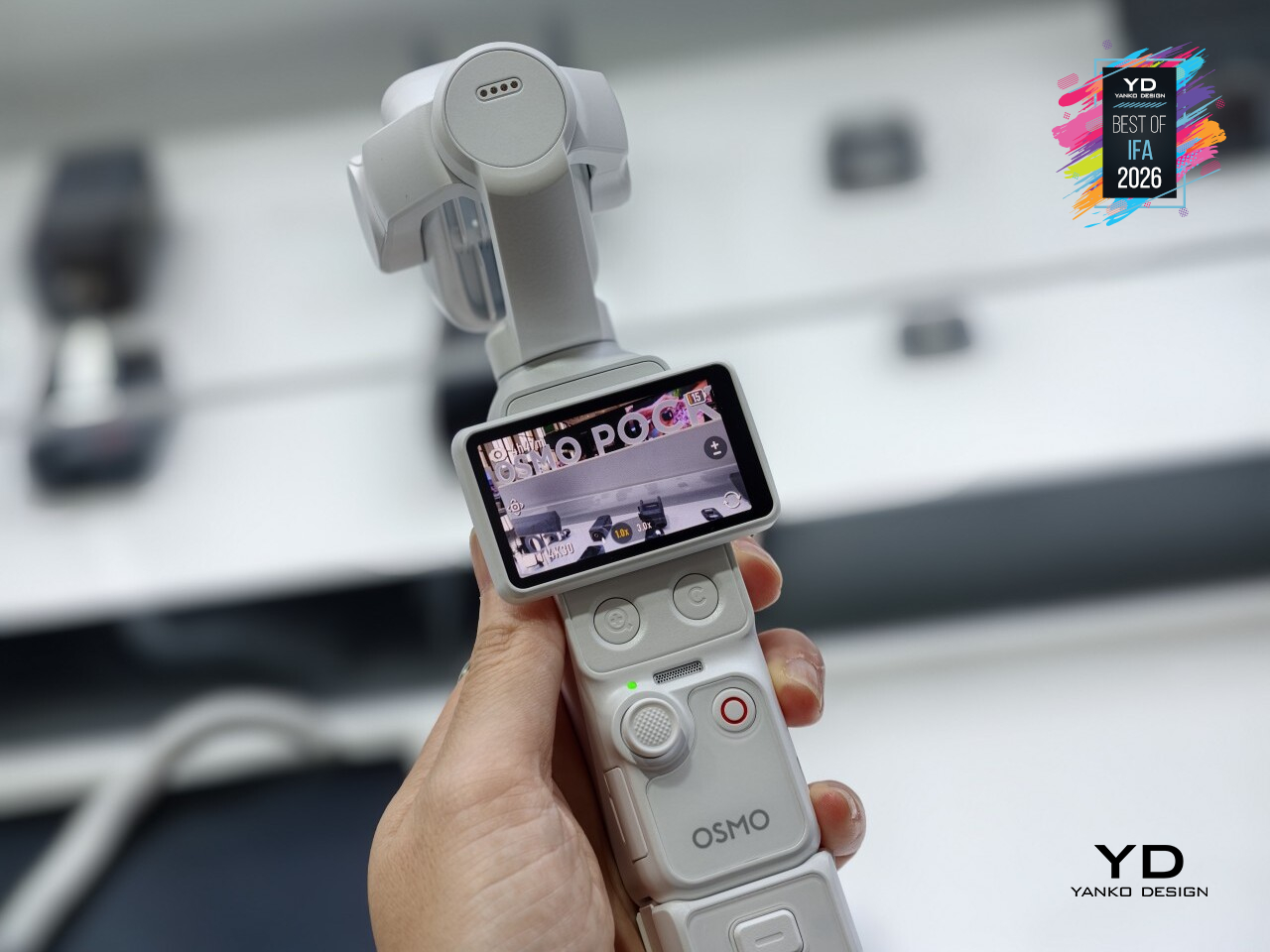
None of that comes at the cost of size. A 3-axis mechanical gimbal keeps footage steady while a 2.0-inch touchscreen rotates to start recording or reframe a shot on the fly, all packed into a body weighing just 230g. Adding a second lens usually means adding bulk, but the Pocket 4P still disappears into a pocket the way its single-lens predecessors always have.
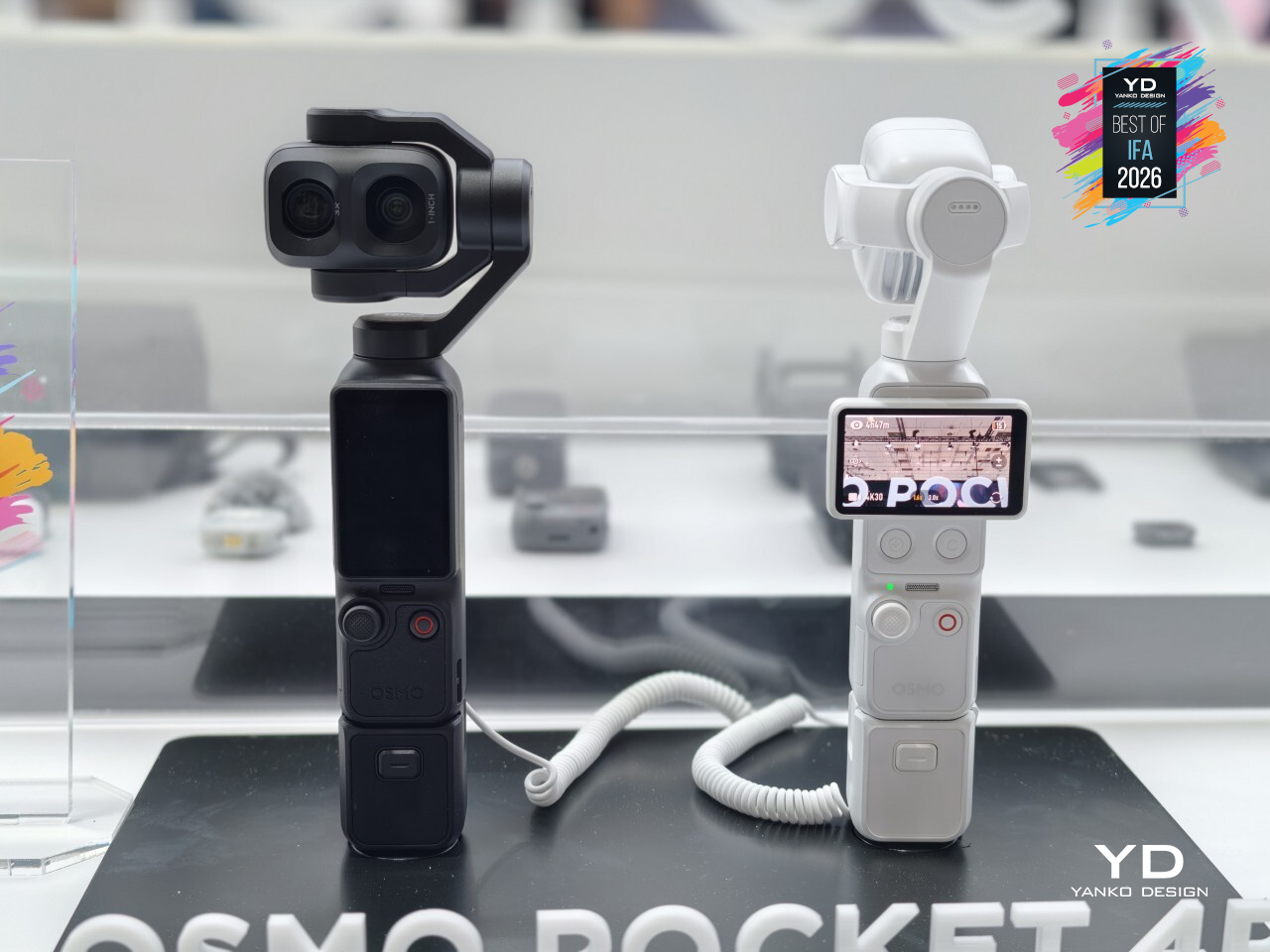
Three built-in microphones work with DJI’s wireless mic lineup for cleaner audio without extra cables, and a battery that charges to 80% in 18 minutes means a dead unit is rarely down for long. DJI packed a second lens, a bigger sensor, and real optical zoom into something that still slips into a pocket without anyone noticing it’s there.
XGIMI AURA 3 Max 4K 120Hz UST Projector
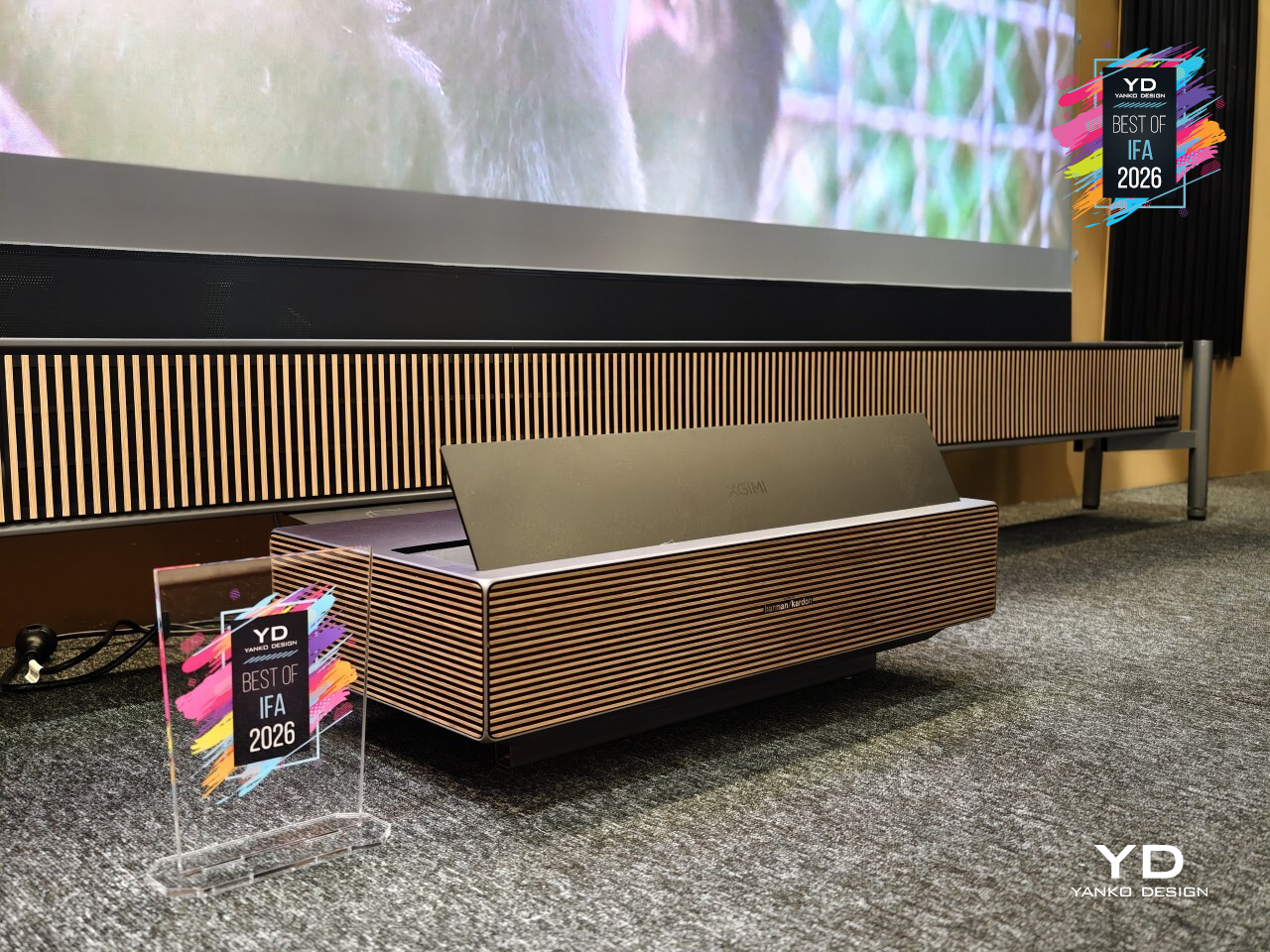
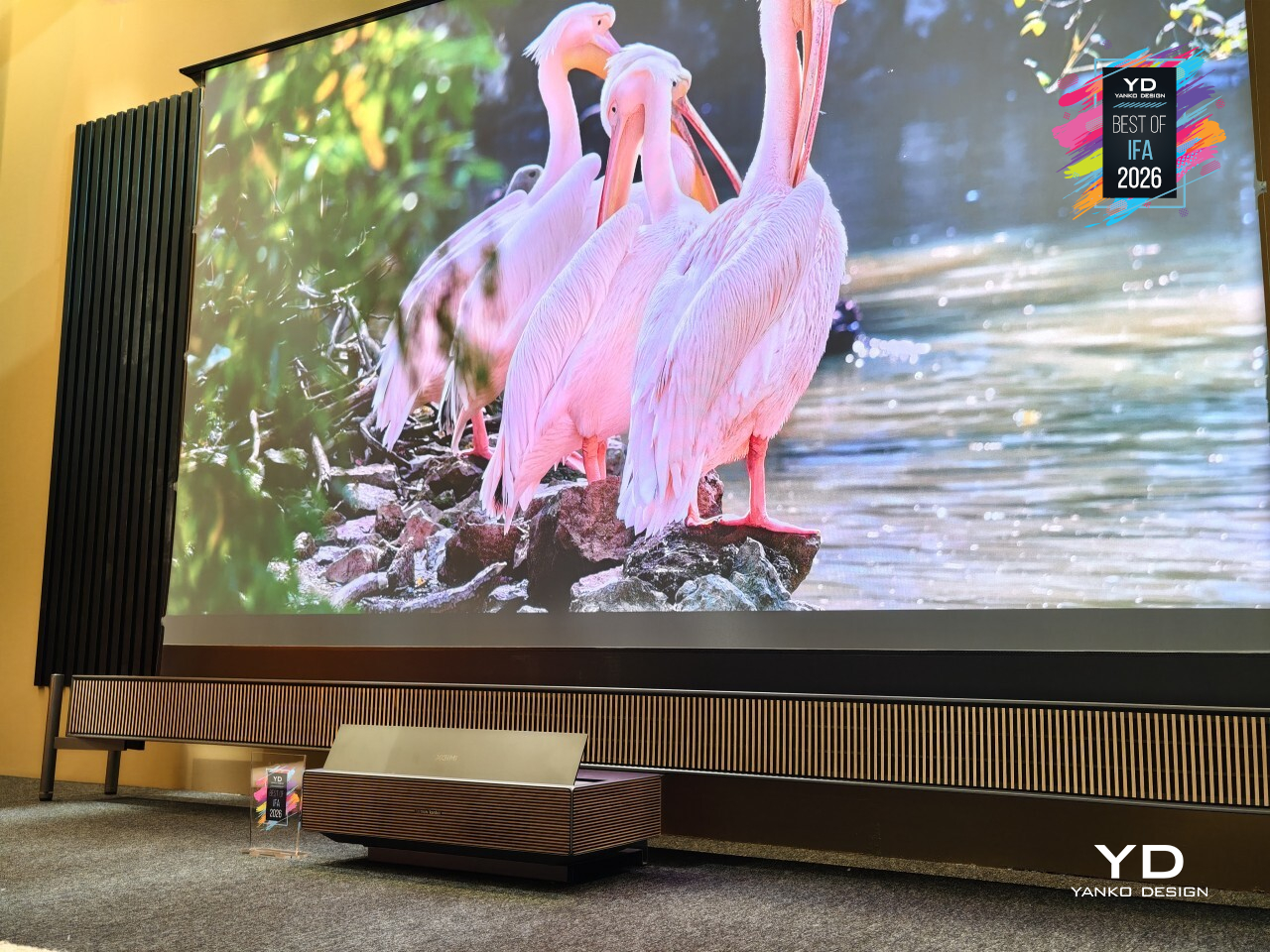
Most ultra-short-throw projectors want you to notice the hardware. The XGIMI AURA 3 Max takes the opposite approach. XGIMI calls it the world’s first UST projector to pair 4K resolution at 120Hz with its new Dynamic Dual Iris optical system paired with an RGB triple laser engine, though what stands out most is how it’s designed to sit on a media console like just another piece of furniture, not a centerpiece demanding attention.
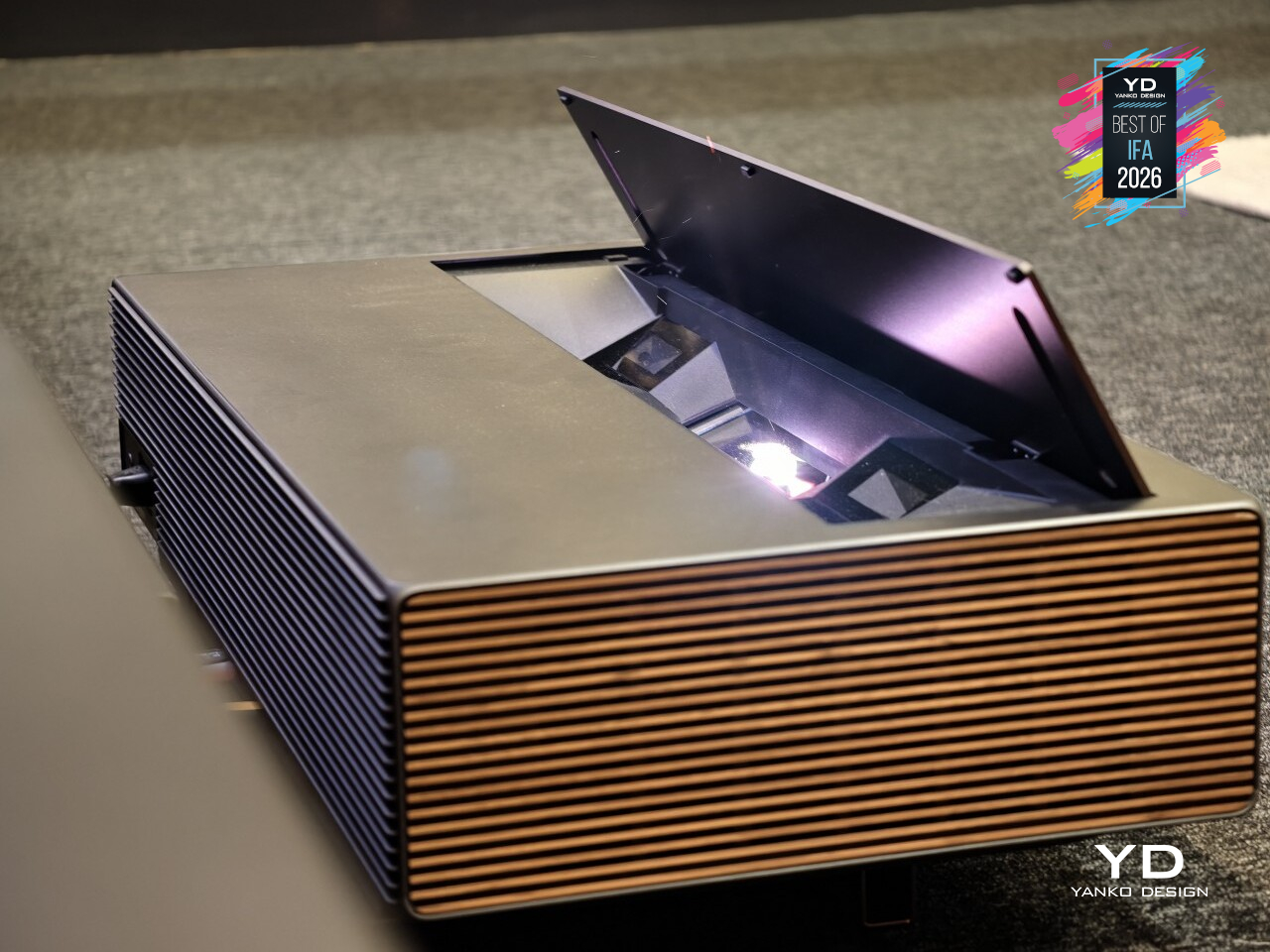
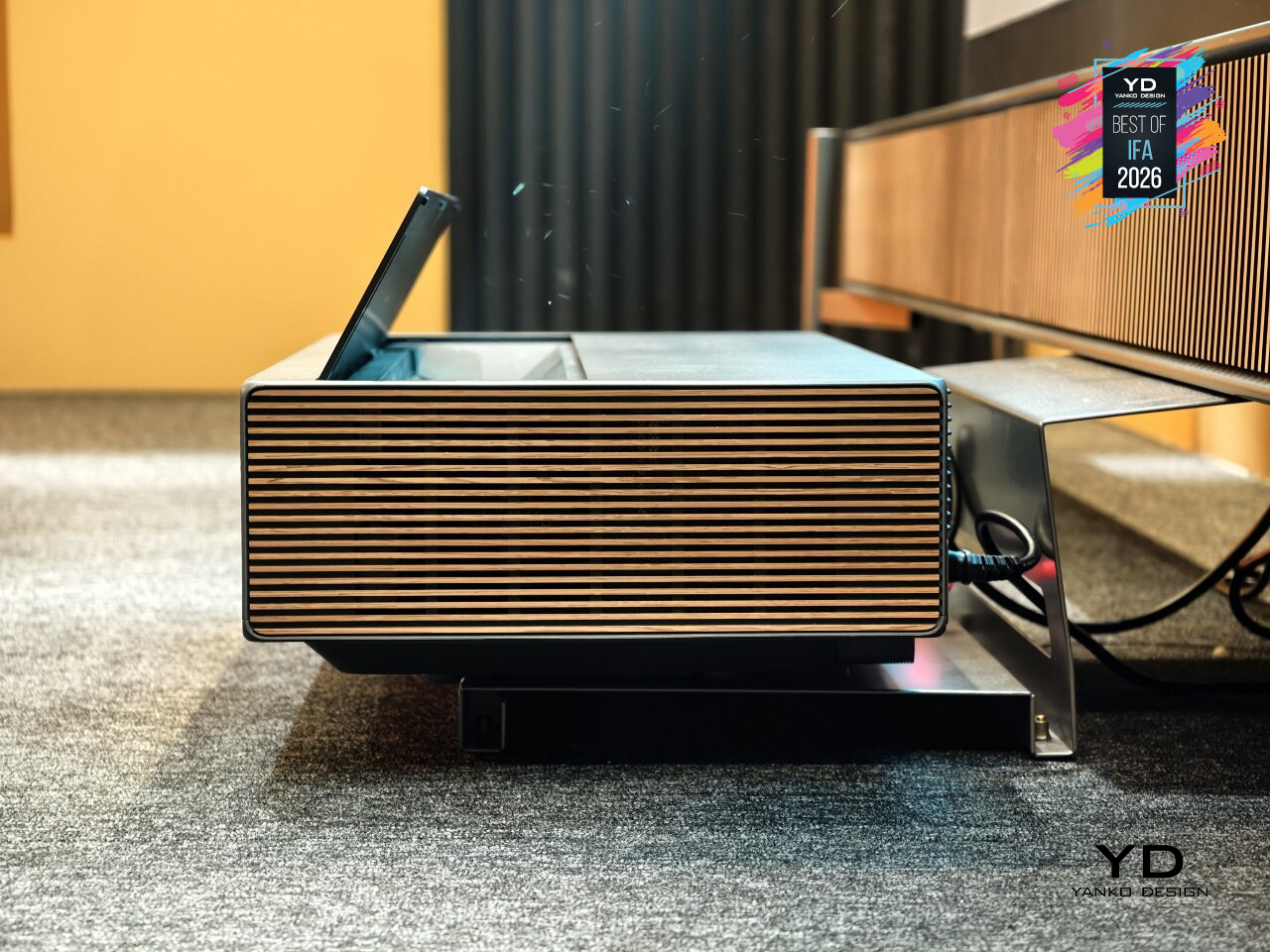
That furniture-inspired shape isn’t accidental. The AURA 3 Max sits low and wide on a media console, close enough to the wall that its 0.163:1 throw ratio can throw a 120-inch picture from about eight inches away. Wrapped in a muted gray shell with a champagne-toned speaker weave for its built-in Harman Kardon system, it reads more like an AV component than a projector.
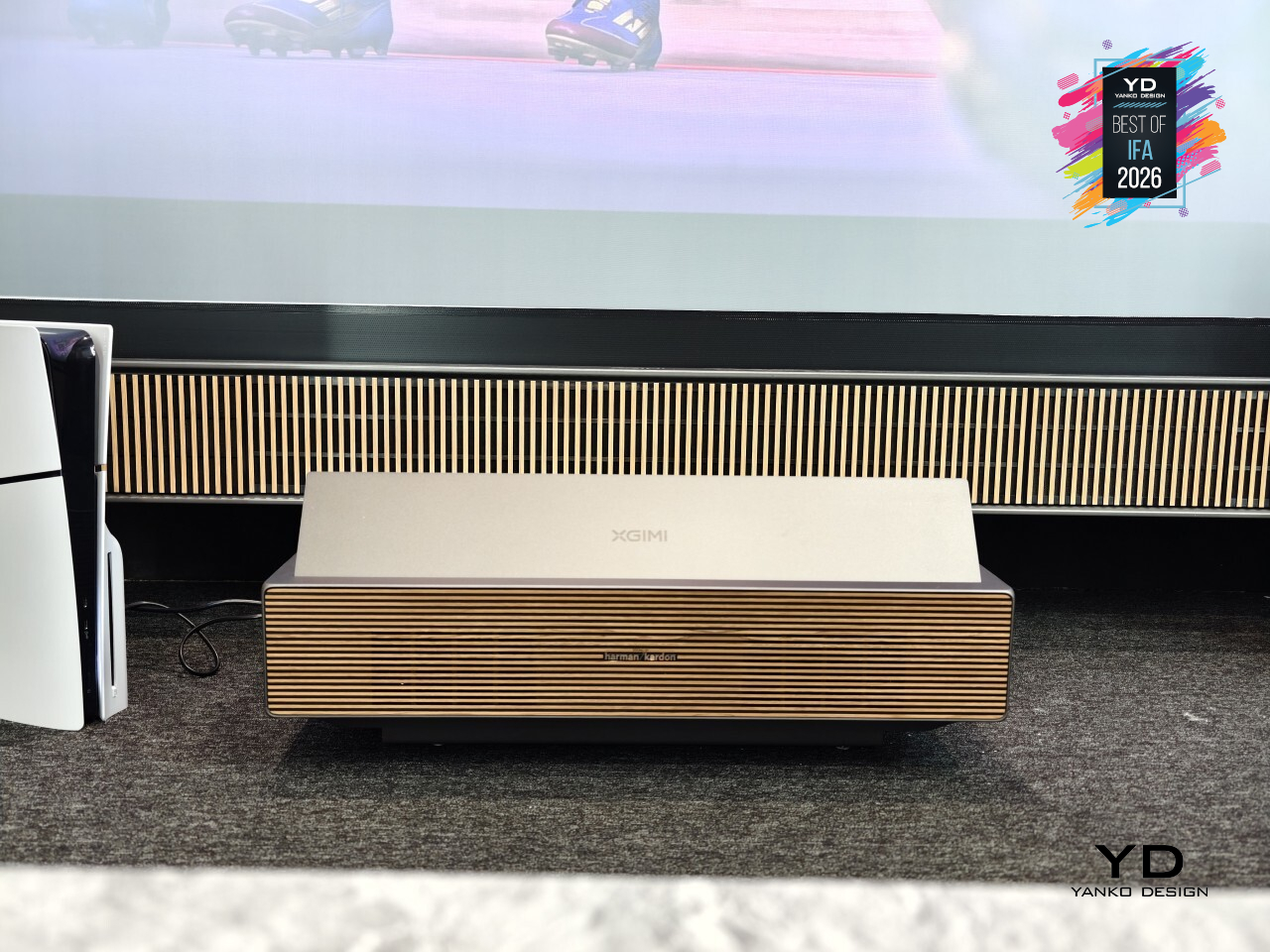
Turn it on, though, and that quiet exterior gives way to something considerably louder on screen. Up to 5700 ISO lumens and 8000:1 native contrast give the Dynamic Dual Iris system real range, pulling deeper blacks and brighter highlights from the same scene. The X-VISION AI processor keeps movies cinematic under Dolby Vision, HDR10, and IMAX Enhanced, while 4K 120Hz gaming with VRR and ALLM handles competitive play too.
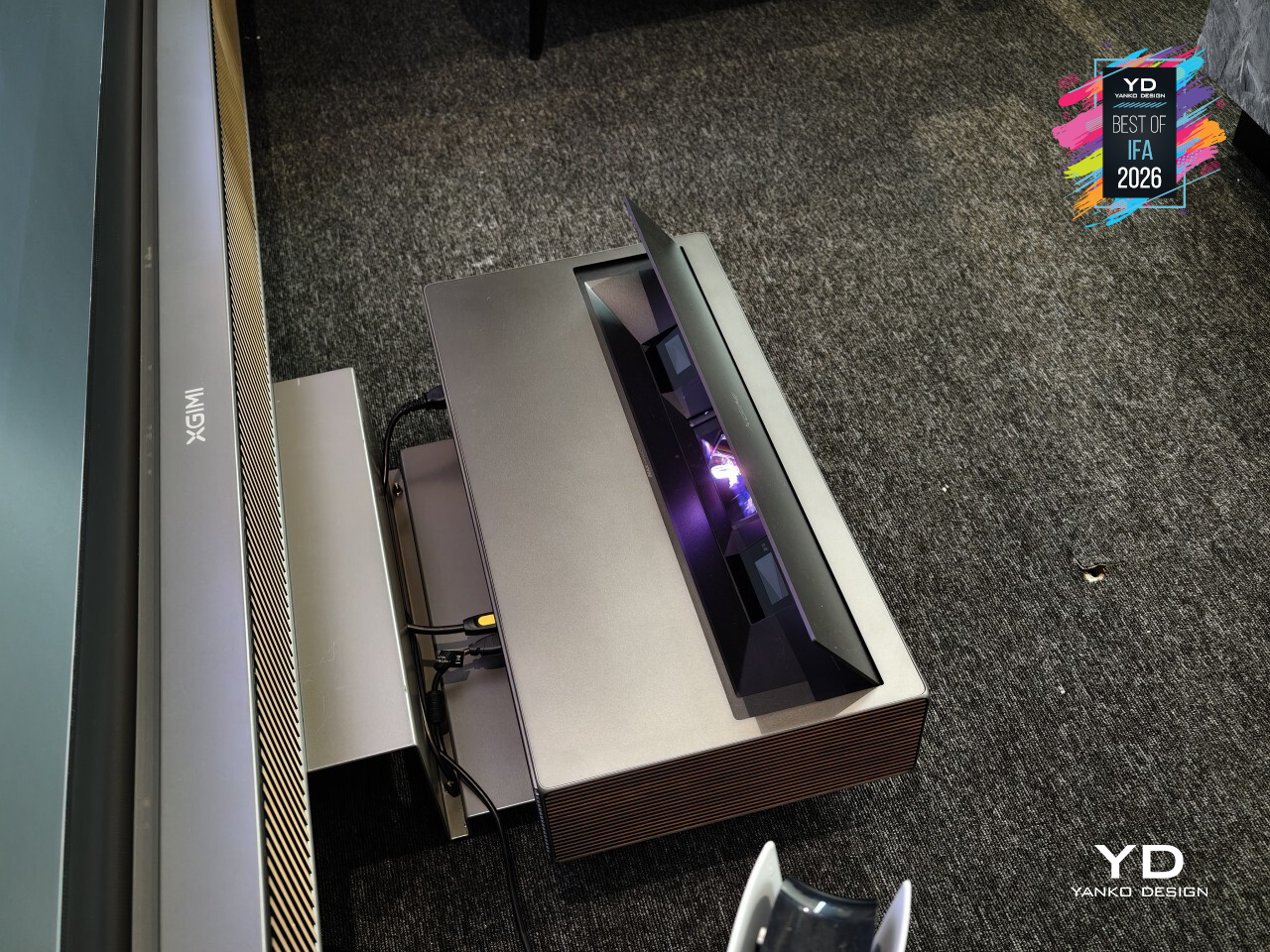
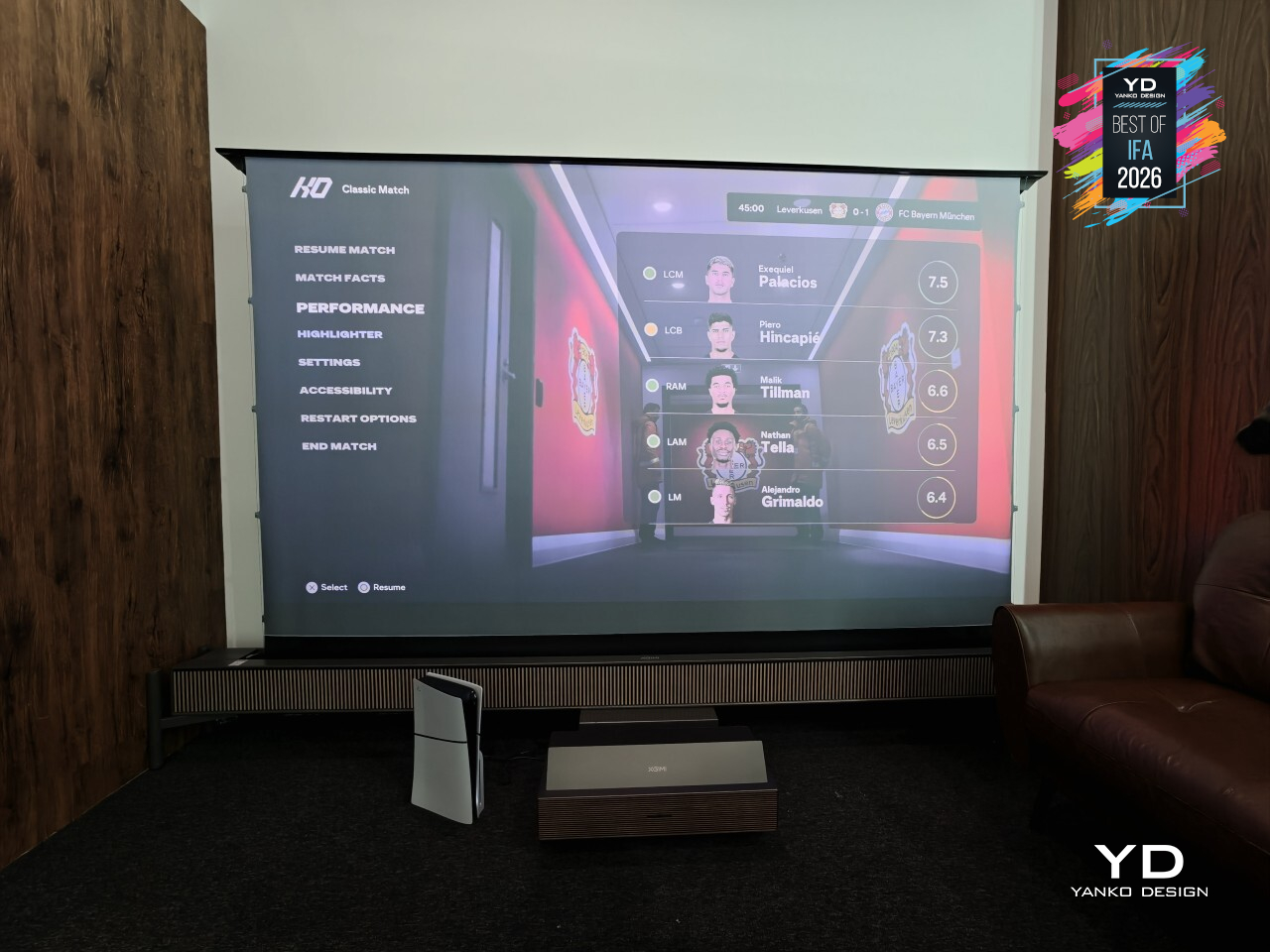
XGIMI didn’t stop at picture quality either. When the AURA 3 Max isn’t playing anything, its built-in WALL app fills the screen with curated art and ambient scenes, turning a dark rectangle into something worth looking at even when nothing is streaming. Anti-RBE technology also cuts down on the rainbow artifacts that used to plague single-chip projectors, in both 2D and 3D viewing.
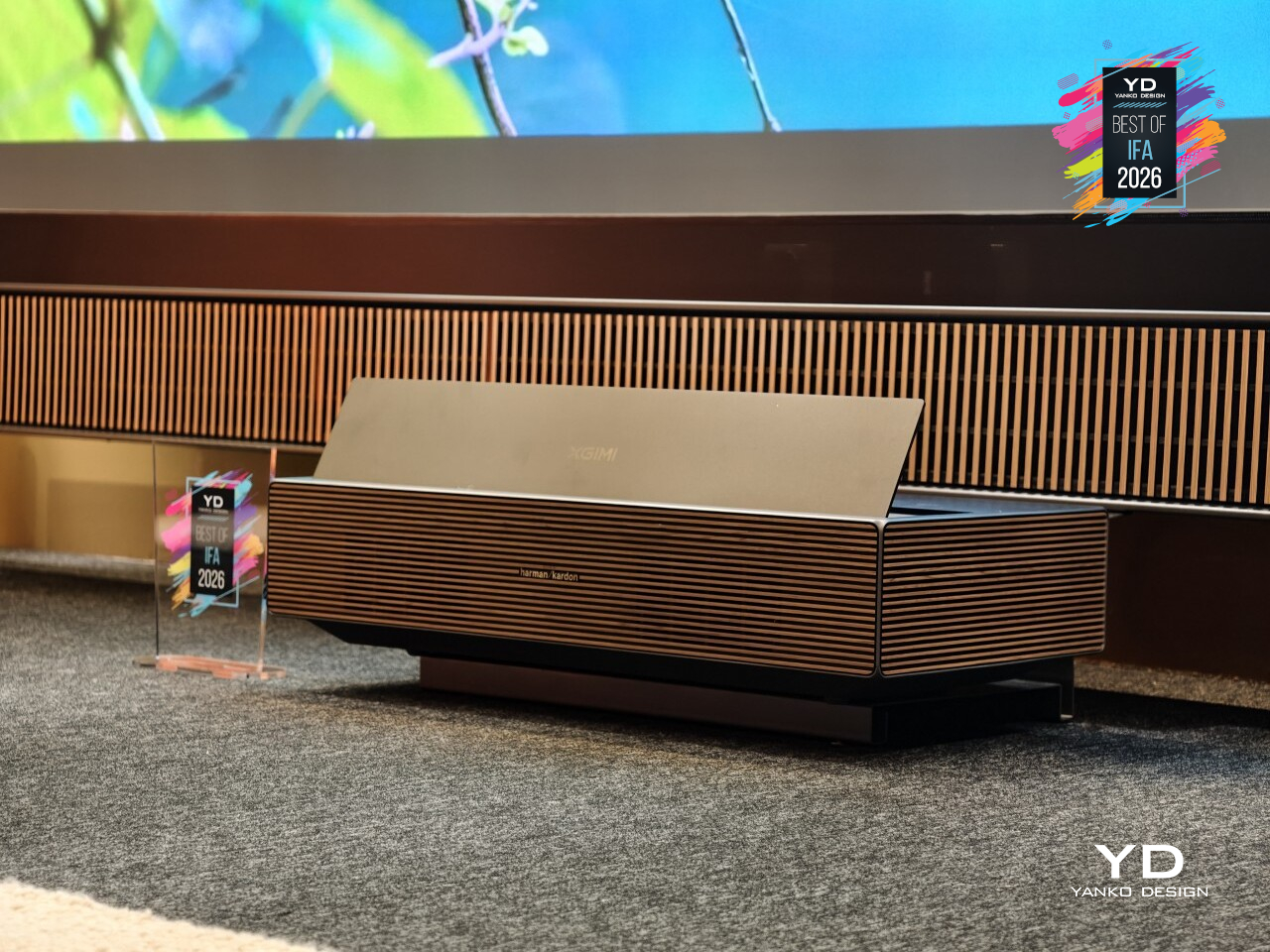
The AURA 3 Max leads a two-model lineup alongside the AURA 3 Pro, with the Max reserved for the biggest screens and the most demanding rooms. Two pairs of 3D glasses come bundled in, and the 80W Harman Kardon speakers with Dolby Atmos mean the sound holds its own against that screen. It’s a projector built to disappear until you actually need it to perform.
Laifen AutoCurl Curling Iron
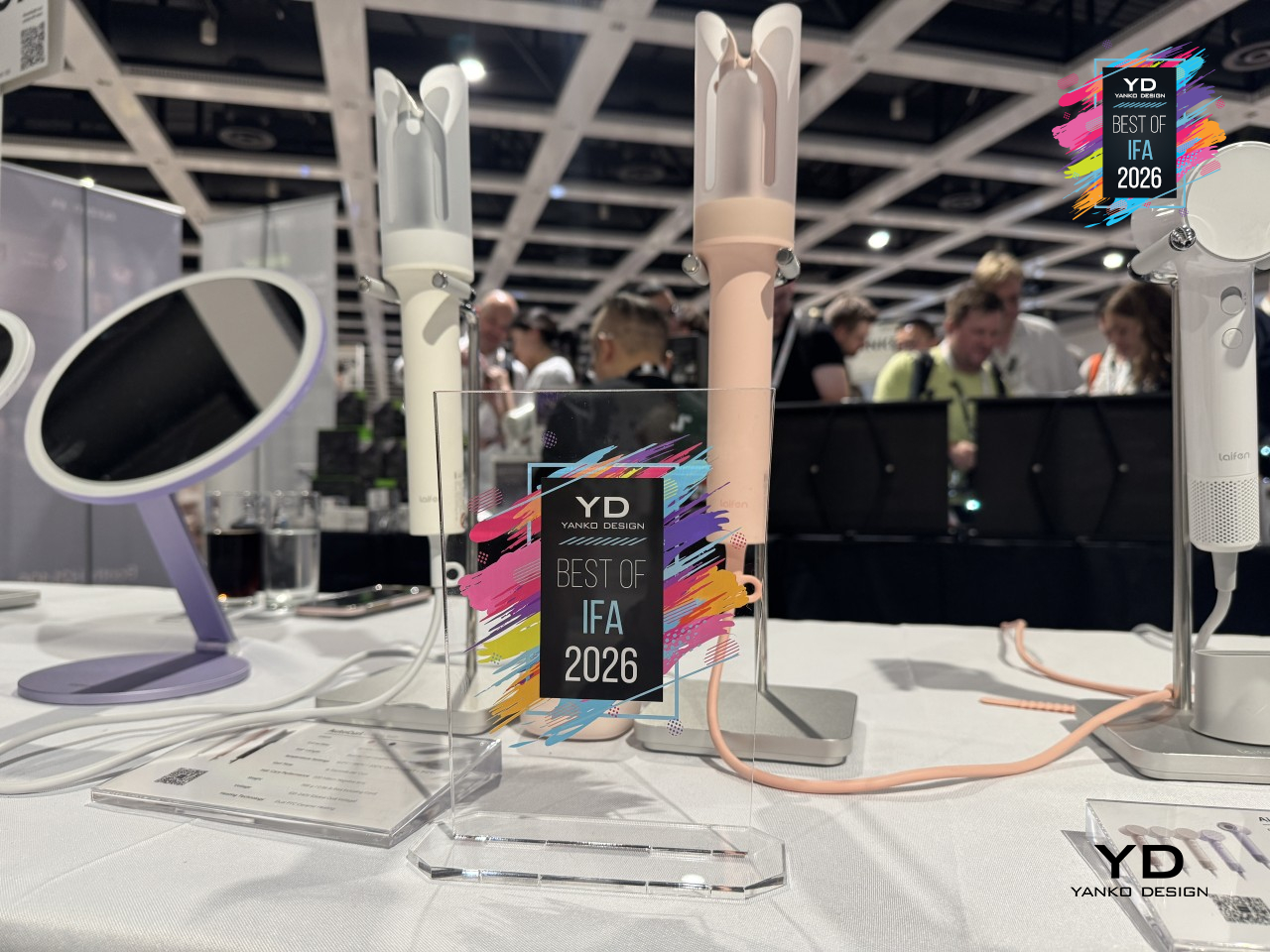
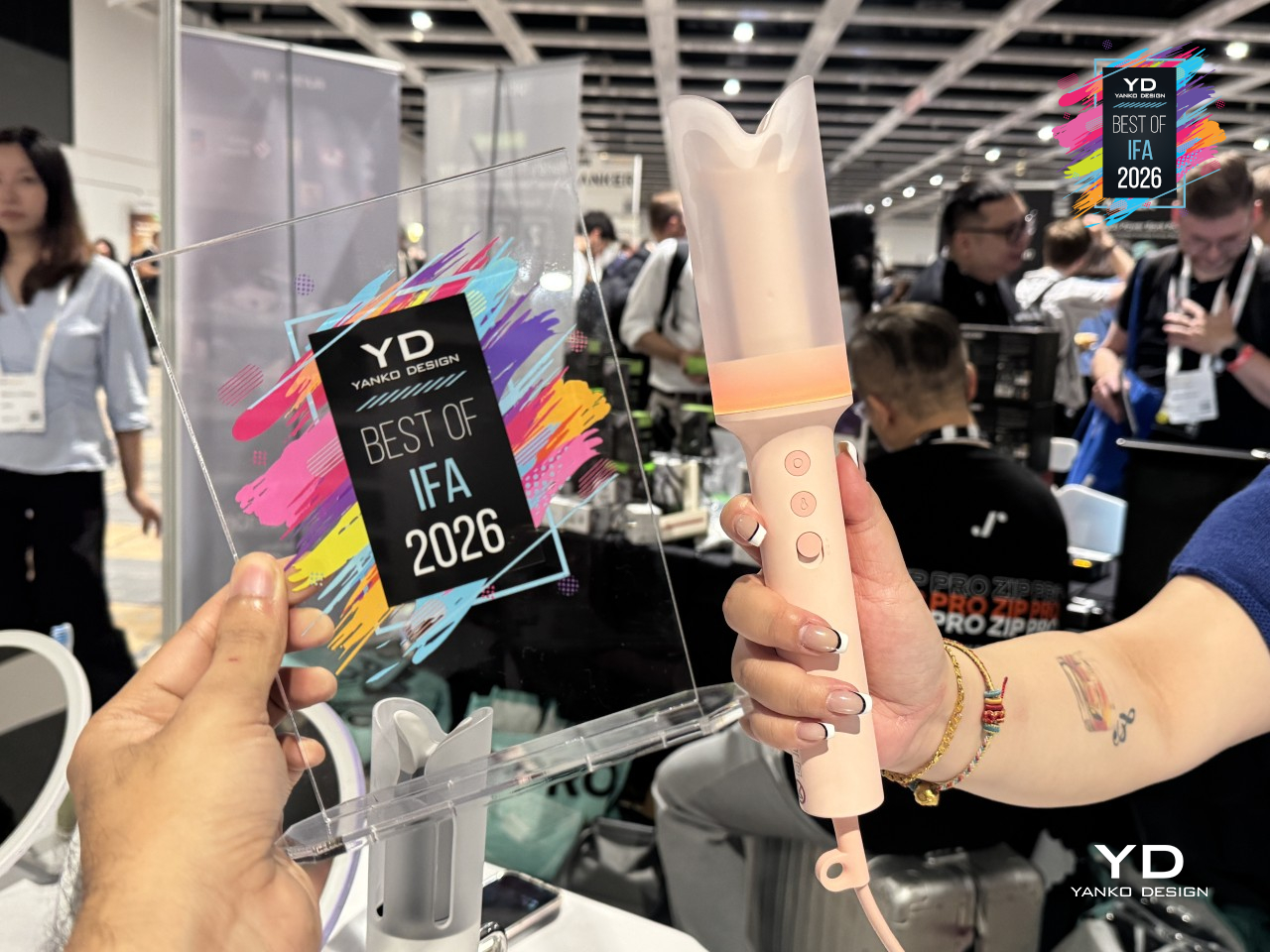
Curling irons have always demanded a bit of choreography: twist, hold, count, release, and hope you didn’t just singe a knuckle. Laifen’s AutoCurl Curling Iron skips the choreography entirely. Place a strand of hair into the barrel, and a D-ToF sensor detects its position in half a second, then curls it automatically without any twisting, wrapping, or guesswork required from whoever’s holding it.
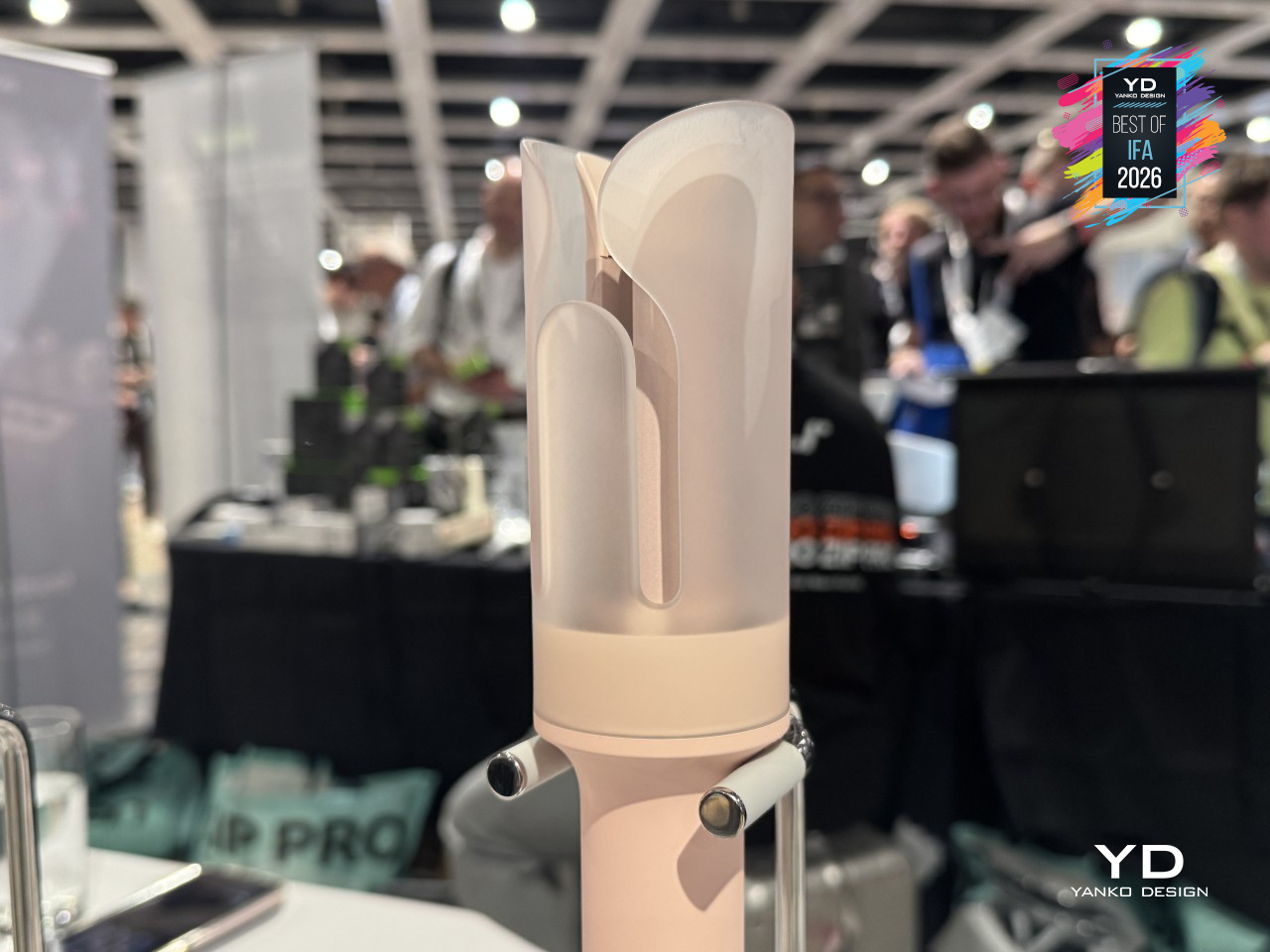
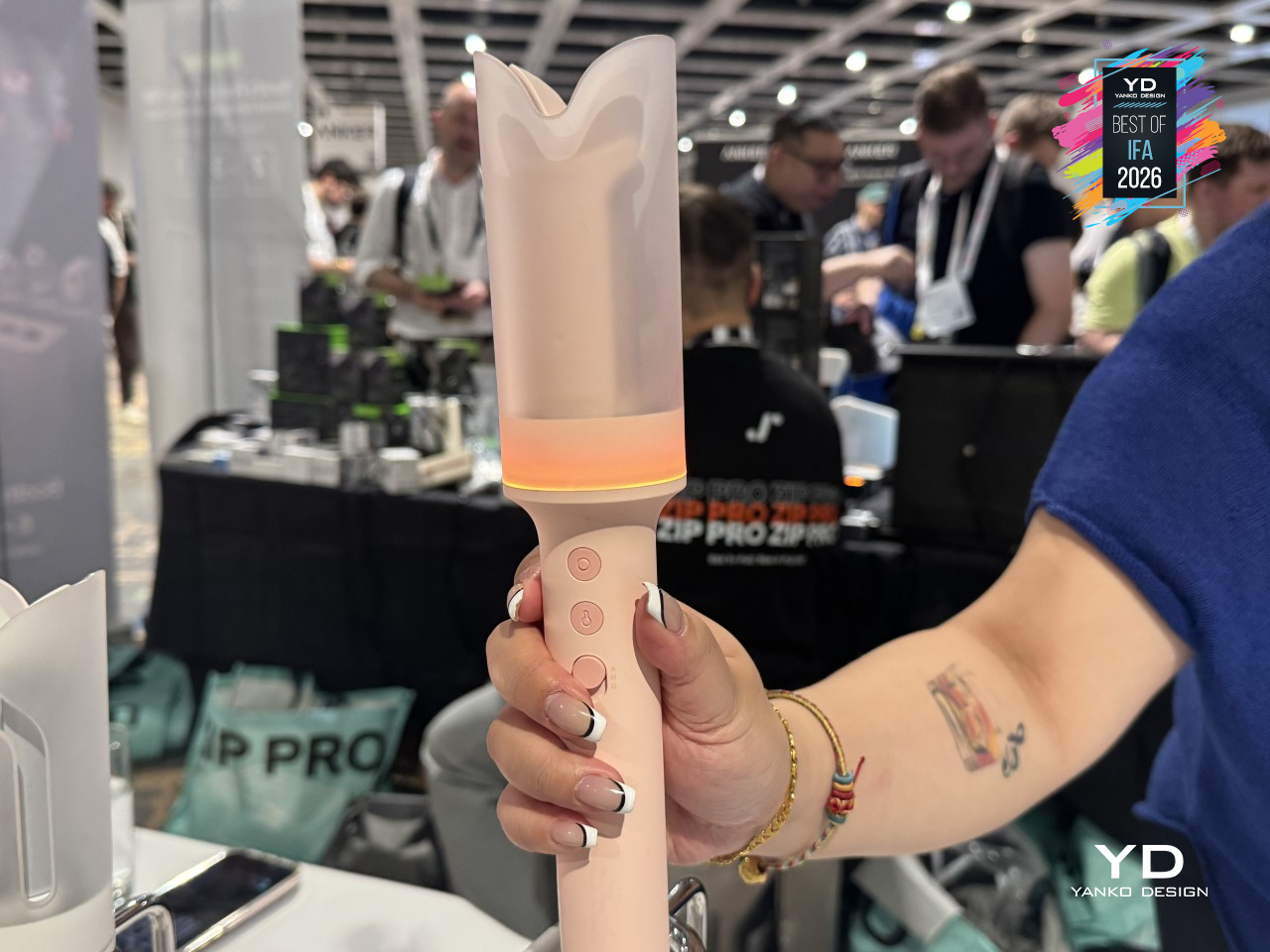
That automation comes down to how quickly the iron reacts to what it’s holding. Once the sensor registers the hair, the curl cycle runs for 16 seconds, then finishes with an audible beep telling you exactly when to let go. It’s a small design touch, but it replaces the usual squint-in-the-mirror timing guess with something closer to setting a kitchen timer.
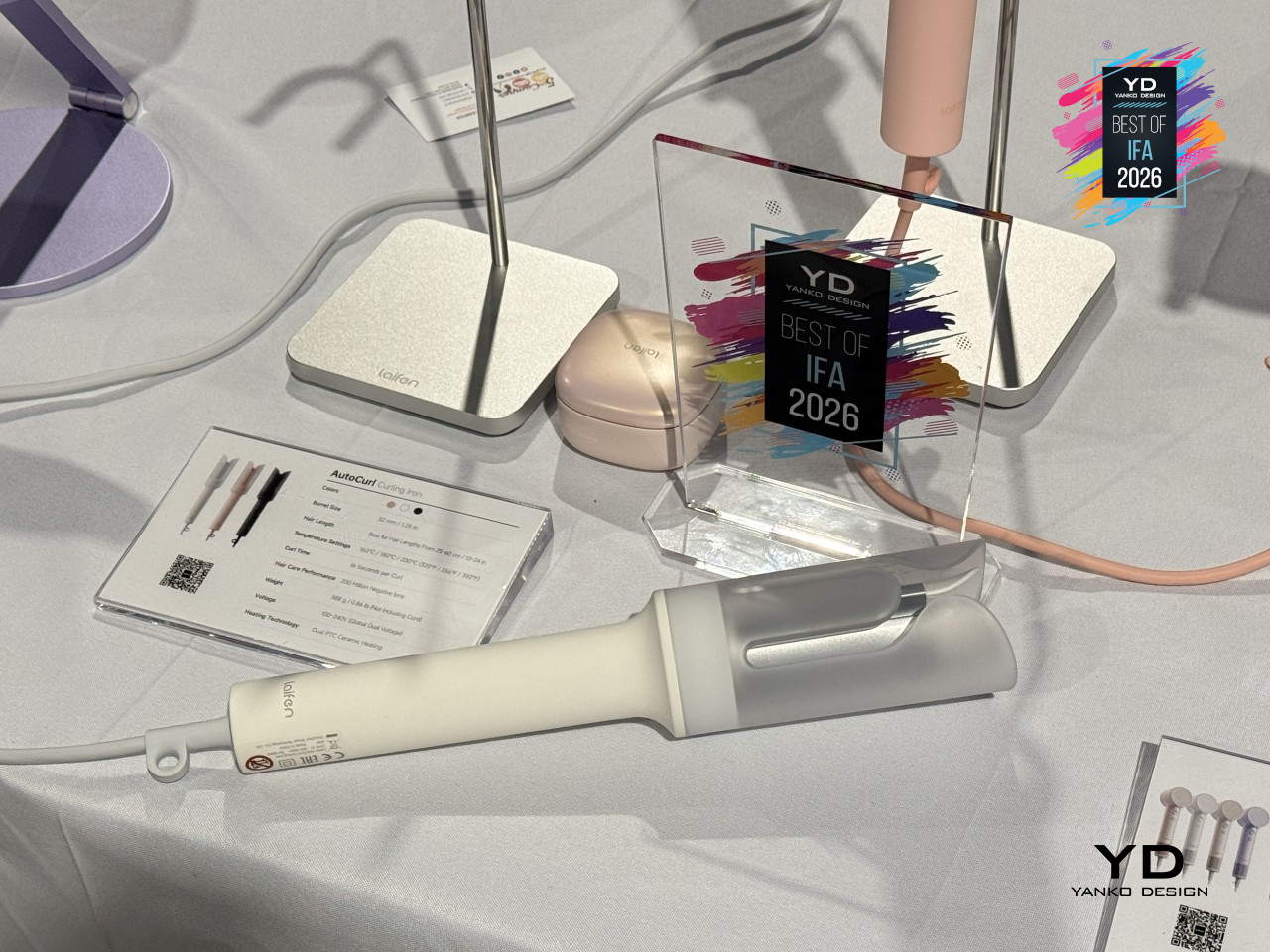
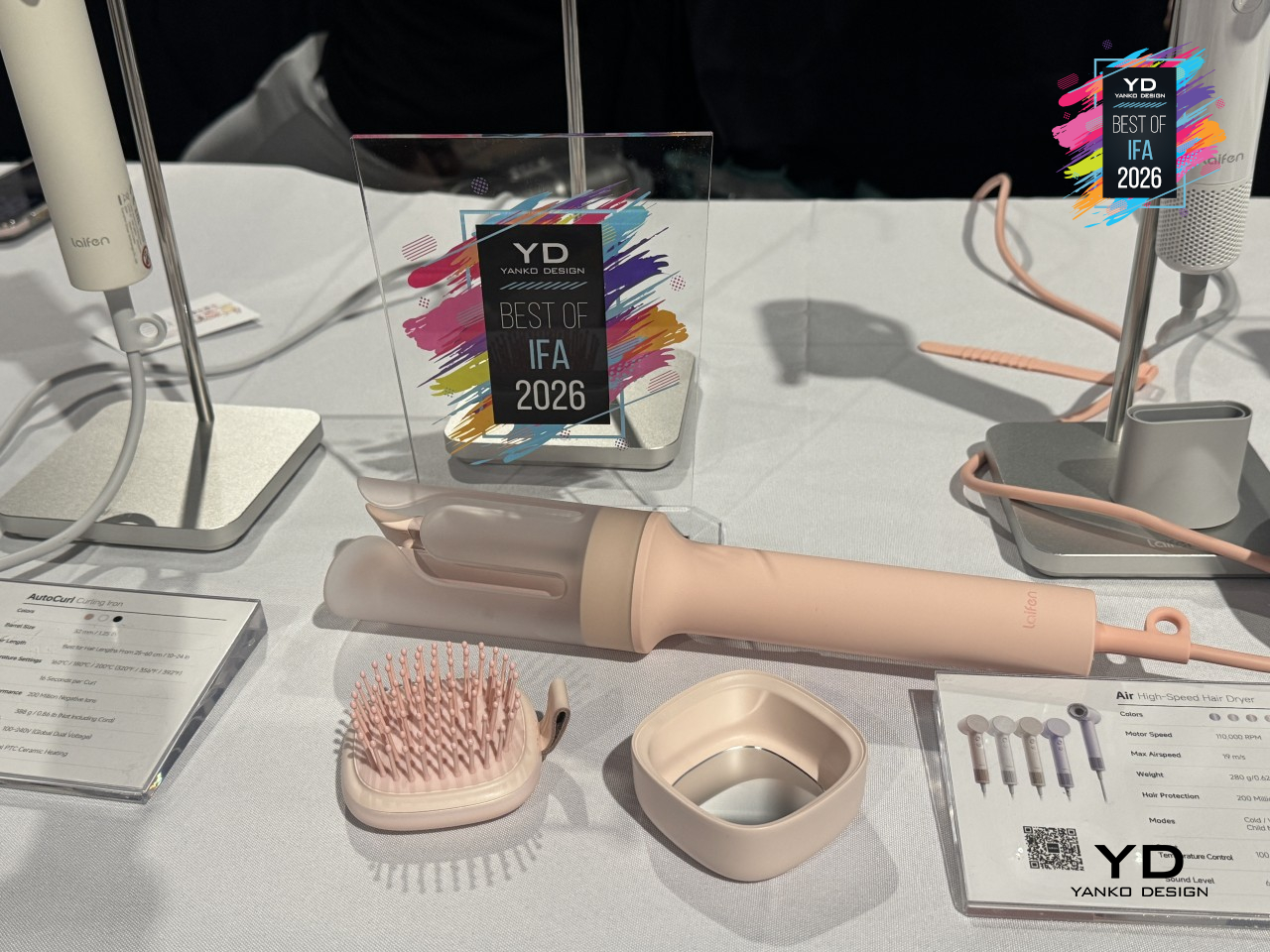
That shift matters most on a rushed morning, when burned fingers and uneven curls tend to happen fastest. The AutoCurl Curling Iron doesn’t ask for practiced technique or a steady hand near your scalp, just a strand fed into the barrel and a few seconds of patience. Whether it’s the first curl of the day or the twentieth, the result stays just as consistent without any extra coordination.
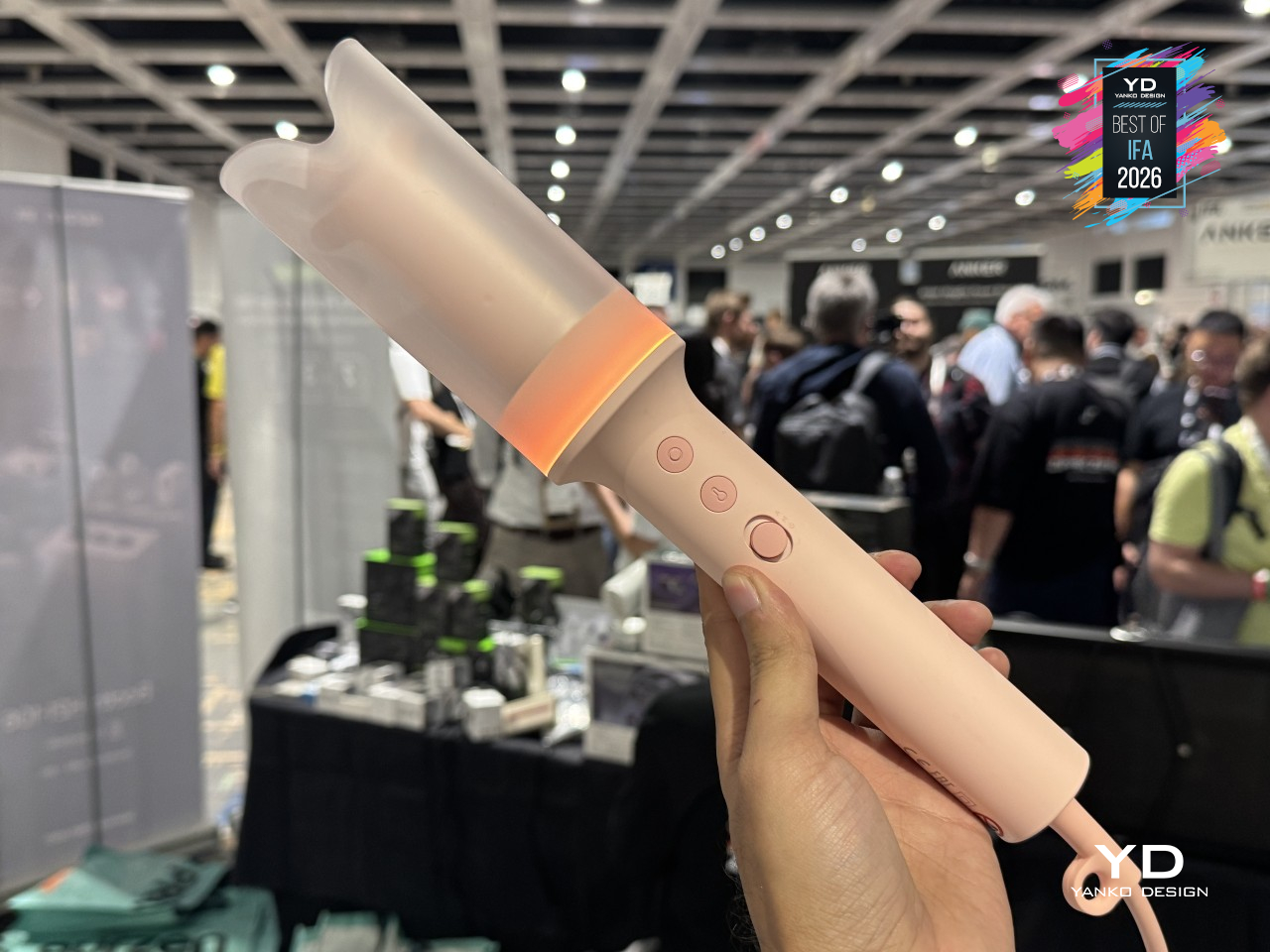
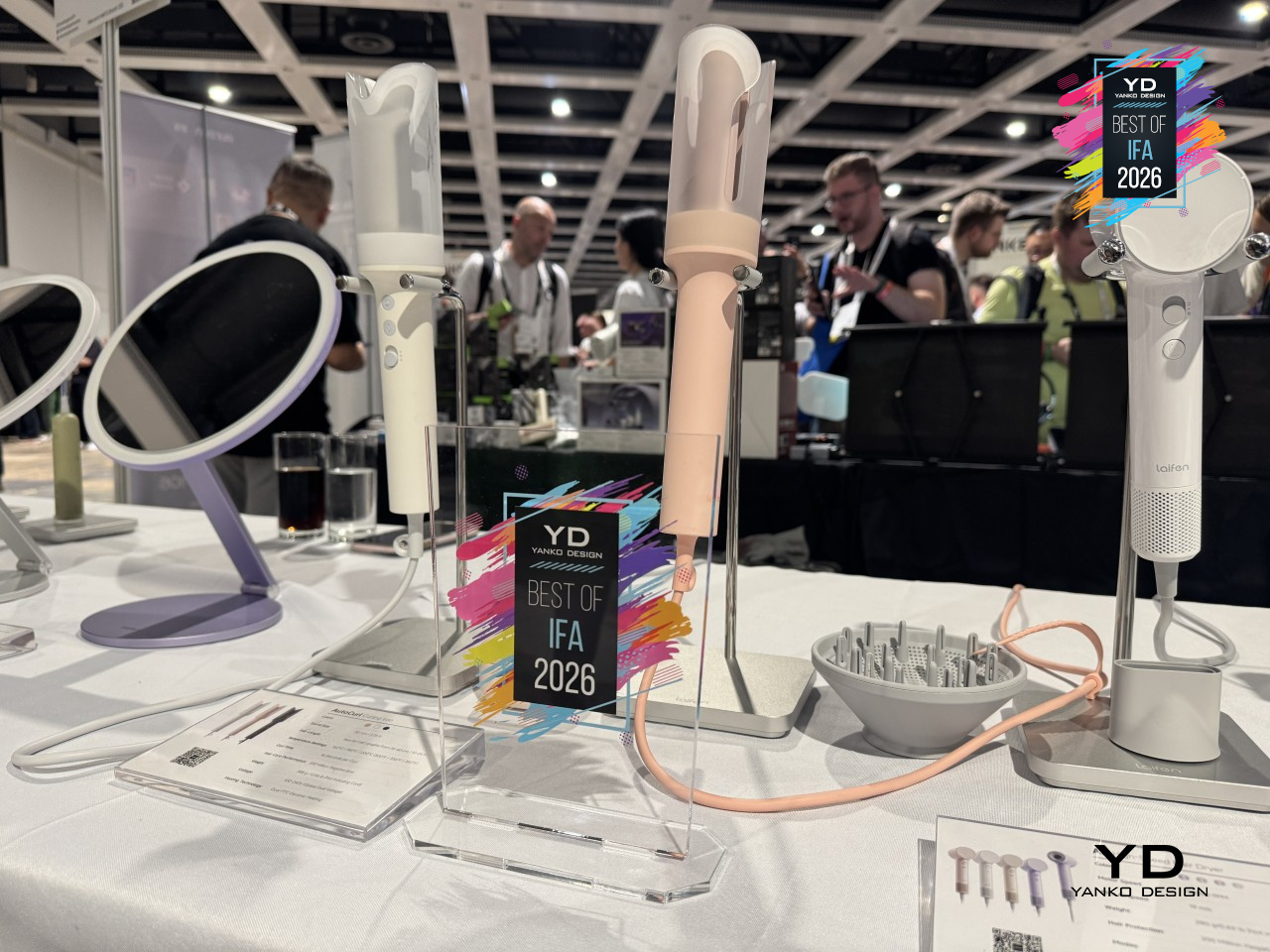
Heat plays its part too, with three settings, 320°F, 356°F, and 392°F (160°C, 180°C, 200°C), letting finer or coarser hair get the right amount of warmth without guessing. The barrel heats up in 50 seconds flat, and 200 million negative ions work in the background to cut down on frizz and add some shine, so curls hold their shape instead of drooping by lunch.
At 388g, the ceramic barrel sits inside a body built for hair between 14 and 22 inches long, light enough to hold through an entire routine without wrist fatigue setting in. Somewhere between the sensor and the beep, curling stopped being a skill you had to learn.
Beyerdynamic AVENTHO Y Wireless Headphones
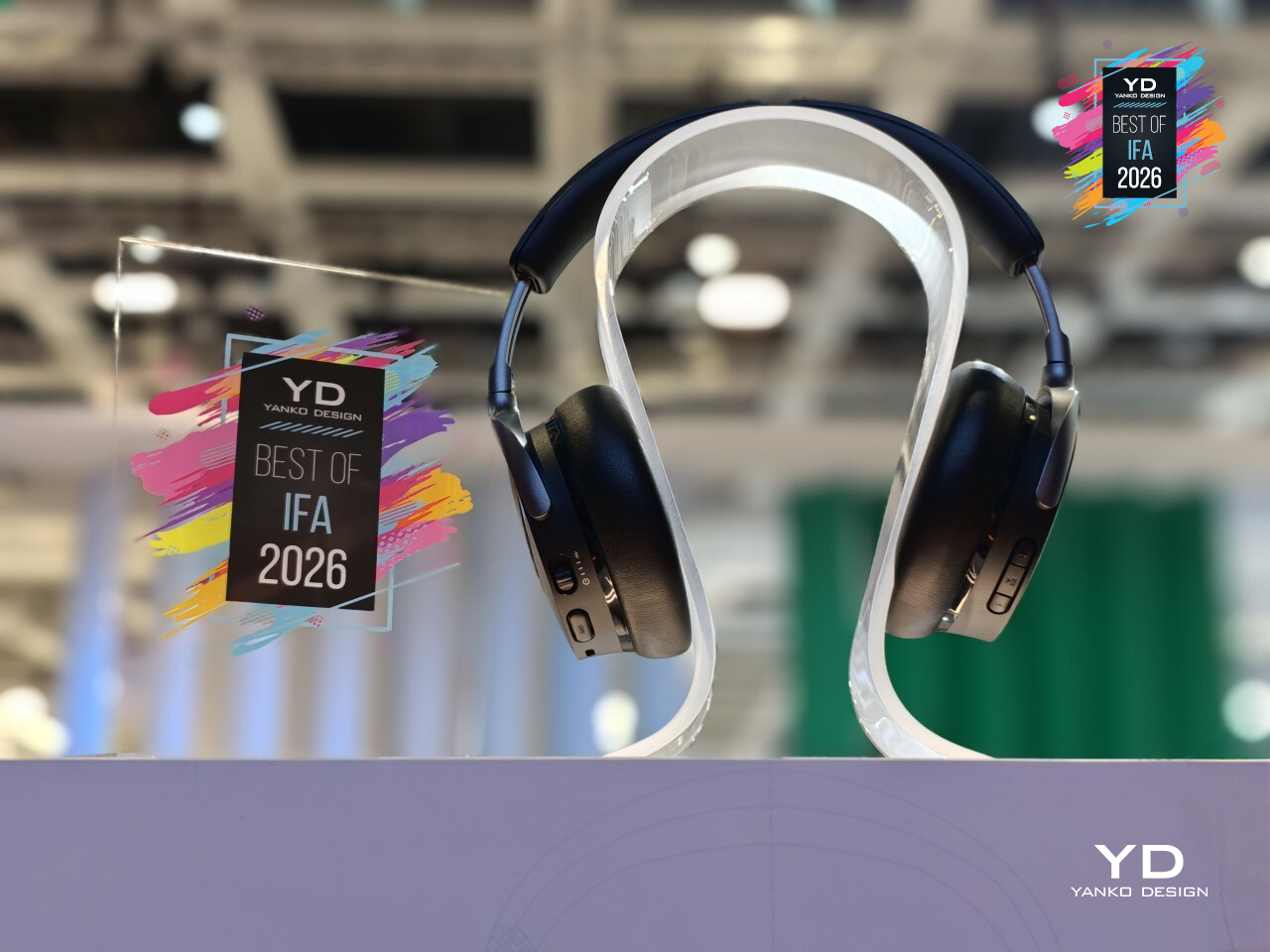
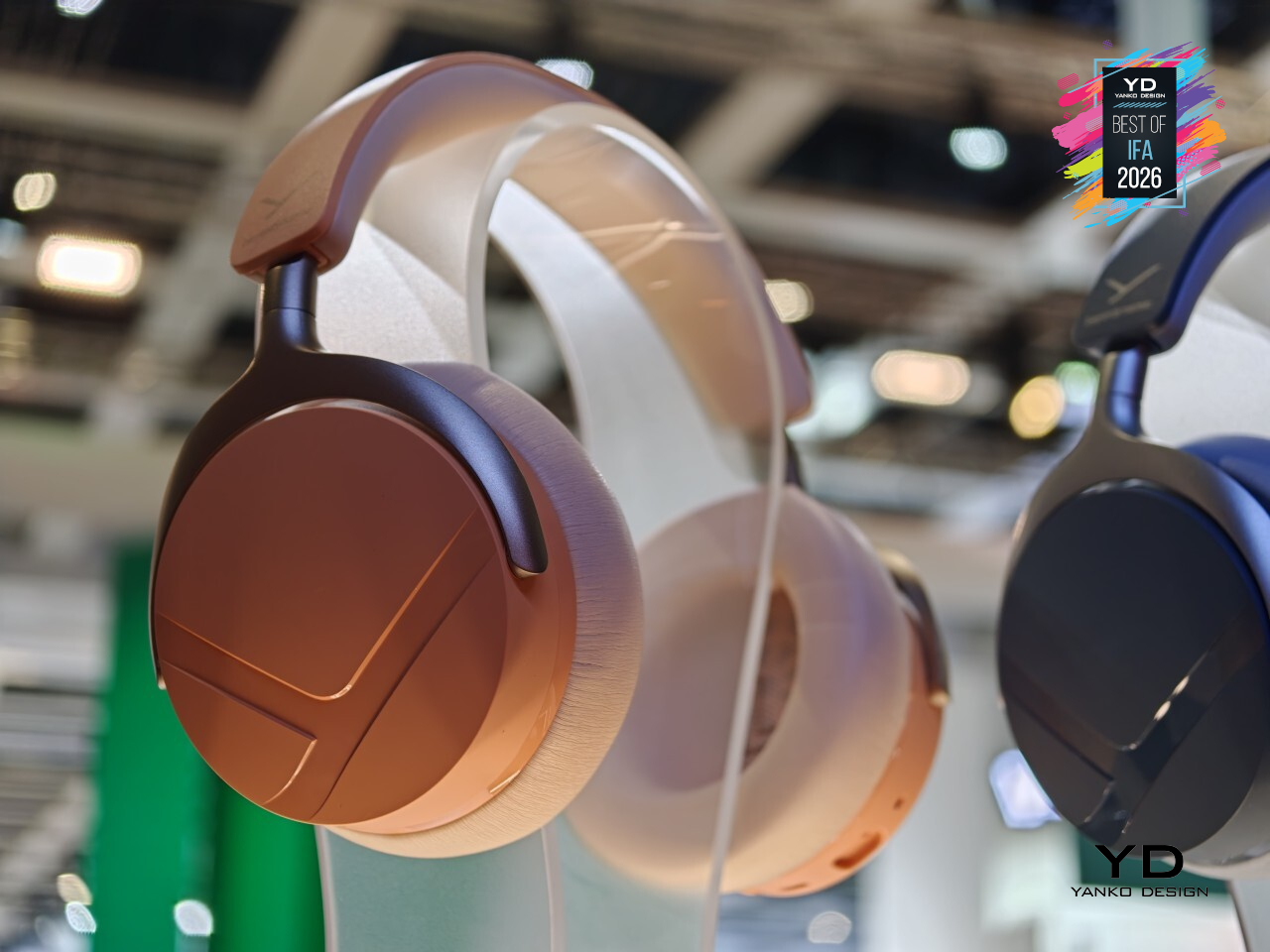
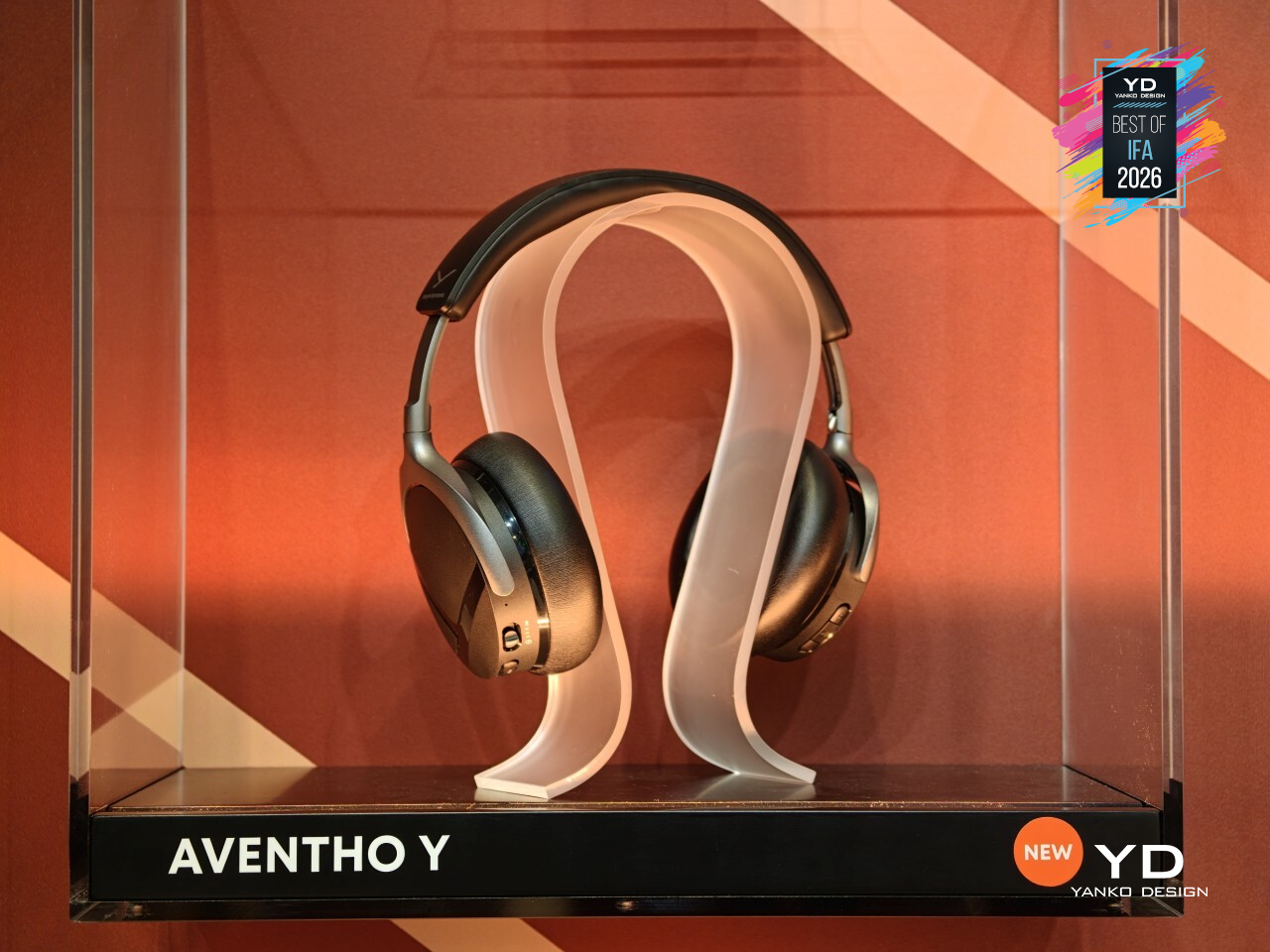
Headphones tend to become landfill the moment one small part gives out, a dead battery or a cracked hinge, and suddenly the whole thing’s disposable. Beyerdynamic’s AVENTHO Y wireless over-ear headphones were built to dodge that fate entirely. It’s a foldable, closed-back design with active noise cancellation and the brand’s signature sound, but the real story here is how much of it you can actually fix yourself.
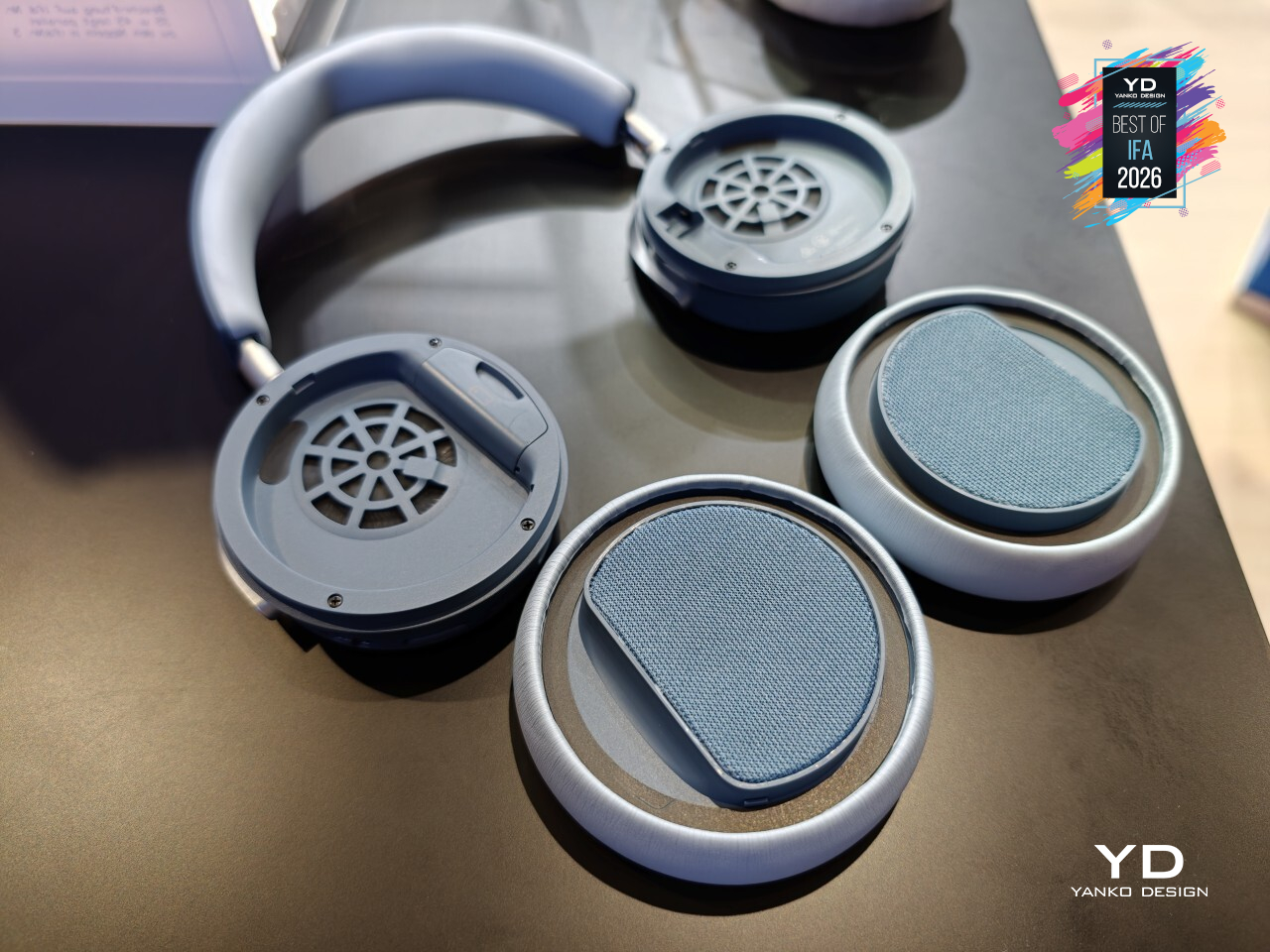
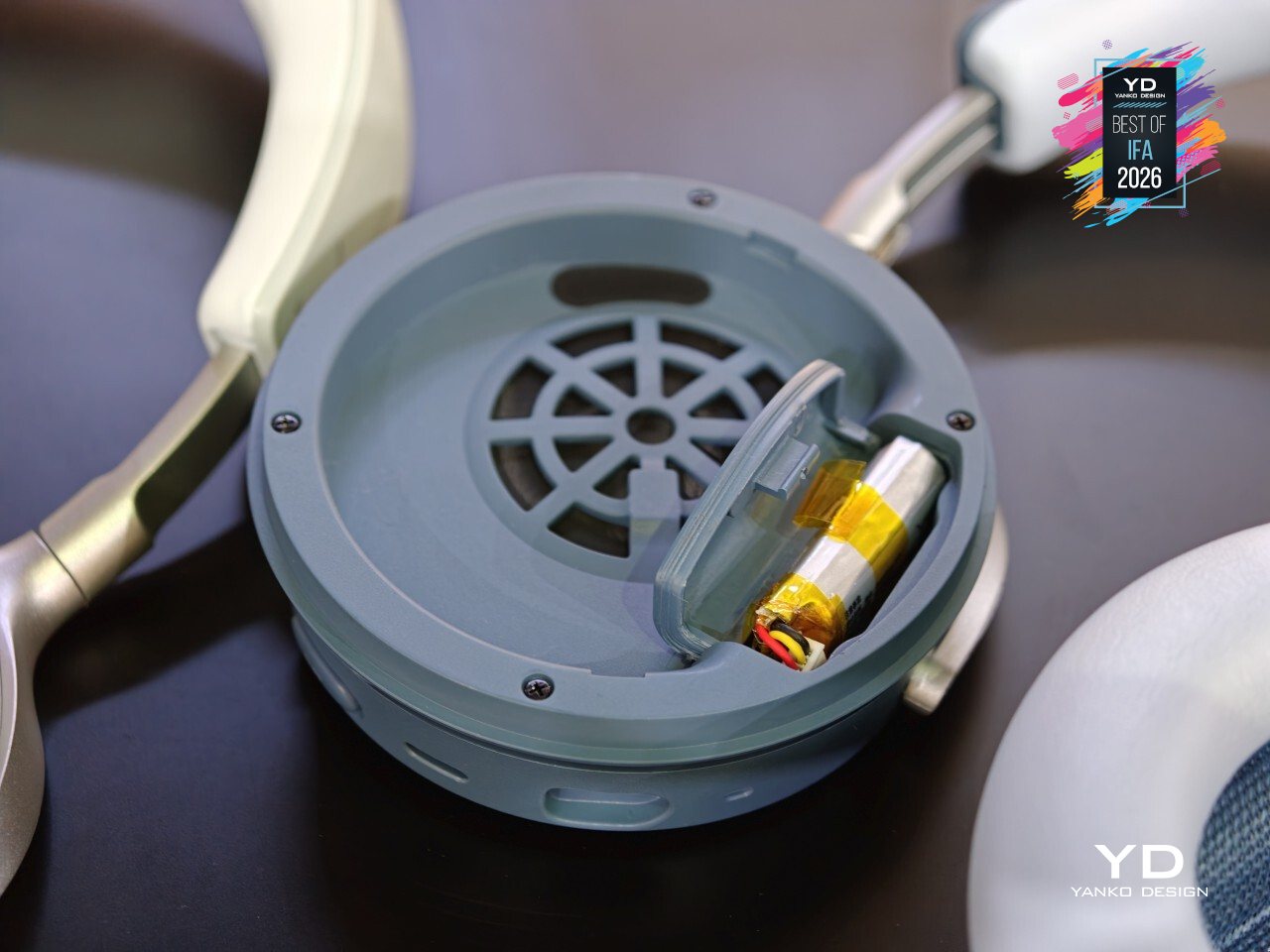
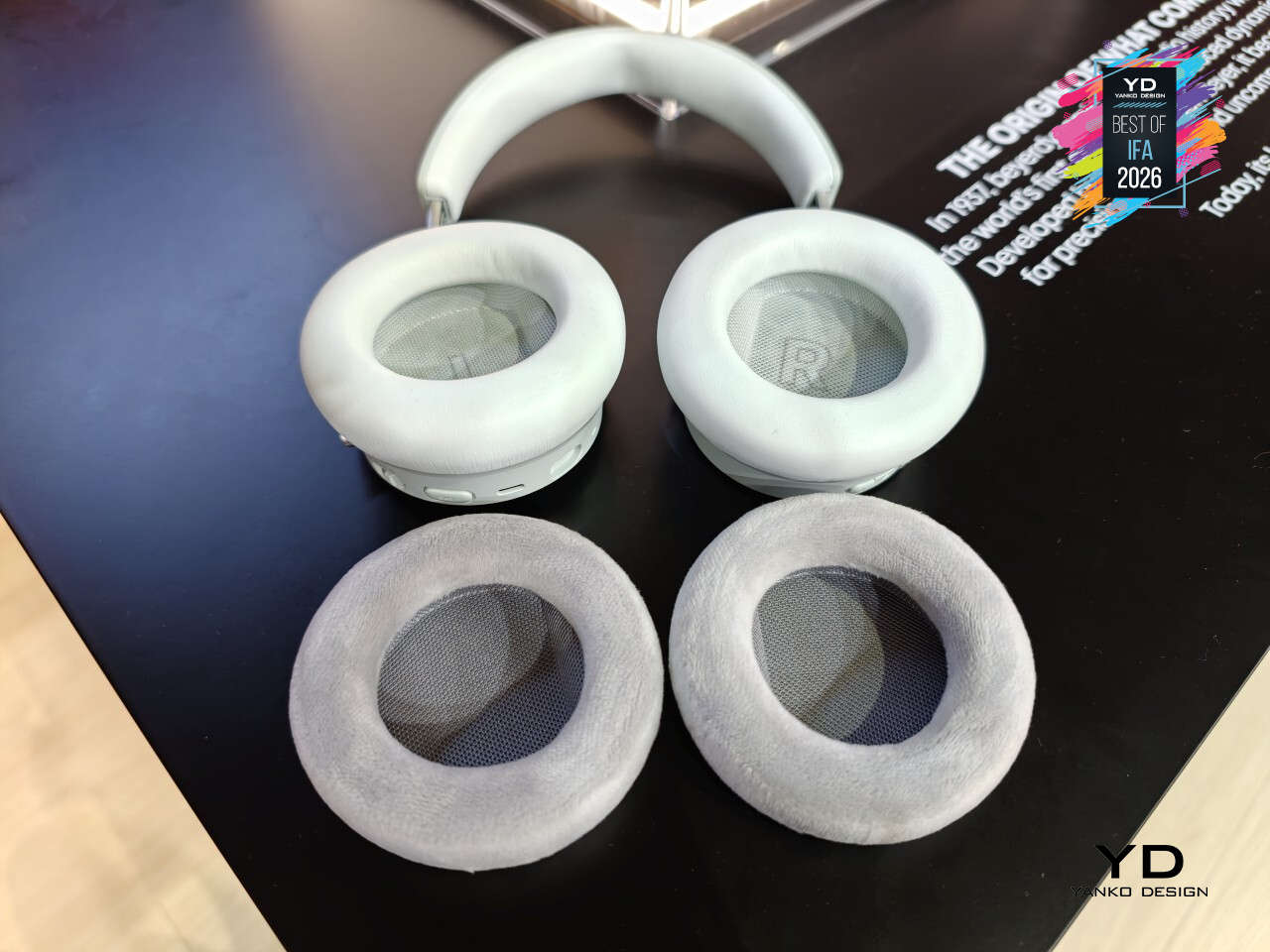
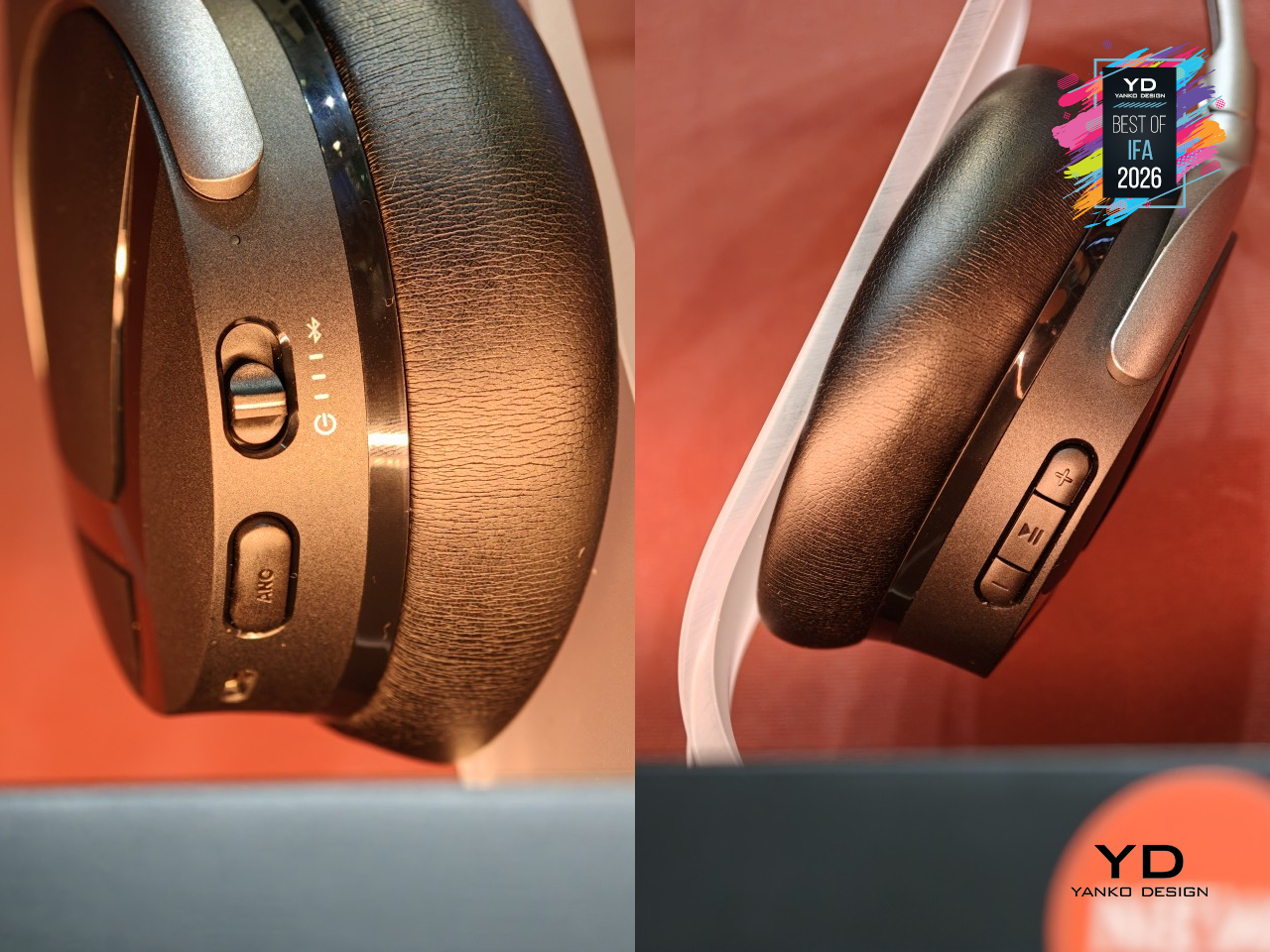
That repairability runs deeper than a marketing footnote. The battery is user-replaceable, the ear pads attach magnetically instead of being glued on, and the sliders and hinges are built from aluminum and stainless steel rather than the brittle plastic that usually snaps first. There’s even a small storage compartment tucked inside the earcup for a spare battery or USB-C dongle, so replacing a worn part doesn’t mean tracking one down at the last minute.
Day-to-day, that durability pairs with battery life that barely asks for attention. AVENTHO Y runs up to 90 hours with ANC off, or 60 hours with it on, and five minutes on the charger buys another six hours of playback. ANC handles the noise on a commute, transparency mode lets it back in when needed, and multipoint Bluetooth 6.0 keeps a laptop, phone, and tablet all connected without constantly re-pairing anything.
Beyerdynamic leaned into personality too, offering AVENTHO Y in four colorways, Liquid Black, Blue Fusion, Soft Jade, and Peach Blush, each with its own quiet mood rather than just a different shell color. The free beyerdynamic app adds a 5-band equalizer and genre-based sound presets for tuning things further, plus firmware updates that keep arriving well after the headphones leave the box.
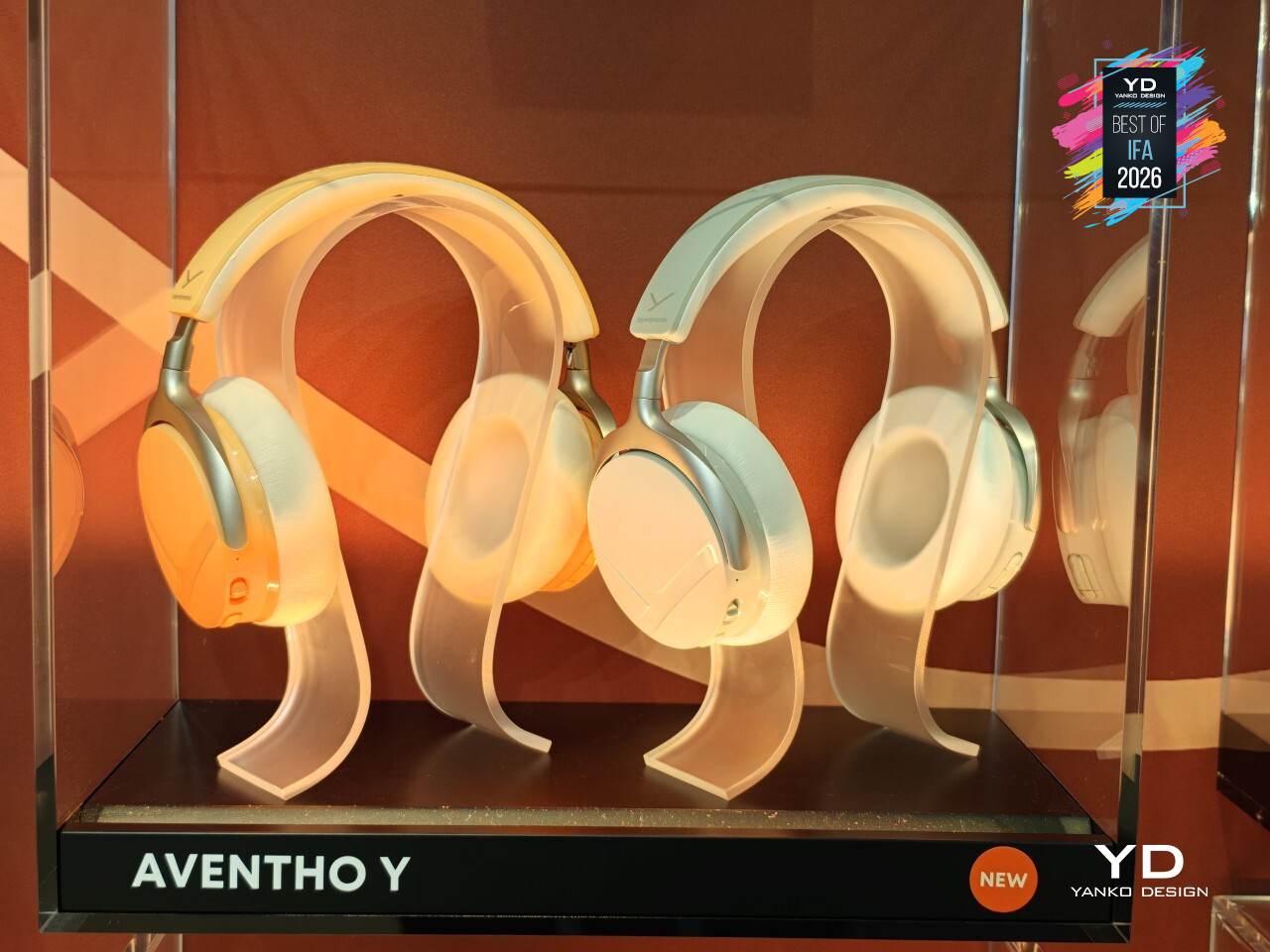
None of this comes out of nowhere. Beyerdynamic’s been building headphones since 1924, when it invented the dynamic driver that most headphones still use today, and its gear is still largely handmade in Heilbronn, Germany. AVENTHO Y just makes that century of stubborn craftsmanship a little easier to hold onto, one replaceable part at a time.
Aurzen ZIP Pro Tri-fold Full HD Pocket Projector
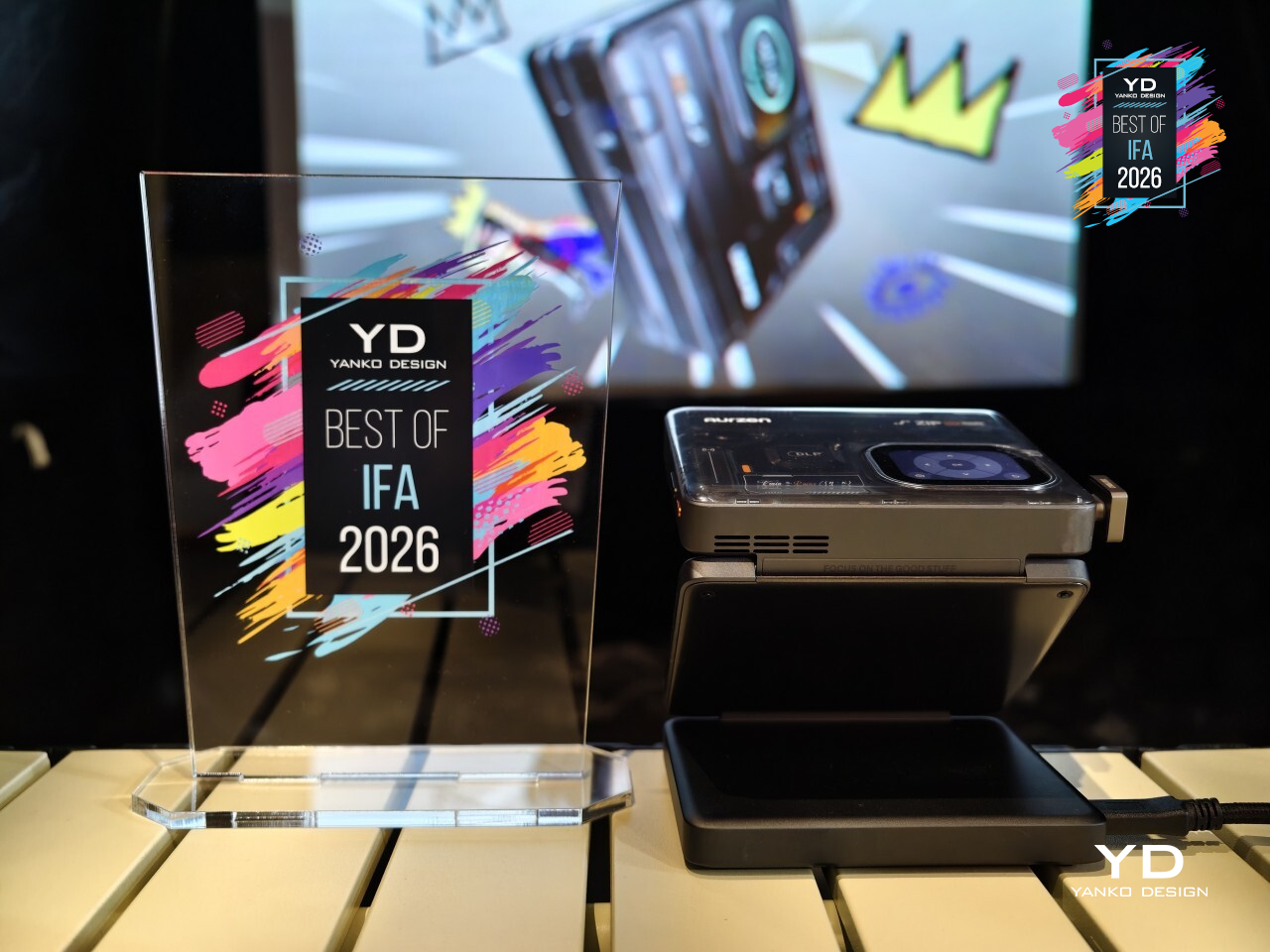
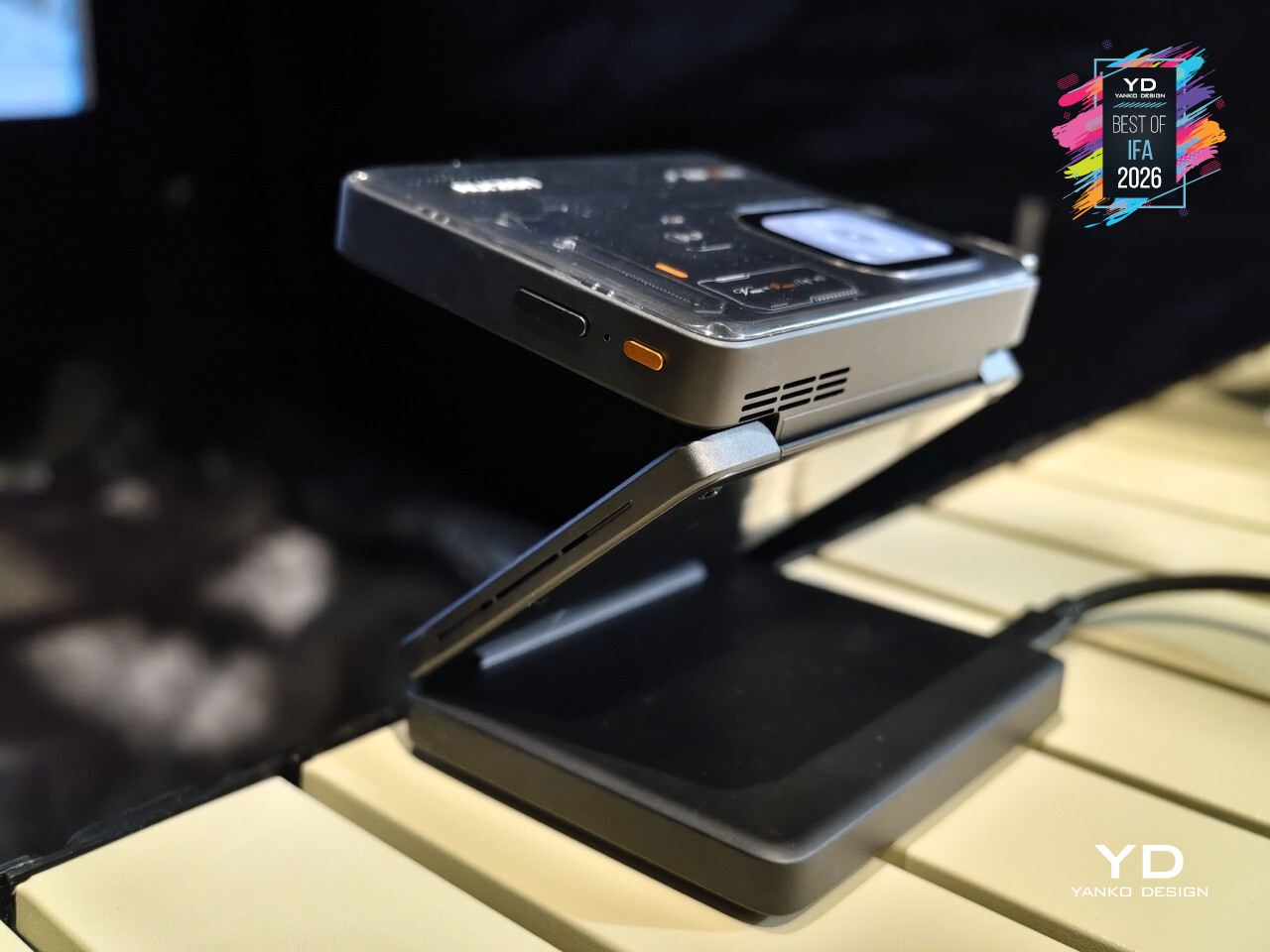
Pocket projectors have always had to give something up to actually fit in a pocket, usually resolution or brightness. Aurzen’s ZIP Pro doesn’t make that concession. It’s the world’s first tri-fold Full HD pocket projector, folding down to just 487cc and 586g, while still holding onto native 1080p resolution and 200 ANSI lumens, numbers that used to require a body several times its size.
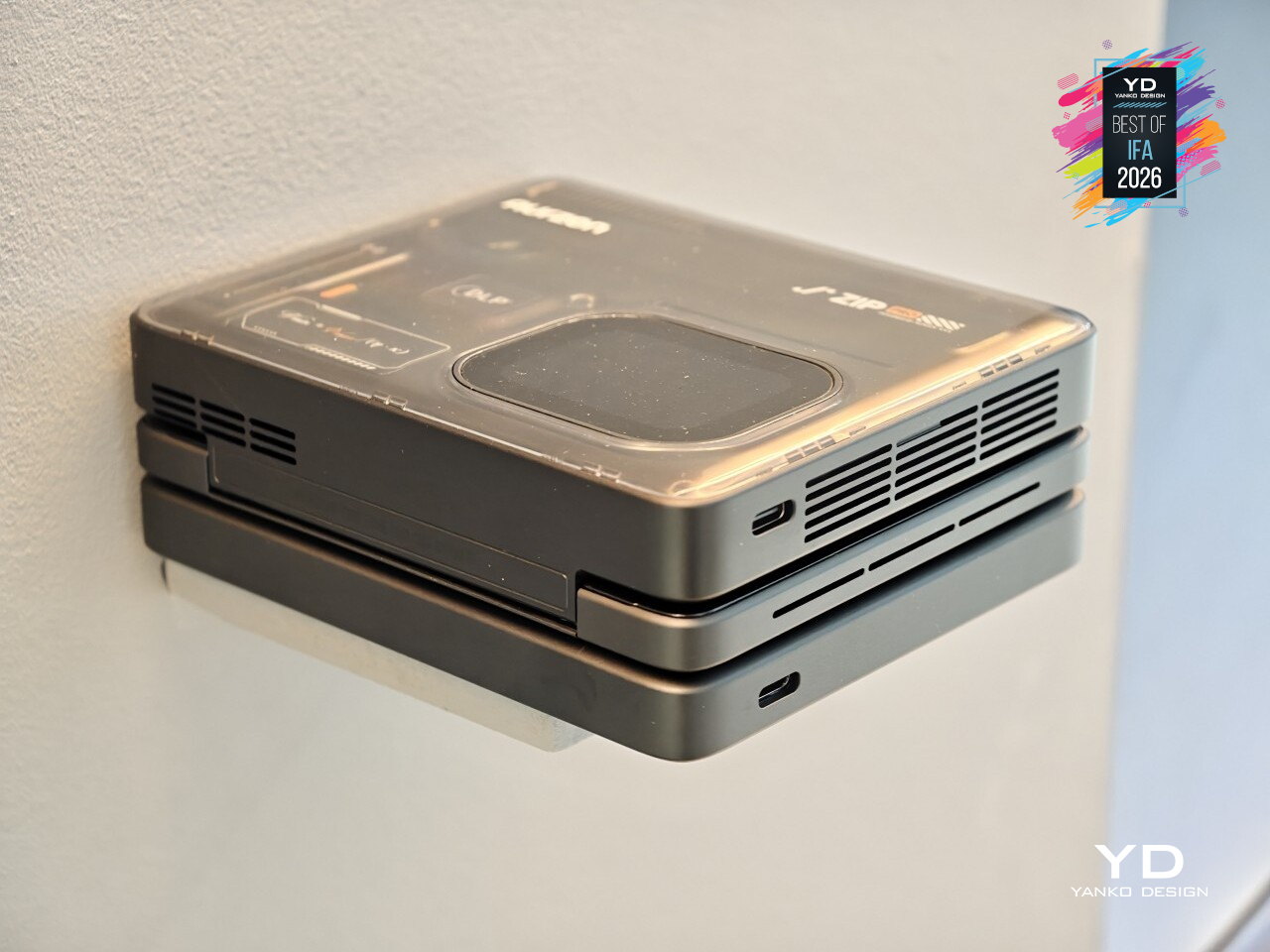
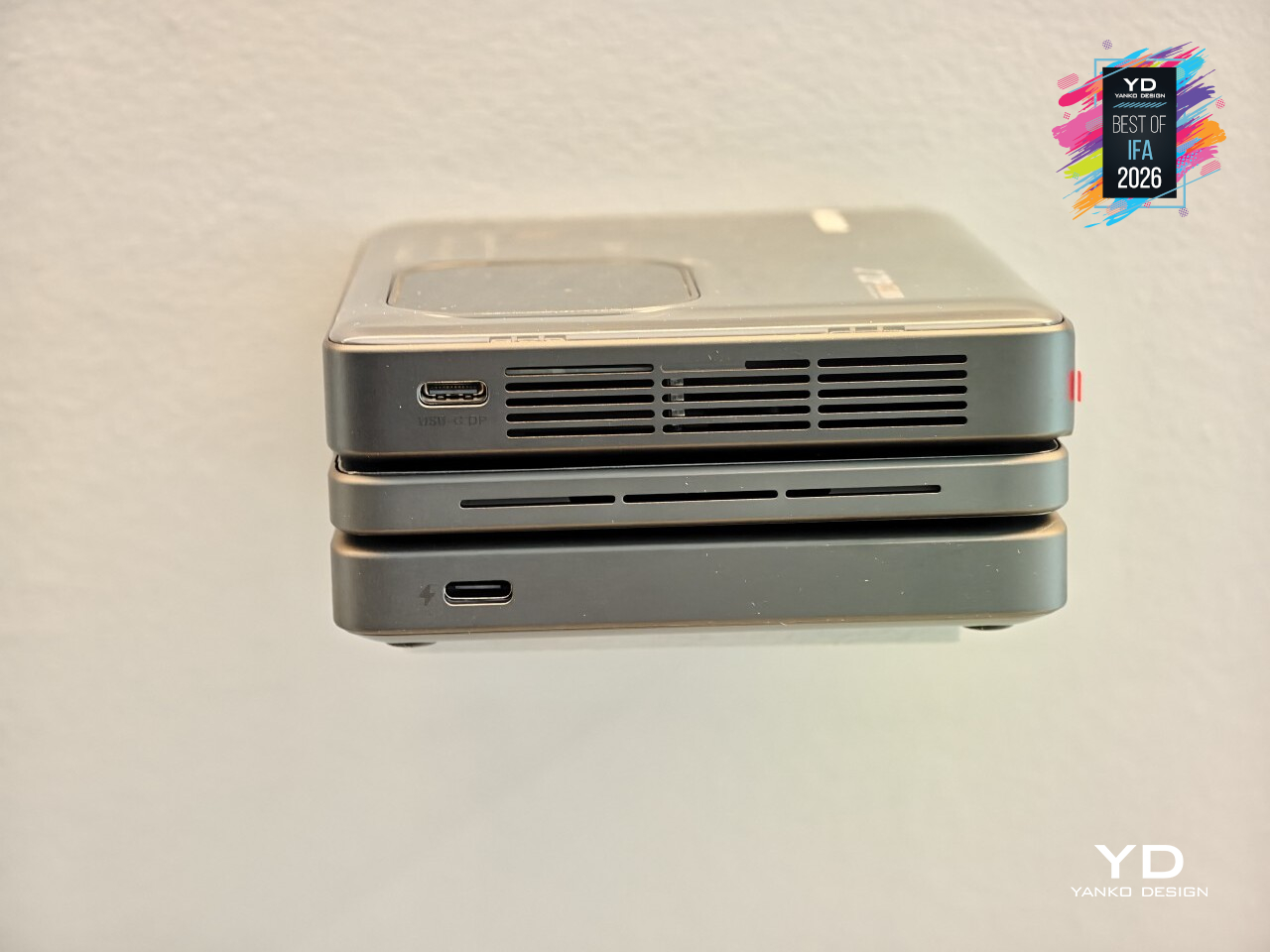
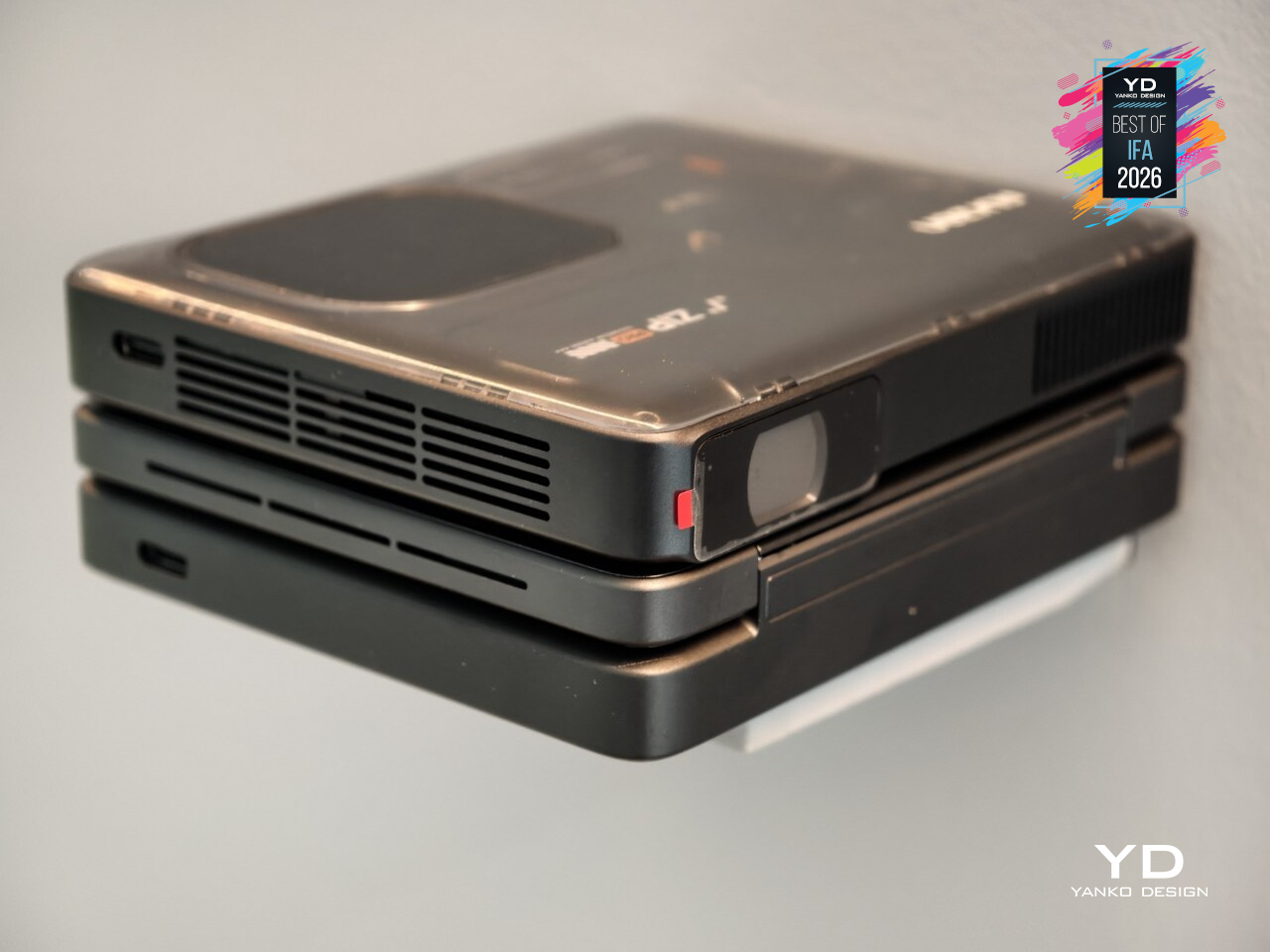
That balance shows up literally on the device itself, engraved as a formula, Vmin ≈ Φmax / (η · κ), representing the tradeoff Aurzen chased between size, brightness, and heat. A 10.7mm optical engine, the thinnest of its kind, makes that math work in practice. The Z-shape tri-fold body does double duty as its own multi-angle stand, while Time-of-Flight autofocus and four-point keystone correction handle the fiddly part of getting an image square on a wall.
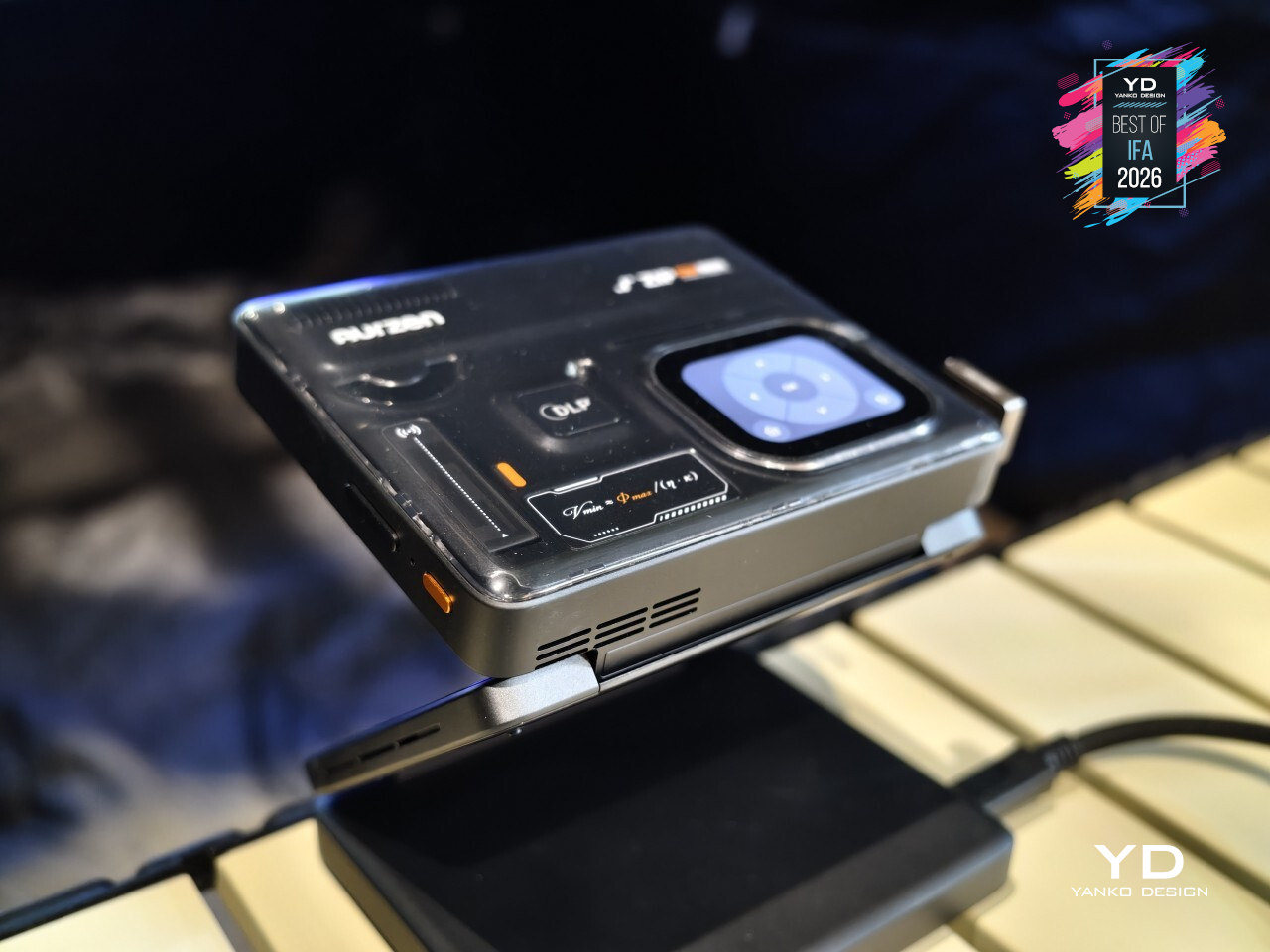
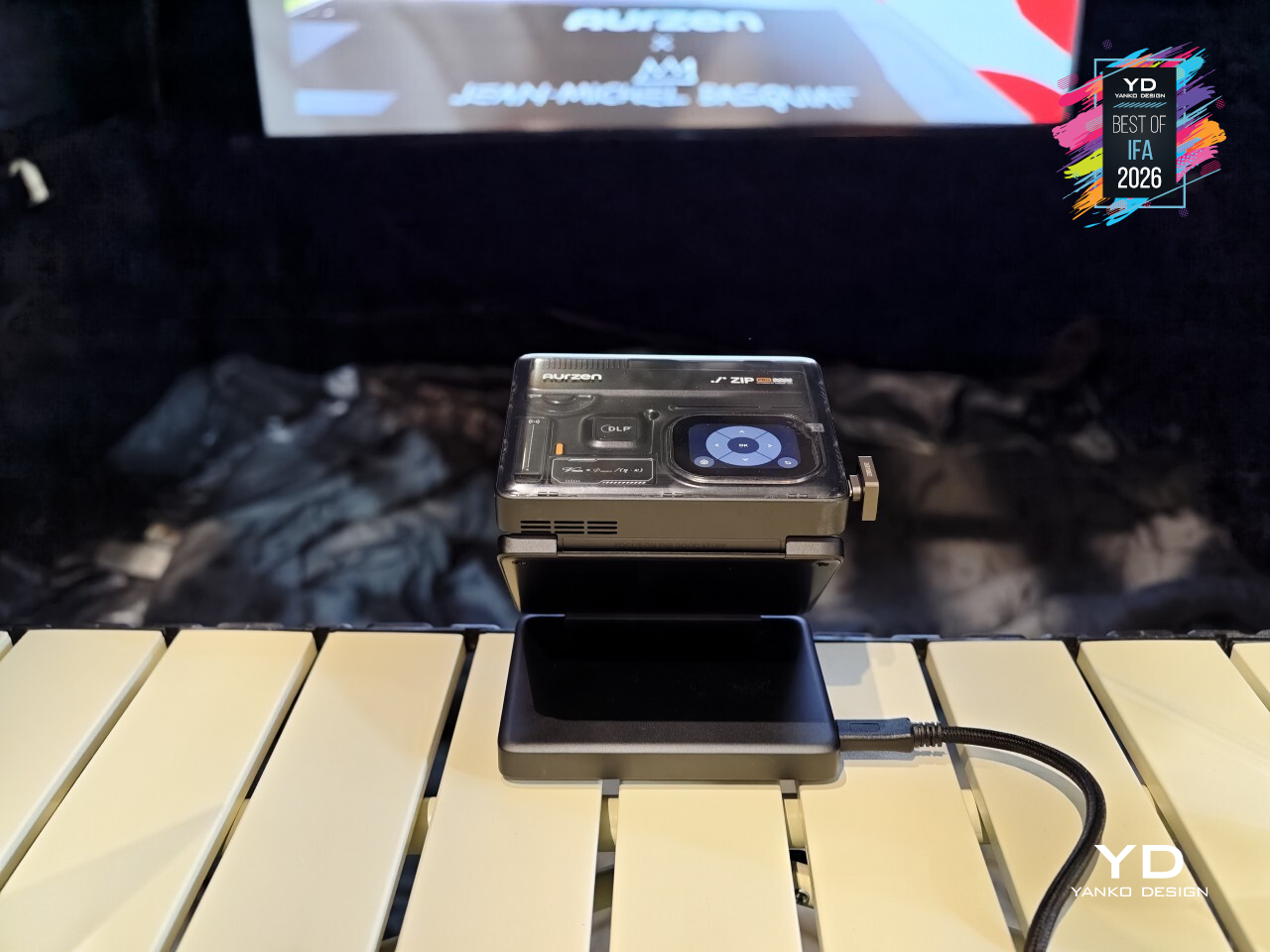
Getting content onto that wall stays just as uncomplicated. AirLink P2P mirrors a phone screen without needing Wi-Fi in the room, a USB-C port with DP Alt Mode handles wired projection when a stable connection matters more, and a dedicated Game Mode powers what might be the feature’s biggest surprise: direct Type-C projection straight from a Nintendo Switch. A hotel room or a cabin with spotty signal stops being a dealbreaker.
Viewing alone doesn’t mean viewing in silence either, since dual Bluetooth headphone output lets two people listen privately from the same picture, useful for a shared trip or a late movie that shouldn’t wake anyone else up. Vertical Full-Screen Mode fills a wall with vertical video without black bars eating into the image, and a Smart Touch Display keeps battery level and connection status visible without digging through a menu.
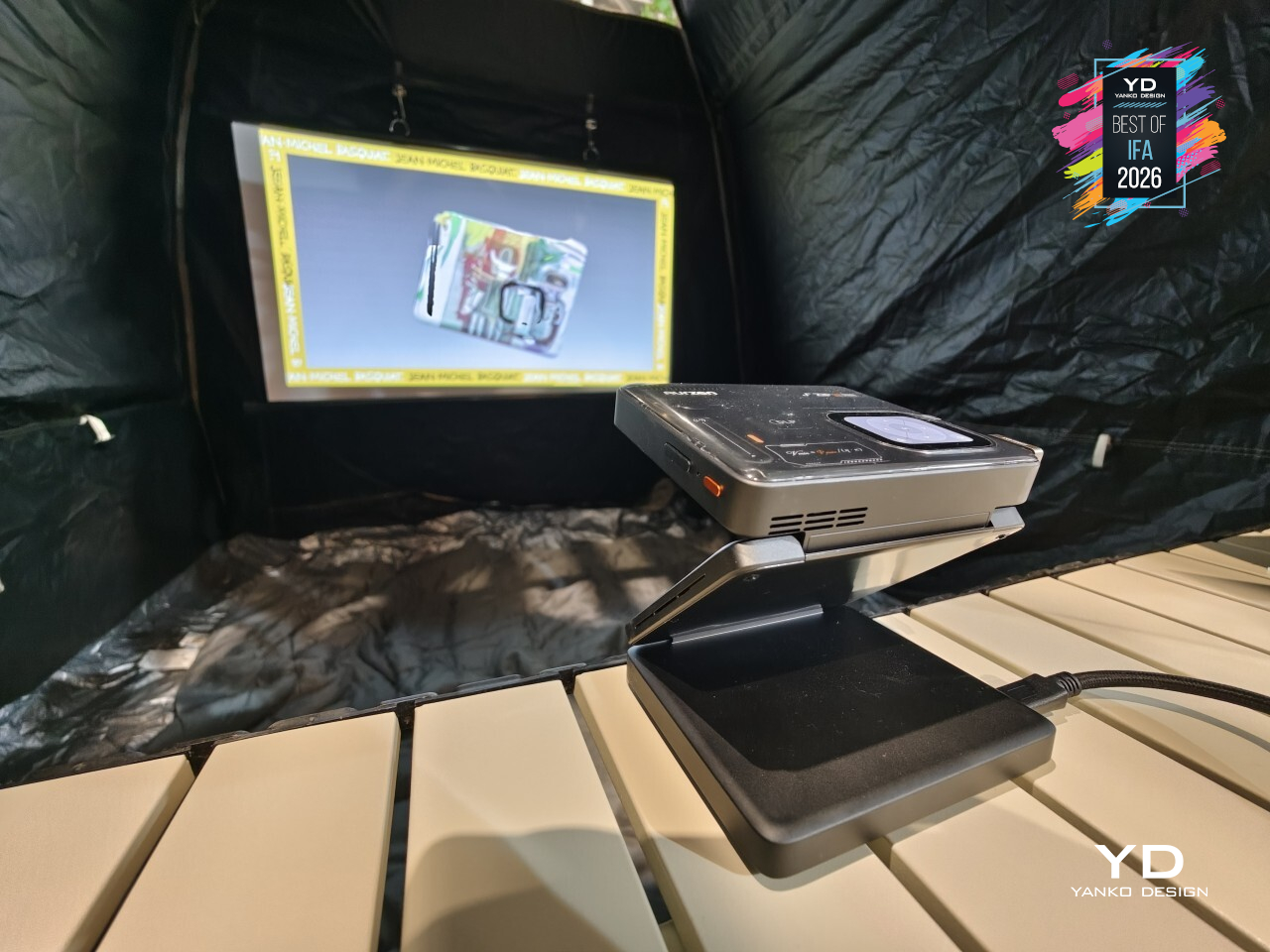
A 38Wh battery keeps the picture running for up to 2.5 hours, and 65W PD charging means a nearly dead unit isn’t out of commission for long. Folded down to 115mm x 97mm x 44mm, the Aurzen ZIP Pro fits in the kind of bag pocket that usually just holds cables, and that’s exactly where a projector this capable belongs.
DJI Osmo 360 II
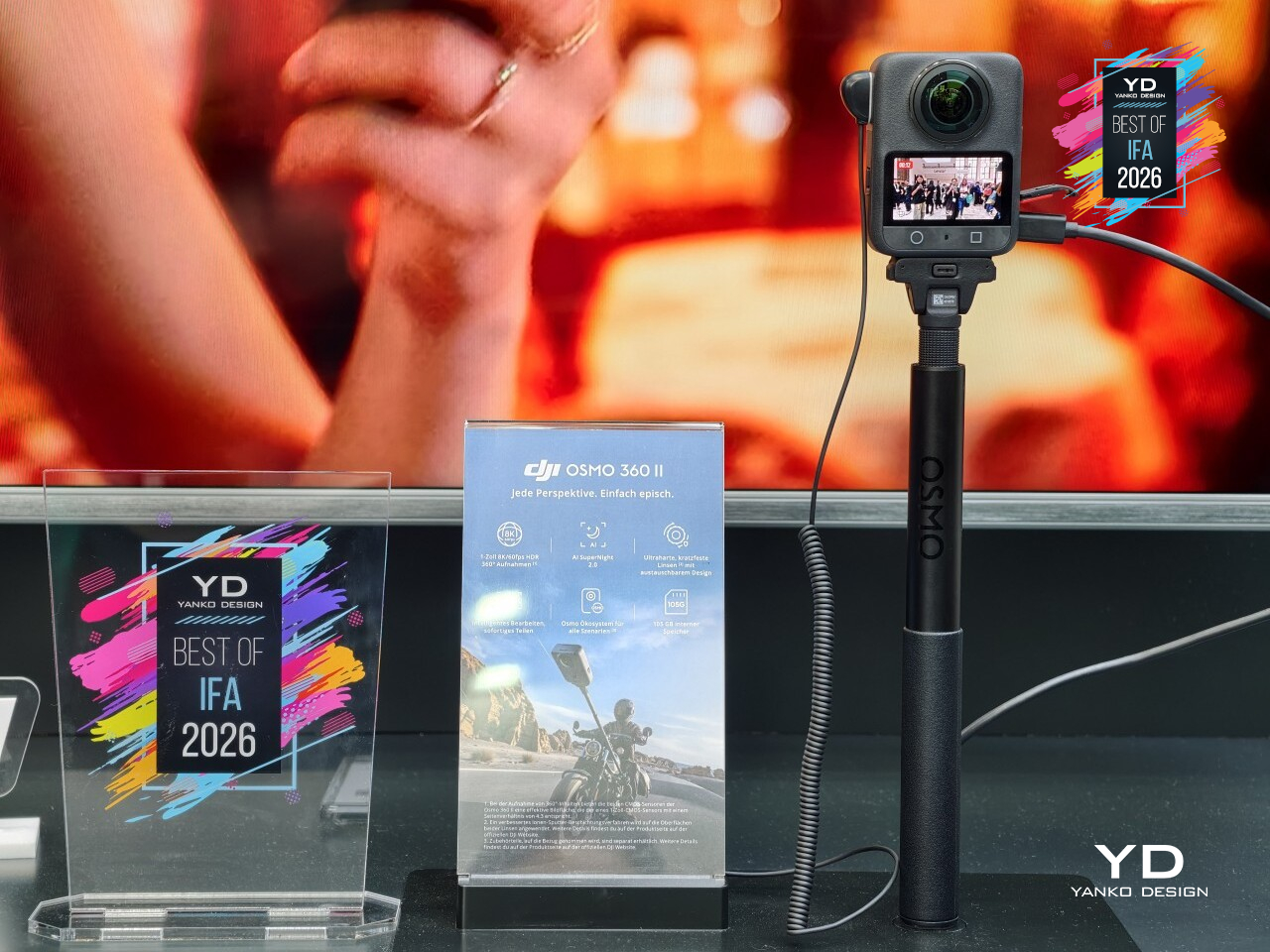
Most action cameras treat a scratched lens as a death sentence for the whole unit. DJI’s Osmo 360 II refuses to accept that trade. It’s the brand’s second-generation 360-degree camera, and the headline fix addresses exactly that problem: lenses that actually come off and get replaced, alongside a jump to native 8K resolution at 60fps, all inside a body still small enough to disappear into a pocket.
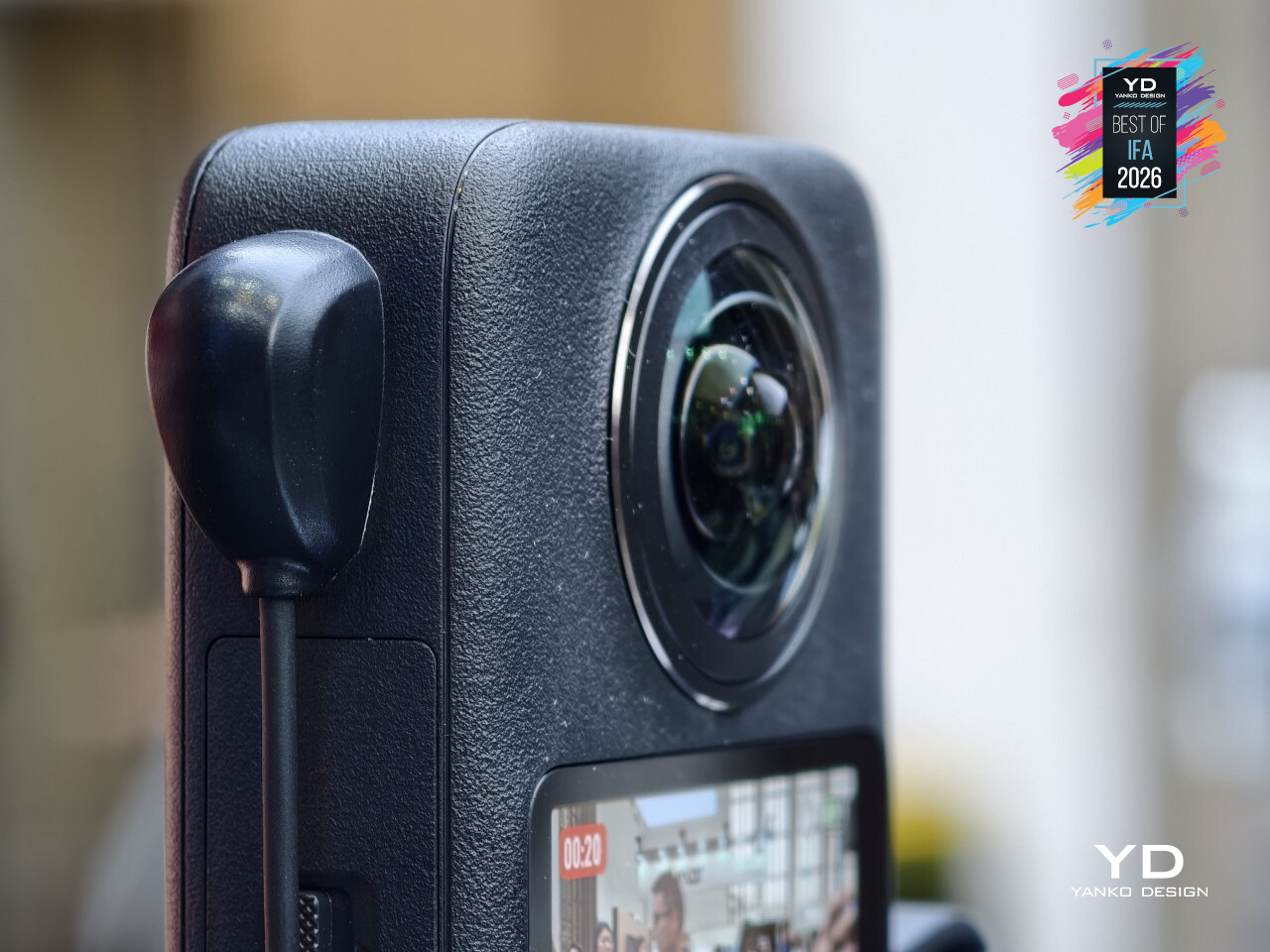
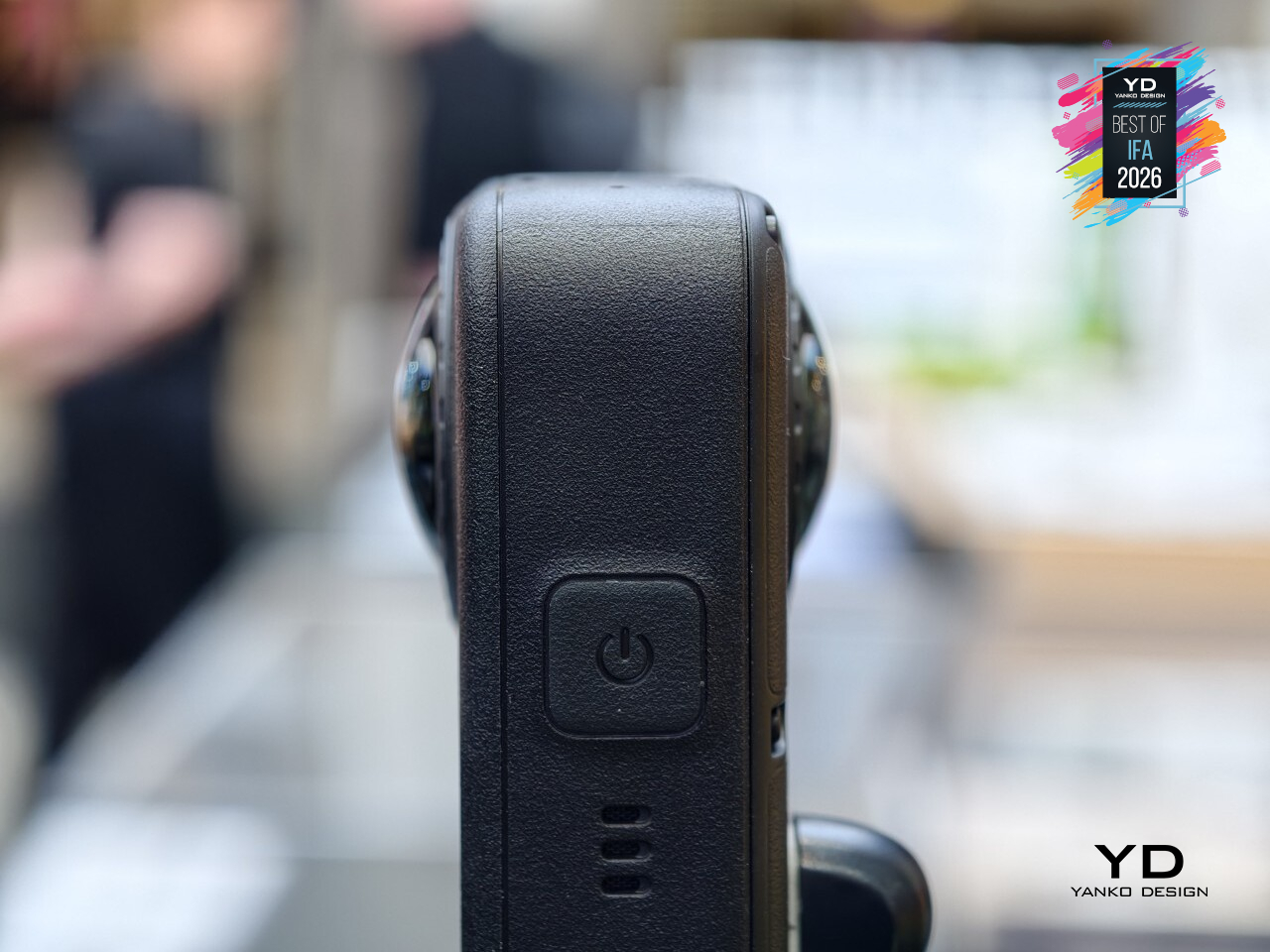
That lens swap matters more than it might sound at first. The original Osmo 360 locked its lenses in place, so a scuff from a rock, a sandy beach, or a rough camera bag meant living with the damage or buying a new camera outright. DJI built this one to let a scratched or scuffed lens get pulled off and swapped for a fresh one, turning a minor accident into a five-minute fix instead of an expensive replacement.
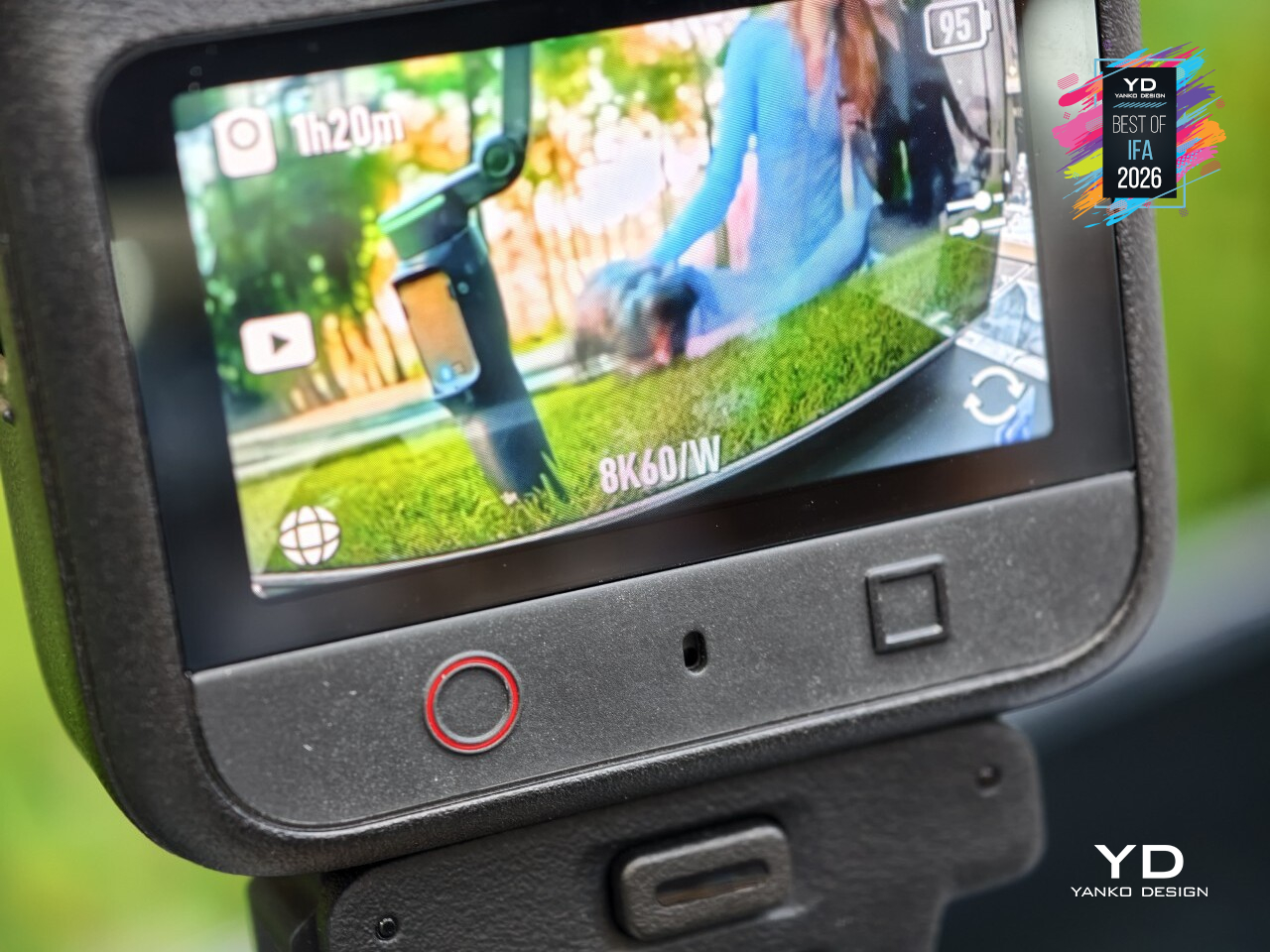
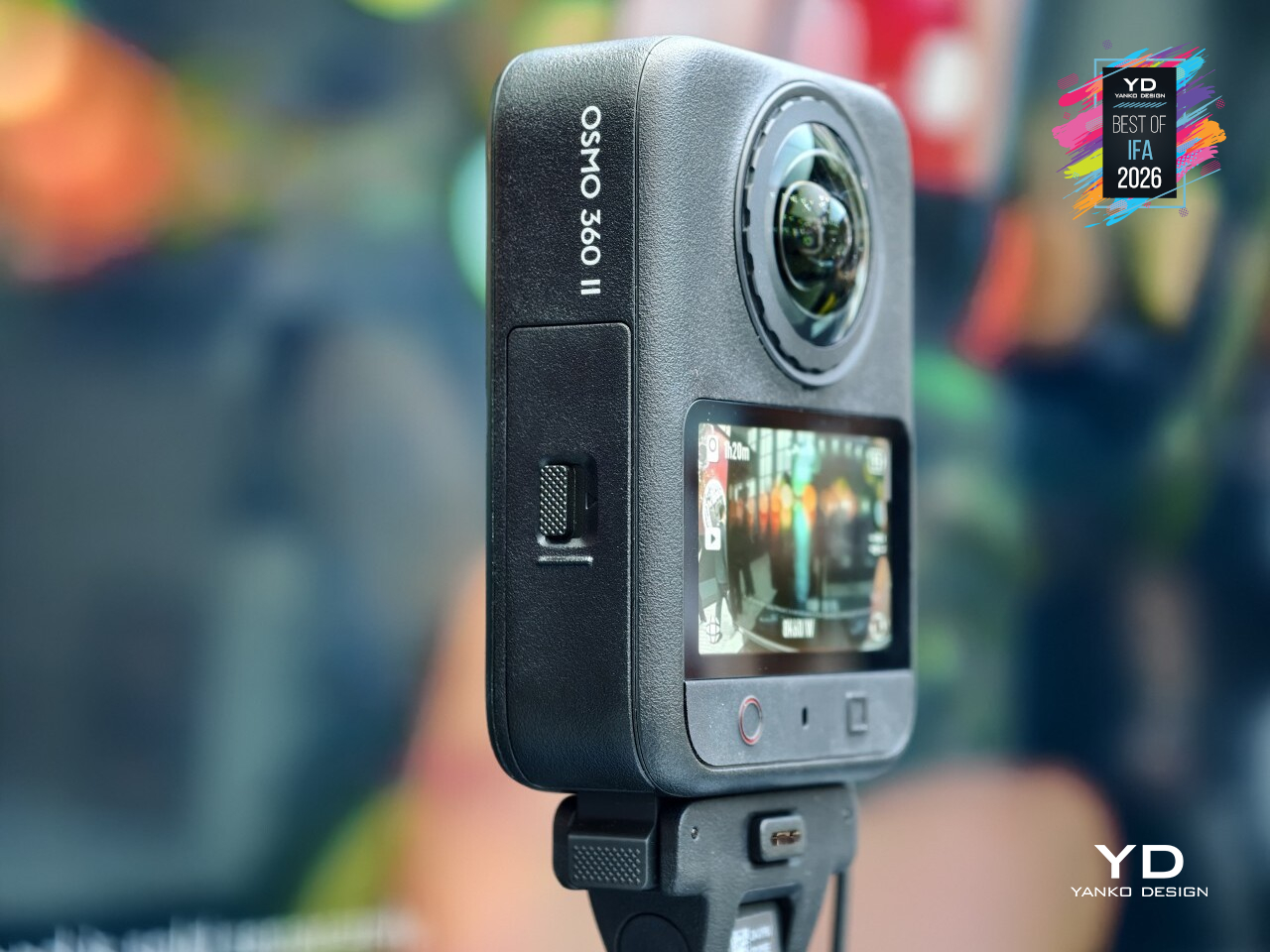
Resolution got a real bump too, climbing to native 8K at 60fps, up from 50fps on the original, paired with 14.5 stops of dynamic range. That combination shows up most once footage lands in an editor, since higher frame rates at full 360° resolution mean smoother results when reframing a shot after the fact, pulling a normal video out of a scene that was captured in every direction at once.
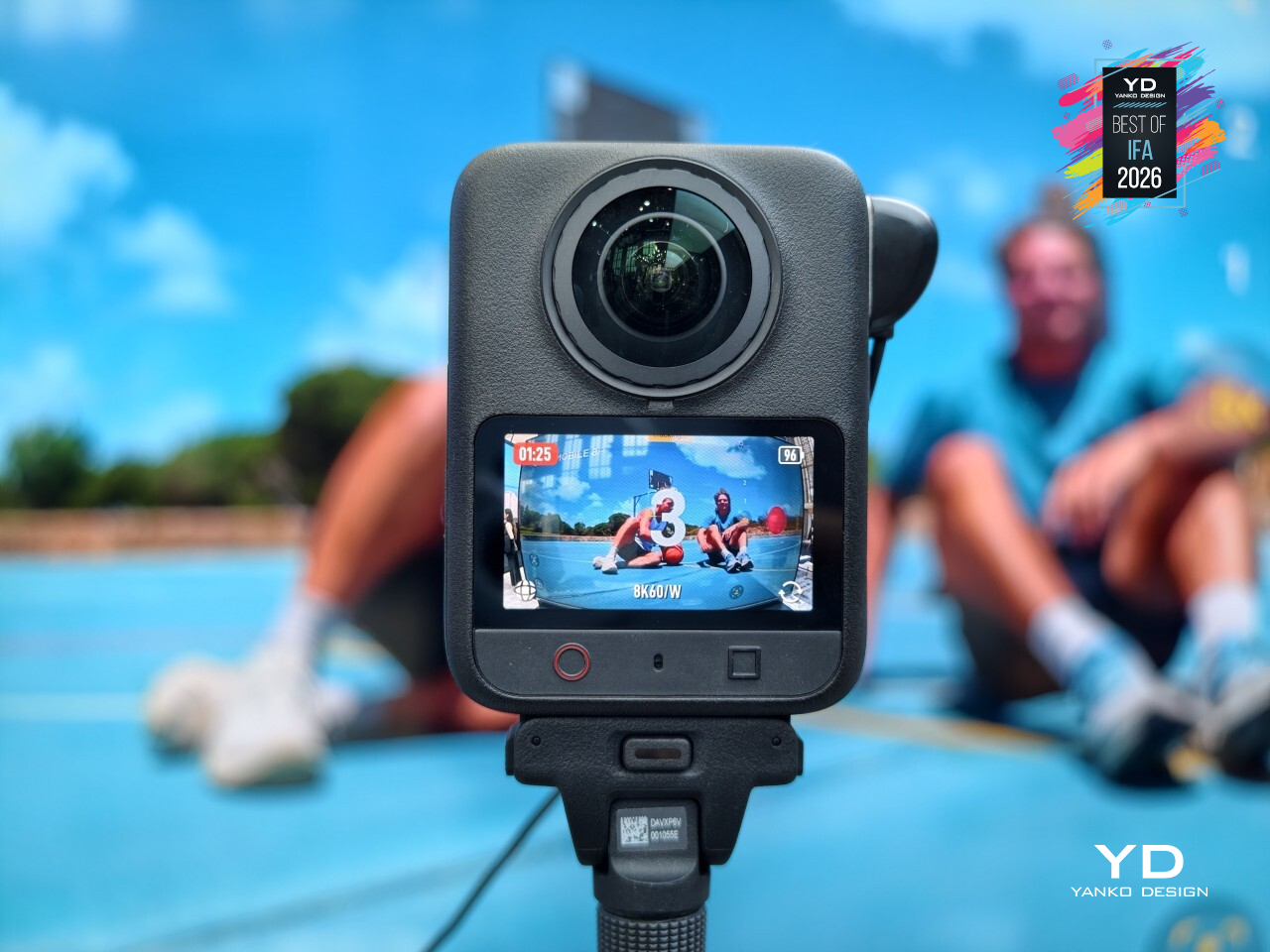
Shooting after dark stopped being a compromise as well, thanks to AI SuperNight 2.0 handling low light without turning every dim scene into grain. That confidence extends to the body itself, rated for 32.8 ft of waterproofing without needing a separate housing, all packed into a shell measuring just 61mm x 36.3mm x 81mm and weighing 183g, light enough to forget it’s clipped to a strap.
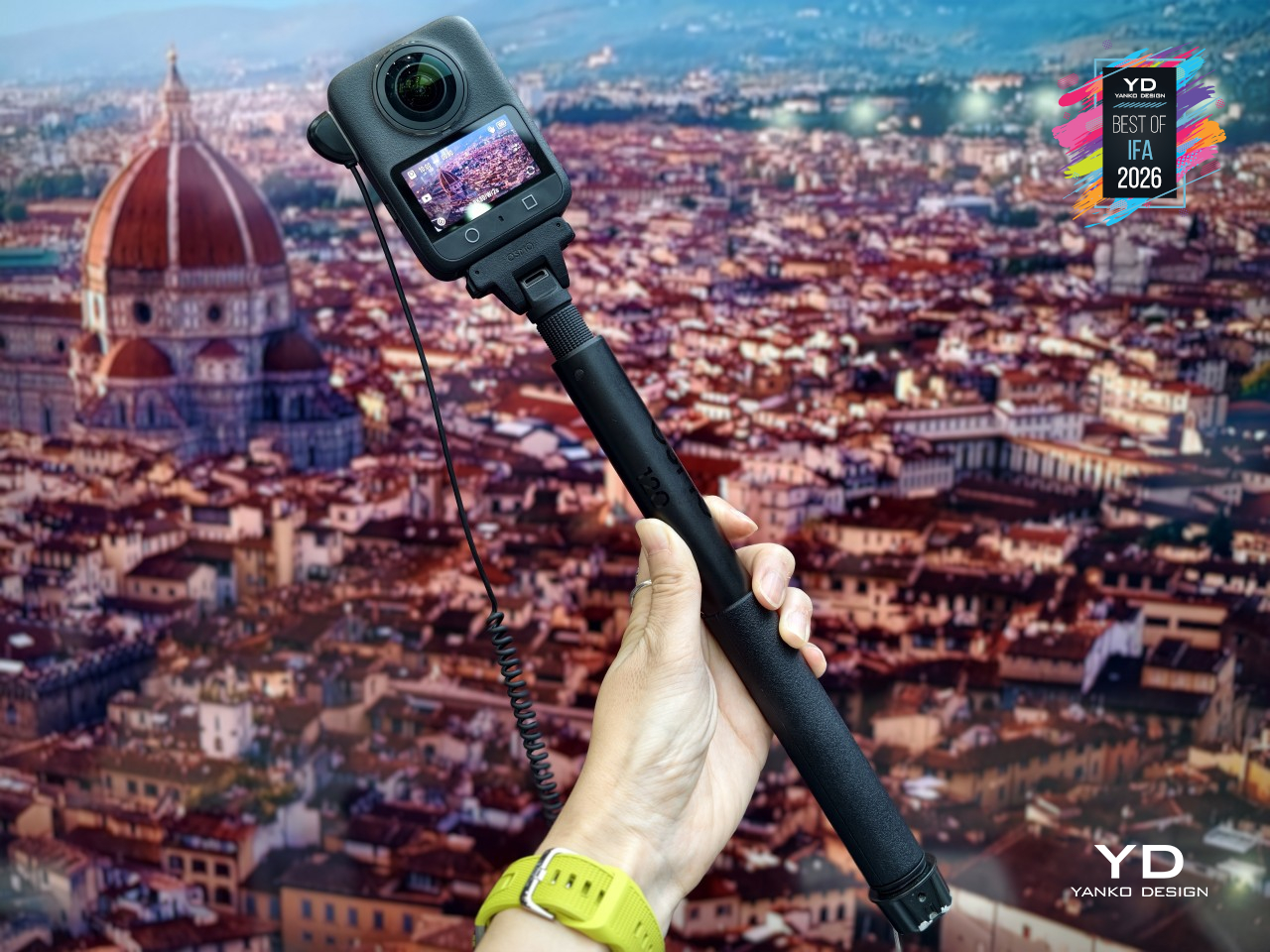
A larger 2,150mAh battery backs up all of that, charging via a 27W fast-charge that gets it back in action quickly between takes. DJI spent this generation fixing what actually broke on people, not just chasing bigger numbers on a spec sheet.
Teka InsideMax Dishwasher
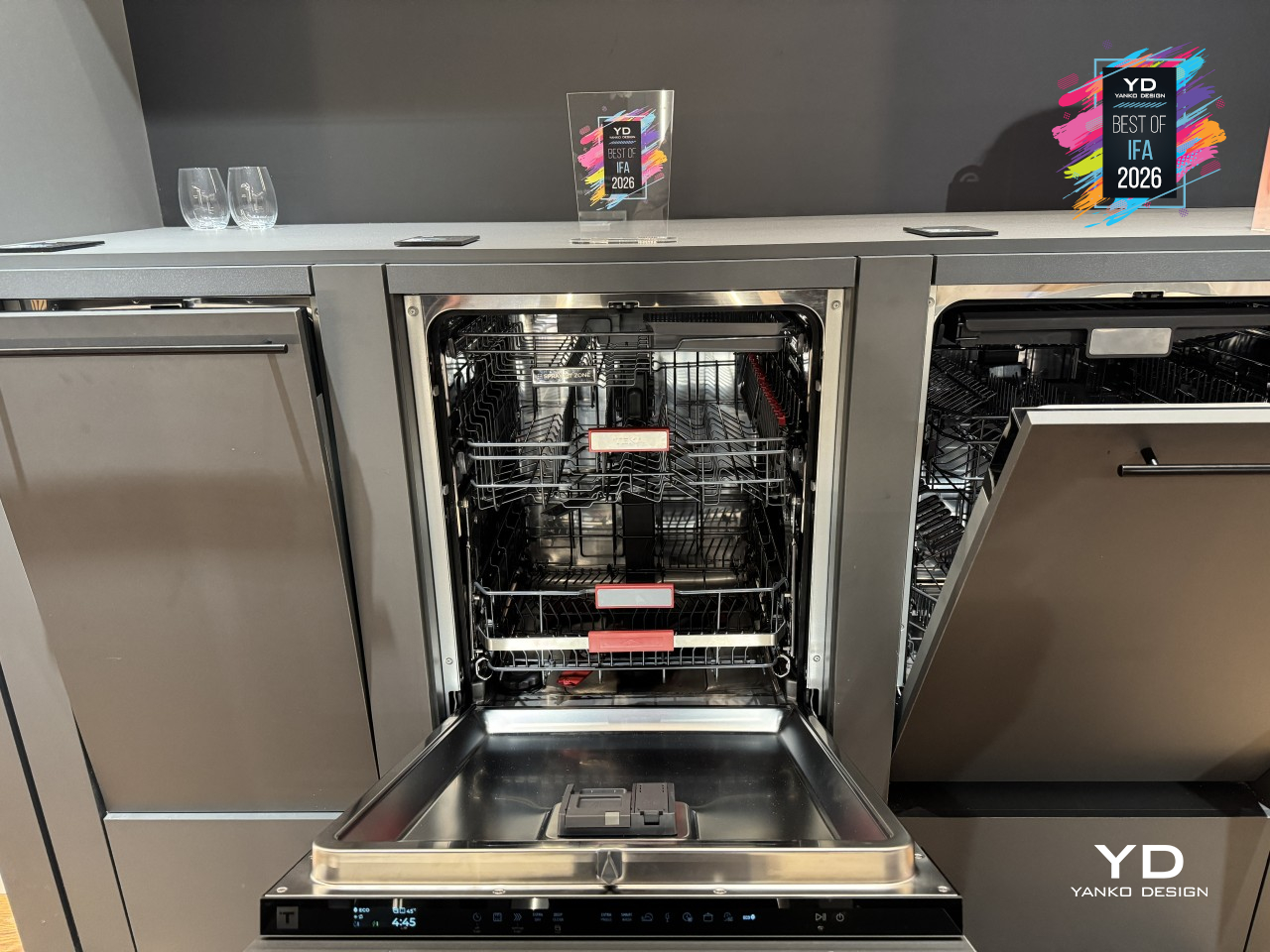
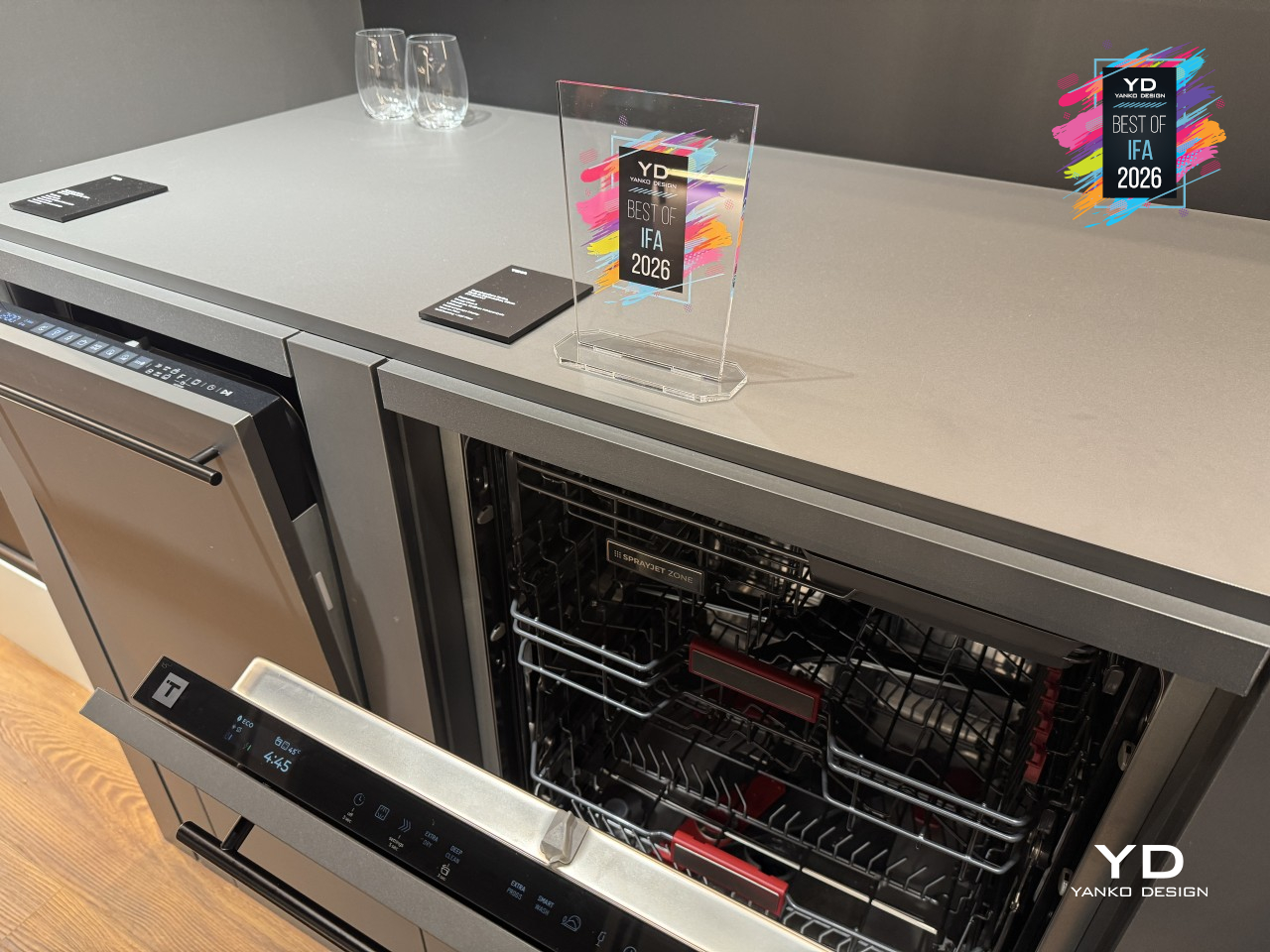
Dishwasher makers usually solve capacity by making the box bigger, which only works until the box no longer fits the kitchen. Teka’s InsideMax skips that approach. It’s still a standard 24-inch built-in dishwasher, but the interior architecture has been redesigned level by level, unlocking roughly 10% more usable space through a 1.6-inch drop at the bottom of the tub, without asking for a single extra inch of counter space.
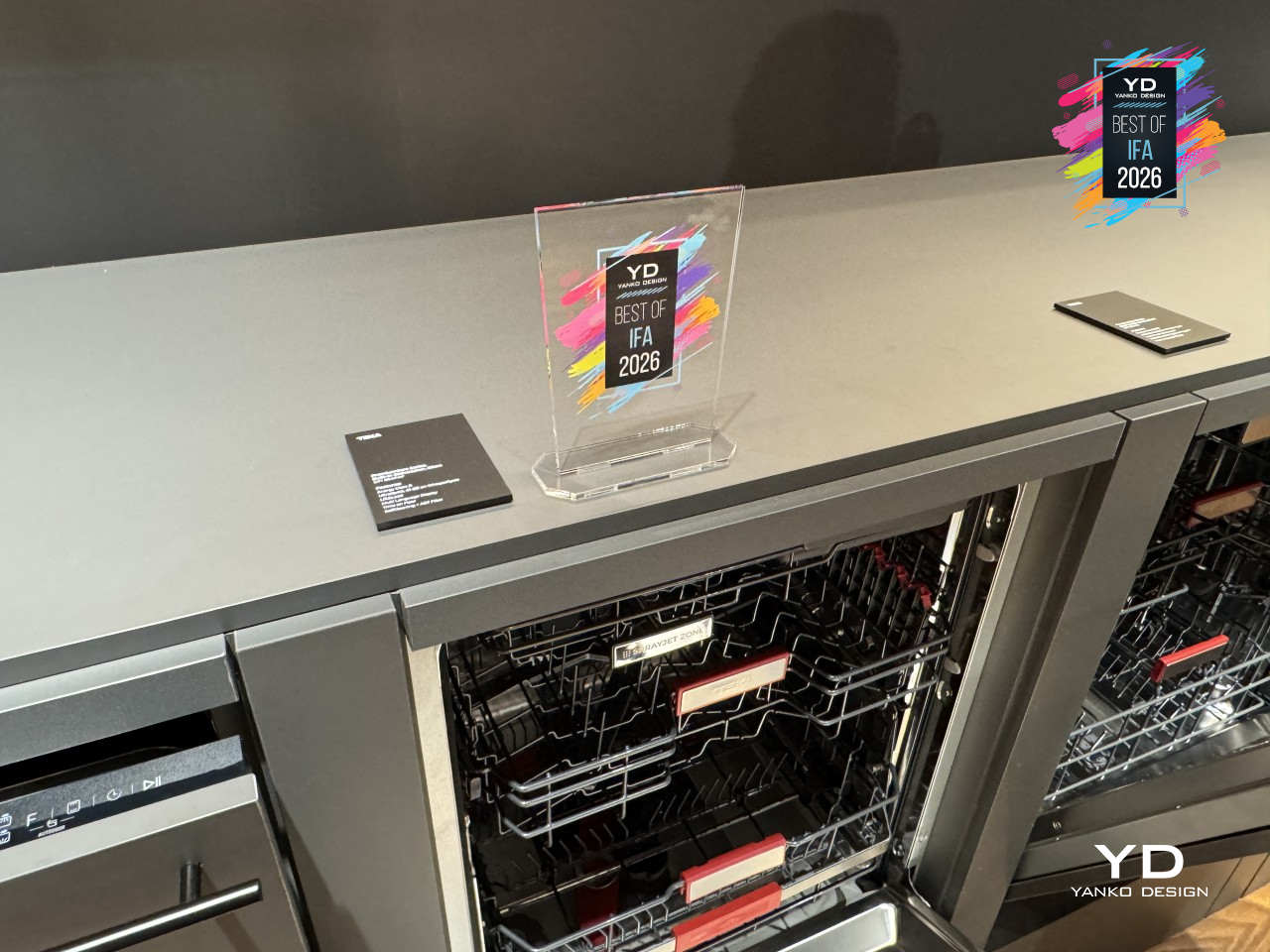
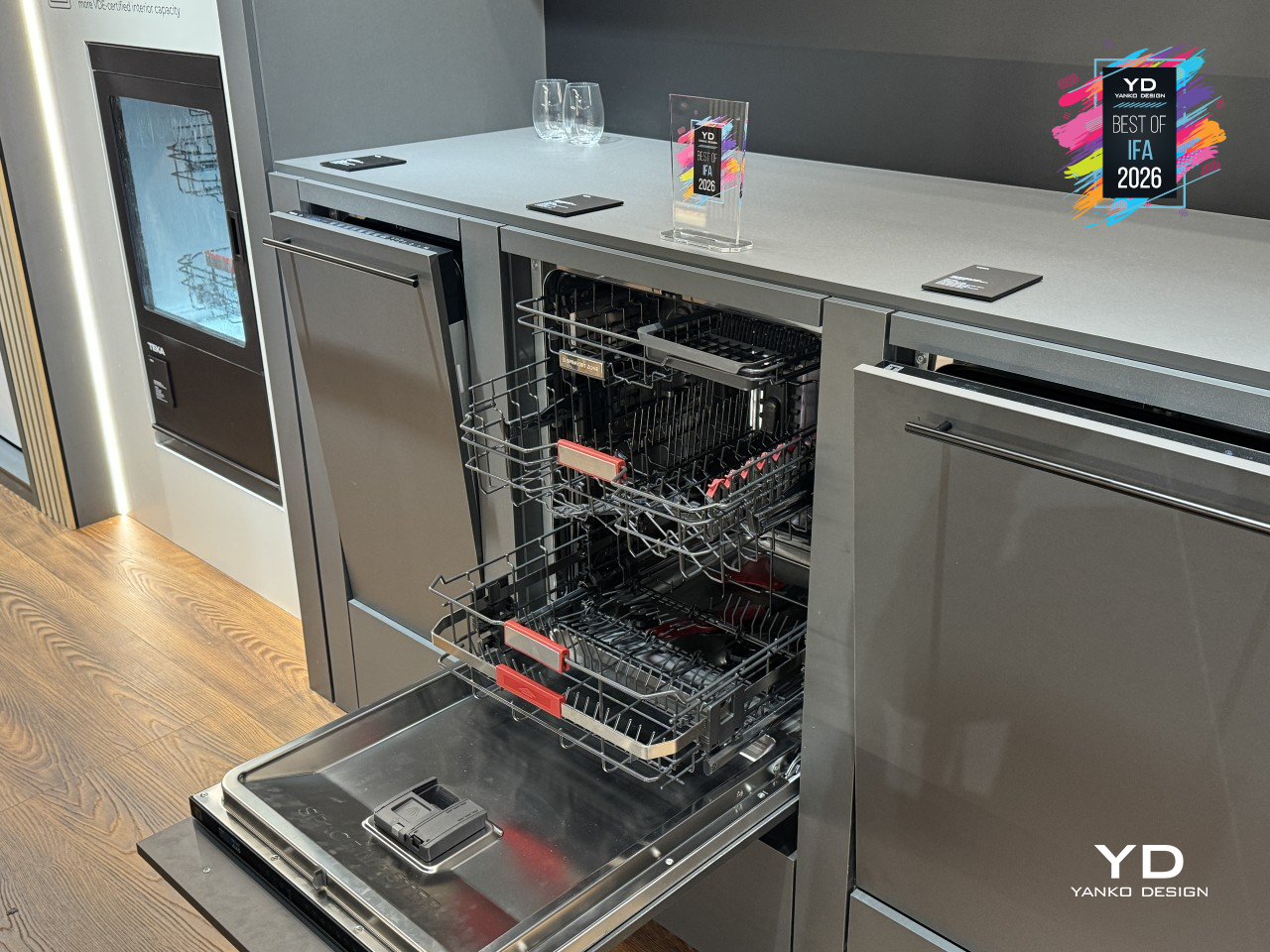
That extra room shows up most in how the baskets actually move. A one-step adjustment on the upper basket opens up to 9.8 inches of clearance for tall glassware or 6.7 inches for pots, while a deepened third rack finally gives cutlery a shelf of its own, freeing space below for espresso cups and small bowls up to 3.7 inches tall. Roasting pans and stockpots up to 11.8 inches stand upright instead of lying flat, and the lower basket lifts to a height that doesn’t demand a deep bend to load or unload.
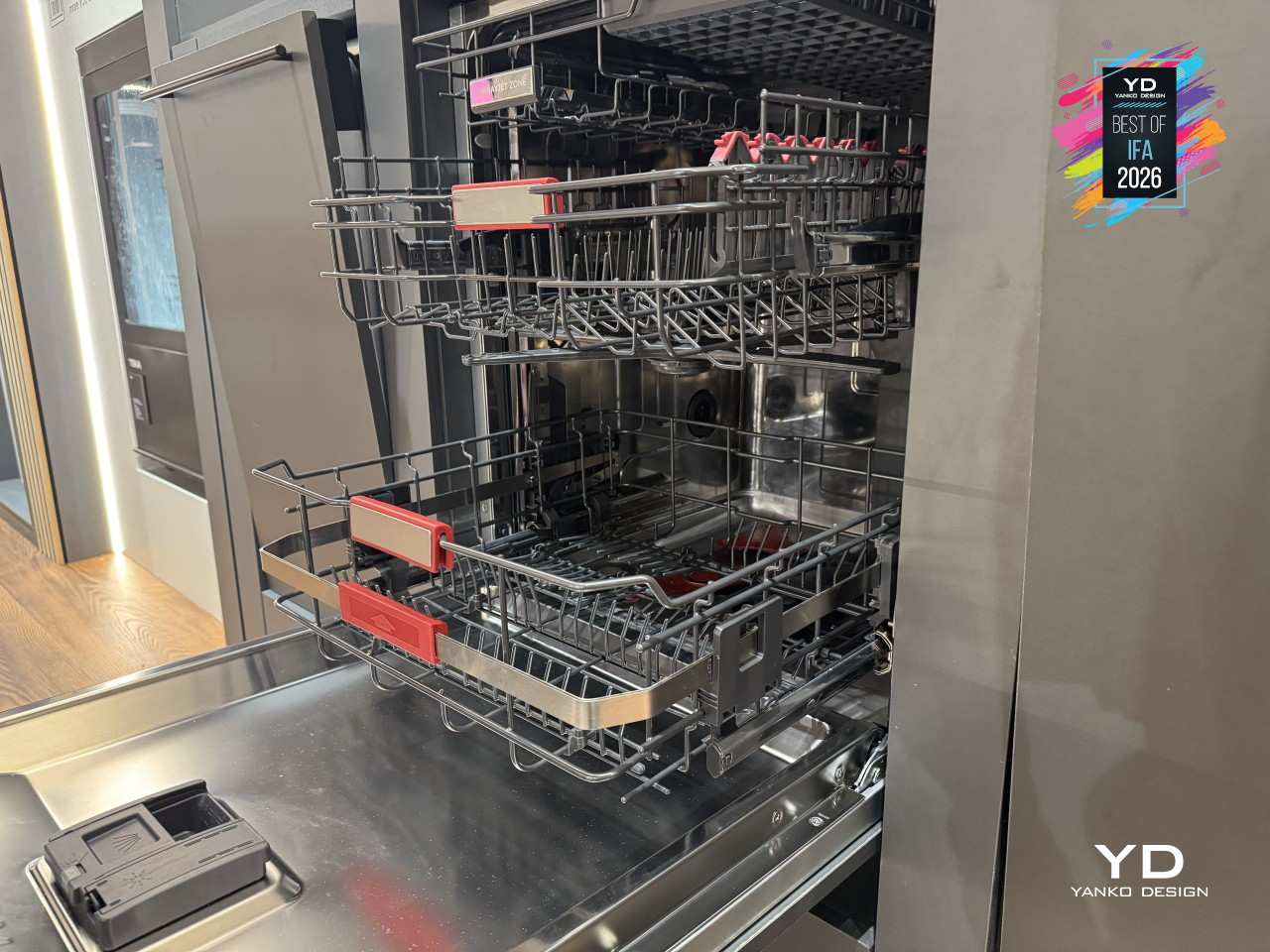

All that reclaimed space would be pointless if the water can’t reach it, which is where InsideMax leans on five different spray mechanisms working in concert. SprayJet handles the top rack’s cups and glasses, DualX sweeps side to side across the upper level, and Orbit Wash spins two arms in opposite directions to cover mixed, heavily loaded baskets. PrecisionZone targets tall glasses and awkward shapes directly, while Dual ForceZone creates a concentrated vortex strong enough to deep-clean two large pots at once.
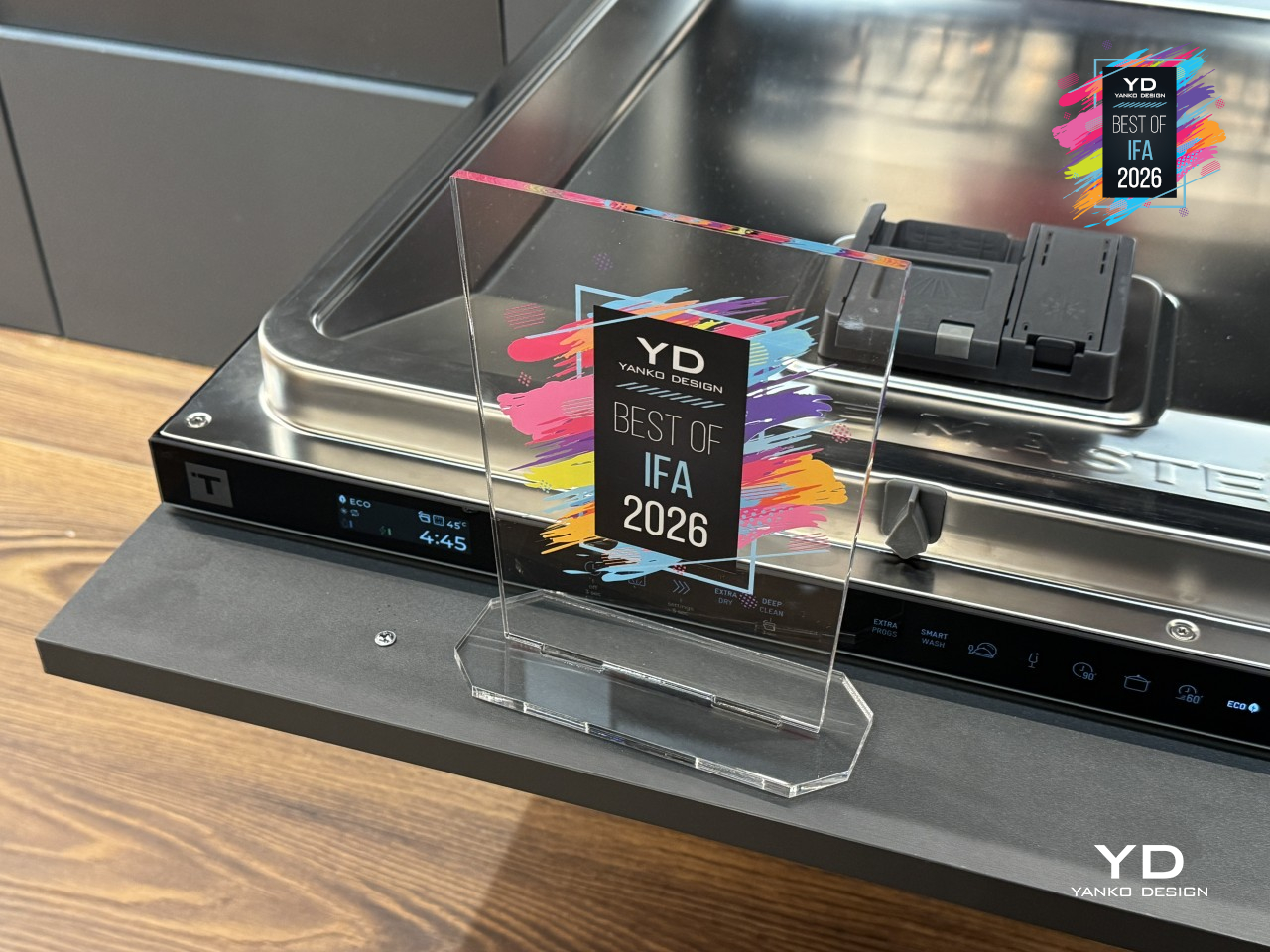
Drying gets just as much attention through AirMax Dual Drying, which pairs automatic door-opening with a high-performance fan for a drying rate Teka rates at up to 95%. The programs built around it read like a week in a real kitchen: LuxeCare for delicate glassware, Party Wash for whatever’s left after guests go home, and Whisper for running a load overnight without waking anyone up.
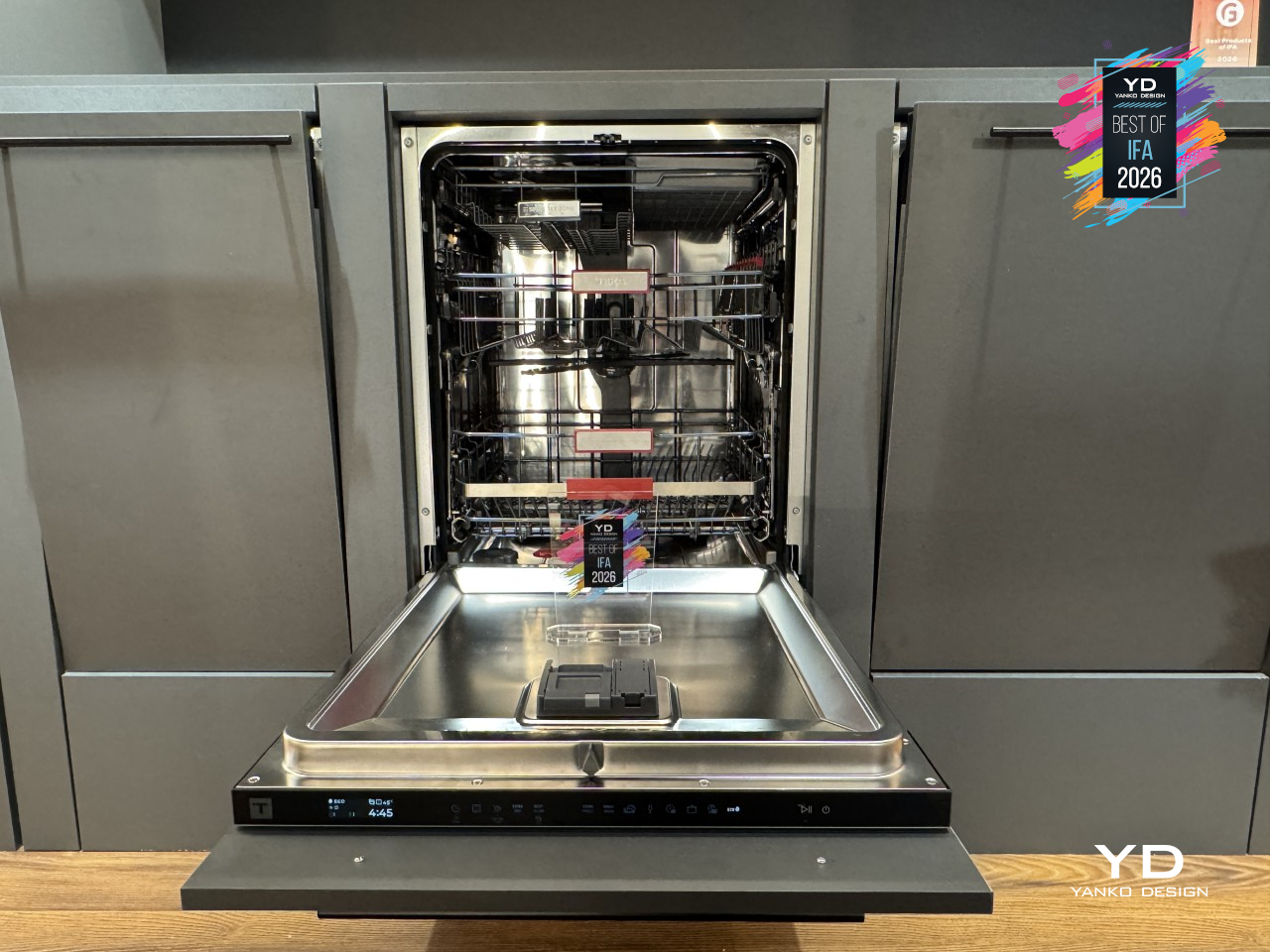
All of it sits behind a front panel engineered to disappear, with sliding hinges rated for furniture panels up to 31.5 inches (800mm) and 33 lbs. (15kg), plus a floor projection that shows remaining cycle time without anyone opening the door. A Class A energy rating and a running noise of just 42 dB(A) round out a machine that spent its redesign budget entirely on the parts nobody sees until they open the door.
AMADA Homefurnishing Soundwave Smart Mattress
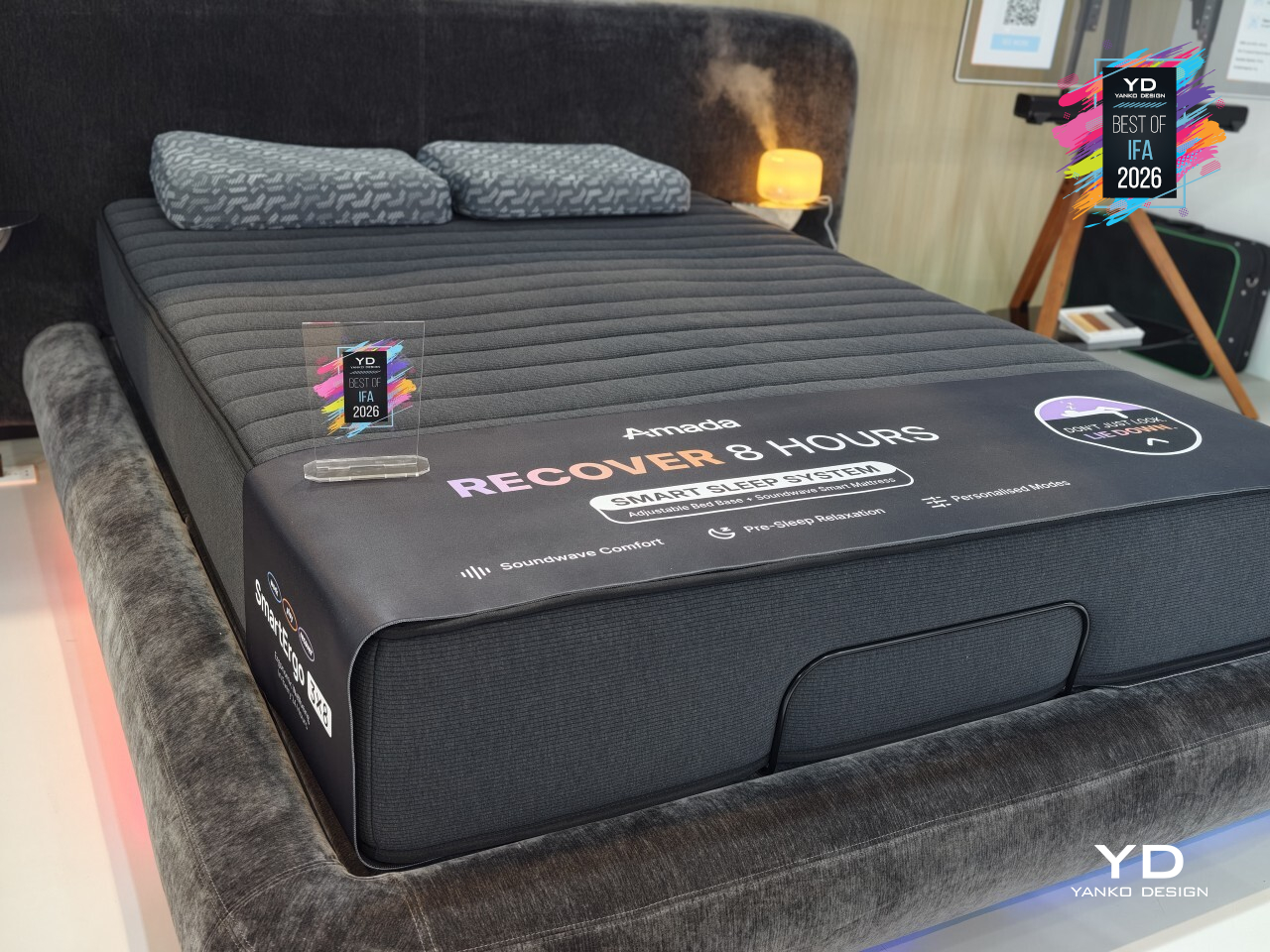
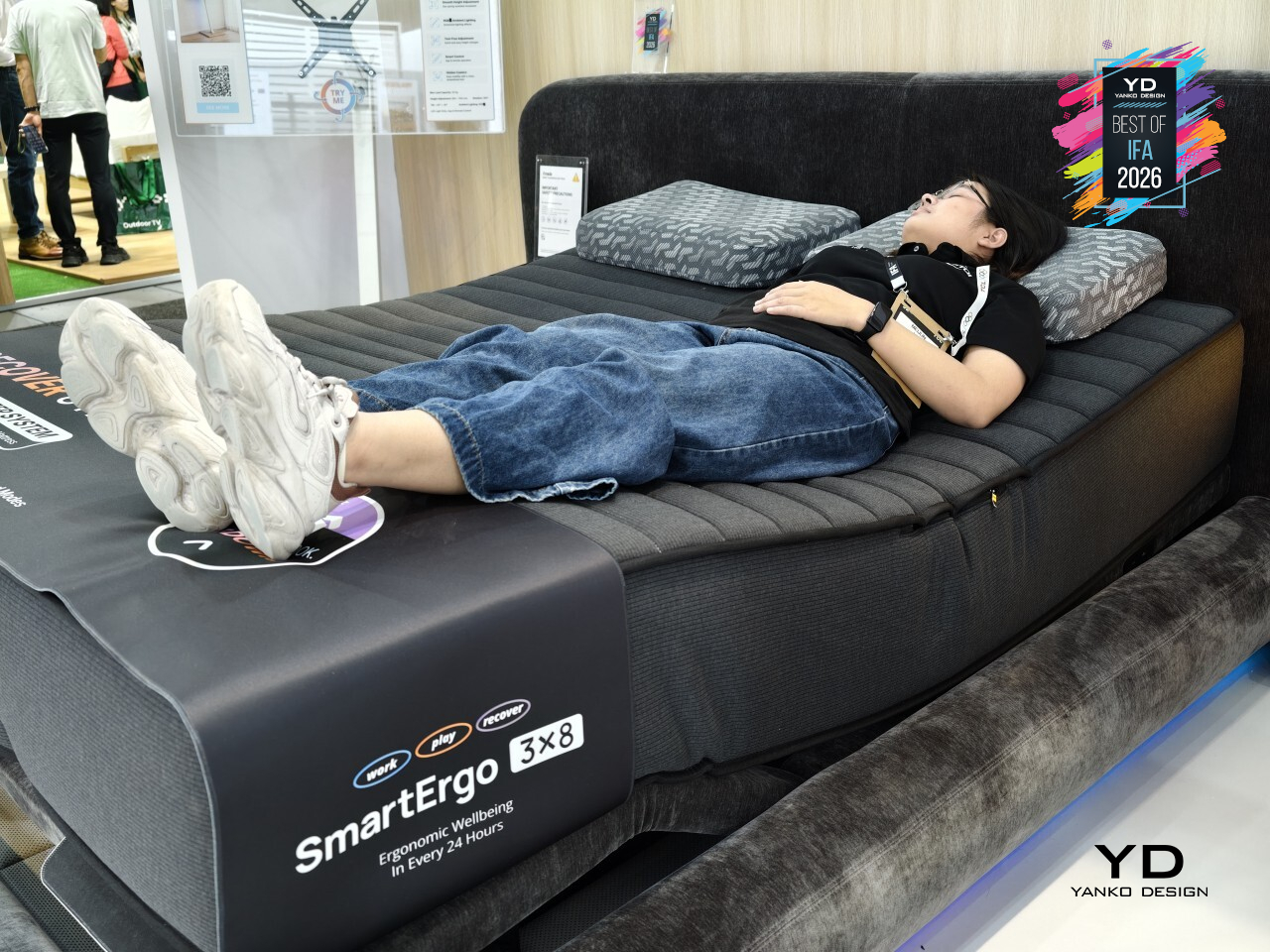
Most mattresses ask you to hear your way into relaxation, through a speaker, a podcast, maybe a white noise app running on a phone somewhere nearby. The AMADA Soundwave Smart Mattress skips the ears entirely. It’s a vibroacoustic system that turns low-frequency sound into something you feel, rhythmic vibration spreading through the body the moment you lie down, easing tension before a single thought about falling asleep even shows up.
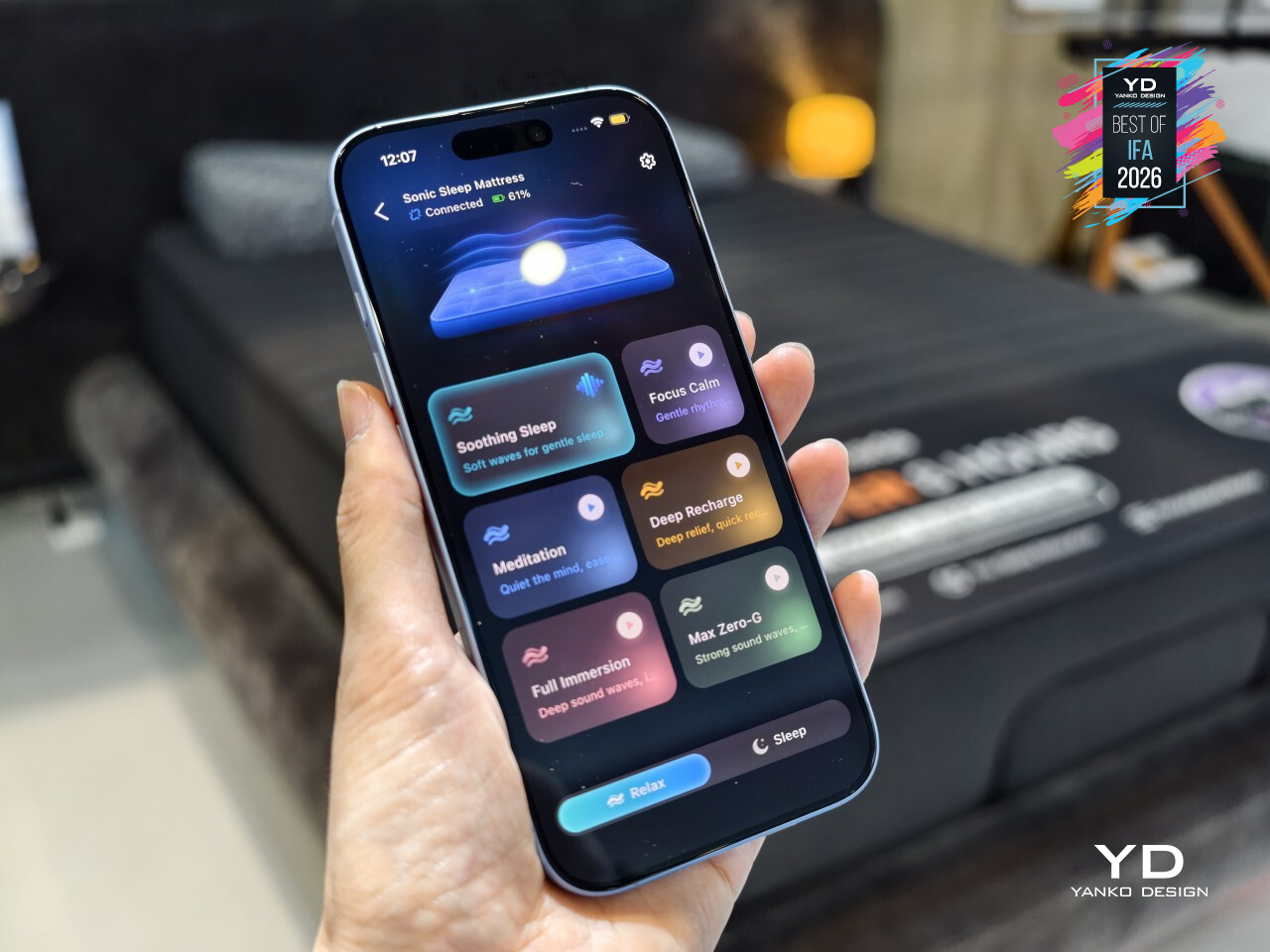
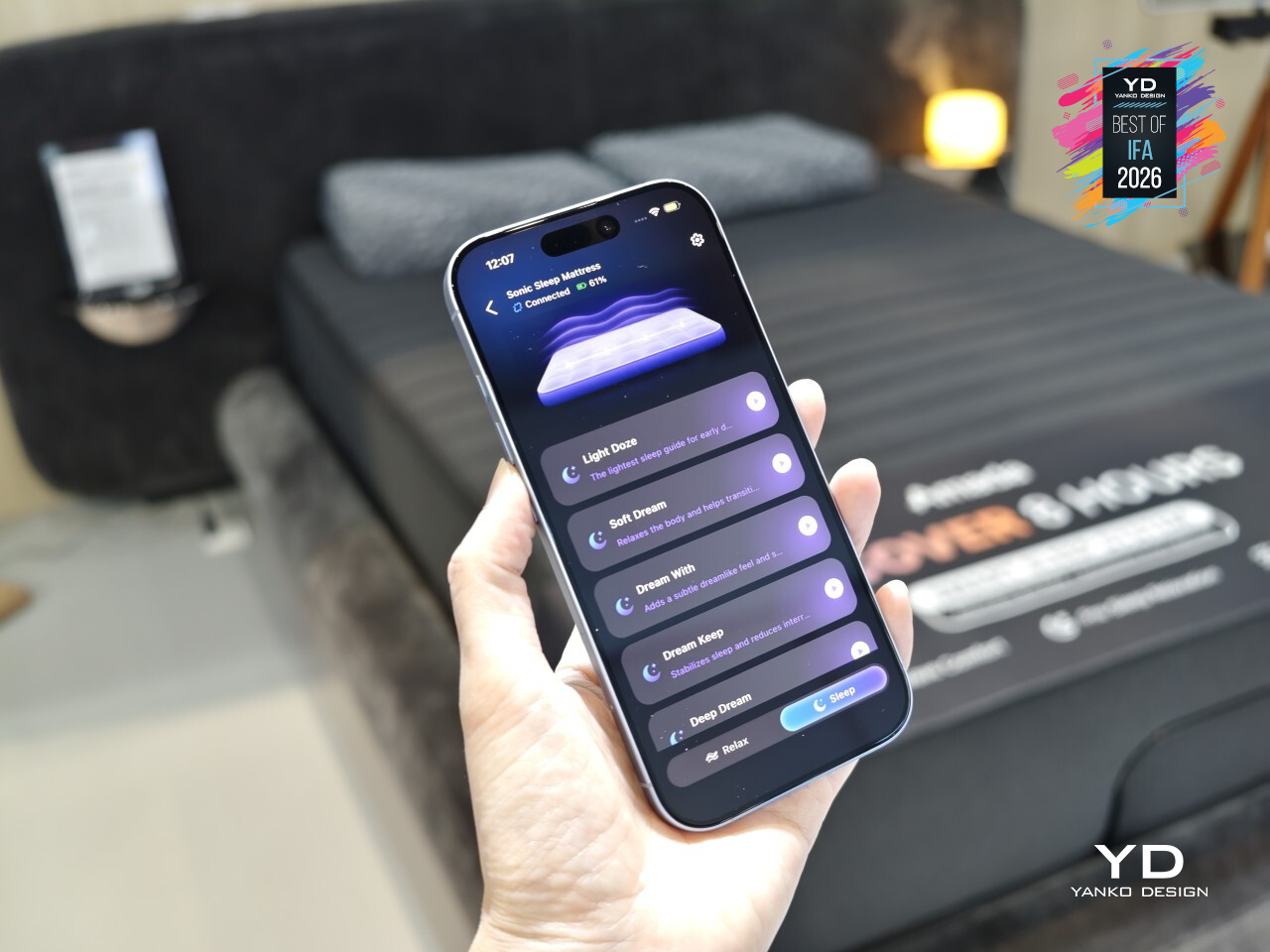
That sensation isn’t confined to one spot near your head or feet either. The vibration spreads across the full surface of the mattress, so the feeling settles in evenly, whether you’re stretched out flat or sitting upright against a raised backrest. It’s less like a massage chair’s isolated pulses and more like the whole mattress exhaling along with you, calm distributed rather than localized.
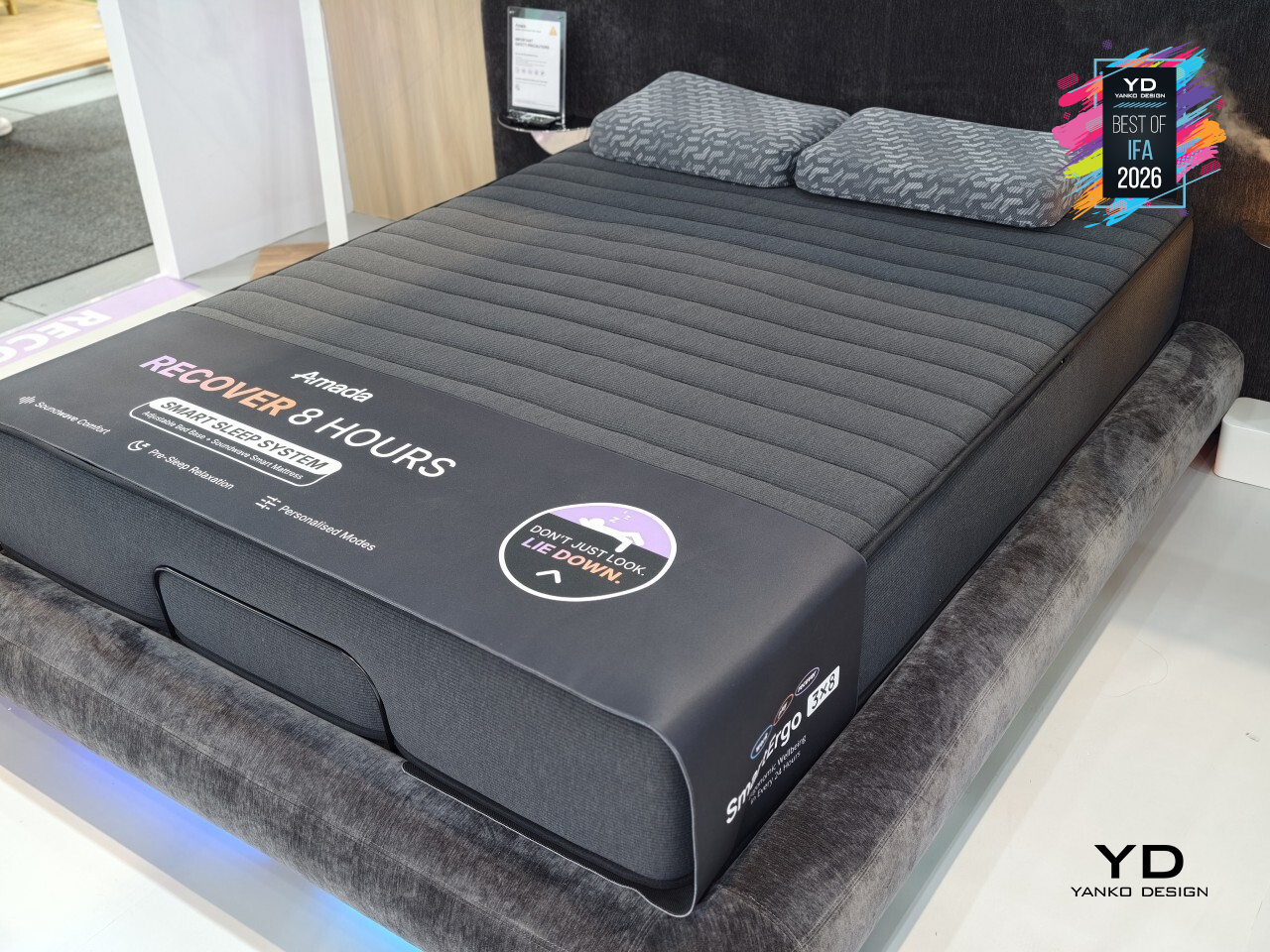
Four modes shape how that calm shows up depending on the moment. Meditation and Sleep lean into winding down at night, while Focus and Recharge serve the parts of the day that need a reset without an actual nap. Everything runs through AMADA’s companion app, so switching between modes or adjusting intensity happens from a phone, without ever needing to leave the mattress itself.
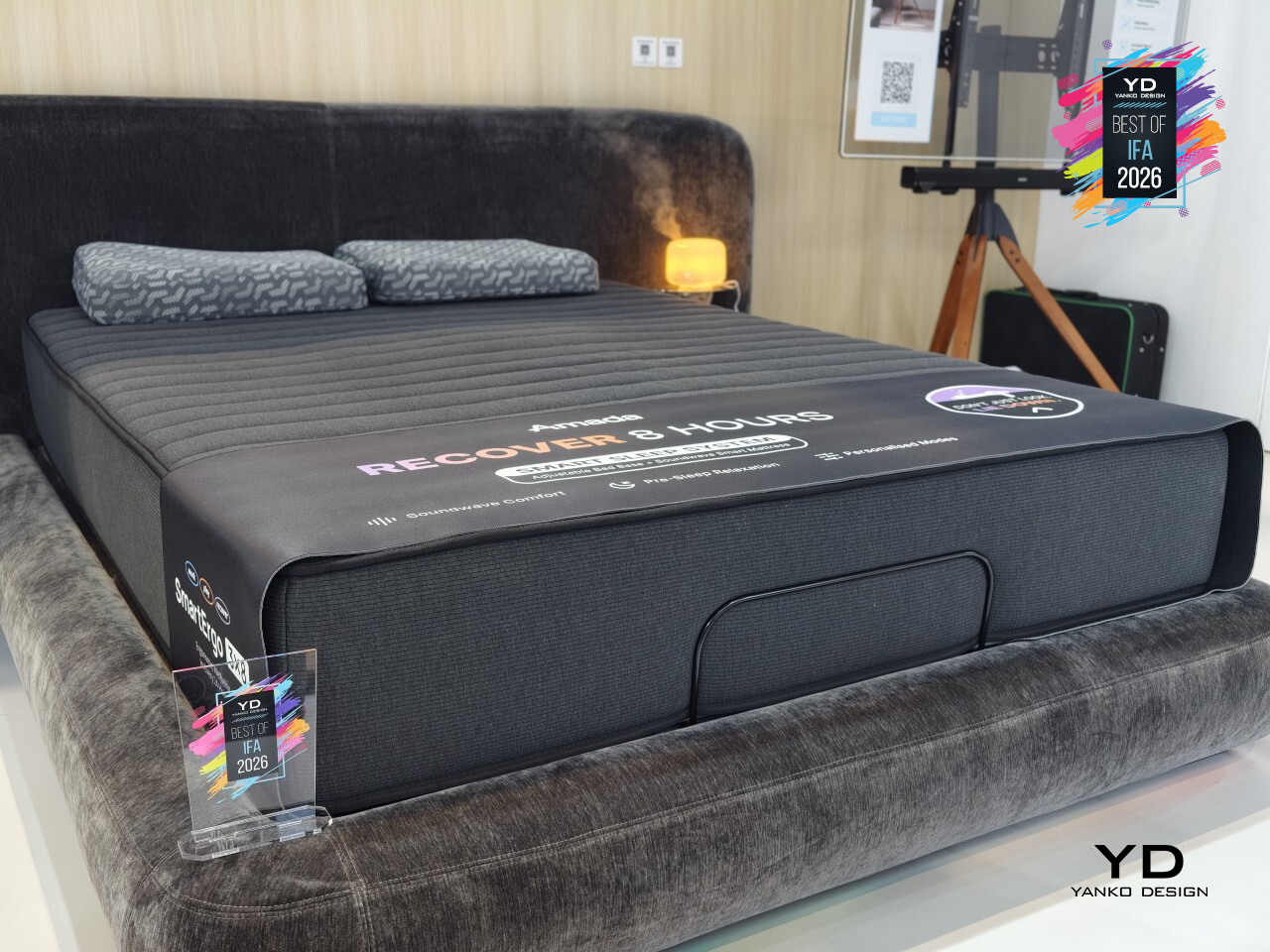
That natural experience is supported by a mattress built to move with modern adjustable bed bases. Its channeled, ribbed top flexes smoothly through every incline and recline, staying comfortable whether it’s flat for sleep or angled up for reading, syncing with adjustable bases instead of fighting against them. That flexibility is easy to overlook until you notice how many mattresses stiffen up the moment a base starts adjusting.
Warm ambient lighting casts a soft glow across the floor, making the whole setup look just as intentional switched off as it does mid-glow at midnight. AMADA Homefurnishing built something that finally treats the mattress itself as the smart device, instead of bolting the smarts onto everything around it.
Baseus Security PrimeSentinel W1 Window 4K Camera
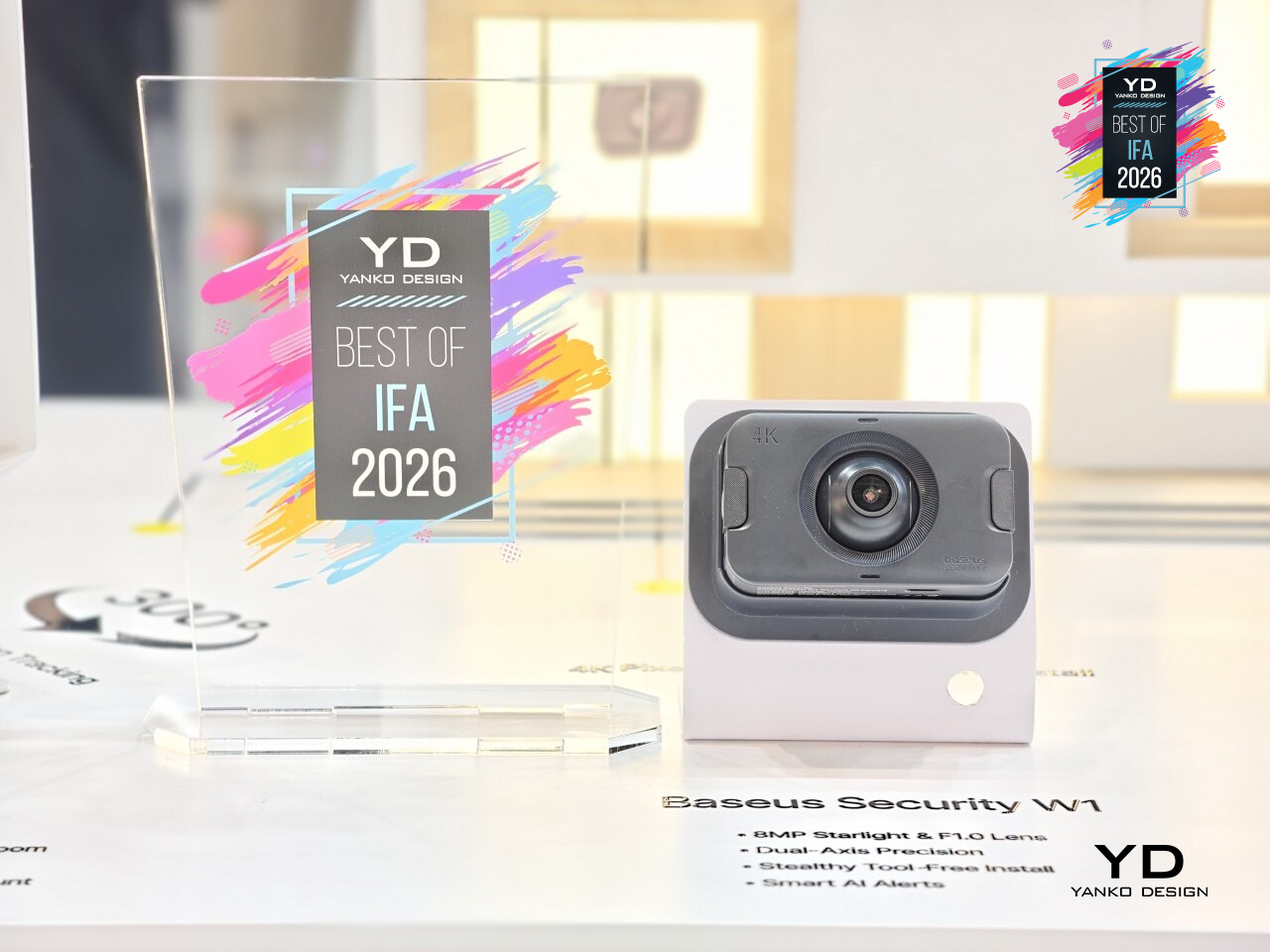
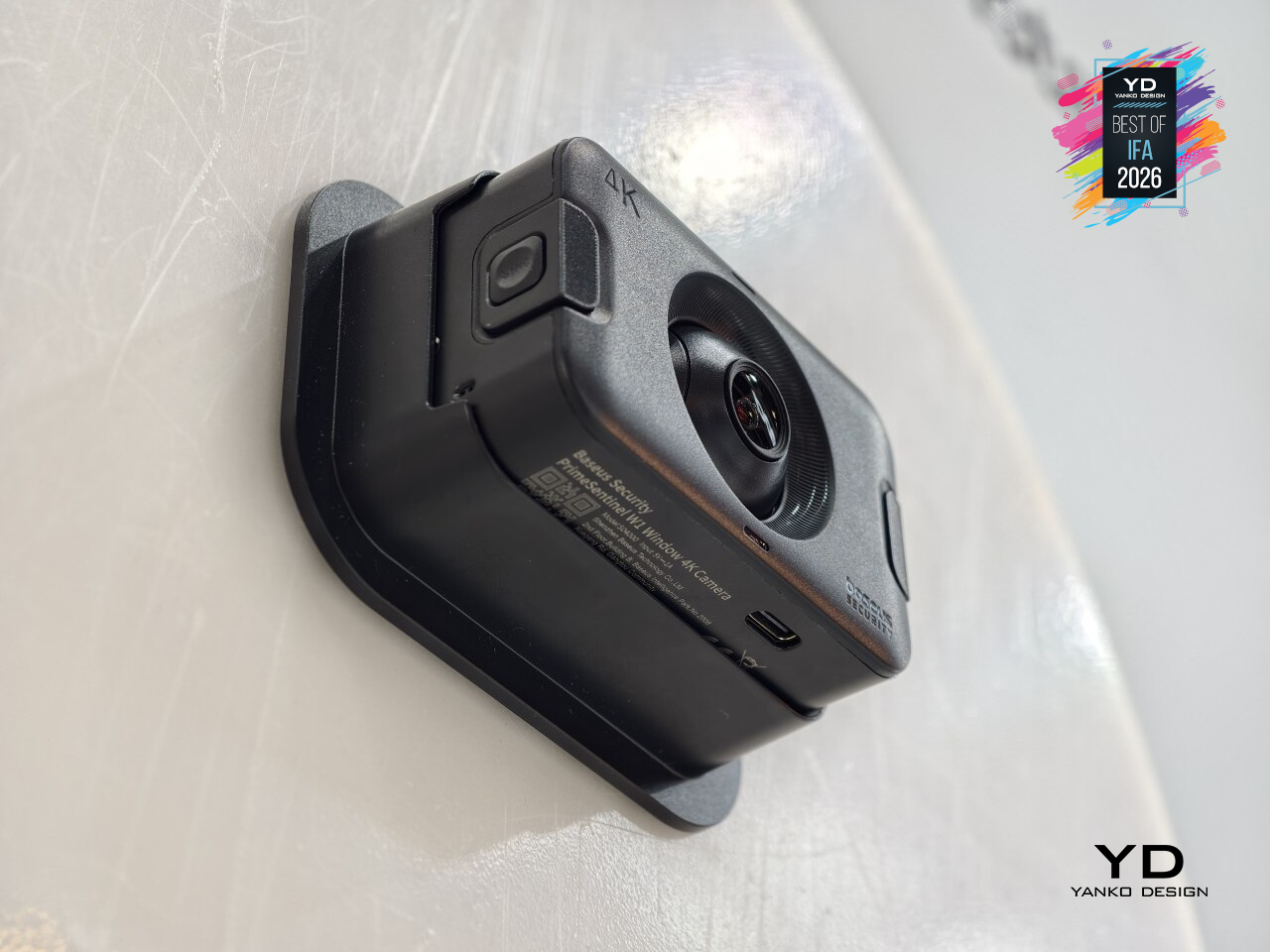
Anyone renting an apartment or living under a strict HOA knows the drill: no drilling into siding, no exterior cameras, no exceptions. Baseus built the PrimeSentinel W1 specifically around that wall. It’s a 4K camera that mounts indoors and watches the outside world straight through a window, giving homeowners and renters alike a clear view of a driveway or porch without touching a single brick or bylaw.
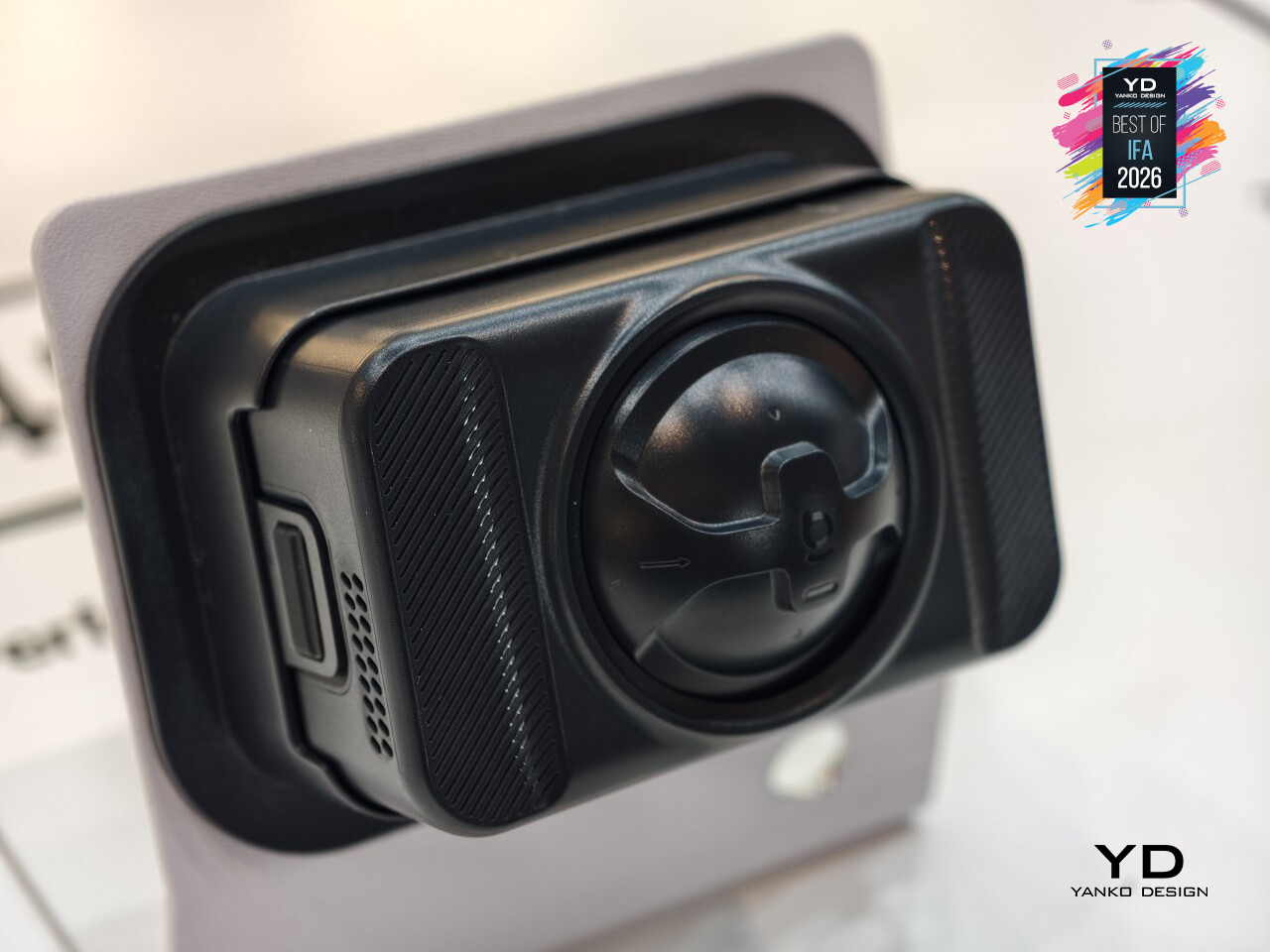
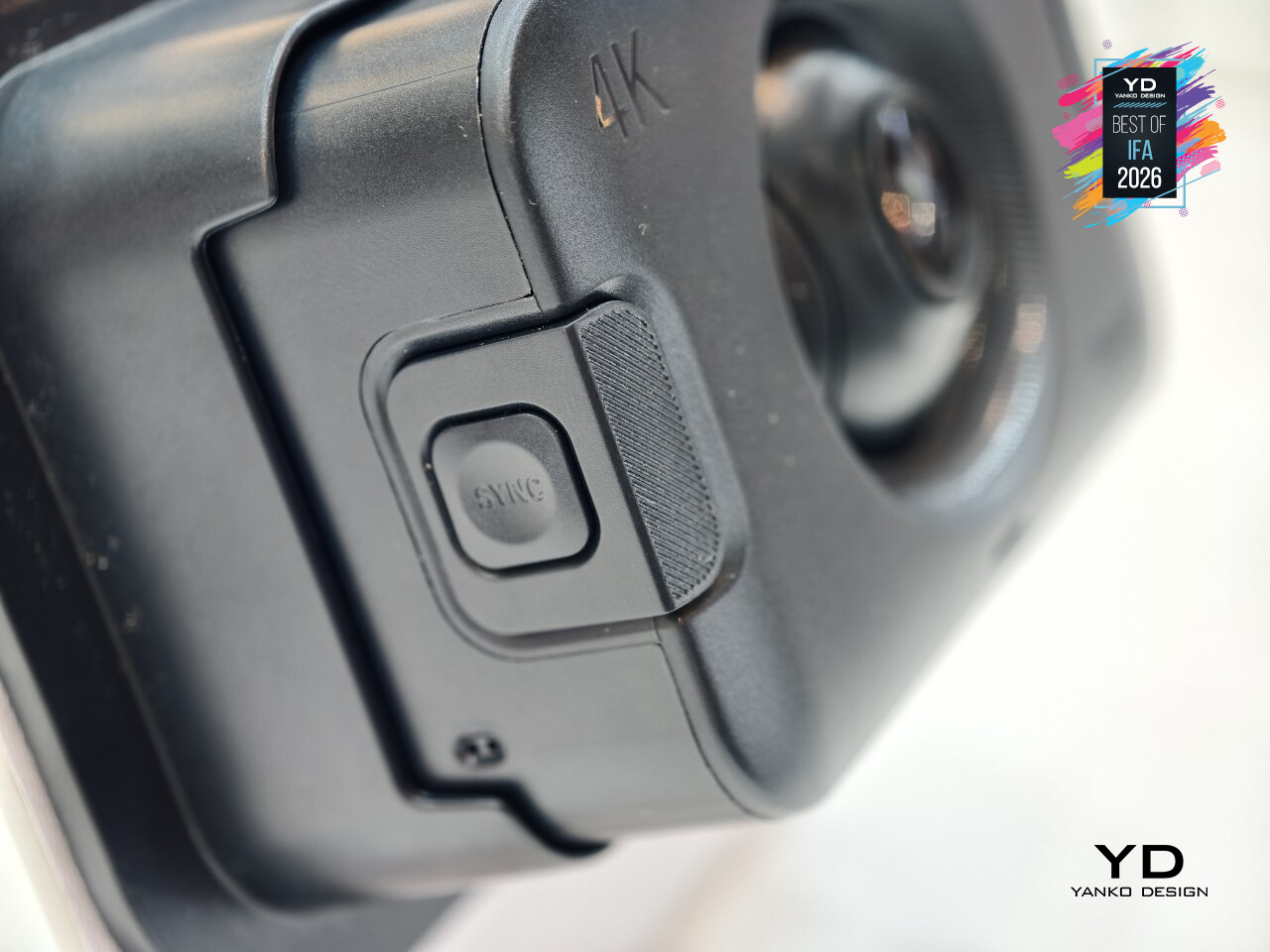
Getting a clean shot through glass has always been the hard part, and that’s where the engineering actually shows up. A 4K Starlight sensor paired with an unusually wide F1.0 aperture pulls in enough light for full-color detail around the clock, while a multi-layer anti-reflection hood cuts the glare and window reflections that usually turn through-glass footage into a smudgy mess. The result reads like a camera that was never behind glass at all.
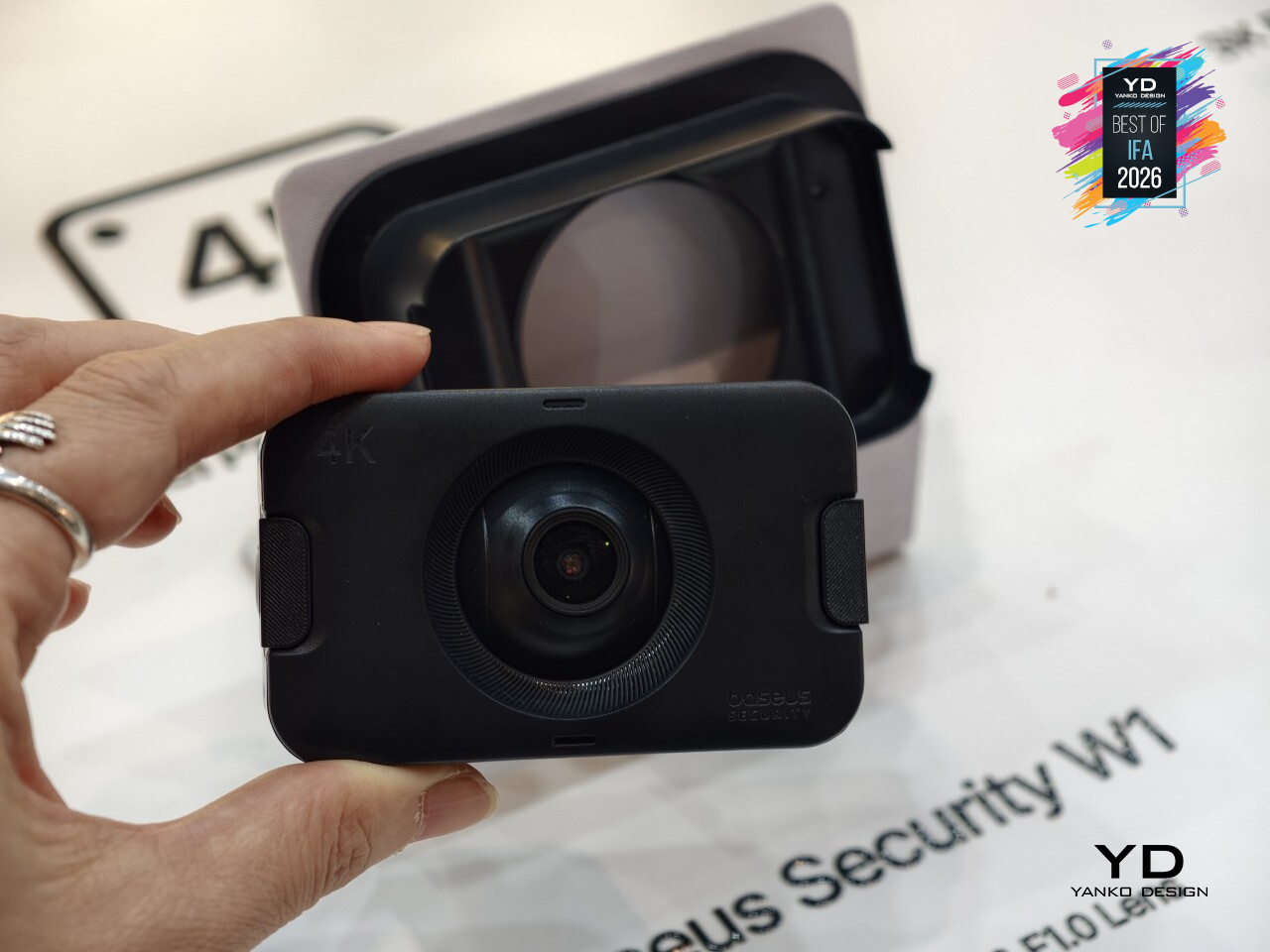
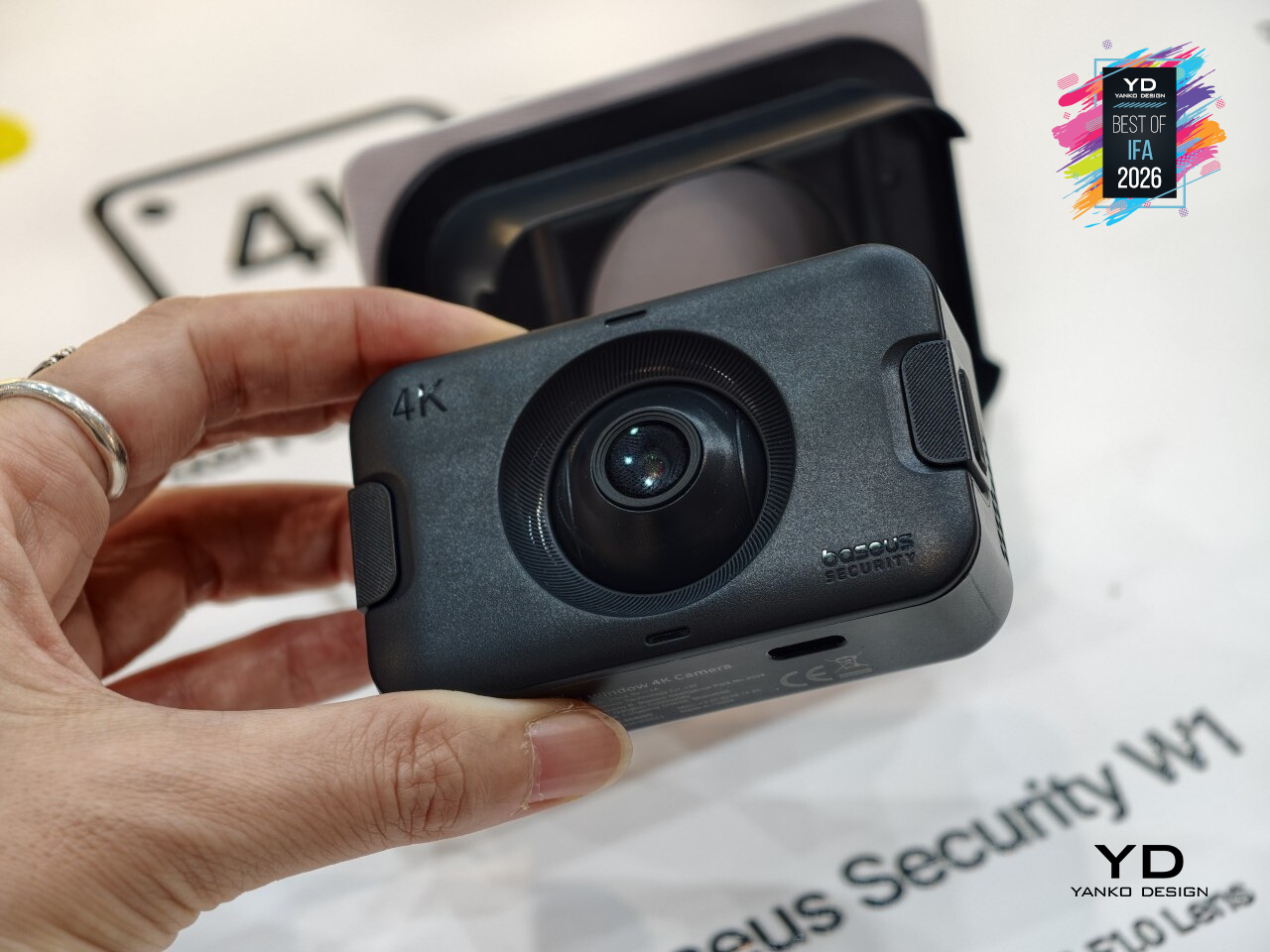
Mounting it takes about 60 seconds; no tools, no drilling, no cables trailing down a wall. Industrial nano-adhesive and dual-sided magnets hold the unit in place well enough to remove any excuse for permanent damage, and that same magnetic build means the camera isn’t locked into one job. Flip it around, and the same hardware works just as well as a standard indoor camera, no separate purchase required.
Once it’s up, a dual-axis mount adds 13 degrees of horizontal and 25 degrees of vertical adjustment, letting the view get nudged onto a blind spot without peeling anything off and starting over. Dual-band Wi-Fi keeps the connection steady, AI event recognition sorts real activity from passing shadows, and 512GB of local encrypted storage keeps footage close by instead of trusting it entirely to the cloud.
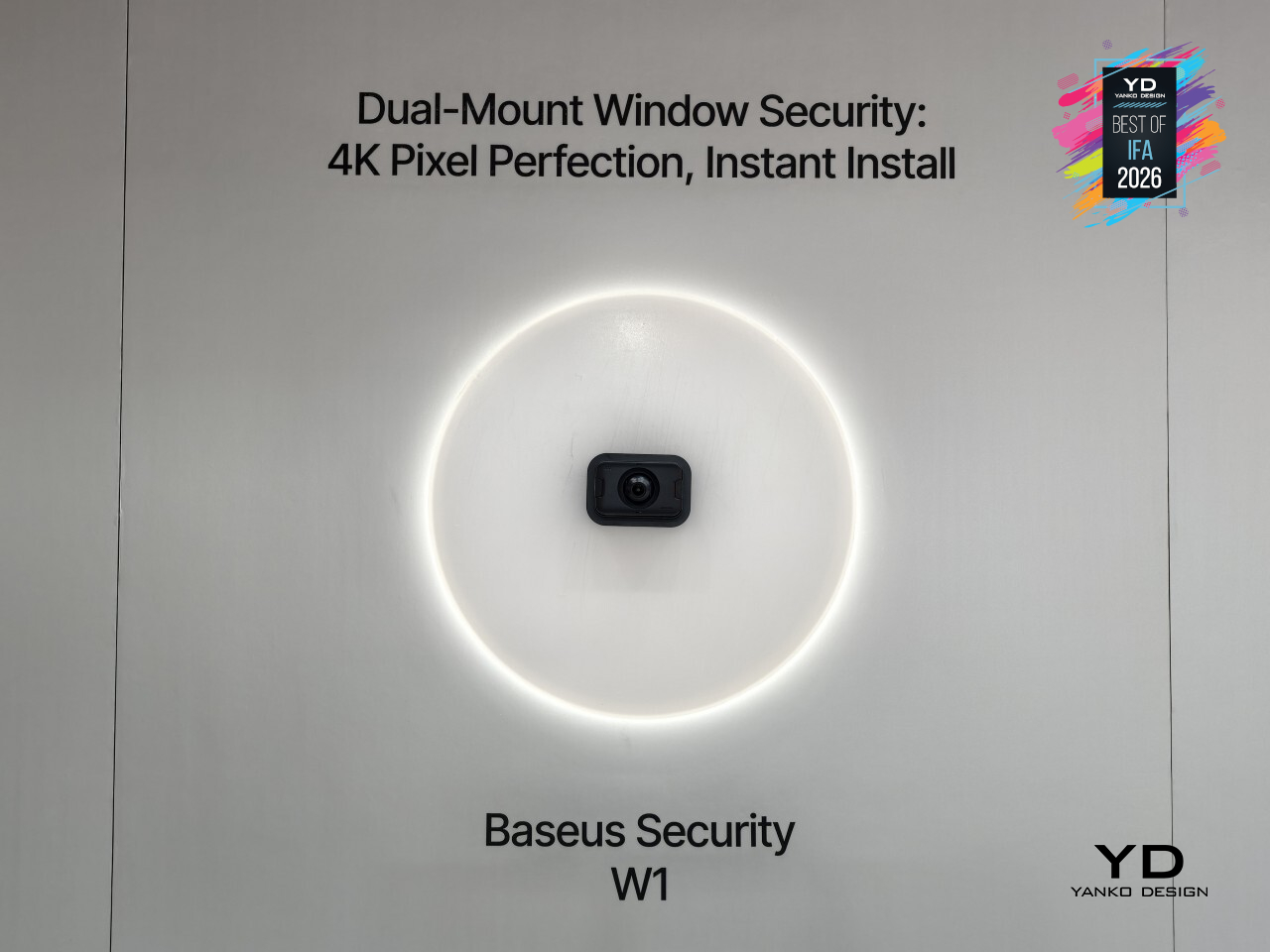
For anyone who’s ever been told no to a security camera because of a lease or a homeowners association, PrimeSentinel W1 quietly sidesteps the whole argument. It doesn’t ask permission to drill, and it doesn’t need to. That’s a rare thing in home security: a camera that solves a policy problem with better engineering instead of a legal workaround.
Ascentiz Modular Exoskeleton (H&K Modules)
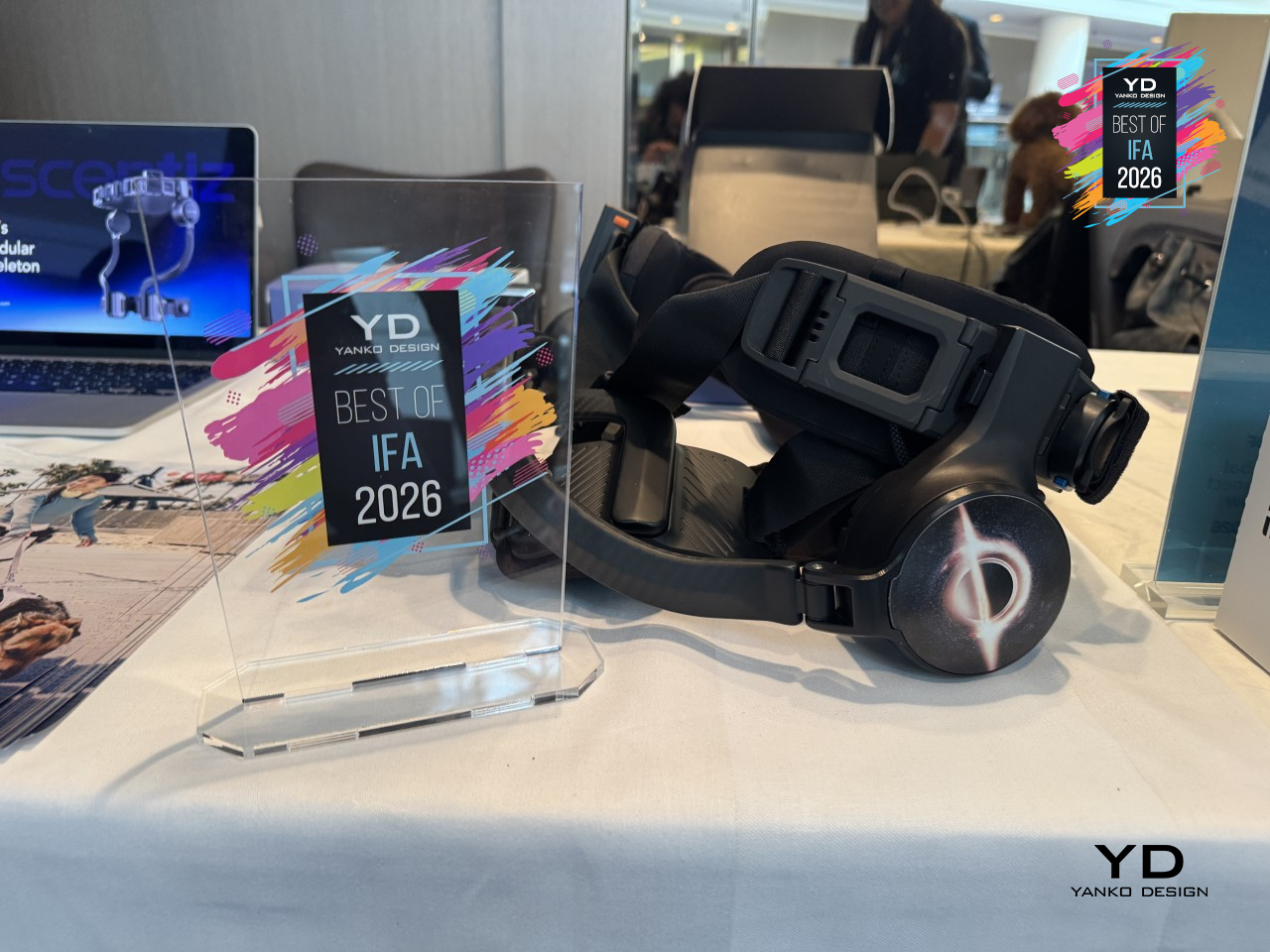
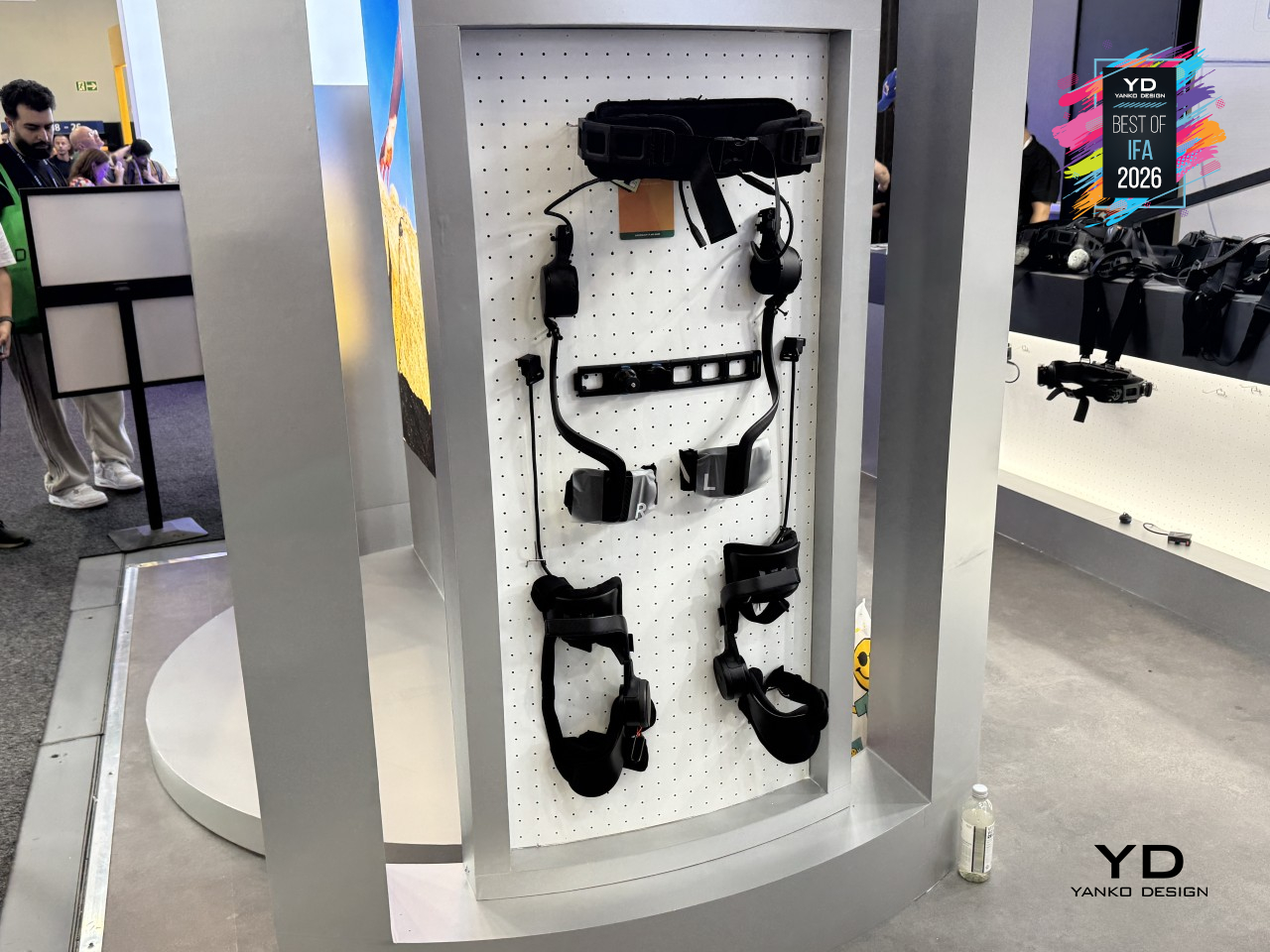
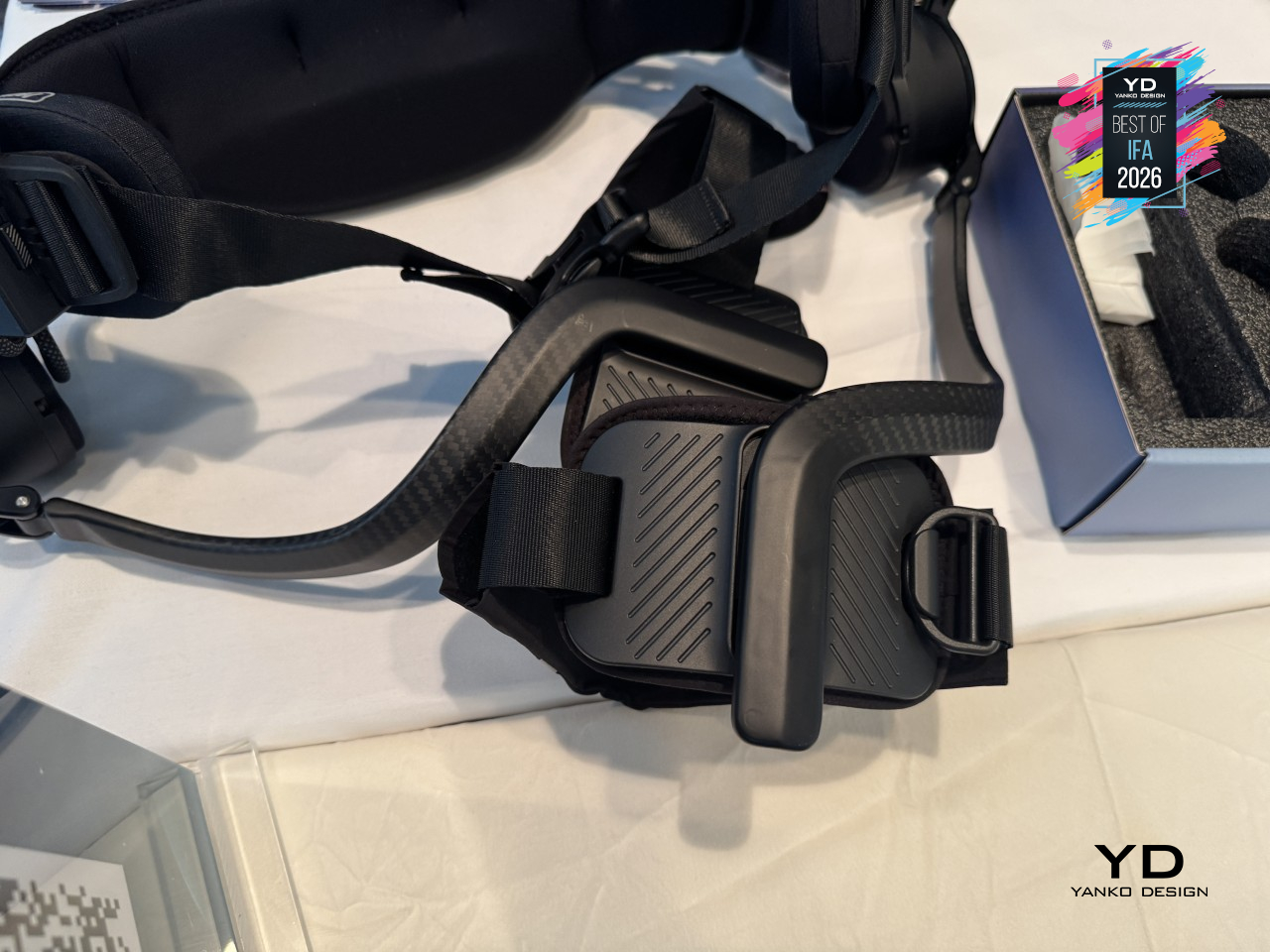
Most exoskeletons force a choice between explosive power and joint protection, built as one fixed device that can’t become the other. Ascentiz sidesteps that entirely. Its BodyOS platform runs on a single Exo-Belt hub that handles power, data, and computing, then lets that same belt take either an H module for hip propulsion or a K module for knee support, swapping the kind of help your legs get without swapping the whole system.
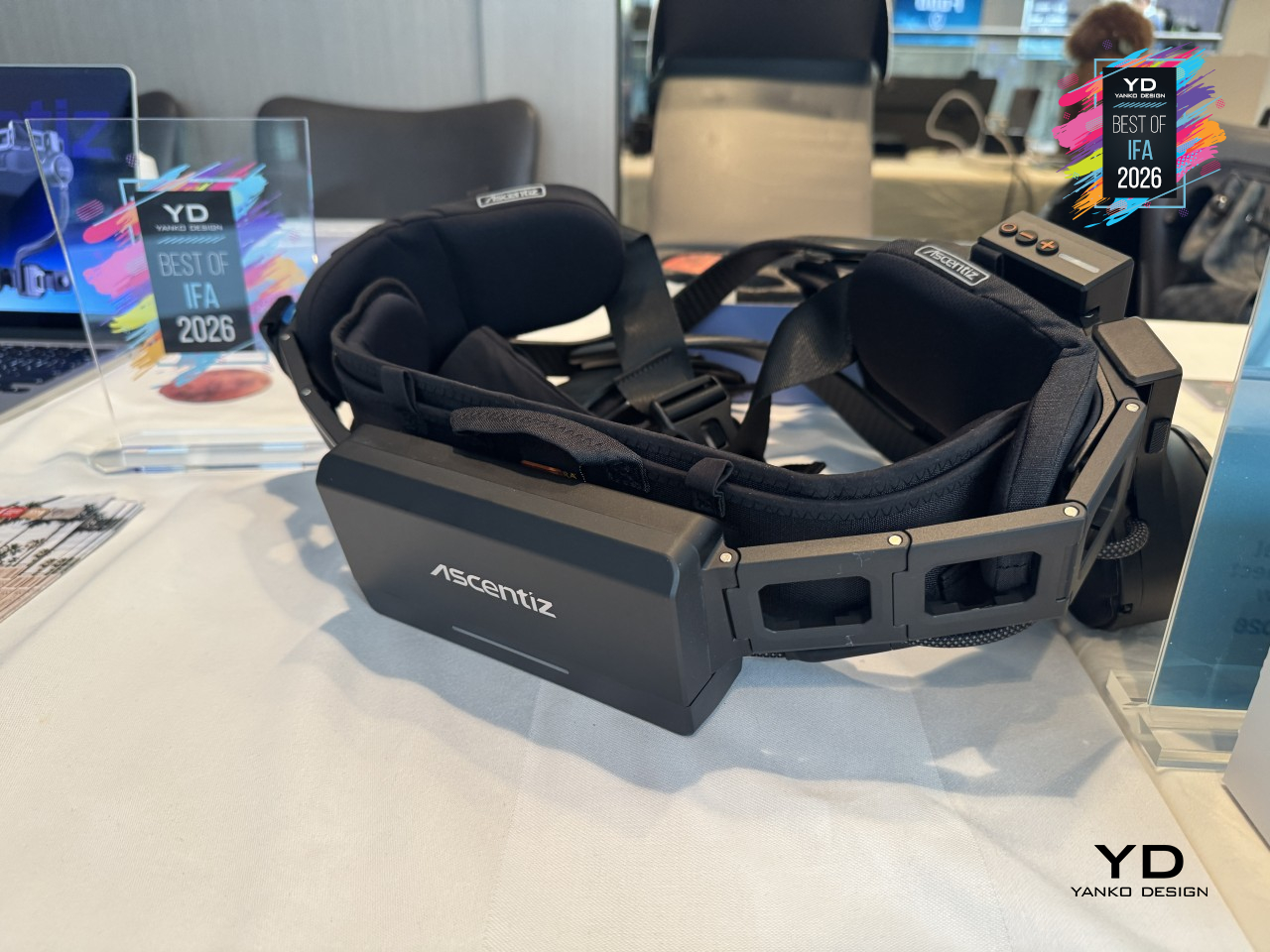
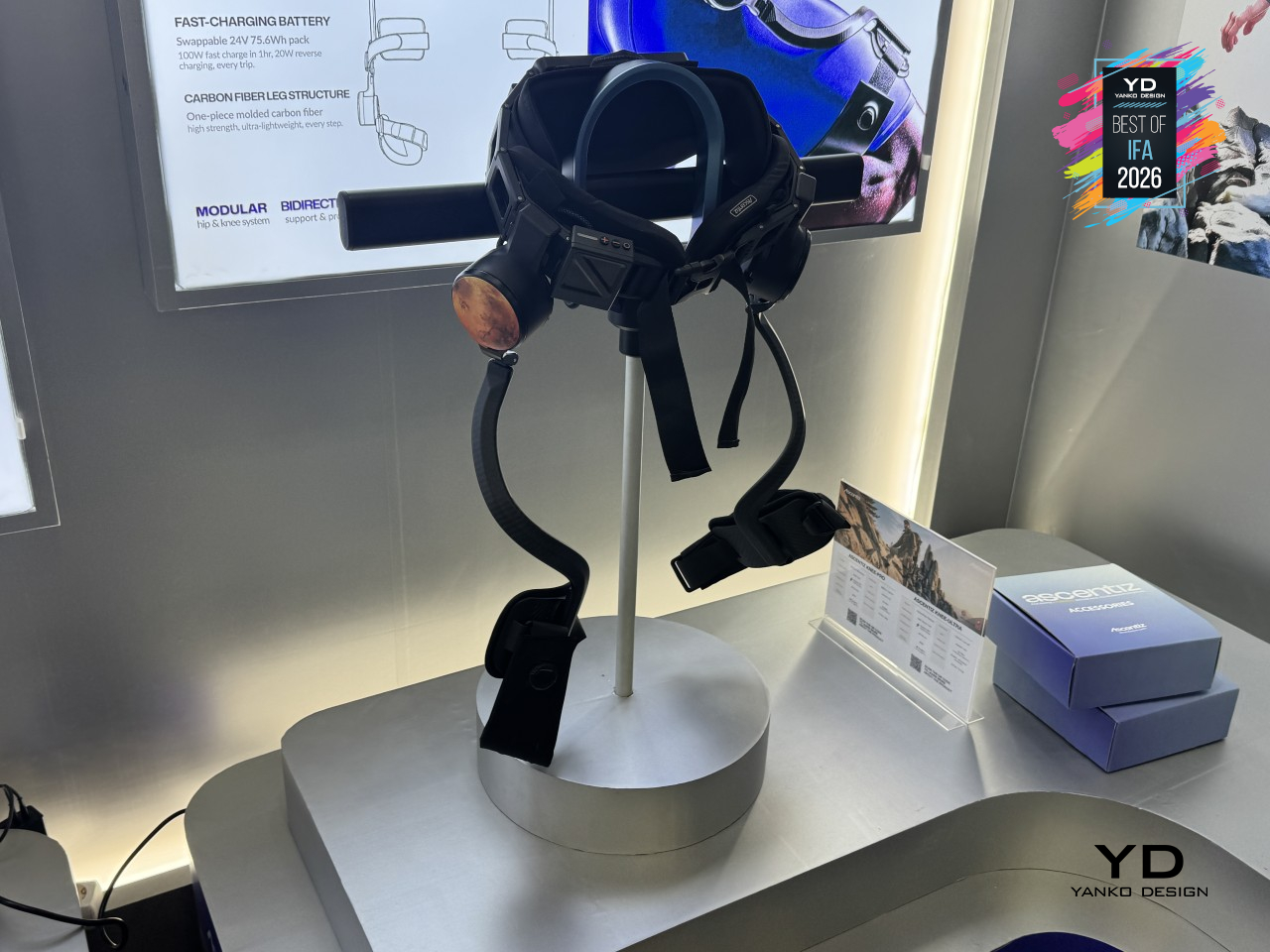
That flexibility comes down to two very different drive mechanisms doing two very different jobs. The H module uses quasi-direct drive, built for the quick, responsive push a hip needs during a stride or a climb. The K module relies on cable-drive transmission instead, engineered for sustained torque and steady impact management, the kind of support a knee needs mile after mile rather than in short bursts. Each module does one job well instead of compromising on both.
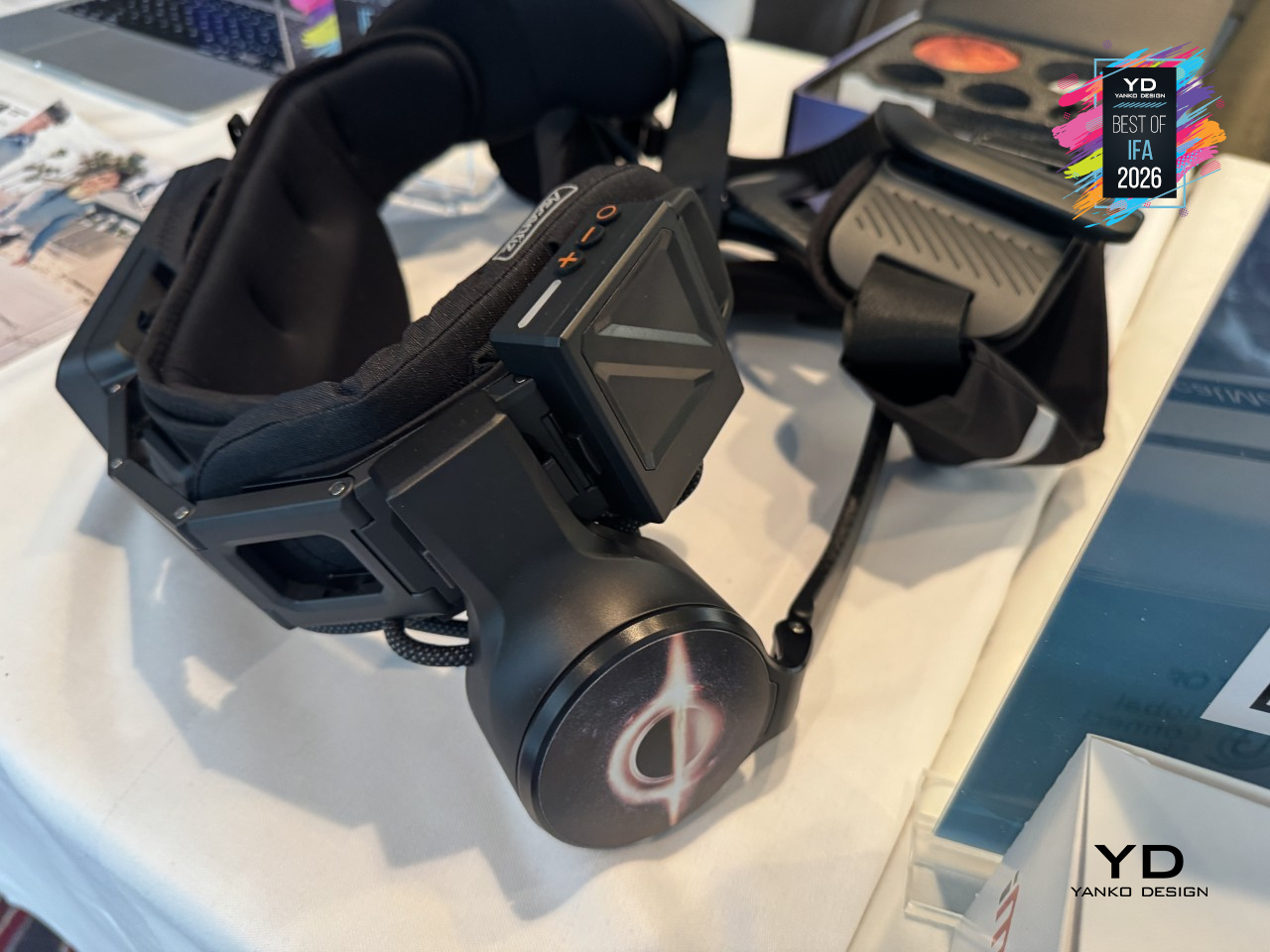
That assistance only works because the software keeps up just as fast. Ascentiz reads gait and movement intent in real time, switching assistance modes in under 200 milliseconds with a claimed 99.5% recognition accuracy. The goal isn’t to notice the exoskeleton working at all, just to notice that a hill climb or a long walk suddenly takes less out of you than it used to.
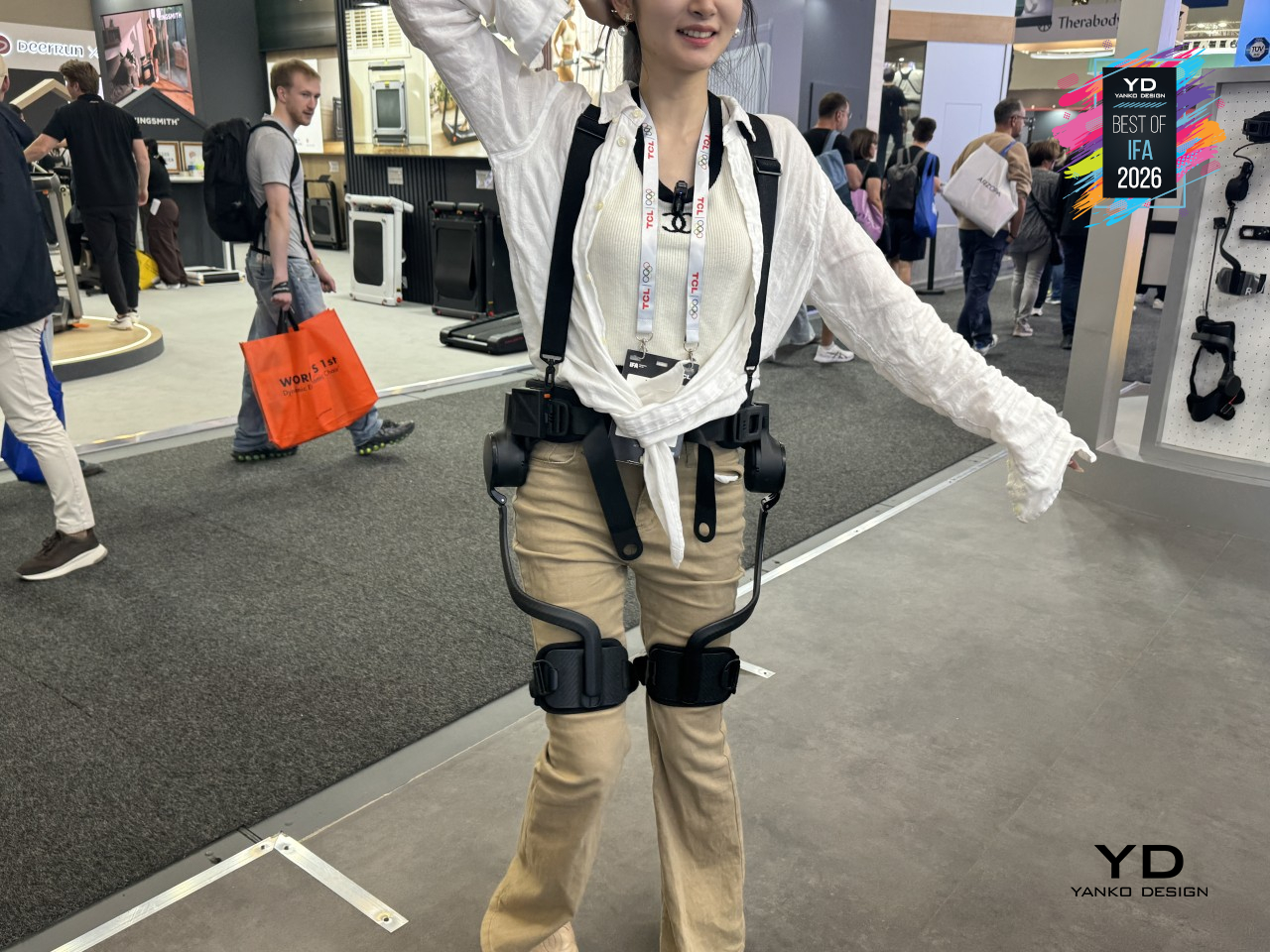
Materials scale with ambition here too. H Pro uses an aluminum alloy frame with carbon-fiber-reinforced polymer, a lighter build at a friendlier price point, while H Ultra steps up to aerospace-grade titanium alloy and full carbon fiber for maximum strength-to-weight and durability under sustained load. Both share eVent fabric at contact points and Duraflex hardware throughout, and both go from box to body in five seconds flat, rated IP54 for dust and splash protection outdoors.
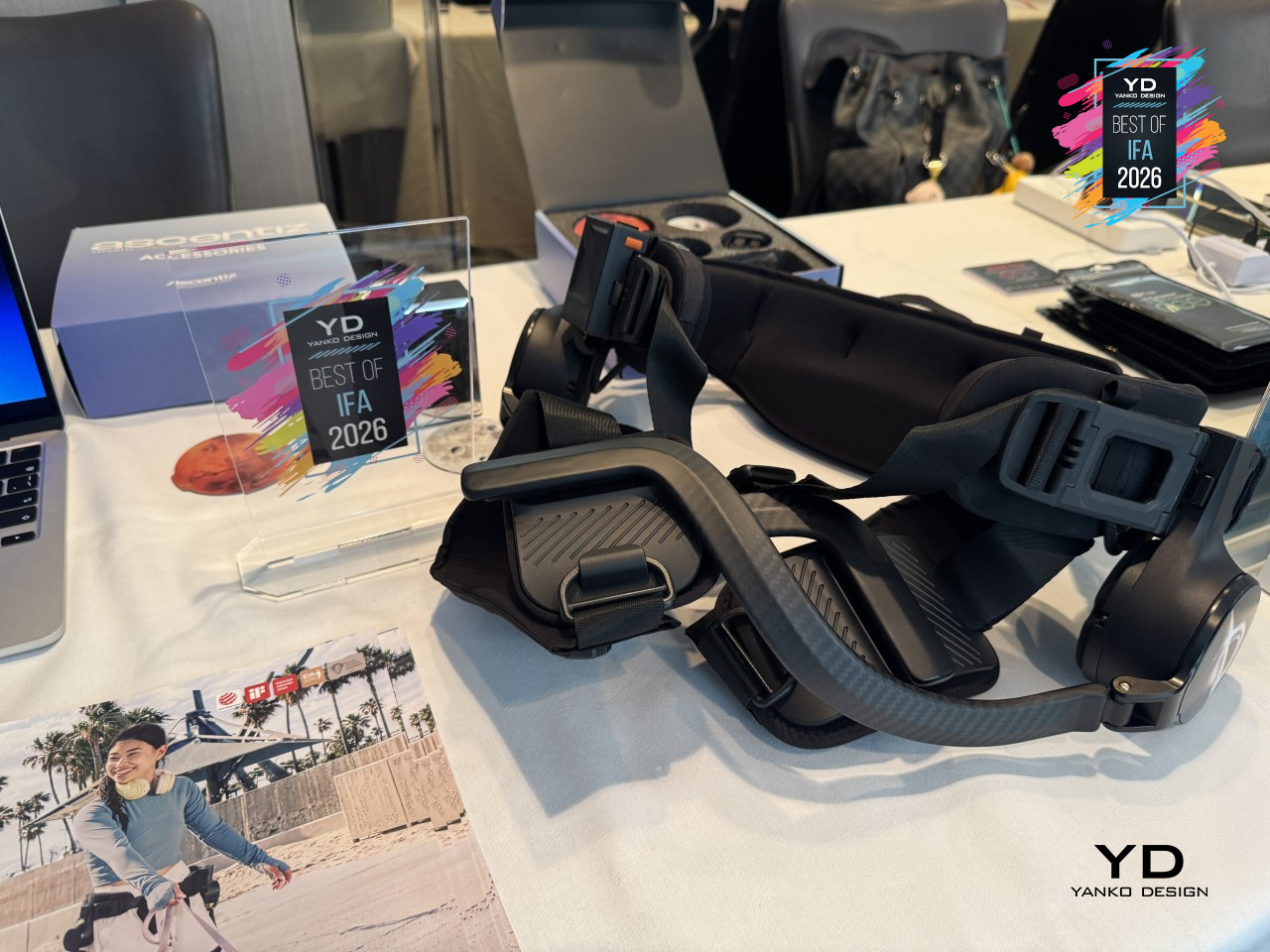
Three modes cover how differently people actually move through a day. Ease eases a long travel day or a tired commute, ACC pushes back on stairs and climbs, and Train adds resistance to turn an ordinary walk into a workout. Built on an open-source BodyOS with real developer access through SDKs and APIs, Ascentiz reads less like a finished gadget and more like a foundation other builders haven’t finished standing on yet.
ODYSS N1 AI Dietary Necklace
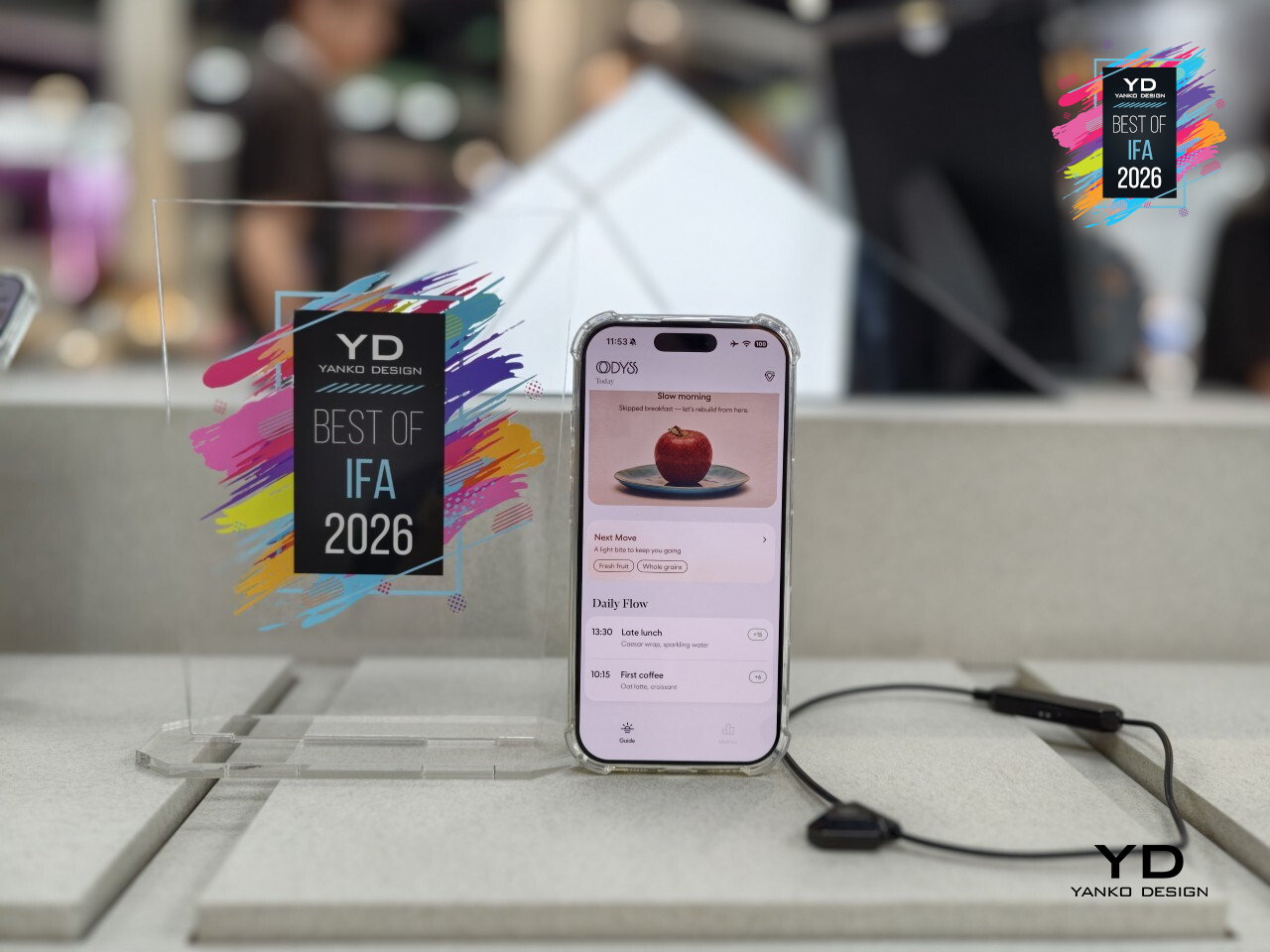
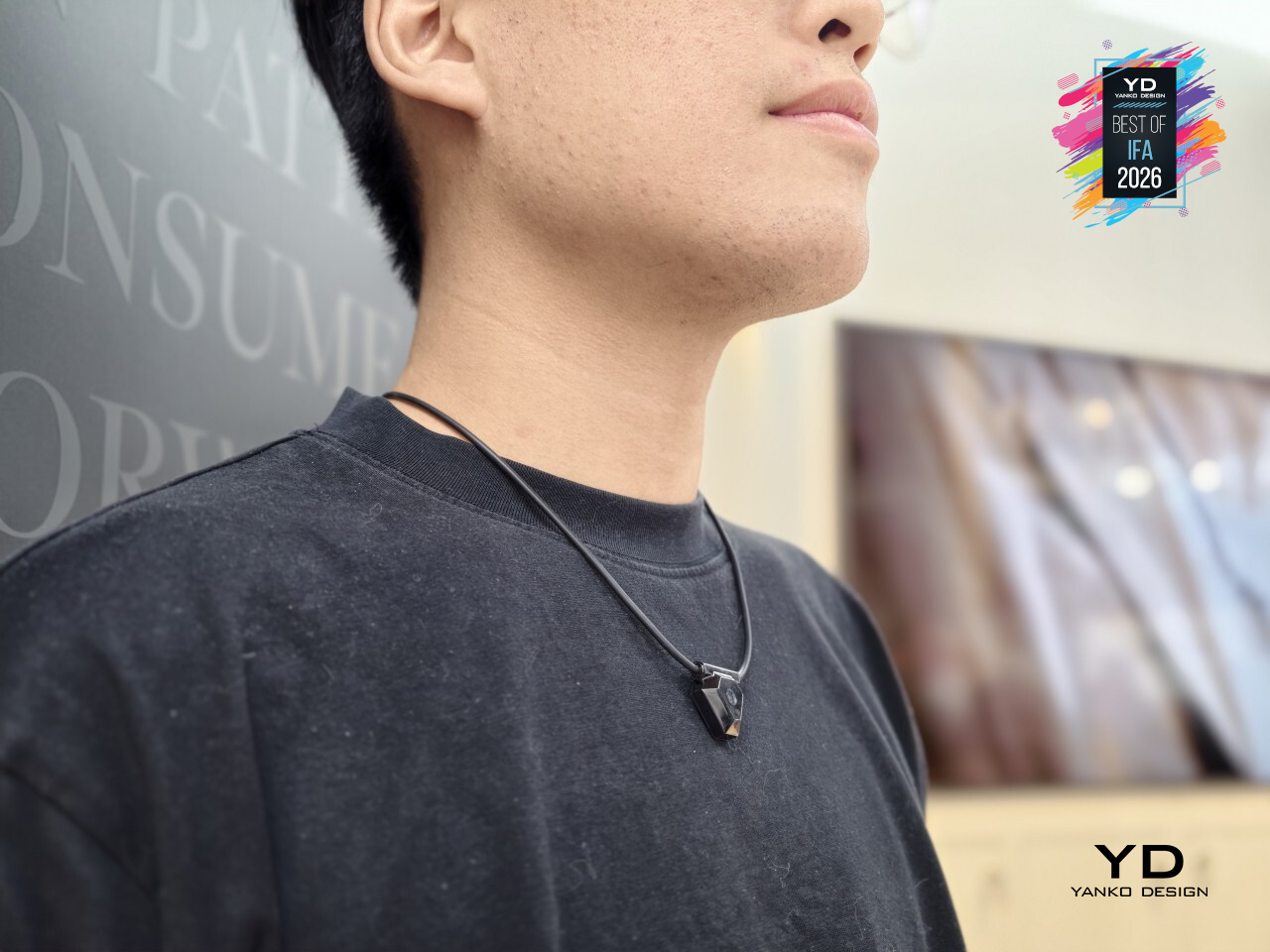
Every nutrition app makes the same promise: track what you eat, and you’ll understand your habits, then hands you a camera and a food log to fill out three times a day. ODYSS N1 skips that entire negotiation. It’s a necklace that quietly tracks meals all day long, no app to open, no photo to snap, no log to fill in, just wearing it and letting the rest happen in the background.
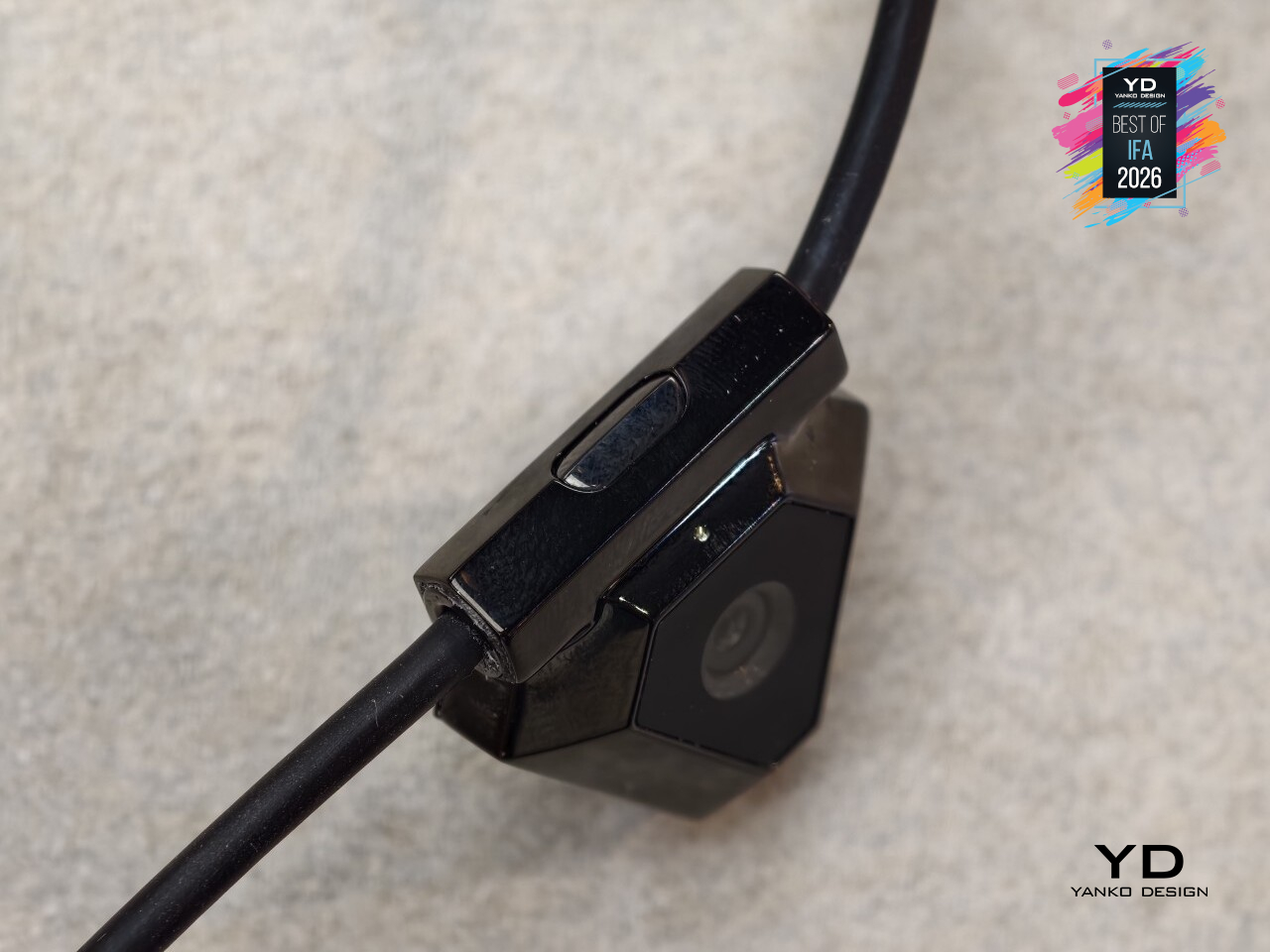
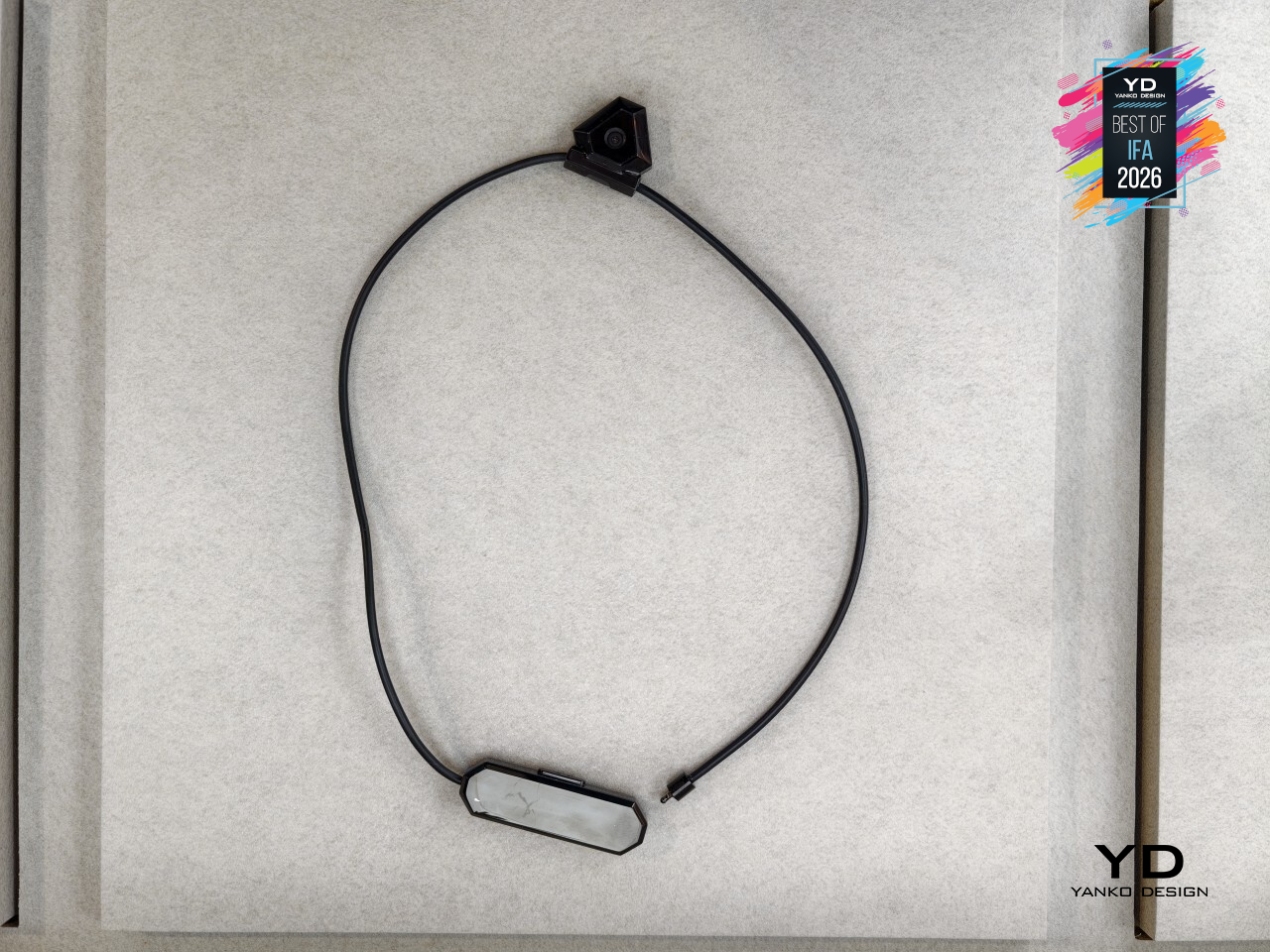
That the solution took the shape of a necklace says something about the design thinking behind it. At 35 grams, the pendant sits light enough to disappear into a work outfit or a weekend look, closer to jewelry than to another gadget competing for space on a wrist or a collar clip. Hidden inside is a front-facing sensor built to notice eating moments through a mix of vision, audio, and motion, without ever looking like it’s doing much of anything.
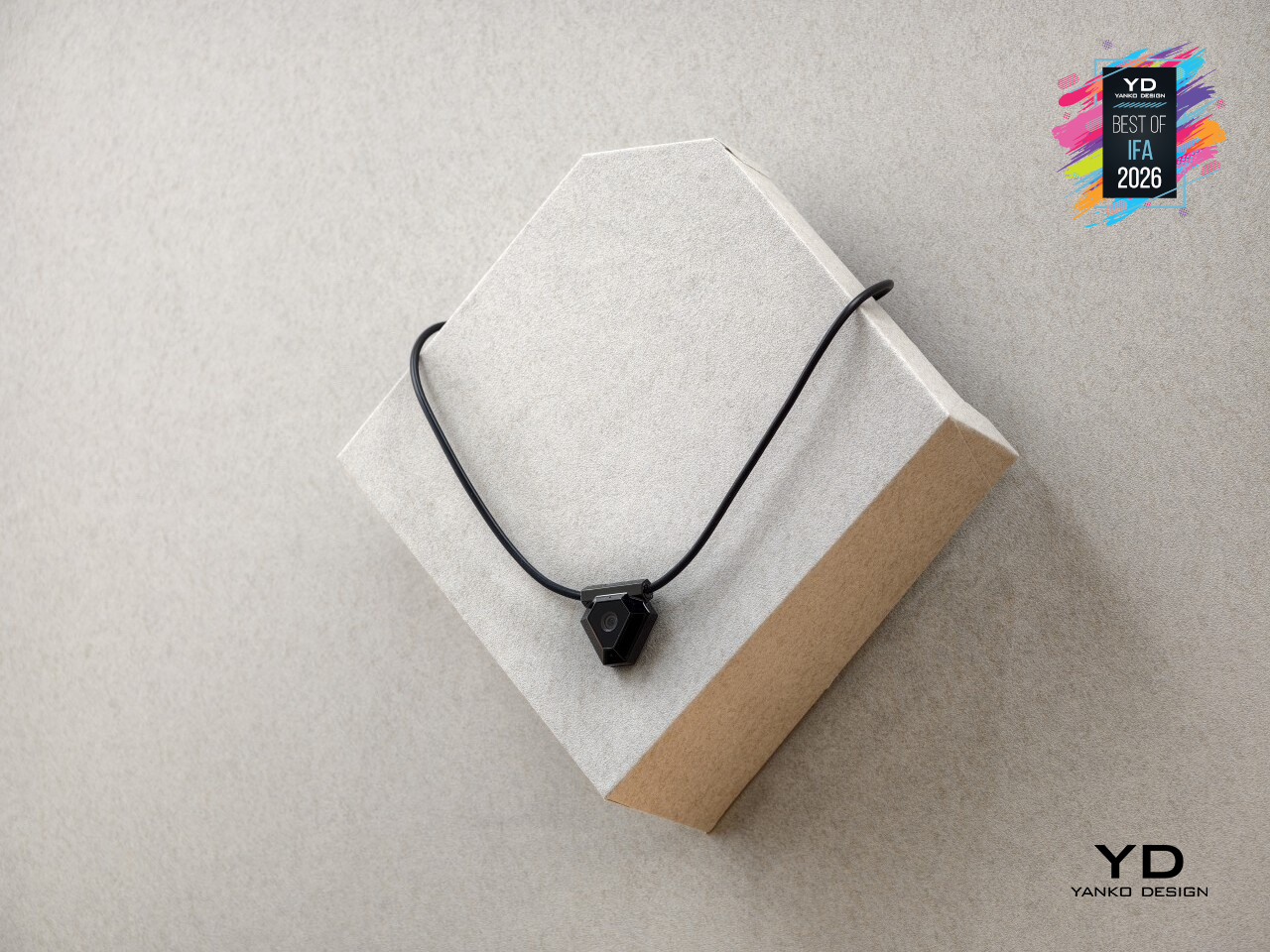
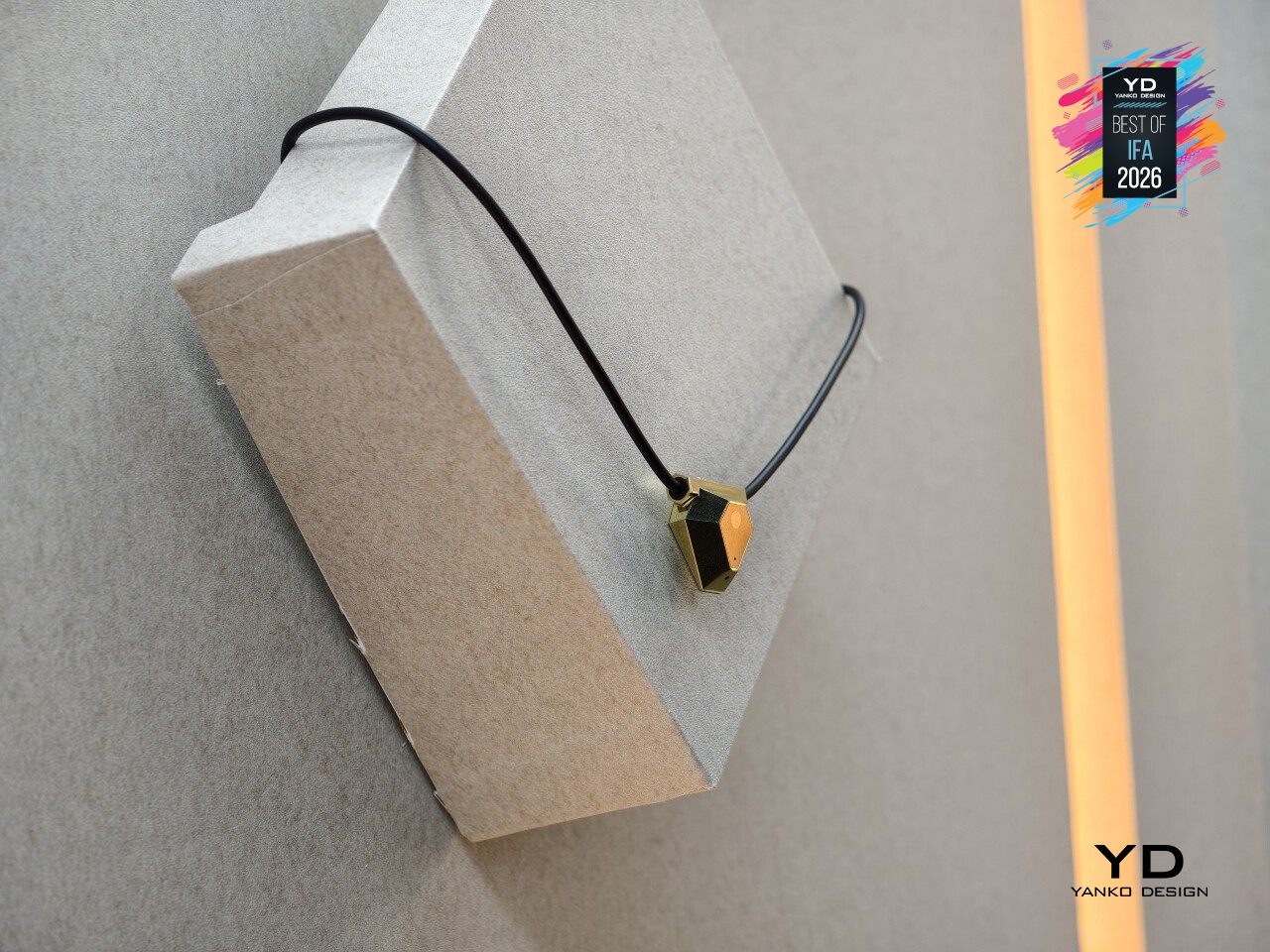
Wearing a camera near your face all day raises an obvious question, and ODYSS answers it with hardware, not just a privacy policy. A physical button cuts power to the camera and microphone instantly. The system only processes food-related information and filters out everything else, and images get converted into structured insights before being deleted, so no raw photos sit around waiting to be misused. Sensing activity even quiets down automatically the moment eating stops.
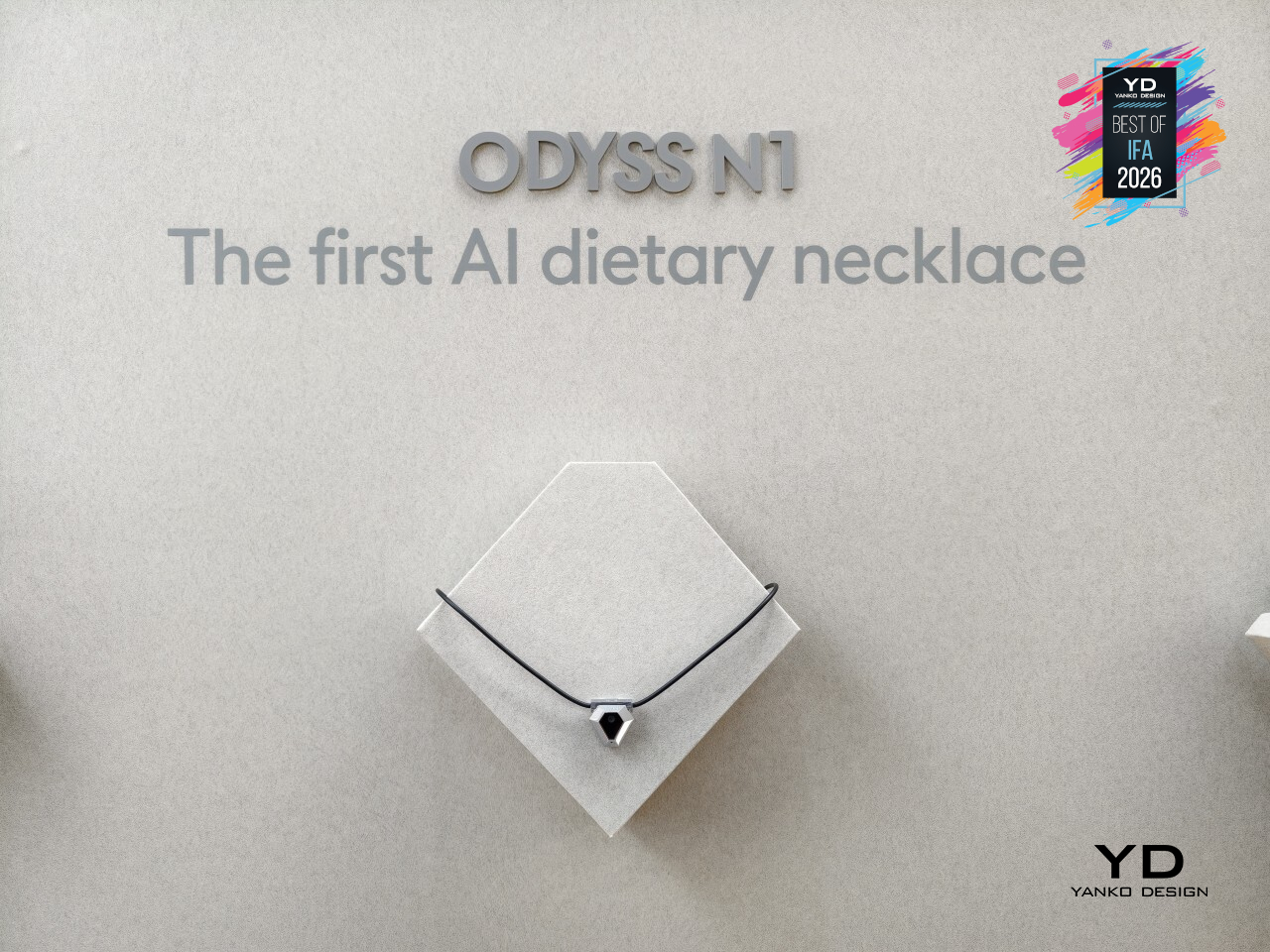
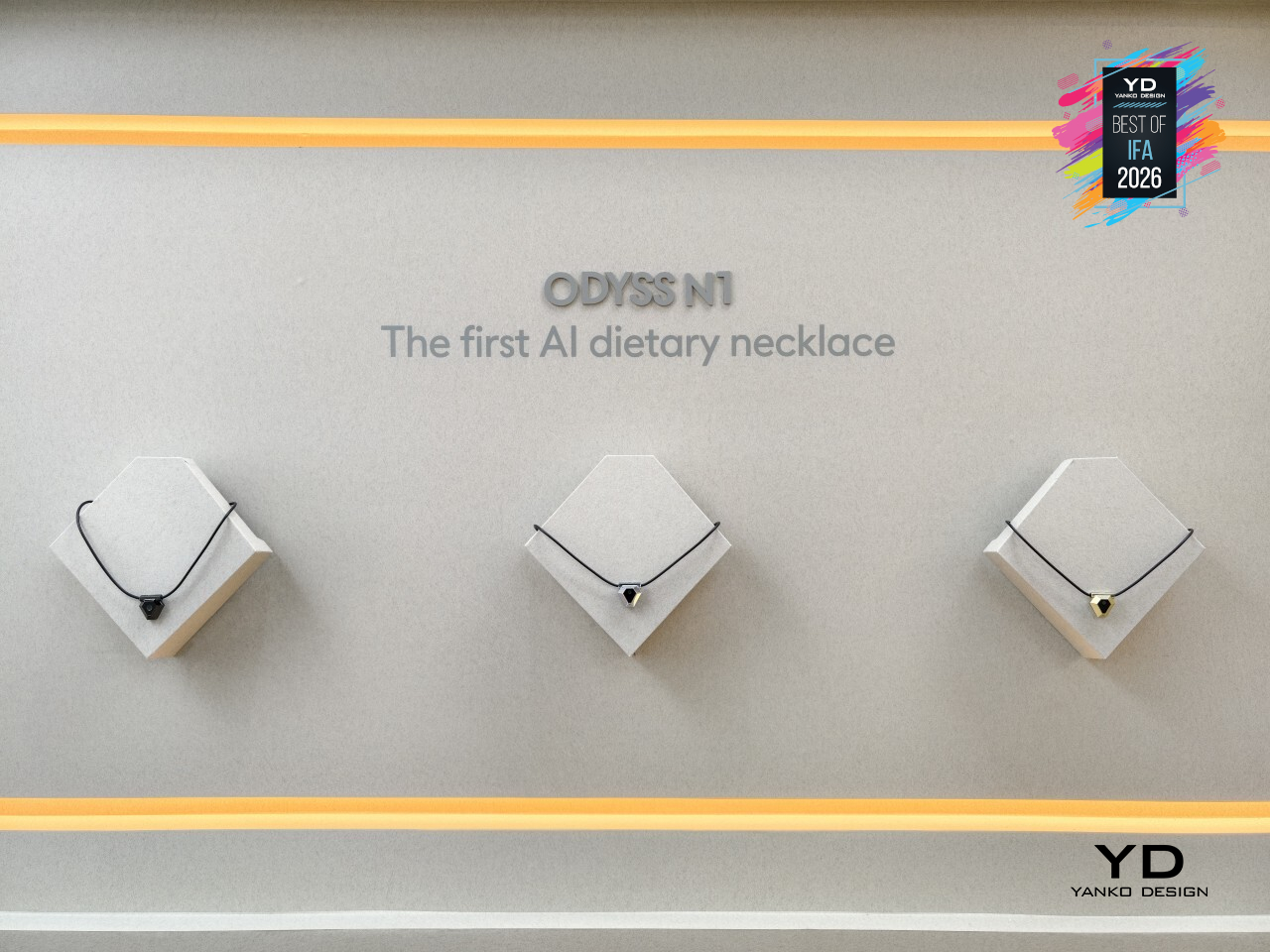
Day to day, that translates into something closer to a slow-building picture than a strict diet plan. Meals get logged automatically at first, and over time the AI starts mapping patterns: when cravings hit hardest, which meals run light on nutrients, where energy dips show up. What comes back are gentle nudges rather than rigid rules, the kind of feedback that nudges a habit sideways instead of demanding it change overnight.
ODYSS built a device that treats understanding your own eating habits as something that should happen quietly, not as a chore layered on top of an already busy day. That’s a meaningfully different bet than most health tech makes, and one worth watching closely as it moves from prototype toward people’s actual necks.
Makera Z1 Pro Desktop CNC
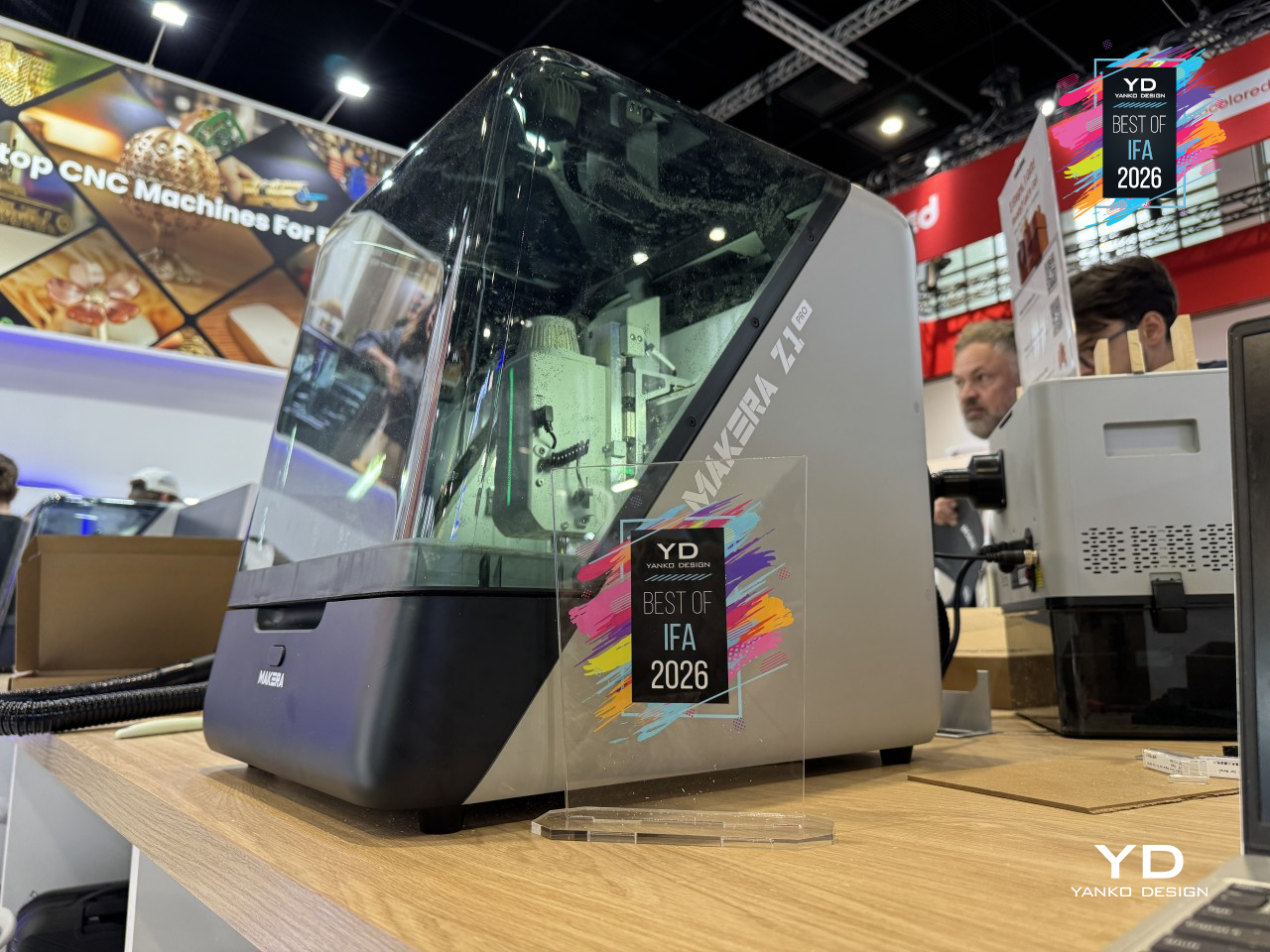
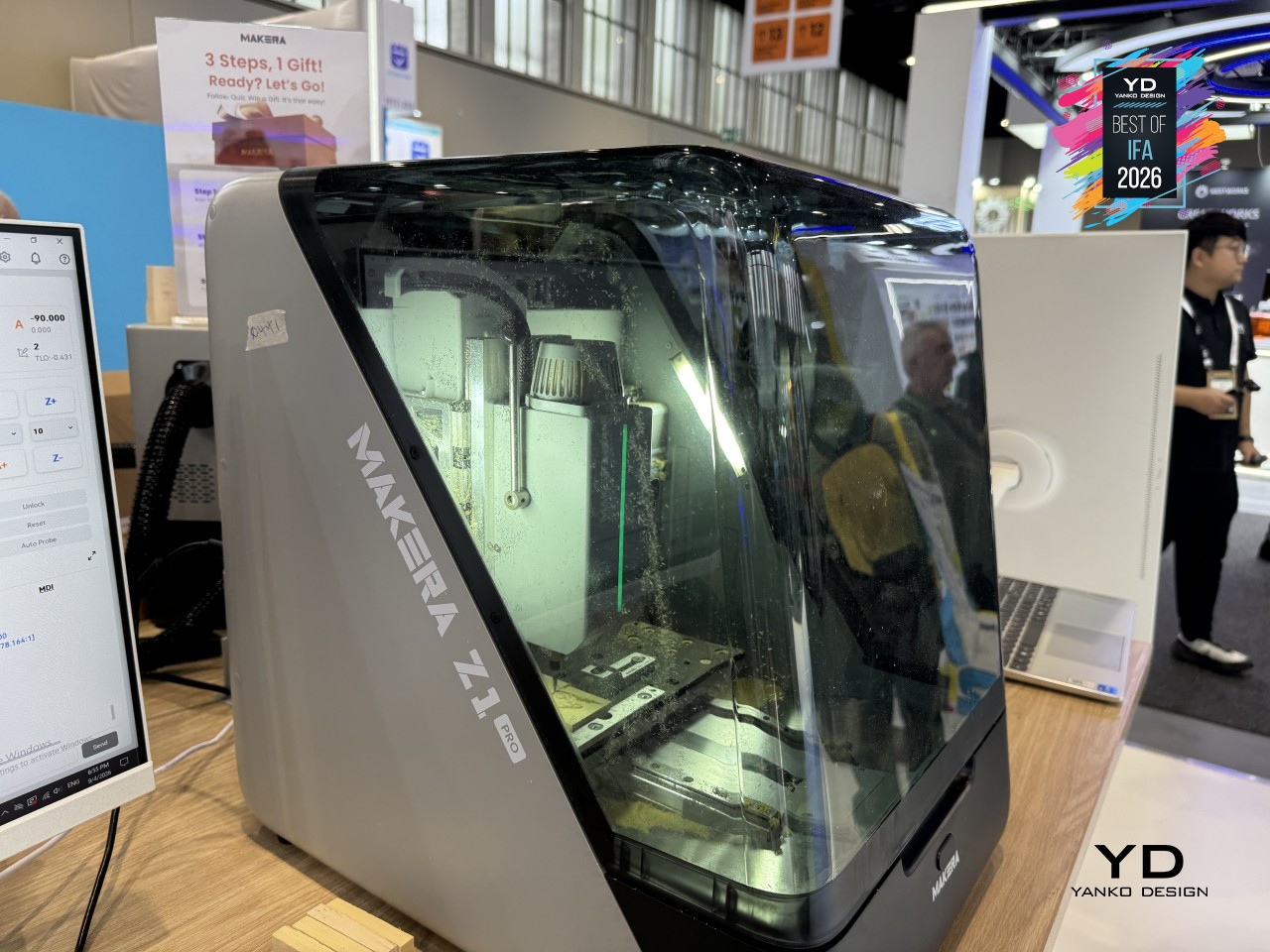
Desktop CNCs have a reputation for scaring off exactly the people who’d get the most use out of them: tangled setups, steep learning curves, and enough exposed hardware to make a beginner nervous. Makera built the Z1 Pro to close that gap. Its integrated gantry and simplified structure fold the usual complexity of a CNC machine into something a first-time user can understand within minutes, without giving up the precision serious projects actually need.
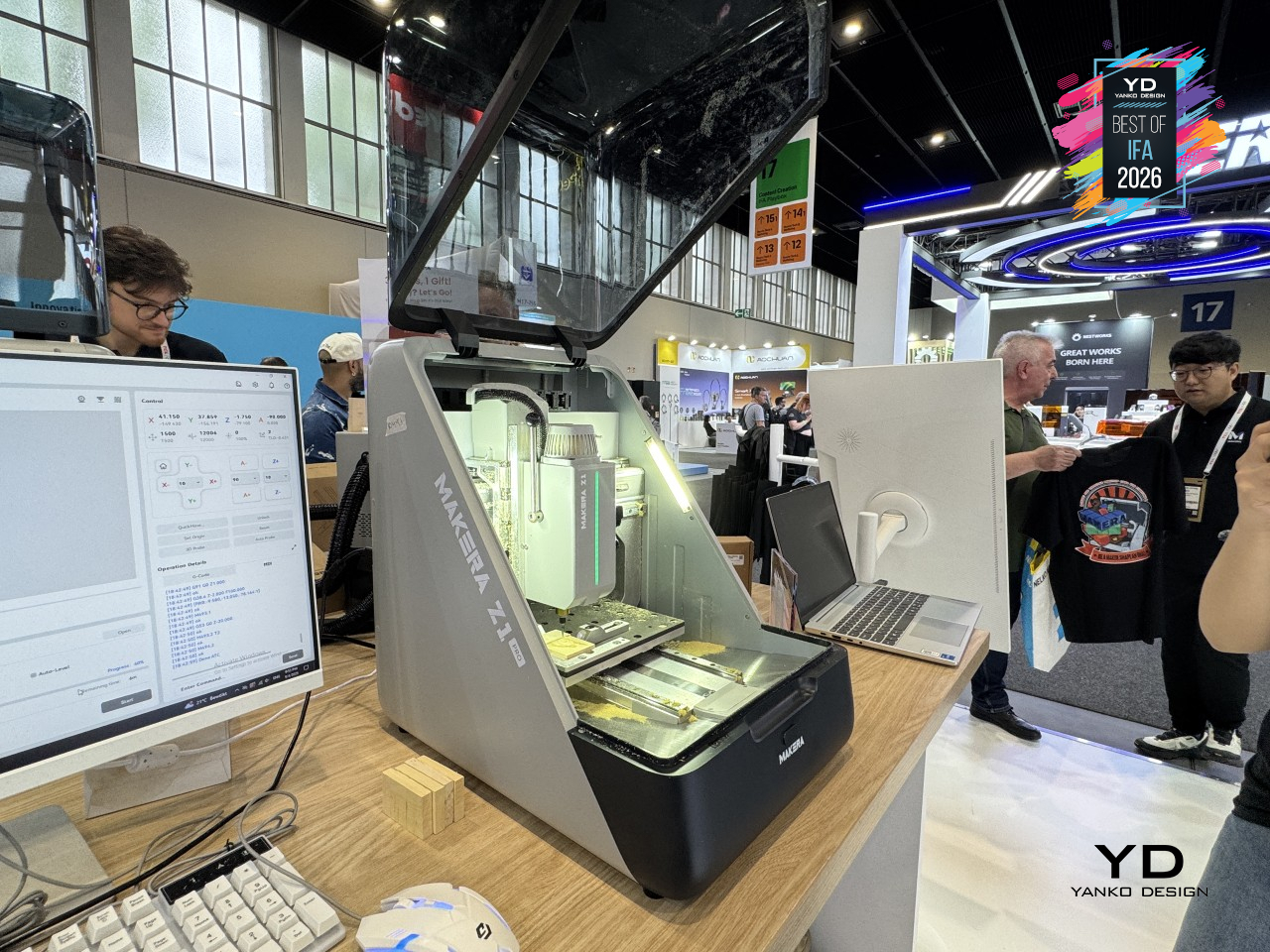
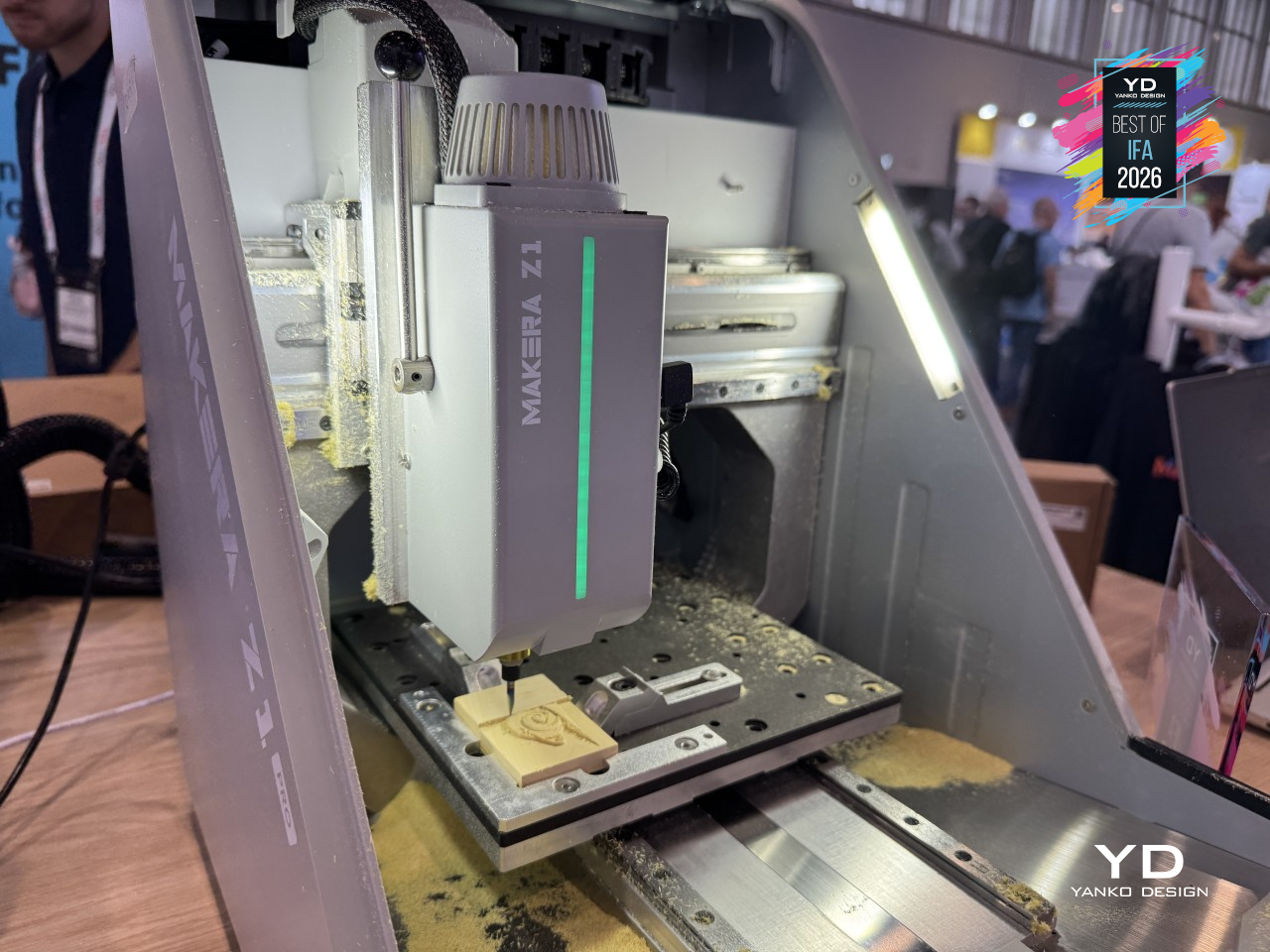
That precision starts with how the machine is built, not just how it’s programmed. A die-cast one-piece frame keeps the whole structure rigid, cutting down on the vibration that usually creeps into cheaper, bolted-together CNC builds. Closed-loop stepper motors and upgraded ball screws handle the motion side, holding steady accuracy through long, complicated cuts instead of drifting the way lesser hardware tends to over time.
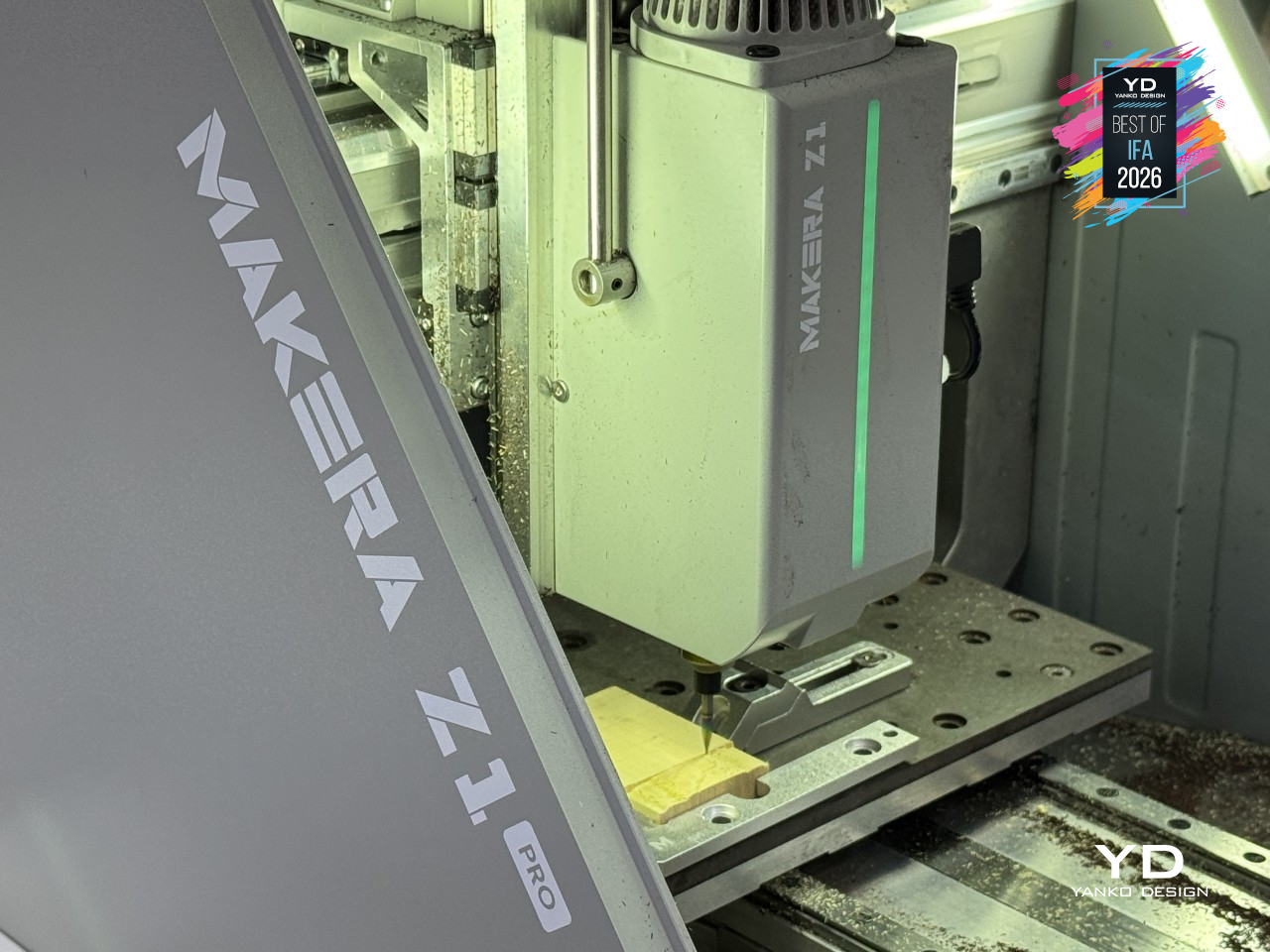
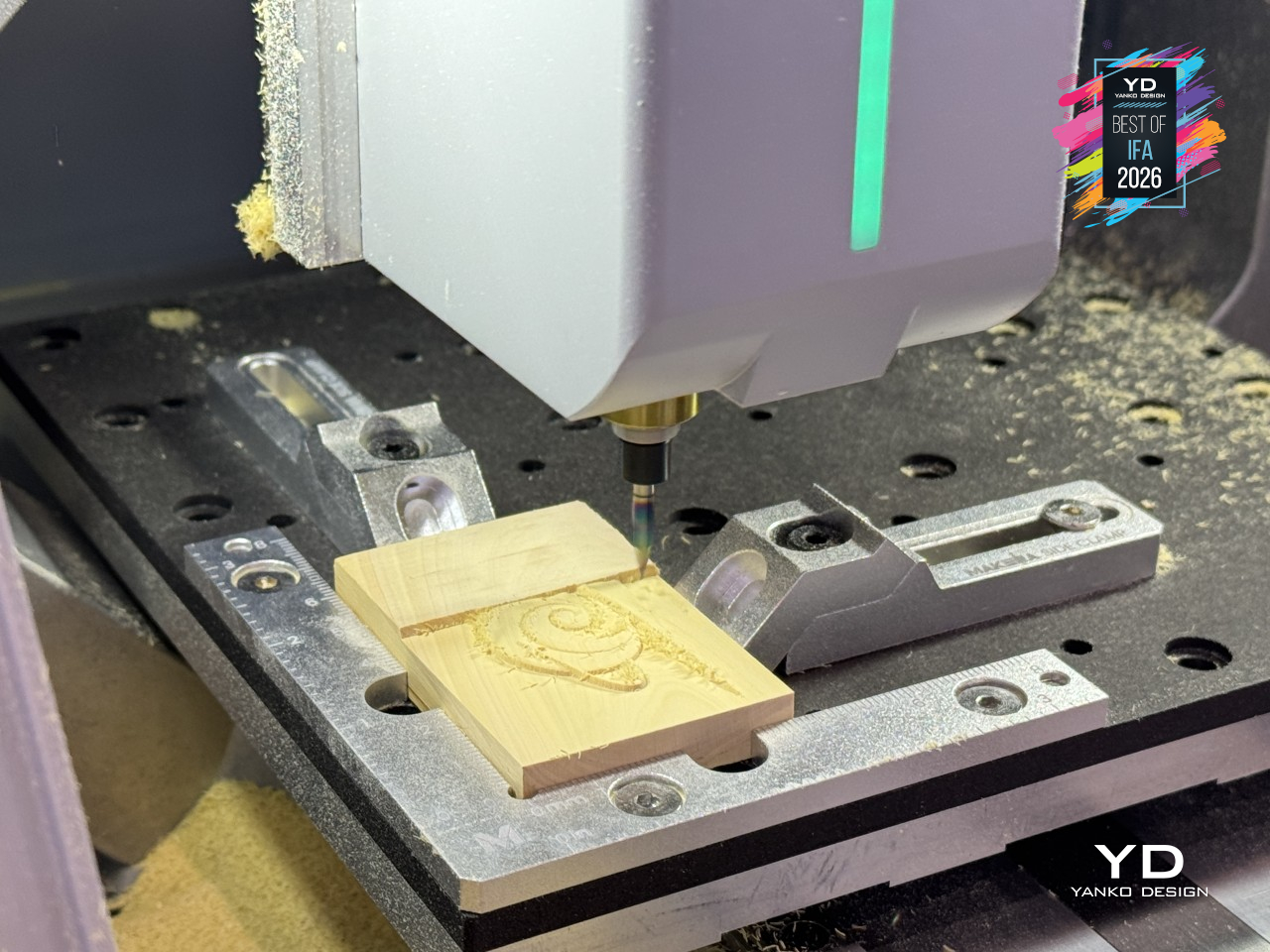
None of that matters unless the machine can actually finish what it starts, and the Z1 Pro backs it up with a quick-release spindle system that swaps tools in seconds rather than minutes. It works across wood, acrylic, plastic, and soft metals like aluminum alloy, which turns it from a one-trick hobby machine into something that can prototype a part one afternoon and engrave a small aluminum badge the next, all without changing machines.
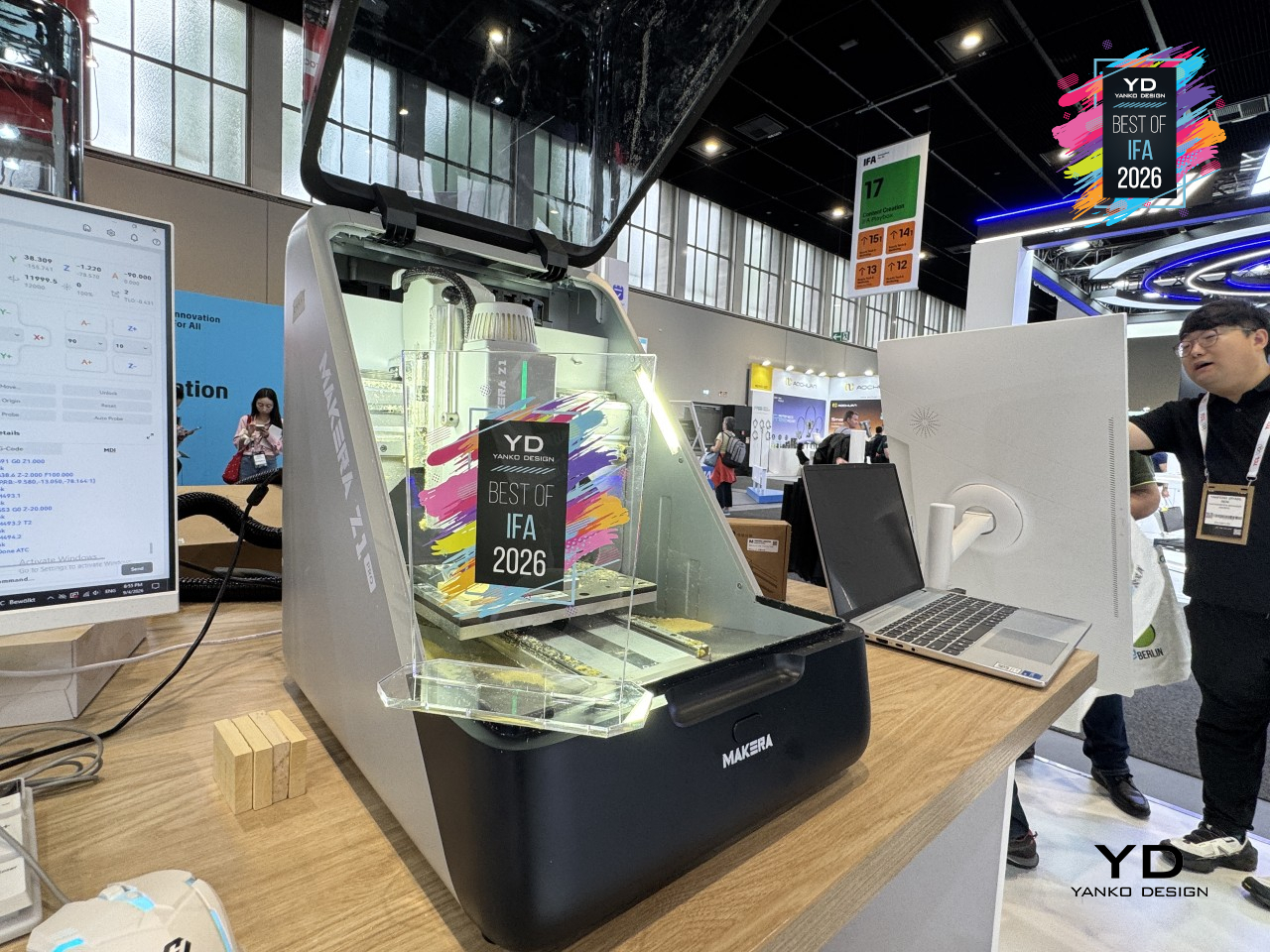
Working alone with a CNC used to mean troubleshooting in isolation, and Makera built its way around that too. Makera Studio handles the CAM software side, turning a design into a toolpath without demanding an engineering background, while Makerables opens up a global community for finding and sharing projects instead of starting from a blank file every time. Mobile control rounds it out, letting a project move from idea to machining without being chained to one desk.
All of that fits into a footprint small enough for a classroom corner or a home studio shelf, backed by FCC, CE, RoHS, and FDA certifications that keep the build honest about safety and environmental impact. Makera didn’t just shrink a CNC machine; it rebuilt the whole experience around people who’ve never touched one before.
Midea OMNI Series Multi-Zone Cleaning Solution
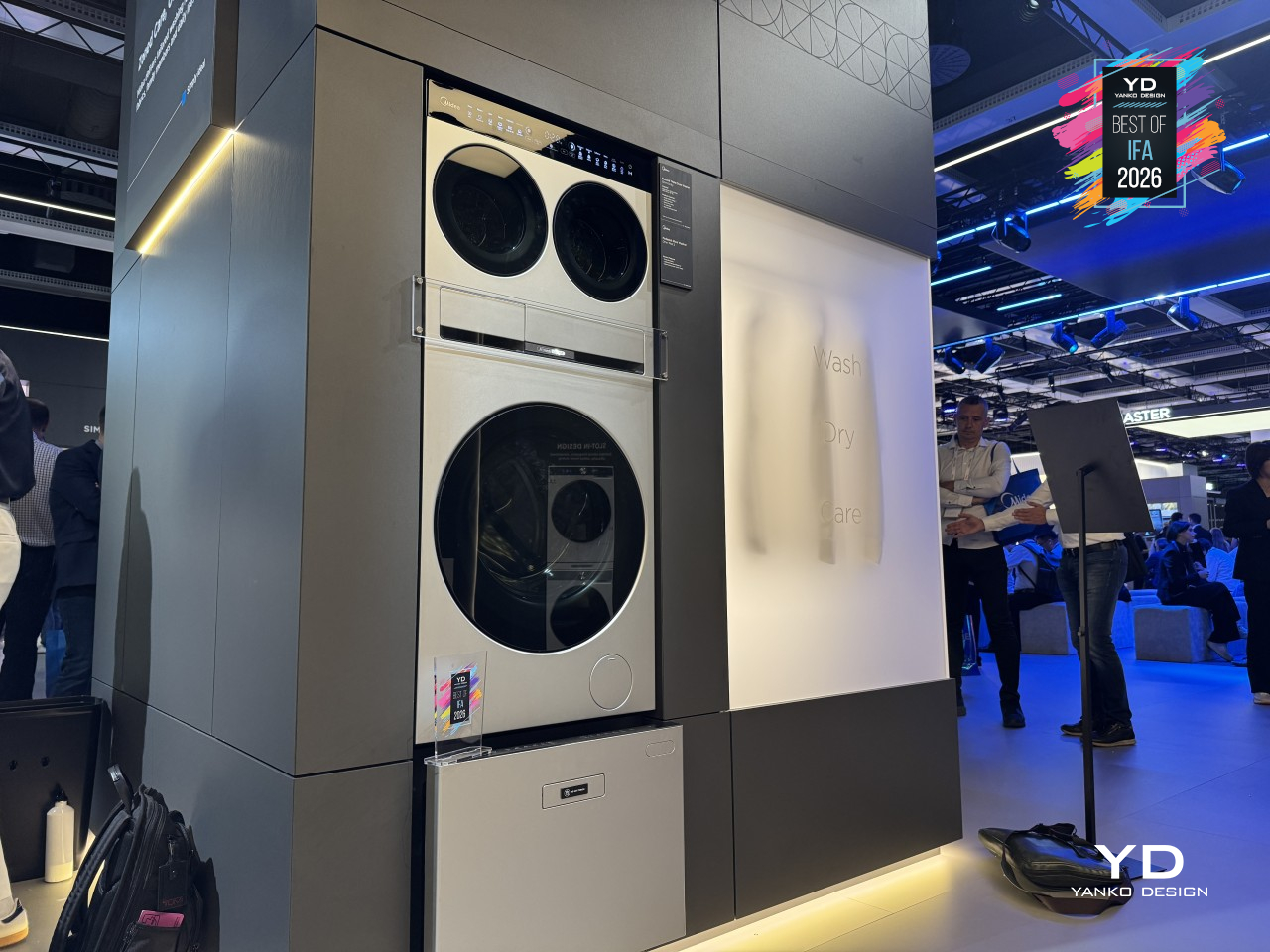
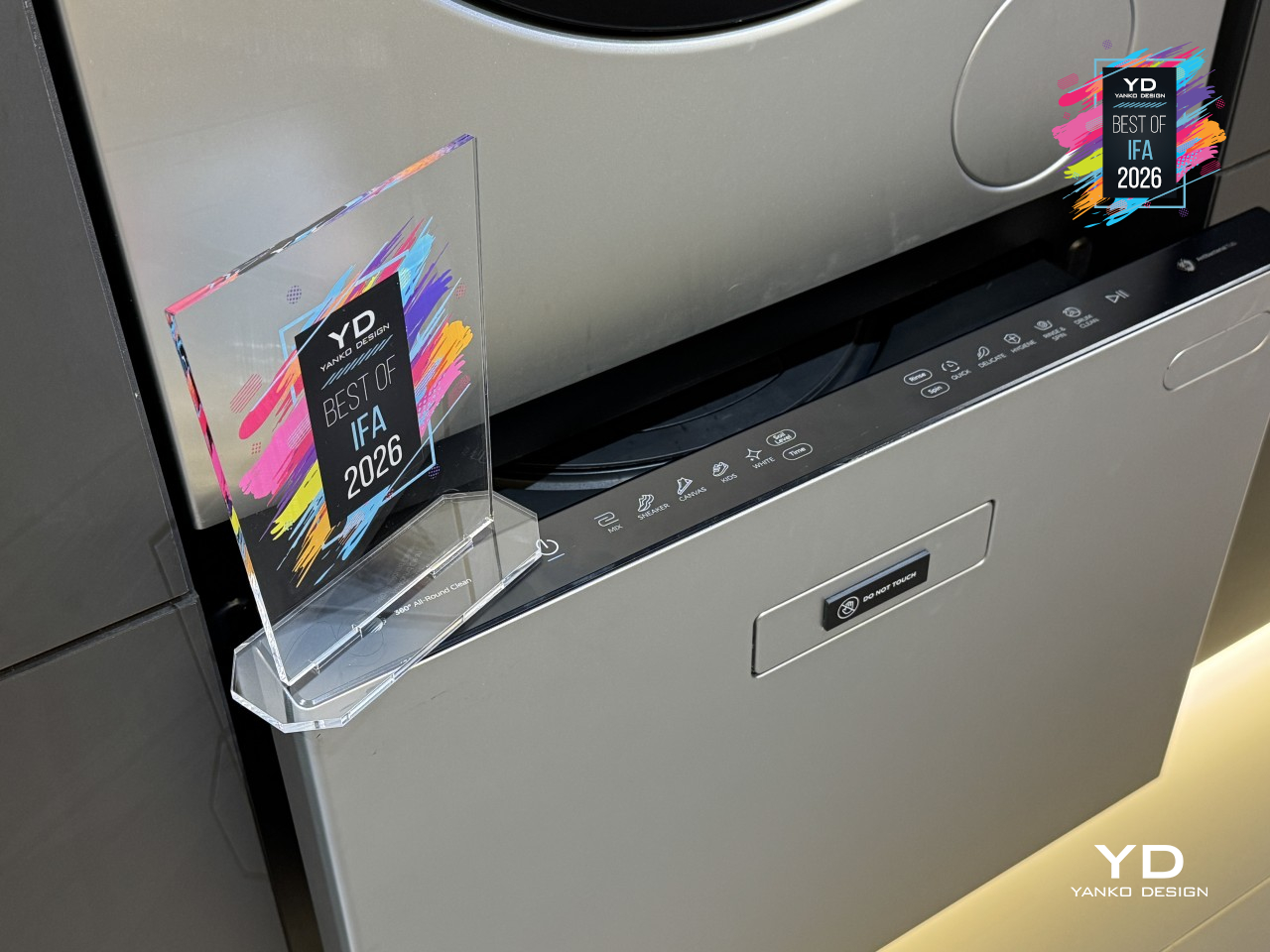
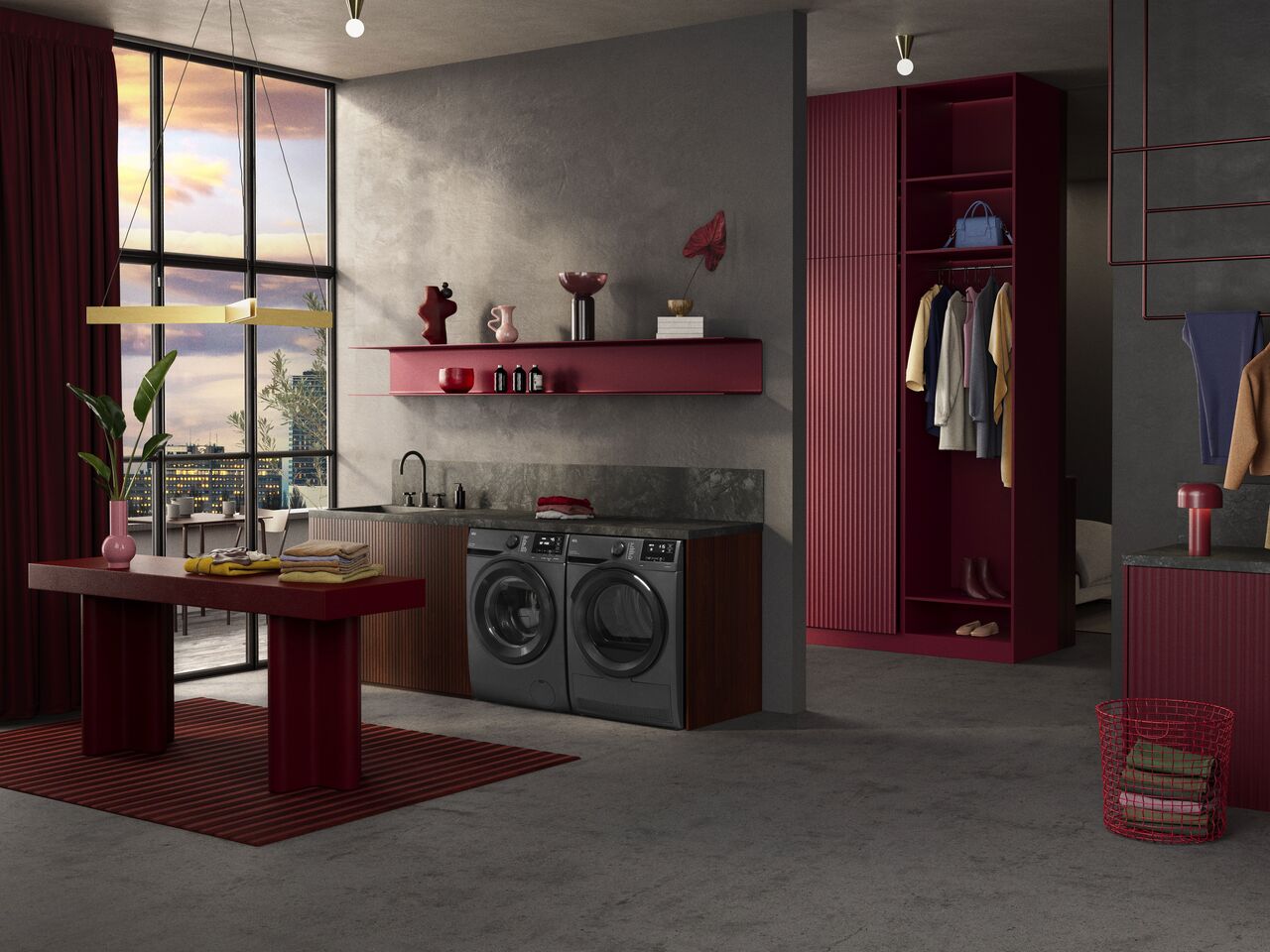
Doing laundry for a full household rarely means one kind of load: it’s kids’ clothes, delicates, muddy sneakers, and the dog’s blanket all competing for the same drum. Midea’s OMNI series treats that mess as a real design problem. Built around zoned care and flexible combination, it swaps the single all-purpose washer for a lineup of specialized machines that stack, pair, and slot together like modular furniture built for cleaning.
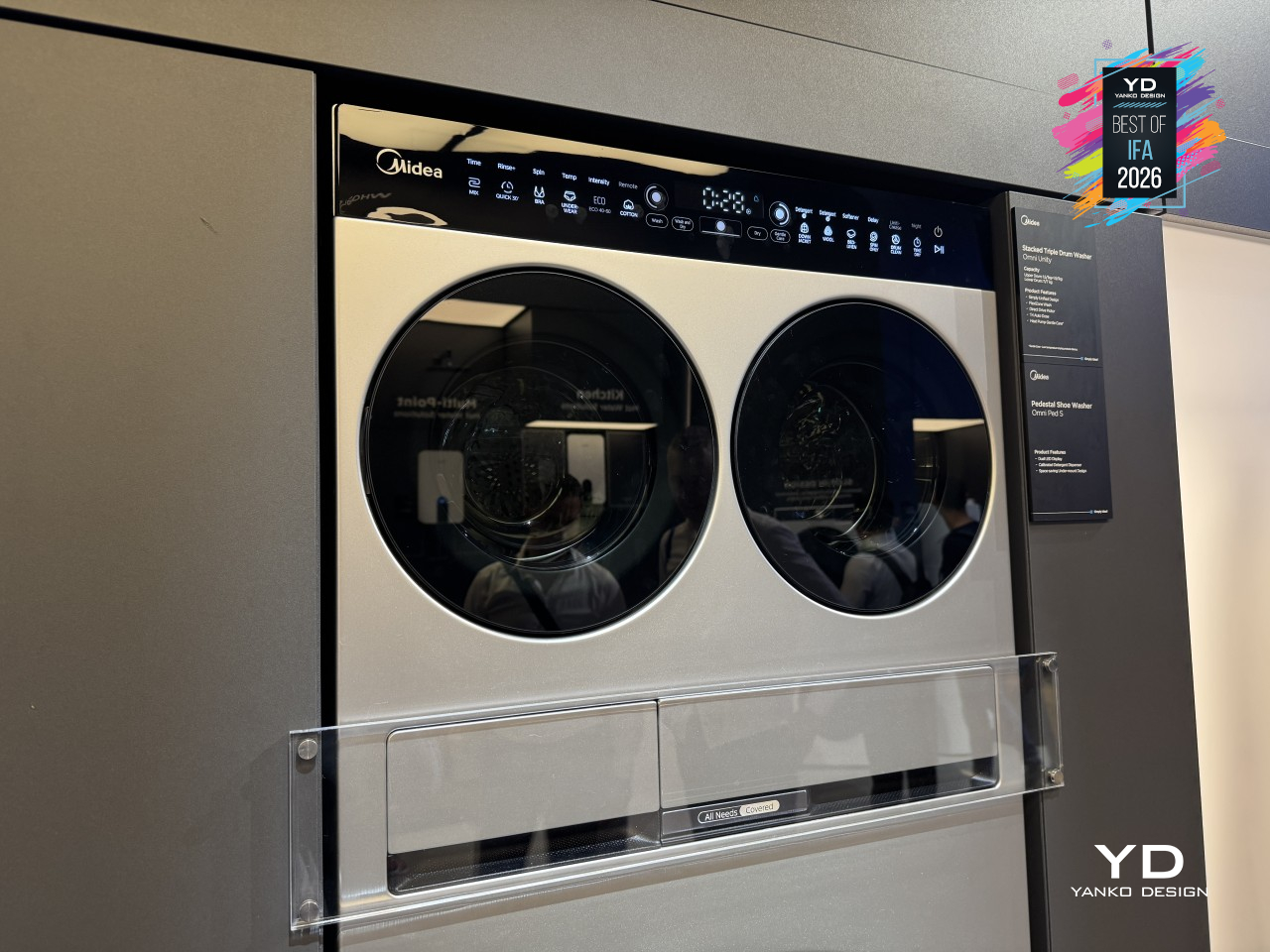
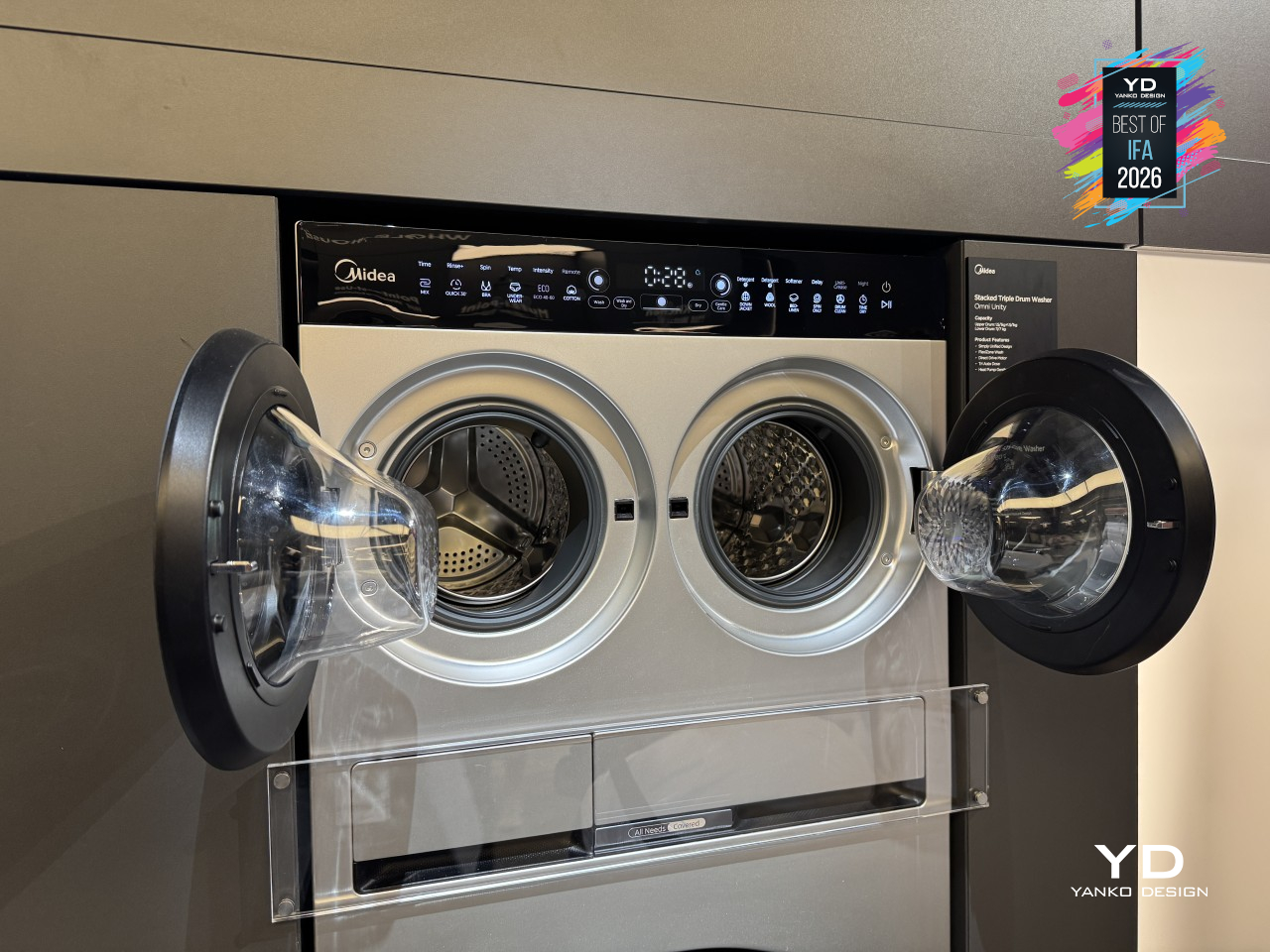
That flexibility starts with how each drum handles a load differently. Omni DUO splits into two drums with separate washing and drying, backed by three-way AutoDose across up to 16 loads plus UV and high-temperature sterilization. Omni Trio pairs a 22-lb. (10kg) main drum with two 1.1-lb. (0.5kg) mini drums, letting everyday clothes, baby items, and pet bedding wash together without ever touching.
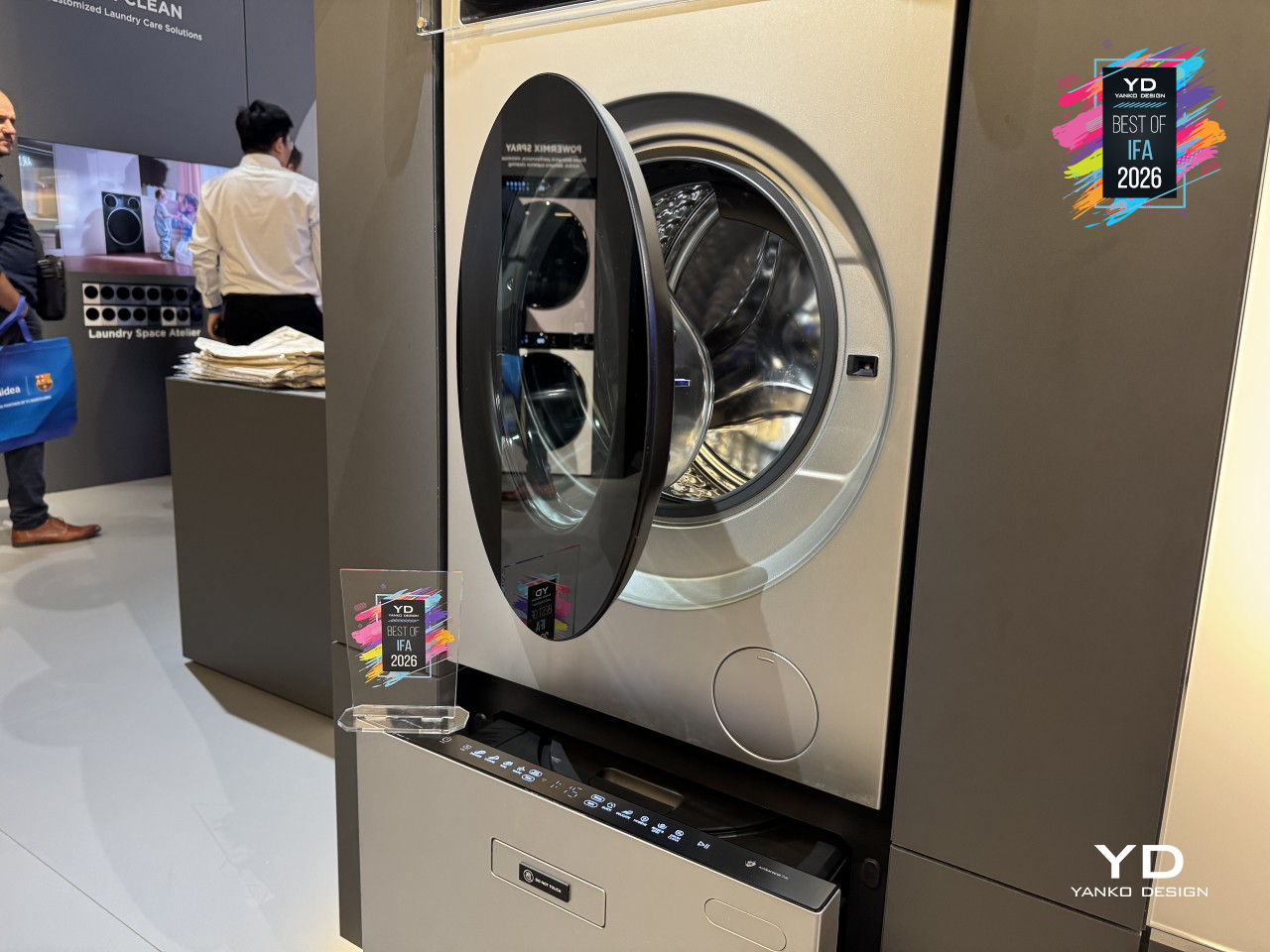
Omni Fusion tackles a different problem: the extra step of moving clothes from washer to dryer. It’s a heat-pump washer-dryer built with a slot-in design that fits into the OMNI lineup, running on dual-inverter technology for quieter, more efficient cycles. A built-in lint-filtration system keeps drying performance consistent over time, handling both wash and dry in one continuous cycle instead of splitting laundry across two separate machines.
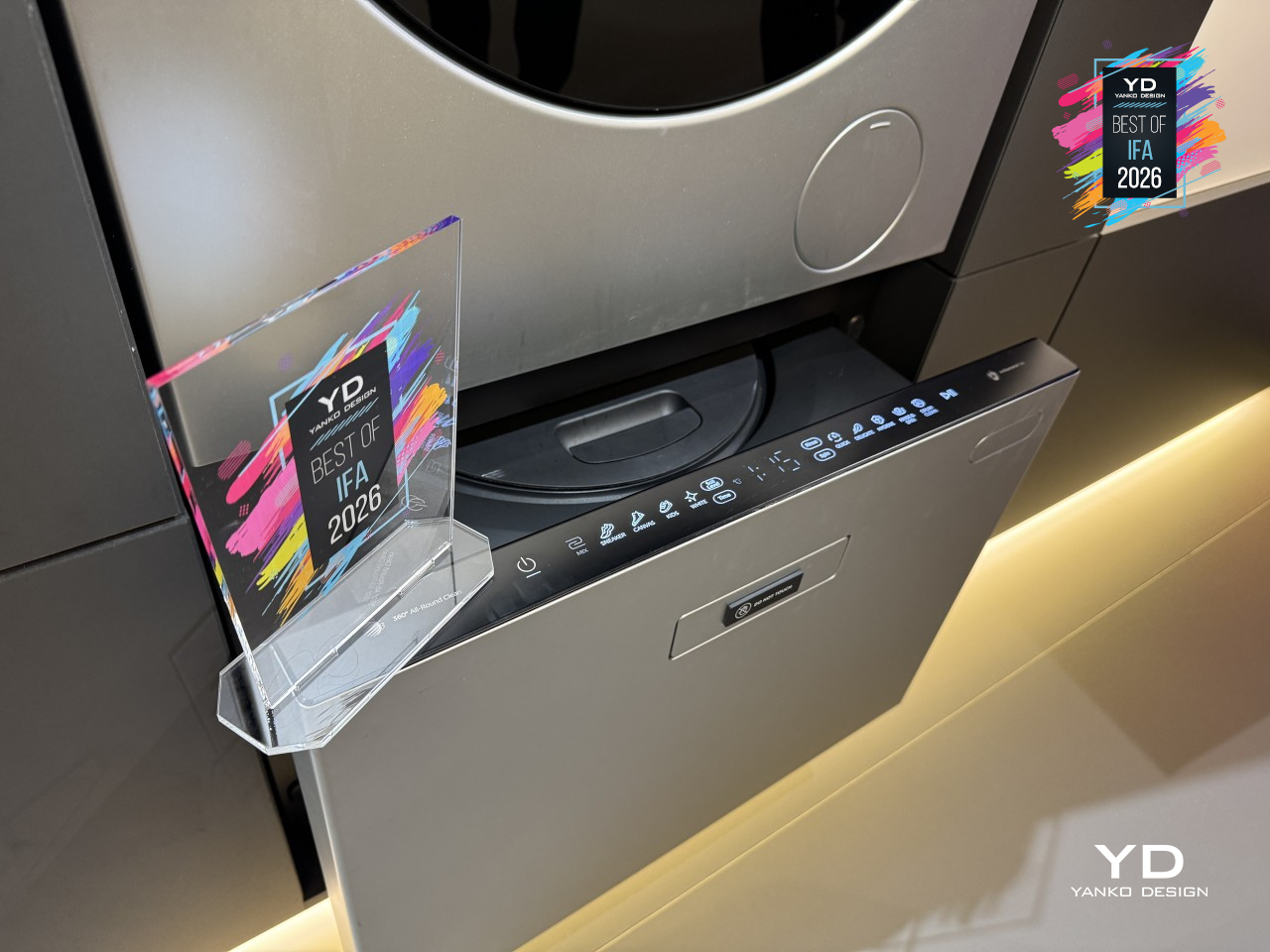
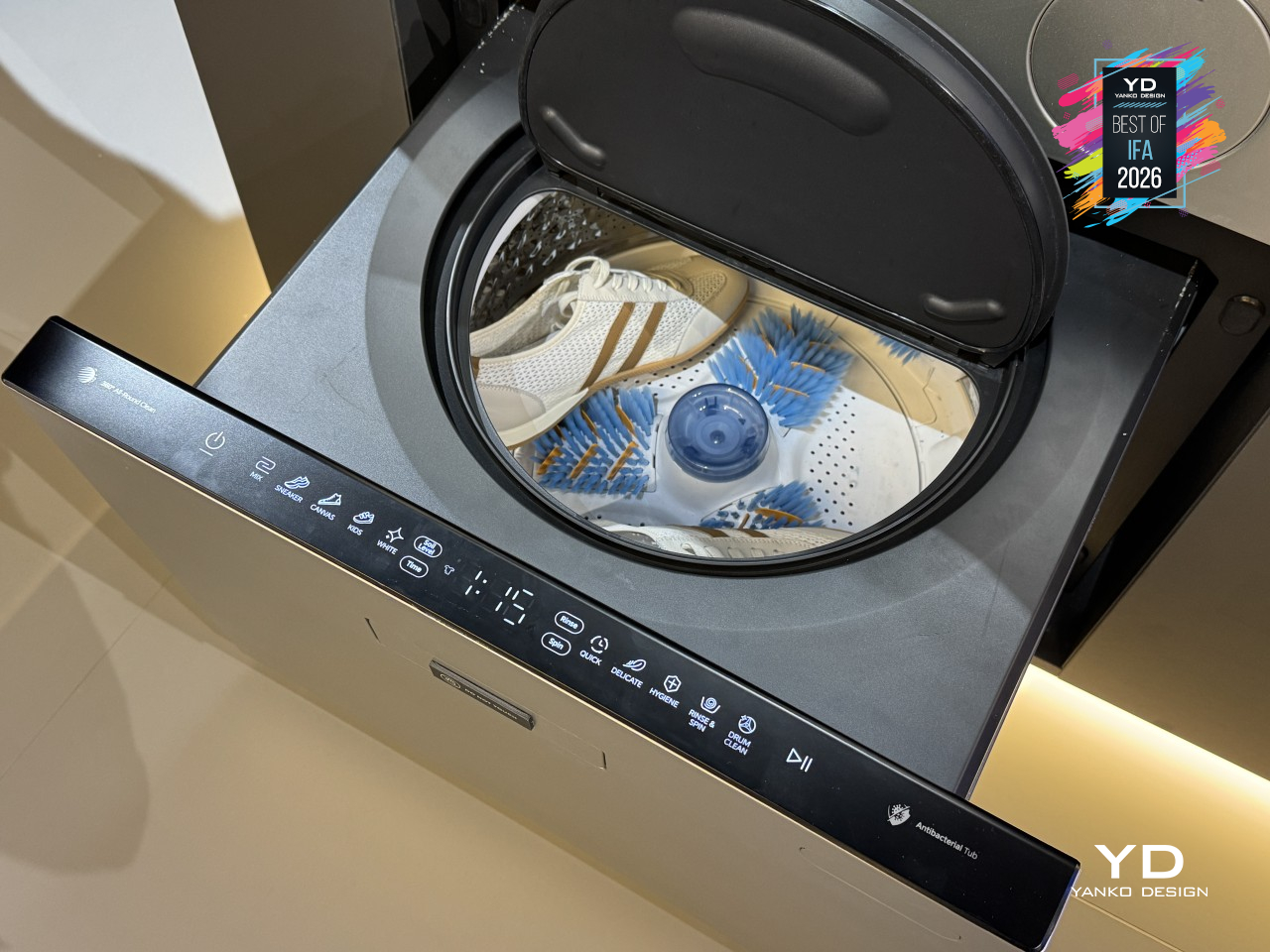
Shoes rarely get washed well since nobody wants sneakers tumbling with towels and t-shirts. Omni Ped S fixes that as its own dedicated appliance, running an omnidirectional roller-brush system that scrubs footwear clean without wearing down the material, backed by silver-ion treatment, an antibacterial drum, and a sediment filter that catches grit regular washers can’t handle. At just 17.9 inches (455mm) tall, it holds the largest capacity in its class.
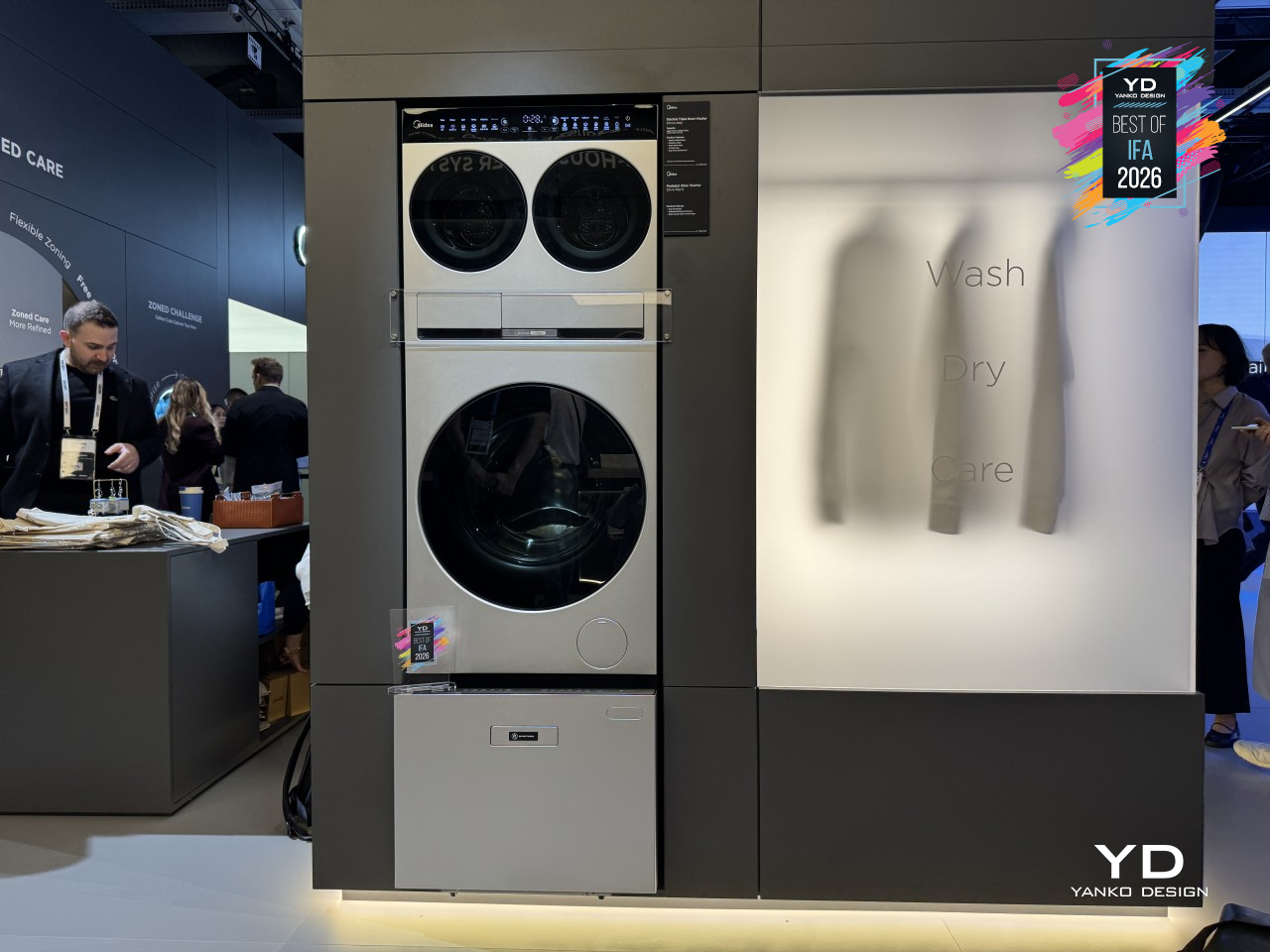
All of these machines share the same underlying logic: appliances that stack, slot in, or stand alone depending on what a household needs, rounded out by the MD205 tumble dryer and the compact Omni O mini washer-dryer for even tighter spaces. Midea built OMNI less like a single product launch and more like a toolkit, letting a laundry room grow one drum, one zone, one shoe wash at a time.
Xiaomi Sound Play Speaker
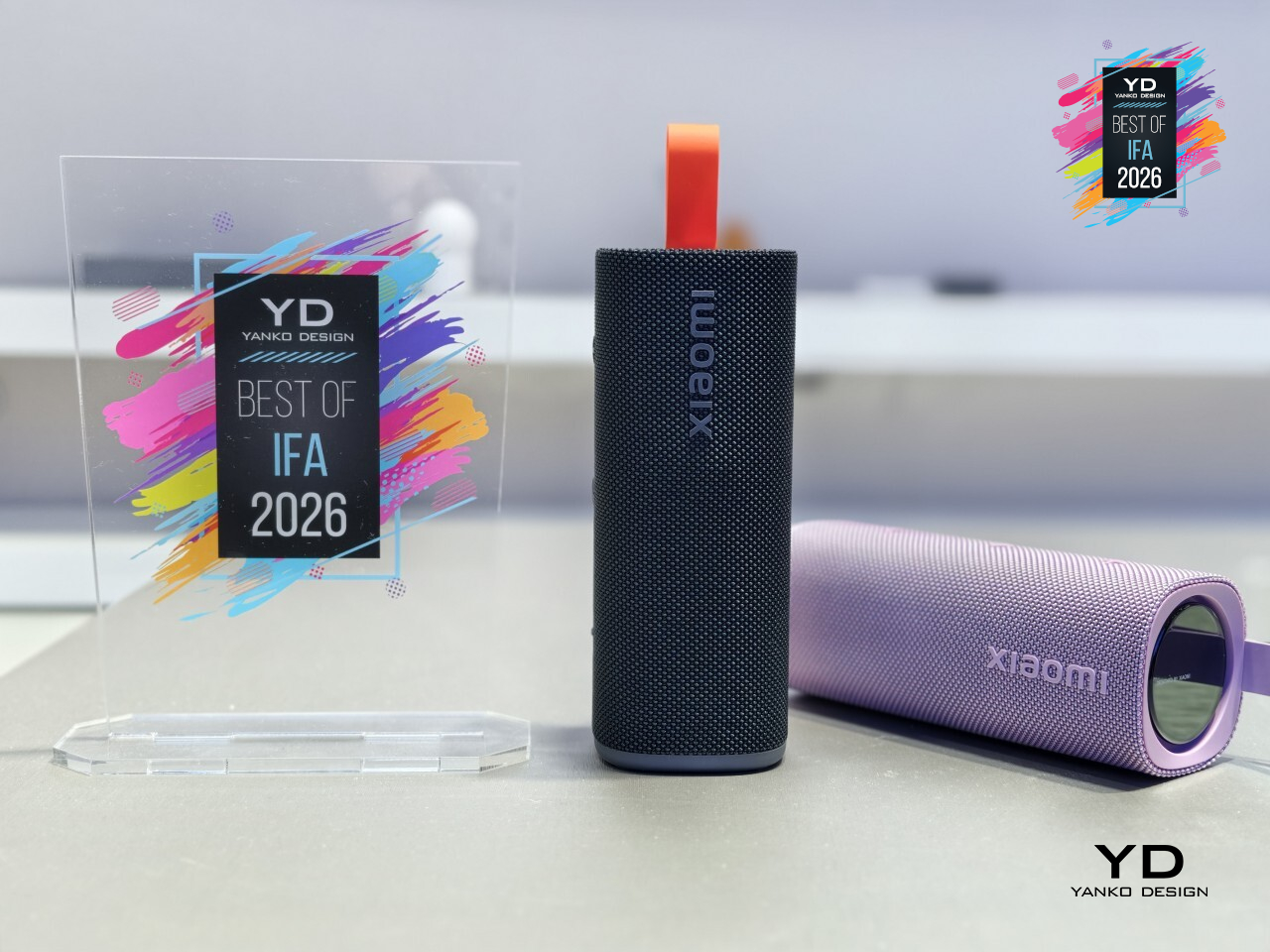
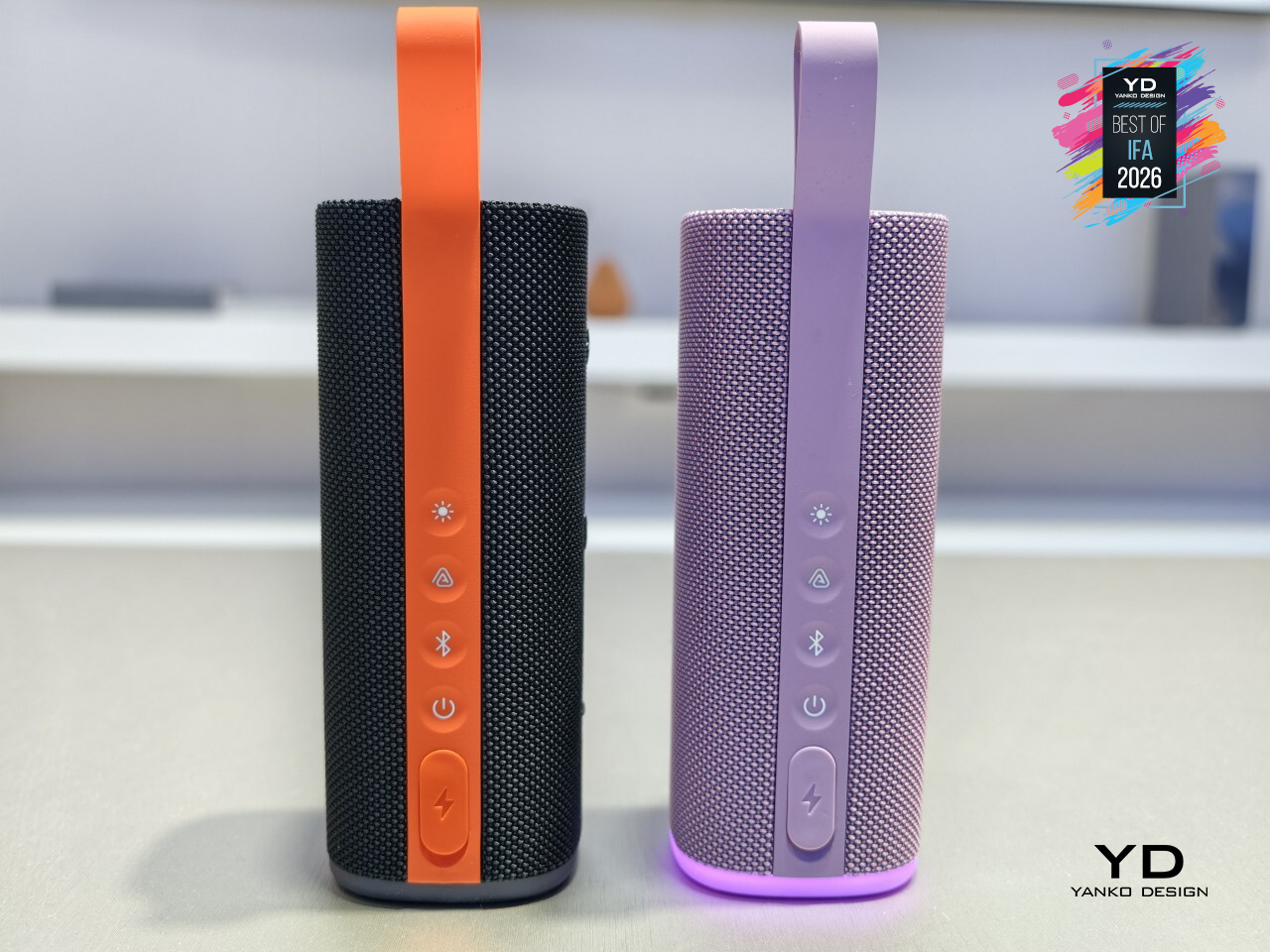
Portable speakers usually treat light as an afterthought, a strip of color that blinks along without much thought to the music. Xiaomi’s Sound Play doesn’t settle for that. It pairs 18W of sound with a bottom glow and a 3D ambient light on top, both syncing to the beat in real time, so the speaker doesn’t just play a song; it visibly moves with it.
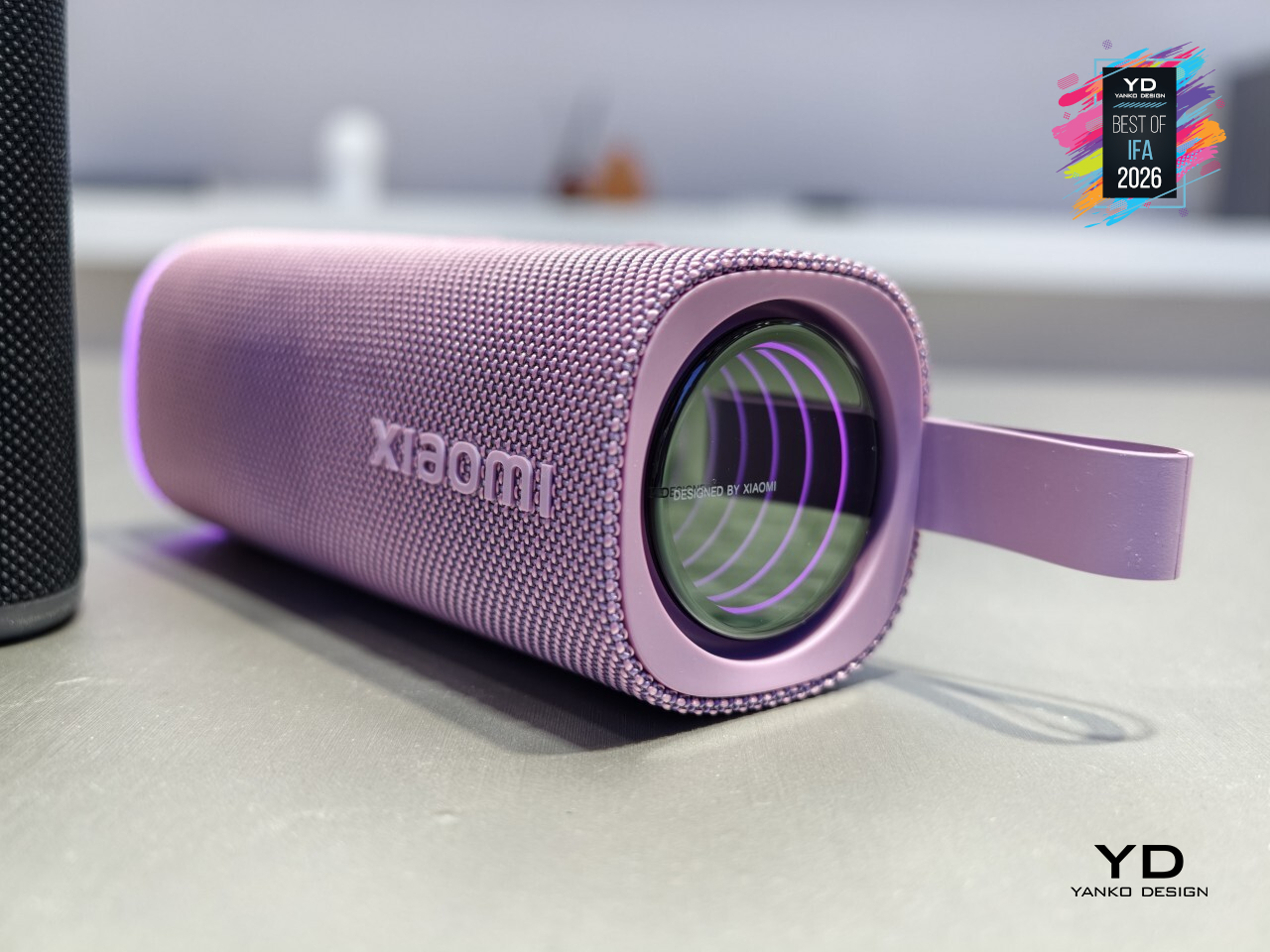
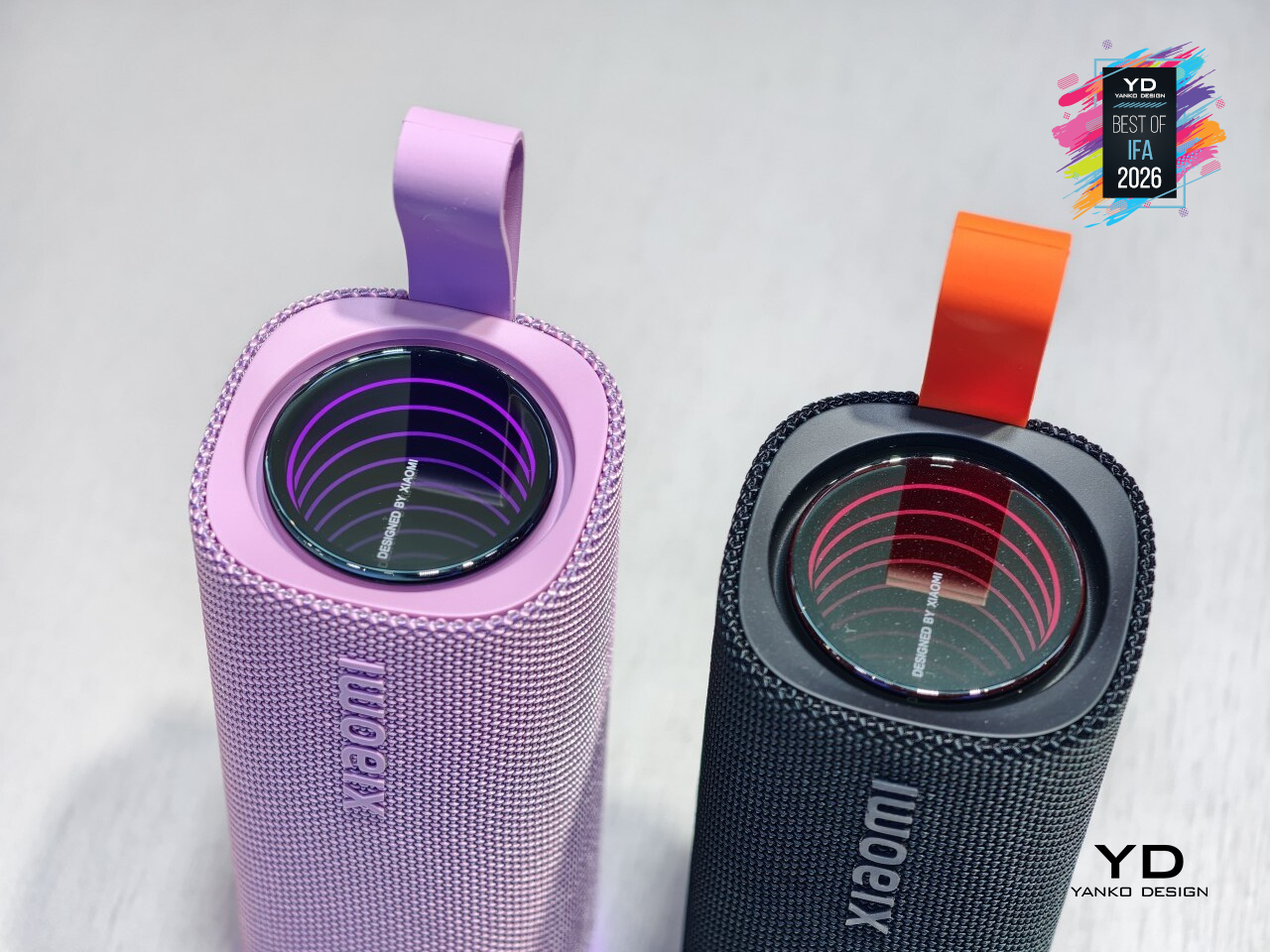
That lighting turns into more than a party trick once other people get involved. Auracast support lets the Sound Play share its audio with up to 100 devices at once, so a backyard hangout or a beach day doesn’t need everyone huddled around one set of speakers or squinting at a single phone screen. Everyone connected hears the same track, lit the same way, at the same time.
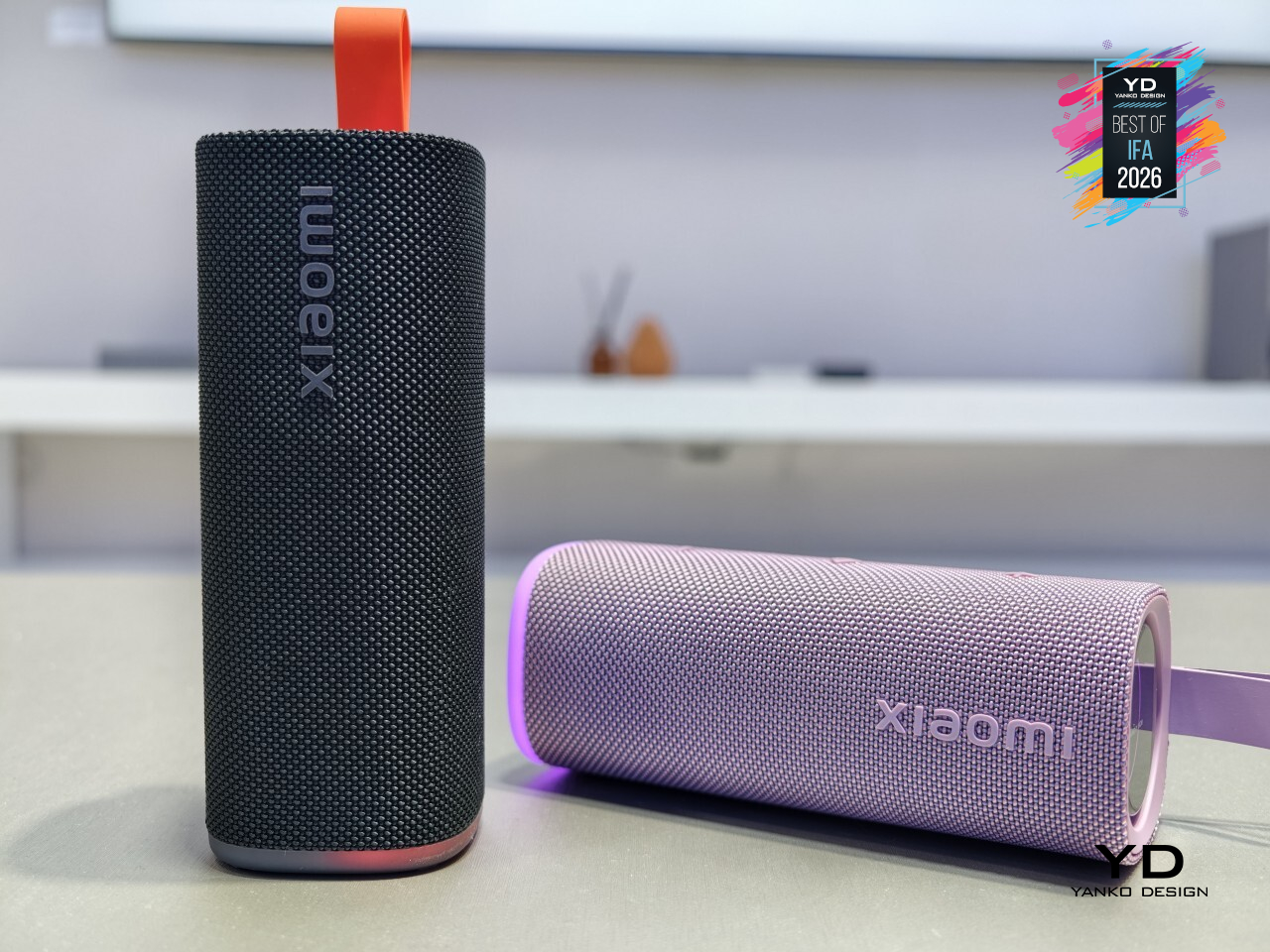
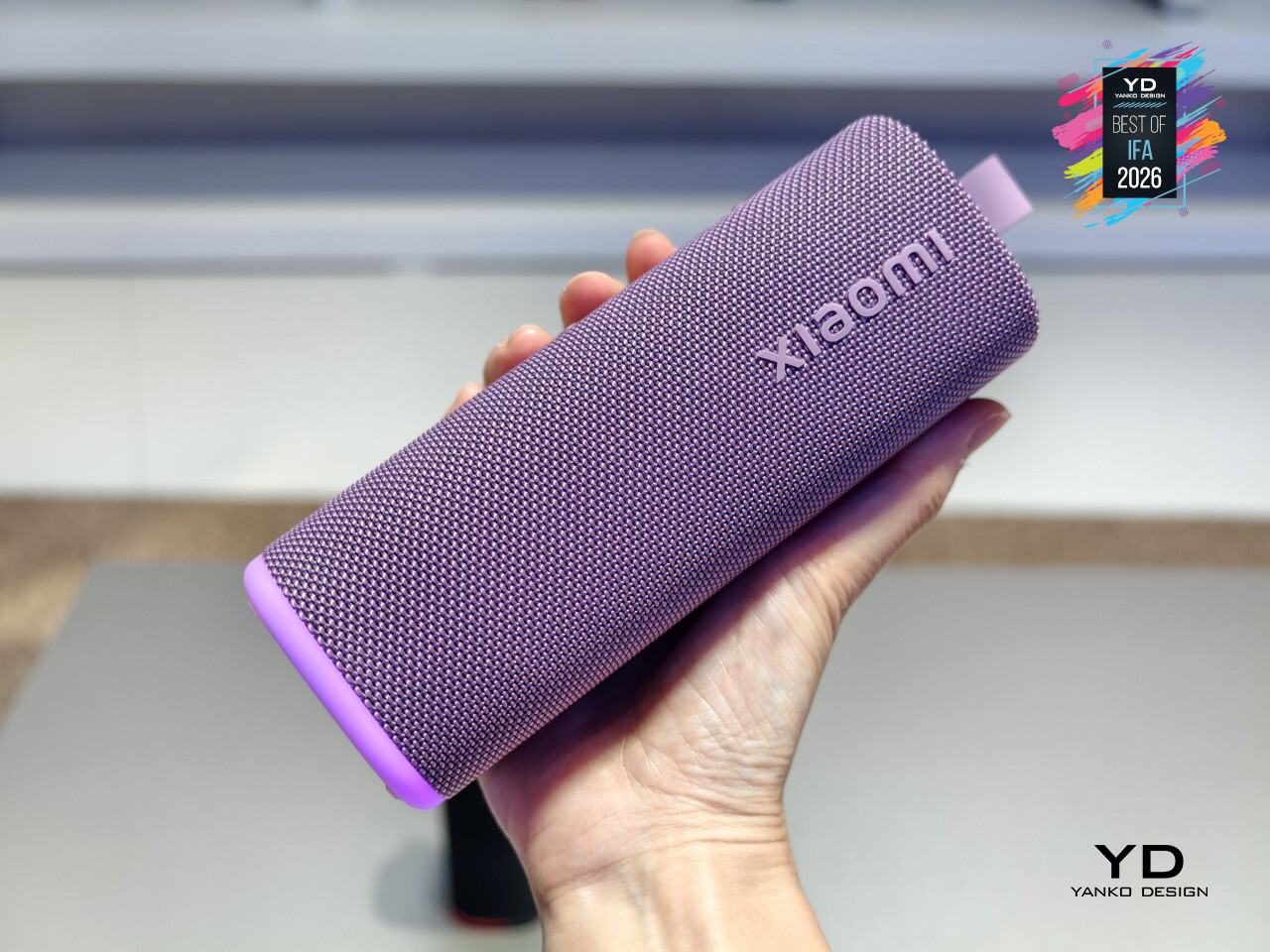
That flair doesn’t come at the expense of toughness. Rated IP68 for water and dust resistance, the Sound Play shrugs off spilled drinks, sand, and light rain without missing a beat, backed by up to 14 hours of battery life that outlasts most gatherings anyway. It’s built less for a shelf and more for wherever the party actually ends up.
Acer Vero 16 Laptop
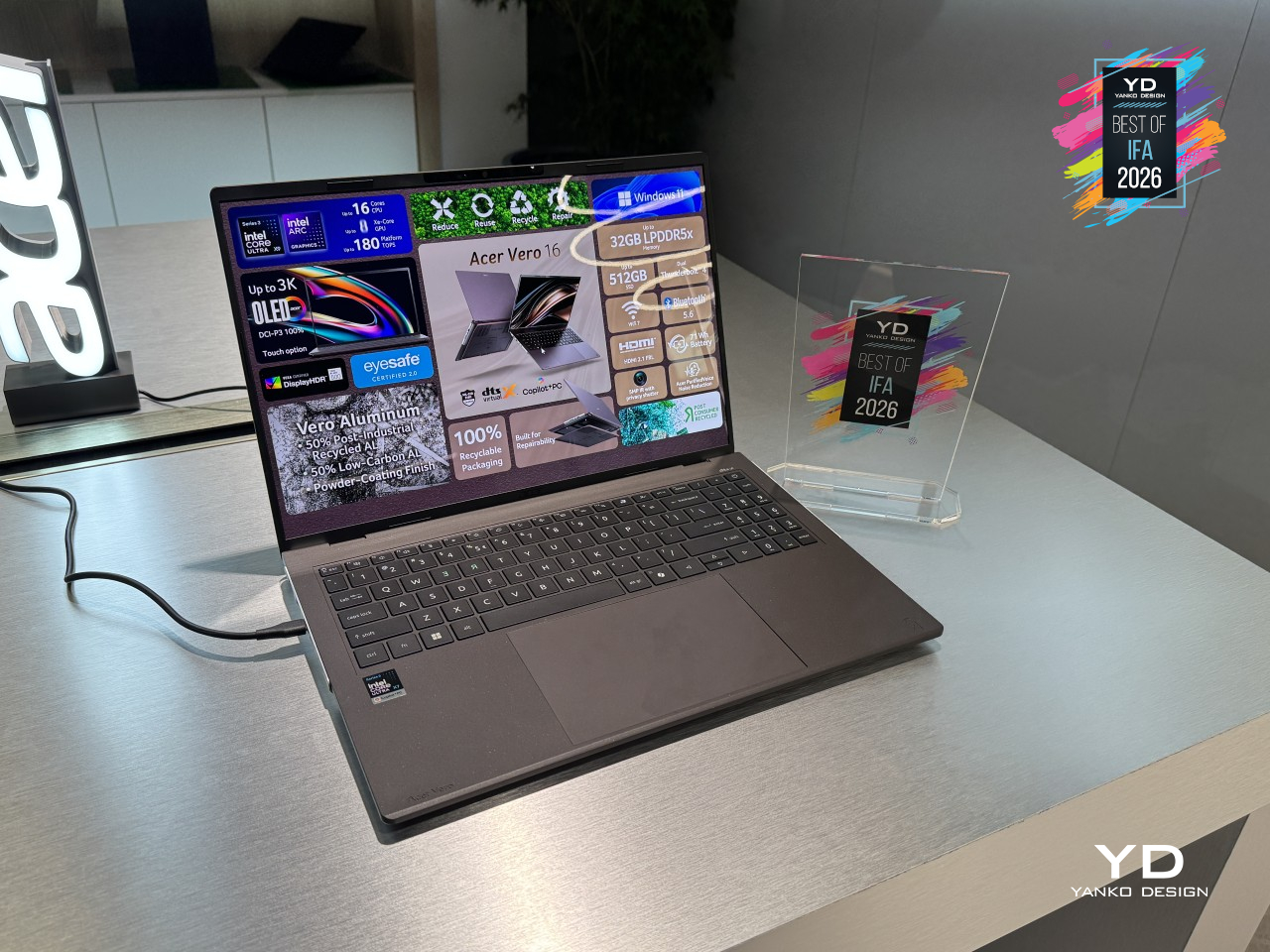
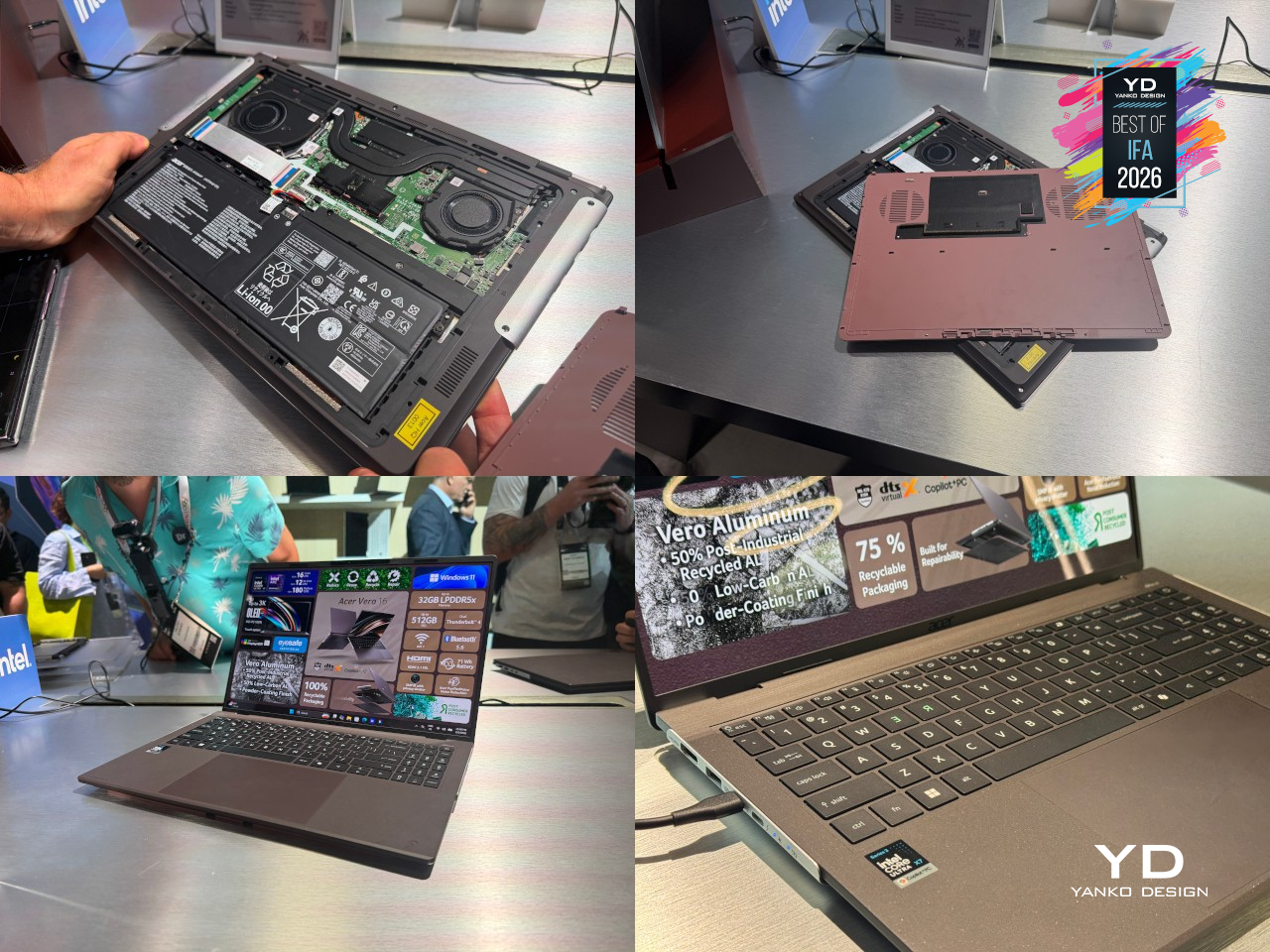
Most laptops treat a dead battery or a failing SSD as a death sentence for the whole machine. Acer’s Vero 16 treats it as a five-minute fix. A tool-free latch on the bottom cover opens the chassis without a screwdriver in sight. The battery and SSD both swap out by hand, and the hinge itself detaches from the chassis rather than staying fused to it, turning what used to be a repair shop visit into something closer to a weekend project.

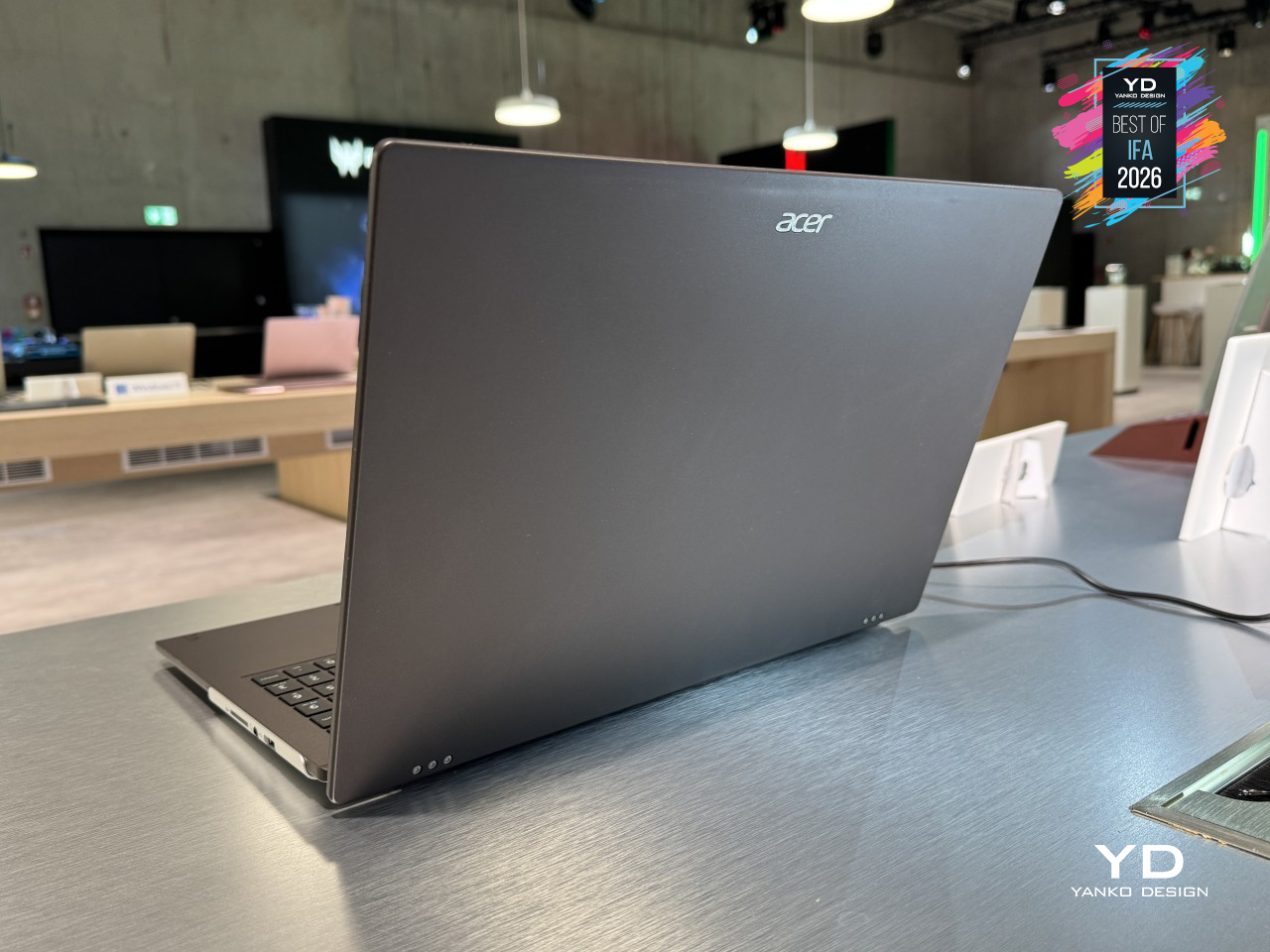
That philosophy runs through the materials too. The top and palm-rest covers blend recycled and low-carbon aluminum, the bottom cover leans on recycled plastic, and a solvent-free powder coat replaces conventional paint while holding up better to daily wear. Acer even engraved a small repair guide directly into the chassis itself, a quiet detail that assumes you might actually crack this open someday instead of shipping it off the moment something breaks.
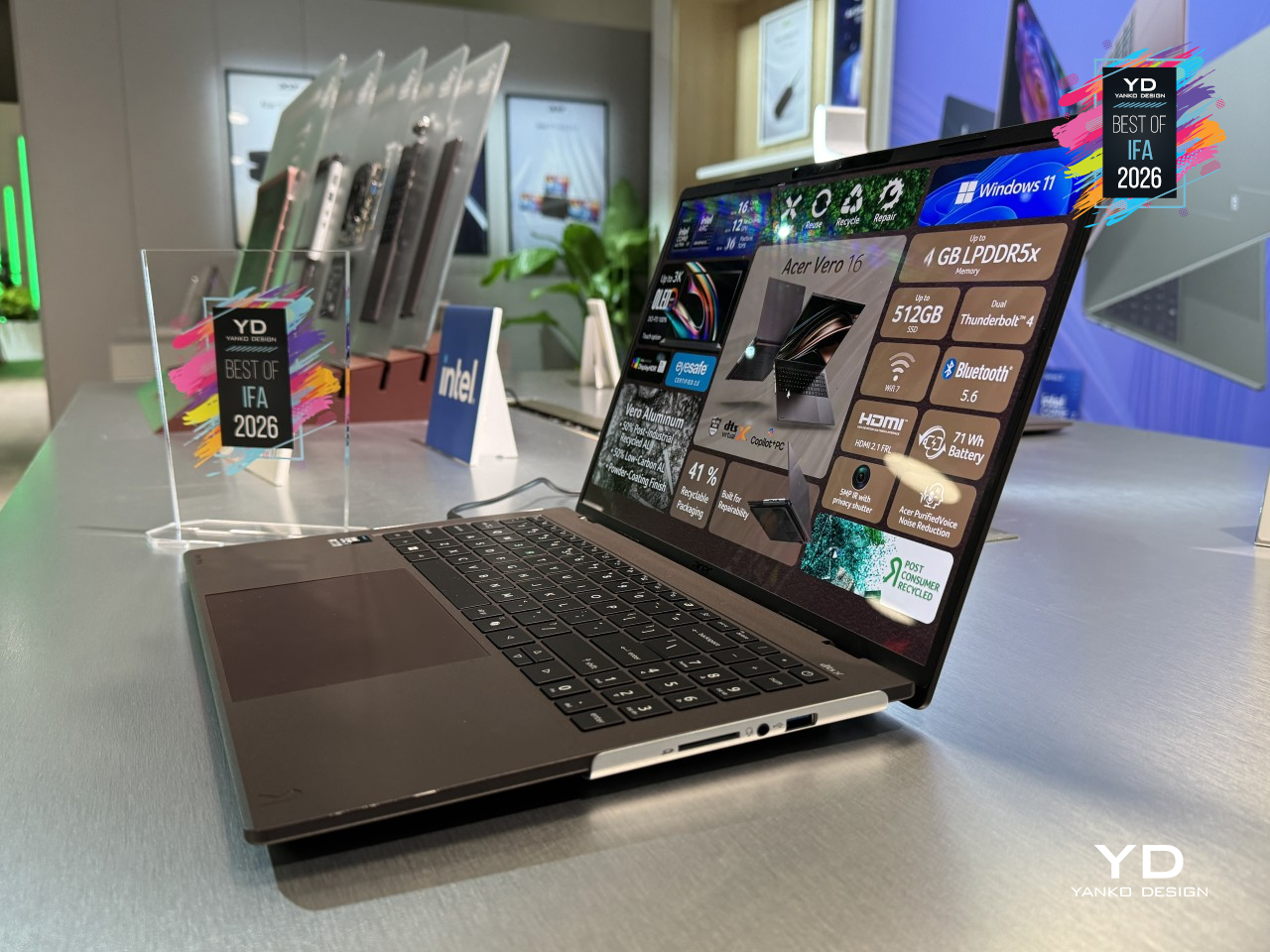
That kind of durability doesn’t come at the expense of feeling like a proper premium laptop. A 16-inch 3K OLED display with a 120Hz refresh rate and Acer’s fastest Core Ultra X9 chip handle everything from video editing to Copilot+ AI features like live-translated captions without hesitation, and 180 platform TOPS worth of on-device AI muscle keeps things responsive well beyond spec-sheet bragging rights. Acer built a laptop that plans on sticking around, and that’s a considerably higher bar than most.
Lexar Muse Ultra-Slim Portable SSD
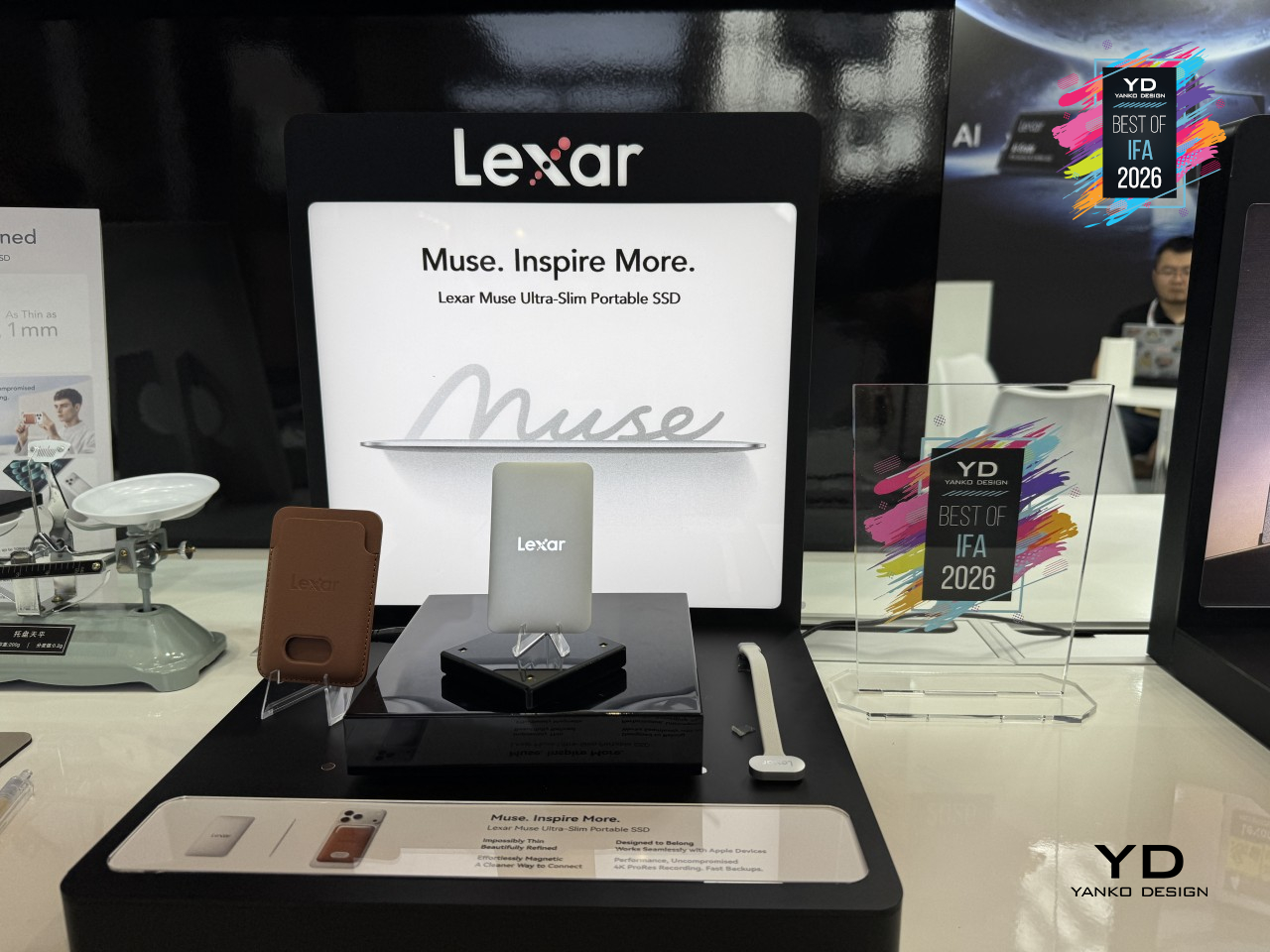
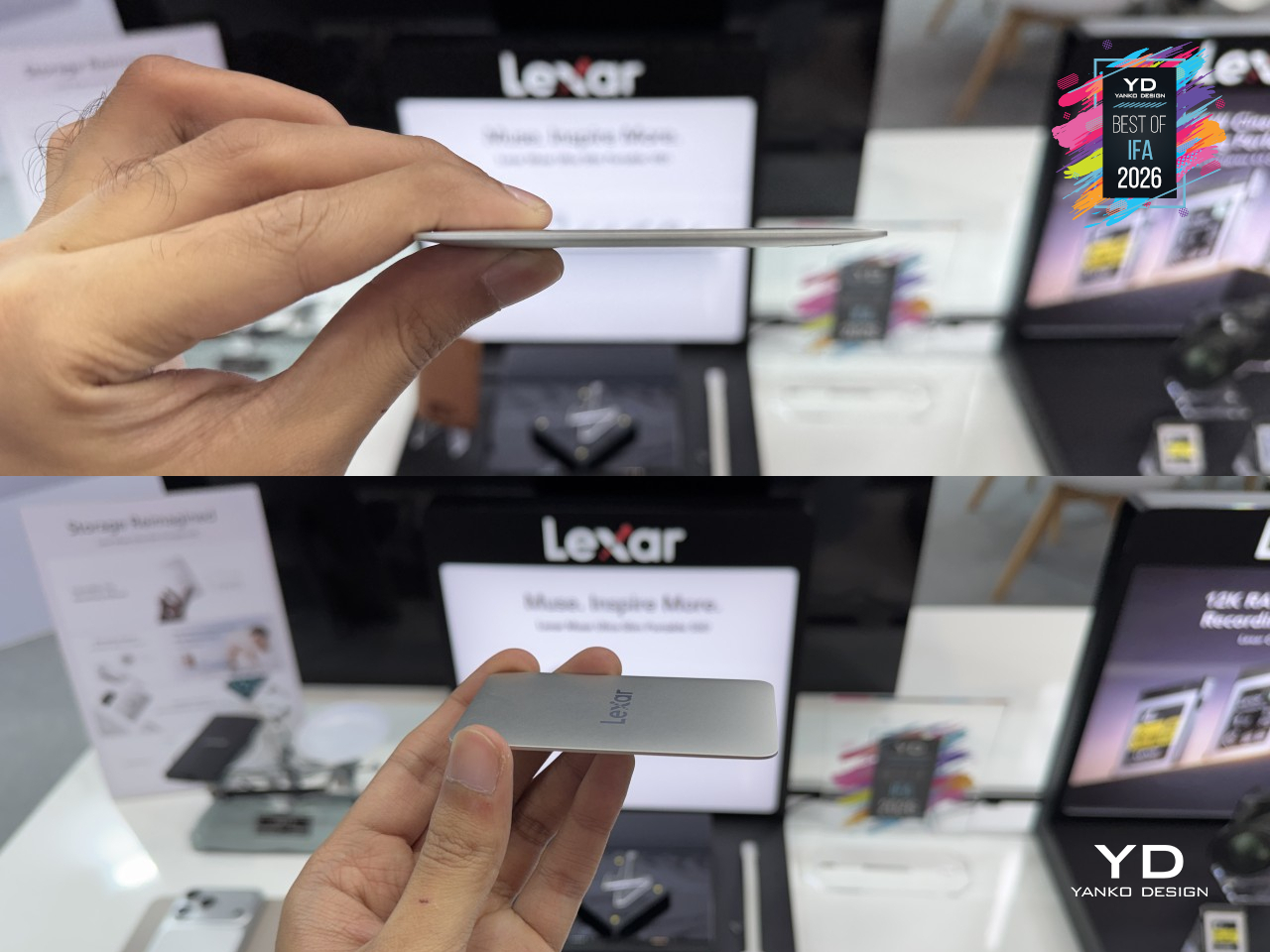
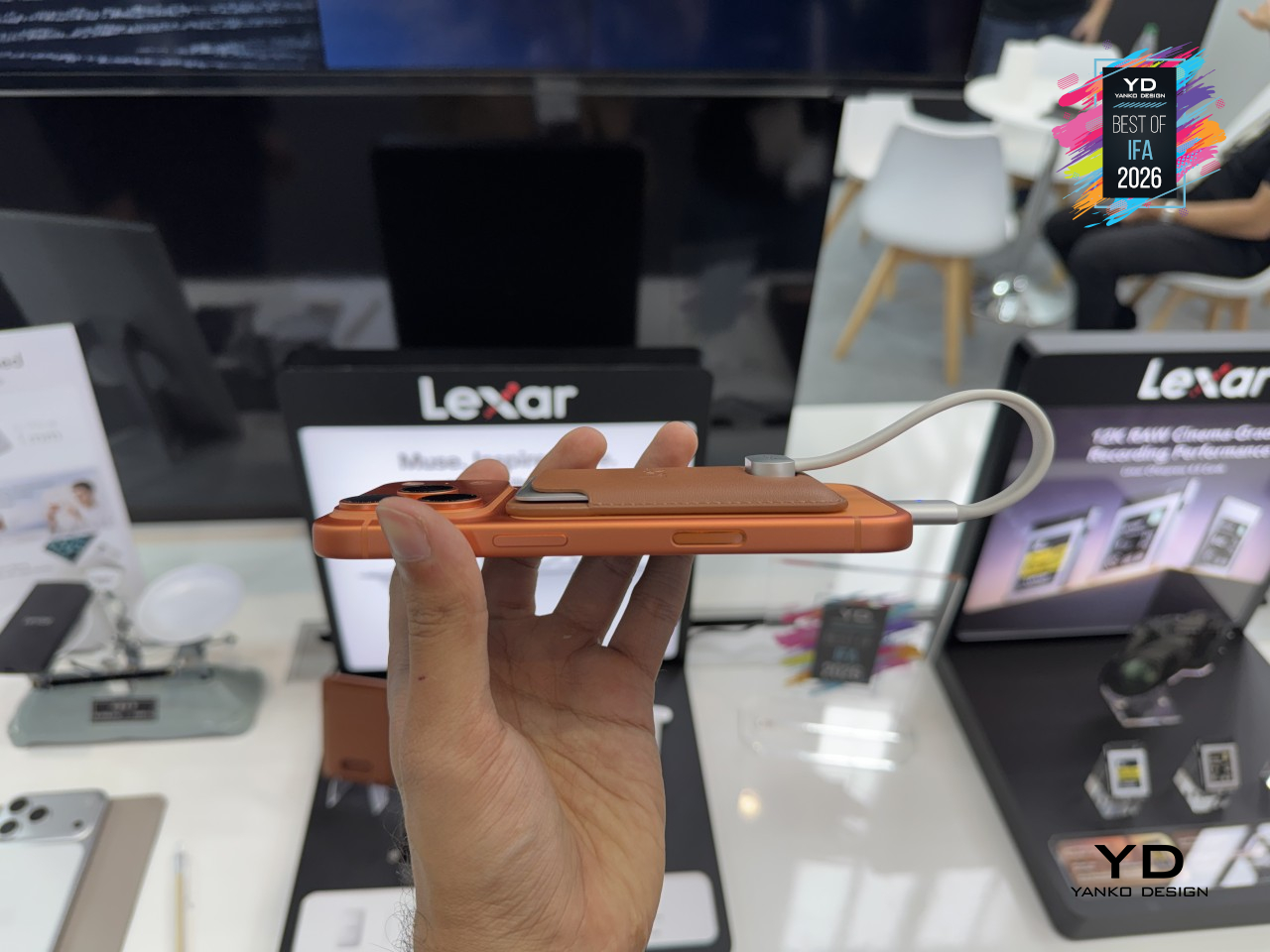
External drives have always trailed a little behind how phones actually get used to shoot and edit, adding a cable here, a bulky case there. Lexar’s Muse Ultra-Slim Portable SSD skips that entirely, built thin enough to disappear against the back of a phone instead of hanging off it. Billed as the world’s thinnest portable SSD, it trades the usual dongle-and-cable clutter for something that just clips into place.
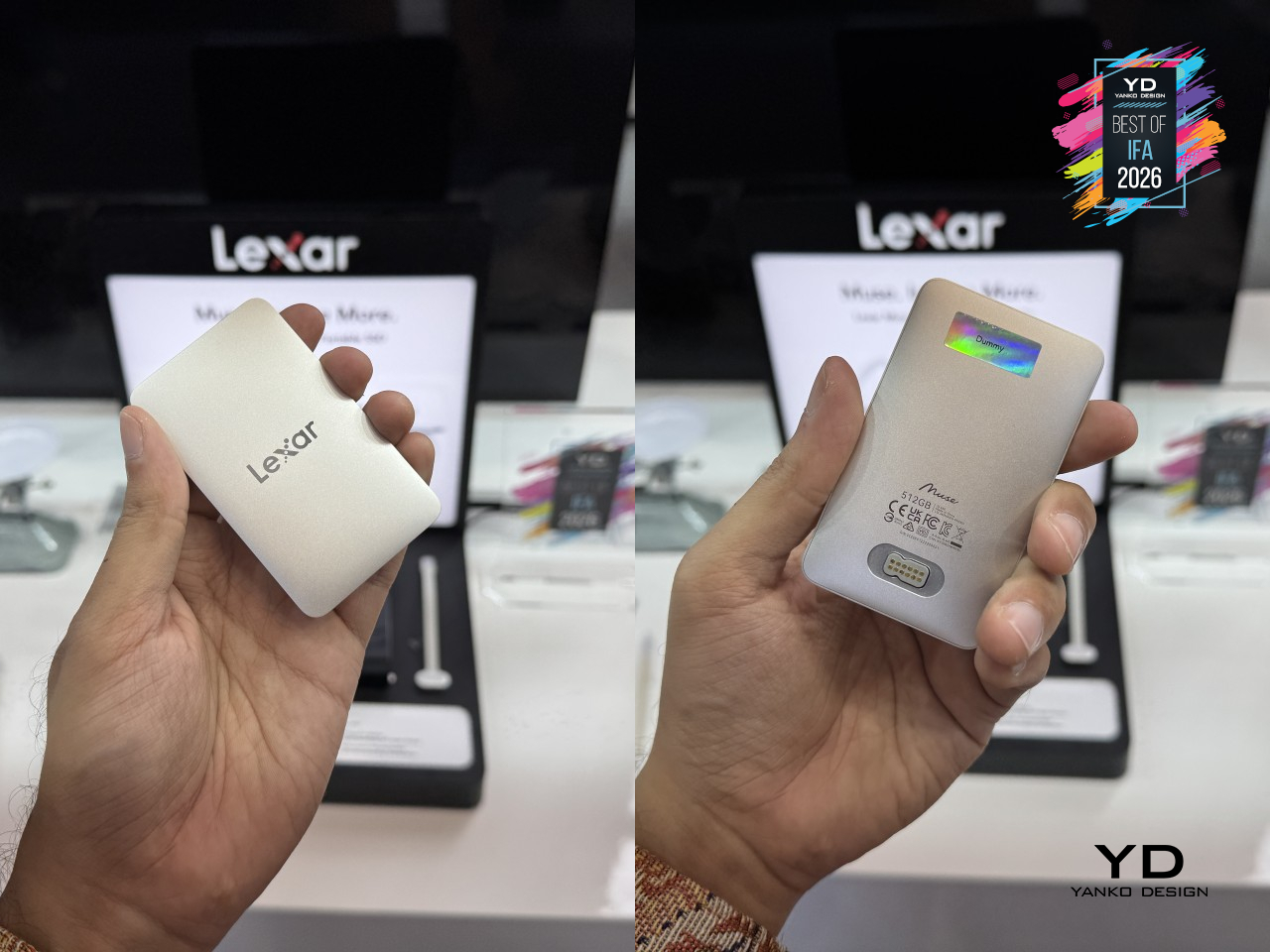
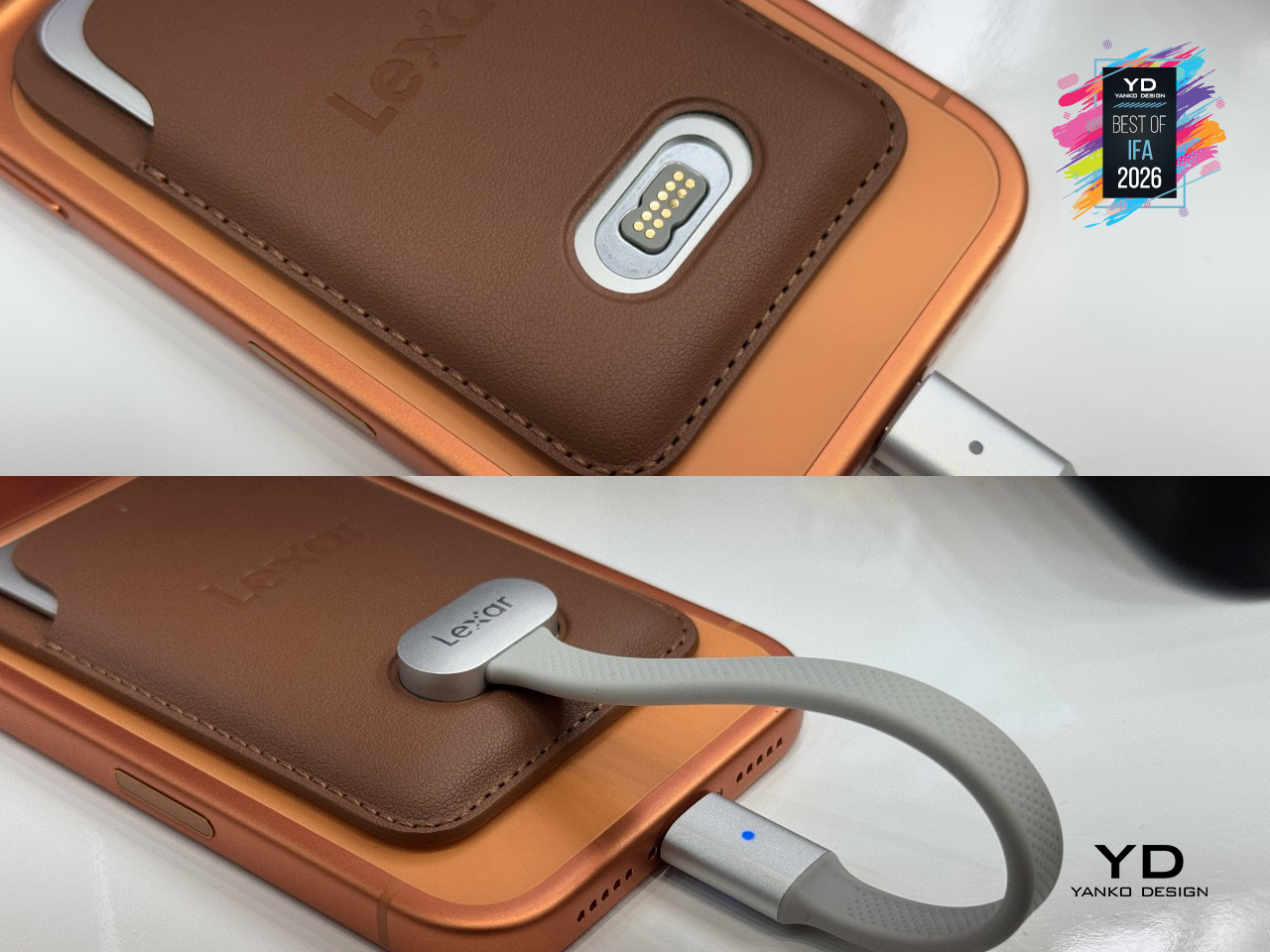
That thinness comes from a unibody metal enclosure machined from a single piece of metal, with no seams or joins breaking up the surface. It tapers from about 3.8mm at its thickest edge down to just 1mm at the rim, thin enough to nearly vanish in a pocket. A magnetic sleeve holds the drive and locks it onto the back of a compatible MagSafe iPhone, while the included SnapLink cable connects through a spring-loaded magnetic pin instead of a fumbled port.
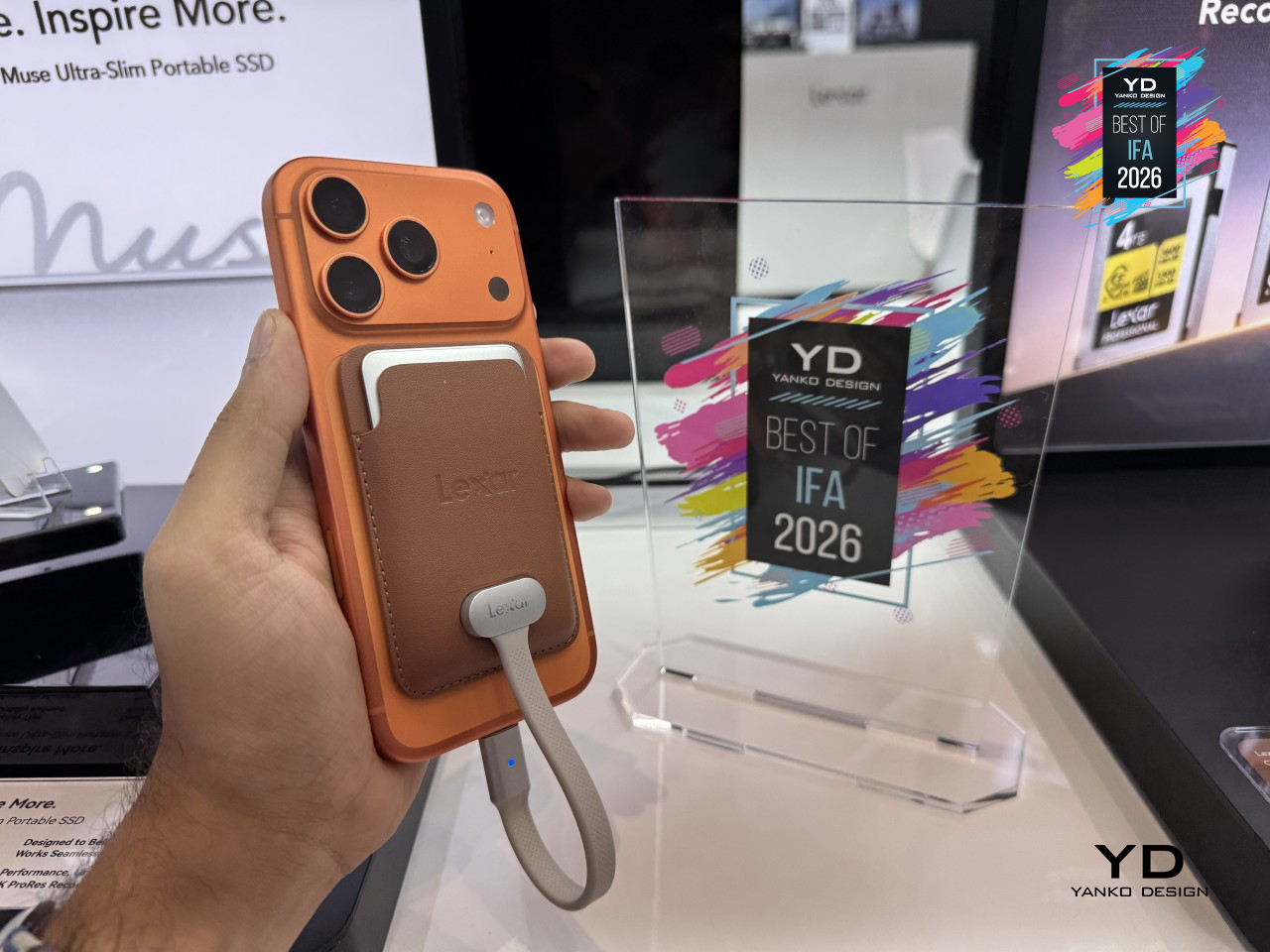
None of that design restraint costs any actual speed. Muse reads at up to 1,050 MB/s and writes at up to 1,000 MB/s, fast enough to keep up with ProRes 4K footage recorded straight to the drive at up to 120 fps on compatible iPhones. It’s a small piece of hardware, but one that finally treats a phone’s camera like the serious tool it’s already become.
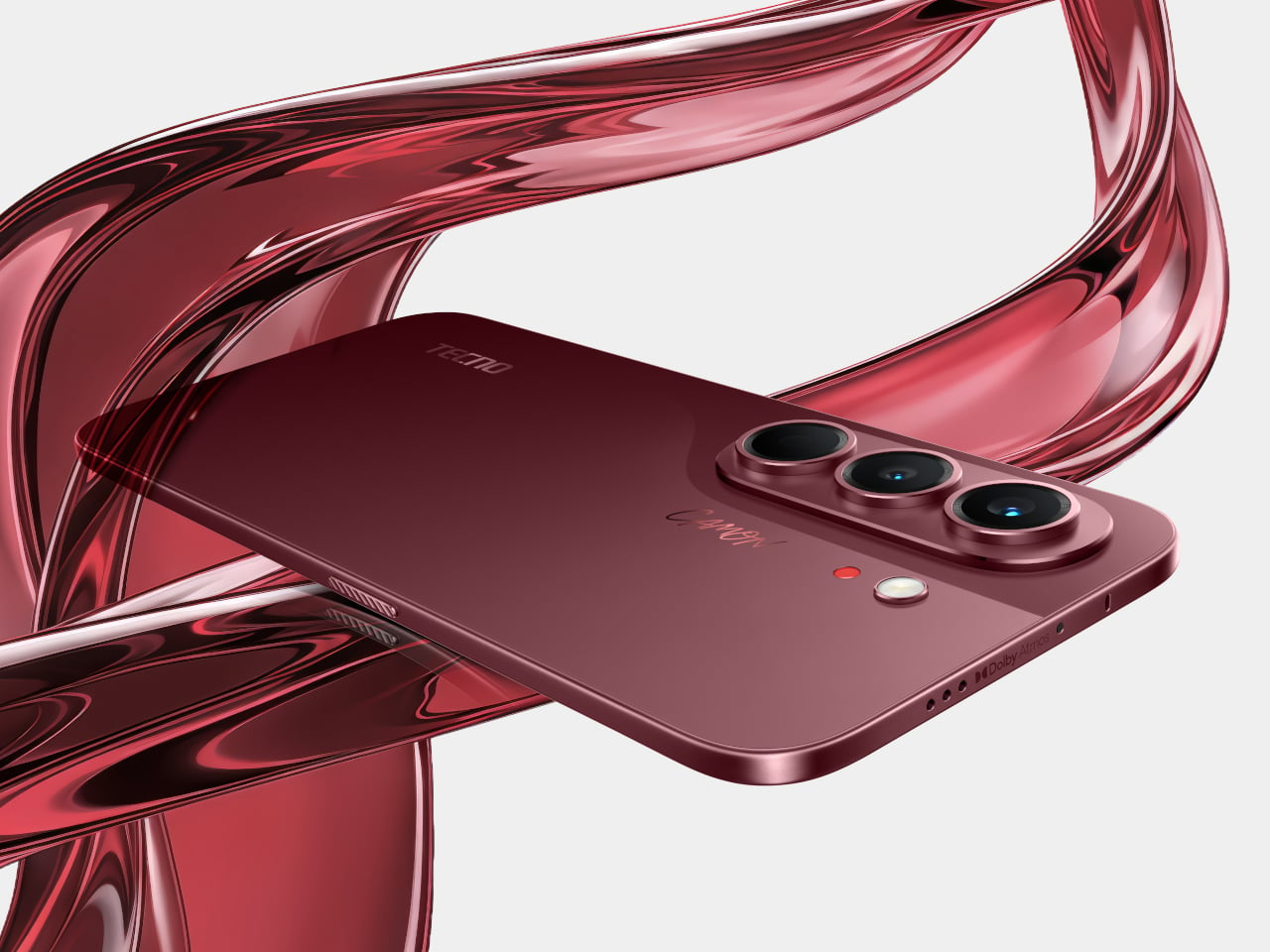
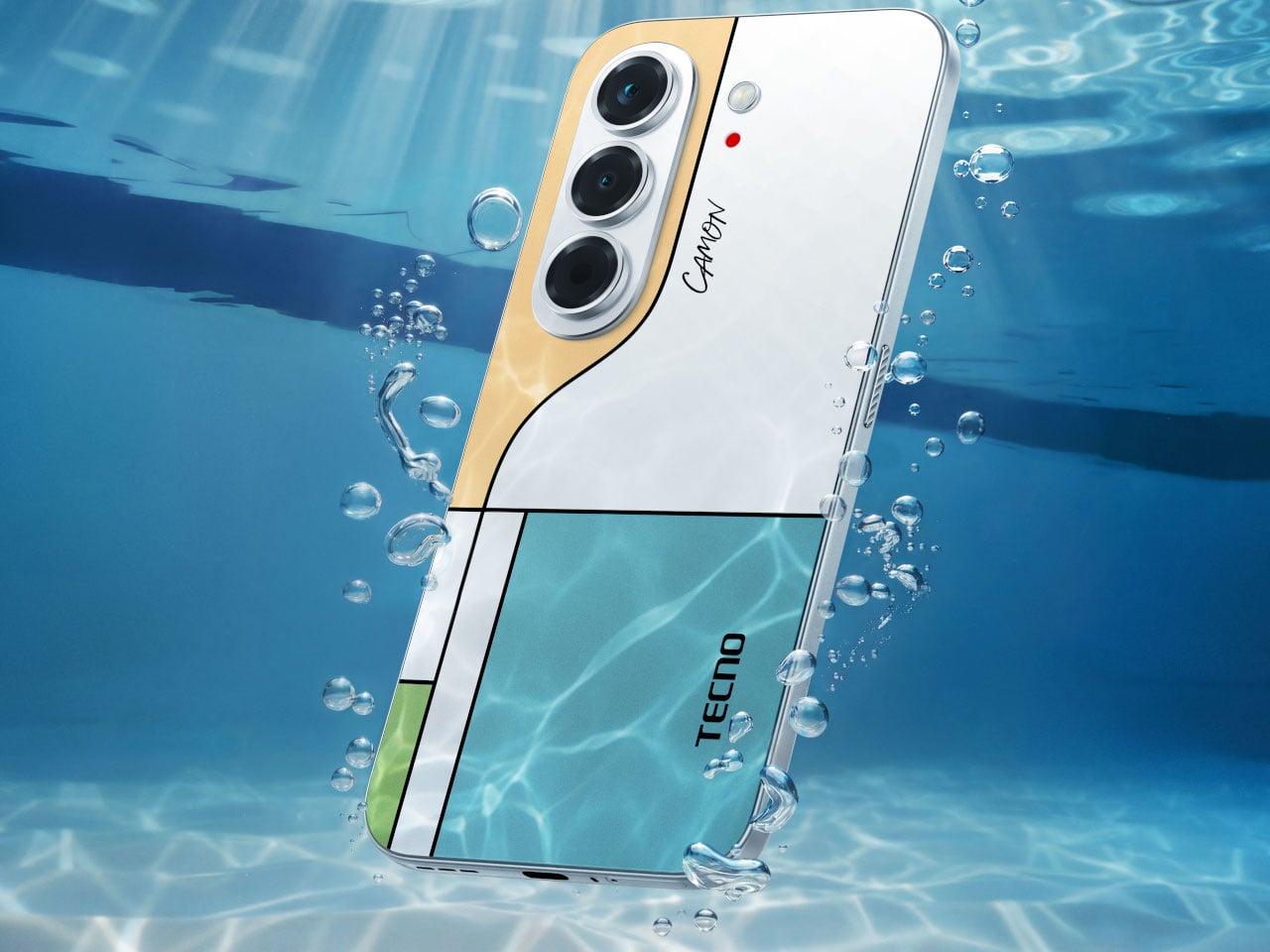
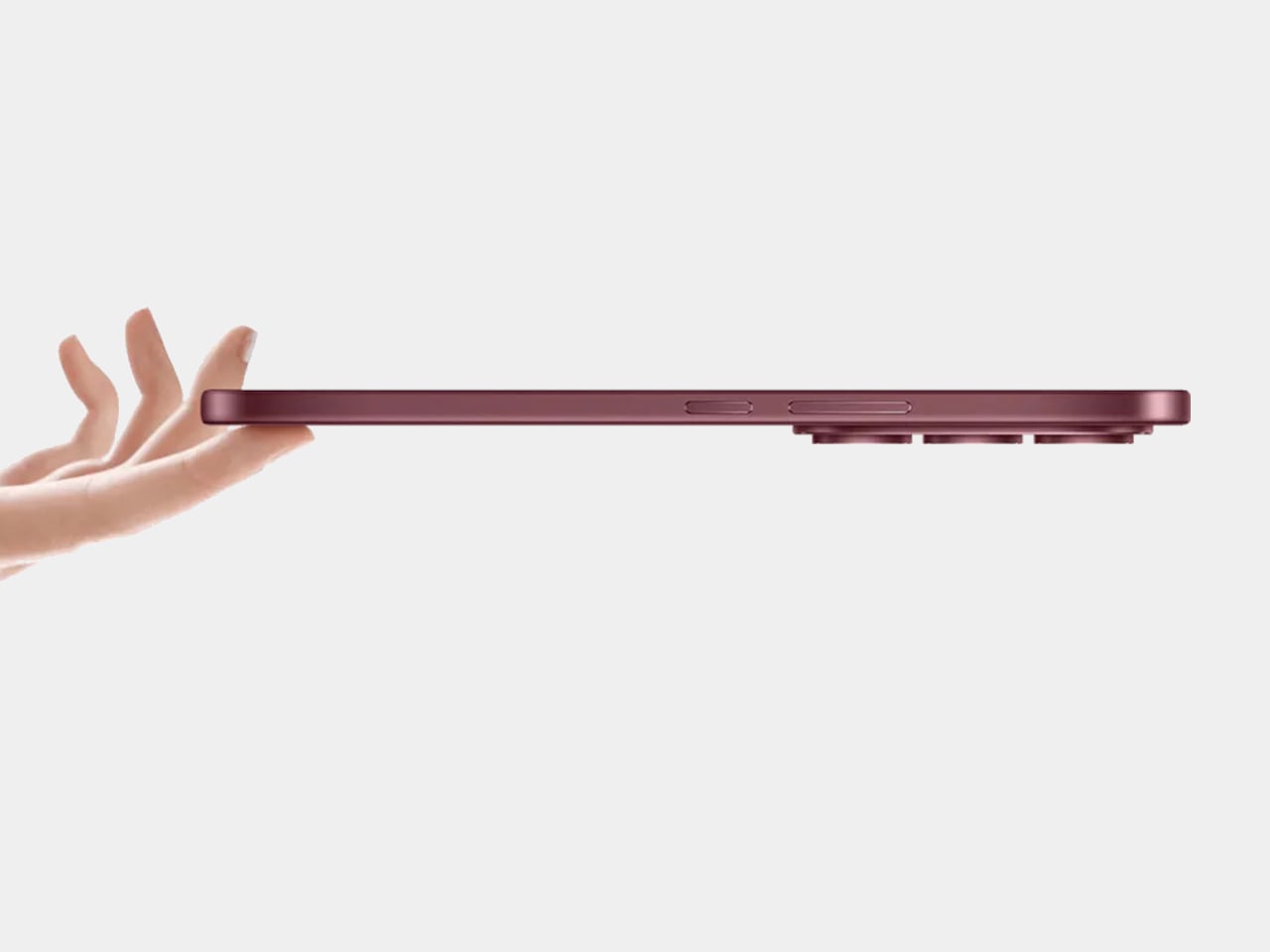
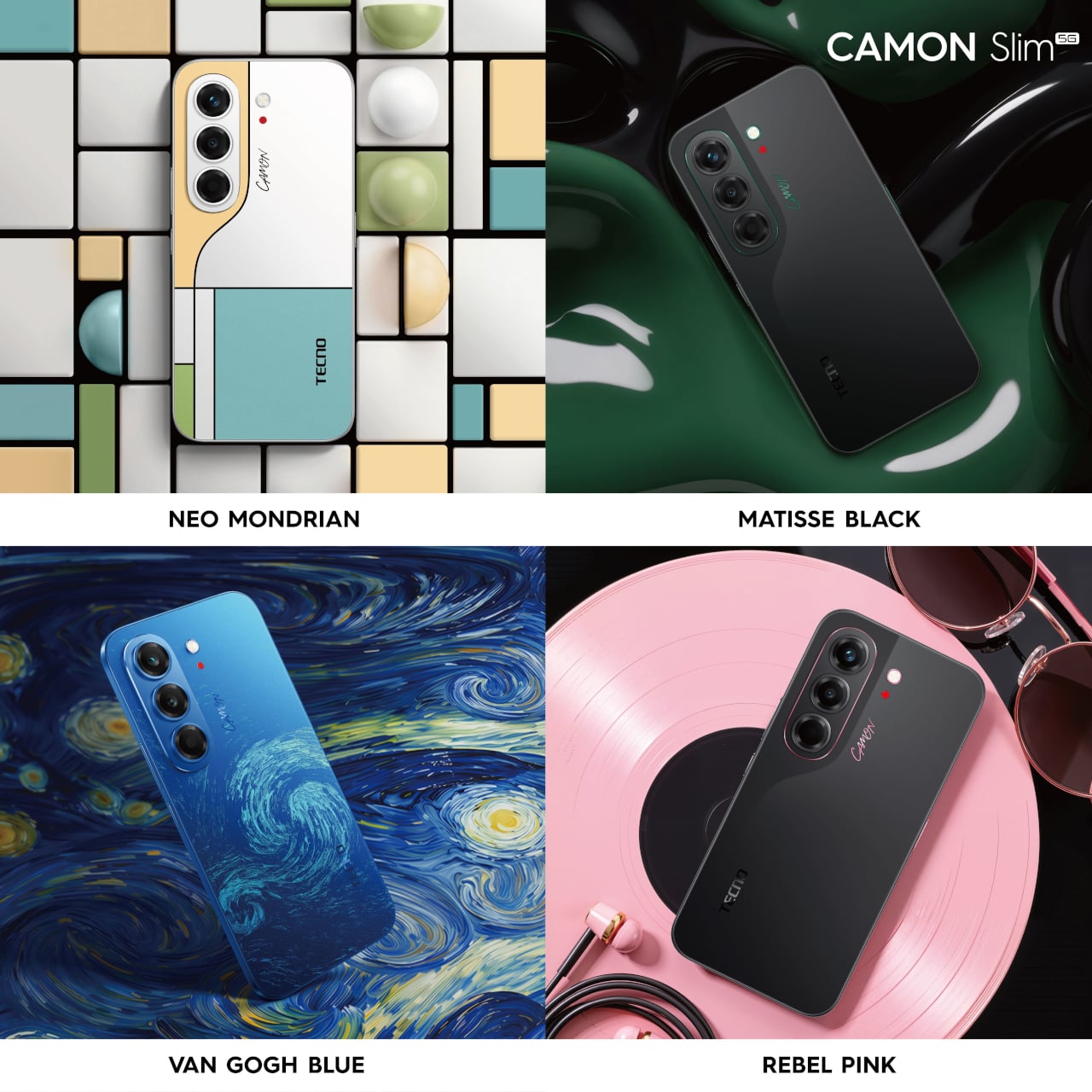
TECNO Next-Gen Bezelless Concept Phone
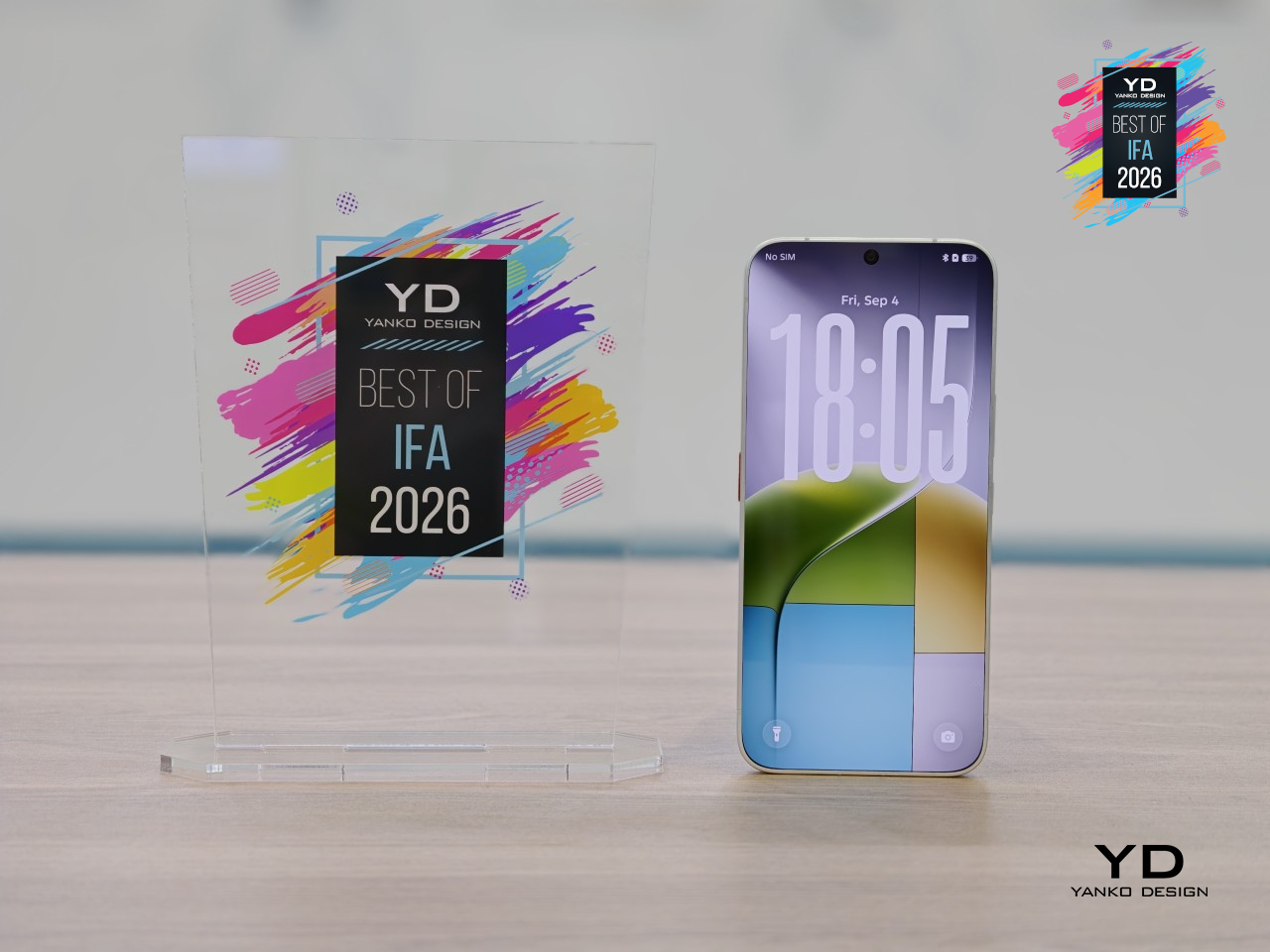
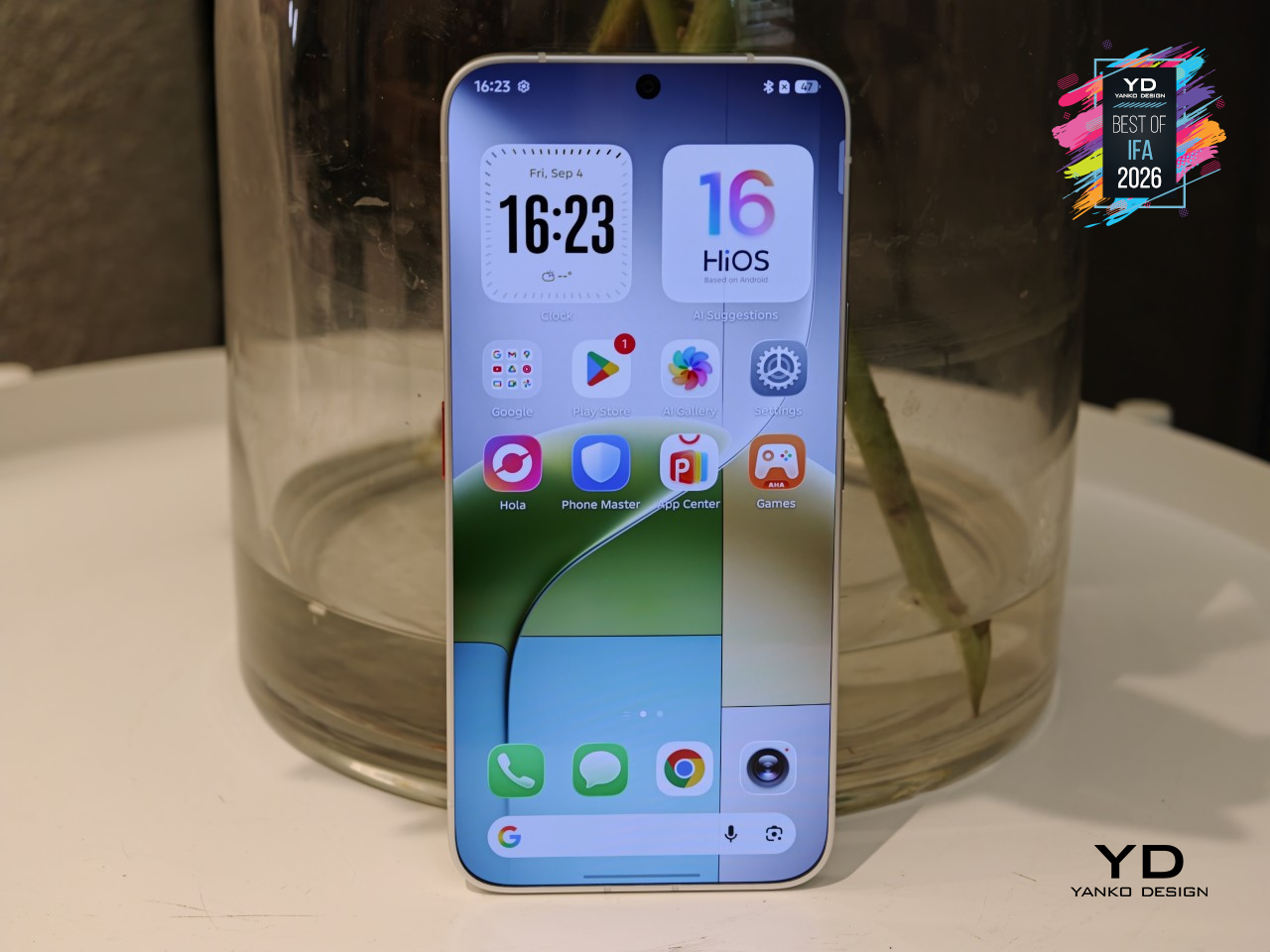
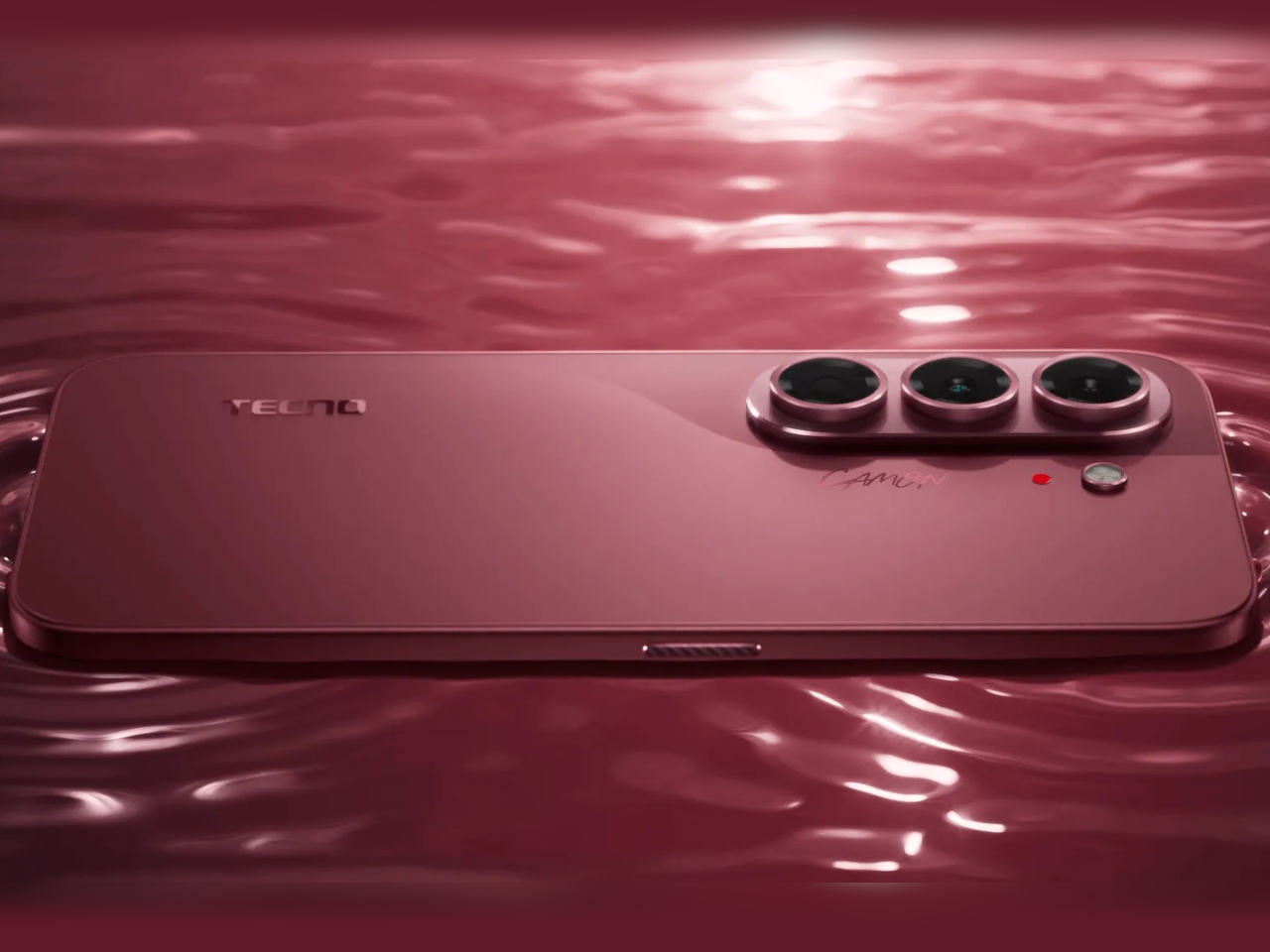
Every modern flagship phone still has one: a thin black line running around the edge of the screen where the display meets the frame. TECNO’s Next-Gen Bezelless Concept Phone gets rid of it entirely. Where most manufacturers have spent a decade shaving that border down to a sliver, this concept phone removes it outright, leaving a 6.78-inch OLED screen that seems to float free of any edge at all the moment it’s in your hand.
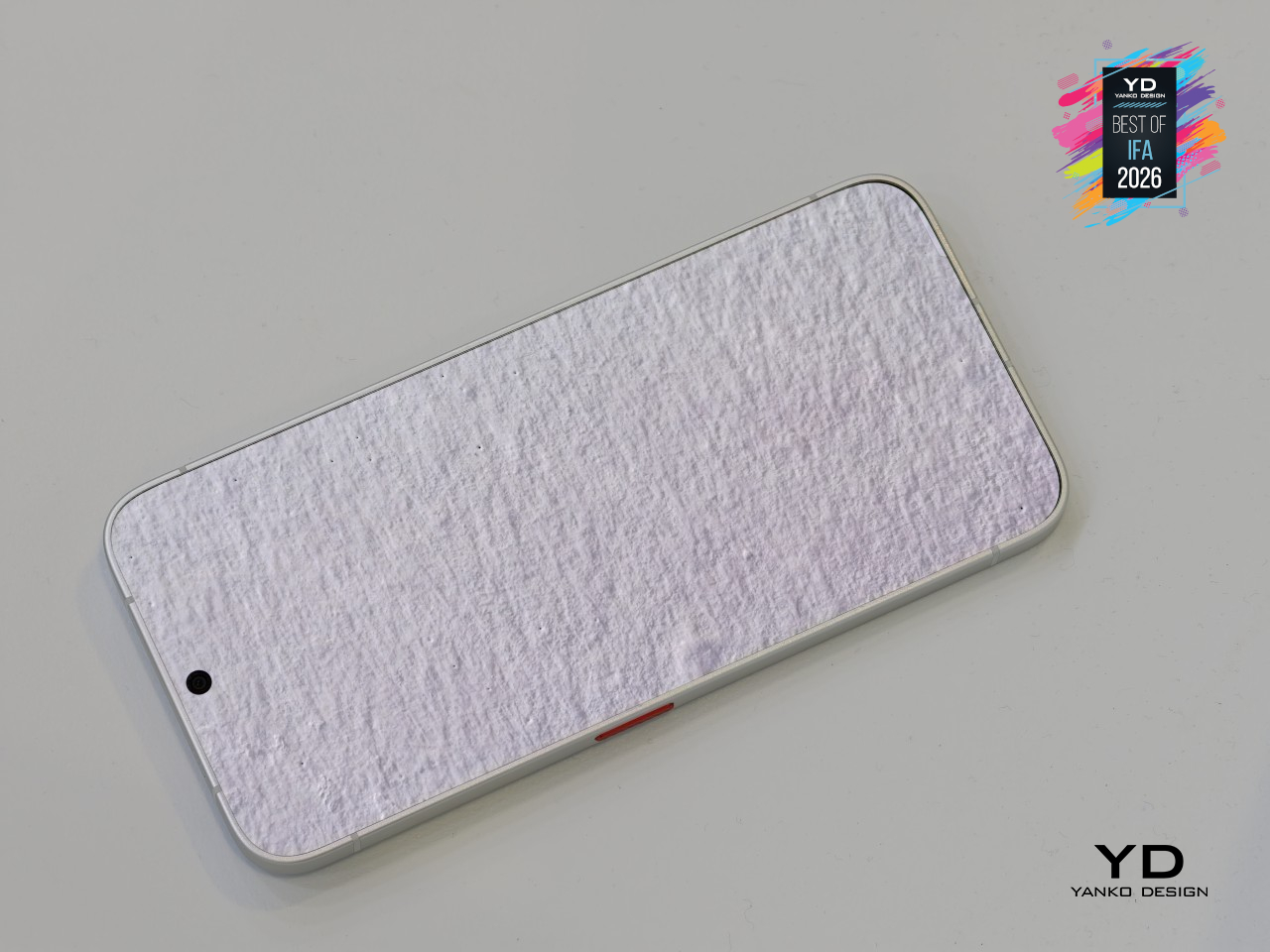
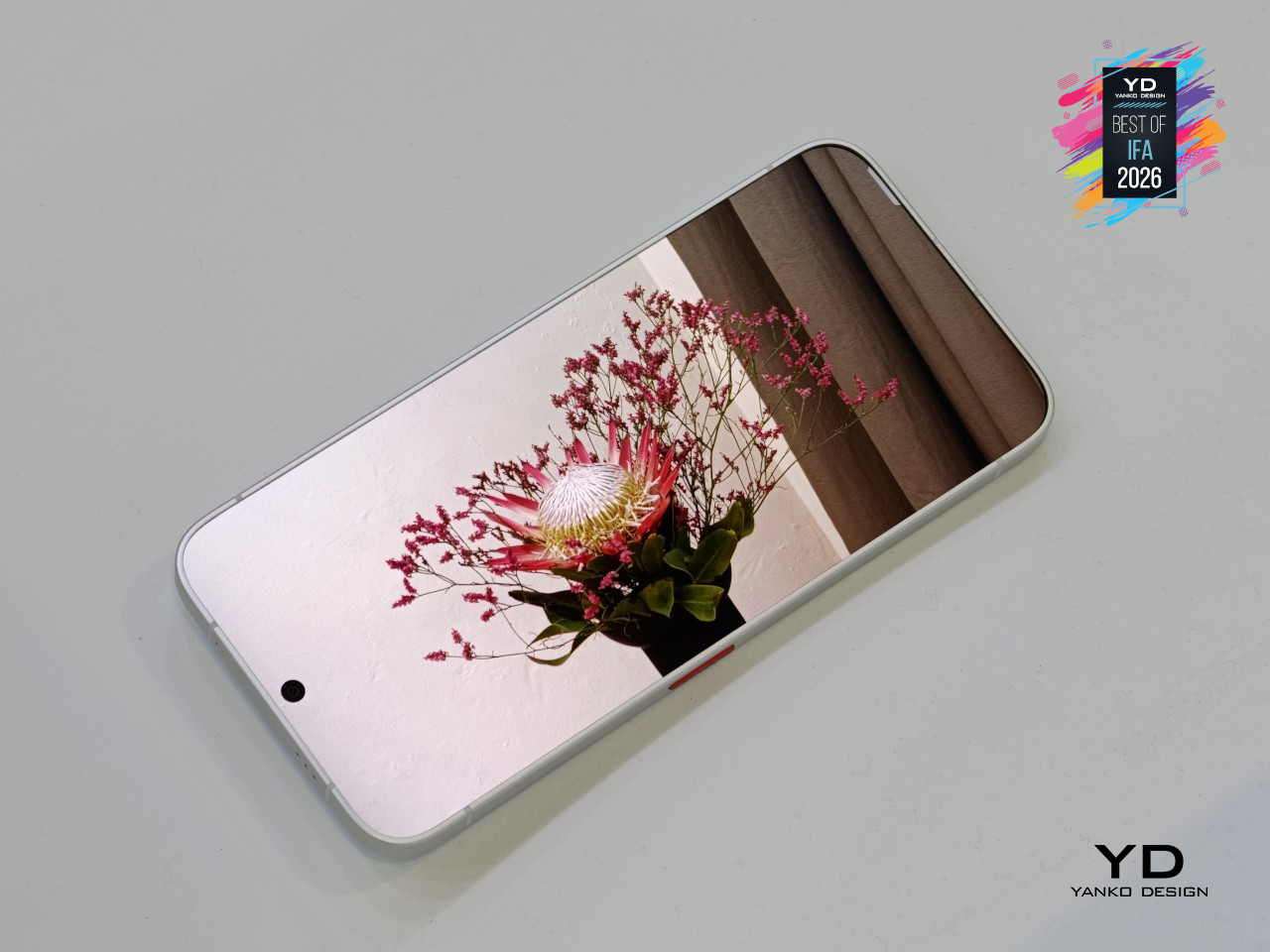

Getting there took more than thinner glass. TECNO extended the lower layer of a dual-glass stack so it tucks beneath the mid-frame, hiding the wiring and mounting hardware that normally force that visible border to exist. The display module then gets installed backward, inserted from the rear instead of the front, which lets that extended glass edge slide into place. A custom adhesive bonds everything from the front side rather than the back, closing the last gap that used to leave a black line behind.
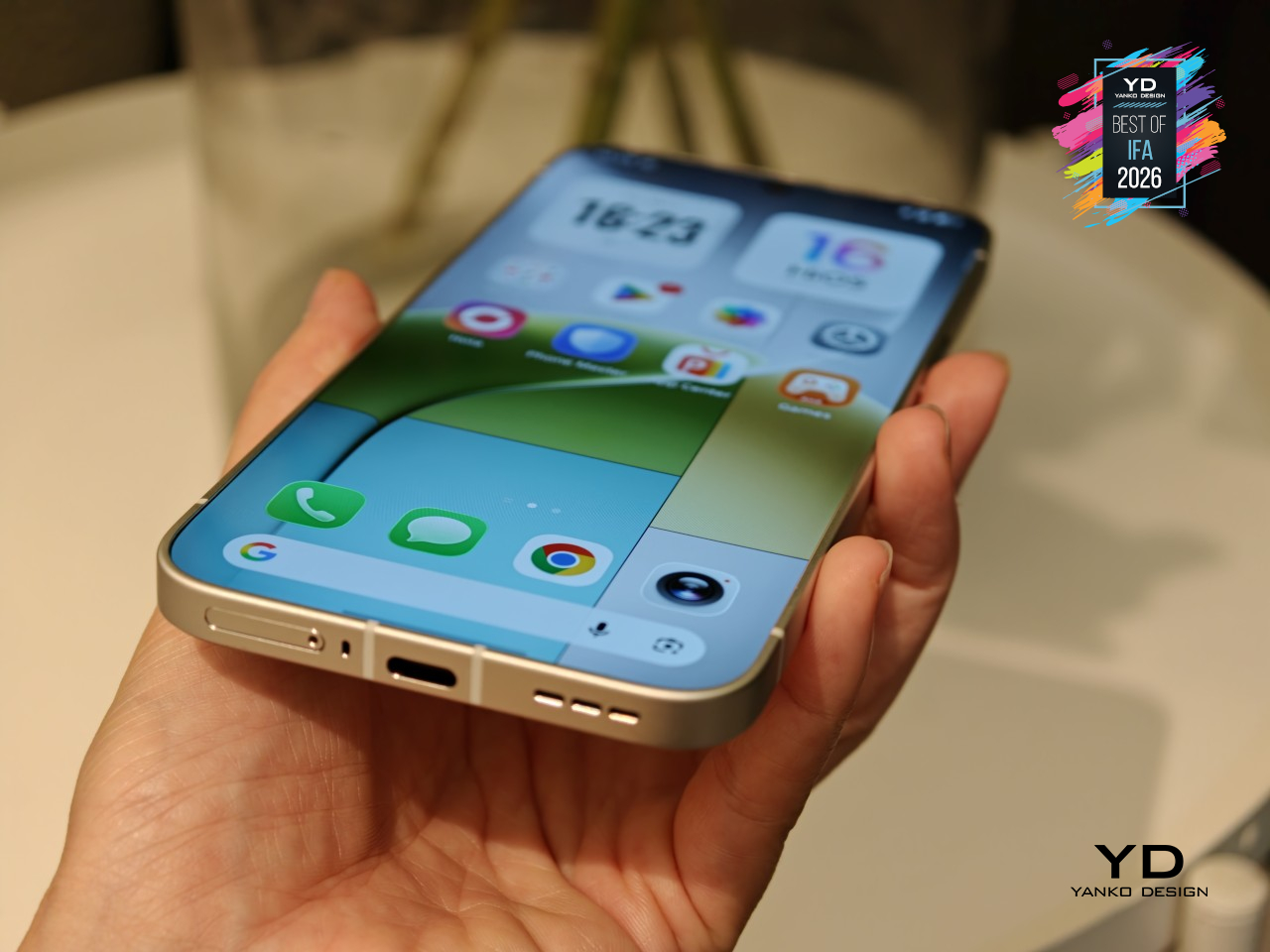
Worth noting, this is a concept unit built to prove the display technique works, not a finished phone ready for daily carry. TECNO has said battery life and drop performance aren’t areas this prototype is meant to be judged on, and the SIM tray is a non-functional mockup. Still, the company’s already talking about folding this display technique into future flagships, and if it gets there, that thin black line phones have carried for years might finally disappear for good.
INMO GO3 AI Glasses
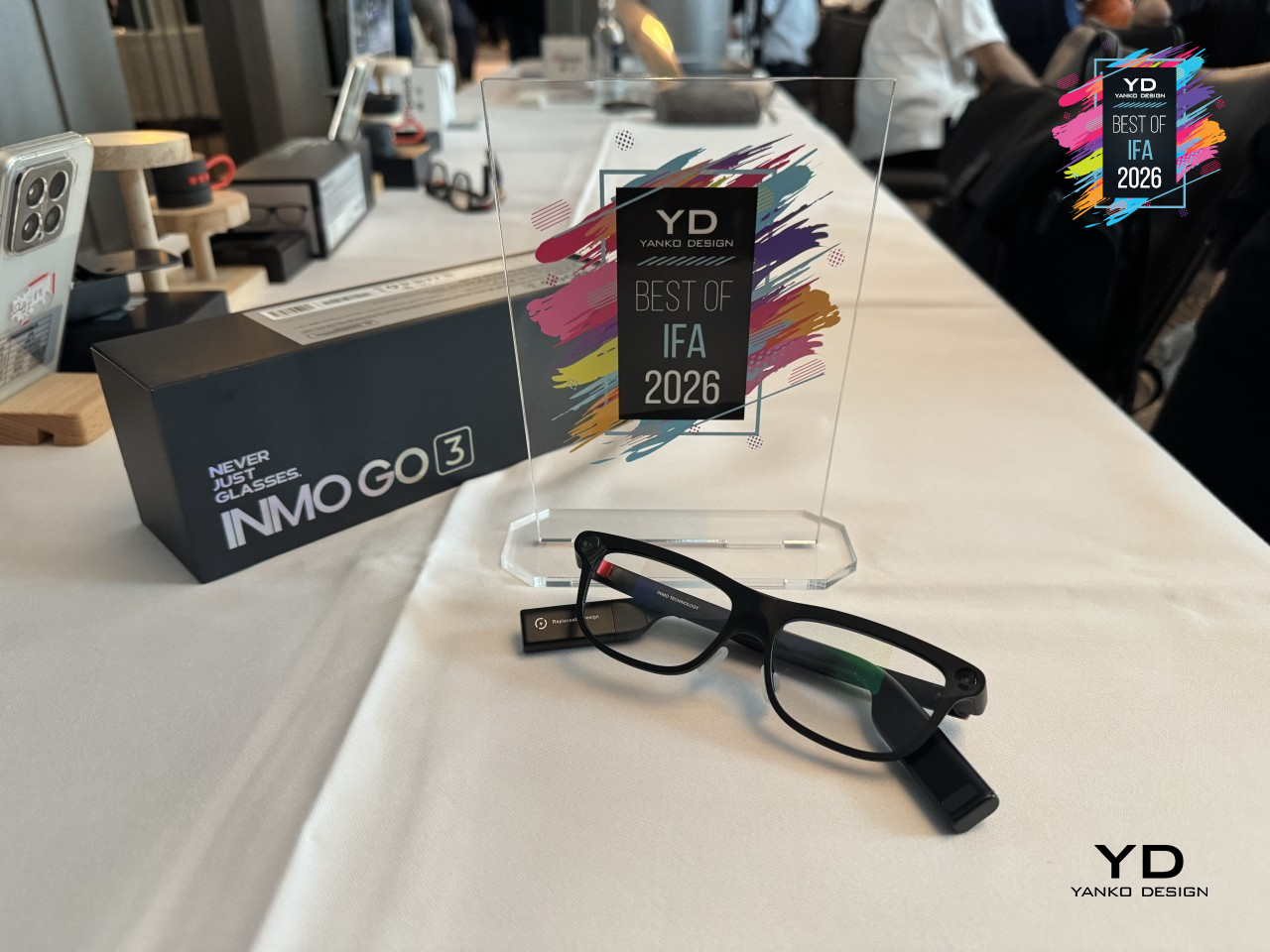
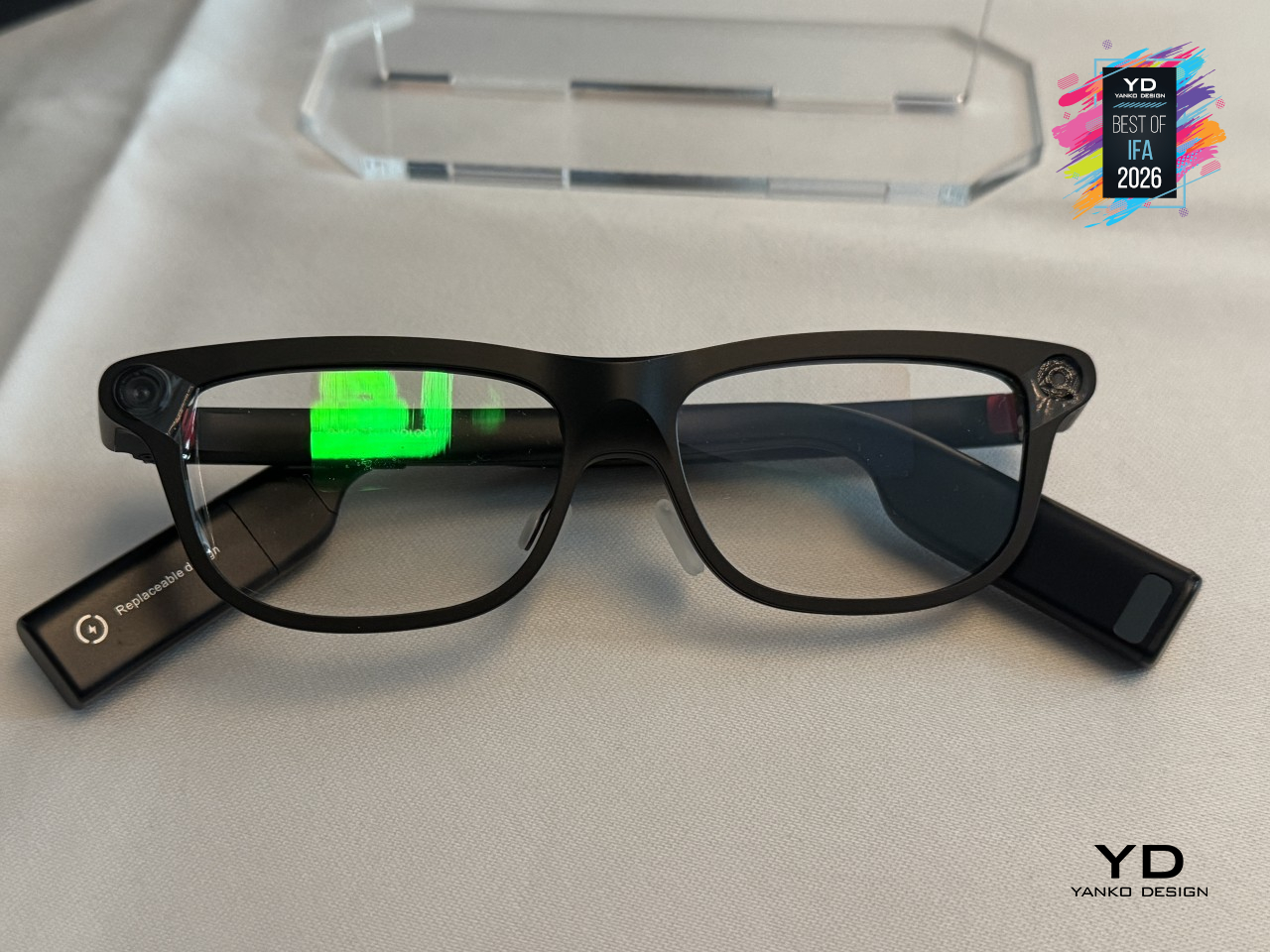
Smart glasses have a battery problem nobody’s really solved: once the charge runs out, you’re stuck swapping the whole pair for a charging case and waiting. INMO’s GO3 skips that wait entirely. Its battery pops out and back in within about 5 seconds, letting a fresh cell take over mid-conversation instead of forcing a break to plug in. It’s a small mechanical trick, but it’s one barely any other smart glasses on the market currently offer.
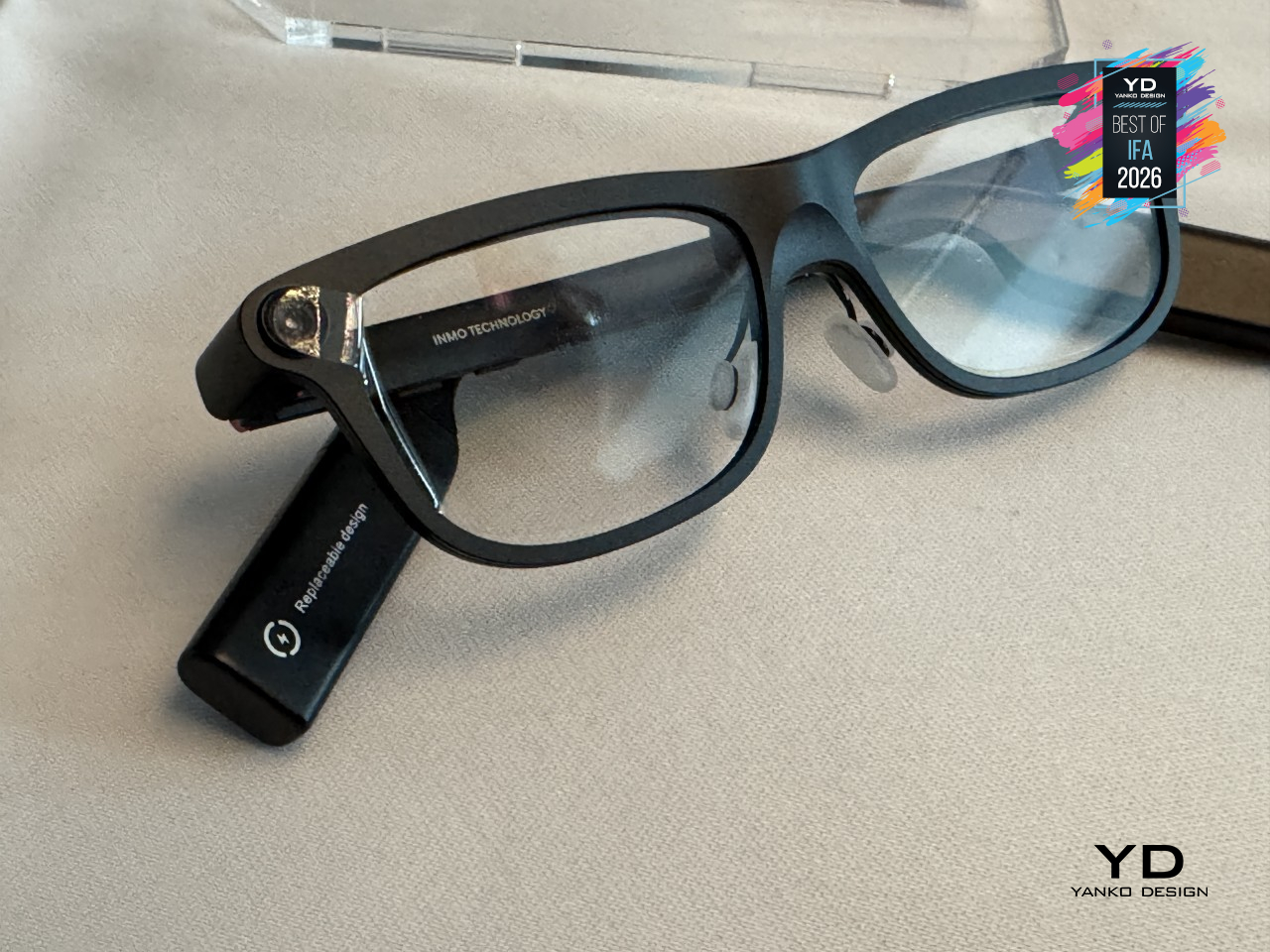
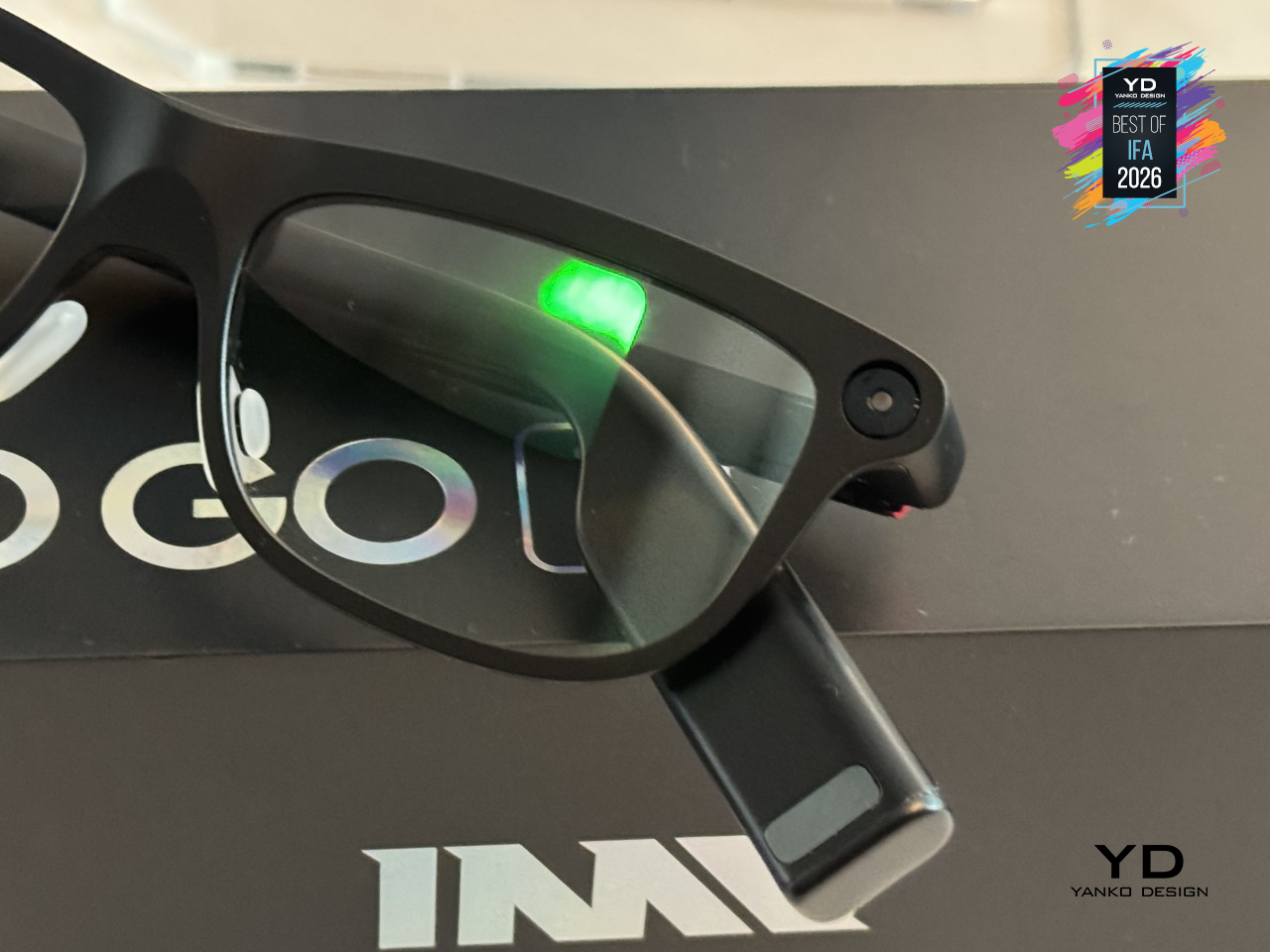
Making that swap feel effortless took some real restraint in the frame itself. INMO built the temples down to just 8mm thick, thin enough that the glasses still read as, well, glasses, rather than a gadget bolted onto your face. That matters more than it sounds like it should, since anything worn all day needs to disappear a little, and a hot-swap battery tucked into a temple that thin means INMO didn’t sacrifice comfort just to solve the charging problem.
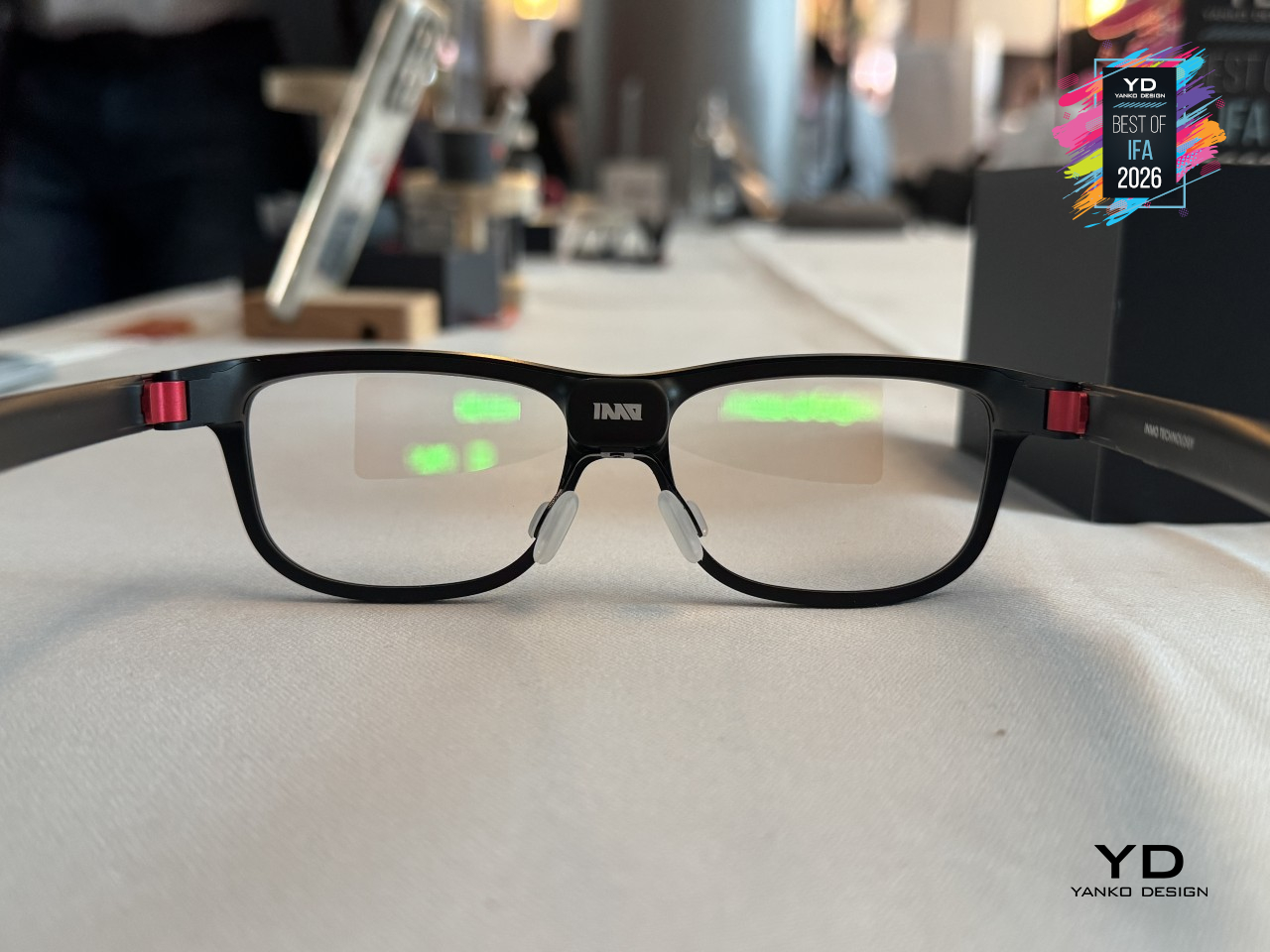
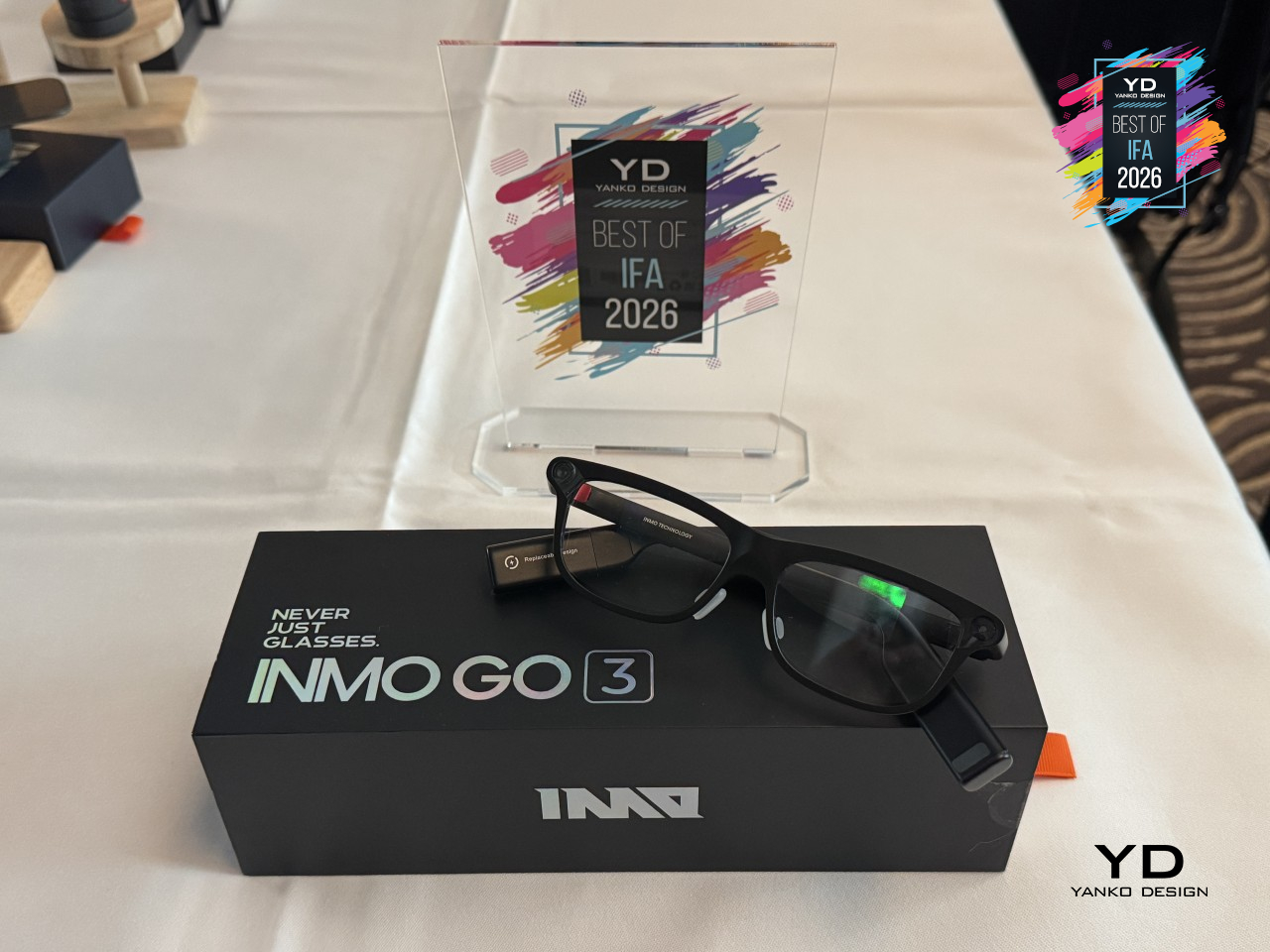
None of the hardware matters much without something worth using it for, and GO3 leans on real-time translation across 98 or more languages plus a built-in AI assistant running on ChatGPT and Gemini. That combination turns the glasses into something closer to a quiet translator sitting on the bridge of your nose, ready whenever a conversation shifts languages or a question needs answering hands-free. INMO built a pair of glasses that finally treats battery anxiety as a design problem, not just a spec to apologize for.
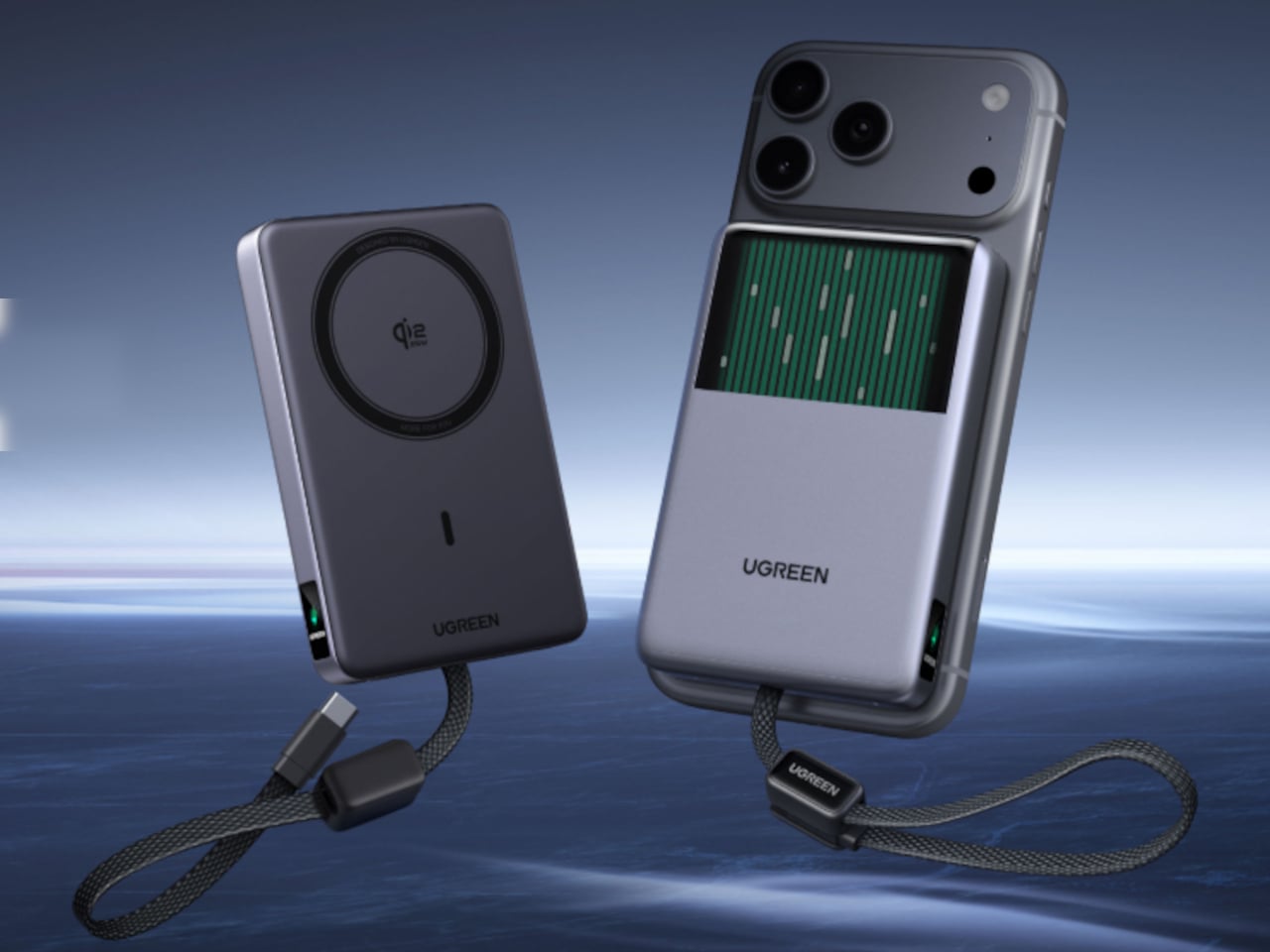
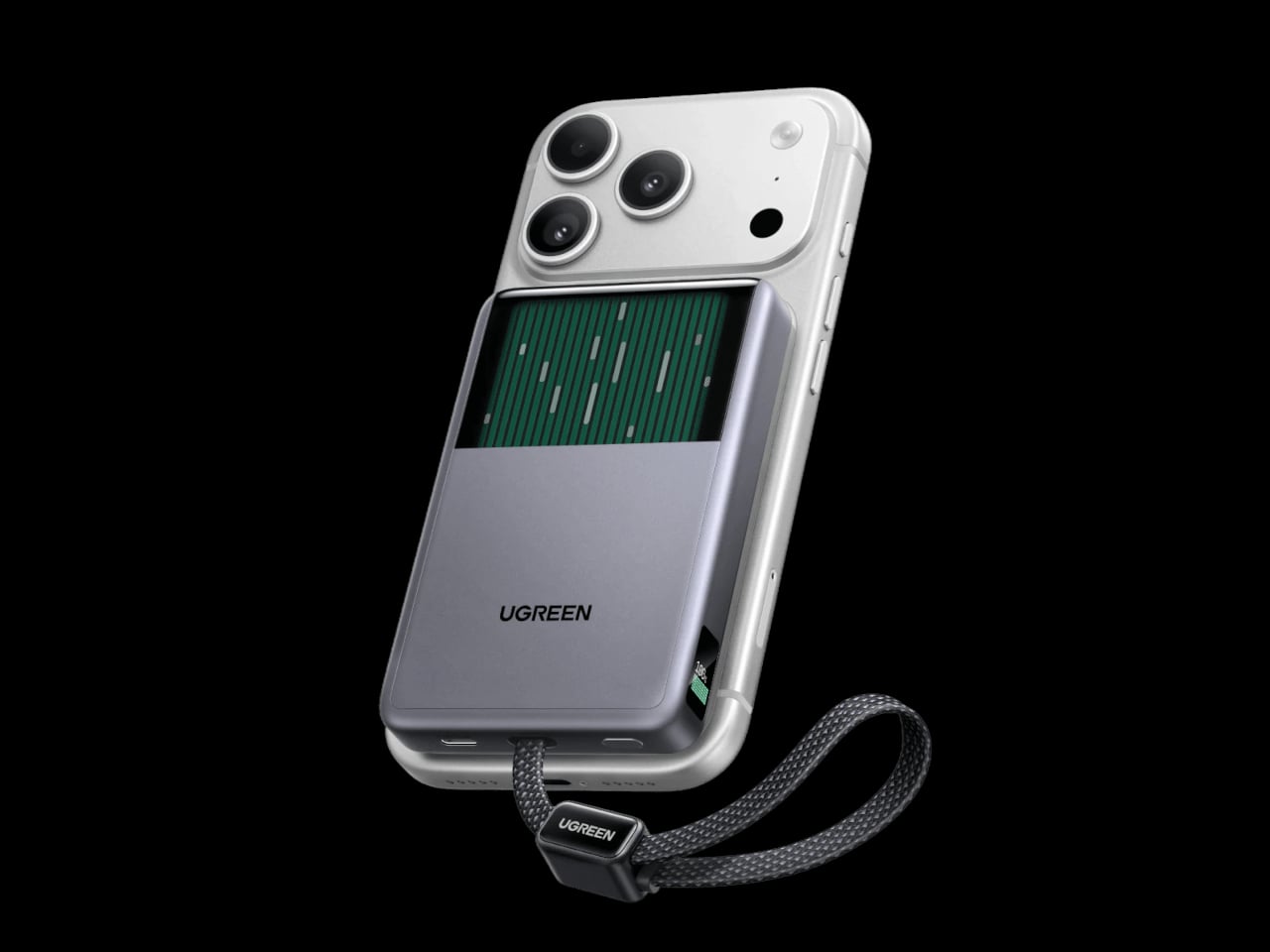
UGREEN MagFlow Pro Power Bank with Liquid Cooling
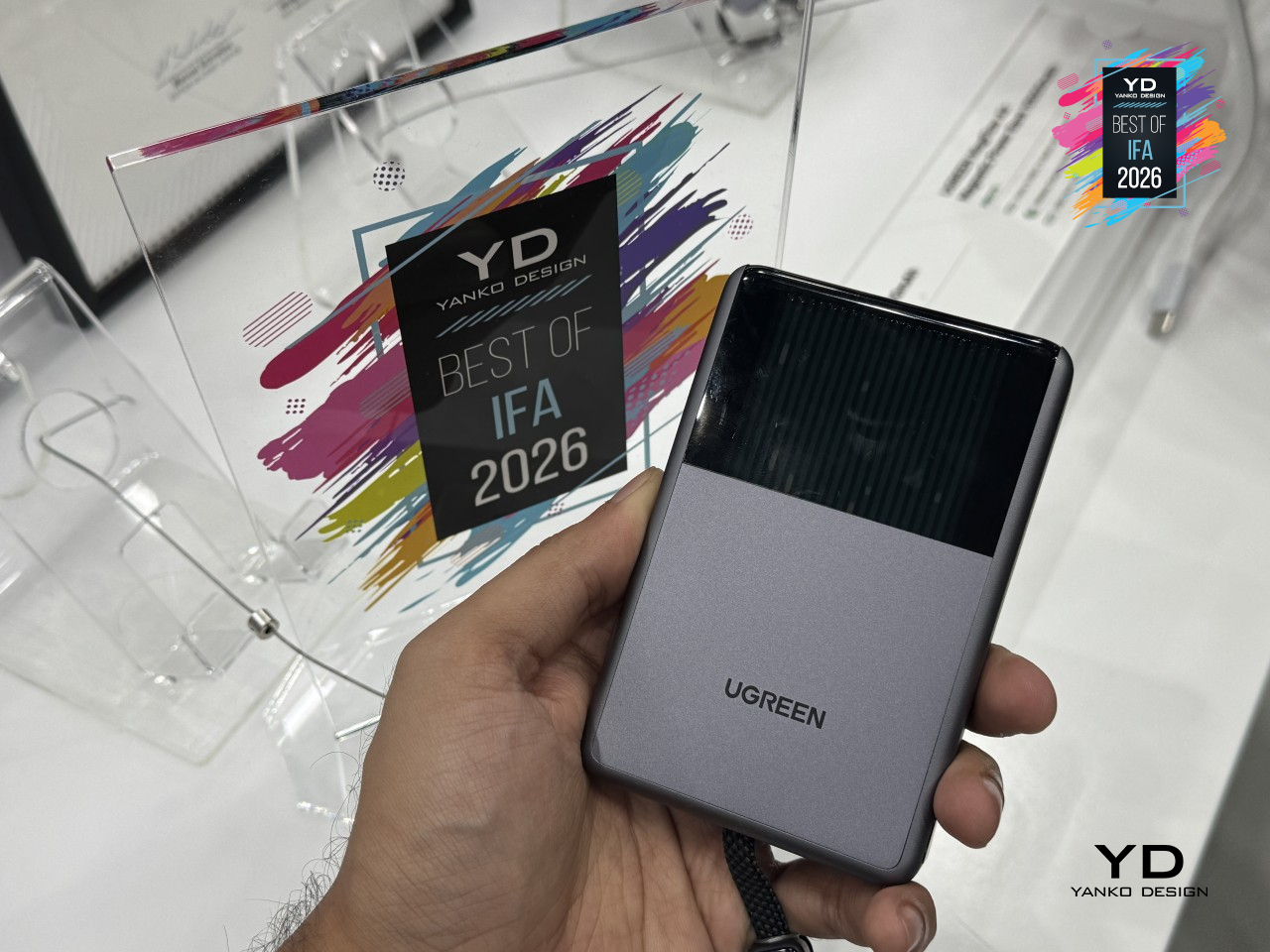
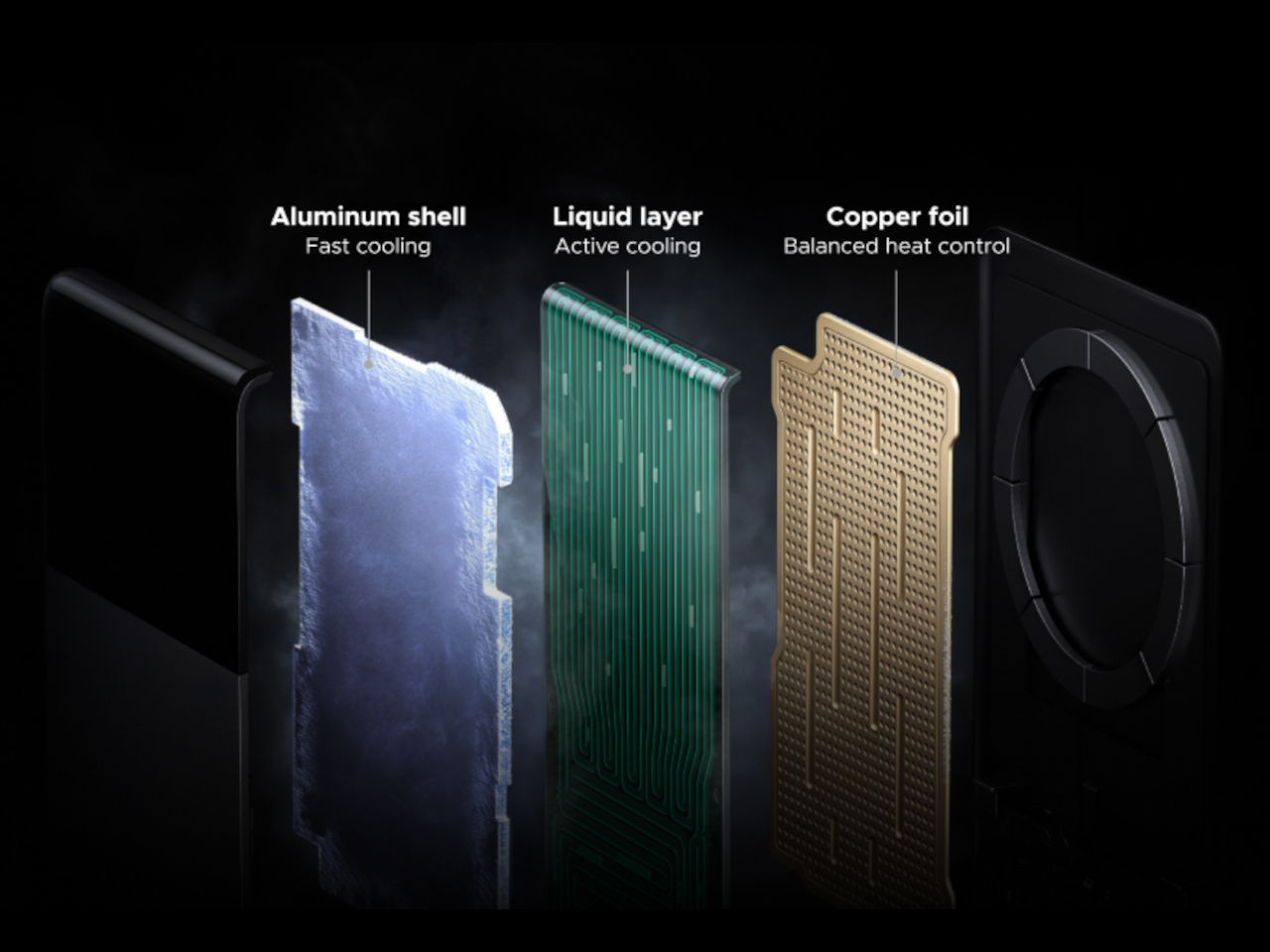
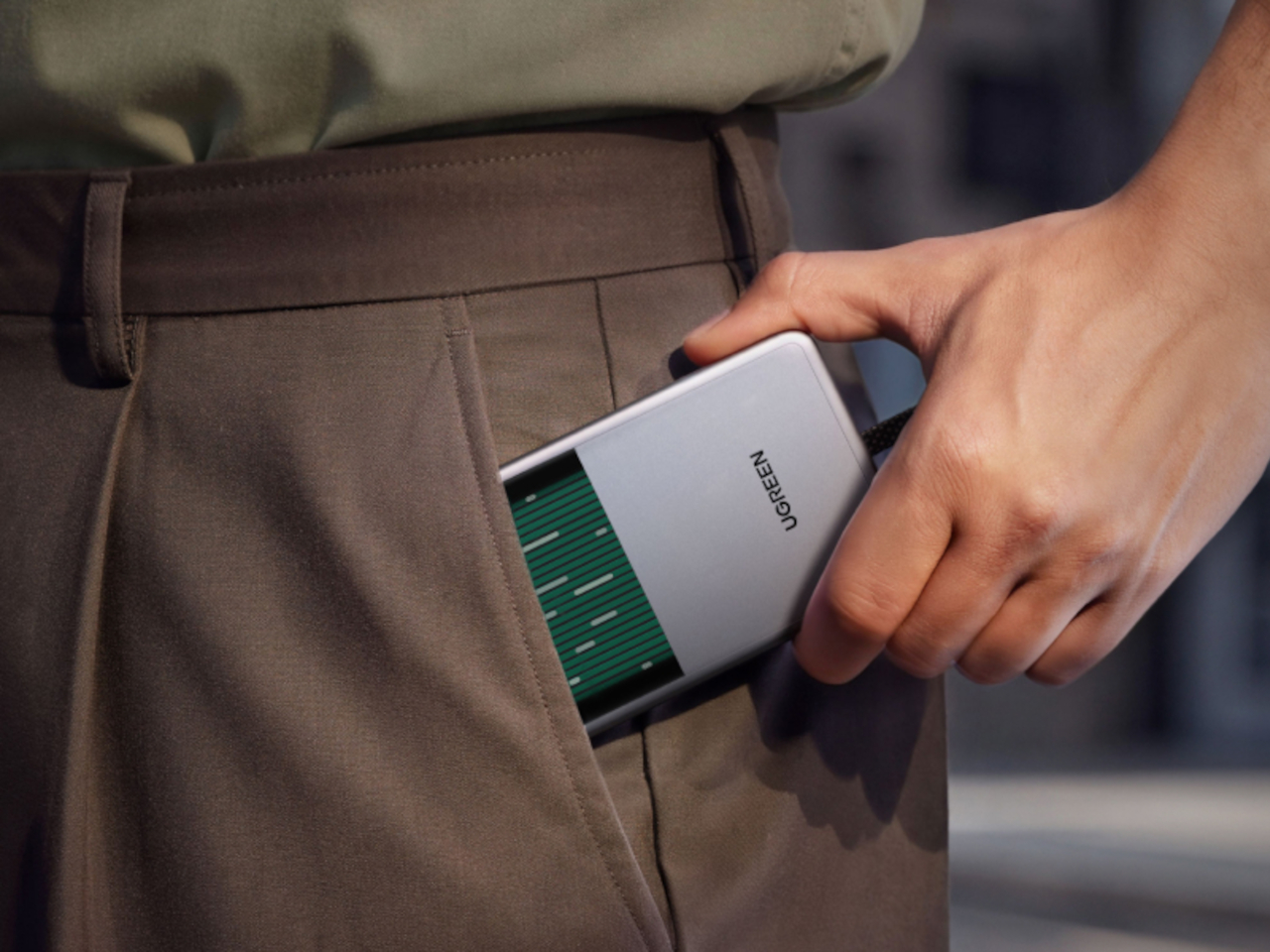
Wireless charging has a dirty secret: the faster it pushes power into a phone, the hotter both devices get, and that heat is exactly what forces most chargers to quietly slow down halfway through. UGREEN’s MagFlow Pro tackles that trade-off head-on with actual liquid cooling squeezed into a pocket-sized power bank. It’s a 10,000mAh magnetic charger that pairs Qi2 25W output with a coolant loop usually reserved for gaming rigs, built to keep charging fast instead of easing off once things heat up.
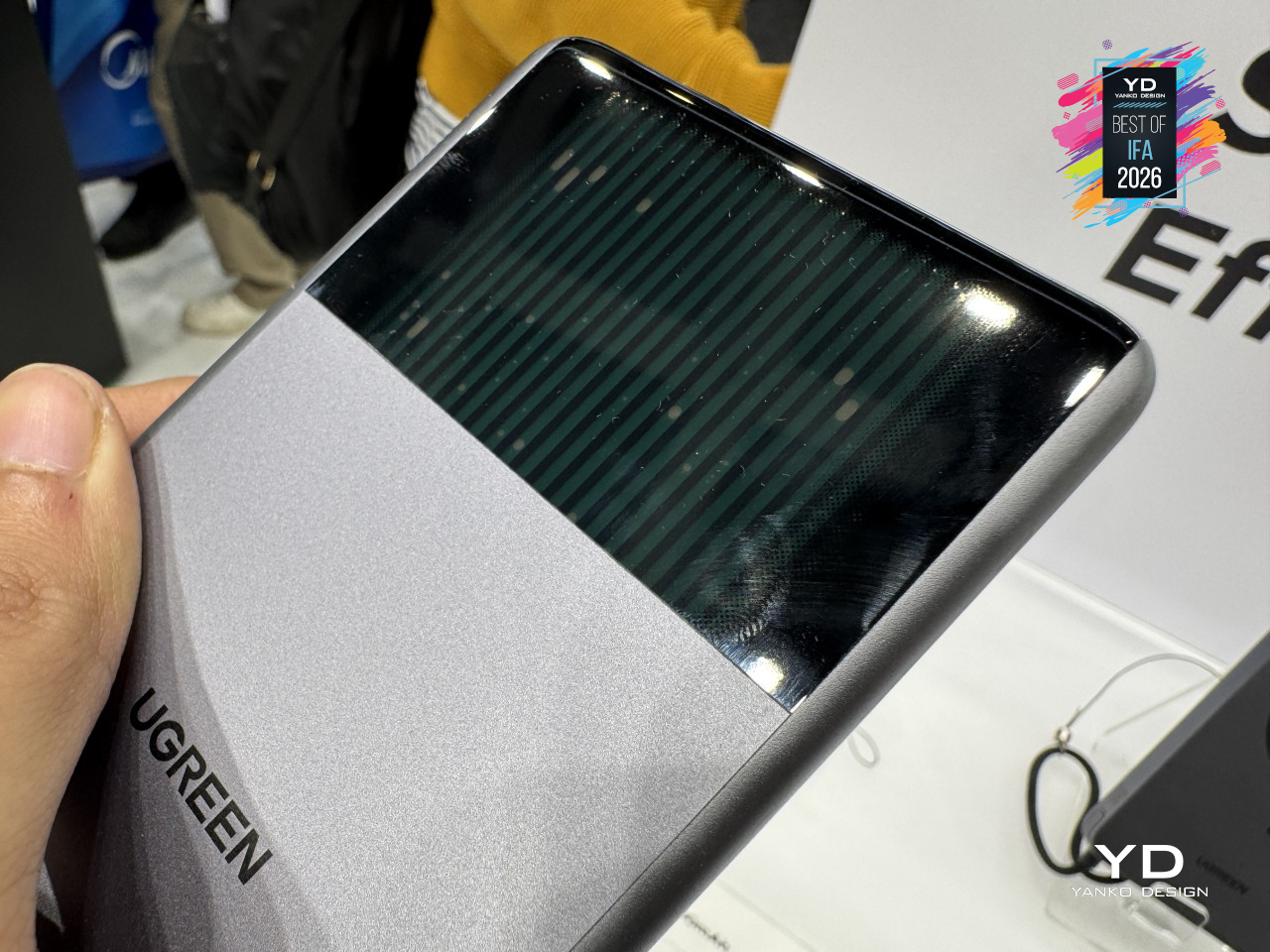
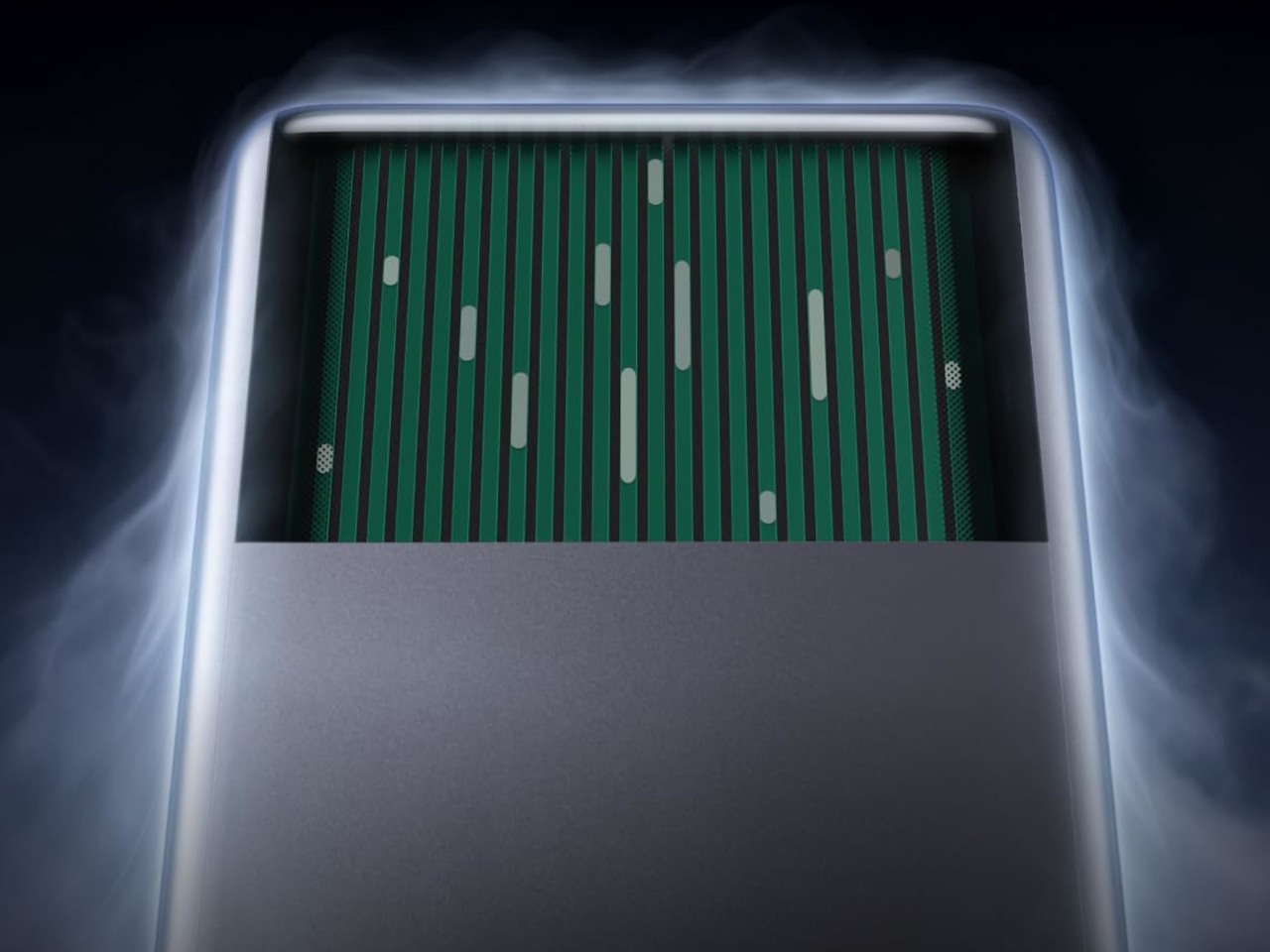
That cooling runs through what UGREEN calls CryoPulse, a micropump that circulates coolant past the hottest components while the bank keeps working. A window built into the shell, nicknamed the Cyber Window, lets that coolant movement stay visible instead of hidden behind plastic, turning a thermal solution into something you can actually watch happen. A metal heat sink and 13 layers of safety protection back all of that up, so the liquid loop reads like a genuine engineering choice rather than a party trick.
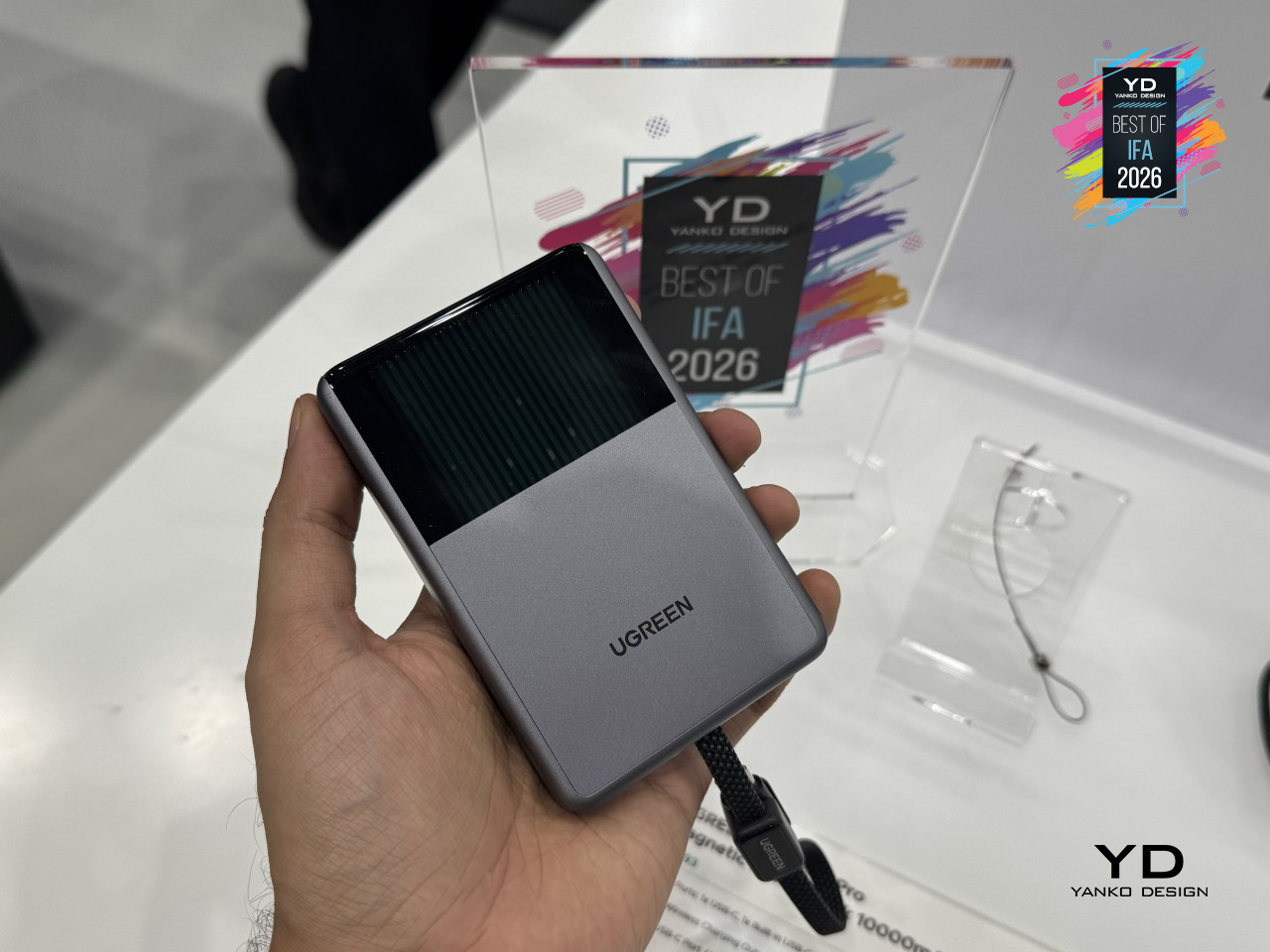
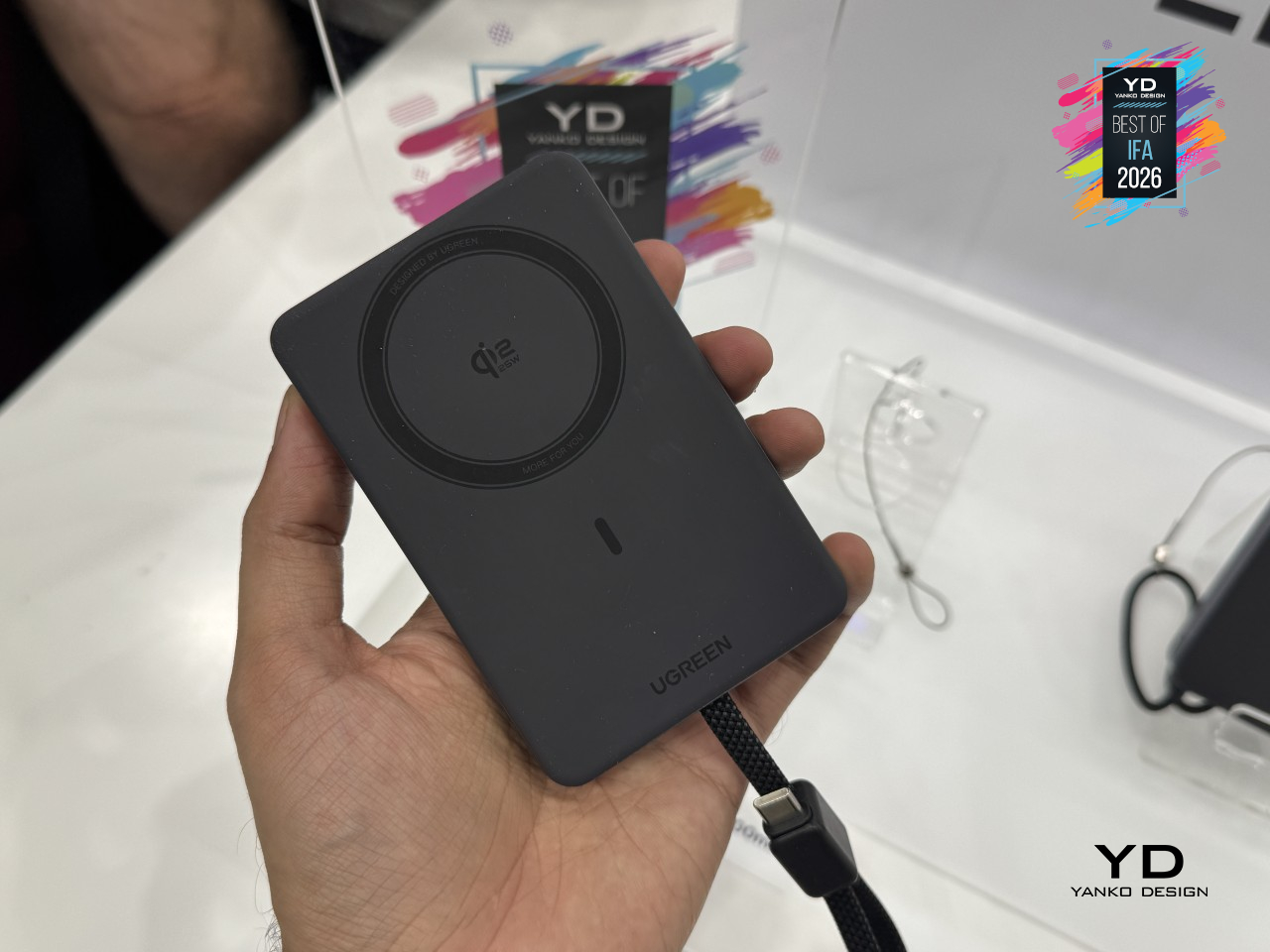
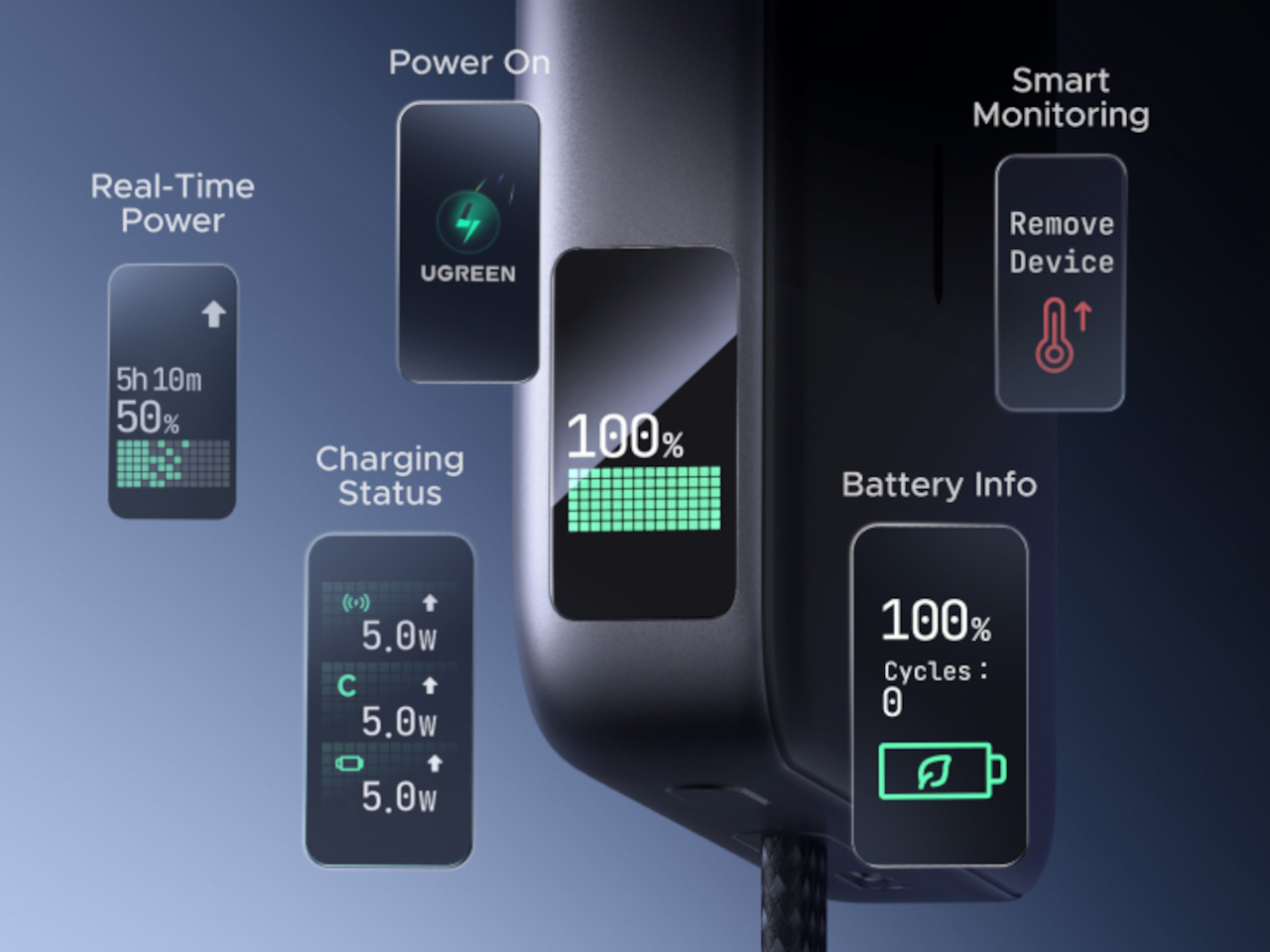
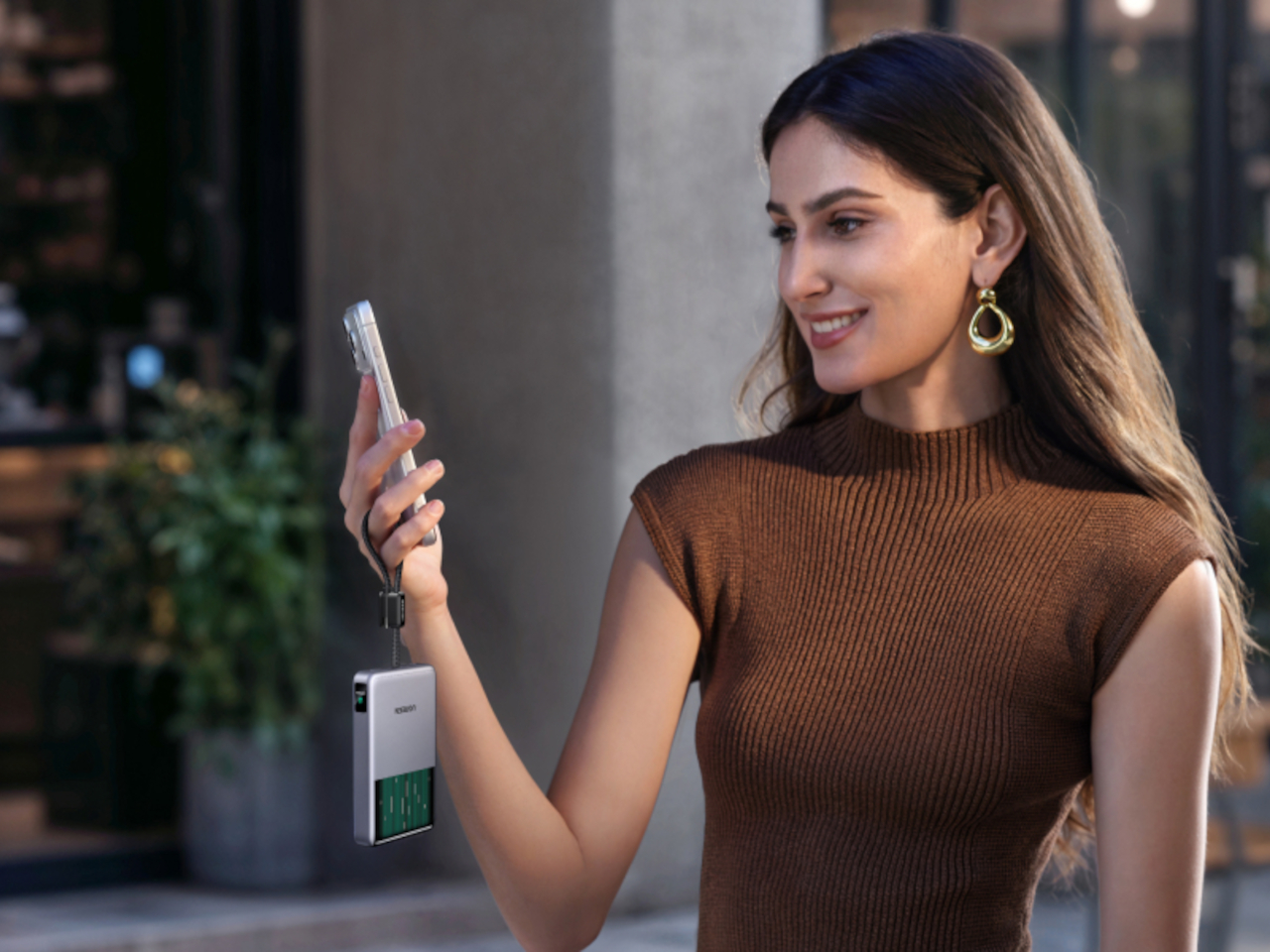
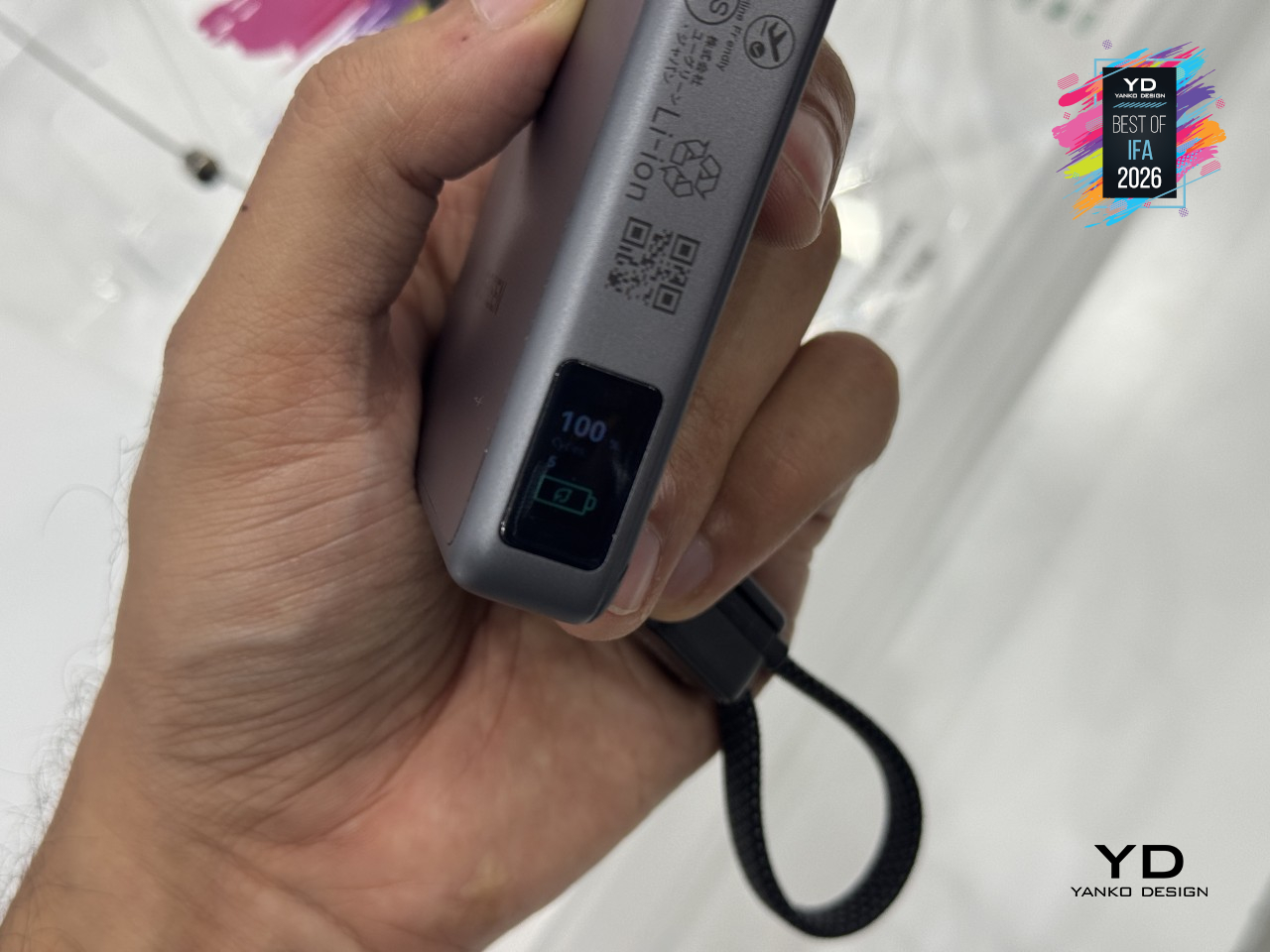
Everyday details round out the rest of it. A built-in 45W USB-C cable doubles as a carrying strap, a small display tracks power draw, battery level, and charge cycles, and UGREEN rates its Dymondcell 2.0 cells to hold onto 90% of their capacity even after 800 charge cycles. MagFlow Pro treats a hot phone as a problem worth engineering around, not a trade-off worth quietly accepting.
Anker Soundcore SleepLab Pro Sleep Sound Machine
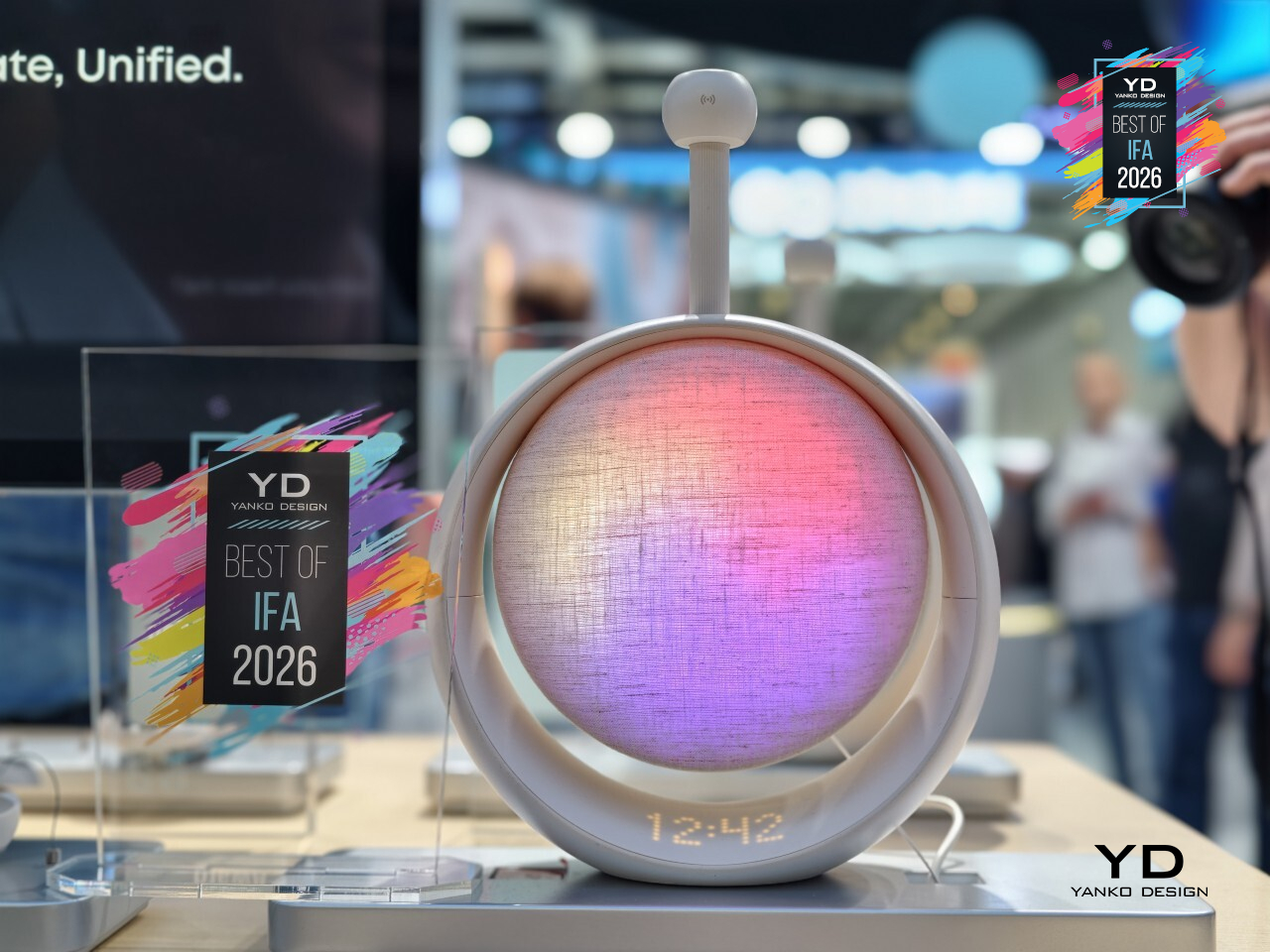
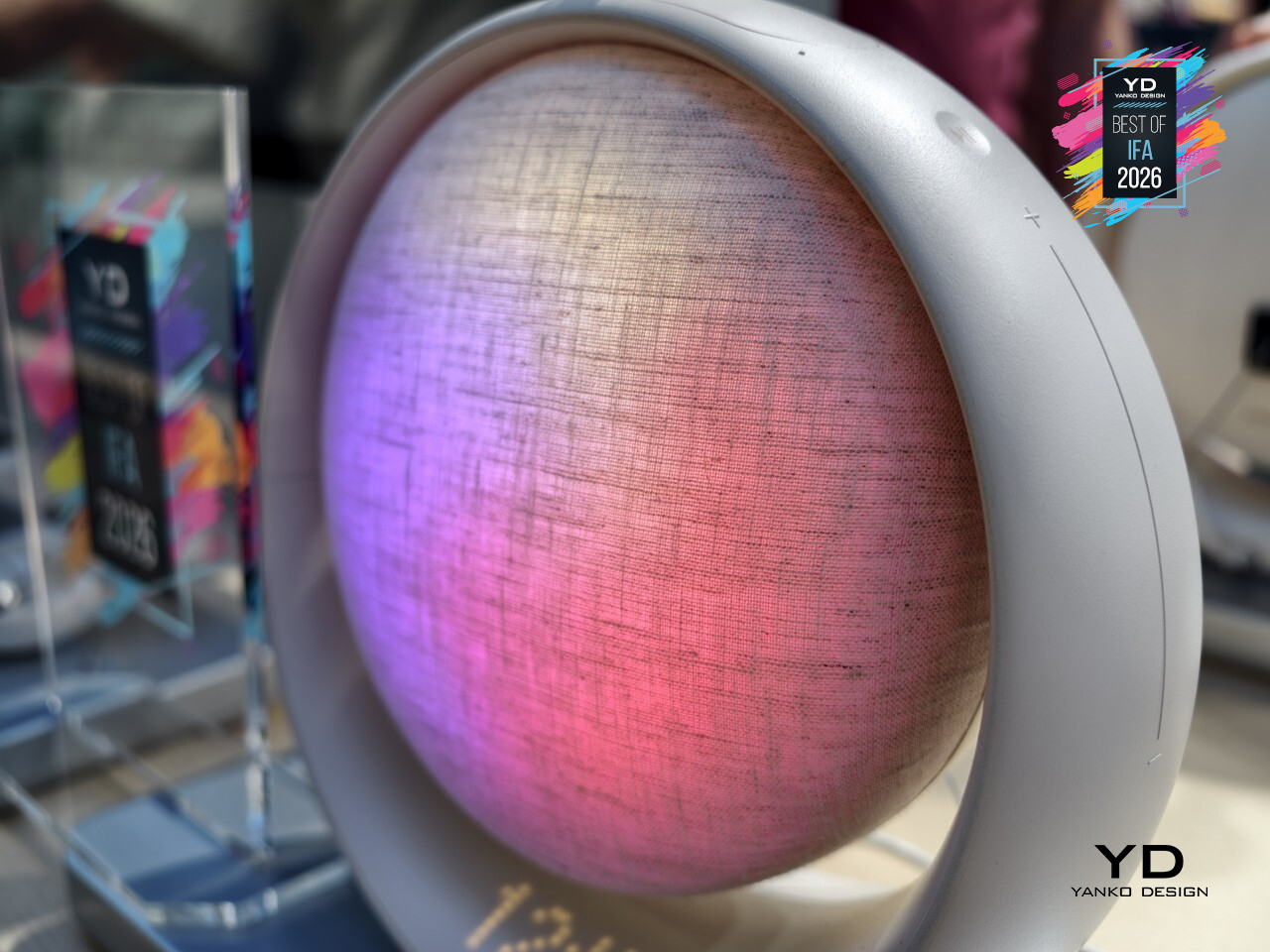
Sleep tracking has always meant wearing something to bed: a ring, a watch, a pair of earbuds humming against your ear all night. Anker’s Soundcore SleepLab Pro skips the wearable entirely. Sitting quietly on a nightstand, it uses 60GHz radar to read heart rate, breathing, and sleep stages straight through the air, mapping an entire night without a single sensor ever touching skin.
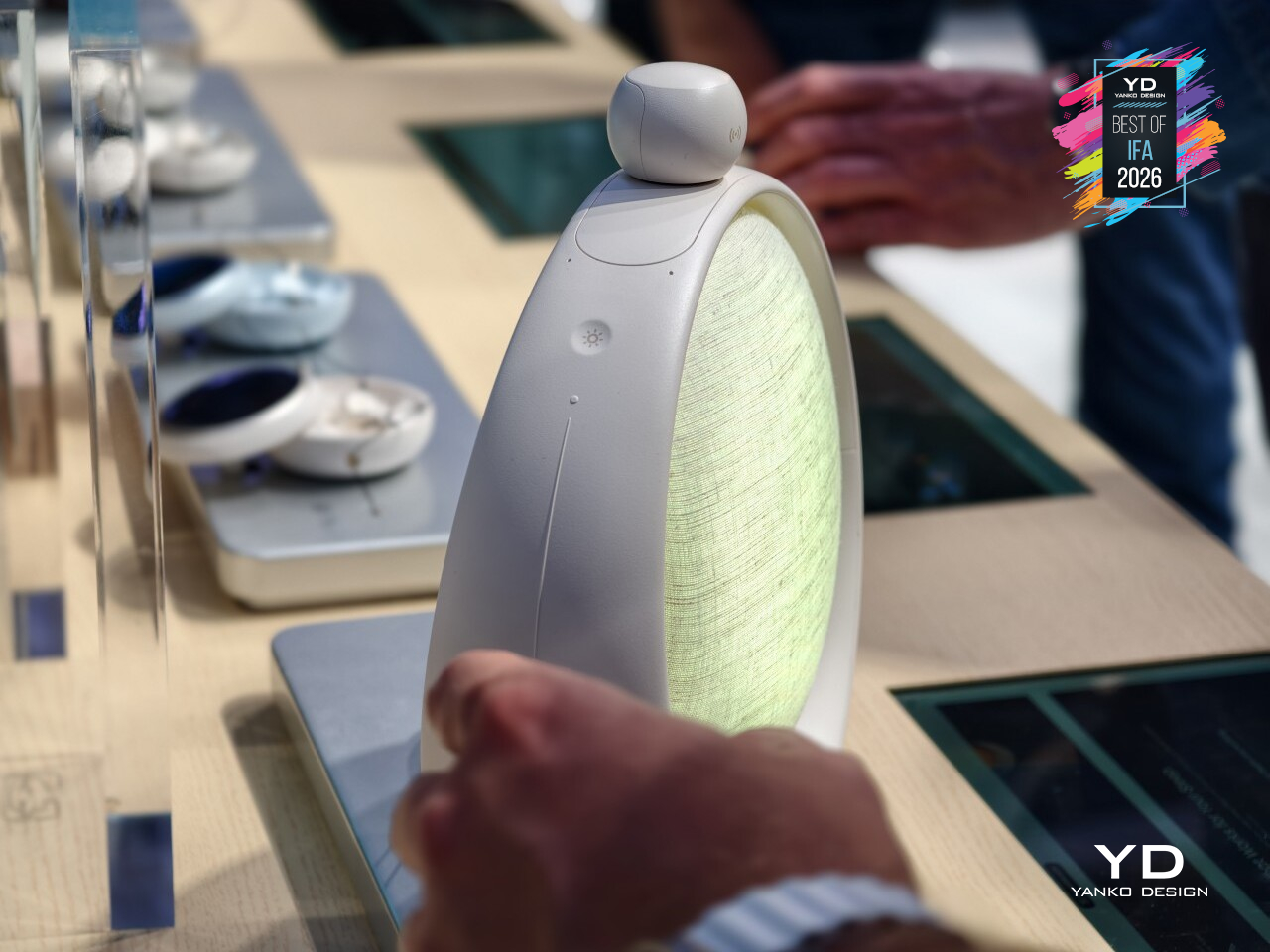
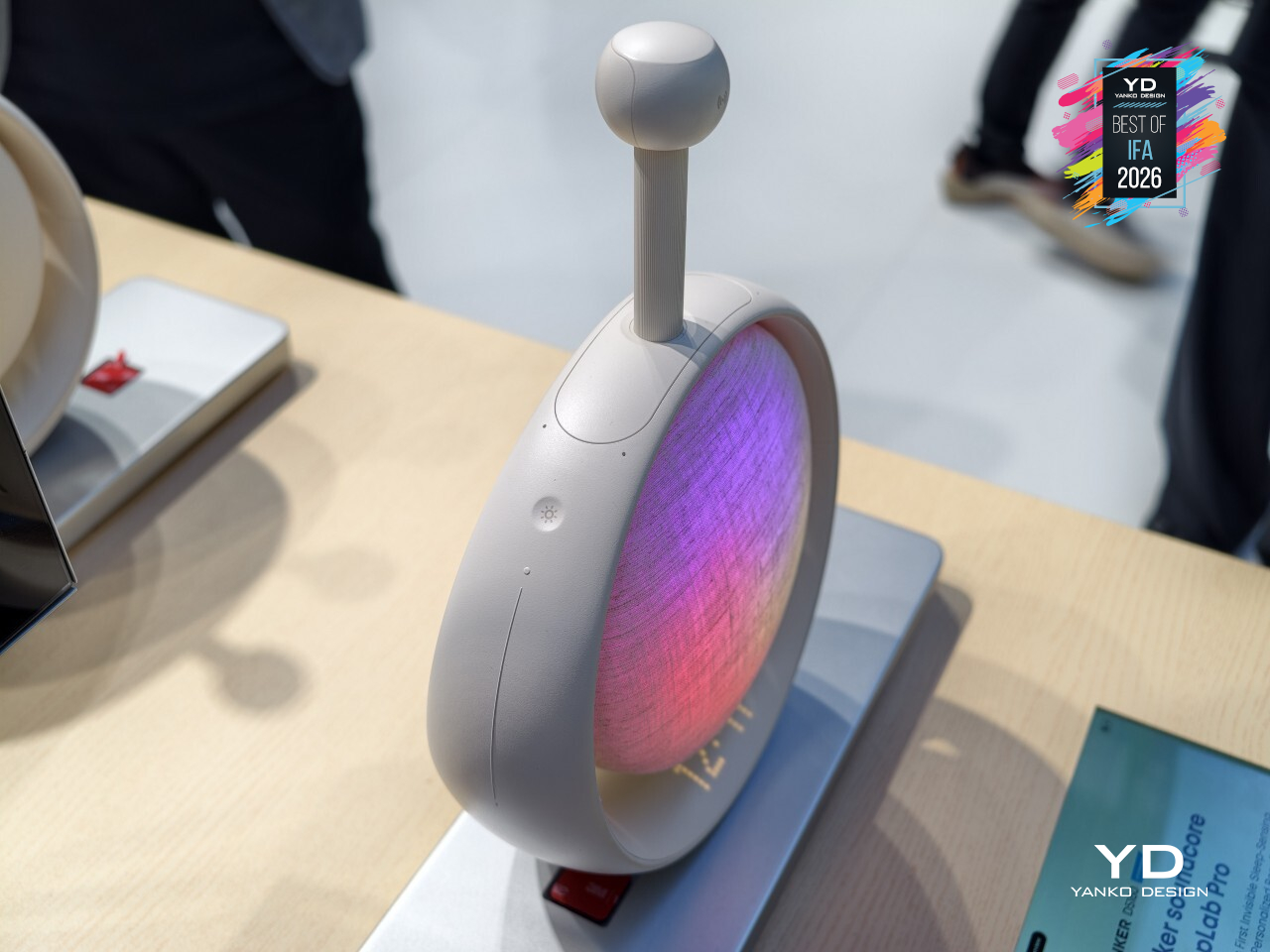
That sensing doesn’t just sit there collecting data either; it actually responds. The moment SleepLab Pro picks up on restlessness or trouble settling in, it adjusts the sound playing in the room to help ease things along, rather than running the same white noise loop regardless of what’s actually happening in bed. Ambient lighting joins in too, dimming and shifting tone as part of an actual wind-down routine instead of staying static all night.
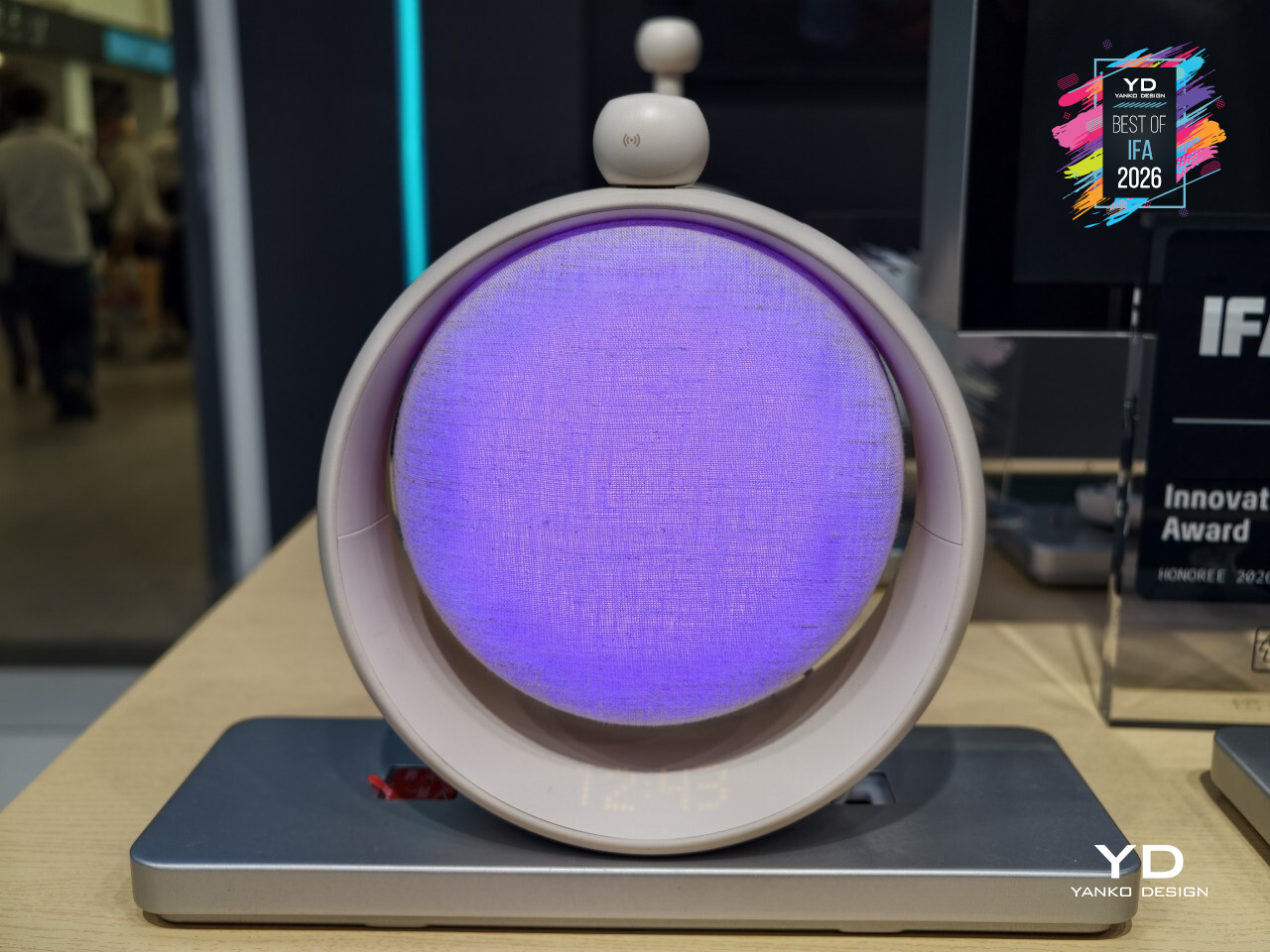
Morning gets the same thoughtful treatment as the sound at night. A sunrise simulation gradually brightens the room instead of jolting anyone awake, with a traditional alarm still standing by for whoever needs it. Everything runs through onboard buttons, no phone required nearby, no subscription lurking behind any of it. Anker built a sleep gadget that finally stopped asking people to wear the problem it’s trying to solve.
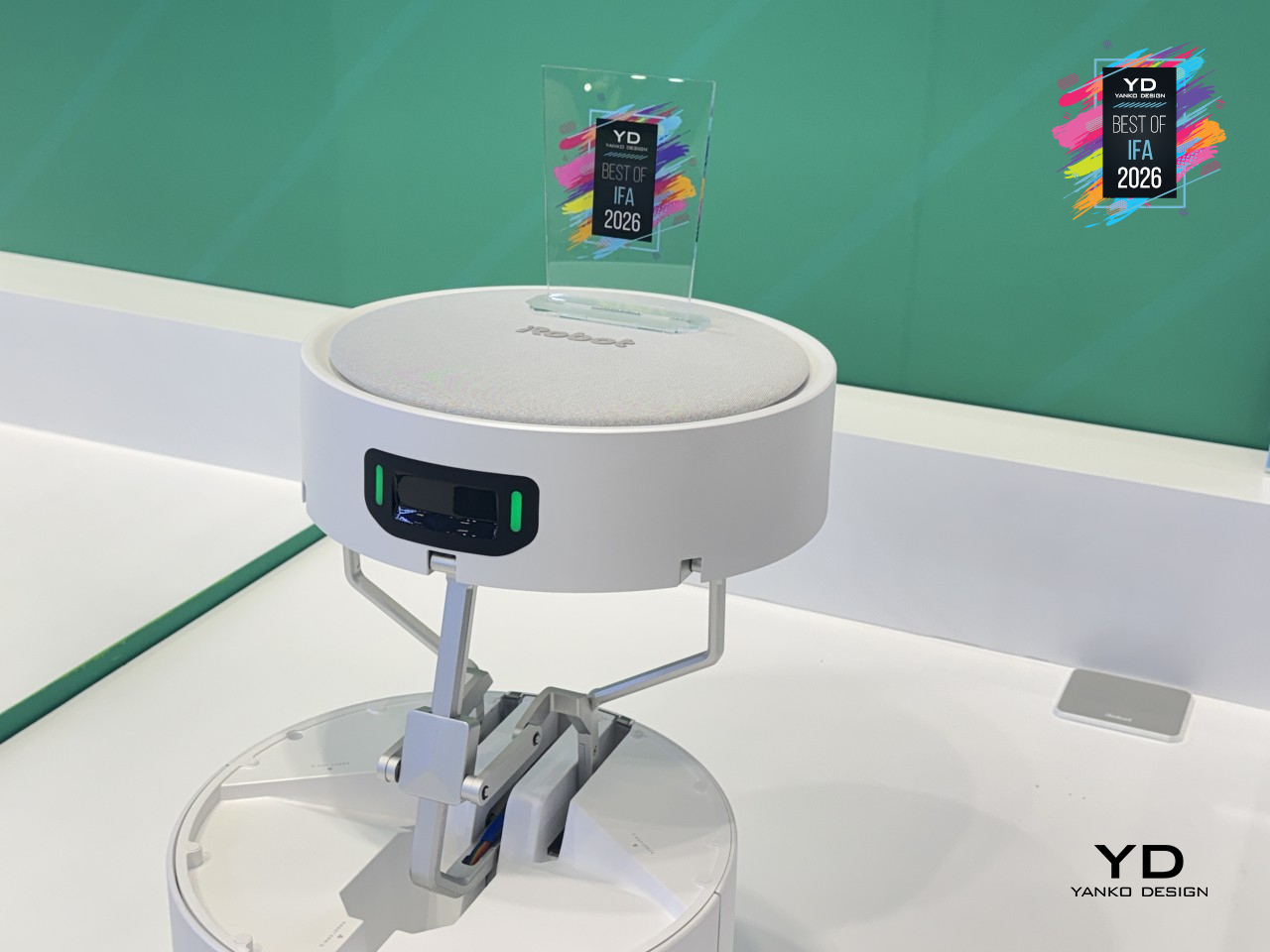
iRobot Roomba Duo Vacuum Cleaner Concept

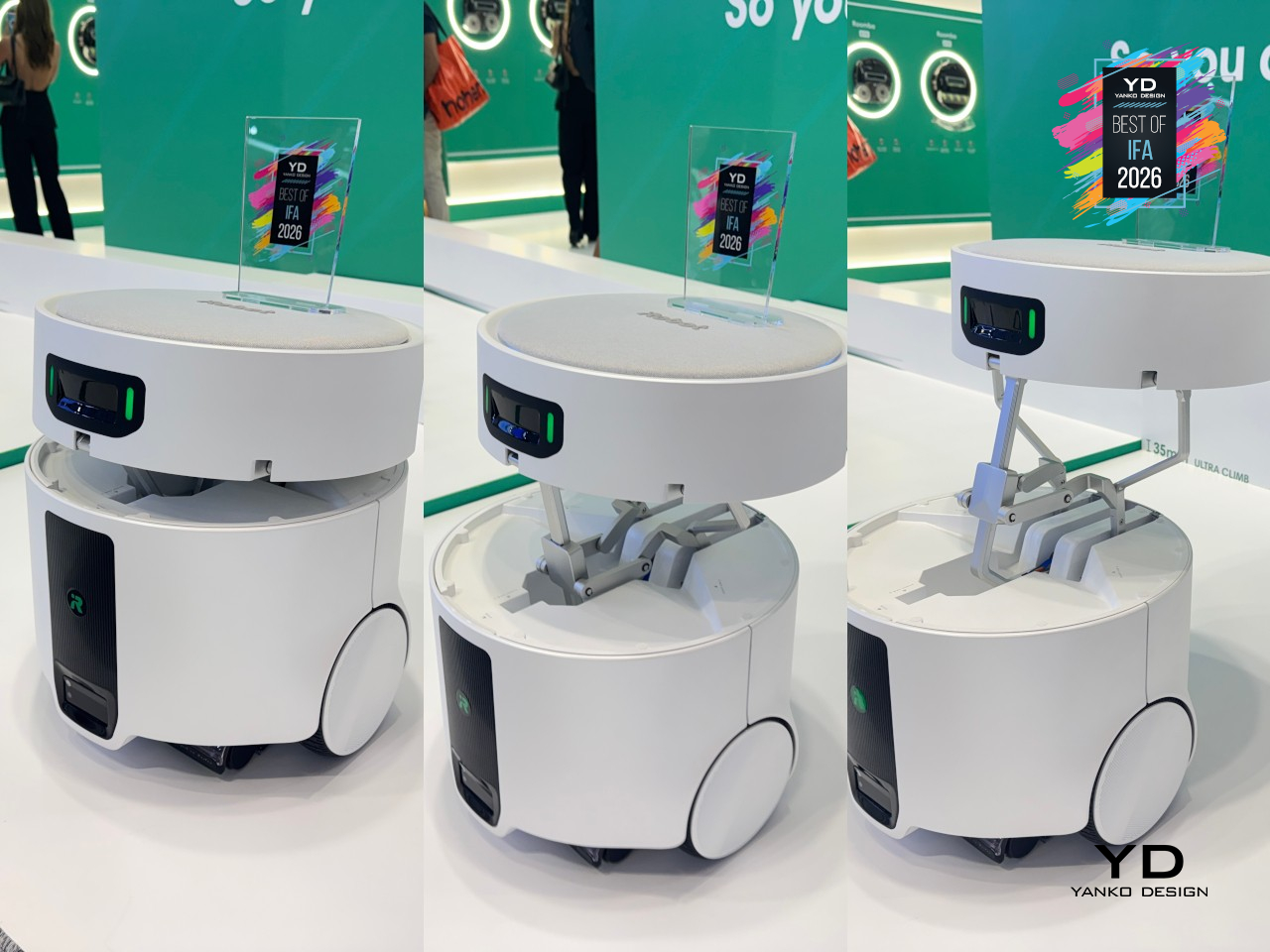
Robot vacuums have always forced a trade-off: the power to actually scrub a floor, or the ability to squeeze into the tight spots where dirt actually hides. iRobot’s Roomba Duo concept refuses to pick one. Instead of cramming both jobs into a single machine, it splits the work across two robots that operate as one system, letting each one specialize in exactly what it’s built for.
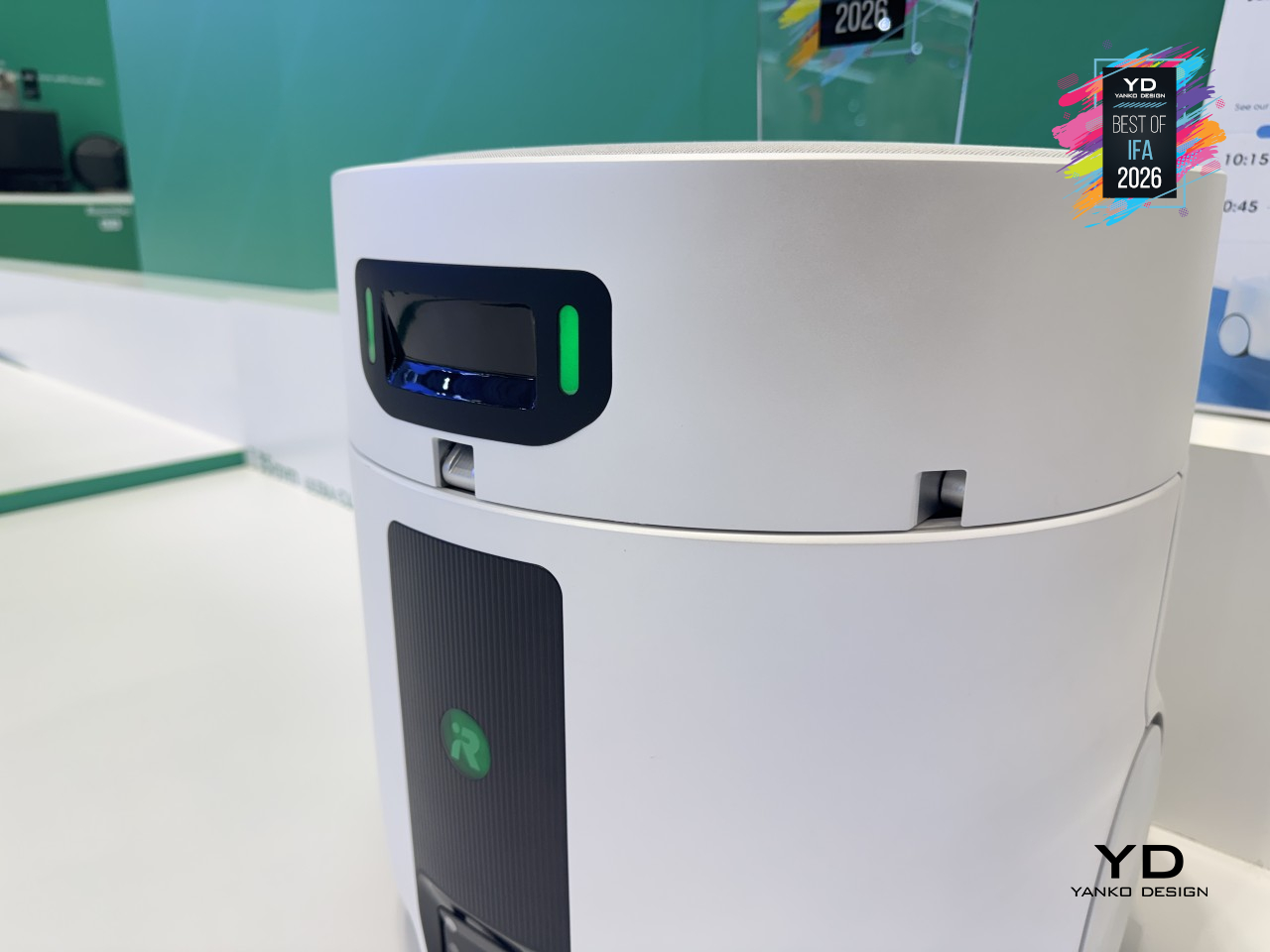
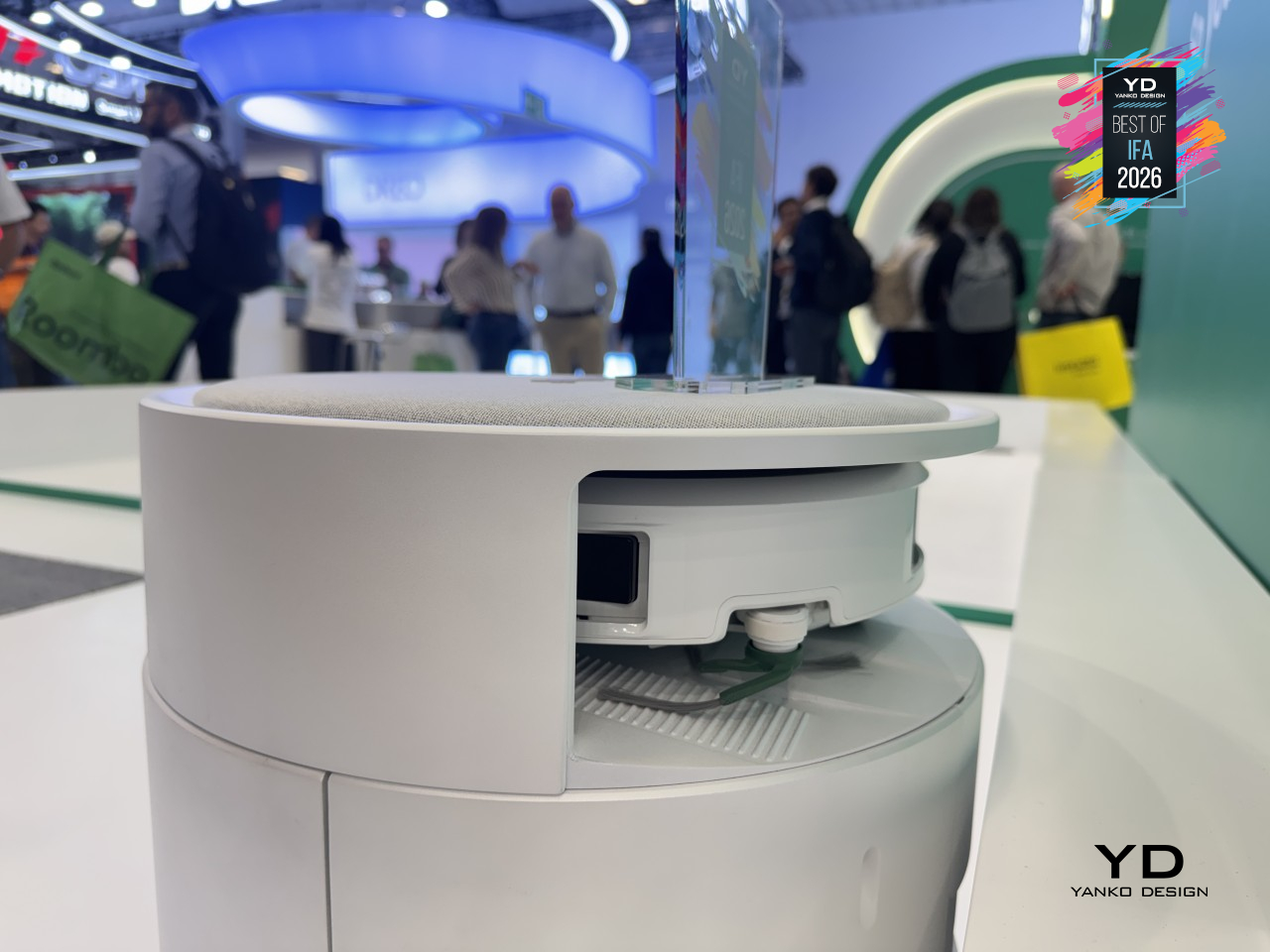
The main unit handles the heavy lifting, applying 4.7kg (10.4 lb.) of downward pressure through a heated steam mop built for wide-open floors. When it hits a gap too tight to enter, a mechanical arm on top stays level as it lowers a companion robot into the space instead. That companion stands just 8.35cm (3.3 in.) tall, yet still climbs thresholds up to 3.5cm (1.4 in.) high, with a mop pad that extends outward to catch corners and baseboards the main robot would otherwise miss entirely.
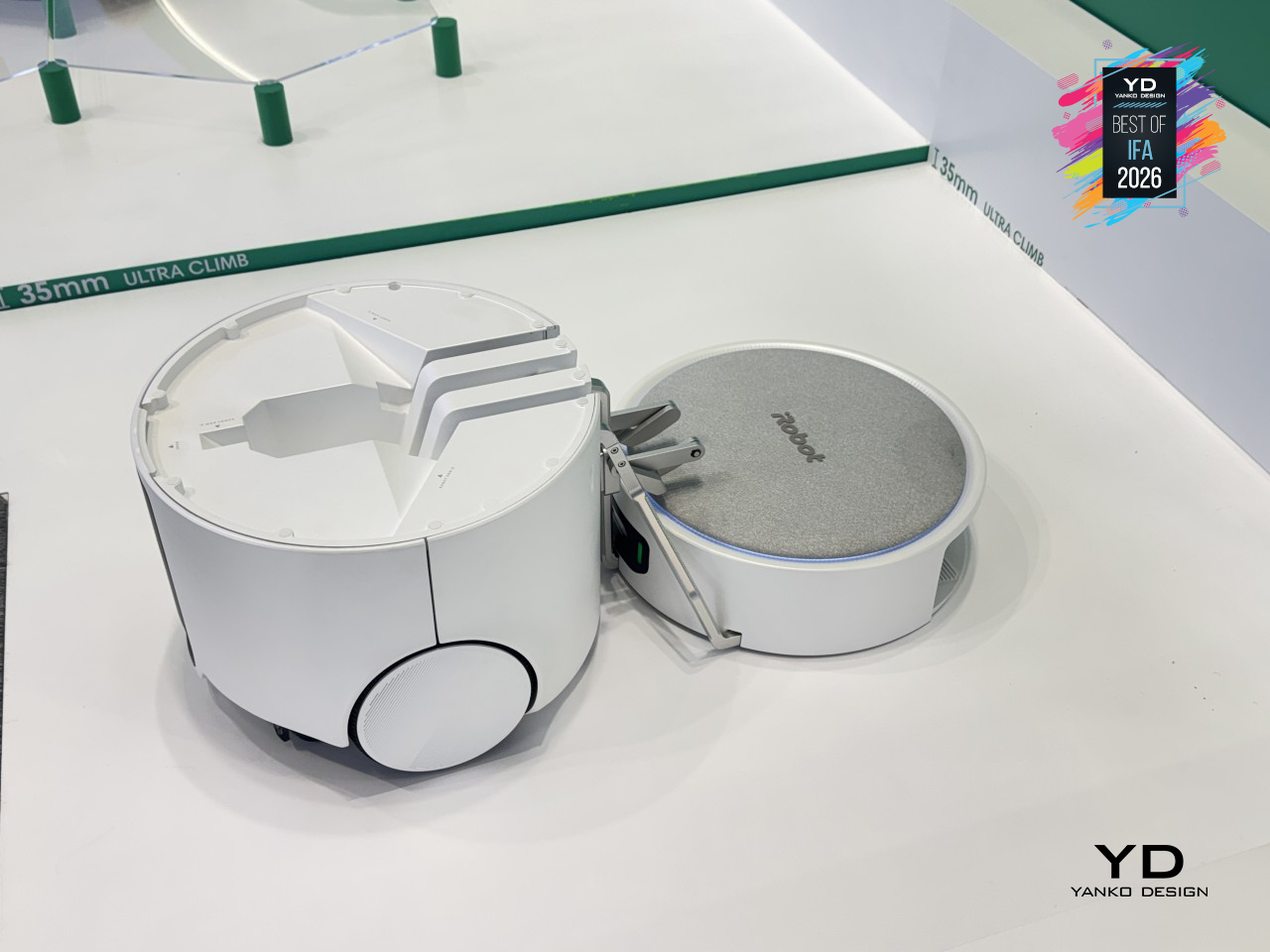
Neither robot works blind either. Both share a home map through iRobot’s app, coordinating cleaning duties in real time while relying on the same autonomous dock to stay charged and ready. It’s still very much a concept, with no confirmed path to store shelves yet, but it points to something robot vacuums have needed for a while now: two machines finally admitting neither one was ever meant to do this job alone.
The post IFA 2026’s Best Just Declared War on Tech Trade-Offs first appeared on Yanko Design.