Top 5 Space-Saving Office Accessories For Small Workspaces

Small workspaces demand accessories that earn their place on the desk. Every item needs to justify the real estate it occupies, which means multi-functionality isn’t just a nice feature—it’s essential. The desk that once felt spacious quickly becomes cluttered when traditional peripherals take over. A separate keyboard here, an external monitor there, pens rolling around, and suddenly your workspace feels more chaotic than creative.

The accessories that truly transform compact work environments share a common trait: they collapse, fold, or consolidate multiple functions into a single footprint. These aren’t just space-saving tricks—they’re thoughtfully engineered solutions that maintain full functionality while disappearing when not in use. From keyboards with integrated displays to writing instruments that fit in your pocket, these five accessories prove that working in tight quarters doesn’t mean compromising on capability or comfort.

1. WELDER Keyboard

Mobile productivity usually means choosing between screen real estate and portability. The WELDER keyboard eliminates that choice by integrating a 12.8-inch touchscreen directly above its mechanical keys. This CNC-machined aluminum device folds completely flat at a 180-degree hinge, transforming from a full workstation into a compact metal block. The all-metal chassis provides structural rigidity, preventing screen wobble during aggressive typing sessions and addressing the stability issues that plague most portable monitor setups.

The engineering addresses the fundamental problem of traveling with multiple devices. Instead of packing a laptop, a portable monitor, a monitor stand, a mechanical keyboard, and their respective cables, you carry just one unit. The premium aluminum construction adds weight but delivers the kind of build quality that inspires confidence during daily commutes. The folding mechanism locks securely, protecting both display and keys during transport while maintaining zero flex when deployed for work.

What We Like

  • The integrated touchscreen eliminates the need for a separate portable monitor, cutting down on cables and setup time dramatically.
  • The all-metal construction provides exceptional rigidity, keeping the display perfectly stable even during fast typing.
  • The 180-degree folding mechanism creates a compact form factor that protects both components during travel.
  • The mechanical keyboard delivers tactile feedback without requiring a separate peripheral.
  • The single-device solution reduces clutter and simplifies your mobile workspace considerably.

What We Dislike

  • The all-metal chassis adds significant weight compared to carrying just a laptop alone.
  • The 12.8-inch screen size may feel limiting for users accustomed to larger dual-monitor setups.
  • The folding mechanism creates a fixed angle that might not suit every working position.
  • The premium build quality likely commands a higher price point than purchasing components separately.

2. Pocket Everlasting All-Metal Pencil

Writing instruments disappear at the worst moments. This all-metal pencil stays put because its 4.7-inch length slides easily into shirt or pants pockets without the bulk of traditional pencils. The graphite and alloy particle core leaves marks without wearing down, which means the tip never dulls, and sharpening becomes obsolete. The included cap protects the point and prevents pocket marks, turning this into a genuinely pocket-friendly tool that’s ready when inspiration strikes.

The engineering focuses on eliminating friction points in the writing experience. Traditional pencils dull quickly, requiring sharpeners that often aren’t available when needed. Wood pencils snap under pressure, and mechanical pencils jam or run out of lead refills. This solid metal construction sidesteps all those failure points. The marks erase cleanly with standard erasers and don’t bleed when used with watercolor or water-based markers, making it versatile enough for sketching, note-taking, and technical drawing without switching tools.

Click Here to Buy Now: $19.95

What We Like

  • The everlasting core eliminates the need for sharpening, saving time and desk space typically occupied by sharpeners.
  • The compact 4.7-inch length makes it genuinely pocket-portable without sacrificing writing comfort.
  • The all-metal construction ensures durability that outlasts traditional pencils by years.
  • The non-bleeding marks work seamlessly with watercolor and markers for mixed-media work.
  • The ten-mile writing capacity means one pencil can last through countless projects.

What We Dislike

  • The metal construction adds weight compared to traditional wooden pencils for extended writing sessions.
  • The fixed core darkness can’t be adjusted like switching between pencil grades for different shading needs.
  • The small size might feel cramped for users with larger hands during prolonged use.
  • The premium materials command a higher upfront cost than disposable pencil alternatives.

3. OrigamiSwift Folding Mouse
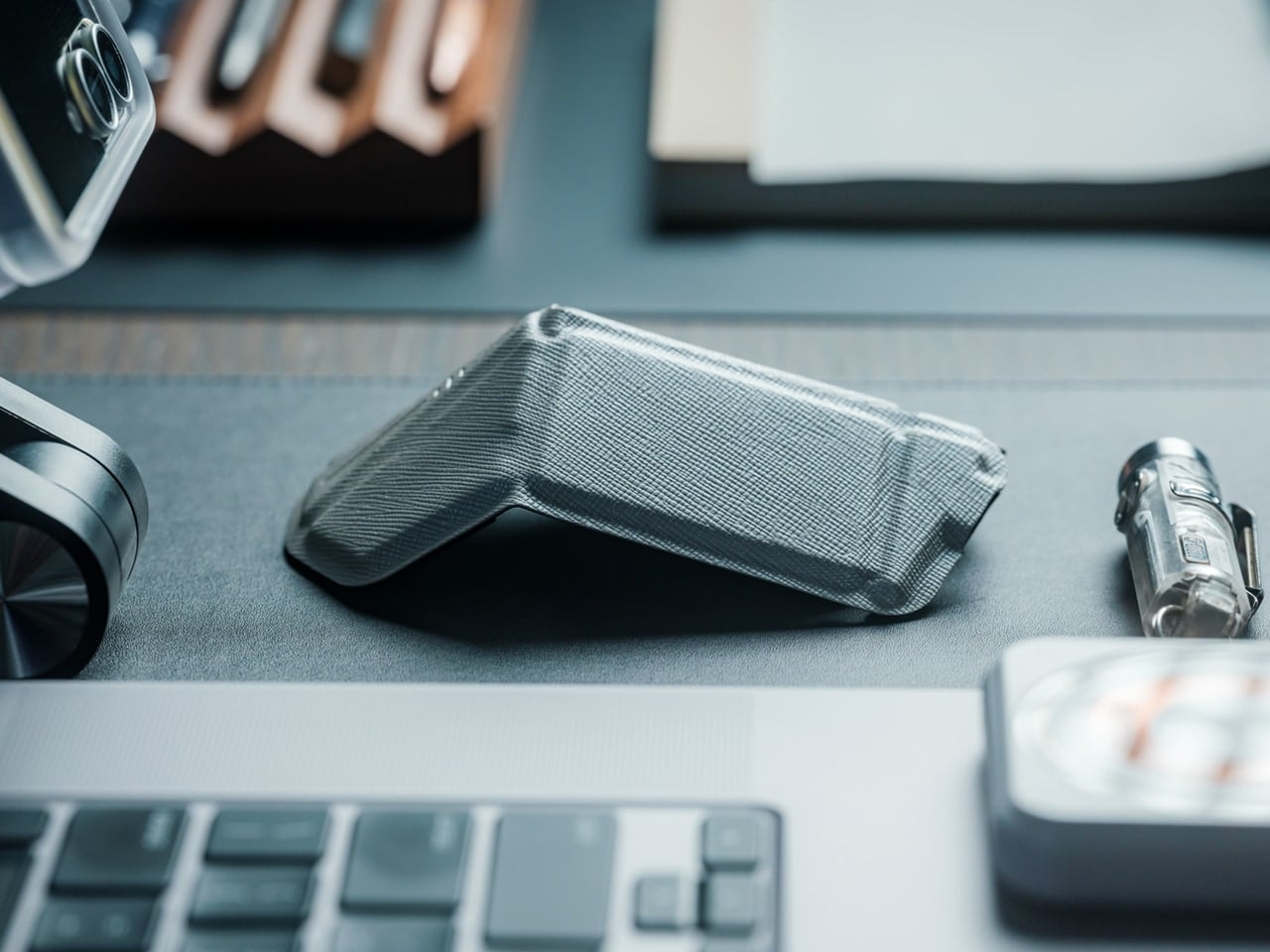
Full-sized mice deliver precision but occupy significant bag space. The OrigamiSwift collapses flat when stored, then springs into an ergonomic shape in under half a second when needed. The origami-inspired triangular structure provides surprising rigidity despite the folding mechanism, maintaining its form through daily use. At just 40 grams, it adds virtually no weight to your bag while delivering the control and comfort that flat travel mice consistently fail to provide.

The design solves the eternal compromise between portability and usability. Flat travel mice force awkward hand positions that fatigue quickly. Full-sized mice consume too much space for mobile workers. This folding mechanism creates a proper ergonomic grip when deployed while achieving near-flat storage dimensions. The soft-click buttons operate quietly in shared spaces, the USB-C rechargeable battery lasts three months per charge, and the smooth glide works across various surfaces without requiring a dedicated mouse pad.

Click Here to Buy Now: $79.00

What We Like

  • The folding mechanism transforms it from flat storage to full-sized ergonomics in under half a second.
  • The 40-gram weight makes it virtually unnoticeable in bags until you need it.
  • The origami-inspired structure provides durability and rigidity despite the folding design.
  • The three-month battery life on a single USB-C charge eliminates frequent recharging interruptions.
  • The quiet soft-click buttons allow discreet use in libraries, cafés, and shared workspaces.

What We Dislike

  • The folding mechanism introduces moving parts that could potentially wear out over time.
  • The ultra-lightweight construction might feel less substantial for users who prefer heftier mice.
  • The compact dimensions when folded mean slightly smaller grip surfaces compared to traditional full-sized mice.
  • The premium folding engineering likely costs more than standard portable mouse options.

4. Heritage Craft Unboxing Knife
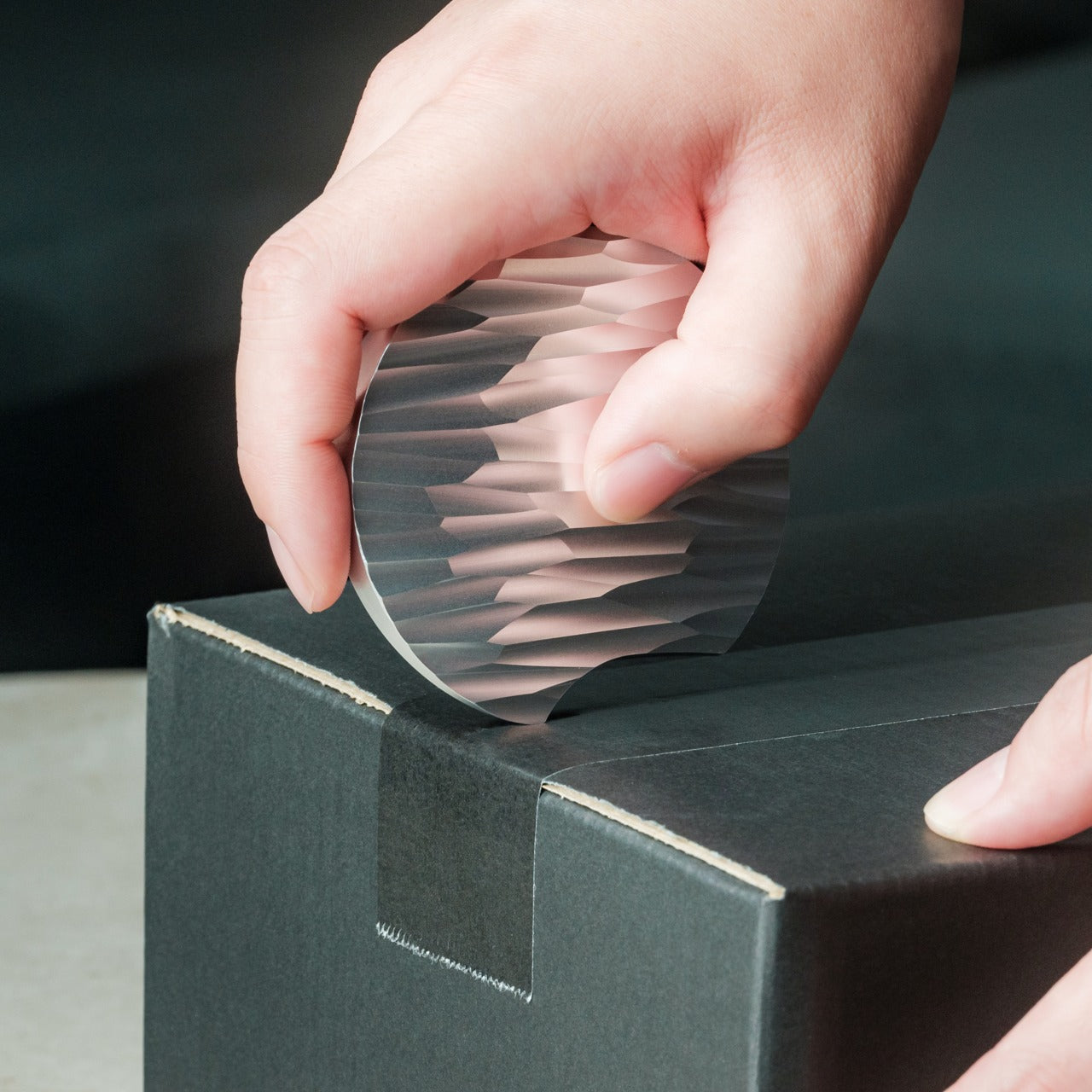
Box cutters typically hide in drawers because their utilitarian design doesn’t merit desk display. This unboxing knife, carved from a single aluminum block, takes design inspiration from Paleolithic hand axes, creating a circular form that functions as both tool and desktop sculpture. The wave-like patterns left by precision machining provide a non-slip grip while creating visual interest that makes this something you’ll want visible on your desk rather than buried in storage.

The tapered circular shape serves double duty. When gripping it for cutting, the textured surface prevents slippage during use. When resting on the desk, the sculptural form adds character to your workspace while keeping the blade within easy reach. Traditional box cutters require drawer storage for safety, consuming organizational space. This design’s form makes it inherently displayable, eliminating that storage requirement while ensuring the tool stays accessible for package opening. The aluminum construction provides durability without excessive weight, and the ancient tool inspiration creates conversation value that generic cutters lack entirely.

Click Here to Buy Now: $99.00

What We Like

  • The sculptural form eliminates the need for drawer storage by making it displayable on the desk surface.
  • The circular grip, inspired by ancient hand axes, provides secure handling during cutting tasks.
  • The machine-waved patterns deliver both aesthetic appeal and functional non-slip texture.
  • The tapered shape keeps it within easy reach while looking intentional rather than cluttered.
  • The aluminum construction balances durability with reasonable weight for frequent handling.

What We Dislike

  • The circular form might require adjustment for users accustomed to traditional box cutter grip angles.
  • The displayable design means that keeping a blade exposed on the desk requires awareness around children.
  • The artistic form commands premium pricing compared to basic utility box cutters.
  • The unique shape might not fit standard tool storage systems if you prefer organized drawers.

5. FoldLine Pen Roll
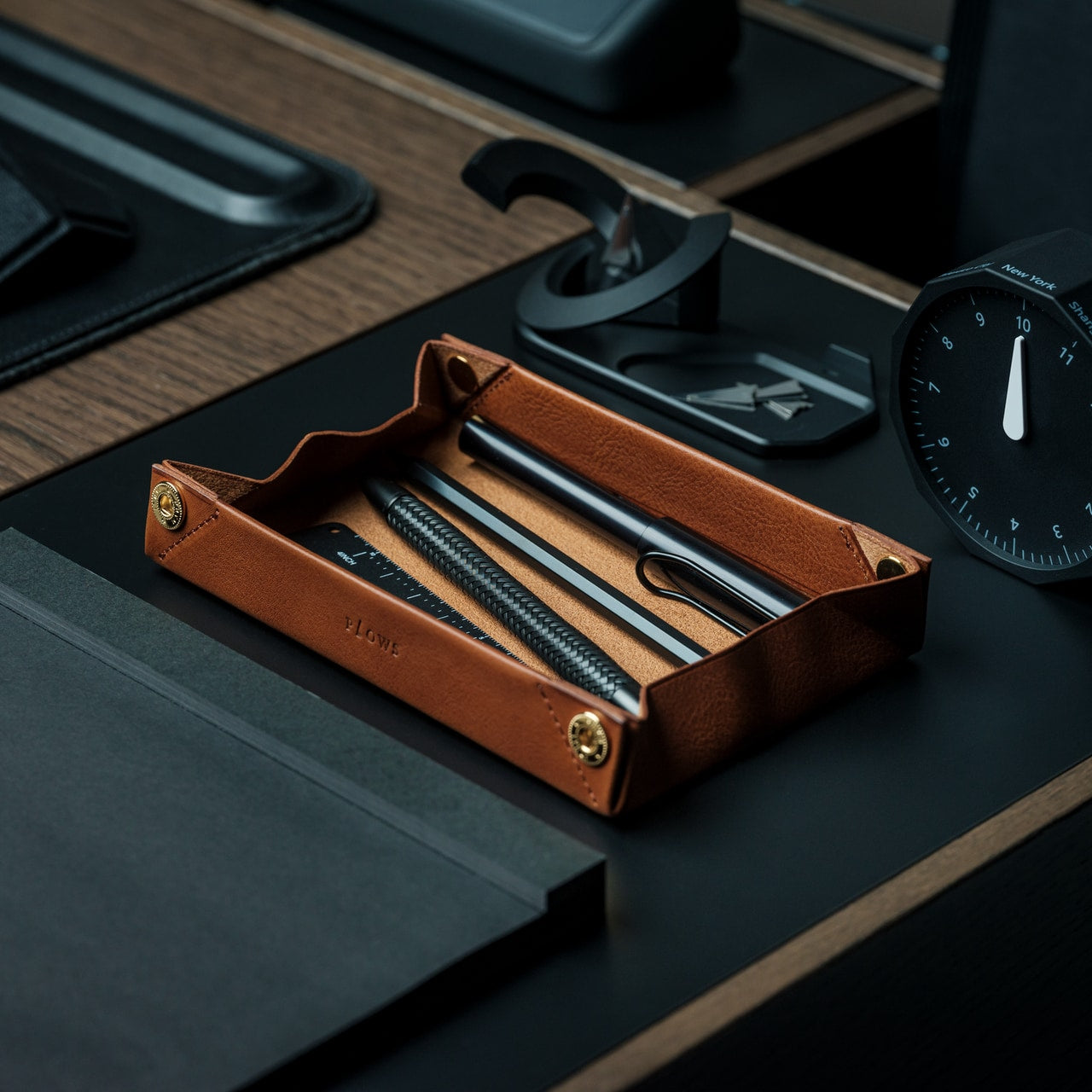
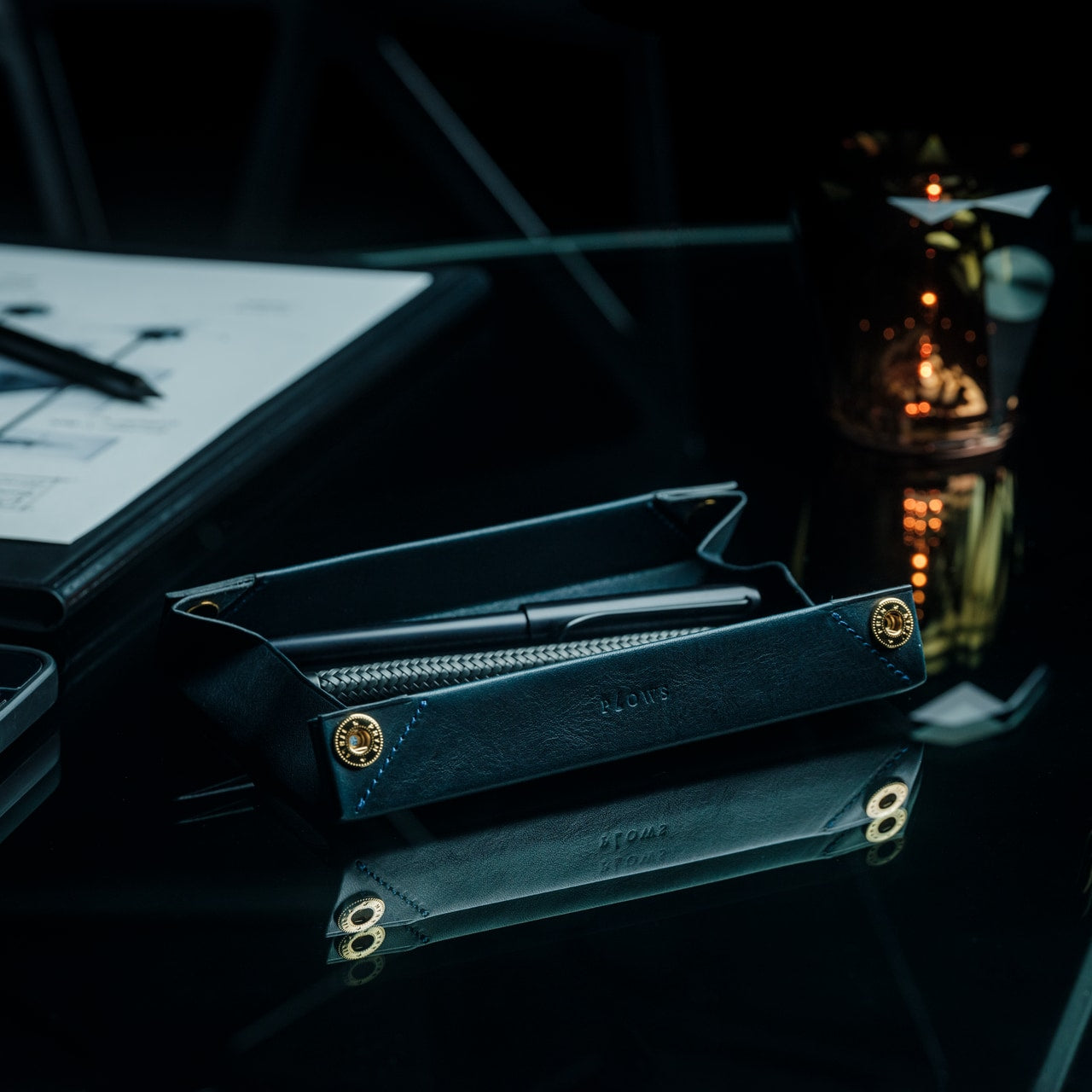
Pen storage typically means cases that add bulk or loose pens rattling around in bags. The FoldLine transforms from a flat leather roll into an organized tray in under two seconds, creating an instant workspace on any surface. Cut from a single piece of Italian Minerva Box leather, it wraps pens individually through its folded structure rather than stitched compartments, preventing scratches and noise while maintaining a remarkably slim profile even when full.

The design philosophy centers on portable focus. At cafés, coworking spaces, or hotel desks, unrolling the FoldLine creates a defined zone that organizes your tools and clarifies your workspace. The symmetrical, zipperless design opens from either side, accommodating both left and right-handed users without awkward orientation. The vegetable-tanned leather from Italy’s Badalassi Carlo tannery develops a unique patina over time, aging with your work rather than deteriorating. The large machined snap from PRYM provides secure closure with satisfying tactile feedback that signals quality in every interaction.

Click Here to Buy Now: $135.00

What We Like

  • The two-second transformation from flat roll to organized tray creates instant workspace definition anywhere.
  • The single-piece leather construction protects pens without compartment stitching that adds bulk.
  • The folded air design keeps the exterior slim even when packed with multiple pens.
  • The symmetrical opening accommodates both left and right-handed users without reorientation.
  • The vegetable-tanned Italian leather develops character through use rather than showing wear.

What We Dislike

  • The leather construction requires more careful handling than synthetic material alternatives in wet conditions.
  • The premium Italian leather and Japanese craftsmanship command higher pricing than standard pen cases.
  • The capacity remains limited compared to larger zipper pouches that hold more varied supplies.
  • The open tray design works best on stable surfaces rather than in transit or unstable environments.

Making Small Spaces Work Harder

The accessories that succeed in compact workspaces share deliberate design thinking. They fold when stored, combine multiple functions, or provide organizational clarity that prevents visual clutter. The WELDER keyboard’s integrated screen eliminates an entire category of peripheral devices. The OrigamiSwift mouse collapses to pocket dimensions without sacrificing ergonomic comfort. The everlasting metal pencil stays ready in your pocket rather than consuming desk organizer space. Each item earns its footprint through thoughtful engineering that prioritizes both functionality and spatial efficiency.

Small workspace solutions work best when they respect both your space constraints and your actual work requirements. These five accessories prove that compact doesn’t mean compromised. The Heritage Craft unboxing knife turns a desk display into functional storage. The FoldLine pen roll creates an organized workspace definition in seconds. Choosing accessories that collapse, combine, or organize transforms spatial limitations from frustrating constraints into opportunities for more intentional, focused work environments that stay uncluttered and ready for whatever projects demand your attention.

The post Top 5 Space-Saving Office Accessories For Small Workspaces first appeared on Yanko Design.

Peacock is expanding Dolby Vision and Atmos availability for live sports

You’ll be able to watch more live sports programming on Peacock that supports Dolby Vision and Atmos starting this year. At the moment, the only live sports offering you can enjoy with Atmos on the service is Sunday Night Football. Now, Dolby Laboratories has announced at CES that Peacock is expanding the availability of Dolby Vision and Atmos across live sports over the coming year. Peacock will add support for both technologies to Sunday Night Football, NBA and MLB live sporting events that the streaming service will offer its subscribers.

“Our partnership with Dolby ensures that whether our subscribers are streaming a thrilling playoff game, the latest Universal blockbuster, or a critically acclaimed Peacock Original, they're experiencing it exactly as creators intended — with breathtaking picture and immersive sound that brings every moment to life,” said David Bohunek, Senior Vice President of Global Video Engineering at NBCUniversal.

The companies have also announced that Peacock will start supporting Dolby Vision 2 and Dolby AC-4 starting later this year. Dolby Laboratories called Vision 2 “a groundbreaking evolution of its industry-leading picture quality innovation” when it announced the technology at IFA 2025. It was designed with today’s TV technology in mind, and it uses AI to automatically adjust your TV based on what you’re watching and where you're watching it. Meanwhile, AC-4 is a new audio format that Dolby says can deliver the highest audio quality “at a much lower bandwidth than other formats.”

This article originally appeared on Engadget at https://www.engadget.com/entertainment/streaming/peacock-is-expanding-dolby-vision-and-atmos-availability-for-live-sports-023000794.html?src=rss

Rokid introduces display-free AI smartglasses at CES 2026

Smartglasses company Rokid has introduced new display-free AI glasses at CES 2026. Dubbed "Style", the glasses are intended for all-day use and are compatible with users' corrective prescriptions.

Style supports multiple AI engines, including ChatGPT and DeepSeek, instead of being locked to any LLM. The glasses can also work with Google Maps and Microsoft AI translation.

Style is powered by a dual-chip setup, with an NXP RT600 handling low-power, always-on tasks and a Qualcomm AR1 taking on heavier AI and imaging workloads. Rokid claims this architecture helps it reach up to 12 hours of battery life under typical use.

A 12MP camera with a Sony sensor on the front supports 4K capture. Video can be shot in three different aspect ratios, which Rokid says makes it easier for creators to make content for different platforms. Style can record up to 10 minutes of continuous footage, which Rokid is quick to point out exceeds the roughly three-minute limit on Meta Ray-Bans.

The glasses weigh 38.5 grams and sport ultra-thin lenses with anti-scratch coatings. Style is a bit lighter than the Rokid smartglasses that we reviewed earlier this year, which include a display. The company also offers transition lenses in a variety of colors and the frames are offered in two.

Style is available for reservation now with a one dollar deposit and will officially release globally January 19. The AI smart glasses will retail for $300. Glasses purchased for a vision-impaired user will receive a 20 dollar subsidy from Rokid.

This article originally appeared on Engadget at https://www.engadget.com/wearables/rokid-introduces-display-free-ai-smartglasses-at-ces-2026-010017906.html?src=rss

This tabletop sleep device and sunrise alarm clock aims to help you put your phone away before bed

"Relaxing" isn't a word anyone is likely to associate with CES. If anything, it is the antithesis of CES, an exhausting and wildly overstimulating marathon event that takes place in the already exhausting and wildly overstimulating Las Vegas. But a demo of Ambient's bedside device, Dreamie, ahead of its appearance at CES-adjacent Pepcom had me properly lulled and ready to go right back to bed. Dreamie is a smart sunrise alarm clock and nighttime wind-down device that has a built-in podcast player, a catalog of green, pink and brown noise sound masks, guided breathing programs, contactless motion sensors to provide insights into your sleep habits, dynamic lighting with simulated sunrise wake-ups and Bluetooth connectivity for headphones.

But most importantly for anyone trying to avoid using their phone immediately before bed, it's a standalone system in which all controls, features and scheduling options as well as data storage are on-device. And there's no subscription. 

The goal of Dreamie is "to help you separate from your phone while providing a lot of the conveniences that you would normally have," said CEO and co-founder Adrian Canoso. You can set multiple alarms on different schedules, access soothing content to fall asleep to and customize how gradual your sunrise wakeup is. There are environmental sensors to clue you in on the humidity, temperature and lighting conditions over the course of the night, to give you a better idea of how these things may be affecting your sleep. 

Dreamie is a relatively small device compared to other sunrise-style clocks, with a truncated pill-shaped body and a sleek circular touchscreen. Around the display is a hidden dial for volume control, and it feels great to rotate, with just the right amount of resistance. There's also a touch strip on top of the device to easily adjust the dimness of the light by dragging your finger along it. From the display, you can even change the direction the light is pointing so you don't blast yourself (or your partner) with it when your eyes aren't ready, casting the light off to the back instead. 

The Dreamie alarm clock is pictured displaying its brightness controls, and is glowing warm light
Dreamie's brightness controls
Cheyenne MacDonald for Engadget

Its 20-LED array can go from a soft, warm orangey glow to cool and bright blue-white, and certain programs, like the aurora borealis soundscape, will trigger other colors of the rainbow, throwing soothing green, blue and magenta. More impressive is the rich sound that comes from its 50 millimeter speaker. Dreamie has a 360-degree speaker grille on the bottom of the device that sends sound in all directions to create more immersive ambient sound. 

When a speaker is pointing toward you, "it's almost like a laser beam coming at you," which isn't exactly the most relaxing experience, explained Canoso, who previously worked in industrial design and robotics, and before that, as a studio recording engineer. "[Dreamie] projects the sound all the way around… So when you put it next to you on a night table, it sounds more diffused. It's not the loudest speaker out there because we've optimized it for rich sound quality at lower volumes. We don't need it loud. We just need it to sound good." 

And sound good, it does. It's seriously got me thinking I may finally have found the thing to replace the Philips Wake-Up Light I've been clinging to for close to 10 years now that has decent lighting but absolutely abysmal sound quality.

Dreamie, which costs $250, recently started shipping after a successful crowdfunding campaign, and certain features — including podcasts and sleep insights — haven't launched just yet (though I did get to see the podcast library during the demonstration, so it is a real thing, and it’s expected to roll out later this month). Those and other future features will arrive via free over-the-air updates. 

This article originally appeared on Engadget at https://www.engadget.com/home/smart-home/this-tabletop-sleep-device-and-sunrise-alarm-clock-aims-to-help-you-put-your-phone-away-before-bed-004751464.html?src=rss

Dell revives its XPS laptops after a boneheaded rebranding

Last year, Dell killed off all of its PC brands, including the iconic XPS lineup, and replaced them with a simplified naming scheme. It was a move meant to make it easier for people to discern between the company's many brands, but in reality, it just just made the company's lineup even more confusing. We called it an unforced error at the time, but after seeing how much Dell's PC market share fell over 2025, it's fair to say that rebranding was an absolute marketing disaster.

So, with its tail between its legs, Dell has returned to CES some welcome news for its fans: XPS lives! And the company plans to double-down on the brand in ways it never did before. Today, Dell revealed the new XPS 14 and 16 notebooks, which feature a more practical design than the previous models. There's a new function row with traditional keys, instead of the odd capacitive buttons that disappeared in sunlight. And while the company is sticking with its "invisible" trackpad, which sits flush alongside the wrist rest, there's now a light border around the edges that lets you feel exactly where the trackpad begins and ends.

So, in short, Dell seems to have solved most of our recent complaints about the XPS lineup. To signify its commitment to the brand, it's also emblazoning the XPS logo on all of these new machines, replacing the previous Dell name. That’s something I could never imagine a less humbled Dell doing.

The redesign also gave Dell room to shave off some weight and thickness from both machines. The XPS 14 weighs around three pounds now, a half-pound lighter than the previous generation, while the XPS 16 weighs 3.6 pounds, a whole pound lighter than before. The new cases make both machines look a lot more like Microsoft’s extra-subtle Surface Laptop, but that’s not necessarily a bad thing. Both systems are powered by Intel’s new Panther Lake Core Ultra Series 3 chips, and they also offer tandem OLED display options.

Dell also briefly teased the return of a new XPS 13 later this year, which is set to be the company’s thinnest and lightest notebook ever. Dell says it’ll be cheaper than the XPS has been in the past.

The new XPS 14 and 16 will be available on January 6, starting at $2,050 and $2,200, respectively. A Dell representative tells us these aren’t entry-level configurations, instead we can expect to see cheaper prices with lower specs in February.

Update 1/6/26, 12:30p: Pricing updated to reflecrt new numbers from Dell. Originally, we were told they would start at $1,650 and $1,850.

Update 1/12, 3:00p: Added a mention of lower entry-level configurations coming eventually.

This article originally appeared on Engadget at https://www.engadget.com/computing/laptops/dell-revives-its-xps-laptops-after-a-boneheaded-rebranding-001028029.html?src=rss

CES 2026: Intel hopes its Core Ultra Series 3 chips are the start of a comeback

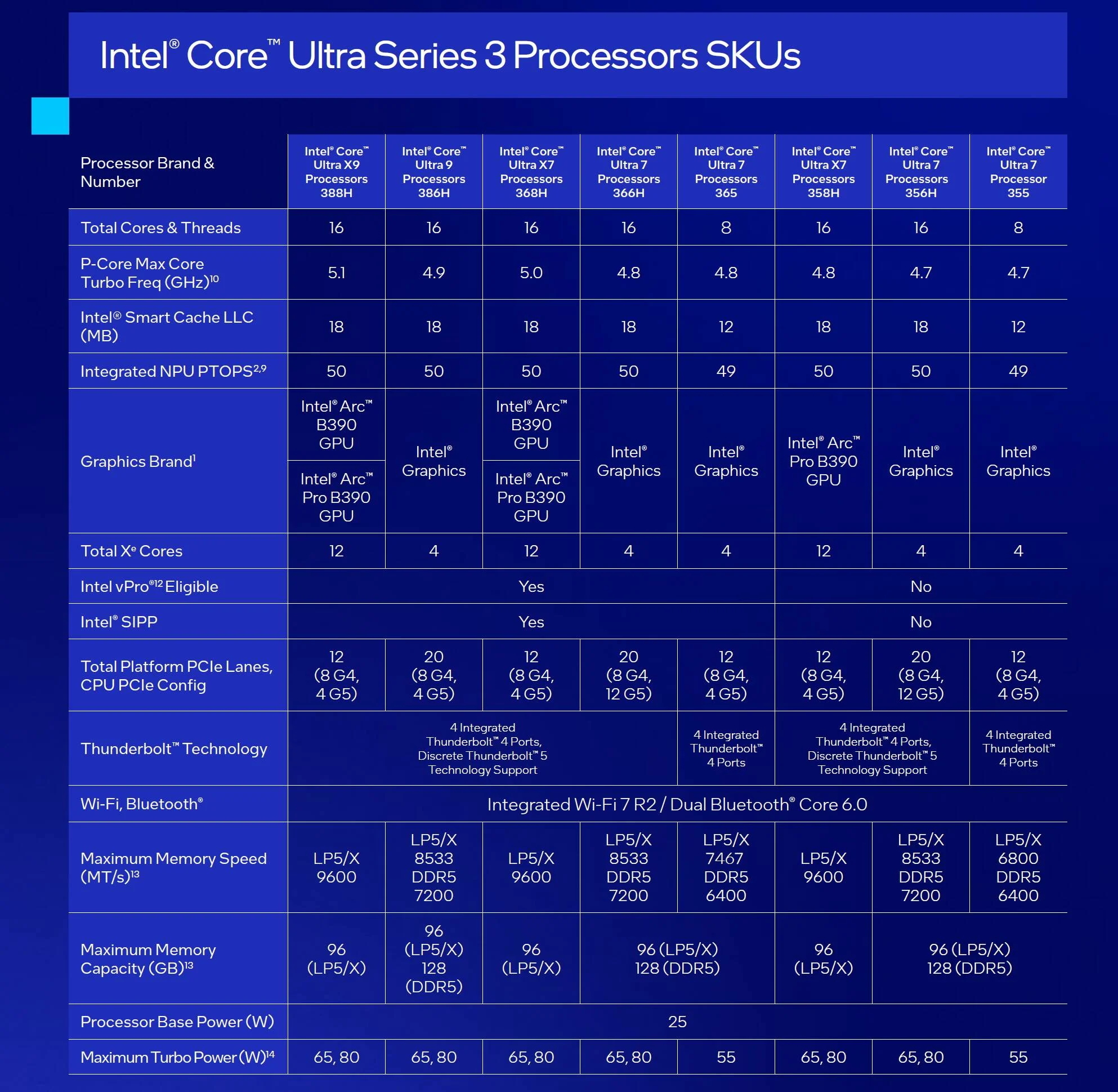
Intel turned up to CES 2026 to herald the birth of the Core Ultra Series 3, a new range of chips offering “exceptional performance.” It says the mobile processors, formerly known as Panther Lake, deliver great graphics and battery life alongside the aforementioned grunt. And that, for the first time, the silicon has been certified for embedded and industrial use cases, including robotics and smart cities. But, like so many stories about Intel these days, the launch is loaded with so much subtext you’ll need a copy of Cliffs Notes to understand it.

On the face of it, these are just some snappy flagship chips, available in Core Ultra 7 and 9 ranges as well as Core X7 and X9, which ship with 12 Xe graphics cores over the usual four. Almost all of them offer 16 total cores and threads, and all bar two have total NPU performance of 50 PTOPS.

Image of the Core Ultra Series 3
Intel

These chips are going to be famous for two key reasons: First, Intel claims they’re the most advanced chips ever manufactured in the US. Second, they’re the first to be made using Intel’s long awaited 18A process, which has dogged the company for several years. 18A was a key plank of former CEO Pat Gelsinger’s rescue plan to restore Intel to the top of the chip world. But sadly that comeback didn’t come fast enough to prevent the CEO from being (unfairly, in my mind) deposed at the end of 2024. It didn’t help that, for all of the money spent on 18A, as recently as August 2025, the company was reportedly still suffering from low yields and high defect rates.

18A is short for 18 Angstrom, a measurement that’s far smaller than the nanometers we currently use to denote transistor size in chips. 18 Angstrom is roughly equivalent to 1.8 nanometers, putting it on the same rough level as the most advanced manufacturing process — N2 — available at TSMC in Taiwan. At CES, Intel’s new CEO Lip Bu-Tan said the company was now ahead of schedule for ramping production on 18A, which could mark an important shift in the global chip market. 

You should expect to see these chips show up in laptops from all the usual suspects, including HP, Acer, Lenovo, Dell, Samsung and the rest across this year. 

This article originally appeared on Engadget at https://www.engadget.com/computing/ces-2026-intel-hopes-its-core-ultra-series-3-chips-are-the-start-of-a-comeback-000155611.html?src=rss

ROG’s CES 2026 Flagships Rethink What a Gaming Machine Looks Like

Gaming laptops have settled into a comfortable rhythm. A 16-inch clamshell, an RGB keyboard, a high-refresh panel, and a GPU that fits into a backpack. Most people buy them, use them, and expect roughly the same experience from every generation. ROG’s CES 2026 lineup arrives at a moment when AI hardware, OLED panels, and new hinge engineering are all maturing at once, and the company seems very interested in experimenting with what that makes possible.

ROG’s most interesting products are not just faster versions of last year’s machines. The Zephyrus Duo GX651 stretches the idea of a laptop into a dual-screen workstation with five operating modes, while the Flow Z13-KJP shrinks a gaming PC into a tablet-sized slab with enough unified memory and NPU power to run a 70-billion-parameter language model on a train. Supporting them are the refreshed Zephyrus G14 and G16 ultraportables and the holographic ROG G1000 desktop.

Designer: ASUS Republic of Gamers (ROG)

ROG Zephyrus Duo GX651

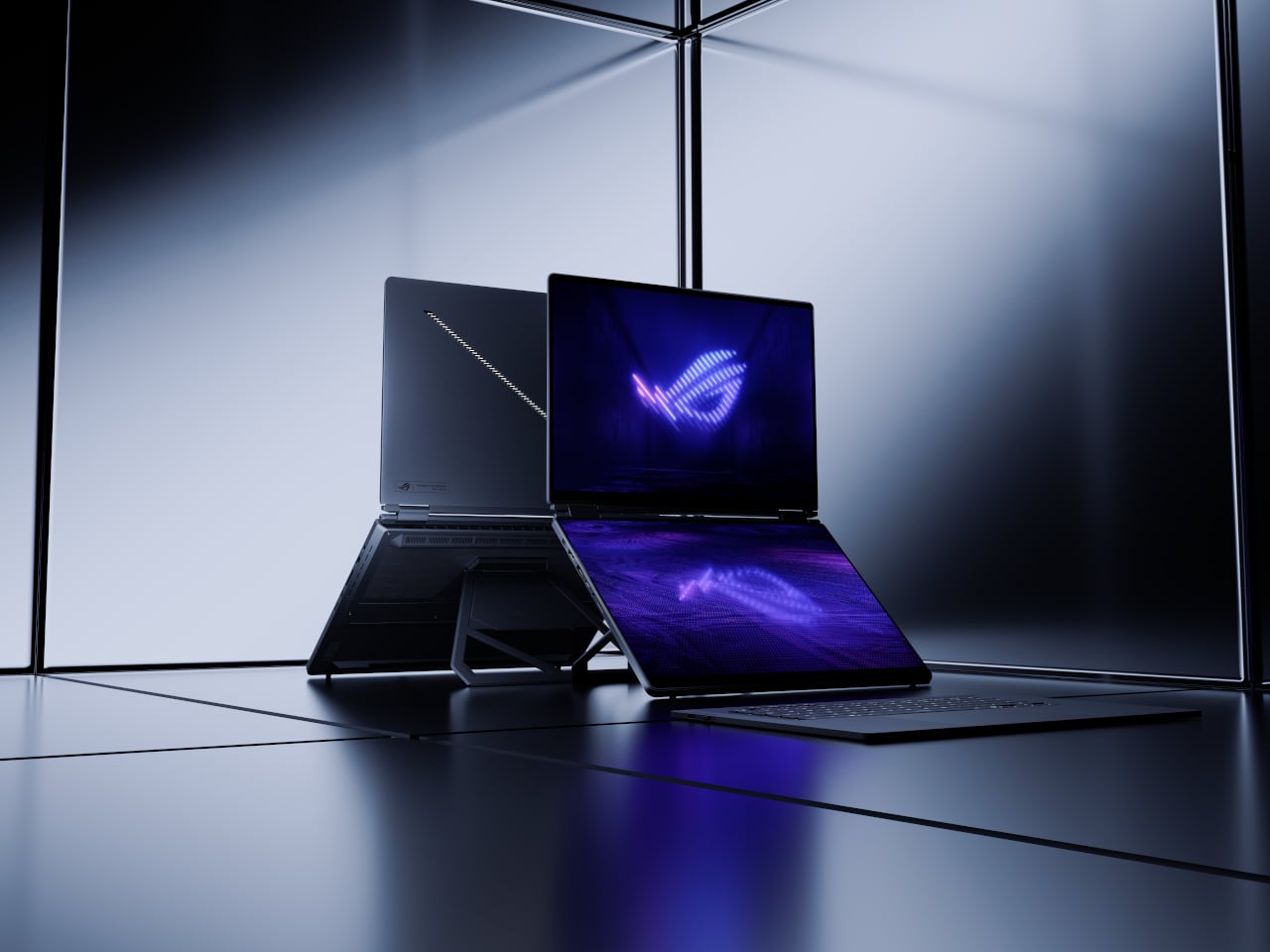
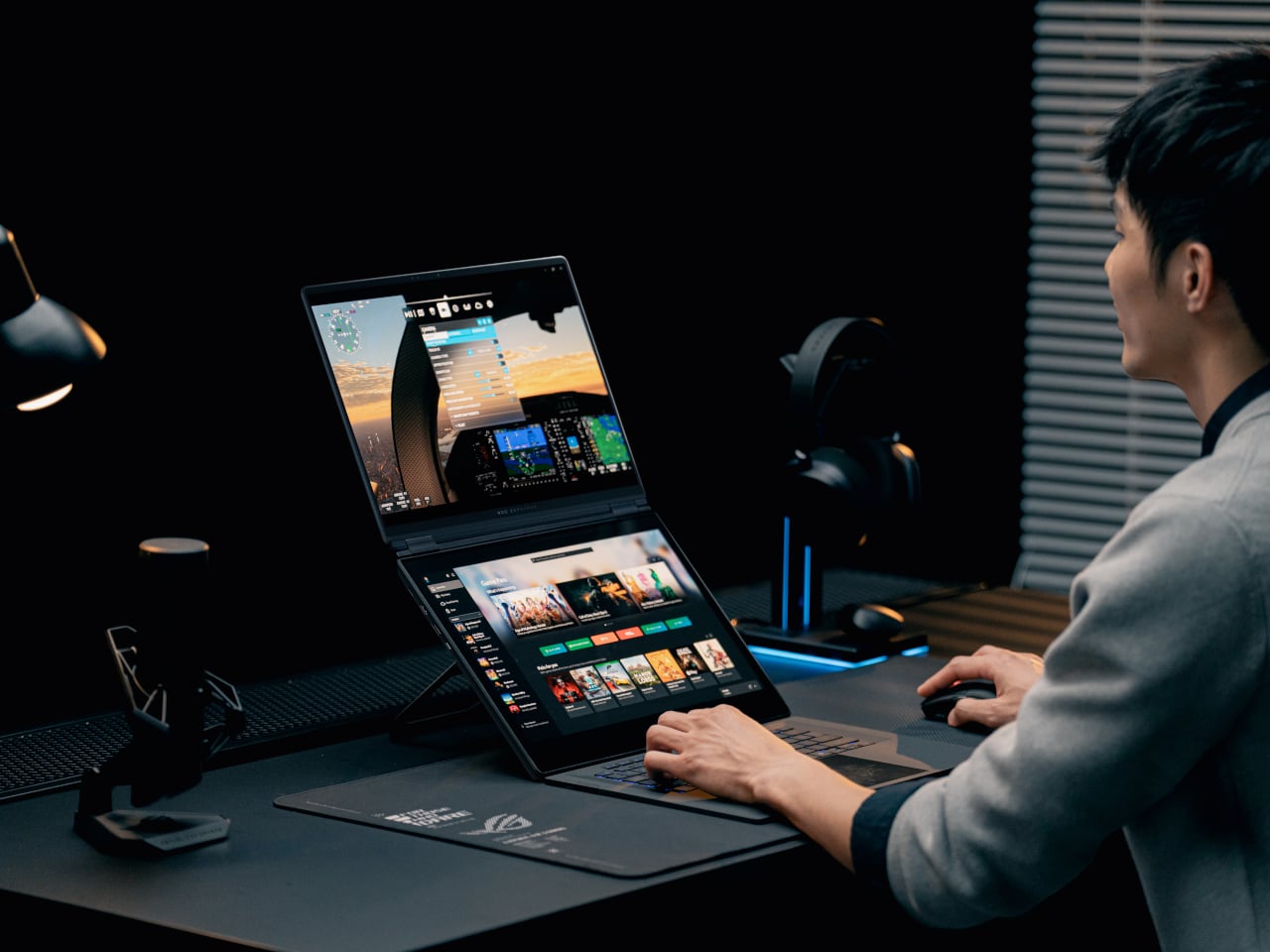
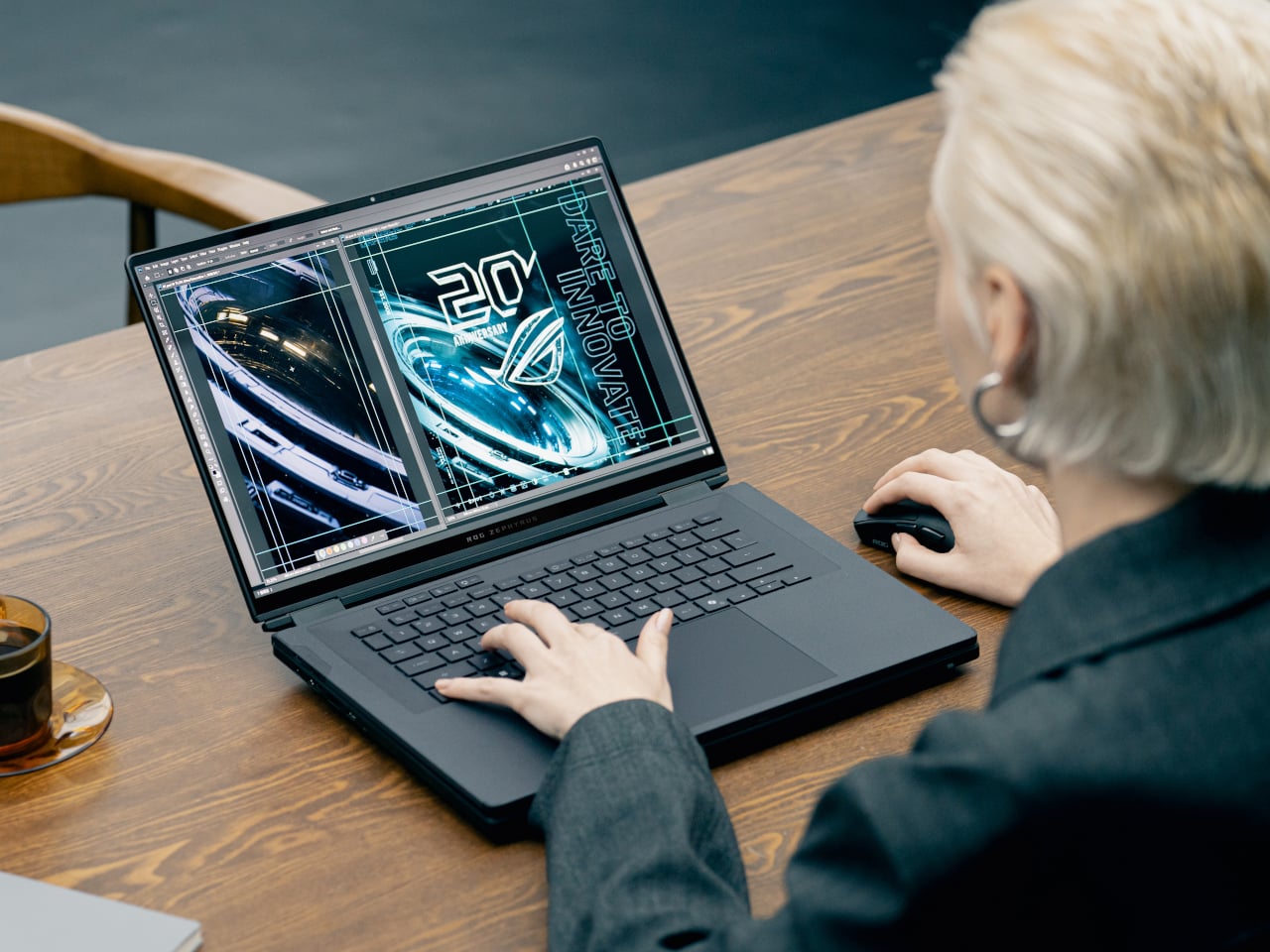
The Duo is the laptop for people who never have enough screen space. Both the main and secondary panels are 16-inch 3K ROG Nebula HDR OLED touchscreens running at 120 Hz with 0.2 ms response times, 100% DCI-P3, and ΔE < 1 color accuracy. In practice, that means a game or timeline can live on the top screen while chat, mixer controls, or reference material sit on the lower one, without feeling like a cramped compromise.

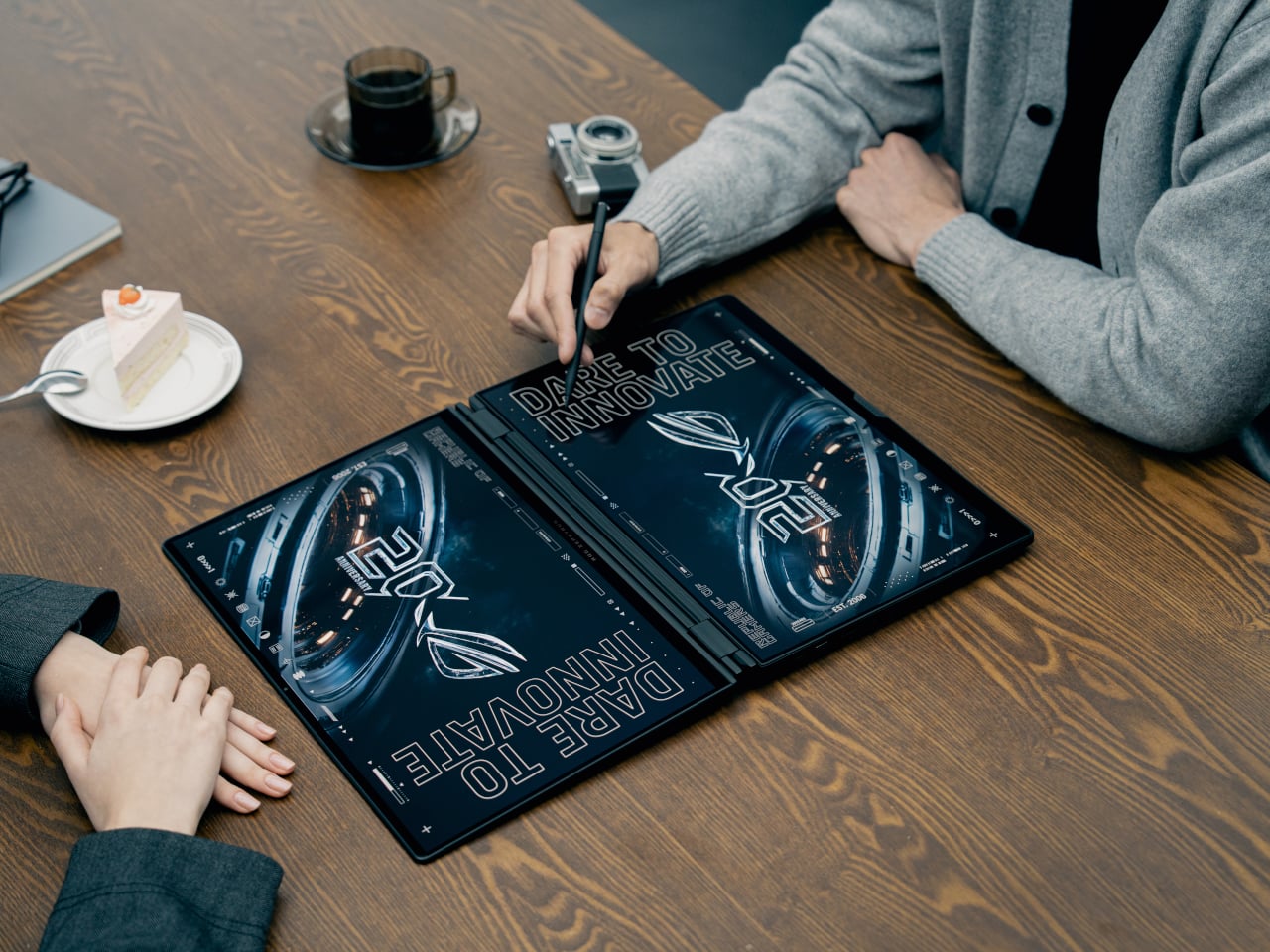
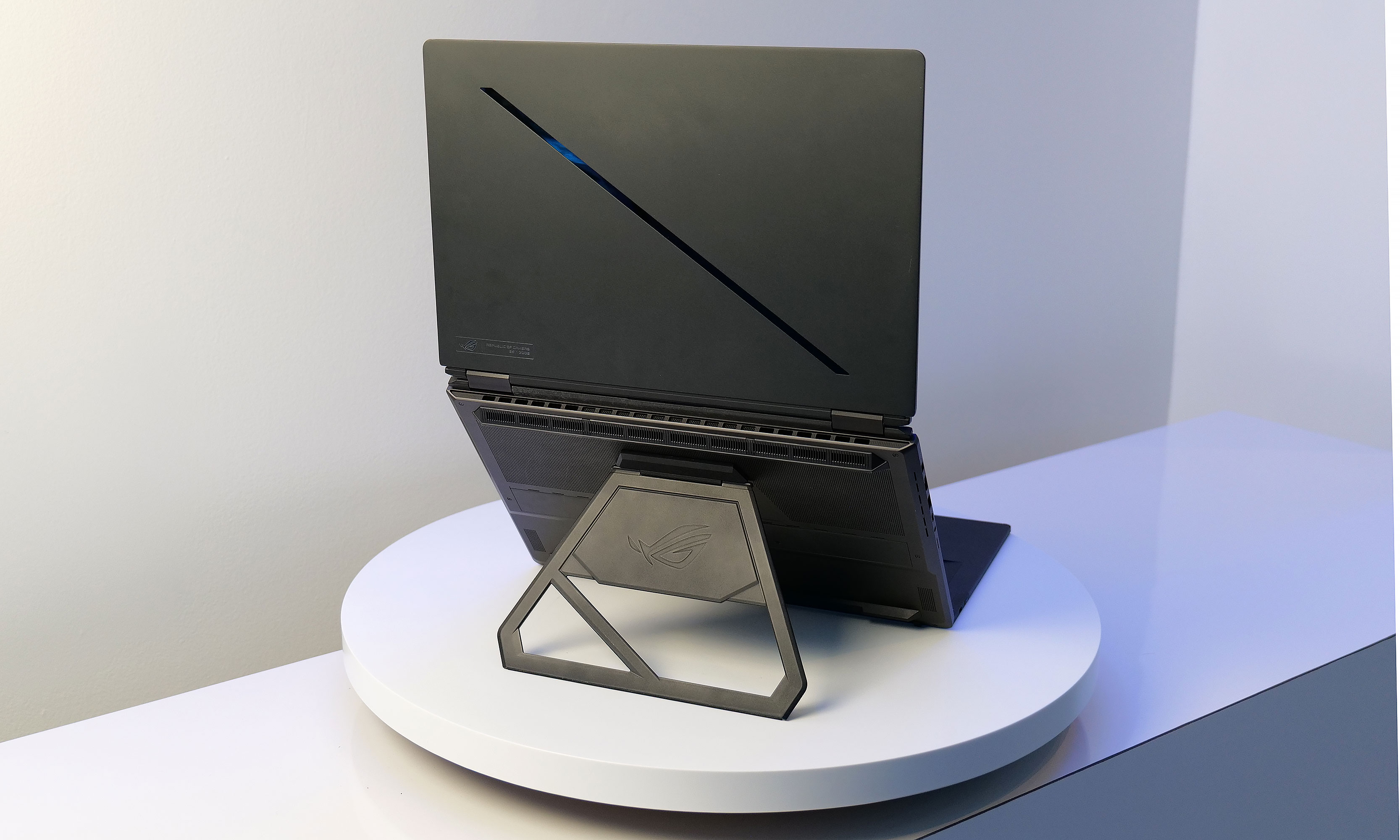
The 320-degree hinge and kickstand let the Duo shift between five operating modes, from traditional clamshell to dual-screen desktop, presentation stand, or drawing surface. A full-size wireless keyboard and touchpad can move off the chassis entirely, so you can push the screens closer and treat the machine like a tiny dual-monitor rig on a hotel desk or studio table. It is a laptop that behaves more like a modular workstation than a fixed shape.

ROG packs up to an Intel Core Ultra processor and an NVIDIA GeForce RTX 5090 Laptop GPU, up to 64 GB of LPDDR5X memory, and up to 2 TB of PCIe Gen 5 SSD storage into a chassis that measures 0.77 in thick and weighs about 6.28 lb. ROG Intelligent Cooling uses liquid metal, a vapor chamber, dual fans, and a dedicated graphite sheet for the second display to keep both panels and the chassis comfortable during long sessions.

ROG Flow Z13-KJP

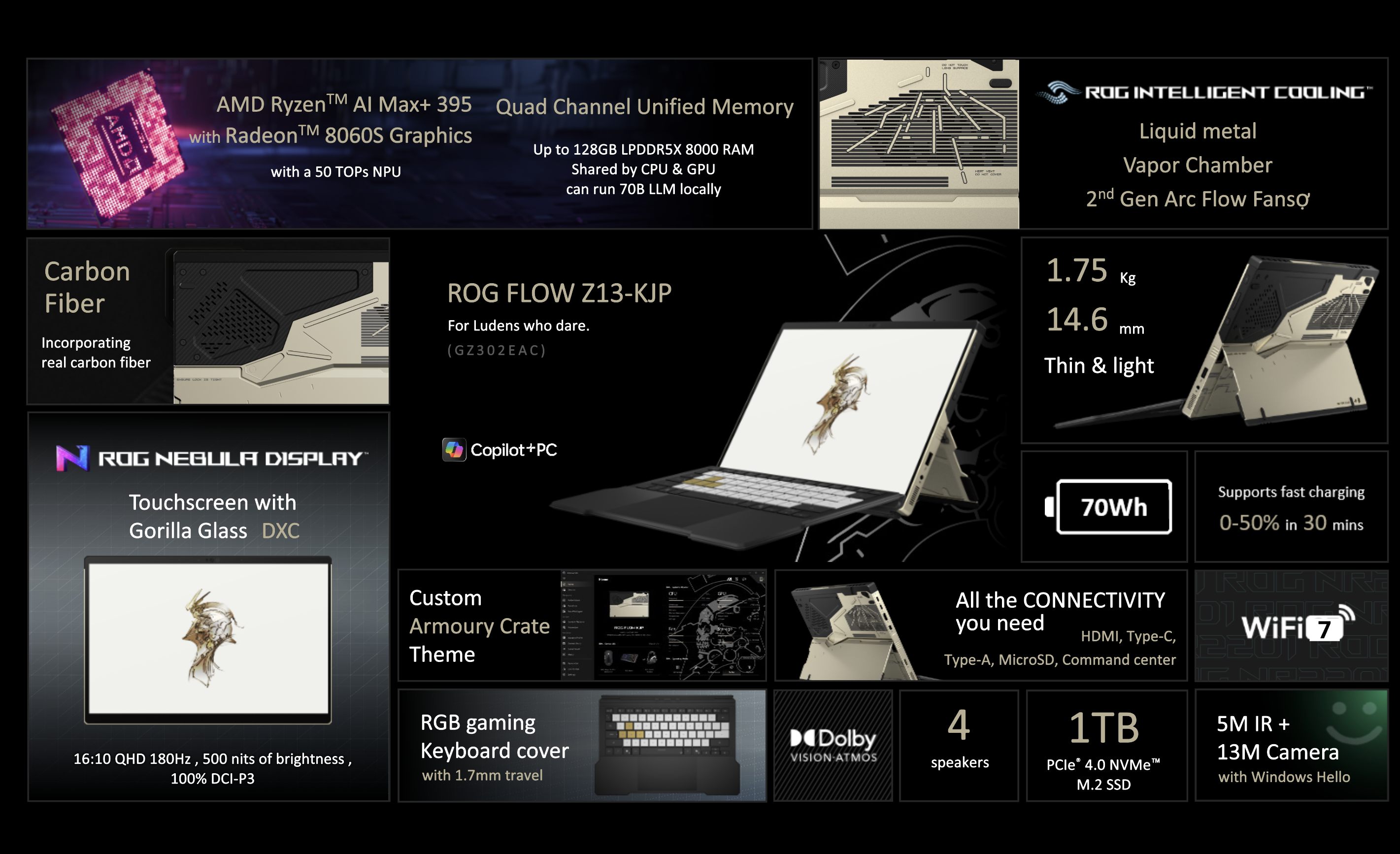
The Flow Z13-KJP is a 13.4-inch 2-in-1 that leans into AI as much as gaming. It runs an AMD Ryzen AI Max+ 395 with Radeon 8060S graphics and a 50 TOPS NPU, paired with up to 128 GB of LPDDR5X unified memory at 8,000 MT/s. ROG explicitly says that the combination can run a 70-billion-parameter LLM locally, which is a very different pitch from “this tablet can play your favorite games.”

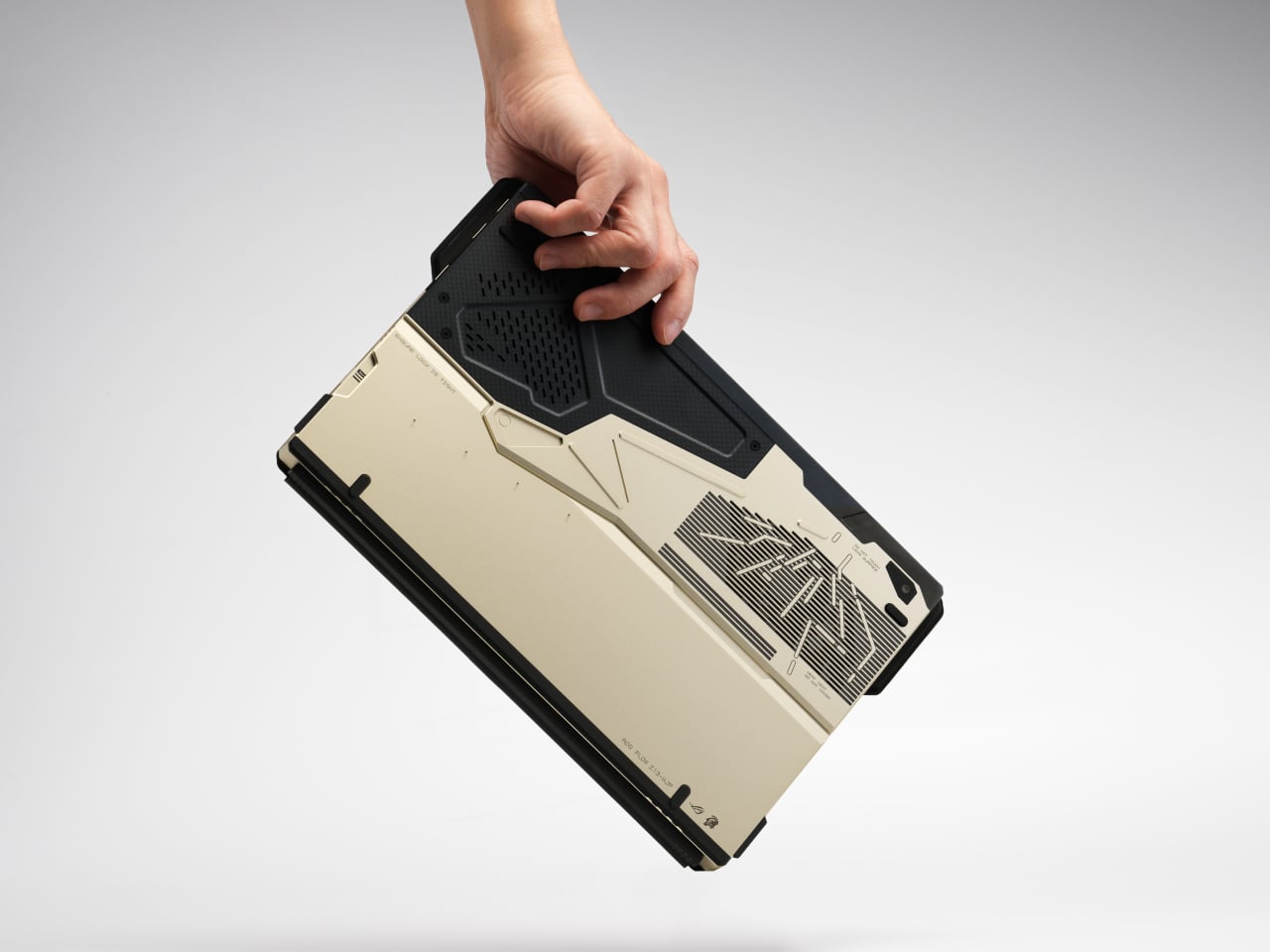
The Z13-KJP uses a 16:10 QHD Nebula display at 180 Hz with 500 nits brightness and 100% DCI-P3, protected by Gorilla Glass DXC. The chassis mixes aluminum with real carbon fiber on the back, weighs about 1.75 kg, and measures 14.6 mm thick. ROG Intelligent Cooling with liquid metal, a vapor chamber, and second-generation Arc Flow fans keeps the Ryzen AI chip and integrated graphics from throttling when running AI workloads or games.

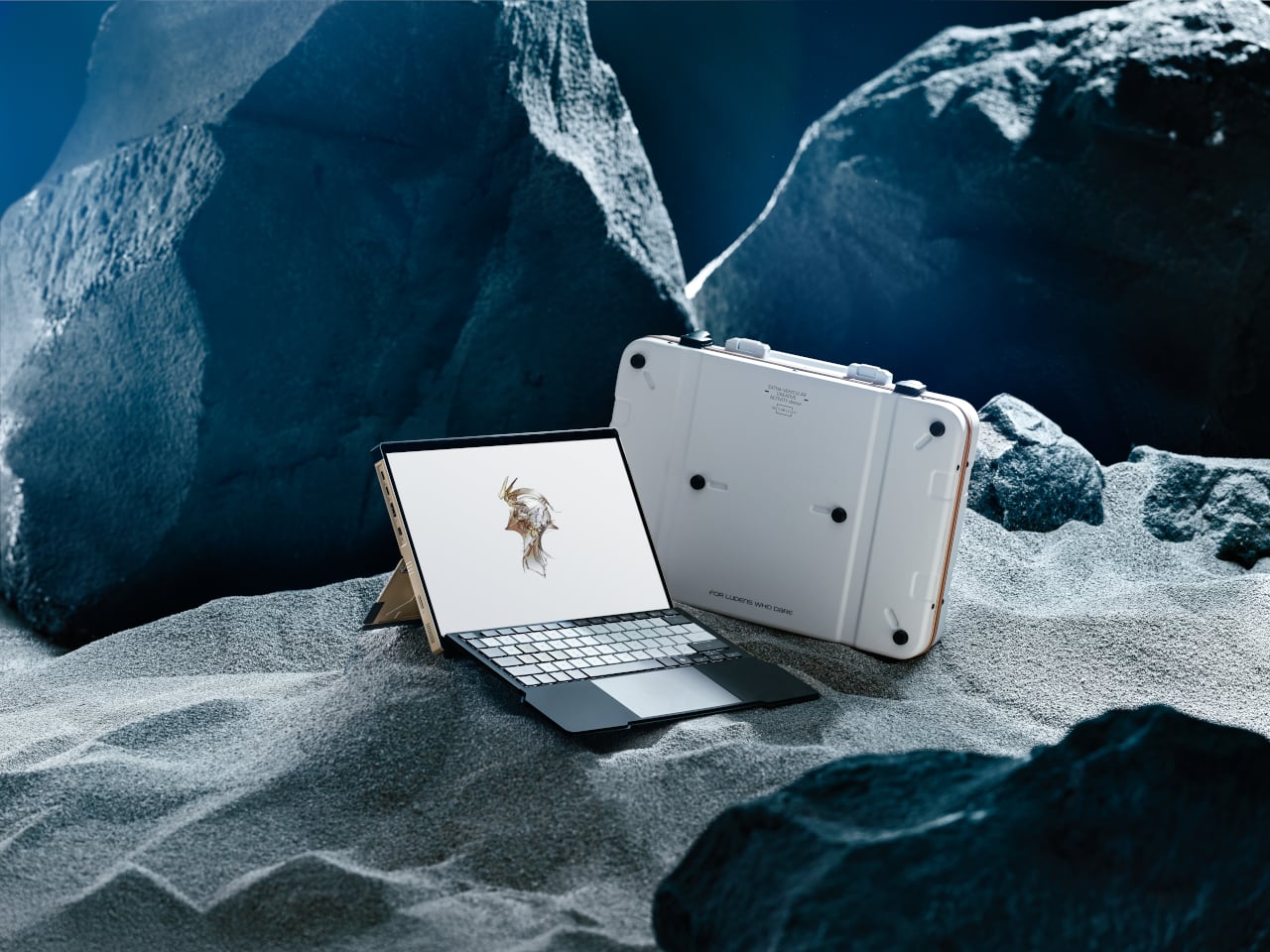
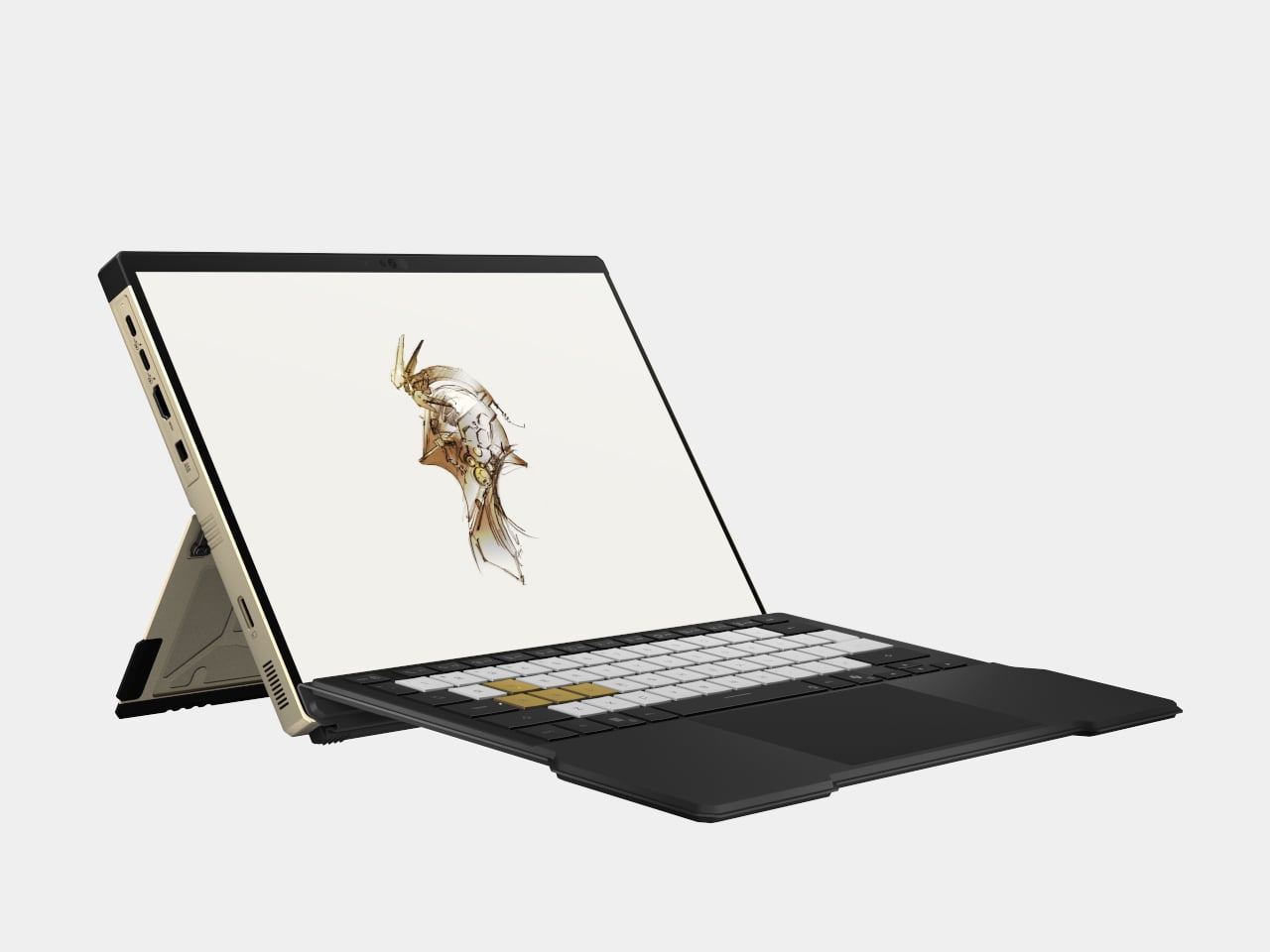
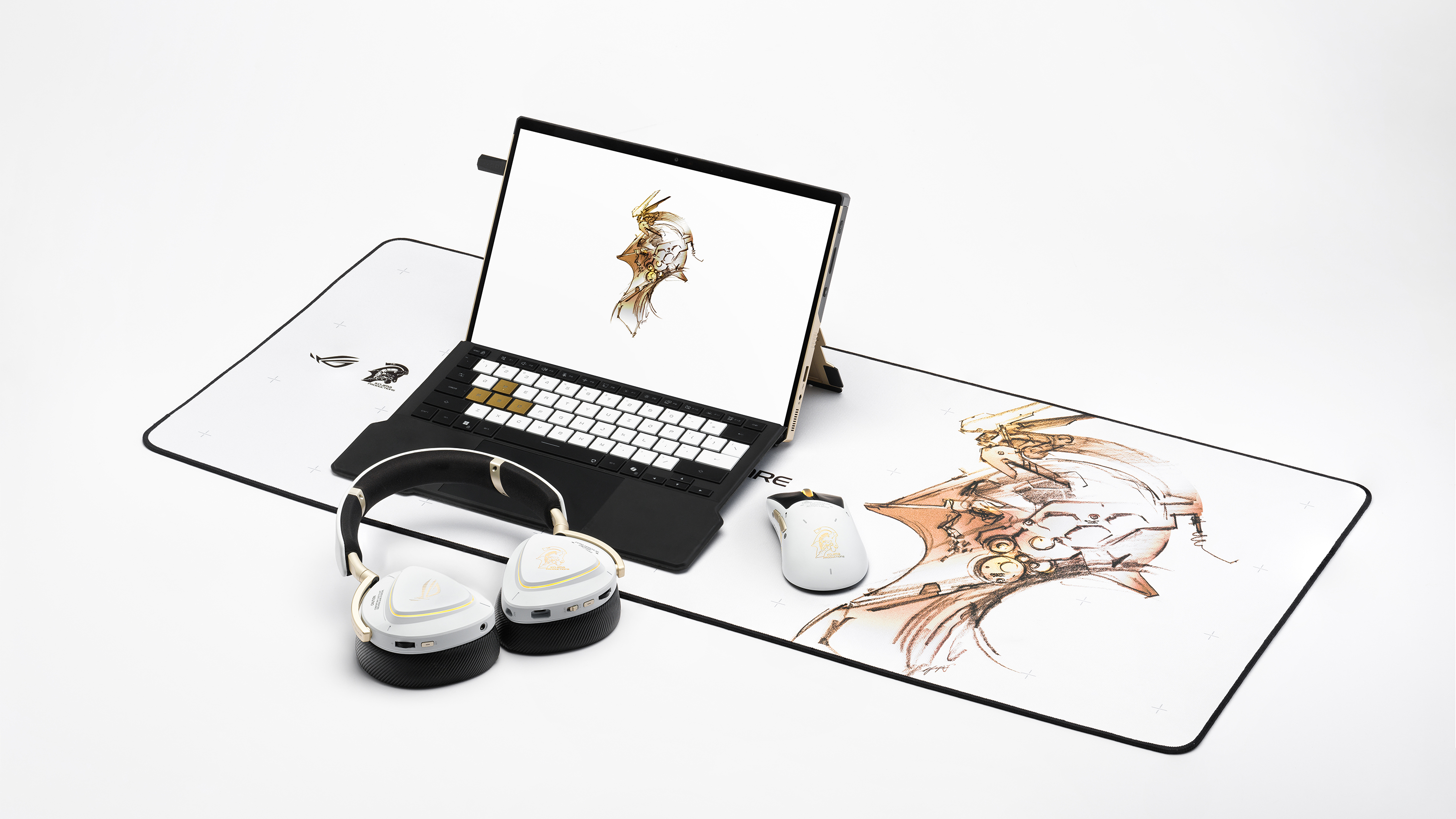
The Kojima Productions collaboration is more than a paint job. Designed by Yoji Shinkawa and inspired by Ludens, the Flow Z13-KJP ships with custom Armoury Crate themes and wallpapers, plus matching peripherals like the Delta II-KJP headset and Keris II Origin-KJP mouse. The detachable RGB keyboard cover with 1.7 mm travel and built-in kickstand let it flip between console-style play, creator tablet, workstation, or ultraportable laptop, treating gaming, creation, and AI experimentation as different moods rather than separate devices.

ROG Zephyrus G14 and G16

ROG Zephyrus G14

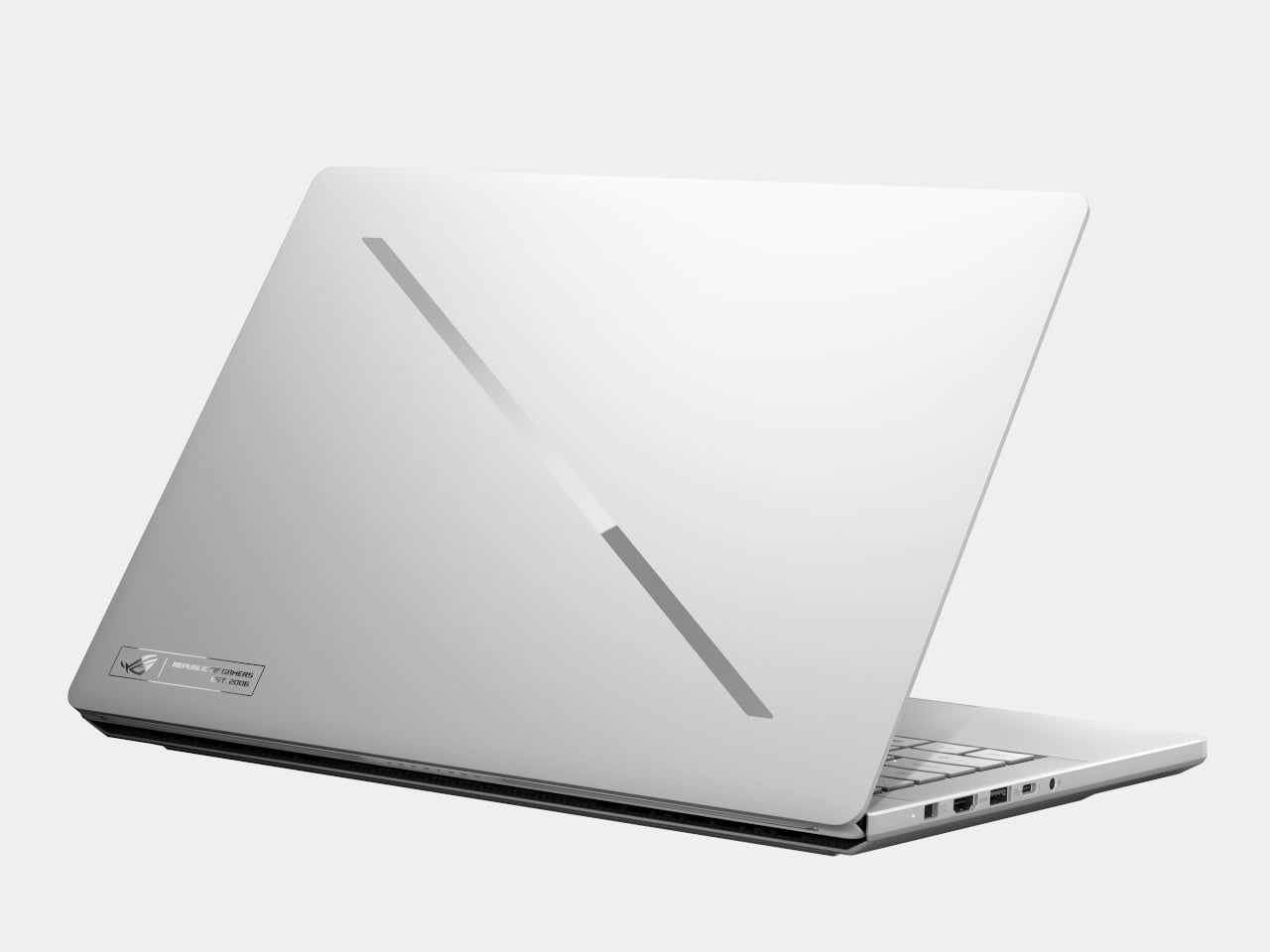
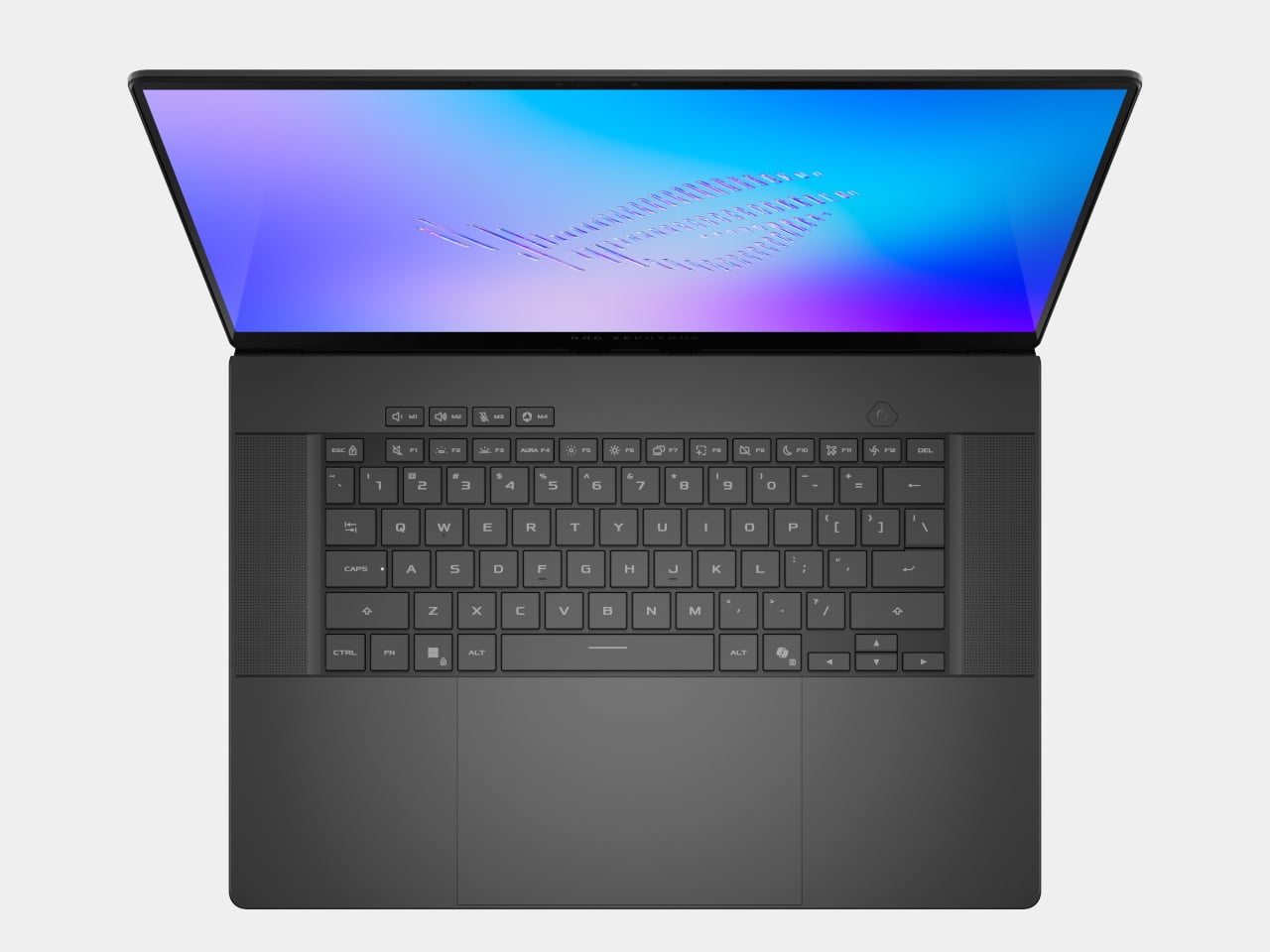
The Zephyrus G14 and G16 are the ultra-slim siblings that round out the laptop story. The G14 uses a 14-inch 3K Nebula HDR OLED at 120 Hz, weighs 1.5 kg, and measures 1.59 cm thick, while the G16 offers a 16-inch 2.5K Nebula HDR OLED at 240 Hz, weighs 1.85 kg, and measures 1.49 cm thick. Both can be configured with Intel Core Ultra processors, up to RTX 5080 or RTX 5090 Laptop GPUs, and Copilot+ PC certification.

ROG Zephyrus G16

The Slash Lighting array on the lid, upgraded from seven zones to 35, gives both machines a more refined aesthetic, while the CNC-aluminum chassis, liquid metal thermal compound, and six-speaker audio systems with dual woofers keep them firmly in the premium tier. They are the machines for people who want serious gaming and creative horsepower but still need something that can slip into a backpack for travel and daily use without feeling like a compromise.

ROG G1000 Desktop

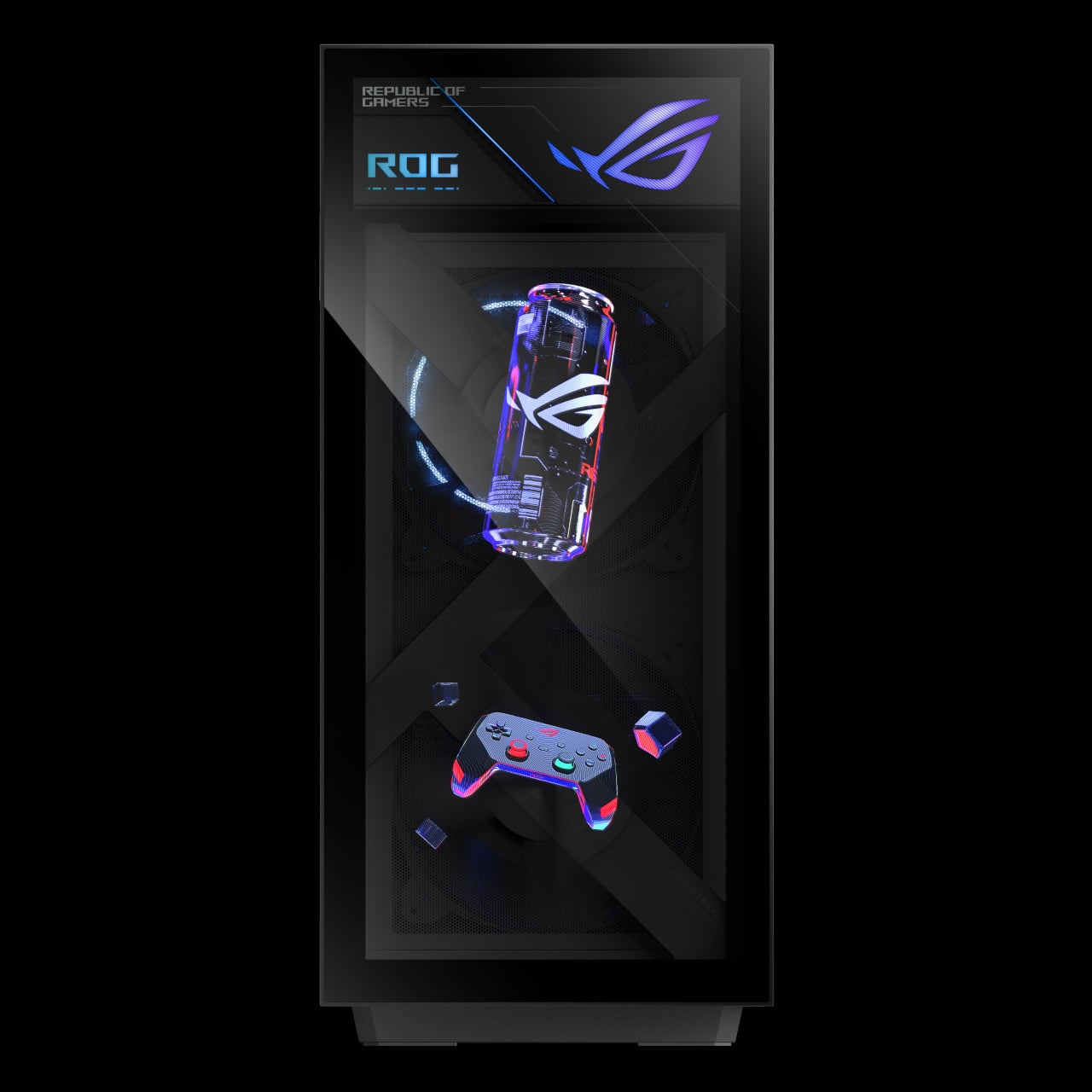
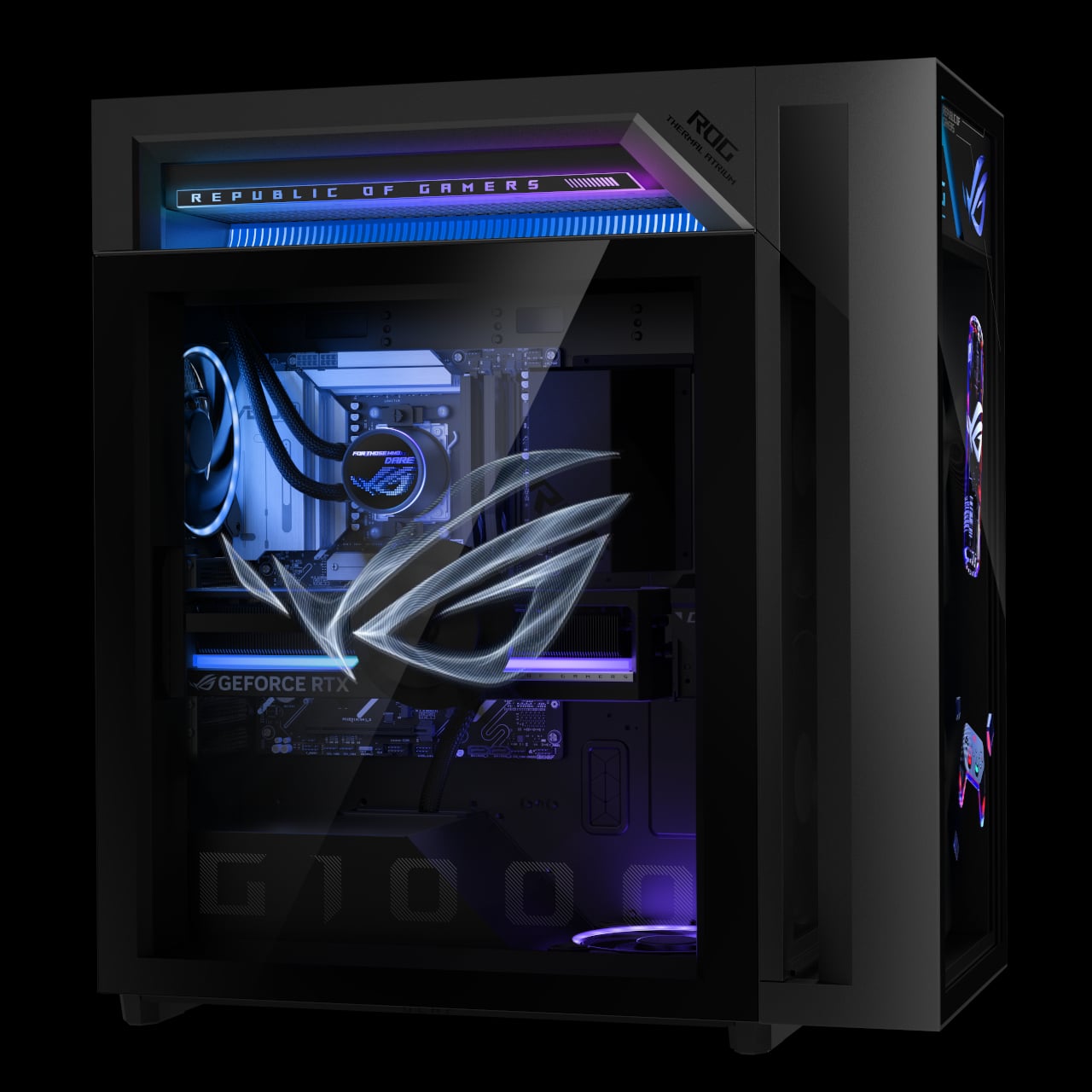
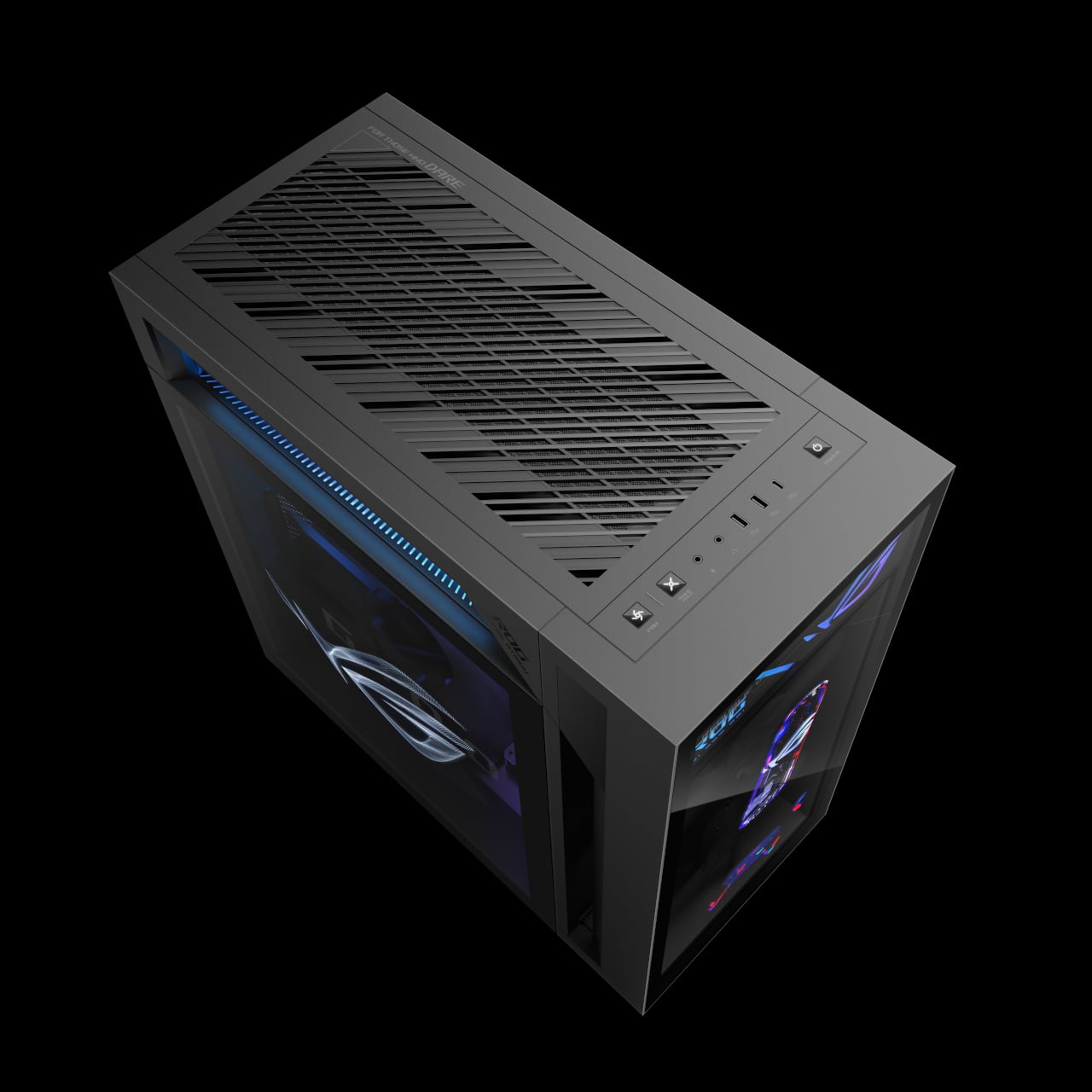
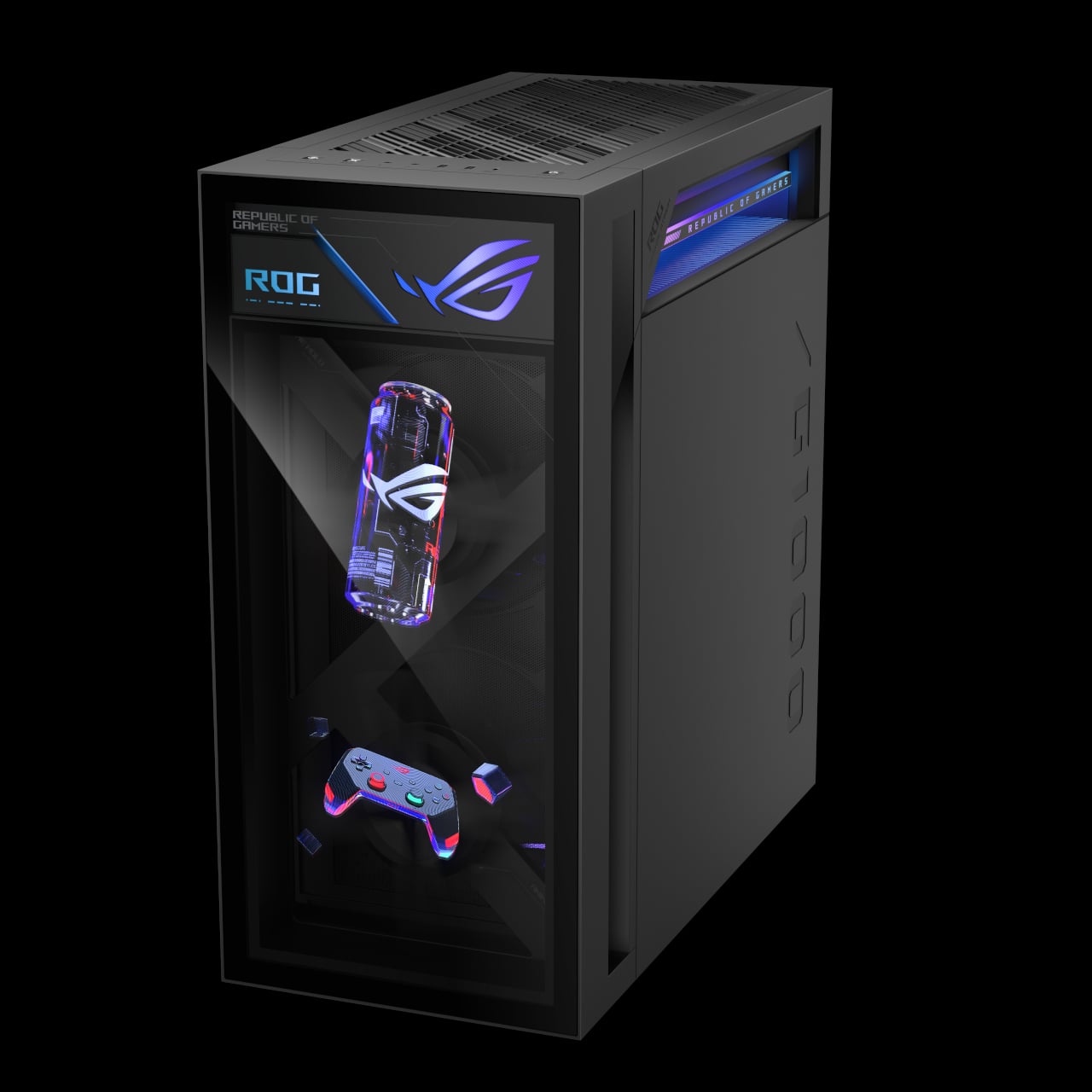
The ROG G1000 is the desktop counterpart, a 104 L ATX ultra-tower built to be seen as much as used. At its core, the built-in AniMe Holo fan is the world’s first holographic fan system in a prebuilt gaming PC, projecting customizable holographic visuals through the front panel. The fan sits in an independent chamber with a hinge-door design, so the airflow does not interfere with the main components, and system noise stays low.

The ROG Thermal Atrium, dedicated to CPU cooling, channels fresh air through a 420 mm AIO liquid cooler with three fans and isolated airflow paths. Equipped with up to AMD Ryzen 9 9950X3D and ROG Astral GeForce RTX 5090 or AMD Radeon 9070XT GPUs, up to 128 GB DDR5 memory with AEMP II, and up to 4 TB PCIe 5.0 SSD storage, the G1000 is tuned and ready for peak performance from day one. Quick control keys on the chassis, extensive Armoury Crate and Aura Sync lighting control, and easy tool-less access for upgrades make it a desktop that earns its showpiece status by actually being usable as a daily driver.

ROG at CES 2026: Form Factors for the Next Decade

The Zephyrus Duo and Flow Z13-KJP are two answers to the same question: what does a gaming machine look like when AI, OLED, and new hinges are all on the table? The Duo stretches the laptop into a dual-screen studio that can sit at the center of a desk, while the Flow Z13-KJP compresses a Copilot+-class PC into a tablet that can run massive models on the go. For Yanko Design readers, the interesting part is not just the jump to RTX 5090 or 50 TOPS NPUs, but the way those specs are being used to justify new shapes, new workflows, and new ways of thinking about what a gaming laptop or tablet can be when you stop assuming it has to look like every other machine released in the past decade.

The post ROG’s CES 2026 Flagships Rethink What a Gaming Machine Looks Like first appeared on Yanko Design.
CES: ASUS made a special Hideo Kojima version of the ROG Flow Z13

Who among us hasn't looked at the ASUS ROG Flow Z13 and said, "That's great and all, but what if it had more Hideo Kojima?" Well, our cries have been heard. Behold, the ROG Flow Z13-KJP, a collaboration between ASUS and Kojima Productions.

On the inside, this model is no different than the standard version we reviewed last May. The device takes a Surface Pro-like form factor and beefs it up into something that’s more like a gaming laptop. (Ergo, ASUS's pitch of the product as a "gaming tablet.")

But on the outside, you'll find a design "for Ludens who dare." The Death Stranding influence is evident, but you may pick up on some Metal Gear-adjacent touches as well. The tablet's gold color, symbols and integrated carbon fiber conjure Kojima’s Ludens mascot. This variant is slightly larger than the standard one, most noticeably in the detachable keyboard.

Marketing image of the ROG Flow Z13-KJP 2-in-1 with accessories
ROG Flow Z13-KJP
ASUS

There will also be matching accessories available, including a mouse, case, headphones and a desk mat. Depending on your region, those may or may not be bundled with the device. (We'll update this story when we find out more.)

Fortunately, once the design novelty wears off, you're left with a fairly powerful gaming machine. The Copilot PC has a 13.4-inch IPS touchscreen with a 180Hz refresh rate and 500 nits of brightness. Its port selection is surprisingly generous: two USB 4 Type-C ports, one USB-A port, HDMI 2.1, 3.5mm audio and a microSD slot. The Ryzen AI Max+ 395 chip inside has integrated graphics that punch above what you'd expect. You can configure it with up to 128GB LPDDR5X 8000 RAM.

ASUS ROG Flow Z13 one-page feature roundup
More Kojima than you ever expected from a "gaming tablet"
ASUS

ASUS hasn't yet revealed pricing or availability for the ROG Flow Z13-KJP. You can read more about the standard version in Sam Rutherford's review.

This article originally appeared on Engadget at https://www.engadget.com/gaming/pc/ces-asus-made-a-special-hideo-kojima-version-of-the-rog-flow-z13-000000768.html?src=rss

The ASUS ROG Zephyrus Duo is big, weird and kind of awesome

A couple years ago ASUS made its first dual-screen laptop in the ZenBook Duo. Now at CES 2026, the company has taken that idea and branched off in a somewhat unexpected way with the ROG Zephyrus Duo, which might just be the world’s first true dual-screen gaming laptop.

Unlike a more traditional productivity notebook with two built-in displays, the concept of a dual-screen gaming notebook doesn’t translate quite as naturally because powering two screens comes with a performance hit. Plus, in the heat of battle, it’s not like you have a lot of opportunity to utilize that second monitor. But if you view this Zephyrus Duo as more of an all-purpose portable content creation and gaming station, things begin to make a lot more sense. 

Both of Zephyrus Duo’s 16-inch Nebula OLED panels have strong specs including support for HDR with up to 1,100 nits of peak brightness, NVIDIA G-Sync, stylus integration and a very strong Delta-E (which measures color accuracy) of less than one. Performance also looks solid with ASUS offering the latest Core Ultra processors from Intel and up to an NVIDIA RTX 5090 GPU. Sure, with a TDP of 135 watts, the Zephyrus Duo won’t be quite as punchy as a comparable single-screened 16-inch gaming notebook, but those won’t be nearly as adaptable as the ROG either. 

Just like the Zenbook Duo, the Zephyrus Duo comes with a detachable wireless keyboard that can be charged up magnetically. This allows users to set up the laptop in all sorts of positions, which are enhanced thanks to a built-in kickstand. The one people will use the most is probably the stacked arrangement with one display above the other. However, you can also keep the Duo and clamshell mode, slide the keyboard forward for drawing, lay it down flat on a table or even put it into tent mode and game on it. Though even ASUS admits that may not be super practical as apps will need to specifically support that use case. Though at the very least, you can mirror your screen for a friend on the other side of a desk/table.

The ROG Zephyrus Duo comes with a built-in kickstand which makes it easy to set it up in all sorts of different positions, even if it is a bit heavy.
Sam Rutherford for Engadget

Now I will admit that after messing around with the Zephyrus Duo in person, it is a bit ungainly due to its weight of 6.28 pounds. But ASUS managed to do a good job of keeping it relatively thin (0.77 inches) without skimping on features like sound thanks to the Duo’s six-speaker stereo system and cooling which features a vapor chamber and a liquid metal thermal material. You also get a surprising amount of ports including multiple USB-C with Thunderbolt 4, USB-A, HDMI 2.1 and a full-size SD card slot, plus a decently large 90Whr battery. 

The one important thing we don’t know yet though is how much it will cost, particularly because this thing almost certainly won’t be cheap (I’m guessing a starting price of around $2,500). A dual-screen gaming laptop might not make a lot of sense, but I appreciate how ambitious ASUS is being with the ROG Zephyrus Duo and I’m looking forward to testing it out sometime later this year. 


This article originally appeared on Engadget at https://www.engadget.com/computing/laptops/the-asus-rog-zephyrus-duo-is-big-weird-and-kind-of-awesome-000000156.html?src=rss