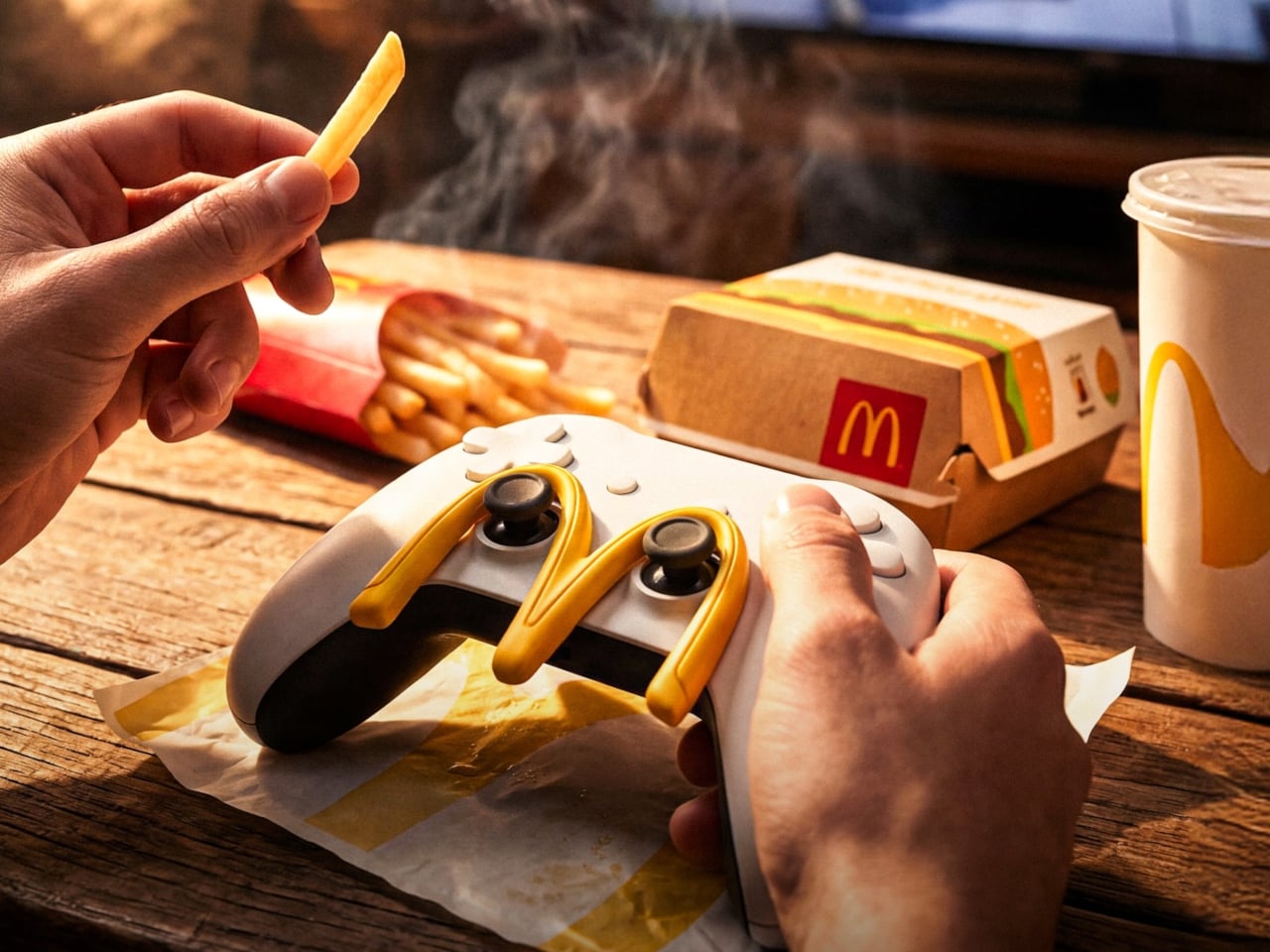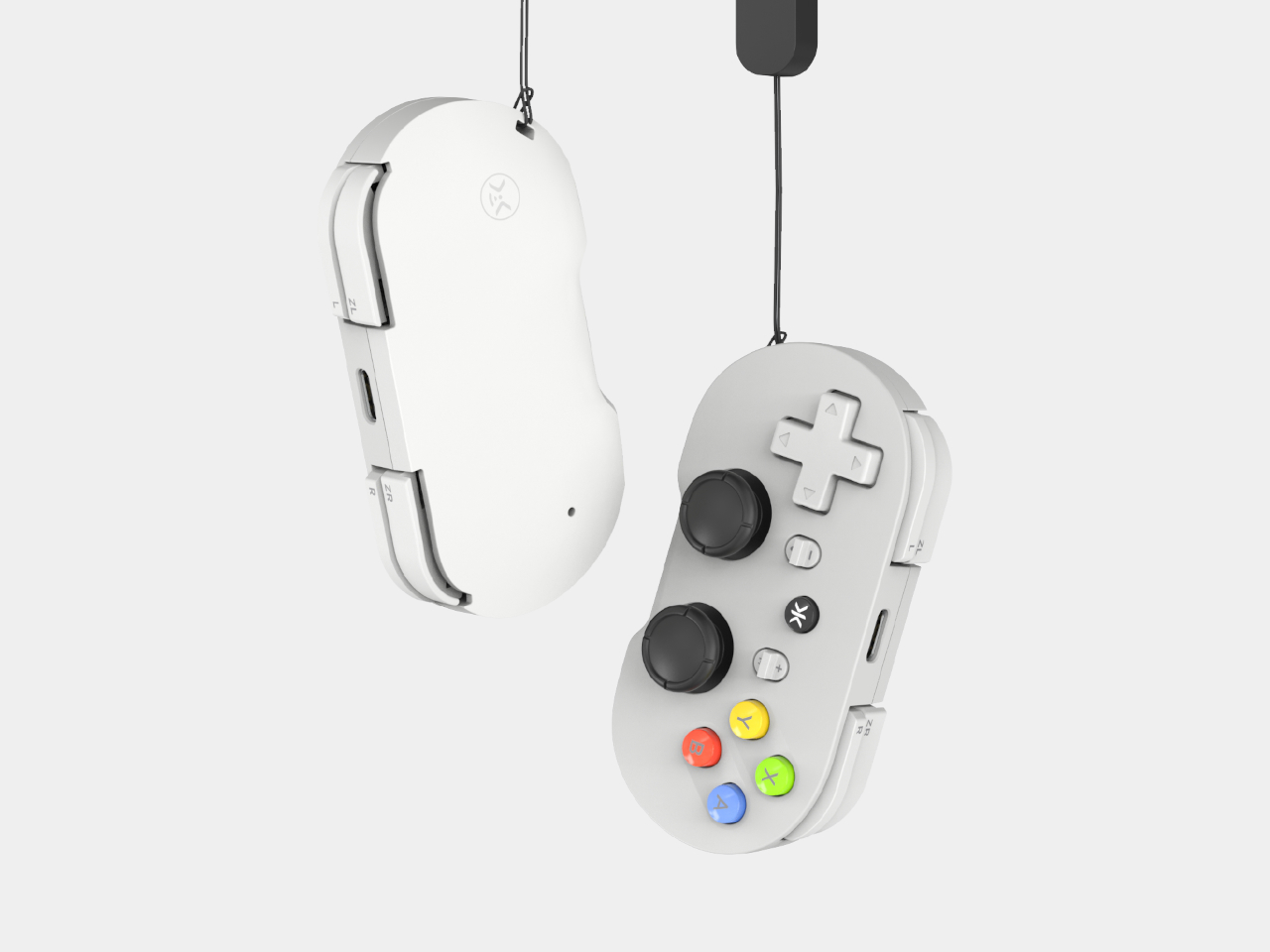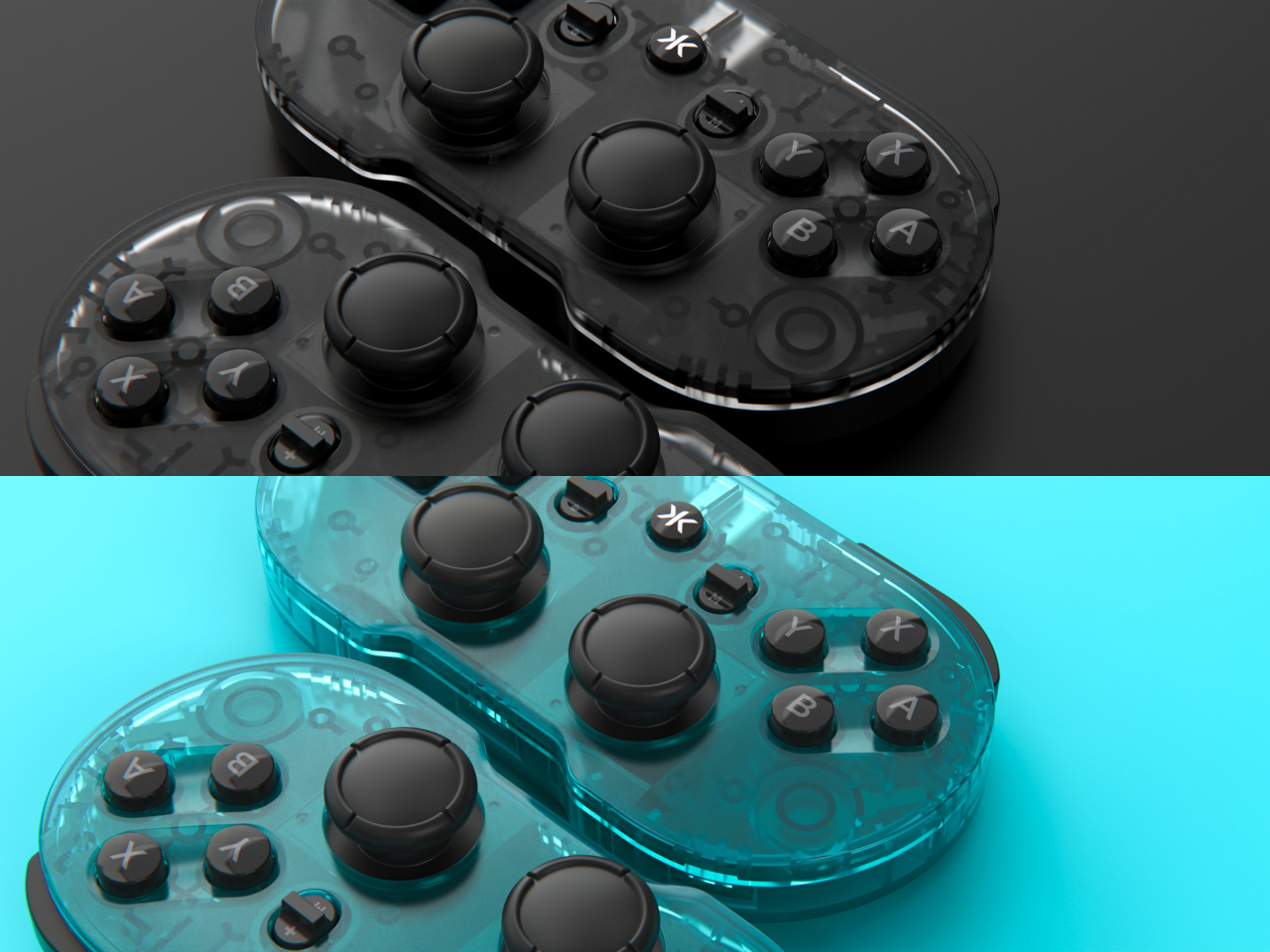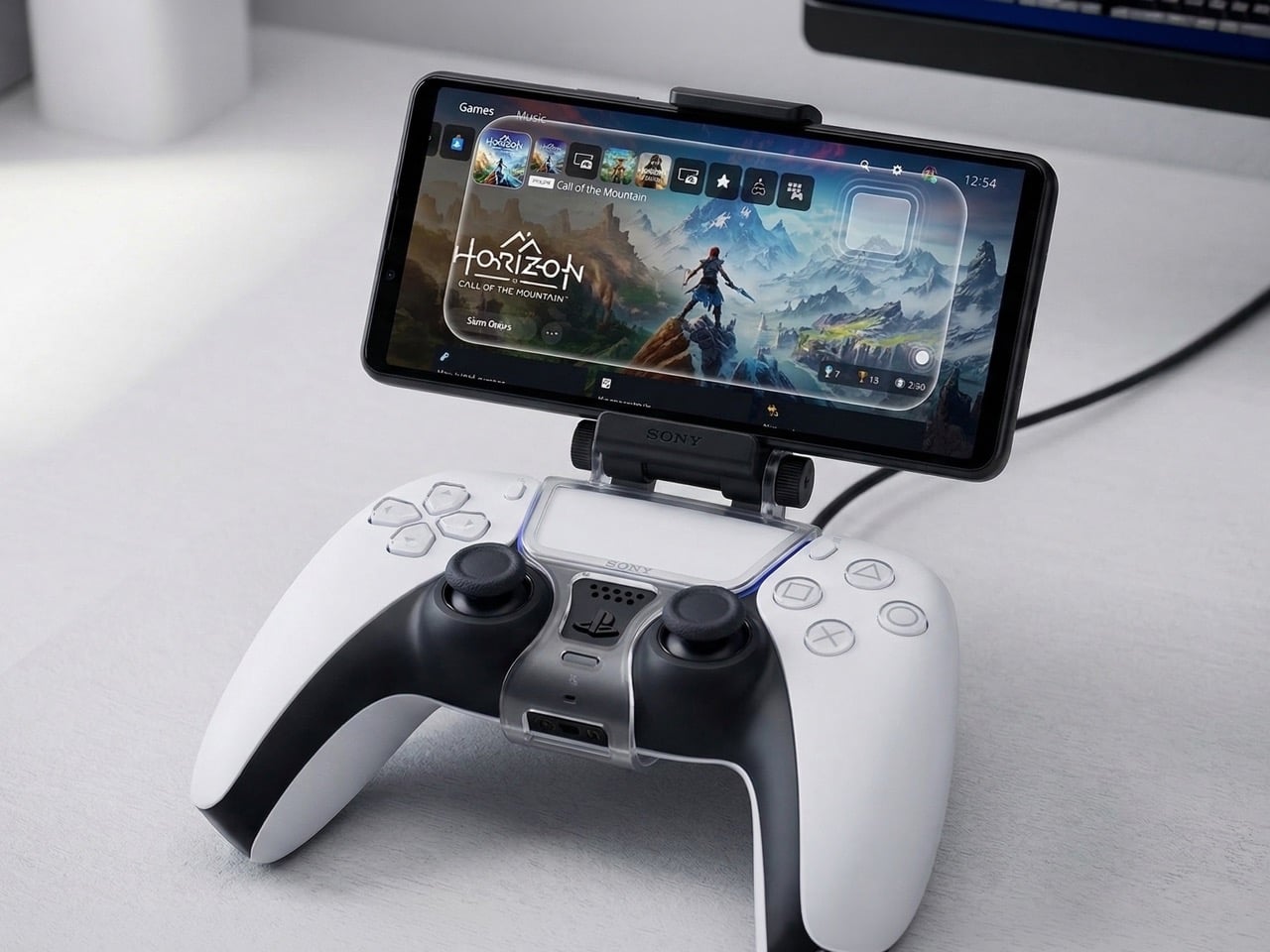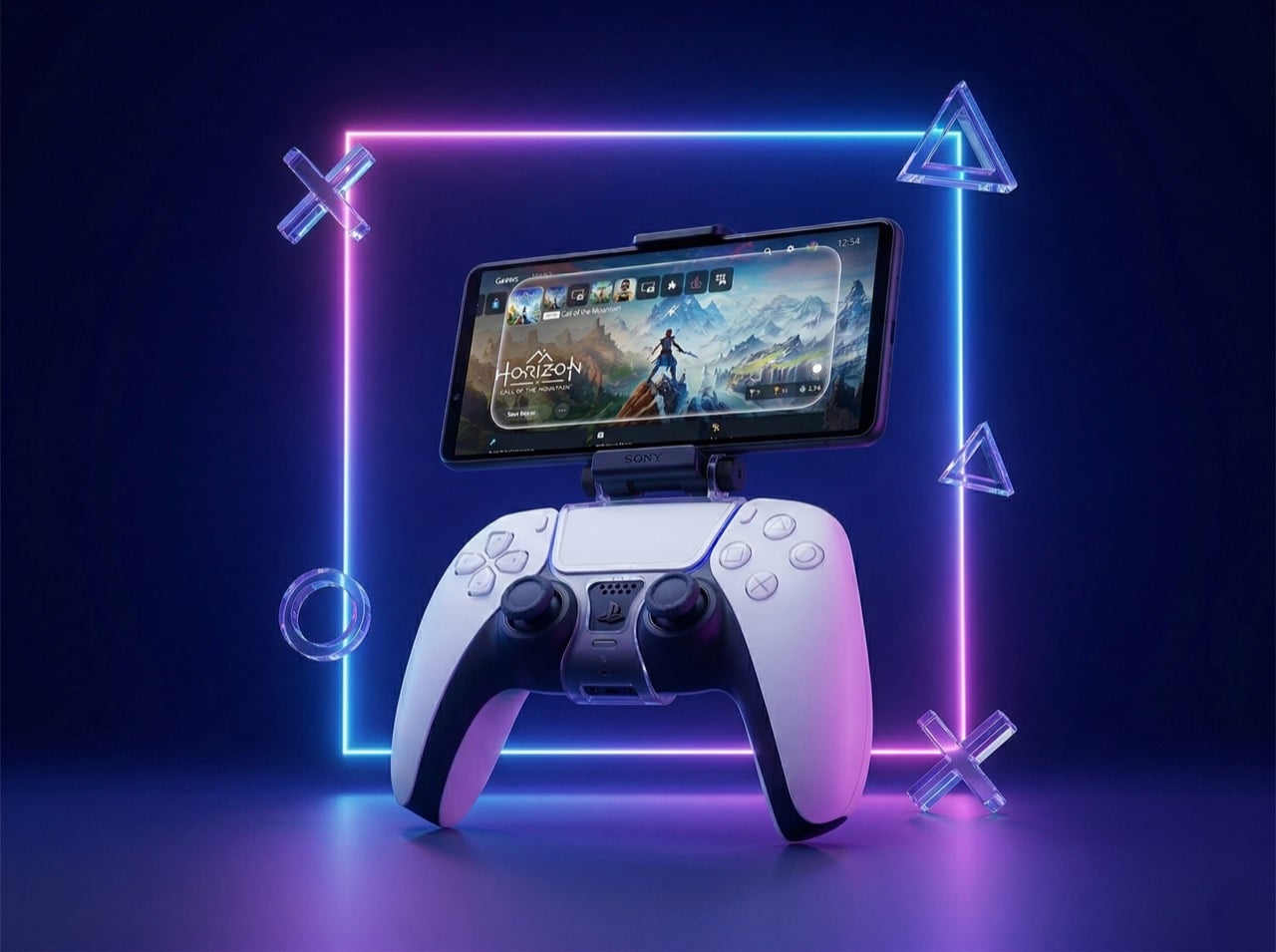
Bauhutte’s special cabinet for storing game consoles, controllers, and titles will get the gamers highly organized

Japanese gaming furniture brand, Bauhutte, basically functions out of there bases: comfort, comfort and comfort. What did I miss? Comfort, allowing gamers to add days and more days to their regular gaming routines. Then whether it’s the Electric Gaming Bed or the Gaming Sofa, everything out of this company’s warehouse is designed to make the gamers addicted and lazier for their liking.

While that’s that. There ought to be a solution that is less about comfort and more about convenience and organizing. Two aspects that are as far from gamers as life outside their consoles. So, Bauhutte has taken some time out from creating ultra-addictive furniture to make us languid, to launch a specially designed cabinet to store game consoles, title, and other items in one place.

Designer: Bauhutte

The table with open shelves looks to have been made using MDF board and is pretty similar to other stationary game console cabinets on the market. Two distinguishing factors: Bauhette’s dark color scheme and the open rack design. The primary layout without a backboard or door considers heat dissipation and ensures your valuable console is well-ventilated at all times.

Although it has a simple design that will never look out of place even if it’s installed in the living room, it is highly functional. Giving an open space for the game console to rest, the specially conceived cabinet for the gamers’ den, has a drawer to stack your titles, controllers, and other accessories that have grown through the years.

The cabinet organizes the gaming equipment neatly which would otherwise pile up on the side of your rig. A side hook has been installed on the cabinet for hanging headsets, etc. This keeps the headies in easy reach, so you can quickly pick them up whenever you want to use and then store it neatly after playing. But what really had the storage cabinet win my heart was its hidden cable box on the back and the ability to team up with an open rack for placing more than one game console. There is no word on the price or the global ability of the cabinet yet, but we are hopeful its coming soon!

The post Bauhutte’s special cabinet for storing game consoles, controllers, and titles will get the gamers highly organized first appeared on Yanko Design.
AYANEO Flip DS handheld PC takes inspiration from a different Nintendo star

The Nintendo Switch is hailed as the design that brought the handheld gaming market back to life, but it’s hardly the only notable product from the gaming giant. Almost two decades ago, Nintendo launched the evolution of its Game Boy line, the Nintendo DS with its odd yet interesting second screen. It’s still debatable whether that feature was a success or just a gimmick, but there’s little argument that it became an iconic design that few have been able to emulate successfully. One of the rising names in the handheld PC segment, however, is taking a stab at bringing that uniqueness to this fledgling market, with a micro laptop design that includes not a keyboard but a small second screen, a feature that could be even more quirky and gimmicky than it was on the Nintendo DS.

Designer: AYANEO

It’s hard not to see the Nintendo DS as a bit gimmicky. Almost all the controls you need to play handheld games are mostly covered by buttons and joysticks, so you actually need to craft specific games to take advantage of that second screen. Because of the custom design, those games won’t work on any other console without heavy changes or some special emulation. That said, a second screen might actually have more utility on a different platform like Windows, where a different display could be used for displaying information or custom controls.

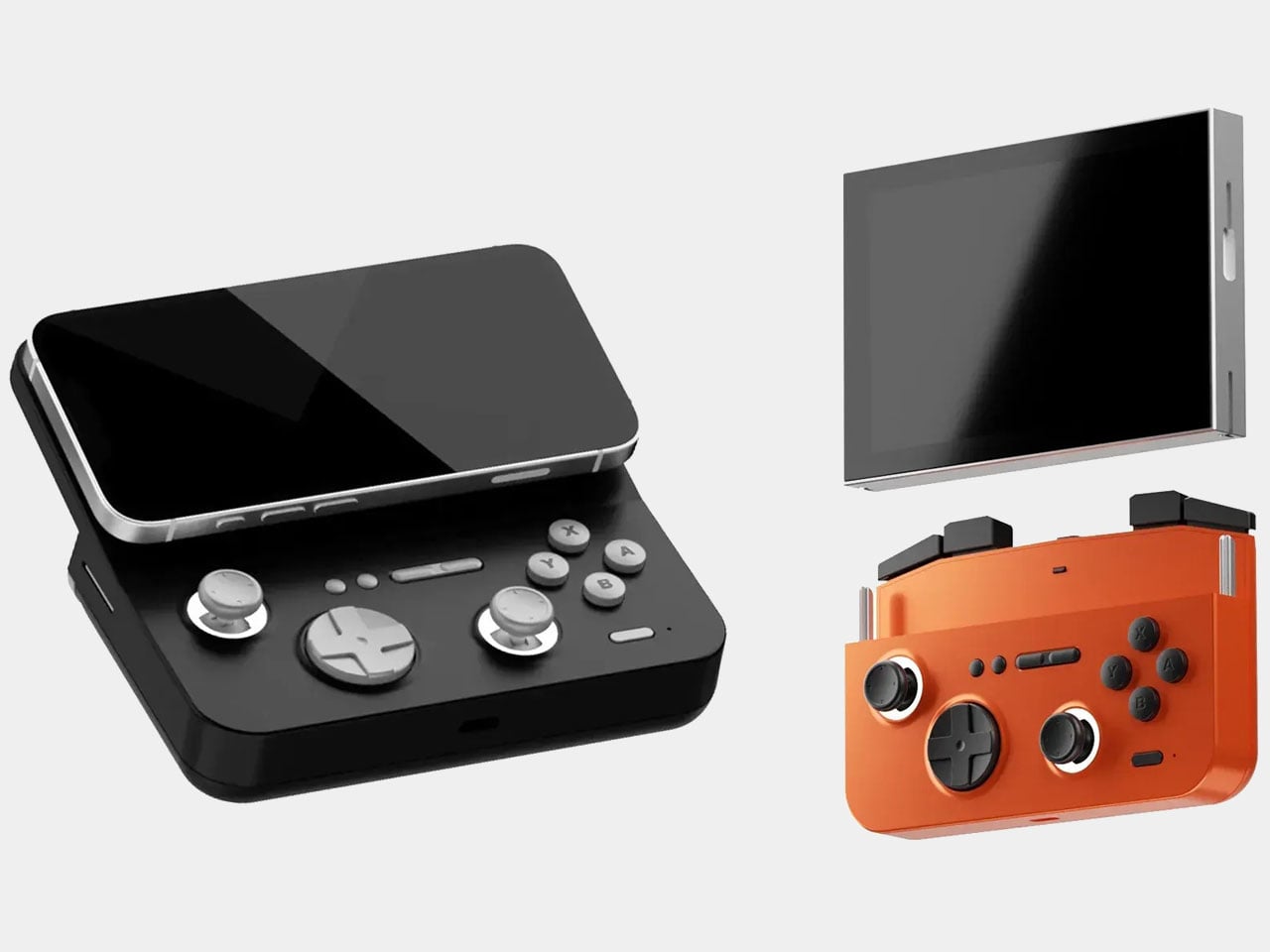
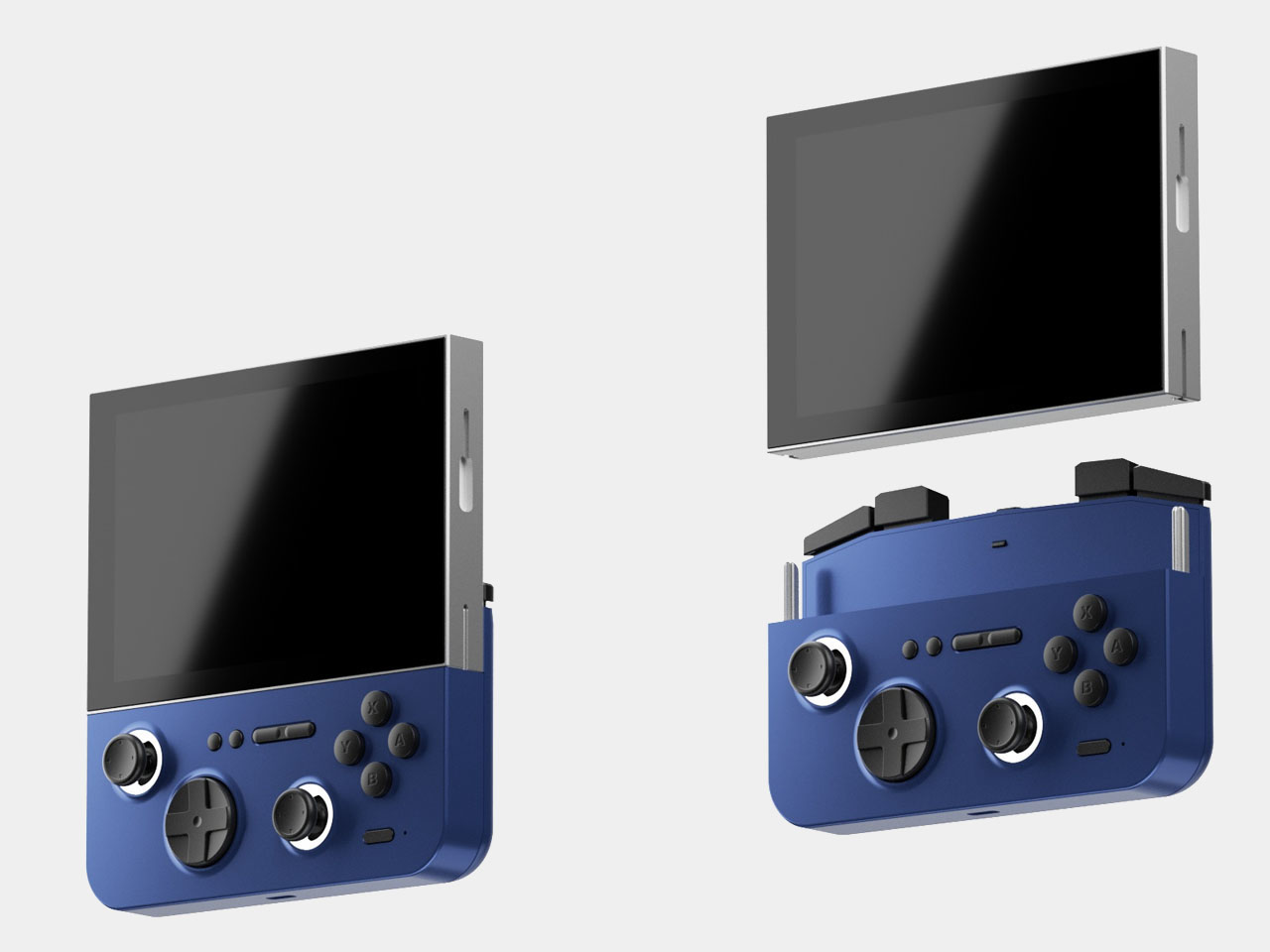
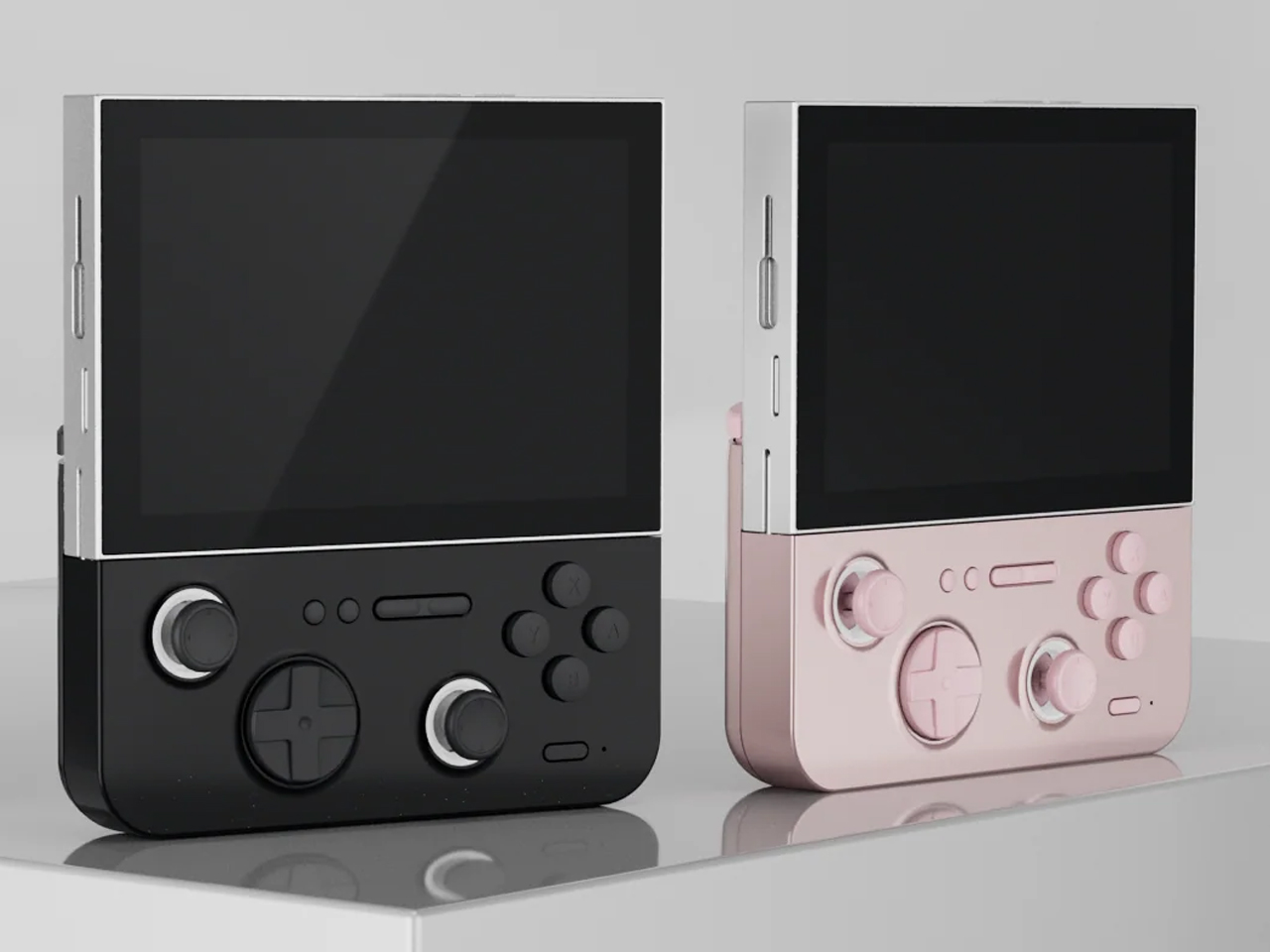
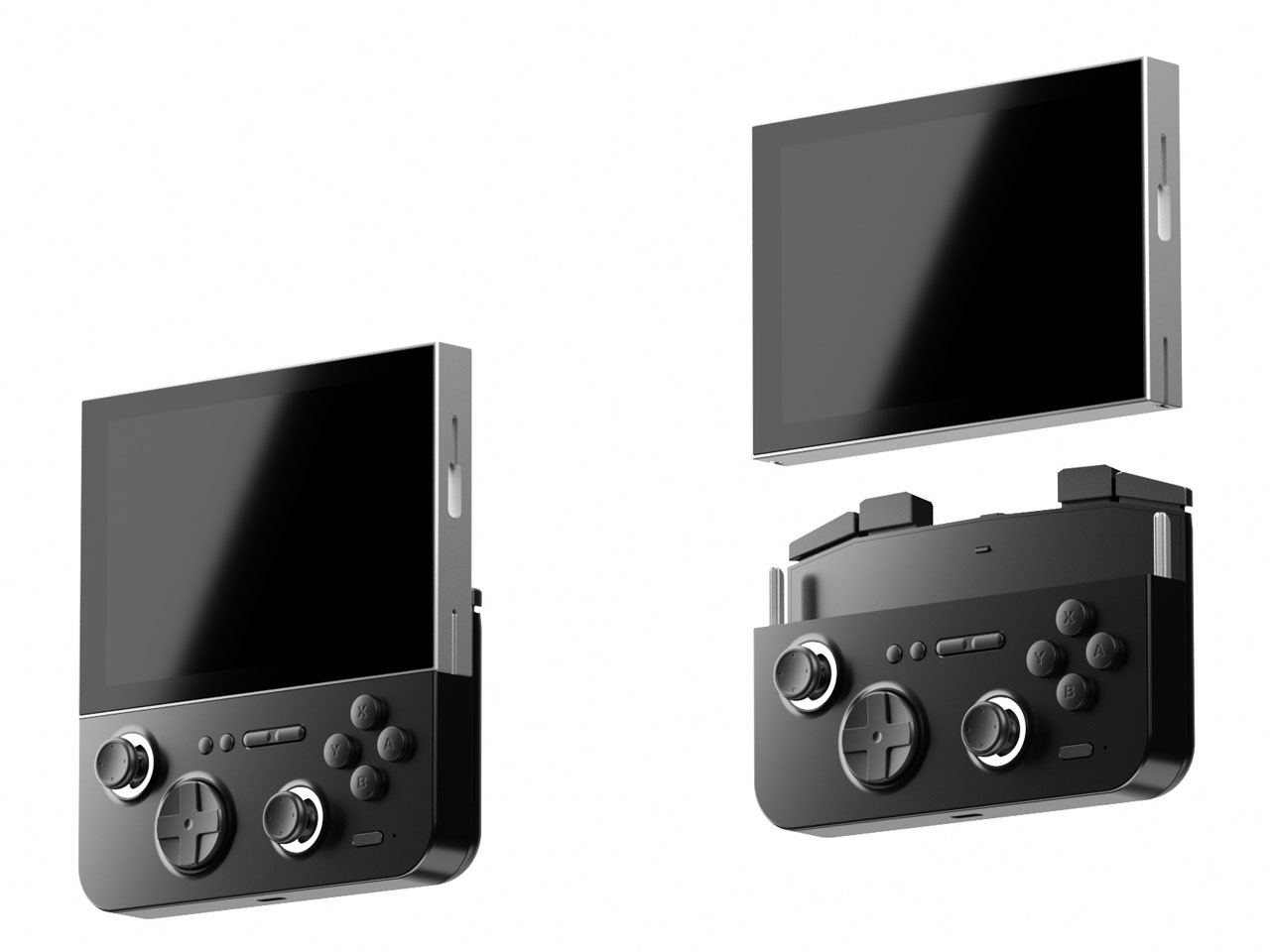
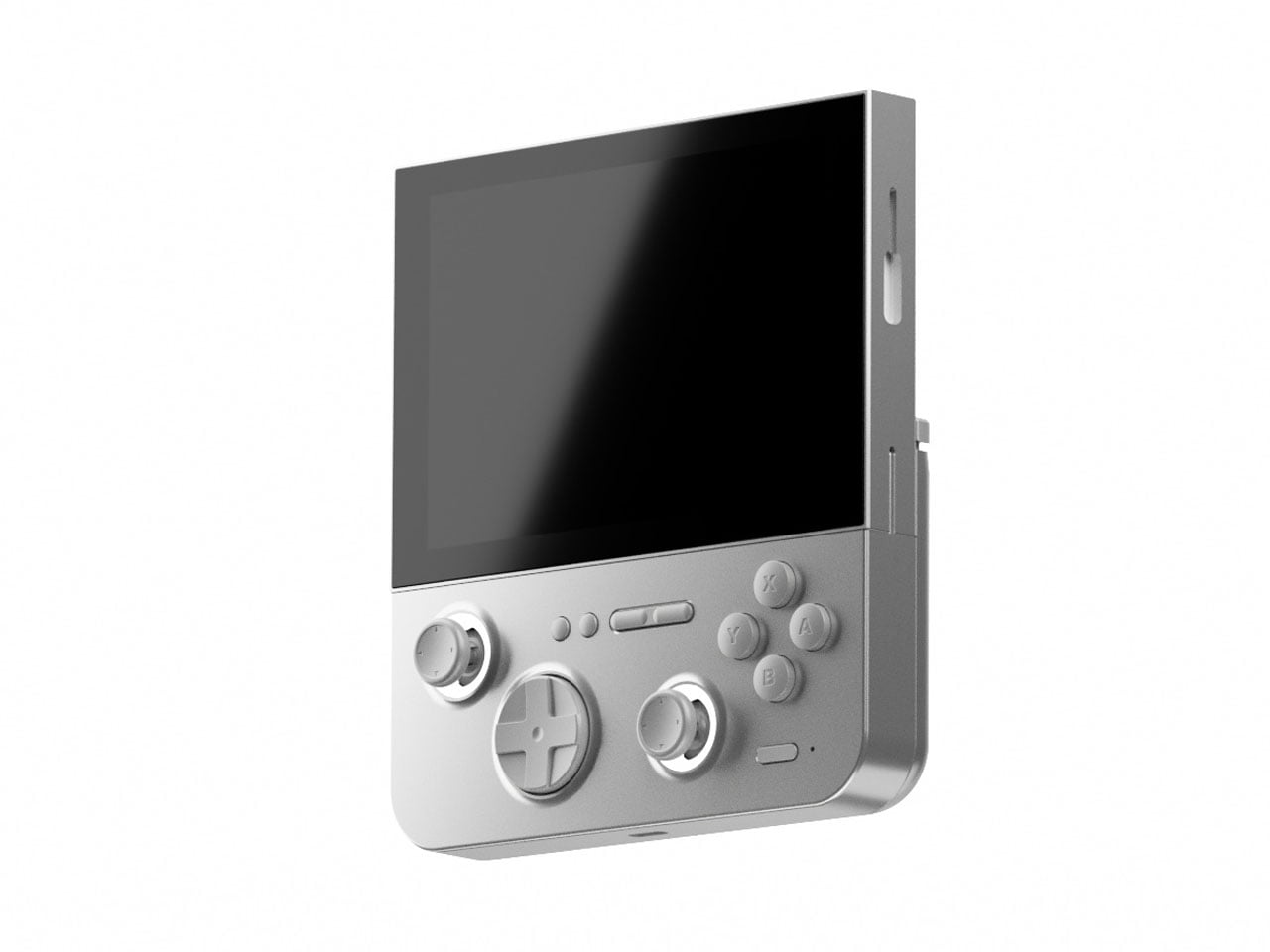
That seems to be what AYANEO is aiming for with the Flip DS launching on Indiegogo next month. The handheld laptop design is nothing new and AYANEO, in fact, has a variant with that design, the AYANEO Flip KB. That squeezes a basic QWERTY keyboard in between split gamepad controls, allowing for quick text input in games or Web browsing. The AYANEO Flip DS, however, switches out the keyboard for a 3.5-inch touch screen, providing a second display that could augment the gaming experience, at least in theory.

In practice, that touch display can be used to show anything as long as the operating system or games support it. At the most basic level, it can give quick access to the most used settings, like toggling Wi-Fi, muting the mic, or even shutting down the PC. It can also display the system’s current operating conditions, for gamers who are concerned about frame rates, power draw, and temperatures. Given the more open Windows gaming ecosystem, it’s conceivable that this screen can also be used for additional in-game controls that are just a thumb tap or swipe away. It could even be used as an on-screen virtual keyboard!

That said, additional features could also mean additional burdens on the system as well as the buyer’s wallet. These are features that are not exactly critical to enjoying games on the go, as proven by the half-dozen handheld gaming PCs now on the market. It’s still an interesting exercise in design that looks to another Nintendo product for guidance, because as popular and innovative as it may be, the Switch isn’t the be-all and end-all of handheld gaming.

The post AYANEO Flip DS handheld PC takes inspiration from a different Nintendo star first appeared on Yanko Design.
Retro Gaming Watch puts a tiny handheld on your wrist, also tells the time

There’s a retro design craze that’s gripping multiple industries, from fashion to music to gaming. The latter is probably one of the most prolific sectors, spewing out new designs based on old models every year or sometimes more than once a year. Regardless of the origin, almost all these retro gaming devices have the same goal of allowing people today to experience the games of the past the way they were meant to be played, at least to some extent. Some, however, do try to just mimic the looks while offering a bit more freedom in what you can do with the device, like this rather unusual Game Boy SP look-alike that’s meant to ride on your wrist and act as a smartwatch when you’re not playing games on it.

Designer: Jason Rogers

There’s no shortage of small gaming handhelds, some of which can even be attached to a key ring. They’re not great at comfort or ergonomics, but these novelty items capture a lot of attention and even let you play a few retro games on the fly. You do have to take them out or pull them off your key ring before you can use them, though, which translates to seconds or minutes of lost opportunities.

The Retro Gaming Watch loses no time, no pun intended, by having that gaming handheld always at hand, or in this case, on your wrist. In its inactive, unused form, it masquerades as a regular though thick smartwatch, with a standard squarish display and typical features such as a digital watch face and notifications. It doesn’t have activity tracking, though, because that would require cramming more hardware in an already cramped space, space that would rather be used for running games instead.

1

The watch changes its tune the moment you detach it from its strap, unfolding to reveal a clamshell-style gaming device not unlike the Nintendo Game Boy SP. Given the existence of gaming devices smaller than this, it shouldn’t be a surprise that the Retro Gaming Watch can handle a few emulated games, at least the 8 to 16-bit titles that can fit in the device’s small memory. Where you get your emulated content, of course, is up to the reader’s ingenuity.

The Retro Gaming Watch is supposed to be a sort of counter-movement to the “Great Conformity” that is happening in a world filled with Apple Watches and its clones. It recalls a time when watches looked fun and could even be used as toys, at least for a younger crowd who wouldn’t be embarrassed wearing bulky and sometimes gaudy designs for everyone to see. Again, it’s not going to offer the best gaming experience, presuming it even becomes an actual product, but it has that novel character and rebellious spirit that’s going to tickle the fancy of many gamers, even if they’re just gonna wear it for show.

The post Retro Gaming Watch puts a tiny handheld on your wrist, also tells the time first appeared on Yanko Design.
nubia RedMagic 9 Pro gaming phone arrives with a new design, same tiny fan

The year is almost over, but there’s plenty of time left to unveil new products, including new smartphones that could become gift ideas for people in some markets. We’ve seen quite a few make their way to the market a few days ago, but most of them revolve around “normal” phones for everyday use. Gaming phones, however, still make up a slice of that large pie, and one of the top brands in this market is taking out its big guns early. Former ZTE sub-brand nubia is reaching out to gamers with the latest RedMagic model, bearing a slightly new design that manages to keep key features that fans of the brand have grown fond of, whether they make sense or not.

Designer: nubia

What sets a gaming smartphone apart from regular smartphones, including those expensive ones, isn’t just their over-the-top performance. Most gaming-centric phones carry a certain aesthetic that really marks them for a certain crowd, one that appreciates a lot of RGB lighting, lines and geometric shapes, and other details that make the design look futuristic if not highly technical. The nubia RedMagic 9 Pro continues that tradition this year but makes a few tweaks that streamline the gamer design a little bit better.

Most notable is the relocation of the cameras from the middle of the phone to the side, something that’s almost a standard across all smartphone designs. The camera bump is also gone, with the lenses sitting flush against the entire back. That does mean that the phone is a little bit thicker than most of its kind, but a hefty and beefy handset is already expected for a device that’s designed to be a heavy-duty gaming machine. The rather odd design change is that only two of the three big circles are actually cameras, with the third deceptively hiding the cooling fan. The third camera is off to the side, though having a 2MP depth sensor makes it almost negligible.

The rest of the RedMagic 9 Pro has a similar vibe to its predecessor, with lines and shapes on the back that give the semblance of panels that cover futuristic machines like ships, robots, and similar. For those who prefer a more subtle appearance, the Sleek model has an aesthetic closer to the typical black smartphones, masking its identity for more discreet uses. The front still has an under-display camera, which means there’s nothing visually breaking the large screen.

There’s also still that miniature cooling fan, one of the brand’s gimmicks to help keep things cool and prevent the phone from throttling its performance. It may be effective to some degree, but the price that is paid is having no dust or water resistance guarantee. With a more efficient Qualcomm Snapdragon 8 Gen 3 processor and a newer “ICE 13 Multi-Dimensional” cooling system, such a fan might no longer be needed and is becoming more of a liability than a selling point in the long run.

The post nubia RedMagic 9 Pro gaming phone arrives with a new design, same tiny fan first appeared on Yanko Design.
5 Crazy Nintendo Patents that were almost turned into real products

Did you know Nintendo *almost* made a smartphone case with a built-in Game Boy? Well, now you do…

Nintendo has always been a pioneer in the gaming world, known for its innovation and creativity. Starting out selling gaming cards, the company practically led the charge on gaming innovation, starting with their entertainment systems, to the birth of the world’s first handheld gaming console (Apple TV has an entire movie on how Tetris made its way to the first Game Boy). That was just a milestone for the company, which went on to revolutionize gaming with Super Mario, Pokemon, Legend of Zelda, and an entire host of other games that hold legend-status in the gaming world. The Game Boy then transformed into the Nintendo DS, which led to the Wii, and finally the wildly successful Switch. But did you know that not all of Nintendo’s ideas have seen the light of day? Or rather, some of their less-than-brilliant ideas that remain languishing in a patent office.

The folks at NeoMam Studios partnered with Guide Strats to bring some of these patents to life and let’s say, we would have loved to be a fly on the wall at the Nintendo office when these products were being pitched. From a Joy Con-enabled horse saddle to a smartphone case with a Game Boy built into it, these concepts are bizarre, to say the least…

Designers: NeoMam Studios for Guide Strats

Nintendo Inventions That Stayed On Paper

1. Nintendo Playable Game Boy Smartphone Case

(Patent No: US20180275769A1)

Somewhere down the road execs at Nintendo saw the rise of smartphones and thought – what if we turned the iPhone into a GameBoy?! This slap-on case for your smartphone basically acts as a physical emulator, blocking most of the screen to allow you to only see a small portion of it, where the game would be displayed. Buttons on the front tap the screen when pressed, allowing you to effectively get the Game Boy experience on a modern-day smartphone. The pros? Peak nostalgia and tactile buttons. The cons? Pretty much everything else, including the clunky GB cover that would practically consume your smartphone’s entire aesthetic.

2. Nintendo Switch Joy-Cons with Hinges

(Patent No: JP2019146737A)

A little less weird conceptually, but equally absurd on a technical level, Nintendo patented ‘bendable’ Joy-Cons for their Switch device. The reason? Ergonomics in general, given that the Joy-Cons aren’t as ergonomically shaped as other controllers on the market like Sony’s DualSense controller or Microsoft’s Xbox Wireless Controller. These unique controllers, however, have hinges in them that allow them to bend away from you, enabling a natural gripping position while still having the screen facing you clearly. Given that ‘drifting’ is already a problem within the Joy-Cons, having more moving parts that could compromise accuracy seemed like a bad idea, which is why the patent was left as it was.

3. Nintendo Wii Football Controller

(Patent No: EP2090346B1)

Given how the Wii’s controllers made them perfectly suited for workouts and sports like boxing, skiing, and table tennis, the good folks at Nintendo thought it would make sense to have a football (or rugby ball) accessory for the Wii remote, allowing people to pass, throw, dodge, and run in the game. The solution was an incredibly odd-looking accessory that felt like shoving a remote control into an existing football. “The game-playing public generally expects a football video game to provide a reasonably accurate model of at least some aspects of the actual game of football,” argued Nintendo’s patent. What Nintendo didn’t realize at the time, was that it wasn’t realistic to expect people to play football indoors without breaking bones, furniture, and possibly even your Nintendo Wii. Luckily, sanity prevailed and the Nintendo Wii Football Controller was scrapped.

4. Nintendo Portable System with Interchangeable Controls

(Patent No: US20140121023A1)

This one might be the least absurd because you can really see Nintendo’s thinking at the time. The “Nintendo Portable System with Interchangeable Controls” was filed as a patent 10 years ago, long before the Switch was released. The idea – a Nintendo 3DS-style handheld console with interchangeable controls that could slide in and out, allowing you to swap between joysticks, action buttons, and a D-pad based on the game you wanted to play. Eventually, this concept evolved into the Switch as we know it today, and these tiny removable modules were effectively adapted into removable joy-cons, which many will argue was a much better idea in hindsight!

5. Nintendo Wii Inflatable Horseback Riding Peripheral

(Patent No: US8277327B2)

Let it be known that the Wii years should go down into the annals of history as some of Nintendo’s weirdest years. As the company saw success with its motion-sensing console/controller system, the company decided the best way to build out the Wii ecosystem would be to create accessories. If the football accessory wasn’t enough, the Nintendudes decided to patent this ridiculous exercise-ball-inspired “Inflatable Horseback Riding Peripheral”. The idea, you’d sit on it with the Wii remote docked between your legs, rocking back and forth to control the horse’s movements. Thankfully for Nintendo and all the gaming fans out there, a particular Jim and Dwight scene from The Office helped Nintendo understand exactly how ridiculous this would look…

Image Credits: Guide Strats

The post 5 Crazy Nintendo Patents that were almost turned into real products first appeared on Yanko Design.
Incredibly Detailed LEGO PlayStation One comes with Controllers, a CD, and even Memory Cards

The LEGO-based pixelated look goes well with the PS One, which ran 32-bit games when it launched in the 90s. We’ve come a long way since then, but LEGO Builder GoofySwan099 decided to do a grand throwback to the good old days with this LEGO version of Sony’s first-ever gaming console. It isn’t clear how many bricks this build uses, but it comes with all the bells and whistles, including memory card and controller inputs on the front, an opening CD tray, and RCA ports on the back. Accompanying the console itself is a controller, multiple memory cards, and even a LEGO compact disc that fits right into the machine!

Designer: GoofySwan099

Although a little rough around the edges, the LEGO PS One is a spitting replica of the original. It’s fairly operational with maneuverable parts, add-ons, and a matching color scheme complete with logos to remind you of the real deal. Lift the hood and you’ll see a rotating CD that comes out (don’t forget to blow on the CD as you put it in like they used to back in the old days), and along with memory cards that saved game progress, you’ve got two slots for controllers, enabling team and mano-a-mano gameplay.

“The console has working features such as a power button, open button, memory card ports, controller port, and reset button. The back of the console is also detailed, showing all of the ports to connect the console to a television,” says LEGO builder GoofySwan099.

There’s even venting on the sides, designed to push air backward and out of the console!

At 2487 votes, the LEGO PlayStation One is gradually climbing up the Ideas forum charts, where community members like you and me get to vote for our favorite fan-made pieces. If it reaches the 10,000 vote target, LEGO’s internal team will consider making this into a box set, following some amount of design refinement.

The post Incredibly Detailed LEGO PlayStation One comes with Controllers, a CD, and even Memory Cards first appeared on Yanko Design.
ASUS ROG Phone 8 design takes a very different direction

Almost every smartphone these days can play games, especially the expensive high-end ones, but there are a few that definitely take the cake. They’re labeled gaming phones not just because of some special feature, such as a tiny fan spinning inside, but also because of the gamer aesthetics that they embrace. For years now, the ASUS ROG Phone has held the crown of having the most gamer-friendly design, but it seems that it’s finally willing to let that title go next year. Based on its own teasers, the next Republic of Gamers smartphone might be embracing a more mainstream design in exchange for what might finally be more capable cameras as well.

Designer: ASUS (via GSMarena)

ASUS ROG Phone 7

To be fair, there is no guidebook on how to apply a gamer aesthetic to products, but you can bet it will have plenty of RGB lighting and lines going in multiple directions that suggest the presence of machine panels. Indeed, the previous ROG Phones have employed those design elements, sometimes even going as far as using small LED screens for more dynamic accents. Of course, none of these are essential to the actual gaming experience, but they do add a nice touch that marks the product as something truly designed with gamers in mind.

ASUS ROG Phone 6

ASUS ROG Phone 6

ASUS ROG Phone 6

Given its history, it’s a bit surprising that the ASUS ROG Phone 8 might do away with those design elements almost entirely. Although nothing’s set in stone yet, the brand’s official teaser suggests that it might be adopting a more minimalist and subdued design, one that eschews the lines and RGB colors. What we see instead is a clean dual-tone composition that, given the gray colors, looks more industrial than futuristic. There could still be some lighting underneath the ROG logo, but could very well be the only place it shows up.

Perhaps more curious is the camera bump design, a thick pentagon laid on top of a square. For generations, the ROG Phones have carried mediocre cameras, so a switch to a triple camera system could be big news for fans of the brand. It’s not a clear win yet, of course, but it’s commendable that ASUS is willing to shake things up to improve its performance.

To its credit, the ROG Phones have slowly been moving towards more conventional and less spectacular designs, but the ROG Phone 8 could have the most drastic changes if the teasers are to be taken at face value. On the one hand, it does help make the ROG Phones more acceptable in “regular” scenarios and won’t stand out as much. On the other hand, if you want a more conventional-looking smartphone that can handle mobile games, there are already plenty of those in the market, making the ROG Phone 8 redundant.

ASUS ROG Phone 7

The post ASUS ROG Phone 8 design takes a very different direction first appeared on Yanko Design.
Lenovo Legion Go Review: Big Steps for Handheld PC Gaming

PROS:


  • Beautiful and spacious 8.8-inch 1600p 144Hz screen

  • Detachable controllers with innovative FPS (vertical mouse) mode

  • Great overall performance

CONS:


  • Large and heavy

  • Bottom USB-C port is unusable when using the kickstand

  • Short battery life

RATINGS:

AESTHETICS
ERGONOMICS
PERFORMANCE
SUSTAINABILITY / REPAIRABILITY
VALUE FOR MONEY

EDITOR'S QUOTE:

The Lenovo Legion Go pushes the envelope of what handheld PCs are capable of, paving the road for future innovation in this space.
award-icon

Although it was hardly the first portable gaming console, the success of the Nintendo Switch really inspired a new class of gaming devices. It pushed the boundaries of what you can accomplish with a handheld, offering a gaming experience that you can enjoy anywhere, including while sitting on a couch in front of a TV or table. Of course, Nintendo’s selection of titles is just a small part of the larger gaming world, and there have been many brands that have tried to bring the magic of the Switch to PCs. The Steam Deck proved that such a product would be popular, but it just stopped there. Lenovo, on the other hand, went all out with what is possibly the closest to a “Switch PC” to date. But is the Lenovo Legion Go just a Switch clone or is it offering a completely new gaming experience? We take this innovative gaming handheld for a few good spins to find out.

Designer: Lenovo

Aesthetics

Right off the bat, the first thing you’ll notice about the Lenovo Legion Go is that it’s huge, bigger even than the Steam Deck that’s already considered a giant. It’s slightly thinner than the Deck but only in the middle because the removable controllers almost add an inch to that thickness. It is definitely the larger and heavier of the three major handheld PCs, something that has repercussions for comfort and ergonomics, as we’ll see later.

Fortunately, you might forget the Legion Go’s size the moment your eyes settle on its large 8.8-inch screen, also the largest in this niche market. With a high pixel resolution and bright colors, it easily outclasses the competition, at least in terms of sharpness and visual impact. It doesn’t come without cost, though, but if you value a large, sharp, and fast gaming screen above other specs, this is the one to beat.

The Legion Go definitely carries itself well compared to its peers in terms of aesthetics. Unlike the more rectangular shapes of the Steam Deck and the ASUS ROG Ally, the Legion Go’s controllers taper a bit, creating a more interesting shape from the front. The back of the device is mostly flat save for the contoured handles of the controllers on each side. That back also features a full-width kickstand that lets you easily prop up the Legion Go on any flat surface for playing games or even for watching videos. The top edge has buttons and ports for controlling the device while the bottom has a lone USB-C Gen 4 port for both charging and data.

All in all, the Lenovo Legion Go presents a solid and distinctive design that doesn’t stray too far from the convention but has enough tweaks to make it stand out from the crowd. Its large screen plays in its favor, though the resulting large size is a bit of a double-edged sword. This niche market is still in its infancy and we’ll surely see more interesting designs in the future, but at least for now, Lenovo has pulled enough tricks to give the Legion Go a memorable character.

Ergonomics

There’s really no going around the fact that the Legion Go is a bulky and heavy device, bigger and heftier than its two closest rivals. For a device that’s primarily meant to be held in your hands, that can be a huge drawback. Even if its battery life lasts for hours (or if you’re playing it while charging), your hands and arms will undoubtedly tire after the first 30 minutes or an hour at most. It might be an artificial way to limit your gaming time, but the great thing about this kind of device is you don’t actually need to hold it up to play. Just like the Switch, you can simply set it down on a table or connect it to a large screen. Either way, you can just continue playing, at least as long as you have enough battery for it.
As mentioned earlier, this is as close as we’ve come to a Switch-like PC, and that’s primarily thanks to the detachable controllers. You can slide them off, though downward in the opposite direction compared to the Switch, and use them as normal Bluetooth controllers except split in two. There is, however, a special Lenovo-only mode that changes the narrative a bit. It’s called FPS mode and you stick the right controller into a base that makes it look like a joystick, except it’s a mouse that you drag across the table, not unlike those ergonomic vertical mice. As the name suggests, it’s meant to offer a more precise method of aiming with the right hand in FPS games and more fluid movement with the left controller. It’s definitely an innovative design but one that requires heavy muscle memory training to really get used to.

The Legion Go isn’t just a gaming device, however. It’s a gaming PC that runs a regular version of Windows 11, which means the user experience isn’t optimized for anything but a keyboard and mouse or, at the very least, a touch screen. This makes operating the non-gaming parts of the operating system a bit more tedious, though Lenovo thankfully included a small touchpad on the right-hand controller exactly for this purpose. There’s also a tiny scroll wheel on the back side of the same controller, but its location makes it difficult to reach. Along with the idiosyncrasies of Windows itself, this makes operating the device in handheld mode cumbersome and awkward.

Performance

Lenovo definitely pulled out the stops when it came to the Legion Go’s silicon muscles. Running inside is an AMD Ryzen Z1 Extreme with RDNA Graphics paired with 16GB of RAM and 512GB or 1TB of NVMe SSD storage. It’s not desktop-level hardware, not even a gaming laptop, but at this size, it’s currently the best that’s available for handheld computers. It can definitely handle most PC games at medium settings, and maybe a few at high settings. Of course, cranking up those options will drain the battery quicker, and there’s not a lot in the first place.

The real star of the show, however, is the impressive 8.8-inch 2560×1600 IPS LCD display with a 144Hz refresh rate. Not only is it the largest among handheld computers, it also has the highest resolution. It’s bright, vibrant, colorful, and sharp. And it’s also quite the battery drain. On paper, a high resolution such as this would be a huge boon for gaming, but only if you have lots of battery and power to spare. At full resolution, the only way you’ll get above 60fps in Fortnite is by setting the setting to medium (67fps) or low (79fps). Then again, 47fps with high settings isn’t so bad either. Dropping the resolution to 1200p made the gameplay experience much better during our test.

The real problem is the battery life, though the Legion Go isn’t alone in this regard. At medium settings, playing Fortnite (with voice chat on) drained the battery in around 79 minutes and at 1200p resolution only. Again, the sharpness of the screen is a huge advantage over the Steam Deck and the ROG Ally, but the price it entails is just too high. Sure, you can set a lower resolution by default, but then you’ll be paying for hardware you’re not able to fully utilize.

The Lenovo Legion Go has the bare minimum when it comes to hardware connectivity, namely two USB-C 4.0 ports, one at the top and another at the bottom. There’s also a headphone jack for good measure so you can connect your favorite wired headphones for more immersive gaming. Having two USB-C ports is great for connecting peripherals or a hub while still having one port free for charging the device. The catch is that the placement of the bottom port makes it inaccessible when using the built-in kickstand. Sure, you can use the top port for charging, but you still lose the other port for other accessories. To be fair, the Switch has the same problem but is worse by having a single USB port, but you’d hope that designers would have solved this problem by now.

Being able to set the Legion Go down on a table and still play using the controllers is also a Switch-inspired feature, but the actual implementation needs a little bit of work. In addition to the awkward way of pulling out the controllers, you apparently can’t use a different external controller unless you take the pair out and disable them from Windows Device Manager. It might just be a bug or a hidden setting, but the fact that it isn’t as straightforward as on a regular computer (or even the Nintendo Switch) makes it a less favorable experience.

When it comes to performance, the Legion Go spares no expense at using the best possible hardware, but having the most powerful isn’t always the correct solution. Power-hungry specs, especially a hi-res screen, drain the battery faster than it should, and owners are forced to tweak every aspect to squeeze out as much juice as they can from the device. Admittedly, PC gamers are used to tweaking settings left and right, but that’s a little less convenient and less ideal on a handheld form factor.

Sustainability

Impressive as the Legion Go’s design might be, there will definitely be concerns about its long-term viability. First-gen designs in this industry don’t always spark confidence, both in terms of durability as well as customer support down the road. Lenovo is an established brand, of course, so there’s an implicit trust in the products that it makes. This device definitely feels solid, despite its plastic body, so you can be assured that it’s not some flimsy product that will die out on you in the first few months.

Its unique design does bring a few complications, though, particularly with the removable controllers. These can be points for mechanical failure in the feature, or structural weaknesses that could lead to an early death for the device. There are a lot of custom parts used for the Legion Go as well, so repairs will have to be done by authorized Lenovo service providers only. That increases the risk factor in purchasing a device that could meet more accidents in your hands compared to a conventional laptop.

Value

Gaming handhelds are becoming popular again, both from the retro front as well as the PC market. Just looking at the growing number of options outside of major manufacturers shows there’s a sizable market for these devices. Not every PC gamer is a fan, though these would also admit dreaming of being able to play games anywhere, including in situations where they can’t use their bulky gaming laptops. As mentioned, there are plenty of options available now, but the Lenovo Legion Go offers the best-balanced set of benefits and drawbacks in the market today.

It has powerful specs topped by a gorgeous and large display that really makes games pop. The FPS mode might need a bit of getting used to, but the convenience of being able to detach the controllers when needed is a huge boon, though there are some rough edges to smoothen out. Battery life is pretty dismal by default, but that’s on par with other handheld PCs. The biggest clincher is that you’re getting this solid mobile PC gaming experience starting at just $699.99, which means you aren’t cutting corners for that juicy price tag.

Verdict

There was a time when analysts proclaimed the PC market to be dying, but that might only be true for desktops. Laptops flew off the shelves during the pandemic, and now handheld PCs are sparking interest and ushering in a new generation of PC gamers who are living the dream of playing anywhere. There are still only a few players in this market, and Lenovo, the world’s biggest PC maker, is making sure it’s leading here as well.

The Lenovo Legion Go definitely shows the brand’s expertise, combining decades of experience with a bold design and innovative features. It also proves that there is still plenty of room for improvement, whether for refining features or introducing new experiences. At this point, handheld gaming PCs like these are still considered a luxury, but with a tempting $700 price tag, the Legion Go is doing its part to make these devices more approachable and more usable for everyone.

The post Lenovo Legion Go Review: Big Steps for Handheld PC Gaming first appeared on Yanko Design.