Wood-enclosed power supply box is designed to be seen

Power strips and extension cords are now an unavoidable part of modern life. Unless you have custom-designed furniture, there will always be cases when you have too few power outlets or ones that are too far from your desk to matter. Unfortunately, these power supply accessories haven’t exactly evolved in terms of design, or at least most of them still look like appliances from the 90s rather than anything that fits modern aesthetics. Hiding these power sources has become an important part of the so-called cable management problem, which is often a source of tension and headache for some people. There are, thankfully, a few that try to embrace more pleasing designs, like this power supply box that thinks outside the box, pun intended, so that you don’t have stress over hiding it and instead proudly show it off on your desk or shelf.

Designer: OFS
Genuine wood isn’t often used as a material in many electronics, mostly because of its poor thermal handling, making it warp and deform over time due to heat. That and it’s a potential fire hazard, making it unsuitable for many devices. That doesn’t mean, however, that it can’t be used as a chassis or covering in a safe manner, especially if it can significantly change the character of a product from utilitarian to humane.


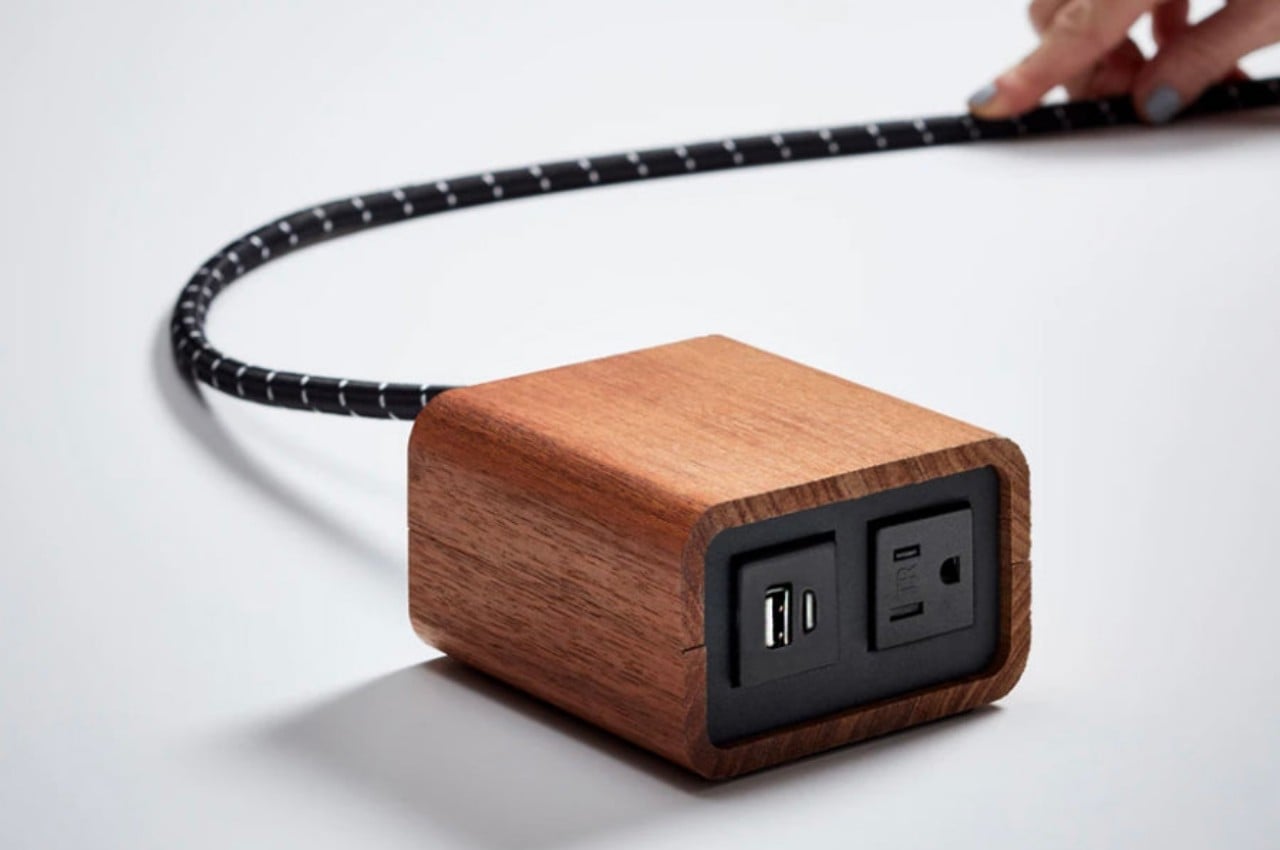
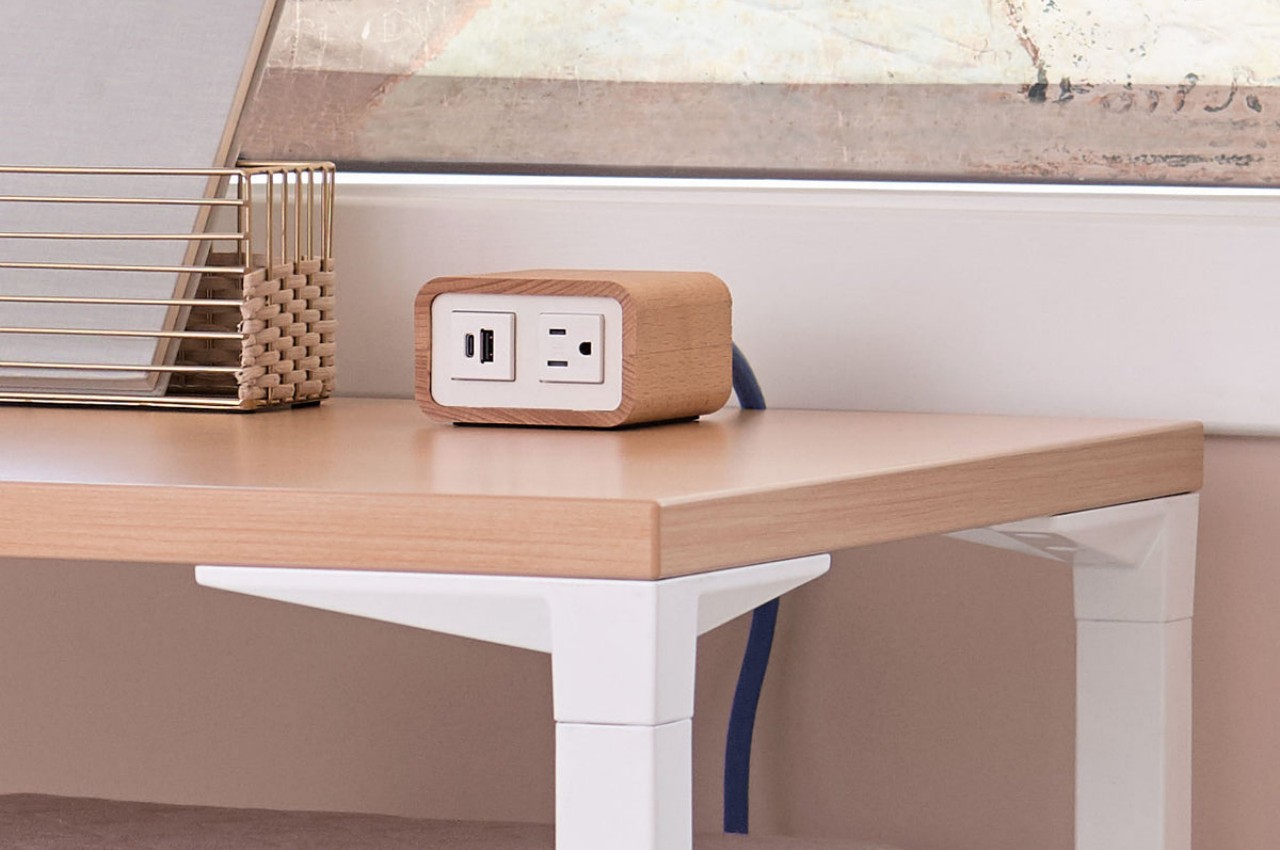
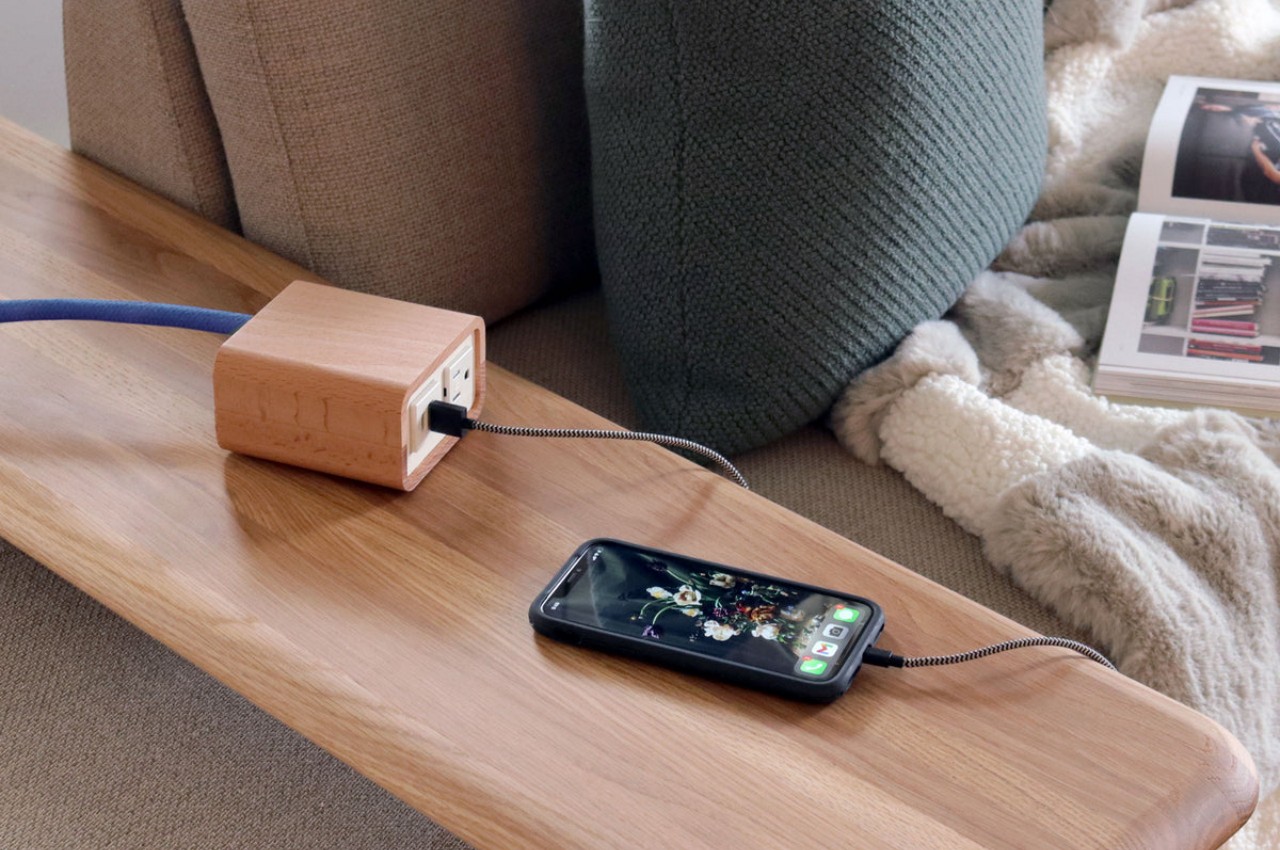
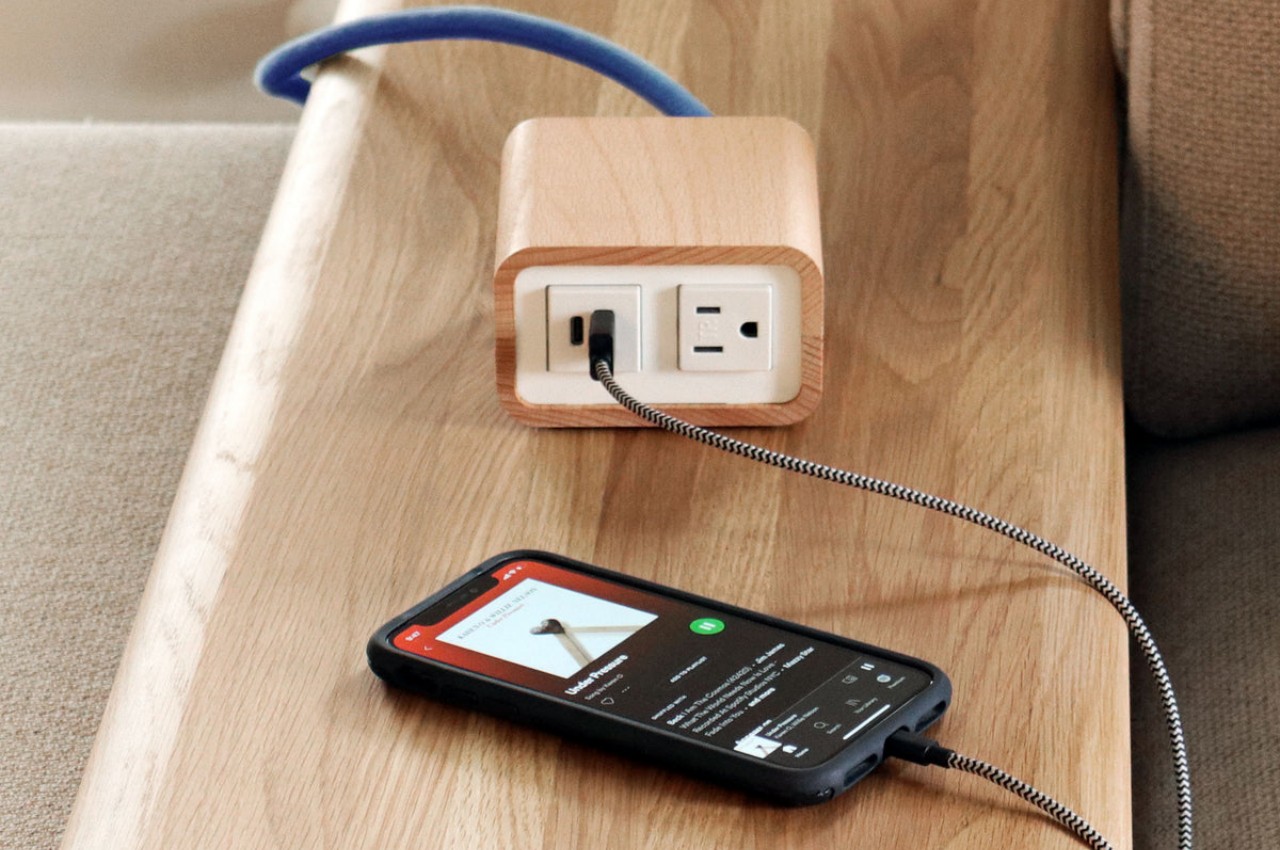
The Willow Power Supply is one such design that employs the warmth and natural beauty of wood to uplift the image of an ordinary extension cord from a tool to a decorative object. While most power strips and extension cords are painfully hidden behind or even under desks, Willow stands proudly on top. More than just boasting rights, however, this also means quick and easy access to those essential ports for your computer and devices.
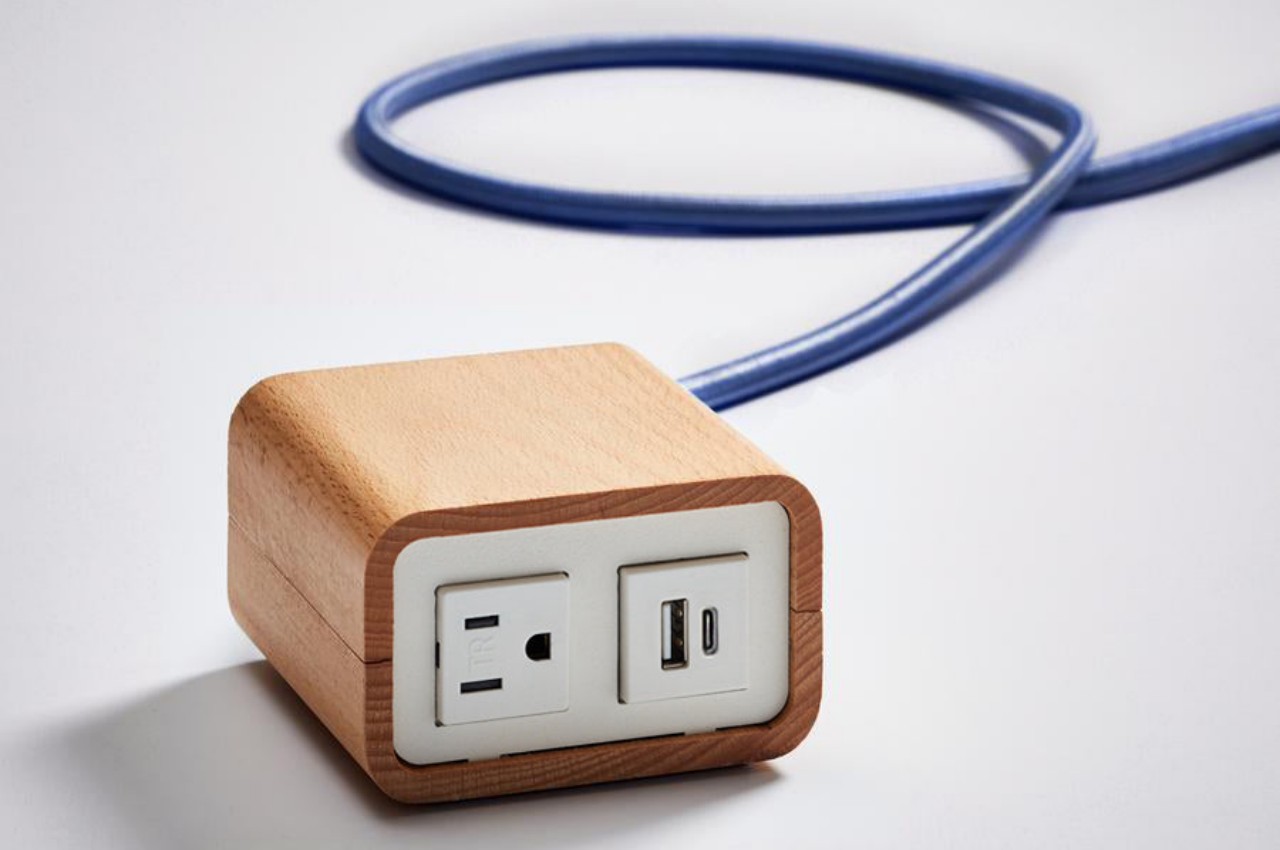
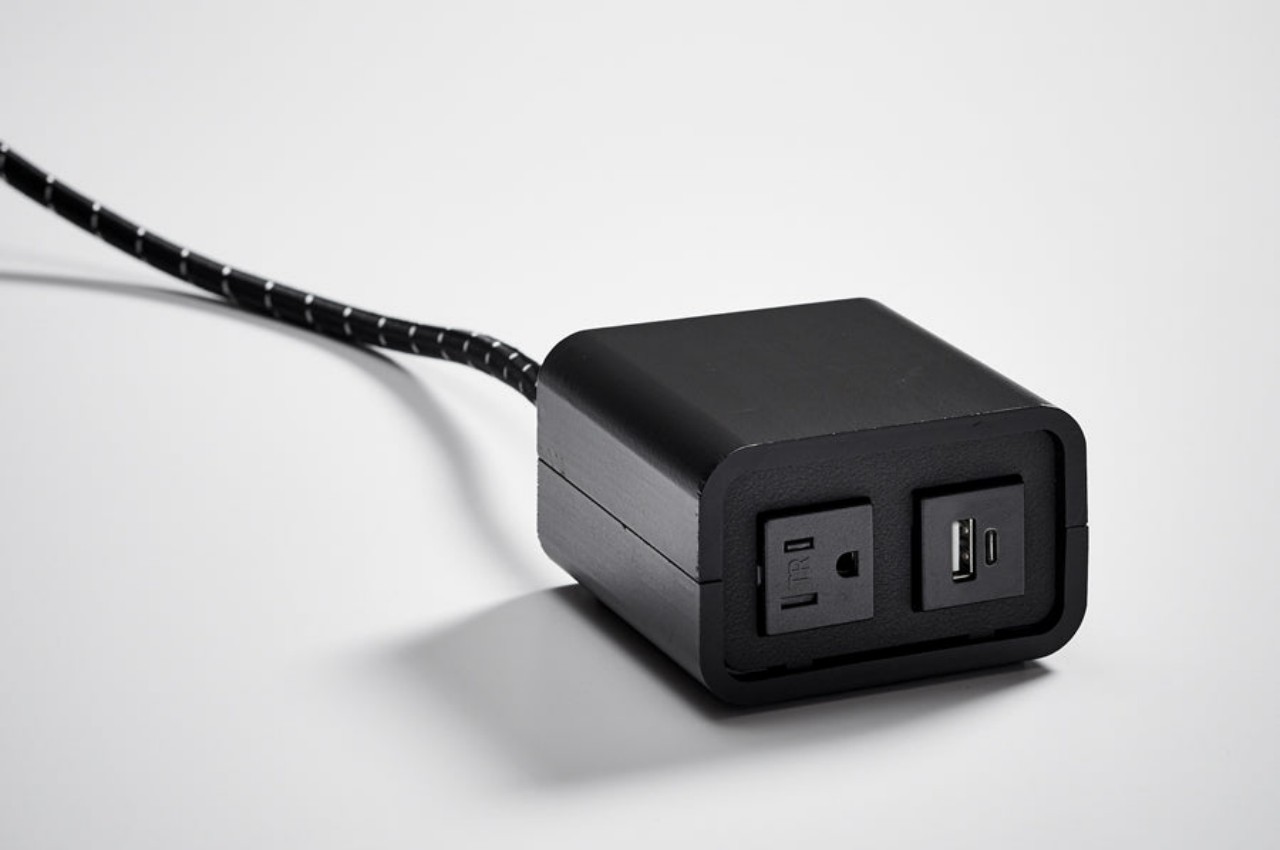
Willow is available in a combination of beech or walnut shells and clear or black power boxes, though the best combination is the beech and clear or white box since it clearly brings out the beauty of the wood complimented by the minimalism of the power supply. The box itself has very little detail save for the outlet and ports in front and the braided cord coming out of its back.

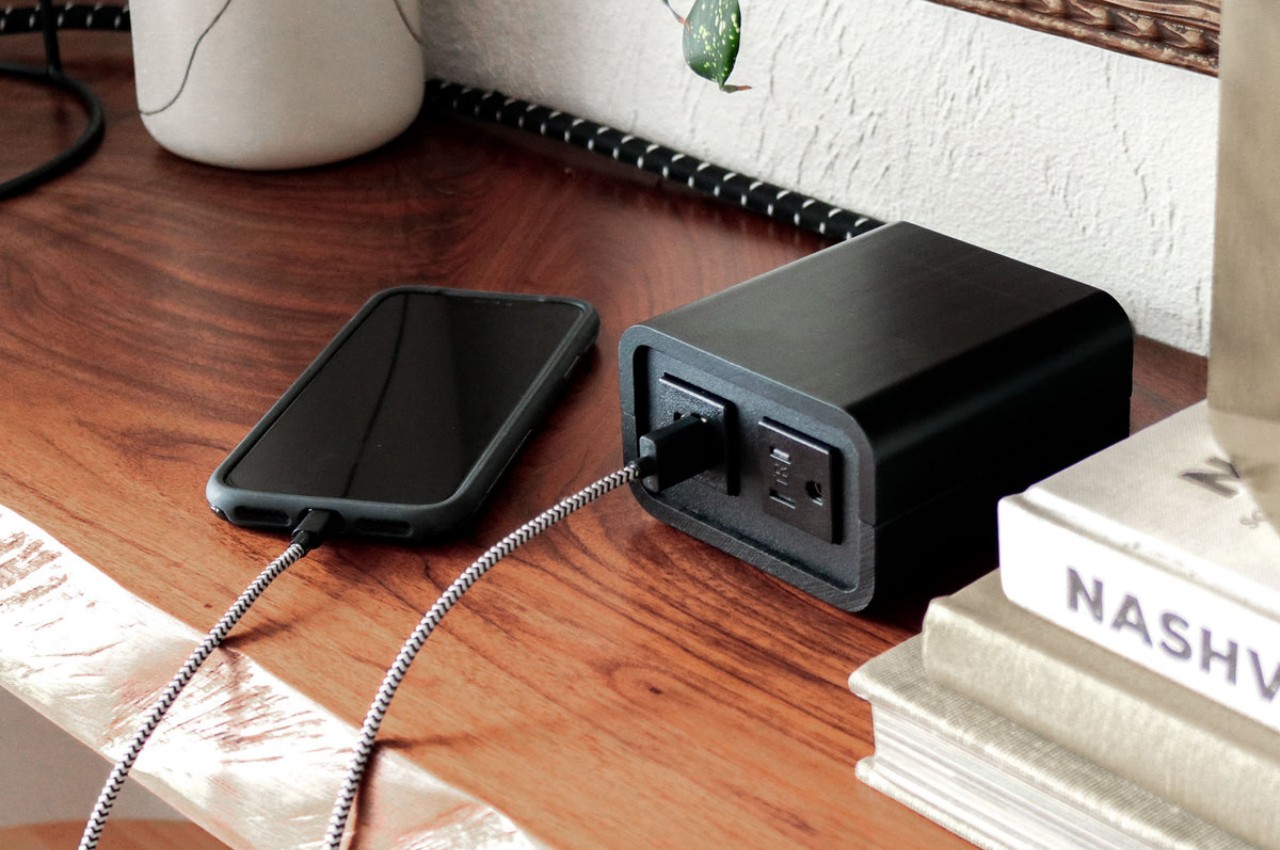
While the Willow Power Supply might delight as an aesthetic product, it might disappoint as an actual power supply. There is only one power outlet, one USB-A port, and a lone USB-C port, a very basic and perhaps inadequate number for today’s needs. At $250, it does give off a feeling of being more like a designer product than one that’s made for power users, more for casual use than heavy-duty workstations. Either way, there is little doubt it adds a bit of accent to any workspace, especially matching minimalist designs with wooden furniture.

The post Wood-enclosed power supply box is designed to be seen first appeared on Yanko Design.

The Ryze 360 iPad Case transforms your tablet into an elevated 4K monitor that fits in your bag

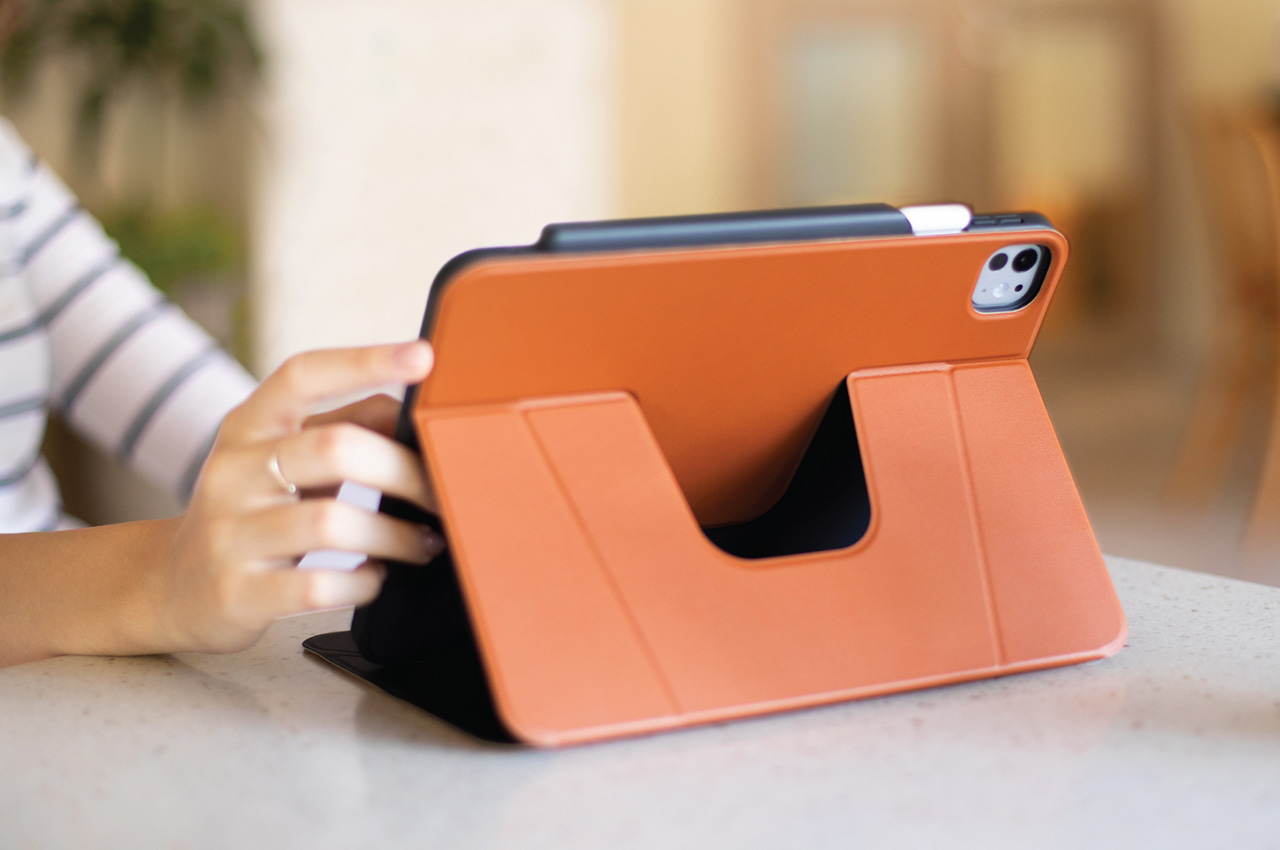
Desktops and laptops were named for their ability to sit on desks and on laps. Tablets, on the other hand, can’t do any sitting of their own and need to be propped up via a stand. Sure, you could buy a fancy case worth hundreds of dollars that packs a keyboard, or a flimsy one that barely props your tablet up… or you could go for the Ryze 360, a stand that lets you angle AND height-adjust your iPad, and even prop it up in both landscape and portrait modes. Relying on a clever design inspired by origami, the Ryze 360 takes the term ‘stand case’ to new heights, no pun intended. Use the case to prop your iPad up at surface level, or fold the flap to give your iPad a 3-inch height boost, turning it into a makeshift monitor that you can look at without straining your neck. The Ryze 360 also has a swiveling design that lets you rotate your iPad to landscape or portrait orientations – something you wish your current iPad case-stand did.

Designer: Amanda Chan

Click Here to Buy Now: $44.91 $49.90 (Use coupon code “YANKO-UNIQ10” to get 10% off). Hurry, deal ends in 48-hours!

The Ryze 360 builds on the success of its predecessor, the Ryze. Originally designed to give the iPad its own protective case and support stand, Ryze managed to do what most stands couldn’t – elevated docking. Almost every case stand (even the one I have on my iPad Pro M2 right now) gives you the ability to rest your tablet at a variety of angles, ranging from nearly horizontal to diagonal, and nearly vertical. Ryze did that too, while allowing for one more position – docking at a height… and the Ryze 360 retains that clever ability with one more trick up its sleeve, portrait/landscape switching.

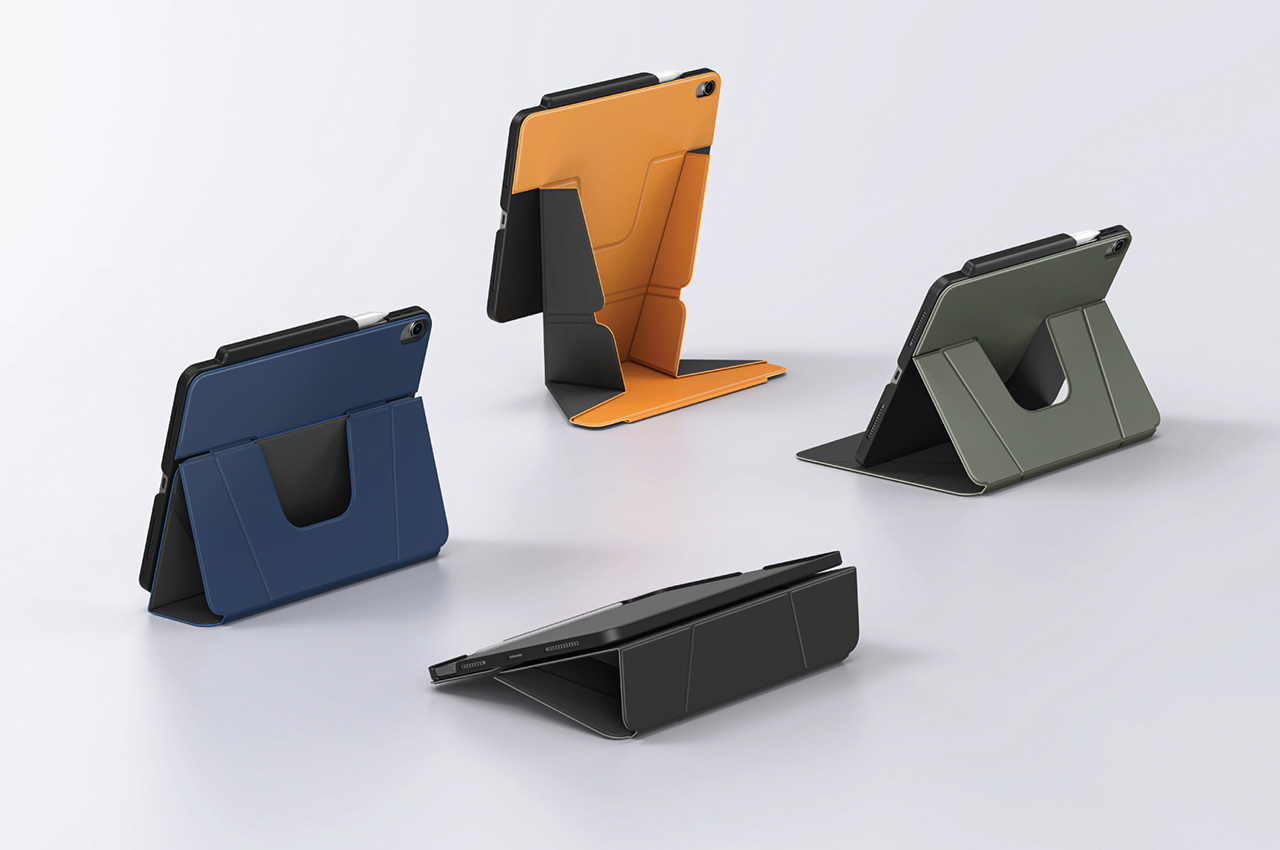
The case comes with a faux-leather PU exterior that both gives the iPad its distinct leather-bound book-like feel, while protecting it from bumps and scratches. A crease pattern on the front flap guides you into setting up the Ryze’s stand. There are 3 angles you can choose from, depending on what you use your iPad for (doodling requires a lower angle, Facetime requires a higher front-facing angle), and a special fold lets you prop your iPad up at a height, raising it to match your eye-level so you don’t bend your neck while viewing the tablet. In this elevated mode, you can also rotate your iPad freely, alternating between landscape and portrait modes depending on what you use your iPad for.

The Ryze 360 comes in four colors – black, gray, lichen green, and caramel, and is compatible with both 11″ and 13″ models of the 2024 iPad Air and iPad Pro. The tablets are protected by a polycarbonate shell on which the faux PU leather is mounted. A magnetic flap holds the front lid of the case in place, preventing it from accidentally opening on its own, while also protecting/holding the Apple Pencil Pro in place as it’s docked on the side of the iPad. The Ryze 360 starts at $49.90, but YD readers get a 10% discount using the coupon code YANKO-UNIQ10.

Click Here to Buy Now: $44.91 $49.90 (Use coupon code “YANKO-UNIQ10” to get 10% off). Hurry, deal ends in 48-hours!

The post The Ryze 360 iPad Case transforms your tablet into an elevated 4K monitor that fits in your bag first appeared on Yanko Design.

Got a Rabbit R1? You can now run Android 13 on it and use it like a regular smartphone

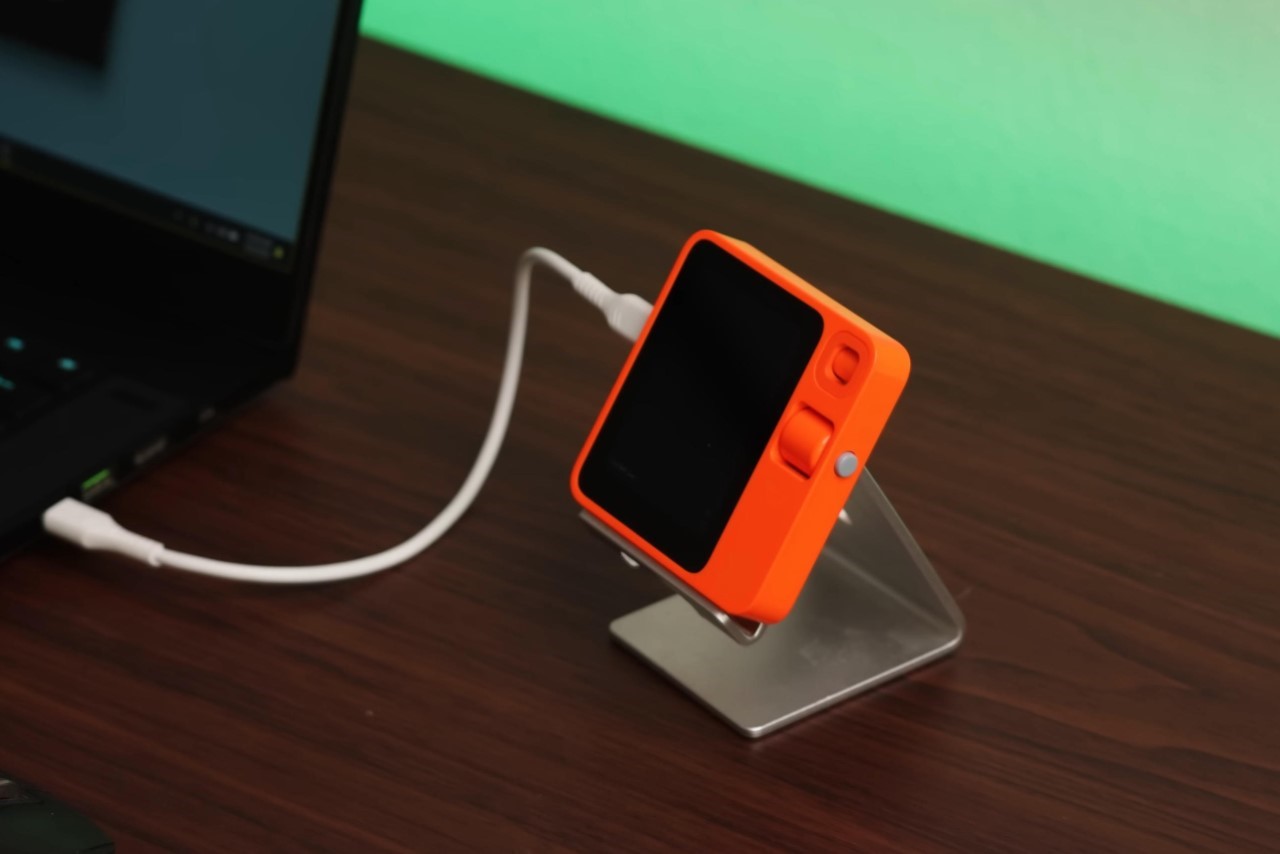
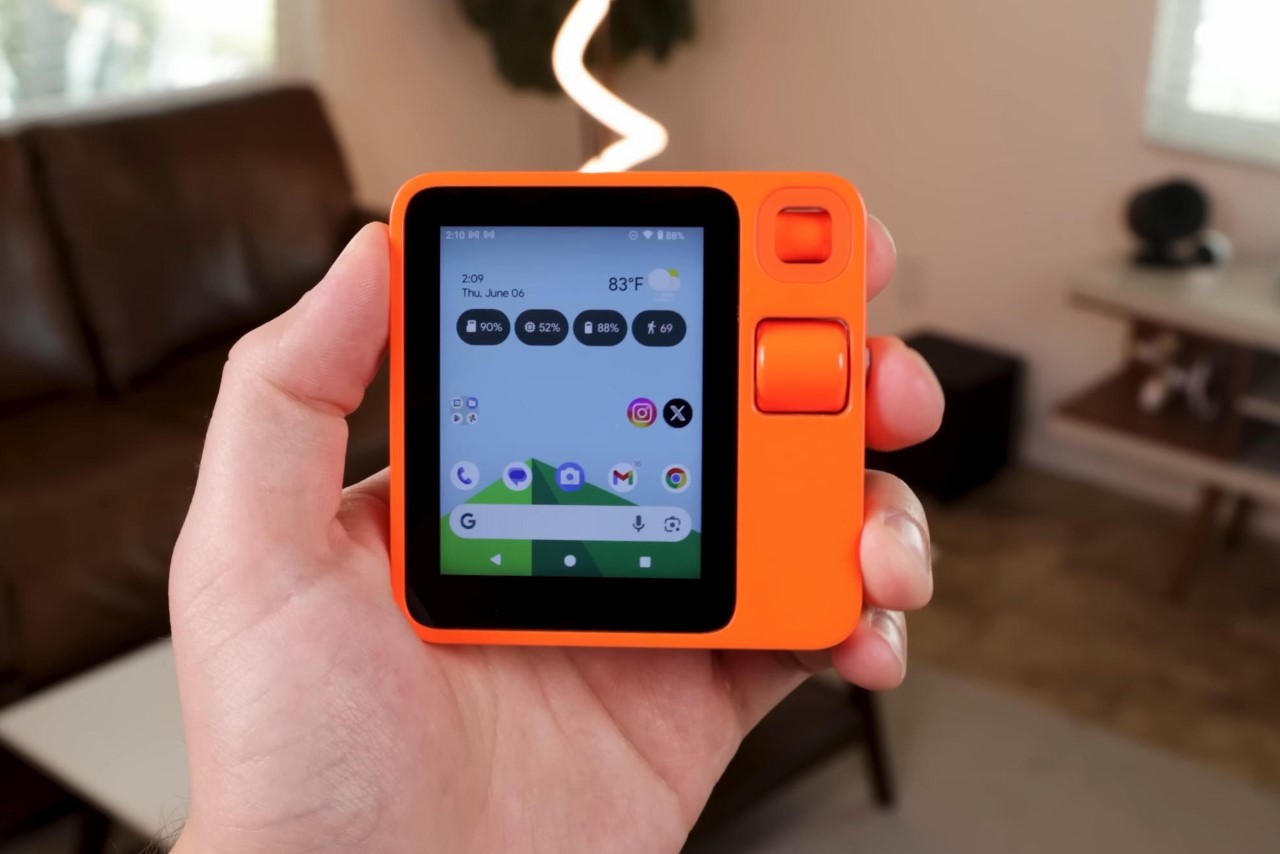
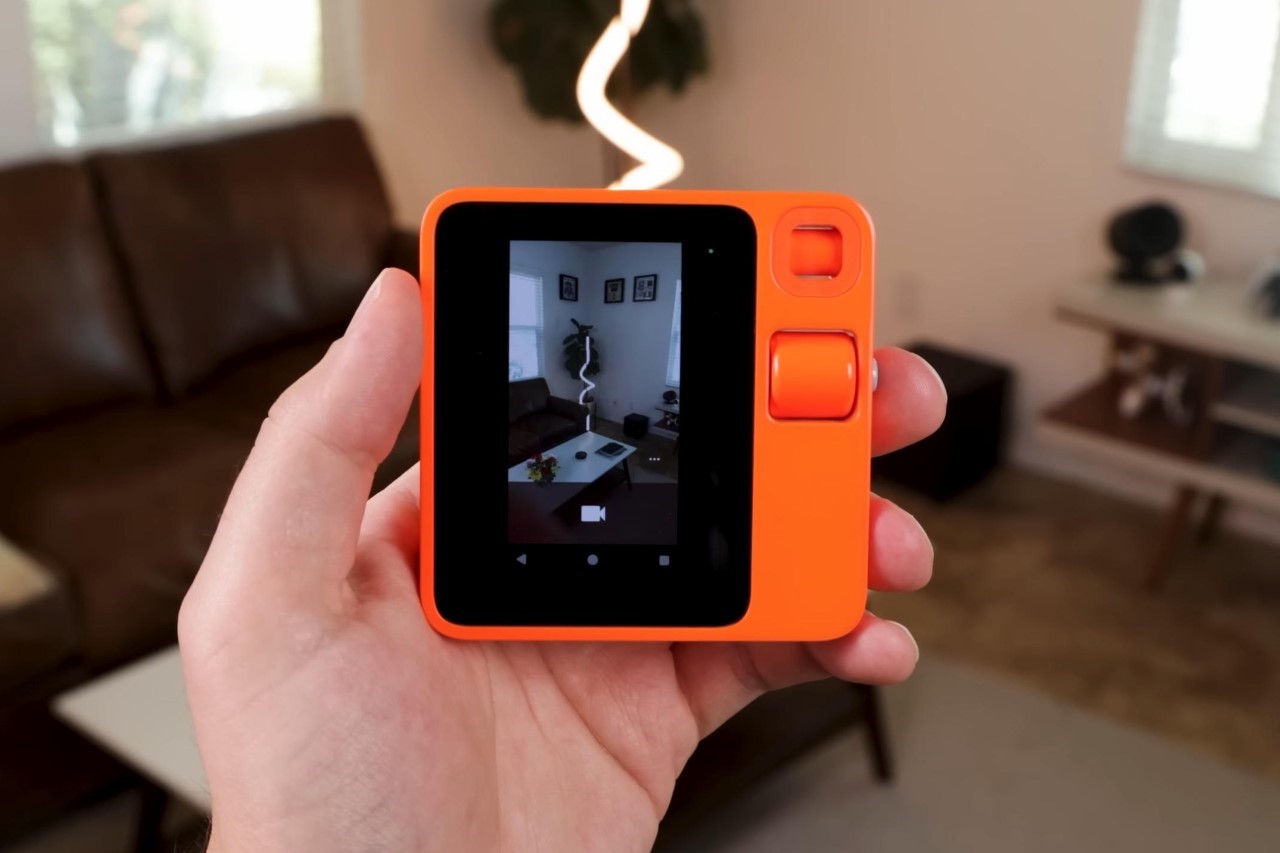
This clever little hack basically turns the Rabbit R1 into what it originally was – an Android device – albeit without the limited interface and shoddy AI abilities. YouTuber ‘HowToMen’ showed how he loaded Android 13 onto the R1, and the results are frankly surprising. The touchscreen now works, you can load almost every conceivable app, you can send SMSes, use the camera to take photos/videos or better still, pair it with Google Lens to tap into Google’s AI chops. The scroll wheel now becomes a volume scroller, and heck, the entire device just feels a little more redeemed from its failed past. If you’ve got a Rabbit R1, here’s a clever little trick to make it a little more useful just in case you weren’t happy with its capabilities before.

Designer: HowToMen

After disastrous reviews from the tech community, Humane and Rabbit saw their street cred evaporate almost overnight. Humane ended up folding entirely, trying to sell its entire operation to any buyer. Rabbit, on the other hand, has been a little more steadfast… although people who own the R1 never seem to recommend getting it. The result, dwindling sales and the prospect of a total device failure. For people who already ended up buying the R1, instead of being left with a pretty useless device that doesn’t do half the things it promises, it just makes sense to boot Android onto it. After all, the R1 is basically a highly stripped-down version of Android running just an AI app. Turns out, if you want to jailbreak your Rabbit R1, it isn’t too difficult. You can easily load Android 13 onto the device and use it just the way you would a smartphone.

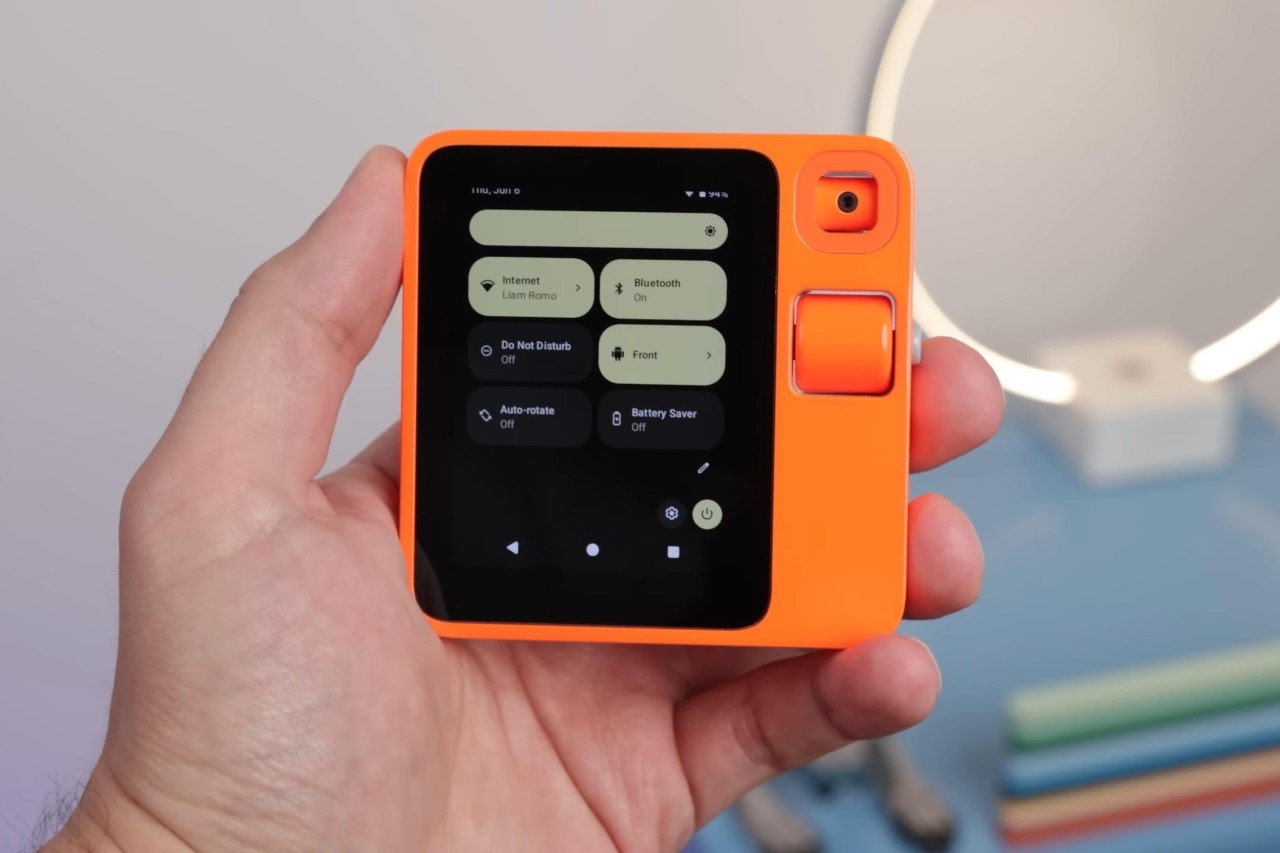
HowToMen basically jailbroke the Rabbit R1 and installed Android 13 on it. Once done, he installed the Lawnchair launcher to give it a distinct Android-esque aesthetic while adding widgets that he developed himself. The result is basically a tiny Android phone that does everything except make actual calls (although someone on Twitter did demonstrate the ability to call people too). To be honest, it robs the R1 of its Rabbit-esque essence… but then again, I’m an advocate for the ‘if you buy it you own it and you can do whatever you want to it’ school of thought.

What you’re left with is a pretty capable device that lets you do much more than you previously could with the R1. It has every feature you’d expect from the Android OS, including a dropdown control center, a working camera (although the camera’s direction has to be toggled from the dropdown control center). The camera can be made to face forwards, backwards, or even downwards as a privacy filter.

The camera interface isn’t too detailed, and just lets you either click photos or record videos.

The screen regains its touch-ability, something that Rabbit disabled for the most part. You can navigate it the way you would any Android phone. The speakers at the back work just fine, and a built-in microphone lets you record voice notes. Notably, the scroller on the side now becomes a volume wheel, and the lock button works just as advertised. Pop a SIM card in and you can even do things like send SMSes to friends. I’m not sure if WhatsApp would work on the device, but that’s worth a try too.

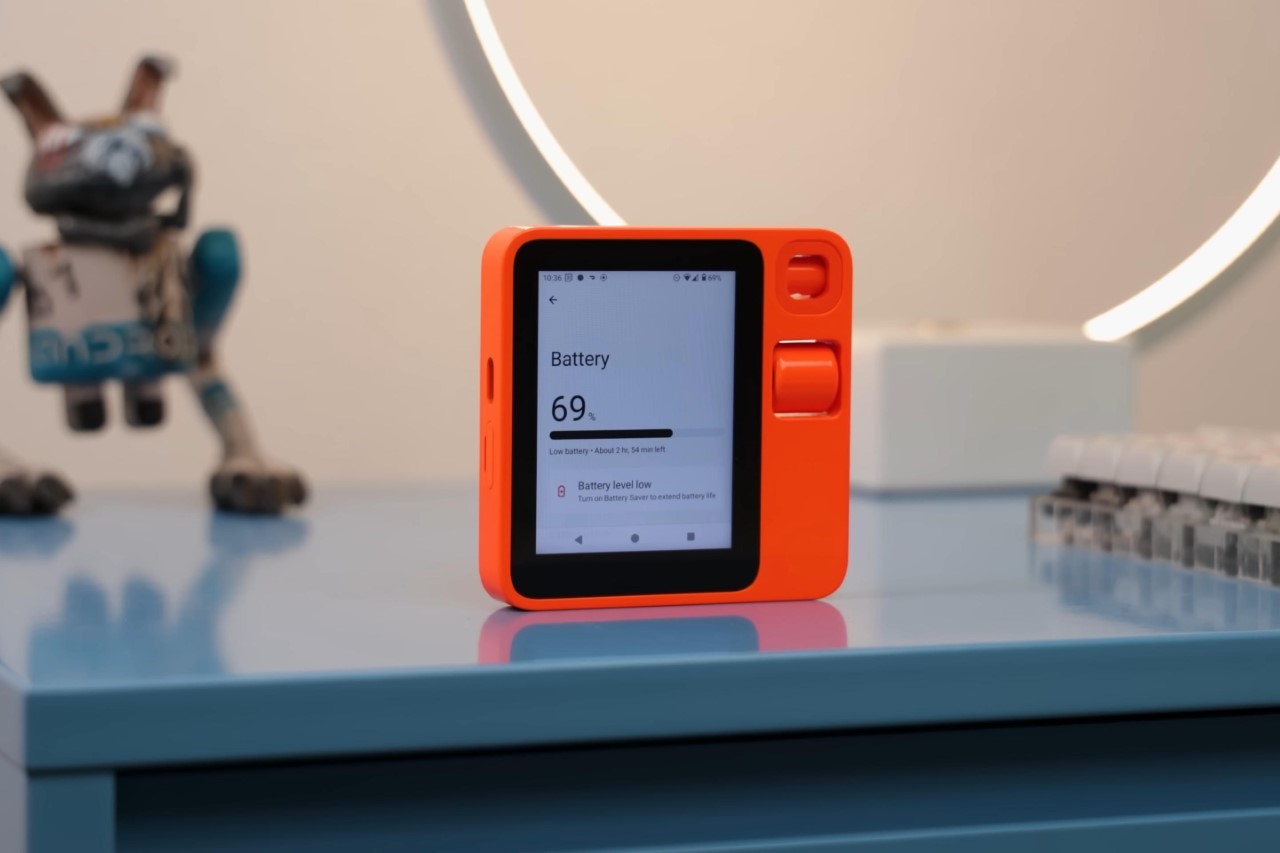
The procedure is pretty simple, from what HowToMen describes. It involves installing Android onto the device from a GitHub repository, and then you can add launchers to your device to customize its appearance. There are, however, two caveats – for starters, that 2-inch screen feels like a massive downgrade, giving you an Android experience that feels like something from 2014. The second, is the massive reduction in battery life. Instead of running just the Rabbit AI app, you’re now running Android 13, with all its apps, a colorful interface, and 128 gigs of storage that let you really use the R1 like a phone – that takes a toll on the battery life of the device, making it last significantly less than the R1 originally would. That being said, it’s still a bit of a win, given that you can do much more with the device than you previously could. For a $199 device, it’s quite an achievement, isn’t it?! Even budget Android phones aren’t that cheap!

The post Got a Rabbit R1? You can now run Android 13 on it and use it like a regular smartphone first appeared on Yanko Design.

Honor Magic V3 Leaked and Rumored to Have a Crazy Thin Foldable at 6mm with Advanced Features Set to Impress

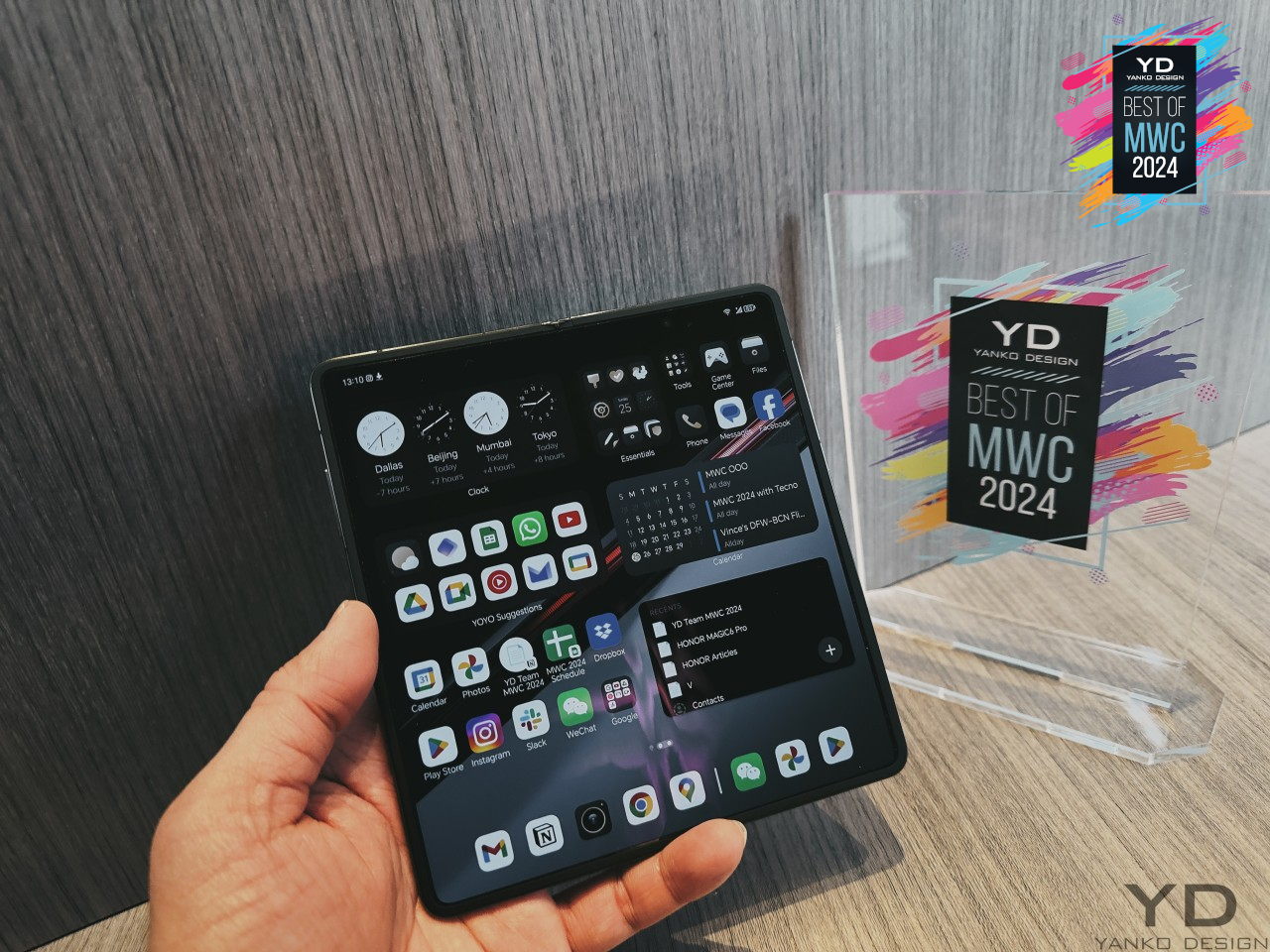
Honor has been a significant player in the smartphone world, particularly with its foldable devices. The Honor Magic V2 set a high standard with its sleek design and impressive features. Now, with the Magic V3 on the horizon, Honor is set to push the envelope even further. Let’s take a closer look at what made the Magic V2 special, including the Porsche Edition, and what we can expect from the upcoming Magic V3.

Designer: HONOR

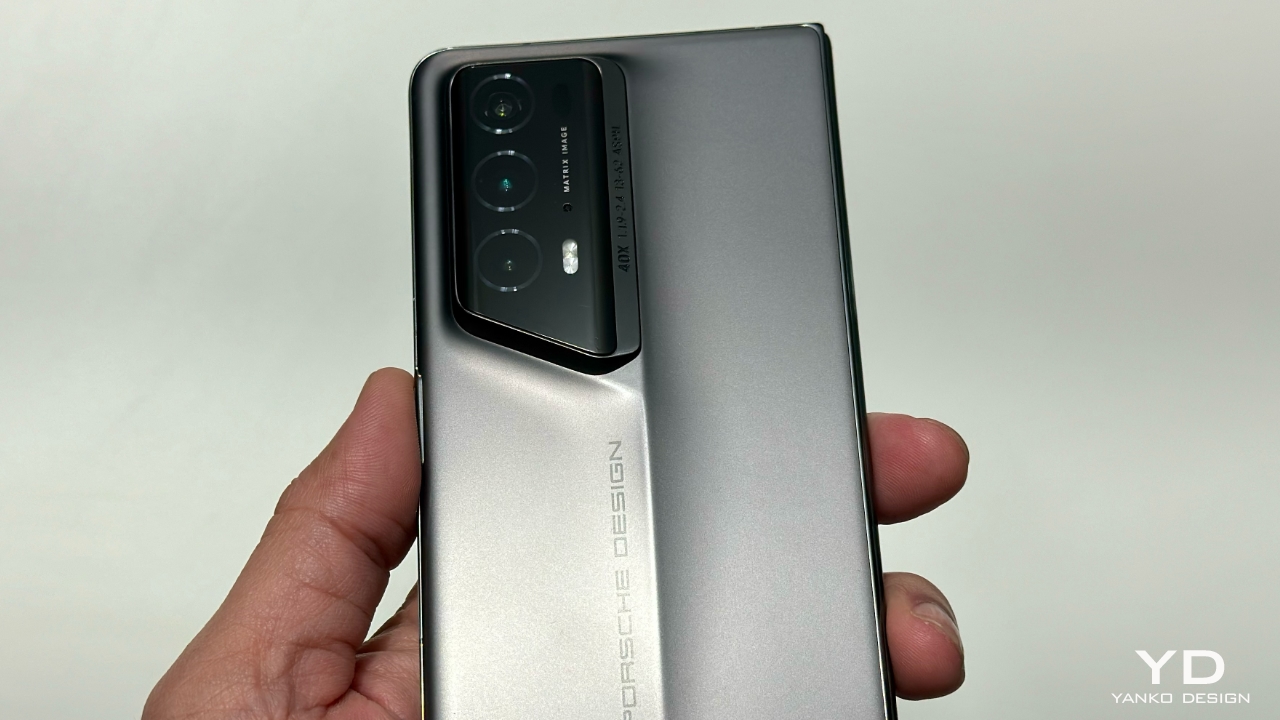
The Honor Magic V2 quickly became a favorite among tech enthusiasts when it launched. At just 9.90 mm thick, it was one of the slimmest foldable phones available. This was no small feat, considering it still packed all the high-end features you’d expect from a flagship device. The design of the Magic V2 blended style with practicality seamlessly. The hinge mechanism was designed to be both smooth and durable. The use of lightweight materials made the phone easy to handle without feeling flimsy. The Porsche Edition of the Magic V2 added an extra layer of sophistication. With premium materials and a unique design, it offered something special for those who appreciate finer details.

Honor Magic V2 Porsche Edition

The Magic V2 featured a bright and vivid display that made everything look great, whether you were browsing, watching videos, or playing games. Performance was top-notch too, thanks to its powerful internals that handled everything smoothly, from multitasking to demanding apps. Battery life on the Magic V2 was impressive, lasting through a full day of use without any issues. When it did need a charge, the 66W wired charging ensured it powered up quickly, minimizing downtime. The camera setup on the Magic V2 was another highlight. The 50 MP “eagle eye camera” captured detailed and vibrant photos, making it a reliable companion for photography enthusiasts.

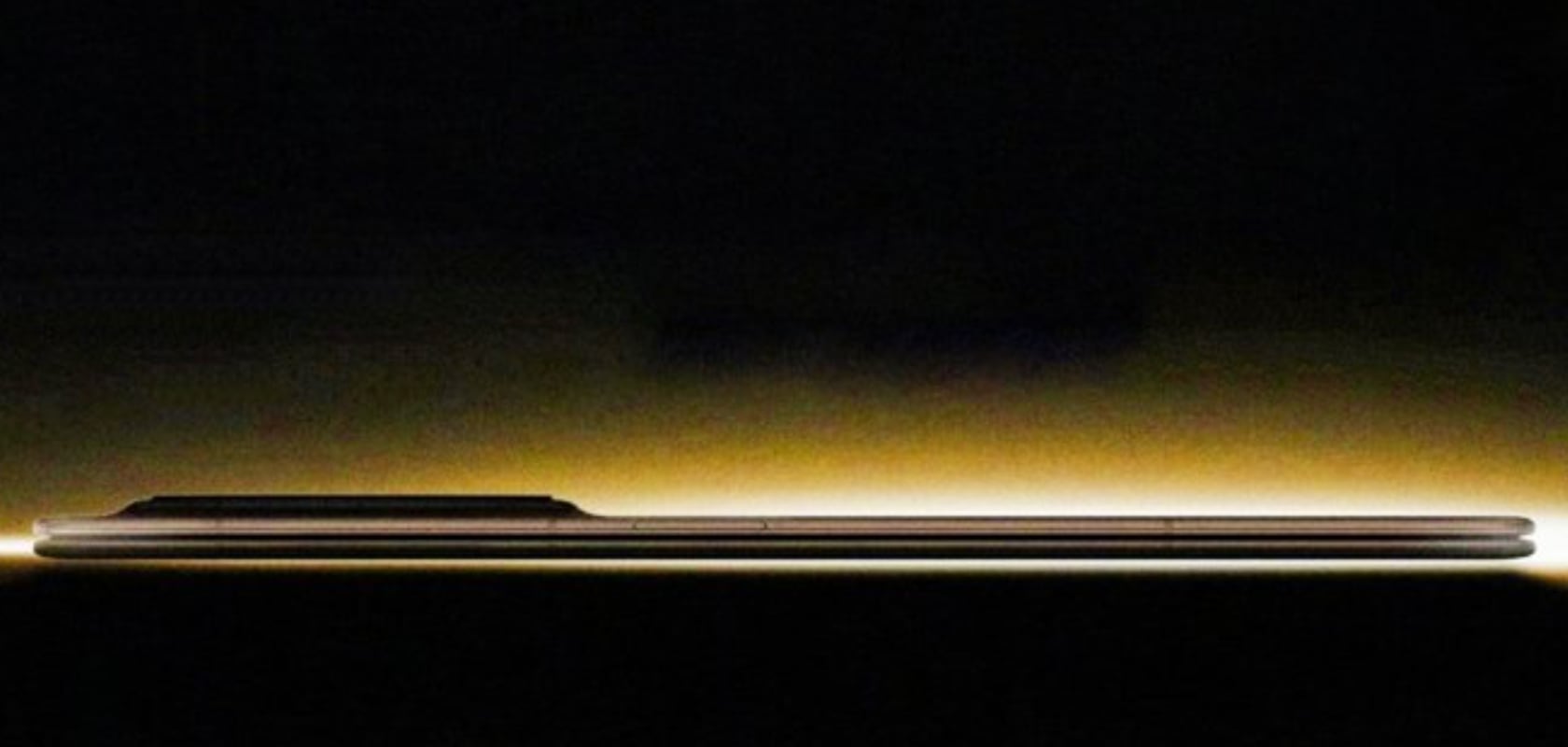
While Honor has been tight-lipped about the specifics, leaks and rumors have given us a good idea of what to expect from the Magic V3. The upcoming device is rumored to be even thinner than the Magic V2, potentially around 6.xx mm. This would make it one of the slimmest foldable phones on the market, continuing Honor’s tradition of pushing design boundaries. The Magic V3 is expected to be powered by the Snapdragon 8 Gen 3 chipset, promising fast and efficient performance. In addition to standard connectivity options, the Magic V3 will support “5.5G” and satellite connectivity (in China), ensuring you stay connected in more places and more ways than before.

Battery capacity is expected to be between 5,000 mAh and 5,990 mAh, with the same fast 66W charging. This means you’ll get long battery life and quick recharges, just like with the Magic V2. The camera setup is another area where the Magic V3 is expected to excel, featuring a 50 MP “eagle eye camera” that promises high-quality photos. An ultra-thin USB Type-C connector is also anticipated, fitting perfectly with the overall sleek design of the device.

Honor’s Magic V2 set a high bar, but the Magic V3 looks set to surpass it. The combination of a thinner design, powerful performance, advanced connectivity, and robust battery life makes the upcoming Magic V3 a highly anticipated device. With the advancements hinted at in the leaks, it seems Honor is ready to redefine the standards for foldable smartphones once again. As we look forward to its debut at MWC Shanghai 2024, the Honor Magic V3 is set to impress and push the boundaries of what a foldable phone can be.

The post Honor Magic V3 Leaked and Rumored to Have a Crazy Thin Foldable at 6mm with Advanced Features Set to Impress first appeared on Yanko Design.

80% of Mattel Games will be made Color-Blind Accessible by the end of 2024

For generations, classic games like Uno have brought people together for friendly competition. But for the estimated 300 million people worldwide with color blindness, these games haven’t always been accessible. Mattel, the iconic toymaker behind these beloved games, is making a significant stride towards inclusivity. They recently announced that by the end of 2024, 80% of their global games portfolio will be colorblind accessible, with that number rising to 90% by the end of 2025.

Designer: Mattel

This update isn’t a radical overhaul. Instead, it involves subtle design tweaks that ensure gameplay isn’t hindered by color vision deficiency. For instance, Uno will now feature symbols alongside the traditional colors and numbers. A square represents blue, a circle red, a diamond yellow, and a triangle green. This way, players can identify cards based on the symbol without relying solely on color. Similarly, Blokus, a strategic board game, will incorporate patterns on its colored game pieces for better differentiation. These changes extend to other popular Mattel games like Dos, Phase 10, Skip-Bo, and Ker Plunk.

Partnering with ColorADD, a group specializing in colorblind-friendly design solutions, Mattel demonstrates a commitment to thoughtful implementation. This isn’t just about adding symbols; it’s about collaborating with experts to ensure the updates are effective for players with color blindness. The new features go beyond the games themselves. Updated instruction sheets will include dedicated sections for colorblind players, and the packaging will sport a special badge featuring a multicolored eye icon for easy identification.

The post 80% of Mattel Games will be made Color-Blind Accessible by the end of 2024 first appeared on Yanko Design.
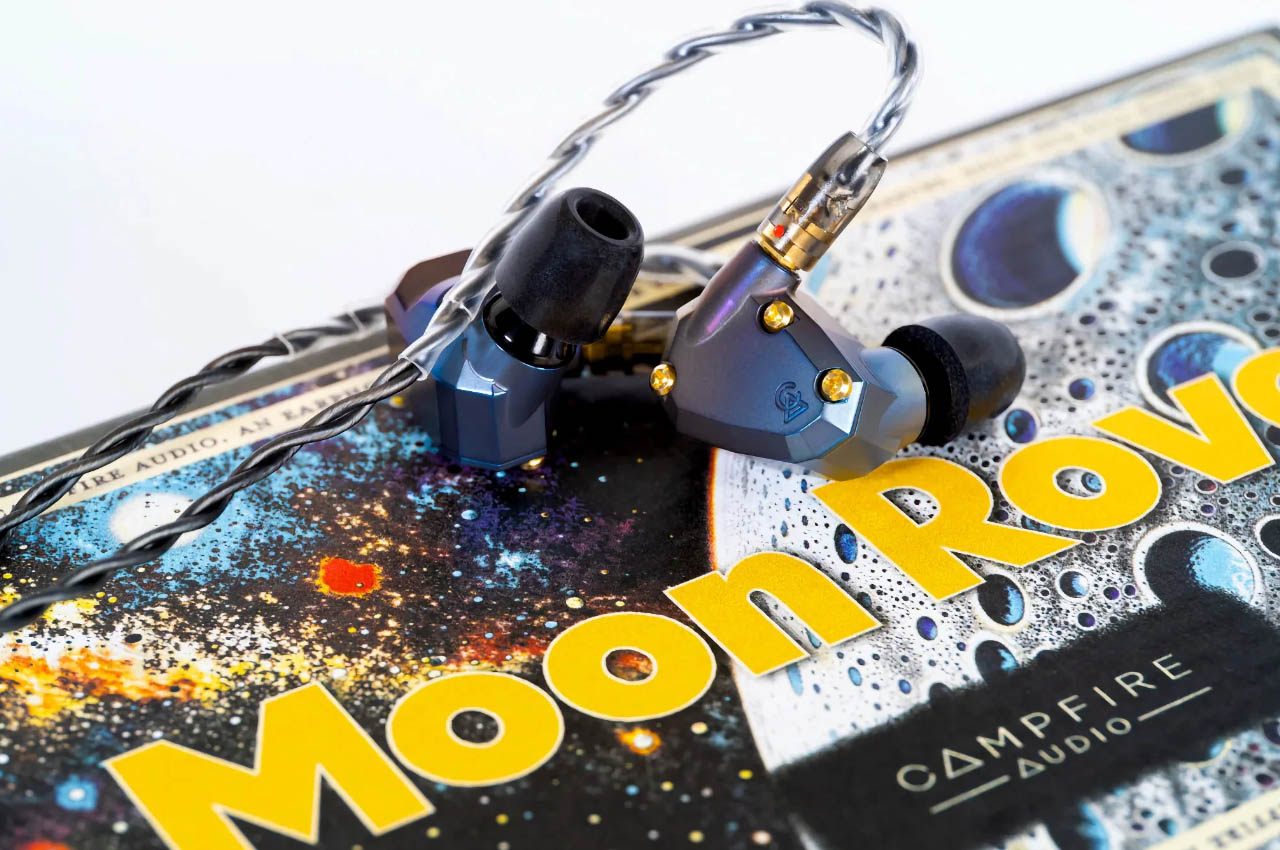
Campfire Audio’s Moon Rover In-Ear Monitors deliver surreal audio to match the striking cosmic look

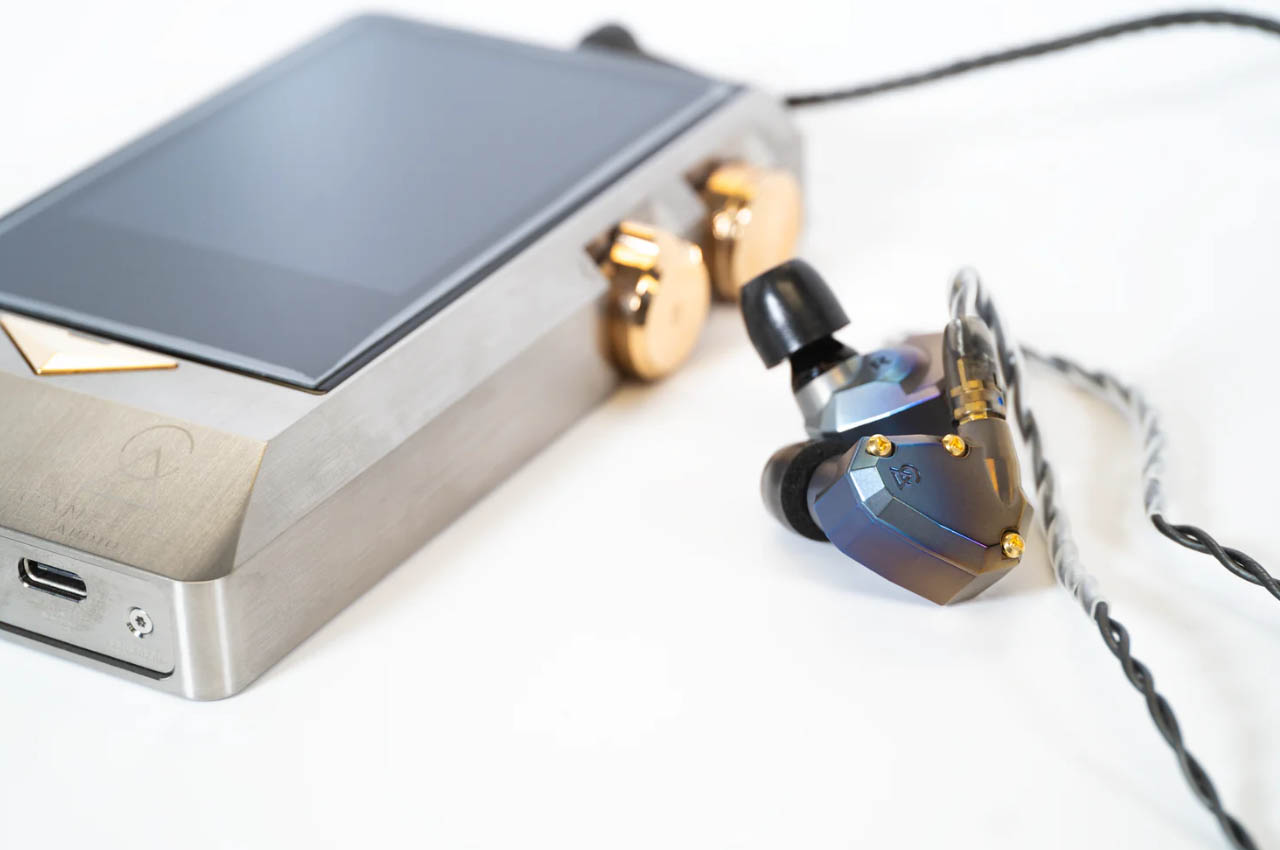
Choosing IEMs over TWS earbuds is a no brainer if you appreciate the good things in life. Campfire Audio has stood out amongst the sea of IEMs that promise reference-like sound signature. The premium audio company has won the trust of professional music creators with successful products like the Fathom and Andromeda. Now they have yet another IEM to reinstate their top position.

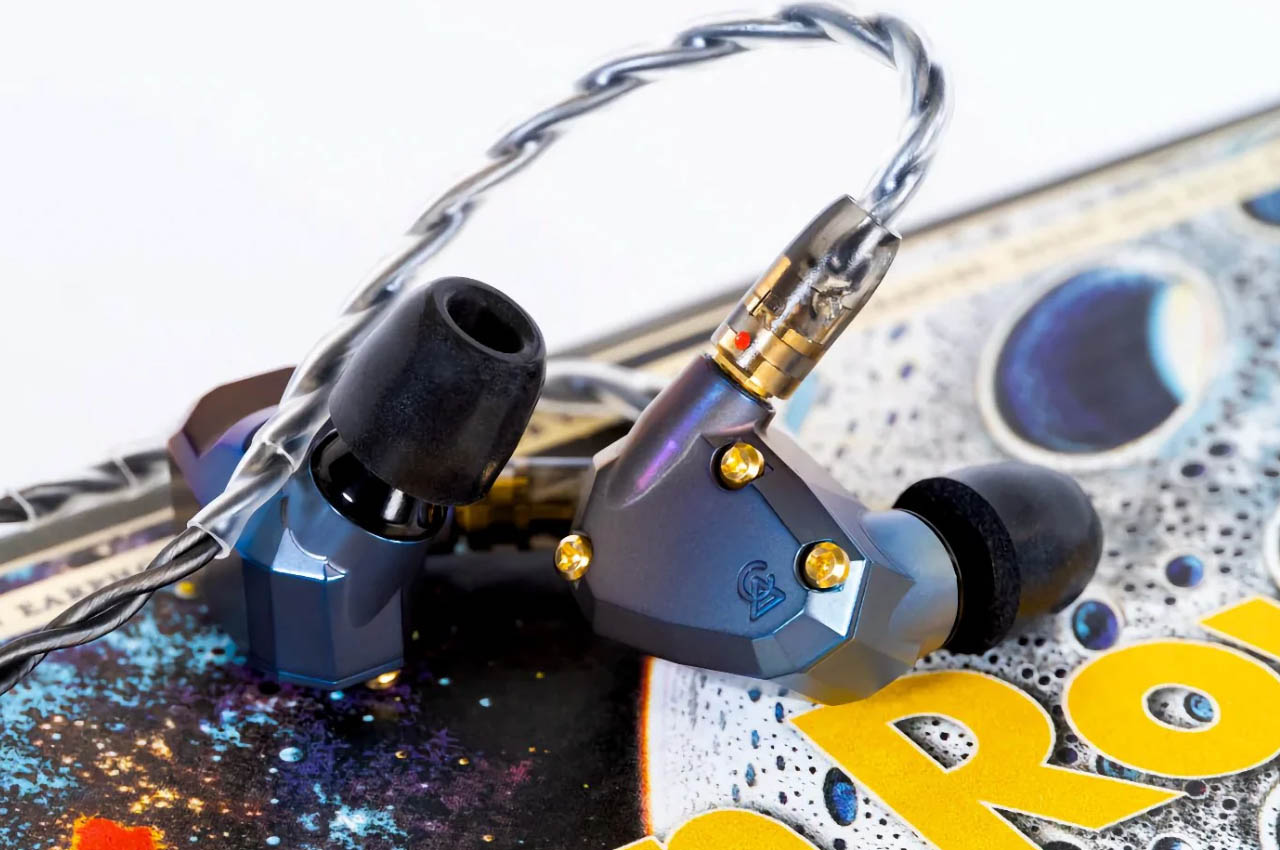
This striking in-ear monitor called Moon Rover is a limited edition creation that levels up the audio performance and design to become the prized collection of audiophiles. Only 888 units will be created of the Moon Rover, so you better gets your hands on them. The monitors are priced at a mind-numbing $1199 making them a choice for avid listeners with fat-pockets.

Designer: Campfire Audio

The brand claims that the pair has a neutral and analytical sound signature that’s better than any of their current IEMs. Moon Rover is identified by its crystal clear sound and wide soundstage, with exciting upper frequency, a balanced mid delivery and a punchy low end. This is made possible with a newly developed 12mm magnetic planar dynamic driver that has a fast delivery for peppy sonic sound. So, you can expect it to outperform the competition when it comes to playing hard rock or club beats.

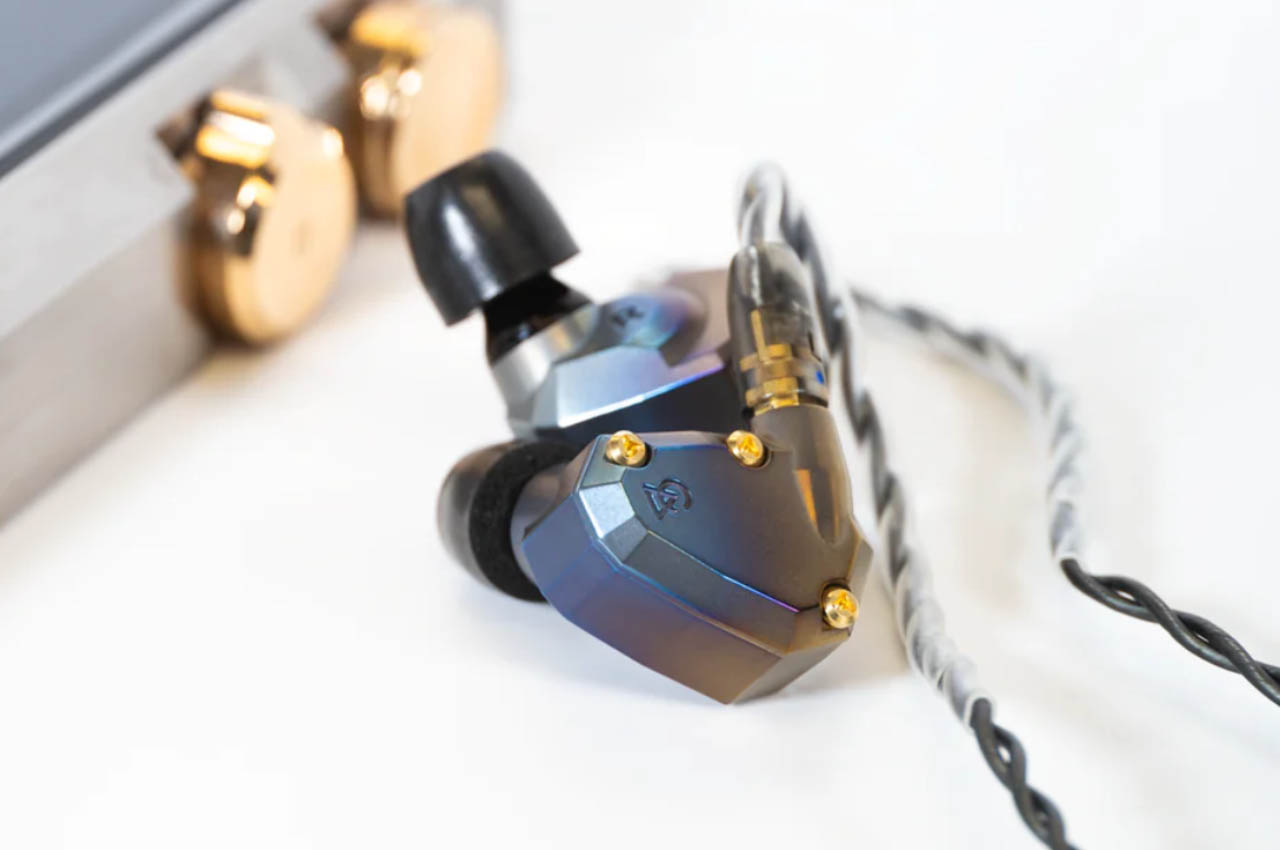
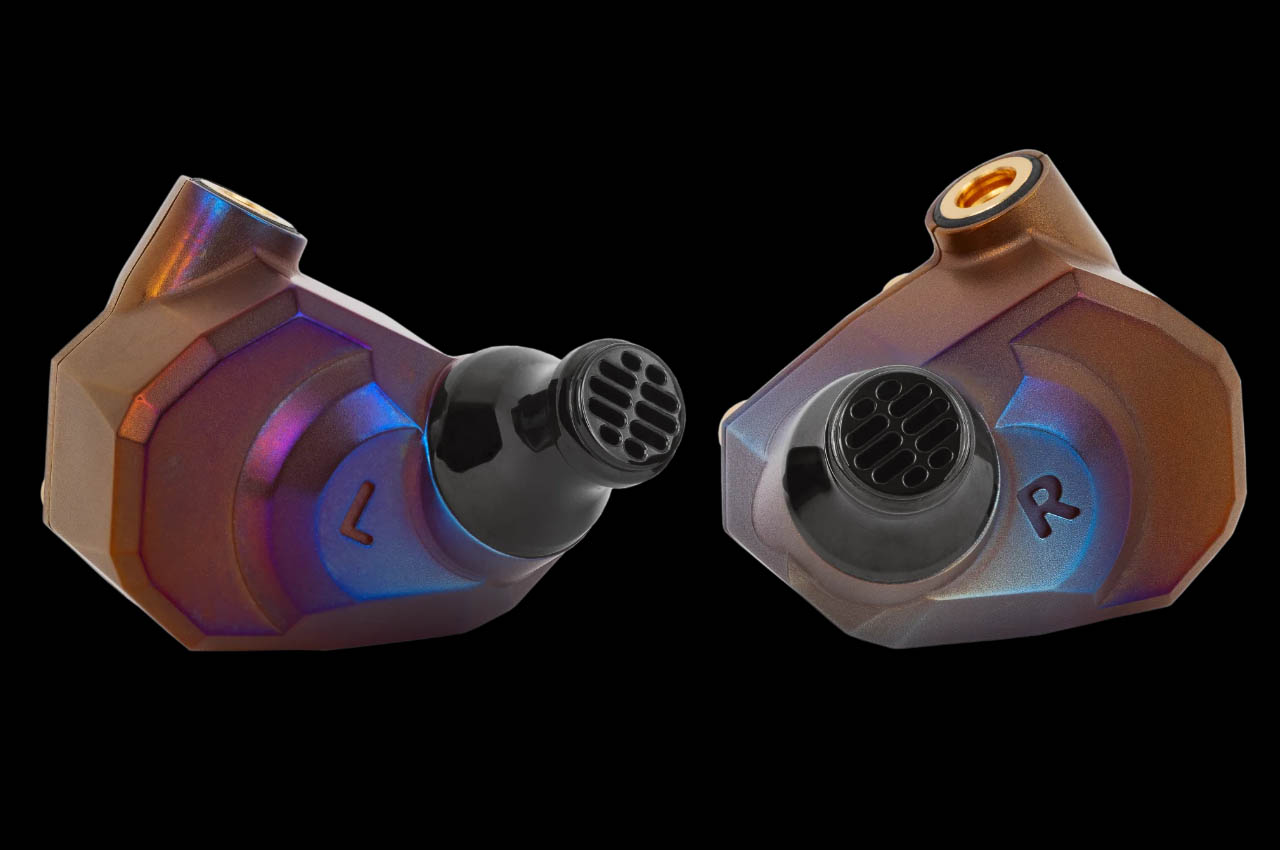
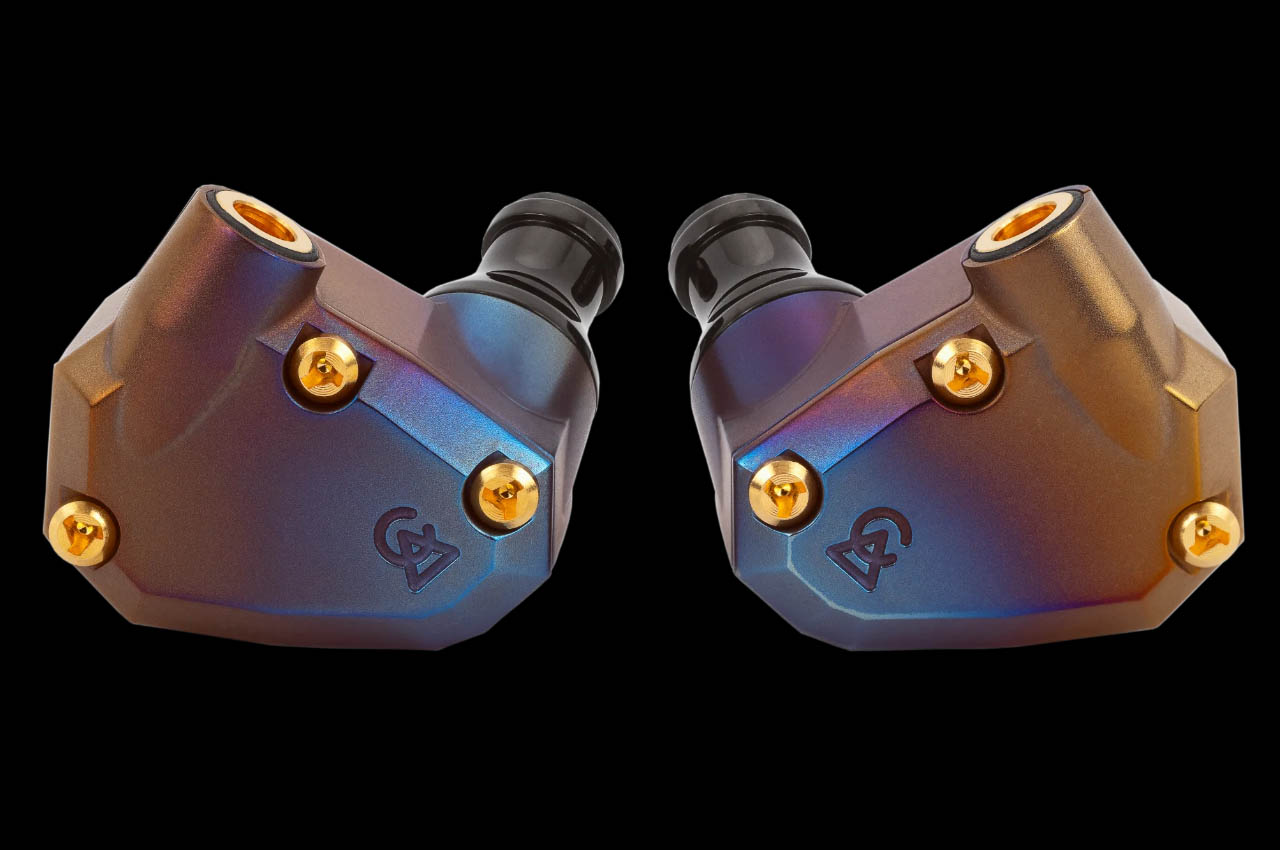
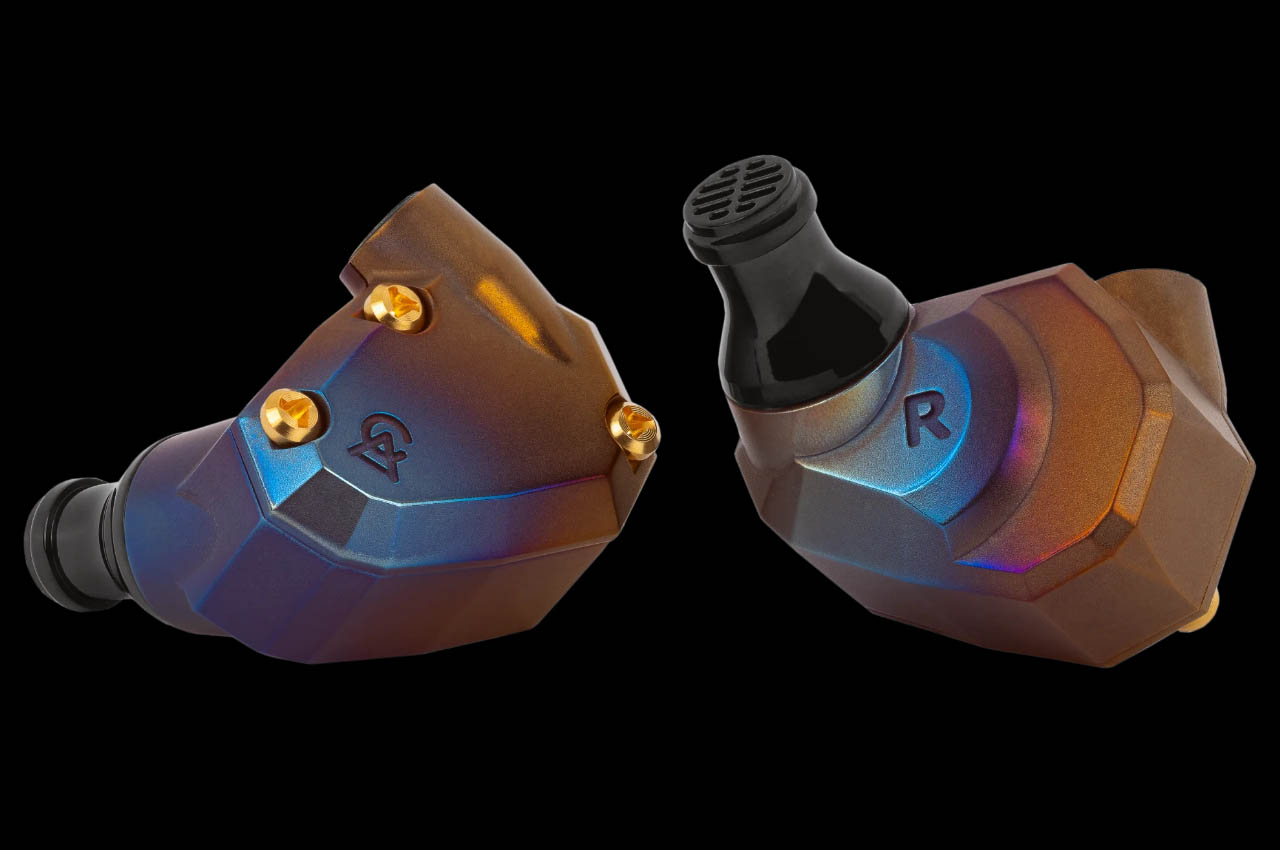
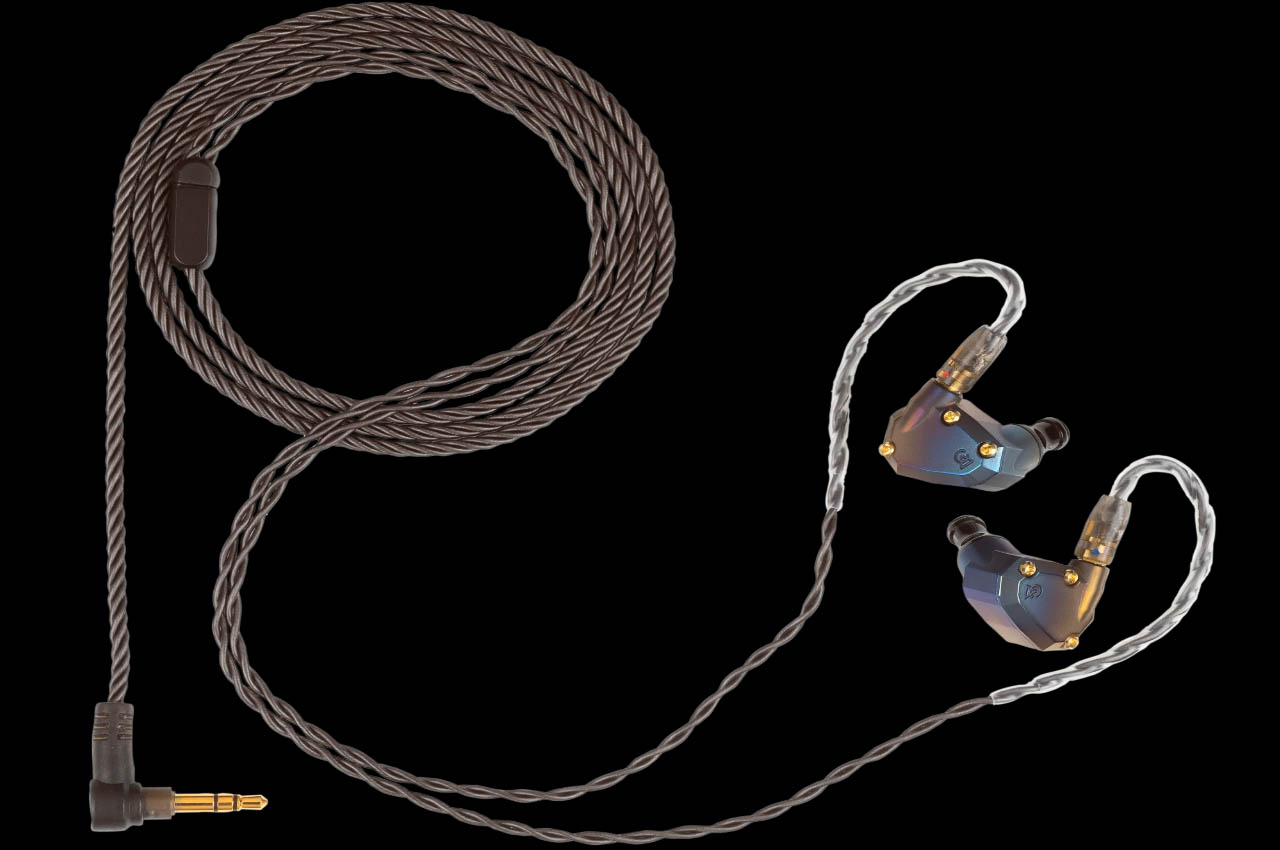
Design of the IEM is not understated either in the shape of a hand-crafted, encased titanium shell that’s flame-treated for a distinct look. The awesomeness doesn’t stop there as they have a PVD steel spout and gold-plated screws. The namesake comes courtesy of the shell having a cosmic theme drenched in hues of blue, purple and yellow that change color depending on the amount of light falling on them. The monitors are bundled with a 3.5mm cable, silicone eartips (small, medium and large foam size)  and waxed leather case.

The post Campfire Audio’s Moon Rover In-Ear Monitors deliver surreal audio to match the striking cosmic look first appeared on Yanko Design.
Boost Your Productivity with MOFT Snap Flow: The Ultimate Portable Focus Tool

Feeling overwhelmed by distractions and struggling to stay focused? The MOFT Snap Flow is the perfect solution for your everyday carry. Combining the age-old magic of pen and paper with modern tech, this clever tool helps you capture, organize, and act on your ideas with timeless simplicity. Portable and sleek, it attaches to the back of your phone and detaches quickly, allowing you to jot down inspirations instantly without fumbling for a notepad or getting lost in apps. Whether you’re in a meeting, on your commute, or enjoying a quiet moment at a café, this tool is always ready to boost your productivity and keep you focused.

Designer: Julianna He, Founder of MOFT

Click Here to Buy Now: $29 $49 (41% off). Hurry, only 1/100 left!

This sleek tool combines a pen, paper, organizer, and reminder, ensuring you capture, organize, and act on tasks without wasting mental energy. Handwrite your ideas for better memory recall without extra items. The foldaway pen and other tools fit directly on your phone, making everyday carry invisible and convenient.

We all have days where organizing takes up more time than doing. The MOFT Snap Flow helps you focus on what truly matters by eliminating “empty work.” When a brilliant idea strikes during a meeting, simply unfold the built-in pen and jot it down. The pen’s unique design folds flat to fit inside the Snap Flow and ergonomically transforms into an easy-to-hold shape.

If you usually start your morning by jotting down key to-dos and acting without distractions, the Snap Flow’s impactfulness yet versatility adapts to your daily activities. It allows you to note quick thoughts during conversations, filter actionable information, and review progress with ease. Capture inspirations during your walk, store rough sketches, and expand ideas using digital apps. This all-in-one companion helps you form a positive loop, motivating you to achieve more each day.

Don’t let mindless scrolling steal your “ah-ha” moments. Inspiration often strikes during downtime, like waiting for your train, sitting in a park, or in a café, and suddenly, that spark of genius hits you. With Snap Flow, you can quickly note it down without digging through your bag. With the MOFT Snap Flow, you can capture and explore every spark of creativity without distraction. Mounted on the back of your phone, it keeps you focused on your creative flow. Instead of getting lost in social media, you capture and turn those fleeting thoughts into action.

The Snap Flow features three dedicated zones for brain-dumping ideas, noting key to-do lists, and capturing core notes. This minimalist approach ensures you can kickstart your daily tasks immediately after capturing them. Imagine finishing a brainstorming session with everything neatly organized and ready for action without any extra steps. Whether you’re in a meeting or enjoying a quiet moment in a café, this tool helps you stay productive and focused.

When you need a visual reminder of your priorities while working at your desk, the Snap Flow magnetically detaches from your phone and folds up to create a focus zone. It also transforms into a handy phone stand for hands-free FaceTime with family and friends, making your device multitask with you. Use the Snap Flow as your on-the-go “idea lab” and “note library,” jotting down or drawing your ideas effortlessly.

Crafted with eco-friendly materials, the Snap Flow is your minimalist on-the-go companion, ready to help you stay productive and focused. Imagine beginning each day with a clear plan and the tools to see it through, all without the clutter.

The Snap Flow is available in four stylish color options to match your personal style: Misty Cove x Sapphire, Taupe x Sunrise, Navy Blue x Beach White, and Misty Cove. Choose the one that best fits your aesthetic and make productivity a seamless part of your daily life.

Click Here to Buy Now: $29 $49 (41% off). Hurry, only 1/100 left!

The post Boost Your Productivity with MOFT Snap Flow: The Ultimate Portable Focus Tool first appeared on Yanko Design.
iOS 18 Developer Beta 2: iPhone Mirroring, RCS, and SharePlay Enhancements Unveiled

Apple’s iOS 18 developer beta 2 has introduced several notable features and improvements, making it an exciting update for developers and users alike. Among the highlights are iPhone Mirroring on compatible Macs, enhanced SharePlay screen sharing, a dark mode icon for the App Store, and a multi-language keyboard. I’m most excited about iPhone Mirroring, and I can’t wait to test it out in the public beta, which should be available soon.

Designer: Apple

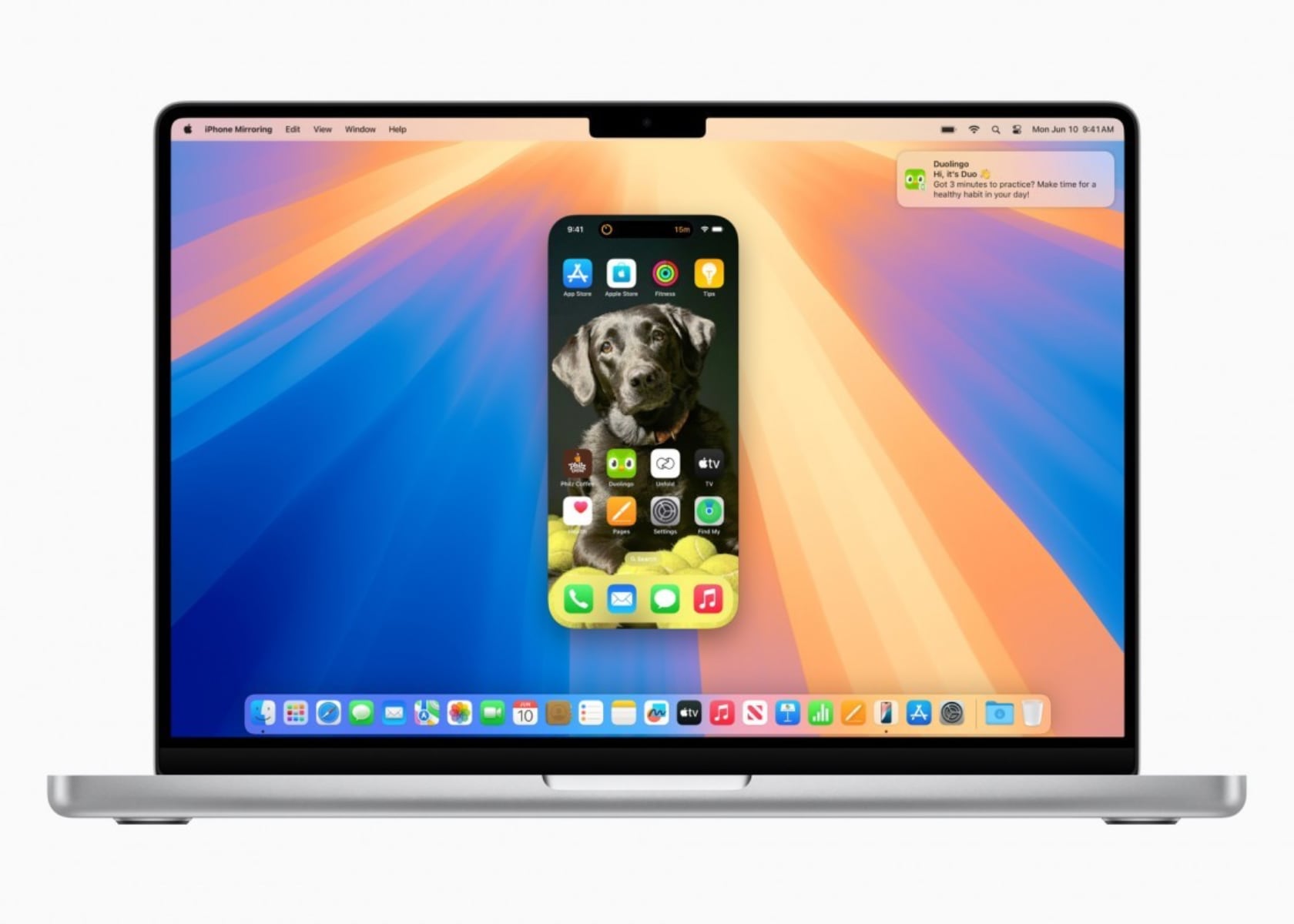
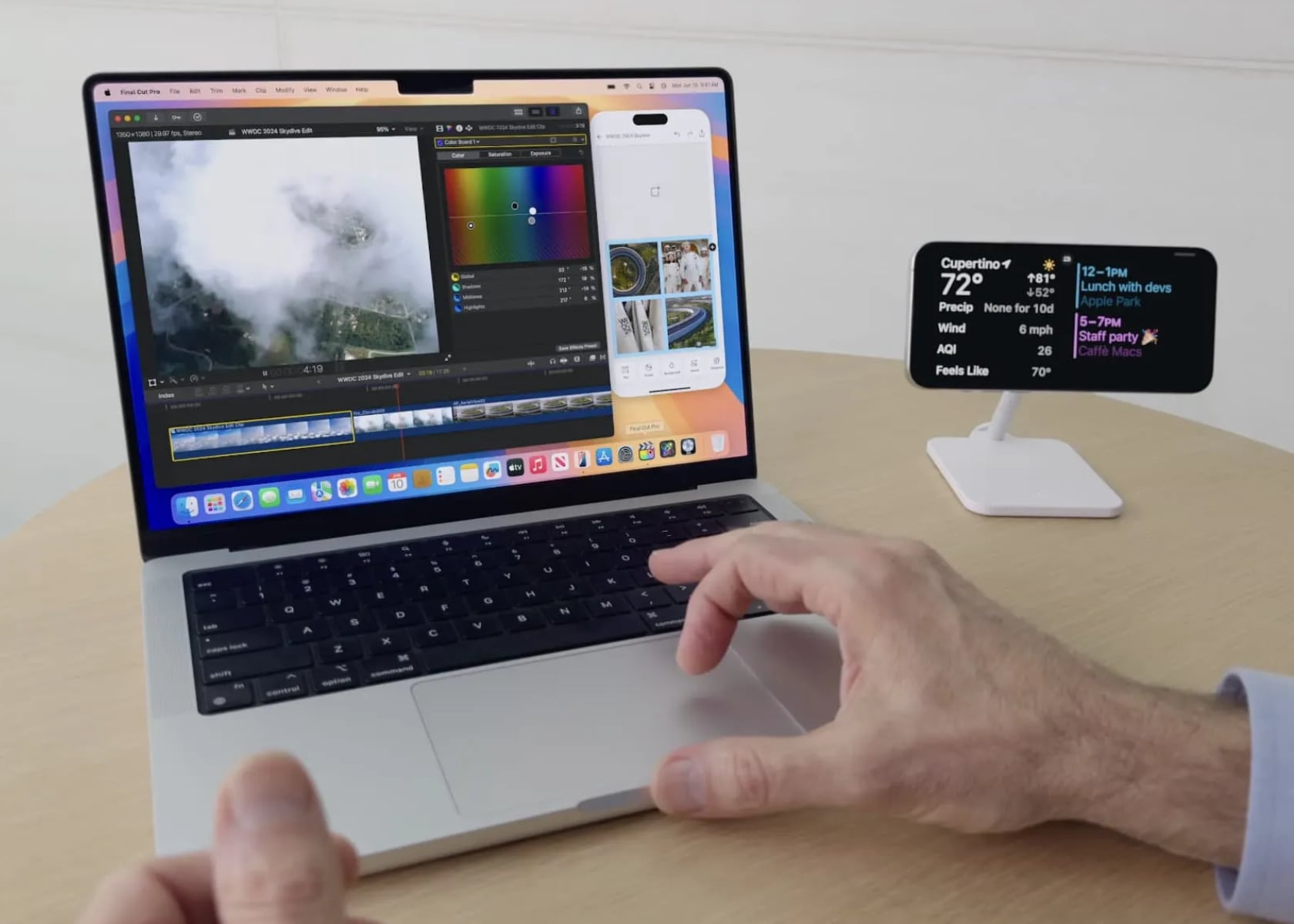
iPhone Mirroring lets you project your iPhone screen onto your Mac, which can be incredibly useful. First, it allows you to get notifications on your Mac without unlocking your iPhone, keeping you in the loop without interrupting your workflow. Second, the drag-and-drop functionality between the iPhone and Mac makes transferring files and interacting with apps a breeze. Finally, it means you can access your iPhone apps and files on your Mac, even when your iPhone is locked or in Standby mode. This seamless integration between devices is a game-changer for productivity.

Apple iOS 18 beta 2: iPhone Mirroring

SharePlay screen sharing is another feature that stands out in iOS 18 beta 2. This update allows you to draw on and control others’ screens during shared sessions, making remote assistance and collaboration much more effective. Whether you’re troubleshooting an issue, working on a project together, or teaching someone how to use an app, SharePlay makes it easy to interact and communicate in real-time.

The App Store has also received a visual update with a new dark mode icon. This change aligns with the system-wide dark mode, reducing eye strain, especially in low-light environments. It’s a small yet thoughtful update that enhances the overall user experience.

The multi-language keyboard is another fantastic addition. It now supports up to three languages simultaneously, including 27 Indian languages like Hindi, Assamese, Bangla, and Urdu. This update is perfect for multilingual users, making it easier to switch between languages without changing settings. It’s a step toward making iOS devices more accessible and user-friendly for a diverse global audience.

Finally, iOS 18 beta 2 introduces Rich Communication Services (RCS) support in the Messages app. RCS brings features like read receipts, typing indicators, and higher-quality media sharing to your messages, offering a more interactive and engaging messaging experience.

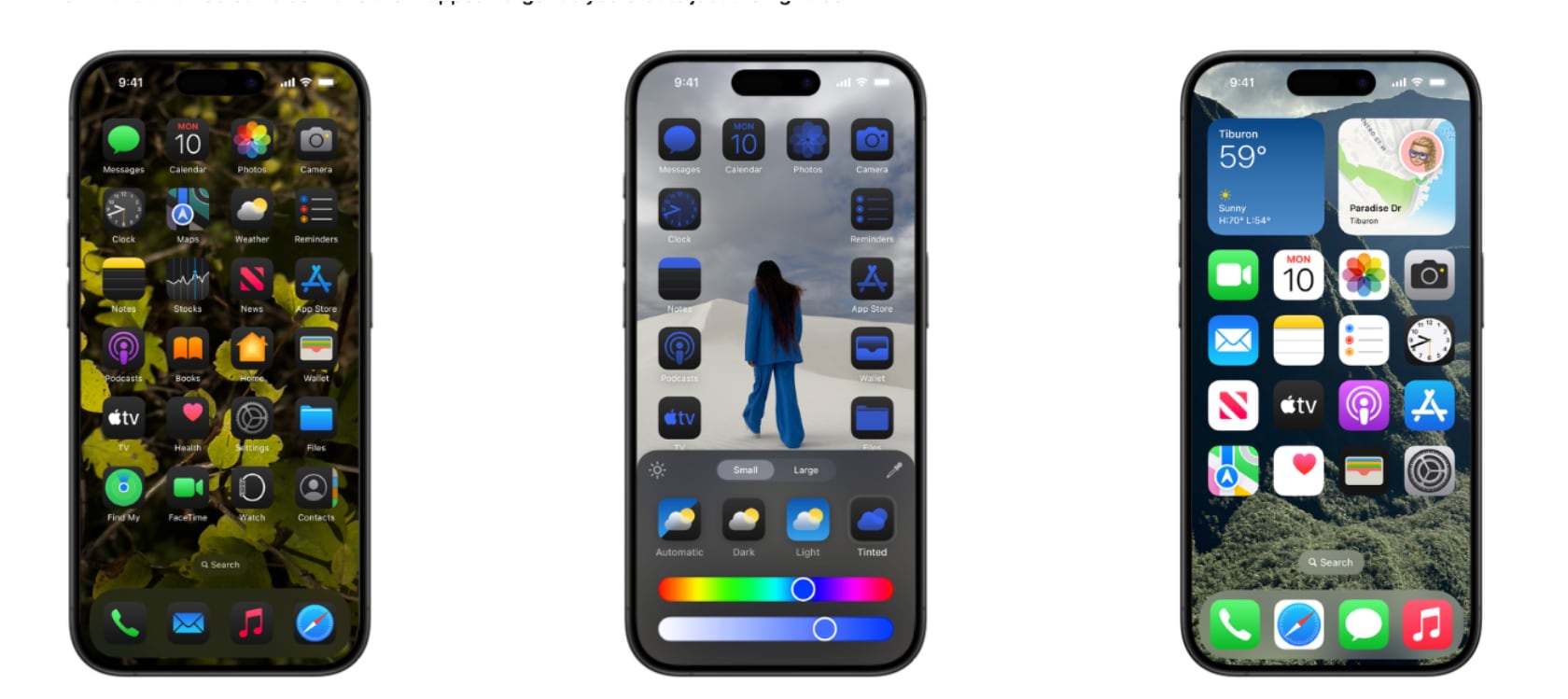
Additionally, the second beta includes some smaller tweaks and interface changes. The Home Screen now features a wallpaper tinting toggle and improved contrast for certain icons. There’s also a new Connected Card Wallet widget, although it’s not functional yet, and enhancements to the Passwords app with a more accessible “+” button for adding new items. The Control Center’s power button now has a more pronounced haptic feel, preventing accidental activation.

Things to Keep in Mind Before Downloading

When testing out the iOS 18 public beta, it’s essential to proceed with caution. Developer betas are designed for testing and may contain bugs that could cause unexpected crashes or issues with certain apps. Before downloading, make sure to back up your device to avoid any potential data loss. If you prefer a more stable experience, consider signing up for the public beta, which is expected to be released later in the month or in July.

iOS 18 Developer Beta 2: Eligible iPhone Models

The iOS 18 developer beta 2 supports the following iPhone models:
– iPhone 15
– iPhone 15 Plus
– iPhone 15 Pro
– iPhone 15 Pro Max
– iPhone 14
– iPhone 14 Plus
– iPhone 14 Pro
– iPhone 14 Pro Max
– iPhone 13
– iPhone 13 mini
– iPhone 13 Pro
– iPhone 13 Pro Max

By ensuring your device is supported and backing up your data, you can safely explore iOS 18’s exciting new features.

The post iOS 18 Developer Beta 2: iPhone Mirroring, RCS, and SharePlay Enhancements Unveiled first appeared on Yanko Design.

Motorola just debuted its AirTag Killer with Android-compatible tracking and a clever extra feature

Motorola just announced its Android-based device tracker, and I’m sure if you saw it too, you’d have the same thoughts as I did. It looks very familiar… Almost too familiar. Modeled precisely on Apple’s AirTag, the Moto Tag is a tiny tracking device that works within the Android OS, allowing you to effectively and accurately track your belongings. When I first saw the Moto Tag, I found myself feeling a familiar sense of smugness at the fact that an Android company copied Apple (they did with the removal of the headphone jack, with the camera notch)… but then I remembered that the inverse is also true. The WWDC event was pretty much Apple announcing Android-like features for the iPhone, and rebranding Artificial Intelligence to Apple Intelligence. The catch there was that Apple took its sweet time to implement these features, but also did a better job. If you extend that benefit of doubt the other way, it becomes a lot easier to appreciate the Moto Tag for what it brings to the table.

Designer: Motorola

Like the AirTag, the Moto Tag is a small, circular disc slightly larger than a quarter. It boasts a user-replaceable CR2032 battery that Motorola claims will last a full year on a single charge. While it lacks a built-in keyring loop (there’s a clever reason why it copies the AirTag so shamelessly), it integrates seamlessly with the revamped Google Find My Device network. This ensures easy pairing with countless Android smartphones, allowing users to locate and even make the Moto Tag play a sound for easier retrieval.

Looking towards the future, Motorola has equipped the Moto Tag with ultrawideband (UWB) technology. This paves the way for “precision tracking,” a feature that will provide detailed on-screen instructions for finding the tracker when you’re in close proximity. While similar to Apple’s Precision Finding with AirTags, this functionality currently awaits an update to Google’s Find My Device network.

However, the Moto Tag boasts a unique feature that sets it apart: a built-in button. This button, cleverly placed where the “M” of the Motorola logo sits, can be pressed to make your paired smartphone ring. This comes in handy in those moments when you’ve misplaced your phone but have the Moto Tag within reach.

The multi-functionality doesn’t stop there. The button can also be used to trigger the camera shutter or recording button on Motorola phones, or any Android phone for that matter, making capturing content on the go a breeze. Finally, the Moto Tag is IP67 rated for dust, water, and dirt resistance, ensuring it can withstand everyday bumps and spills without compromising its tracking abilities.

But before you bash Motorola for being unimaginative or blatantly copying a product’s shape and size, there truly IS a clever reason why Motorola probably chose to make their tracking device look almost exactly like their competitor. Apple’s AirTag already has a flourishing accessory ecosystem. From holders and hangers to carabiners and even stickers that let you attach your AirTag to the inner lining of suitcases and laptop bags, the AirTag has no shortage of accessories to accompany it… and by copying the AirTag’s form factor, Motorola’s ensured absolute compatibility of every one of these accessories with the Moto Tag too. It’s genius, to leverage your competitor’s success to boost your own product. Isn’t it?!

The post Motorola just debuted its AirTag Killer with Android-compatible tracking and a clever extra feature first appeared on Yanko Design.

DIY kit lets you build your own Seiko watch movement from scratch… and it works!

The devices and gear we own today are vastly different from the ones our grandparents owned. Back in the day, products could be pulled apart, tinkered with, and repaired without much of a fuss. Radios lasted decades, toasters from that era still work today, but the devices of today are a little too complicated to repair or tinker with. In fact, the companies that make these devices don’t even want you looking under the hood – try tinkering with a Tesla car and the company can remotely disable your entire vehicle for tampering. Mess with an Apple phone and its warranty gets voided. If you bought a Spotify Car Thing, regardless of your efforts, the company is planning on bricking the device globally at the end of this year.

The reality is that we aren’t intimately familiar with the stuff we own today, and it’s time we changed that. The folks at Rotate Watches believe the only way to change this is to make tinkering more accessible. This beginner-friendly 50+ piece kit lets you build your own working, automatic watch movement from scratch. Modeled on the Seiko NH36, this kit has everything you need to be an amateur horologist. A guide helps take you through the various processes, and at the end, not only do you have a working watch that you can keep on your table to tell the date and time, but you also inherit an innate understanding of how timepieces work… and that’s just priceless, isn’t it?!

Designer: Rotate Watches

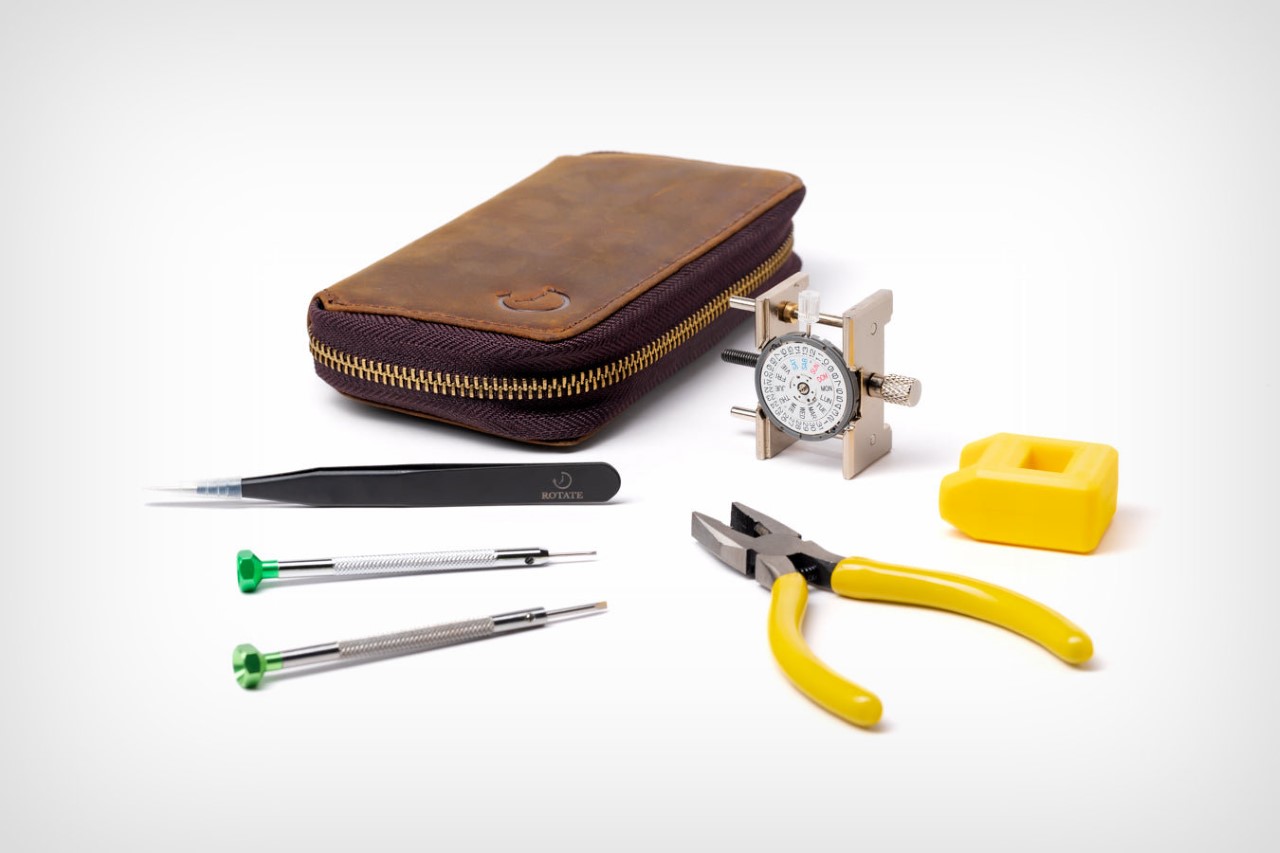
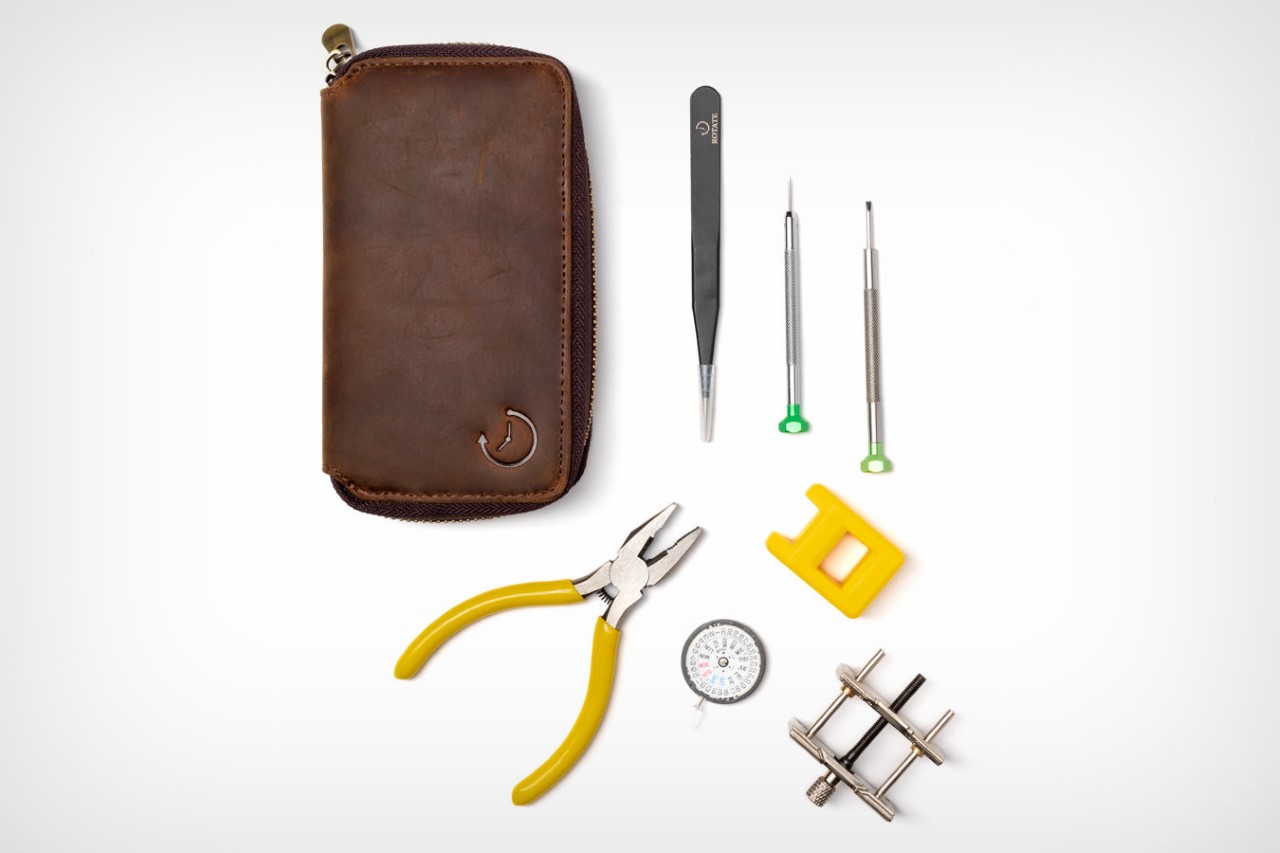
The Seiko NH36 is a popular and reliable automatic movement known for its accuracy and durability. With a diameter of 29.36mm and a height of 5.32mm, it’s a compact powerhouse featuring 24 jewels for reduced friction and a smooth operation. This kit includes the movement itself, along with a set of specialized tools to handle the delicate watch parts. Screwdrivers, tweezers, finger cots, and pliers are all included, ensuring you have everything you need to handle the intricate components.

One of the highlights of this kit is the beginner-friendly guide. Rotate, the company behind the kit, understands that watchmaking can be intimidating for newcomers. Their detailed instructions break down the disassembly and assembly process into clear steps, accompanied by numbered pictures for easy reference. The guide goes beyond just the mechanics, explaining the purpose of each piece and offering helpful tips and tricks throughout the process. For those who prefer a greater challenge, Rotate also offers the option to receive the movement disassembled. This allows experienced hobbyists to dive right into the reassembly process, testing their watchmaking skills.

The post DIY kit lets you build your own Seiko watch movement from scratch… and it works! first appeared on Yanko Design.