Logitech Debuts Wave Keys for Mac: Ergonomic Keyboard for Apple Enthusiasts

In an exciting announcement today, Logitech expanded its “Designed for Mac” lineup with the introduction of the Wave Keys for Mac, an ergonomic keyboard crafted to provide comfort and enhance productivity for Mac users. This launch, set to coincide with the release of other Mac-centric peripherals in Logitech’s portfolio, underscores the company’s commitment to creating seamless, user-friendly experiences within the Apple ecosystem.

Designer: Logitech

Ergonomics Meets Mac-Specific Design

The Wave Keys for Mac stands out as Logitech’s first ergonomic keyboard specifically designed for the Mac, adapted from the Wave Keys that launched at the end of last year. Emphasizing comfort and usability, it features a signature wave shape that ensures a natural typing posture. This wavy design positions the hands, wrists, and forearms in an optimal manner, reducing strain and promoting comfortable typing throughout the day.

A key highlight of the Wave Keys for Mac is its cushioned palm rest, which comprises three layers: memory foam, high-density foam, and a knitted fabric covering. This thoughtful design offers 57% more wrist support compared to traditional Logitech keyboards without palm rests, making it an ideal choice for prolonged use.

Compact and Versatile

The compact layout of the Wave Keys for Mac is not only space-saving but also strategically designed to promote a more natural shoulder position while using a mouse. This makes it a practical addition to any desk setup, particularly for those who prioritize ergonomics without compromising on functionality.

Further enhancing its appeal, the keyboard includes easy-to-use +4° tilt legs, allowing users to adjust the keyboard’s angle to their preference for maximum comfort.

Seamless Integration and Personalization

Logitech’s commitment to enhancing user experience is evident in the Wave Keys for Mac’s seamless integration with macOS, iPadOS, and iOS devices. Users can connect up to three Apple devices simultaneously and switch between them effortlessly with the tap of a button. This multi-device capability is complemented by the Logi Options+ app, which enables users to personalize their keyboard shortcuts and optimize their workflow.

The Wave Keys for Mac also boasts an impressive battery life, capable of lasting up to three years on the included AAA batteries, reducing the need for frequent replacements and ensuring consistent performance.

Sustainable Design

In line with Logitech’s dedication to sustainability, the Wave Keys for Mac is made with 48% post-consumer recycled plastic, excluding the plastic in the printed wiring assembly, receiver, and packaging. This eco-friendly approach aligns with Logitech’s broader initiative to reduce the carbon footprint of its products and promote environmentally conscious manufacturing practices.

This launch is part of a broader initiative by Logitech to cater to the needs of Mac users. Alongside the Wave Keys for Mac, Logitech is also introducing other products such as the MX Keys S for Mac, MX Keys S Combo for Mac, MX Anywhere 3S for Mac, and MX Keys Mini for Mac. These additions are designed to enhance productivity, streamline workflows, and ensure ergonomic comfort for Mac users.

Delphine Donné, Vice President and General Manager of Personal Workspace Solutions at Logitech, highlighted the company’s focus on integrating user-centric solutions with the Apple ecosystem while maintaining a strong commitment to sustainability. “With a focus on optimizing workflow, productivity, and comfort, our Designed for Mac portfolio empowers Apple users to unleash their creative potential and enjoy day-long comfort at the desk without sacrificing Mac compatibility and look,” said Donné.

The Wave Keys for Mac will be available for purchase in May 2024 at a price of $59.99.

The post Logitech Debuts Wave Keys for Mac: Ergonomic Keyboard for Apple Enthusiasts first appeared on Yanko Design.

8BitDo Unveils Retro-Style Mechanical Numpad With Built-In Calculator Functionality

Following the release of last year’s Retro Mechanical Keyboard, 8bitdo decided to give the keyboard the one good thing it was missing – a gorgeous numpad. Inspired by the retro aesthetic of tech from the 80s and 90s, the Retro 18 Mechanical Numpad exists as an independent peripheral device that can either pair up with its companion keyboard, or be used independently like an old-school calculator. A red and black seven-segment display on the top feels like retro-perfection to the eyes, and those clacky keys are sure to get your fingers crunching numbers every day because of how wonderfully tactile they are.

Designer: 8bitdo

Click Here to Pre-Order

The Numpad comes in four delightful flavors, ahem colors, each inspired by iconic gaming systems: the M edition, the Famicom edition, the C64 model, and the N edition reminiscent of the NES. These draw inspiration from the design language of those classic consoles, offering a delightful dose of retro charm for your desk setup. The M Edition is the only one to sport a black and white display, while all the others have a black-red screen that is literal eye-candy.

Beyond aesthetics, the Numpad boasts functionality in the form of two modes: a standard calculator mode with an integrated display and a PC numpad mode for entering numbers on your computer. This versatility allows it to seamlessly switch between basic calculations and data entry tasks. Buttons on the top let you alternate between modes and even explore connectivity options.

For connectivity, the Numpad offers a variety of options. It includes a USB cable, Bluetooth 5.0 for wireless freedom, and a 2.4GHz USB adapter for a lag-free connection. The rechargeable 1000mAh Li-on battery offers a solid 160 hours of use on a single charge, ensuring it can keep up with your workflow.

The Numpad’s quality matches 8bitdo’s high standards, featuring dye-PBT or double-shot ABS keycaps (depending on the edition) for a comfortable typing experience. It utilizes Kalih Box White V2 switches, known for their satisfying tactility and durability. Additionally, the hot-swappable PCB allows for easy switch customization to personalize your typing feel.

A dongle at the bottom allows easy 2.4Ghz pairing with any laptop or desktop

Priced at $44.99 and available for pre-order now, the 8BitDo Retro 18 Mechanical Numpad is a niche product, but one that caters to a specific audience. It injects a shot of retro charm into your workspace while offering a functional and well-built numpad experience. Besides, if you’ve got a keyboard with a layout that’s either 80% or smaller, chances are you’ll need a numpad to match – this one’s perfect to complement your mechanical setup or your retro sensibilities. I also appreciate the fact that you’ll never have to open your phone’s calculator app again.

Click Here to Pre-Order

The post 8BitDo Unveils Retro-Style Mechanical Numpad With Built-In Calculator Functionality first appeared on Yanko Design.

Cute tiny desktop PC is a gaming-inspired case for the Raspberry Pi 5

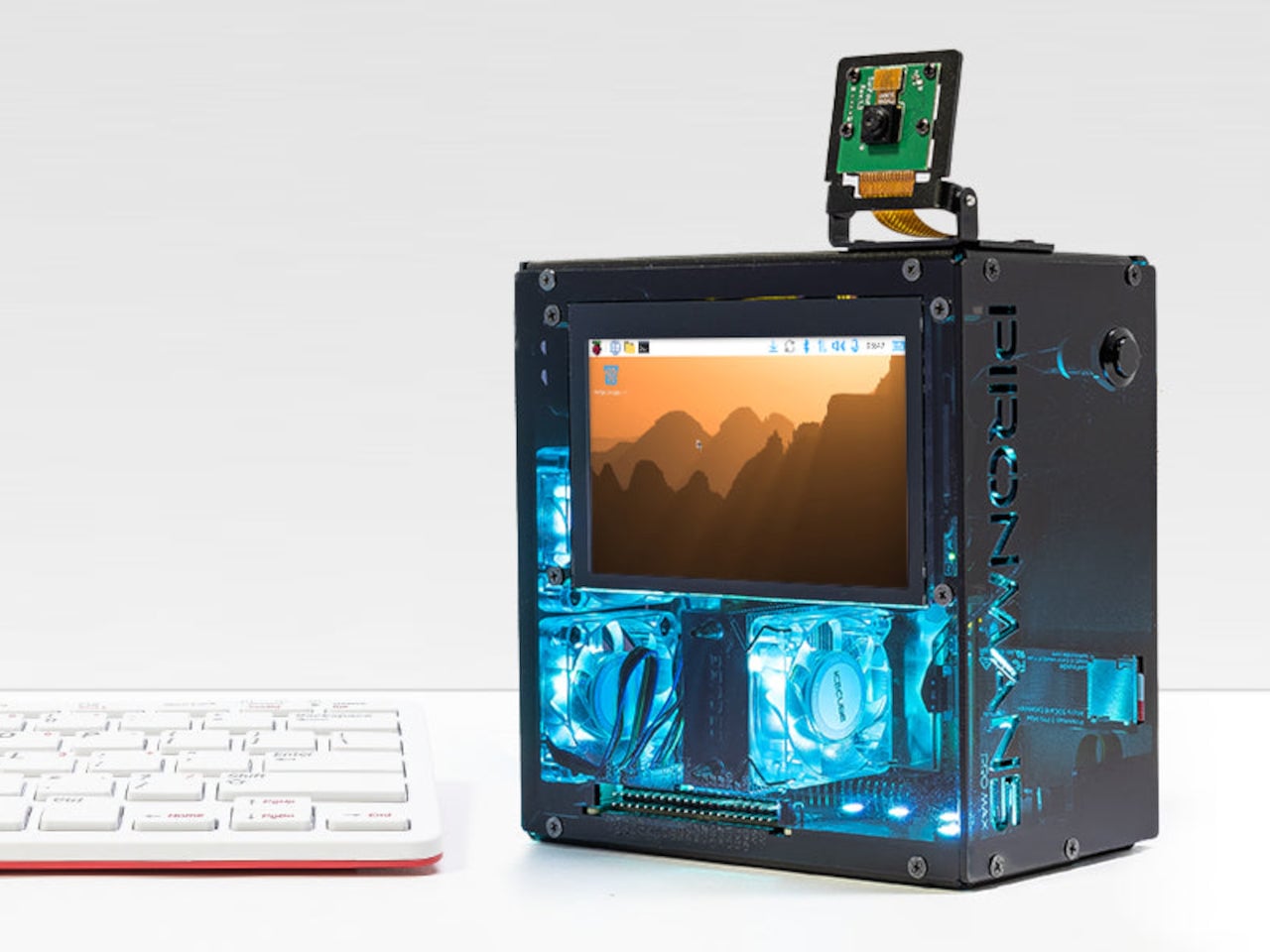
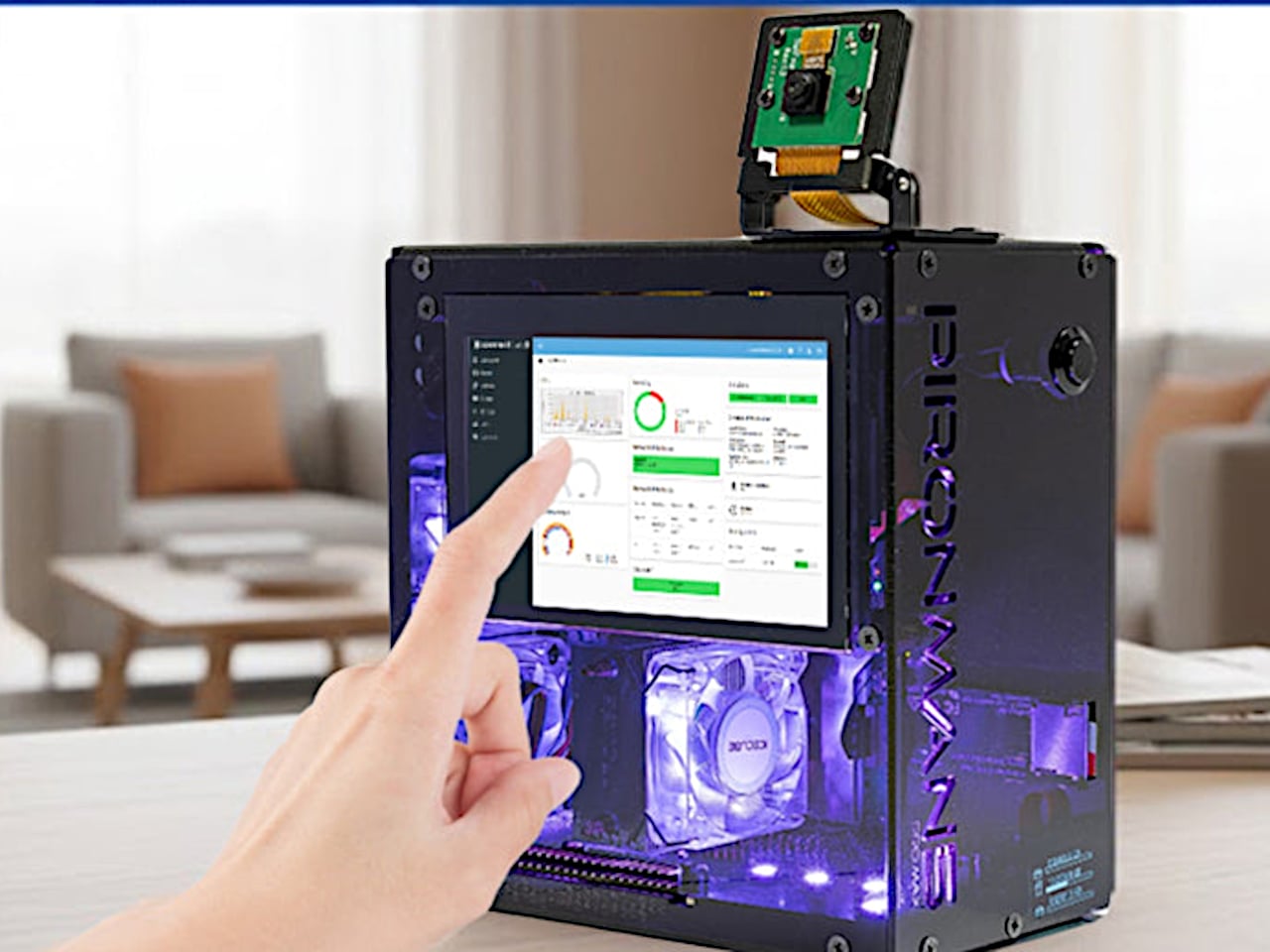
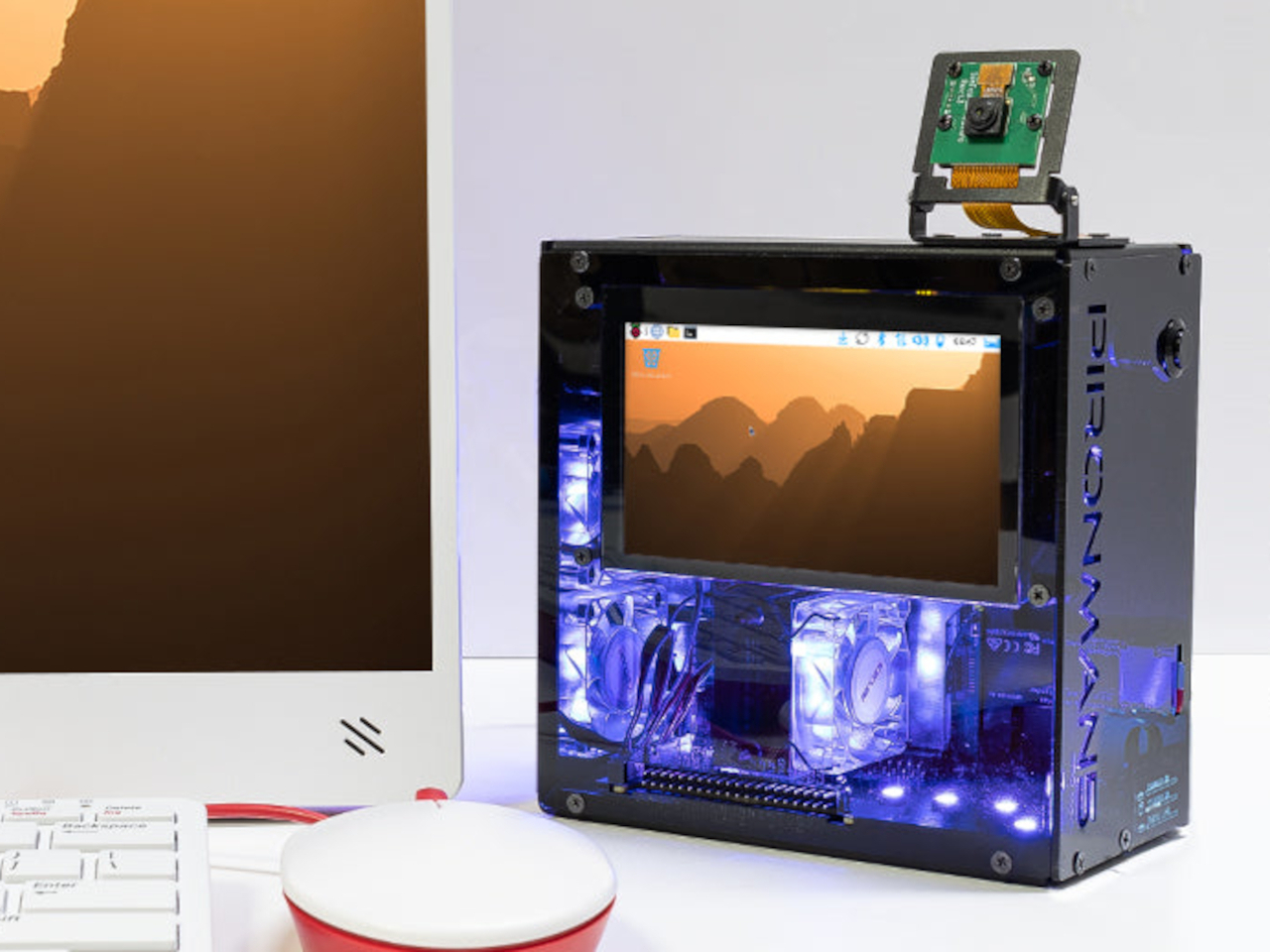
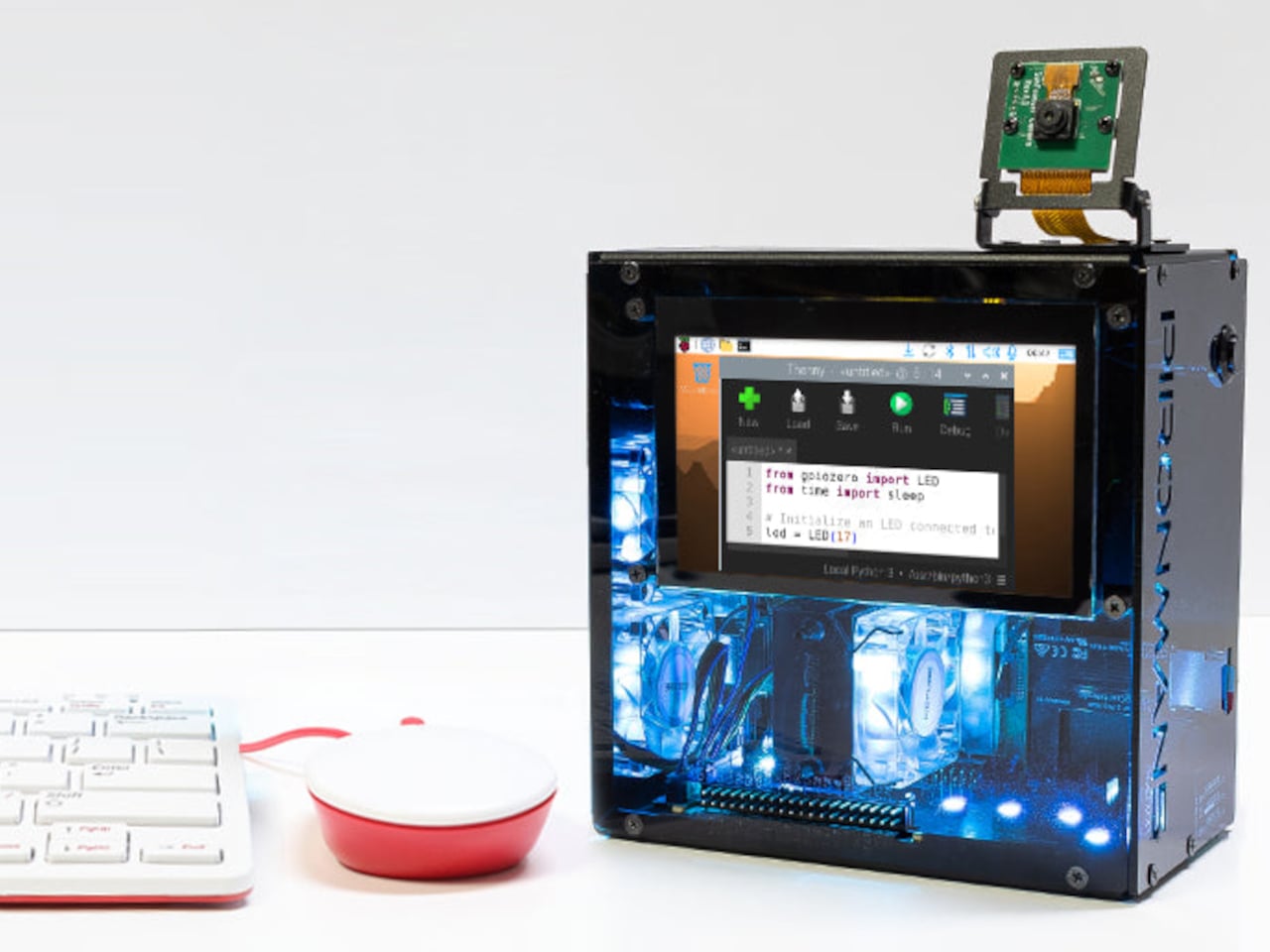
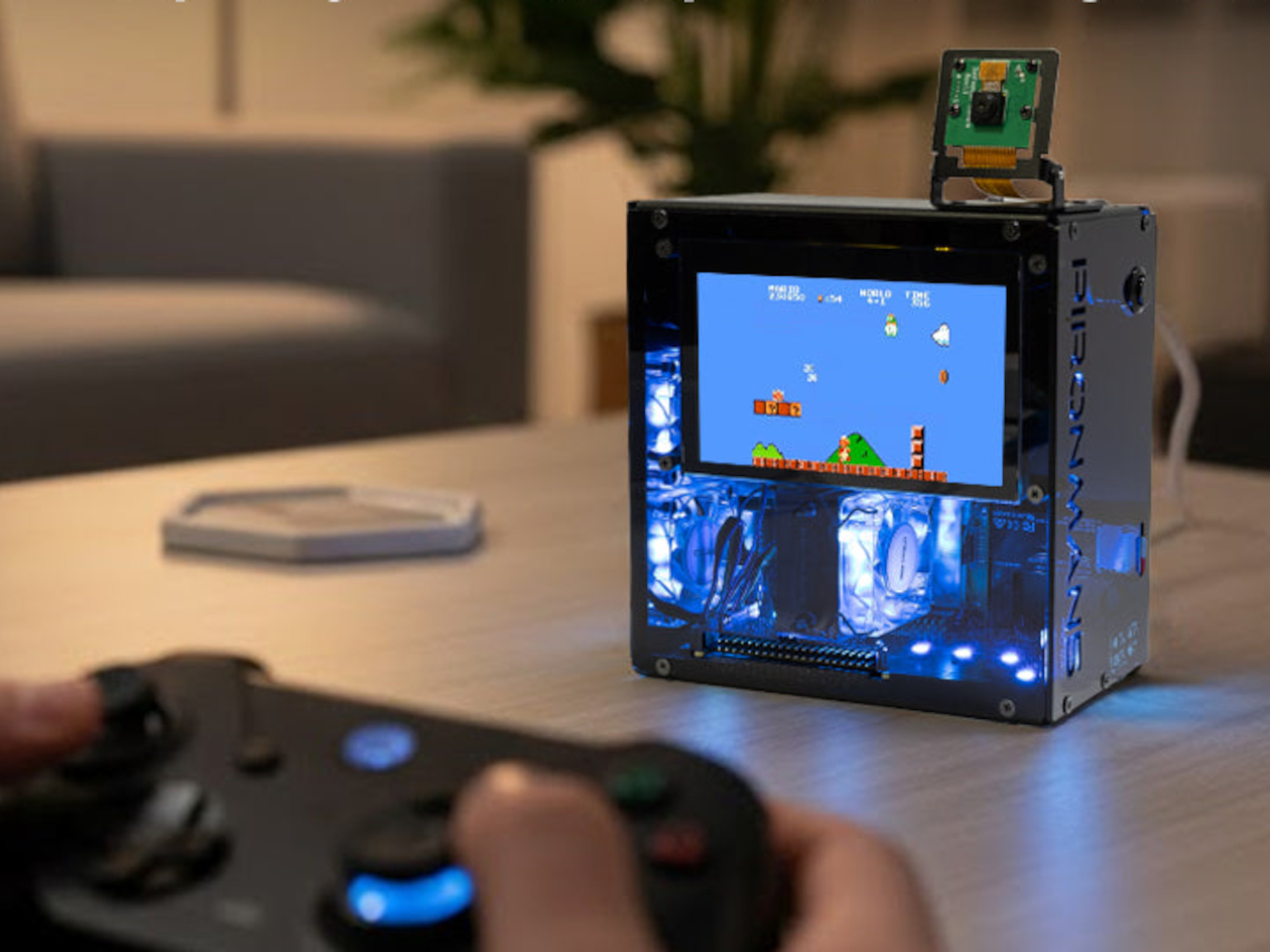
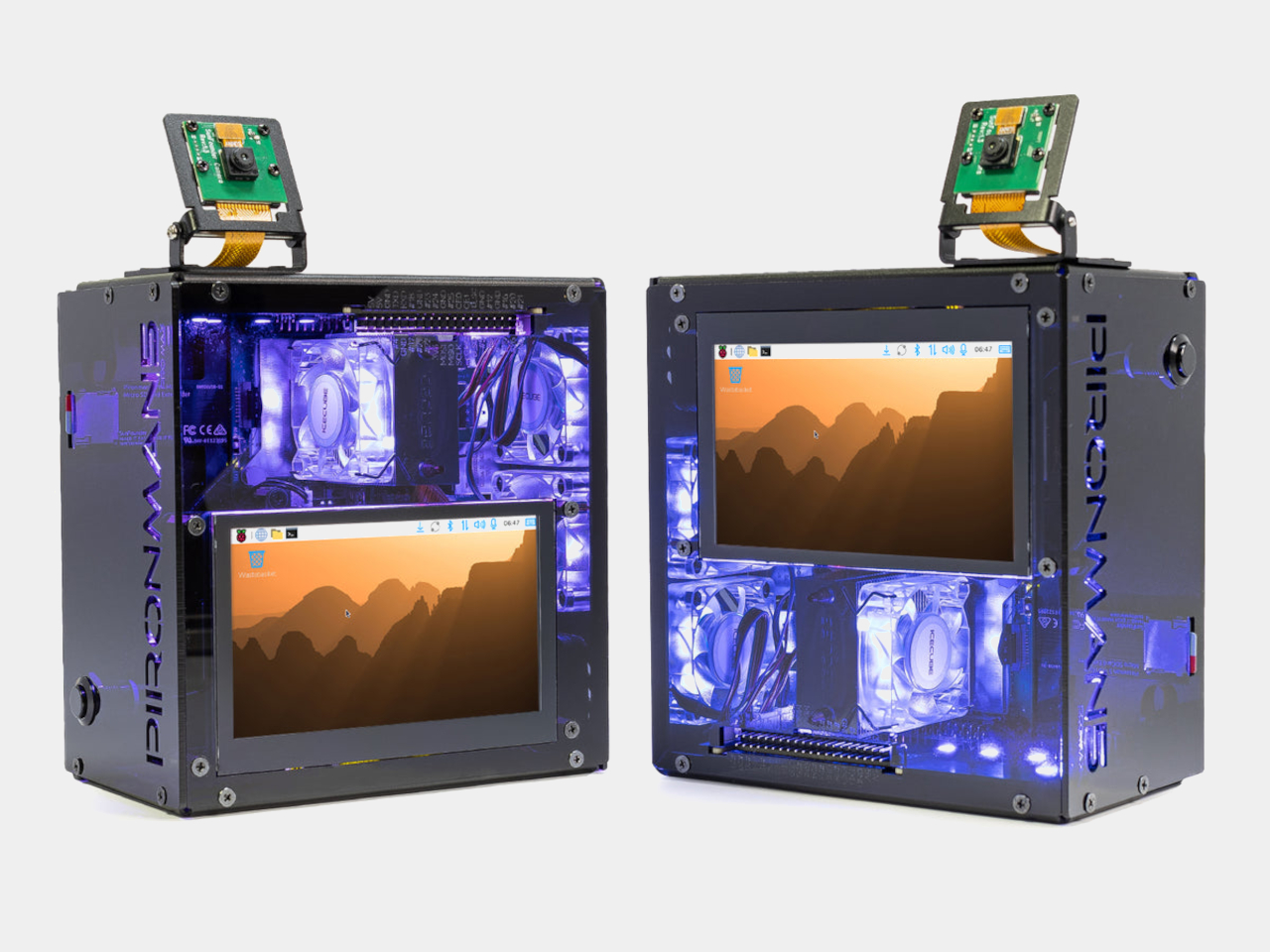
The Raspberry Pi, lovingly called RPi by fans, did for electronics what 3D printing did for design. It allowed almost anyone to come up with interesting, innovative, and sometimes just amusing projects that need a very small and cheap computer to function. The size of a credit card and less than $100 (going as low as $35 even!), the Raspberry Pi is a barebones and naked single-board computer (SBC) that you can insert almost anywhere and add to any design. That said, there are some use cases for the RPi that require a proper enclosure and those are a dime a dozen these days. This one case, in particular, goes over the top and puts the small pocket-sized computer inside a box that, for all intents and purposes, looks like a miniaturized gaming desktop, complete with multiple fans and RGB lighting.

Designer: Sunfounder

Truth be told, this Raspberry Pi 5 case really goes overboard considering the limitations of the computer in terms of performance. You’ll only ever be able to play very light computer games on it, so associating it with a gaming desktop seems out of character, but it definitely gives it some style. Then again, we did see an even more exaggerated liquid cooling system for the Raspberry Pi that makes this case actually look reasonable.

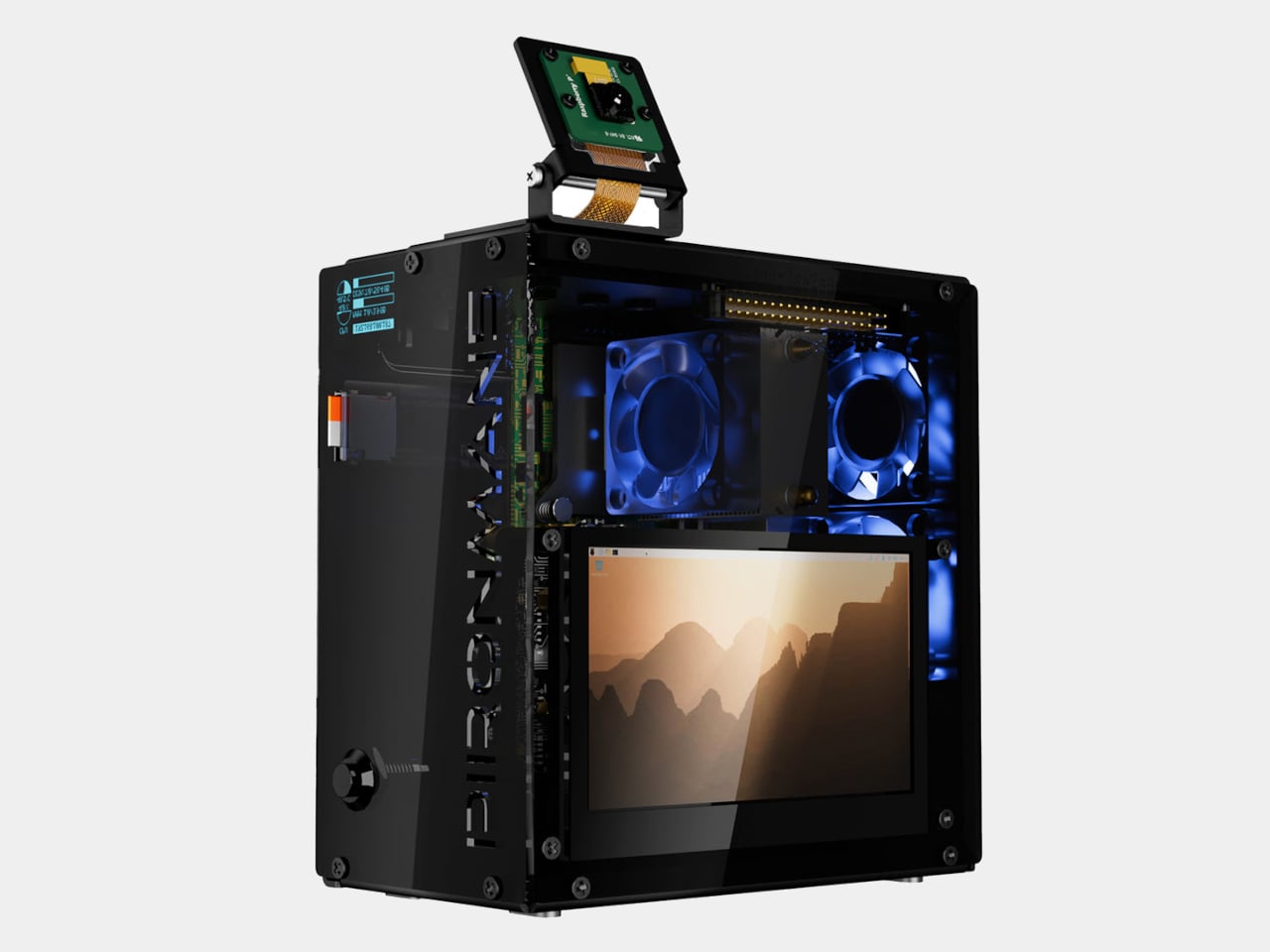
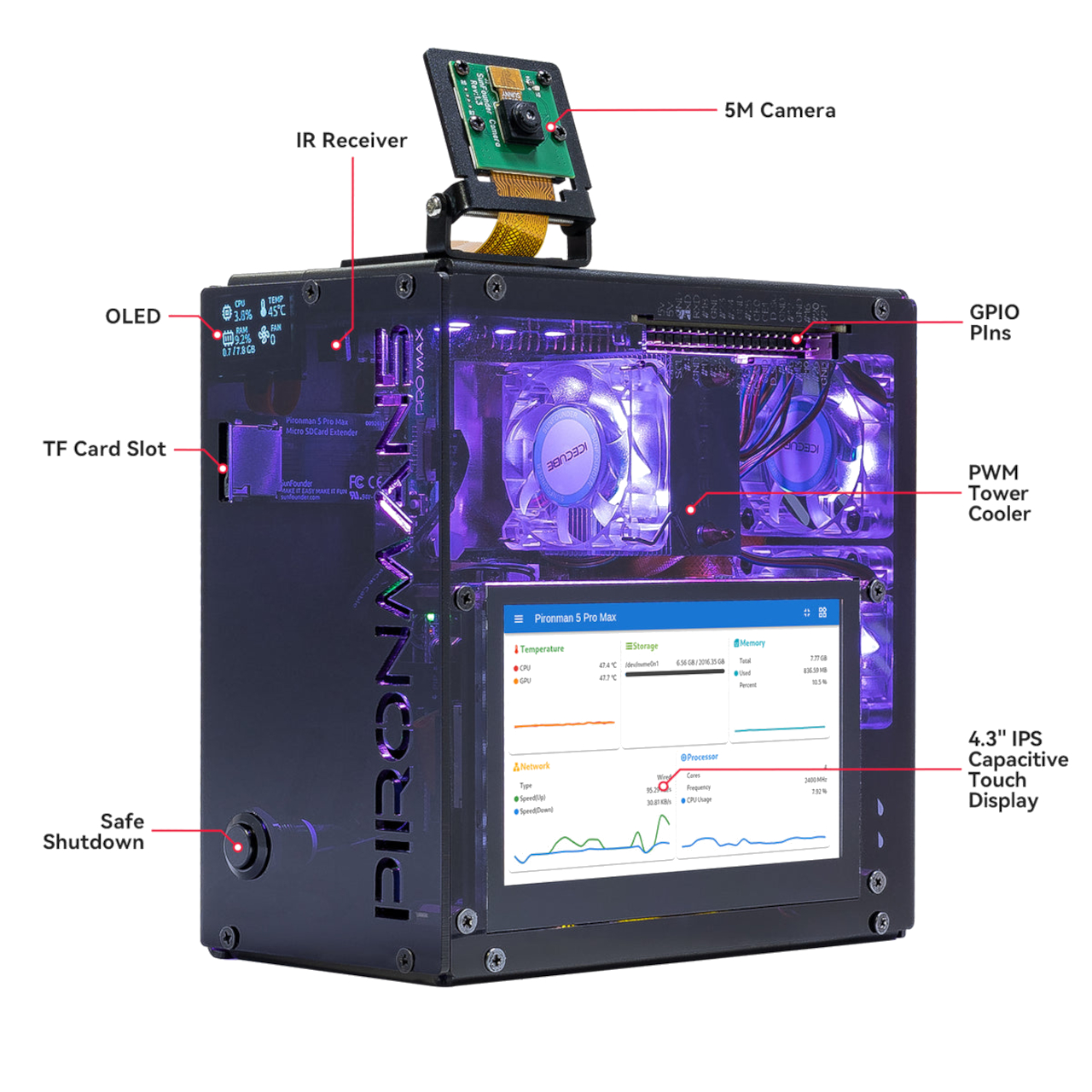
The Pironman 5, as the case is called, is also unlike the majority of Raspberry Pi cases in that it’s actually made of aluminum instead of plastic, just like a typical desktop tower. And like many gaming PCs these days, one side and a part of its back it made of transparent acrylic that lets you take a peek into the computer’s innards, not that there’s that much to see anyway. The RPi, after all, is just a single board that has everything soldered into it, but the case does have a few interesting bits that will make it worth looking into.

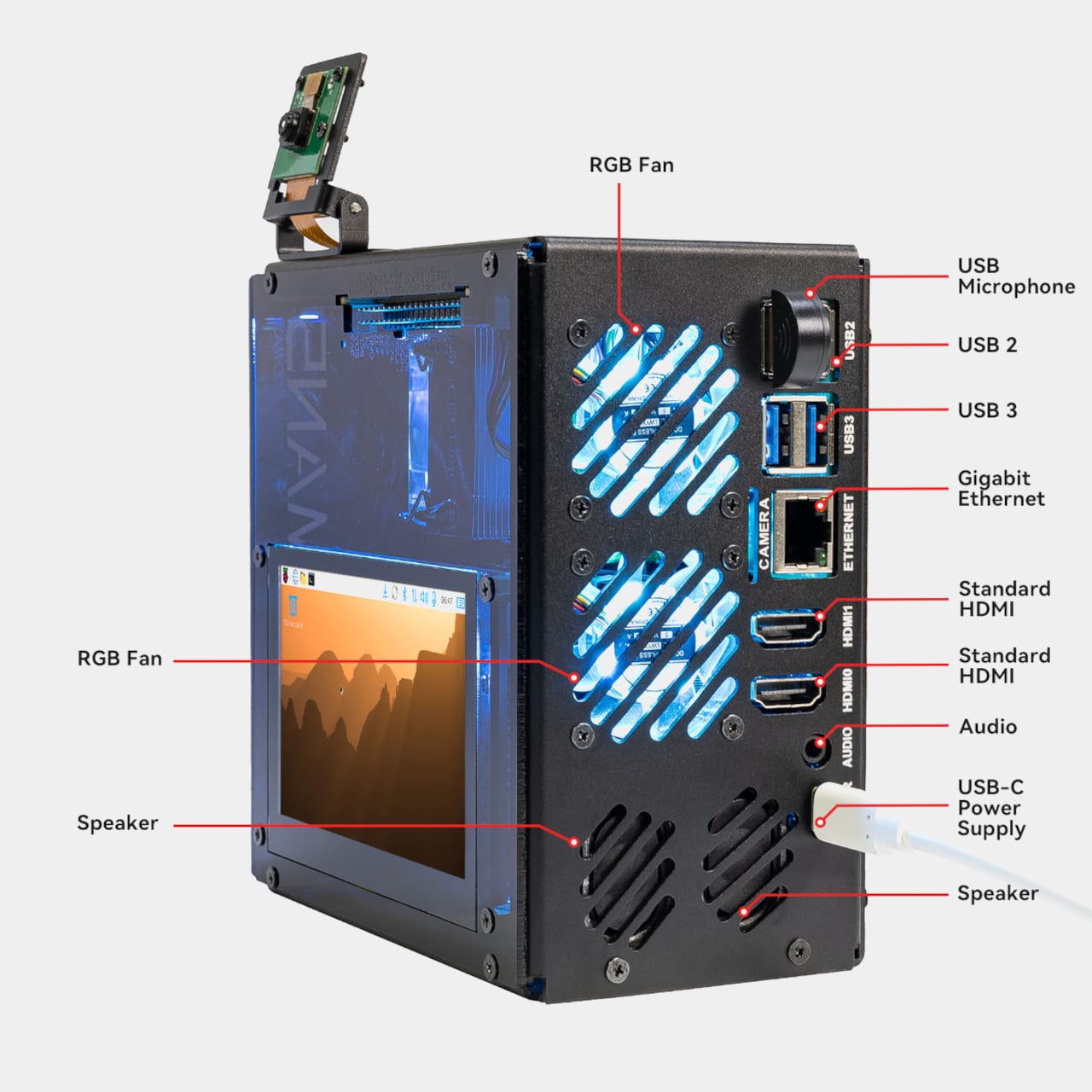
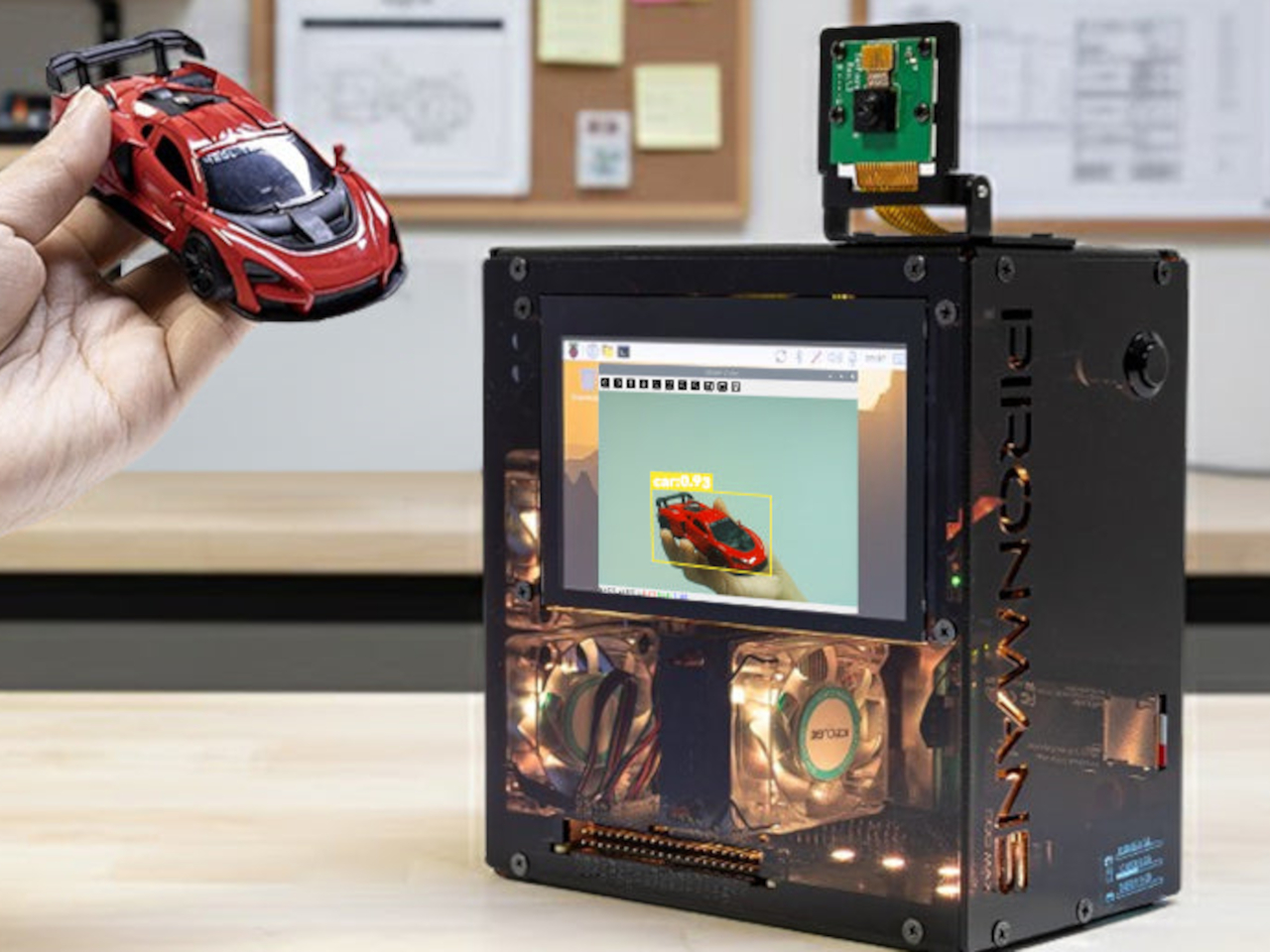
There are three fans, which is again overkill, and two of them have RGB lighting. Equally interesting is how the case exposes all the RPi’s ports on the case’s back, just like what you’d expect from a desktop computer, despite the board having those ports on different sides. There’s even a way to access the GPIO pins without opening up the case, making expansion and modification super easy. You can add an NVMe SSD or control the computer with an IR remote control, all of which are not available in the base Raspberry Pi.

The Pironman 5 is cute and eccentric, and few will probably be using the case aside from a few niche situations. It makes the single-board computer look more interesting and more usable as a desktop computer, but you pay the price in terms of space, power consumption, and the literal $80 cost. Then again, that’s the beauty of the culture that the RPi started, allowing anyone and everyone to come up with interesting designs, even if they turn out to be impractical in the end.

The post Cute tiny desktop PC is a gaming-inspired case for the Raspberry Pi 5 first appeared on Yanko Design.

This 59-year-young’s pedal-powered desk is a way to exercise while working from home and helping the environment

Working from home has become a norm post Covid-19. Most of us would agree that working from home leaves people with more time to sleep and exercise. Reality is strikingly different! People are more confined to their systems; bedrooms have turned into cubicles; and the idea and time for physical activity has gone for a toss.

For someone like me, who has been working from home long before the pandemic made it the new normal, managing time for exercising has always been a challenge. Whether you like it or not, we do not have defined work hours. Lack of routine means, no scheduled time for anything except nature’s call that comes back at the same time every morning beating the alarm by a couple of minutes.

Designer: Jim Gregory

In this purposeless regime, where typing is the only physical activity you can imagine, PedalPC is a godsent solution born from an individual’s willingness to counter the lack of physical activity mustered into his routine by having to work from home. How to stay active while spending so much time in front of the computer, you ask? 59-year-young Jim Gregory will tell you to pedal while you work and, in the process also power up the system, connected devices, and more with clean renewable energy.

By combining the ‘fun of cycling with his desire to reduce energy consumption,’ bicycle trailer-builder Gregory created the PedalPC back in 2010. Over the years he has perfected several prototypes and now what he uses is a repurposed bicycle trailer that can generate enough power to run his computer, home wi-fi, printer, LED bulbs, and even juice up his phone. “I pedal about four hours a day and generate between 200 and 250 watt-hours a day.”

When faced with the question of how to get adequate physical activity while working from home, Gregory considered getting a treadmill desk or bike desk, but the idea was too straightforward to his liking. A little more back and forth in search of solutions, he arrived at the idea of designing a pedal-powered generator. This would allow “plenty of exercise each day while making a positive impact on the environment,” he confirms. And thus the PedalPC, a human-powered computer desk, that lets the user exercise and generate electricity simultaneously came into being.

With an exercise bicycle-style form factor, the Pedal PC allows Gregory to pedal and generate electricity. The connected control box then channels this power out through USB and 12V outlets to the connected devices. A little computer in the back keeps track of the electricity produced and can also be seen on the webpage associated with the PedalPC. The access electricity that he ends up generating can be stored in the battery on board to work off the grid or when not in the mood to pedal.

Discussing the usefulness of his creation, Jim believes he could soon be deviating from his main business of building bicycle trailers to creating and selling the PedalPC. Not only because it’s a way to exercise but in Jim’s own words a “way to keep warm in the winter… lower thermostat, and save some energy.”

The post This 59-year-young’s pedal-powered desk is a way to exercise while working from home and helping the environment first appeared on Yanko Design.

Futuristic mini PC is like a spaceship ready to take gaming to new heights

Is there a reason why desktops and even mini PCs mostly come in flat boxes? Electronics are still rigid objects, and they have to adhere to flat or similarly boxy designs with today’s engineering limitations. As such, a tower or a box is the most space-efficient container for these pieces that work together to provide all your computing needs. But what if space was less important than aesthetics, especially with today’s more compact hardware? That’s the kind of revolutionary mindset that this mini PC is trying to present with a chassis that is almost literally out of this world, looking more like a spaceship that’s ready to take off and elevate your gaming, and it does so literally as well.

Designer: ACEMAGIC

Mini PCs are no longer that alien to people’s ears, especially thanks to the popularity of the non-PC Mac mini and Mac studio. These computers emphasize compact designs that save you some desk space while still cramming as much power in a tiny boxy. That doesn’t have to be the only design available, however, especially with how small some computer components have become. After all, the latest breed of handheld gaming PCs are technically portable mini PCs, though with even bigger constraints when it comes to performance.

The ACEMAGIC M2A is a mini PC that throws design conventions out the door. Technically, its hardware can all fit in what would be a slim and minimalist rectangular box, but that would be boring and completely unoriginal. Instead, the company aimed to make its product stand out, almost literally, but making it look like a spacecraft similar to those you’d see on sci-fi flicks and shows. Specifically, the main body itself tapers slightly to the side and then splits upward and downward into fins. The style is largely polygonal, which matches the sci-fi theme, with LED accents in front and on the tip of the wings for added flavor.

The design admittedly takes up more vertical space on your desk, and it won’t be something you can conveniently place underneath your monitor (unless that monitor is set up on an ergonomic stand or arm). It is, after all, designed more to have some visual impact rather than space savings, but it does have one practical benefit, whether intentional or not. The bottom fins act as legs that lift the mini PC up, allowing for better airflow into the bottom-mounted fans.

Internally, the ACEMAGIC M2A tries to be a compact gaming PC, and it seems to meet that description, depending on your needs. It practically uses hardware from 2022, so it might not be up to snuff when it comes to more demanding AAA titles today. There are definitely more powerful mini gaming PCs in the market today, ones with the latest CPUs and GPUs, which makes you wonder if this spaceship-like computer’s high price tag is really worth that distinctive design.

The post Futuristic mini PC is like a spaceship ready to take gaming to new heights first appeared on Yanko Design.

Lofree EDGE delivers the thin and light mechanical keyboard of your dreams

Some people consider computer keyboards to just be tools you have to bear with, but those who live and die by typing on a computer know just how important the design of a keyboard is. That’s why a lot of writers, developers, and even gamers prefer mechanical keyboards not just because of their sharp sounds but, more importantly, because of their tactile typing experience. Unfortunately, mechanical keyboards seem to have become synonymous with thick, heavy, and clunky keyboards because of the equally hefty mechanisms employed to deliver that experience. That doesn’t have to be the case, however, and this ultra-low-profile mechanical keyboard proves how you can have the best of both worlds with some outside-the-box thinking and creative design.

Designer: Shawn S.

Click Here to Buy Now: $149 $249 (40% off). Hurry, only 59/500 left! Raised over $310,000.

You can make a keyboard as thin as it can be, but you’re bound to make a lot of compromises to get there, from the quality of the build to the durability of the product to the satisfaction of every keystroke. Difficult, however, doesn’t mean impossible, and Lofree EDGE dares to take on the challenge of finding solutions to the problems that have been taken for granted. At only 485g light and 5.4mm thick at its thinnest point, you might even wonder if it’s a mechanical keyboard at all.

The secret is Lofree’s meticulous attention not just to materials but to the production process as well. It wasn’t enough to simply use just any carbon fiber to make the upper plate both durable and lightweight, Lofree EDGE employs a 3K Till Weave that takes that to the next level while also adding a luxurious aesthetic that your palms can actually feel. The light and heat-resistant magnesium alloy base isn’t just crafted using ordinary die casting but uses semi-solid casting instead to eliminate air pockets and increase the material’s toughness. And to do its part in helping to save the planet,

Lofree reuses the carbon fiber block cut out from the upper plate and turns it into a flat-packed stand for the keyboard. Assembling the stand becomes a playful and engaging experience, like putting together a puzzle, and delivers a handsome mount to place your keyboard on at the end of the day to keep your desk clear and clutter-free.

The Lofree EDGE is clearly just as or even more durable than mechanical keyboards twice its weight and thickness, but what about the actual typing experience? Refusing to make compromises, it uses specially designed Kaih POM 2.0 switches that deliver a travel distance of 2.4mm, a remarkable figure when you consider how thin the keyboard is. An innovative PCB-Gasket mount structure integrates these two critical parts of the keyboard into a unified piece, further reducing the thickness associated with mechanical keyboards. It combines solder-mounted switches and strategically positioned gaskets directly into the PCB, doing away with conventional positioning plates and hot-swappable switches that add thickness and heft to the keyboard. To further reduce its weight, Lofree EDGE replaces heavy silicone with lightweight foam for the internal filling. What you get from all of this is a comfortable and satisfying keyboard that doesn’t strain your fingers and joints, making the typing experience not only enjoyable but also potentially addictive.

The Lofree EDGE’s innovations don’t stop at the product design either. With the powerful Lofree Configurator software, Windows and, soon, Mac users will be able to customize their experience to fit their particular needs, from remapping keys to creating powerful macros. The keyboard supports both wired and wireless connectivity, giving you maximum flexibility in where and how you want to use the keyboard. Thin, light, and handsome, the Lofree EDGE redefines what a mechanical keyboard can be, delivering a comfortable and enjoyable typing experience that won’t weigh you or your wallet down. So if you want to enjoy the authentic feeling of a mechanical keyboard with the bulk and the heft, then there’s no better time than now to give your fingers the blissful typing experience they deserve and grab the Lofree EDGE now while it’s at a sweet, heavily discounted price.

Click Here to Buy Now: $149 $249 (40% off). Hurry, only 59/500 left! Raised over $310,000.

The post Lofree EDGE delivers the thin and light mechanical keyboard of your dreams first appeared on Yanko Design.

Phone-sized mini PC lets you take your computer and your work anywhere

Our smartphones have become so powerful that, in theory, they have hardware equivalent to entry-level laptops from a few years back. But despite all that silicon muscle, they can’t really replace our everyday PCs mostly because of the operating system that’s used on most of these computers: Windows. Small, portable, and inconspicuous computers have always been a dream for both users and business owners, whether it’s for working on the go or setting up kiosks, security systems, or space-efficient workstations. This small brick tries to deliver exactly that, giving you the flexibility you need for any kind of computing in almost any context in a size that’s no larger than high-capacity power banks.

Designer: Minisforum

With the popularity of the Apple Mac Mini and, now, the Mac Studio, mini PCs have become more visible in the market. These desktop alternatives, however, are still meant to sit on a table or even on a shelf despite their small sizes. But while these small computers do offer plenty of power to support even some content creation or light gaming, that hardware also closes the door on many possible use cases that would have required them to be less tied down to a table.

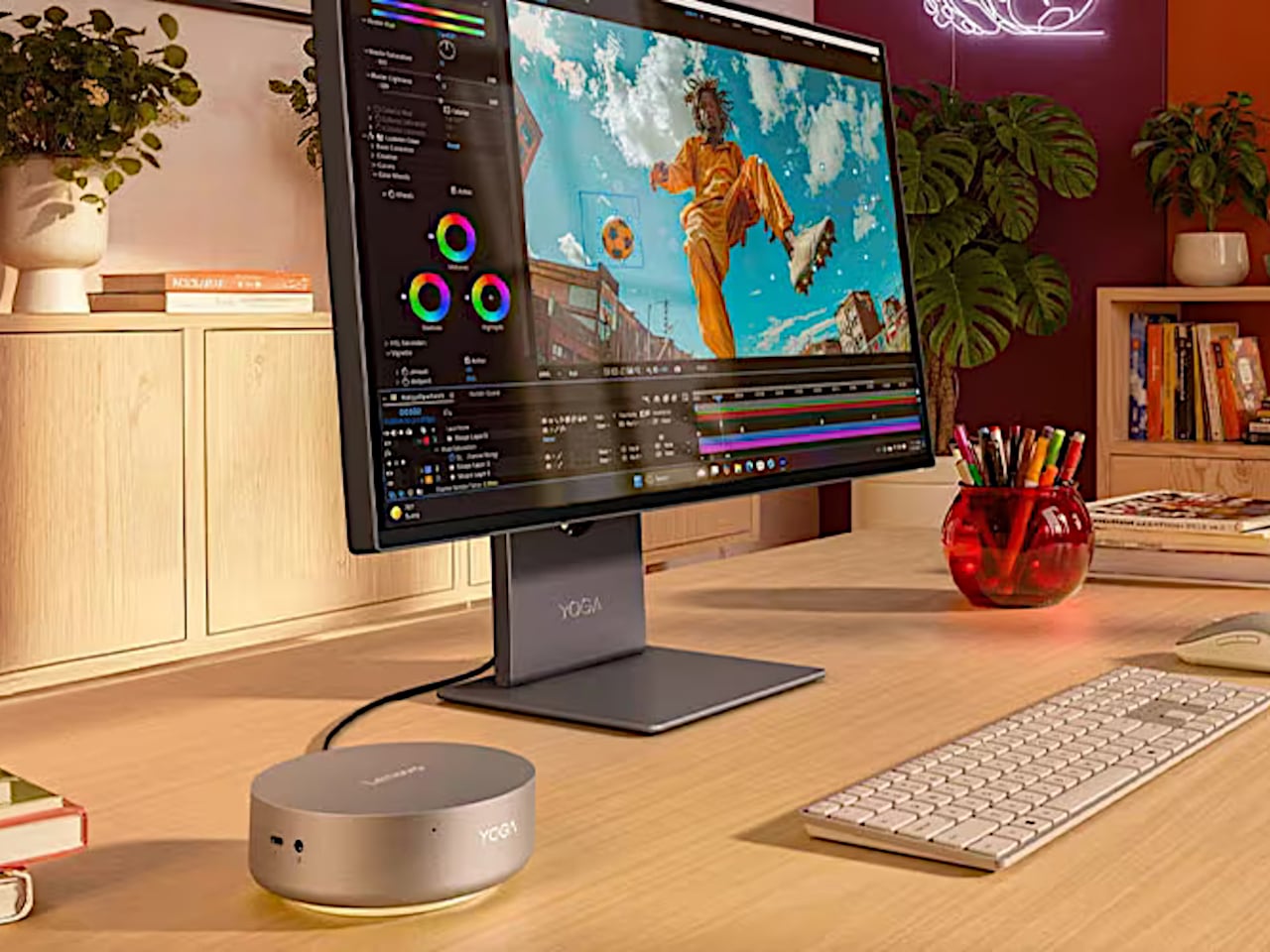
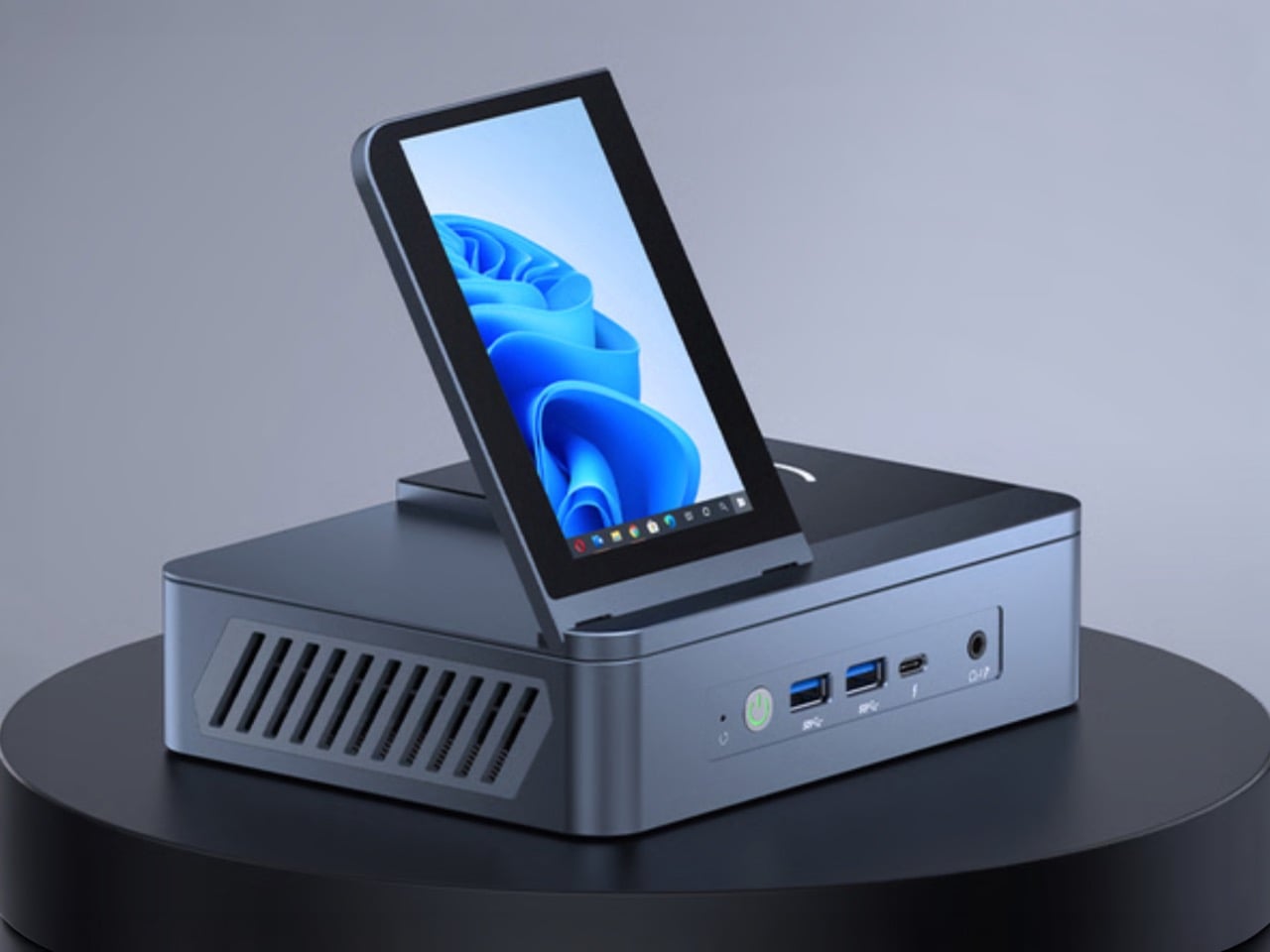
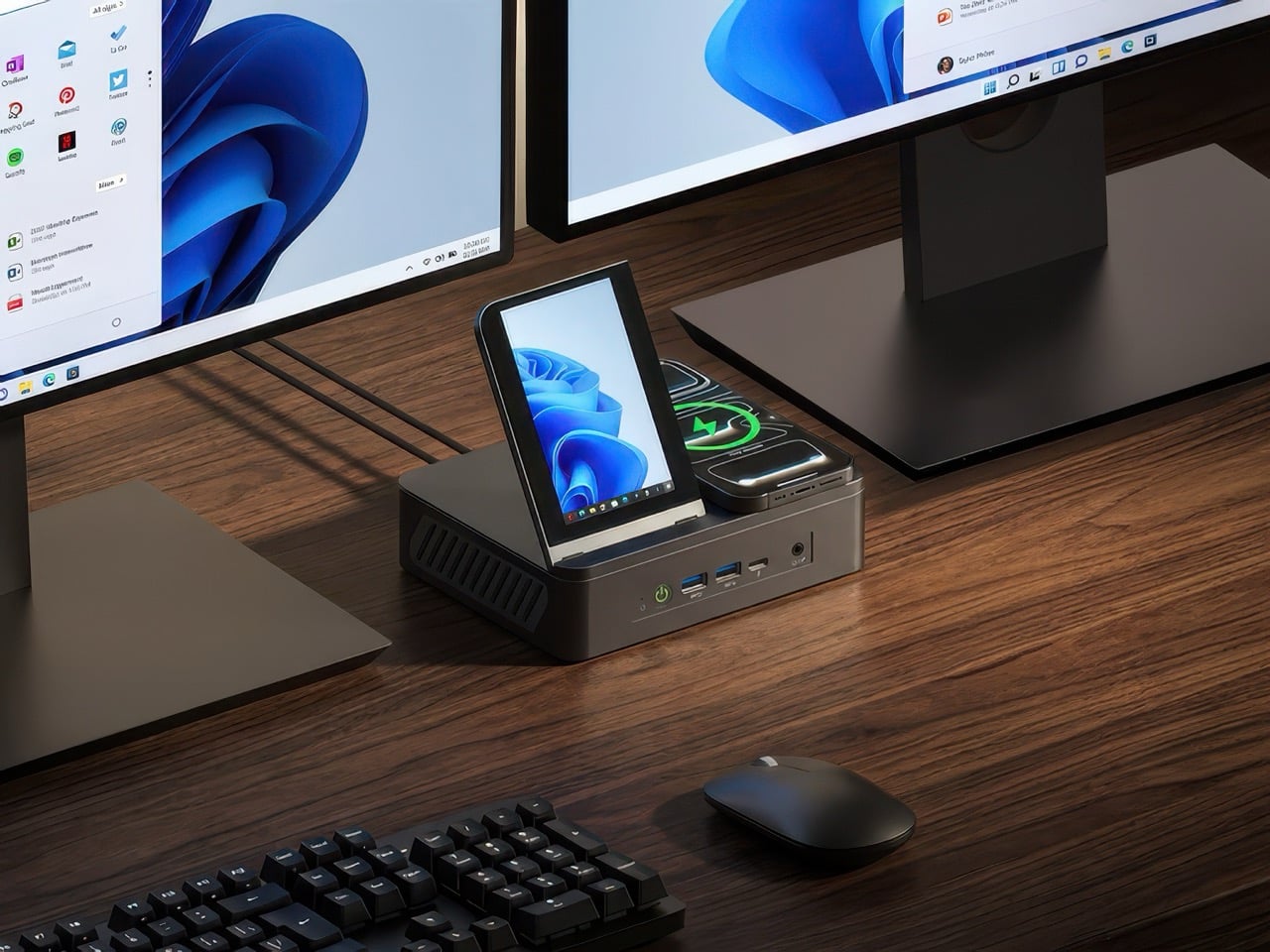
The Minisforum S100 is a small, sleek box that you might easily mistake for a power bank. Ironically, it doesn’t actually have its own battery but is a mini PC that you can bring along with you or install in the narrowest of spaces. Despite its small size, it actually boasts a complete set of standard connectivity options, including Wi-Fi 6, Bluetooth 6.2, 2.5 Gbps Ethernet, USB-A ports, HDMI, and 65W USB-C.

The latter two are what make this design so portable and flexible. On a typical desktop, you can connect it to a USB-C monitor that supports USB-C PowerDelivery so that you don’t even have to plug the S100 into an outlet. You can connect another monitor via HDMI to have a dual-screen setup for increased productivity. And when you’re done for the day, you can pick up the palm-sized mini PC and go, maybe even work or chill in a cafe by connecting an external display and a power bank. The Ethernet port also supports Power-over-Ethernet or PoE, so you can use the S100 as the brains behind a camera security system and not have it plugged in at all.

Despite the flexibility that the Minisforum S100 offers, its performance is hampered a bit by the quad-core Intel N100 processor that runs the show, definitely not the best among the chip maker’s “mobile” processors. Its lower-power operation, however, does allow the mini PC to sip rather than chug electricity and keep thermals equally low. You definitely won’t be running heavy applications, but for $189, a Windows 11 computer you can easily slip into your bag or even your pocket might actually be worth the price.

The post Phone-sized mini PC lets you take your computer and your work anywhere first appeared on Yanko Design.

Lofree EDGE – The World’s Thinnest Mechanical Keyboard is just 16mm, less than two iPhones thick

You don’t associate mechanical keyboards with sleek portability… and you don’t associate portable compact keyboards with great tactile feedback or mechanical travel. Lofree’s somehow managed to blur both those worlds into a keyboard that offers the best typing experience while weighing just a pound and being 0.6 inches (16.5mm) thick at its thickest point. Crafted from a combination of magnesium and carbon fiber, the Lofree EDGE reinvents the wheel. It uses unique aerospace-grade materials for their strength-to-weight ratio, redesigned keycaps that are thin but still feel ergonomic, and redefined Kailh mechanical switches that provide a great tactile feel that gives you the mechanical feedback of a much thicker keyboard, but in a highly portable, sleek form.

Designer: Lofree

Click Here to Buy Now: $129 $249 (48% off) Hurry, only limited units at a discounted price. Raised over $270,000.

Over the years, Lofree’s developed its brand reputation for designing wonderfully retropunk tech peripherals. Whether it’s the Touch mouse with PBT buttons, the Wavy Chips mouse that looks like Italian automotive design from the golden ages, or even its Foundation and Block wireless keyboards that reinvent classic designs from decades ago to give them a proper modern revival, the company’s always pushed the boundaries of visual aesthetics, striking a fine balance between classic and contemporary. It’s no wonder that they have, as a result, developed a viciously loyal fan base of design enthusiasts and tech nerds who coalesce around the company’s vision for making great-looking tech that performs remarkably too.

The EDGE is unlike anything Lofree’s ever made before, given that its design brief is distinctly different from the company’s previous approaches to industrial design. Lofree’s thinnest mechanical keyboard yet, the EDGE boasts an ultra-low profile, with a design that’s equal parts utilitarian and aesthetic. Every material is chosen carefully, and every design detail has meticulous thought behind it, resulting in a keyboard that’s just 485 grams (1.06 pounds) light and just 15mm at its thickest point – making it both thinner and lighter than the Corsair K100 Air, which previously held the title of being the thinnest mechanical keyboard. At its thinnest point, it’s a staggering 5.4mm, making it just marginally thicker than Apple’s newest M4 iPad Pro.

The title of the thinnest mechanical keyboard doesn’t come without some intense design and engineering, backed by solid R&D. Lofree basically designed the entire keyboard from the ground up, removing non-essential components, choosing materials like magnesium and carbon fiber for their strength and low-weight, and even using custom switches. The EDGE’s construction removes components like the positioning plate, silicone pad, and IPXE foam that you’d find in most keyboards, instead opting for a unique PCB gasket structure that holds the keyboard’s internals in place. The base of the keyboard is made from machined magnesium alloy, which then gets capped off with a 3K twill weave carbon fiber upper plate that not only gives the keyboard a solid upper surface but also gives it the distinct carbon fiber aesthetic that people know and love.

The keys themselves have a unique redesigned profile that’s a combination of thin yet ergonomic, and come made from grease-resistant PBT polymer. They come with a concave top, allowing for error-free typing, and have a specially formulated Kailh POM Switch 2.0 that’s just 9.8mm thick (your average mechanical keyboard switches are 18.5mm) – and even though it’s just half the size of a mechanical switch, it still boasts a healthy amount of travel so you feel like you’re using a mechanical keyboard and not one of those uncomfortable keyboards you’d find on slim laptops. The EDGE’s wedge design does, however, reinforce a sense of slimness, which means you can even carry your wireless keyboard with you in a laptop bag.

The EDGE works in both wired and wireless formats, and is compatible with Windows as well as Mac devices. In wired mode, the keyboard operates at a staggering 100Hz polling rate, practically making latency a thing of the past for gamers. The wireless mode helps keep desks clean, and reduces cable clutter, suitable for all other professions. The EDGE also comes with Lofree’s Configurator software, which lets you change the RGB backlight, remap keys, and set macros/shortcuts (the Configurator is only available for Windows, with a Mac version rolling out at the end of this year). A built-in 2000mAh battery offers 10 hours of wireless use with the backlight on, and a staggering 130 hours if you switch the backlight off. A USB-C port charges the keyboard in just under 3 hours.

Lofree’s products don’t come without a design twist. While their previous keyboards and mice boasted quirky retropunk aesthetics that gave a distinct flair to your workplace, the EDGE comes with its own carbon fiber vertical stand that holds either the keyboard or your laptop when not in use. Each stand comes cleverly machined from the blank rectangle that gets cut out of the center of the EDGE’s carbon fiber upper plate, helping reduce waste and repurpose the material to create something functional. Each EDGE comes with the stand flat-packed, which can easily be assembled in under a minute, giving you a convenient place to dock your device when you’re done with it, so your table remains clean and clutter-free. The $129 EDGE also ships with a connecting cable, extra keycaps, and a keyboard sleeve that’s only available to people who back the keyboard on Kickstarter. The world’s slimmest mechanical keyboard ships globally starting July 2024.

Click Here to Buy Now: $129 $249 (48% off) Hurry, only limited units at a discounted price. Raised over $270,000.

The post Lofree EDGE – The World’s Thinnest Mechanical Keyboard is just 16mm, less than two iPhones thick first appeared on Yanko Design.

This Baroque Wireless Mouse concept is the most beautiful tech gadget I’ve ever seen

Forget transparent gadgets with their exposed circuitry, forget gamer gear with their flashy LEDs, this right here takes the prize for being the most gorgeous tech-aesthetic ever. Meet the Ornamental MSI Mouse, a wireless mouse concept from the mind of Eslam Mohammed. Crafted out of pure metal, the mouse eschews sleek surfaces for something a little out of the ordinary. Instead of a basic outer shell, the mouse sports an eye-catchingly intricate baroque-inspired metal outer casing. With ample cutouts that let you see through the details right into the mouse’s inner body, the shell is a combination of detail-heavy yet visually light. To balance the use of Baroque, the left and right buttons are left sleek and plain, creating a fusion that looks so good you’ll never want to lay your hands on another mouse in your life.

Designer: Eslam Mohammed

The Ornamental MSI Mouse blends two genres of classic aesthetics together into one gorgeous form. A very fresh reinterpretation of steampunk, this mouse is simultaneously old-school and new-age, with that ornamental chassis that encases wireless tracking tech that you’d expect from the computer peripherals of today.

The baroque shell itself looks to be either cast or machined out of metal (3D printing would be a little too expensive), and then capped with the other parts that fix right together. If the shell were to be made of aluminum, the mouse would still be incredibly light considering its all-metal construction. The hollow shell design promotes air-flow, which means you’ll never find yourself with sweaty palms… just be a little careful of resting your hand on the mouse too long or you’ll have the baroque imprints on your hand! This mouse clearly isn’t for intensive workplace usage.

Capping off the mouse’s design are all-metal left and right-click buttons, along with two shortcut buttons underneath the thumb on the side. The buttons are also accompanied by a gorgeous knurled scroll wheel that combines luxury with tactile. There’s nothing ‘cheap’ or plastic about the mouse’s design. The only real drawback is that Eslam’s concept is just that… a concept. Hopefully he’ll build a prototype soon. When he does, I’ll have my credit card ready!

The post This Baroque Wireless Mouse concept is the most beautiful tech gadget I’ve ever seen first appeared on Yanko Design.
Logitech G launches its tiniest wireless keyboard – The first with a 60% layout

If you’re anywhere near a laptop, spend a second looking at the keyboard it contains. Chances are, the keyboard you’re looking at has a 65% layout, featuring the QWERTY keys, the number row above it, and function keys. Not all laptops have num-pads on the side (unless they’re 15-inch laptops or more), so what you’re left with is perhaps the most condensed keyboard layout ever. However, you CAN go smaller. Remove the function row from the top, and you’re now left with a bare-basics 60% keyboard layout. It gets the job done, it’s compact, and is ideal for portability – all of which are the Pro X 60’s most prized features. Debuted as Logitech’s first 60% wireless keyboard, the Pro X 60 Lightspeed is deviously tiny, but doesn’t trade size for functionality. It’s still got great mechanical travel at its heart, making the keyboard perfect for pretty much everyone, but ideal for gamers, who revere that mechanical feel.

Designer: Logitech

Click Here to Pre-Order Now

At a glance, the $179 Pro X 60 Lightspeed is a study in meticulous design and technological advancement. Offering a choice between tactile or linear GX optical switches, and available in three colors—black, white, or pink, the keyboard seeks to envelop gamers in a bespoke gaming experience. The keyboard’s compact size is a deliberate choice, offering ease of transportation without compromising on the essential features that gamers have come to expect from Logitech’s G Pro X series.

Unlike its predecessor, the G Pro X TKL Lightspeed, the Pro X 60 Lightspeed opts for optical switches over mechanical ones, offering a distinct feel with a 1.8mm actuation point and a travel distance of 4mm. This choice underscores Logitech’s pursuit of providing gamers with precision and responsiveness in a form factor that defies convention. The keyboard’s versatility extends to its connectivity options—wired via a USB-C cable, or wireless through Bluetooth or Logitech’s proprietary Lightspeed dongle, ensuring a seamless gaming experience with a 1000Hz polling rate.
Gamers can customize the keyboard and assign macro shortcuts, adjust lighting, and tweak audio effects to their liking, with each key capable of performing up to 15 different functions through Logitech’s G Hub software and the new Keycontrol tool. The inclusion of Lightsync RGB lighting, pre-set to a static blue to minimize distractions, further enhances the gaming atmosphere, allowing for a personalized color palette and lighting sequences to radiate through the keyboard’s dual-shot PBT keycaps.

Beyond its technical prowess, the Logitech G Pro X 60 Lightspeed is designed with quality-of-life improvements that cater to the gaming lifestyle. A strategically placed volume roller, a Game Mode switch that disables potentially distracting keys, and a carry case for easy transport all contribute to a gaming keyboard that understands the rhythm of competitive play and travel. For gamers for whom every second and every key press can make the difference between victory and defeat, the Pro X 60 Lightspeed is a mobile command center that bridges the gap between performance and portability. The Pro X 60 Lightspeed is available for preorder, with deliveries starting April 17th.

Click Here to Pre-Order Now

The post Logitech G launches its tiniest wireless keyboard – The first with a 60% layout first appeared on Yanko Design.