This all-in-one PC concept reimagines how the monitor looks and functions

It’s not easy to create a workstation that reflects your personality, and it’s even harder to keep one organized. While the former is entirely a personal choice involving handpicked equipment, the latter depends on readily available solutions that make decluttering possible. Kakao, an all-in-one PC that utilizes the space behind the monitor for storage, presents itself as a godsend for achieving just that.

At the rendering stage at the time of writing, Kakao has a long way to go, if ever, to see the light of day. But from how it appears in pictures shared on the internet, this is a desk setup of the future, which draws some inspiration from the past when monitors or all-in-one PCs were more than slim panels we own these days.

Designer: Design Burger

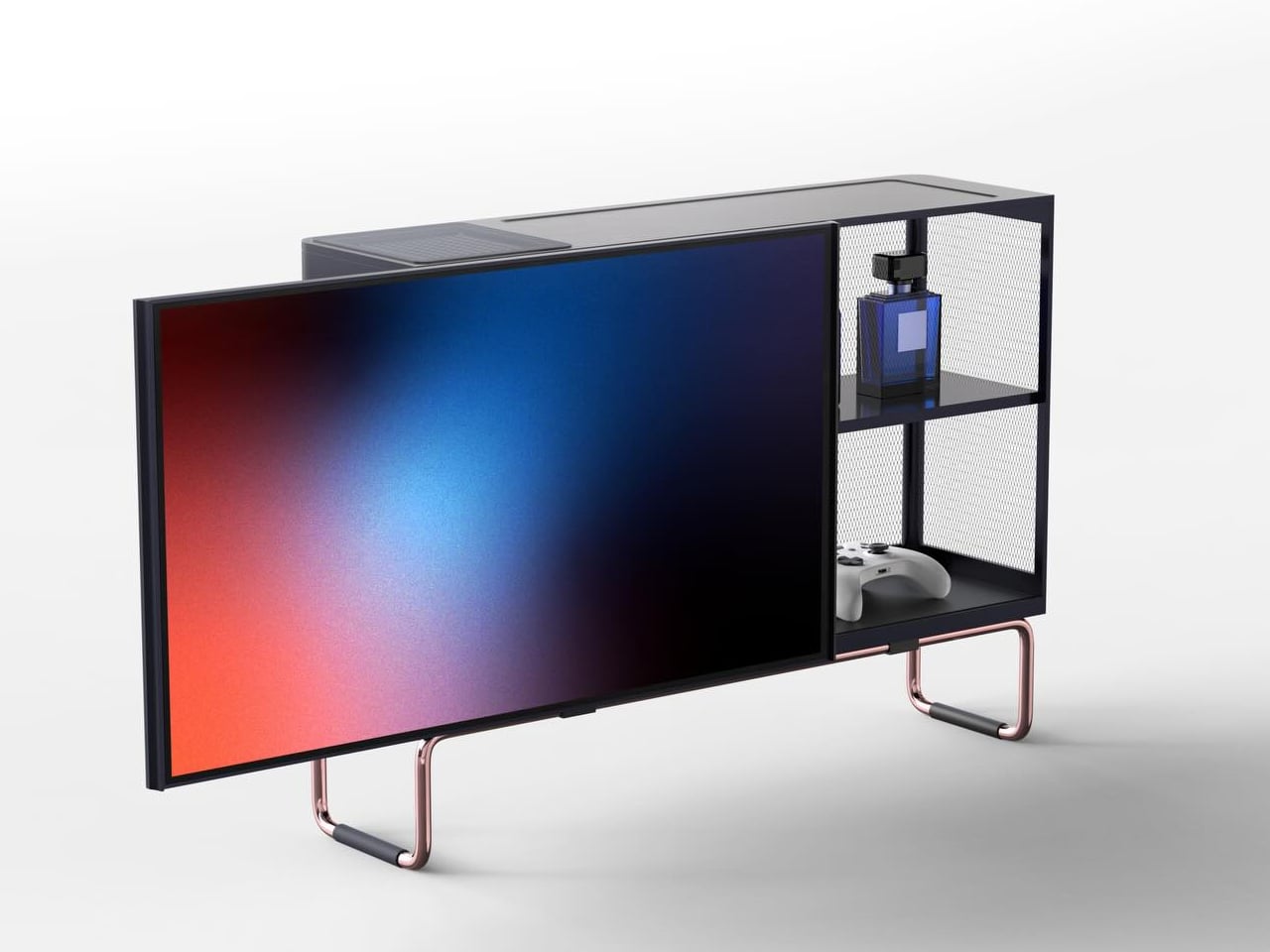
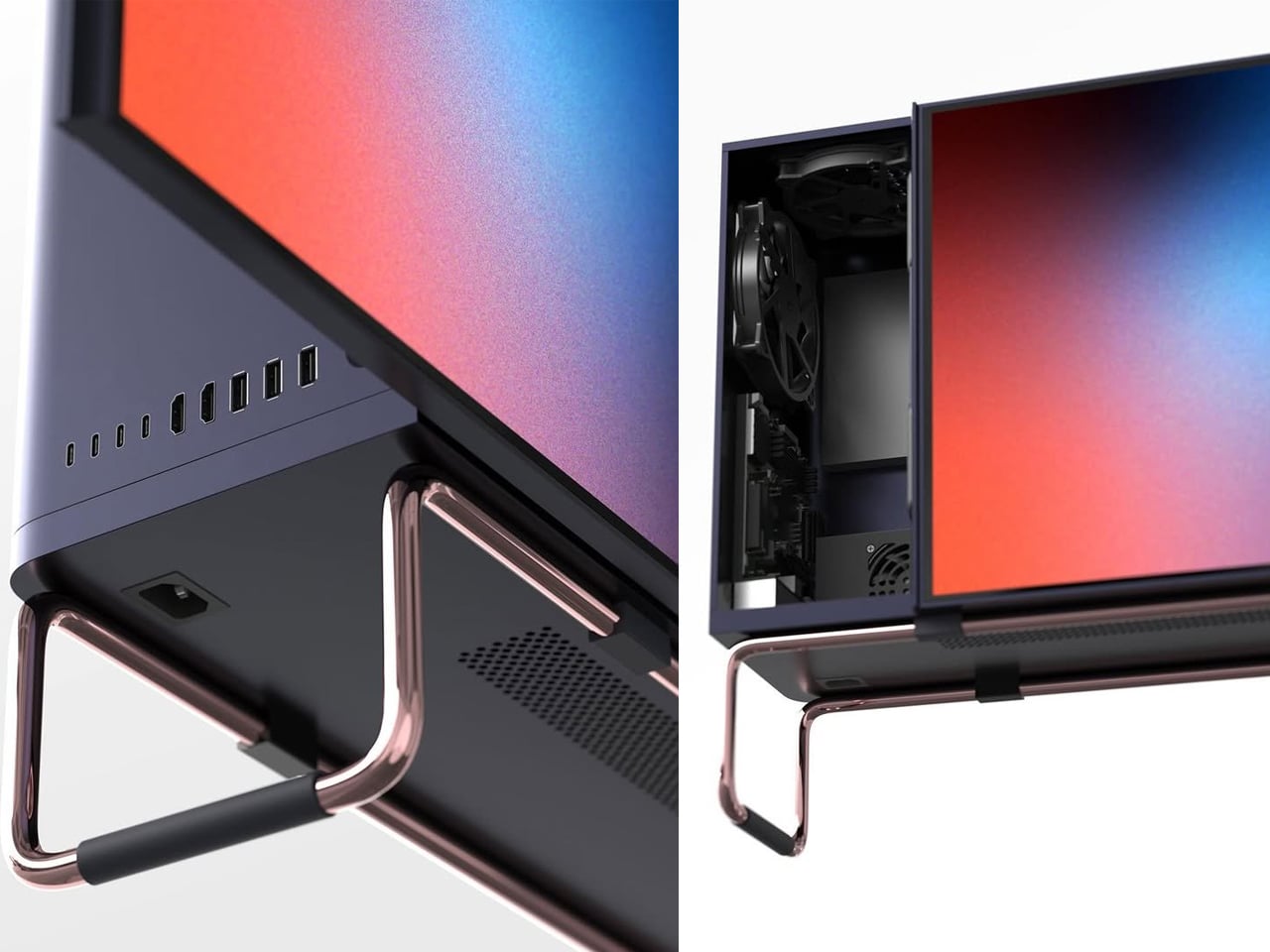
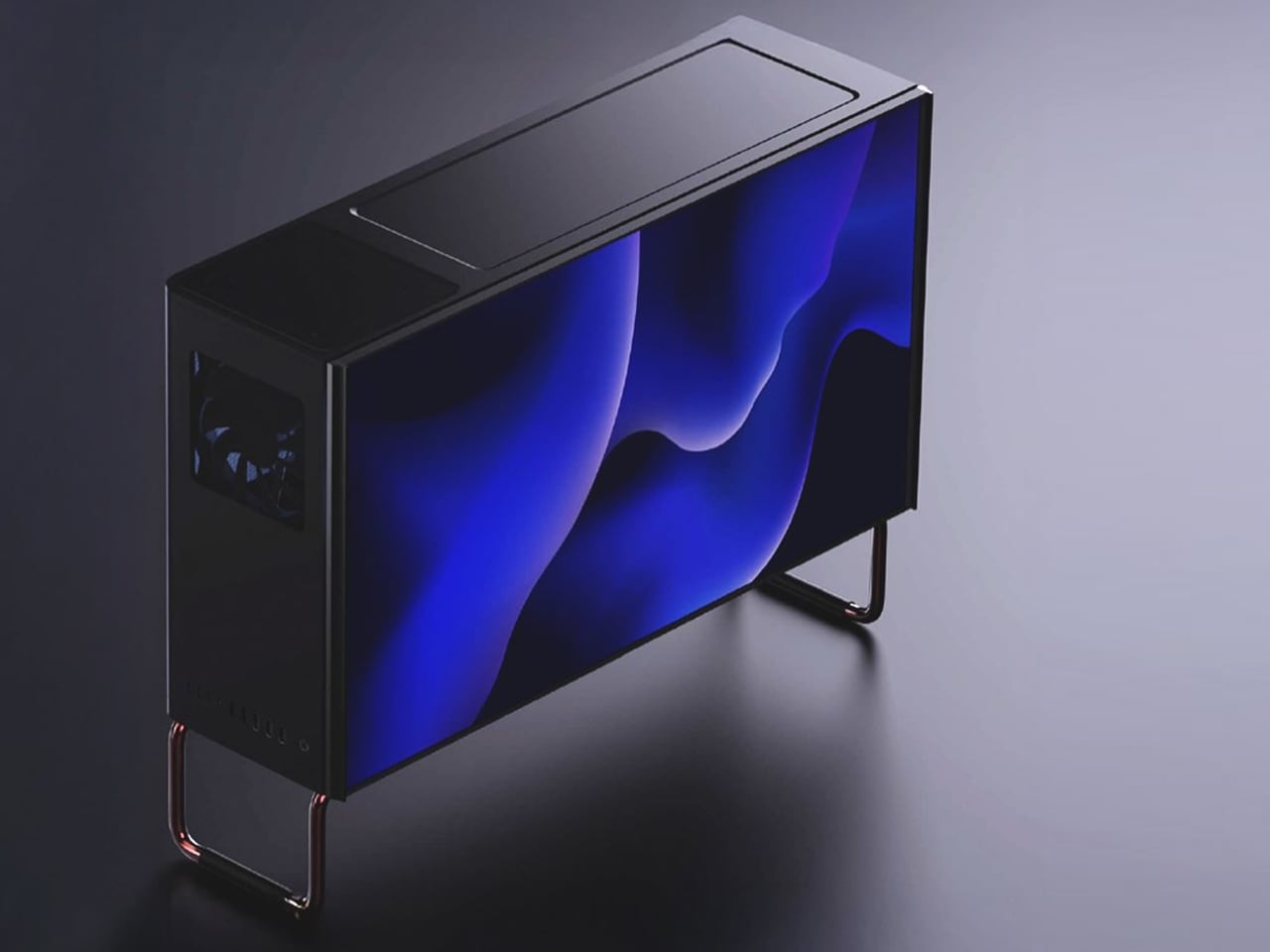
Conceived on two metal stands, this all-in-one PC appears in a boxy form with storage and computer innards tucked behind the monitor. If you are someone who is often bothered by the awkward space behind the monitor, which has no purpose because it’s either too shallow to store something or too cluttered with wires, and you don’t want to add to the visual displeasure, then the Kakao is what you should be looking at with interest.

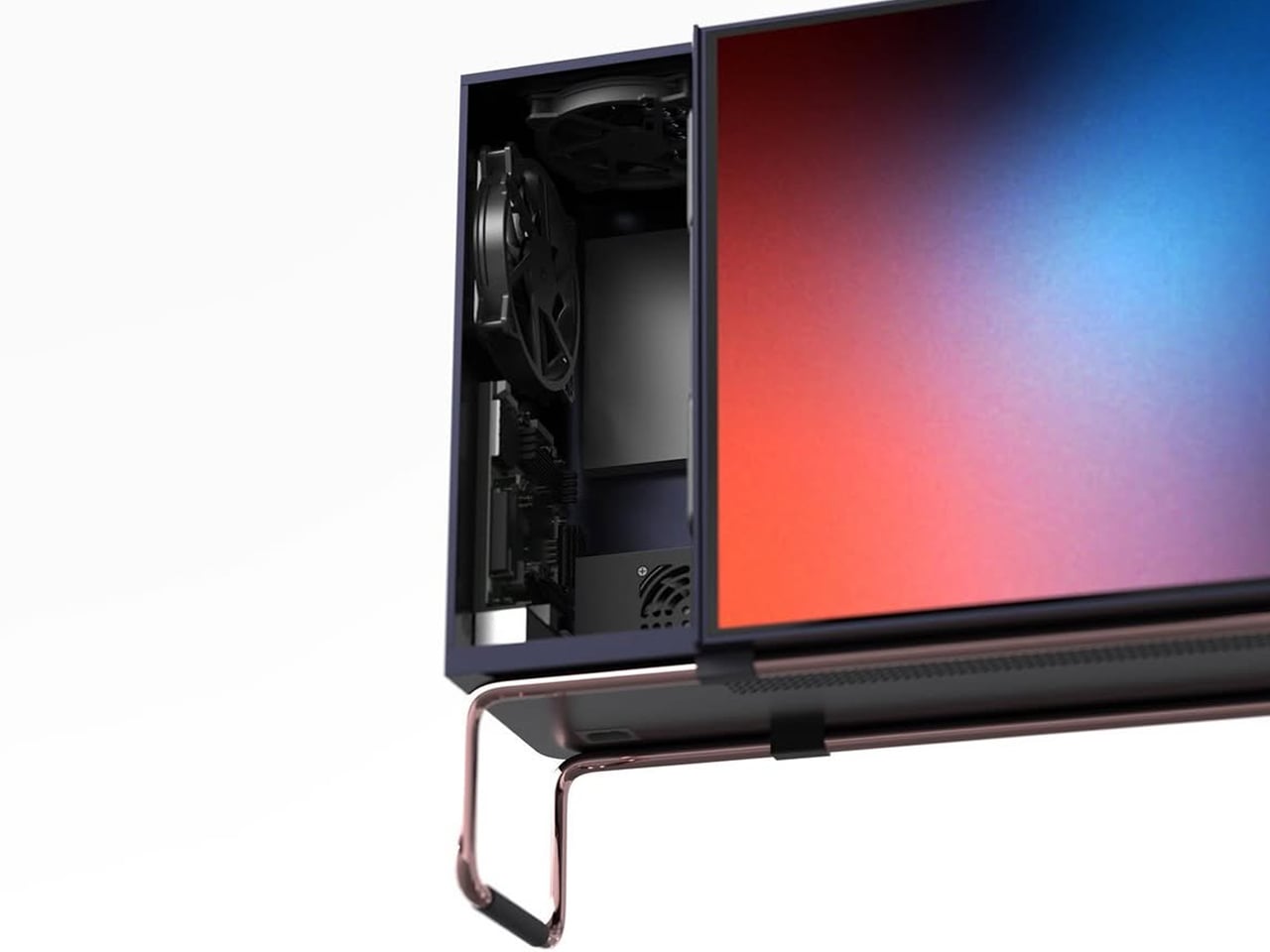
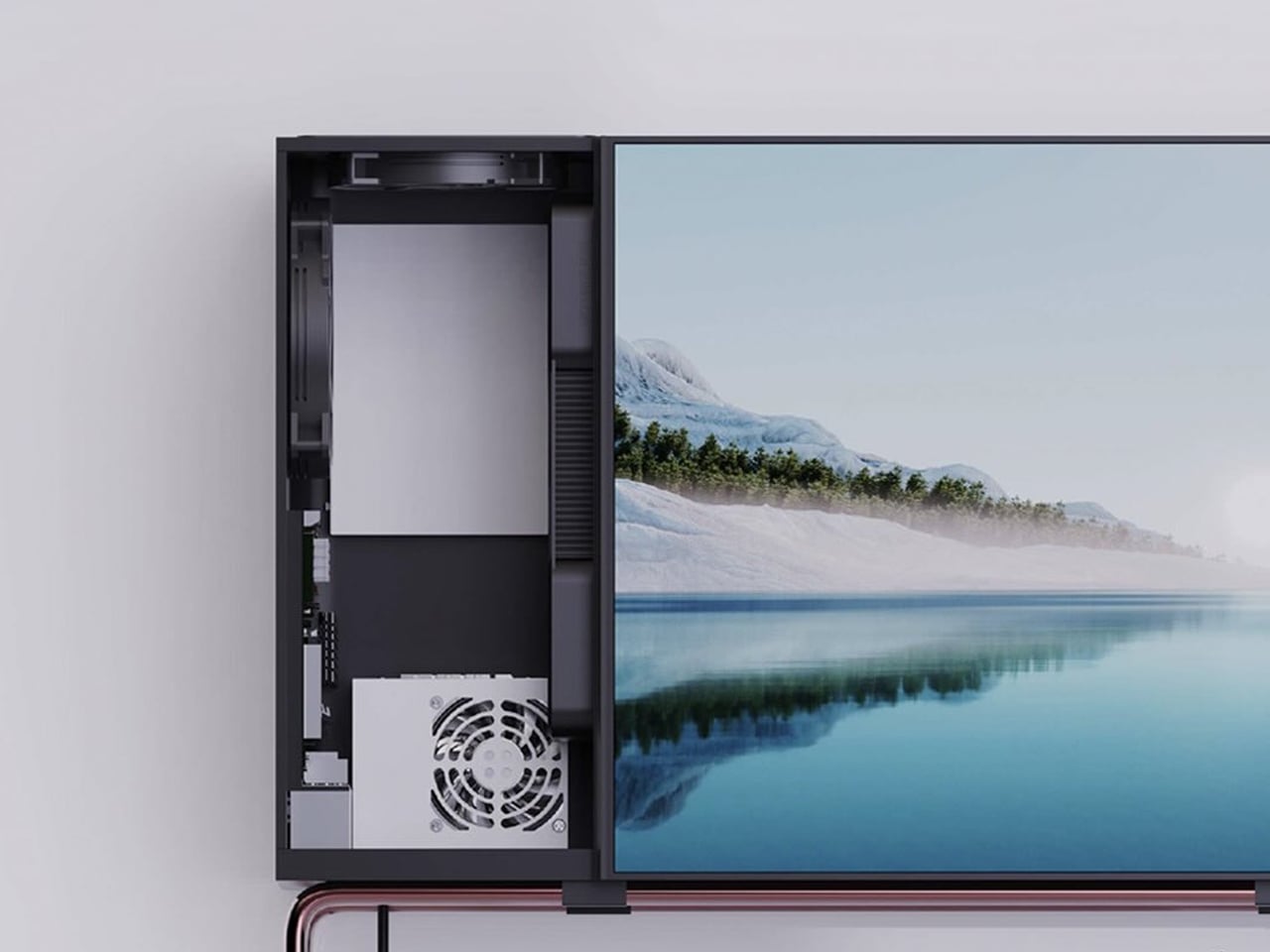
It turns the often-ignored space behind the monitor into a useful space with its design that is a combination of a PC and a storage cabinet. The furniture integrated all-in-one PC reimagines how the monitor looks and functions: instead of leaving the space vacant, Kakao extends the screen into a horizontal enclosure that houses computer parts along with storage for everyday things.

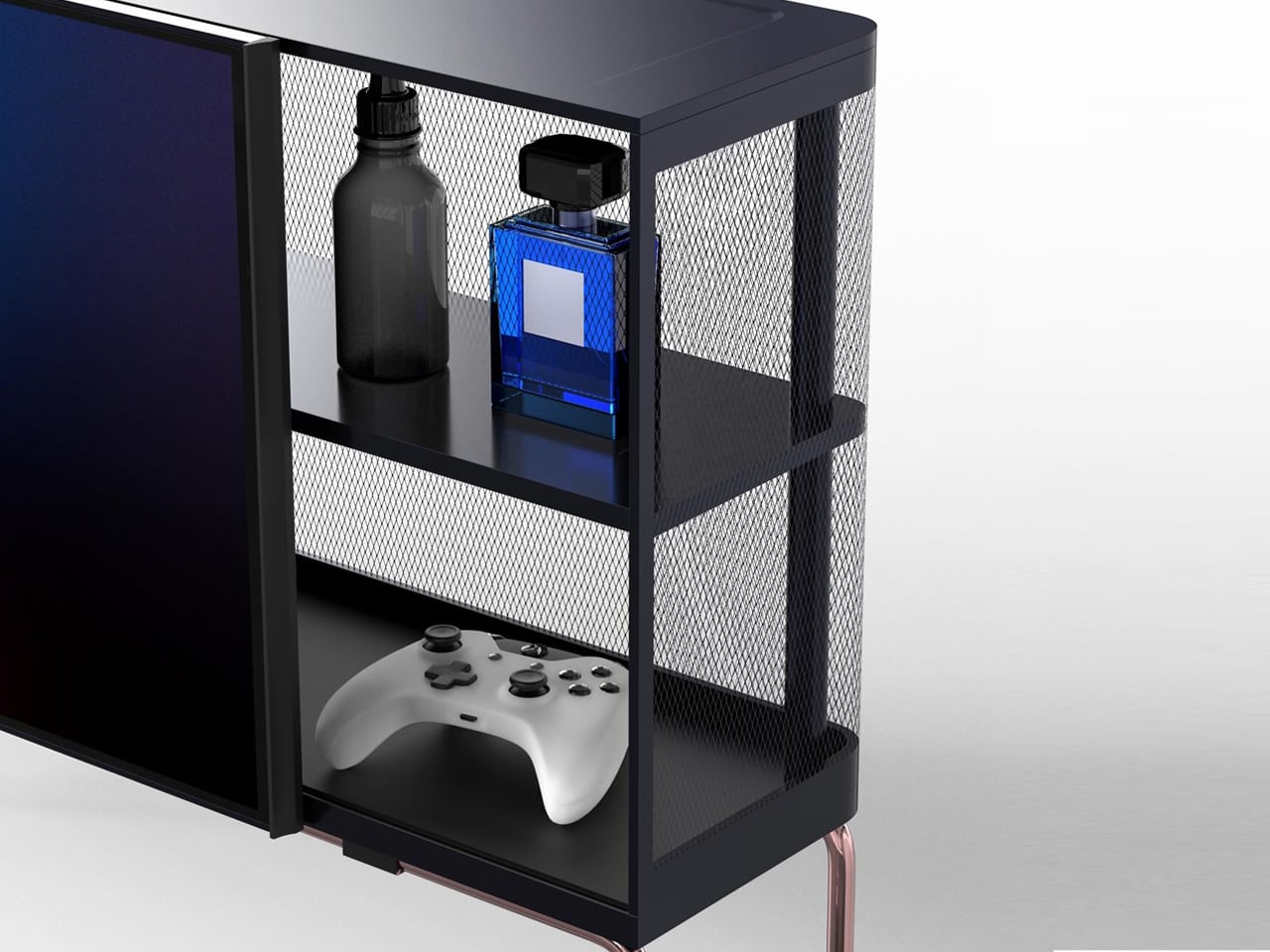
I am not definite about how we are supposed to use the Kakao on the desk with all that bulk, but once it is there, there is definitely going to be less clutter. I can already see my Bluetooth speaker, power strip, gaming controller, pen stand, and other stationery disappearing from my desk into the cabinet.

I’m not sure about the monitor’s screen size or the computing components we are getting with it. However, that the PC has a mirror-polished stainless steel frame with PVD finish. The horizontal cabinet is completely closed on the side where the computer innards sit, while the other half has a mesh panel that ensures the heat can flow out and there’s no hindrance in using the computer.

On the front, the monitor slides sideways to reveal or conceal the storage shelves inside. The Kakao speakers and power slot are placed on the bottom panel, while the connectivity ports are seen on the side. The latter I believe, is a terrible idea. Ports on the side of the storage cabinet will end up allowing cables to clutter outside the all-in-one PC, defying its actual purpose. I think overall it is a decent idea, and the designer will think about getting the ports on the inside with cable cutouts to ensure decluttering.

The post This all-in-one PC concept reimagines how the monitor looks and functions first appeared on Yanko Design.
This classic 1979 LEGO computer brick hides a fully functional Mac mini workstation inside

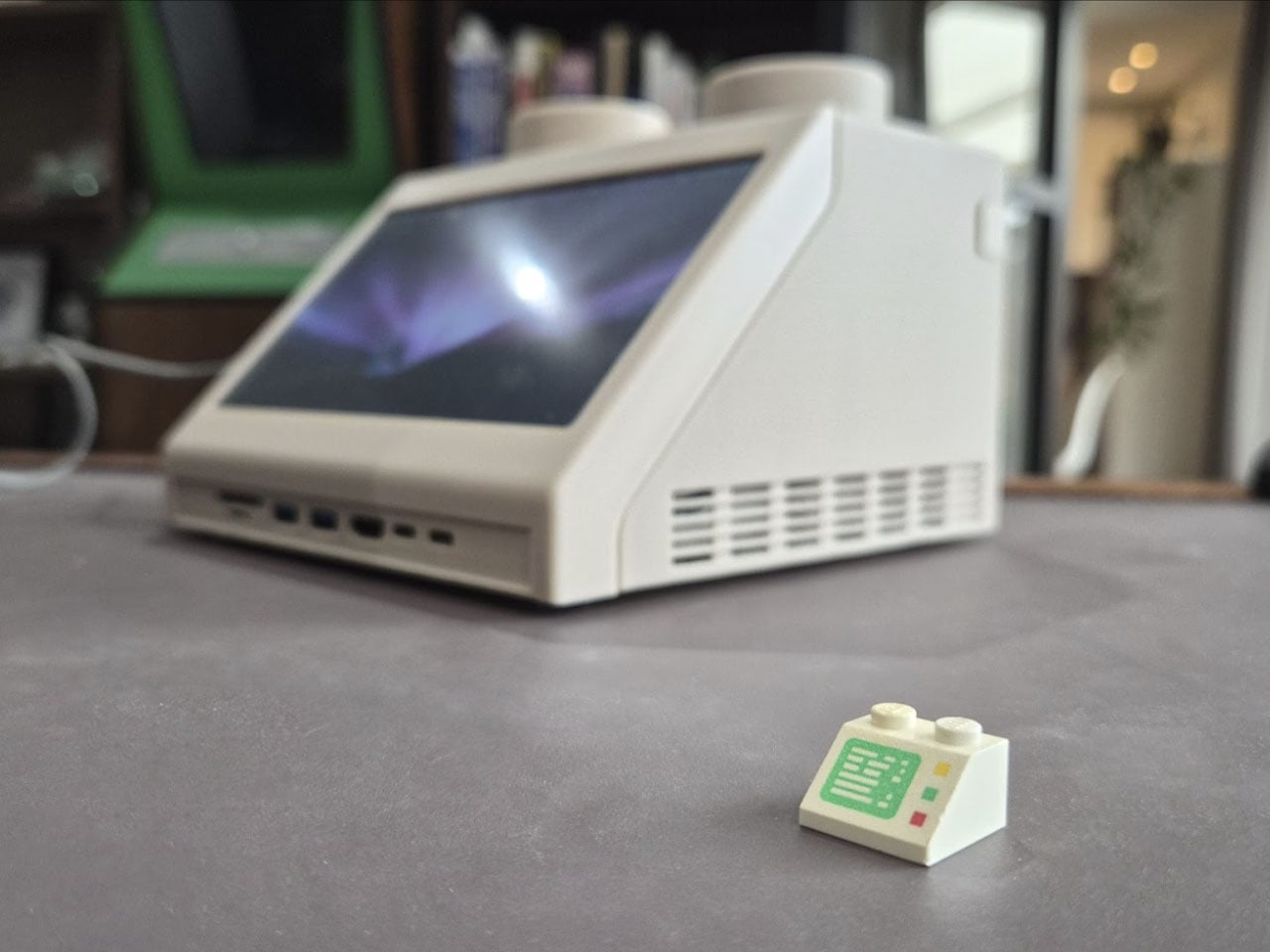
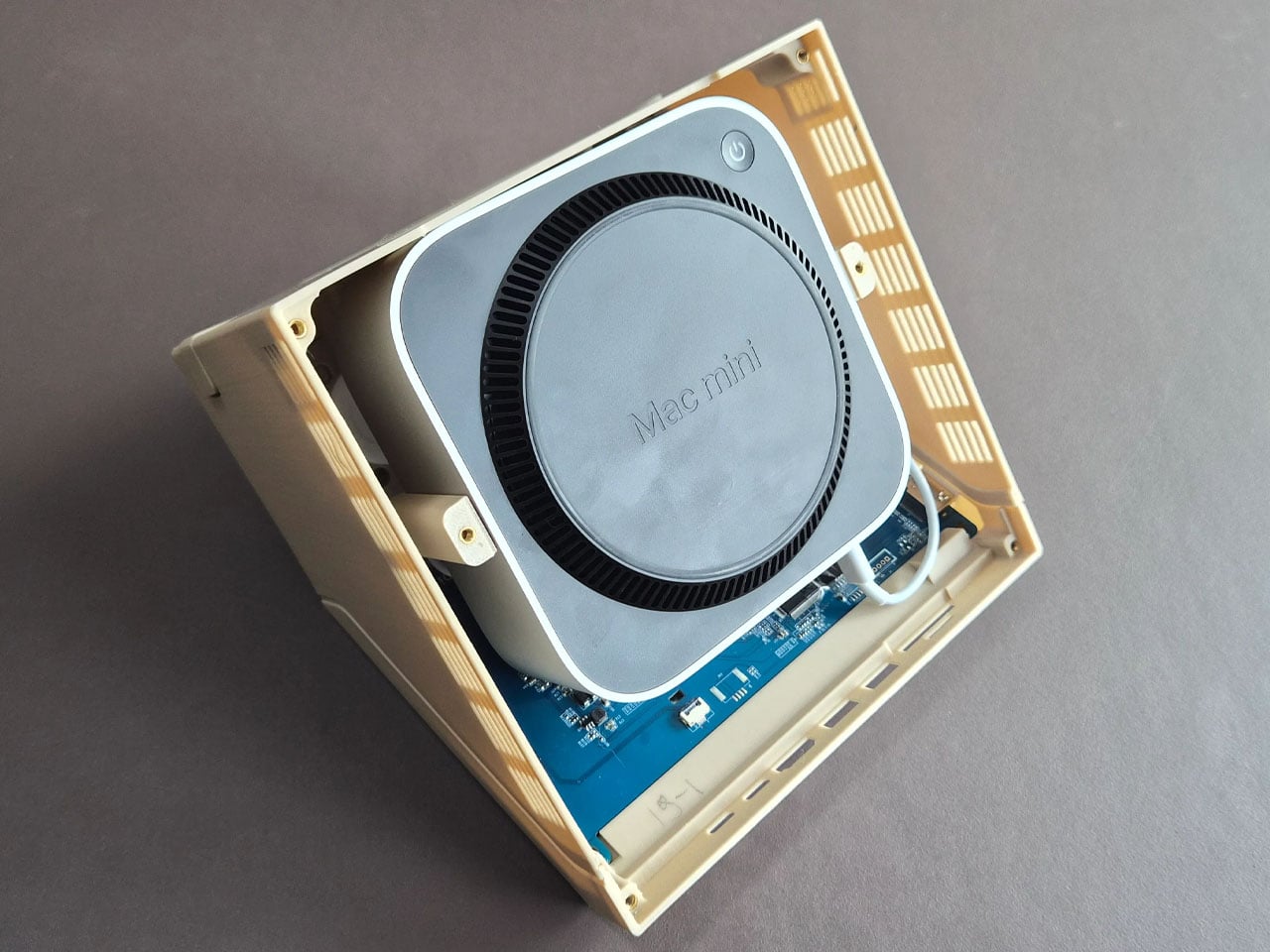
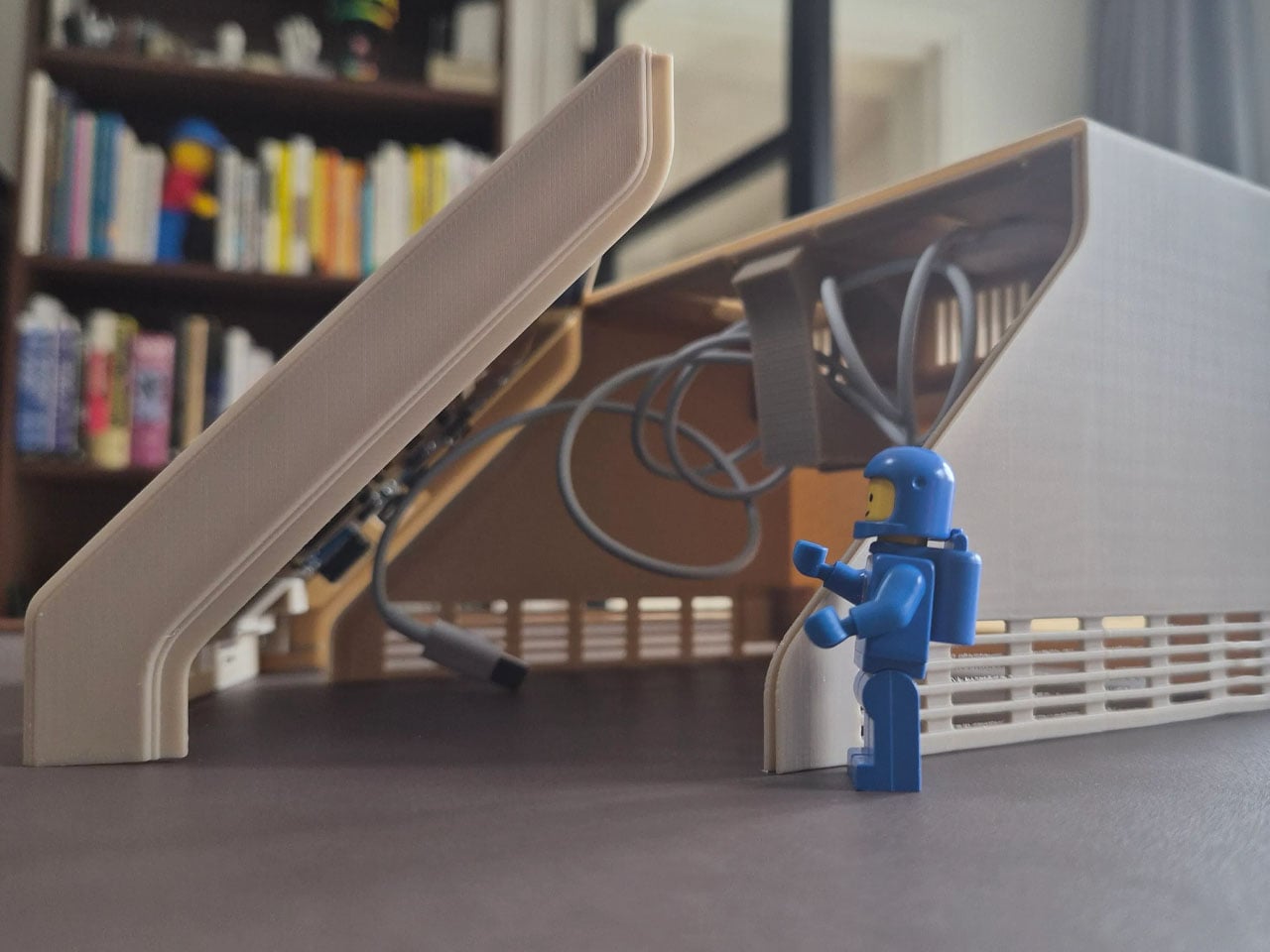

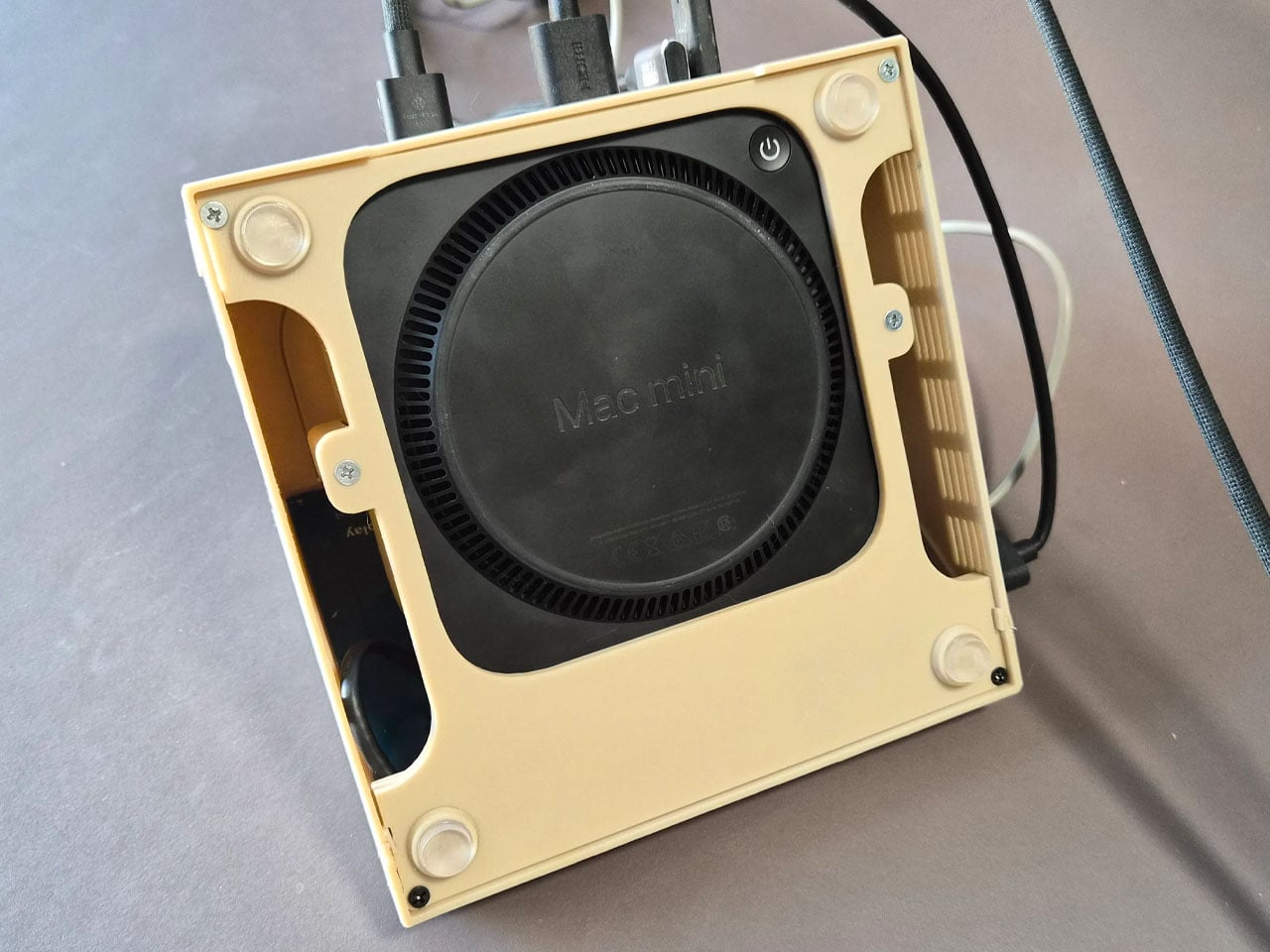
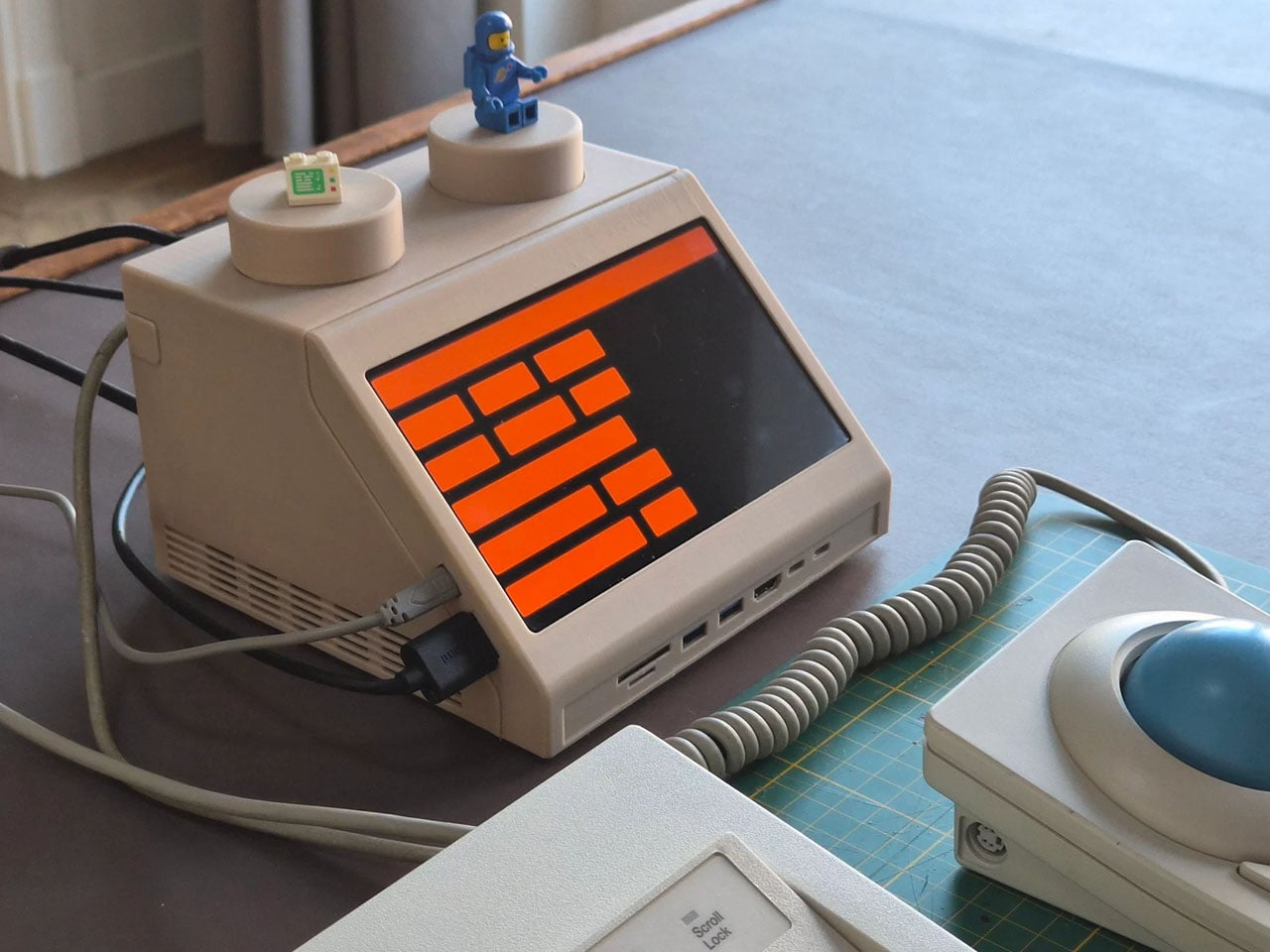
Retro designs often carry a sense of nostalgia, but occasionally they evolve into something more functional and imaginative. The M2x2 workstation by Watt IV is a good example with the inventive reinterpretation of a classic LEGO element transformed into a fully working desktop computer. Created by Dutch designer Paul Staal, the device takes inspiration from the iconic sloped LEGO computer brick introduced in 1979 and scales it up into a practical workstation powered by a modern Mac mini.

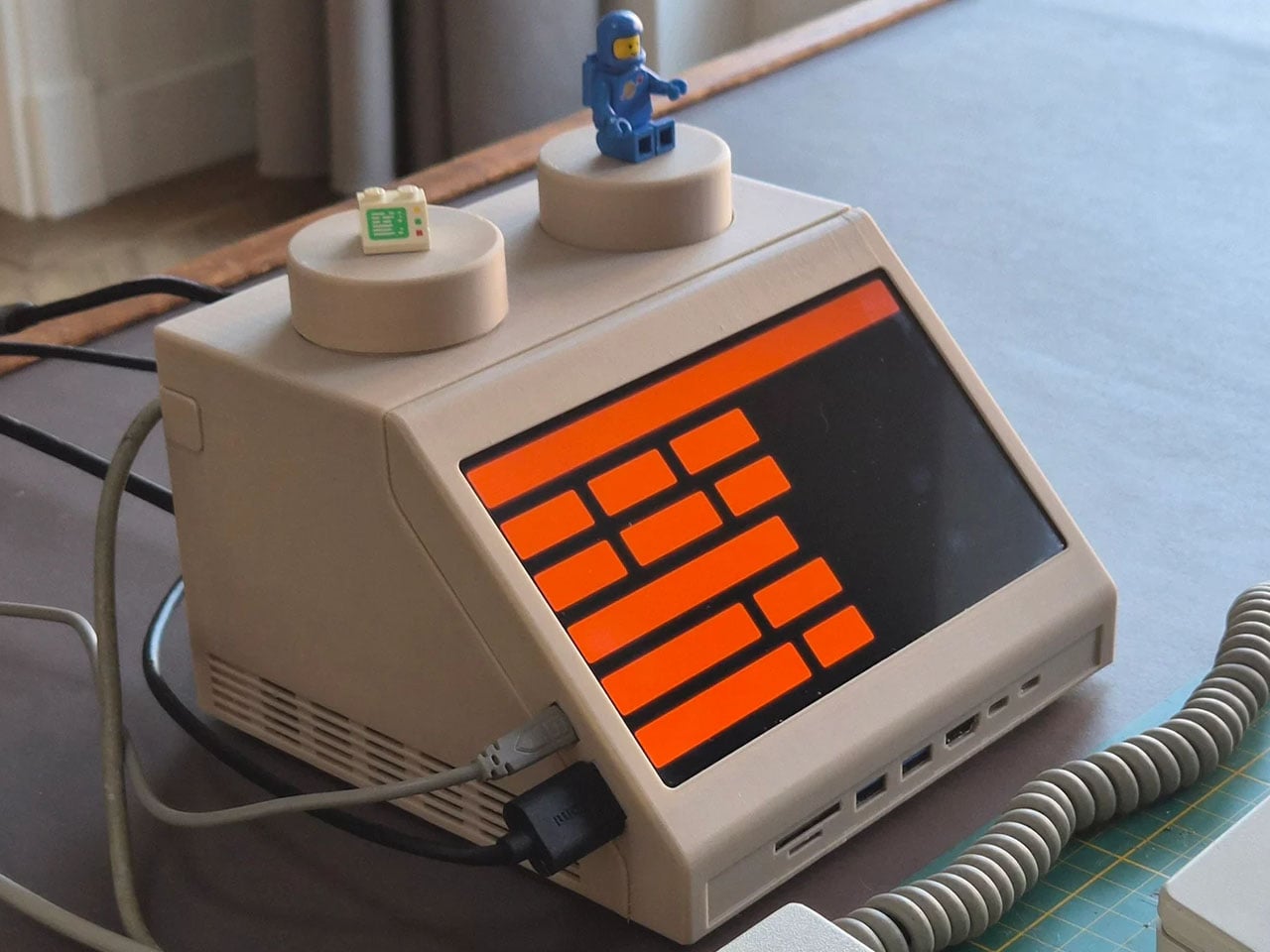
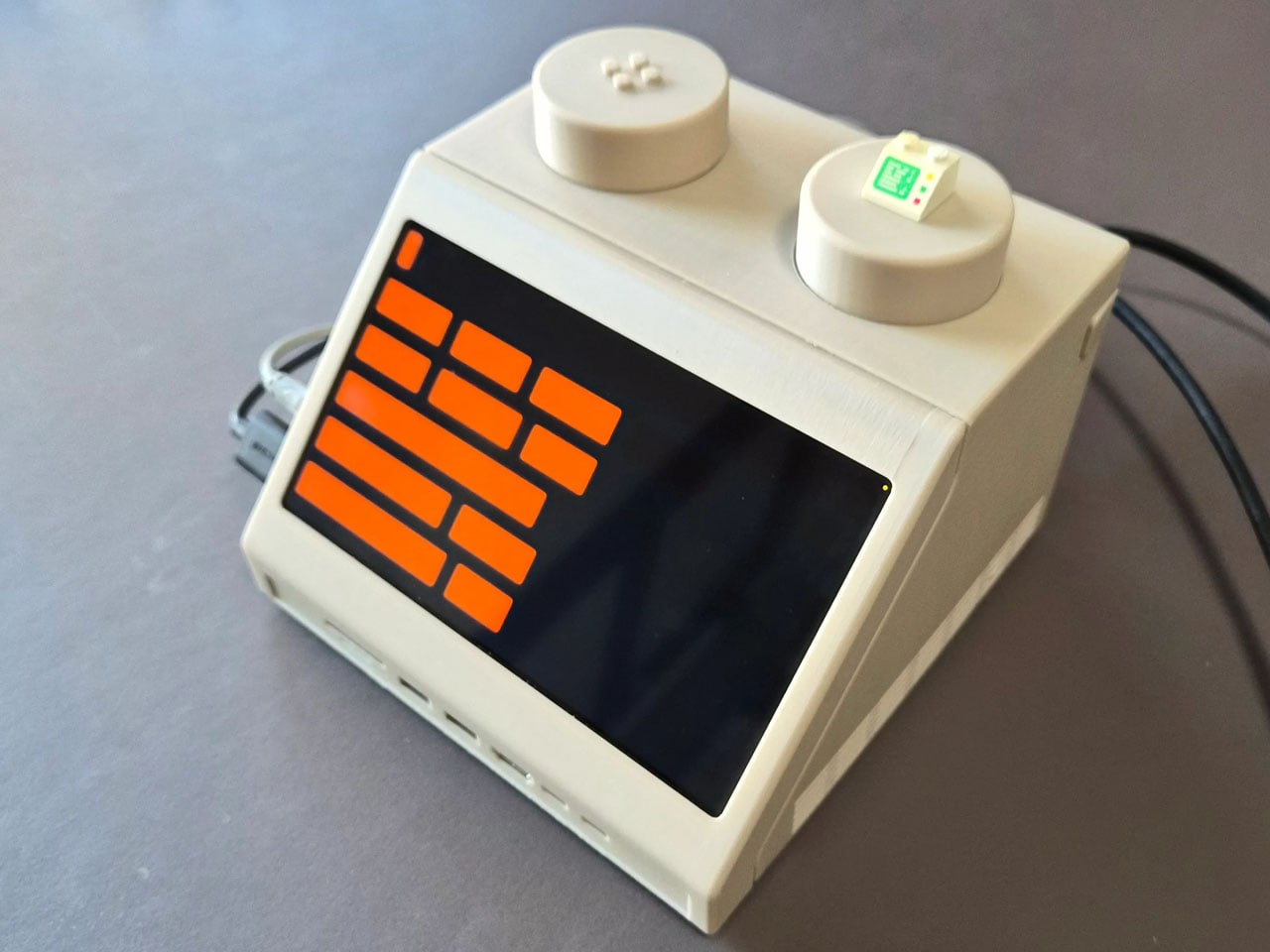
The DIY centers around the familiar wedge-shaped Slope 45 2×2 LEGO piece, a part historically used in LEGO space-themed sets as a representation of computer terminals inside spacecraft cockpits. Staal enlarged this element to roughly ten times its original size, turning it into a functional housing that blends retro toy aesthetics with contemporary computing power. Inside the oversized brick sits an Apple Mac mini equipped with Apple’s M4 chip, transforming the playful concept into a capable desktop system.

Designer: Paul Staal

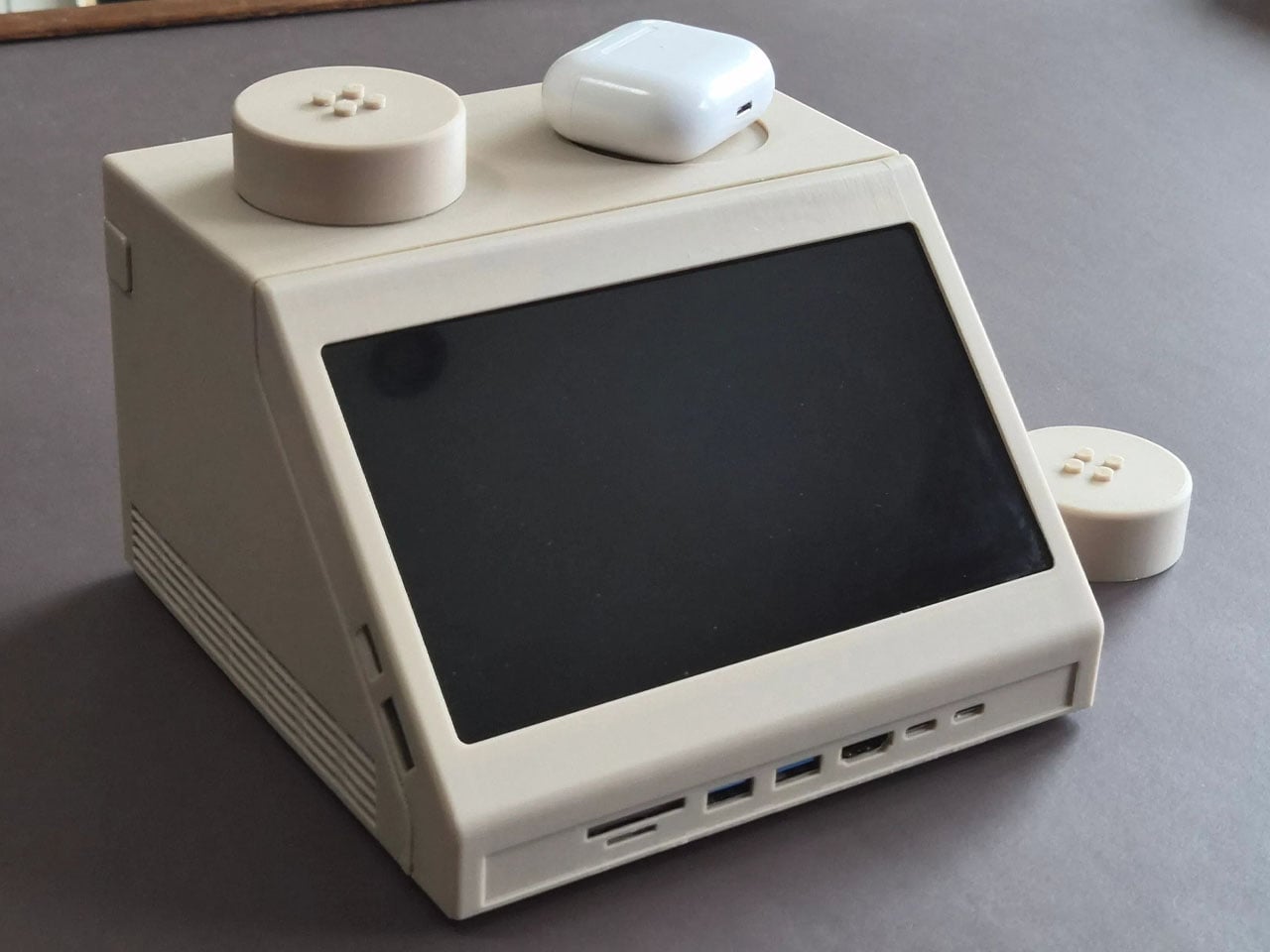
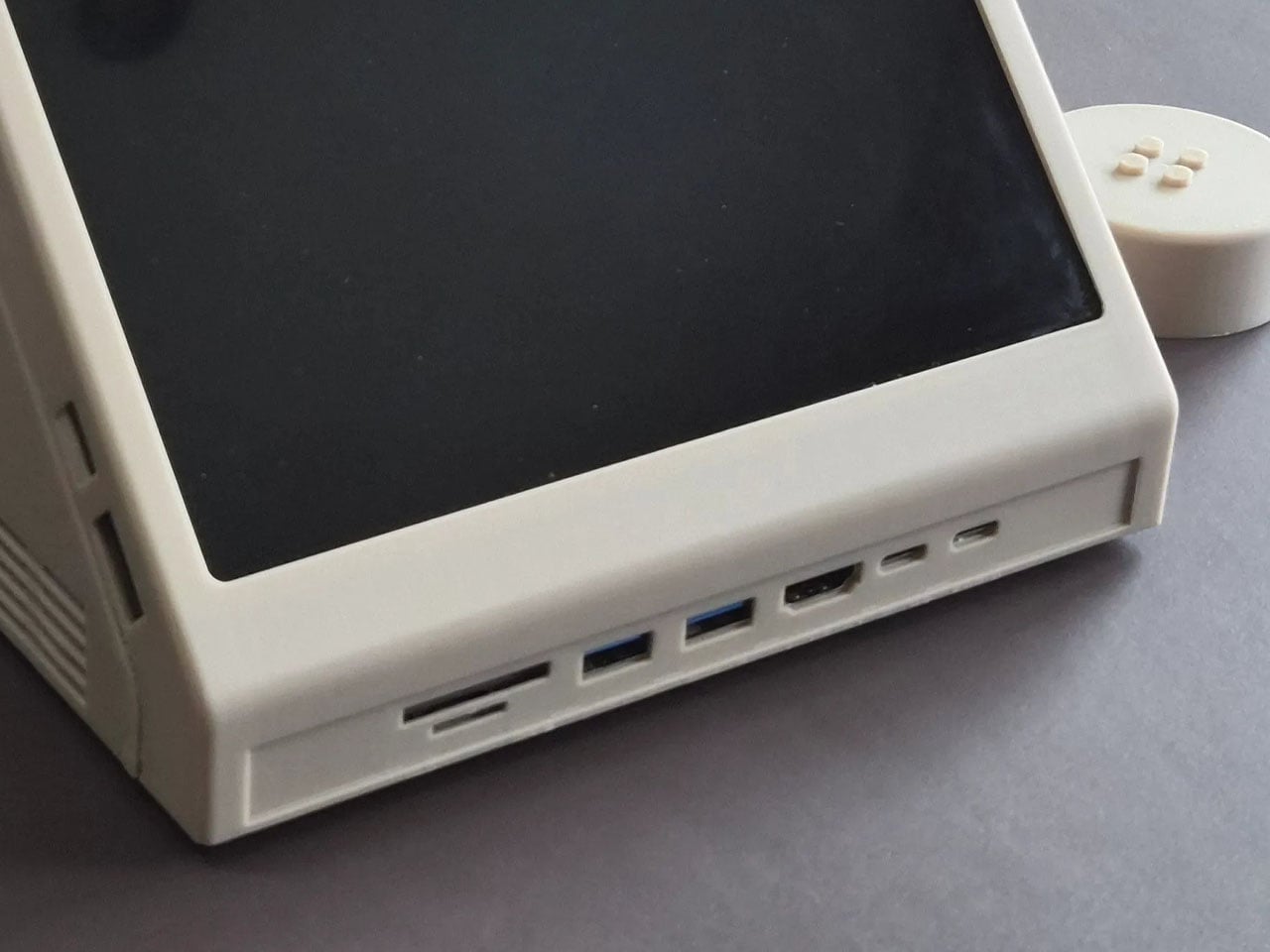

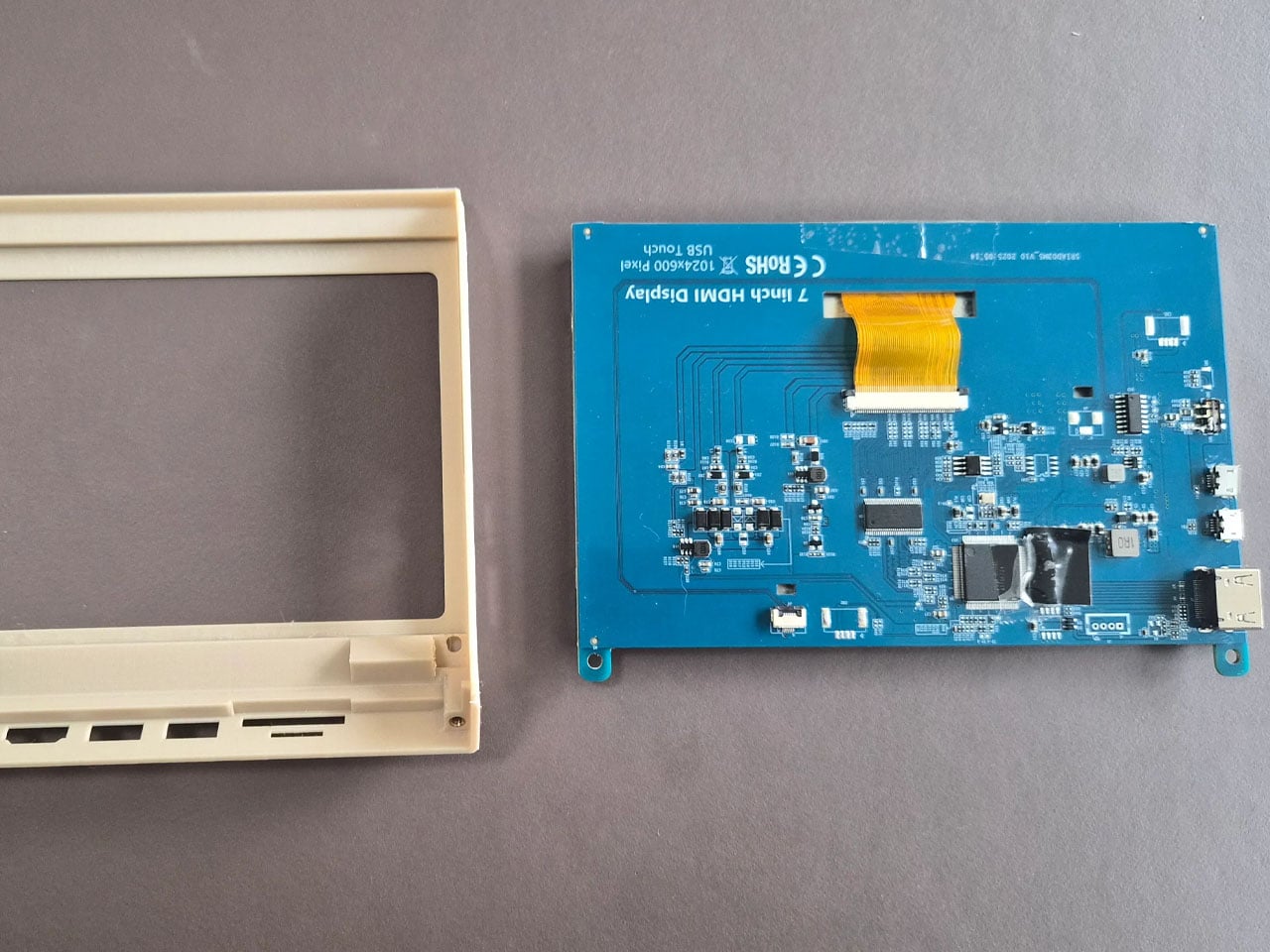
Rather than serving as a simple decorative shell, the M2x2 integrates several practical features that enhance its usability as a workstation. A slanted 7-inch IPS touchscreen is embedded in the front face of the structure, echoing the display graphic printed on the original LEGO piece while providing real functionality. The compact screen acts as a secondary interface, often used for quick system information or dashboards. Staal, for instance, uses it primarily to monitor and control his smart home through a Home Assistant interface while working on a larger external display.
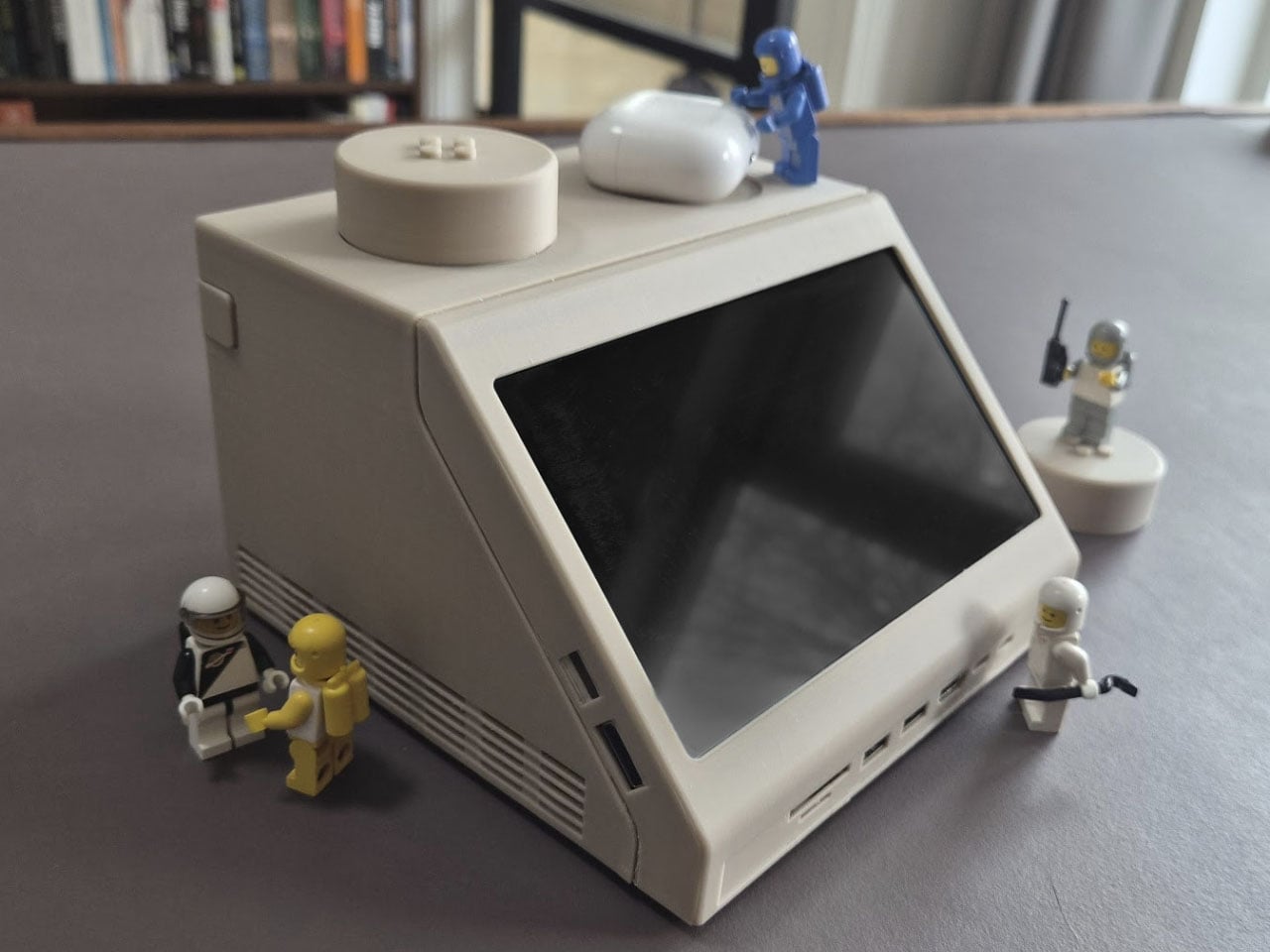
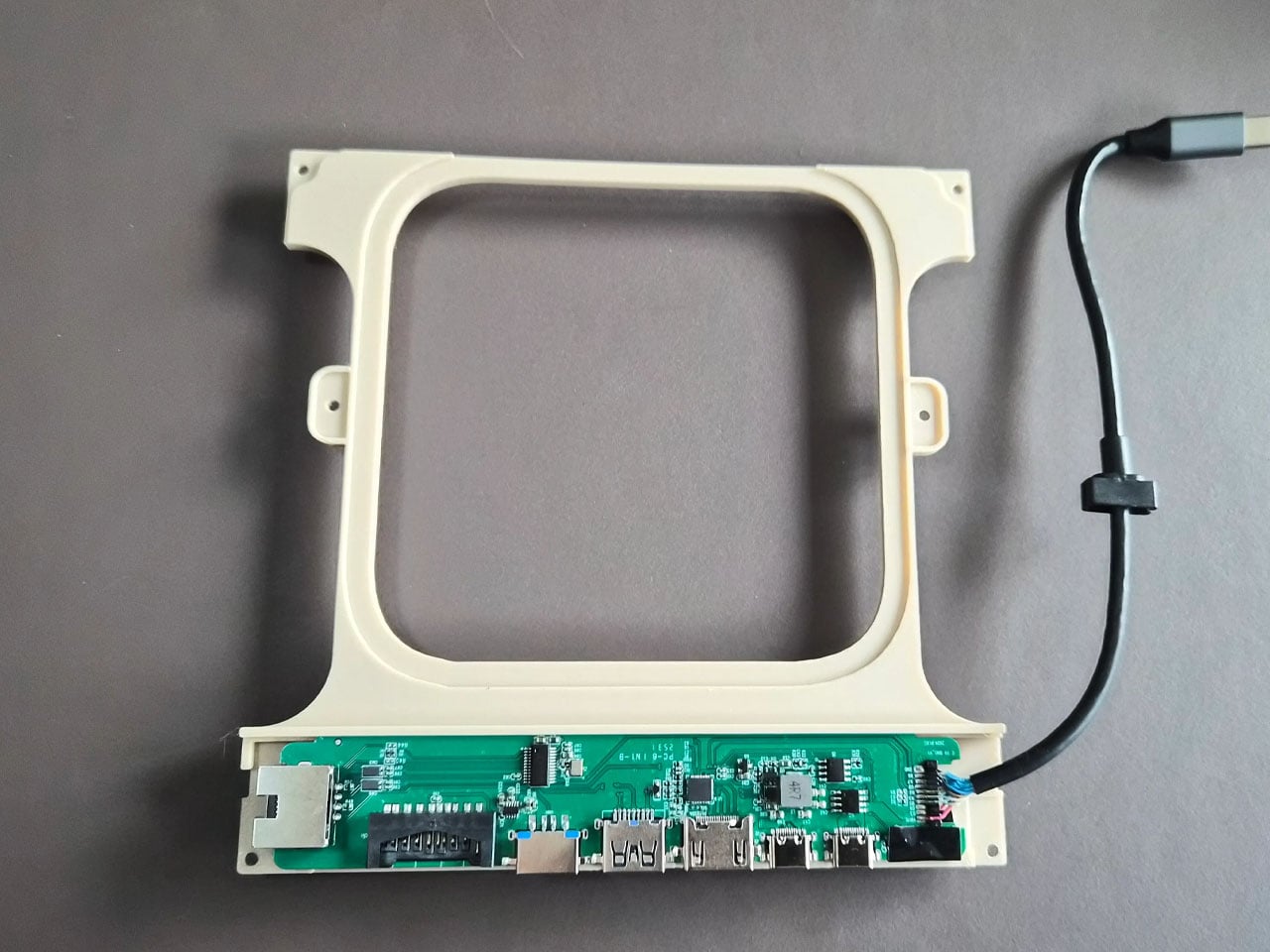
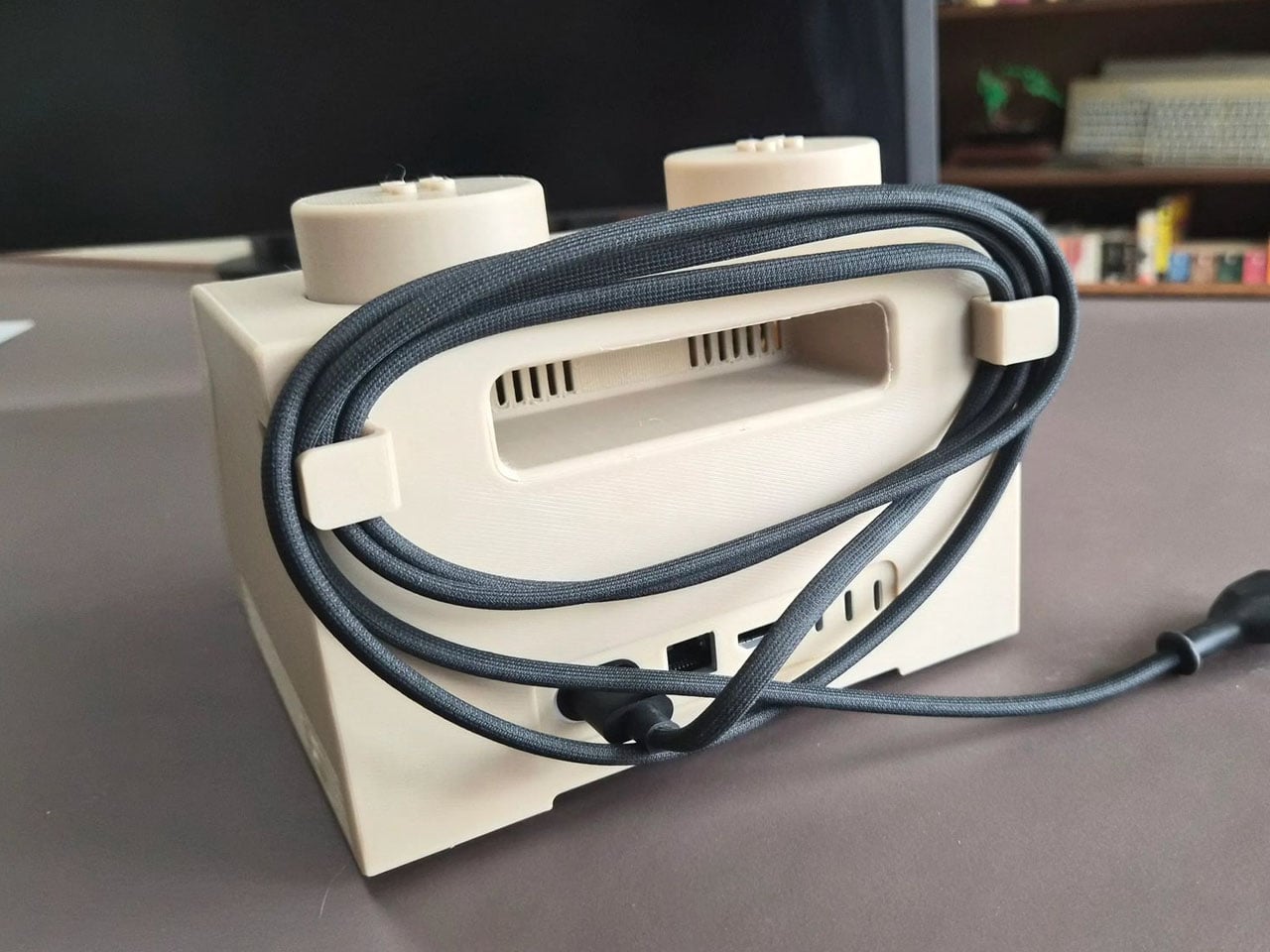
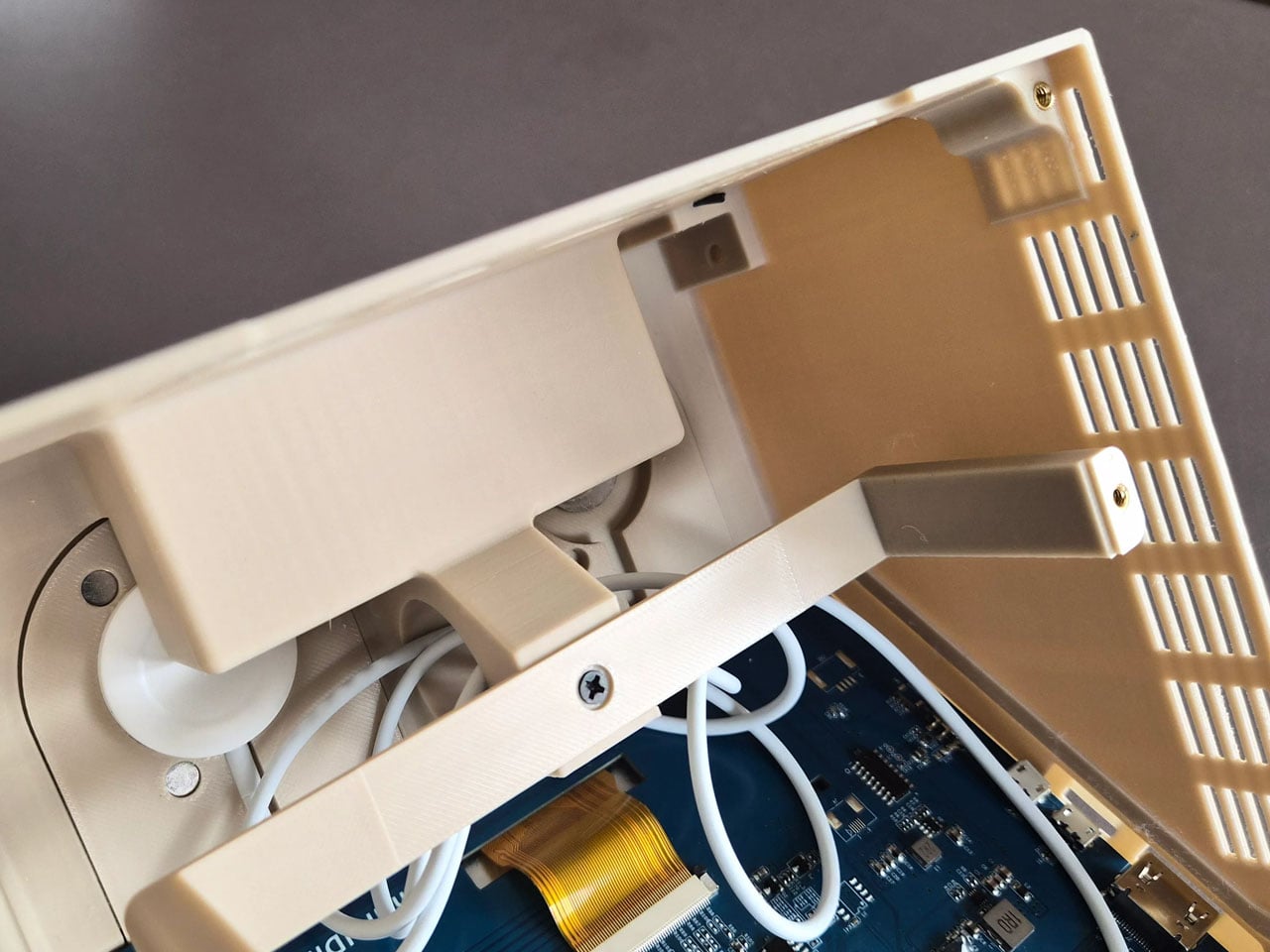
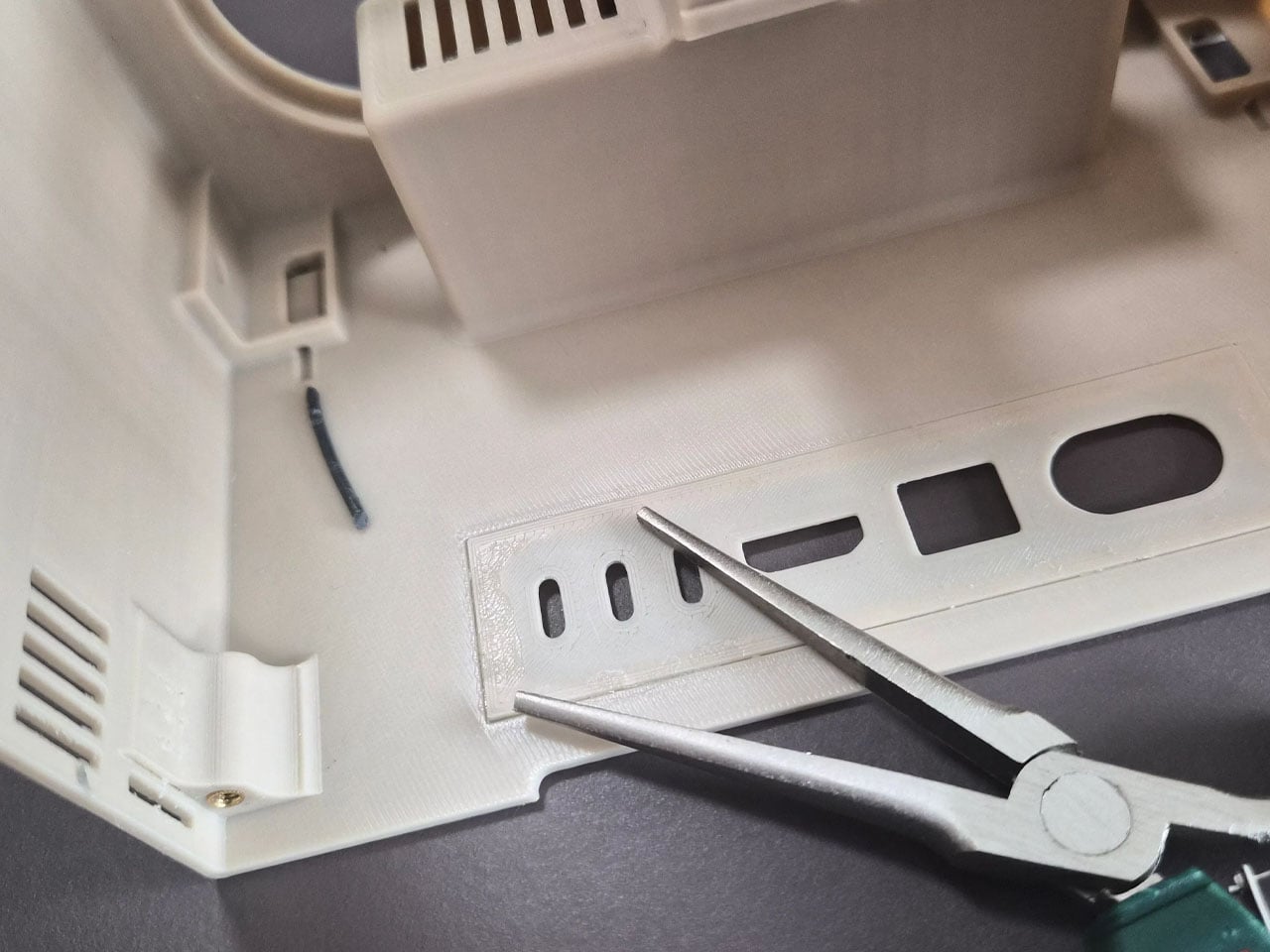
The case includes front-facing ports enabled through a USB-C hub, along with an SD card reader for easy access to external storage and accessories. This arrangement ensures the device remains practical for everyday use despite its playful form factor. The system also retains portability elements inspired by early Apple computers, including a built-in handle at the back that makes the unit easy to move around a desk or workspace. While the M2x2 works as a self-contained computer, it is typically paired with a larger external monitor for full productivity. In everyday use, the Mac mini handles the heavy computing tasks while the built-in display functions as a control panel or status screen.

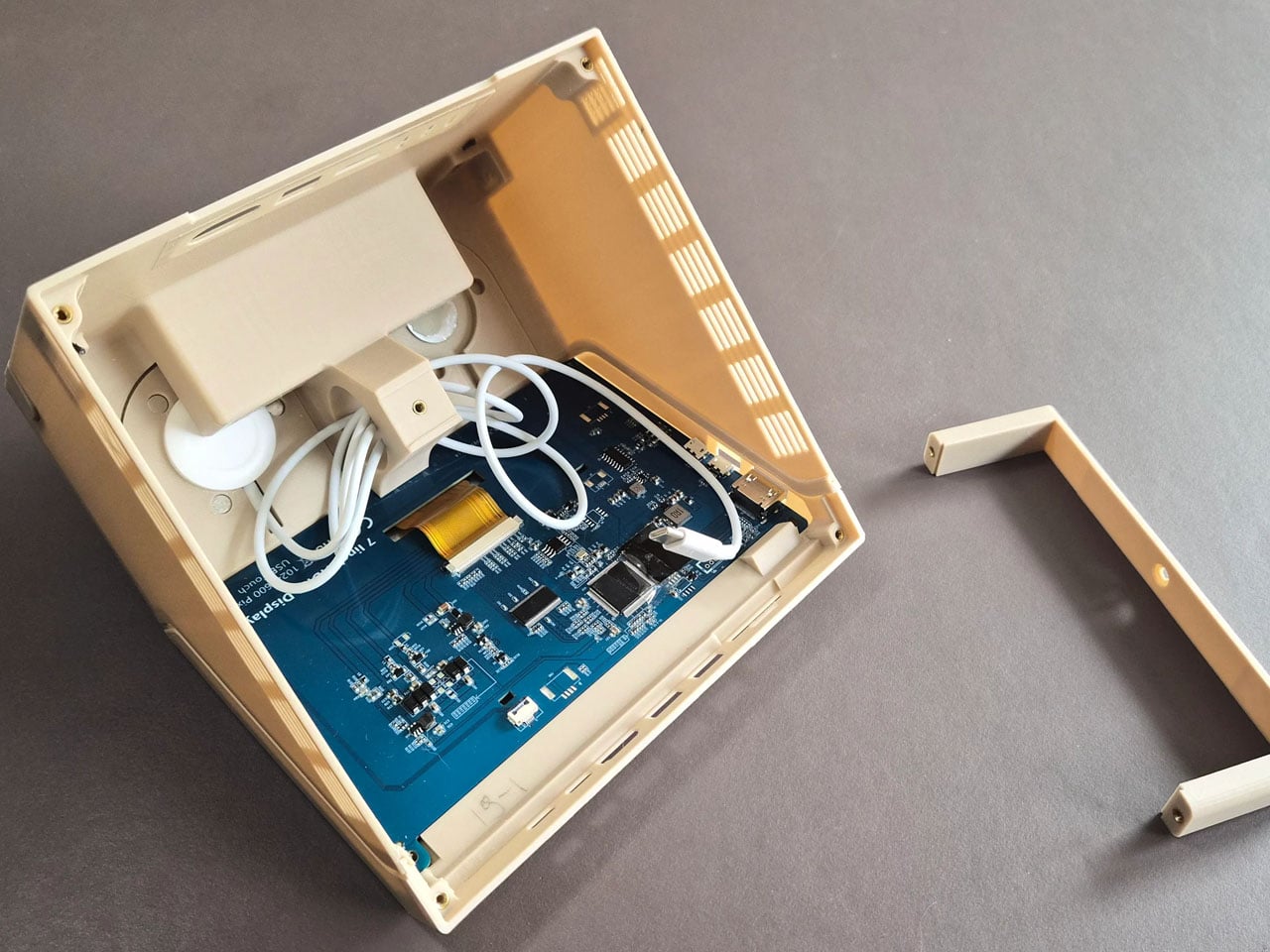
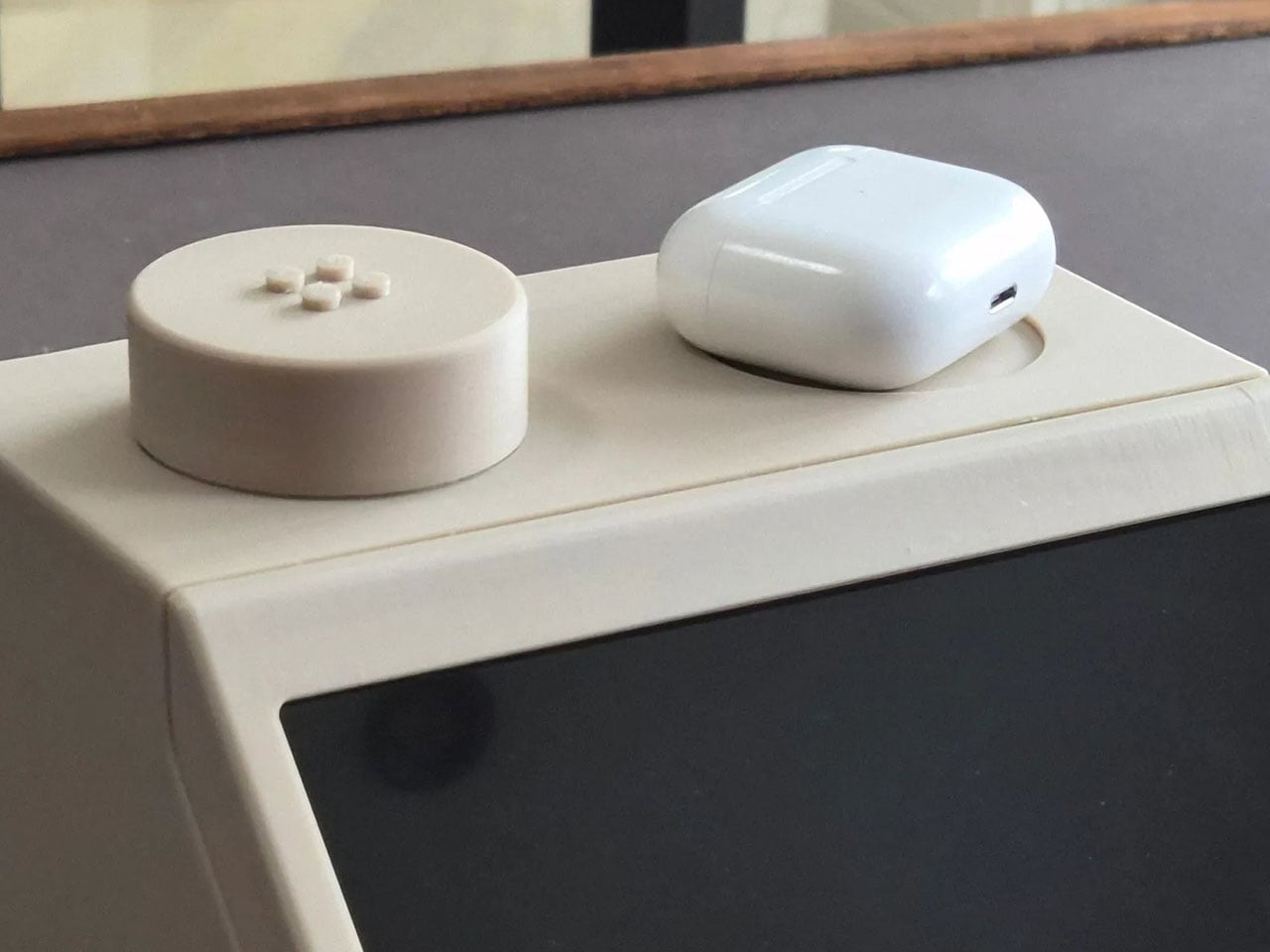
Perhaps the most creative detail lies in the oversized LEGO studs on top of the case. Instead of being purely decorative, these studs are designed to perform useful functions. One of them operates as a rotary control that can adjust volume or media playback, while the other conceals a wireless charging bay capable of powering devices such as AirPods or an Apple Watch. The studs themselves remain compatible with standard LEGO elements, allowing users to attach minifigures or bricks for a playful finishing touch.

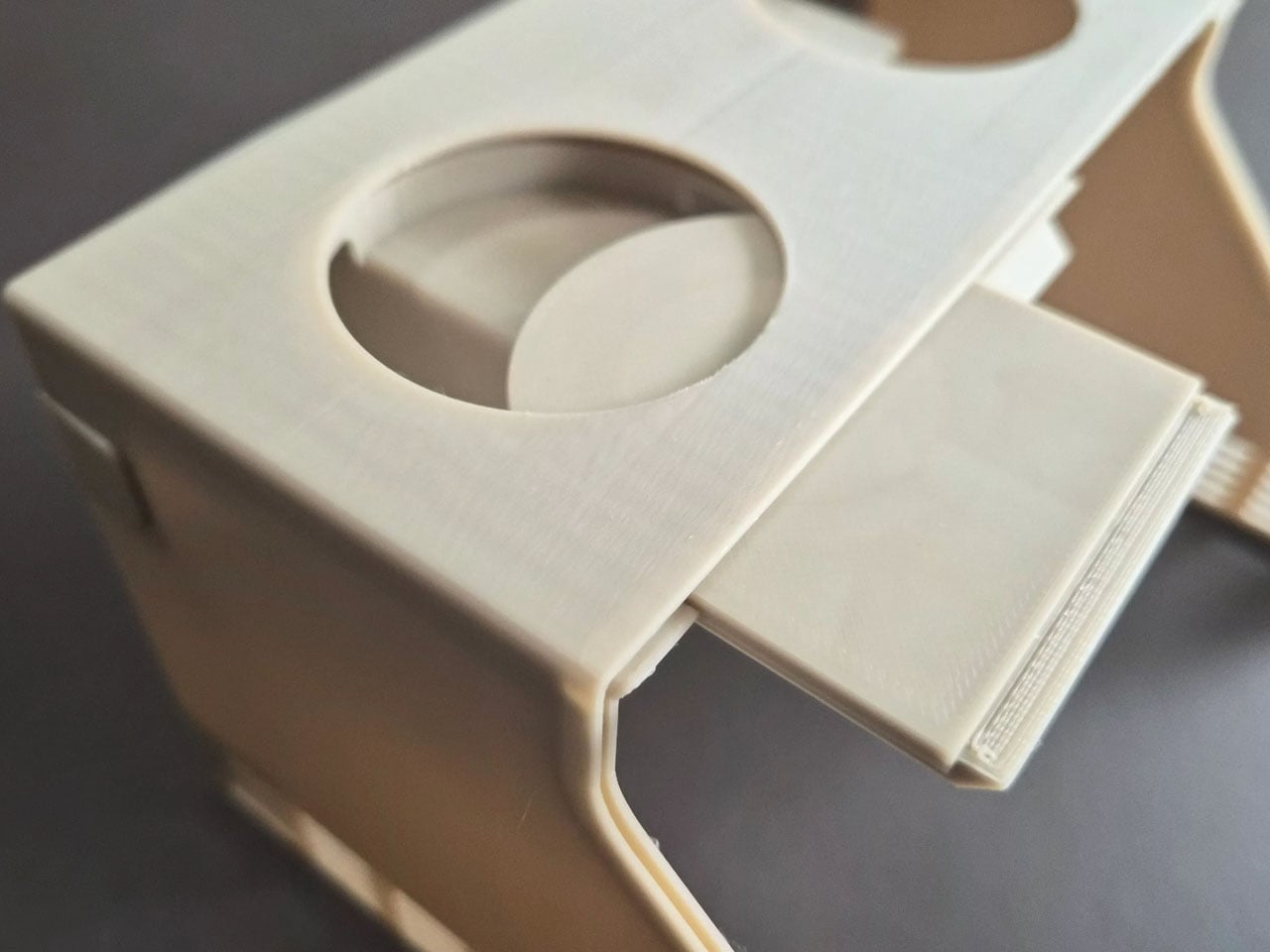
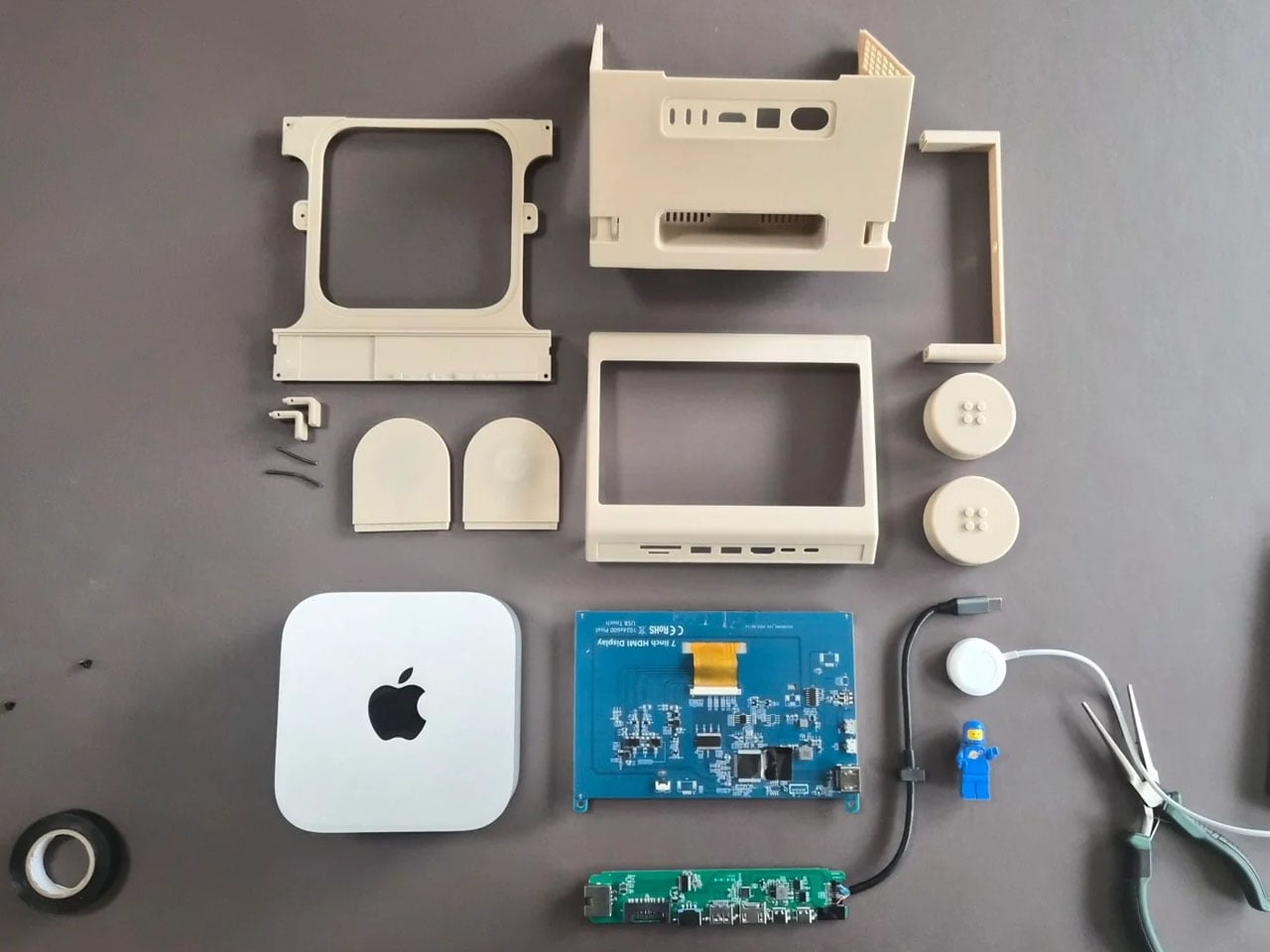
The M2x2 is largely built from 3D-printed components, making it accessible to enthusiasts who want to build their own version. Staal modeled the structure in CAD software and designed it as a modular system consisting of multiple printable parts. Aside from the Mac mini itself, the required materials are relatively simple, including PLA filament, a small touchscreen display, screws, and a USB-C hub. Assembly instructions and downloadable files are available, allowing makers to replicate or modify the design to suit their needs.

The post This classic 1979 LEGO computer brick hides a fully functional Mac mini workstation inside first appeared on Yanko Design.