5 EDC Gadgets Built for Your First Tailgate of the Season, Not Your Desk Drawer

Your regular carry works fine at a desk, as it should. But it falls apart at a tailgate, where the lot is loud, the light is going, and someone just handed you a warm can with nothing to open it. The gear sitting in your drawer was designed for a controlled environment, and surprisingly, a parking lot in early September is not that. These five products fix the gap before it has a chance to ruin your afternoon.

This list is not for gear collectors or EDC forum regulars. It is for the person who wants to show up to a game-day tailgate with five things in their bag that actually earn their spot. A blade, a light, a radio, a screwdriver, and a can opener. Each one handles a specific moment that goes sideways without the right tool. Read this before Saturday, and you will be the person other people walk over to ask for help.

1. The Cubik
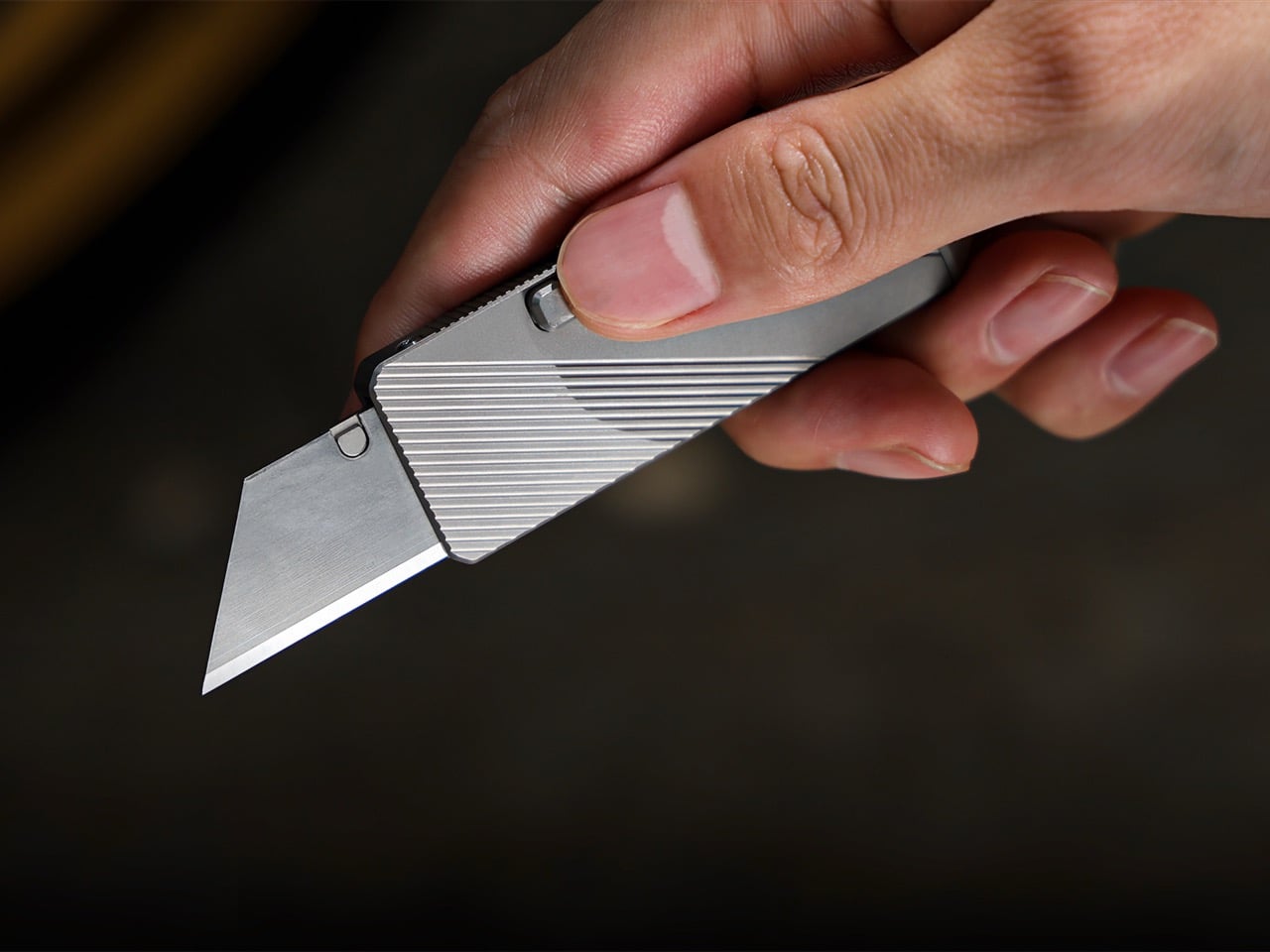
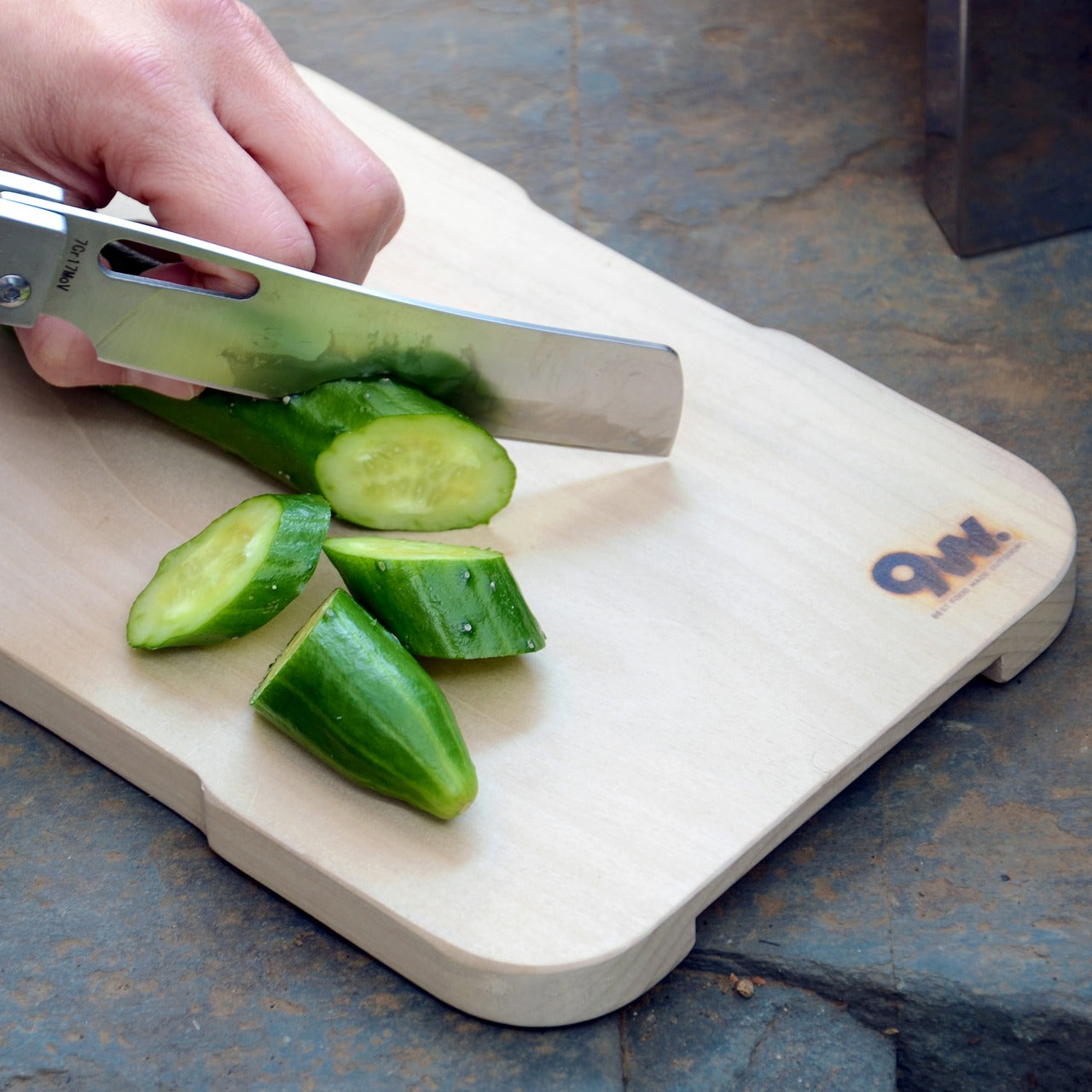
The most embarrassing tailgate moment nobody talks about is trying to open a bag of chips with a car key because your knife is buried somewhere in a bag. The Cubik removes that problem with a deployment mechanism you genuinely have not seen on a folding knife before. You tilt it, and gravity swings the blade out. No two-handed fumbling, no thumb stud digging into your nail, no moment of frustration while your other hand is already full.

At a tailgate, you are almost always holding something. A drink, a plate, your phone. The Cubik is built for exactly that situation. The blade deploys fast, locks securely, and the whole package stays compact enough to live in a front pocket without printing through your jeans. The gravity mechanism is clever design, not a gimmick, and IF has the industrial design credentials to back it up. This is the knife you reach for when the moment already counts.

What we like:

  • One-handed gravity deployment is faster and more natural than any thumb stud
  • The minimal form means you will actually carry it instead of leaving it in the bag

What we dislike:

  • Keep the lock engaged in a coat pocket. The same gravity activation that works for you will work against you if the knife is loose around other gear

2. Clip&Go Radio
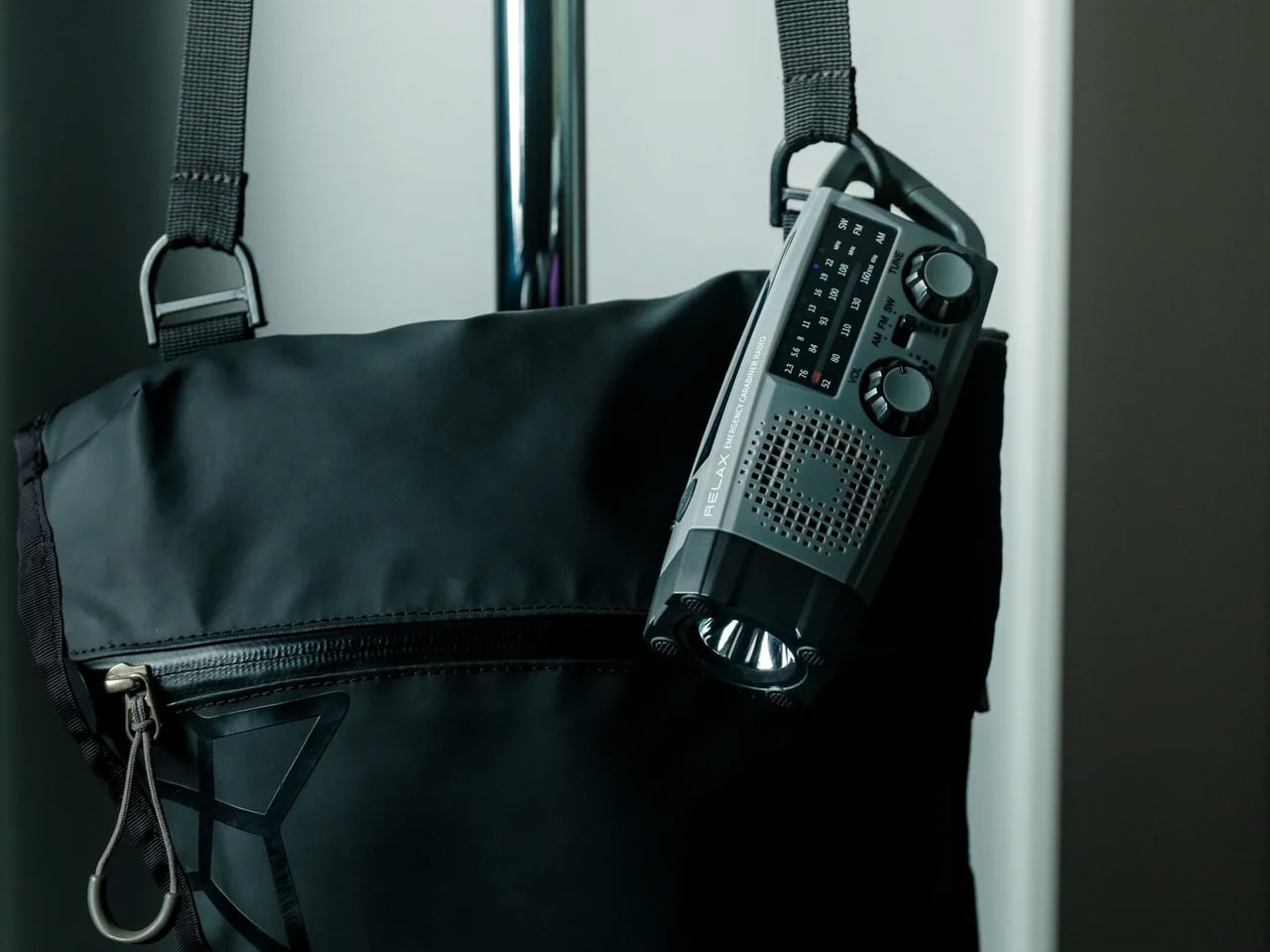
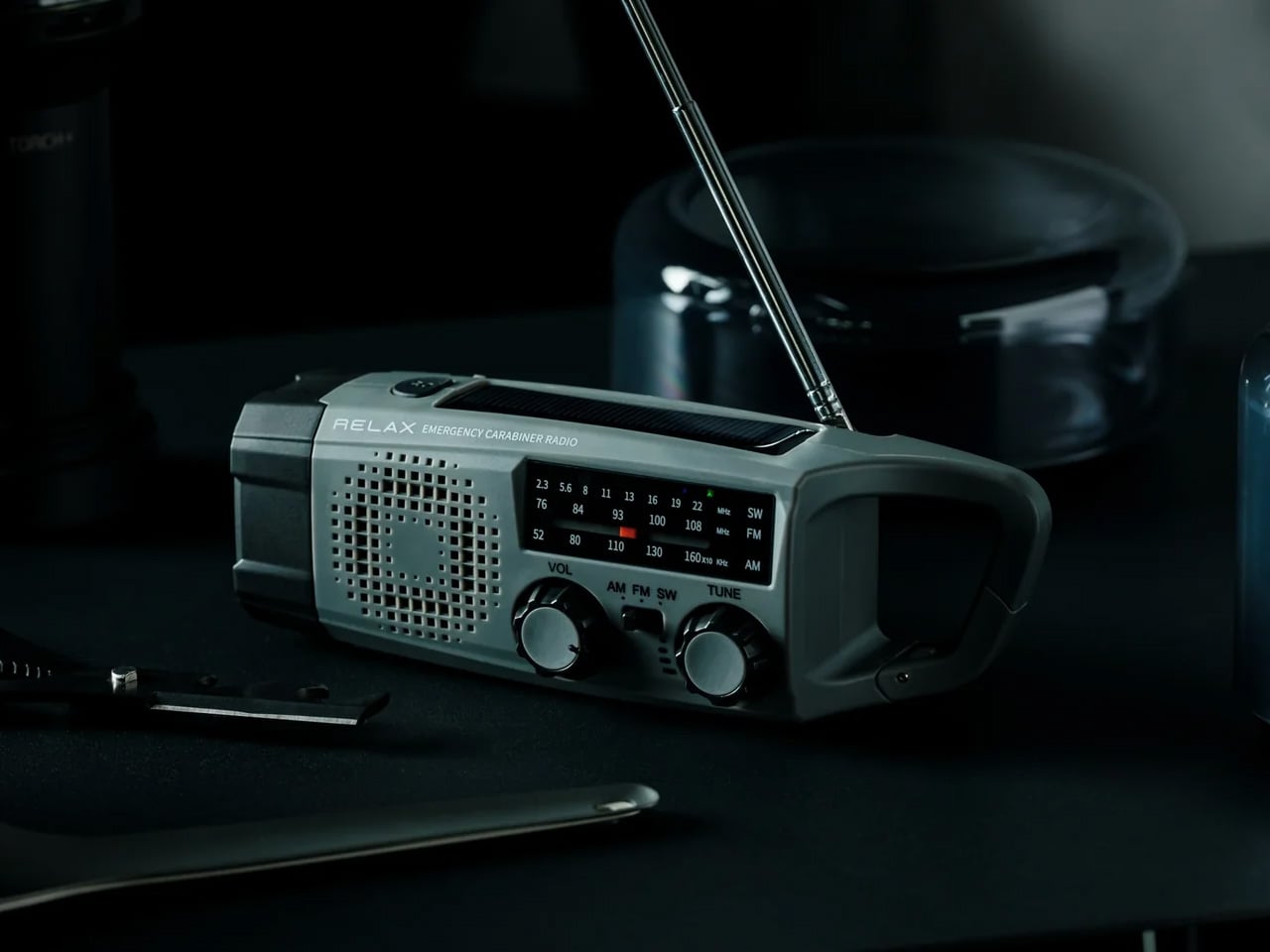
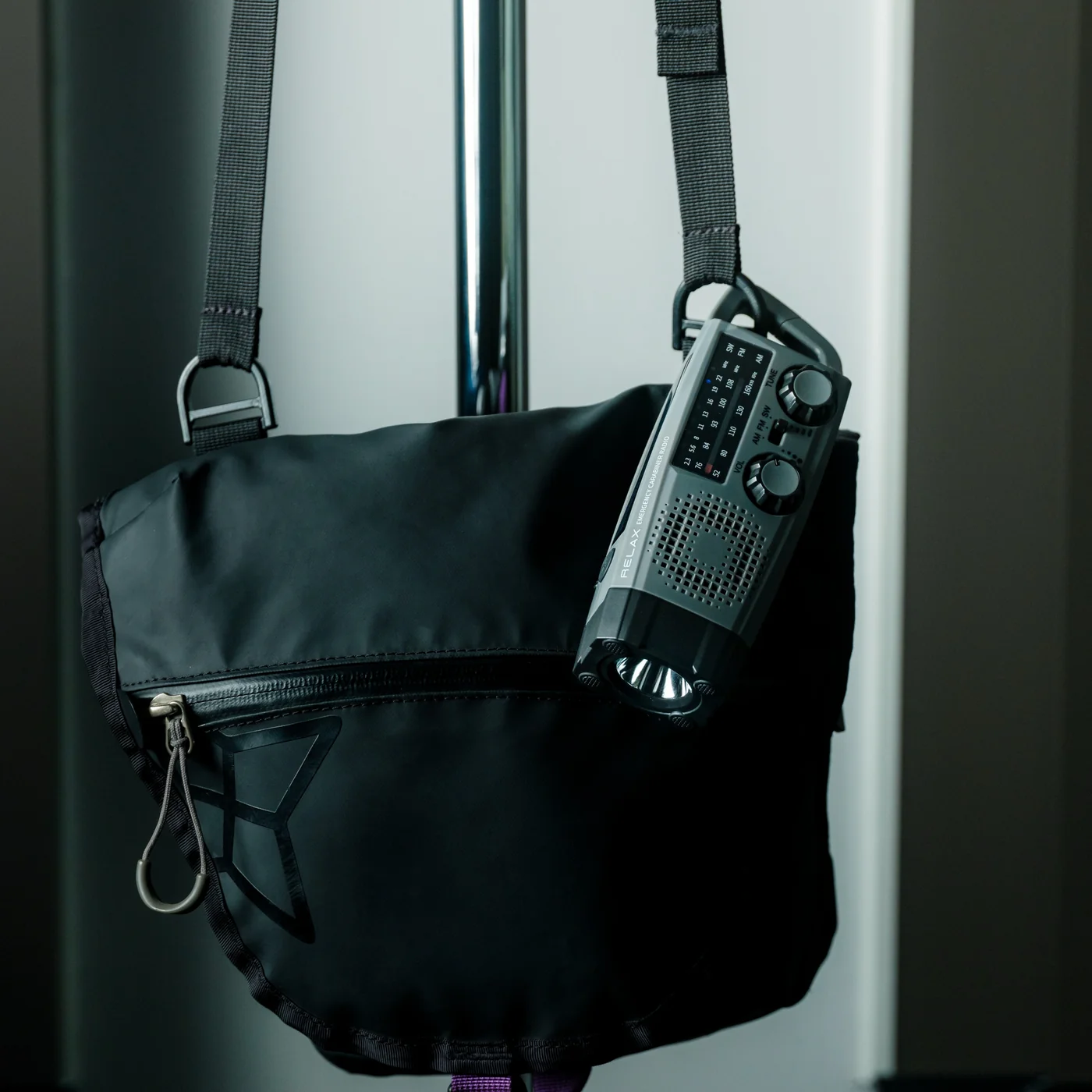
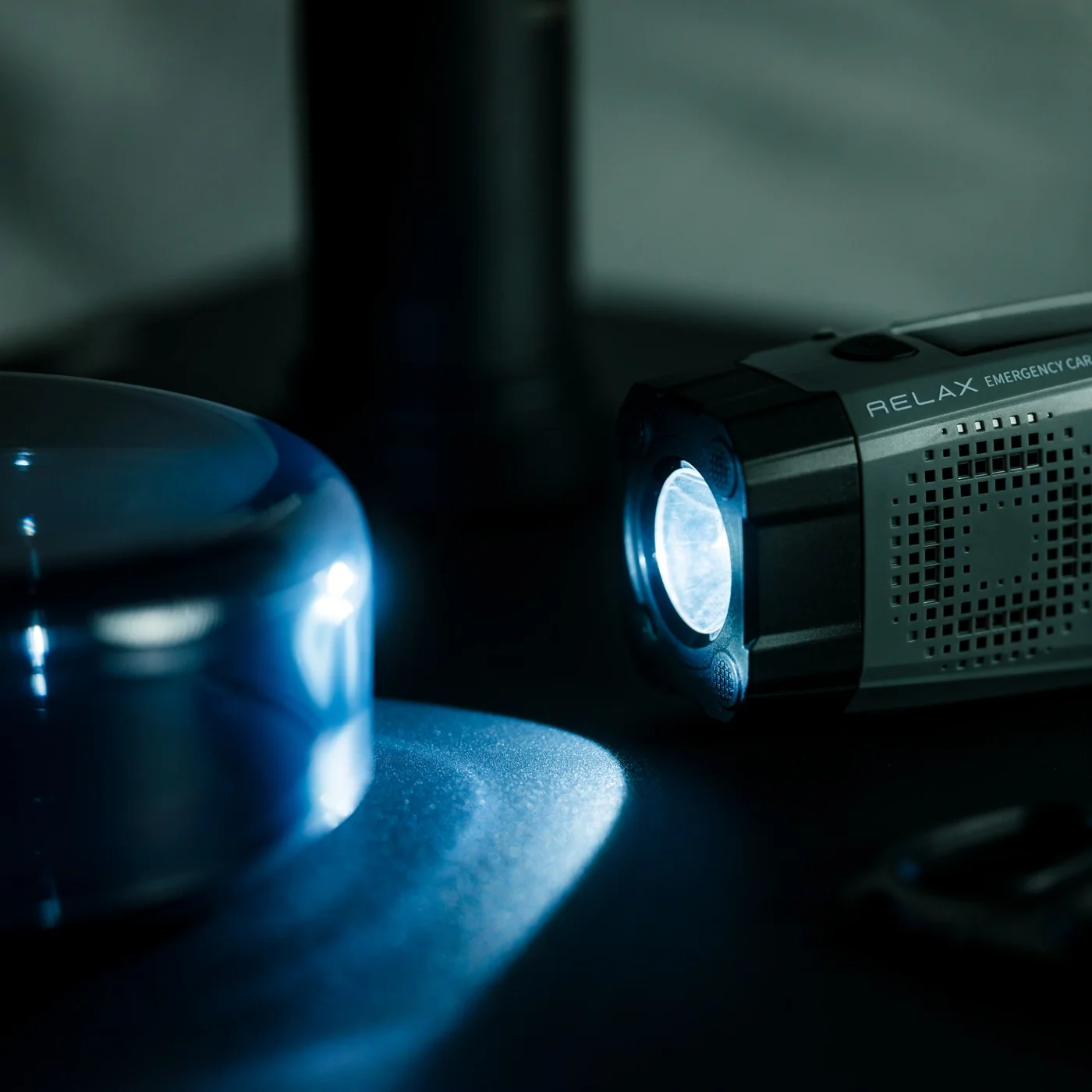
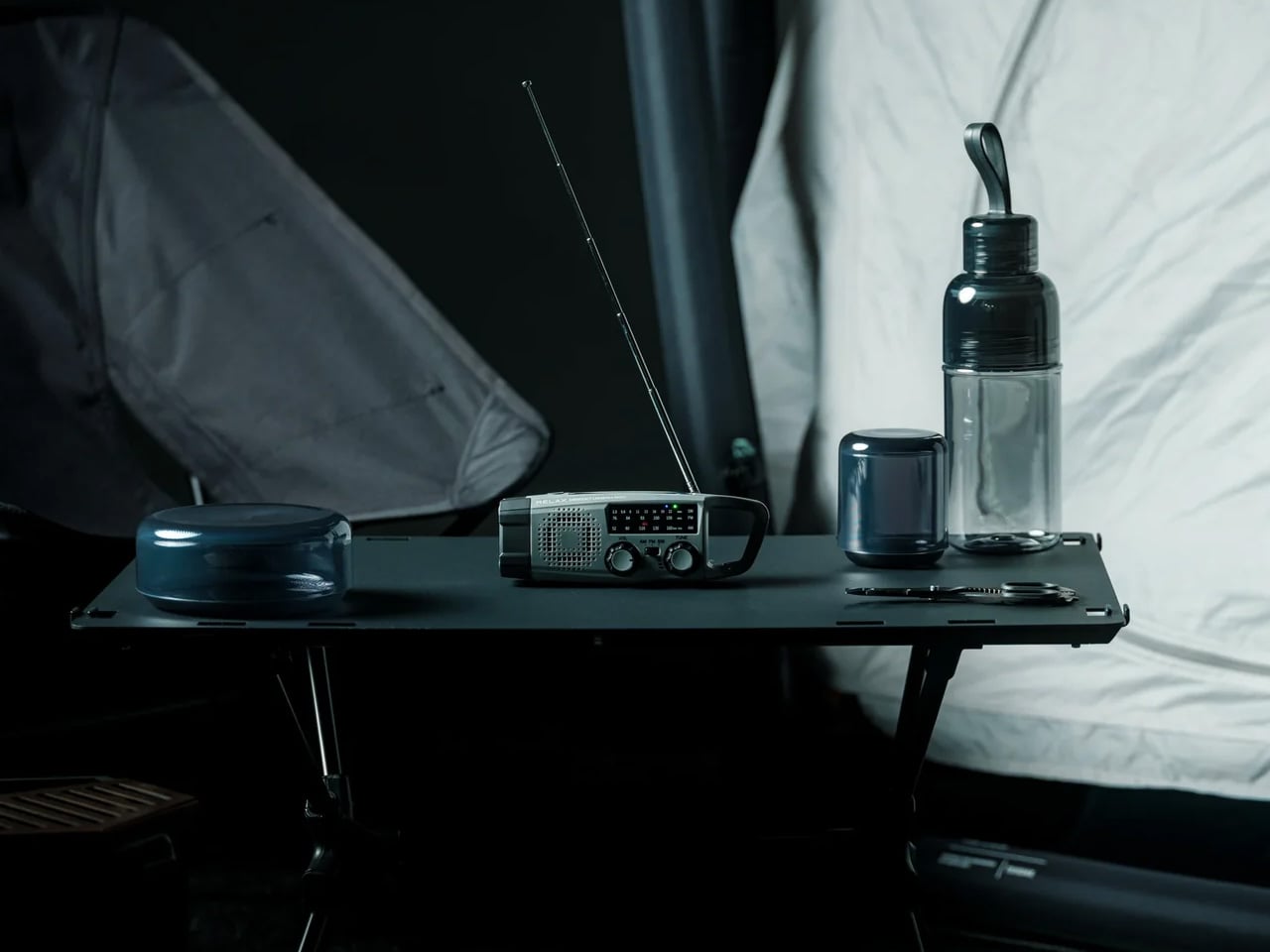
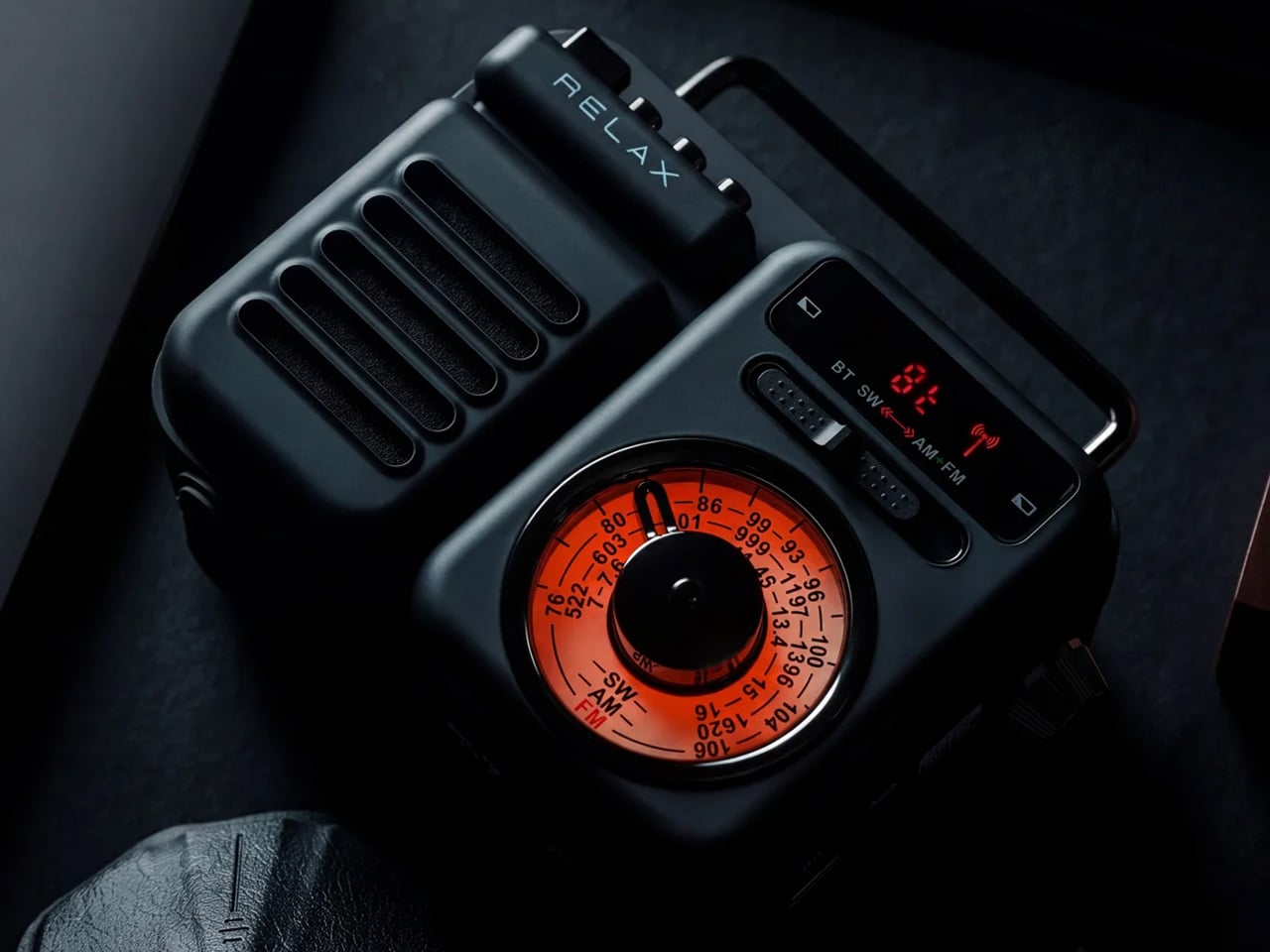
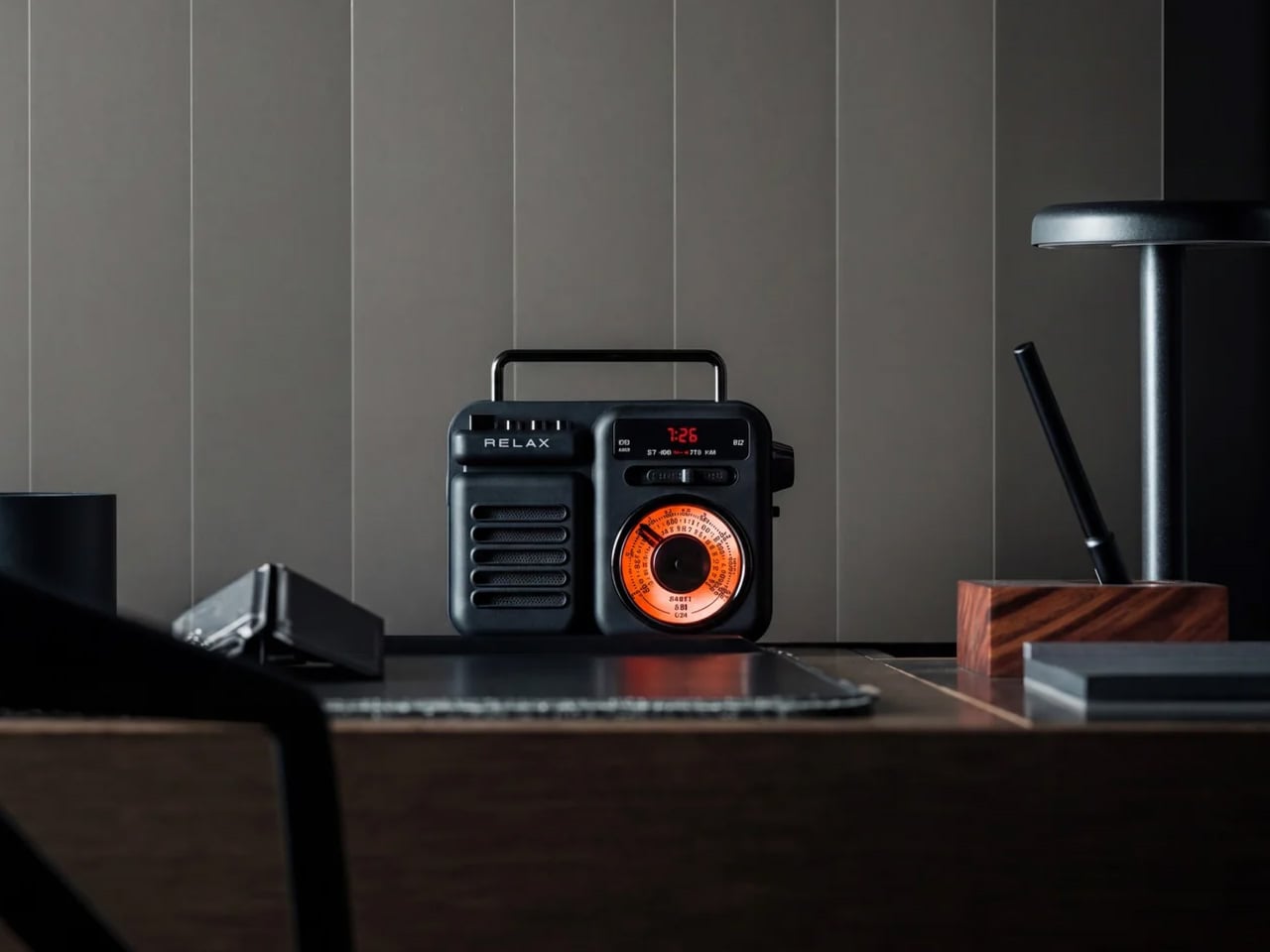
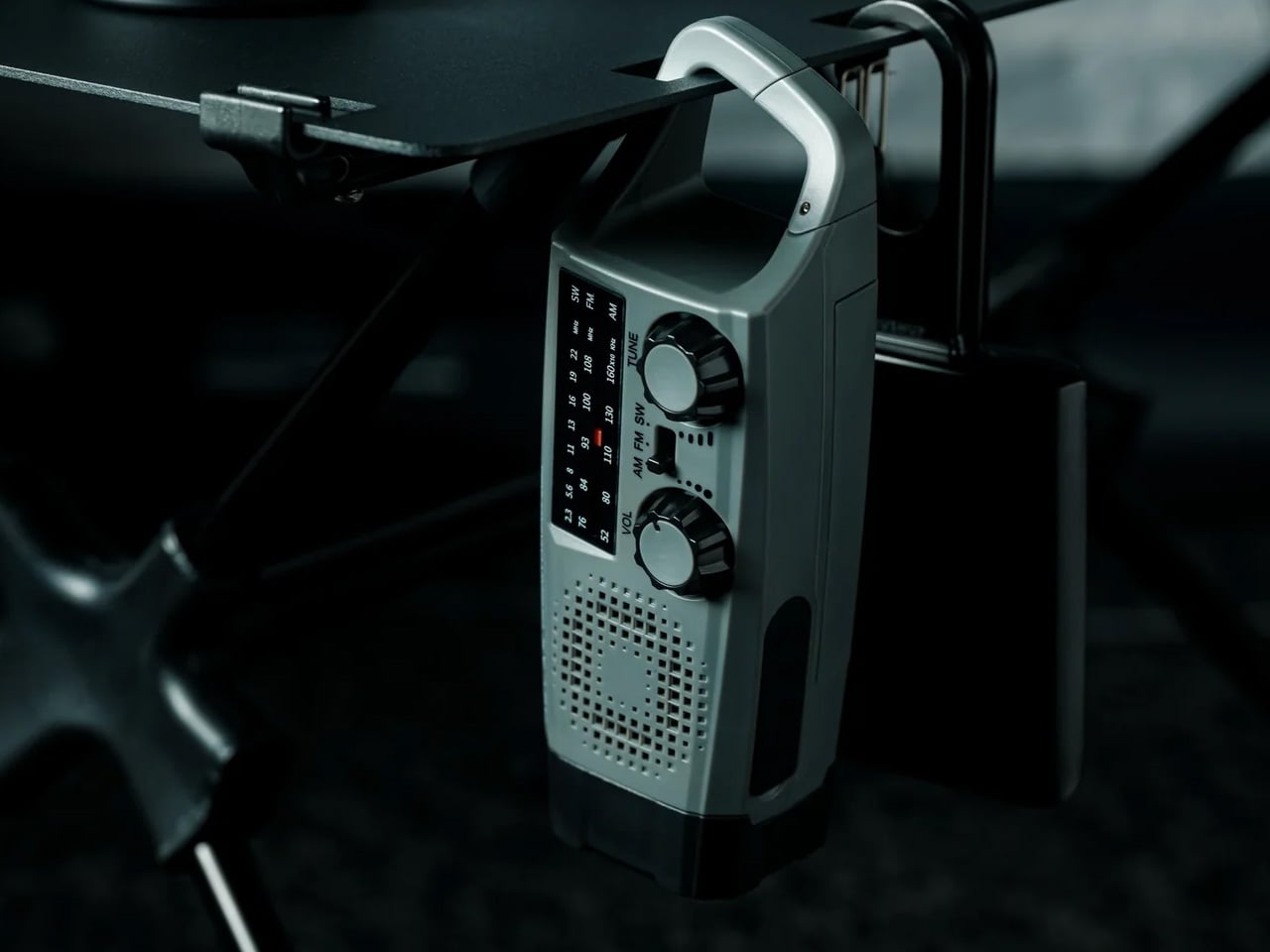
You have been to a tailgate where someone’s Bluetooth speaker died two hours before kickoff and took the whole energy of the group with it. The Clip&Go Radio is the fix that costs you nothing in phone battery. It clips to a bag strap, a belt loop, or a cooler handle, pulls in an FM signal, and runs on its own. No pairing, no app, no connection to babysit.

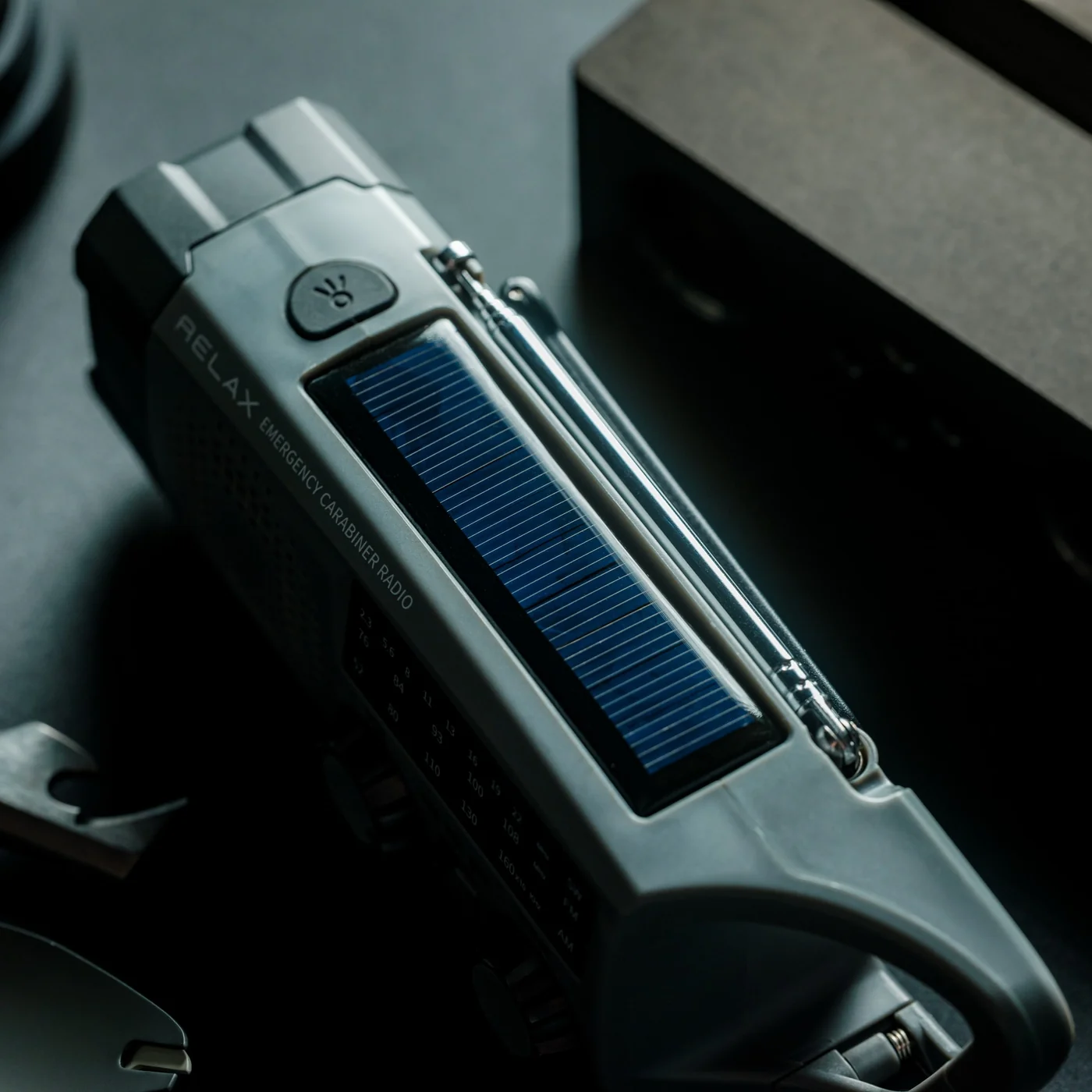
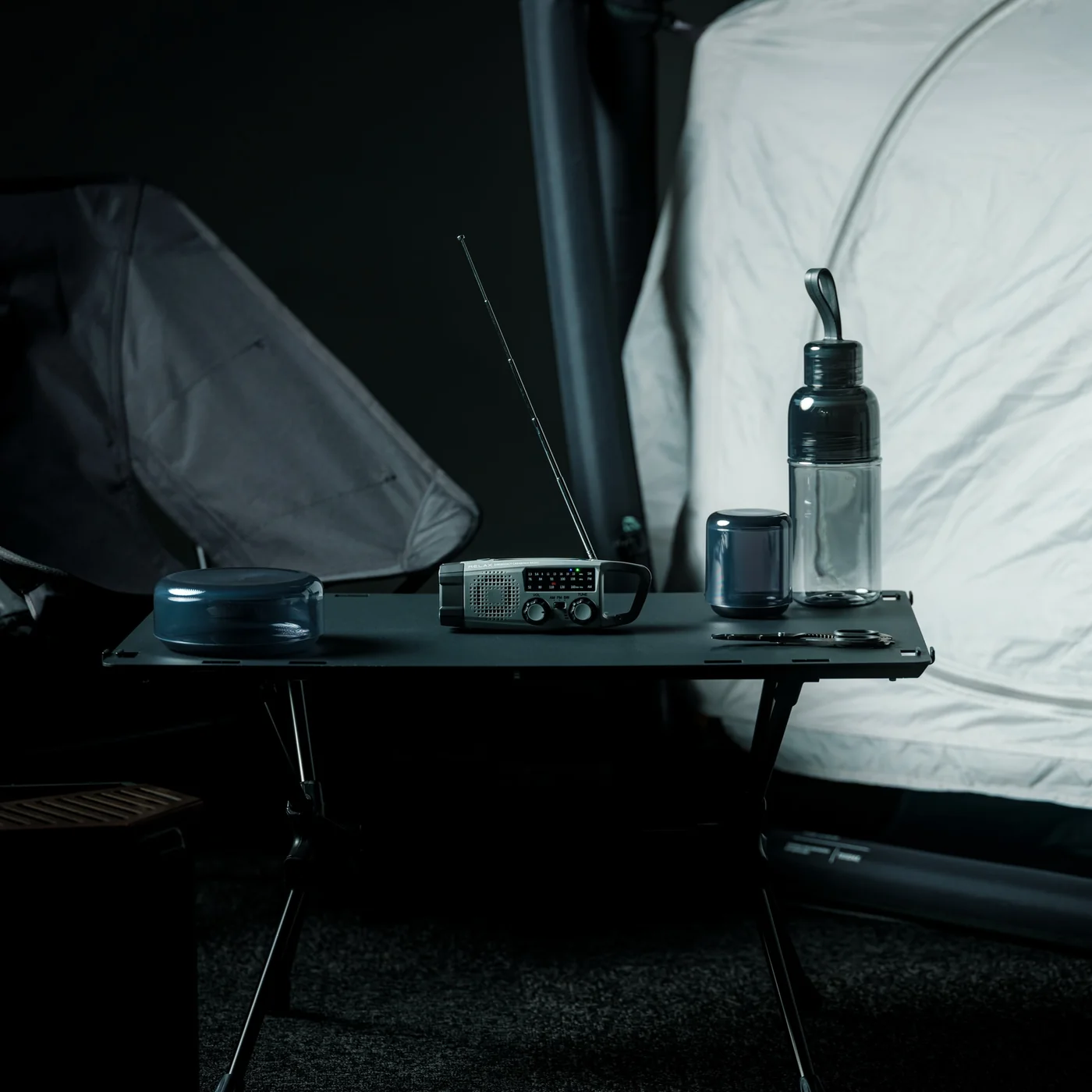
At a tailgate, radio matters in a way it does not anywhere else. You want the pregame show in the background while the playlist stays on the speaker. The Clip&Go lets you run both at once. It clips where you put it and stays there while you move around the lot. The form factor is the whole point here. It has no right to be this portable. It is the item on this list that the people around you will notice and immediately ask about.

Click Here to Buy Now: $60.00

What we like:

  • FM radio with zero drain on your phone
  • The clip mount keeps it on your person hands-free with nothing to set up

What we dislike:

  • FM signal depends entirely on your location. Dense urban lots with a lot of concrete and steel can break up reception

3. Titanium Multifunctional Magnetic Screwdriver

Nobody brings a screwdriver to a tailgate, and everybody eventually needs one. The folding table wobbles, the chair arm is loose, the grill leg will not sit flat on the asphalt. The Titanium Multifunctional Magnetic Screwdriver lives in your pocket like it is not there until exactly that moment arrives. Titanium keeps the weight down to the point where you forget you are carrying a screwdriver at all. The magnetic bit retention means a dropped bit stays findable rather than disappearing into the grass.

The multifunctional build covers the range of small fixes that come up in any outdoor group setting. You are not pulling out a toolkit. You are pulling out something that fits next to your keys and handles the job cleanly. Titanium construction is not marketing language here. It genuinely changes the weight-to-durability ratio in a way that makes you stop thinking of this as optional carry. That is the whole game with EDC tools. The best ones disappear until they matter.

What we like:

  • Titanium keeps it genuinely light in the pocket, not just marketed as slim
  • Magnetic bit retention eliminates a real frustration every time you use it outdoors

What we dislike:

  • The bit selection covers most standard fasteners but probably not every specialty head on older folding furniture

4. DraftPro Top Can Opener

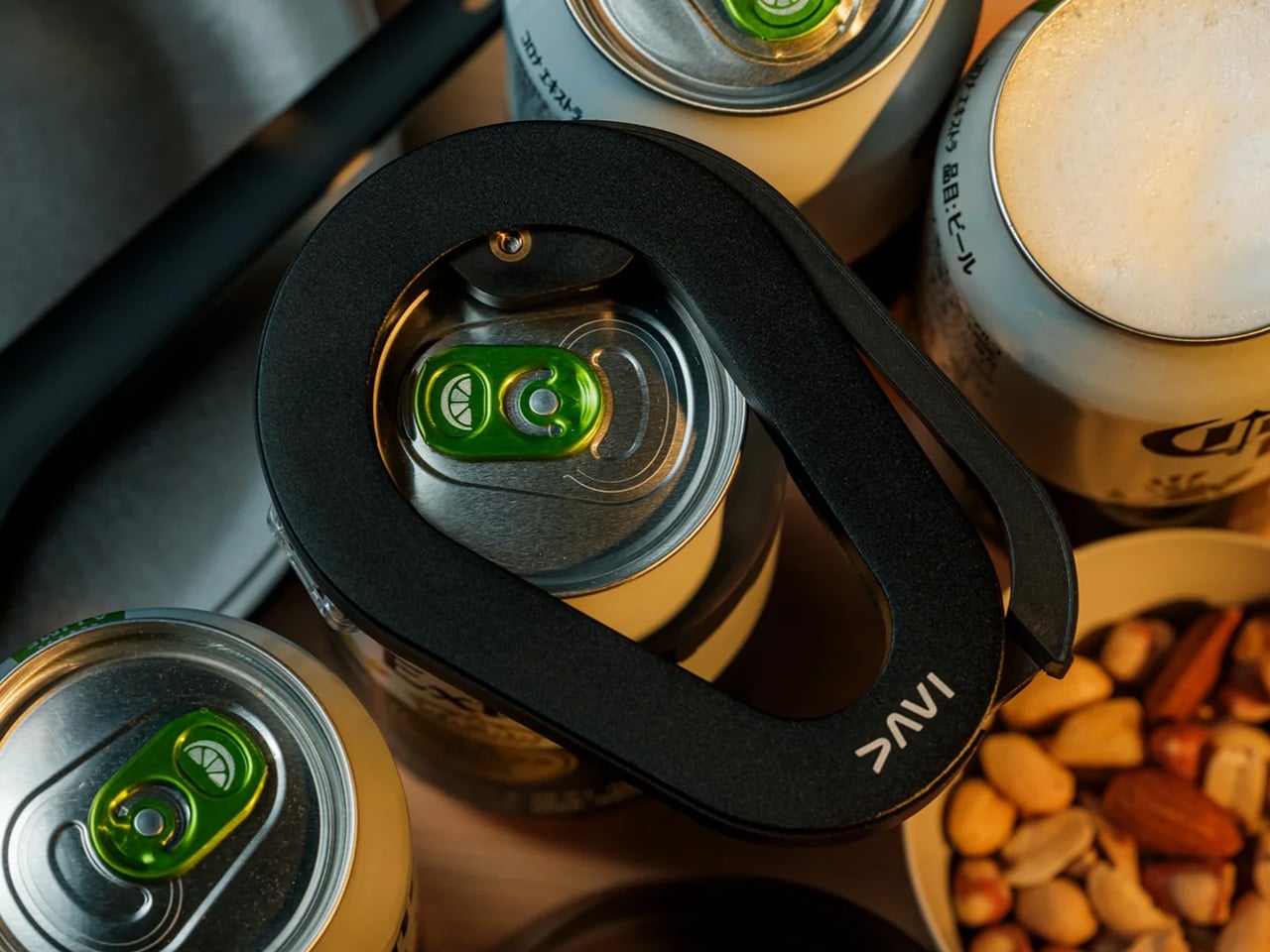
You are standing in a parking lot with a can of beans, a can of corn, or a can of anything, and the pull tab just snapped flush with the lid. The DraftPro Top Can Opener was built for exactly this situation. The top-opening mechanism keeps the lid controlled rather than dropping it into your food, and it was designed for outdoor use from the start rather than borrowed from someone’s kitchen drawer. That difference shows up every single time you use it.

The DraftPro is small enough to sit in a bag pocket without taking up real estate, and it performs the same way on the tenth can as it did on the first. At a tailgate where you are opening multiple cans across an afternoon, that consistency matters more than you would expect. You do not muscle it through. The mechanism does the work. It is a single-function tool, and it does not pretend otherwise, which is a kind of honesty you appreciate when you are standing outside and just need the can open.

Click Here to Buy Now: $60.00

What we like:

  • The top-opening design keeps the lid contained and your food clean
  • Built specifically for outdoor use, and that intentionality shows in how reliably it performs

What we dislike:

  • It opens cans and nothing else. That is the right call, but know it earns exactly one slot in your kit

5. Nitecore EDC37
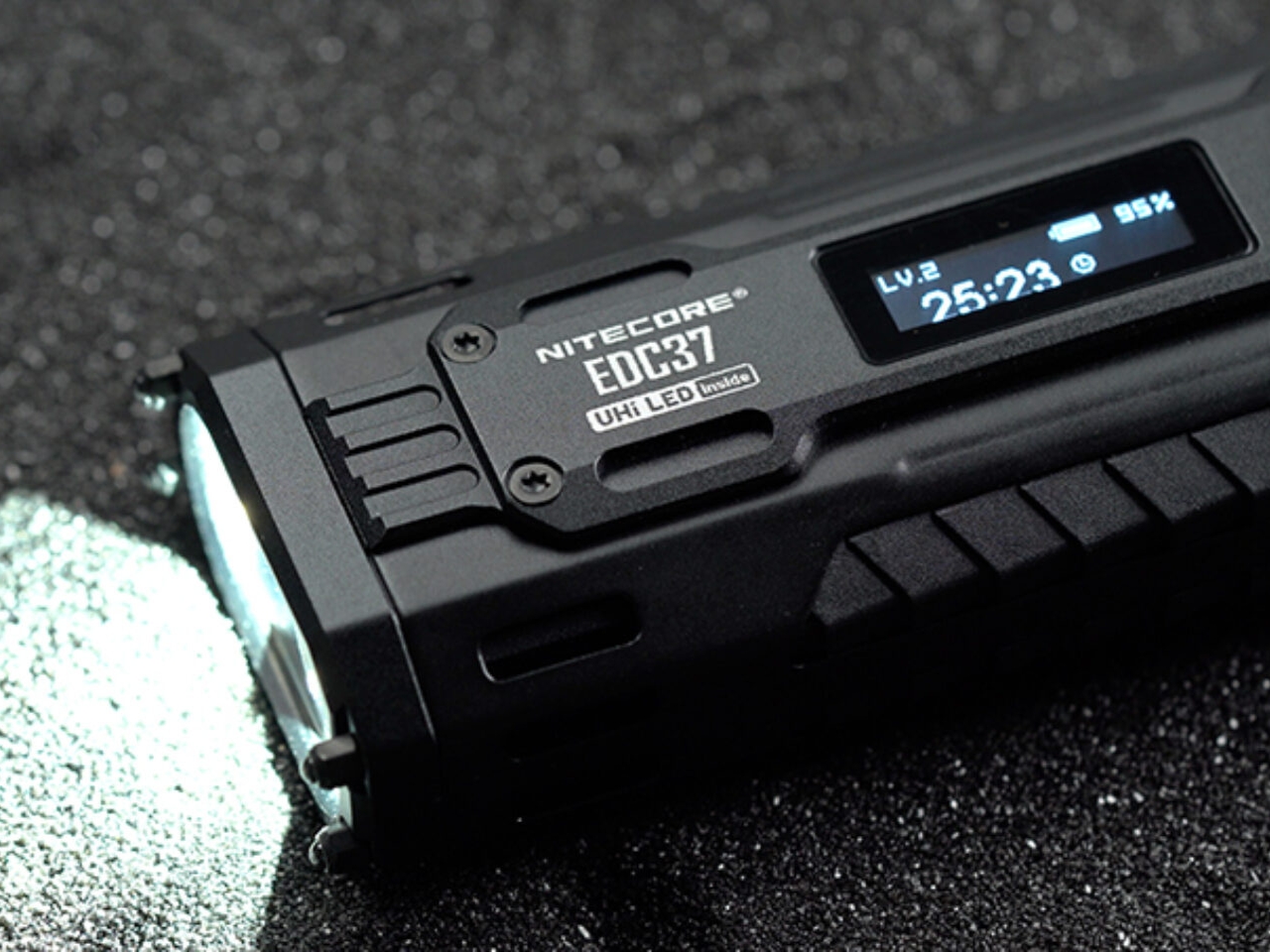
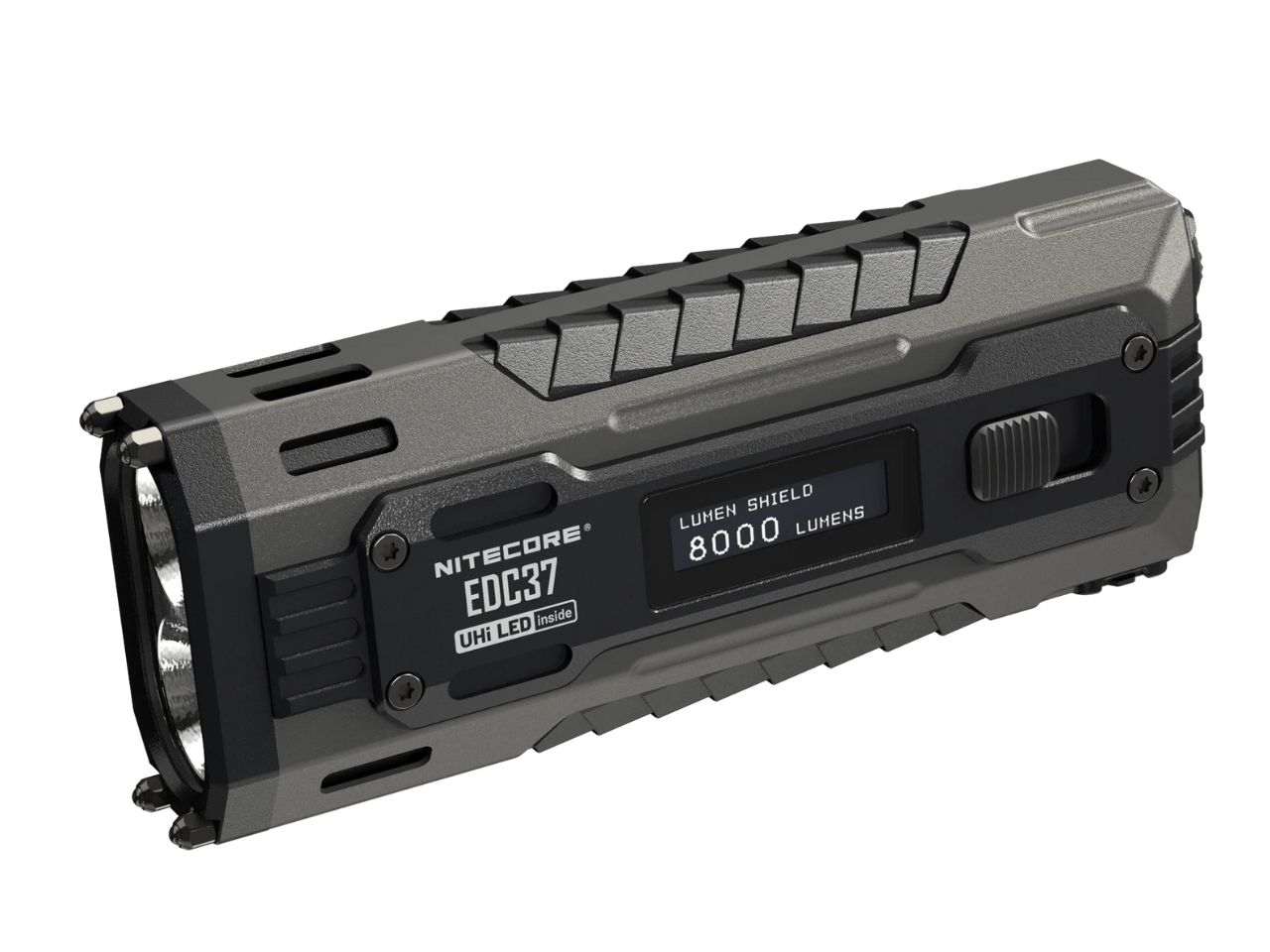
The moment a tailgate becomes a night tailgate, your phone flashlight reveals exactly what it is: a screen that pretends to be a light. The Nitecore EDC37 is an actual flashlight. It outputs 8,000 lumens from a body that fits in a jacket pocket and charges via USB-C, which means you top it up in the car on the way to the stadium. That combination makes it the right choice for a season that starts in daylight and ends in the dark parking lot an hour later.

You do not need 8,000 lumens to find something in a cooler. That is the point. The EDC37 runs on lower modes through most of the afternoon without touching the battery, and when the sun goes down, you dial it up. Signaling to your group across a dark lot, finding a dropped key in the grass, lighting up the tailgate table during setup. USB-C charging removes the last reasonable objection to carrying a real flashlight. At this point, you are out of excuses.

What we like:

  • 8,000 lumens in a genuinely pocket-sized body is a real achievement
  • USB-C charging means no proprietary cables to hunt down before the season opens

What we dislike:

  • Max brightness burns through the battery fast. Use the lower modes for most of the evening and save the top end for when it counts

Build Your Carry Before You Hit the Lot

These five products solve the specific problems that show up the moment you leave a controlled environment and spend an afternoon outside with a group. None of them need a special occasion to earn their spot in your bag. A blade, a light, a radio, a screwdriver, and a can opener. Five covered gaps, five fewer moments where you are the person asking around for something basic.

The DraftPro Top Can Opener is my personal favorite on this list because it solves the problem nobody plans for and solves it more cleanly than anything else in its category. The rest of the kit holds up across the board. Build your carry around what your tailgate actually demands, start before Saturday, and show up ready before kickoff.

The post 5 EDC Gadgets Built for Your First Tailgate of the Season, Not Your Desk Drawer first appeared on Yanko Design.
xTool O1 Omni UV Printer Prints on Wood, Metal, Glass, and Your T-Shirts, All From One Desktop Machine

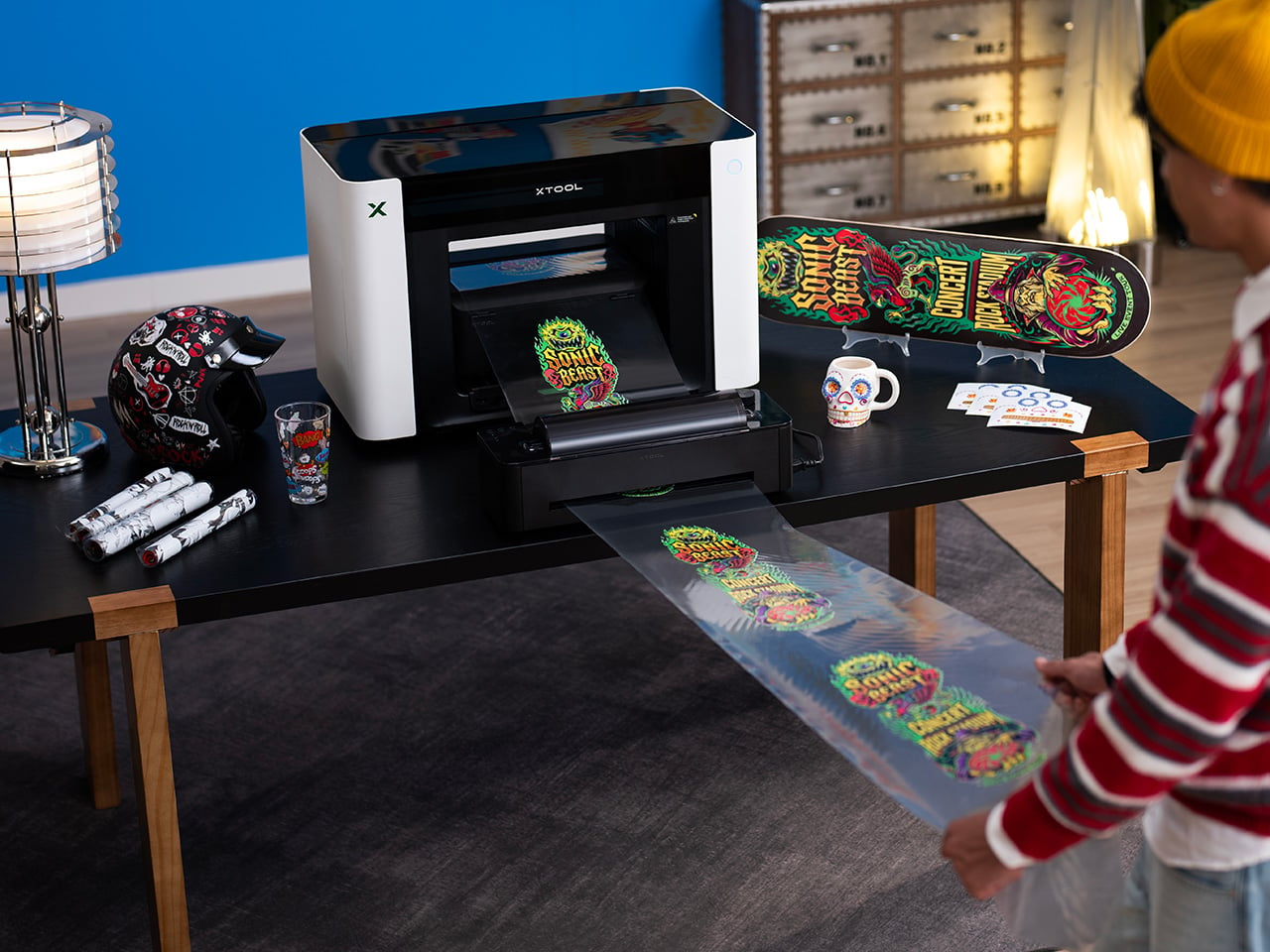
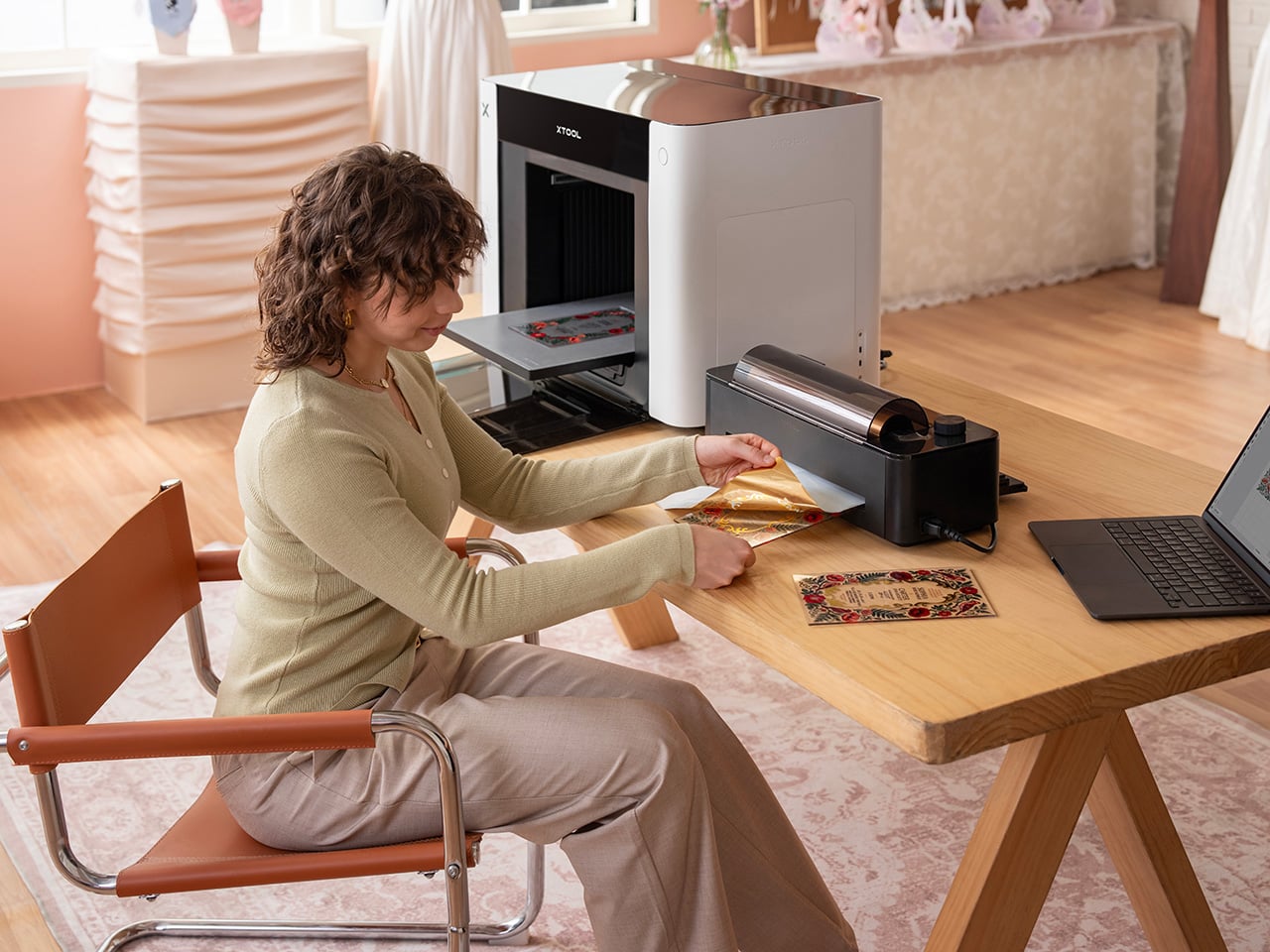
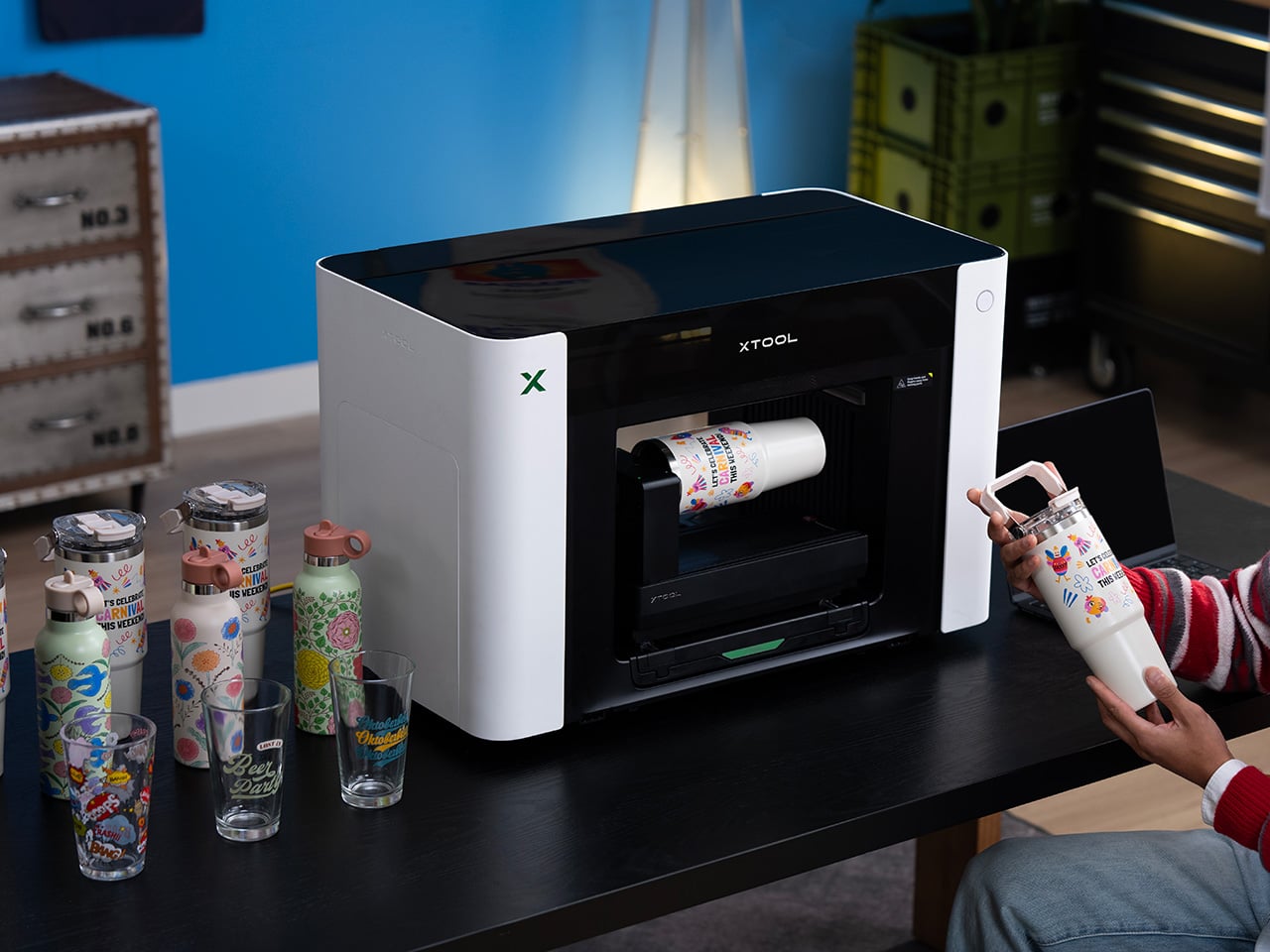
When a desktop printer moves 6,000 units and clears $20 million in revenue on day one, something is clearly going on beyond the usual pre-launch hype cycle. The xTool O1 Omni Printer is a 4-in-1 desktop system merging UV, DTG, DTF, and UV DTF printing in one modular machine, a combination that previously required four separate devices and considerable floor space. For years, creators have been burdened by fragmented workflows, forced to buy separate, single-purpose machines for rigid substrates and textiles. Desktop UV printing has been one of the more notable maker-market stories of 2026, and the O1 is making a clear bid for category leadership. The central design proposition is capability consolidation, and day-one sales suggest it landed with the right people.

Units have already begun shipping, turning pre-order momentum into machines arriving at actual studios and workshops. On August 27, the first offline debut of the O1 Embroidery happened at the Next Level Conference x xTool SMB Summit, where live demos will give attendees their first hands-on encounter with the platform’s textile and dimensional output. That event was a deliberate venue choice: the Summit brings together the small business creative community the O1 is built for, and debuting the embroidery capability there sends a clear signal about where xTool sees the product’s core application. Three editions run from $1,899 for the Single UV configuration to $2,999 for the full UV + Fabric hybrid. The modular dual-printhead system is the engineering decision that holds the entire consolidation promise together.

Designer: XTOOL

Click Here to Buy Now: $1899 $2499 ($600 off). Hurry, deal ends in 48-hours!

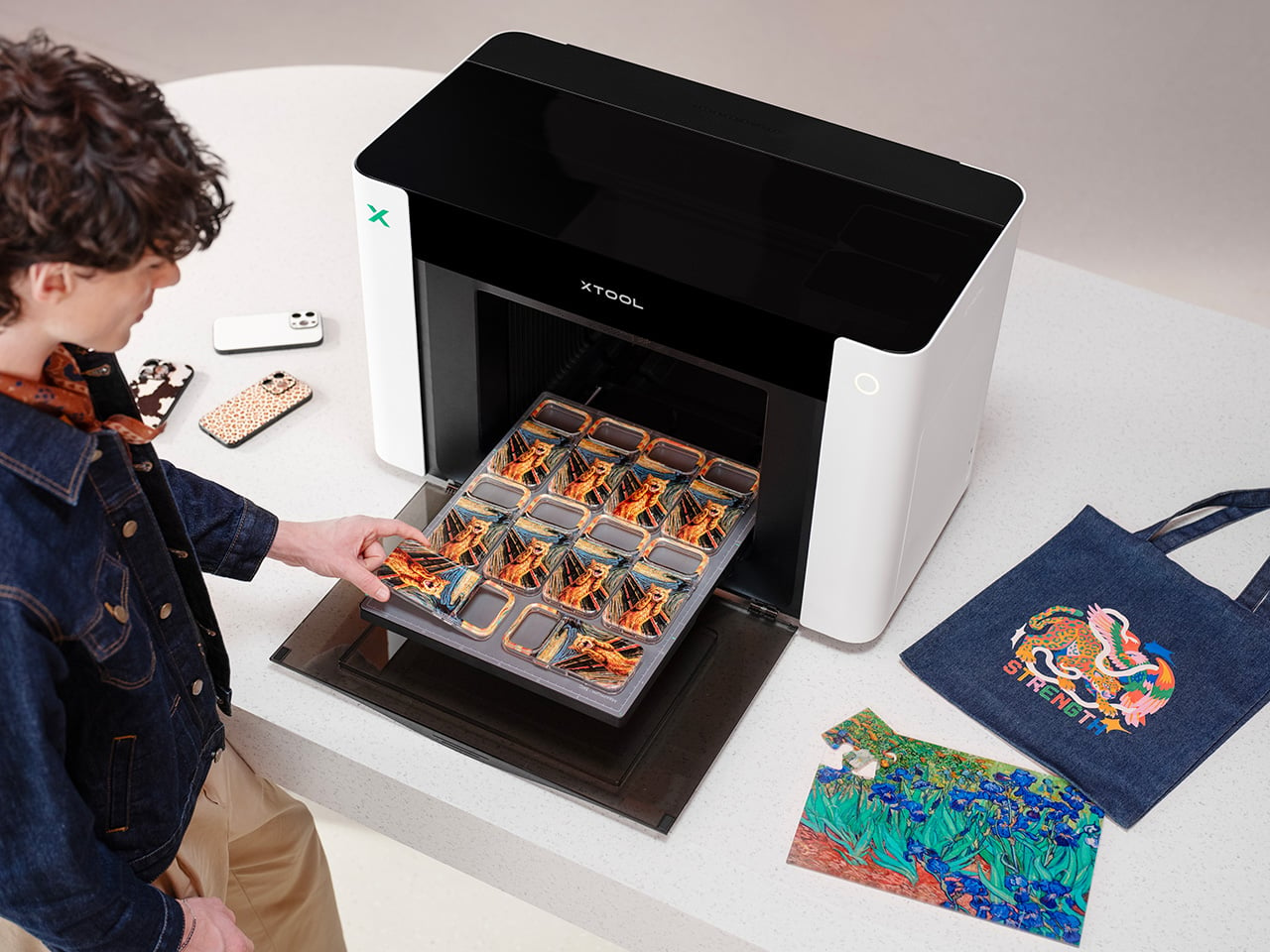
The dual-printhead architecture is what separates the O1 from every desktop printer in its class, operating more like a configurable platform than a fixed device. Users can run dual UV printheads for layered effects and accelerated throughput, or swap in a fabric printhead to shift between hard goods and garment workflows on the same machine. UV output covers wood, acrylic, glass, and metal with raised 3D texture effects up to 7mm deep, supported by a 2,000-plus texture library. The fabric side handles DTG and DTF workflows, including on curved and irregular surfaces, with an OEKO-TEX certified system that survives 50-plus washes without fading. A Rotary Attachment extends the platform to cylindrical objects like tumblers, with Automated 3D Modeling covering 90% of mainstream shapes for a 1:1 design preview before printing.

Positioning accuracy is delivered by xTool’s Pixel-Scan Vision System, combining Line Laser Altimetry and CIS Scanning. A Laser-Guided Auto-Focus detects each object’s highest point before printing, eliminating printhead collisions on uneven surfaces. Unlike traditional distorted fish-eye cameras, the 1:1 Distortion-Free CIS Scanning offers close-range, high-definition scans with zero dead zones, powering a jigless “Drop & Print” workflow that removes alignment jigs from the equation, which is a more meaningful time-saver than it sounds in an actual production environment. xTool Studio’s AI Contour Recognition instantly identifies irregular shapes to fill designs perfectly while automatically avoiding holes like camera cutouts. The Laser + UV Seamless Workflow lets users laser-cut a workpiece and move it to the O1, where the software automatically recognizes and aligns the print with zero manual recalibration.

Three editions cover the full range from single-mode UV to full hybrid, priced between $1,899 and $2,999, with each tier differentiated by workflow rather than arbitrary specs. The entry-level UV Edition at $1,899 targets rigid material personalization across wood, acrylic, glass, and metal. The Dual-Head UV Edition at $2,899 adds fluorescent neon inks for blacklight effects and specialized soft and hard white inks for materials like leather. The UV + Fabric Edition at $2,999 is the full cross-category hybrid, covering both hard goods and garment workflows through the OEKO-TEX certified fabric system. All three share the Pixel-Scan Vision System and xTool Studio, keeping the intelligence layer consistent across the lineup.

UV printing at the studio scale has historically required dedicated ventilation and careful ink handling, which kept the workflow inside commercial print shops. The O1 uses GREENGUARD-certified, non-reprotoxic inks and an advanced built-in air filtration system to eliminate odors in home studios. SmartCycle 2.0 automates routine care to prevent clogging, offering 14-day vacation-ready support that lets users step away with confidence and return to a machine that is ready to run. The Dual-Head UV Edition adds specialized flexible white inks, expanding the material list to leather goods and flexible substrates. Taken together, these decisions position the O1 as a machine built to live in a real creative workspace, not parked in the back corner of a commercial print shop.

The O1 Embroidery made its first public hands-on appearance at the Next Level Conference x xTool SMB Summit on August 27, putting the platform’s most dimensional textile output in front of the small business creators it is built for. Desktop UV printing has heated up considerably in 2026, with machines like the eufyMake E1 generating real market attention, and the O1 is making a clear bid for the consolidation position in that category. The 6,000-unit, $20 million day-one performance signals the market was ready for this hardware category long before the product arrived. Explore the full xTool O1 Omni Printer lineup and configure your edition at xTool’s website.

Click Here to Buy Now: $1899 $2499 ($600 off). Hurry, deal ends in 48-hours!

The post xTool O1 Omni UV Printer Prints on Wood, Metal, Glass, and Your T-Shirts, All From One Desktop Machine first appeared on Yanko Design.

3 Japanese Stationery Designs So Good You’ll Actually Enjoy Going Back to Your Desk

Late August has a particular texture. The mornings cool by a degree, the light shifts without announcing itself, and the desk that went mostly untouched all summer starts to look like a place worth returning to. Japanese stationery has always understood this moment. The objects it produces are not exciting in the way a gadget is. They are exciting in the way a good chair is — once you find the right one, everything before it starts to feel like a placeholder.

The three picks here share a quality that is easy to recognize once you know to look for it. Each attends to the part of the tool that most manufacturers have already decided is resolved. A pair of scissors built with the precision of a professional instrument. A stapler that removes the staple from the concept of stapling. A notebook that asks nothing of you beyond showing up. Together, they change what returning to a desk in late summer actually feels like.

1. Stellar Edge Scissors

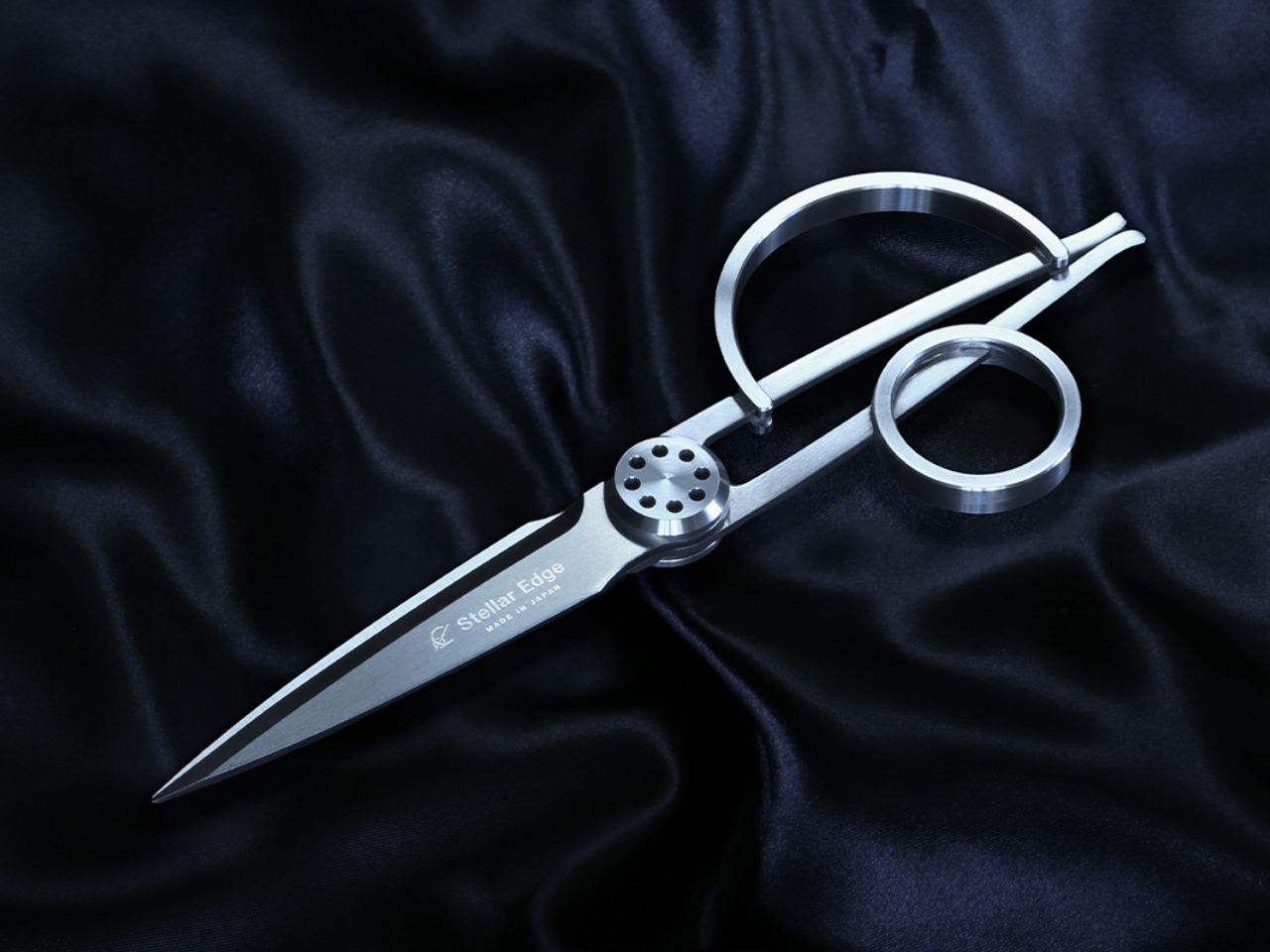
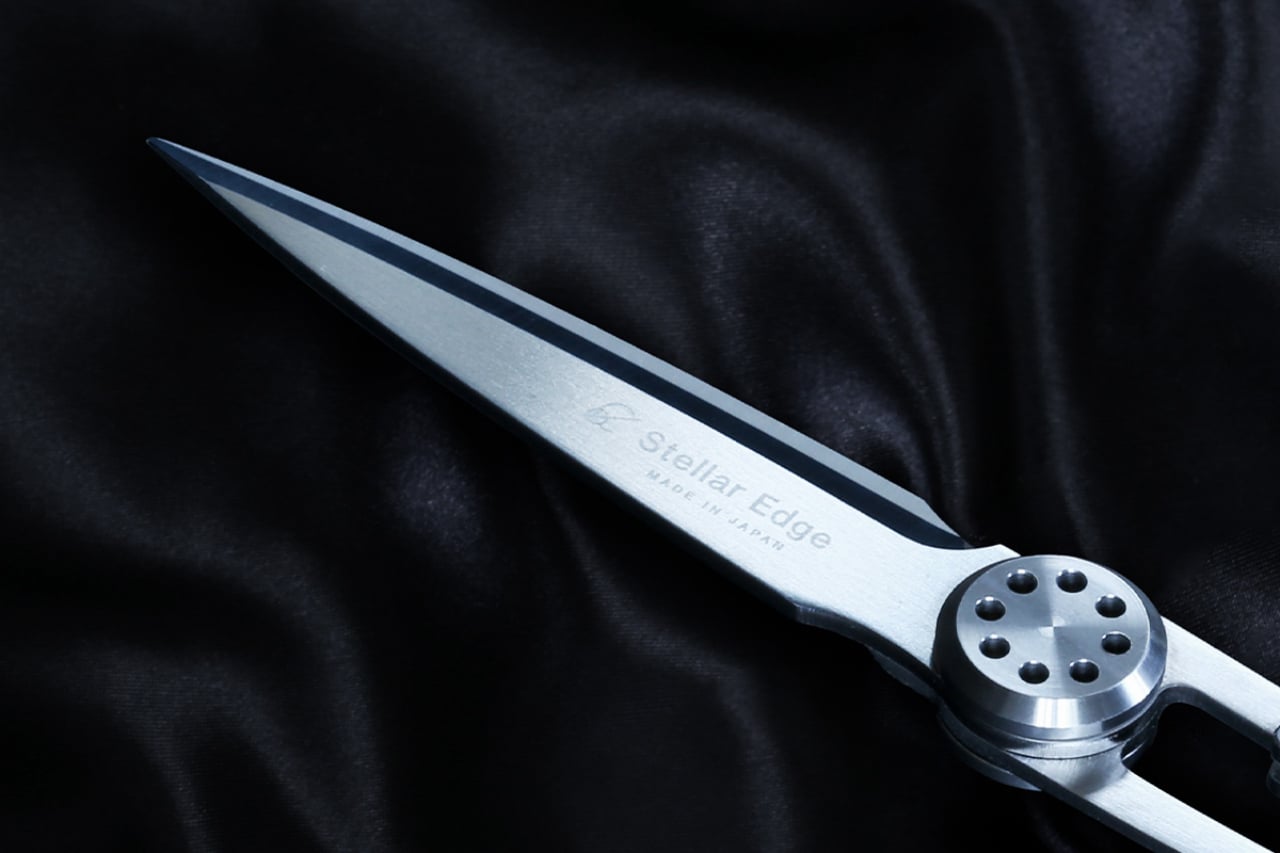
Most scissors are bought once and forgotten. The Stellar Edge Scissors, crafted from Japanese stainless steel, propose a different relationship with the category. Seamless, polished handles and a weight distribution that shifts the blade toward the hand make cutting feel less like holding something and more like extending your reach across the page. Every angle in the design is considered. The result is a pair of scissors that earns a permanent place on the desk rather than disappearing into a drawer the week they arrive.

Each snip registers with the kind of clean resistance that confirms the blade is doing exactly what it was built for. The polished finish elevates the tactile experience without making the scissors feel fragile or precious. Extended cutting sessions don’t build the fatigue that cheaper alternatives accumulate across an afternoon, and the grip sits naturally regardless of hand size with no adjustment required. For anyone who works with paper regularly, these are the scissors that make the pair you owned before feel like it was never really doing the job.

What we like

  • Japanese stainless steel construction holds its edge through sustained use rather than dulling after a few weeks of regular cutting
  • The seamless, polished handles and considered weight distribution make these genuinely display-worthy objects on a desk surface

What we dislike

  • The precision manufacturing and material quality place these at a higher price point than most people are used to spending on scissors
  • No rubber grip inserts means those who prefer a softer handle feel on longer cutting sessions will notice the absence

2. PaperLock Stapler

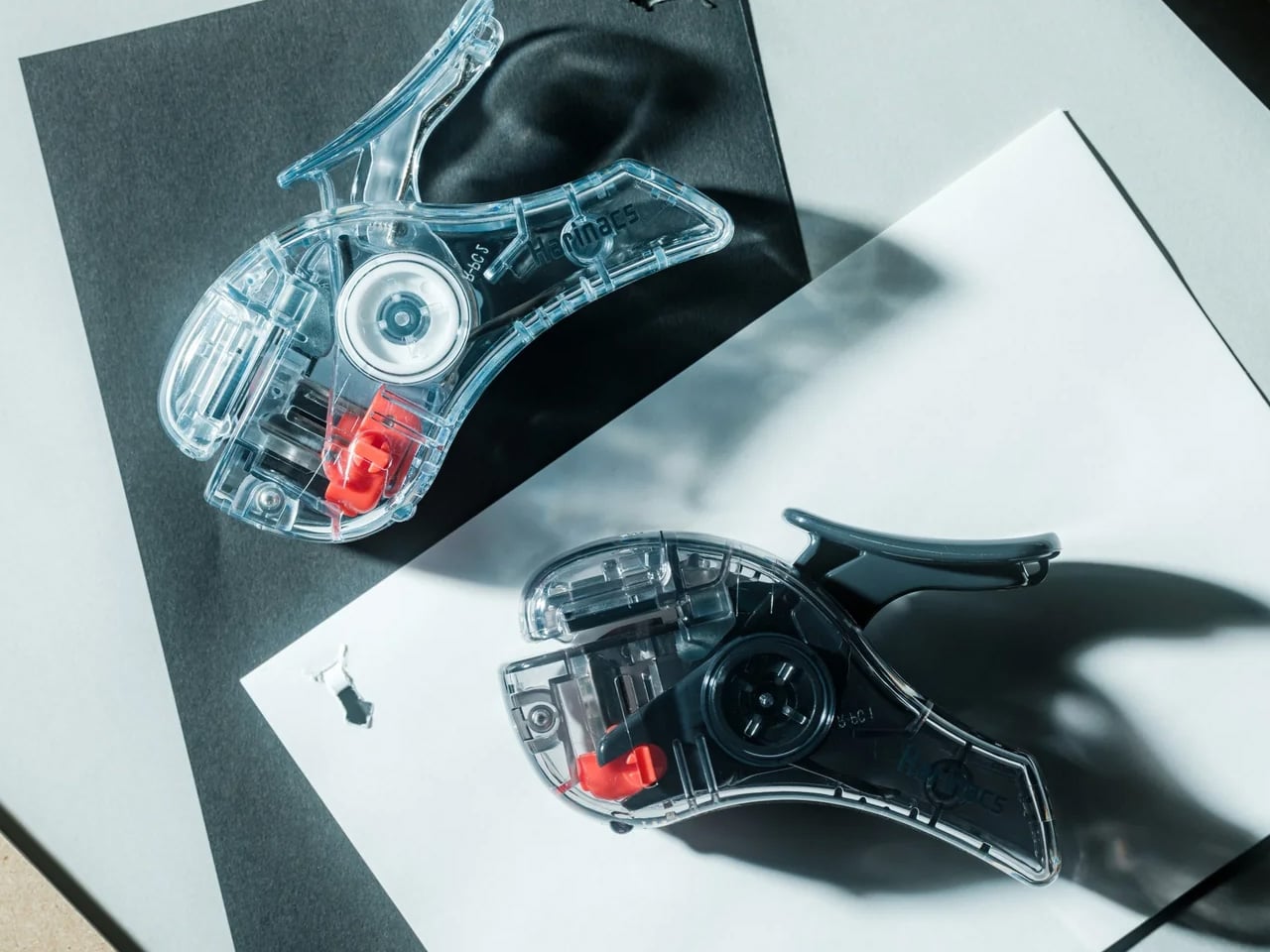
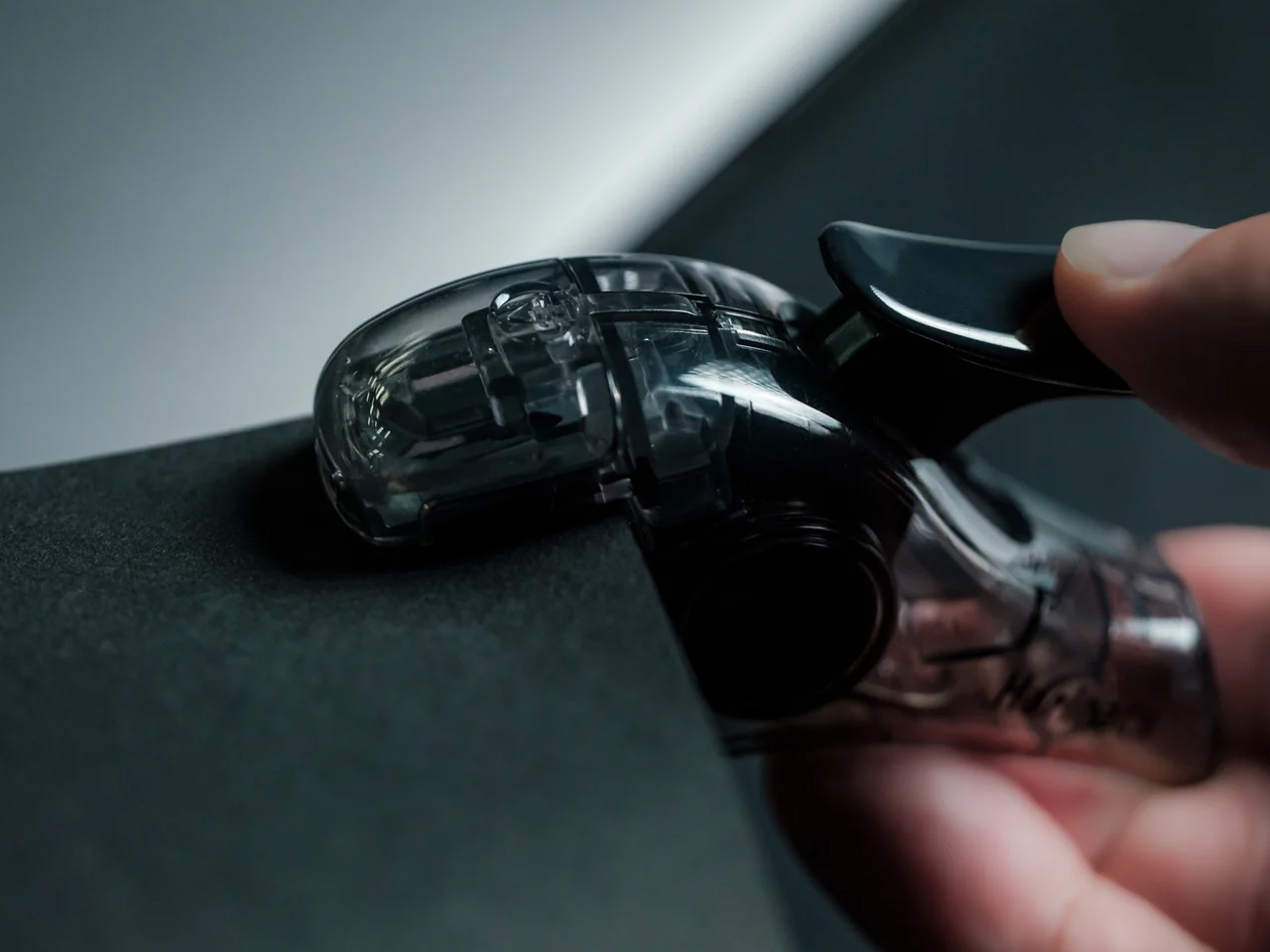
The mechanism behind PaperLock is simple in the way good design is simple. Press the lever and a small cutting element punches through the stack, folding the paper back through itself to create an interlocked join. No metal passes through the page. No staple is added. The paper becomes its own fastener, which means nothing catches against other sheets in a stack, nothing needs removing before a document reaches the recycling bin, and nothing can run out at the moment you most need it to work.

Most desk tools keep their mechanisms out of sight, usually because there is nothing worth showing. PaperLock does the opposite. The transparent body puts the internal parts on full display, and pressing the lever becomes something closer to watching a small machine operate than completing a piece of office admin. A viewing window shows exactly where the join will land before you commit, a corner guide keeps placement consistent across an entire stack, and the lever works pressed against a surface or squeezed in the palm with no adjustment required between the two.

Click Here to Buy Now: $35.00

What we like

  • The staple-free mechanism cuts and interlocks the paper itself, leaving nothing to load, manage, or run out of at an inconvenient moment
  • The transparent body puts the internal mechanism in full view with every press, turning a routine desk task into something worth watching

What we dislike

  • Five-sheet capacity handles everyday stacks cleanly, but anything thicker requires a different tool, which limits its range for larger document sets
  • Separating paper-locked sheets without tearing requires more care than pulling a metal staple free, which matters when a binding error needs to be corrected quickly

3. Stalogy Editor’s Series 365 Days Notebook A6

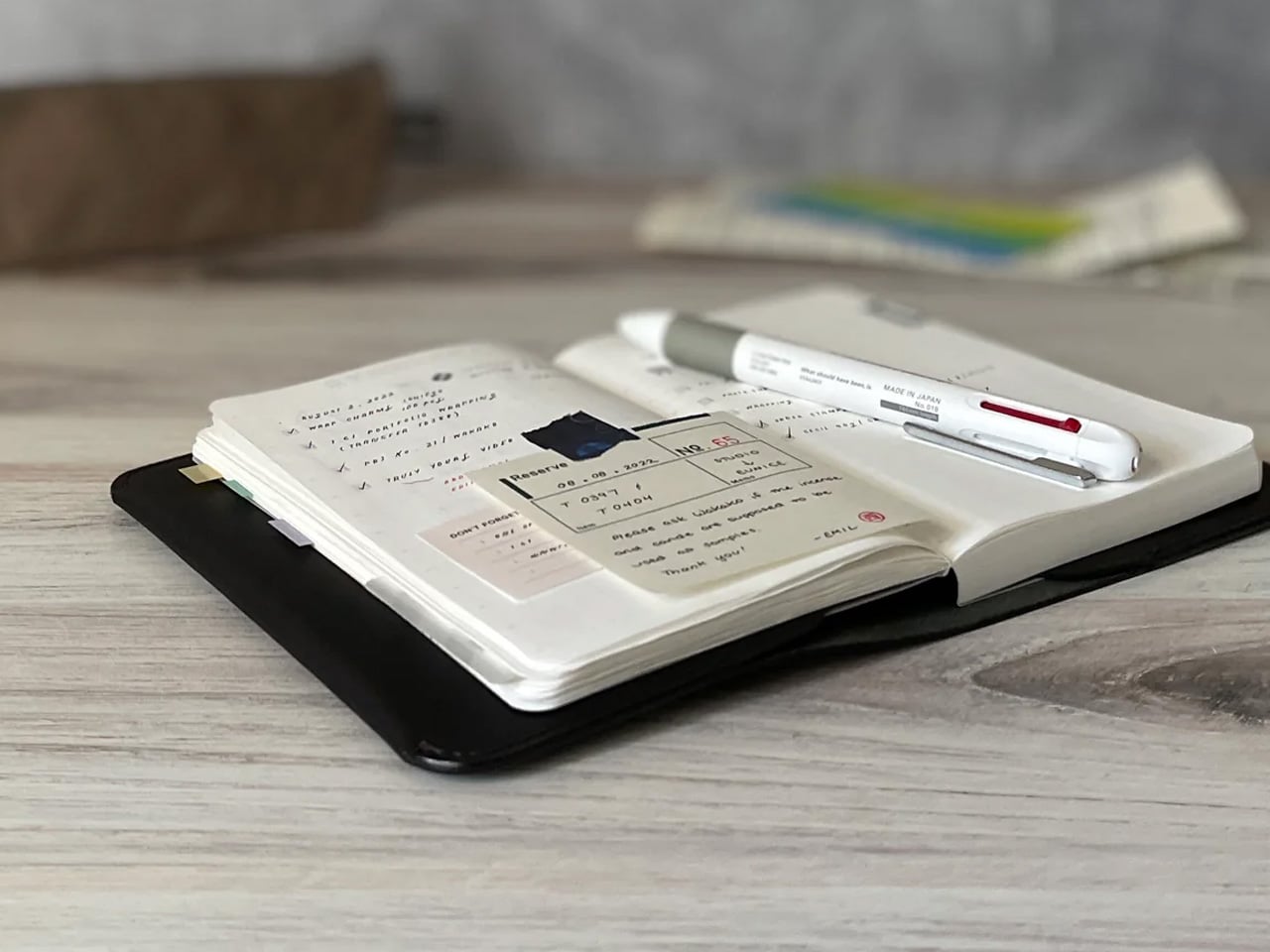
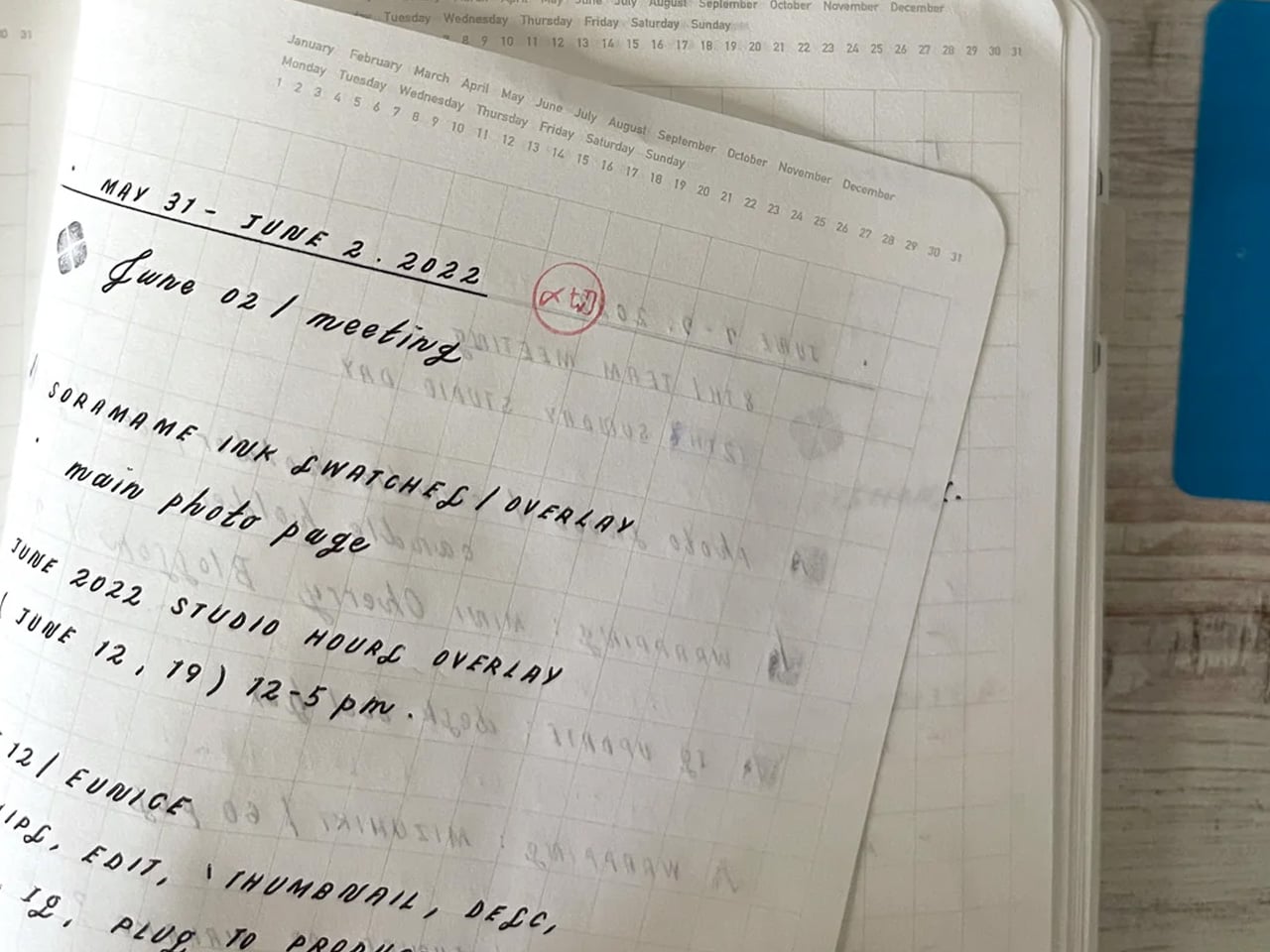
The Stalogy Editor’s Series 365 Days Notebook carries no branding on its exterior. That is a design decision, not an economy. Inside, 368 pages of cream-toned dot grid paper sit light enough that the notebook never feels precious, yet substantial enough to hold a full year of daily writing without any sense of running out. At A6, it fits a coat pocket without folding. The dot grid recedes under handwriting without disappearing, present enough to keep lines honest across a full page of notes.

Nothing about the Stalogy insists on a particular way of working. There are no monthly spreads pre-printed inside, no prompts in the margins, no year assigned to the cover before you open it. Bullet journaling, daily planning, freeform writing, and quick sketches all sit comfortably within its pages without any of those uses feeling like a compromise. Most stationery at this level quietly pushes a method. The Stalogy provides the space and steps aside, which turns out to be the more useful and respectful approach any notebook can take toward the person using it.

What we like

  • The bare cover carries no visual identity, making it entirely the user’s object from the moment it is opened rather than the manufacturer’s
  • 368 pages at A6 gives a full year of writing without adding meaningful bulk to a coat pocket or daily carry

What we dislike

  • Date and time markings are printed at a small scale, making them difficult to read in low light or at a glance during a busy session
  • Heavier fountain pen inks will ghost through the thin paper, which limits compatibility for dedicated nib users

The Right Objects Make Coming Back Feel Like a Choice

There is a version of returning to a desk in late August that feels like a small defeat. The difference between that version and the other one is almost always the objects on the desk. When the scissors cut cleanly and feel right in the hand, when the stapler is always ready without refills to think about, when the notebook asks nothing beyond showing up, the desk becomes a different kind of place. The tools stop being obstacles and start being part of the reason to sit down.

These three earn their place not because they are impressive to look at but because they are right to use. The Stellar Edge Scissors bring precision to a category most people never think to question. The PaperLock removes a material from a process that never needed it. The Stalogy removes every obstacle between writing and the page. None of them asks for your attention. That absence of noise is the design principle Japan has been working toward for the better part of a century, and it is why coming back to the desk in September can feel entirely different from the September before.

The post 3 Japanese Stationery Designs So Good You’ll Actually Enjoy Going Back to Your Desk first appeared on Yanko Design.

5 Best Home Office Gadgets for Remote Workers in 2026 That Actually Justify Every Dollar

Your laptop has two USB-C ports. Your desk needs dual monitors, wired internet, an external drive, a charger, and somewhere to plug in your SD card. So you have a dongle for the monitors, a second dongle for Ethernet, a third one that lives in your bag and migrates to the wrong bag constantly, and a power brick sitting on the floor because there is nowhere else for it to go. The setup works. It looks like a tech garage sale.

These five products fix that. Not by adding more stuff to your desk, but by replacing the specific things that cost you time and attention every single workday. Each one earns its footprint with a clear answer to a real problem. The HubKey handles your dongle situation and your physical controls. The OrigamiSwift handles your mouse. The Logitech MX Brio Ultra handles your camera. The Rocketbook handles your notes. The Rolling Clock handles your time zones.

1. HubKey Gen2

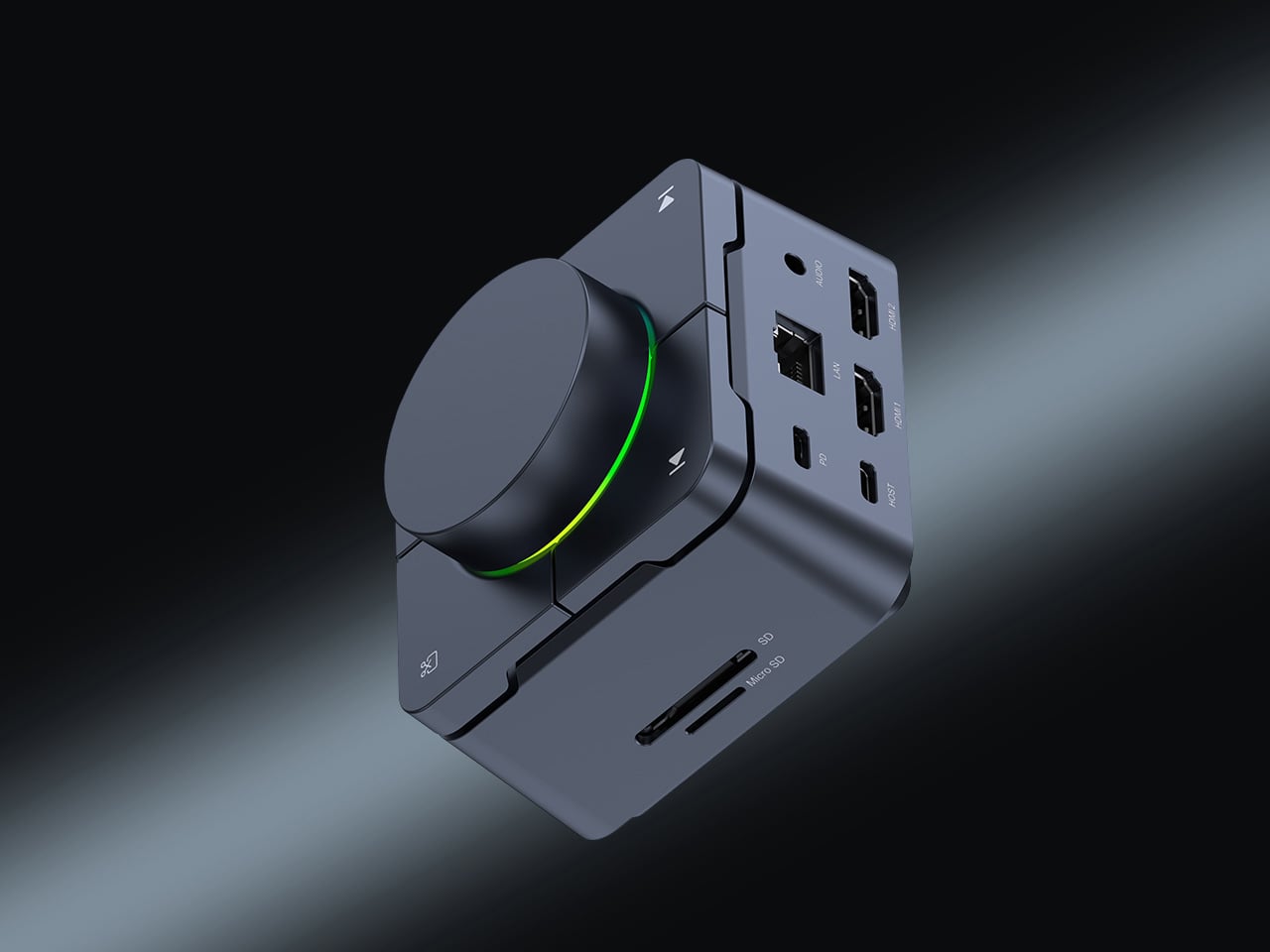
Count the adapters on your desk right now. There is a display dongle, a USB-A hub, an Ethernet adapter, and a charging brick that has lived on the floor for six months. The HubKey Gen2 replaces all of it with one cable back to your laptop. Dual 4K 60Hz HDMI outputs, 100W PD charging, 2.5 Gbps Ethernet, 10 Gbps data, SD and TF slots, and a 3.5mm jack — simultaneously, without throttling. Most hubs make you choose between charging and full performance. The HubKey does not.

What actually separates it is the top panel. Four shortcut keys and a central knob handle volume, mute, screen lock, and screenshots without touching your keyboard. It runs plug-and-play on Windows, macOS, Linux, and Steam Deck out of the box, with an optional driver that unlocks 170 preset combinations and a fully custom mode when you want it. Simple and immediate on day one. Deeper when you need it.

What we like:

  • Dual 4K 60Hz from a single cable to your laptop is the feature that ends the one-monitor compromise for anyone who has been putting off a second display.
  • The physical knob and shortcut keys turn volume adjustment and screen privacy into a hand gesture instead of a keyboard hunt. Once you have a physical mute button, software mute buttons feel like a step backward.

What we dislike:

  • The shortcut customization is deep enough to be worth exploring and slightly too deep to set up quickly. Budget 20 minutes before your first real workday with it.

2. OrigamiSwift Folding Mouse

If you travel with a laptop, you own two mice. The real one on your home desk. And the compact, slightly uncomfortable one in your bag that you use everywhere else and quietly resent by 2 pm. The OrigamiSwift folds flat to 4.5mm, which is thin enough to slip between notebook pages without leaving a visible bump. It unfolds in under half a second into a full-sized ergonomic shape that sits naturally in your hand. At 40 grams, it weighs less than your wallet.

The tracking precision has nothing to do with its size. The Bluetooth connection is reliable. The fold mechanism feels deliberate rather than fragile, which matters because it is the interaction you repeat every time you sit down. At $85, it costs less than most dedicated desktop mice and does something none of them can: it works equally well in your carry-on and at your home desk without asking you to choose between comfort and portability. The folding mouse has been a category of compromises for years. This one is not.

Click Here to Buy Now: $85.00

What we like:

  • The ergonomic angle on deployment feels solid and settled, not provisional. It does not flex or wobble under a firm grip the way folding products tend to when they meet any real resistance.
  • The sub-half-second flip is the kind of interaction that registers the first time and then disappears into muscle memory by day three.

What we dislike:

  • The 40-gram weight takes a few days to stop noticing if you are coming from a heavier desktop mouse. It is not uncomfortable, just different, and your hand knows it before your brain stops caring.
  • Bluetooth only means no wired fallback, which matters on the rare occasion your connection cuts out mid-deadline.

3. Logitech MX Brio Ultra

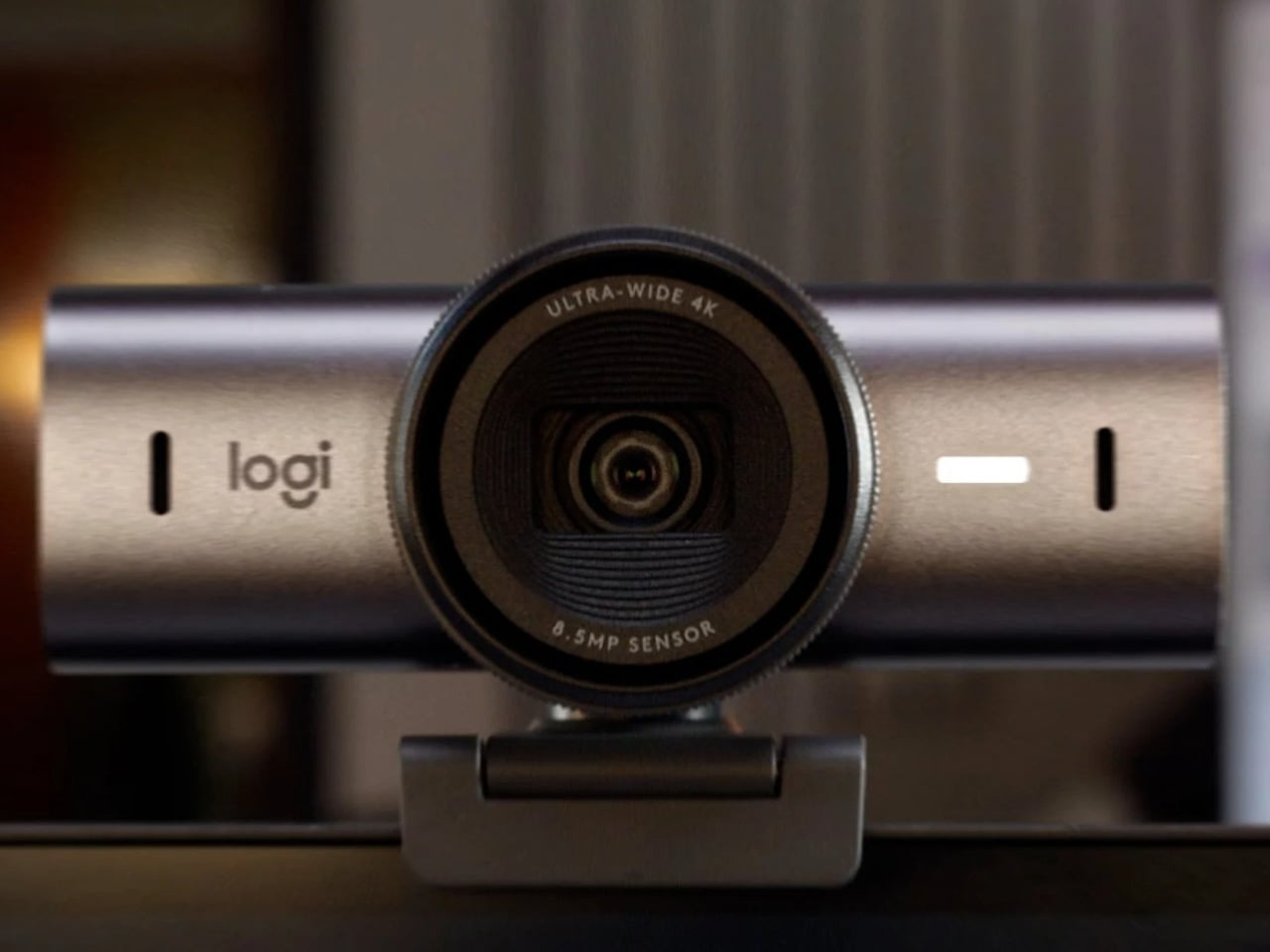
At some point this year, you saw your own face in the corner of a video call, and it looked like you were dialing in from a parking structure. Flat, gray, slightly soft around the edges. That is your built-in laptop webcam doing its best with a sensor roughly the size of a fingernail. The Logitech MX Brio Ultra runs a 4K sensor with AI-powered auto-framing, and the gap between what it produces and what your laptop camera produces is not subtle. It is the difference between looking like you prepared for the call and looking like you rolled in from the hallway.

Logitech is the default answer for a reason. The MX Brio Ultra is what Wirecutter recommends, what the r/homeoffice community lands on after every comparison thread, and what most people in a serious remote setup are already running. The AI framing tracks you as you move and keeps the shot composed without any input from you. At $200, it sits at the top of the mainstream webcam market, and it earns that position by being the camera you set up once, forget about, and still look good on every call six months later. No fiddling with tracking zones, no hour in settings. It works the way a Logitech product always works: immediately and without drama.

What we like:

  • 4K output with AI auto-framing is the combination that covers every remote work scenario, from a one-on-one call to a presentation with 50 people watching your frame.
  • The setup experience is genuinely plug-and-play. If you have spent time configuring other AI webcams before a call, the MX Brio Ultra will feel like a relief.

What we dislike:

  • At $200, it is the most expensive item on this list, and the price is harder to justify if your calls are mostly audio-only or your desk faces a window with no lighting control.
  • The design is competent rather than interesting. It sits on your monitor and disappears, which is fine, but it does not add anything to how your desk looks the way some of the other picks here do.

4. Rocketbook Reusable Sticky Notes

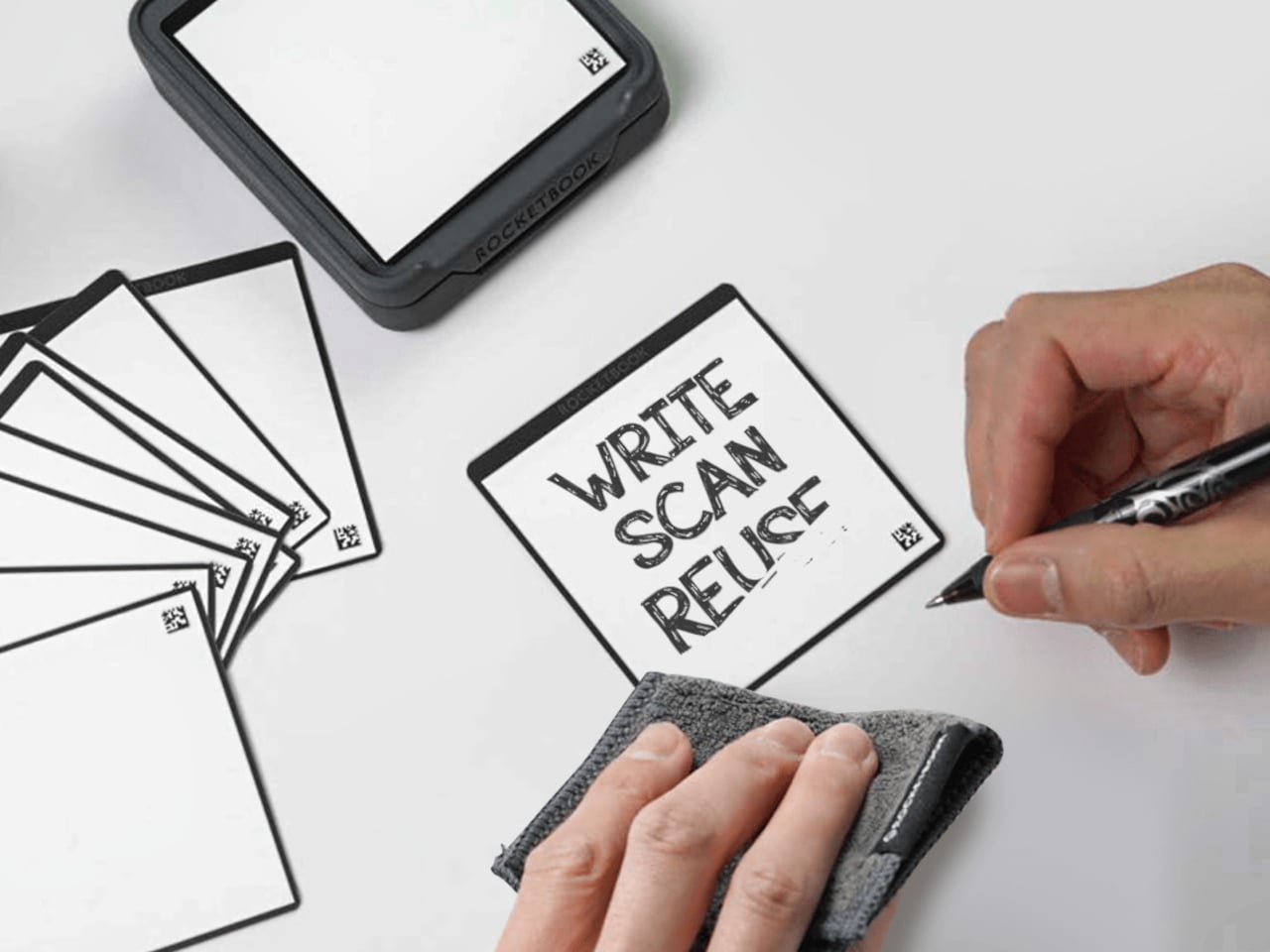
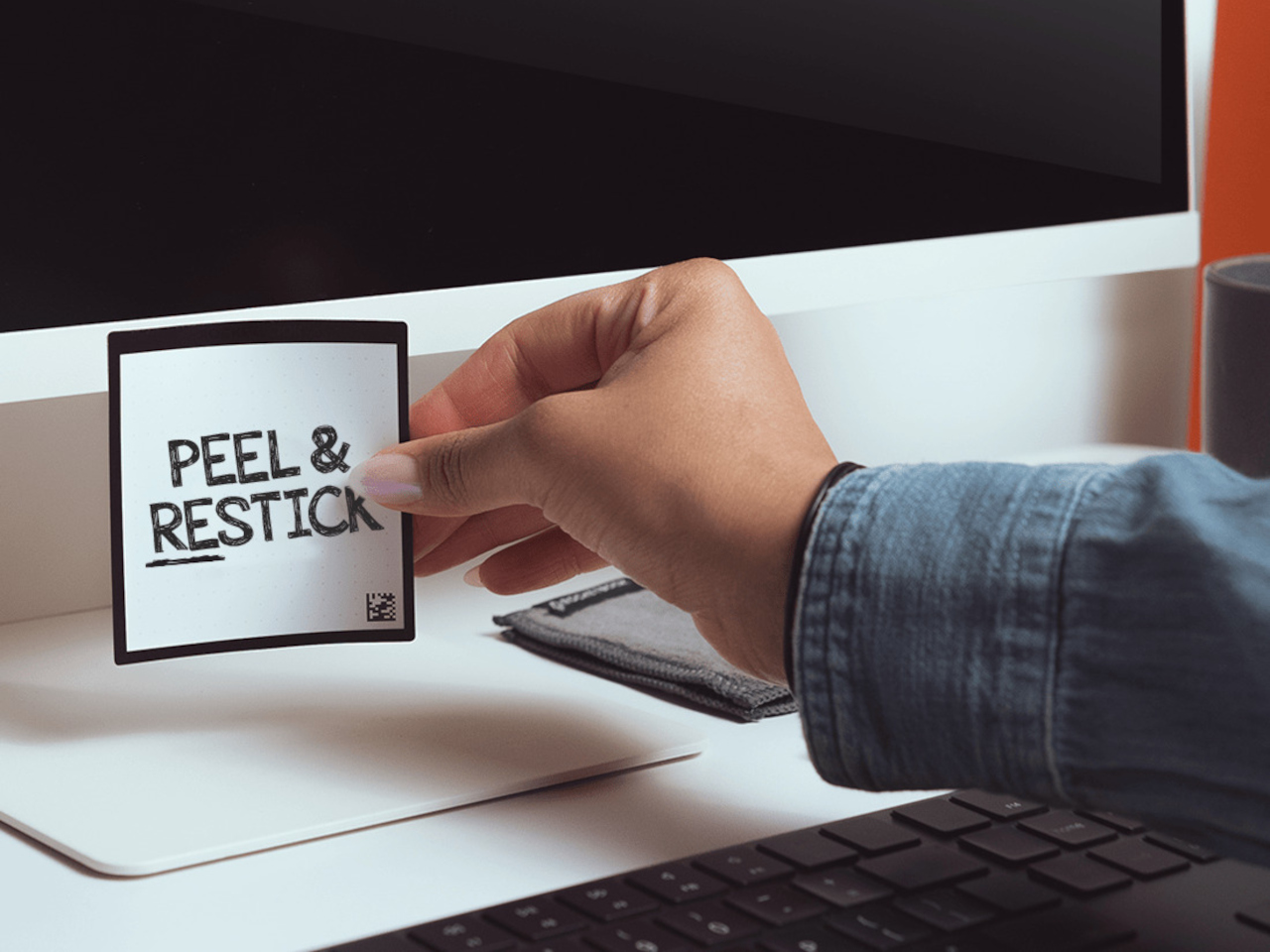
You have a stack of Post-its on your desk right now that you bought six months ago, used about a third of, and will eventually throw away when they stop sticking. Then you will buy another stack. Then another. The Rocketbook Reusable Sticky Notes break that cycle by doing something Post-its never could: you wipe them clean with a damp cloth and start over. Same note. Indefinitely.

The material feels like real paper, which matters more than it sounds. Other reusable note products go rigid and plastic and remind you every time you pick one up that you are using something weird. The Rocketbook version is thin and flexible, and the writing experience with a Pilot FriXion pen is close enough to a regular sticky note that the novelty wears off quickly and the habit takes over. The adhesive strip rinses clean and resticks the same way, so the note goes back on the monitor, the cabinet, or the edge of your desk exactly where you left it. The Rocketbook app photographs each note, transcribes your handwriting, and sends it to whatever cloud storage you already use, which means the thought is archived before you wipe the surface. You get the speed of analog and the permanence of digital without running an AI meeting bot or opening another productivity app.

What we like:

  • The paper-like feel is the detail that makes this a daily habit rather than a novelty. It does not feel like writing on a whiteboard, and that distinction is what separates it from every competing reusable note product.
  • The app’s automatic transcription and cloud sync mean wiping the note clean is not losing the note. That confidence changes how freely you actually use them.

What we dislike:

  • You are locked into Pilot FriXion pens, full stop. Your favorite pen does not work here, and if Pilot ever discontinues the FriXion line, the notes become decorative squares.
  • The wipe-to-erase process requires a damp cloth nearby, which is one more thing your desk needs to accommodate. In a dry climate or a cold office, the cloth dries out faster than you expect.

5. Rolling World Clock

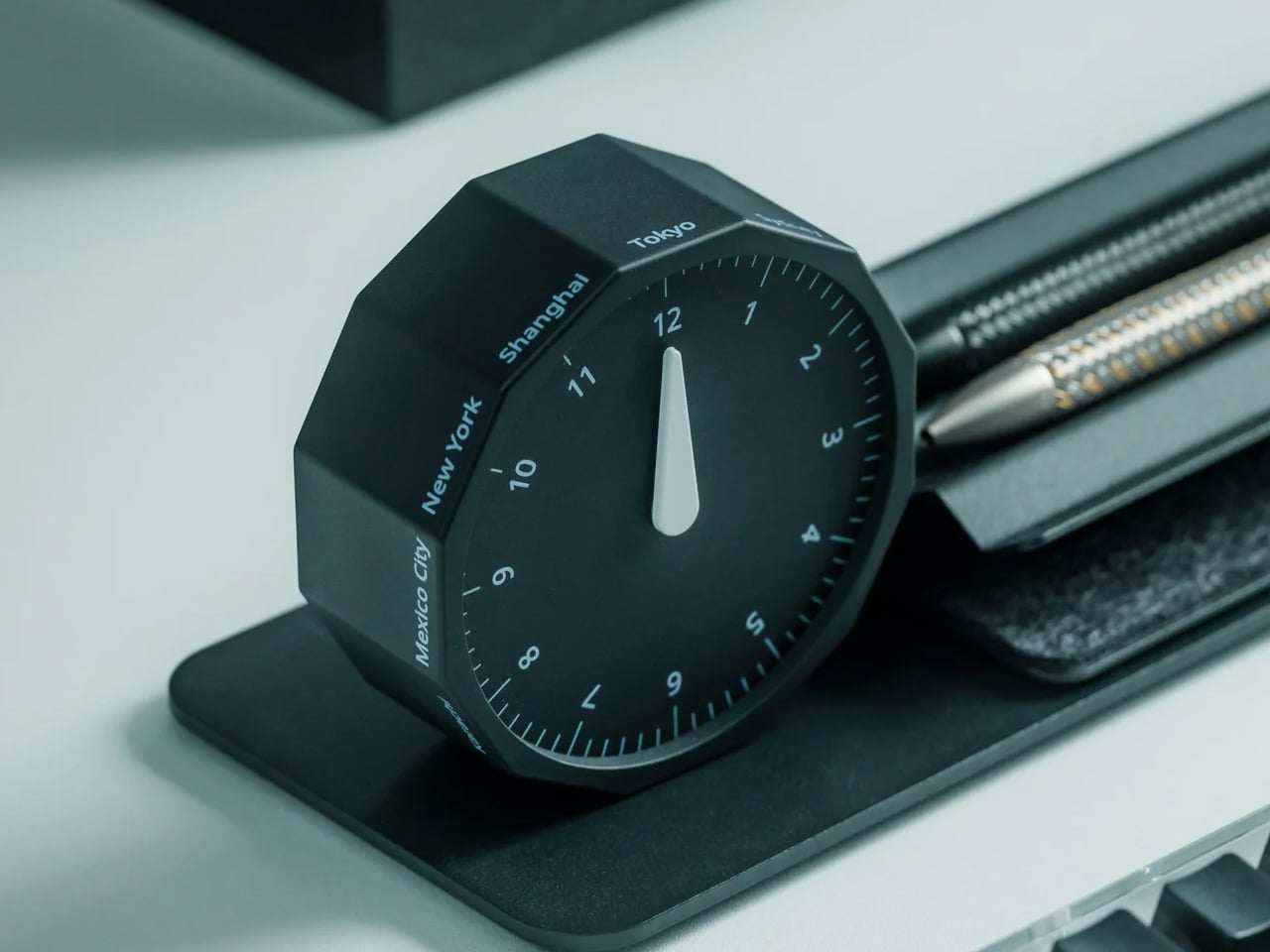
Before every Slack message you send to someone on another continent, you do the math in your head. Or you switch tabs. Or you pull up a world clock widget and then forget what you were doing before you opened it. The Rolling World Clock removes that entirely. It sits on your desk and shows you the time in every zone you track, physically, without touching a screen. You glance at it the way you glance at your coffee cup. No context switch, no arithmetic, no interruption.

At $49, this is the least expensive thing on this list and the one with the fastest daily return. The rolling display mechanism is considered, the design language sits cleanly next to other deliberate desk objects, and a physical clock requires no charge, no connection, and no subscription to do its job. That combination is rarer than it should be in 2026. The only maintenance it asks for is a manual adjustment twice a year for daylight saving time, which you were going to forget anyway, but at least now you have something specific to blame.

Click Here to Buy Now: $49.00

What we like:

  • The physical format makes world time a peripheral-vision experience rather than an active one. You absorb the information without choosing to look for it, which is how a good desk tool should work.
  • It reads as chosen rather than defaulted to, and that changes how the rest of your desk looks by association.

What we dislike:

  • Manual daylight saving adjustment is a real inconvenience that arrives twice a year and catches you off guard both times. A clock that is an hour off is worse than no clock.
  • Works best when you are tracking two or three time zones. If your work spans more than that, a digital solution handles the volume more honestly.

Five Products. One Decision Each.

Most home offices are assembled rather than designed. You know this because you built yours one order at a time, and the result is a surface full of things that coexist without quite agreeing. These five products are not a redecoration. They are five specific decisions: what your desk connects to and how you control it, how your mouse travels, how you look on a call, where your thoughts actually go, and how you read time without leaving a screen.

Together they cost less than most standing desks and do considerably more. The HubKey alone replaces a pile of adapters and adds physical controls your keyboard never had. The Logitech MX Brio Ultra makes your next video call the last time anyone asks if your connection is bad. The OrigamiSwift, the Rocketbook, and the Rolling Clock handle the small frictions that accumulate across a full workday without ever announcing themselves. That is what justifying every dollar actually looks like. Of everything on this list, the OrigamiSwift is the one I reach for first every single morning — not because it is the most impressive spec on paper, but because it removed a daily annoyance I had accepted as permanent. Turns out the right mouse for your desk and your bag was always the same mouse; it just needed someone to fold it properly.

The post 5 Best Home Office Gadgets for Remote Workers in 2026 That Actually Justify Every Dollar first appeared on Yanko Design.

This $60 Radio Clips to Your Bag and Could Save Your Life

We’ve gotten so used to having our smartphones as our companions for everyday life that we don’t think of having other devices attached to our person. But what if you’re in an area where your phone is basically useless due to lack of cellular signal? Or what if you’re in an emergency situation where your phone is out of juice and you need to stay informed? The Clip&Go Radio will be very handy in such situations.

This 5-in-1 tool can be clipped to your bag or to your pants or shirt, and it’s ready to do its job whenever you suddenly need it. It mainly serves as a radio for your music and your news, but it’s also a power bank to charge your phone, a flashlight to light up the way, and an SOS alarm for those emergencies when you need to catch others’ attention.

Click Here to Buy Now: $60.00 Hurry, only a few left!

Emergency radios have been around for some time, especially for those who live in areas where emergency situations like wildfires, hurricanes, and tornadoes can pop up occasionally. But over the years, many have stopped using them because they’re too heavy or inconvenient to bring around. The Clip&Go Radio wants to solve that problem by having a design that lets it live on your backpack or in your pocket, close enough to grab at a moment’s notice.

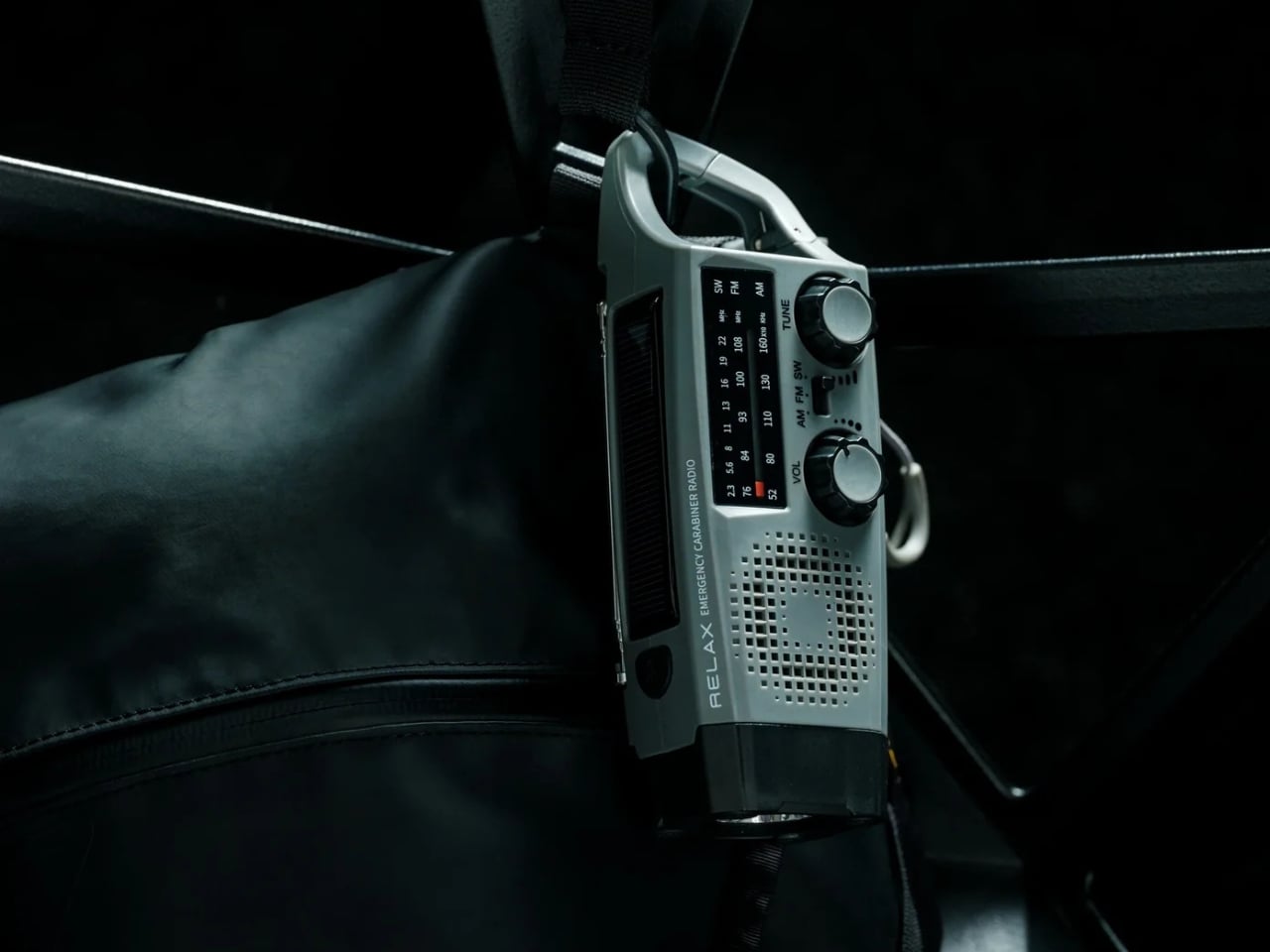
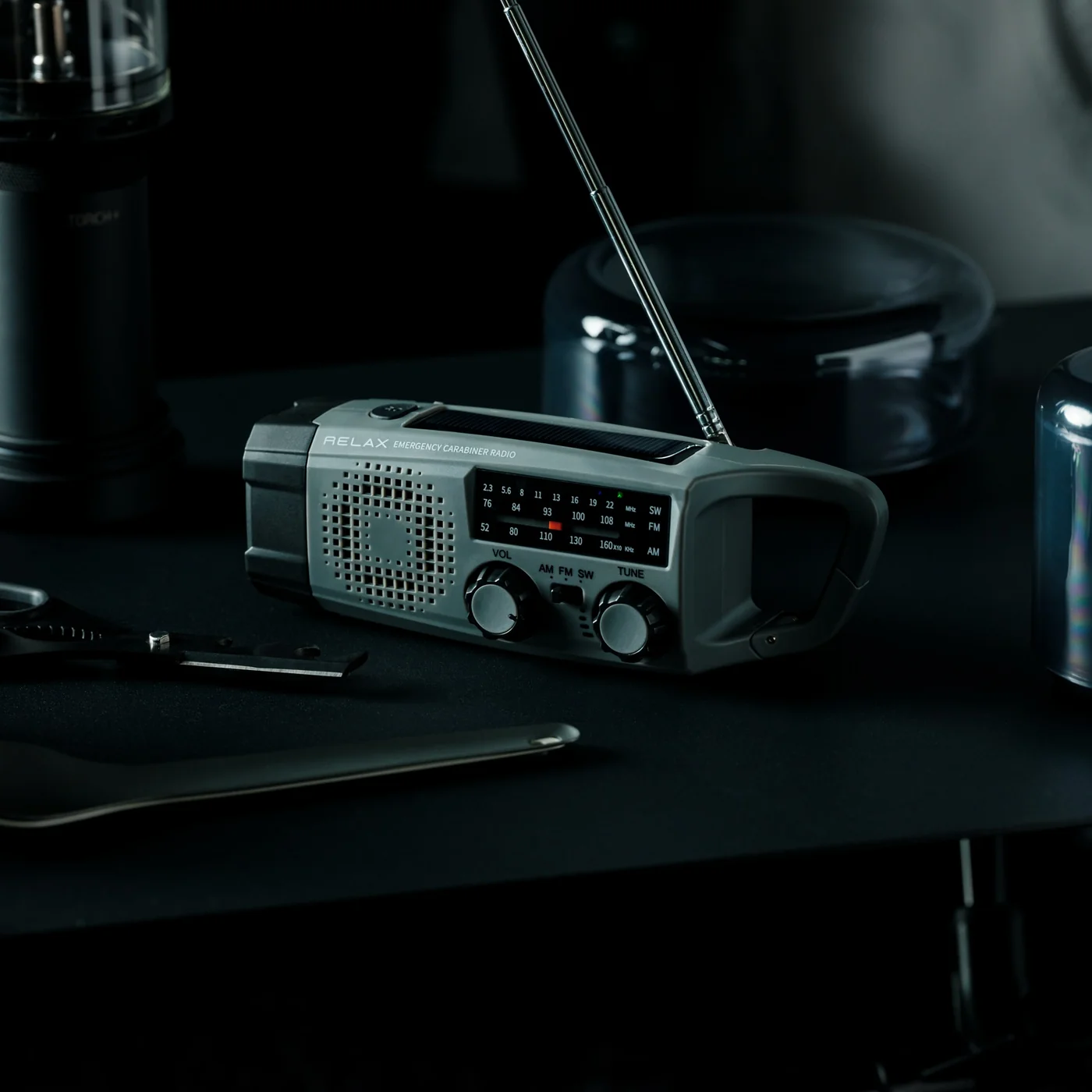
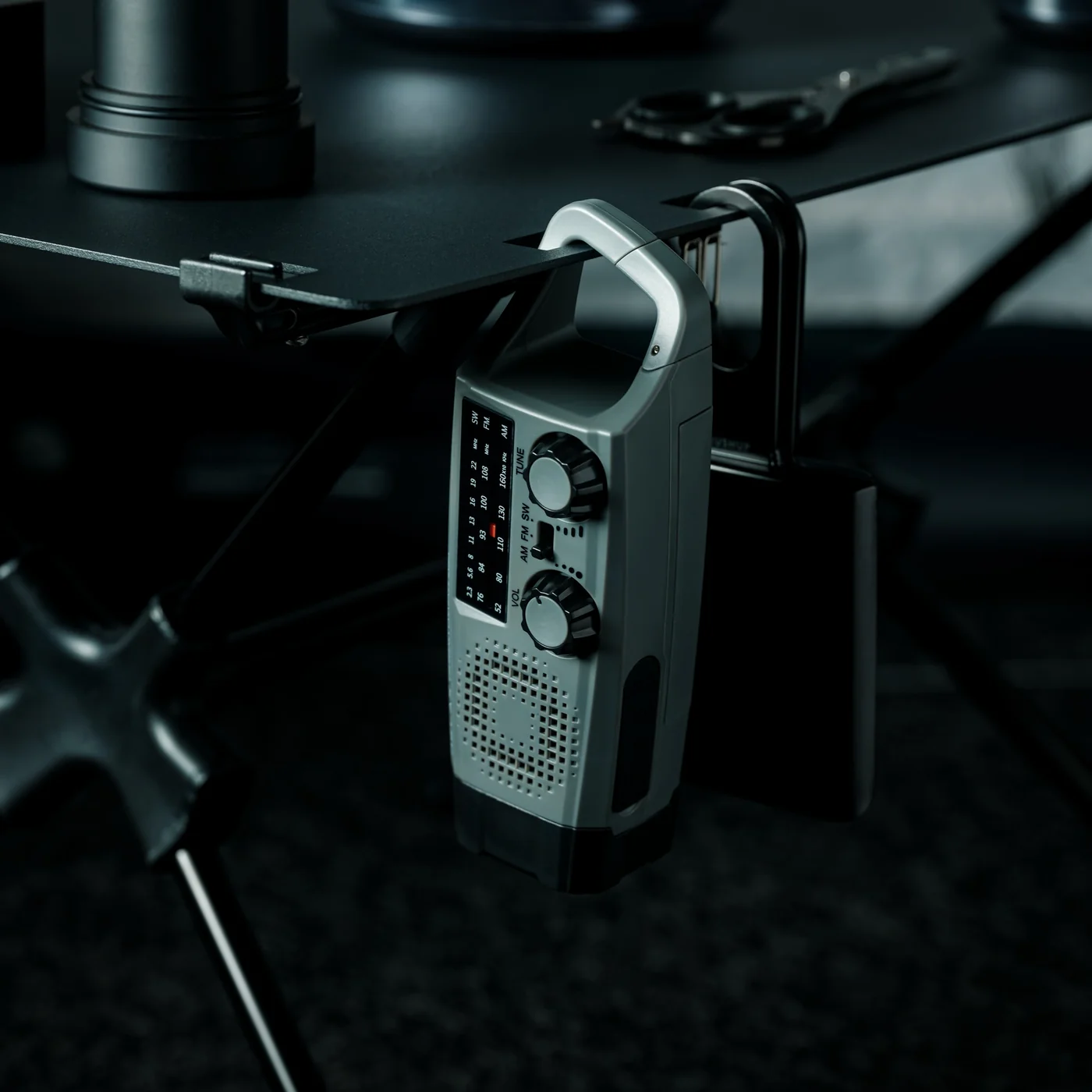
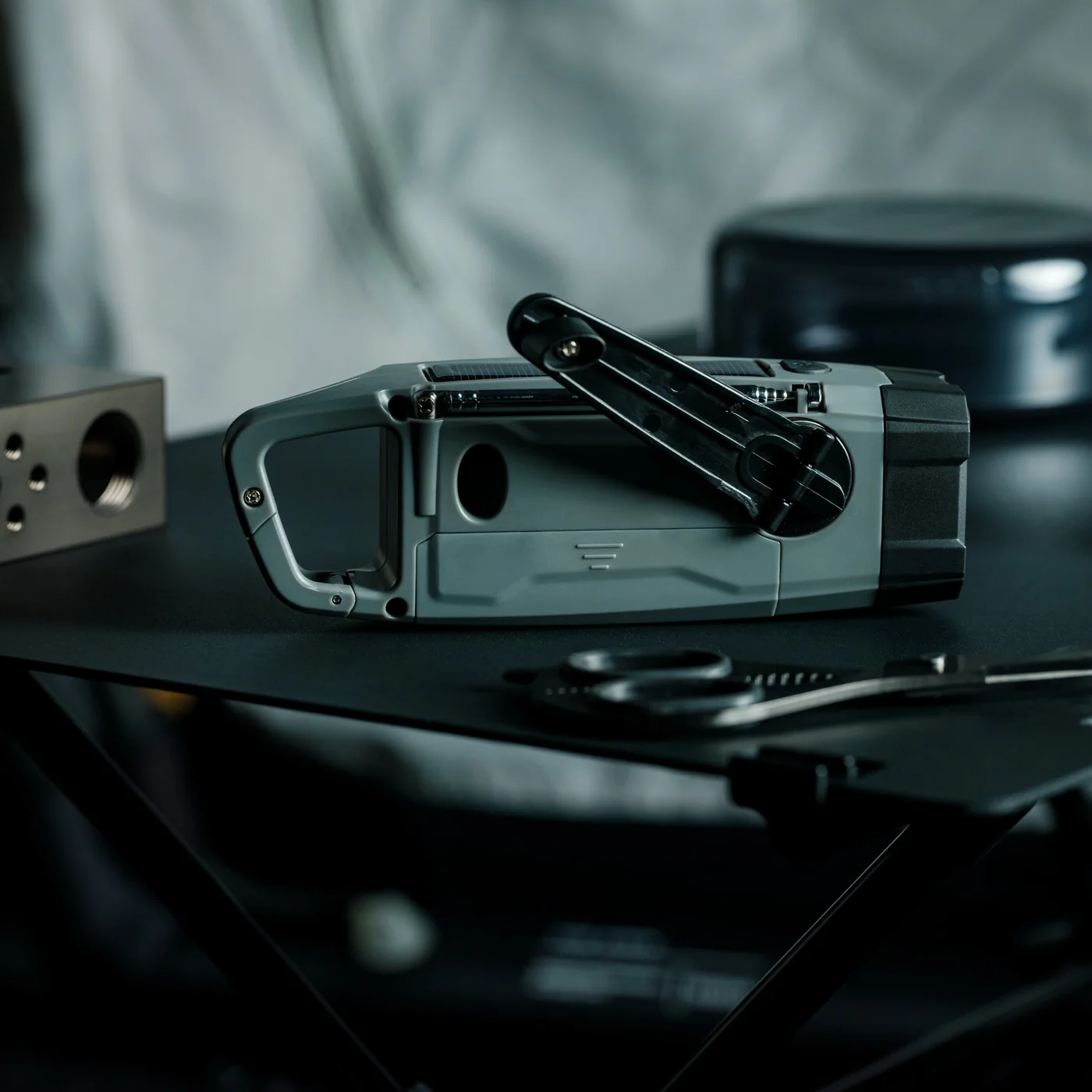
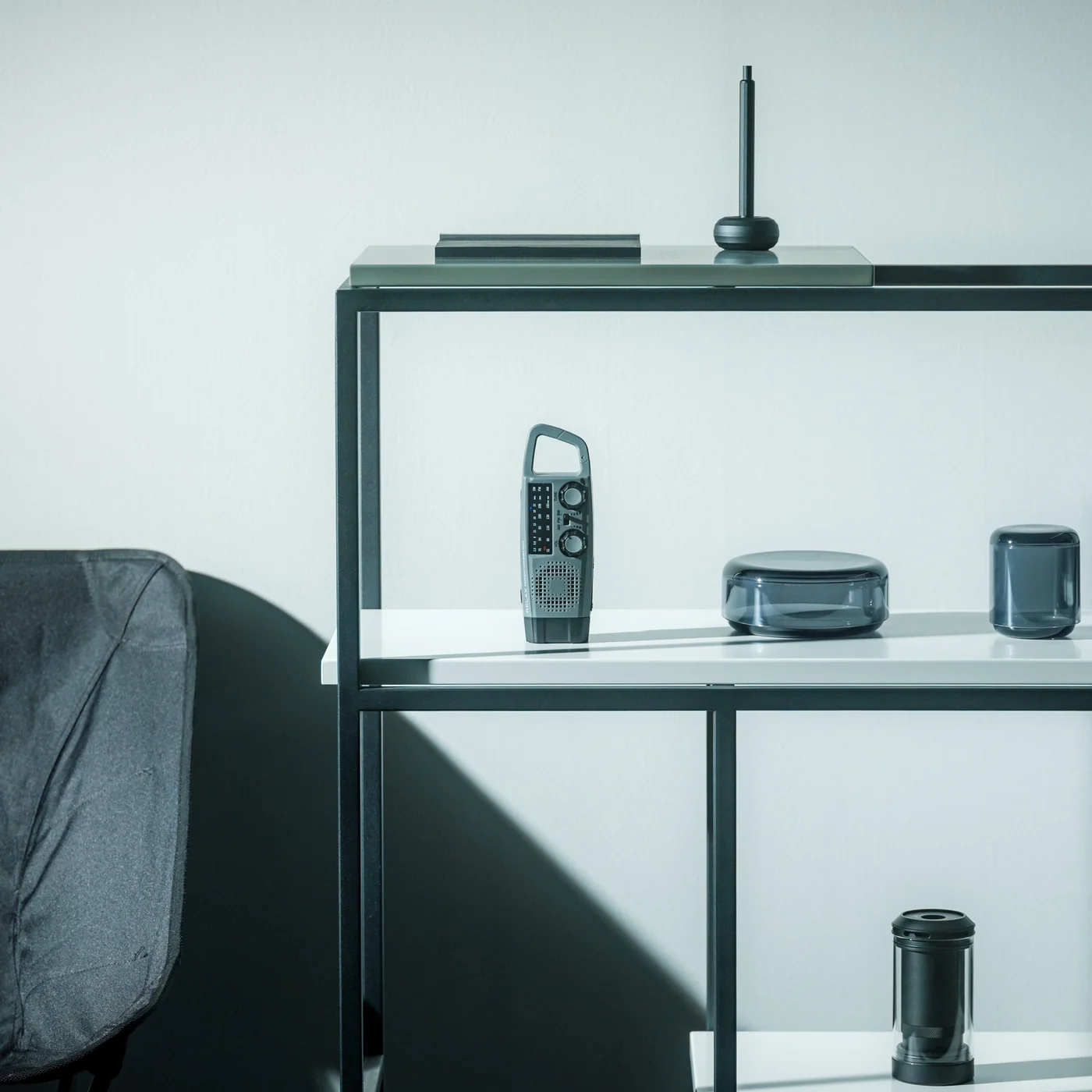
Despite its impressive list of features, the Clip&Go doesn’t look or feel like a bulky survival gadget. It measures just 6.2 x 1.9 x 2.1 inches and weighs a mere 220 grams, light enough that you’ll barely notice it on your pack. The body is built from ABS resin, polycarbonate, and silicone rubber, giving it a durable yet lightweight construction that can handle the bumps and knocks of outdoor life. What really sets its form apart, though, is the built-in carabiner that clips directly onto a backpack strap, a belt loop, or any piece of gear, keeping the radio accessible without taking up precious space inside your bag.

Most clip-on radios only offer AM/FM reception, but this one also has shortwave, which can broadcast emergency channels, international stations, and long-range signals. This means you can still get what may very well be life-saving information even when your phone has no power or there’s no regular cellular signal.

It can also serve as a power bank for your phone, in case that’s really what you need at that moment. It has a triple charging function for true off-grid readiness: USB-C, solar panel, and hand-crank, with the hand-crank serving as a true emergency backup when no power source is available. As a bonus, its 18650 lithium-ion cell is user-replaceable, so you can simply swap it out when it reaches the end of its life without having to replace the entire device. That’s a rare and thoughtful touch in a category where most products are simply thrown away.

The built-in flashlight can run for approximately seven hours on a full charge, more than enough to get you through a power outage or an unexpected night outdoors. And when you truly need to signal for help, pressing and holding the SOS button triggers both an audible alarm and a flashing light, making it far easier for rescuers or fellow campers to locate you even in low-visibility conditions.

For American users in particular, the Clip&Go Radio makes a lot of sense. FEMA has long recommended hand-crank or battery-powered radios as a household essential, but most people never bother because standard emergency radios feel useless on a perfectly ordinary day. The Clip&Go flips that entirely. It’s a device you actually want to bring on a camping trip, a hike, or a day at the festival grounds, and it just happens to be ready for an emergency if one comes along. Whether you’re in hurricane territory, wildfire country, or tornado alley, having a device that functions completely independently of cell towers and internet is simply smart thinking. At $60, it’s a small price to pay for that kind of peace of mind.

The post This $60 Radio Clips to Your Bag and Could Save Your Life first appeared on Yanko Design.
7 Best Camping Gadgets & Gear for Labor Day 2026 for the Guy Who Always Books the Hotel

You have booked the hotel on the last night of every camping trip you have ever taken. Not because you are soft. Because your sleeping pad deflated at 2 a.m., your camp pillow was a balled-up fleece jacket, and the only working flashlight in the group was someone’s phone at eleven percent battery. That’s a gear problem. Not a character flaw. And the gear, finally, has caught up to every excuse you’ve been making.

These seven picks exist to solve the specific failures that send otherwise willing people to the front desk. A Damascus knife that looks nothing like a survival tool. A radio that doubles as your emergency kit without feeling like one. A fire pit that assembles without tools. A solar purifier that serves a real shower. A flashlight that throws light 1.2 miles. A grill plate that packs flat as a paperback. A pillow engineered from plant biology. All seven. This Labor Day.

1. Spectre Hammock Tent

You avoid hammocks not because you’re lazy. It is the banana. Every conventional hammock folds your body into a curve that feels fine for twenty minutes and becomes a spinal argument by hour three. You wake up stiff, which is the one thing a night outside should not do to you. Haven Tents, based in Sandy, Utah, has spent five years specifically fixing this. The Spectre is their most refined answer: a hammock tent built around a patented lay-flat system that creates a genuinely horizontal sleeping surface. You can sleep on your back, your side, or your stomach. That sentence should not be remarkable for a hammock. It is anyway.

The materials are Dyneema fabric and MONOLITE mesh, both chosen for strength-to-weight ratios that most outdoor gear only talks about in marketing copy. The whole system comes in under 4.5 lbs and packs to 15x6x6 inches, small enough to strap to the outside of your pack without rethinking your load. Hang it from two trees in a few minutes. No trees available? A Bivy Mode lets you set it up using trekking poles instead. Internal mesh pockets, a gear sling, and a ridgeline for your backpack handle storage without making you climb out in the dark. A translucent mesh shell gives you a 360-degree view of where you are. The detachable rainfly closes it down when the weather decides otherwise.

What we like

  • The lay-flat system is patented for a reason. Most people don’t believe side sleeping in a hammock is possible until they’ve done it in the Spectre. It changes the entire argument for camping over booking a room.
  • Dyneema and MONOLITE mesh deliver the kind of durability that justifies keeping a piece of gear for a decade, not replacing it after two seasons because the fabric wore through.

What we dislike

  • Bivy Mode requires trekking poles, which are sold separately. If you don’t own them, add that to your pre-trip budget.
  • The 15x6x6 inch packed size is genuinely compact but still needs to live somewhere on or in your pack. This is not a stuff-it-in-a-pocket situation.

2. Clip&Go Radio

The version of you who would buy a dedicated emergency radio is the same version who bought a first-aid kit and left it under the bathroom sink. The Clip&Go works because it refuses to be emergency equipment. It is a radio first. AM, FM, and shortwave in a 7.8 oz body with a built-in carabiner that clips to your backpack strap and stays there. You bring it because you want music around the fire. The SOS button, the hand-crank, and the backup phone charging are already in the same clip you grabbed for the playlist.

The flashlight runs approximately 7 hours on a full charge. The radio runs for 13 hours. The 2,000mAh battery is a replaceable 18650 lithium-ion cell, which is the most thoughtful spec on this product. When the battery eventually degrades after years of use, you swap the cell. You do not replace the radio. USB-C charges it in about 2 hours. The hand-crank is there when USB is not. Press and hold the SOS control, and you get an audible alarm and a flashing light simultaneously. It is 6.2 x 1.9 x 2.1 inches and costs $60. Only 4 units remain in stock at the time of writing.

Click Here to Buy Now: $60.00

What we like

  • The replaceable 18650 battery is the single smartest spec on this list. Every other emergency radio becomes landfill the moment its sealed internal battery dies.
  • 13 hours of radio runtime is longer than any realistic campsite evening. You will not outlast this thing.

What we dislike

  • Solar charging takes approximately 67 hours to reach a full charge. That is a genuine last resort, not a charging method.
  • Four units remaining is the actual inventory count. This is not a sales tactic.

3. Portable Fire Pit Stand

More campgrounds restrict ground fires than they did five years ago. Dry meadows, wooden deck platforms, national park sites with leave-no-trace rules. You will find out about the restriction after you’ve already gathered the wood. The Portable Fire Pit Stand is five black steel pieces that slot into each other like puzzle pieces, lift your fire off the surface below it, and meet the ground-fire restrictions at most sites that prohibit direct contact. Setup requires zero tools. Nothing to thread, nothing to tighten, nothing to forget at home.

The airflow holes cut into the panels are not decorative. They pull oxygen under the fire and produce a cleaner, more consistent burn than anything sitting on compressed dirt. Slot in the optional trivets and you have a legitimate surface for cookware. The steel is manufactured with a sheet metal process that resists warping under sustained heat. It will discolor over time. That discoloration becomes a patina that is unique to your unit. Every Portable Fire Pit Stand ends up looking different from every other one.

Click Here to Buy Now: $119.00

What we like

  • Five-piece no-tool assembly is exactly the design restraint that makes gear worth keeping in the truck permanently rather than reassessing each trip.
  • The airflow under the fire produces a noticeably more even burn. On a three-day trip, that difference compounds across every cook and every evening.

What we dislike

  • No integrated grill grate. The trivets hold cookware over the fire, but you’re supplying your own grate if you want to grill directly over the coals.

4. GoSun Flow

There is a specific moment at the end of day two of most camping trips. Someone asks where they’re supposed to shower tomorrow. That is the moment your group starts looking up hotels. The GoSun Flow is the answer to that question before it gets asked. It’s a solar-powered water purifier and portable shower system that compresses into a backpack. It eliminates 99.99% of waterborne pathogens and delivers one liter of clean drinking water per minute from any freshwater source you can access. A flexible faucet clamps to a branch, a table, or your truck tailgate. You’ve built a working outdoor sink from what’s already there.

The solar heater delivers a warm five-minute shower after 30 minutes of sun exposure. That’s a real shower, not a wet-wipe situation. USB power backs it up when clouds intervene. The filter handles 1,000 liters before it needs replacing, which covers multiple seasons for most groups. For a three-day Labor Day weekend, this system removes the only hygiene argument that sends your group to the checkout desk on day three. It does not make camping feel like a hotel. It makes camping feel like something you can actually finish.

What we like

  • Combined purifier, sink, and shower in a single backpack-compatible system is the most complete camping hygiene solution available without requiring dedicated infrastructure.
  • 1,000-liter filter life means you are not thinking about replacement costs for multiple seasons of regular use.

What we dislike

  • The system cannot process saltwater. If your Labor Day trip is coastal, you need to source freshwater separately before the purifier becomes useful.
  • Multiple components mean multiple things to organize. Run a full checklist the night before you leave.

5. Lumitwin DL700

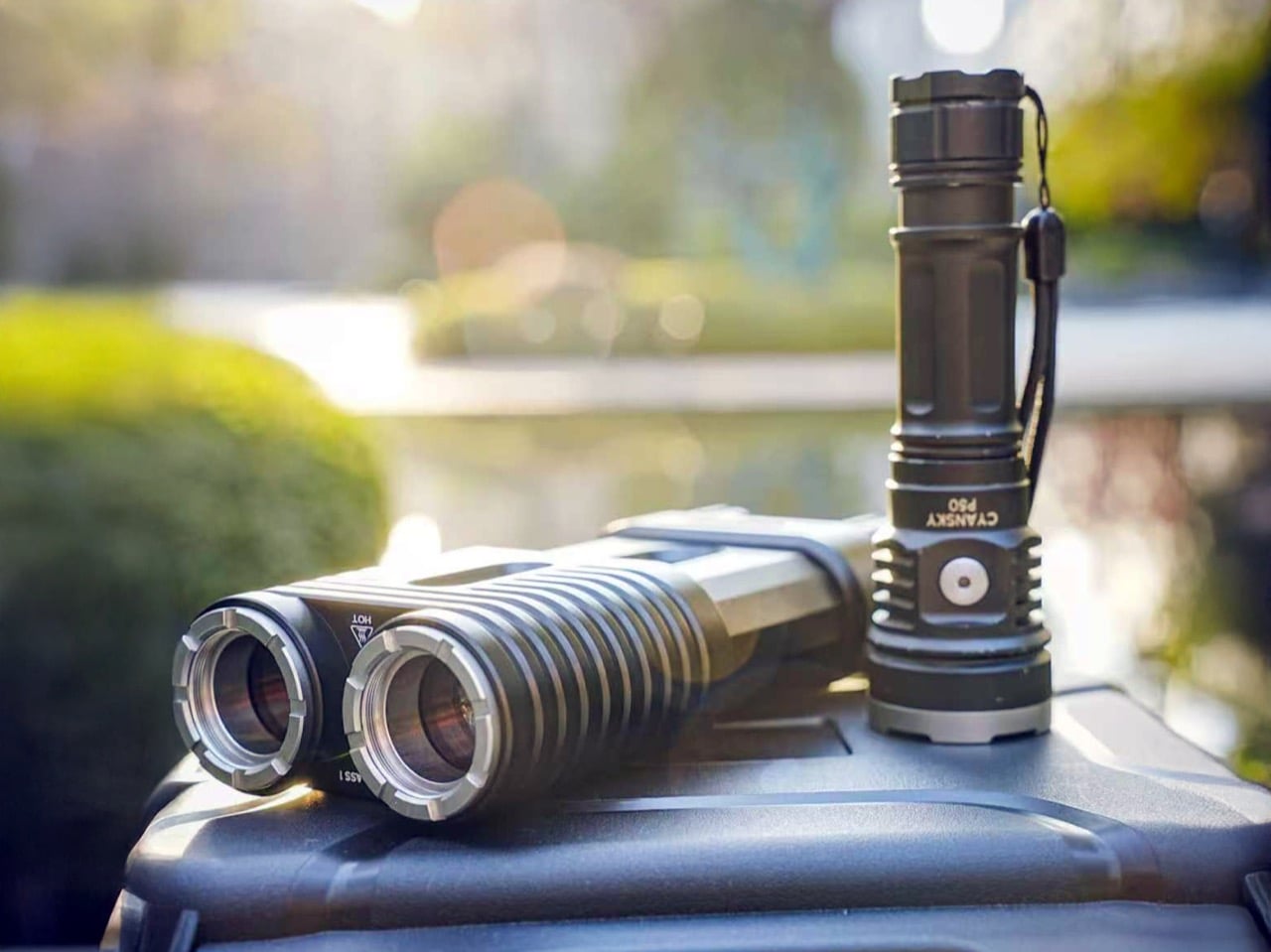
You have been in this situation. It is 9 p.m., you are trying to read a trail marker 200 yards out, and every flashlight your group has is essentially a pointed candle. The Lumitwin DL700 throws light 1.2 miles. Both barrels firing together produce 1,100 lumens and 958,000 candela using laser-excited phosphor technology, the same light source found in high-end automotive laser headlights. This is not an LED with a better reflector. The beam stays coherent across distance instead of scattering into a useless cone. At 2 kilometers of throw, you are seeing things your campsite neighbors cannot.

Each barrel runs independently with its own switch and brightness control. Swap in the included red filter for night-vision preservation. Green for cutting through fog and dense vegetation. The flood filter widens the beam for close-range camp work. Run different filters on each barrel simultaneously. The whole unit is machined from a single block of 6061 aerospace aluminum, IP68 rated for submersion to 1.5 meters, and survives a 10-foot drop. Total weight is 1,032 grams. You feel that weight. That is the trade for what the DL700 does.

What we like

  • Independent barrel control with swappable filters gives you six effective flashlight configurations in one unit. Red on one barrel for navigation, white on the other for distance spotting, simultaneously.
  • IP68 plus 10-foot drop resistance on a $329 light means you are not replacing this for years of serious outdoor use.

What we dislike

  • 1,032 grams is a commitment. This lives on a belt clip or inside a bag. It does not disappear into a jacket pocket like an everyday carry light.

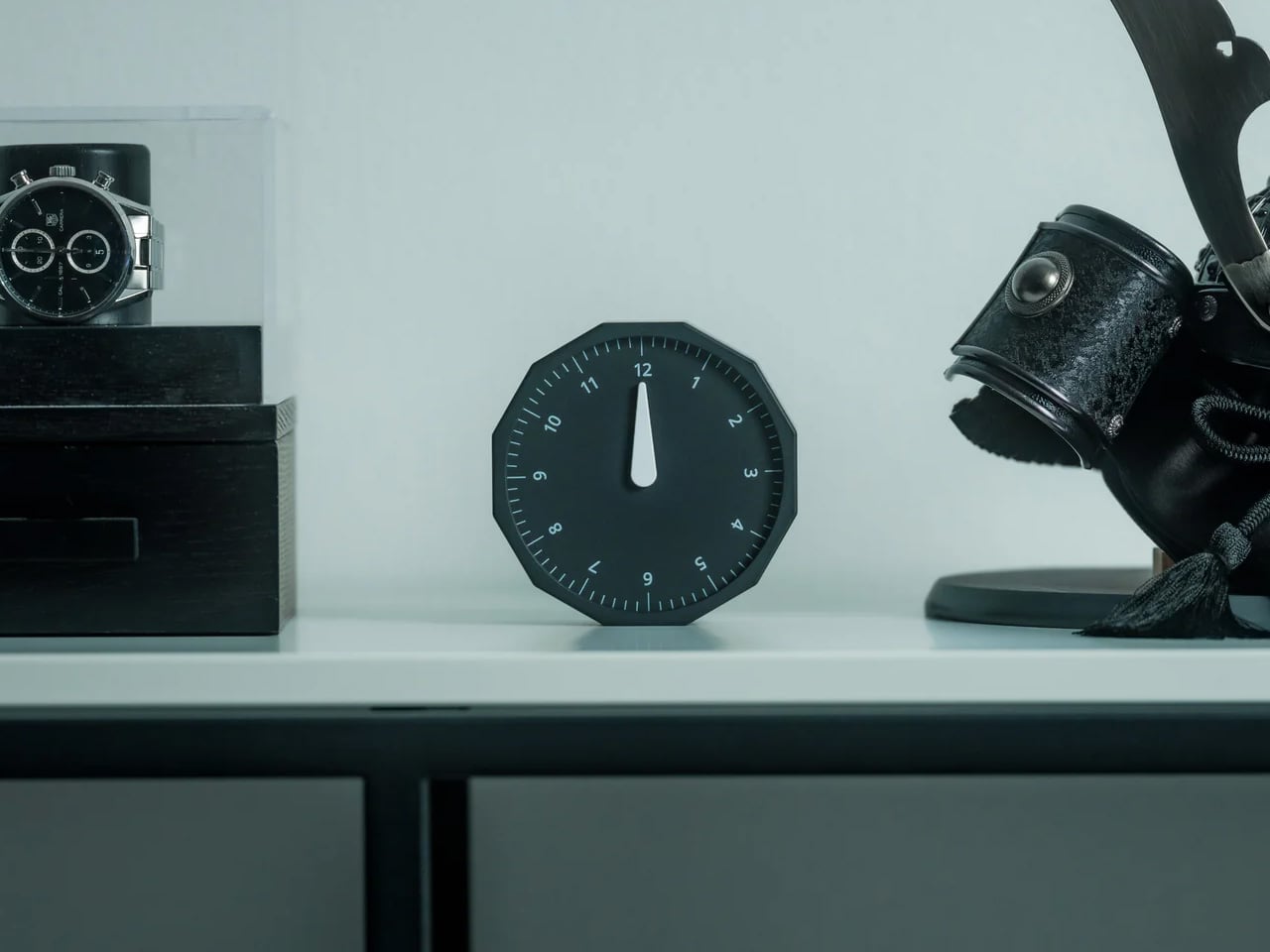
6. Compact Modular Grill Plate

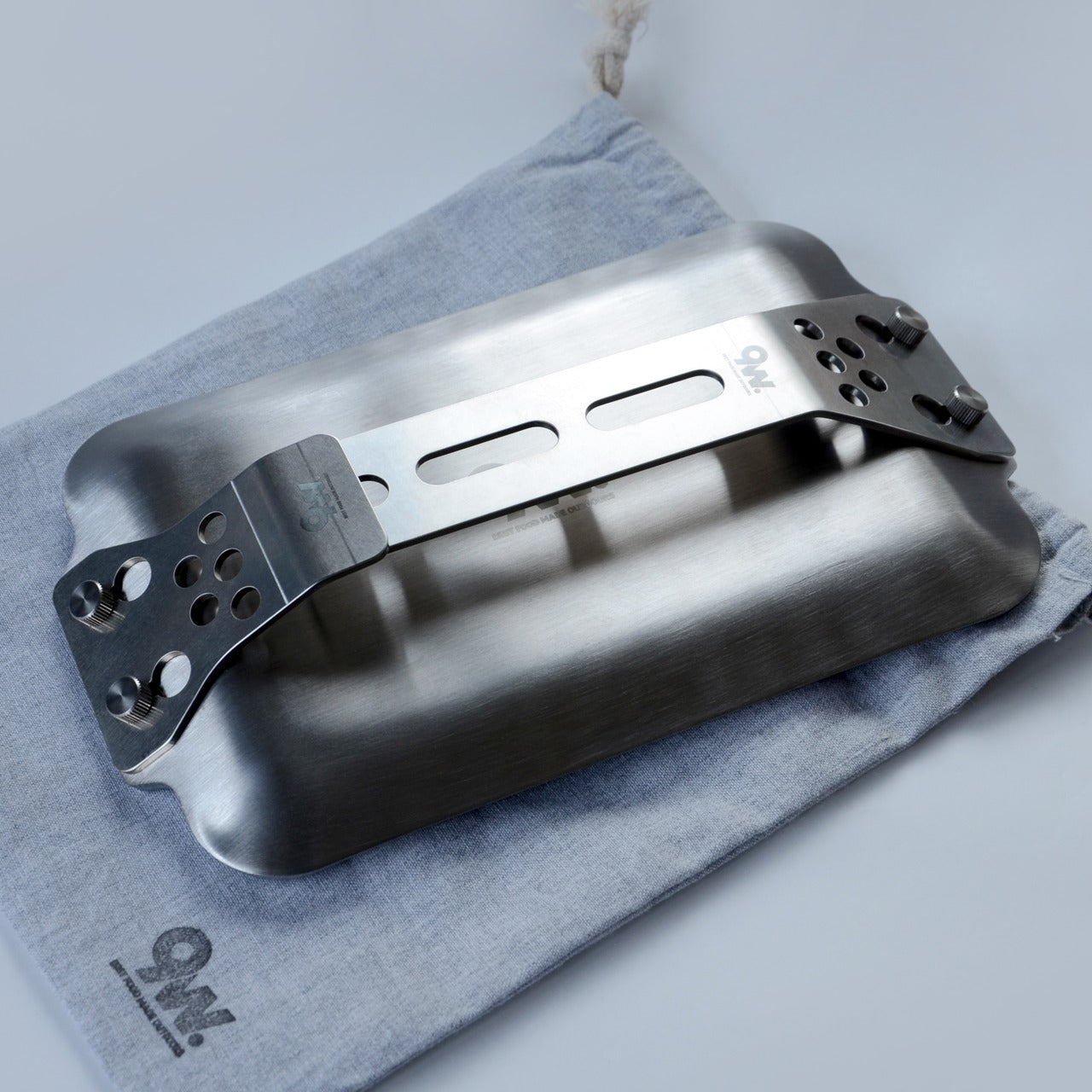
Your campsite cooking situation right now is one of two things. Either you’re eating food that doesn’t require heat, or you’re attempting to balance a pan on a grate that came welded to the fire ring and hasn’t been cleaned since a previous administration. The Compact Modular Grill Plate is a flat, modular steel cooking surface that packs to roughly the thickness of a paperback and configures around what you’re actually cooking. You stop adapting your meal to your gear. The gear adapts to the meal.

It works over an open fire or a camp stove without a conversion kit or a second piece of equipment. The flat surface cleans significantly faster than any bar grate. One wipe, or a quick rinse, and it’s done. That difference matters most on the third morning when no one wants to deal with last night’s situation. The compact form is the decision that earns this plate a permanent spot in your kit. When cooking gear is bulky, it gets left at home. When it packs this flat, it gets packed every time.

Click Here to Buy Now: $100.00

What we like

  • Modular configuration adapts to different heat sources and meal types without adding a second surface, a second bag, or meaningful additional weight.
  • Flat surface cleans in a fraction of the time any traditional bar grate requires. On a multi-day trip, that is a real, compounding gain.

What we dislike

  • Surface area works cleanly for two people. Cooking for four or more means staggering meals, which adds real time to every camp dinner.
  • No integrated heat source. This is a cooking surface. You still need a fire or a stove under it.

7. Camp Napper

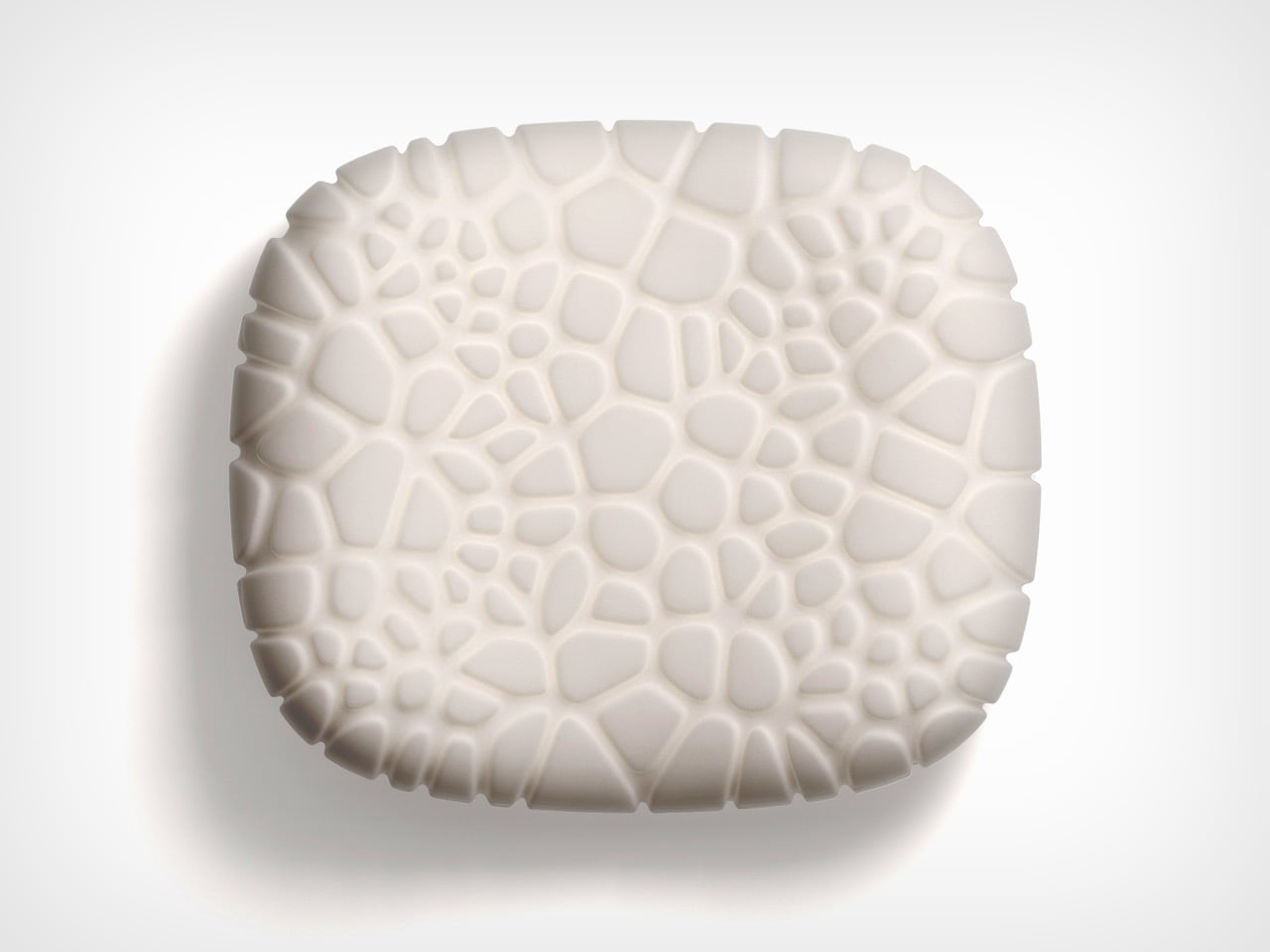
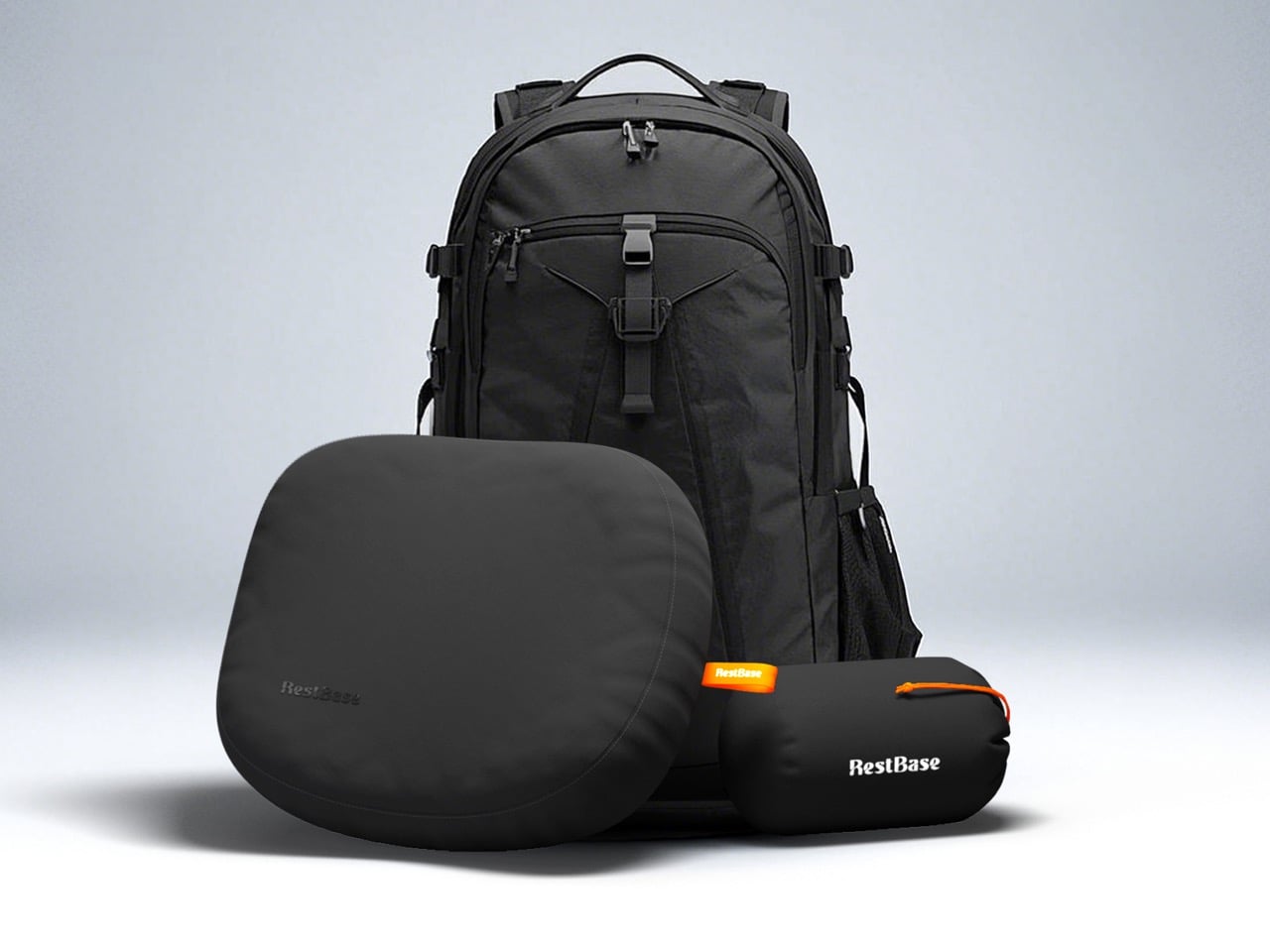
Your inflatable camping pillow has betrayed you at least once. It sounds like a pool float every time you shift your head, loses pressure by 3 a.m., and packs into a shape that somehow takes up more bag space than it deserves. The Camp Napper is what happens when a designer named Chen Xu stops treating the camping pillow as an afterthought and starts treating it as an engineering problem. The surface geometry is derived from the texture of fungal spores. The internal structure mirrors the hollow vascular channels found in plant stems. This is Voronoi polygon modeling applied to where your face actually rests.

The raised cellular structures on the front face increase contact area and channel airflow simultaneously, so your skin stays cool instead of clammy through the night. Flip it, and the back face offers four distinct tactile zones depending on your orientation. Memory foam holds the bionic geometry under repeated compression without losing its shape by morning. The whole pillow weighs around 14 oz and compresses to roughly the size of a water cup, no inflation valve required. Anti-slip rubber on the base keeps it planted on your sleeping pad. This is a hotel pillow argument made entirely in materials and geometry.

What we like

  • Airflow channels built into the contact surface actually keep the pillow cooler than standard foam options, which matters on any night above 65°F.
  • Compresses to water-cup dimensions with no inflation valve to leak, fail, or wake you up at 3 a.m.

What we dislike

  • The raised cellular texture can be a genuine trypophobia trigger.

The Gear Makes the Decision

Every hotel booking after a camping trip is a gear verdict. The sleeping surface failed. The light died. The fire went out. The shower question didn’t have an answer. These seven picks close each of those gaps before the trip starts, so the hotel down the road stays a choice rather than a rescue. Comfortable outside is a design problem. It has design solutions.

My personal pick is the Clip&Go Radio. Not because of the SOS button. Because it is the only product on this list I would grab for an ordinary Tuesday hike without thinking about it twice. It clips to the bag, plays music, and carries every emergency feature in the same body I reached for anyway. That is the version of preparedness that actually travels with you: useful before anything goes wrong.

The post 7 Best Camping Gadgets & Gear for Labor Day 2026 for the Guy Who Always Books the Hotel first appeared on Yanko Design.
This Handmade Japanese Drawing Pad Comes With Black Paper That Makes Every Stroke Feel Deliberate

I cannot draw to save my life, but I have a special affection for drawing pads, especially if they’re really well-made. I always have one in my collection, whether to give as a gift to people who actually know and love to draw, or to use for journaling and scrapbooking purposes. The kind of paper used plus the binding (and sometimes the cover) makes all the difference. Japanese craftsmanship when it comes to stationery is usually the go-to of collectors like me.

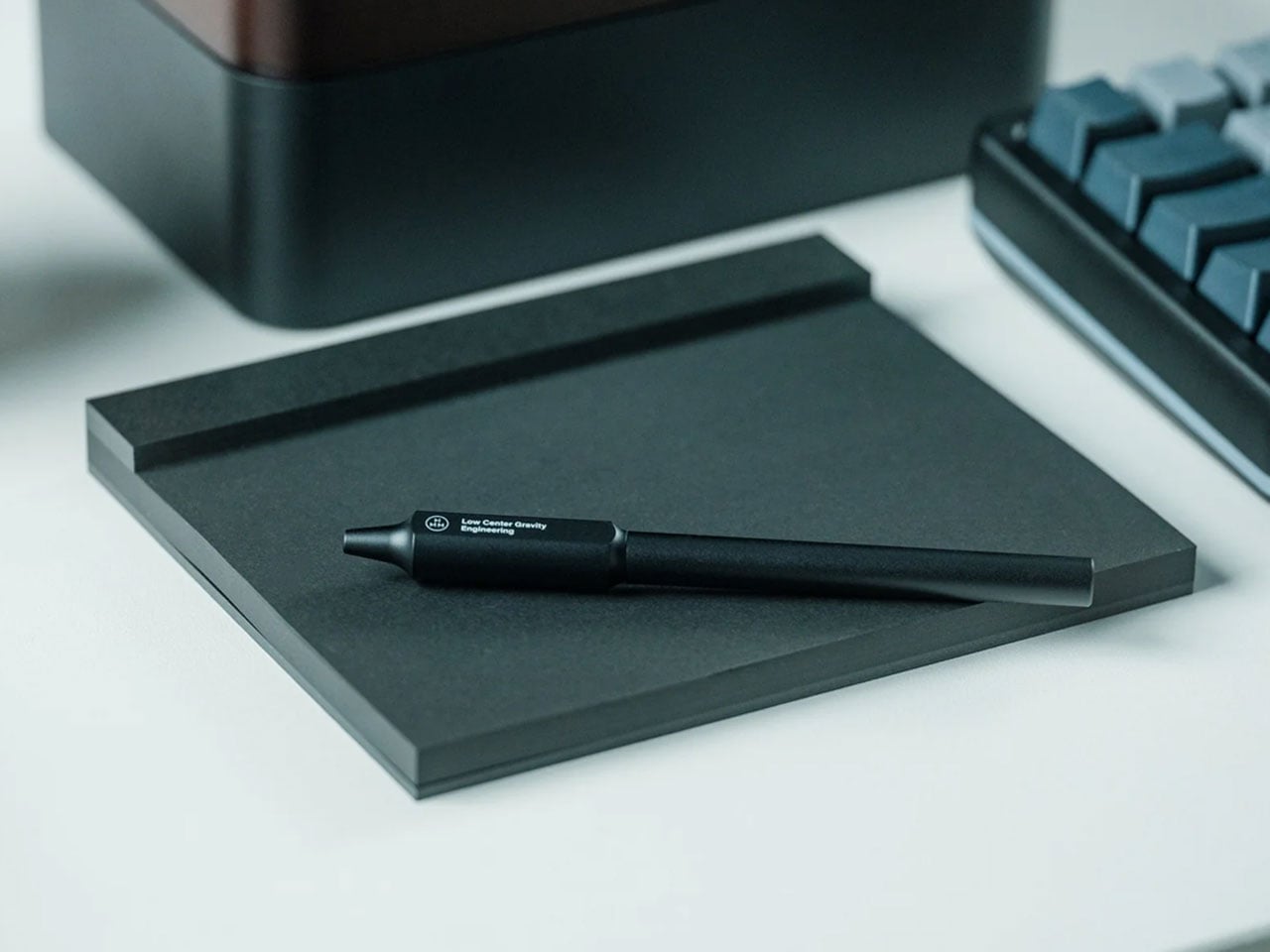
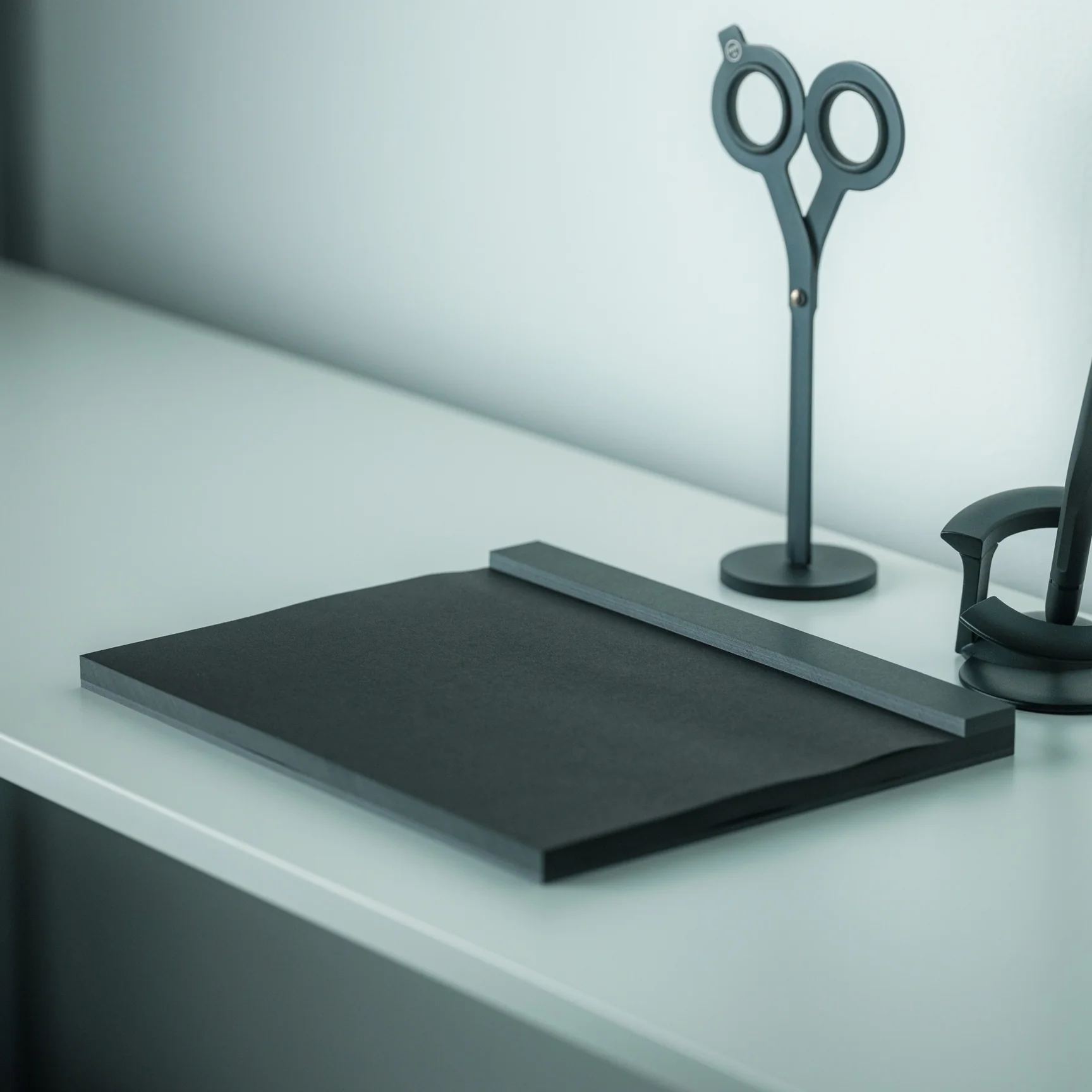
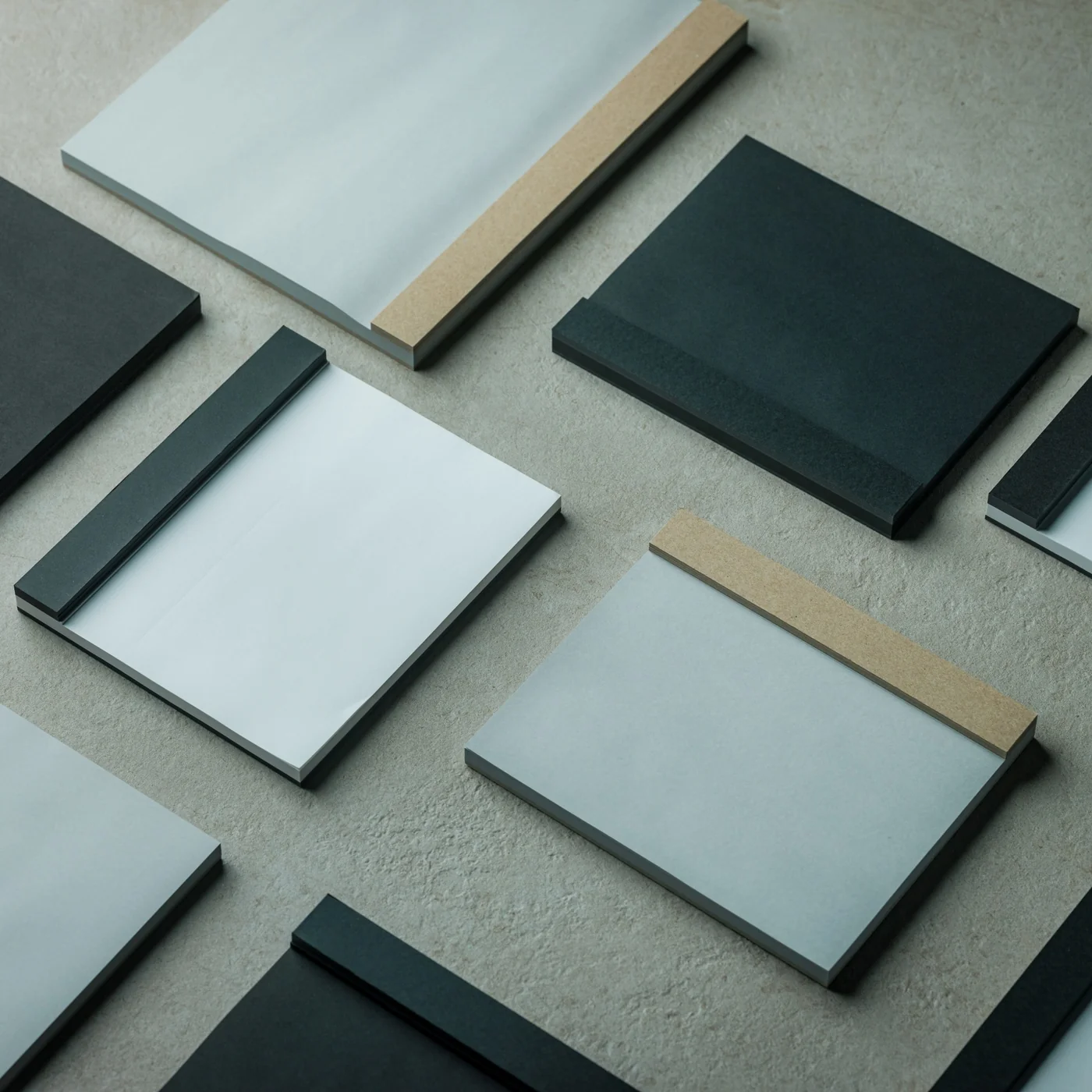
The Japanese Drawing Pad is simply named and is also minimalist in its design. But it’s a piece of living craftsmanship with almost a century of bookbinding tradition behind it. Originally available in white and grey paper at $30, now it also comes with a black paper option that adds even more elegance for those looking for a unique kind of drawing and writing experience. Having a simple but efficient and beautifully designed tool like this can help artists, creators, writers, and hobbyists bring their ideas to life. It’s also worth noting that this is the kind of design that looks just as good sitting on a desk as it does in use: clean, understated, and effortlessly elegant.

Click Here to Buy Now: Starting at $30.00 Hurry, only a few left!

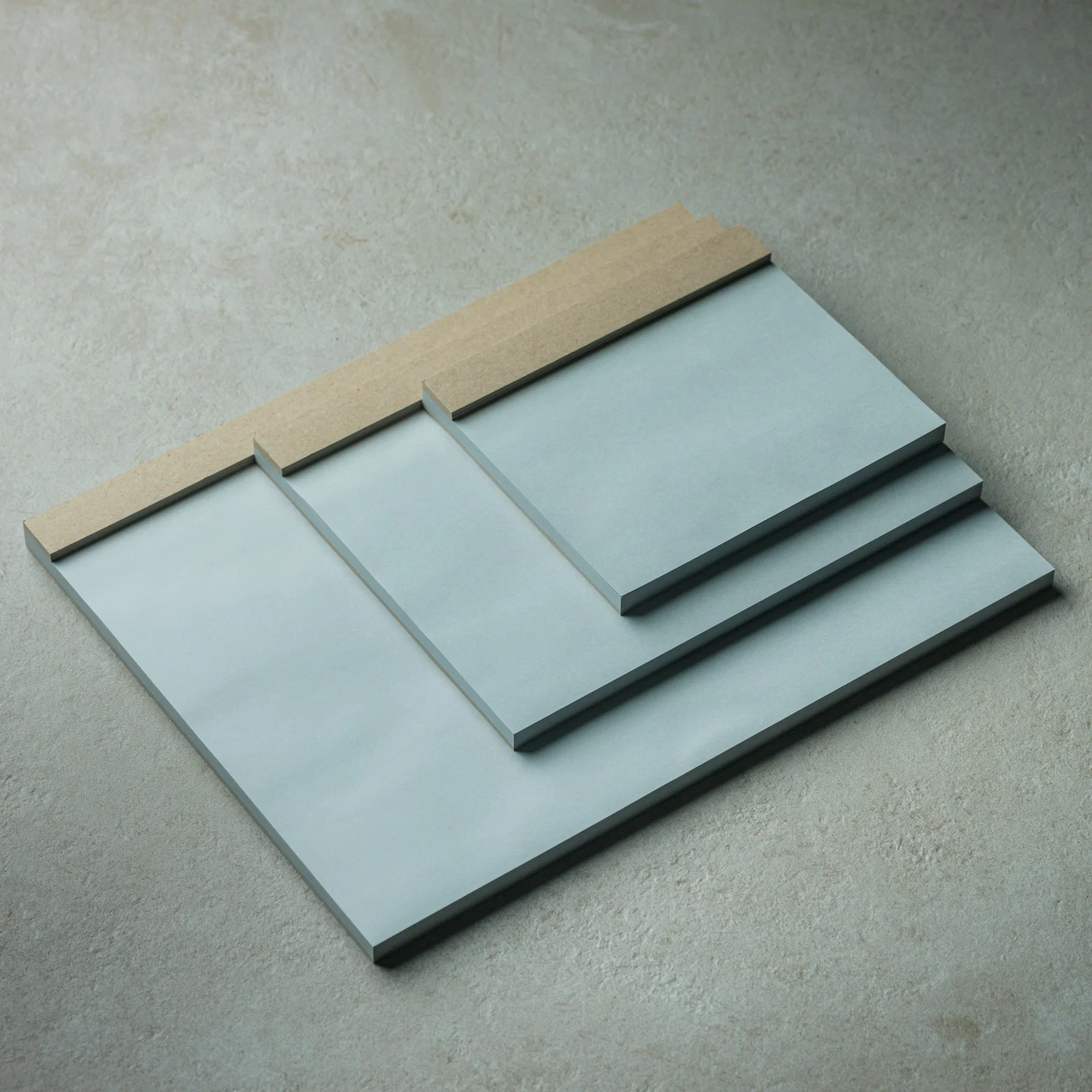
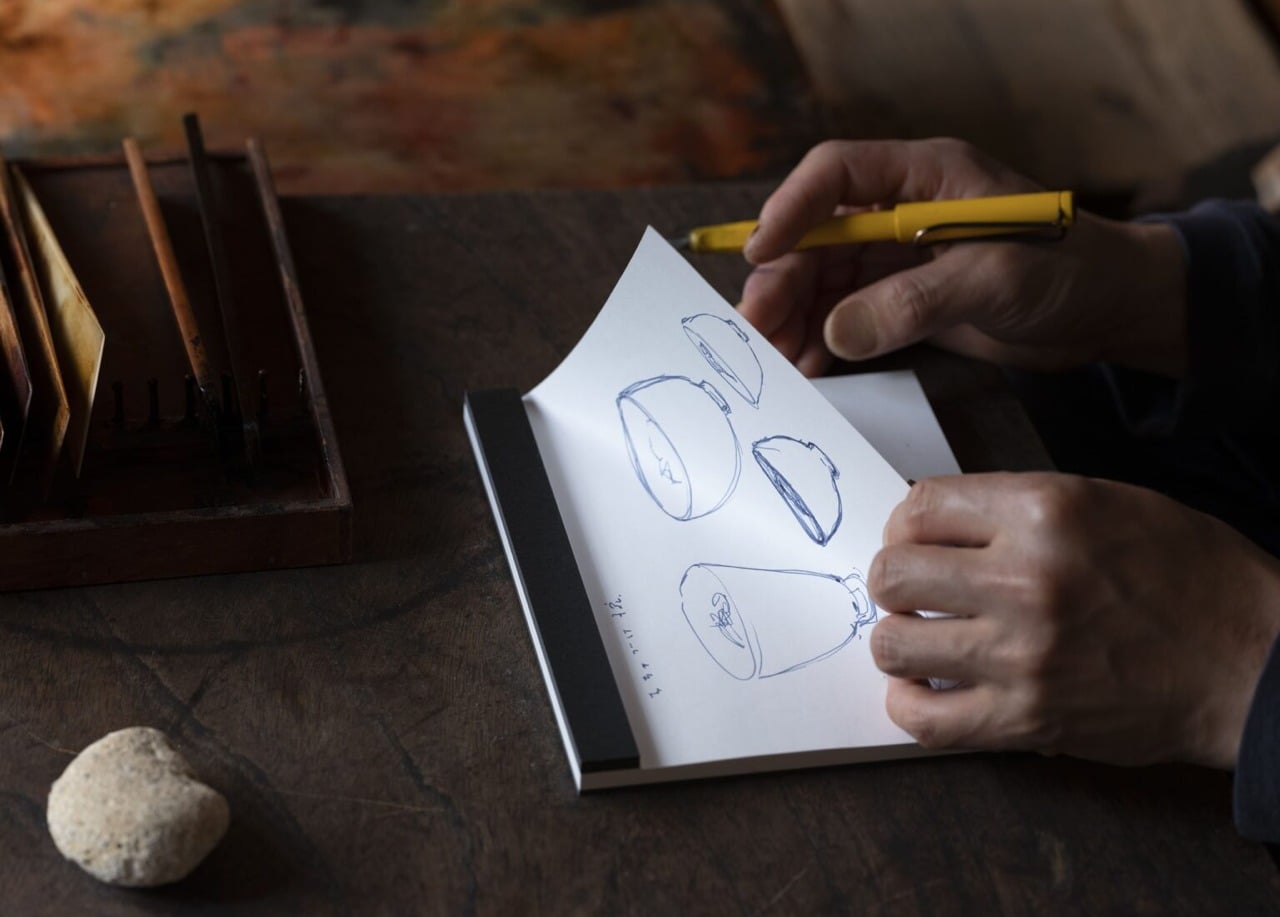
If you know anything about stationery, then you know that Japanese paper has always been held in high regard. It is smooth and soft but comes with an inherent toughness that makes it perfect for calligraphy, drafting, drawing, sketching, and more. This Drawing Pad, of course, uses this premium paper, and it’s one of its main selling points for connoisseurs. The pad doesn’t come with a cover, so you can go straight to the heart of the matter by drawing, sketching, or writing directly onto it. And once you’re done with whatever masterpiece you’re creating, or whether it’s just the first draft of something, you can easily tear it off, since each sheet is microperforated at the top.

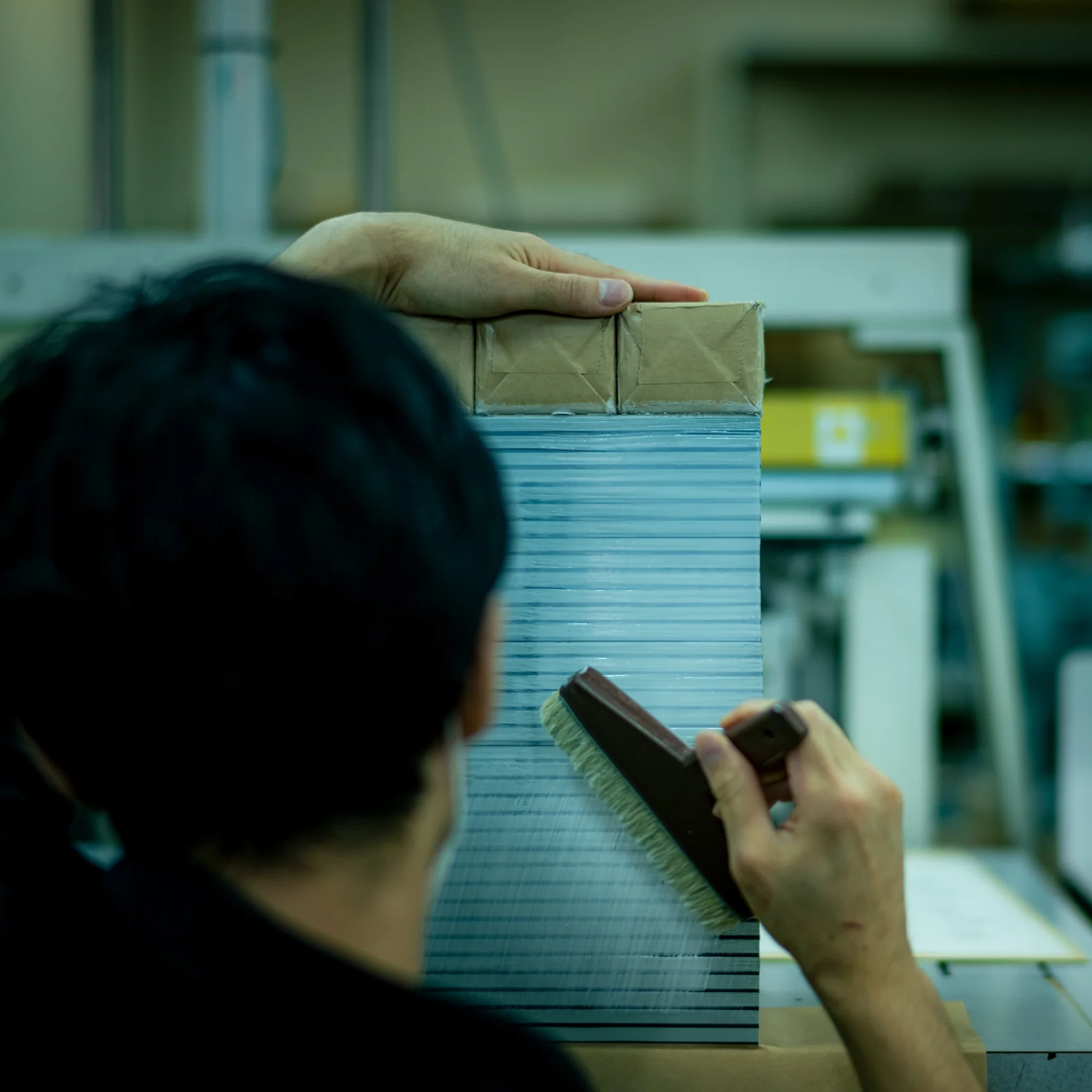
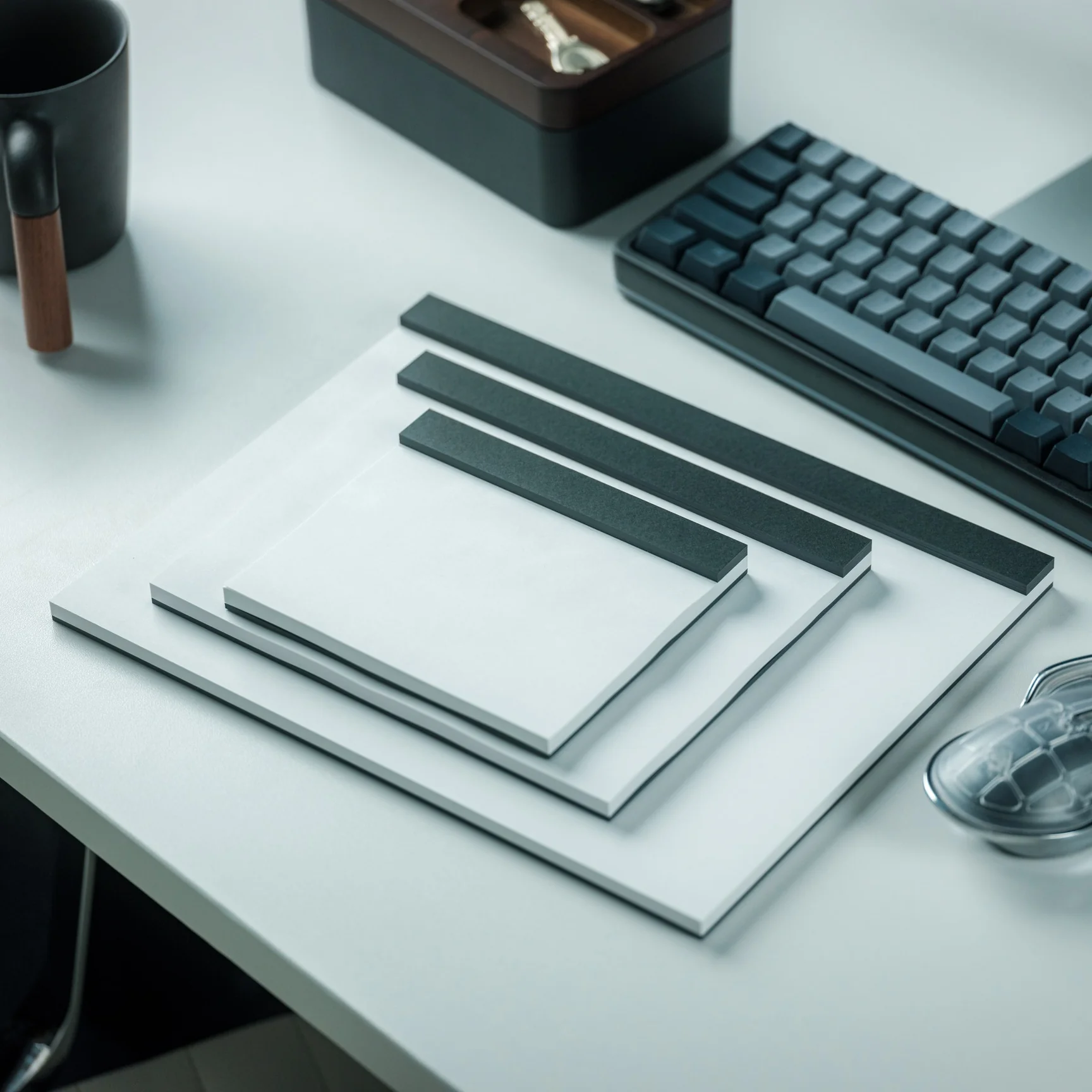
The Japanese Drawing Pad is made by hand by ITO Bindery, as the binding glue is applied using a specialized brush, so you know that each piece is handcrafted with precision. The bookbindery has been around since 1938 and has not lost its bookbinding tradition over the past few decades. Each pad also uses a recycled cardboard backing, which is a thoughtful and sustainable touch. You have three options for size. If you need something compact to carry around, get the A6. If you need a bigger space, the A5 is perfect for you. And if you need something that gives you more room for details, go for the A4 size.

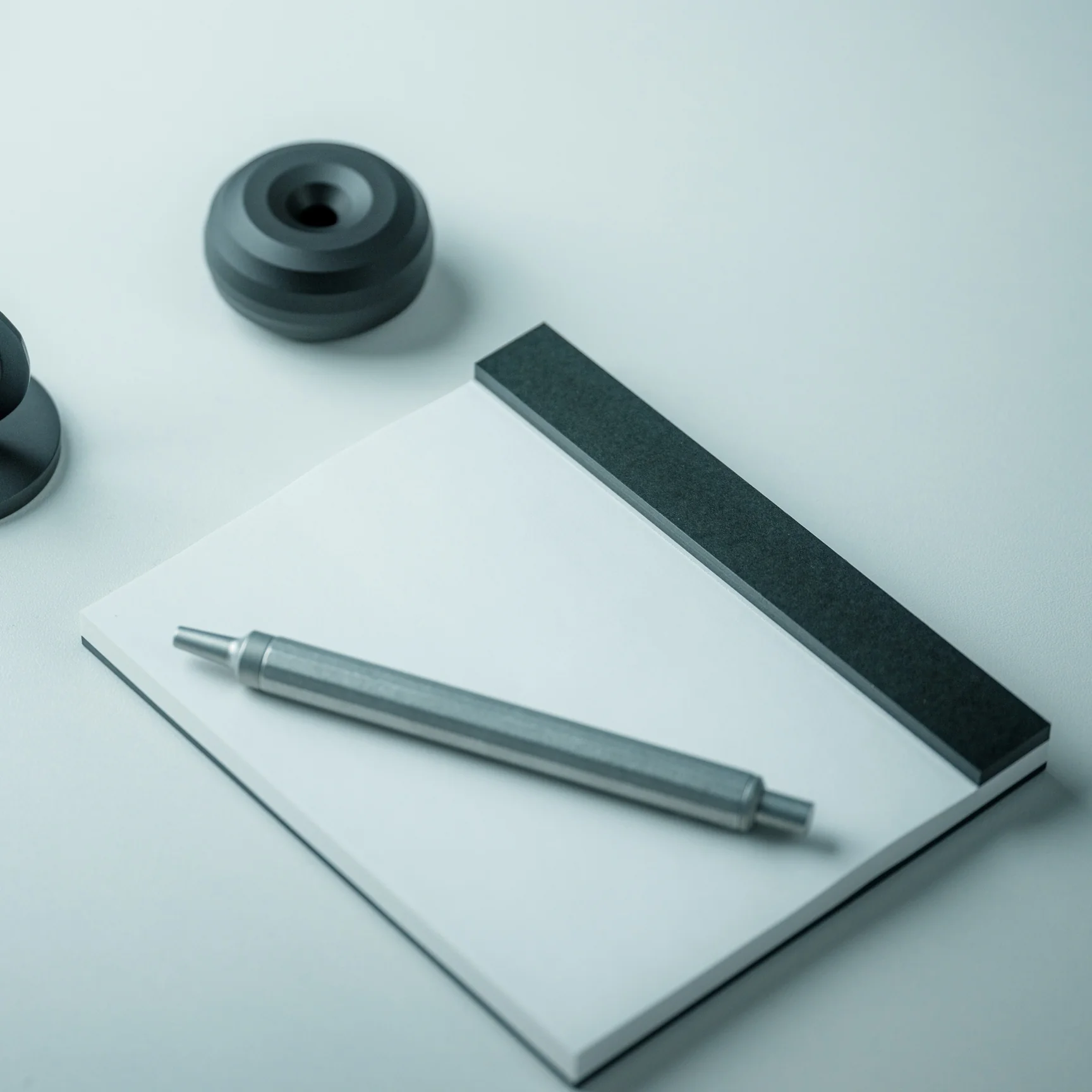
Previously, you only had white and gray as the paper options. But now you can also choose to get the black paper, a particularly striking choice if you have silver, white, or metallic-ink pens to use when drawing or writing. The unconventional black surface is something that many artists and writers prefer when they want to experiment, and it’s easy to see why. There’s something almost theatrical about working on black paper: every stroke feels more deliberate, more expressive, and more visually arresting. Whether you’re sketching a portrait, laying out a design concept, or writing in silver ink, the contrast is stunning in a way that a standard white pad simply cannot replicate.

Whether you’re a seasoned artist, an avid journaler, or simply someone who appreciates beautiful and well-crafted objects, the Japanese Drawing Pad deserves a permanent spot on your desk, or at the very top of your gift list. It’s the rare kind of thing that manages to be both a functional everyday tool and a quiet work of art. In a world increasingly cluttered with screens and digital noise, there’s something deeply satisfying about slowing down and putting pen to paper, especially when the paper is this exceptional. The new black option only sweetens the deal, giving this already beloved pad a bold new identity. For collectors and creatives alike, this is one addition to your collection that you won’t regret, and one gift that will definitely be remembered.

The post This Handmade Japanese Drawing Pad Comes With Black Paper That Makes Every Stroke Feel Deliberate first appeared on Yanko Design.
5 Best Retro-Inspired Desk Accessories That Aged Better Than Most New Ones

Your desk probably looks like a lot of other desks right now. Same matte black keyboard, same Bluetooth speaker with the pulsing light ring, same cable management that made sense for about two weeks. The problem is not what you spent. It is what you picked. Most desk accessories launched in the last three years were designed around a trend, which means they are already halfway through their shelf life.

These five pieces were designed well enough the first time that they are still in production, still worth buying, and will outlast whatever trend comes next. That is not the easiest thing to find in a market flooded with objects that look good in a cart and feel cheap by Friday. Each one on this list has been tested by time in a way that no review cycle can replicate.

1. 8BitDo Retro 87 Keyboard

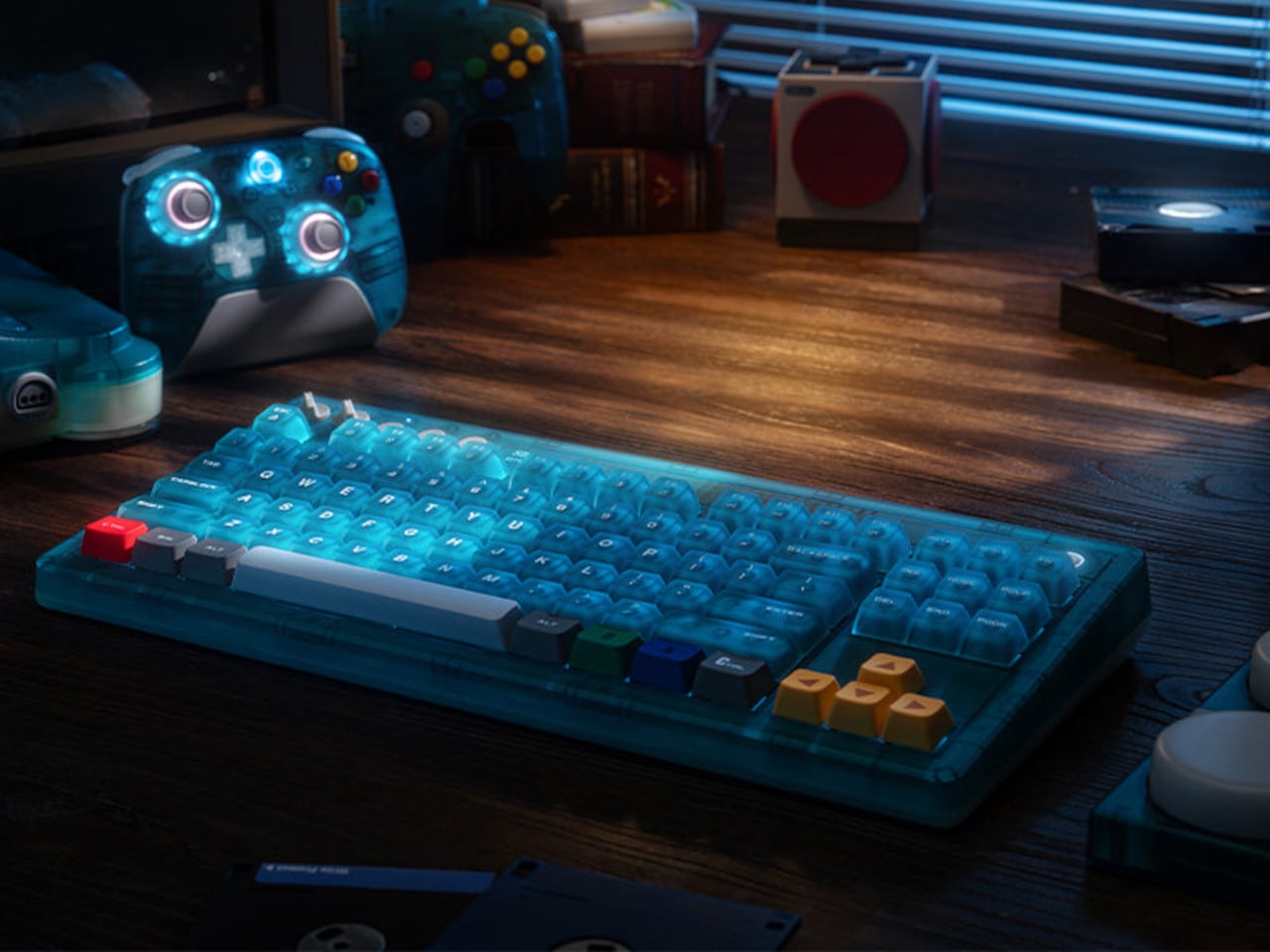
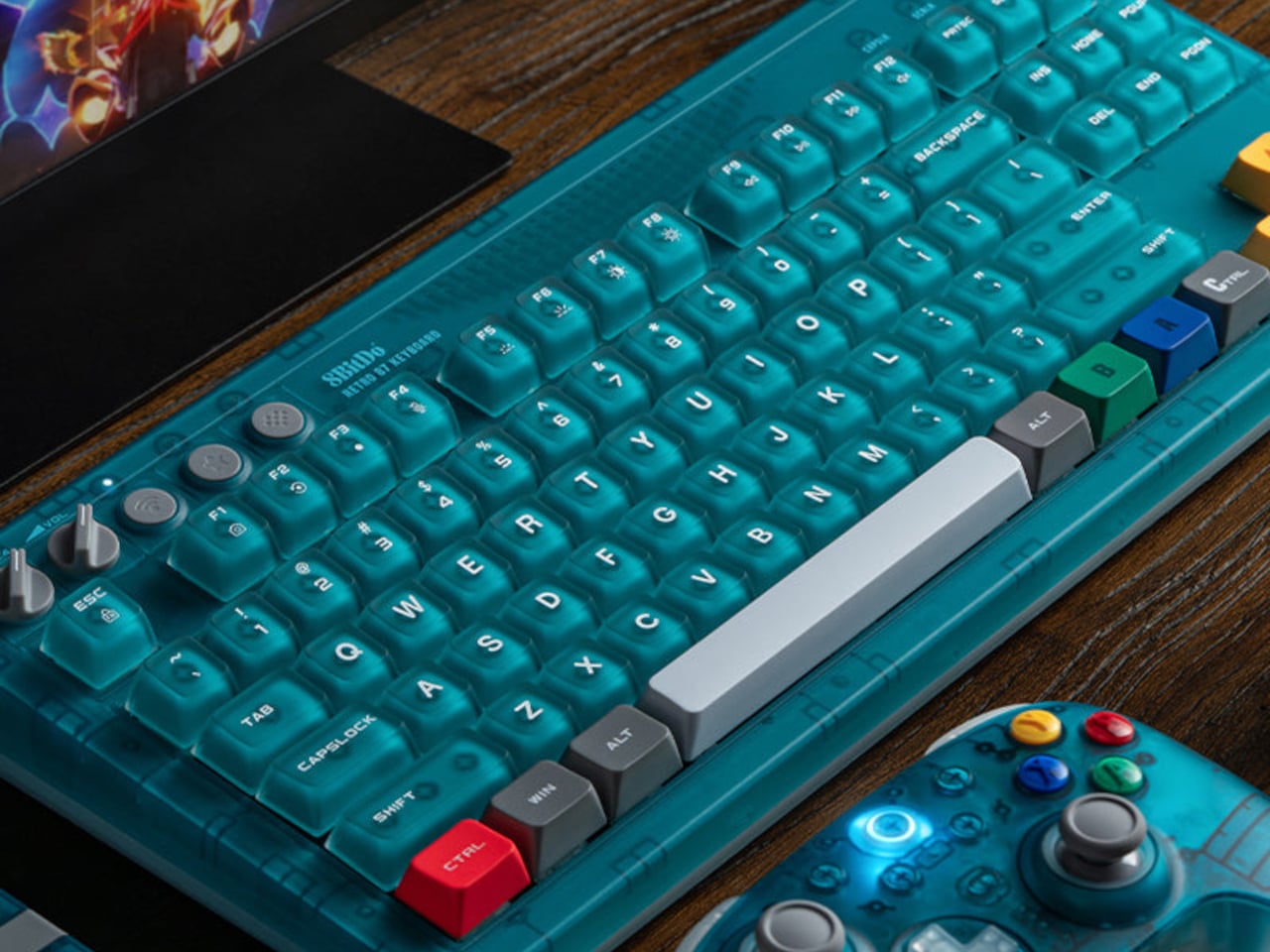
The 8BitDo Retro 87 Keyboard in Clear Blue is an 87-key tenkeyless mechanical keyboard with a translucent blue polycarbonate shell, Cloud Gray Linear switches co-developed with HUANO, and three connectivity modes. It is priced at $69.99. If you had an N64, the color coding reads immediately without needing an explanation. Yellow arrow keys for the C-buttons. Green and blue for A and B. A red left Ctrl mapped to Start. The translucent shell shows the PCB and per-key RGB backlighting through the blue tint, exactly how Nintendo’s Funtastic consoles worked in the late 1990s. The inside of the hardware was part of the design then, and it still is here.

The 87-key tenkeyless layout drops the number pad and keeps the full navigation cluster, which is the right call for a keyboard sharing space with other things you actually want to see. Bluetooth, 2.4 GHz wireless, and wired USB cover every setup without extra adapters. The 2,000 mAh battery is rated for 200 hours in wireless mode. Your hands are on your keyboard more than anything else on your desk. It might as well be something worth looking at.

What we like:

  • The top-mount PCB configuration gives the typing feel a cushioned, bouncy quality that cheaper keyboards skip entirely
  • Hot-swappable switches mean you are not committed to the Cloud Gray Linears if you change your mind later
  • The translucent shell with RGB underneath is better in person than any photograph suggests

What we dislike:

  • The two programmable Super Buttons sit outside the main typing area and take a few days to stop hitting by accident
  • The first week involves some unintended inputs during regular use

2. Side A Cassette Speaker

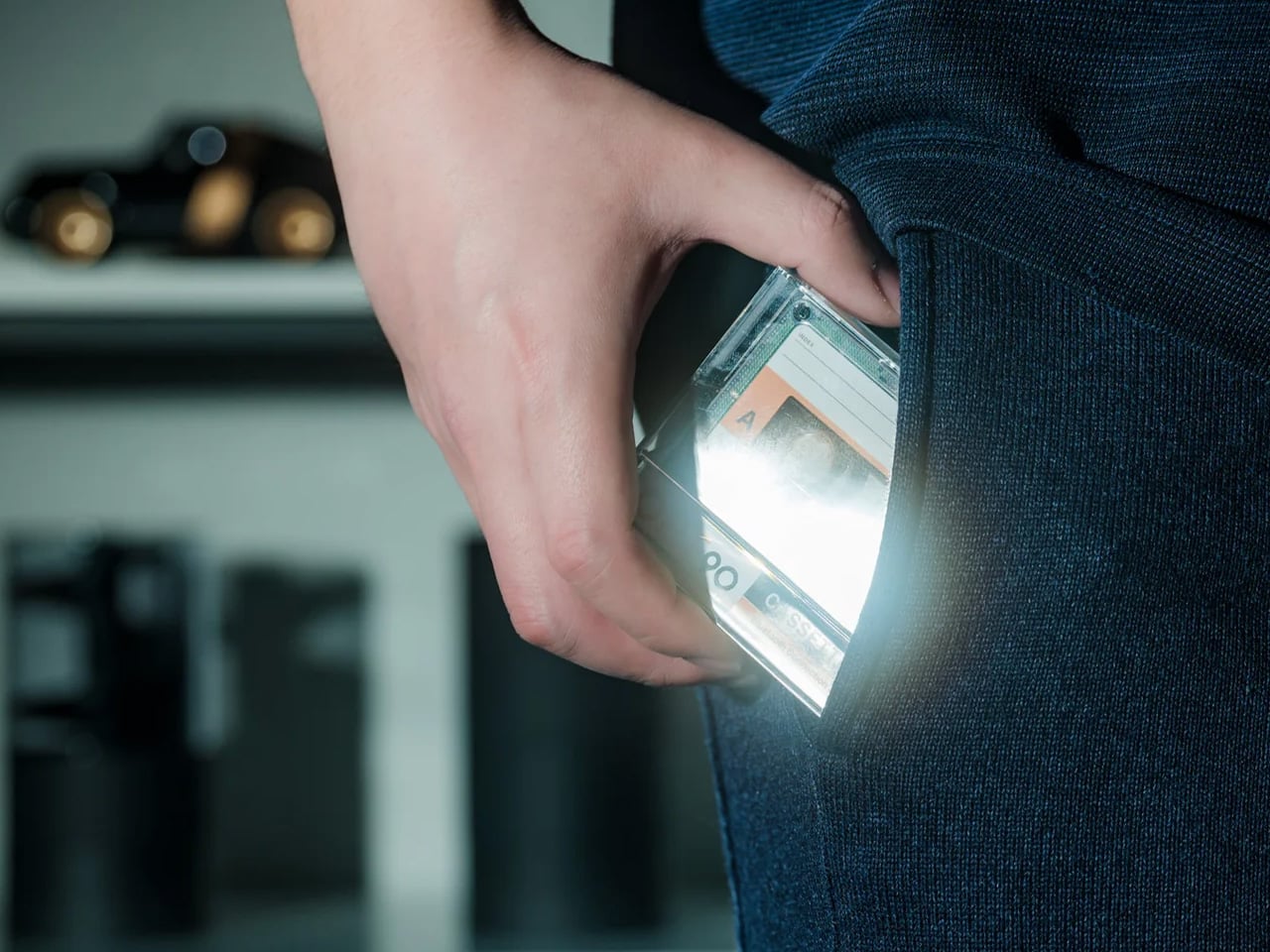
The Cassette Speaker is a Bluetooth speaker built to the proportions of a cassette tape, scaled up just enough to fit a driver inside. You probably had a shoebox of mixtapes growing up. Most of them were recorded off the radio with the DJ talking over the first two seconds of every song. The Cassette Speaker does not play tapes. What it does is put that object back on your desk in a form that actually works in 2026, pairing over Bluetooth and delivering audio from something small enough to palm in one hand.

Set it next to your keyboard, and it reads as a deliberate design choice rather than a gadget someone left behind. That is harder to pull off than it sounds. Most Bluetooth speakers designed to look interesting end up looking like they are trying too hard. The cassette form works because it is referencing something specific and doing it accurately rather than gesturing at it loosely. It belongs on a desk, a nightstand, or packed in a bag for the weekend.

Click Here to Buy Now: $49.00

What we like:

  • The size-to-output ratio is genuinely good – something this flat and compact has no business sounding as present as it does
  • The form factor means it fits anywhere without planning, which is not something most design-forward Bluetooth speakers can claim

What we dislike:

  • There is only one natural way to set it down – flat, tape-side up, which means you cannot angle it toward you the way you would a conventional speaker
  • Reflective desk surfaces will affect the sound more than you expect

3. Twemco BQ-38 Flip Clock

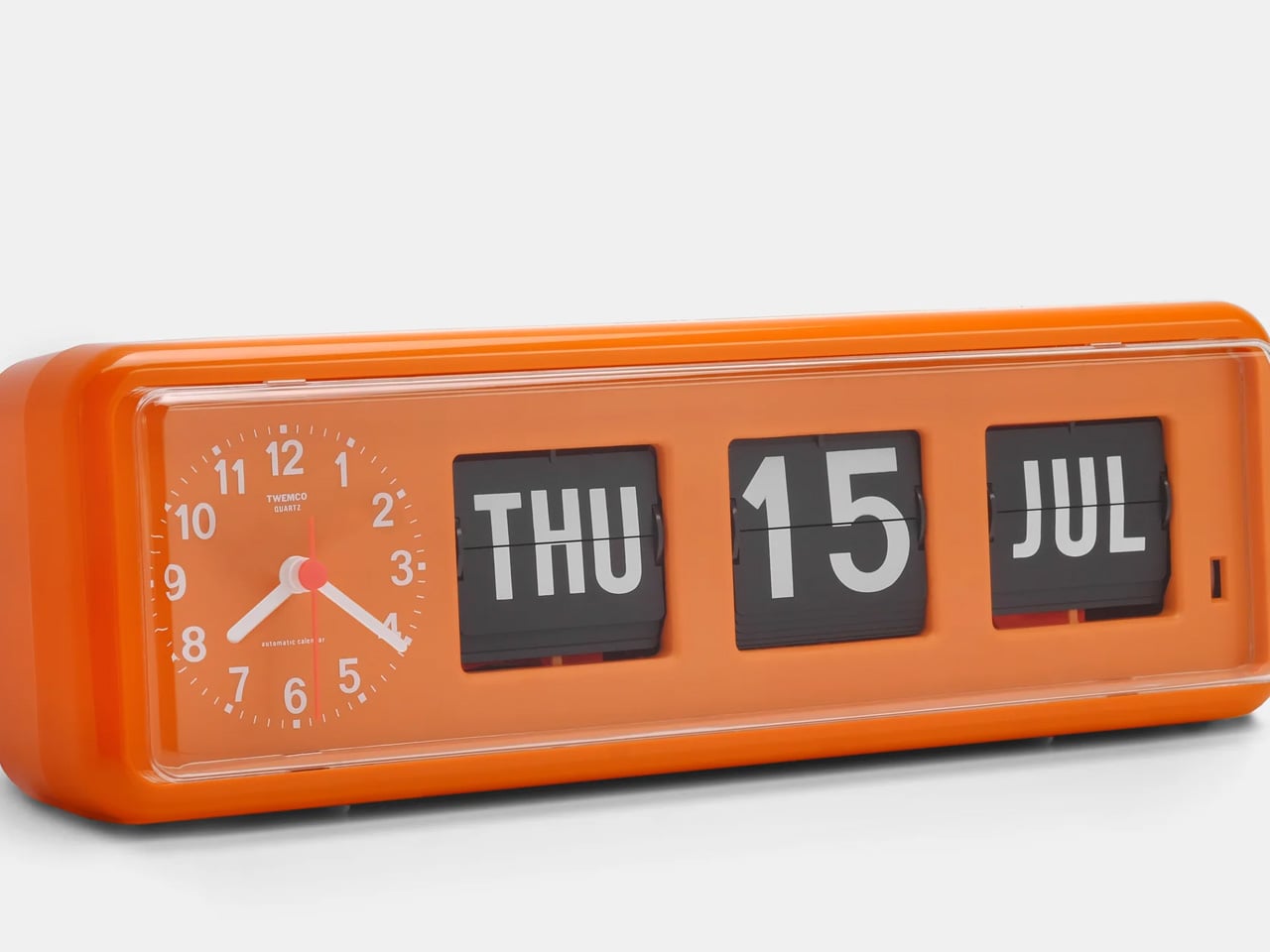
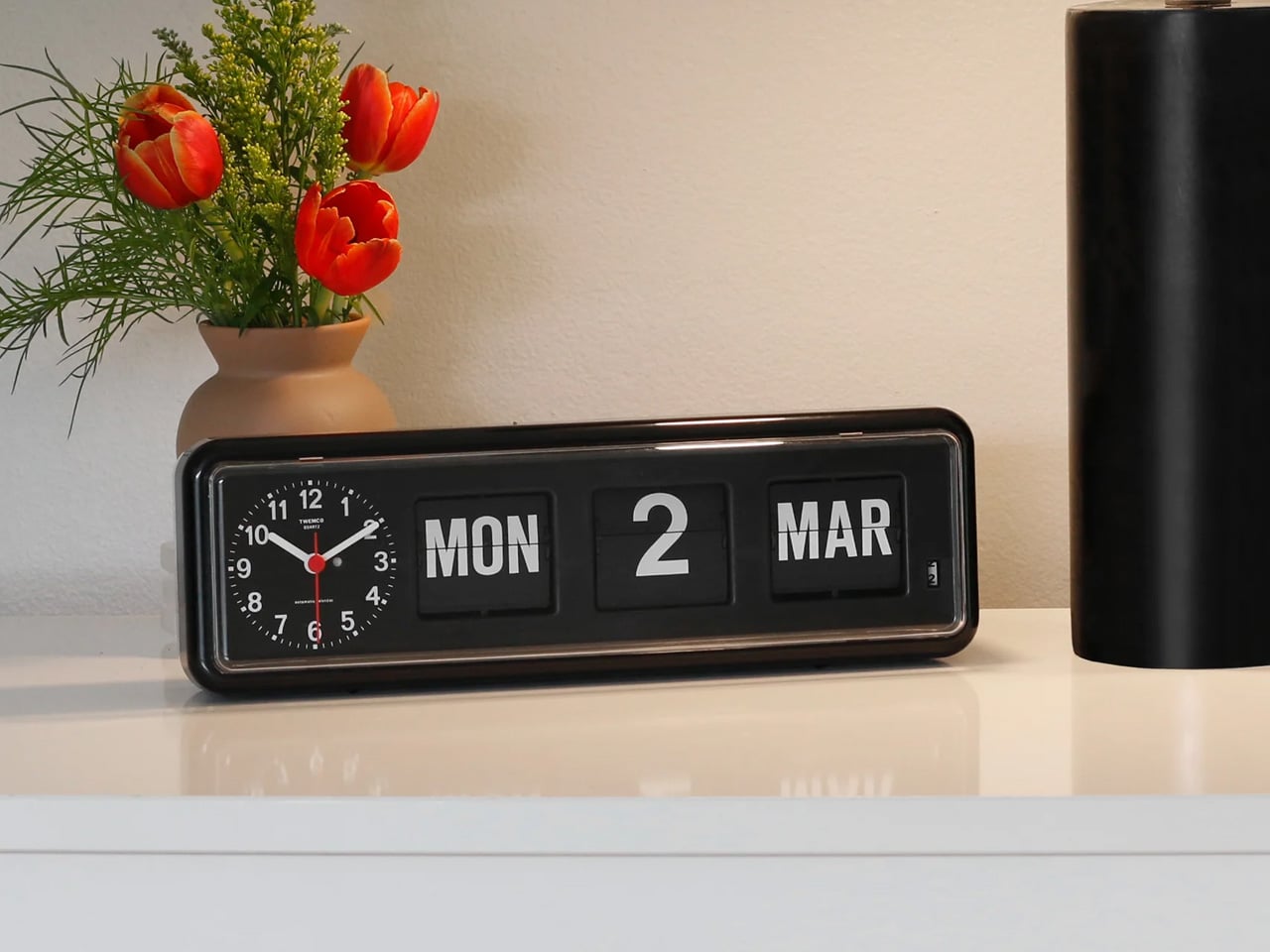
The Twemco BQ-38 is a split-flap flip clock that shows the time and date on cards that physically rotate forward each minute, made in Hong Kong using essentially the same mechanism since the 1970s. You reach for your phone to check the time and end up reading two notifications, a group text, and a headline you did not need before 9 AM. The BQ-38 solves exactly that problem. It sits on your desk and tells you the time. When a minute passes, a card flips forward with a soft mechanical sound. That is the whole interaction. Nothing else is asking for your attention.

The body is injection-molded ABS with a clear acrylic cover. Nothing glamorous about those materials, but the result is a clock that weighs 600 grams, stays exactly where you put it, and advances the date automatically without any input from you. The digits are large enough to read from across the room. No charging cable to route, no power brick to hide.

What we like:

  • The flip sound is genuinely good – not in a novelty way that wears off, but in the way a well-made mechanical thing sounds when it does exactly what it is supposed to do
  • The date display is more useful than you expect until the moment your phone is across the room and you need to know what day it is

What we dislike:

  • Setting the time requires a button on the back that you will need the manual for at least once
  • Battery-powered clocks stop silently when the battery dies, which you will discover at a moment that is never convenient

4. Anglepoise Original 1227 Desk Lamp

The Anglepoise Original 1227 is a task lamp designed by George Carwardine in the early 1930s and in production since 1935, built around a spring tension mechanism that mirrors the constant tension found in human joints. It starts at $256. Your current desk lamp probably has a touch sensor, three brightness settings, a USB port on the base, and an app update you keep dismissing. The 1227 has none of that. It has a spring-loaded arm you move to where you want light, and it holds that position. The difference between a lamp that stays where you put it and one that slowly droops over the course of an afternoon is not small.

The spring mechanism is why this lamp still makes sense ninety years later. Every competitor has spent decades trying to replicate what Carwardine worked out in the 1930s — that the arm needs to move like a limb rather than a scissor joint. The aluminum shade and arms carry a gloss-painted finish and come with a lifetime guarantee from Anglepoise, which is the kind of warranty that only makes sense if the manufacturer expects the product to be around long enough to need it.

What we like:

  • The spring tension is noticeable the first time you move it and satisfying every time after that – one-handed, no wobble, no drift after an hour
  • The shade is large enough to actually light a workspace rather than a six-inch circle in the middle of your desk

What we dislike:

  • The price is real – it starts at $256 and climbs to $360 for the brass version, which is serious money for a desk lamp
  • Whether the long-term value justifies the upfront cost is a fair thing to think about before buying

5. Retrowave Radio

The Retrowave Radio is an AM/FM radio with Bluetooth streaming built into a compact retro-styled body. Picture Sunday morning. You want something on in the background, and you do not want to wake up a smart speaker or open another app. You spin a physical dial, land on a station, and leave it there. The Retrowave Radio is exactly that object. It sits on your desk, works without asking anything from you in return, and looks like it belongs there in a way that most tech on your desk does not.

The design is doing most of the heavy lifting. Analog dial face, physical control knobs, boxy proportions that reference the tabletop radios of the 1960s without feeling like a costume. It looks deliberate next to a keyboard and a lamp in a way that a cylindrical smart speaker never quite manages. The Bluetooth mode covers any gap when you want to play something specific off your phone. You will use it for both. Most days the radio wins.

Click Here to Buy Now: $89.00

What we like:

  • The physical tuning dial is something you forgot you missed – spinning a knob to find a station is slower than tapping a playlist, and that slowness is entirely the point
  • The Bluetooth mode pulls double duty, cutting one device off your desk rather than adding another

What we dislike:

  • The speaker output is sized for personal use, not a room – imagine being gathered around it rather than imagine it filling the room.
  • This is a near-desk radio, sitting more than eight feet away at volume will remind you of that

The Ones Worth Keeping

None of these objects were designed with a trend in mind. The Anglepoise spring has not changed since 1935. The Twemco mechanism has not changed meaningfully since the 1970s. The 8BitDo keyboard references a console that is thirty years old, and the cassette form factor predates most people reading this. That is not nostalgia for its own sake. That is what happens when the fundamentals were right from the start.

If one had to earn the top spot, it is the Cassette Speaker. Not because it sounds the best or costs the most, but because it is the only object here that makes someone ask where you got it before asking what it does. That question is the whole point. Everything else on this desk is functional. The Cassette Speaker is functional and feels like something you chose on purpose.

The post 5 Best Retro-Inspired Desk Accessories That Aged Better Than Most New Ones first appeared on Yanko Design.
This ceiling fan hides an 80W Hi-Fi speaker and smart lighting in one sleek unit

You get light from above. You get wind from above too. So at some point, somebody was bound to ask the obvious next question, why not sound from above as well? Ceiling fans have spent years quietly doing side quests with built-in lamps, remote controls, and the occasional smart feature, but this feels like the first time one has aimed for proper living room territory. The lamp-plus-fan combo has always felt like a polite upgrade to an appliance nobody was particularly excited about.

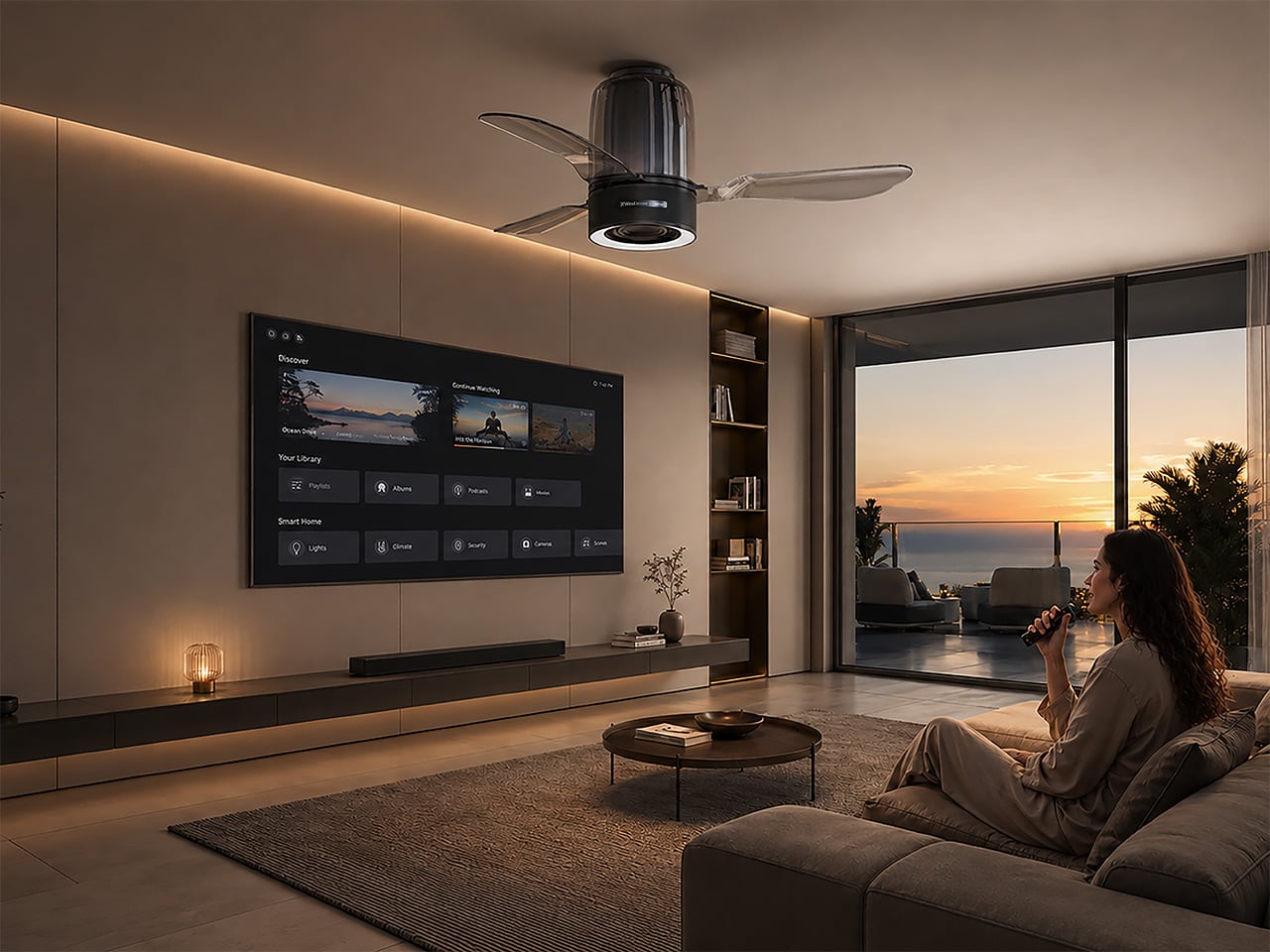
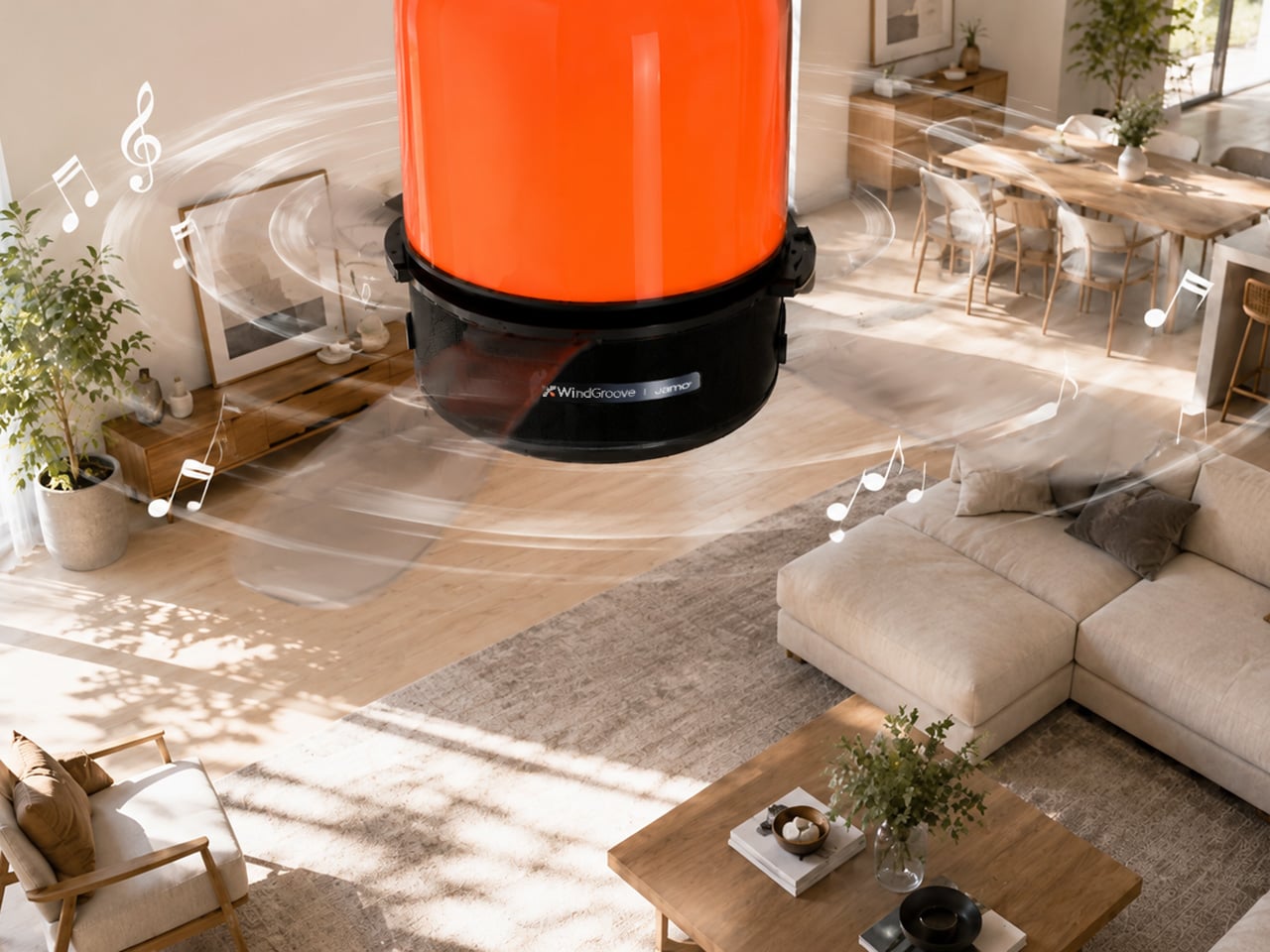
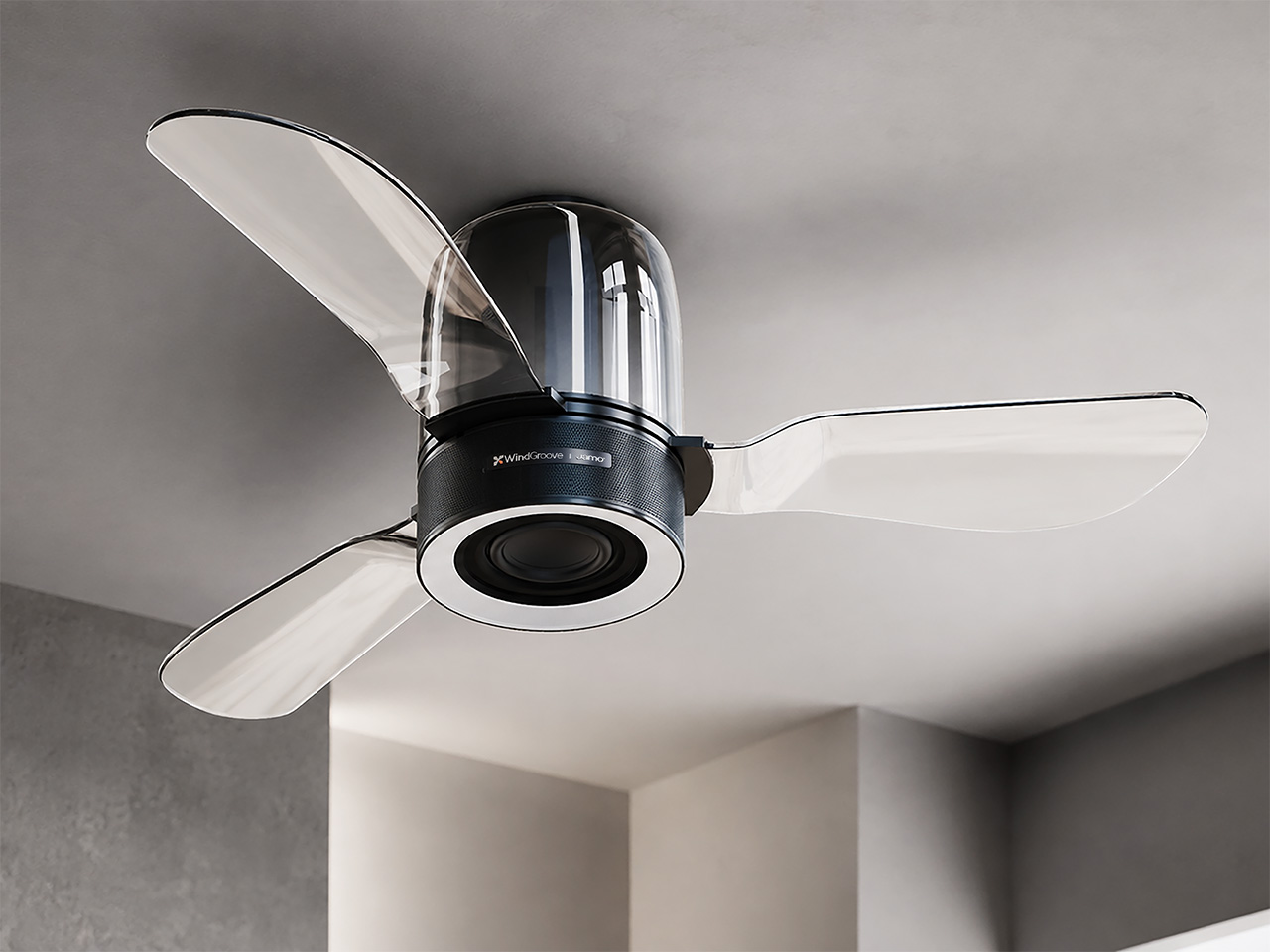
WindGroove’s AirFi One takes that idea and runs with it, folding a Hi-Fi audio system, atmospheric lighting, and airflow into a single ceiling-mounted fixture. The audio setup is co-developed with Jamo, the Danish speaker brand founded in 1968, which gives the whole thing considerably more credibility than your average gadget trying to do five jobs at once. It’s one of those products that sounds slightly absurd for about three seconds, right up until you realize how much floor space your speakers and fans have been stealing this whole time.

Brand: WindGroove

Click Here to Buy Now: $480 $815 (40% off, use coupon code “YD15”). Hurry, deal ends in 48-hours!

Putting a speaker inside a spinning mechanical system is, acoustically speaking, a problem that mostly did not exist before. Motors generate vibration, and that vibration travels through metal housings and mounting hardware until it finds a speaker driver to rattle. At higher fan speeds, the blades also create periodic air pressure variations at blade-pass frequency, a rhythmic pulse that can cause a speaker cone to flutter and introduce distortion into the output. Positioning the speaker overhead compounds the issue further, because the ceiling acts as a large reflective surface, creating phase cancellation and comb filtering effects where certain frequencies pile up while others cancel out. Nailing clean Hi-Fi sound out of a product that is also spinning at variable speeds, mounted above a live listening environment, is a genuinely impressive engineering feat.

WindGroove’s entire design thesis rests on one idea: technology should dissolve into the room, not announce itself from it. Making that happen acoustically meant solving real engineering problems, because a spinning motor introduces vibration into a speaker chassis and rotating blades create periodic air pressure pulses that can rattle a driver into distortion. Intelligent DSP processing that corrects for ceiling reflection and overhead projection in real time is WindGroove’s most elegant solution, allowing the speaker to disappear into the architecture and still fill a room properly. Total harmonic distortion is rated at 1% or below, keeping music sounding like music rather than like hardware working hard. A motor running at under 32 decibels reduces mechanical vibration at the source, so the DSP has considerably less chaos to correct for.

Jamo has been building musically balanced speakers rooted in Scandinavian design since 1968, and that acoustic philosophy is what WindGroove borrowed for the tuning here. The 80W 3-way setup, twin 15W mid-high drivers plus a dedicated 50W subwoofer, carries real Hi-Fi ambitions rather than the polite background-audio compromise most integrated appliances settle for. Frequency response runs from 45Hz to 20kHz, wide enough to cover genuine bass texture and crisp high-frequency clarity across the full spectrum of recorded music. Bringing in a heritage audio brand rather than speccing the cheapest available driver stack reflects WindGroove’s conviction that invisible technology still needs to perform at the highest level when you actually sit down and listen. Putting a Jamo-tuned 80W Hi-Fi system inside a ceiling fan is the kind of product decision that only makes sense if you believe the room should come first, and the hardware should figure itself out.

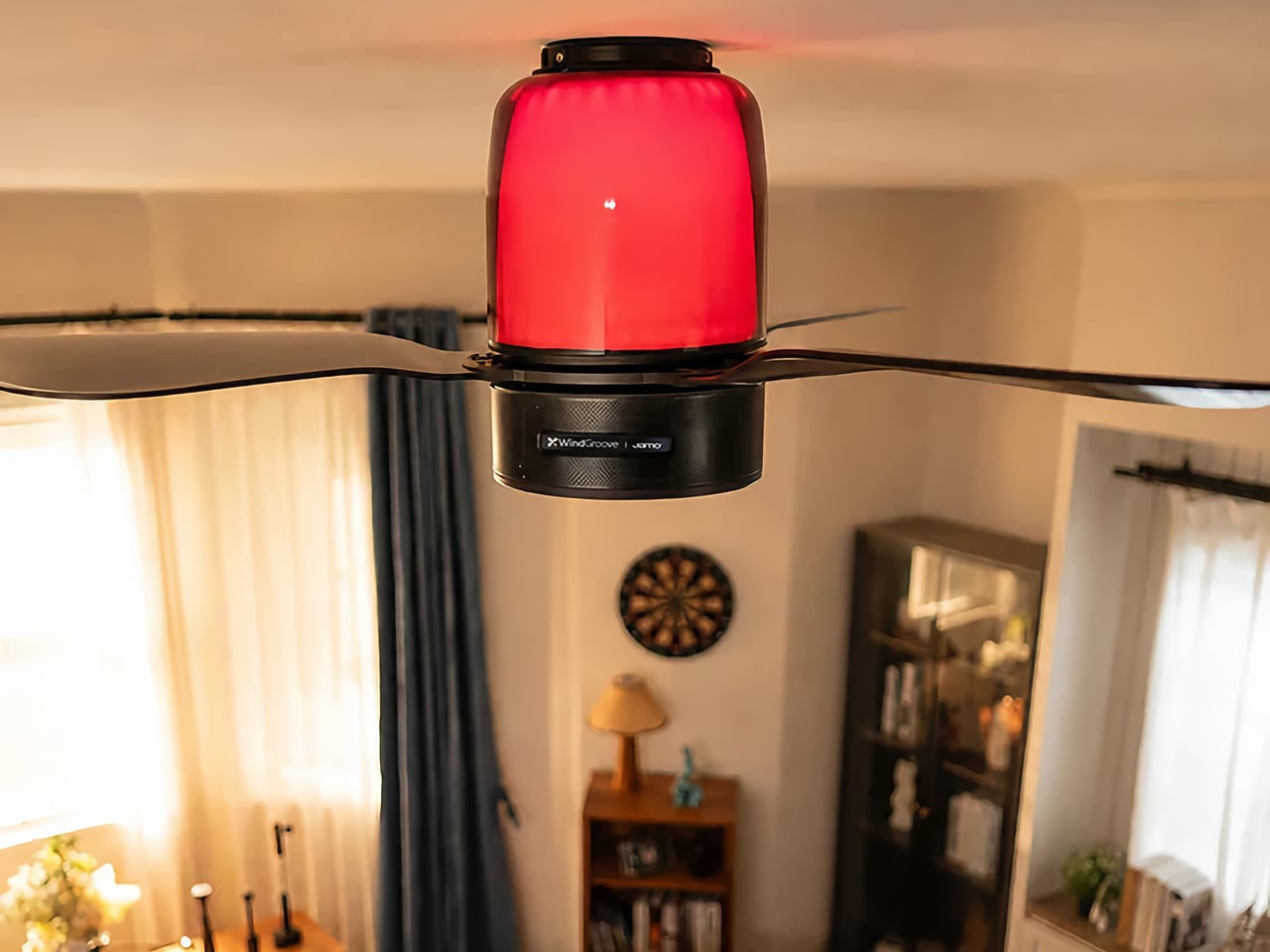
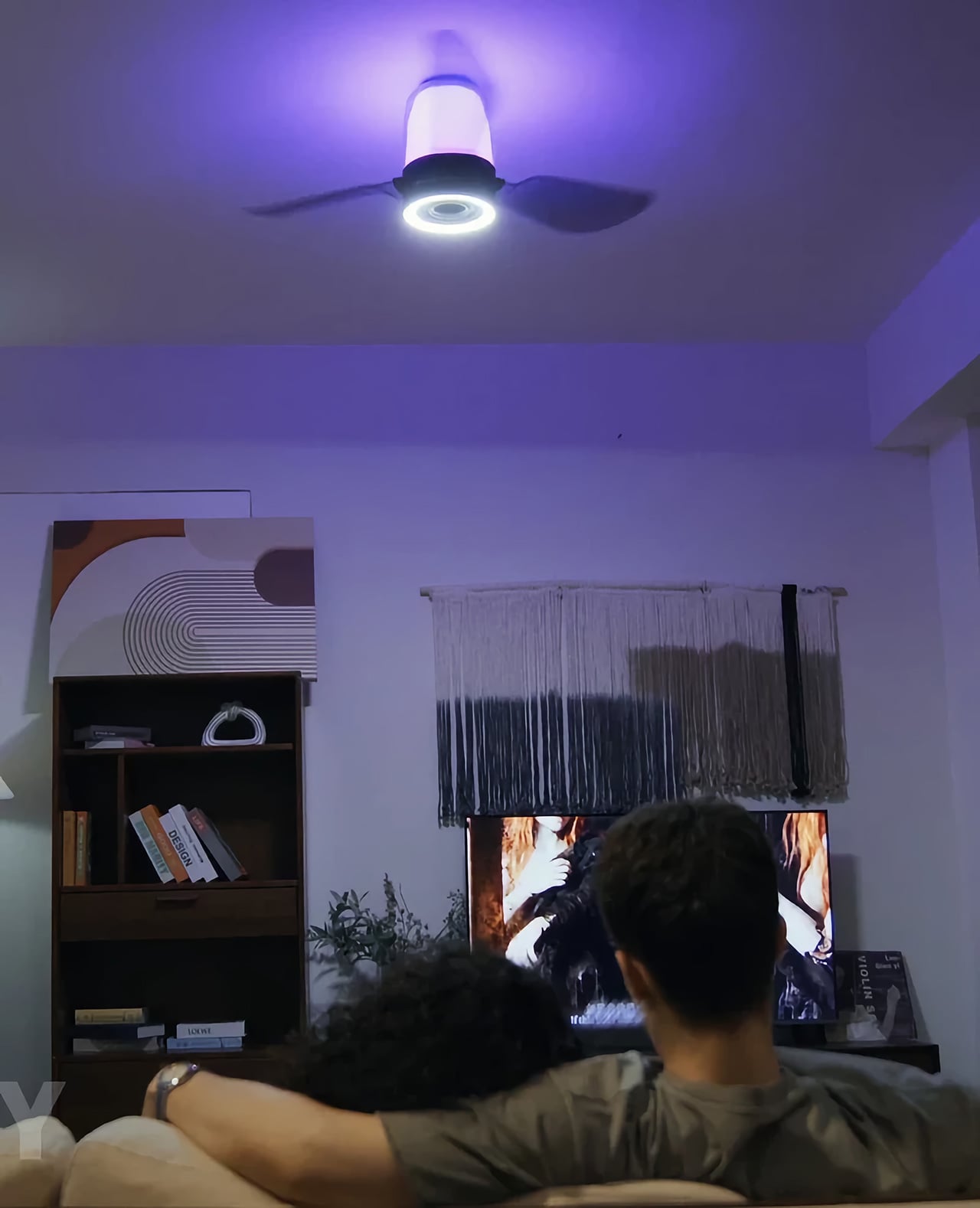
The fan boasts a maximum airflow of 4621 CFM at under 32 decibels, quiet enough to run while music is playing without competing with it, and the blade direction reverses seasonally so the unit pulls its weight year-round. The dual-zone lighting system combines everyday illumination with immersive ambience. The lower section serves as the primary light source, providing bright, even illumination for the entire room. You can choose from three color temperatures – warm white for a cozy, relaxing glow, natural white for comfortable everyday lighting, or cool white for a crisp, energizing feel. Stepless dimming lets you fine-tune the brightness to suit everything from winding down at night to working, reading, or getting ready in the morning.

Picture a Friday evening where you dim the lights, the room shifts to a warm amber glow, the fan hums almost imperceptibly overhead, and the music you put on actually sounds like the artist intended it to. No speaker on a shelf eating into the bookcase. No standing fan taking up the corner you always meant to do something with. No three apps open at once trying to get everything to behave. The ceiling handles it, and the room just feels right in a way that is surprisingly hard to explain to someone who has not experienced it.

AirFi One is priced at $499 at retail and is available for purchase right now on WindGroove’s website.. Sure, you could just duct-tape a Bluetooth speaker to your fan and call it a day – but having an 80W sound system built into your ceiling fan isn’t something everyone can boast of.

Click Here to Buy Now: $480 $815 (40% off, use coupon code “YD15”). Hurry, deal ends in 48-hours!

The post This ceiling fan hides an 80W Hi-Fi speaker and smart lighting in one sleek unit first appeared on Yanko Design.
The $80 Spice Mill That Can Actually Change How You Cook

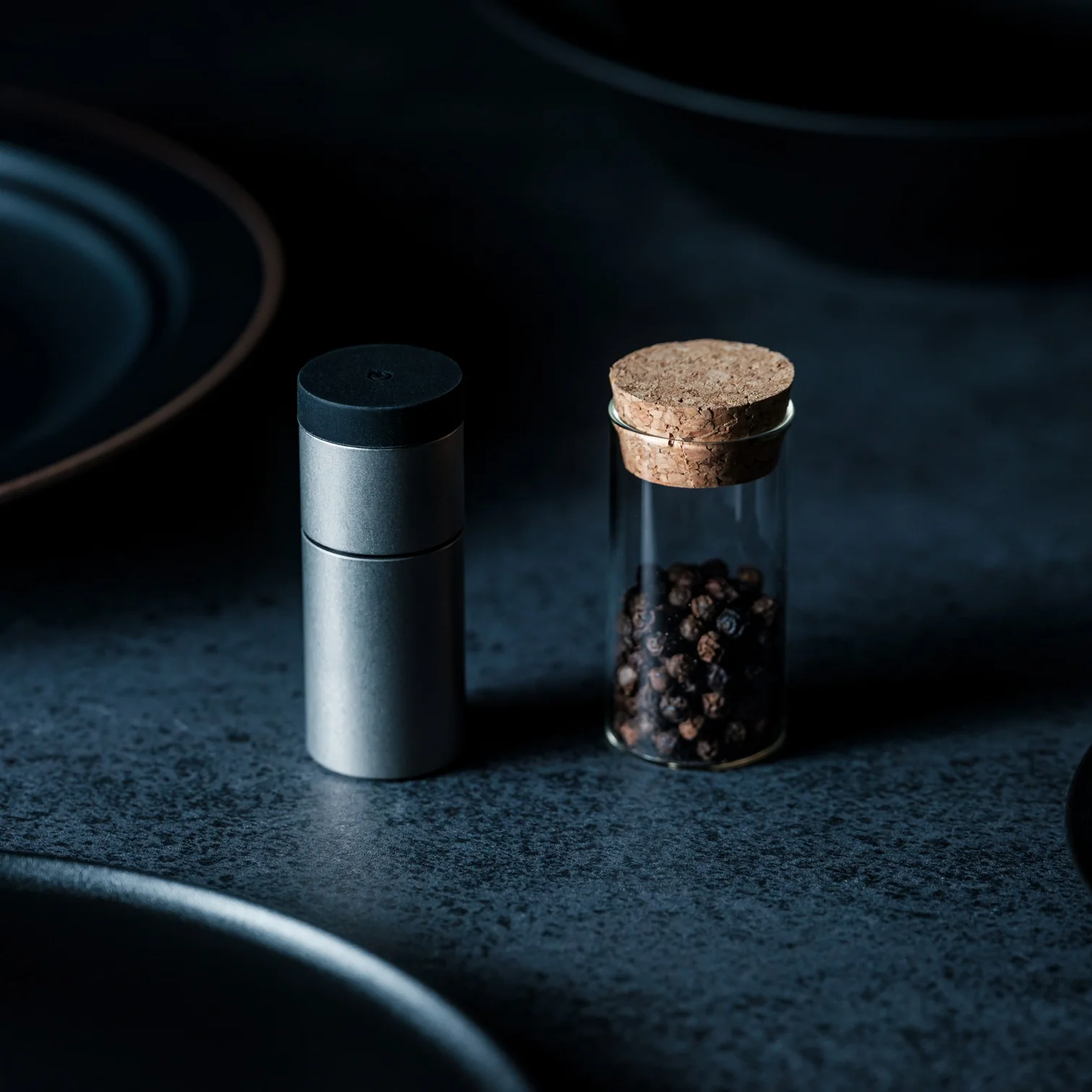
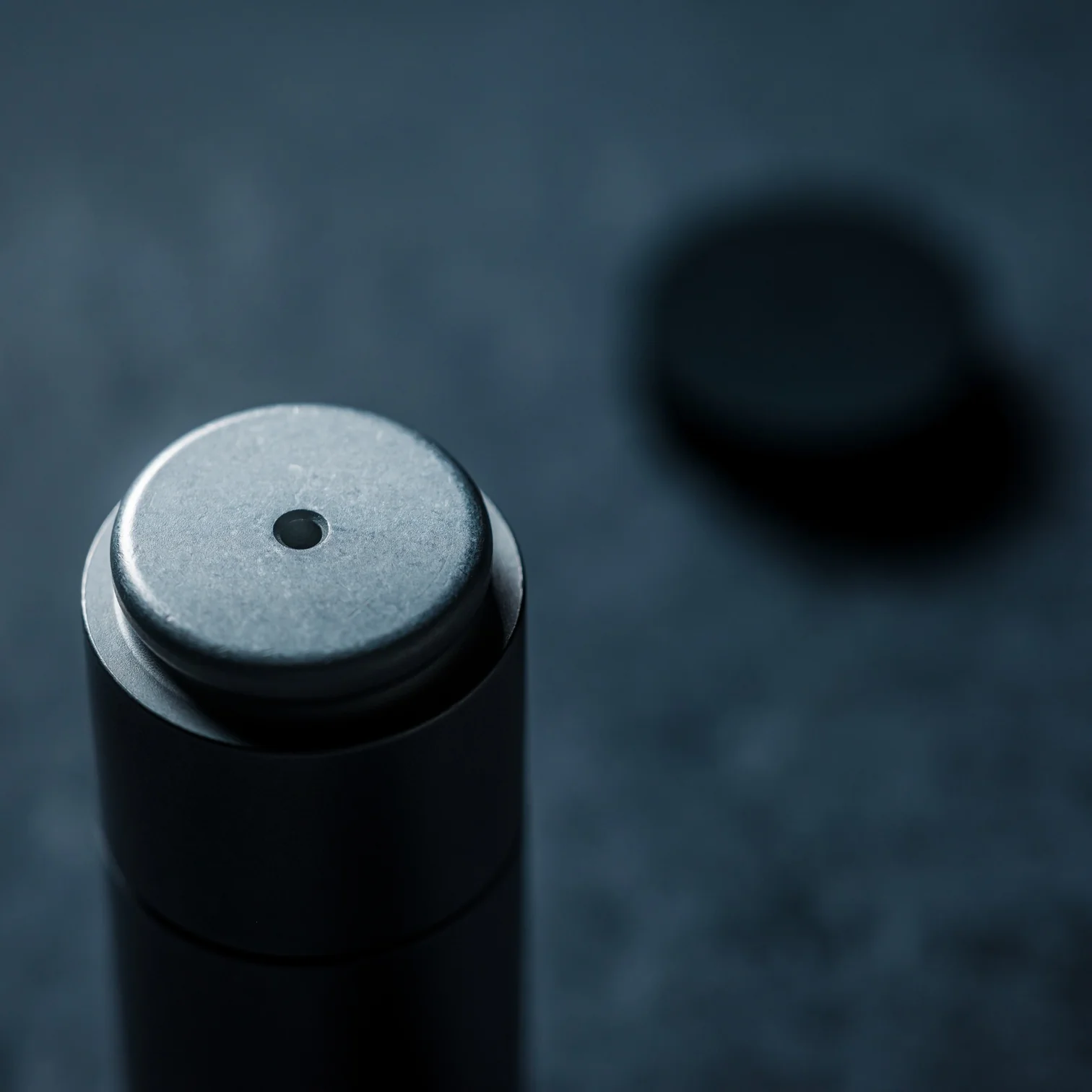
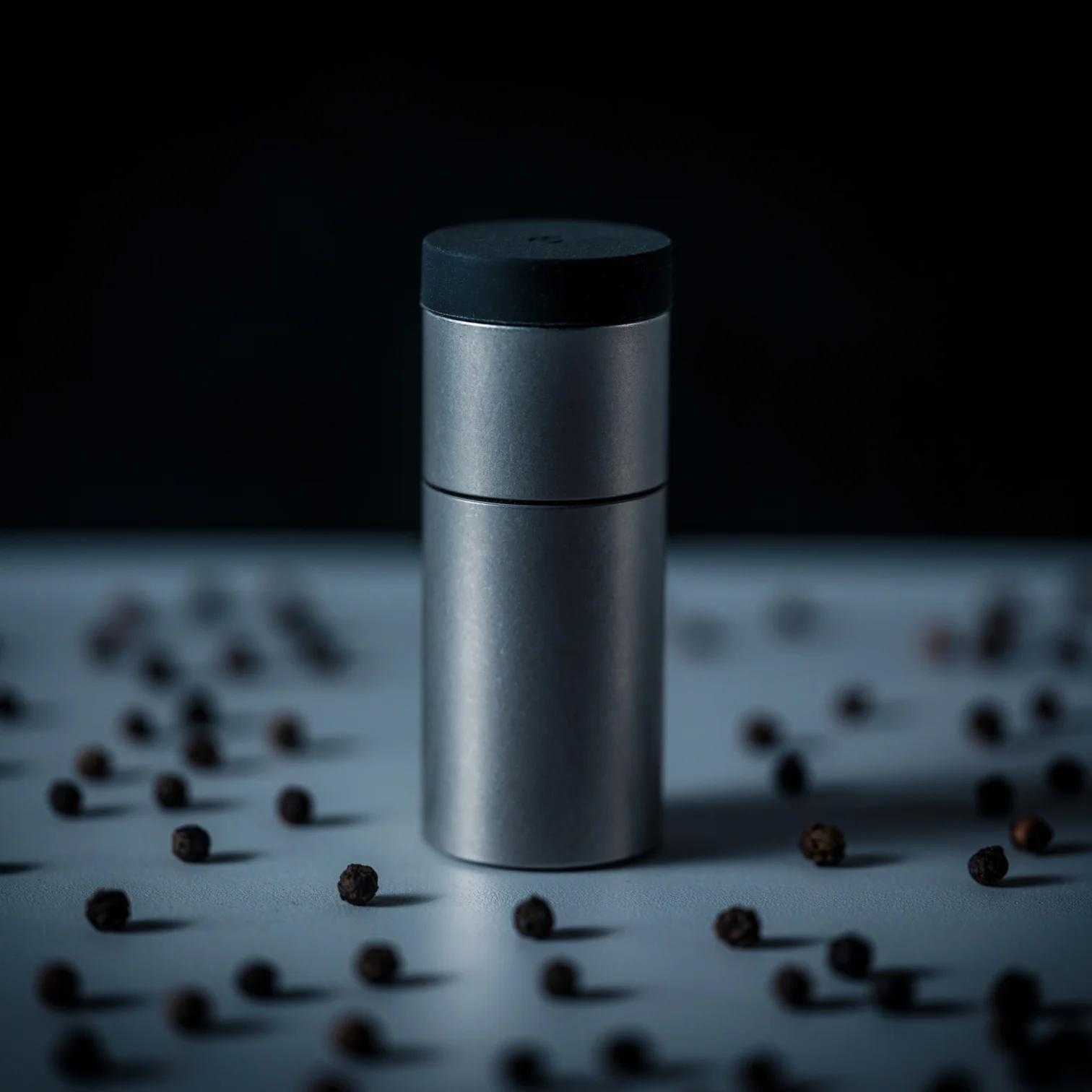
Cooking, for most of us, is a series of automatic habits. You reach for the pepper grinder, twist it a few times without thinking, and move on. It’s forgettable. It’s background noise happening in your own kitchen. The Impact Spice Mill, an $80 award-winning kitchen tool from Yanko Design’s curated drop collection, is specifically built to interrupt that forgettable moment and make it actually register.

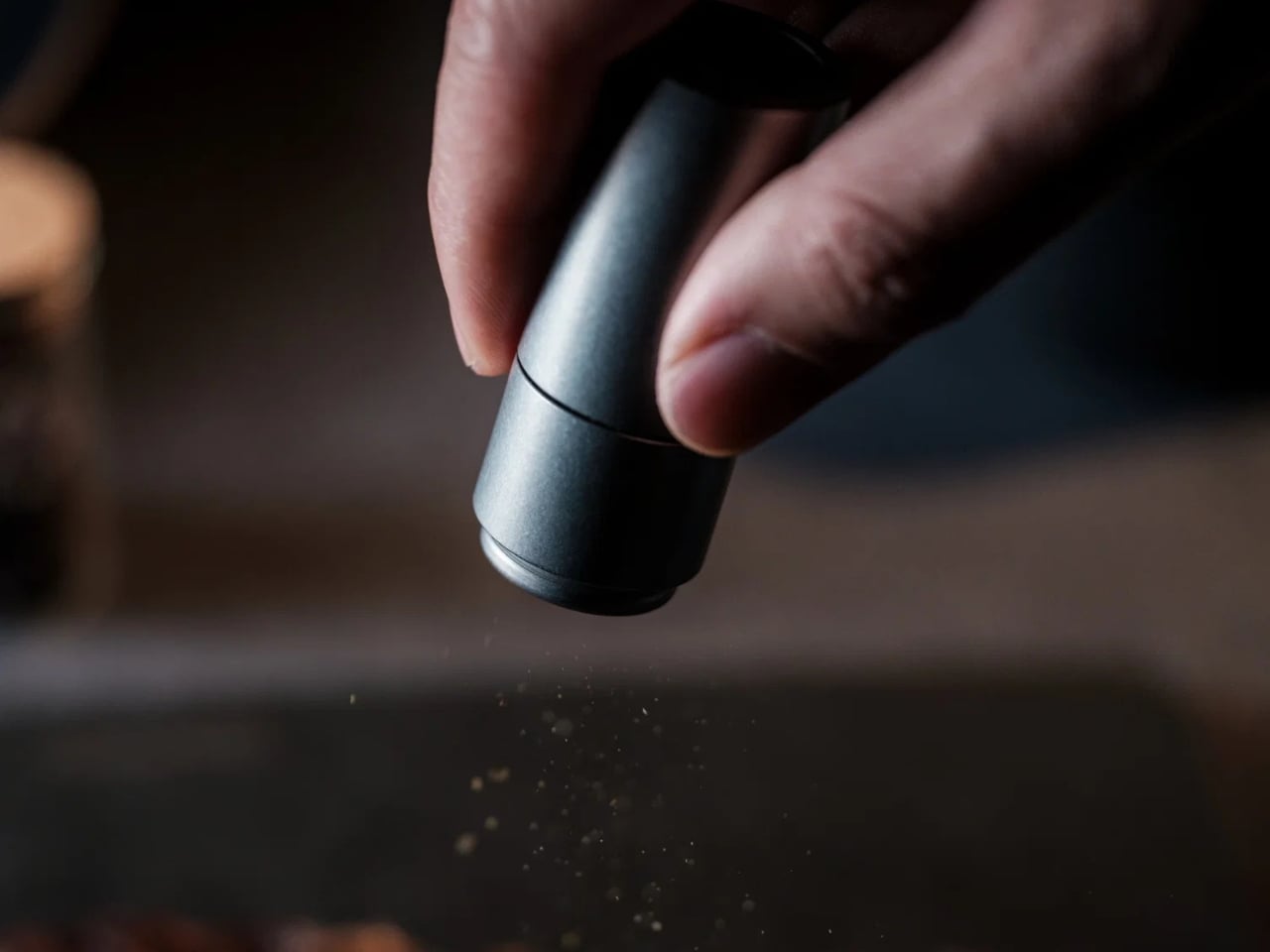
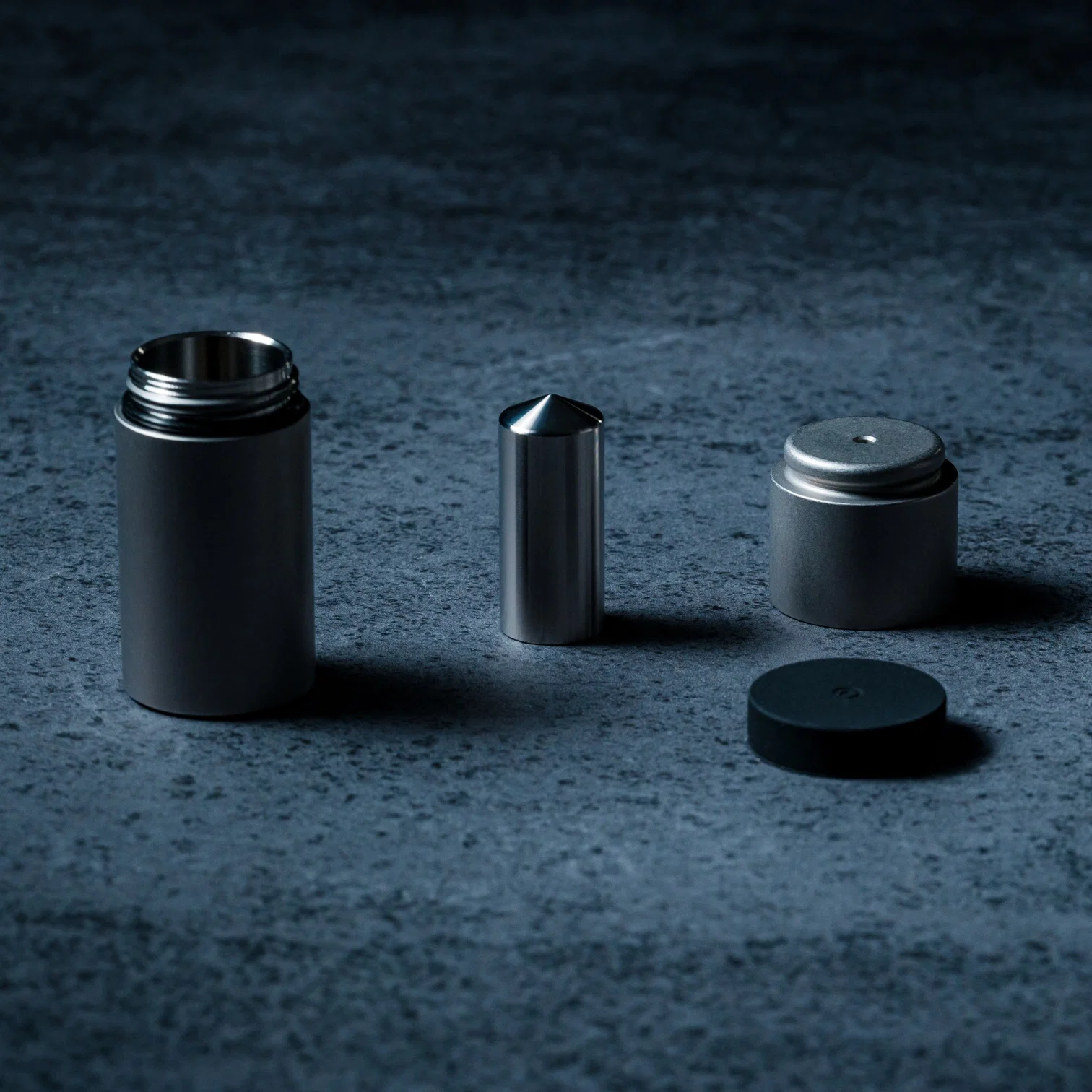
Instead of twisting, you shake. That’s the whole premise. Inside the mill, a weighted mechanism moves with each motion, pounding and crushing a small amount of spice right before it reaches your food. The result is a fresher release of natural aroma at the exact moment it matters. There’s also a satisfying click with every shake, which sounds like a minor detail until you realize it’s the reason you’ll consistently reach for this over whatever forgettable grinder is currently parked on your counter.

Click Here to Buy Now: $80.00 Hurry, only 3 available!

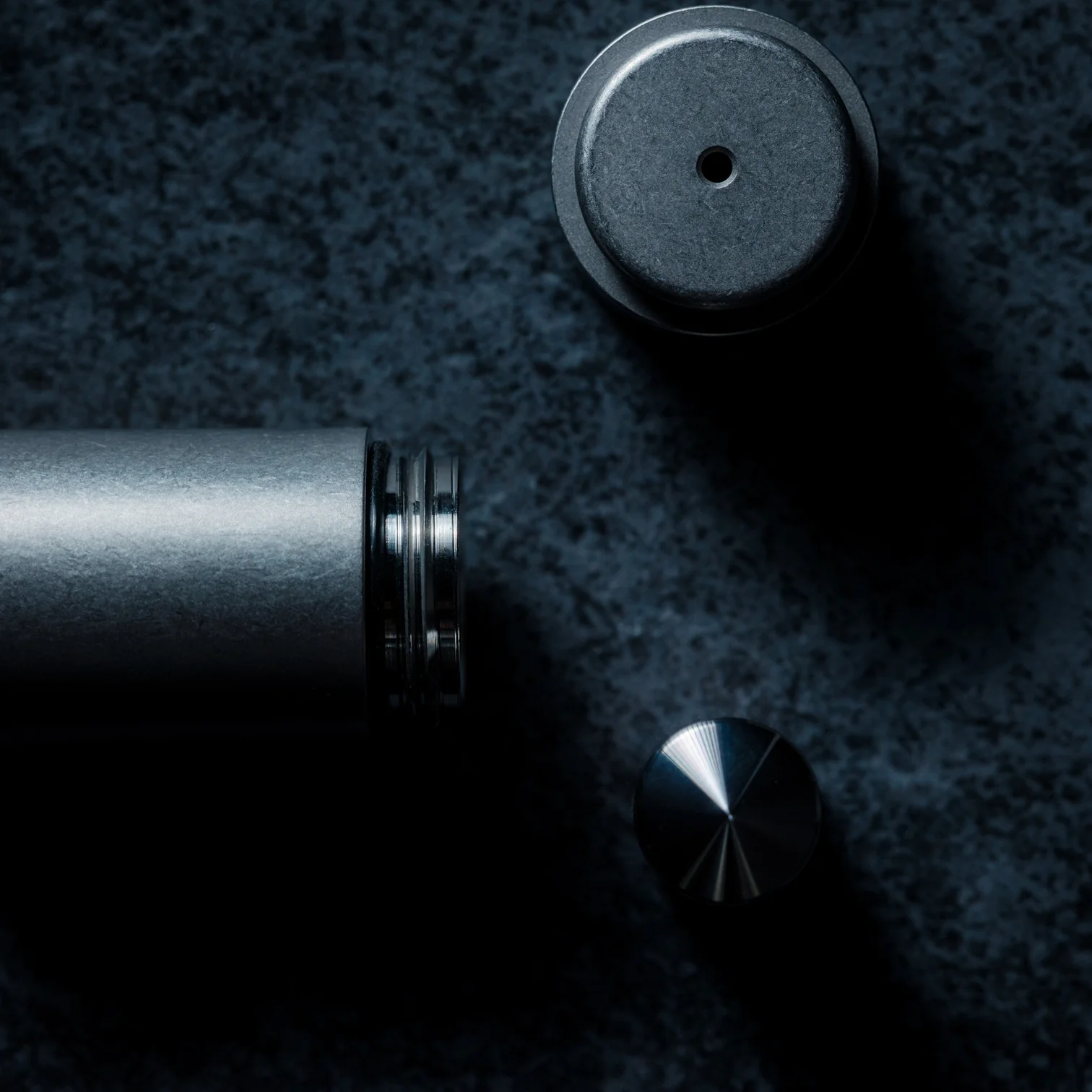
The percussion mechanism is the real story here. Traditional spice mills grind continuously, releasing flavor incrementally and, depending on how heavy your hand is, sometimes wastefully. The Impact Spice Mill’s internal weight-based system works closer to a mortar and pestle approach, only more refined, more controlled, and considerably less messy. It’s a surprisingly thoughtful reimagining of a process most of us have never once stopped to question, which is exactly what separates good design from great design.
It won the 2023 GOOD DESIGN BEST Design Award, recognized in 2024, and that isn’t a small credential to carry. GOOD DESIGN is one of the longest-running design award programs in existence, and the BEST designation sits at the very top of that recognition. The fact that a spice mill earned it tells you the judges saw something beyond novelty. They saw genuine innovation in a product category that most manufacturers have left entirely untouched for decades.

For the design-minded, the appeal is easy to understand. Objects that rethink a familiar form, especially one as unassuming as a spice grinder, tend to generate exactly the kind of attention that sticks around. You don’t just use this over dinner; you talk about it. You hand it to someone and watch them figure it out. The “shake, don’t twist” concept is one of those ideas that feels obvious in hindsight but clearly wasn’t, because no one else got there first.

The $80 price point places it squarely in gift territory, too. It’s the kind of object that feels slightly indulgent to buy for yourself but makes complete sense as something you give to someone who cooks, collects interesting things, or simply appreciates when everyday design gets taken seriously. At the moment, it’s sitting on the waitlist with over 120 people already lined up, which puts it firmly in limited-drop territory. That’s not just marketing positioning. Yanko Design’s upcoming drops tend to move quickly, and the Impact Spice Mill has the kind of clear, singular concept that earns word-of-mouth without needing much of a campaign behind it.

What’s easy to overlook in all the conversation about mechanism and accolades is how uncomplicated the actual experience is. You pick it up, shake it, season your food. Nothing about the interaction requires a learning curve or any kind of instruction. The complexity is entirely internal, which is precisely the point. Kitchen tools that need an explanation in order to work have a habit of ending up in drawers. The Impact Spice Mill stays out because picking it up feels immediately natural.

Whether or not you’re someone who actively thinks about kitchen tools, the Impact Spice Mill earns its place on the counter on the strength of a single, well-executed idea. It doesn’t try to do everything. It does one thing differently, and it does it well enough to pull you out of autopilot mid-cook and make you pay attention. For a spice mill, that is a genuinely impressive thing to accomplish. And once you’ve shaken it, the idea of going back to twisting feels a little absurd.

The post The $80 Spice Mill That Can Actually Change How You Cook first appeared on Yanko Design.