Imagine a world where charging your phone is as seamless as grabbing a cup of coffee in the morning. That’s the magic of the AL Charger Stackable Cord-Free Portable Chargers. These wireless chargers are crafted to integrate effortlessly into your daily routine, offering the convenience of powering up your phone anytime, anywhere, without the hassle of plugs and wires. It’s freedom redefined in the world of charging.
Picture this: you’re at home, moving from the living room to the kitchen, perhaps even out by the pool. With the AL Charger, you have the liberty to charge your phone wherever you are. Forget about searching for outlets or untangling cables. Just grab a charger from the stack, place your phone on top, and watch it power up. When you’re done, stack it back to recharge the unit. It’s that simple.
What makes the AL Charger truly remarkable is its speed. With up to 15W of power, it can charge your phone from zero to full three times faster than traditional 5W wireless chargers. This means your device is ready to go when you are, no waiting around required. Each charger comes with a robust 5000 mAh battery, providing ample power to keep your devices running. The base unit, on the other hand, uses a single USB-C port that can charge AL chargers or your phone with the same 15W power as the portable chargers.
The genius of the AL Charger lies in its precision-placed magnets. These magnets ensure that MagSafe-compatible phones snap perfectly into place every time, maximizing charging efficiency. Plus, these magnets allow for flawless stacking with other AL Chargers, enhancing the charging capabilities of each unit. It’s a design that doesn’t just function well; it functions brilliantly.
For those juggling multiple gadgets, the AL Charger offers a unique advantage: the ability to charge multiple devices at once. Imagine hosting friends and having the capability to power up all their devices simultaneously — just as easy as grabbing a couple more coasters. It’s a host’s dream come true, ensuring everyone’s gadgets are ready for action.
Compatibility is key, and the AL Charger doesn’t disappoint. It works with both Qi-enabled and MagSafe devices, ensuring a wide range of gadgets can benefit from its innovative design. No need to hide this charger away, either. With a waterproof leather top designed to resemble a luxury set of coasters, the AL Charger blends beautifully into your decor. It’s a piece of tech you’ll be proud to display.
Life is full of unexpected spills and splashes, but the AL Charger is prepared for it all. Its water-resistant design means you can charge with confidence, whether you’re in the kitchen dealing with spills or lounging poolside. It’s charging made versatile, adapting to your lifestyle without missing a beat.
Whether you’re a tech enthusiast with multiple gadgets or someone who loves hosting guests, the AL Charger is the perfect solution for keeping everyone connected. It’s more than just a charger; it’s a lifestyle upgrade, making your daily routine smoother and more efficient. They’re designed to fit into your life, not the other way around. So why settle for anything less? Experience the freedom and convenience of cord-free charging today.
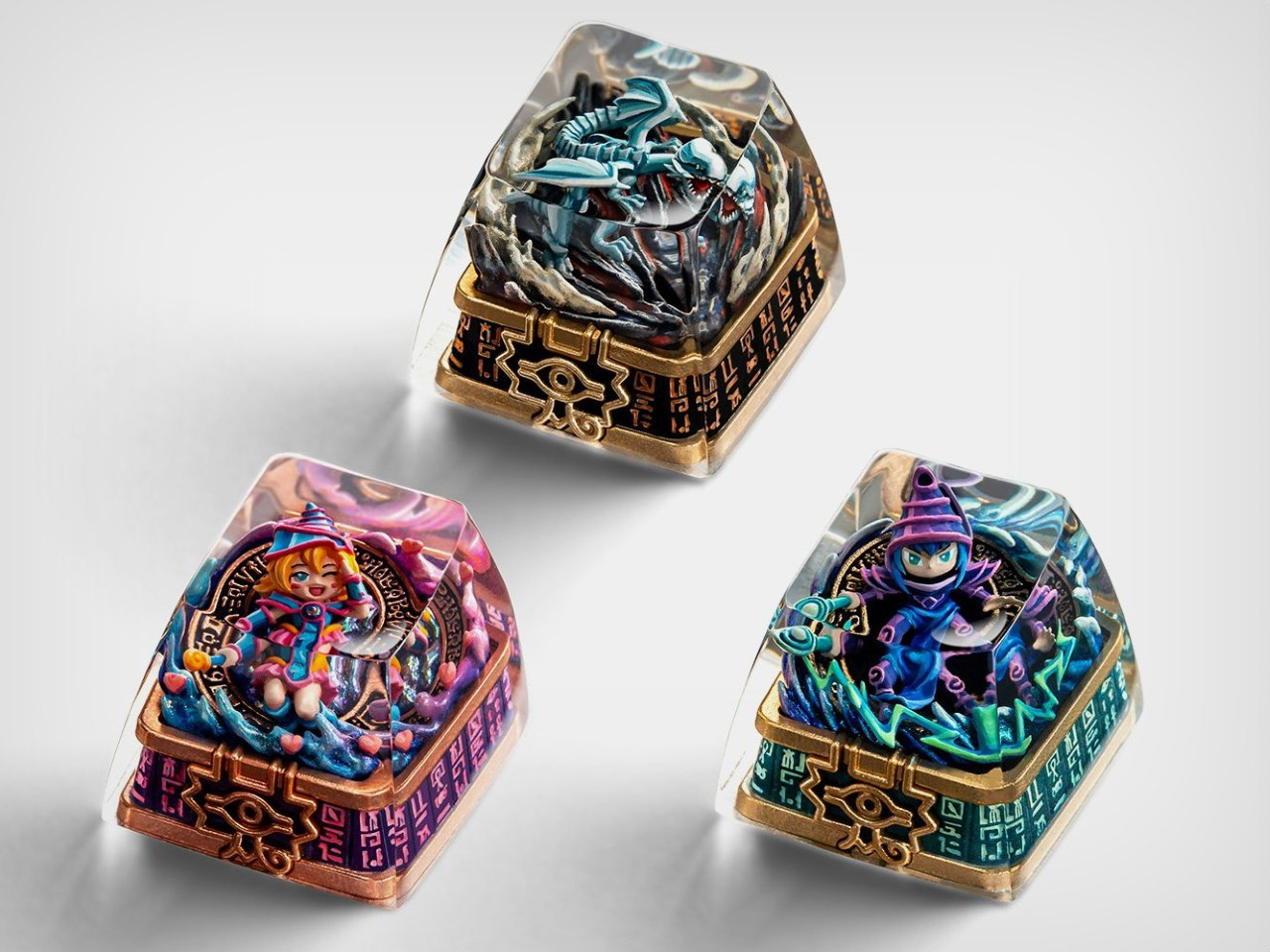
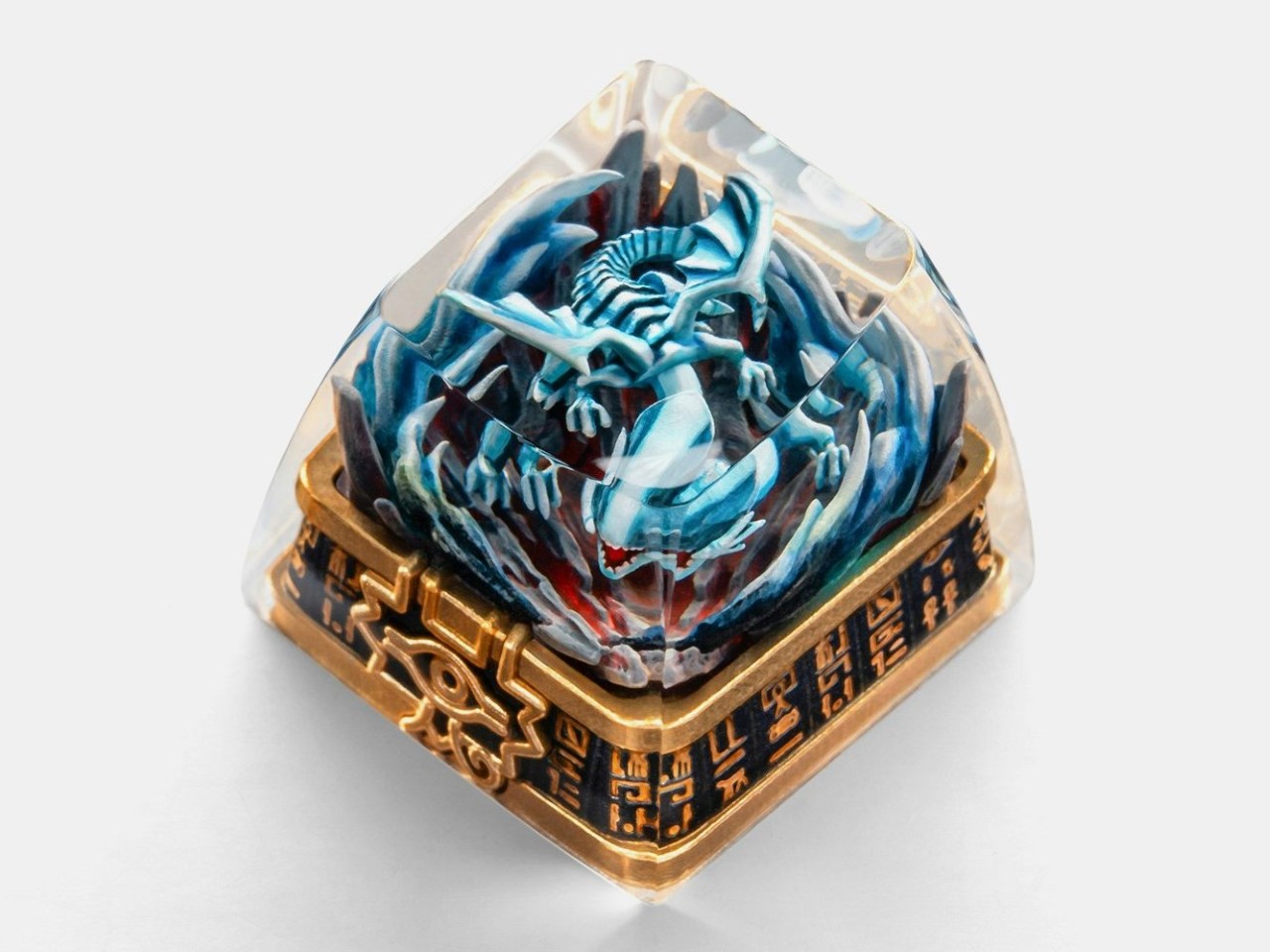
Dueling monsters and legendary spells come to life on your keyboard with the Yu-Gi-Oh! Artisan Keycaps by Eminent Crafts and Dwarf Factory. Each keycap is meticulously handcrafted and hand-painted, capturing the essence of these legendary figures. rafted in the versatile SA R1 profile and compatible with Cherry MX switches, they’re perfect for mechanical keyboard enthusiasts who value both form and function. Each keycap is a visual masterpiece, created with exceptional attention to detail and finished with hand-painted artistry.
Encased in high-quality resin for durability and visual flair, these keycaps also allow for LED shine-through, enhancing their appeal in dynamic lighting setups. Whether you’re summoning nostalgic memories or personalizing your workspace, the collection—featuring the Dark Magician, Dark Magician Girl, and Blue Eyes White Dragon—adds a dash of personality to your keyboard. Priced at $64.99 each, these officially licensed keycaps are a treat for fans and collectors alike.
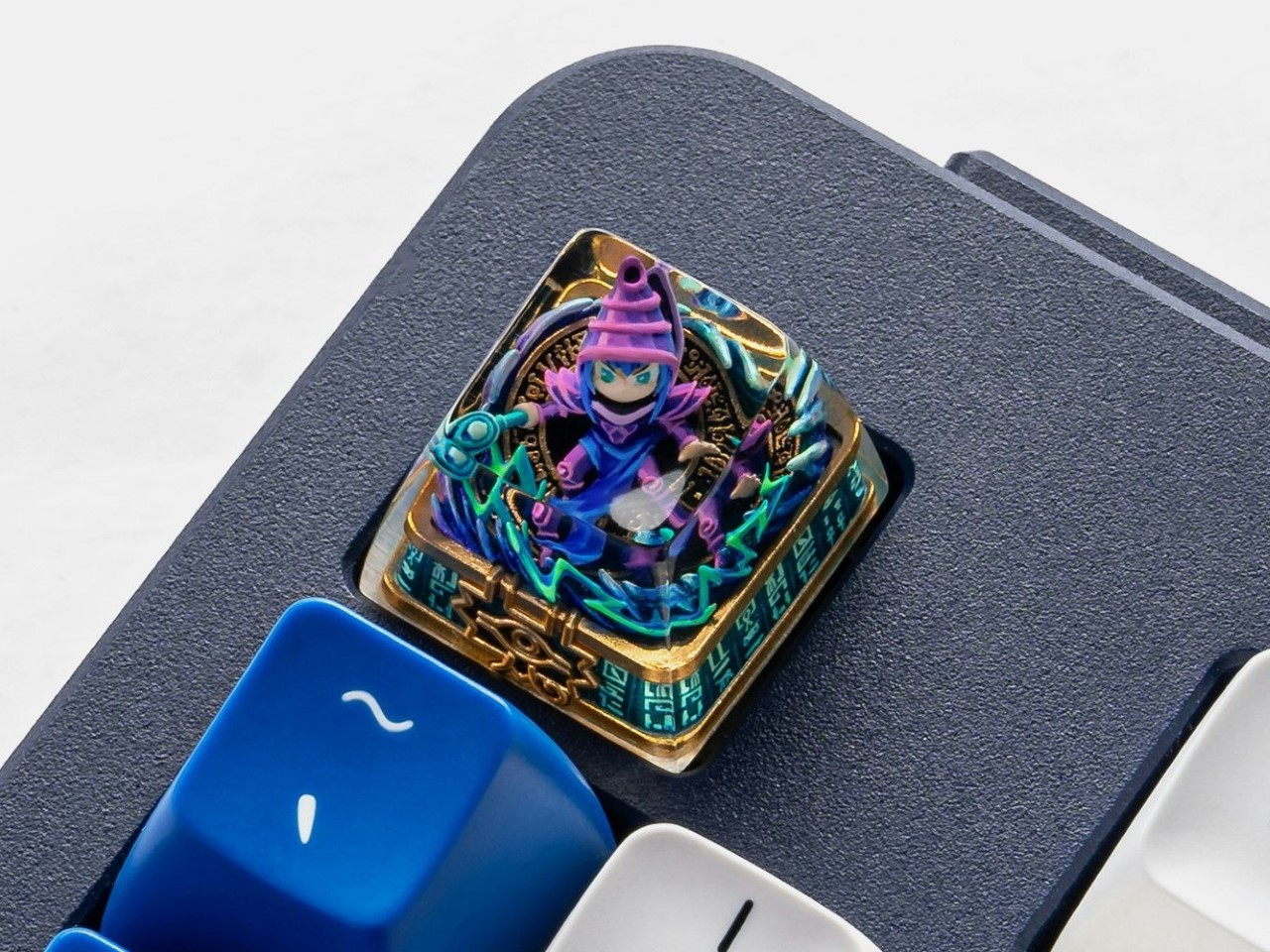
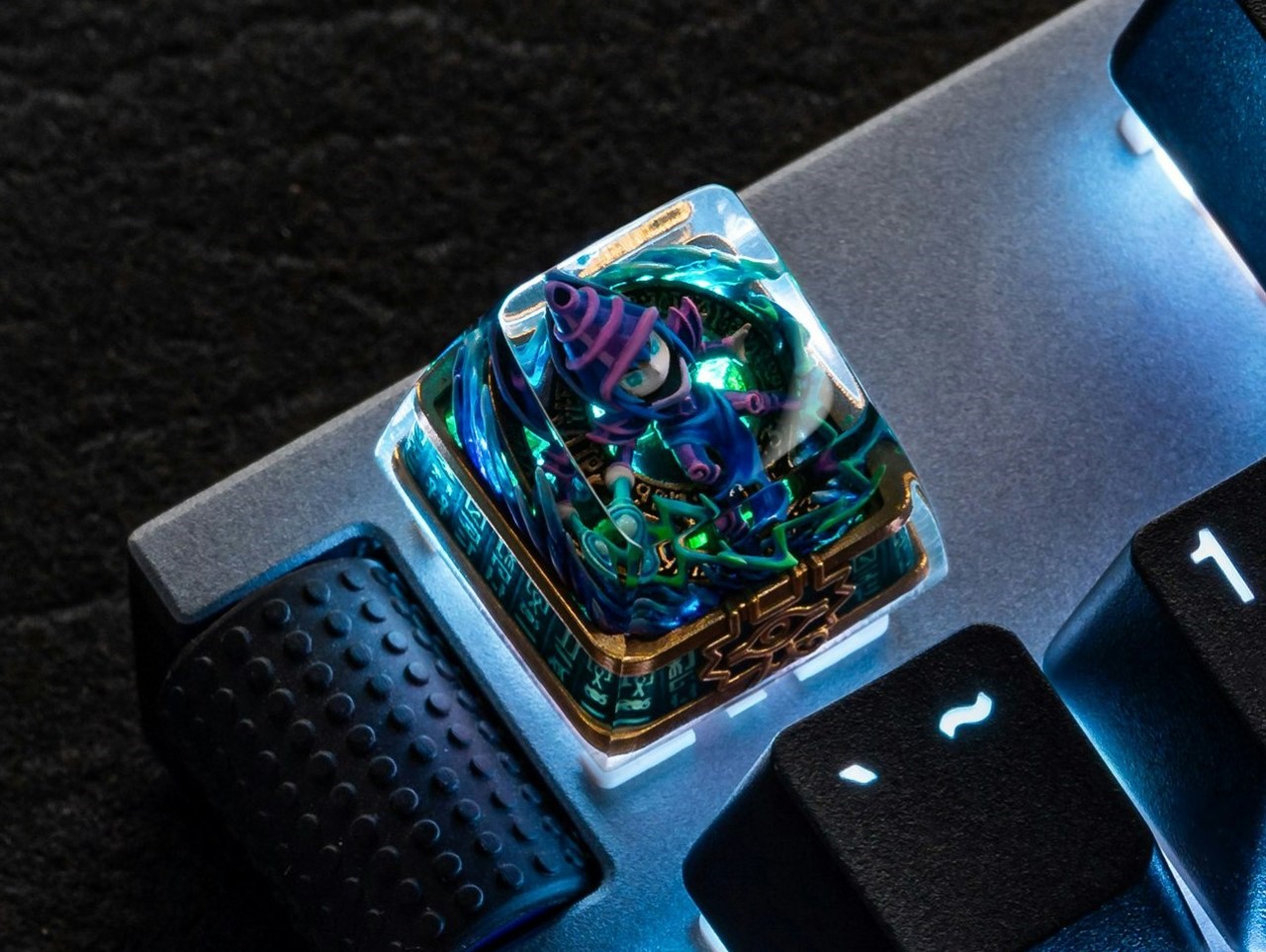
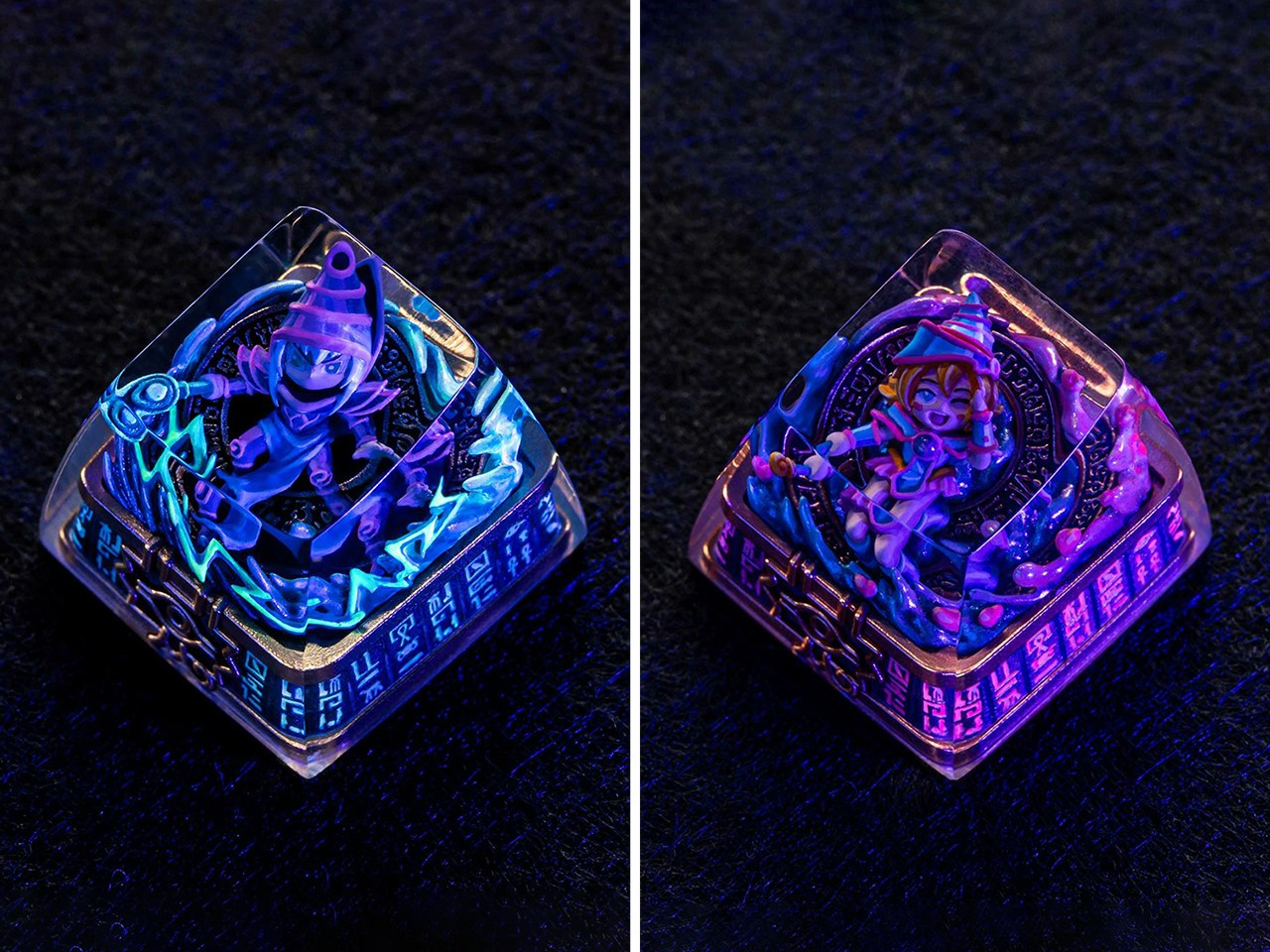
The Dark Magician keycap channels the essence of Yu-Gi-Oh!’s most iconic sorcerer into a stunning, meticulously crafted design. Encased in crystal-clear resin, the figure is brought to life with flowing purple robes and a glowing staff, embodying the magician’s arcane allure. Hand-painted with precision, every detail—down to the sharp lines of the lightning strikes emerging from his scepter and the magical swirls of his attire—evokes a sense of motion and mystique. The vibrant colors and lifelike textures make this keycap a centerpiece for any mechanical keyboard setup.
More than just an aesthetic masterpiece, the Dark Magician keycap is engineered with functionality in mind. Crafted in the SA R1 profile, it offers a comfortable typing experience while fitting seamlessly onto Cherry MX switches and their clones. The resin casing doesn’t just protect the intricate design; it also enhances it, allowing LED backlighting to shine through, creating an ethereal glow reminiscent of the character’s magical power. It’s a seamless fusion of artistry and usability, ideal for fans and keyboard enthusiasts alike.
The Dark Magician keycap is a refined addition for mechanical keyboard enthusiasts and collectors. Its high level of detail and compatibility make it an excellent choice for those who value both aesthetics and usability. By combining skilled craftsmanship with durable materials, it transforms any keyboard setup into a visually captivating workstation.
Dark Magician Girl Keycap
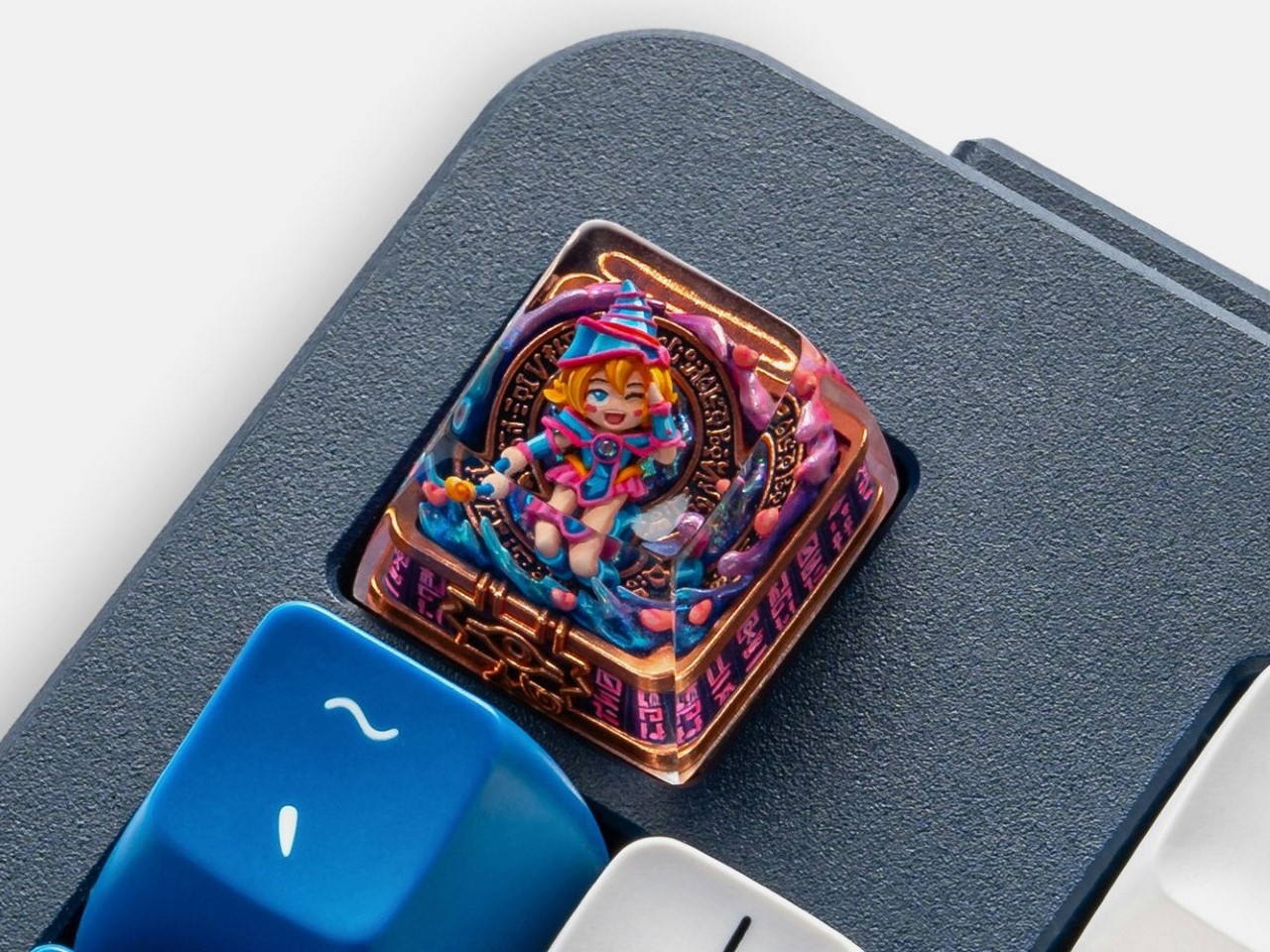
The Dark Magician Girl keycap radiates charm with its vibrant color palette and exquisite detail. Her signature pink-and-blue outfit is meticulously rendered, with every element—from her wide-brimmed hat to her magical staff—perfectly sculpted and hand-painted. Encased in transparent resin, the design is preserved against wear while allowing your keyboard’s lighting to bring her to life. This keycap effortlessly balances fun and nostalgia, making it a must-have for fans of this beloved character.
Like its counterparts, the Dark Magician Girl keycap is built for both beauty and functionality. Its SA R1 profile ensures compatibility with Cherry MX switches, while the durable resin makes it a lasting part of your keyboard collection. The keycap is ideal for those looking to add a playful yet iconic flair to their setup, bringing the magic of Yu-Gi-Oh! into everyday use.
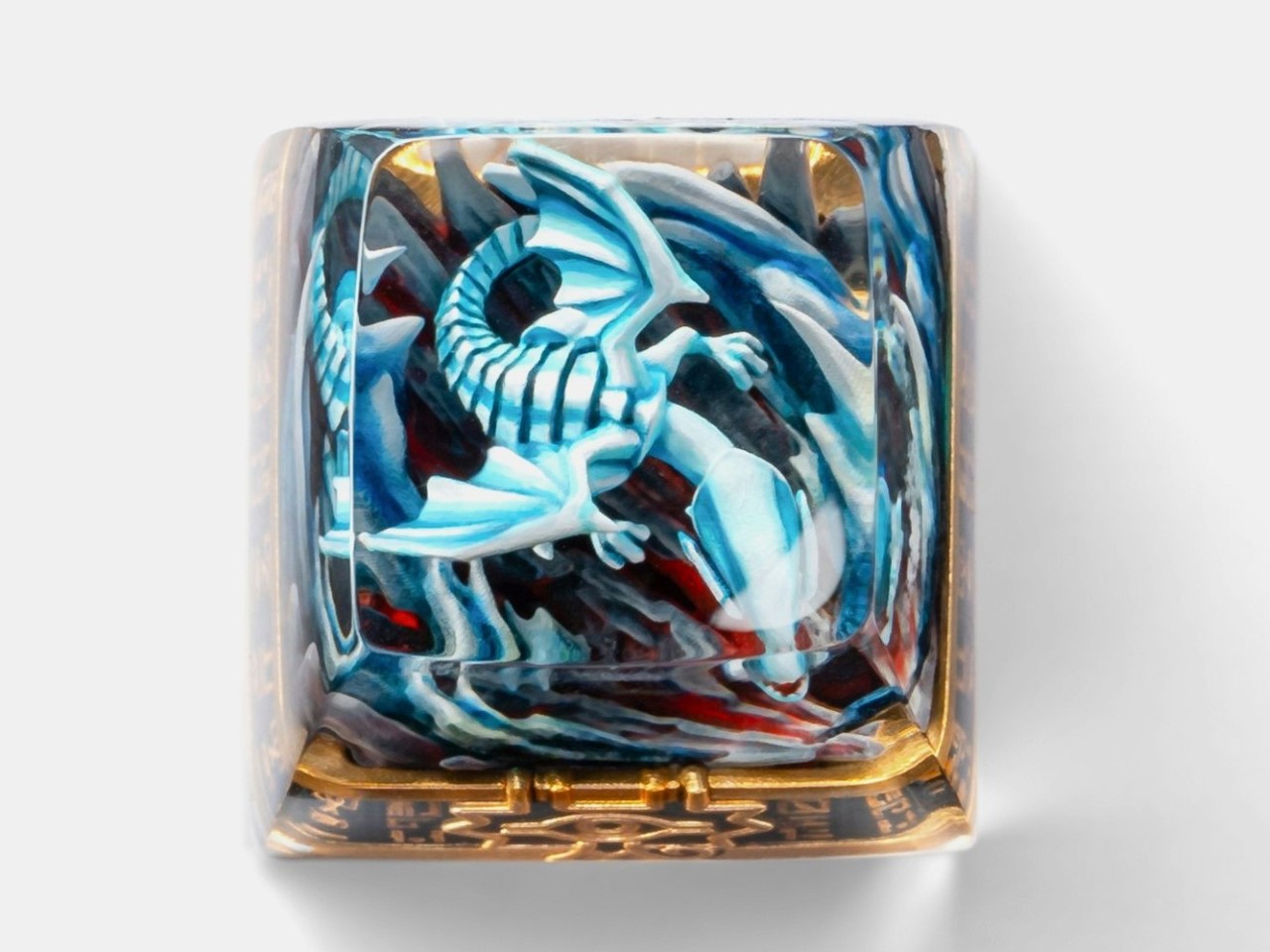
Blue-Eyes White Dragon Keycap
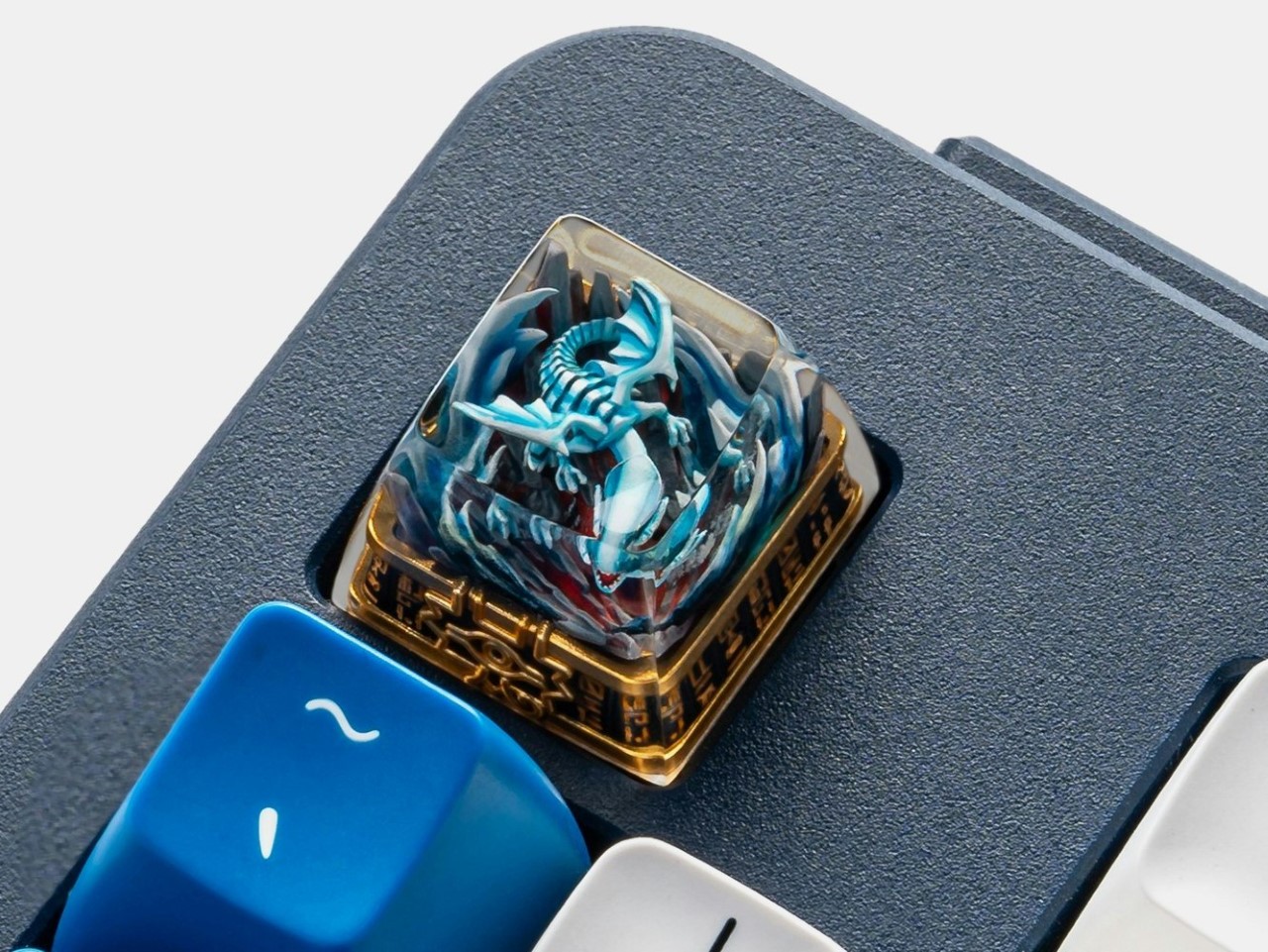
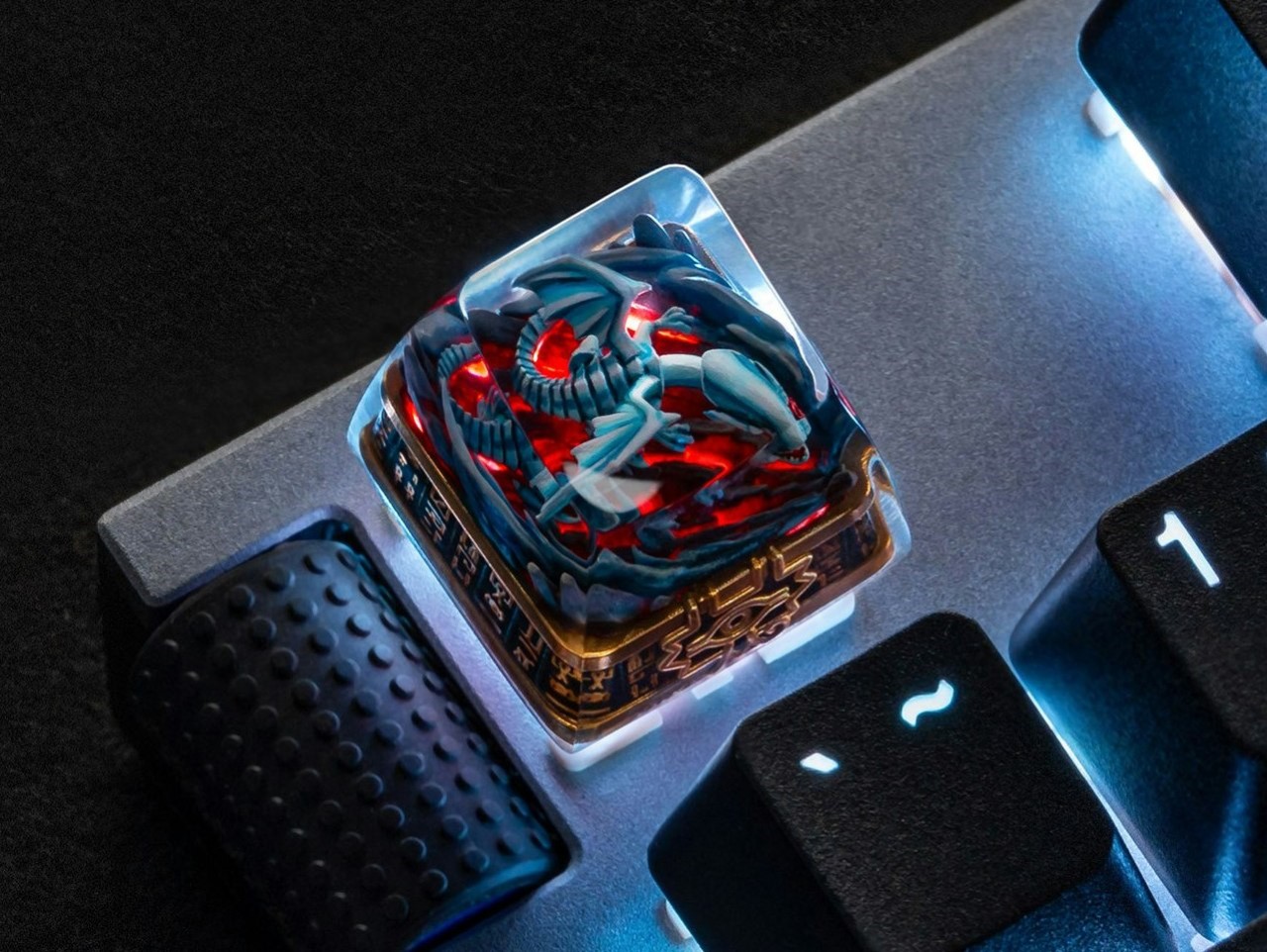
The Blue Eyes White Dragon keycap is a showstopper, embodying the raw power and majesty of the franchise’s most iconic creature. The intricate sculpting captures every detail, from the beast’s sharp claws to its meticulously scaled body, while its piercing blue eyes dominate the design. Encased in clear resin, the keycap allows for LED shine-through, adding a dramatic lighting effect that mirrors the dragon’s legendary “White Lightning” attack.
Beyond its impressive aesthetics, this keycap is designed with functionality in mind. The SA R1 profile and Cherry MX compatibility make it suitable for a wide range of mechanical keyboards. Whether you’re a longtime fan of Kaiba’s favorite monster or simply appreciate intricate artisan craftsmanship, the Blue Eyes White Dragon keycap offers a striking blend of design and usability. It’s the ultimate statement piece for any keyboard setup, channeling the spirit of this legendary dueling monster.
Tech and lifestyle brand Satechi has just announced new gadgets for content creators and power users who need something more than a USB drive. These include the Mini NVMe SSD and a couple of Mobile XR Hubs to solve your portable storage and power requirements.
The Mobile XR Hub with Audio and the Mobile XR Hub with microSD are compatible with iPhone, laptop and Switch. This saves the user from straining about battery drain. These gadgets come with the option of choosing between 3.5mm audio support or a microSD port for importing files.
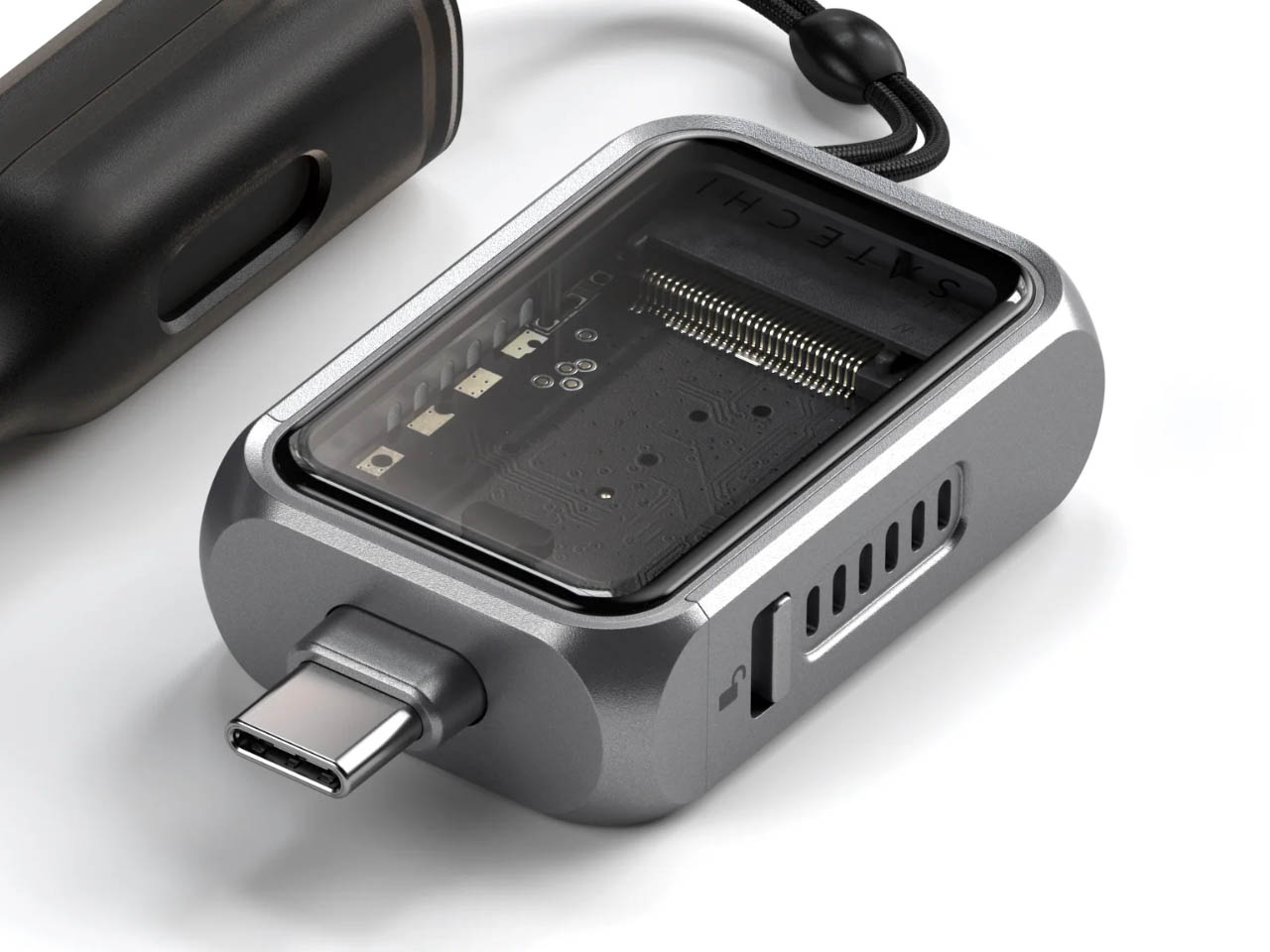
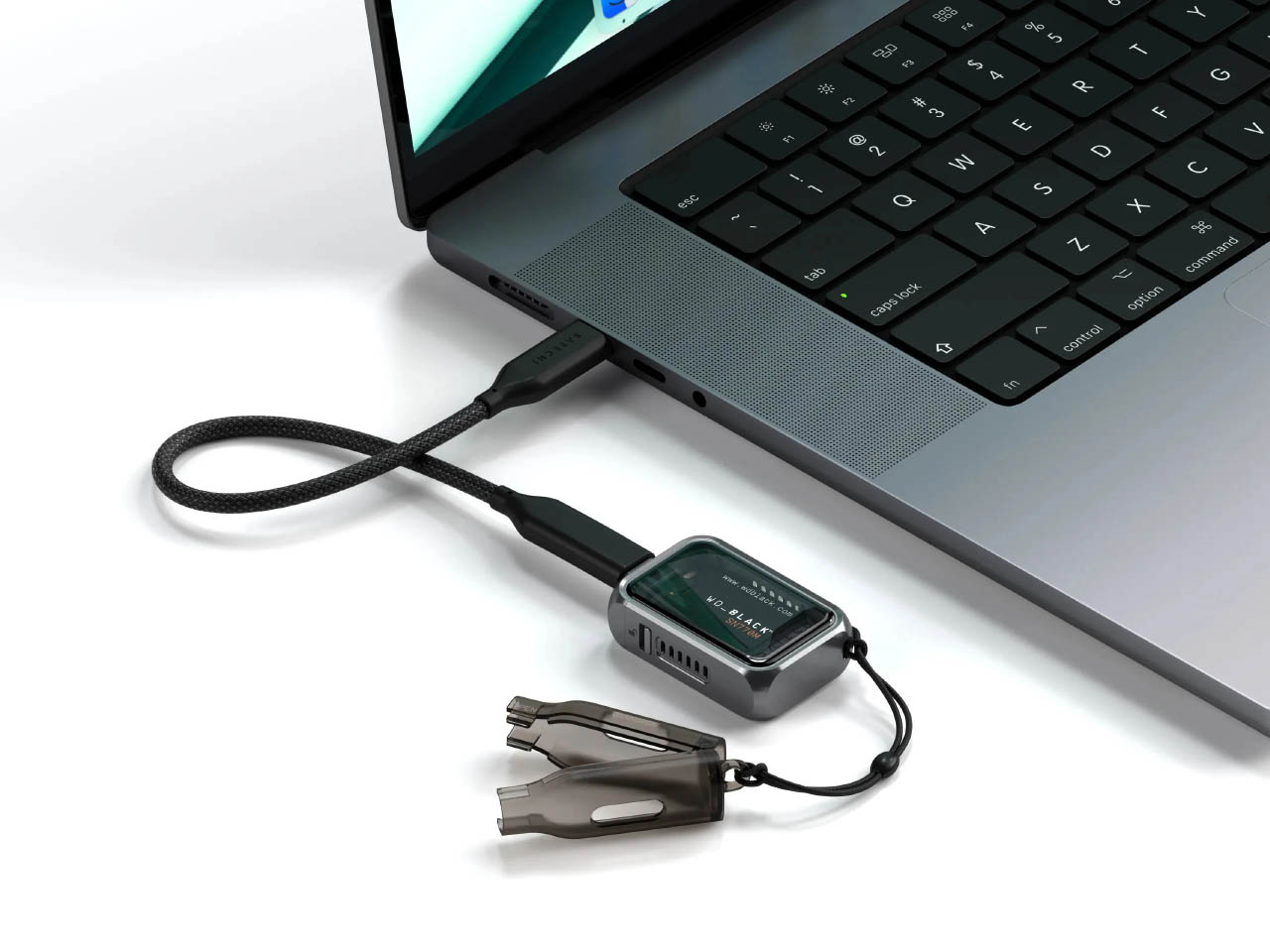
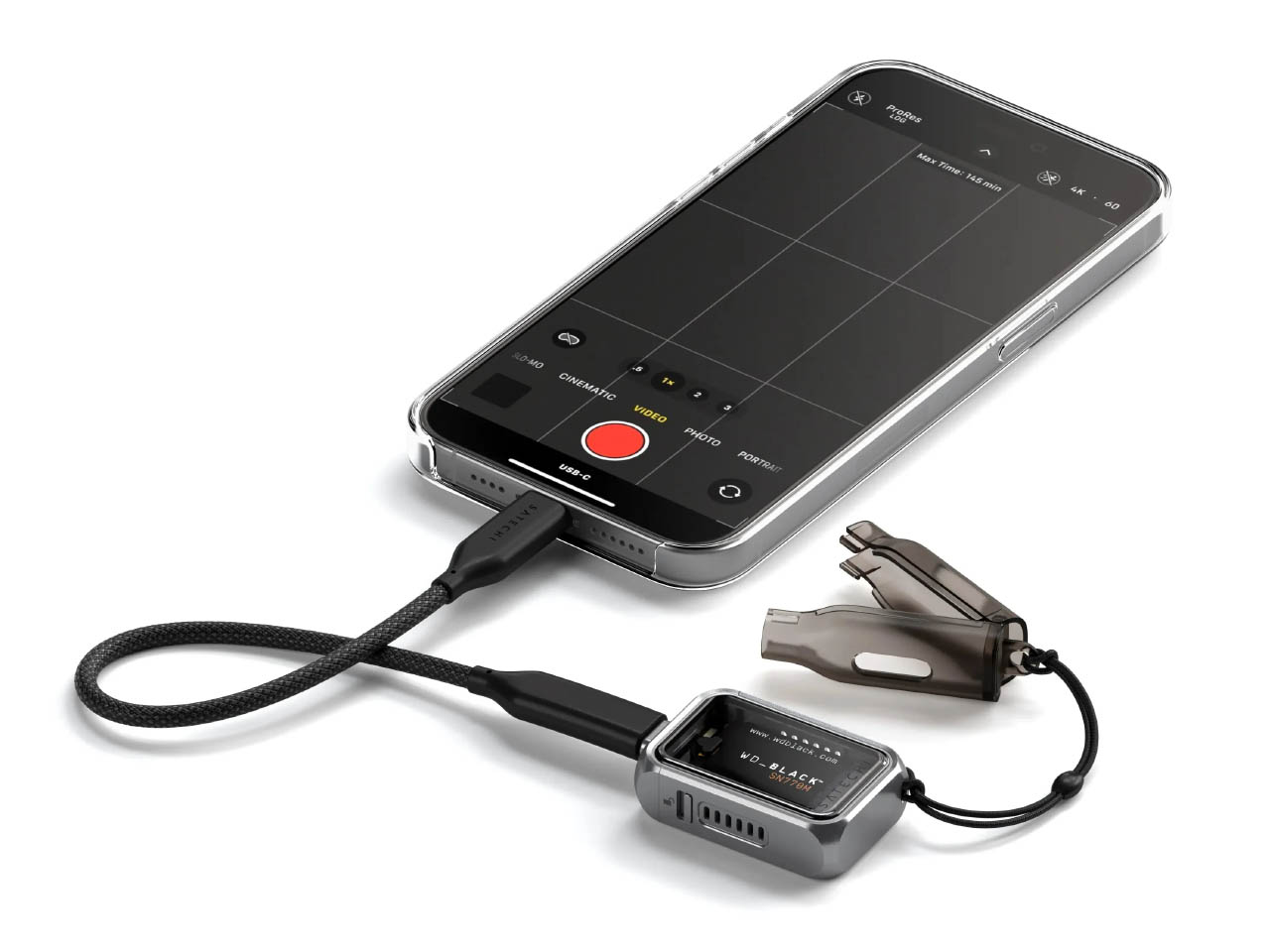
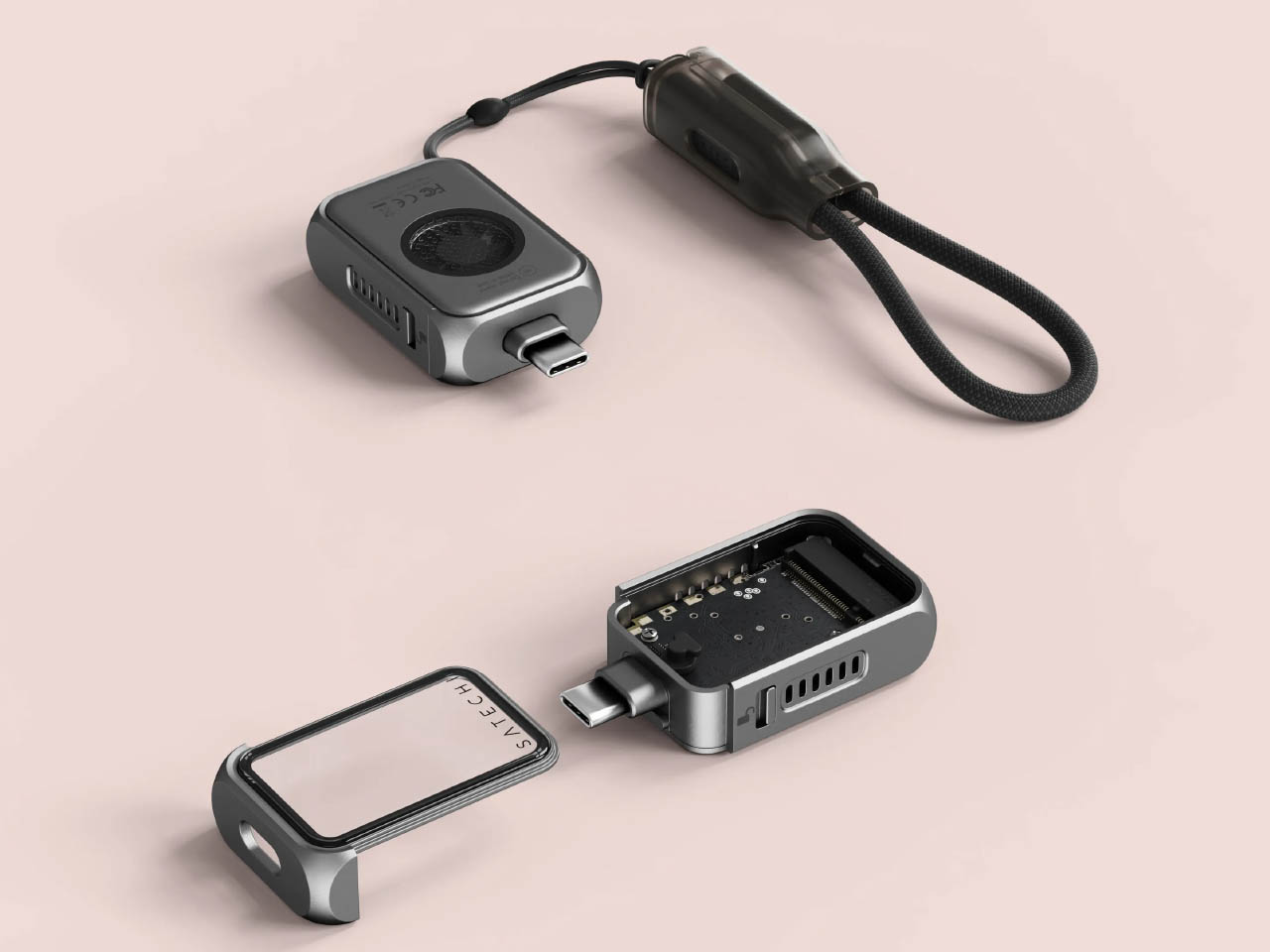
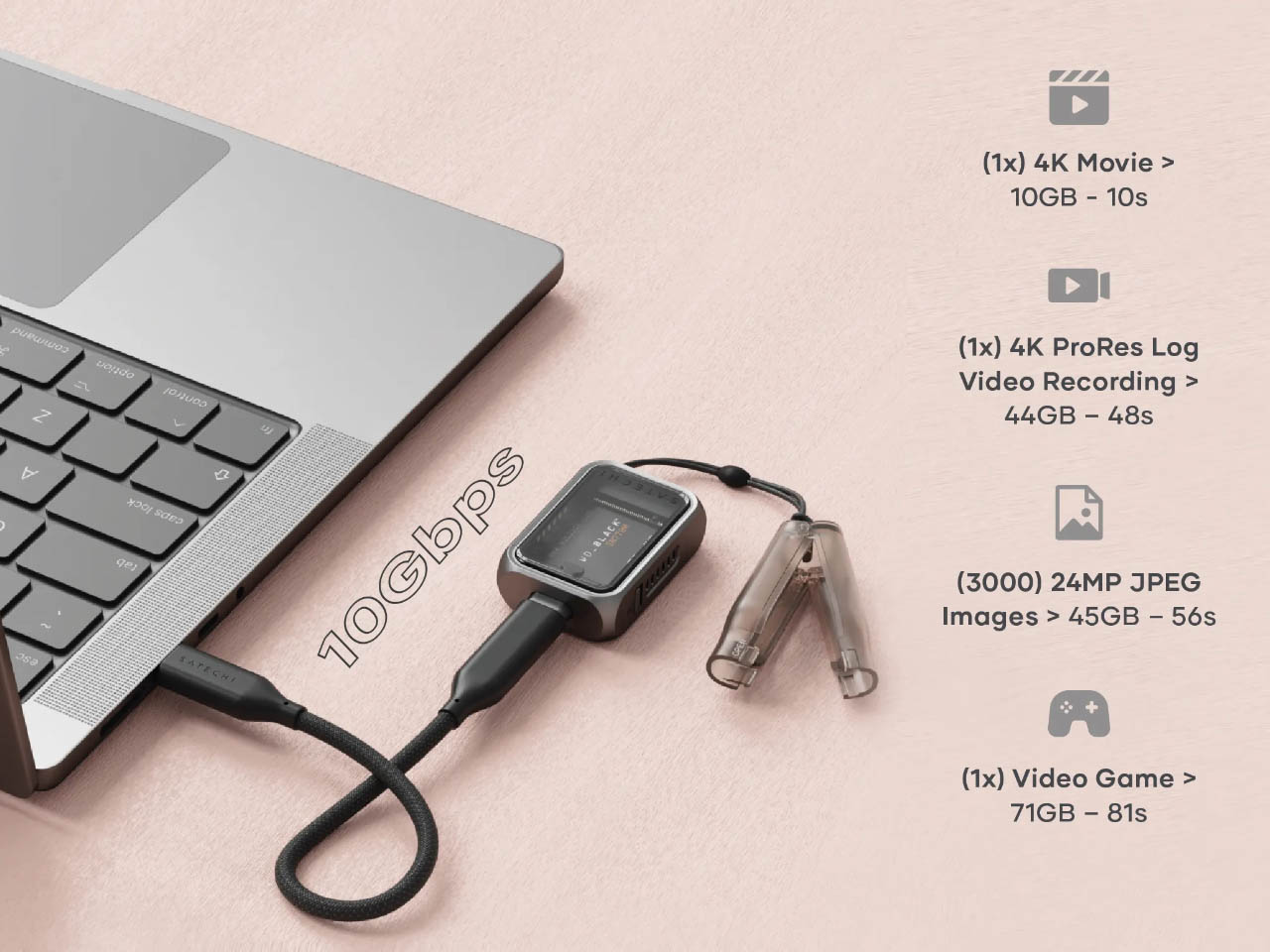
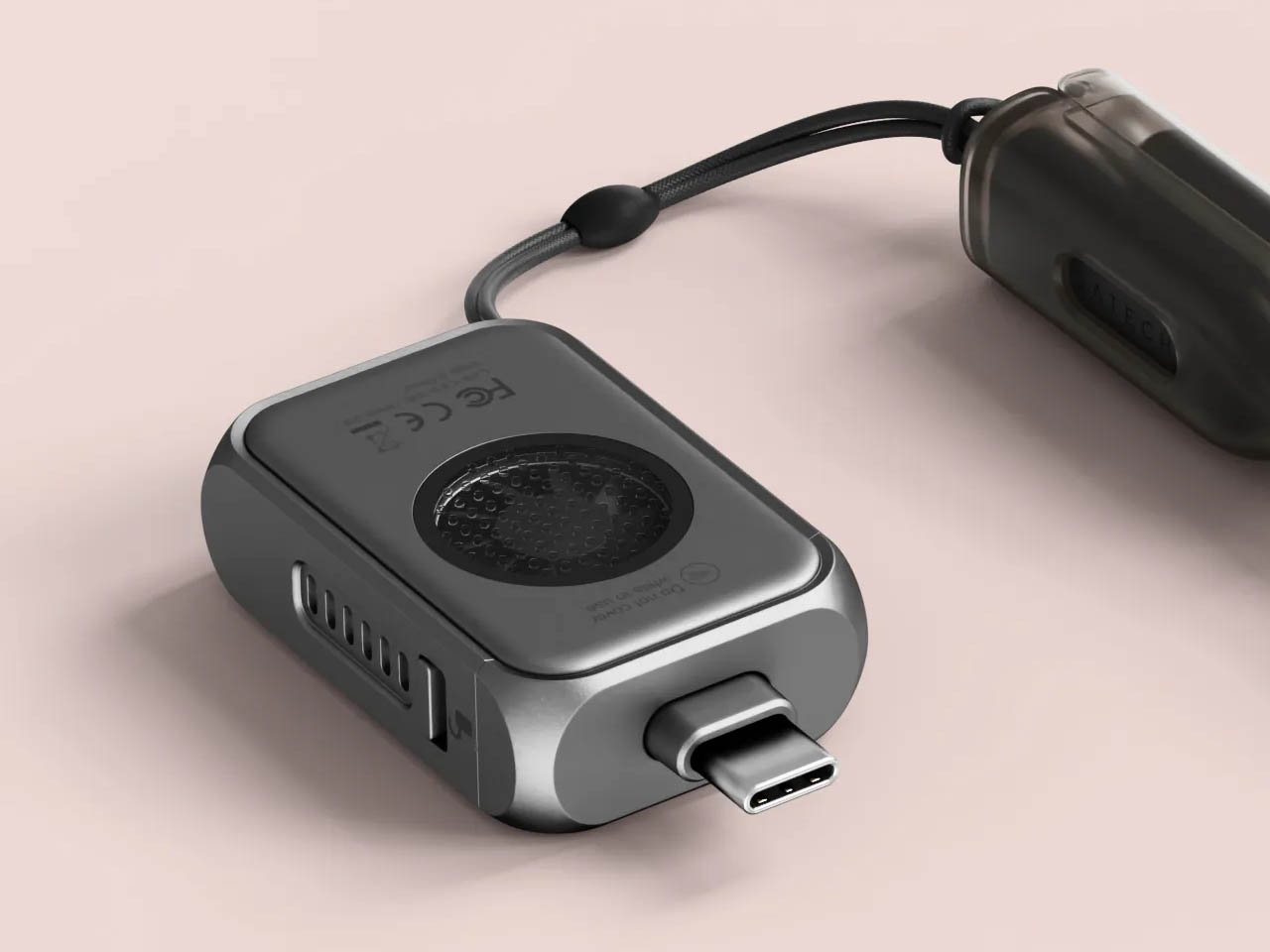
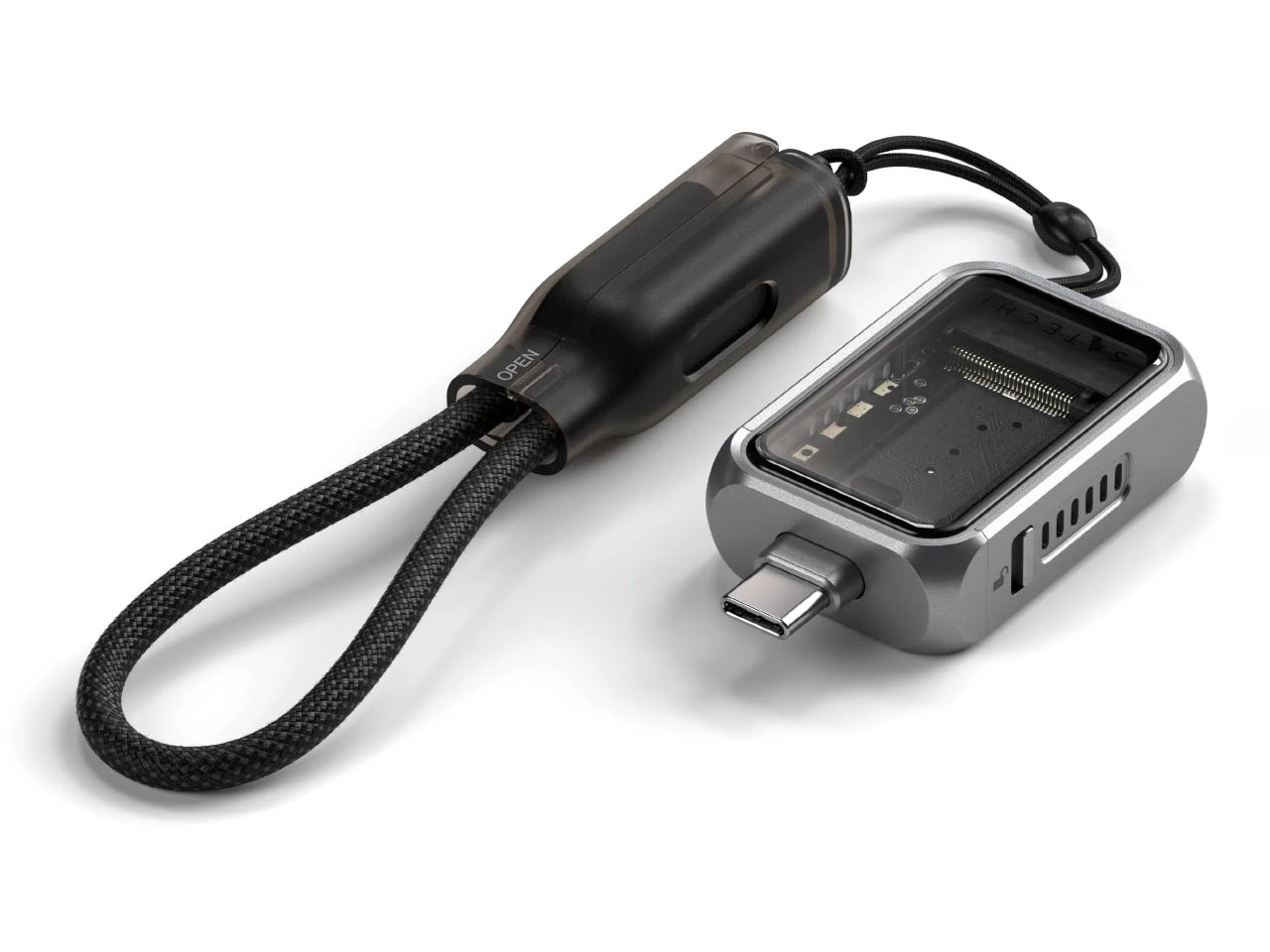
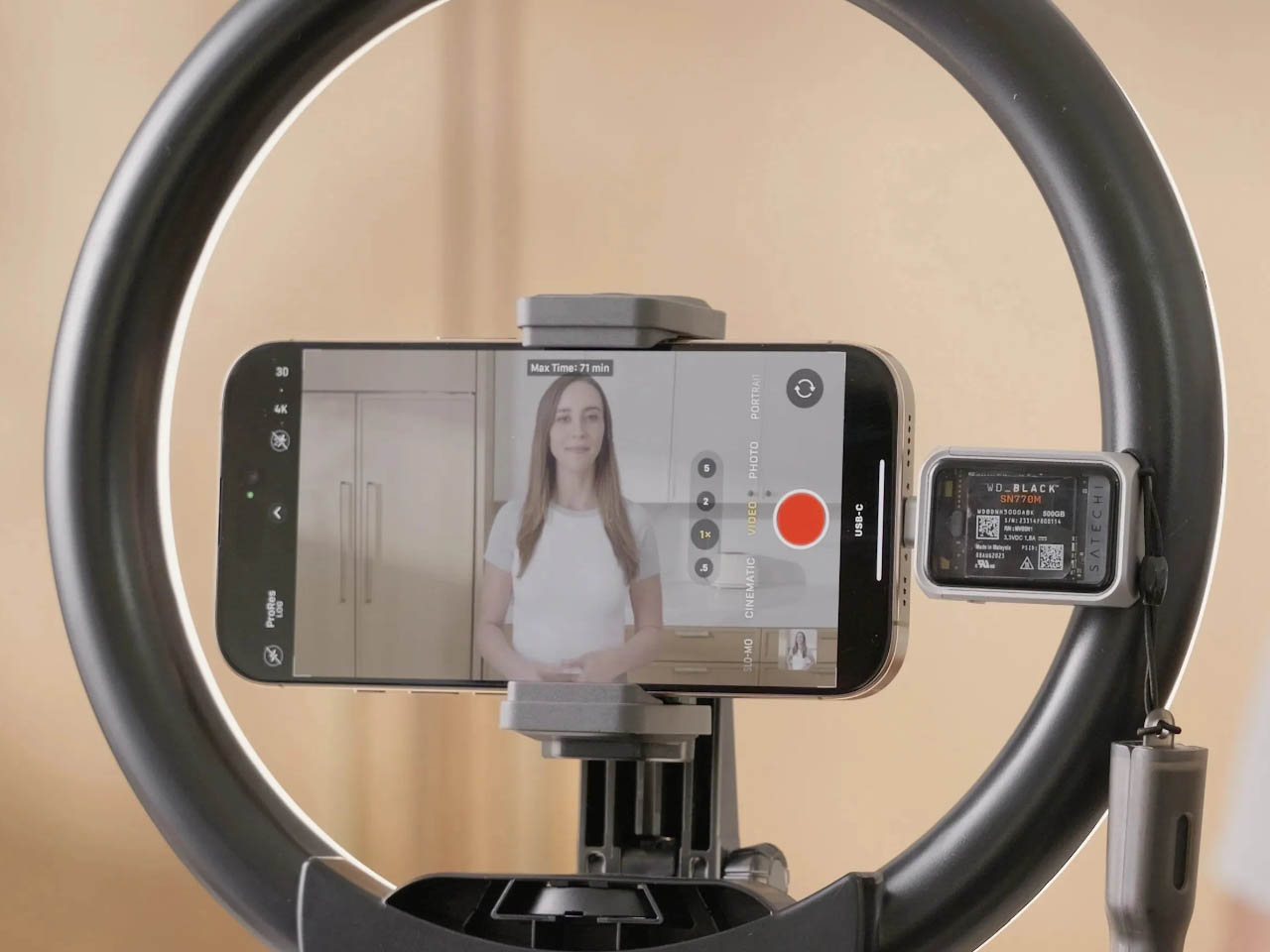
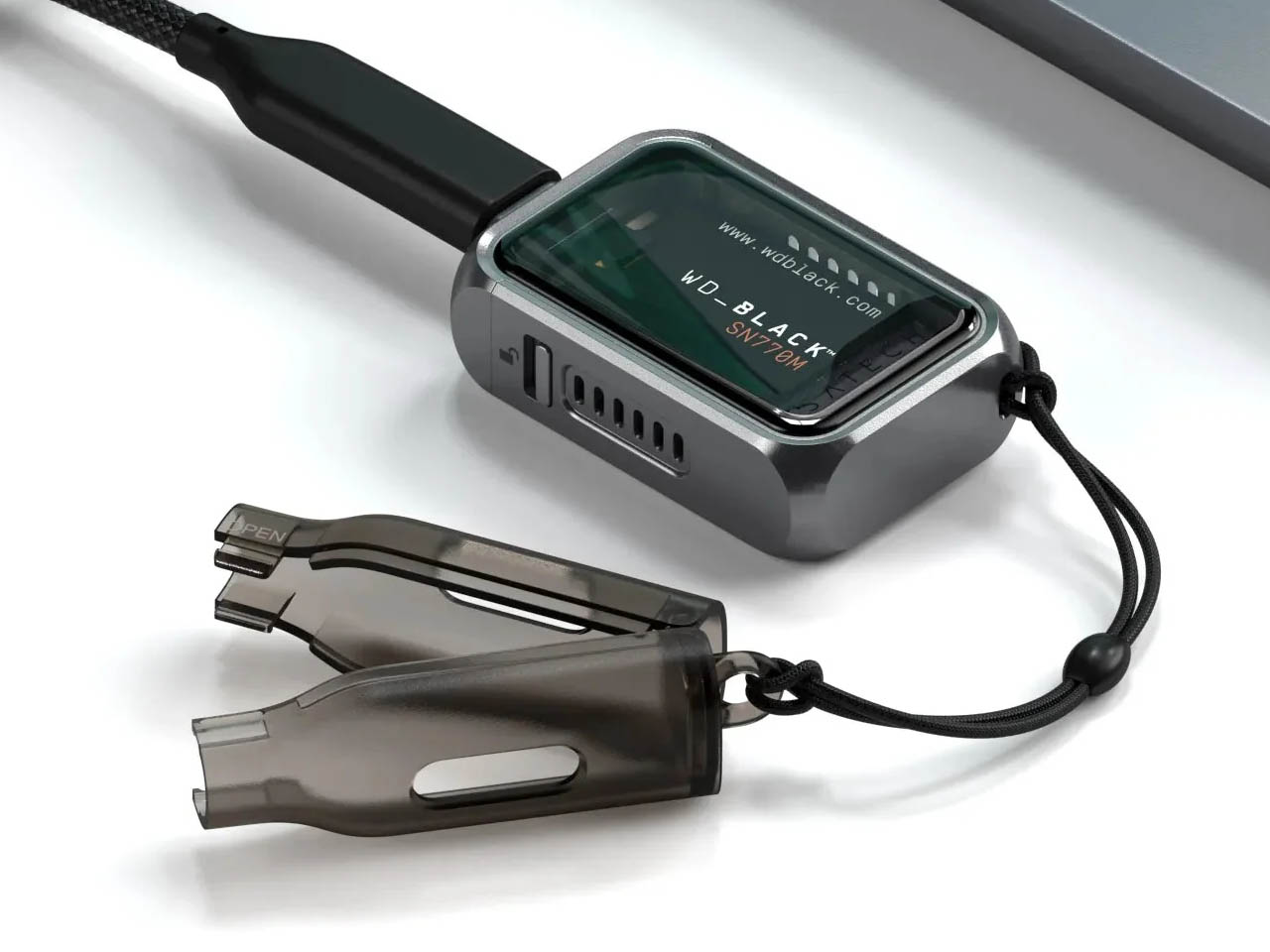
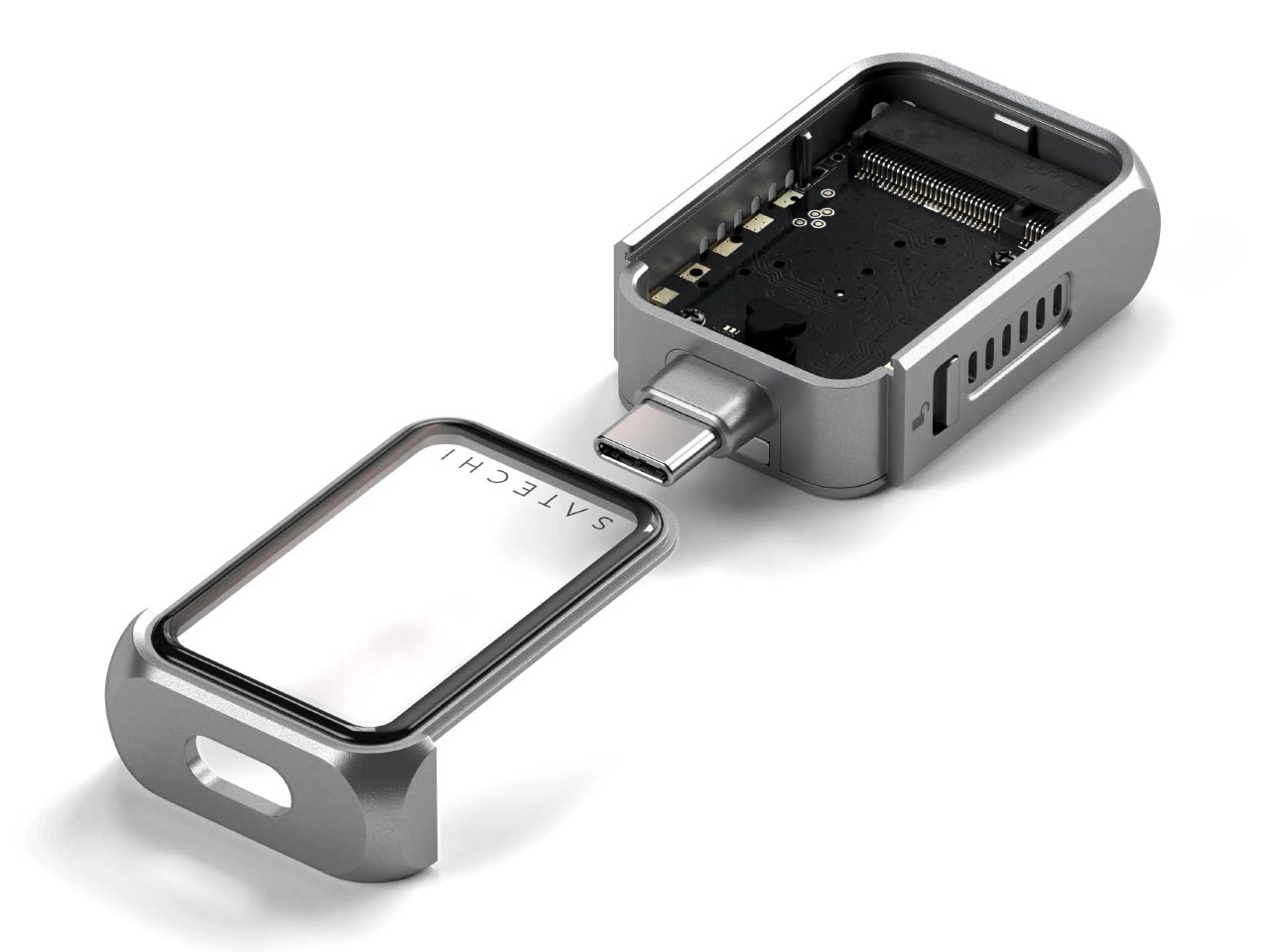
Our main focus is the Mini NVMe SSD which is no bigger than a matchbox. The compact little gadget makes use of Gen 2 USB-C technology for a seamless data transfer speed compared to a SATA SSD. There’s an option to choose your preferred storage with the swappable SSD design that accepts 2TB of storage capacity. The enclosure comes with a write lock to prevent any accidental deletion of data. This maintains the data integrity during transfers and also protects against malware. For iPhone users, it has an interesting feature of capturing Apple ProRes Log files straight onto your iPhone 15 or higher version.
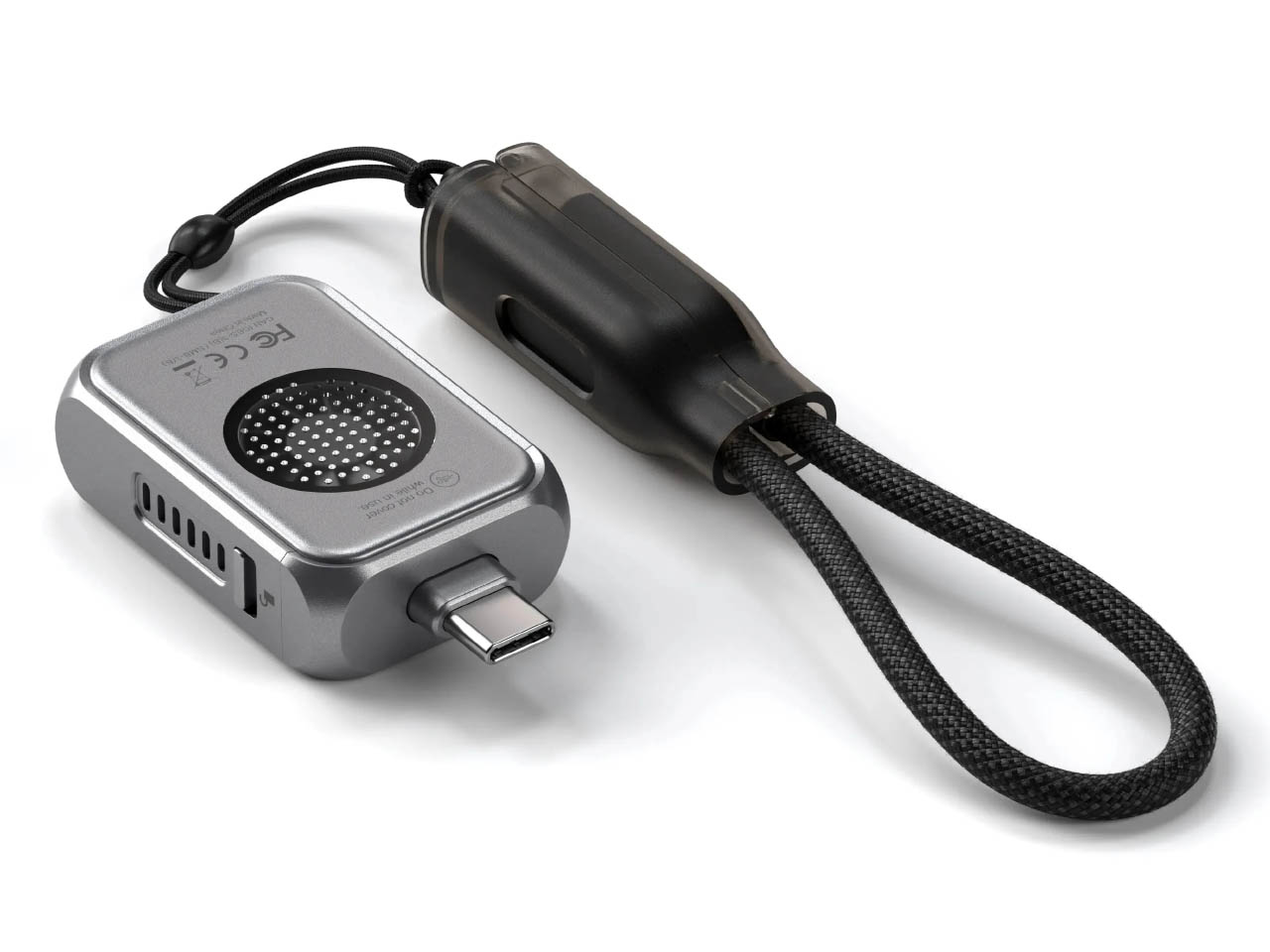
The essential accessory for content creators and geeky nerds comes in an aluminum frame which is lightweight, scratch-resistant courtesy tempered glass plus protection and has chamfered edges. It has a braided USB-C lanyard cable to hook onto your backpack or keychain. Another added feature important for power users is the built-in cooling fan.
This utilitarian pocket-friendly storage tool has excellent build quality and is very convenient to use. Perhaps a very nice gift for your geeky pal this holiday season coming in at $60. The Mobile XR Hub with Audio and the Mobile XR Hub with microSD priced at $50 each are also good options if your budget is a little strained.
With great power comes great complexity. We’re way past the time when only TVs and entertainment systems needed remote controls. Now with multiple smart home appliances, devices, and apps, the need for a single place to control all these becomes even more important. You could use your smartphone, but switching between a master control app and your other apps puts unnecessary steps in between.
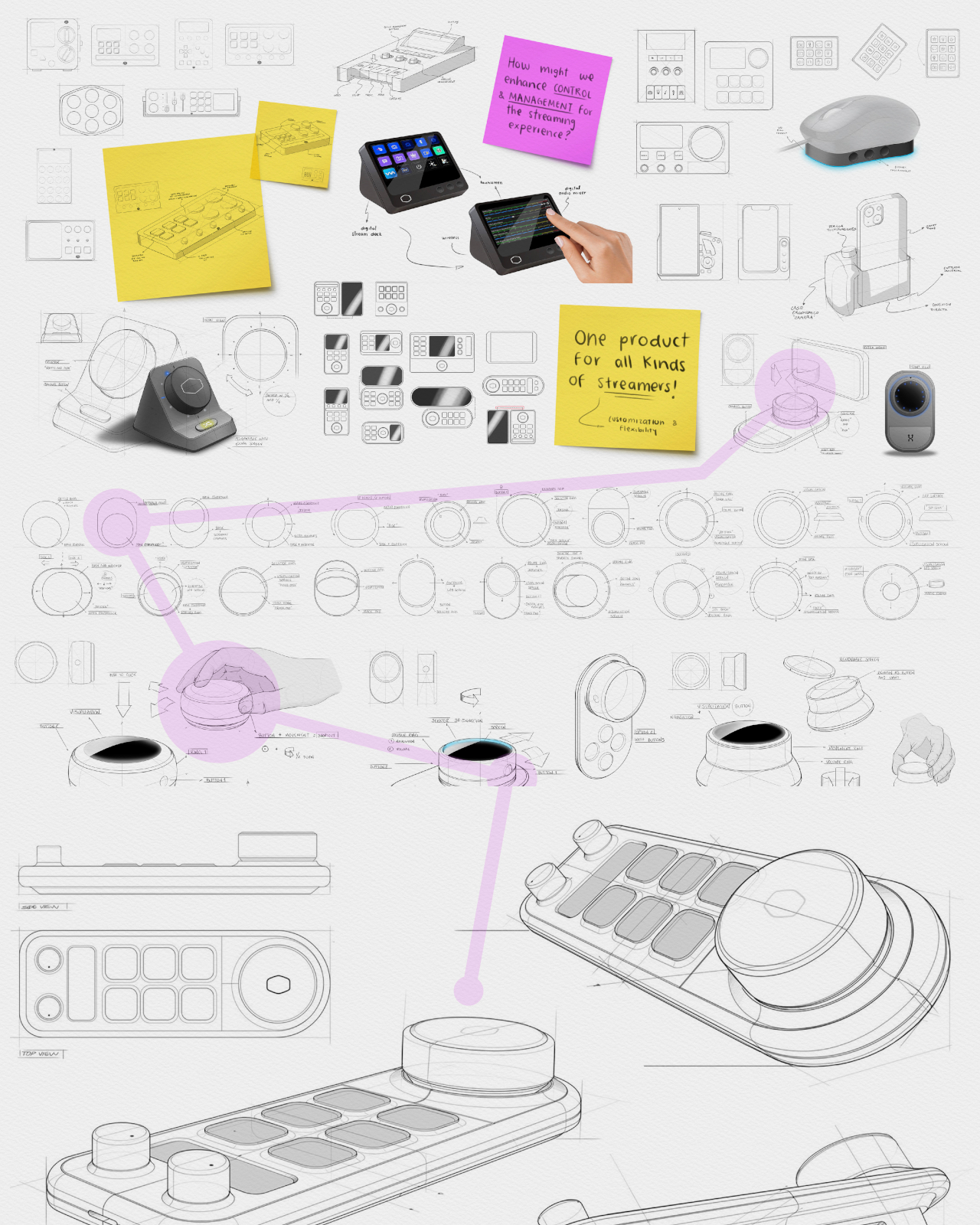
The Stream Deck paved the way for a specialized control panel for, as you might have guessed, live streaming, but its use has now expanded to other places as well. There are now more players in this somewhat niche market, many of whom simply try to copy the pioneering product. This design concept, however, envisions something a little different, offering not only more precise controls but also more flexibility to cater to almost any need.
Designers: Mariana Aréchiga, Isaac Saldaña, Ricardo Zerón
Cooler Master just launched its innovative modular MasterHUB, but there are still other ways to skin the proverbial feline, as they say. In theory, modular design might be able to adjust to almost any use case, but that also sometimes brings unnecessary complexity for people who need a powerful yet compact tool. They might need all the bells and whistles, but they will still probably appreciate the dials and buttons.
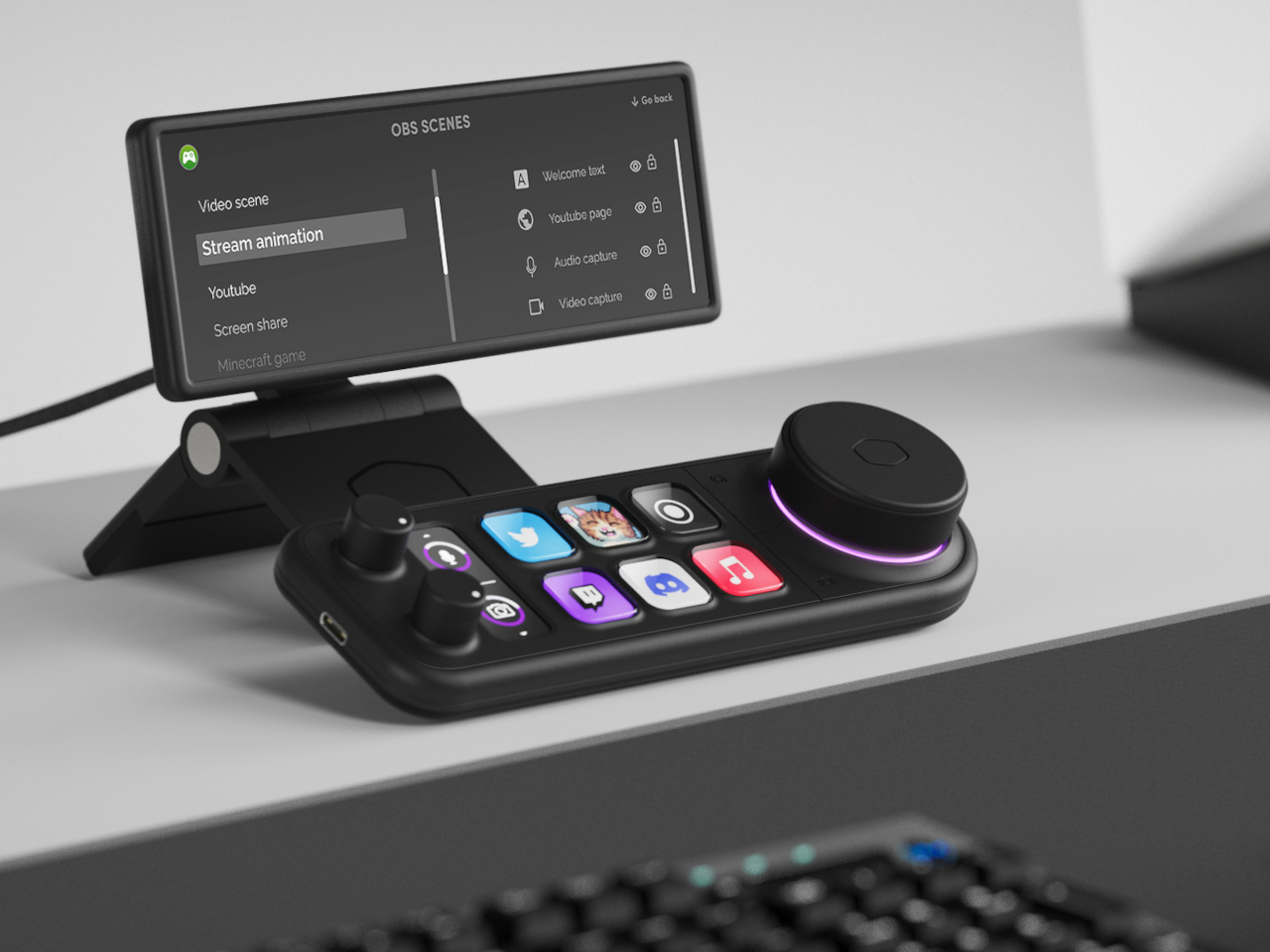
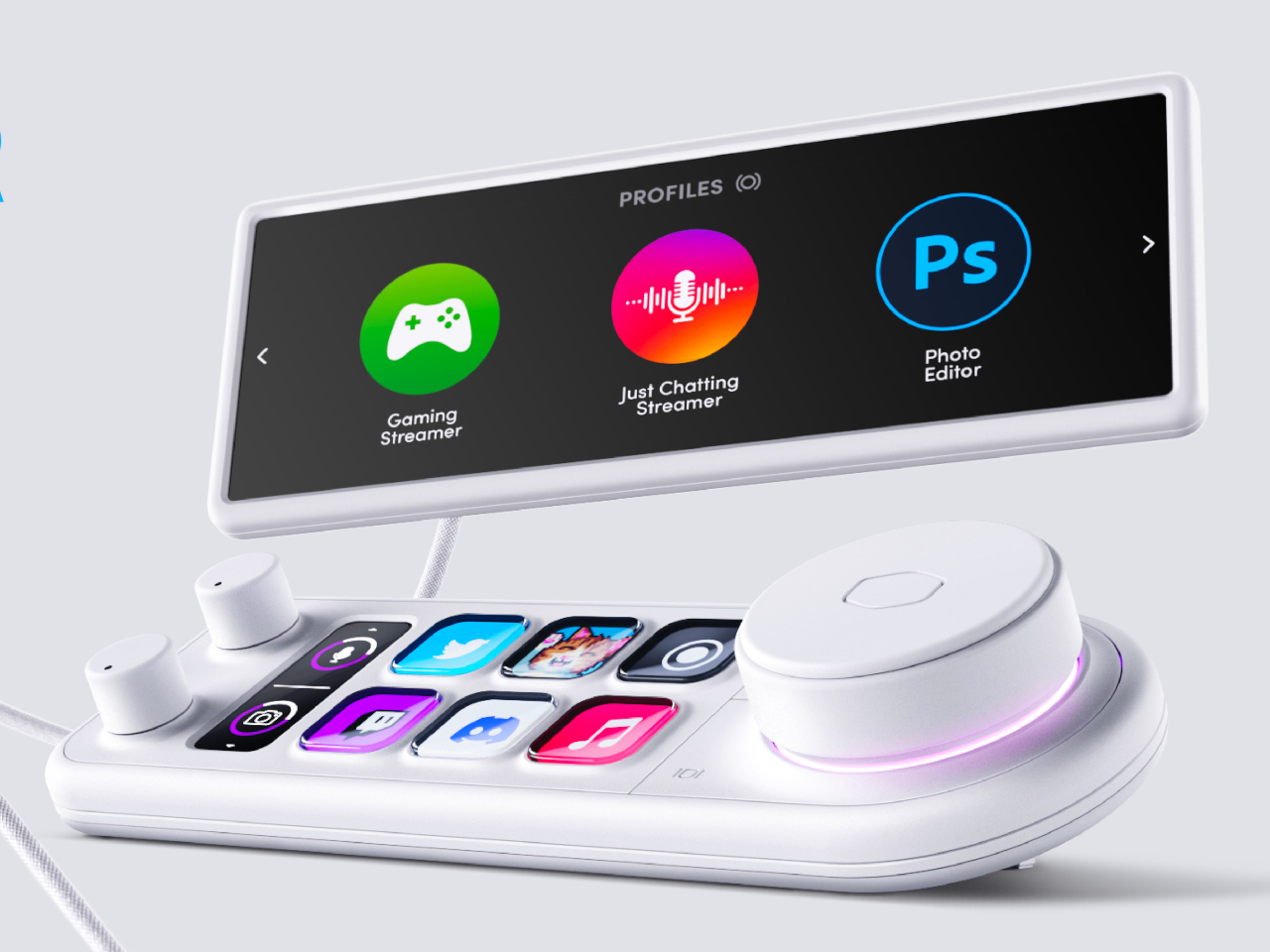
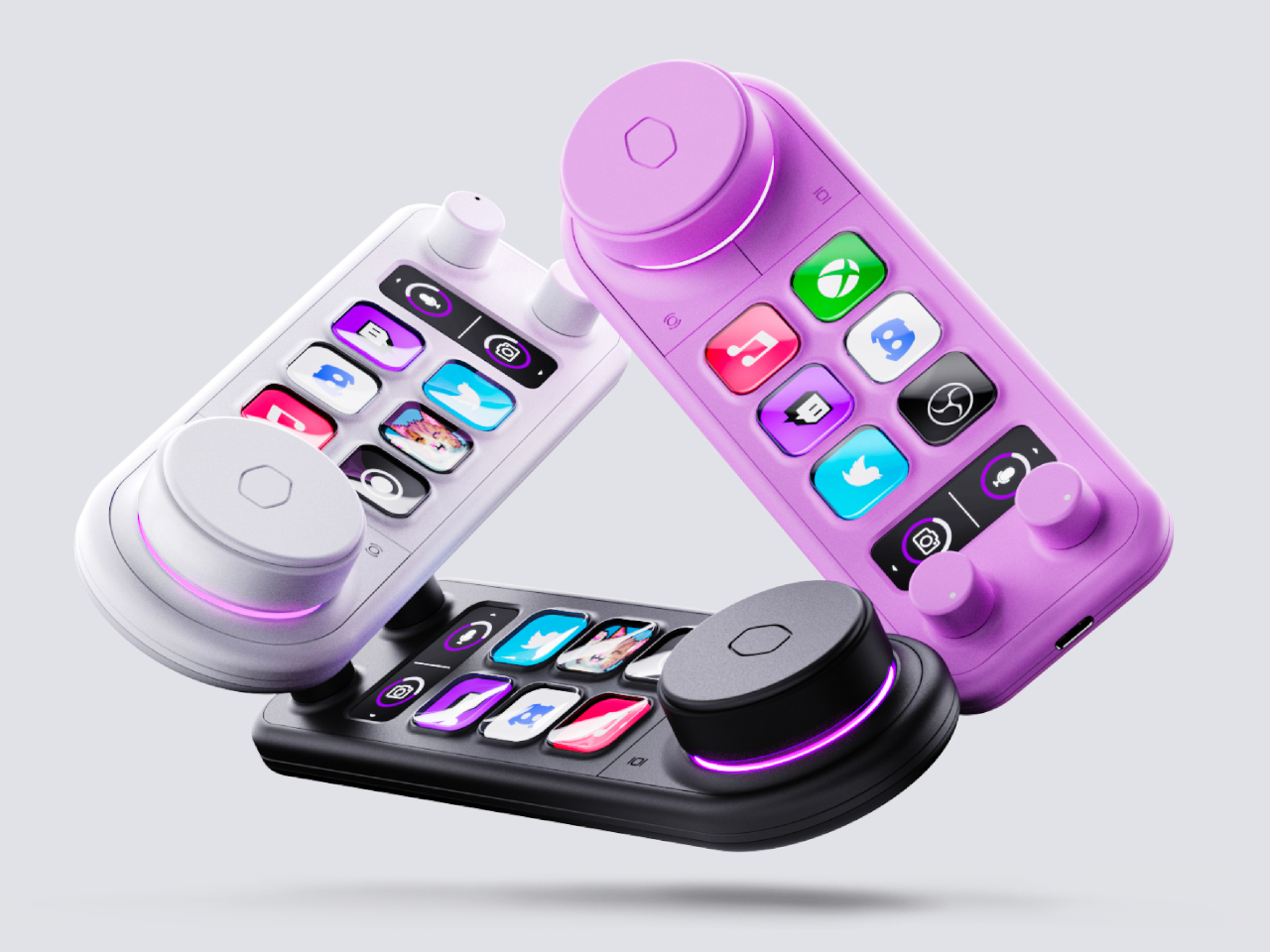
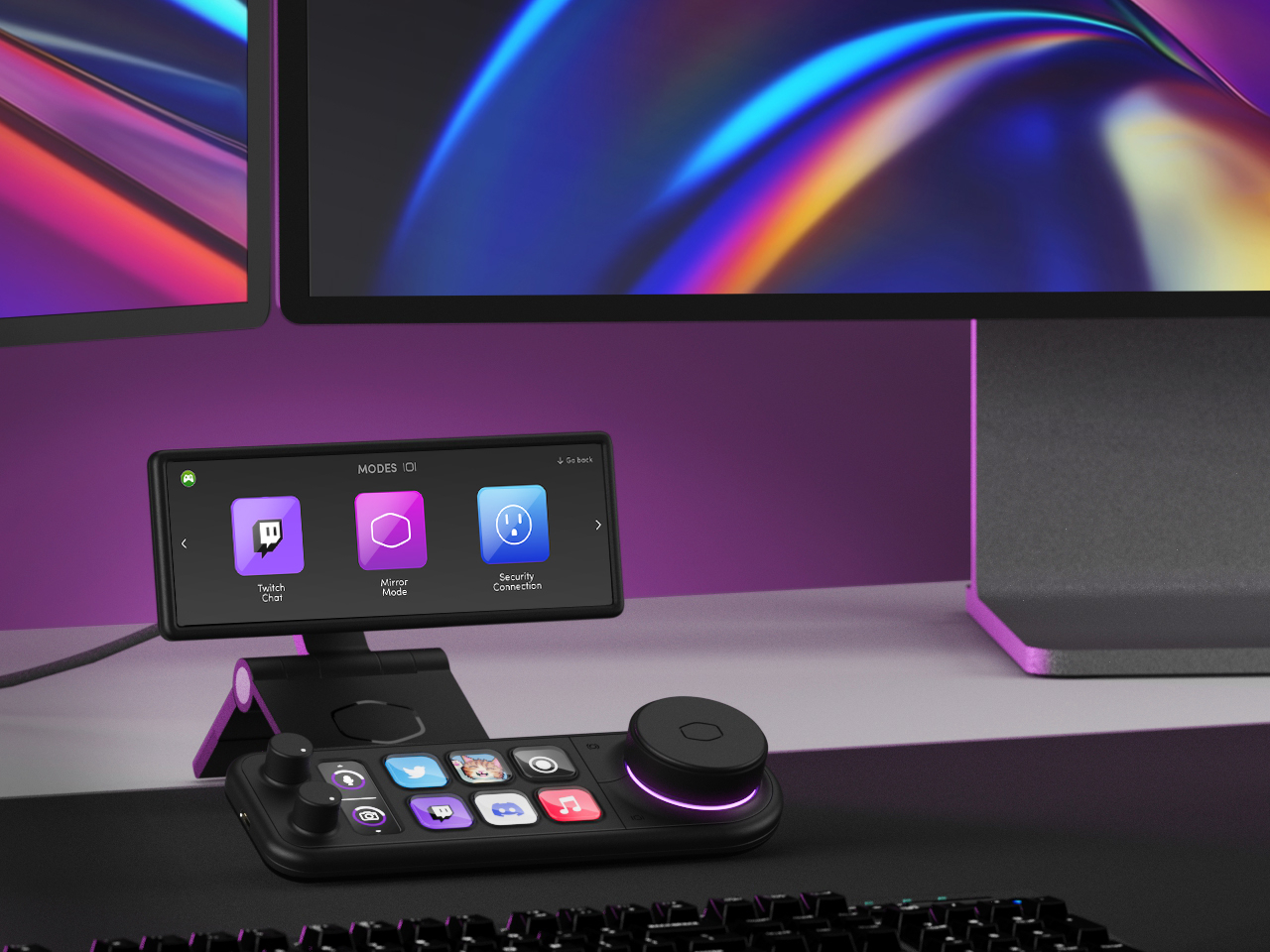
The Master Deck concept tries to condense the power of the MasterHUB into a simpler form that still has the basics you need. There are six dynamic buttons whose icons can change depending on the app or mode. There are two dials on one side that can be used for incremental changes, with a display strip beside it that shows what setting it’s set to affect. On the opposite side is a large “master control” dial with a hexagon-shaped button at its center for confirming actions.
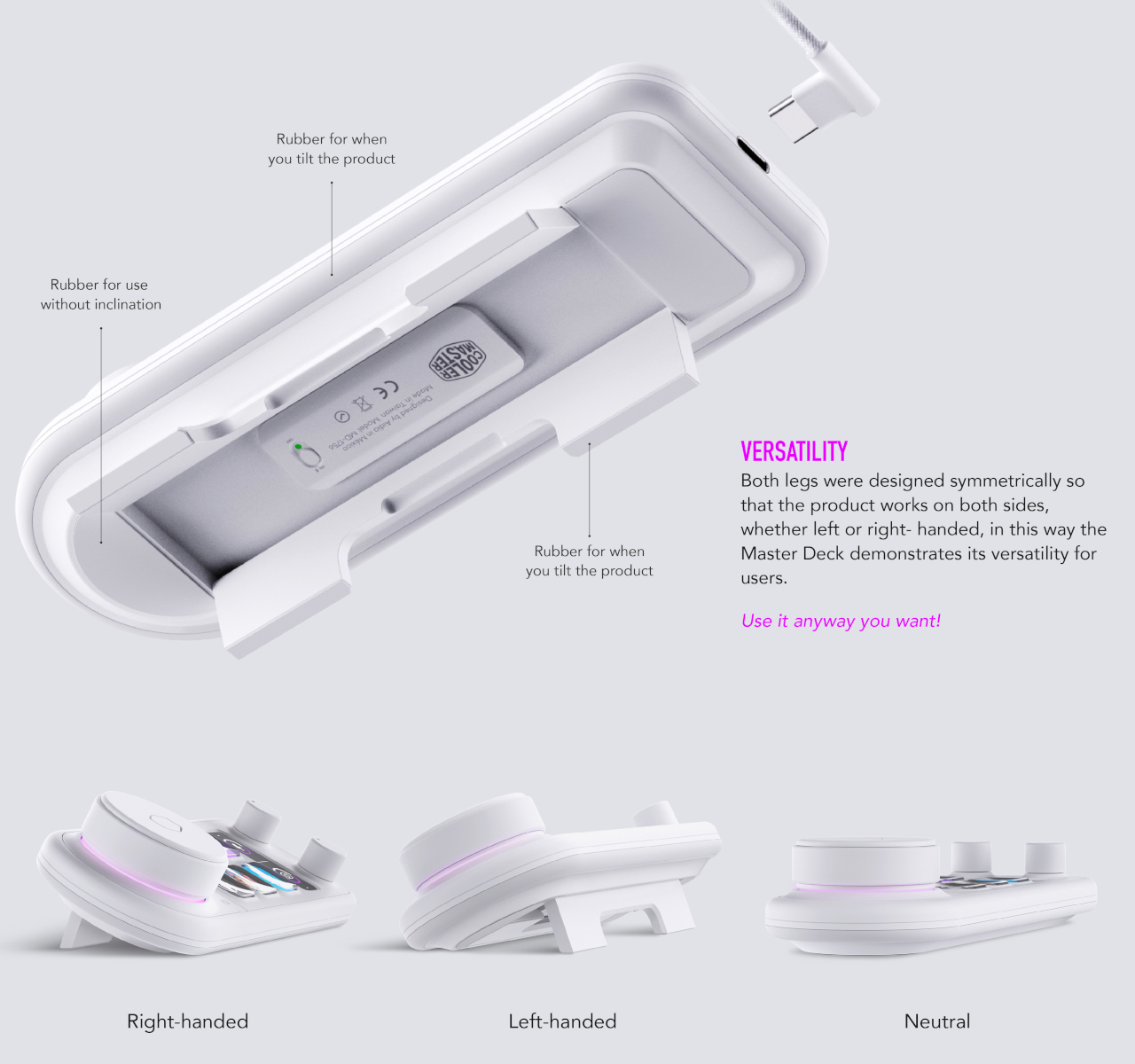
Those, however, aren’t the only things that make this concept design unique. The foldable legs beneath it, for example, allow you to set it up at an angle in either direction, supporting both right-handed and left-handed people. It would also function wirelessly, letting you set it up anywhere on your desk as needed. There’s also the idea of making the design available in different colors to match different aesthetic tastes, not just the typical white and black of other products in the market today.
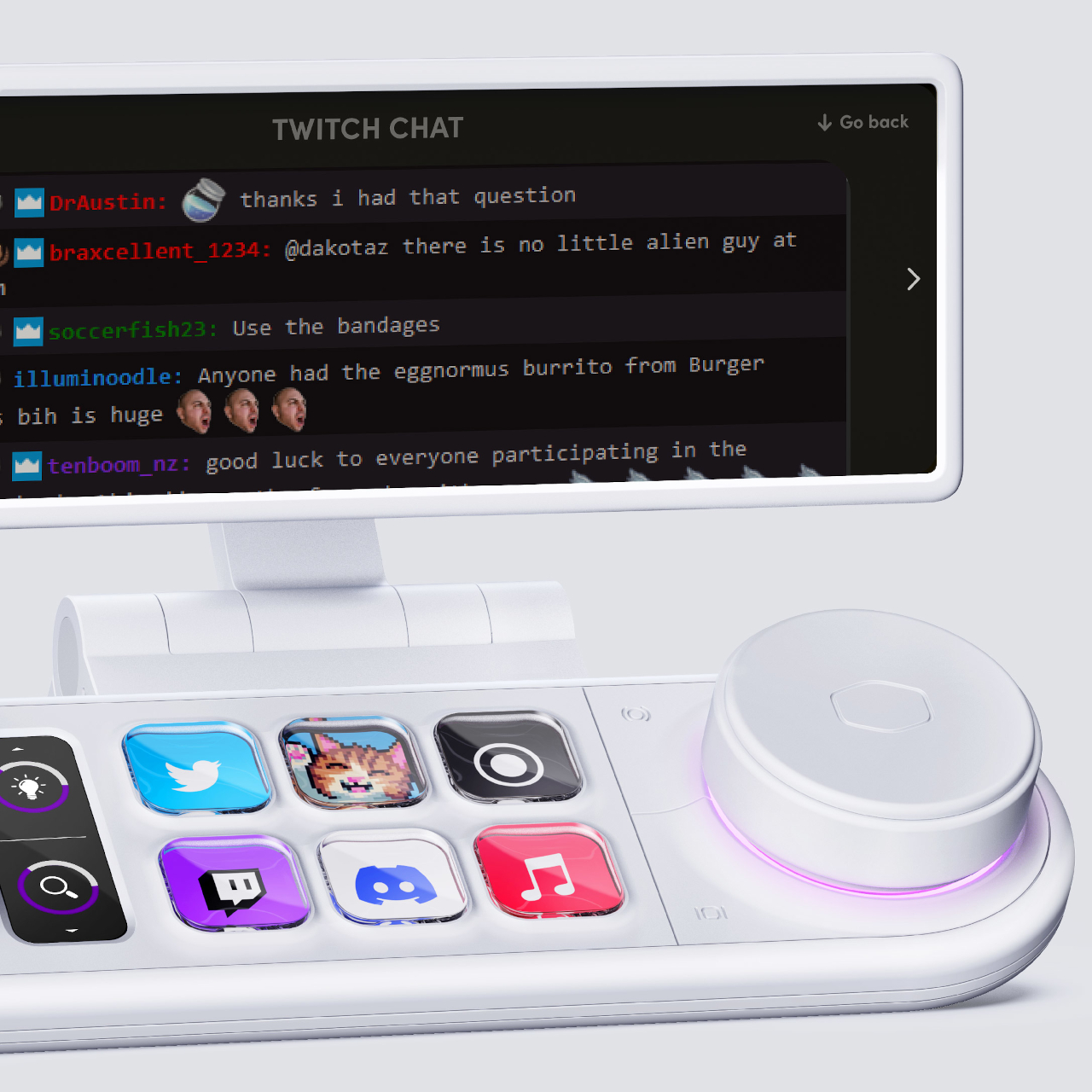
The concept also comes with a sidekick display panel that, with the right stand or dock, can be placed anywhere on your desk or even on your monitor. This can act as a second screen for displaying stream chats, the currently active settings, or other pieces of information you want to see at a glance. Even without this, however, the Master Deck concept is already a step up from other Steam Deck alternatives, offering more flexibility without the added complexity.
It’s almost too easy to take for granted the conveniences we enjoy today thanks to modern devices like computers and calculators. Calculators might be a common sight these days, even on smartphones as a pre-installed app, but there was actually a time when these counting machines were only found in offices. Their bulky designs and expensive components limited their availability to businesses that could afford them, forcing other people to depend on manual calculations.
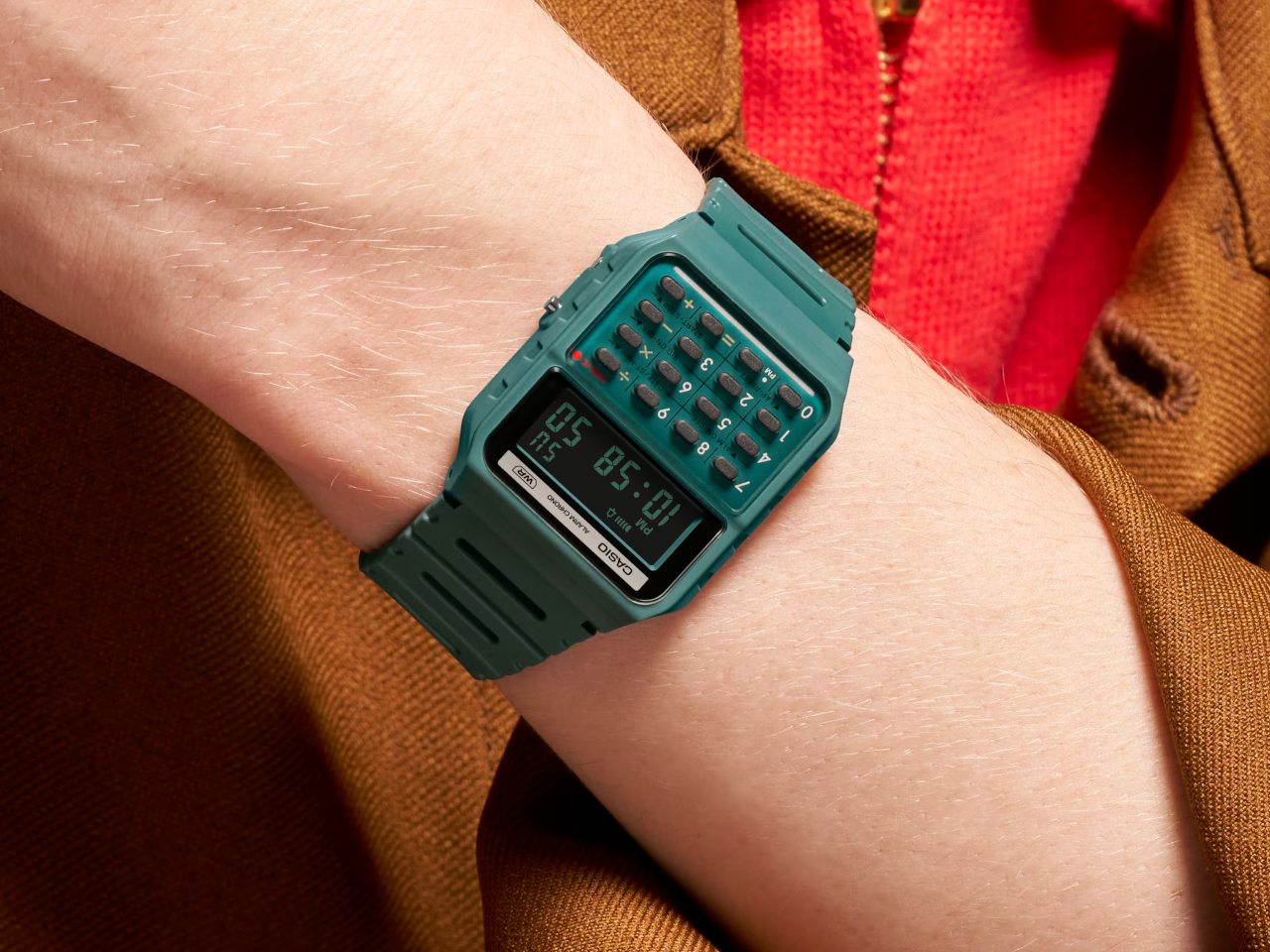
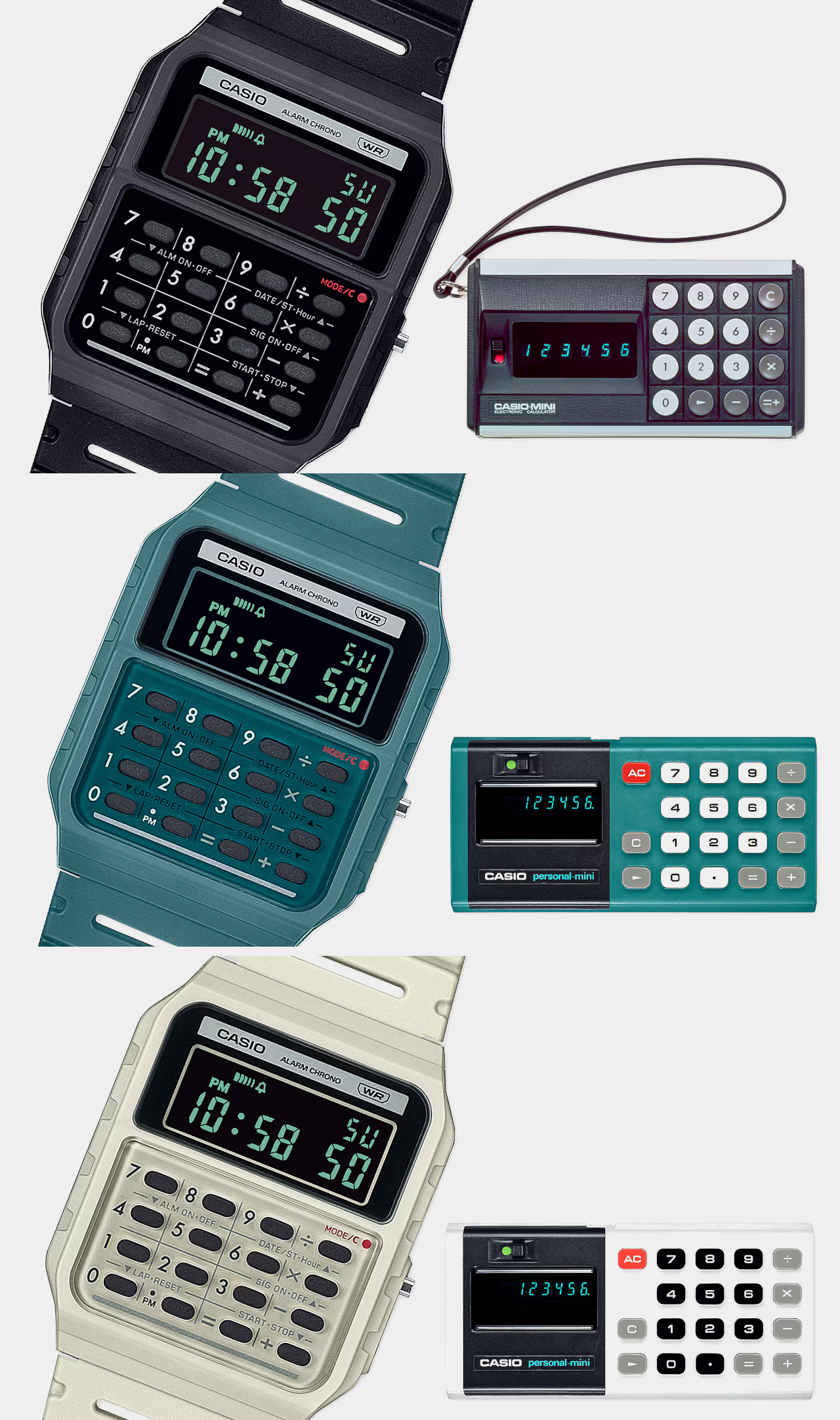
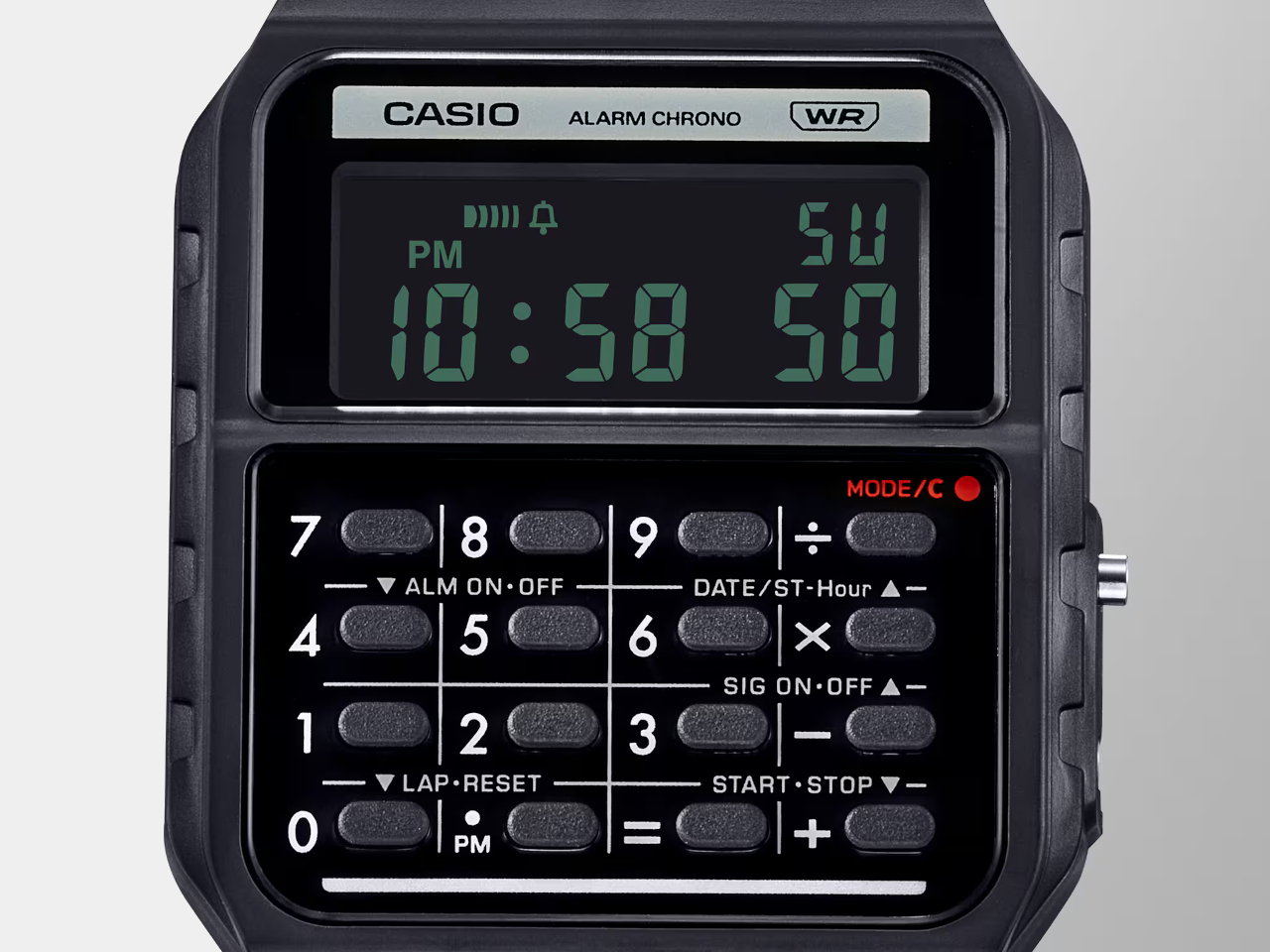
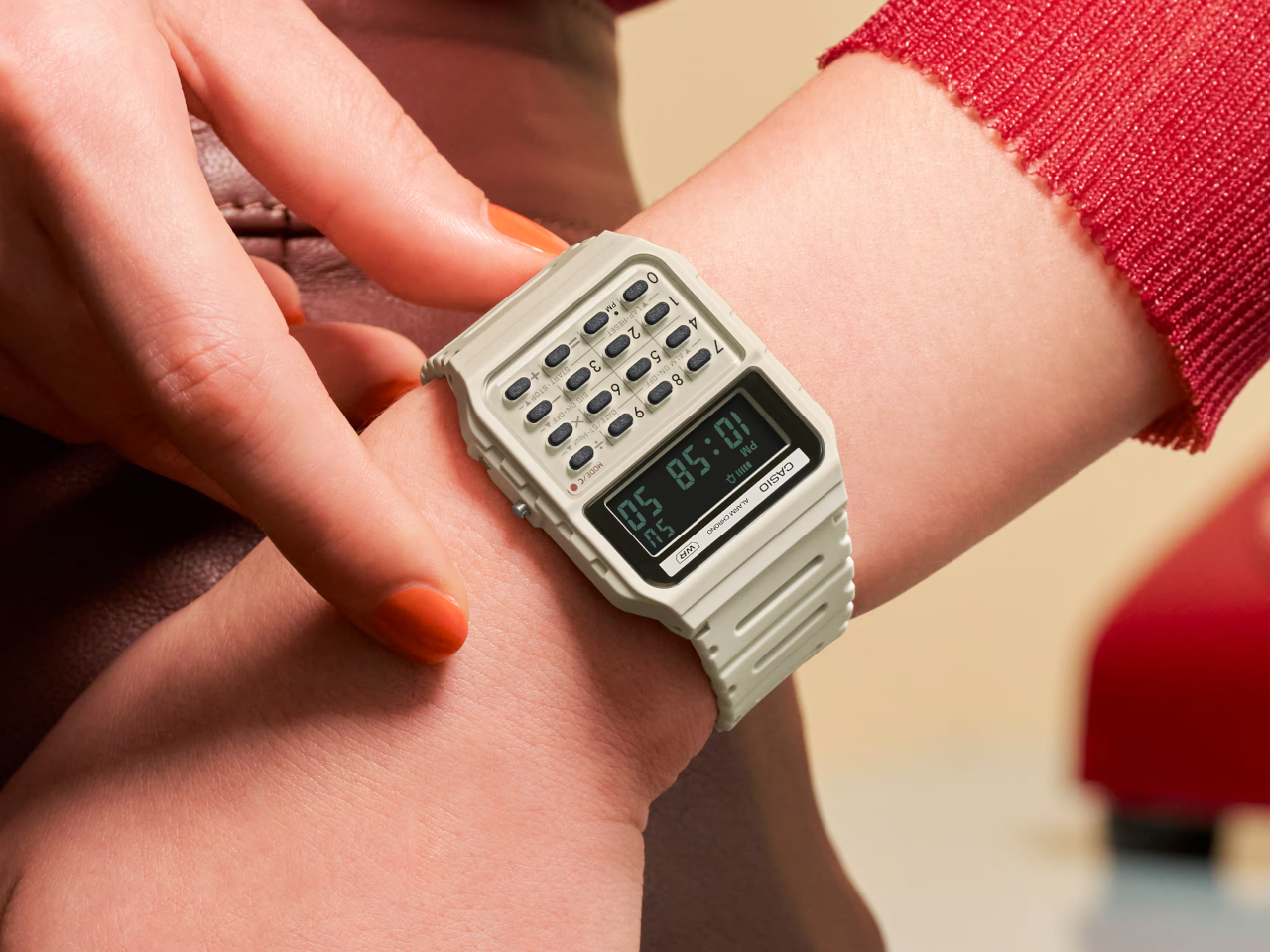
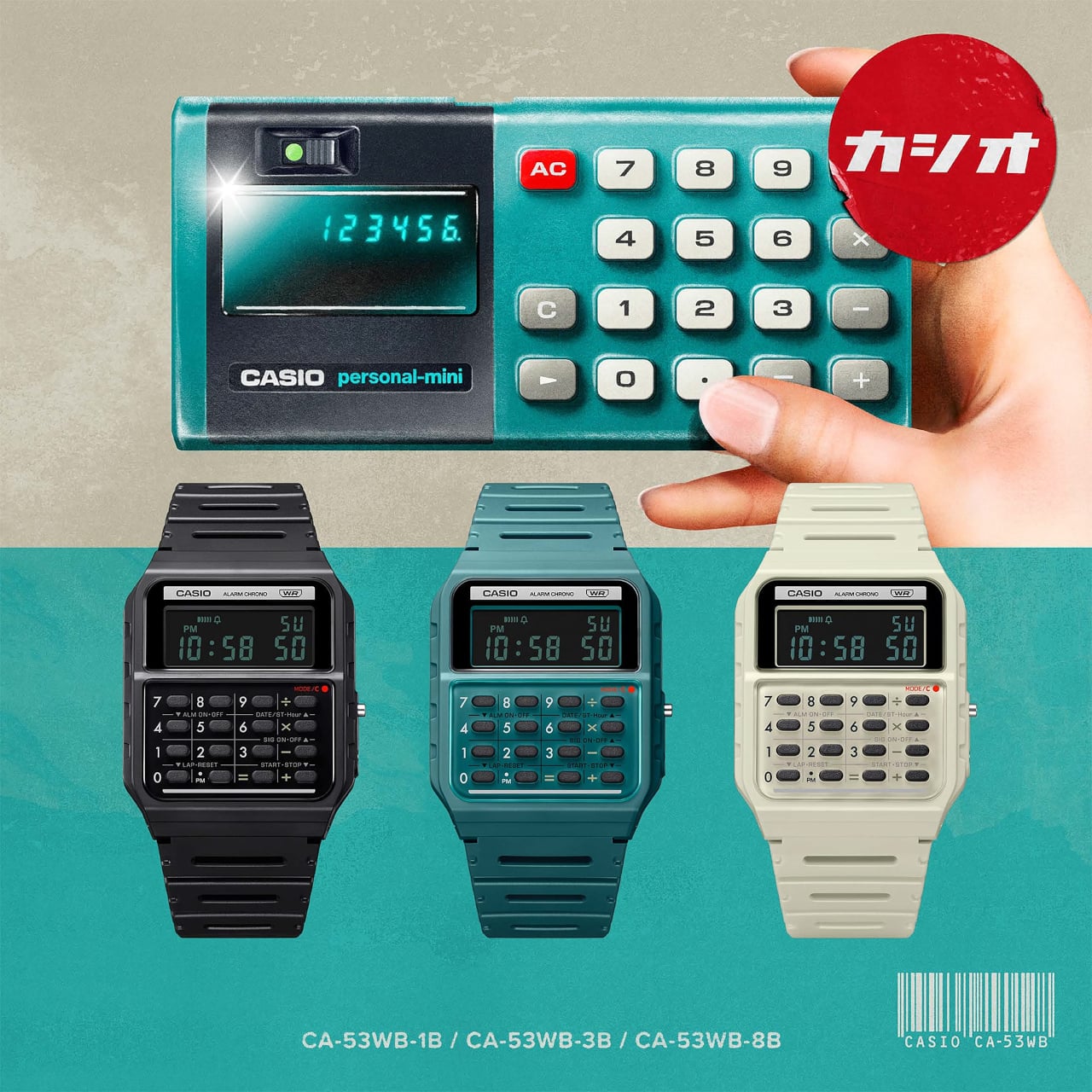
The first generation of personal calculators, large as they may be by today’s standards, truly revolutionized this industry, making it easier for professionals, students, and practically anybody to make complicated calculations in just seconds. To recognize one of these trailblazers, Casio just released a new version of its odd calculator watch, taking its design cues from its own Casio Mini pocket calculator from the 70s.
Wristwatches that cram tiny calculator keys in a small space aren’t exactly new. Whether they’re actually practical or convenient is hardly a concern, as they give watch lovers and Casio fans something to cherish. Especially in an age where everyone can use their phones for the same purpose, these timepieces become designs that combine nostalgia and novelty in one package.
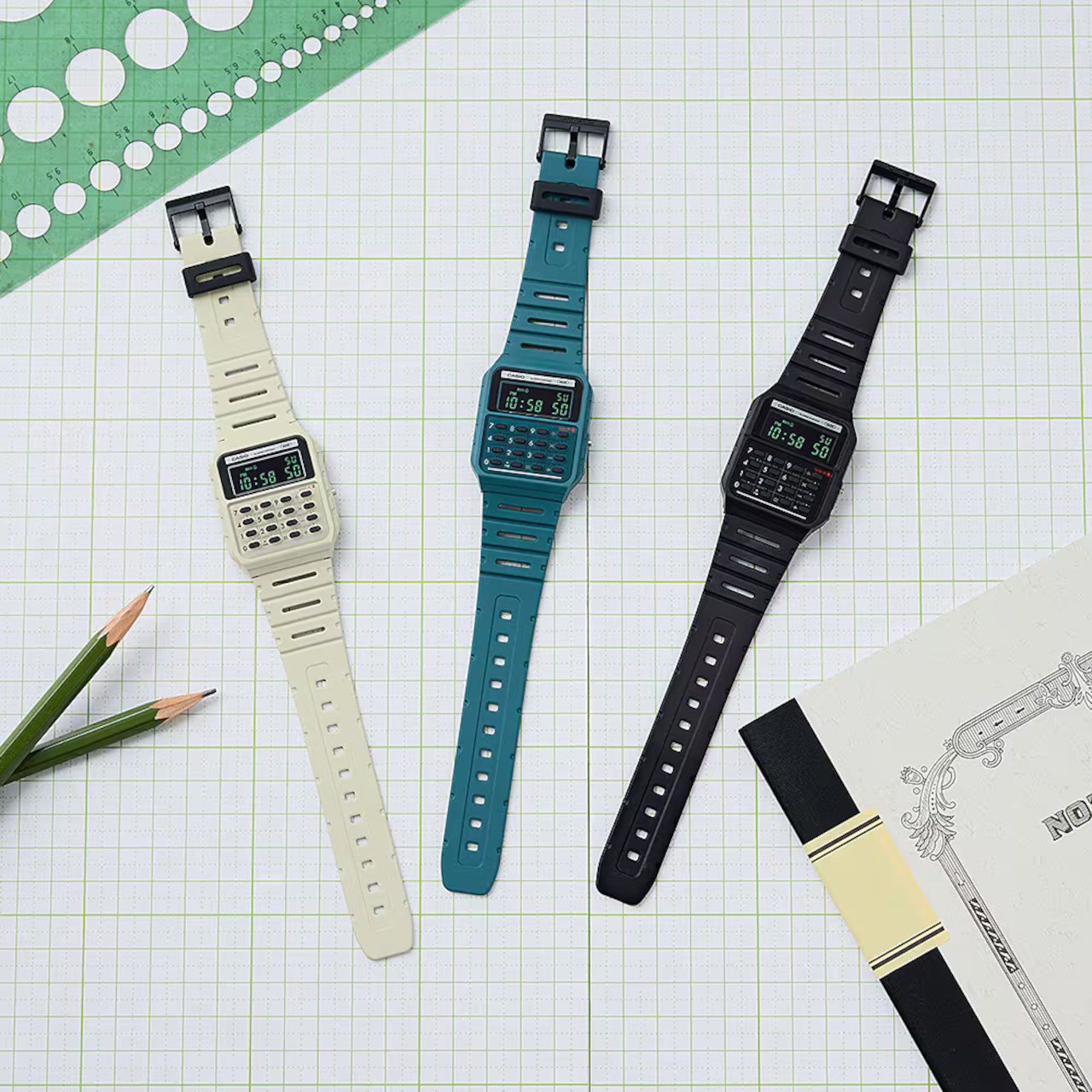
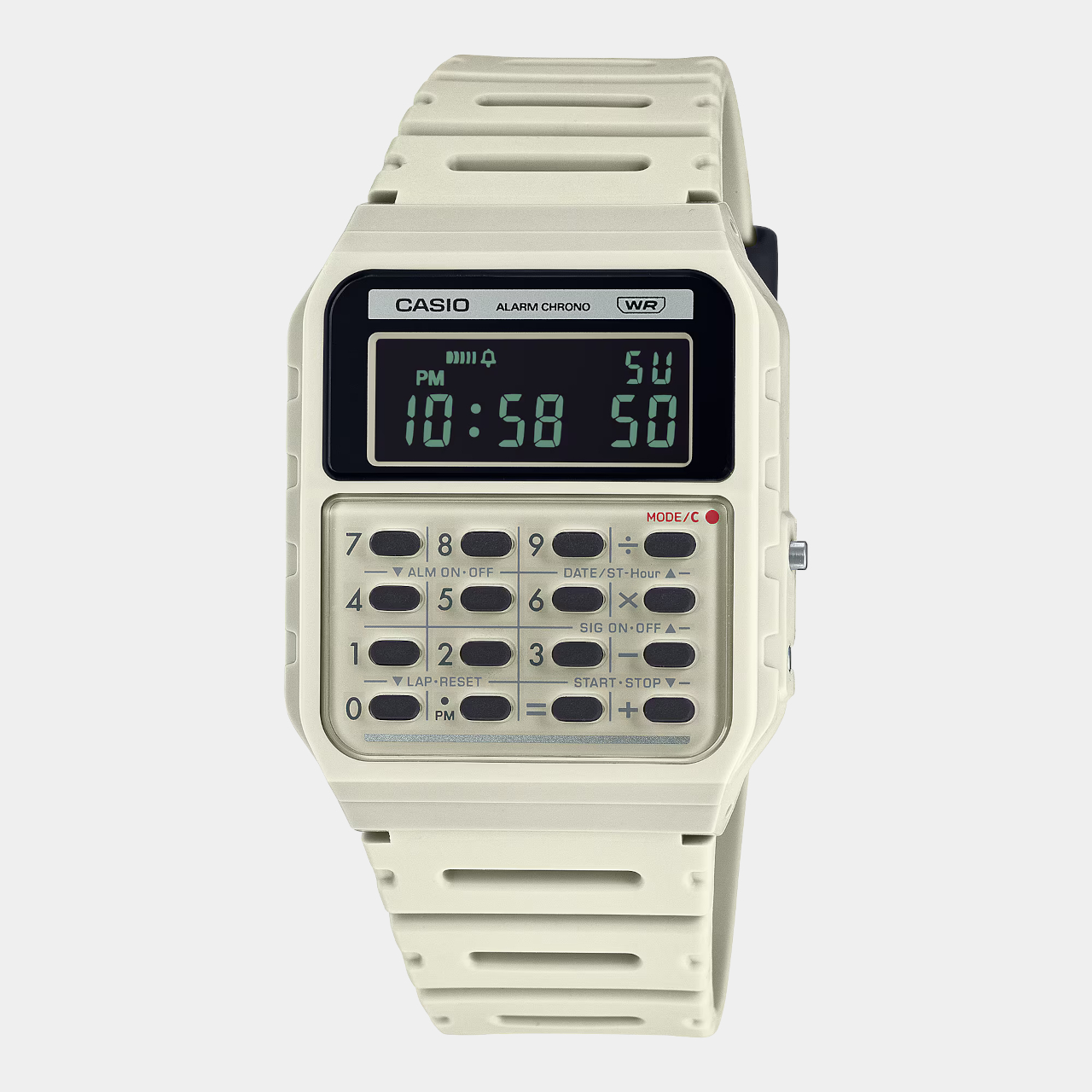
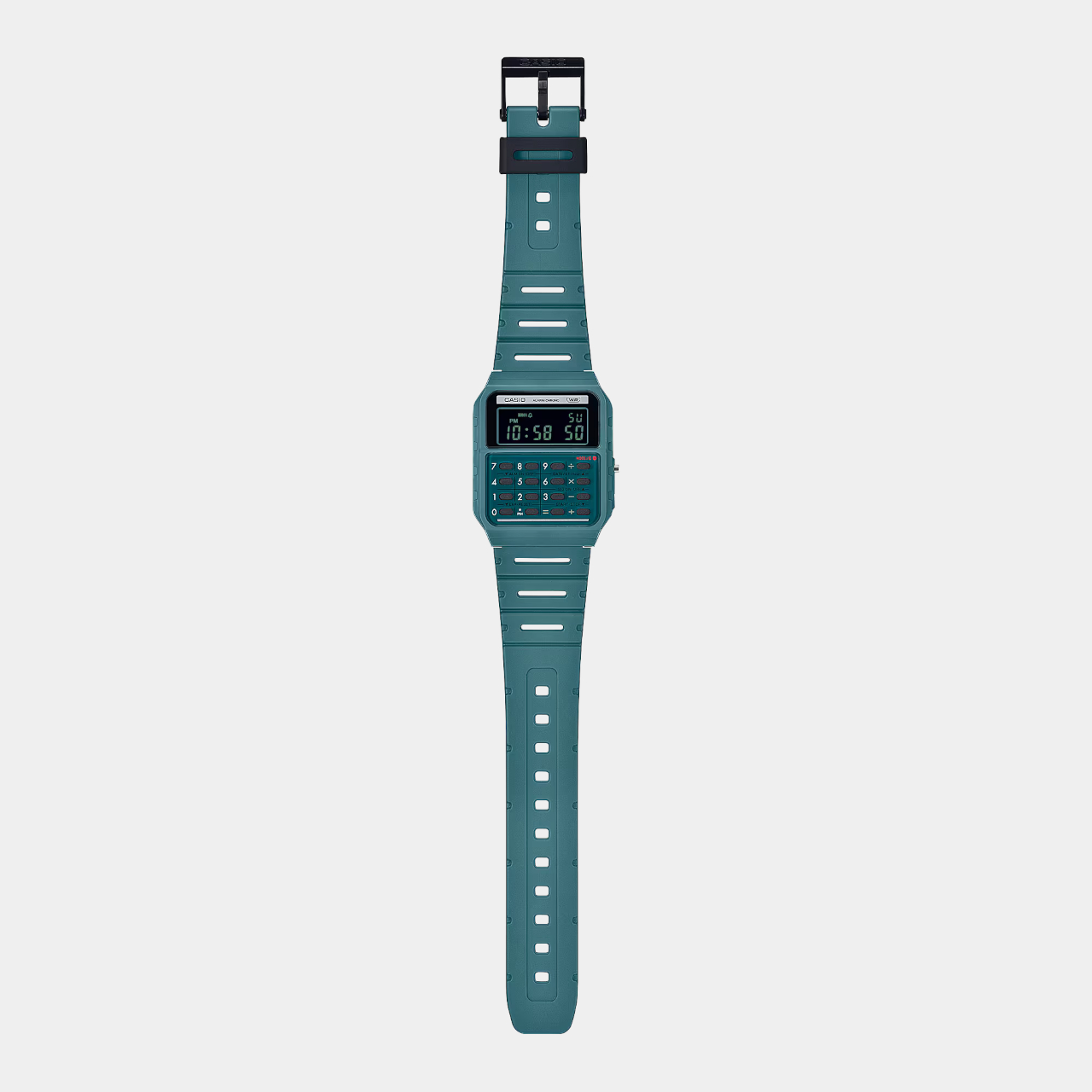
The new arrivals to this set don’t actually add new functionality, which would ruin the charm of this device, but tweak the design a bit for an even more retro look. The Casio CA-53WB watches specifically adopt the design elements of the Casio Mini from 1972, starting with the three color options available back in 1972: ivory, black, and blue-green. Unlike the other Casio calculator watches, these three use green text on a negative LCD, just like those old-school displays.
There are also more subtle design cues that might be more familiar to those who remember the original calculators. The number buttons, for example, are separated by grid lines, and the mode indicator uses a red color to emulate the power indicator of the old calculator.
In terms of functionality, the Casio CA-53WB is exactly like the other models, supporting up to eight digits for calculations and providing features like a stopwatch and an alarm. One modern improvement in the design is the use of bio-based resin for the watch band, reducing the product’s environmental impact. This blast from the past calculator watch costs $36, a few bucks more than the regular Casio calculator watches.
It’s almost too easy to take for granted the conveniences we enjoy today thanks to modern devices like computers and calculators. Calculators might be a common sight these days, even on smartphones as a pre-installed app, but there was actually a time when these counting machines were only found in offices. Their bulky designs and expensive components limited their availability to businesses that could afford them, forcing other people to depend on manual calculations.
The first generation of personal calculators, large as they may be by today’s standards, truly revolutionized this industry, making it easier for professionals, students, and practically anybody to make complicated calculations in just seconds. To recognize one of these trailblazers, Casio just released a new version of its odd calculator watch, taking its design cues from its own Casio Mini pocket calculator from the 70s.
Wristwatches that cram tiny calculator keys in a small space aren’t exactly new. Whether they’re actually practical or convenient is hardly a concern, as they give watch lovers and Casio fans something to cherish. Especially in an age where everyone can use their phones for the same purpose, these timepieces become designs that combine nostalgia and novelty in one package.
The new arrivals to this set don’t actually add new functionality, which would ruin the charm of this device, but tweak the design a bit for an even more retro look. The Casio CA-53WB watches specifically adopt the design elements of the Casio Mini from 1972, starting with the three color options available back in 1972: ivory, black, and blue-green. Unlike the other Casio calculator watches, these three use green text on a negative LCD, just like those old-school displays.
There are also more subtle design cues that might be more familiar to those who remember the original calculators. The number buttons, for example, are separated by grid lines, and the mode indicator uses a red color to emulate the power indicator of the old calculator.
In terms of functionality, the Casio CA-53WB is exactly like the other models, supporting up to eight digits for calculations and providing features like a stopwatch and an alarm. One modern improvement in the design is the use of bio-based resin for the watch band, reducing the product’s environmental impact. This blast from the past calculator watch costs $36, a few bucks more than the regular Casio calculator watches.
In today’s fast-paced world, technology is evolving rapidly, offering us gadgets that are not only innovative but also sleek and portable. These IoT (Internet of Things) devices are designed to make our lives more efficient, secure, and enjoyable. From enhancing home security to digitizing notes, these gadgets showcase the pinnacle of modern technology. We have curated the top 10 sleek and portable IoT gadgets that you need to consider adding to your tech arsenal.
These IoT gadgets showcase the incredible potential of modern technology to enhance our daily lives. Whether you’re looking to improve home security, streamline note-taking, or optimize your living environment, these devices offer innovative solutions that cater to a wide range of needs and preferences. As technology continues to evolve, these gadgets represent the forefront of IoT innovation, providing users with unparalleled convenience, efficiency, and style.
1. Akita
Named Akita, this compact and powerful IoT device is designed to protect from smart home from any potential cyber invasion. It connects to a LAN port on your router, monitoring your network for any unusual or fishy activity. It safeguards your privacy and is equipped with military-grade security for home use.
The gadget provides real-time threat detection and doesn’t compromise your internet speed in the least. It showcases a non-invasive security method that offers a seamless and harmonious experience, ensuring your data is safe and secure, without any deep-packed inspection.
Why is it noteworthy?
Akita is a worthy purchase since it has robust security features and easy usage. It uses threat intelligence, behavioral analysis, and machine learning to recognize and neutralize any threats. This makes it an essential device for any smartphone. Since it doesn’t involve any deep packet inspection, it protects user privacy, with on-call privacy experts offering peace of mind. It adopts a proactive approach to cybersecurity, serving as a reliable and trusty shield against potential IoT vulnerabilities.
What we like
Delivers military-grade security.
It has no impact on internet speed.
What we dislike
Requires LAN port connection.
Dependence on external privacy experts for complex issues.
2. Roborock Qrevo Slim
Say hello to Roborock’s newest Qrevo Slim! This gadget is ushering in a whole new gen of robot vacuuming back with a better design and state-of-the-art tech. As the name implies, it measures over 3 inches tall, and it cruises under your sofas without any worry about the headroom. The design is pretty slim, powered by Roborock’s most advanced 3D mapping and navigation system. This system is called the StarSight Autonomous system and is better than the LDS seen on most vacuums.
It has the kind of vertical clearance most robot vacuums die for. It can easily slip under beds, couches, and other low-clearance furniture, and it promises to cover more area than your traditional vacuum. It can venture into tight spaces, and clean everything ranging from pet hair, and food crumbs to dust or any sort of dirt.
It is paired with a user-friendly app and built-in voice assistant, which makes the Qrevo Slim pretty easy to control. You can customize cleaning schedules, adjust the suction power, and set no-go zones. You can also easily monitor your vacuum’s progress, check battery levels, or pause and restart the cleaning whenever you want. It can be integrated with voice assistants like Alexa, Siri, and Google Assistant, allowing you to use commands like “Start cleaning,” “Return to dock,” or “Clean the living room.” These voice commands make it easy to control the vacuum without lifting a finger.
What we like
Equipped with industry-first StarSight advanced navigation technology, 11,000 Pa suction, and an ultra-slim build.
It can automatically charge and clean itself.
What we dislike
Expensive price tag.
Some users said it worked better on hard floors than on carpet.
3. Briiv Pro
Dubbed the Briiv Pro, this innovative air purifier merges nature and technology to cleanse indoor air. It is equipped with a “mini forest” filtration system and purifies a 16 sq.m room in 21 minutes. Unlike typical purifiers on the market, the Briiv Pro uses a combination of moss, coconut fiber, and a silk nanofiber matrix with activated carbon.
The purifier uses all these materials to eliminate pollutants. It features a terrarium-inspired design which is quite aesthetic and will add elegance and sophistication to your home. So besides providing efficient air purification, it also serves as a visually appealing element in your home.
Why is it noteworthy?
Briiv Pro is commendable for its eco-friendly approach to air purification. By mimicking the natural processes of a forest, it offers a sustainable alternative to traditional air purifiers. Its unique filtration system effectively tackles a wide range of pollutants, making it ideal for homes with pets, allergies, or high pollution levels. The combination of aesthetics and functionality makes Briiv Pro a standout choice for health-conscious individuals.
What we like
Serves as an eco-friendly filtration system.
Features an aesthetic terrarium design.
What we dislike
Only works well for small to medium-sized rooms.
4. Nuwa Pen
Dubbed the Nuwa Pen, this innovative writing instrument can digitize your notes in real time. It features a motion sensor, and a triple camera array, ensuring your writing is captured seamlessly and transferred to the Nuwa App. The pen serves as a cost-effective alternative to digital tablets.
It delivers end-to-end encryption for your notes. So if you’re jotting down ideas on a post-it or drafting an essay, the Nuwa Pen will make sure that your work is securely stored and easily accessible. The notes are digitized on the device and then shared via Bluetooth to your phone. You can use the app to sync notes, or even share them with team members.
Why is it noteworthy?
Nuwa Pen features the unique ability to transform traditional note-taking into a digital experience. Its innovative design and technology make it a versatile tool for students, professionals, and creatives alike. The app’s free version offers basic functionalities, while the premium version includes OCR capabilities, allowing users to convert handwritten text into editable formats. This blend of traditional and digital note-taking makes the Nuwa Pen a must-have gadget.
What we like
It is economical compared to digital tablets.
It delivers real-time note digitalization.
What we dislike
The premium features are paid.
5. Bownce
Say hello to Bownce – an IoT-enabled fitness ball that will enhance and improve your workout experience. The ball is pretty compact and easy to set up, and it will track your performance using integrated electronic components. Irrespective if you’re at home or outdoors, the Bownce will offer real-time statistics on your punches.
This ball helps elevate your techniques and achieve your fitness goals. It is a portable device that you can easily carry with you, making it ideal for fitness enthusiasts who are seeking convenient, sleek, and effective workout tools. It offers a novel new perspective on exercising.
Why is it noteworthy?
Bownce showcases a unique approach to fitness tracking. Unlike traditional workout equipment, it combines physical activity with digital analytics, offering users detailed insights into their performance. The app logs various metrics, such as punch speed, force, and duration, allowing users to tailor their workouts for maximum efficiency. Its portability and ease of use make Bownce an attractive option for those seeking a tech-savvy fitness solution.
What we like
It is portable and easy to set up.
Provides real-time performance tracking.
What we dislike
The ball is limited to punching exercises.
6. SwitchBot Curtain 3
This is the SwitchBot Curtain 3 – an excellent innovation in the arena of smart home technology. It provides a seamless and unique way to convert your traditional curtains into smart ones with minimal effort. This compact robot will provide convenience, by simply attaching it to any curtain rod in under 30 seconds.
It allows you to control your curtains through your smartphone. It integrates harmoniously with smart home systems, allowing you to operate the device using shortcuts or voice commands. This gadget is a versatile and unique addition to your home automation setup.
Why is it noteworthy?
What makes the SwitchBot Curtain 3 unique is its advanced DynamiClamp design. This is a better upgrade than its third edition, and it enables the device to adapt and just to a large variety of curtain rods and tracks. It is compatible with all sorts of setups. Irrespective if your curtain is heavy or light, the SwitchBot can handle and manage them easily, replicating the smooth and refined curtain movements you usually see in a luxury hotel.
What we like
Features an easy-to-install design, and can be configured in multiple ways.
Compatible with different kinds of rod designs.
What we dislike
You need SwitchBot Hub for the Voice Control feature.
7. AirBolt GPS
Called the AirBolt GPS – this is the world’s smallest GPS tracker. It is designed to meet all your tracking needs with ease. It is a compact device that measures around 37mm x 34mm x 11mm and weighs approximately 21 grams. It is ideal for attaching to pets, slipping into pockets, or securing your valuable belongings.
The AirBolt GPS uses GPS, LTE-M, and NB-IoT networks, and it also provides robust tracking capabilities, which allow you to locate your possessions and prized belongings with ease. You don’t need to worry about misplacing your precious items with the AirBolt GPS.
Why is it noteworthy?
The AirBolt GPS is blessed with a blend of advanced tracking technology and portability. Unlike Bluetooth trackers, it uses next-generation low-powered cellular networks, providing a reliable balance of indoor, outdoor, and nearby tracking. Its long battery life of up to 12 months per charge further enhances its practicality, making it an ideal choice for those who need a dependable tracking solution for both personal and professional use.
What we like
Features an extremely compact and lightweight design.
Equipped with global tracking capabilities.
What we dislike
Not suitable for real-time tracking in fast-moving scenarios.
8. Mui Board
Say hello to the second-gen Mui Board. It is a minimalist smart home control hub that merges the new Matter networking protocol, which elevates its compatibility with a whole bunch of smart devices from major tech companies. It features an elegant design and a backlit wood interface, providing a natural aesthetic.
It will merge effortlessly into any home environment, owing to its sophisticated and refined appearance. It features ChatGPT integration, which supports natural interaction, allowing users to create schedules, task lists, and more.
Why is it noteworthy?
The Mui Board Gen 2 stands out for its focus on “calm technology,” aiming to reduce distractions and information overload. By providing a discreet way to interact with smart devices, it maintains a balance between connectivity and tranquility. The use of real wood veneers adds to its unique appeal, making it both a functional and stylish addition to any room. Its integration with Matter ensures broad compatibility, making it a versatile hub for managing smart home devices.
What we like
It can seamlessly integrate with any major smart home system.
Showcases a natural and elegant design.
What we dislike
May require additional setup for full functionality.
9. RoboQi 2.0
Coined the RoboQi 2.0, this versatile IoT gadget is ideal for car enthusiasts. The device merges Amazon Alexa AI with a 10W Qi wireless charging car mount, providing you with hands-free control over maps, music, and messages. It features a compact design, which allows it to fit perfectly into any vehicle.
This compact product serves as a convenient and efficient way to stay connected on the road. It will enhance and improve your driving experience by merging smart tech with everyday functionality. It offers a comprehensive solution for contemporary drives.
Why is it noteworthy?
RoboQi 2.0 is equipped with multifunctional capabilities. The device’s ability to integrate with various apps and services ensures users can manage their digital lives without distraction. Its sleek design and easy installation make RoboQi 2.0 an essential gadget for tech-savvy drivers seeking convenience and connectivity.
What we like
Merges wireless charging with AI.
Provides hands-free voice control.
What we dislike
It is limited to vehicles with compatible mounts.
10. Migo
Migo is derived from the Spanish word “amigo” which means friend. It is an innovative pet care concept that will strengthen and elevate the connection between dogs and their owners, through the use of advanced technology. It includes various interconnected components that communicate through Bluetooth.
This allows pet owners to interact and communicate with their pets remotely. Migo is designed to be a comprehensive solution for engaging with pets and monitoring them. It will provide peace of mind to owners while improving and enriching the lives of their dogs.
Why is it noteworthy?
Migo’s USP is its smart collar, which is equipped with a suite of cutting-edge technologies. This collar includes a built-in GPS tracking system, allowing owners to pinpoint their dog’s location in real time, ensuring their safety whether they’re playing in the backyard or exploring a new environment. The collar also houses a temperature sensor, providing insights into the dog’s comfort level and alerting owners to potential overheating or hypothermia risks.
What we like
The camera is equipped with a speaker, allowing owners to speak to their dogs.
What we dislike
It is a concept, so we don’t know how well it would translate into a tangible product.
With our dependence on computers, phones, and the Internet, staying connected and powered up is more important than ever. The world, however, seems to be thwarting that modern lifestyle, from unexpected power outages to the growing frequency of natural disasters. The demand for reliable, robust, and versatile power solutions has skyrocketed, and the old fuel-based generators can’t catch up.
Get ready to transform the way you experience energy with BLUETTI’s latest marvel, the Elite 200 V2. This 2KWh portable power station is your ticket to worry-free home backup and outdoor escapades. Building on the years of successful products in the market, this portable solar power station is the next-level energy solution upgrade everyone’s been waiting for!
Designer: BLUETTI
Click Here to Buy Now: $1044.05$1999 ($954.95 off, use coupon code”YankoElite200″ at checkout). Hurry, deal ends in 48-hours!
Imagine a power station that sticks with you for 17 years! Thanks to its automotive-grade LiFePO4 batteries, the BLUETTI Elite 200 V2 offers over 6,000 life cycles. That’s 12 times more than the competition. Tested rigorously by CNAS and the first of its kind to pass over 33 battery tests, it promises unmatched reliability and performance.
Long-lasting power stations won’t mean much if their capacity is too low to be useful. Fortunately, the Elite 200 V2 has you covered. Its 2,600W output can handle home essentials like a breeze—no more spoiled groceries or dark nights, even running a 100W refrigerator for up to 16.8 hours. For the adventurers, it powers everything from your morning coffee maker to high-demand gadgets with its Power Lifting mode. Need 3,900W for a hot plate or hair dyer? No problem! This power station is your ultimate travel companion.
Space is precious, especially in RVs and tiny homes. The Elite 200 V2 packs a punch with its compact design — 40% smaller than its famed predecessor, the BLUETTI AC200P, yet just as powerful. Its sleek frame makes it easy to fit anywhere, and its 24.2kg weight still makes it relatively portable. This space-saving magic is thanks to the use of advanced LFP prismatic cells with zero-gap battery stacking instead of the typical cylindrical battery cells.
Waiting for your power station to recharge is a thing of the past. With BLUETTI’s Turbo technology, the Elite 200 V2 charges to 80% in just 50 minutes with dual AC and solar input! On the road? Use the 560W car charger and get back to full power in just over four hours. Off the grid? Harness the sun’s energy with a 1,000W solar input and keep going without a hitch. Whatever your location or situation, you can make sure that your power station is ready for action at any time.
The Elite 200 V2 isn’t just powerful — it’s smart, safe, and quiet. Plug in high-power devices with confidence, thanks to its BLUETOPUS AI-BMS smart battery management and multi-chip protection. Fire-resistant and shock-proof, it’s built to withstand any adventure you throw at it. Operating with sound as low as 16dB, it can be easily used in a home office or tent. And with support for both Wi-FI and Bluetooth app connectivity, you can remotely monitor and control the power station with ease.
Don’t settle for the ordinary when you can have the extraordinary. The BLUETTI Elite 200 V2 is more than a power station — it’s your gateway to freedom and reliability. Whether at home or on the go, it’s ready to power your devices with safe and green energy that will be able to keep up with your lifestyle.
Click Here to Buy Now: $1044.05$1999 ($954.95 off, use coupon code”YankoElite200″ at checkout). Hurry, deal ends in 48-hours!
The Steam Deck came in early 2022, and the only update to the handheld gaming console came in the form of an OLED version last year. One thing common to all the previous models of the Deck handheld console has been their black color.
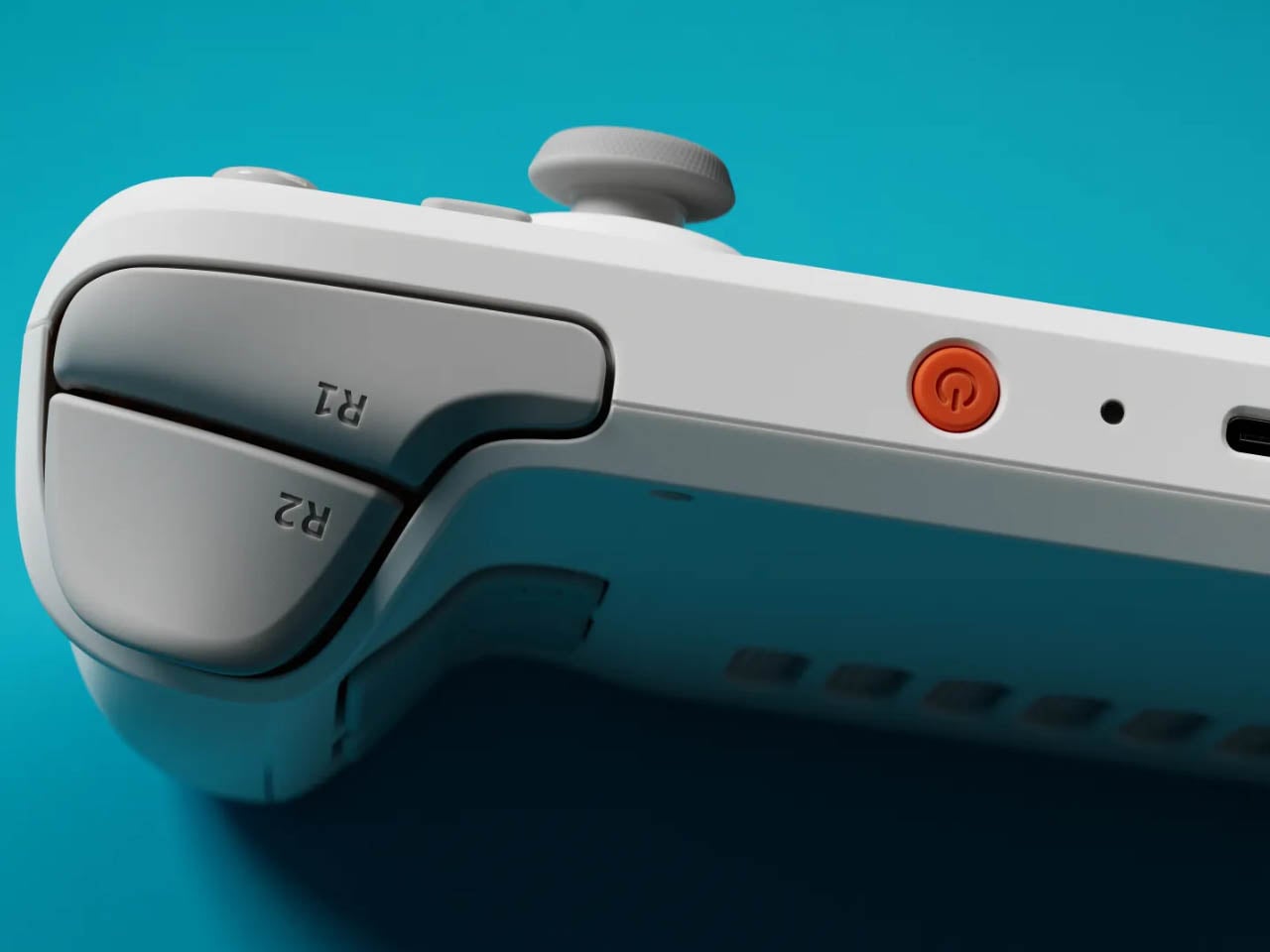
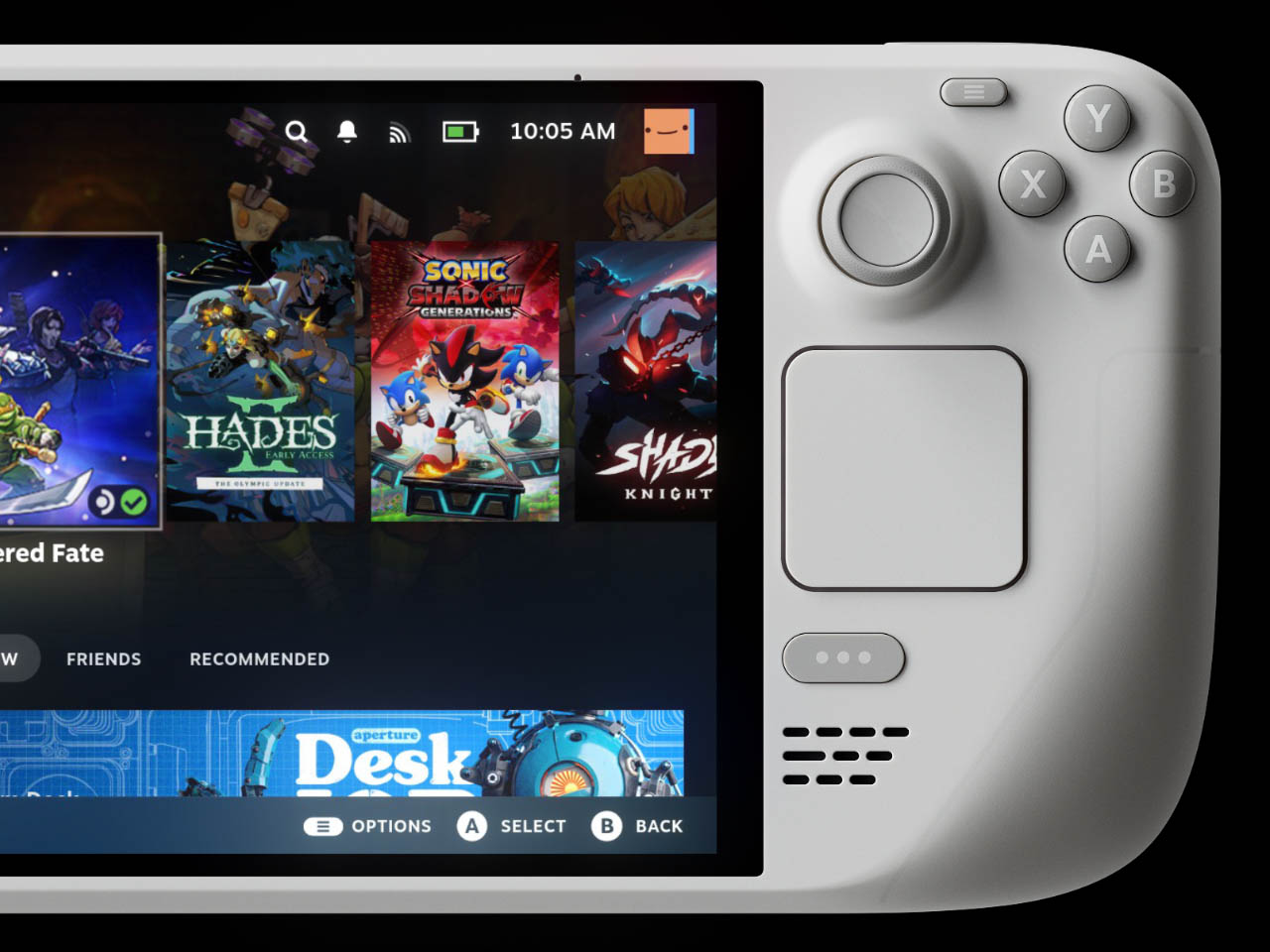
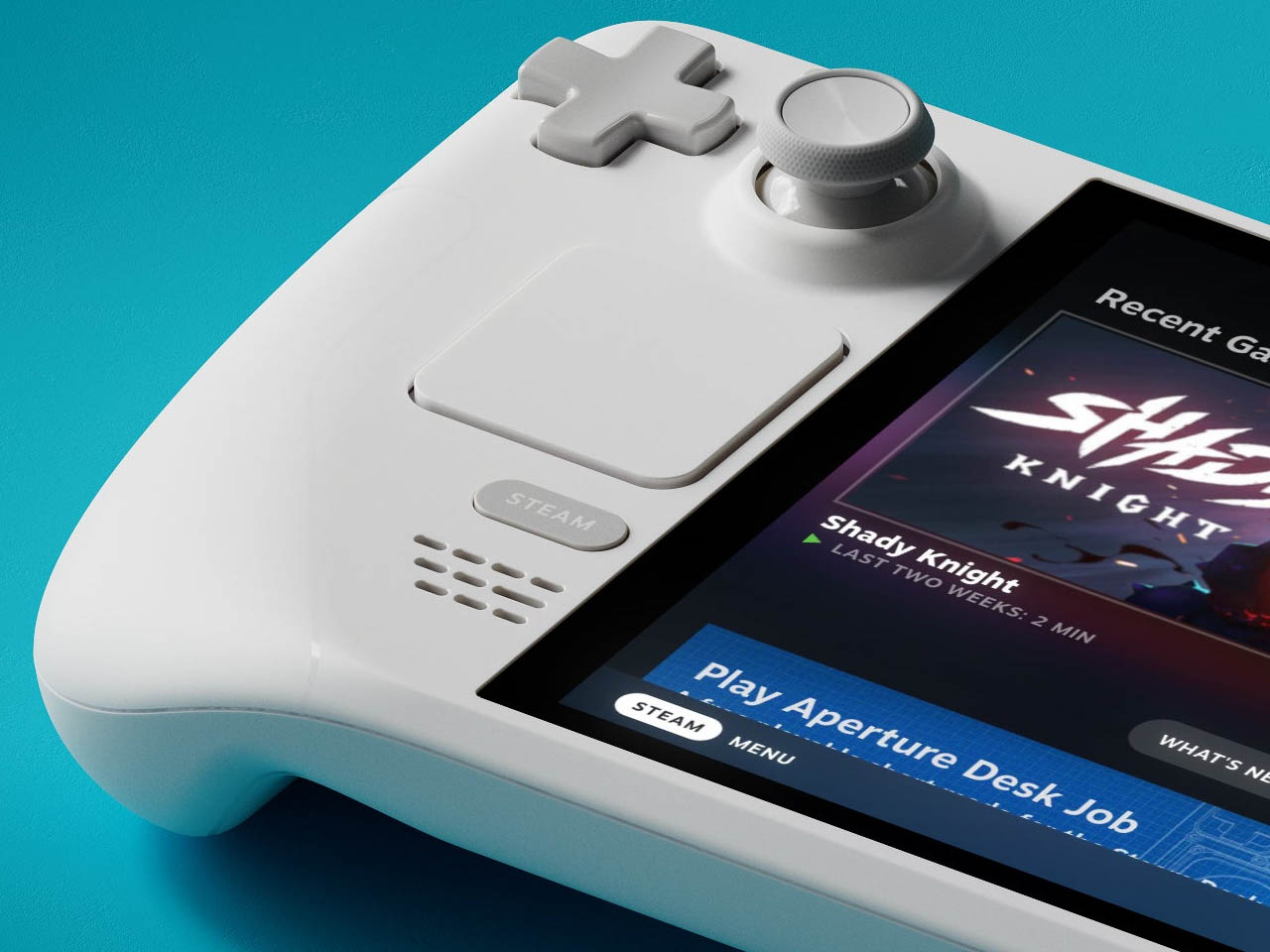
Valve has decided to break that tradition by releasing a Steam Deck OLED: Limited Edition White for a worldwide release to the amazement of fans who’ve witnessed the white color of the gaming device only in renders. This version is a break from the monotony of the dark hue, akin to the transparent shell limited-edition version in 1TB memory, released last year that we liked to the core.
The OLED version of the Steam Deck with HDR support looks bold compared to the LCD models, and wrapped in a white color will contrast the display colors even better. Valve is not playing down the possibility of even more bold color options coming in the future depending on the response for this current version. They categorically said that they will keep improving the Deck from a software and hardware perspective.
Just like the transparent shell one, this one will only be available in a 1TB model. The off-white shell of this limited edition has gray buttons and the power button in orange. This handheld will be paired with a white carrying case and a microfiber cloth which you’ll need more often than not, since it’ll get dirtier compared to the black version.
According to Valve, the Limited Edition Deck will be available worldwide from November 18 at 3 PM. The stock has been allocated to all the worldwide regions proportionally for equitable distribution and it’ll only be available until the stocks exhaust. “Once we’re out, we’re out,” Valve says.
One user can purchase only one unit with one Steam account, so now’s the time to mark your calendars to get hands on one for $679. This is $30 more than the 1 TB Steam Deck OLED.
The recent retro craze when it comes to devices and even just designs of devices isn’t limited to just the people who actually experienced these things. The younger generation has a fascination with everything “old”, which can sometimes make older people really feel old. We’re seeing all kinds of product designs and concepts that play on this pseudo nostalgia (because it shouldn’t be called nostalgic if you didn’t actually experience it right?) and this trend will probably last for a long time. The best ones are those that are able to bridge nostalgia with modern sensibilities to get something that doesn’t just repeat what was done before.
Designer: Seunghyeon Kim (Focus Studio)
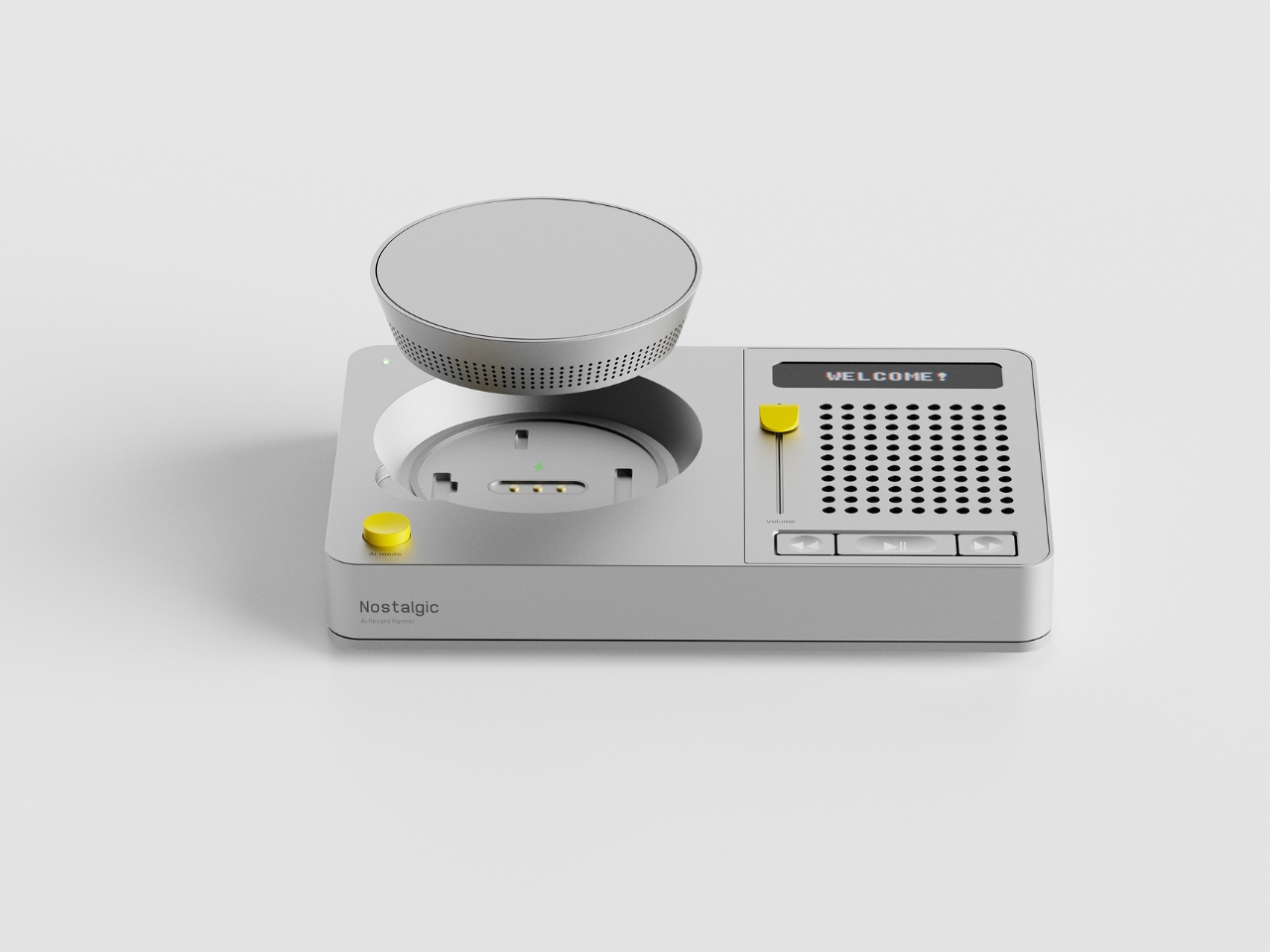
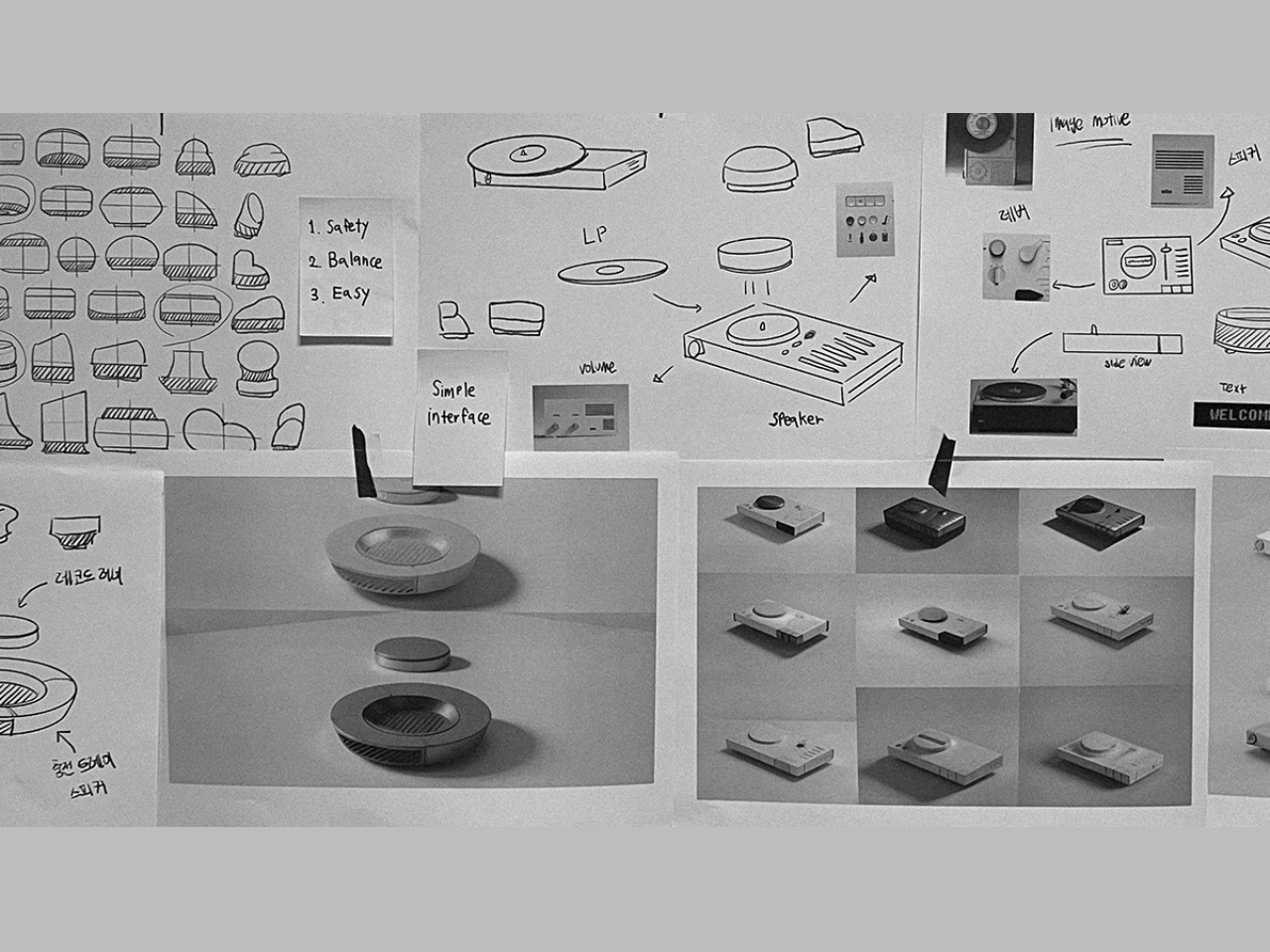
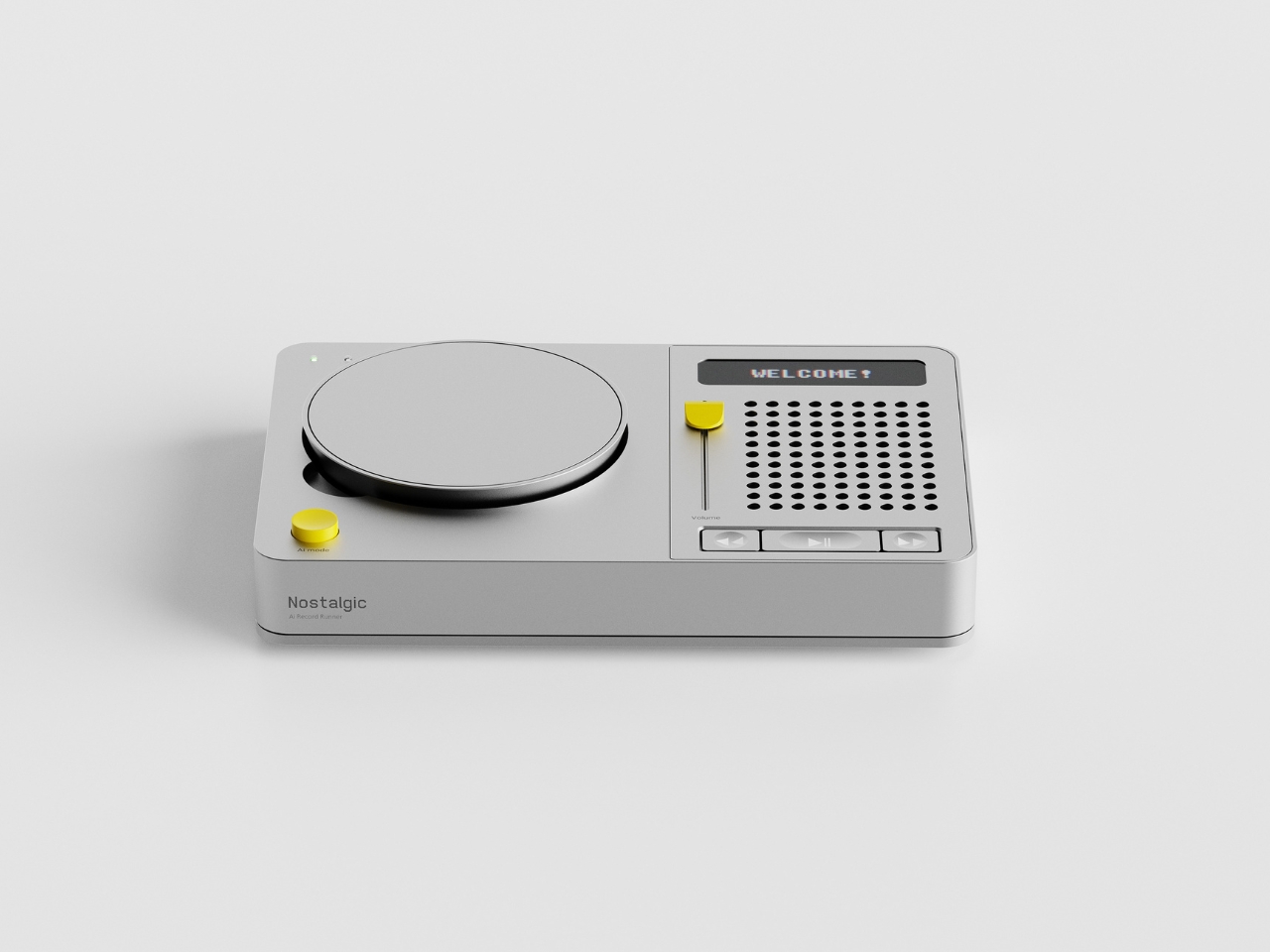
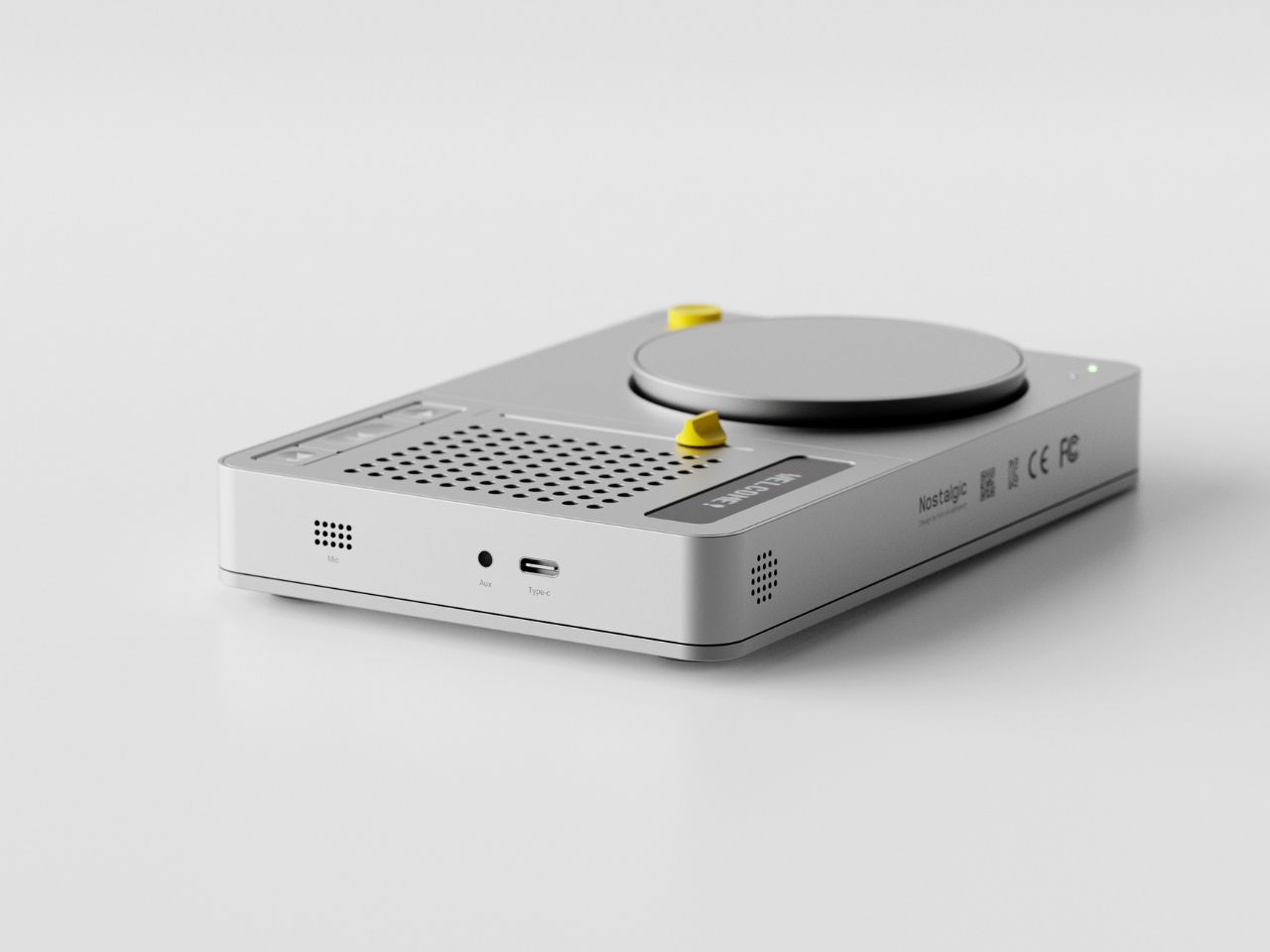
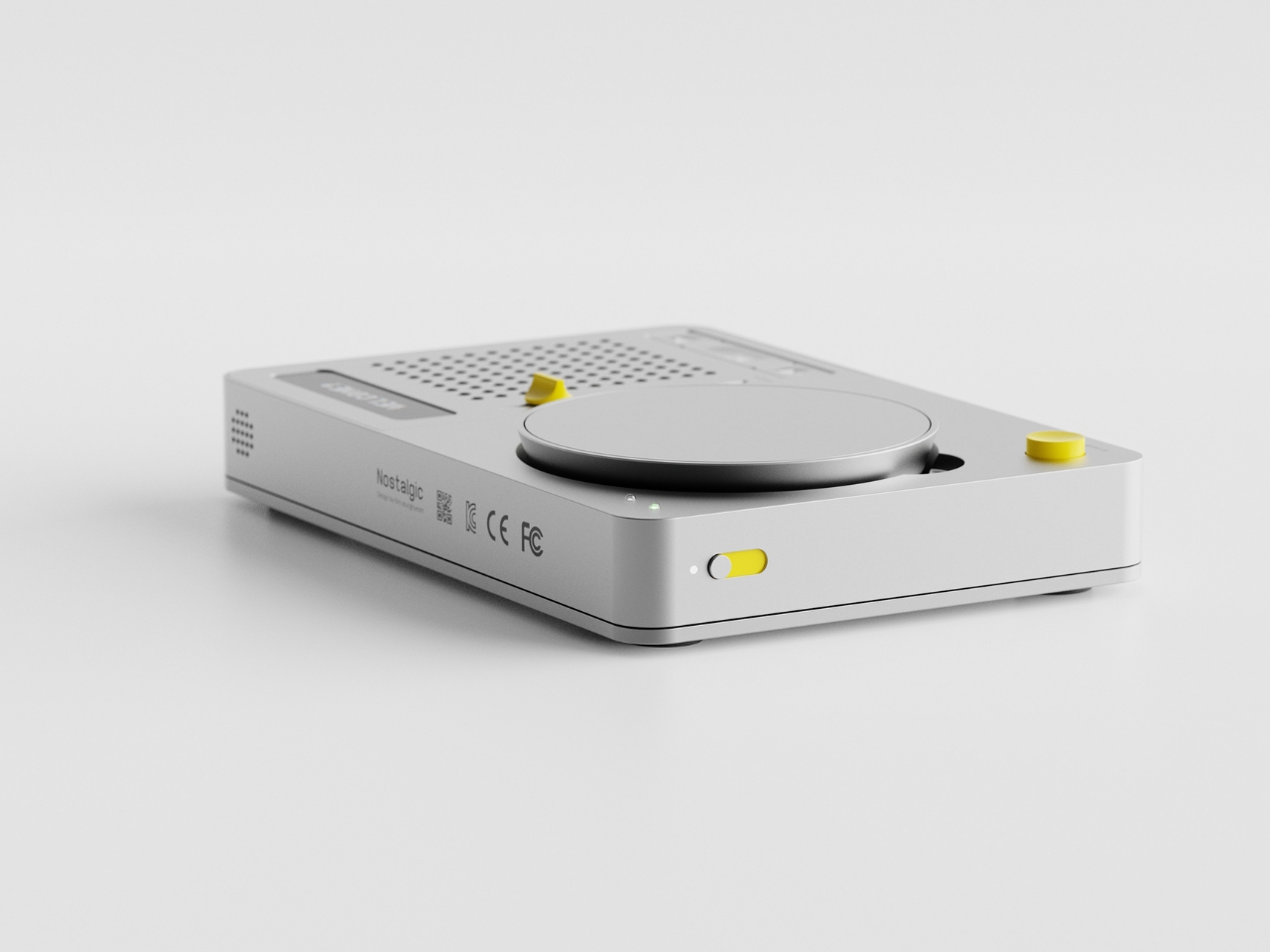
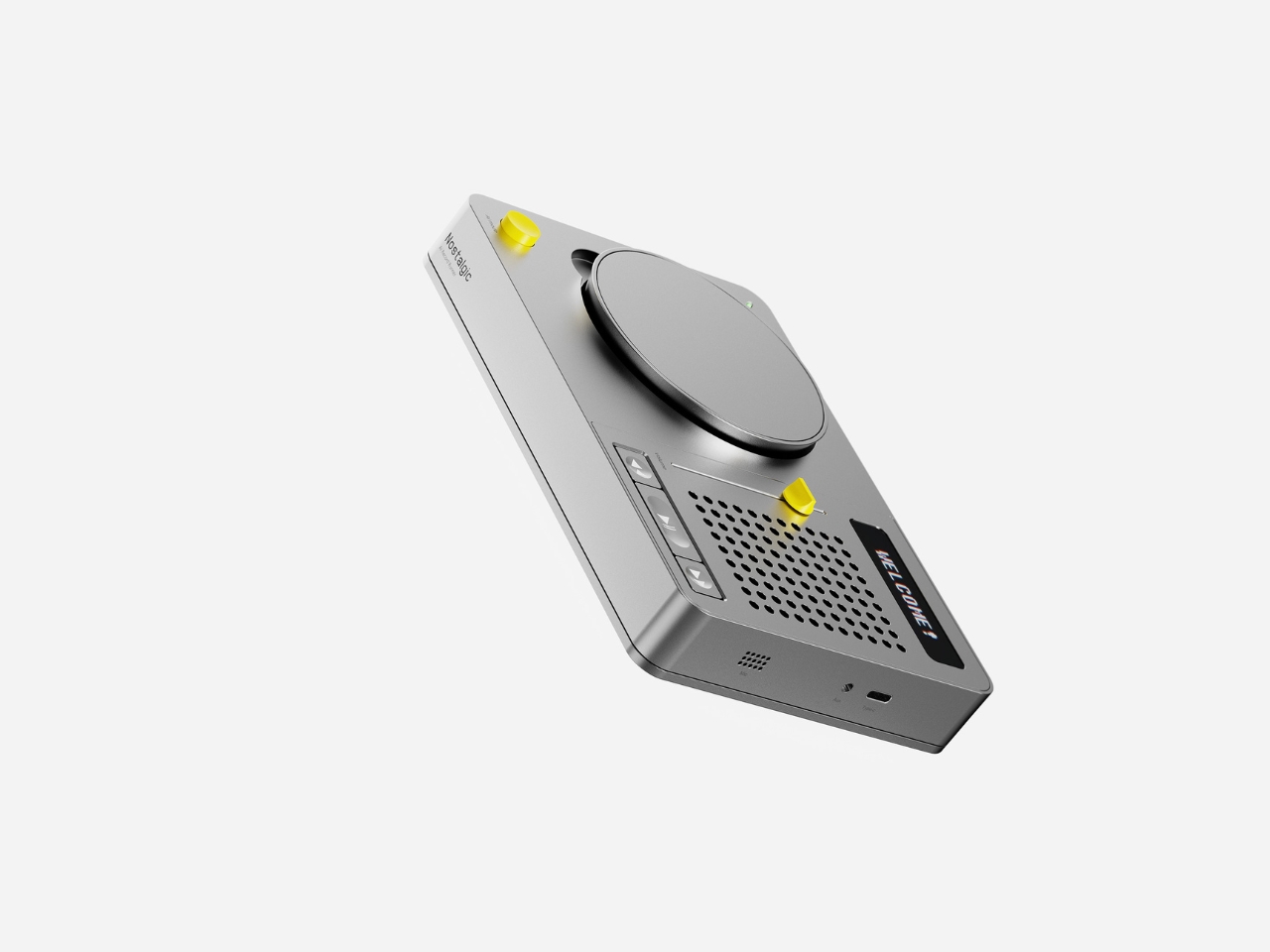
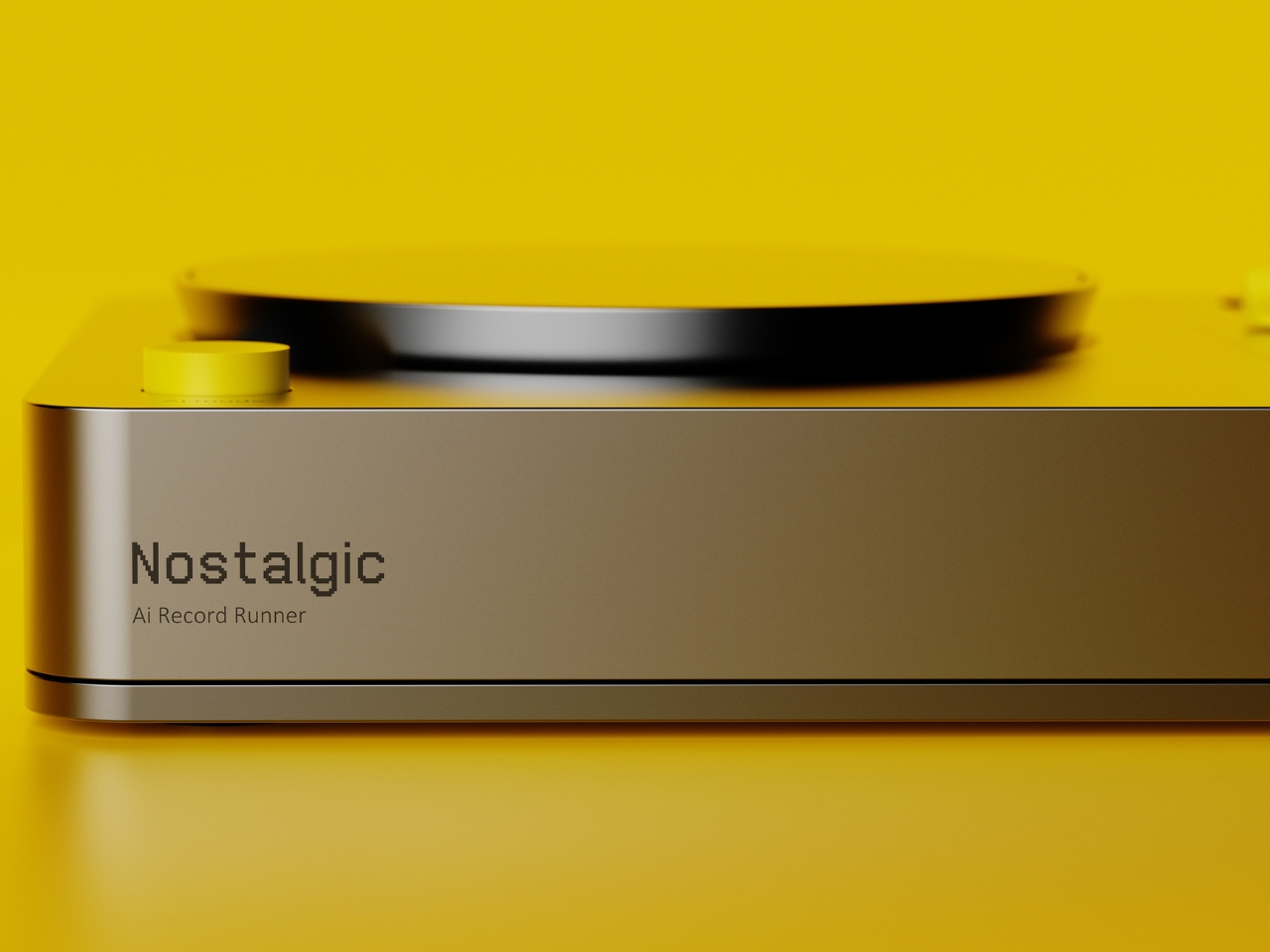
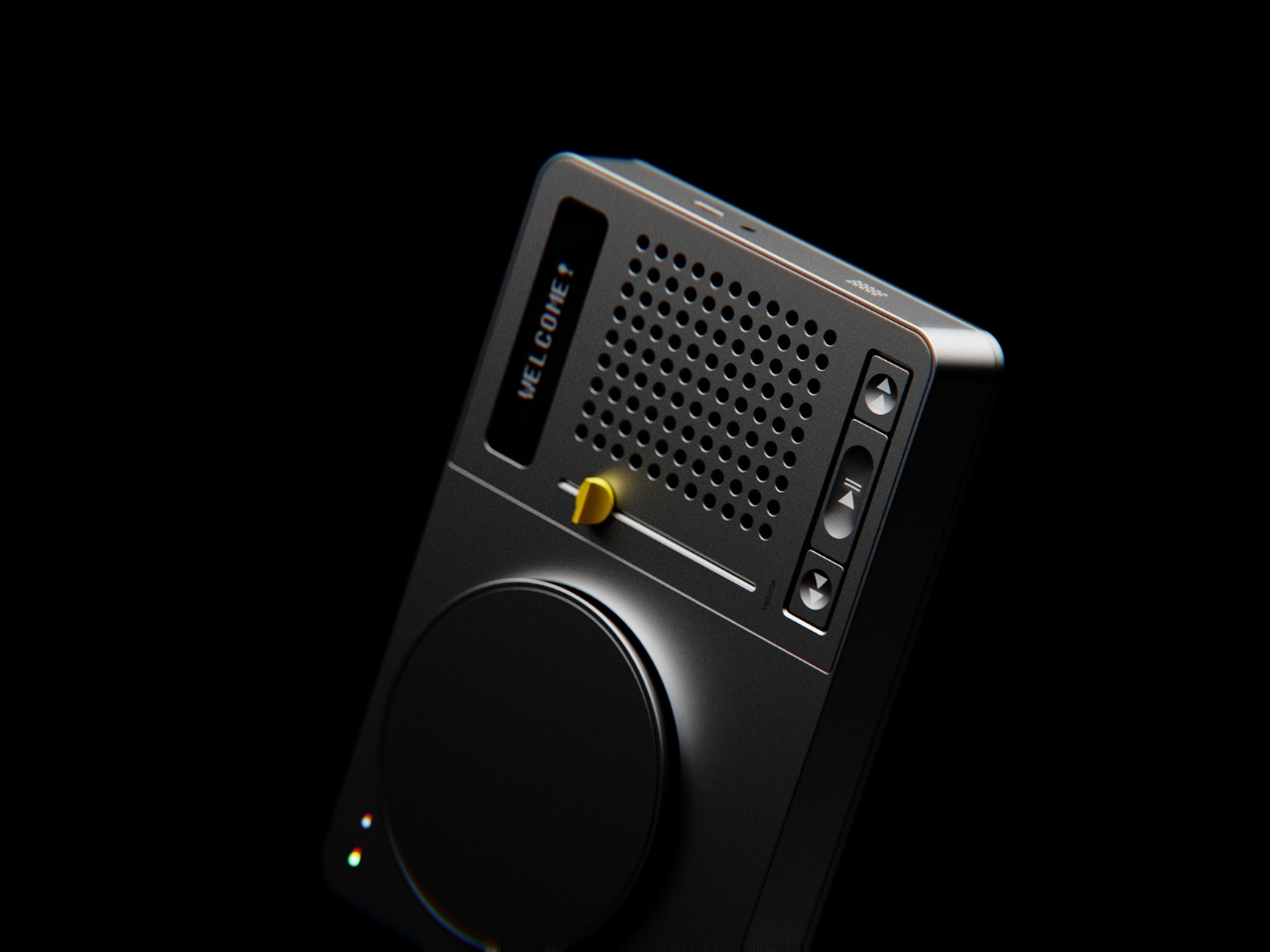
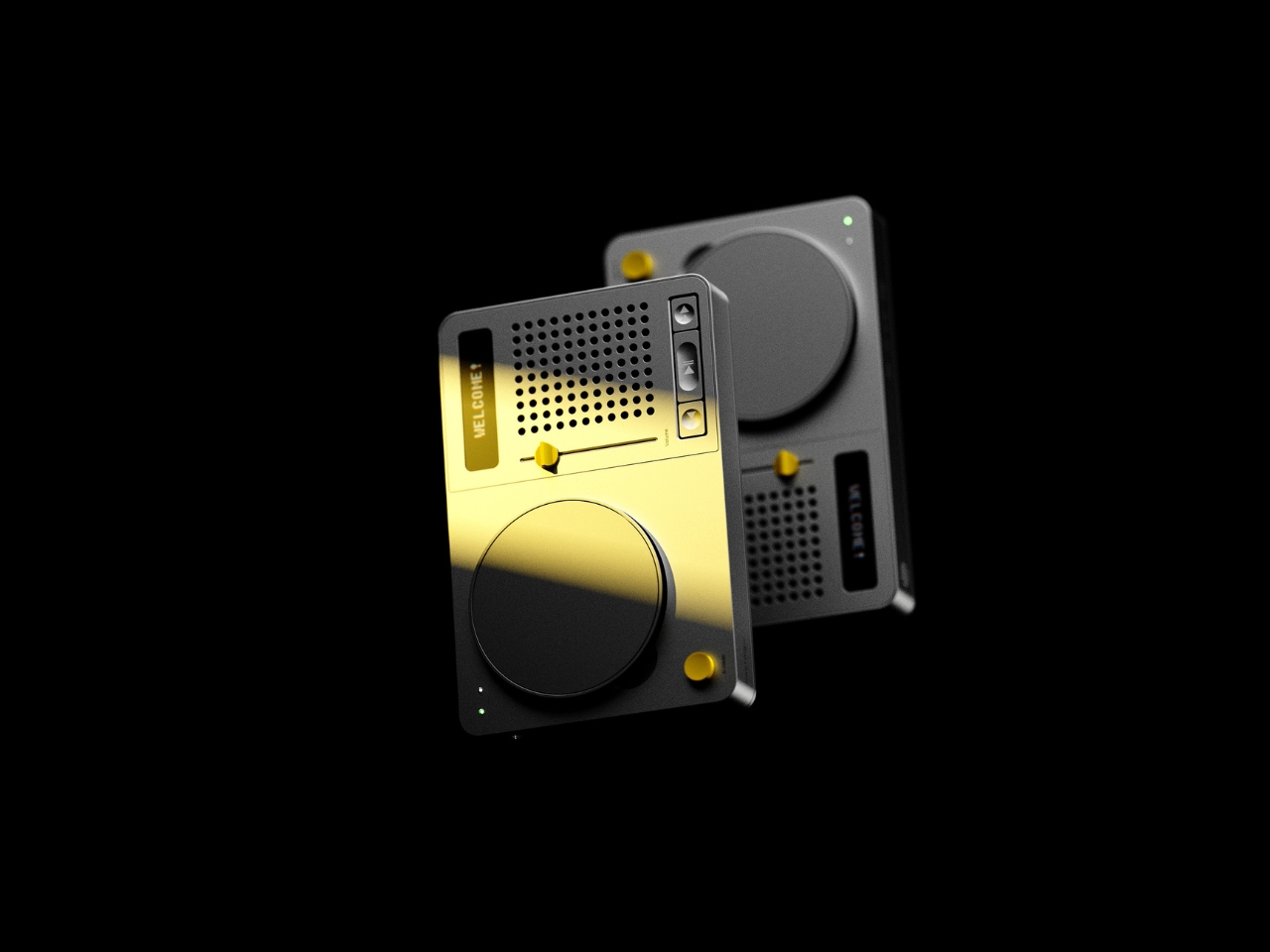
This concept for an AI speaker and record runner plays on the nostalgic feel that people are looking for. This is a 2-in-1 device for those who want to experience the convenience of a regular Bluetooth/AI speaker with the added different old school way of playing a vinyl record. The full device is a minimalist gadget that doesn’t give you a lot of features to maintain the external retro feel that you may be looking for.
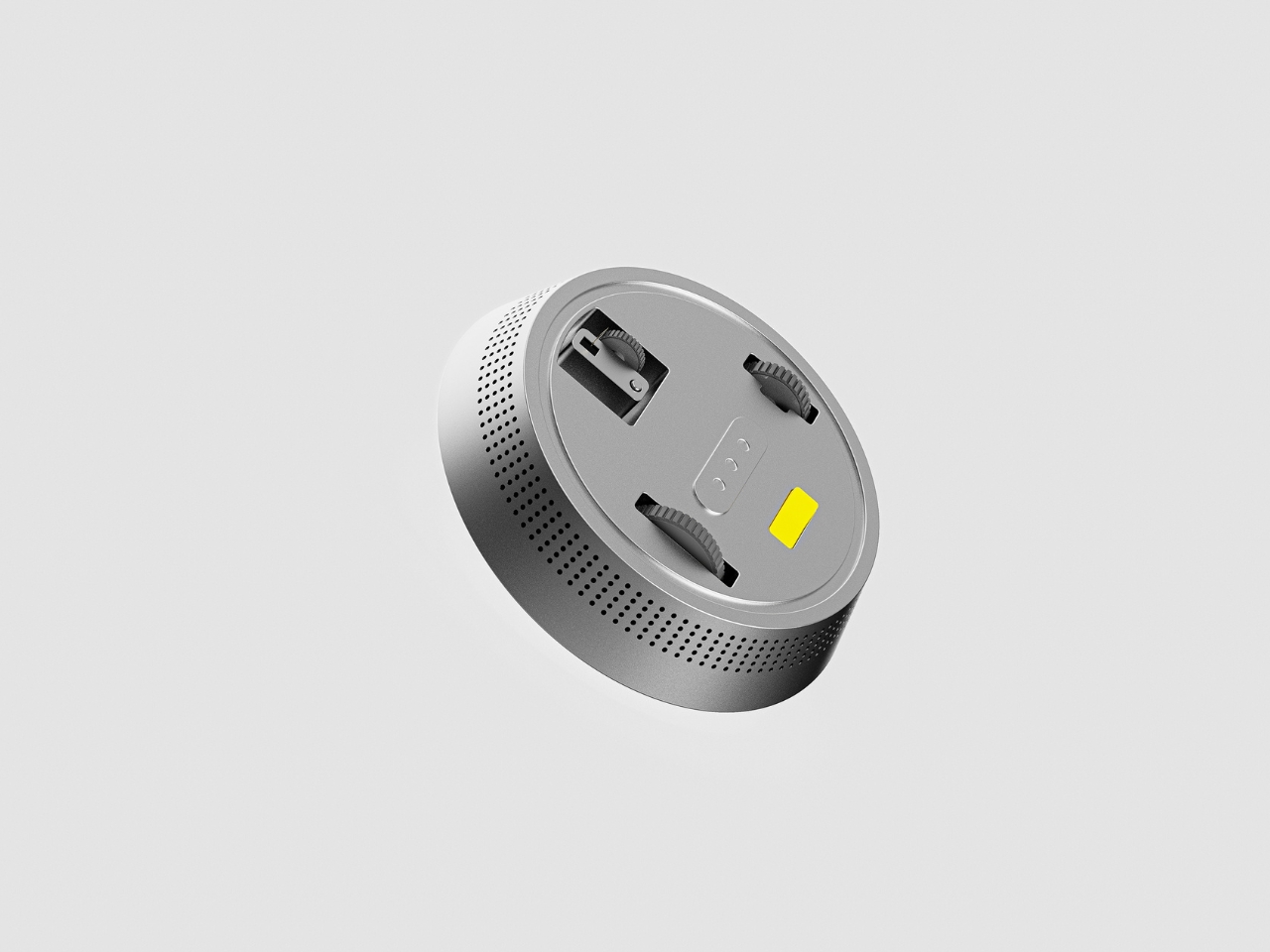
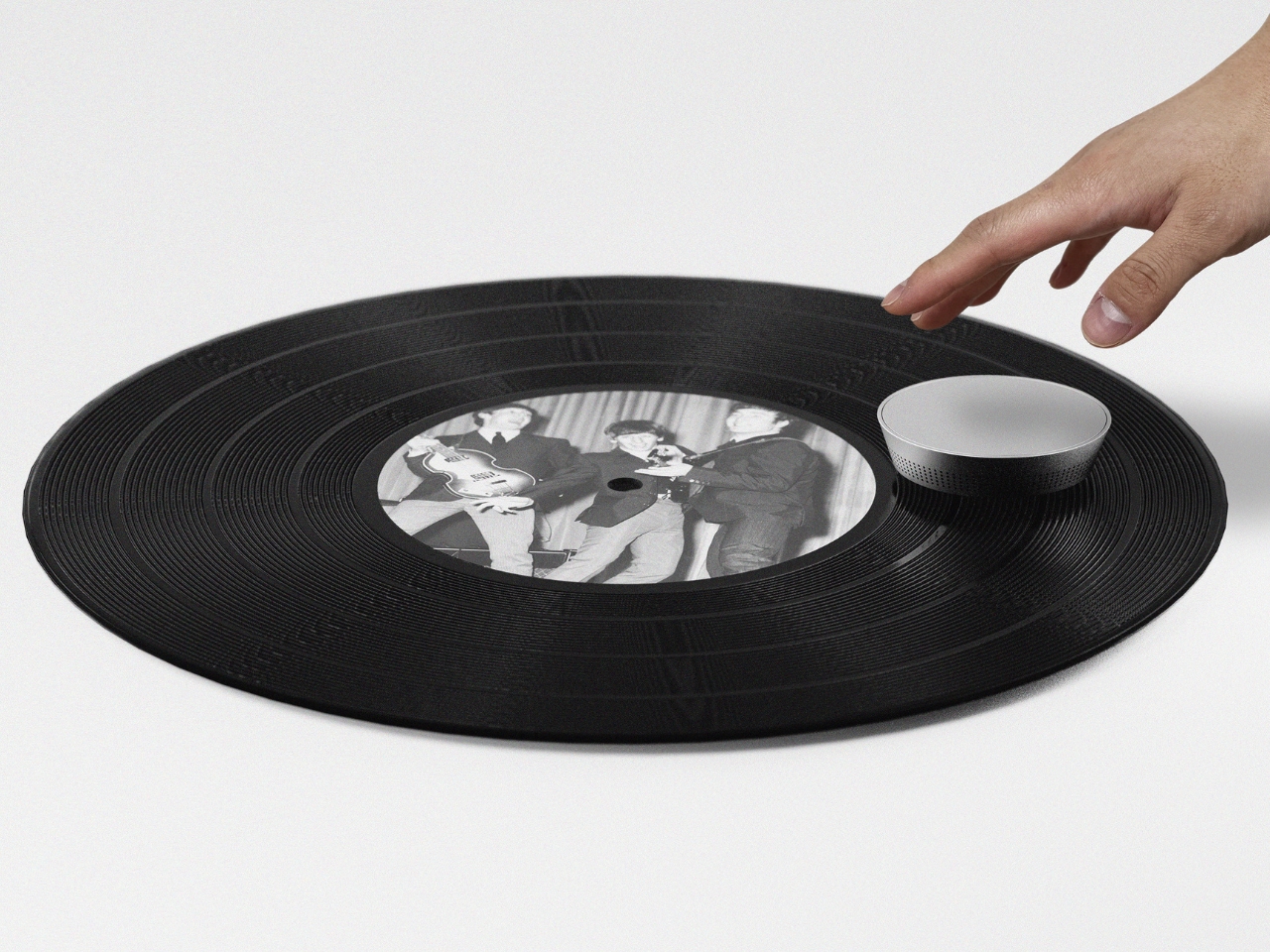
The main part is a rectangular box shaped speaker complete with grills, a slider control for the volume, and the simple play/pause, rewind, and fast forward buttons. The power button and the slider control are the only colored spots in a silver monochrome device. There is a round thing on the left that at first looks like a detachable speaker but is in fact a record runner. This is a small record player that you place on top of an LP. It plays the record by pushing and pulling on the grooves, thereby earning the nickname of the vinyl killer (since some records get broken because of this).
The idea of a retro-looking speaker will most likely interest both those who want to get back to the good ole days and those that wanted to experience it in one form or another. The record runner feature may not be appealing though to those who prefer their vinyls to be played the regular way.




















 advanced navigation technology, 11,000 Pa suction, and an ultra-slim build.