Taylor Swift gets a LEGO version of her Eras Tour poster with 10 Dedicated Eras and Minifigures

Now the richest woman in the music business (and the second richest musician lagging only behind Jay-Z), Taylor Swift deserves everything she’s attained. Sure, you might not love her music, you might not care for her entirely – but Taylor’s built an entire empire solely on her music skills. While other artists have diverged into building streaming platforms and record labels like Jay-Z, starting cosmetics businesses like Rihanna and Selena Gomez, or even working for fashion brands like Pharrell and Kanye West, Taylor’s net worth is SOLELY tied to her music. With her successful Eras Tour coming to a grand conclusion this year after 2 full years of back-to-back touring, it’s only fitting that she gets her own LEGO kit – even if it’s only fan-made. Designed by the folks at Minibrick Productions, the LEGO Ideas Eras Tour Poster is a seemingly flat piece of LEGO artwork modeled on the Eras Tour poster… but remove each individual thumbnail from the artwork and you’re greeted by a minifigure of Taylor dressed for that era! The poster contains 10 eras with 10 dedicated Taylor Swift minifigures.

Designer: Minibrick Productions

The entire LEGO Ideas set comes made from 1,410 bricks, featuring a minimalist yet instantly recognizable depiction of the Eras poster. You’ve got all the eras on it, from Taylor’s debut album ‘Taylor Swift’ to the last album to debut before her tour, ‘Midnights’. It’s a fairly simple build, to be honest, with quite a few bricks going towards the artwork, as well as the frame. The result, however, is both intricate AND interactive, as pulling apart the thumbnail for any of the given eras reveals a tiny diorama featuring mama Swift herself.

The dioramas are all ‘taylor’-made to fit each era. It starts with her in her Teal dress for her debut album and era, moving onto icons like the casual outfit for Red, a black-donned Taylor with a snake for Reputation, Taylor in her iconic bodysuit for the Lover era, and the ‘bejeweled’ suit for Midnights. All the dioramas have tiny icons of the eras too, from clocks to guitars, snakes, and even the plaid pattern seen in the Evermore era.

“This brick-built poster will earn its rightful place on any LEGO lover and Swiftie’s wall!” says Minibrick Productions, who’s also responsible for other iconic LEGO sets like the LEGO Polaroid One-Step SX-70 camera, and even the LEGO Interstellar Miller’s Planet scene. Minibrick Productions’ current submission is gathering votes on the LEGO Ideas forum, where enthusiasts can vote for their favorite fan-made creations. With nearly 6,000 votes as of writing this, the LEGO Ideas Taylor Swift Eras Poster is well on its way to hitting the 10,000 vote mark, following which it’ll be reviewed by LEGO’s internal team and hopefully turned into an official box-set! If you’d like to see that happen, cast your vote on the LEGO Ideas website now!

The post Taylor Swift gets a LEGO version of her Eras Tour poster with 10 Dedicated Eras and Minifigures first appeared on Yanko Design.

Meet ComfortPure™: The Ultimate 3-in-1 Air Purifier, Heater, and Cooler

We don’t give air purifiers enough credit, and it’s probably because “seeing is believing” is so ingrained into our belief system and unless you can see the impurities in the air you breathe, you just assume the air is clean… but here’s the truth – According to the Environmental Protection Agency (EPA), indoor air can be two to five times more polluted than outdoor air. Imagine breathing in a cocktail of pollutants every time you take a breath indoors—sounds alarming, right? Well, before you go rushing to buy just any air purifier, the folks at Blueair (a leader in air care solutions) have something that does the job of an air purifier but also doubles as a heater in the winters and an AC in the summers. Meet the ComfortPure™, the most powerful 3-in-1 air purifier that heats and cools while simultaneously cleansing your air up to 4x* better than the leading competitor.

Designer: Blueair

Click Here to Buy Now: $399.99 $499 (20% off using Coupon Code “Yanko”) Hurry, deal ends in 48 hours!

Designed in Stockholm, with a sleek silhouette that blends into any home decor, the ComfortPure™ cleverly packs three appliances in the space of one, giving you a device you can use all year round to keep your living environment clean and clutter-free. Sure, you can’t personally see ‘bad air’, but what the ComfortPure™ does is it keeps your habitat cozy and comfortable while turning bad or good air into an afterthought. It cleans the air for you, but also allows you to feel physically comfortable in a temperate room. Your body feels relaxed, your lungs get clean air, and your mind feels at peace as a direct result. Neat, no?

The so-called secret behind the ComfortPure’s 3-in-1 ability is Blueair’s TripleFlow technology, which ensures purified air is delivered no matter the mode—whether you’re simply using it to purify the air, purify and cool, or purify and heat. The heating element can output a maximum of 1500 watts, up to 100°F, ensuring that even during the coldest days, your space is both warm and clean. Equally, on those hotter days, the cooling fan operates at impressive air speeds of up to 1.7 m/s, ensuring a refreshing breeze while keeping your environment pollutant-free. 350-degree oscillation allows the ComfortPure™ to cover nearly a full spin on its vertical axis, allowing it to face everywhere for consistent heating or cooling. That’s significantly better than most coolers and heaters, which only throw air in one direction.

Given that we live in 2024, the ComfortPure™ is Wi-Fi connected and can be controlled and configured through the Blueair app – where users can monitor both indoor and outdoor air quality, schedule operation times, and even adjust display settings for the screen’s brightness. The integration with voice assistants such as Amazon Alexa and Google Assistant adds an extra layer of convenience, allowing users to adjust settings through simple voice commands. If you want to ditch the app, there’s also the option of operating the ComfortPure™ via a remote control, as well as directly using its on-device control panel.

The ComfortPure™ will be available in two models, catering to different room sizes and requirements. The smaller model T10i, available now, covers spaces from 175 to 840 square feet, while the larger T20i (available later this year) handles areas from 351 to 1,688 square feet. Both models boast a Clean Air Delivery Rate (CADR) of 113 CFM and 227 CFM respectively, indicating how efficiently the unit can filter the air. Built-in handles make the device easier to move from room to room. Additionally, the replaceable filter is easy to swap out when needed, and the filter lasts up to nine months before needing a replacement. For those conscious of both sound and energy use, there are even built-in energy-efficient modes that keep consumption at 25-35 watts even in Boosted Purification mode, ensuring that your power bill won’t skyrocket. A Night Mode also reduces the purifier’s sound to a steady, soft hum, while dimming the display so you can sleep with the purifier running all night long.

When it comes to actually using the appliance, the ComfortPure™ takes the guesswork out of the equation thanks to its advanced built-in sensors. The ComfortPure™ can intuitively adjust its settings based on your air quality and automatically adjusts its capabilities, intensifying when it detects an uptick in air pollution, and stabilizing when it achieves optimal air purity. It can also auto-adjust to reach a target temperature in the heating setting.

The ComfortPure™ is perfect for homes, rented apartments, or even small commercial spaces. After all, why buy separate purifiers, heaters, and fans when you can combine them all into one streamlined device? Smart connectivity means the ComfortPure™ can be easily controlled via an app or your phone’s assistant, while a fairly elegant and portable design means you can carry the ComfortPure™ around without having to worry about hiding the appliance (like you would with most HVACs)… and given that it purifies, cools, AND warms, I guess that’s a win-win-win!

Click Here to Buy Now: $399.99 $499 (20% off using Coupon Code “Yanko”) Hurry, deal ends in 48 hours!

The post Meet ComfortPure™: The Ultimate 3-in-1 Air Purifier, Heater, and Cooler first appeared on Yanko Design.

This Retro iPhone Case turns it into a Makeshift Old Windows PC with Clippy and Internet Explorer

Quite literally the opposite of Back to the Future, this iPhone 16 Pro case is more like “Forward to the Past”.

When you buy a phone, chances are you spring for a case immediately for one of two reasons – to either protect your phone, or to personalize it. However, Printables user Retron Print may have invented a new reason to add a case to your phone. Meet the iPhone Retro Case – a case that takes your cutting-edge smartphone and transforms it into a marvel of old-school technology. The two-part case sandwiches your phone in between, turning it into an old-timey CRT monitor (albeit with a functional main camera and dynamic island). To complement the case’s old-school design, Retron Print also equipped the phone with a retro home screen and custom icons and widgets. Although I’d personally love to have the iPhone stick to a Macintosh-based system, this one is unabashedly Windows, with a non-functional Clippy icon on the screen. Quite a downgrade from Siri and Apple Intelligence, no?

Designer: Retron Print

The beauty of the case is that it justifies every aspect of its retro design without compromise. Look at monitors from times of yore and they often had thick, chunky bezels. While most monitors came with a ‘chin’ which would either house a floppy disk reader or just control buttons, this retro case shifts the asymmetric chin to the side, with front-facing buttons that actually work. Built cleverly into the case’s mechanism are buttons that face forwards, but trigger the action and volume buttons on the side of the iPhone. The detailing’s prebuilt into the case’s design, and all you need to really do is 3D print and then assemble.

On the front, the case features an oval frame reminiscent of old CRT monitors, although it doesn’t obstruct the screen in any way. It’s a small but meaningful detail that gives the case a distinctly vintage vibe. Around the back, long, deep grooves evoke the look of classic desktop computers and also provide better grip. These thoughtful design elements ensure that while the case embraces nostalgia, it still offers the user a modern experience with improved functionality and tactile appeal. Meanwhile, speaker systems are accounted for too, with slots on the top and bottom that let you listen to audio from your iPhone.

When it comes to color options, Retron Print suggests using filament in shades like sandy beige, gray, or light brown to fully capture the retro essence. These muted tones are reminiscent of the classic electronics from decades past, enhancing the nostalgic appeal. This attention to detail extends to the print process itself. The case’s front and back panels are best printed on a textured print plate, adding an extra dimension to the overall look and feel, while the buttons should be printed on a smooth plate to maintain their tactile nature.

For those eager to bring a bit of retro flair to their iPhone, the case is available for iPhone 14 and iPhone 15 models. You can purchase the STL files for just $10 on Printables.com and print the case yourself, although this just includes the retro case’s 3D files and not the wallpaper and app icons. When it comes to color options, Retron Print suggests using filament in shades like sandy beige, gray, or light brown to fully capture the retro essence. These muted tones are reminiscent of the classic electronics from decades past, enhancing the nostalgic appeal.

However, commercial use of this model is restricted. To sell prints of this design, users must become a member of the Retron Print Commercial Club, ensuring that the creator, AndrzejG, receives credit and support for their work. This stipulation ensures that while the model is available for personal use, it remains protected against unauthorized distribution.

The post This Retro iPhone Case turns it into a Makeshift Old Windows PC with Clippy and Internet Explorer first appeared on Yanko Design.

The Nothing Robot Vacuum (1) brings transparent tech to Smart Homes, along with a Glyph Interface

If you think just about the Nothing.tech company ethos of bringing fun back to tech while still being design-driven and meaningful, that ethos can apply to pretty much any category of product. Sure, Nothing’s best known for their earbuds, phones, and even other accessories like the CMF Watch Pro… so here’s a proposition – what if we took Nothing’s ethos and brought it to other products that are a bit of a visual afterthought? The robot vacuum, for instance, is a fairly ‘boring’ looking product. Its job is literally to scuttle around the house cleaning up after your mess, so for the most part, its design is driven by function rather than expression. However, by bringing the robot vacuum under the Nothing design umbrella, Soo Hyun Lim and PDF HAUS have uplifted an otherwise dull-looking appliance into something that inherently feels more modern – because it borrows its design cues directly from Nothing’s modern-looking smartphones.

Designers: Soo Hyun Lim & PDF HAUS

Meet the Nothing Robot Vacuum (1), a tongue-in-cheek fan-made concept that ports Nothing’s DNA onto a familiar product template. Most robot vacuums are the same shape and size, so how could you possibly make things interesting? Well, LEDs and transparent covers, of course! The Robot Vacuum (1) has a circular profile that’s then outfitted with a transparent D-shaped outer shell, giving it an almost ‘preserved in glass’ kind of look. Sensors are where they belong (on the front as well as on the top), and although you can’t entirely make a robot vacuum transparent, what with all the dust and dirt, Hyun Lim does something clever by bringing the Glyph Interface to the product. What does the interface do? Well, it acts as a progress bar that lets you know how much cleaning’s left. Similarly, Glyph lights on the vacuum’s docking station light up to indicate charging process as well as letting you know the fill-status on the station’s dustbin, so you know when to throw the trash out every week or so.

With the aesthetic appeal of a fancy turntable, the Nothing Robot Vacuum (1) highlights a kind of Bauhaus-meets-Scandinavian minimalism that companies like Bang&Olufsen have come to showcase so well with their products. The vacuum looks classy, not appliance-y, which is quite a win because of how menial its task actually is. I mean, sure some appliances have boring jobs, like thermostats and dehumidifiers, but that’s no reason they should look ‘boring’, right? Well, the Nothing Robot Vacuum (1) rejects that stereotype.

As far as the design goes, the vacuum comes in 3 colors – black, white, and grey. Just from a top view, you instantly recognize the Nothing design template. The Glyph Interface at the 7 o’clock position, the transparent elements along the body, and a radial pattern on the upper half of the circular top that sort of resembles the coils in the wireless charging zone on the smartphones. It’s simple, yet cleverly executed.

Just like with the phones, you’ve got microtextures galore, along with text screen-printed onto the transparent elements like the upper guard (that prevents the sensors on top from being damaged), and the front transparent bumper that helps the robot vacuum easily maneuver into corners. Moreover, Hyun Lim mentions that the vacuum is constructed from recycled plastic and aluminum, which seems like a nice sustainability touch that goes well with the ‘clean’ image of the vacuum cleaner.

Although conceptual, Hyun Lim does give the robot vacuum a fair bit of detail. You’ve got a rotary broom on the front, along with a vibrating wet mop that helps get grease, grime, and other stains off your floor. The simple design is complemented by a simple UX – you can lift the lid to access the robot’s power button or open its water reservoir to replenish it between cleaning sessions. The sensors on the front and top help the vacuum navigate through the house, while an app on the phone gives you all the controls you need to set schedules, paths, no-go zones, and charging times. Plus, when the robot vacuum runs low on juice, it automatically goes and docks in its station, where the battery gets charged and the dust-tank gets cleaned.

The docking station is just as minimal as the vacuum itself, and serves as a place where your appliance goes to take a pit-stop. Once docked, the Robot Vacuum (1) charges its batteries, while performing a self-clean operation so it’s good to go for round 2. This means the mop head gets cleaned with water, and the dust/dirt tank gets disposed into the docking station’s larger ‘dustbin’. When the dustbin gets filled (after a couple of days of cleaning), all you need to do is empty the trash bag inside and replace it with a new one. That’s where the docking station’s Glyph lights come handy, letting you know your vacuum’s charging rate, along with the dustbin’s current capacity.

Although the Robot Vacuum (1) is purely conceptual at this point, it does prove that Nothing’s approach to redefining technology as ‘accessible fun’ is quite a winning and versatile one. The Robot Vacuum (1) doesn’t exist but there’s no reason it shouldn’t. Carl, you listening?

The post The Nothing Robot Vacuum (1) brings transparent tech to Smart Homes, along with a Glyph Interface first appeared on Yanko Design.

Tactical and Practical: This 6-in-1 Titanium EDC Multitool Packs Versatility in a Compact Form

Remember those thick pens back in the ’90s and early 2000s with three-four refills that could individually be deployed? The same pen could write in red, blue, black, or even green, and truth be told, that’s about as versatile as pens got back in the day, but not today. Something as slim as a pen today can write, measure, cut, carve, assemble/disassemble, and even break windows. Meet the Ti-ONE, a 6-in-1 pen-shaped EDC multitool that doesn’t pack a punch, it packs an entire 6-step melee combo. The tool, no bigger than a pencil measuring less than 4 inches tall, packs a Cutting Blade, a Craft Blade, a multi-bit Screwdriver, an Eternal Pen, A Window-breaker, and even a multi-unit Ruler or Scale. Crafted from either titanium or stainless steel depending on the variant you choose, this tool is both lightweight and remarkably durable, making it a perfect companion whether you’re camping outdoors or just tackling everyday tasks at home. At just 90mm (3.5 inches) in length and 10mm in width, it’s sleek, sophisticated, and engineered to perform.

Designer: Clean One

Click Here to Buy Now: $59 $99 (40% off) Hurry! Only 11 days left. Raised over $79,000.

The Ti-ONE’s six tools exist within a modular form factor no larger than the average index finger. The body features a multi-point swiveling design that either reveals the Ti-ONE’s cutting blade, or a hex-bit docking zone that lets you attach a variety of modules from screwdriver bits to stationery. The swiveling design has a unique fidget-like quality to it, but it also gives the Ti-ONE the ability to shapeshift between tools and even transform into a high-torque driver just in case you’re working with tough screws and bolts.

The first tool is the Ti-ONE’s Cutting Knife, a built-in drop-point blade. Made from steel, the blade offers the ability to achieve quite a few indoor or outdoor tasks, from opening mail to cutting/whittling branches outdoors. It’s fairly durable and lends itself rather well to intense tasks, but the best part is its ability to un-dock from the knife, letting you detach it when you want to carry your EDC on flights.

While the Cutting Knife has its specific skill-set, for other kinds of cutting, you’ve got a Craft Knife mount that accepts scalpel blades. The cutting knife isn’t replaceable, but the Craft Knife’s blades are. They’re ridiculously sharp, making them perfect for working with precision, whether it’s slicing paper, working with materials like leather or cardboard, or even carving/scraping hard materials like plastic or soft wood. Scalpel blades, made from surgical-grade steel, are a little more fragile than the Ti-ONE’s own knife, which is why they’re designed to be replaceable. They come in a variety of styles too, so you can alter the shape of the blade too – something that makes them a tad more versatile than the included Cutting Knife.

Moving beyond blades, the Ti-ONE comes with an ‘Eternal Pen’ module that lets you almost literally write forever. Designed to write up to 10,000 meters, it becomes an indispensable companion for anyone on the go. The pen fits effortlessly into the compact frame, always ready for those moments of inspiration or necessity. Whether you’re sketching out a design, jotting down field notes, or signing documents, the Eternity Pen delivers smooth, reliable performance. Moreover, built with a standard threaded design, the Eternal Pen’s nib can be replaced for traditional graphite or even any color-pencil nibs, giving you a veritable stationery set in your palms.

When it comes to functionality, the Ti-ONE’s screwdriver is a standout feature. But this isn’t your average screwdriver—it’s engineered for versatility and strength. Dock the bit in and you’ve got yourself a standard screwdriver that’s fairly elementary… but swing the Ti-ONE’s outer arm down and you now have an L-shaped screwdriver, allowing for high-torque use that makes it ideal for both small, precise adjustments and heavier jobs. Whether you’re fixing something at home or tackling a repair on the go, the tool’s design ensures that you have the leverage you need without the bulk of a full-sized driver. The clever, external extension port means it can reach deep, narrow spaces that traditional screwdrivers struggle to access, so no screw is too far out of reach.

The L-shaped Screwdriver in action

What sets the Ti-ONE apart is its compatibility with standard hex bits, giving you the freedom to use the bits from your existing screwdriver set. It comes equipped with a single Phillips head bit, which covers most everyday tasks. But for those situations where you need a flathead, Torx, or specialized bit, you can simply swap in any standard hex bit of your choosing. This flexibility is a game-changer, transforming the Ti-ONE from a simple EDC tool into an essential part of your toolkit. You no longer need to carry multiple screwdrivers or worry about the right bit for the job—Ti-ONE adapts to your needs, effortlessly.

The square cross-section lends a few advantages to the Ti-ONE. For starters, it prevents the tool from rolling around the way a pencil or pen would, while also offering a better grip thanks to the squarish design that’s perfect for when you’re working with screws and such. However, the flat surfaces of the sides of the Ti-ONE also double as a tiny makeshift scale, allowing you to measure in both imperial and metric units. Sure, at just 3.5 inches in length, there isn’t much you can measure… but it’s still a neat add-on.

Lastly (and by no measure the least) is the Ti-ONE’s emergency window-breaker tip, which sits at the end of the device. Designed to instantly shatter reinforced or laminated glass, this glass-breaker might look small, but is quite literally the difference between life and death. The inclusion of this tool really makes the Ti-ONE a must-have EDC, allowing you to make quick exits from buildings and vehicles in an emergency. Pair it with the scalpel blade’s ability to cut through a seatbelt like a knife through butter and you’ve really got yourself a life-saver on your hands. Quite a hefty reputation for something the size of a pencil, no?!

The Ti-ONE comes in two variants, with the stainless steel version starting at $59, and the titanium at $79. Both have the exact same design and features (including even tritium slots in the body for adding glow vials), except the titanium variant has the added advantage of being stronger, lighter, rust-proof, and just being nearly 4x stronger than stainless steel, giving you an EDC that could – for all intents and purposes – last multiple lifetimes. Grab yours now and the Ti-ONE begins shipping globally in December.

Click Here to Buy Now: $59 $99 (40% off) Hurry! Only 11 days left. Raised over $79,000.

The post Tactical and Practical: This 6-in-1 Titanium EDC Multitool Packs Versatility in a Compact Form first appeared on Yanko Design.

A User Interface Designer redesigned MKBHD’s Panels app and made it 10x better

Juxtopposed’s redesign of the Panels app is a literal chef’s kiss if you love a good review. Just like MKBHD politely dismantles bad design, Juxtopposed brings the same calm demeanor to her review of the Panels app, while simultaneously redesigning literally every page to make the app MUCH better. Not only does the new app have a better UI, it’s more feature-packed, less buggy, more visually efficient, and even proposes a new way to monetize the app that makes it, well… less offensive.

MKBHD announced his first ever product last week – an app that gives you access to a wallpaper marketplace featuring wonderfully curated artist-made wallpapers that come personally approved by YouTuber and tech-culture icon Marques Brownlee. The problem, however, was that the app was a fraction of what we expected from tech’s greatest reviewer. It was buggy, had ad-ware, tracked personal data (which a wallpaper app definitely shouldn’t do), and tried to monetize jpegs by asking for $12 a month or $50 a year… something that was simply outrageous for essentially a bunch of wallpapers. The internet revolted in massive swathes, raking MKBHD’s credibility over fire for what seemed like a very obvious cash-grab. Moreover, people somehow managed to reverse-engineer the app and extract the wallpapers for free as a form of protest. Paying $12 a month for wallpapers isn’t something that makes a lot of sense to most people, considering Netflix, Spotify, hell even MKBHD’s own YouTube Premium cost the same amount. However, this isn’t about the app’s launch or its pricing model – it’s the fact that the app itself could be better designed. Taking things to task, YouTuber and UI designer Juxtopposed decided to quickly critique and redesign the Panels app. For UI/UX designers, this video is an absolute masterclass in great design, as she breaks down her entire process, providing constructive criticism of the existing app and fixing every flaw with simple design tweaks. If you’re a UI/UX designer or just an enthusiast, grab a coffee, sit down, and enjoy the next 5 and a half minutes of the video above… or scroll through to quickly read how Juxtopposed took the most polarizing phone app of last week and turned it into a well-designed experience that any tech YouTuber would recommend.

First off, the website—a brand’s first handshake with its audience—felt like a bit of a fumble. Given MKBHD’s production quality for his videos, you’d imagine expecting precision, but instead you’ve got a layout that feels like a rushed draft. There’s an odd flatness to the design, where headings blend into paragraphs and links lead you down rabbit holes of nowhere (it’s also incredibly heavy and doesn’t scroll smoothly on weak internet connections). It’s strange, considering MKBHD’s professional video production setup. But to be fair, this is just the website, not the app itself. And if there’s anything we know about the tech world, first impressions on paper (or screen) don’t always define the real experience.

Once you install the app, you’re greeted with a setup process – and here’s where things feel, well, clunky. To create a personalized home feed, users are asked to select five artists from a list of fourteen. Sounds simple enough—except there’s a catch. You can’t actually explore these artists’ work before choosing. No profiles, no descriptions, just a gallery of unfamiliar names, leaving you to essentially take a shot in the dark. Wouldn’t it be easier to offer some style or mood-based suggestions? Especially for an app built around personalization, this initial friction feels like a missed opportunity to connect with users from the get-go.

The three core sections of the Panels app

Navigating through Panels, you’re introduced to its three core sections: Home, Explore, and Account. It’s a simple enough structure, but it doesn’t quite land. The Home page, intended to show personalized suggestions, feels more like a placeholder, with user favorites and purchases awkwardly scattered. Meanwhile, the Explore section, where discovery should thrive, suffers from design missteps. A small, nearly invisible search button? In 2024? Come on. Even the icons seem to have skipped the quality check, with mismatched styles and inconsistent border thicknesses. It’s hard not to feel like this is still a work in progress—one that launched too soon.

Inconsistent icon styles

But here’s where the real frustration sets in – pricing. For an app that delivers digital art, the monetization strategy feels surprisingly tone-deaf. Want standard wallpapers? Watch an ad. Want premium ones? That’ll be $50 a year or $12 a month (this is AFTER Marques reduced the prices following a blowback). Compared to other apps in this space, many of which offer free ad-supported options with lower subscription rates, Panels’ pricing feels excessive. It’s not that the app shouldn’t charge, but the balance between free and paid features needs rethinking. Locking everything behind a hefty subscription might scare off users before they even have the chance to engage with what could be a fantastic product. Remember, nobody buys NFTs anymore because of how inherently people feel JPEGs shouldn’t cost so much money. For $12 a month, you can either have a premium wallpaper app subscription or pay $2 extra for YouTube Premium. The math isn’t mathing, as people on the internet say nowadays.

Technically, Panels offers some good ideas, but they’re overshadowed by awkward execution. There’s no flexibility in how wallpapers are applied—no option to choose between home screen or lock screen. The search functionality is limited, forcing you to abandon filters if you want to type a new term. And for a wallpaper app, isn’t search everything? Refining the search experience and adding sorting options like relevance or popularity could make a huge difference in how users interact with the app.

In fact, Juxtopposed even proposed turning the Panels app into a de-facto social network where people can build out a proper profile and create and share their own wallpaper designs (sort of like how OnePlus did with their community). It’s a clever idea that offers the ability to strengthen MKBHD’s own 19.5 million-strong follower base, effectively also becoming a place where Marques can share exclusive content with Panels+ members. But alas, the app currently is a victim of Marques’ success as a YouTuber who puts quality above all. It’s a shame the app didn’t reflect that.

Ultimately, Panels is a solid idea that just needs time to mature. It’s not there yet—the design is inconsistent, the pricing feels off, and the user experience needs a serious overhaul. But as with most things Marques touches, there’s potential. Feedback from the community could steer the app in the right direction. For now, though, Panels feels like a promising beta rather than a polished product… but hey, the redesign feels like a major improvement, doesn’t it?

Images via Juxtopposed

The post A User Interface Designer redesigned MKBHD’s Panels app and made it 10x better first appeared on Yanko Design.
PUMA Teams Up With A$AP Rocky to debut the Dragon-inspired 3D-Printed Mostro Shoe

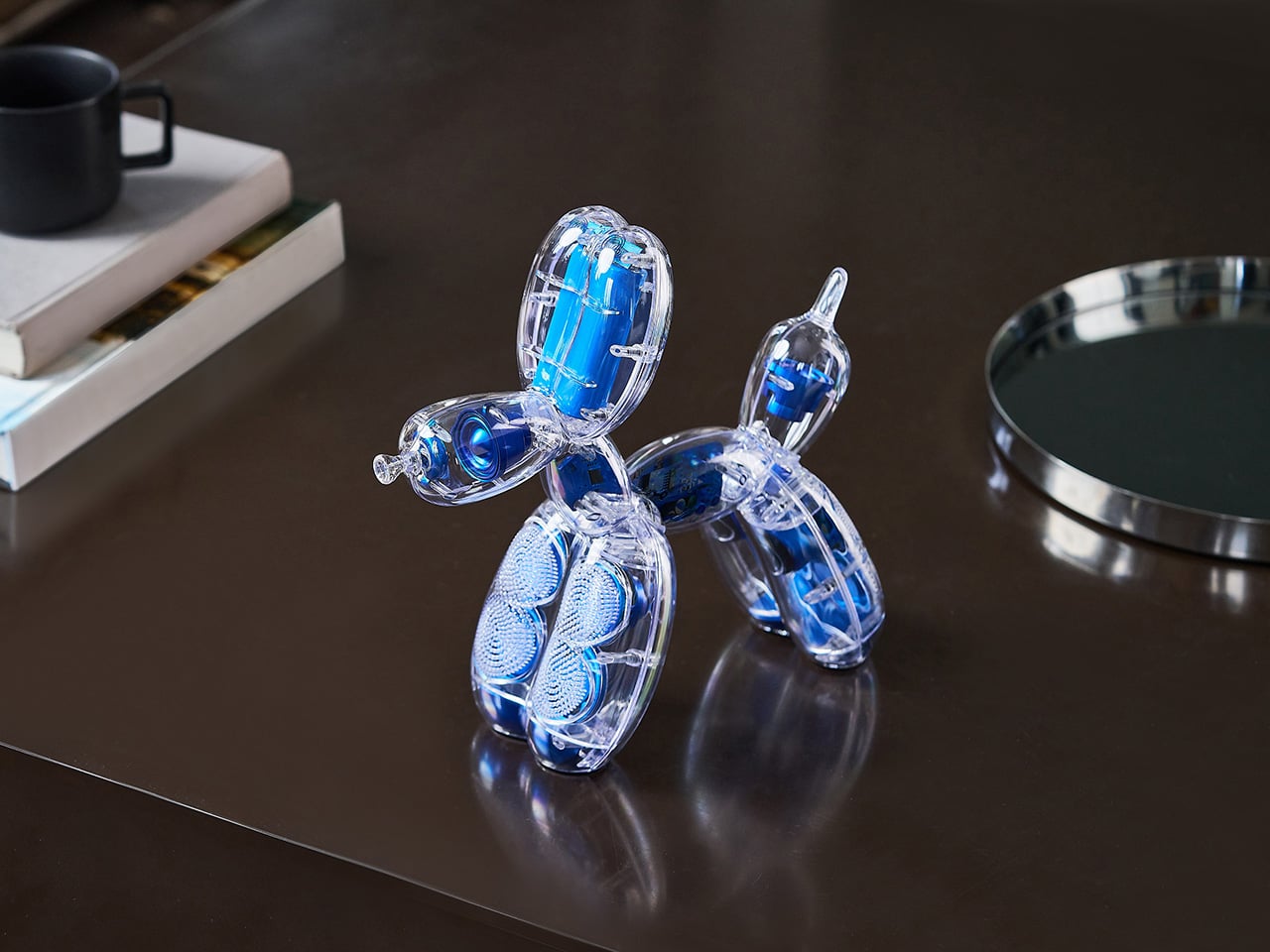
They say your fashion choices are a reflection of your inner self. If that’s true, these shoes easily help channel your inner beast. Designed as a collaboration between rapper A$AP Rocky and PUMA, the Mostro 3.D is the latest in the partnership between the two. Not just your average shoe, the Mostro 3.D redefines the conventional, pushing the boundaries of design with a ferocity that commands attention. Drawing inspiration from the synergy of music, art, and technology, this collaboration elevates sneaker culture to new heights. Forget traditional aesthetics; this is all about unleashing the unexpected. With its red and black colorway, and the fiesty, scaly design achieved by 3D printing, the Mostro tries to grab eyeballs in ways that high fashion usually does – by being so audaciously different that you’re sure to make a statement.

Designers: A$AP Rocky & PUMA

Central to the Mostro 3.D’s allure is its groundbreaking use of 3D printing technology. Crafted through an advanced resin-based process, the shoe boasts a level of intricacy previously unattainable with conventional methods. This innovation translates into an arrestingly detailed silhouette, replete with audacious spikes that echo a futuristic, almost otherworldly presence. The sleek slip-on design serves not just as a convenience but as an aesthetic declaration of defiance against the norm. The gradient of black and red, achieved through a meticulous airbrush technique, becomes a dynamic canvas, capturing the essence of movement and transformation. Here, technology and artistry coexist in a harmonious dance, each pushing the other to create something truly transformative.

A$AP Rocky brings his raw, urban edge, infusing the project with an authenticity that resonates deeply with the streets. Conversely, PUMA’s legacy of innovation and its embrace of modern technology find a perfect playground in these shoes. It’s a meeting of rebellious spirit and technical prowess, culminating in footwear that’s as much about narrative as it is about aesthetics. Together, they craft more than a product—they create a voice that speaks to a new generation of fashion-forward thinkers. This is where music’s pulse meets the precision of advanced technology, resulting in an offering that truly transcends the ordinary.

The Mostro 3.D’s spiky, audacious design powerfully mirrors the trail Kanye West blazed with his Yeezy line, where footwear feels more like a wild artifact than a mere shoe. Channeling an almost primal vibe, these kicks tap into a non-human aesthetic that’s as captivating as it is rebellious. Imagine a creature from the Cambrian era, its unique form resurrected through cutting-edge 3D printing technology. Both A$AP Rocky and PUMA have seized this evolutionary inspiration, crafting a shoe that seems to pulse with life—a piece of wearable art that feels plucked from an ancient world, yet firmly planted in the future. This is more than just a nod to Yeezy’s avant-garde essence; it’s an evolution, inviting you to embrace a style that’s fiercely instinctual and utterly groundbreaking.

The Mostro 3.D captures a zeitgeist where fashion is not just about appearance but about identity and the courage to stand apart. These shoes are not just worn; they are unleashed—an anthem for those unafraid to make a statement. By challenging conventional means of design and production, A$AP Rocky and PUMA give us not only a glimpse into the future of footwear but also an invitation to take part in it. With the Mostro 3.D, the boundary between fashion and innovation blurs, offering us a tantalizing vision of what’s to come. Welcome to a new era of design where the only limit is imagination.

The post PUMA Teams Up With A$AP Rocky to debut the Dragon-inspired 3D-Printed Mostro Shoe first appeared on Yanko Design.
Functional LEGO Turing Machine Brings Algorithm Processing to Life with 2,900 Bricks

The year, 1936. The Allied powers were facing certain defeat at the hands of a vastly more powerful and capable Germany, which had developed the Enigma Machine to send encrypted messages during the 2nd World War. Alan Turing, an English mathematician, was tasked with cracking the Enigma code to help the British decode Germany’s messages. If you’ve seen the 2014 thriller The Imitation Game, you’re familiar with how Alan Turing ended up building essentially the world’s first computer (if you haven’t seen the film I highly recommend it). The Turing Machine was the theoretical predecessor to that computer (called the Bombe), which helped the Allied powers win World War II. Turing machines theoretically describe any machine capable of processing algorithms, and while you’d expect these machines to be fairly advanced – a LEGO genius managed to build the first operational Turing Machine entirely using LEGO bricks. No no… this isn’t a sculpture or decorative model of a Turing Machine, it’s an actual device capable of ‘computing’ algorithms – and here’s the kicker – it does so without electricity.

Designer: The Bananaman

The concept behind the Turing Machine might feel like it’s pulled straight from a cryptographer’s textbook, but this model makes it strikingly tangible. The idea is simple yet profound: a machine that can compute any algorithm, as long as it’s provided with the right instructions. Turing’s original concept relied on a tape, infinitely long in theory, with symbols written on it. The LEGO version mimics this setup with a physical tape and a moveable “head” that reads, writes, and moves across the tape based on the machine’s current state. There are four possible symbols and eight possible states, which gives us 32 potential symbol-state combinations. The instructions for each combination are packed into 7 bits, taking up 224 bits overall. For context, that’s 14 bytes—a strikingly small memory footprint in the world of modern computing, yet capable of running nearly limitless programs.

What’s truly fascinating here is how the model works entirely without electricity. This is a purely mechanical construction, powered by the simplest of human inputs: turning a crank. The intricate system of gears and linkages drives the machine’s operations, enabling the head to move, read symbols, and switch states according to the instructions. Over 2,900 LEGO pieces come together to make this possible, most of which contribute to the functionality or structural integrity of the build. Each piece plays a part, whether it’s part of the working system or providing crucial support to ensure that the delicate mechanisms remain precise.

The LEGO Ideas Turing Machine is an intriguing blend of play and education. On one hand, it’s an engaging mechanical puzzle, but on the other, it’s a powerful tool for learning. By simulating Turing’s model, users can experiment with basic computational programs and see first-hand how the machine processes information. It bridges the gap between abstract computational theory and real-world interaction, offering a hands-on approach to understanding the origins of modern computing. It’s a feat of design engineering that stays true to Turing’s vision while making it approachable for a modern audience, using the universally beloved medium of LEGO.

At nearly 3,000 pieces, the LEGO Ideas Turing Machine pushes the boundaries of what’s possible within the LEGO Ideas format, but it remains entirely purposeful. The sheer complexity of the build is undeniable, but so is its elegance. The model’s mechanical design requires both precision and durability, meaning many of the pieces are dedicated to supporting the delicate balance between function and form. It’s a model that feels like an achievement both in what it does and how it does it, all while maintaining a visually compelling and structurally sound design.

For designers and tech enthusiasts alike, the LEGO Ideas Turing Machine offers a rare opportunity to dive into a physical representation of one of the most significant developments in computational history. It’s currently a fan-made build on the LEGO Ideas website – an online forum for enthusiasts to share their creations, with the entire community voting for their favorite ones. With over 3,600 votes, this particular MOC (My Own Creation) is well on its way to hitting the 10,000 vote mark, following which the entry will be reviewed by LEGO’s internal team and hopefully turned into a box set that people can buy and build. It would make a phenomenal STEM toy, wouldn’t it?! You can vote for the LEGO Ideas Turing Machine on the LEGO Ideas website here.

The post Functional LEGO Turing Machine Brings Algorithm Processing to Life with 2,900 Bricks first appeared on Yanko Design.
Forget the iPhone 16 Camera Control, this Gimbal Attachment gives any smartphone a DSLR experience

A shutter button, a built-in gimbal for landscape and portrait shooting, a zoom wheel, an integrated LED ring light, a tripod setting, and even an external battery pack to boost your phone’s battery. The Snappy offers way more for photography enthusiasts than the iPhone 16 does. It attaches onto any smartphone, giving you a bona fide DSLR-like experience, complete with an ergonomic grip. When you don’t need to shoot content, the Snappy pops right off, turning your handheld camera back into a daily driver smartphone.

Designer: Buddiesman

Click Here to Buy Now: $89 $149 (40% Off) Hurry! Only 21 of 520 left. Raised over $101,000.

Just three weeks ago, Apple debuted the iPhone 16 line-up, adding one crucial new hardware feature to their phones – a Camera Control ‘button’. Designed to help intuitively capture photos without having to fiddle with on-screen controls, the capacitive button lets you perform a variety of actions from zooming, switching between presets, adjusting focal length, or even accessing other key camera features. With the Camera Control, Apple’s reinforced its idea that the smartphone is a great camera first, and then a good mobile device… the only problem is that great cameras are more than just fancy lenses and sensors. Enter the Snappy mobile grip, a device designed to transform the way we take photos on our phones. With its motorized gimbal providing single-axis stabilization, Snappy quickly becomes a trusted companion for anyone tired of blurry images or shaky videos. Unlike larger gimbals such as DJI’s Osmo, Snappy brings stabilization in a small, portable form—making it a solution that fits right into your pocket.

Designed by Buddiesman, a Hong Kong-based manufacturer of photographic gear, Snappy’s centerpiece is its motorized, spring-loaded clamp that securely grips your smartphone. This clamp adjusts easily to accommodate a range of phone sizes, so you won’t have to worry about removing your phone case to make it fit. The ergonomic grip attached to the clamp gives the device a comfortable feel, while an articulated arm allows the phone to be rotated seamlessly between landscape and portrait modes with the flick of a thumbwheel. Powered by a brushless motor, this feature also gives the Snappy stabilizing gimbal-like abilities, ensuring your phone stays level, even during handheld video shoots.

Plug your phone in and it literally feels like a professional camera-mimicking rig for your phone. Use any phone you want with the Snappy and it gives you the added benefit of being able to intuitively capture content the way you would with a more pro-facing device like a DSLR or mirrorless camera. A shutter button on the top lets you easily take photos and record videos without fumbling to touch the screen or hit a volume button to take the shot (like you would with most smartphones). The grip feels instantaneously comfortable, allowing you to point and shoot with a single hand. Worried you’ll accidentally drop your phone? The Snappy has a built-in strap that lets you secure it to your hand too, so even the largest, heaviest of phones don’t put too much strain on that wrist of yours.

If there’s something a photographer hates more than phone cameras, it’s the flashlight on phone cameras. The flashlight is way too coarse, and no self-respecting photographer uses it unless absolutely necessary. To fix that, the Snappy comes with its own multi-LED built-in ring light. Located just beside the phone’s lenses (where you’d expect the MagSafe ring to line up), users can toggle between cool and warm light settings simply by tapping the touch-sensitive zone inside the ring, adjusting brightness to get the perfect shot regardless of the lighting conditions. This feature is perfect for low-light environments where smartphone cameras traditionally struggle.

For even greater flexibility, Snappy allows users to detach the grip from the main body, turning it into a wireless remote. With a range of up to 10 meters (33 feet), you can take photos and videos from a distance, offering a new level of creativity and control in framing your shots. With the remote detached (or even with the remote unit still on), the Snappy can be used as a tripod of sorts, propping your phone up so you don’t need to hold it in your hands. Perfect for using as a phone stand while reviewing the footage you’ve shot, or propping your phone up to take a remote video/photo while you stand away from your camera, this feature gives the Snappy one remarkable ability that neither phones nor DSLR cameras have, barring actually buying a tripod of course. And just in case you’re a tripod purist, the Snappy has a tripod mount too. Want to add accessories to your smartphone camera? The Snappy also includes a cold shoe mount for attaching additional peripherals like microphones or even external lights just in case the ring light on the device isn’t enough.

The Snappy relies on a built-in battery that powers this entire experience. Although the battery’s capacity (and use time) is a bit of a mystery, the folks at Buddiesman tout that the Snappy can transform into a power bank for your smartphone when you’re running low on juice. Just connect your phone to the Snappy’s charging port via a USB-C cable and it instantly begins recharging your phone, giving you the benefit of a gimbal that also enhances your phone’s battery life along with its camera capabilities.

Currently available on Kickstarter, early adopters can secure a Snappy with a pledge of $89, while the retail price is set to be $149 once it hits the market. The $89 kit includes the Snappy itself, although you can upgrade to a bundle that also includes an add-on tripod and an external light that mounts into the Snappy’s cold shoe adapter. With its combination of user-friendly design and professional-grade features, Snappy could very well bridge the gap between smartphones and traditional cameras, bringing the best of both worlds to your pocket. They say the best camera is the one that’s in your pocket. No matter whether it’s the Google Pixel, a Samsung Galaxy, or even older variants of the iPhone, the Snappy turns your phone’s camera into a makeshift pro-grade shooter that’s perfect for turning average photos and videos into polished content.

Click Here to Buy Now: $89 $149 (40% Off) Hurry! Only 21 of 520 left. Raised over $101,000.

The post Forget the iPhone 16 Camera Control, this Gimbal Attachment gives any smartphone a DSLR experience first appeared on Yanko Design.
Custom Balrog and Gandalf Keycaps give your Mechanical Keyboard a LOTR Middle-Age facelift

Few moments in fantasy history are as iconic as Gandalf’s showdown with the Balrog on the Bridge of Khazad-dûm. Now, thanks to a collaboration between Drop and The Lord of the Rings, this epic clash has been immortalized in a way that combines fandom with functionality. The Balrog and Mithrandir Artisan Keycap and Spacebar set offers a chance to bring the magic of Middle-earth to your fingertips, and it’s more than just a collector’s item. It’s a fusion of premium craftsmanship, stunning design, and technical precision that adds a touch of the fantastical to your everyday typing experience.

Designer: Dwarf Factory for Drop

Crafted by Dwarf Factory, each piece is an artisan masterpiece in resin, featuring rich details that evoke the essence of these legendary characters. The Balrog, with its fiery menace and aggressive stance, looks ready to engulf your entire keyboard, while Mithrandir stands resolute, channeling his defiant power just as he did when facing the beast. The level of detail is extraordinary—from the flame-like textures on the Balrog to the serene yet powerful expression of Gandalf, these keycaps are tiny works of art. Available in a 1u size for both characters, and with the Balrog also available as a 6.25u spacebar, these keycaps not only add visual impact but are also fully functional. They integrate smoothly with Cherry MX switches and clones, making them a natural fit for most mechanical keyboards.

The 1u Balrog keycap is nothing short of a fiery masterpiece. Designed to reflect the raw power and menacing presence of Durin’s Bane, it features intricate detailing that brings the dark, fiery creature to life. With its flame-engulfed body and haunting expression, the keycap feels like it’s radiating heat right off your keyboard. The resin material used for the keycap captures the vivid colors of fire, from the burning red to deep molten black, creating a striking visual contrast that mirrors the Balrog’s destructive force. Every angle of this 1u keycap has been meticulously designed to showcase the Balrog’s fearsome nature, making it a perfect choice for those looking to add an element of danger and mystery to their keyboard setup. It fits comfortably on any Cherry MX switch or clone, ensuring that it’s as functional as it is eye-catching.

Mithrandir, or Gandalf, takes center stage in the second 1u keycap, offering a calm but powerful contrast to the Balrog. In this design, Gandalf is depicted in his role as the Grey Pilgrim, holding his staff and ready to face down the ancient evil with the iconic line, “You shall not pass!” The keycap perfectly captures the quiet strength and wisdom that defines the wizard, with intricate detailing in his robes and an expression of calm determination. Crafted in resin, the Mithrandir keycap offers a more subtle aesthetic compared to the fiery Balrog, but its craftsmanship is no less impressive. The muted grey tones and flowing details create a sense of movement, almost as if Gandalf himself is preparing to strike. This keycap serves as a symbol of resilience and courage, and for fans of The Lord of the Rings, it’s a meaningful reminder of Gandalf’s pivotal role in the story.

The pièce de résistance, however, is the 6.25u Balrog spacebar. A true showstopper, this spacebar turns your keyboard into a battleground between the Maiar. Unlike the 1u keycap, the spacebar offers a wider canvas, allowing for even more detail in the Balrog’s fiery design. The flames stretch across the length of the spacebar, creating a dramatic scene that feels like it’s pulled straight from the depths of Moria that comes to life with the backlight switched on. The spacebar also features subtle texturing that mimics the rugged look of stone, further emphasizing the destructive force of the Balrog. With its large profile and vivid design, this spacebar commands attention and becomes the focal point of any keyboard. And, like the other keycaps in the set, it’s compatible with Cherry MX switches, ensuring that your epic setup doesn’t sacrifice functionality for style.


The custom-made keycaps are the perfect combination of nostalgia and utility, seamlessly blending a piece of Tolkien’s world into your everyday life. Whether you’re aligning yourself with the fiery might of the Balrog or the steadfast courage of Mithrandir, these keycaps turn your keyboard into a mini piece of Middle-earth. And with their high-quality resin construction, you can trust that they’re built to last, no matter how epic your typing battles become.

Priced at $49, a notable drop from its original $65, the Balrog and Mithrandir Artisan Keycap and Spacebar set is available for pre-order now, with an estimated shipping date of February 10, 2025.

The post Custom Balrog and Gandalf Keycaps give your Mechanical Keyboard a LOTR Middle-Age facelift first appeared on Yanko Design.