The rhythm of open offices is great until you need to concentrate or take a video call. The energy becomes noise, conversations drift across the floor, and people end up camping in meeting rooms or wearing noise-cancelling headphones all day. The ad hoc solutions never quite work, and what is missing is a middle ground, something more substantial than a desk but less isolating than a full pod.
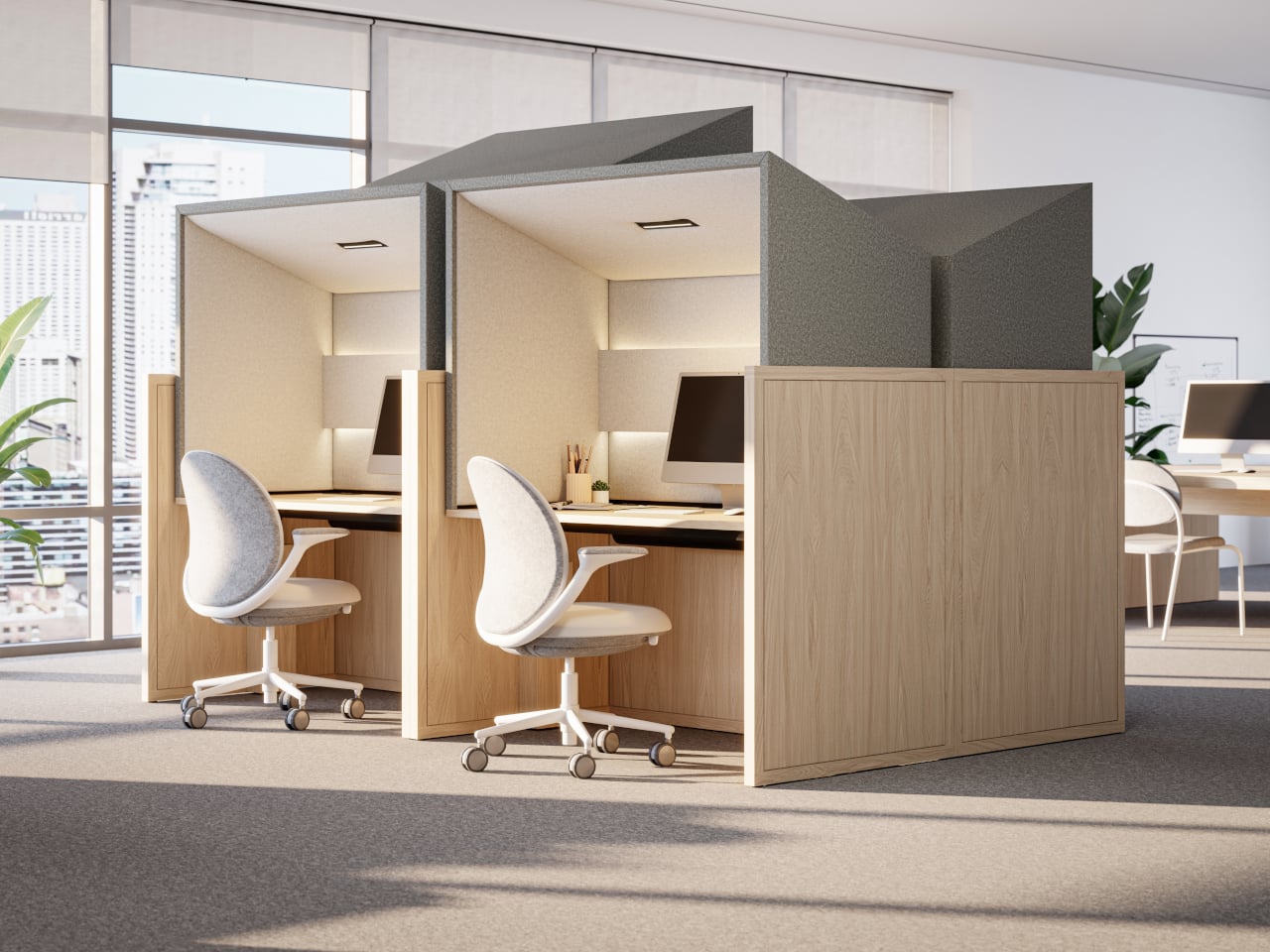
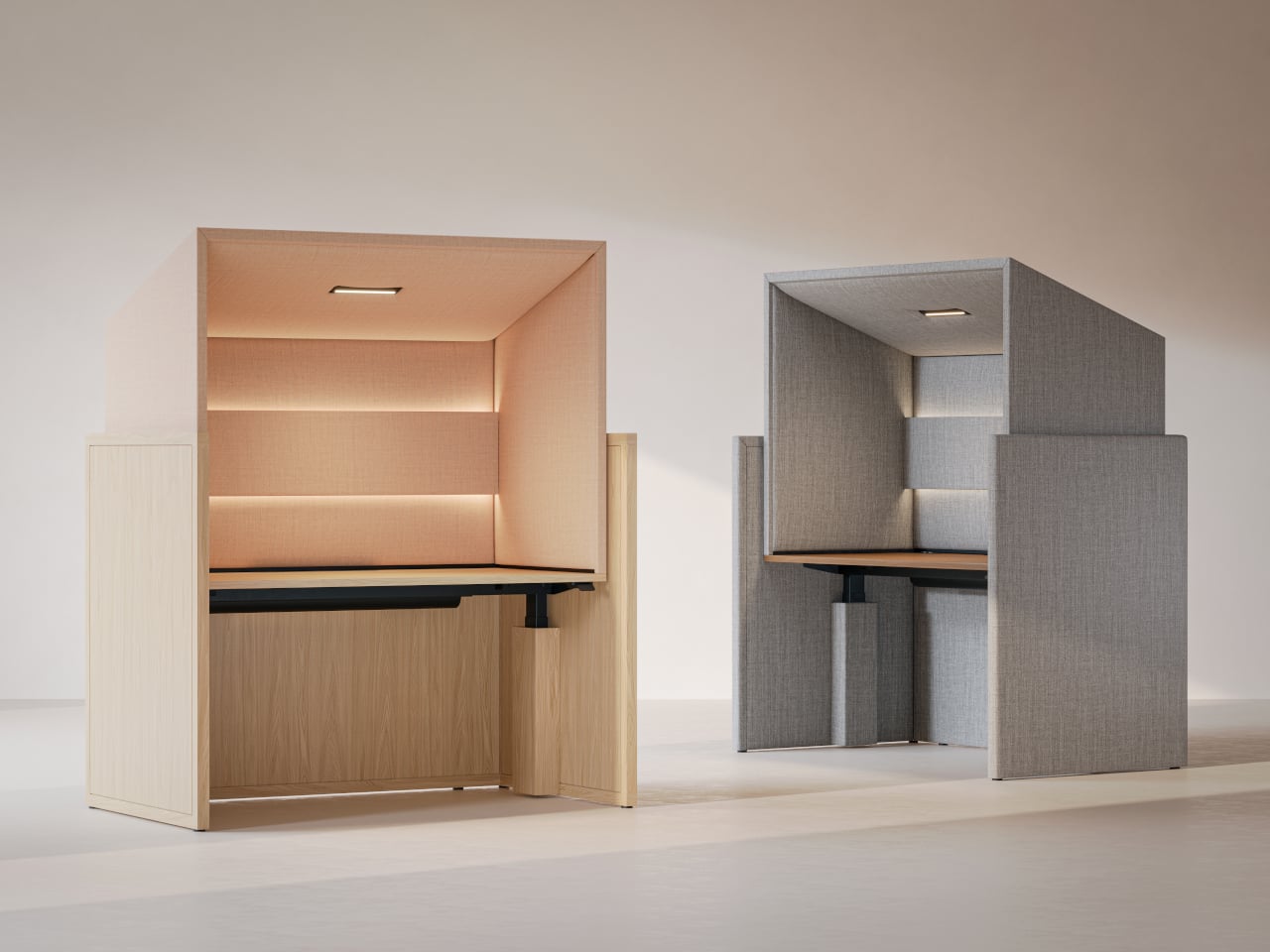
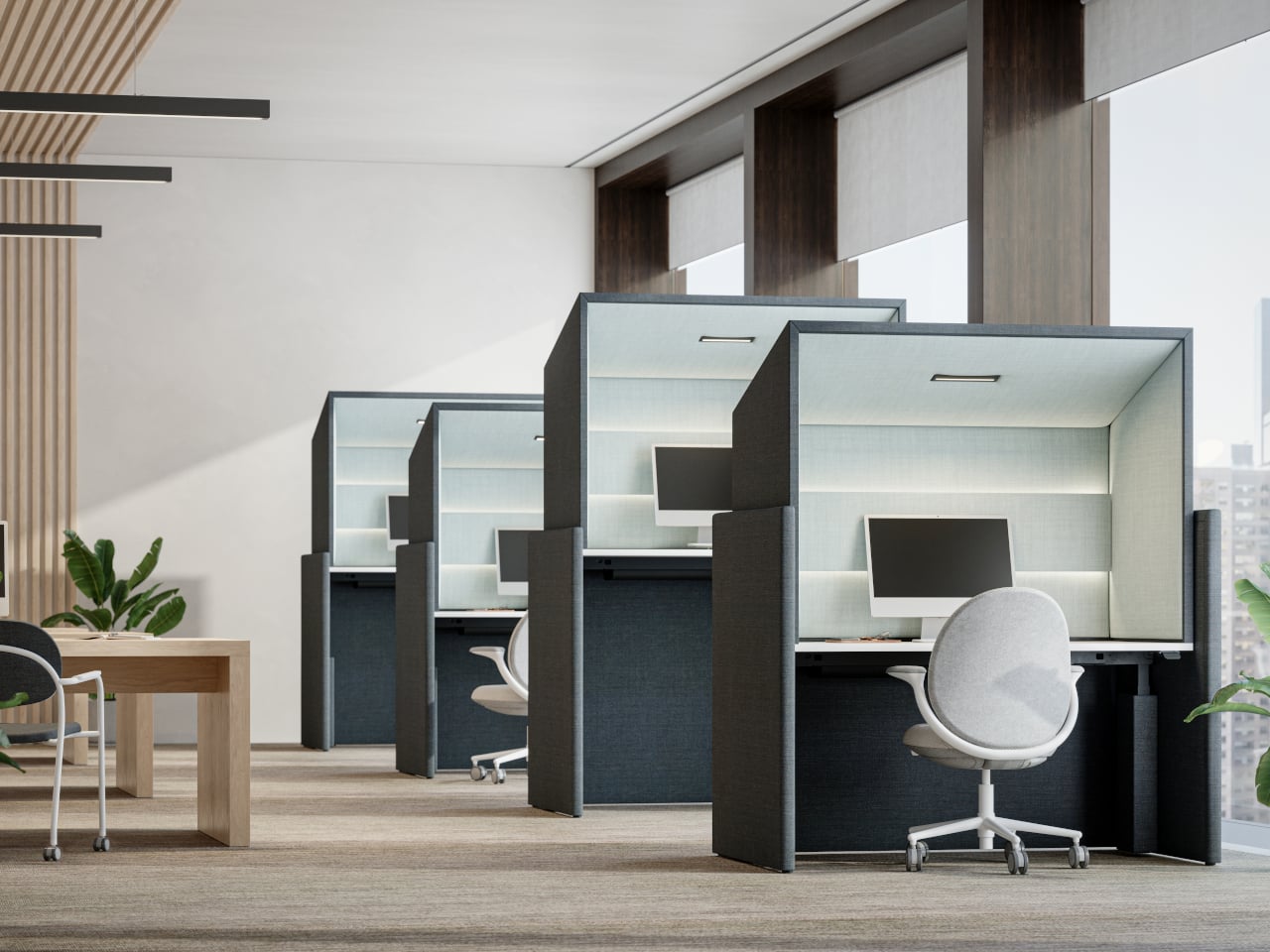
Canopy is KFI Studios and Gensler’s answer, a freestanding workstation that behaves like a tiny room inside the open plan. It combines a height-adjustable desk with an upholstered privacy hood, integrated lighting, and built-in power, creating a personal haven for focused work without walling people off. The hood wraps around like a small ceiling and sidewalls, softening ambient noise and blocking visual distractions while leaving you connected to the larger space.
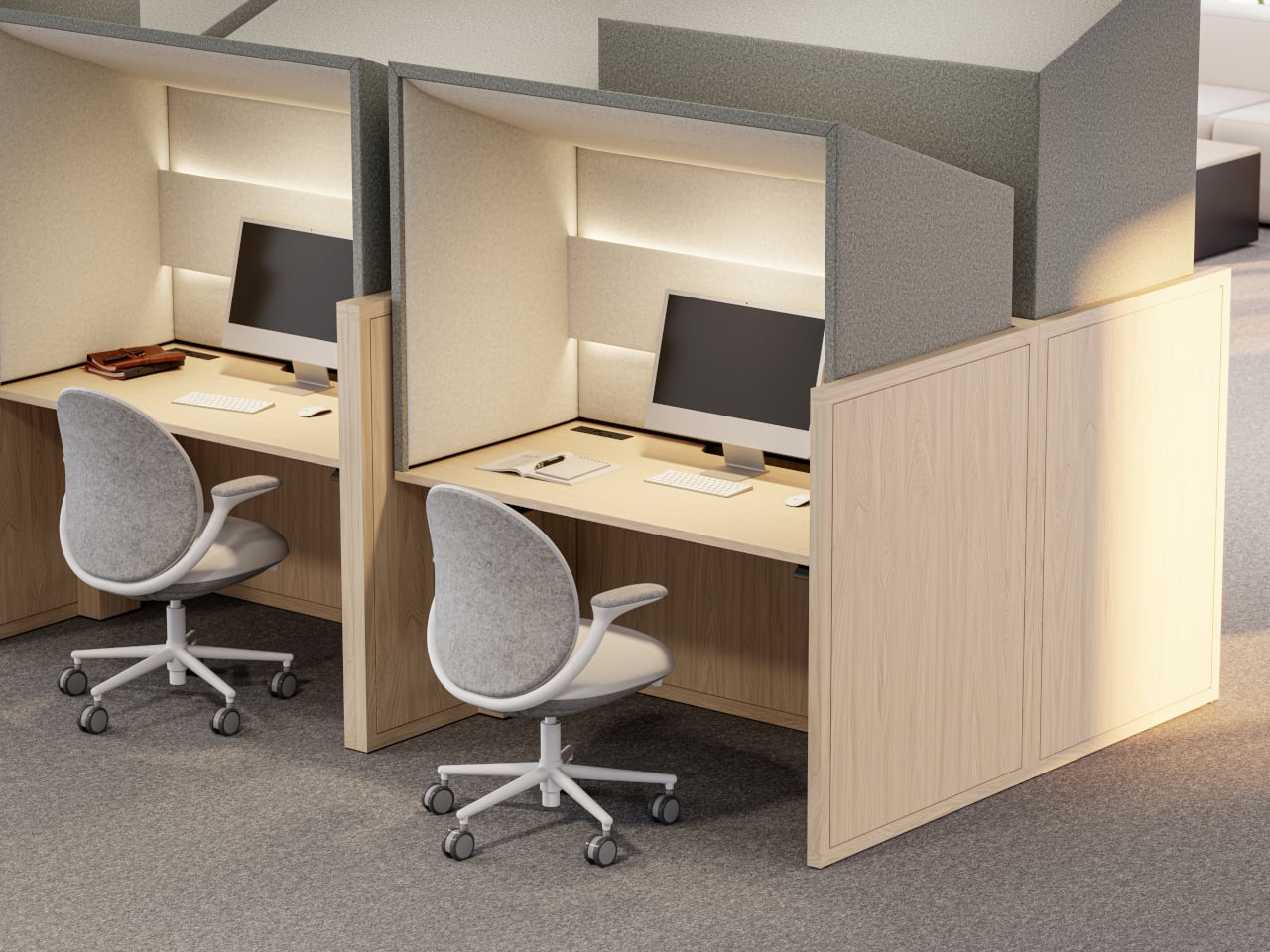
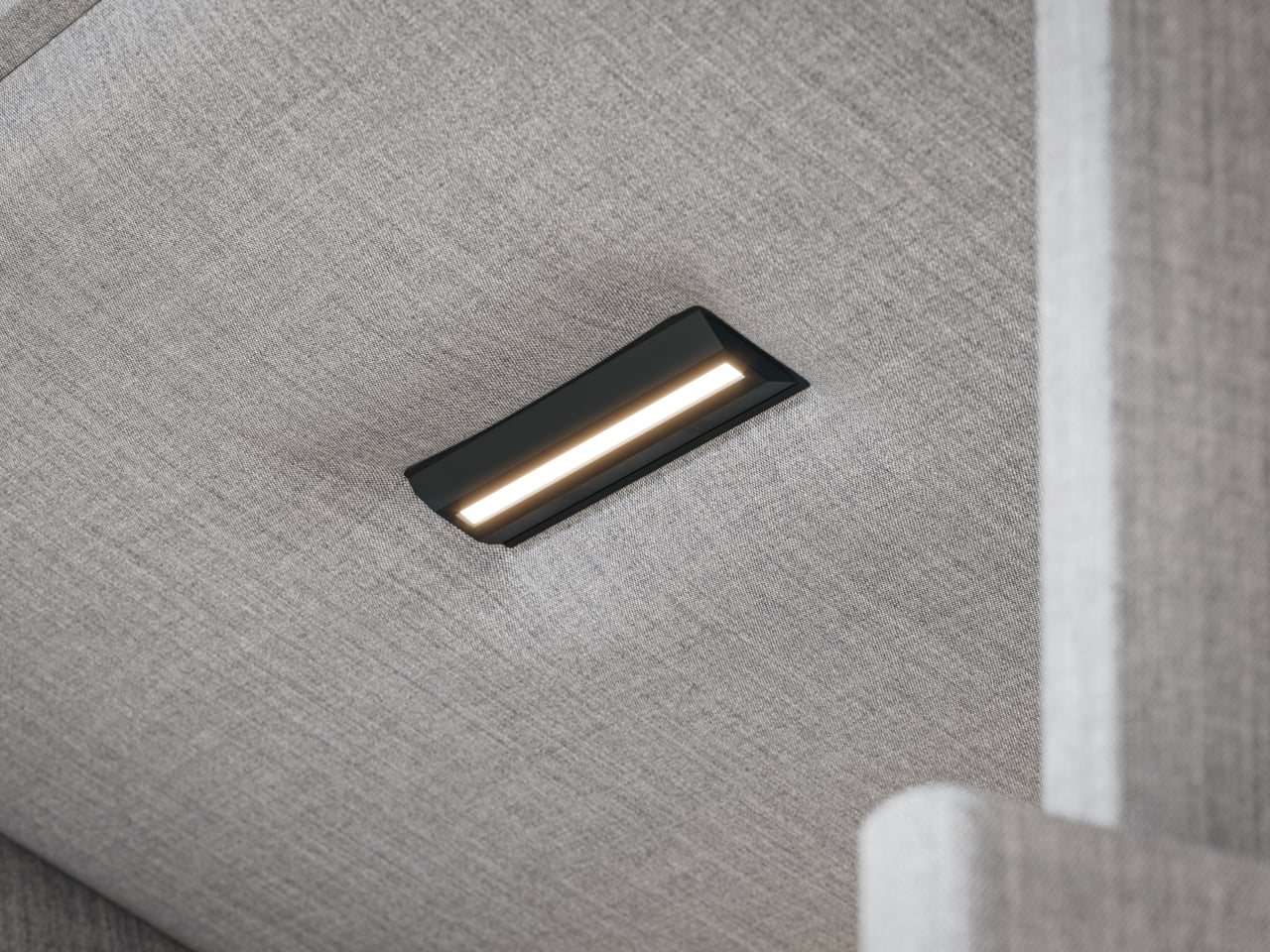
Arriving in a hot-desking office, you slide into a Canopy bay for heads-down work. The upholstered hood softens the hum of the floor, integrated lighting dials in for your screen, and the sit-stand surface adjusts to your height with intuitive controls and a digital readout. When it is time for a video call, you stay put, tweak the dimmable lighting for a ring-light effect, and skip the hunt for a quiet room.
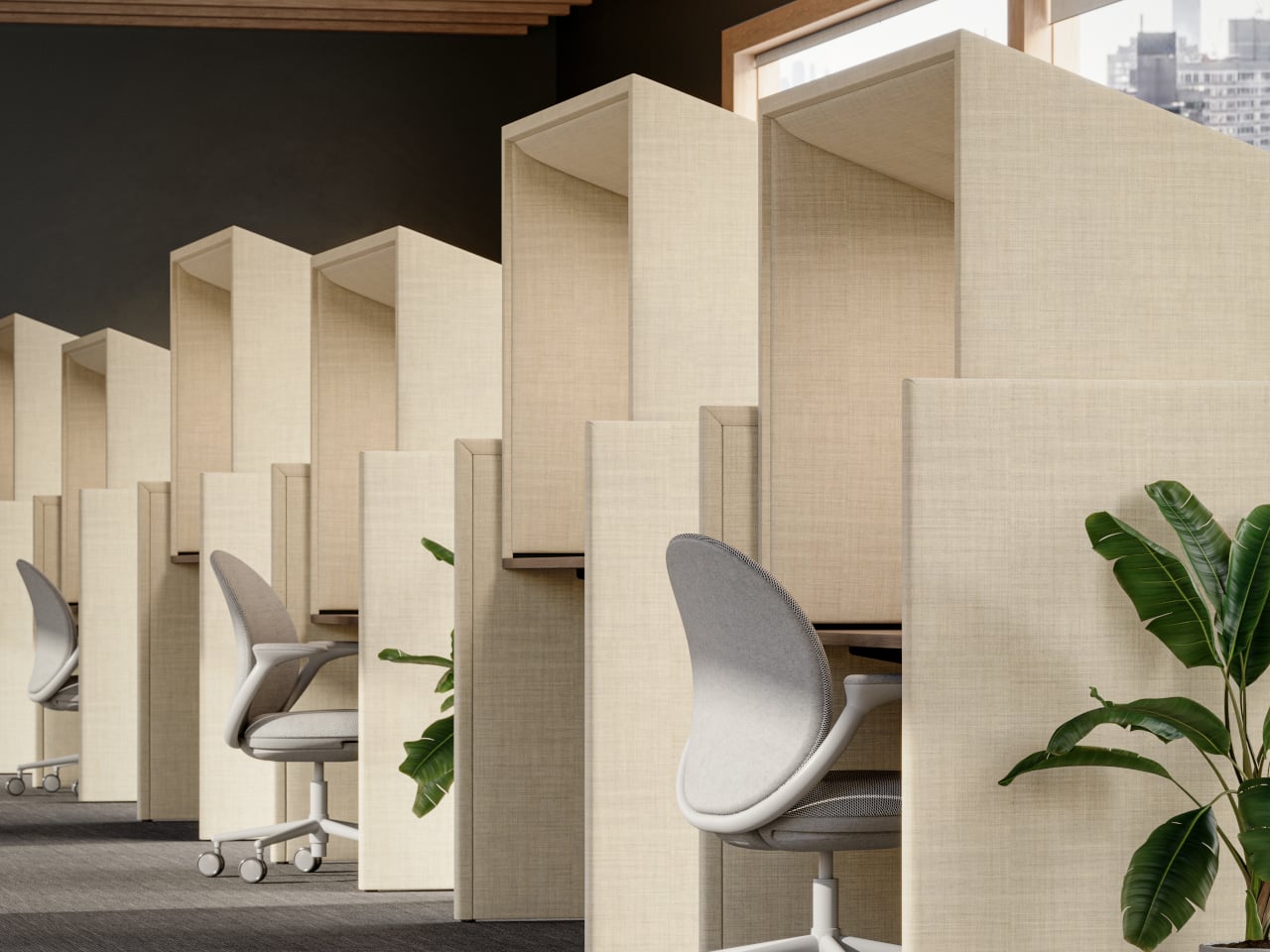
The fully upholstered hood gives a sense of boundary without feeling like a box. The lower surround can be wood veneer, laminate, or upholstery depending on how much warmth the interior needs. Because the hood interior and exterior can be mixed or matched in different fabrics, designers can tune how enclosed or open the station feels, from soft cocoon to crisp workstation, adjusting for brand or privacy levels.
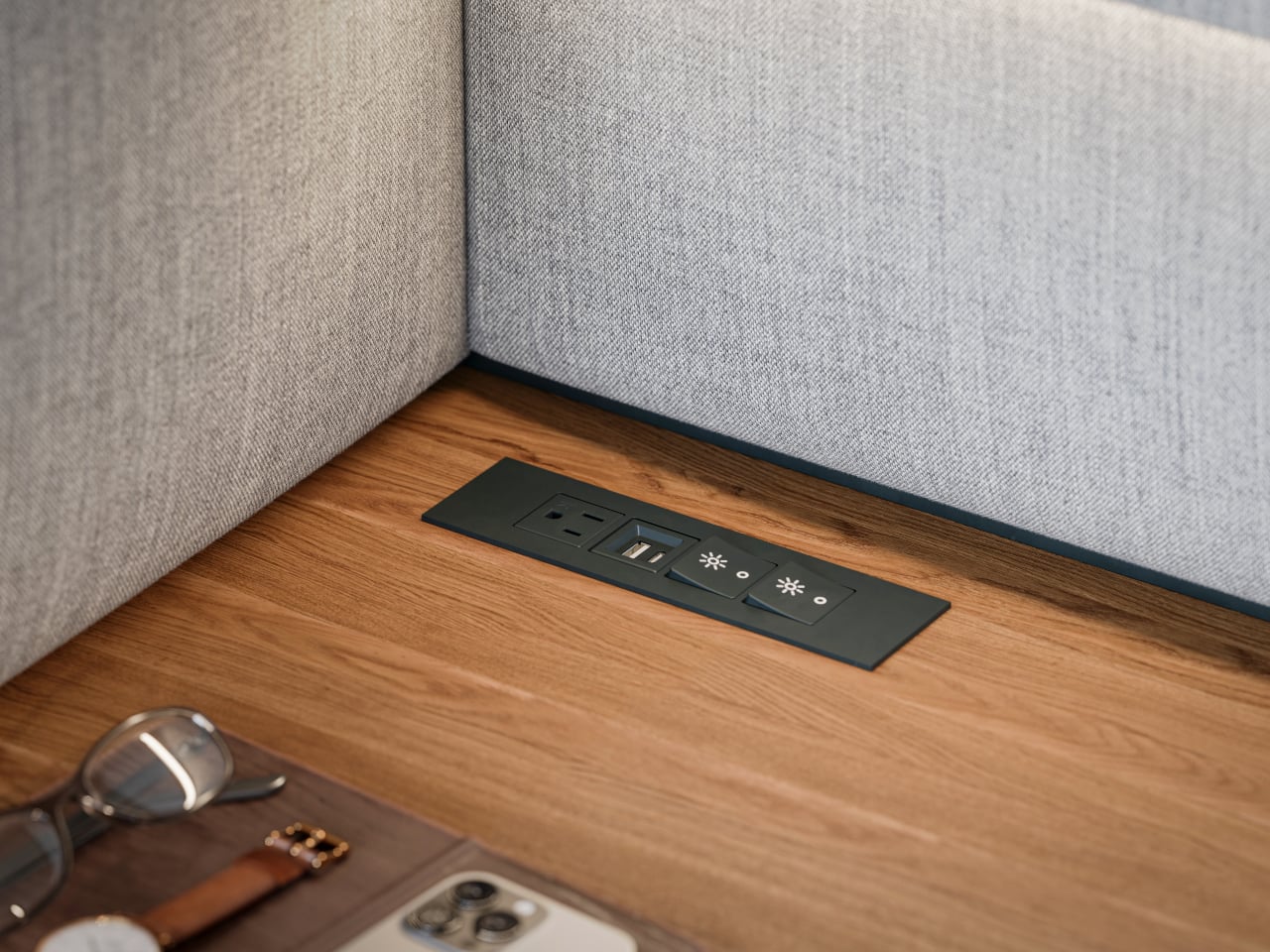
Integrated power and cable management keep laptops, monitors, and chargers from tangling on the surface. Optional occupancy sensors shut off lighting when the station is empty, a small nod to energy-conscious projects. The use of FSC-certified red oak, CertiPUR-US foam, and low-VOC laminates supports teams working toward sustainability metrics without making a fuss about it or requiring dedicated environmental consultants to justify the choice.
Canopy takes up more floor space per person than a bench, and in very loud environments it will not replace full acoustic rooms. Integrated lighting and sensors add components that need maintenance over time. It is a more premium, infrastructure-like piece that makes the most sense as part of a broader plan for how people move, focus, and recharge across a floor, not just as a random upgrade.
Canopy treats focus as something worth designing for, not just something people hack together with headphones and luck. By giving each person a small, height-adjustable, well-lit, and acoustically softened bay, it brings a bit of architectural calm into the open plan. Sometimes the most effective workplace upgrades are not new tools on the screen but better places to sit and think without everyone else’s conversations becoming the soundtrack.
The digital nomad lifestyle thrives on contradiction. You need professional-grade tools that disappear into a carry-on. Power without bulk. Connection without cables. The freedom to work from a Bali café or a Berlin co-working space demands gear that adapts as quickly as your location changes. The right equipment doesn’t just make remote work possible—it makes it effortless, turning any corner of the world into your office.
This year’s standout gadgets understand that nomadic work isn’t about compromising between portability and performance. These seven designs solve real problems that emerge when your desk is wherever you set down your laptop. They’re built for the constant motion between airports and coffee shops, for the moments when a stable internet connection matters more than a stable address, for professionals who measure workspace in grams and millimeters.
1. HubKey Gen2: Your Entire Setup in a Cube
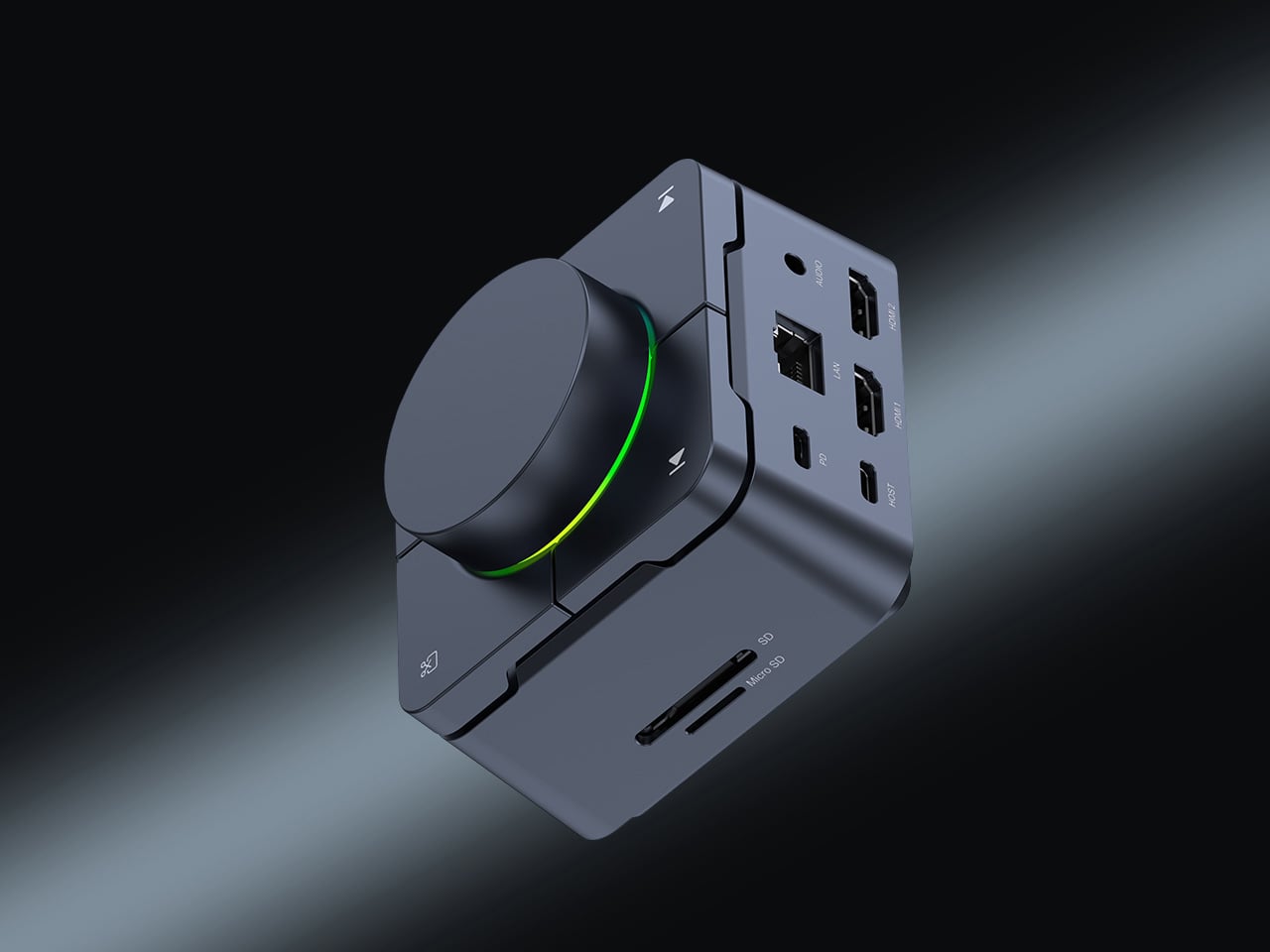
The chaos of the modern nomadic workspace often comes down to ports. Your sleek ultrabook offers maybe two USB-C connections, yet you’re constantly reaching for monitors, ethernet reliability, external drives, and power. What begins as minimalist hardware design becomes a tangle of dongles and adapters stuffed into every pocket of your tech pouch. HubKey Gen2 rethinks this entirely, consolidating 11 different connections into a palm-sized cube that sits exactly where you need it.
Beyond the connectivity sprawl, this device addresses another friction point: the small actions buried in menus and keyboard shortcuts that disrupt your workflow. Four programmable keys and a central control knob transform software commands into physical gestures. Mute your microphone, adjust volume, toggle camera privacy, or switch between tasks with tactile certainty. For someone working across time zones and video calls, having media controls at your fingertips rather than three clicks deep makes the difference between smooth professionalism and fumbling mid-presentation.
What We Like
The 11-in-1 hub eliminates the need for multiple adapters, significantly streamlining your packing list.
Dual 4K display support means you can plug into external monitors at co-working spaces or client offices without compromise.
Physical shortcut keys and a control knob bring immediate access to privacy toggles and media controls.
The compact cube design fits easily in a backpack’s tech compartment without adding bulk.
What We Dislike
The stationary cube format works best on stable desks, which isn’t always guaranteed in nomadic setups.
At a premium price point, it’s an investment that may not suit budget-conscious travelers.
2. OrigamiSwift Folding Mouse: Full-Size Precision in Your Pocket
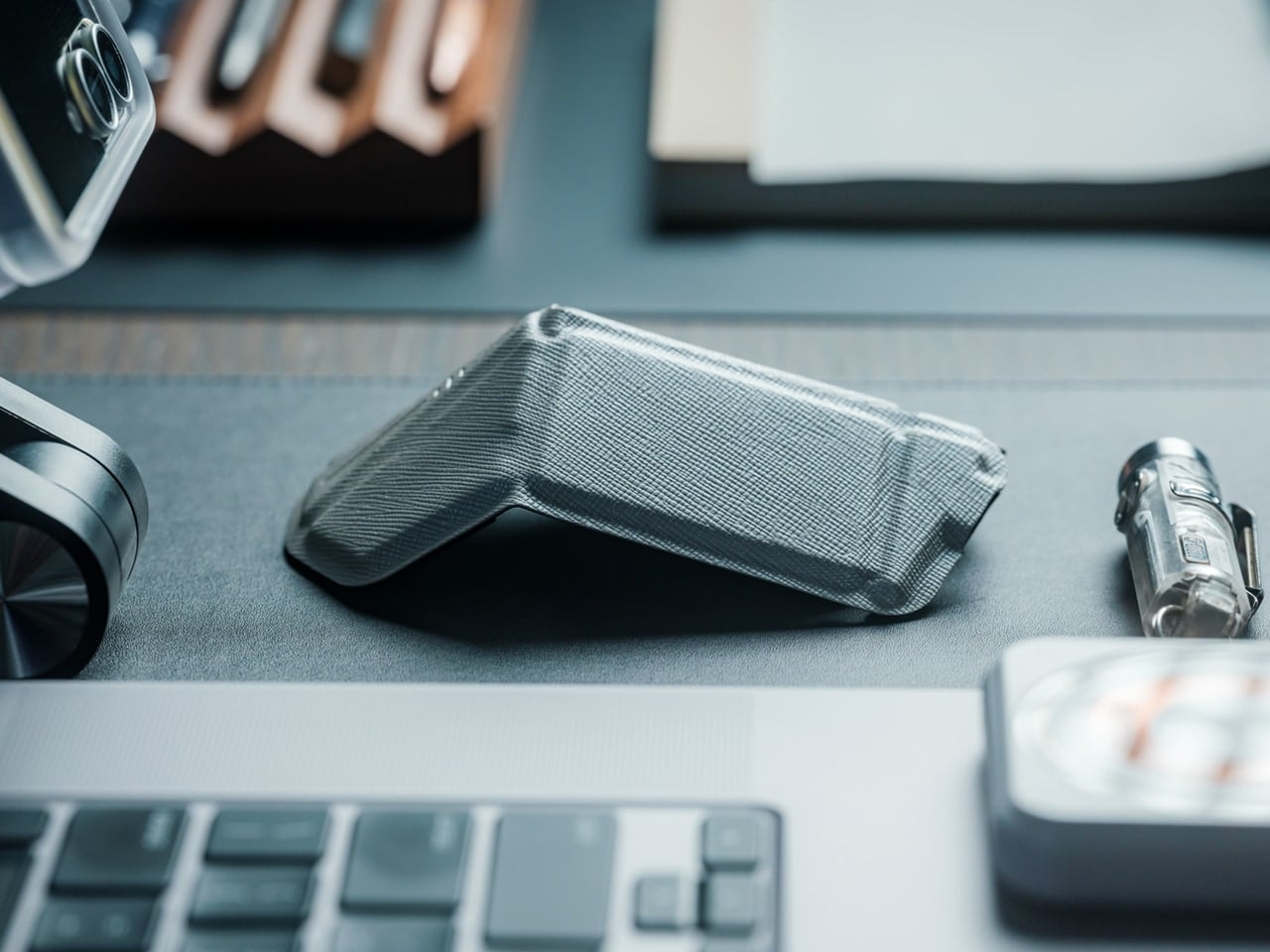
Laptop trackpads work fine until they don’t. After hours of detailed work—editing photos, building spreadsheets, designing mockups—your fingers cramp and precision suffers. Full-sized mice offer the ergonomic relief you need but consume precious backpack real estate. OrigamiSwift solves this spatial puzzle with origami-inspired engineering that lets a complete mouse fold completely flat, transforming from 40 grams of barely-there weight into a proper productivity tool the moment you need it.
The transformation happens in under half a second. One flip and the mouse springs into an ergonomic form that fits naturally in your palm, ready for extended work sessions, whether you’re at a standing desk in Bangkok or a wobbly café table in Lisbon. When you pack up, it collapses just as quickly into a profile thin enough to slide into a notebook pocket. The Bluetooth connection means one less cable to manage, and the full-size functionality means you’re not sacrificing comfort for convenience.
The foldable design delivers genuine full-size mouse comfort without occupying significant bag space.
Weighing only 40 grams, it’s essentially weightless in your daily carry.
The instant transformation in under 0.5 seconds means you can deploy it as quickly as you open your laptop.
Ergonomic shaping provides the comfort needed for extended work sessions across multiple time zones
What We Dislike
Bluetooth connectivity requires occasional charging, adding one more device to your power management routine.
The folding mechanism, while durable, introduces moving parts that could potentially wear over time.
3. StillFrame Headphones: Creating Focus Anywhere
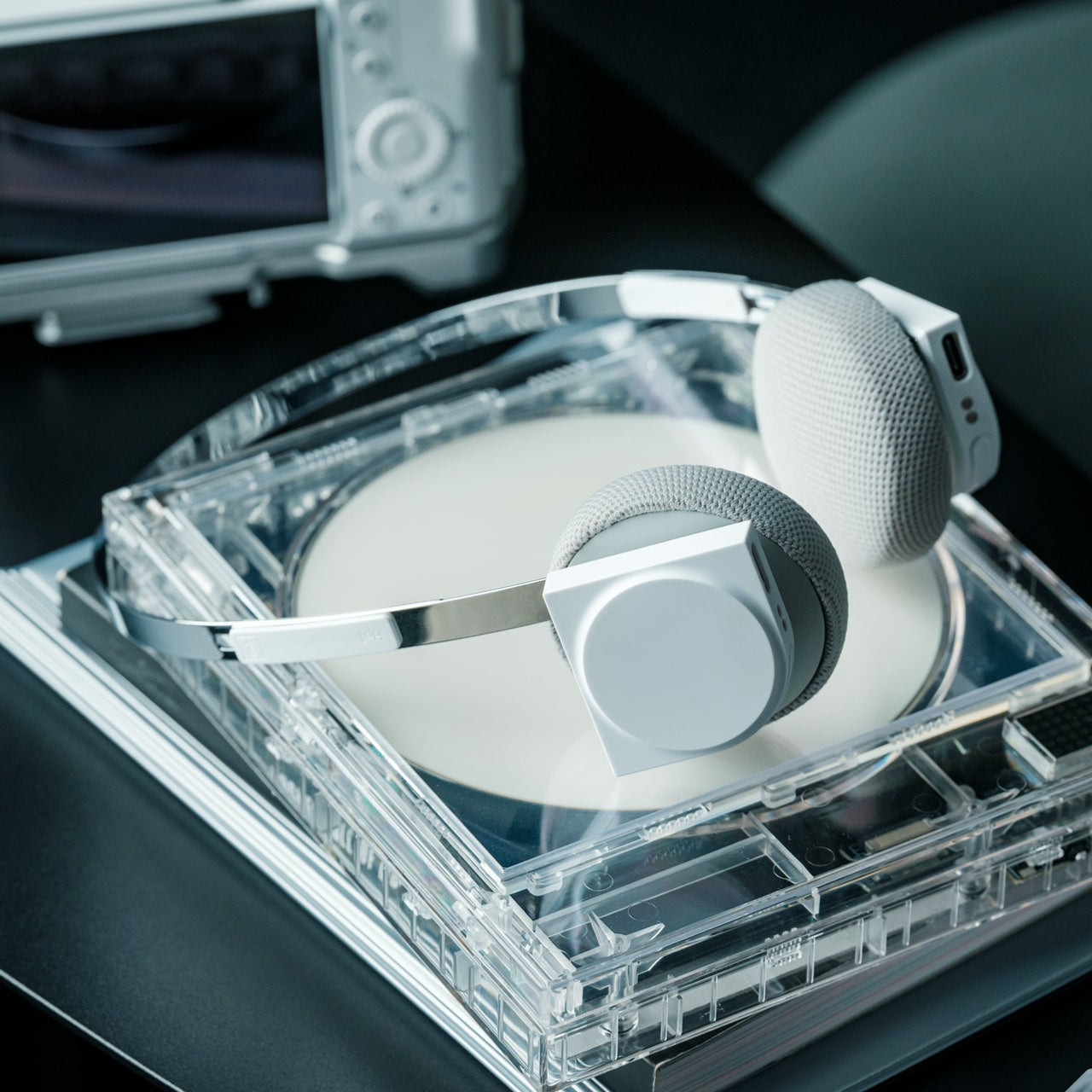
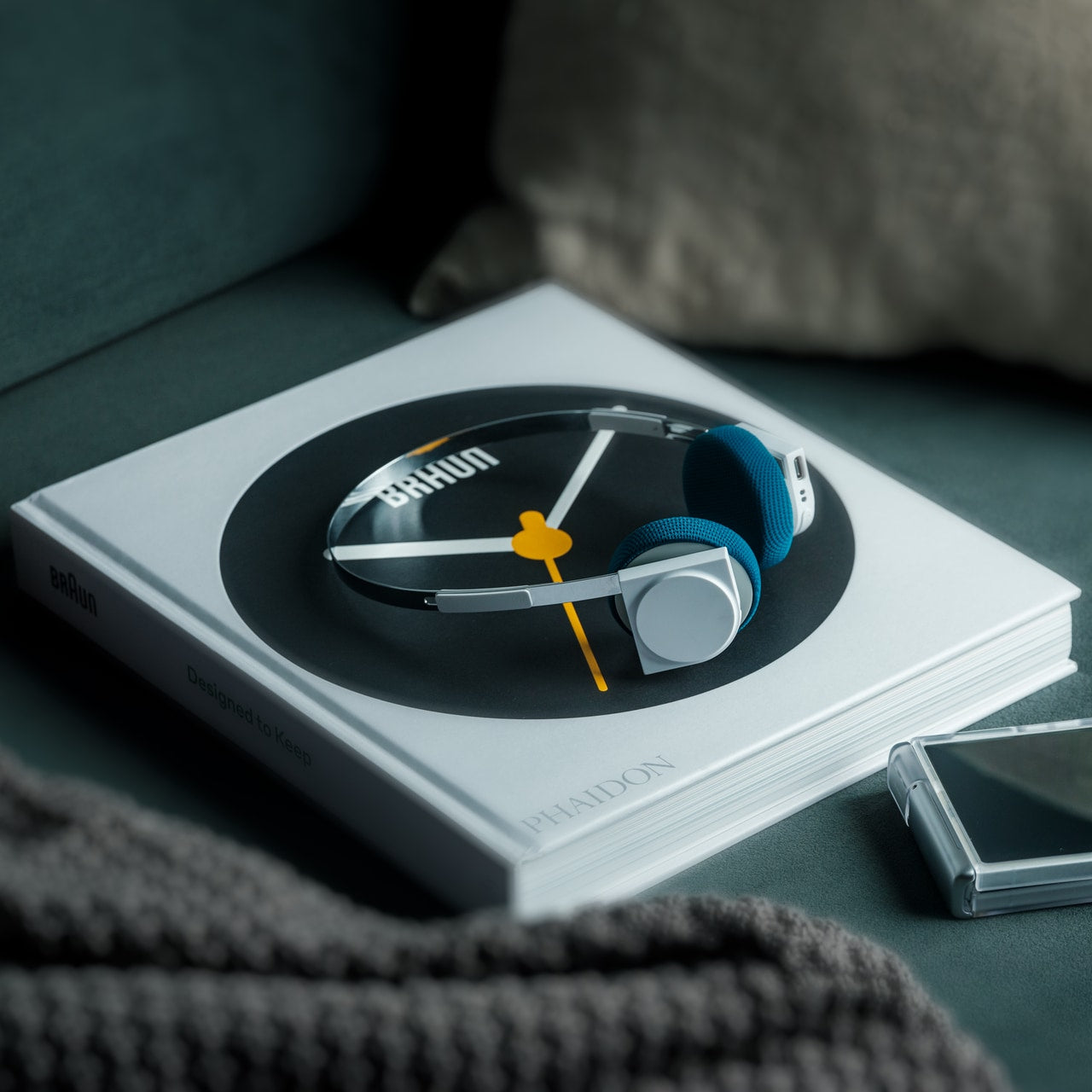
Airports, cafés, co-working spaces—the nomadic office is rarely quiet. Concentration becomes a portable skill, and headphones evolve from accessory to essential tool. StillFrame approaches audio with a design philosophy borrowed from the deliberate era of physical media, when albums were objects you held, and listening was an intentional act. The result sits comfortably between in-ears and over-ears, at just 103 grams, with 40mm drivers that open up soundscapes rather than just pumping audio into your ears.
The real utility emerges in the switching. Active noise cancellation erases the chaos when you need to disappear into deep work. Transparency mode keeps you connected to your surroundings when you’re waiting for a gate announcement or want to stay aware in an unfamiliar city. Twenty-four hours of battery life means you can travel from New York to New Delhi without reaching for a charging cable, maintaining your focus through layovers and long-haul flights.
The 24-hour battery life eliminates anxiety about running out of power during long travel days.
Weighing just 103 grams, these headphones stay comfortable through marathon work sessions.
Both noise-cancelling and transparency modes adapt to shifting environments from silent libraries to bustling streets.
The 40mm drivers create an open soundstage that makes both music and podcasts more immersive.
What We Dislike
The on-ear design may not provide the same noise isolation as full over-ear models in extremely loud environments.
The retro-inspired aesthetic, while distinctive, may not appeal to those preferring more modern styling.
4. Memento Business Card Log: Analog Memory in a Digital World
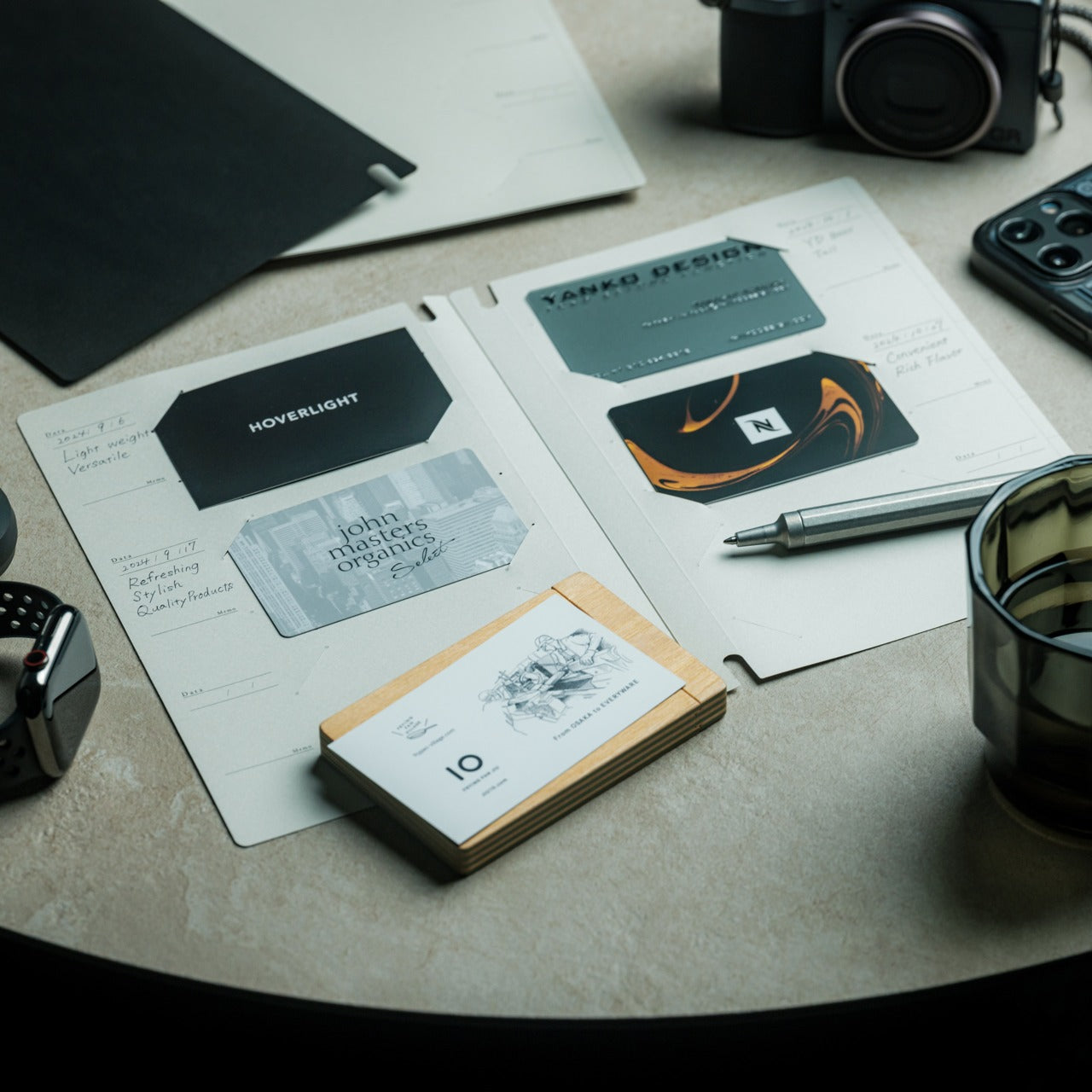
Digital contacts sync across devices, but they don’t capture the texture of a conversation. The nomadic lifestyle means constantly meeting collaborators, clients, and fellow travelers—connections that could turn into partnerships if you remember not just names but contexts. The Memento Business Card Log stores up to 120 business cards using a binding system that lets you reorganize and reference them easily, but more importantly, it provides space for the handwritten details that transform a card into a memory.
Japanese brand Re+g built this organizer around the idea that writing things down changes how you remember them. After a chance meeting at a conference in Singapore or a productive coffee chat in Copenhagen, you can note what you discussed, ideas that emerged, or even just the person’s working style. These annotations become retrieval cues that software contact lists can’t replicate. When you reconnect weeks or months later, those handwritten notes help you pick up the conversation with genuine context rather than generic pleasantries.
The capacity for 120 business cards means you can collect connections throughout extended trips without needing to transfer them.
Handwritten note space beside each card captures conversational context that digital contacts miss.
The unique binding system allows easy reorganization as your network and priorities evolve.
Minimal, tactile paper design from Re+g elevates organization into something you’ll actually enjoy using.
What We Dislike
The analog format means cards aren’t automatically backed up if the log is lost or damaged.
Physical storage takes up more space than purely digital contact management.
5. Inseparable Notebook Pen: Never Hunt for a Pen Again
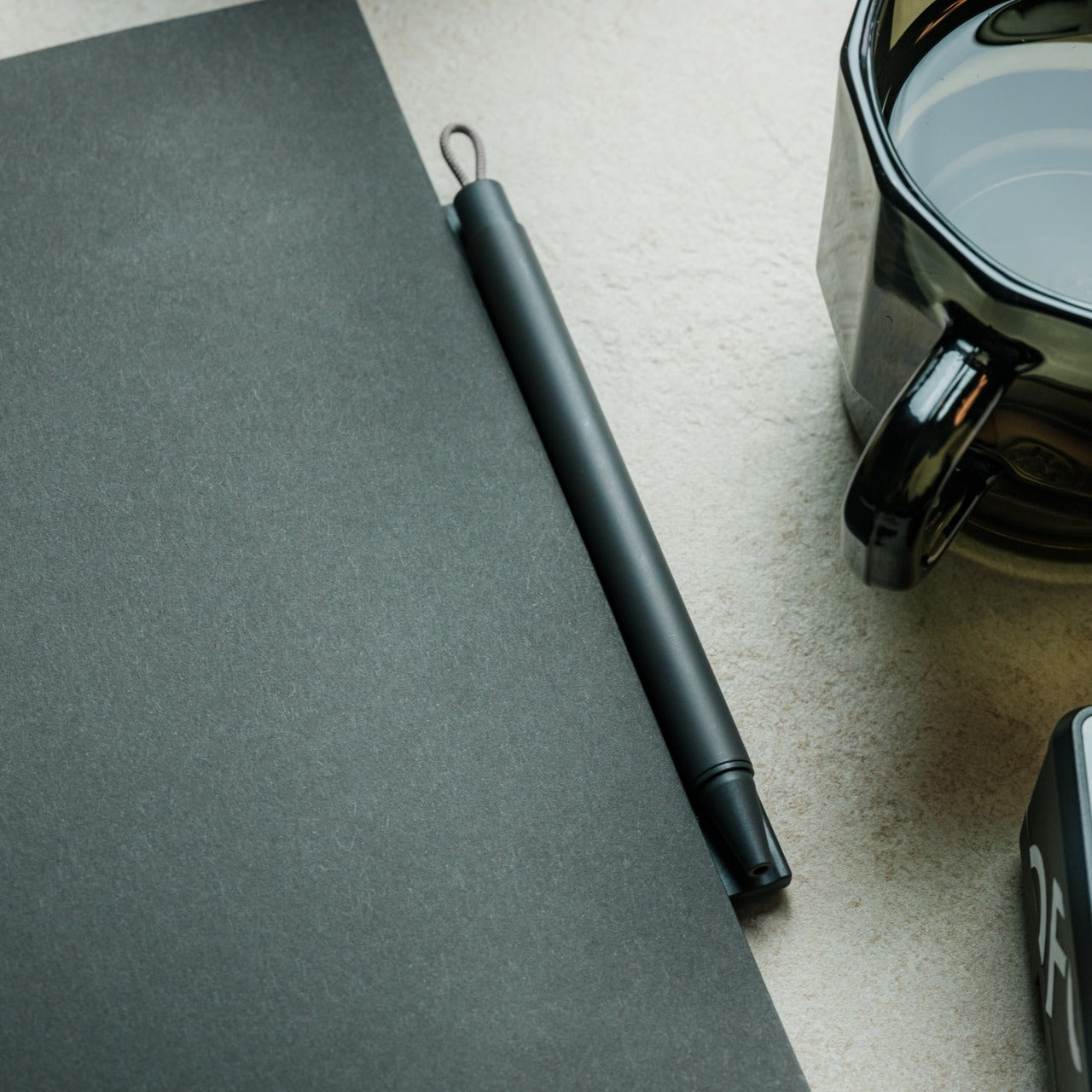
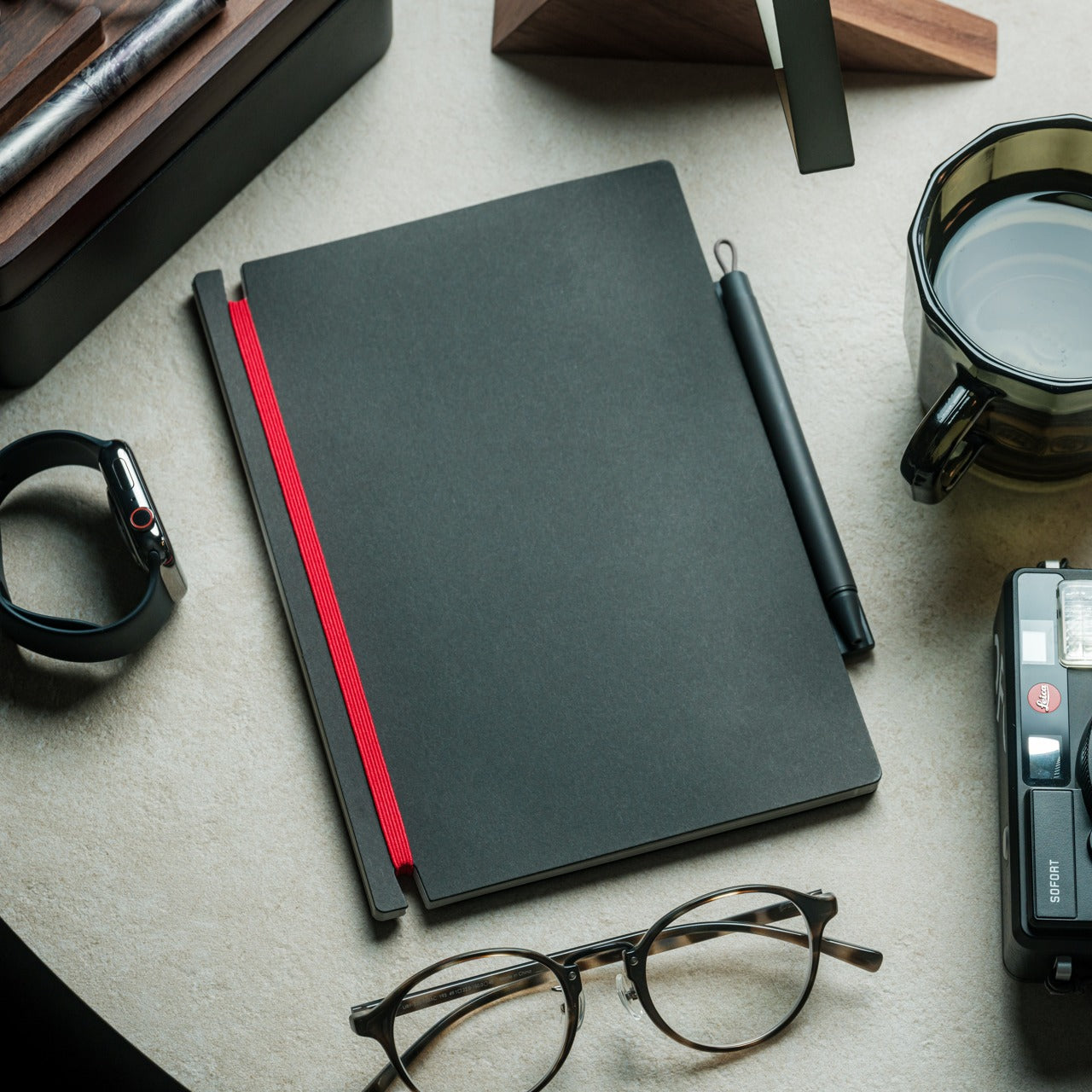
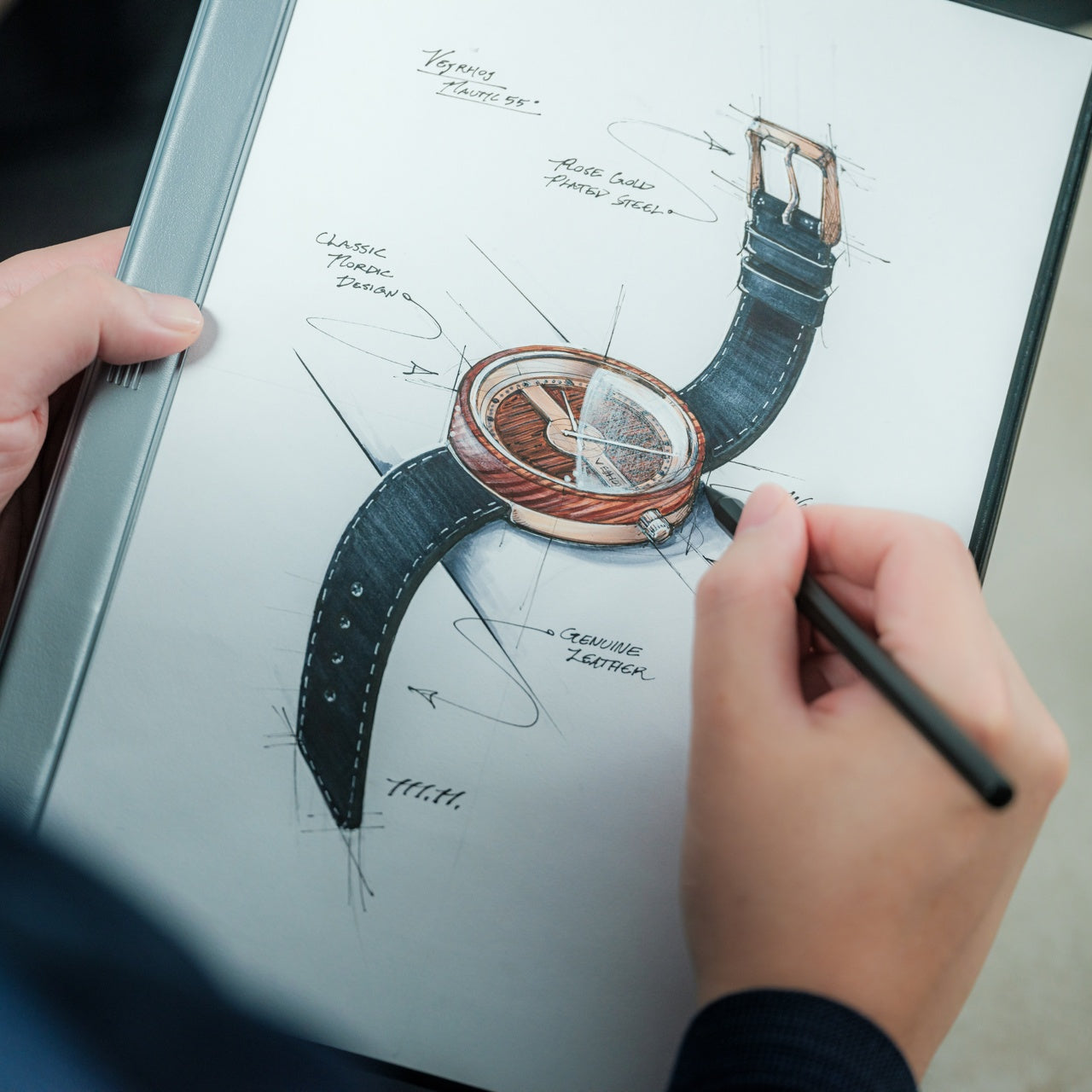
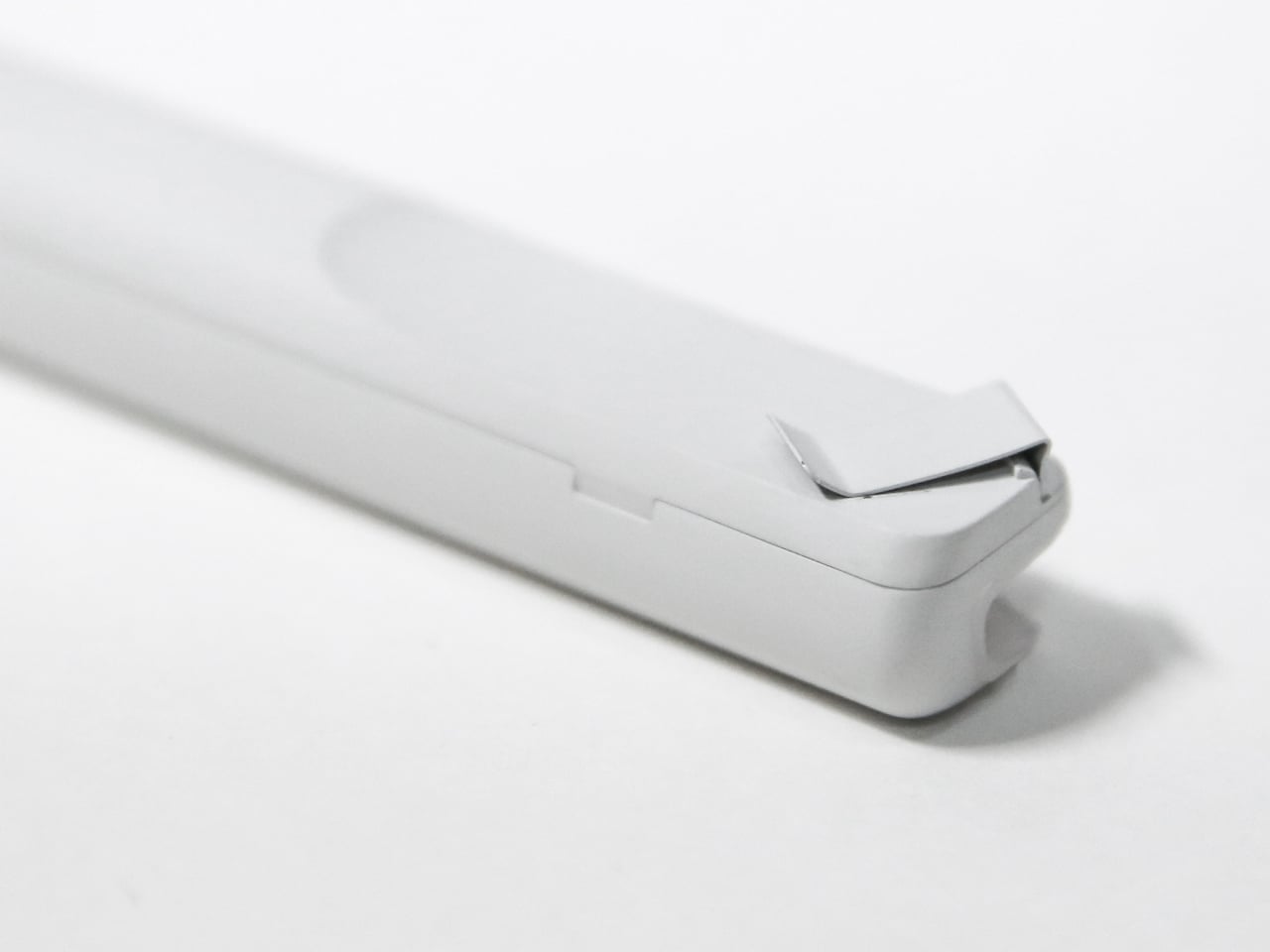
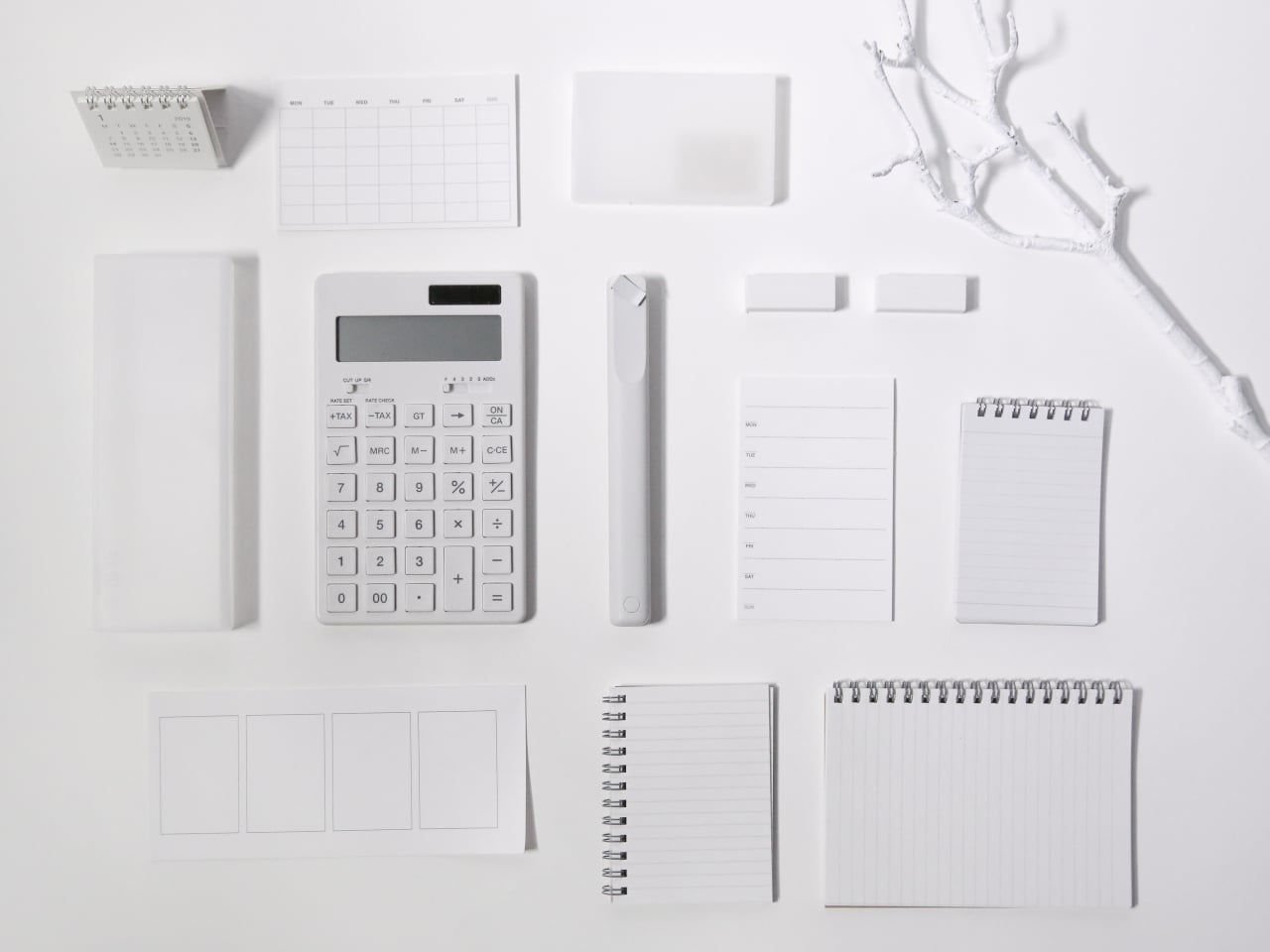
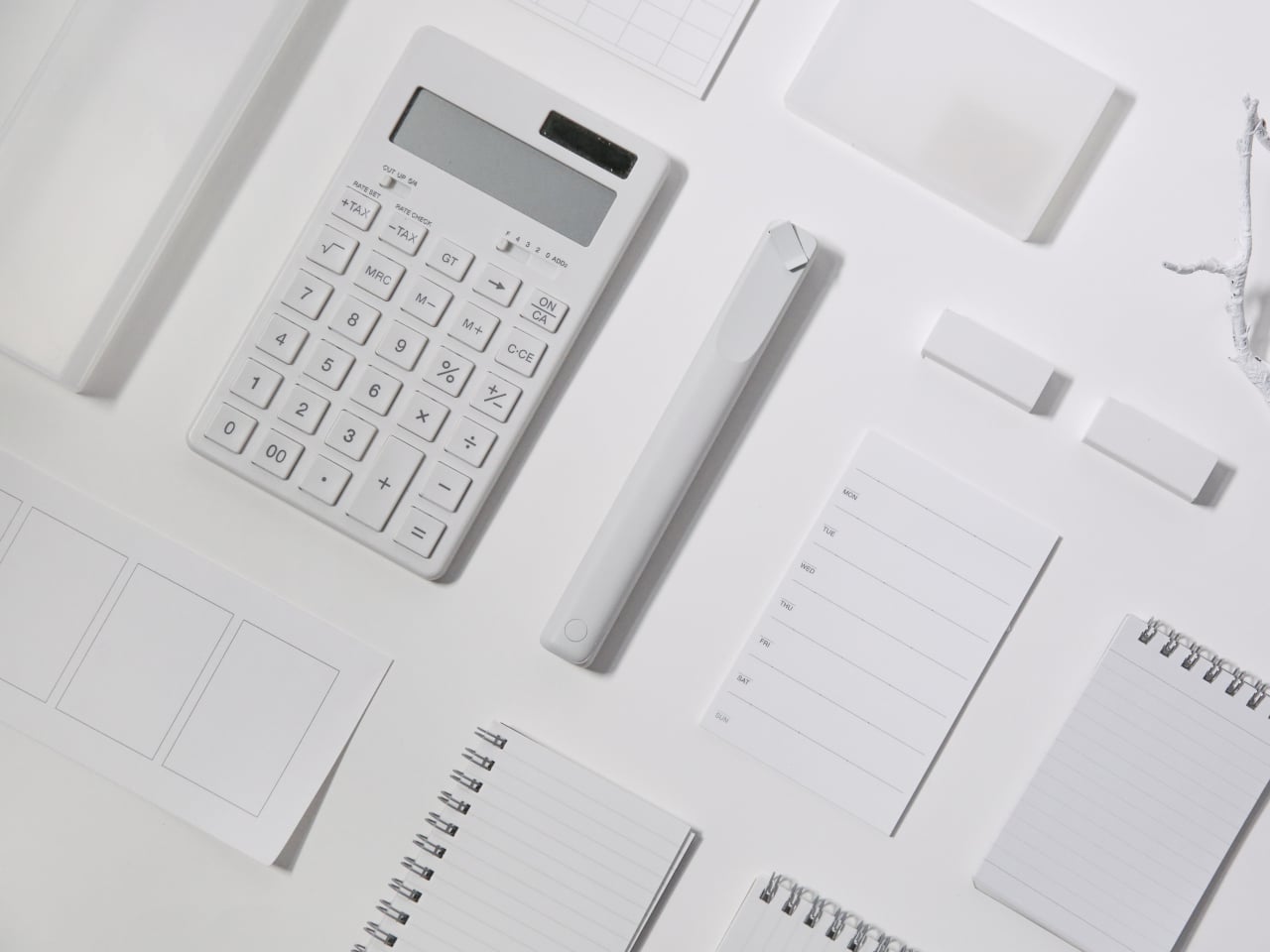
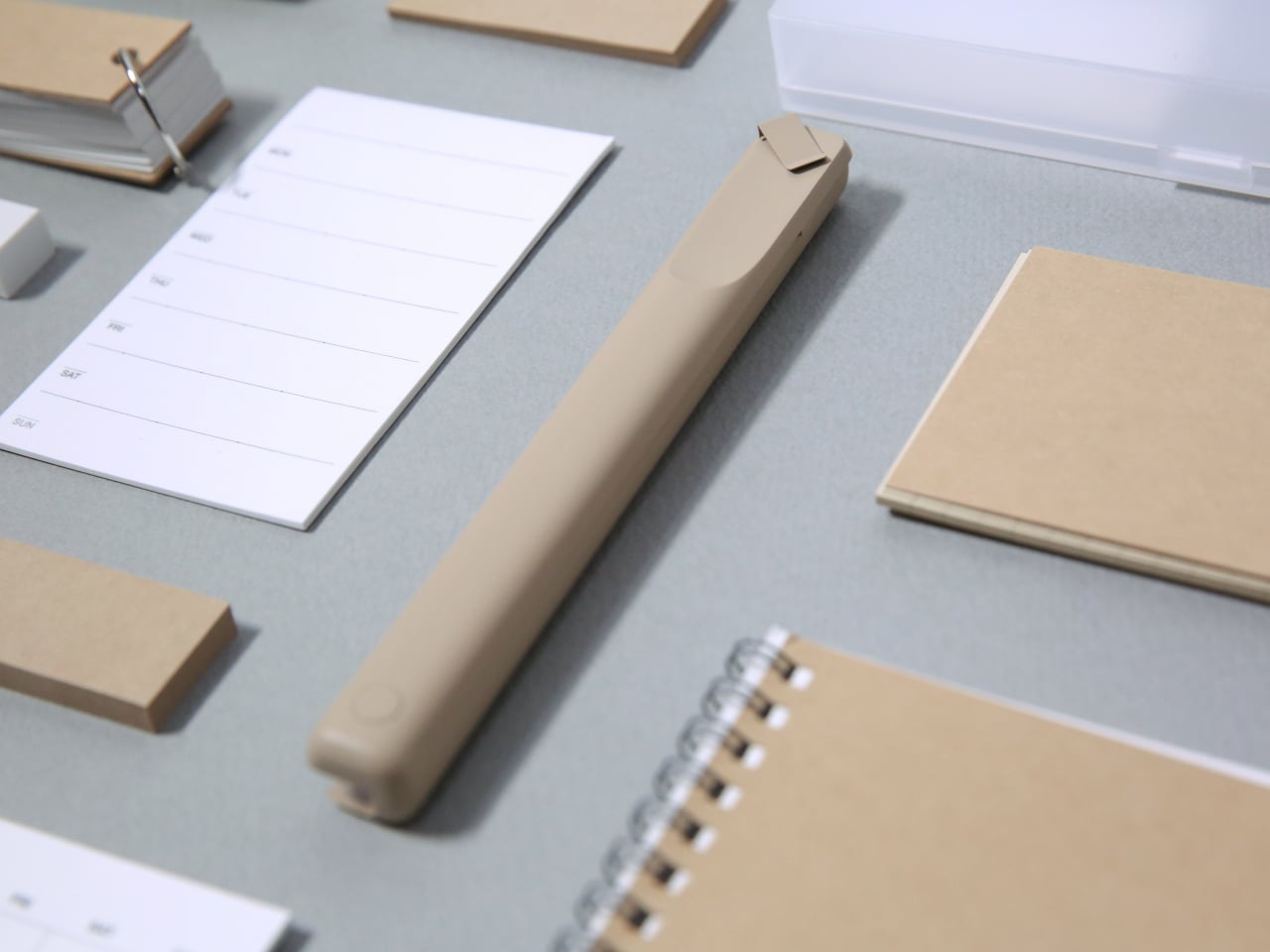
The friction of creativity often isn’t the idea—it’s the split second when you can’t find something to write with. Inspiration arrives during a walking tour, mid-conversation, or while half-asleep on a red-eye flight. By the time you’ve rummaged through your bag for a pen, the thought has scattered. The Inseparable Notebook Pen uses a magnetic clip that attaches securely to your notebook, ensuring your writing tool lives exactly where you reach for it.
The design focuses on seamless integration. A built-in silencer makes attaching and detaching the pen a quiet, satisfying gesture rather than a clumsy snap. The minimalist form fits any notebook style without visual clash, and the smooth ink flow handles everything from quick notes to detailed sketches. For digital nomads who alternate between typing and handwriting—brainstorming on paper before building in software—this pen becomes an extension of your process rather than something you have to think about.
The magnetic clip ensures the pen is always exactly where your notebook is, eliminating lost-pen frustration.
The built-in silencer creates a refined, quiet attachment experience.
Minimalist design complements any notebook without stylistic compromise.
Smooth ink flow handles varied writing needs from rapid note-taking to careful sketching.
What We Dislike
The pen is designed specifically for notebooks with compatible magnetic areas, limiting versatility.
As a single pen solution, you’ll need backup options if the ink runs out mid-journey.
6. MagBoard Clipboard: Flexibility Without Binding
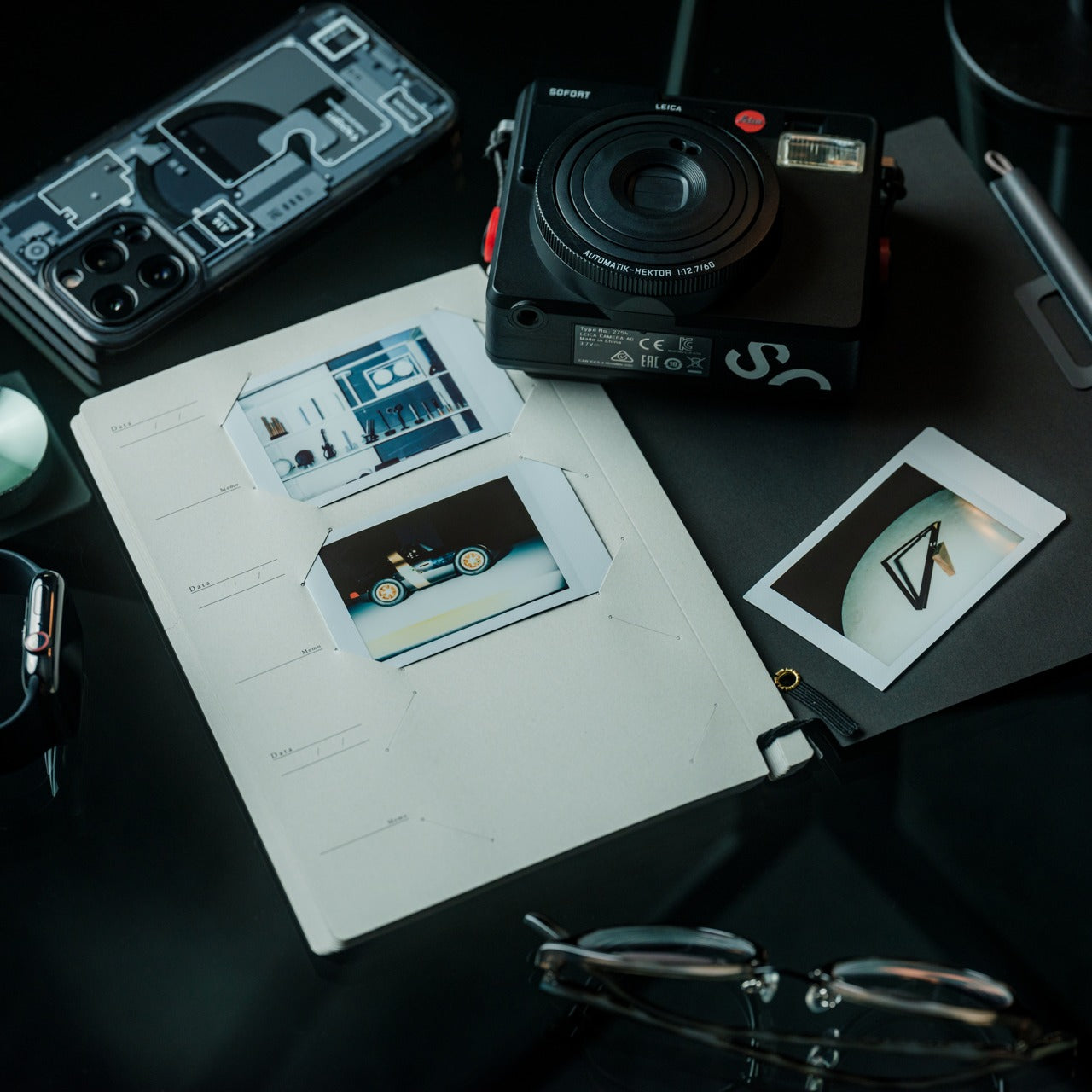
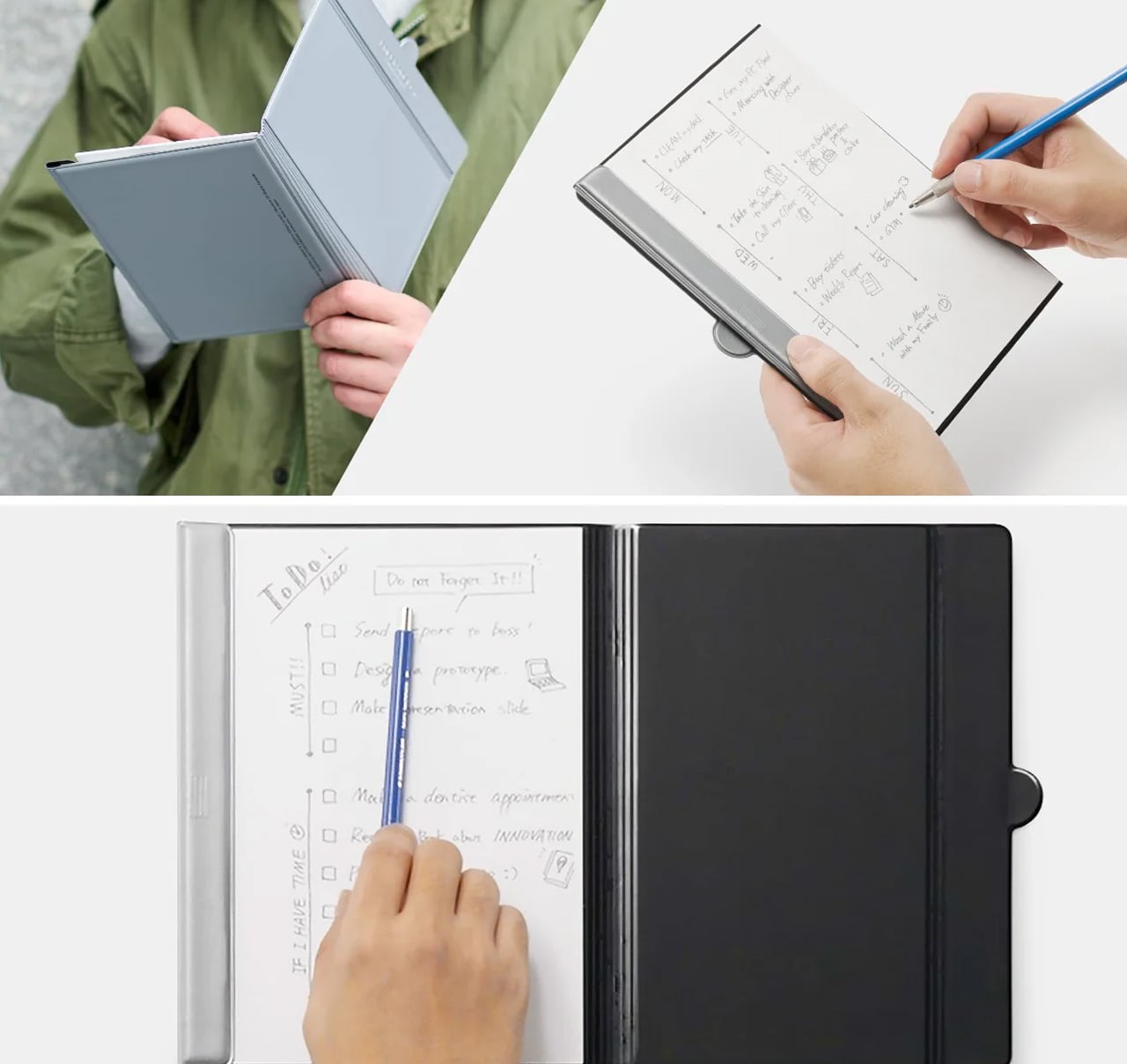
Traditional notebooks lock you into linear page order and permanent binding. That structure helps for continuous journals but frustrates project-based thinking where ideas need to be rearranged, removed, or reordered. MagBoard uses a magnet and lever mechanism to secure up to 30 loose sheets, letting you compose, decompose, and reorganize pages however your thinking demands. The hardcover backing means you can write standing, leaning against a wall, or anywhere without a stable surface.
For nomads juggling multiple projects, this flexibility becomes essential. Keep client notes separate until a meeting, then compile them in order. Sketch design concepts on individual sheets and arrange them spatially before committing to a sequence. Remove finished work without the orphaned pages that haunt traditional notebooks. The water-resistant cover handles the unpredictability of working outdoors or in transit, and the simple cleaning means coffee spills don’t become permanent damage.
The magnetic lever system holds up to 30 sheets securely while allowing instant reorganization.
Hardcover design enables writing anywhere, even standing or without a desk surface.
Water-resistant and easy-to-clean materials protect your work in unpredictable environments.
Complete flexibility to add, remove, or rearrange pages matches project-based workflows.
What We Dislike
Loose sheets can be lost more easily than bound pages if not carefully managed.
The hardcover adds some weight compared to lighter, flexible notebooks.
7. Rolling World Clock: Time Zones at a Glance
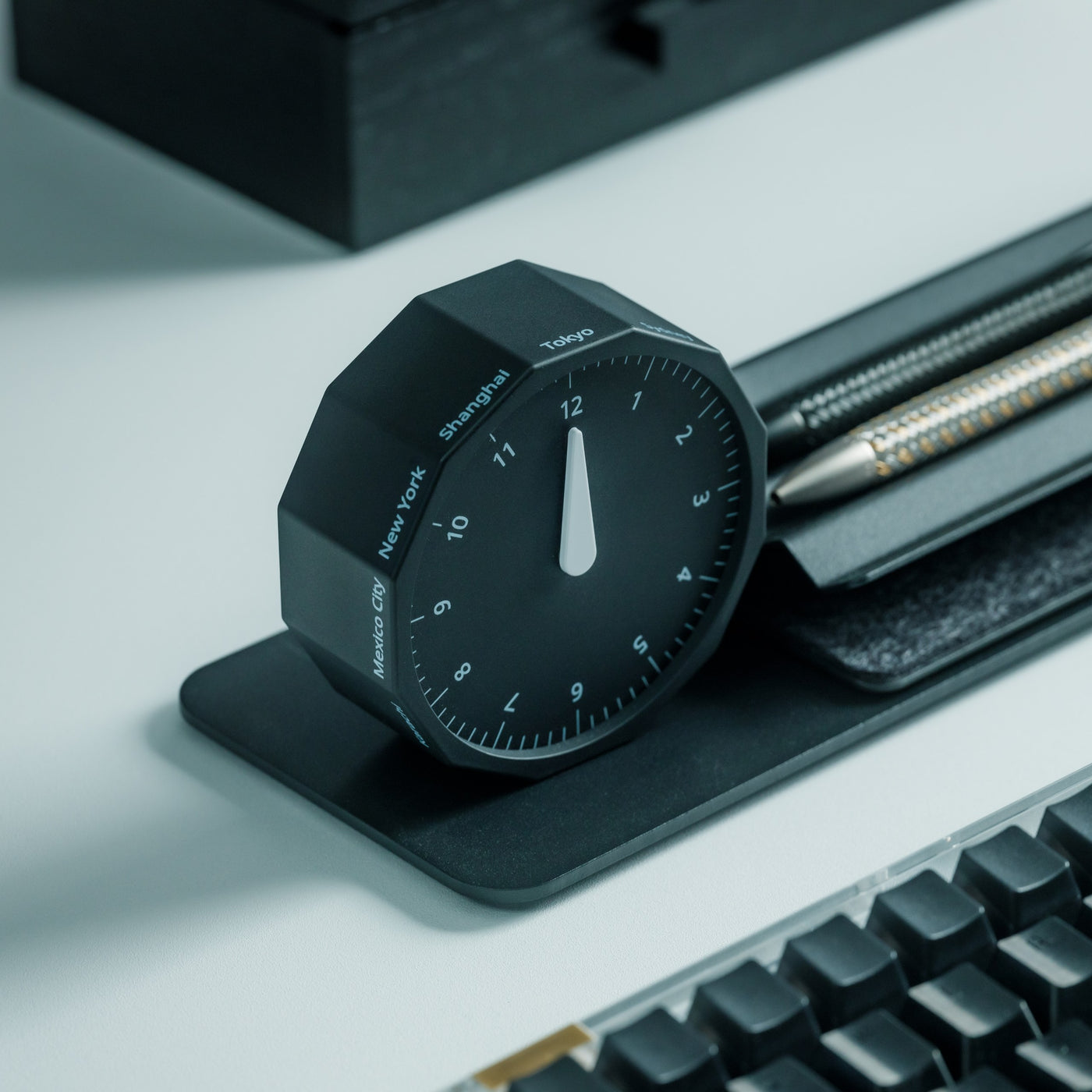
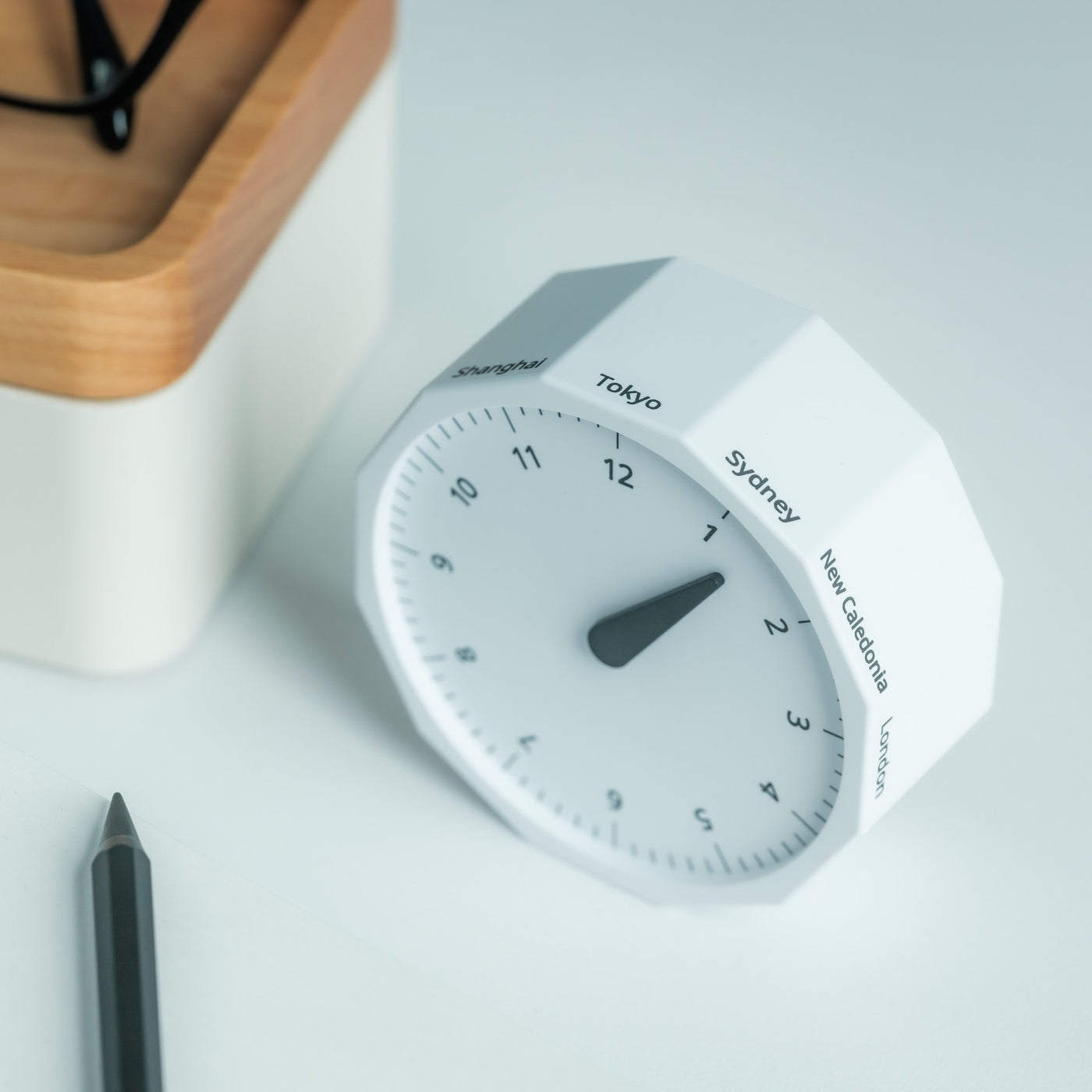
Working across continents means constantly calculating time zones. Is it too late to call your client in Tokyo? When does your team meeting in New York start relative to your current location in Cape Town? Digital clocks and apps provide answers, but they require pulling out your phone and breaking focus. The Rolling World Clock offers a tactile, immediate solution: a 12-sided desktop piece that displays the current time in major cities simply by rolling it to the desired timezone.
Each of the twelve sides represents a location—London, Paris, Moscow, Los Angeles, Karachi, Mexico City, New York, Shanghai, Tokyo, Sydney, Cape Town, and New Caledonia. A single hand shows the hour for whichever city faces up. The minimalist design eliminates digital distractions while adding a physical, almost playful element to time awareness. When you’re working from temporary desks and rented apartments, this small object becomes both functional tool and a reminder of the global nature of your work.
The twelve-sided design covers major global time zones in one compact object.
Physical rolling creates a tactile, screen-free way to check international times.
Minimalist aesthetics work as both functional tool and desk decoration.
Available in black and white options to match different workspace styles.
What We Dislike
Limited to twelve preset cities, which may not include all the locations you coordinate with.
The single-hand design requires some interpretation compared to digital displays showing exact minutes.
Building Your Mobile Office
The nomadic workspace is personal, built piece by piece until it reflects exactly how you work rather than where. These seven gadgets share a common understanding: that portability and capability aren’t opposites. They fit into the rhythms of constant movement, solving the small frictions that accumulate when your office exists in a backpack. Connection without cables. Writing without searching. Time awareness without screens.
The best gear for digital nomads doesn’t announce itself. It disappears into your process, working so seamlessly you forget it’s there until you need it. Whether you’re coordinating across twelve time zones, capturing ideas before they evaporate, or creating focus in chaotic airports, these designs adapt to your location rather than constraining it. Your backpack becomes not just luggage but the architecture of your professional life, carefully curated for the work that matters wherever it happens.
Most desk pen cups end up as graveyard storage for half-dead markers, random pencils, and that one pen you actually like, buried somewhere in the mix. The usual cylinder treats every tool the same, even though your hand instinctively knows which pen feels right for signing documents or writing notes that matter. A little hierarchy on the desk might do more to calm the visual noise than another storage bin that just shuffles the clutter around.
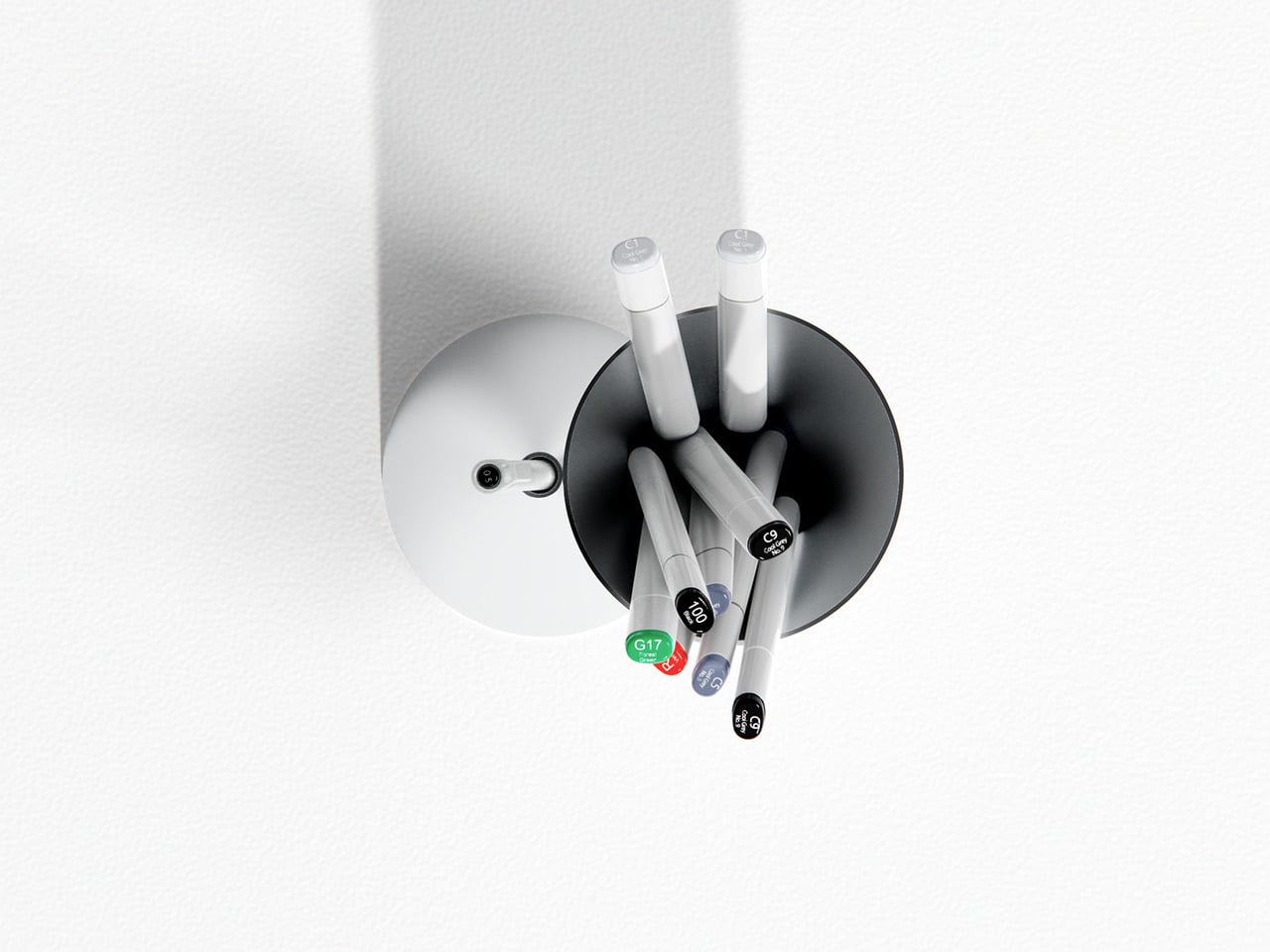
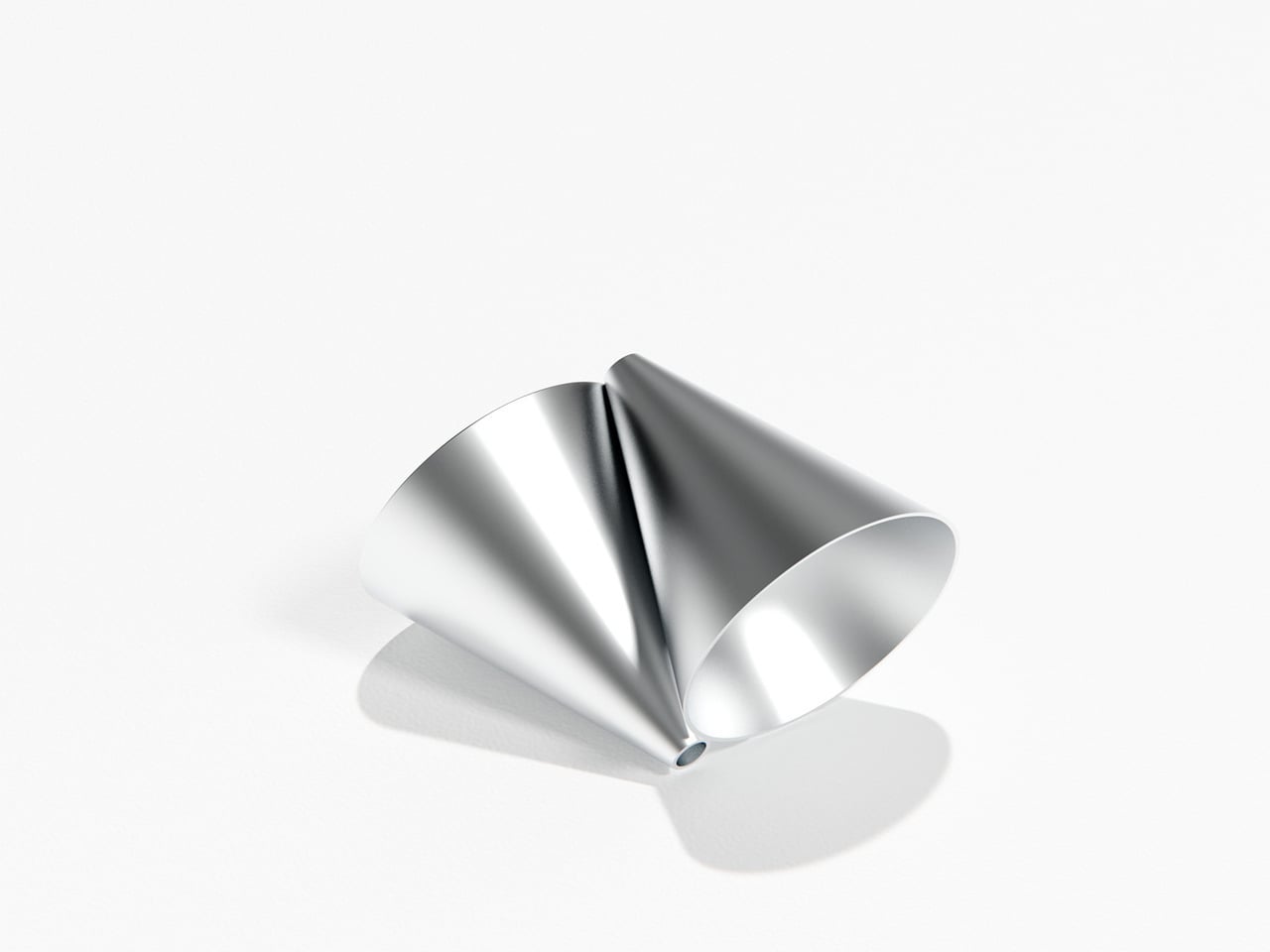
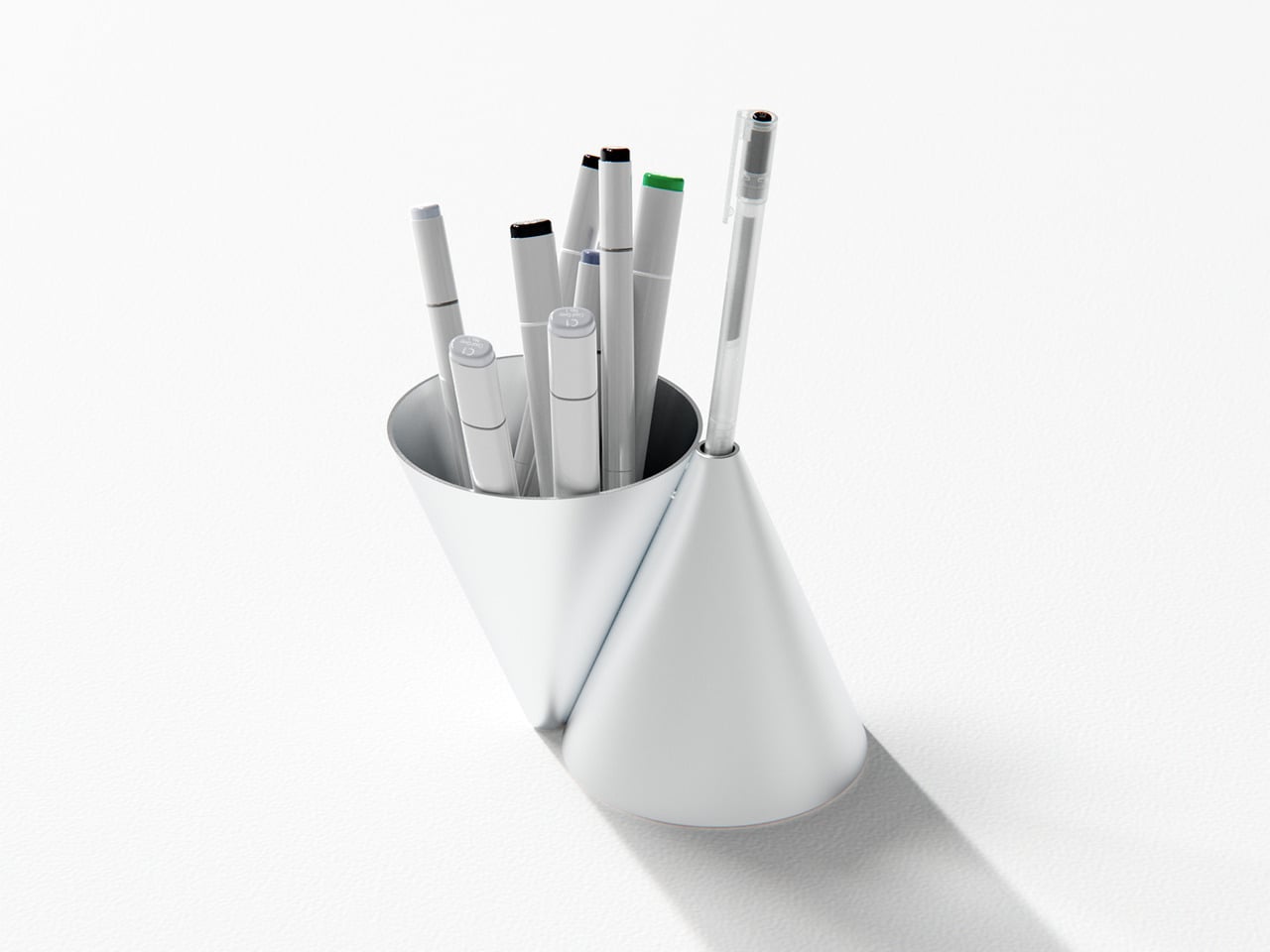
Konus is an aluminum pen holder that takes Bauhaus principles seriously rather than using them as decoration. Designed by Liam de la Bedoyere, it is built from two inverted cones, one hollowed out to hold everyday tools, the other reduced to a single aperture for a chosen pen. It is a personal project, which gives it permission to be a bit more pure and uncompromising than mass-market organizers that try to please everyone and end up feeling generic.
The larger cone becomes the communal container, swallowing the usual mix of pens and markers without complaint. The smaller cone acts like a tiny plinth for one special pen, the good ballpoint or fountain pen that always ends up lost under papers when you need it. This simple split creates a visual and functional hierarchy, your hand learning that the main cone is for grabbing anything, while the smaller one is where the favored pen lives, ready when you need it.
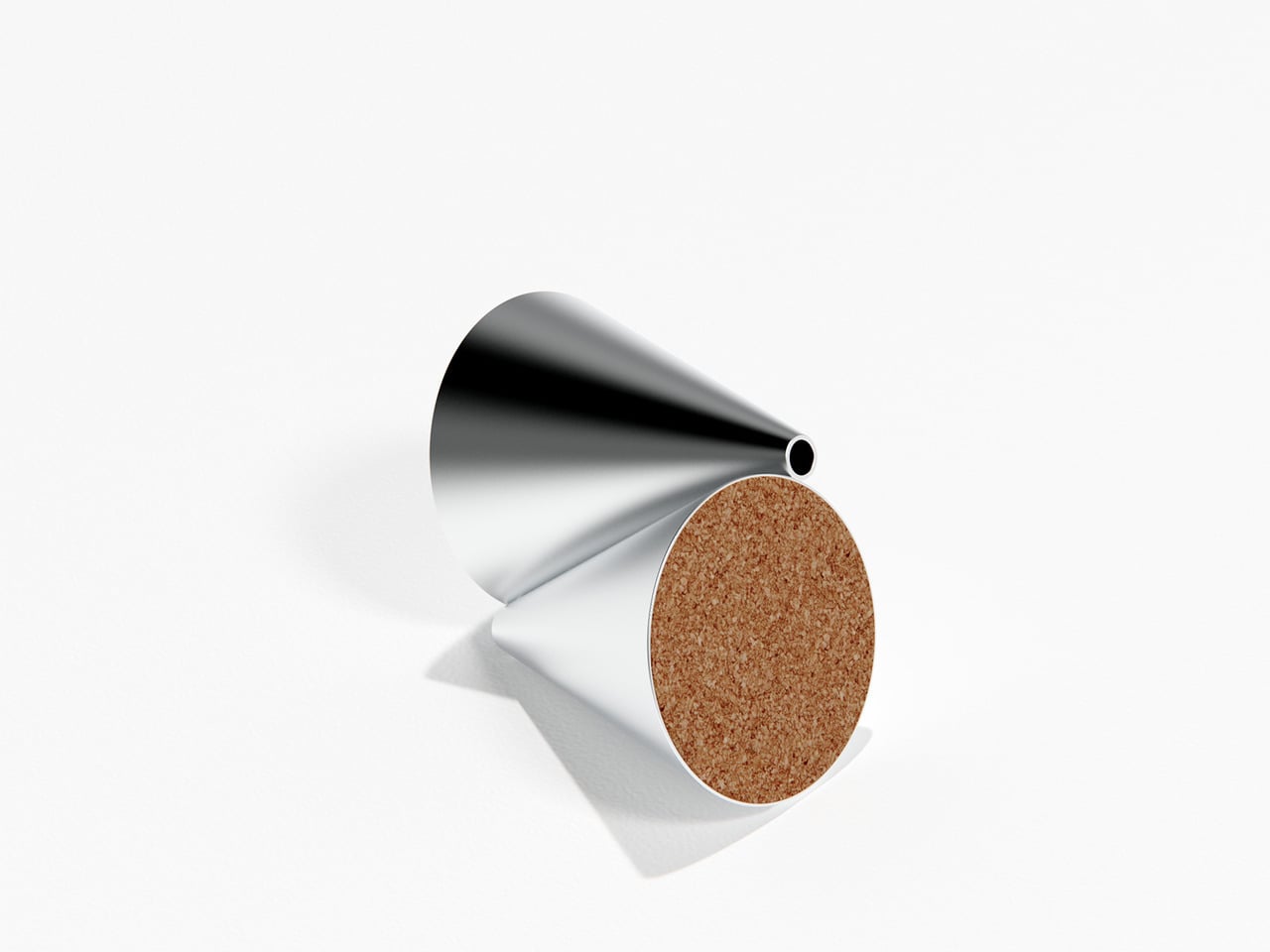
Konus is machined from aluminum with a satin finish that catches light softly rather than shouting for attention. The cork base keeps it from sliding on smooth desks and adds a bit of warmth against hard surfaces. Together, the cool metal and warm cork make it feel more like a small piece of desk architecture than a plastic cup, something you notice without it becoming a distraction or requiring constant attention.
A typical day with Konus on the desk means the main cone slowly fills with whatever pen you grabbed last, while the single aperture keeps your favorite anchored in one place. There is a small pleasure in always knowing where that pen is, and the object quietly nudges you to put it back in its slot instead of letting it disappear under papers or into a drawer where it will live for weeks before you find it again.
The cones embody that Bauhaus idea of form leading function without relying on labels or moving parts. Dropping tools into the big opening is effortless, but placing a pen into the small aperture feels deliberate, almost like docking a tiny instrument. Over time, that difference turns into a quiet ritual that organizes both the desk and your habits, making you slightly more intentional about which tools stay within reach and which ones can live in a drawer.
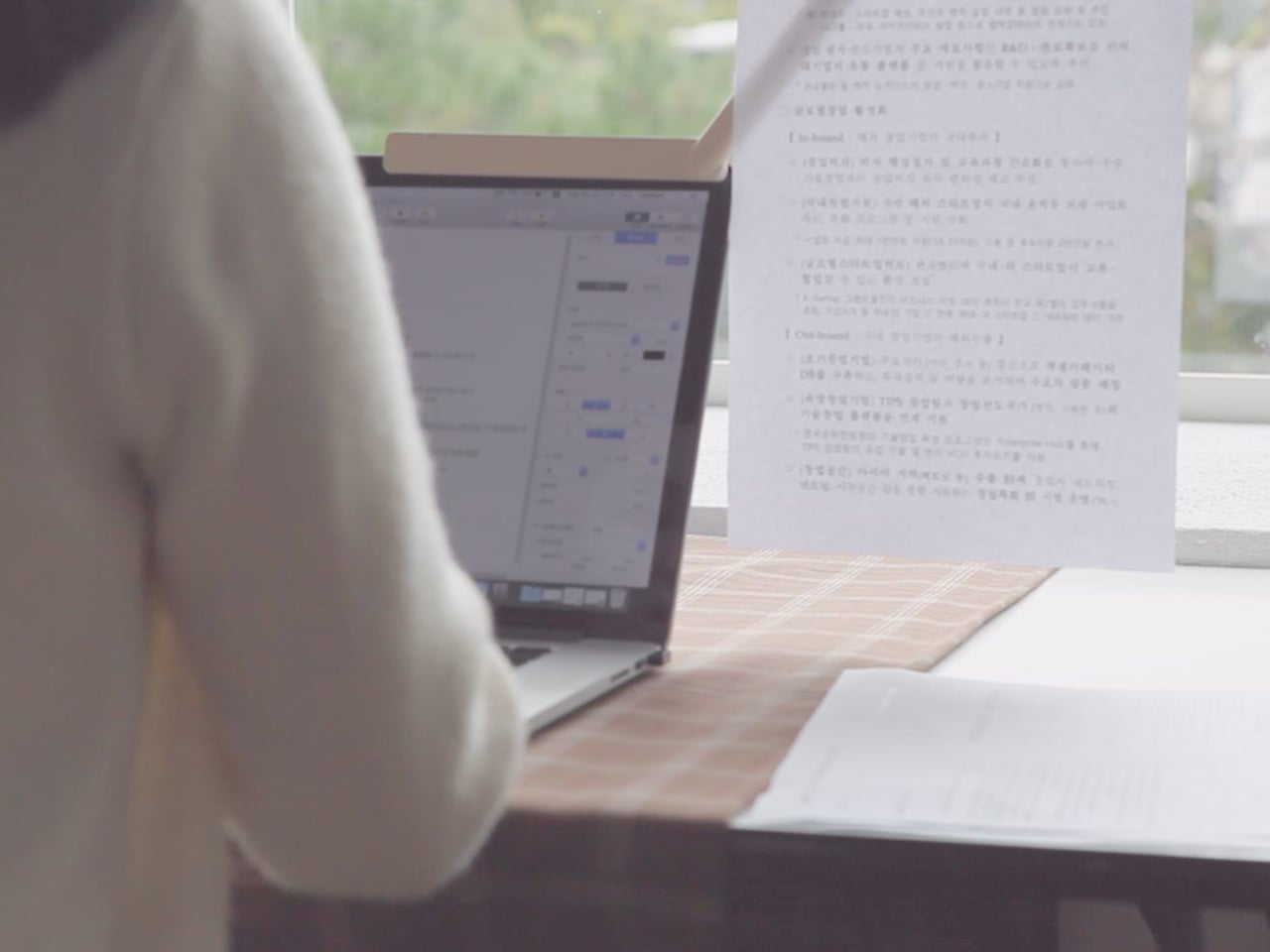
Most laptop workflows still involve paper, even in 2026. Printed briefs, handwritten notes, and reference sheets end up flat on the desk, which means you spend half your day bobbing your head between the screen and the table. That constant neck crane breaks focus and feels ridiculous when you are just trying to check a few lines of code or compare a contract clause, but there is nowhere else for the paper to go.
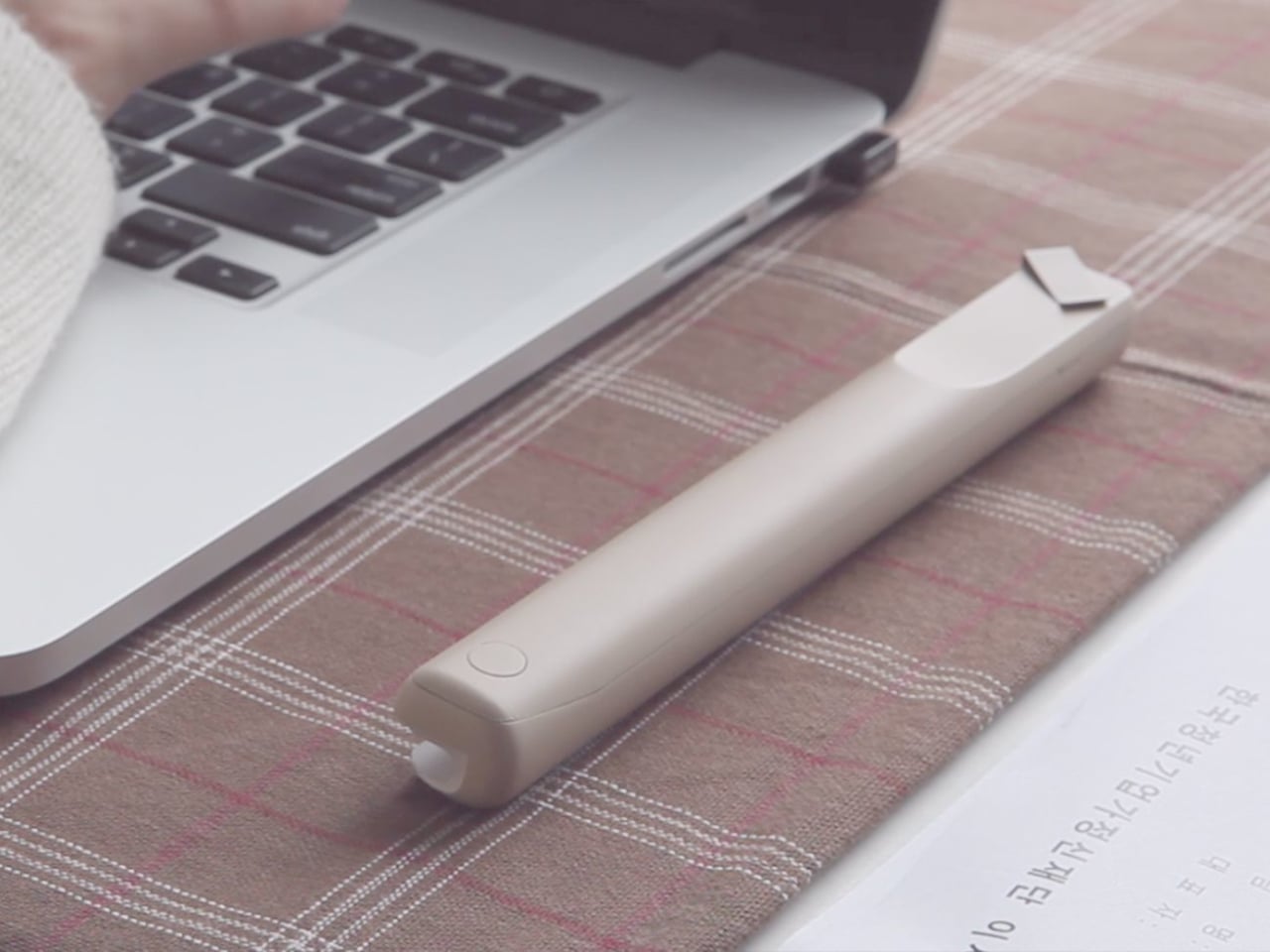
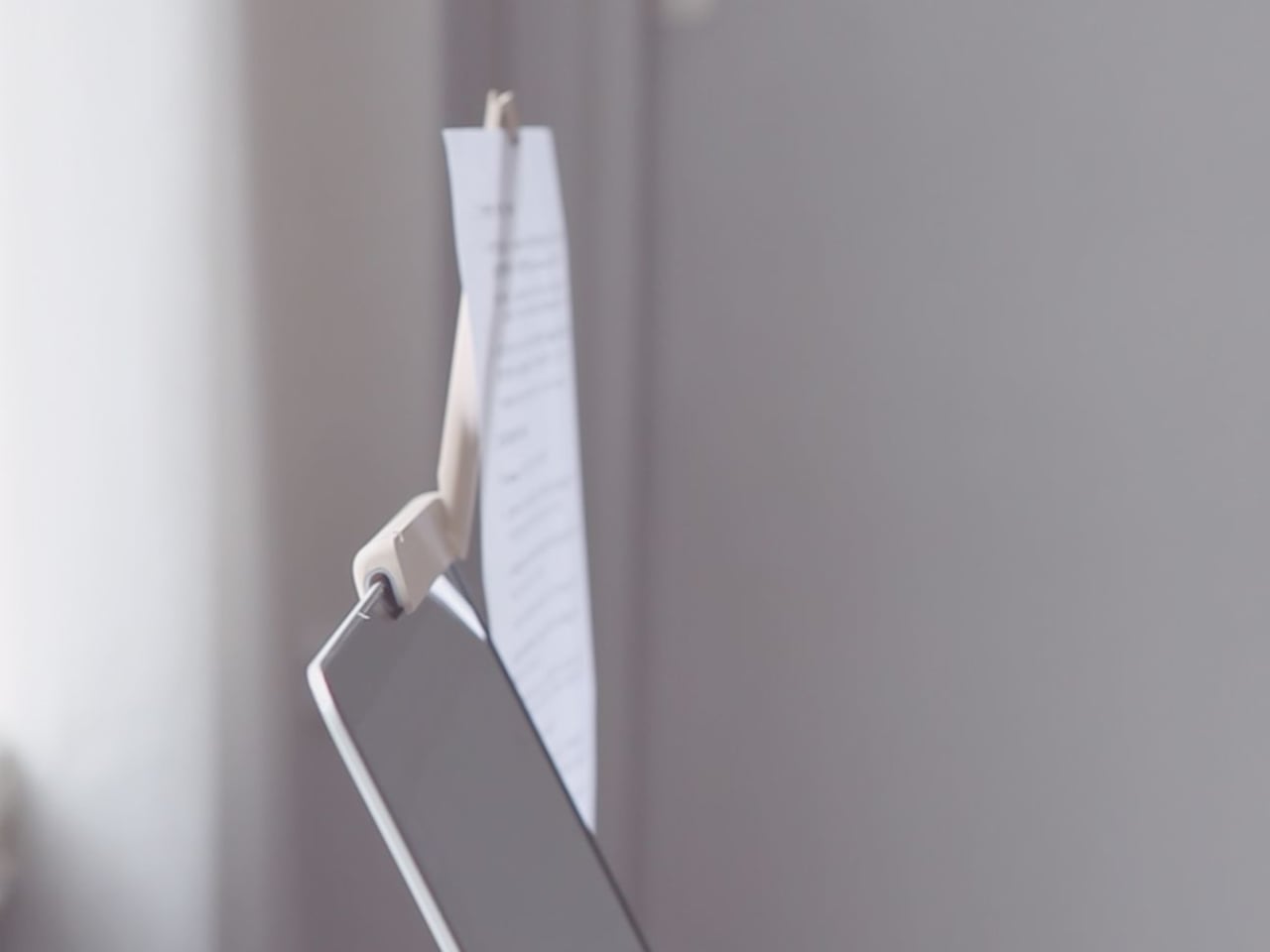
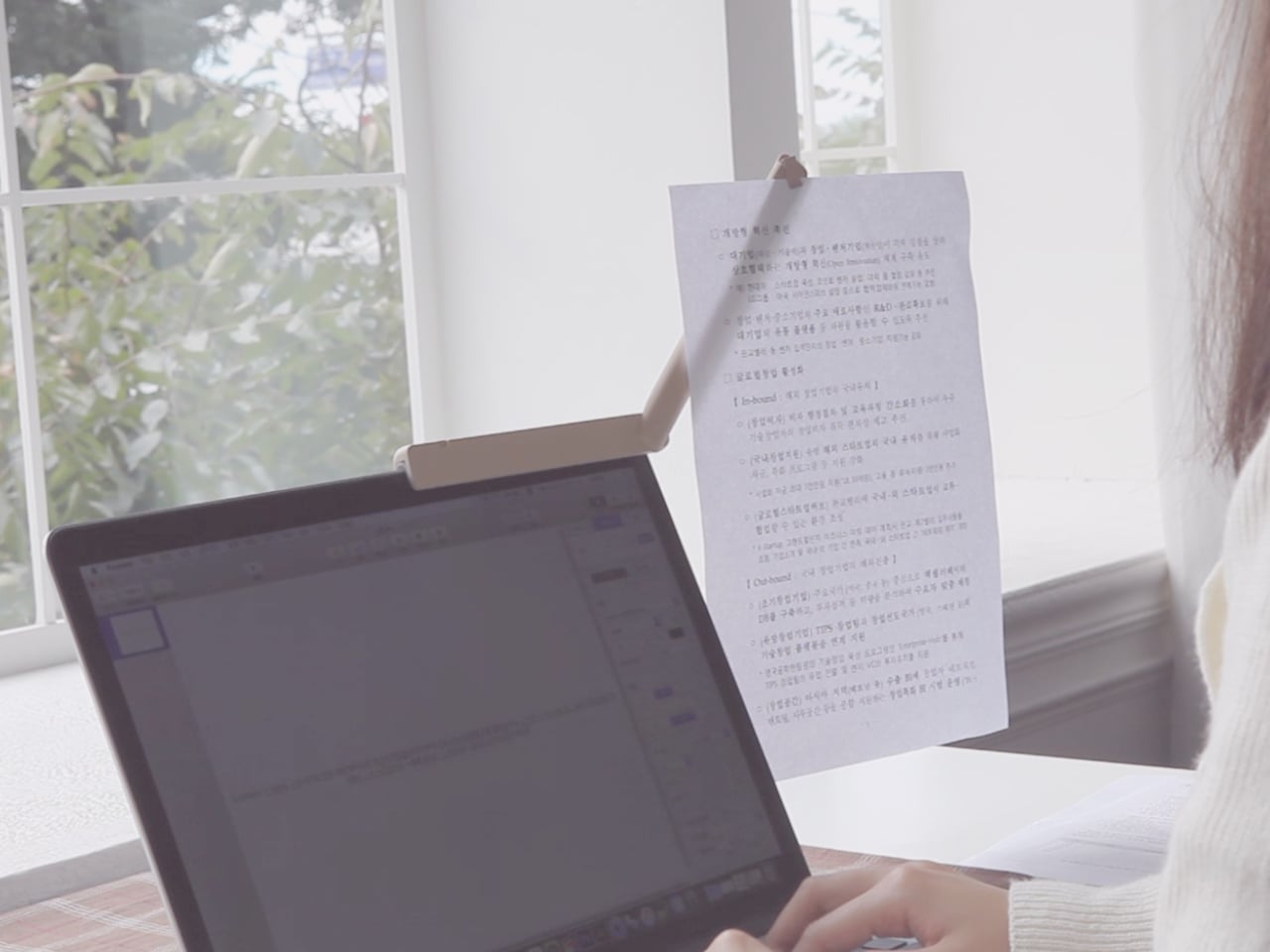
Branch is a slim paper holder designed specifically for laptops. It clips onto the edge of your screen and swings out like a branch growing from a trunk, lifting notes, photos, or documents into the same visual plane as your display. The designers wanted something that not only holds documents for easy viewing but also feels more considered and minimal than the generic office-supply stands that usually sit on desks, taking up space.
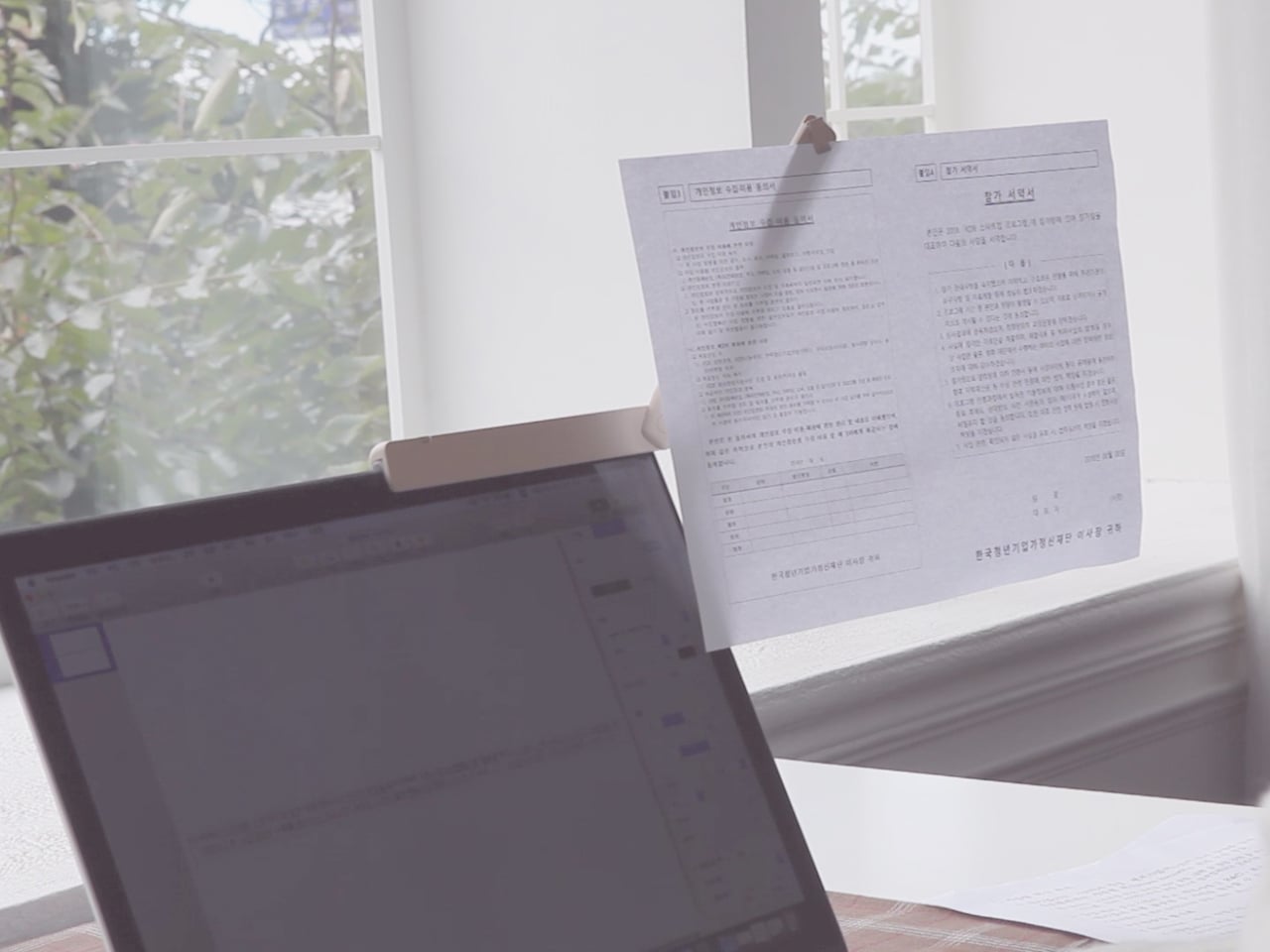
Sitting down with a laptop and a printed document, you mount Branch to the screen, rotate it until it sits roughly horizontal with the display, and slide your sheets into the clip at the end. It can hold up to ten A4 pages, so multi-page contracts, code printouts, or study notes stay visible and aligned with your main workspace. The arm rotates both horizontally and vertically, bringing paper into your line of sight instead of leaving it flat below.
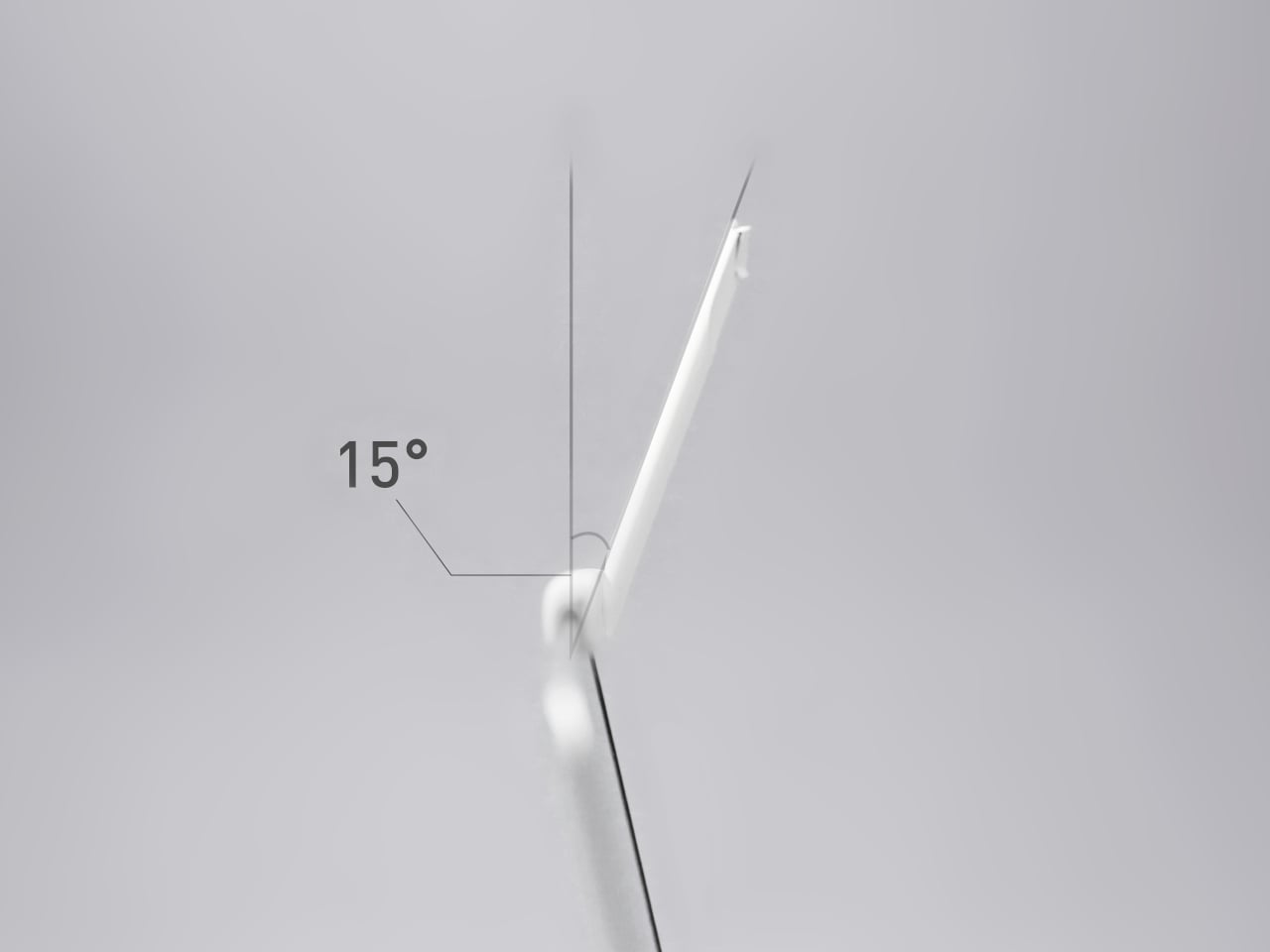
By raising paper this way, Branch reduces the amount of head and eye travel needed to reference it. The arm is angled at about 15 degrees so that notes do not slide off, and the clip lets you display pages in portrait or landscape, useful for everything from long text columns to wide spreadsheets. It is a small adjustment, but one that can make long laptop sessions feel less like a neck workout.
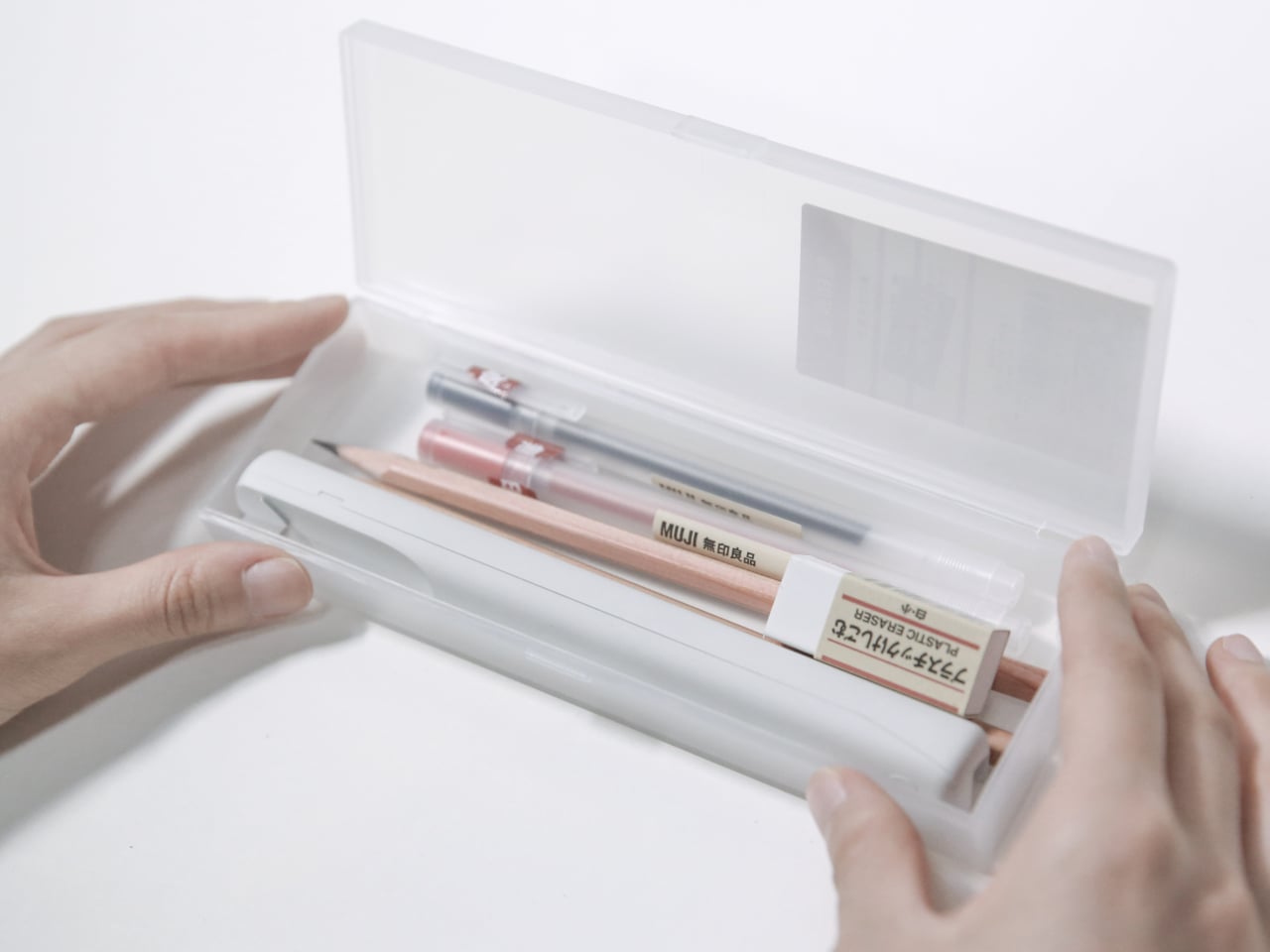
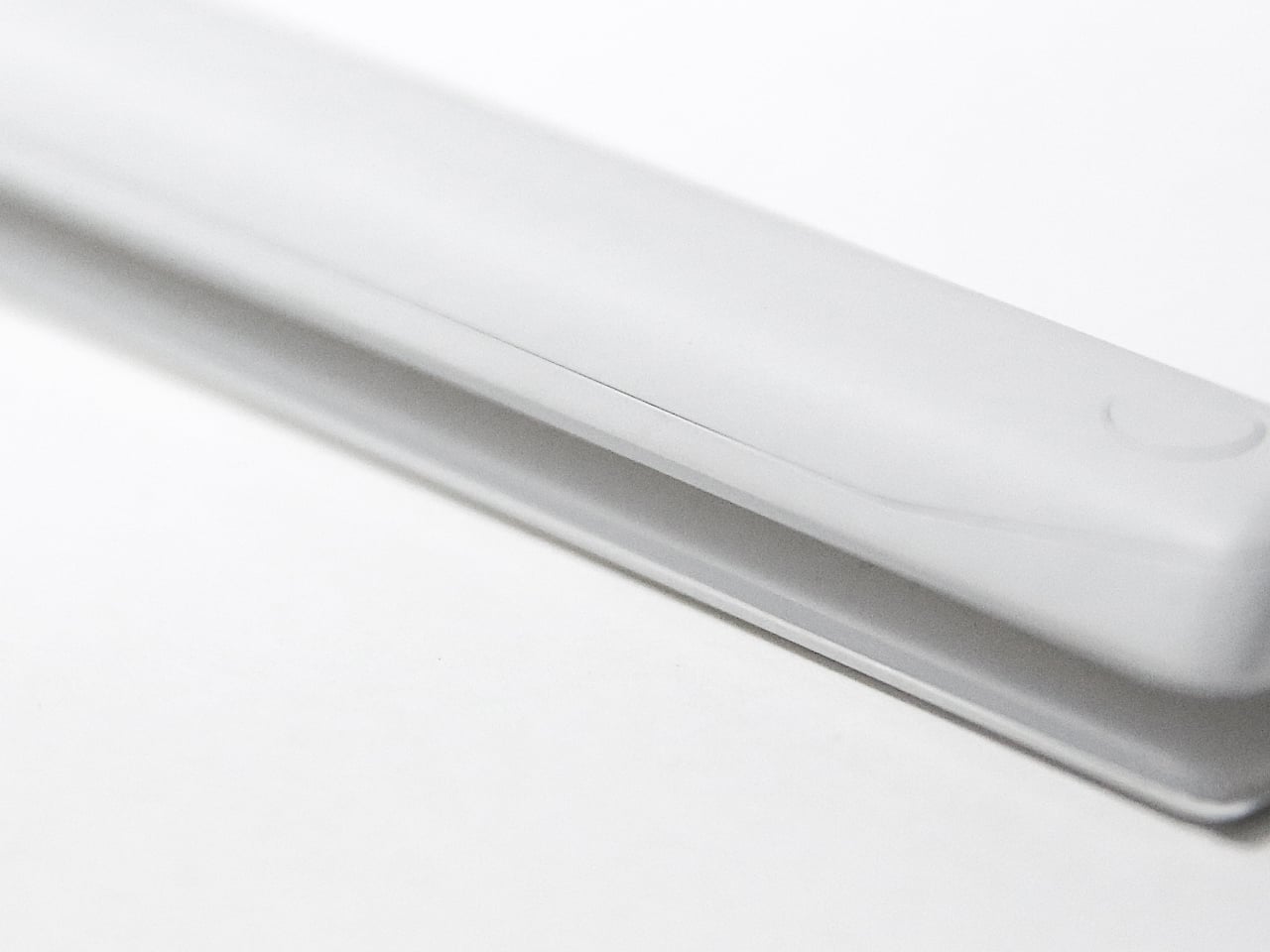
Branch is only 17cm long and weighs 130g, light enough to live in the same bag or sleeve as your laptop without feeling like extra gear. It fits screens between 3mm and 6mm thick and is recommended for 13-inch to 15.6-inch laptops, which quietly covers most modern notebooks. The ABS structure is shaped to protect the mounting surface, so it grips without chewing through bezels or leaving marks.
The name is not just a visual metaphor. Tree branches do more than connect trunks and leaves. They gather light and store nutrients so the tree can grow. The designers chose “Branch” because they see this little arm as playing a similar role, quietly supporting work by making analog and digital tools feel more connected. It is not a productivity app trying to replace paper but a physical bridge between notes and pixels.
Branch does not try to scan your printouts or digitize your sketches. It simply gives your notes a better seat next to your laptop, reducing strain and clutter in the process. Many people still think better with a pen in hand and a reference sheet by their side, so a minimal paper holder that clips on, swings out, and disappears into the workflow feels like the right kind of quiet upgrade.
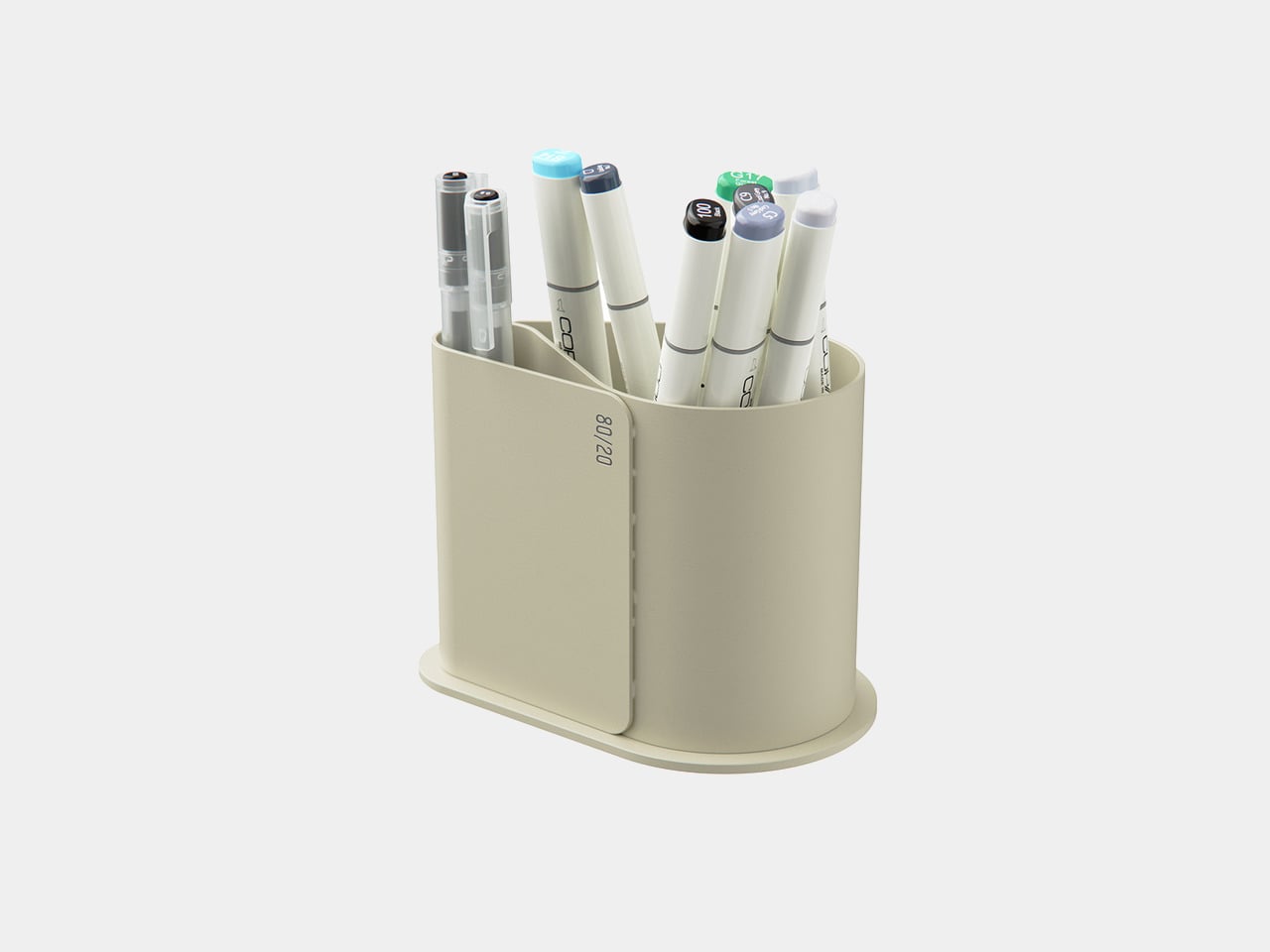
Most creative desks have a cup overflowing with pens, markers, and tools, even though you reach for the same few every day. There is the Muji gel pen for sketches, a couple of render markers you trust, and then about 15 other things you keep just in case. The Pareto Principle says 80 percent of your output comes from 20 percent of your stationery, which feels accurate once you notice how often you dig past everything else.
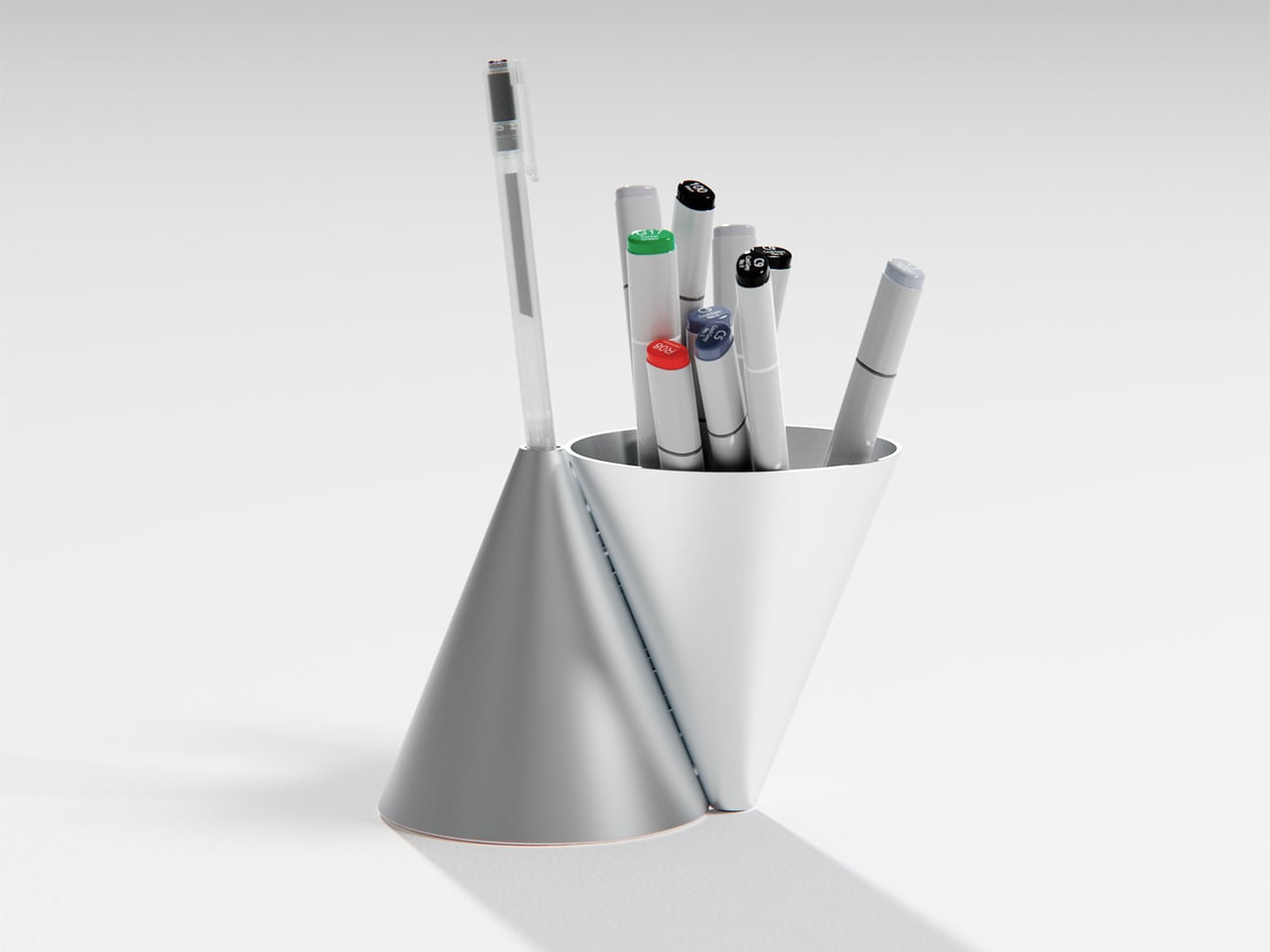
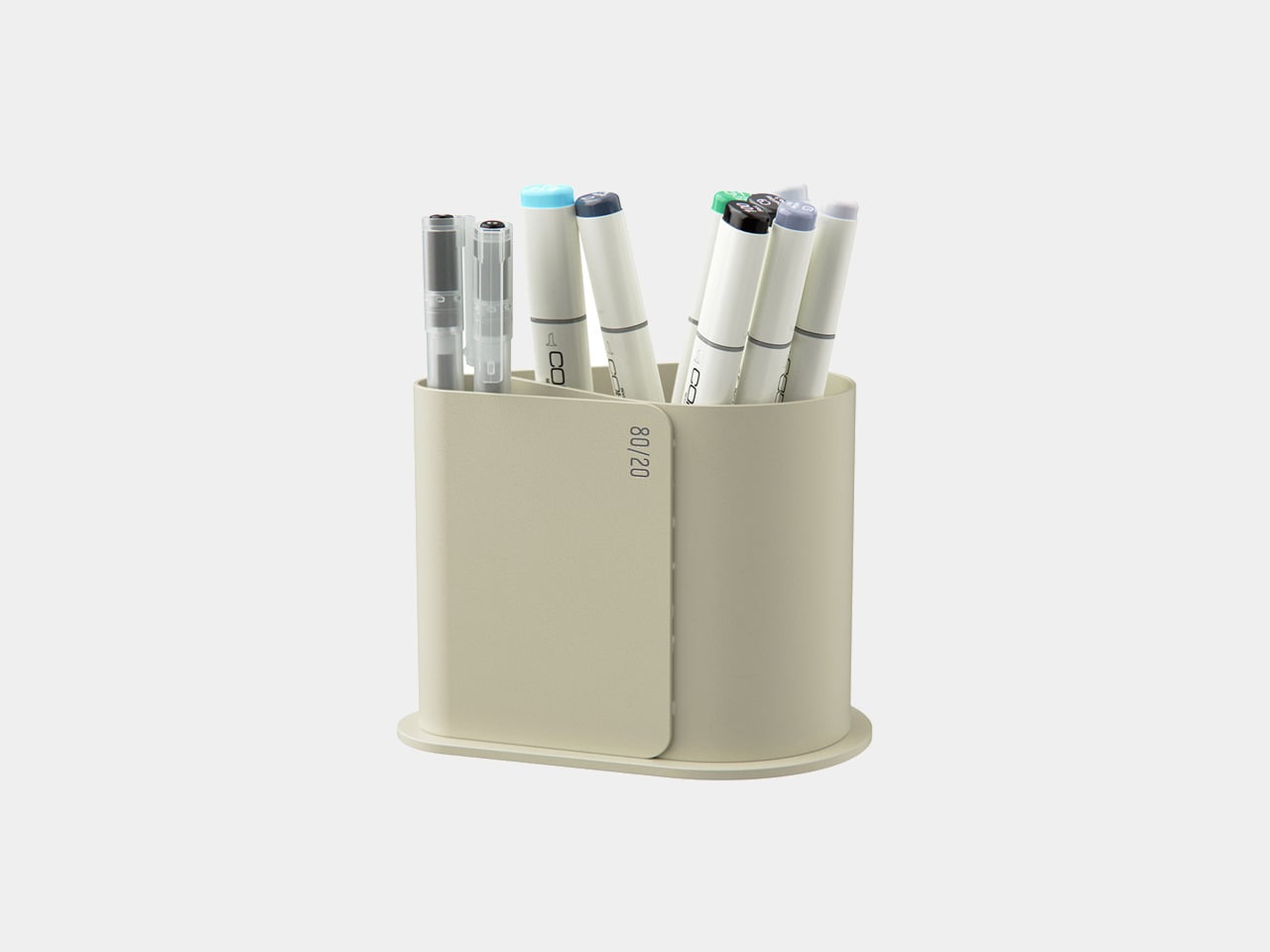
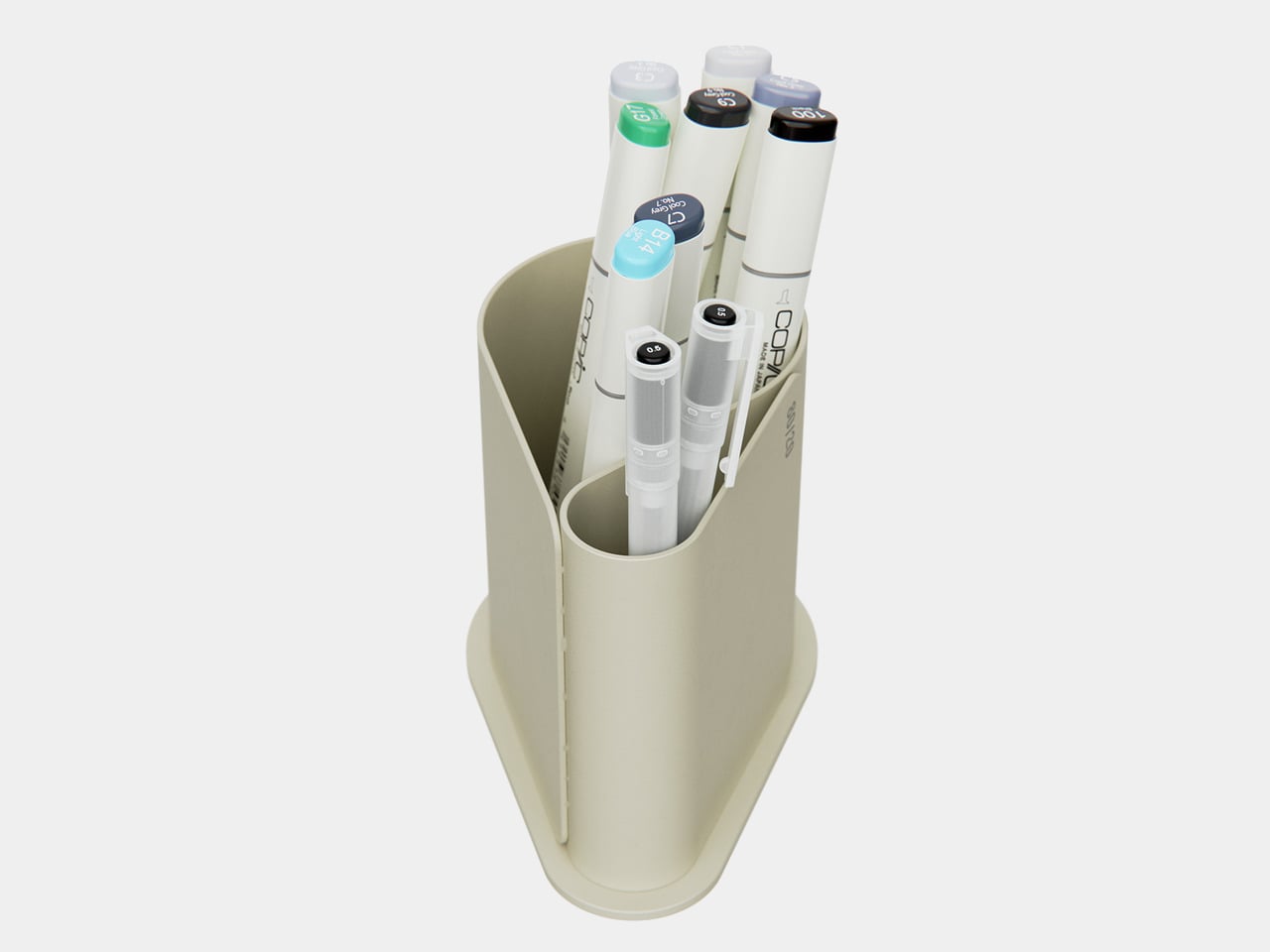
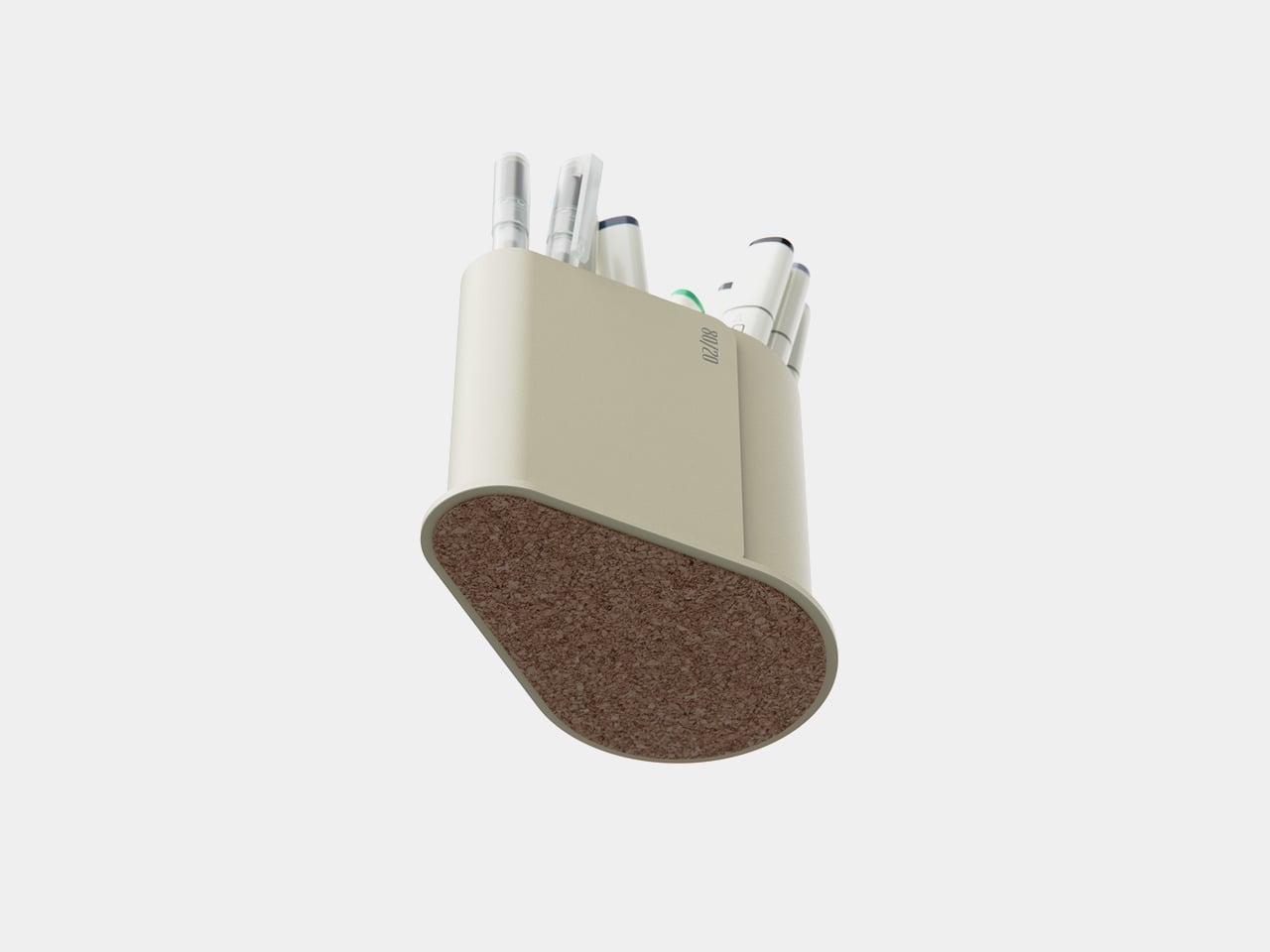
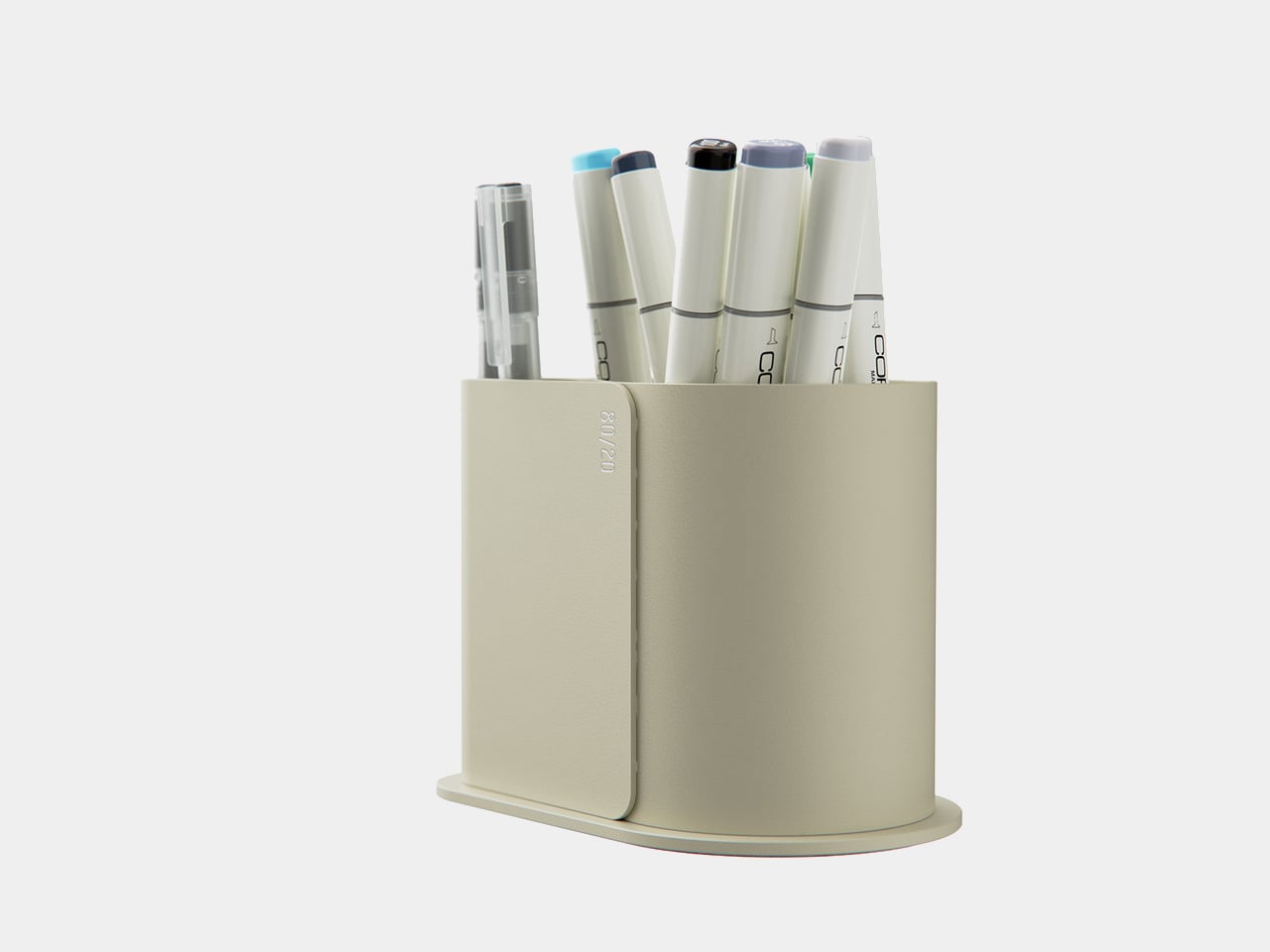
Pareto Pot is a stationery holder designed around that rule. Designer Liam de la Bedoyere noticed his own reliance on a handful of hero tools and built a pot that prioritizes those while still keeping essential counterparts within reach. It is a small desk object that treats hierarchy as a feature rather than pretending every pen deserves equal billing, using form and compartment size to make your most-used tools easier to grab.
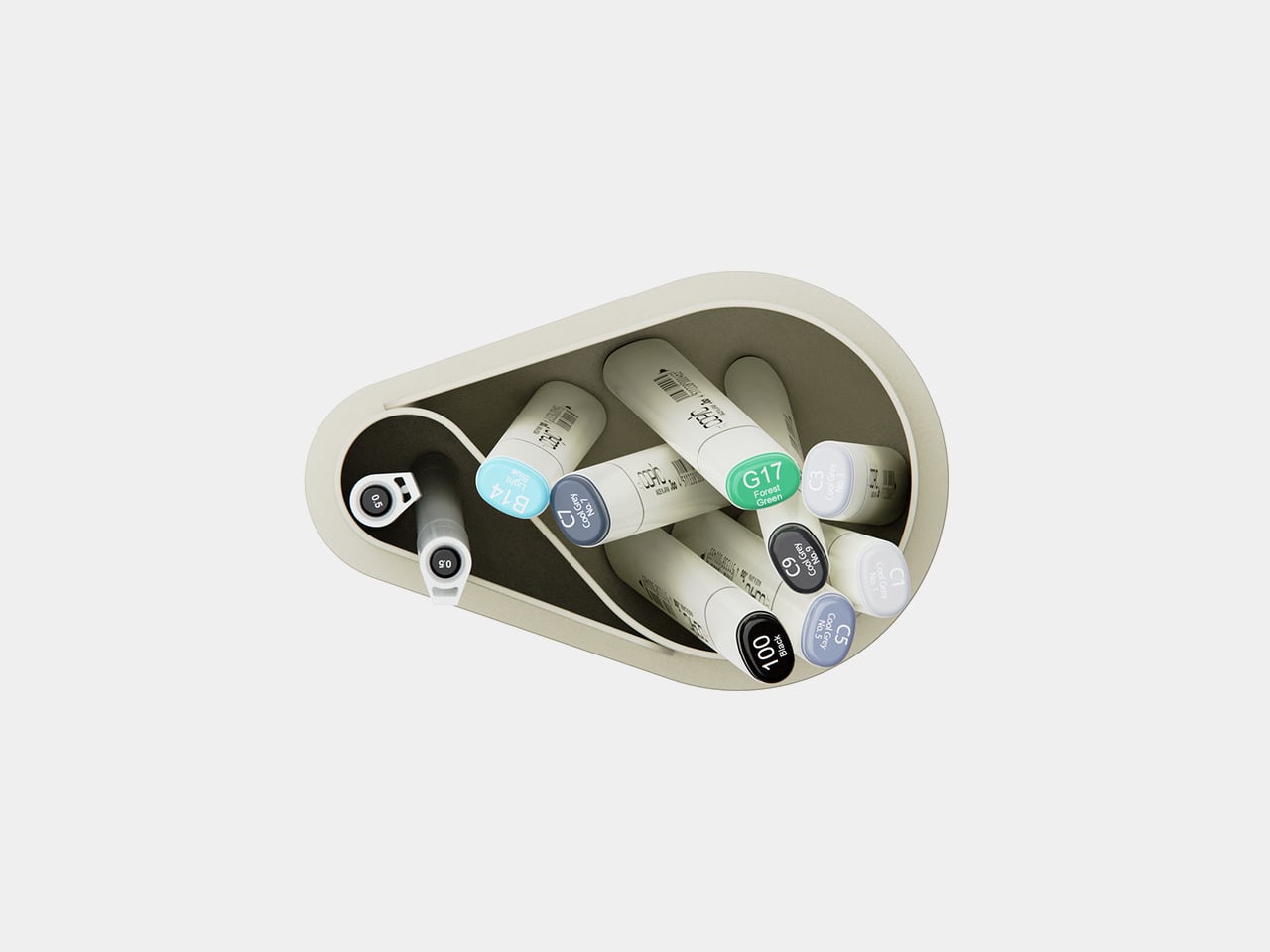
Sitting down to sketch or render, your main pen and key markers naturally drop into the larger front compartment, while backup colours, fineliners, or highlighters slide into the smaller rear section. Without thinking about it, you end up with a front row of tools you use constantly and a supporting cast that is still close but not fighting for attention every time you reach for something.
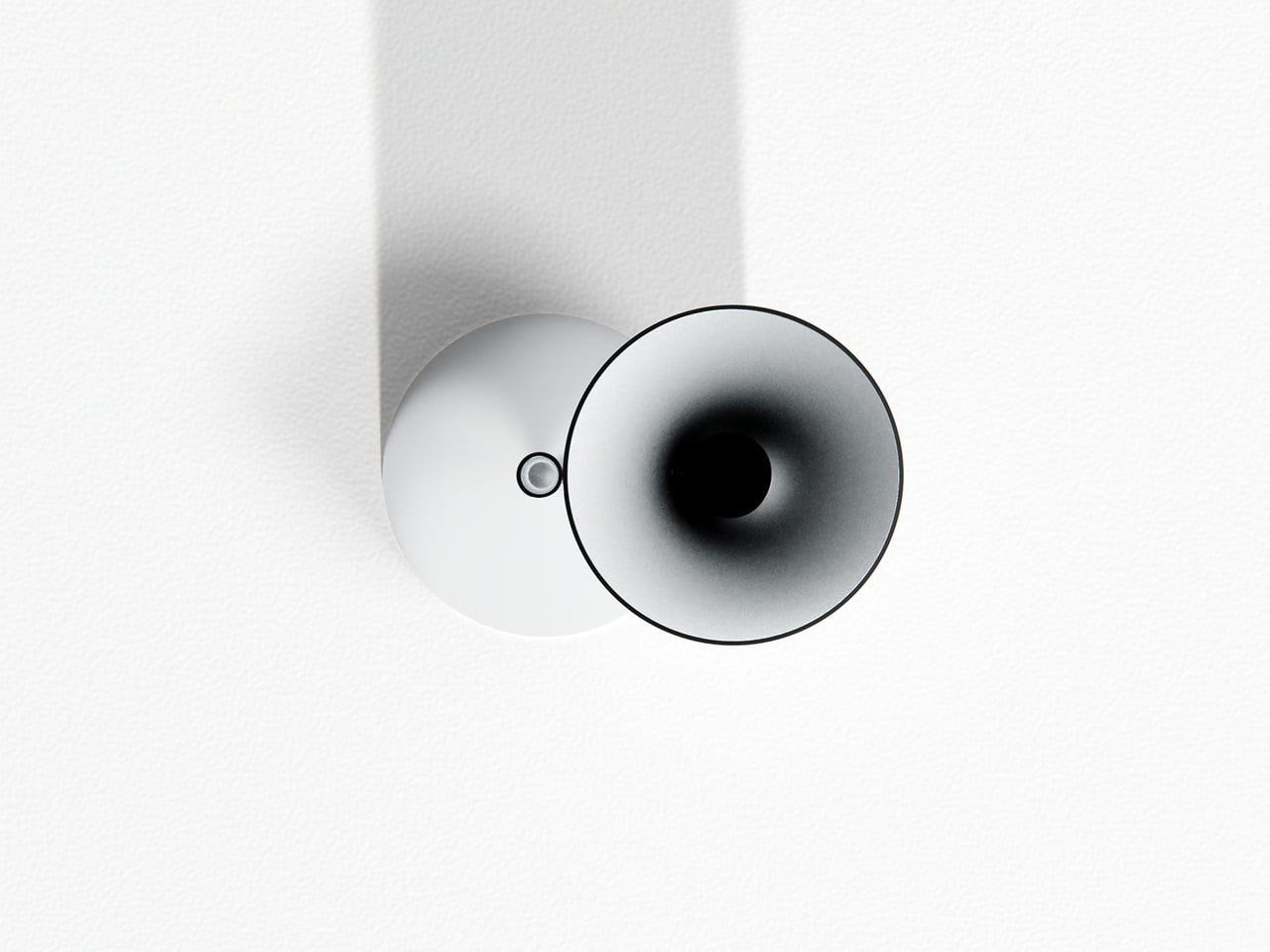
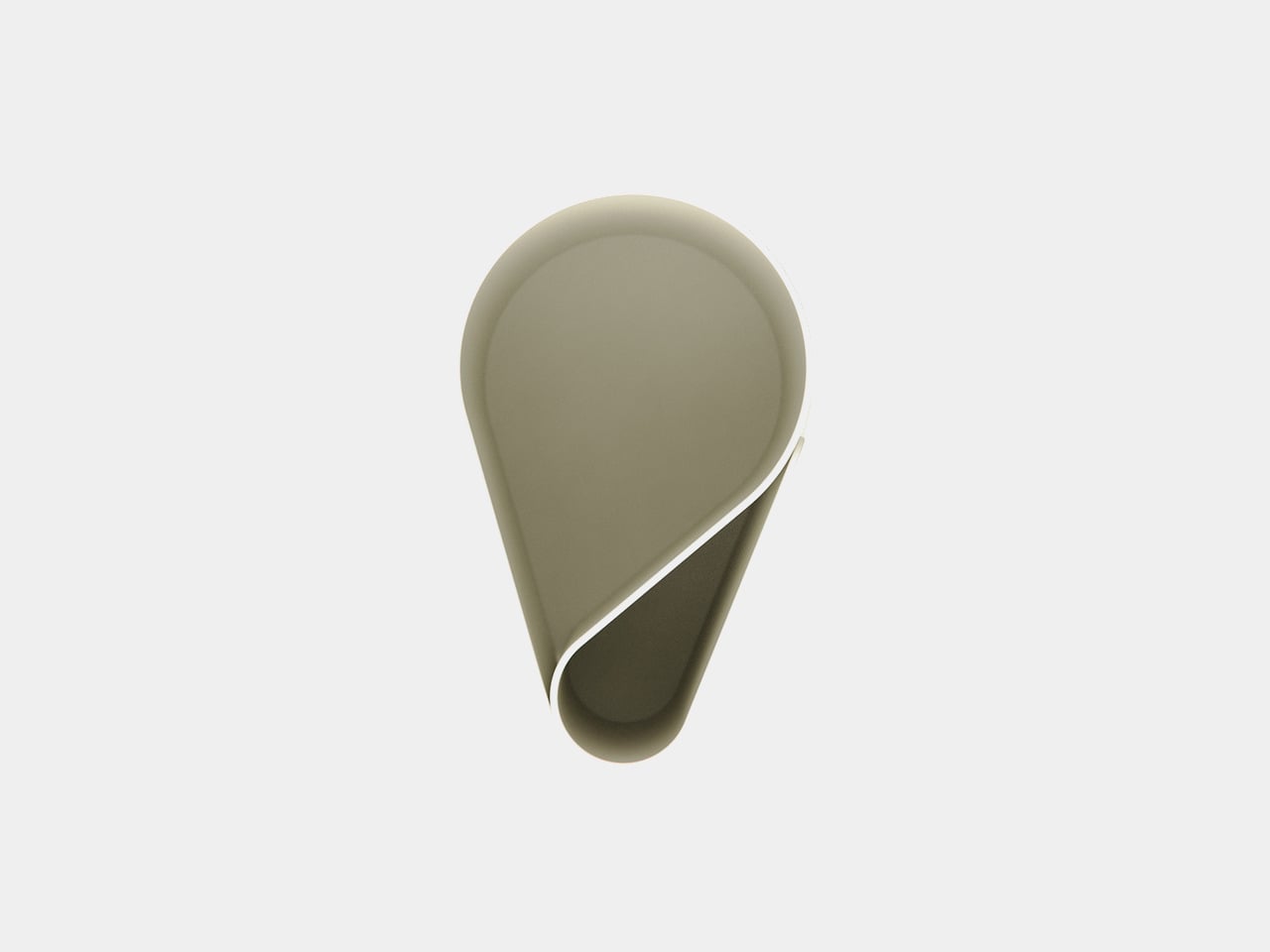
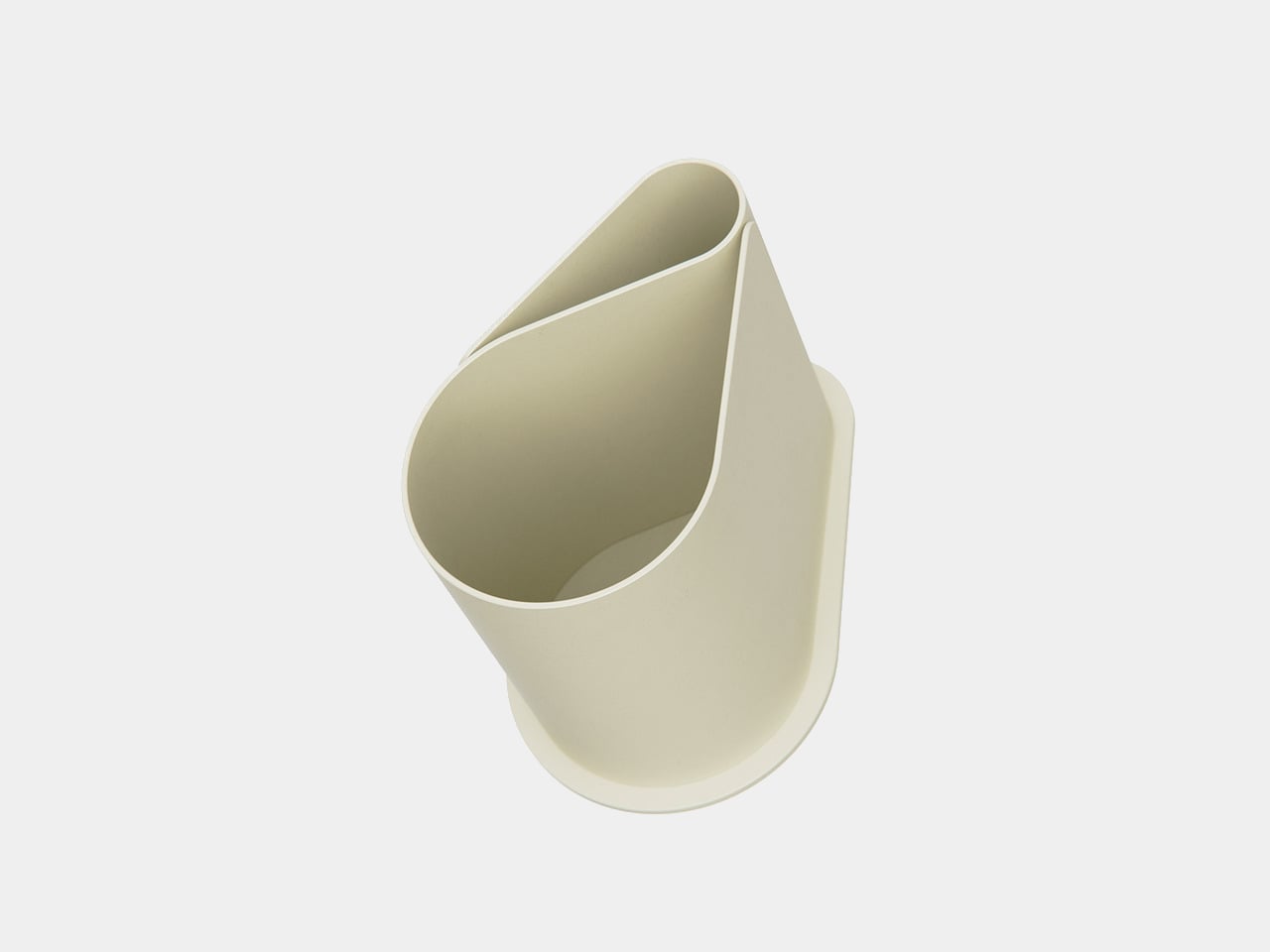
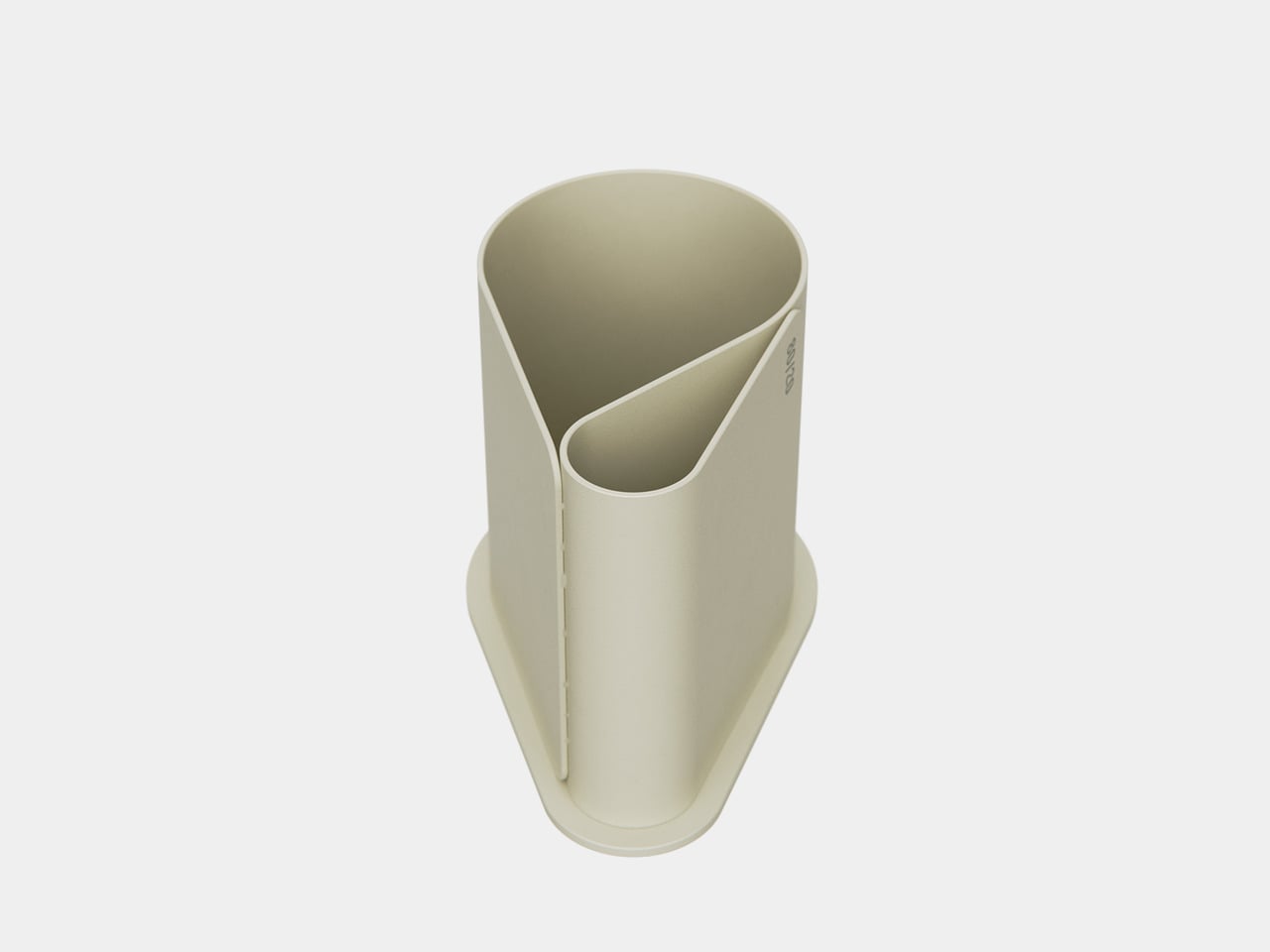
The object is made from bent and welded sheet metal, forming a nested, teardrop-like footprint that balances minimalism with clear function. The outer shell wraps around an inner wall to create two compartments in one continuous gesture, so it reads as a single form rather than a cluster of tubes. The result feels industrial and precise but not cold or overdesigned, more like a small sculpture that happens to organize your pens.
The base is wide enough to stay put when you grab a handful of markers, and a cork underside protects the desk and adds grip. The height keeps pens upright and visible without making them wobble or tip when you pull one out in a hurry. It is the kind of object you can slide around a crowded workspace without worrying about tipping or scratching the surface underneath.
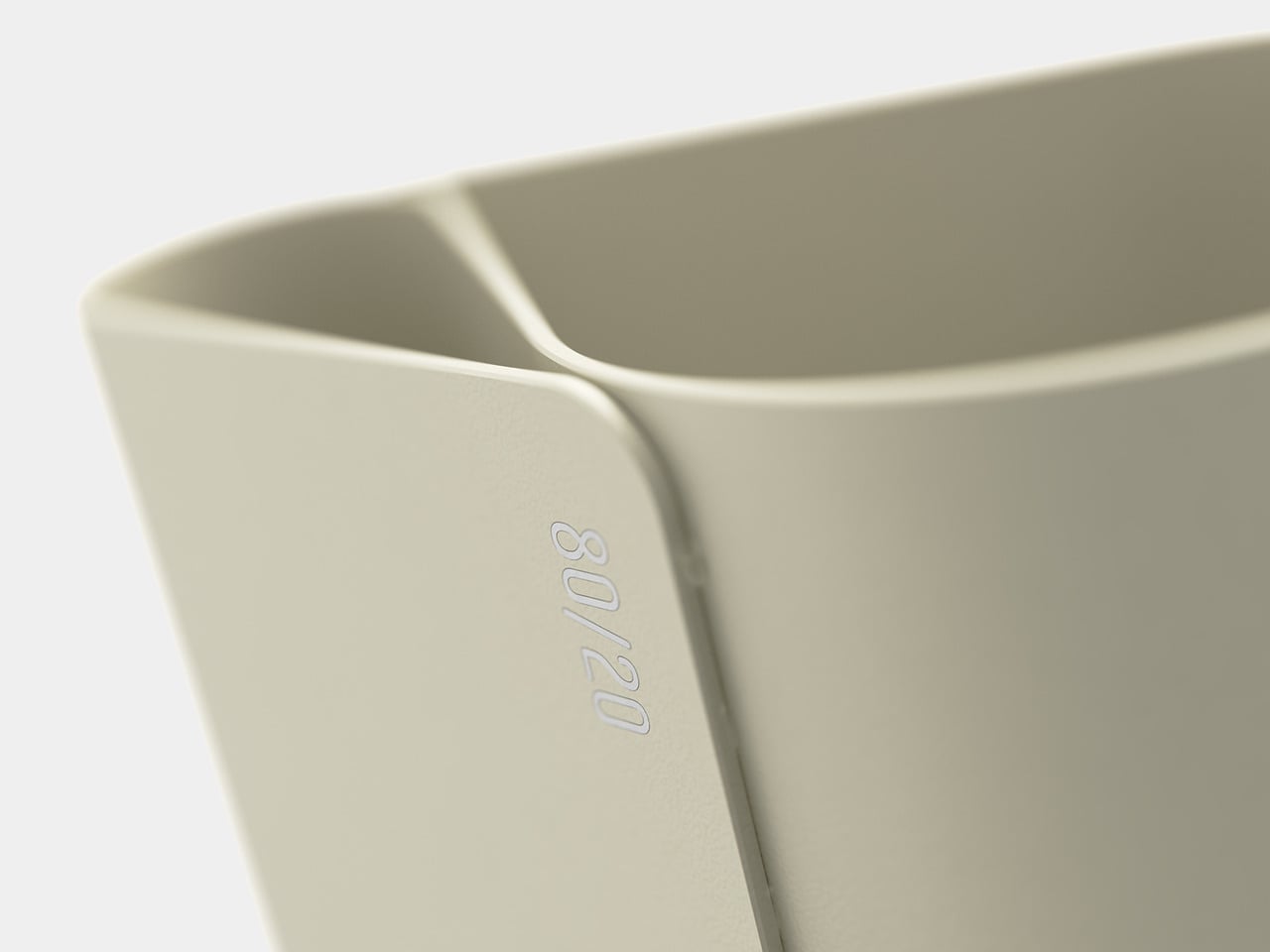
A small “80/20” mark on the side acts as a quiet nod to the idea driving the form, not a loud logo. It is a reminder that the pot is not just another cylinder; it is a physical diagram of how most of us actually work, a big space for the few tools that matter most, and a smaller one for everything else.
Pareto Pot is less about storing as many pens as possible and more about making it easier to focus on the ones that pull most of the weight. It does not tell you which tools to love; it just gives them a better spot to live in. For anyone trying to tame a chaotic pen cup without giving up their favourite analog tools, that feels like a quietly smart upgrade.
January arrives with its familiar promise of renewal, and your work-from-home setup deserves the same attention as your fitness goals or morning routines. The desk where you spend eight hours daily becomes more than furniture—it transforms into the command center of your productivity, creativity, and professional presence. After months of accumulated cable chaos, scattered pens, and makeshift arrangements, the new year offers the perfect excuse to reimagine your workspace with intention.
The right desk accessories don’t just organize; they elevate your entire work experience through thoughtful design and purposeful engineering. These five pieces represent the intersection of form and function, where premium materials meet clever problem-solving. From levitating pens that spark creative breaks to monitor stands that finally solve the Mac mini placement puzzle, each accessory addresses a specific pain point while adding visual sophistication to your desk landscape.
1. Alogic Aspekt Omni Fold Stand
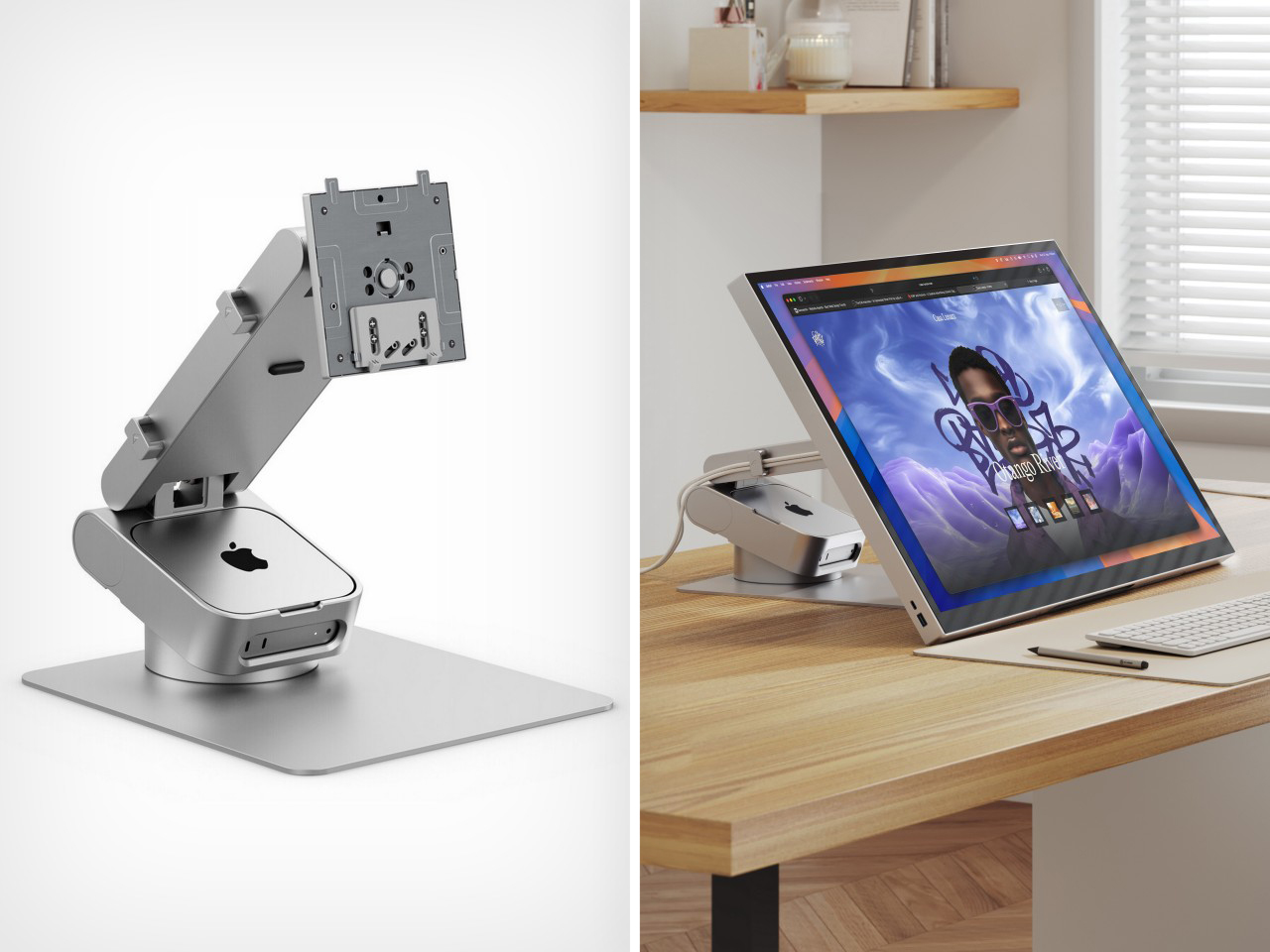
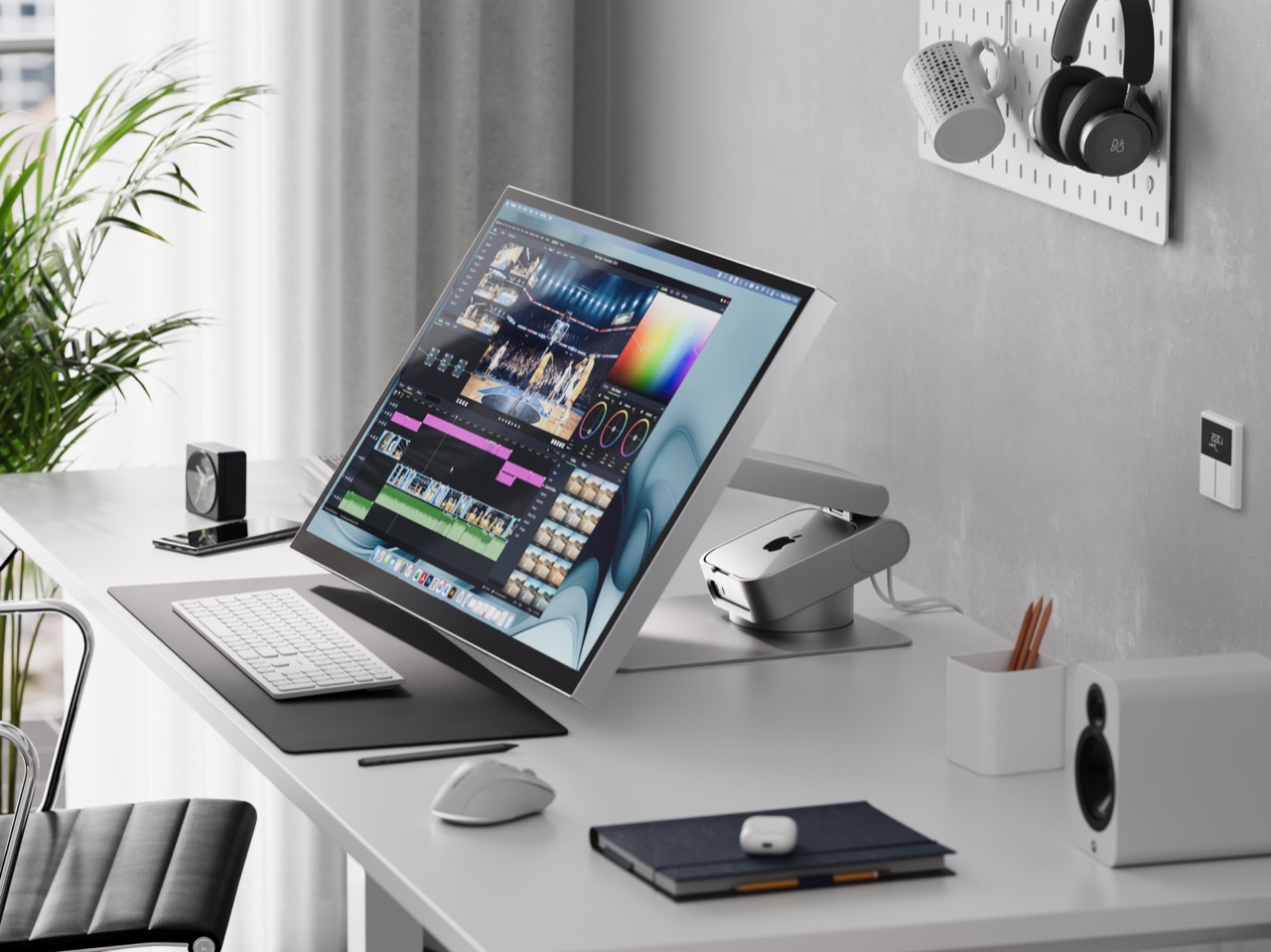
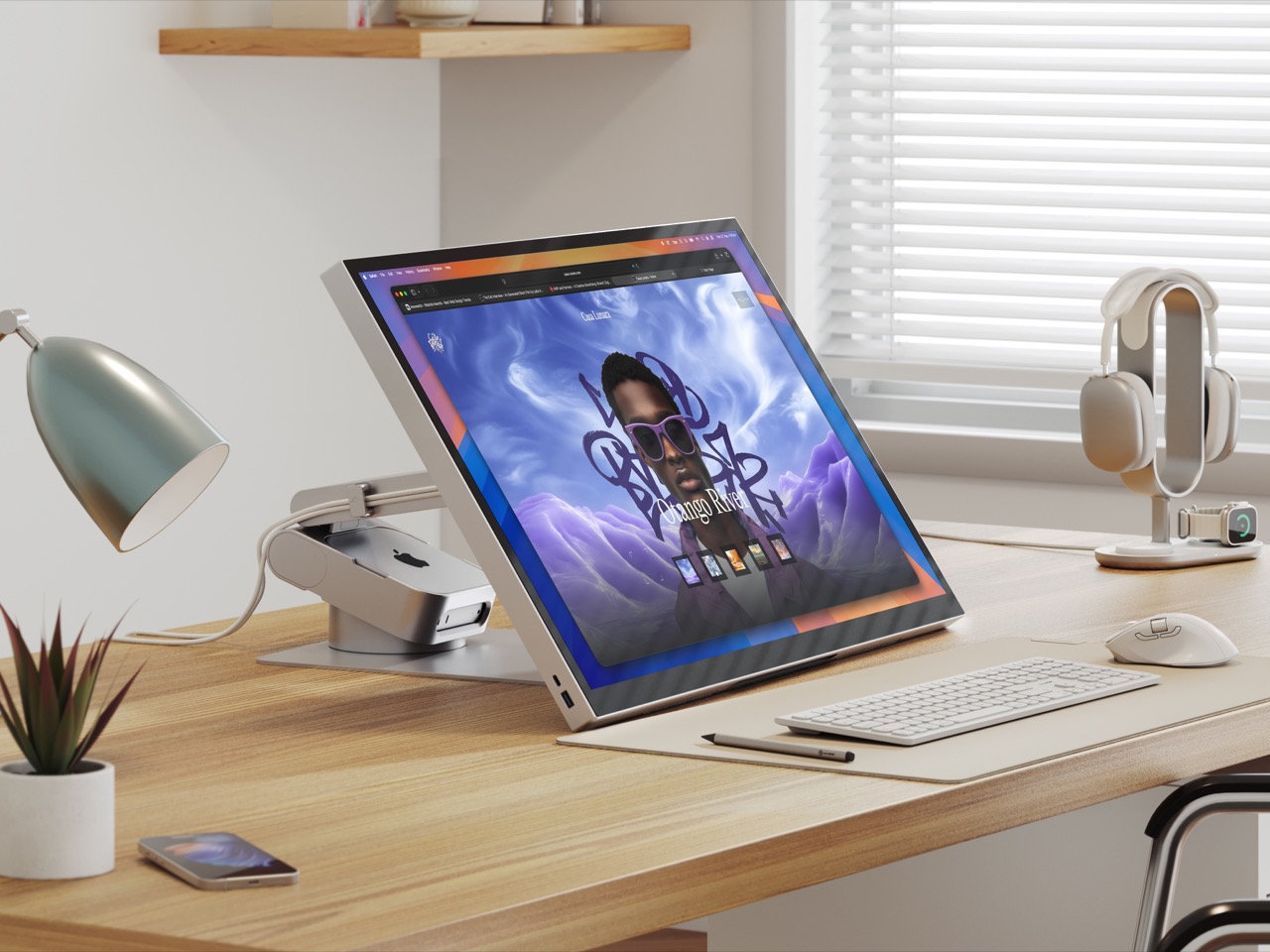
Apple’s Mac mini has always been a spatial enigma—too beautiful to hide away, yet too awkward to display properly. The little computing powerhouse typically ends up pushed to the side with cables sprawling in every direction, never quite integrating into your desk aesthetic. Alogic spotted this design gap and responded with the Aspekt Omni Fold Stand, a monitor stand that elegantly solves the Mac mini placement problem by building its home directly into the base.
The engineering here feels revelatory in its simplicity. Rather than creating another shelf or separate mount, Alogic carved a precision groove into their premium monitor stand specifically calibrated for the M4 Mac mini. This transforms your setup into a modular iMac where computer and display unite visually while remaining independently upgradeable. The stand eliminates cable clutter by centralizing your hub, while the aluminum construction matches Apple’s design language perfectly. Starting your year with this level of spatial organization creates a foundation for everything else on your desk.
What We Like
Transforms the Mac mini and monitor into a cohesive all-in-one aesthetic.
Precision-engineered groove prevents the computer from sliding or shifting.
Centralizes cables and ports for a cleaner desk appearance.
Premium aluminum construction matches Apple product quality.
What We Dislike
Specifically designed for the Mac mini limits universal appeal.
Premium materials result in a higher price point than basic stands.
2. FoldLine Pen Roll
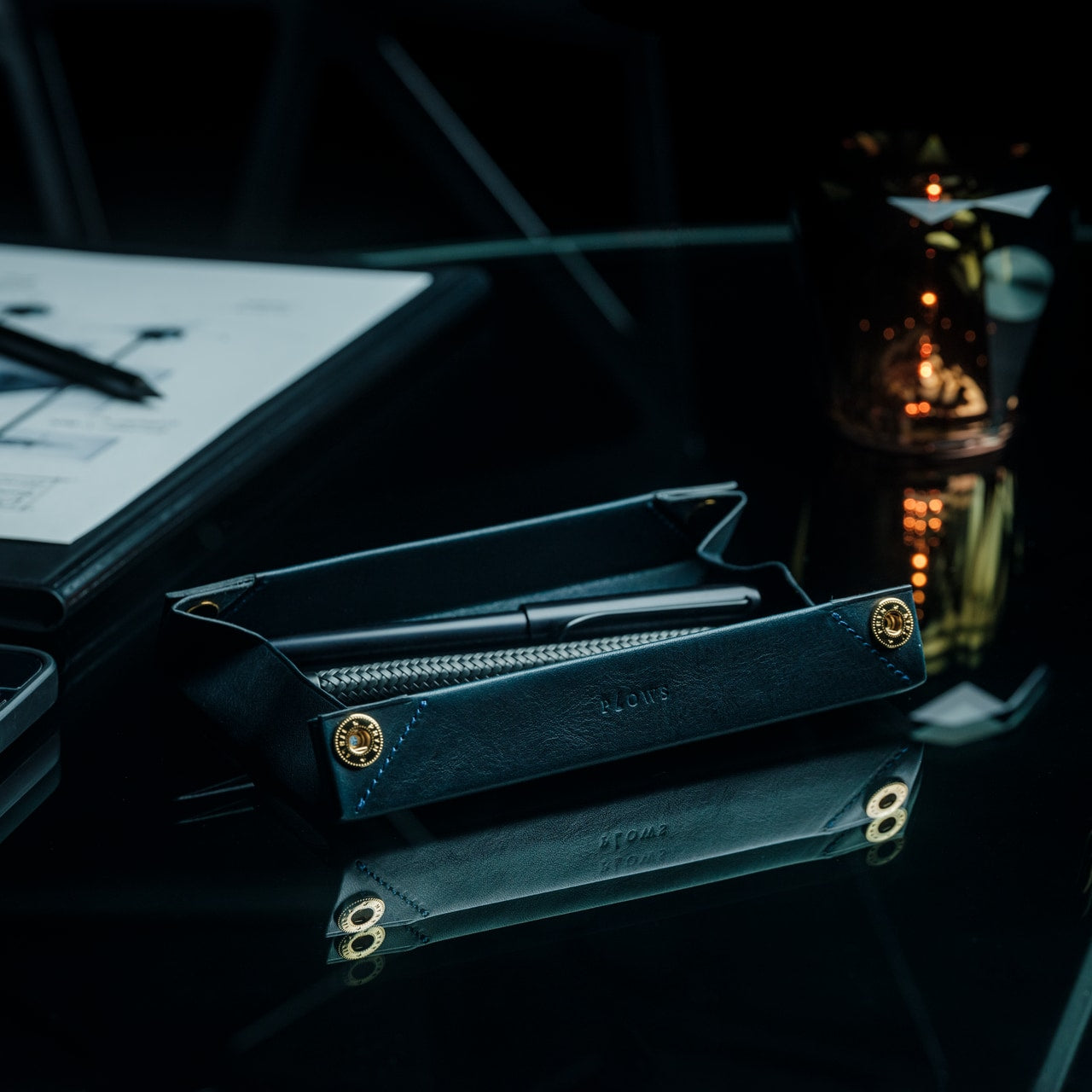
Digital tools dominate our workflows, yet the ritual of putting pen to paper remains irreplaceable for sketching ideas, signing documents, or journaling thoughts. The FoldLine Pen Roll recognizes this enduring need and transforms pen storage from utilitarian afterthought into an intentional design object. Crafted from a single piece of Italian leather, this isn’t merely a case—it’s a portable writing station that unfolds into a defined work surface wherever you land.
The origami-inspired geometry creates natural compartments without stitching or partitions. Your pens nestle into folded leather channels that prevent rattling and scratching; even metal-bodied instruments remain separated and protected. Opening the roll becomes a small ceremony that signals transition into focused work mode, whether you’re at a café table or hotel desk. The leather develops character through use, aging beautifully while maintaining structure. Resetting your desk for January means honoring analog tools with the same design consideration you’d give your laptop or monitor.
Single-piece Italian leather construction ensures durability and elegance.
Unfolds into a stable tray that defines a workspace on any surface.
Natural folding system protects pens without scratches or noise.
Compact form travels easily in bags without adding bulk.
What We Dislike
Leather requires occasional conditioning to maintain suppleness.
Limited capacity suits curated pen collections rather than large inventories.
3. ClearMind Kendama
Desk accessories typically focus on productivity optimization, but sustained focus requires deliberate breaks that refresh your mind without derailing concentration. The ClearMind Kendama from Tokyo Kendama introduces a physical skill toy to your workspace, offering three-minute mental resets between video calls or during creative blocks. This traditional Japanese toy—a wooden handle connected to a ball—challenges hand-eye coordination while providing satisfying tactile feedback that screens simply cannot deliver.
Tokyo Kendama recalibrated the classic design specifically for modern desk use. Larger cups make landing tricks more achievable, building confidence rather than frustration during brief breaks. The bearing system minimizes string twists, maintaining smooth operation throughout the day. The balanced weight distribution creates precise movements that feel meditative rather than chaotic. Keeping the ClearMind Kendama within reach establishes a healthier relationship with breaks, replacing endless phone scrolling with intentional physical engagement that genuinely refreshes your attention span for the next task.
Physical skill development provides genuine mental breaks from screens.
Larger cups and recalibrated balance increase success rates for beginners.
The bearing system prevents string tangles during extended use.
Compact desktop footprint requires minimal space when not in use.
What We Dislike
The initial learning curve may frustrate users seeking immediate gratification.
Wooden construction shows wear marks from repeated trick attempts.
4. OrigamiSwift Folding Mouse
Laptop trackpads serve their purpose, but precision work demands a proper mouse—a truth that becomes problematic when your workspace shifts between home office, coffee shops, and coworking spaces. The OrigamiSwift Folding Mouse solves this portability paradox by delivering full-size comfort and control in a device that collapses completely flat. Inspired by origami’s transformation principles, this Bluetooth mouse adapts to your location rather than forcing workspace compromises.
The folding mechanism activates in under half a second with a simple flip, springing the mouse to life immediately. At just 40 grams, it disappears into your bag or pocket until needed, yet the ergonomic shape feels substantial and natural during extended work sessions. The design acknowledges that January resolutions often include workspace flexibility—maybe you’re committing to working from different environments or finally embracing that digital nomad dream. OrigamiSwift ensures your tools match your ambitions, providing desktop precision regardless of where you unfold your laptop.
Folds completely flat for effortless transport in any bag.
Full-size ergonomic comfort prevents hand fatigue during long sessions.
Instant 0.5-second activation from folded to functional state.
Ultra-lightweight 40-gram construction adds negligible travel weight.
What We Dislike
The folding mechanism represents a potential long-term durability concern.
Bluetooth connectivity requires occasional battery recharging.
5. Levitating Pen
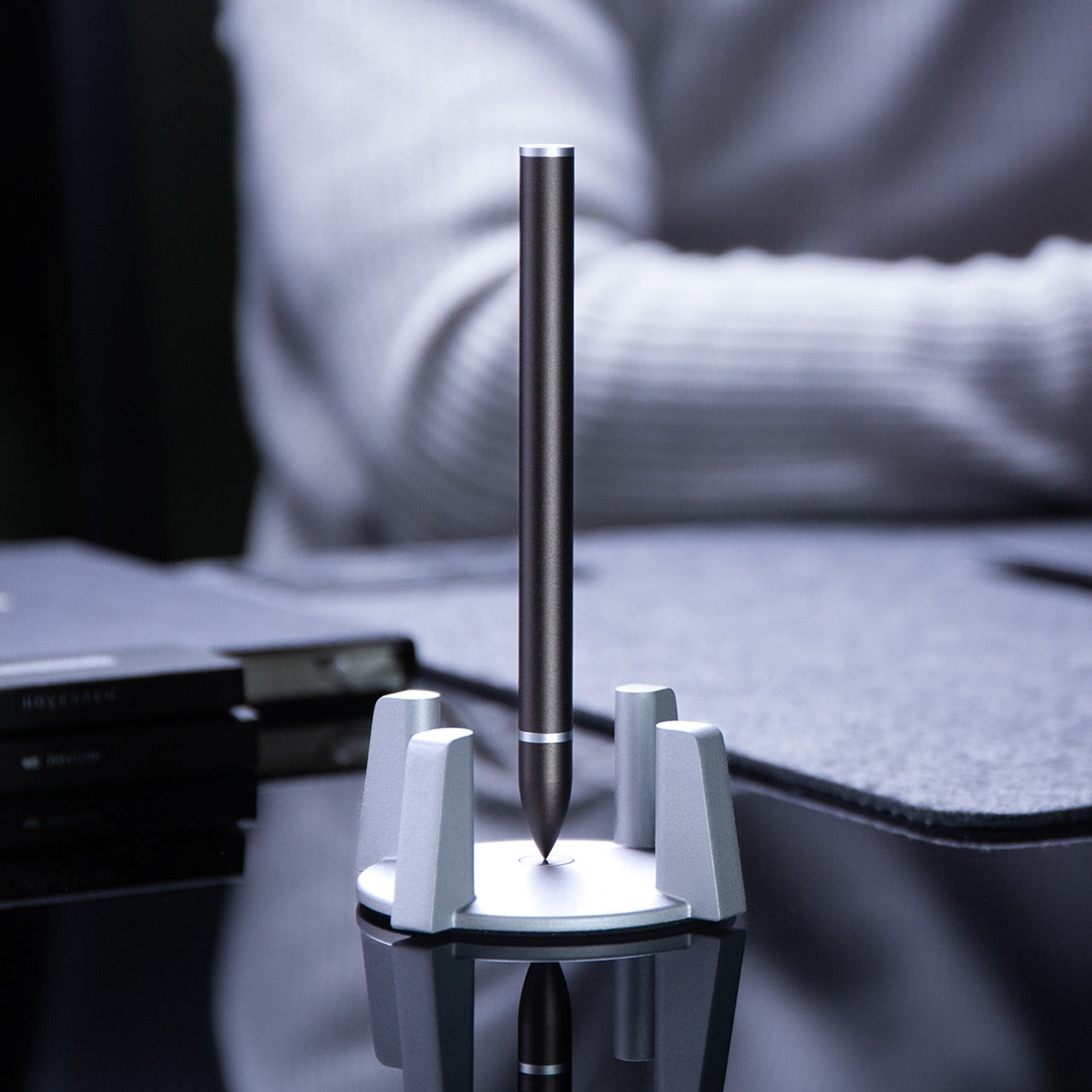
Every desk needs a conversation piece that transcends pure utility, an object that sparks curiosity and provides momentary wonder during grinding workdays. The Levitating Pen achieves this through magnetic engineering that suspends the pen vertically in mid-air without batteries or electronics. The precision-machined pedestal creates a magnetic field perfectly calibrated to balance the pen, transforming a writing instrument into a kinetic sculpture that commands attention on any desk surface.
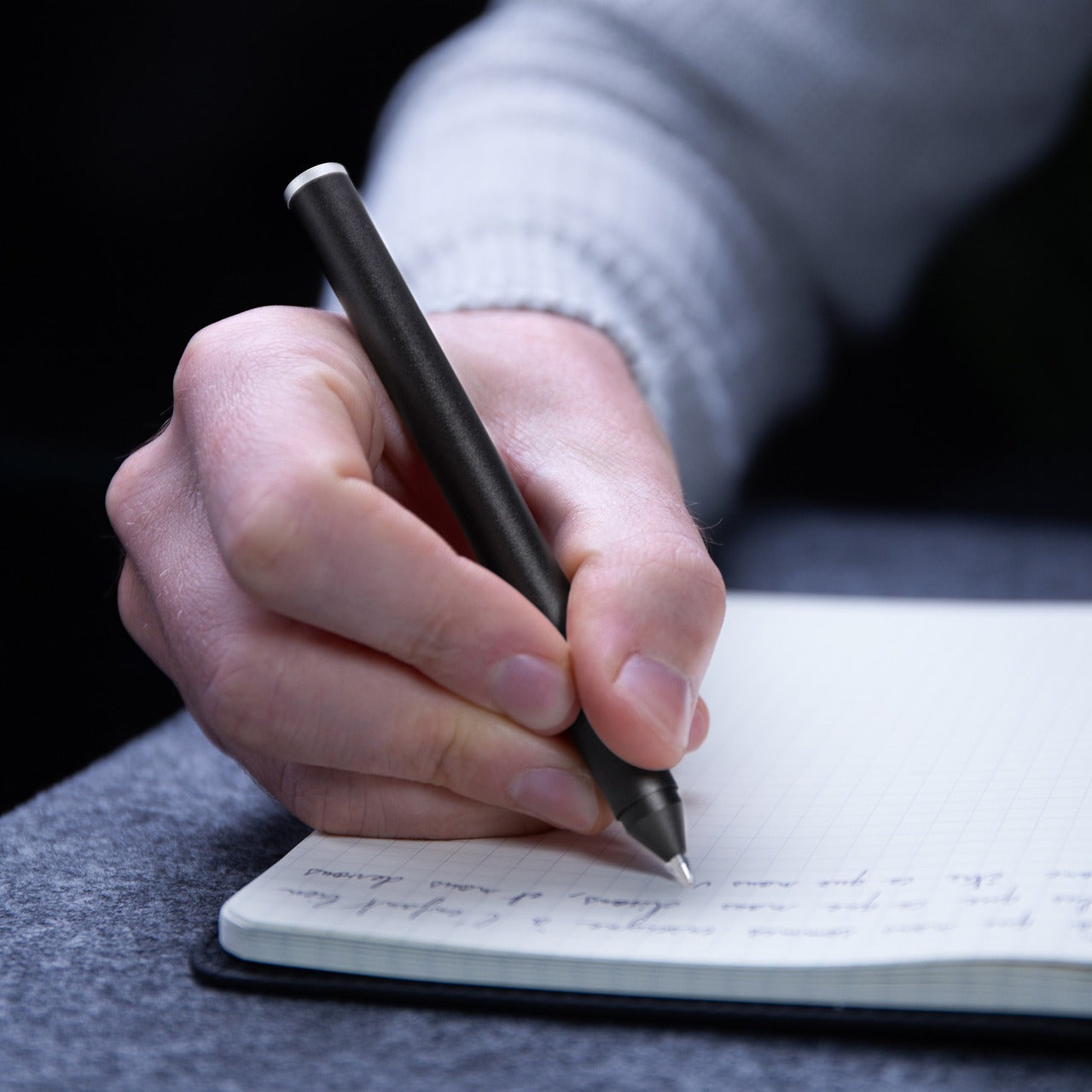
Manufactured using CNC machining with tolerances under 0.1mm—the same facility producing Apple products—this pen demonstrates obsessive attention to detail. The Swiss-made ballpoint cartridge ensures writing performance matches the engineering spectacle. Beyond aesthetics, the levitating mechanism serves a practical purpose: taking brief mental breaks by spinning the pen, watching its hypnotic wobble for thirty seconds before returning refreshed to your task. Starting January with this level of design consideration signals your commitment to a workspace that inspires rather than merely functions.
Swiss ballpoint cartridge delivers a smooth, professional writing experience.
Spinning motion provides meditative micro-breaks during intensive work.
What We Dislike
The pedestal requires permanent desk space that cannot be repurposed.
Premium manufacturing process results in significant investment cost.
Resetting Your Workspace Intentionally
The desk accessories you choose reveal your priorities and shape your daily experience more than most people realize. These five pieces represent different facets of the modern work-from-home reality: spatial organization, analog appreciation, mental refreshment, location flexibility, and design inspiration. Each addresses specific pain points while elevating your workspace beyond pure function into something that genuinely sparks joy during those long January afternoons.
Resetting your desk for the new year isn’t about buying everything at once—it’s about identifying which aspect of your current setup drains energy rather than creating it. Maybe you’re drowning in cable chaos around your Mac mini, or perhaps you’re scrolling through your phone during breaks when your mind needs actual engagement. Start with the accessory that solves your most persistent frustration, then build from there as your workspace evolves throughout the year.
Small workspaces demand accessories that earn their place on the desk. Every item needs to justify the real estate it occupies, which means multi-functionality isn’t just a nice feature—it’s essential. The desk that once felt spacious quickly becomes cluttered when traditional peripherals take over. A separate keyboard here, an external monitor there, pens rolling around, and suddenly your workspace feels more chaotic than creative.
The accessories that truly transform compact work environments share a common trait: they collapse, fold, or consolidate multiple functions into a single footprint. These aren’t just space-saving tricks—they’re thoughtfully engineered solutions that maintain full functionality while disappearing when not in use. From keyboards with integrated displays to writing instruments that fit in your pocket, these five accessories prove that working in tight quarters doesn’t mean compromising on capability or comfort.
1. WELDER Keyboard
Mobile productivity usually means choosing between screen real estate and portability. The WELDER keyboard eliminates that choice by integrating a 12.8-inch touchscreen directly above its mechanical keys. This CNC-machined aluminum device folds completely flat at a 180-degree hinge, transforming from a full workstation into a compact metal block. The all-metal chassis provides structural rigidity, preventing screen wobble during aggressive typing sessions and addressing the stability issues that plague most portable monitor setups.
The engineering addresses the fundamental problem of traveling with multiple devices. Instead of packing a laptop, a portable monitor, a monitor stand, a mechanical keyboard, and their respective cables, you carry just one unit. The premium aluminum construction adds weight but delivers the kind of build quality that inspires confidence during daily commutes. The folding mechanism locks securely, protecting both display and keys during transport while maintaining zero flex when deployed for work.
What We Like
The integrated touchscreen eliminates the need for a separate portable monitor, cutting down on cables and setup time dramatically.
The all-metal construction provides exceptional rigidity, keeping the display perfectly stable even during fast typing.
The 180-degree folding mechanism creates a compact form factor that protects both components during travel.
The mechanical keyboard delivers tactile feedback without requiring a separate peripheral.
The single-device solution reduces clutter and simplifies your mobile workspace considerably.
What We Dislike
The all-metal chassis adds significant weight compared to carrying just a laptop alone.
The 12.8-inch screen size may feel limiting for users accustomed to larger dual-monitor setups.
The folding mechanism creates a fixed angle that might not suit every working position.
The premium build quality likely commands a higher price point than purchasing components separately.
2. Pocket Everlasting All-Metal Pencil
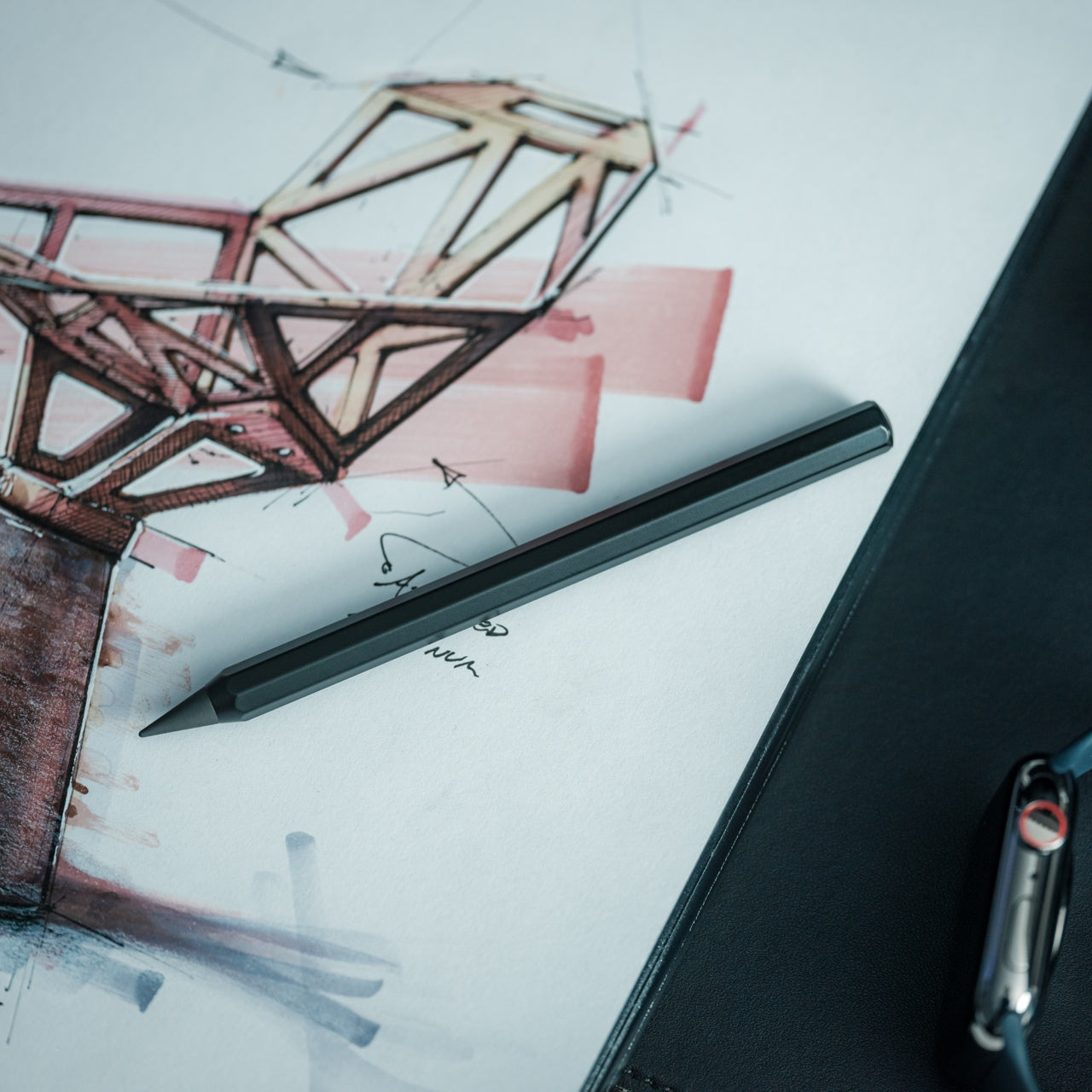
Writing instruments disappear at the worst moments. This all-metal pencil stays put because its 4.7-inch length slides easily into shirt or pants pockets without the bulk of traditional pencils. The graphite and alloy particle core leaves marks without wearing down, which means the tip never dulls, and sharpening becomes obsolete. The included cap protects the point and prevents pocket marks, turning this into a genuinely pocket-friendly tool that’s ready when inspiration strikes.
The engineering focuses on eliminating friction points in the writing experience. Traditional pencils dull quickly, requiring sharpeners that often aren’t available when needed. Wood pencils snap under pressure, and mechanical pencils jam or run out of lead refills. This solid metal construction sidesteps all those failure points. The marks erase cleanly with standard erasers and don’t bleed when used with watercolor or water-based markers, making it versatile enough for sketching, note-taking, and technical drawing without switching tools.
The everlasting core eliminates the need for sharpening, saving time and desk space typically occupied by sharpeners.
The compact 4.7-inch length makes it genuinely pocket-portable without sacrificing writing comfort.
The all-metal construction ensures durability that outlasts traditional pencils by years.
The non-bleeding marks work seamlessly with watercolor and markers for mixed-media work.
The ten-mile writing capacity means one pencil can last through countless projects.
What We Dislike
The metal construction adds weight compared to traditional wooden pencils for extended writing sessions.
The fixed core darkness can’t be adjusted like switching between pencil grades for different shading needs.
The small size might feel cramped for users with larger hands during prolonged use.
The premium materials command a higher upfront cost than disposable pencil alternatives.
3. OrigamiSwift Folding Mouse
Full-sized mice deliver precision but occupy significant bag space. The OrigamiSwift collapses flat when stored, then springs into an ergonomic shape in under half a second when needed. The origami-inspired triangular structure provides surprising rigidity despite the folding mechanism, maintaining its form through daily use. At just 40 grams, it adds virtually no weight to your bag while delivering the control and comfort that flat travel mice consistently fail to provide.
The design solves the eternal compromise between portability and usability. Flat travel mice force awkward hand positions that fatigue quickly. Full-sized mice consume too much space for mobile workers. This folding mechanism creates a proper ergonomic grip when deployed while achieving near-flat storage dimensions. The soft-click buttons operate quietly in shared spaces, the USB-C rechargeable battery lasts three months per charge, and the smooth glide works across various surfaces without requiring a dedicated mouse pad.
The folding mechanism transforms it from flat storage to full-sized ergonomics in under half a second.
The 40-gram weight makes it virtually unnoticeable in bags until you need it.
The origami-inspired structure provides durability and rigidity despite the folding design.
The three-month battery life on a single USB-C charge eliminates frequent recharging interruptions.
The quiet soft-click buttons allow discreet use in libraries, cafés, and shared workspaces.
What We Dislike
The folding mechanism introduces moving parts that could potentially wear out over time.
The ultra-lightweight construction might feel less substantial for users who prefer heftier mice.
The compact dimensions when folded mean slightly smaller grip surfaces compared to traditional full-sized mice.
The premium folding engineering likely costs more than standard portable mouse options.
4. Heritage Craft Unboxing Knife
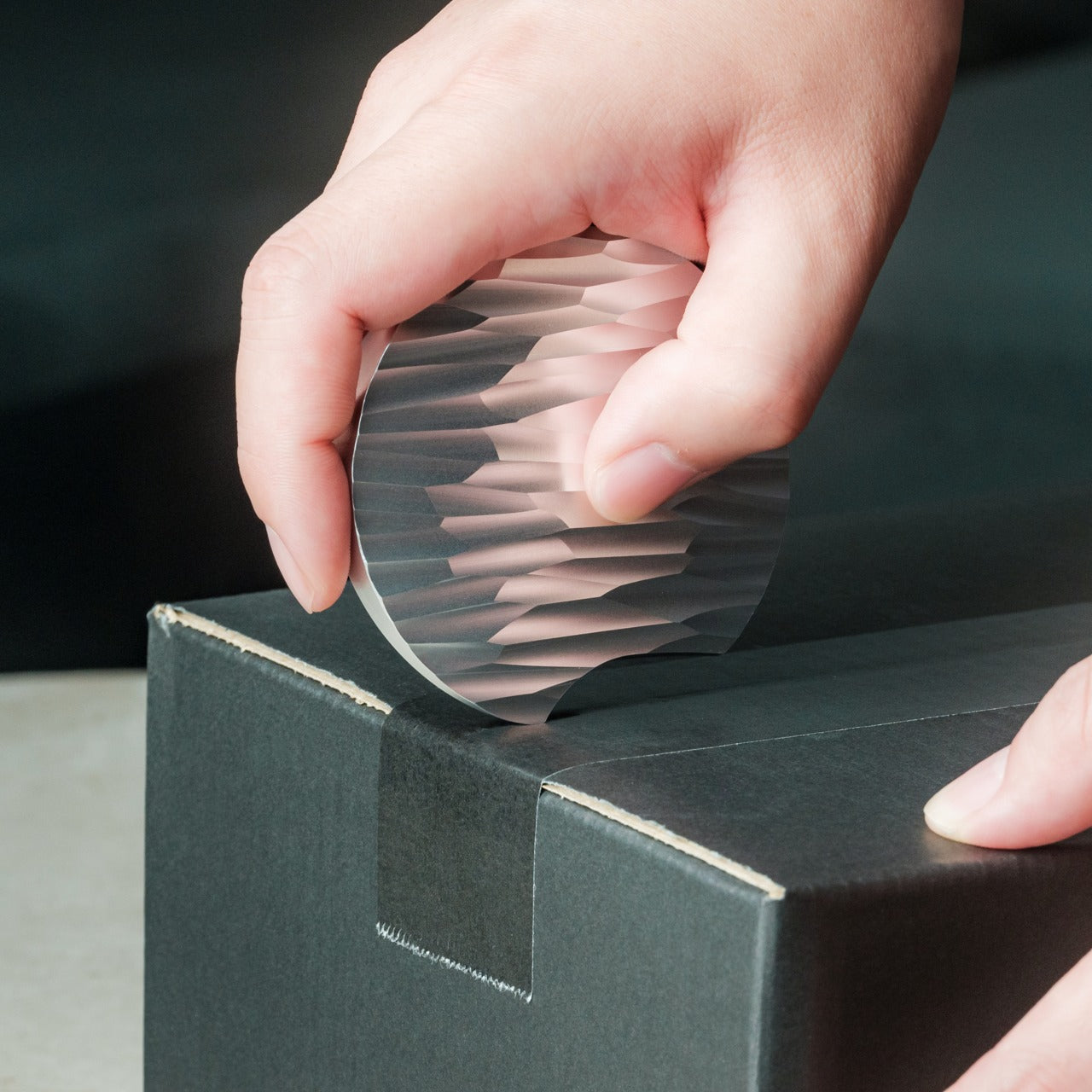
Box cutters typically hide in drawers because their utilitarian design doesn’t merit desk display. This unboxing knife, carved from a single aluminum block, takes design inspiration from Paleolithic hand axes, creating a circular form that functions as both tool and desktop sculpture. The wave-like patterns left by precision machining provide a non-slip grip while creating visual interest that makes this something you’ll want visible on your desk rather than buried in storage.
The tapered circular shape serves double duty. When gripping it for cutting, the textured surface prevents slippage during use. When resting on the desk, the sculptural form adds character to your workspace while keeping the blade within easy reach. Traditional box cutters require drawer storage for safety, consuming organizational space. This design’s form makes it inherently displayable, eliminating that storage requirement while ensuring the tool stays accessible for package opening. The aluminum construction provides durability without excessive weight, and the ancient tool inspiration creates conversation value that generic cutters lack entirely.
The sculptural form eliminates the need for drawer storage by making it displayable on the desk surface.
The circular grip, inspired by ancient hand axes, provides secure handling during cutting tasks.
The machine-waved patterns deliver both aesthetic appeal and functional non-slip texture.
The tapered shape keeps it within easy reach while looking intentional rather than cluttered.
The aluminum construction balances durability with reasonable weight for frequent handling.
What We Dislike
The circular form might require adjustment for users accustomed to traditional box cutter grip angles.
The displayable design means that keeping a blade exposed on the desk requires awareness around children.
The artistic form commands premium pricing compared to basic utility box cutters.
The unique shape might not fit standard tool storage systems if you prefer organized drawers.
5. FoldLine Pen Roll
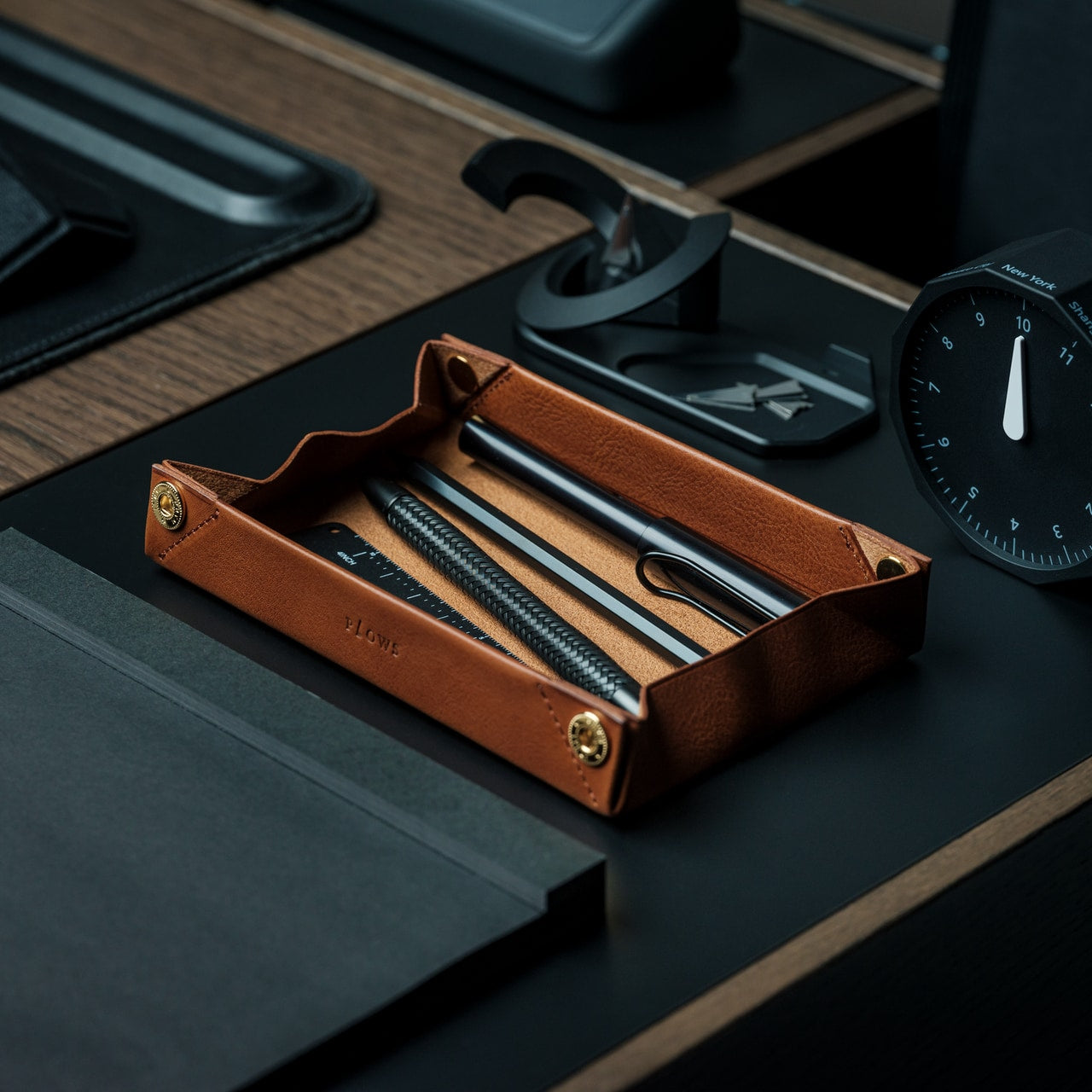
Pen storage typically means cases that add bulk or loose pens rattling around in bags. The FoldLine transforms from a flat leather roll into an organized tray in under two seconds, creating an instant workspace on any surface. Cut from a single piece of Italian Minerva Box leather, it wraps pens individually through its folded structure rather than stitched compartments, preventing scratches and noise while maintaining a remarkably slim profile even when full.
The design philosophy centers on portable focus. At cafés, coworking spaces, or hotel desks, unrolling the FoldLine creates a defined zone that organizes your tools and clarifies your workspace. The symmetrical, zipperless design opens from either side, accommodating both left and right-handed users without awkward orientation. The vegetable-tanned leather from Italy’s Badalassi Carlo tannery develops a unique patina over time, aging with your work rather than deteriorating. The large machined snap from PRYM provides secure closure with satisfying tactile feedback that signals quality in every interaction.
The two-second transformation from flat roll to organized tray creates instant workspace definition anywhere.
The single-piece leather construction protects pens without compartment stitching that adds bulk.
The folded air design keeps the exterior slim even when packed with multiple pens.
The symmetrical opening accommodates both left and right-handed users without reorientation.
The vegetable-tanned Italian leather develops character through use rather than showing wear.
What We Dislike
The leather construction requires more careful handling than synthetic material alternatives in wet conditions.
The premium Italian leather and Japanese craftsmanship command higher pricing than standard pen cases.
The capacity remains limited compared to larger zipper pouches that hold more varied supplies.
The open tray design works best on stable surfaces rather than in transit or unstable environments.
Making Small Spaces Work Harder
The accessories that succeed in compact workspaces share deliberate design thinking. They fold when stored, combine multiple functions, or provide organizational clarity that prevents visual clutter. The WELDER keyboard’s integrated screen eliminates an entire category of peripheral devices. The OrigamiSwift mouse collapses to pocket dimensions without sacrificing ergonomic comfort. The everlasting metal pencil stays ready in your pocket rather than consuming desk organizer space. Each item earns its footprint through thoughtful engineering that prioritizes both functionality and spatial efficiency.
Small workspace solutions work best when they respect both your space constraints and your actual work requirements. These five accessories prove that compact doesn’t mean compromised. The Heritage Craft unboxing knife turns a desk display into functional storage. The FoldLine pen roll creates an organized workspace definition in seconds. Choosing accessories that collapse, combine, or organize transforms spatial limitations from frustrating constraints into opportunities for more intentional, focused work environments that stay uncluttered and ready for whatever projects demand your attention.
The fancy pen set has become the most predictable gift in the design world. Sleek metal barrels tucked into velvet cases, often expensive, rarely used. They end up in drawers alongside forgotten business cards and mystery cables. Designers know this pattern well because they’ve received these sets multiple times, smiled politely, and wondered why gift givers keep missing what actually matters: tools that solve real problems beautifully.
The best gifts for designers aren’t decorative. They’re functional objects elevated through thoughtful design, things that get touched daily and spark small moments of satisfaction. The tools below earned their place on studio desks and in everyday carry rotations because they do their jobs exceptionally well while looking good doing it. Each one beats the fancy pen set by actually getting used.
1. Stud Measure
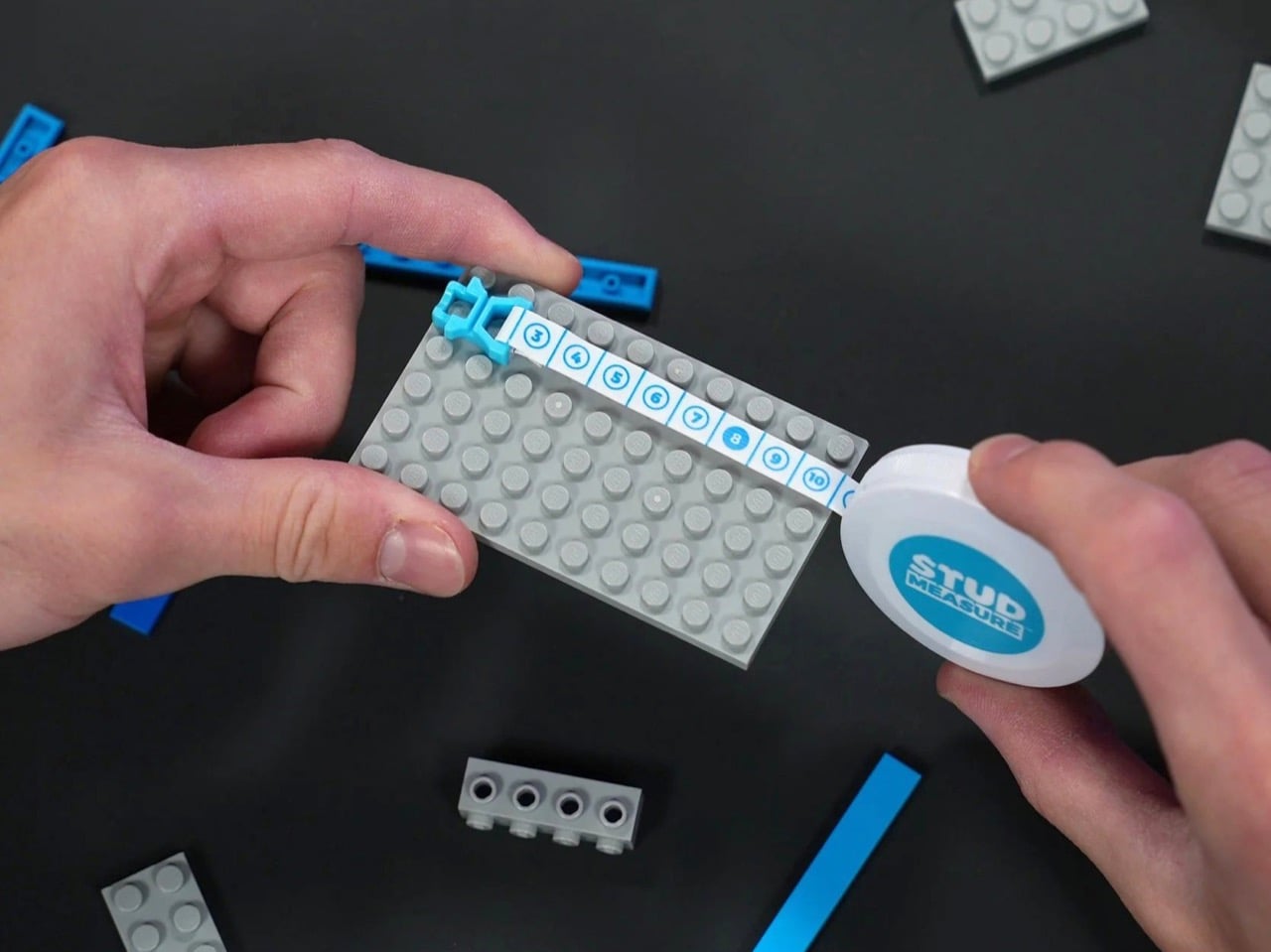
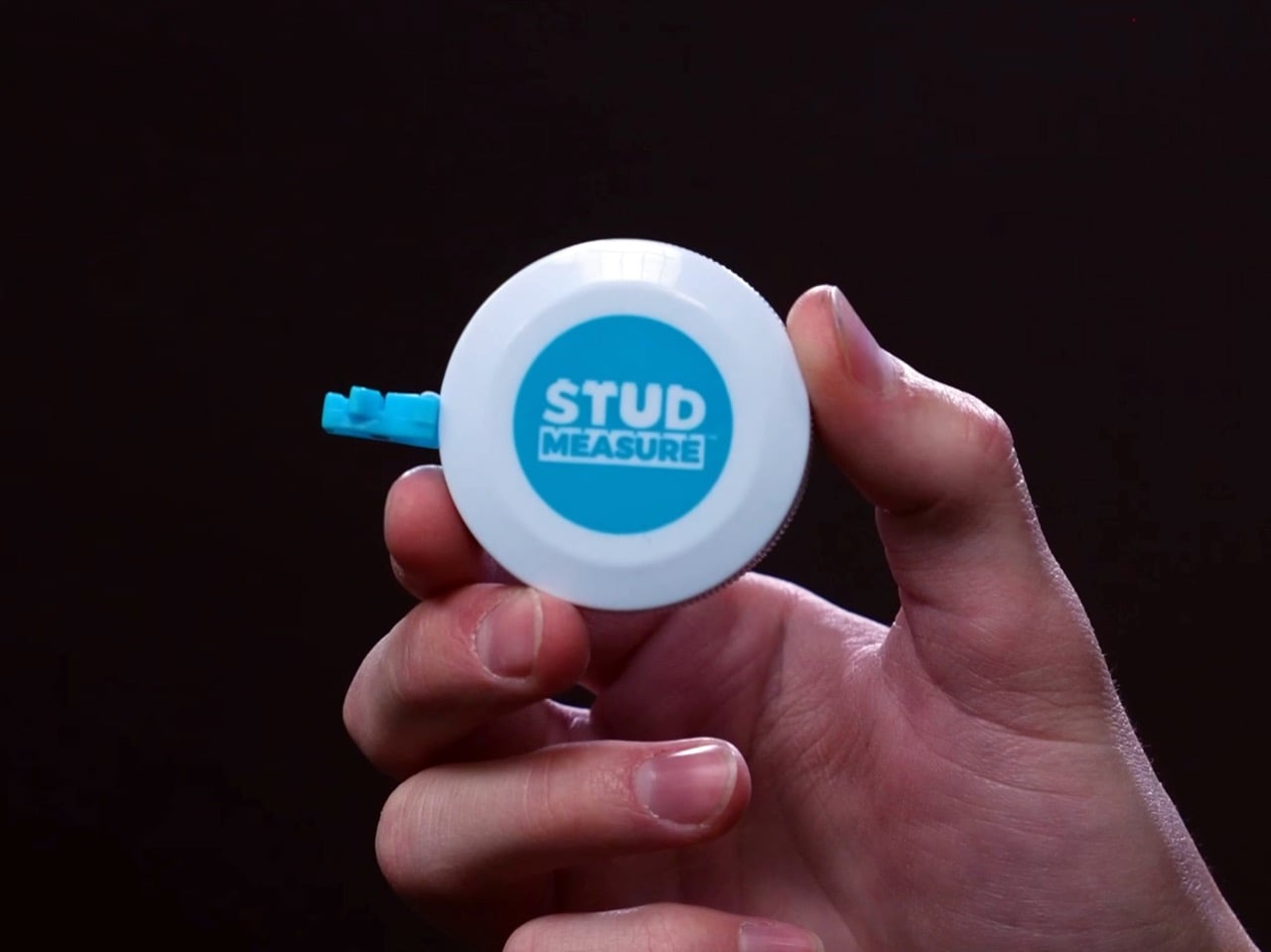
The LEGO builder’s toolkit has remained surprisingly incomplete for decades. Brick separators arrived to spare fingernails, storage systems evolved to organize thousands of pieces, but measuring stayed primitive. Counting studs by hand across baseplates or estimating dimensions by eye works until precision matters. The Stud Measure addresses this gap with a measuring tape designed specifically for LEGO’s geometry, speaking the language of studs, bricks, and plates, rather than forcing builders to convert from inches or centimeters.
Riley from Brick Science designed this tool after years of building on camera for over two million subscribers. The bright blue clip snaps directly into LEGO studs, anchoring the tape without dangling metal hooks or slipping off edges. The flexible tape extends to 190 studs, covering roughly 60 inches of real-world distance. That length handles most train layouts, modular building displays, and tabletop city builds without needing to retract and reposition. The markings translate directly into LEGO measurements, turning what used to require mental math into something you can read at a glance.
What we like
The clip integration feels obvious once you see it, snapping into studs the same way bricks do.
The 190 stud length covers serious builds without falling short when you need it most.
Pricing sits at $9.99, low enough to grab without overthinking the purchase.
The tape works equally well measuring horizontal baseplates or vertical wall constructions.
What we dislike
The single color option limits personalization for builders who customize everything.
The tape’s flexibility means it can bow slightly on unsupported long measurements.
Storage becomes another loose item in the parts bin without a dedicated home.
The niche appeal means non-LEGO builders won’t find much use for it.
2. Magboard Clipboard
Clipboards haven’t changed much in generations. A rigid board, a spring clip, maybe a storage compartment if you’re lucky. They work fine for static documents but fall apart the moment you need to rearrange pages, add sheets mid-project, or work with different paper sizes. The Magboard rebuilds this basic tool using magnets and a lever mechanism that holds up to 30 sheets while letting you reorganize on the fly.
The hardcover design maintains writing stability even when you’re standing or moving between spaces, giving you the structure notebooks provide without forcing a predetermined page order. Water resistance protects your work when coffee tips over or rain hits unexpectedly. The magnetic clip releases and secures smoothly, creating a tactile interaction that feels more intentional than wrestling with a bent spring clip. Loose sheets stay loose, giving you complete freedom to sketch, annotate, shuffle, and discard without worrying about binding.
The magnetic mechanism handles 30 sheets without feeling strained or weak.
Rearranging pages mid-project happens instantly instead of requiring unbinding and rebinding.
The hardcover support makes vertical note-taking actually practical for site visits or standing meetings.
Water resistance means the clipboard itself survives the chaos that kills paper.
What we dislike
The minimalist design lacks storage pockets for pens or business cards.
Magnets can interfere with some types of metallic ink or magnetic stripe cards if stored together.
The rigid form takes up more bag space than flexible clipboards.
Premium materials push the price higher than basic office supply versions.
3. Z3RO Mini Knife
Keychain knives usually feel like compromises. Light enough to ignore until you need them, flimsy enough to make you wish you’d brought a real blade. The Z3RO mini knife weighs 11 grams and measures around 5 centimeters, but uses materials borrowed from surgical tools and industrial cutters: tungsten alloy for the cutting tip, carbon fiber for the body, and titanium for the backbone. It fits on a keychain without adding bulk yet handles daily cutting tasks with the kind of precision that makes cheap utility knives feel sloppy.
Tungsten alloy rates at Mohs hardness nine, sitting just below diamond on the scale. That hardness means the tip shrugs off cardboard, cord, plastic packaging, thick tape, and cable ties without dulling quickly or developing the microchips that ruin cheaper blades. The tasks designers face constantly, opening sample shipments, cutting shrink wrap, trimming threads, slicing through layers of tape, all happen cleanly without needing to swap blades every few weeks. The carbon fiber body keeps weight minimal while the titanium backbone provides the structural support that makes the knife feel like a precision tool rather than an emergency backup.
The tungsten tip maintains sharpness through months of daily abuse without needing replacement.
The 11-gram weight makes it genuinely keychain-friendly instead of pocket sagging.
Material choices create a tool that feels premium rather than disposable.
The compact size handles travel restrictions better than full-size knives.
What we dislike
The small size limits cutting leverage on thicker materials.
Replaceable tips aren’t as widely available as standard utility blades.
4. FoldLine Pen Roll
Pen storage tends toward two extremes: cases that rattle and clatter with every movement or rigid boxes that take up excessive space. The FoldLine Pen Roll takes a different approach, using a single piece of Italian Minerva Box leather that folds into structure without stitched dividers or internal compartments. It opens in two seconds, transforming from a compact roll into a stable tray that turns any surface into an organized workspace.
The folded leather naturally separates pens without requiring individual slots, wrapping each writing instrument in soft material that prevents scratching and eliminates the metallic clinking that makes some pen cases sound like tackle boxes. The symmetrical design works equally well for left or right-handed users, opening cleanly from either side without a preferred orientation. The leather comes from Badalassi Carlo tannery in Italy, vegetable tanned and enriched with cow leg oil, so it develops a unique patina over time while softening rather than cracking. The closure uses a machined snap from Italy’s PRYM, creating a satisfying click that signals quality in a detail most pen cases overlook.
The tray transformation provides instant workspace organization without requiring a dedicated desk.
The partition-free design adapts to different pen sizes and quantities naturally.
Minerva Box leather ages beautifully instead of showing wear as damage.
The ambidextrous design eliminates the frustration of cases built for one-handedness.
What we dislike
The premium leather commands a higher price than nylon or synthetic alternatives.
The soft material offers less impact protection than hard-shell cases.
The roll format requires slightly more bag space than flat cases.
Limited capacity means collectors with extensive pen rotations need multiple rolls.
5. Craftmaster EDC Utility Knife
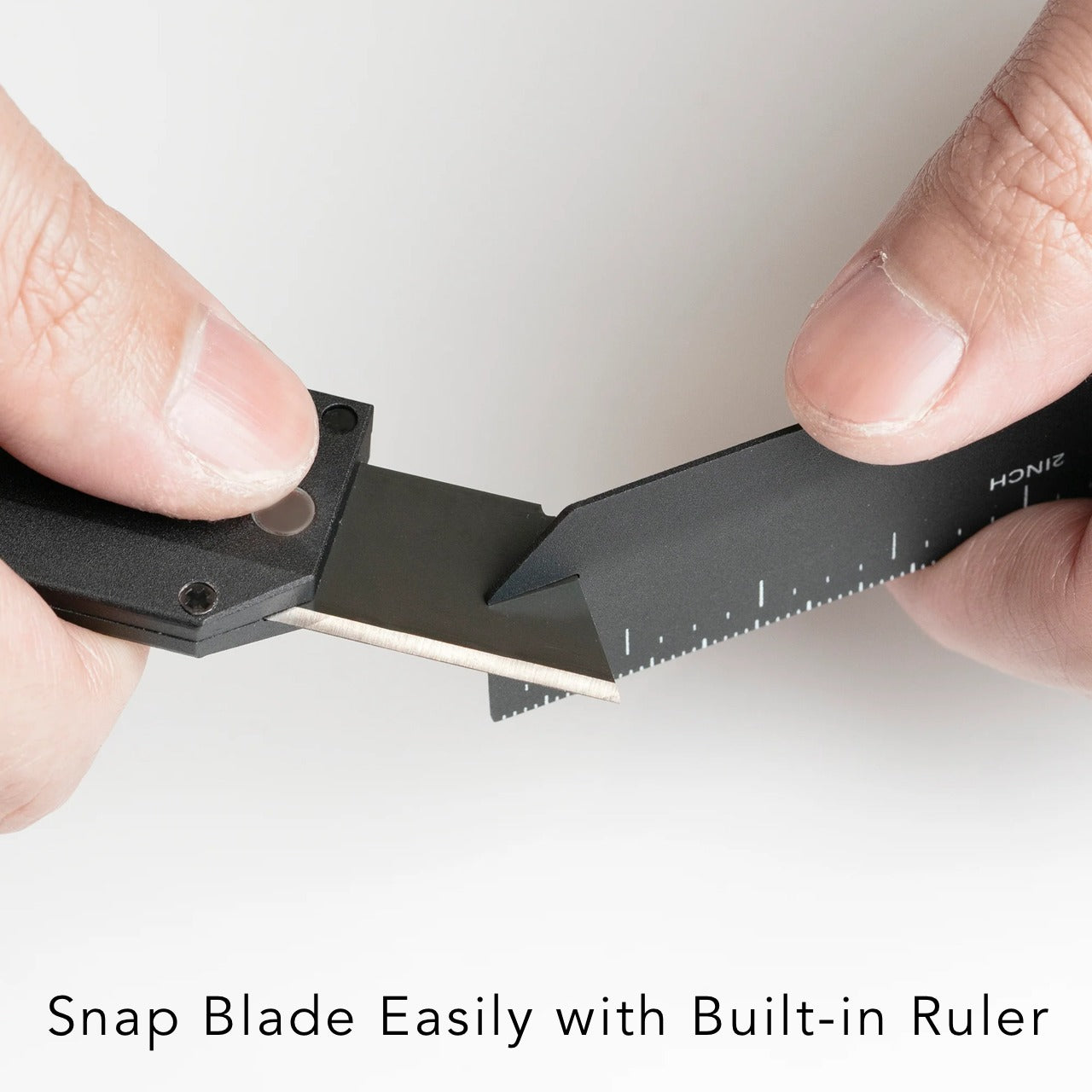
Standard utility knives work, but rarely feel good to use. Plastic bodies flex under pressure, blades wobble in cheap housings, and the overall aesthetic screams contractor’s toolbox rather than designer’s kit. The Craftmaster EDC Utility Knife rebuilds this category with a metal exterior that’s only 8 millimeters thick, a tactile rotating knob for blade deployment, and a magnetic back that docks with a metal scale combining measurement with blade maintenance.
The OLFA blade inside is easily replaceable, but the way you interact with it changes everything. The rotating knob deployment feels mechanical and precise rather than fumbling with a sliding lever. The magnetic back lets you store the knife on any metal surface, keeping it visible and accessible rather than lost in a drawer. The companion scale sports both metric and imperial markings with a raised edge that makes it easy to lift off flat surfaces, doubling as a cutting guide. The scale includes a blade breaker for snapping off dulled segments, keeping the knife sharp without requiring tools or leaving dangerous blade pieces loose.
The metal construction creates a tool that feels substantial and reliable in hand.
The rotating deployment mechanism provides satisfying tactile feedback with each use.
The magnetic scale pairing turns two separate tools into an integrated system.
The 8 millimeter thickness keeps the knife genuinely pocket-friendly despite the premium materials.
What we dislike
The metal body adds weight compared to plastic utility knives.
The premium price point makes it a significant investment for a utility blade.
The magnetic feature only works with ferrous metal surfaces.
The minimalist design lacks the blade storage compartments that some utility knives include.
6. Casta Universal Design Scissors
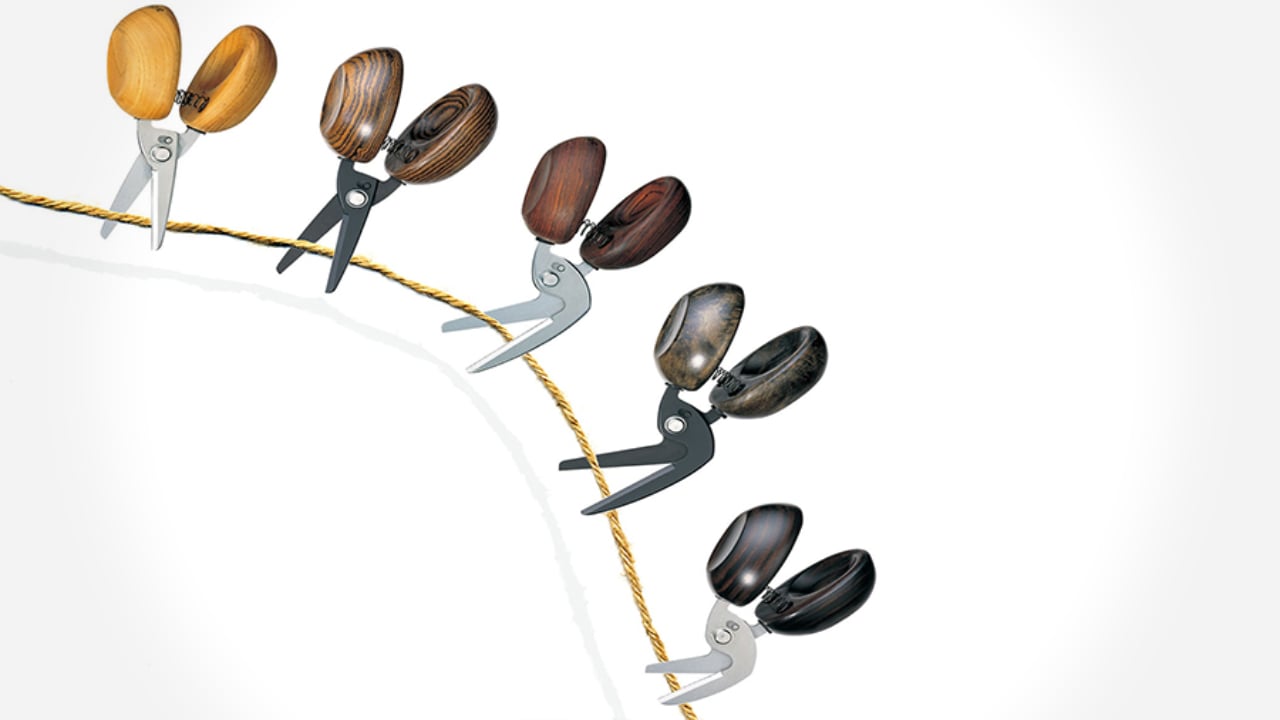
Scissors typically divide users into camps: right-handed tools that torture lefties or ambidextrous compromises that work poorly for everyone. The Casta Universal Design Scissors use perfectly round handles that rest in your palm regardless of hand dominance, creating equal comfort for all users. Inside each handle, a round concave shape produces a clicking sound that changes based on the material you’re cutting, adding unexpected sensory feedback to a tool most people tune out completely.
The round handles eliminate the finger loops that create pressure points during extended cutting sessions, distributing force across your palm instead of concentrating it on a few digits. The clicking sound might seem like a gimmick until you experience how it brings awareness to the cutting process, making routine tasks feel slightly more engaging. The ergonomic benefits combine with the acoustic element to create scissors that work efficiently while sparking small moments of satisfaction each time you use them.
What we like
The true ambidextrous design serves left and right-handed users equally well.
The palm grip distributes pressure more comfortably than finger loop handles.
The acoustic feedback adds unexpected delight to mundane cutting tasks.
The universal design makes sharing scissors in studios and offices friction-free.
What we dislike
The unconventional handle shape requires a brief adjustment period for users accustomed to traditional scissors.
The acoustic feature may distract in quiet environments or annoy those who prefer silent tools.
The specialized design typically commands a premium over standard scissors.
The round handles offer less precise control for detail cutting work.
7. Høvel Pencil Plane
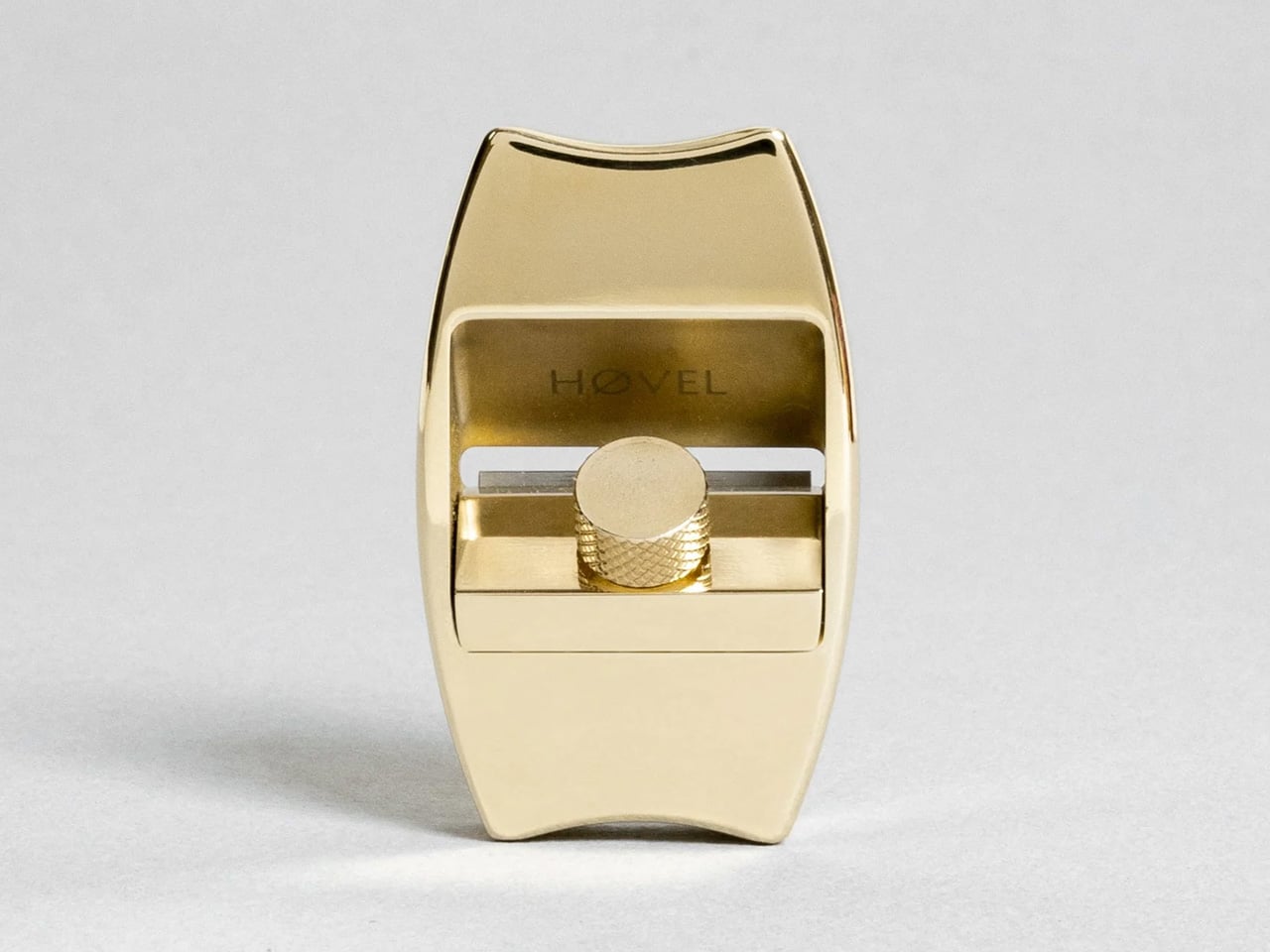
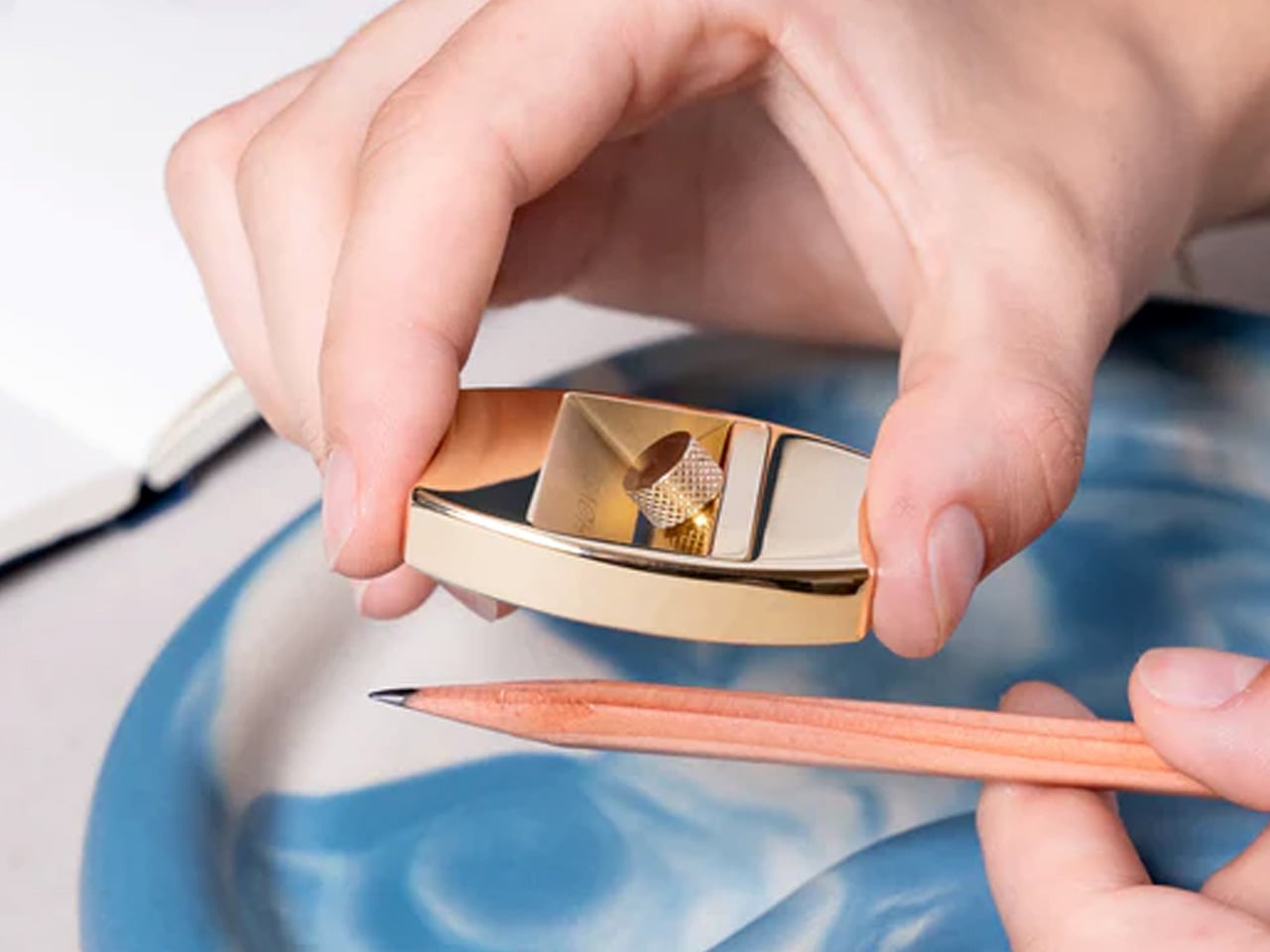
Pencil sharpeners haven’t evolved much beyond the basic mechanism: insert pencil, twist, hope the lead doesn’t snap. The Høvel reimagines this tool completely, functioning as a miniature plane that lets you whittle your pencil to any desired point. The solid brass body weighs enough to feel substantial in hand while developing patina over time, gaining character instead of looking worn out.
Traditional sharpeners twist and stress the graphite core, often snapping it inside the wood and forcing you to sharpen repeatedly just to find intact lead. The Høvel’s planing action removes wood cleanly without torquing the core, working especially well with soft pencils, pastels, or makeup pencils that shatter in conventional sharpeners. The blade changes easily without tools, staying sharp through hundreds of sharpenings. You control the point shape precisely: long and needle sharp for detailed work, short and sturdy for bold strokes, or even flat like a chisel for calligraphy and lettering.
What we like
The brass construction ages beautifully instead of degrading over time.
The mechanism prevents lead breakage that wastes expensive art pencils.
Blade replacement happens in seconds without requiring screwdrivers or specialty tools.
The point customization serves different drawing and writing techniques equally well.
What we dislike
The manual process takes longer than electric or crank sharpeners.
The shavings scatter rather than collecting in a container.
The premium brass version costs significantly more than plastic sharpeners.
The technique requires practice to achieve consistent results at first.
Why These Tools Win
Fancy pen sets fail because they prioritize appearance over utility, offering solutions to problems designers don’t have. The tools above succeed because they solve actual daily frustrations while looking good on your desk or in your bag. They’re objects you reach for constantly rather than display once and forget. That’s the difference between a gift that impresses for a moment and one that earns permanent space in someone’s workflow.
The best design gifts acknowledge that designers value function as much as form. These seven tools deliver both, turning routine tasks into small satisfactions and proving that the most thoughtful presents are the ones that actually get used. The fancy pen set will keep collecting dust, but these tools will be reaching for them tomorrow.
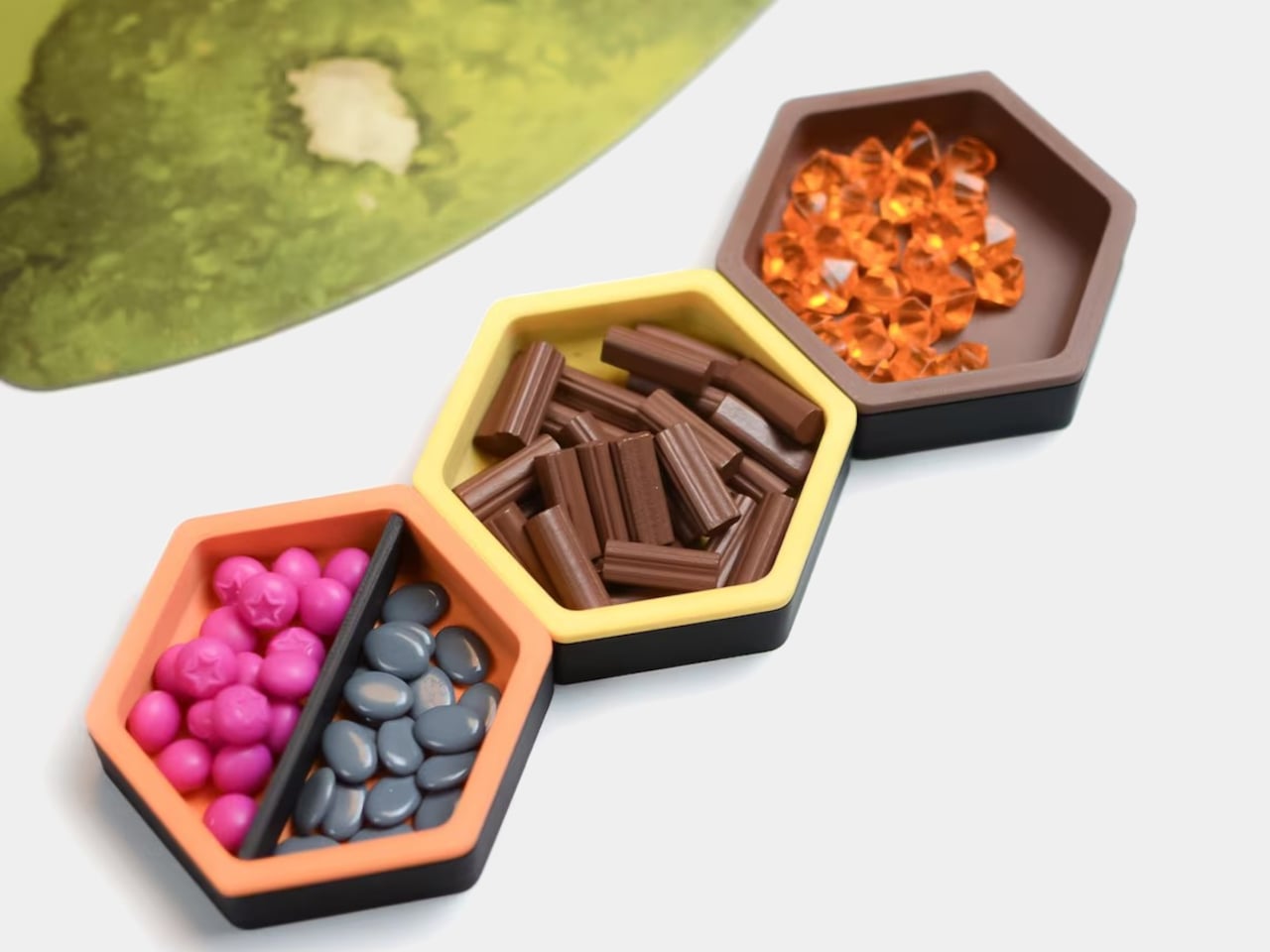
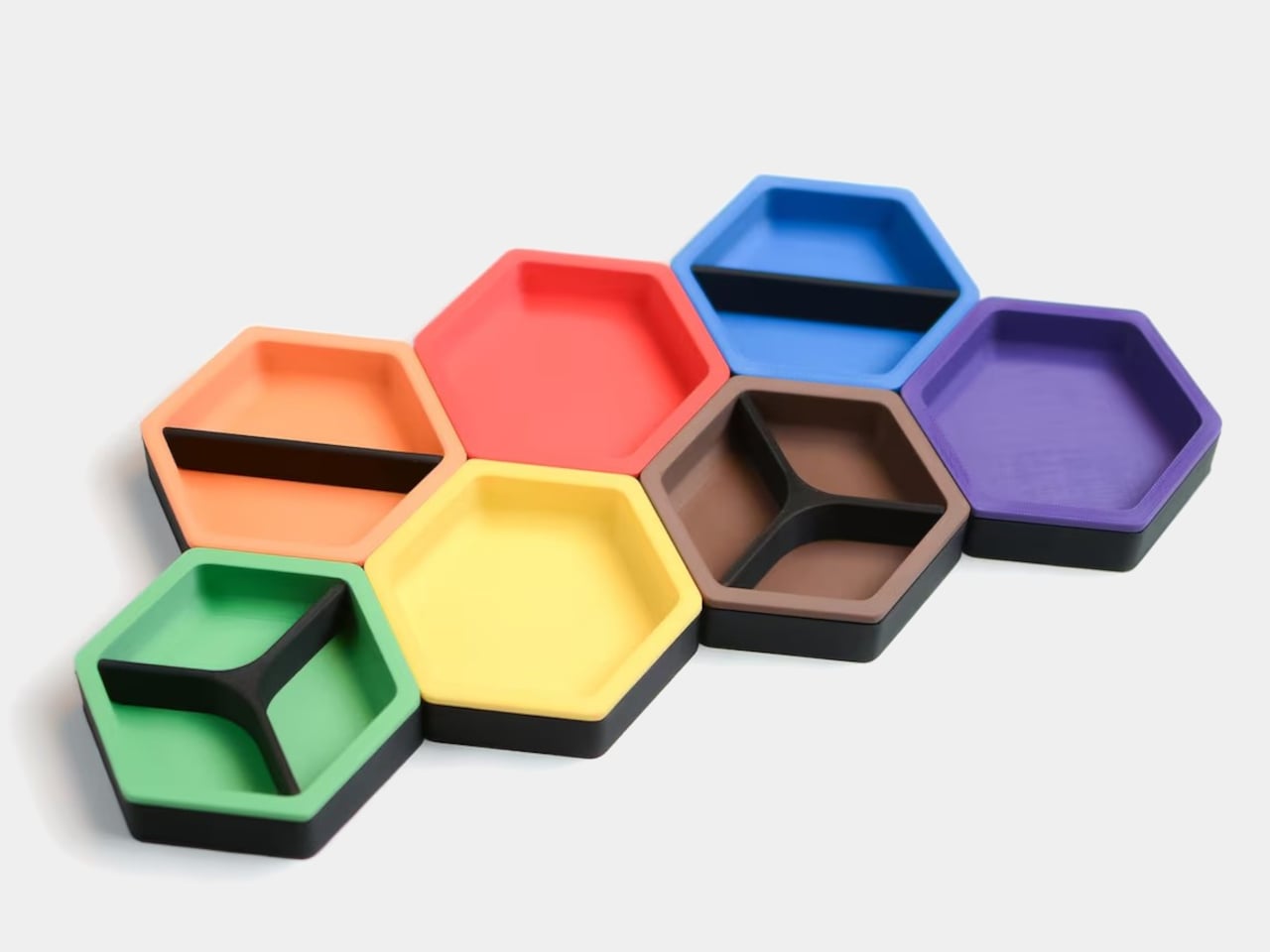
Most of us end up using whatever is at hand as a catch-all: coffee cups, candle lids, random bowls, and that works until you actually need to find a specific SD card or binder clip. A lot of the best small organizers are hiding in other categories, and these magnetic hexagon token trays, sold as board game accessories, are really just well-designed hexagonal dishes with magnets and dividers.
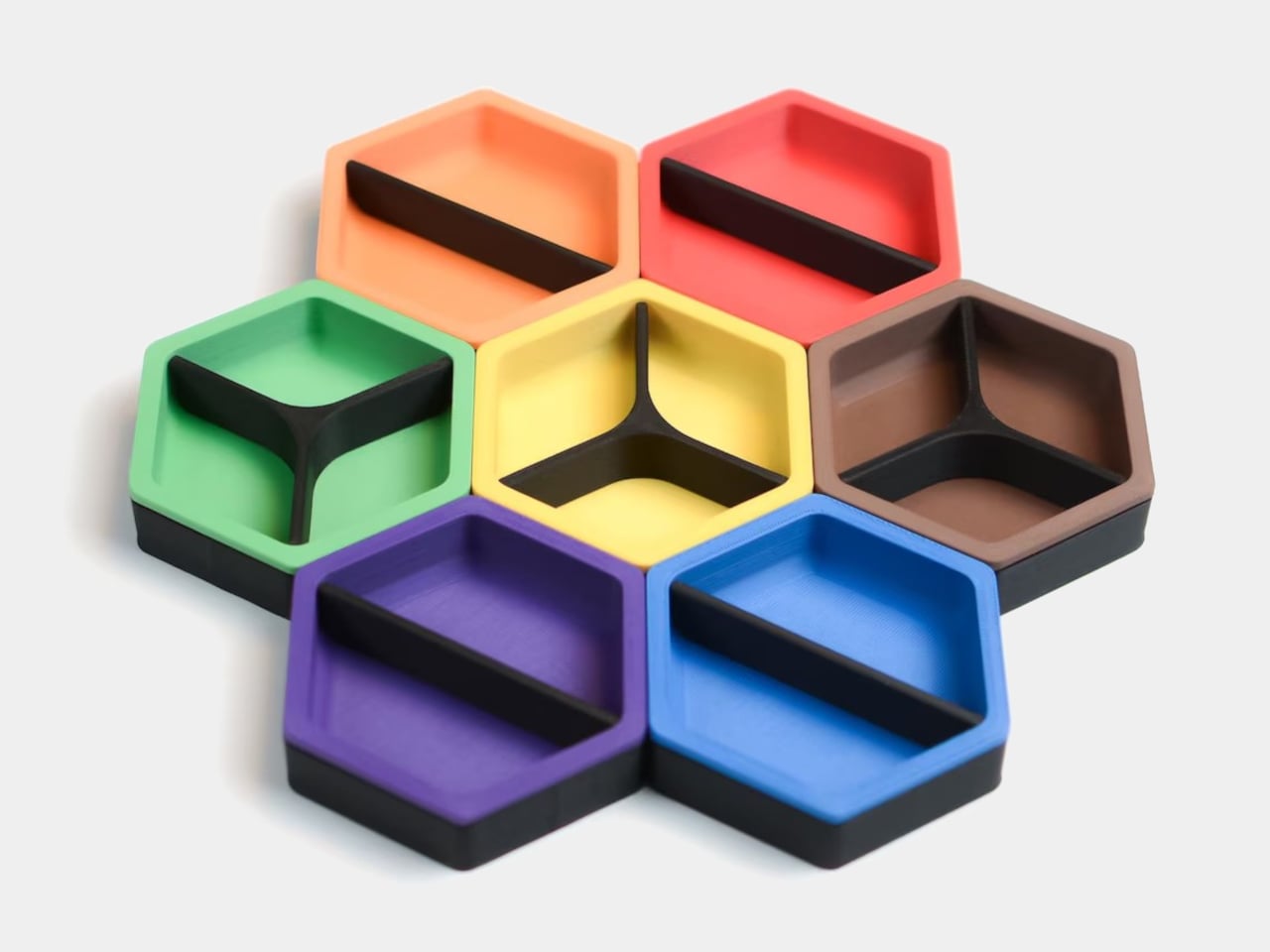
Each tray is a hexagon with magnets hidden in its edges so it snaps to its neighbors in a honeycomb. You can build a cluster that fits the corner of a monitor stand or the space in front of a keyboard, then peel one off and move it closer when you need it. The magnets keep the layout coherent instead of letting dishes drift apart over time, which is a small but meaningful improvement over loose containers.
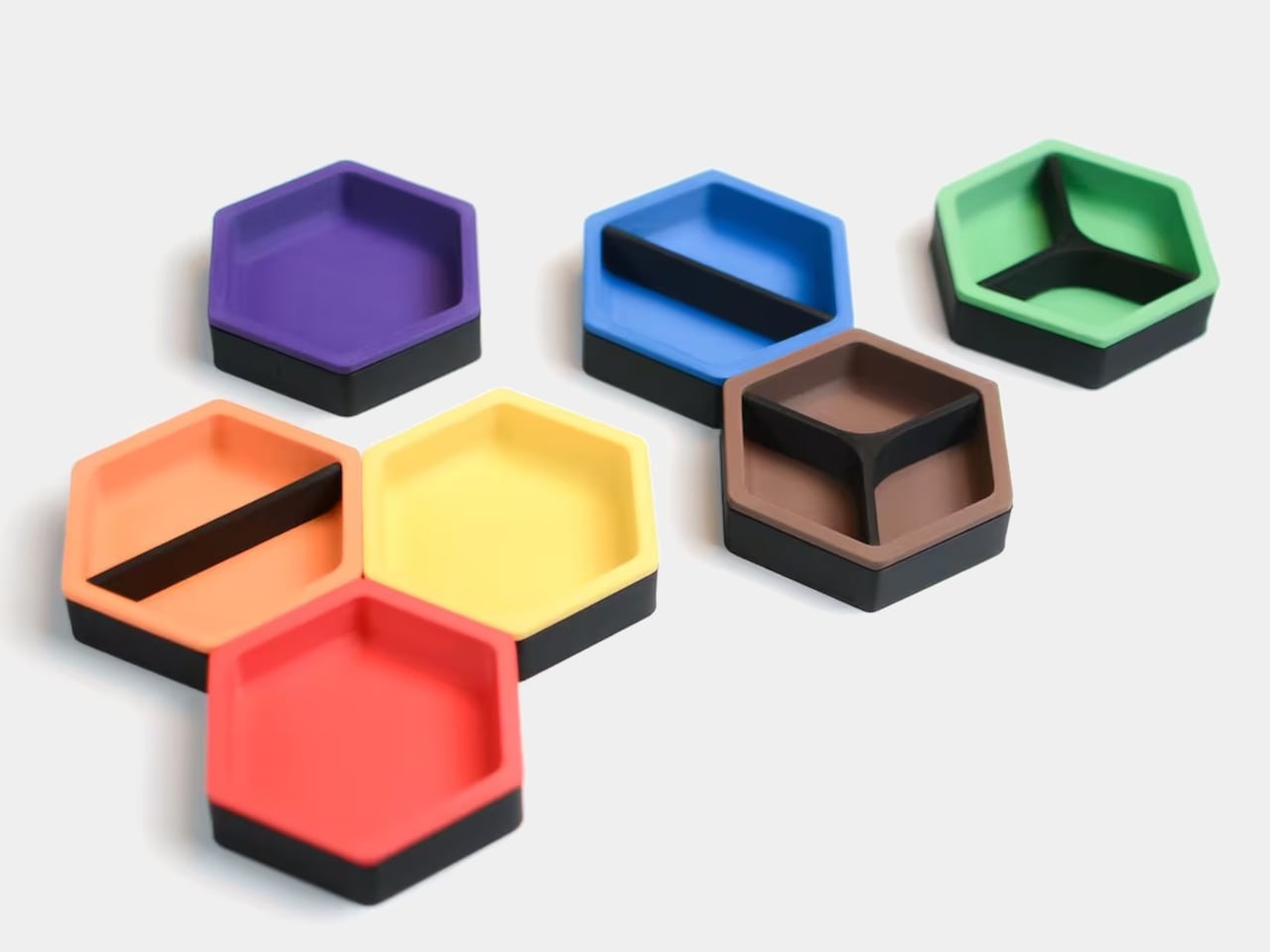
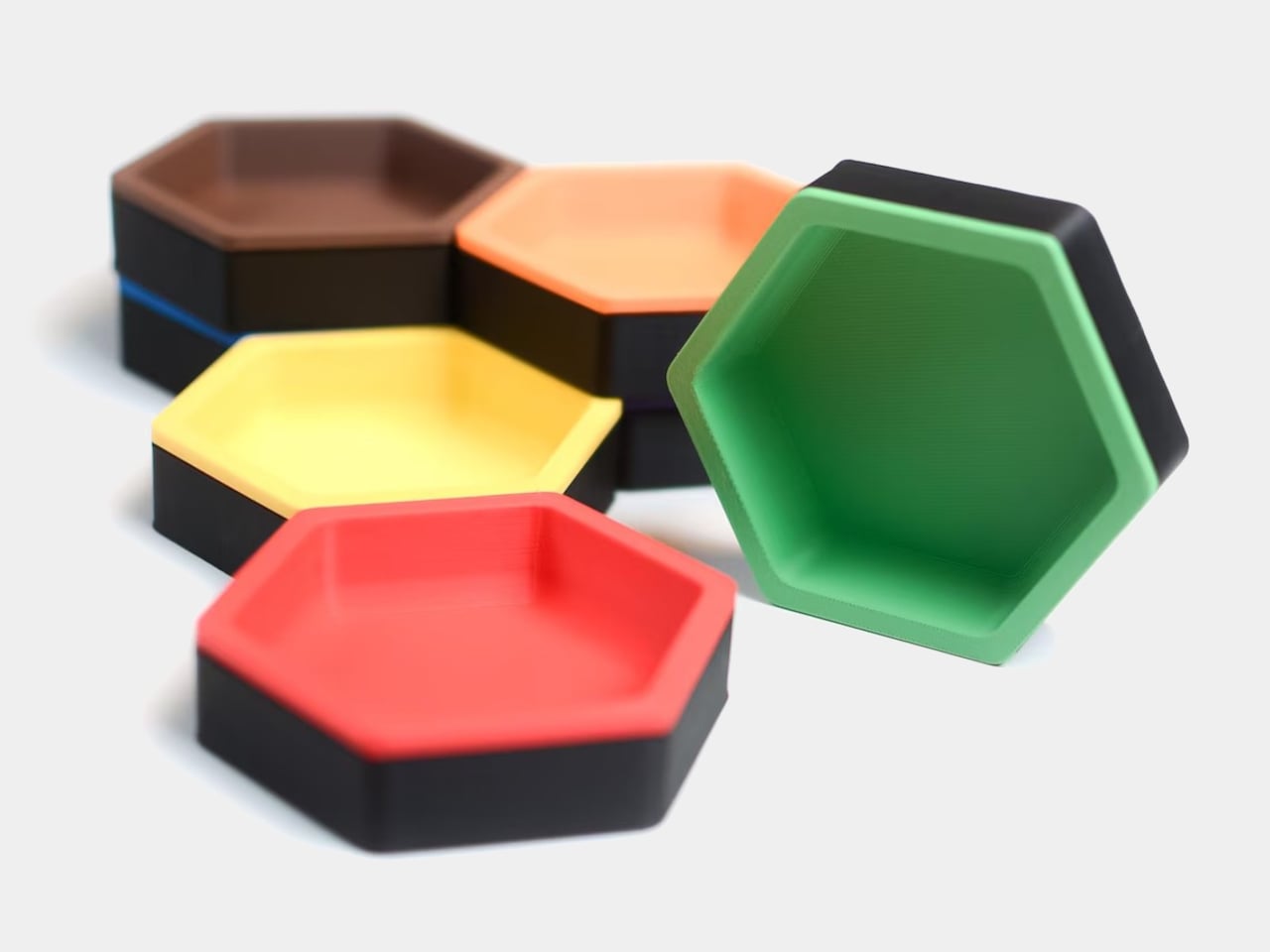
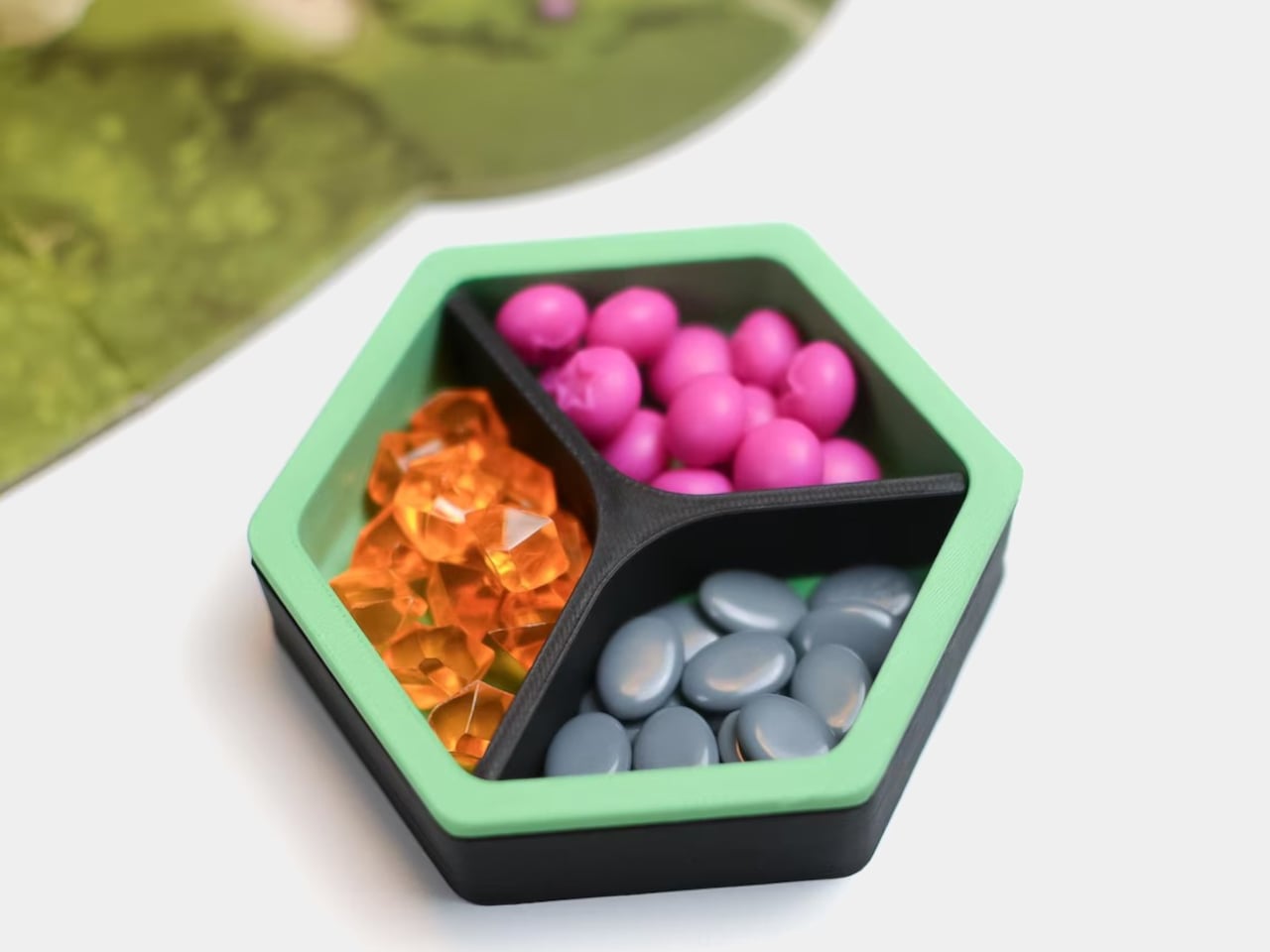
Each unit is a two-part organizer, a black magnetic base, and a colored insert that drops in. The insert ships with two dividers, a straight one that splits the tray into two sections and a Y-shaped one that splits it into three. You can run it as one big bin, two equal compartments, or three wedges, depending on whether you are holding paper clips, sticky-note flags, or three different pen nibs.
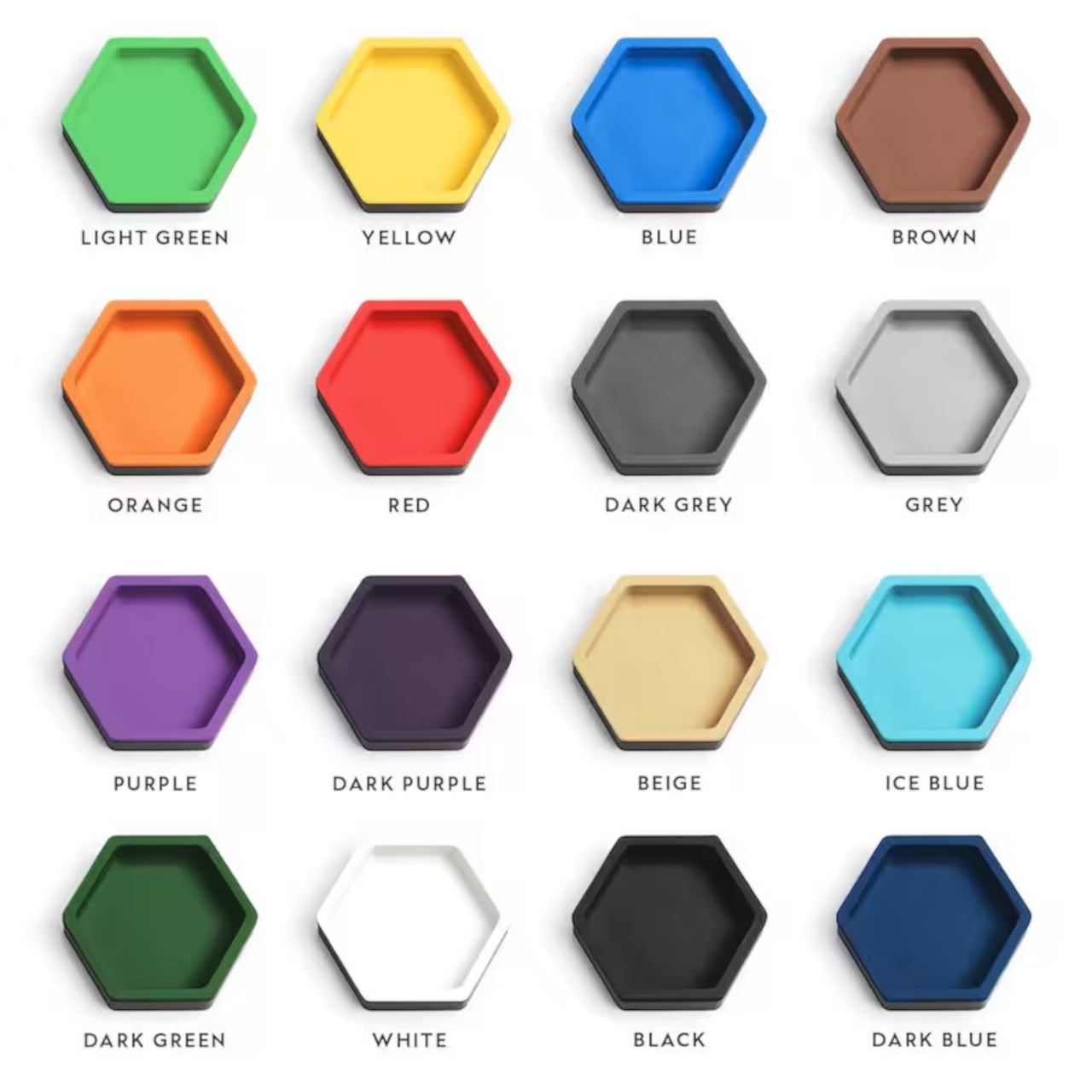
The color options for the inserts let you treat the trays as a visual system. You can assign colors to categories, blue for tech bits, yellow for writing tools, red for things that need attention, or just build a small rainbow that makes the corner of your desk feel more like a layout than a pile. The black bases keep everything grounded, so the color reads as an accent, not chaos.
The trays are 3D-printed in PLA with embedded magnets, which keep them light but give them a satisfying snap when they connect. On a smooth desk, that matters, a cluster of loose bowls tends to slide and separate, while a magnetic cluster holds its shape when you nudge things around. The slight texture of printed PLA also keeps small items from skittering around inside each compartment, especially paper clips and staples.
The modularity plays nicely with shifting work modes. On a heavy project day, you can build a larger honeycomb and park it next to your main work area, each tray handling a different set of parts. On quieter days, you can break the set into smaller clusters and spread them across a shelf, a secondary desk, or a nightstand. The hexagon footprint is compact enough that a single tray works as a bedside catch-all for rings and earbuds.
These trays sit in a sweet spot between rigid drawer inserts and random containers, structured enough to keep things sorted but flexible enough to reconfigure when your habits change. For anyone who likes their desk to feel a little more like a considered layout and a little less like a junk drawer, a handful of magnetic hexagons with dividers is a surprisingly simple way to give every small object a place to land, while keeping the option to rebuild the whole composition whenever the mood or the project shifts.
Most of us end up using whatever is at hand as a catch-all: coffee cups, candle lids, random bowls, and that works until you actually need to find a specific SD card or binder clip. A lot of the best small organizers are hiding in other categories, and these magnetic hexagon token trays, sold as board game accessories, are really just well-designed hexagonal dishes with magnets and dividers.
Each tray is a hexagon with magnets hidden in its edges so it snaps to its neighbors in a honeycomb. You can build a cluster that fits the corner of a monitor stand or the space in front of a keyboard, then peel one off and move it closer when you need it. The magnets keep the layout coherent instead of letting dishes drift apart over time, which is a small but meaningful improvement over loose containers.
Each unit is a two-part organizer, a black magnetic base, and a colored insert that drops in. The insert ships with two dividers, a straight one that splits the tray into two sections and a Y-shaped one that splits it into three. You can run it as one big bin, two equal compartments, or three wedges, depending on whether you are holding paper clips, sticky-note flags, or three different pen nibs.
The color options for the inserts let you treat the trays as a visual system. You can assign colors to categories, blue for tech bits, yellow for writing tools, red for things that need attention, or just build a small rainbow that makes the corner of your desk feel more like a layout than a pile. The black bases keep everything grounded, so the color reads as an accent, not chaos.
The trays are 3D-printed in PLA with embedded magnets, which keep them light but give them a satisfying snap when they connect. On a smooth desk, that matters, a cluster of loose bowls tends to slide and separate, while a magnetic cluster holds its shape when you nudge things around. The slight texture of printed PLA also keeps small items from skittering around inside each compartment, especially paper clips and staples.
The modularity plays nicely with shifting work modes. On a heavy project day, you can build a larger honeycomb and park it next to your main work area, each tray handling a different set of parts. On quieter days, you can break the set into smaller clusters and spread them across a shelf, a secondary desk, or a nightstand. The hexagon footprint is compact enough that a single tray works as a bedside catch-all for rings and earbuds.
These trays sit in a sweet spot between rigid drawer inserts and random containers, structured enough to keep things sorted but flexible enough to reconfigure when your habits change. For anyone who likes their desk to feel a little more like a considered layout and a little less like a junk drawer, a handful of magnetic hexagons with dividers is a surprisingly simple way to give every small object a place to land, while keeping the option to rebuild the whole composition whenever the mood or the project shifts.