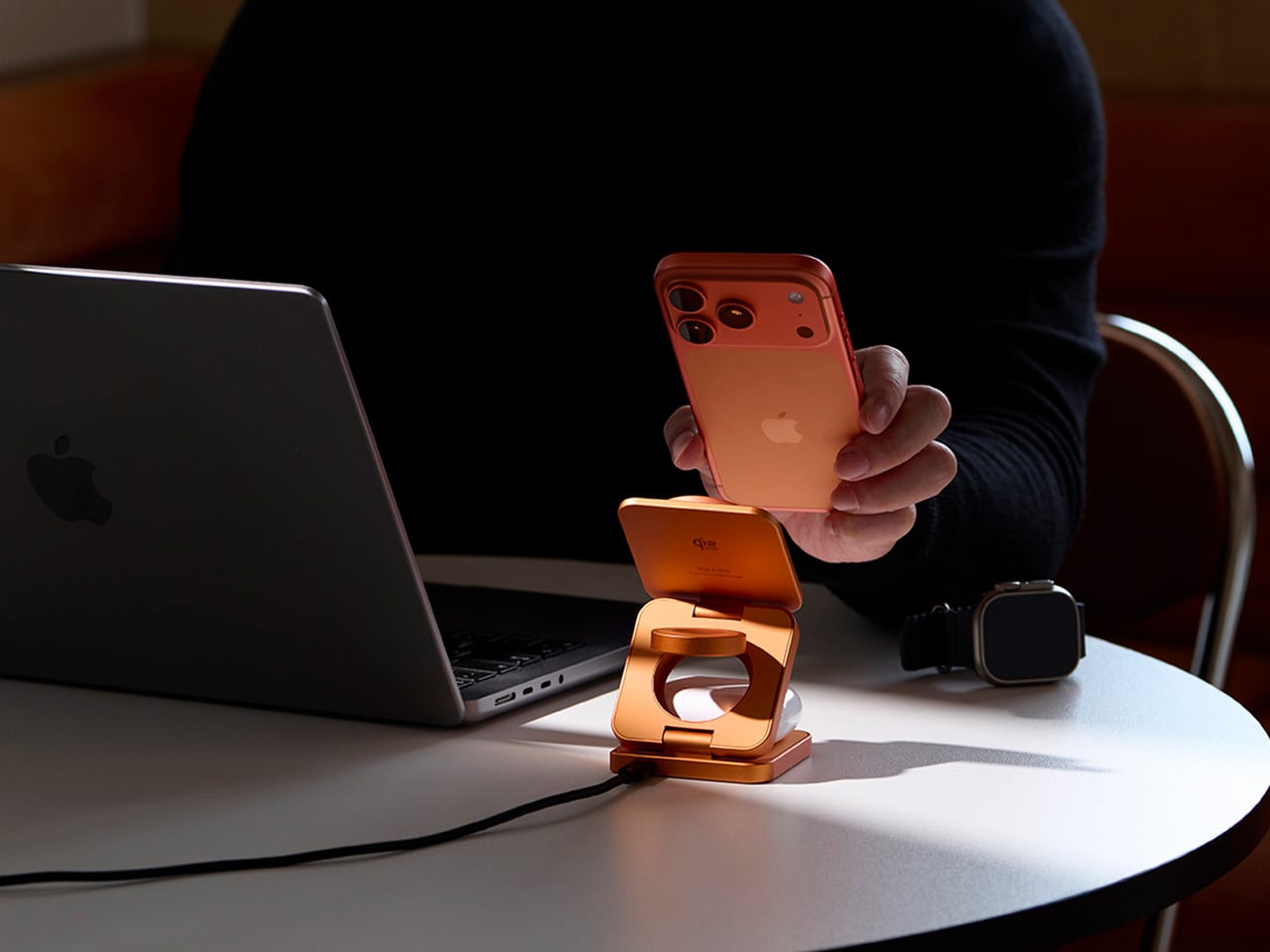
Anyone who’s deep in the Apple ecosystem knows the charging problem all too well. There’s an iPhone that needs its MagSafe puck, an Apple Watch on its magnetic disc, and AirPods waiting for their wireless spot. Before long, the desk or bedside table has turned into a tangle of cables and pads, and that’s without thinking about what happens when you need to travel.
The wireless charging accessory market has responded with a wave of multi-device stands, but most of them tend to pick a lane. Either fast and capable or foldable and portable, premium-looking or compact, but rarely all of the above. ADAM elements is trying to change that with the Mag 3 Ultra, a foldable 3-in-1 charging station designed to cover all those bases without asking you to give something up.
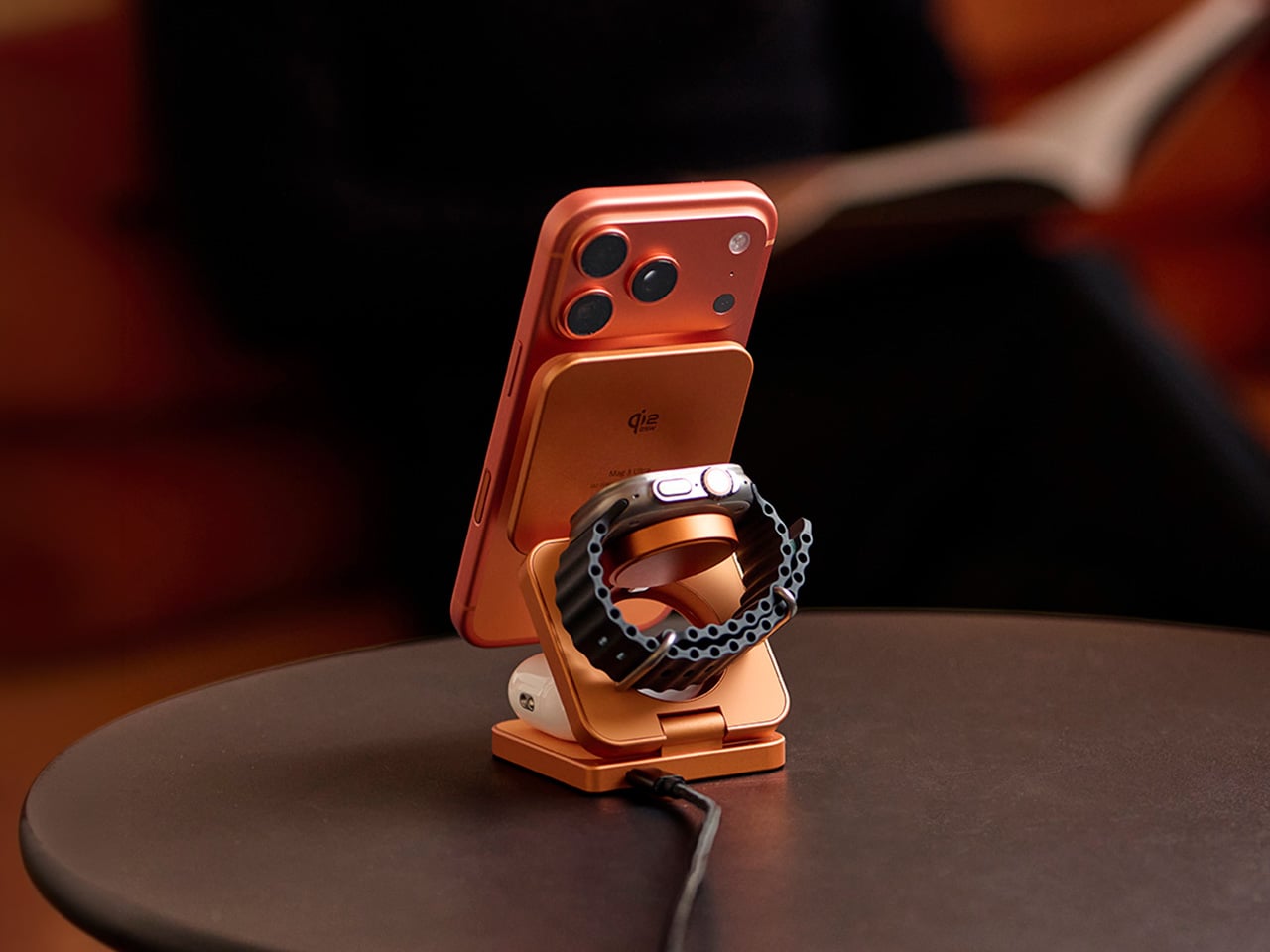
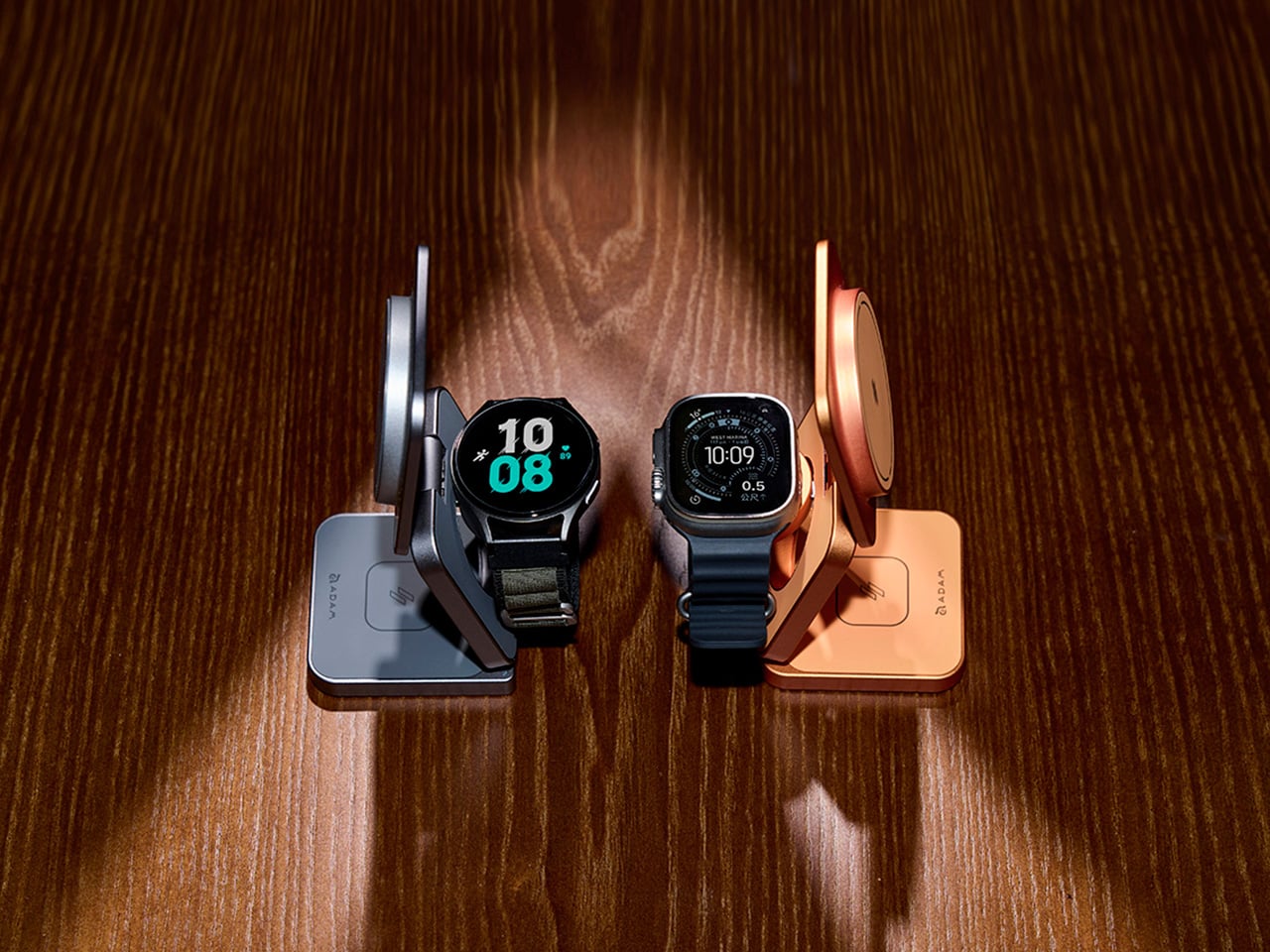
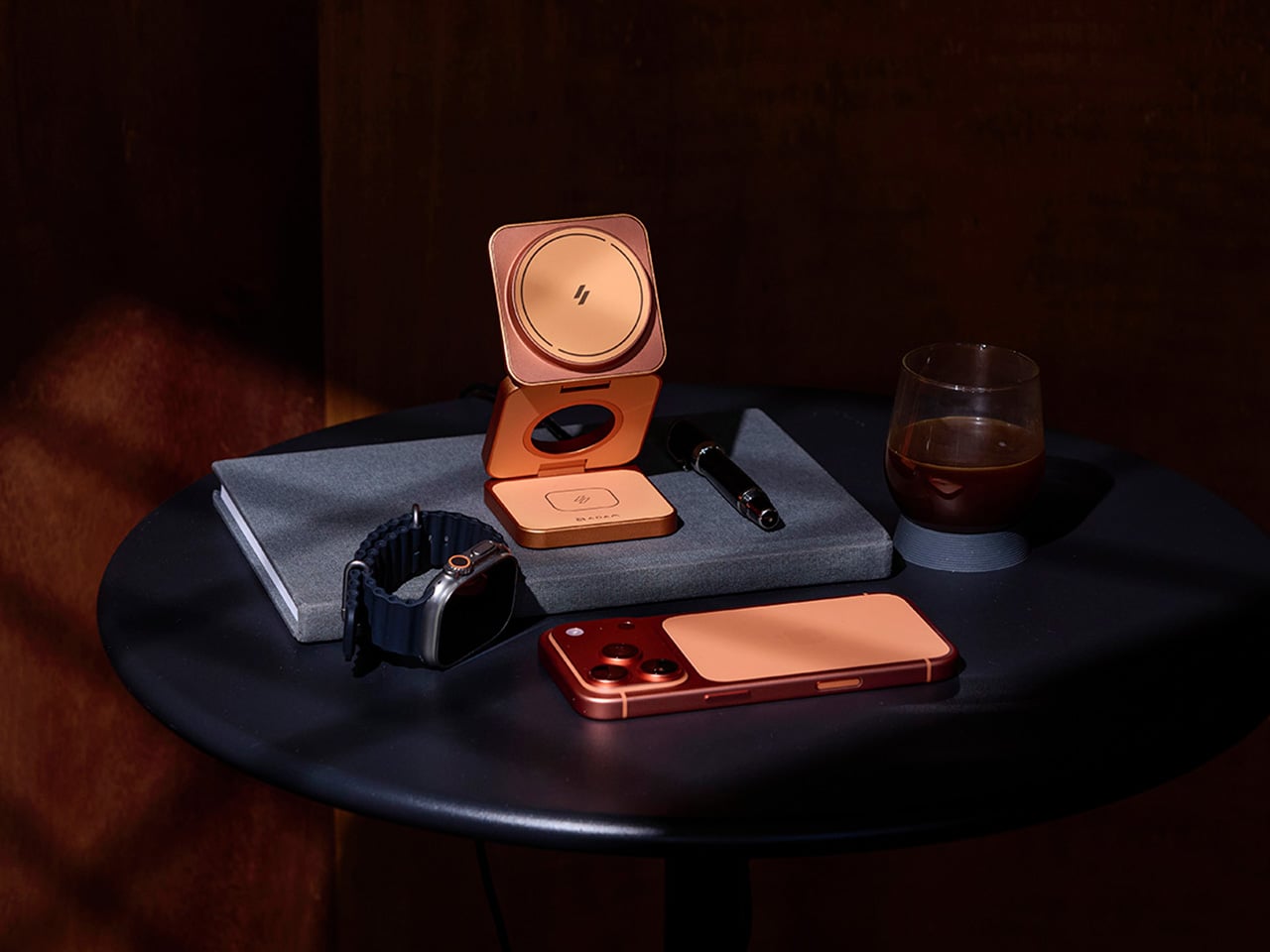
The first thing you notice about the Mag 3 Ultra is that it doesn’t look like most charging accessories. It’s made from precision CNC-machined aluminum alloy with a sandblasted texture and anodized finish, so it sits well alongside the premium devices it’s designed to power. It comes in three colorways: Titanium, Gray, and Orange, with Orange being the most visually striking of the three.
On the performance side, the Mag 3 Ultra’s main phone module is certified under the WPC Qi2 25W standard, which ADAM elements says delivers notably faster charging efficiency than 15W-class Qi2 chargers. The 25W output works best on the iPhone 16 and 17 series, while MagSafe-compatible iPhones from the 12 through 15 series still get Qi2 15W. Either way, it’s well ahead of older wireless charging speeds.
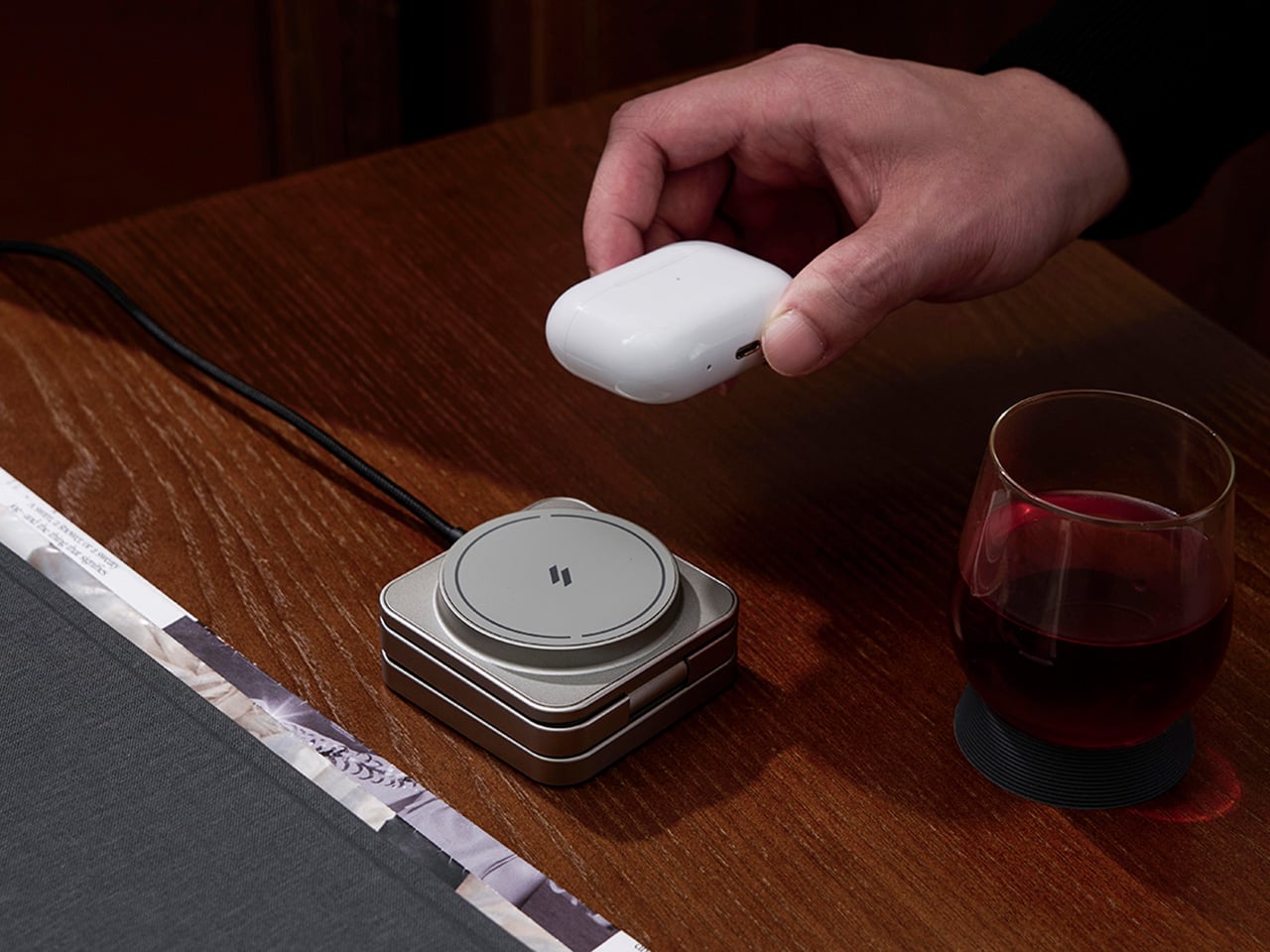
What makes the Mag 3 Ultra genuinely convenient is how it handles all three devices at once. Your phone snaps magnetically onto the main pad, your Apple Watch or Samsung Galaxy Watch sits on the dedicated watch dock, and your AirPods rest on the base charging area. It all happens concurrently, and the whole setup takes up a small footprint with just one USB-C cable.
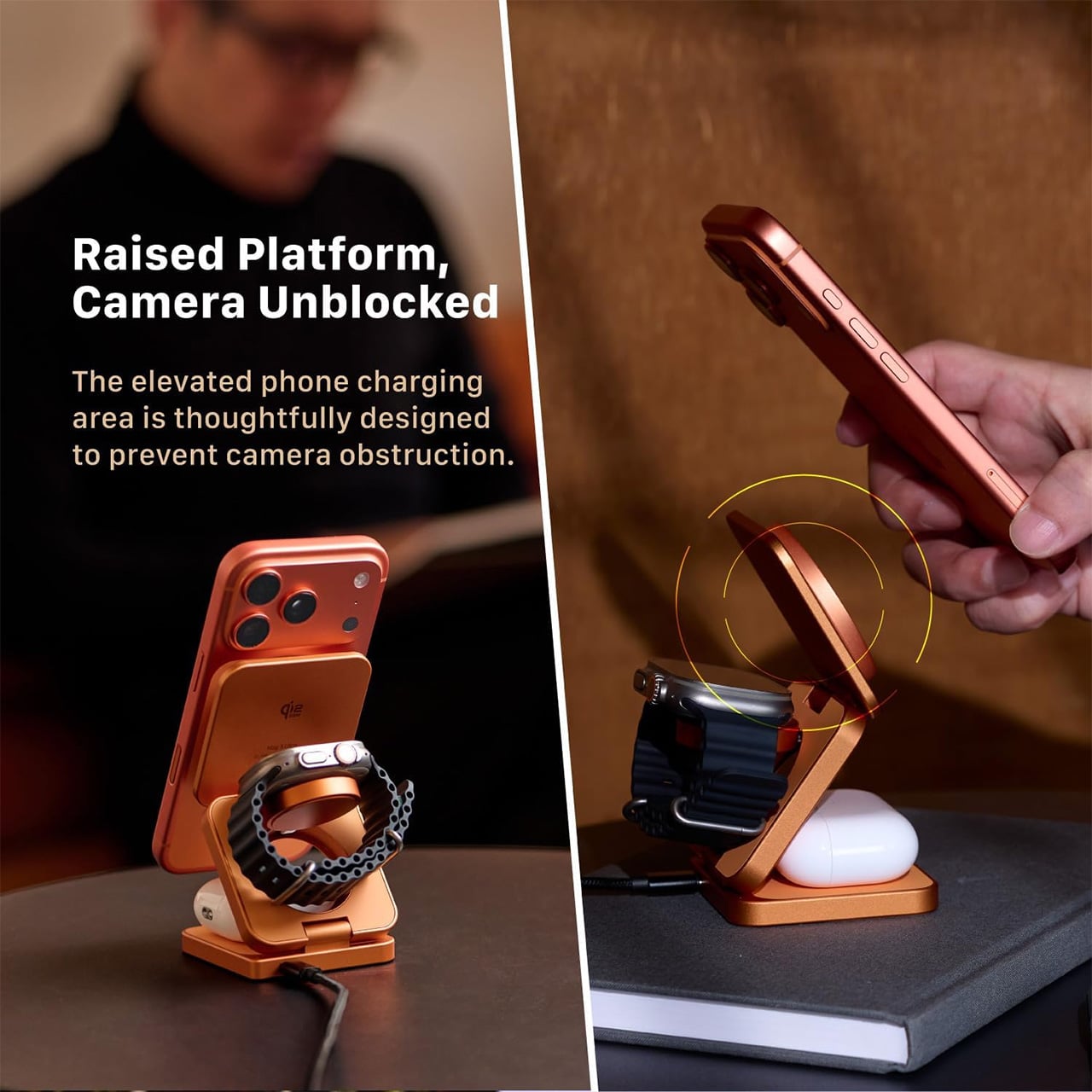
The phone charging pad sits raised above the base, which keeps the camera bump clear and unobstructed. It’s a small but thoughtful design choice that makes the charger genuinely usable while it’s working. The magnetic connection holds the phone in both portrait and landscape orientations, so you can catch up on messages, follow a tutorial, or stream something while your battery climbs.
The watch module is worth noting for its dual-system compatibility. It supports both Apple Watch and Samsung Galaxy Watch via magnetic charging, which makes the Mag 3 Ultra a practical option for households where not everyone is on the same wearable platform. It’s a sensible call that broadens the charger’s appeal well beyond the strictly Apple-only crowd that most competitors in this category target.
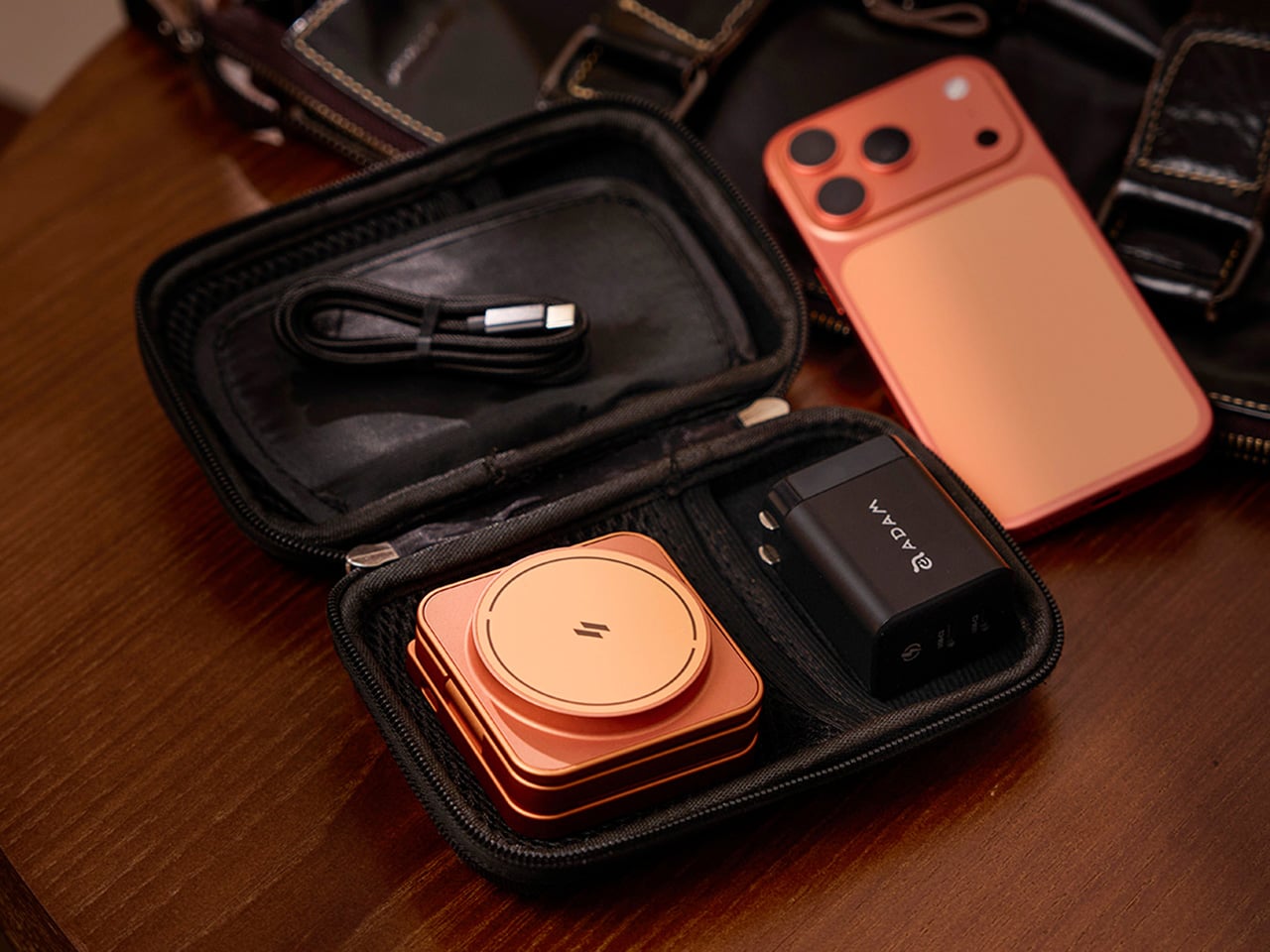
The foldable design is arguably where the Mag 3 Ultra makes its strongest case. It collapses to 66mm x 66mm x 29.5mm and weighs 205.5g, small enough to slip into a bag pocket or carry-on. A 100cm USB-C cable and protective fabric pouch are included, so the same station that lives on your desk can just as easily go on the road.
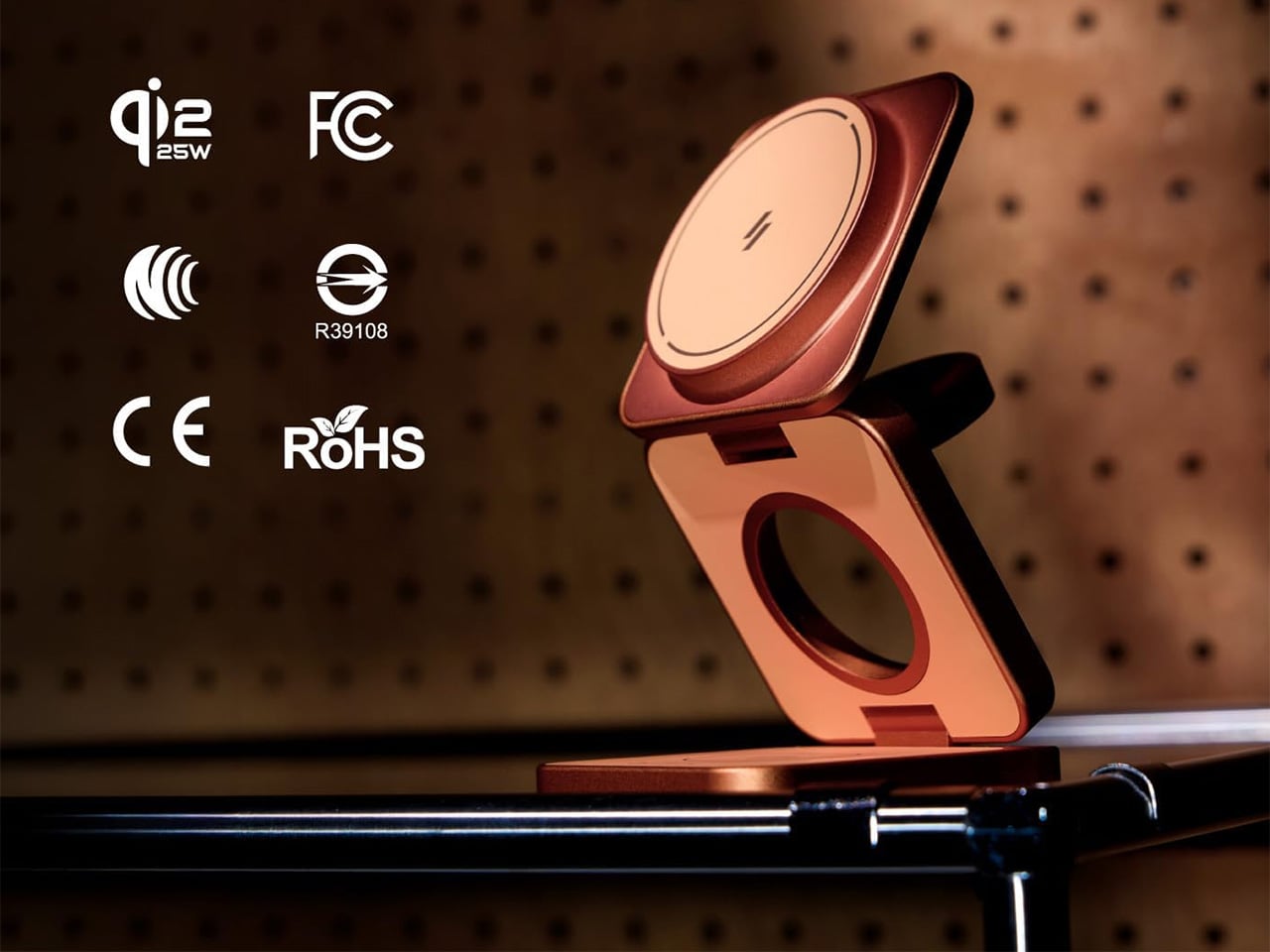
There’s also a solid set of safety protections built in, including Foreign Object Detection to prevent metal interference during charging, along with overcharge, overheat, and short-circuit safeguards. It carries Qi2, CE, FCC, RoHS, BSMI, and NCC certifications. For peak simultaneous three-device performance, ADAM elements recommends pairing it with a 45W or higher USB-C PD adapter, and it comes backed by a three-year limited warranty.
Wireless charging accessories rarely get talked about the same way a well-designed product would, but the Mag 3 Ultra is a good reason to start. The three colorways it comes in, especially that bold Orange, are a clear sign that ADAM elements wants this sitting on your desk where people can actually see it, not tucked behind your laptop where most chargers tend to end up.
Cheap knives and great knives can share a steel type, a similar price bracket, and even a similar silhouette, yet one gets carried every day for years while the other sits in a drawer after a month. The difference rarely comes down to one dramatic failure. It comes down to five small decisions that most buyers never learn to check for, decisions about lock geometry, screw heads, pivot bearings, dimensional proportion, and low-light findability. Spend enough time with a stack of 2026 releases side by side and the pattern gets impossible to unsee.
I spent the better part of last week breaking down those five decisions using five knives currently earning their keep in pockets around the EDC community, each one chosen because it executes a single detail without compromise. None of these are the flashiest releases of the year, and none needed to be. What ties them together is a kind of restraint, the willingness to spend real machining time and material cost on a part of the knife most buyers never think to inspect. A locking mechanism gets tuned for years of one-handed use rather than a flashy debut video. A screw gets sized and disclosed rather than hidden behind a proprietary driver. That restraint is expensive to execute and easy to skip, which is exactly why so few knives manage all five at once.
1. The Lock: Why Button and Crossbar Mechanisms Made the Liner Lock Feel Dated
Liner locks and frame locks have one quiet flaw nobody talks about until they’ve sliced a thumb pad on a fast close. To fold the blade back down, your fingers have to reach across its path and nudge the lock out of the way, which is fine ninety nine times out of a hundred and a genuine hazard on the hundredth. Button locks and crossbar locks solve this by moving the release off the blade’s line entirely. Press a button or pull a bar mounted on the spine, and the blade drops shut without your fingers ever crossing the edge. It sounds like a minor ergonomic tweak until you realize it’s the same logic that made Benchmade’s AXIS lock a cult favorite for two decades, just freed up for everyone else to build on now that the patent has expired. That single expiration is why crossbar and button locks have exploded across mid-tier knives in the last two years, and why a lock type that used to signal premium exclusivity now signals a maker who’s simply paying attention.
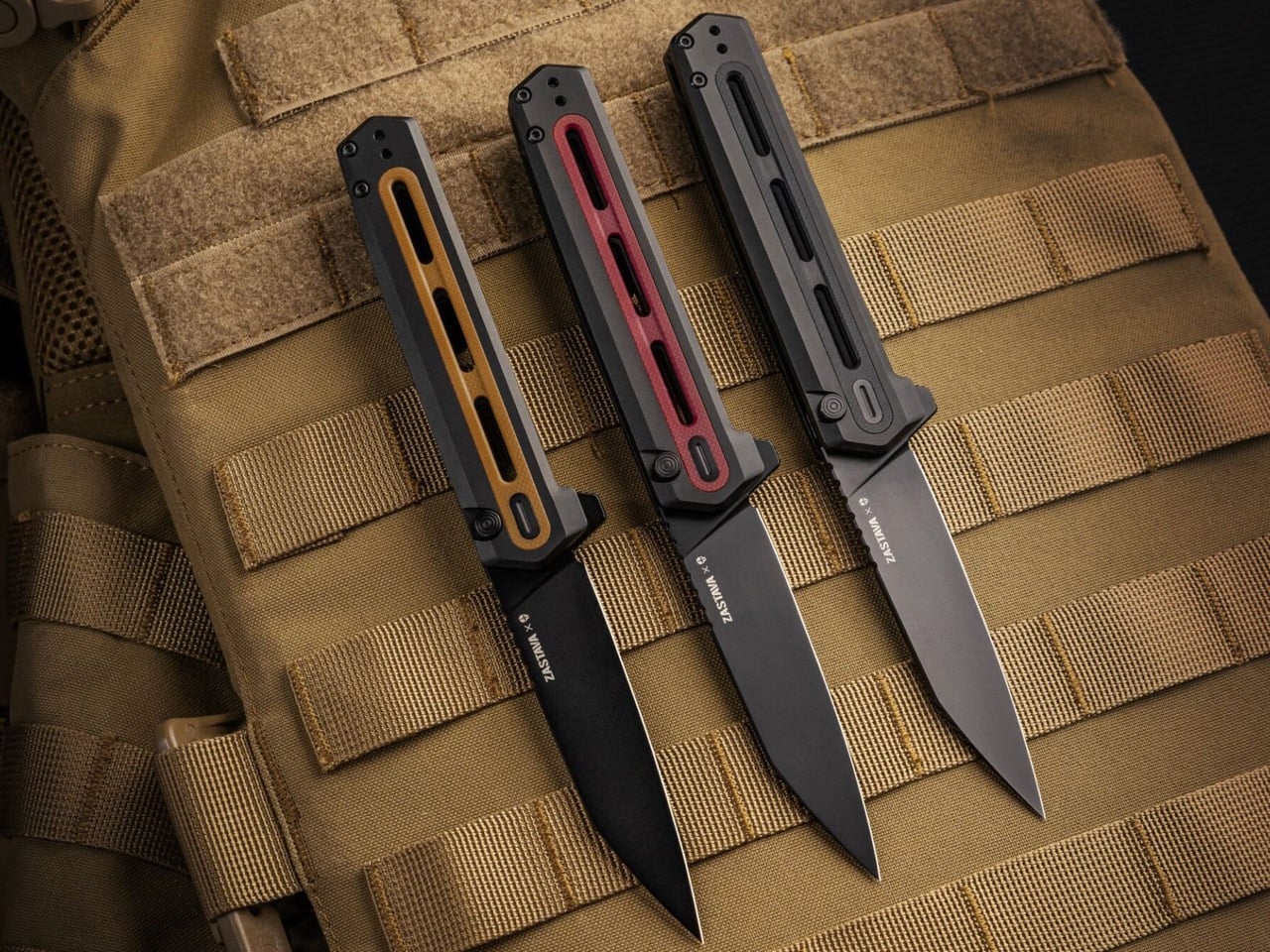
Tekto’s F4 Echo, a collaboration with Zastava Arms USA that leans hard into the gunmaker’s rifle heritage, runs exactly this kind of button lock, and it’s tuned well enough to matter. Press the button and the CPM S35VN blade drops free with none of the mushy half-engagement that plagues cheaper button locks, then a flick of the flipper tab snaps it back open with the same crisp confidence. Closing it is a one-handed motion, thumb on the button, palm rolling the spine shut, no crossed fingers anywhere near the reverse tanto edge. It’s a satisfying click too, the kind that turns into an idle fidget habit whether there’s anything to cut or not. At $199.99 it isn’t chasing budget-tier button locks racing to the bottom on price. It’s proof the mechanism has fully arrived at the mid-tier, executed with a materials upgrade to match, and Tekto clearly built it for people who’ll notice the difference immediately.
Click Here to Buy Now: $170$199.99 (15% off with code YANKO). Hurry, deal ends in 48-hours! Free FedEx 2Day shipping within the USA.
2. The Pivot: Why Ceramic Bearings Turned Washers Into a Warning Sign
Pull apart any budget folding knife from a decade ago and you’ll almost always find phosphor bronze or Teflon washers wrapped around the pivot, a setup that works fine until grit, lint, or a humid afternoon gets between the layers. Washers rely on flat surface contact, so any contamination turns a smooth flip into a gritty drag that needs a hard wrist snap to force open. Ceramic bearings solve this by replacing that flat contact with a caged ring of hardened balls that roll instead of scrape, cutting friction dramatically and staying consistent even when the knife is dirty. They also can’t rust the way steel bearings eventually do, so a knife that’s been caught in the rain still deploys glassy smooth a year later. This used to be the detail separating a $50 knife from a $300 one, and in 2026 that gap has mostly closed. Once ceramic bearings became cheap to source and simple to cage correctly, there was no honest excuse left for a stiff pivot at any price.
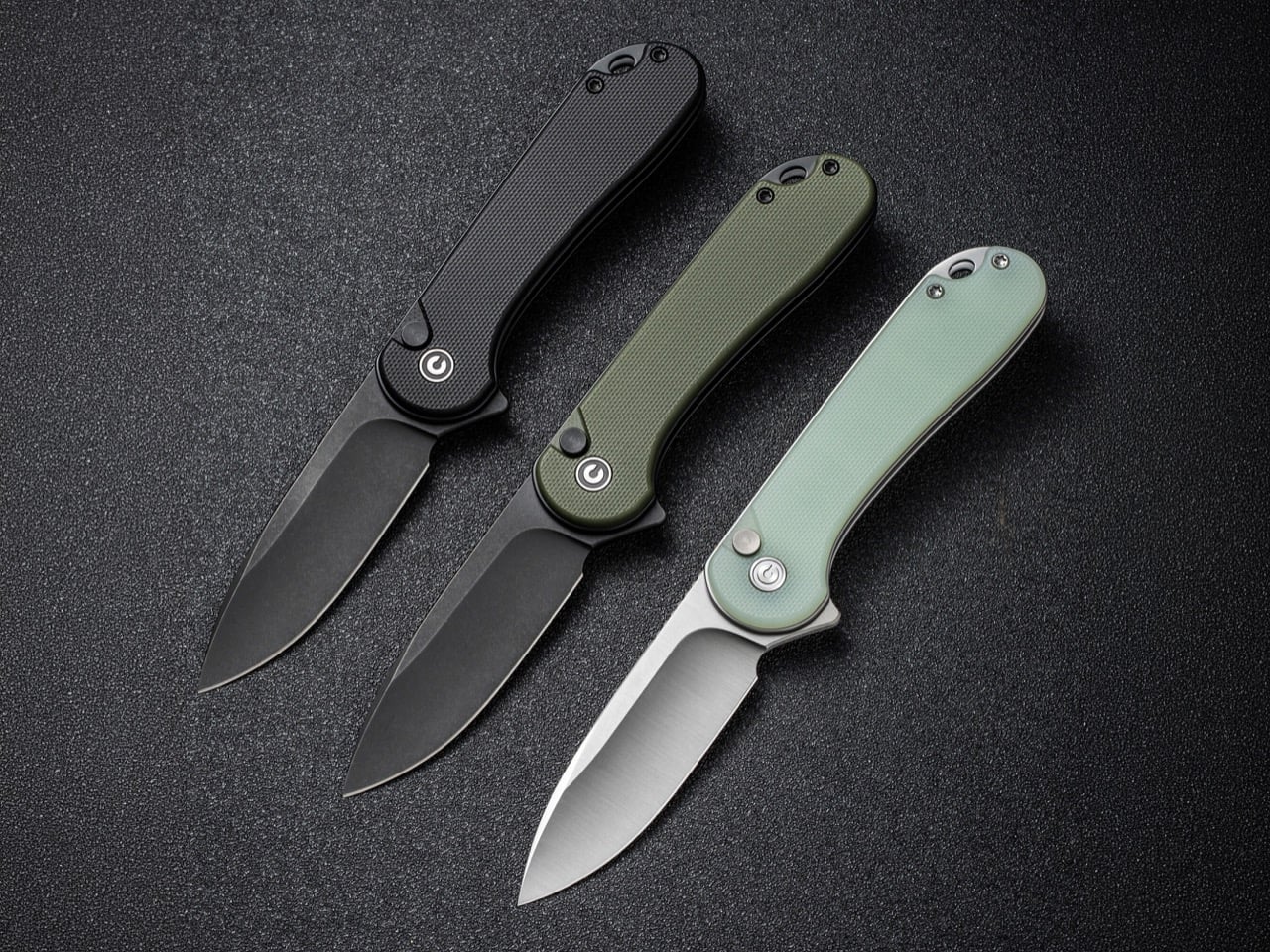
Civivi’s Elementum earned its reputation as the reset button for budget EDC largely by being one of the first sub-$50 folders to ditch washers for a caged ceramic ball bearing pivot outright. The Elementum II carries that same pivot forward while adding a tuned button lock, and the bearing underneath does most of the work on how the knife actually feels in hand. Flick it open and it glides with none of the initial stiffness a washer knife needs to work through, and the closing motion rides that identical smooth pivot rather than some separate mechanism bolted on for the button. At 2.96 inches of Nitro-V steel and under $100 across most configurations, it’s proof the bearing upgrade never had to live exclusively at the premium end of the market. Civivi more or less forced the rest of the budget category to either match that pivot or explain why they hadn’t.
3. The Glow: Why Tritium Slots Separate Findability From Decoration
Tritium vials are sealed glass tubes filled with a radioactive gas that emits a faint, self-powered glow for roughly 25 years with no batteries and no charging required, and EDC makers have been drilling slots for them since around 2020. Plenty of that early adoption was pure theater, vials tucked into handle scales where your palm covers the glow the moment you pick the knife up, or embedded on a blade spine where they serve no purpose beyond looking tactical in a product photo. A well-placed slot solves an actual problem instead. Drop a knife in a dark bag, a glove box, or beside a bed at 2am, and a tritium vial is the difference between patting around blind and spotting a faint green dot exactly where you left it. Vials run $15 to $40 each, so a maker adding two of them made a deliberate call. Decoration gets bolted on wherever there’s leftover space, while findability gets placed exactly where your eye needs to land first.
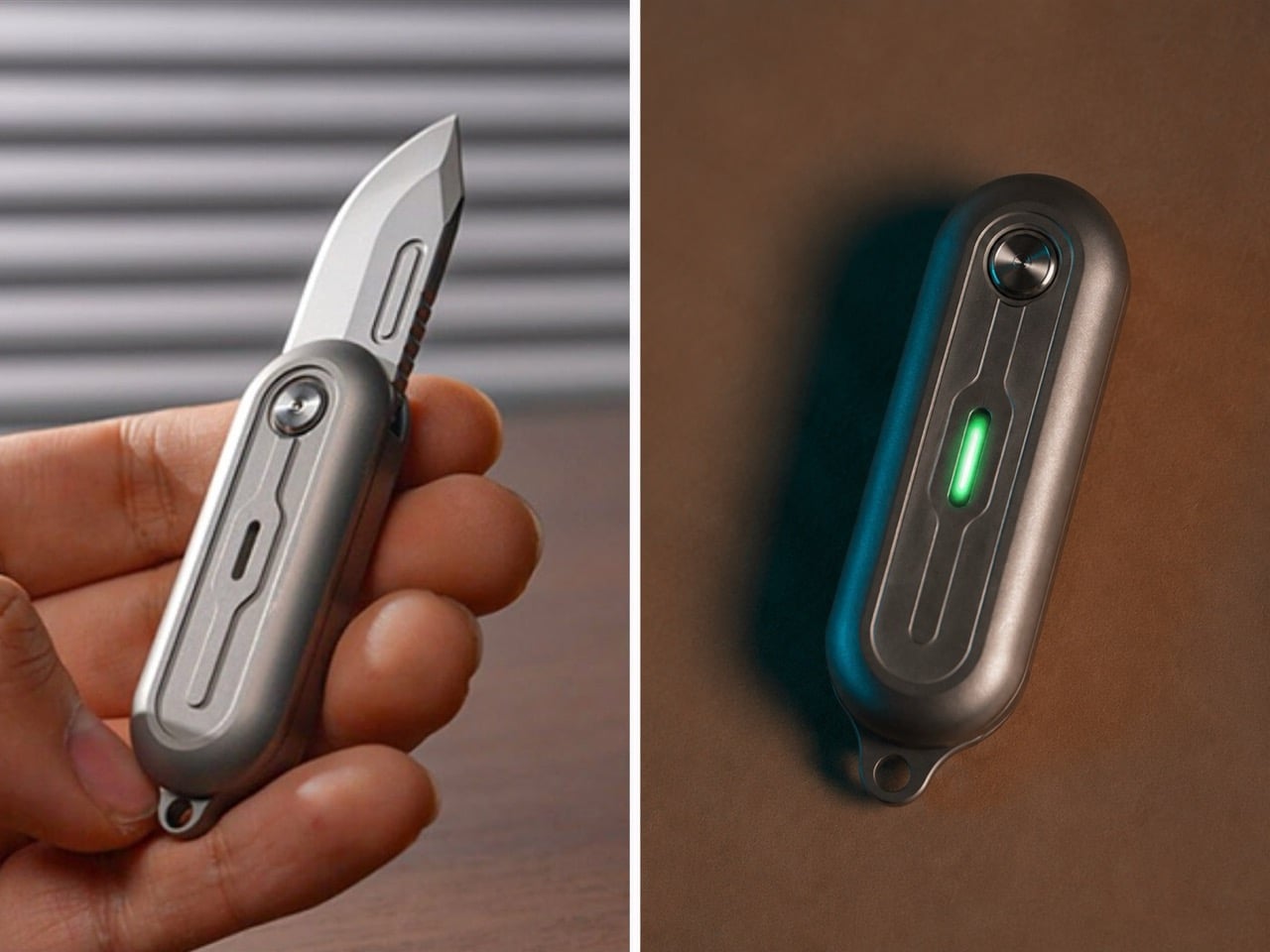
TiNova II puts that logic to its intended use. The two tritium slots sit on the flat faces of its Grade 5 titanium scales, and depending on the finish, you get either raw sandblasted titanium letting the glow read plainly or a black-coated version that makes those same vials do most of the visual work in a dark pocket or bag. At 2.54 inches closed and just 59.3 grams, this is a knife built for keychain duty first, exactly the kind of small object that goes missing in a junk drawer or backpack pocket without a locator built in. The D2 steel blade deploys with a 360 degree spin off a ball bearing pivot, more fidget toy than tactical folder, but the tritium slots keep it from being purely a novelty. It’s a genuinely small detail on a genuinely small knife, and it’s exactly the kind of detail that separates a maker thinking about how the object gets used at night from one just checking a spec sheet box.
4. The Footprint: Why 8 Inches Became the Serious EDC’s Sweet Spot
EDC has spent the better part of a decade chasing extremes in either direction, keychain folders under 4 inches closed competing with hard-use tank knives pushing past 9 inches open, both categories treating size as the headline spec. Somewhere in the middle sits a range most serious knives have quietly converged on, an overall open length around 8 to 8.3 inches paired with a blade close to 3.5 inches. That proportion isn’t an accident or a coincidence across brands. It’s large enough to give a full four-finger grip real purchase on the handle, yet compact enough to disappear into a front pocket without printing through the fabric or announcing itself in a waistband. The blade length lands right at the edge most carry jurisdictions still consider reasonable, long enough for food prep, package handling, and cordage work without crossing into knife-you-have-to-explain territory. Novelty chases a headline number. Dimensional maturity chases the number that actually gets carried every day.
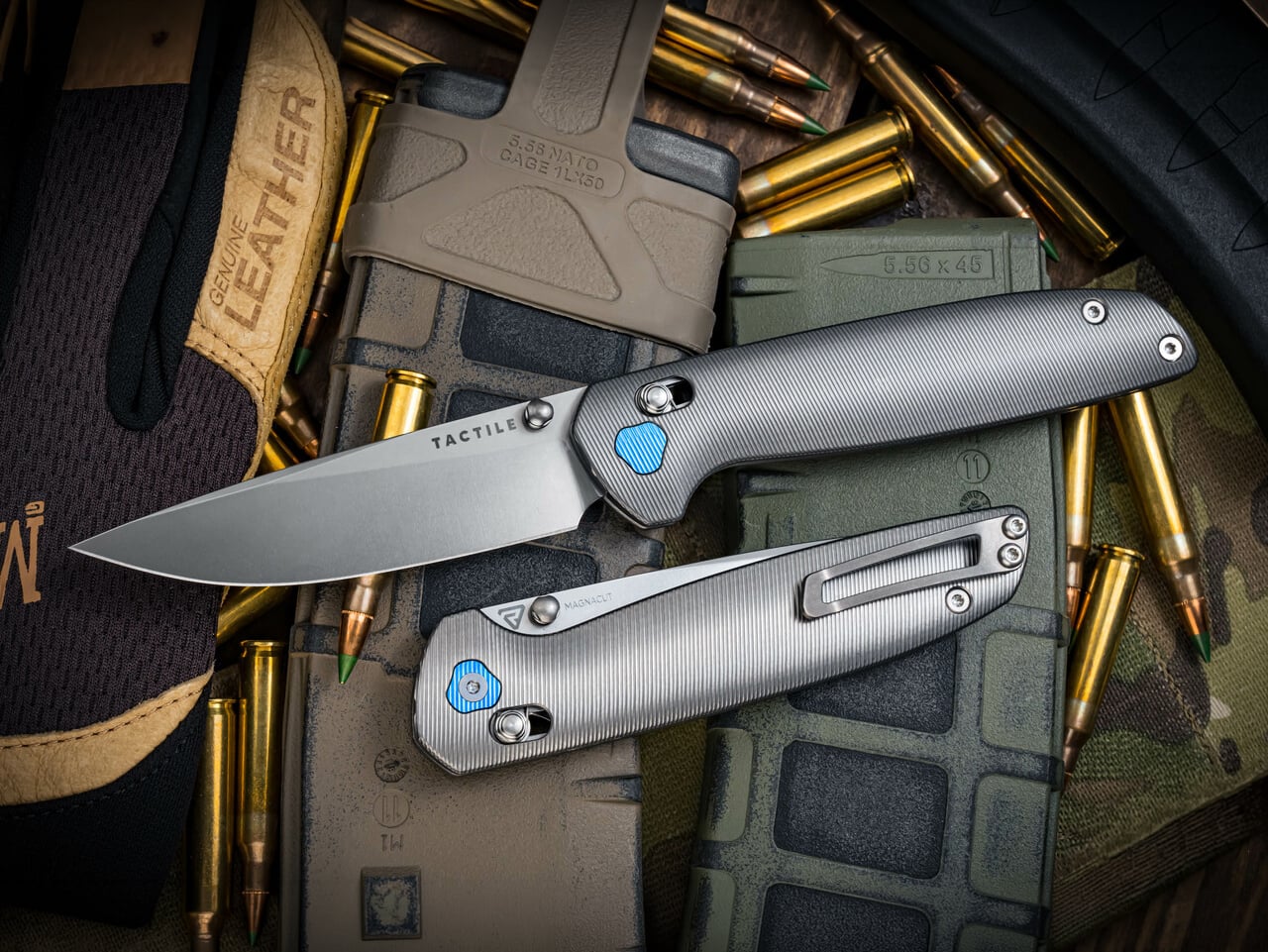
Tactile Knife Co.’s Maverick sits almost exactly on that mark, running 8.18 inches open with a 4.7 inch closed length and a 3.5 inch CPM MagnaCut blade that splits the difference between edge retention and rust resistance better than almost anything at this price. Richard Rogers designed the knife’s tri-lobe handle shape specifically to fill a full-size hand without adding bulk, and the crossbar lock keeps the release off the blade’s path the same way the better button locks do, so drawing and closing it one-handed never feels like a negotiation. At 3.9 ounces in titanium, it carries with enough presence to feel substantial without dragging a pocket down, which is the entire argument for this dimensional range in one knife. Tactile built it in Dallas alongside its better-known pen line, and the proportions read like a team that already understood exactly where the size ceiling for daily carry actually sits.
5. The Fastener: Why Torx Screws Signal a Maker That Expects You to Stick Around
A screw head sounds like the last thing worth judging a knife on, but it quietly tells you how a maker feels about your relationship with the tool over the next decade. Torx resists cam-out under torque, distributes pressure evenly across the star pattern, and doesn’t strip the way a Phillips head does after the third disassembly. Cheaper knives lean on Phillips because the drivers are everywhere, or worse, they use a proprietary bit tucked into a tiny plastic bag that gets lost within a month, quietly forcing you back to the store when the pivot finally needs a clean. The real tell in 2026 isn’t whether a knife uses Torx at all, since most premium builds do by now. It’s whether the maker actually tells you the size. A listed T6 or T8 is an invitation to keep the knife running for years. A vague “tool included” is a maker who’s already planning for you to lose it and buy another knife instead.
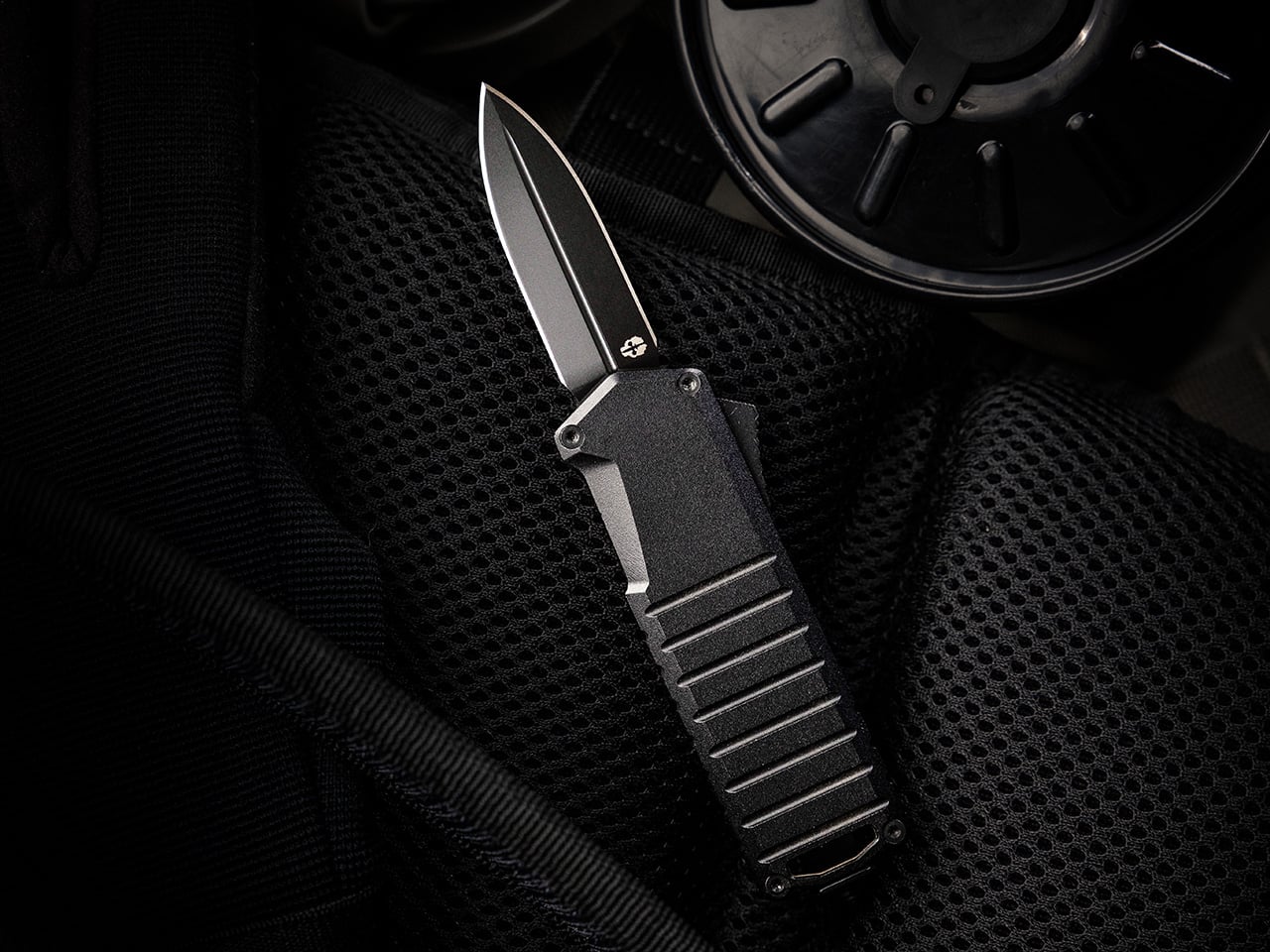
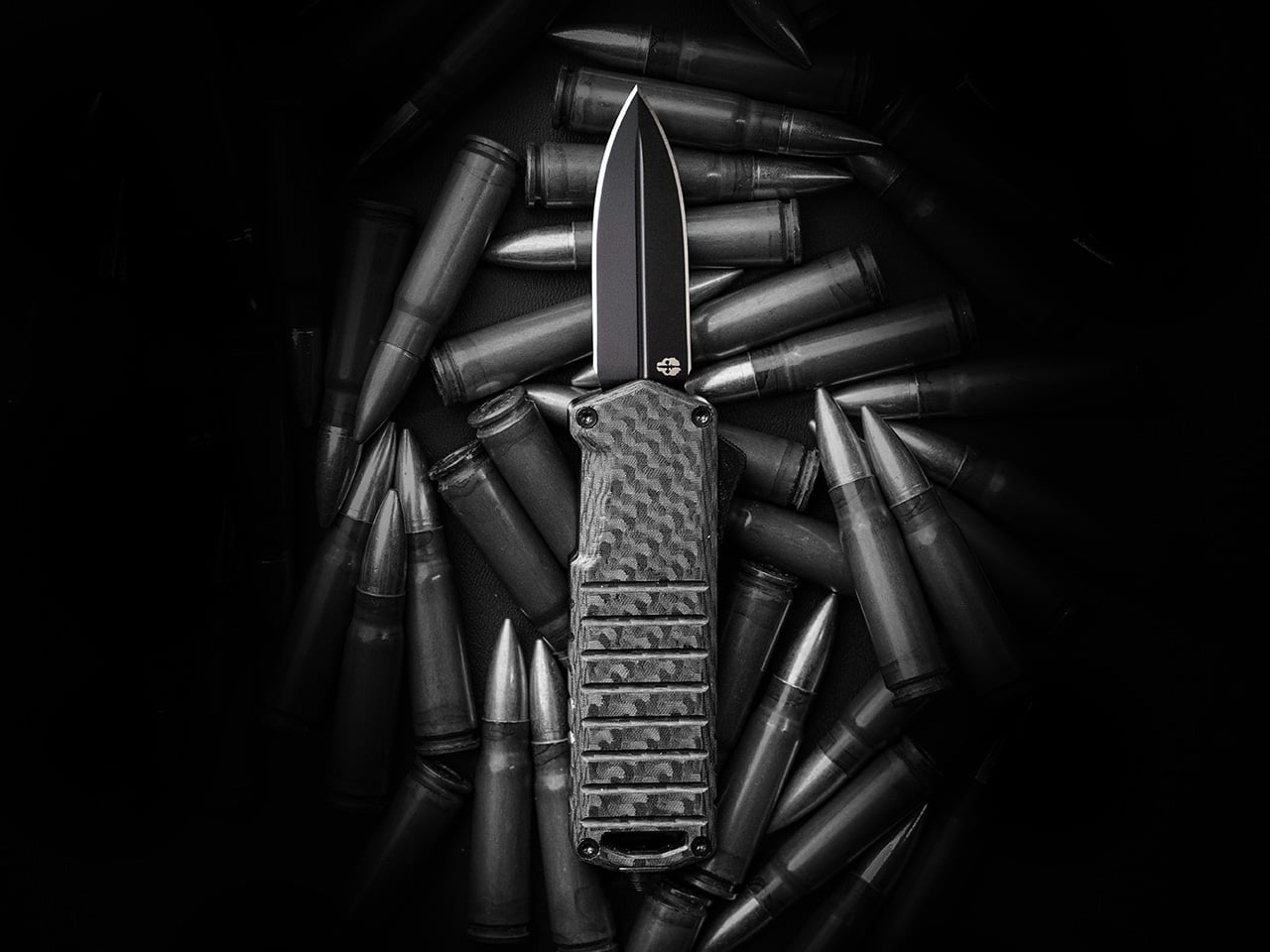
Tekto builds the A2 Badger around that same philosophy, running Torx head screws visible on all four corners of the chamfered aluminum handle rather than hiding the hardware or pressing it in permanently. That transparency matters more than usual here, since the Badger is an OTF, a mechanism with more moving parts than a standard folder and one that benefits from an owner who’s actually willing to open it up and relube the slide over time. At 2.18 ounces with a titanium coated D2 blade under two inches, the Badger was built specifically to slip past the length restrictions that plague OTF knives in restrictive states, and Tekto backs that engineering with a full warranty against material or manufacturing defects. Standard Torx hardware on every corner means an owner can actually service the thing rather than just carry it until something inside finally gives out. It’s a small, unglamorous decision, and it’s exactly the kind that separates a knife built to last from one built to sell once.
Click Here to Buy Now: $119$139.99 (15% off). Hurry, deal ends in 48-hours! Free FedEx 2Day shipping within the USA.
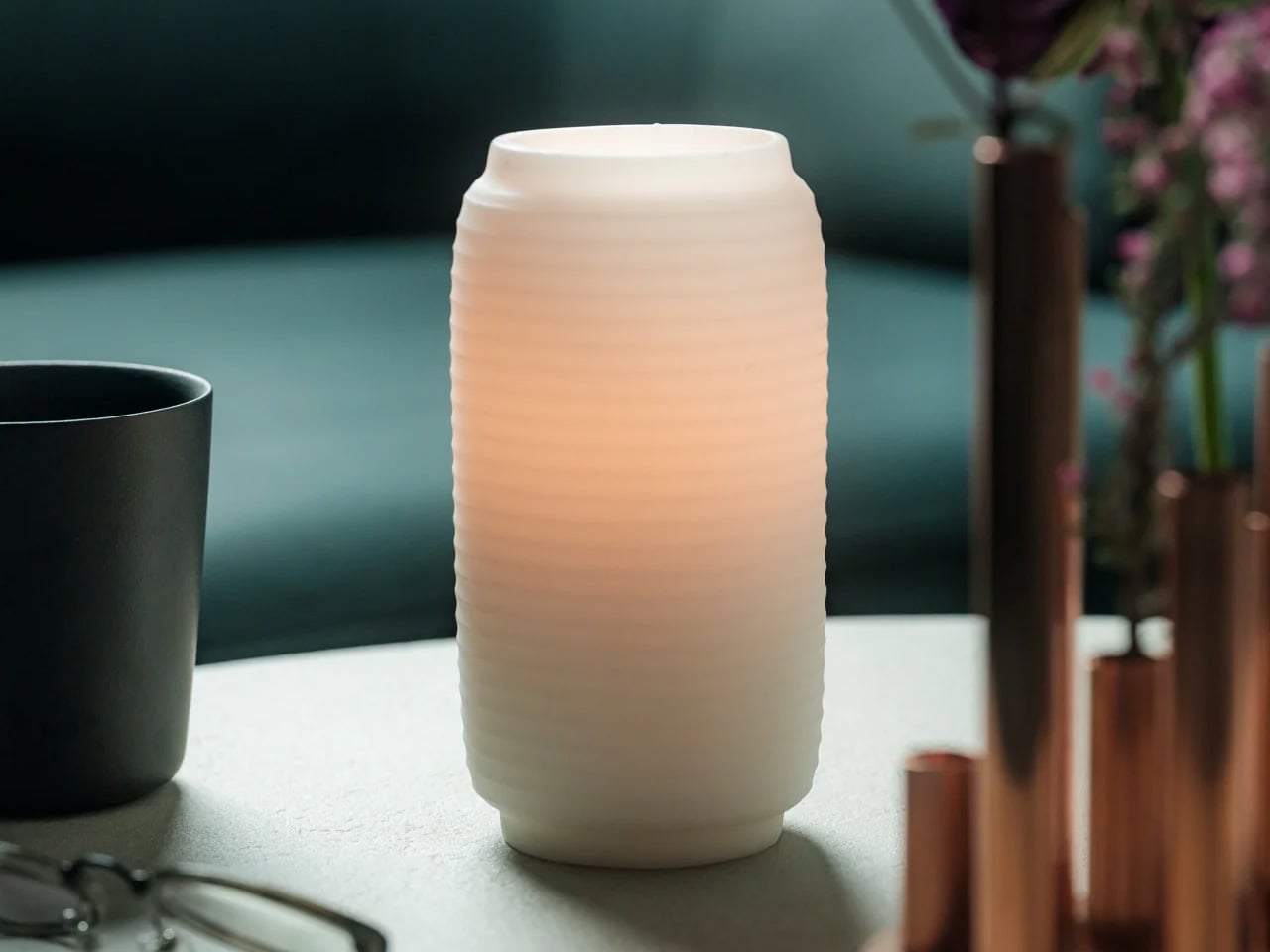
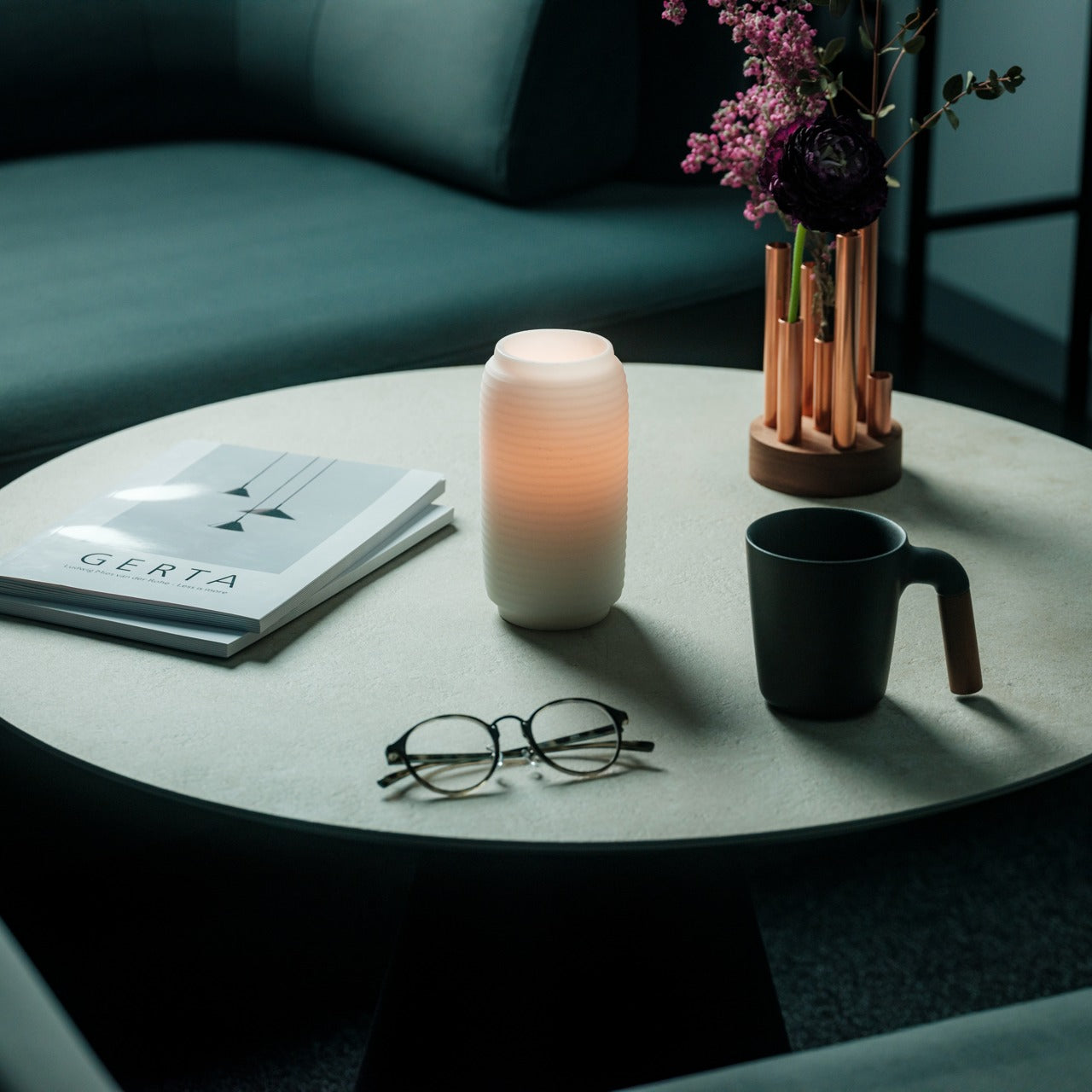
Most candles do one thing: burn down and disappear. The wax melts, the light fades, and what you are left with is an empty vessel and a faint smell of something vaguely floral. The Japanese Lantern Candle does not follow that logic. Rooted in the design of the chouchin, the traditional paper lanterns that once lit up festival streets and the doorways of old izakayas, this candle holder holds its shape while the flame quietly does its work inside. The outer wax never melts. The light does.
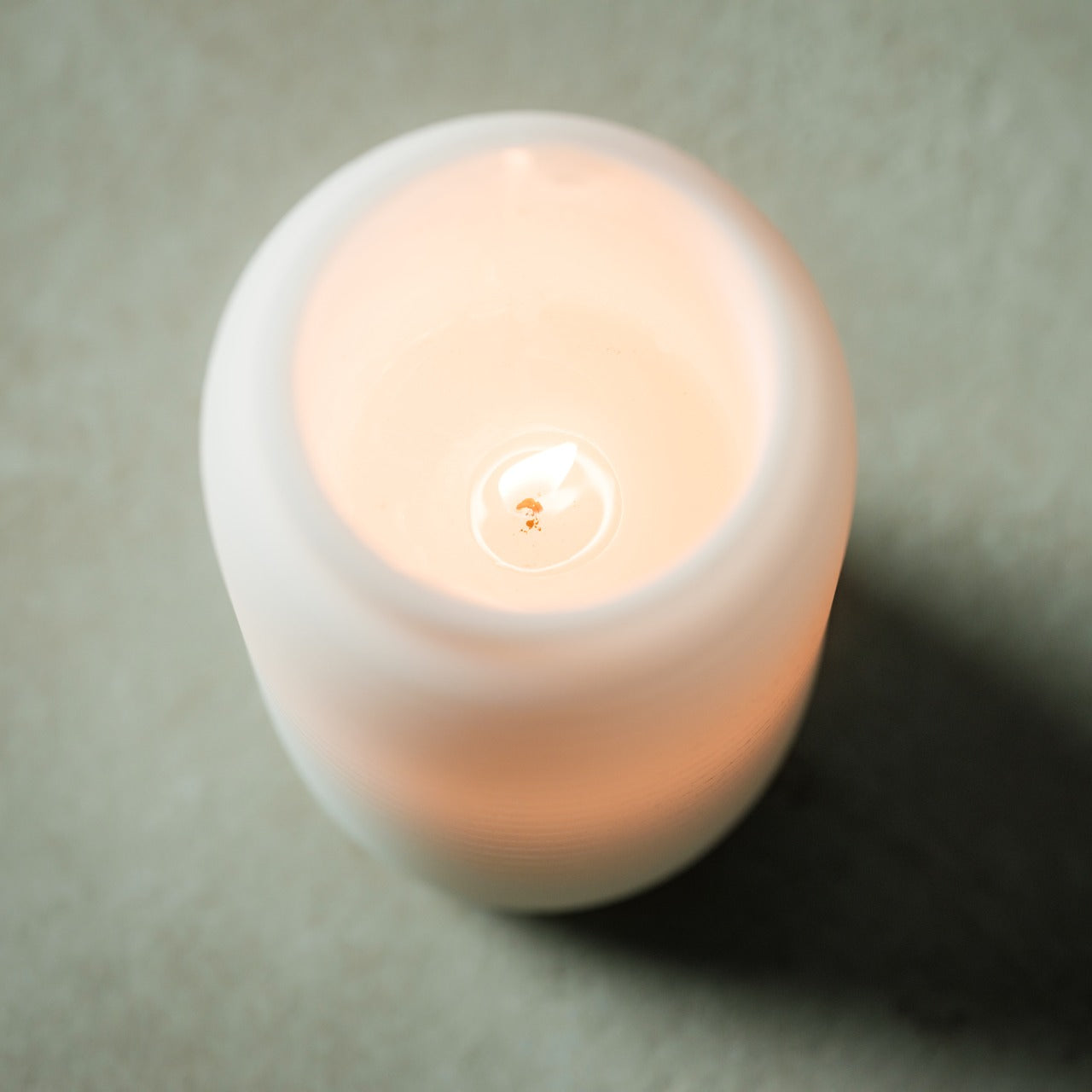
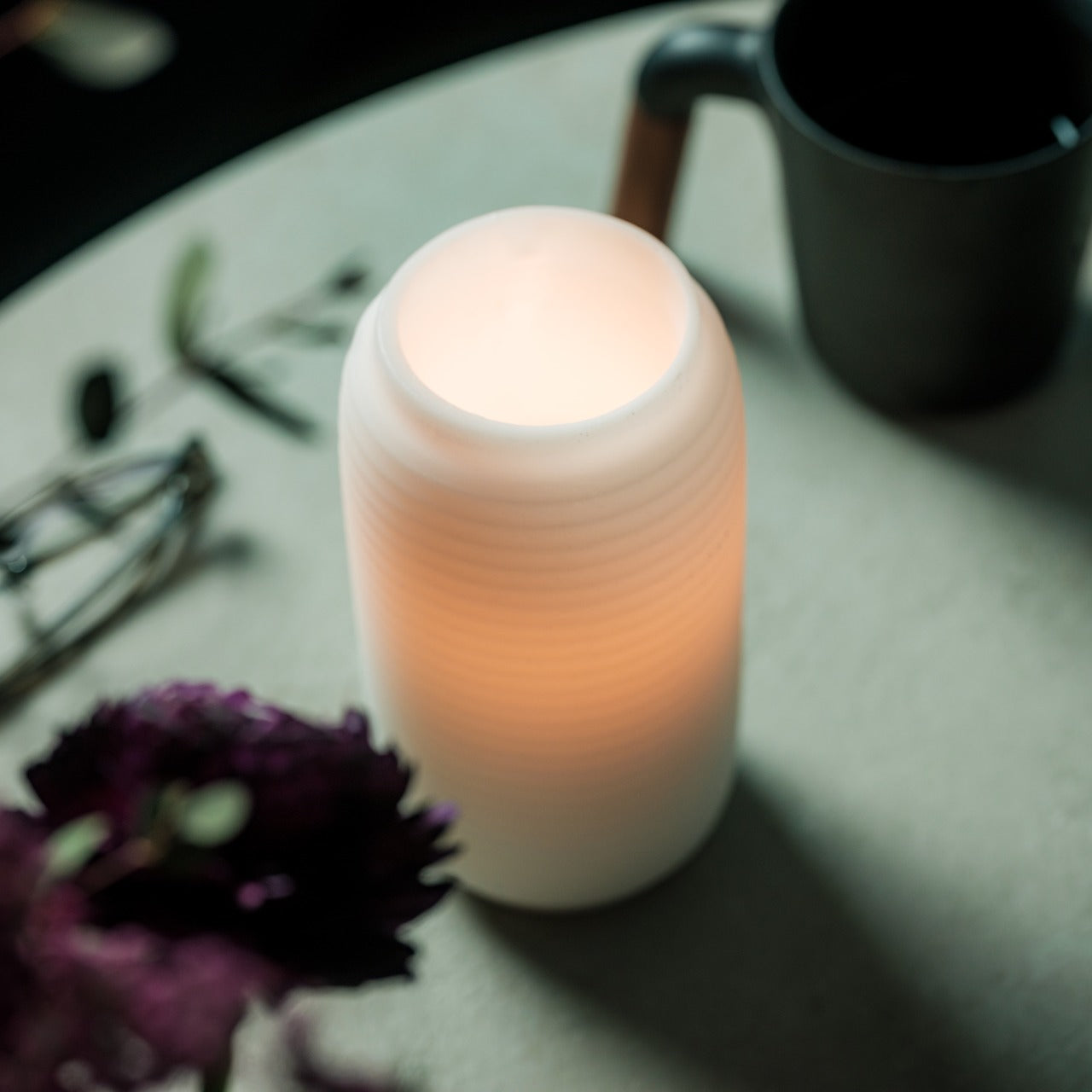
What changes as the candle burns is the experience. The inner candle gradually hollows out, and as it does, the light begins filtering through the undulating surface of the outer shell in a slow, shifting pattern that is difficult to look away from. Handmade by craftsmen in Kurashiki, Japan, it carries the kind of quiet specificity that separates an object made with intention from one made for convenience. That distinction is easy to feel the moment it is lit.
The patented technology behind the outer shell is what makes this candle worth understanding. Conventional candles collapse inward as the wax disappears, which means the design and the light disappear with them. Here, the outer layer holds its form throughout the life of the candle. The undulating surface was not designed purely for aesthetics, though it earns its place on that front as well. As the inner flame burns lower, the light catches and bends through the curves of the shell in a way that shifts with the burn, giving the candle a different quality of light at the end of its life than at the beginning. It is a slow reveal rather than a slow fade.
Crafted in Kurashiki, Designed for Stillness
Kurashiki is a city in Okayama Prefecture with a long history of textile craft and traditional artisanship. The candles made there carry that lineage in the way they are finished. Each one is handmade, which means no two are entirely identical, and the minimalist exterior reflects a restrained design philosophy that integrates into most interior spaces without demanding attention. It works on a bedside table, a bathroom shelf, or the center of a dining surface. The intention behind it, a calming ritual to mark the end of the day, is built into the form itself. You do not need to think about how to use it. You simply light it.
What We Like
Patented outer shell technology: the wax casing holds its structure as the inner candle burns, preserving the lantern form and the quality of the glow through the entire life of the candle
Handcrafted in Kurashiki, Japan: made by artisans in a city with a genuine tradition of craft, which shows in the finish and the material consistency
Undulating surface design: as the inner flame burns through, the light catches and moves across the curved surface in a way that no flat-sided candle can replicate
Minimalist aesthetic: the design integrates into contemporary and traditional interiors equally, without the visual noise of decorative candles that prioritize appearance over atmosphere
What We Dislike
No replacement candle system specified: the product does not make clear whether inner candles can be sourced and replaced once the original burns out, which affects the long-term value of the outer shell
Limited availability: with only a small number left in stock and no confirmed restock date, it is the kind of object that disappears before most people know it exists
A Ritual Worth Keeping
There is a particular kind of object that earns a permanent place in a room not because it demands to be noticed but because the room feels different without it. The Japanese Lantern Candle belongs to that category. It does not perform. It simply holds the light in a way that slows the room down, which is the point of the chouchin tradition it draws from, and the point of any ritual worth building around the end of a day.
If the candles currently on your shelf burn flat and leave nothing behind, this is the straightforward upgrade. At $70.00, it is the cost of something made by hand, in one place, for one purpose. Pick it up before the remaining stock is gone.
The best gifts don’t announce themselves. They sit quietly on a desk or a shelf and earn their place over months, long after the novelty of anything else has faded. Japanese design understands this better than almost any other creative tradition. The deliberate object, stripped of everything unnecessary, built to be used every single day without ever wearing out its welcome. These five picks operate on exactly that frequency.
None of these are mainstream. You won’t find them at a department store or wrapped in packaging that tries too hard. What they share is a quiet commitment to material honesty: titanium that carries no taste, porcelain with no visible branding, brass that darkens with use, incense that smells like a forest. Together they cover a full day, from morning coffee through the last drink of the night.
1. Unfiltered Titanium Whisky Glass
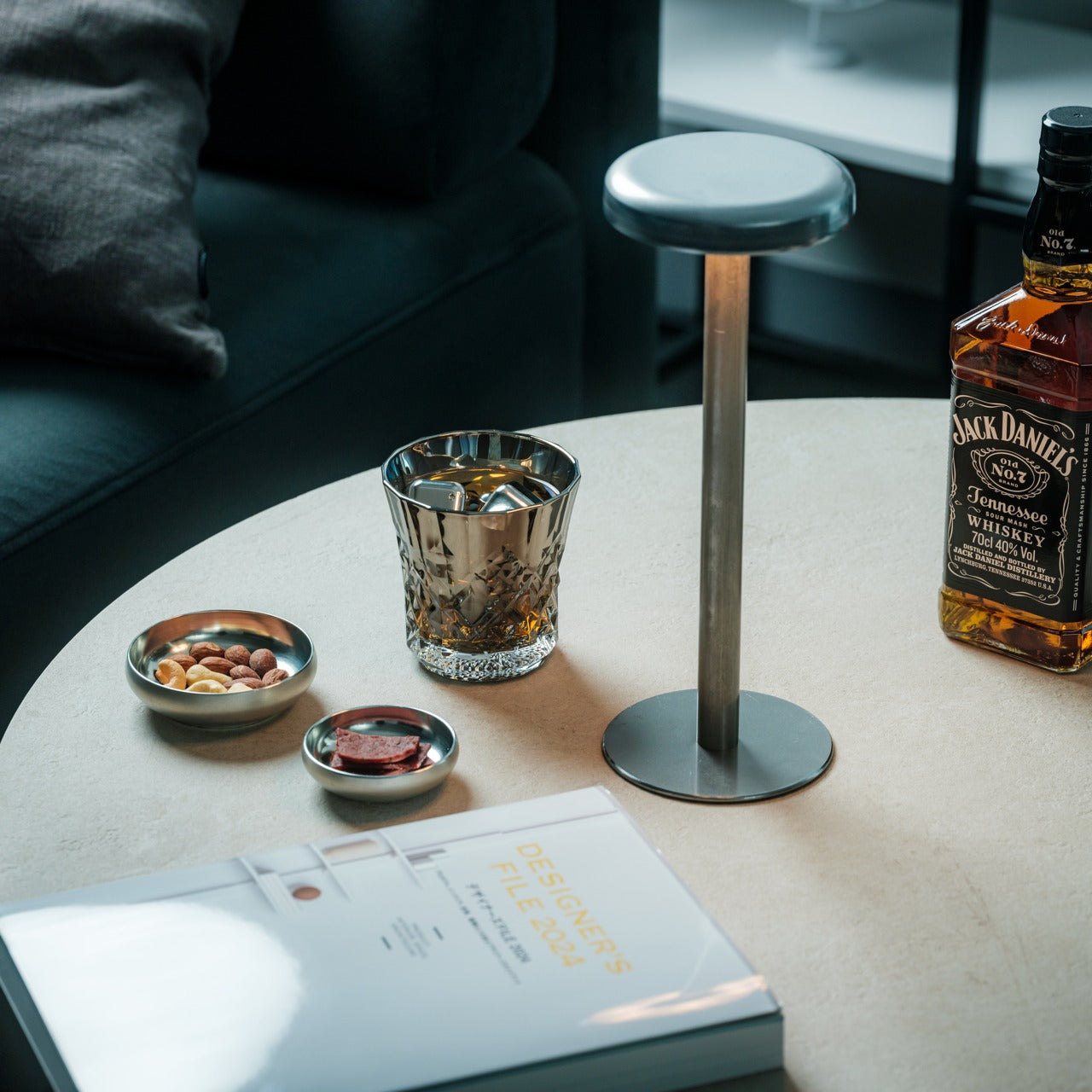
Titanium is one of the few materials that genuinely changes how a drink feels without changing how it tastes. It is completely non-reactive, which means spirits come through clean, with nothing added by the vessel and nothing taken away. The Unfiltered Titanium Whisky Glass takes that material property and builds around it a form that is spare and considered, lighter than glass but with a presence in the hand that reads immediately as deliberate. It is the kind of object that prompts questions before a single word is said about it.
For the person who cares about the quality of a drink as much as the ritual around it, this glass closes a gap that most barware never bothers addressing. Titanium used at this level belongs to aerospace and surgical contexts. Bringing it to a whisky glass is not a novelty decision; it is a statement about what the object is actually for. It performs differently from glass and crystal, and that difference is the point. Some gifts upgrade a shelf. This one upgrades a habit.
The non-reactive titanium construction delivers spirits with complete neutrality, letting the whisky speak entirely for itself
The weight and balance feel engineered rather than decorative, which makes the ritual of pouring a drink feel more considered
What we dislike
The matte titanium finish shows fingerprints with regular handling and benefits from occasional wiping to stay sharp
Those accustomed to the visual clarity of crystal may find the opaque surface takes some adjustment
2. Hasami Porcelain Mug in Gloss Gray
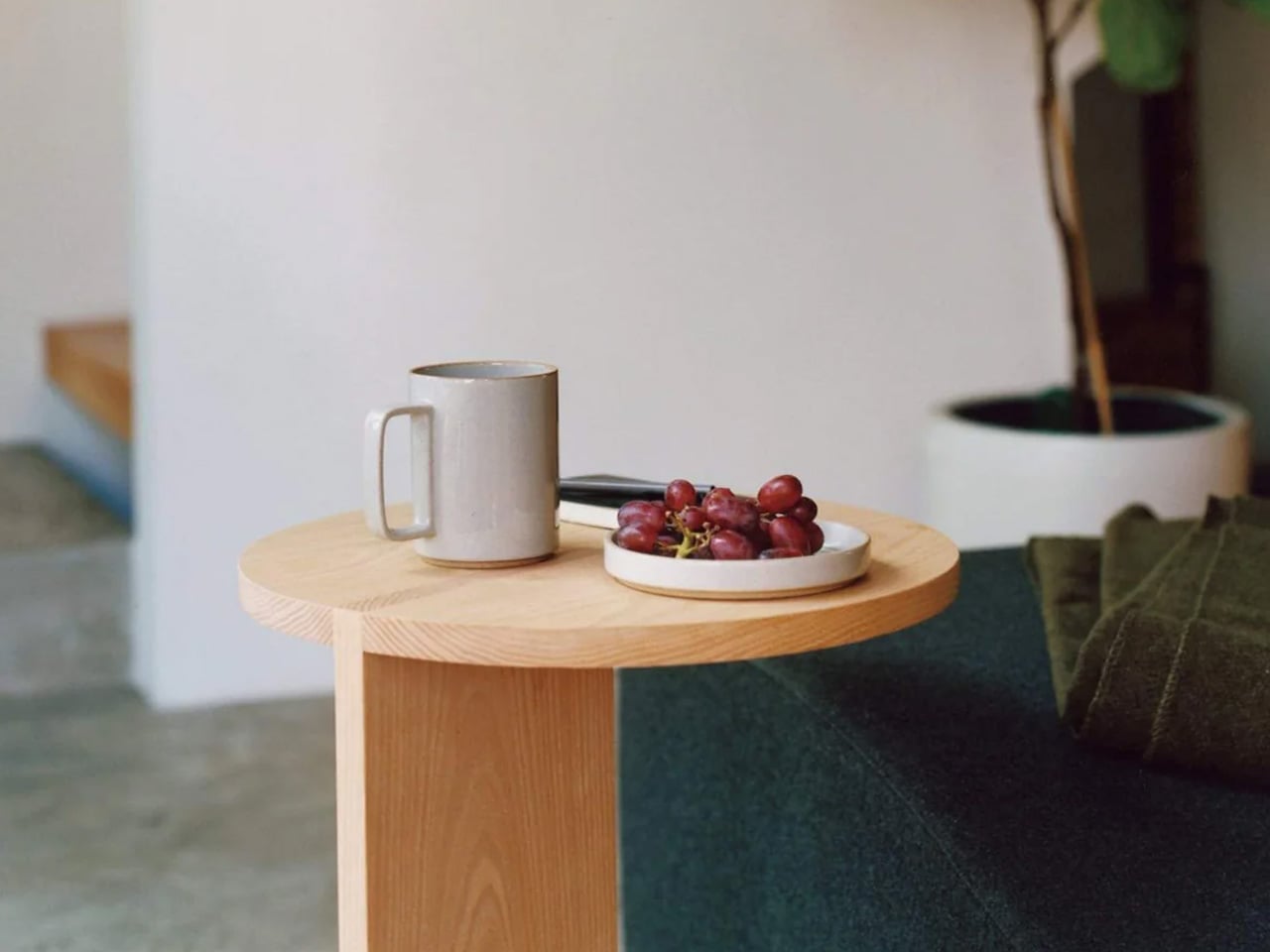
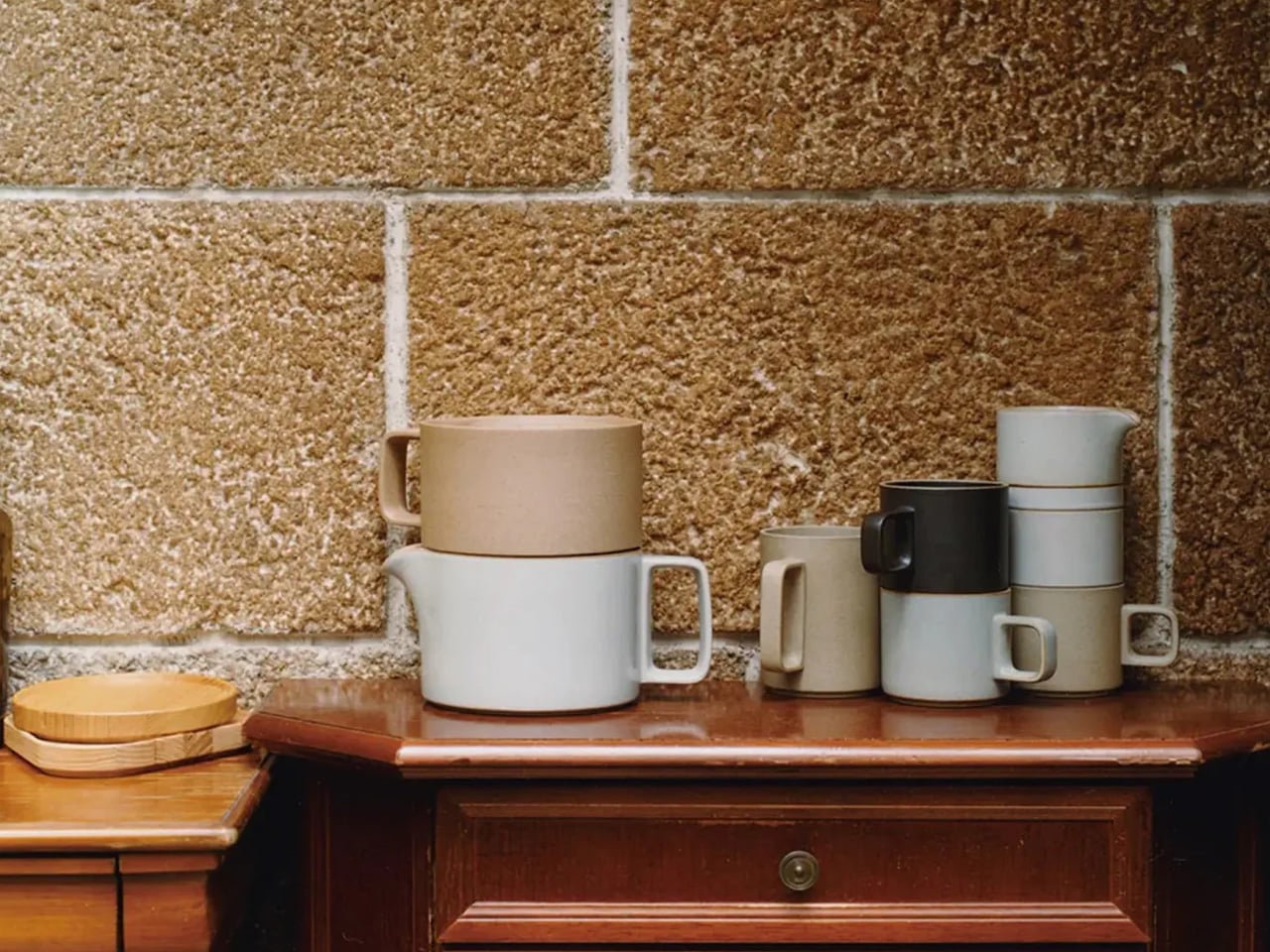
Hasami is a small town in Nagasaki Prefecture that has been producing ceramics for over 400 years. This mug is what happens when that accumulated knowledge meets a genuinely modern brief: a cylindrical body, a handle pulled so close to the barrel it nearly disappears, a high-gloss gray glaze that reads like wet stone. Designed by Takuhiro Shinomoto, it carries no visible logo anywhere on its surface. The message is the object itself, not the brand attached to it.
For the person who takes their morning coffee seriously, this changes the whole ritual. The custom porcelain-and-clay blend gives it an unusual density. It feels more substantial than its size suggests, which matters when you are reaching for the same cup every morning for the next decade. It stacks cleanly with other Hasami pieces, reflecting a deeply Japanese idea that objects should consider their relationship to one another even in storage. Microwave and dishwasher safe, despite looking like it shouldn’t be.
What we like
The 400 years of ceramic tradition from Hasami produces a density and finish no standard mug can replicate
The modular stacking system reflects a level of design thinking most tableware never bothers with
What we dislike
The high-gloss glaze shows water spots between washes and requires more frequent drying to stay looking its best
The handle sits very close to the body, which may feel narrow for larger hands
3. Traveler’s Company Brass Ballpoint Pen
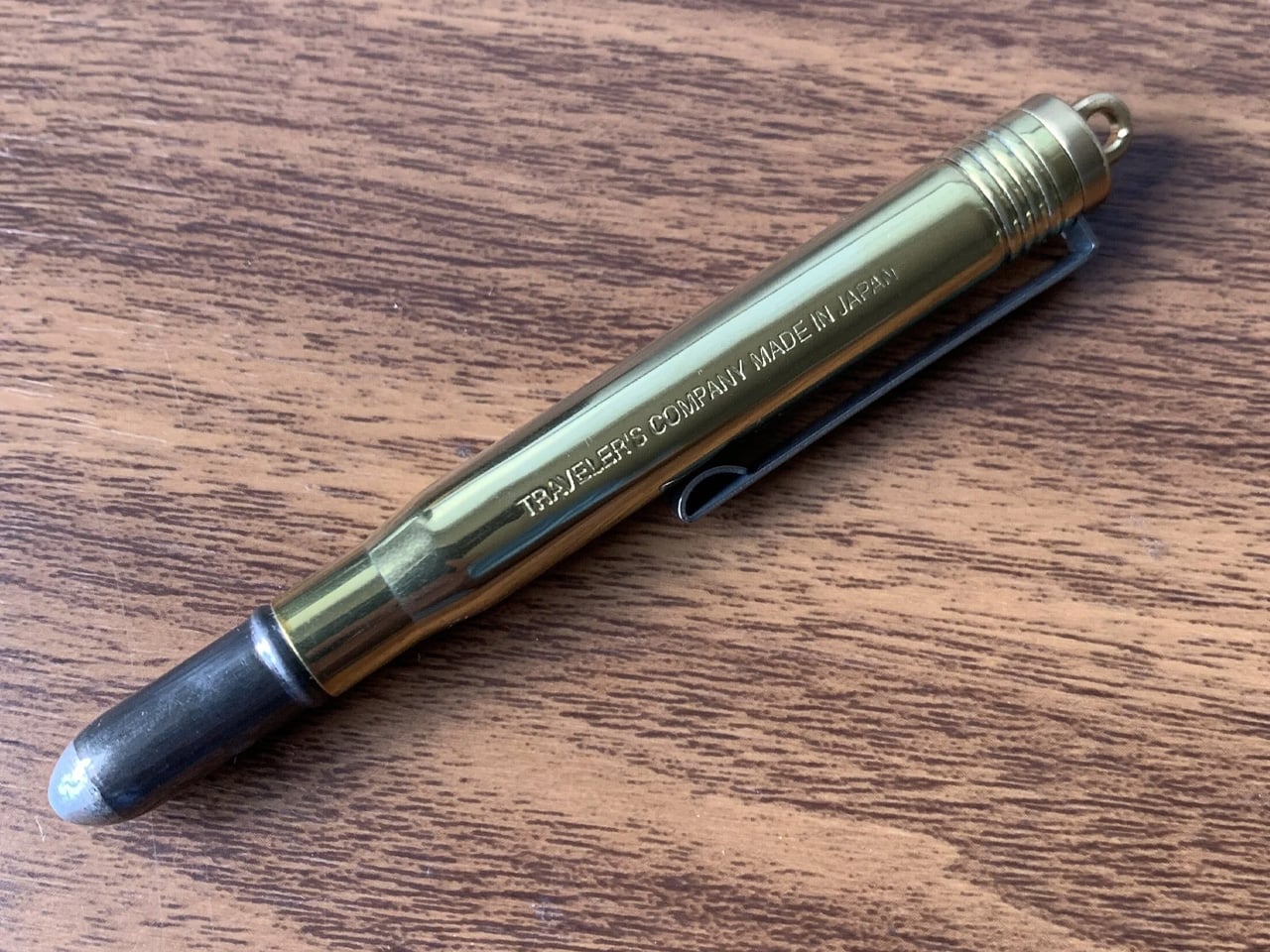
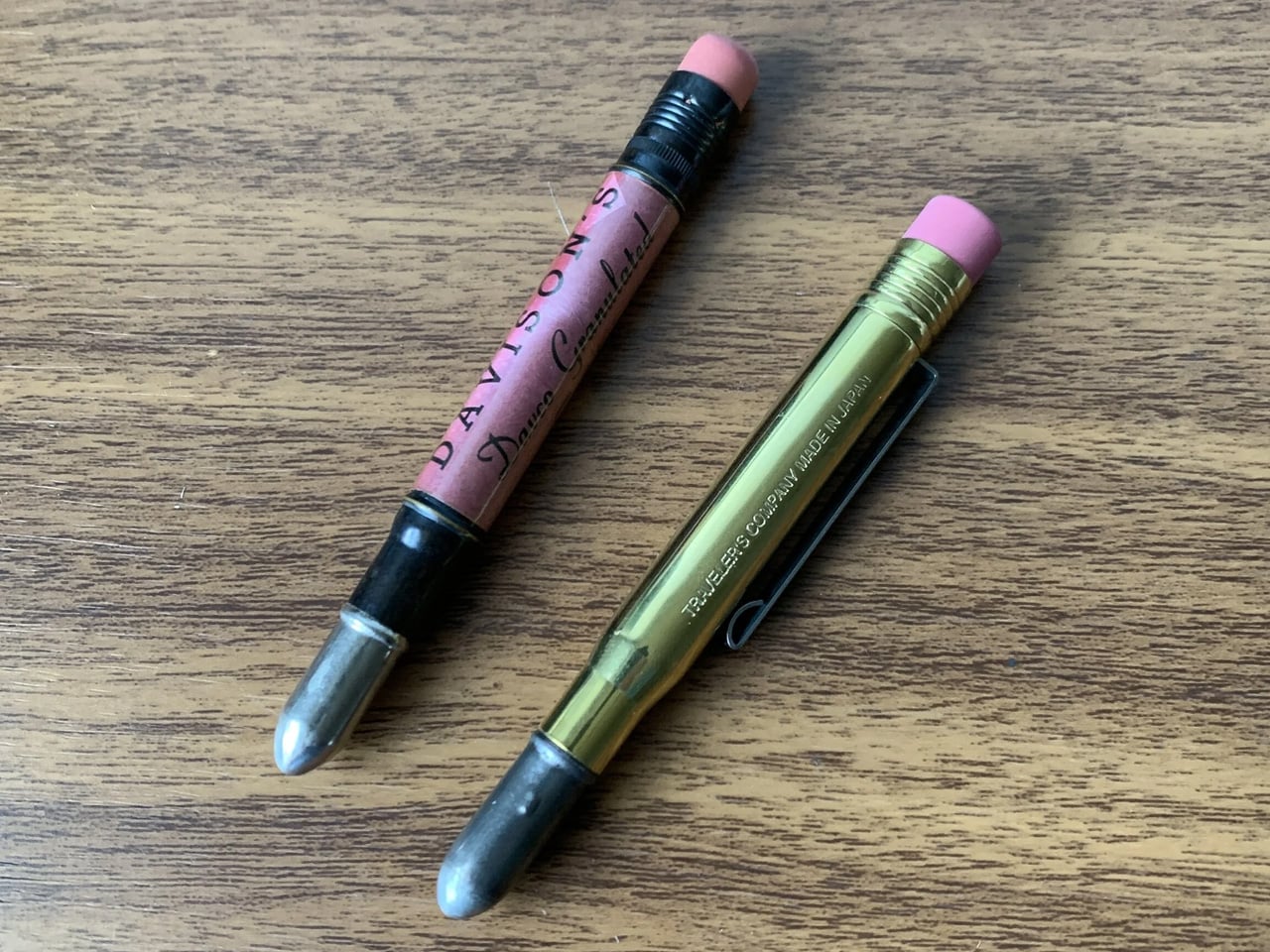
Midori has been making objects for travelers and writers from Tokyo since 1950, and the Traveler’s Company Brass Ballpoint Pen is the purest version of what they do. It is machined from a single piece of solid brass with no coating, no lacquer, and no finish. The moment you pick it up, it feels wrong in the best way: heavier than expected, cooler to the touch, more deliberate than anything that belongs in a cup of pens beside the printer.
What makes this pen genuinely special is what happens over time. Raw brass oxidizes. It darkens in the places you grip it most, lightens where it rests against a pocket, and takes on the character of its owner’s daily routine. Two people who carry this pen for a year will end up with two completely different-looking objects. For someone who writes by hand, or simply wants one pen worth keeping on a desk for the next decade, this is it.
What we like
The raw brass develops a unique patina over time, making each pen entirely distinct to whoever carries it
The weight and balance feel more considered than almost anything available at this price point
What we dislike
The oxidation process requires occasional polishing if a brighter, cleaner finish is preferred
Replacement ink uses a standard Parker-style refill, which needs to be sourced separately
4. Shoyeido Kyojiman Incense
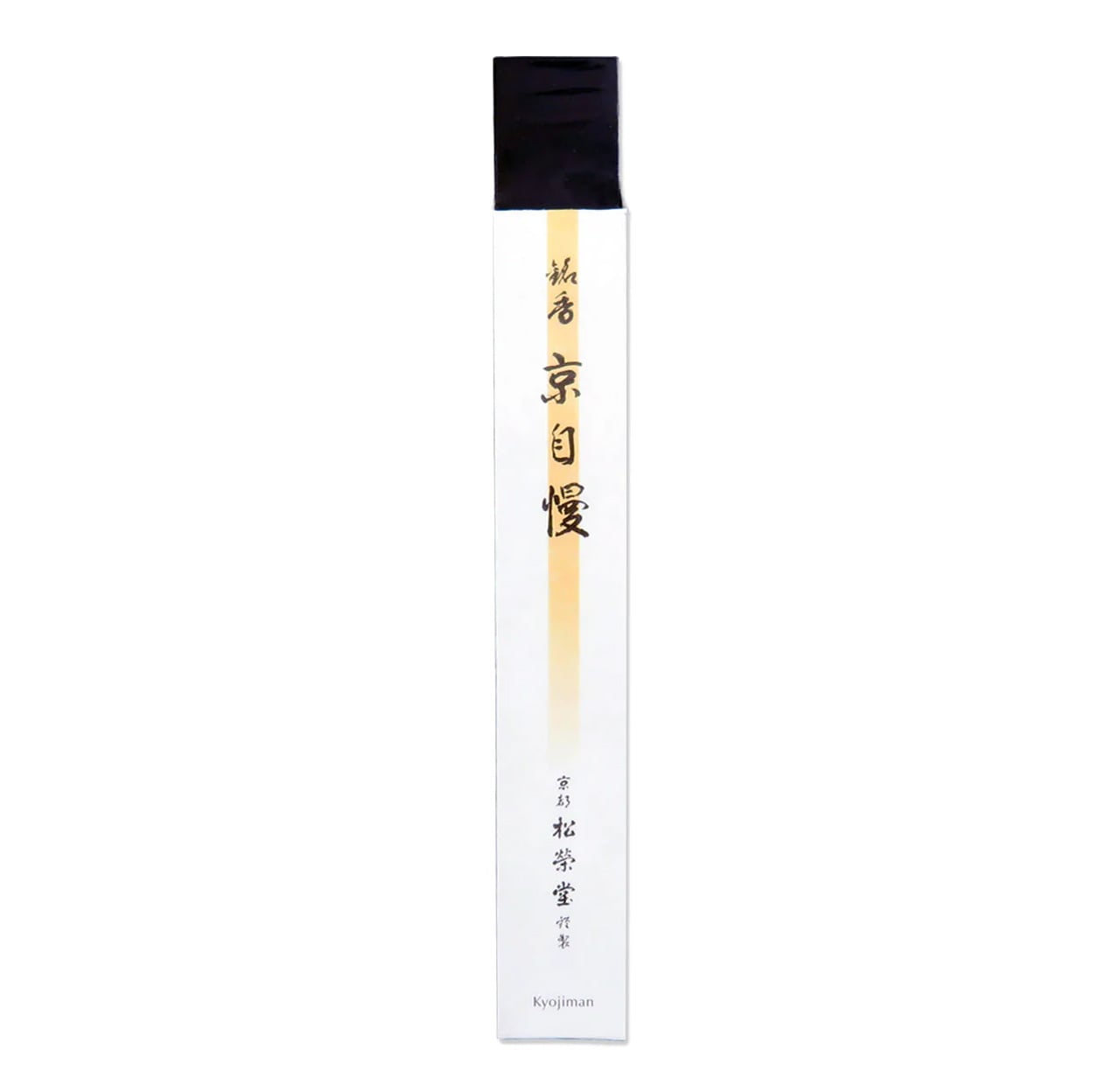
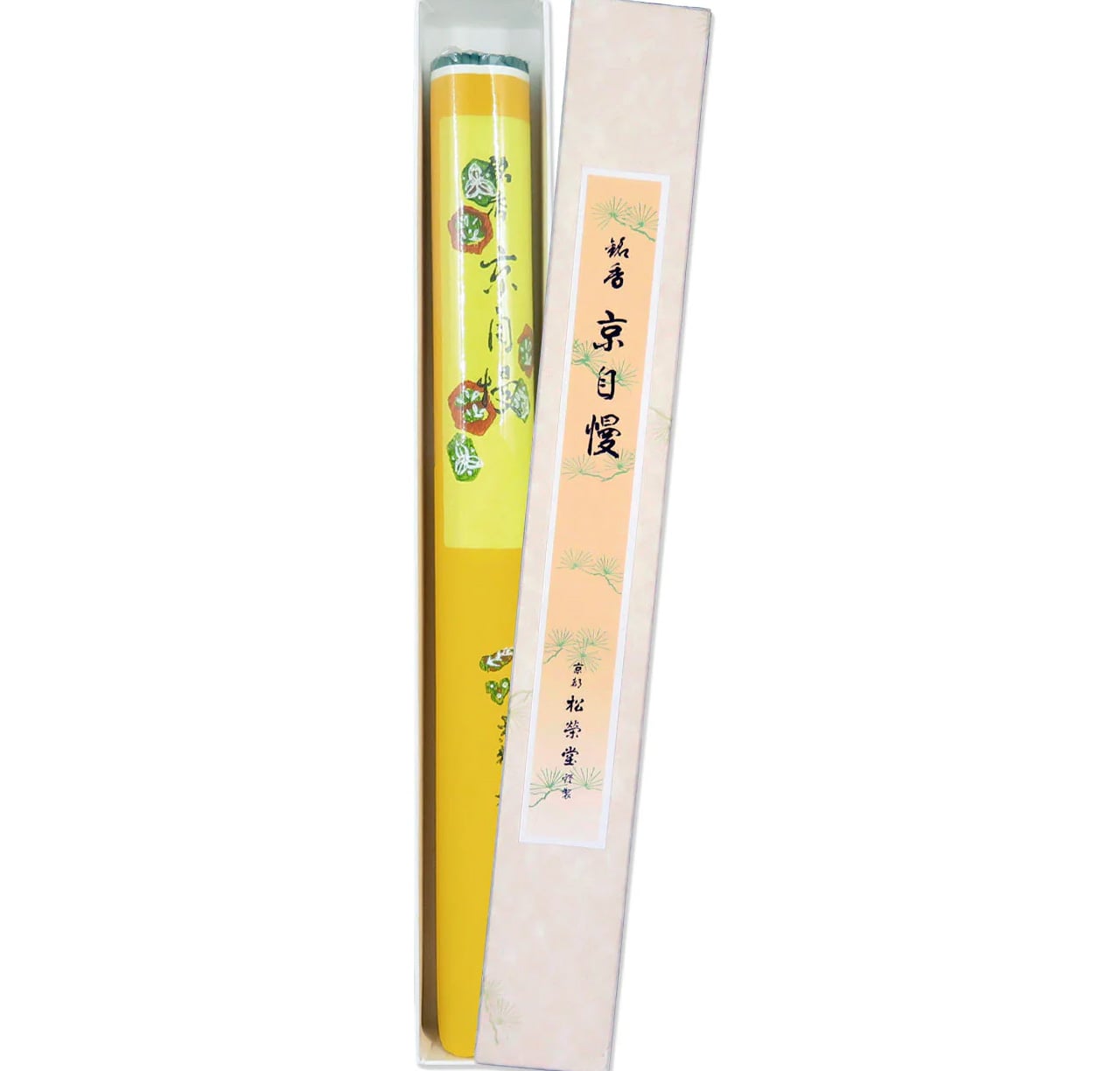
Shoyeido has been making incense in Kyoto since 1705, which means they were perfecting this craft while the city was still the imperial capital. The Kyojiman line, whose name translates roughly as Pride of Kyoto, is their signature daily collection. Each stick combines aloeswood, sandalwood, and medicinal plants, with no synthetic fragrance anywhere in the formula. The packaging is a flat paper box so stripped of decoration it looks like it was designed by an architect rather than a gift company.
Each stick burns for around 25 minutes, which is long enough to mark the transition from work to evening without filling an entire room with scent. The smoke is thin and clean, nothing like the heavy commercial incense found elsewhere. For someone who already has everything and finds most gifts forgettable, this is the one that changes how a room smells on a Tuesday, which is ultimately a more lasting impression than any object sitting on a shelf.
What we like
Three centuries of craft behind every stick, using only natural aromatic woods and medicinal plants with no synthetic fragrance
The 25-minute burn time suits an evening ritual precisely, marking a transition without overwhelming the room
What we dislike
The minimal paper packaging, while visually considered, offers limited protection during shipping
Aloeswood-forward scents can divide people, with some finding them earthy and others finding them medicinal
5. First Pour Bottle Opener
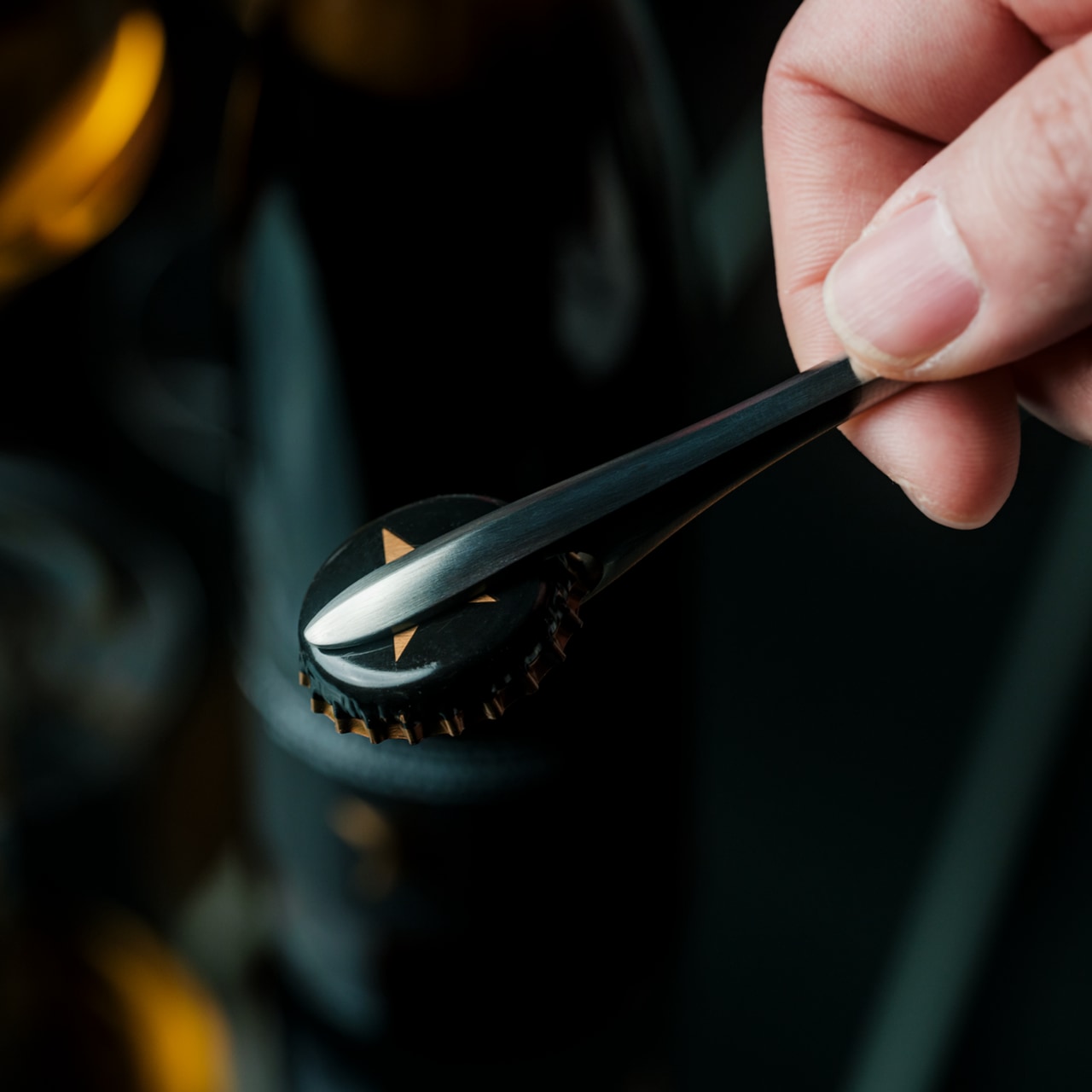
Tsubame-Sanjo is a city in Niigata Prefecture that has produced precision metalwork since the 17th century. Suwada has been operating there since 1926, a hundred years of blade craft that shows in every object they make. The First Pour Bottle Opener is what happens when that lineage is applied to the most overlooked object at any gathering. The silhouette flows rather than angles, with a weight that feels closer to a precision instrument than anything you would find sitting in a kitchen drawer.
In use, it earns its price on the first bottle. The cap comes off cleanly in a single motion, no bending, no tearing, no second attempt. A small embedded magnet catches it the instant it pops free, so it never skitters across the table. For a host who pays attention to the details of an evening, this opener sets the tone before a drink is even poured. It works best when the person receiving it already cares about that kind of thing.
The magnetic cap catch is the kind of detail that only reveals itself fully the first time you use it in front of someone
Suwada’s century of precision metalwork gives the opener a heft and finish that justifies its cost entirely
What we dislike
At this price point for a bottle opener, it asks the recipient to appreciate the craft sitting behind the cost
The flowing sculptural form means it does not rest flat on a surface without a dedicated place to live
The Best Gifts Work Inside Daily Life, Not Around It
What connects these five objects isn’t price or category. It’s the logic behind them. Each one was made by someone who thought carefully about a specific action: the glass you drink from when it matters, the cup you reach for first every morning, the pen that earns its weight over years. Japanese design doesn’t decorate the surface of daily life. It works inside it, in the moments most designers stop thinking about.
The best version of this list is also the most personal one. The opener for the host, the pen for the writer, the incense for the one who already has everything and needs something that changes the quality of a room rather than simply adding to it. Any single object here is a considered gift. All five together make an unusually honest statement about what good design actually feels like to live with.
Keeping houseplants alive has become something of a modern ambition, especially for those living in smaller spaces where a bit of greenery goes a long way. The problem is that most people have a complicated relationship with plant care. Forgetting to water on time, struggling with repotting, and watching plants suffer because the pot can’t keep pace can make the whole experience feel more discouraging than rewarding.
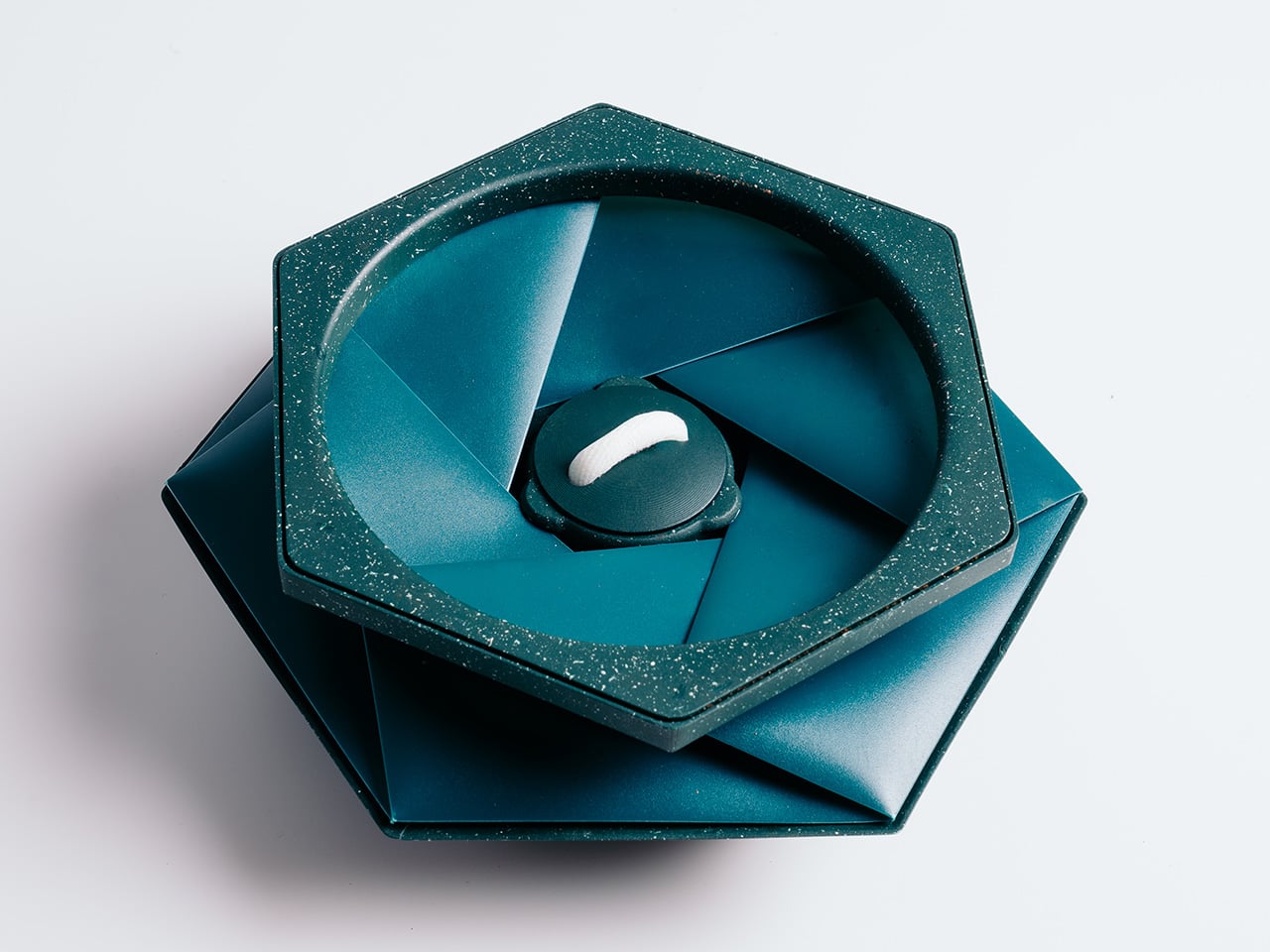
That’s what HELIX was designed to address. Created by Andrew Flynn, former industrial design lead at Dyson and the mind behind the Airwrap, Corrale, and Airstraight, HELIX is what POTR describes as the world’s first self-watering pot that physically grows alongside your plant. Its origami-inspired form isn’t purely decorative; the folds are the functional mechanism that lets the pot expand as roots develop.
At the heart of HELIX is a capillary wicking system tucked into the base. Fill the 300 ml reservoir, and a wick draws moisture steadily upward into the soil, letting the plant absorb exactly what it needs. The result is consistent hydration for up to two weeks between refills, meaning you’re no longer guessing whether you’ve overwatered, underwatered, or simply forgot entirely.
What really sets HELIX apart is what happens when a plant outgrows its space. Rather than pulling it out, cleaning up the mess, and starting over in a bigger container, you simply twist the pot open and add fresh compost around the root ball. The structure expands from 7cm to 16cm tall, accommodating up to 2 litres of soil without disturbing the roots.
For those who want to start from scratch, the Sprout Plate turns HELIX into a seed-starting setup. It sits inside the pot and works with the self-watering reservoir to keep seeds consistently moist, which is exactly what herbs like basil, mint, coriander, and parsley need to get going. As the seedlings grow taller, the pot simply expands around them, no transplanting required.
The Sprig Plate handles something slightly different. It’s designed for propagating cuttings, holding them above the water reservoir so stems can develop roots before being moved into soil. It works well for popular houseplants like pothos, monstera, and Chinese money plants, and the smart part is that once those roots have taken hold, the same HELIX pot expands to become their permanent home.
Then there are climbing plants, which have their own needs entirely. The Expanding Trellis plugs into the soil and can be extended upward in layers as the plant grows, with stems clipped into the folded origami structure for support. It borrows from the same geometric design language as the pot, turning something aesthetic into a functional vertical guide for climbers like pothos, hoya, or jasmine.
What makes HELIX even more interesting is that its hexagonal footprint lets multiple pots sit flush against each other without awkward gaps. Line up several on a counter or windowsill, each growing a different herb or microgreen, and you end up with a surprisingly coherent indoor herb garden that you can keep adding to. It’s a modular setup that scales with your appetite for growing.
The sustainability angle is woven into the design rather than tacked on as an afterthought. HELIX ships completely flat, which cuts both packaging volume and transport emissions compared to conventional rigid planters. It’s made entirely from recycled polypropylene, a waste plastic that often ends up in landfill, and uses roughly 70% less material than a comparable concrete or ceramic pot, making the eco credentials feel genuinely earned.
Plant care has always been about patience and attention, but it’s rarely been about the pot itself. HELIX shifts that dynamic by asking what a container could look like if it were as invested in a plant’s progress as the person tending to it. Whether you’re growing something you plan to eat, something to look at, or something you simply don’t want to kill, that’s a compelling thought.
Summer has a way of convincing you that working from a terrace in Lisbon or a cabin in the Dolomites will feel seamless. It rarely does. The gap between the idealized workation and the experience comes down to a few specific friction points: a dead device mid-call, no sense of what time it is back home, a trackpad making everything slower, and a hotel room that actively fights your sleep.
These five objects aren’t here because they photograph well in a flat lay. Each one solves a recurring problem that surfaces the moment you leave your home office. Some are brand-new hardware. One is a concept that shows exactly where phone design needs to go. All of them are built with the same underlying logic: less bulk, more intention, nothing wasted.
1. Lenovo ThinkTab X11
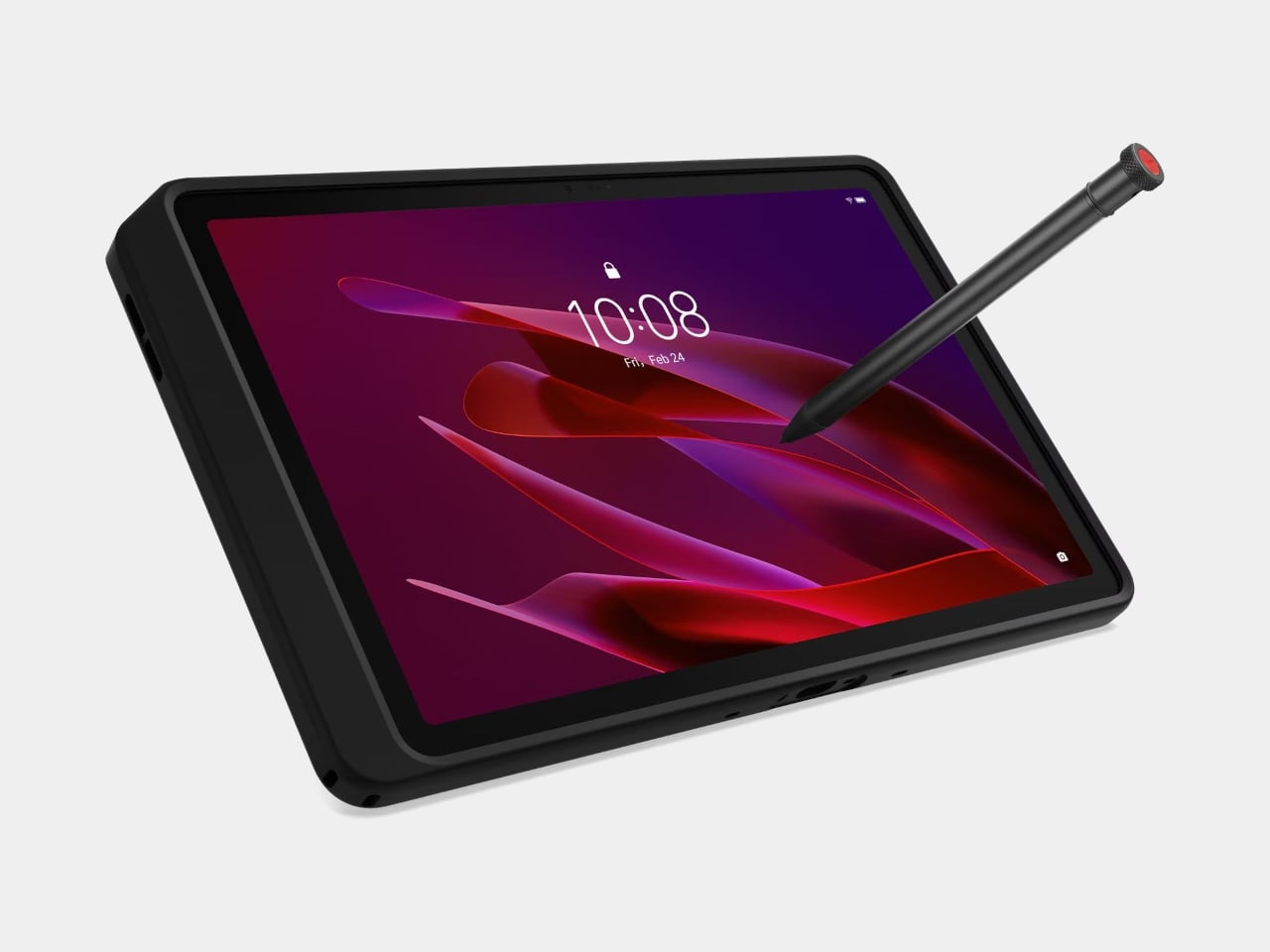
The story most tablets tell goes: thin is better, sleek is the goal, and if you drop it, that’s your problem. The Lenovo ThinkTab X11 tells a different one. It’s the first device in Lenovo’s Think portfolio to run Android, built for people who work outside of offices, starting at $499. That lands well below what enterprise rugged hardware typically costs, and it brings credentials those environments actually need rather than borrowing them from a device designed for a glass desk.
The most unusual feature isn’t the IP68 rating or the MIL-STD-810H drop certification. It’s the battery. The 10,200 mAh cell removes without tools using a screwless mechanism, so a depleted pack swaps for a fresh one without stopping work. For fixed deployments, it runs with no battery installed at all, reducing heat buildup and eliminating long-term cell degradation. The 10.95-inch 90 Hz display works with gloved hands and wet fingers, and the Snapdragon 7s Gen 3 handles processing with up to 12 GB of RAM.
What we like
The screwless swappable battery is a design decision most tablet makers abandoned years ago and shouldn’t have
MIL-STD-810H certification and IP68 rating that hold up to actual field conditions, not just the marketing copy
What we dislike
Running Android 16 rather than a desktop OS limits compatibility for power users who depend on specific Windows software
The rugged case, while swappable for a plain back panel, adds bulk that minimal travel setups may not want to carry
2. Rolling World Clock
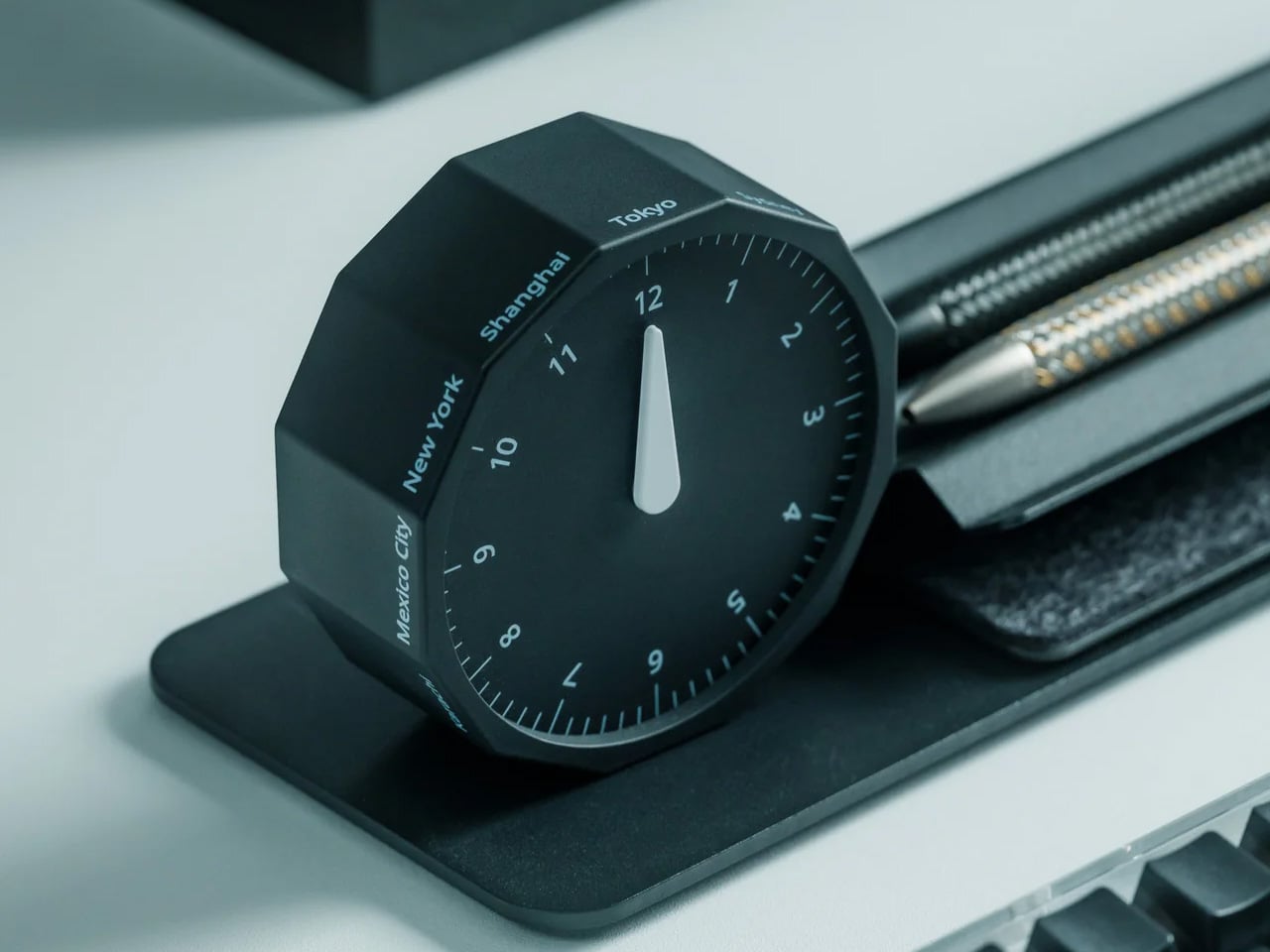
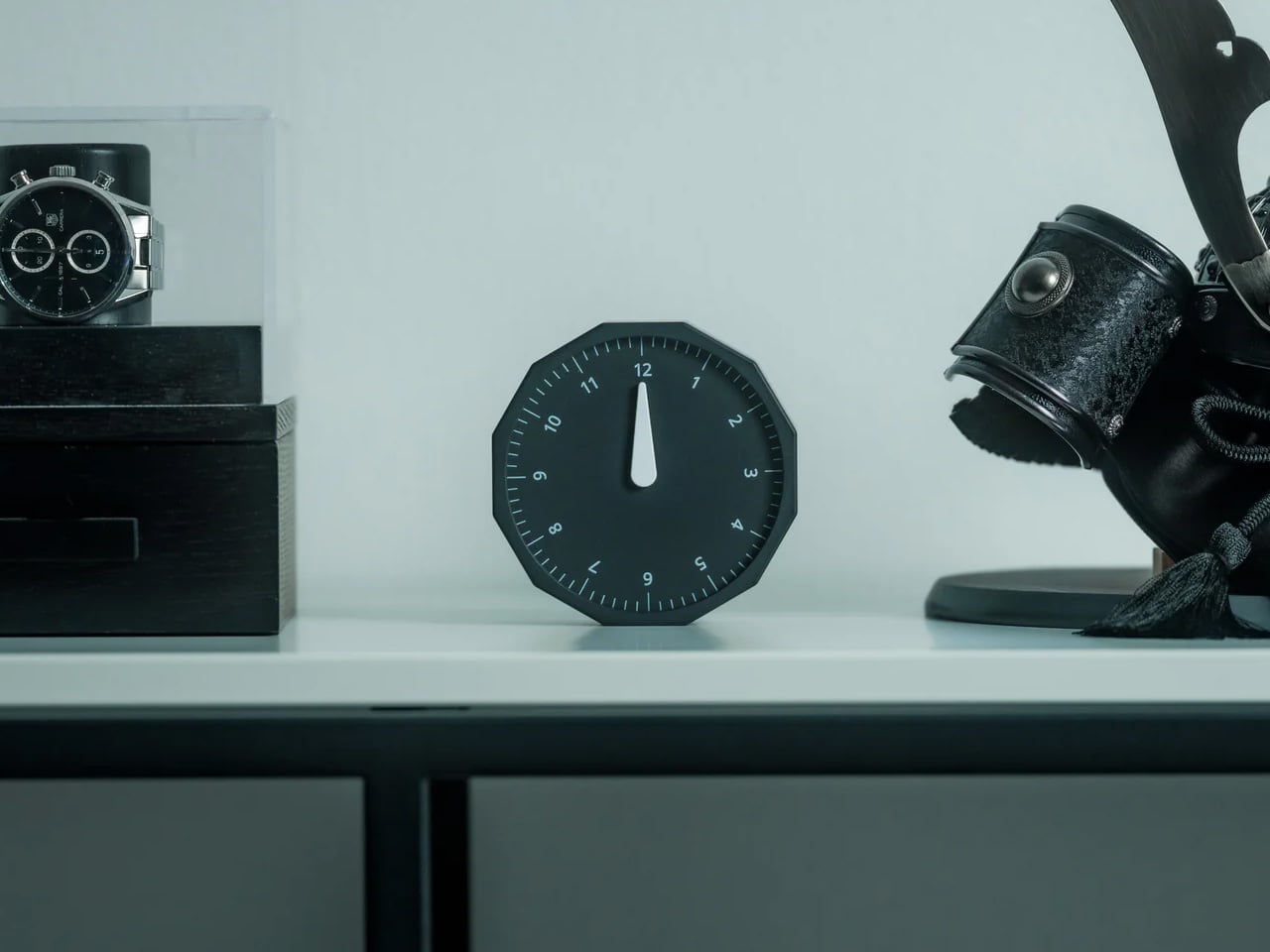
Remote work across time zones produces a specific kind of low-grade anxiety: the constant mental arithmetic of what time it is for your client in Tokyo, your team in Berlin, your editor in New York. Most solutions are digital, meaning another app and another screen. The Rolling World Clock handles it differently. It’s a physical object designed to give time zone awareness a permanent, glanceable presence on whatever surface you happen to be working from, at $49.
At that price, it occupies an increasingly rare space: the deliberate analog object that earns its place in a bag through presence rather than features. A world clock you can hold and orient matters in a way a phone widget doesn’t. It also removes the need to unlock a screen every time you run through time zone arithmetic, which at four in the afternoon after a long session is more useful than it immediately sounds.
At $49, it brings a physical dimension to time zone tracking that no app or notification panel actually replicates
A design-forward desk object that works regardless of whether your laptop is open or your phone is charged
What we dislike
As a physical clock, it requires manual adjustment when crossing into a new time zone rather than updating automatically
Limited product detail currently available on the YD Shop listing; worth confirming the display mechanism before ordering
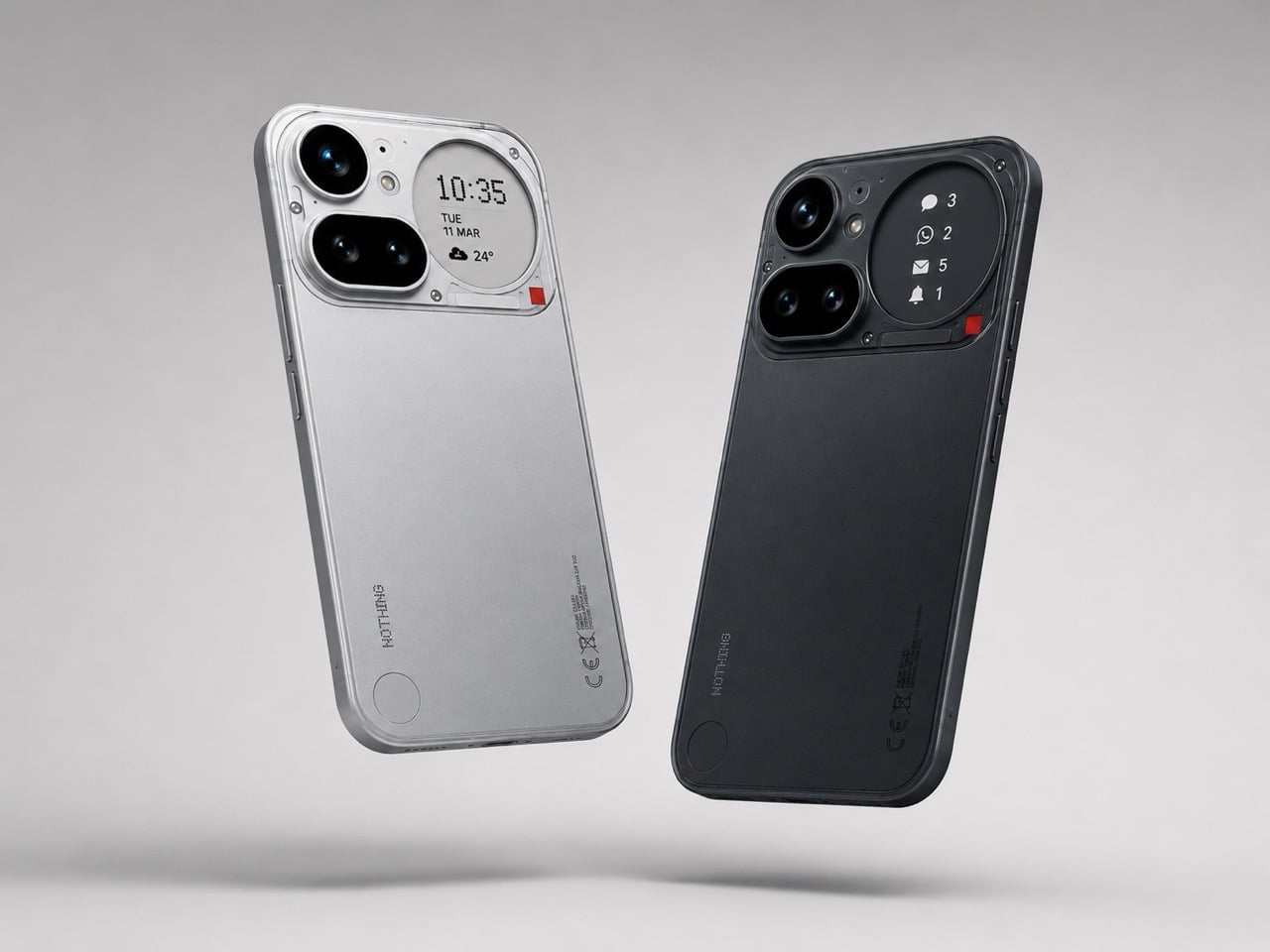
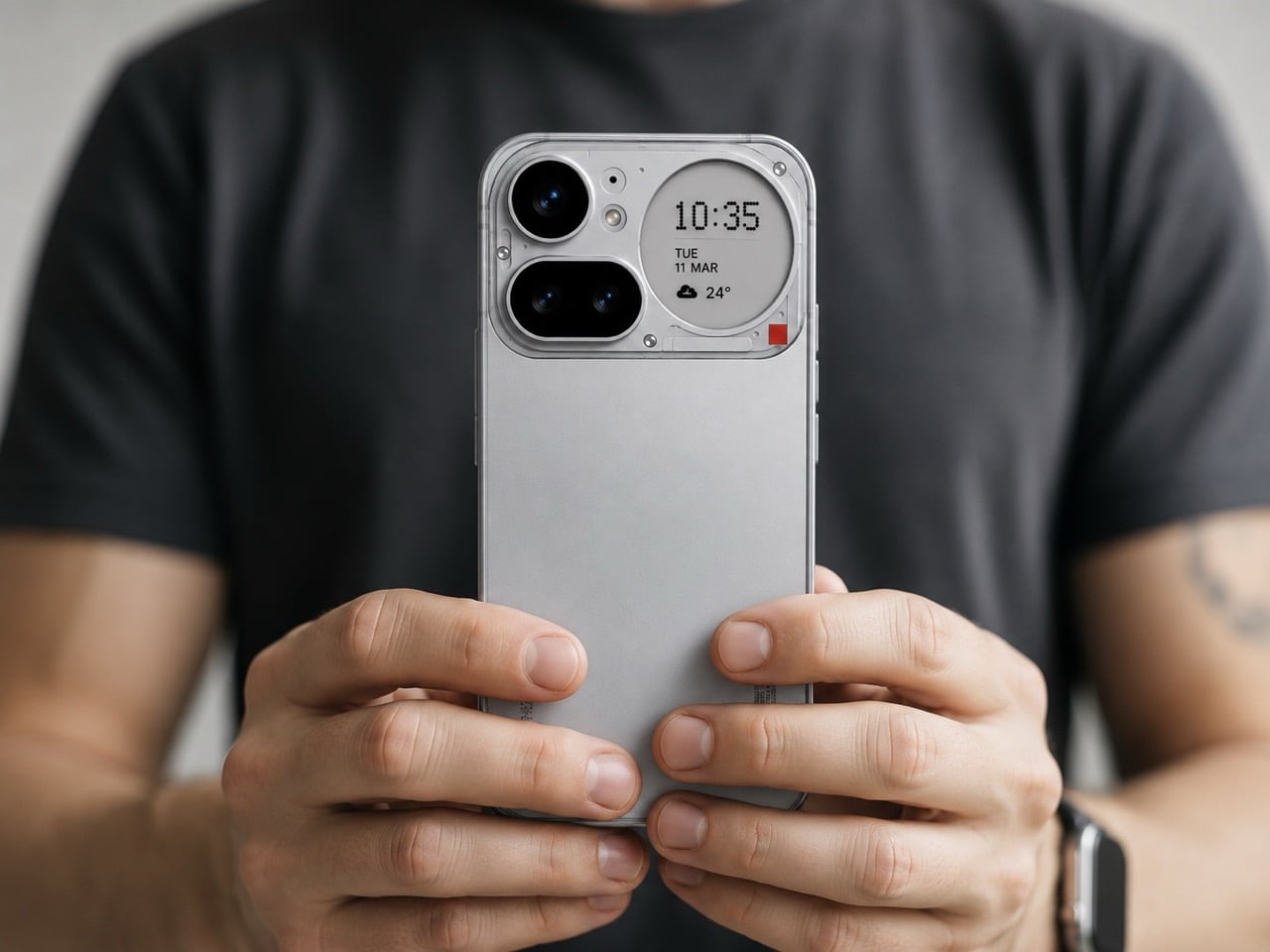
3. Nothing 4a Pro E-ink Display Concept
Not everything on this list ships tomorrow, and this one is upfront about that. The Nothing 4a Pro e-ink concept, imagined by Reddit user Taweros, replaces the Glyph Matrix on the back of Nothing’s phone with a small always-on e-ink display. Instead of spinning light patterns, the back shows something useful: a notification, a QR code at a networking event, the face of whoever is calling you. All without meaningfully touching battery life, since e-ink only draws power when the image changes.
The reason it belongs here is specific. When your bag is on the table at a co-working space, and you need to see whether that notification is worth picking up, a phone that surfaces information on its back without requiring you to unlock it removes a real interruption from your workflow. The Nothing 4a Pro hardware this concept builds on already runs a Snapdragon 7 Gen 4. The e-ink back is the single edit that would make it the travel phone worth actually wanting.
What we like
E-ink only draws power when the image changes, making a permanently visible ambient display a viable idea without a battery penalty
The concept makes a compelling case that the existing Nothing 4a Pro hardware is already there; the display and back panel are the only missing pieces
What we dislike
This is a concept render, not a product you can buy, and Nothing has given no public indication it’s moving in this direction
The e-ink area is small, which limits how much information it can usefully surface at a glance
4. OrigamiSwift Folding Mouse
At 40 grams and 0.18 inches thick when folded flat, the OrigamiSwift is the mouse that removes the excuse to keep using a trackpad. Designed by Horace Lam and rooted in origami’s structural logic, it unfolds in under half a second into a full-sized ergonomic form. The triangular folded geometry isn’t decorative. It provides the rigidity needed to hold its shape through long work sessions, on surfaces ranging from a co-working desk to the tray table of a long-haul flight.
Bluetooth 5.2 handles connectivity, the HD infrared sensor tracks at up to 4,000 CPI, and the USB-C battery lasts up to three months per charge. Soft-click buttons keep it quiet in shared spaces, which matters at a communal table three feet from a stranger on a call. For a travel mouse with this build quality and a three-month battery life, that’s not a difficult case to make.
At 40 grams and 0.18 inches flat, it genuinely disappears into any bag without requiring a dedicated compartment or a case
Three months of battery life on a single USB-C charge means one less thing to track, top up, or pack a cable for
What we dislike
The right-handed ergonomic form means left-handed users will need to look elsewhere entirely
At $85, it sits at the higher end of the travel mouse category, and some nomads will find comparable tracking performance at lower price points from established peripheral brands
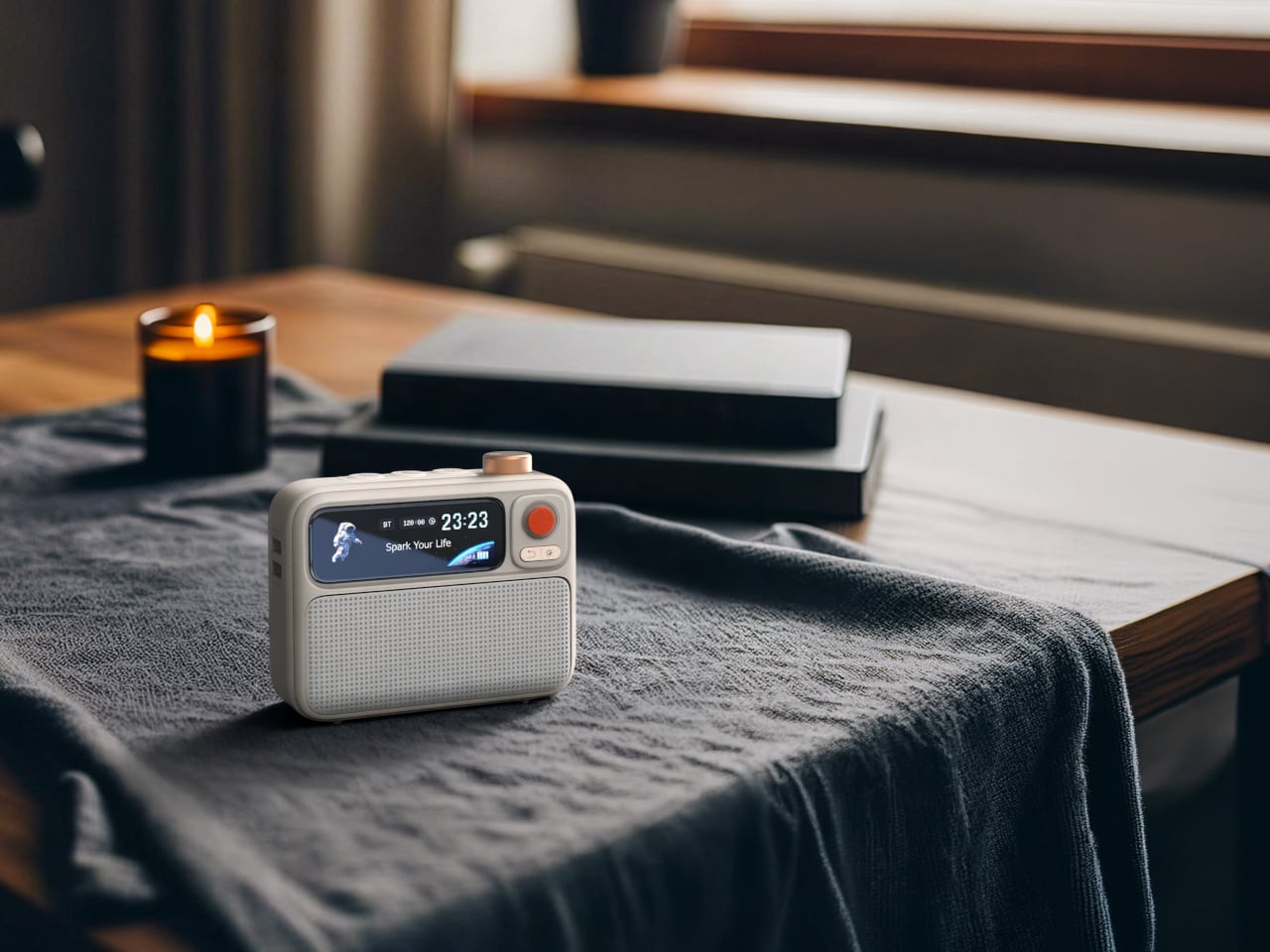
5. Divoom FlowToo
Serial hotel rooms accumulate a specific roster of problems. The alarm clock is always wrong. There’s no white noise option. Music has to come through a laptop speaker. The Divoom FlowToo addresses all three by collapsing a Bluetooth speaker, white noise machine, and alarm clock into one compact device with a 2.26-inch smart display. At $99.99, it doesn’t add to the nightstand pile. It replaces three items already on it, then does each job better than what it replaced.
The 10W amplifier and 45mm full-range driver make it a real speaker rather than an afterthought. The 90-plus built-in sounds cover rain, ocean, forest, and a wide enough library that finding something useful won’t take long. The wake function brings you up gradually with natural sounds and soft display light rather than a jarring tone, which matters when you’re functioning across time zones. The Divoom app handles alarm setting and sound selection from your phone, keeping the device itself simple to operate from any nightstand you find yourself at.
What we like
Collapsing three bedside devices into one compact object is the right instinct for anyone who travels with a carry-on and nothing else
The gradual natural-sound wake function is a genuine quality-of-life improvement over every hotel alarm clock in existence
What we dislike
The 2.26-inch display is small enough that the visualizer and animations read more as ambient mood than functional information
It runs on AC power with no built-in battery, which limits use to spaces with a wall outlet nearby
Pack Less. Work Better.
The best travel gear does two things well: it earns its weight, and it removes friction rather than adding it. Every object on this list was chosen because it solves a specific problem that shows up in the first week of working remotely, not a hypothetical one. A tablet that outlasts your work session. A mouse that doesn’t require you to compromise. A hotel room that finally lets you sleep properly.
One of them is a concept you can’t buy yet, and it’s worth watching. The rest are available now, four at price points that fall under $100. None of them are here because they looked good in a render. They’re here because the gap between a workation that works and one that slowly grinds you down usually comes down to a few objects you either packed or didn’t.
Titanium is a material with a very specific reputation. It belongs to the world of rugged efficiency, survival gear, and precision engineering, usually chosen for objects that need to endure pressure, impact, and time with very little fuss. Brush pens come from an almost opposite design language, one shaped by softness, gesture, and line variation, where the slightest change in pressure can transform a word or sketch into something more personal. In most cases, these two worlds stay far apart, one built around resilience, the other around responsiveness.
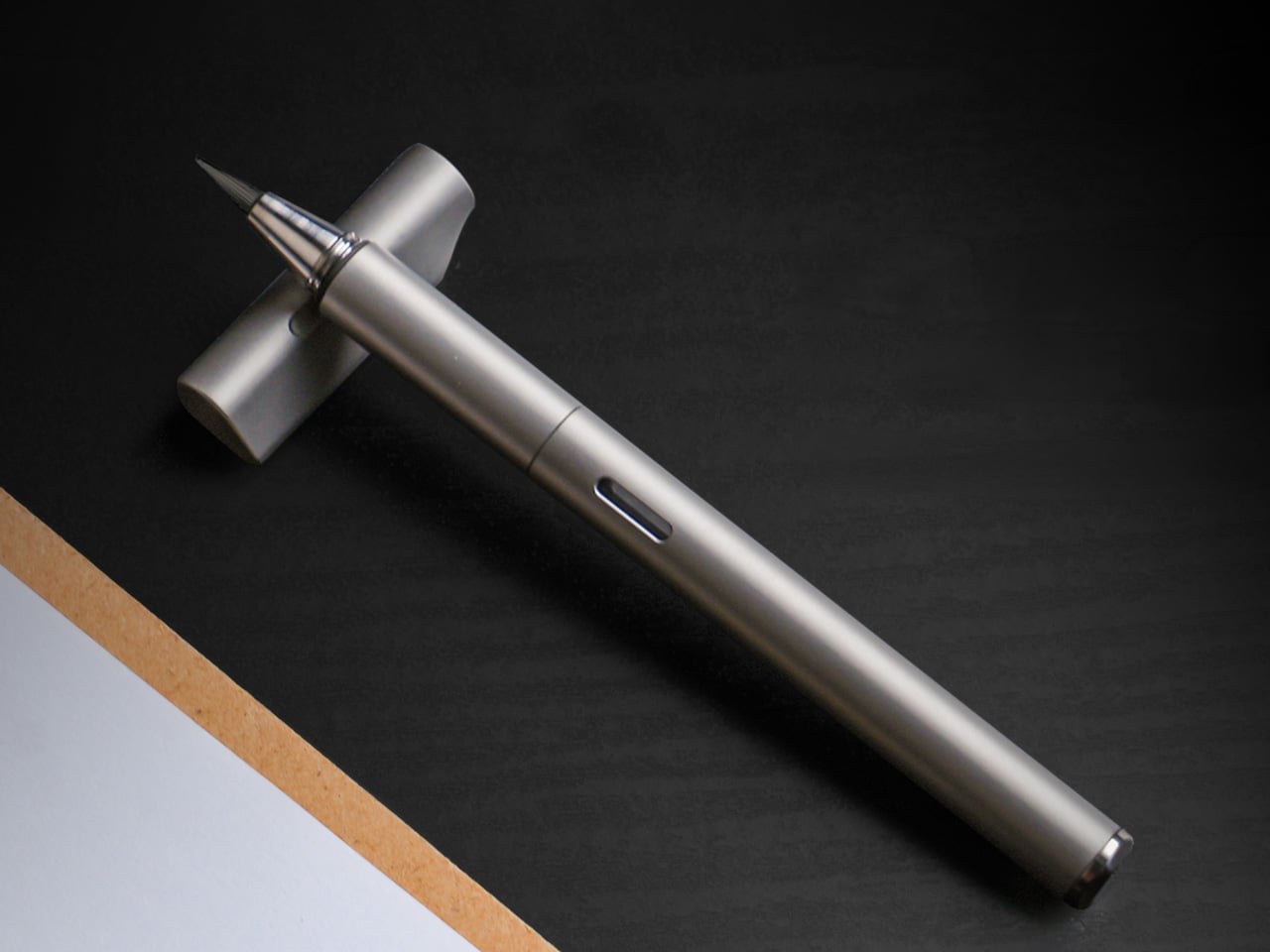
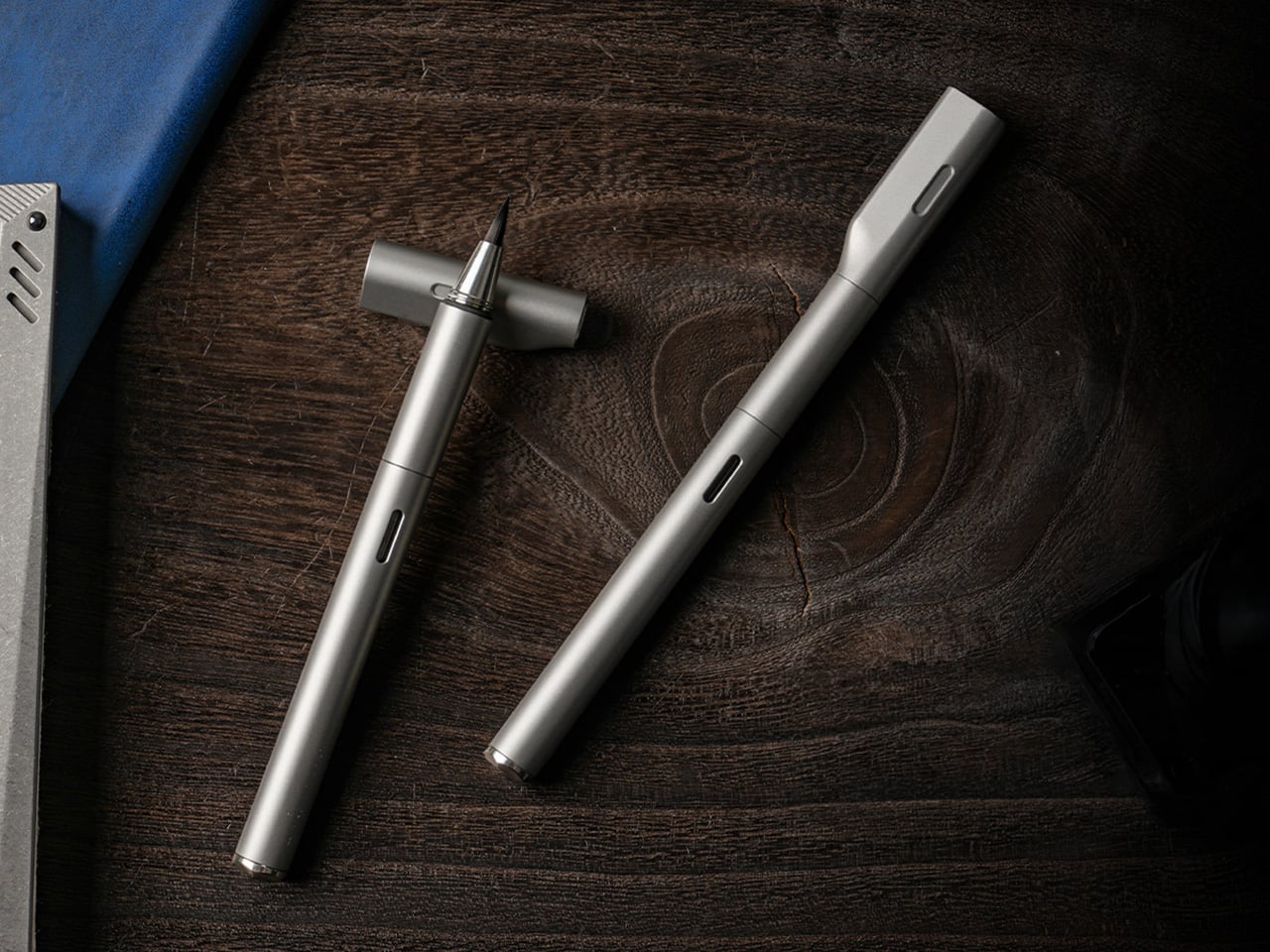
STILL brings them together with surprising clarity. The pen pairs a machined Grade 5 titanium body with a flexible nylon brush tip that shifts from fine hairlines to bold strokes depending on how it meets the page. That contrast gives STILL its identity. It feels grounded and permanent in the hand, yet expressive in motion, creating a writing instrument that carries the discipline of industrial design into the more fluid world of journaling, sketching, and everyday handwriting.
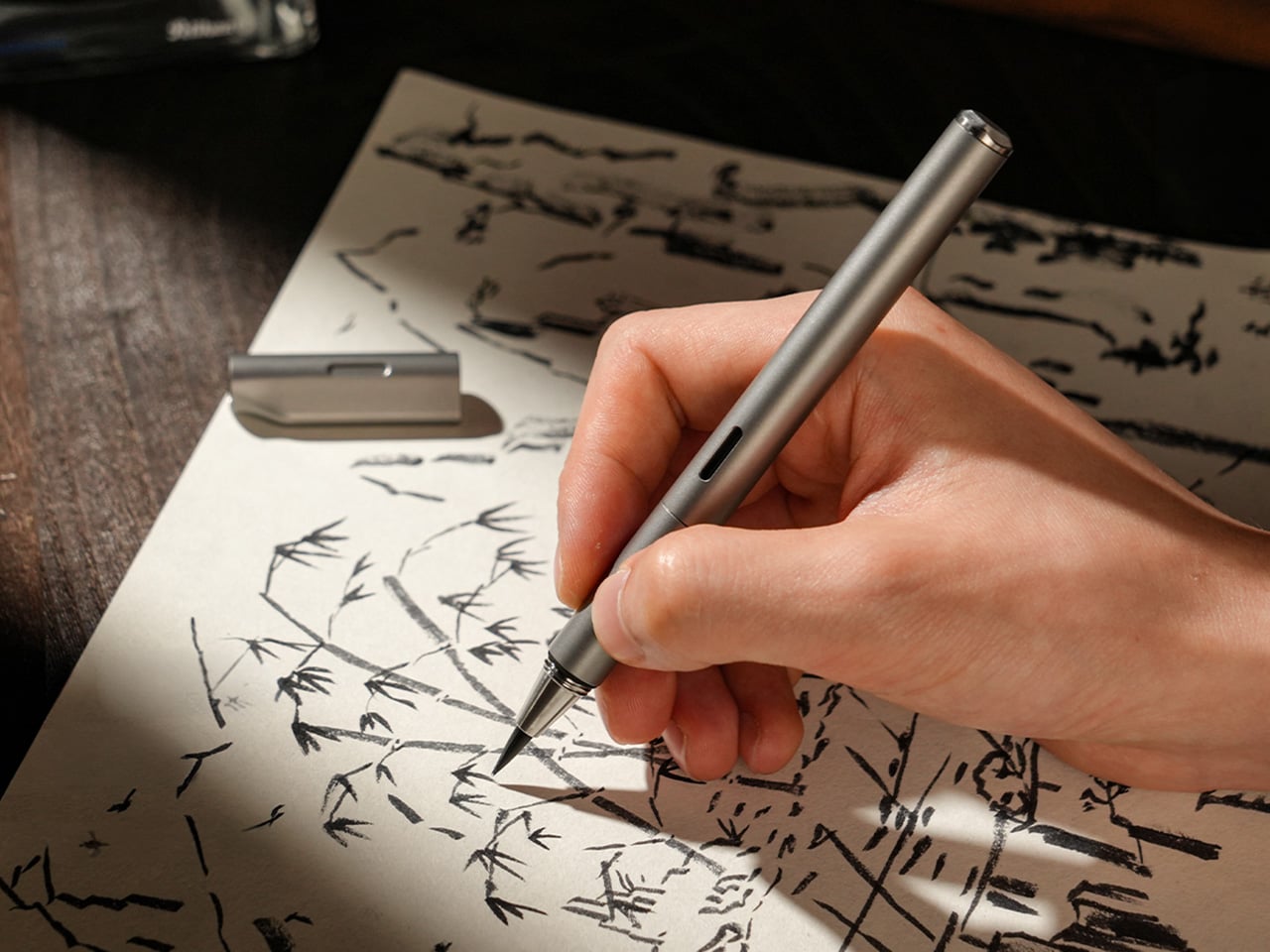
Unlike traditional fountain pen nibs that deliver a consistent line, STILL’s nylon brush tip responds directly to pressure. A light touch produces a 0.3mm hairline suitable for small details or delicate script. Medium pressure yields roughly 1.2mm, the kind of natural width most people instinctively use for everyday writing. Firm pressure opens the tip to 3mm, creating bold strokes for emphasis, headers, or expressive flourishes. Everything in between happens without conscious effort, turning line variation into a natural outcome of the writing process rather than a technical skill. If you’ve used an Apple Pencil on an iPad, you probably know exactly how much more expressive a brush pen is compared to a fineliner or a fountain pen.
That responsiveness makes STILL approachable in a way traditional brush pens often are not. Calligraphy brushes demand control, practice, and an understanding of stroke order to produce convincing results. STILL removes most of that learning curve. The nylon material is elastic enough to flex predictably but structured enough to return to shape immediately. It follows the movement of your hand rather than fighting it, which means you can pick it up and start writing without needing to adjust your grip, angle, or technique. The result is a pen that feels easy to use while delivering visual results typically reserved for more specialized instruments.
The titanium body is not decorative. Grade 5 titanium, also called Ti-6Al-4V, is a high-strength alloy used in aerospace, medical implants, and high-performance hardware. It offers an exceptional strength-to-weight ratio, corrosion resistance, and a surface hardness that resists scratching and wear over years of handling. At 30 grams, STILL sits in a comfortable middle ground between lightweight portability and the kind of heft that gives feedback in the hand. The balance point falls naturally near the grip section, which prevents fatigue during longer writing sessions and keeps the pen stable during more deliberate strokes.
Every component is CNC-machined from solid material, which eliminates the weak points that come from glued assemblies or plastic internals. The barrel threads are cut with micron-level precision, producing a smooth, wobble-free connection between the cap and body. That precision is not just tactile theater. It ensures that the cap seals tightly around the nib, preventing air from drying out the brush tip between uses. The barrel surface is left smooth rather than aggressively textured, allowing the hand to find its own natural grip position without being forced into a predetermined hold.
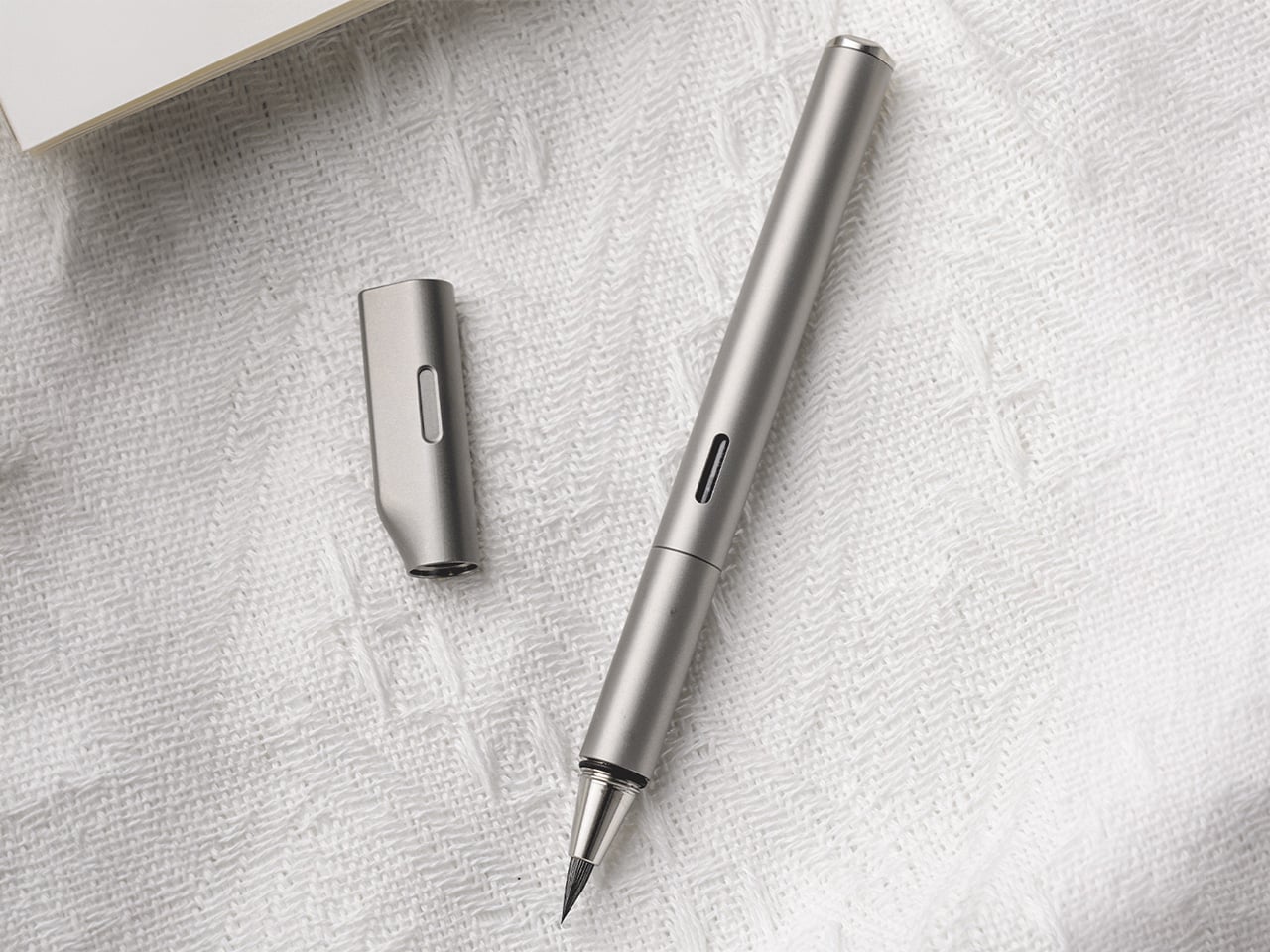
The cap does more than protect the nib. Its flat top allows the pen to stand upright on a desk, turning it into a visible, accessible object rather than something that rolls into corners or gets buried in a drawer. The teardrop cross-section solves another common desk annoyance by preventing the pen from rolling when placed horizontally. A small groove machined into the side of the cap, measuring roughly 1cm by 2mm, acts as an integrated pen rest. You can set the barrel into that groove mid-writing, suspending the nib above the surface so ink does not transfer to the table. The cap also features precision threading and an internal gasket that creates an airtight seal, keeping the brush tip moist and ready even after weeks of non-use.
The pen accepts both ink cartridges and a refillable converter, giving it flexibility across different use cases. Cartridges are faster and cleaner for travel or environments where refilling from a bottle is impractical. The converter opens access to bottled fountain pen inks, which vastly expands color options and allows for more control over ink properties like flow, saturation, and drying time. A small transparent window in the barrel displays the current ink level, removing the guesswork about when a refill is needed. That window aligns perfectly with the groove in the cap when the pen is closed, creating a visual detail that signals the care taken with tolerances and alignment throughout the design.
The anti-roll geometry and smooth barrel work together to create a pen that adapts to multiple grip styles. You can hold it like a conventional fountain pen with a tripod grip near the section, or angle it more steeply like a traditional brush, resting the barrel closer to the web between thumb and forefinger. Both positions feel natural because the cylindrical form and 10.2mm diameter provide enough surface area to stabilize without crowding the hand. The absence of aggressive knurling or molded grip zones means the pen does not dictate how it should be held, which becomes important during longer sessions where hand position tends to shift.
STILL is designed for people who write because they want to, not because they have to. It suits journaling, daily note-taking, sketching, and any situation where the act of putting pen to paper carries some intention beyond pure information capture. The brush tip makes it a strong choice for hand lettering, planner decoration, or adding visual variety to written work without requiring calligraphy skills. It works equally well for designers, students, thinkers, and anyone building a habit around analog productivity. The titanium construction and sealed cap make it practical enough for daily pocket carry, while the expressive nib keeps it interesting enough to reach for regularly.
STILL is available in six anodized finishes: Quiet Titanium, Midnight Black, Ink Blue, Horizon Blue, Moss Green, and Mist Purple. Optional leather sleeves in British Tan or Black, made from full-grain leather with soft lining, provide additional protection and a more refined carry profile. Pricing and availability details can be found on the product page.
There is a specific kind of frustration that only comes from a pack that fights you. Zippers that won’t close. Straps digging in because the load is too heavy for a day hike. Gear that solves one problem while creating two others. The five products on this list were chosen with a single constraint: they need to justify their existence in a bag that has no spare room and no patience for dead weight.
Each one earns its place by solving a specific outdoor problem without giving anything back in bulk or effort. The Nimbus Inflatable Umbrella leads the group as its most radical thinker, but the logic runs through every pick here. Weight matters. Packability matters. The kind of reliability that doesn’t require checking before you leave the house matters most. This is the kit you build once and stop thinking about.
1. Nimbus Inflatable Umbrella
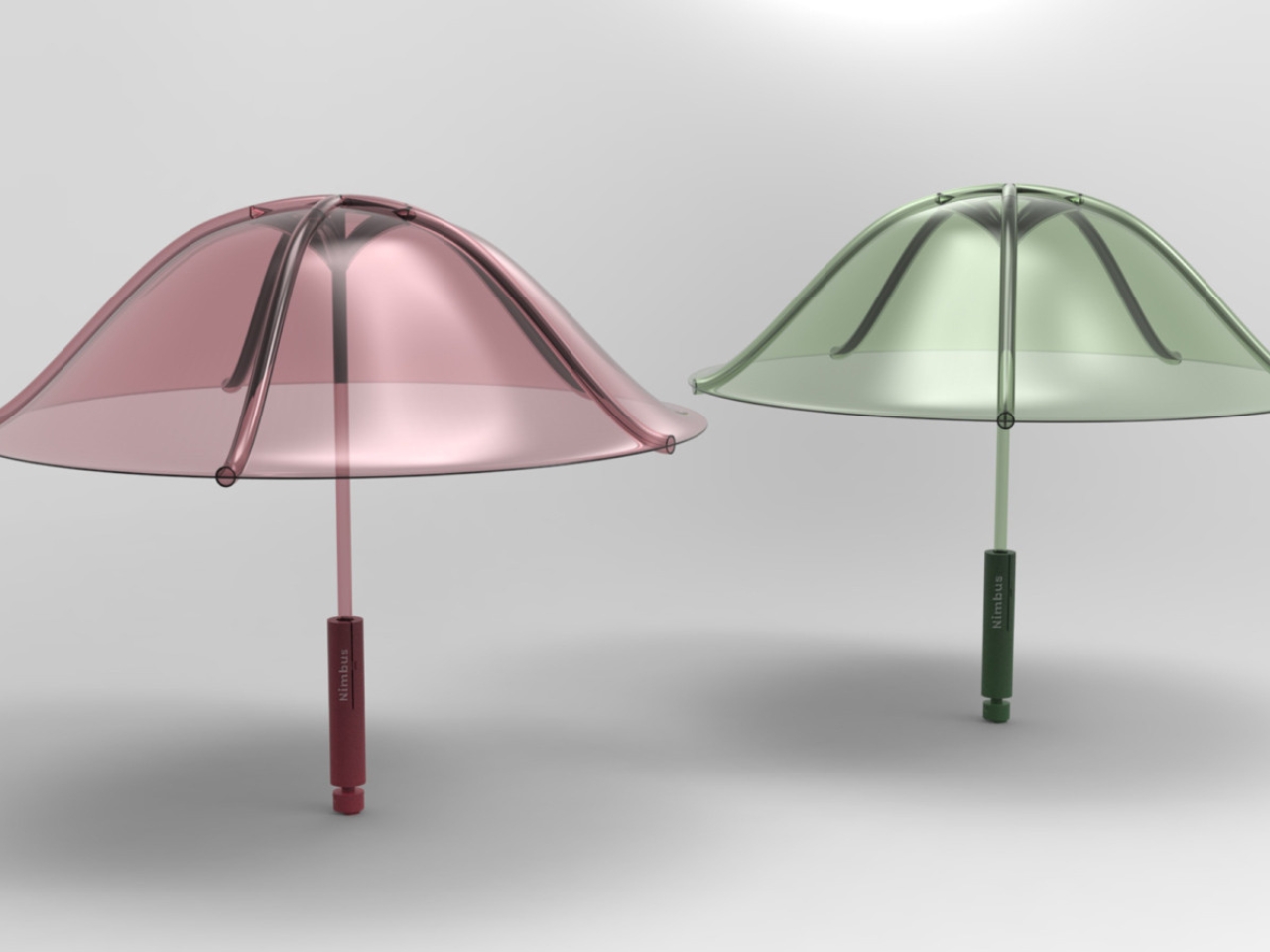
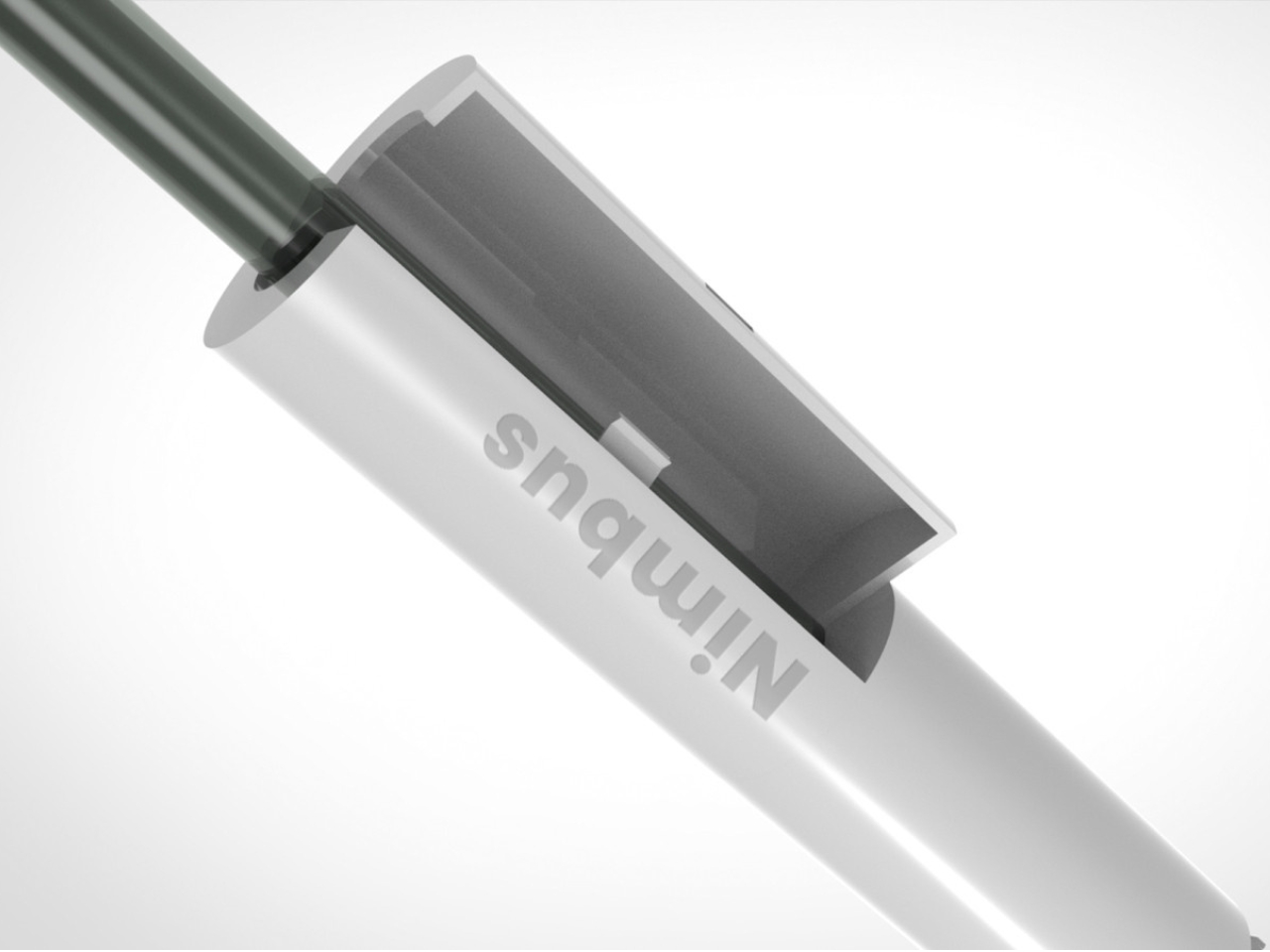
The standard umbrella has one guaranteed flaw: every rib is a failure point waiting for wind. The Nimbus, designed by four SCAD graduate students as part of their Master’s in Design for Sustainability, removes the premise entirely. Made from a single material, recyclable thermoplastic polyurethane, it inflates into structure rather than relying on a metal skeleton to hold its shape. No ribs. No joints. No layered materials that make the whole thing unrecyclable when it finally gives up.
A life cycle assessment puts the Nimbus at 99% lower environmental impact than a conventional umbrella, which is a number worth sitting with. The single-material construction also makes it repairable in ways that standard umbrellas never were, and the design team built in a buy-back program before the product even reached production scale. It has earned recognition from the Green Product Award. While it remains a concept rather than a retail product, the argument it makes is already complete.
What we like
Single TPU construction removes every mechanical failure point that standard umbrellas share
99% lower environmental impact verified through a full life cycle assessment
What we dislike
Currently a concept product and not yet available for retail purchase
Inflation before use adds a step that a conventional umbrella does not require
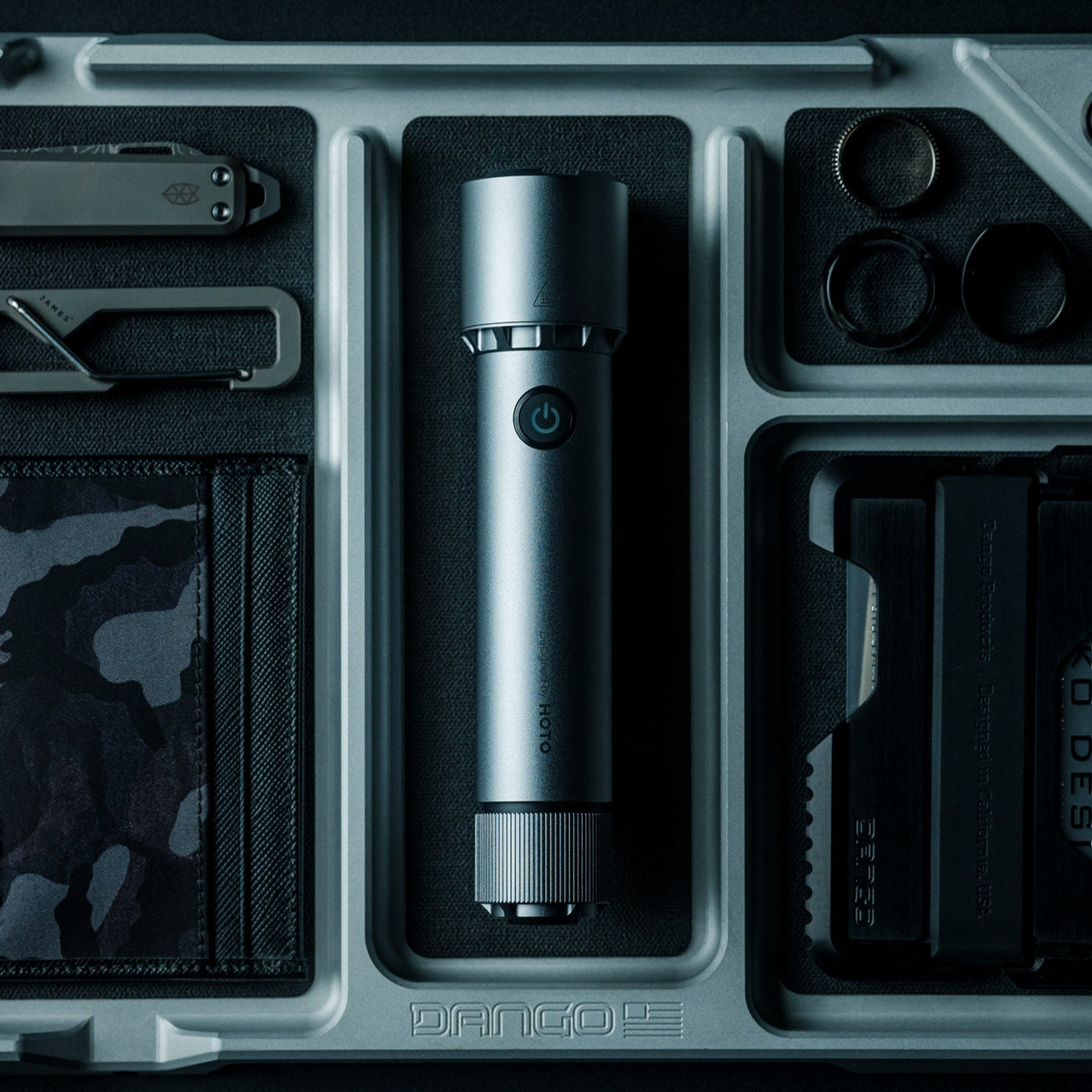
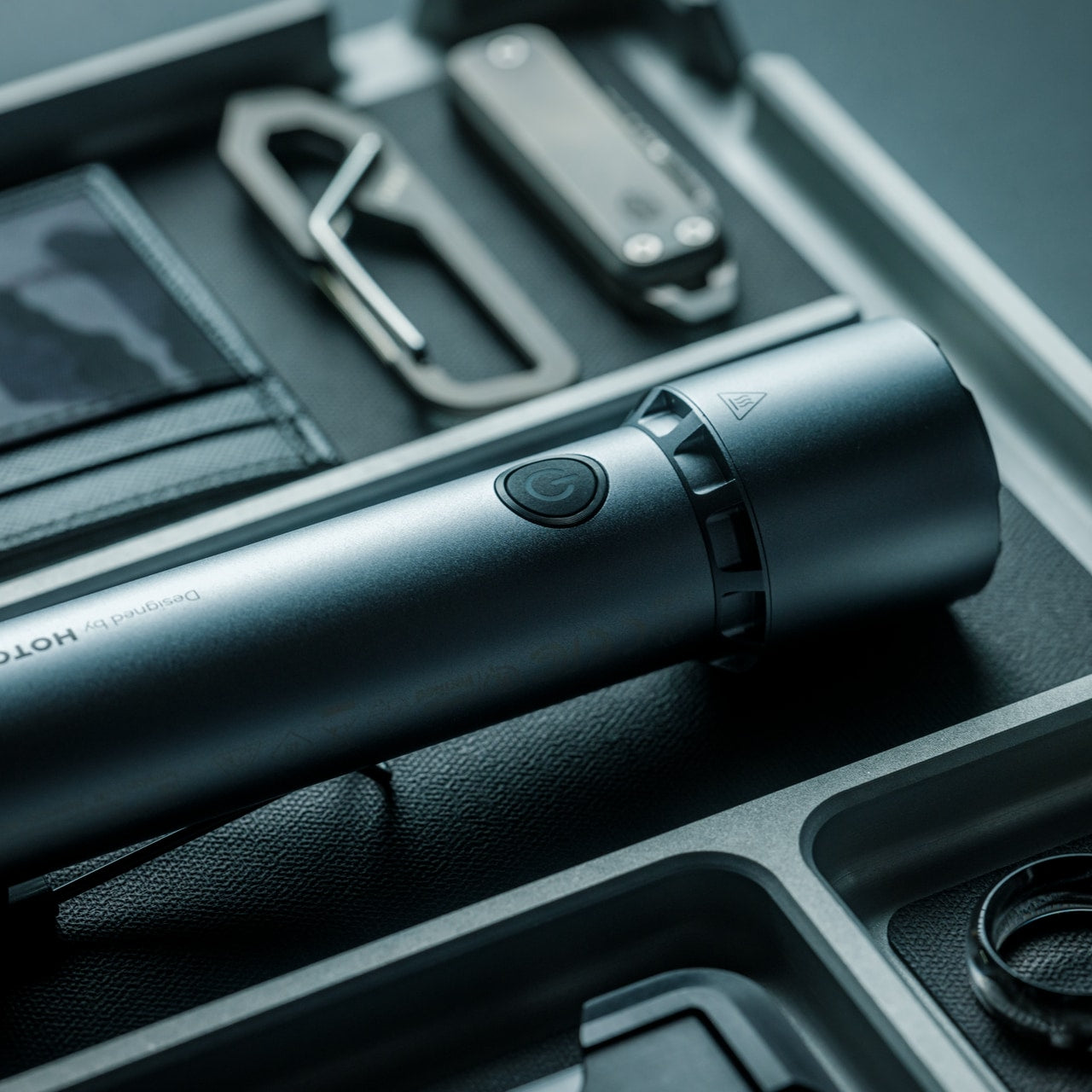
2. Blackout Beam Tactical Flashlight
A flashlight earns its place in a packable kit by being the one you actually have on you when the light fails. The Blackout Beam Tactical Flashlight makes that case on size before it gets to output. It delivers enough brightness to handle trail navigation and campsite tasks in a body compact enough to sit alongside the rest of this kit without occupying space the rest of the bag has already negotiated for.
Tactical flashlights tend to be engineered for demands most outdoor users will never encounter, which means the camper or day hiker ends up with hardware overspecified for the task. That margin matters more than it sounds. When navigating an unfamiliar trail after dark or searching a tent interior in total darkness, a light that performs beyond what the moment requires is a light that has never let you down. The Blackout Beam earns its slot by being ready before you are.
Compact form factor carries without claiming dedicated pack real estate
Built to a performance standard that comfortably exceeds typical outdoor demands
What we dislike
Tactical construction favors utility over refined aesthetics
Requires battery management like any powered carry item in an active kit
3. NoxTi Tritium Keychain
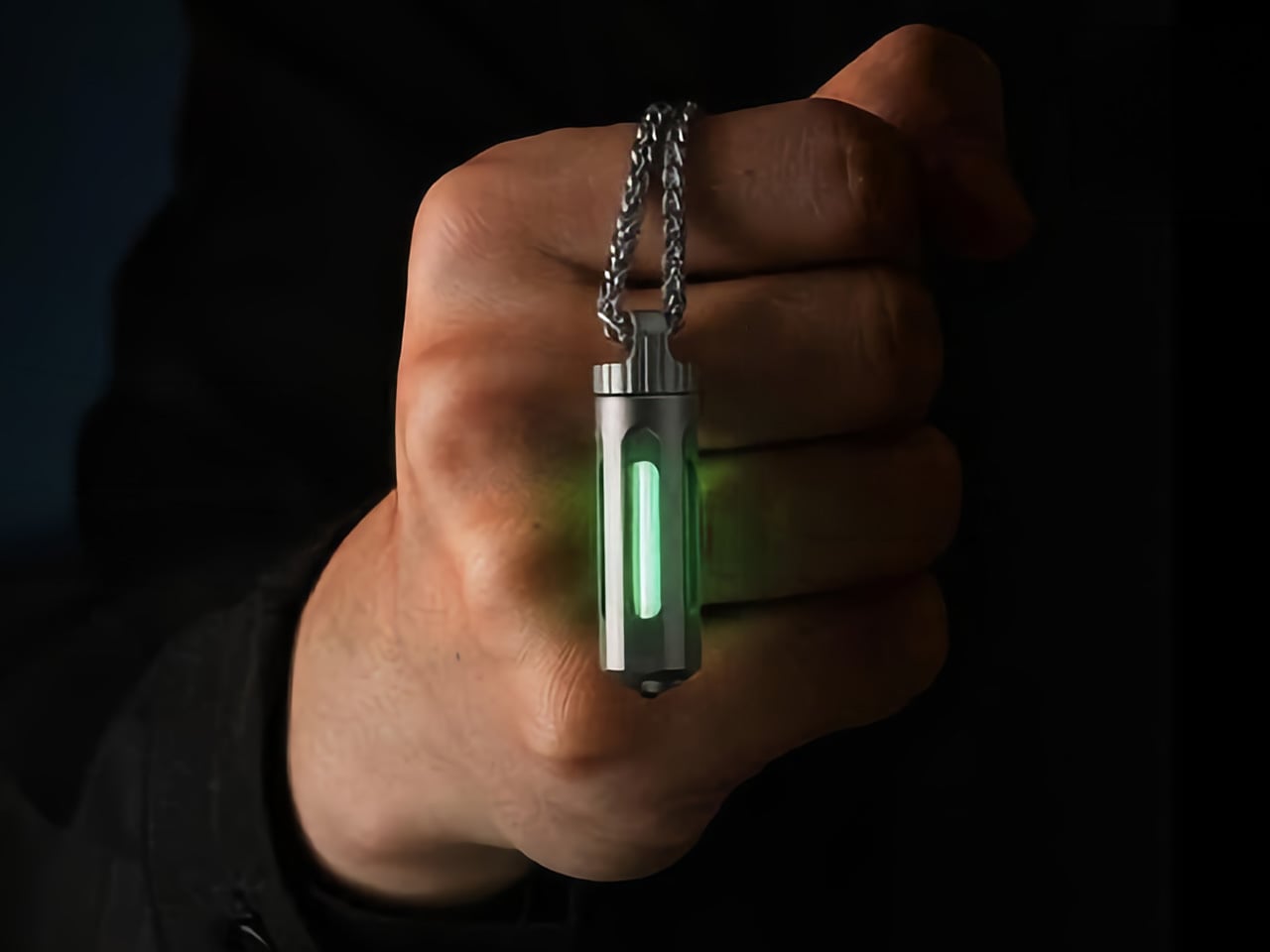
The NoxTi does not run on anything you pack. A 45mm Grade 5 titanium cylinder weighing 10.7 grams, it houses a tritium vial inside a precision quartz tube with 92% light transmission. Tritium is a hydrogen isotope whose beta particle decay strikes a phosphor coating and produces continuous light as a straightforward byproduct of existing. The glow runs for 25 years without a switch, battery, or charge cycle. You add it to the kit and stop tracking it entirely.
In outdoor use, the NoxTi handles a job the Blackout Beam cannot: passive location without activation. It marks your keys at the bottom of a bag, identifies your tent entrance without a search, and stays visible through a full night without being switched on. Six glow colors address different use cases, with red available for night-vision preservation borrowed from military and aviation practice. The ceramic-tipped tail adds a glass breaker for genuine emergency utility without changing the carry footprint.
What we like
25-year continuous glow powered by physics with no battery, switch, or charging required
Fully user-serviceable body becomes a permanent platform with swappable tritium cores
What we dislike
Intentionally faint glow marks and locates rather than providing meaningful illumination
Tritium classification may restrict import or carry in certain countries
4. Camprit TiStove
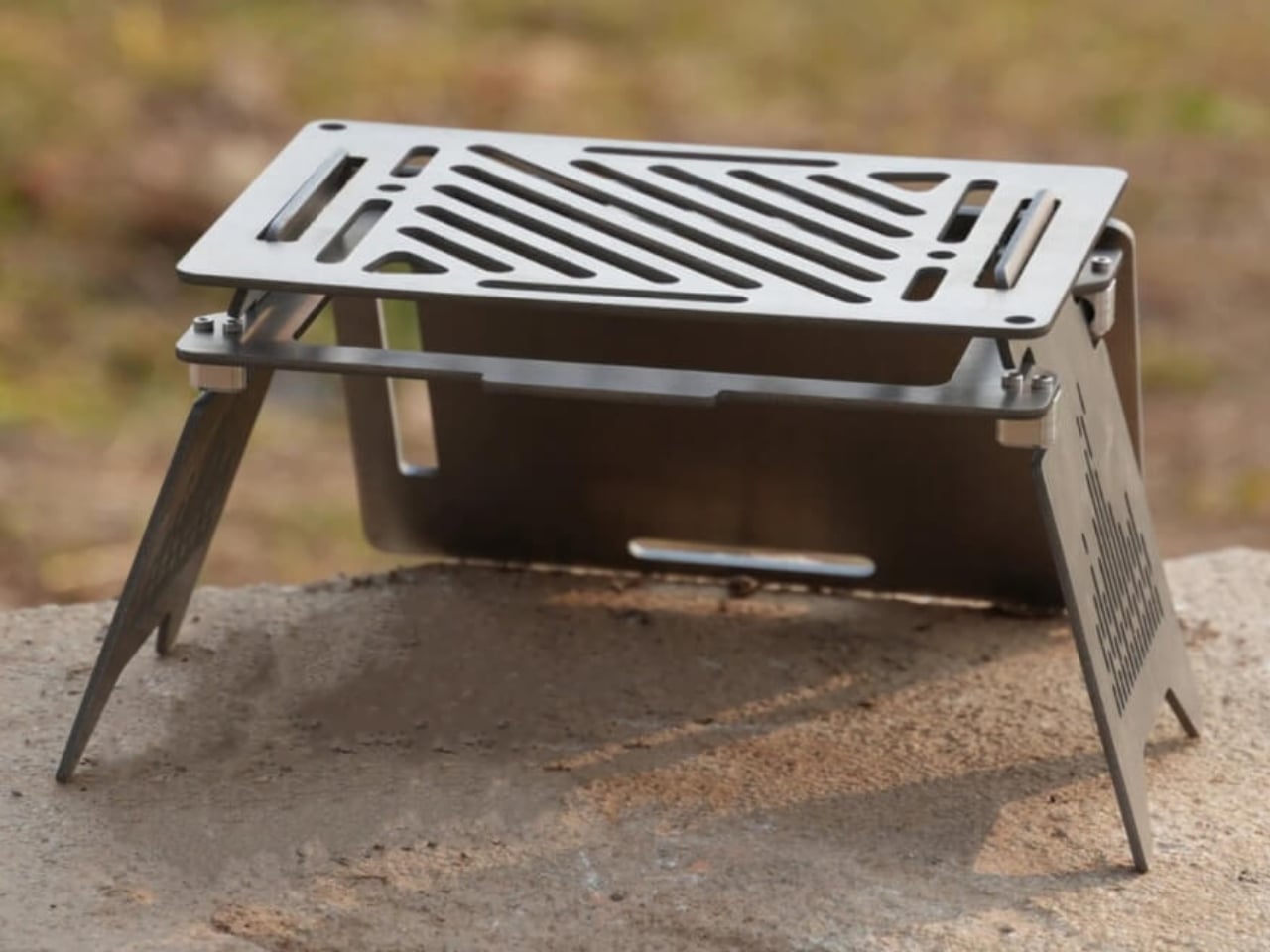
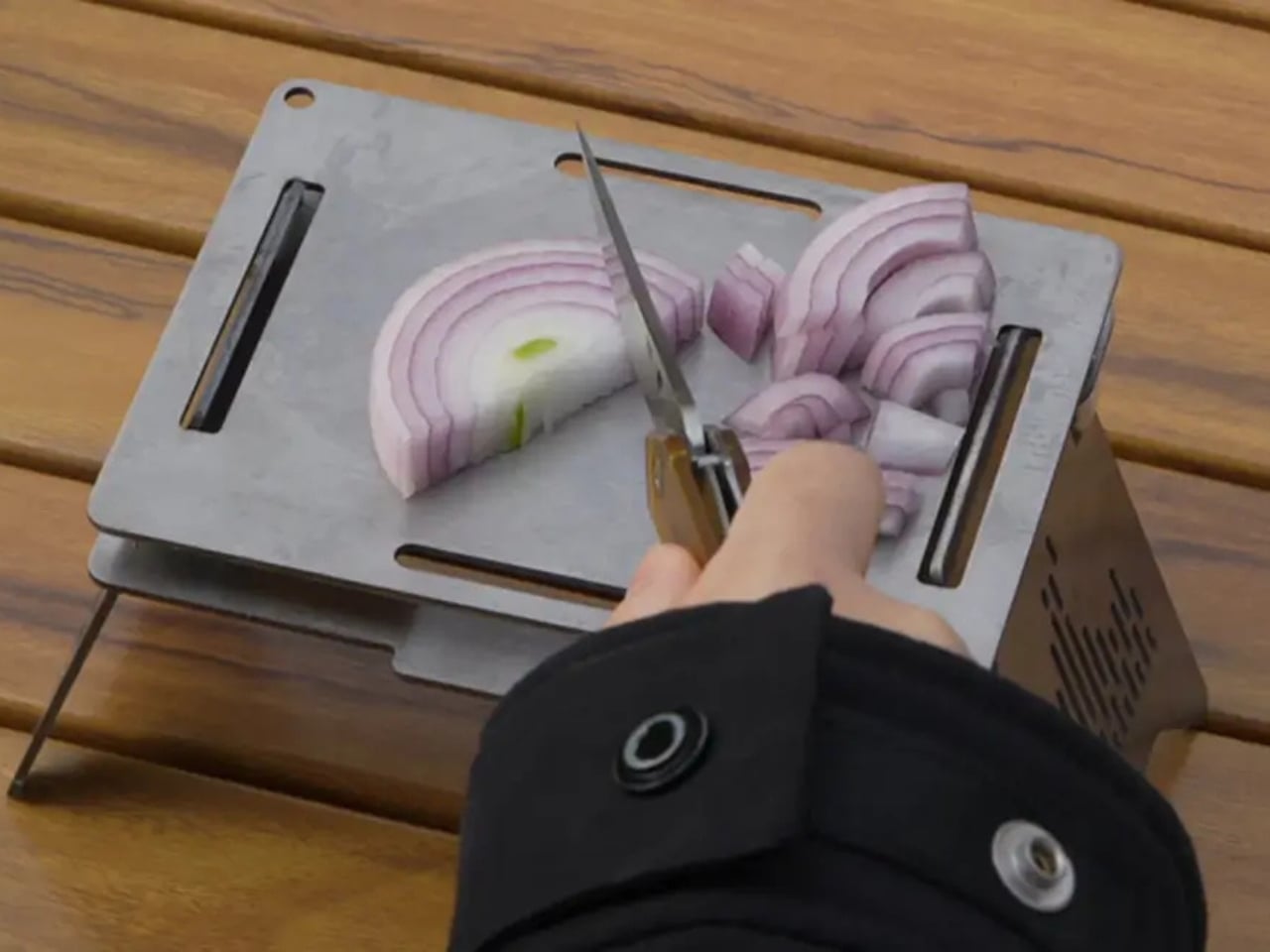
Five flat titanium pieces. That is the entire TiStove. Two foldable legs and three interchangeable cooking panels that pack completely flat, come in under 1.5 pounds, and assemble without fasteners, threading, or a manual. Camprit’s logic was that most camp stoves lock you into a single cooking method and add bulk to compensate. The TiStove removes that assumption. Three panels reconfigure for boiling, grilling, or open-fire cooking, and the spare panels function as a windshield when conditions require one.
There is no ignition system to fail at altitude, no gas canister threading to seize in cold weather, no proprietary fuel that limits what the trip can include. The TiStove accepts wood, gas, and alcohol, adapting to what the trail provides rather than what you remembered to bring. Titanium picks up color from heat over time, marking each stove with its own record of use. For a camp kitchen with no single point of failure, this is where it starts.
What we like
Packs completely flat at under 1.5 lbs with three interchangeable cooking configurations
Compatible with any fuel source including wood, gas, and alcohol without modification
What we dislike
Requires a separate burner or fuel source since nothing in the system is self-contained
Titanium panels need careful packing to avoid surface contact and scratching
5. Aero Spork (0.25 oz)
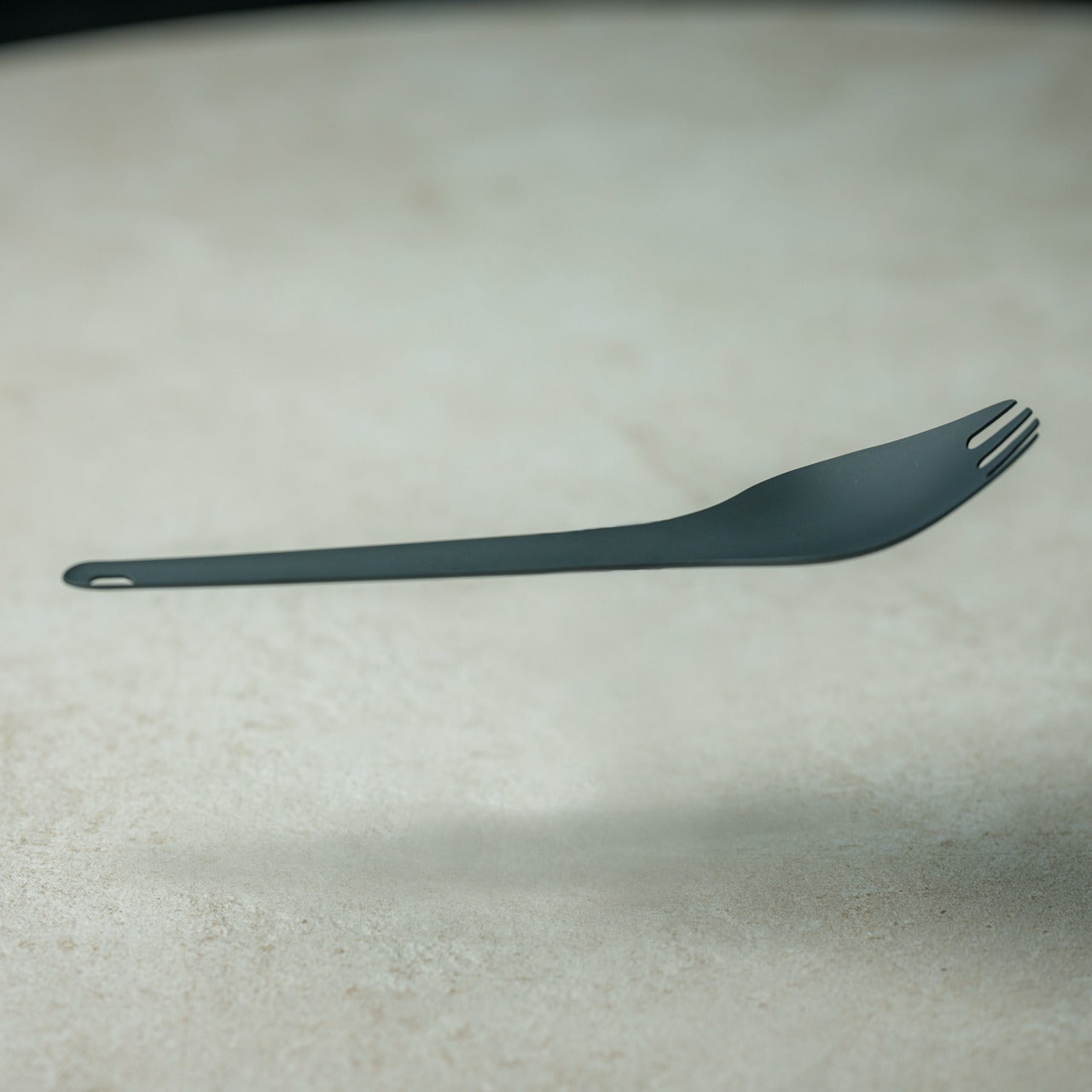
Quarter of an ounce. That figure sounds like marketing until you hold the Aero Spork and realize the engineers took it seriously. Titanium construction at that weight means the tradeoff between durability and gram savings, the negotiation that haunts most ultralight gear, simply does not apply here. The curved ergonomic form handles soup, pasta, and everything in between without requiring the compromises that most sporks impose on at least one function. It does both jobs properly without apologizing for either.
The Aero Spork stacks cleanly, which matters more on group trips than solo ones. When each person brings their own, and the pack reaches capacity, they consolidate without adding bulk. The tapered end handles noodle twirling with enough precision to feel intentional rather than approximate. It is the kind of object whose design becomes invisible because every decision was made correctly. You stop noticing it and start using it, which is the goal of any good tool.
0.25 oz titanium construction removes any weight penalty from the carry decision
Stackable design scales cleanly for group trips without multiplying bulk
What we dislike
Small form factor requires some adjustment from standard cutlery sizing
Single utensil format means committing to the spork over carrying separate pieces
The Lightest Kit Is the One That Never Comes Back Out of the Bag
Five products, five outdoor problems, and a combined carry weight that barely registers. What connects them is a refusal to make you choose between function and footprint. The Nimbus reframes what a weather shelter can weigh. The NoxTi removes an entire category of gear from your charge list. The TiStove reduces the camp kitchen to a flat stack of metal. Each one solves its problem at the root rather than working around it.
The best outdoor kits are not the ones with the most options. They are the ones where every item has earned its place, and nothing remains by default. Pull any of these five out of the bag, and you know exactly why it made the cut. Pack all five, and you will start wondering what else you have been carrying that cannot answer the same question. Light is a habit. Once you build it, everything else starts to feel like excess.
The World Cup Final happens once every four years. You’ve watched the group stages on your phone, followed the knockouts with one eye on a laptop, and somehow made it to Sunday without a setup that actually matches the occasion. This is the match worth doing properly. Not with a sports bar crowd and warm beer, but from your own couch, with everything exactly where it should be.
The difference between a good viewing setup and a great one isn’t the size of your TV — it’s the details around it. The glass you’re drinking from, the surface your snacks sit on, the sound filling the room. These eight picks are the things that turn three hours on a couch into something worth remembering.
1. Couch Console
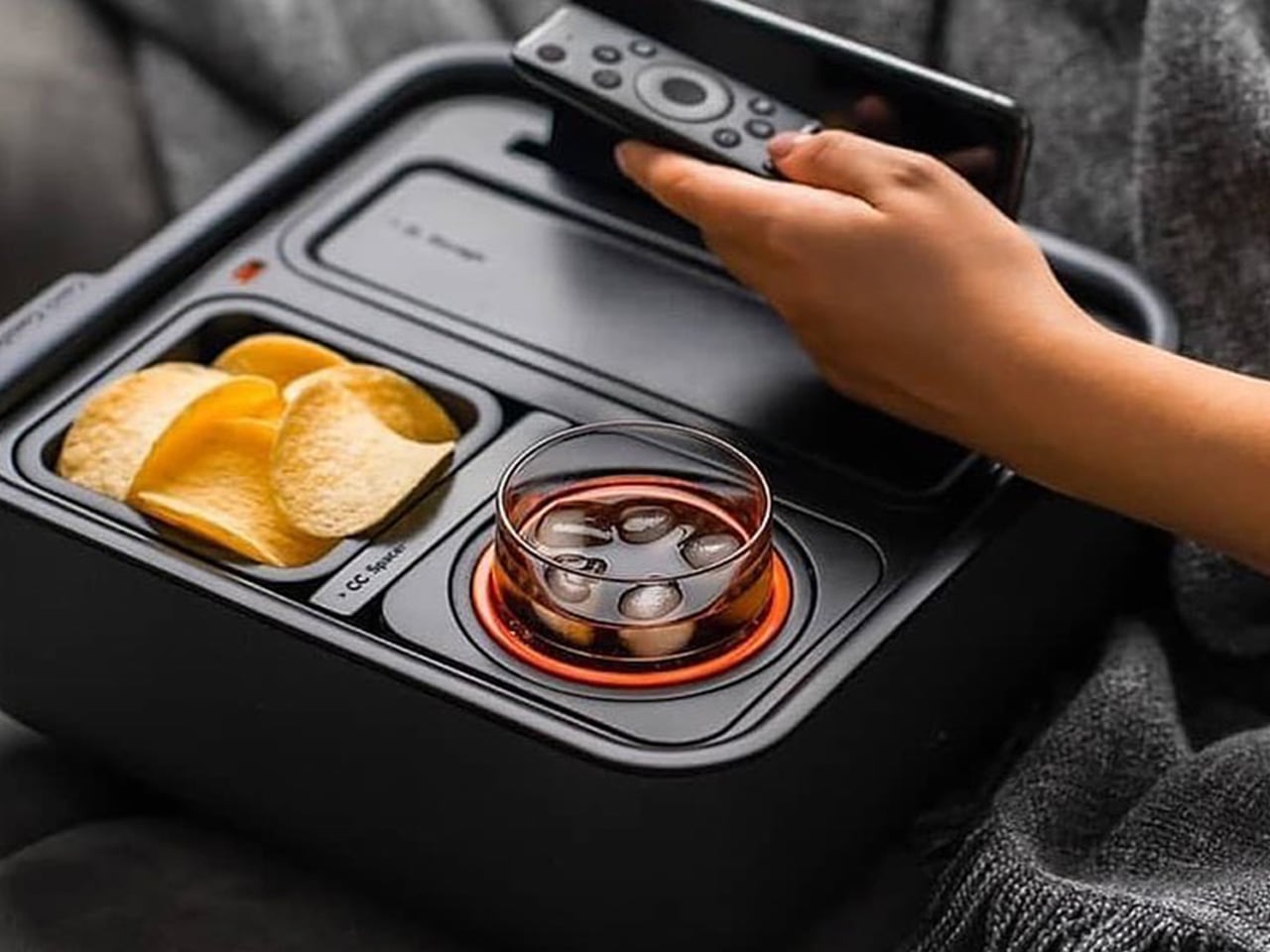
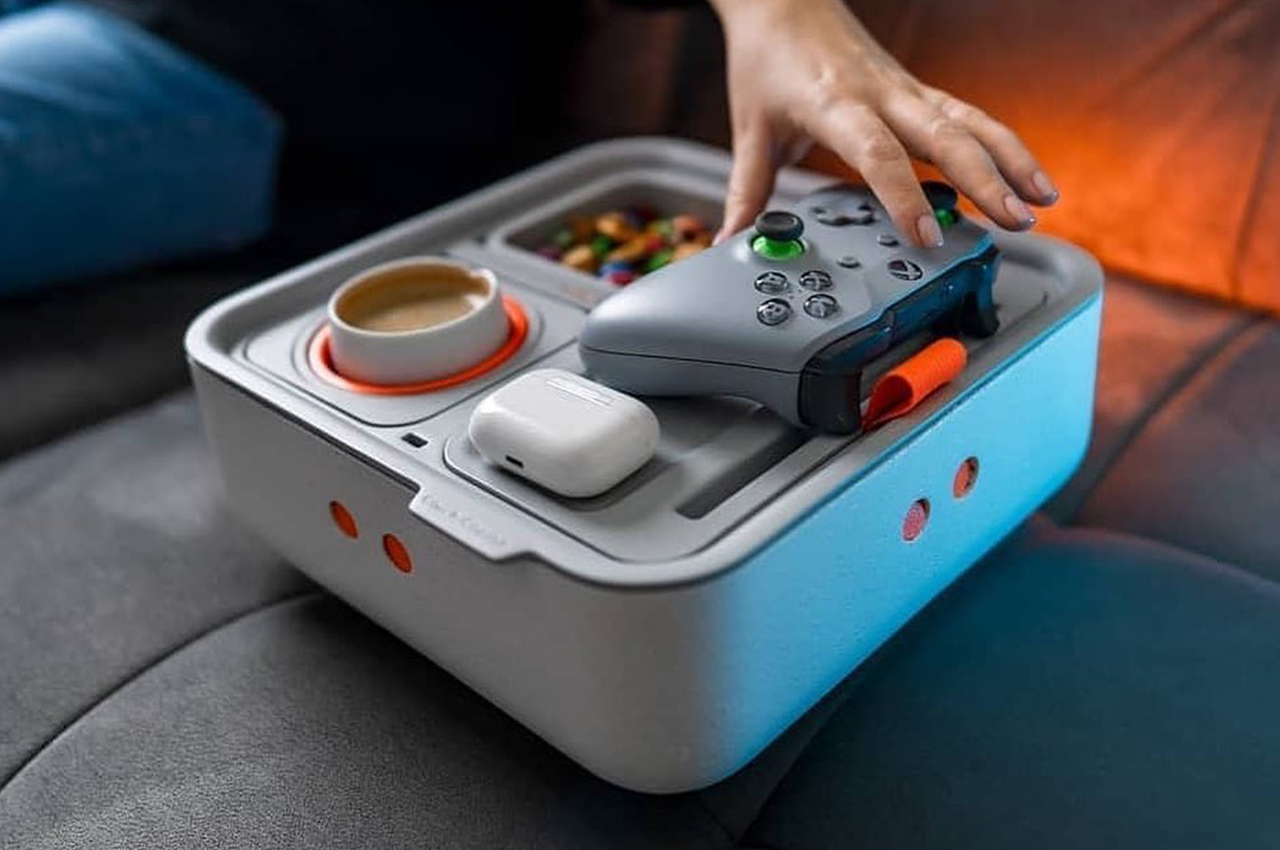
The Couch Console is the anchor of the whole setup. Built with a gyroscopic mechanism that keeps drinks level regardless of how you’re sitting, it solves the single most stressful problem of couch-based viewing — the spill. It clips onto your cushions, stays stable, and holds a drink, snacks, and your phone in one compact footprint. For a 90-minute match that goes to extra time and penalties, that reliability matters more than any individual feature.
Beyond the gyroscope, the Couch Console comes with a USB-C hub built into the top, which connects to whatever external battery you have tucked into its onboard storage space. That means your phone is charging while you watch, your snacks are within reach, and your drink is never in danger. It’s the kind of product that sounds like a novelty until the moment you actually use it, and then it seems obvious that this should have existed all along.
What We Like
Gyroscopic drink holder eliminates spills on upholstered furniture
USB-C hub keeps devices topped up without a cable reaching across the room
What We Dislike
Works less well on deep sectionals where the arm placement is awkward
The aesthetic leans functional over considered — it won’t earn compliments on looks alone
2. Prism Titanium Beer Glass
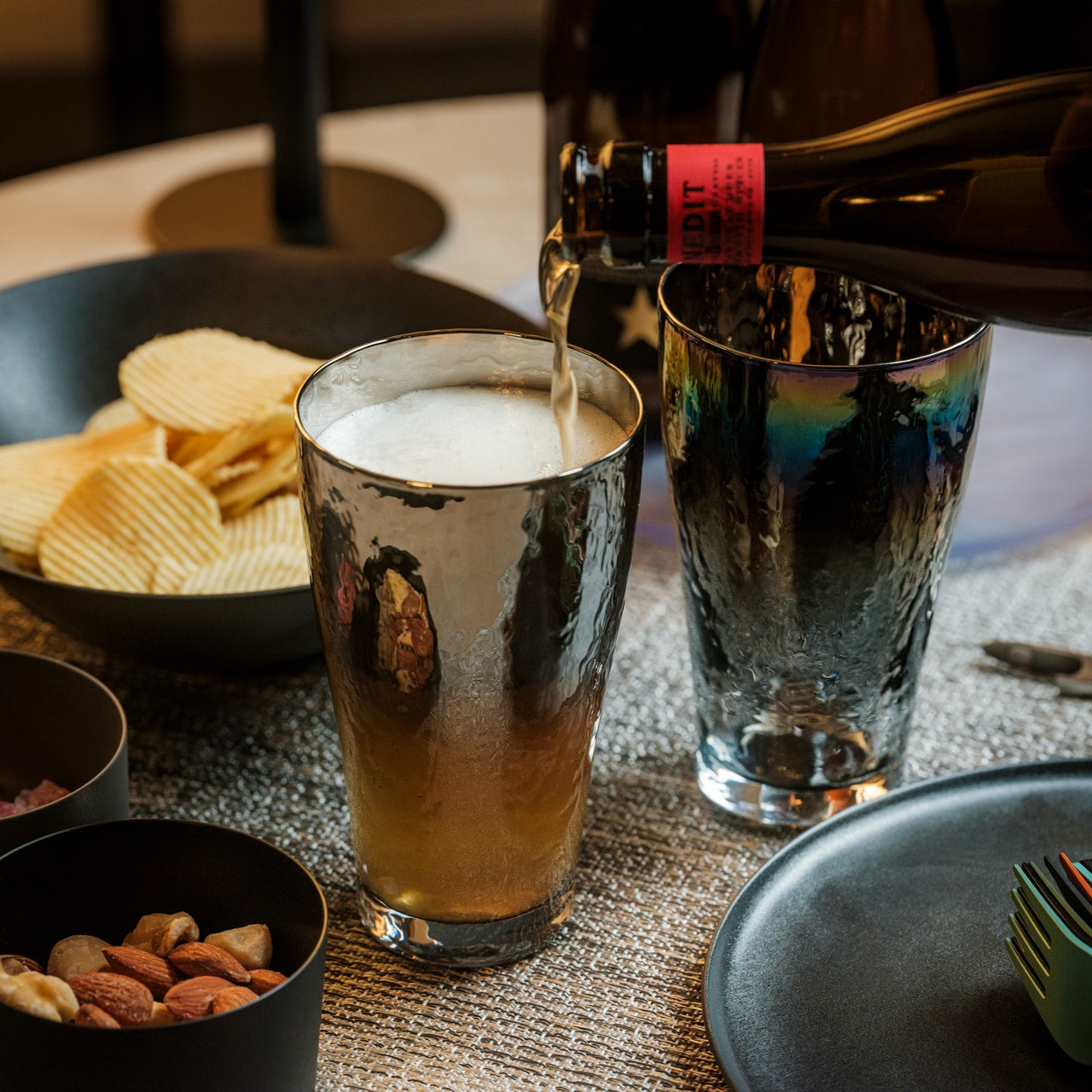
Titanium is not the obvious material for a beer glass, which is exactly what makes this interesting. The Prism glass is machined into a faceted form that catches light differently from every angle. It keeps cold drinks colder for longer than glass or ceramic, and at a fraction of the weight. For a match that runs close to three hours, the temperature retention moves from nice detail to genuinely practical specification.
The faceted prism geometry is the real story here. It gives you something to hold onto — the angles grip naturally in the hand — and visually, it elevates what you’re drinking without any effort on your part. Whether it’s beer, soda, or water during extra time, the experience of drinking from something this considered changes how the whole evening feels. It’s a small object that does a lot of quiet work sitting on the table beside you.
What We Like
Titanium construction keeps drinks cold significantly longer than glass
The geometric form is genuinely beautiful and sits well on any surface
What We Dislike
Titanium can mute carbonation slightly compared to a thin-rim glass
The faceted surface shows fingerprints more readily than a matte finish would
3. DraftPro Top Can Opener
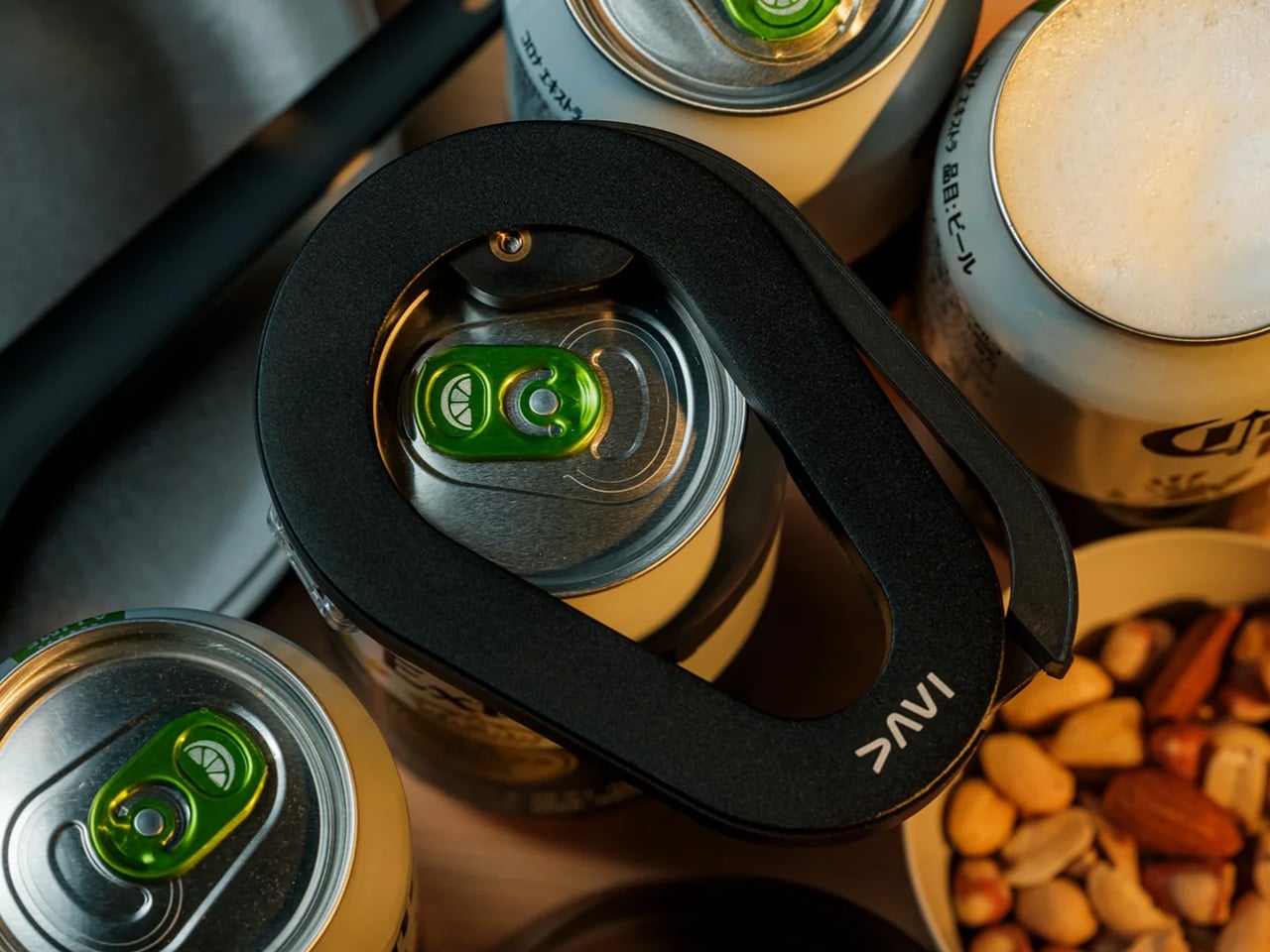
The DraftPro removes the entire top of a can rather than punching a small opening into it. The result is that your beer pours and drinks exactly like it would from a pint glass — full exposure, no restricted airflow, better foam, better aroma. For anyone who thinks canned beer is a compromise, this is the counterargument. It takes seconds to operate, works on standard-sized cans, and changes the experience of drinking from a can completely.
The design of the DraftPro is compact and considered. It doesn’t look like a kitchen tool — it looks like something you’d keep in an EDC kit. There’s no mechanical complexity to worry about, no blades to expose carelessly, and no learning curve. You place it, press, and the top comes away cleanly. For a viewing party with multiple people opening multiple cans across ninety minutes, that consistency and speed matter more than it might initially seem.
Removes the full can lid for a genuine draft-style pour every time
Compact and simple enough to use one-handed mid-conversation
What We Dislike
Works on standard-sized cans only — irregular or oversized cans may not fit
The removed lid needs somewhere to go; keep a small dish nearby
4. GravaStar Mars Pro
The GravaStar Mars Pro is described as a desktop sculpture that happens to deliver excellent audio performance. At 5.5 pounds, it doesn’t move around — it sits on your TV unit or side shelf and owns the space. For the World Cup Final, where the commentary, crowd noise, and the crack of a well-struck shot all deserve to be heard properly, having a speaker that takes audio seriously changes how the whole room feels during the match.
The industrial design is unapologetically dramatic. It looks like something from a science fiction prop department, which in a living room full of people watching the world’s biggest football match feels entirely appropriate. You’re not going for subtle on Sunday. The Mars Pro doesn’t disappear into the room — it adds to it, visually and sonically. For anyone whose TV speakers plateau at acceptable, this is the correction worth making before kickoff.
What We Like
Audio performance that fully justifies the weight and footprint
Industrial design that functions as a conversation piece before the match starts
What We Dislike
At 5.5 pounds, it is not portable — this lives in one place for the long term
The dramatic aesthetic won’t suit minimalist or neutral interior
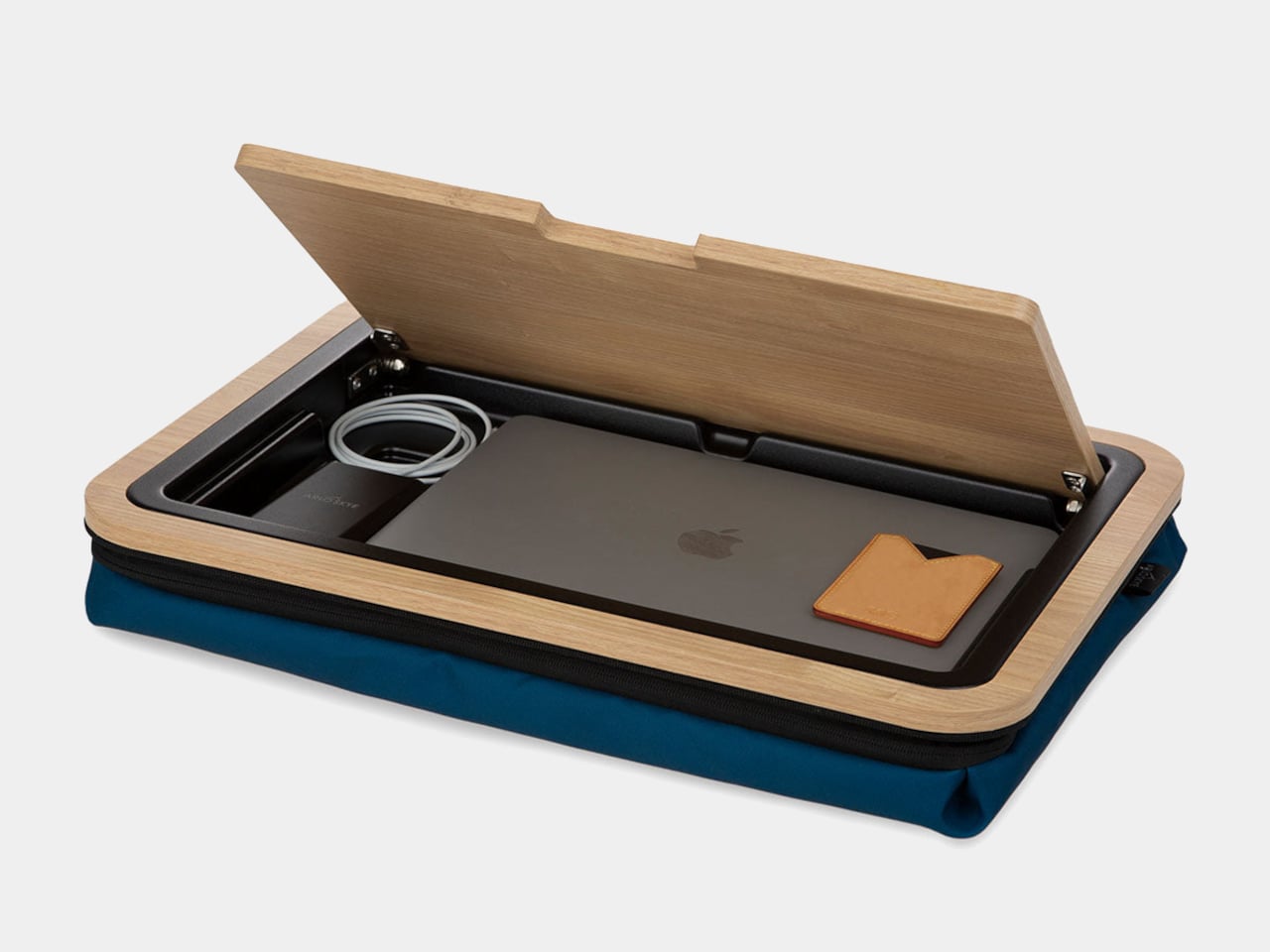
5. Stowaway Lap Desk
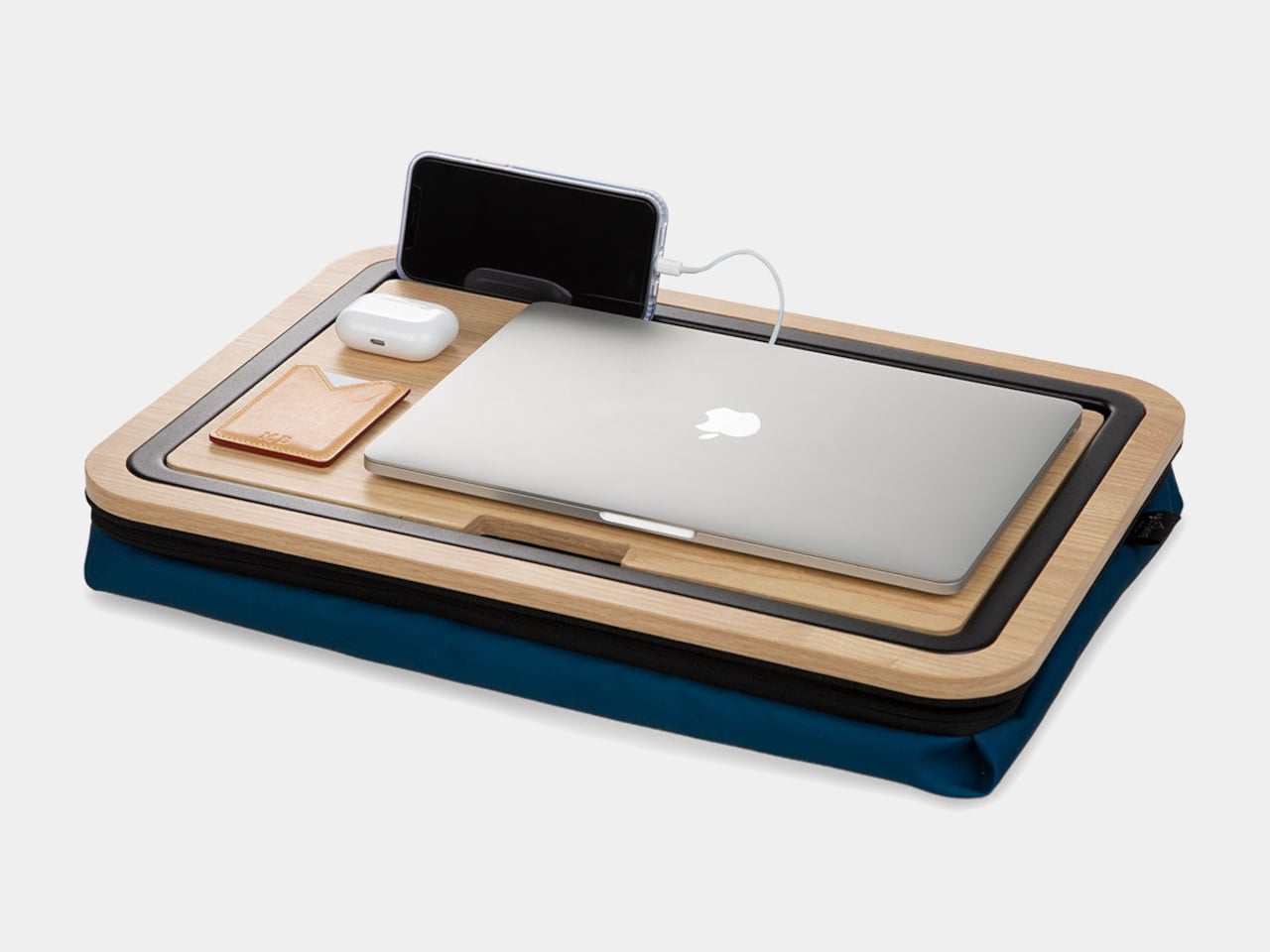
The Stowaway Lap Desk features an ability to hide a laptop inside when the workday ends. For the World Cup Final, the laptop stays out of it entirely — what you want is the desk’s secondary function, which the original article notes directly: it doubles as a side table or serving tray, holding snacks or drinks on the couch without requiring a separate surface. That’s the pitch, and it’s a good one.
The material and form of the Stowaway are designed to look intentional rather than improvised, which matters when you have people over. A lap tray that looks like a lap tray reads as an afterthought. This reads as furniture. It gives everyone on the couch a stable flat surface for the halftime spread without turning the room into a camping setup. It works on your lap, on the cushion beside you, or balanced across the armrest with equal confidence.
What We Like
Converts from work surface to serving tray without looking like either
Stable enough to hold drinks without the usual couch-wobble problem
What We Dislike
Sized around a laptop footprint — generous, but not a full dinner-tray surface
The hidden laptop compartment goes unused during viewing, adding structure you don’t need
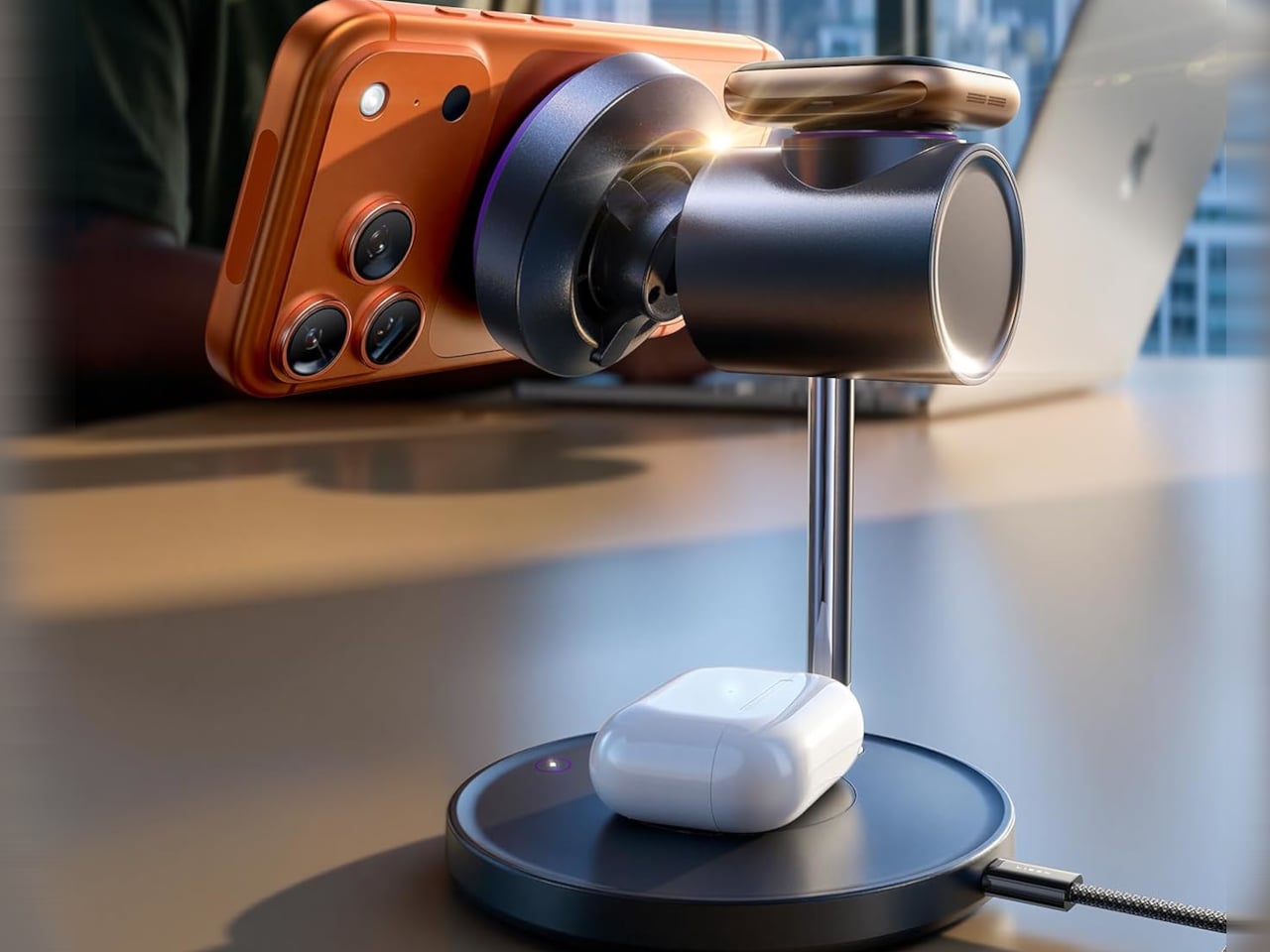
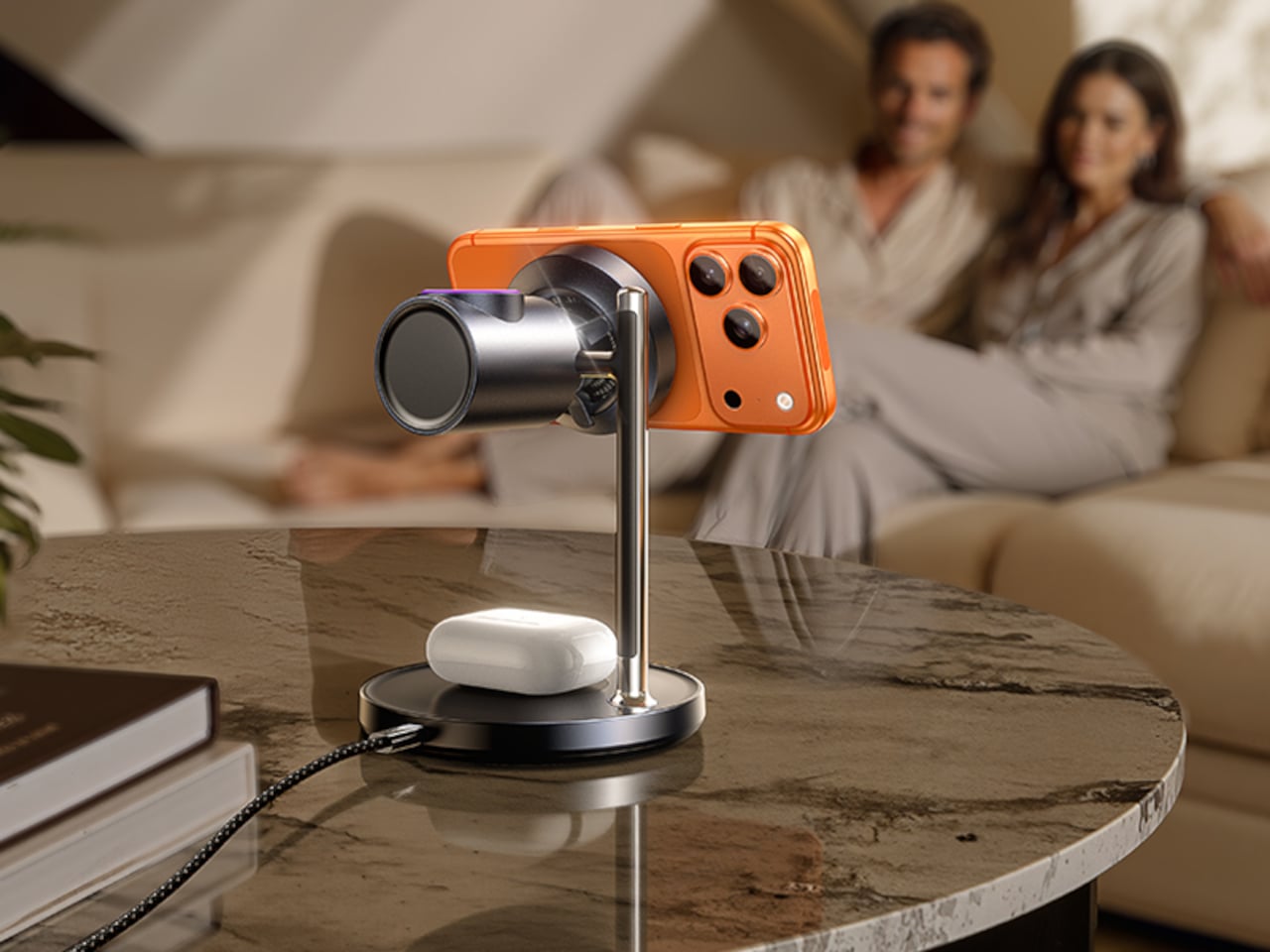
6. Magsafe Charger Stand
The $100 wireless charging stand fixes a specific problem: wireless charging that generates so much heat it throttles itself and stops working. The stand addresses this with an integrated fan that keeps the charging surface cool and the power delivery consistent. For ninety minutes of football that becomes two and a half hours with analysis and penalties, having a phone that’s actually charged at the end of it requires a charger that doesn’t quietly give up at halftime.
The Sleep Mode is the detail worth noting: a touch on the base switches the fan off at night, making the stand silent for overnight charging. For the match itself, the fan running means consistent, fast power delivery from kickoff to the final whistle. It keeps your phone upright and visible at the same time, so you catch messages from the group chat without picking the phone up every ten minutes during the action.
What We Like
Solves the heat-throttling problem that makes most wireless chargers unreliable over long sessions
Sleep Mode makes it genuinely useful as an overnight charger beyond match day
What We Dislike
The fan adds a low ambient hum — not loud, but present in a quiet room
At $100, it sits above most wireless stands; the engineering justifies it, but it’s a considered purchase
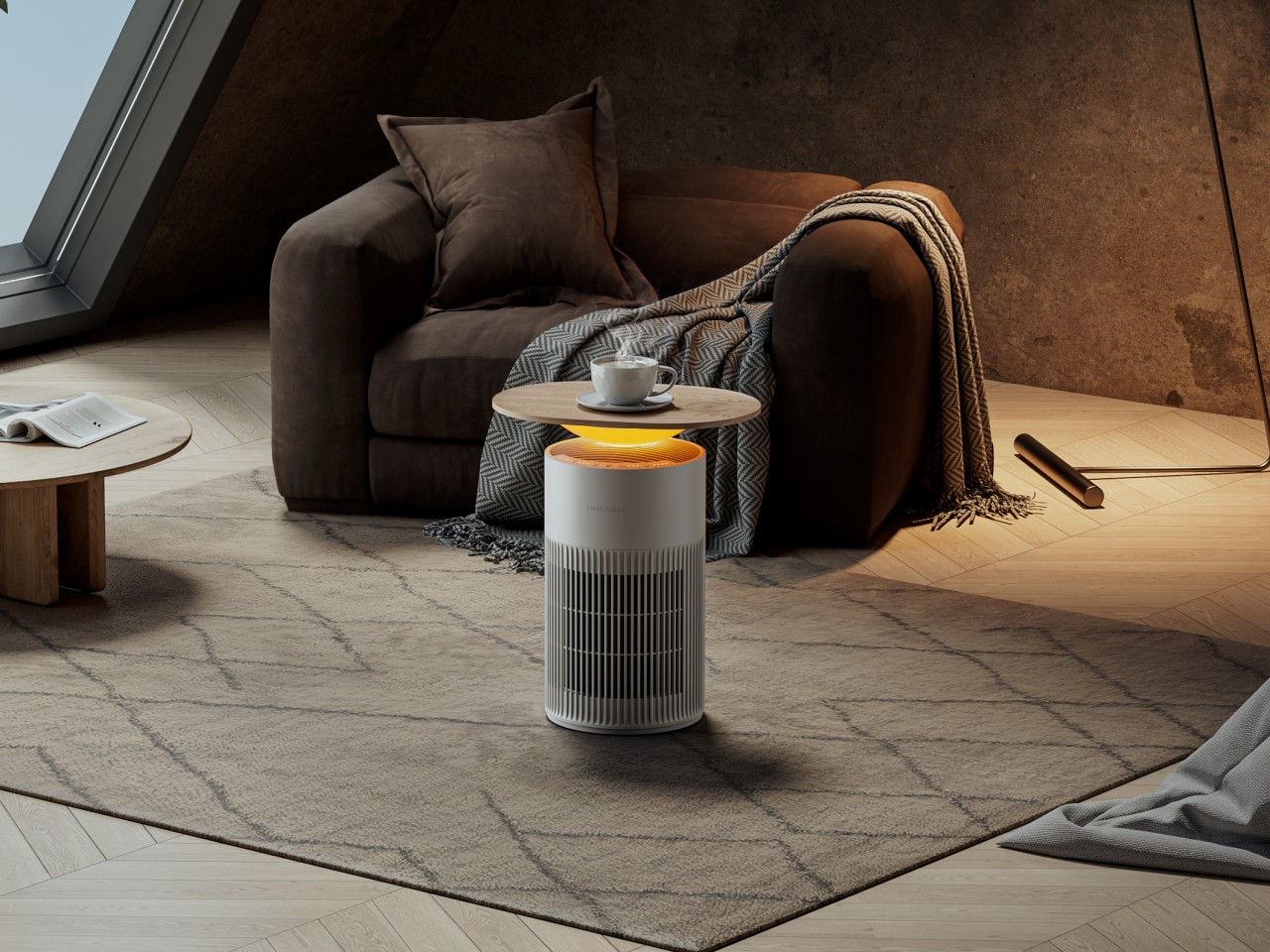
7. SwitchBot Air Purifier Table
The SwitchBot Air Purifier Table is a side table, wireless charger, and air purifier sharing one footprint. At $269.99 — or $219.99 for the version without wireless charging — it costs more than a conventional side table, but it also replaces three separate objects. For a full room of people watching a three-hour broadcast, air quality becomes a legitimate consideration that most setups don’t acknowledge until it’s too late to do anything about it.
The design keeps all three functions invisible from above. It looks like a table. The purification and charging happen without any visual disruption to the surface or the room. For the Final, it holds a drink, charges a phone, and quietly manages the air in the room while everyone’s attention is on the pitch. That’s the definition of a setup that takes care of itself without requiring anything from you.
What We Like
Three functions in one footprint — side table, wireless charger, and air purifier
The design reads as furniture, not an appliance
What We Dislike
At $269.99 for the full version, it’s the most significant investment on this list
Air purifier capacity suits a standard room; very large open spaces may need additional support
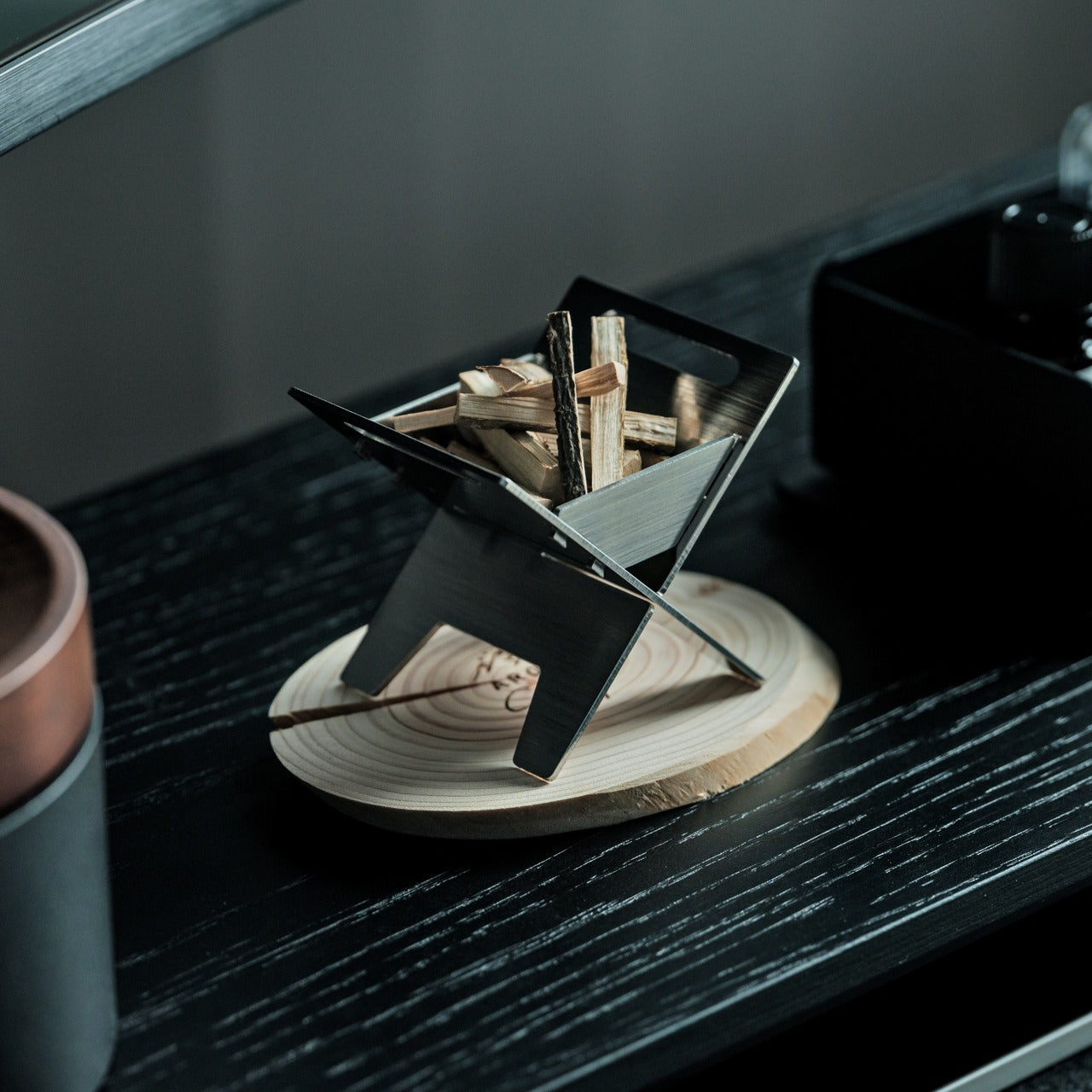
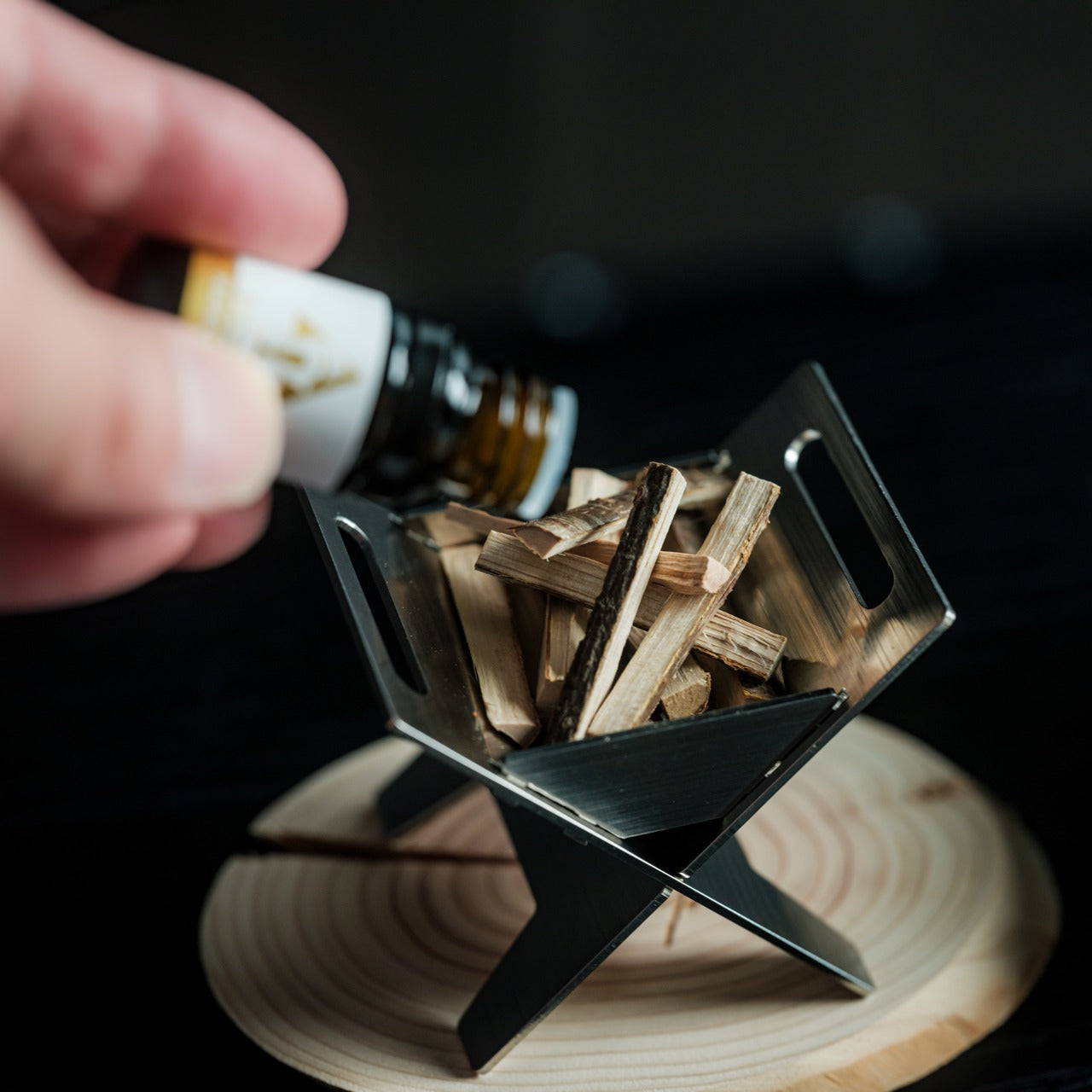
8. Miniature Bonfire Wood Diffuser
A room full of people watching a football final builds its own atmosphere quickly — and not always a good one. The Miniature Bonfire Wood Diffuser puts a controlled, campfire-adjacent scent into the room without overwhelming it. The design is a scaled-down bonfire rendered in wood, small enough to sit on a side table and interesting enough to generate conversation when someone notices it. Scent is the most underrated element of any room setup.
The wood material means the diffuser develops character over time, absorbing oils gradually and releasing them slowly into the space. It doesn’t require electricity, a reservoir, or any ongoing maintenance during the match — you set it before kickoff and let it work. For a viewing experience where every other element is considered, having the room smell intentional rather than incidental is the kind of detail that guests notice without knowing exactly what they’re responding to.
Passive diffusion means no cords, no refills, and no interruption during the match
The bonfire form is genuinely sculptural and earns its place on any surface
What We Dislike
Scent throw is subtle by design; it won’t carry across a large open-plan space
Fragrance oil compatibility may vary — sticking to recommended oils gives the best result
The Setup Is Part of the Match
The World Cup Final is a once-in-four-years occasion. The football will take care of itself for ninety minutes — what you control is everything around it. A setup built from these eight products doesn’t ask you to think about your drink temperature, your phone battery, the air in the room, or where to put your glass during a corner kick. It removes those frictions so the match gets your full attention.
None of them require installation, a subscription, or a manual. They sit on your couch, your side table, or your shelf, and they do what good design always does: make something you were already going to do feel noticeably better than it did before.
Every new parent knows which household sounds can end a nap. The dishwasher at the wrong moment. A phone notification set too loud. Or the low mechanical hum of a cleaning robot that has no awareness of the three-month-old who just fell asleep six feet away. The usual workaround has always been the same: pause the schedule, rezone the map, or carry the robot somewhere farther from the nursery before the nap timer starts. Robot vacuums have become impressively good at reading floors. Reading the life happening above those floors has been a much rarer skill.
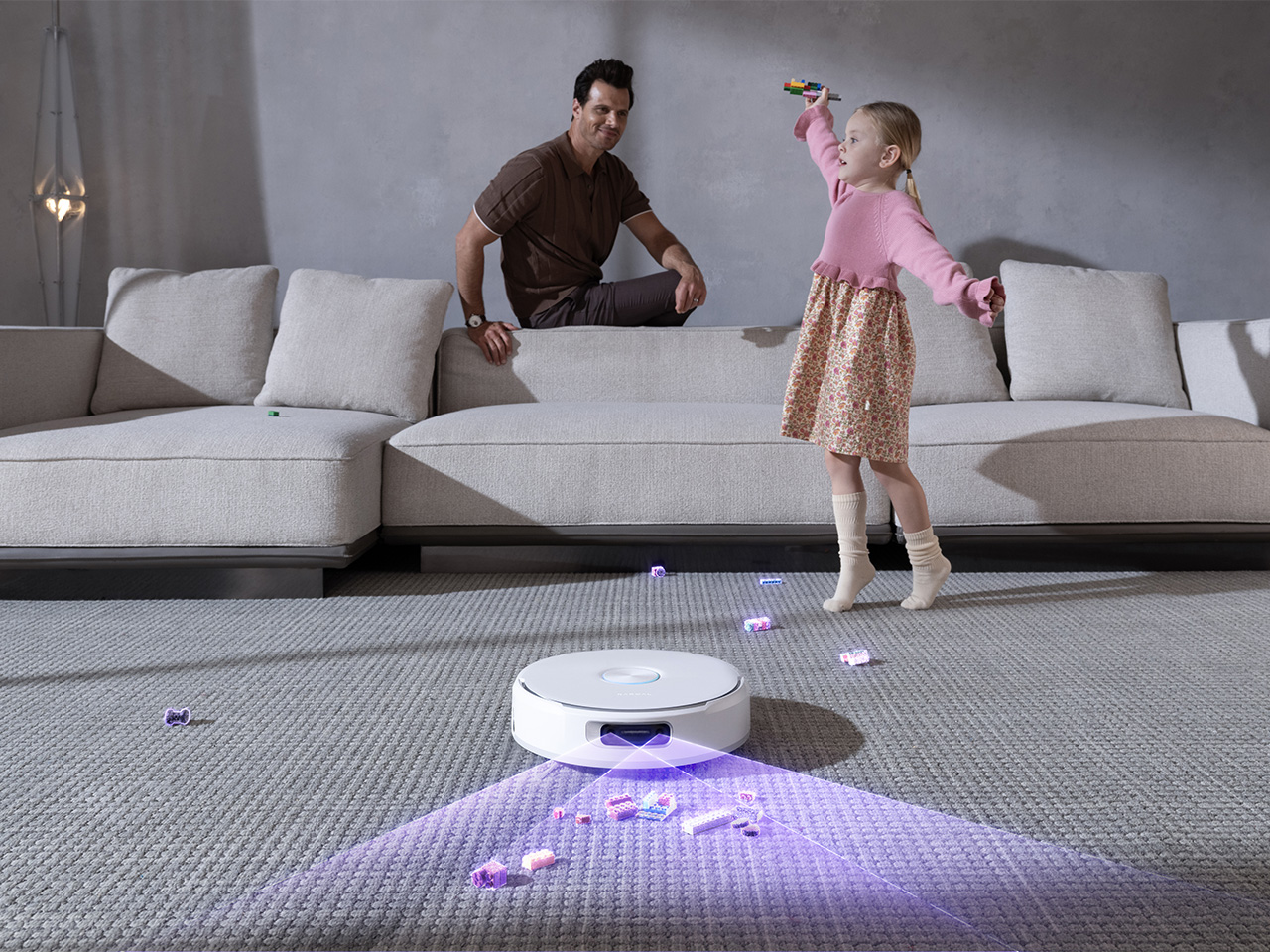
That is part of what makes Narwal’s Flow 2 White interesting. Yes, this is the brand’s 2026 flagship in a new pure white colorway built for modern, light-toned interiors. Yes, the industrial design has been carefully tuned around a quieter, more architectural presence in the home. But one of the clearest expressions of that thinking is Baby Care Mode, which supports quieter cleaning around nursery areas while toy recognition logs misplaced items on the map after each run. In other words, the design story here goes deeper than color. It is about a robot vacuum that has started adapting itself to the rhythms of the room.
The robot vacuum category spent most of the 2020s competing on suction numbers. 10,000 Pa became 20,000, then 31,000, and somewhere in that escalation the floors got clean enough that raw power stopped being an interesting conversation. The smarter brands pivoted toward perception: cameras, obstacle recognition, map intelligence, multi-floor awareness. That shift produced genuinely useful improvements. But the household as a social environment, full of schedules, sleeping infants, anxious pets, and the particular chaos of family life, has remained something the machine cleans around rather than one it genuinely accounts for. Most robot vacuums know how to move through a home. Far fewer seem designed around how a home actually feels.
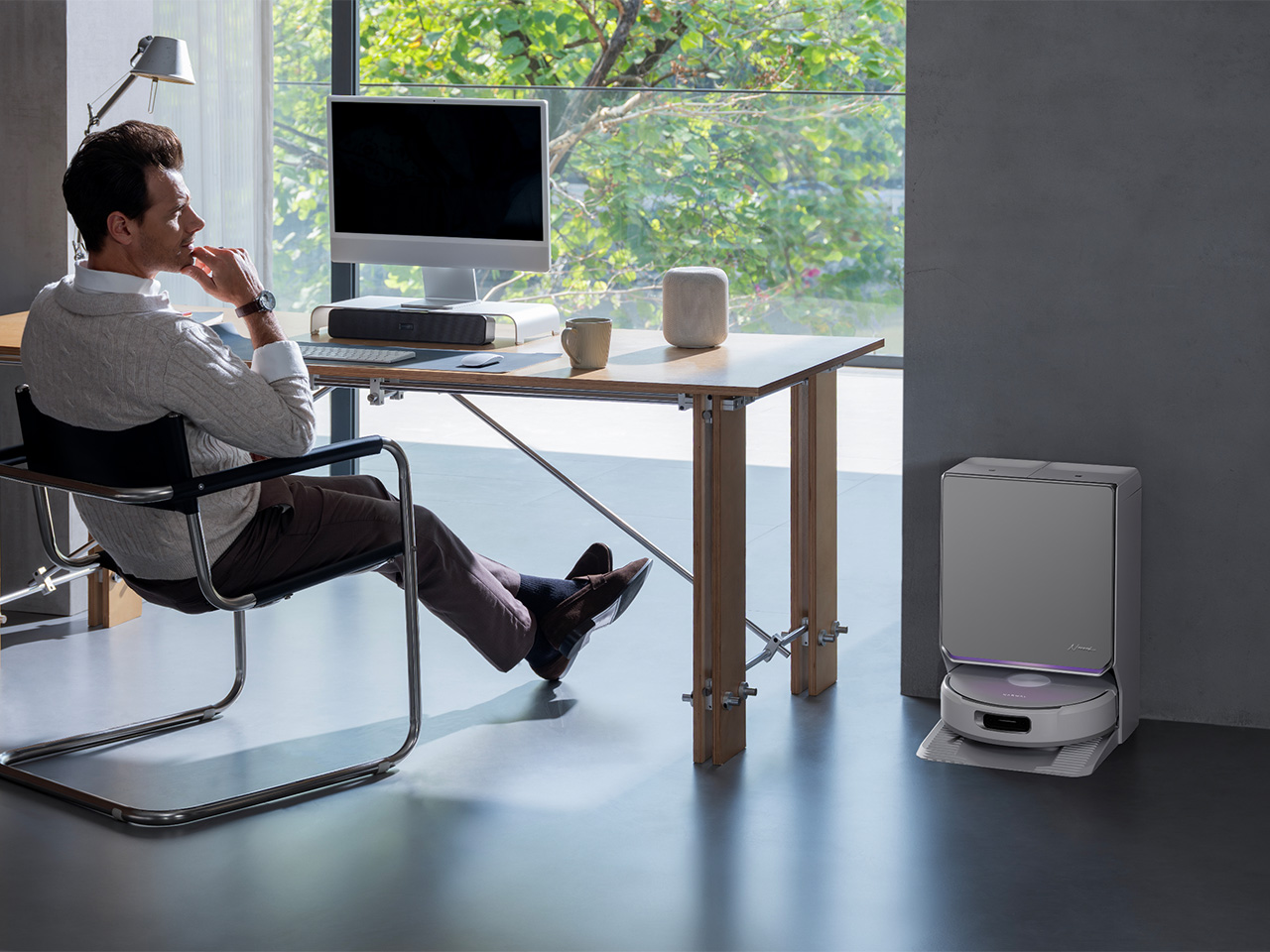
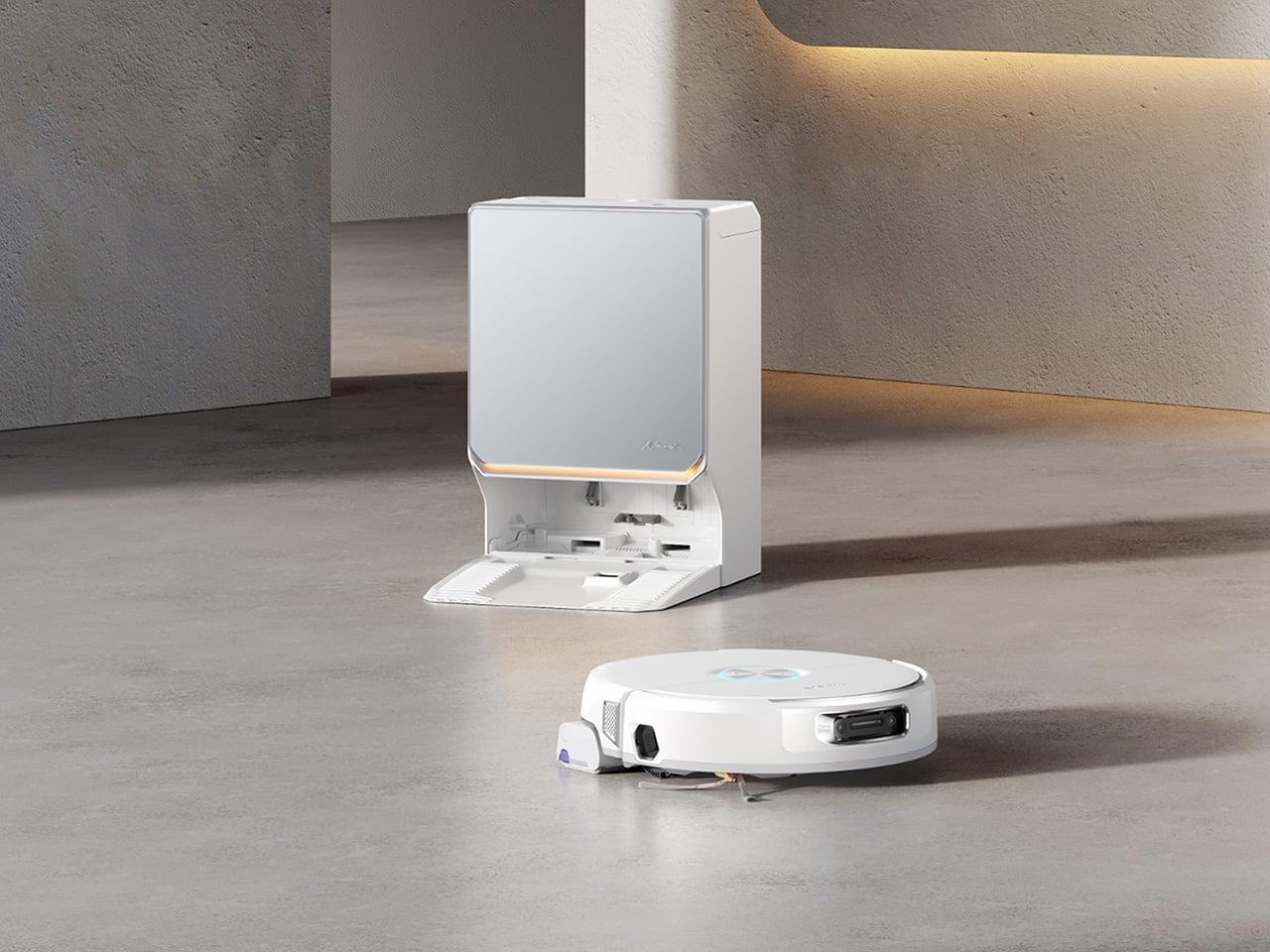
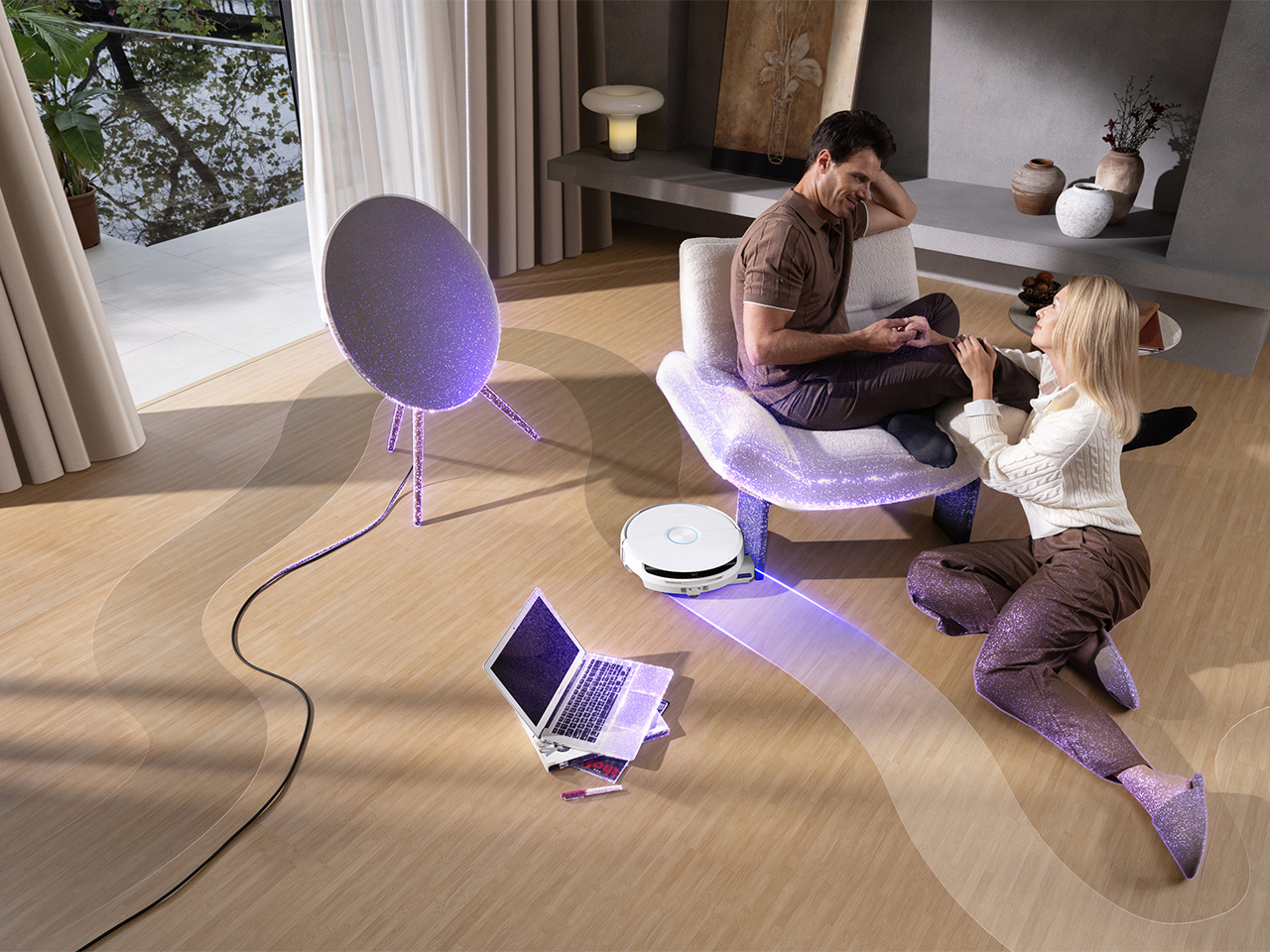
Flow 2 White leans into that missing layer from the moment you look at it. Narwal’s new colorway is framed around what the brand calls a quiet luxury approach, and the visual cues back that up. The base station uses a frosted glass-textured front panel that catches and softens light rather than bouncing it harshly back into the room. A slim ambient status light bar communicates the robot’s state with a low-key visual rhythm. The semi-enclosed silhouette gives the dock and robot a more unified presence, so the whole system feels composed rather than pieced together. In homes shaped by pale wood, cream textiles, soft daylight, and open-plan layouts, that kind of approach shows how much Narwal sees their tech as functional decor built around their ‘quiet luxury’ ethos.
It also helps that the softer aesthetic is tied to behavior, not only appearance. Baby Care Mode returns the conversation from styling to use, because it shows how Narwal is thinking about domestic context in practical terms. A quieter cleaning mode around nursery areas is the sort of feature that immediately makes sense to anyone who has rearranged an entire evening around a sleeping child. Toy recognition adds another layer of household awareness, turning the robot’s mapping system into something slightly more useful than a floor plan with room labels. It starts to feel like a machine designed with family life in mind, rather than one designed in isolation and later dropped into it.
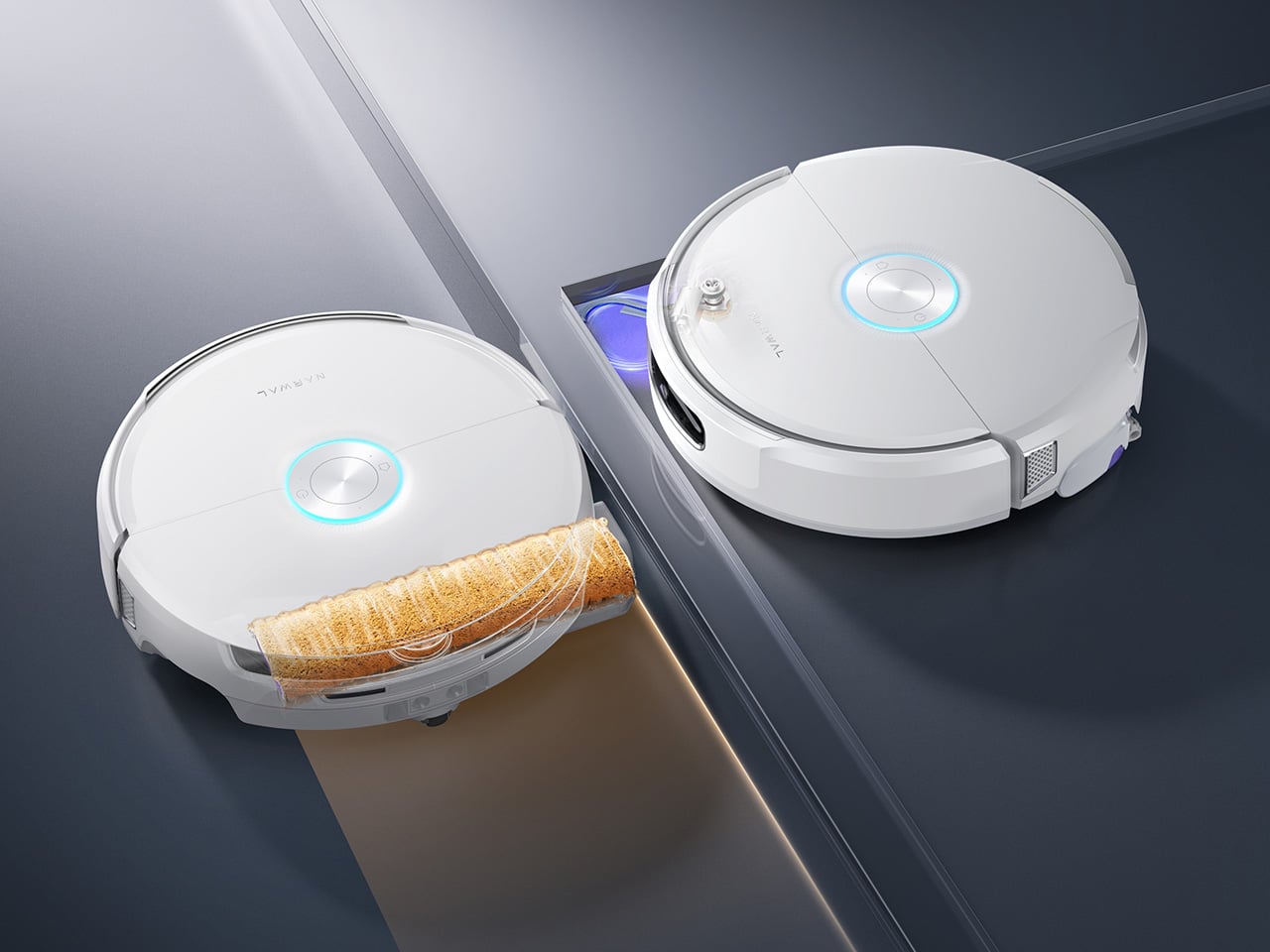
Underneath that calmer exterior, Narwal has kept the flagship hardware story intact. The proprietary FlowWash Mopping System uses a high-speed track mop that rotates at over 100 times per minute and delivers 140 degree Fahrenheit heated water to keep the mop clean throughout each cycle. On paper that reads like another premium cleaning spec. In practice, it addresses one of the category’s most persistent weak points: robot mops that push grime around after the first serious spill. Narwal’s treadmill-style self-cleaning approach feels aimed at that exact frustration, especially in kitchens, entryways, and pet-heavy homes where the mess changes texture by the hour. The Flow 2 White also carries 31,000 Pa suction, CarpetFocus technology, a certified detangling system for 0 percent hair tangling, and a self-emptying base station with up to 120 days of maintenance-free use. The visual language may be quieter now, but the performance story has not been dialed down with it.
The same goes for intelligence. Flow 2 White runs on the NarMind Pro Autonomous System, which combines an onboard AI processor with a cloud-based VLM Omni Model for broader object recognition and more adaptive obstacle handling. Plenty of brands now promise smarter navigation, but the difference increasingly comes down to how that intelligence is applied. Here, the system adjusts cleaning strategies based on what it detects, improves edge coverage, boosts overall efficiency, and reduces the amount of babysitting the robot needs from the user. Pet Mode detects pet-active areas for deeper cleaning and can help locate pets remotely with Find My Pet, while AI Floor Tag identifies valuable objects and sends alerts through the app. The result sounds technical, but the real appeal is simple: fewer interruptions, fewer rescues, and fewer moments where the robot behaves like it understands the map but not the home.
That may be the strongest case for Flow 2 White as a whole. It arrives at a moment when premium robot vacuums are all converging toward similar checklists of suction, mapping, self-cleaning docks, and AI-assisted navigation. Narwal’s opportunity here lies in pushing the conversation somewhere slightly more mature. The white colorway and quiet luxury detailing make the product easier to live with visually. Features like Baby Care Mode and toy recognition make it easier to live with behaviorally. Together, they point toward a category that is finally thinking beyond floor care alone.
The Narwal Flow 2 White will be available starting July 16 with a launch price of $1,099.99, discounted from its $1,499.99 MSRP through July 31. That places it firmly in flagship territory, where buyers expect strong cleaning performance, meaningful automation, and design that justifies the footprint such a device takes up in the home. For people living in bright, modern interiors, the visual refresh alone will have obvious appeal. For parents, pet owners, and anyone who has grown tired of appliances that treat the home like a test lab instead of a lived space, the more interesting story is the one underneath: a robot vacuum that seems increasingly shaped by the habits, moods, and messes of the people around it.
































 Pro Autonomous System, which combines an onboard AI processor with a cloud-based VLM Omni Model for broader object recognition and more adaptive obstacle handling. Plenty of brands now promise smarter navigation, but the difference increasingly comes down to how that intelligence is applied. Here, the system adjusts cleaning strategies based on what it detects, improves edge coverage, boosts overall efficiency, and reduces the amount of babysitting the robot needs from the user. Pet Mode detects pet-active areas for deeper cleaning and can help locate pets remotely with Find My Pet, while AI Floor Tag identifies valuable objects and sends alerts through the app. The result sounds technical, but the real appeal is simple: fewer interruptions, fewer rescues, and fewer moments where the robot behaves like it understands the map but not the home.