5 Best Retro Handhelds That Play PS1 Classics for Under $130

Sony’s next console is on the horizon, but a growing number of gamers are looking backward instead. The PS6 will almost certainly launch north of $500, and for that price, entire libraries of PlayStation classics remain locked behind aging hardware, digital storefronts, or subscription tiers that rotate titles in and out on a whim. Meanwhile, a parallel market of pocket-sized emulation handhelds has quietly exploded over the past two years, putting decades of retro gaming into devices that cost less than a single DualSense controller.

These handhelds won’t run God of War Ragnarök, and nobody is pretending they will. What they can do is play through Final Fantasy VII, Castlevania: Symphony of the Night, Crash Bandicoot, and thousands of other PS1 titles at full speed, often with save states, fast-forward, and display filters that the original hardware never offered. Search interest in retro gaming handhelds has grown 173% year over year, and the devices fueling that demand sit at a price under $130. Five of them stand out from the flood.

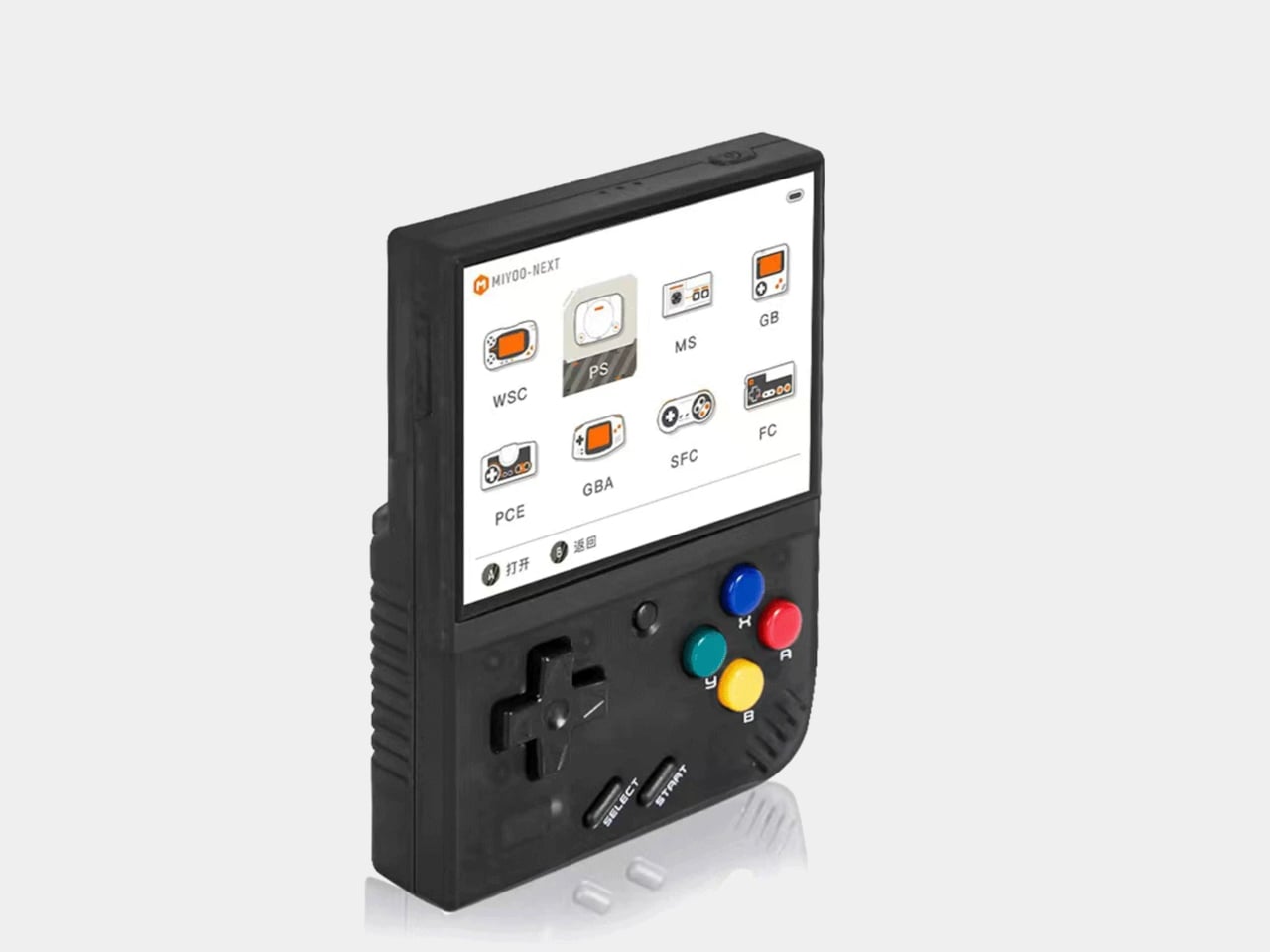
Miyoo Mini Plus
The device that started the modern budget handheld craze still holds its own, even two years after launch. The Miyoo Mini Plus runs on a Sigmastar SSD202D processor with just 128MB of RAM, specs that sound laughable on paper but prove more than sufficient for everything up to and including PS1. Its 3.5-inch IPS display at 640×480 fills a vertical body small enough to disappear into a jacket pocket, and the 3000mAh battery stretches to seven hours with the right custom firmware installed.

Designer: Miyoo

That firmware, OnionOS, is the real reason this device remains so widely recommended. Built and maintained by a dedicated community of developers, OnionOS transforms the Miyoo Mini Plus from a competent emulator into one of the most polished retro gaming experiences available at any price. Features like automatic save-on-shutdown, RetroAchievements integration, and a game switcher that lets you hop between titles without returning to the menu give it a level of software refinement that devices costing three times as much still struggle to match.

What we like

  • OnionOS custom firmware with a polished, intuitive interface
  • Genuinely pocketable
  • Strong PS1 performance despite modest hardware

What we dislike

  • Extended sessions can cause hand cramps
  • No Bluetooth audio, no HDMI output

Anbernic RG35XX Plus
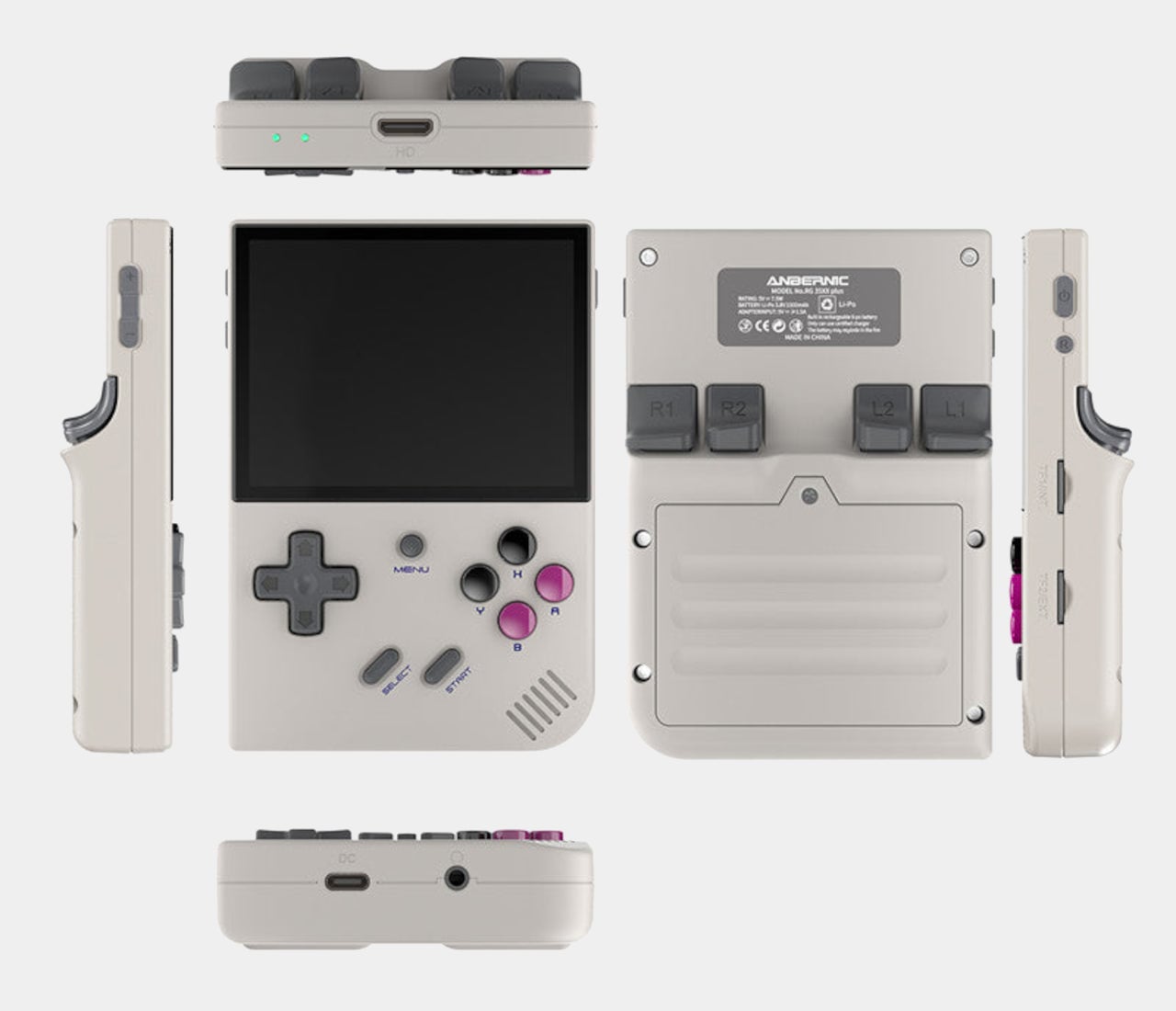
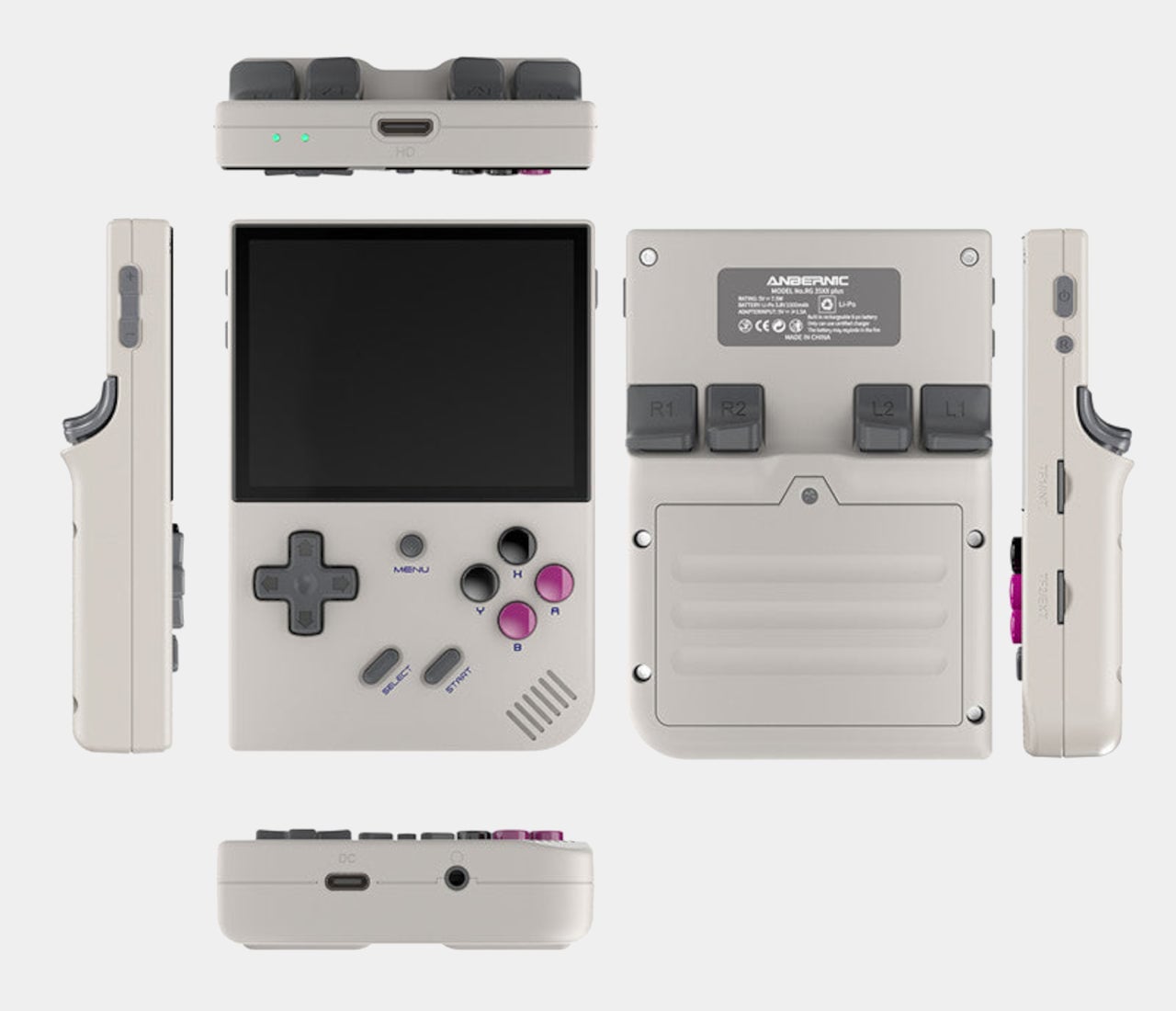
Anbernic’s answer to the Miyoo Mini Plus arrived with a meaningful hardware advantage and a familiar form factor. The RG35XX Plus swaps in an Allwinner H700 quad-core Cortex-A53 processor with 1GB of LPDDR4 RAM, a substantial leap over the Miyoo. That additional horsepower translates directly into smoother PS1 emulation and opens the door to Dreamcast and Nintendo DS titles that the Miyoo simply cannot handle, all wrapped in a horizontal Game Boy-inspired shell.

Designer: ANBERNIC

Connectivity is where the RG35XX Plus pulls further ahead. Wi-Fi 5, Bluetooth 4.2, and a mini HDMI port come standard, which means this handheld can double as a TV-connected retro console when paired with a wireless controller. Dual microSD card slots support up to 512GB each, and the 3300mAh battery delivers around eight hours of play. The trade-off is software: the stock firmware is rough enough that most owners immediately replace it with GarlicOS, a community-built alternative that requires sideloading via SD card.

What we like

  • Best price-to-performance, handling PS1, Dreamcast, and DS titles
  • Mini HDMI output and Bluetooth

What we dislike

  • Stock firmware can be a bit clunky

Powkiddy RGB30

Most handhelds in this price bracket borrow their proportions from the Game Boy or the PS Vita, but the Powkiddy RGB30 charts its own course with a 4.0-inch square IPS display running at 720×720. That 1:1 aspect ratio is a deliberate choice, not a gimmick. Retro games from the NES through the PS1 era were designed for 4:3 screens, and a square panel accommodates that ratio with minimal letterboxing while giving Game Boy titles a perfect native fit. The taller body this requires also gives the D-pad and dual analog sticks room to breathe.

Designer: POWKIDDY

Under the hood, a Rockchip RK3566 quad-core processor clocked at 1.8GHz, and 1GB of LPDDR4 RAM keep things moving. PS1 games run without issue, and the device extends into Dreamcast, some N64, and limited PSP territory. The 4100mAh battery is the largest on this list, rated for eight hours. Stereo speakers and Wi-Fi round out a feature set that punches above its $70 price point. Build quality, though, remains a step behind Anbernic’s hardware, with a plastic shell that feels lighter and less refined than the competition.

What we like

  • The 1:1 square screen is a thoughtful design decision for retro titles
  • Large battery at 4100mAh

What we dislike

  • Unremarkable build quality

Trimui Smart Pro S
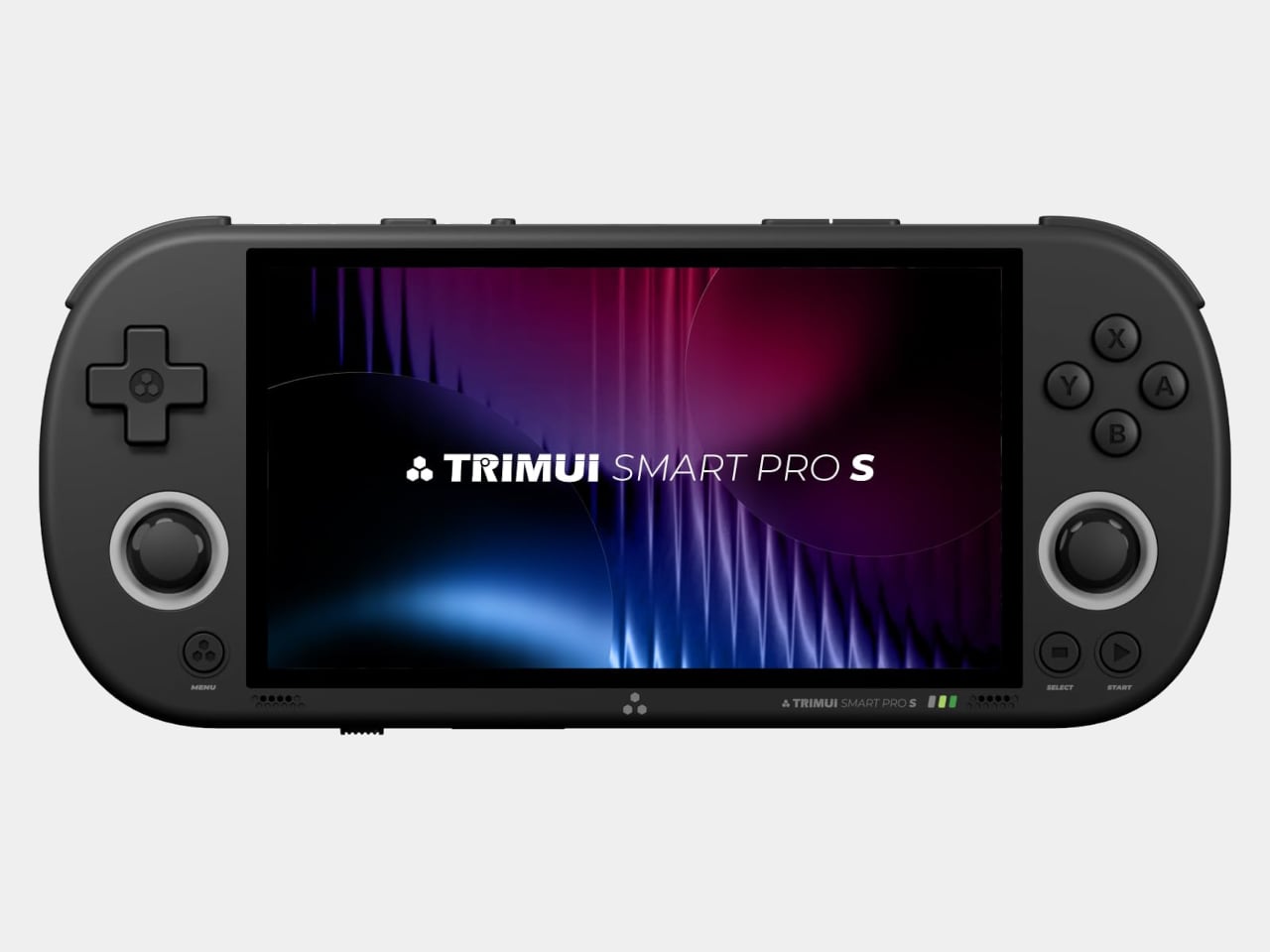
The Trimui Smart Pro S occupies the top of the sub-$100 bracket and makes a strong case for spending the extra money. It packs an Allwinner A133P processor and a Mali-G57 GPU that Trimui claims delivers 2.5 times the graphics performance of the original Smart Pro. In practice, this means PS1 runs flawlessly, Dreamcast and N64 titles play at full speed, and most PSP games are smooth enough to enjoy without constant tweaking. A 4.96-inch IPS display at 1280×720 presents all of it on the largest screen in this roundup.

Designer: Trimui

The hardware refinements extend beyond the processor. TMR hall-effect analog sticks eliminate drift concerns and support L3/R3 clicks, larger trigger buttons improve ergonomics over the predecessor, and an active cooling fan prevents thermal throttling during extended sessions. A 5000mAh battery provides around five hours of play, and stereo speakers with a vibration motor round out a surprisingly complete package. The PS Vita-inspired form factor is comfortable for long stretches but makes the device less pocketable than smaller alternatives, and the 16:9 widescreen wastes real estate when displaying 4:3 retro content.

What we like

  • Powerful hardware
  • Hall-effect analog sticks and active cooling
  • Large 4.96-inch screen

What we dislike

  • The 16:9 widescreen aspect ratio isn’t good for retro gaming
  • Bulky and heavy

Retroid Pocket Classic
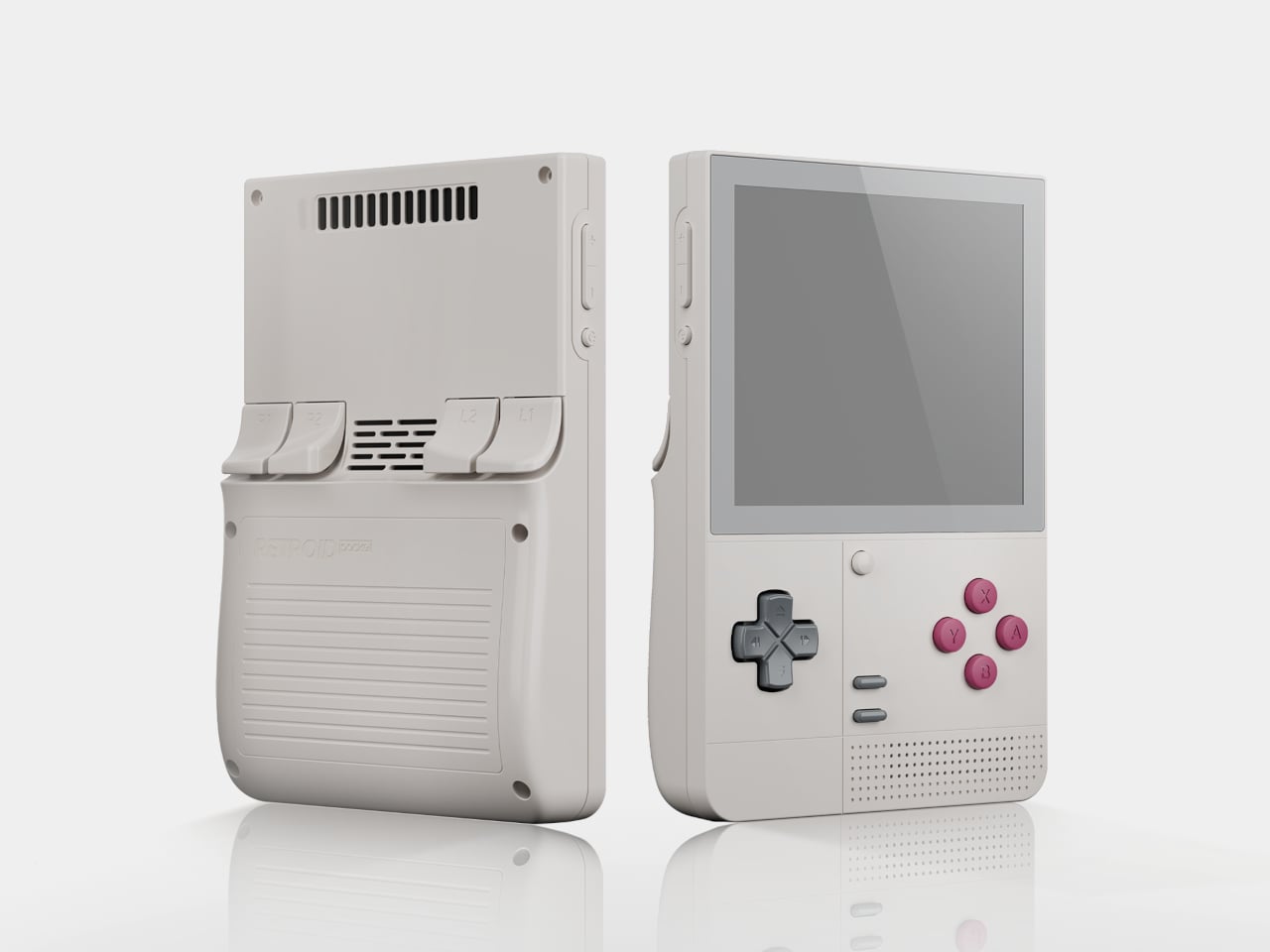
The Retroid Pocket Classic pushes past the $100 mark at $129 for the current available model, but it earns its place on this list by being the only device here running Android and the only one with an AMOLED screen. That 3.92-inch panel at 1240×1080 delivers deeper blacks and more saturated colors than any IPS display in this bracket, and the Snapdragon G1 Gen 2 processor paired with up to 6GB of RAM puts it in a different performance class entirely. PS1 is effortless here. GameCube, PS2, and Saturn emulation become viable options.

Designer: Retroid

Running Android 14 with Google Play Store access means the Retroid Pocket Classic can function as more than a dedicated emulator. Streaming apps, cloud gaming services, and native Android titles all run alongside the retro emulation suite. A 5000mAh battery with 27W fast charging, active cooling, and Bluetooth 5.1 complete the picture. The vertical Game Boy-inspired body lacks analog sticks, which limits comfort with 3D-heavy titles from later console generations. Unlike the Linux devices on this list, the Retroid Pocket Classic ships without any pre-loaded games, requiring users to supply their own ROMs from the start.

What we like

  • 3.92-inch AMOLED display
  • Android 14 with Google Play Store access
  • Powerful Snapdragon G1 Gen 2 processor

What we dislike

  • A bit costly for a retro gaming handheld
  • No analog sticks

The post 5 Best Retro Handhelds That Play PS1 Classics for Under $130 first appeared on Yanko Design.
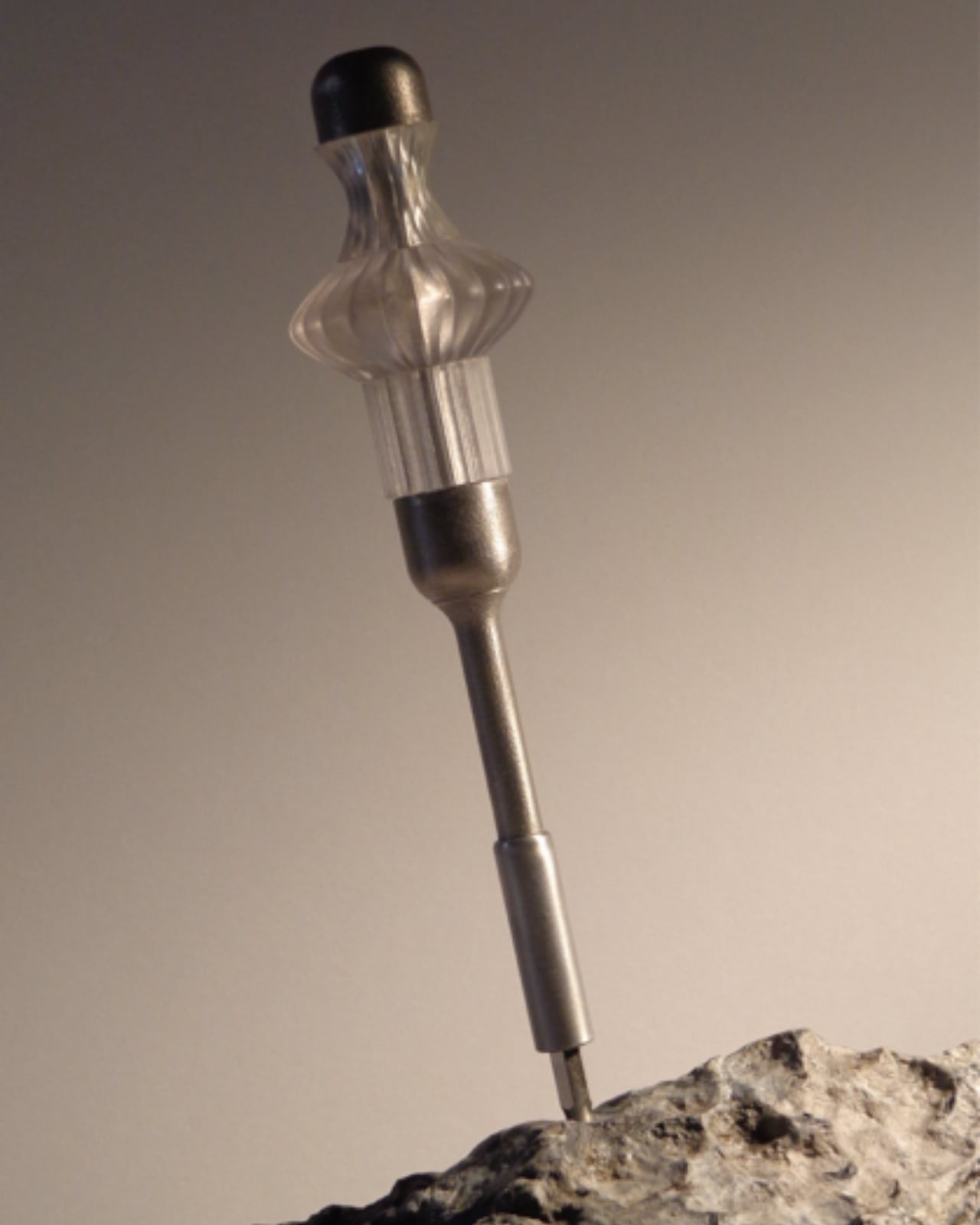
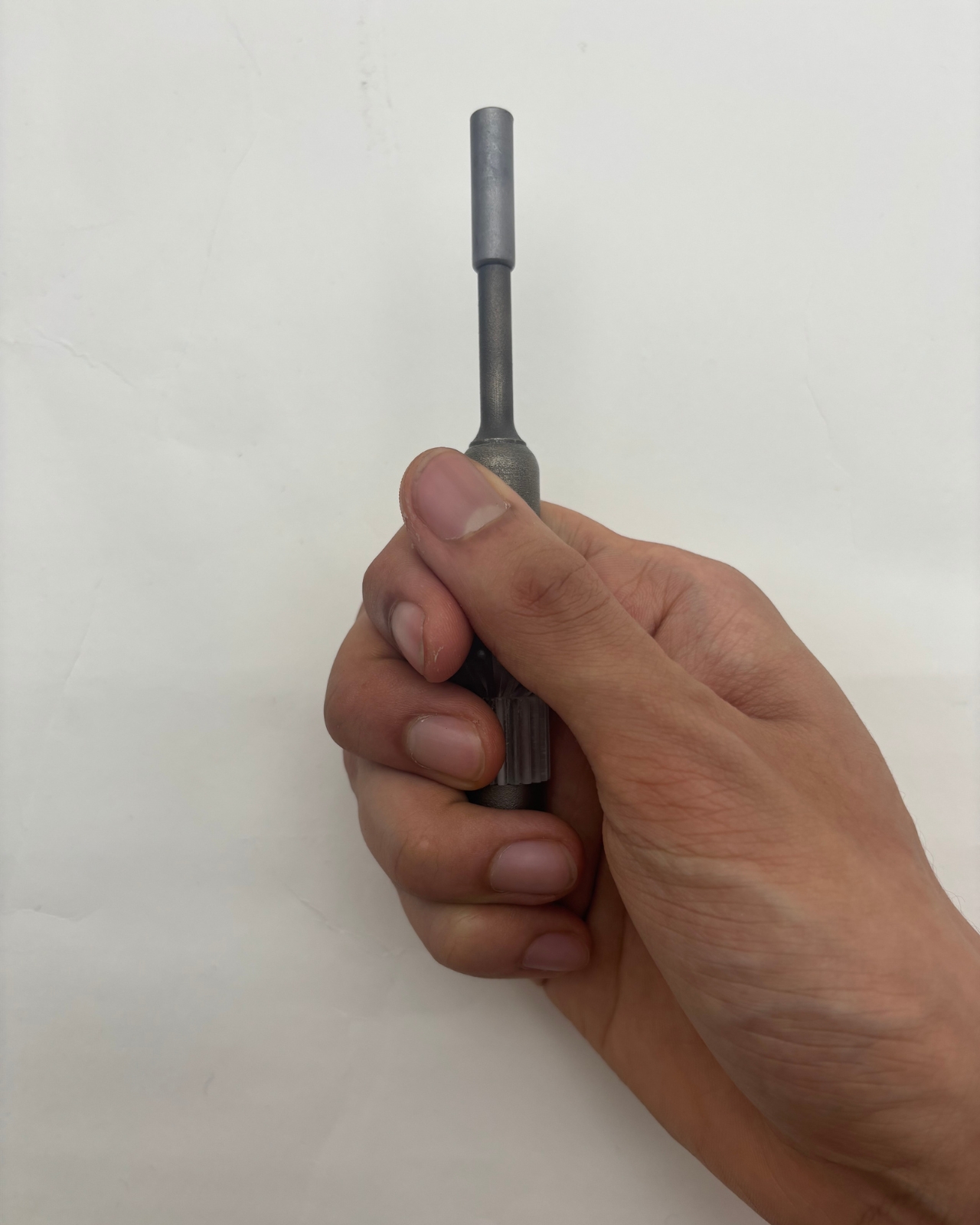
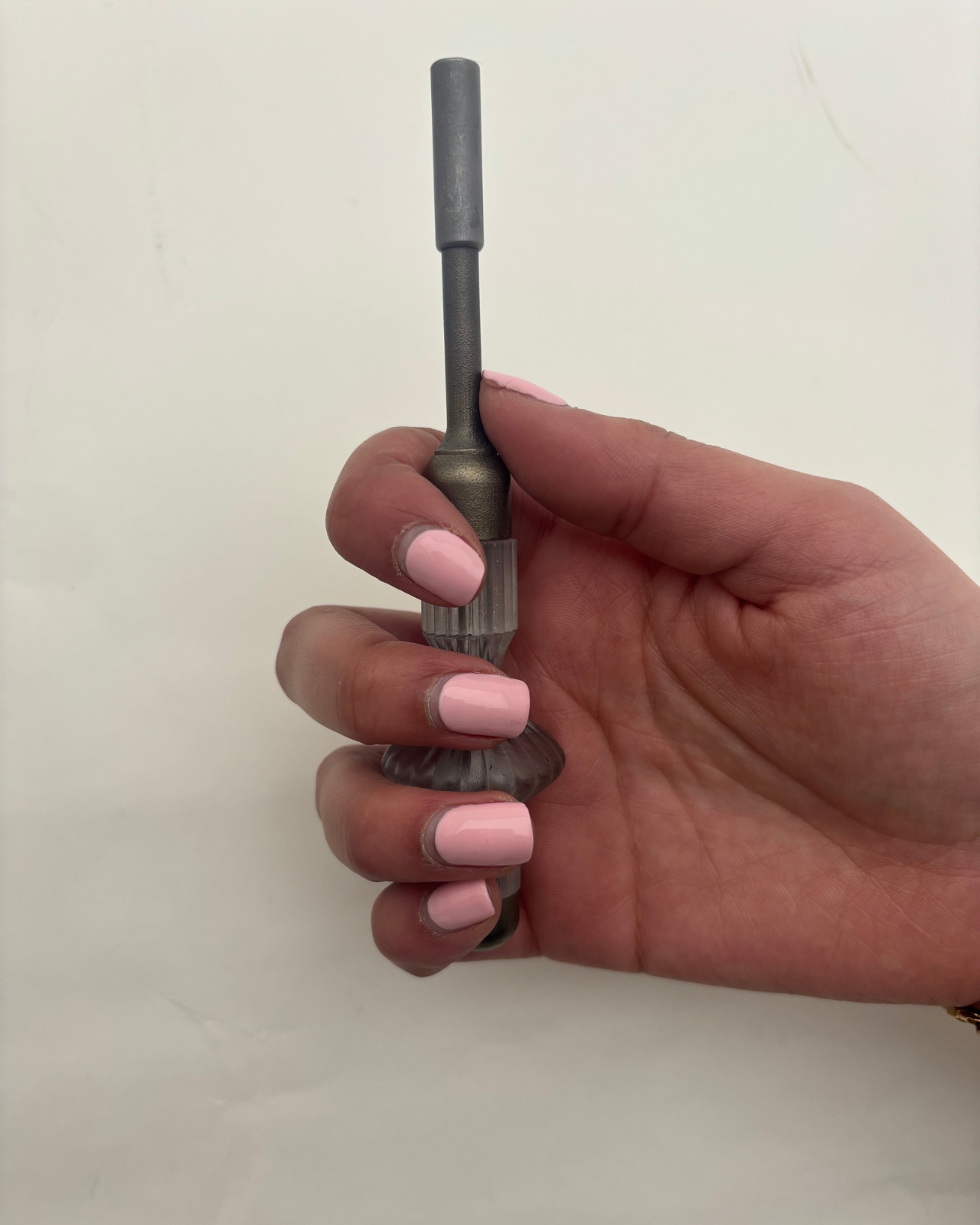
The First Screwdriver With an Open-Source Handle You Redesign Yourself

There’s a quiet arrogance built into most tools. Someone in a design studio somewhere decided how your hand should hold a screwdriver, how long the shaft should be, how thick the grip ought to feel. They tested it on a handful of people, ran the ergonomic studies, picked a shape, and shipped it to millions. The assumption is always the same: one form, optimized for an average that doesn’t actually exist, should work for everyone.

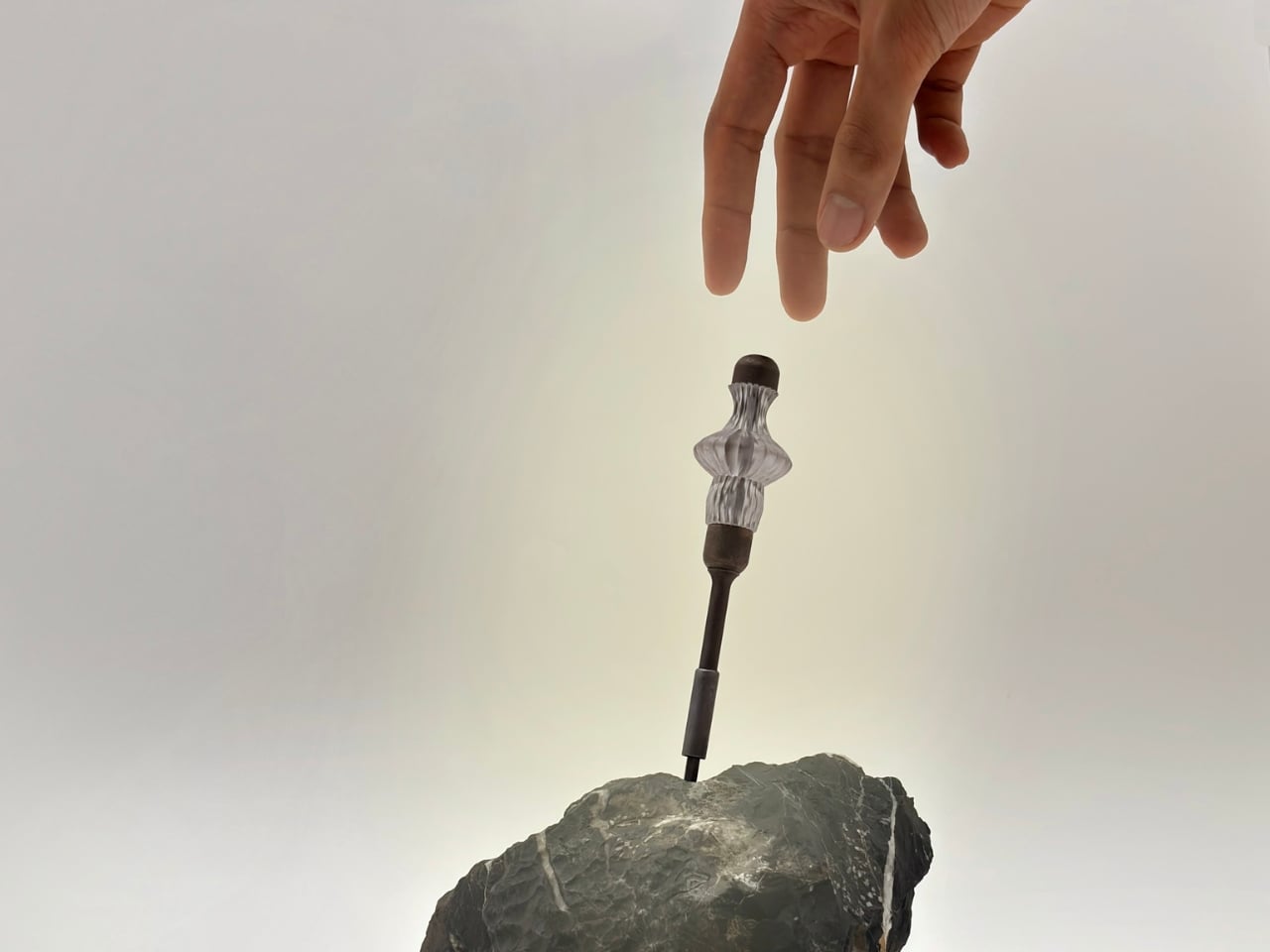
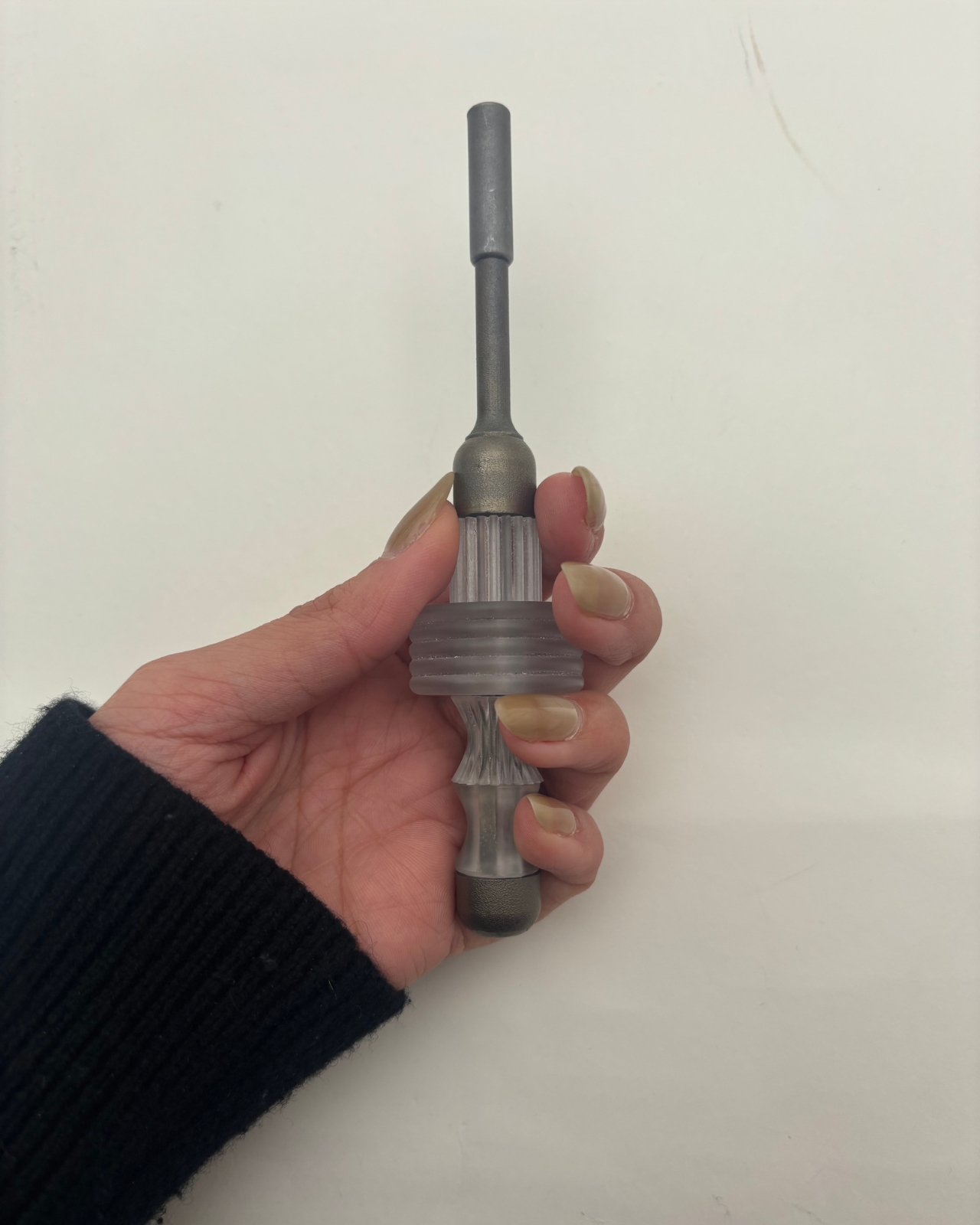
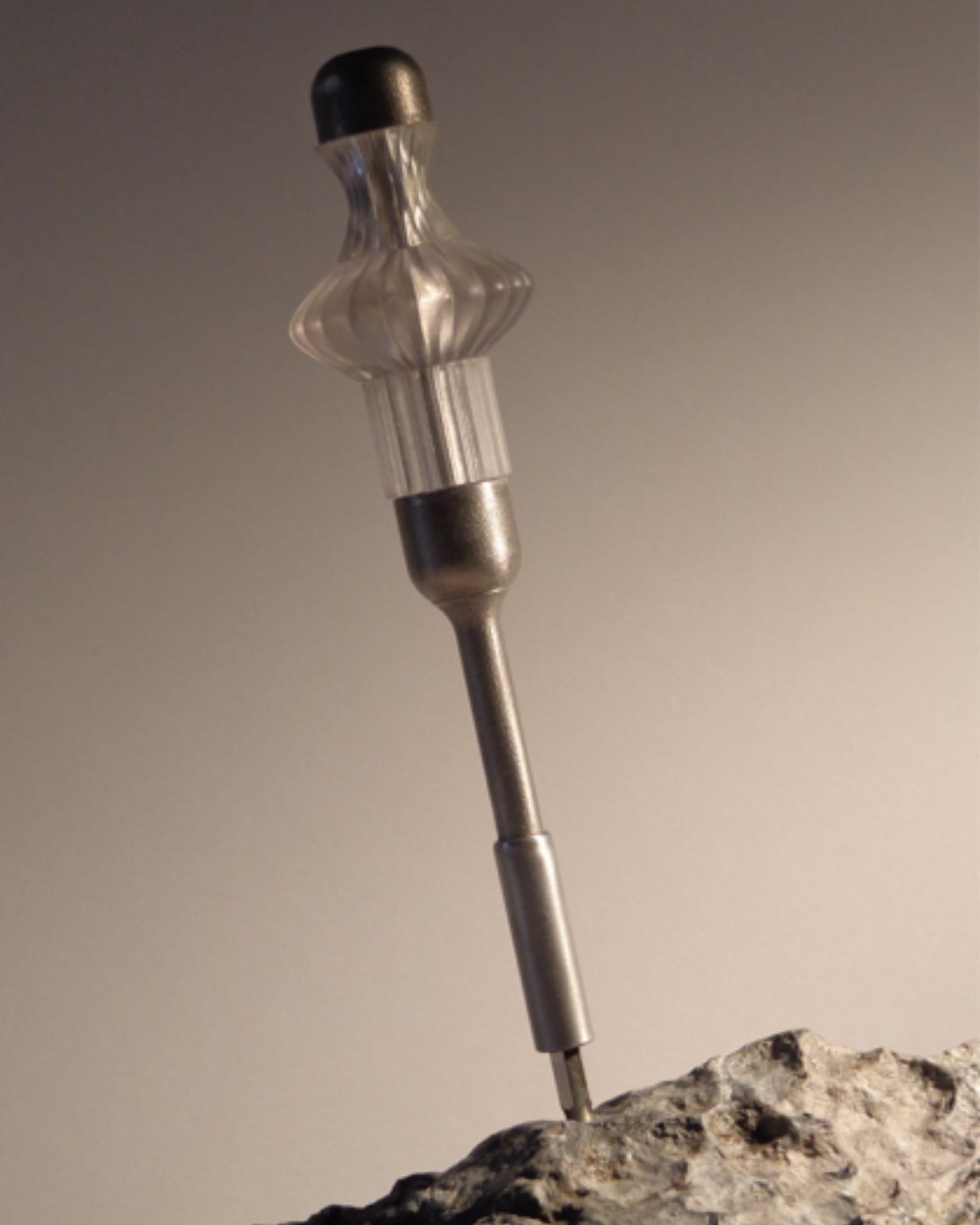
Siddhant Rai Garg’s final-year project at Central Saint Martins, titled Not Just Another Screwdriver, starts from a different place entirely. It asks a question that most product designers avoid because the answer is inconvenient: what if the person holding the tool is actually the best person to decide what it should feel like?

Designer: Siddhant Rai Garg

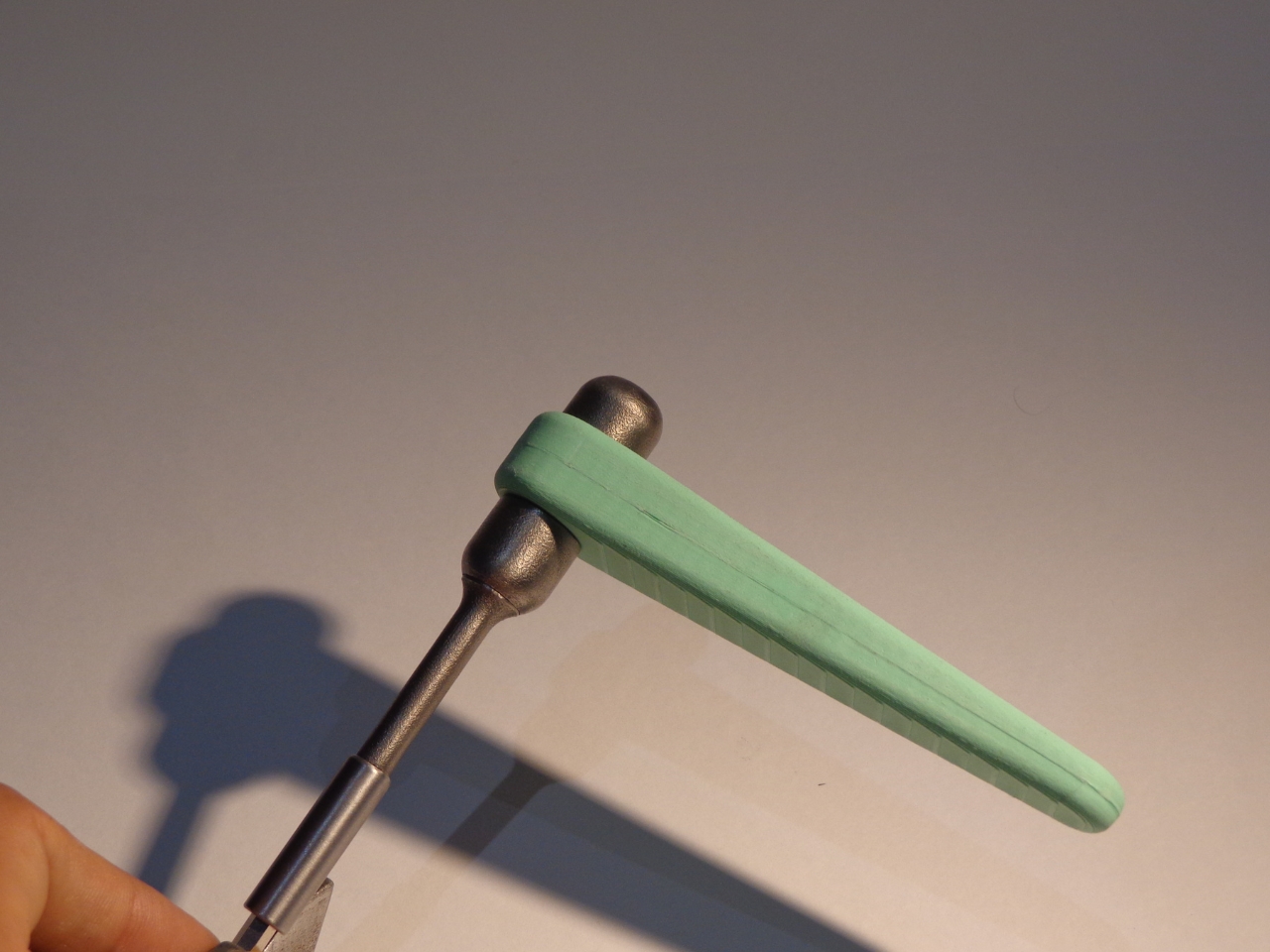
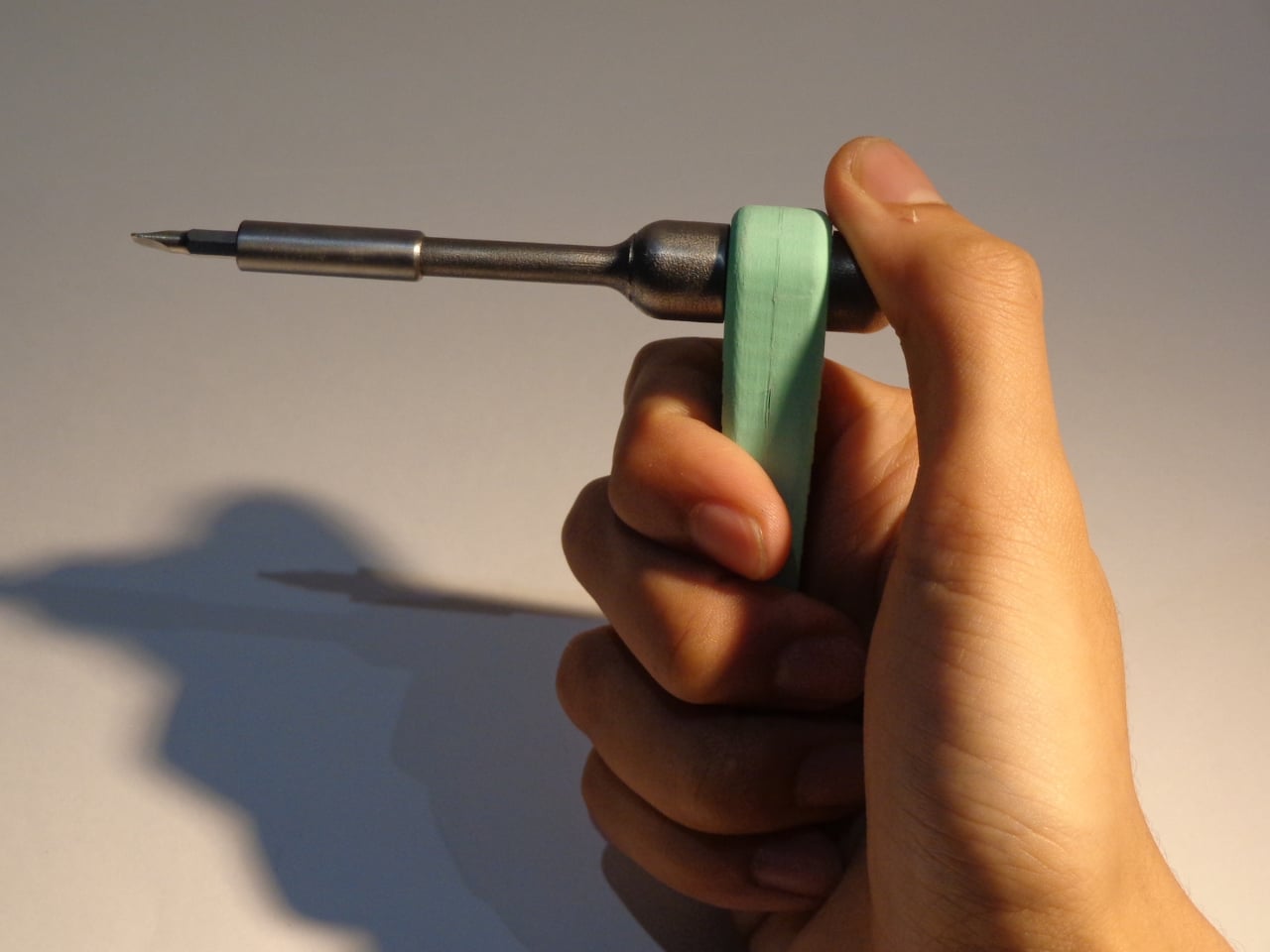
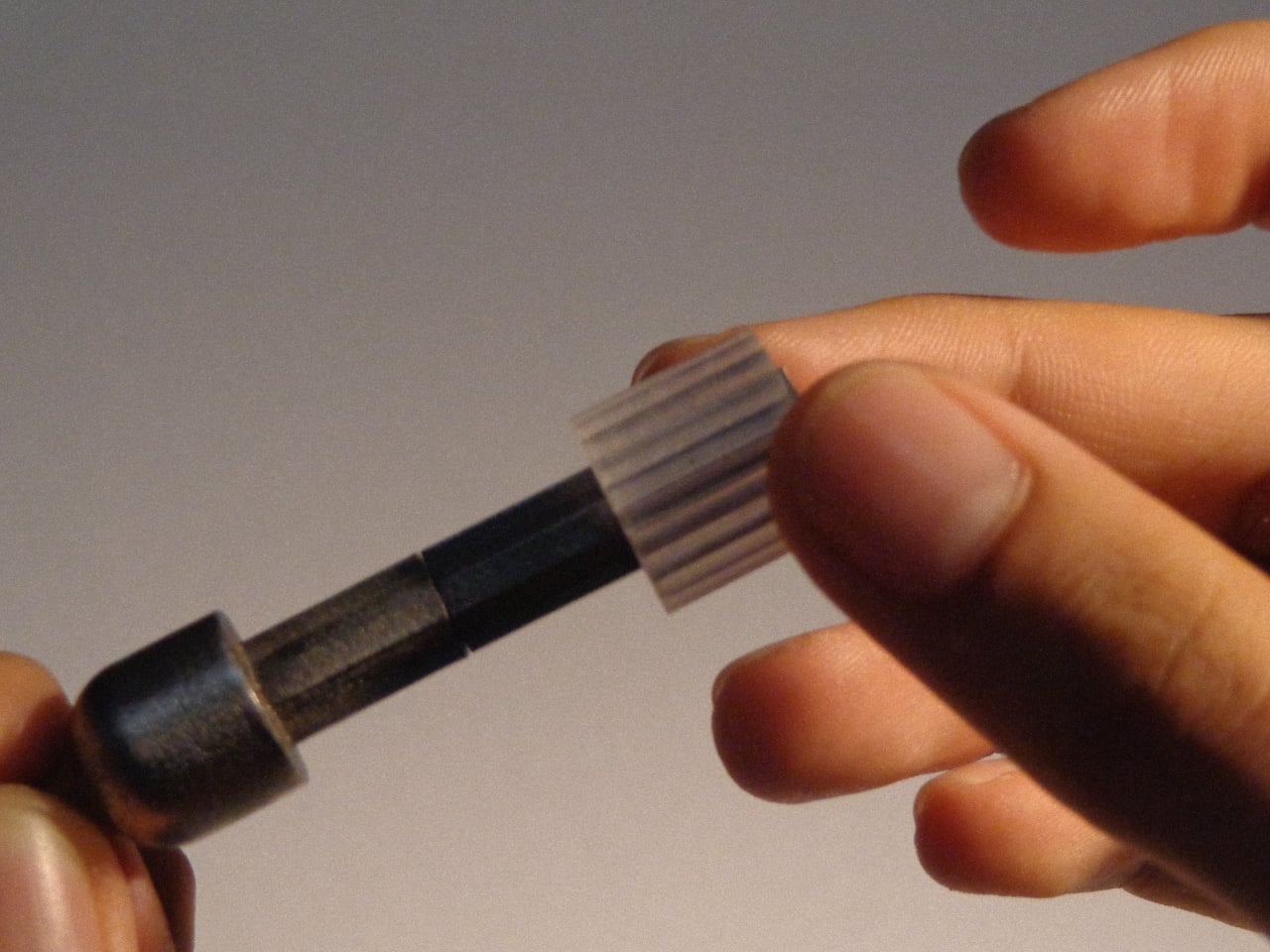
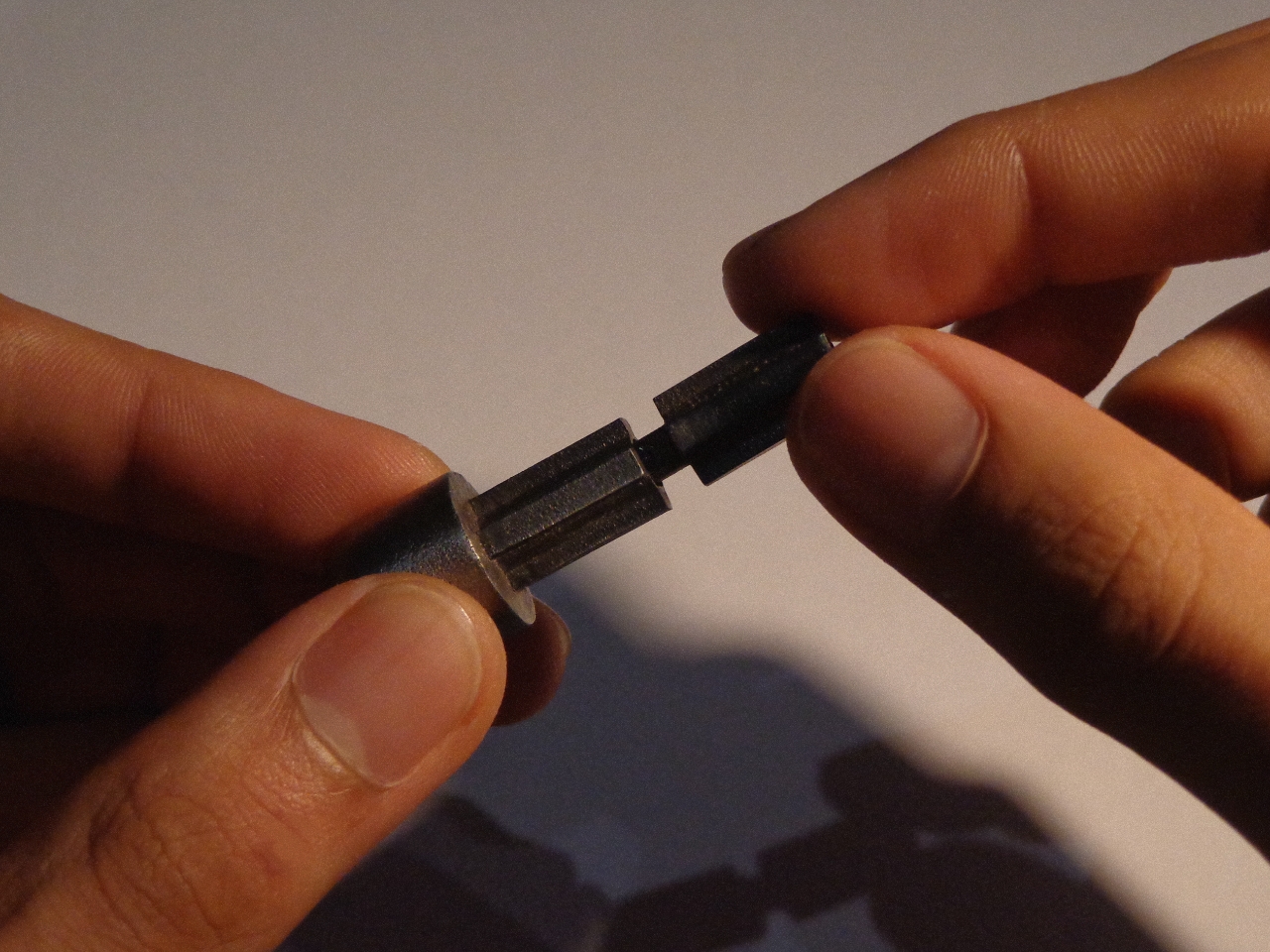
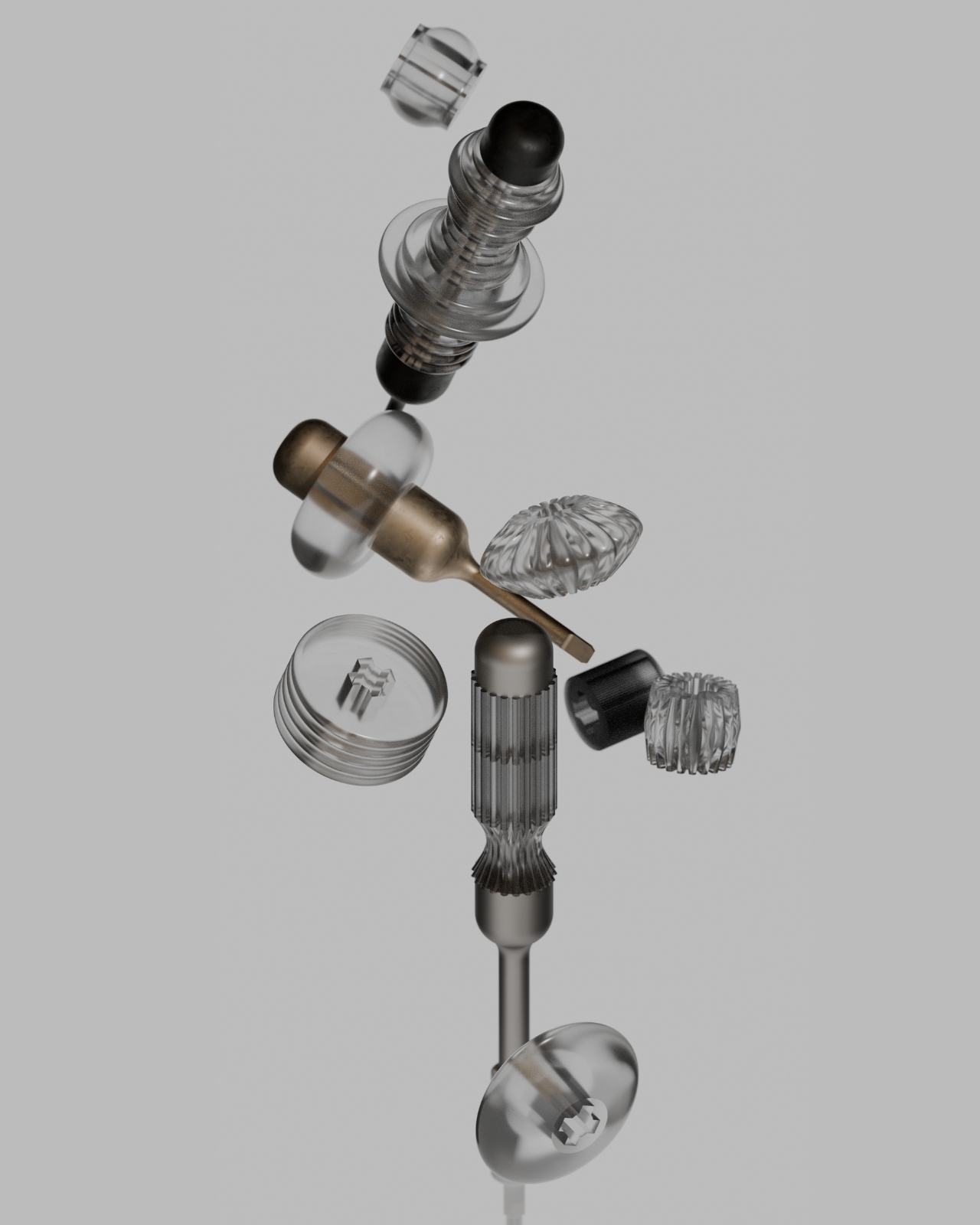
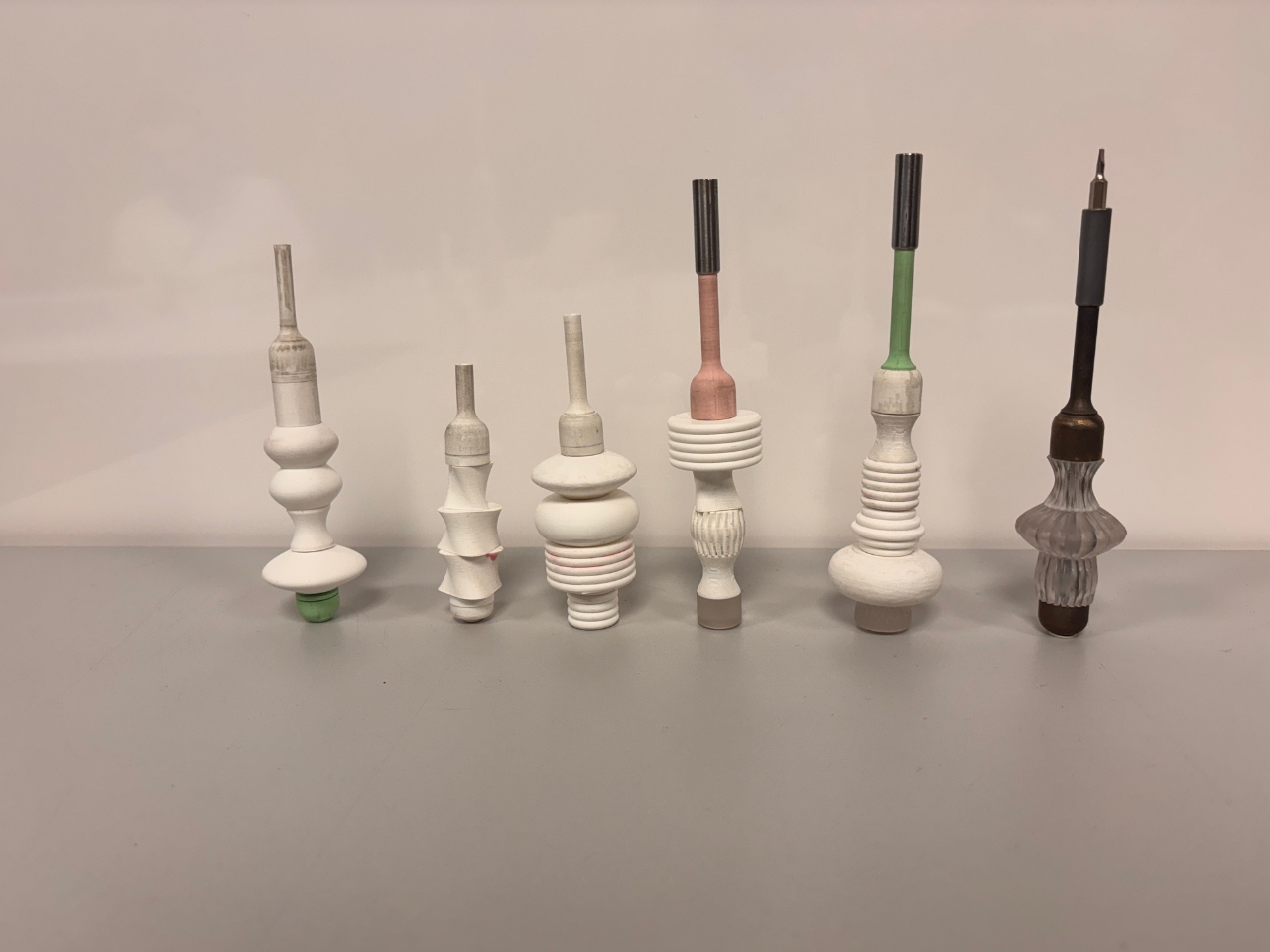
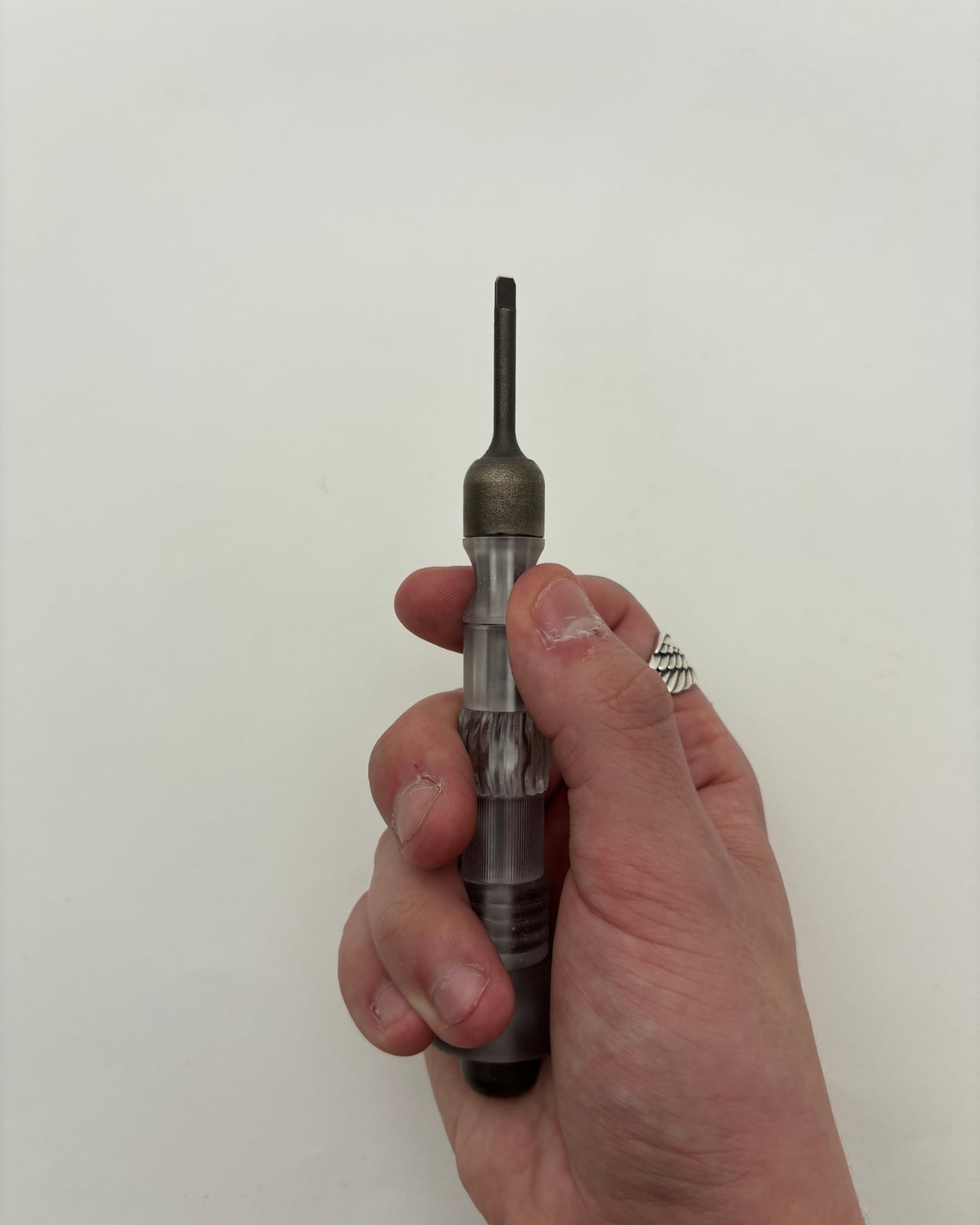
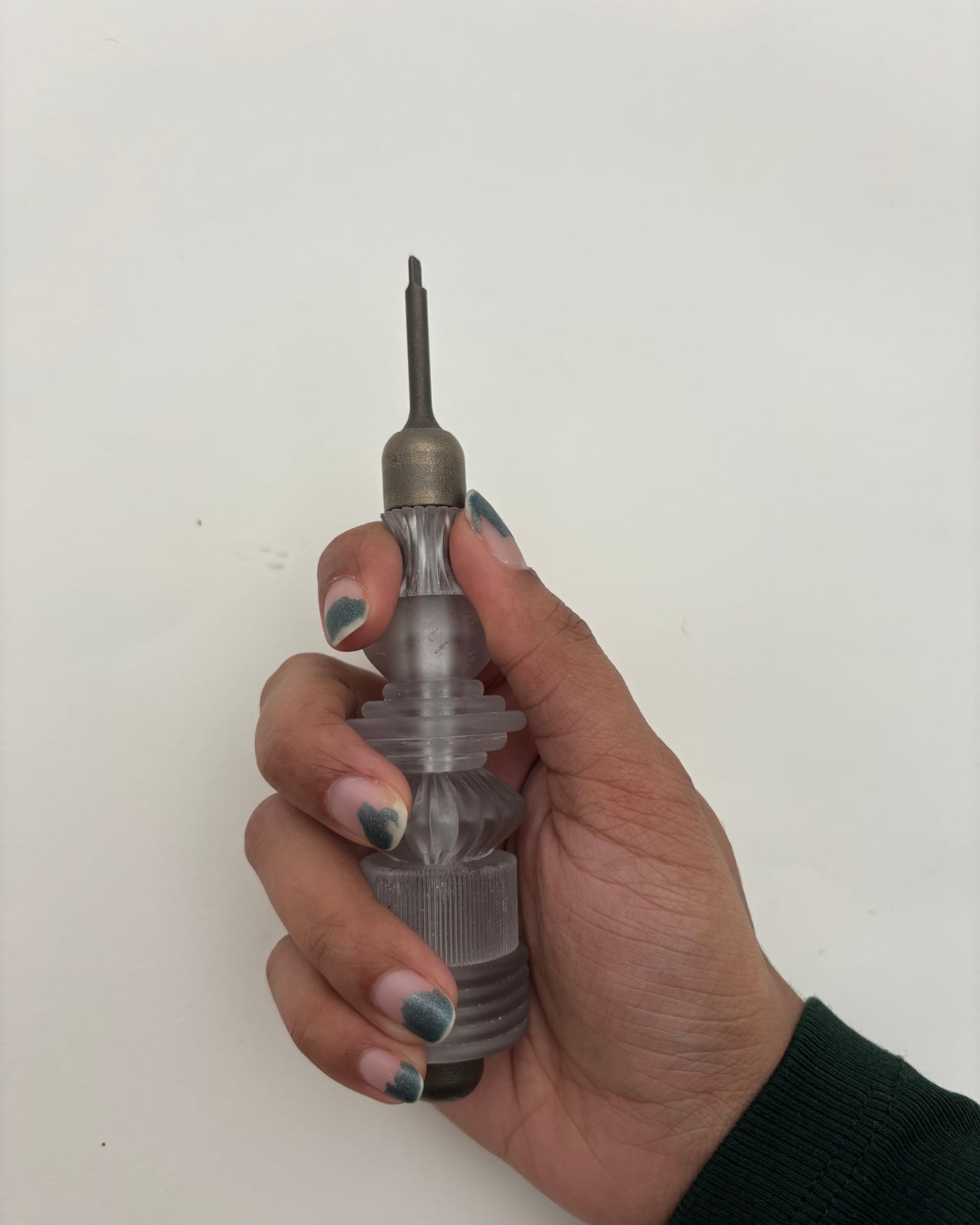
The system is deceptively simple in concept. A permanent titanium spine handles all the structural work, the torque, the load, the mechanical reality of driving a screw. Everything else around it, the grip, the length, the feel, is modular and replaceable. Segments can be added or removed to change the tool’s reach. Grip files are open-source, meaning anyone with access to a 3D printer or a block of wood and some patience can shape their own handle. The titanium core stays. Everything around it is yours to define.

What makes this interesting isn’t really the engineering, though the material separation between structural and non-structural components is genuinely clever. It’s the philosophical shift. Most product design operates on a model of authority: the designer knows best, the user receives the finished object, and any modification is either warranty-voiding or just plain weird. Garg’s project flips that relationship. The designer provides a skeleton and a set of rules. The user provides the identity.

I find this compelling because it confronts something the design world talks about constantly but rarely acts on: sustainability through longevity. We’ve all heard the pitch about buying fewer, better things. But “better” almost always means “more expensive and more permanent,” which assumes the first version of a product will remain the right version forever. That’s not how people work. Our hands change, our tasks change, our preferences change. A tool that can’t change with us eventually becomes waste, no matter how well it was made.

Not Just Another Screwdriver sidesteps this by making the most resource-intensive part, the titanium spine, the permanent element, while letting the lightweight, low-cost components around it evolve freely. It’s not asking you to commit to one perfect screwdriver for life. It’s asking you to keep the bones and swap the skin whenever you need to.

There’s also something worth noting about the open-source dimension. Releasing grip designs as downloadable, modifiable files is a deliberate act of giving up control. In an industry that guards intellectual property fiercely, choosing to let users become co-designers is a statement about where value actually lives. It suggests that a tool’s worth isn’t locked into its factory finish but grows through use and adaptation.

Of course, a final-year project isn’t a product on shelves. There are real questions about whether most people want this level of involvement with their screwdriver, whether the modularity holds up under years of heavy use, and whether open-source grip files would actually build a community or just sit on a server somewhere. These are fair challenges.

But the idea itself feels like it belongs to a larger shift happening across design, one that treats users less like consumers of finished objects and more like participants in an ongoing process. We’re seeing it in modular electronics, in open-source furniture, in customizable prosthetics. Garg’s contribution is taking that thinking and applying it to something so ordinary, so taken-for-granted, that most of us never think to question it.

A screwdriver is a solved problem. Except it isn’t, not if you believe that the person using it deserves a say in how it feels in their hand. That’s what makes this project worth paying attention to. Not because it reinvents the screwdriver, but because it reconsiders who gets to decide what a screwdriver is.

The post The First Screwdriver With an Open-Source Handle You Redesign Yourself first appeared on Yanko Design.

Redmi Buds 8 Pro Review: This €69.90 Earbud Punches Way Above Its Weight

PROS:


  • Clear and balanced sound with rich bass

  • Strong ANC performance for the price

  • Comfortable, stable fit in the ears

  • Responsive touch controls with the slide for volume

CONS:


  • Not integrated with Google Find My Device

RATINGS:

AESTHETICS
ERGONOMICS
PERFORMANCE
SUSTAINABILITY / REPAIRABILITY
VALUE FOR MONEY

EDITOR'S QUOTE:

At this price, the combination of triple drivers, solid ANC, and excellent fit makes the Redmi Buds 8 Pro hard to beat.

Redmi Buds 8 Pro arrives as Redmi’s more ambitious take on everyday wireless earbuds. They aim to combine punchy sound, serious noise cancellation, and gaming-friendly latency in a package that still feels relatively affordable. This is not a basic budget pair built only for casual background listening, and it clearly wants to feel like a step up the moment you start using it.

What makes them interesting is how they chase premium style features without making the experience feel intimidating. The triple driver setup is the headline, but the real promise is a well-rounded daily companion that can handle commuting, workouts, and long listening sessions with minimal fuss. At 399 CNY in China, the value story is hard to ignore, and the key question is whether the real-world experience matches that strong first impression.

Designer: Xiaomi

Aesthetics

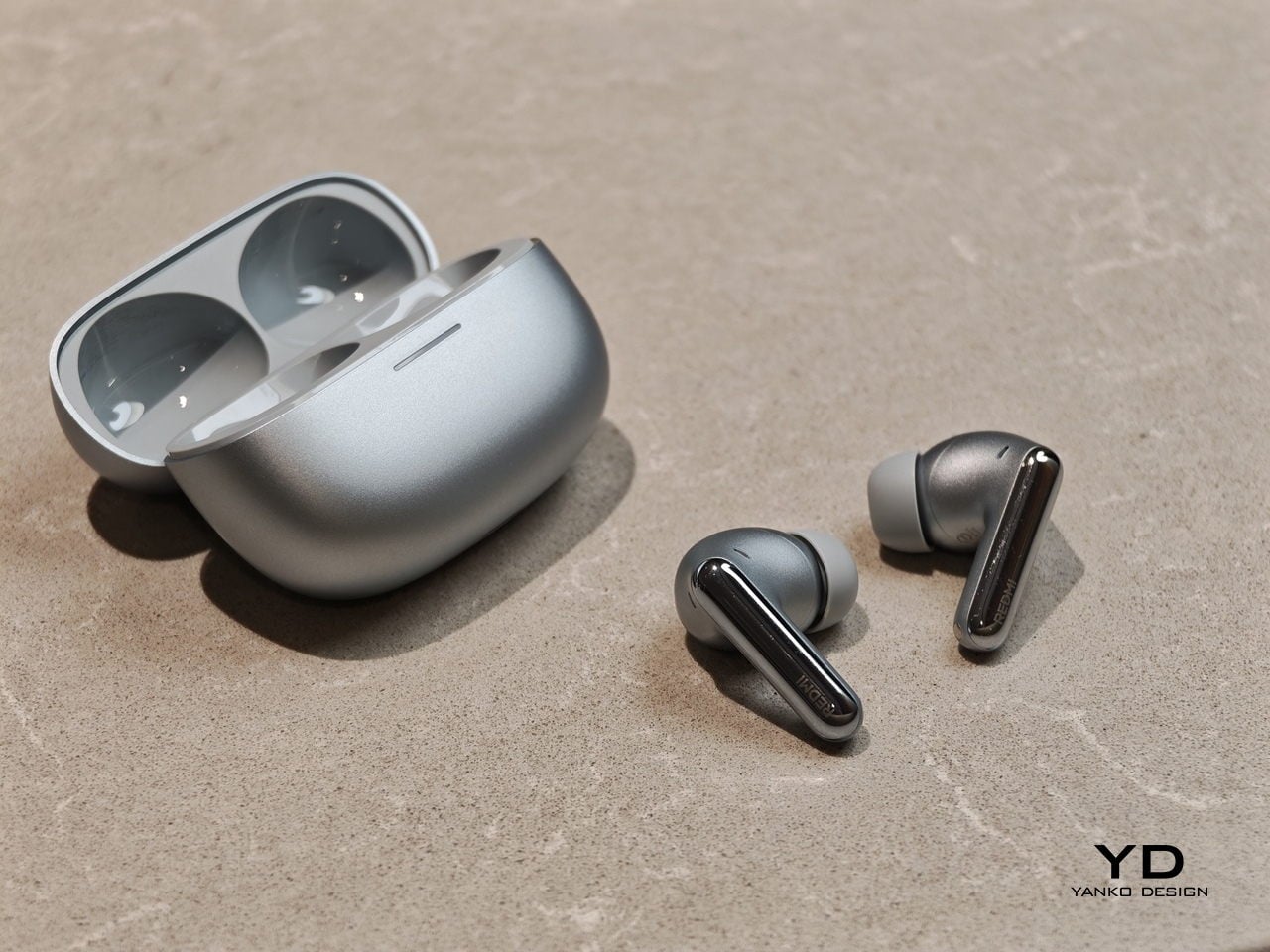
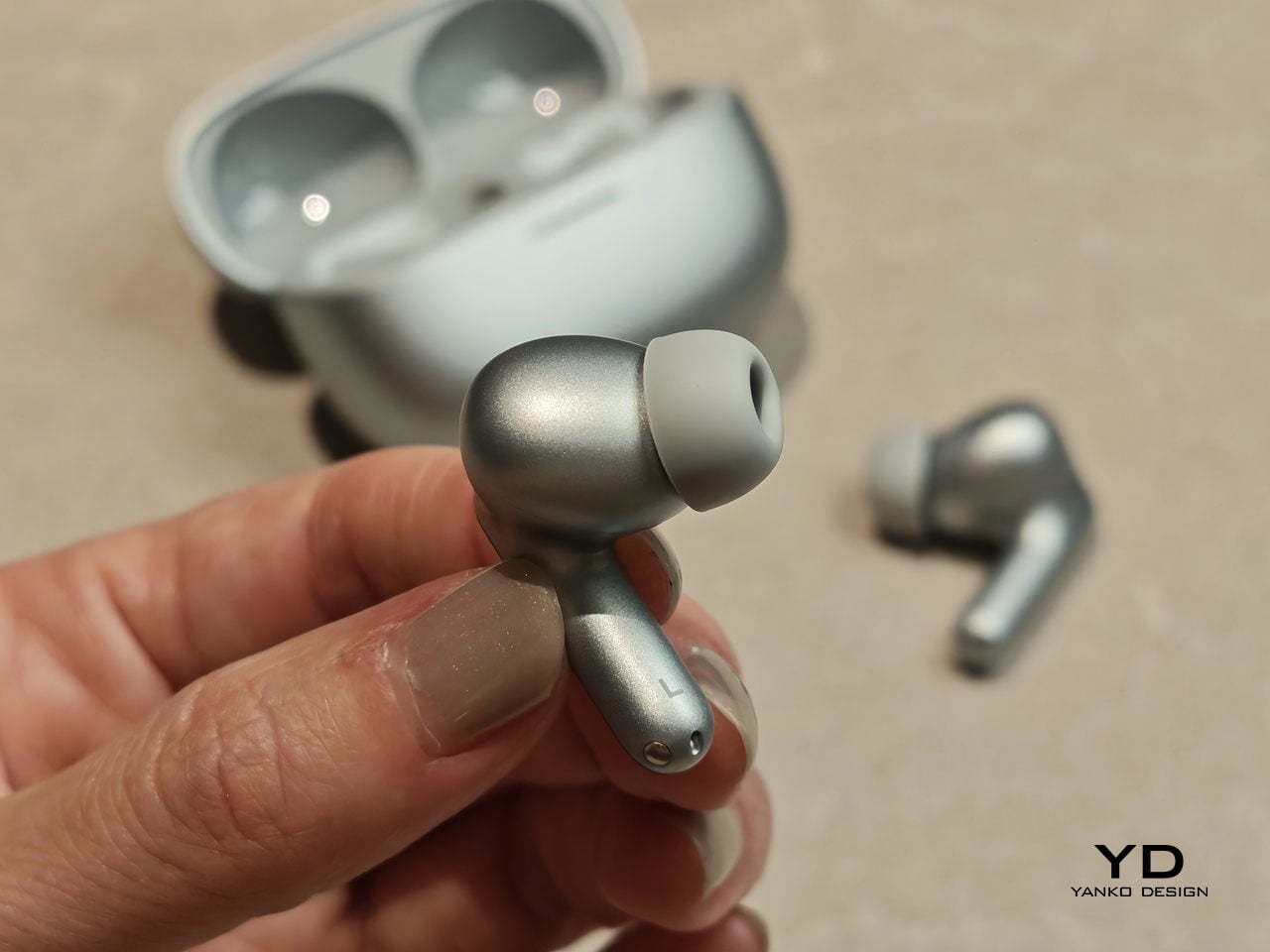
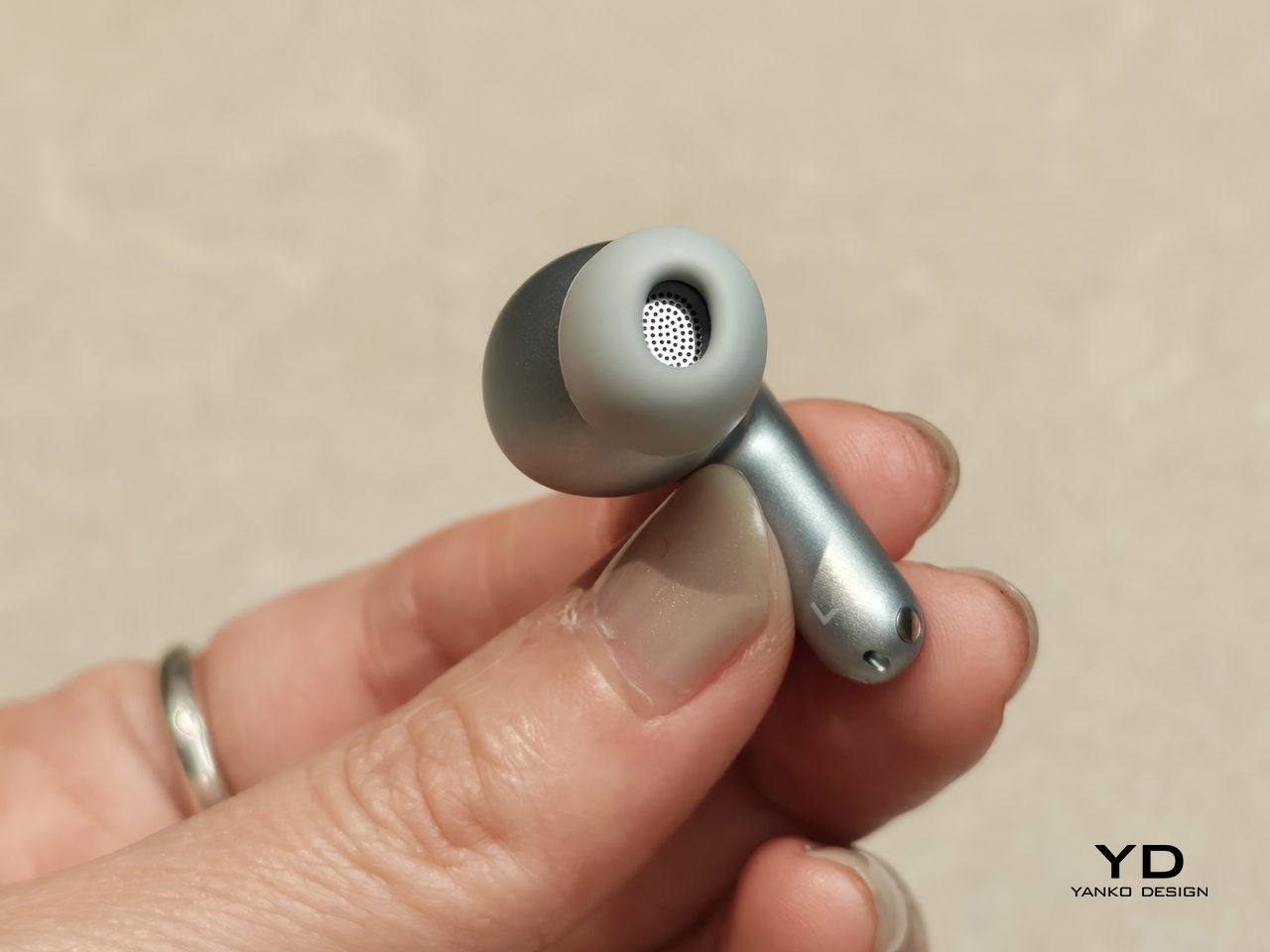
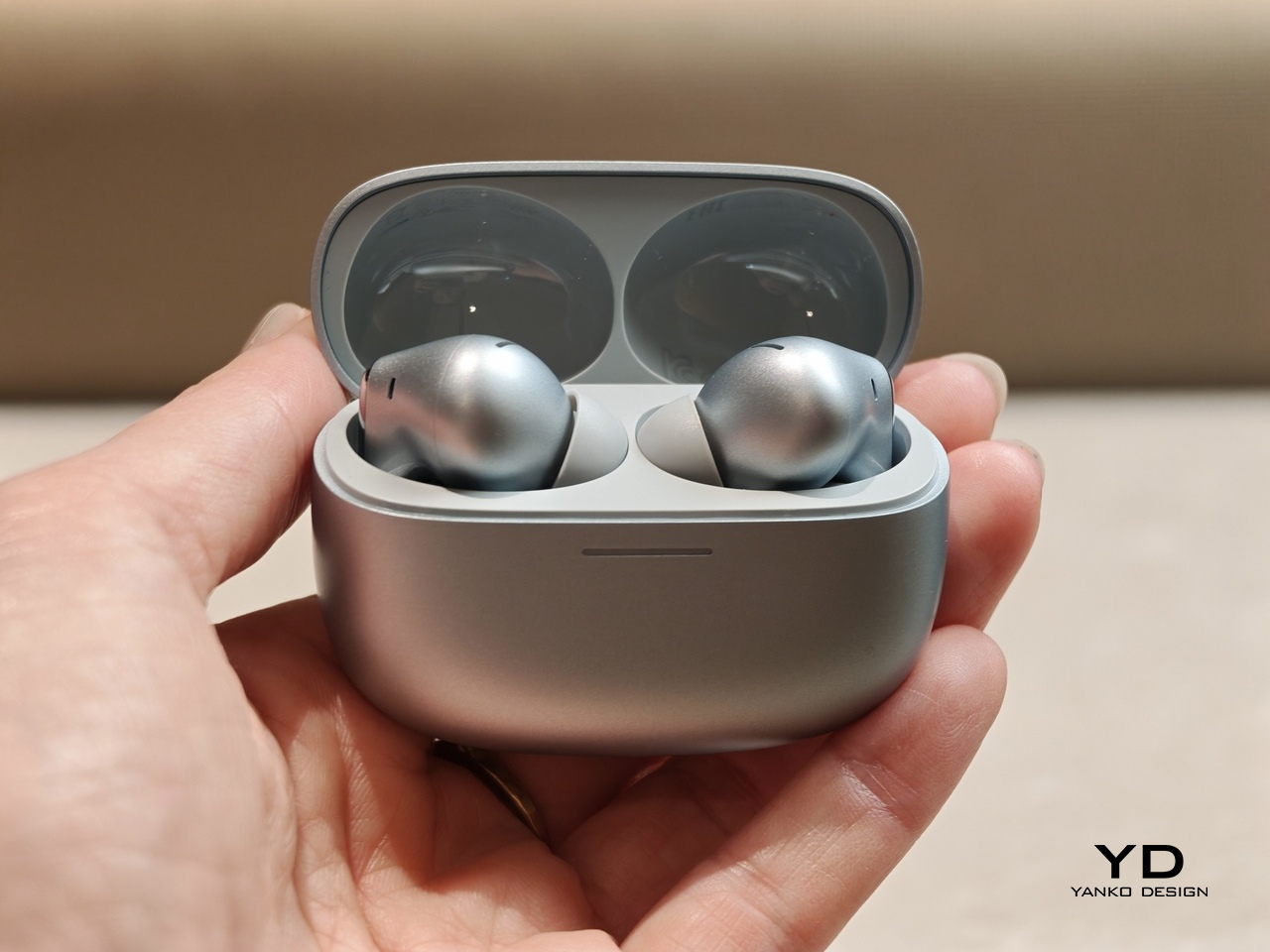
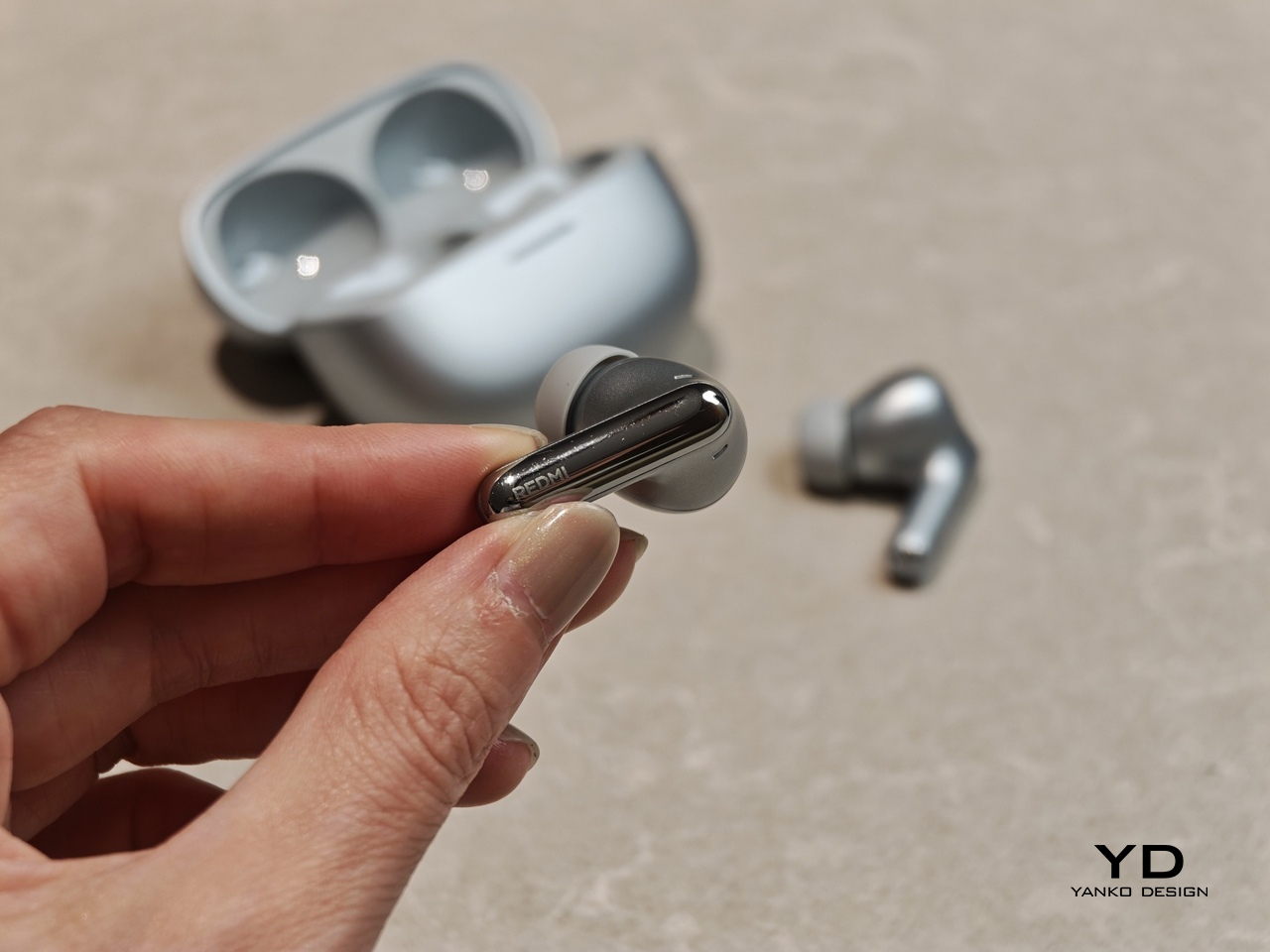
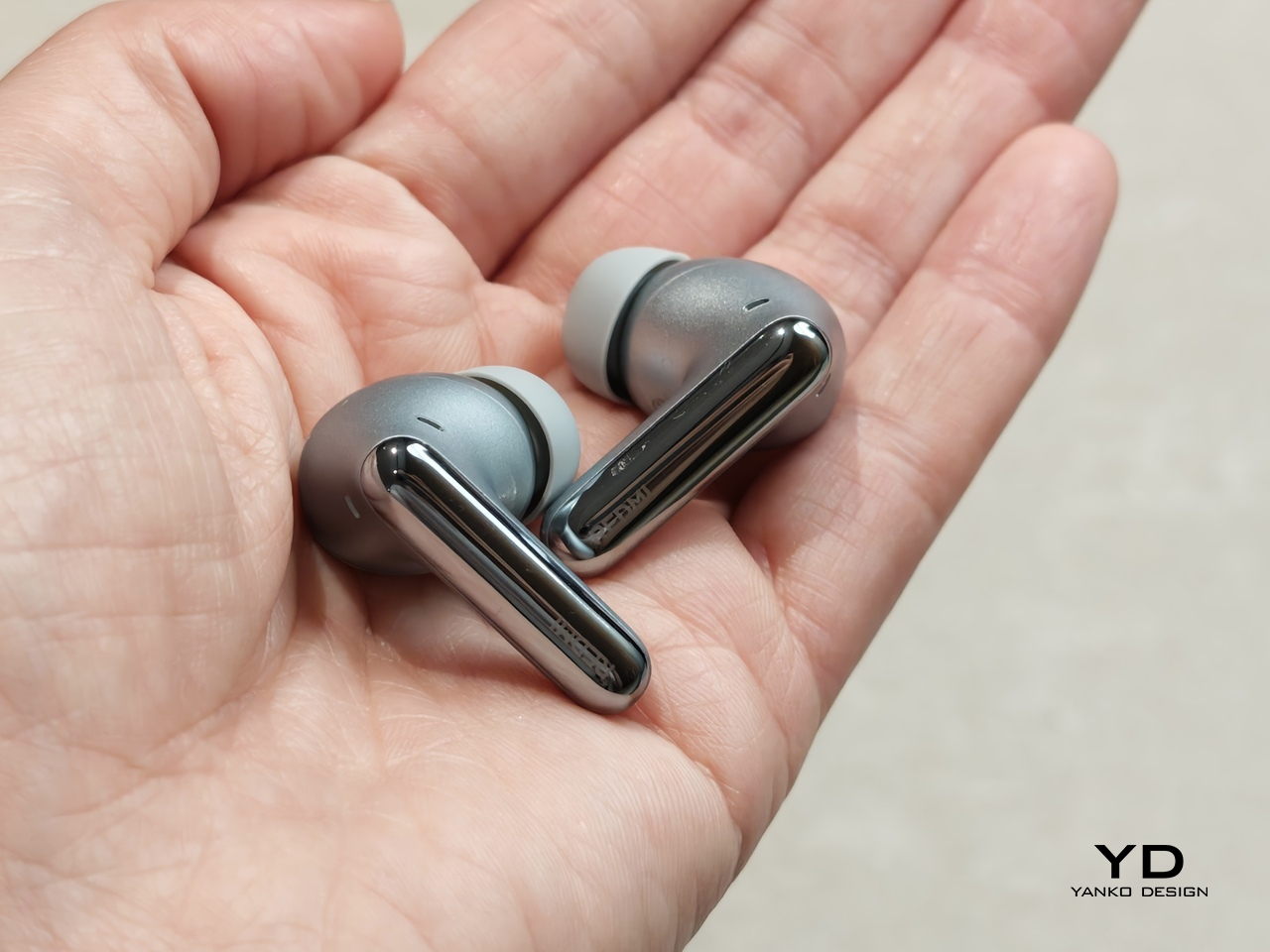
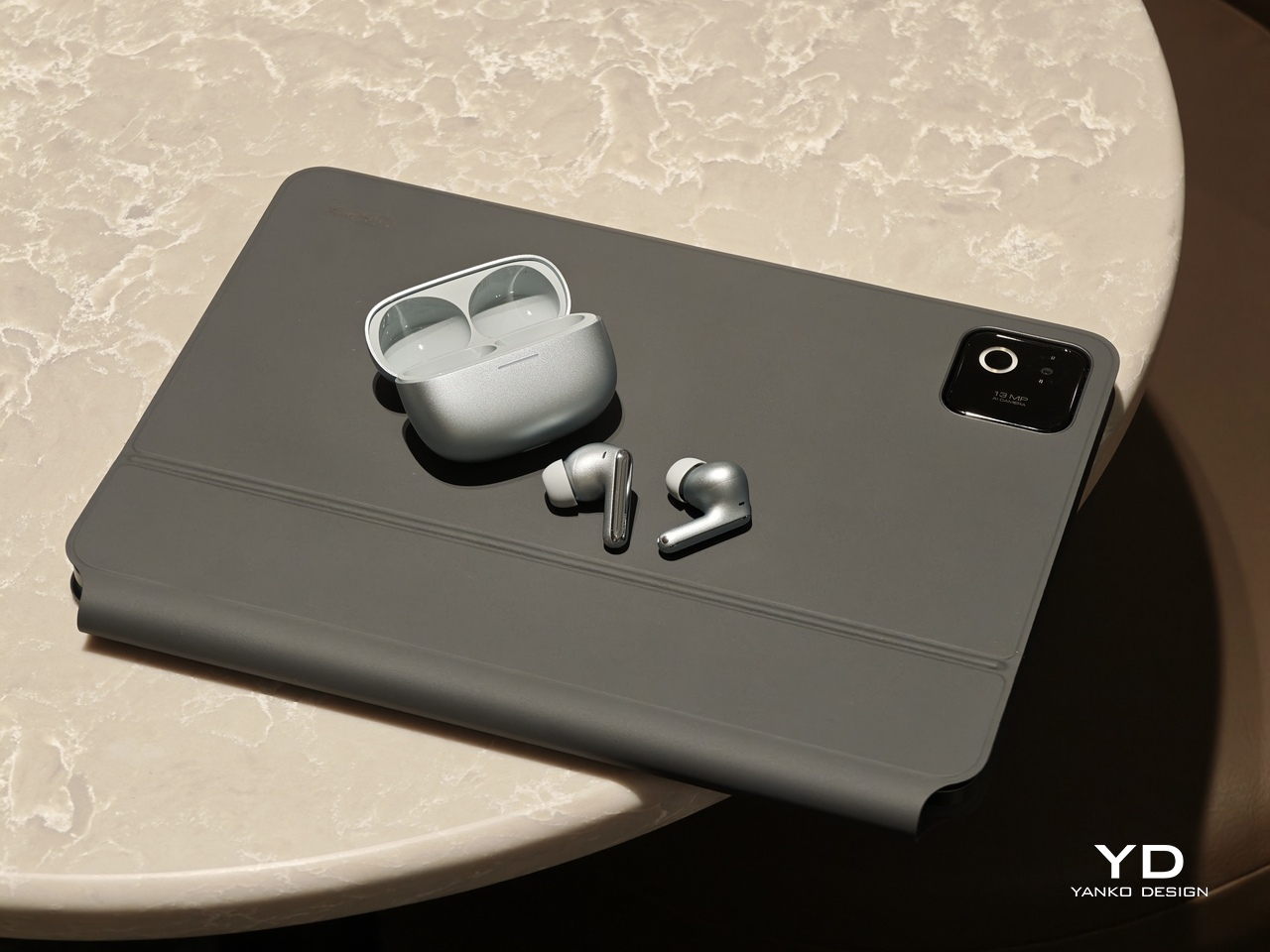
Redmi Buds 8 Pro follows a familiar stem style layout, but the visual language leans clean and modern rather than flashy. The earbuds have smooth, flowing lines, with a compact in-ear body that blends into a slim, rounded stem. Most of the earbud surface is finished in a soft matte texture that hides fingerprints and keeps the look understated. On the outside-facing side of each stem, Redmi adds a shiny strip that catches the light, with a small Redmi logo at the bottom as a neat visual anchor. This contrast between matte and gloss gives the buds a touch of sophistication while still keeping them low-key.

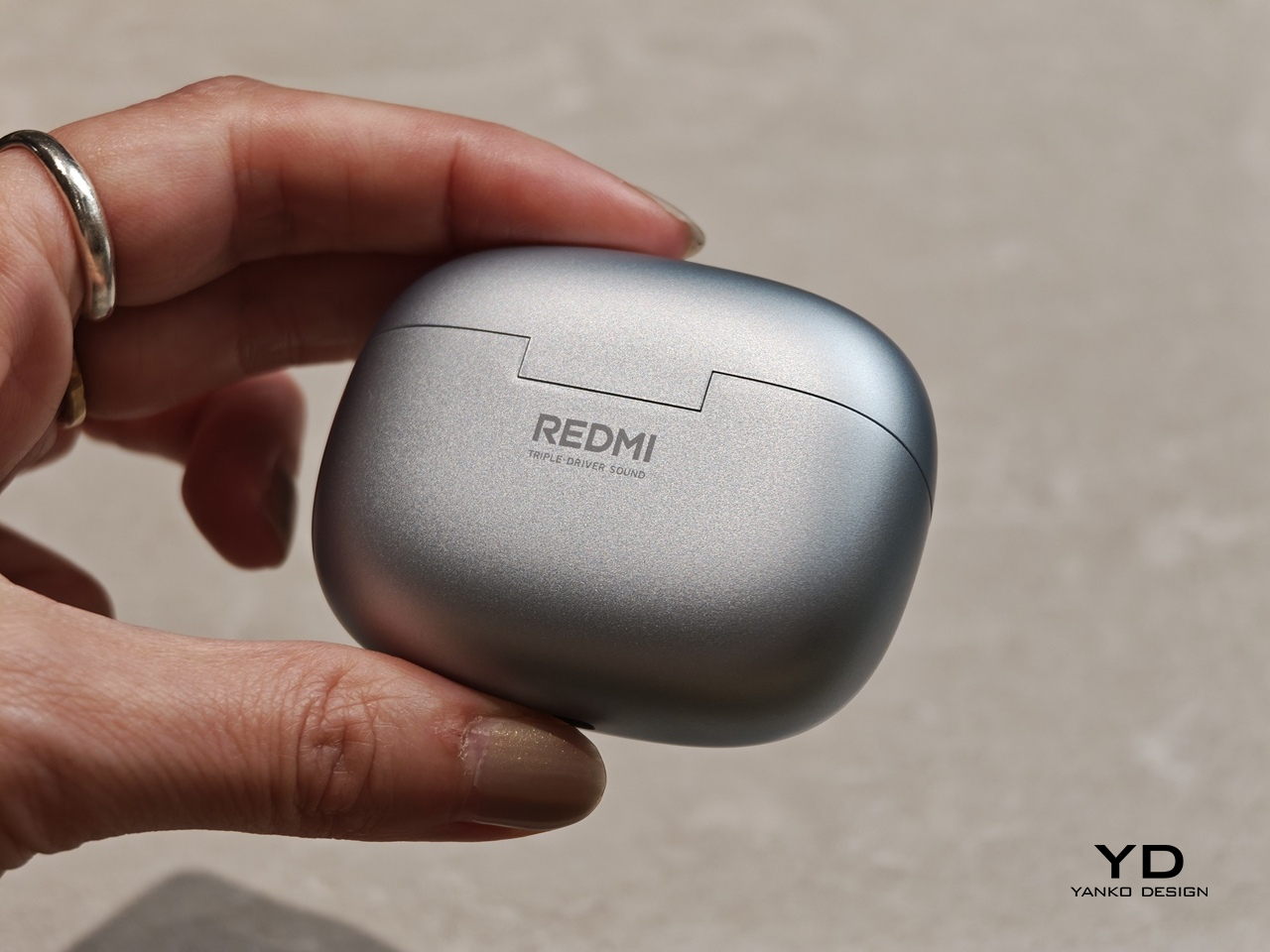
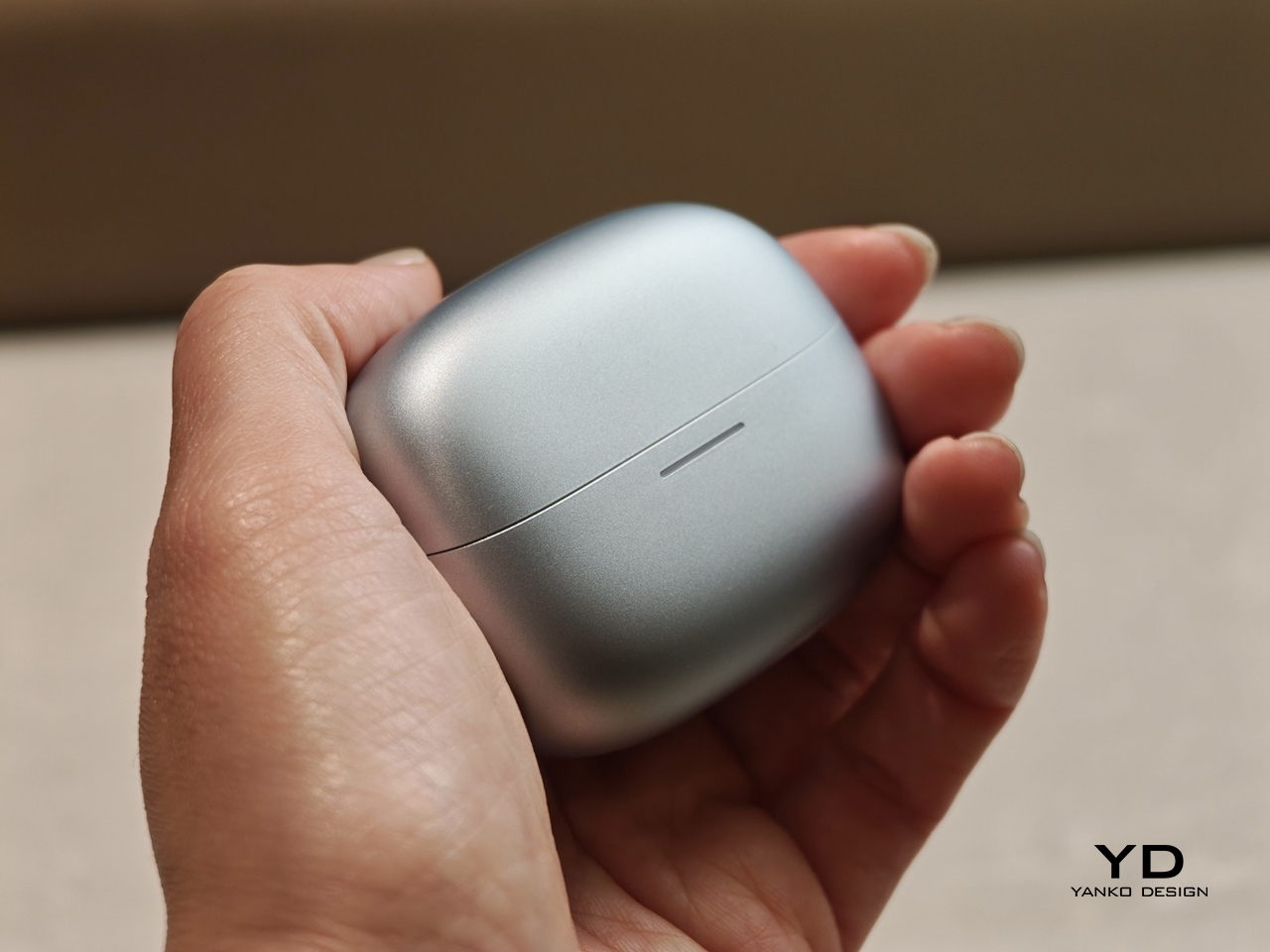
The charging case continues that restrained approach with a compact, pebble-like shape that slips easily into a pocket or bag. Its semi-matte shell feels smooth and resists smudges, while a subtle Redmi logo and “triple driver sound” text on the back quietly nod to the hardware inside. On the front, a slim bar of LEDs offers at a glance battery and pairing information but remains discreet when off, so the case still looks clean.

Color options and small accents may vary by region, yet the overall design clearly targets a wide audience. These are earbuds you can wear at the office, on public transport, or at the gym without drawing much attention. If you like bold, statement-making designs, they may feel a bit too reserved, but if you prefer tech that looks tidy and well finished, Redmi Buds 8 Pro sit in a very comfortable sweet spot.

Ergonomics

While the design focuses on clean lines and visual calm, the build of Redmi Buds 8 Pro focuses on comfort and practicality. Each earbud weighs about five point three grams, which helps them feel light enough for long listening sessions without that dragging sensation some heavier buds can cause. Of course, fit and comfort are different from person to person, but Redmi Buds 8 Pro fit my ears very well and never felt like they were about to fall out.

The medium-sized silicone tips come preinstalled, and Redmi also includes small and large tips in the box so you can fine-tune the seal. I usually go with medium-sized tips and sometimes switch to small tips on certain earbuds, but with Redmi Buds 8 Pro, the medium size worked best for me. Some earbuds struggle to stay put even when I am not moving or talking, yet here I had no problem with fit or comfort, even when I talked, ate, did yoga, or went for a jog with the earbuds in.

The charging case weighs about 47 grams, which keeps the full kit small and light enough to disappear into a jeans pocket or a slim sling bag. The rounded shape and smooth finish make it easy to grip and open, and the lid snaps shut with a reassuring click. Magnets inside guide the earbuds into place so they line up with the charging contacts without much effort. In everyday use, that means you can carry the case all day and quickly pop the buds in or out whenever you need them, without really noticing the extra bulk.

Performance

Redmi Buds 8 Pro pack impressive specifications for their price range, and the audio hardware is the main reason why. They use a coaxial triple driver configuration that combines an 11 mm driver with a titanium diaphragm and twin 6.7 mm PZT ceramic tweeters. In listening, the sound comes across as clear and nicely balanced, with bass that feels full and satisfying without overpowering vocals or detail.

Redmi Buds 8 Pro carry Hi-Res Audio Wireless certification and support codecs such as LDAC, but in day-to-day use, the bigger story is simply that the tuning feels well judged. Dolby Audio and Xiaomi Dimensional Audio are also supported, giving you extra options to change the sense of space and presentation, especially for movies and shows.

Active Noise Cancellation works great overall, especially considering the price. It does not completely block out train noise or airplane engine rumble, but it comes close, which makes music and podcasts easier to enjoy at lower volumes. With higher-pitched sounds like a baby crying, it still does not fully cancel everything out, yet it reduces the sharpness enough that you are less likely to get distracted from what you are doing.

One comfort note is heat. I felt the earbuds get slightly warm at first when ANC was on, but it did not seem to build up over time. It is also possible I simply got used to the sensation after wearing them for a while, so I would not call it a major issue, but it is worth mentioning if you are sensitive to heat on hot days.

Battery life is solid on paper and practical in daily use. Each earbud houses a 54 mAh battery, with rated playback of up to about eight hours on a single charge when ANC is off. Turn ANC on and use higher volumes, and actual listening time will drop somewhat, which is typical for this type of product, while the 480 mAh charging case extends total listening time up to roughly 33 hours across multiple top-ups.  

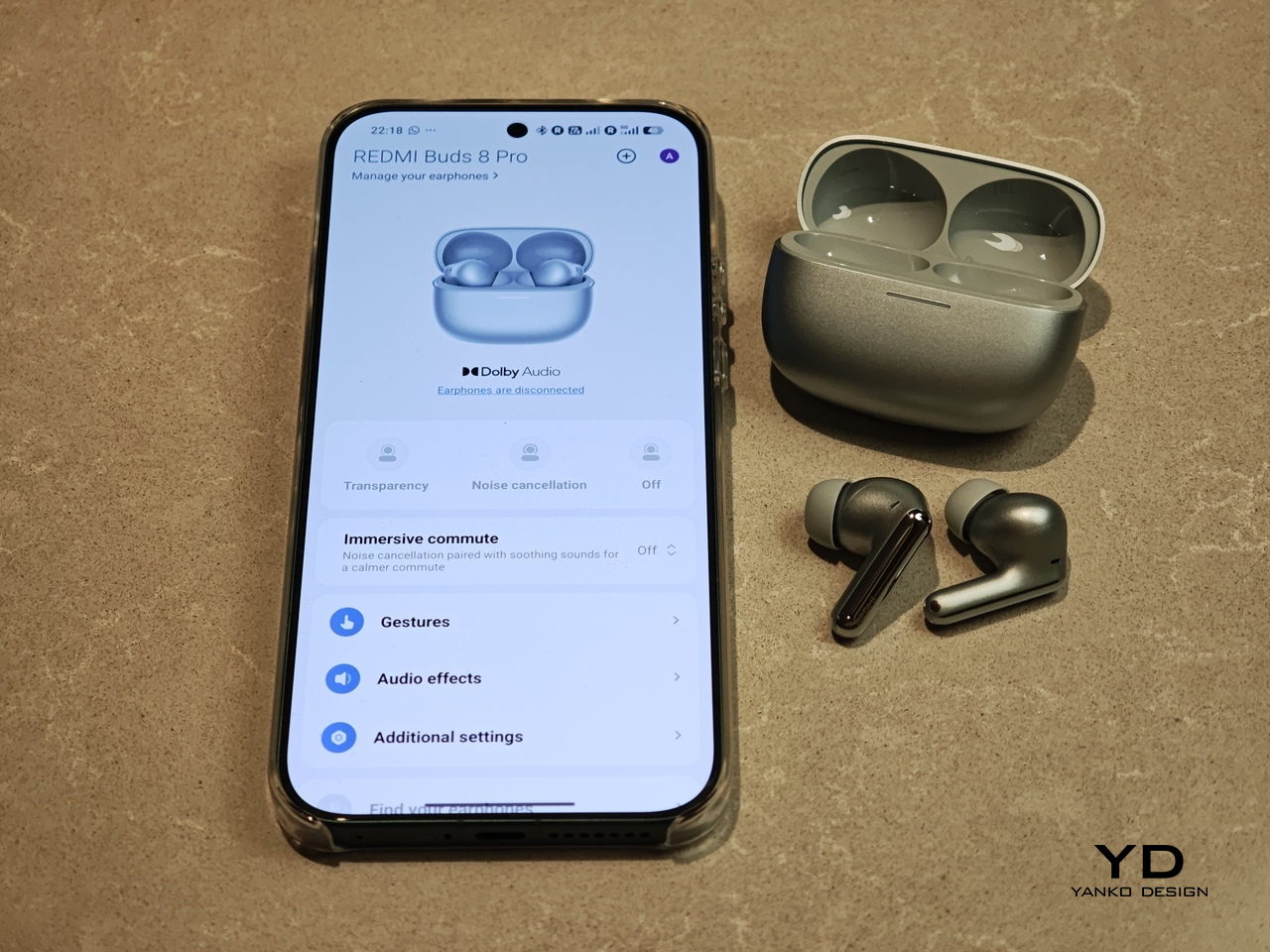
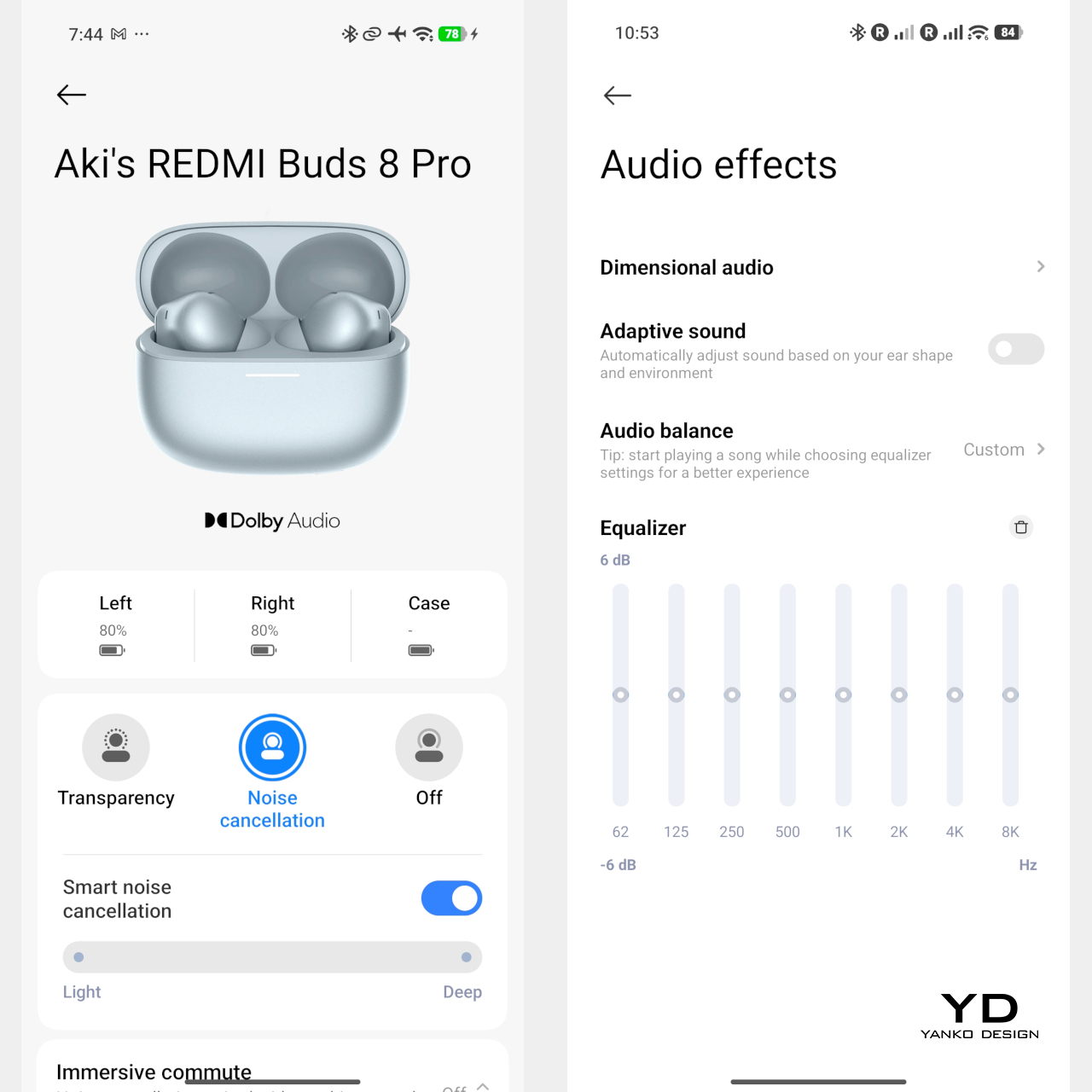
Touch controls on the stems worked great in my use, and the biggest usability upgrade is that volume control is supported via sliding on the stem. The controls support single tap, double tap, triple tap, press and hold, and swipe, which gives you a lot of flexibility without needing to reach for your phone. You can customize these gestures in the Xiaomi Earbuds app, so the controls can match your habits instead of forcing you into a fixed layout.

The app also gives you practical sound tuning options without making things feel overly technical. You can pick from preset audio profiles like Balanced sound, Enhanced bass, Enhanced treble, and Enhanced voice, depending on what you are listening to. If you want more control, there is also a custom EQ option that lets you adjust eight separate bands, with each slider running from plus six to minus six, so you can fine-tune the sound without guessing too much.

Sustainability

For a product category like true wireless earbuds, sustainability is rarely a strong point, and Redmi Buds 8 Pro are no exception. The compact, sealed design means the internal batteries are not user-replaceable, so once overall battery health drops, most people will end up replacing the whole set rather than repairing it. That pattern is common across almost all TWS earbuds today, but it still makes this a product that is easier to discard than to keep alive for many years.

The IP54 rating does offer a small positive by protecting against dust and splashes, which can reduce early failures from sweat, light rain, or accidental spills. One small feature that nudges in a better direction is the “find your earphones” function, which lets you play a tone from the left, right, or both earbuds via the app to help you track them down when they go missing. It is not a full integration with Google Find My Device, yet anything that helps you avoid losing a bud and replacing the whole set still counts as a quiet step toward better longevity.

Value

Redmi Buds 8 Pro is priced at 69.90 Euros, which works out to roughly $83. That puts them in the affordable end of the true wireless market. They still cost more than the absolute cheapest buds, but remain very accessible for anyone looking to step up from basic or bundled earphones.

From a value perspective, they make the most sense if you care about sound quality and noise cancellation more than simply paying the lowest possible price. Cheaper options can handle calls and casual listening, but usually lack the triple driver setup, stronger ANC, and more polished overall experience you get here. For many buyers, Redmi Buds 8 Pro will feel like a worthwhile upgrade that adds clear benefits without demanding a luxury-level budget.

Verdict

Redmi Buds 8 Pro is an easy recommendation if you want strong everyday performance without paying flagship prices. The triple driver setup delivers clear, balanced sound with bass that feels full but controlled, and the ANC is effective enough to make commutes and busy spaces noticeably calmer. Touch controls are reliable, and the volume slide gesture is a genuinely useful upgrade that makes daily listening feel smoother.

They are not perfect, with ANC that cannot fully erase the loudest train or plane noise and weaker results on some high-pitched sounds, plus the usual sealed battery limitations for sustainability. Still, the fit was excellent in my ears, the case is easy to carry, and the “find your earphones” tone feature helps prevent frustrating losses. If you care most about sound quality, noise cancelling, and a polished experience at a very competitive price, Redmi Buds 8 Pro hit a sweet spot.

The post Redmi Buds 8 Pro Review: This €69.90 Earbud Punches Way Above Its Weight first appeared on Yanko Design.
Xiaomi 17 Ultra Review: Lighter, Flatter, and Sharper Than Ever

PROS:


  • Excellent main and telephoto photo quality

  • Big and bright 6.9-inch LTPO AMOLED display

  • Strong performance

  • Improved ergonomic and stylish design

CONS:


  • Limiting macro use with a minimum focus distance of 30 cm

  • Noticeable warmth during camera use

RATINGS:

AESTHETICS
ERGONOMICS
PERFORMANCE
SUSTAINABILITY / REPAIRABILITY
VALUE FOR MONEY

EDITOR'S QUOTE:

The Xiaomi 17 Ultra is a camera-first flagship that finally feels balanced in the hand, and even more balanced in its image processing.

Within the renamed family, the Xiaomi 17 Ultra is the boldest expression of what Xiaomi thinks a 2026 flagship should be. It arrives globally as a big, confident phone that refuses to blend into the background. It is unapologetically camera-centric, and it is packed with specs that read like a wish list.  

On paper, Xiaomi has the ingredients to back that up. You get a 6.9-inch LTPO AMOLED display, a Leica-tuned triple camera system with a 200 MP periscope telephoto, and Qualcomm’s Snapdragon 8 Elite Gen 5. The global model carries a 6,000 mAh battery with 90W wired and 50W wireless charging, which is still a serious setup even before real-world testing.

Designer: Xiaomi

The camera hardware also shifts in meaningful ways, with the main sensor switching from Sony to OmniVision, and the zoom strategy changing from two telephoto cameras to one lens with continuous 75 mm to 100 mm optical zoom. So does the Xiaomi 17 Ultra deliver ultra-level performance where it counts. After two weeks with it, here is what I found.

Aesthetics

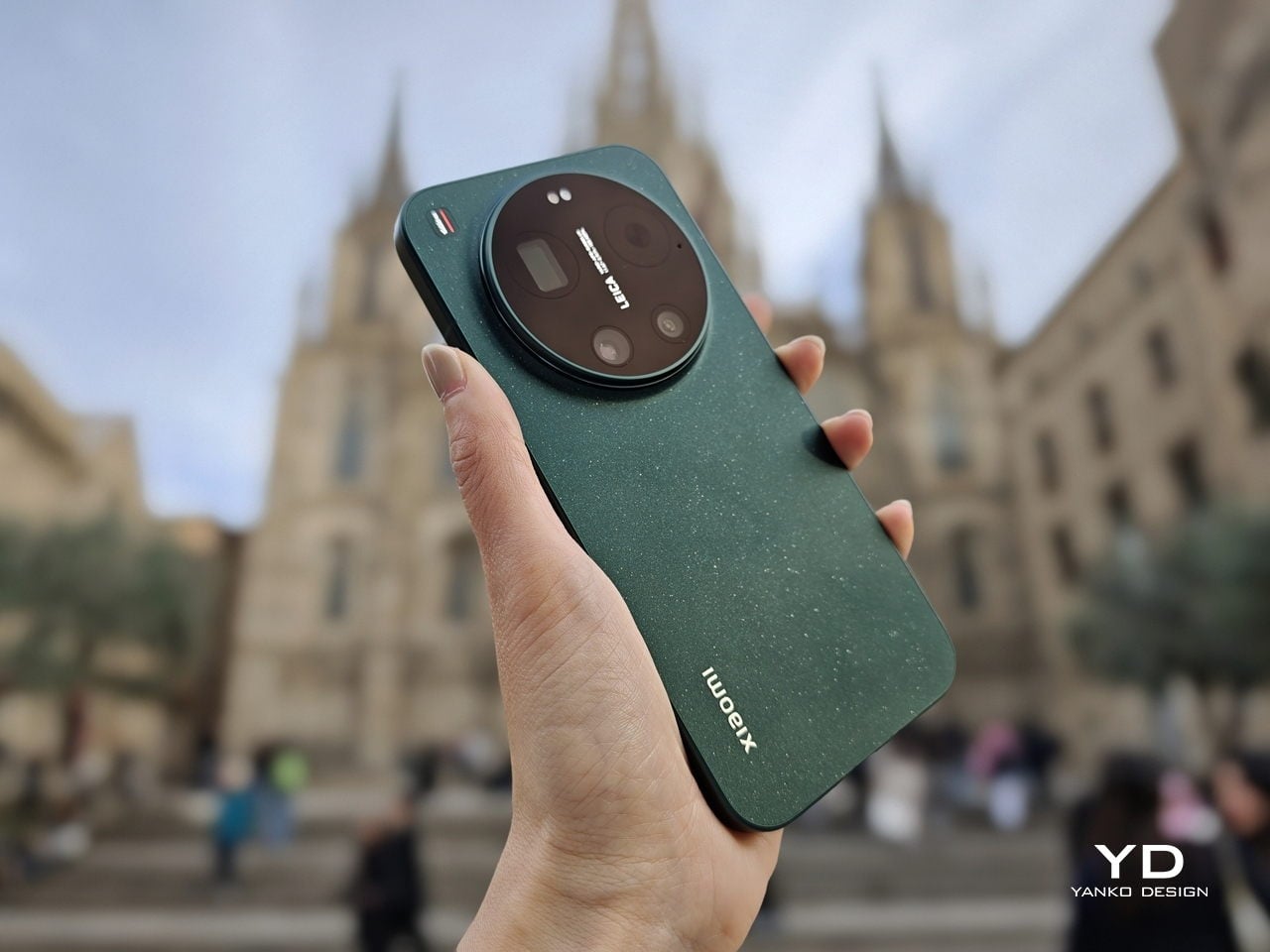
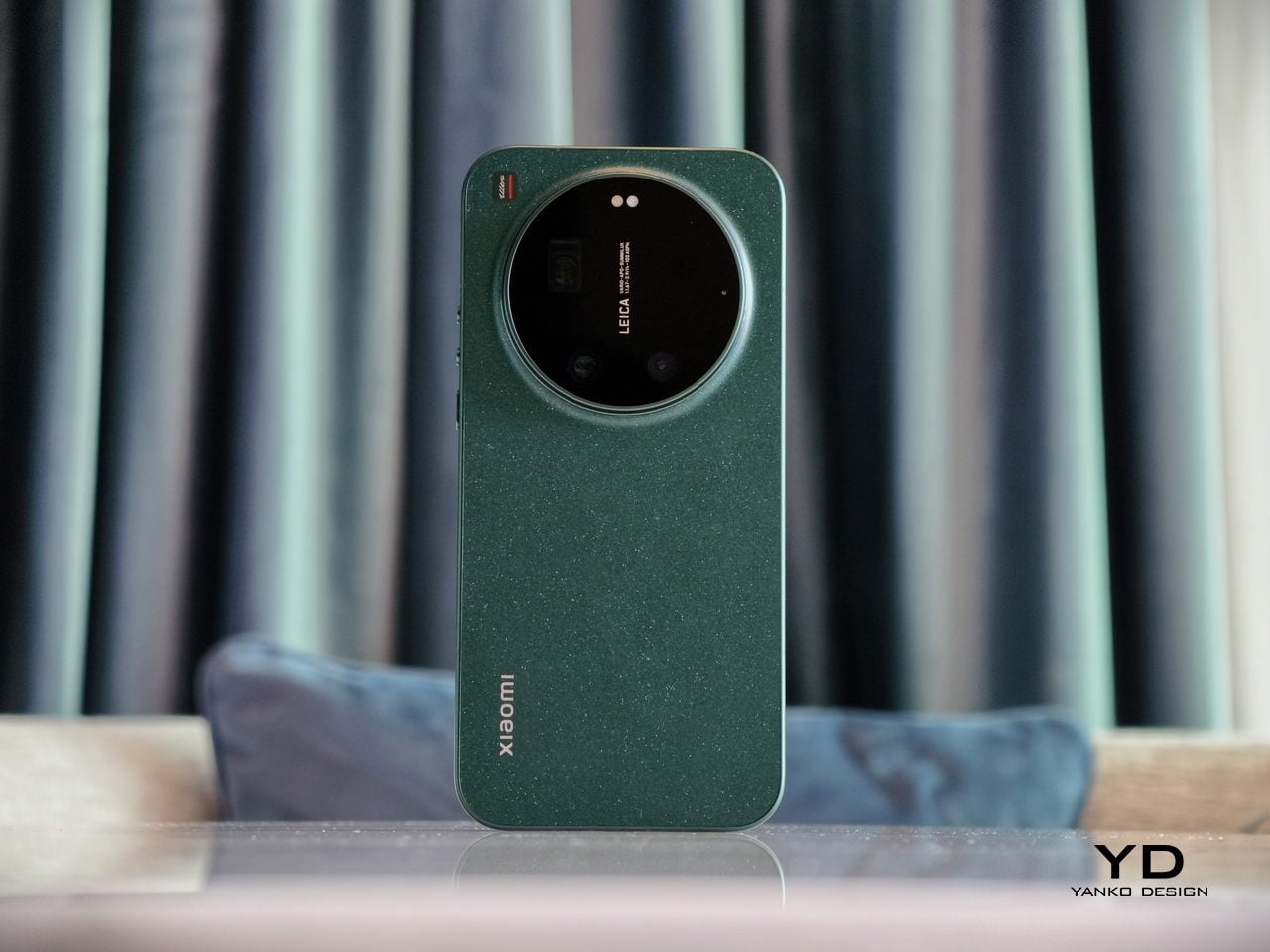
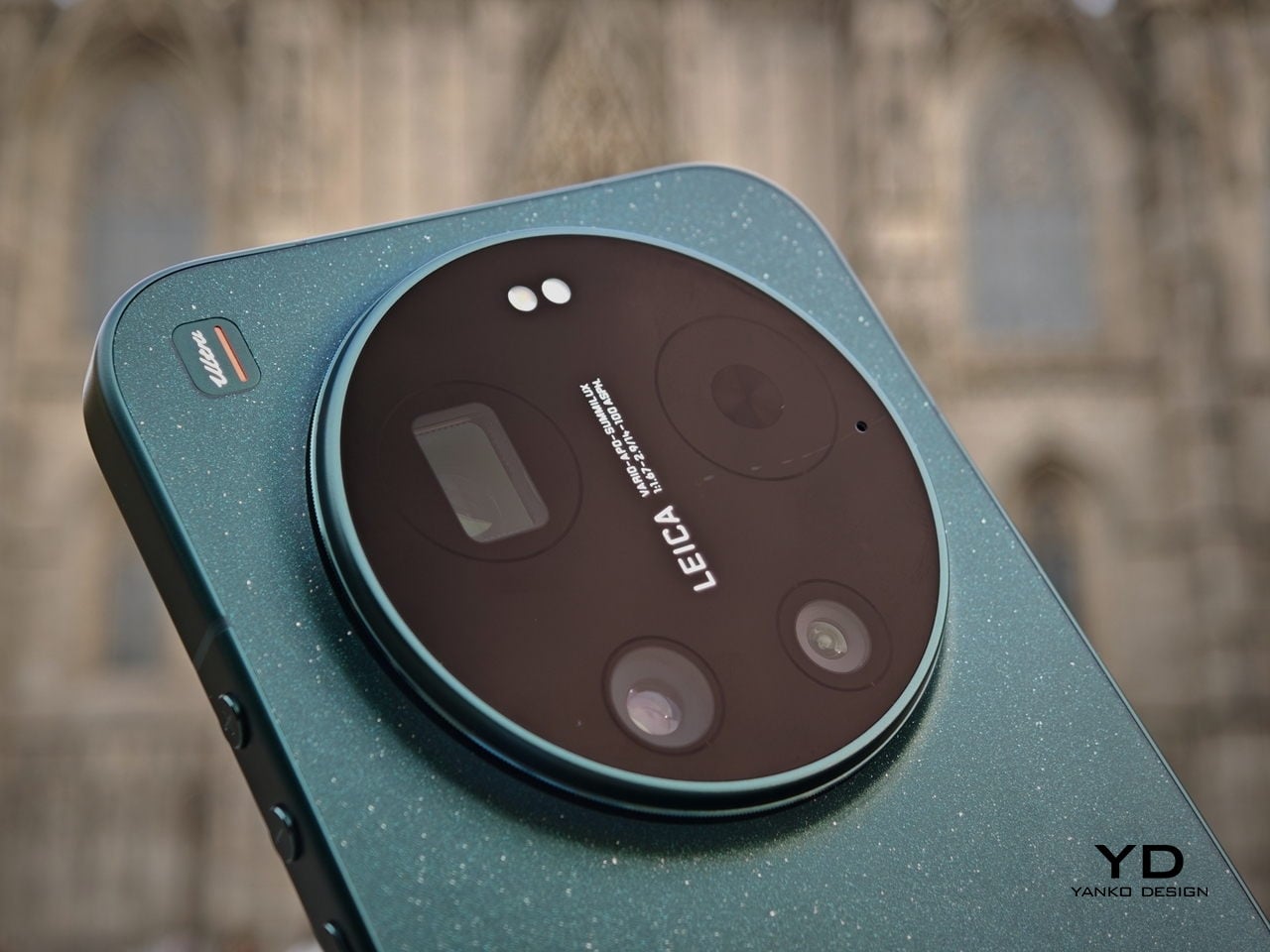
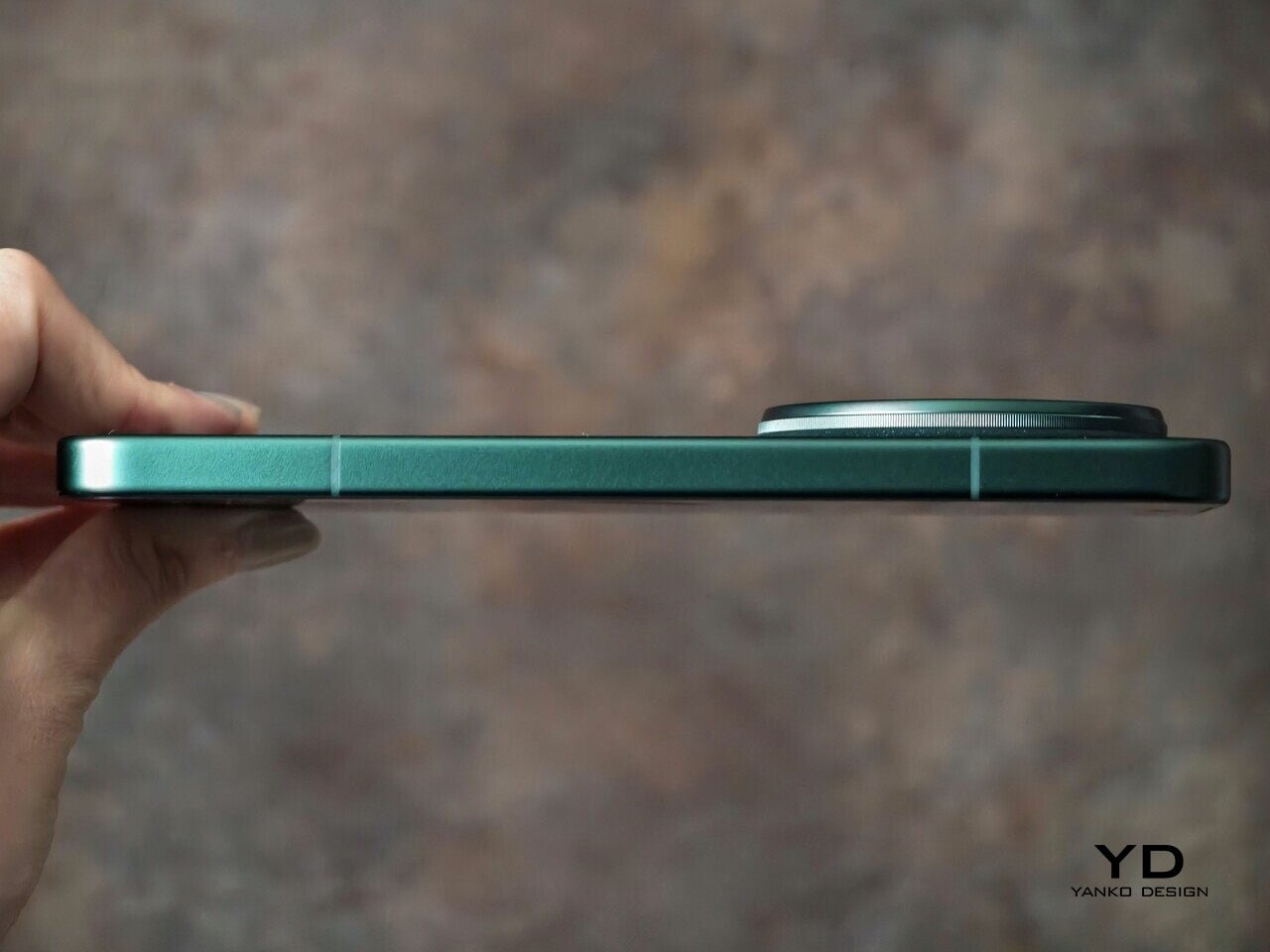
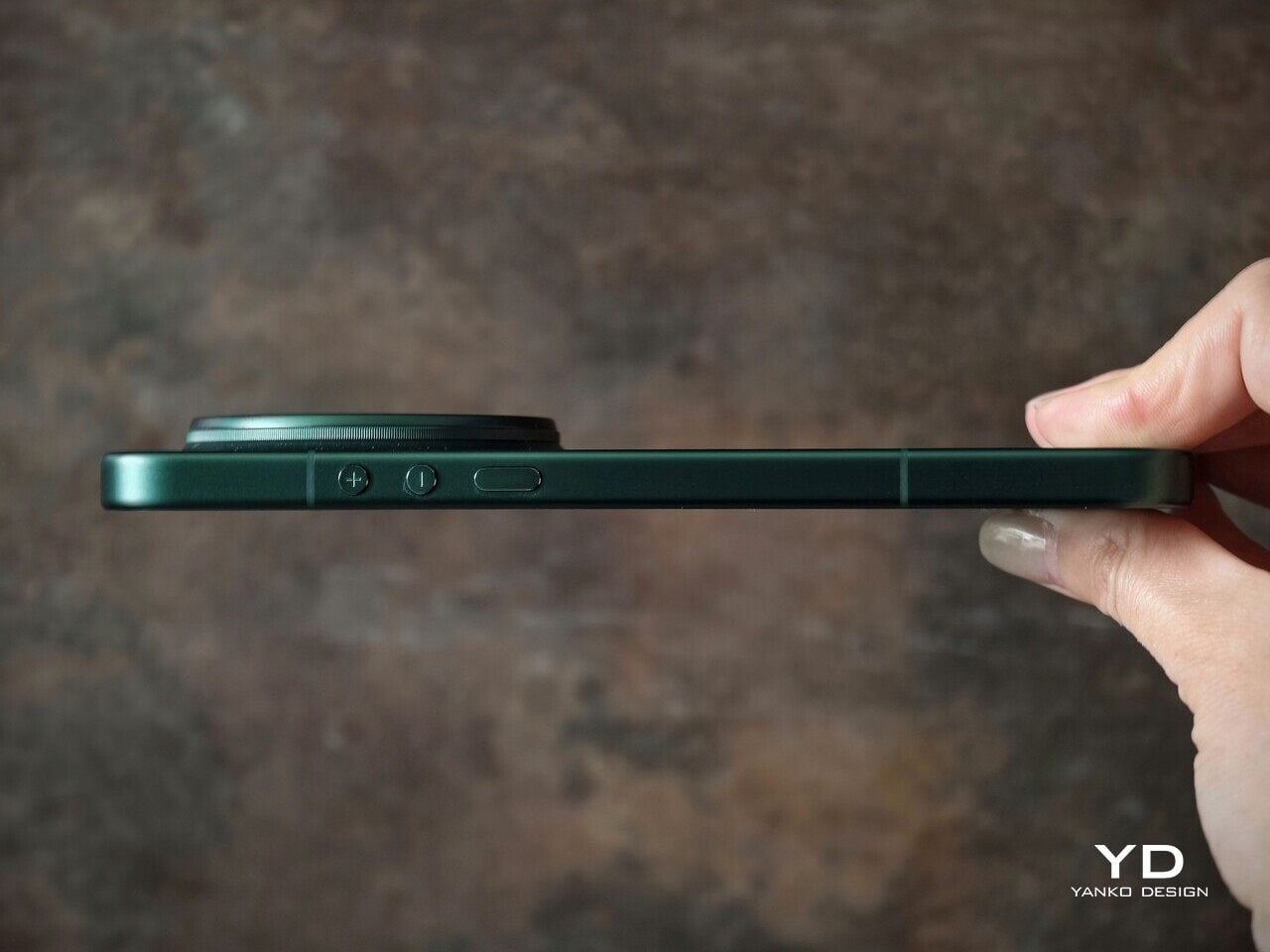
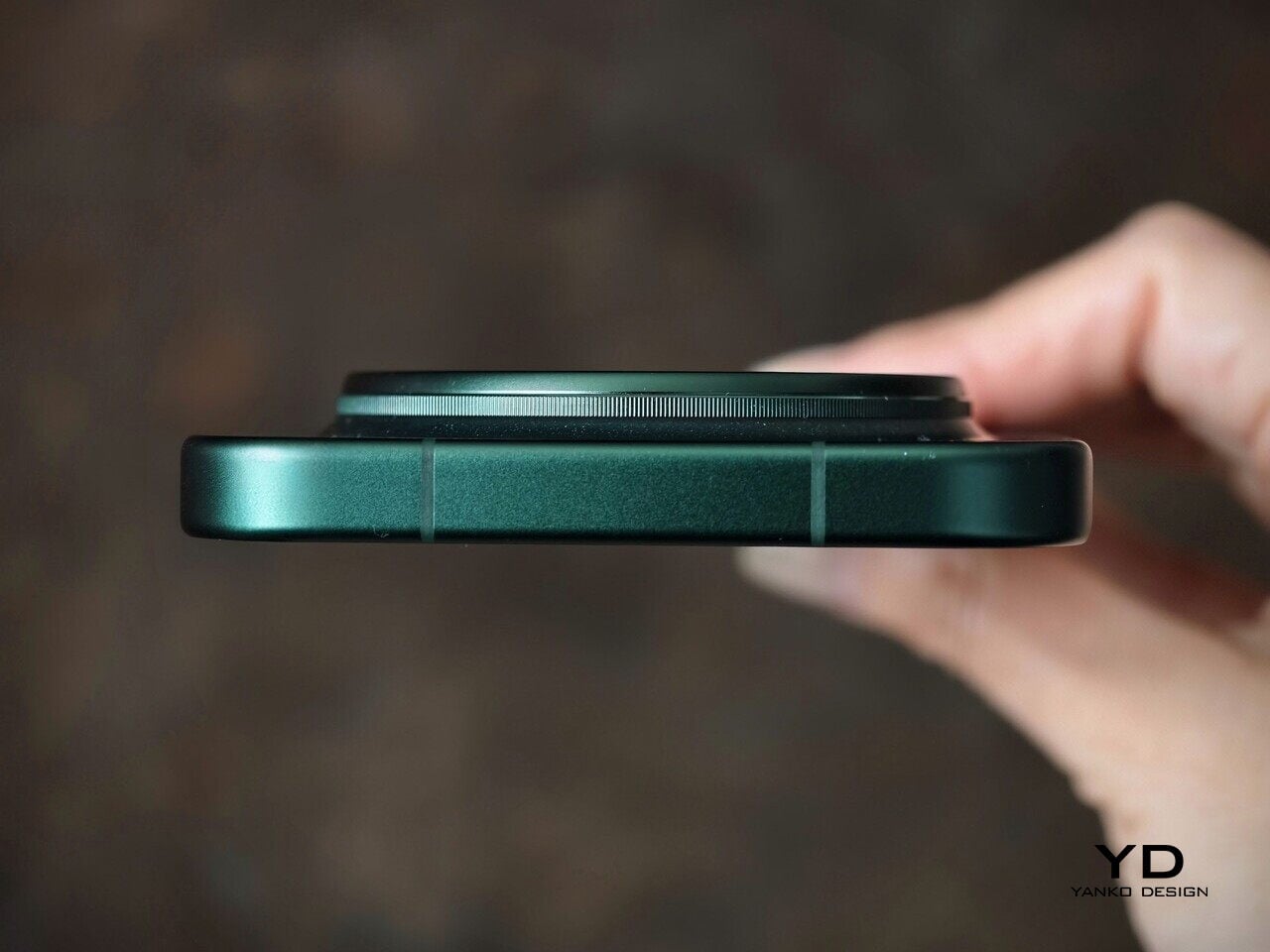
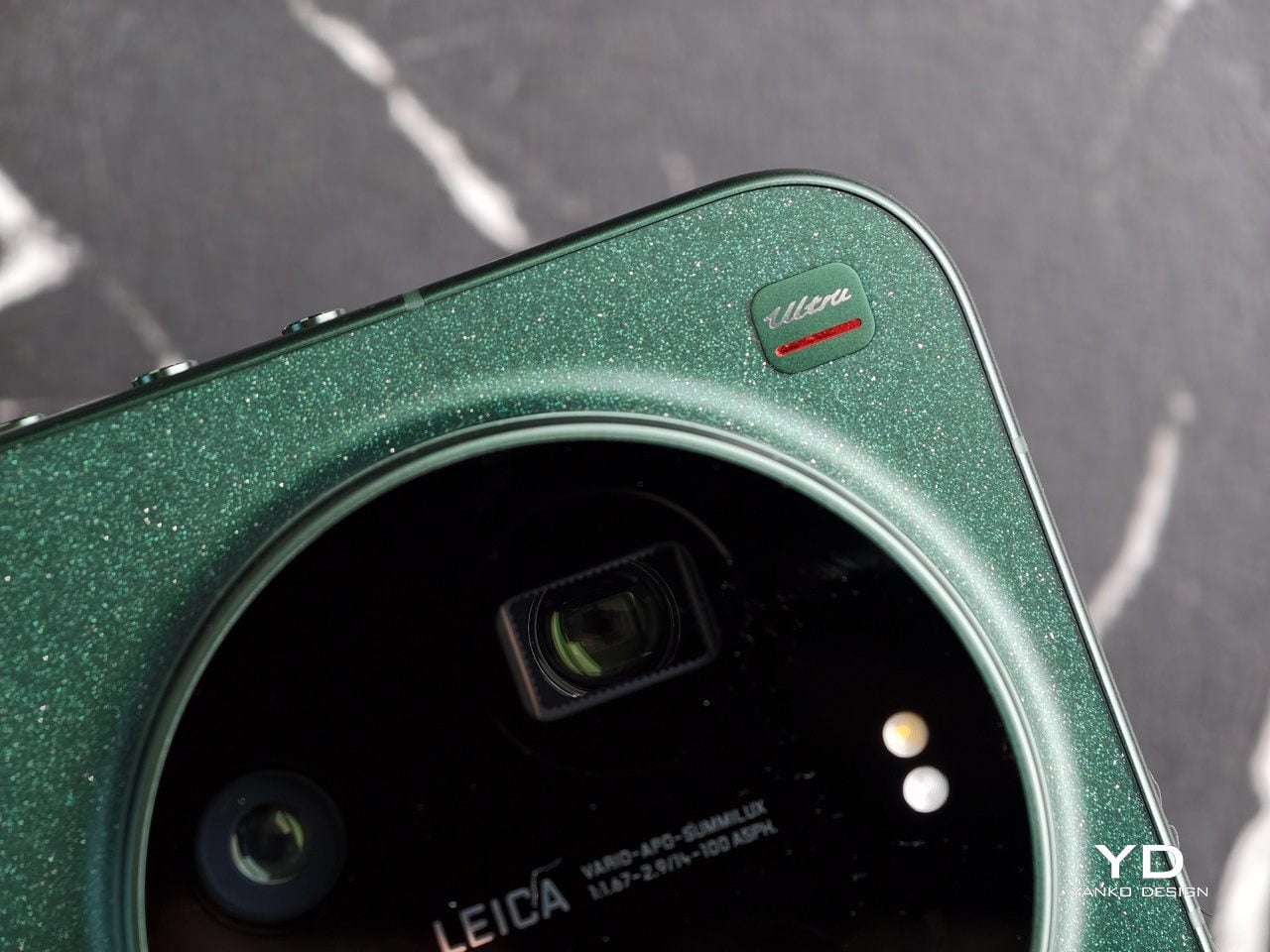
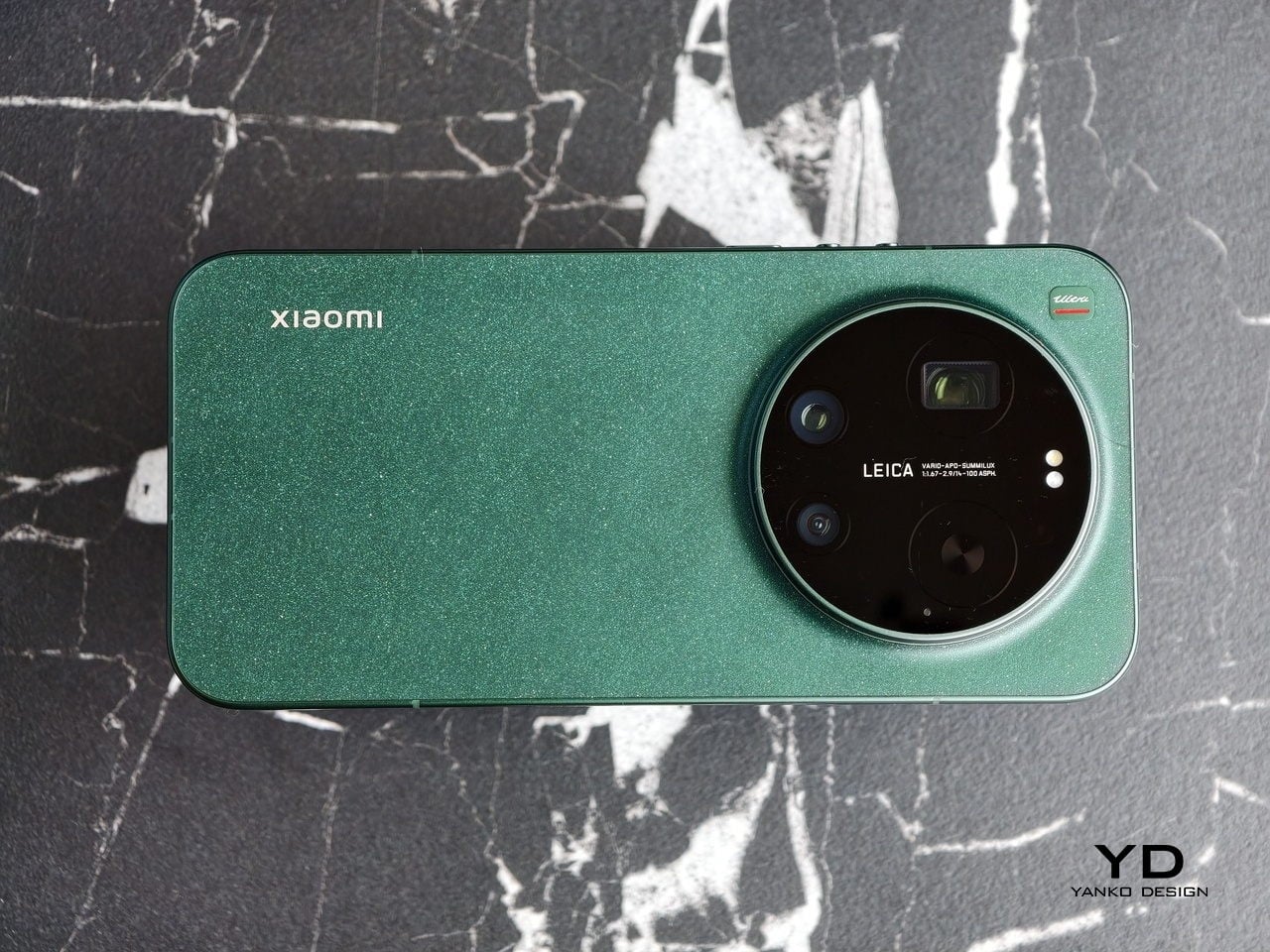
The Xiaomi 17 Ultra is not a phone that tries to disappear in your hand or your pocket. The gigantic circular Leica camera island still dominates the rear panel, just like on the previous model, but there is a subtle shift in design language. With a flatter back panel and flat side frame, the 17 Ultra leans into a cleaner, more minimal look than the Xiaomi 15 Ultra. The small Ultra logo with its red underline sitting above the camera bump adds a bit of character without turning the phone into a billboard.

The color palette for the global model leans into classic tones. Xiaomi focuses on black, white, and green for most markets, skipping the violet shade that appears in China. The Starlit Green unit I received is the standout, with a deep moss green base and speckling that catches the light like a dusting of stars, which makes the name feel earned. The black option looks stealthy, but the red accent on the camera ring keeps it from feeling flat, while the white version goes for a high contrast look with the black camera bump and a silver ring and side frame to tie it all together. If you are coming from the Xiaomi 15 Ultra, the evolution feels more like refinement than reinvention, yet the 17 Ultra looks more cohesive and more modern from the rear.

Ergonomics

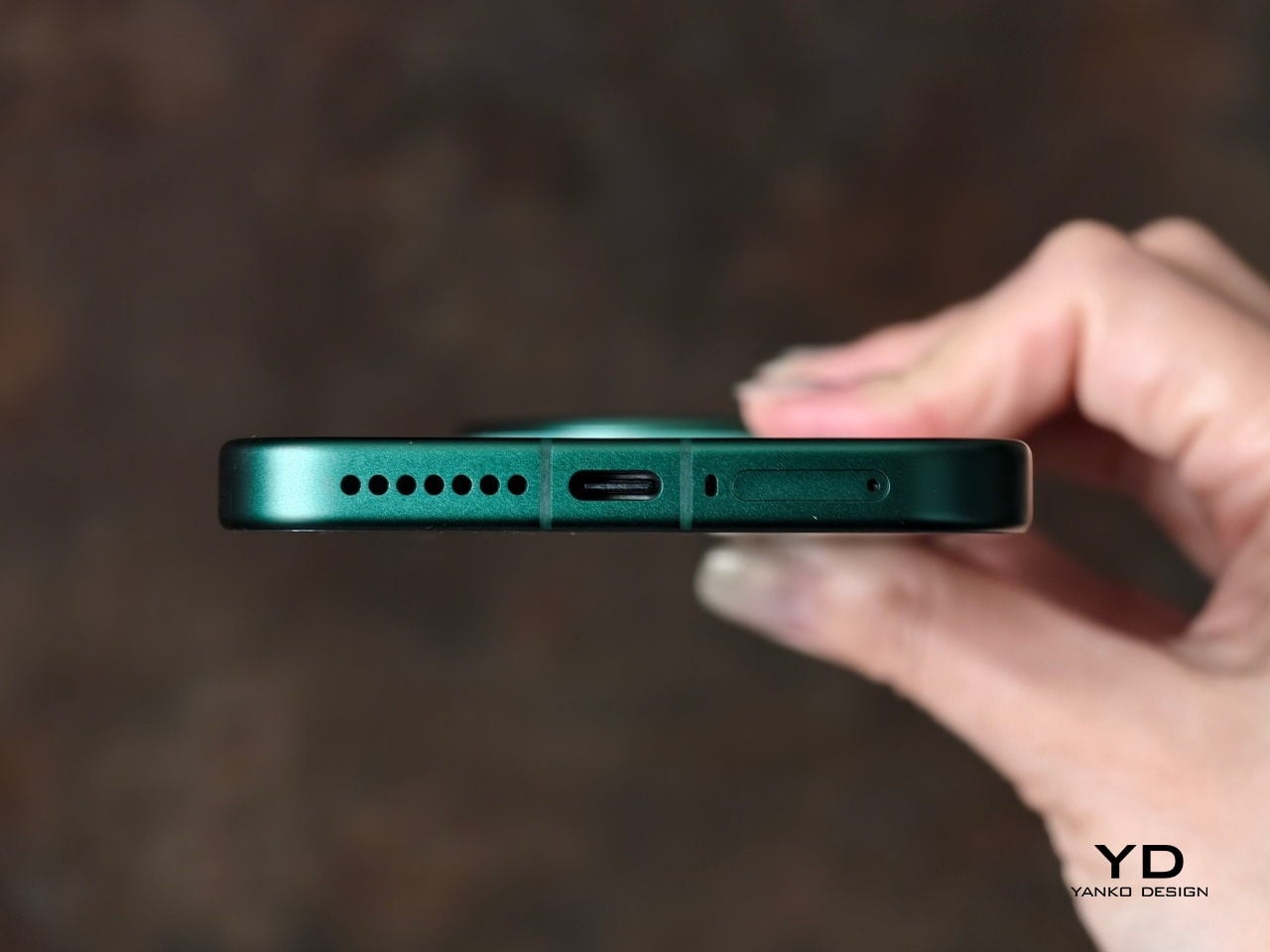
The first thing I expected to notice when I pick up the Xiaomi 17 Ultra is the weight and thickness. The phone uses a large battery, a complex camera stack, and a sturdy frame, and all of that adds up in the hand. That said, I was pleasantly surprised. At 8.29mm thickness and about 219g, Xiaomi managed to make the 17 Ultra the slimmest and lightest among its Ultra series. The device is still big and not exactly a lightweight phone, but it feels a lot more comfortable to hold than your eyes perceive.

Ergonomically, the device feels well-balanced in the hand, which is a welcoming improvement from the top-heavy feel you get from holding the Xiaomi 15 Ultra. Xiaomi 17 Ultra adapts a flat display, for the first time for its Ultra line, and helps with the grip. Because it’s well-balanced, the camera bump becomes a natural resting point on the back, which can actually improve grip. At the same time, this is not a one-handed phone in any universe, and if you are coming from something smaller, you will need to adjust how you hold it, how you pocket it, and even how you reach for the top corners of the screen.

The global Xiaomi 17 Ultra uses a 6,000 mAh silicon-carbon battery instead of the 6,800 mAh cell in the China model. Even with the smaller capacity, it should still be enough for a full heavy day for most people. Charging is excellent with 90 W wired and 50 W wireless, and the 90 W wired mode supports PPS or Programmable Power Supply, so you can get true fast charging with any PPS-compatible USB-C charger, not only Xiaomi’s own adapter.

Performance

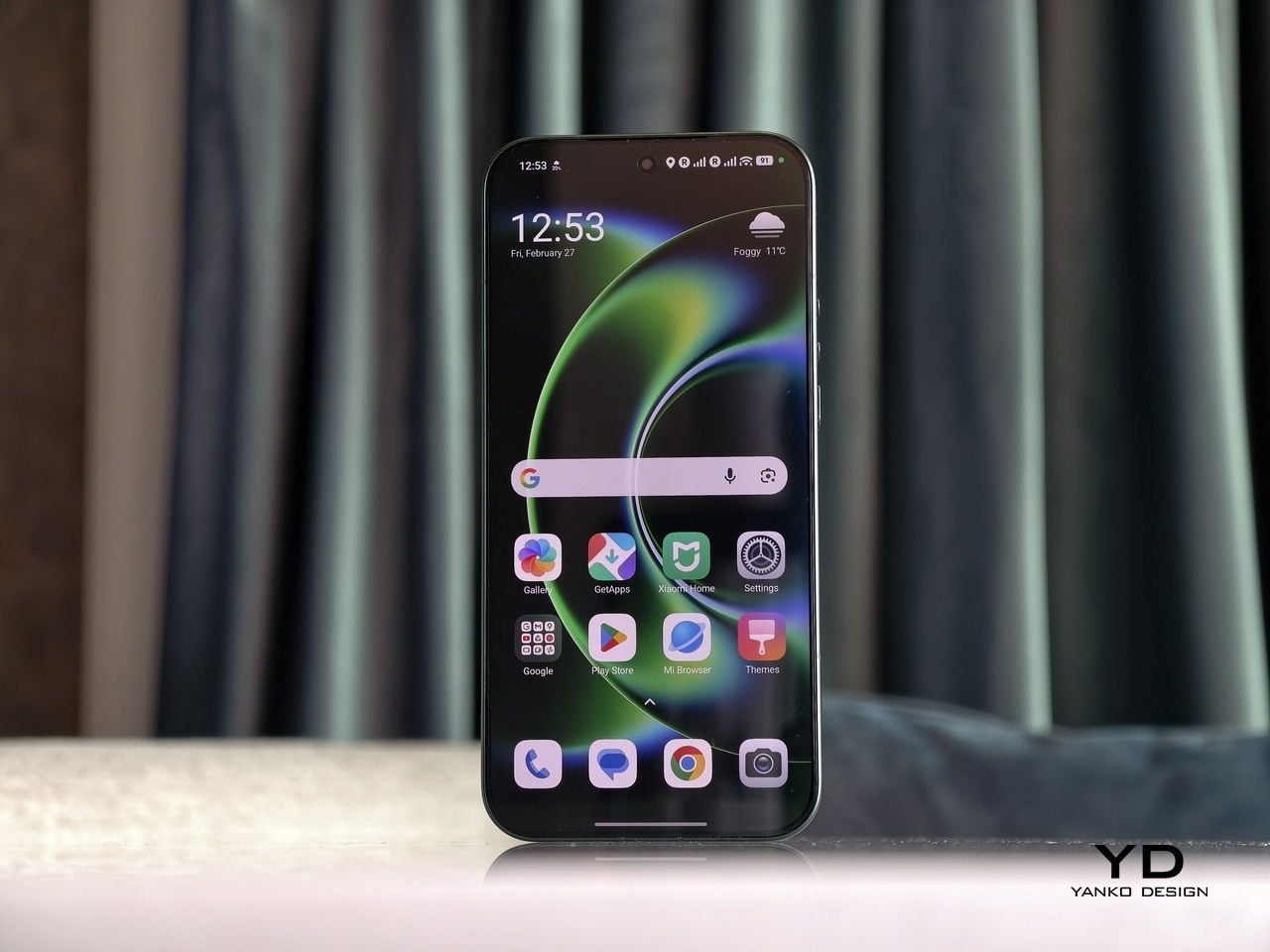
The display on the Xiaomi 17 Ultra is built to impress at first sight. It is a 6.9-inch LTPO AMOLED panel with 120 Hz refresh, a 1.5K class resolution at around 1200 x 2608 pixels, and a claimed 3500 nits peak brightness. It looks sharp and vibrant, and the huge screen makes movies, games, and photo editing feel more immersive. Xiaomi also adds TUV Rheinland certifications for low blue light, flicker-free performance, and circadian-friendly tuning, which are designed to reduce eye fatigue during long viewing sessions.

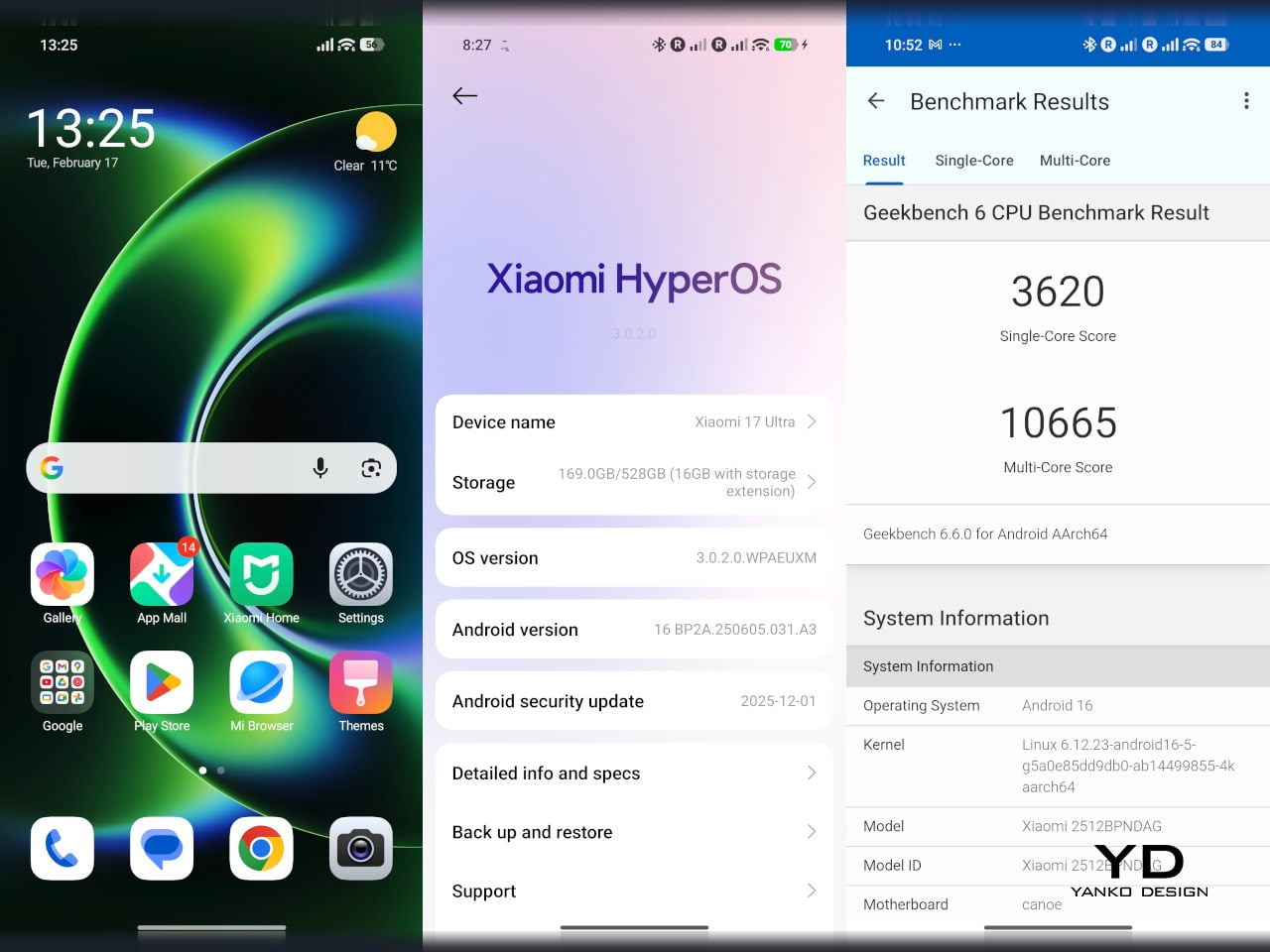
The Xiaomi 17 Ultra is powered by Qualcomm’s Snapdragon 8 Elite Gen 5 chipset, and the global configurations come with 16GB of RAM paired with either 512GB or 1TB of storage. It is genuinely nice to see a 1TB option offered globally, since that is still not something every flagship brings outside China. The phone flies through heavy multitasking, high refresh rate gaming, and demanding camera workloads without stutter. On the software side, it runs Android 16 with Xiaomi’s HyperOS 3, which is Xiaomi’s unified platform designed to feel lighter and more connected across phones, tablets, and other devices.

The camera system is where the Xiaomi 17 Ultra really tries to separate itself. Xiaomi drops the older quad camera approach and commits to a triple setup. The main camera is a 23-mm equivalent 50 MP unit with an f/1.67 aperture, OIS, and OmniVision’s Light Fusion 1050L sensor. The 75-100mm equivalent telephoto is a 200 MP periscope with OIS using Samsung’s HPE sensor, with a f/2.39-2.96 aperture. Rounding it out is a 50 MP 14-mm equivalent ultra-wide with an f/2.2 aperture using Samsung’s JN5 sensor.

23mm, Leica Authentic

75mm, Leica Vibrant

100mm, Leica Vibrant

On the main camera, Xiaomi pairs the Light Fusion 1050L sensor with LOFIC technology. LOFIC stands for Lateral Overflow Integration Capacitor, and it is designed to reduce highlight clipping by giving each pixel extra headroom before bright areas turn into flat white. In practice, it helps keep texture in skies and reflections while still holding onto shadow detail in high contrast scenes.

23mm, Leica Vibrant

200mm, Leica Authentic

Zoom is the other headline change. Instead of dual telephoto cameras, Xiaomi uses a floating lens structure to deliver continuous optical zoom from 75 mm to 100 mm, which makes it easy to pick between framing without obvious digital cropping. The limitation is that the range is fairly tight, so it is more about fine-tuning perspective than dramatically pulling faraway subjects closer. There is also a close-up trade-off, since the telephoto now focuses down to about 30 cm rather than the 10 cm I could get on the Xiaomi 15 Ultra, so it is less useful as a pseudo macro lens.

45mm, Leica Vibrant

100mm, Leica Vibrant

In real use, both the main camera and the telephoto produce excellent images with wide dynamic range, natural color, and strong detail in various lighting conditions. The images look clean rather than overprocessed or oversharpened. Portrait mode is especially flexible, offering eight focal lengths from 23 mm through 100 mm equivalents, with pleasant bokeh and strong separation, even if it can occasionally miss a fine strand of hair when I pixel peep. I also noticed the phone can get warm even after relatively short camera use, and hopefully Xiaomi can improve this with future updates.

75mm, Leica Vibrant

75mm, Leica Vibrant

100mm, Leica Vibrant

The ultrawide is solid but a step behind the main and telephoto in refinement. The upgraded 50 megapixel front camera with autofocus is a nice quality of life improvement, and it looks great in good light. In backlight or low light, selfies can come out a bit soft as the processing works harder to control noise.

The Xiaomi 17 Ultra’s triple camera system can shoot video up to 8K at 30 fps, and it also offers 4K at up to 120 fps, although the ultrawide tops out at 4K at 60 fps. The front camera can record up to 4K at 60 fps, which is plenty for vlogs and high-quality selfies. Dolby Vision is supported across the cameras, and Xiaomi also includes creator-friendly tools like LOG recording up to 4K at 120 fps with stabilization on, plus LUT import for quicker grading and a more consistent look.

100m, Leica Portrait

100mm, Leica Portrait,

100mm, Leica Portrait, B&W Hig Contrast Filter

In performance, the 17 Ultra generally produces sharp, well-exposed footage with a fairly wide dynamic range, and stabilization stays strong when I am walking or panning. Low-light video also holds up well, with impressive detail for a phone, thanks in part to the large main sensor. Autofocus is usually smooth, but it can struggle in tricky conditions like backlit scenes or low light, where it may hesitate or hunt before it locks.

The Xiaomi 17 Ultra China version gets a 6,800mAh battery, but globally, it comes with a 6,000mAh battery. It should last you a full day, even with heavy use. It supports 90W wired charge and 50W wireless charge. 90W wired charge is PPS, so you can take full advantage of fast charging with a PPS compatible charger, not just with Xiaomi’s proprietary brick.

Sustainability

Xiaomi’s sustainability story for the 17 Ultra is mostly about longevity rather than eco materials. The phone uses Xiaomi Shield Glass 3.0 on the front, and it carries an IP68 rating, which should help it survive years of drops, rain, and daily wear without needing an early replacement. That kind of durability matters because the most sustainable phone is often the one you do not have to replace early.

Software support strengthens that long-life angle. Xiaomi promises five major OS updates and six years of security updates, which is not class-leading, but it is enough to make long-term ownership feel realistic at this price. It also makes the phone a safer buy if you plan to keep it for several years or pass it on later. What Xiaomi does not really emphasize, at least from what I can find, is the use of recycled or more sustainable materials in the phone itself.

Value

For global buyers, the Xiaomi 17 Ultra starts at EUR 1,499, which is roughly $1,620 USD, for 16GB/512GB, with the 16GB plus 1TB configuration expected around EUR 1,699, roughly $1,840 USD. That puts it directly in the same bracket as the most expensive Samsung Galaxy and iPhone models. If you look at what the Xiaomi 17 Ultra offers, it is easy to see the value in hardware alone, especially in cameras, battery, and storage.

The challenge is that Xiaomi is not only competing with Samsung and Apple, but also with other camera-focused Android flagships that are expected to land this year. That means the 17 Ultra has to win on the full experience, not just its spec sheet, especially when buyers are cross-shopping within the same premium price tier. Even so, the 17 Ultra can justify its price if you care most about its Leica-tuned imaging, huge display, and fast charging rather than ecosystem lock-in.

Verdict

The Xiaomi 17 Ultra is one of the most complete camera-first flagships Xiaomi has shipped for the global market. It nails the fundamentals with a huge, bright display, top-tier performance, and charging that makes most rivals feel slow and old-fashioned. The bigger story is how coherent the imaging experience feels, since the main and telephoto cameras deliver natural color, wide dynamic range, and consistent results across lenses.

Of course, there are real trade-offs, too. The new 75 mm to 100 mm continuous zoom is great for framing, but it is not a massive jump in reach, and the longer minimum focus distance makes the telephoto less useful for pseudo macro shots than the Xiaomi 15 Ultra. The global price also puts it in direct competition with the biggest names, so this is no longer a value flagship by default.  Still, there is no doubt the 17 Ultra earns its Ultra name. It delivers a huge, gorgeous screen, genuinely fast charging, and one of the most enjoyable still photo experiences you can get on a phone, with Leica-tuned color that looks natural rather than overcooked. If those are your priorities, the Xiaomi 17 Ultra is an easy flagship to love.

The post Xiaomi 17 Ultra Review: Lighter, Flatter, and Sharper Than Ever first appeared on Yanko Design.
8 Best Travel Gadgets & Tools Men Who Fly Constantly Refuse to Leave Without

Frequent flyers develop rituals. Not superstitions, but systems, small corrections built over dozens of boarding passes and red-eye recoveries that separate a tolerable trip from a miserable one. The gear that survives this process tends to be invisible in the best sense: compact enough to vanish into a carry-on, functional enough to earn its pocket space, and designed with the kind of restraint that does not scream “gadget” at TSA.

We have spent a good chunk of this year tracking products that solve the specific, unglamorous problems of constant air travel. Not the flashy stuff that lives in a CES sizzle reel, but the tools that answer real questions: how do I sleep upright, stay caffeinated in a hotel with terrible coffee, or keep my workout intact when the gym is a repurposed storage closet? These eight picks are the ones that survived the edit, each one earning its spot through a combination of smart engineering and a refusal to waste space.

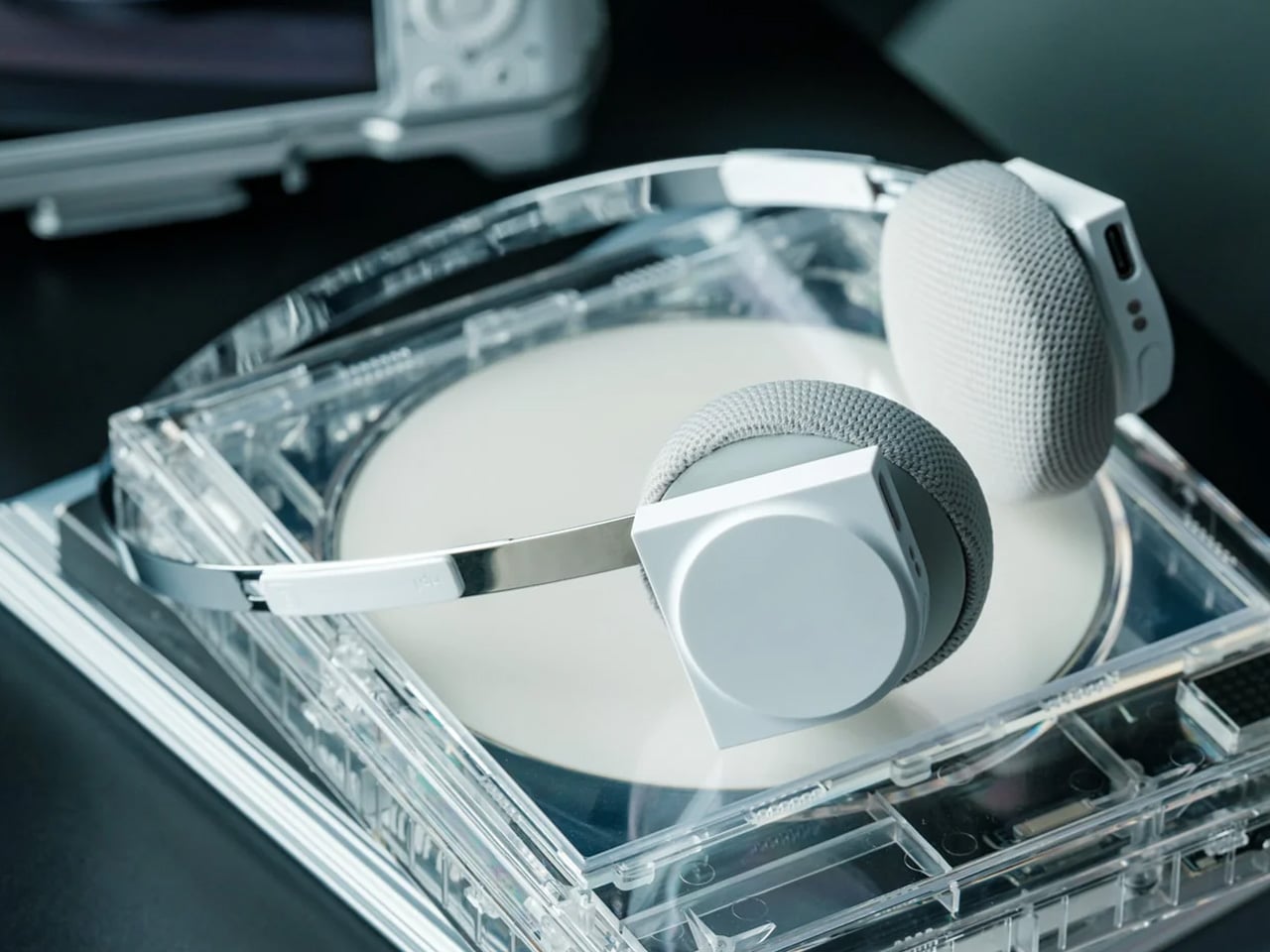
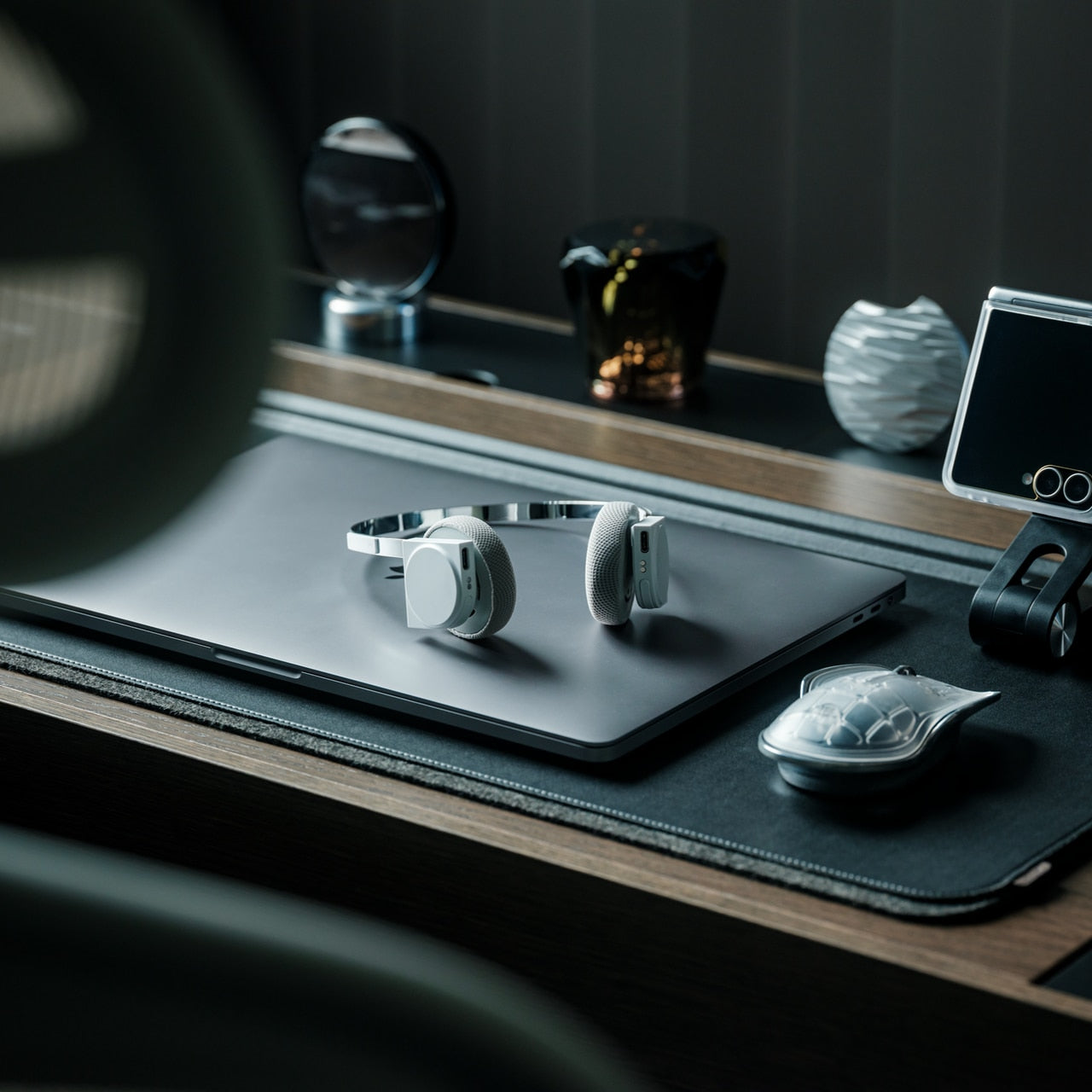
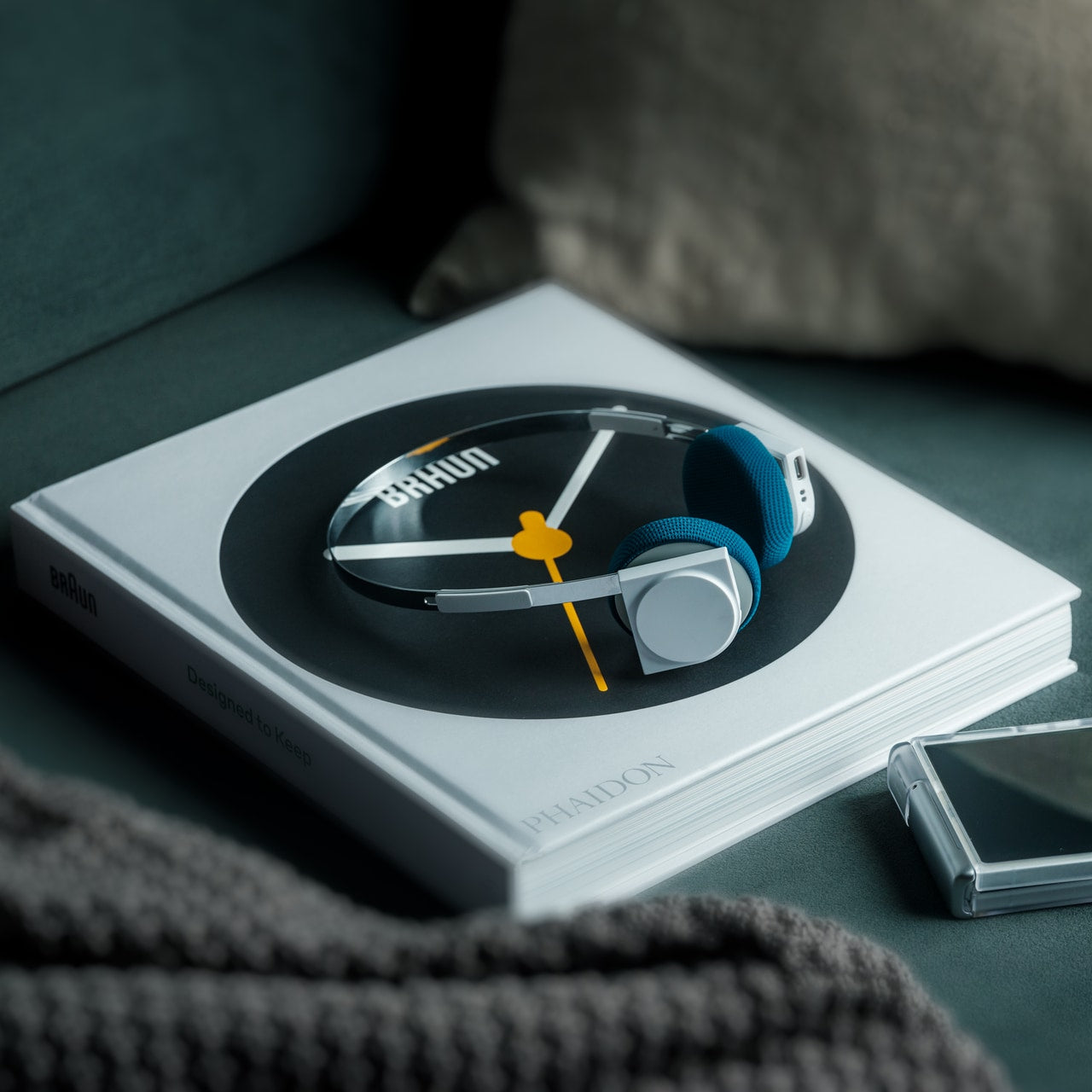
1. StillFrame Headphones – A slow, deliberate approach to travel audio.

StillFrame wireless headphones took the predictable race toward bass-heavy, noise-blasting cans and went the opposite direction. The form echoes the quiet geometry of ’80s and ’90s CDs, a deliberate reference that signals intent before a single track plays. These headphones are built around the idea that listening on a plane doesn’t have to mean sealing yourself inside a foam-padded vault.

The 40mm drivers produce a wide, open soundstage that treats quiet tracks like small environments rather than compressed streams of data. Noise cancelling kicks in when isolation is needed, and transparency mode pulls the world back in with a tap. For men who fly weekly and spend hours with headphones on, the fit matters more than the spec sheet. StillFrame sits between the suffocation of over-ears and the intrusion of in-ears, offering something lighter and more sustainable for long-haul wear. That middle ground is where most travel headphones fall short, and where these headphones excel.

Click Here to Buy Now: $245.00

What we like

  • The open soundstage brings texture to quieter music that gets lost in most closed-back travel headphones.
  • Switching between noise-cancelling and transparency mode is seamless enough to use mid-conversation with the cabin crew.

What we dislike

  • The on-ear form factor will not block as much ambient noise as a full over-ear design, which limits effectiveness on louder aircraft.
  • Battery life details remain sparse, and wireless headphones live or die by how well they survive a transatlantic route.

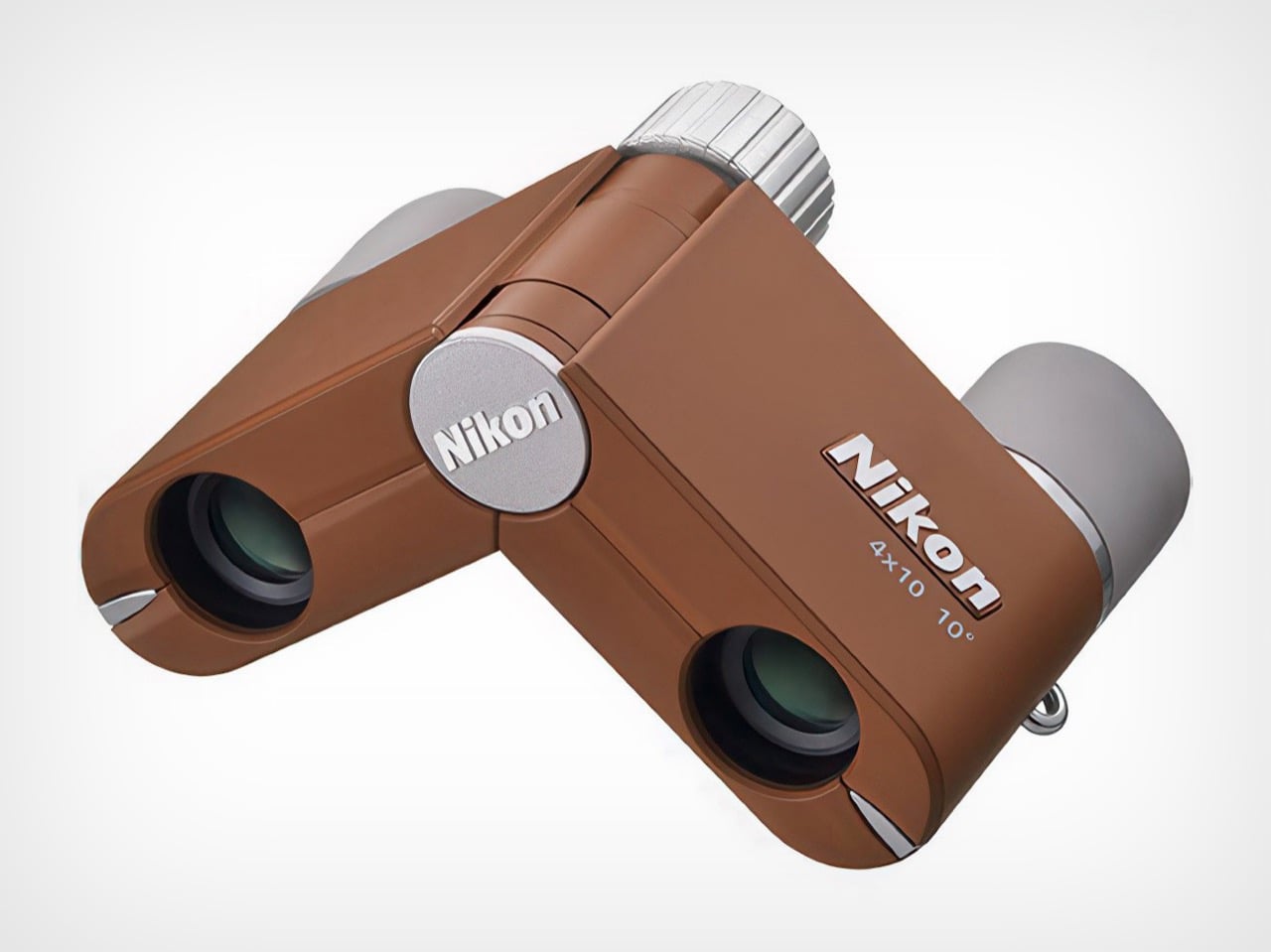
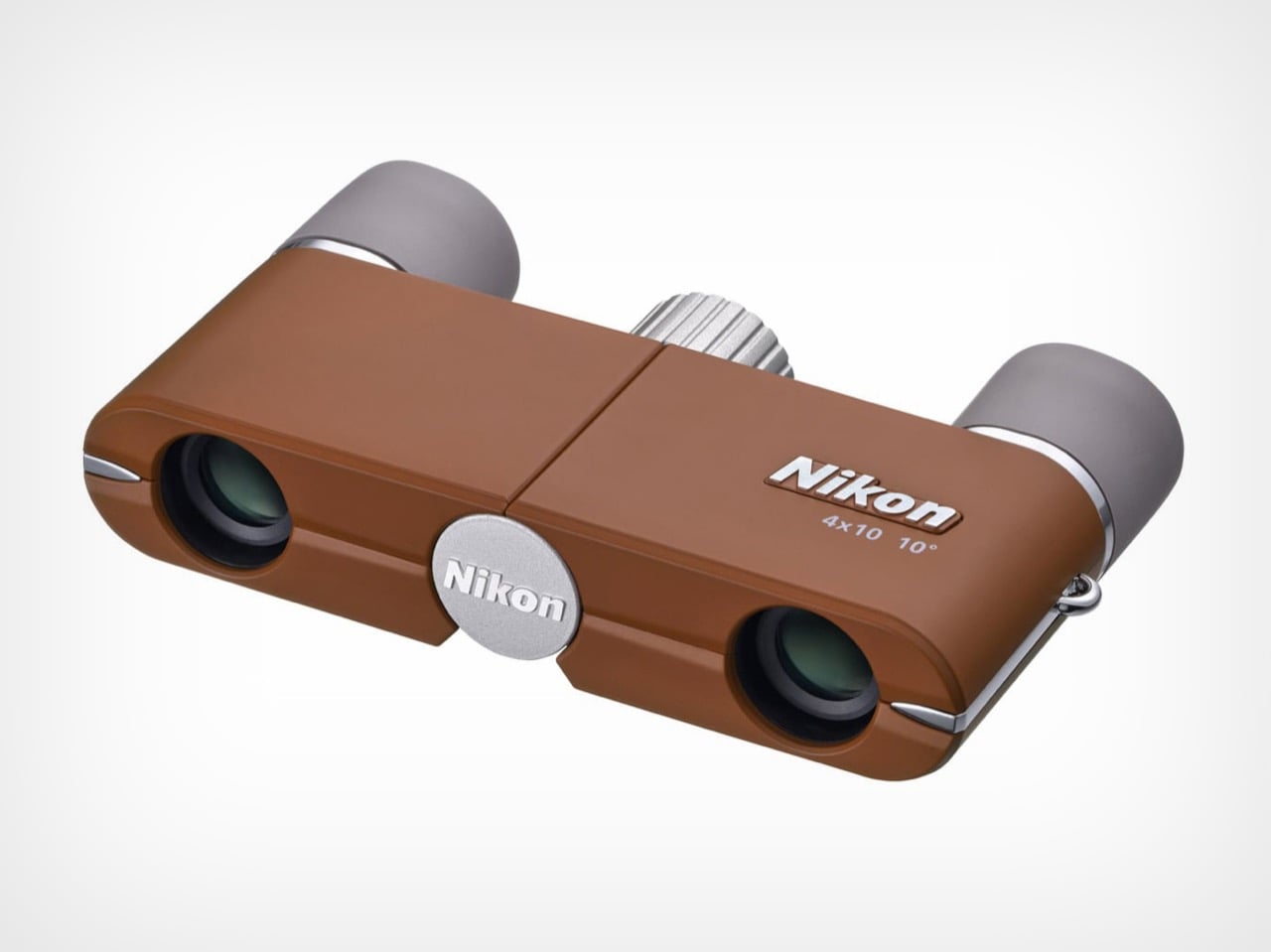
2. Nikon 4x10D CF Pocket Binoculars – Optical clarity that fits a jacket pocket.

Binoculars feel like relics from a leather-cased era. Nikon’s 4x10D CF pocket binoculars challenge that perception by shrinking the form factor down to something that slips into a blazer without creating a bulge or demanding its own case. These are not competing with a smartphone’s digital zoom. They exist in a different category, prioritizing the experience of true optical viewing over pixel counts and algorithmic processing.

The design decision that makes these work for frequent flyers is the discretion. Traditional binoculars announce themselves. These almost disappear. The optical quality stays sharp for the size, delivering a viewing experience that feels immediate and free of the digital artifacts that plague phone-based zoom. Reading a departure board from across a terminal, catching architectural details in a layover city, or scanning a landscape from an airport lounge window: the use cases are oddly specific and consistently useful for anyone whose life involves constant movement through unfamiliar places.

What we like

  • The form factor is compact enough to carry daily without dedicating bag space or adding noticeable weight.
  • Optical viewing quality avoids the processing lag and color distortion of smartphone zoom.

What we dislike

  • 4x magnification is modest, which limits usefulness for anything beyond mid-range observation.
  • The compact size means a smaller objective lens, so performance drops in low-light conditions where larger binoculars thrive.

3. COFFEEJACK – Nine bars of pressure, zero dependence on hotel equipment.

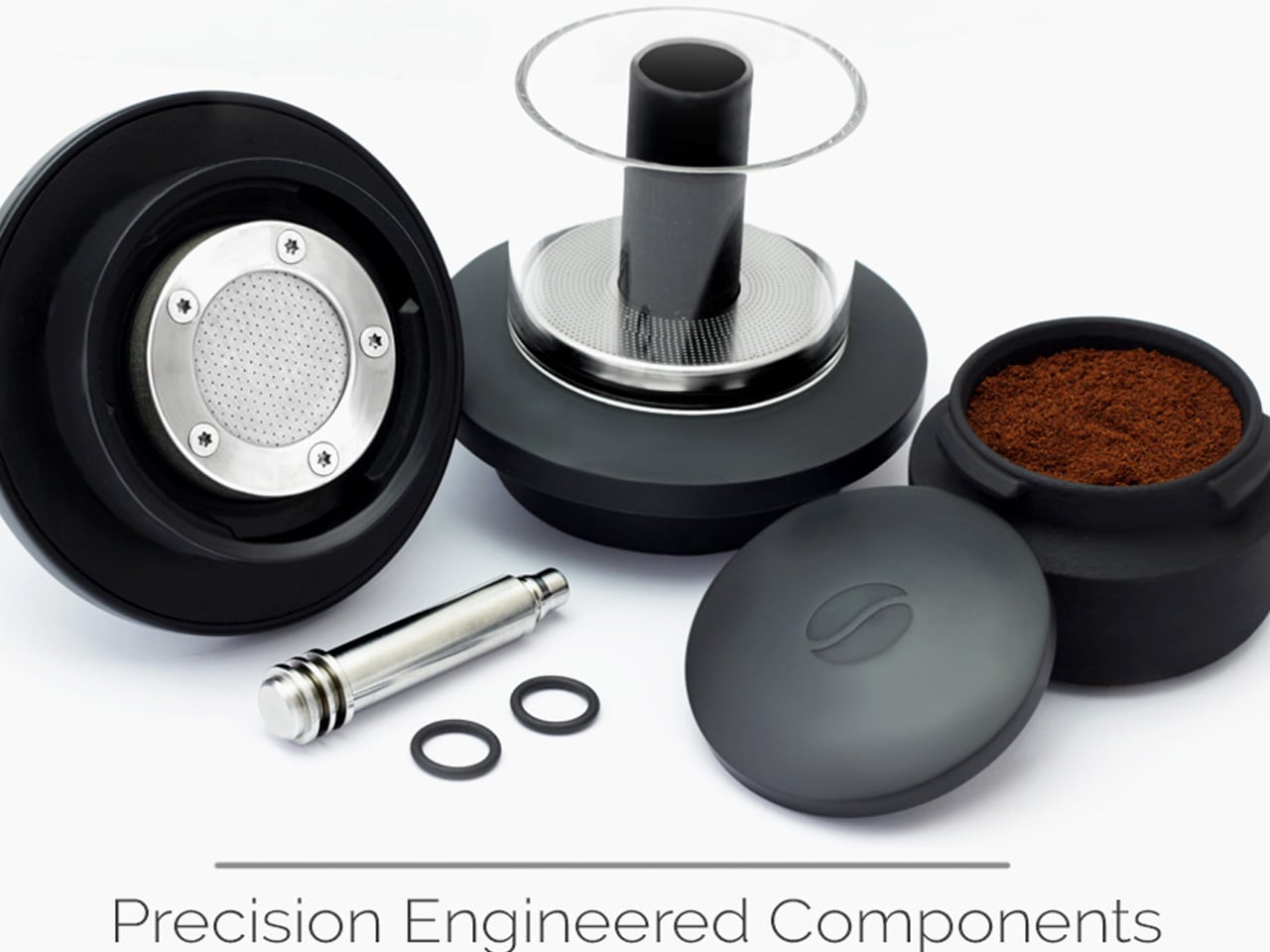
Hotel coffee is a problem that frequent travelers have accepted for too long. COFFEEJACK, built by Hribarcain, was designed to make that acceptance unnecessary. This pocket-sized espresso maker generates 9 to 10 bars of pressure through a manual hydraulic pump, matching the extraction output of professional café equipment. The lower chamber holds ground coffee, a built-in tamper levels and packs the grounds automatically, and hot water goes into the upper chamber. Work the pump, and a crema-topped espresso appears in the field.

The engineering gap between this and other portable coffee options is worth understanding. A French press operates under 1 bar of pressure. An Aeropress or Moka pot peaks at roughly 3 to 4 bars. COFFEEJACK reaches 9 to 10 consistently, manually, without a power source. That difference is what separates hotel-lobby drip from the real thing. The entire device is made from 100% recycled plastic, making it a more considered alternative to the pod-based systems that generate single-use waste with every cup. For men who treat their morning coffee as non-negotiable (and after a 6 AM landing, it absolutely is), this earns permanent carry-on status.

What we like

  • 9 to 10 bars of manual pressure match professional espresso machines without electricity, pods, or proprietary cartridges.
  • The built-in tamper eliminates the need to carry a separate tool, keeping the kit self-contained.

What we dislike

  • Hot water is still a requirement, which means sourcing it from a kettle, hotel tap, or thermos before brewing.
  • The manual pump action requires a bit of effort and technique that takes a few attempts to master.

4. BlackoutBeam Tactical Flashlight – 2300 lumens in a body that fits a Dopp kit.

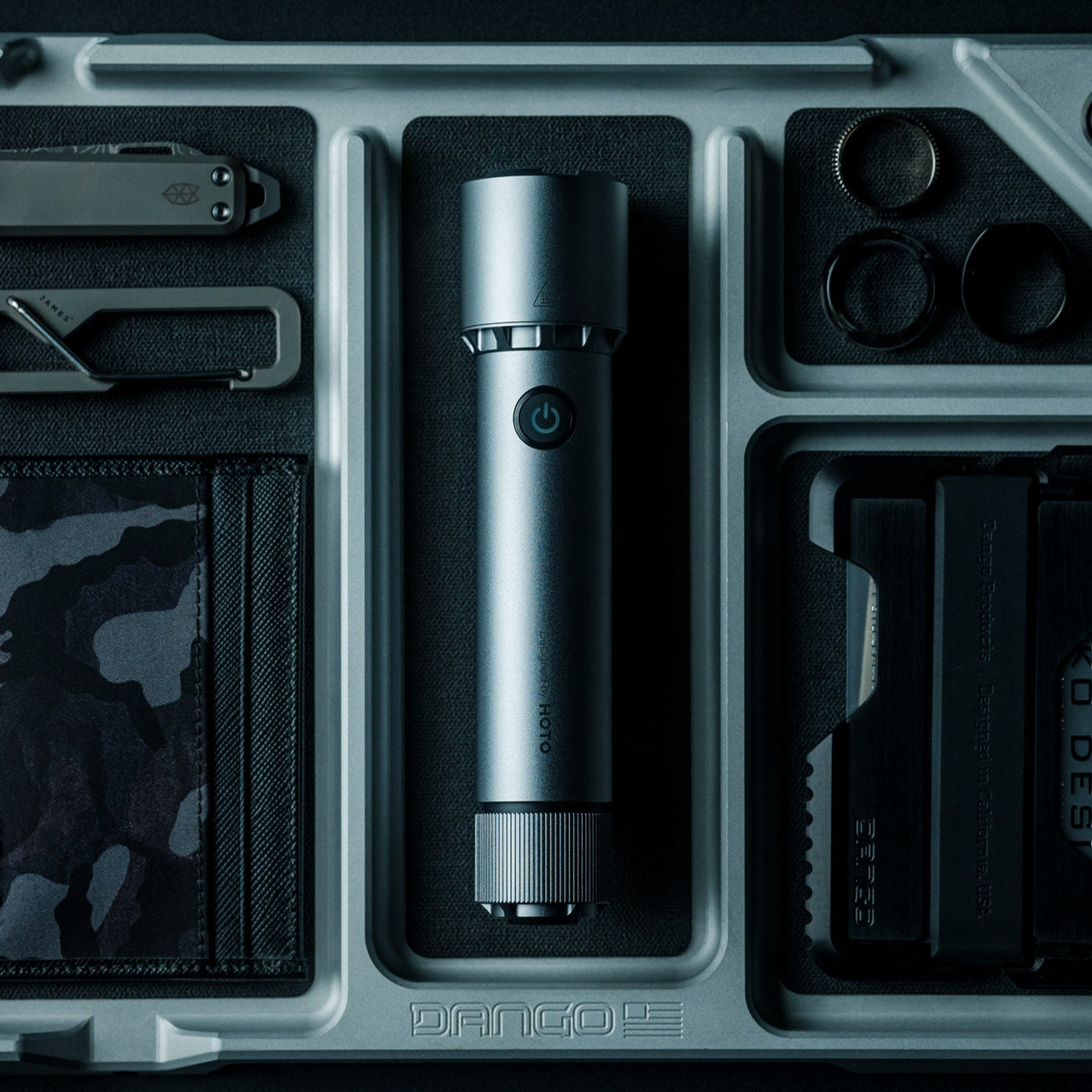
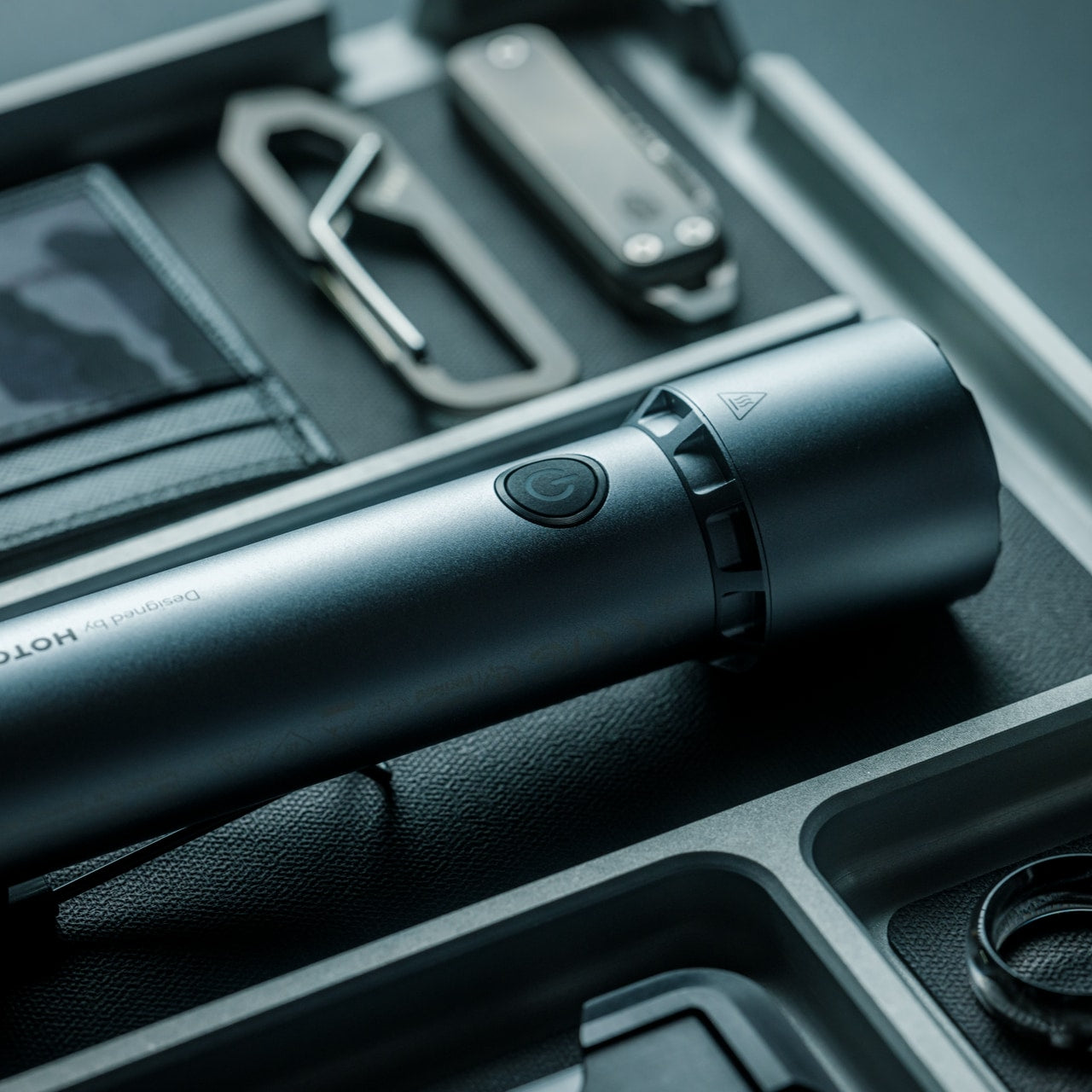
Most flashlights either look like they belong in a military surplus store or feel like cheap giveaways from a trade show. BlackoutBeam sits between those extremes with 2300 lumens of output, a 300-meter throw, and an industrial design that does not embarrass itself sitting next to a passport wallet. The 0.2-second response time means light arrives the moment the button is pressed, with no warm-up delay.

The travel case for a flashlight this capable is more practical than dramatic. Navigating poorly lit hotel parking garages, finding a rental car in an unlit airport lot, walking unfamiliar streets after dark. These are not survival scenarios; they are Tuesday nights on a business trip. The aluminum body carries an IP68 rating for water and dust resistance, so rain and rough handling are non-issues. What makes this particular light worth its bag space is the combination of output and size. At 2300 lumens with a 300-meter range, it outperforms most flashlights twice its size while slipping into a side pocket without protest.

Click Here to Buy Now: $89.00

What we like

  • 2300-lumen output with a 300-meter throw handles everything from close-range tasks to illuminating distant areas.
  • IP68-rated aluminum construction handles rain, drops, and the general abuse of constant travel without degradation.

What we dislike

  • A light this powerful will drain batteries faster than lower-output alternatives, meaning recharging becomes another travel task.
  • The tactical aesthetic, while restrained, could attract unwanted attention at security checkpoints in certain countries.

5. Comes AI travel companion – An AI assistant that sees what is around the corner.

Solo travel has a specific kind of friction that apps alone cannot solve. Comes is a small AI-powered companion device equipped with a high-performance camera that observes surroundings and offers assistance in real time. The design has a modular, detachable structure that adapts to different travel situations, functioning as a navigation aid, translator, and contextual guide depending on the moment.

The scenario it solves best is the one frequent travelers know well: arriving in a new city, stepping off a train or out of an airport, and facing that brief window of disorientation before the phone GPS loads and the bearings click into place. Comes fills that gap by walking through navigation in a way that feels supportive rather than screen-dependent. Voice interaction keeps hands free, and the camera-based awareness means it can interpret signs, menus, and spatial context without requiring manual input. For men who move through multiple cities in a single week, the device acts as a persistent local guide that does not need Wi-Fi to be useful in the moment it matters most.

What we like

  • The modular design adapts to different carry and mounting configurations depending on the travel context.
  • Camera-based awareness interprets real-world visual information without requiring the user to stop and type.

What we dislike

  • AI-powered devices in this category still depend heavily on software updates and server-side processing, which introduces latency in areas with weak connectivity.
  • Battery management across the camera, AI processing, and wireless communication will be a limiting factor on long travel days.

6. Pocket Monkii 2 – A full bodyweight training system that packs smaller than a book.

Gym access on the road is either a depressing hotel treadmill or a day pass at a facility that requires a 20-minute detour. Pocket Monkii 2 is a compact training system that packs cables, handles, a ladder, and an isometric tool into a kit small enough to throw into a carry-on without sacrificing space for anything else. The all-new package includes unlimited access to the Monkii app, which provides workout instructionals and progress tracking.

What makes this different from a resistance band tossed into a suitcase is the system design. The cables are built for durability across hundreds of sessions, and the combination of tools allows for a full bodyweight program rather than a handful of isolated exercises. The 21-Day Habit guide included with purchase pushes past the typical “use it twice and forget it” pattern that plagues most portable fitness equipment. For frequent flyers who refuse to lose their training momentum to a travel schedule, this is the closest thing to a portable gym that does not feel like a compromise or require anchoring to a hotel door frame that was never designed to hold body weight.

What we like

  • The compact kit fits inside a carry-on and provides enough variety for a complete bodyweight training session.
  • App integration with workout instructionals and progress tracking adds structure that standalone resistance bands lack.

What we dislike

  • Cable-based systems require an anchor point, and not every hotel room has a suitable door or fixture for secure attachment.
  • The learning curve for isometric and suspension-style exercises is steeper than traditional resistance training.

7. Auger PrecisionLever Nail Clipper – A century of Japanese blade-making in an 86mm package.

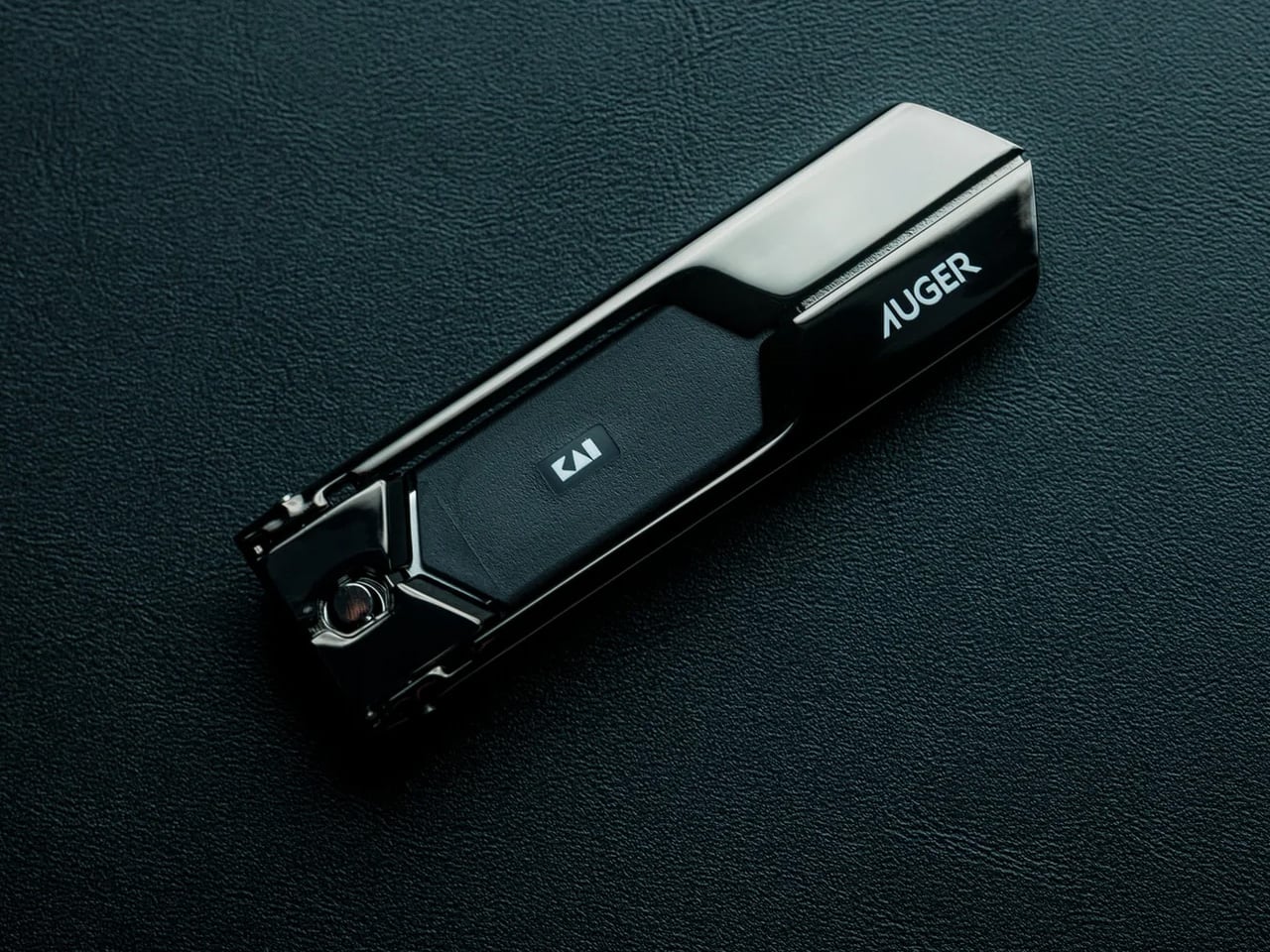
Grooming on the road tends to fall apart at the small details. Nail clippers are the item most likely to be forgotten, borrowed from a front desk, or purchased in desperation from an airport convenience store where the options are universally terrible. Kai Corporation, Japan’s blade authority since 1908, built the Auger PrecisionLever to make that entire cycle unnecessary.

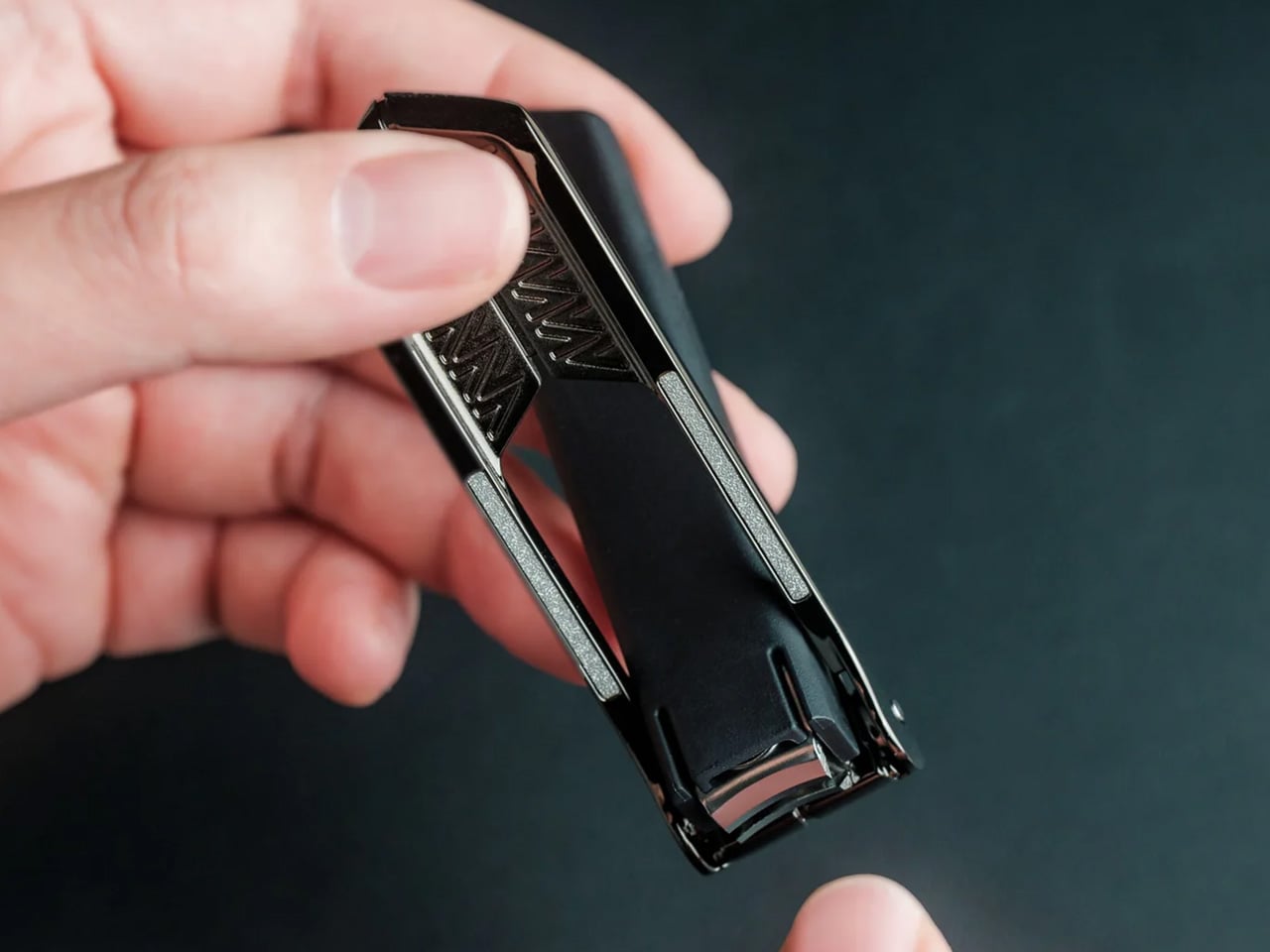
The patented revolver-style lever shifts the pivot point closer to the blade, optimizing pressure with every press. That mechanical advantage means cleaner cuts on thicker nails with less effort and more control. The blades are crafted from stainless cutlery steel, cutting cleanly without tearing or splitting. At 67 grams with an 86mm footprint, the clipper has a weighted feel that is stable in hand while still slipping into a Dopp kit without claiming space. For a tool that gets used a few times a week and lives in the bottom of a toiletry bag, the difference between a precision instrument and a generic clipper is felt every single time. This one makes the case that even the smallest object in a travel kit deserves actual engineering.

Click Here to Buy Now: $49.00

What we like

  • The patented lever mechanism delivers more cutting force with less manual effort, especially on thicker nails.
  • Stainless cutlery steel blades cut cleanly without the tearing or crushing common in cheaper clippers.

What we dislike

  • Premium nail clippers occupy a price point that most people will not consider until they have suffered through enough bad ones.
  • The 67-gram weight, while satisfying in hand, adds up when every gram in a dopp kit is contested.

8. Loop – A neck pillow that abandoned the U-shape entirely.

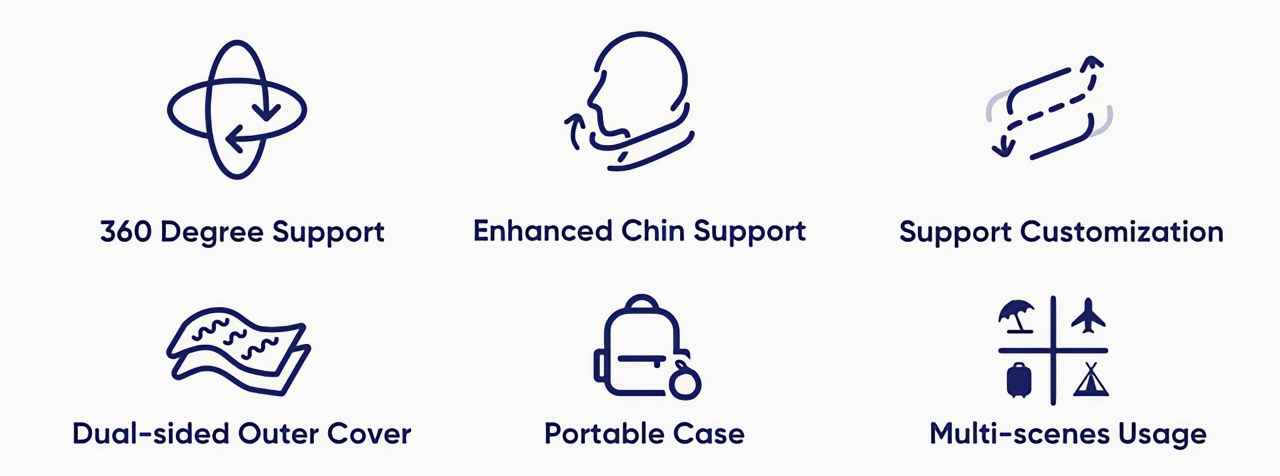
The U-shaped travel pillow has been the default for decades, and it has been mediocre for every single one of those decades. The Loop Pillow rejected the template. Its infinitely adjustable loop design wraps around the neck tightly or loosely, providing lift near the shoulder to support the head at whatever angle sleep actually arrives. If the U-shape is a one-size-fits-all solution, the Loop is a continuous adjustment that conforms to the person rather than the other way around.

The construction uses thermo-sensitive memory foam that molds to neck contours over time, paired with a moisture-wicking, breathable outer cover that keeps skin dry during sleep. Two cover colors correspond to a warm side and a cool side, allowing the sleeper to choose based on cabin temperature. The pillow works whether the head rests forward, to the side, or against the back of the seat, which alone puts it ahead of every rigid U-pillow on the market. For men who fly red-eyes regularly and have accepted that airplane sleep will always be imperfect, the Loop does not promise perfection. It promises adaptability, and on a cramped overnight flight, that distinction makes all the difference.

What we like

  • The infinitely adjustable loop design works with multiple sleeping positions instead of forcing a single neck angle.
  • Thermo-sensitive memory foam and a dual-temperature cover adapt to both the body and the cabin environment.

What we dislike

  • The loop form factor looks unconventional and takes a few uses to figure out the wrapping technique that works best.
  • Memory foam retains heat over long periods, and the breathable cover can only offset so much warmth during a 10-hour flight.

Where The Suitcase Closes

These eight products share a common thread. None of them demands attention, and none of them wastes space. They are corrections to the small, recurring failures of constant travel: bad coffee, bad sleep, bad lighting, lost training days, and the slow erosion of routine that comes with living out of a carry-on. The best travel gear is the kind that disappears into the rhythm of a trip rather than creating new problems to manage.

What ties this list together is not a category or a price point but a design philosophy. Each product earned its spot by answering a specific question that frequent flyers have asked, tested, and refined through repetition. The carry-on has limited real estate. These eight justify every square inch they claim.

The post 8 Best Travel Gadgets & Tools Men Who Fly Constantly Refuse to Leave Without first appeared on Yanko Design.
EZCast Just Turned Every Phone Into a Professional Camera Monitor

Monitoring a camera feed used to require either hovering behind the viewfinder or investing in a dedicated wireless video system with separate transmitters, receivers, and field monitors. For solo content creators, small production teams, and anyone shooting interviews or tutorials with limited gear, that kind of setup has always felt disproportionate to the task. The gap between “professional monitoring” and “just squinting at the back of the camera” remained stubbornly wide.

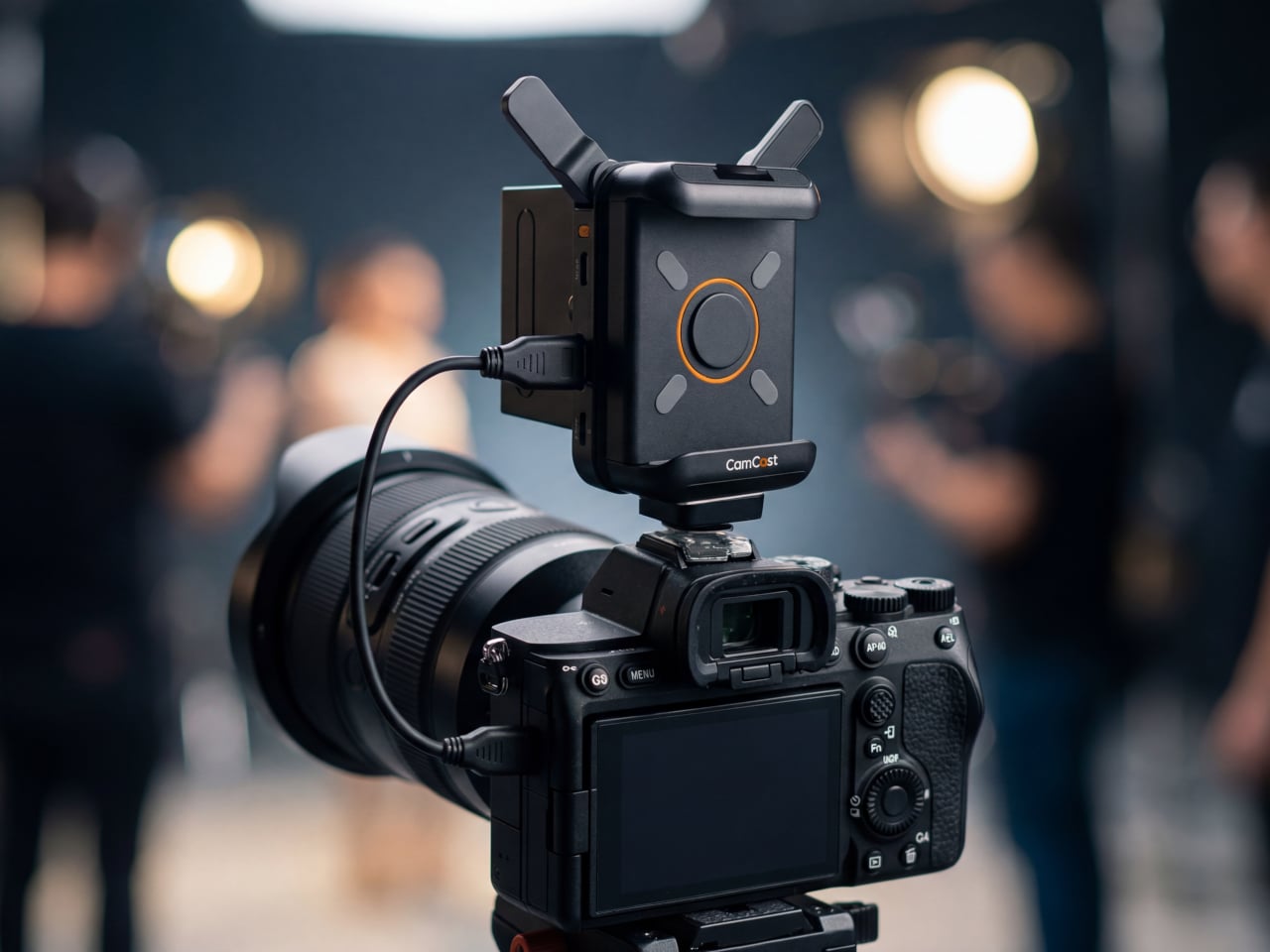
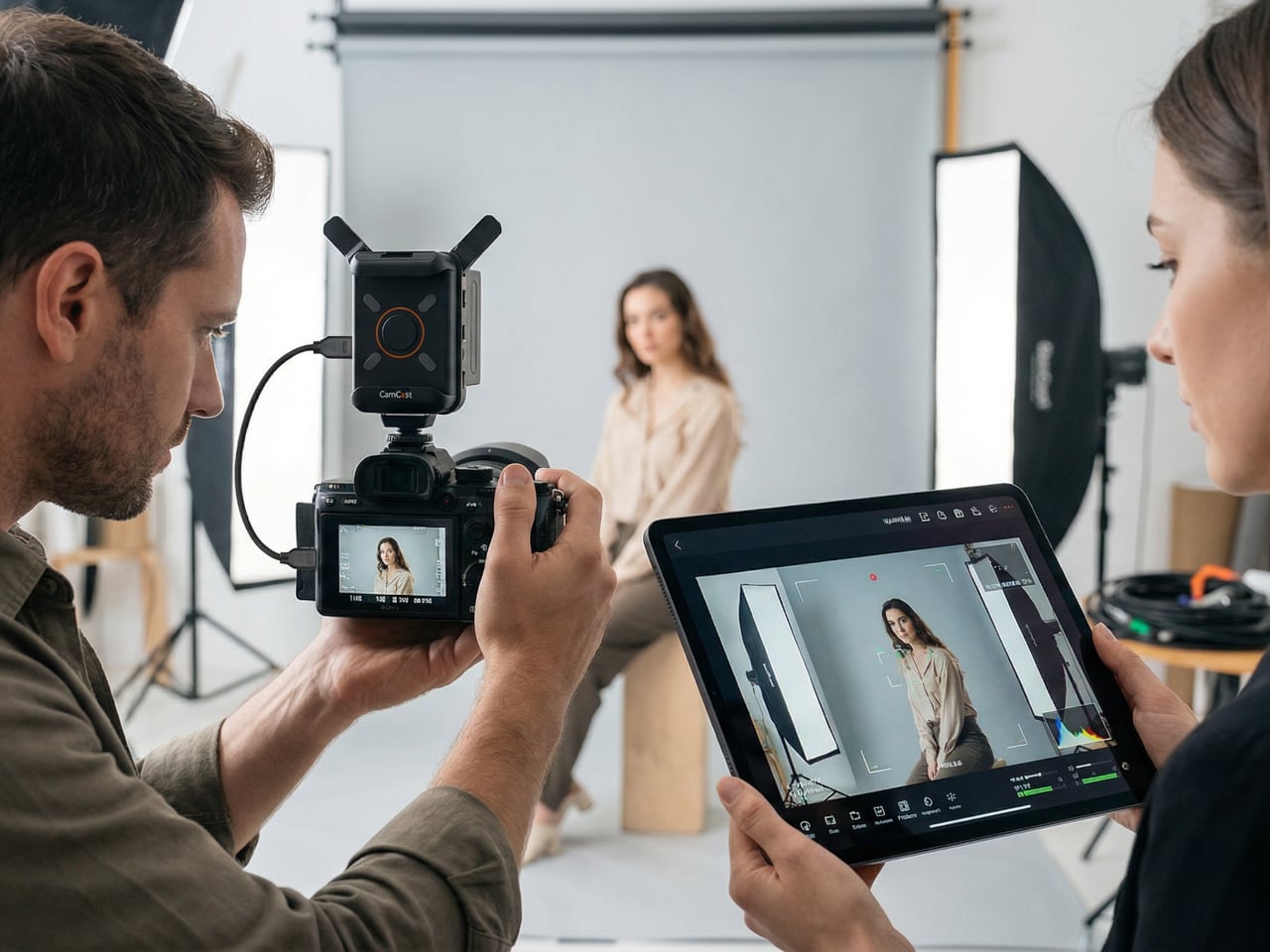
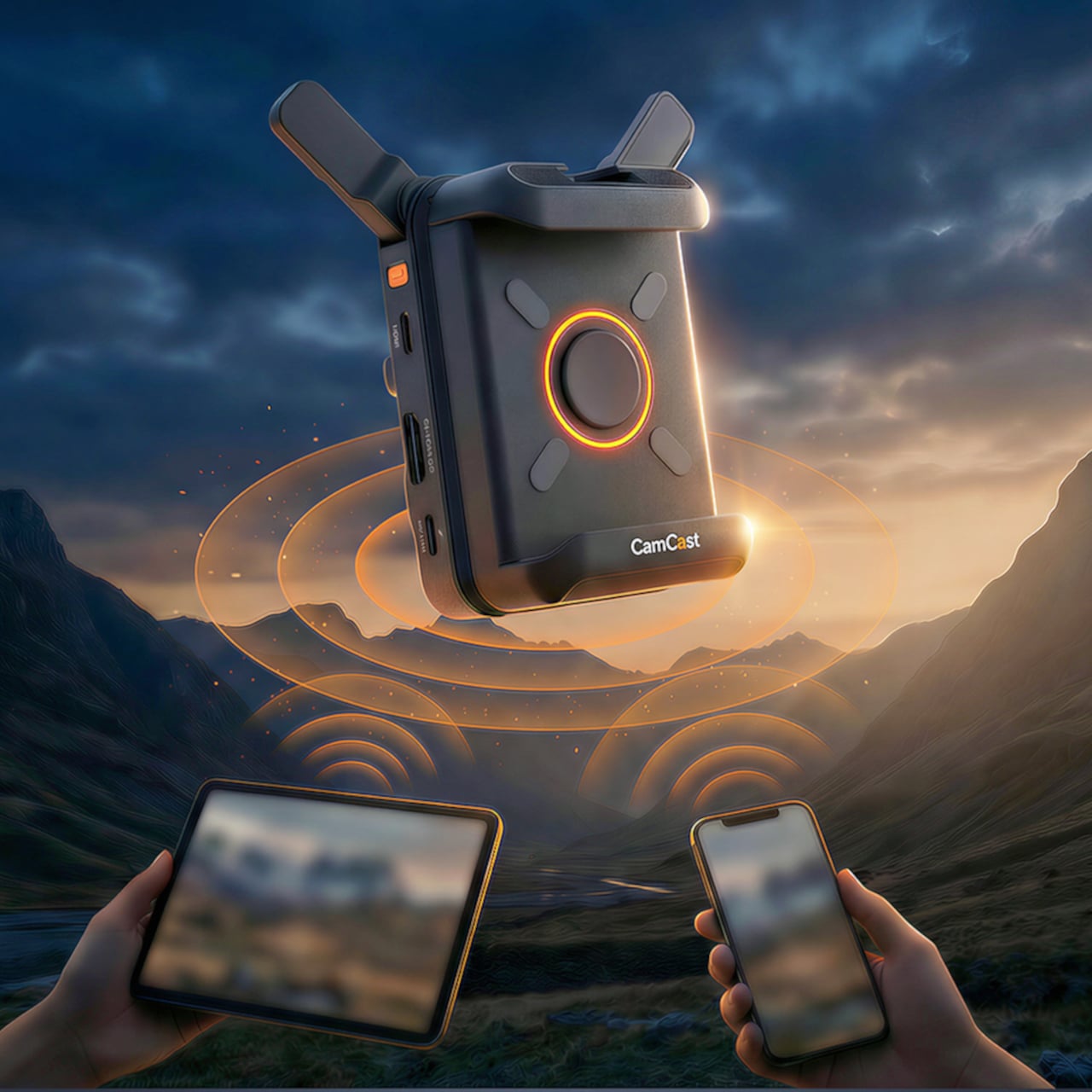
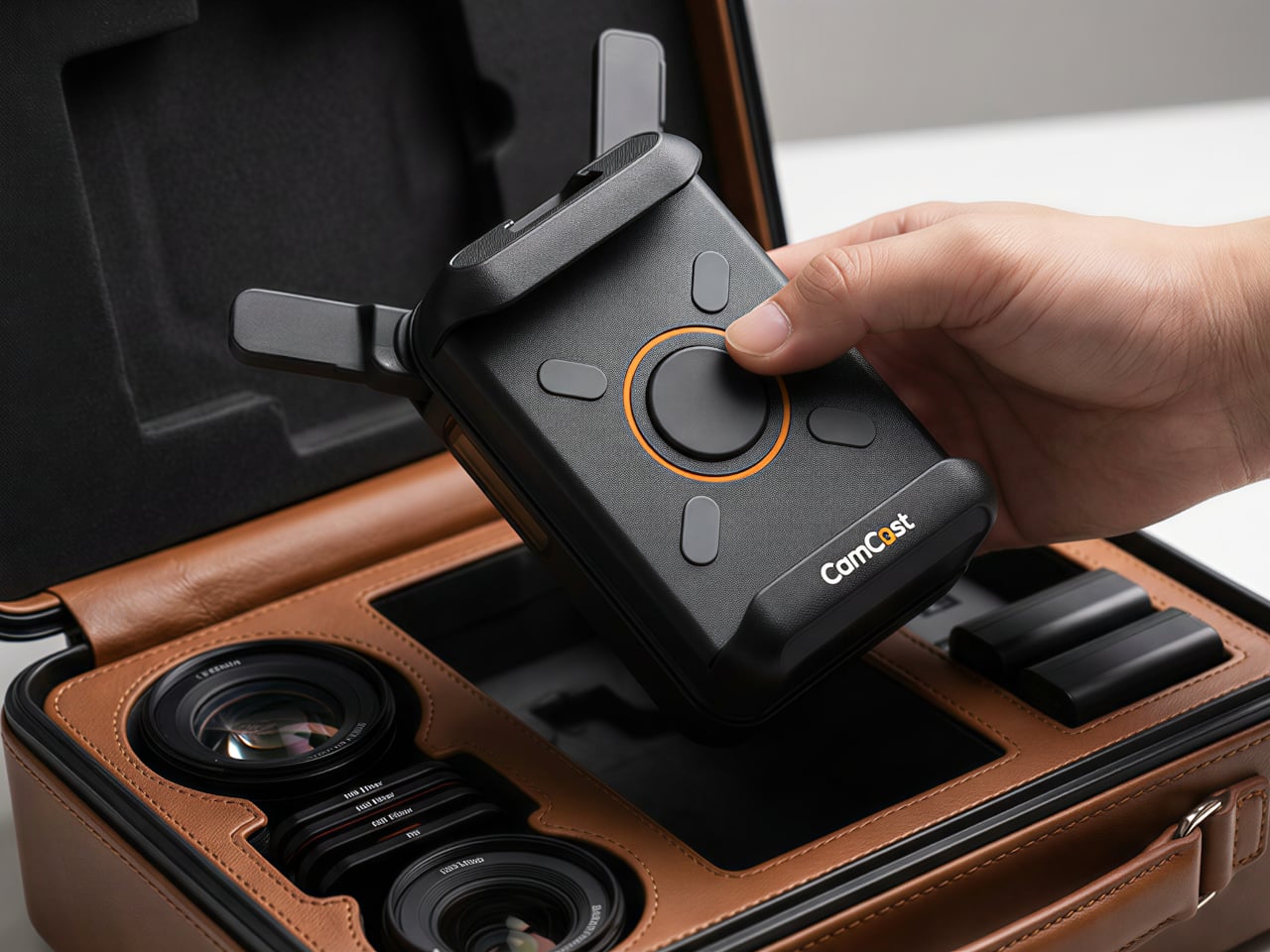
EZCast’s CamCast CT-1 is a compact wireless transmitter designed to sit on top of any HDMI-equipped camera, from mirrorless bodies and DSLRs to action cams and camcorders. Once connected, it broadcasts a live 1080p 60fps feed over 5GHz Wi-Fi to up to four iOS or Android devices simultaneously. EZCast has spent over a decade building wireless display and screen-mirroring technology for offices and classrooms, and the CamCast is their first product built specifically for cameras, applying that signal distribution expertise to a production context.

Designer: EZCast

Click Here to Buy Now: $129 $239 ($110 off). Hurry, only a few units left!

The device itself is small enough to mount on a camera hot shoe or gimbal arm, with included adapters for both horizontal and vertical orientation. A built-in OLED screen displays connection details, and pairing happens through a QR code scan that takes roughly three seconds. Power comes from either a standard NP-F battery, the same type used across countless cinema accessories, or a USB-C connection at 5V/3A. That dual-power flexibility means a battery for mobility on location or a simple cable for longer, stationary shoots where runtime matters more.

1

Beyond passive monitoring, the companion CamCast app lets users save takes directly to their phone, review footage instantly, and share clips without ever pulling a memory card from the camera. For a two-person crew shooting a wedding, for instance, the second operator can watch the main camera’s composition from across the venue on a phone while managing their own setup. A makeup artist can confirm framing before the talent walks on set. Four people watching the same live feed, all from devices they already carry, collapses a communication problem that traditionally required dedicated hardware to solve.

What separates the CamCast CT-1 from a basic wireless HDMI sender, though, is the built-in PTP camera control. From the app on a phone or tablet, users can adjust shutter speed, ISO, color temperature, and aperture, and even navigate through camera menus remotely. Consider a camera mounted on an overhead rig for a cooking tutorial, or locked onto a gimbal for a tracking shot. Physically reaching the camera to change a setting interrupts the flow of a shoot. Being able to tweak exposure or white balance from a phone across the room changes how a solo creator or small team interacts with their gear.

1

The CamCast CT-1 also has a UVC output, which means it can connect directly to a laptop or desktop and function as a capture card. For livestreamers, educators, or anyone running a webinar, this removes an entire piece of hardware from the signal chain. One device handles wireless monitoring to phones and wired streaming output to a computer at the same time, which is a lot of functions packed into something that weighs less than most on-camera microphones.

1

Picture a YouTuber who films with a mirrorless camera on a tripod across the room. Right now, checking framing or adjusting settings means walking over, making a change, walking back, and repeating until it looks right. With the CamCast mounted on that camera, the phone becomes both the monitor and the remote control. An instructor recording a craft tutorial gets the same benefit, turning their tablet into a live preview without needing cables snaking across the workspace or an expensive field monitor clamped to a light stand.

Rather than building another monitor or another receiver, EZCast built a bridge between cameras and the screens people already own. That redistribution of function, turning four phones into four production monitors through a single transmitter, might be the more interesting design move in a category still dominated by expensive, single-purpose hardware.

Click Here to Buy Now: $129 $239 ($110 off). Hurry, only a few units left!

The post EZCast Just Turned Every Phone Into a Professional Camera Monitor first appeared on Yanko Design.
EZCast Just Turned Every Phone Into a Professional Camera Monitor

Monitoring a camera feed used to require either hovering behind the viewfinder or investing in a dedicated wireless video system with separate transmitters, receivers, and field monitors. For solo content creators, small production teams, and anyone shooting interviews or tutorials with limited gear, that kind of setup has always felt disproportionate to the task. The gap between “professional monitoring” and “just squinting at the back of the camera” remained stubbornly wide.

EZCast’s CamCast CT-1 is a compact wireless transmitter designed to sit on top of any HDMI-equipped camera, from mirrorless bodies and DSLRs to action cams and camcorders. Once connected, it broadcasts a live 1080p 60fps feed over 5GHz Wi-Fi to up to four iOS or Android devices simultaneously. EZCast has spent over a decade building wireless display and screen-mirroring technology for offices and classrooms, and the CamCast is their first product built specifically for cameras, applying that signal distribution expertise to a production context.

Designer: EZCast

Click Here to Buy Now: $129 $239 ($110 off). Hurry, only a few units left!

The device itself is small enough to mount on a camera hot shoe or gimbal arm, with included adapters for both horizontal and vertical orientation. A built-in OLED screen displays connection details, and pairing happens through a QR code scan that takes roughly three seconds. Power comes from either a standard NP-F battery, the same type used across countless cinema accessories, or a USB-C connection at 5V/3A. That dual-power flexibility means a battery for mobility on location or a simple cable for longer, stationary shoots where runtime matters more.

1

Beyond passive monitoring, the companion CamCast app lets users save takes directly to their phone, review footage instantly, and share clips without ever pulling a memory card from the camera. For a two-person crew shooting a wedding, for instance, the second operator can watch the main camera’s composition from across the venue on a phone while managing their own setup. A makeup artist can confirm framing before the talent walks on set. Four people watching the same live feed, all from devices they already carry, collapses a communication problem that traditionally required dedicated hardware to solve.

What separates the CamCast CT-1 from a basic wireless HDMI sender, though, is the built-in PTP camera control. From the app on a phone or tablet, users can adjust shutter speed, ISO, color temperature, and aperture, and even navigate through camera menus remotely. Consider a camera mounted on an overhead rig for a cooking tutorial, or locked onto a gimbal for a tracking shot. Physically reaching the camera to change a setting interrupts the flow of a shoot. Being able to tweak exposure or white balance from a phone across the room changes how a solo creator or small team interacts with their gear.

1

The CamCast CT-1 also has a UVC output, which means it can connect directly to a laptop or desktop and function as a capture card. For livestreamers, educators, or anyone running a webinar, this removes an entire piece of hardware from the signal chain. One device handles wireless monitoring to phones and wired streaming output to a computer at the same time, which is a lot of functions packed into something that weighs less than most on-camera microphones.

1

Picture a YouTuber who films with a mirrorless camera on a tripod across the room. Right now, checking framing or adjusting settings means walking over, making a change, walking back, and repeating until it looks right. With the CamCast mounted on that camera, the phone becomes both the monitor and the remote control. An instructor recording a craft tutorial gets the same benefit, turning their tablet into a live preview without needing cables snaking across the workspace or an expensive field monitor clamped to a light stand.

Rather than building another monitor or another receiver, EZCast built a bridge between cameras and the screens people already own. That redistribution of function, turning four phones into four production monitors through a single transmitter, might be the more interesting design move in a category still dominated by expensive, single-purpose hardware.

Click Here to Buy Now: $129 $239 ($110 off). Hurry, only a few units left!

The post EZCast Just Turned Every Phone Into a Professional Camera Monitor first appeared on Yanko Design.
EZCast Just Turned Every Phone Into a Professional Camera Monitor

Monitoring a camera feed used to require either hovering behind the viewfinder or investing in a dedicated wireless video system with separate transmitters, receivers, and field monitors. For solo content creators, small production teams, and anyone shooting interviews or tutorials with limited gear, that kind of setup has always felt disproportionate to the task. The gap between “professional monitoring” and “just squinting at the back of the camera” remained stubbornly wide.

EZCast’s CamCast CT-1 is a compact wireless transmitter designed to sit on top of any HDMI-equipped camera, from mirrorless bodies and DSLRs to action cams and camcorders. Once connected, it broadcasts a live 1080p 60fps feed over 5GHz Wi-Fi to up to four iOS or Android devices simultaneously. EZCast has spent over a decade building wireless display and screen-mirroring technology for offices and classrooms, and the CamCast is their first product built specifically for cameras, applying that signal distribution expertise to a production context.

Designer: EZCast

Click Here to Buy Now: $129 $239 ($110 off). Hurry, only a few units left!

The device itself is small enough to mount on a camera hot shoe or gimbal arm, with included adapters for both horizontal and vertical orientation. A built-in OLED screen displays connection details, and pairing happens through a QR code scan that takes roughly three seconds. Power comes from either a standard NP-F battery, the same type used across countless cinema accessories, or a USB-C connection at 5V/3A. That dual-power flexibility means a battery for mobility on location or a simple cable for longer, stationary shoots where runtime matters more.

1

Beyond passive monitoring, the companion CamCast app lets users save takes directly to their phone, review footage instantly, and share clips without ever pulling a memory card from the camera. For a two-person crew shooting a wedding, for instance, the second operator can watch the main camera’s composition from across the venue on a phone while managing their own setup. A makeup artist can confirm framing before the talent walks on set. Four people watching the same live feed, all from devices they already carry, collapses a communication problem that traditionally required dedicated hardware to solve.

What separates the CamCast CT-1 from a basic wireless HDMI sender, though, is the built-in PTP camera control. From the app on a phone or tablet, users can adjust shutter speed, ISO, color temperature, and aperture, and even navigate through camera menus remotely. Consider a camera mounted on an overhead rig for a cooking tutorial, or locked onto a gimbal for a tracking shot. Physically reaching the camera to change a setting interrupts the flow of a shoot. Being able to tweak exposure or white balance from a phone across the room changes how a solo creator or small team interacts with their gear.

1

The CamCast CT-1 also has a UVC output, which means it can connect directly to a laptop or desktop and function as a capture card. For livestreamers, educators, or anyone running a webinar, this removes an entire piece of hardware from the signal chain. One device handles wireless monitoring to phones and wired streaming output to a computer at the same time, which is a lot of functions packed into something that weighs less than most on-camera microphones.

1

Picture a YouTuber who films with a mirrorless camera on a tripod across the room. Right now, checking framing or adjusting settings means walking over, making a change, walking back, and repeating until it looks right. With the CamCast mounted on that camera, the phone becomes both the monitor and the remote control. An instructor recording a craft tutorial gets the same benefit, turning their tablet into a live preview without needing cables snaking across the workspace or an expensive field monitor clamped to a light stand.

Rather than building another monitor or another receiver, EZCast built a bridge between cameras and the screens people already own. That redistribution of function, turning four phones into four production monitors through a single transmitter, might be the more interesting design move in a category still dominated by expensive, single-purpose hardware.

Click Here to Buy Now: $129 $239 ($110 off). Hurry, only a few units left!

The post EZCast Just Turned Every Phone Into a Professional Camera Monitor first appeared on Yanko Design.
EZCast Just Turned Every Phone Into a Professional Camera Monitor

Monitoring a camera feed used to require either hovering behind the viewfinder or investing in a dedicated wireless video system with separate transmitters, receivers, and field monitors. For solo content creators, small production teams, and anyone shooting interviews or tutorials with limited gear, that kind of setup has always felt disproportionate to the task. The gap between “professional monitoring” and “just squinting at the back of the camera” remained stubbornly wide.

EZCast’s CamCast CT-1 is a compact wireless transmitter designed to sit on top of any HDMI-equipped camera, from mirrorless bodies and DSLRs to action cams and camcorders. Once connected, it broadcasts a live 1080p 60fps feed over 5GHz Wi-Fi to up to four iOS or Android devices simultaneously. EZCast has spent over a decade building wireless display and screen-mirroring technology for offices and classrooms, and the CamCast is their first product built specifically for cameras, applying that signal distribution expertise to a production context.

Designer: EZCast

Click Here to Buy Now: $129 $239 ($110 off). Hurry, only a few units left!

The device itself is small enough to mount on a camera hot shoe or gimbal arm, with included adapters for both horizontal and vertical orientation. A built-in OLED screen displays connection details, and pairing happens through a QR code scan that takes roughly three seconds. Power comes from either a standard NP-F battery, the same type used across countless cinema accessories, or a USB-C connection at 5V/3A. That dual-power flexibility means a battery for mobility on location or a simple cable for longer, stationary shoots where runtime matters more.

1

Beyond passive monitoring, the companion CamCast app lets users save takes directly to their phone, review footage instantly, and share clips without ever pulling a memory card from the camera. For a two-person crew shooting a wedding, for instance, the second operator can watch the main camera’s composition from across the venue on a phone while managing their own setup. A makeup artist can confirm framing before the talent walks on set. Four people watching the same live feed, all from devices they already carry, collapses a communication problem that traditionally required dedicated hardware to solve.

What separates the CamCast CT-1 from a basic wireless HDMI sender, though, is the built-in PTP camera control. From the app on a phone or tablet, users can adjust shutter speed, ISO, color temperature, and aperture, and even navigate through camera menus remotely. Consider a camera mounted on an overhead rig for a cooking tutorial, or locked onto a gimbal for a tracking shot. Physically reaching the camera to change a setting interrupts the flow of a shoot. Being able to tweak exposure or white balance from a phone across the room changes how a solo creator or small team interacts with their gear.

1

The CamCast CT-1 also has a UVC output, which means it can connect directly to a laptop or desktop and function as a capture card. For livestreamers, educators, or anyone running a webinar, this removes an entire piece of hardware from the signal chain. One device handles wireless monitoring to phones and wired streaming output to a computer at the same time, which is a lot of functions packed into something that weighs less than most on-camera microphones.

1

Picture a YouTuber who films with a mirrorless camera on a tripod across the room. Right now, checking framing or adjusting settings means walking over, making a change, walking back, and repeating until it looks right. With the CamCast mounted on that camera, the phone becomes both the monitor and the remote control. An instructor recording a craft tutorial gets the same benefit, turning their tablet into a live preview without needing cables snaking across the workspace or an expensive field monitor clamped to a light stand.

Rather than building another monitor or another receiver, EZCast built a bridge between cameras and the screens people already own. That redistribution of function, turning four phones into four production monitors through a single transmitter, might be the more interesting design move in a category still dominated by expensive, single-purpose hardware.

Click Here to Buy Now: $129 $239 ($110 off). Hurry, only a few units left!

The post EZCast Just Turned Every Phone Into a Professional Camera Monitor first appeared on Yanko Design.
EZCast Just Turned Every Phone Into a Professional Camera Monitor

Monitoring a camera feed used to require either hovering behind the viewfinder or investing in a dedicated wireless video system with separate transmitters, receivers, and field monitors. For solo content creators, small production teams, and anyone shooting interviews or tutorials with limited gear, that kind of setup has always felt disproportionate to the task. The gap between “professional monitoring” and “just squinting at the back of the camera” remained stubbornly wide.

EZCast’s CamCast CT-1 is a compact wireless transmitter designed to sit on top of any HDMI-equipped camera, from mirrorless bodies and DSLRs to action cams and camcorders. Once connected, it broadcasts a live 1080p 60fps feed over 5GHz Wi-Fi to up to four iOS or Android devices simultaneously. EZCast has spent over a decade building wireless display and screen-mirroring technology for offices and classrooms, and the CamCast is their first product built specifically for cameras, applying that signal distribution expertise to a production context.

Designer: EZCast

Click Here to Buy Now: $129 $239 ($110 off). Hurry, only a few units left!

The device itself is small enough to mount on a camera hot shoe or gimbal arm, with included adapters for both horizontal and vertical orientation. A built-in OLED screen displays connection details, and pairing happens through a QR code scan that takes roughly three seconds. Power comes from either a standard NP-F battery, the same type used across countless cinema accessories, or a USB-C connection at 5V/3A. That dual-power flexibility means a battery for mobility on location or a simple cable for longer, stationary shoots where runtime matters more.


1

Beyond passive monitoring, the companion CamCast app lets users save takes directly to their phone, review footage instantly, and share clips without ever pulling a memory card from the camera. For a two-person crew shooting a wedding, for instance, the second operator can watch the main camera’s composition from across the venue on a phone while managing their own setup. A makeup artist can confirm framing before the talent walks on set. Four people watching the same live feed, all from devices they already carry, collapses a communication problem that traditionally required dedicated hardware to solve.

What separates the CamCast CT-1 from a basic wireless HDMI sender, though, is the built-in PTP camera control. From the app on a phone or tablet, users can adjust shutter speed, ISO, color temperature, and aperture, and even navigate through camera menus remotely. Consider a camera mounted on an overhead rig for a cooking tutorial, or locked onto a gimbal for a tracking shot. Physically reaching the camera to change a setting interrupts the flow of a shoot. Being able to tweak exposure or white balance from a phone across the room changes how a solo creator or small team interacts with their gear.

1

The CamCast CT-1 also has a UVC output, which means it can connect directly to a laptop or desktop and function as a capture card. For livestreamers, educators, or anyone running a webinar, this removes an entire piece of hardware from the signal chain. One device handles wireless monitoring to phones and wired streaming output to a computer at the same time, which is a lot of functions packed into something that weighs less than most on-camera microphones.

1

Picture a YouTuber who films with a mirrorless camera on a tripod across the room. Right now, checking framing or adjusting settings means walking over, making a change, walking back, and repeating until it looks right. With the CamCast mounted on that camera, the phone becomes both the monitor and the remote control. An instructor recording a craft tutorial gets the same benefit, turning their tablet into a live preview without needing cables snaking across the workspace or an expensive field monitor clamped to a light stand.

Rather than building another monitor or another receiver, EZCast built a bridge between cameras and the screens people already own. That redistribution of function, turning four phones into four production monitors through a single transmitter, might be the more interesting design move in a category still dominated by expensive, single-purpose hardware.

Click Here to Buy Now: $129 $239 ($110 off). Hurry, only a few units left!

The post EZCast Just Turned Every Phone Into a Professional Camera Monitor first appeared on Yanko Design.