Apple’s 50th Anniversary Gets a Retro iPhone 17 Pro Case Inspired by the Lisa and Macintosh

Spigen keeps one foot planted firmly in Apple’s past. Their retro-inspired cases have become something of a signature move, from iMac G3 translucent homages to see-through AirPods cases that capture Jony Ive’s obsession with showing off internal components. The accessory maker has proven there’s a market for nostalgia you can actually use.

The Classic LS marks a pivot from colorful transparency to utilitarian elegance. Celebrating Apple’s 50th anniversary, this new case reaches back to the Macintosh 128k and Apple Lisa era, when computers came in beige enclosures and harbored revolutionary ambitions. The platinum-gray finish, ridged camera module, and rainbow logo placement all reference those iconic machines. Spigen has managed to honor the design legacy and vision Steve Jobs set in motion while keeping features like MagSafe and Camera Control Button functionality intact.

Design: Spigen

Click Here to Buy Now

Pivoting to the 128k and Lisa is a deliberate, almost academic move compared to their previous work. The iMac G3 was about making computers seem fun and harmless; the Macintosh was about making them seem possible. This case captures that earlier, more serious ethos. The horizontal ridges around the camera module directly evoke the necessary ventilation slats of those CRT-era machines, and the case’s texture feels like a direct nod to the plastics of the time.

All this design reverence would be wasted if it didn’t work as an actual case for a 2026 flagship. Spigen is limiting this to the iPhone 17 Pro and Pro Max, with built-in support for the Camera Control Button (rather than a mere cutout). For $39.99, you get the expected MagSafe ring and a discrete lanyard cutout, so the aesthetic doesn’t compromise modern convenience. This is a piece of designed history that actually functions as a daily driver, not just a shelf-bound novelty item.

It’s just refreshing to see an accessory that has a real, informed opinion. The market is drowning in a sea of identical clear cases and minimalist leather folios that say absolutely nothing. The Classic LS, however, makes a statement. It’s for a different kind of Apple enthusiast, one who appreciates the foundational designs that made today’s devices possible. It wraps a sleek, modern slab of technology in something with texture, history, and a point of view. Spigen has managed to create a product that feels both nostalgic and completely current.

Click Here to Buy Now

The post Apple’s 50th Anniversary Gets a Retro iPhone 17 Pro Case Inspired by the Lisa and Macintosh first appeared on Yanko Design.

Retro iMac G3-style AirPods Max takes inspiration from Apple’s most colorful tech era

Sure, the AirPods Max come in colors – but there’s something so cold and un-emotional about anodized aluminum. It grabs your eye, but then immediately lets your eye wander once your fingers have run past its cool matte surface. Aluminum’s only purpose was to help build devices that were sleek and thermally advantageous. The problem, however, is that the AirPods Max aren’t ‘sleeker’ than your average headphone. Again sure, the MacBook Air looks so much thinner than the other average laptop – but aluminum in headphones achieves nothing. It adds weight, makes the head feel heavy, and doesn’t even look as eye-catching as some of its plastic-based counterparts.

Saffy Creatives recognized this and decided to give the AirPods Max a rather fitting makeover. After reinventing the Apple Watch as a G3-inspired retro-dream, they’re back with a redesign for the AirPods Max that looks oh-so-gorgeous it makes me want to try licking the headphones – obviously in a non-creepy way.

Designer: Saffy Creatives

What Saffy Creatives did is clever because it doesn’t change the AirPods Max silhouette – just its material treatment. Fair warning, the images ARE made using AI, but to be honest, AI is used more as a rendering tool here than it is as an imagination aid. The device looks exactly the same, except the parts made from metal are now replaced with dual-tone transparent/translucent plastic. The headphones here adopt Apple’s iconic Bondi Blue color scheme, with the outer cans giving a look into the headphones’ inner mechanics (just as Jobs intended with the iMac G3). A cloudy white element breaks the transparent shell, adding almost a halo of sorts around the can while also meaningfully separating the materials that would be probably impossible to injection-mold otherwise.

The old colorful Apple logo also finds itself on both the outer cans – something Apple wouldn’t be caught dead doing with their metal headphones. Is the detail almost too distracting? Some Apple purists would probably say it is – but nobody buys headphones because they look boring. Every audio-lover worth their salt wants headphones that make a noise, whether it’s through audio drivers, or through visuals.

The rest of the headphone remains fairly the same. The cups stay exactly the way they originally were, with the 3D mesh we’ve come to love. Similarly, the headband retains its mesh cushion too, however, the outer plastic frame also gets translucent/cloudy white plastic treatment to match the overall vibe. The result is a pair of headphones that are as gorgeous as any of Apple’s turn-of-the-millennium products – when Jobs and Jony Ive probably had more fun than they ever had making products.

Obviously such a pair of headphones will never exist (and I do wish Nothing had done a better job with their transparent design), but if there’s some maverick YouTuber looking to mod the AirPods Max, this weirdly nostalgic build is definitely worth a shot. After all, it’s nothing a 3D printer could churn out in a few hours. You’re not really changing the geometry either – just the material.

The post Retro iMac G3-style AirPods Max takes inspiration from Apple’s most colorful tech era first appeared on Yanko Design.

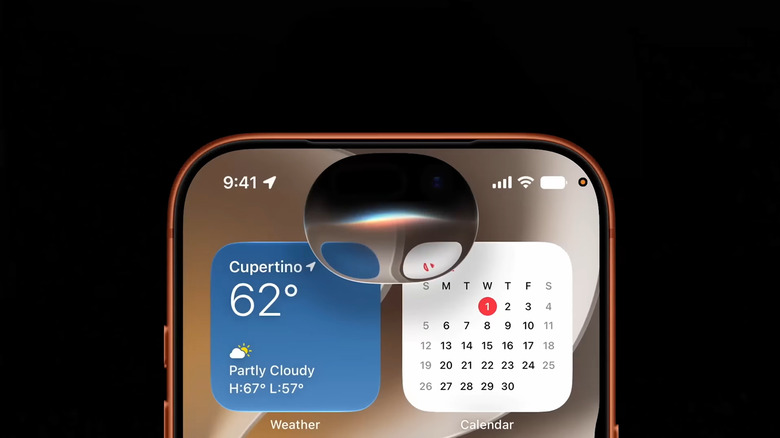
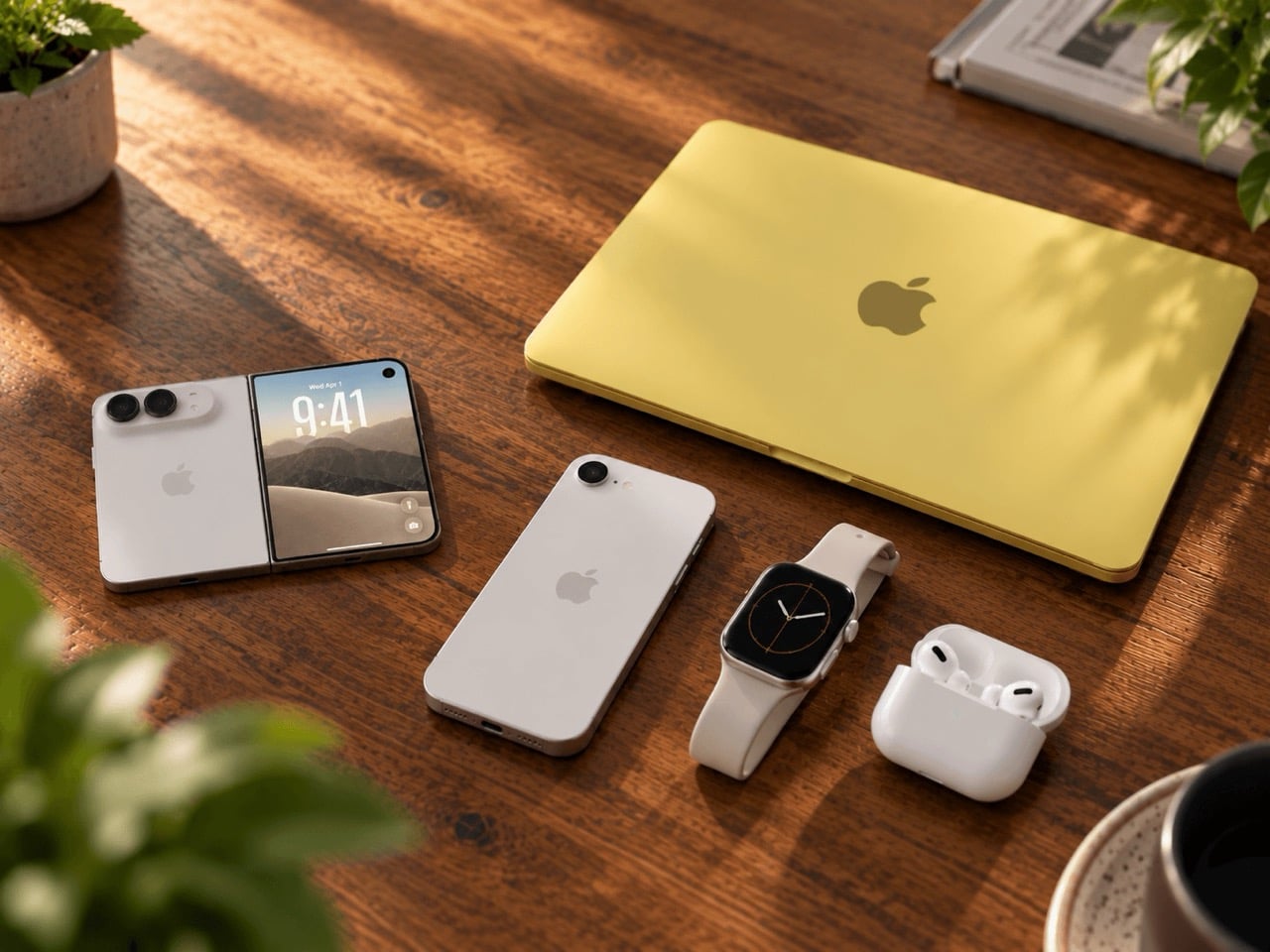
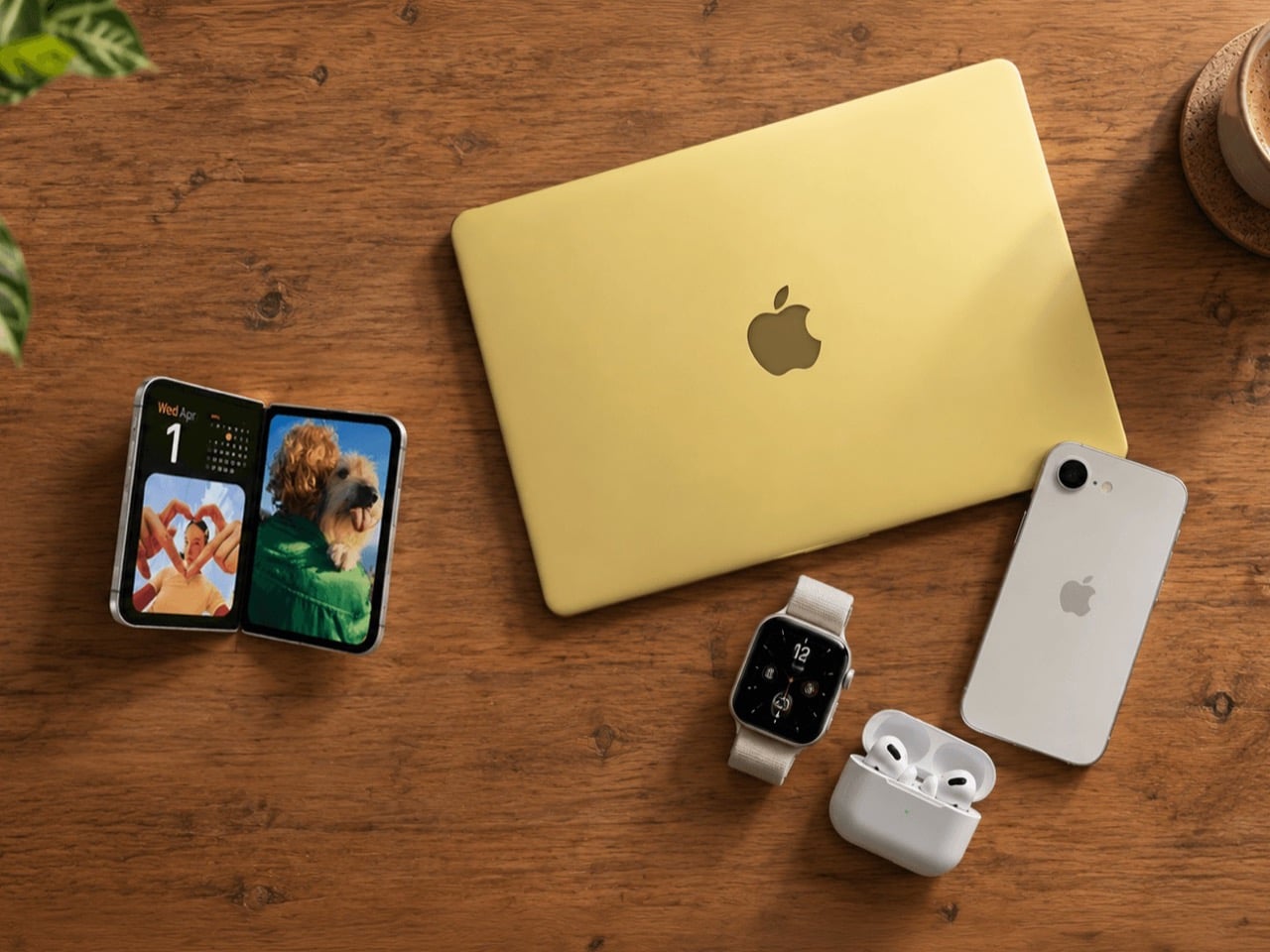
The Upcoming iPhone Fold feels like a response to Peer Pressure, not Innovation

Image Credits: Techtics

I could be wrong, and I hope to be… but the iPhone Fold seems to be gathering interest but not for the right reasons. Everyone loves innovation – not everyone adopts it. We saw how the Vision Pro absolutely caused a tsunami online before subsiding into the tiny ripple it now is. For what it’s worth, the iPhone Fold feels like déjà vu. Impressive tech that Apple took years to perfect, launched to much fanfare, but without a true reason or ecosystem to actually boost user adoption. The Vision Pro is cool, but even after 3 years, nobody really NEEDS it.

We all knew the iPhone Air was going to just be a stepping stone towards something greater – but the iPhone Air’s sales prove one thing – nobody needed a slim phone, so nobody ended up buying one. Samsung’s been making foldables for the better part of a decade, and I still don’t see people overwhelmingly choosing them over regular candybar phones, so my question is simple. What exactly can Apple do to make their iPhone Fold measurably better? And more importantly, does “Measurably Better” actually translate to sales? Or is this a response to peer pressure without really innovating in a direction that users want?

Joining a Party After the Music Has Faded

The context for Apple’s entry is a market that has already chosen a winner, and it is the conventional smartphone. For all the engineering hours poured into hinges and flexible glass by Samsung, Google, and others, the foldable category remains a rounding error in the grand scheme of things. Global foldable shipments are expected to hover around 20 million units in 2025, with Samsung commanding nearly two-thirds of that volume. This sounds impressive until you place it next to the more than one billion smartphones shipped annually. Foldables are a niche, a high-priced experiment that has had years to capture the public’s imagination and has largely failed to do so. Apple is not just late to this party; it is showing up after the keg is tapped and most of the guests have gone home.

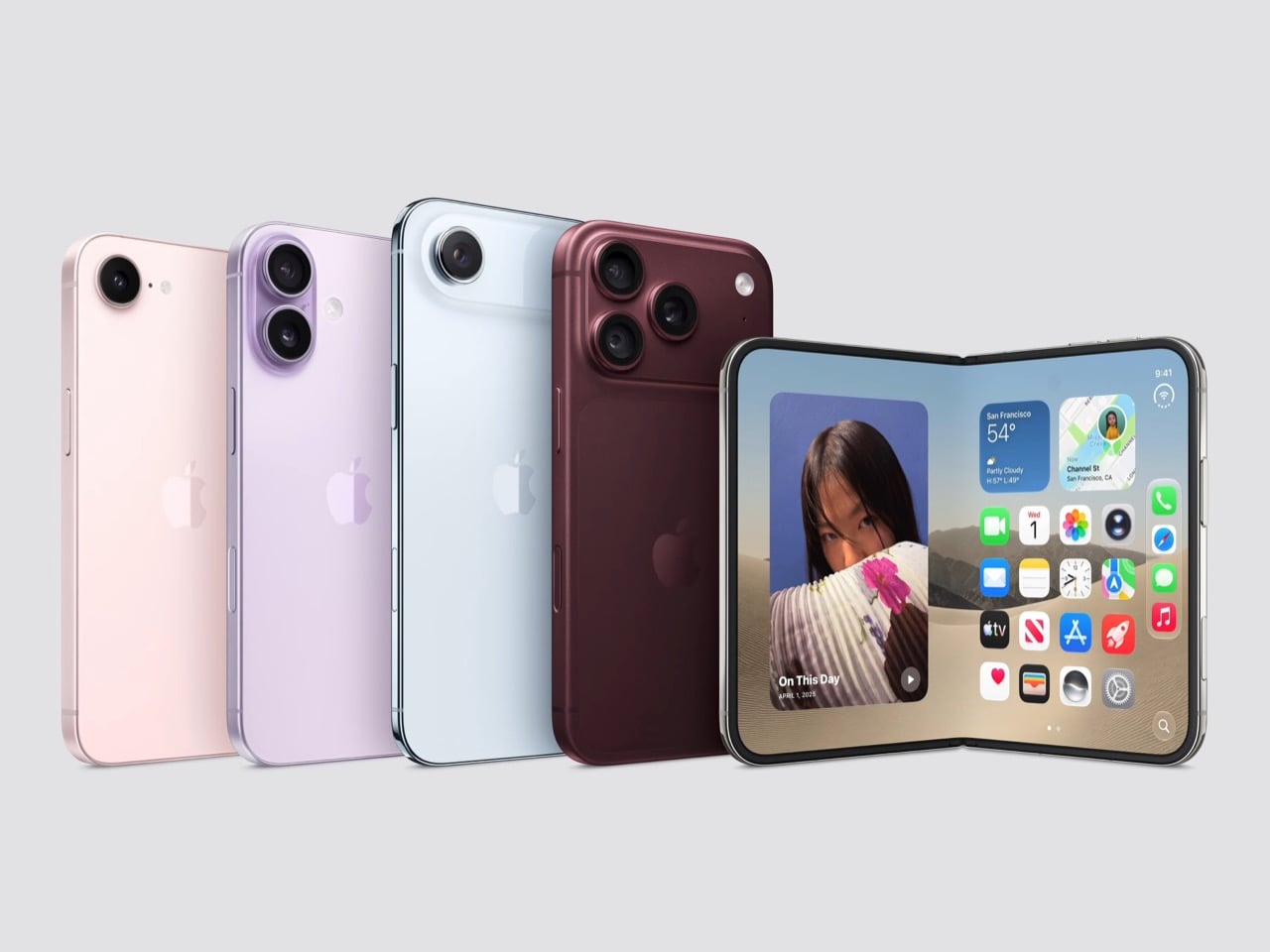
This sets up a strange dynamic. Apple’s usual playbook involves letting a market mature, identifying its core flaws, and then releasing a product so polished and user-focused that it redefines the category. With the iPhone Fold, the company appears to be entering a segment that is not just mature but also stagnant, with little evidence of pent-up consumer demand. The consensus timeline points to a 2026 launch, positioning the device as a hyper-premium “Ultra” or “Fold” model within the iPhone 18 lineup. This framing alone suggests a halo product, something to be admired from afar, rather than the next revolutionary device for the masses. It feels less like a strategic strike and more like an obligation.

Image Credits: Techtics

An Obsession with Perfecting the Crease

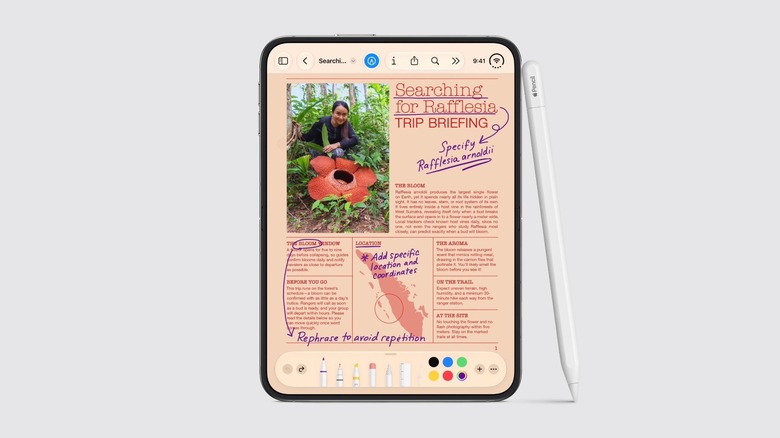
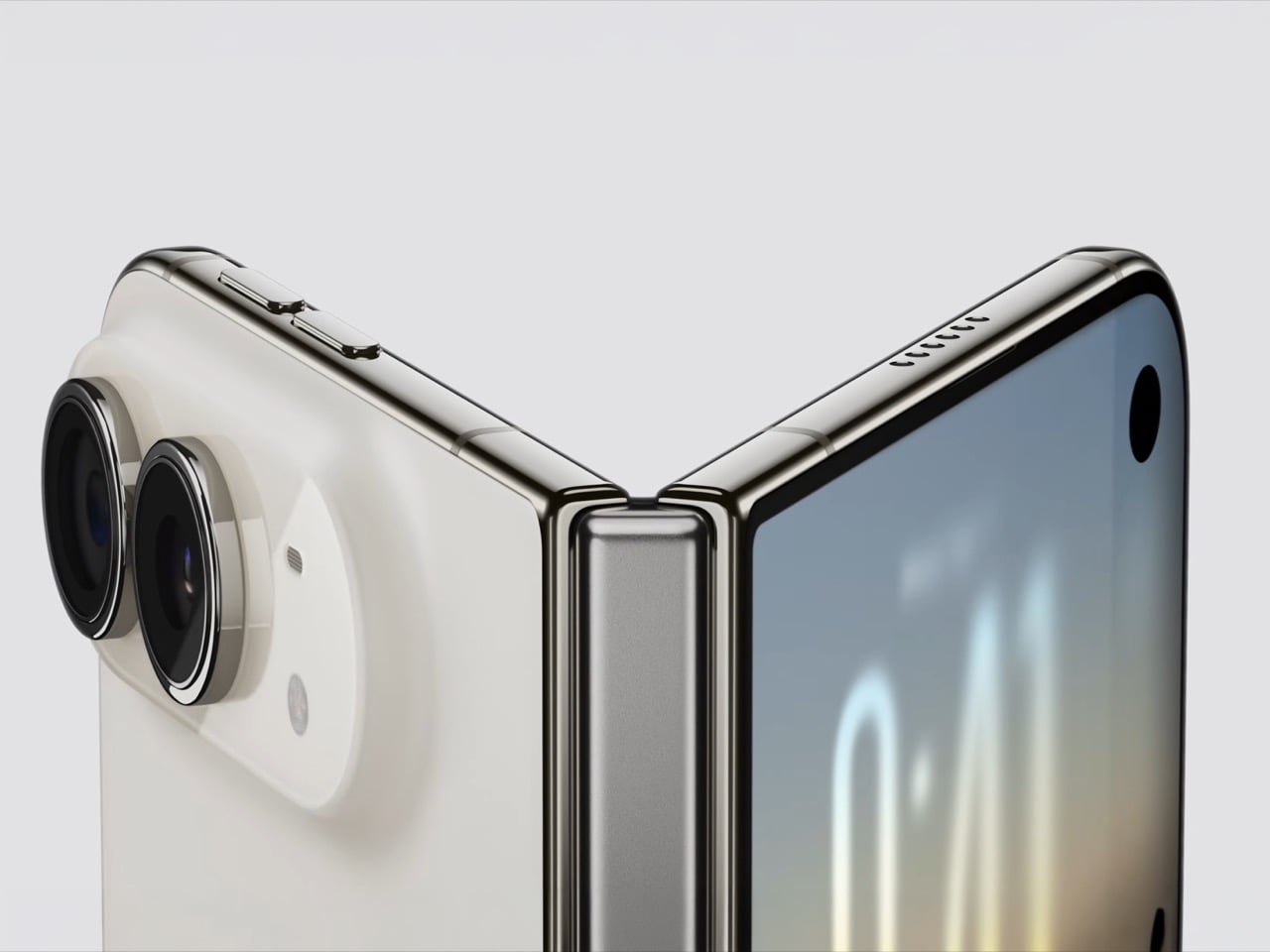
The rumored hardware details paint a picture of a device engineered to within an inch of its life. Reports converge on a book-style foldable with a 7.7 to 7.8-inch inner display and a smaller 5.5-inch screen on the outside. The central obsession seems to be the crease, that subtle valley that plagues every other foldable. Apple is reportedly holding out for a near-invisible fold, leaning on a next-generation ultra-thin glass solution from Samsung Display and a complex internal hinge with metal plates to manage stress. The device is also expected to be incredibly thin, perhaps just 4.5 millimeters when open and around 9.6 millimeters when closed, which would make it one of the most slender mobile devices ever made.

These are impressive technical feats, to be sure. A phone that unfolds into a small tablet without a distracting crease is a laudable goal. But it also speaks to a focus on solving problems that only engineers and tech reviewers seem to lose sleep over. To achieve this thinness, compromises are already surfacing, such as the rumored omission of Face ID in favor of a Touch ID sensor on the power button. This is the kind of trade-off that indicates Apple is prioritizing the physical object itself, its thinness and aesthetic perfection, over the established user experience. It is a device built to win spec-sheet comparisons and design awards, while its practical value for the average user remains an open question.

Image Credits: Techtics

A Playbook Written by a Rival

Perhaps the most telling detail in this whole saga is Apple’s reported reliance on its chief rival. Analyst Ming-Chi Kuo and others have indicated that Apple will adopt Samsung Display’s “crease-free display solution” instead of a fully homegrown technology stack. This is a significant departure for a company that prides itself on vertical integration and owning the core technologies that define its products. From custom silicon to camera sensors, Apple’s advantage has always been its ability to design the whole widget. By turning to Samsung for the most critical and defining component of its first foldable, Apple is tacitly admitting that it is playing catch-up in a game whose rules were written by someone else.

This move fundamentally supports the “peer pressure” thesis. It suggests that the urgency to have a foldable in the lineup has overridden the traditional, patient Apple R&D cycle. The company is effectively outsourcing the hardest part of the problem to the very competitor that has defined the category for years. While Apple has been filing patents related to flexible displays since 2014, the decision to launch with a rival’s core technology feels reactionary. It is a move made to fill a perceived gap in its portfolio, ensuring that Samsung does not get to claim the “most futuristic” phone on the market without a fight.

Image Credits: Techtics

The Ghost of the Vision Pro

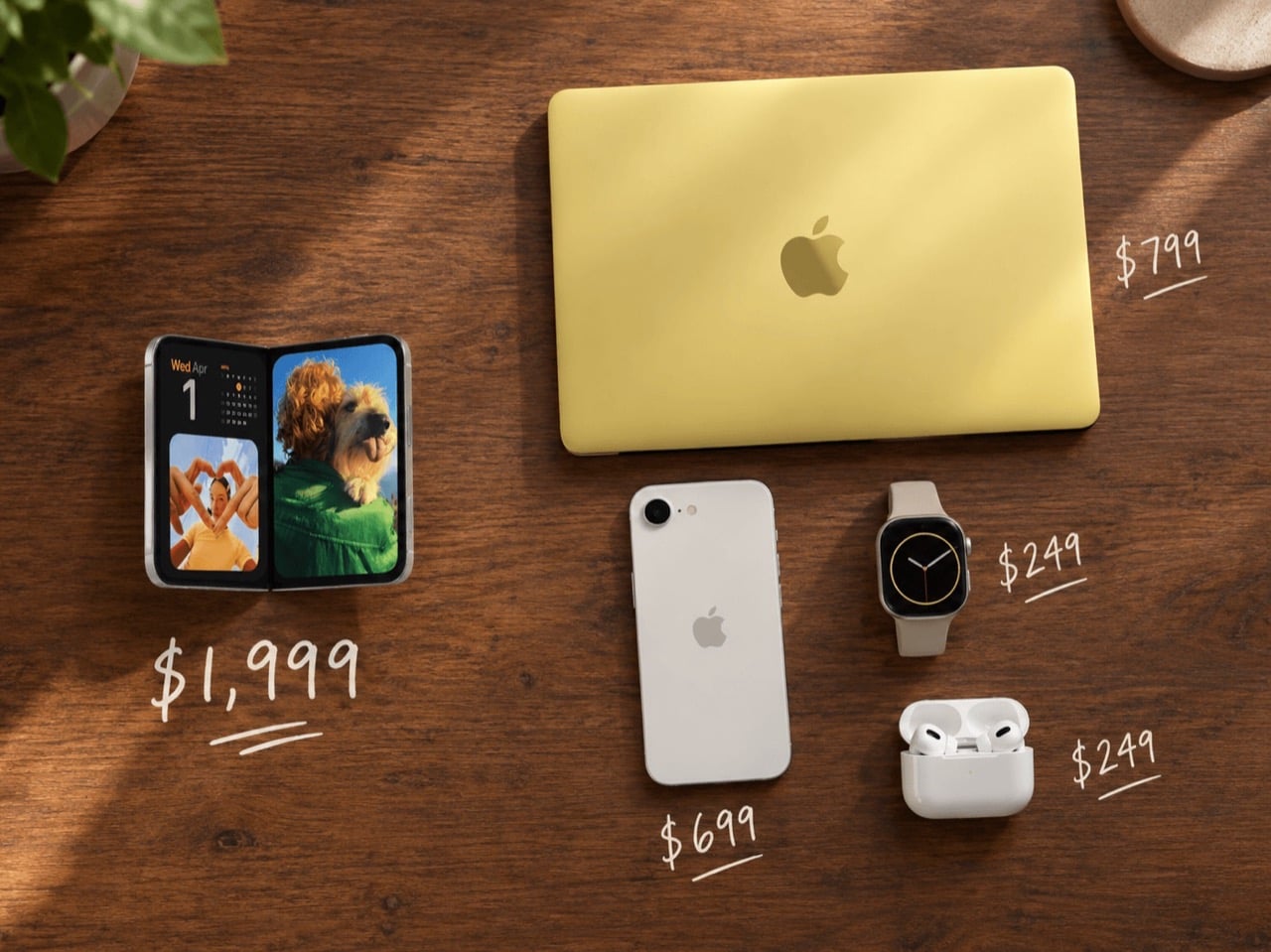
This entire narrative feels eerily familiar. Just a few years ago, Apple launched the Vision Pro, a product of breathtaking technical achievement that answered a question few people were asking. It was, and is, a marvel of engineering that commands a price tag to match, and its sustained adoption has been modest at best. The iPhone Fold appears to be tracking along the same trajectory: years of secretive development, a focus on solving incredibly difficult hardware challenges, and a final product that will likely be priced into the stratosphere. Leaks suggest a starting price between $1,800 and $2,300, placing it well above even the most expensive iPhone Pro Max.

This pricing strategy pre-selects its audience, limiting it to die-hard enthusiasts and those for whom price is no object. Just like the Vision Pro, the iPhone Fold risks becoming a solution in search of a problem. A crease-free display is a better display, but is it $2,000 better? A thinner phone is nice to hold, but does it fundamentally change what you can do with it? The Vision Pro proved that technical excellence alone does not create a market. Without a compelling, everyday use case that justifies its cost and complexity, the iPhone Fold could easily become another beautiful, expensive piece of technology that is more admired than it is used.

Image Credits: Techtics

A New Class of Halo Product

Ultimately, the iPhone Fold is shaping up to be less of a mainstream product and more of a statement piece. It is Apple’s answer to a question posed by its competitors, a way to plant its flag at the absolute peak of the smartphone market. The goal may not be to sell tens of millions of units in the first year, though some bullish forecasts suggest shipments could reach 13-15 million. It is about defending the brand’s reputation for innovation and ensuring that the title of “most advanced smartphone” does not belong exclusively to an Android device. It is a halo product in the truest sense, designed to make the rest of the iPhone lineup look good by comparison.

The real innovation users crave might be more mundane: longer battery life, more durable screens, and more accessible pricing. The iPhone Fold, with its focus on mechanical novelty and aesthetic perfection, does not seem to address these core desires. Instead, it doubles down on the very trends that have made high-end phones feel increasingly out of reach for many. It is a beautiful, exquisitely engineered response to industry pressure, a device that perfects the foldable form factor. Whether it perfects it for a world that actually wants it remains to be seen.

The post The Upcoming iPhone Fold feels like a response to Peer Pressure, not Innovation first appeared on Yanko Design.

This transparent Spigen shell turns your Mac mini into a tiny iMac G3 and I kind of love it

Spigen just launched a plastic shell that turns your Mac mini into a time machine. The Classic C1 wraps Apple’s minimalist aluminum cube in translucent plastic inspired by the iMac G3, complete with Bondi Blue and Tangerine colorways that defined Apple’s most playful era. For $32.99, your desk gets an instant injection of late ’90s nostalgia without sacrificing any of the Mac mini’s modern functionality.

The case feels like Spigen asking “what if Apple never stopped being fun?” The iMac G3 saved the company in 1998 by proving computers could be joyful instead of boring beige boxes. Now that same translucent aesthetic wraps around Apple’s most compact desktop, creating a bridge between two completely different design philosophies. The Mac mini stays minimalist underneath while the C1 shell broadcasts personality loud enough to make your entire workspace smile.

Designer: Spigen

Click Here to Buy Now

You’d almost expect a $45 plastic accessory to feel like a cheap gimmick, but peeling back the layers reveals some genuinely clever engineering. The exploded view shows this is a multi-part assembly, not some flimsy snap-on lid. Its base is a precisely molded cradle with ventilation slots that align perfectly with the Mac mini’s own air intake. The whole thing is built from a sturdy blend of PMMA, acrylic, and PVC that gives it the authentic heft and feel of turn-of-the-millennium hardware. This isn’t just a costume; it’s a well-made suit of armor.

It’s the smaller, nerdier details that really sell the execution. The vertical grilles on the sides are a direct homage to the Power Mac G4 Cube, yet they also provide functional ventilation for a machine that can get surprisingly warm. That clear base also elevates the entire unit just enough to improve airflow from below, and the inclusion of a simple dust filter is a practical touch most companies would skip. This is what separates a thoughtful tribute from a lazy cash-grab, proving someone at Spigen actually did their homework on Apple’s golden age.

Let’s face it, the Mac mini is an incredibly boring-looking box. It’s a marvel of miniaturization, sure, but it has all the personality of a corporate paperweight. The C1 completely upends that sterile aesthetic, swapping the cold, professional feel of aluminum for the warm, inviting glow of colored plastic. It reminds you that technology can be approachable and even a little bit weird. It turns an appliance back into a companion, something with a presence that does more than just sit there and compute.

Ultimately, this little plastic shell is a rebellion against the sea of monotonous silver and gray (we even wrote about an iMac G3-inspired Apple Watch just yesterday!) Given CES is in another week or so, we’re prepared for an onslaught of sleek silver or black boxes that do a lot without having much character. But for thirty-three bucks, you get to reclaim a bit of that lost optimism as an existing (or prospective) Apple Mac mini owner. It’s a small, delightful declaration that our desktops don’t have to be so damn serious (aka boring) all the time.

Click Here to Buy Now

The post This transparent Spigen shell turns your Mac mini into a tiny iMac G3 and I kind of love it first appeared on Yanko Design.

Apple’s Foldable iPhone May Have Solved the Display Crease Problem That Has Plagued Every Competitor

Every foldable phone currently on the market carries the same visible compromise: a crease running down the center of the internal display. You notice it immediately when light catches the fold at certain angles. Samsung has iterated through six generations of the Galaxy Z Fold line, refining hinge mechanisms, adjusting UTG formulations (the ultrathin glass layers that cover foldable displays), and experimenting with display stack configurations. The crease persists. Google’s Pixel Fold carries it. Motorola’s razr carries it. The crease has become an accepted industry tax, a visual and tactile reminder that folding glass remains an unsolved materials engineering challenge.

What we know: Jon Prosser leaked renders on December 24, 2025 depicting a book style foldable iPhone alongside the iPhone 18 series, targeted for Fall 2026, with reported pricing between $2,000 and $2,500. What remains unverified: The central claim of zero visible crease, which cannot be confirmed until production hardware is tested.

Recent leaks from Prosser suggest Apple intends to eliminate this compromise entirely. The renders depict a book style foldable iPhone expected alongside the iPhone 18 series in Fall 2026. Zero visible crease on the internal display. If accurate, this represents not an incremental refinement but a fundamental breakthrough in foldable display architecture.

The Engineering Challenge Behind the Crease

Understanding why the crease exists requires examining the layer stack of a flexible OLED panel, and the answer lies in material behavior rather than design oversight. Traditional rigid OLEDs use glass substrates that provide structural stability and optical clarity, creating a surface that feels seamless under the finger and reflects light uniformly across its entire area. Foldable displays replace this glass with plastic substrates, typically polyimide (PI), which can flex repeatedly without fracturing but responds to mechanical stress in ways that accumulate over time, and the plastic remembers each fold. Each fold leaves a trace, invisible at first, then gradually visible as the substrate fatigues along the bend axis. Samsung’s UTG approach adds a thin glass layer for improved feel and scratch resistance, but that glass develops micro-fractures along the bend radius that compound the problem over time.

When a foldable display bends along its hinge axis, the material on the outer curve stretches while the material on the inner curve compresses. This differential stress accumulates at the fold line, creating permanent deformation in the plastic substrate. The encapsulation layers, touch sensor films, and polarizer sheets all respond differently to this stress, compounding the visible crease into something you can both see and feel. If you run your fingertip slowly across the center of any current foldable, that slight bump tells the story of mechanical compromise.

The bend radius matters enormously, because tighter radii create more stress concentration while wider radii reduce stress but increase device thickness when closed. Every foldable manufacturer has navigated this tradeoff differently, but none has eliminated the fundamental physics that creates the crease.

Apple’s Alleged Solution: Metal Dispersion and Liquid Metal Hinges

Prosser’s leak describes two key engineering innovations, and the approach is clever in its simplicity. The first involves a metal plate positioned beneath the display that disperses bending pressure across a wider area rather than concentrating it along a single axis.

The dispersion plate concept addresses the stress concentration problem directly, representing a fundamental rethinking of how force should travel through a folding display stack. Rather than allowing the display to experience maximum strain along a narrow fold line, the metal plate would distribute that mechanical load across a broader zone. This approach resembles structural engineering principles used in suspension bridges, where forces spread across multiple support points rather than concentrated at single anchors. The geometry of such a plate would need to be precisely calculated, balancing flexibility with rigidity, weight with durability. Whether Apple has developed a plate configuration that achieves this without adding prohibitive thickness or weight remains the critical engineering question.

The second innovation involves a liquid metal hinge mechanism, likely referencing Apple’s existing work with Liquidmetal, a zirconium-based amorphous alloy the company has explored in various applications since acquiring licensing rights in August 2010. Amorphous metal alloys can be molded into complex geometries with extremely tight tolerances, potentially enabling hinge designs that control the bend profile more precisely than machined components allow. The material’s natural lubricity and resistance to fatigue could improve long-term reliability, addressing the mechanical feel of traditional hinges with something that operates more fluidly.

Form Factor Analysis: What the Dimensions Reveal

The leaked dimensions reveal Apple’s engineering priorities with unusual clarity. The device measures 9mm thick when closed, splitting to approximately 4.5mm per half, making the unfolded thickness sit at just 4.5mm. The iPhone 15 Pro measures 8.25mm. Apple’s foldable, closed, would be only marginally thicker than current flagship iPhones while delivering a 7.8-inch internal display.

These dimensions suggest aggressive component miniaturization and careful thermal management. Apple reportedly uses its second generation modem developed internally (C2) and high-density battery cells enabled by a slimmer display driver. The shift from Face ID to Touch ID in the power button represents another space-saving decision, eliminating the TrueDepth camera array that occupies significant volume in current iPhone designs.

The Production Reality Gap

Renders exist in a frictionless conceptual space. Every surface appears seamless. Every material performs to theoretical maximum.

Production hardware operates under different constraints, and the question of whether Apple has genuinely solved the crease problem cannot be answered until someone folds and unfolds a production unit under varied lighting conditions, at different temperatures, after thousands of cycles. The crease typically worsens with age as wear accumulates. A render cannot show what happens at month six. Previous reports suggested Apple figured out how to minimize the crease; Prosser’s leak suggests it might be eliminated entirely. These statements describe meaningfully different engineering achievements: minimization implies a visible crease less pronounced than competitors, while elimination implies none at all.

Material Considerations and Manufacturing Scale

Assuming Apple has developed a crease-free folding mechanism, the question becomes whether it can be manufactured at iPhone scale. Apple ships iPhones at a scale that dwarfs the entire foldable category. Every component must be producible in quantities that dwarf what Samsung delivers for its foldable line, where foldable shipments represent a small fraction of overall smartphone volumes.

The dispersion plate, if it uses exotic geometries or materials, could present manufacturing bottlenecks that slow initial production to a trickle. Liquid metal components require specialized casting and forming processes that Apple has used only in limited applications: SIM tray ejector tools, Apple Watch Series 9 buttons. Scaling to display-size components at flagship volumes would require substantial production infrastructure investment. Display panel supply presents another constraint. Samsung Display currently dominates flexible OLED production, and Apple has worked with LG Display and BOE to diversify its supplier base, but building capacity for an entirely new flexible panel format would require years of development and billions in capital expenditure from panel makers. The supply chain alone could determine whether this device ships in millions or hundreds of thousands.

Pricing and Market Position

The expected price tells its own story. Prosser suggests pricing between $2,000 and $2,500, though he hedges on the exact figure.

This range positions the foldable iPhone above the Galaxy Z Fold 6, which starts at $1,899, while falling short of the most extreme luxury phone territory. For Apple, this represents uncharted pricing for a mainstream product line. The iPhone Air’s reported sales struggles, if accurate, suggest limits to what consumers will pay for form factor innovation alone. The foldable iPhone will test whether Apple’s brand premium extends to a new device category or whether the foldable market itself has a price ceiling that even Apple cannot exceed.

Color options limited to black and white reflect Apple’s tendency to constrain initial product launches, signaling a cautious market entry rather than a mass market push. Premium positioning with limited variants allows Apple to manage supply constraints while testing demand at the high end of the price spectrum.

The strategic bet is clear, and Apple appears confident enough buyers exist at this price point to justify years of R&D and tooling investment, even if the initial addressable market remains narrow.

The Broader Display Technology Implications

If Apple has genuinely solved the crease problem, the implications ripple far beyond smartphones, touching every device category that could benefit from flexible displays. Foldable tablets, laptops with folding displays, and rollable screen formats all face similar material constraints, and a breakthrough in stress distribution or substrate engineering would have applications across the entire flexible display industry. The solution, whatever form it takes, would likely be protected by extensive patent filings. This could create licensing opportunities or, more likely given Apple’s historical tendencies, a proprietary advantage that competitors cannot easily replicate.

Samsung has built its foldable ecosystem partly on component sales. An Apple breakthrough using internally developed technology would disrupt that supply chain dynamic. Other manufacturers would need to license Apple’s approach or develop their own solutions from scratch.

The timing of a Fall 2026 launch, if accurate, gives Apple nearly two years to refine manufacturing, build component inventory, and develop the software experiences that justify a foldable form factor. iOS adaptations for larger internal displays, multitasking paradigms, and app developer frameworks would all require substantial engineering investment beyond the hardware itself. The display breakthrough means nothing without software that makes the larger screen worth having.

What Remains Unknown

The crease claim stands as the most important detail and the least verifiable. Prosser has accurately predicted some Apple announcements and missed on others. His track record provides some credibility but not certainty. Until production hardware reaches independent reviewers, the fundamental promise of Apple’s foldable remains speculative.

The legal context adds intrigue, and the question of source reliability becomes harder to untangle when litigation enters the picture. Apple sued Prosser in July 2025 for leaking iOS 26 and Liquid Glass design details, and his response appears to be leaking even more. Whether this reflects confidence in his sources or defiance toward Apple’s legal pressure is difficult to assess from outside. For the foldable display industry, the claim itself matters regardless of accuracy: if Apple believes a crease-free folding display is achievable, the engineering resources the company can deploy dwarf what any competitor has invested. Even if the initial implementation falls short of the leaked renders’ promise, Apple’s entry would accelerate development across the entire foldable ecosystem. The question that defines this product will not be answered by renders or leaks. It will be answered by light catching, or not catching, a fold line at certain angles. By fingertips feeling, or not feeling, a ridge when swiping across the center of a 7.8-inch display. Fall 2026 will provide the answer.

Specifications

The leaked specifications paint a picture of aggressive engineering tradeoffs. Apple appears to have prioritized thinness and internal display size over external screen real estate, betting that users will spend most of their time with the device unfolded. The choice of Touch ID over Face ID represents a meaningful departure from Apple’s biometric strategy of the past decade, suggesting the engineering constraints of fitting a foldable mechanism left no room for the TrueDepth camera array.

Specification Details
External Display 5.5 inches
Internal Display 7.8 inches
Closed Thickness 9mm
Unfolded Thickness 4.5mm
Hinge Type Liquid metal mechanism with dispersion plate (reported)
Biometrics Touch ID (power button)
Modem Apple C2, reported as second generation internal modem
Colors Black, White
Expected Price $2,000 to $2,500
Expected Launch Fall 2026

These numbers remain unverified until production hardware surfaces. Prosser’s track record includes both accurate predictions and notable misses, so treating any single specification as confirmed would be premature. The fall 2026 timeline, if accurate, gives Apple roughly eighteen months from now to finalize these details.

The post Apple’s Foldable iPhone May Have Solved the Display Crease Problem That Has Plagued Every Competitor first appeared on Yanko Design.

The best iPhone accessories for 2026

The right accessories can make your iPhone feel more capable and more personal. Whether you want to protect your phone, improve your photos or stay powered during a long day out, there are plenty of accessories that can make a real difference. MagSafe gear has opened the door for new chargers, stands and mounts, while portable batteries and compact lenses can upgrade your everyday routine.

We tested a range of products to find the best iPhone accessories that offer practical benefits for both new and older models.

This article originally appeared on Engadget at https://www.engadget.com/computing/accessories/best-iphone-accessories-140022449.html?src=rss

Apple Vision Pro M5: How Tungsten, Knit, and Silicon Finally Make Spatial Computing Livable


The first time I strapped on Apple’s original Vision Pro, I almost waved to the nonexistent crowd watching me in that demo. It was that breathtaking an introduction to futuristic technology. But thirty minutes later, reality set in. That curved laminated glass and aluminum shell felt less like a window into the future and more like a beautiful brick bolted to my forehead.

Designer: Apple

Apple’s M5 Vision Pro refresh doesn’t change the object language. It still reads like a sci-fi ski goggle crossed with a premium camera body: all that curved glass, recycled aluminum, and fabric-wrapped interface that refuses to acknowledge gaming headset aesthetics exist. What Apple has done instead is far more interesting from a design standpoint. They’ve attacked the two biggest experiential flaws (visual fidelity under load and sustained wear comfort) through a combination of silicon headroom and, surprisingly, soft goods engineering.

The result is a product story that shifts from “breathtaking demo” to “actually livable spatial computer”: a device that doesn’t just show you other worlds but gives you psychological real estate to inhabit them. And that shift has everything to do with how Apple thinks about weight, balance, and the invisible physics of putting a computer on your face.

The Shell Stays the Same, The Experience Doesn’t

The M5 Vision Pro maintains the core silhouette that made the original so visually striking. That curved laminated glass front still acts as both visor and UI canvas for EyeSight, letting the device communicate outward while you compute inward. The aluminum frame still wraps the optics with the kind of machining tolerances you’d expect from Apple’s camera and audio hardware. If you put the M2 and M5 side by side, you’d struggle to spot the difference.

But inside that familiar shell, the micro-OLED optics now render roughly 10 percent more pixels than the original. That’s not Apple chasing field-of-view gimmicks. It’s a design decision aimed at reducing the cognitive friction of spatial computing. Higher pixel density and refresh rates up to 120 Hz for passthrough and Mac Virtual Display mean less motion blur, less eye strain, and less of that “I’m clearly looking at a screen” sensation that pulled you out of the experience on the M2.

Apple is using resolution and refresh as ergonomic features, not just spec bumps. They’re making the same industrial shell more transparent and less perceptible in daily use.

The M5 Chip as Comfort Feature

Apple’s M5 plus R1 pairing is positioned as a “dual-chip architecture”: one brain handles spatial computing while the other maintains that 12-millisecond photon-to-photon latency. That’s essentially a UX decision framed as silicon.

The 10-core CPU, 10-core GPU, hardware-accelerated ray tracing, and 16-core Neural Engine give Apple headroom for denser environments, more dynamic lighting, and heavier AI-assisted interactions without dropping frames. But the design-workflow angle is what matters here:

  • Sharper typography and UI chrome in floating windows, which is critical for Mac Virtual Display and creative tools
  • Higher, more flexible refresh rates (90/96/100/120 Hz), tuned to reduce blur when you’re looking through to the real world as much as at virtual content

You can frame the M5 not as “faster chip” but as “making the headset behave more like a neutral lens,” removing perceptible latency and grain from spatial interfaces until the technology itself becomes forgettable.

But visual clarity is only half the comfort equation. The other half is physical.

The Weight Problem Was Never Really About Weight

The original Vision Pro’s biggest experiential flaw wasn’t that it weighed too much. It was that it weighed too much forward. All that glass and optics cantilevered off your face, and after 30 to 60 minutes, you felt it in your cheekbones, your neck, your desire to take the thing off.

The battery is still external on the M5, with similar runtime: about 2.5 hours general use, 3 hours video. So the way the device sits on the skull is the only real comfort lever Apple can pull this generation. They’ve pulled it hard.

The first-gen straps forced an uncomfortable choice. The Solo Knit Band was soft but floppy. It worked for short sessions but couldn’t distribute load for extended wear. The Dual Loop Band was secure but clampy, leaving pressure lines and pushing users toward third-party halo straps and CPAP-style hacks.

Apple’s answer is the Dual Knit Band. And it’s the most “design-nerd” detail in the entire M5 product story.

Dual Knit Band: Tungsten, Torque, and Perceived Weight

The Dual Knit Band introduces a two-strap geometry where upper and lower straps are 3D-knitted as a single piece into what Apple calls a “dual-rib structure.” One strap cups the back of the head, the other runs over the crown, creating a cradle that triangulates the headset’s mass around the skull instead of hanging it from the face.

But here’s where it gets interesting: the lower strap hides flexible fabric ribs embedded with tungsten inserts that act as counterweights. They literally pull some of the load backward and down to reduce the forward torque on your neck.

Apple is manipulating the moment arm via hidden dense material so the device feels lighter without actually being dramatically lighter. It’s a borrowed-from-watchmaking move. Tungsten is what you use for rotor weights and balance wheels when you need maximum density in minimum space. It’s visually invisible but functionally critical.

The real-world effect is that the Dual Knit Band doesn’t change the number on the scale, but it changes where you feel those grams. A front-heavy visor becomes something closer to a weighted pair of headphones. Two-hour sessions feel normal instead of like a tech demo punishment.

Soft Goods as Core UX

Apple describes the Dual Knit Band as soft, breathable, and stretchy: 3D-knitted from performance yarns similar to the Solo Knit Band. The dual-rib knit structure is designed for cushioning and airflow. Reviewers and users commonly reported that earlier bands ran hot and left pressure lines; this one appears to address both complaints through textile engineering.

The Fit Dial mechanism uses a metal core with a textured outer ring and a slight pull-to-unlock action. Push to adjust one axis, pull to adjust the other, letting you independently tune top and back tension with one control. Micro ratchets give tactile feedback, and the push-pull gesture mirrors the Digital Crown’s multifunctionality elsewhere in Apple’s ecosystem.

Read together, Apple appears to be treating knit textiles, counterweights, and mechanical dials as part of the interface surface area, not just an accessory. That signals a philosophical shift: comfort isn’t something you tolerate to use Vision Pro. It’s designed into the product with the same rigor as the silicon.

Retrofit Ergonomics: The Cheapest Upgrade

The Dual Knit Band attaches to the Audio Straps via a simple, secure mechanism with release tabs, preserving the modular ecosystem introduced with the first Vision Pro. It ships in small, medium, and large sizes, comes included with M5 by default, and is sold separately as an upgrade that’s fully compatible with the original M2 model.

That compatibility is an important design signal. Apple is treating headbands as swappable “ergonomic modules” rather than disposable accessories. The Dual Knit Band becomes a retrofit that can rehabilitate earlier hardware, extending the life and desirability of equipment people already own.

If you already have the first Vision Pro, the cheapest way to “upgrade” isn’t the new chip. It’s this strip of knit and tungsten that quietly rehabilitates the hardware you already have.

What Changes in Practice

The M5 with Dual Knit Band finally makes Vision Pro something I can wear for hours. Less cheek pressure, less neck fatigue, and none of that “face is sliding off my skull” sensation that defined first-gen fit. People who tried 3D-printed hacks and CPAP-style mods say this is the first official strap that beats their DIY solutions, which is high praise from tinkerers.

A recent cross-country test made the difference concrete. Economy class, Dallas to New York and back. Sold-out flight, middle seat, hostile in every physical dimension. But with Vision Pro strapped on, the environment selector became an escape hatch. Moon surface, Yosemite, Mount Hood: each one a functional retreat that made a miserable seat survivable. The hardware disappeared; the space remained. For a four-hour flight wedged between strangers, I was effectively in my own private cabin.

One small design detail made the in-flight experience smoother: when Vision Pro detects motion (plane, car, train), rotating the Digital Crown surfaces a Travel Mode prompt. No fumbling with eye tracking while the cabin shakes. Just turn the crown, tap confirm, and the headset stabilizes for a moving environment. The button just works.

That’s the psychological real estate concept paying off in practice. The immersive environments aren’t screensavers. They’re functional escapes that only work when the hardware is comfortable enough to forget. When you can wear Vision Pro for an entire cross-country flight without wanting to rip it off, the environments graduate from novelty demo to genuine utility.

The combined story is holistic: fewer pressure points, less motion blur, and less cognitive friction all point to longer, more natural sessions. Multi-hour productivity runs and movie marathons feel more plausible because comfort and visual stability are both improved. Five or six hours in a day with minimal discomfort would have been unthinkable with the old strap without modifications.

The real story isn’t that Vision Pro gained new tricks. It’s that the things people already loved doing in it (3D movies, floating Mac screens, immersive photos) no longer come with the same physical tax.

Still a Computer on Your Face

Even with the improvements, the headset is still big, still expensive at $3,499 for 256GB, and still leaves some marks under the eyes for certain faces, just less aggressively than before. Some users report needing to fine-tune fit over a few days, especially when finding the right light seal and tension balance. There’s also the hair situation: if I had short hair, the Dual Knit Band would probably bother me more. With longer hair, everything just gets pushed back and settles into place. Vision Pro hair is a thing, but it’s not as bad as hat hair. I can tolerate it.

It’s still very much a computer on your face, not a magic pair of AR glasses. But the Dual Knit Band and M5’s visual stability nudge Vision Pro out of “showpiece gadget” territory and closer to something you can actually live in.

The post Apple Vision Pro M5: How Tungsten, Knit, and Silicon Finally Make Spatial Computing Livable first appeared on Yanko Design.

The Best Black Friday Tech Protection Deals for iPhone 17, AirPods Pro 3, and Switch 2 (2025)

The moment you unbox a new flagship phone, there’s always that brief, fleeting sense of dread. One wrong move, one slip from the pocket, and that beautiful slab of glass and metal is a shattered mess. This is the exact anxiety that SUPCASE has built its entire brand around solving. They approach device protection with a seriousness that borders on obsessive, using multi-layer TPU and polycarbonate constructions that consistently meet and exceed military drop-test standards. Their work is a constant reminder that true protection is about smart material science, not just adding bulk.

This year, securing that peace of mind is more accessible than ever, as SUPCASE is rolling out some of its most aggressive Black Friday deals to date. We are seeing discounts of up to 32 percent across a wide swath of their catalog, from their latest iPhone 17 case designs to ruggedized solutions for the next generation of AirPods Pro. For anyone who values their hardware, this isn’t just another sale. It’s a strategic opportunity to get premium, field-tested protection for a fraction of the typical cost.

MagFlip Magnetic Wallet with Stand – Leather Version (20% Off)

The MagSafe wallet space has been crowded for years, mostly with a sea of plastic and faux-leather options that get the job done but rarely feel like a premium upgrade. That’s what makes this leather version of the MagFlip interesting right out of the gate. SUPCASE went with genuine leather here, and it’s a choice you can feel. It has that substantial, tactile quality that’s missing from so many competitors, and it’s the kind of material that should develop a nice patina over time instead of just scuffing up. Functionally, it’s also more practical than most, with a design that comfortably accommodates up to five cards. That’s enough capacity to move it beyond a simple card sleeve and into the territory of a legitimate wallet replacement for a lot of people.

The real cleverness, though, is in the integrated stand. It’s not just a flimsy flap; the hinge mechanism is solid, allowing you to prop your phone up at multiple angles in both portrait and landscape orientations. This is the kind of feature that seems minor until you find yourself using it constantly, whether it’s for watching a video on a tray table or just keeping an eye on notifications at your desk. None of that would matter if the magnetic connection was weak, but the magnet array here is surprisingly aggressive. It’s rated for a 3000g pull force, which in practical terms means it’s not going to accidentally shear off when you slide your phone into a tight pocket, a common failure point for lesser MagSafe accessories.

Why We Recommend It

What makes the MagFlip a standout recommendation, especially with the discount, is how effectively it consolidates your everyday carry. It’s a well-made leather wallet, a versatile phone stand, and a secure MagSafe accessory all in one slim package. If you were to buy three separate quality items to fill those roles, you’d be spending significantly more and dealing with more bulk. This accessory elegantly solves for all three. It streamlines what you need to carry while simultaneously upgrading the feel of your device. It’s a smart piece of engineering that adds real utility, and the use of genuine leather makes it feel like a proper accessory rather than just another plastic gadget.

Click Here to Buy Now: $39.89 $49.99 (20% off). Hurry, deal ends in 48-hours!

UB Grip Case Design for iPhone 17 Pro Max – Leather Version (20% Off)

There’s always been a frustrating divide in the phone case world. You either get a slim, professional-looking case made from nice materials that offers next to no real drop protection, or you get a ruggedized plastic beast that can survive anything but looks completely out of place outside of a workshop. The leather version of the UB Grip is one of the few designs that genuinely tries to bridge that gap. It takes the proven protective architecture of the Unicorn Beetle line, with its dual-layer shock-absorbing frame, and fuses it with a backplate made of actual top-grain leather. The result is a case that feels substantial and secure in the hand, but has a warm, premium finish that doesn’t scream “industrial hardware.”

The thoughtful details are what really sell the design. Instead of just a raised plastic lip around the massive camera module, there’s a machined aluminum ring that adds a nice bit of metallic contrast and feels incredibly solid. The integrated kickstand is also made of aluminum, not some flimsy plastic tab that’s going to snap off after a few weeks. It’s sturdy enough to be genuinely useful for watching videos or taking calls, and it works in both portrait and landscape modes. Even with the leather and metal components, it still has a strong MagSafe magnet array, so you don’t lose out on core functionality. It’s clear this wasn’t just about slapping a leather sticker on an old design; the materials feel properly integrated.

Why We Recommend It

This case is for the person who has accepted they need serious drop protection but hates the aesthetic that usually comes with it. The UB Grip Leather lets you have it both ways. You’re getting a case that’s been certified for 15-foot drops, which is frankly overkill for most people in the best way possible, yet it looks and feels like a sophisticated accessory. With the 20% discount, you’re getting a multi-material, hybrid design for the price of a standard single-material case. It solves the problem of wanting your expensive phone to be safe without having to settle for a case that makes it look cheap.

Click Here to Buy Now: $47.99 $59.99 (20% off). Hurry, deal ends in 48-hours!

UB PRO Series Design for Apple AirPods Pro 3 (30% Off)

AirPods cases occupy a strange place in the accessory market. Most of them are just thin silicone skins that do little more than add a splash of color while offering minimal real protection. The UB Pro for the AirPods Pro 3 takes a completely different approach, treating your earbuds like a serious piece of hardware that deserves the same level of defense you’d give to a phone. The case is built from a dual-layer construction of shock-absorbing TPU and rigid polycarbonate, creating a hard shell that can handle actual impacts instead of just light scuffs. What makes this particularly interesting is the inclusion of IP68 waterproof protection. There’s a built-in silicone plug with a double-lock mechanism that seals both the charging port and the hinge, allowing the case to be submerged up to 10 feet without water getting inside. For anyone who carries their AirPods in gym bags, near pools, or on hikes, that level of sealing is a legitimate game changer.

The design includes large, precise cutouts that keep the LED indicator visible during charging and allow easy cable access without having to remove the case. A metal carabiner is included in the package, and it clips to the case securely enough that you can actually trust it hanging from a backpack strap or belt loop. It’s not some flimsy keychain attachment; it feels like it belongs there. The case adds noticeable bulk, there’s no getting around that, but if you’ve ever had to replace a lost or damaged pair of AirPods Pro, the added size starts to feel like a reasonable trade-off. Wireless charging works without issue through the case, which is important since having to pop the case off every time you want to charge would quickly get old.

Why We Recommend It

This is the case for people who treat their AirPods Pro like actual field gear instead of precious jewelry. The IP68 waterproofing is rare in this category and legitimately expands where and how you can use your earbuds without worrying about damage. Combined with the 12% discount using the code YANKOBF12, you’re getting military-spec protection for around $35, which is a fraction of what it would cost to replace the AirPods Pro 3 if they took a bad fall or got caught in the rain. The carabiner attachment turns the case into something you can actually carry confidently on the outside of your gear, which is the whole point of having wireless earbuds in the first place. It’s the right choice if you’ve already cracked or scuffed one charging case too many.

Click Here to Buy Now: $32.39 $45.99 (30% off). Hurry, deal ends in 48-hours!

SUPCASE MagFlip Magnetic Wallet with Stand (28% Off)

If you want the core functionality of the leather MagFlip but prefer synthetic materials or need a more affordable entry point, this standard version delivers the same engineering in a vegan leather finish. The material choice is practical rather than premium; it’s a textured synthetic that resists fingerprints and scratches better than genuine leather while keeping the overall profile slim. Functionally, nothing is compromised. The same 3000g magnetic force keeps the wallet locked securely to any MagSafe-compatible phone, and it still holds up to five cards without stretching or deforming over time. The internal structure is reinforced to prevent that common issue where cheaper wallets start to lose their shape after a few months of use, leaving cards loose and prone to sliding out.

The standout feature remains the integrated kickstand, which continues to be one of the most useful elements of the MagFlip design. The hinge is engineered with enough resistance to hold your phone steady at multiple angles, and it works equally well in both portrait and landscape orientations. It’s especially useful if you’re someone who watches a lot of content on your phone during lunch breaks or commutes. An RFID-blocking card is included in the package, providing a layer of security for contactless credit cards and ID badges. At 28% off, this becomes one of the more aggressive discounts in the sale, making it a compelling option for anyone looking to simplify their everyday carry without breaking the budget.

Why We Recommend It

This version of the MagFlip is notable because of the discount depth. At 28% off, you’re getting a wallet-stand hybrid that’s cheaper than many standalone MagSafe wallets that don’t even include a kickstand mechanism. The synthetic material isn’t trying to pretend it’s something it’s not, which is refreshing. It’s durable, easy to clean, and will likely look the same a year from now as it does on day one, which is actually an advantage for people who prefer consistency over patina. If your priority is maximizing utility per dollar spent, this is probably the smartest pick in the entire sale. You’re getting proven magnetic strength, five-card capacity, RFID protection, and a stable stand in one slim package, all at the steepest discount SUPCASE is offering on their wallet lineup.

Click Here to Buy Now: $35.99 $49.99 (28% off). Hurry, deal ends in 48-hours!

SUPCASE UB Grip Case Design for iPhone 17 Series (35% Off)

The standard UB Grip for the iPhone 17 lineup is basically the accessible entry point into SUPCASE’s rugged protection philosophy. It drops the premium materials and extra features to focus purely on what matters most: keeping your phone intact after a drop. The dual-layer construction uses TPU and polycarbonate with reinforced corners and internal airbag cushioning, which translates to a case that can survive 15-foot drops while meeting MIL-STD-810H-516.8 military standards. The back has a frosted semi-transparent finish that resists fingerprints and gives the case a cleaner, more modern look compared to the usual matte black slabs that dominate this category. It’s still clearly a protective case, but there’s an attempt here to make it visually appealing beyond just being functional.

The built-in aluminum kickstand is one of the defining features of the UB Grip line, and it’s just as solid here as it is on the more expensive models. The hinge has real resistance to it, meaning your phone will stay propped up at whatever angle you set it without slowly collapsing over time. The case includes full MagSafe compatibility with an N52 magnet array delivering around 1800 grams of magnetic force, strong enough to reliably hold wireless chargers and car mounts. There’s also integrated support for the iPhone 17’s Camera Control button, with a tactile pass-through that maintains the pressure-sensitive functionality. It adds noticeable bulk compared to a minimalist case, but if you’ve ever dealt with the cost and hassle of repairing a cracked screen or replacing a damaged phone, that trade-off starts to seem reasonable.

Why We Recommend It

The standard UB Grip is the best choice for anyone who needs legitimate protection but doesn’t want to pay for material upgrades like leather or extra layers like a built-in screen protector. At 20% off, it’s positioned as an affordable workhorse case that does exactly what it’s supposed to do without any pretense. The kickstand alone justifies the slight extra bulk for most people, especially if you spend any time watching content on your phone during commutes or breaks. This is a straightforward, no-nonsense case that prioritizes drop protection and practical utility over aesthetics, and at this discount, it’s hard to argue with the value proposition. If you’re someone who tends to be rough on phones or just wants peace of mind without overthinking it, this is the obvious pick.

Click Here to Buy Now: $23.25 $35.99 (35% off). Hurry, deal ends in 48-hours!

SUPCASE UB Pro Switch 2 Cases (16% Off)

Phones and earbuds are one thing, but gaming hardware presents an entirely different set of protection challenges. The Nintendo Switch 2 is designed to be a hybrid console, which means it’s constantly moving between docked play and handheld mode, getting tossed into bags, handled by multiple people, and exposed to more physical stress than most mobile devices. The UB Pro case for the Switch 2 addresses these concerns head-on with a dual-layer construction of shock-absorbing TPU and rigid polycarbonate. It’s built to military-grade MIL-STD-810G 516.6 standards, which means it can handle the kind of drops and impacts that come with portable gaming. A 2.5mm raised bezel around the screen provides an extra buffer against scratches and direct impacts when the console is laid flat or dropped face-down.

One of the smarter design decisions here is the dock compatibility. The case is engineered to fit in the official Switch 2 dock without needing to be removed, which eliminates the annoying ritual of stripping off protection every time you want to play on a TV. The Joy-Con sections feature a breakaway magnetic design that makes attaching and detaching controllers seamless, and the material is soft enough to avoid scratching the console or controllers during repeated use. The case adds around 139 grams of weight, which sounds like a lot on paper but is well-distributed across the larger form factor of the console. It uses Bayer eco-friendly polycarbonate from Germany, which resists yellowing and fingerprints better than cheaper plastics. The one trade-off is that the case covers the Switch 2’s built-in kickstand, so tabletop mode requires removing the case or using a separate stand.

Why We Recommend It

At 32% off, this is the deepest discount in the entire sale, and it’s applied to a product category where quality protection options are still relatively scarce. The Switch 2 is new enough that many third-party accessory makers haven’t fully caught up yet, which makes SUPCASE’s early entry into the market particularly valuable. The combination of military-grade drop protection and full dock compatibility solves the two biggest pain points for handheld console cases. Most protective cases force you to choose between safety and convenience, but the UB Pro manages to deliver both. For anyone planning to use their Switch 2 as an actual portable device rather than a stationary console, this level of protection at this price point is hard to pass up.

Click Here to Buy Now: $24.29 $28.99 (16% off). Hurry, deal ends in 48-hours!

SUPCASE Switch 2 Carrying Case (30% Off)

Once you’ve wrapped your Switch 2 in a protective case, the next logical question is how to transport the whole setup. Portable consoles generate their own ecosystem of accessories, from extra Joy-Cons to charging cables to a growing stack of game cartridges, and all of that needs to go somewhere when you’re on the move. SUPCASE’s carrying case is designed around the reality of how people actually use the Switch 2, with custom-molded compartments that hold the console securely (even with a case like the UB Pro still attached), separate sections for Joy-Cons and cables, and dedicated slots for up to 12 game cartridges. The interior uses elastic straps to keep everything locked in place during transport, preventing the kind of rattling and shifting that can damage ports or scratch screens over time.

The exterior shell is built from hard EVA material that offers military-grade impact resistance, a claim that’s backed up by the same kind of testing standards SUPCASE applies to their phone cases. The case features premium YKK zippers, which is a detail that matters more than it might seem. Cheap zippers are a common failure point on travel cases, and YKK’s reputation for smooth, durable operation means you’re not going to be fighting with stuck teeth or worrying about catastrophic zipper failure mid-trip. It includes a dual-purpose handle that can be used as a top carry or detached and converted into a shoulder strap, which adds flexibility depending on how you’re traveling. The overall footprint is compact enough to fit inside a backpack or carry-on without taking up excessive space, but spacious enough to accommodate the console plus all the essential accessories.

Why We Recommend It

The 12% discount with the coupon code is modest compared to some of the other deals in this sale, but the real value here is in solving a problem that most Switch 2 owners will eventually face. If you’re treating your console as a genuinely portable device, you need a reliable way to carry it that doesn’t involve just tossing it into a bag and hoping for the best. This case is designed to work with the UB Pro case still on the console, which means you’re not forced to strip off protection every time you want to pack it away. The 12-game cartridge capacity is also a thoughtful inclusion; physical game collectors know how quickly those tiny cards can scatter and disappear, and having dedicated slots keeps your library organized and accessible. At this price point, it’s a straightforward investment in keeping your entire gaming setup safe and organized during travel.

Click Here to Buy Now: $32.19 $45.99 (30% off). Hurry, deal ends in 48-hours!

The post The Best Black Friday Tech Protection Deals for iPhone 17, AirPods Pro 3, and Switch 2 (2025) first appeared on Yanko Design.

The best wireless earbuds for 2026

Wireless earbuds are now the default option for everyday listening, whether you’re heading out for a commute, fitting in a workout or just watching videos at home. The best wireless earbuds combine reliable connectivity, comfortable fits and sound quality that holds up across music, calls and podcasts, all without the hassle of cables. Most are small enough to disappear into a pocket and pair quickly with phones, tablets and laptops.

What sets one pair apart from another often comes down to priorities. Some earbuds lean heavily on active noise cancellation, while others focus on long battery life, compact charging cases or lower prices. Features like water resistance, customizable controls and app support can also make a real difference day to day. This guide breaks down the best wireless earbuds available now to help you find the right match for how you listen.

When it comes to shopping for earphones, the first thing to consider is design or wear style. Do you prefer a semi-open fit like AirPods or do you want something that completely closes off your ears? If you’re shopping for earbuds with active noise cancellation, you'll want the latter, but a case can be made for the former if you want to wear them all day or frequent places where you need to be tuned in to the ambient sounds. The overall shape of earbuds can determine whether you get a comfortable fit, so can the size and weight, so you’ll want to consider all that before deciding. And remember: audio companies aren’t perfect, so despite lots of research, the earbud shape they decided on may not fit you well. Don’t be afraid to return ill-fitting earbuds for something that’s more comfortable.

As wireless earbuds have become the norm, they’re now more reliable for basic things like consistent Bluetooth connectivity. Companies are still in a race to pack as much as they can into increasingly smaller designs. This typically means a longer list of features on the more premium sets of earbuds with basic functionality on the cheapest models. Carefully consider what you can’t live without when selecting your next earbuds, and make sure key items like automatic pausing and multipoint connectivity are on the spec sheet. You’ll also want to investigate the volume and touch controls as you’ll often have to sacrifice access to something else to make that adjustment via on-board taps or swipes. Some earbuds even offer app settings to tweak the audio profiles or firmware updates to improve performance over time.

For those in the Apple ecosystem, features like auto-pairing with devices, especially with AirPods Pro 3, can be an added advantage, while Android users may want to look for models that offer similar cross-device functionality.

When it comes to battery life, the average set of earbuds lasts about five hours on a single charge. You can find sets that last longer, but this is likely enough to get you through a work day if you’re docking the buds during lunch or the occasional meeting. You’ll want to check on how many extra charges are available via the case and if it supports wireless charging.

Companies will also make lofty claims about call quality on wireless earbuds. Despite lots of promises, the reality is most earbuds still leave you sounding like you’re on speakerphone. There are some sets that deliver, but don’t get your hopes up unless reviews confirm the claims.

Sound can be subjective, so we recommend trying before you buy if at all possible. This is especially true if you're an audiophile. We understand this isn’t easy when most of us do a lot of shopping online, but trying on a set of earbuds and listening to them for a few minutes can save you from an expensive case of buyer's remorse. If a store doesn’t allow a quick demo, most retailers have return policies that will let you take earbuds back you don’t like. Of course, you have to be willing to temporarily part with funds in order to do this.

We also recommend paying attention to things like Spatial Audio, Dolby Atmos, 360 Reality Audio and other immersive formats. Not all earbuds support them, so you’ll want to make sure a perspective pair does if that sort of thing excites you, especially if you plan to use them for playback of high-quality audio.

The primary way we test earbuds is to wear them as much as possible. We prefer to do this over a one- to two-week period, but sometimes embargoes don’t allow it. During this time, we listen to a mix of music and podcasts, while also using the earbuds to take both voice and video calls. Since battery life for earbuds is typically less than a full day, we drain the battery with looping music and the volume set at a comfortable level (usually around 75 percent).

To judge audio quality, we listen to a range of genres, noting any differences in the sound profile across the styles. We also test at both low and high volumes to check for consistency in the tuning. To assess call quality, we’ll record audio samples with the earbuds’ microphones as well as have third parties call us.

When it comes to features, we do a thorough review of companion apps, testing each feature as we work through the software. Any holdovers from previous models are double checked for improvements or regression. If the earbuds we’re testing are an updated version of a previous model, we’ll spend time getting reacquainted with the older buds. Ditto for the closest competition for each new set of earbuds that we review.

The WF-C710N is a set of compact and comfy earbuds that offer several of Sony’s best features. While the ANC performance is above average for this price ($120), sound quality isn’t as good as the company’s slightly more expensive options. Battery life fell below stated figures and call performance isn’t good enough to use these buds for work.

The newest version of the Powerbeats Pro have an improved, comfortable design, balanced bass and new H2 chips and a heart rate sensor inside. But heart rate support is currently limited on iOS.

The Galaxy Buds 3 combine ANC with an open-type design, which renders the noise-blocking abilities of the earbuds mostly useless. Still, there’s great low-end tone with ample bass when a track demands it. There are also lots of handy features, most of which require a Samsung phone. But at this price, there are better options from Google, Beats and Sony

I really like the overall shape of the Momentum Sport earbuds. They’re more comfortable than the Momentum True Wireless 4 and fit in my ears better. What’s more, the body temperature and heart rate sensors work well, sending those stats to a variety of apps. However, that sport-tracking feature works best with Polar’s app and devices, so there’s that consideration. Also, the audio quality and ANC performance isn’t as good as the MTW4, and these earbuds are pricey.

There’s a lot to like about the Solo Buds for $80. For me, the primary perk is they’re very comfortable to wear for long periods of time thanks to some thoughtful design considerations. You only get the basics here in terms of features and, as expected, the overall sound quality isn’t as good as the pricier models in the Beats lineup. You will get 18 hours of battery life though, since the company nixed the battery in the case and beefed up the listening time in the buds themselves.

Bose created something very unique for this set of earbuds that allows you to stay in-tune with the world while listening to audio content. The clip-on design is very comfortable, but sound quality suffers due to the open-type fit, especially when it comes to bass and spatial audio.

These stick buds have a compact design that’s comfortable to wear and the warm sound profile is great at times. However, overall audio performance is inconsistent and there’s no automatic pausing.

Retooled audio, better ambient sound mode and reliable multipoint Bluetooth are the best things the MW09 has to offer. They’re expensive though, and you can find better ANC performance elsewhere.

Most wireless earbuds will last five hours on a single charge, at the least. You can find some pairs that have even better battery life, lasting between six and eight hours before they need more juice. All of the best wireless earbuds come with a charging case, which will provide additional hours of battery life — but you'll have to return each bud to the case in order to charge them up.

Comparing sound quality on earbuds and headphones is a bit like comparing apples and oranges. There are a lot of variables to consider and the differences in components make a direct comparison difficult. Personally, I prefer the audio quality from over-ear headphones, but I can tell you the sound from earbuds like Sennheiser’s Momentum True Wireless 3 is also outstanding.

With new models coming out all the time, tracking the hours of battery life for each this can be difficult to keep tabs on. The longest-lasting earbuds we’ve reviewed are Audio-Technica’s ATH-CKS5TW. The company states they last 15 hours, but the app was still showing 40 percent at that mark during our tests. The only downside is these earbuds debuted in 2019 and both technology and features have improved since. In terms of current models, Master & Dynamic’s MW08 offers 12 hours of use on a charge with ANC off (10 with ANC on) and JBL has multiple options with 10-hour batteries.

There are plenty of options these days when it comes to increased water resistance. To determine the level of protection, you’ll want to look for an IP (ingress protection) rating. The first number indicates intrusion protection from things like dust. The second number is the level of moisture protection and you’ll want to make sure that figure is 7 or higher. At this water-resistance rating, earbuds can withstand full immersion for up to 30 minutes in depths up to one meter (3.28 feet). If either of the IP numbers is an X, that means it doesn’t have any special protection. For example, a pair of wireless earbuds that are IPX7 wouldn’t be built to avoid dust intrusion, but they would be ok if you dropped them in shallow water.

A secure fit can vary wildly from person to person. All of our ears are different, so audio companies are designing their products to fit the most people they can with a single shape. This is why AirPods will easily fall out for some but stay put for others. Design touches like wing tips or fins typically come on fitness models and those elements can help keep things in place. You’ll likely just have to try earbuds on, and if they don’t fit well return them.

PlayStation 5 doesn’t support Bluetooth audio without an adapter or dongle. Even Sony’s own gaming headsets come with a transmitter that connects to the console. There are universal options that allow you to use any headphones, headset or earbuds with a PS5. Once you have one, plug it into a USB port on the console and pair your earbuds with it.

January 2026: Updated to ensure our top picks have remained the same.

September 2025: Updated to add AirPods Pro 3 to our top picks.

May 2025: Updated to ensure top picks and buying advice remain accurate.

March 2025: Updated the top pick for the best sounding wireless earbuds - runner up.

January 2025: Updated the top pick for best sounding wireless earbuds.

This article originally appeared on Engadget at https://www.engadget.com/audio/headphones/best-wireless-earbuds-120058222.html?src=rss

5 Best iPhone 17 Accessories You Actually Need in 2025

Let’s be real…your shiny new iPhone 17 is incredible straight out of the box, but it’s not reaching its full potential. With camera upgrades that rival professional equipment and processing power that surpasses laptops, you need accessories that can keep pace. Lucky for you, Black Friday is just around the corner, and we’ve found some seriously impressive deals that won’t break the bank.

This year’s accessory game has undergone a complete transformation. Gone are the days of choosing between a pretty case and actual functionality. The best manufacturers have figured out how to pack serious features into designs that actually make your daily life easier. We’ve spent weeks testing, going through game-changing cases to professional-grade tools, and these five accessories genuinely earned their spot on our desks (and in our pockets).

1. TORRAS Ostand Q3 Air Case

The Q3 Air is straight-up engineering wizardry. This case takes everything great about its sibling (Q3 Silicone) and adds some seriously clever protection technology that makes it perfect for people who are hard on their phones. The big innovation here is TORRAS’ AirMax airbag system, which uses aerospace-grade technology for incredible drop protection. The dual airbag system runs along the top and bottom of the case, covering all four corners to deliver true 360° drop protection for your iPhone. The result is superior protection that doesn’t feel like you’re carrying a brick. The surface has this clever dot-matrix pattern that isn’t just for looks – it actually improves grip significantly. We tested this by having people hold both cases while walking, and the difference was noticeable. The textured surface gives your fingers something to grab onto without feeling rough or cheap.

Like the silicone version, you get that fantastic 360° spinning stand, but this one’s made from aluminum alloy, so it’s even more durable. Whether you’re presenting to colleagues, binge-watching shows, or on endless video calls, the stand adapts to whatever you need. The adjustment is smooth and precise, and it locks securely at any angle. All the protection specs match the silicone case – 8-foot drop rating, perfectly calculated raised edges, and those powerful N52 magnets for rock-solid MagSafe compatibility. But the airbag technology and anti-slip design make this the better choice if you’re active, clumsy, or just want the absolute best protection available. What distinguishes the Q3 Air is its focus on active users who demand maximum protection without sacrificing everyday usability. The airbag technology provides enhanced impact resistance for users with active lifestyles, while the anti-slip design offers additional security during dynamic use situations, representing months of testing and refinement to create the optimal balance between protection, functionality, and daily usability.

Click Here to Buy Now: $59.39 $69.99 (10% off, use coupon code “Q3AIR7799”). Hurry, deal ends in 48-hours! Website Here.

Why You Should Buy It

The airbag technology isn’t marketing fluff – it genuinely works better than traditional case materials. Combined with the anti-slip surface, you’re significantly less likely to drop your phone in the first place. The aluminum stand feels more premium and durable than plastic alternatives, and the MagSafe magnets are strong enough to trust with your expensive phone. What makes this even better is that you can use code Q3AIR7799 to get 10% OFF – though you’ll want to act fast since it’s limited to the first 80 customers only, making this already impressive protection solution an even smarter investment.

2. Akko MetaKey

Remember when phones had keyboards? Before we all resigned ourselves to autocorrect failures and fat-finger typos? Akko remembers, and they’ve done something pretty brilliant about it. The MetaKey brings back physical keys for your iPhone 17 Pro Max, and honestly, once you try it, touchscreen typing feels primitive. This isn’t some cheap knockoff – Akko makes some of the best mechanical keyboards in the business, and that expertise shows.

The keys have real tactile feedback, they’re backlit for low-light typing, and the layout is surprisingly intuitive despite being compact. The connection is USB-C with a passthrough port, so you’re not giving up charging to use it. That’s crucial because this keyboard is addictive once you get used to it. The shortcuts for common iPhone functions (Siri, dictation, number input) are actually useful, and there’s this “scroll mode” that turns the top rows into navigation controls. Scrolling through Twitter or long documents becomes way more precise than finger-swiping.

Why You Should Buy It

If you type more than a few words a day on your phone, this changes everything. Your accuracy and speed will improve dramatically, and the tactile feedback makes typing enjoyable again instead of frustrating. The backlit keys work in any lighting, and the passthrough charging means you never have to choose between productivity and power. It’s perfect for anyone who uses their phone for serious work or just wants their typing to not suck.

3. TORRAS Ostand Q3 Silicone Case

Here’s the thing about phone cases – most of them are boring. They protect your phone, sure, but they don’t actually make your life better. The TORRAS Q3 Silicone is different. It’s like someone finally asked, “What if a phone case could do more than just sit there?” The standout feature is this brilliant 360° spinning stand that’s built right into the back. It’s not some flimsy afterthought – this thing is solid. You can prop your phone up for video calls (finally, no more holding your arm up for 30 minutes), watch Netflix in bed without weird neck angles, or follow recipes in the kitchen without getting flour all over your screen. The stand adjusts from 30° to 90° vertically and 15° to 165° horizontally, which sounds technical but basically means you’ll always find the perfect angle. What really impressed us was the attention to detail. The case uses food-grade liquid silicone that feels amazing in your hand – none of that cheap, sticky stuff that attracts every piece of lint in your pocket. Inside, there’s this soft velvet lining that cradles your phone like it’s precious cargo, preventing those tiny scratches that somehow always appear despite your best efforts.

Protection-wise, it’s serious business. This case can handle 8-foot drops, which we unfortunately tested more than we’d like to admit. The edges are raised just enough around the camera (1.2mm) and screen (1.2mm) to keep everything safe when you place it face-down, but not so much that it feels bulky. At only 3.35mm thick, it barely adds any bulk to your phone. The MagSafe magnets are impressively strong – 18N magnetic strength with N52 magnets, if you’re into specs. What that means in real life is your wireless chargers, car mounts, and other MagSafe accessories work perfectly. No sliding, no repositioning, just a solid magnetic grip every time. Despite its comprehensive protection, the case maintains an impressively slim profile, adding minimal bulk while delivering maximum functionality that transforms how you interact with your iPhone throughout your daily routine.

Click Here to Buy Now: $45.99 $59.99 (23% off). Hurry, deal ends in 48-hours! Website Here.

Why You Should Buy It

This case solves multiple problems you didn’t even realize were annoying you. No more propping your phone against random objects or holding it during long video calls. The food-grade silicone feels premium and safe, while the velvet interior keeps your phone pristine. Plus, you never have to choose between protection and MagSafe functionality. With the expected Black Friday price of $39.99, it’s honestly a steal for what you’re getting.

4. MagHub Go- 3-in-1 Portable SSD Enclosure & USB-C Hub

Content creators, this one’s for you. The MagHub Go solves the storage problem that’s been plaguing iPhone videographers since ProRes recording became a thing. This tiny device packs up to 4TB of blazing-fast NVMe storage, connects via MagSafe, and includes fingerprint security that actually works.

The fingerprint unlock isn’t just a gimmick – it’s enterprise-grade security that responds instantly. One touch and your drive is accessible, but it stays locked tight otherwise. For anyone handling client work or sensitive content, this peace of mind is worth the price alone. The device accepts M.2 NVMe drives in 2230 format, so you can start small and upgrade the storage as your needs grow.

Why You Should Buy It

This eliminates the storage anxiety that kills creative momentum. Record as much ProRes 4K as you want, knowing it’s going straight to fast, secure storage. The fingerprint security protects your work, the MagSafe attachment is seamless, and the charging passthrough means your phone never dies mid-shoot. For serious content creators, this transforms the iPhone 17 from a capable camera into a complete professional video rig.

5. Sandmarc Telephoto 6x Lens

Here’s something most people don’t realize: the iPhone 17 Pro’s built-in telephoto lens, while impressive, uses a smaller sensor that limits image quality at high magnification. The Sandmarc 6x lens takes a smarter approach by working with the main 48MP camera, giving you better zoom with superior image quality.

The difference is immediately obvious in your photos. Colors are richer, details are sharper, and you get much more flexibility in post-processing because you’re working with the full 48MP resolution instead of a cropped sensor. The lens itself uses premium multi-coated glass elements that minimize flare and maximize light transmission, so your photos look professional even in challenging conditions.

Why You Should Buy It

This lens unlocks zoom capabilities that genuinely rival dedicated cameras while maintaining the convenience of your iPhone. The image quality advantage over built-in telephoto is significant, and the manual focus control opens creative possibilities that aren’t possible with software alone. For photographers who want professional results without carrying additional gear, this lens delivers exactly what you need in an incredibly portable package.

Level Up Your iPhone 17 Game

These five accessories aren’t just add-ons – they’re genuine improvements to how your iPhone 17 works in real life. The cases make daily tasks easier while protecting your investment. The keyboard brings back the joy of accurate typing. The storage hub removes creative limitations. The lens expands photographic possibilities. Each one solves actual problems you face every day.

The best part is that you don’t need all five to see a difference. Pick the one that matches your biggest pain point – whether that’s protection, productivity, storage, or photography – and see how much better your iPhone experience becomes. Sometimes the right accessory doesn’t just protect your phone; it transforms how you use it entirely.

The post 5 Best iPhone 17 Accessories You Actually Need in 2025 first appeared on Yanko Design.