Huawei Watch D3 Review: A Game Changer for On-Wrist Blood Pressure Monitoring

PROS:


  • Cuff-style blood pressure reading with 24-hour ambulatory monitoring

  • Quiet measurement that didn’t disturb my sleep

  • Streamlined ensign and comfortable everyday fit

  • Good battery life

  • Comprehensive health and fitness tracking alongside everyday smartwatch features

CONS:


  • Limited third-party app selection

  • Not suitable for swimming or showering

RATINGS:

AESTHETICS
ERGONOMICS
PERFORMANCE
SUSTAINABILITY / REPAIRABILITY
VALUE FOR MONEY

EDITOR'S QUOTE:

The Huawei Watch D3 pairs quiet blood pressure monitoring with everyday comfort and style.

Hypertension, or high blood pressure, is a major cause of premature death worldwide and increases the risk of heart disease, stroke, and kidney damage. Nearly half of U.S. adults have it, according to the CDC. Yet it often causes no noticeable symptoms, so feeling fine does not necessarily mean your blood pressure is where it should be.

The Huawei Watch D3 puts blood pressure measurement on your wrist, using an inflatable airbag built into the strap and offering scheduled readings throughout the day and night. That sounds like a recipe for a bulky, rather clinical accessory, but the watch I received looks nothing of the sort. More importantly, it is comfortable enough that I was happy to keep wearing it, including overnight. Huawei has squeezed some unusual hardware into a familiar package, and after living with it, I am impressed by how little fuss it adds to my day.

Designer: Huawei

Aesthetics
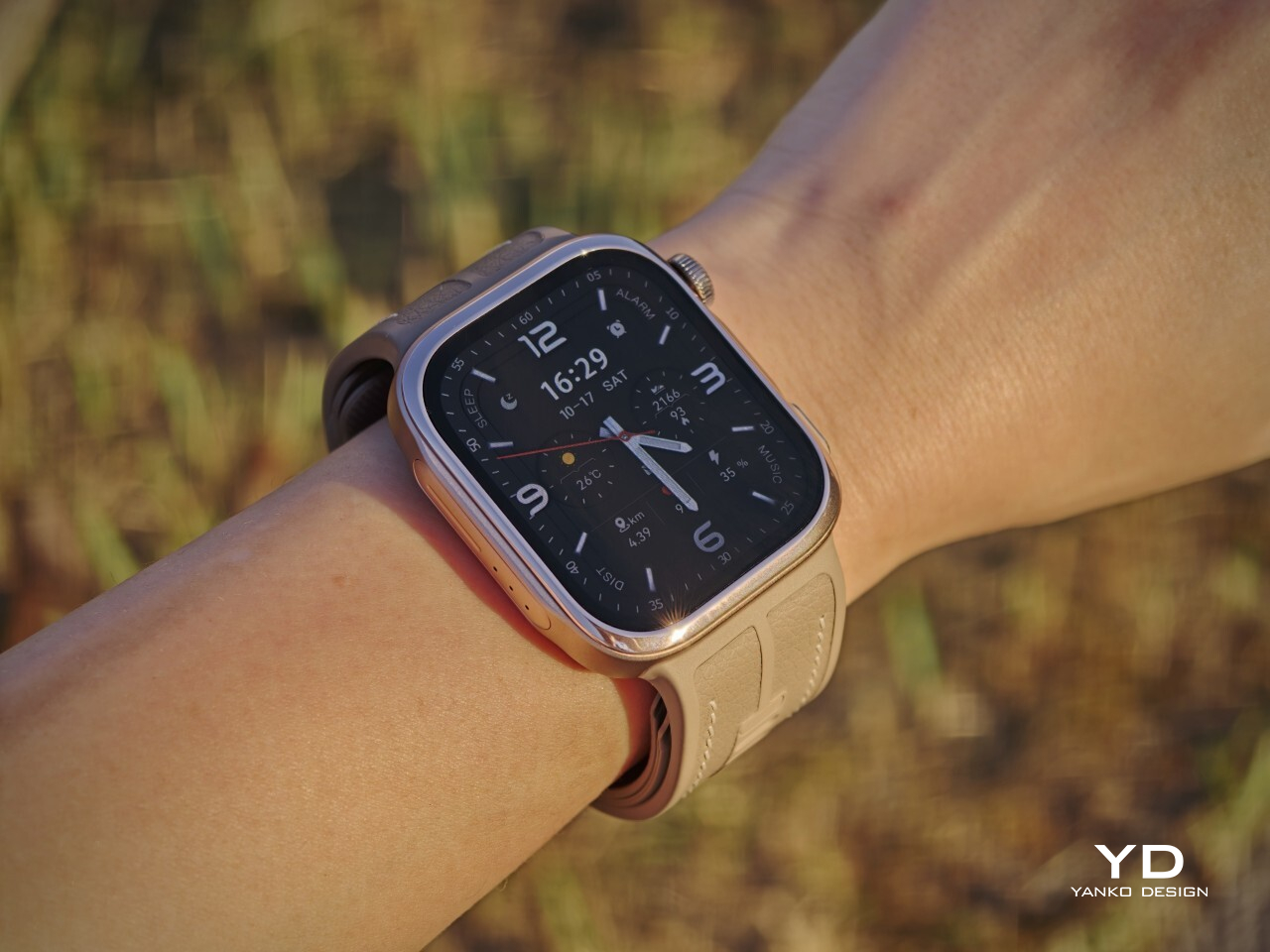
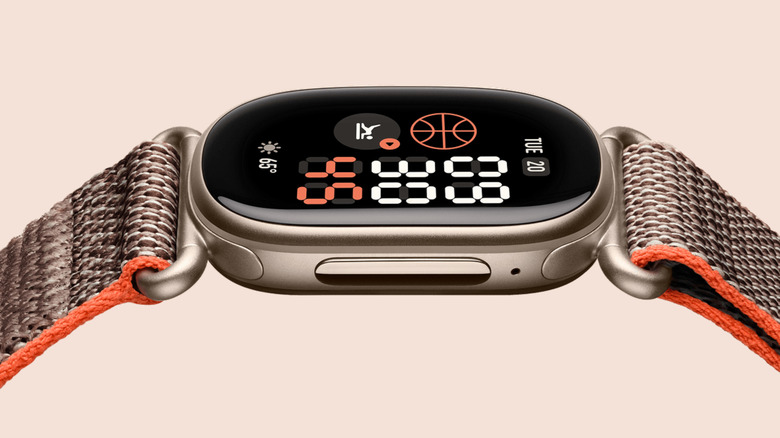
Huawei has made the Watch D3 surprisingly discreet, and that is one of its biggest design strengths. This is a health-focused smartwatch with more going on under the surface than most, yet it does not look overly technical or awkwardly bulky. Instead, it comes across as clean, polished, and easy to wear, which helps it feel like a proper everyday smartwatch rather than a specialist device.

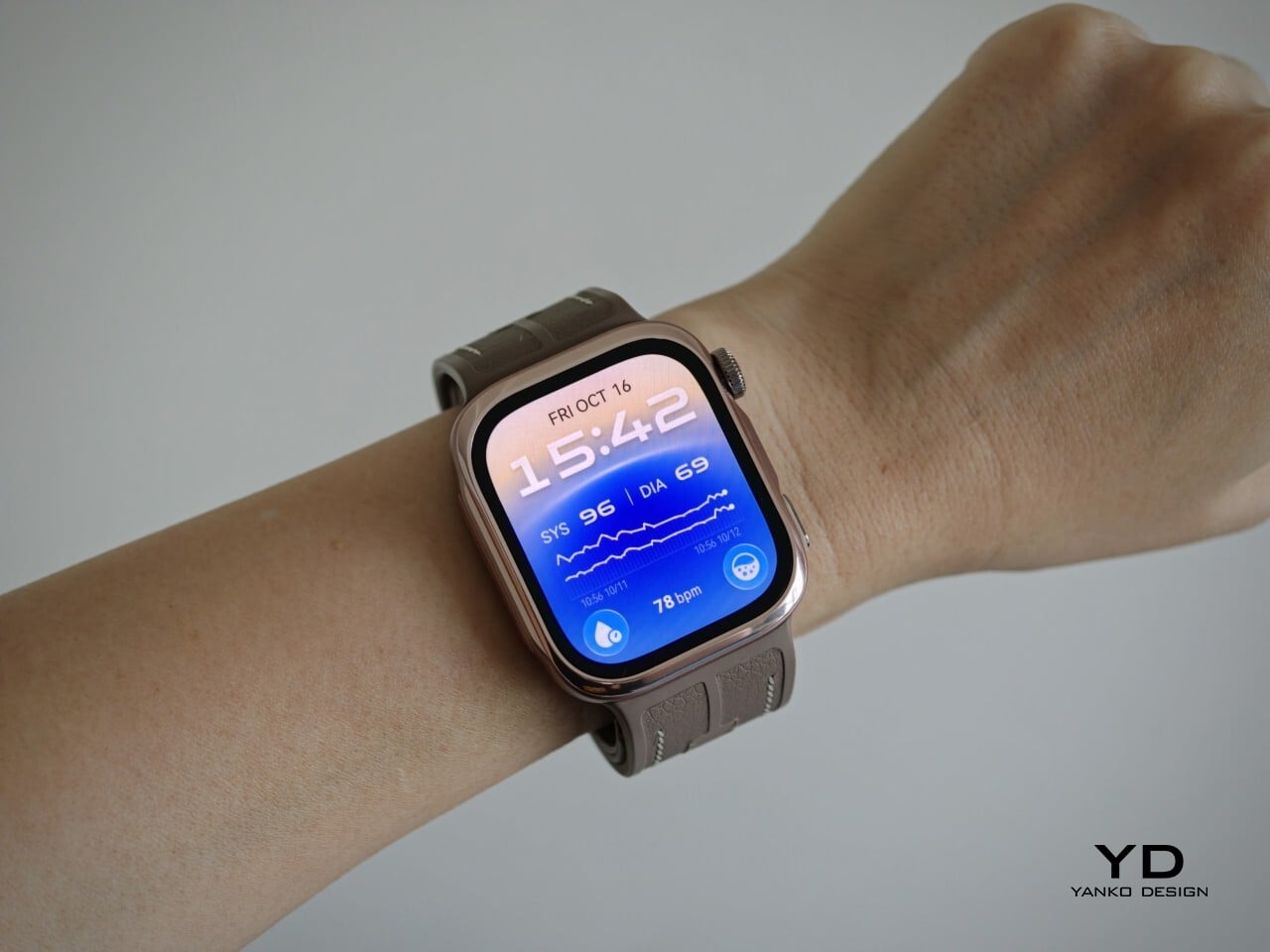
Visually, it sits somewhere between the clean familiarity of an Apple Watch and the more assertive presence of an Apple Watch Ultra, giving it a look that feels both familiar and slightly more rugged. Huawei offers the Watch D3 in three color options: White, Black, and Mocha Gold. I received the Mocha Gold version, and it gives the watch a warmer, slightly more elevated look than the other finishes. The rectangular-shaped case is paired with a color-matched fluoroelastomer strap, which also houses the airbag used for blood pressure measurement.

Ergonomics
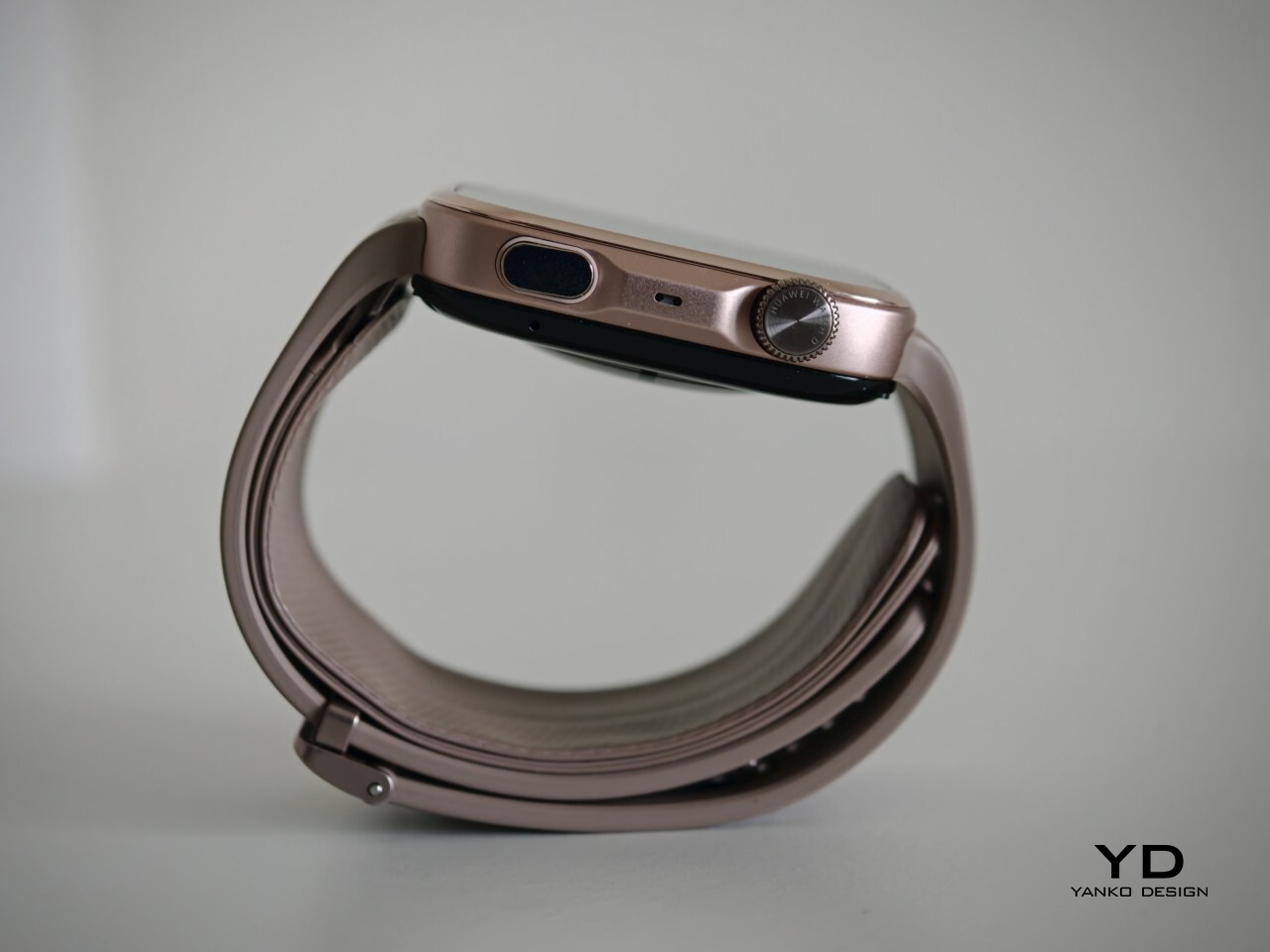
For a smartwatch with a tiny airbag tucked into its strap, the Watch D3 is surprisingly easy to wear. On paper, it is not a small device at 1.83 x 1.61 x 0.44 inches, but it never feels ungainly or overengineered once it is actually on your wrist. The 1.92-inch rectangular display fits well and doesn’t overwhelm the wrist, keeping the overall look streamlined. Huawei has also trimmed the thickness down from 0.52 inches on the Watch D2 to 0.44 inches here, and that slimming makes a real difference. The D3 feels less like a specialist gadget and more like a smartwatch you can throw on in the morning without a second thought.

In practice, the bigger surprise is how quickly it stops feeling unusual. The Watch D3 feels like an ordinary smartwatch on the wrist in the best possible sense. The strap is inevitably thicker than a conventional smartwatch band because it contains the inflatable airbag, but I never found it cumbersome. If anything, that unusual construction fades into the background faster than expected, which is not something I would have assumed before wearing it.
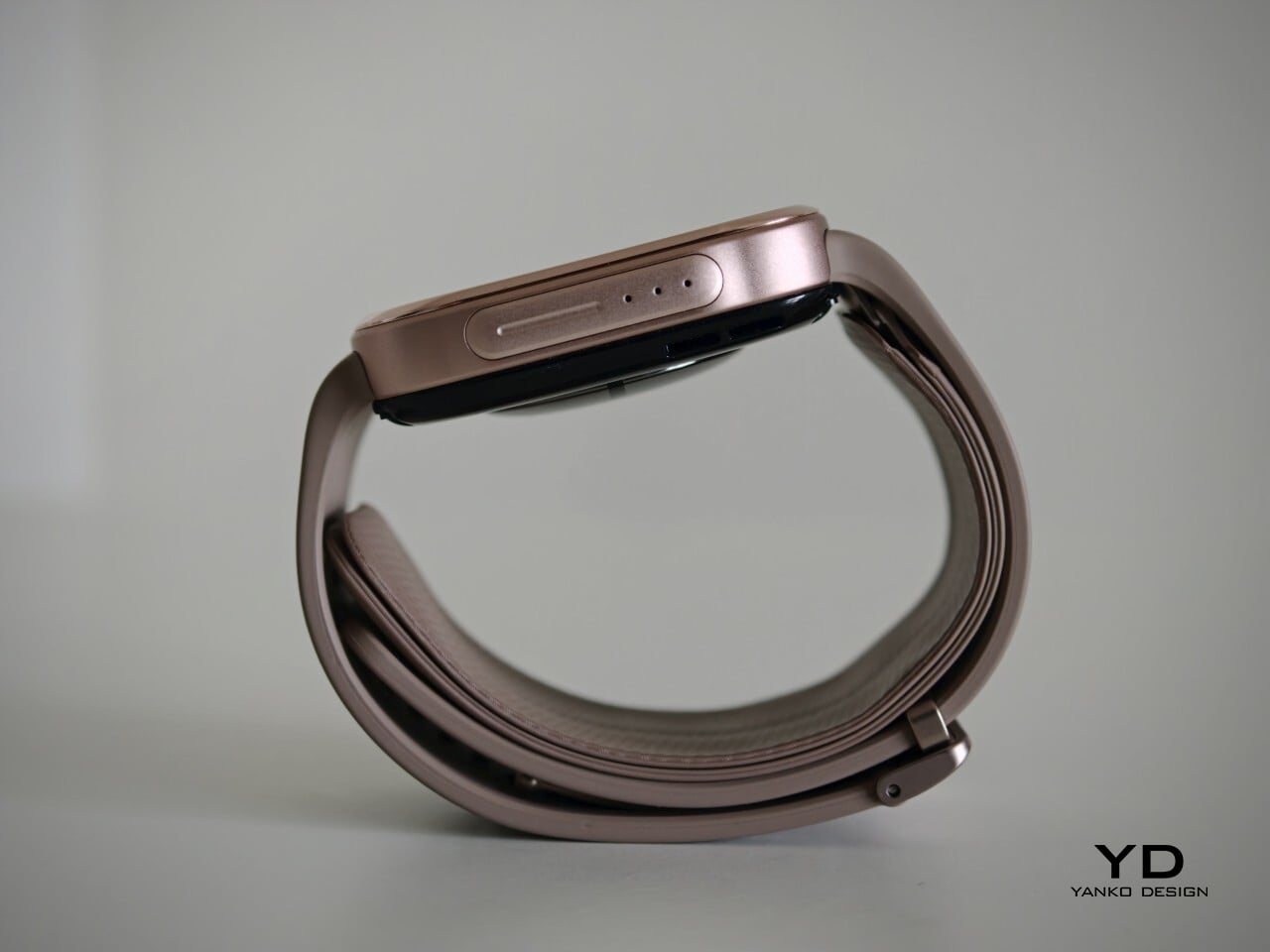
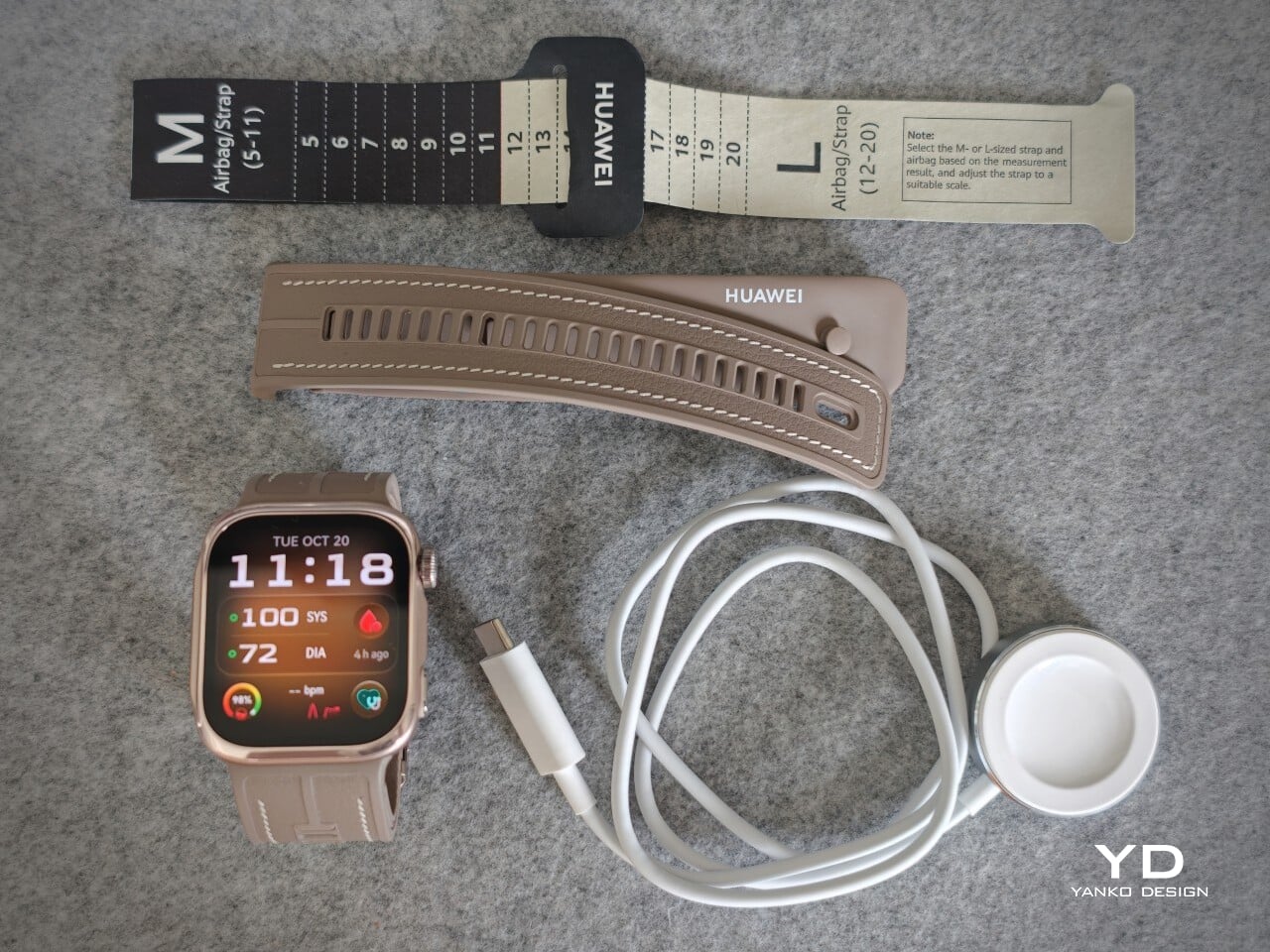
The weight helps here too. At around 1.41 ounces without the strap, the Watch D3 feels substantial enough to come across as a proper piece of hardware, but not heavy enough to become annoying over the course of a full day. Fit matters more on the Watch D3 than it does on a typical smartwatch. Huawei accounts for that with a paper measuring guide and two strap sizes. A watch built around blood pressure readings needs to fit properly, and the D3 feels better for that extra attention.

Performance
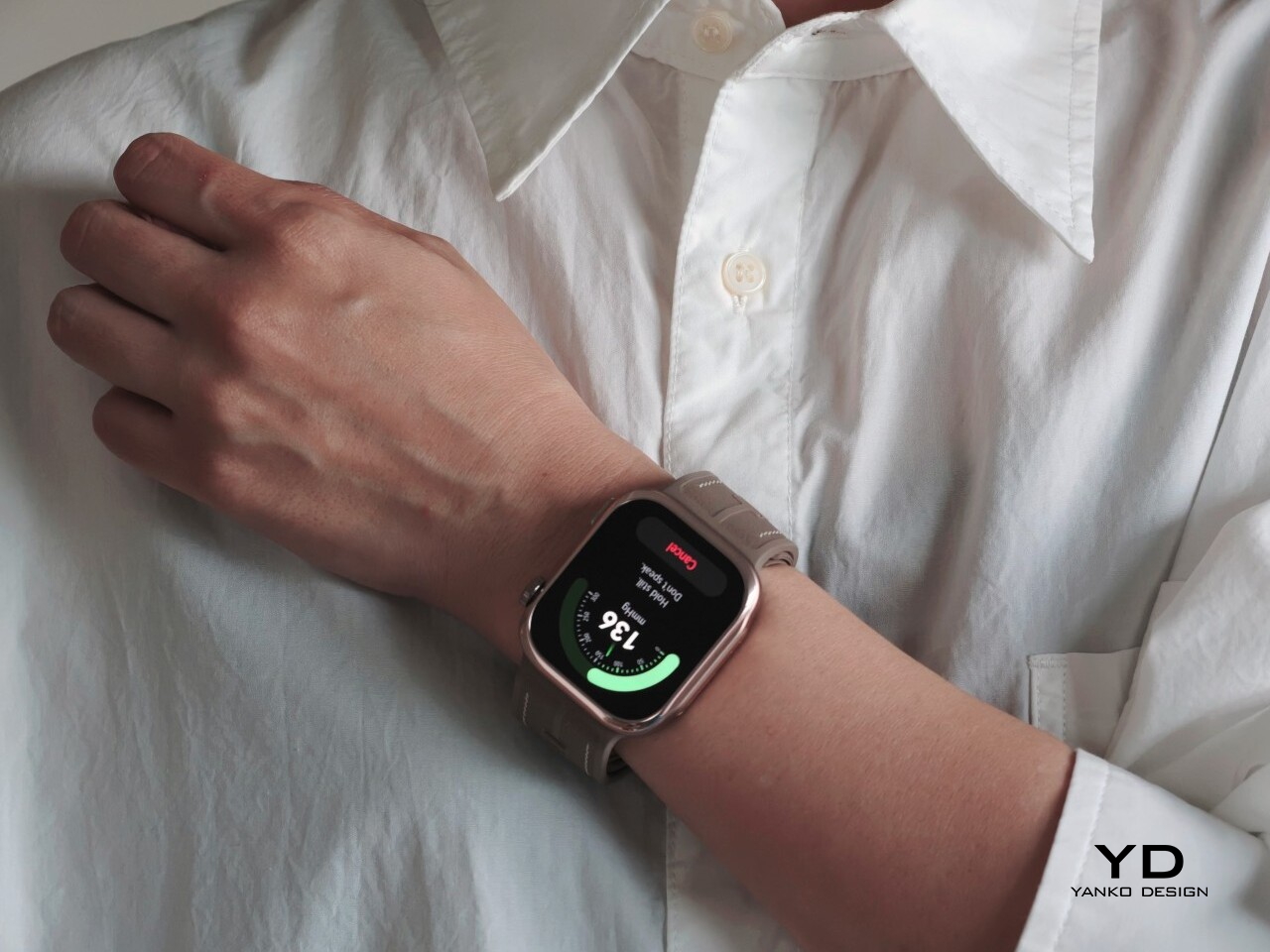
Blood pressure monitoring is the main reason to consider the Watch D3, but what surprised me first was how quiet it is. It makes virtually no sound during a reading, with the increasing pressure around my wrist providing the only obvious sign that anything is happening. The sensation is noticeable, as you would expect from an inflatable strap, but the process feels discreet enough that taking a reading does not become a bother.

There are medical credentials behind the feature, too. According to Huawei, the Watch D3’s blood pressure measurement has obtained NMPA medical device registration in China and CE certification under the European Union’s Medical Device Regulation, commonly called CE-MDR.

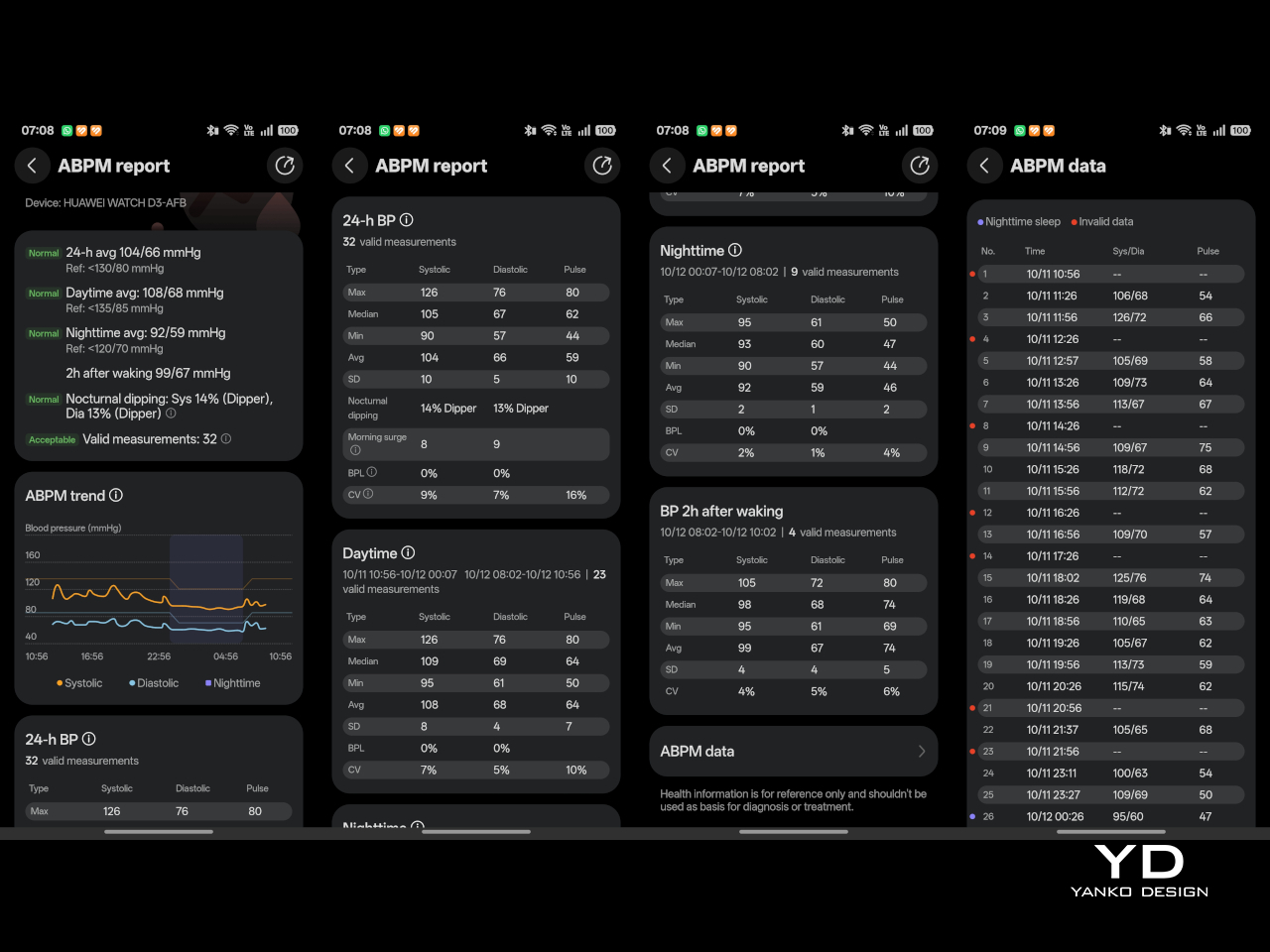
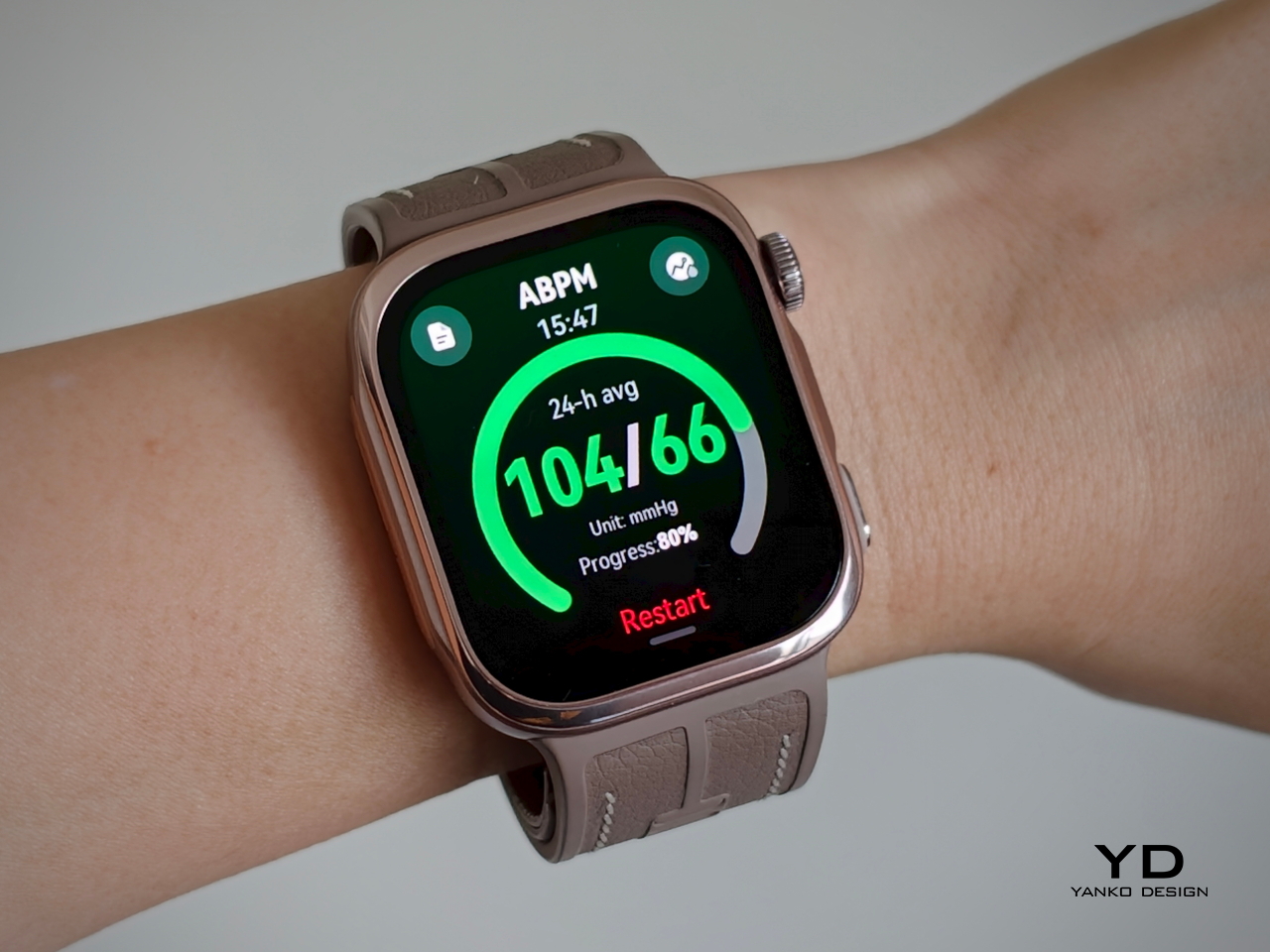
The Watch D3 also supports ambulatory blood pressure monitoring, or ABPM, which schedules repeated measurements over a 24-hour period, including while you sleep. Rather than giving you one isolated reading, it builds a record of how your blood pressure changes throughout the day and night. Huawei Health brings those results together into a report showing daytime, nighttime, and overall averages, which you can save or share with your doctor.
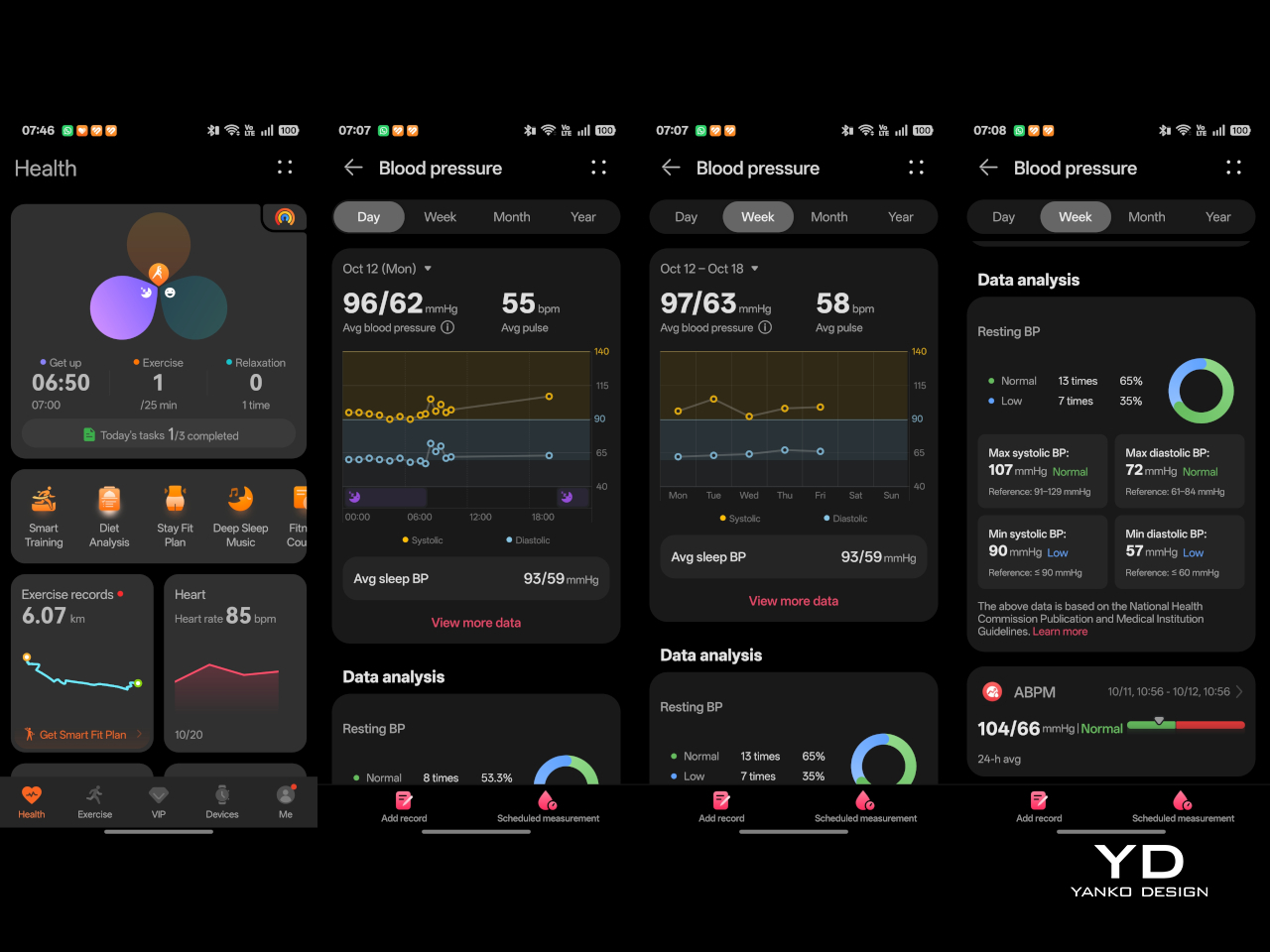
That does not mean you can forget about the process entirely. During waking hours, you still need to pause, keep still, and hold the watch at heart level, following the positioning instructions. You can adjust the measurement schedule rather than stick with the default intervals. Overnight, the watch takes readings automatically without requiring you to assume the daytime posture. Thankfully, those nighttime readings did not bother me or wake me up.

There is also a dedicated feature for measuring blood pressure before and after six workout types, covering indoor and outdoor running, walking, and cycling. You take an initial reading before starting, then begin another measurement within two minutes of finishing. There is a reason those changes are worth studying. Research using clinical exercise tests has linked certain blood pressure responses during exercise and recovery with a higher risk of developing hypertension or experiencing cardiovascular events later on.

Beyond blood pressure, the D3 covers heart rate, sleep, blood oxygen saturation, and skin temperature, with ECG available in supported regions. Fitness tracking is solid too, with more than 80 workout modes. It works well as an everyday companion for keeping an eye on activity, workouts, and daily movement without making every walk feel like homework.
The everyday smartwatch features are more familiar. The D3 runs HarmonyOS and works with both Android and iOS, although the experience is not identical across the two platforms. Bluetooth calling and music playback are supported, but the limited third-party app selection leaves less room to expand beyond the built-in tools.

With a compatible Android phone, you can respond to supported messages using quick replies or the on-screen keyboard. Message replies are not supported when the watch is paired with an iPhone, which is worth knowing before you buy. Offline maps are available for supported models, while NFC payment support depends on your region and the available payment service. Having NFC hardware does not automatically mean it will work with your usual cards.
Battery life has been good in my use, too. Huawei quotes up to six days under typical conditions, dropping to around one day with ABPM enabled. My typical-use results were close to that six-day claim, while I comfortably passed a day with ambulatory monitoring enabled. Measurement frequency matters here, since Huawei’s ABPM battery test uses 15-minute intervals, so your results may differ depending on your settings.

Charging speed is okay rather than especially quick, but outside ABPM sessions, I was not constantly looking for the charger. The supplied charger uses a USB-C rather than USB-A, which is a welcome change. That is one less reason to keep an older USB-A power adapter around.

Sustainability

The Watch D3 has an IP68 rating, but that is not an invitation to take it swimming or into the shower. Huawei advises against both because of the air openings used by the blood pressure system. The watch is not water- or dust-resistant while taking a measurement, so those openings need to stay clean and dry. It requires a little more care around water than you might expect from an everyday smartwatch.

The strap feels durable, although Huawei does not provide wear-test figures to put that impression into context. It is removable, so a tear would not necessarily mean replacing the whole watch, provided Huawei makes compatible replacement straps available. That is useful for keeping the D3 in service, but the broader sustainability picture remains unclear. I would have liked more information about recycled materials, repair options, and long-term software support.

Value
The Watch D3 costs £399.99 (roughly $533) in the UK and €449 (roughly $505) in Europe, so it is not exactly an impulse purchase. Whether that feels expensive depends on what you want from your watch. The D3’s appeal is having cuff-style blood pressure readings and 24-hour ambulatory monitoring in something you can wear throughout the day and overnight.

If those are features you will use regularly, the price becomes easier to justify, especially given how comfortable I found it. I am also impressed by how streamlined the whole package feels, considering the specialized hardware tucked inside the watch and strap. You are getting more than an extra health metric on a screen, without having to wear something that feels like medical equipment. If you mostly want notifications and workout tracking, though, I would be less inclined to pay for blood pressure hardware that rarely gets used.

Verdict
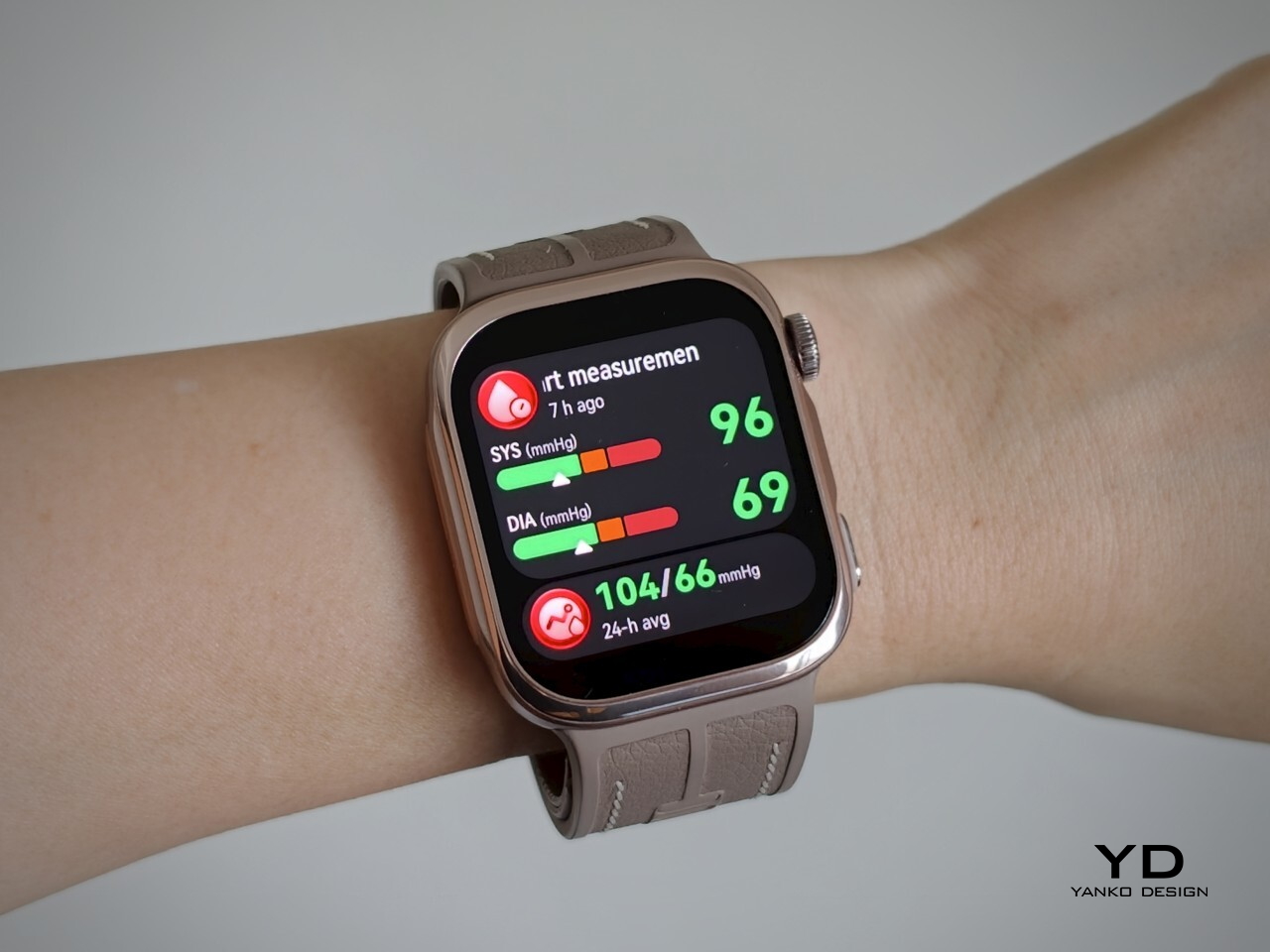
The Watch D3 impressed me most by making its unusual hardware so easy to live with. Blood pressure readings are quiet, the strap never felt cumbersome, and overnight measurements did not wake me up. Battery life was good, too, particularly outside ambulatory monitoring sessions. I never felt I was putting up with an awkward gadget just to use its blood pressure features.

I would still like a broader selection of third-party apps and clearer information about repair options and long-term support. The price also makes more sense if blood pressure monitoring will be a regular habit rather than an occasional curiosity. It is a tool to use alongside professional care, not a reason to diagnose yourself or change medication based on your readings. With that understood, the D3 earns my recommendation for combining useful blood pressure features with the comfort and discretion of an everyday smartwatch.

The post Huawei Watch D3 Review: A Game Changer for On-Wrist Blood Pressure Monitoring first appeared on Yanko Design.
Nothing’s Ear (open) should have been a CMF product all along… Here’s proof

I’ll say it: Nothing launched the Ear (open) under the wrong logo. The open-ear buds debuted in 2024 at $149, wrapped in Nothing’s signature transparent look, and they were good enough to win a Red Dot Product Design award. Still, every time I looked at them, my brain kept whispering “CMF.” Open-ear buds are the casual, colorful, sweat-friendly second pair you toss in a gym bag, which describes CMF’s entire personality. Even Nothing seems to have noticed, since the Ear (open) now comes in soft blue for $99 in the US. That’s CMF money in a CMF color, wearing a Nothing name tag.

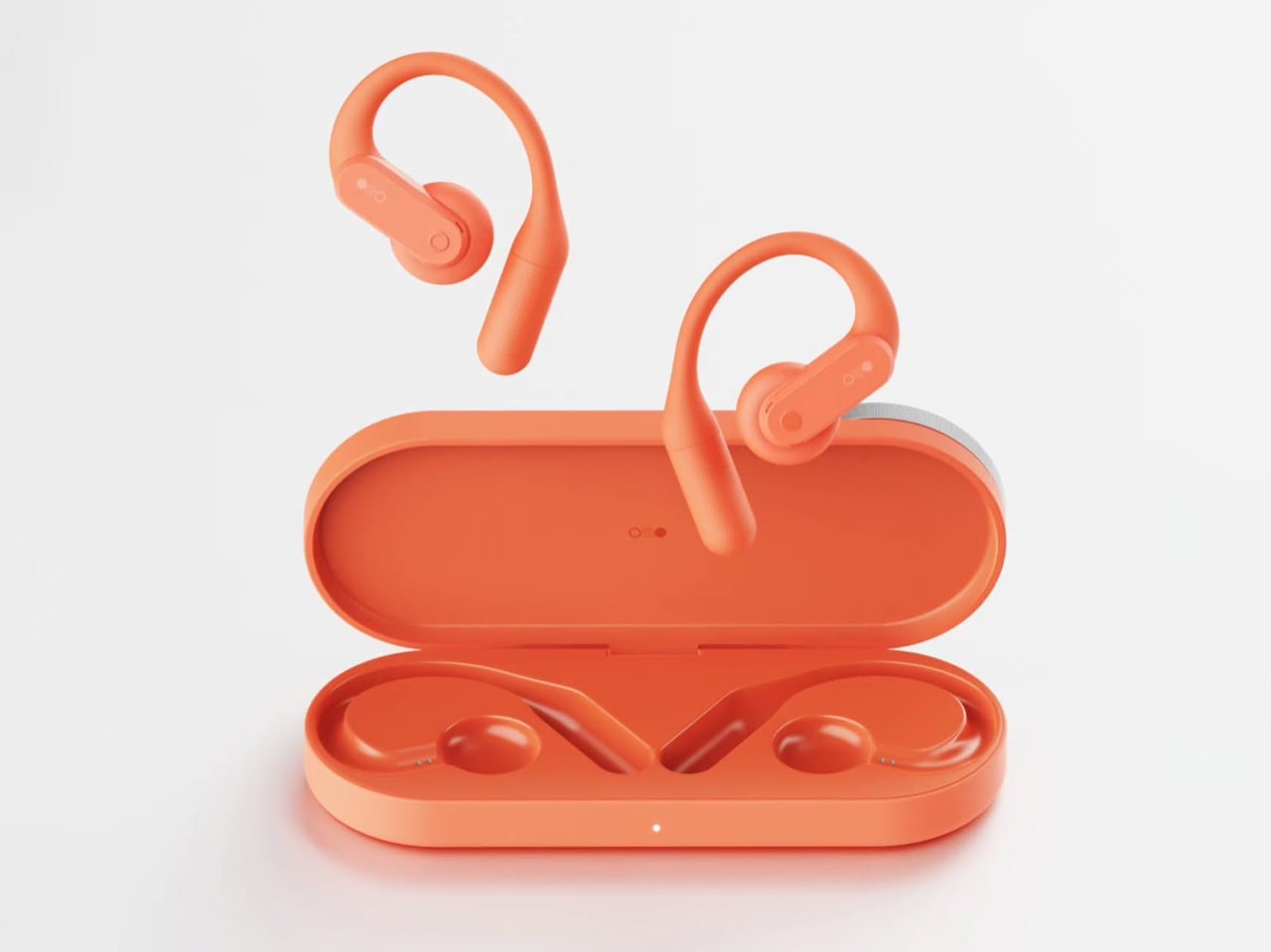
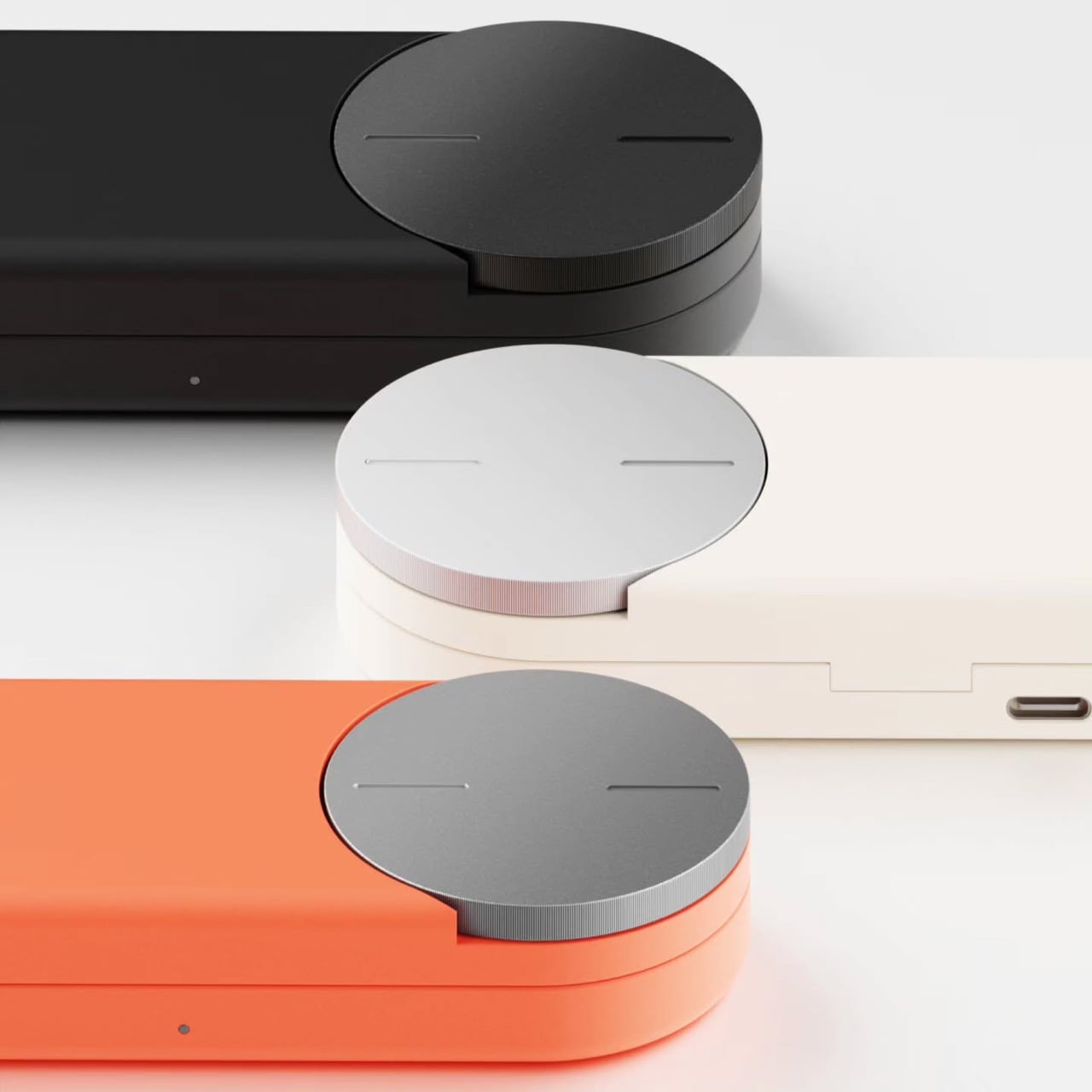
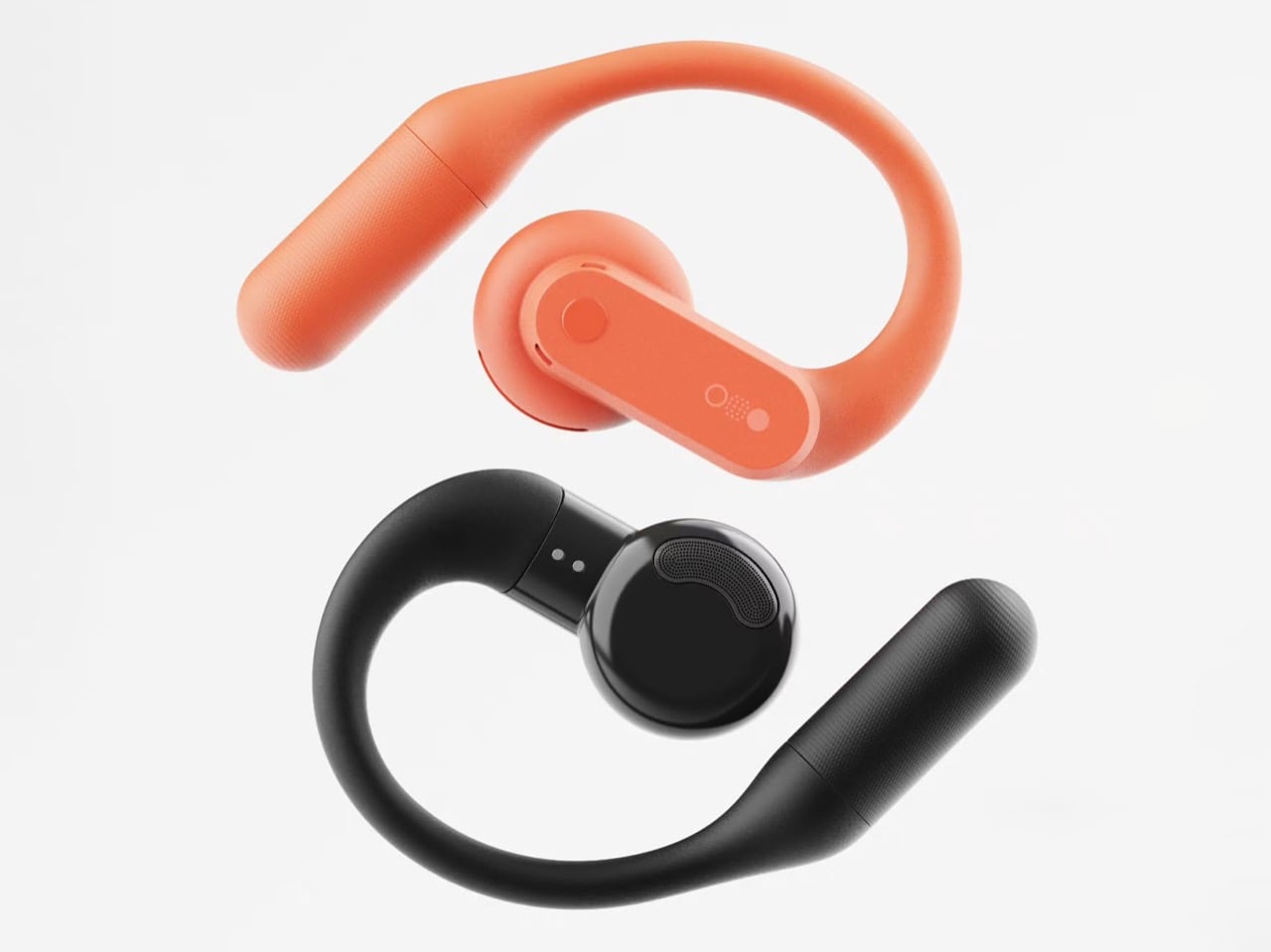
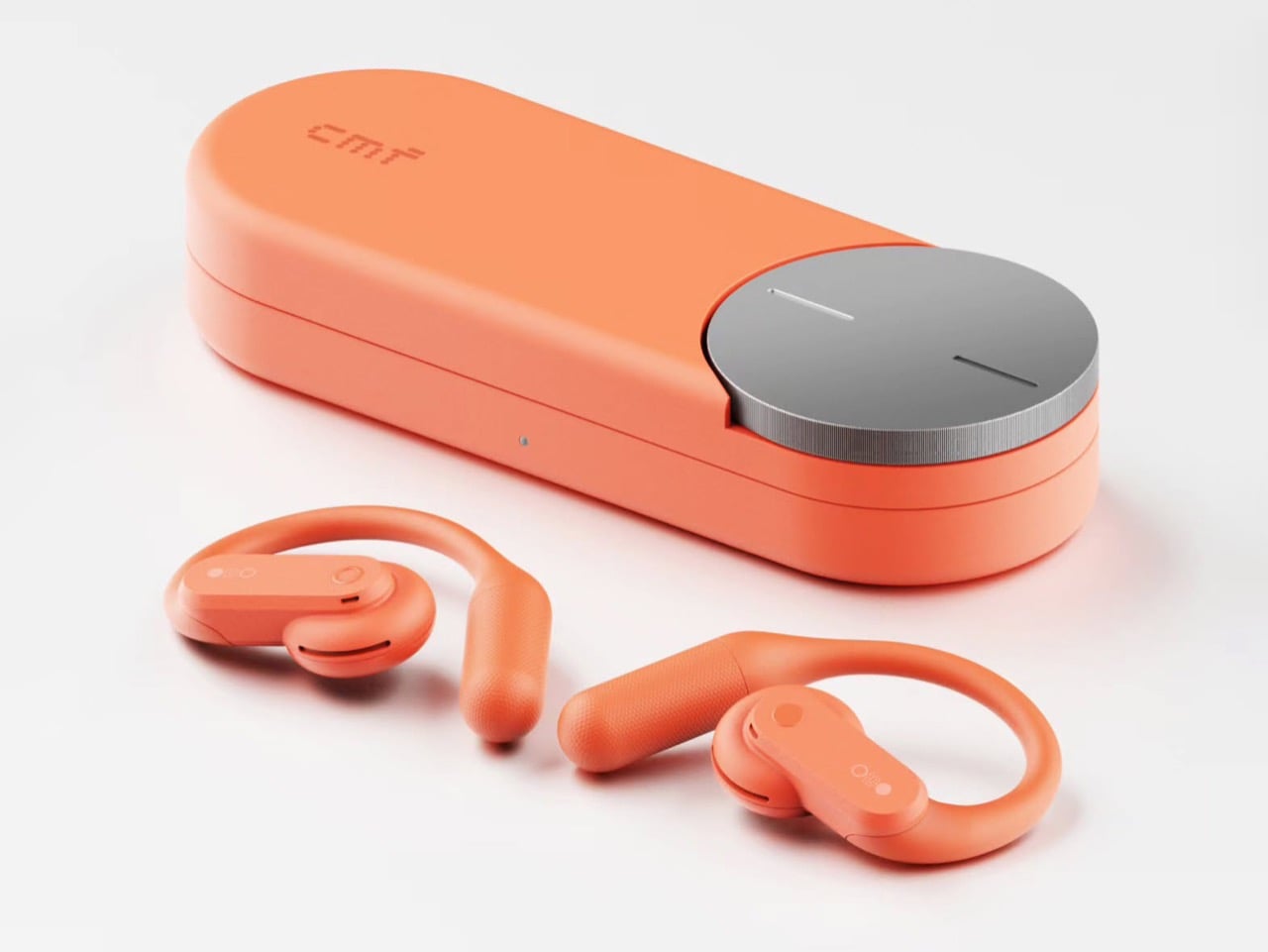
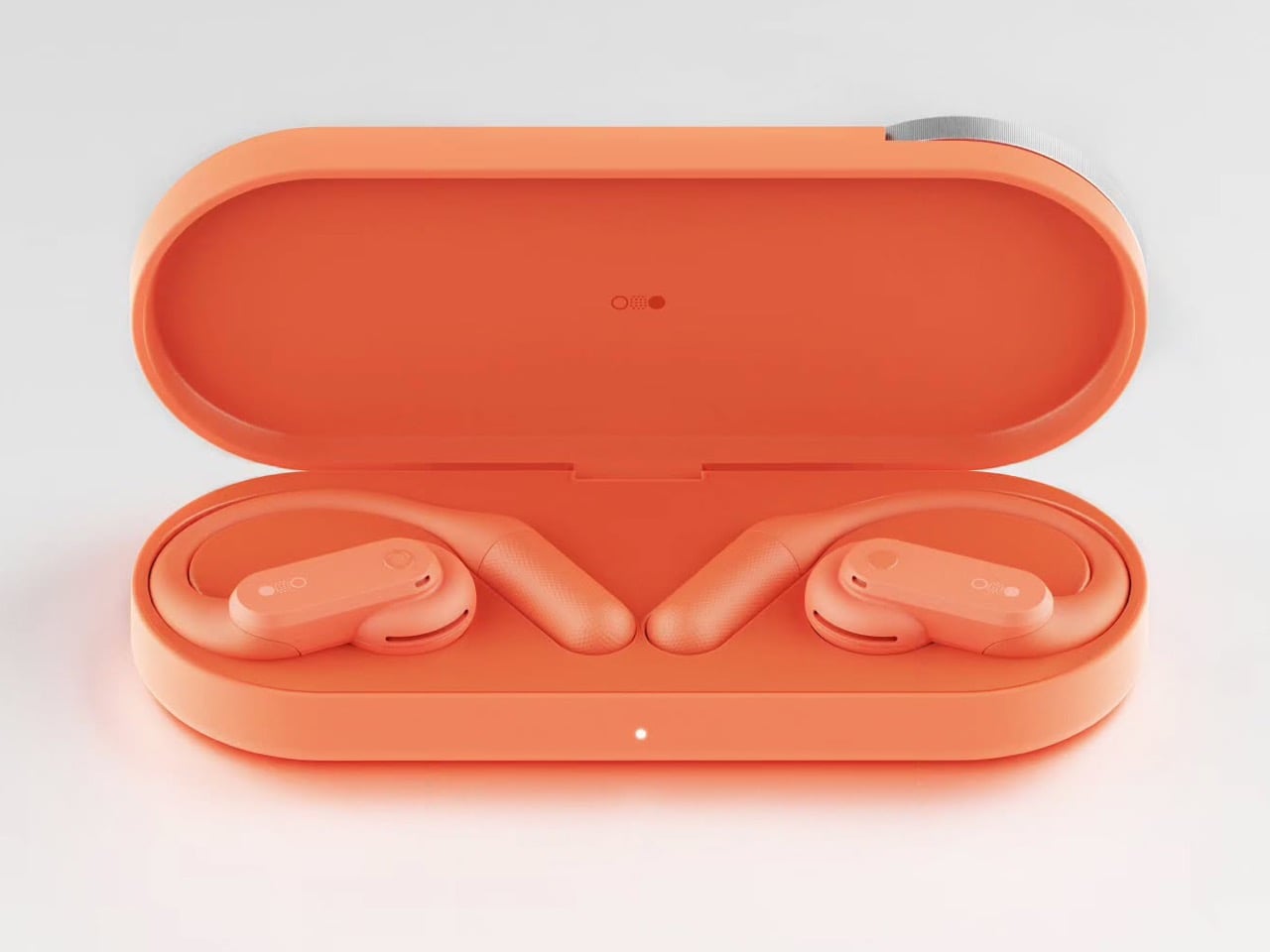
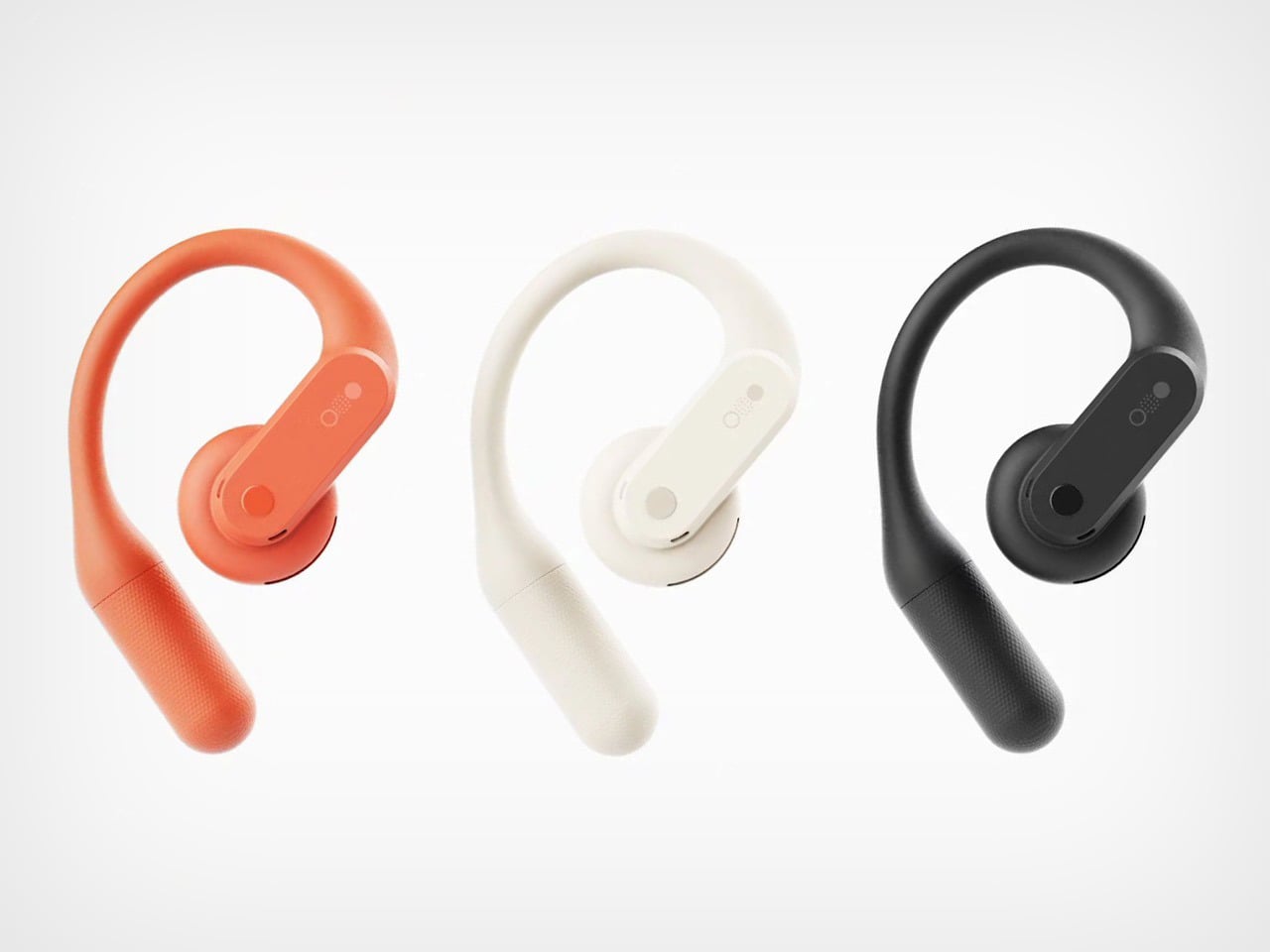
Apparently I’m not alone in this conspiracy theory. Industrial designer Shreyansh Onial, whose CMF Flip foldable concept got a reaction from Carl Pei himself, built the CMF Ear (open) that Nothing never released, and it looks like it rolled straight off CMF’s assembly line. The over-ear hook stays, but the transparent panels give way to solid Coral, Light Grey, and Dark Grey. Each bud gets a chunky physical button, and the pill-shaped case borrows the knurled Smart Dial from CMF’s $99 Clip Pro. It’s the alternate-universe launch I didn’t know I was waiting for.

Designer: Shreyansh Onial

Trading Nothing’s see-through shell for CMF’s candy-colored hooks

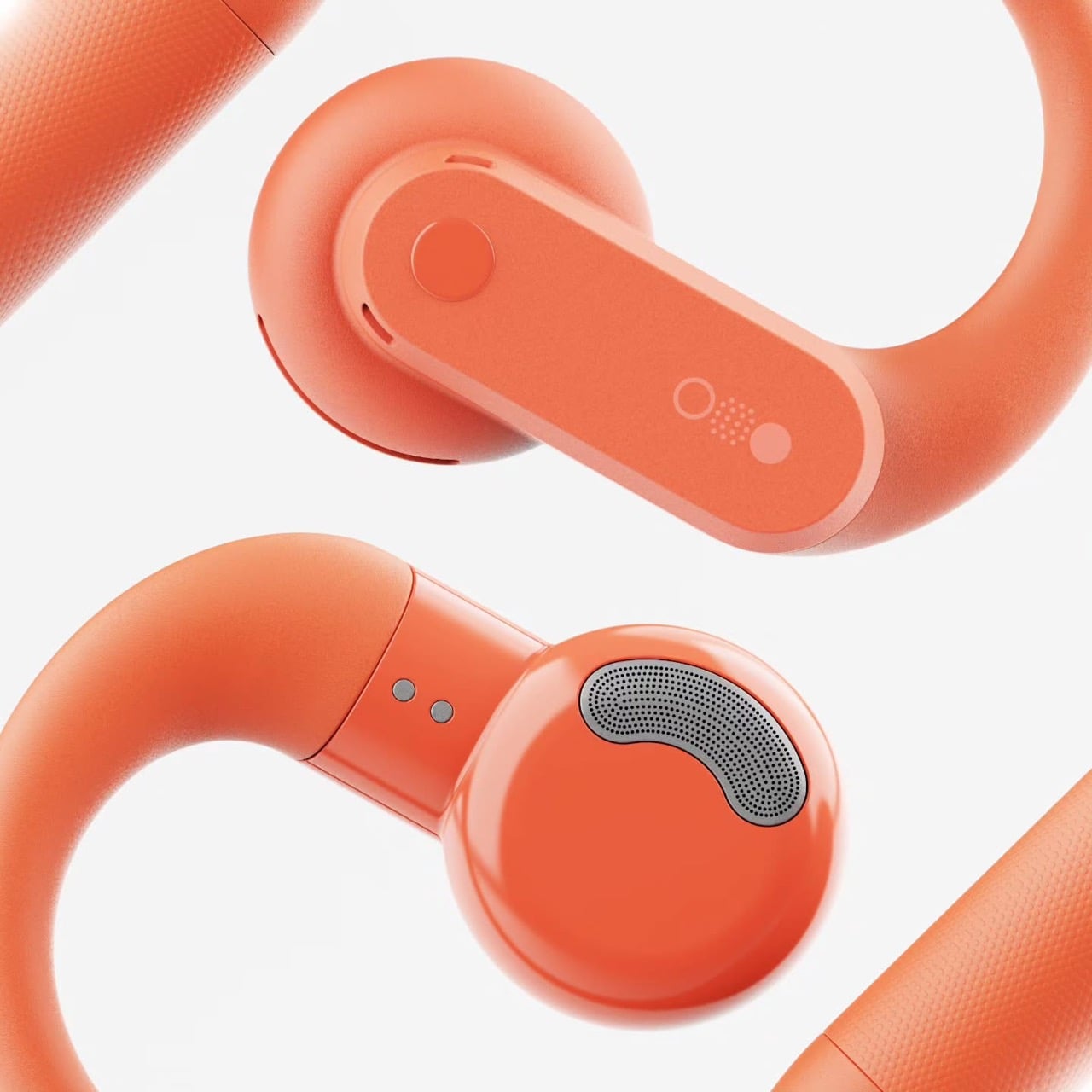
Coral, Light Grey, and Dark Grey carry the whole concept, and they match the Clip Pro’s palette exactly. Transparency is Nothing’s calling card, though on the Ear (open) much of the surface is a silicone ear hook anyway. Onial goes fully opaque, with a soft matte finish on the hook and a glossier coat on the round acoustic pod that sits by your ear canal. The outer face is a rounded pill panel with a single round button and a tiny glyph made of a circle, a dot grid, and a filled dot. The battery tail picks up a fine stippled texture, which gives sweaty fingers something to grip.

A real button on each bud fixes the biggest workout annoyance with the Ear (open), which relies on pinch controls that get fiddly with slippery fingers. CMF already gave the Clip Pro physical buttons for exactly this reason, so the move fits the brand’s own playbook. Flip the bud around and you’ll find a perforated metal grille shaped like a little kidney bean, plus two pogo pins on a short collar for charging. That bean grille is my favorite detail, because it gives the bud an oddly cartoonish face. It also mirrors the soft circles of the dial on the case. The whole thing feels friendly and approachable, which suits a pair built for sweat and sidewalks.

The Clip Pro’s Smart Dial case meets a hook built for runners

The case comes straight from CMF’s Clip Pro, a deep pill-shaped capsule with a knurled metal dial set into one end of the lid. On the Clip Pro, that Smart Dial adjusts volume, controls playback, answers calls, and triggers pairing. CMF put the same dial on its Buds Pro 2, and it has since become the brand’s signature move. Onial adds a dot-matrix “cmf” wordmark on the lid, a front status LED, and a USB-C port on the side. Inside, molded cradles hold the two hooks in a neat V, with a charging pocket waiting for each acoustic pod.

Over-ear hooks anchor behind the ear, which keeps them planted through runs, burpees, and sprints for the bus. The Clip Pro’s C-shaped clip hugs the ear’s outer edge instead, a format better suited to commutes and long desk days. That leaves the runner with a CMF-shaped hole in their gym bag, since CMF currently offers nothing for them (lowercase n). A dial makes even more sense here, because twisting a knob on the case beats digging through phone menus mid-stretch. Pair it with real buttons on the buds and you get a workout setup that never asks for a precise touch gesture.

Where a CMF Ear (open) would land in a crowded open-ear market

Open-ear audio got crowded fast, with Bose’s Ultra Open sitting at the top for $299 and Sony’s LinkBuds Clip, Huawei’s FreeClip, and Shokz’s hook-style buds filling out the field. The Clip Pro landed at $99 with LDAC support, a 10.8mm driver, and up to 32.5 hours of total battery. The Ear (open) counters with a bigger 14.2mm driver, 8 hours per charge, and 30 hours with its case. Each Ear (open) bud weighs 0.29 oz (8.1 grams), while each Clip Pro bud weighs 0.21 oz (5.9 grams). A CMF hook could split the difference, pairing the Ear (open)’s stable fit and big driver with the Clip Pro’s dial, buttons, and price.

The blue Ear (open) already sells for $99 in the US, the same price as the Clip Pro, so Nothing has basically priced its own product at CMF level. Moving it under the CMF badge would make that price tag look like a plan instead of a markdown. It would also free Nothing to return later with a pricier transparent sequel, flipping the usual order where the premium brand gets the good stuff first. CMF became an independent Nothing subsidiary headquartered in India last year, and a signature sport bud would give the young brand another reason to stand apart from its parent. Onial’s renders already look ready for the shelf. Sometimes the little sibling deserves the new toy first.

The post Nothing’s Ear (open) should have been a CMF product all along… Here’s proof first appeared on Yanko Design.

TypAir’s Wearable Keyboard Prototype Lets You Type Without Speaking Aloud

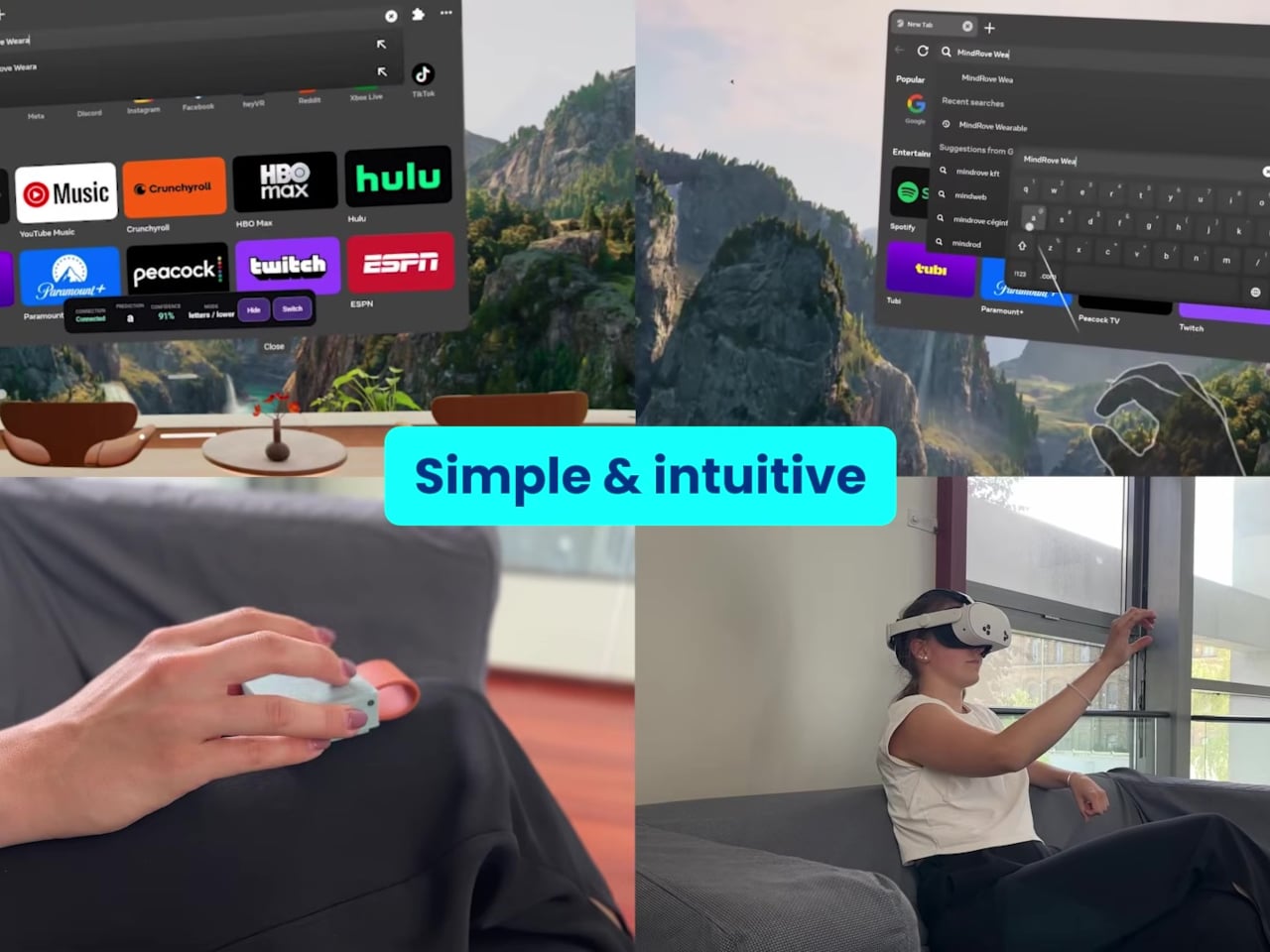
Typing through smart glasses can mean speaking messages aloud or reaching for another device. MindRove’s TypAir offers a quieter option, attaching a gesture-based Bluetooth keyboard to your clothing so your fingers can enter text without a conventional set of keys. Still a working prototype, it puts the typing surface beside a pocket rather than asking you to find room on a table.

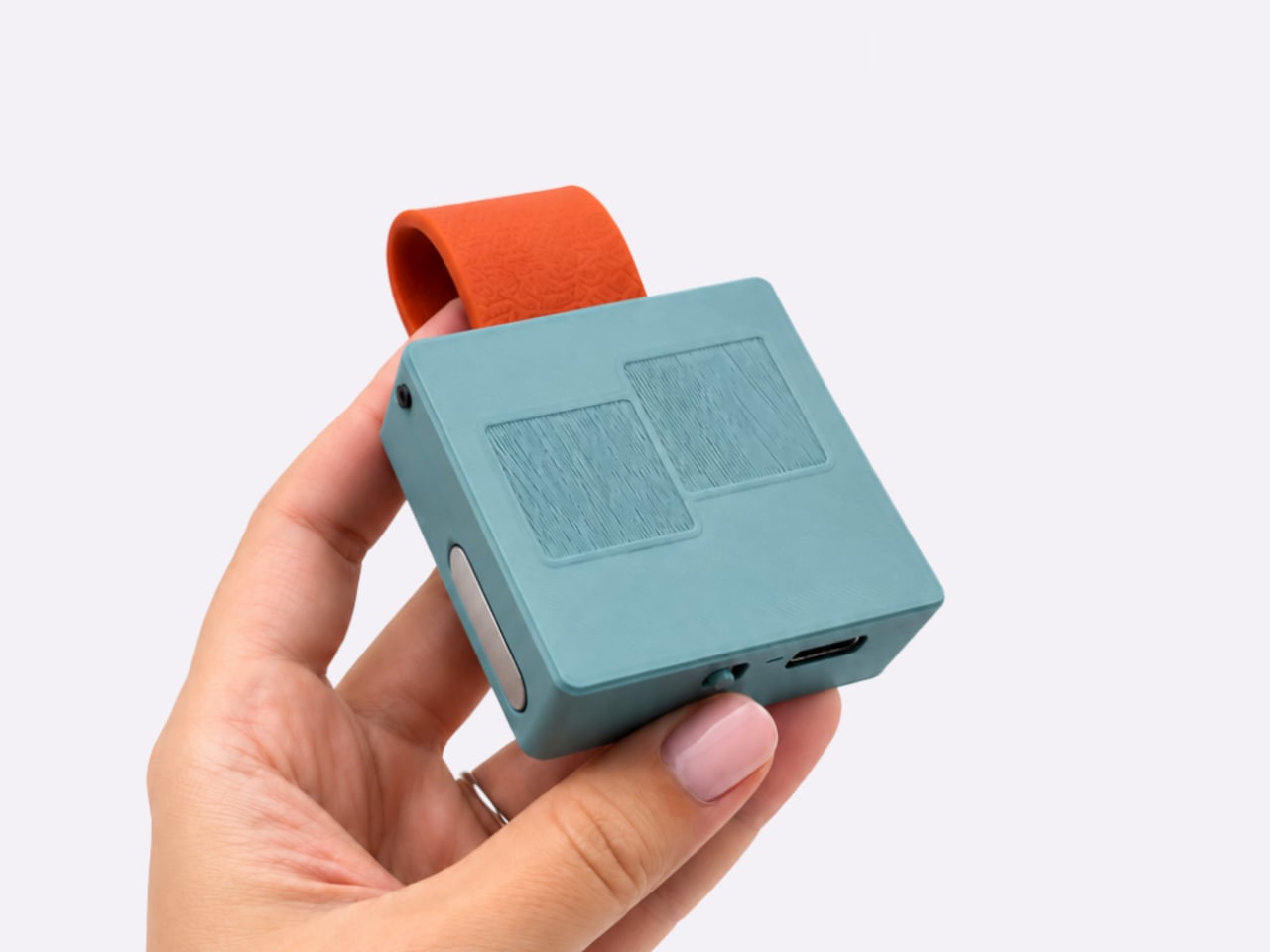
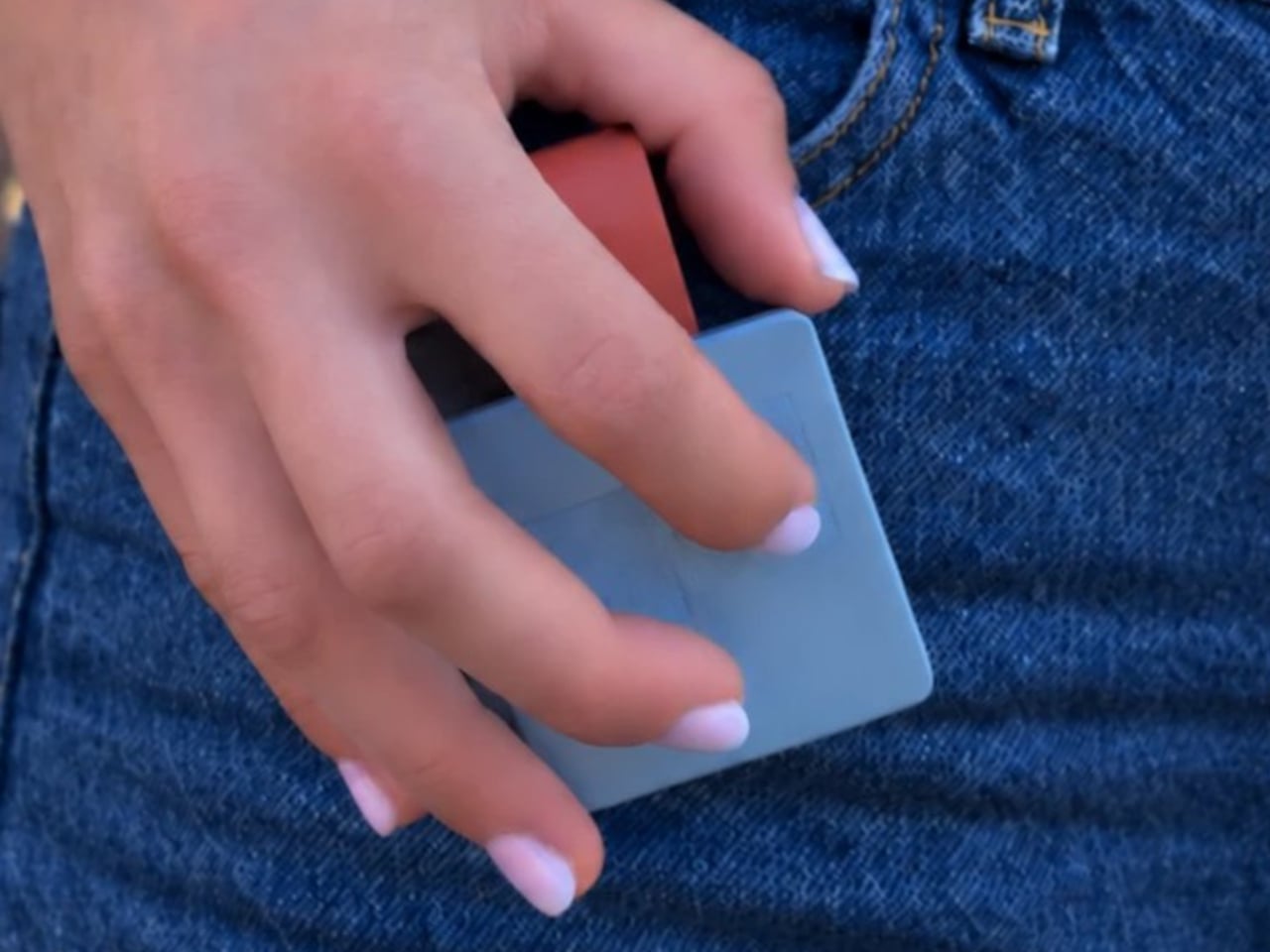
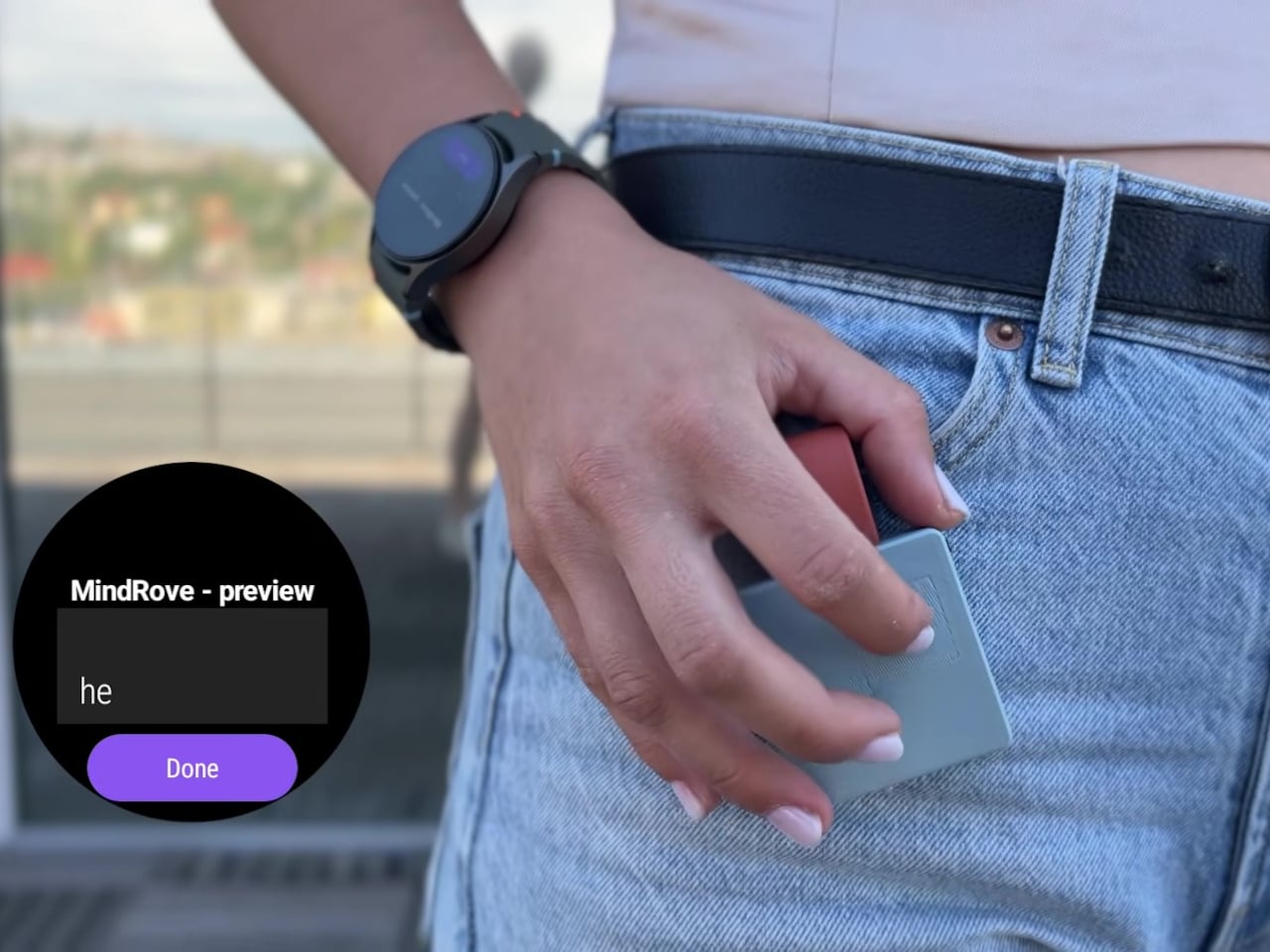
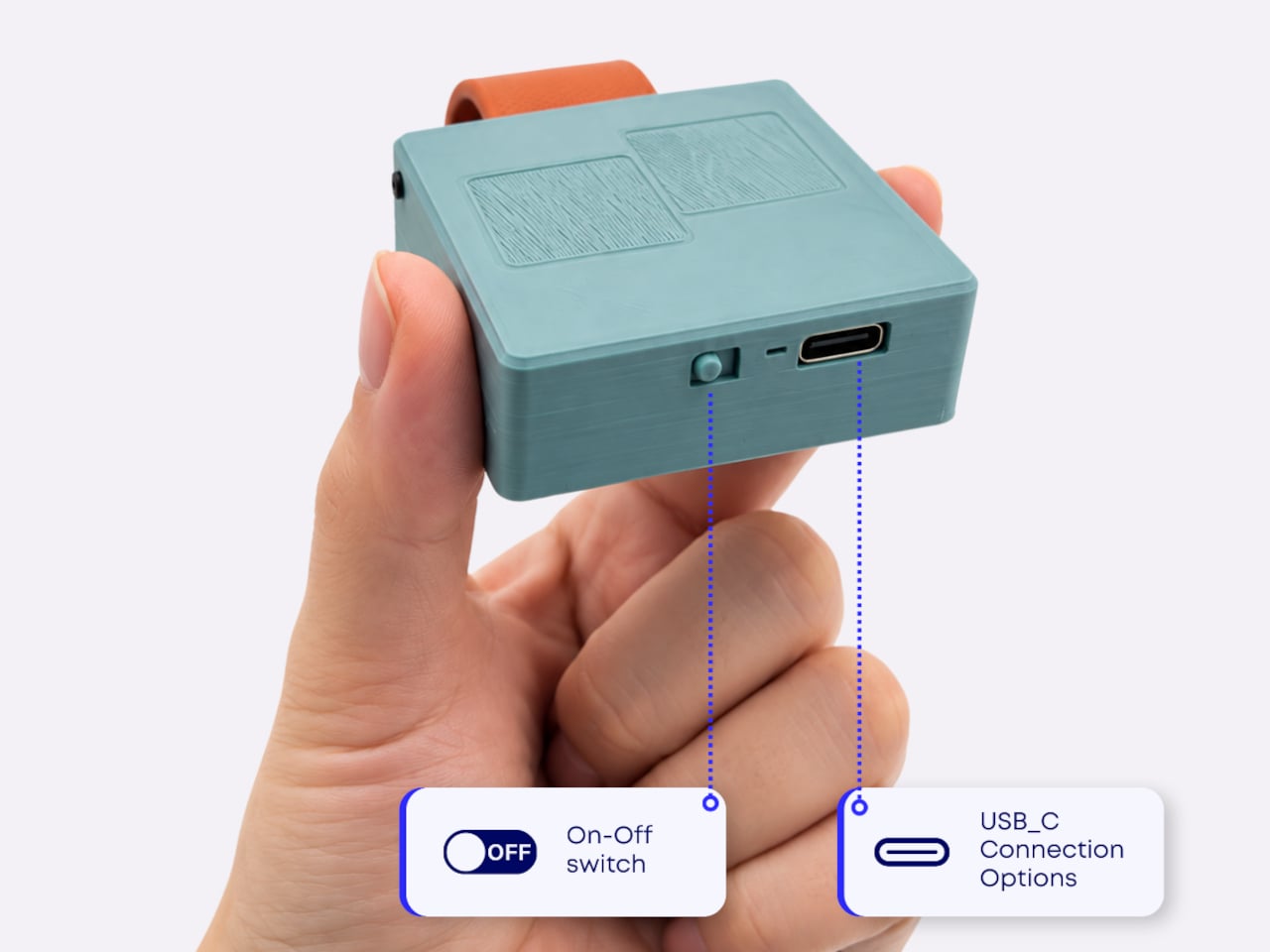
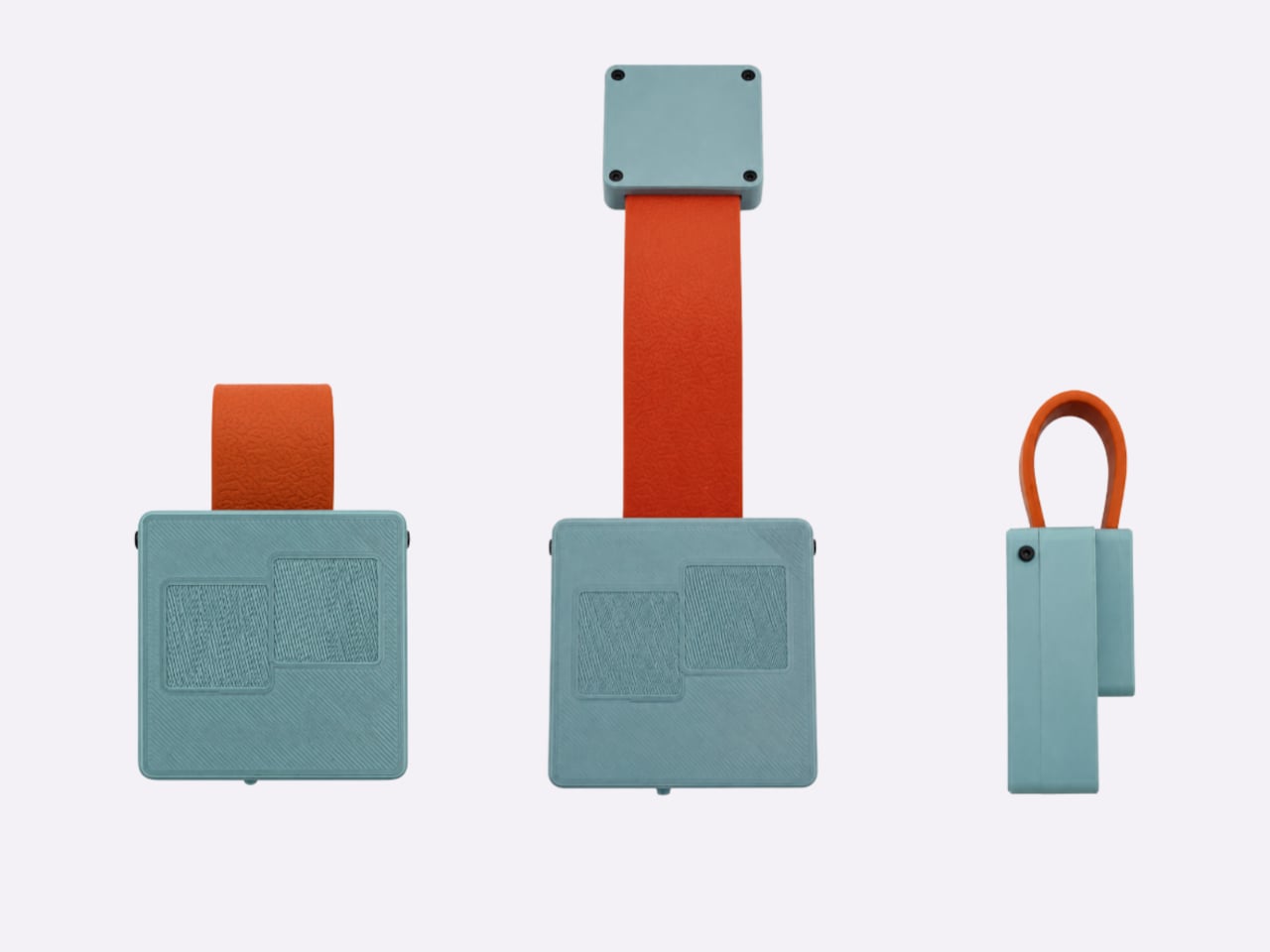
The device has a compact, roughly square body, with a strap that attaches magnetically to clothing, pockets, or other straps. That placement is central to the idea. Worn near your hip, TypAir could let you enter a short reply with your hand close to its natural resting position, although comfort will depend on the attachment point, the garment, and the hardware’s eventual proportions.

Designer: MindRove

Typing itself requires a different rhythm. There aren’t any lettered keys to press, because TypAir translates a predefined set of finger gestures into characters. Its browser guide assigns A to a tap in the bottom-left corner, for example. Other letters use different movements, so the small footprint comes with a clear compromise: you’ll need to learn an alphabet before typing becomes familiar.

MindRove also plans customizable gestures for letters, symbols, shortcuts, and commands. That could give the device a purpose beyond spelling out sentences. Someone entering the same instruction repeatedly might prefer a single learned movement, while occasional messages could use the standard alphabet. The interesting design question is how much you can simplify an everyday action without making its gesture harder to remember later.

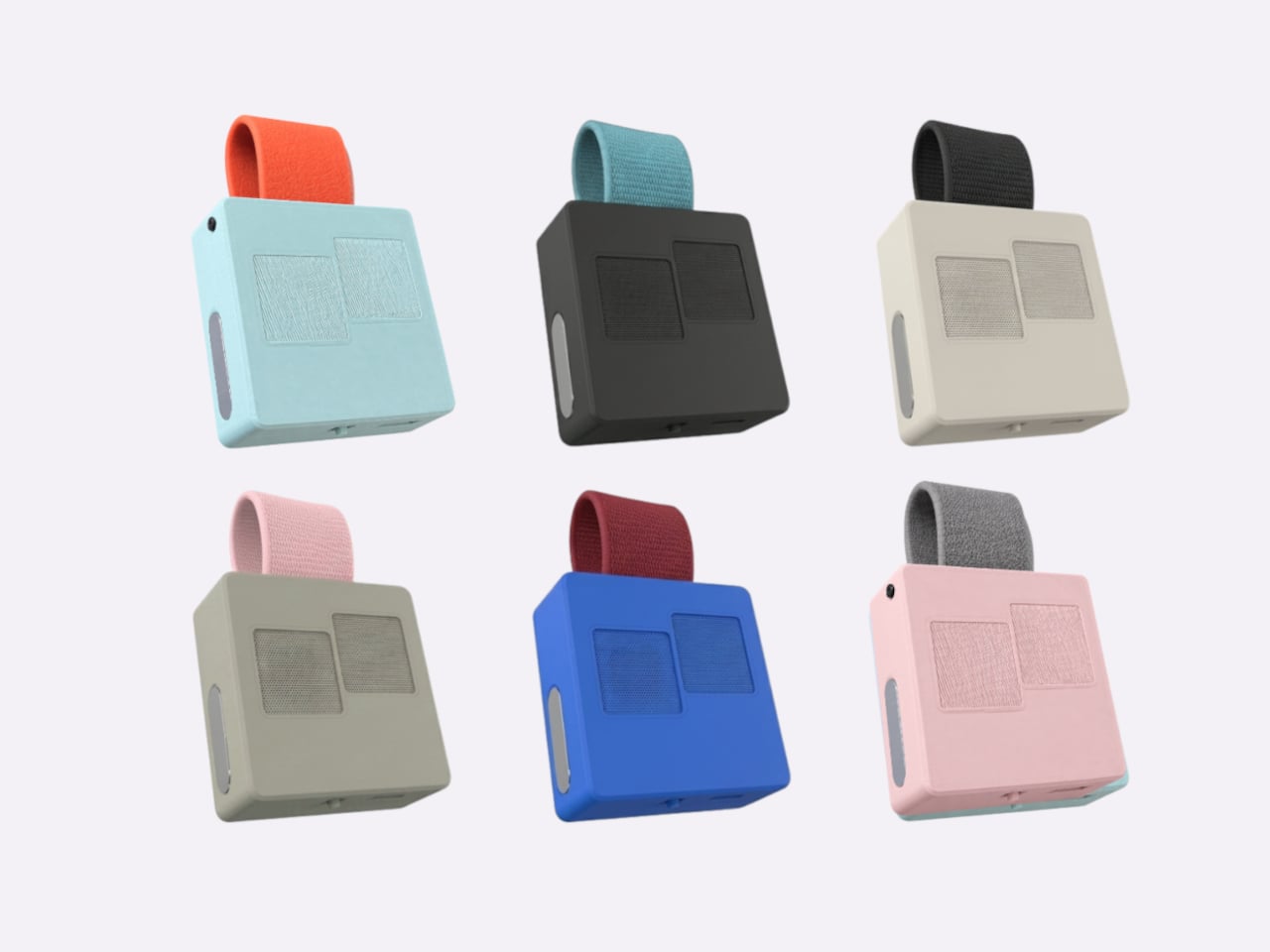
There’s a visual decision here, too. A keyboard worn on clothing becomes part of an outfit, so the module and strap can be paired in different colors. Black-on-black offers a quieter presence, while brighter combinations make the attachment more noticeable. That flexibility acknowledges something wearable electronics sometimes overlook: people might accept the function but still dislike having another gadget attached to them.

The appeal is clearest in moments when speaking would be intrusive. A message composed while waiting for an appointment could stay unspoken, provided the connected glasses support Bluetooth keyboard input. Inside a headset, the same approach could offer somewhere physical to enter text. These are plausible conveniences, but their value depends on gesture recognition being dependable enough that corrections don’t interrupt every exchange.

Compatibility and power place more ordinary limits around that promise. MindRove lists Android and Windows support, while iOS and macOS remain under development; the connected app matters, too. The company also claims more than six hours of use per charge. That adds another battery to your routine, and the stated runtime doesn’t establish that it’ll stay available throughout a full working day.

MindRove says the wearable design, gesture recognition, and manufacturing preparation still need further work. Those unfinished details will determine how practical the idea becomes, particularly when your fingers have to locate the controls without looking down. Learning the alphabet is only part of the adjustment. Wearing TypAir also means finding a position you can return to comfortably, across the clothes you actually wear.

The post TypAir’s Wearable Keyboard Prototype Lets You Type Without Speaking Aloud first appeared on Yanko Design.

Arc’s Bracelet Concept Quietly Nudges You to Stop Scrolling

A lot of us have become more conscious about how much time we spend scrolling through our smart devices. Some are using apps and other software designed to limit how we use specific apps that get us doomscrolling on a regular basis. There are also devices whose main purpose is to get us away from our screens. So, for some of us, the solution to limiting our screen time is still found on a screen.

Belgian studio Futurewave has come up with a concept to help you deal with that, and it wants you to look fashionable doing so. Arc is a sculptural bracelet designed to connect to your phone. Through a phone-accessible portal, you’d select apps and set a time limit for uninterrupted use across them. When time is up, the bracelet would give you a tactile nudge to remind you to put your phone away. It’s a discreet approach that doesn’t add another screen to check.

Designer: Futurewave

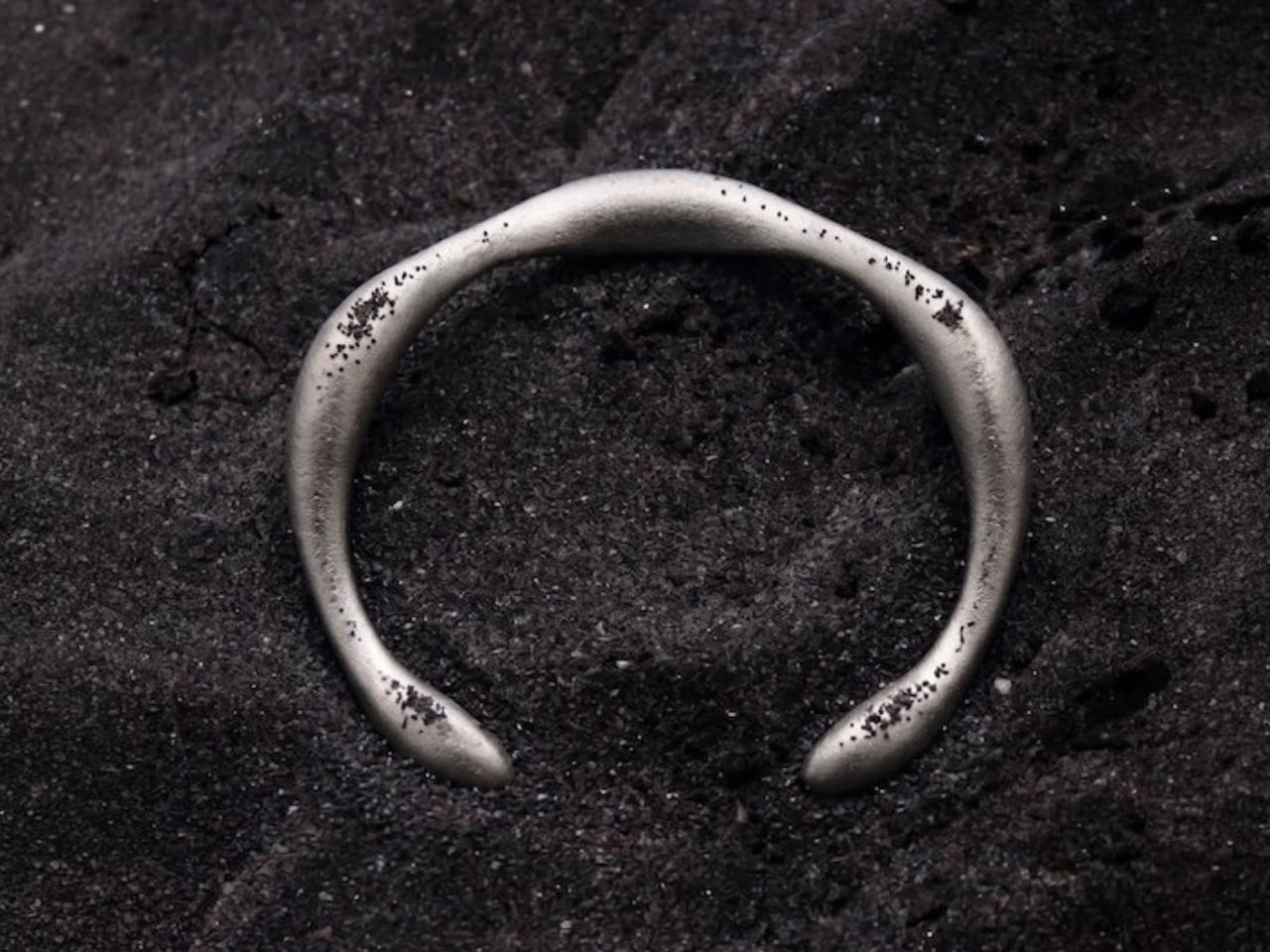
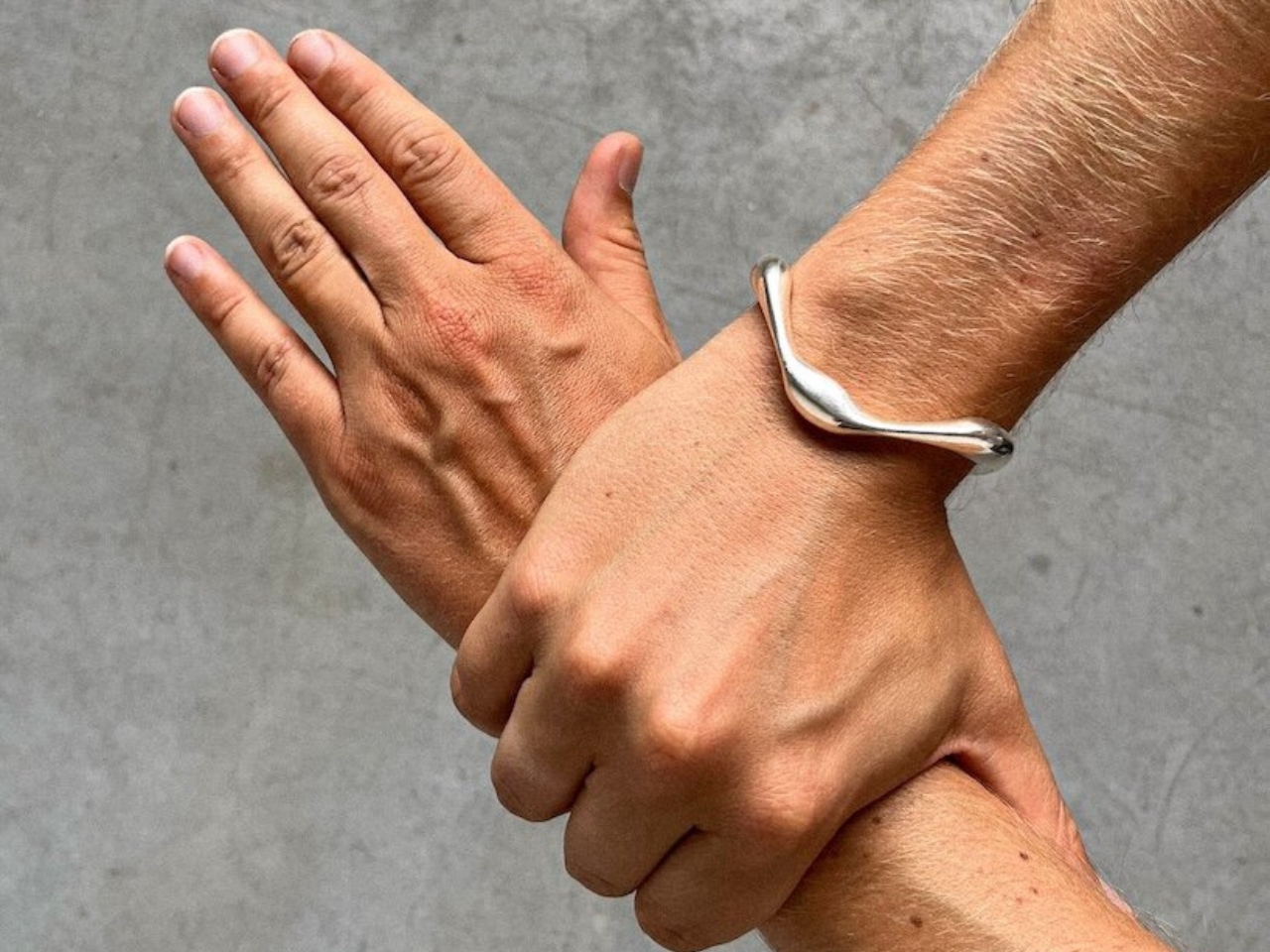
Arc looks like a bracelet that you’d wear on any day, and its proposed Argentium silver construction makes it easy to pair with your OOTD. It serves as a screen-time reminder, but there is no display to constantly check or any button to push. Instead, a piezoelectric component would send a brief tactile pulse through the silver into your wrist. After the first reminder, you’d get another identical pulse if you kept using your phone, but after that, you’re on your own. So don’t worry about getting continual nudges until you obey the bracelet. These are mechanical pulses, not electric shocks.

Some people don’t like wearing trackers, or at least those that look like trackers, so the jewelry-first design could also be an attractive draw. You get a continuous, organic metal form to wear on your wrist, which could become part of your aesthetic. Those who don’t know about its intended function might think it’s just a new bracelet you got. Its unusual shape could be a conversation starter, while the reminders themselves are intended to stay discreet, without a display announcing what you’re doing.

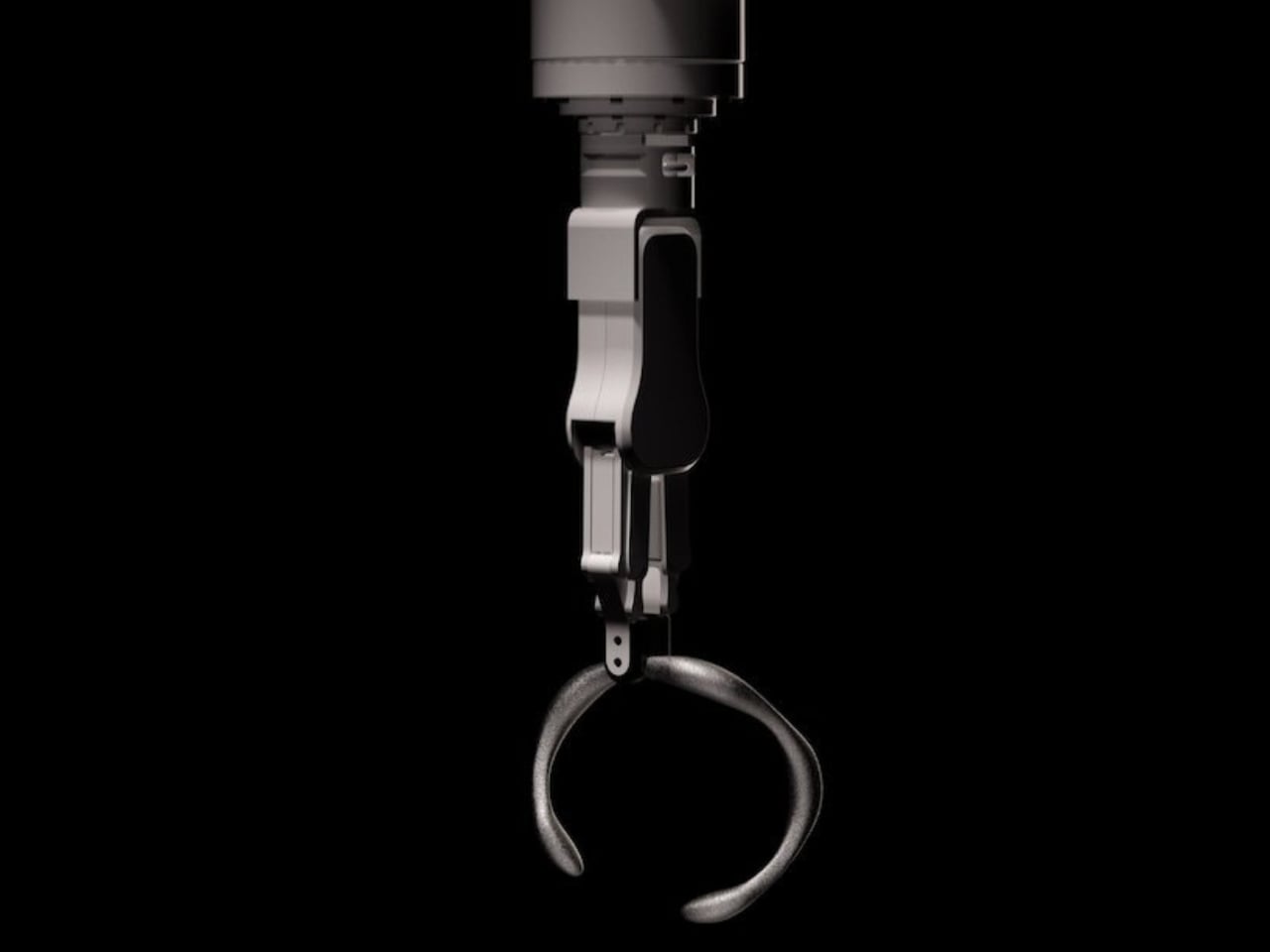
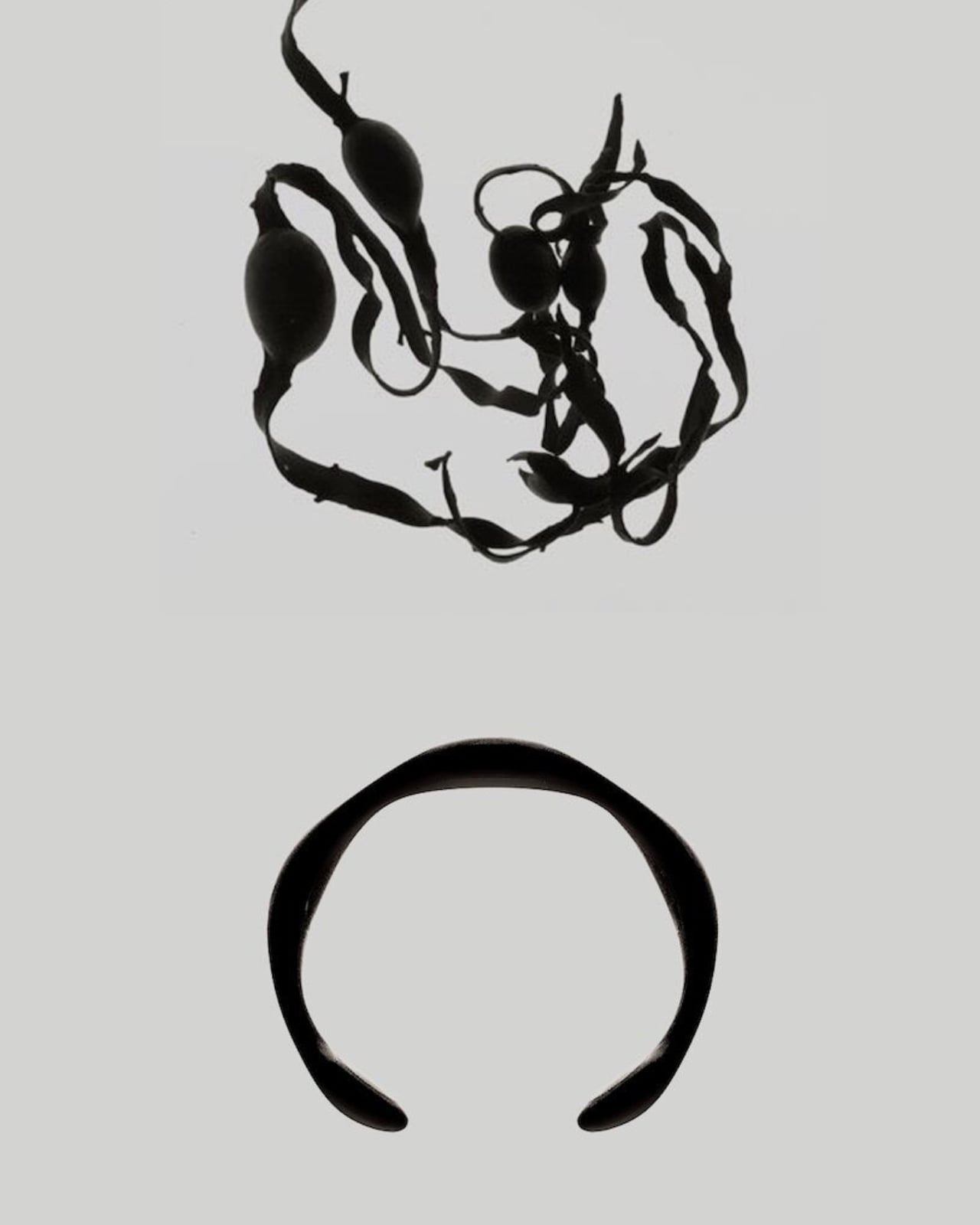
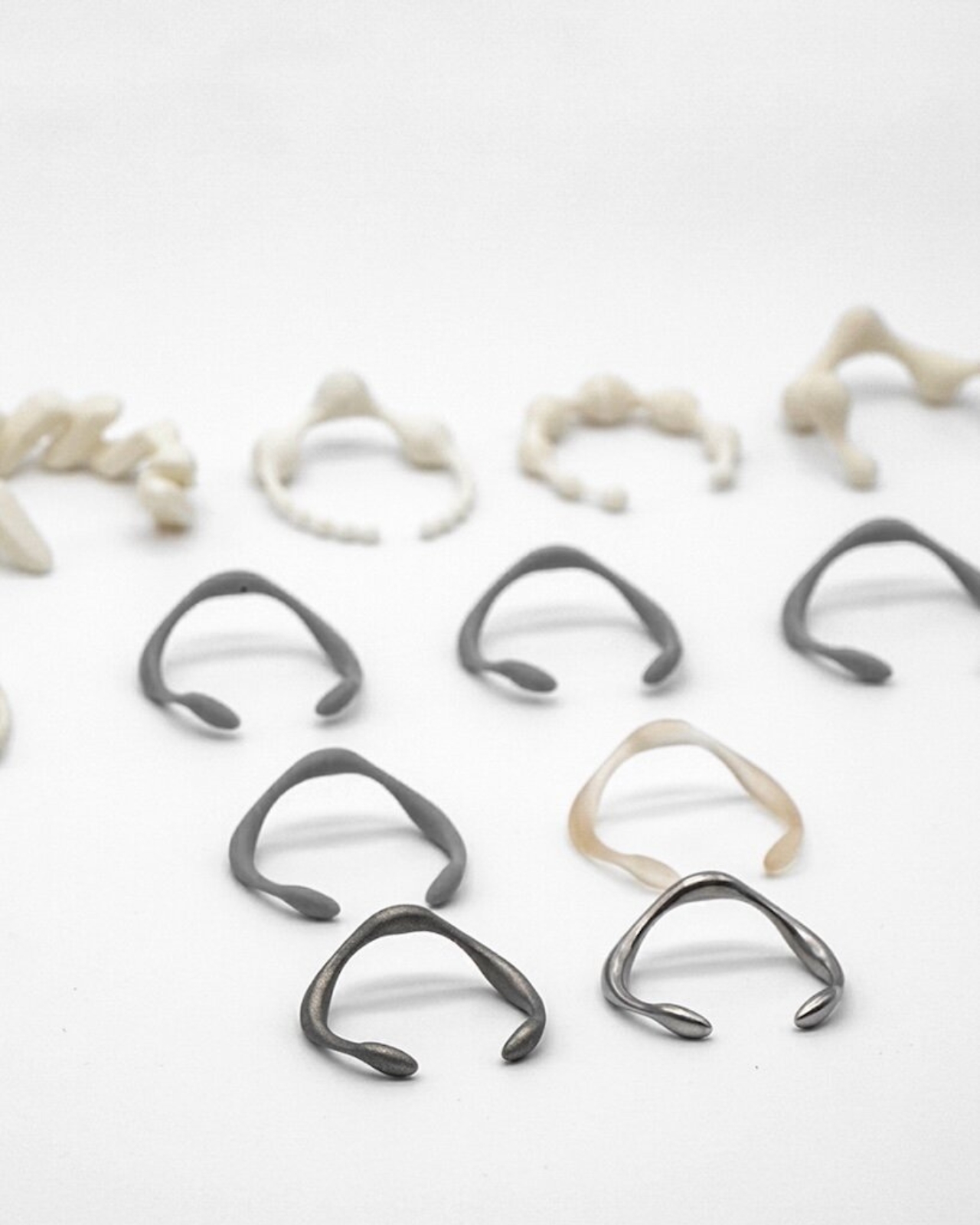
The shape also has more behind it than simply hiding electronics in something shiny. Arc reinterprets the torc, an open-ended metal ornament, with rounded volumes following a single curve. Futurewave cites rib cages, wishbones, and seed pods among its references. There is no clasp or hinge, so those connected forms carry the design without a separate fastening mechanism interrupting them. The studio says development included 3D-printed form studies and prototypes in stainless steel and titanium.

Inside, the proposed design uses a flexible circuit board that follows the bracelet’s curve, along with Bluetooth Low Energy connectivity and a curved 25 mAh battery. The electronics are meant to remain hidden from the outside. Those details explain how Futurewave intends to fit the technology into the jewelry, although a battery capacity alone doesn’t tell us how often someone would need to charge it.

The important distinction is that Arc wouldn’t actually stop you from opening an app or continuing to scroll. Futurewave’s proposal leaves that choice with you. That could appeal to someone who wants a reminder rather than a lockout, especially when a quick check has quietly turned into a longer session. Of course, it also means you could ignore both pulses. The bracelet might help you notice the habit, but following through would still be your job.

Arc remains a concept, with no announced launch date, so its ability to change screen-time habits shouldn’t be treated as proven. Futurewave also intends it to remain wearable as jewelry after its electronics stop working. That’s a practical reason for making the bracelet something you’d want to wear in the first place. Even if its digital function eventually gives out, you wouldn’t necessarily have to retire it to the drawer where your old gadgets live.

The post Arc’s Bracelet Concept Quietly Nudges You to Stop Scrolling first appeared on Yanko Design.
Amazon’s new Bee AI devices help you remember more without taking notes

Remembering details from meetings, conversations, and everyday interactions is hard when you’re splitting your attention between listening and taking notes. Amazon is addressing this with Bee Frontier and Bee Eclipse, two personal AI devices designed to capture conversations and turn them into summaries, reminders, and actionable tasks.

Both devices connect to the Bee app, where users can revisit key details without manually documenting every interaction. Integrations with Gmail, Google Calendar, and Microsoft Outlook turn discussions into follow-up emails and scheduled events, while Alexa+ lets you access personal notes and reminders hands-free.

Designer: Amazon

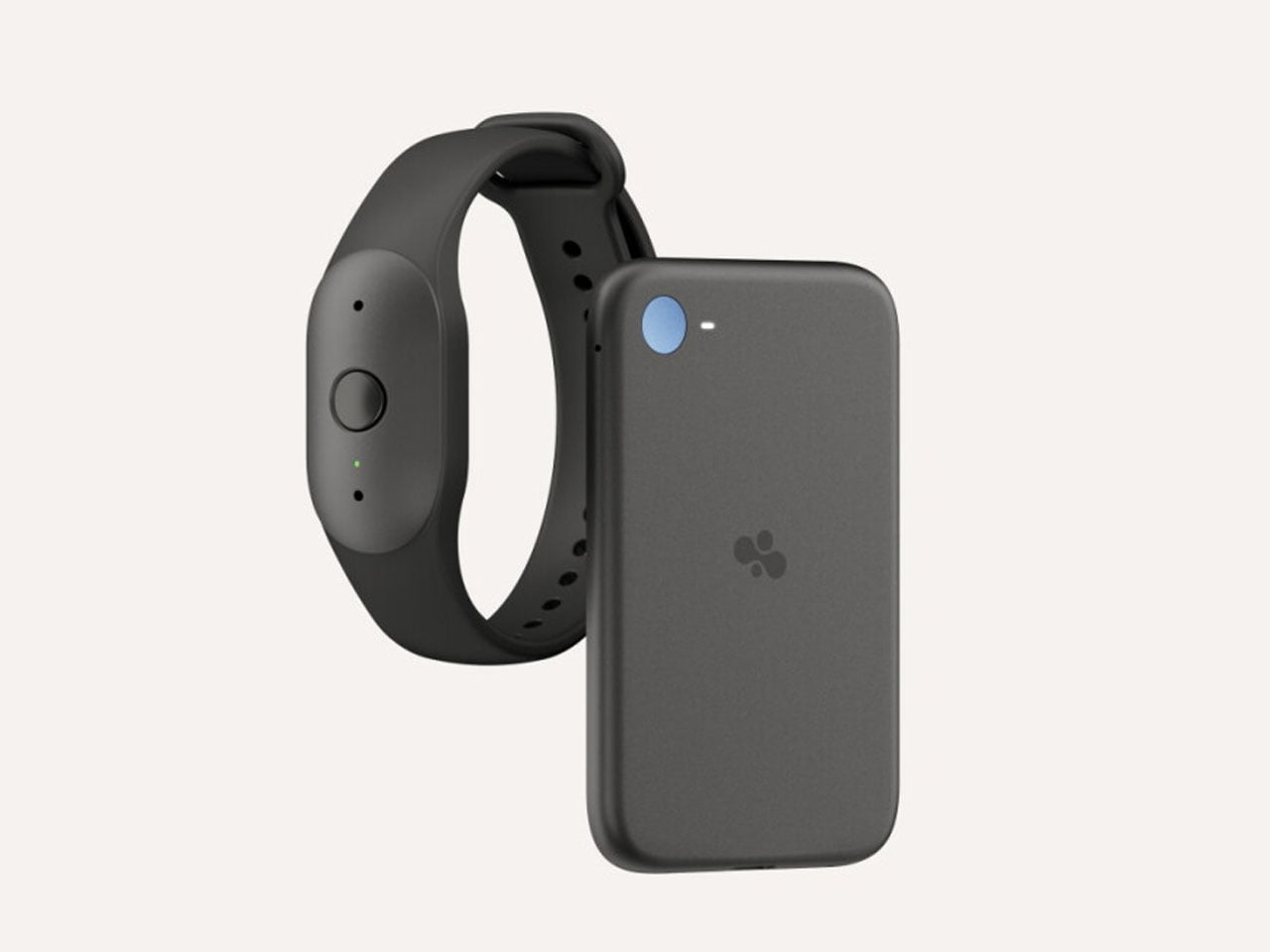
With one device worn on the body and the other attached to a phone, Amazon offers two ways to bring AI-assisted note-taking into everyday life without adding another screen to manage.

Bee Frontier Wearable AI Companion

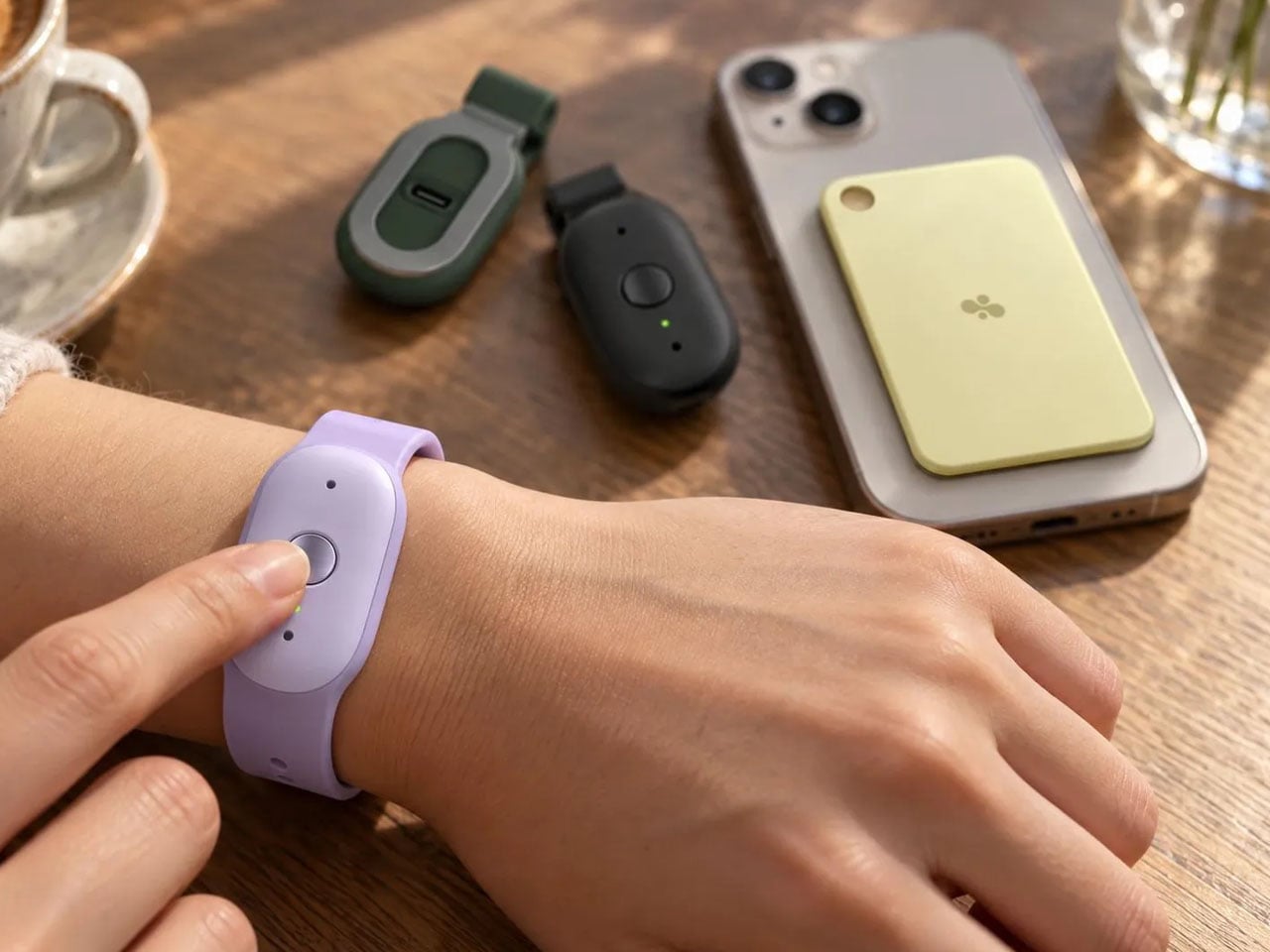
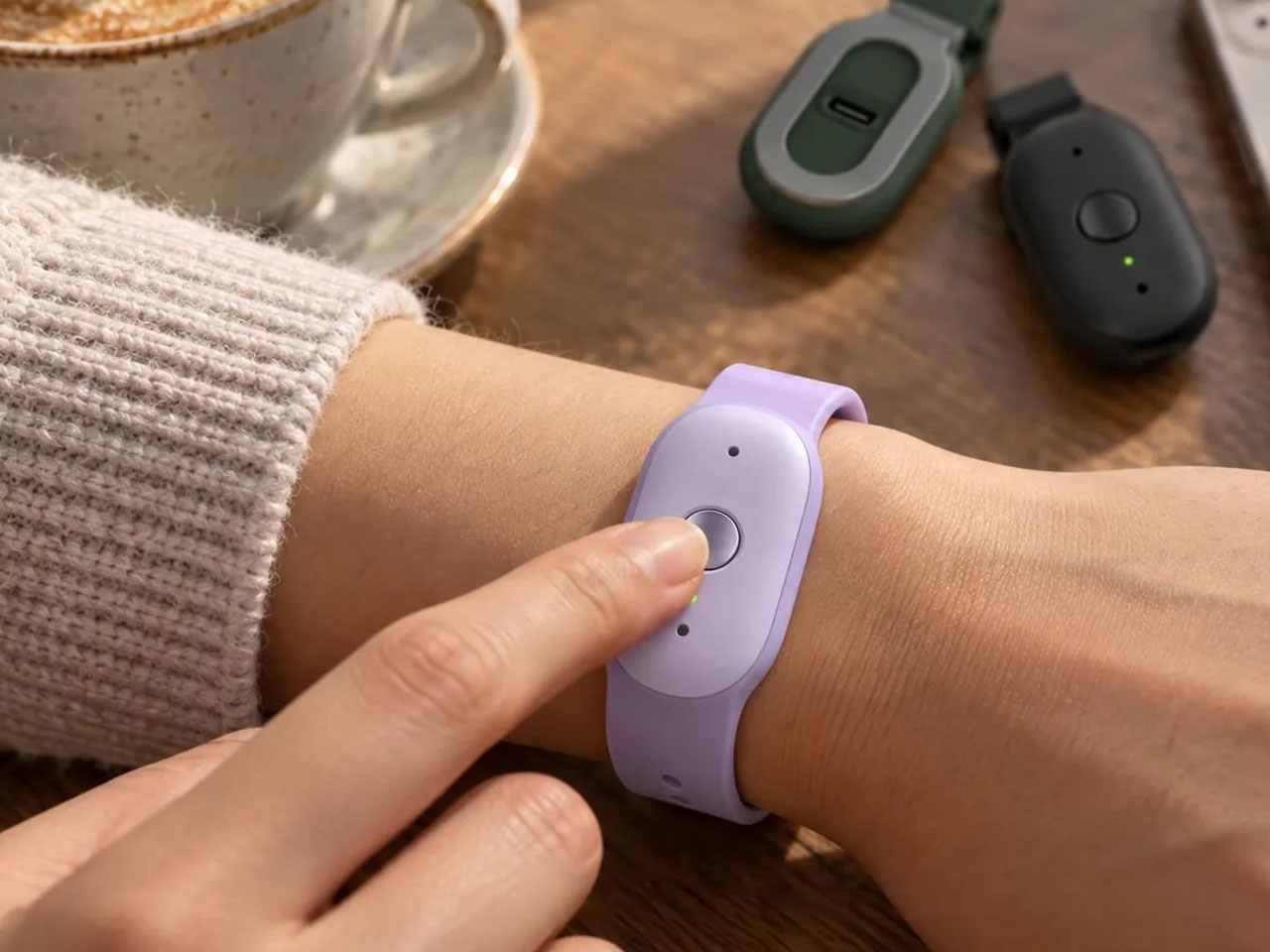
Bee Frontier is designed for people who want to keep track of conversations without repeatedly reaching for their phones. Worn on the wrist with a soft silicone band or clipped onto clothing, the lightweight device can accompany users through meetings, lectures, interviews, and everyday interactions. Someone attending back-to-back work meetings, for instance, could stay focused on the discussion instead of splitting their attention between colleagues and a notebook, then review the main decisions and follow-up tasks afterward.

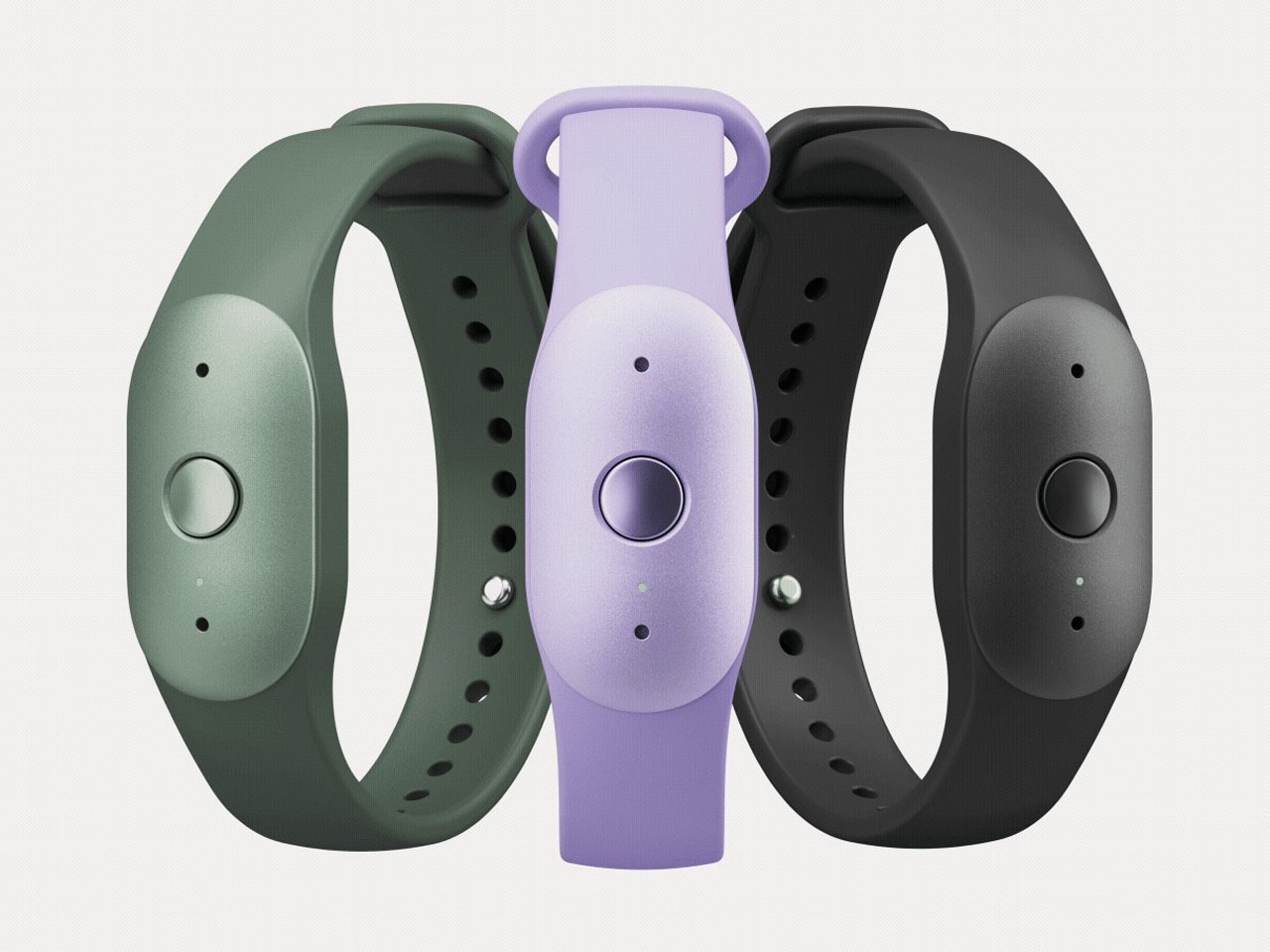
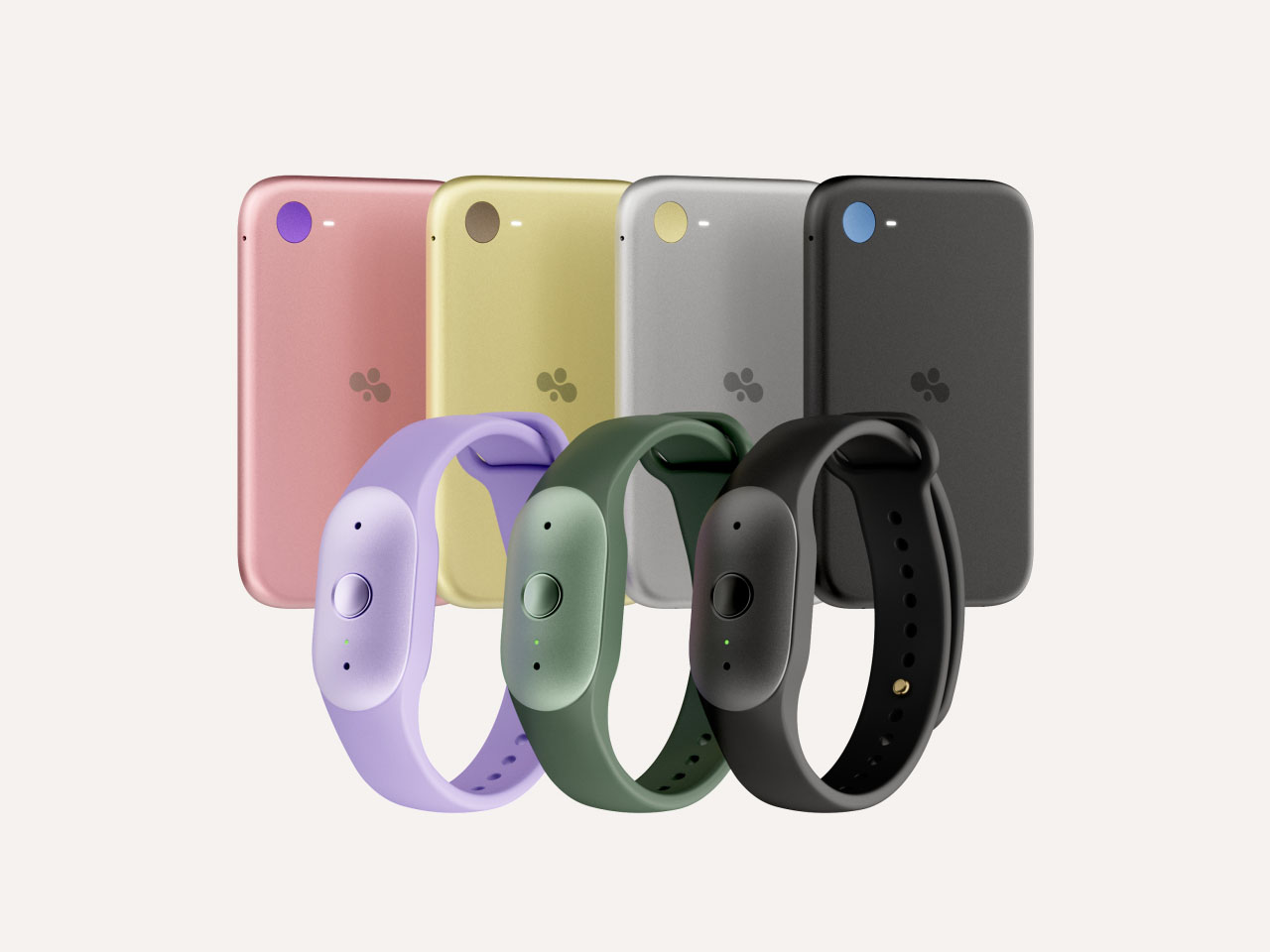
The wearable features dual microphones with noise filtering to pick up conversations in everyday environments. Its summaries can be organized using templates for different situations, including meetings, lectures, care plans, and brainstorming sessions. This gives users a way to revisit the information that matters, whether that means remembering a client’s requirements, reviewing a class discussion, or keeping track of tasks agreed upon during a team meeting. Available in Onyx, Lavender, and Sage, Bee Frontier also offers IP67 water resistance, USB-C charging, and up to seven days of battery life.

Bee Eclipse Adds AI to Your Phone

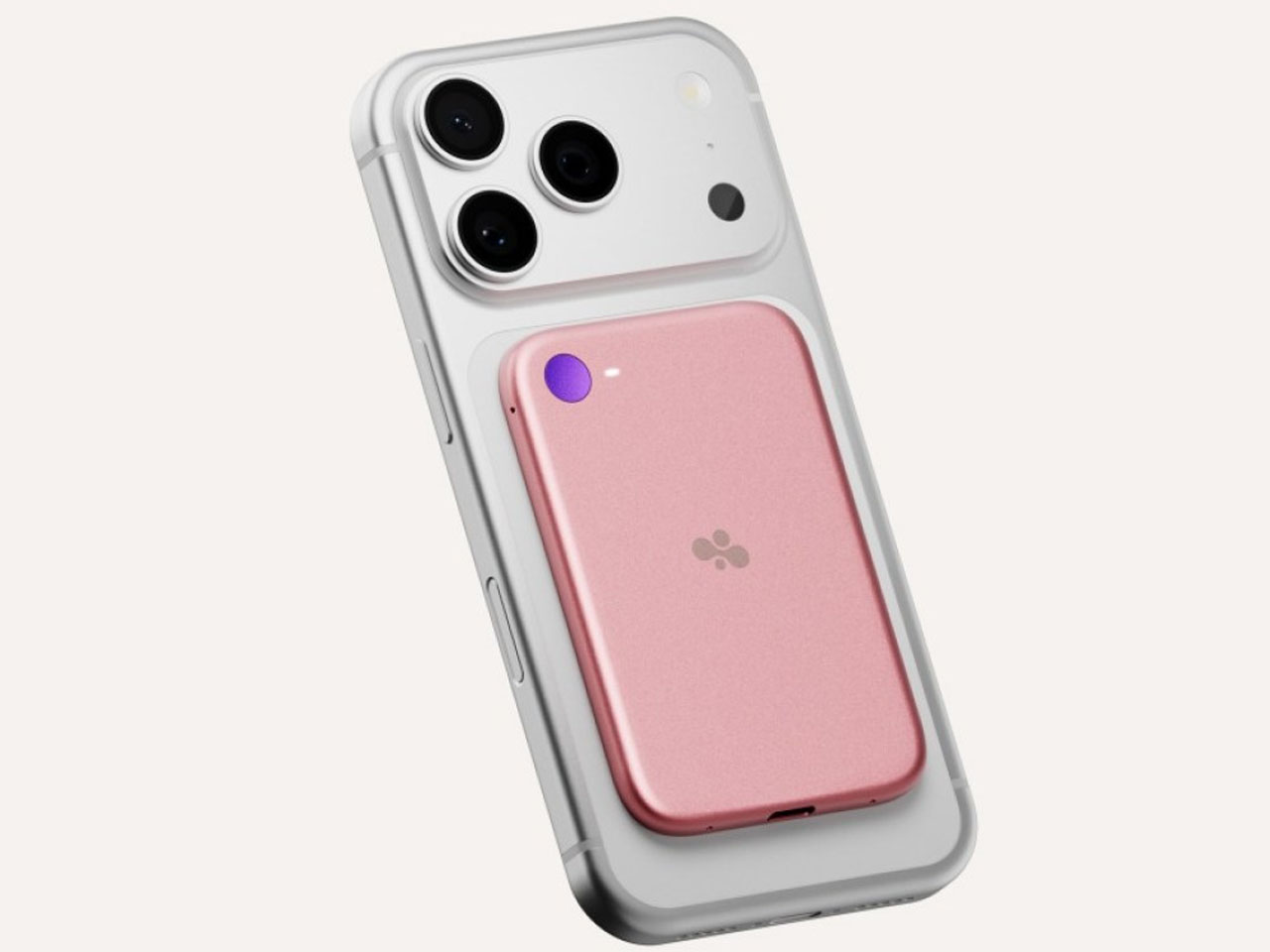
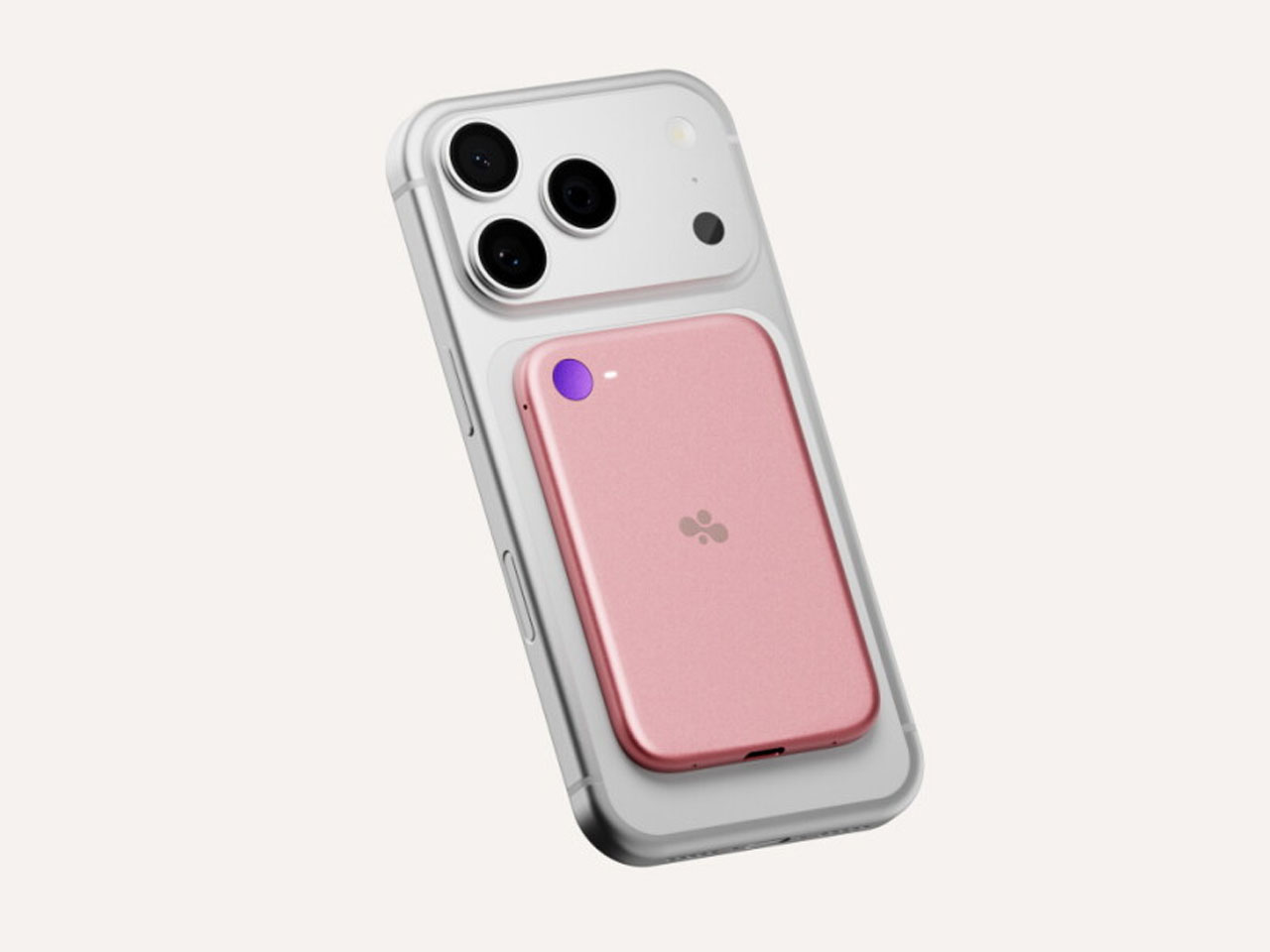
Bee Eclipse brings similar functionality to a familiar device rather than introducing something users need to wear. The slim magnetic attachment sits on the back of a compatible smartphone, making it a potential fit for people who prefer to keep their everyday technology consolidated around their phone. Its design also lends itself to situations where conversations move between calls and face-to-face discussions.

Measuring approximately 4.6mm thick and weighing 48.9g, Eclipse is roughly the size of a credit card. It uses four MEMS microphones and a vibration microphone to capture in-person conversations and both sides of phone calls. That could be useful for someone handling client calls throughout the day who wants to revisit important instructions later, or for professionals who need a record of discussions without interrupting the flow to type notes. Its battery is rated for more than 21 days on a single charge.

Privacy remains important for both devices. Amazon says its Bee Private Compute architecture processes audio in real time and deletes it afterward rather than retaining audio recordings. Transcripts are encrypted using keys controlled by the user’s device, and users can delete their summaries and transcripts. A physical button controls audio processing, while an LED indicates when the devices are active. Users should obtain permission from other participants before capturing conversations.

Bee Frontier is available for $74.99, while Bee Eclipse is expected to launch soon at $99.99. Both include basic conversation summaries and a 14-day memory history. The optional Bee Pro subscription costs $11.99 per month and adds expanded integrations, daily memories, suggested tasks, a personal AI assistant, and desktop access, with a 30-day trial for new customers.

By offering a wearable and a smartphone attachment, Amazon gives users two ways to make everyday conversations easier to revisit, with the choice largely depending on how they prefer to carry and use their technology.

The post Amazon’s new Bee AI devices help you remember more without taking notes first appeared on Yanko Design.