5 Best Gadgets of June 2026 That Quietly Run Your Home in the Background

The best technology in your home shouldn’t announce itself. Not in the way a smart speaker waits for a wake word, or a connected display flashes notifications from across the room, but in the deeper sense of design that integrates so completely into daily life, it stops registering as technology at all. The products below share that quality. They handle a specific, defined task without requiring anything from you after the initial setup is done.

This is not a list of gadgets that respond to commands or unlock new workflows once you’ve mastered an app. These are products built around a different premise: that your home should be capable enough to manage itself. From the air cycling through your living room to the lawn outside your front door, the version of home technology worth paying attention to is the version that quietly gets on with it.

1. Blueair Blue Signature Air Purifier
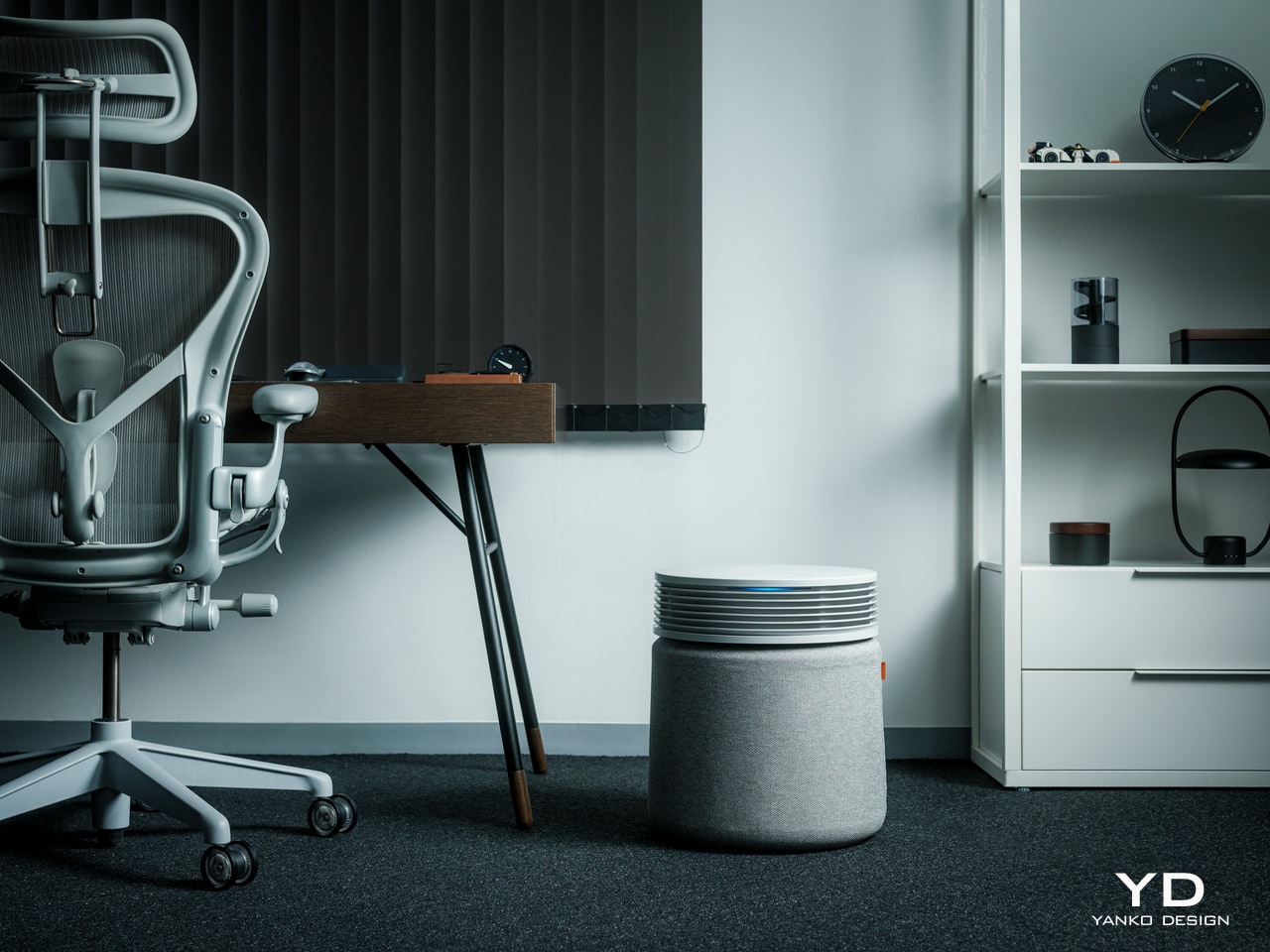
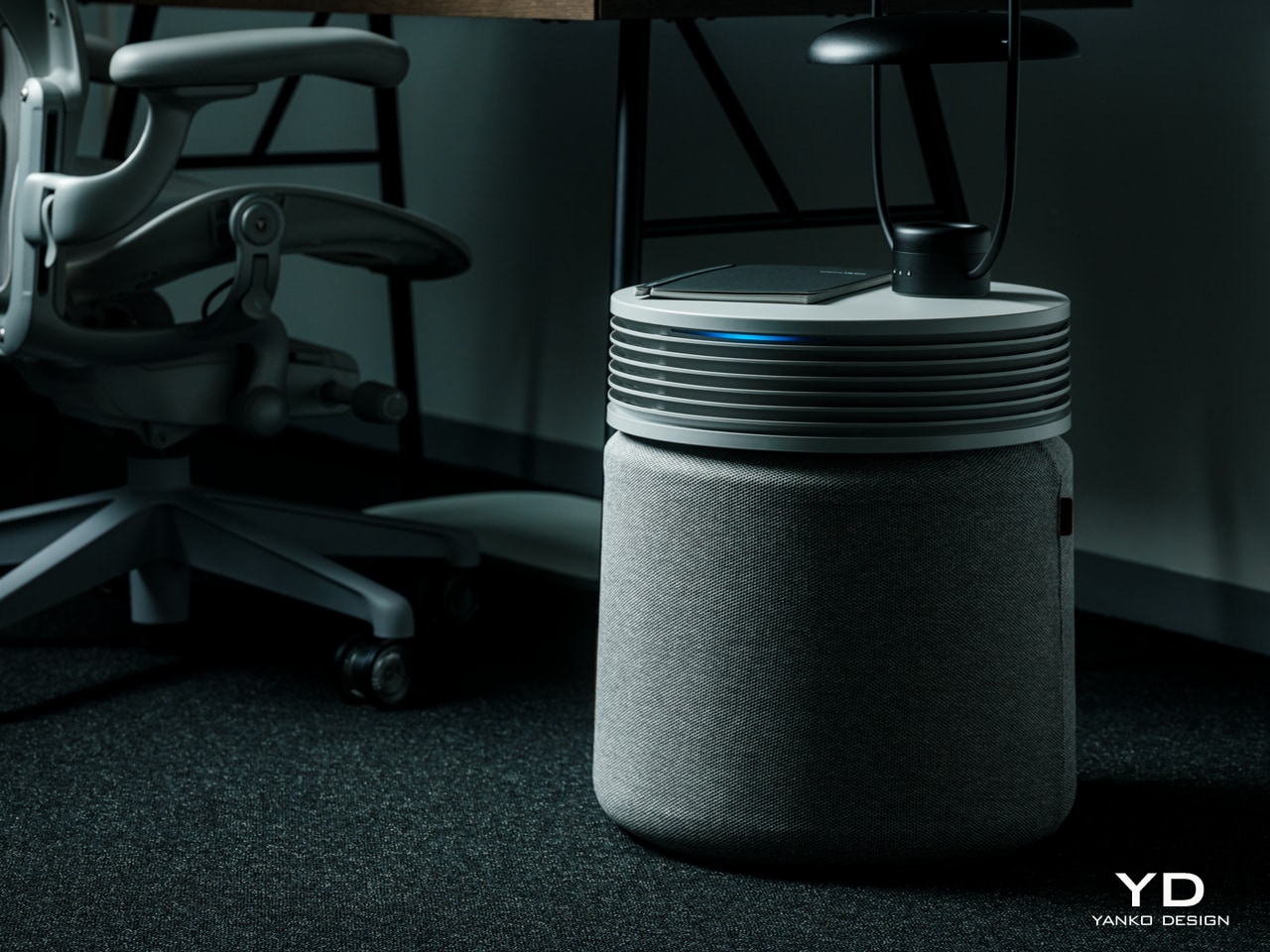
Most air purifiers operate on a schedule someone set during the first week of ownership and never revisited. The Blueair Blue Signature works differently, running in Auto mode and reading actual air quality in the room to decide when and how hard to work. When particulate matter spikes after cooking, or pollen drifts in through an open window, it responds by increasing output. When the air settles, it pulls back. There is no schedule to maintain, no mode to adjust, and no need to open the app.

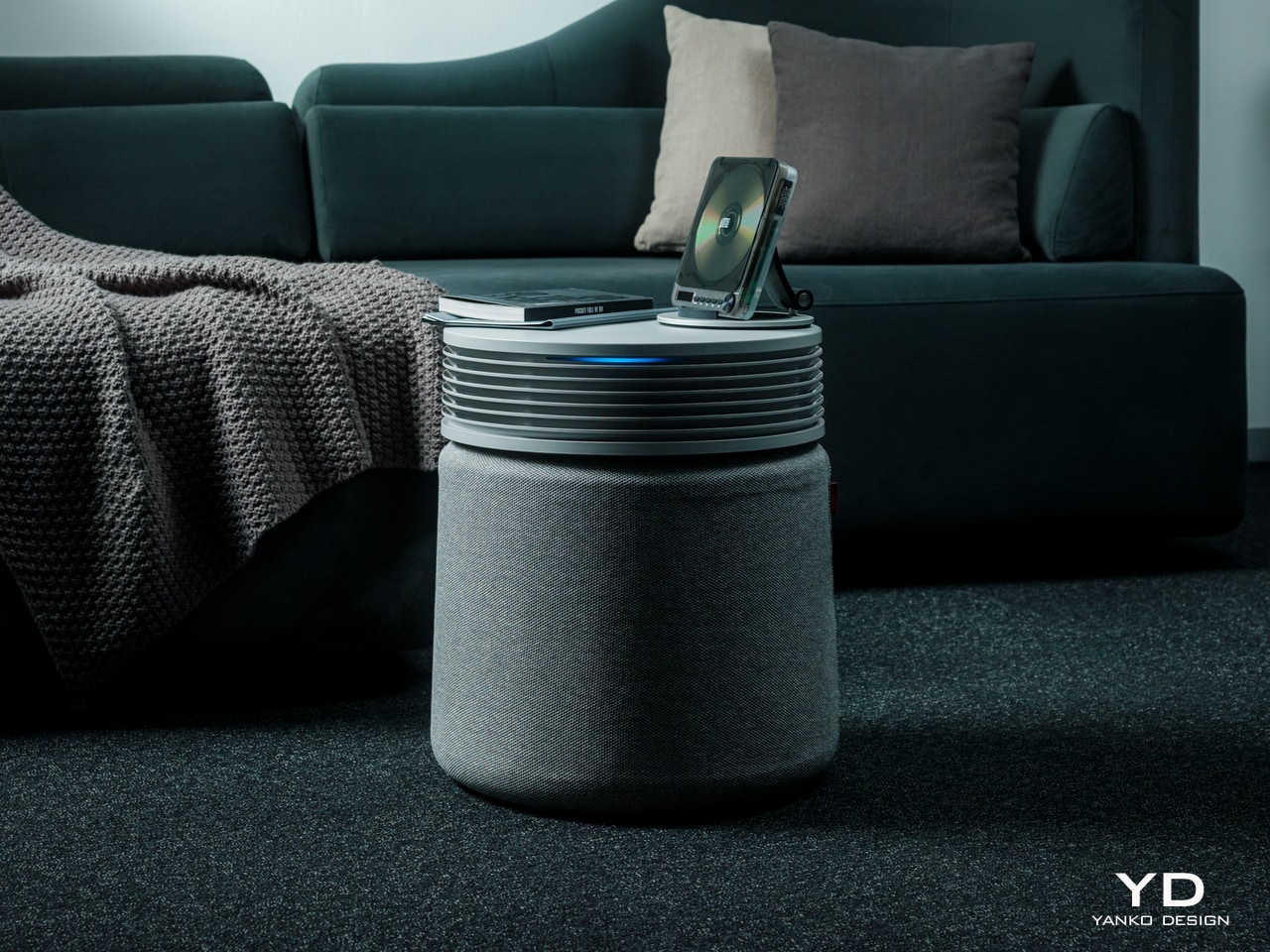
What earns the Blue Signature a place on this list beyond its performance is how seriously Blueair approached the design. The enclosure reads more like considered furniture than medical equipment, the kind of thing you’d choose for a room rather than accept as a necessity. Its filter tracking operates on the same logic as the purifier itself: instead of counting calendar days, it monitors actual fan speed, pollution exposure, and runtime to calculate precisely when a replacement is due. You change it when it needs changing, not when an arbitrary notification decides it should.

What We Like

  • Auto mode reads ambient air quality continuously and calibrates fan output in real time, reacting to the actual environment rather than a fixed timetable someone set and forgot
  • Filter tracking based on measured usage rather than scheduled intervals means you replace the filter when it genuinely needs it, not a day before or a month after

What We Dislike

  • The premium price point places the Blue Signature well above what most households will budget for an air purifier without considerable deliberation
  • In a smaller room, the cabinet-form enclosure takes up visible floor space in a way a slimmer column design would not

2. Dreame A3 AWD Pro
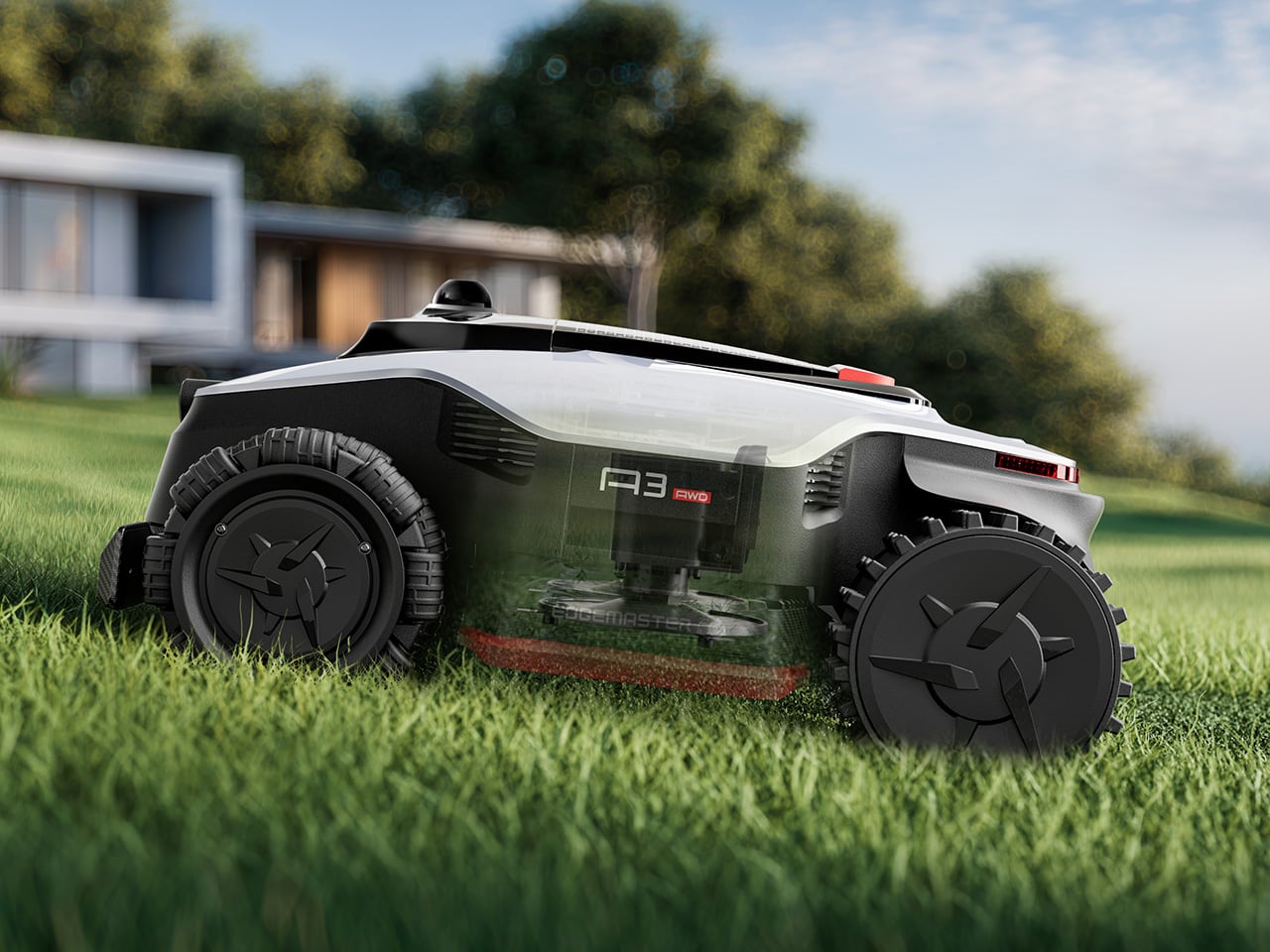
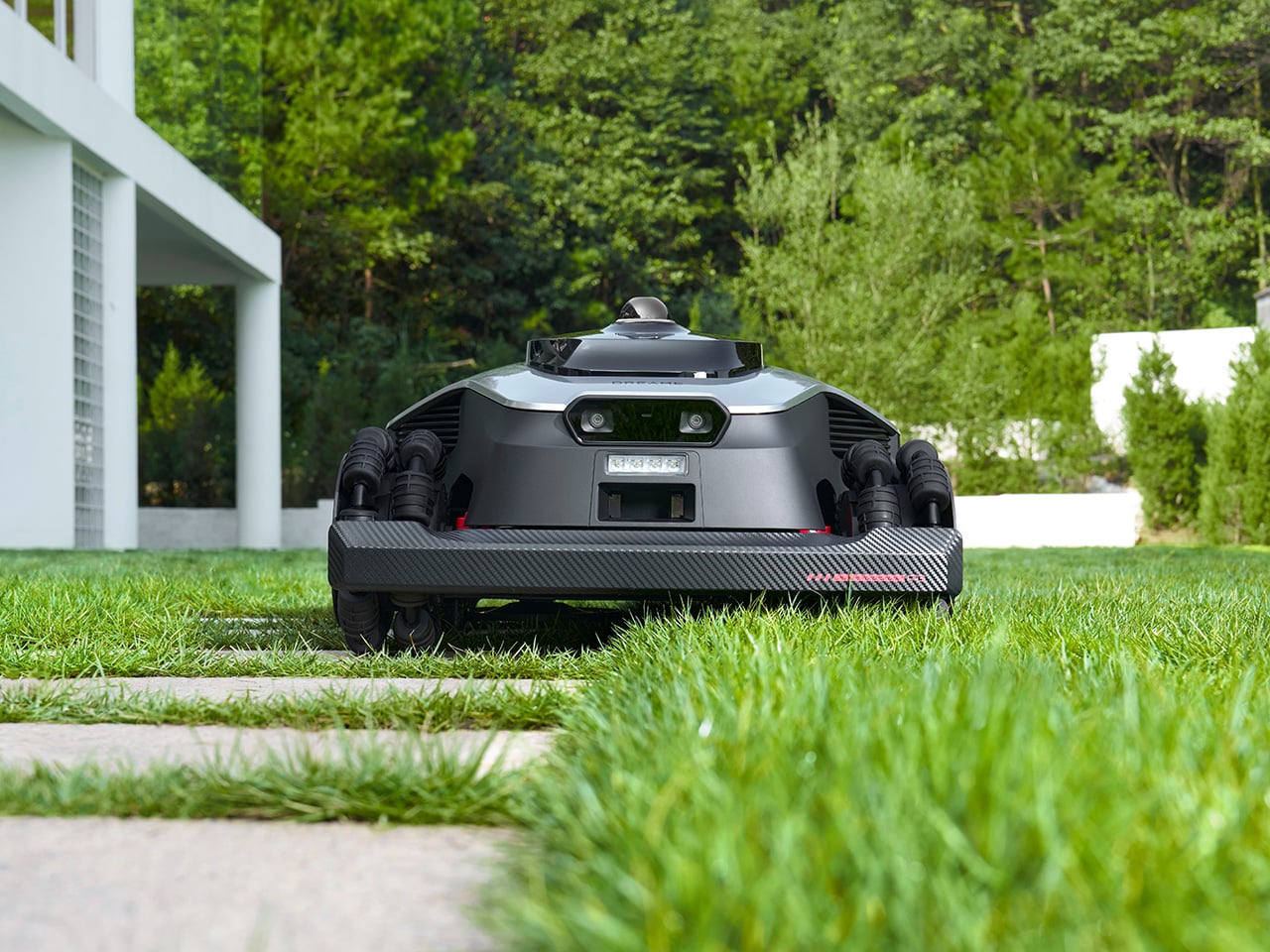
Robot lawn mowers have existed for years, and most of them require you to bury a perimeter wire around the full boundary of your garden before they will take a single pass. The Dreame A3 AWD Pro eliminates that. A 360-degree 3D LiDAR unit sits on top of the machine alongside a binocular AI vision system capable of classifying over 300 distinct obstacle types. On its first run, it maps the yard, sets its own working boundaries, and begins. No wire, no boundary markers, no setup beyond placing it on the grass.

Four independent hub motors drive each wheel separately, giving the A3 AWD Pro the ability to climb slopes up to 80 percent and handle terrain that stops most two-wheel-drive alternatives. The 40-centimeter dual-disc cutting deck floats independently over ground contours, keeping the cut height consistent across a lawn that isn’t perfectly level. At 65 decibels, it runs quietly enough for early mornings without becoming a neighborhood complaint. Built-in 4G connectivity and a PIN-protected anti-theft system keep it tracked and secure whether you are home or away.

Click Here to Buy Now: $2099.99 $3099.99 ($1000 off). Hurry, deal ends soon!

What We Like

  • Wire-free boundary mapping via LiDAR means setup takes minutes rather than an afternoon running cable around your garden perimeter, removing the single biggest friction point in robot mower ownership
  • Independent four-wheel drive and a floating cutting deck handle genuinely uneven terrain rather than the idealized flat lawns most competitor spec sheets assume

What We Dislike

  • At $2,599.99, the starting price is a significant commitment, and households with smaller or simpler lawns may find the engineering exceeds what their garden actually requires
  • Very long or overgrown grass can slow the first few passes as the machine establishes its initial map and finds its rhythm

3. Narwal Flow 2
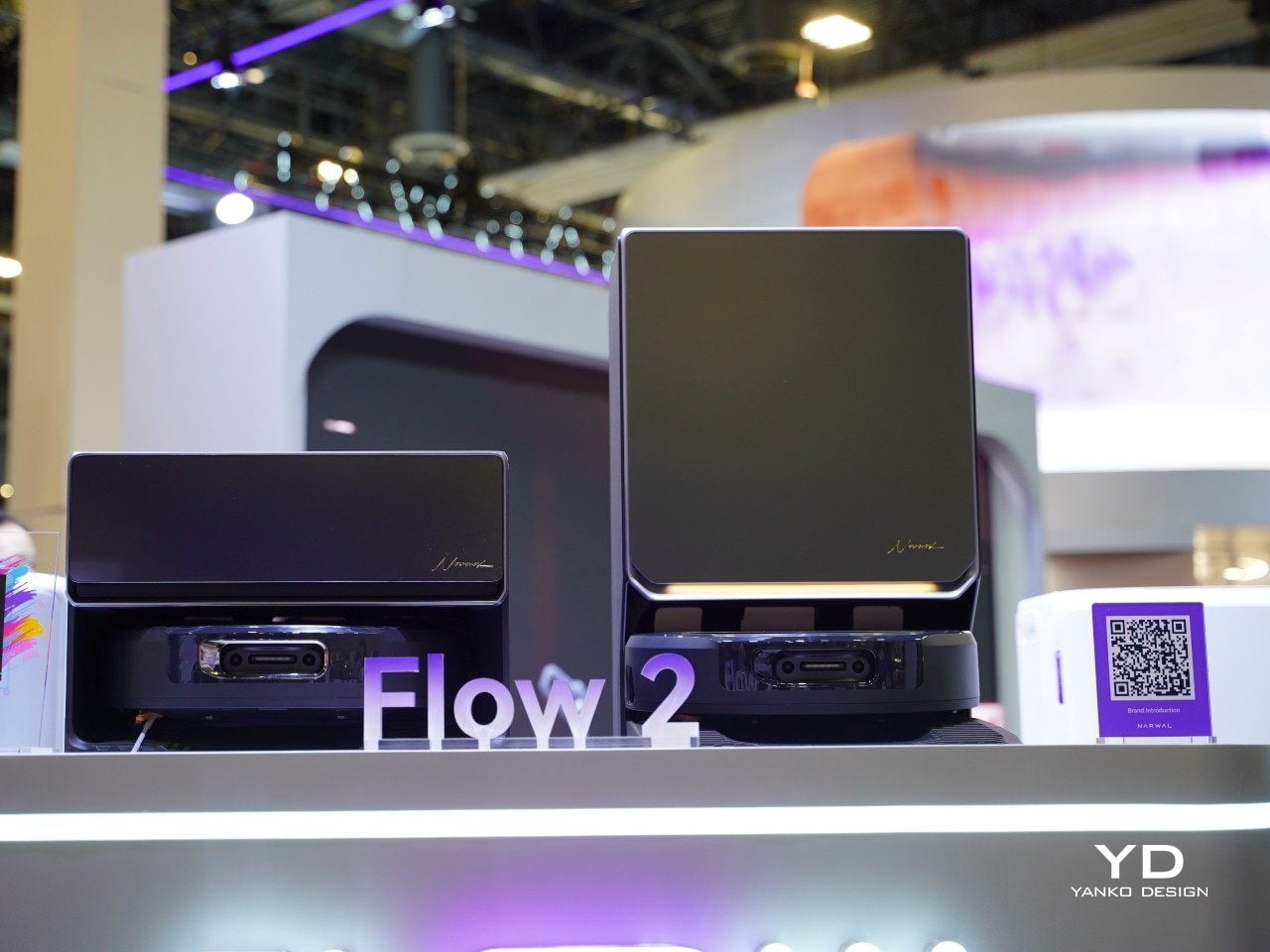
Robot vacuums spent most of the last decade chasing suction numbers. The Narwal Flow 2 pursues a different kind of performance: judgment. Its NarMind Pro autonomous system processes 1.5 million data points per second through dual RGB cameras running on a 10 TOPS AI platform, building a continuous picture of the space it works in. Every object it encounters gets assigned a risk level — walls get 8 millimeters of clearance, pet bowls get 20 millimeters, and high-risk items trigger a protective reroute at 70 millimeters. The floor plan adapts every run, not just during initial mapping.

The mopping system is where the Flow 2 makes its clearest case. Sixteen angled nozzles continuously feed fresh water into a moving mop track throughout each pass, while a reverse-rolling mop applies 12 newtons of downward pressure at 140 degrees Fahrenheit. A scraper strips dirt from the fabric in real time, which means the surface touching your floor is constantly refreshed rather than dragging accumulated grime from room to room. The dock handles hot-water self-cleaning and hot-air drying automatically. You empty the bin when it needs emptying, and that is the full extent of your involvement.

What We Like

  • Risk-level classification for individual objects adjusts cleaning behavior intelligently rather than following a fixed avoidance pattern, making it genuinely capable in a lived-in home rather than a staged one
  • The FlowWash mopping system continuously renews the mop surface during each pass, a meaningful distinction from systems that simply wet a fixed pad and carry whatever it picks up into the next room

What We Dislike

  • The dock has a substantial footprint that is difficult to place in apartments or homes where floor space near a power outlet is limited
  • The level of onboard AI processing introduces a software dependency that requires reliable long-term update support from Narwal to stay relevant

4. Aqara Presence Multi-Sensor FP300
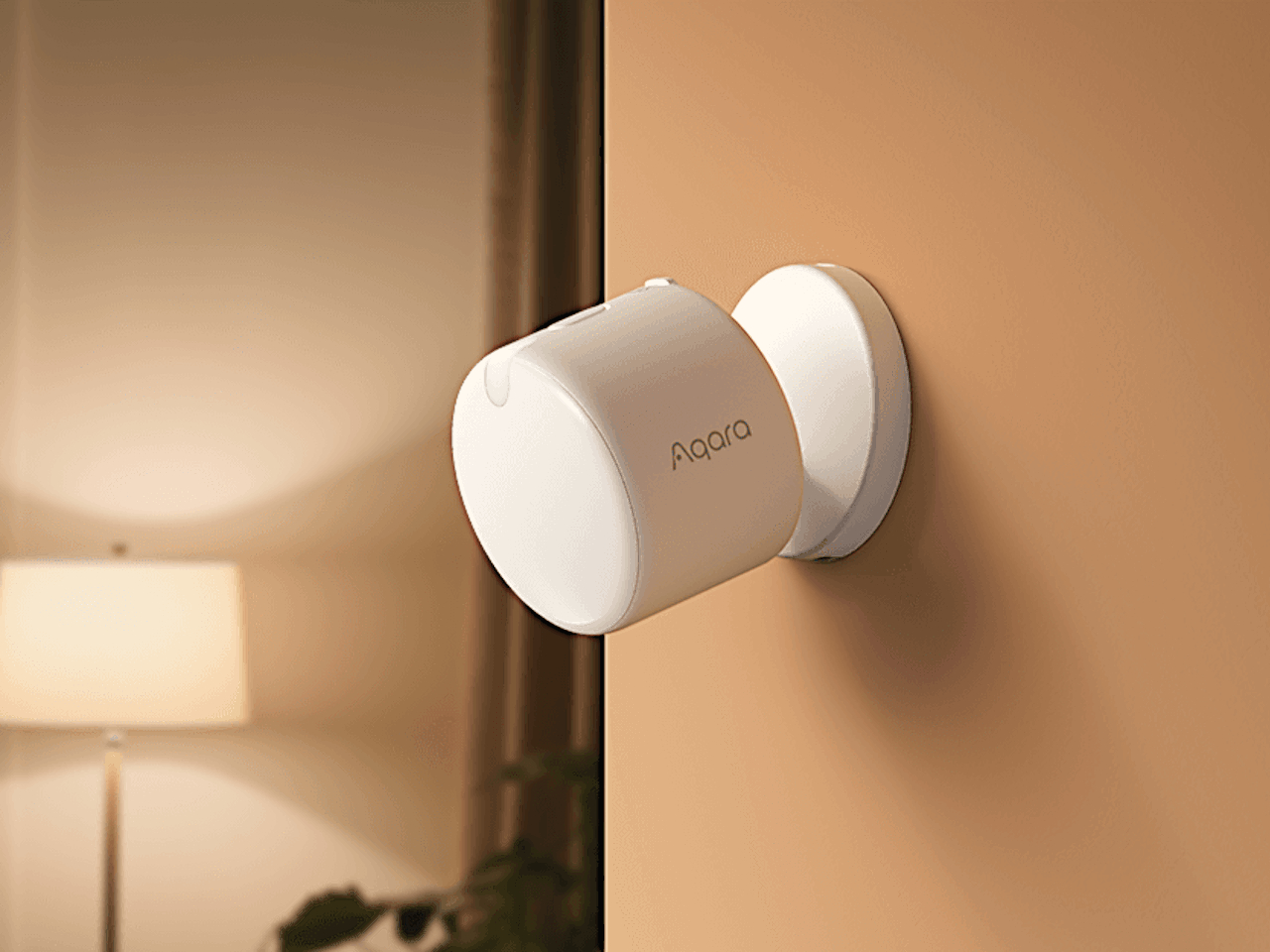
Smart thermostats are good at learning schedules. The limitation is that most presence detection underneath them relies on passive infrared sensors that declare a room empty the moment you stop moving. Sit still at a desk, fall asleep on a sofa, or settle in to watch a film, and the system decides you have left. The Aqara FP300 uses millimeter-wave radar instead, a technology that reads presence as a continuous state rather than a series of motion events. It knows you are in the room, whether you are moving across it or completely still.

The practical result is a home that responds to where you actually are. Temperature and humidity data feed directly into your HVAC system, triggering heating or cooling only when a room is genuinely occupied and pulling back the moment it is not. You stop conditioning empty rooms, and you stop arriving home to a space that turned itself off an hour before you walked through the door. The FP300 is not the most visually interesting product on this list, but it may be the most quietly useful — the invisible layer that makes everything else in a smart home respond to real life rather than a preset timetable.

What We Like

  • Millimeter-wave radar detects occupancy even when the user is completely stationary, solving the single most common failure point of standard motion-based smart home sensors
  • Direct HVAC integration eliminates energy wasted conditioning unoccupied rooms without requiring the homeowner to manage zones or schedules manually

What We Dislike

  • Getting full value from the FP300 requires familiarity with the Aqara ecosystem and an initial configuration phase, which creates a barrier for users who are new to smart home infrastructure
  • The device is visually minimal by design, and for an audience that pays attention to how objects look in a room, the hardware itself offers nothing to appreciate

5. Waterdrop X16
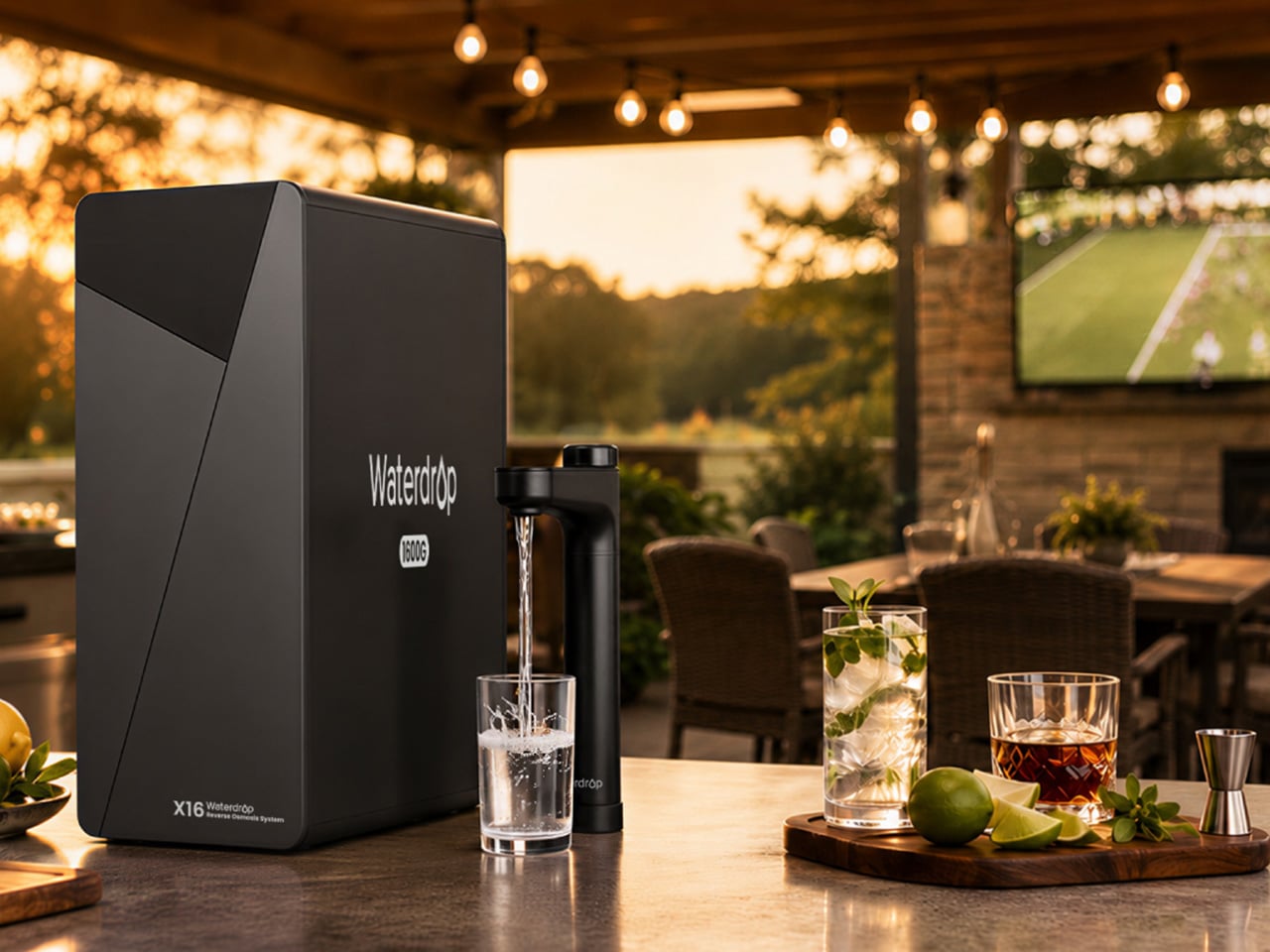
Water filtration belongs in the same conversation as any other home system that runs without daily input. The Waterdrop X16 installs under the kitchen sink in a tankless configuration that takes up a fraction of the space older reverse osmosis systems require, and from the moment it is connected, it runs continuously, processing up to 1,600 gallons per day, without a schedule, a button, or a reminder. A smart faucet mounted above the sink displays water quality and remaining filter life in real time, so the one piece of information worth knowing is always visible at a glance.

The 11-stage filtration process removes a broad range of contaminants while reintroducing alkaline minerals, calcium, and magnesium, bringing the water’s pH to 7.5. The difference in taste is noticeable in everyday use — for drinking, cooking, and making coffee — and the 3:1 pure-to-drain ratio makes it one of the more efficient systems in the reverse osmosis category. It runs every hour of every day without any input from you. That is the only metric worth measuring it against, and the Waterdrop X16 delivers on it completely.

Click Here to Buy Now: $1234.05 $1999 ($764.95% off, use coupon code “YANKOPD26”). Hurry, Prime Day deal ends soon!

What We Like

  • The tankless design reclaims meaningful cabinet space beneath the sink compared to traditional RO systems, which typically consume most of that under-counter storage area
  • The smart faucet’s real-time water quality display provides ongoing confirmation that the system is working correctly, without requiring the homeowner to run a manual test or open an app

What We Dislike

  • The X16 sits at the premium end of the home filtration market, and the value proposition requires a long enough ownership horizon to offset the upfront cost against ongoing bottled water spending
  • Installation requires basic plumbing confidence or a professional, adding a cost and coordination step that doesn’t apply to the other products in this roundup

The Best Home Is One You Barely Notice Running

The five products above cover five distinct home domains — air, outdoor space, floors, climate, and water — and none of them overlap. Together, they represent a fairly complete picture of what a home that runs without constant attention actually looks like in practice. The investment varies by product, but the return in each case is the same: one fewer thing competing for your attention in a day that already has enough of those.

There is a version of home technology that adds complexity in the name of control, and a version that quietly reduces the number of decisions the house asks you to make. The products in this roundup belong to the second category. They are not the most dramatic purchases available, and none of them will be the first thing you mention to a guest who walks through the door. They will be the things that make the house feel, without quite being able to explain why, like it simply works.

The post 5 Best Gadgets of June 2026 That Quietly Run Your Home in the Background first appeared on Yanko Design.
Rugged Phones Are Ugly, but FCNT Just Proved They Don’t Have to Be

Rugged smartphones have always carried an inherent compromise. They’re built to take punishment, so manufacturers typically bulk them up with thick rubber borders, angular shapes, and enough plastic to survive a construction site. The result is a phone that can handle almost anything but looks conspicuous in everyday settings. That tradeoff has become so accepted that few people bother to question it.

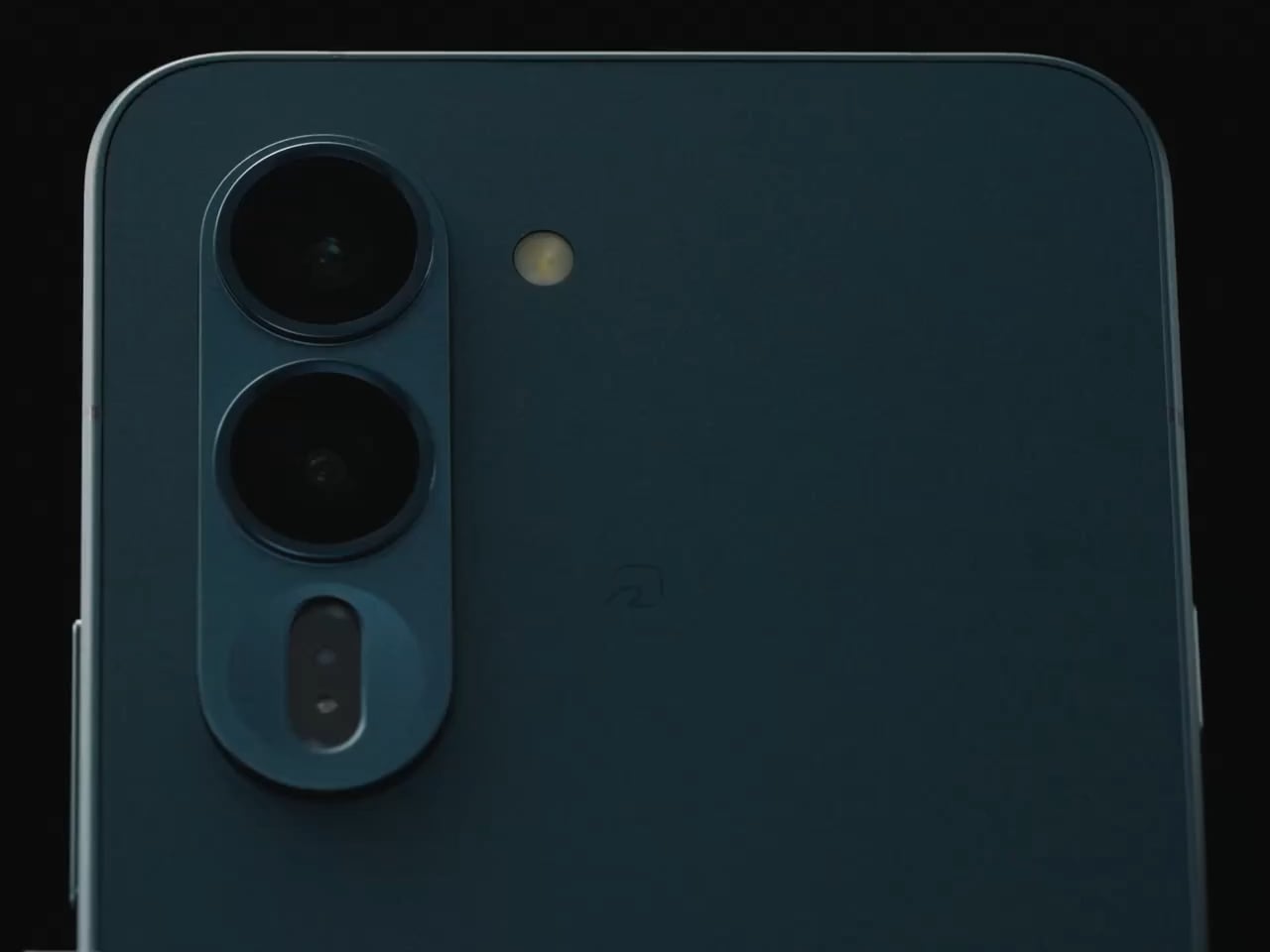
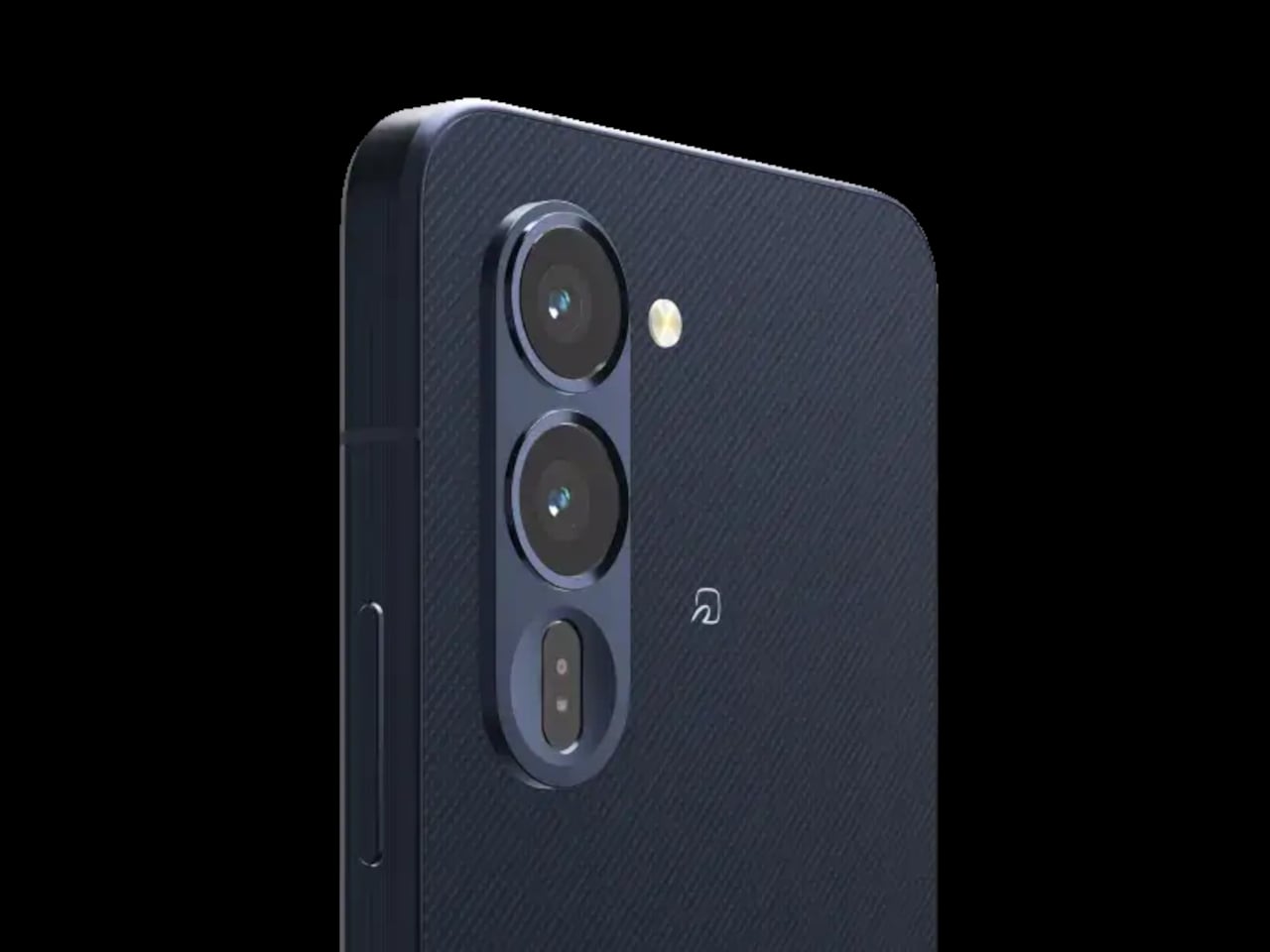
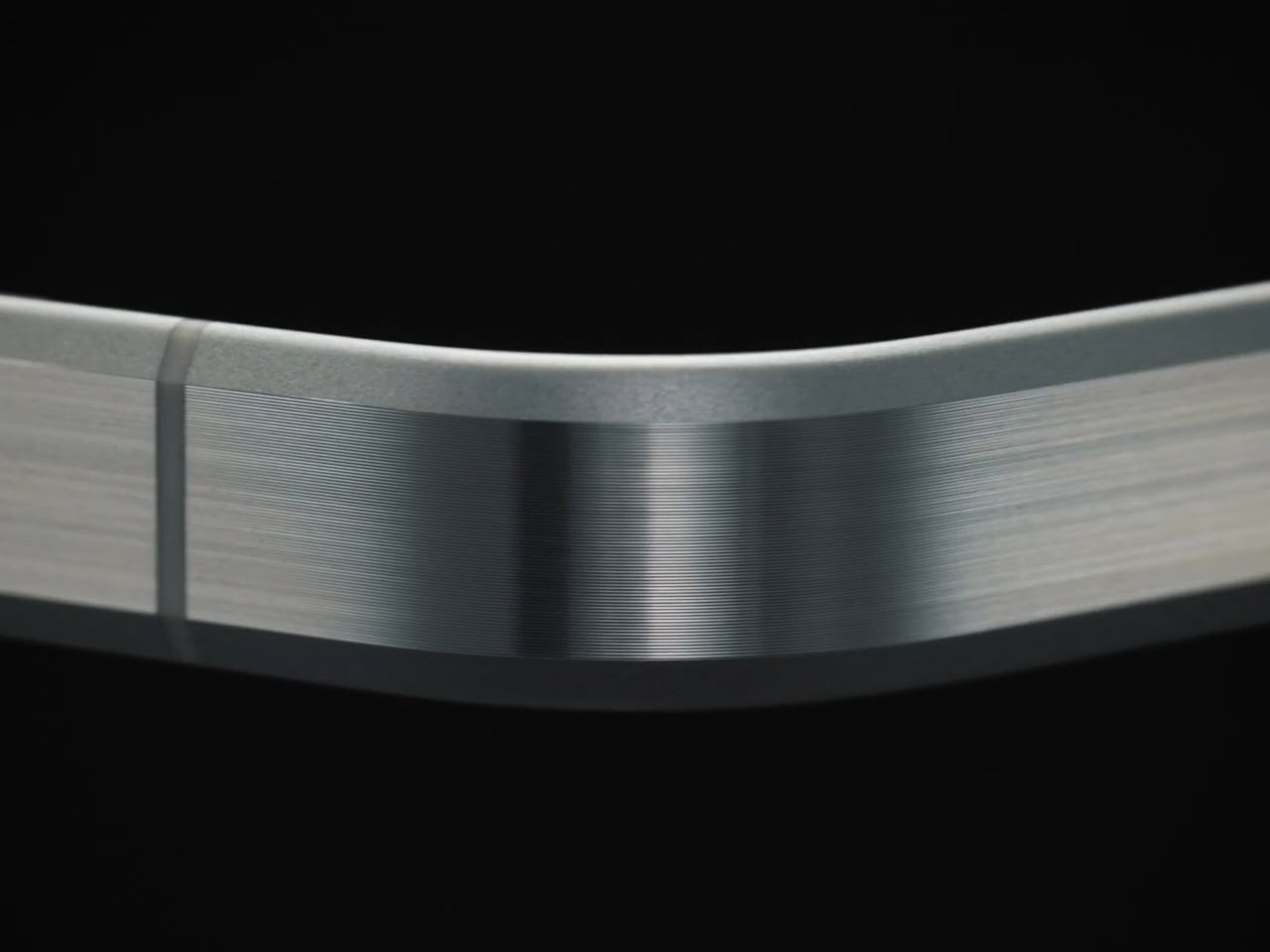
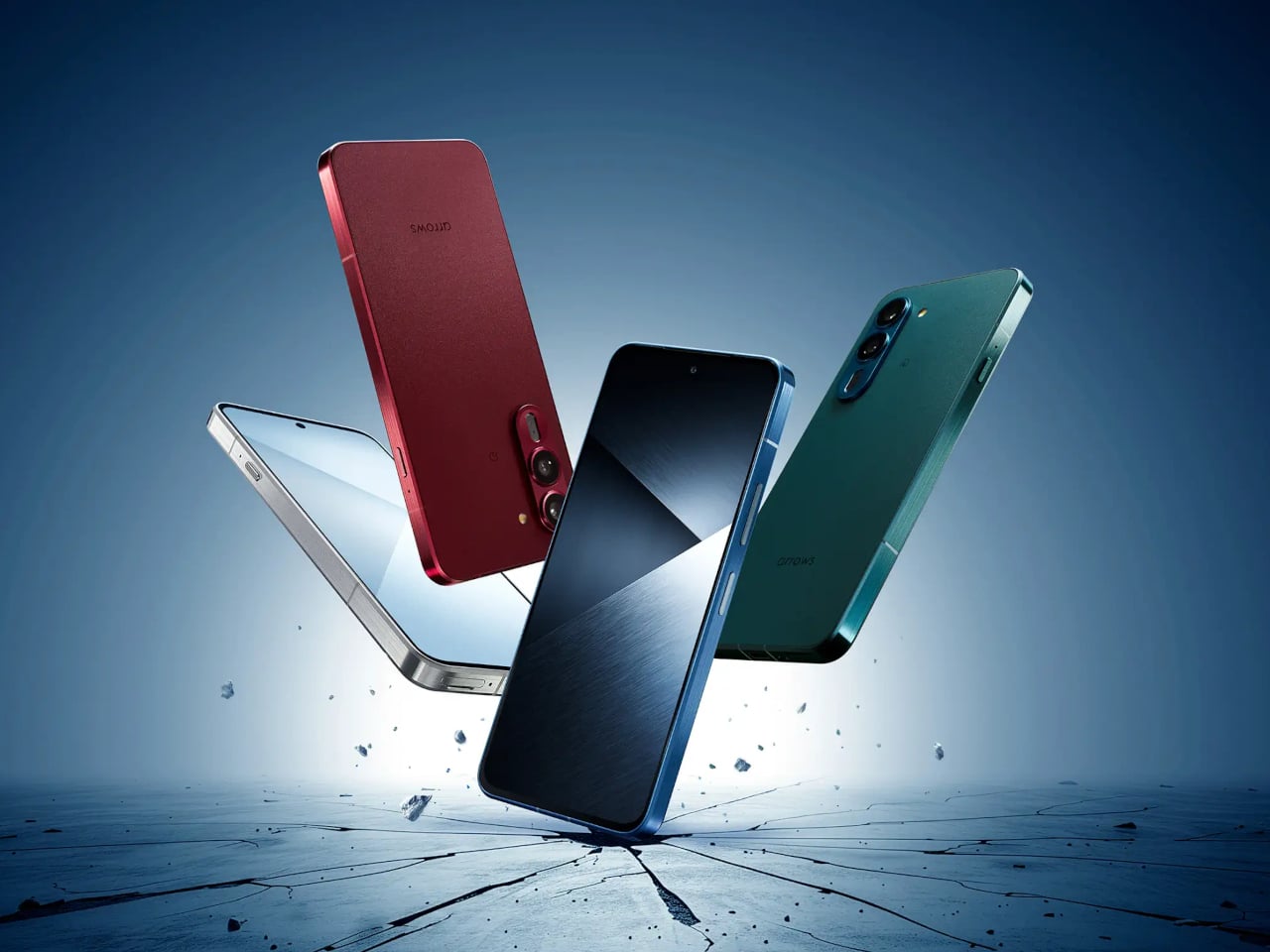
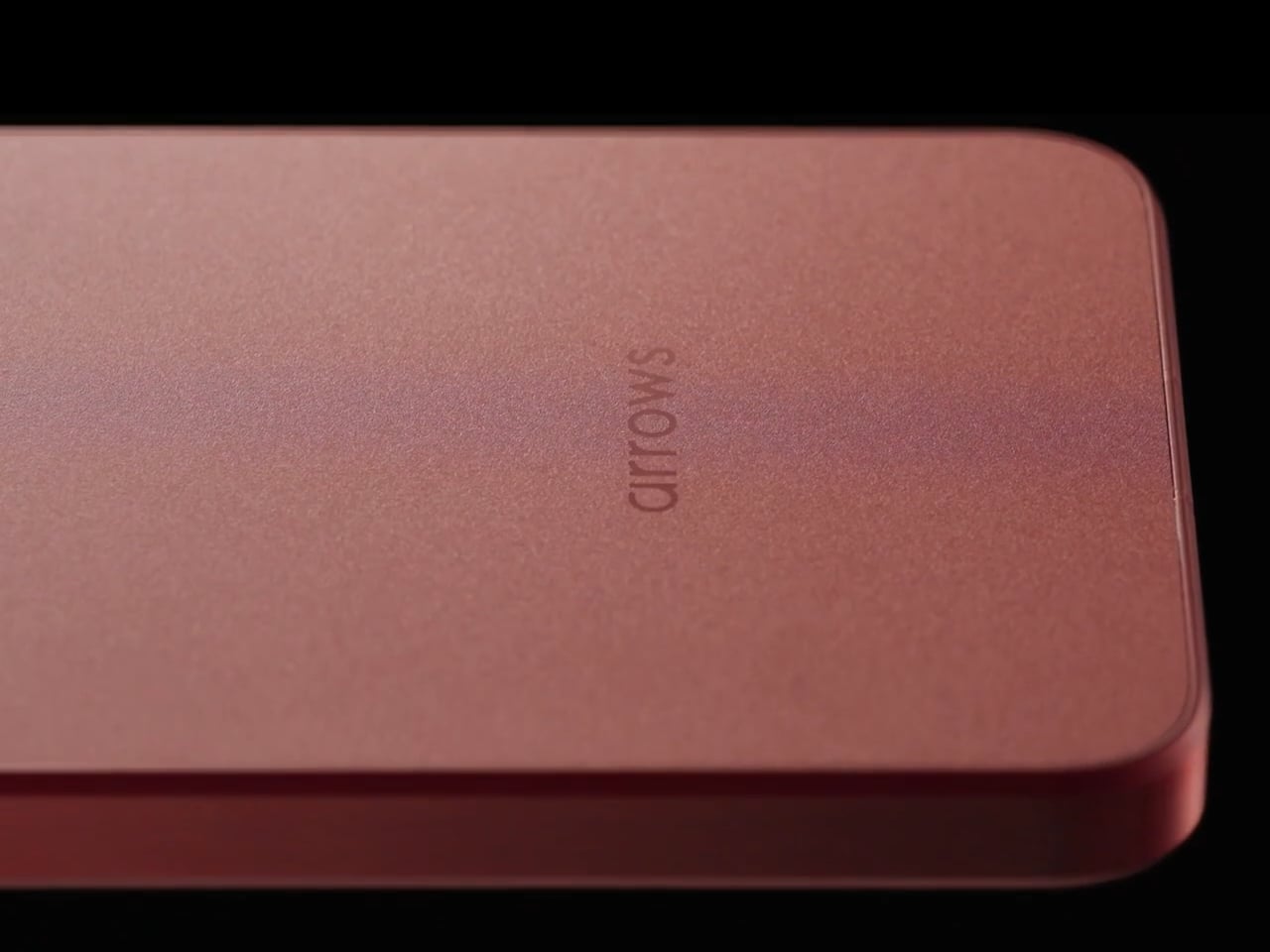
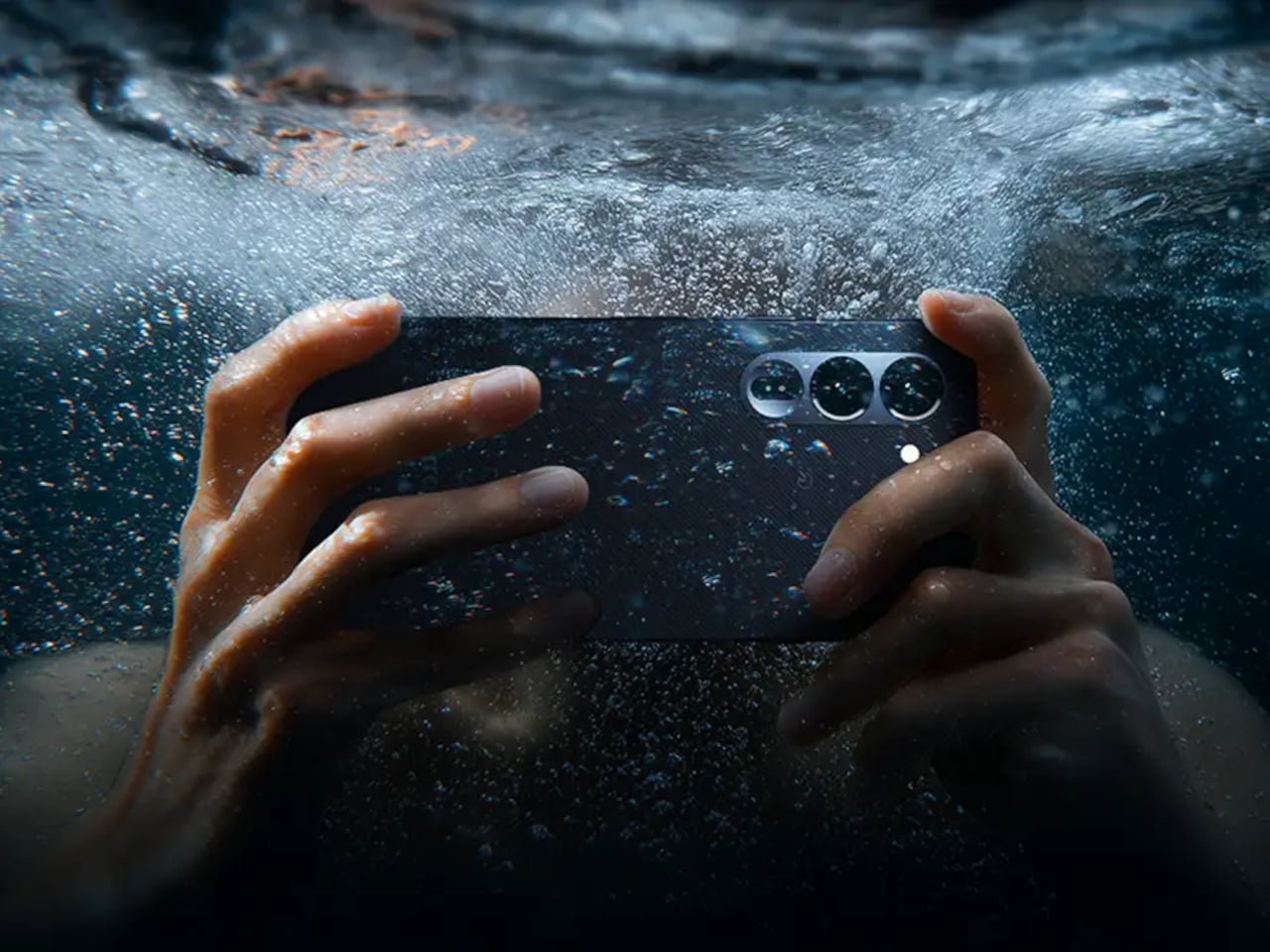
The arrows Alpha 2 takes the opposite position. It’s built around a brushed metal frame with a textured back panel, comes in four bold colors, and carries an 8.6 mm profile that doesn’t betray its durability credentials at all. Underneath the considered design is a phone that has passed 23 MIL-spec tests and holds IP66, IP68, and IP69 water and dust resistance ratings simultaneously.

Designer: FCNT (Lenovo)

The drop resistance is the detail that stands out most. FCNT claims the arrows Alpha 2 can survive a 1.8-meter fall onto concrete without the screen cracking, thanks partly to Gorilla Glass Victus 2 sitting on a flat, 2D panel. The display itself is a 6.4-inch LTPO OLED capable of hitting 3,000 nits, which also lets the phone hold its own outdoors, where most screens struggle to stay visible.

The battery is a silicon-carbon cell at 5,370mAh, the largest ever used in an Arrows-series phone. FCNT claims it delivers two full days on a single charge, engineered to sustain that performance for roughly four years. A 90W fast charger, sold separately, takes the battery from zero to full in about 40 minutes for those days when two days of stamina isn’t quite enough runway.

The camera system doesn’t make the compromises you’d expect from a phone that prioritizes toughness. The main shooter is a 50 MP Sony LYTIA 710 sensor on a 1/1.5-inch chip with optical image stabilization, backed by a 50 MP ultra-wide lens covering a 120-degree field of view. The front camera is also 50 MP. All three support 4K/60fps HDR video, which puts the image capabilities well outside what most rugged phones offer.

A MediaTek Dimensity 8350 Extreme chip handles performance, with the base model offering 8 GB of RAM and 256 GB of storage, and the higher-end variant stepping up to 12 GB of RAM and 512 GB. Virtual RAM expansion pushes the ceiling to 24 GB. The phone ships with Android 16 and arrives with three major OS upgrades and five years of security patches promised alongside the hardware.

The brushed metal frame and textured back give the phone a natural grip that doesn’t need rubber armor to achieve. FCNT also made some sustainability choices: the frame uses recycled aluminium, and the packaging is FSC-certified and fully recyclable. The arrows Alpha 2 goes on sale in Japan through NTT Docomo from late August 2026, with the 512 GB model exclusive to the Docomo Online Shop.

It’s a phone that argues against the idea that durability and design can’t occupy the same body. The 8.6mm profile doesn’t look like it belongs strapped to a workbelt, and the four color options reinforce that this wasn’t designed purely for industrial deployment. The battery engineering alone makes it stand apart from most competitors in the category, and the rest of the spec sheet does little to undermine that case.

The post Rugged Phones Are Ugly, but FCNT Just Proved They Don’t Have to Be first appeared on Yanko Design.

Dasung Made a Phone Screen for People Who Hate Screens

Screens keep getting sharper and brighter, though the one complaint that never goes away is eye fatigue. LCDs and OLEDs are impressive, but both still rely on backlit panels aimed directly at your eyes, hour after hour. The e-reader crowd has long known that E-Ink is easier to live with, though swapping your daily phone for a dedicated E-Ink device is a trade-off most people aren’t willing to make.

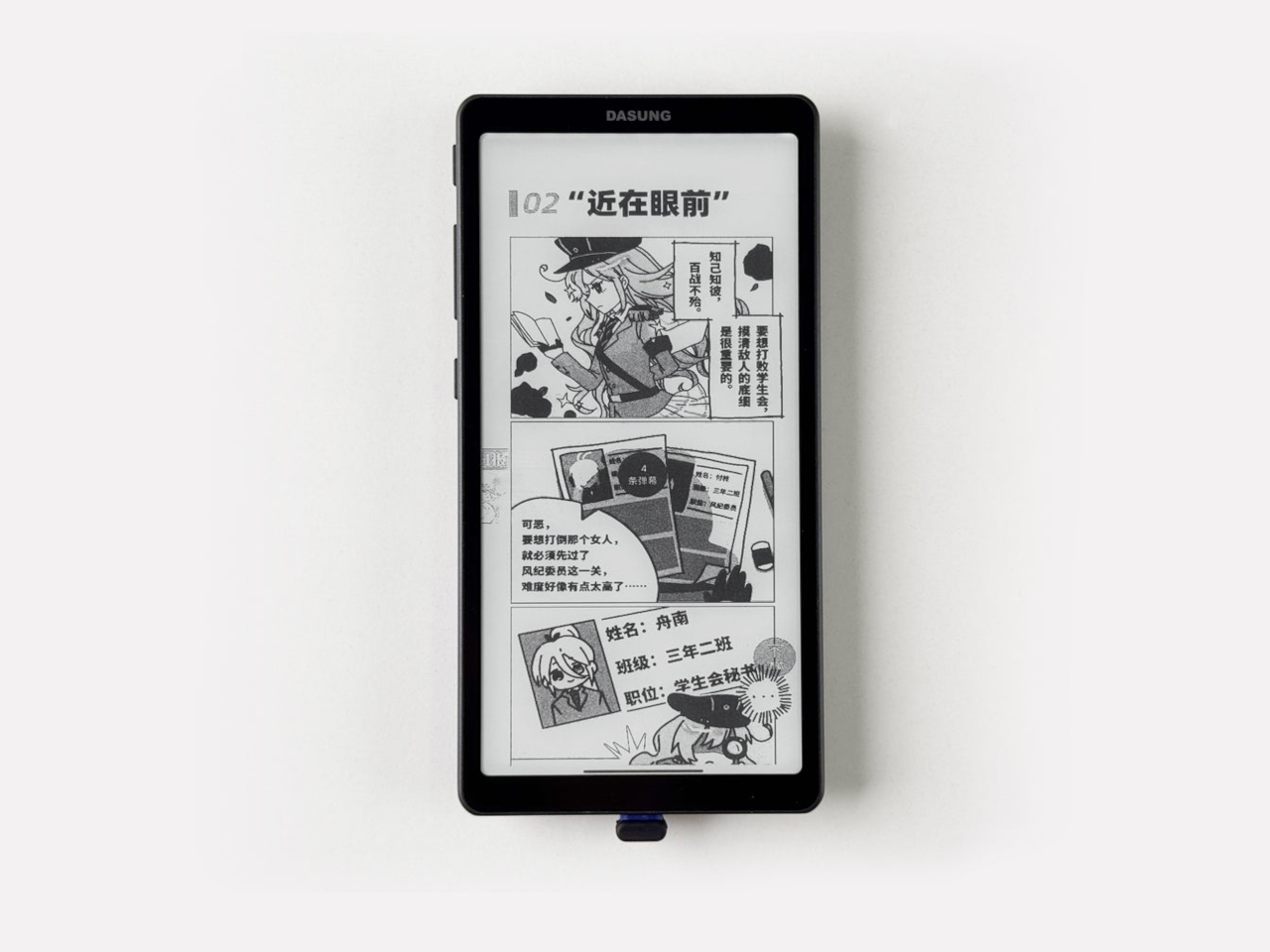
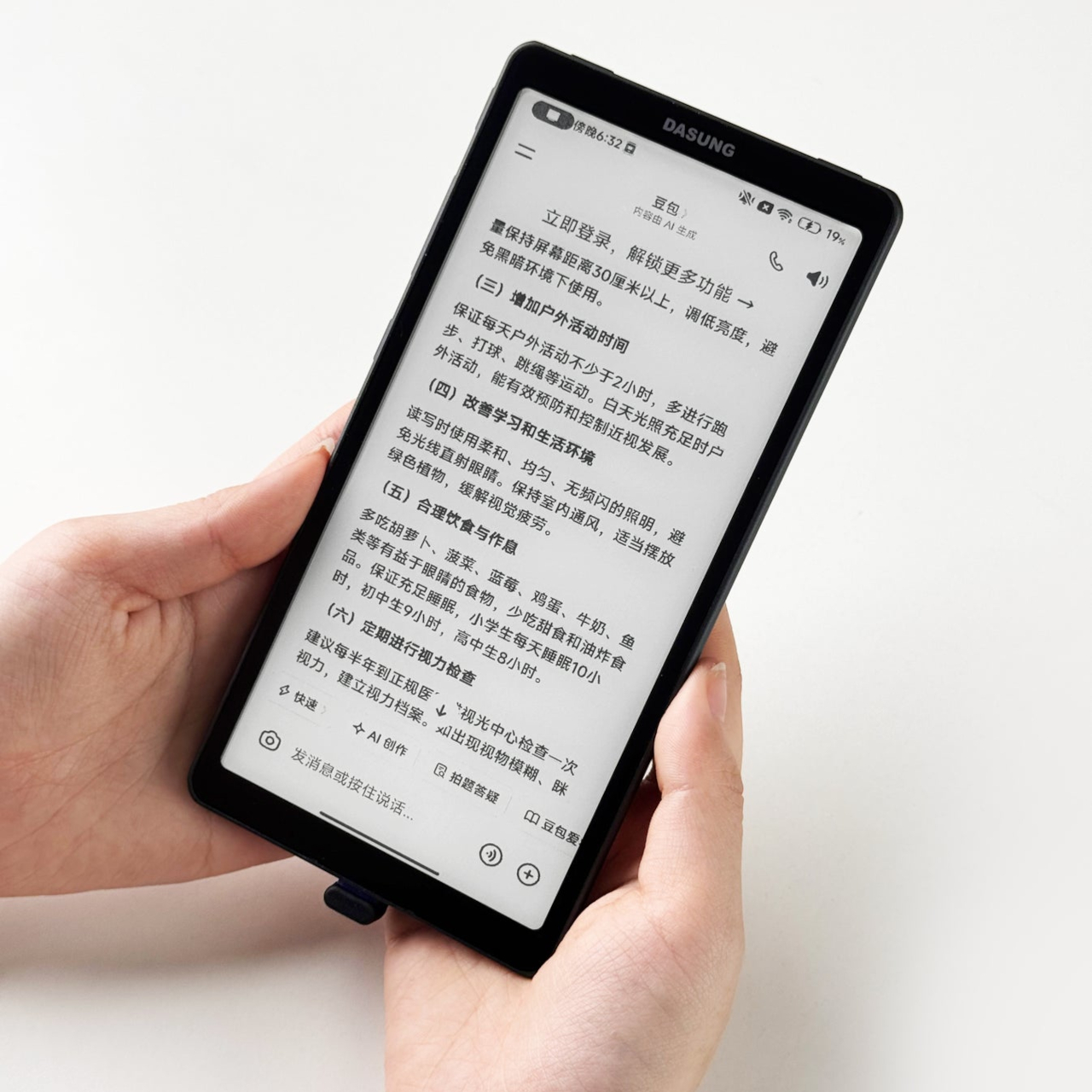
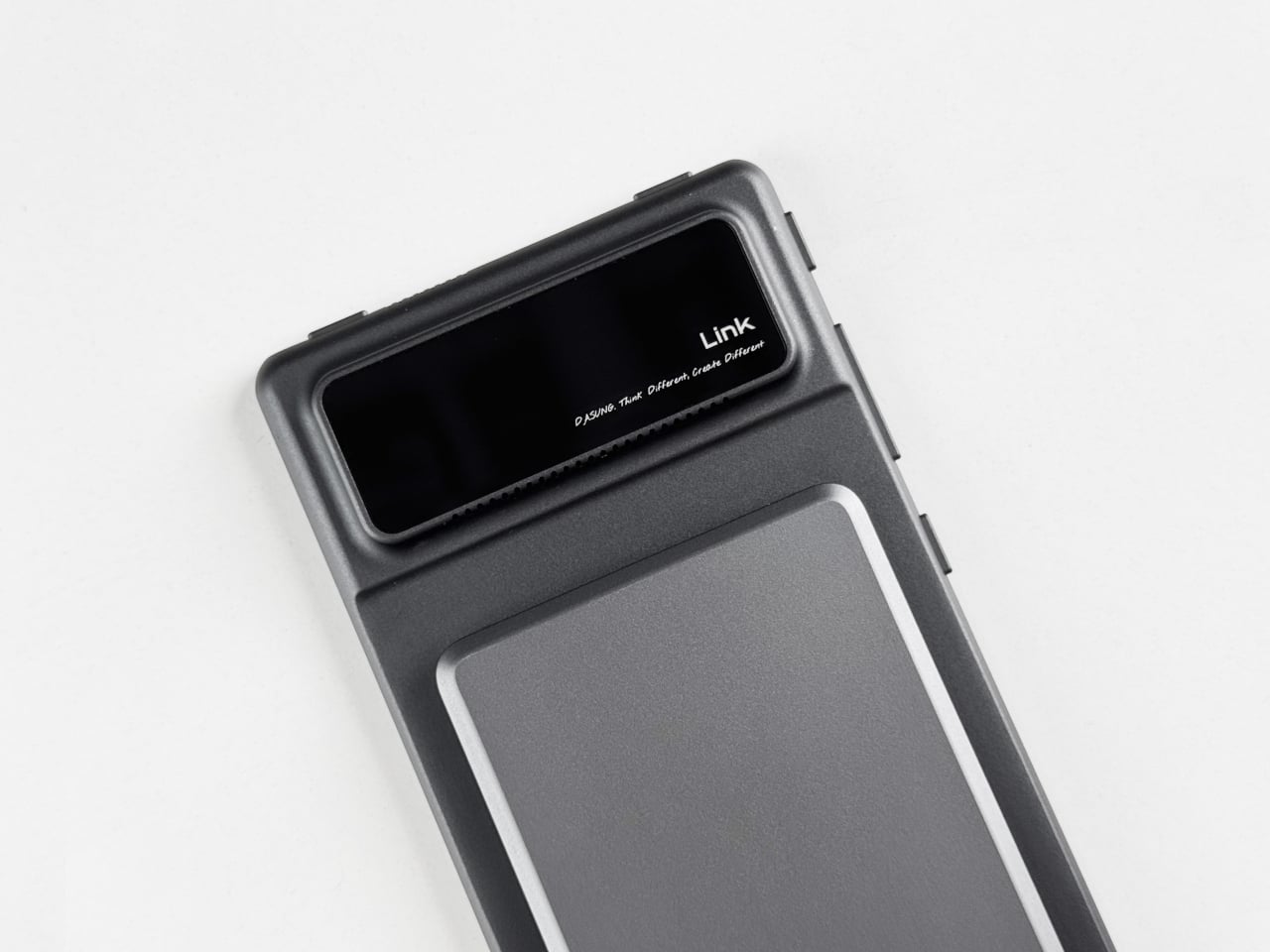
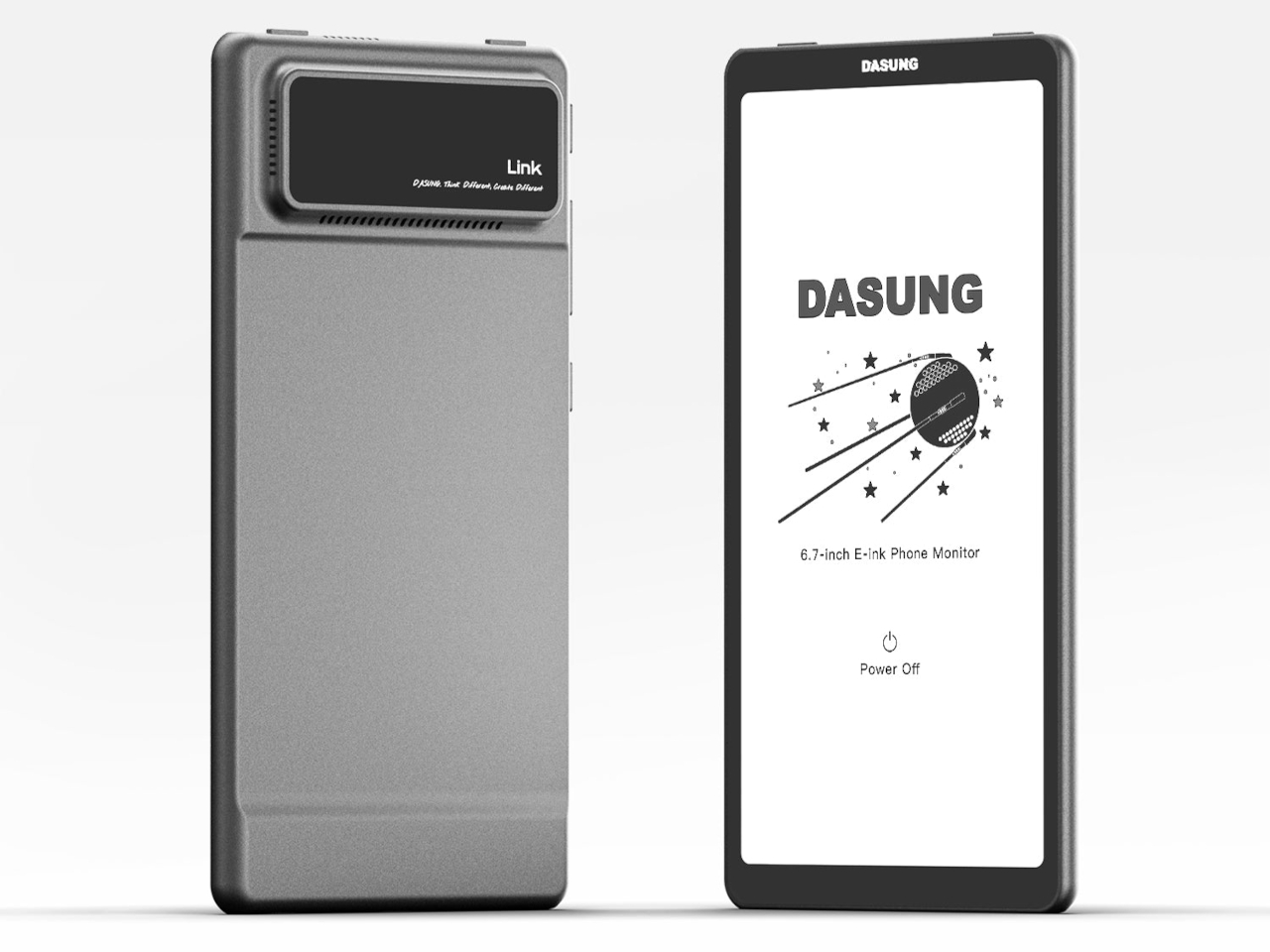
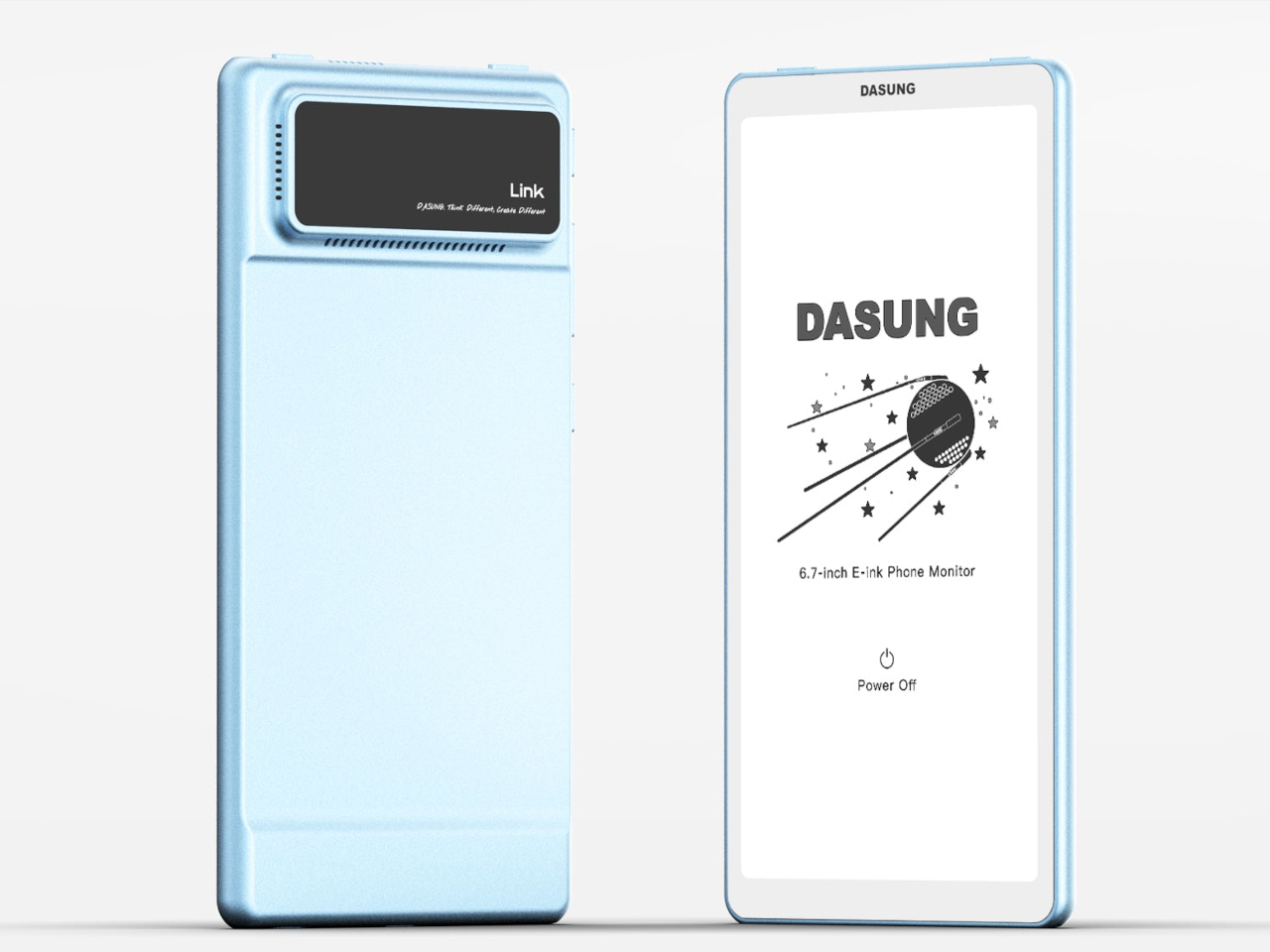
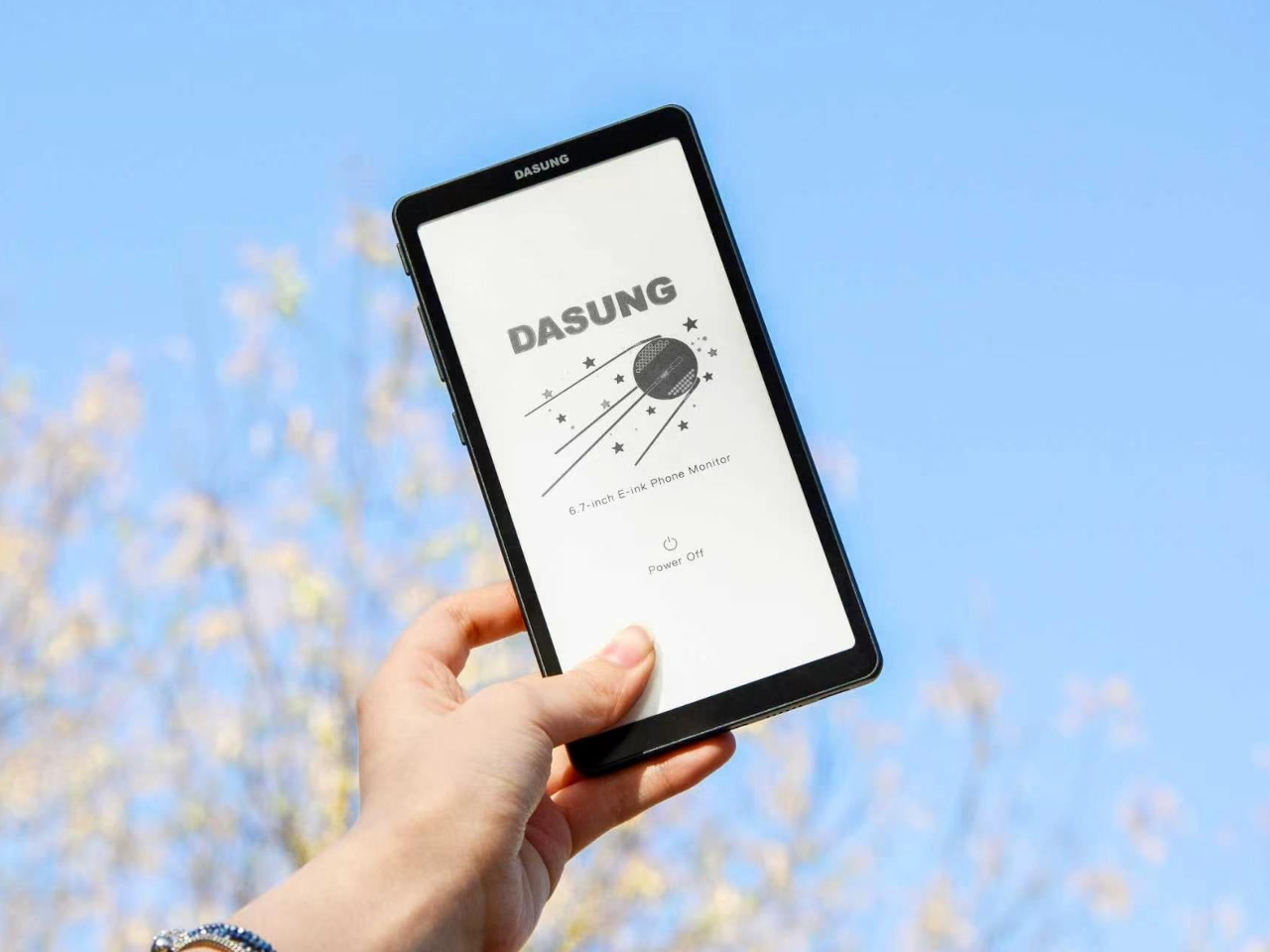
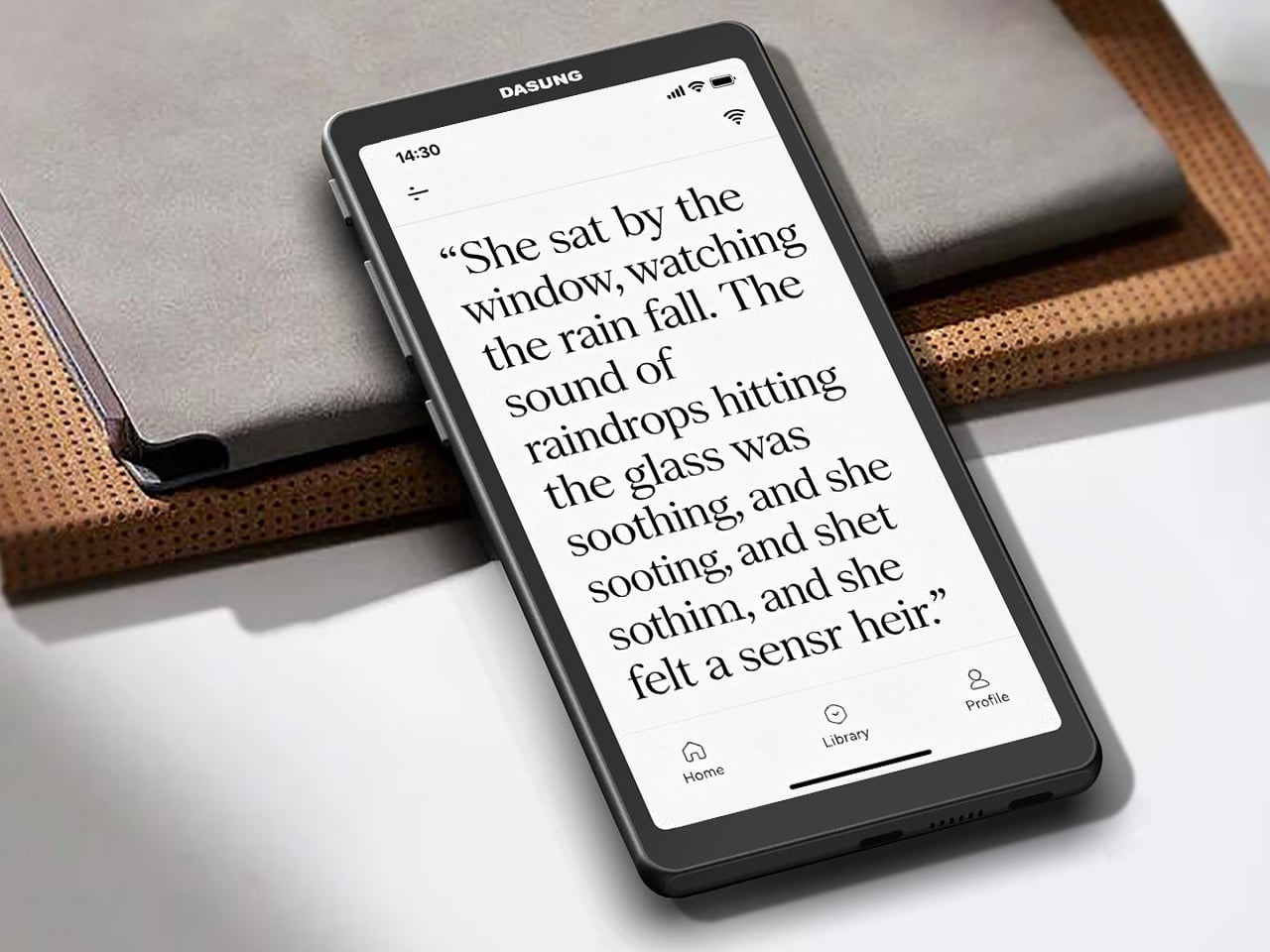
The Dasung Link 2 offers a different answer to that familiar problem. Rather than replacing your smartphone with an E-Ink device, it works alongside whatever phone you already have, mirroring its display onto a 6.7-inch monochrome E-Ink screen. The idea is straightforward: keep your apps, your contacts, and your habits, but read, scroll, and type on a surface that feels far closer to paper than any OLED ever will.

Designer: Dasung

What makes the Link 2 practical as a daily companion rather than just a reading gadget is DASUNG’s 60Hz refresh technology. Most E-Ink screens run at a fraction of that speed, producing noticeable lag when scrolling or typing. At 60Hz, the Link 2 handles those tasks with minimal ghosting, making it comfortable for messaging, browsing, and even light video, things that would have been genuinely frustrating on earlier E-Ink displays.

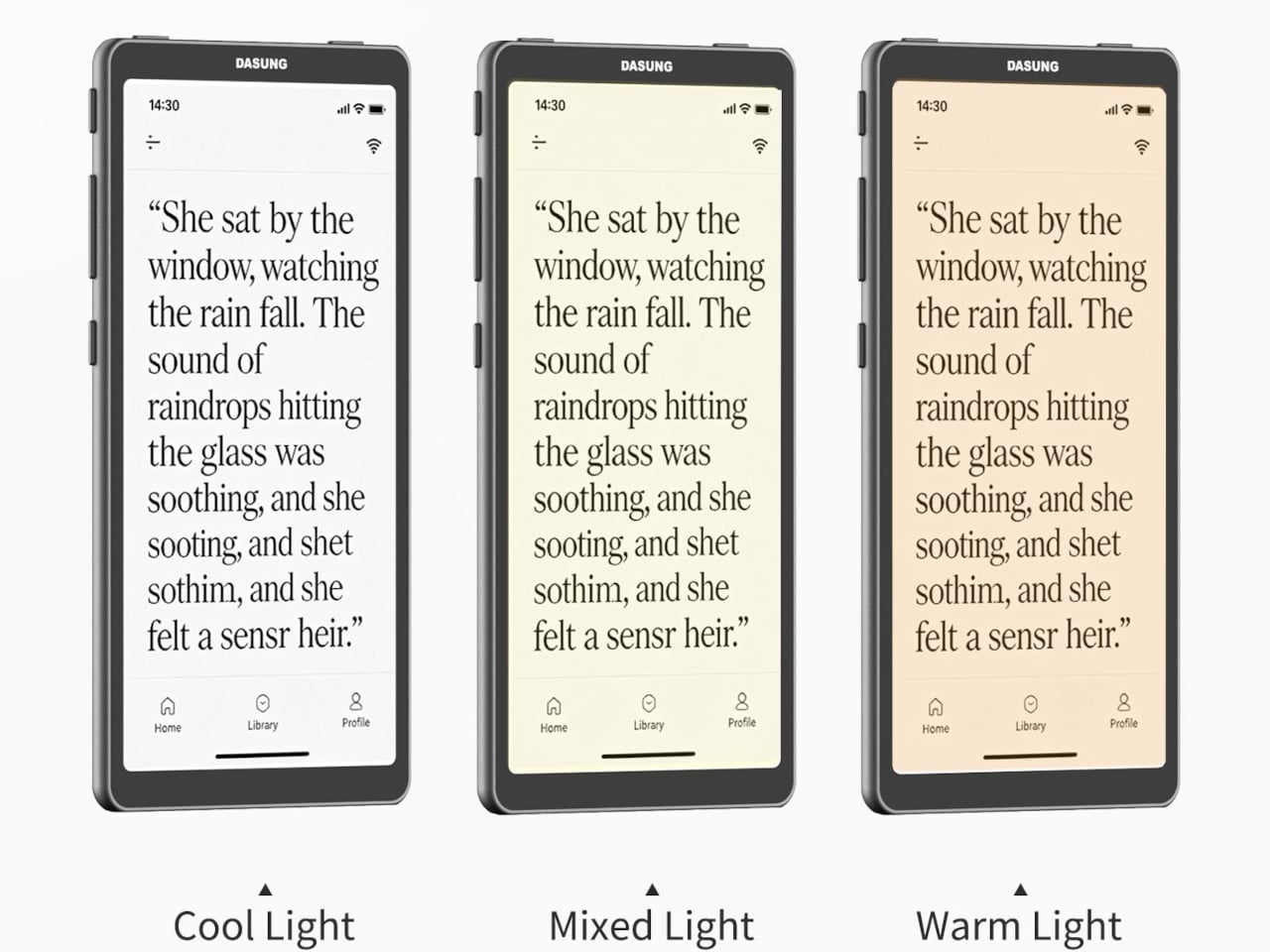
The screen measures 6.7 inches at 300 PPI, putting it in the same resolution range as premium e-readers. Text is sharp, and the display reflects ambient light the way paper does, staying legible in bright outdoor conditions where most LCD phones need to max out their brightness just to stay visible. For low-light reading, an adjustable dual-tone front light handles the darker hours without harshness.

The Link 2 also supports reverse touch, which lets you interact with your phone directly through the E-Ink screen’s surface without picking your phone up separately. Physical keys on the body handle quick contrast and image adjustments, so you aren’t hunting through menus when the light around you changes. It makes a secondary screen feel less like a burden and more like a natural tool.

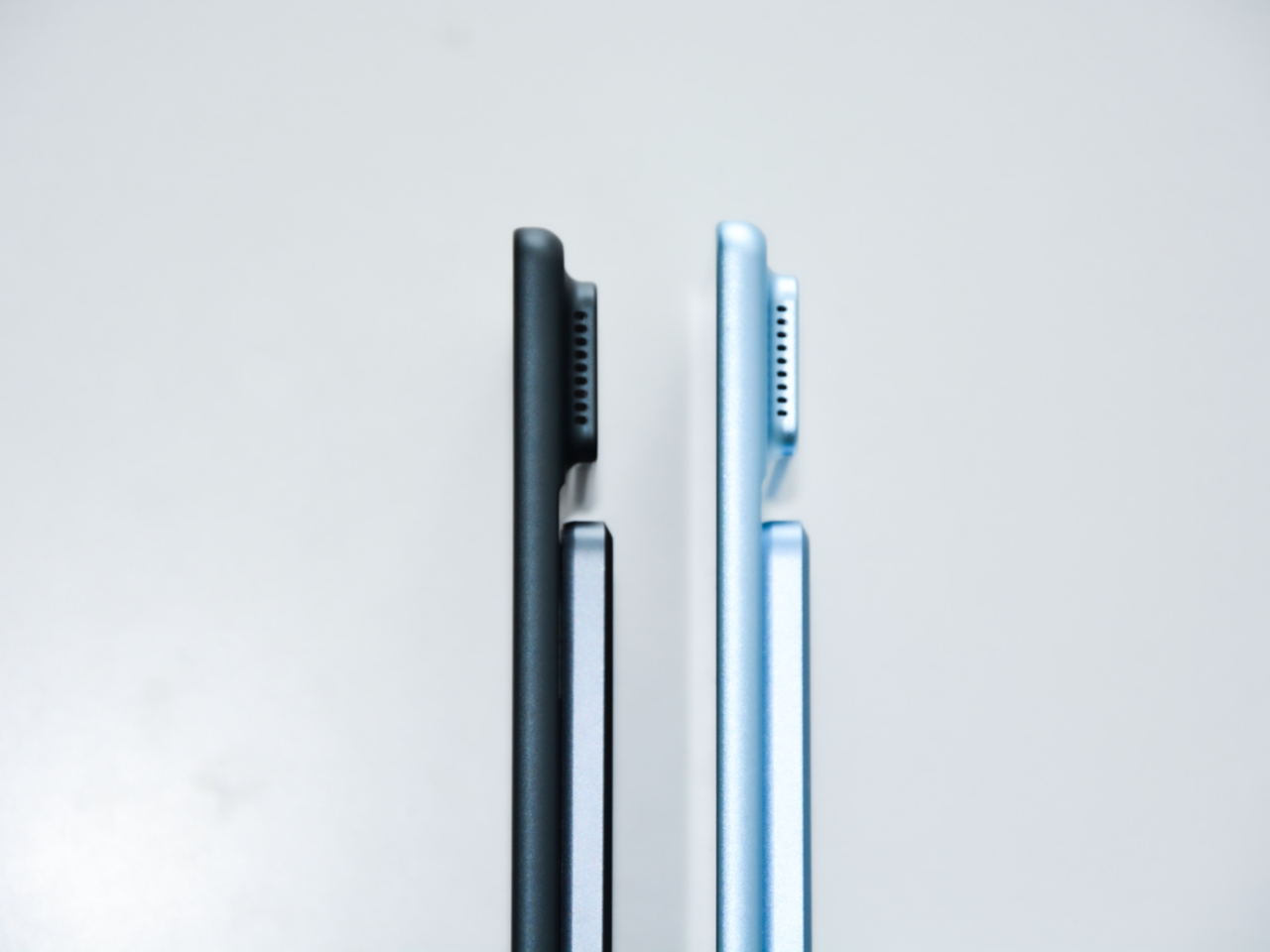
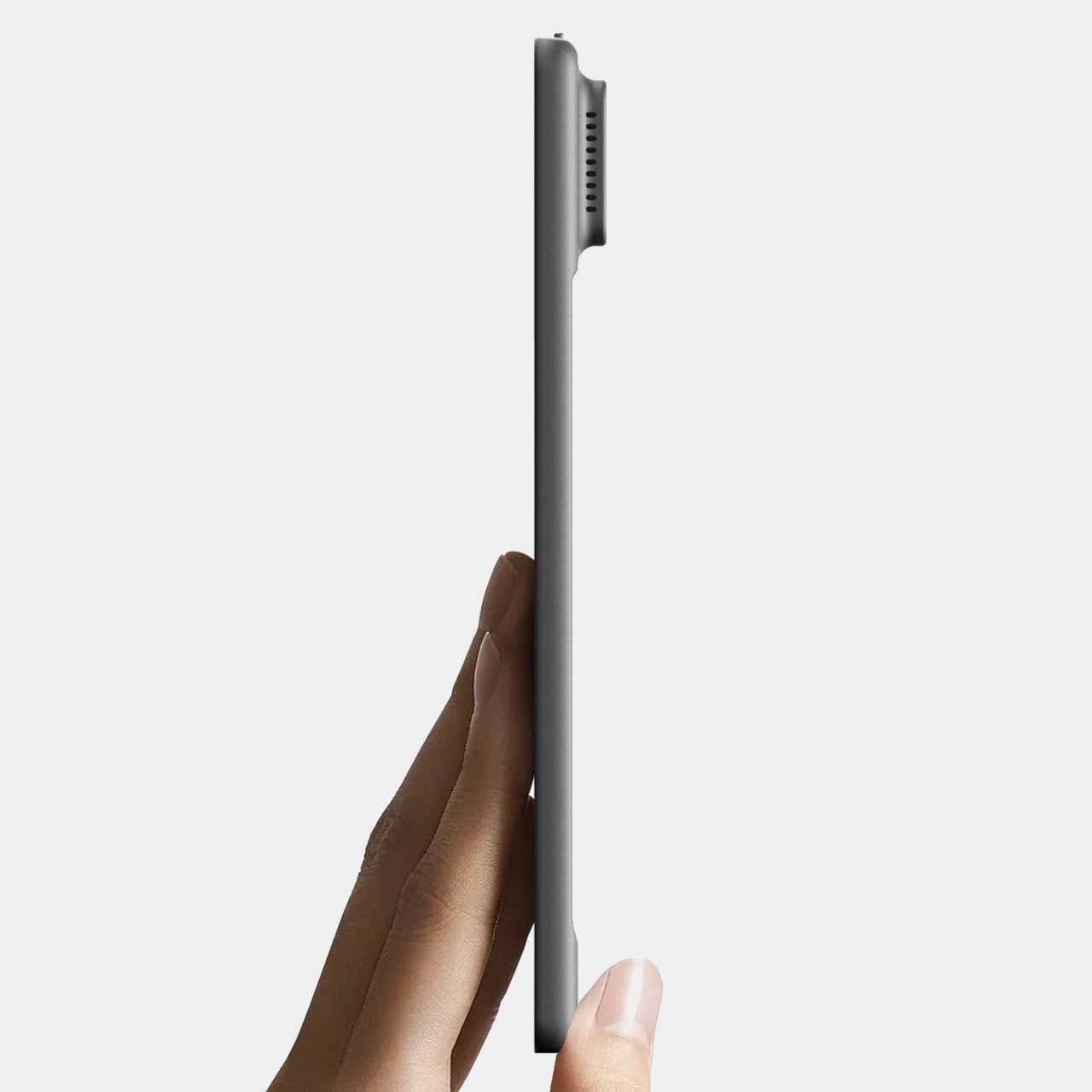
The hardware is built from metal and kept thin and light enough to slip into a pocket alongside your phone. It connects wirelessly for screen mirroring and works with magnetic power banks, which helps on longer outdoor outings where a wall outlet isn’t nearby. Compatibility spans Android 12 and later, modern iOS, and HarmonyOS, so it isn’t tied to any single phone brand or operating system.

One thing worth noting is that the Link 2 doesn’t operate independently. It relies on your phone’s processing power, RAM, and installed apps to function, so it’s less a standalone gadget and more a screen you borrow for your phone. The battery-free model starts at $329, with the battery-equipped version available at $349, both offered in Space Gray and Glacier Blue.

It’s admittedly a niche proposition, and the limitations are real. Monochrome E-Ink isn’t ideal for color photos, and carrying a second screen is an extra thing to manage throughout the day. But for anyone who spends long stretches reading articles, messages, or documents on their phone, shifting that habit onto a paper-like surface rather than a glowing backlit display is a genuinely compelling idea.

The post Dasung Made a Phone Screen for People Who Hate Screens first appeared on Yanko Design.

This $28 Keychain Camera Has a Flip Screen to Take Better Selfies

The bridge between digital and analog has been continually growing over the years. 2026 in particular has seen a lot of analog-first or analog-only products in the market. Mobile photography in particular has seen a lot of compact cameras make their way into our pockets and bags. While we of course have our smartphones where there are a lot of advances in taking photos and videos, there’s something very cool in using retro-looking gadgets to capture our everyday lives.

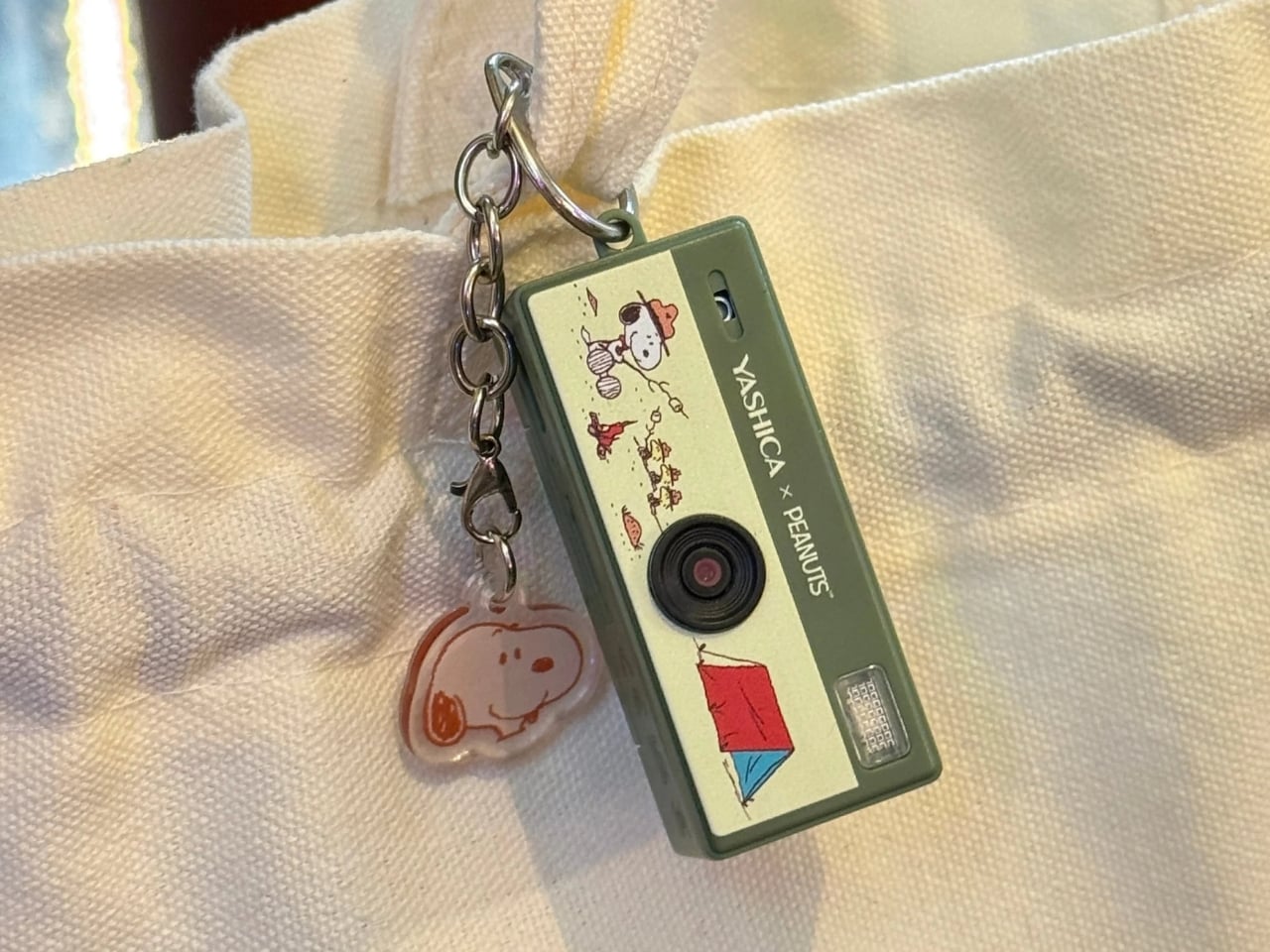
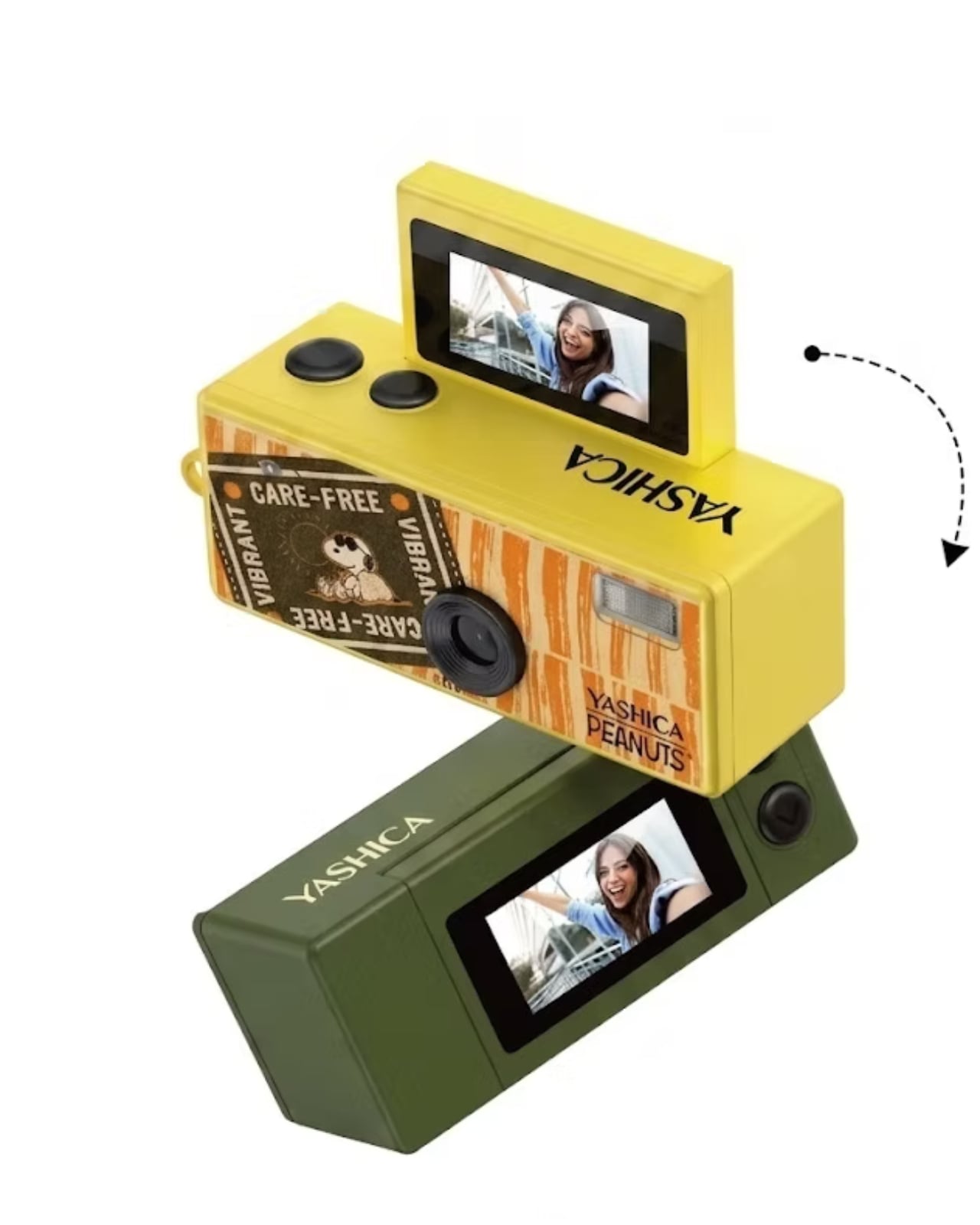
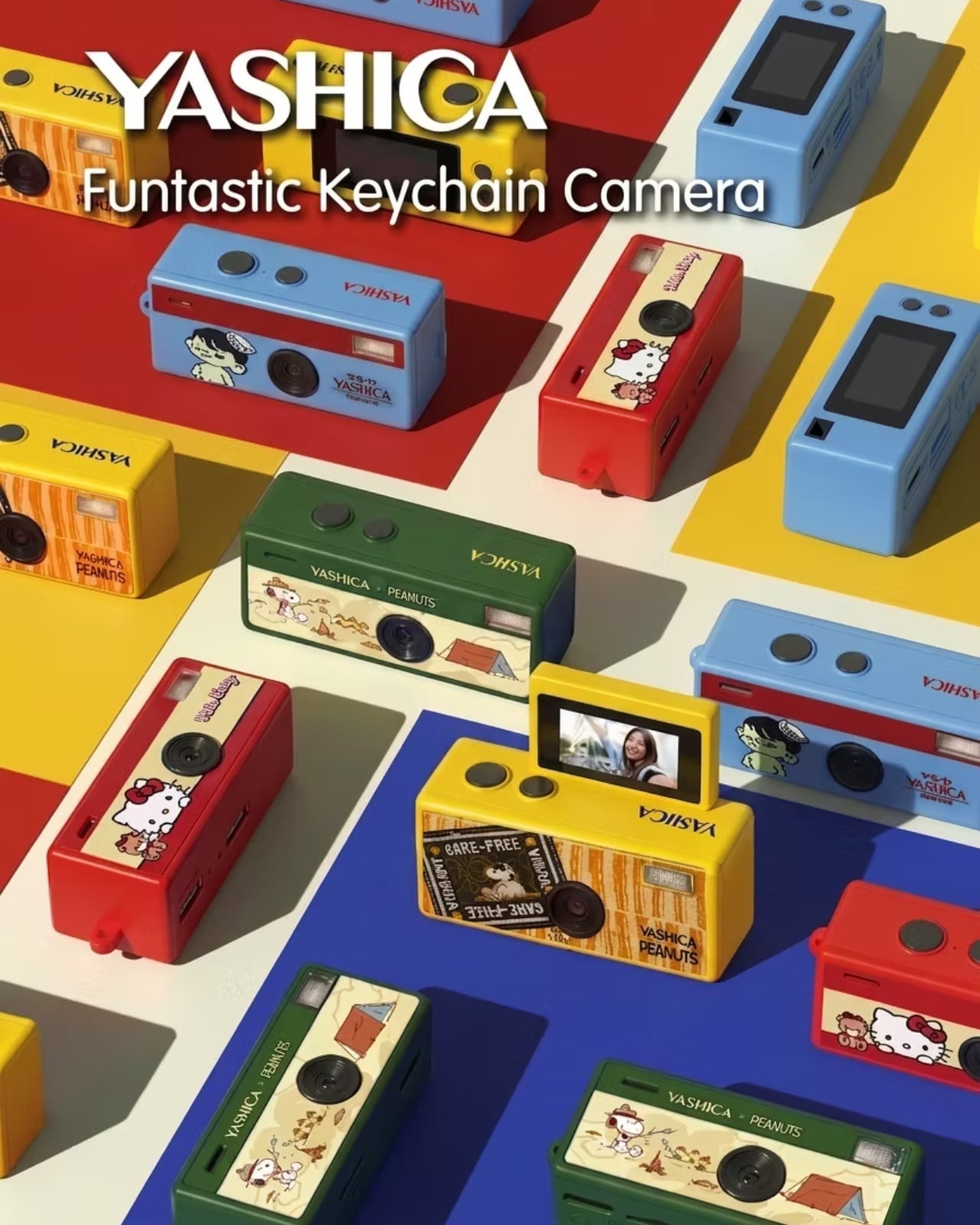
Yashica’s Funtastic Keychain Camera is one such device. It’s part of a trend of these tiny cameras that you can also use as keychains and accessories, but also let you take digital photos and even videos. Obviously, you won’t get sharp and clear images when you use them given their limited specifications, but that’s part of the appeal and the charm of these lo-fi gadgets. And it’s also a bonus that they look good enough to serve as part of your fashion statement.

Designer: Yashica

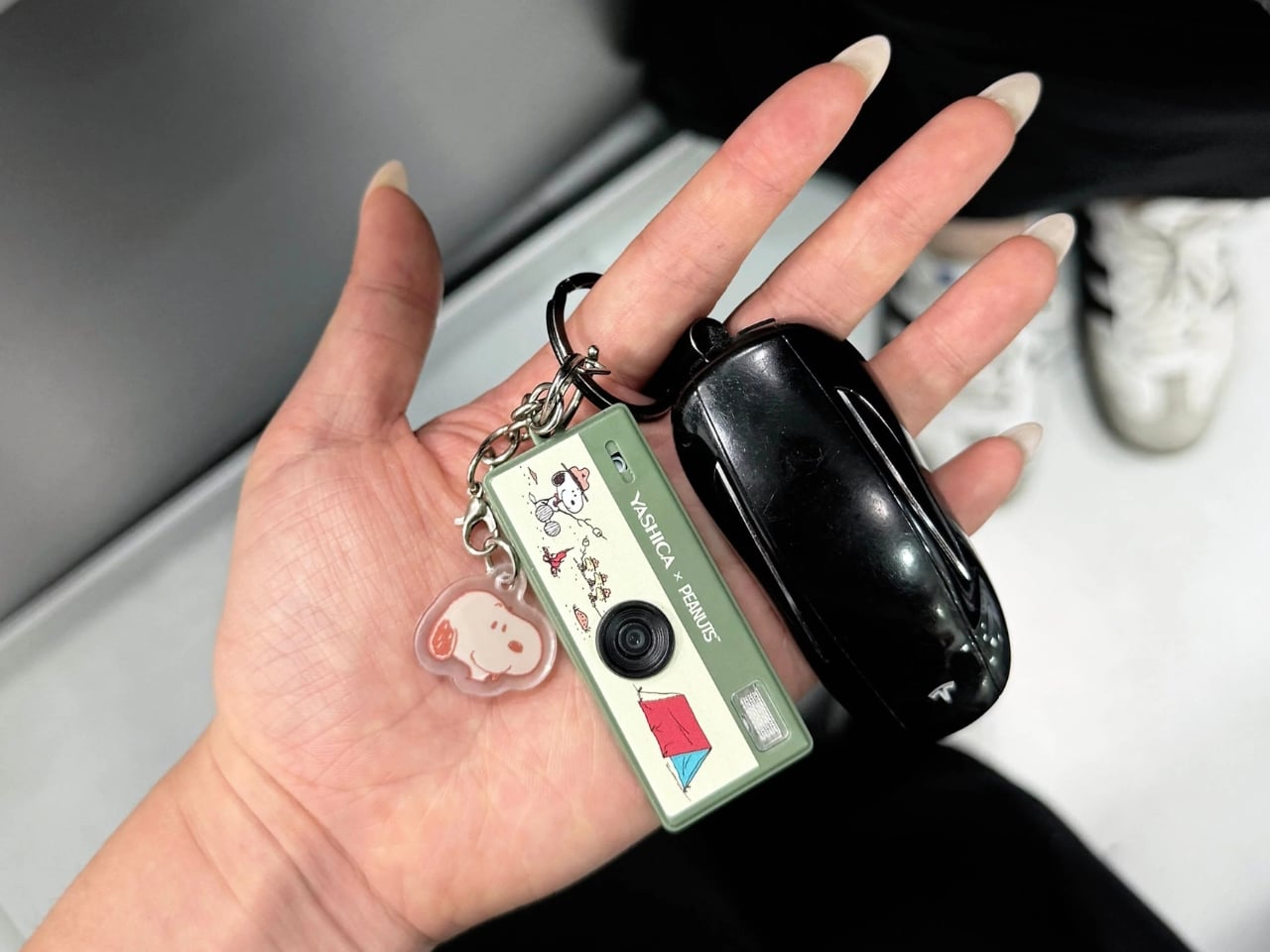
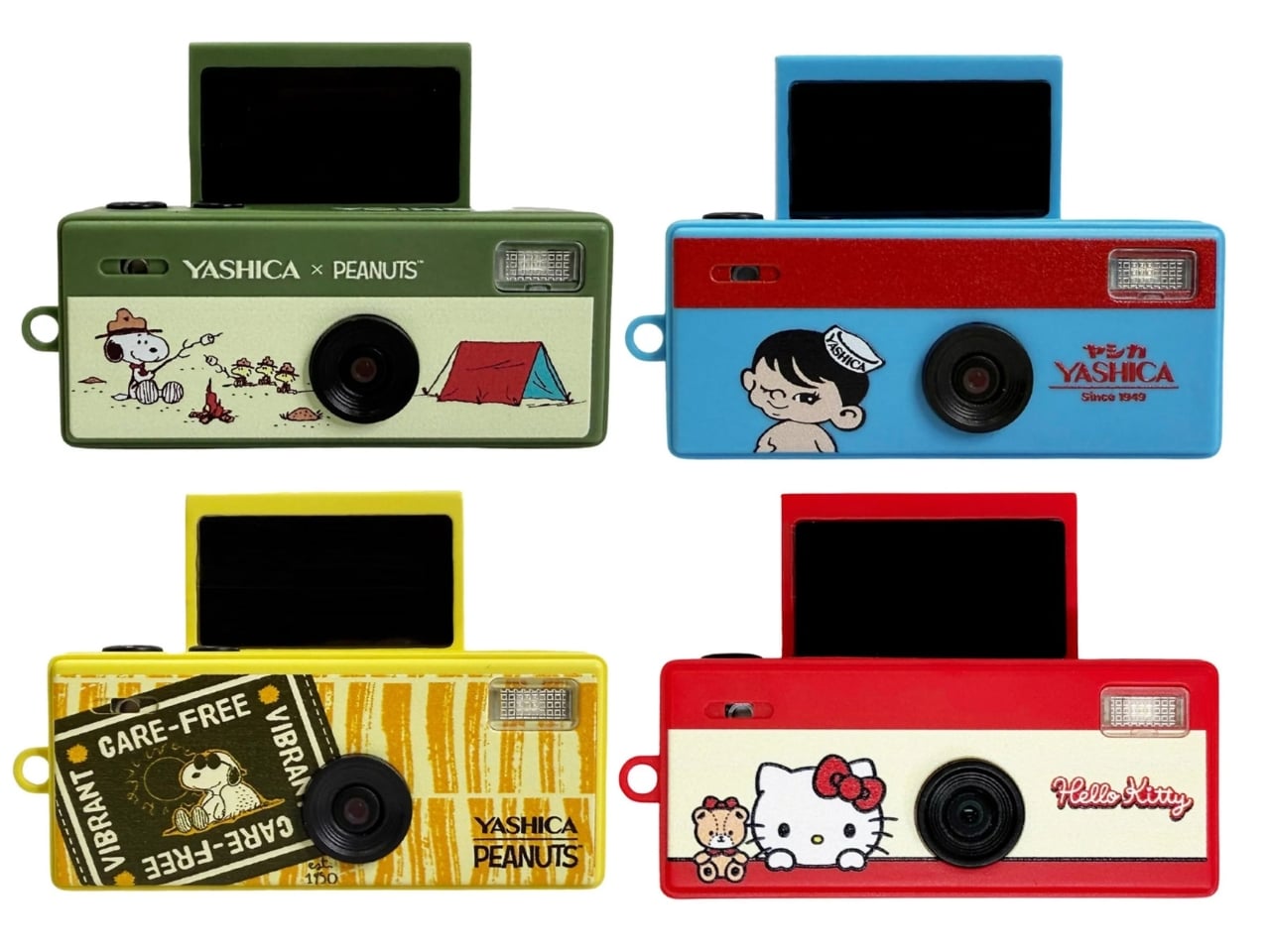
At just 22 grams and measuring 63×22×25mm, you can bring the Funtastic Keychain Camera with you wherever you go, even without a bag. Aside from attaching it to your bag or purse, some have even used it as a charm for eyeglasses or clipped it to their jeans or shorts. It blurs the line between gadget and accessory, especially with collaborations with brands like Hello Kitty and Snoopy, which collectors will definitely enjoy.

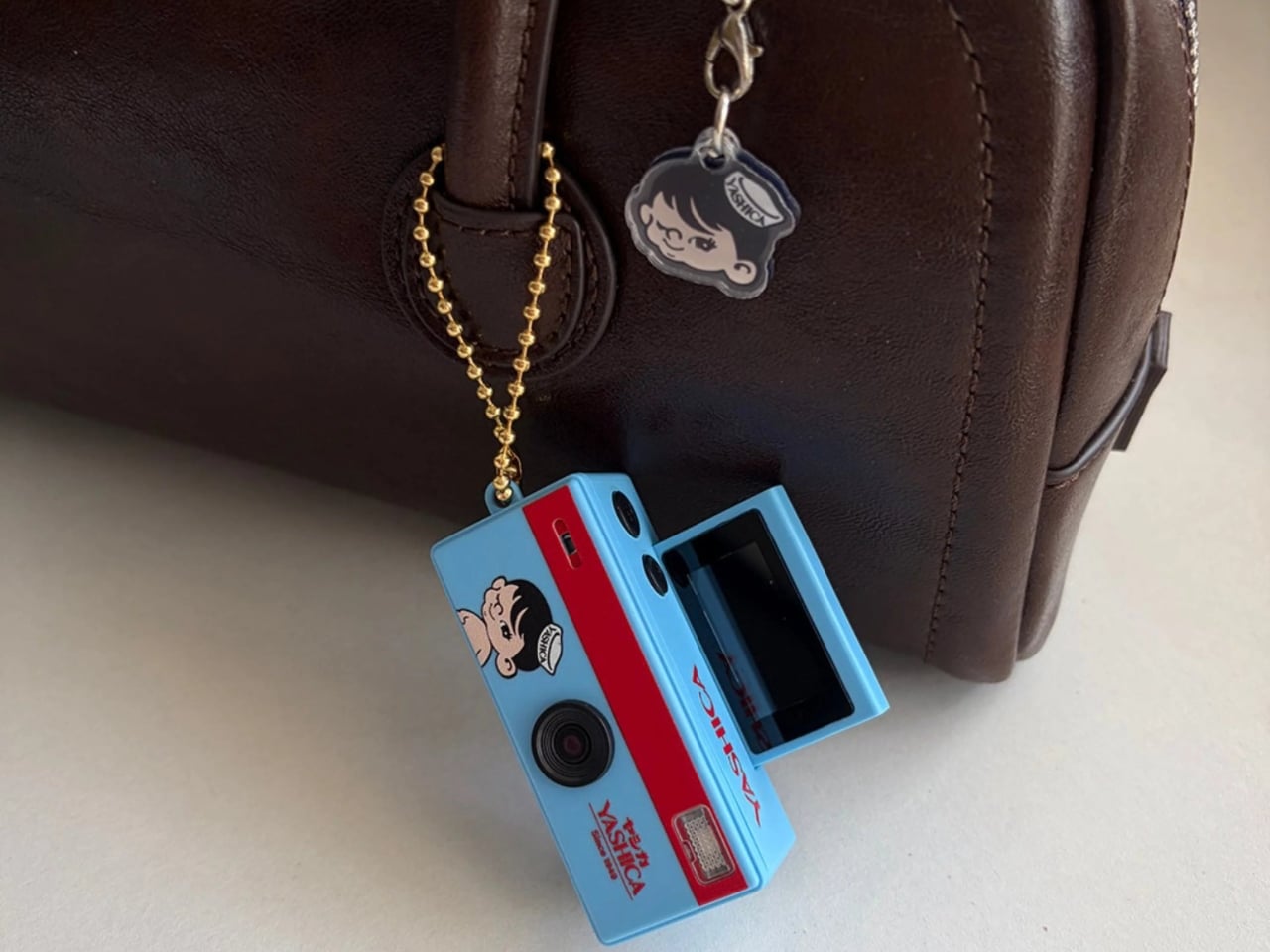
One advantage it has over its competitors, including the super popular Kodak Charmera, is its tiny 180° flip screen, which lets you frame your selfies easily instead of just hoping for the best when you take a snap. It’s actually a surprising “premium” feature for such a small device, and it makes capturing photos and videos a whole lot easier. There are also some fun filters and presets that you can use without the complexity that some phones and digital cameras bring.

Don’t let the tiny size fool you. This little camera actually packs in everything it needs to do its job. Inside, you’ll find a 1-megapixel CMOS sensor and an F2.8 lens that shoot crisp JPEG photos at 1,440 x 1,080 and smooth 30fps AVI video. It saves everything to a microSD card, charges easily via USB-C, and runs on a built-in 200mAh Li-ion battery. Oh, and it weighs just 22 grams, so light you’ll genuinely forget it’s dangling from your keys.

Ultimately, the Yashica Funtastic Keychain Camera isn’t trying to replace your smartphone or your mirrorless camera, and honestly, it doesn’t have to. What it does instead is give you a reason to slow down, have a little fun, and embrace the beautiful imperfection of lo-fi photography without overthinking it. The slightly grainy, characterful shots you’ll capture are very much part of the experience, reflecting a visual aesthetic that mirrors what so many people love about film photography.

The collaboration editions are also worth highlighting, especially for collectors. Whether you’re a Hello Kitty devotee, a Snoopy fan, or simply someone who appreciates a beautifully designed limited piece, these cameras have genuine appeal beyond just their functionality. They also make for wonderful gifts, for the photography enthusiast, the accessory lover, or the fashion-forward friend who’s always the first to spot an exciting new trend.

At its very accessible price point, the Funtastic is a great entry into the growing world of tiny, playful cameras. You don’t need to spend a fortune to get in on the fun, and practical touches like USB-C charging and microSD storage mean it’s genuinely usable every day, not just a display piece.

If you’ve been curious about this rising wave of keychain and lo-fi cameras but weren’t sure where to start, the Yashica Funtastic is a wonderful first pick. It’s charming, collectible, and just the right amount of extra. Sometimes, the best camera really is the one that makes you smile every time you reach for your keys.

The post This $28 Keychain Camera Has a Flip Screen to Take Better Selfies first appeared on Yanko Design.

5 Best Tech Gadgets That Finally Get How Gen Z Actually Uses Technology

Gen Z didn’t just grow up with technology. They grew up suspicious of it, bored by it, and quietly determined to make it feel like something personal again. The gadgets that resonate most with this generation tend to share one quality: they treat the person holding them as someone worth designing for, rather than someone to optimize for engagement. That distinction is small on paper and enormous in practice.

The five products here span a circular phone display, a cassette-shaped Bluetooth speaker, a tactile digicam concept, a pair of headphones built around ritual, and a pocket-sized hacking tool. What connects them has nothing to do with price or category. Each one asks a question that mainstream consumer electronics stopped asking somewhere along the way: what does it feel like to actually use this thing?

1. Oppo Bubble

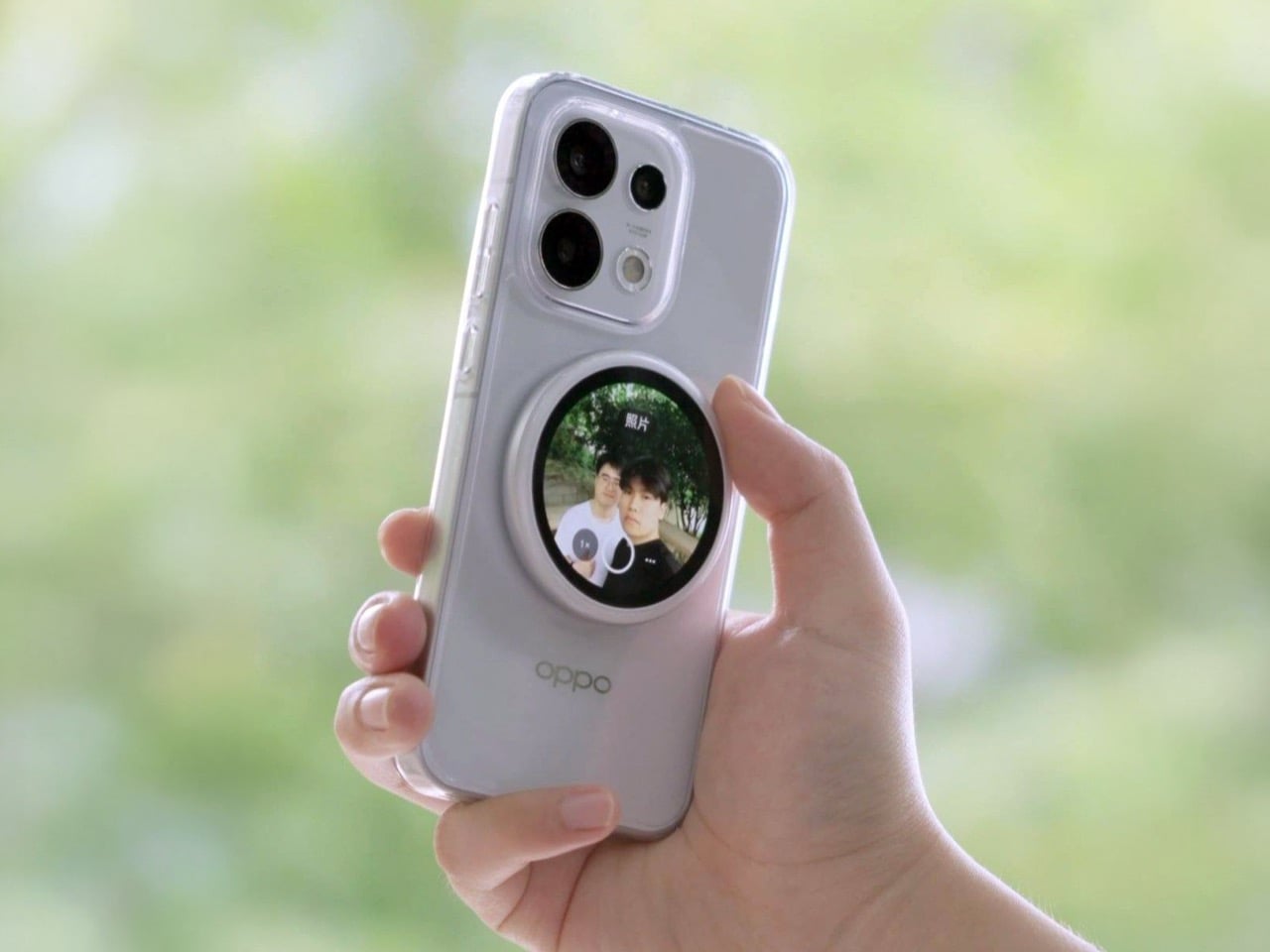
The rear camera has been the better camera for over a decade. Every benchmark confirms it, and yet selfie culture settled for the front lens because seeing what the rear camera captures while it faces away from you was never solved at the hardware level. Oppo’s answer is a circular magnetic display that snaps to the back of the phone and streams the rear camera’s live feed directly to your face. Frame the shot, check your composition, tap to shoot.

Launched in China in May 2026, the Bubble runs on a 550mAh battery and connects wirelessly up to 10 meters away, which repositions it as a remote shooting monitor rather than a narrow selfie tool. The screen is circular AMOLED, which earns its keep on both image quality and visual identity. When the camera is off it displays wallpapers, video, live photos, or a boarding pass. Apple has had the magnetic infrastructure for something like this since 2020. The most ambitious thing they shipped with it was a card holder.

What we like

  • The circular AMOLED silhouette reads as tech jewelry rather than a utility panel, which matters for a product that lives on the back of your phone in public.
  • Ten meters of wireless range and a built-in shutter trigger make this genuinely useful for tripod work and group photography, well beyond arm-length selfies.

What we dislike

  • The live camera preview is gated to select Oppo Reno 16 devices, limiting the headline feature to a short compatibility list at launch.
  • There is no confirmed international release date. Most readers outside China cannot buy or test it yet.

2. Side A Cassette Speaker

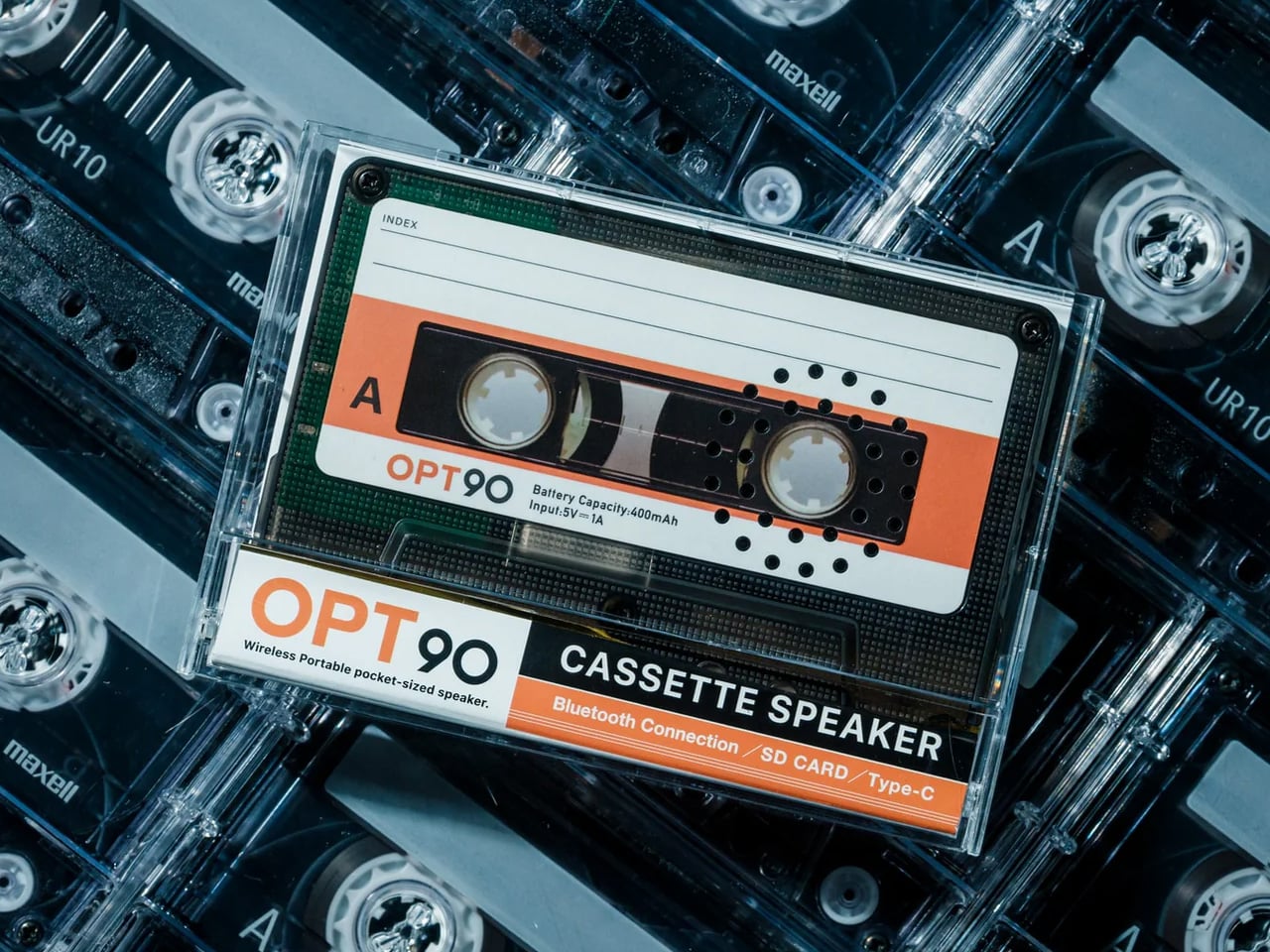
The cassette tape had no right to come back, and yet here we are. The Side A speaker is shaped exactly like a real mixtape — transparent shell, side A label, every visual cue intact — and inside it hides a Bluetooth 5.3 speaker with microSD playback and a sound profile tuned to echo the warm, slightly rounded tone of analog tape. It weighs 80 grams, sits comfortably in a jacket pocket, and costs $49.

The speaker ships with a crystal-clear case that converts into a display stand, giving it a second life as a shelf object between listening sessions. Six hours of playback at full volume and a two-hour full recharge means it cycles through a day and recovers quickly. The microSD slot lets you load a playlist locally and leave the phone in another room entirely. For a generation that grew up streaming everything and then started quietly buying vinyl and thrifting Walkmans, this lands exactly where it should.

Click Here to Buy Now: $49.00

What we like

  • The clear case converts to a display stand, so the cassette has a presence on a desk or shelf without needing to be plugged in or actively playing anything.
  • MicroSD support means the speaker functions entirely offline. No phone, no app, no stream required.

What we dislike

  • Six hours of battery is honest for the size but will not last a full day of continuous use without a recharge.
  • Sound output is warm and characterful but limited in volume ceiling. It is not a room-filling speaker.

3. Camera (1)

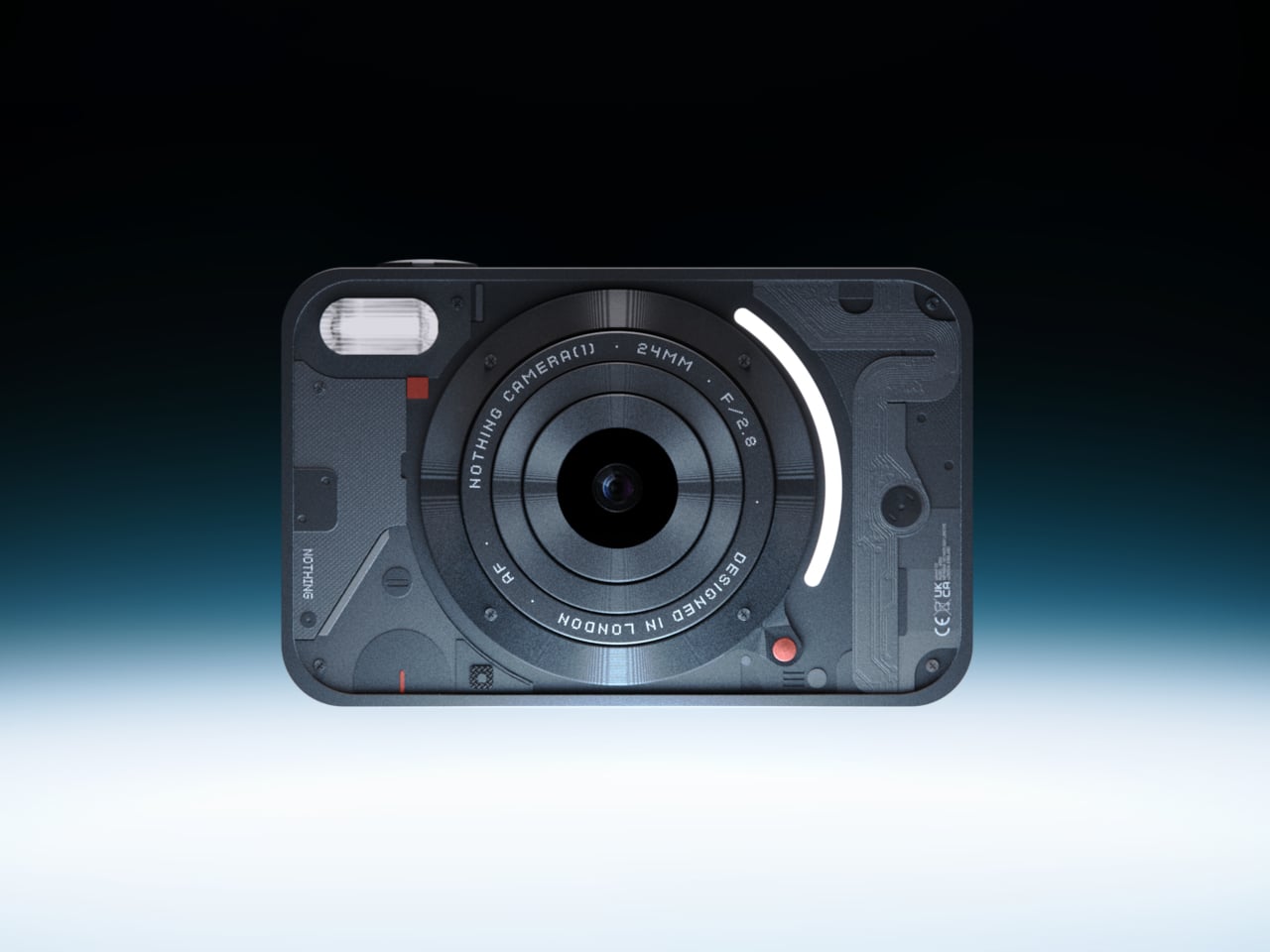
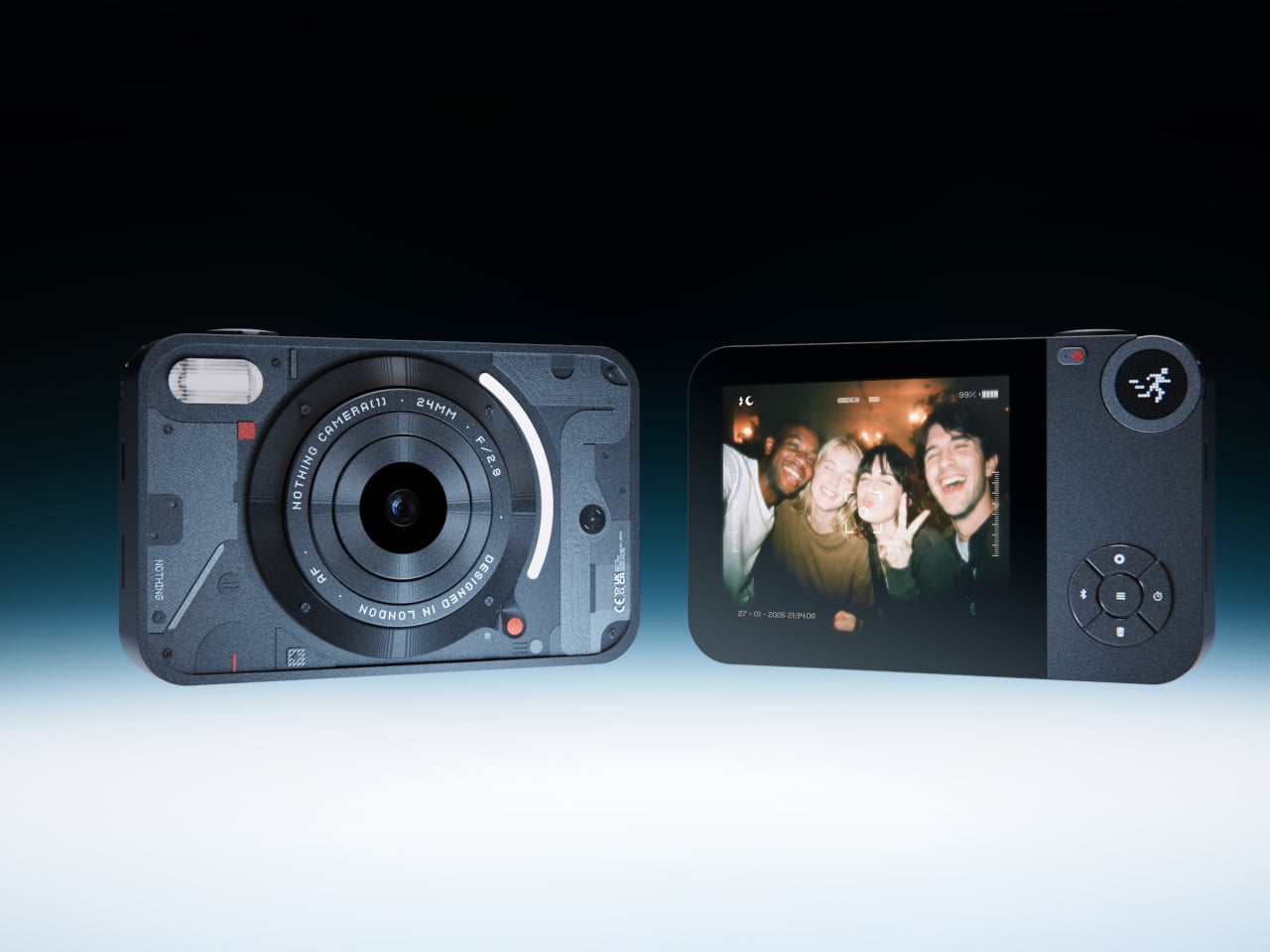
The impulse to pick up a standalone camera again is not about megapixels. It is about separating the act of taking a photograph from the act of being on your phone. Camera (1) is a concept by designer Rishikesh Puthukudy that imagines what a modern compact could feel like if it were built around physical controls rather than touchscreen menus. Metal body, softly rounded corners, every main function reachable without shifting your grip.

A circular mode dial carries a dot-matrix glyph display showing simple icons for stills and video. A light strip around the lens pulses for the self-timer, confirms focus, and signals when recording is live. The engraved lens ring adjusts focal length and aperture through actual resistance under your fingers, making composition a deliberate physical act rather than an absentminded on-screen pinch. The design borrows the transparent, hardware-forward language that Nothing made mainstream. Camera (1) is a concept and is not currently available to buy.

What we like

  • All main controls sit within reach of one thumb and index finger, which keeps your eyes on the scene rather than hunting across a menu.
  • The light strip communicates camera states through peripheral vision, replacing multi-layer software navigation with immediate, readable feedback.

What we dislike

  • Camera (1) is a design concept with no confirmed manufacturer, production timeline, or pricing.
  • The visual language is closely referential to Nothing’s aesthetic, which may read as derivative to anyone already familiar with that design direction.

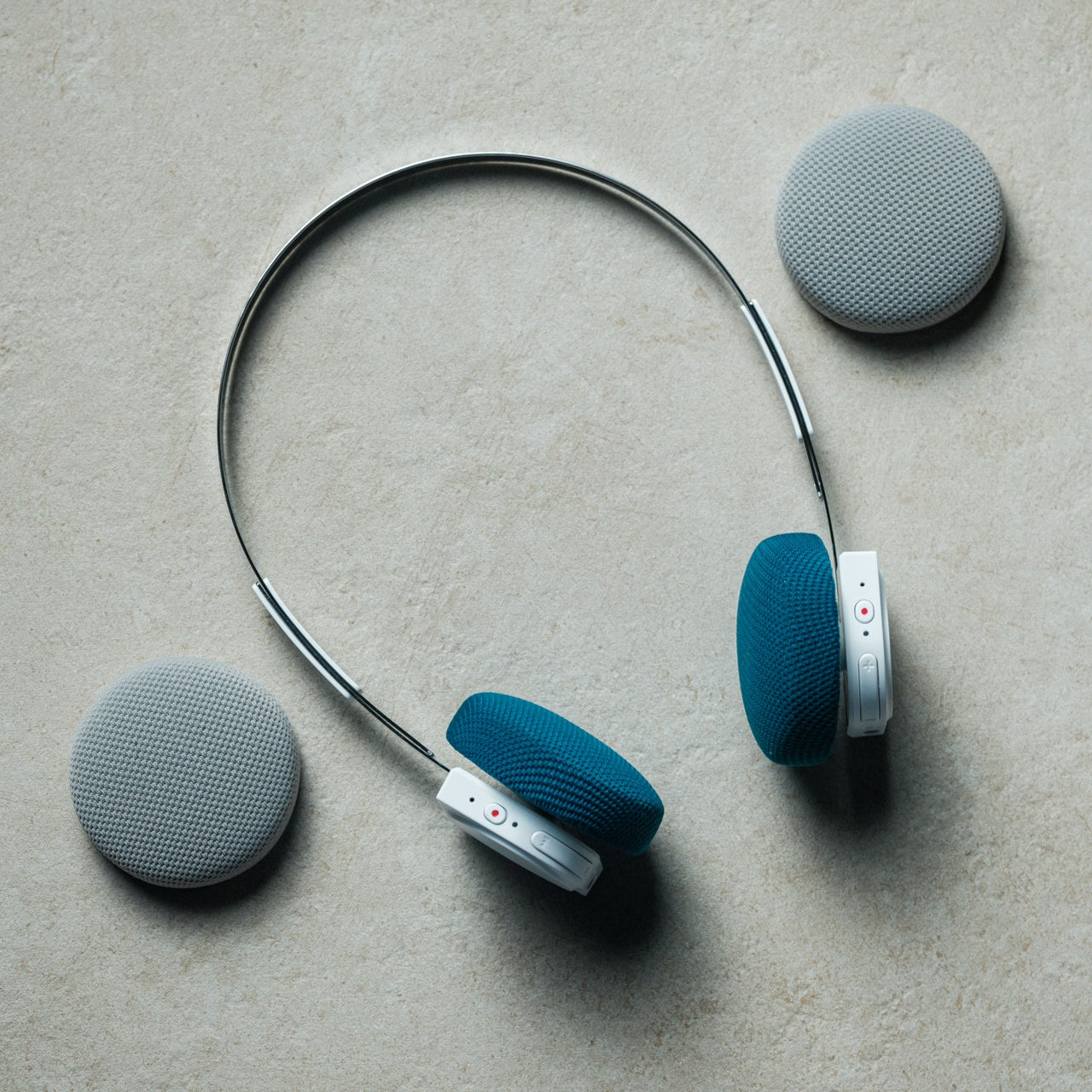
4. StillFrame Headphones

Designed by Tatsufumi Funayama, the StillFrame headphones are part of a series that treats listening as a physical ritual rather than a background task. The form references the geometry of CDs from the 1980s and 1990s, sitting in deliberate conversation with a companion CD player from the same design family. At 103 grams, the headphones rest on-ear without pressure, and the stainless steel headband sits at the exact threshold where strength and lightness stop working against each other.

The 40mm drivers produce a wide, open soundstage that suits melodic and ambient listening more than aggressive bass-forward tuning. Noise cancelling and transparency mode both run off a single tap, switching between solitude and awareness as the room changes around you. Battery life reaches 24 hours. Bluetooth 5.4 handles wireless streaming and a USB-C cable supports high-resolution playback for sessions where latency matters. The fabric ear cushions swap magnetically between Light Gray and Turquoise. The internal circuit board is deliberately exposed, treating the electronics as part of the aesthetic rather than something to be hidden behind housing.

Click Here to Buy Now: $245.00

What we like

  • Magnetic ear cushion swaps take seconds and shift the headphones between color variations without tools or friction.
  • The exposed circuit board treats the engineering as a design feature, which is a more honest visual decision than a sealed plastic shell.

What we dislike

  • On-ear fit at 103 grams stays comfortable across extended sessions but will feel firmer than over-ear alternatives during long listening.
  • At $245, the StillFrame sits at the upper end of the on-ear wireless category. The design rationale justifies it, but the price is real.

5. Flipper Zero

The Flipper Zero became a TikTok phenomenon in 2022 when videos showed it cloning RFID cards, controlling air conditioners, and toggling traffic infrastructure through infrared, and governments immediately panicked. The more accurate reading is that a small pocket device was pointing out how easy it is to interact with the invisible electronic layer of everyday objects, and that turned out to be an uncomfortable thing to demonstrate publicly. The Flipper Zero was built to make that layer visible and approachable to anyone curious enough to try.

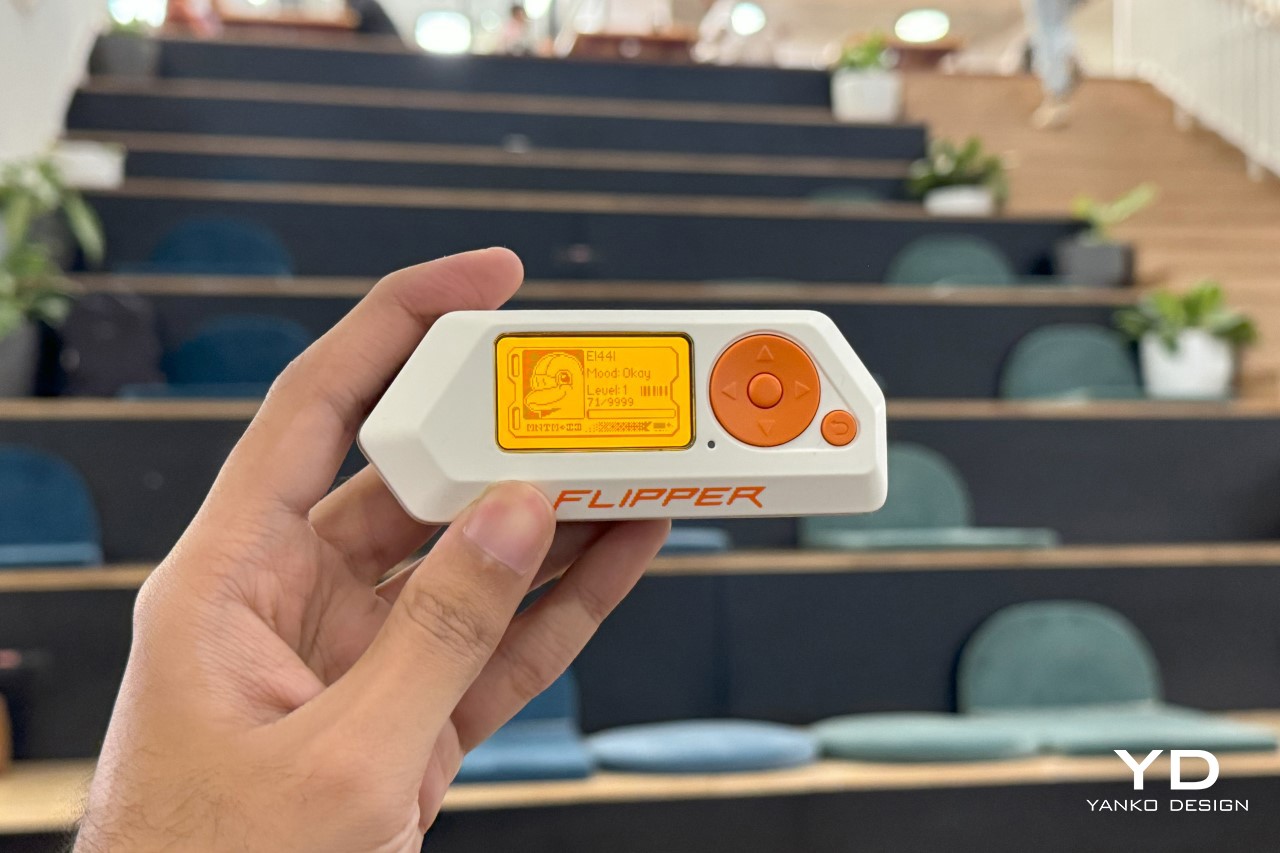
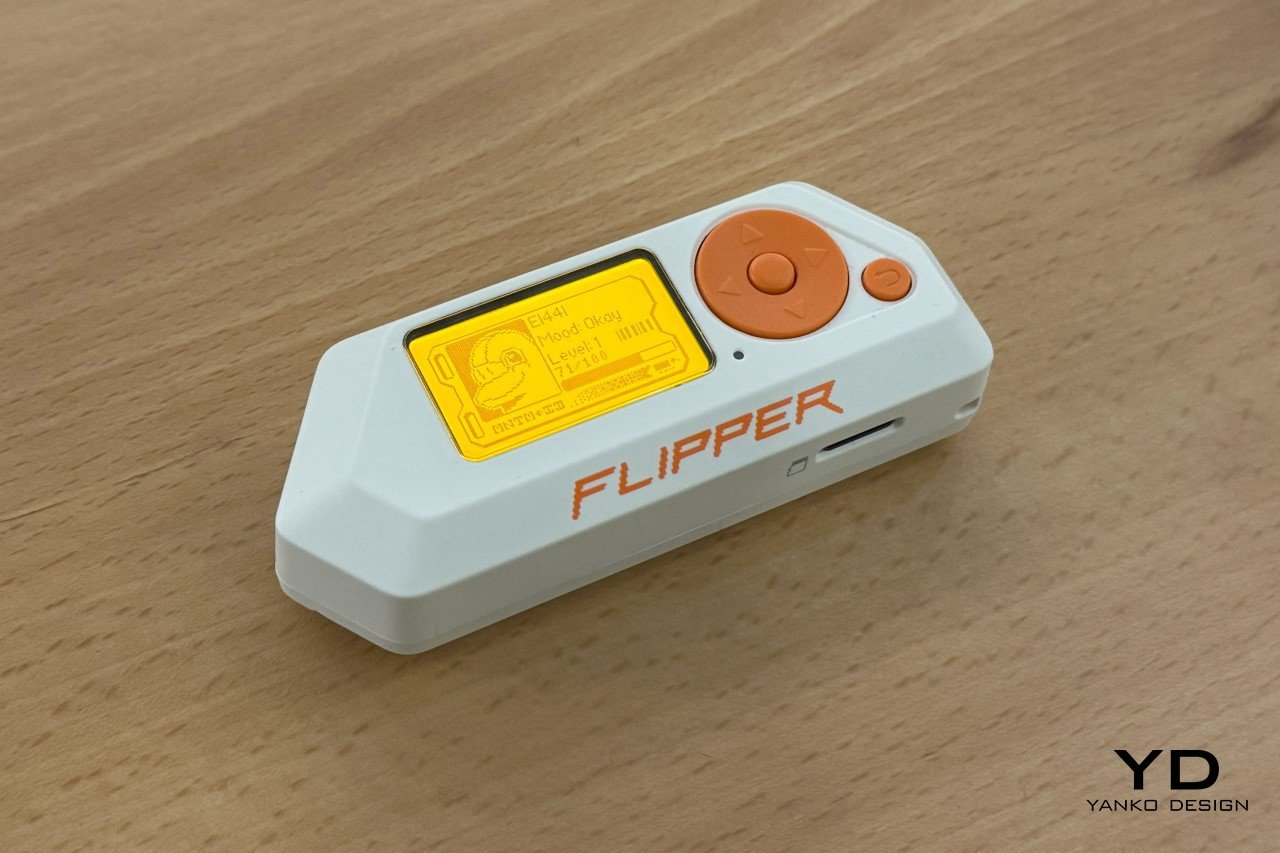
Shaped like a Tamagotchi and governed by a cyberpunk dolphin mascot that grows more capable the more you explore it, the Flipper Zero packs a 125kHz antenna, sub-GHz radio, NFC module, Bluetooth Low Energy, infrared transmitter, iButton reader, and a GPIO header for attaching external hardware modules into a device that fits in a pocket. The monochrome orange screen is a deliberate nod to the Siemens C55. The menu navigates like a Nokia phone from 2003. Both of those choices are entirely intentional, and they are a large part of why the device developed a community of over half a million users without a single mainstream marketing campaign.

What we like

  • The GPIO header on top means the base device is a starting point. External modules continue to expand what it can do years after the first purchase.
  • The dolphin mascot and Tamagotchi structure make something genuinely technical feel approachable without softening what the device actually does.

What we dislike

  • The Flipper Zero’s reputation draws attention in airports and public spaces. Carrying it casually requires a willingness to explain it on the spot.
  • The software learning curve is real for anyone without a technical background, even with an accessible interface.

The Best Tech Right Now Feels Like It Was Made for You Specifically

The throughline across these five products is not aesthetics or price. It is the sense that each was designed by someone who thought about the relationship between person and object before they thought about the spec sheet. That quality is rare in consumer electronics, and it tends to surface among smaller brands, independent designers, and companies that build for communities rather than quarterly targets.

Gen Z is not chasing the next iPhone upgrade. They are chasing the feeling that a piece of technology was made for them specifically, understands how they actually move through the world, and earns its place in the pocket rather than demanding attention from it. These five products do not all succeed equally on every count, but each one makes a credible case that the feeling is still achievable.

The post 5 Best Tech Gadgets That Finally Get How Gen Z Actually Uses Technology first appeared on Yanko Design.

Samsung’s Best Foldable Has 4,400mAh, Vivo’s Has 7,000

Foldable phones have gone from novelties to genuine daily drivers, but the category still wrestles with two persistent complaints: battery anxiety and cameras that don’t quite match their non-folding counterparts. The big names have made progress on both fronts, though rarely at the same time, and rarely without some trade-off in thickness, weight, or price. That tension has defined the foldable experience for years.

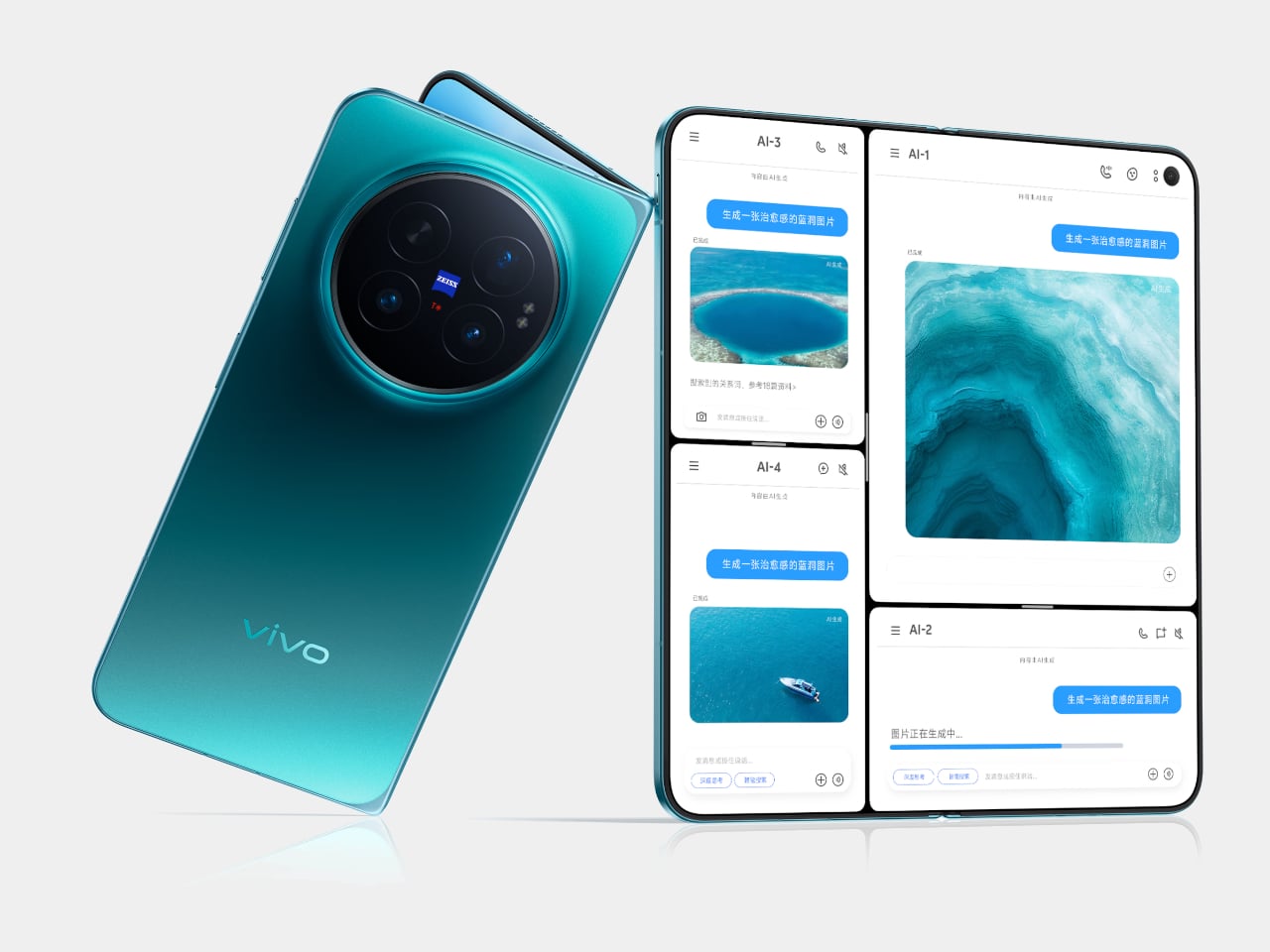
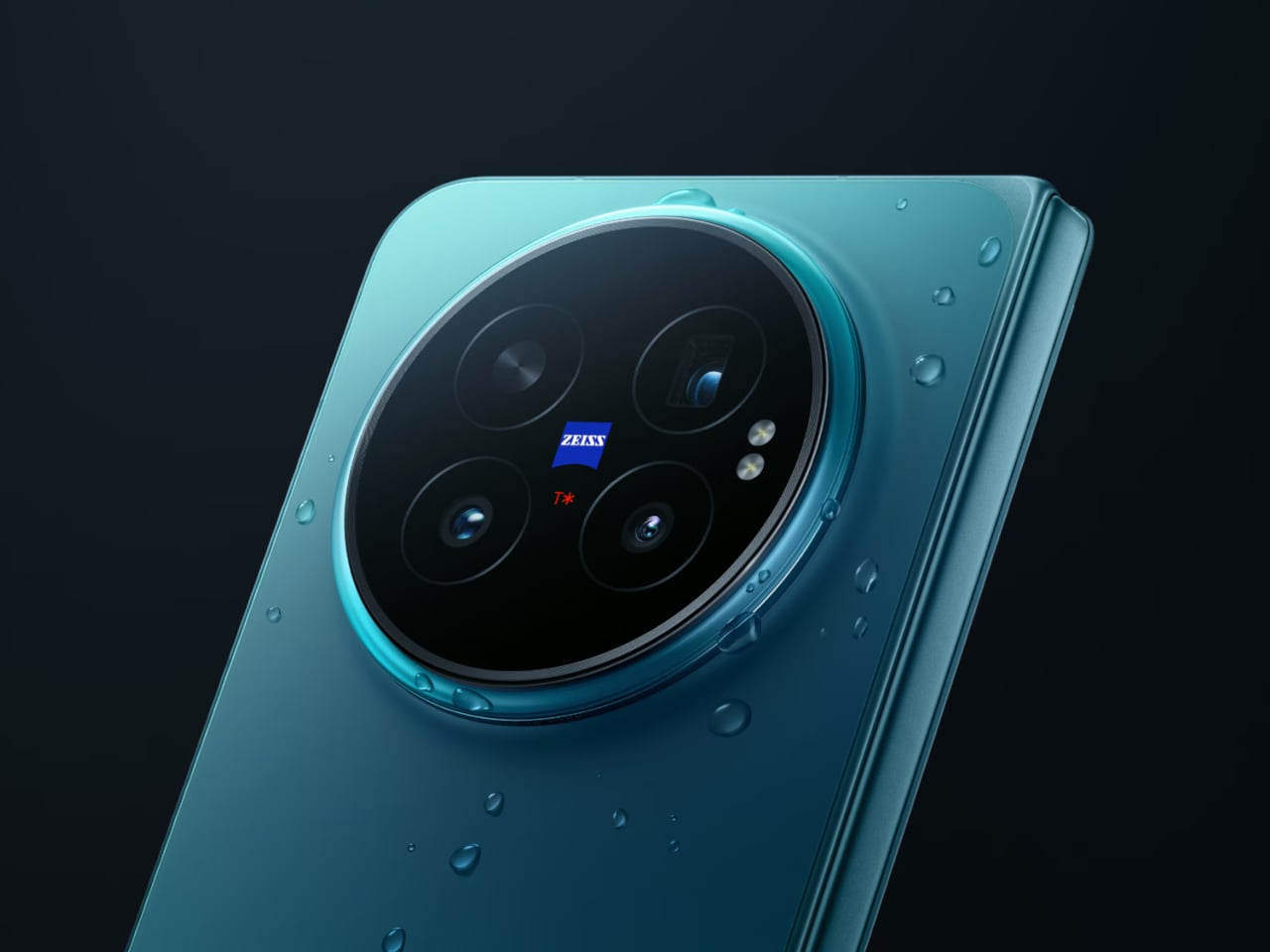
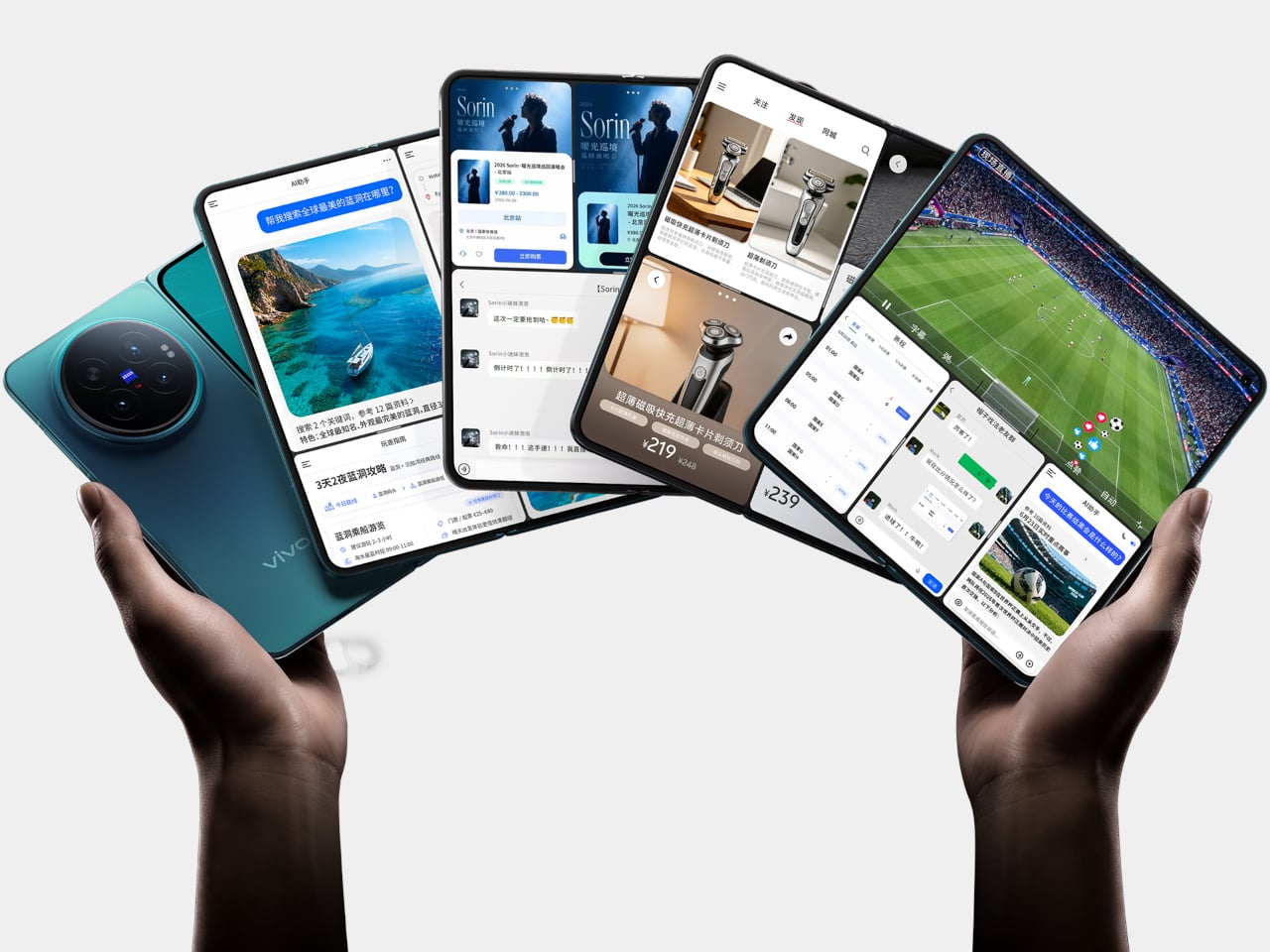
The Vivo X Fold 6 takes aim at both problems at once, arriving with a 7,000mAh silicon-carbon battery and a 200MP ZEISS-tuned main camera on a form factor that still manages to fold flat into your pocket. It’s a foldable that doesn’t ask you to pick between photography and endurance, and the spec sheet makes a strong case that Vivo isn’t bluffing on either front.

Designer: Vivo

That 7,000mAh figure deserves some context. Samsung’s Galaxy Z Fold 7 packs a 4,400mAh battery, a 2,600mAh gap that isn’t a rounding error. The X Fold 6’s cell is a silicon-carbon design, which keeps the phone from becoming unreasonably thick despite the capacity. It charges at 80W over wire and 40W wirelessly, so topping up on a desk or a hotel nightstand doesn’t take long.

The camera system is where things get genuinely interesting. The 200MP main sensor, which measures 1/1.4 inches and opens at f/1.68, is ZEISS-tuned and sits alongside a 50MP ultrawide and a 50MP 3x periscope telephoto. That telephoto sensor, a Sony LYT-602, is larger than the one found in competing foldables from Samsung, OPPO, and Honor. Vivo’s Blueprint V3+ imaging chip handles processing duties across the setup.

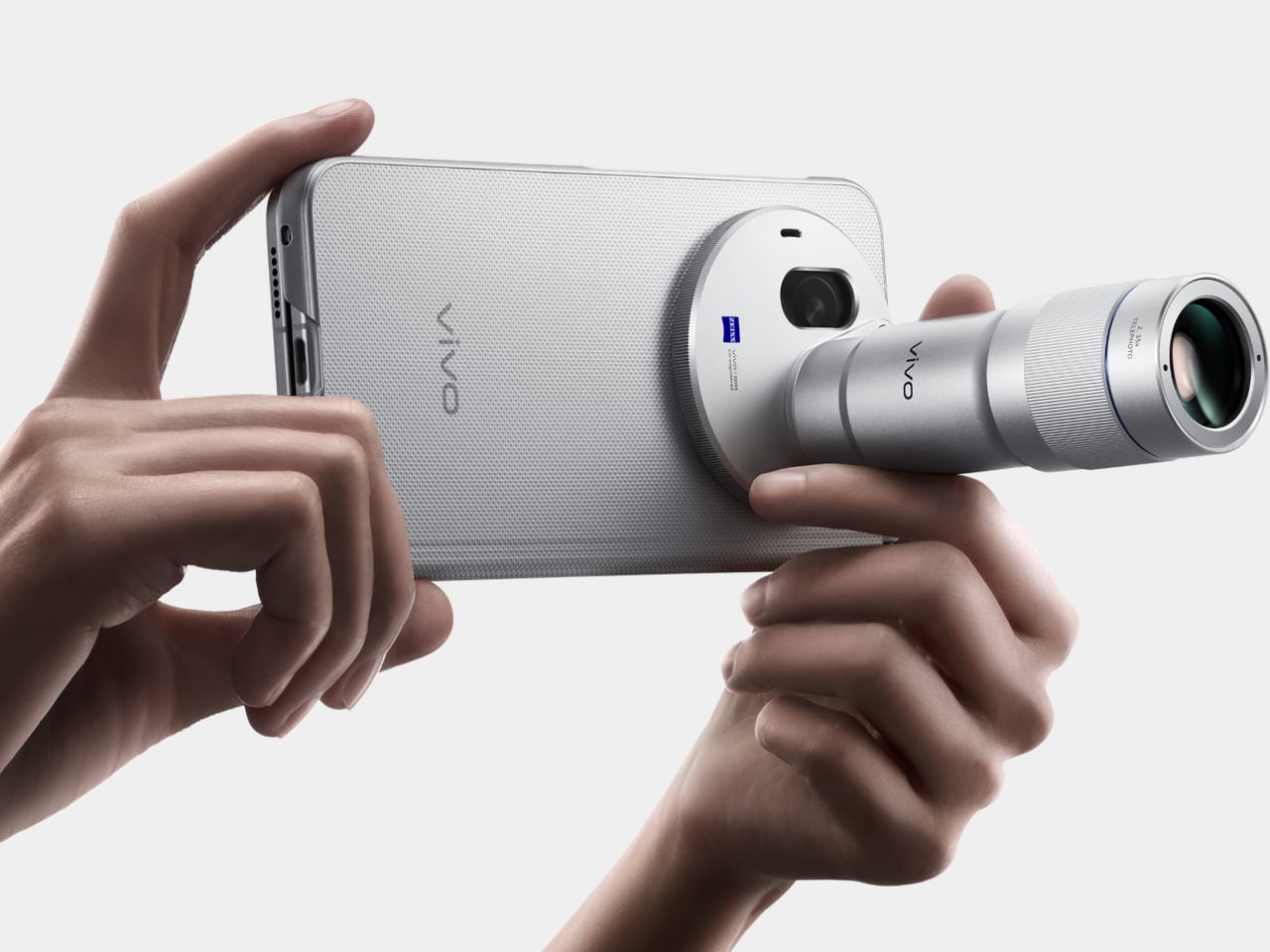
There’s also a first for the X Fold series: support for an external camera lens. The second-generation 200mm telephoto extender, which clips onto the 3x camera, enables native 8.3x shots and lossless 17x captures. For video, the phone records at up to 8K and supports 4K/60fps Dolby Vision, along with film styles borrowed from Vivo’s higher-end lineup. Two 20MP front cameras, one per display, handle video calls.

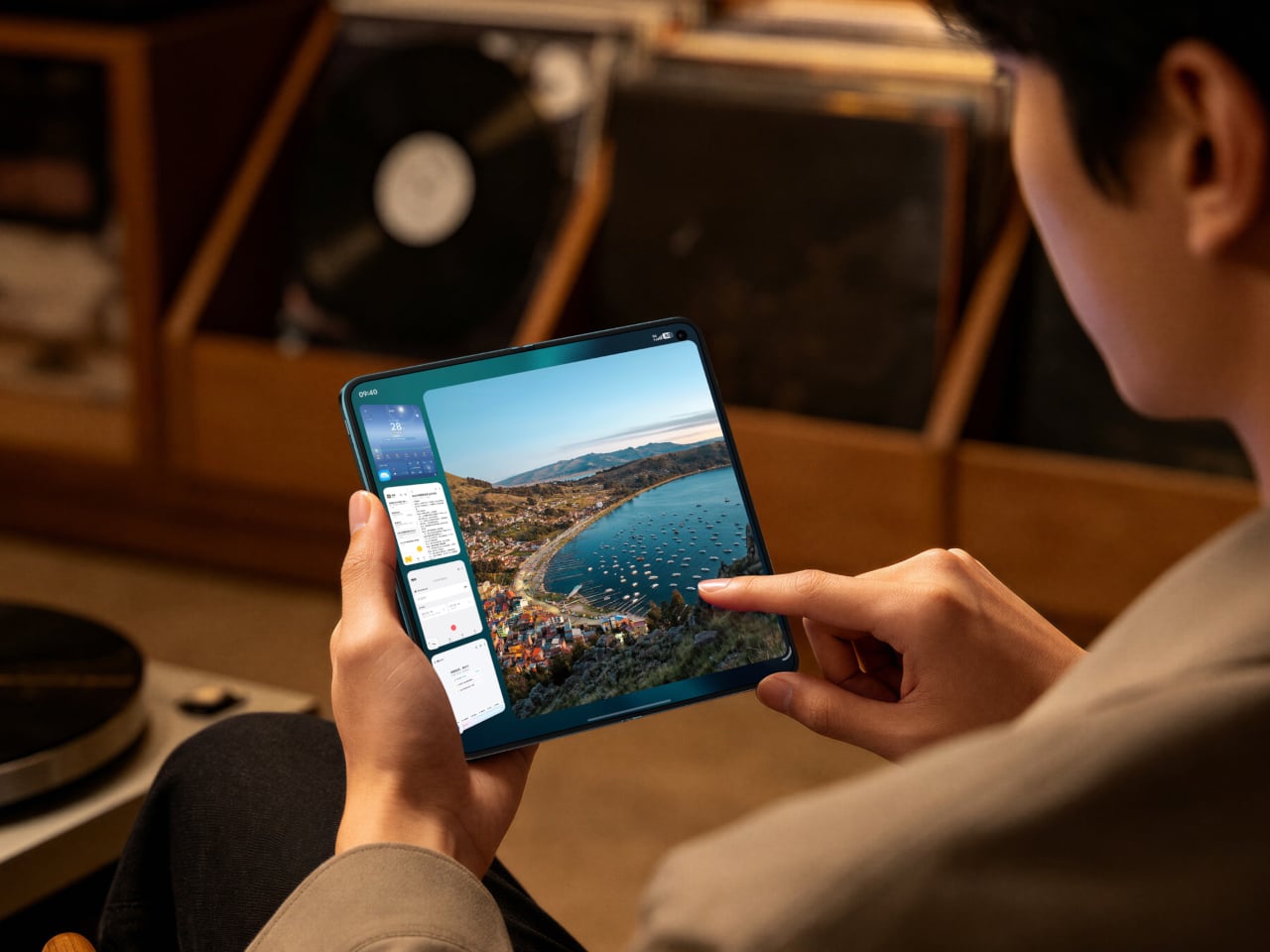
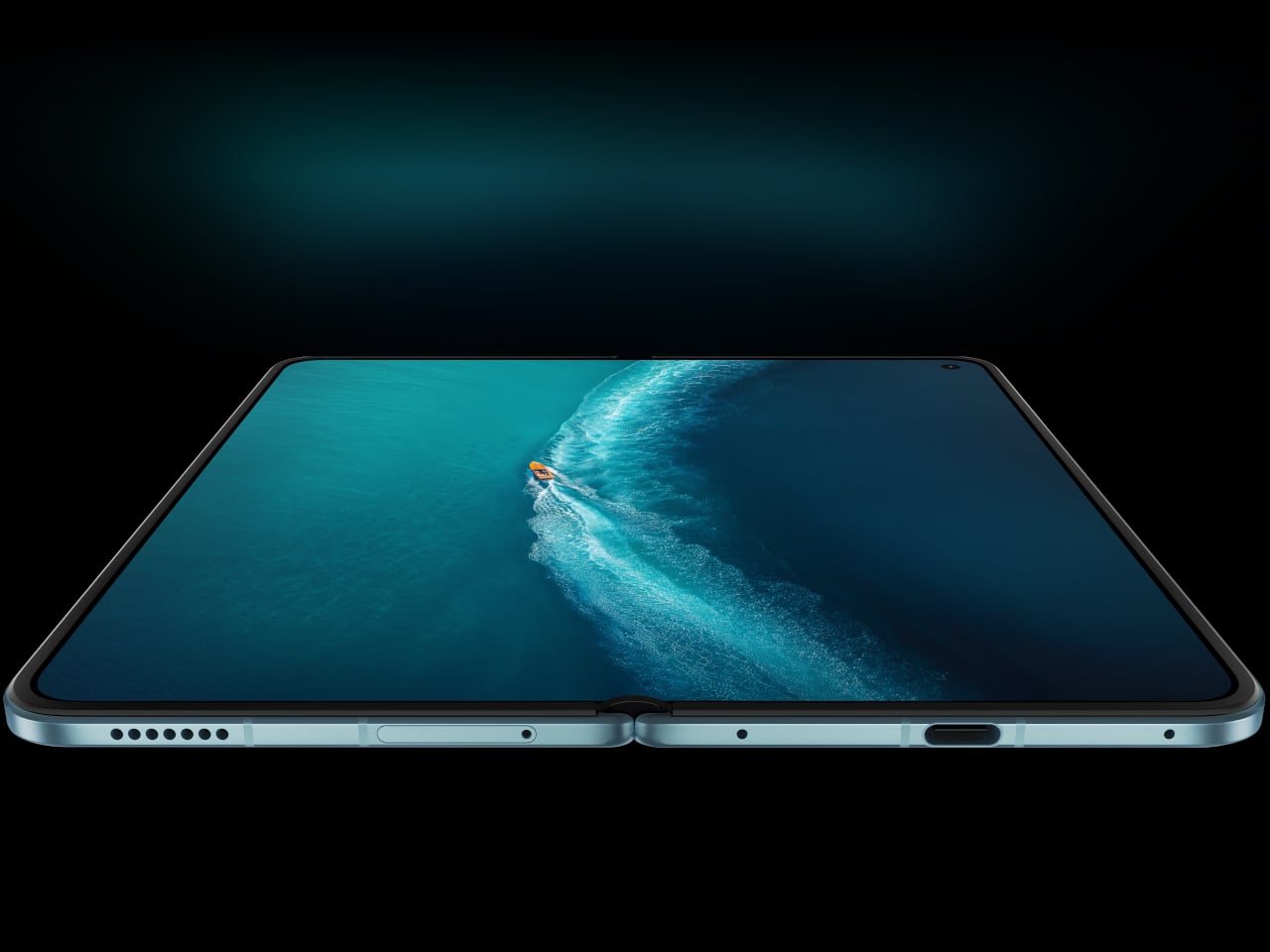
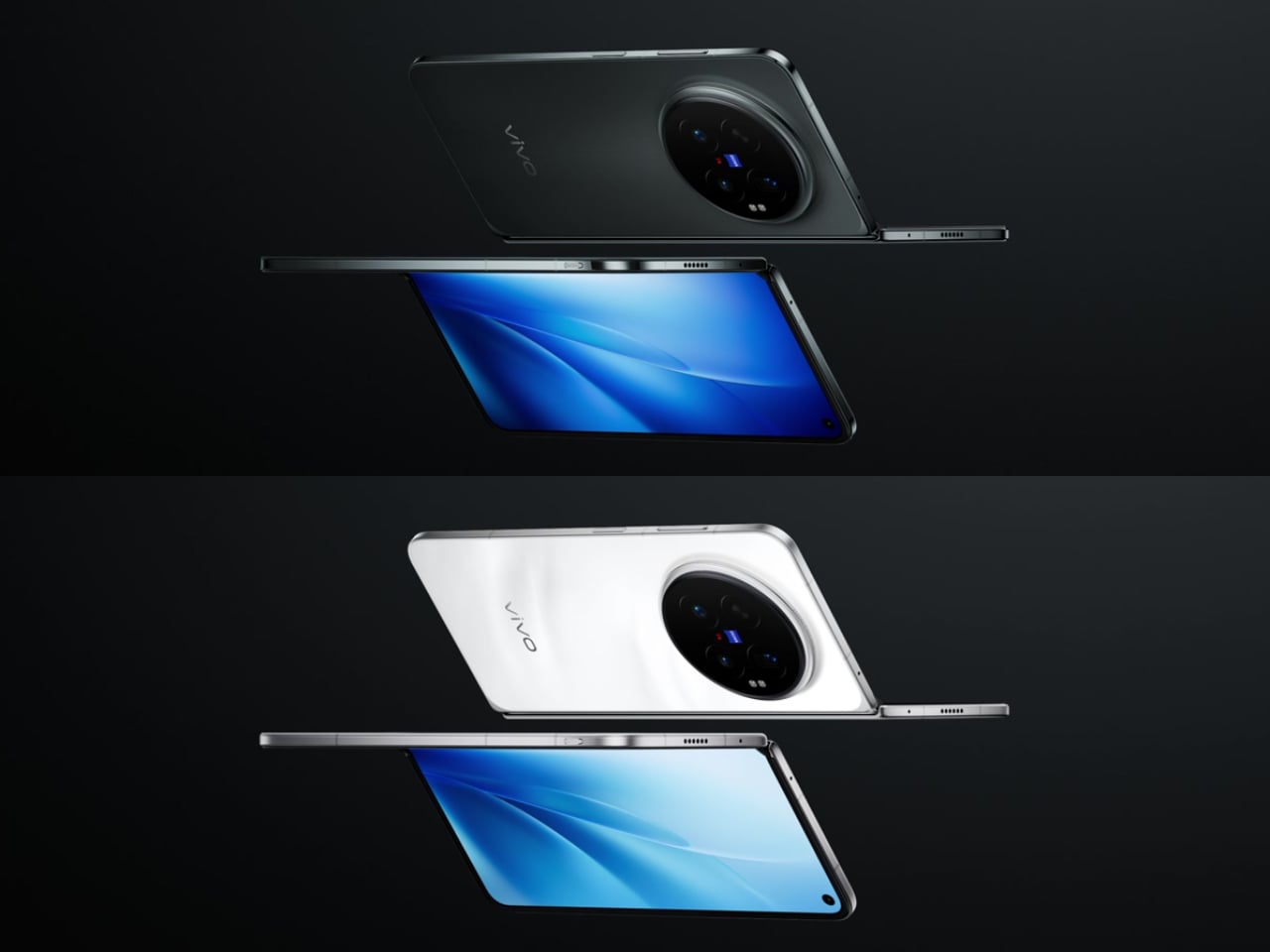
Unfold the device, and you’re greeted by an 8.02-inch AMOLED inner display, powered by a Samsung M14 panel, with a peak brightness of 5,000 nits and a variable refresh rate between 1Hz and 120Hz. The cover screen is 6.51 inches. Both carry IP58 and IP59 ratings for dust and water resistance, which actually puts the X Fold 6 ahead of Samsung’s current flagship on that particular front.

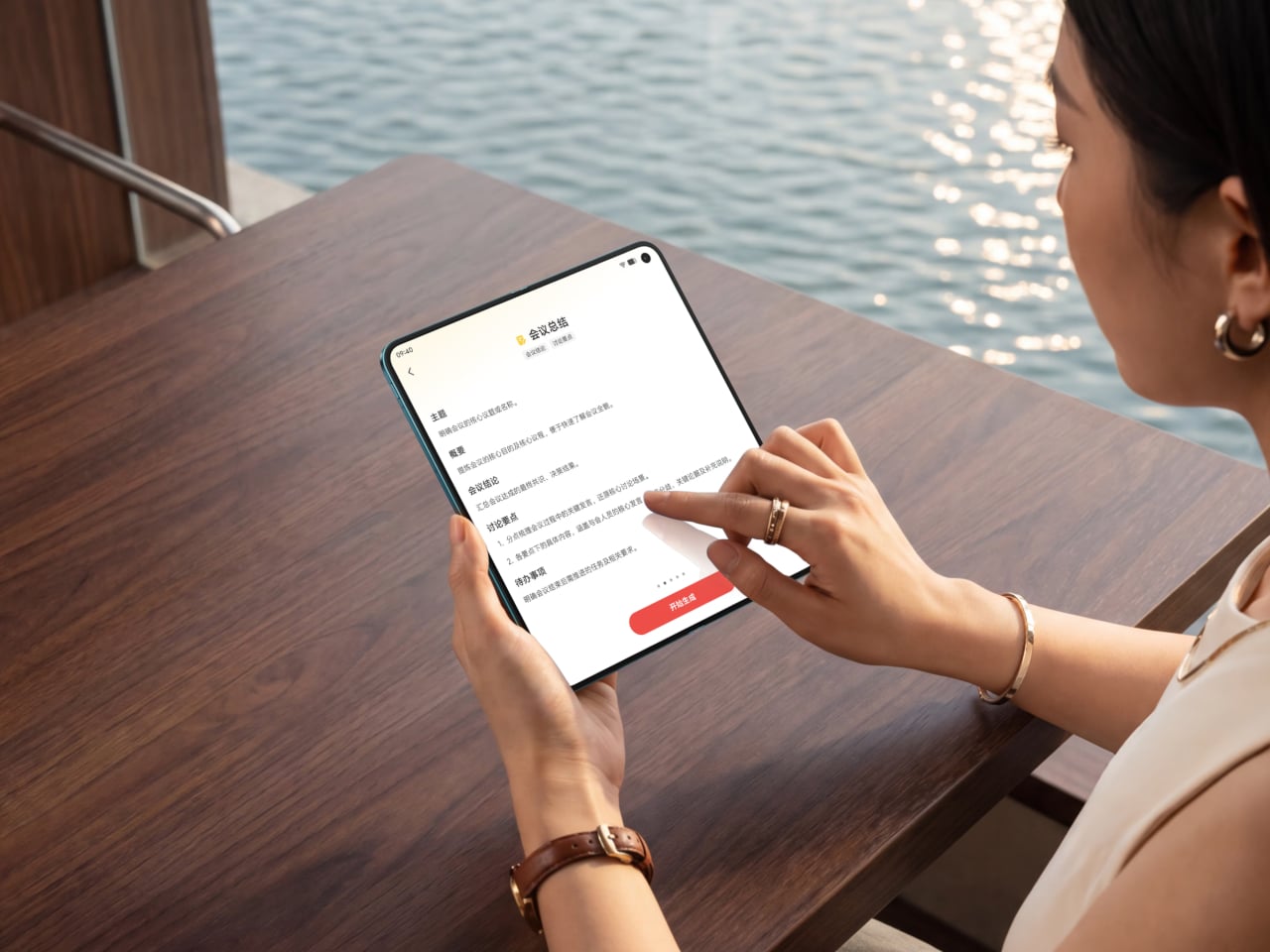
OriginOS 6 Fold is built specifically for the foldable experience rather than simply scaled up from a phone UI. The upgraded Atomic Workbench makes keeping multiple apps side by side less of a chore, with AI tools for transcription, file suggestions, and document summaries. The Dimensity 9500 Super Edition, the first MediaTek chip in an X Fold flagship, does the heavy lifting across all of it.

The X Fold 6 launched in China starting at CNY 7,999 (around $1,180) for the 12GB/256GB variant, with the top-tier 16GB/1TB Black Gold Edition at CNY 11,299 (roughly $1,660). A global release date hasn’t been announced yet. It comes in Blue Hole, Salt Lake, Polar Night, and Black Gold, and its hinge is rated for 600,000 folds, which should cover years of daily use.

The post Samsung’s Best Foldable Has 4,400mAh, Vivo’s Has 7,000 first appeared on Yanko Design.

Get Ready for the $395 Tablet That Makes iPad Look Overpriced

Large Android tablets have long occupied an awkward middle ground. They’re capable enough to replace a laptop for basic tasks, but the best ones tend to carry prices that push them out of reach for most people. Apple’s iPad Pro remains the benchmark, but it demands a premium few can justify. Smaller competitors have tried to close that gap, though few have done so convincingly at the high end.

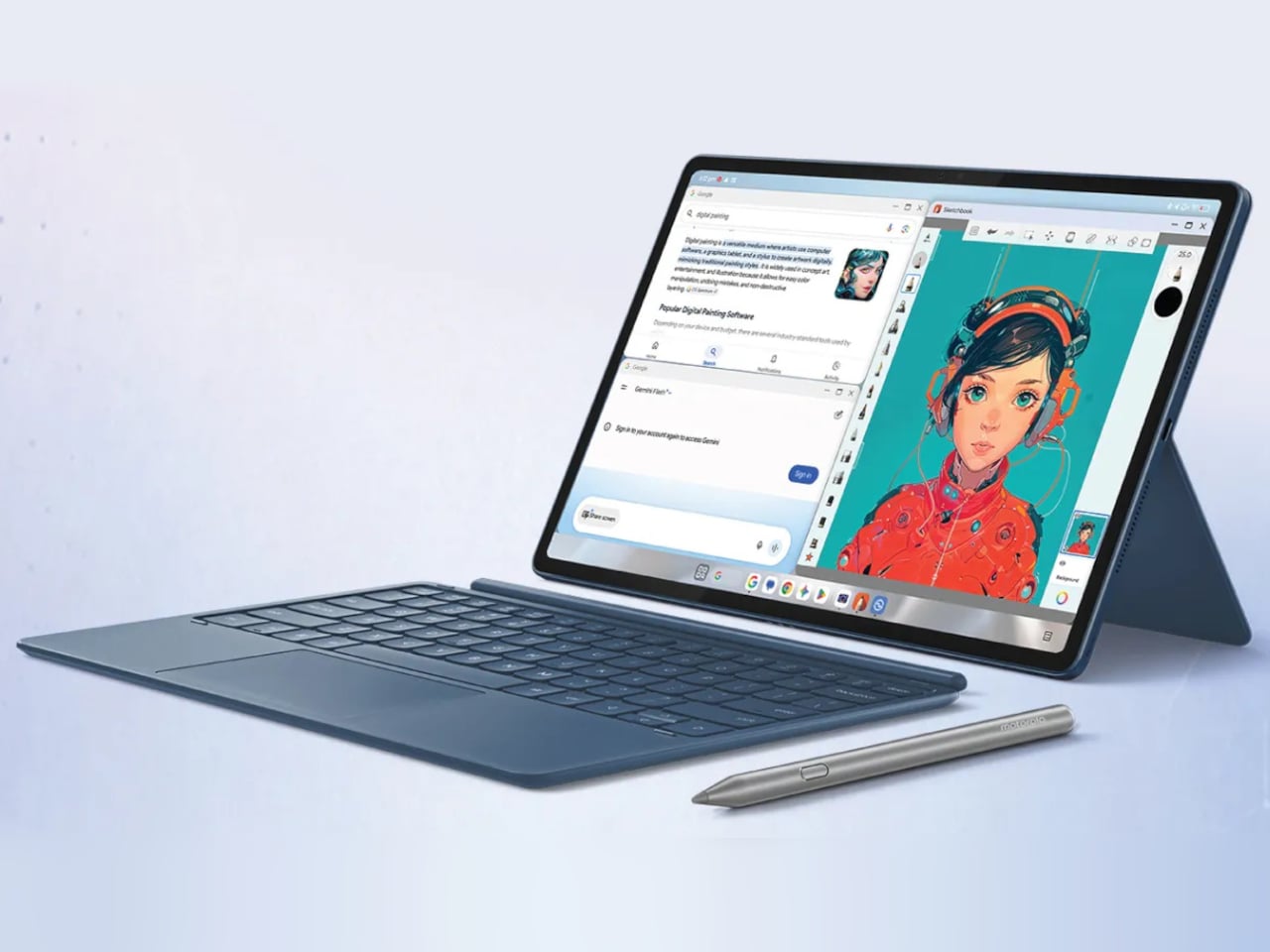
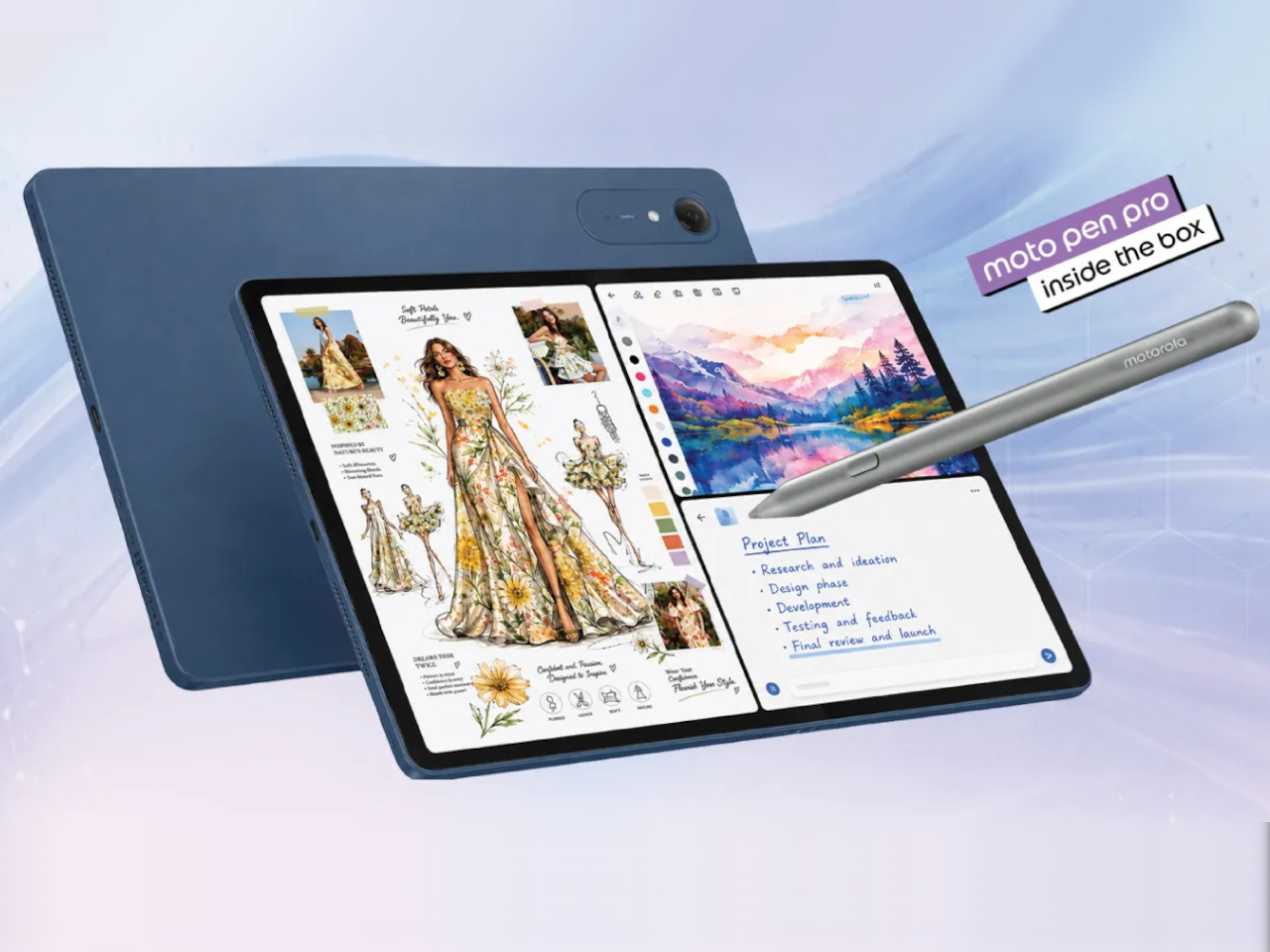
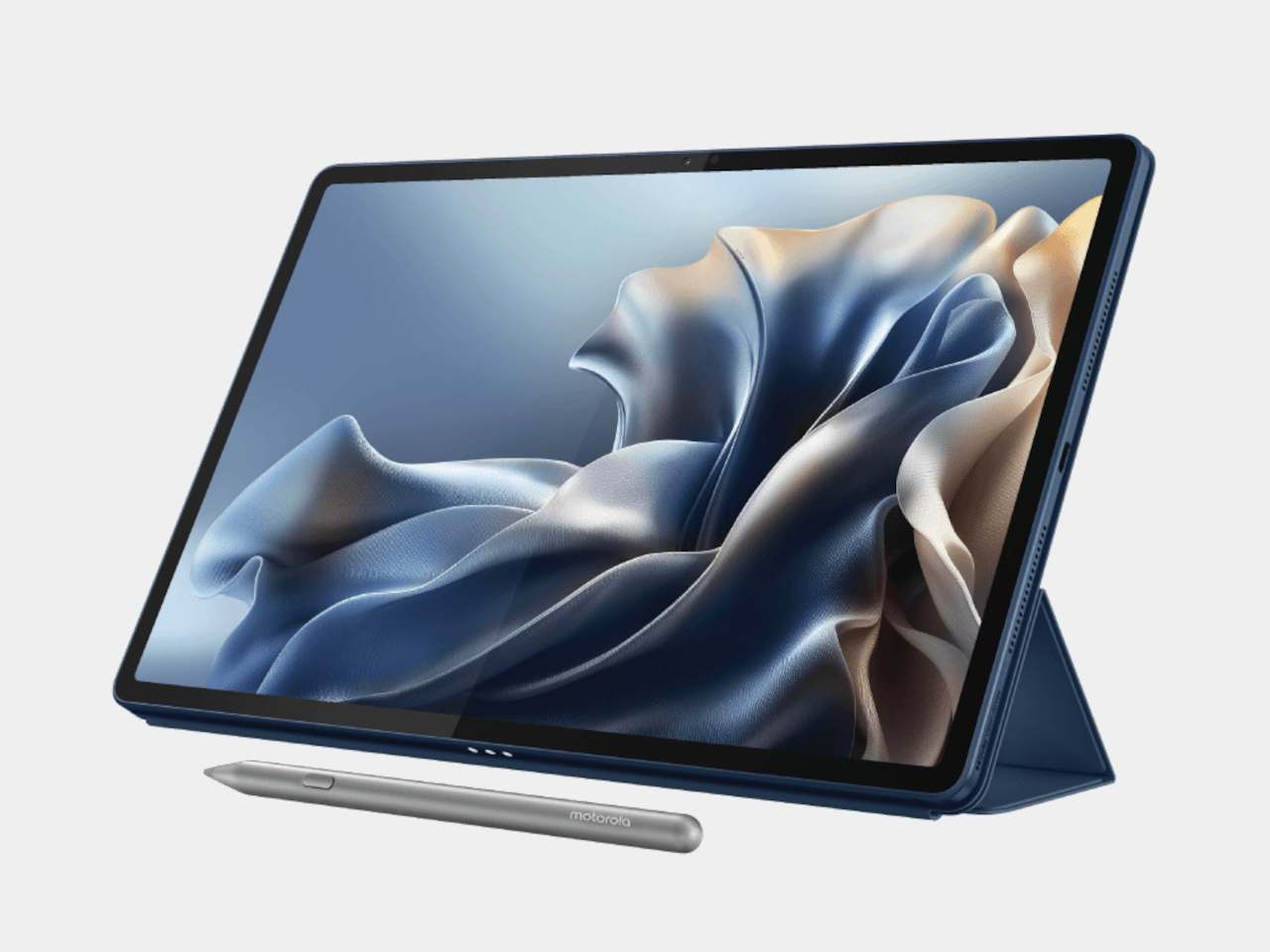
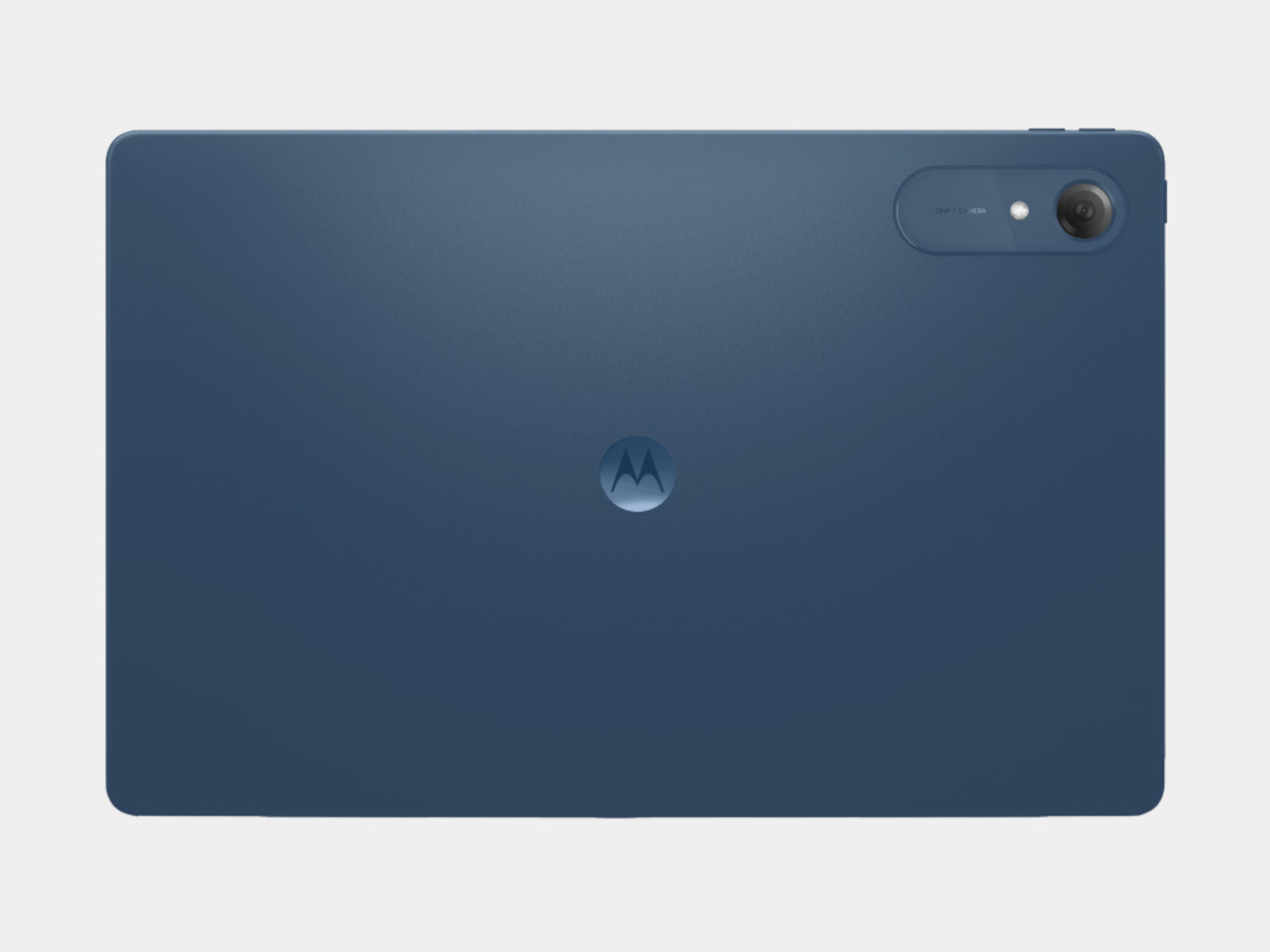
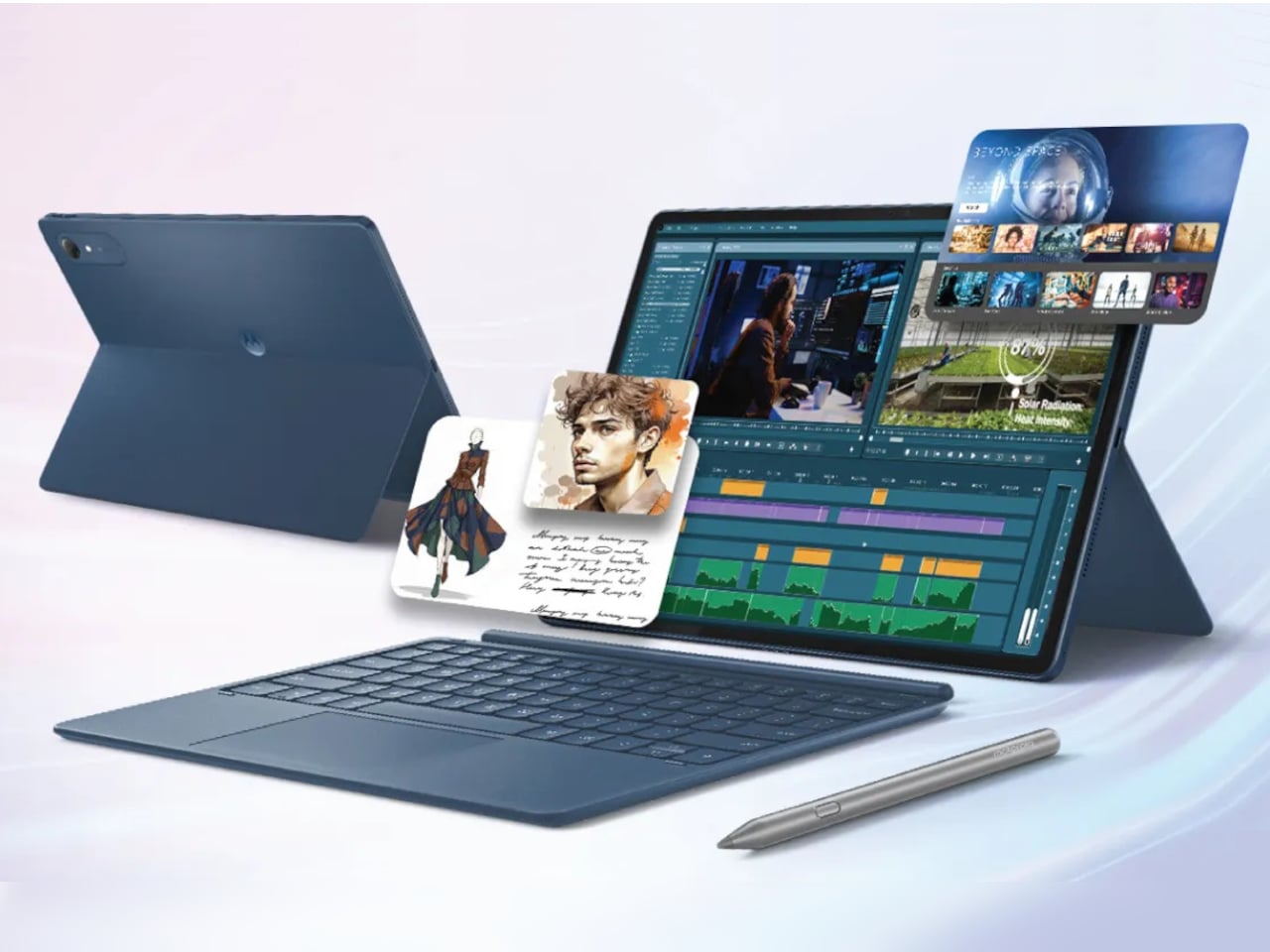
The Moto Pad 70 Pro takes a different approach by packing a flagship-grade experience into a price most people can actually stomach. It’s a 13-inch tablet running on Qualcomm’s Snapdragon 8s Gen 4, and it comes with the Moto Pen Pro stylus already in the box. That last detail is worth pausing on, considering that rival devices often charge extra for that same privilege.

Designer: Motorola

The display is the first thing that wins you over, and rightly so. The 13-inch screen hits a 3.5K resolution, runs at 144Hz, and supports Dolby Vision with 12-bit color depth. At 800 nits in HBM mode, it handles most well-lit rooms with little trouble. For streaming, sketching, or just browsing through a long article, the panel holds up comfortably.

Performance is handled by the Snapdragon 8s Gen 4, which Motorola claims scores around 2.5 million on AnTuTu. In practical terms, that means the tablet can run games at 120FPS without breaking a sweat. It ships with Android 16 and is promised updates through Android 18, alongside security patches until 2030. Storage goes up to 256GB internally, with a microSD slot supporting cards up to 2TB.

The Moto Pen Pro is included in the box, which makes a bigger difference than it might seem. It connects to AI tools like Sketch to Image, which turns rough doodles into finished artwork, and AI Live Transcript, which converts spoken audio to text in real time. Smarter Reader, meanwhile, summarizes long documents on the fly. These features feel genuinely practical when the stylus is already in your hand.

Audio on a tablet this size can either be forgettable or genuinely useful, and the Moto Pad 70 Pro leans toward the latter. Four JBL speakers tuned with Dolby Atmos make the difference noticeable, especially during video calls, movie sessions, or when someone’s presenting a slide deck to a small group. It’s the kind of audio setup that makes you reach for external speakers far less often.

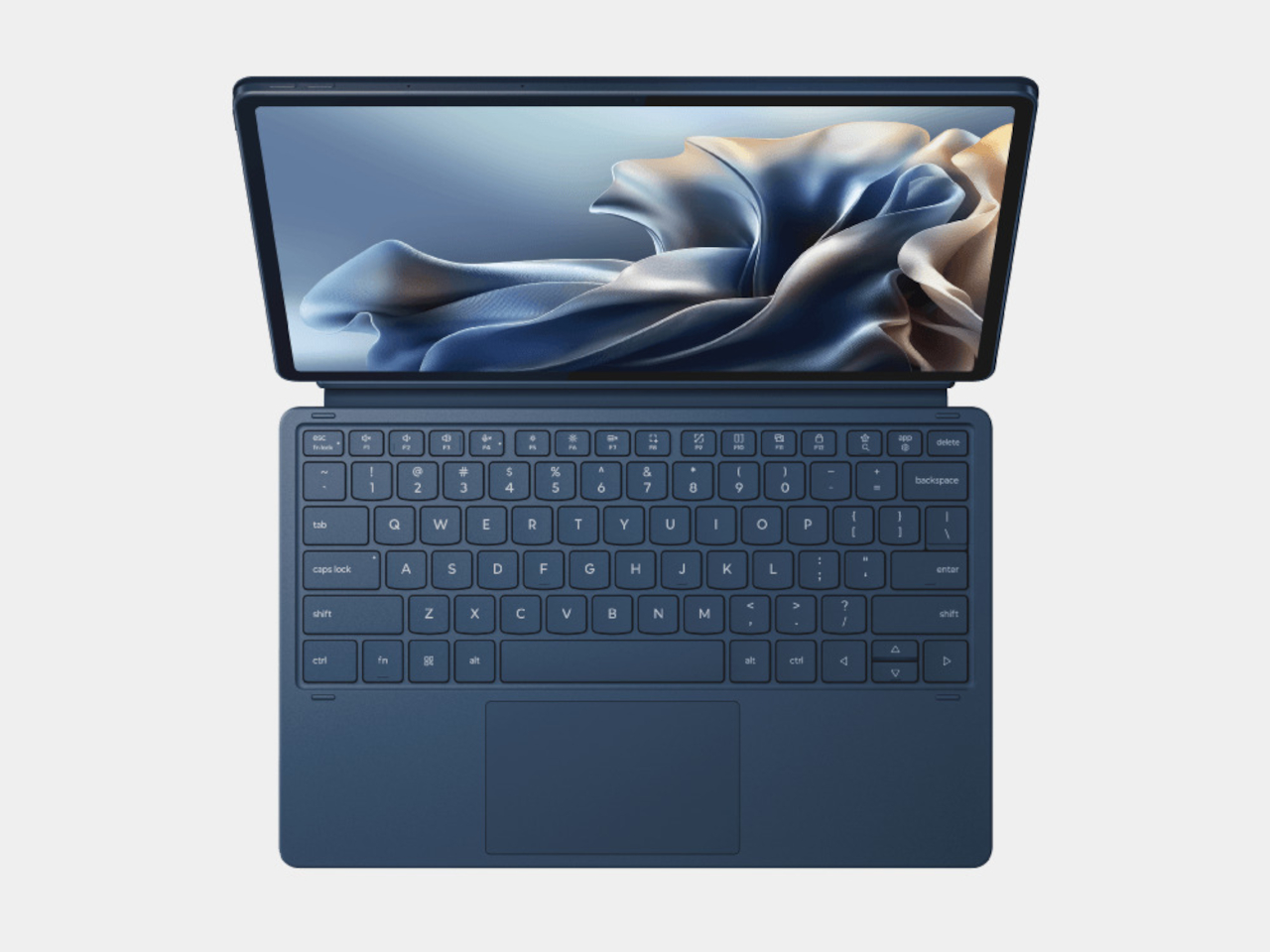
Battery life is anchored by a 10,200 mAh cell with 45W charging, though Motorola bundles a 68W adapter in the box. The tablet’s productivity credentials go further with a PC Mode that gives the interface a desktop feel, and Smart Connect for file sharing between devices. A snap-on keyboard is available separately, and a USB Type-C 3.2 port lets you hook it up to an external display.

The Moto Pad 70 Pro goes on sale July 4 in India, starting at ₹36,999, roughly $395, for the 8GB/128GB variant and ₹39,999, around $425, for the 8GB/256GB model. It has no LTE option, and the single Pantone Titan finish doesn’t leave much room for personalization. But at 6.2mm thin, weighing 589g, and with a bundled stylus already in the box, there’s a lot here for the price.

The post Get Ready for the $395 Tablet That Makes iPad Look Overpriced first appeared on Yanko Design.

Nudge Is the Brain-Tuning Wearable We Didn’t Know We Needed

We’ve gotten pretty comfortable letting technology tell us how to sleep, how many steps to take, and when to breathe. The next frontier, apparently, is letting it tell our brain how to feel, and somehow, a headset called Nudge makes that sound less dystopian than you’d expect.

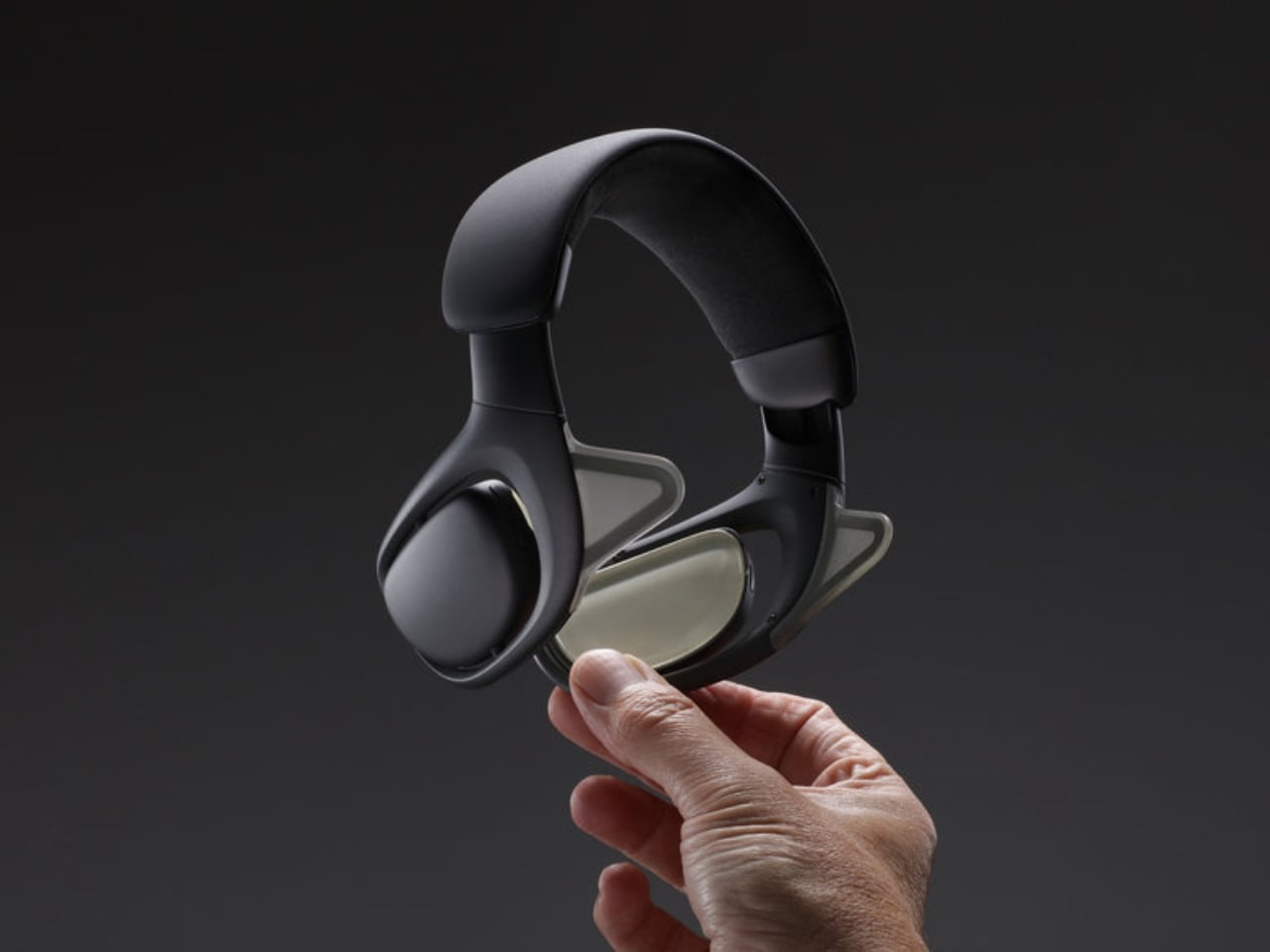
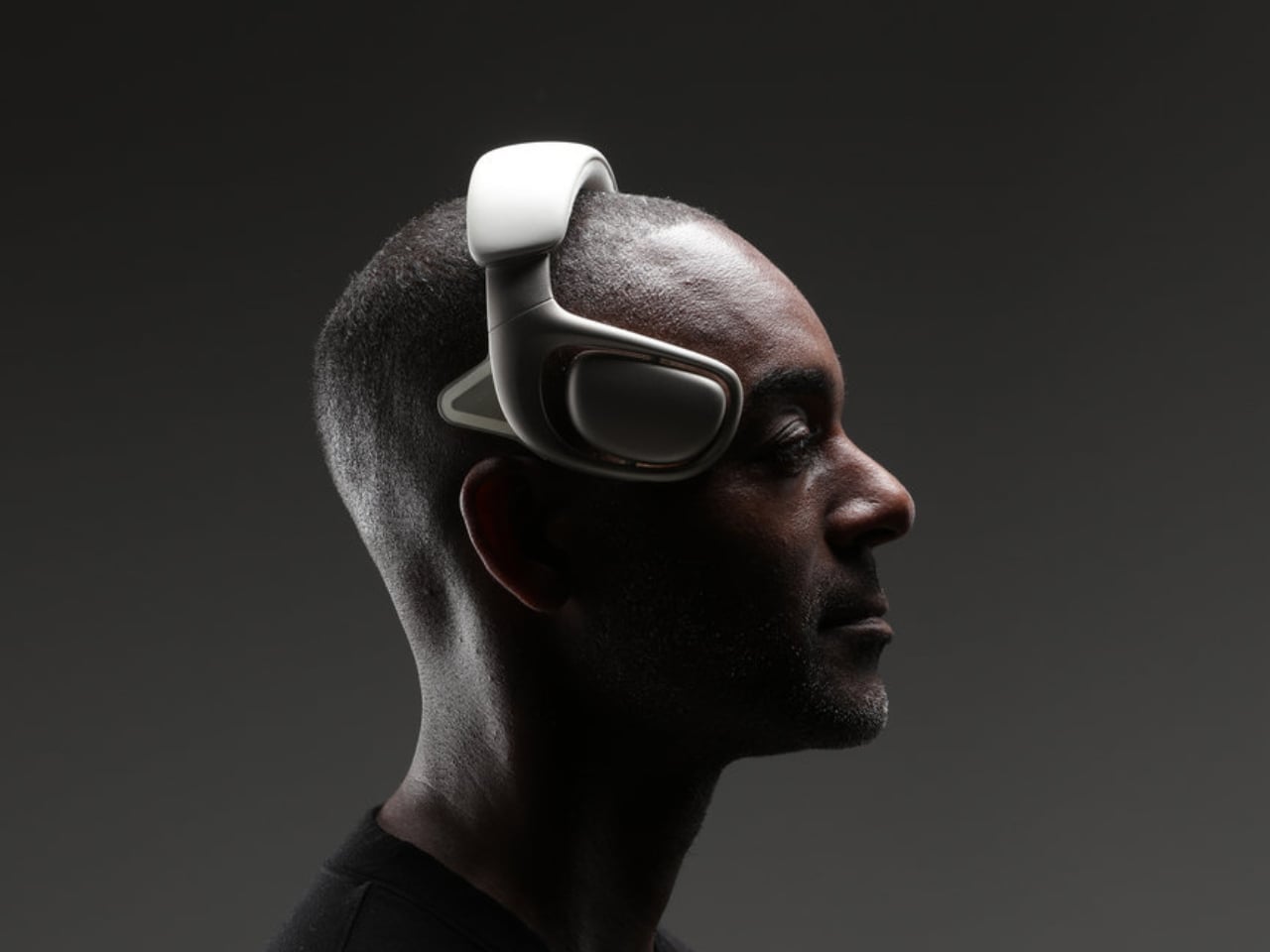
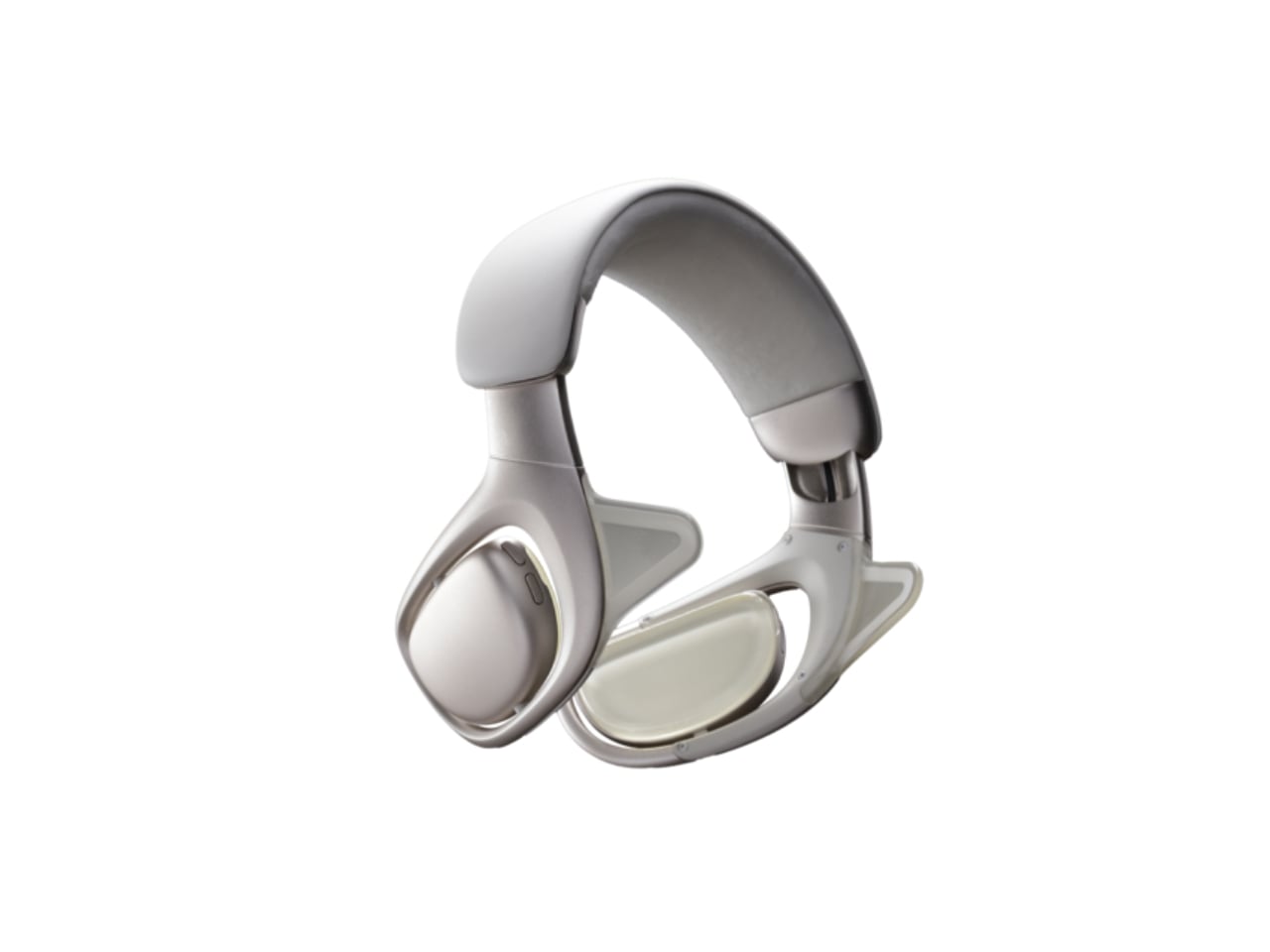
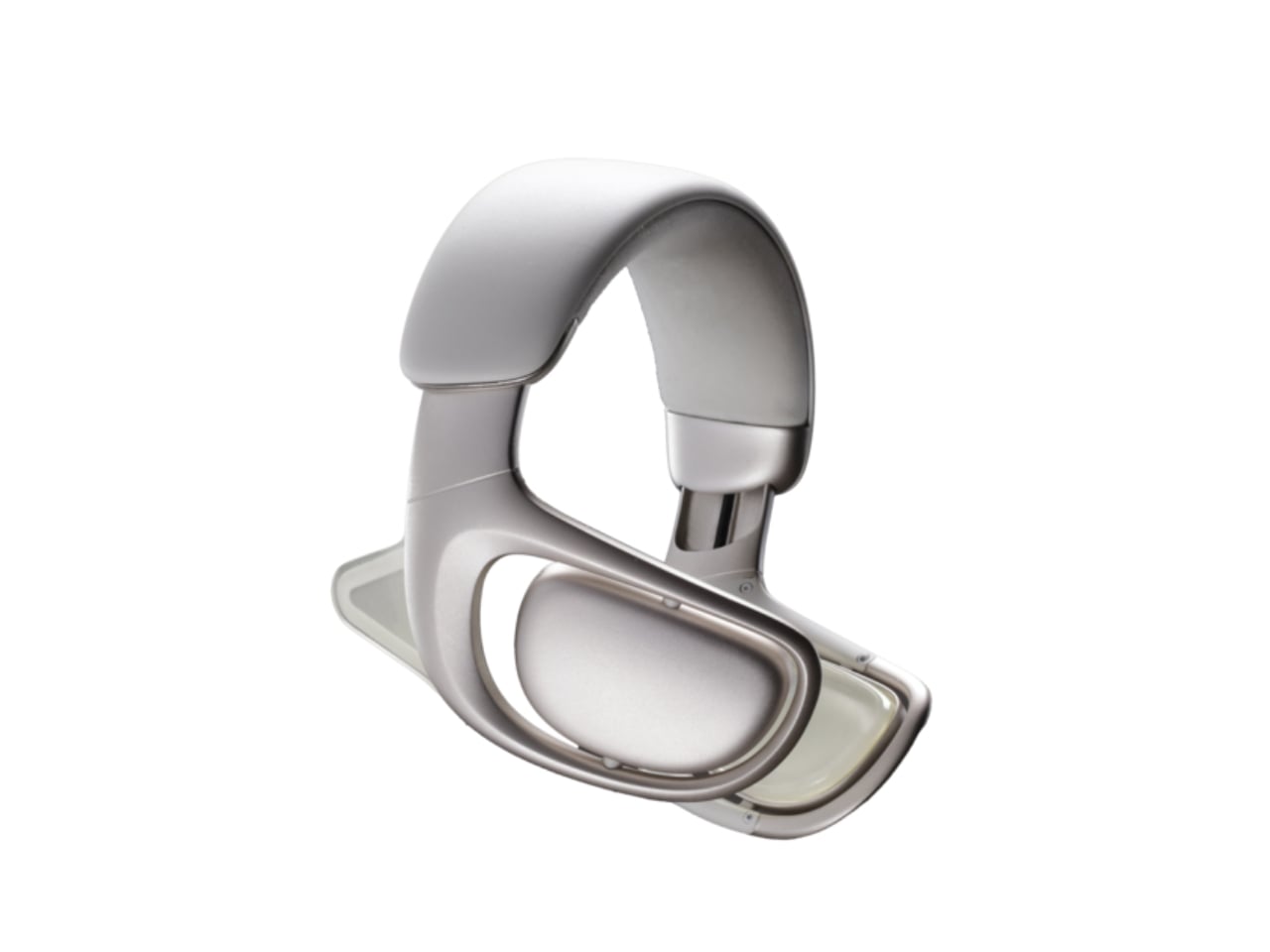
Designed by San Francisco-based studio Card79, the Nudge Wearable is a high-fidelity speculative prototype that imagines a near future where non-invasive neurotechnology becomes as ordinary as slipping on a pair of headphones. The concept is built around low-frequency ultrasound, an emerging method for modulating brain activity without surgery or implants, and proposes a simple, if mind-bending, proposition: the ability to intentionally shift between mental states like focus, calm, and rest, on demand.

Designer: Card79

Let that sink in for a second. The idea of tuning your cognitive state the way you’d tune a playlist isn’t new in science fiction, but Card79 is asking a different question: what would this actually look like if it existed today? Not as a clinical device buried in a research lab, but as something sitting on your bathroom counter, ready to go like your electric toothbrush. The answer they arrived at is surprisingly elegant.

The headset itself doesn’t look like a medical instrument. It doesn’t carry that cold, utilitarian aesthetic that usually comes with anything brain-adjacent. Instead, it reads as a refined consumer wearable, structured, minimal, and deliberately designed to feel like it belongs in daily life. Card79 put serious thought into the form: ultrasound emitters need precise, consistent alignment with specific regions of the brain, particularly around the temples, to be effective, so the design had to be both technically accurate and comfortable enough for extended wear. That’s a harder balance to strike than it sounds, and the fact that they pulled it off is worth noting.

The visual language here matters. By steering away from the look of medical equipment, the Nudge prototype quietly argues that neurotechnology doesn’t have to feel scary or clinical to be credible. It can be personal. It can be wearable. It can fit into the rhythm of a regular morning without demanding that you become a biohacker to use it.

Of course, the moment you accept that premise, the harder questions start surfacing. Card79 isn’t trying to sidestep them. The project openly invites conversation around agency, consent, and what it actually means to normalize tools that influence how we think and feel. If you can dial up focus before a big meeting or wind down on command before bed, who draws the line between self-optimization and something more complicated? Employers? Insurance companies? Yourself? These aren’t rhetorical questions, and Nudge doesn’t pretend to answer them. The prototype exists precisely to make abstract neuroscience feel tangible enough to talk about, which is exactly what good speculative design is supposed to do. It’s not a product manual for the future. It’s a provocation with really good industrial design.

Card79 has form here. The San Francisco studio has previously worked on projects for Neuralink and other neurotechnology ventures, so this isn’t an academic exercise from the outside looking in. They understand the technical constraints, which makes the Nudge prototype feel grounded rather than purely conceptual. The fact that it earned recognition in both the Speculative Design and Wearable Design categories at major design awards this year suggests the wider design community is taking the conversation seriously too.

What makes Nudge linger is not just the form or the technology behind it. It’s the cultural moment it’s arrived in. We’re already deeply invested in optimizing our physical health through wearables. The logical next step, optimizing our mental states through the same kind of everyday device, feels less like science fiction and more like an inevitable Tuesday morning. Whether that’s exciting or unnerving probably says more about you than about the technology itself. But the fact that a headset can make that conversation feel approachable, even desirable? That’s the real design achievement here.

The post Nudge Is the Brain-Tuning Wearable We Didn’t Know We Needed first appeared on Yanko Design.
This USB-C Dongle Just Let You Control an iPhone From Windows

Remote work has fundamentally changed how often people need access to devices they aren’t sitting in front of. The tools built for this, however, haven’t kept up. Software-based remote access drops the moment a device sleeps or the screen locks, traditional KVMs demand a tangle of HDMI, USB, power, and Ethernet cables, and phones and tablets have been left out of the picture entirely.

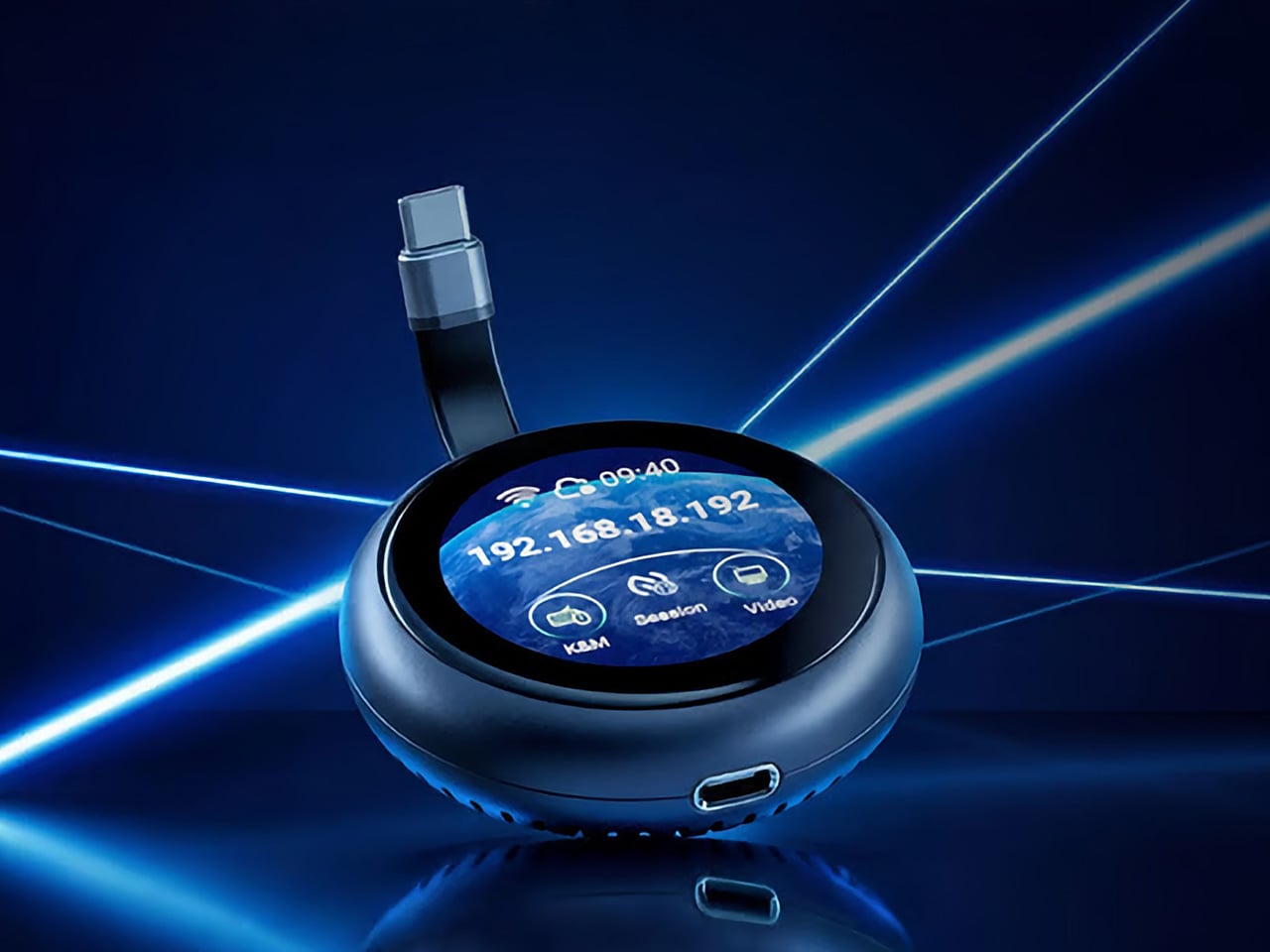
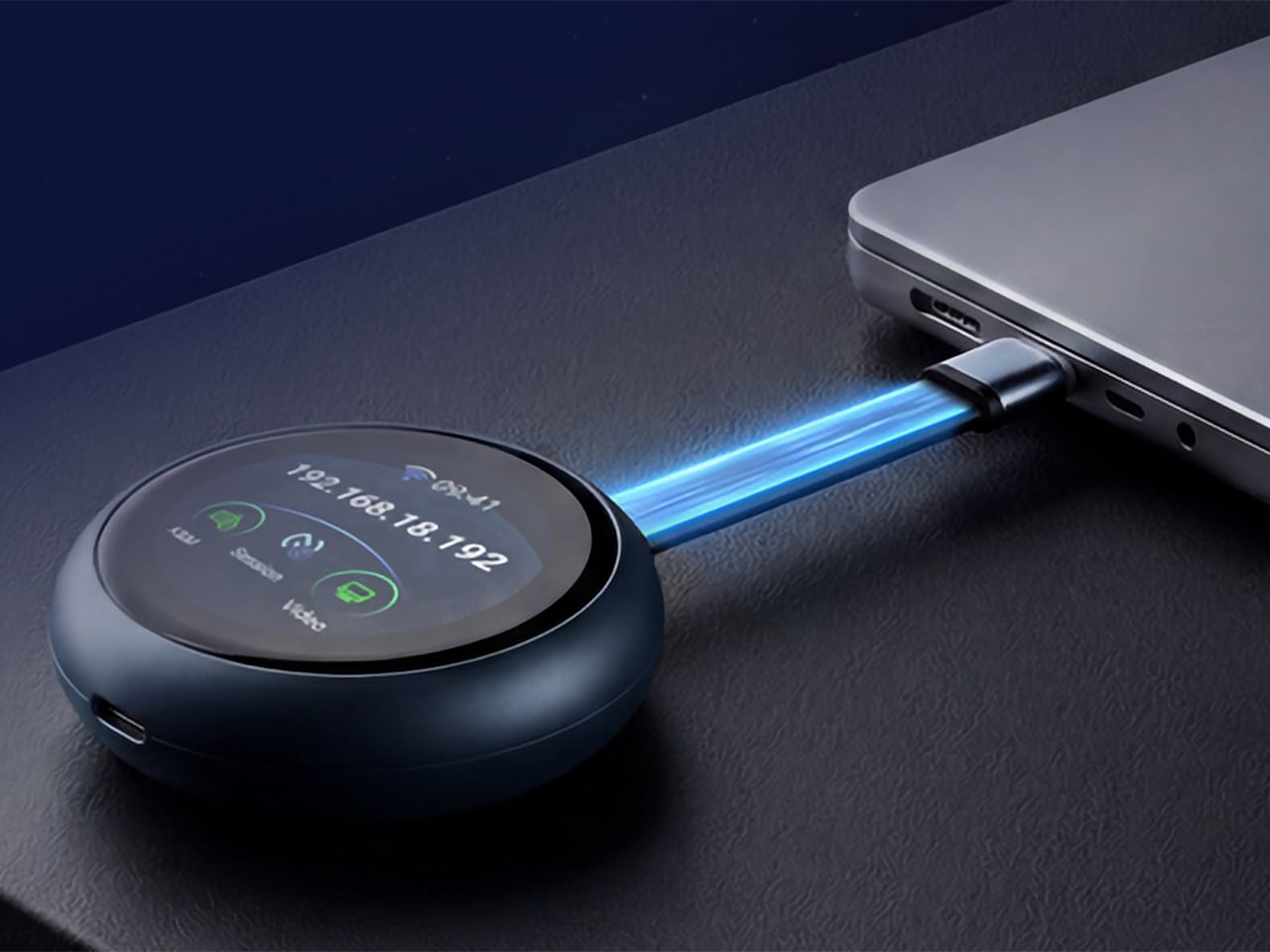
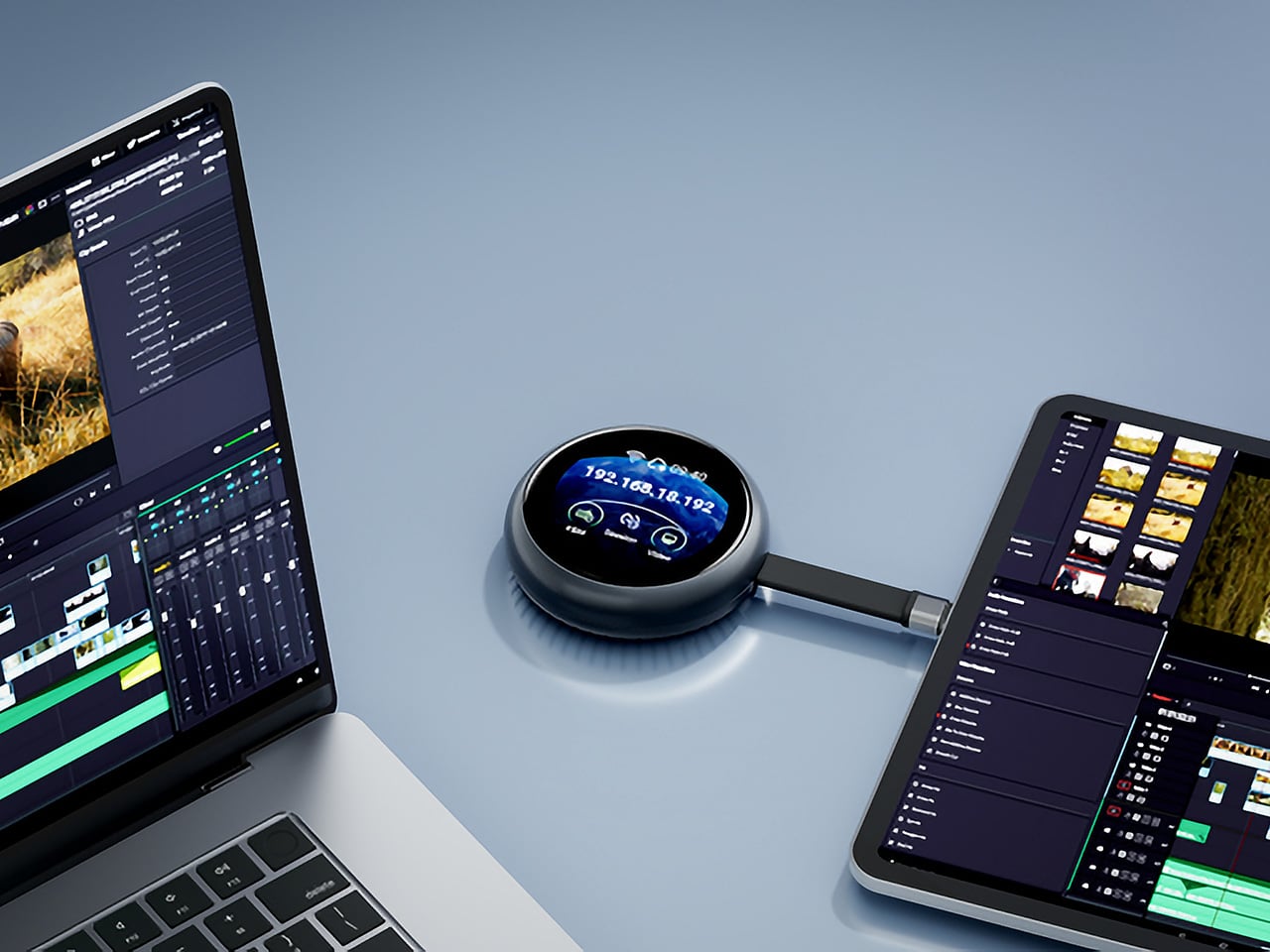
GL.iNet, the Hong Kong-based networking company behind a range of popular OpenWrt routers, has built the Comet Q to tackle all three of those problems at once. Officially designated the GL-RMQ1, it’s described as the world’s first browser-based, pocket-sized remote-control device built specifically for USB-C devices, covering laptops, phones, tablets, and Mac minis. You plug it in, open a browser, and you’re in.

Designer: GL.iNet

Click Here to Buy Now: $89 $129.9 (31% off). Hurry, only 866/2500 left! Raised over $1 million.

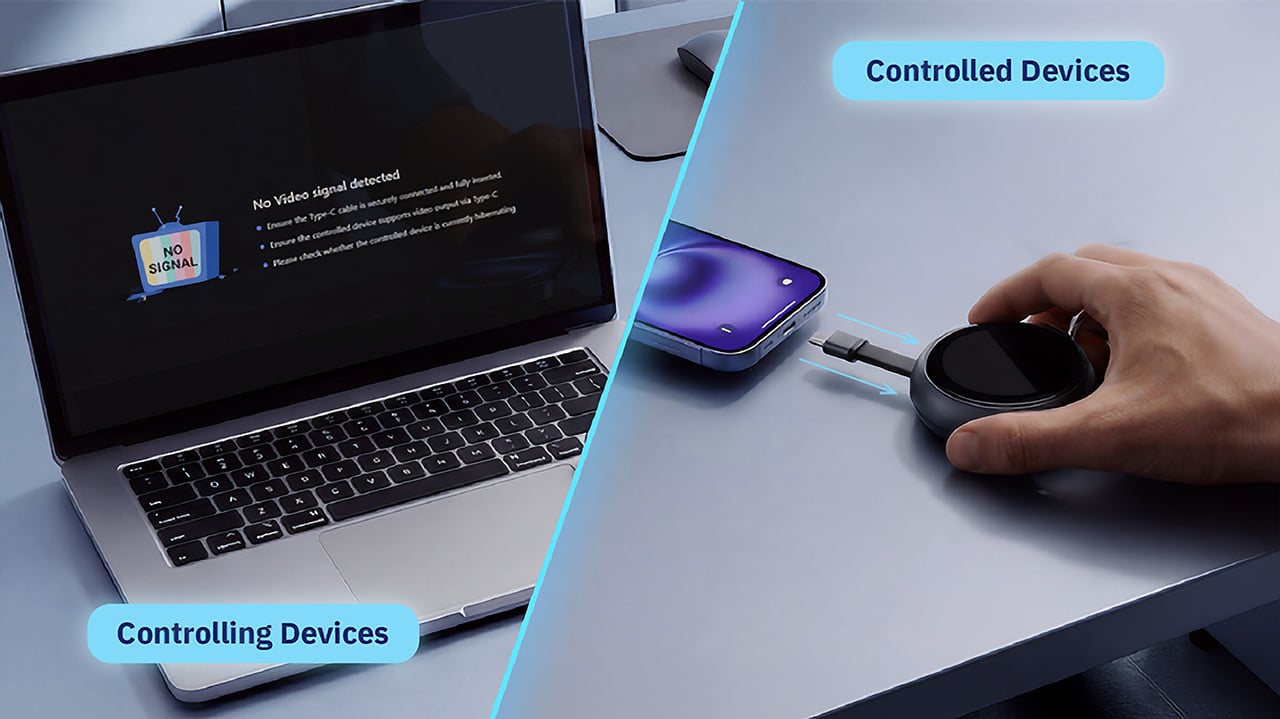
What sets the Comet Q apart is that it operates at the hardware level, not through software installed on the target device. That distinction matters more than it sounds. Traditional remote desktop software relies on the operating system and an active network connection, failing the moment a device sleeps, locks, or loses Wi-Fi. The Comet Q keeps working through all of that, as long as the device stays powered on and hasn’t entered a hibernation state that cuts off its HDMI/USB output.

That control comes through a single USB-C cable that simultaneously carries video, data, and power, doing away with the HDMI dongle and USB hub that traditional KVMs require. Video output reaches up to 2K at 60 fps with two-way audio, and a built-in USB-C passthrough port means the device being controlled stays charged throughout the session. It’s a genuinely pocket-sized setup that actually earns that description.

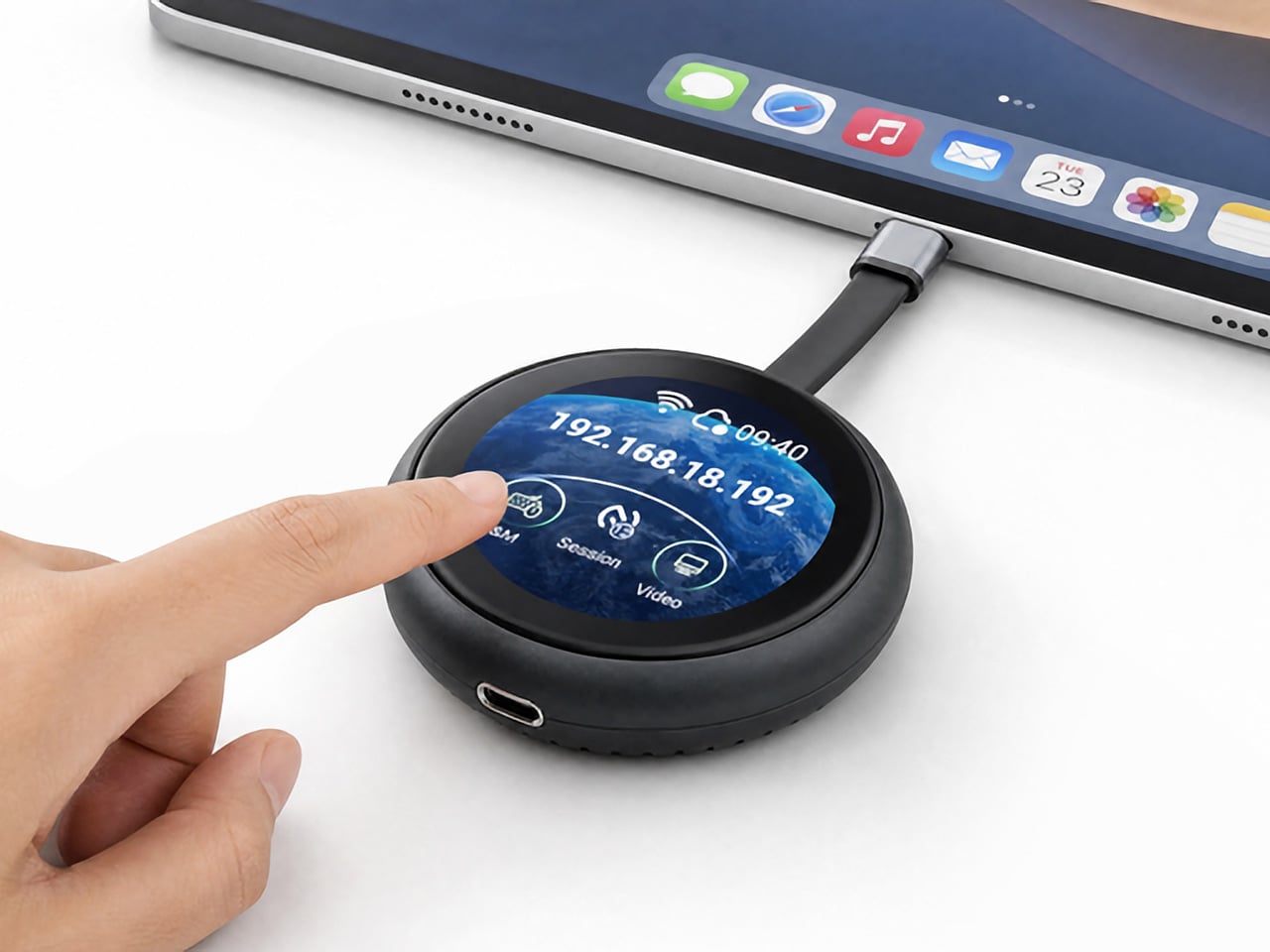
Where the Comet Q breaks new ground is with mobile devices. No KVM was ever built for them, and if something went wrong remotely, there was no clean solution short of being physically present. It connects directly through the USB-C port, working with iPhones from the iPhone 15 onward (excluding the iPhone 16e and later budget models), iPads, and a wide range of Android phones and tablets, provided the port supports DisplayPort Alt Mode.

All of that also means the OS combination no longer matters. Users can control an iPhone from a Windows PC, a MacBook from an Android tablet, or an iPad from a Linux machine. Developers can manage test devices without being at their desks, IT teams can monitor a fleet of phones from one interface, and content creators can run a dedicated recording device from anywhere in the same room.

There’s a surprisingly personal side to this. If you’ve ever tried walking a parent through a tech problem over the phone, knowing you could take over their screen remotely would have saved everyone a lot of stress. The Comet Q makes that possible, and since Wi-Fi credentials can be preset before shipping the device, the person receiving it doesn’t need to set it up.

Accessing the Comet Q doesn’t require any downloads. From a laptop or desktop, any browser pointed to glkvm.com is enough to take full control, with no account creation needed. When controlling from a phone or tablet, the GLKVM app, available on Windows, macOS, App Store, and Google Play, handles touch gestures more precisely. A 1.8-inch circular touchscreen on the device also makes initial setup possible without opening a laptop.

Security runs through every layer of the design. Each session ends the moment the Comet Q is physically disconnected, leaving no residual access or background processes behind. Built-in support for Tailscale, ZeroTier, and WireGuard VPN keeps remote connections encrypted and firewall-friendly, while two-factor authentication adds yet another layer on top. Remote access that works through hardware rather than software has been a long time coming for phones and tablets.

Click Here to Buy Now: $89 $129.9 (31% off). Hurry, only 866/2500 left! Raised over $1 million.

The post This USB-C Dongle Just Let You Control an iPhone From Windows first appeared on Yanko Design.
The Jerry Can That’s Actually a 300W Party Speaker With a Guitar Input

Portable party speakers have settled into a comfortable but predictable aesthetic: boxy, rugged, cylindrical, occasionally translucent. They compete mostly on specs, with loudness and battery life doing most of the heavy lifting in marketing copy. The design rarely causes a double-take. Most of them look like pieces of gear that belong in a hiking backpack, not a conversation starter you’d voluntarily carry to a campsite because someone just had to see it.

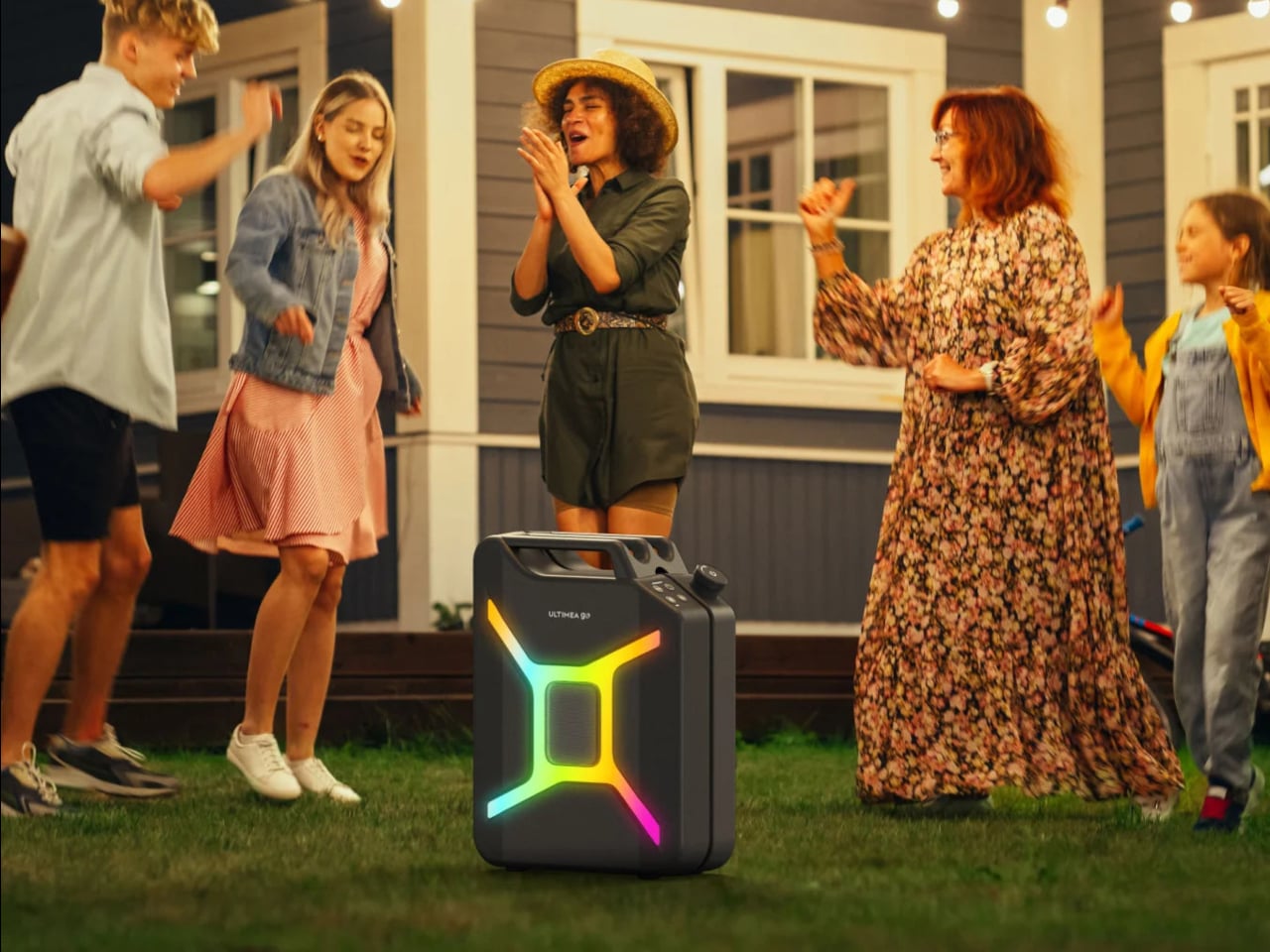
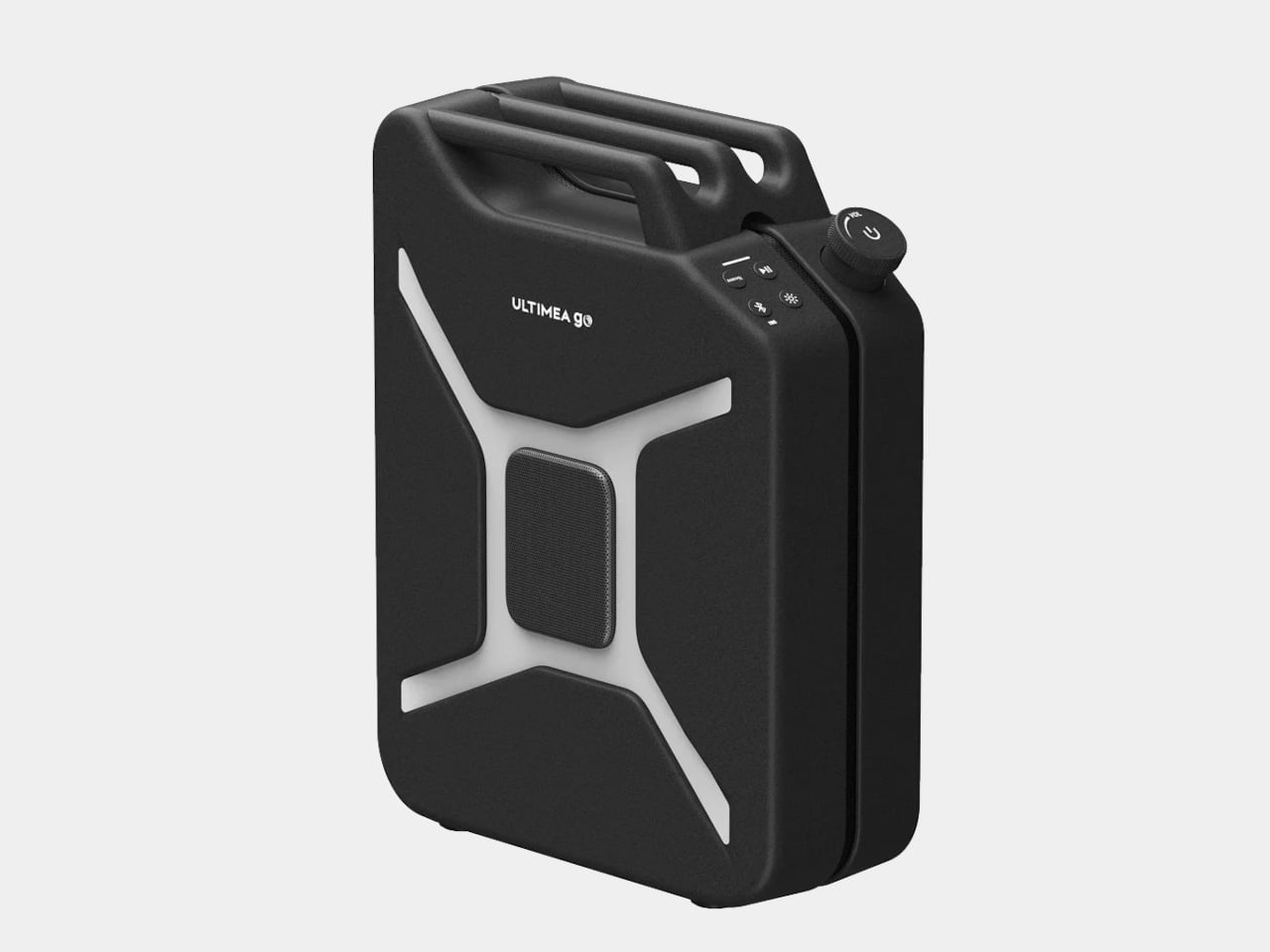
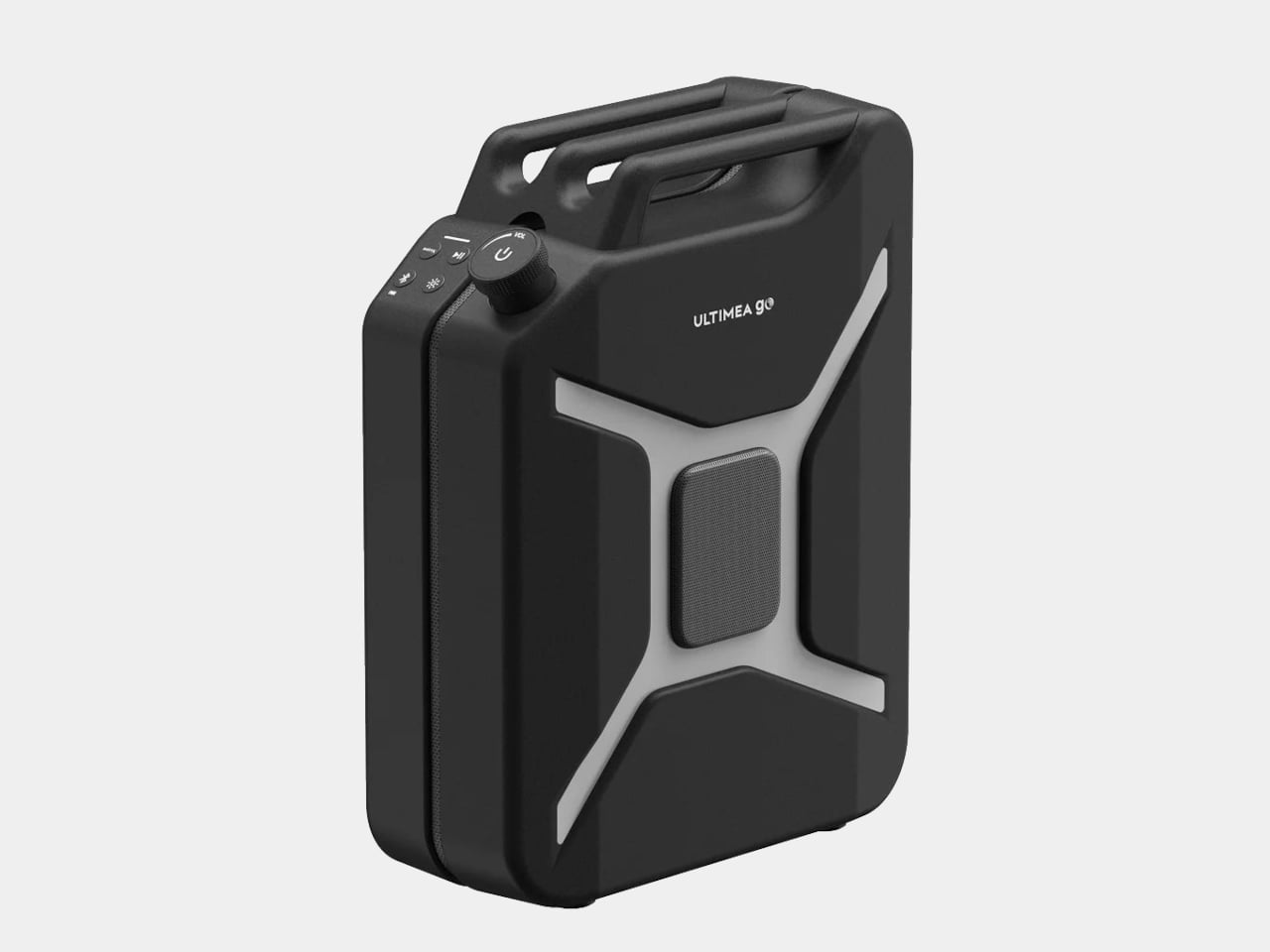
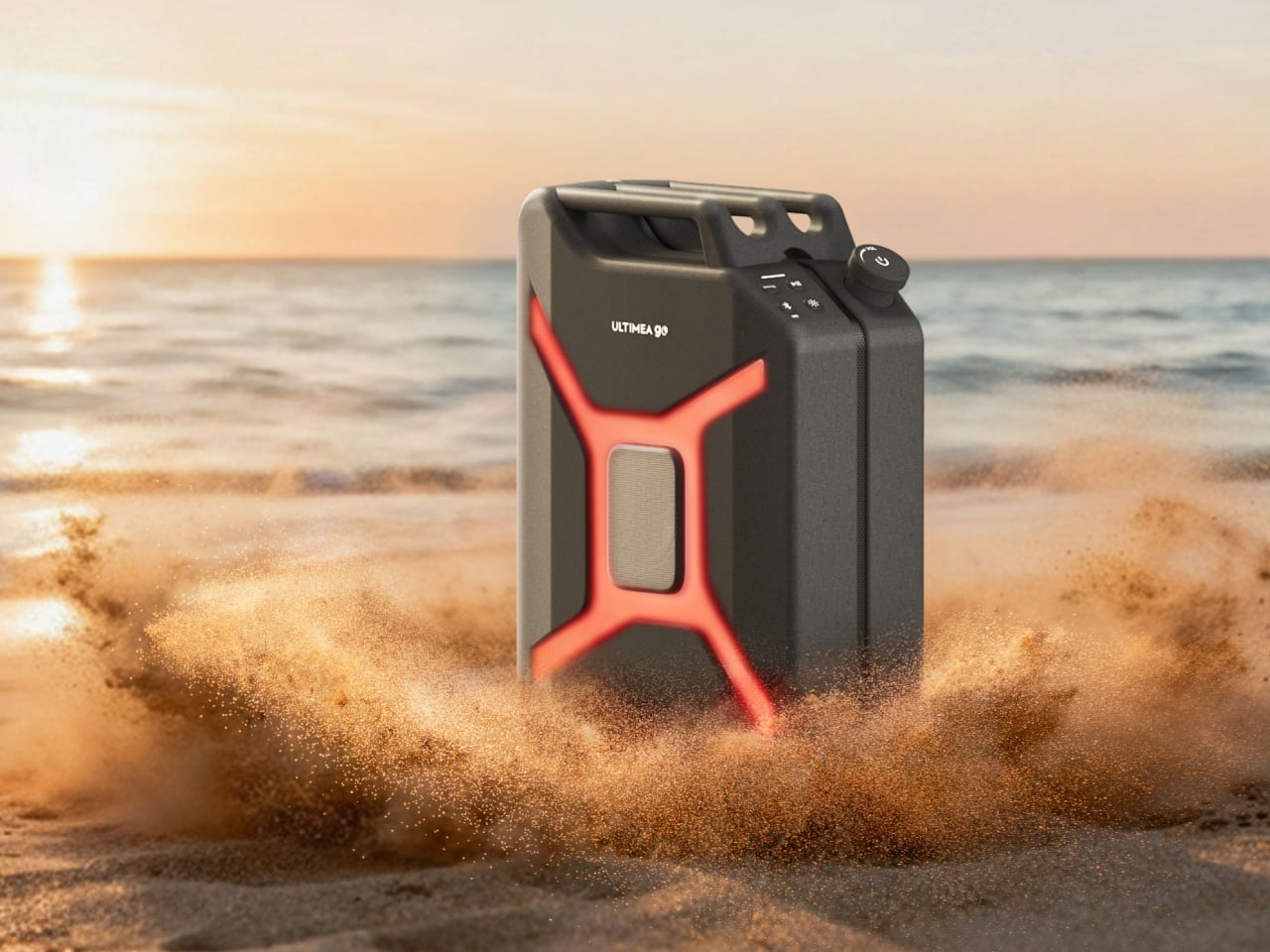
The Ultimea Go throws all of that out by doing something nobody asked for but nobody can really argue with: it looks exactly like a jerry can. The resemblance isn’t a stretch or a loose visual metaphor. It’s a deliberate full-scale commitment to the fuel container form, right down to the handle and the boxy proportions. The gimmick and the product are the same thing here, and it lands.
Designer: Ultimea

Under the shell, the speaker pulls its weight acoustically. The driver setup includes dual 5-inch woofers, dual 3-inch full-range drivers, and a 1-inch tweeter, all contributing to a 300 W peak output that Ultimea says is loud enough for groups of 10 to 20 people. The 360° omnidirectional design means the sound radiates in all directions rather than projecting from one face, which matters when a crowd is gathered around rather than sitting in front of it.

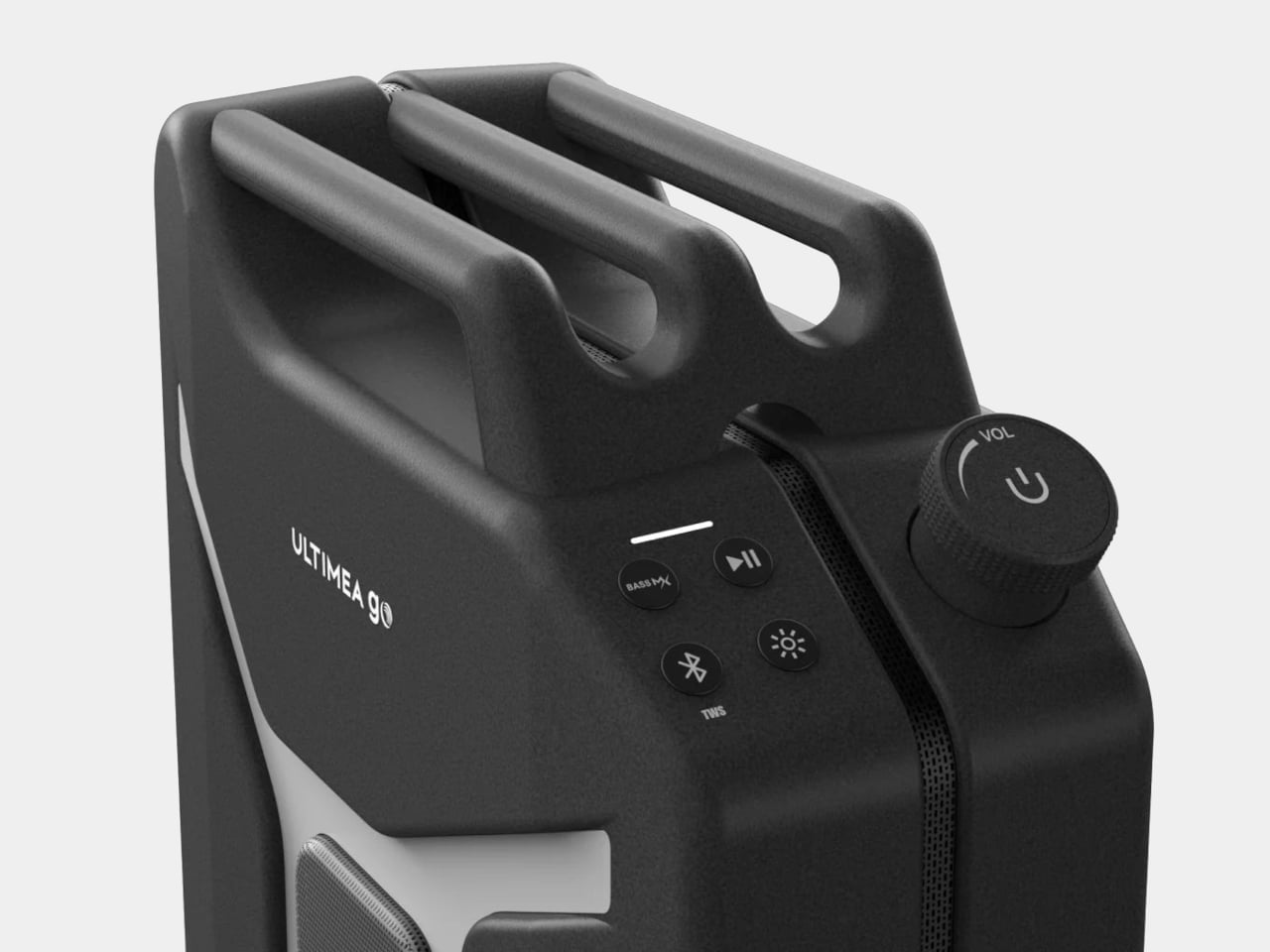
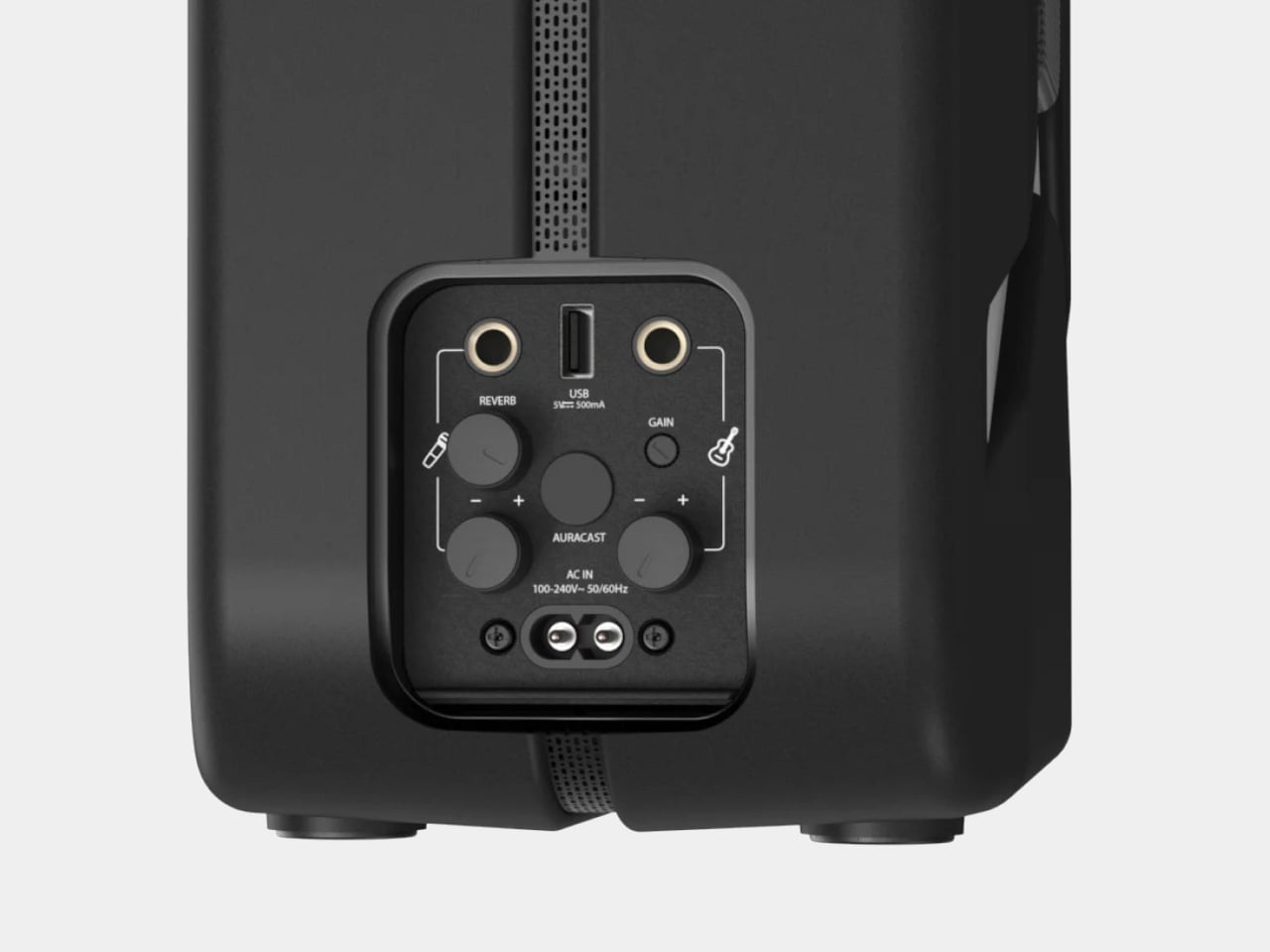
What tips it further toward the unexpected is the inclusion of two microphone inputs and a guitar input alongside the standard Bluetooth 5.4 connection. That turns it from a passive playback device into something a busker could plug into on a street corner or a backyard musician could use for a spontaneous after-dinner set. The inputs don’t feel like afterthoughts; they actively expand what the speaker is for.

For anyone who wants to scale up, Auracast support allows playback to sync across up to 100 devices simultaneously. Practically, that means linking multiple speakers across a large space without the usual signal degradation or timing offsets that come with daisy-chaining Bluetooth units together. Two Ultimea Go speakers can also be paired in TWS mode for true stereo output, making the jerry can a unit that can grow with the occasion.

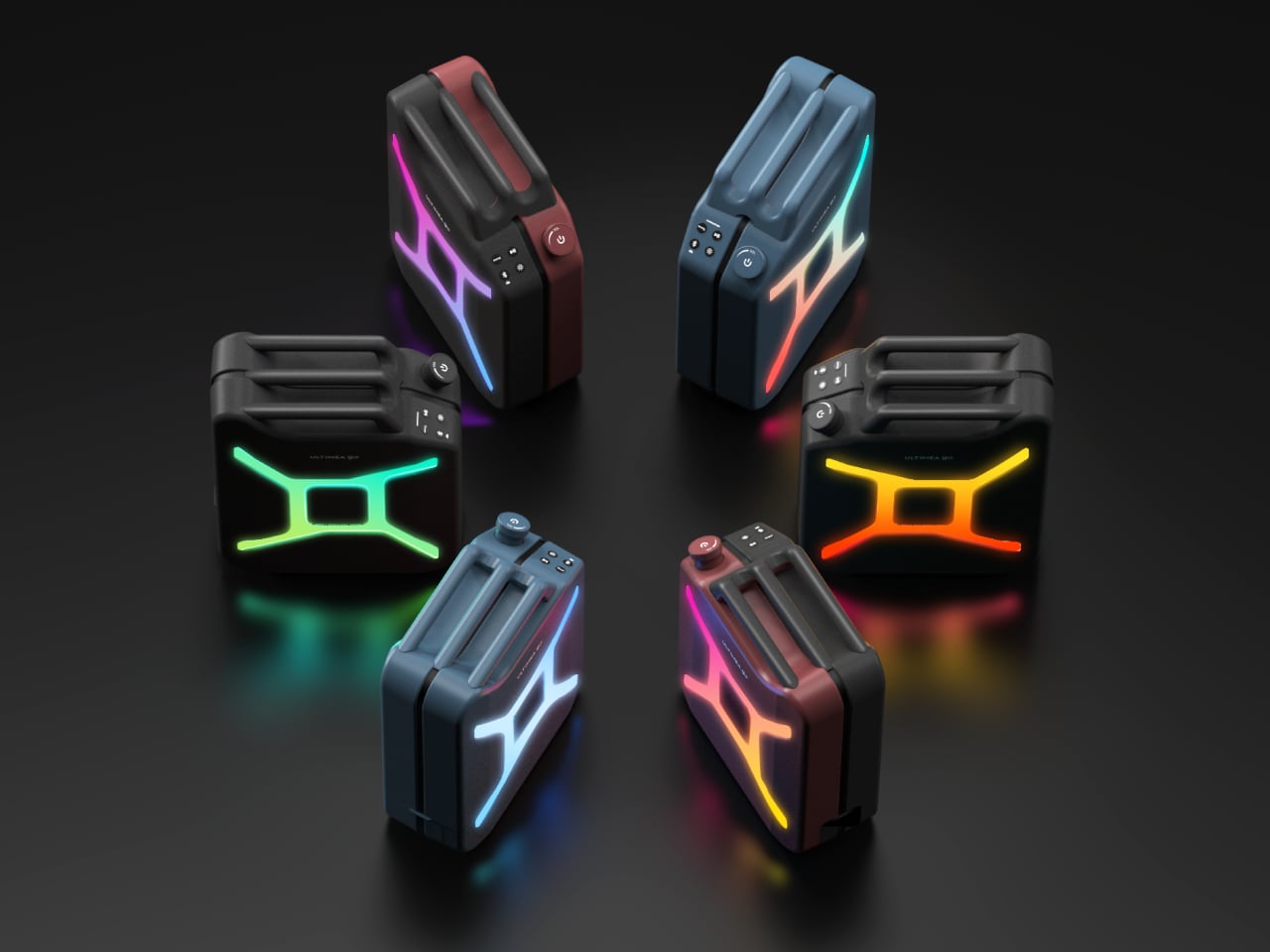
The battery runs for up to 16 hours on a single charge, which holds through a full outdoor day without needing a top-up. IPX4 water resistance adds a reasonable layer of protection against splashes and light rain, so setting it near a pool or leaving it outside during a light drizzle isn’t cause for panic. RGB lights add the requisite visual flair without being the only thing the design has going for it.

An app handles the finer controls, and a bass boost function gives the low end an extra push when the situation calls for it. The speaker ships in black, with the jerry can silhouette doing most of the visual work in any setting. It’s the kind of thing that gets spotted across a campsite and prompts a walk over to find out what it actually is.

The post The Jerry Can That’s Actually a 300W Party Speaker With a Guitar Input first appeared on Yanko Design.