These Ceramic Cups Were Designed And Manufactured Entirely By An Algorithm

Sure, we could sit and fearmonger about how AI will one day replace designers, but here’s an alternative reality – what if AI didn’t replace us, it just created a parallel reality? Like you’ve got Japanese ceramics, Italian ceramics, and Turkish ceramics, what if you could have AI ceramics? Not a replacement, not a substitute, just another channel. That’s what BKID envisioned with ‘Texture Ware’, a series of cups designed entirely by AI and manufactured using 3D printing. Minimal human intervention, and minimal human cultural input.

The AI feeds itself a vast repository of data and uses its own database to make textural products that humans then use. BKID’s results look nothing like anything we’ve seen before, each cup of the Texture Ware series looks almost alien, an exaggeration of textures found in nature taken to an extreme. You wouldn’t find such cups in a handicrafts bazaar or your local IKEA. They’re so different that they exist as a separate entity within the industry, not a replacement of the industry itself.

Designer: BKID co

The workflow uses different AI services to go from prompt to cup. The only real input is a text prompt from a human specifying what sort of texture they want. The AI generates the texture image using ChatGPT’s Dall-E, creates  a cup out of it in Midjourney, and then translates the 2D image of a cup to 3D using Vizcom. The 3D file then gets 3D printed, eliminating pretty much any actual human intervention as the machine models and manufactures the design from start to end.

“What would normally require a considerable amount of time if crafted entirely by hand was instead realized through two to three generative tools and a process of repeated trial and error,” says BKID. “The exaggerated expressions and omitted forms that emerge in each stage invite the audience to experience the subtle differences in sensibility between traditional handcraft and craft shaped by generative software.”

Users can make cups inspired by brutalist textures of concrete, fuzzy textures of moss, rustic textures of wood-bark, wrinkled textures of crumpled paper, raw textures of coal, columnar textures of basalt rock, porous-like textures of coral, or even alien-like textures of fungi. Each cup looks unique and the AI never repeats itself, which means even cups within the same texture category could be wildly different.

The result truly feels alien, because the AI approaches design using an entirely different set of parameters. Their imperfections become design details, their lack of ergonomics or awareness become a unique design DNA. The result isn’t like any cup you’ve ever seen before, and that’s the point – it’s created by an AI that hasn’t ‘seen’ cups, hasn’t used cups, and doesn’t test its output. That being said, the cups are still usable because of the parameters set by the human. The cups don’t have holes, and contain enough volume to hold liquid efficiently. They’re perfect for espresso, saké, or green tea, something that’s savored in tiny quantities in vessels that feel less utilitarian and more ritualistic.

What BKID’s experiment proves is that AI (at least in this case) won’t replace designers, it’ll exist independent of them. Can an AI make a cup exactly like a regular designer would? Absolutely… but there’s a better case to be made to have AI make things beyond human creativity and culture. These cups contort nature and textures into something that feel extremely new, in a way that allows AI-made cups and human-made cups to coexist peacefully.

The post These Ceramic Cups Were Designed And Manufactured Entirely By An Algorithm first appeared on Yanko Design.

The Cheapest Personal AI Device You Can Own: $50 Raspberry Pi Whisplay Runs Gemini, Claude, and ChatGPT

Smartphones were never really meant to be your AI sidekick. They juggle notifications, social feeds, and a dozen background services before they ever get around to being “smart.” Meanwhile, the first wave of dedicated AI gadgets from companies like Humane and Rabbit showed up with big promises, closed ecosystems, and short lifespans. When the money dried up, so did the hardware. A little Raspberry Pi Zero 2 W with a Whisplay HAT quietly sidesteps all of that. It is a DIY AI chat device that you own outright, that you can fix, reflash, or repurpose, and that can talk to Gemini, Claude, or ChatGPT without caring which startup is still solvent this quarter.

Instead of betting on a single company’s cloud, Whisplay treats AI as a replaceable part. The hardware gives you a screen, mic, speaker, and buttons, and leaves the “brain” up to you. If Gemini changes pricing, Claude adds features, or ChatGPT pulls ahead again, you can swap backends with a config file or a bit of code, not a new gadget. In a landscape where AI hardware keeps arriving as disposable, subscription-tethered experiments, this little open, modular box feels like the first honest attempt at a personal AI terminal that will not vanish the moment a runway spreadsheet turns red.

Designer: Jdaie

At its very core, the Whisplay HAT is a clever little I/O board designed to give a Pi a face and a voice… simply put. It bolts directly onto the 40-pin GPIO header and provides everything needed for a conversational interface. You get a surprisingly crisp 1.96-inch color LCD for displaying text or animations, a WM8960 audio codec driving an onboard microphone and speaker, an RGB status LED, and a few programmable buttons for user input. It is not a standalone computer, but a purpose-built terminal that turns the Pi Zero into something you can actually talk to. The entire package matches the Pi Zero’s footprint, making for a compact and tidy build that feels intentional, not like a messy science fair project.

The choice of the Raspberry Pi Zero 2 W as the platform is telling. With its quad-core 1 GHz ARM Cortex-A53 CPU and just 512MB of RAM, it is nobody’s idea of a powerhouse. That is precisely the point. The Pi is not running the large language model; it is just a client. Its job is to capture audio, send a request over Wi-Fi, and then play back the response. This thin-client architecture is incredibly efficient, requiring minimal power and processing, which is perfect for an always-on desk companion. The heavy lifting is outsourced to the cloud API of your choice, leaving the Pi to handle the simple, tangible task of being the physical interface between you and the AI.

The actual magic is a simple, elegant pipeline that you control completely. Your code on the Pi captures audio from the Whisplay’s microphone, uses a speech-to-text engine to transcribe it, and then packages that text into an API call to Gemini or another LLM. When the response comes back, a text-to-speech engine converts it back into audio and plays it through the onboard speaker, while the LCD can show the text or a thinking animation. You can point it at Google’s Gemini API today and switch to a local Ollama server running on a spare Raspberry Pi 5 tomorrow if you feel like it. What’s so perfect about the Whisplay HAT is that it assumes companies and models will come and go, so it treats the LLM as a pluggable component. Today, that might be Gemini, Claude, or ChatGPT. Tomorrow, it might be some open model running on your own server. Either way, the little chatting device on your desk stays the same, happily piping audio in and out while you swap brains on the backend.

That brings us to the real kicker. The Whisplay HAT costs about thirty-five dollars. Paired with a fifteen-dollar Pi Zero 2 W, you have the core of a highly capable, endlessly customizable AI device for fifty bucks. Compare that to the seven-hundred-dollar Humane Ai Pin or the two-hundred-dollar Rabbit R1, both of which are functionally just API clients tied to a single, proprietary service. This DIY approach is not just cheaper; it represents a fundamentally different, more sustainable philosophy. It is a platform for tinkering and ownership, not a sealed product designed to be consumed and eventually discarded. It is a starting point, and in a field moving this fast, a good starting point is infinitely more valuable than a dead end.

The post The Cheapest Personal AI Device You Can Own: $50 Raspberry Pi Whisplay Runs Gemini, Claude, and ChatGPT first appeared on Yanko Design.

Phone-sized 138g E-Reader Answers Questions About What You’re Reading

E-readers typically force a trade-off between portability and capability. Compact models fit easily in bags but often lack processing power or features beyond basic reading. Larger tablets offer more functionality but become awkward to carry daily. Most devices focus on storage capacity and screen size while ignoring the need for smarter tools that support active reading and deeper engagement with content rather than just passive consumption.

The Viwoods AIPaper Reader measures roughly six inches diagonally and weighs just one hundred thirty-eight grams, making it slim enough to slip into coat pockets or small bags without adding noticeable bulk. Running Android 16 with 4G cellular support, the device combines traditional E Ink reading comfort with AI-powered features that answer questions, highlight key passages, and help build personal knowledge bases directly from whatever you’re reading at the moment.

Designer: Viwoods

The device’s profile measures 6.7mm thin, which makes it feel more like carrying a smartphone than a dedicated reading device. The minimalist design uses slim bezels around the 6.13-inch Carta 1300 E Ink display, keeping the footprint compact while maintaining enough screen real estate for comfortable reading without constant page turns. Available in black and white or color display versions, the aesthetic stays clean and understated throughout.

The three hundred PPI resolution keeps text crisp across different font sizes and formats, while the adjustable front light means reading happens comfortably whether you’re outside in daylight or in bed at midnight. The E Ink display eliminates the eye strain that comes from staring at backlit phone or tablet screens for extended periods, which matters during long reading sessions or when your eyes already feel tired.

Integrated AI runs through ChatGPT-5, Gemini, or DeepSeek, depending on preference, offering instant answers to questions about content without leaving the page or opening separate apps. Highlight a passage and ask for clarification. The AI responds contextually based on what you’re reading. Save interesting excerpts to the knowledge basement feature, which organizes captured passages into a searchable personal library that builds over time.

The octa-core processor and 4GB of RAM keep navigation smooth despite E Ink’s inherent display refresh limitations. Multiple refresh modes adjust speed versus clarity depending on whether you’re reading static text or navigating menus. The device handles PDF, EPUB, MOBI, and other common formats without requiring conversion software or workarounds before loading files onto the reader.

4G cellular connectivity separates this from most E Ink devices, enabling cloud library access, book downloads, and AI features anywhere cell service reaches without hunting for Wi-Fi networks. The 2580mAh battery supports weeks of typical reading between charges, given E Ink’s minimal power consumption when displaying static pages. Android 16 and Google Play support mean standard reading apps install alongside specialized ones, giving users flexibility beyond proprietary ecosystems that lock you into specific bookstores or formats.

The Viwoods AIPaper Reader sits between simple e-readers that only display text and full tablets that introduce too many distractions through notifications and competing apps demanding attention. It delivers AI-assisted reading, organized knowledge capture, cellular connectivity for anywhere access, and genuine portability within a form factor slim enough to disappear into daily carry routines without demanding the pocket space or mental bandwidth that smartphones and larger tablets constantly require.

The post Phone-sized 138g E-Reader Answers Questions About What You’re Reading first appeared on Yanko Design.

Your Desk Lamp Just Got Smarter (And Took Notes from Inception)

Remember that spinning top from Inception? The one that determined whether you were in a dream or reality? Well, a design team called SUPD took that iconic object and asked themselves a pretty interesting question: what if a product could help you enter a state of deep focus the same way that totem granted entry into the dream world? The result is DEEP, an AI-powered desk stand that’s making me rethink everything I thought I knew about workspace lighting.

Let’s be real for a second. We’re all drowning in distractions. Between notifications pinging, emails flooding in, and the constant pull of social media, achieving genuine focus feels like a superpower these days. And if you’ve ever tried to create the perfect work environment, you know the drill. You need your desk lamp positioned just right, white noise playing at the perfect volume, maybe some aromatherapy going, and oh yeah, all those tangled cables creating visual chaos that breaks your concentration every time you glance at them. DEEP tackles this modern problem with a surprisingly elegant solution: why scatter your focus tools across multiple devices when you could integrate them into one sleek package?

Designer: SUPD

The product itself looks like it stepped out of a near-future sci-fi film. It’s a desk lamp, sure, but it’s also packing a camera, speakers, and AI capabilities that work together to create what the designers call “optimized immersion environments.” The best part? Getting started is wonderfully simple. You turn the main power button, which is designed to mimic that spinning top from Inception (a detail that definitely made me smile), and then you just talk to it. Tell DEEP what you’re about to do, whether that’s studying, coding, reading, or creative work, and it automatically adjusts your environment to match.

Think about that for a moment. No more fiddling with multiple apps, no more adjusting three different devices, no more breaking your concentration before you’ve even started working. You speak, it listens, and your workspace transforms itself.

But DEEP doesn’t stop at automation. The designers clearly thought about the reality of personal preferences. Those side buttons let you fine-tune the lighting and sound to your exact specifications, and here’s where it gets smart: the system asks if you want to save your adjustments. Over time, DEEP learns your preferences for different activities, becoming more personalized the more you use it. The camera positioned at eye level isn’t just there for show. It’s analyzing you, checking your immersion status, and providing feedback to help maintain your focus. It’s like having a productivity coach built into your desk lamp, minus the awkward small talk.

I’m particularly taken with the attention to physical design details. Those red lines running along the top and front of the product aren’t just aesthetic choices. They help you maintain your preferred angles after adjusting the lamp’s position, creating a visual reference that makes it easier to remember your ideal setup. It’s the kind of thoughtful detail that separates good design from great design. The four-directional speakers at the base create spatial audio for immersion, whether that’s white noise, nature sounds, or whatever helps you slip into that flow state. And that integrated approach means no more cable spaghetti cluttering your desk, no more hunting for the right device, no more mental overhead just to start working.

What strikes me most about DEEP is how it recognizes that deep focus isn’t a luxury anymore. It’s a core skill, maybe even a competitive advantage in our attention-fractured world. The difference between weak concentration and strong concentration directly translates to productivity, creativity, and the quality of our work. DEEP doesn’t just acknowledge this reality; it builds an entire product philosophy around supporting it.

Is this the future of workspace design? Possibly. At minimum, it’s a fascinating glimpse at how AI integration can solve real problems without adding complexity. Sometimes the best technology is the kind that gets out of your way and just lets you work.

The post Your Desk Lamp Just Got Smarter (And Took Notes from Inception) first appeared on Yanko Design.

AI Lantern Speaker Designed to Reduce Anxiety With Light and Sound

Most home gadgets are designed for function, not feeling or emotional connection. Lamps and speakers fill their roles effectively enough, but rarely do they offer comfort or companionship during quiet nights or moments when you need a little extra calm to soothe anxiety. Finding a device that addresses both practical needs and emotional well-being remains surprisingly difficult in modern home technology.

Calmtern reimagines what a home object can be by blending a portable lantern with an AI speaker in one thoughtful package. It turns light and sound into a source of emotional support, making every room feel a little more welcoming and a lot more personal. The concept is simple yet powerful: bring comfort wherever you go in your home, whenever you need it most.

Designer: Hyun Jin Oh

Calmtern’s silhouette is inspired by classic lanterns, with a translucent upper body for soft, diffused light and a ribbed base that houses the speaker and controls. The integrated handle makes it easy to carry from room to room, hang on a minimalist stand, or set on a bedside table wherever comfort is needed. The portable form invites movement and flexibility throughout your daily routine.

The minimalist design, matte white finish, and lack of visible branding let Calmtern blend into any space seamlessly, from modern apartments to cozy bedrooms and hallways. The ribbed texture provides visual interest and tactile grip, while the clean silhouette feels timeless rather than trendy. It’s a device that looks as good on display as it does tucked away when not in use.

The lantern emits a gentle, warm glow that reduces anxiety and creates a cozy atmosphere perfect for late-night reading, winding down before bed, or simply making a dark room feel safe and inviting. Touch controls on the top panel make it easy to adjust brightness or volume without fumbling for switches or apps in the dark when you’re half asleep.

Calmtern is designed to move with you throughout your daily life and routines. Use it as a reading lamp beside your favorite chair, a bedside companion that plays calming sounds for sleep, or a portable speaker for music and podcasts in any room. The rechargeable design means it’s just as useful on a patio as in a hallway, and the gentle light is ideal for nighttime trips.

Beyond practical functionality, Calmtern is a calming presence that helps reduce feelings of loneliness or anxiety when living alone, making the home feel warmer and more inviting during difficult moments. The combination of soft light, smart sound, and intuitive controls creates a daily ritual of comfort and relaxation that goes beyond what typical smart home devices offer users.

The sculptural form and ambient glow turn Calmtern into a visual anchor for any room, sparking conversation and encouraging moments of pause in otherwise hectic days. For anyone who wants their home to feel as good as it looks while maintaining simplicity and emotional comfort, this concept offers a compelling vision of design where technology and well-being move together naturally.

The post AI Lantern Speaker Designed to Reduce Anxiety With Light and Sound first appeared on Yanko Design.

AI-powered smart tea set creates narratives from stories shared by friends

AI can almost be found everywhere these days, but most people will probably be familiar with generative AI like ChatGPT. These are mostly encountered in computers and phones because that’s where they make the most sense, but their applications can definitely go beyond that limited scope. These conversational AI can, for example, be embedded anywhere that has a computer, a microphone, and a speaker, which can literally be any object you can imagine.

Yes, it might result in an odd combination that challenges your notions of what AI chatbots can do for you. This smart tea set concept, for example, is a rather intriguing example of this idea, weaving technology, tea-drinking rituals, and social bonds in an unexpected way.

Designers: Kevin Tang, Kelly Fang

ChatGPT and others like it have started to approach the so-called “uncanny valley” in a totally non-visual way. The responses they give sound or read so naturally that it really takes an expert to distinguish it from human output. Talking to these chatbots almost feels like talking to someone, perhaps a friend who is willing to hear how your day went.

That’s the kind of experience that gpTea, a play on the brewed drink and this type of generative AI, wants to bring in a rather novel way. As a smart tea set, it not only brews tea but even tips the kettle forward to automatically pour the drink into a specially designed cup. Impressive as that may seem, that’s not even its most notable feat.

1

gpTea’s key feature is actually in interactive storytelling that weaves the responses of friends and family separated by distance and connected only through the Internet using this smart tea set. It asks you how your day went and, depending on your response, it might share a similar story given by another friend or loved one in the past. The more people use it, the bigger and longer the narrative grows. It’s almost like developing an oral tradition or history, except one that’s stored in the memory of an AI.

1

Another interesting feature of gpTea is the glass cup itself, which has a circular display at the bottom. The AI also generates images related to the story it’s telling, making it feel like you’re using magic to see the scene inside the cup. Admittedly, it’s a rather convoluted and complex way of sharing stories with friends when you can just talk to each other, but it’s still an interesting application of AI that actually tries to build connections between humans who are physically far apart.

The post AI-powered smart tea set creates narratives from stories shared by friends first appeared on Yanko Design.

EliteMini AI370: The Tiny Windows Mini-PC Built to Outperform Apple’s M4 Mac mini

You know how every time Apple launches a feature on the iPhone, Android people rush to point out they did it first, or they did it better? If you’re a Windows fan, this post might just be perfect for you. At the end of last month, Apple debuted the M4 Mac mini, surprising us not with just a chip upgrade, but a size downgrade too. A fraction of its original size, this newer Mac mini was tailored for Apple’s AI (or Apple Intelligence), and was designed to be a functional power-house. Not to be outdone, however… it seems like MiniForum has a Windows-based answer to the new Mac mini.

The EliteMini AI370 may be a bit of a handful name-wise, but it’s a handful when it comes to performance, ports, and portability too. Powered by AMD’s latest AI-ready Ryzen processor and the Radeon 890M, the EliteMini has 12 cores, 24 threads, and 50 TOPS of AI processing, ready to easily handle any demanding task from gaming to video editing or even working with AI models without breaking a sweat. The entire device measures just 5 inches across, making it exactly as small as the Mac mini, albeit with way more ports… and perhaps the most important feature – a front-facing power button.

Designer: MinisForum

Under the hood, the EliteMini AI370 boasts AMD’s Ryzen AI 9 HX 370 processor, which makes multitasking a breeze. With 12 cores and 24 threads, this chip is engineered for the heavy workloads you’d typically assign to a full-sized desktop, handling everything from advanced editing to 3D rendering with ease. Thanks to AMD’s XDNA2 architecture, this processor includes a dedicated Neural Processing Unit (NPU), delivering up to 50 TOPS (trillion operations per second) in AI power. If you’re working with AI applications, real-time rendering, or advanced editing software, this kind of performance is a huge asset, enhancing productivity while keeping things running smoothly.

Graphics enthusiasts and gamers will appreciate the Radeon 890M integrated graphics. Unlike many compact PCs that struggle with graphical processing, the EliteMini is geared for high-quality visuals, with frame rates above 60 FPS. This makes it more than capable for gaming and intensive creative applications. Having this level of integrated GPU performance means you won’t need to invest in an external GPU—perfect if you’re tight on desk space or don’t want extra hardware cluttering your setup.

Memory and storage are equally robust in the EliteMini AI370, with 32GB of DDR5 memory clocked at a fast 7500 MHz. This speed is a lifesaver for multitasking, allowing you to work across several applications without stalling. Storage options are equally impressive, supporting up to 4TB of PCIe NVMe SSD. That’s plenty of space for large project files, software libraries, and extensive media, while the SSD’s high-speed access means you won’t be stuck waiting around for files to load. For everything else, there are ports on both the front as well as the back.

All this power and performance gets packed into a compact and accessible device, fitting neatly on any desk setup. The 5-inch form factor is easy to overlook, but don’t let its size fool you—this mini-PC holds its own. For users who need a flexible and minimal setup, the EliteMini offers a front-facing USB-C setup and headphone jack, while ports on the back include three USB 4.0, HDMI, and an Ethernet connection that’s upgradable to 10GbE. As a (probably) unintentional jab to Apple, the EliteMini puts its power button smack-dab on the front of the mini PC too, making it MUCH more accessible than the Mac mini’s awkwardly placed power button.

Of course, all these features come at a price. The EliteMini AI370 starts at an introductory $1,099, with a regular price of $1,399, reflecting the high-end components and capabilities. For comparison, Apple’s Mac Mini M4 starts at $599, but it lacks the EliteMini’s integrated AI capabilities and has fewer configuration options. For Windows users who prioritize performance and customization, the EliteMini’s added capabilities and that compact design make it a perfect alternative to the Mac mini. Besides, if you’re going to be working with AI models, you’d want a computer that’s AI ready too, no?

The post EliteMini AI370: The Tiny Windows Mini-PC Built to Outperform Apple’s M4 Mac mini first appeared on Yanko Design.

Top 5 AI-Enabled Tools & Gadgets For Creative Professionals To Transform Their Workflow

In the world of technology, AI has been consistently making innovative and significant strides. It has positively impacted multiple domains including the creative industry. AI tools aren’t just novelties for creative professionals, they serve as transformative instruments that elevate productivity, precision, and creativity. We have curated five innovative AI tools and gadgets that are handy for creative professionals.

These AI tools offer innovative solutions that enhance productivity, creativity, and precision. Whether you are a musician, designer, digital content creator, or global communicator, these tools provide invaluable support in your creative endeavors. As AI technology continues to advance, the possibilities for creative professionals are boundless, promising a future where creativity and technology go hand in hand.

1. ASUS ProArt PZ13

Say hello to the ASUS ProArt Pz13 – a 2-in-1 tablet designed to meet the demands and requirements of creative professionals. The PZ13 is tailored for designers, artists, streamers, and writers who need portability and performance. This sleek device is equipped with a detached keyboard cover and kickstand, ensuring you can use it in different environments.

The PZ13 is amped with the Qualcomm Snapdragon X Plus – an octa-core processor that balances performance and power efficiency, making it perfect for creative tasks. It is amped with a robust feature set including a 70Wh battery, IP52 dust and water resistance, and MIL-STD-810H certification.

Why is it noteworthy?

The ProArt PZ13 can seamlessly integrate AI features into the creative workflow, thereby improving productivity, and supporting new forms of artistic and creative expression. It also includes a Neural Processing Unit and integrated graphics processor which enables the tablet to deal with complex creative tasks with ease.

The PZ13 is a powerful sidekick for content creators, as it also features a lightweight design and long battery life, allowing creators to work virtually from anywhere. This makes it a flexible and valuable purchase for creatives who are always on the move, enabling them to capture and execute ideas wherever they may be.

What we like

  •  Lightweight and compact design for easy transport.
  • Enhances creative processes with integrated AI capabilities.

What we dislike

  • It may not be able to match the performance of more powerful devices.

2. AIMake

AIMake is a generative AI tool designed especially for industrial design applications. It provides a prompt-based interface that allows users to effortlessly and easily create graphical outputs. It is great for working on 2D printing, laser-etching, engraving, or embossing, as it offers a streamlined solution to bridge the gap between concept and execution. It provides a choice between 70 different styles.

The platform is designed to meet a whole bunch of design needs and requirements, ranging from ready-to-print logos to editable SVGs for screen-printing and low-relief 3D engravings. AIMake is a versatile and invaluable tool for professional creators and DIY lovers, as it helps them bring their creative visions to life.

Click Here to Know More

Why is it noteworthy?

AIMake’s ability to democratize and simplify the design process makes it invaluable. It leverages AI, to cut down the need for extensive technical expertise, helping you focus on the creative aspect of your project. It features an intuitive prompt-based design system that helps users generate complex designs with a simple text description.

AIMake is integrated with DesignFind, an asset marketplace, offering users access to a whole range of free and paid project files from creators around the world. This helps build a collaborative and interactive environment where designers can share ideas and inspire one another. This elevates the platform’s utility even more.

What we like

  • Features an intuitive prompt-based interface that simplifies the design process.
  •  Supports various output formats and styles.

What we dislike

  • It may not offer a lot of control over the finer and more intricate design details.

3. ROLI Airwave

Meet the ROLI Airwave – an impressive tool that harnesses the power of AI to completely rejuvenate music education and production. It isn’t an ordinary instrument, it is a comprehensive music-learning ecosystem powered by ROLI’s Music Intelligence (MI) platform. It merges AI with advanced vision and voice technology, providing an immersive learning experience that is interactive, intuitive, and fun.

It functions as an “intelligent piano” concept, that pushes the boundaries of traditional music learning, helping musicians interact with their instruments and instructors seamlessly and intuitively. It is equipped with 3D infrared cameras and Vision technology, which captures intricate finger movements and gestures, offering real-time feedback and guidance.

Why is it noteworthy?

The ROLI Airwave offers a novel and transformative approach to music learning and production. It provides dynamic, interesting, and real-time feedback to users, helping them improve their skills. The guidance is extremely personalized and tailored to each musician’s needs and requirements.

This level of guidance and help is provided on account of the sophisticated AI algorithms, which analyze and study the musician’s technique. Irrespective if you are a beginner having an issue with finger positioning or an advanced player fine-tuning your skills, the AirWave will be the coach you need.

What we like

  • Offers customized feedback, enhancing learning efficiency.
  • Captures intricate finger movements, improving technique accuracy.

What we dislike

  • Users may take some time to adjust to the new system.

4. AnkerMake M5

The AnkerMake M5 is a state-of-the-art 3D printer that provides an impression combination of high-speed printing and exceptional detail. It is created for professionals and DIY enthusiasts and is engineered to deliver flawless prints with efficiency. It features a PowerBoost technology, which optimizes energy through a Y-axis transmission system.

The system is equipped with a powerful stepper motor, double-belt driveshaft, and a stabilized motion algorithm, thereby generating extra power for high-speed printing without compromising on quality.

Why is it noteworthy?

The M5 is equipped with an advanced AI Camera Recognition System which ensures your prints are on track while making the entire printing process seamless and reliable. It can print at five times the usual speed while maintaining a 0.1mm precision. This enables users to produce high-quality prints in no time.

This is excellent for industries where rapid prototyping and production are essential, like product design and engineering. It features an ultra-direct extruder which always ensures precision, reducing the distance between the extruder and nozzle to enhance control and minimize errors.

What we like

  • Can print at 5X the normal speed significantly reduces production time.
  • Provides real-time monitoring and error detection.

What we dislike

  • The intricate components and systems, such as the ultra-direct extruder, may require maintenance.

5. VocaEase

For creators and creative professionals who often find themselves on the go, the VocaEase is a handy tool. It is an innovative AI-powered translation tool that supports seamless communication, bridging linguistic gaps in spoken and written formats. It provides a comprehensive suite of features to meet the needs of global communicators.

Whether you’re having voice or video calls with clients, or attending international conferences, VocaEase will provide real-time translations with a 0.5-second response time. It also features ChatGPT’s Whisper function, which improves its transcription abilities, and creates summaries of meetings, conferences, and conversations for users.

Why is it noteworthy?

If you’re someone who travels a lot, then the VocaEase will transform the way you communicate across languages. It delivers a whole new level of speed and accuracy. It can deal with multiple languages and formats easily, providing utility in a wide range of applications, from meetings to social media interactions.

It is quite handy for professionals who need to quickly collect information from multilingual sources, saving valuable time, and reducing the risk of miscommunication. It features a user-friendly design, which allows users to operate it easily, using varying levels of technical expertise.

What we like

  •  Provides fast translations, facilitating smooth conversations.
  • Handles multiple languages and formats effectively.

What we dislike

  • Requires reliable internet connectivity.
  • May sometimes struggle with complex or nuanced translations.

The post Top 5 AI-Enabled Tools & Gadgets For Creative Professionals To Transform Their Workflow first appeared on Yanko Design.
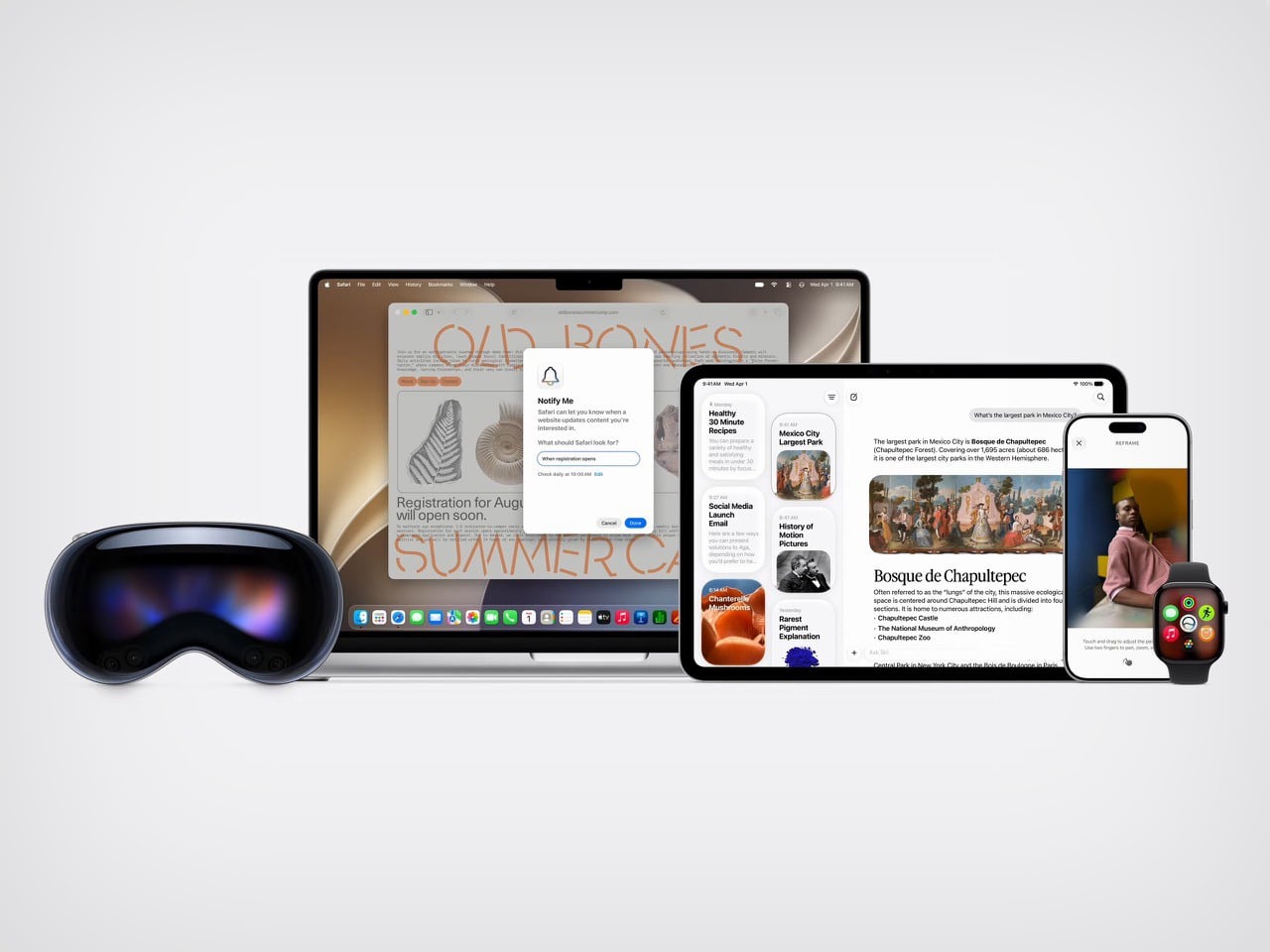
OpenAI is building their own AI Chips to take on Nvidia’s Chip Dominance

In a strategic move that feels like it’s straight from an Aaron Sorkin movie, OpenAI has started crafting its own AI chip, a custom creation designed to tackle the heavy demands of running its advanced models. The company, known for developing ChatGPT, has partnered with Broadcom and Taiwan Semiconductor Manufacturing Company (TSMC) to roll out its first in-house chip by 2026, Reuters reports. While many giants might build factories to keep all chip manufacturing in-house, OpenAI opted to shelve that multi-billion-dollar venture. It’s instead using industry muscle in a way that’s both practical and quietly rebellious.

Why bother with the usual suppliers? OpenAI is already a massive buyer of Nvidia’s GPUs, essential for training and inference—the magic that turns data into meaningful responses. But here’s the twist: Nvidia’s prices are soaring, and OpenAI wants to diversify. AMD’s new MI300X chips add to the mix, showing OpenAI’s resourcefulness in navigating a GPU market often plagued by shortages. Adding AMD into this lineup might look like a mere “supply chain insurance,” but it’s more than that—this move exhibits OpenAI’s reluctance to put all its eggs in one pricey basket. Sort of like Apple developing its own Apple Intelligence while leaning on ChatGPT whenever necessary.

Broadcom is helping OpenAI shape the chip, along with a data transfer capability that’s critical for OpenAI’s needs, where endless rows of chips work in synchrony. Securing TSMC, the world’s largest contract chipmaker, to produce these chips highlights OpenAI’s knack for creative problem-solving. TSMC brings a powerhouse reputation to the table, which gives OpenAI’s experimental chip a significant production edge—key to scaling its infrastructure to meet ever-growing AI workloads.

OpenAI’s venture into custom chips isn’t just about technical specs or saving money; it’s a tactical play to gain full control over its tech (something we’ve seen with Apple before). By tailoring chips specifically for inference—the part of AI that applies what’s learned to make decisions—OpenAI aims for real-time processing at a speed essential for tools like ChatGPT. This quest for optimization is about more than efficiency; it’s the kind of forward-thinking move that positions OpenAI as an innovator who wants to carve its own path in an industry where Google and Meta have already done so.

The strategy here is fascinating because it doesn’t pit OpenAI against its big suppliers. Even as it pursues its custom chip, OpenAI remains close to Nvidia, preserving access to Nvidia’s newest, most advanced Blackwell GPUs while avoiding potential friction. It’s like staying friendly with the popular kid even while building your own brand. This partnership-heavy approach provides access to top-tier hardware without burning any bridges—a balancing act that OpenAI is managing with surprising finesse.

(Representational images generated using AI)

The post OpenAI is building their own AI Chips to take on Nvidia’s Chip Dominance first appeared on Yanko Design.
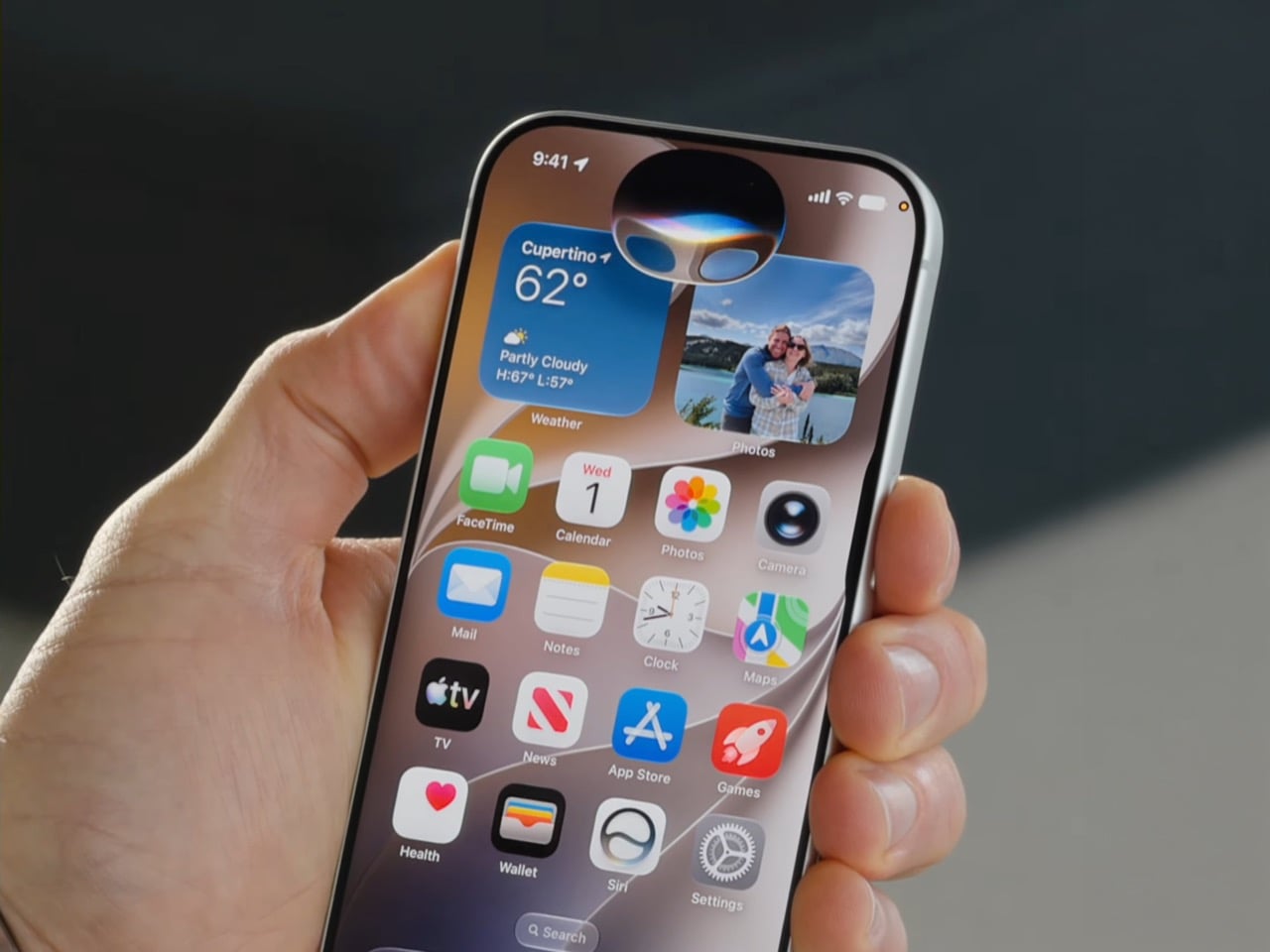
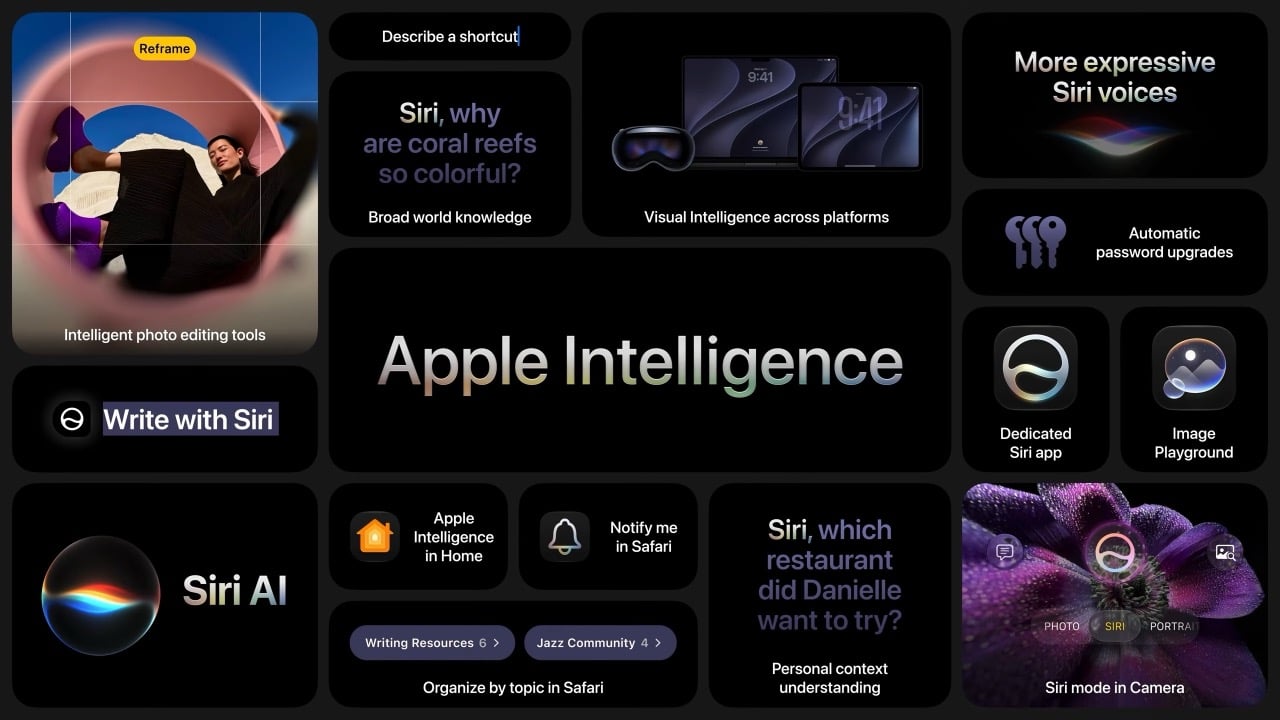
These Awesome Apple Intelligence Features Are Coming to iPhones Next Week

Happy Mobile Monday to our Yanko Design readers! This week, we’re diving into an exciting new chapter for Apple as they roll out Apple Intelligence, launching next week. These new features will be available for iPhone 16, iPhone 16 Plus, iPhone 16 Pro, iPhone 16 Pro Max, iPhone 15 Pro and iPhone 15 Pro Max. Let’s look at how these features will enhance our daily experiences, making our devices smarter and, frankly, more enjoyable to use.

Designer: Apple

Writing Tools: Making Communication Effortless

Apple’s Writing Tools fix grammar, polish your sentences, and fundamentally change how we interact with written communication on our devices. Picture those times when you’re drafting an important email and need to strike that tricky balance between being polite and assertive. The AI built into Writing Tools can take what you’ve written and enhance it—making it sharper, more concise, and clearly communicating your intent without stressing over every word. For those hectic mornings when every minute matters, these tools help save time and mental energy, letting you focus on what counts.

The beauty of these tools is how seamlessly they integrate throughout the Apple ecosystem. If you’re jotting down a quick note, sending a text, or drafting a work email, Writing Tools are there, and they are always ready to assist. Picture managing work emails, your child’s school schedule, and dinner plans all at once. The AI can summarize long message threads into key points, create quick response templates, and ensure your tone stays consistent—all without needing you to jump between apps.

For those who enjoy making lists or drafting detailed summaries, Writing Tools can transform lengthy paragraphs into bulleted lists or tables with just a click. It’s perfect for work presentations, project reports, or even just organizing your own thoughts quickly.

Upgraded Siri: A More Intuitive Assistant

The upcoming Siri upgrade features a new interface and a complete reimagining of how Siri fits into our daily routines. One of the biggest changes is Siri’s ability to take written commands. Picture being in a quiet place—a library, a meeting, or even a shared workspace—where speaking out loud to Siri isn’t appropriate. Now, you can type your command to Siri and get the help you need. It’s a new level of convenience for those times when silence is golden.

But Siri’s upgrades go beyond typing. The new language model means Siri is better at understanding more nuanced requests. Picture planning a trip and asking Siri for the best route that includes multiple stops. Siri’s new capabilities make it better at understanding complex phrasing and personal context, so it gives directions that are accurate and tailored to what you need. It feels natural, as Siri understands, even if you’re not 100% precise.
Another significant enhancement is tech support integration. Siri can now handle more complicated queries, acting like a first-line tech assistant. If you need to troubleshoot an Apple TV issue or reset a Wi-Fi setting, Siri is there to walk you through it step by step. This saves you from having to Google answers or read lengthy manuals—Siri has your back, providing real-time assistance when you need it most.

Smart Reply: Quick Responses, Whenever You Need Them

Smart Reply is Apple’s answer to the fast pace of modern communication. It’s made for those moments when you’re overwhelmed and just don’t have the time to craft a full response. Imagine being on a crowded train, managing incoming texts while trying not to miss your stop. With Smart Reply, your iPhone offers pre-generated, context-aware responses that fit the situation. You can quickly reply with “Sure, let’s do it!” or “I’ll get back to you soon,” without needing to type it all out.

These Apple Intelligence-suggested replies are based on the context of the conversation, which significantly reduces response time. Gmail users might be familiar with something similar. Whether it’s a quick work confirmation or a friend making lunch plans, Smart Reply helps keep the conversation moving without the stress of coming up with the perfect response.

Smart Reply provides efficient assistance for quick replies or acknowledgments but knows when to step aside for more complex conversations requiring a personal touch. For complex questions or sensitive discussions, the AI lets you take the lead, ensuring your personal touch isn’t lost. It’s about enhancing your workflow without taking over the parts that matter most.

Call Recording and Transcriptions: Never Miss a Detail

The new Call Recording and Transcriptions feature is a major upgrade, especially for anyone who needs to capture details accurately. Now, you can hit record during a call—whether it’s a regular phone conversation or FaceTime audio—and every detail will be saved as both audio and a written transcript. This is a huge win for people who need to remember every detail, from journalists conducting interviews to business professionals hashing out client agreements.

Think about those calls where important points are being discussed—deadlines, project requirements, or the finer details of an agreement. Instead of scrambling to take notes and potentially missing something, you can record the whole conversation and have a transcript saved directly in the Notes app. It makes going back to check on specific topics or quotes simple and quick—no more playing the entire conversation back and forth to find that one key moment. It’s about ensuring you never miss a beat, even when things get hectic.

For those with newer models like the iPhone 15 Pro, there’s an added convenience: real-time transcription and call summaries. Picture having a transcript generated in real-time while you’re still on the call, ready for reference once the call ends. It’s like having a personal meeting assistant that captures every nuance without you needing to lift a finger.

Notification Summaries and Summaries in Mail and Messages

Managing notifications can sometimes feel like a full-time job, but Notification Summaries are here to lighten the load. Apple Intelligence uses AI to group related notifications together, so instead of being hit with multiple reminders—like payment due, confirmation received, and receipts—you’ll get one clean, consolidated notification. This reduces clutter and keeps you informed without the constant barrage of pings. Your iPhone becomes a tool that serves you, not something that distracts you.

This summarizing power extends into Mail and Messages as well. Think of a long email chain where multiple people have chimed in. Instead of scrolling through every response, you get a neat summary that tells you what’s happened so far. Group messages benefit from this, too—especially when conversations go off-topic. Apple Intelligence boils it down so you can stay updated without sifting through the less relevant bits.

Photos Updates: Capture Moments, Your Way

The Photos app is getting smarter, too, with new AI-driven enhancements that make editing and managing your library a breeze. The new “Clean Up” tool, which works a lot like Google’s Magic Eraser, is one that I use daily. Picture capturing a gorgeous sunset, only to find that a stranger walked right through your shot. With just a tap, that stranger is gone, and your photo looks as perfect as you remember it. It’s a simple way to enhance your photos without needing to be an editing pro.

Searching your photos is also getting a lot easier. Now, you can use natural language to find what you want. Instead of scrolling through endless thumbnails, you can say, “photos of me and Dad at the beach last summer,” and your iPhone will bring those exact pictures to the front. It turns what used to be an exhausting hunt into a quick, pleasant moment of reminiscing.

Apple is also bringing “Memory movies” to the Photos app. You can prompt the AI with something like “last year’s birthday party,” it will create a video collage of the best photos and clips from that event. It’s about more than just storing memories; it’s about reliving them. The Photos app is evolving from a place to dump pictures into a tool that repeatedly helps you cherish those moments.

Intelligent Interruption in Focus Mode: Stay Informed Without the Noise

Focus Mode has been a great way to reduce distractions, but sometimes it can be too strict. Intelligent Interruption fixes that by letting genuinely important notifications get through, even when Focus Mode is on. This is extremely useful if you’re on a tight work deadline and don’t want any disruptions—except, say, an emergency message from your child’s school. With Intelligent Interruption, Apple Intelligence decides which notifications are crucial enough to break through the silence.

Apple’s AI learns what’s important to you over time, so it knows when to step in and when to back off. It could be an urgent email from your boss or a notification from a health app reminding you to take medication. This makes Focus Mode smarter, letting you maintain productivity while also keeping you in the loop when something really matters.

This kind of personalization is what makes Apple Intelligence so effective. By letting in the truly critical stuff, it keeps you productive and responsive, giving you peace of mind that you won’t miss anything important, even when you’re deep into work.

Non-AI System Upgrades: Enhancing the Overall Experience

Even without the AI bells and whistles, iOS 18.1 has plenty of new features to make your iPhone experience smoother. The redesigned Control Center is now more customizable than ever. You can arrange your connectivity shortcuts—like WiFi, Bluetooth, AirDrop, and cellular data—in whatever way makes the most sense for you. It’s all about making what you use most easy to reach, and if you ever decide you don’t like your setup, you can reset it back to the default with just a tap.

There’s also a new feature for file management. Now, you can drag and drop files while mirroring your iPhone to a Mac, making it seamless to move content between devices. Imagine starting a project draft on your phone and then dragging it onto your Mac for further editing—it’s the kind of fluid experience that makes working across devices feel less like a hassle and more like a true ecosystem.

Expanded NFC chip functionality is another welcome addition. Third-party apps can now use your iPhone’s NFC capabilities for things like transit cards or hotel room keys, turning your phone into an even more versatile everyday tool. And if you’re using an iPhone 16, there’s a new capacitive Camera Control button that lets you jump to selfie mode instantly—perfect for capturing those candid moments without fumbling around.

What’s Not Quite Here Yet

While iOS 18.1 has plenty to be excited about, it’s just the beginning. Apple is already working on more features that are expected to roll out soon. Upcoming tools like Image Playground and Genmoji will let you create custom images and emojis, bringing a whole new level of personalization to how you express yourself. Imagine generating an emoji that perfectly captures your mood—it’s all about making tech a little more you.

Siri is also in for more updates down the road. Features like Visual Intelligence will allow Siri to give you information about your surroundings just by snapping a picture—whether that’s identifying a landmark, a plant, or something else entirely. And while Apple Intelligence will initially only be available in U.S. English, there’s hope that expansion into other languages and regions isn’t far behind.

These upcoming features are just a glimpse of what’s to come. For now, iOS 18.1 lays the foundation for a more intelligent and user-friendly iPhone experience, blending convenience with a deeper understanding of how we live our lives. It’s all about making your iPhone not just a tool, but a smarter companion. Stay tuned—this is just the start of what Apple Intelligence can do.

The post These Awesome Apple Intelligence Features Are Coming to iPhones Next Week first appeared on Yanko Design.