Huawei’s latest Tri-Fold Smartphone Concept creates an IMPOSSIBLE Task for Phone Case Makers…

A photo of TCL’s tri-fold smartphone concept

Spotted in the wild in the hands of Huawei CEO, it seems like the Tri-Fold smartphone may just end up becoming a reality. Whether we need one is an entirely separate question (has that truly ever stopped tech companies?), so let’s ask ourselves something more relevant – How would you design a protective case for this new breed of smartphone?

A brief recap on the phone itself – photos of Richard Yu, CEO of Huawei, emerged last week holding a strange smartphone. It was a foldable, but unlike conventional flip or fold phones, this one had three panels with two hinges (sort of like this wild Samsung concept from 2020). Dubbed the tri-fold, this phone managed to get quite a bit of coverage on the internet, with people speculating tech specs, launch dates, and even one Twitter (or X) user wagering a price of $4000 USD. Nevertheless, when I saw the phone, I had three distinct thoughts in this exact order.

A. Wow, that’s an impressively thin tri-fold phone.
B. Is there really a market for this?
C. There’s absolutely no way you can make a case or screen guard for this phone.

I’ve made an illustration below of what the phone would look like if you went about designing a case for it (and why the case wouldn’t work), and I’ve also taken the liberty of designing what I believe is the only possible case style you can make for such a phone.

With regular foldables, the obvious way to make a case is to design a two-part case that protects the bumper around the front, and the entire back. Regular smartphones have two displays, one front-facing one, and another folding one, and it’s important to remember that the case should never obstruct the display. With Huawei’s Tri-Fold, however, you’ve actually got one single display zigzagging from the front to the inside. Look at the image above and you’ll understand what I mean. Designing any sort of case (with as many parts as possible) complicates the phone’s usage rather than protecting it. Think of the obvious 3-part case that snaps onto all three panels and you’re faced with two massive problems – firstly, the case obstructs the screen when you look at how it fits on the middle panel. Secondly, shutting the case would mean having it sandwiched within the phone’s panels and probably press/damage the display… sort of like shutting your laptop screen with a charging cable, USB drive, or even your keys kept on the keyboard.

An impossible case design shown in red, and the only plausible case design shown in green.

The only real way you can make ANY sort of protective case for the Tri-Fold is to design one single part that fits only on the rear of the back panel. This means the first two panels don’t get any form of protection (because they can’t, really), leaving more than 60% of your phone vulnerable to drops, etc. The most you can really do is add a bumper protector to the front that only covers the edges, but that still leaves the middle panel (the most crucial panel in my opinion) to damage. It’s safe to say that screen protectors are out of the question too – something that still wasn’t a problem for regular two-fold smartphones, because you can still shield the front-facing screen with a plastic or tempered glass protector.

Huawei CEO Richard Yu pictured holding a prototype of Huawei’s alleged tri-fold smartphone

That basically puts a lot of pressure on Huawei to make sure this phone is rock-solid… which is already a pretty big challenge considering they also need to make the phone slim, and ensure that those hinges work with 100% reliability. The hinges are a separate issue too, given that so much depends on both hinges working flawlessly every time to ensure you have a flat screen when you open your phone completely. The one standout positive with this phone is that at least it gives you a more palatable aspect ratio when opened completely, as compared to the current foldables that give you a weird square display that doesn’t really work well with landscape OR portrait media. For now, details on the Huawei Tri-Fold are incredibly scant, although PhoneArena does a pretty good job speculating and gathering as many rumors to paint a full picture of this absolutely wild device. Whether it’s a good idea to make a dual-hinge tri-fold phone with an alleged $4000 price tag is still an entirely different debate.

The post Huawei’s latest Tri-Fold Smartphone Concept creates an IMPOSSIBLE Task for Phone Case Makers… first appeared on Yanko Design.


We got an Electric DeLorean before we got GTA 6…

A symbol of the 1980s and cinematic nostalgia, the DeLorean is making its comeback… not as a relic but rather as a forward-thinking electric vehicle. Lynx Motors, a brand known for its dedication to reviving classic sports cars, has announced the launch of the DMC-EV. This modern reimagining of the iconic DeLorean DMC-12 combines the car’s legendary design with the latest in electric vehicle technology, offering a unique blend of retro appeal and futuristic innovation.

Designer: Lynx Motors

The exterior of the DMC-EV stays true to the original design by Giorgetto Giugiaro, with sleek lines that instantly evoke memories of the 1980s classic. However, Lynx Motors has made several updates to bring the car into the modern era. The most noticeable changes include LED lighting at the front and rear, as well as larger, transparent panels that give the car a more contemporary look. The badging on the car has been updated to include both the Lynx and DMC-EV logos, signaling the car’s transition into the electric age. The vehicle also features larger wheels, and owners will have the option to customize the side skirts and bumpers, allowing for a personalized touch that departs from the stainless steel finish of the original DMC-12.

The interior of the DMC-EV, however, has been completely overhauled to meet modern standards. The centerpiece of the cabin is a large touchscreen display that spans the width of the dashboard, providing the driver with all the necessary information at a glance. The seats are upholstered in high-quality leather, adding a touch of luxury to the vehicle. The center console now features a wireless phone charger and a large rotary dial, making it both functional and aesthetically pleasing. The steering wheel has been redesigned as well, featuring a sporty look with carbon fiber accents and perforated leather, further enhancing the driving experience.

Under the hood, the DMC-EV draws power from four high-output in-wheel electric motors, delivering all-wheel drive and ensuring optimal performance on the road. These motors are supplied by a 70kWh CATL battery pack, which provides a range of approximately 402 kilometers on a single charge. The DMC-EV is capable of accelerating from 0 to 60 mph in under four seconds, a feat that underscores its high-performance capabilities. Additionally, the vehicle is equipped with Tesla’s NACS charging port, allowing it to access Tesla’s extensive Supercharger network in the United States, making long-distance travel more convenient for its owners.

Lynx Motors has opened reservations for the DMC-EV, with a starting deposit of $2,500 USD. While the exact pricing of the vehicle remains somewhat ambiguous, with figures ranging between $249,999 and $299,500 USD, the demand for this reimagined classic is expected to be high. Deliveries are slated to begin next year, and the DMC-EV will join Lynx’s lineup alongside the GT1e, another electric restomod based on the 2005 Ford GT.

The post We got an Electric DeLorean before we got GTA 6… first appeared on Yanko Design.
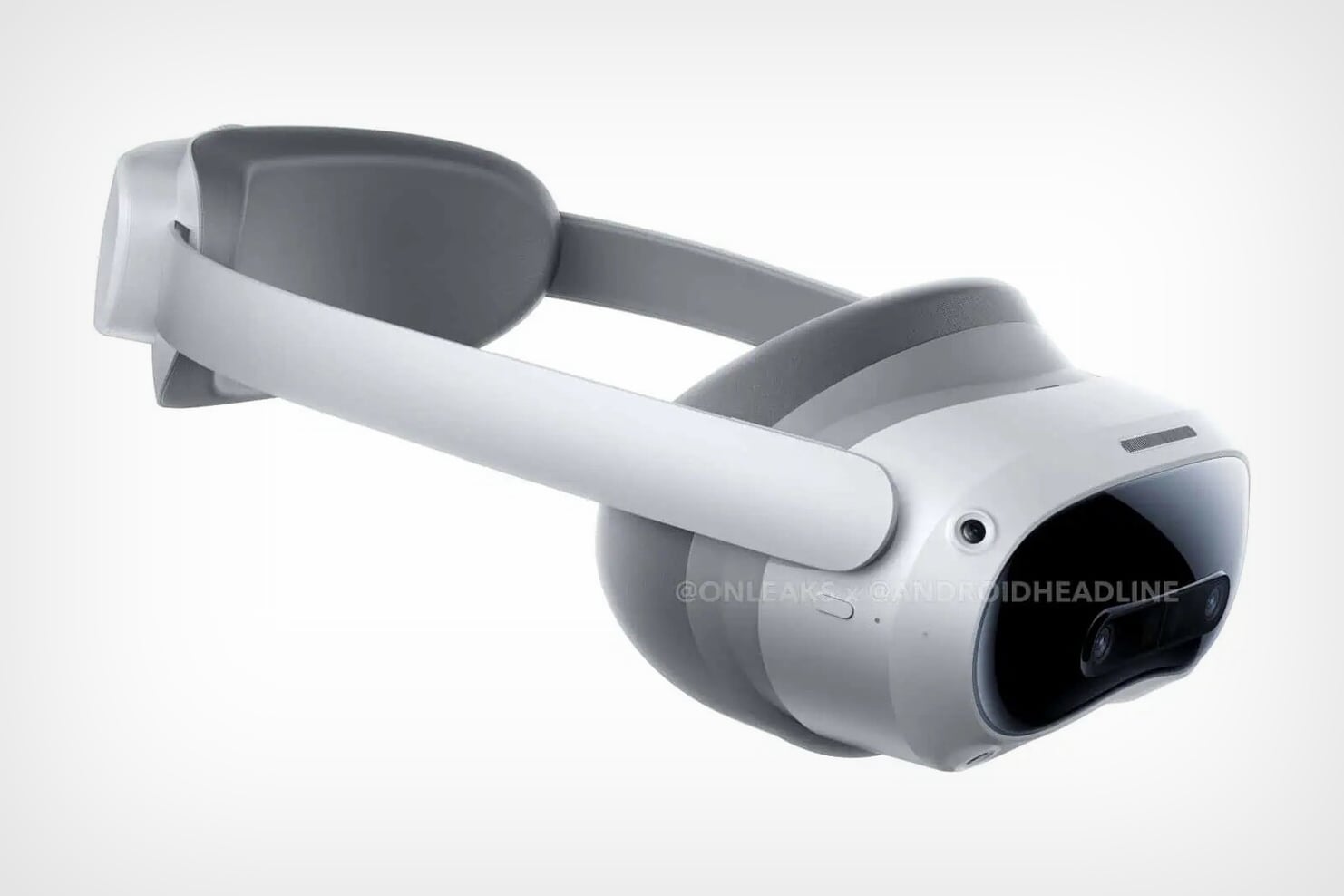
TikTok’s Parent Company ByteDance is launching a Mixed Reality Headset to battle Meta

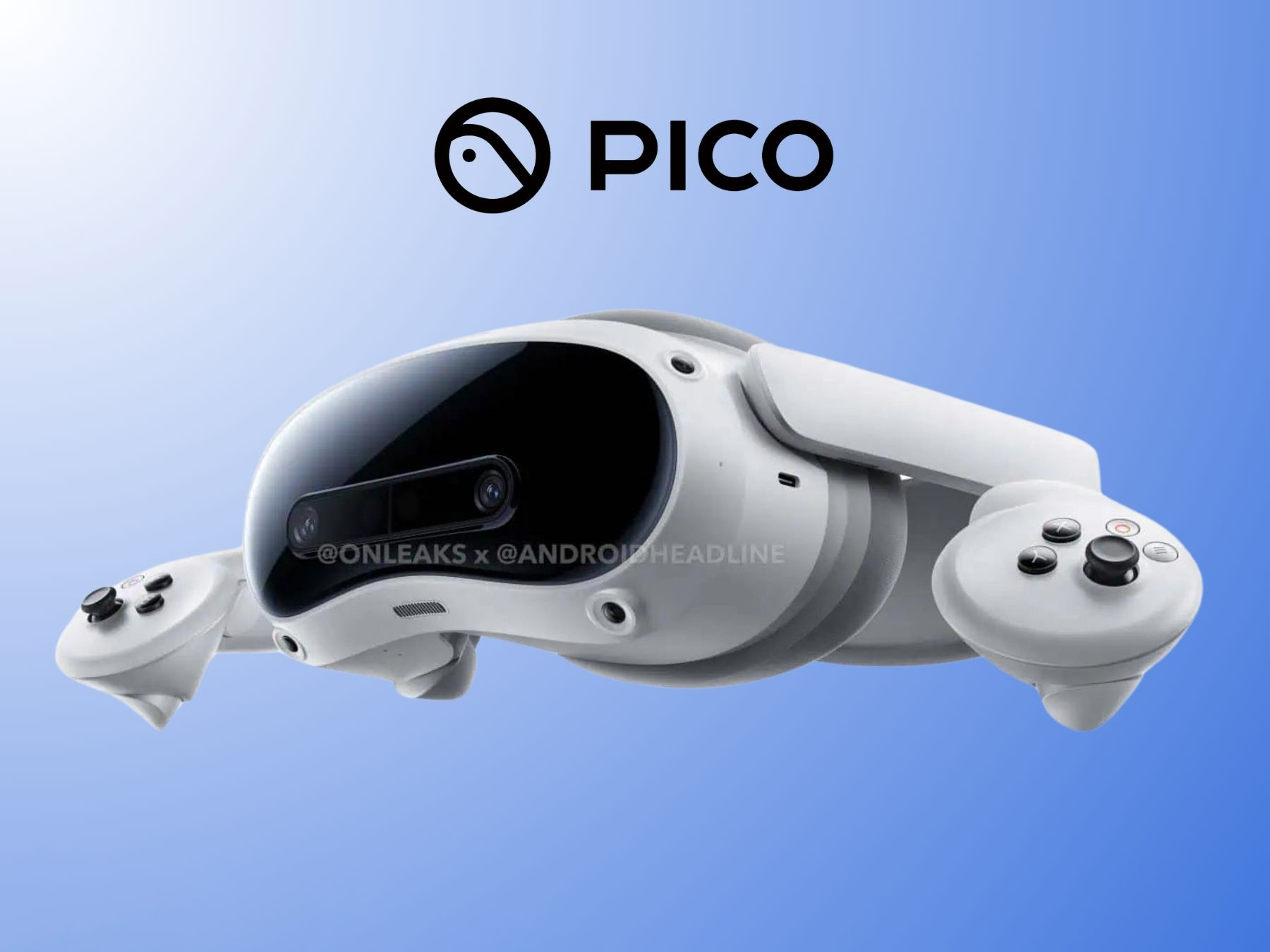
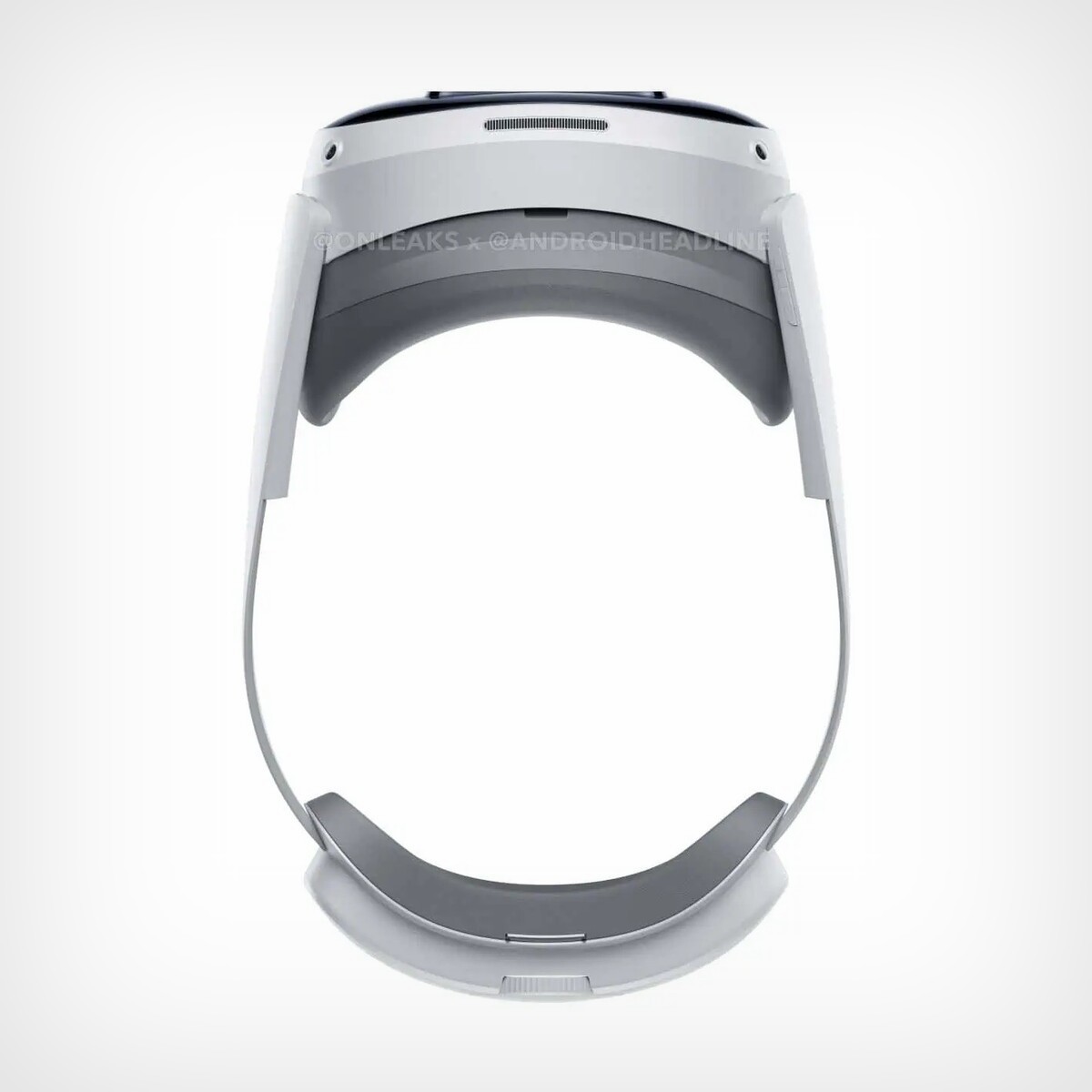
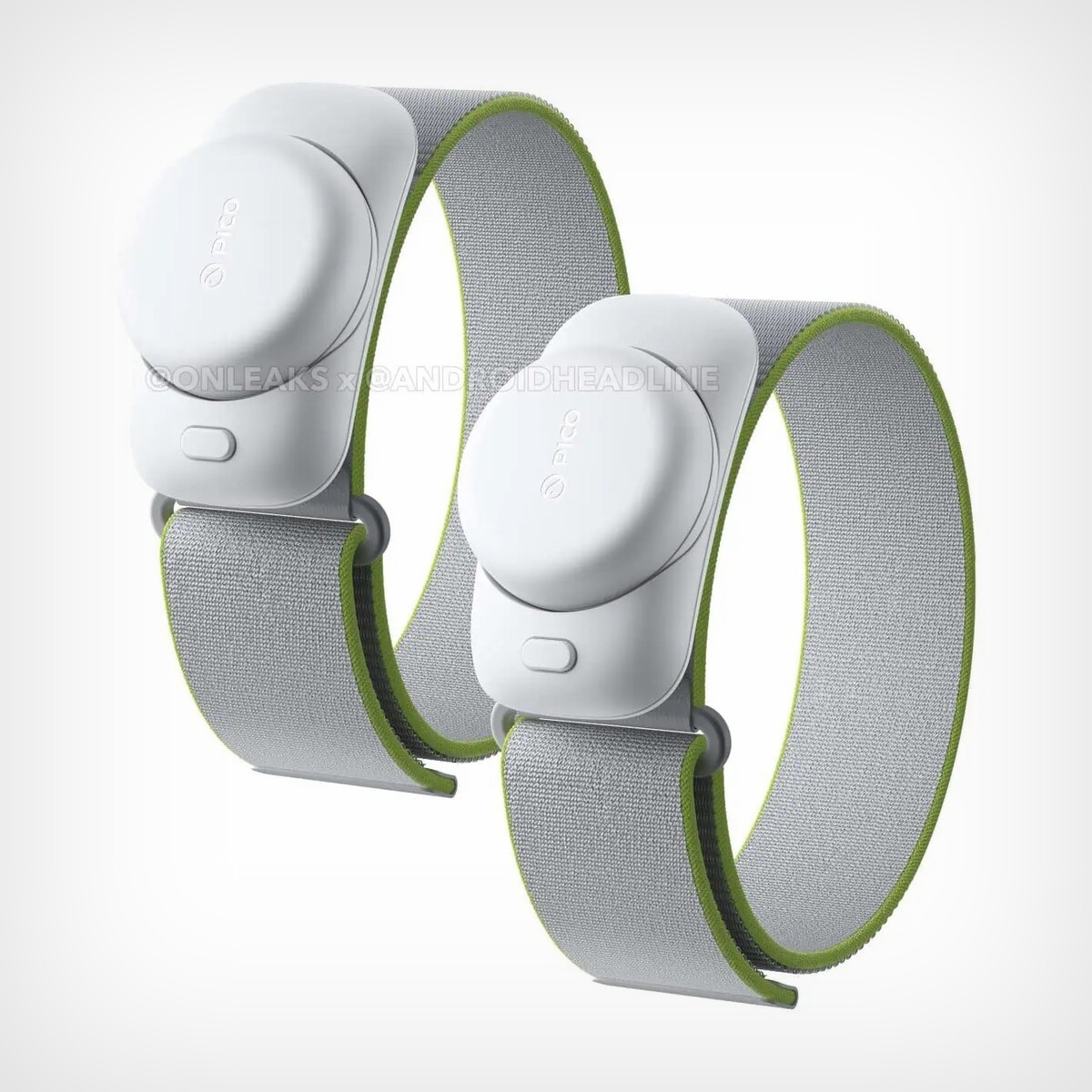
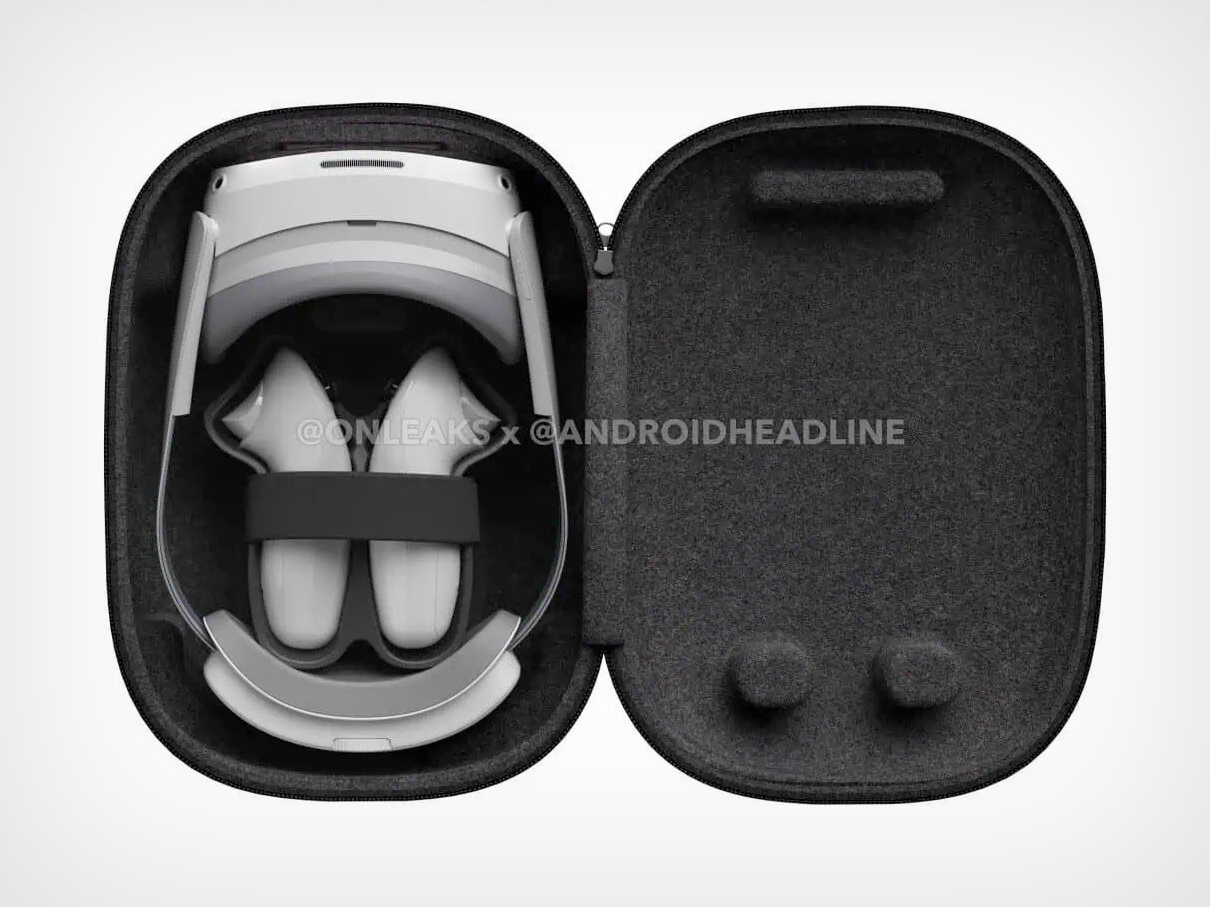
Meta has a monopoly on both social media as well as virtual reality headsets, but not for long because TikTok’s parent company ByteDance is coming to the hardware space with its first mixed reality headset too. The creator behind the world’s most popular (and even polarizing) social media app just acquired XR company Pico, and is planning on launching a headset under its newly acquired sub-brand. The Pico 4S (or 4 Ultra in some countries) is an upgraded version of its predecessor, notably with pronounced pass-through cameras on the front of the headset, redesigned controllers, and a pair of wearable wrist-band sensors for non-controller hand tracking. How the Pico 4S ties into ByteDance’s broader approach towards cornering the VR market is unclear, but then again, Spatial Computing was a total rage last year. Does it mean TikTok could turn more immersive? Or maybe ByteDance has other plans…

Designer: ByteDance

One of the most significant changes in the Pico 4S is the inclusion of a stereoscopic pair of cameras at the front. This upgrade is likely to enhance the pass-through experience, allowing for a more immersive and responsive mixed-reality interaction. The cameras are positioned within a slightly revised front glass design, which still retains the familiar look of the Pico 4. The rear-mounted battery, a feature praised for improving weight distribution and comfort during extended use, remains a part of the design. This thoughtful approach to ergonomics, combined with the new camera system, shows ByteDance’s commitment to refining user experience without drastically altering what worked well in the previous model.

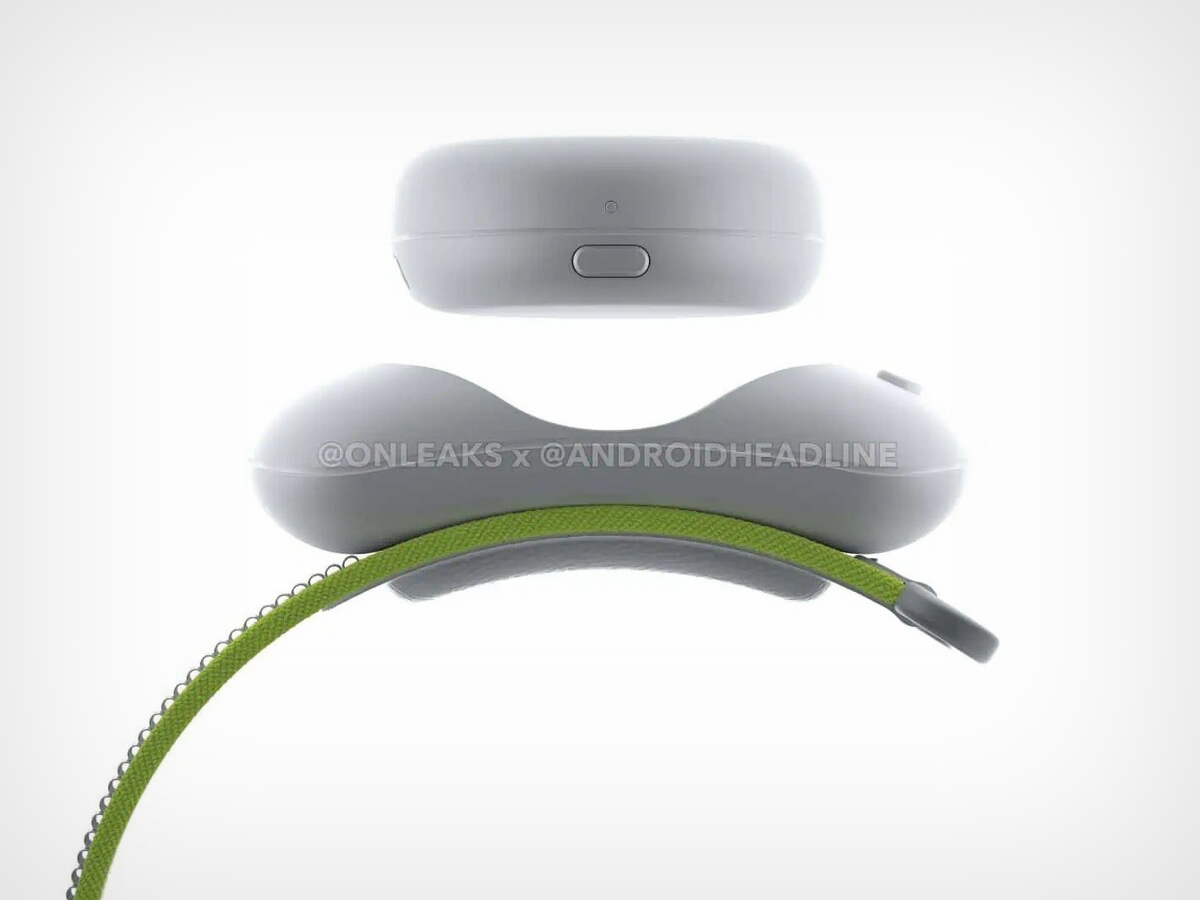
Another addition to the Pico 4S is the set of two wrist straps designed to enhance hand tracking. These straps, equipped with sensors, are expected to offer greater flexibility and precision in scenarios where handheld controllers may not be necessary or desirable. The wrist straps, which appear to be detachable, add a new dimension to the device’s versatility. This feature, coupled with the ring-less controllers that closely resemble those of the Pico 4, suggests that the Pico 4S will be well-suited for a wide range of applications, from gaming to more professional mixed reality tasks.

Under the hood, the Pico 4S is rumored to be powered by the Snapdragon XR2 Gen 2 chipset, the same processor found in the Meta Quest 3. This is a notable upgrade from the Snapdragon XR2 Gen 1 used in the Pico 4, promising improved performance and efficiency. Paired with 12 GB of RAM, the Pico 4S is expected to handle demanding mixed reality experiences with ease. The display specifications, likely to mirror those of the Pico 4, include dual 2.56-inch 2160 x 2160 LCD screens with a refresh rate of up to 90 Hz. The motorized inter-pupillary distance adjustment, a feature that simplifies customization for individual users, is also expected to make a return, further enhancing the user experience.

Despite these advancements, the overall form factor of the Pico 4S remains compact and lightweight, ensuring that it will continue to be a comfortable device for extended sessions. The inclusion of spatial audio via in-built speakers and the continuation of motorized inter-pupillary distance adjustment are features that contribute to the headset’s user-friendly design. While the Pico 4 initially faced limited availability outside of Europe and East Asia, its positive reception and expanded availability suggest that the Pico 4S may also see a broader release, possibly entering the competitive US market.

The Pico 4S is poised to challenge the Meta Quest 3 (and even the rumored Quest 3s) with its combination of refined design, enhanced technical capabilities, and thoughtful features aimed at improving user comfort and interaction. As the mixed-reality market continues to grow, the competition between these two headsets will likely drive further innovation, ultimately benefiting consumers looking for more immersive and accessible mixed-reality experiences.

Images via OnLeaks & AndroidHeadline

The post TikTok’s Parent Company ByteDance is launching a Mixed Reality Headset to battle Meta first appeared on Yanko Design.

Compact Shaver the size of an AirPods Case is the perfect Pocket EDC for Grooming on-the-go

Did you ever think a clipper could become a part of your EDC? Well, this one can.

I’m sure this sounds relatable. You wake up to notice you’re running late for work. You have time to brush your teeth, you’re possibly skipping your bath, and breakfast is just going to be an apple you quickly munch as you drive to work. You reach the workplace with minutes to spare, remembering you’ve also got a meeting today. Your hand runs across your jaw and you realize you didn’t get time to shave today. Even if it isn’t the kind of incident that happens on a daily basis, forgetting to shave is a quintessential problem. Either you don’t have the time, you forgot to charge your trimmer, or you’re traveling and conveniently ditched the razor/clipper thinking you wouldn’t need it.

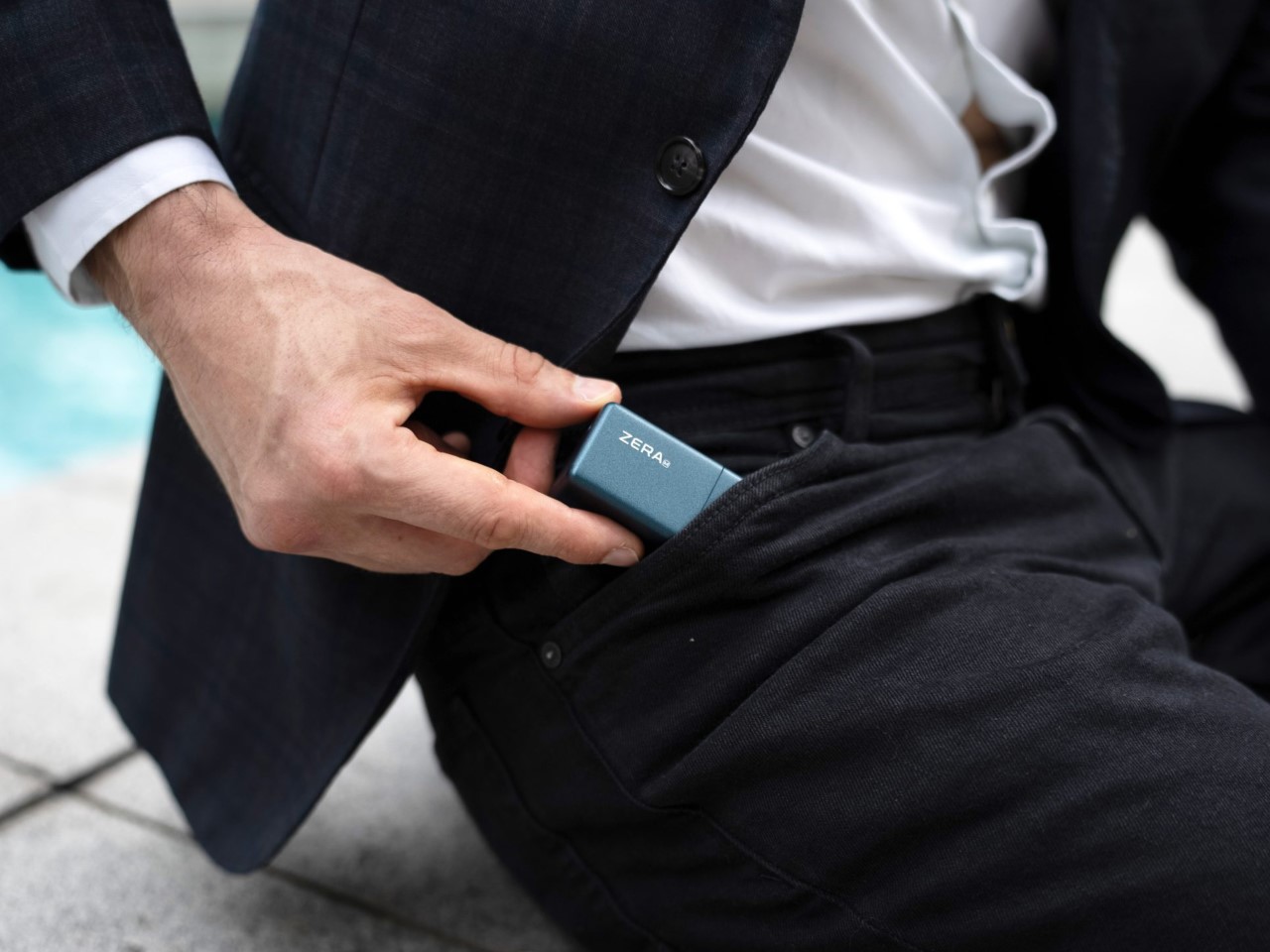
That’s where a product like the ZERA M proves to be pretty handy. A beard trimmer small enough to fit into your pocket, the ZERA M is roughly the size of a wireless earbuds case. It measures 2.67 inches long, 1.27 inches wide, and weighs a paltry 3.4 ounces… but it’s a full-fledged stubble and nose-hair trimmer you can use on the go. Designed to fit right in your pocket, the trimmer/shaver is the ultimate on-the-go grooming accessory. You can use it directly on your skin, or pair it with a shaving cream of your choice. Either way, the ZERA M is designed to be used anywhere, whether it’s in a hotel washroom while on a business trip, at home before work, or even just minutes before you enter an important meeting where you need to look your professional best.

Designer: Zera M

Click Here to Buy Now: $59 $89 (34% off) Hurry! Only 4 Days Left.

Technology has a way of shrinking things. Phones today are slimmer than they were 10 years back. Cameras are measurably smaller than they were decades ago. Televisions today measure about as thick as a few credit cards stacked together. There’s no reason the beard shaver should still remain a bulky device, right? After all, the shaver is merely a blade powered by a motor and battery. Eschewing the bulky, ergonomic designs of most beard shavers you see today, the ZERA M simplifies things down for the sake of compactness. The tiny device, no longer than your thumb, gives you a comprehensive shaving experience on the go.

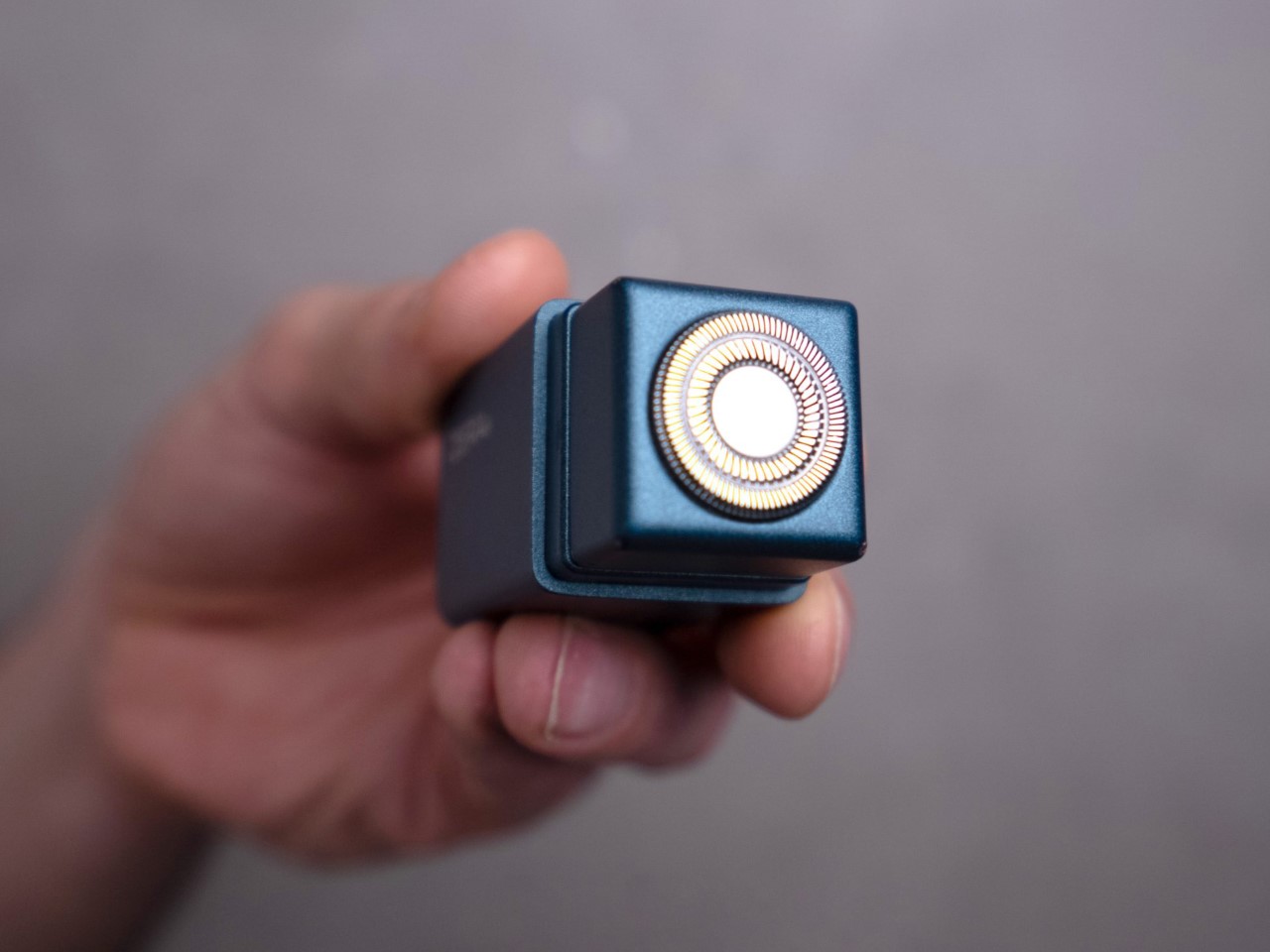
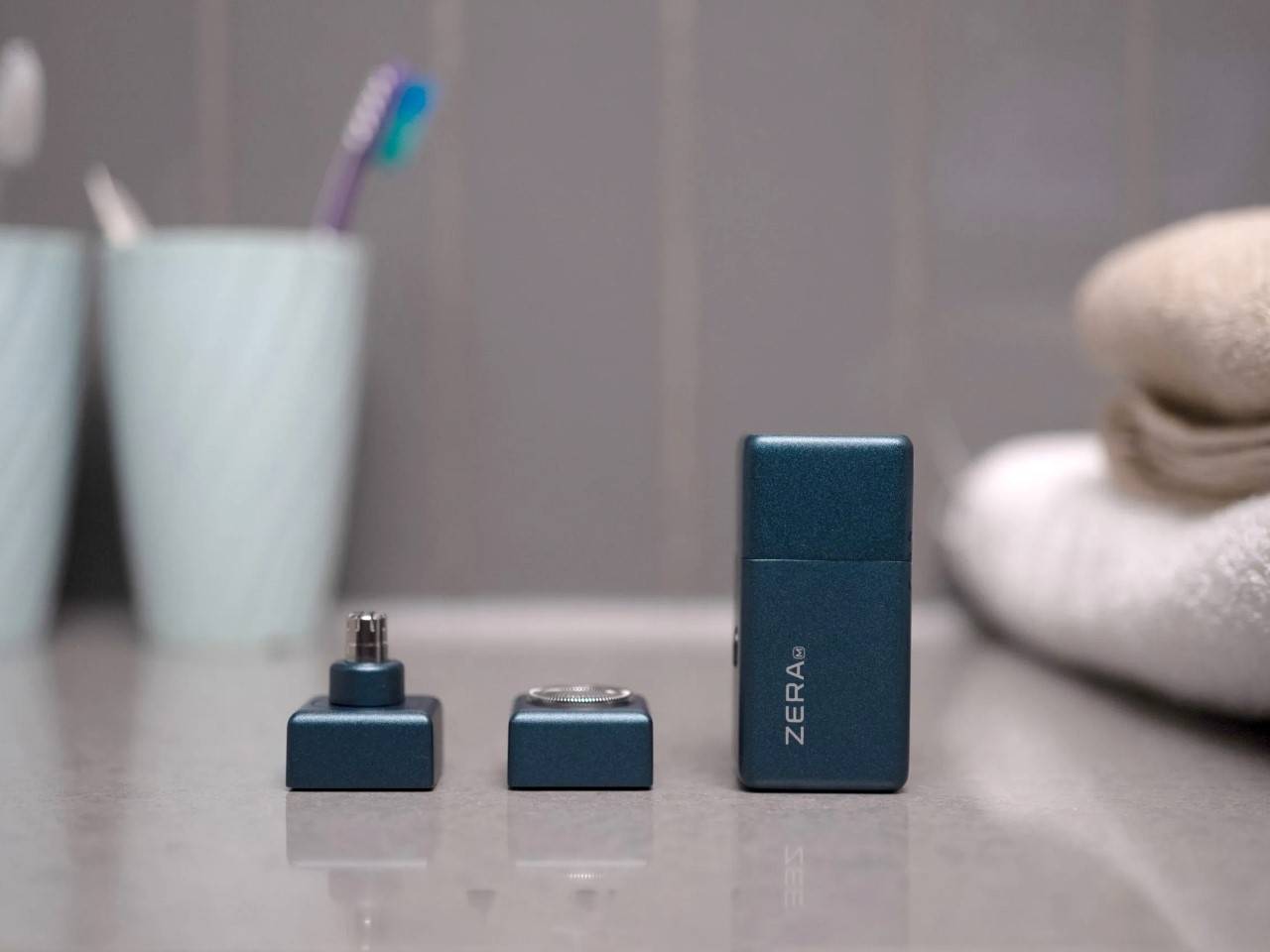
Essentially, the device can be split into two broad parts, the base, which contains the motor and battery, and a snap-on magnetic blade module that attaches to the base. When powered, the blade rotates at a stunning 8000RPM, operating at a volume of under 30dB (that’s quieter than the hum of your refrigerator). The blades sit within a safe enclosure, trimming your beard without causing razor burn or pinching your skin. All you do is run the ZERA M around your jawline to clear out any stubble… and if you want to groom your nostrils, just snap off the blade module and replace it with the nose-trimmer module that lets you quickly trim your nose hairs.

The technology that runs the ZERA M isn’t new – shavers/clippers have existed for decades. It’s just how the ZERA M packages things that makes it so effective. Everything sits within a hyper-portable design that literally fits in your pocket. Perfect for carrying around with you (or just stashing in your suitcase or travel case during business trips), the ZERA M is there when you need it, and invisible when you don’t. The battery and motor sit enclosed within a water-tight body, making the ZERA M perfect to use even in the shower. The entire device is IPx7 water-resistant, and you can either use it dry against your skin (like any conventional shaver), or combine it with shaving cream if you want to leave your skin feeling soft and supple after a shave.

The motor operates at 8000RPM, giving you a quick, clean shave

Swap between beard-trimming and nose-trimming modules in a second

Apart from being compact enough to travel with, the ZERA M saves you big bucks in the long run. It replaces the need to buy razor blades (if you’re the kind that uses razors), saving you nearly $500 in blade refills over a span of just 1 year if you’re a regular shaver. Maintaining your ZERA M is fairly simple too – just run it under a tap to clean out any stubble that may linger around in its crevasses. The shaver also comes with a tiny brush to help you clean the blade without using water, should you choose.

The magnetic module-swapping detail is sheer genius, allowing you to go from beard trimming to nose-hair trimming without changing devices. The process of swapping modules takes barely a few seconds (as is visible below), giving you the ability to quickly and effectively groom yourself without busting out the entire shaving kit. A grooming ritual that can take nearly half an hour gets done in minutes.

The ZERA M starts at $59, which includes the base, the two upper modules (beard + nose trimmer), and a USB-C charging cable. The cable juices the ZERA M’s built-in 800mAh battery, which runs the shaver for roughly 60 days on a full charge. Meanwhile, an LED indicator on the side lets you know how much power the shaver holds, and a single-button interface lets you easily operate the shaver without needing to bust open a user manual. While traveling, long-pressing the power button puts it in ‘travel-lock’ mode, so it doesn’t accidentally switch on while inside your luggage. The ZERA M ships globally, with a 1-year warranty that’s extendable to 2 years for an extra $15.

Click Here to Buy Now: $59 $89 (34% off) Hurry! Only 4 Days Left.

The post Compact Shaver the size of an AirPods Case is the perfect Pocket EDC for Grooming on-the-go first appeared on Yanko Design.
Google Gemini Nano vs Apple Intelligence: Which AI Assistant is Better?

With Google’s Pixel event coming to a conclusion, we now have a comprehensive look at what AI upgrades are coming to the Pixel 9 devices, as well as a fair understanding of what Apple’s plans are for AI (or Apple Intelligence) on their upcoming iPhone 16 series. Although neither of these features has launched yet (both Google and Apple plan on rolling out their multimodal AI assistants later this year), it’s fair to quickly compare how they stack up against each other, and whether it makes sense to go the Pixel or the iPhone route this smartphone season.

On-Device Models

Both Google and Apple boast the ability to handle AI queries on the device itself, which means all the AI processing is happening on your phone instead of a server on the cloud. For Pixel phones, this is courtesy Gemini Nano, Google’s on-board multimodal AI model, while for Apple, they just call it Apple Intelligence instead of bogging you down with model names and version names. When the phone can’t handle a task on-device, it accesses the cloud – something common to both Gemini and Apple Intelligence. However, every single thing Gemini does is handled by Google’s own AI model, whereas for Apple, some tasks get outsourced to ChatGPT, without logging any private data… but more on privacy later. Google benefits from owning the entire ‘stack’, whereas Apple benefits from being able to be truly diverse by leaning on ChatGPT’s capabilities when it finds itself lacking.

Multimodality

The term multimodality refers to the ability to work across different modes – text, video, and audio. Both Gemini and Apple Intelligence are designed to be multimodal. They accept text input, can take voice commands, can analyze audio files, inspect images, and can even search within videos. It’s worth noting that while Google and Apple both announced these multimodal capabilities, the final AI assistants are still weeks/months away from launch.

Language Input

Apple Intelligence has only been demonstrated to work in English as of this writing. Google’s Gemini, however, holds the edge by accepting 45+ different languages as input.

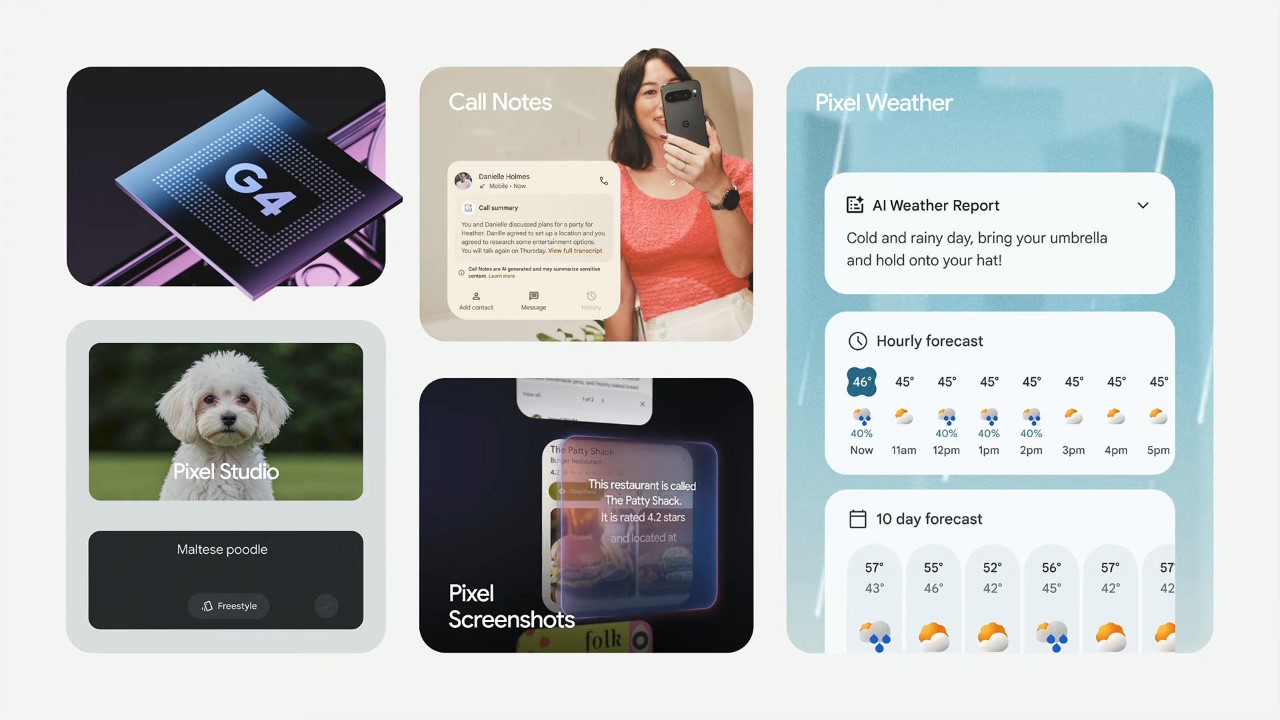
The Gemini ‘Feature Quilt’

Text Generation/Rewrite

This might be the simplest yet most effective feature on both platforms, and one you’ll find yourself using the most. Text generation and rewriting isn’t new for Gemini at all, and is available across all of Google’s own apps/services regardless of your device. You can prompt Gemini to compose emails, write letters/flyers, and even proofread your documents, either within the Gemini website or across apps like Gmail, Docs, etc. Apple Intelligence offers the same features too (refining, proofreading, rewriting), but these capabilities seem limited only to Apple devices like the iPhone, iPad, MacBook, and Mac desktops. While Apple Intelligence’s text-generation features are yet to make their debut on Apple devices, Google’s Gemini-powered features are already available across all devices regardless of their make.

Image Generation

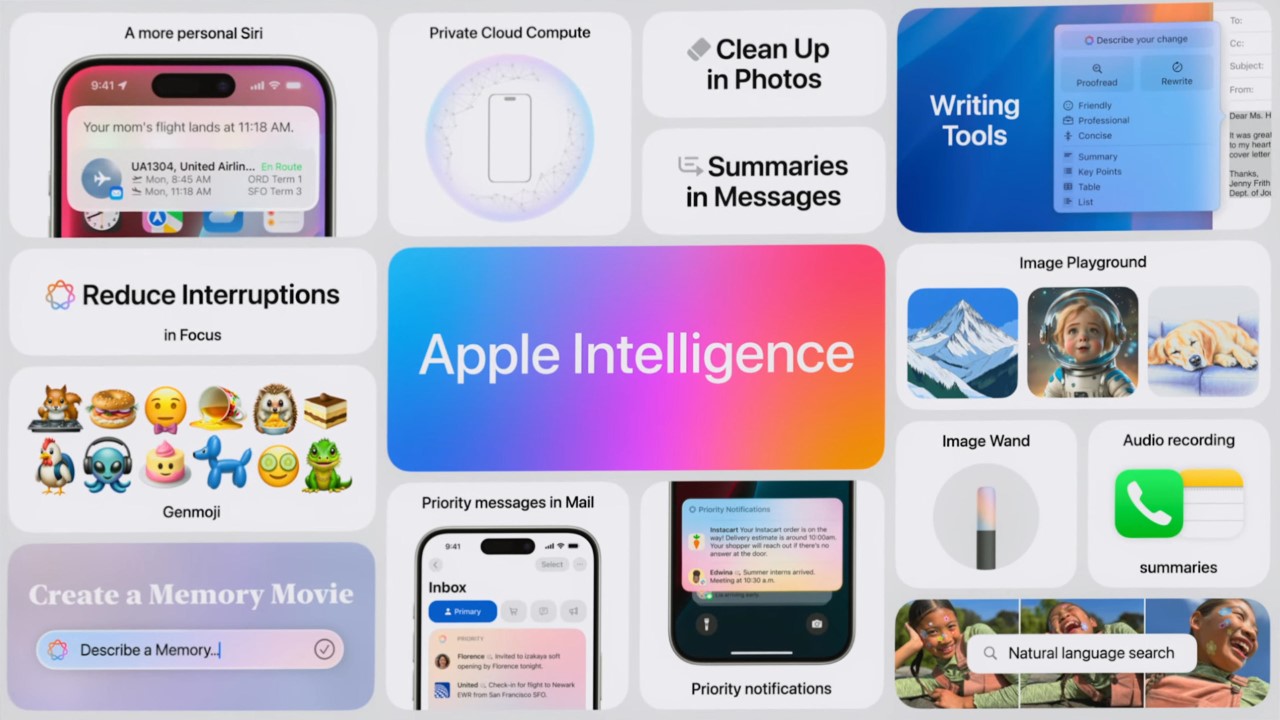
Aside from just analyzing images, Gemini and Apple Intelligence have image generation features too, with their own different abilities. The Pixel Studio text-to-image feature was unveiled today, limited to Pixel 9 models only. Type a prompt out and the app creates an image that you can then view variants of, refine by refining the prompt, or even change the style by choosing from a selection of style templates. At WWDC this year, Apple unveiled their Image Playground which has the exact same capabilities. However, the Image Playground offers fewer styles to choose from, staying consciously away from generating realistic images. Google’s Pixel Studio can generate photorealistic images, although the company also unveiled tools to detect AI images earlier, which may play a crucial role in minimizing the spread of deepfakes and misinformation.

Additionally, Google’s Magic Editor (its upgrade to the Magic Eraser) is set to debut on Pixel phones and also see a broader Android (and even iOS) rollout. The feature lets you correct your photo by adjusting parameters like reframing or expanding the composition, or edit parts of your photo by adding GenAI details to them. Google, however, doesn’t get Apple’s GenMoji, or the ability to generate custom emojis based on prompts and context. These custom emojis can be shared on Apple’s Messages app, but can also be saved as stickers and used on other messaging apps like WhatsApp and Instagram.

Live Mode

Debuted at Google’s Pixel Launch event today, Gemini’s Live Mode lets you talk to your AI the way you would another person. If you remember ChatGPT’s GPT 4o model from not too long ago, that’s what the Live Mode lets you do. You can summon the AI and just have a conversation with it, asking it questions, sparring on ideas, or instead collaborating over them. This feature is currently available only in English, and to Gemini Advanced subscribers, which means free users won’t be able to tap into the Live Mode feature. Apple Intelligence doesn’t have a Live Mode as of now, but you could expect it to drop in the future as soon as the intelligence features actually begin rolling out. Notably, ChatGPT lets you chat with the GPT 4o model for free, but it’s limited to a ‘few’ times within a limited time window.

Call Record/Transcribe

Both Gemini and Apple Intelligence boast the ability to record and transcribe conversations. Recorded calls get transcribed using on-device AI, and all participants are notified that the call is being recorded. Apple, however, adds transcriptions to the Notes app, while Google lets you view the transcriptions right within the Call Log using a feature called Call Notes.

The Apple Intelligence ‘Feature Quilt’

Memory + Context

What good is an AI if it doesn’t remember your conversations? Both Gemini and Apple Intelligence ‘allegedly’ get context very well by understanding what you require, which apps need to be referenced, and also people within your contacts. You can have a steady conversation with both AI models, and they’ll remember what you’re talking about without constantly needing to be reminded. This is in major contrast to just a few years ago when Voice Assistants only had a limited memory that existed only within that chat command. Now you can reference something from an image taken years ago, or details from an email buried in your inbox, and the AI models will get working without missing a heartbeat. Or at least that’s what Apple and Google will have us believe. We’re still waiting to see these features roll out on devices, and can only understand their limitations once they do.

Privacy

A lot of AI talk is also supplemented by a fair amount of fearmongering. AI replacing humans, AI training itself on your data, and AI going rogue – all valid concerns that Google and Apple understand rather well. To that end, a lot of the Pixel 9 Gemini Nano and Apple Intelligence’s features occur on device, without even connecting to the internet (the Gemini Nano on-device AI is different from the Gemini available on other Android devices). However, when Gemini or Apple Intelligence needs to access an on-cloud version of the AI model, it happens within its own sandbox, without having any data be accessible to any third parties. Notably, Apple also relies on ChatGPT to power some of its AI experiences, although Craig Federighi was quick to mention that ChatGPT doesn’t (or cannot) log any data or queries inputted through Apple Intelligence.

Availability

As far as availability goes, Google’s Gemini Nano model will only be available on Pixel 9 devices, with an official release said to occur weeks from now. While Gemini will be available across all devices, the ability to use Gemini as a personal smartphone assistant is limited only to the latest Pixel 9 range. Apple Intelligence awaits a formal launch too, and will be available on the iPhone 15 Pro series from last year, along with this year’s iPhone rollout. EU users, unfortunately, will not be able to use Apple Intelligence features on the iPhone following the EU’s strict DMA (Digital Markets Act) legislation.

Neither Gemini Nano nor Apple Intelligence have an official launch date, but chances are they’ll both debut in the weeks/months to come. Apple Intelligence will be free for all users (you can even use the ChatGPT features for free without making an account), and Gemini Nano’s core features will be free for Pixel users too. Pixel users also get a 1-year access pass to Gemini Advanced, which can handle more complex tasks, has a larger context window, and allows you to use the Gemini Live Mode.

Watch the official videos on Gemini Nano and Apple Intelligence below.

The post Google Gemini Nano vs Apple Intelligence: Which AI Assistant is Better? first appeared on Yanko Design.
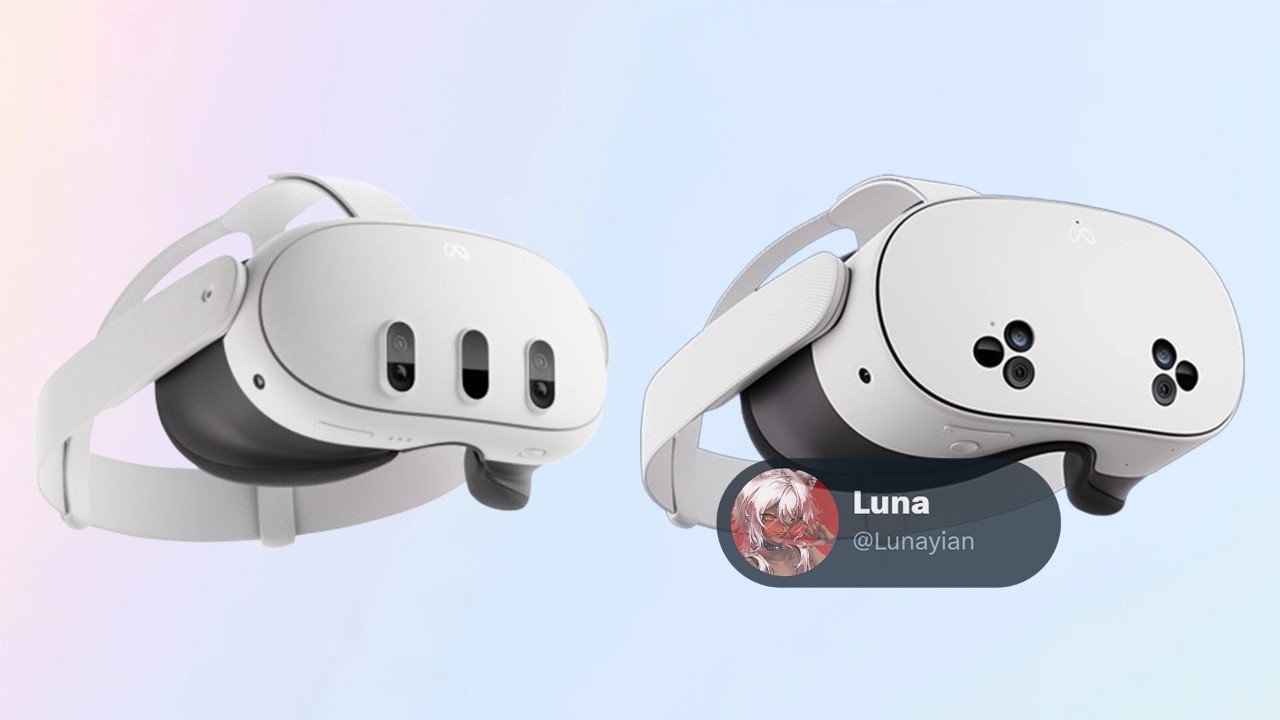
Meta’s new ‘Affordable’ Quest 3s Headset leaks online, hinting at strong Spatial rivalry with Apple

With multiple rumors floating around that Apple is dead set on building an affordable version of its Vision Pro headsets (probably named the Vision Air), it seems like Meta is doubling down on the affordable headset space too, with the upcoming Meta Quest 3s – a budget alternative to the Quest 3 from just last year.

Images of the Quest 3s leaked around March this year, but new details are finally emerging as Meta is getting ready to launch the affordable headset, both to pre-empt Apple as well ByteDance (the TikTok company) that’s also rumored to be debuting a headset as soon as August 20th.

Designer: Meta

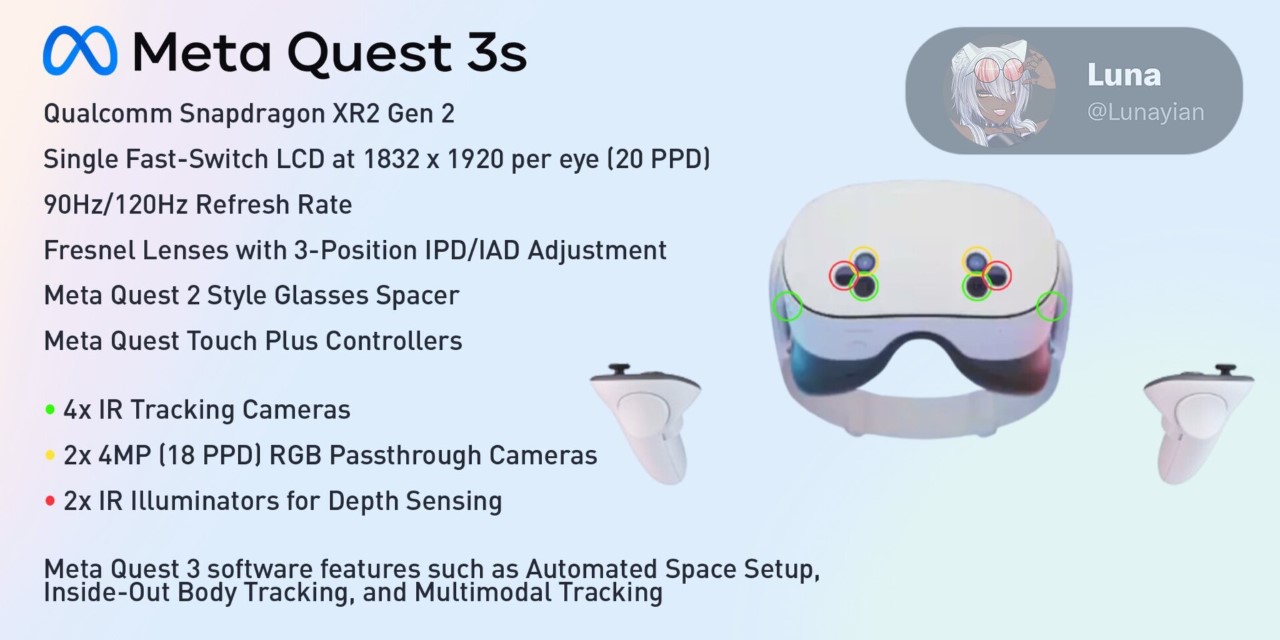
The Quest 3S will reportedly house the same Snapdragon XR2 Gen 2 processor found in its predecessor, ensuring it maintains robust performance capabilities. This processor is specifically designed for XR devices, providing the necessary computational power to handle complex VR and AR applications seamlessly. The inclusion of this processor suggests that Meta isn’t compromising on core performance, which is crucial for maintaining the immersive experience users expect from their devices.

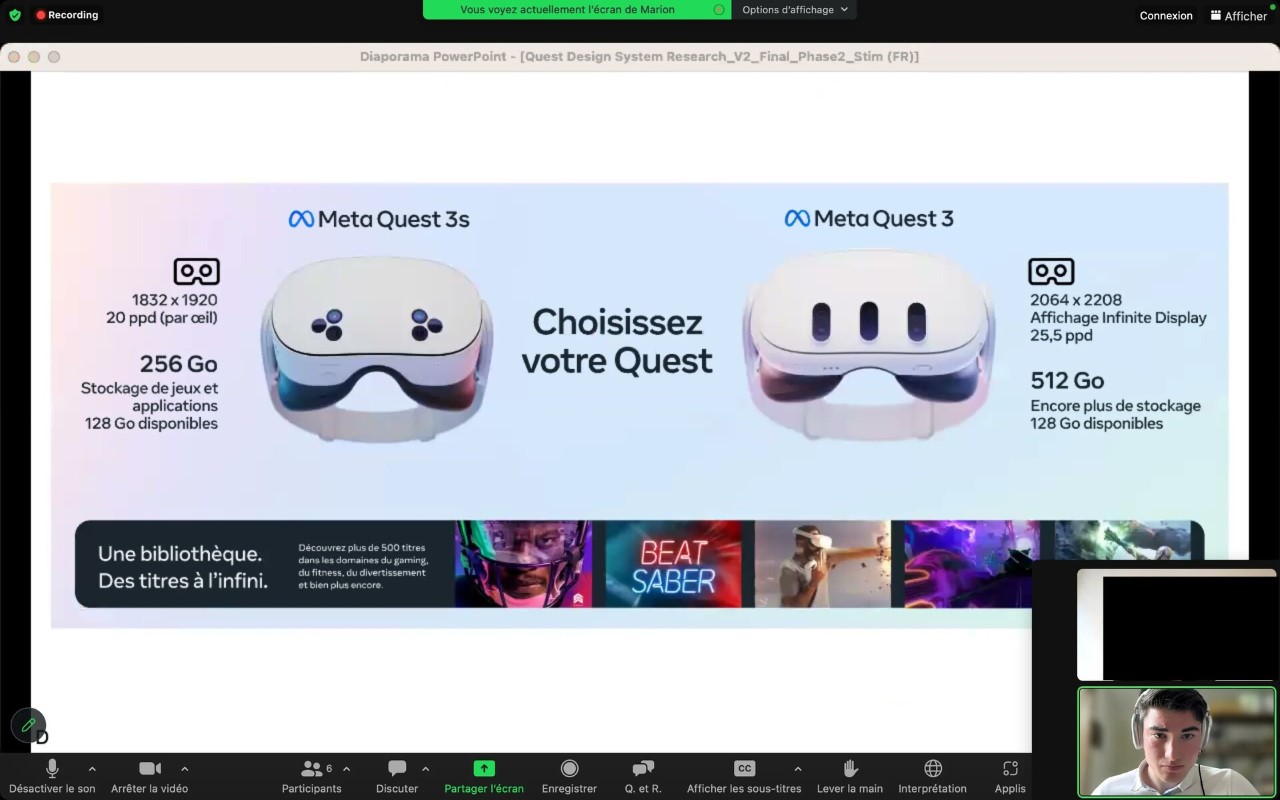
The Quest 3S will feature 1832 x 1920 fast-switching LCD panels. While this might not be as high-end as some OLED displays, it still offers a refresh rate of 90/120 Hz, which should be more than adequate for most users. This choice helps keep costs down while still providing clear, fluid visuals. For users who might be new to VR, the slightly reduced specs in the display won’t be a dealbreaker, especially when considering the price.

The headset will come equipped with Fresnel lenses, which are known for being lightweight while offering a wide field of view. This design helps make the Quest 3S comfortable to wear, even during extended sessions. Additionally, the headset will feature a three-position inter-pupillary distance (IPD) adjustment, so users can adjust the lens spacing to get the sharpest possible view based on their eye spacing. These kinds of thoughtful features show that Meta is keeping the user experience front and center, even with a more budget-friendly model.

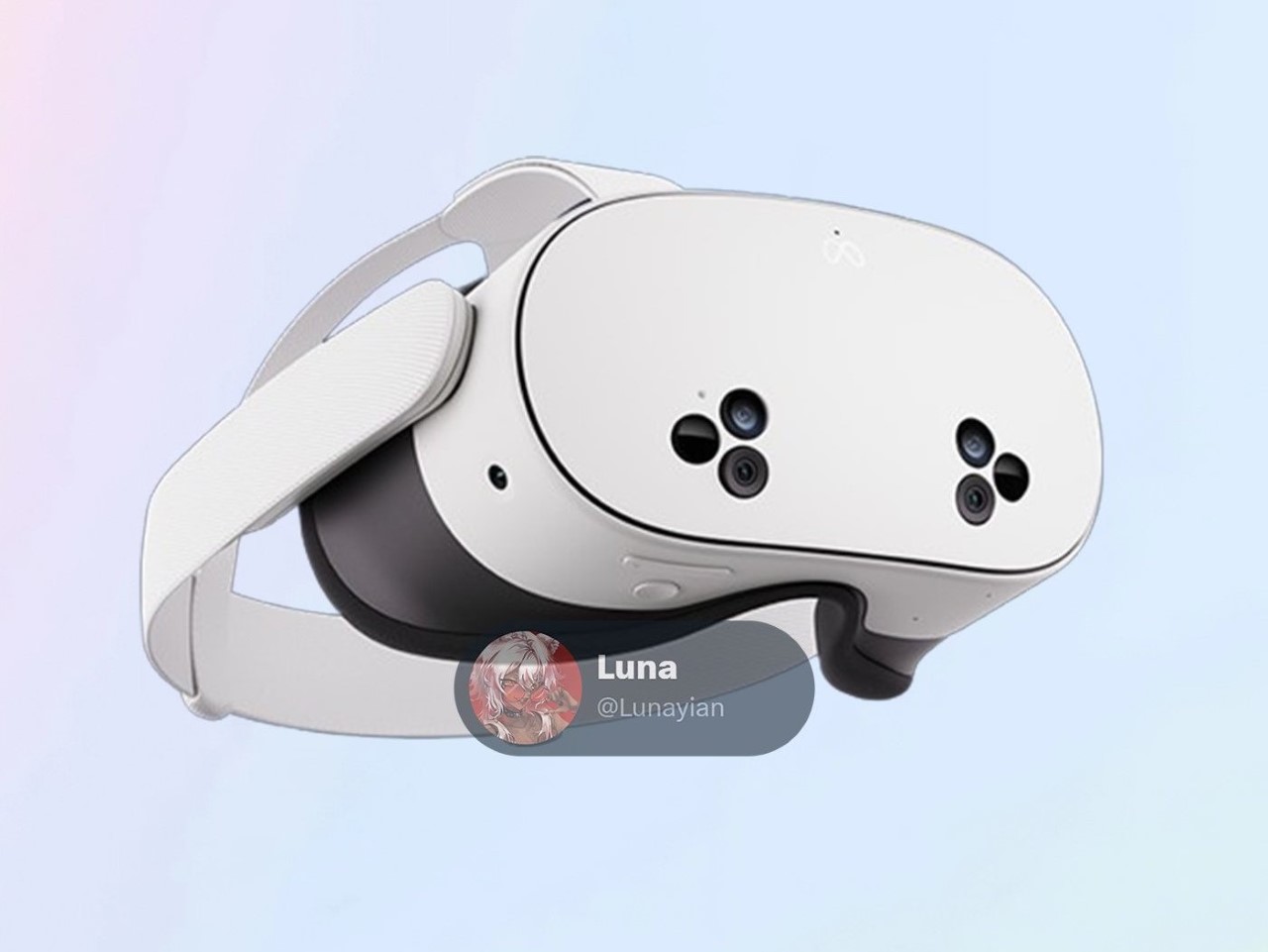
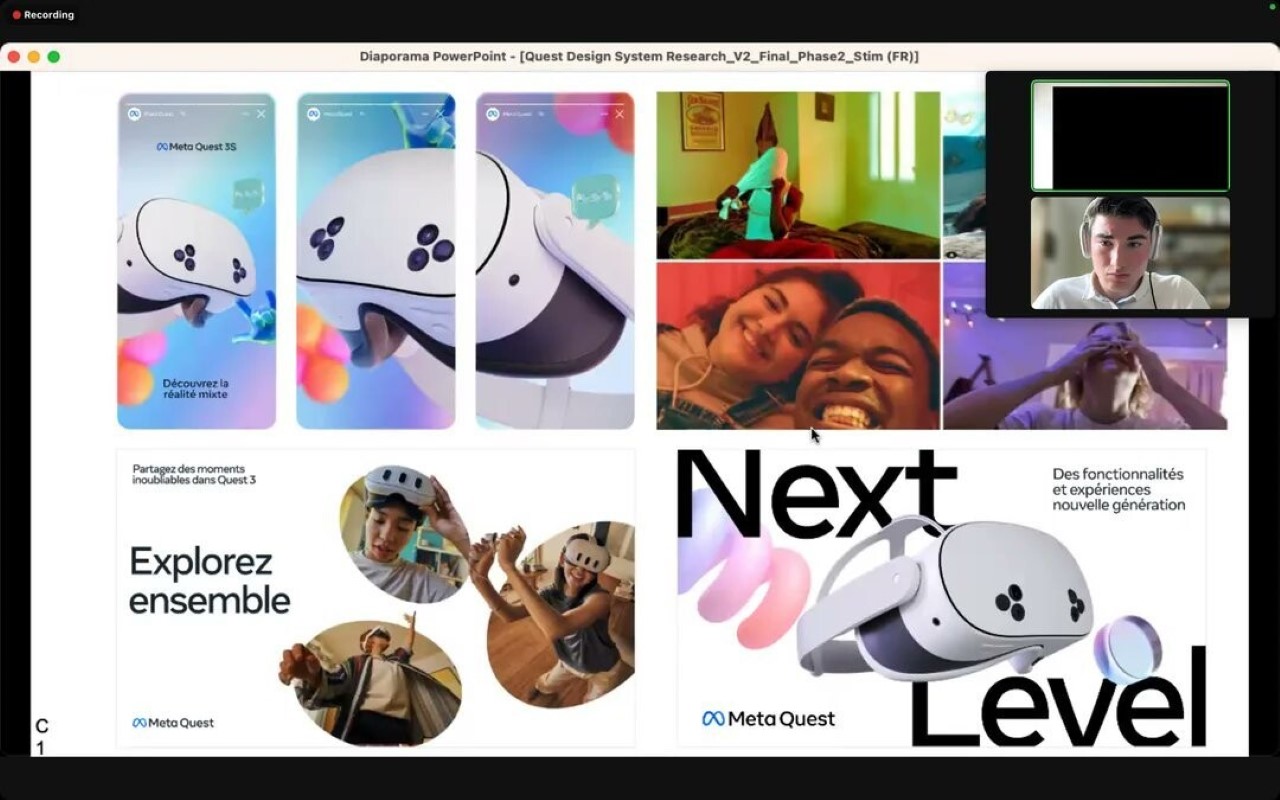
The design of the Quest 3S has also been a topic of conversation, particularly due to its unique triangular camera clusters that have surfaced in leaked images. These clusters are expected to house two 4 MP RGB passthrough cameras, four infrared (IR) tracking cameras, and two IR illuminators for depth sensing. This array of sensors is designed to ensure that the headset can accurately track movements and provide a realistic sense of depth, essential for an immersive experience. There’s also an action button, which is rumored to be customizable, allowing users to tweak the functionality to suit their preferences.

Meta’s decision to maintain the Quest Touch Plus controllers in the 3S suggests a commitment to a consistent user experience across its XR ecosystem. These controllers have been praised for their ergonomic design and precision, making them a valuable asset for both VR newcomers and veterans. The use of these familiar controllers will also likely reduce production costs, allowing Meta to pass savings on to consumers.

As for pricing, although nothing has been officially confirmed, it’s expected that the Quest 3S will come in at under $300. This makes it a highly competitive option in the XR market, especially as other companies like ByteDance prepare to launch their own budget-friendly headsets. With the XR space getting more crowded, Meta’s move to introduce a more affordable yet capable device could be a game-changer, opening up mixed reality to a much wider audience. The Quest 3S seems poised to offer a well-rounded experience without breaking the bank, making it a promising choice for those looking to dip their toes into the world of VR and AR.

The post Meta’s new ‘Affordable’ Quest 3s Headset leaks online, hinting at strong Spatial rivalry with Apple first appeared on Yanko Design.
World’s First ‘Backpack Fridge’ lets you carry your cool beverages to your camping site with ease

We’ve heard of wearable ACs, but a wearable fridge is definitely uncharted territory.

Say hello to the Litheli FrozenPack, a backpack that ISN’T made for carrying clothes or tech. Instead, it’s designed to carry food and beverages… specifically the chilled kind. Modeled on the shape and size of a wearable backpack, this refrigerator has a 16-liter capacity for carrying drinks or food, a battery pack that chills your food down to -20°C (-4°F) for up to 6 hours, and an insulated design that keeps food chilled for another 4 hours with the power unplugged. The FrozenPack is compact enough to travel in cars with you while tailgating, or even on your back if you’re hiking to a campsite or to a place where cars can’t reach. You can either power it directly for hours via a power cable, or opt for the On-The-Go kit which equips you with two swappable battery packs… and no, it isn’t like those insulated beer coolers – it’s quite literally a wireless, wearable refrigerator capable of chilling drinks and preserving frozen food.

Designer: Litheli

Click Here to Buy Now: $219 $319 ($100 off). Hurry, only 29/88 left! Raised over $210,000.

I’m not a person built for the outdoors. I do love the outdoors, but mankind developed indoors for a reason. Life indoors is comfortable. You’ve got a roof over your head, you’ve got WiFi, television for watching movies and shows, and a fridge full of snacks to eat. You don’t get all those comforts outdoors… or rather, you didn’t until now. The Litheli FrozenPack brings the final frontier of indoor comfort to the outdoors. With an incredibly high capacity-to-volume ratio (which means more storage in a smaller form factor), the FrozenPack is compact and lightweight enough that you can strap it on your shoulders like a regular backpack. In fact, it looks like a backpack in every regard, with adjustable straps, pockets, pouches, and mesh holders for extra supplies… but its pièce de résistance is revealed when you open the backpack’s lid to find yourself with what’s essentially 16 liters of fridge-space.

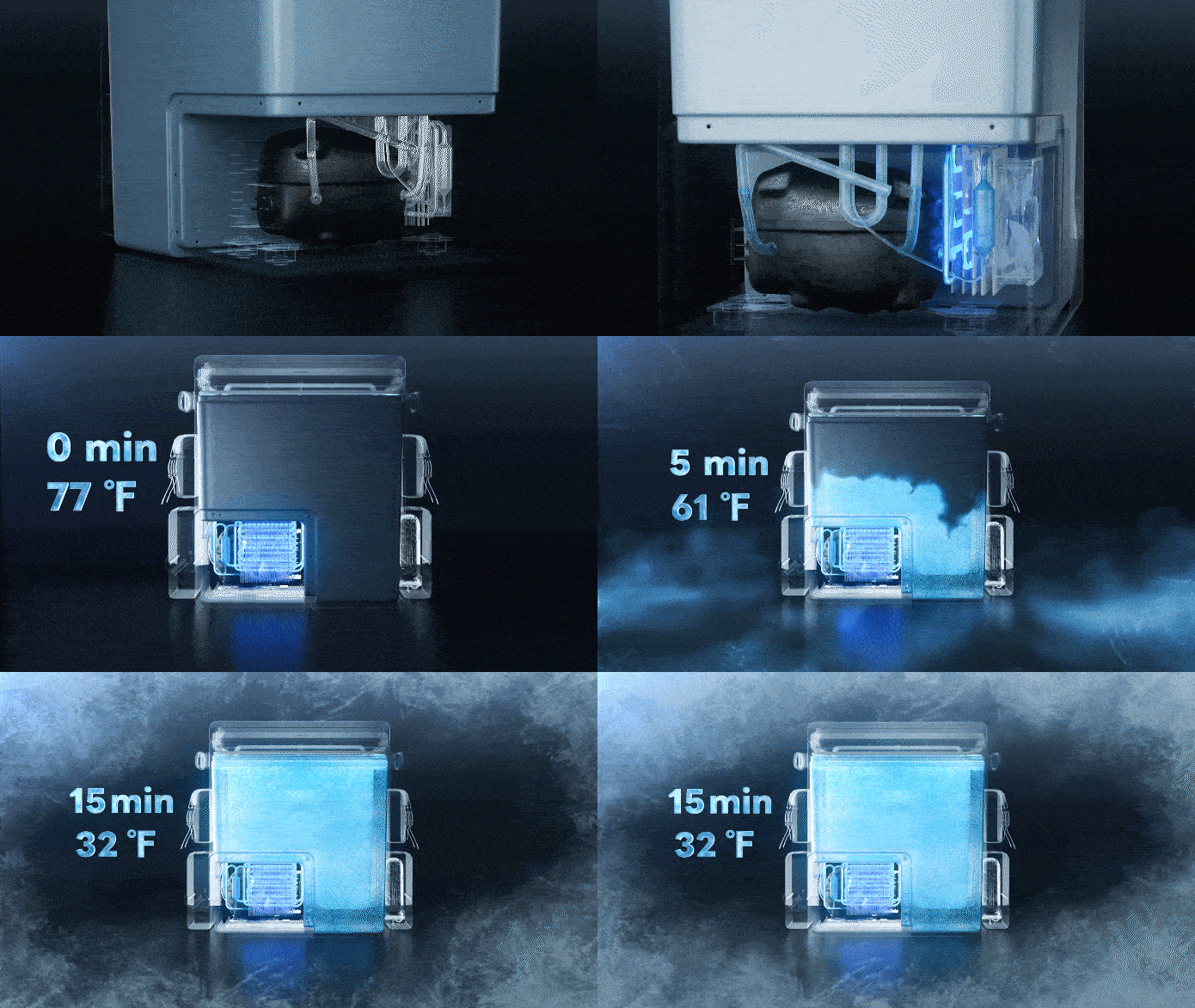
The storage space is perfectly optimized for carrying your drinks or food efficiently. The FrozenPack can snugly fit 10 large beverage cans along with 9 bottles in its cooler compartment, or even store multiple packs of canned food. If you’re looking to stash ice cream, the fridge’s adjustable temperature setting lets you crank the cooling down enough to store ice cream or frozen food. The FrozenPack’s temperature can be configured using a control panel on the front that also houses a display that tells you the fridge’s inner temperature as well as its battery level. The fridge’s temperature can be micro-adjusted between a range of -4°F to 68°F, allowing you to change settings based on the kind of stuff you’re storing within the FrozenPack. This eventually also affects the fridge’s run time, with the highest running time being an impressive 8 hours on Eco Mode. The small size means cooling happens much faster too, allowing the Litheli FrozenPack to go from regular to chilled in just 15 minutes, and with an operating noise level of below 35dB, the FrozenPack is even quieter than your conventional kitchen fridge.

Powering your adventures is the U20 IPS SUPER BATTERY, a one-stop solution for the Litheli ecosystem. With a revolutionary design that allows it to exist outside the fridge instead of built into it, the 74Wh battery pack can be removed on demand or swapped out for a fresh one, allowing you to keep your fridge running for longer. This powerful battery unit delivers north of 6 hours of chilling and even doubles as a power bank for your other electronic devices, keeping you connected on and off the grid. If and when the battery runs out, the fridge still holds its temperature for a solid 4 hours, thanks to a thin yet incredibly efficient TPU840 fabric exterior, along with a PU and EPE inner lining that perfectly insulates your food without adding bulk to the design.

But the true test for any outdoor fridge lies in its ability to withstand the elements. The Litheli FrozenPack tackles bumpy roads with ease. Advanced sensor technology ensures tilt protection, allowing it to operate normally even at inclines of up to 40°. Plus, anti-shock functionality minimizes spills and keeps your food secure – even on the roughest terrains. While carrying the fridge on your back, padded shoulder straps and a sternum strap ensure the FrozenPack stays on comfortably, and add-on brackets let you easily attach the fridge to your car or motorbike/scooter while on the go too.

The Litheli FrozenPack’s design is perfectly suited for travel, with straps, flaps, and pouches galore that make it ruthlessly functional while still being fairly weatherproof. Each FrozenPack Standard Kit comes with a power cable for wired use, although if you want to experience the power of the battery-powered FrozenPack, upgrading to the On-The-Go kit gives you two swappable battery modules (along with that power cable), effectively allowing you to double your fridge’s run-time while outdoors!

Click Here to Buy Now: $219 $319 ($100 off). Hurry, only 29/88 left! Raised over $210,000.

The post World’s First ‘Backpack Fridge’ lets you carry your cool beverages to your camping site with ease first appeared on Yanko Design.
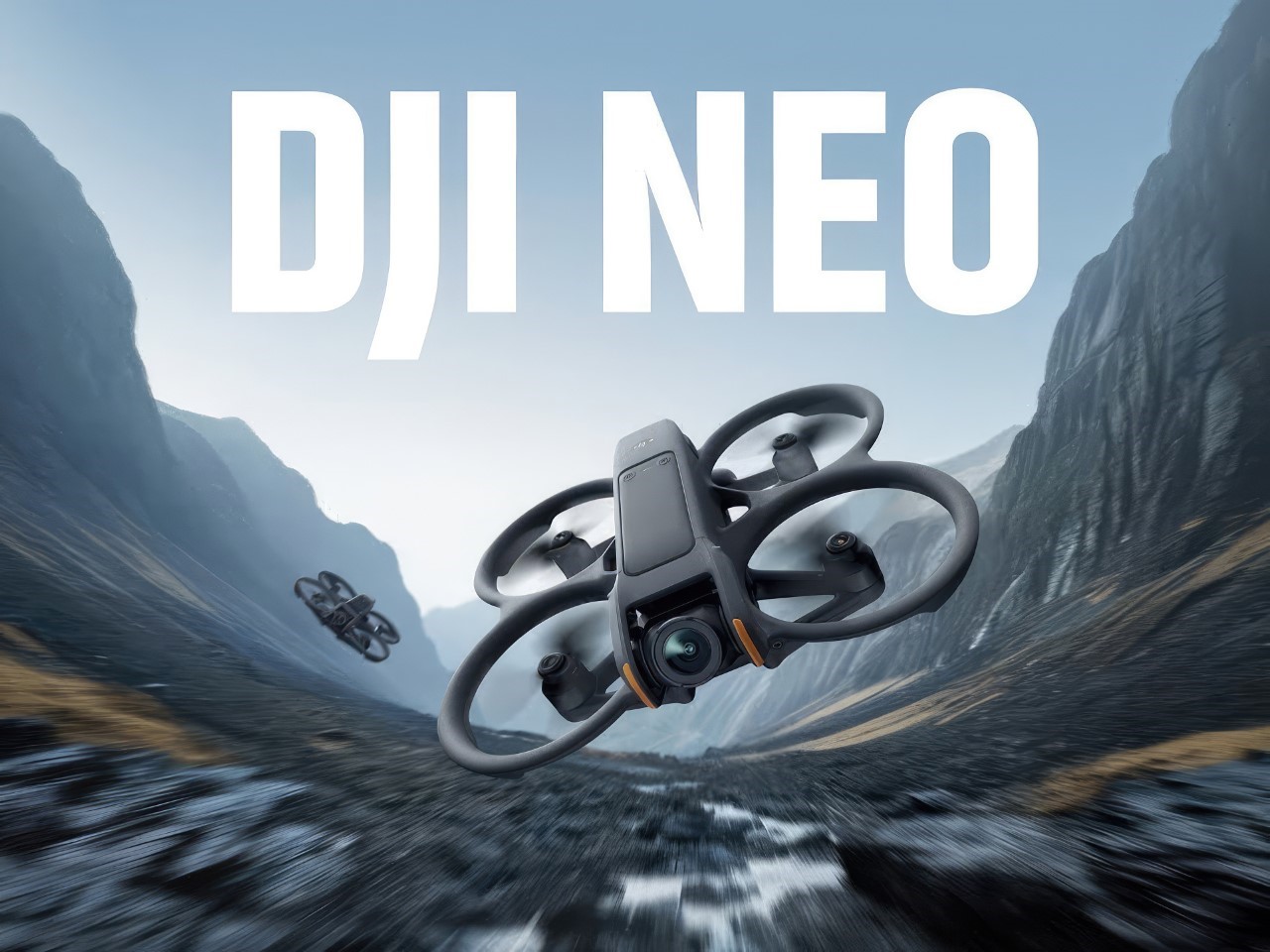
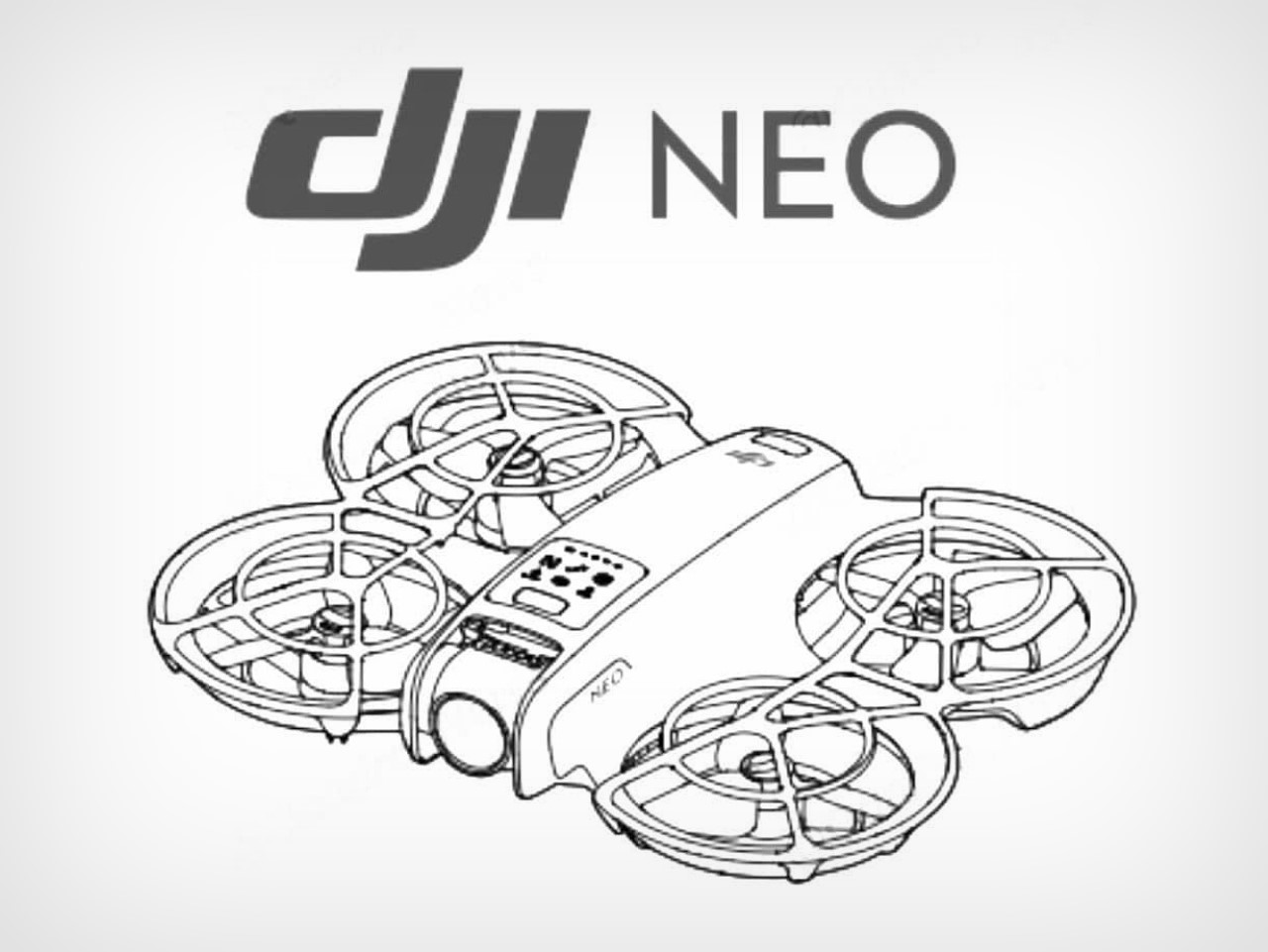
DJI Neo Rumored to be a Tinier Version of the Avata 2 FPV Drone with Voice Control Features

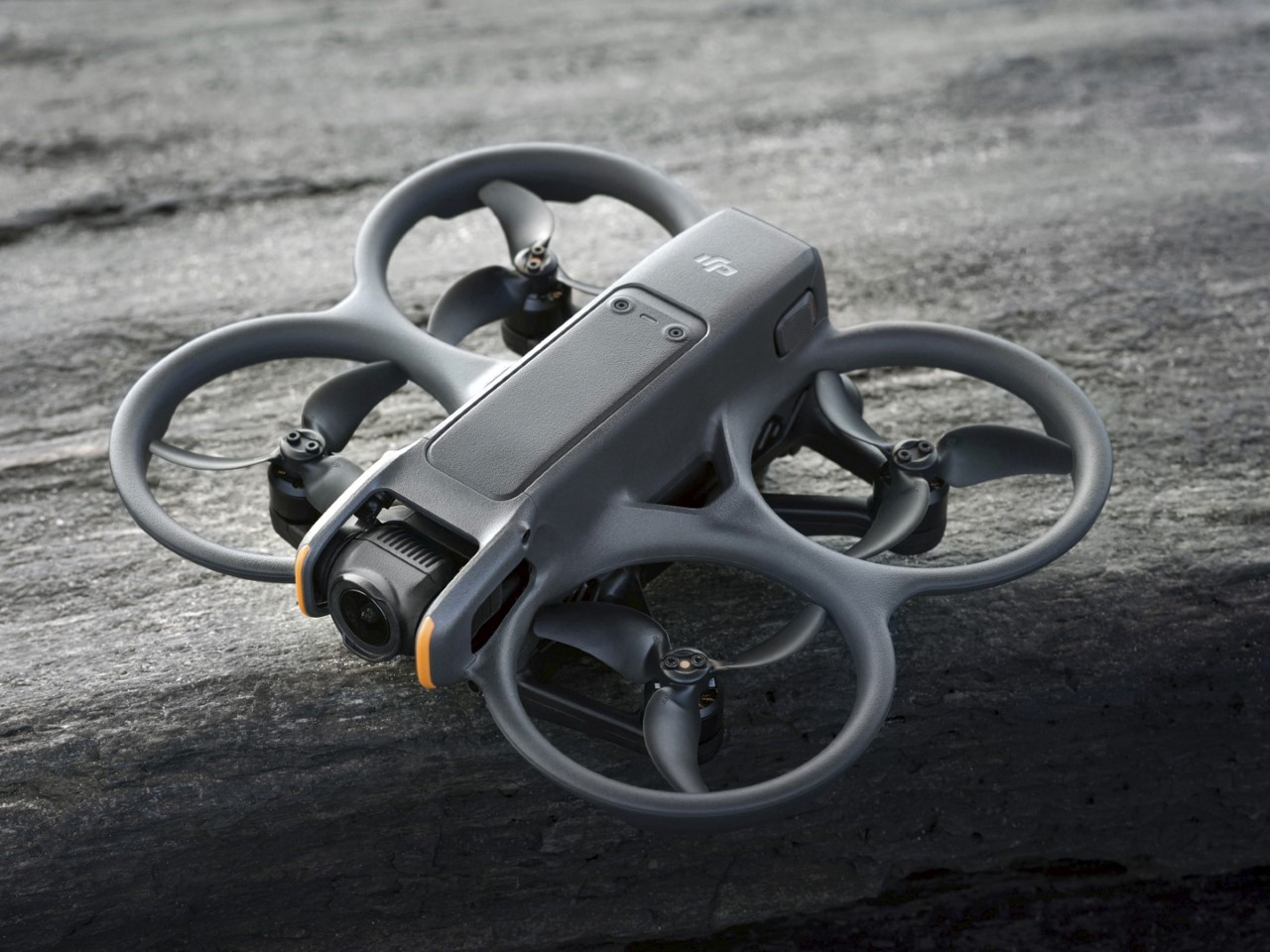
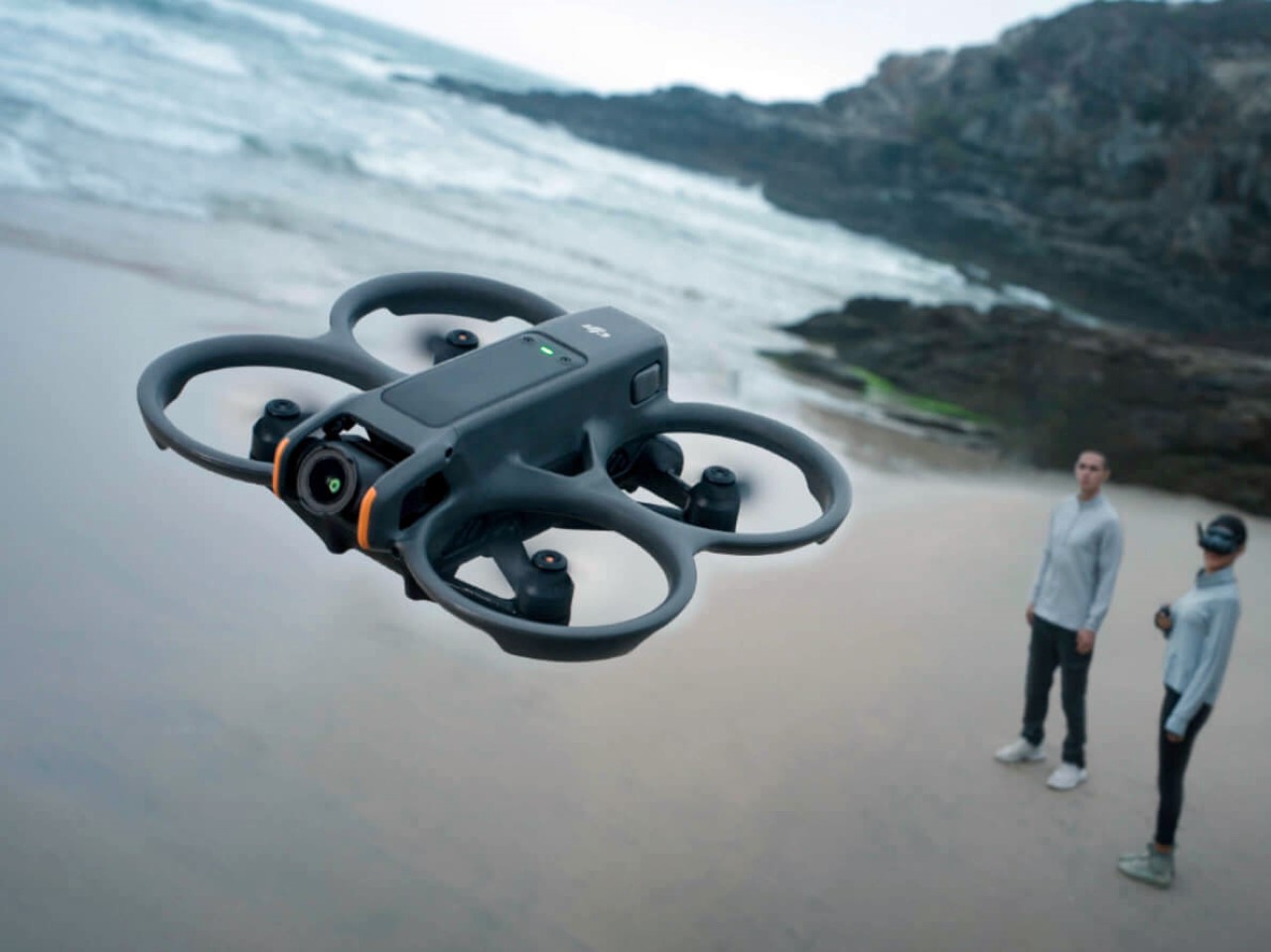
It’s been a hot minute since DJI’s dropped a new drone. Sure, there’s rumblings of the US Govt. cracking down on the China-based drone company for allegedly being a puppet of the CCP, but that hasn’t stopped DJI from absolutely dominating the drone market with its crowd-favorite flying machines (I literally can’t think of any other drone company that’s even a close second). After entering the FPV space just two years ago with the Avata, DJI’s rumored to be dropping a smaller version of the drone, designed for novice indoor use. Slated for release on August 20th, 2024, the DJI Neo is designed with a focus on combining ease of use with advanced safety and performance features, making it an attractive option for both novice pilots and seasoned enthusiasts. Along with being a smaller, pocket-sized device, the Neo is also rumored to debut a new feature in DJI’s entire drone lineup – voice control.

Designer: DJI

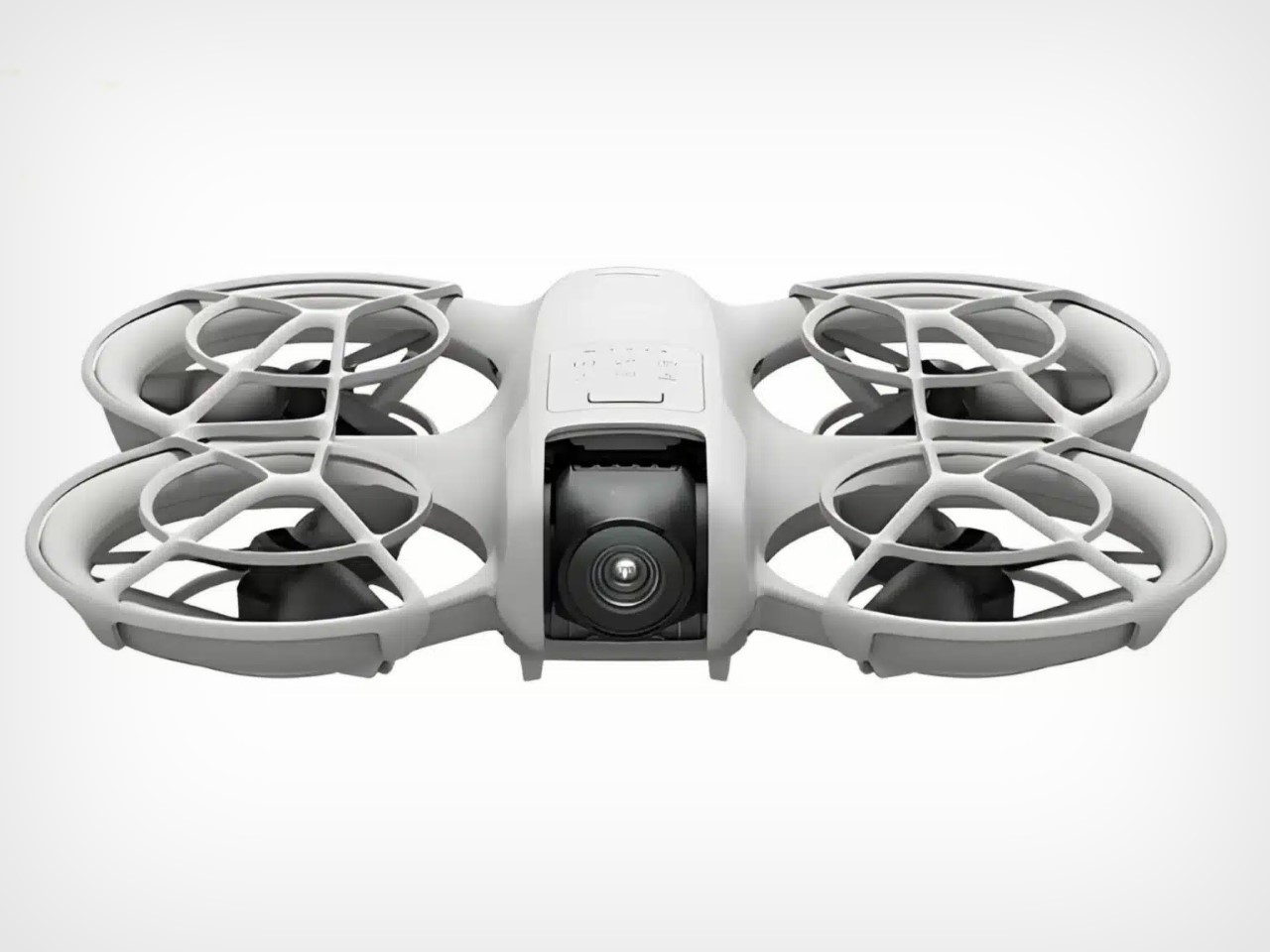
With its pocket-sized design, the Neo’s probably going to be pitched as an indoor-capable drone. It comes with precision-crafted cinewhoop-style propeller guards, utilizing a lattice structure that balances weight and durability. Such a design is particularly beneficial for indoor flights, where the chances of accidental collisions are higher given just how many obstacles can be found in an indoor setting. The propeller guards encase each propeller within a sturdy yet lightweight barrier, minimizing the risk of damage during flight. For beginners, this feature offers peace of mind, allowing them to hone their piloting skills without the constant worry of damaging their drone or surroundings.

Even for its tiny size, the drone is equipped with a camera mounted on a gimbal, ensuring stable and high-quality video capture. Although specifics about the camera’s resolution remain under wraps, industry expectations point towards 4K video capabilities, aligning with DJI’s reputation for delivering top-notch imaging technology. This makes the Neo not just a learning tool for beginners but also a practical choice for content creators who require reliable, high-resolution footage, even in constrained indoor environments.

A glance at the DJI Neo reveals a design that’s pretty reminiscent of the Avata 2 FPV drone. The drone’s shell, likely made from high-quality plastic or composite materials, comes in a clean, light-colored finish, reinforcing its modern aesthetic. This minimalist approach balances a sleek overall aesthetic along with aerodynamic efficiency, contributing to a smoother flight experience.

Reports indicate that it will feature a flight time of 16 minutes, which is impressive given its compact size. For those looking to extend their flight sessions, the Fly More Combo package will include three batteries, ensuring that the fun doesn’t have to stop after just one flight. Additionally, the Neo is likely to support DJI’s Motion Controller, allowing for an immersive FPV (First-Person View) experience when paired with the DJI Goggles 3. This feature suggests that while the Neo is beginner-friendly, it also caters to those looking to explore more advanced flight modes and experiences.

The post DJI Neo Rumored to be a Tinier Version of the Avata 2 FPV Drone with Voice Control Features first appeared on Yanko Design.

Ultra-short Throw or Regular Projectors? Which One Should You Buy in 2024

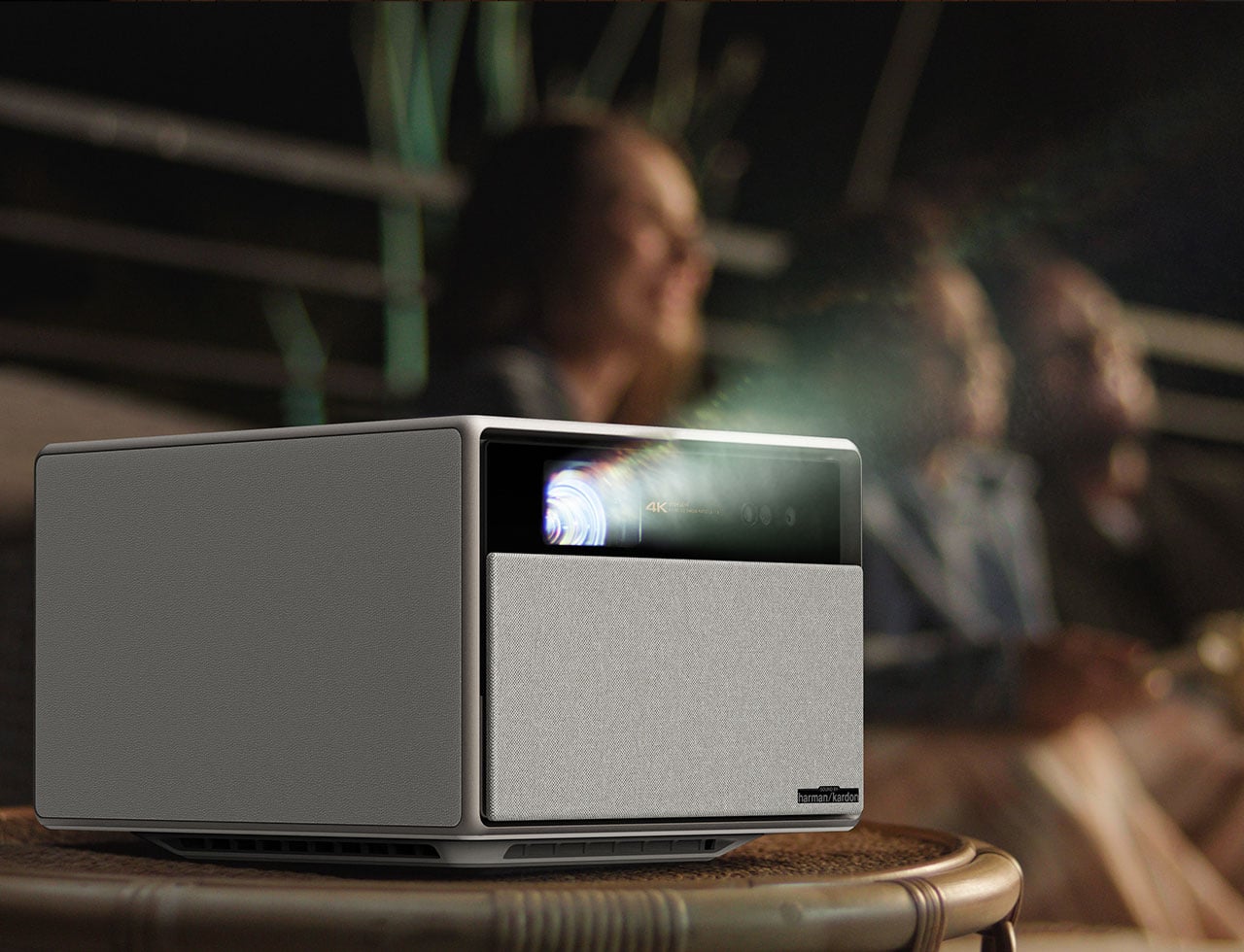
I bought a projector around the time the pandemic began. My rented apartment was small, I didn’t want to mount a TV on the wall, and moreover, I liked the idea of being able to watch movies either in the living room or the bedroom. Besides, it’s also when streaming at home absolutely exploded because nobody was going to the theaters anymore. Projectors have existed for over a century at this point, but for a major part of the modern tech discourse, TVs have dominated the conversation when it came to consumers. Every home HAD to have a couch facing a TV… but not anymore. Projectors are finally becoming smarter, higher in quality, more compact/sleek, and more affordable. However, choosing the right projector is a tricky affair. Sure, you could go with your budget and compare ratings on Amazon, but before you do, it helps to understand what TYPE of projector you want to buy. Broadly, there are two kinds of projectors worth looking into – you’ve got your standard projectors that need to be kept a few tens of feet away from a wall or screen… but you’ve also got ultra-short throw projectors, that need to just sit a couple inches away from their projection surface.

Choosing the right projector for your needs in 2024 can feel like navigating a maze of technical jargon and endless options. With advancements in both ultra-short throw and regular projectors, making an informed decision requires understanding the strengths and limitations of each. Whether you’re setting up a home theater, outfitting a classroom, or enhancing your office conference room, knowing which type of projector suits your space and needs is crucial.

What are Ultra-short Throw Projectors?

Ultra-short throw (UST) projectors are designed to project large images from a very short distance, as their name suggests. Typically placed just inches away from the screen or wall, these projectors are perfect for small spaces where traditional projectors would be impractical. The key feature of UST projectors is their ability to produce a big, bright image without requiring a significant throw distance.

UST projectors have several advantages:

  • Space-saving: They can sit directly below or above the projection surface, making them ideal for small rooms or areas with limited space.
  • Installation flexibility: These projectors can be placed on a console, mounted on the ceiling, or even integrated into furniture, offering various setup options.
  • Reduced shadows and glare: Since the projector is close to the screen, shadows from people moving around are minimized, and direct glare from the light source is less likely to affect viewers.

What are Regular (Long-throw) Projectors?

Regular or long-throw projectors are the traditional choice for home theaters, classrooms, and large venues. These projectors need a considerable distance from the screen to project a clear, large image. The longer throw distance allows them to achieve higher brightness and resolution, making them suitable for various environments.

Advantages of regular projectors include:

  • Cost-effectiveness: Long-throw projectors often offer more bang for your buck, with a range of options at various price points.
  • Higher brightness: These projectors are typically brighter, making them suitable for larger spaces or environments with ambient light.
  • Variety: There’s a broader selection of long-throw projectors, providing more options in terms of features and specifications.

Performance Comparison

Picture Quality: Both UST and regular projectors can deliver excellent picture quality, but there are nuances to consider. UST projectors often use laser technology, providing bright and vibrant images with good contrast. However, the proximity to the screen can sometimes result in a slight drop in edge clarity. Regular projectors, on the other hand, benefit from longer throw distances that enhance image sharpness and uniformity.

Installation: UST projectors shine in ease of installation. Place it close to the wall, connect your sources, and you’re ready to go. This simplicity is a stark contrast to regular projectors, which require careful placement, mounting, and alignment to ensure a proper image. Adjusting keystone and focus can be a time-consuming process, especially in rooms where the projector must be mounted at a significant distance from the screen.

Sound: While most projectors come with built-in speakers, the quality varies significantly too. With UST projectors, you have the benefit of the sound emanating from as near the screen as possible. With regular projectors, if you’re relying on the projector’s built-in speaker, the sound will usually emerge from behind you, with the visuals in front of you, creating a mild dissonance of sorts. However, both speakers can be hooked to a home theater setup, allowing you to effectively outsource sound to a more expertly tuned device fit for the job.

Use Cases and Suitability

Choosing between a UST and a regular projector largely depends on your specific use case:

Ultra-short Throw Projectors are best suited for:

  • Small spaces: Apartments, small meeting rooms, and classrooms where space is at a premium.
  • Minimalist setups: If you prefer a clean, uncluttered look, UST projectors can blend seamlessly into the room’s design.
  • Interactive whiteboards: Ideal for educational environments where students and teachers frequently interact with the projection surface.

Regular Projectors excel in:

  • Home theaters: Offering a cinema-like experience with a larger, brighter image, regular projectors are perfect for dedicated home theater rooms.
  • Large venues: Conference halls, auditoriums, and outdoor events benefit from the higher brightness and larger image sizes that long-throw projectors can provide.
  • Budget-conscious setups: If you’re looking to get the most value, regular projectors offer a wider range of affordable options.

Cost and Value

When it comes to cost, UST projectors tend to be more expensive upfront. Their advanced optics and compact designs come at a premium, with prices starting around $1,500 and going up to several thousand dollars for high-end models. However, the long-term value includes easier setup and less need for additional mounting hardware or cabling, potentially offsetting the initial investment.

Regular projectors, on the other hand, offer a broader price range. Entry-level models can be found for as low as $300, while high-end models still cost several thousand dollars. Despite potentially higher installation costs due to mounts and longer cables, the ongoing costs can be lower. Replacement lamps for regular projectors are generally cheaper and more widely available than those for UST projectors.

Technological Advancements

Ultra-short Throw Projectors have seen significant advancements:

  • Laser Technology: Many UST projectors now use laser light sources, offering longer life spans, brighter images, and better color accuracy.
  • Smart Features: Integration with smart home systems, built-in streaming apps, and voice control are becoming common, making them more versatile and user-friendly.

Regular Projectors continue to evolve with:

  • 4K and HDR: High-resolution and high-dynamic-range imaging are now standard in many models, providing stunning visual quality.
  • LED Advancements: Improved LED technology offers better brightness, longevity, and color reproduction, reducing the need for frequent bulb replacements.

These advancements have significantly enhanced the performance and user experience of both types, making them viable options for different needs.

User Experience and Reviews

Feedback from users highlights the strengths and weaknesses of each type:

Ultra-short Throw Projectors:

  • Pros: Users appreciate the ease of setup, modern design, and the ability to place the projector close to the screen. The integrated smart features and quality speakers are also frequently praised.
  • Cons: Some users report issues with image uniformity and edge clarity. The higher cost can be a barrier for budget-conscious buyers.

Regular Projectors:

  • Pros: Users enjoy the high brightness and sharp image quality, especially in darkened rooms. The variety of options and price points is another strong selling point.
  • Cons: The setup can be complex and time-consuming. External speakers are often necessary for good sound quality. The projection can sometimes get obscured by people moving around in the room.

Future Trends and Predictions

Looking ahead, several trends are likely to shape the projector market in 2024 and beyond:

  • AI Integration: Expect projectors to become smarter, with AI helping to optimize image settings, adjust focus automatically, and even provide content recommendations.
  • Enhanced Connectivity: Improvements in wireless technology and seamless integration with other smart devices will make projectors even more versatile.
  • Enhanced Quality: Television displays have made leaps and bounds in the past 20 years that projectors haven’t. Projectors today have great contrast and can go up to 4K in quality if you spend a good buck, but they always need to be used in a low-light setting to be visible. Future projectors could have great quality with higher brightness levels, allowing them to be used even in moderately lit rooms.

It’s worth knowing what you’re getting into when you buy a projector. Just like a TV, a projector is something you’ll probably expect at least a decade’s worth of use out of (nobody changes TVs as rapidly as they change their phones) so make sure you weigh all the pros and cons of each kind of projector type before springing to buy one. If it’s great quality in a compact setup, UST projectors have you covered. If budget and portability are your biggest concerns, there are a whole slew of portable projectors you can buy that are about as cheap as a mid-range smartphone.


Choosing between an ultra-short throw and a regular projector depends on your specific needs, space, and budget. UST projectors offer convenience, modern aesthetics, and smart features, making them ideal for small spaces and minimalist setups. Regular projectors, with their high brightness and a broad range of options, are perfect for home theaters and large venues.

Ultimately, both types of projectors have their unique advantages and are continually improving with technological advancements. Whether you prioritize ease of installation or superior image quality, there’s a projector out there that will meet your needs. So, whether you’re planning to host epic movie nights or deliver stunning presentations, 2024 has the perfect projector for you. And remember, choosing the right projector isn’t just about the specs—it’s about finding the one that makes you the star of the show.

The post Ultra-short Throw or Regular Projectors? Which One Should You Buy in 2024 first appeared on Yanko Design.

Bob Ross gets his own LEGO Ideas Kit with a foldable Miniature Art Gallery

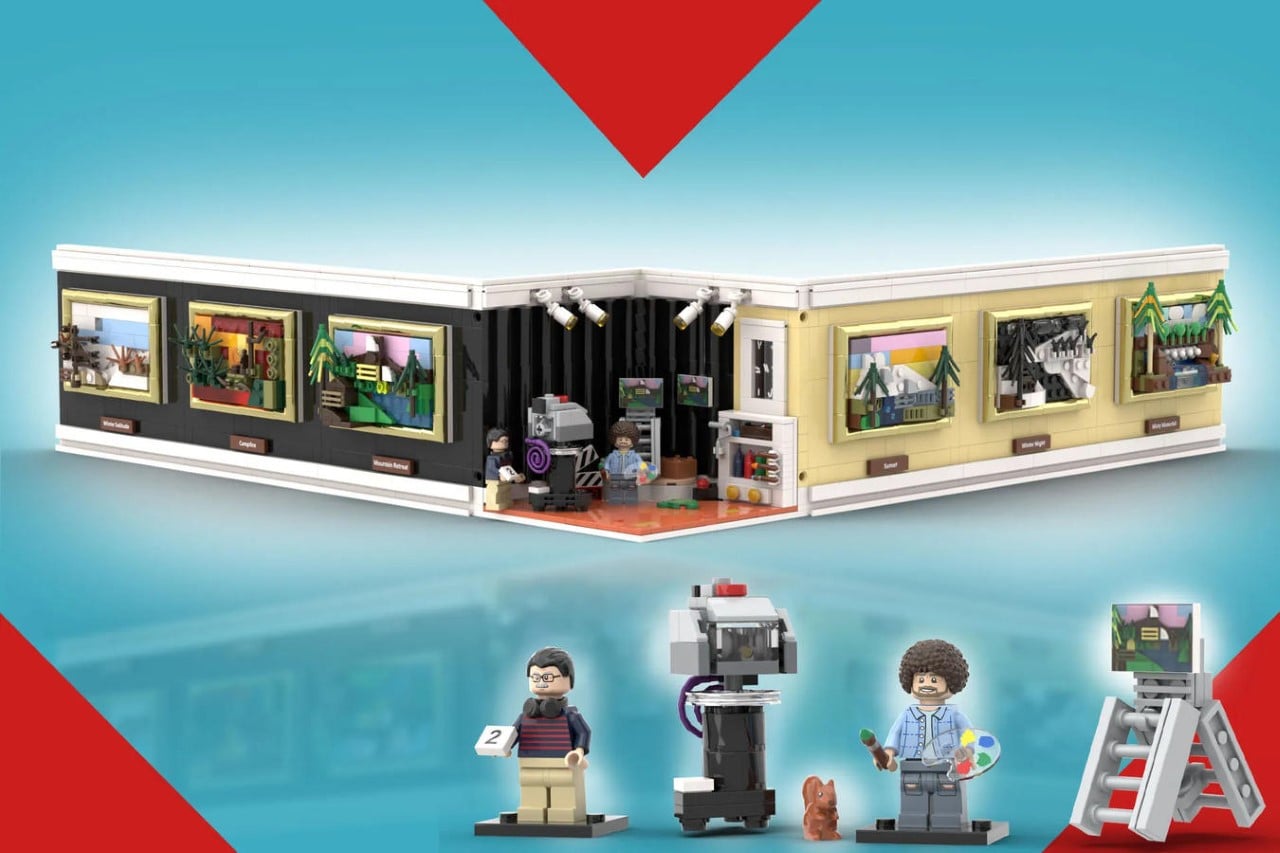
Designed by LEGO-builder Bricknificent, the “Bob Ross: Studio & Paintings” kit perfectly immortalizes painter and art-instructor Bob Ross, known for his calming, almost meditative painting videos. The fan-made LEGO set contains Ross himself as a minifigure, within his own recording studio attached to an art gallery. The gallery, which folds open or shut, contains 6 of Bob Ross’ most prolific artworks, all made from a total of 1,234 LEGO bricks.

Designer: Bricknificent

“As a nature lover who likes to draw and paint, Bob Ross is truly an inspiration. I admire his passion, reassuring voice, and limited selection of tools and colors. With this in mind, I created the ultimate Bob Ross experience in LEGO,” says Bricknificent, the creator behind the LEGO Ideas Bob Ross kit. The kit is more than merely Ross’ studio, or his paintings. Instead, it’s practically a diorama of sorts, capturing the television setup that Ross used to film his painting sequences for his show, The Joy of Painting, along with his great works.


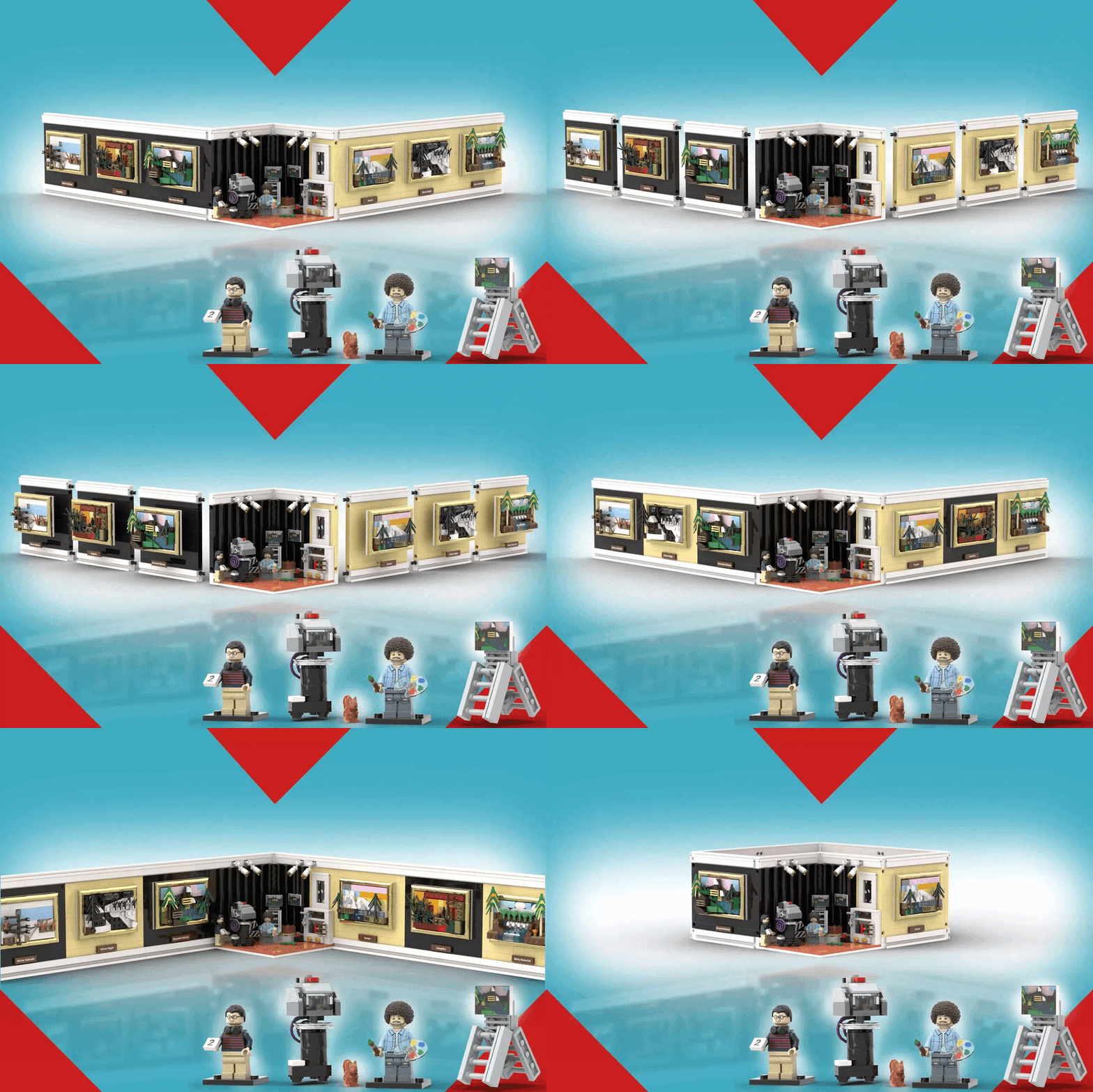
The studio set comes with a foldable design that can either be fanned out to display the entire collection in one go, or folded together to make a closed-loop gallery that forms a shape of the heart. The top of the heart, where the upper curves intersect, is where Bob’s studio is located, complete with studio lights, a camera, and a director filming Bob painting away. You’ve got a black curtain backdrop, and art supplies in the corner, capturing the entire recording setup’s nitty-gritty details… including even Peapod, a pet squirrel that featured in his episodes.

Move away from the setup and you’re greeted with 6 of Bob’s most prolific works – Mountain Retreat, Misty Waterfall, Winter Night, Campfire, Sunset, and Winter Solitude. Known for his unconventional approach to painting that broke down the process into simple, easy-to-follow lifehacks, Ross helped millions of people pick up a paintbrush and make actual, close-to-realistic landscape art. The LEGO Ideas set captures six such landscapes across various terrains.

6 of Ross’ most famous paintings use unconventional bricks from existing LEGO sets, like ice-cream scoops for waterfalls, and baby bottles as paint-tubes.

The entire set comes made from 1,234 bricks, ranking fairly on the easier end of the LEGO difficulty spectrum. Sadly, the set is just a fan-made creation for now… however, with nearly 2,500 votes as of writing this article, it’s racking up immense support on the LEGO Ideas website, where enthusiasts go to vote for their favorite fan creations or MOCs (My Own Creation). If Bricknificent’s MOC reaches the 10,000 mark, there’s a chance LEGO may turn it into a retail box set, so go ahead and cast your vote for this gorgeous kit on the LEGO Ideas website!

The post Bob Ross gets his own LEGO Ideas Kit with a foldable Miniature Art Gallery first appeared on Yanko Design.